Welcome to My Blog
How to Write a Case Study: Bookmarkable Guide & Template
Earning the trust of prospective customers can be a struggle. Before you can even begin to expect to earn their business, you need to demonstrate your ability to deliver on what your product or service promises.
Sure, you could say that you’re great at X or that you’re way ahead of the competition when it comes to Y. But at the end of the day, what you really need to win new business is cold, hard proof.
One of the best ways to prove your worth is through a compelling case study. In fact, HubSpot’s 2020 State of Marketing report found that case studies are so compelling that they are the fifth most commonly used type of content used by marketers.

Below, I’ll walk you through what a case study is, how to prepare for writing one, what you need to include in it, and how it can be an effective tactic. To jump to different areas of this post, click on the links below to automatically scroll.
- Case Study Definition
- Case Study Templates
- How to Write a Case Study
- How to Format a Case Study
- Business Case Study Examples
Case Study Definition
A case study is a specific challenge a business has faced, and the solution they’ve chosen to solve it. Case studies can vary greatly in length and focus on several details related to the initial challenge and applied solution, and can be presented in various forms like a video, white paper, blog post, etc.
In professional settings, it’s common for a case study to tell the story of a successful business partnership between a vendor and a client. Perhaps the success you’re highlighting is in the number of leads your client generated, customers closed, or revenue gained. Any one of these key performance indicators (KPIs) are examples of your company’s services in action.
When done correctly, these examples of your work can chronicle the positive impact your business has on existing or previous customers and help you attract new clients.
Case Study Templates
To help you arm your prospects with information they can trust, we’ve put together a step-by-step guide on how to create effective case studies for your business with free case study templates for creating your own.
And to give you more options, we’ll highlight some useful templates that serve different needs. But remember, there are endless possibilities when it comes to demonstrating the work your business has done.
1. General Case Study Template
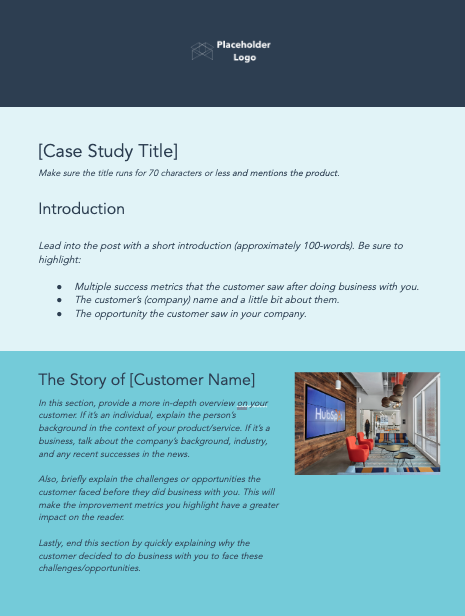
Starting off with a straightforward, generic template can be a great foundation for your case study. With this first template, your business can elaborate on any solution provided to a satisfied customer — from their background, to what led to them doing business with you, to the results they’ve seen.
Along with the simplistic design of this template, each section is clearly distinct and outlines the type of information or direction to take to tell you and your customer’s story better. And for added benefit, when you download this template you’ll find bracket prompts for ideation and instructions to follow as you fill it in.
2. Data-Driven Case Study Template
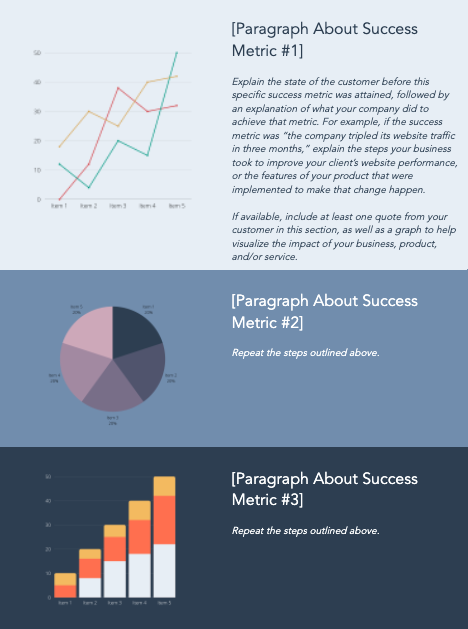
For those looking to show off objective and numeric solutions, HubSpot’s Data-Driven template is a great template to work with. It’s structured to highlight the most notable achievement metrics that a specific customer has seen with your product and/or service.
As you work through this template, you’ll find similar bracketed prompts and sections as the generic template — but with more eye-catching visual cues for your customer’s success points to be properly showcased.
3. Product Specific Case Study Template
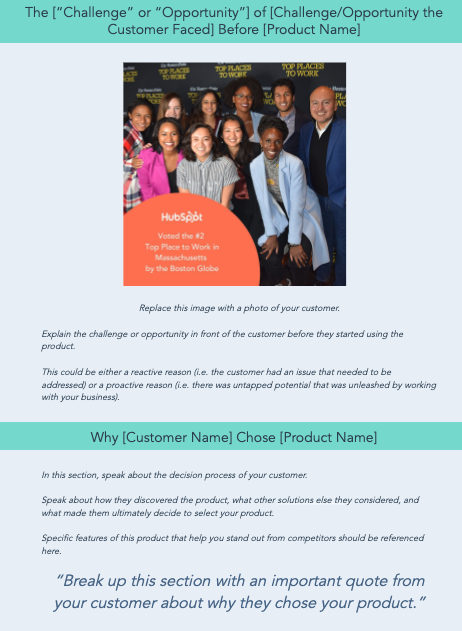
Do you have a specific product or service that you’re trying to sell, but not enough reviews or success stories? This Product Specific case study template will help.
This template relies less on metrics, and more on highlighting the customer’s experience and satisfaction. As you follow the template instructions, you’ll be prompted to speak more about the benefits of the specific product, rather than your team’s process for working with the customer.
4. Bold Social Media Business Case Study Template
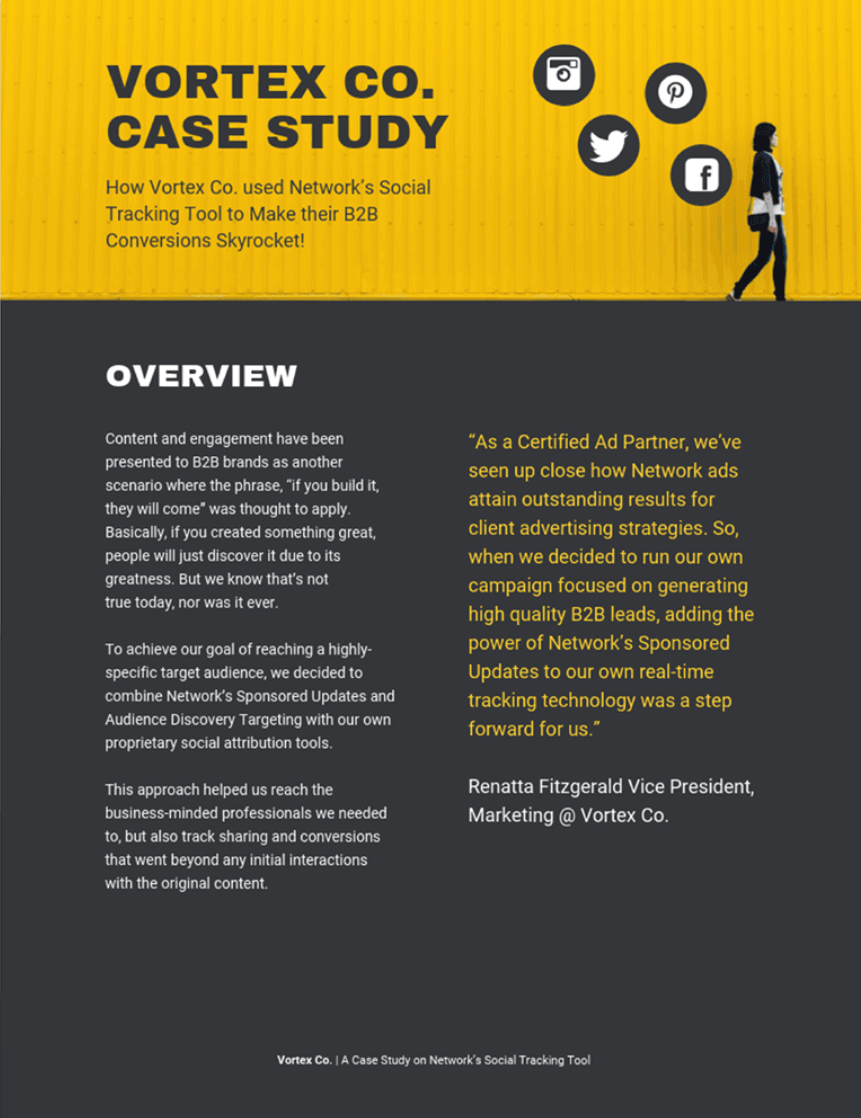
You can find templates that represent different niches, industries, or strategies that your business has found success in — like a bold social media business case study template.
In this template, you can tell the story of how your social media marketing strategy has helped you or your client through collaboration or sale of your service. Customize it to reflect the different marketing channels used in your business and show off how well your business has been able to boost traffic, engagement, follows, and more.
5. Lead Generation Business Case Study Template
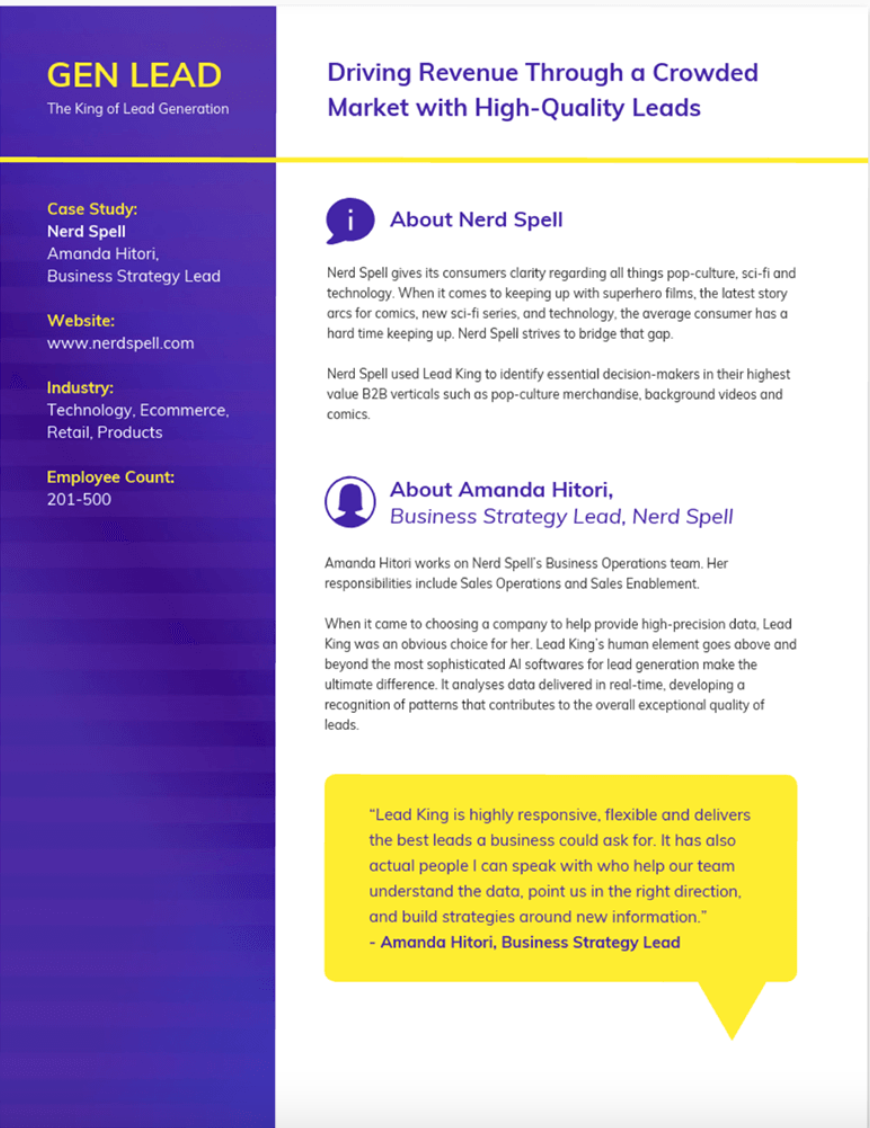
It’s important to note that not every case study has to be the product of a sale or customer story, sometimes they can be informative lessons that your own business has experienced. A great example of this is the Lead Generation Business case study template.
If you’re looking to share operational successes regarding how your team has improved processes or content, you should include the stories of different team members involved, how the solution was found, and how it has made a difference in the work your business does.
Now that we’ve discussed different templates and ideas for how to use them, let’s break down how to create your own case study with one.
1. Get started with case study templates.
Telling your customer’s story is a delicate process — you need to highlight their success while naturally incorporating your business into their story.
If you’re just getting started with case studies, we recommend you download HubSpot’s Case Study Templates we mentioned before to kickstart the process.
2. Determine the case study’s objective.
All business case studies are designed to demonstrate the value of your services, but they can focus on several different client objectives.
Your first step when writing a case study is to determine the objective or goal of the subject you’re featuring. In other words, what will the client have succeeded in doing by the end of the piece?
The client objective you focus on will depend on what you want to prove to your future customers as a result of publishing this case study.
Your case study can focus on one of the following client objectives:
- Complying with government regulation
- Lowering business costs
- Becoming profitable
- Generating more leads
- Closing on more customers
- Generating more revenue
- Expanding into a new market
- Becoming more sustainable or energy-efficient
3. Establish a case study medium.
Next, you’ll determine the medium in which you’ll create the case study. In other words, how will you tell this story?
Case studies don’t have to be simple, written one-pagers. Using different media in your case study can allow you to promote your final piece on different channels. For example, while a written case study might just live on your website and get featured in a Facebook post, you can post an infographic case study on Pinterest and a video case study on your YouTube channel.
Here are some different case study mediums to consider:
Written Case Study
Consider writing this case study in the form of an ebook and converting it to a downloadable PDF. Then, gate the PDF behind a landing page and form for readers to fill out before downloading the piece, allowing this case study to generate leads for your business.
Video Case Study
Plan on meeting with the client and shooting an interview. Seeing the subject, in person, talk about the service you provided them can go a long way in the eyes of your potential customers.
Infographic Case Study
Use the long, vertical format of an infographic to tell your success story from top to bottom. As you progress down the infographic, emphasize major KPIs using bigger text and charts that show the successes your client has had since working with you.
Podcast Case Study
Podcasts are a platform for you to have a candid conversation with your client. This type of case study can sound more real and human to your audience — they’ll know the partnership between you and your client was a genuine success.
4. Find the right case study candidate.
Writing about your previous projects requires more than picking a client and telling a story. You need permission, quotes, and a plan. To start, here are a few things to look for in potential candidates.
Product Knowledge
It helps to select a customer who’s well-versed in the logistics of your product or service. That way, he or she can better speak to the value of what you offer in a way that makes sense for future customers.
Remarkable Results
Clients that have seen the best results are going to make the strongest case studies. If their own businesses have seen an exemplary ROI from your product or service, they’re more likely to convey the enthusiasm that you want prospects to feel, too.
One part of this step is to choose clients who have experienced unexpected success from your product or service. When you’ve provided non-traditional customers — in industries that you don’t usually work with, for example — with positive results, it can help to remove doubts from prospects.
Recognizable Names
While small companies can have powerful stories, bigger or more notable brands tend to lend credibility to your own. In fact, 89% of consumers say they’ll buy from a brand they already recognize over a competitor, especially if they already follow them on social media.
Switchers
Customers that came to you after working with a competitor help highlight your competitive advantage and might even sway decisions in your favor.
5. Contact your candidate for permission to write about them.
To get the case study candidate involved, you have to set the stage for clear and open communication. That means outlining expectations and a timeline right away — not having those is one of the biggest culprits in delayed case study creation.
Most importantly at this point, however, is getting your subject’s approval. When first reaching out to your case study candidate, provide them with the case study’s objective and format — both of which you will have come up with in the first two steps above.
To get this initial permission from your subject, put yourself in their shoes — what would they want out of this case study? Although you’re writing this for your own company’s benefit, your subject is far more interested in the benefit it has for them.
Benefits to Offer Your Case Study Candidate
Here are four potential benefits you can promise your case study candidate to gain their approval.
Brand Exposure
Explain to your subject to whom this case study will be exposed, and how this exposure can help increase their brand awareness both in and beyond their own industry. In the B2B sector, brand awareness can be hard to collect outside one’s own market, making case studies particularly useful to a client looking to expand their name’s reach.
Employee Exposure
Allow your subject to provide quotes with credits back to specific employees. When this is an option for them, their brand isn’t the only thing expanding its reach — their employees can get their name out there, too. This presents your subject with networking and career development opportunities they might not have otherwise.
Product Discount
This is a more tangible incentive you can offer your case study candidate, especially if they’re a current customer of yours. If they agree to be your subject, offer them a product discount — or a free trial of another product — as a thank-you for their help creating your case study.
Backlinks and Website Traffic
Here’s a benefit that is sure to resonate with your subject’s marketing team: If you publish your case study on your website, and your study links back to your subject’s website — known as a “backlink” — this small gesture can give them website traffic from visitors who click through to your subject’s website.
Additionally, a backlink from you increases your subject’s page authority in the eyes of Google. This helps them rank more highly in search engine results and collect traffic from readers who are already looking for information about their industry.
6. Ensure you have all the resources you need to proceed once you get a response.
So you know what you’re going to offer your candidate, it’s time that you prepare the resources needed for if and when they agree to participate, like a case study release form and success story letter.
Let’s break those two down.
Case Study Release Form
This document can vary, depending on factors like the size of your business, the nature of your work, and what you intend to do with the case studies once they are completed. That said, you should typically aim to include the following in the Case Study Release Form:
- A clear explanation of why you are creating this case study and how it will be used.
- A statement defining the information and potentially trademarked information you expect to include about the company — things like names, logos, job titles, and pictures.
- An explanation of what you expect from the participant, beyond the completion of the case study. For example, is this customer willing to act as a reference or share feedback, and do you have permission to pass contact information along for these purposes?
- A note about compensation.
Success Story Letter
As noted in the sample email, this document serves as an outline for the entire case study process. Other than a brief explanation of how the customer will benefit from case study participation, you’ll want to be sure to define the following steps in the Success Story Letter.
7. Download a case study email template.
While you gathered your resources, your candidate has gotten time to read over the proposal. When your candidate approves of your case study, it’s time to send them a release form.
A case study release form tells you what you’ll need from your chosen subject, like permission to use any brand names and share the project information publicly. Kick-off this process with an email that runs through exactly what they can expect from you, as well as what you need from them. To give you an idea of what that might look like, check out this sample email:
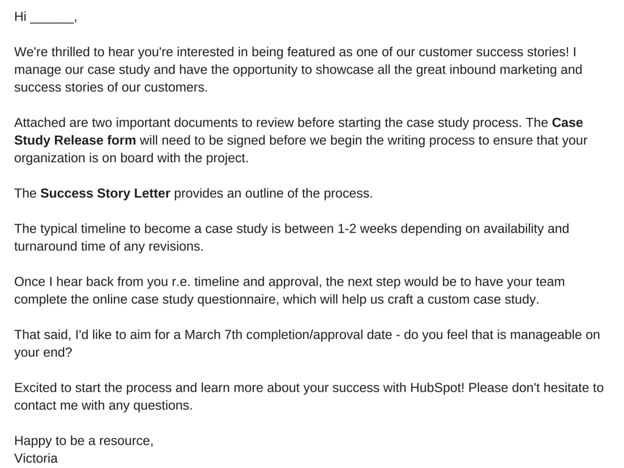
8. Define the process you want to follow with the client.
Before you can begin the case study, you have to have a clear outline of the case study process with your client. An example of an effective outline would include the following information.
The Acceptance
First, you’ll need to receive internal approval from the company’s marketing team. Once approved, the Release Form should be signed and returned to you. It’s also a good time to determine a timeline that meets the needs and capabilities of both teams.
The Questionnaire
To ensure that you have a productive interview — which is one of the best ways to collect information for the case study — you’ll want to ask the participant to complete a questionnaire before this conversation. That will provide your team with the necessary foundation to organize the interview, and get the most out of it.
The Interview
Once the questionnaire is completed, someone on your team should reach out to the participant to schedule a 30- to 60-minute interview, which should include a series of custom questions related to the customer’s experience with your product or service.
The Draft Review
After the case study is composed, you’ll want to send a draft to the customer, allowing an opportunity to give you feedback and edits.
The Final Approval
Once any necessary edits are completed, send a revised copy of the case study to the customer for final approval.
Once the case study goes live — on your website or elsewhere — it’s best to contact the customer with a link to the page where the case study lives. Don’t be afraid to ask your participants to share these links with their own networks, as it not only demonstrates your ability to deliver positive results and impressive growth, as well.
9. Ensure you’re asking the right questions.
Before you execute the questionnaire and actual interview, make sure you’re setting yourself up for success. A strong case study results from being prepared to ask the right questions. What do those look like? Here are a few examples to get you started:
- What are your goals?
- What challenges were you experiencing before purchasing our product or service?
- What made our product or service stand out against our competitors?
- What did your decision-making process look like?
- How have you benefited from using our product or service? (Where applicable, always ask for data.)
Keep in mind that the questionnaire is designed to help you gain insights into what sort of strong, success-focused questions to ask during the actual interview. And once you get to that stage, we recommend that you follow the “Golden Rule of Interviewing.” Sounds fancy, right? It’s actually quite simple — ask open-ended questions.
If you’re looking to craft a compelling story, “yes” or “no” answers won’t provide the details you need. Focus on questions that invite elaboration, such as, “Can you describe …?” or, “Tell me about …”
In terms of the interview structure, we recommend categorizing the questions and flowing them into six specific sections that will mirror a successful case study format. Combined, they’ll allow you to gather enough information to put together a rich, comprehensive study.
Open with the customer’s business.
The goal of this section is to generate a better understanding of the company’s current challenges and goals, and how they fit into the landscape of their industry. Sample questions might include:
- How long have you been in business?
- How many employees do you have?
- What are some of the objectives of your department at this time?
Cite a problem or pain point.
To tell a compelling story, you need context. That helps match the customer’s need with your solution. Sample questions might include:
- What challenges and objectives led you to look for a solution?
- What might have happened if you did not identify a solution?
- Did you explore other solutions before this that did not work out? If so, what happened?
Discuss the decision process.
Exploring how the customer decided to work with you helps to guide potential customers through their own decision-making processes. Sample questions might include:
- How did you hear about our product or service?
- Who was involved in the selection process?
- What was most important to you when evaluating your options?
Explain how a solution was implemented.
The focus here should be placed on the customer’s experience during the onboarding process. Sample questions might include:
- How long did it take to get up and running?
- Did that meet your expectations?
- Who was involved in the process?
Explain how the solution works.
The goal of this section is to better understand how the customer is using your product or service. Sample questions might include:
- Is there a particular aspect of the product or service that you rely on most?
- Who is using the product or service?
End with the results.
In this section, you want to uncover impressive measurable outcomes — the more numbers, the better. Sample questions might include:
- How is the product or service helping you save time and increase productivity?
- In what ways does that enhance your competitive advantage?
- How much have you increased metrics X, Y, and Z?
10. Lay out your case study format.
When it comes time to take all of the information you’ve collected and actually turn it into something, it’s easy to feel overwhelmed. Where should you start? What should you include? What’s the best way to structure it?
To help you get a handle on this step, it’s important to first understand that there is no one-size-fits-all when it comes to the ways you can present a case study. They can be very visual, which you’ll see in some of the examples we’ve included below, and can sometimes be communicated mostly through video or photos, with a bit of accompanying text.
Pro Tip: Even if you do elect to use a visual case study, it should still include all of this information, but be presented in its intended format
Whether your case study is primarily written or visual, we recommend focusing on the seven-part outline, below.
- Title: Keep it short. Develop a succinct but interesting project name you can give the work you did with your subject.
- Subtitle: Use this copy to briefly elaborate on the accomplishment. What was done? The case study itself will explain how you got there.
- Executive Summary: A 2-4 sentence summary of the entire story. You’ll want to follow it with 2-3 bullet points that display metrics showcasing success.
- About the Subject: An introduction to the person or company you served, which can be pulled from a LinkedIn Business profile or client website.
- Challenges and Objectives: A 2-3 paragraph description of the customer’s challenges, before using your product or service. This section should also include the goals or objectives the customer set out to achieve.
- How Product/Service Helped: A 2-3 paragraph section that describes how your product or service provided a solution to their problem.
- Results: A 2-3 paragraph testimonial that proves how your product or service specifically benefited the person or company and helped achieve its goals. Include numbers to quantify your contributions.
- Supporting Visuals or Quotes: Pick one or two powerful quotes that you would feature at the bottom of the sections above, as well as a visual that supports the story you are telling.
- Future Plans: Everyone likes an epilogue. Comment on what’s ahead for your case study subject, whether or not those plans involve you.
- Call to Action (CTA): Not every case study needs a CTA, but putting a passive one at the end of your case study can encourage your readers to take an action on your website after learning about the work you’ve done.
To help you visualize this case study outline, check out the case study template below, which can also be downloaded here.
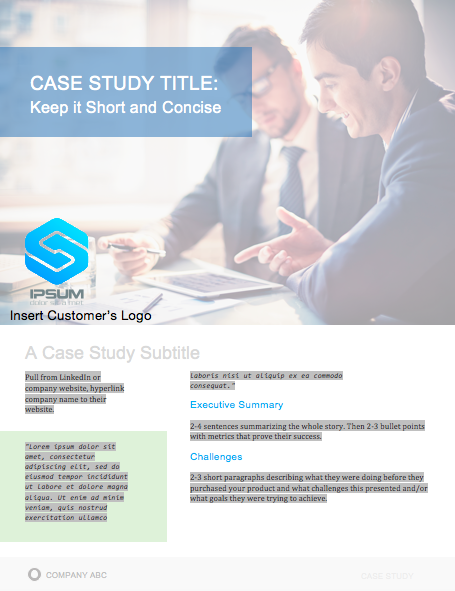
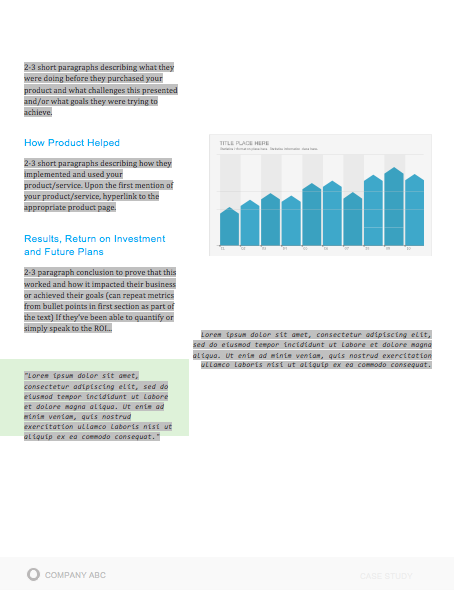
When laying out your case study, focus on conveying the information you’ve gathered in the most clear and concise way possible. Make it easy to scan and comprehend, and be sure to provide an attractive call-to-action at the bottom — that should provide readers an opportunity to learn more about your product or service.
11. Publish and promote your case study.
Once you’ve completed your case study, it’s time to publish and promote it. Some case study formats have pretty obvious promotional outlets — a video case study can go on YouTube, just as an infographic case study can go on Pinterest.
But there are still other ways to publish and promote your case study. Here are a couple of ideas:
Lead Gen in a Blog Post
As stated earlier in this article, written case studies make terrific lead-generators if you convert them into a downloadable format, like a PDF. To generate leads from your case study, consider writing a blog post that tells an abbreviated story of your client’s success and asking readers to fill out a form with their name and email address if they’d like to read the rest in your PDF.
Then, promote this blog post on social media, through a Facebook post or a tweet.
Published as a Page on Your Website
As a growing business, you might need to display your case study out in the open to gain the trust of your target audience.
Rather than gating it behind a landing page, publish your case study to its own page on your website, and direct people here from your homepage with a “Case Studies” or “Testimonials” button along your homepage’s top navigation bar.
Business Case Study Examples
You drove the results, made the connection, set the expectations, used the questionnaire to conduct a successful interview, and boiled down your findings into a compelling story. And after all of that, you’re left with a little piece of sales enabling gold — a case study.
To show you what a well-executed final product looks like, have a look at some of these marketing case study examples.
1. “Shopify Uses HubSpot CRM to Transform High Volume Sales Organization,” by HubSpot
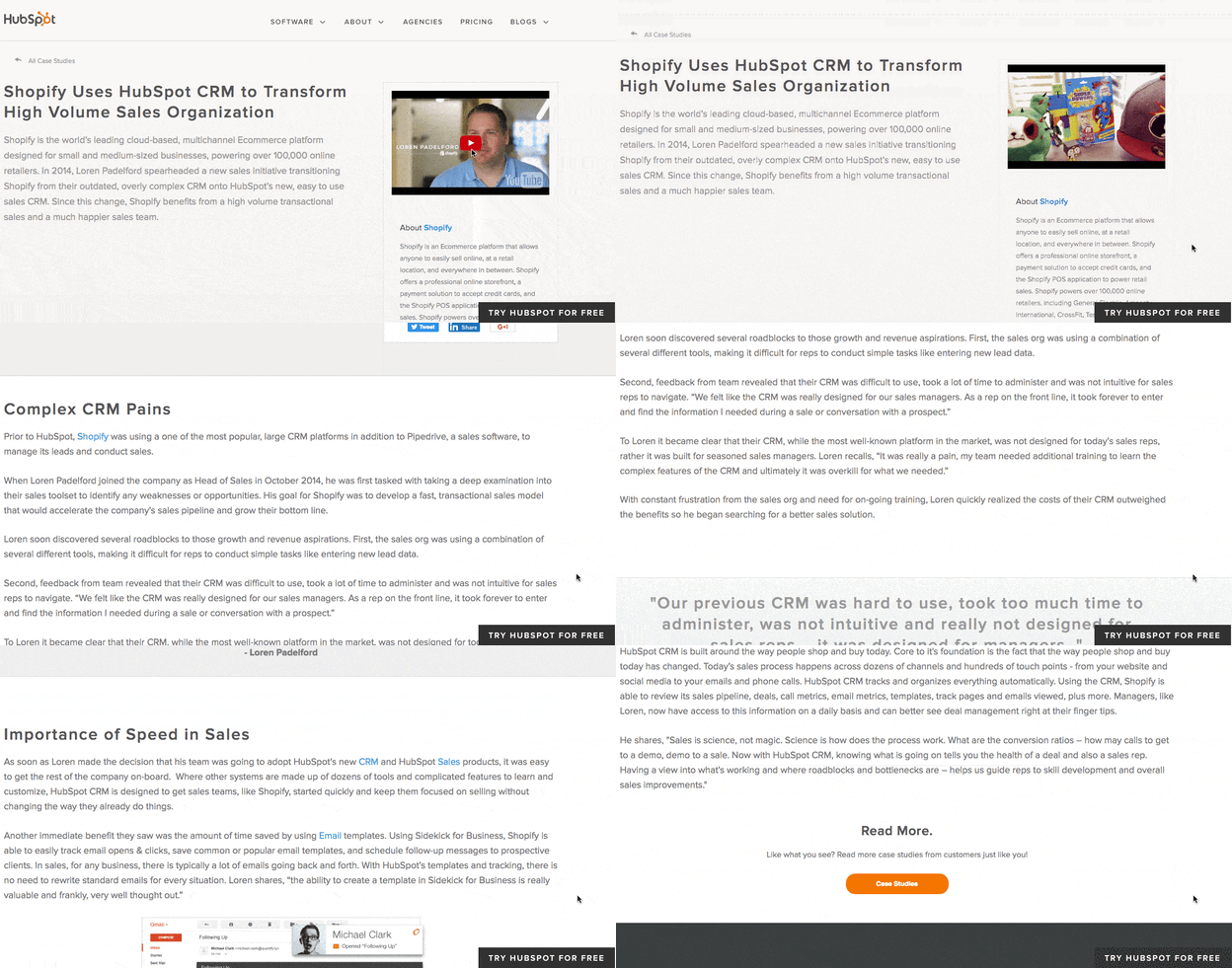
What’s interesting about this case study is the way it leads with the customer. This reflects a major HubSpot value, which is to always solve for the customer first. The copy leads with a brief description of why Shopify uses HubSpot and is accompanied by a short video and some basic statistics on the company.
Notice that this case study uses mixed media. Yes, there is a short video, but it’s elaborated upon in the additional text on the page. So, while case studies can use one or the other, don’t be afraid to combine written copy with visuals to emphasize the project’s success.
2. “New England Journal of Medicine,” by Corey McPherson Nash
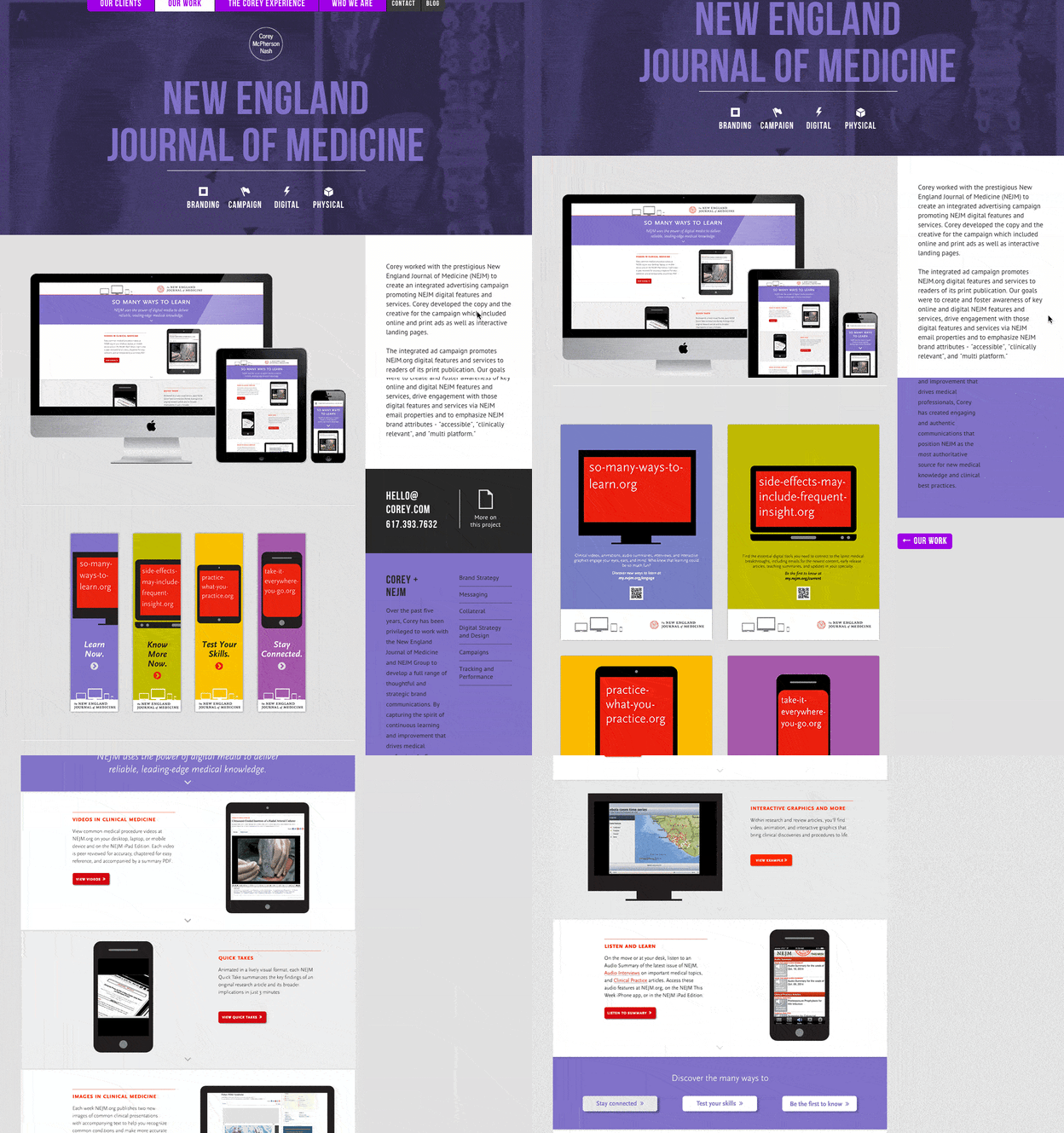
When branding and design studio Corey McPherson Nash showcases its work, it makes sense for it to be visual — after all, that’s what they do. So in building the case study for the studio’s work on the New England Journal of Medicine’s integrated advertising campaign — a project that included the goal of promoting the client’s digital presence — Corey McPherson Nash showed its audience what it did, rather than purely telling it.
Notice that the case study does include some light written copy — which includes the major points we’ve suggested — but lets the visuals do the talking, allowing users to really absorb the studio’s services.
3. “Designing the Future of Urban Farming,” by IDEO

Here’s a design company that knows how to lead with simplicity in its case studies. As soon as the visitor arrives at the page, he or she is greeted with a big, bold photo, and two very simple columns of text — “The Challenge” and “The Outcome.”
Immediately, IDEO has communicated two of the case study’s major pillars. And while that’s great — the company created a solution for vertical farming startup INFARM’s challenge — it doesn’t stop there. As the user scrolls down, those pillars are elaborated upon with comprehensive (but not overwhelming) copy that outlines what that process looked like, replete with quotes and additional visuals.
4. “Secure Wi-Fi Wins Big for Tournament,” by WatchGuard
Then, there are the cases when visuals can tell almost the entire story — when executed correctly. Network security provider WatchGuard can do that through this video, which tells the story of how its services enhanced the attendee and vendor experience at the Windmill Ultimate Frisbee tournament.
5. Rock and Roll Hall of Fame Boosts Social Media Engagement and Brand Awareness with HubSpot
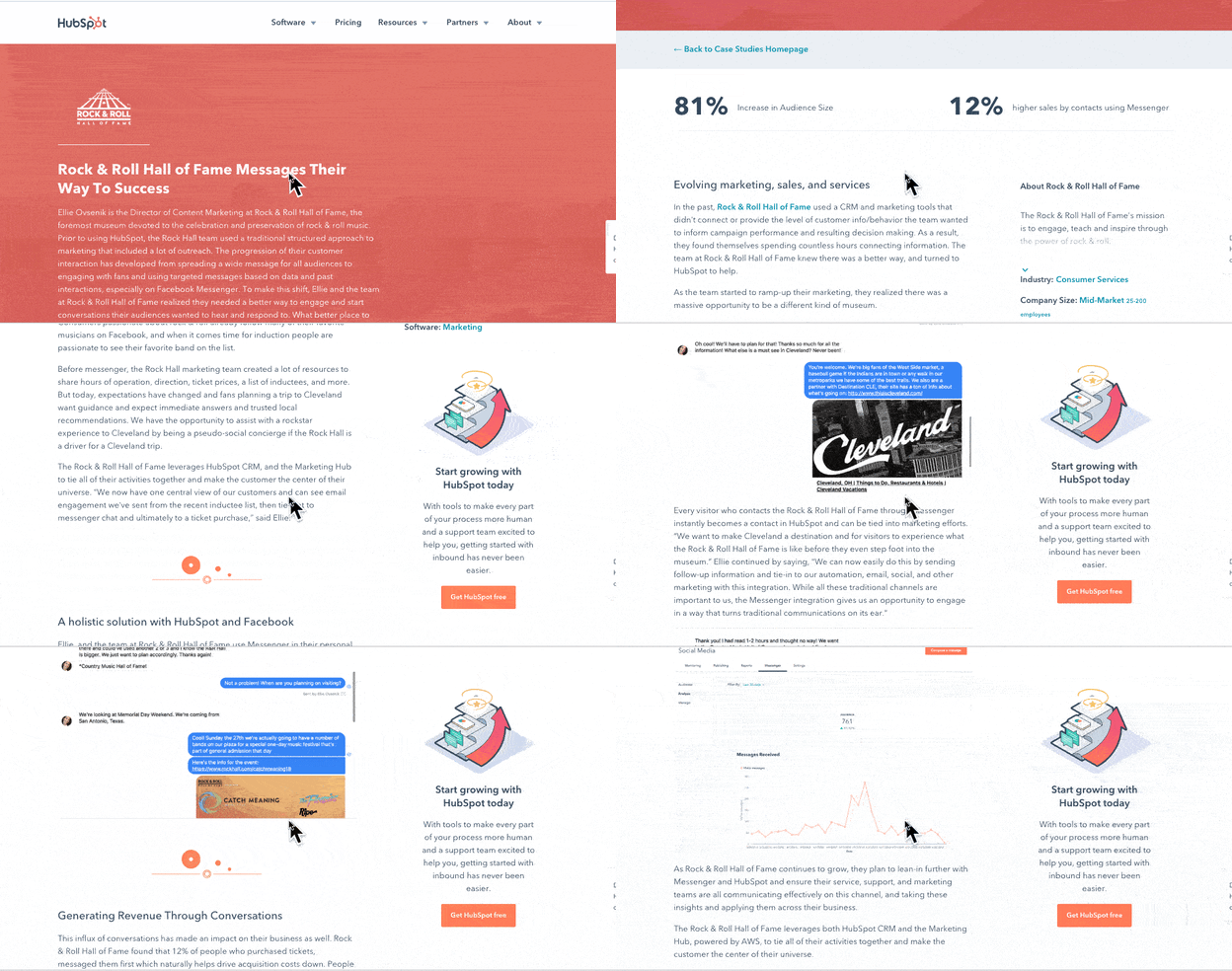
In the case study above, HubSpot uses photos, videos, screenshots, and helpful stats to tell the story of how the Rock and Roll Hall of Fame used the bot, CRM, and social media tools to gain brand awareness.
6. Small Desk Plant Business Ups Sales by 30% With Trello
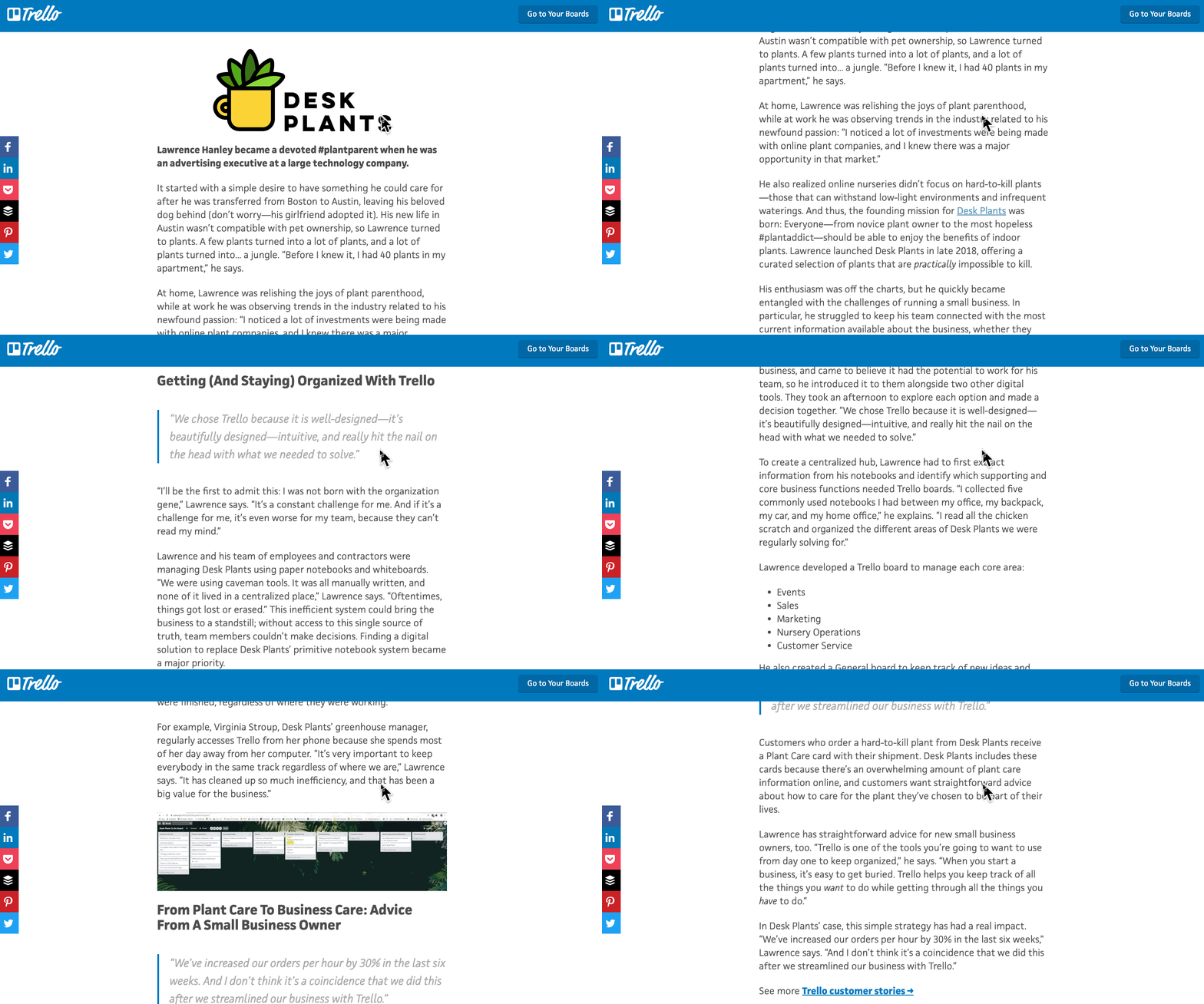
This case study from Trello is straightforward and easy to understand. It begins by explaining the background of the company that decided to use it, what its goals were, and how it planned to use Trello to help them.
It then goes on to discuss how the software was implemented and what tasks and teams benefited from it. Towards the end, it explains the sales results that came from implementing the software and includes quotes from decision-makers at the company that implemented it.
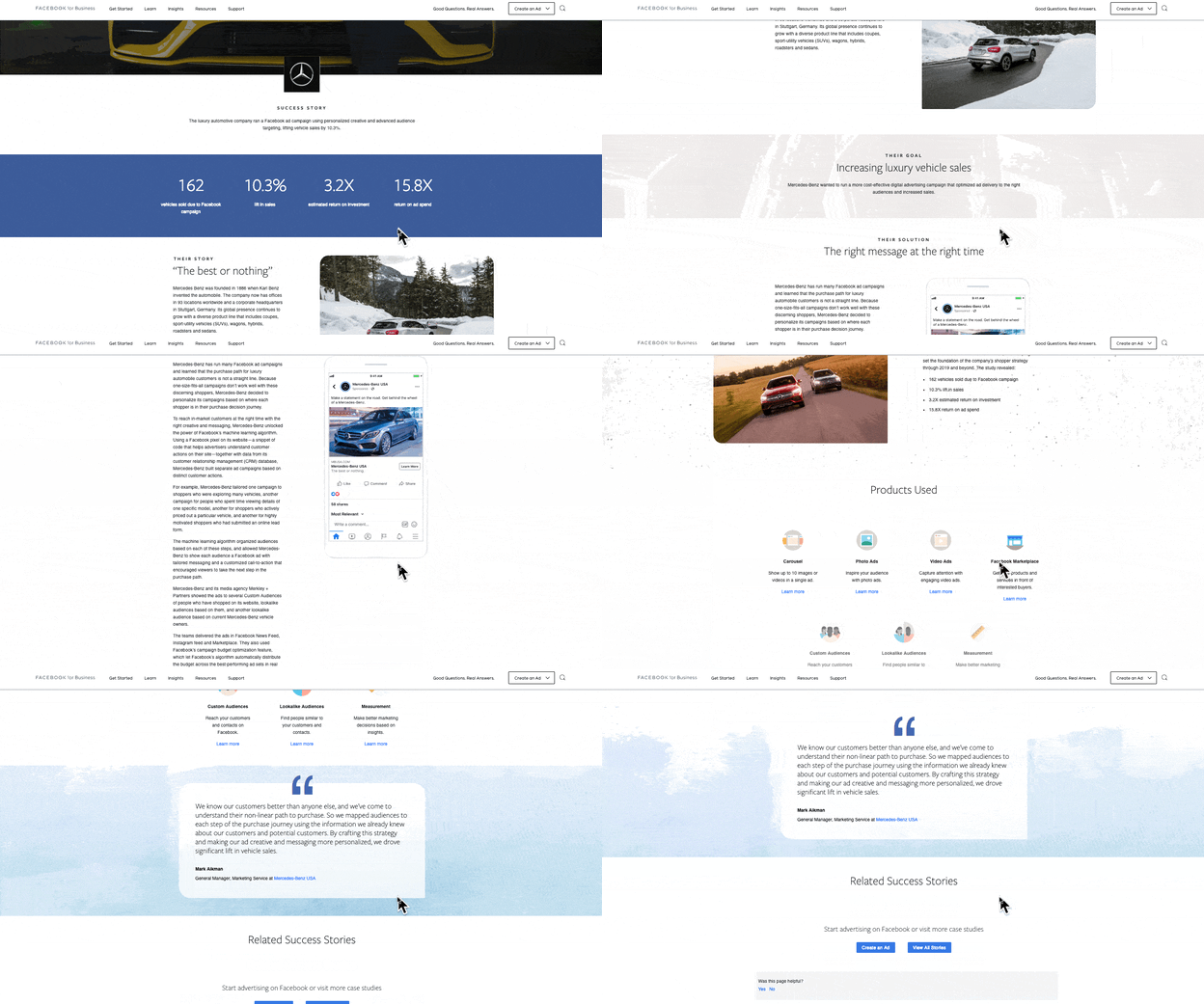
7. Facebook’s Mercedes Benz Success Story
Facebook’s Success Stories page hosts a number of well-designed and easy-to-understand case studies that visually and editorially get to the bottom line quickly.
Each study begins with key stats that draw the reader in. Then it’s organized by highlighting a problem or goal in the introduction, the process the company took to reach its goals, and the results. Then, in the end, Facebook notes the tools used in the case study.
Showcasing Your Work
You work hard at what you do. Now, it’s time to show it to the world — and, perhaps more important, to potential customers. Before you show off the projects that make you the proudest, we hope you follow these important steps that will help you effectively communicate that work and leave all parties feeling good about it.
Editor’s Note: This blog post was originally published in February 2017 but was updated for comprehensiveness and freshness in July 2021.

How to Write Professional Yet Kind Rejection Letters [4 Templates]
It’s never easy notifying someone that they didn’t get the job.
This often leads to generic emails, or worse, complete silence – that’s where a rejection letter template can come in handy.
While it’s never fun to do it, there are kind yet professional ways to reject an applicant that preserve your employer brand.
![→ Click here to download our free guide to hiring and training a team of all-stars [Free Ebook].](https://no-cache.hubspot.com/cta/default/53/c42148d7-13dd-4c38-b907-cff1602ee62f.png)
How to Write a Rejection Letter
You might not think twice about a rejection letter once you send it. But the truth is, your rejection letter is a reflection of your company. If it’s poorly written, that leaves a negative impression of your company that could easily spread to other candidates.
This is why writing a thoughtful rejection letter is key. It allows you to maintain a good relationship with the applicant, even if they were not a good fit for a particular role. Who knows, you may want to circle back to them if another position opens up.
When that comes up, you want a candidate to be excited about the prospect of working with you – and how you communicate plays a pivotal role in this.
It’s critical you remain positive with your language and focus on language from the job description itself.
In addition, keep in mind that a rejection letter is a fantastic opportunity for the candidate to receive positive feedback and learn how to do better in the future. Consider how you can include specific and valuable feedback.
A rejection letter can be broken down into three sections:
Paragraph One
Your first paragraph should be completely personalized and include the applicant’s name and the position for which they applied. Next, thank the candidate for their interest in your company and for taking the time to interview.
Finally, it’s critical you tell the candidate within the first paragraph you’ve decided to move forward with another candidate.
You can let them down kindly by including a compliment in the rejection, such as “While your qualifications are quite impressive …”
Paragraph Two (Optional)
The second paragraph is where the personalization really comes in. What you write will depend on your experience with the candidate and how far into the process they got.
For instance, if you’re rejecting a candidate after the first round, you can keep this section brief and jump to paragraph three. However, for a candidate who reached the final round, you’ll likely want to give more context to the reason for the rejection.
The candidate took time to prepare for your interview process, so if you were impressed by them during the interview, it could make a huge difference to let them know.
Simply include one strength of theirs you remembered from the interview process, like “Our team was particularly impressed with your writing skills.”
To truly add value, you’ll also want to include constructive feedback to help your candidate identify areas of improvement. Take detailed notes during the interview (or ask the hiring manager to do so) and when you reject your applicant, provide one or two areas of improvement.
Focus on one aspect of the job description you feel the candidate didn’t quite match.
Say the role required expertise in data analytics, but the applicant wasn’t strong in this area. You might say, “At this time, we’re looking for candidates with a deeper understanding of data analytics…”
If you were impressed by the candidate and genuinely feel they’d be a good fit for your company down the road, leave the door open by telling them you’ll put them into your contact database and reconsider them in the future.
Additionally, if it was a difficult decision, tell your candidate – it can help soften the blow.
Paragraph Three
Conclude by wishing the candidate luck in their job search, and thanking the applicant again for considering your company.
Standard Rejection Letter
Dear [Name],
Thank you for interviewing for [position] on [date of interview] and taking the time to learn about our company. After careful consideration, we have selected another candidate for the position.
We do hope you’ll keep us in mind when we advertise roles in the future and encourage you to apply again.
We wish you the best of luck in your job search and thank you for your interest in our company.
Sincerely,
[Name]
Feedback Rejection Letter
Dear [Name],
Thank you for interviewing for [position] on [date of interview]. It was a very tough decision but we have selected another candidate for the position.
Our team was particularly impressed with your [skills], but we felt you lacked experience in [skill/experience]. We’d recommend [taking a course/obtaining a certificate/gaining project experience] to improve.
We would like to stay in touch with you for future opportunities that might be a good fit. Please let us know if you’re interested in remaining in our talent pool.
Thanks again for taking the time to apply and come in to meet the team. We wish you the best of luck in your job search and thank you for your interest in our company.
Sincerely,
[Name]
Redirection Rejection Letter
Dear [Name],
Thank you for interviewing for [position] on [date of interview]. After careful consideration, we have decided to move forward with another candidate.
Our team was particularly impressed with your [skills], but we felt you lacked experience in [skill]. However, we believe your skillset would align better with [position] and would love to consider you for it.
Please let us know if you would be interested in discussing it further.
We’d like to thank you again for your time and wish you the best in your future endeavors.
Sincerely,
[Name]
Short Rejection Letter
Dear [Name],
Thank you for interviewing for [position] on [date of interview]. After careful consideration, we have decided to move forward with another candidate.
We thank you for your interest in the company and we wish you the best of luck in your job search.
Sincerely,
[Name]
Notifying a candidate that they have been rejected is never easy. By writing a thoughtful letter fit for the situation, you leave the door open for future collaboration and leave a positive impression of your company.
Editor’s Note: This post was originally published in Oct. 2018 and has been updated for comprehensiveness.

11 of the Best Microsite Examples We’ve Ever Seen
They say the best things often come in small packages. Think about it: jewelry, books, the keys to a new car … all of these things support this notion. And with our attention spans shrinking below that of a goldfish, it should come as no surprise that we crave more focused content at a smaller scale, too.
Here’s where microsites come into play. Unlike regular websites, microsites tend to be simplistic and easier to navigate. This isn’t to say they won’t make you want to poke around for a while, though. In fact, the really great ones do just that. In this post, we’ll show you some great design examples of microsites in action.

What is a microsite?
A microsite is a web page or small website made to promote a company’s product, service, campaign, or event. Microsites typically use a different domain or subdomain from the main company website and include links back to the main website, but act as a separate entity for the brand.
Microsites can help brands achieve a number of things. As HubSpot Product Manager Alex Girard puts it, “You can use a website to create a digital experience for a number of different moments in the buyer’s journey. It doesn’t have to be just a corporate ‘.com’ website for converting visitors to leads. You can build digital experiences that span the entire customer journey.”
For example, many companies use them to highlight a specific campaign or target specific buyer personas. Others use them to tell a short story or to experiment with new types of branded content, or to spread to a new region. With a big event coming up, a company might launch a microsite to spread awareness and promote sign-ups.
Whatever the reason, the goal of a microsite is to engage visitors with a specific message, generate interest, and draw them to the business’s offerings.
1. Website Grader (HubSpot)
HubSpot Website Grader is a microsite to improve your website, for free. Paste in your site’s URL and your email address, and Website Grader will leverage Google Lighthouse’s automated assessment system to assign a grade to your website.
.jpeg?width=650&name=microsites%20(update).jpeg)
Website Grader calculates your grade based on four key factors — performance (how fast your website is), SEO, mobile, and security — each of which receives its own score. For each factor, Website Grader breaks down your site’s rating and suggests areas for improvement.
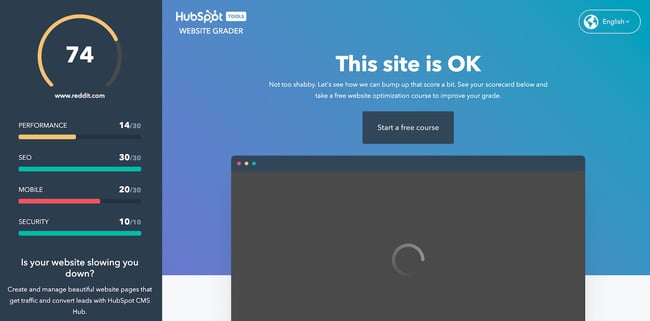
Along with its suggestions, Website Grader directs visitors to a HubSpot Academy course on increasing their website grade. If users need more guidance, they can click one of several CTAs on the assessment page to take the course.
2. Listening Together (Spotify)
Spotify knows how to make a microsite — its hugely popular Spotify Wrapped series began as a microsite and has since become a feature of its mobile app. In 2020, the streaming platform introduced a new microsite to support its Listening Together campaign.
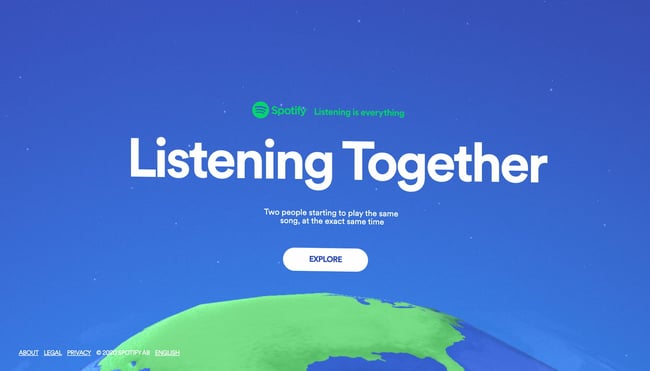
The microsite features a spinning three-dimensional map of the Earth covered with pins. Each pair of pins represents two users pressing play on the same track at the same moment. When you click a pin, you can hear the song being played, making this microsite a means for discovering new music.
-Apr-20-2022-06-29-43-38-PM.jpeg?width=650&name=microsites%20(update)-Apr-20-2022-06-29-43-38-PM.jpeg)
Overall, it’s the kind of microsite that only a brand like Spotify could pull off, a clever and heartwarming reminder of how music brings us together.
3. My Creative Type (Adobe)
Adobe’s software suite contains more than a couple of industry-standard tools for visual creatives. Beyond the well-renowned tools it makes, a big force behind Adobe’s success is the brand’s ability to align itself with customers through marketing. The microsite My Creative Type is a prime example.
-2.jpeg?width=650&name=microsites%20(update)-2.jpeg)
On this microsite, visitors complete a short questionnaire to determine their “creative personality.” The 15 questions assess your thinking, behavior, and outlook, each followed by a playful video metaphor for the answer you give.
-Apr-20-2022-06-29-43-73-PM.jpeg?width=650&name=microsites%20(update)-Apr-20-2022-06-29-43-73-PM.jpeg)
At the end, you’re given one of eight creative types (I got “the Maker”) and a description of your strengths, potential, motivations, and advice for pursuing creative goals. You can then download your type or share it on social media.
-Apr-20-2022-06-29-44-01-PM.jpeg?width=650&name=microsites%20(update)-Apr-20-2022-06-29-44-01-PM.jpeg)
Though it’s not made entirely clear how empirically sound all of this is, it’s still a fun way to bring new aspiring artists into the fold.
4. Emojitracker (Emojipedia)
There’s no “point” to emojitracker.com. It was created by Matthew Rothenberg, former Head of Product at Flickr and Bitly, as an experiment to track all emojis used on Twitter in real-time. Now, it’s maintained as a microsite for Emojipedia.
-1.jpeg?width=650&name=microsites%20(update)-1.jpeg)
The only calls-to-action on the site are some outgoing links at the very bottom. Otherwise, it’s just for pure interest. With no navigation bar or way to get to another site, it might actually confuse some visitors.
Emojipedia might break some rules of user interface design, but it also shows that microsites don’t need to have complicated designs and that a cool idea can get you pretty far. Make it simple enough to keep people on the page without taking up too much of their time.
5. Elf Yourself (OfficeMax)
I think it’s a rule that you can’t write about microsites without mentioning Elf Yourself, perhaps the most successful microsite of all time. Come the holiday season, expect your inbox to be rife with animations because Elf Yourself isn’t going away.
-Apr-20-2022-06-29-42-27-PM.jpeg?width=650&name=microsites%20(update)-Apr-20-2022-06-29-42-27-PM.jpeg)
What made the site so popular in the first place? Well, it’s hilarious. Besides that, the content is easily shareable, the website is simple to use, and it makes the users the stars. You would hardly know this is a corporate-sponsored site.
OfficeMax used the microsite to be creative and let their freak flag fly, and actually pulled it off. The company focused its campaign on the consumers, not the brand — but the sales tie-in came at the end of the Elf Yourself videos in the form of coupons and promos.
6. Blue Heart (Patagonia)
Patagonia is one of the few exceptional brands that not only offers a top-tier customer experience, but goes above and beyond in its advocacy work. In a partnership with Farm League, the company created a microsite to draw attention to environmental harm caused by hydroelectric dams in the Balkan region.
-4.jpeg?width=650&name=microsites%20(update)-4.jpeg)
Unlike most other microsites, the Blue Heart website does not include prominent CTAs directing visitors to the main Patagonia website. Instead, it places focus completely on the story being told with various elements: a short film, articles, and an interactive map.

It’s rare for brands to put out microsites of this quality — Blue Heart is an engaging, visually rich experience with a mission that goes far beyond generating leads for the business to serve a greater mission.
7. Inside CHANEL (Chanel)
Inside Chanel is a microsite that harnesses multimedia to educate visitors on the company’s history and heritage. The site houses a ton of short, social videos that chronicle the people, places, items, and events that have contributed to the continued success of this iconic fashion brand.
-Apr-20-2022-06-29-41-27-PM.jpeg?width=650&name=microsites%20(update)-Apr-20-2022-06-29-41-27-PM.jpeg)
The purpose? “The strategy behind this microsite is to create some accessibility of Chanel’s history, but more importantly, their success throughout the years,” explains Dalia Strum, president of Dalia Inc.
We love their video-centric approach to visual storytelling. Each video pulls back the curtain and gives you an exclusive look at behind-the-scenes photos and stories as they pertain to different aspects of the brand — color, couture, and so on.
-3.jpeg?width=650&name=microsites%20(update)-3.jpeg)
This site isn’t Chanel’s first stab at microsite creation. In fact, the brand has experimented with multiple microsite formats, including the editorial-style site Chanel News.
8. Xbox Museum (Microsoft)
To celebrate the 20th anniversary of its Xbox brand, Microsoft launched the microsite Xbox Museum, a virtual tour of its various consoles throughout the years.
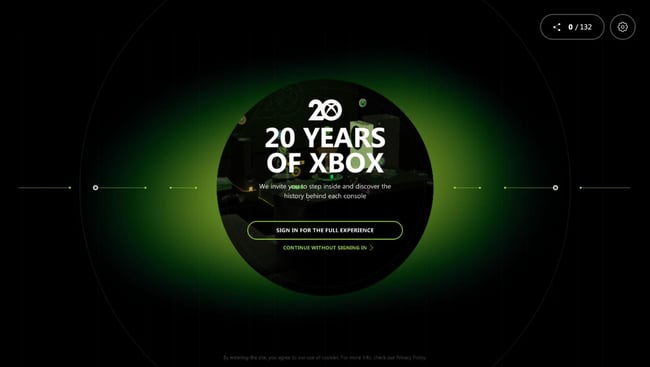
This content-rich site is built around the significant events in Xbox’s history, including console launches, design plans, game releases, and more. You play as a character who navigates a virtual timeline, visiting articles marking each event.
-Apr-20-2022-06-29-44-26-PM.jpeg?width=650&name=microsites%20(update)-Apr-20-2022-06-29-44-26-PM.jpeg)
It’s a unique and fitting way to celebrate such a huge milestone for the business, plus a way to capture the nostalgia of long-time fans and the interest of new ones.
9. Life at Home (Ikea)
2020 and 2021 marked a major shift in where and how we spend our time. To shed light on the intersection of mental health and living space, Ikea published a microsite of original research and ways to be happier at home.
-Apr-20-2022-06-29-41-73-PM.jpeg?width=650&name=microsites%20(update)-Apr-20-2022-06-29-41-73-PM.jpeg)
Throughout the report, readers learn how our mental health, families, and communities have changed throughout the COVID-19 pandemic. They emphasize the role of a comfortable living space and strong relationships in our mental well-being. Other cool elements include a map visualization, videos, and short questions posed to the reader.
-Apr-20-2022-06-29-42-00-PM.jpeg?width=650&name=microsites%20(update)-Apr-20-2022-06-29-42-00-PM.jpeg)
Ikea’s microsite expertly connects the importance of safe living spaces and healthy relationships back to its branding, forming positive associations in the minds of visitors and bringing them closer to a purchase.
10. NASA Spacecraft (NASA)
Let’s be honest, spaceships are probably the coolest thing ever, and NASA knows this. That’s why they launched (pun intended) this microsite: to catalog all of its satellites, from its first in 1960 all the way until its most recent launch, the James Webb Space Telescope.
-Apr-20-2022-06-29-42-49-PM.jpeg?width=650&name=microsites%20(update)-Apr-20-2022-06-29-42-49-PM.jpeg)
Each spacecraft has its own three-dimensional visualization that you can rotate and view from various angles, along with a brief description. It’s enough to reignite any kid’s (or adult’s) interest in space research and exploration.
11. Chipotle Farmers Market (Chipotle)
Fast casual dining favorite Chipotle wants you to know that its ingredients are sourced sustainably and ethically from family farms, so it launched a microsite dedicated to supporting them.
-Apr-20-2022-06-29-41-50-PM.jpeg?width=650&name=microsites%20(update)-Apr-20-2022-06-29-41-50-PM.jpeg)
The Chipotle Farmers Market is a microsite that lists some of the company’s suppliers and links to their websites where you can purchase their products directly. The site is also a means to advertise the Seed Grants program, which gives $5,000 to 50 farmers under 40.
-Apr-20-2022-06-29-42-81-PM.jpeg?width=650&name=microsites%20(update)-Apr-20-2022-06-29-42-81-PM.jpeg)
Microsite vs. Website
While microsites are often their own websites, there are a few things that differentiate them from what we usually call websites.
The main difference between a website and a microsite is its purpose. An organization’s website often does many things, including explaining its products or services, sharing its values and mission, and selling products. It’s the main place where visitors, leads, and customers go to learn or do business with you. It’s also probably built in order to drive conversions and encourage visitors to a purchase.
Microsites, on the other hand, could be made for a bunch of different reasons. As Girard explains, microsites are “smaller websites, separate from a company’s corporate website, that enable marketers to quickly build content for and report on the success of a specific initiative.” This initiative could be a campaign, a product launch, an event, or other way to draw in current and potential customers. Still, all microsites are usually focused on brand awareness or conversion. They also typically occupy a different domain or subdomain than the primary website.
Additionally, as their name implies, microsites are typically smaller than full company websites. As we saw in our examples, a microsite could range in size from one page to several, but almost always fewer pages than the main website it’s related to.
Microsite vs. Landing Page
Like microsites, landing pages are focused on a specific goal related to a marketing play. However, a landing page is not a website — it is a single web page within a website intended to inform visitors about an offering and drive conversions.
While landing pages feature minimal design to keep visitors focused on generating leads, microsites encourage exploration and engagement. Microsites aim to build positive connections between people and brands, so visitors are more likely to convert later in their journey.
Microsites: Small But Mighty
At least when it comes to websites, companies don’t like taking risks. The goal is to get visitors from landing to conversion to purchase as seamlessly and as quickly as possible. That’s why businesses spend so much of their resources on design and the user experience.
But, microsites aren’t a company’s main website — that’s the point. As a result, they’re some of the coolest projects on the internet. Microsites are a chance to experiment with new content, promote a unique message, do something offbeat, and, most importantly, create value for visitors.
Editor’s note: This post was originally published in March 2016 and has been updated for comprehensiveness.


How To Write Meta Descriptions
I’ll be the first one to admit it: the first time I wrote a blog post, I had a lot of new terminology to learn.
Specifically, I didn’t know the purpose of a meta description and why adding one to a blog post was so important. After all, wouldn’t Google highlight the most relevant part of my blog in search results? Not quite.

This post will show you why meta descriptions are important and how to write effective ones. Before all that, though, let’s discuss what a meta description is.
What is a meta description?
A meta description is the snippet of information below the blue link of a search result. Its purpose is to describe the contents of the page to the searcher.
Any words that match the search term are bolded in the description. The end goal is to convince and persuade the searcher to click through to your website.
Here is an example of a meta description as it would show up on a search engine results (SERP) page:
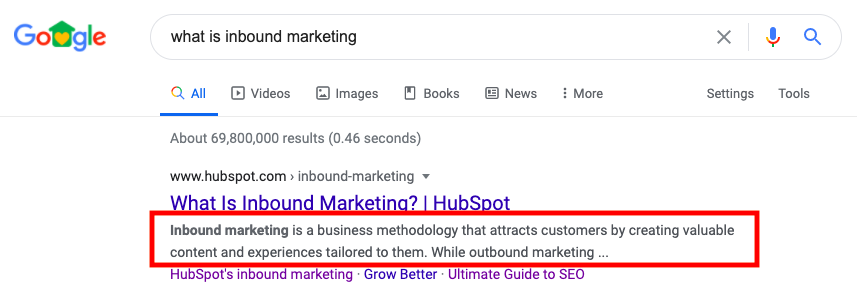 Notice that, because the query is “What is inbound marketing?”, the two words are bolded in that meta description.
Also notice how the meta description gives a clear and concise snapshot of the topic, which signals to the reader what they can expect.
To remain visible within Google, you should keep your meta descriptions somewhere between 140-160 characters in length.
Why are meta descriptions important?
Meta descriptions are important because they let Google know what your webpage will be about. If Google can read and comprehend the content of your meta description, they will have an easier chance of ranking your page to answer search queries.
🧡 TL;DR: Meta descriptions increase organic traffic and bring more eyes to your webpages.
If you don’t include a meta description, Google will display a snippet of text from the first paragraph of your page. If there’s a search keyword in that text, it’ll be bolded. While this isn’t a bad thing, not including a meta description means missing out on the chance to personalize the message you deliver to browsers.
Meta Description Examples
Meta descriptions should be quick, one- to two-sentence summaries of the content within your web page. They should tell the reader what they can expect to find after clicking on your link. For example, here’s a meta description for a data-driven marketing report:
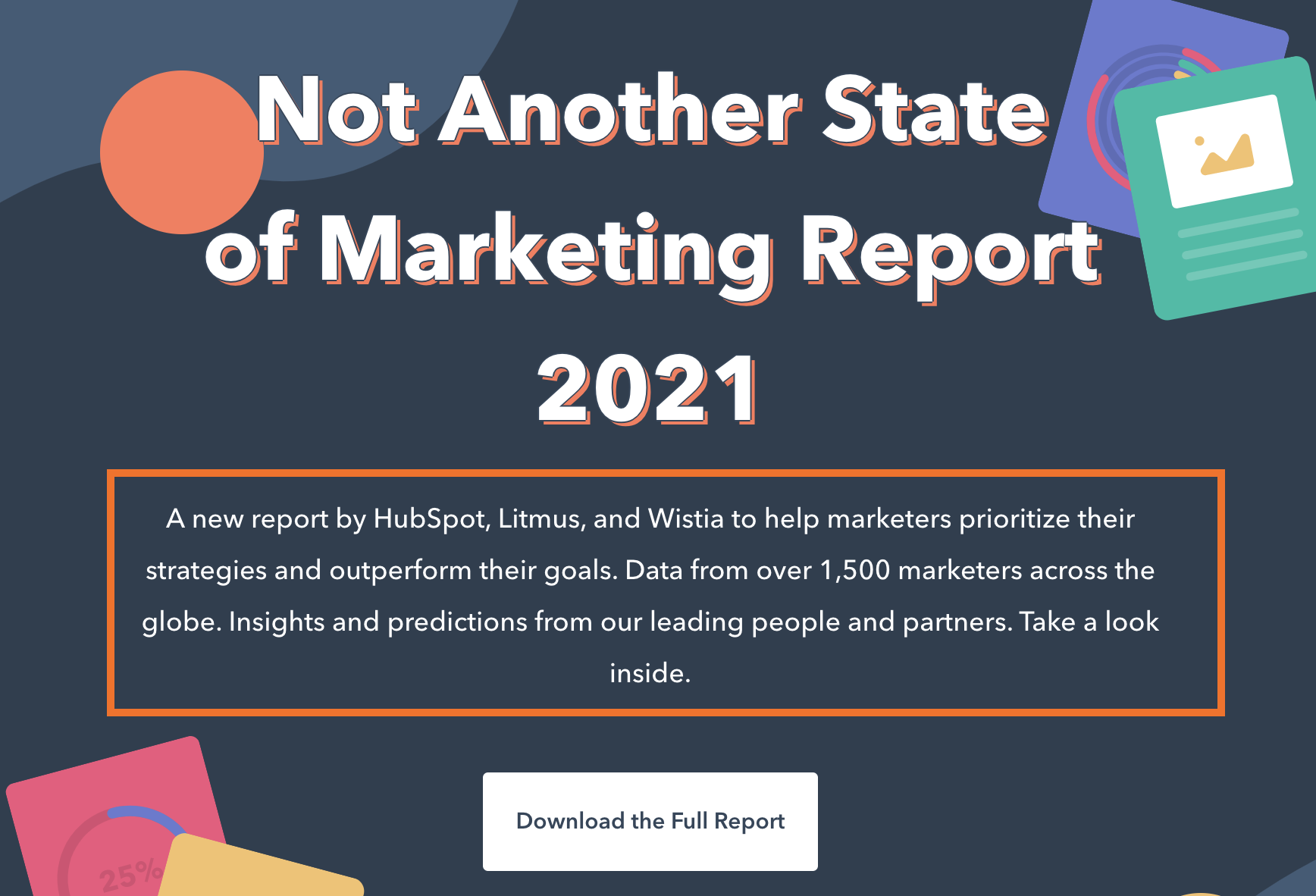
This meta description accurately describes what will be found in the report, who is presenting the information, and why the content will be helpful to readers. If browsers were typing in queries such as, “SEO trends in 2021,” it’s likely that this meta description will appear in their results.
Meta descriptions follow a few simple rules: They’re short, descriptive, and use keywords. But after that, you have free reign to play around with what they will say. Use this to your advantage when you’re creating your meta description:
If you know that your webpage will present content that’s usually considered a bit dry, the way to engage browsers is to make a compelling meta description, like the one above.
Readers often check only the first page of results for their search queries. Because of this, where you rank on a webpage matters. Even though meta descriptions aren’t the be-all, end-all that determines your rank, (you’ll want to fully optimize On-Page SEO for that), they sure do help.
A great meta description has the potential to appear on the first page of results, and a great one might even be first, like this example below:
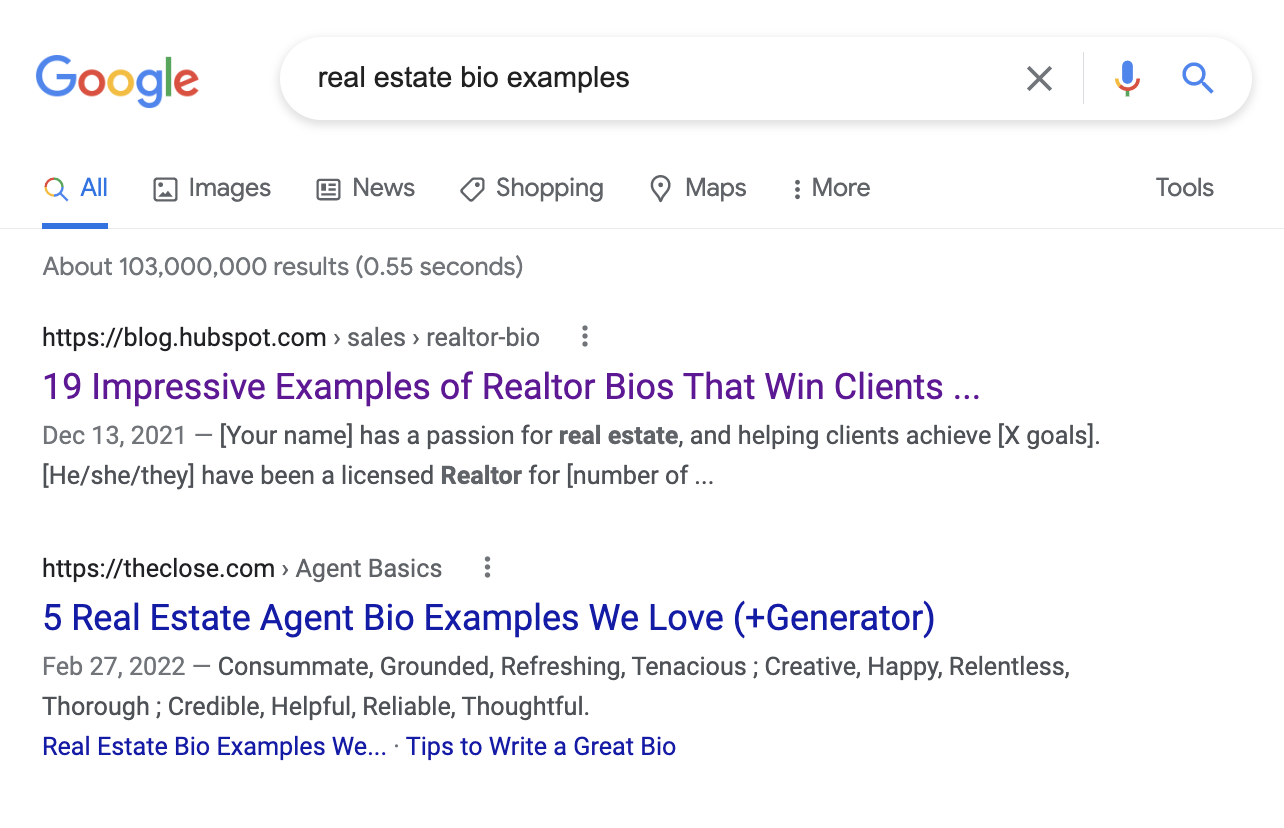
The meta description told Google how their page will fix the challenge of the query.
Now, you may wonder if there’s a secret key or formula to writing a perfect meta description, besides the rules above.While the secret key hasn’t been located yet, there are some tips and tricks you can follow when writing your meta description. Let’s talk about a few, next.
Meta Description Tips
Google suggests that a meta description should tell users what that web page is about. Based on the information in a meta description, the search engine ranks results on relevancy.
Think of meta descriptions as a pitch for your webpage. Communicate why the page will be helpful to the reader, and make sure it accurately reflects what’s on the page. If a reader doesn’t find what the meta description promises, they’re probably going to click away.
Let’s get into some tips for writing an amazing meta description.
1. Answer the question.
It’s likely that people are on Google searching for an answer to a question. Try to get into their heads and think about what they’re looking for that your content can help with.
Use your meta description to answer that question with a solution or benefit. For example, let’s say your web page provides readers with a free template for writing standard operating procedures.
The question audiences will most likely Google is “What is an SOP?” Your meta description, then, should tell readers that they can use your guided template to learn how to write one. For instance, this would be my meta description if I were to write one to answer this query:
💻“Learn everything there is to know about writing a standard operating procedure (SOP), and find out how to write one that’s amazing.”
This meta description answers the question and provides a little detail about the rest of the contents of the post.
2. Mention a solution to the challenge.
Provide a solution to the challenge your readers are looking to solve. For instance, if you’re writing a blog post that’s a listicle roundup of helpful CRM software, mention how many items are in the post and why that post will be valuable to readers.
If I were to write a meta description for a roundup, in this case, I would go with something like this:
💻“Discover the 15 best CRM software options for your small business and learn why they’re great for simplicity, customer retention, and organization.”
Remember, meta descriptions are the elevator pitch of your page — sell the content of your post in a way that will get readers to click. This description tells readers how many options they will read about and why they’re important to know.
3. Keep the description concise.
The body of your page is where you’ll educate your audience, so the meta description doesn’t need to be lengthy. Provide a quick summary of the page — or the point of the page that will stand out to readers. Meta descriptions should be under 160 characters long.
A good way to check the length of a meta description is to draft a tweet. Twitter limits you to 280 characters and lets you know when you reach your limit:
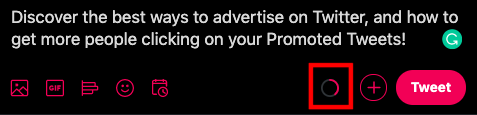 If your description fills more than half of the circle in the tweet box, you should think about trimming it down. Meta descriptions should serve as a snapshot, not the body text of the post — save that for when the readers access your page.
4. Don’t overuse the keywords.
While your meta description should have keywords, it also should read naturally to the reader. If you overuse keywords just to get a high rank, readers might not understand your meta description. A tough-to-follow description could turn a browser away from your page.
For example, let’s say your webpage is delivering a content offer for interview materials and the primary keywords are “interview success,” “tips for great interviews,” and “interview preparation.”
You could write a meta description that reads along the lines of, “An interview success offer that’s free to download to be successful in preparing for interviews.” However, this reads a little clunky and is hard to follow, right? Instead, try going with something more smooth:
💻“Learn the tips and tricks for acing interviews with this downloadable job seeking kit.”
This description still uses two keywords but also makes sense to the reader and gives them the background information they need to know how that offer page will help them.
5. Be engaging and unique to readers.
If you can, make your meta descriptions fun and engaging to read. Something eye-catching that will stop the reader from scrolling through a SERP. This is especially helpful if your webpage content is meant to be engaging and unique.
Match the tone of the content in your meta. Let’s say the content for your webpage is a blog post about funny workplace memes. Your description of this could be straightforward and accomplish everything a meta description should, such as, “These 20 workplace memes are funny, timely, and shareable.”
A description like that covers all of your bases, but it leaves the personality out. The post sounds like it was fun and interesting to put together, so that shouldn’t stop with the body text! Instead, try this more compelling approach:
💻 “Brighten your work day with these fresh, fun memes that any professional can relate to. Cat videos, anyone?”
A description like that sells your content, tells readers what they can expect, and still manages to be interesting in just two sentences.
6. Entice readers with a call-to-action.
If you want to persuade the reader to take action — or create a sense of urgency — try tacking a call-to-action at the end of your description.
Let’s look at this example from Neil Patel:

There are plenty of CTAs to choose from — for example: Learn More, Sign Up Today, or Start a Free Trial. Context matters here, so choose one that works with the content you’re providing.
7. Avoid duplicate meta descriptions.
While Google won’t actively penalize you for duplicating the meta descriptions on your site, it’s still bad for SEO. Why? If you have too many identical descriptions, search engines may flag some of your content as low-quality or redundant, thus impacting your ranking.
Instead, make it meaningful, easy to understand, and descriptive — like it’s an elevator pitch for your blog post.
Back to You
Your meta description is your chance to win over readers. Be sure to create an engaging meta description for your website that persuades people to choose your content first. After all, if your webpages are made to be helpful and valuable to browsers, so should the content that’s describing it.

Instagram’s New Algorithm Update Prioritizes Original Content: What Marketers Need to Know
Consistently creating high-quality, engaging, and relevant content across social channels can be incredibly difficult and time-consuming for marketers.
To combat those challenges, most marketers have relied on reposting content from other creators and brands as an opportunity to fill in their social calendars and provide valuable content on a more consistent basis.
In fact, reposting is an incredibly popular option for sharing information, funny memes, or interesting trends with your own audiences without needing to re-create the wheel — consider, for instance, how Instagram’s #repost hashtag has over 560 million posts.
But as of April 20, 2022, reposted content will no longer be rewarded. Here’s what Instagram’s new algorithm update means for marketers.
![New Data: Instagram Engagement Report [2022 Version]](https://no-cache.hubspot.com/cta/default/53/9294dd33-9827-4b39-8fc2-b7fbece7fdb9.png)
What Instagram’s New Algorithm Update Means for Marketers and Creators Alike
Original Content Will Be Prioritized
On April 20, Adam Mosseri, Head of Instagram, tweeted an announcement that Instagram is now ranking based off originality.
As he puts it, “If you create something from scratch, you should get more credit than if you’re re-sharing something you found from someone else. We’re going to do more to try and value original content more, particularly compared to re-posted content.”
On the surface, this seems like a fair deal. If a marketer goes through the trouble to create a unique, original infographic, for instance, she should be rewarded by getting her post ranked higher in the algorithm than someone who is re-posting her same infographic.
Additionally, this is a good experience for users. Instagram users don’t want their feeds to be cluttered with all the same content, reposted again and again. Each time they scroll, they want to see fresh, new posts.
However, ‘originality’ can be a difficult thing to define. For instance: Is it still considered original if it’s a branded video that was first posted on your YouTube account, and then re-posted to your Instagram Stories?
Or — what if your CEO is mentioned in another brand’s post, and you want to re-share with your own audience?
As Mosseri said on Twitter in response to one question, “The idea is if you made it, it’s original. It’s okay if you edited it outside of Instagram and then bring it in via the gallery. Identifying ‘originality’ is hard though, so we will iterate over time.”
It’s looking like this decision is primarily designed to decrease the amount of aggregator accounts on the social platform — accounts which are focused on compilations of other creators’ content, like @HilariousYouTubeVids or @CelebFashionInspo.
Which isn’t necessarily a bad thing for marketers. It can be incredibly difficult to get your content in front of new audiences, particularly when you’re competing against the same re-posted TikTok video from 50 different accounts.
It’s equally exciting for content creators. In the past, if you created a funny Instagram Stories video and someone re-posted it to their Instagram feed where it gained a ton of traction, you wouldn’t necessarily reap the benefits from that – the re-poster would get the views, likes, and shares.
Now, Instagram is rewarding originality, so if you’re the first one to create and share a piece of content, this new algorithm update should help you remain the sole beneficiary.
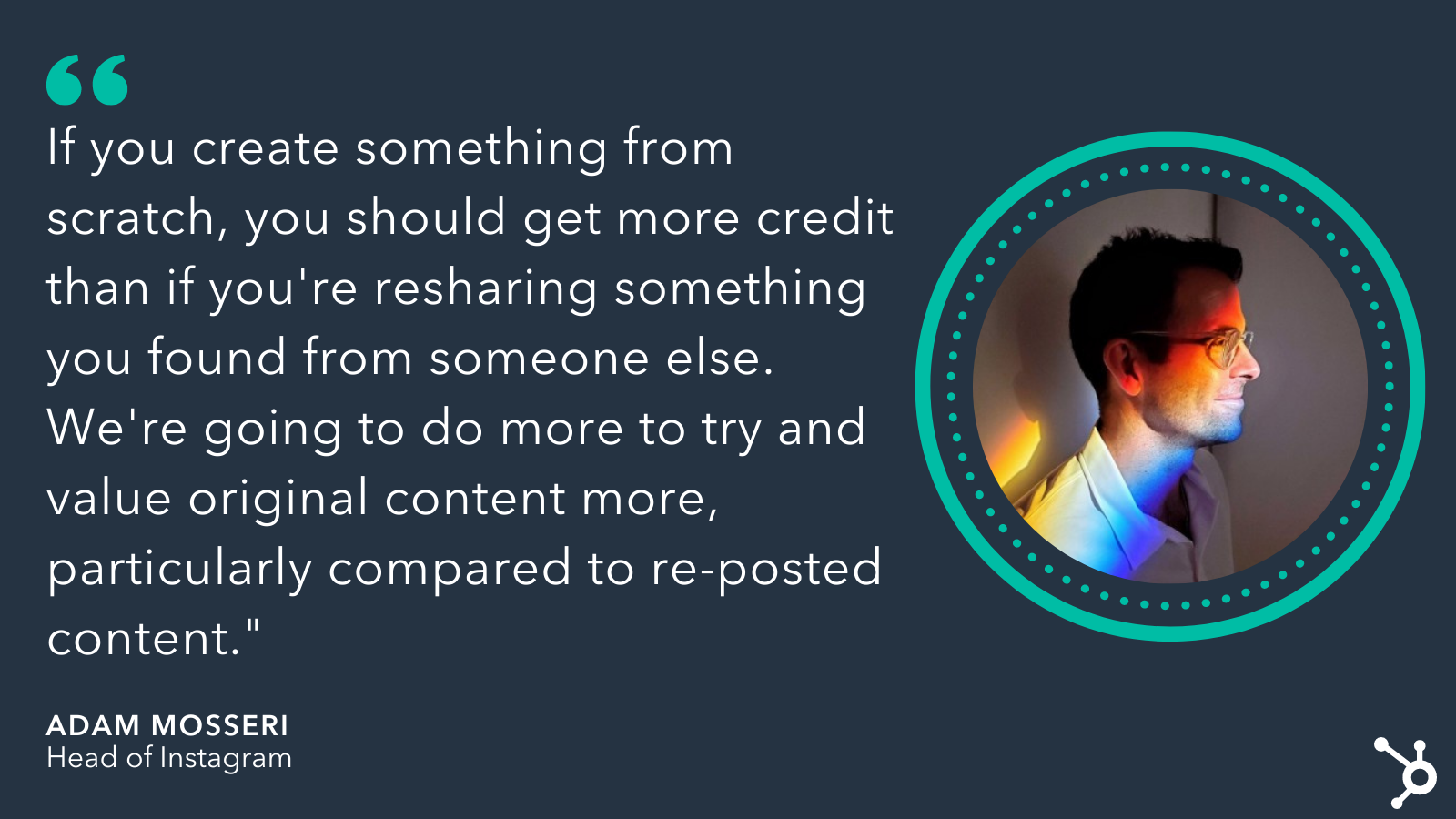 Plus, as Mosseri disclosed in response to another tweet, Instagram’s algorithm already prioritizes original content, so this is nothing new. The photo-sharing app is simply leaning more heavily in this direction and re-evaluating the AI systems they currently use to detect original content.
To recap, Instagram’s new shift towards rewarding original content will:
- Largely penalize aggregator sites. So if your entire account is based off posting funny videos from other people’s accounts, you could see a decrease in ranking. If your account is mostly filled with original content, you shouldn’t be impacted.
- Be iterated on over time. Instagram is still working to define what ‘originality’ means, and as Mosseri puts it, it will take time to get it right when it comes to identifying what’s truly original.
- Allow you to post content you’ve created and edited outside the app. Feel comfortable posting your own content that you’ve already posted on your other social channels, as well as any content you’ve edited outside of Instagram. Since you made it, it’s still original.
- Reconsider your strategy if you primarily post user-generated content. There’s plenty of proof that user-generated content (UGC) is an effective marketing strategy, and it’s not going anywhere. However, if your entire feed is made up of re-posted content from your customers, you might want to reconsider the ratio of UGC to original content. To get around this, consider creating original branded content with quotes or short videos from your customers and advocates.
Instagram’s Algorithm Update Will Also Offer Product Tags and Enhanced People Tags
This is part of a larger Instagram algorithm update, which will also now offer product tags to everyone (they were previously only given to select accounts), as well as enhanced people tags (which allows you to provide a short description beneath your name that will show up when users click on the tags in a post, like ‘Caroline Forsey: Writer’).
In response to the question, Why now?, Mosseri says, “As we lean more into recommendations it’s becoming increasingly important that [we] don’t overvalue aggregators, as that would be bad for creators, and therefore bad for Instagram long term.”
Ultimately, Instagram’s goal here is to ensure its users’ feeds don’t just become one big replica of the same few messages. And that’s a good thing: It means there will be more space, moving forward, for your branded content to reach new audiences, and you’ll see a reward for the hard work of creating unique, one-of-a-kind content.


12 of the Best Programming Languages to Learn in 2022
So, you want to learn how to program. Honestly, great choice — pursuing software or website development is a challenging but highly rewarding career path.
Now, for your next big decision: Which programming language should you start with? It can feel like a daunting choice, since your first language is your first exposure to the world of programming can set the tone for your learning experience.
If you pick one that’s too challenging, you might get discouraged and lose interest early on. Pick one that’s too simple and you may miss out on fundamental concepts you’ll need to lock down an entry-level development job. Plus, with hundreds of programming languages being used today, where do you even begin to look?
Fortunately, you don’t have to learn every language under the sun to break into the field. Many developers before you have come to a general consensus about which programming languages are best for newcomers.
To get you started coding as soon as possible, we’ve compiled 12 excellent beginner options you can pick from depending on your interests and desired career path.

If you’re a beginner, most software engineers recommend learning Python, Java, or C first. Below, we’ll give you a rundown of each of these programming languages and others, while describing what they’re used for and why you might want to try each one.
1. Python
Many new programmers will gravitate to Python as their first language. It has many qualities that make it perfect all-around for beginners.
Python is a high-level, general-purpose scripting language with syntax that is very simple and digestible compared to other programming languages. This makes it easy to learn relatively quickly and start building simple projects without sweating the details.
Python is also known for its broad range of libraries that allow you to extend the language to do just about anything, including software development, data analysis, machine learning, server-side web development, and a ton more.
2. Java
Java is another widely used general-purpose programming language that’s excellent for beginners. Not only is it a great introduction to the art and science of programming — it’s also one of the most sought-after languages at companies of all sizes (including HubSpot!), making it a solid foundation for a career.
The Java Virtual Machine lets Java run on virtually any hardware and operating system, making it among the most widely used programming languages in the world. It’s most commonly on the back ends of software applications, from large-scale enterprise applications to mobile apps. Notably, the Android OS is based on Java.
While Java does have a bit steeper of a learning curve than Python, it’s definitely manageable and one of the best options for first-time programmers.
3. JavaScript
JavaScript (no relation to Java, despite their similar names) is the de facto programming language of the web. It’s primarily used on the front end of websites and applications to make them dynamic and interactive. It can also be used server-side with frameworks like Node.js.
It’s also the most popular programming language according to Stack Overflow, used by 68% of professional developers. It’s also used on over 98% of all websites. With those numbers, it’s safe to say that anyone who wants to learn web development should make JavaScript one of the first languages they learn.
JavaScript is somewhat notorious in the developer community for its complexity, but that’s only if you dig into the advanced stuff. For beginners, JavaScript is intuitive, flexible, and easy to pick up. Plus, you don’t need to install another application or compile your code to see your code work — just run it in your browser.
4. HTML and CSS
Okay, HTML and CSS aren’t technically programming languages. However, if you’re interested in web development, these should be the first two languages you learn besides JavaScript. You can’t really build anything web-based without at least some HTML knowledge, anyway.
HTML is the language that defines the content and structure of web pages. When you view a web page, you’re looking at your browser’s interpretation of an HTML file. CSS is an accompanying language that defines the style of the page — it’s what makes websites look nice, basically.
The good news is that, since HTML and CSS steer clear of the programming part of web development, they’re both pretty straightforward and a great way to get a sense of what coding a website feels like without committing to a whole programming language. Take a few days to get comfortable with these two and, if you like them, consider an introductory JavaScript course.
5. C
Some programming languages, like Python, are ideal for new programmers because their syntax is simple and human-readable. Essentially, you can write programs that do a lot of things with less code. On the other hand, some other languages are more challenging because their syntax is closer to machine code (a very low-level, entirely numerical language that computers process). If you hadn’t already guessed, C is one of these languages.
So, why would anyone start with a lower-level language? Ultimately, starting with C can be more rewarding in the long run because it helps you build a better foundation of knowledge. So much of learning how to program involves problem-solving, rather than just learning syntax. For anyone who wants to dive into the technical side of things and really understand how their programs work, C is your best bet.
For this reason, C is widely taught in introductory college computer science courses. However, it also involves more complex syntax than some other programming languages — you need to write more code to get things done. But, if you want to be challenged, learning C will help you ultimately become a more well-rounded programmer.
A very influential language, C also forms the foundation for most modern programming syntax, so learning will give you key skills you can then apply to other languages. In terms of applications, C is most commonly used for desktop applications, operating systems, and databases.
6. C++
A successor of C, C++ is also popular among programmers. The name comes from the “++” operator in C, which adds a value of one to an integer. (Yes, even developers like to have fun sometimes.)
C++ builds on C by including classes and objects, which allow you to represent real-life objects in the code. This added sophistication opens many more possibilities to the language and makes it much better equipped for developing sophisticated applications, like system or application software, drivers, client-server applications, embedded firmware, and video games.
And, fun side note, C++ was also my first programming language. 🎉 🎉
7. C#
Another popular offshoot of C, C# (pronounced “C sharp”) was developed by Microsoft to run on its .NET platform for Windows applications. C# is still very common in desktop applications, it’s also known it for being the language of the Unity game engine. This means that those interested in video game development will likely need to learn C# at some point.
Once you’ve learned the basics of C, consider taking on C# next, as it will be easier to pick up once you’re familiar with the syntax of the C family of programming languages.
8. Ruby
For you aspiring web developers, this is another popular choice for beginners. Ruby is a server-side scripting language that’s one of the easier ones to read and pick up as a first language.
A big reason for Ruby’s popularity is the open-source web application framework Ruby on Rails, which has been widely adopted by startups and large tech companies like Square, Shopify, Airbnb, and Hulu, making it a valuable skill career-wise.
A main philosophy of Ruby on Rails is convention over configuration. In other words, it trades flexibility for convenience, and a lot of programming decisions are already made for you. While learning Ruby on Rails will be a heavier lift than the basics of Ruby, you’ll eventually be able to help build impressive web applications as a result.
Still, we recommend learning the basics of the Ruby programming language first, before diving into the Rails framework that goes on top of it.
9. PHP
Here’s one more popular server-side scripting language that’s valuable to know if you’re interested in web development. PHP is an open-source language that’s used to build dynamic web pages on-the-fly, making for a more personalized browsing experience. Highly flexible, beginner-friendly, and with tons of frameworks, PHP tops the list for most-used languages by beginners and professionals alike.
PHP is also the core language for the WordPress content management system and is a staple in the WordPress developer’s toolkit. Since WordPress is free and open-source, peeking at its core files is a good way to get some exposure to how PHP powers websites.
10. SQL
Are you interested in working with databases, or any kind of job that involves storing, fetching, and analyzing data? In that case, it’s definitely worth your time to pick up SQL at some point.
SQL, which stands for Structured Query Language (and is often pronounced “sequel”) is the standard programming language for managing relational databases. A relational database is one in which data points are related to each other, organized in tables of columns and rows.
SQL allows you to add data to, extract data from, and change data inside relational databases, making it most useful for data analysts and scientists, as well as product experts, business analysts, and marketers who wish to factor business data into their decision-making.
You can’t exactly “build” things with SQL in the same sense as other languages here — it has a much more specific purpose. But, if you aspire to work with data in any capacity, SQL is a must-know.
11. Swift
Swift is a newer programming language created by Apple to develop iOS and macOS applications. If you think building apps is something you’d want to do, learn Swift — you’ll need to know it eventually to make a career in iOS and macOS development.
Like other languages we’ve discussed here, Swift has relatively straightforward, human-readable syntax and is a pretty forgiving language when it comes to mistakes. It’s also a very scalable language that makes it easy to translate your projects from small experiments to full-blown app pursuits.
12. Go
To close out our list, we have Go (also known as Golang), a general-purpose. Go was created by Google to support software development projects. It’s similar to C, but with easier syntax and some added functionality to support more efficient building and more scalable projects. Some people see Go as combining the more user-friendly aspects of several programming languages into one.
Go has gained traction among developers of cloud-based applications, AI and machine learning, web servers, data tools, and command-line tools.
For more general advice on how to pick which language to learn first, check out this great video from Codecademy.
Learn to code.
As I said, picking a first programming language is intimidating. But, the good news is that once you get a feel for one language, it’s easier to transfer your knowledge to other similar programming languages. For example, if you started with C, you can take on C++, JavaScript, or PHP without having to relearn a ton of new concepts.
Whichever language you choose, the most important thing isn’t the exact syntax of the language you’re writing (though, yes, that is important). Rather, it’s the fundamental concepts of computer science, the problem-solving skills you pick up along the way, and, eventually, the ability to think computationally as second-nature.
That might all seem far off to you right now. But, with diligent practice and dedication to the languages you’re learning, a new career can be closer than you think.
Editor’s note: This post was originally published in January 2019 and has been updated for comprehensiveness.

Conversion Rate Optimization (CRO): 8 Ways To Get Started
Today, most marketing teams are focused on driving traffic toward websites in hopes that this traffic then converts into qualified leads for sales reps to close. But that’s only half the battle.
Getting more out of existing traffic and leads (versus entirely new traffic) can propel companies toward long-term, sustainable growth. That’s where conversion rate optimization (CRO) comes in. In this guide, you’ll learn about the power of CRO, why your business should focus on improving your conversion rate, and how to get started.

What is a conversion rate?
A conversion rate is the percentage of visitors who complete a desired action, like completing a web form, signing up for a service, or purchasing a product.
A high conversion rate means your website is well-designed, formatted effectively, and appealing to your target audience. A low conversion rate could be the result of a variety of factors related to either website performance or design. Slow load times, a broken form, or copy that doesn’t convey the value of the offer are common reasons for a poor conversion rate.
What is a good conversion rate?
A “good” conversion rate depends on your industry, niche, goals, traffic channel, and audience demographics, among other factors. For example, the average conversion rate of ecommerce sites globally was 2.17% in the third quarter of 2020, which was down from 2.37% the previous year. The ecommerce conversion rate in the US was higher, however, at 2.57%.
The average not only differs by year and by country — it also differs by niche. For example, the average conversion rate of ecommerce sites in the food and beverage sector is 5.5% whereas the average in the hair care sector is 3.5%.
If your conversion rate is lower than you’d like — maybe it’s below average in your industry, or lower than your top competitors, or simply underperforming against your own goals — then it’s time to optimize.
Conversions can happen all over your website: on your homepage, pricing page, blog, landing pages, and more. To maximize the potential of converting website visitors into paying customers, you should optimize each location.
Before we take a look at the benefits of CRO, let’s walk through how to calculate your site’s conversion rate. That way, you’ll have a better understanding of how much time and resources to invest in a CRO strategy.
How to Calculate Conversion Rate
Conversion rate is calculated by dividing the number of conversions by the number of visitors and multiplying that number by 100 to get a percentage.
%208%20Ways%20To%20Get%20Started-2.png?width=650&name=Conversion%20Rate%20Optimization%20(CRO)%208%20Ways%20To%20Get%20Started-2.png)
As long as you know how you’re defining a conversion, then calculating your conversion rate is easy. You just plug in two values and multiply by 100.
Let’s say you’re defining a conversion as a newsletter opt-in, and you have an opt-in form on every single page of your website. In that case, you’d divide the total number of newsletter form submissions by the total number of website visitors and multiply it by 100. So if you had 500 submissions and 20,000 visitors last quarter, then your conversion rate would be 2.5%.
You can repeat this process for every conversion opportunity on your site. Just make sure to only count the number of visitors on the webpages where the offer is listed. For example, if you want to calculate the conversion rate of your ebook offer, then you’d divide the total number of downloads by the number of people who visited web pages where the ebook offer is listed.
Alternatively, you can calculate your website’s overall conversion rate by dividing the total number of conversions for every conversion opportunity on your site by the total number of visitors on your site.
Where to Implement a CRO Strategy
Here are four areas of your website that have the potential to largely benefit from conversion rate optimization.
1. Homepage
Homepages are prime candidates for CRO. In addition to making a first impression on visitors, the homepage is also an opportunity to retain those visitors and guide them further into your website.
You can do this by emphasizing links to product information, offering a free signup button, or even incorporating a chatbot that solicits questions from visitors at any point during their browsing experience.
2. Pricing Page
A website’s pricing page can be the make-or-break point for many website visitors. CRO can help a pricing page convert visitors into customers by modifying the pricing intervals (e.g. price-per-year vs. price-per-month), describing the product features associated with each price, including a phone number for visitors to call for a price quote, or adding a simple pop-up form.
Hotjar, for example, added a simple email opt-in popup form on its pricing page and got over 400 new leads in just three weeks.
%208%20Ways%20To%20Get%20Started.png?width=624&height=320&name=Conversion%20Rate%20Optimization%20(CRO)%208%20Ways%20To%20Get%20Started.png)
3. Blog
A blog is a massive conversion opportunity for a website. In addition to publishing thoughtful and helpful content about your industry, a blog can use CRO to convert readers into leads.
This process often includes adding calls-to-action (CTA) throughout an article or inviting readers to learn more about a topic by submitting their email address in exchange for an ebook or industry report.
4. Landing Pages
Since landing pages are inherently designed for people to take an action, it makes sense that they have the highest average conversion rate of all signup forms at 23%. An event landing page, for example, can be optimized with a video of last year’s event to encourage visitors to register this year. A landing page that’s offering a free resource can be optimized with preview content from that resource to encourage visitors to download it.
Now that you know where you can optimize for conversions, you may be wondering how you know when your business is ready to start the process.
CRO Formulas
The short answer: CRO is important for any business online. That’s because, no matter how established or large your company is, you want to convert your website visitors into qualified leads, customers, and brand advocates — and you want to do so in the most effective, impactful, and reliable way.
With conversion rate optimization, you’ll get more out of your existing website traffic while ensuring you’re targeting qualified leads.
Although this is a straightforward concept, setting a conversion goal isn’t as easy as saying, “This page converted 50 people this month, so we want to convert 100 people next month.”
Featured resource: 8-Week Conversion Rate Optimization Planner
%208%20Ways%20To%20Get%20Started-1.png?width=624&height=404&name=Conversion%20Rate%20Optimization%20(CRO)%208%20Ways%20To%20Get%20Started-1.png)
You don’t just want 50 more conversions from a webpage. Instead, you want 50 more conversions for every X amount of people who visit it. (This is your conversion rate — the percentage of people who convert on your website based on how many people have touched it).
To provide a better understanding of where you stand at any point in time in regards to conversion rate, here are three commonly-used formulas your business can use to understand, analyze, and improve.
CRO Calculation 1: Conversion Rate
As we mentioned earlier, to calculate conversion rate, you must divide your number of conversions (or leads generated) by your number of visitors (or web traffic), and then multiply that number by 100 to get the percentage.
Leads Generated ÷ Website Traffic x 100 = Conversion Rate %
CRO Calculation 2: Number of Net New Customers
To calculate your number of net new customers, you’ll want to divide your net revenue goal by your average sales price.
New Revenue Goal ÷ Average Sales Price = Number of New Customers
CRO Calculation 3: Lead Goal
And lastly, to calculate your lead goal, take your number of new customers and divide it by your lead-to-customer close rate (which is your total number of leads divided by total number of customers) percentage.
Number of New Customers ÷ Lead-to-Customer Close Rate % = Lead Goal
Here’s an example of these formulas in action:
If your website has 10,000 visitors per month that generate 100 leads — and subsequently, 10 customers each month — the website visitor-to-lead conversion rate would be 1%.
What if you wanted to generate 20 customers each month?
You could try to get 20,000 visitors to your website and hope that the quality of your traffic doesn’t decrease — although, that’s a risk you’ll likely want to avoid. Rather, you could obtain more leads from your existing traffic by optimizing your conversion rate. This is less risky and is more likely to produce better results for your bottom line.
For instance, if you increase your conversion rate from 1% to 2%, you’d double your leads and your customers. The following table is proof of this — you can see the positive impact that results from increasing your website’s conversion rate:
|
COMPANY |
A |
B |
C |
|
Monthly Site Traffic |
10,000 |
10,000 |
10,000 |
|
Conversion Rate |
1% |
2% |
3% |
|
Leads Generated |
100 |
200 |
300 |
|
New Customers |
10 |
20 |
30 |
Notice the drastic increases in the number of leads generated and net new customers when you boost your conversion rate.
Not only that, but it’s clear that generating more website traffic isn’t necessarily the right approach when trying to improve your conversion rate — in fact, this chart shows you that you can grow your business substantially without increasing traffic at all.
Hard to believe? Think about this way: Pretend you were trying to fill up a leaky bucket. If you pour more water into the bucket, you won’t fix the root cause of the issue — instead, you’ll end up with a lot of water that’s wasted (not to mention, a bucket that will never fill up all the way).
Are you ready to take the first steps toward CRO at your company? Review the strategies below and start experimenting.
Conversion Rate Optimization Strategies
Here are some applicable conversion rate optimization marketing strategies to test and implement at your company.
1. Create text-based CTAs within blog posts.
While it’s considered a best practice to include CTAs in a blog post, they sometimes fail to entice visitors to take your desired course of action. Why?
Banner blindness is a real phenomenon related to people becoming accustomed to ignoring banner-like information on websites. This lack of attention coupled with the fact site visitors don’t always read all the way to the bottom of a blog post (rather, they “snack” on content), means a different approach is required.
That’s where the text-based CTA comes in handy. Here at HubSpot, we ran a test with text-based CTAs — a standalone line of text linked to a landing page and styled as an H3 or an H4 — to see if they would convert more traffic into leads than regular CTAs located at the bottom of a web page.
In HubSpot’s limited test of 10 blog posts, regular end-of-post banner CTAs contributed an average of just 6% of leads that the blog posts generated, whereas up to 93% of a post’s leads came from the anchor-text CTA alone.
2. Add lead flows on your blog.
A lead flow is another conversion rate optimization element you can include on your site. Lead flows are high-converting pop-ups designed to attract attention and offer value.
You can select from a slide-in box, drop-down banner, or pop-up box, depending on your offer. We experimented with the slide-in box on the HubSpot Blog back in 2016 and it achieved a 192% higher clickthrough rate and 27% more submissions than a regular CTA at the bottom of a blog post.
3. Run tests on your landing pages.
Landing pages are an important part of the modern marketer’s toolkit and, as mentioned earlier, integral to conversion rate optimization.
That’s because a landing page is where a website visitor becomes a lead or an existing lead engages more deeply with your brand. To optimize a landing page, run A/B tests to identify your best design and content features for audience members.
For instance, with A/B testing you can quickly and easily test different versions of your website copy, content offers, images, form questions, and web pages to determine what your target audience and leads respond to best.
Thanks to A/B testing, China Expat Health was able to increase their lead conversion rate by 79%. One of the most impactful changes was swapping out the headline “Health Insurance in China” for “Save Up to 32% on Your Health Insurance in China,” which immediately conveyed a value proposition to visitors. This proposition was then supported by customer testimonials.
Get everything you need to start effectively A/B Testing your website today.
4. Help leads to immediately become a marketing-qualified lead.
Sometimes visitors want to get right down to business, skip parts of the typical buyer’s journey, and immediately speak with a sales rep (rather than be nurtured).
There are specific actions you should encourage these high-intent visitors to complete so they can easily become marketing qualified leads (MQLs) — and they can take action through a combination of thoughtfully designed web pages, compelling and clear copy, and smart CTAs.
For instance, at HubSpot, we discovered that visitors who sign up for product demos convert at higher rates than visitors who sign up for free product trials. So, we optimized our website and conversion paths for people booking demos or meetings with a sales rep.
Admittedly, this depends on your product and sales process, but our best advice is to run a series of tests to find out what generates the most customers. Then, optimize for that process. The key here is to look for ways to remove friction from your sales process.
5. Build workflows to enable your team.
There are a number of automated workflows you can create to enable your team with the help of marketing automation software.
For example, with marketing automation, it’s possible to send automatic emails with workflows. Then, leads can book meetings with reps in one click. Meanwhile, reps receive notifications when leads take high-intent actions such as view the pricing page on your website.
Or, if you work in ecommerce, you can send an email to people who abandon their shopping cart as a reminder. According to research from Moosend, abandoned cart emails can be very effective. They have a high open rate of 45%. Of the emails that are opened, 21% are clicked. Half of the people who clicked make a purchase.
Here’s an example of an abandoned cart email by the Dollar Shave Club.
%208%20Ways%20To%20Get%20Started.jpeg?width=300&name=Conversion%20Rate%20Optimization%20(CRO)%208%20Ways%20To%20Get%20Started.jpeg)
6. Add messages to high-converting web pages.
Use live chat software to chat with your website visitors in real-time and offer support and guidance as needed. To increase conversions, add these messaging features to your high-performing web pages — such as your pricing and product pages — so leads get the information they want in real-time.
You can also make your messaging and chat bots action-based. For example, if someone has spent more than a minute on the page, you may want to automatically offer to help and answer any questions they may have (again, a live chat tool, like HubSpot, makes this easy).
7. Optimize high-performing blog posts.
Again, publishing blog articles opens the door to a big opportunity for conversions. Even more so if you already have existing blog content on your site — in fact, at HubSpot, the majority of our monthly blog views and leads come from posts published over a month ago.
To get started optimizing your blog content, identify your posts with the highest levels of web traffic but low conversion rates. (Possible causes of this issue may be related to SEO, the content offer you are promoting, or your CTA.)
In one instance, we at HubSpot added an inbound press release template offer to a blog post about press releases — as a result, we saw conversions for that post increase by 240%.
Additionally, look at your blog posts with high conversion rates. You want to drive more qualified website traffic to those posts and you can do so by optimizing the content for the search engine results page (SERP) or updating it as needed to ensure it’s fresh and relevant.
8. Leverage retargeting to re-engage website visitors.
It doesn’t matter what your key conversion metric is: The cold, hard truth is that most people on your website don’t take the action you want them to. By leveraging retargeting on Facebook and other platforms, you can re-engage people who left your website.
Retargeting works by tracking visitors to your website and serving them online ads as they visit other sites around the web. This is particularly impactful when you retarget people who visited your highest-converting web pages.
The normal inbound rules still apply here — you need well-crafted copy, engaging visuals, and a compelling offer for retargeting to work.
Take United’s retargeting campaign for example. Using insights from previous ad campaigns, United focused on reaching people who had viewed their ads and were already considering booking a vacation. To this select audience, they promoted a 15-second video ending in a call-to-action.
If viewers felt inspired enough to book their vacation, all they had to do was click on the CTA to be taken straight to the United website. This proved to be a huge success. In just one month, 52% of conversions attributed to YouTube were click-through conversions directly from the ad.
(If you’re a HubSpot customer, take a look at how the AdRoll integration can improve your conversion efforts.)
Now, let’s talk about how you can get started with CRO at your company.
How to Get Started with Conversion Rate Optimization (CRO)
Maybe you’re wondering, “Where do I start with CRO?”
Enter: PIE framework. Before starting a CRO project, prioritize your efforts by ranking each element on Potential, Importance, and Ease.
Use the PIE framework to answer the following questions for every strategy outlined in the previous section. Then, assign a score between one and 10 (one being the lowest and 10 being the highest) to each strategy.
- How much total improvement can this project offer?
- How valuable will this improvement be?
- How complicated or difficult will it be to implement this improvement?
Once you’ve assigned a score for each strategy, add up the numbers and divide the total by three — this gives a score that shows what project will have the greatest impact. Then, work on the projects with the highest scores first.
The PIE framework isn’t perfect, but it’s easy to understand, systematic, and offers a starting point for CRO collaboration and communication among colleagues.
We’ve covered a lot about conversion rate optimization, but not everything. If you still have questions, then check out the answers to some of the most frequently asked questions below.
What is the purpose of a conversion rate optimization?
The purpose of conversion rate optimization (CRO) is to improve the likelihood of visitors taking a desired action on a webpage.
What is a CRO strategy?
A CRO strategy is designed to convert more of your visitors into paying customers. While each CRO strategy will vary company by company, the general steps will not. You have to identify key metrics and your target audience. Then you have to collect user feedback and other data to decide what you’re going to test. Finally, you’ll run A/B tests to improve different pages and parts of your site for conversion.
What are CRO tools?
CRO tools are designed to simplify or automate the process of optimizing your conversion rate. They might help with lead capture, research, analytics, mouse tracking and heat maps, feedback, or running experiments.
What is a CRO test?
A CRO test involves adding, re-arranging, and redesigning elements on your website in order to maximize your conversions. Different CRO tests might focus on optimizing the copy, design, or placement of your CTAs, or the length of your headlines, among other elements.
CRO Test Examples
Let’s go over two real-life CRO test examples from HubSpot that can help you understand the process.
1. HubSpot Blog CTA Redesign
The CTA Redesign experiment aimed to see if altering CTAs on blog posts would impact submissions.
- Hypothesis: Redesigning desktop CTAs would improve the user experience, which in turn would lead to an increase in desktop content lead conversions.
- Primary metric: Form submission CVR
- Secondary metric: Content leads CVR
The test featured three different variations of CTAs, which is an A/B/C test design. The CTA variants also featured conversion paths that occurred on the page, rather than sending users to an offer landing page.
The image below shows two of the variations. Variation B, on the left, shifts content to the left to create a separate column for CTAs. Variation C, on the right, retains the same standard page layout but uses full-width, expanding CTAs.
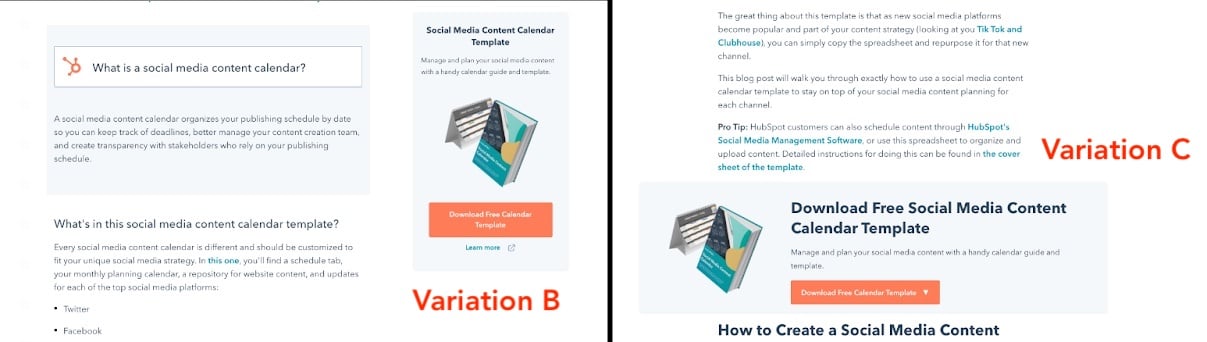
The results for the primary metric were inconclusive as there were no significant differences in form submission CVR. The second metric (content leads CVR) showed positive trends when compared to CVR before the test was launched. Results from this test show that, in the future, there is value in converting users on blog pages, rather than directing them to a landing page.
2. Content Offer Forms
The purpose of this experiment was to see if altering submission form design affects users.
- Hypothesis: By redesigning forms, the user experience will improve and increase user clarity. In turn, form submission CVR would increase.
- Primary metric: Form submission CVR.
The test featured four different variations of sign-up forms, which is an A/B/C/D/E design. The image below is the control variant.
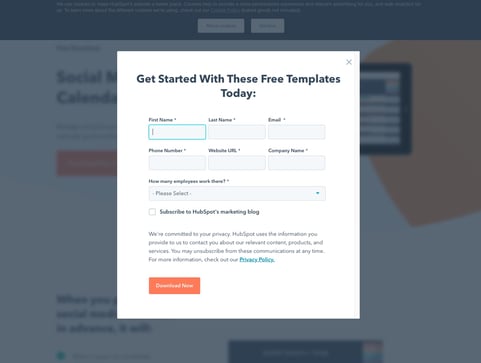
Results were significant as variation B and D outperformed the control variables at 96% and 100% confidence, respectively. The image below shows variation B on the left and variation D on the right.
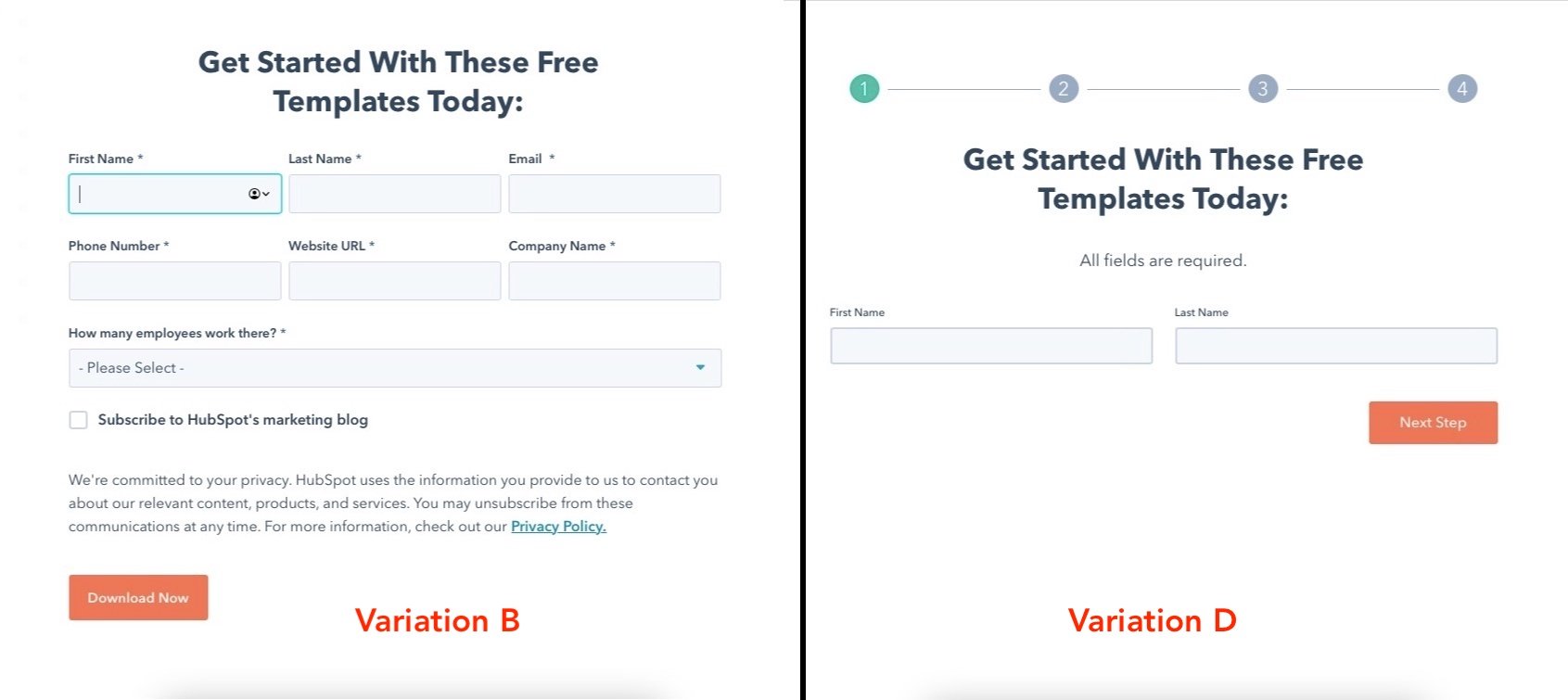
This demonstrates that, in the future, conversions on the blog could increase if winning form submission designs were applied to blog posts.
Begin Using CRO
There are many best practices out there when it comes to CRO but, ultimately, you need to find out what your customers respond to, and what drives results for your business.
Keep these three follow-up actions in mind when getting started with CRO today:
- Use the three formulas to start the CRO conversation.
- Experiment with CRO strategies to discover what works for your business.
- Leverage the PIE framework to help prioritize your strategy.
Editor’s note: This post was originally published in January 2019 and has been updated for comprehensiveness.

20 Tips for Starting a New Job
Starting a new job? Then it’s time to put your best foot forward.
Specifically, you’ve got to show up to your new job, make a great first impression, and contribute something of value. No biggie, right?

To crush your new gig right from the get-go, you need to prepare for the first day. Below are 20 of our favorite tips to help you do just that.
Tips for Having a Great First Day
1. Familiarize yourself with the company’s online assets.
You probably already did this as part of the interview process, but it doesn’t hurt to do it again before your first day.
There’s no better way to learn about a company’s marketing than to consume it. Read their blog. Subscribe to their email newsletter. Follow their social media accounts. Download and read their most recent ebooks. All of this information gathering will give you context.
Besides, when you’re in your initial marketing team meetings, you’ll be able to chime in with new ideas since you’ve got the advantage of a fresh set of eyes.
2. Test-drive your commute.
Before your first day, test-drive your commute to work — ideally around the same time you’d actually leave. Practicing your route will put you at ease and help reduce the possibility of getting lost or being unaware of road closures.
Be sure to add extra time in case of rush-hour traffic! Your future self will thank you later.
3. Plan out your wardrobe.
You’ll be most confident if you’re wearing something you’re comfortable in. Take a moment the night before your big day to think about what you’ll wear in the morning.
Double check the company’s dress code policy. Do you need to iron a suit to wear, or is your company more casual? Give yourself the gift of confidence and plan out your wardrobe.
4. Research your new boss on social media.
To help you familiarize yourself with your new boss, have a look at their Twitter account, LinkedIn profile, and any writing they publish (either on the company blog, their personal website, or an external site like Medium).
If you’re like me, taking physical notes can help you better remember things — so write down a few quick notes about what content they’ve been sharing online and some of their interests or hobbies. This will give you fuel for future small talk on the first day.
5. Read The First 100 Days.
First impressions are hard to change, so it’s a good idea to make some positive contributions quickly. That could mean differentiating yourself from your peers with a new idea, asking thoughtful questions, providing feedback, leading a new project to success, or simply showing your team that you are a curious lifelong learner.
Check out our new guide, The First 100 Days. It will show you how to make the most of your first 100 days on the job, including tips from successful employees, managers, and companies such as Eventbrite and Twitter EMEA & APAC.
6. Pack your favorite desk accessories in your bag the night before.
Are you an avid pen-and-paper note taker? Do you like to have a water bottle or coffee cup at your desk? Would you prefer to always have breath mints on hand?
Think about the small items you like having at work and make sure they’re in your bag the night before your first day. These things will make you feel more at home at your new job.
7. Pay attention to your body language.
Body language can have a huge impact on how others perceive us and how we perceive ourselves. According to research by social psychologist and Harvard Business School professor Amy Cuddy, “power poses” can actually make you feel more confident — and appear that way to others. So before you walk through the door, remember to pull your shoulders back, tilt your chin up, and stand tall.
8. Prep your “introduction speech.”
Your new manager or boss will likely introduce you to the team — either in person or remotely. While this is usually informal, you should have an idea of what you want to say.
In a few sentences, say a little bit about yourself and why you’re excited to be joining the team. If you’re on a remote team, go the extra mile to message your coworkers saying hello and letting them know you’ve joined the team.
9. Uplevel your small talk.
Learning more about your coworkers can help you integrate into the team. Plus, it makes the job way more enjoyable when you build a sense of community and camaraderie with others.
Plan some small-talk topics ahead of time and ask plenty of questions, such as, “How long have you been at the company?” or, “What’s your favorite lunch spot around here?” Being open and genuine can go a long way with your new team members.
10. Check the company’s BYOC policy.
Some employers have a Bring Your Own Computer (BYOC) or Bring Your Own Device (BYOD) policy. This may include laptops, smartphones, or tablets. In many remote-first companies, you may be expected to use your own laptop, or one is provided. Double check with your manager or consult the HR manual if you have it.
11. Take a mental note of potential mentors.
As you move through your first few days, make a mental note of individuals who could serve as a mentor — ideally someone within your department. Besides being a great resource, mentors can guide you in your professional development and long-term goals.
Once you’ve spotted potential candidates, get the conversation started by introducing yourself in person (or, if you’re remote, send an email or set up a video chat.
12. Bring your HR/Payroll Paperwork.
Typically, you’ll need to fill out HR/payroll paperwork during the onboarding process. If you’re asked to fill something out before your start date, make sure to complete it and bring it with you on your first day. This gets the ball rolling and presents yourself as an organized employee.
13. Plan your goals for the next 30 days.
Your short-term goals are just as important as your long-term ones. During your first 30 days, chances are you will spend the majority of your time attending trainings, learning the ropes, and meeting team members. Map what goals you hope to accomplish during this time. Make sure they’re realistic and specific by using the SMART method.
14. Create healthy habits.
What habits can help with your new schedule? Maybe it’s going for a walk in the morning to be extra focused or meal-prepping your lunches during the weekend. Or, it could be writing a to-do list when you first arrive at work.
Creating healthy habits and routines is especially crucial for remote workers who may struggle to separate work and personal life.
15. Leverage LinkedIn.
Hopefully, by the end of the first week or two, you’re settling nicely into your job (and loving it). Consider sharing the news by updating your LinkedIn profile to let your network know. This also lets potential recruiters know that you’re not open to new jobs.
While you’re there, add your new team members and “follow” your company’s LinkedIn page.
16. Embrace the learning curve.
It’s normal to face a steep learning curve when starting a new job. Between orientation, trainings, and meetings, you may find yourself overwhelmed and stressed.
Be proactive and reach out to your manager or coworkers with questions to provide clarity and get you back on path. Don’t be afraid to admit you’re confused or overwhelmed — in fact, this shows that you care about doing a great job. And, it can be a great way to connect with another person on a human level.
17. Set healthy boundaries early.
Attention all remote workers — this point is especially important for you!
During the first few months of your job, you may find yourself going to work early and leaving late — or even working on the weekend. It’s understandable — you want to do a good job. But stretching yourself thin is detrimental in the long run. This is why it’s essential to set healthy boundaries for work.
For instance, you could disable your Slack notifications during lunch or designate a room in your home as an “office” to create a physical boundary between work and life. In any case, it’s important to set healthy boundaries early and revisit them often.
18. Observe the company culture.
Many companies look for candidates who fit their company culture. Now that you’re through the door, you can witness it first hand. How does it play out day to day? And what positive attitudes can you adopt?
Remember that as you step into your new role, you can also shape and contribute to the culture in a meaningful way.
19. Keep your manager in the loop.
Odds are, you’ll be working closely with your manager during your first few weeks. During this time, keep the communication lines strong.
Inform them on what you’re working on, if any disruptions could interfere with your onboarding (like a scheduled internet outage), or if you have any questions. By keeping your manager in the loop, you can build trust and save yourself (and your manager) a lot of confusion.
20. Don’t overthink it.
You were hired for a reason. So don’t get so caught up in preparing for your first day that you get too nervous when you actually show up. The night before your first day, take the time you need to relax so you can get a good night’s sleep. Your new coworkers are excited you’re on board — you just need to show up, be friendly and confident, and make ’em glad they hired you.
Back to You
Congratulations on your new job! While exciting, the hard work isn’t over just yet — you still need to ace your first day. Use the tips in this article to lead with confidence and give a positive first impression.

The HubSpot Blog’s Instagram Shopping Report: Data from 500+ Instagram Marketers
In 2022, it’s clear that Instagram is no longer just a photo-sharing app.
Not only has Instagram become a thriving social media channel with all sorts of video, Story, and even live stream features, but it’s even evolving into a shopping platform that fuses e-commerce and social media together.
And, our recent survey of 580 Instagram marketers found that using the app’s shopping tools enables the highest ROI of any Instagram strategy.
But with a wide variety of shopping tools popping up in feed-based posts, Reels, Live video, Stories, Guides, and the dedicated Shop tab, it can be challenging to figure out where to start.
To help marketers and business professionals like you, let’s take a deep dive into Instagram’s shopping tools to find out:
Which Instagram Shopping Tools Perform Best?
Using Instagram shopping tools is the strategy with the highest ROI and also the strategy used most by Instagram marketers. Most importantly, it’s just getting started.
While just 37% currently use the app’s shopping tools, 94% of them will increase or maintain their investment this year. On top of that, 1 in 3 plan to use Instagram shopping tools for the first time this year.
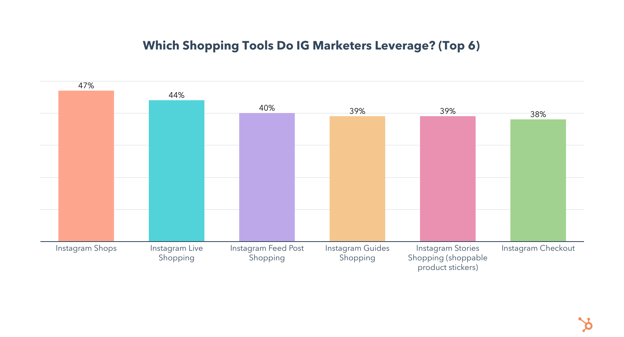
Also, marketers who leverage Instagram’s shopping tools are 15% more likely to say their Instagram strategy was effective last year than those who don’t. So which tools perform best?
Of the shopping tools, Instagram Live Shopping and Instagram Shops have the highest ROI and are the most leveraged.
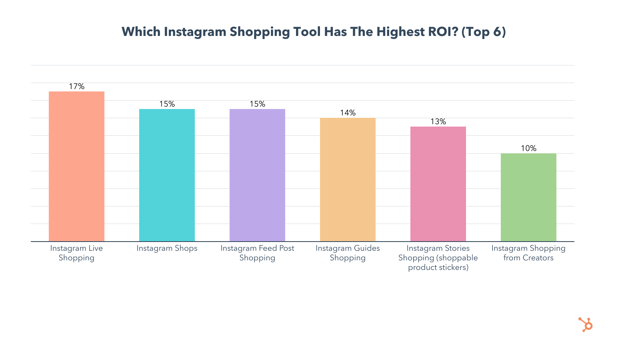
Additionally, the use of both live shopping and shops will grow significantly in 2022, with 55% planning to try Instagram Shops and 48% planning to use Instagram live Shopping for the first time.
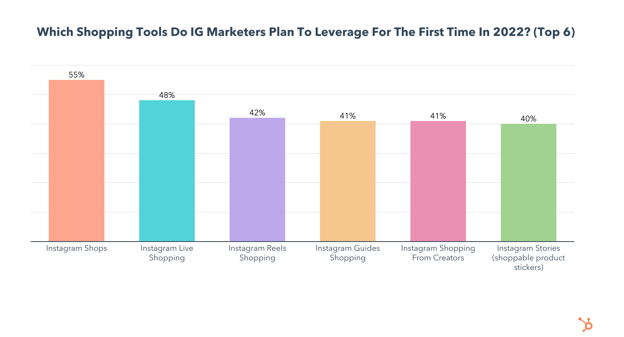
Instagram Feed Post Shopping, Instagram Stories Shopping, and Instagram Guides Shopping are all used by over 1 in 3 marketers and also lead in terms of ROI.
Reels Shopping has the lowest use and ROI, however, 42% of Instagram marketers plan to use Reels Shopping this year, the 3rd highest of any Instagram shopping tool.
Should You Sell or Launch Products Exclusively Through Instagram Shopping?
Using Instagram Shopping tools is a powerful marketing opportunity, but should you also have an external website to sell your goods and services?
41% of Instagram marketers say most of the brands they work with use Instagram shopping tools exclusively and don’t have a separate website, while 59% use a mix of both.
83% of Instagram marketers say they have worked with a brand that launched a product exclusively on Instagram and 59% of them say launching exclusively on Instagram is better than launching elsewhere.
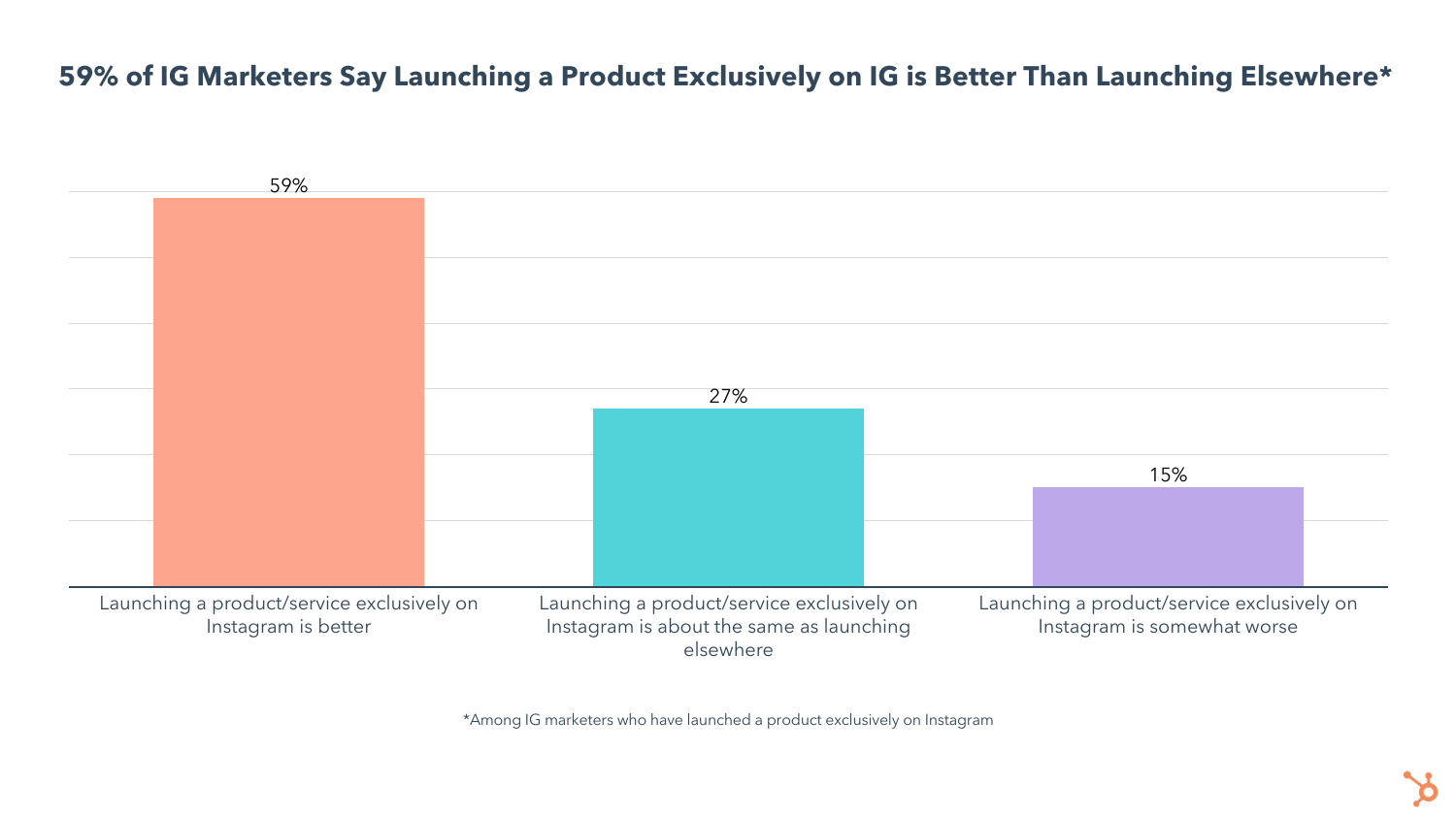
Launching a product exclusively to your Instagram audience can also be a great way to boost brand loyalty and reward your followers.
This is just one of the many benefits marketers are seeing from using Instagram’s shopping tools. Let’s take a look at what other benefits marketers are getting from social shopping.
The Biggest Benefits of Instagram’s Shopping Tools
Leveraging Instagram shopping tools comes with a wide range of benefits, most notably increased product discoverability, a simplified shopping experience for your customers, ease of partnering with influencers, and the ability to integrate your products into content, making it look more authentic.
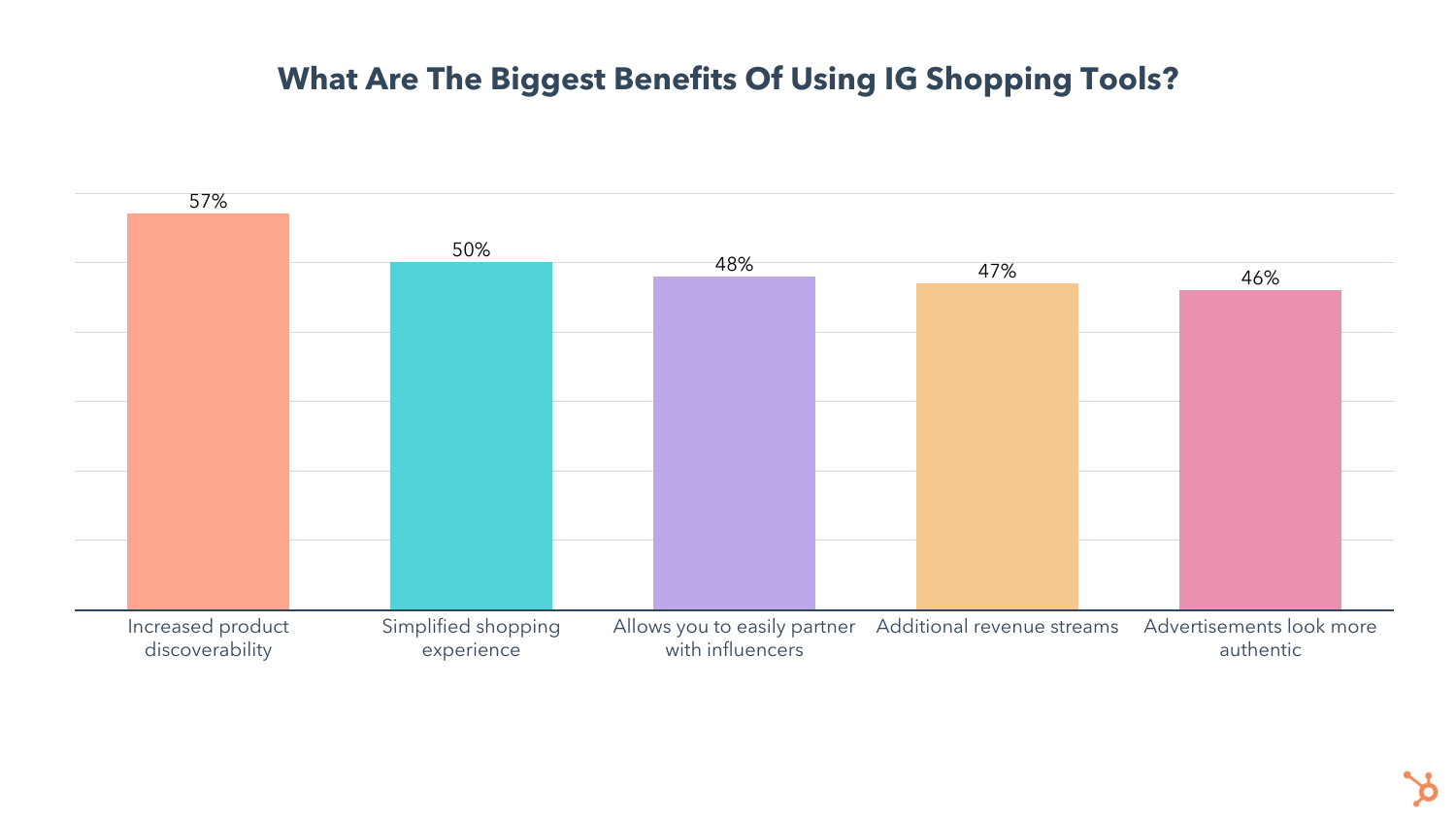
I mentioned how Instagram is focused on helping creators monetize their content, and one way to accomplish all of the above is to leverage Shopping from Creators.
While not exactly new, this feature was initially rolled out only to a select few influencers in 2019. It took until March 2022 for Instagram to officially announce that it would be expanded to all users in the U.S.
Shopping from Creators allows influencers to tag your brand’s products directly in their posts, so users can find and purchase products without leaving Instagram. This combines all the benefits listed above, and excels at making partnering with creators easy and look authentic.
Despite all the benefits selling on Instagram offers, there are also challenges. Let’s dive into the top struggles marketers face with Instagram’s shopping tools.
The Biggest Challenges of Instagram Shopping Tools
The top two challenges marketers face with Instagram shopping tools seem to contradict each other – while 38% of those who use Instagram shopping tools struggle with making sales, 45% are having problems due to too many sales and supply chain issues.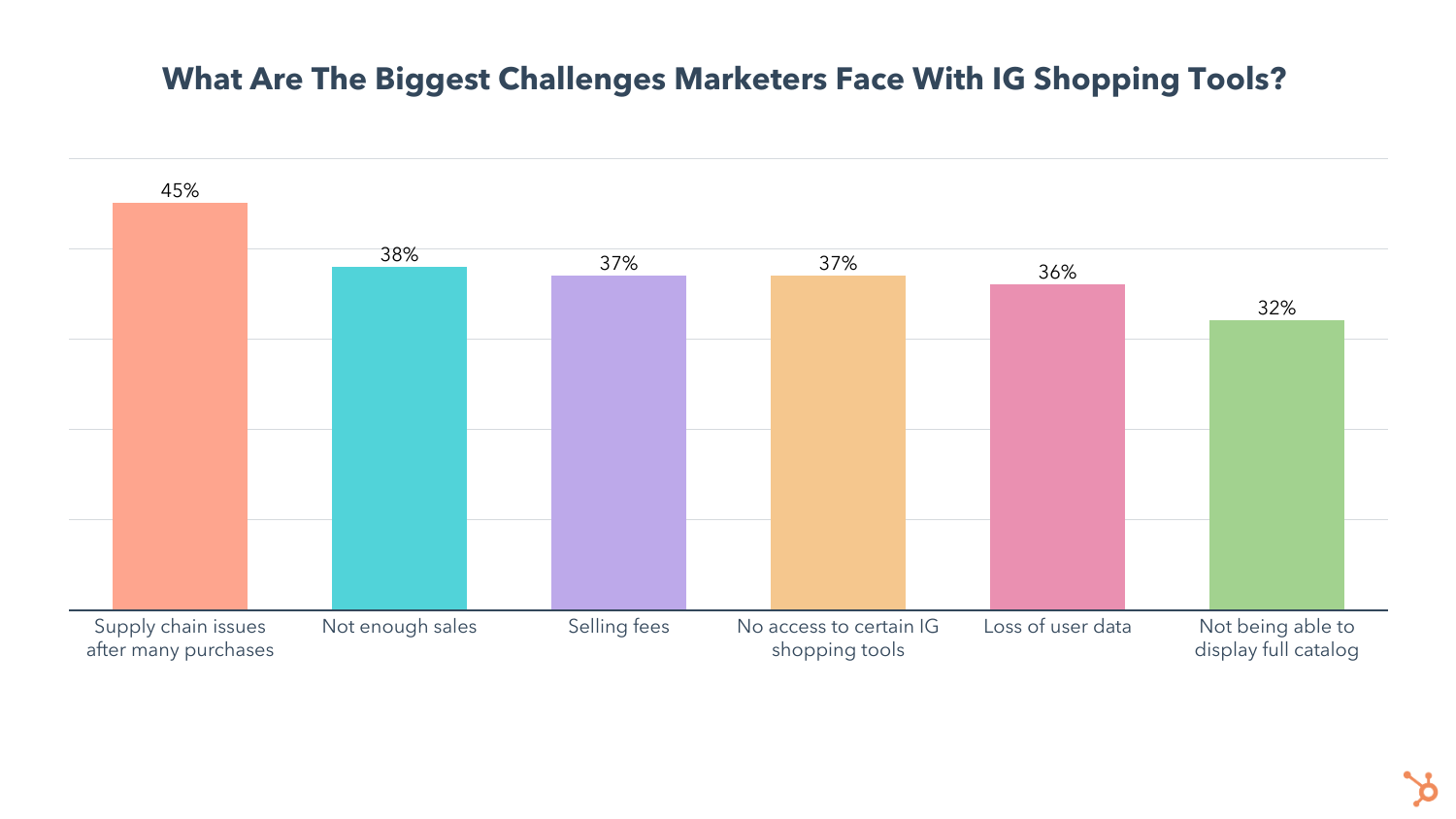
Another 37% complain about selling fees, which are currently at 5% per shipment, with shipments under $8 racking up a flat fee of 40 cents. However, fees are being waved through June 30, 2022, to help small businesses recover from the pandemic.
36% of Instagram sellers also take issue with the fact that they don’t have full access to the shopping tools the app has to offer. As the app fully embraces social shopping in 2022, you can expect access to open up to more users.
Social Shopping Is The Future
There’s never been a better time to start selling on social media, and Instagram is the best place to do it.
If you’re ready to get started, take a look at our 2022 Instagram Marketing Report for a detailed breakdown of which strategies, features, and formats are most effective on the app. For a few examples of how brands leverage Instagram Shopping, check out this post or this detailed ultimate guide.
Curious about your overall Instagram strategy, beyond Shopping? Check out our Instagram Engagement Report for even more data.

How to Get Followers on Pinterest: 25 Tips for 2022
Equal parts social media platform and search engine, Pinterest had over 431 million active monthly users in early 2022. But the popularity of the platform means it’s a crowded space, and the task of getting followers on Pinterest can feel daunting.
Fortunately, there are tactics you can implement right now to increase your real follower count on Pinterest to increase web traffic, drive sales, and help your grand gain authority.
Here, we’re going to dive into everything you need to know to grow your Pinterest audience today.

1. Use a Pinterest business account.
On Pinterest, business accounts have access to tools such as unique content formats, advanced analytics, shopping features, and the ability to create an ad account to promote your content.
When creating a new account, you can opt to turn it into a business account during the setup process. If you have an existing account, you can convert it to a business account to maintain authority.
2. Optimize your username and Pinterest bio.
Your username and bio are completely searchable. Make sure you include search terms related to your niche that your customers may be looking for on Pinterest to increase profile visibility.
For example, content creator Chelsea Clark added the keyword “plant-based wellness” to her Pinterest profile, making her content more likely to show up for users who include the term “plant-based” in their Pinterest search.
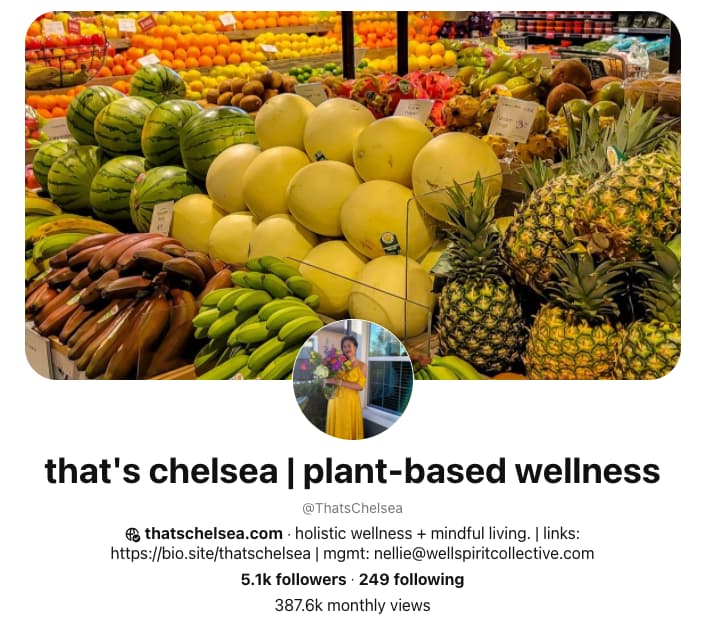
3. Post Idea Pins.
Idea Pins are a multi-page video-based format that Pinterest rolled out globally in 2021. The beta version of this feature rolled out in 2020 and was called Story Pins, and was initially used similarly to Instagram Stories.
Now, the Idea Pin feature allows creators and businesses to record, edit, and share up to 20 pages of content within one post. Notable Idea Pin features include the ability to record voiceovers, add transitions, tag other accounts, and add music.
Because Idea Pins don’t expire after 24 hours like story features on other social media platforms, creators can use the feature to grow their reach and engagement.
4. Include text on your Idea Pins.
Once you get the hang of creating Idea Pins, try including text overlays to make your content more accessible, and easy to understand. Text on Idea Pins is also searchable within Pinterest, so make sure you include keywords potential followers are searching for.
5. Focus on a specific audience.
Even if your products or services could, in theory, be purchased by anyone, you should laser focus your Pinterest marketing strategy. You’ll find that as you narrow your target, the better you’ll be able to create content that actually resonates with them. By identifying a niche and dominating it, you can expand your reach as your content is consumed, shared, and recognized.
Creating a buyer persona is the first step to defining your audience, humanizing them, and understanding their needs.
6. Post original images.
84% of Pinners use Pinterest to decide what to buy — which means it’s critical you position yourself in front of them by creating original content for your brand. Try posting original infographics, graphics, or photos that reflect your brand’s message. Additionally, when you do re-pin, make sure you’re re-pinning content that aligns well with your own brand.
7. Include relevant topic tags to increase video reach.
Pinterest is no longer encouraging the use of hashtags and instead recommends creators use topic tags to categorize their content and improve reach. Here’s how you can use the topic tag feature:
8. Create a cohesive brand for recognition on the platform.
People do business with those they like, know, and trust, so the goal is to go from a stranger in your prospects’ eyes to being known and trusted. On Pinterest, that means increasing the number of impressions your content earns from your target audience. An “impression” refers to any time a prospect “sees” you or your brand. If you don’t have a consistent look and feel, your content won’t be recognized as being related, which means you never build that trust.
According to Forbes, color improves brand recognition by up to 80%, and consistent brand presentation across platforms increases revenue by up to 23%. The big takeaway is that a consistent (and recognizable) brand identity is paramount to increasing ROI for your Pinterest marketing efforts. By building a brand identity, your target audience will start to recognize you in the niche, which is the first step to building trust.
9. Post infographics to promote proprietary data for your company.
Infographics are a perfect mix of data, visual, and written content, making them extremely shareable. For this reason, 40% of marketers reported that infographics were the type of visual content that helped them reach their marketing goals in 2021 according to Venngage.
Infographics do well on Pinterest, particularly, as it’s a visual platform with the capability of displaying long, vertical images. By creating a custom-branded infographic and sharing it on Pinterest, you’re establishing credibility by educating your audience. It also gives another opportunity for “impressions” to increase your brand recognition if the infographic is branded properly.
10. Use keywords in your board names and pin descriptions.
Pinterest users typically find brands through hashtags and searches, so it’s important you include both in your descriptions and images.
When writing your pin description, it’s critical you remain specific and descriptive. This ensures the highest chance that your pin will match a user’s true search intent. For instance, let’s say you have a pin for healthy dinner recipes. You’re more likely to have users find and engage with your pin if it’s saved to a board titled “Healthy Recipes” (which is what they are likely searching for) than something vague like “Healthy.”
11. Include relevant keywords in your Pinterest name, too.
Pinterest marketing doesn’t just come down to the shareability of individual posts but also discoverability. You’ll want to position your brand in front of Pinterest users who are actually searching for your content. By including a couple of relevant keywords into your Pinterest name, your account is more likely to show up for interested searchers.
12. Use Pinterest Trends to plan your content.
Those using Pinterest business accounts have access to a tool called Pinterest Trends, which shows which keywords and topics are trending across various niche areas. Use the trends tool to find what your potential customers are searching for and let these results inform what content you share.
Pinterest also creates an annual report called Pinterest Predicts, which outlines which topics will likely trend on Pinterest for the upcoming year based on search patterns and unique data.
13. Share new content weekly.
According to Pinterest, the recommended posting cadence is at least one original pin per week. To get the most out of your Pinterest traffic, make sure your pins lead back to your website (or that you’re linking your Idea Pins to your products).
14. Be active and engaged on Pinterest.
Like any social media site, Pinterest favors active accounts. This includes ensuring you pin on a regular basis, manually pin others’ pins, and follow other boards. If you have trouble keeping up with your Pinterest activity, create a social media calendar to have a more focused and organized publishing strategy. You can also try using a tool like Tailwind, which allows you to schedule your Pinterest pins ahead of time.
It’s vital you re-pin often. Consider going to the “Explore” and “Trending” pages and re-pinning from there. The more you re-pin and engage with other boards, the more likely you are to increase your reach.
15. Follow other users.
If someone is following a business with similar content to yours, chances are they’d be a good follower for you as well. Take some time to research competitors’ and follow their followers — if your content is up-to-par, they’ll more than likely follow you back.
Alternatively, perhaps there are businesses with products or services that work well in conjunction with your own. For instance, let’s say you’re an interior designer, and you find a company that sells handmade furniture on Pinterest. You might follow some of their followers since their followers are likely interested in either decorating or sprucing up their home.
16. Add a Pinterest follow button to your newsletter or website.
You can likely increase traffic to your Pinterest account if you embed a Pinterest follow button in an email newsletter or on your website. Since traffic to your site, or subscribers to your newsletter, are probably already interested in your product or services, they’re a strong audience to target.
Plus, depending on where they are in their buyer’s journey, your Pinterest account might actually help them decide whether your business is the right fit for them.
17. Use Pinterest sections to organize your boards.
Pinterest sections are similar to H2 sections of your blog posts — they enable you to organize your full Pinterest board into categories, so users can more easily find exactly what they’re looking for.
For instance, take a look at Twins Mommy Blog’s board:
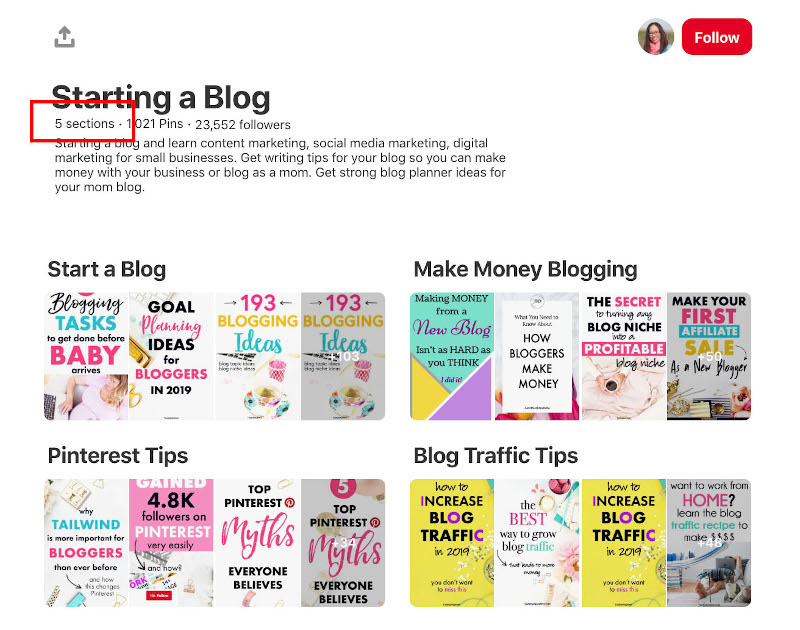
Sections, then, make your individual content more likely to be found and re-pinned.
18. Promote your pins.
If you have a business account on Pinterest, you could consider putting money behind a pin to increase visibility and reach — similar to paying for an ad on Facebook.
For instance, take a look at what I see when I type “travel” into Pinterest:
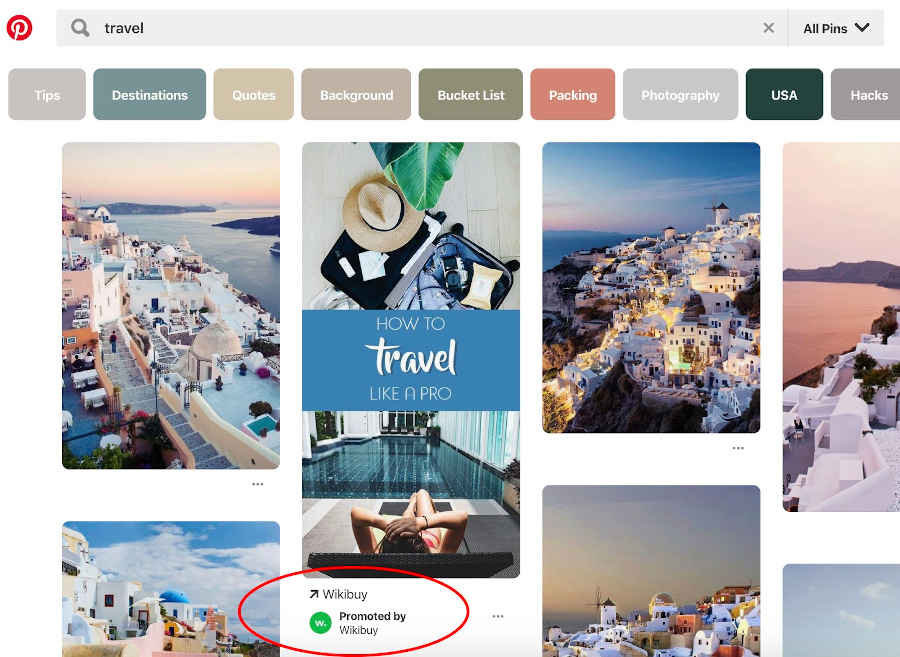
50% of Pinterest users have made a purchase after seeing a Promoted pin, and Promoted pins are re-pinned an
average of 11 times.
For increased visibility and reach, then, why not?
19. A/B test your pins to see what works.
You don’t have to throw spaghetti against the wall to see what sticks. By testing different variables with your audience, you can continually improve your campaigns as you learn more about what resonates with them.
Here are some different variables to compare on Pinterest:
- Alternate headlines for your pin title
- Alternate thumbnail images for your pin
- Alternate post copy for your pin’s description
Just be sure to only test one variable at a time. Set a time period to run the test, and then compare each post’s performance using Pinterest analytics. Just make sure your A/B test’s results are statistically significant before you make any decisions on future runs.
20. Use Pinterest’s free shopping tools.
If you’re looking to drive traffic to specific products, you can create Product Pins that have additional metadata to make them even more searchable which increases your chances of being found by users on the platform.
21. Join the verified merchant program.
Increase your company’s credibility by becoming a verified merchant on Pinterest. Accounts that are a part of the program receive a coveted verified check mark confirming the account has been vetted by Pinterest, have products show up under related search terms, can activate a profile “shop” tab, and are able to access unique insights to see conversion data.
22. Apply for Rich Pins.
If you anticipate users pinning content directly from your website, you may want to consider applying for Rich Pins.
Rich pins automatically pull in key data from your website when Pinterest Pins are created, and allow existing pins to remain up-to-date with what’s listed on your website. There are three types of rich pins:
- Product Rich Pins pull accurate inventory and product availability information from your website.
- Recipe Rich Pins which include a recipe name, list of ingredients, and pertinent cooking information pulled from blog posts that feature recipes.
- Article Rich Pins that include the title of an article, meta description, and author information.
Rich Pins are free to use. To get started, add the necessary meta tags provided by Pinterest to your website, then submit an application.
23. Re-pin older content.
Pinterest Pins have a lifespan of about four months, which is significantly longer than other social media platforms such as the 15-minute span of a tweet, or the 48-hour span of an Instagram post.
With this in mind, don’t be afraid to pin older content to new boards to continue its lifespan even further and engage with a whole new audience.
If you do decide to create pins from older content, make sure you refresh the images for better engagement.
24. Claim your website on Pinterest.
If you haven’t already, make sure your company’s website is claimed by the official Pinterest account. According to Tailwind, 80% of Pinterest accounts with high engagement have claimed their websites on Pinterest.
In the image below, you can see the publication The Good Trade has claimed its website with the globe and checkmark symbol next to the company’s URL.
25. Schedule your pins.
Like most social media platforms, the key to success on Pinterest is consistency. To make sharing to Pinterest simple and easy, consider scheduling your pins in advance so they can go live when your audience is most likely to engage.
You can use popular software such as Tailwind to schedule your pins or use the scheduling tool within the Pinterest platform.
Reasons to Avoid Buying Pinterest Followers
Sure, there are tools you can use to buy Pinterest followers but this method is not in your best interest.
Buying Pinterest followers essentially means you’re buying fake accounts to increase the number of followers you have, which will make it look like your business is popular on Pinterest. This can be tempting — why do the hard work of cultivating a following, when you can pay less than $20 for 1,000 followers, instantly?
Unfortunately, buying followers does more harm than good. Here’s why.
1. It’s against Pinterest guidelines.
In fact, your company could be banned from the site if Pinterest figures out you’ve bought followers according to their guidelines.
2. You’ll tank your engagement (and overall performance, too).
Increasing your follower count can actually harm your success on Pinterest since Pinterest’s algorithm doesn’t just measure follower count — it also measures engagement metrics.
For instance, let’s say you have 100 real followers and 1,000 fake ones. You post a pin that is re-pinned 10 times. Out of your real followers, that’s 10% — an incredibly good engagement number. But Pinterest calculates 10 re-pins out of 1,100, which is less than one percent.
Ultimately, more followers could decrease your engagement metrics, which will make both Pinterest and your real followers believe your content isn’t actually that good.
3. Buying followers doesn’t result in ROI.
Those fake followers will never become real customers. You will become much more successful on the platform if you take the time and resources you would’ve dedicated to buying followers and use it instead to implement some of the strategies listed above.
It’s critical you work diligently to find and engage with real people — because only real people can help you figure out what your potential future customers expect and prefer from their online content.
Now that you know how to increase your number of real Pinterest followers, it’s time for the most time-consuming but most fun part of Pinterest marketing: creating and implementing a content strategy for your business.
Editor note: This post was originally published on March 25, 2019 but was updated for comprehensiveness.


SEO Glossary: 100+ Essential SEO Terms Marketers Should Know in 2022
Do you want to optimize your website but have trouble communicating with the technical folks running it? Then, you need an SEO glossary.
Jargon alone shouldn’t stop you from making your site the powerful marketing tool it can be.
![→ Download Now: SEO Starter Pack [Free Kit]](https://no-cache.hubspot.com/cta/default/53/1d7211ac-7b1b-4405-b940-54b8acedb26e.png)
This is a list of the most essential search engine optimization (SEO) terms to help marketers communicate with developers and understand how to optimize their websites.
# | A | B | C | D | E | F | G | H | I | J | K | L | M | N | O | P | Q | R | S | T | U | W | X |
40 SEO Terms You Must Know!
Numbers
2xx status codes – Code sent by the server to say that the request was successful.
301 Redirect – The process of permanently redirecting a webpage from one URL to another.
302 Redirect – The process of temporarily redirecting a webpage from one URL to another.
4xx status codes – Code sent by the server to say that the request was unsuccessful and the information was not found.
5xx status codes – Code sent by the server to say that there was a problem with the server.
A
Accelerated Mobile Pages (AMP) – An open source project by Google to help publishers create webpages and content that are optimize for all devices.
ALT Text/Alt Attribute – A description of an image in your site’s HTML. Unlike humans, search engines read only the ALT text of images, not the images themselves. Add ALT text to images whenever possible.
Anchor Text – The actual text of a link to a web page. On most websites, this text is usually dark blue and underlined, or purple if you’ve visited the link in the past. Anchor text helps search engines understand what the destination page is about, it describes what you will see if you click through.
Authority – How reliable a website is based on search engine’s algorithm.
B
Backlink – A link pointing to an external webpage.
Black Hat – Practices that go against Google’s webmaster guidelines.
Blog – A webpage that includes blog posts related to specific topics and/or industry.
Bookmark – A link to a website saved for later reference in your web browser or computer.
Bot – A software application that is programmed to complete specific tasks.
Bounce Rate – The amount of users who leave a webpage after only viewing one page.
Branded Keyword – A search query (keyword) that refers to a specific brand. E.g.: “Nike shoes”
Breadcrumb – A web link that lets you know where you are on a website and how far you are from the homepage.
Broken Link – A link that leads to a 404 error page. This can happen if a webpage is removed without a redirect. (See 4xx status codes)
Browser – Software that allows you to access information and data on the internet. The most common browsers include Google Chrome, Safari, and FireFox.
C
Cache – A storage location that collects temporary data to help websites, apps, and browsers load faster.
Canonical URL – The canonical URL is the best address on which a user can find a piece of information. Sometimes you might have a situation where the same page content can be accessed at more than one address. Specifying the canonical URL helps search engines understand which address for a piece of content is the best one.
ccTLD – Stands for country-code top-level domain and is used to define the domain for a specific country or region. E.g. www.mysite.co.uk
Cloaking – A black hat practice used to display different information on a webpage than what was expected.
Conversion Form – A form through which you collect information about your site visitor. Conversion forms convert traffic into leads. Collecting contact information helps you follow up with these leads.
Crawler – A program used by search engines to gather information on websites and accurately index them.
CSS (Cascading Style Sheets) – The part of your code that defines how different elements of your site look (examples: headers, links).
D
Deep Link – This can refer to two things: A link pointing to content on a mobile application or a link pointing a webpage other than a homepage.
De-Index – When a search engine removes a website or webpage from search results.
Disavow – When you tell Google to ignore links because they’re low-quality, spam, or artificial.
Do-follow – A hyperlink that instructs search engines to follow the link instead of the “nofollow” attribute. (See nofollow)
Domain – The main web address of your site (example: www.yoursite.com).
E
External link – A hyperlink that points to a webpage on another domain. This is also known as a backlink. (See backlink).
F
Featured Snippet – Highlighted excerpts that appear at the top of some Google search results, known as position 0.
The Fold – The “fold” is the point on your website where the page gets cut off by the bottom of a user’s monitor or browser window. Anything below the fold can be scrolled to but isn’t seen right away. Search engines place some priority on content above the fold since it will be seen right away by new visitors.
G
Google My Business – A local business directory from Google.
Google Search Console – A free Google tool that allows you to monitor how a website is performing.
Guest Blogging – The practice of publishing a blog post on a website owned by someone else.
H
Header tag – Code used to designate headings and subheadings from paragraphs.
Headings – Section headers on your website that are placed inside of a header tag, such as an H1 or H2. This text is often presented in a larger and stronger font than other text on the page.
HTML – The code part of your website that search engines read. Keep your HTML as clean as possible so that search engines read your site easily and often. Put as much layout-related code as possible in your CSS instead of your HTML.
I
Image Compression – The practice of reduce an image’s file size to speed up a web page.
Indexing – A process used by search engines to analyze the content of website and catalog files.
Inbound Link – A link from another website to yours.
Internal Link – A link from one page to another on the same website, such as from your homepage to your products page.
Indexed Pages – The pages of your website that are stored by search engines.
J
Javascript – A scripting language that allows website administrators to apply various effects or changes to the content of their website as users browse it.
K
Keyword – A word that a user enters in search. Each web page should be optimized with the goal of drawing in visitors who have searched specific keywords.
Keyword Difficulty – Refers to how competitive a keyword is and how difficult it will be to rank for it.
Keyword Research – The process of searching for keywords to target in your content based on volume, keyword difficulty, and other factors.
Keyword Stuffing – The overuse of keywords in your content in an attempt to rank higher.
L
Lazy Loading – A method used to improve page speed by deferring the loading of an object until it’s needed. An example of this is the infinite scroll on websites.
Link Building – The activity and process of getting more inbound links to your website for improved search engine rankings.
Link Juice – The value or authority a website gains when receiving a backlink from a high-authority website. (See backlink.)
Link Schemes – What Google defines as spammy tactics used to trick Google’s PageRank and increase search rankings by buying or selling links, excessive cross-linking, or other manipulative tactics.
Long Tail Keyword – Longer, more specific queries that include more than three words.
M
Metadata – Data that tells search engines what your website is about.
Meta Description – A brief description of fewer than 160 characters of the contents of a page and why someone would want to visit it. This is displayed on search engine results pages below the page title as a sample of the content on the page.
Meta Keywords – Previously used by search engines in the 90s and early 00s to help determine what a web page was about, the meta keywords tag is no longer used by any major search engines.
Minification – The practice of removing unnecessary characters in the source code to help a page load faster without affecting functionality.
Mobile-first Indexing – This refers to Google primarily using the mobile version of a webpage for indexing and ranking. In the past, desktop was the go-to.
N
Nofollow – When a link from one site does not pass SEO credit to another.
O
Organic traffic – Refers to visitors who discover your website on the SERPs instead of a paid ad.
P
Page Speed – Refers to how quickly a webpage loads. Influencing factors include file sizes, the source code, and the web server.
Page Title – The name you give your web page, which is seen at the top your browser window. Page titles should contain keywords related to your business. Words at the beginning of your page title are more highly weighted than words at the end.
PageRank – A number from 0-10, assigned by Google, indicating how good your overall SEO is. It is technically known as ‘Toolbar PageRank.’
Pagination – When a series of content is broken up into a multi-page list. Think of category pages on e-commerce sites.
Panda – Was previously a separate Google algorithm to track down black hat tactics but now is part of Google’s core algorithm.
People Also Ask – A feature that can show up on the SERP to show related questions and answers to a query.
PPC (Pay-Per-Click) – Advertising method in which an advertiser puts an ad in an online advertising venue and pays that venue each time a visitor clicks on his/her ad. Google AdWords is the classic example of this.
Q
Query – The words or phrases a user enters into a search engine.
R
Rank Brain – Machine learning component of Google’s algorithm which works to understand queries and deliver the best results.
Ranking Factor – The factors that influence a website’s ranking on search engines.
Redirection – When a URL is moved from one location to another. (See 301 and 302 Redirect).
Referrer String – A piece of information sent by a user’s browser when they navigate from page to page on the web. It includes information on where they came from previously, which helps webmasters understand how users are finding their website.
Rel=canonical – An HTML tag that tells search engines which version of a webpage is original and which is duplicate when there are multiple pages with similar content. (See canonical)
Responsive design – A design practice that allows a website to adapt to any device it’s viewed on, making it a better user experience.
Robots.txt – A text file that tells search engine crawlers which areas of your website are accessible and which ones they should ignore.
RSS Feed – RSS stands for ‘really simple syndication.’ It is a subscription-based way to get updates on new content from a web source. Set up an RSS feed for your website or blog to help your followers stay updated when you release new content.
S
Search Intent – Refers to the reason why a user conducts a search.
Search Volume – The number of times a keyword is searched in a given period, usually a month.
Seasonal Trends – Natural increase and decrease of keywords during specific times of the year. E.g.: The keyword “Halloween costume” sees an increase in the fall months and a dip in the spring and summer.
Seed Keyword – Short-tail keyword, also known as a root keyword, which is the primary keyword you want to rank for and considered the umbrella term.
SEO – Stands for search engine optimization and refers to the tactics used to optimize your website page to reach and maintain a high ranking on search engines for particular keywords.
SERP (Search Engine Ranking Page) – The page that you are sent to after you run a query in a search engine. It typically has 10 results on it, but this may vary depending on the query and search engine in question.
Sitemap – A special document created by a webmaster or a piece of software that provides a map of all the pages on a website to make it easier for a search engine to index that website.
Social Media – Online social networks used to create online communities.
Spider – Also known as a web crawler, it’s a computer program that browses the internet and collects information about websites. (See crawler)
SSL Certificate – Stands for “Secure Sockets Layer” and is used to encrypt data that passes between a web server and the browser. A website without an SSL certificate is vulnerable to hackers who may gain access to confidential information.
Status Code – The response code sent by a server following a request. (See common status codes)
Structured Data – Any set of data that is organized and tagged to help search engines understand the information.
Subdomain –
A subsection of a primary domain used to better organize your website and allow easier navigation.
T
Traffic – The amount of visits to your website.
Title Tag – The title of a page on your website, which is enclosed in a <title> HTML tag, inside of the head section of the page. It appears in search engine results and at the top of a user’s web browser when they are on that page.
Traffic Rank – The ranking of how much traffic your site gets compared to all other sites on the internet.
U
Unnatural Links – What Google describes as creating links that a site owner doesn’t vouch for or place for editorial reasons. (See link schemes).
URL – The web address of a page on your site (example: www.yoursite.com/contact).
User Experience (UX) – Refers to the feeling users have when interacting with a product, service, or (in the context of SEO) a website or mobile application.
W
White Hat – SEO tactics that comply with best practices and don’t manipulate search engines.
Website Navigation – The elements and components on a page that allow you to easily access the various webpages on a website.
X
XML – Stands for extensible markup language which is used by search engines to understand website data.
XML Sitemap – A file that lists a website’s important pages so that search engines can easily find and crawl them.
Editor’s Note: This post was originally published in Dec. 2011 and has been updated for comprehensiveness.


Where Are These Viral Social Media Platforms Now?
From TikTok to Clubhouse to Lasso, it seems like new viral social media platforms are popping up every day. Furthermore, many of the ones that were once en vogue have suddenly waned in popularity. If you’re a marketer, keeping up with these trends can be difficult but necessary in building and maintaining a strong audience.
Over the years, we’ve kept you up-to-date about the social media platforms you should care about. But you may be wondering, where are these viral social media platforms now? And which ones are still worth investing in? Here’s what you need to know.
![Download Now: Social Media Trends in 2022 [Free Report]](https://no-cache.hubspot.com/cta/default/53/3dc1dfd9-2cb4-4498-8c57-19dbb5671820.png)
Viral social media platforms: Where are they now?
We first pointed out TikTok as the app marketers should watch back in 2019. At the time, the app had over 500 million monthly active users. Since then, that number has doubled to over 1 billion monthly active users.
In 2019, we saw brands like Guess experimenting with TikTok by creating their own unique viral video challenges. We predicted more industries and brands would start getting creative with their marketing tactics and dabble with TikTok over time.
However, in 2022, brands are still struggling to find their place on TikTok. In 2022, InVideo reported 50% of top brands do not have a presence on TikTok. This includes billion-dollar brands like Google, Ikea, and YouTube.
But this doesn’t mean businesses are counting the app out — far from it, actually. Through our own surveys, we found that 65% of social media marketers who leverage TikTok plan on increasing their investment in 2022.
Leveraging TikTok Influencer Marketing
If you’re a marketer looking to start leveraging the app, or increase your investment, a great way to do so is via influencer marketing. While many brands are still floundering to fit in on the app, TikTok influencers are popping every day and seeing huge success.
One example of this would be Drew Afualo (@drewafualo on TiKTok). The Los Angeles-based content creator rose to fame on TikTok by calling out misogynistic creators and users on the app.
In January, Afualo saw her account grow from 1.5 million followers to 4 million in just two months, according to Buzzfeed. As of April 2022, the account has 6.9 million followers.
Since gaining popularity on the app, Afualo has been tapped to promote films like “The Lost City,” starring Sandra Bullock and Channing Tatum.
@drewafualo
#ad Make sure you check out The Lost City out 3/25 😎 Sandra Bullock is the baddest period @Paramount Pictures
#fyp
#xyzbca
#girls
#men
#funny
#college
#embarrassing
#OscarsAtHome
#WomenOwnedBusiness
♬ Joy (30 seconds) – TimTaj
She has also partnered with the online fashion retailer Shein to promote their SheinX collection.
@drewafualo Lmk which outfit is your fave 🤓 Shop the
#SHEINX Collection & use my code “DREW” to save 15% off the entire @SHEIN US site!
#SHEINpartner
#fyp
#xyzbca
#girls
#men
#funny
#college
♬ original sound – Drew Afualo
TikTok content creators like Afualo create meaningful connections with their audience and understand the app in ways that many brands do not. This makes influencer marketing a great method for brands or businesses looking to market themselves on TikTok.
In our survey, we found that 57% of influencer marketers reported influencer marketing as one of the most effective trends they leverage. We also found that 86% of marketers plan to continue investing the same amount or increase their investment in influencer marketing.
2. Clubhouse
I remember when Clubhouse was launched in 2020. It felt like an exclusive club where you had to know someone who could get you in. And in a way, it was. Clubhouse is an audio chat-based app. When it launched, users had to receive an invitation from another user to join.
In July 2021, app developers removed Clubhouse’s invite-only system, allowing anyone to join the platform.
When we first mentioned Clubhouse back in February 2021, the app was only available on iOS devices. However, the following May, it became available on Android devices as well.
In our initial reports, we said we weren’t quite sure whether Clubhouse could work for brands and marketers. And, in the last year, Clubhouse’s popularity has started to wane as other platforms, like Twitter via Twitter Spaces, dabble with audio chats.
Is Marketing on Clubhouse Valuable?
In February 2021, Clubhouse peaked at nearly 10 million monthly downloads. Just two months later, in April 2021, that number plummeted to just 900,000 downloads, according to Forbes. But don’t let that dissuade you from leveraging the audio app. Numbers suggest Clubhouse could be experiencing a resurgence in 2022.
In December 2021, the app was downloaded 1.3 million times and, as of the start of 2022, Clubhouse is ranked number 12 in social networking on the app store, according to InfluencerMarketing Hub.
So, is there value in marketing on Clubhouse? It depends on your approach. A huge draw for Clubhouse was its association with celebrities like Drake, Kevin Hart, and Tiffany Haddish. With that in mind, utilizing well-known influencers or industry micro-influencers to promote your brand on Clubhouse could be a worthy investment.
Clubhouse can also be a useful platform to host focus groups and to create personal connections with your audience.
However, if you find yourself struggling to find an influencer big enough to draw your audience to Clubhouse, or your audience doesn’t seem to frequent the app, it may be best to invest elsewhere.
3. Twitter Spaces
Launched in 2020, Twitter Spaces is Twitter’s answer to Clubhouse. It’s a feature that allows users to join and host live audio discussions on the Twitter app.
We predicted that Twitter Spaces would be a great feature because Twitter is already a dialogue-friendly platform with very little focus on visuals.
Though there aren’t any statistics regarding Twitter Spaces popularity among users, Twitter itself is a hugely successful app. Twitter reported its annual revenue in 2021 was $5 billion, a 37% increase in its year-over-year revenue.
In a recent HubSpot survey, we also discovered that just 14% of social media marketers leverage audio chat rooms like Clubhouse and Twitter Spaces, however, 68% of those who do say it is the most effective social media marketing strategy they use.
Knowing the popularity of Twitter, and that your competitors are likely to increase their investment in audio chats, Twitter Spaces is definitely a feature you should consider in your marketing strategy.
Your brand can use Twitter Spaces to create meaningful engagement with its audience, connect during over trending topics and cultural moments, or hold large-scale focus groups to gain feedback on a product or service.
4. Houseparty
Launched in 2016, Houseparty was a group-messaging app that allowed video chats and could host up to eight users at a time. For added fun, participants could use unique filters, stickers, and other features to keep the party going. Two years after its founding, the app launched an in-chat gaming feature so users could play games with friends.
In 2019, we wrote, “For example, a small makeup company might sponsor a ‘houseparty’ where an influencer can answer beauty questions and show attendees how to use one of their new beauty products.”
However, Houseparty was shut down in September 2021 after being acquired by Fortnite developer Epic Games. The game developer said, “The team behind Houseparty is working on creating new ways to have meaningful and authentic social interactions at metaverse scale across the Epic Games family.”
5. Lasso
We first pointed to Lasso as a social media platform marketers should watch back in 2019. Launched by Facebook in 2018, Lasso was a short video platform meant to compete with TikTok.
We stared into our crystal ball in 2019 and wrote, “While Lasso is just getting started, it might be a promising platform in the future because it’s owned by Facebook. This could mean the app might benefit from Facebook’s user base, technological resources, and financing.”
Unfortunately, Lasso never really tapped into the Gen Z audience Facebook was trying to attain, and the app was shut down in July 2020. The platform was scrapped as Facebook began testing Instagrams TikTok-like feature, Reels.
Trying to promote your brand on an app that isn’t as popular as it once was can feel like showing up to a party after almost everyone’s gone home. Fortunately, new platforms are always on the rise, so there will always be new and creative ways to tap into your audience. And you can trust us to share what’s next.


The Ultimate Guide to Internet Marketing [Data + Expert Tips]
Internet use is still increasing worldwide every day — in fact, over 4.95 billion people around the world use the internet, as of 2022.
Marketing is, and always has been, about reaching customers where they are. TV commercials, print advertisements, and billboards all attempt to do just that.
The internet offers unique benefits other marketing mediums can’t offer — scope of reach, the option to personalize content, and the opportunity to build far-reaching relationships with customers, being just a few.

But the internet can be an overwhelming and all-encompassing entity, filled with videos and recipes and news articles and e-commerce sites. In the crowded space of the internet, how are you supposed to differentiate your business to reach the right audience?
The answer is internet marketing.
Internet marketing leverages digital channels, including email, social media, websites, and search engines, to reach your ideal audience.
Unlike more traditional advertising mediums, such as print, the internet encourages two-way conversations between your business and your customer, ideally creating better long-term customer retention.
There’s no avoiding it: internet marketing is critical for the success of your business in 2022 and beyond.
But with all the gimmicks and tricks, it can be difficult to distinguish short-term wins from effective long-term strategies, which is why we’ve created an ultimate guide.
Here, we’ll cover everything from marketing strategies to real-world examples, to ensure your business reaches the right people out of that four billion.
What is Internet/Online Marketing?
Online marketing, also known as internet marketing or web advertising, is a form of marketing that uses the internet to deliver promotional messages to customers through digital channels such as search engines, email, websites, and social media.
Online marketing strategies include web design, SEO, email, social media, PPC, and other internet-related methods.
What’s the role of internet marketing?
Simply put, the role of internet marketing is to help your business reach, attract, and convert online audiences.
Let’s dive into two separate goals you’ll have with internet marketing, as well as the necessary methods you’ll want to take to achieve those goals.
Internet Marketing to Attract New Customers
You can use online marketing strategies to attract new customers. To do this, you’ll want to focus primarily on paid social media ads, search engines, and web design.
For instance, you might use Facebook’s Lookalike Audiences to get your message in front of an audience similar to your core demographic. Or, you could pay a social media influencer to share images of your products to her already well-established community.
Paid social media can attract new customers to your brand or product, but you’ll want to conduct market research and A/B testing before investing too much in one social media channel.
To attract new customers, you also need to maintain a powerful SEO presence. With 81% of shoppers using the internet for research before making purchasing decisions, it’s imperative your business is at the forefront of search for related keywords.
Having a strong SEO presence also translates to more in-store purchases, as well — in fact, 78% of local mobile searches result in an offline purchase.
Finally, it’s critical you spend time and resources on your business’s website design.
When these aforementioned customers find your website, they’ll likely feel deterred from trusting your brand and purchasing your product if they find your site confusing or unhelpful. For this reason, it’s important you take the time to create a user-friendly (and mobile-friendly) website.
Internet Marketing to Cultivate Brand Loyalists
Internet marketing is for more than just attracting new customers — it’s also critical for maintaining a loyal, long-term customer base.
You’ll want to use email, blogging, and social media tactics to increase brand awareness, cultivate a strong online community, and retain customer loyalty.
Consider sending personalized emails to past customers to impress or inspire them — for instance, you might send discounts based off what they’ve previously purchased, wish them a happy birthday, or remind them of upcoming events.
To properly employ email campaigns, you’ll need an email list. Here’s how to build an email list from scratch.
Additionally, you might use social media to showcase your brand’s personality and hear directly from your customers. Consider hosting a Twitter chat, posting surveys on Instagram, or creating fun contests on Facebook.
If you don’t feel like you have the bandwidth to create all social media content internally, consider using a third-party service like UpContent, which sends you compelling, curated content that you can share with your audiences for increased engagement.
Internet Marketing vs. Content Marketing
Content marketing and internet marketing are incredibly similar strategies used to attract leads and prospects to your site, and ultimately convert web traffic into customers. However, there are a few slight differences between the two.
Content marketing lives under the roof of online/internet marketing — which means online/internet marketing is the more broad, overarching strategy, and content marketing is one process within that strategy.
Content marketing applies only to the process of creating and distributing content to reach audiences.
Online marketing, on the other hand, encompasses sharing that content through email, search engines, and social media — it also includes paid advertising, retargeting, and a wide range of strategies you might use to reach audiences online.
While most of the strategies that fall under online marketing have to do with content creation, online marketing also pertains to the non-content creation tasks of internet marketing: such as PPC bidding, or website design.
We surveyed 1,067 global marketing professionals working in B2B and B2C companies to find out which trends they leverage, the channels they use, and the challenges they face, as well as their plans and expectations going into 2022.
Based on our research, there are 16 strategies you’ll want to employ to ensure you’re successful at internet marketing.
-
Keep TikTok in mind.
Without question, TikTok’s popularity soared as the pandemic kept many people at home and in need of connection and entertainment. And that popularity isn’t expected to wane anytime soon.
While LinkedIn, Facebook, and Instagram have the highest ROI for B2B businesses, TikTok is quickly becoming the app to invest in.
Through our research, we found that while just 40% of B2B social media marketers leverage TikTok, 65% of those who do plan on increasing their investment in 2022, the highest increase of any social platform.
2. Consider podcasts and audio chat rooms to make connections.
Podcasts are gaining more attention as influencers, celebrities, and comedians continue to step into the medium. Despite low ROI, investment in podcasts or other audio content is expected to grow in 2022.
Our research shows that just 14% of social media marketers leverage audio chat rooms like Clubhouse and Twitter Spaces, but 68% of those who do say they are the most effective social media marketing platforms they leverage.
51% of those who already leverage podcasts or other audio content will invest more in 2022, and 43% plan to continue investing the same amount. Additionally, 26% of content marketers plan to leverage podcasts or other audio content for the first time in 2022.
Essentially, if you’re not leveraging podcasts and audio chats in your marketing strategy, your competition most likely will.
3. Lean into short-form video content.
With the enduring popularity of TikTok, audiences are gravitating more and more toward short-form videos. Short-form videos continue to be the norm as Instagram and YouTube push similar short-form video features such as Reels and Shorts, respectively.
We’ve found 31% of marketers are currently leveraging short-form video and 29% plan to leverage it for the first time in 2022. In this survey, we specified short-form videos like TikTok and Instagram Reels. Yet another reason to keep an eye on TikTok.
4. Repurpose content across various channels.
Repurposing content means re-using your existing content and presenting it in a fresh format that extends its lifespan and audience reach.
Our survey found that 32% of marketers who repurpose content say this method is among their most effective marketing strategies. Examples of repurposing content include:
- Sharing old blog posts you’ve updated with new information, fresh data, and video content (Hint: The piece you’re currently reading is an update).
- Using video clips of podcast recordings sessions on Instagram to create intrigue and excitement over an upcoming episode.
If you’d like to learn more about repurposing content, here are 20 methods you should know about.
5. Invest in Permanent Social Media Content.
Permanent social media content is content that won’t disappear after a set amount of time, unlike Instagram Stories or SnapChat photos and videos.
We found 33% of marketers are currently leveraging permanent social media content. Our surveys also showed 85% of marketers plan to continue investing the same amount or increase their investment in permanent social media content.
6. Design a user-friendly website.
First, you want to create a user-friendly, and mobile-friendly, website. The design of your site will showcase your brand’s personality and differentiate your business from every other online business. But it’s more than just looking good — a cleaner, more well-organized site structure can affect how you rank in the SERPS.
For help designing your website or ensuring it’s up-to-par, check out 8 Guidelines for Exceptional Web Design, Usability, and User Experience.
7. Optimize your site for search engines.
Next, you’ll need to keyword optimize your site for search engines. Essentially, this means you’ll choose keyword(s) that relate to your business, and incorporate those keywords into the URL, body text, image text, headers, and navigation bar.
For tips on keyword optimizing your entire site, check out On-Page SEO 101: Tips for Keyword Optimizing the Most Critical Parts of Your Website.
If you’re interested in focusing on keyword optimizing your blog posts, consider reading Blog SEO: How to Search Engine Optimize Your Blog Content.
For a real-life example on how to successfully implement SEO into your digital marketing strategy, check out our case study on Canva here:
8. Use email marketing or opt-in email campaigns.
Email marketing and opt-in marketing campaigns are one of the most effective long-term strategies to connect with potential customers and cultivate brand loyalty.
For everything from getting started with email marketing, to email marketing best practices and lead magnets, check out The Ultimate Guide to Email Marketing.
9. Write online press releases.
Writing online press releases is an additional way to increase online coverage of your business from other sources, which will also positively affect your ranking in the SERPs. Plus, if a local news outlet covers your business, you’ll receive their audience, which you otherwise might not have reached.
To get started writing a press release for your business, consider How to Write a Press Release [Free Press Release Template + Example].
10. Create a blog.
I might be biased, but blogging is one of the best ways to attract a large audience to your site, establish your business as a thought leader in your industry, and prove your brand to be both useful and current.
Writing blog posts is especially effective for providing different opportunities to land on page one of search engines — for instance, maybe your eyeglass store’s website is on page three of Google for “eyeglasses,” but your “Best Sunglasses of 2018” blog post is on page one, pulling in an impressive amount of traffic (over time, that blog post could also boost your overall website to page one).
To learn everything from choosing a domain name to writing your first blog post, check out How to Start a Blog: A Step-by-Step Guide [+ Free Blog Post Templates].
11. Develop social media contests and campaigns.
Social media contests and campaigns are exceptional opportunities to engage with your online audience, form relationships with customers, and learn about your buyer’s persona.
For an overarching compilation on everything you need to know about social media campaigns — from how to craft perfect posts on Facebook to the most shared phrases on LinkedIn — take a look at Everything You Need to Know about Social Media Campaigns.
12. Leverage pay-per-click advertising.
Pay-per-click advertising, or PPC, is an advertising model in which advertisers only pay when someone interacts with their ad through impressions or clicks.
PPC is most commonly used on search engines, and can help your business appear for searches related to your products or services. This is particularly important for more competitive keywords, when it’s difficult to rank on page one against websites with higher domain authority.
It’s important to note — PPC doesn’t replace your SEO strategy, it simply complements it. For instance, if you’re trying to rank for “website builder”, you’ll see the keyword difficulty is “super hard (95)”, according to Ahrefs. However, there are some long-form keywords you might have success ranking for, including “what is a website builder? (52)” or “best website builders for ecommerce (57)”.
If you do want to target “website builders”, you’ll want to bid for an ad and use PPC to stand out against competitors.
13. Optimize your site for conversions.
Okay, you got readers to your blog or homepage … now what?
Ultimately, you’ll want to invest in resources for conversion rate optimization (CRO). If you don’t, you risk not being able to convert any of your traffic into qualified leads and, ultimately, customers.
There are four areas of your website that can benefit from CRO. These include the homepage, pricing page, blog, and landing pages.
Within a blog, a CRO strategy might include adding relevant calls-to-action throughout the text, or inviting readers to submit their emails in exchange for an ebook. On a pricing page, a CRO strategy might include a slide-out that invites viewers to book time with a sales rep or watch a demo.
Optimizing your site for conversions is a critical component of any strong internet marketing strategy.
14. Post videos on YouTube or other social networks.
Video marketing is an undeniably powerful opportunity to reach new audiences and convert leads into customers. In fact, 86% of video marketers say video has helped them generate leads, and 88% of people say that they’ve been convinced to buy a product or service by watching a brand’s video.
Convinced yet? If not, simply consider the fact that YouTube is used by 88% of video marketers — which means, even if you’re not posting videos on the channel, your competitors most likely are.
You’ll want to diversify the type(s) of content you produce to attract audiences who prefer video over text, or YouTube over Twitter.
Consider how you might implement your own video strategy to reach and convert new audiences. If you’re not sure where to start, check out HubSpot’s Ultimate Guide to YouTube Marketing.
15. Find influencers to work with your brand.
I’m currently wearing a watch I found on Amazon. I’m sitting on a couch from Wayfair, with a candle from Anthropology on the table in front of me.
Where did I hear about all these products? Influencers.
Social media influencers have cultivated strong, meaningful relationships with their followers. Their followers typically trust them to provide true, reliable guidance on a range of topics related to the influencers’ expertise. Which is why influencer marketing can be an effective opportunity to spread brand awareness to new audiences.
If you think influencer marketing could be a good choice for your business, consider micro-influencers as a more effective (and oftentimes more cost-efficient) option. Micro-influencers often experience higher engagement rates than mega-influencers, and we predict micro-influencers will likely have more influence than celebrities in 2022.
Additionally, it can be expensive and time-consuming to find the right influencer(s) for your brand. If you’re going to invest in the strategy, consider working with the same few influencers for the long-term — which enables your company to build stronger relationships with their social followers.
16. Create a Facebook group.
A Facebook group — unlike a Facebook page — is an exclusive, private group that enables you to facilitate a sense of community surrounding your brand.
A Facebook group isn’t a necessity for every business, but when done properly, it can go a long way towards creating a stronger relationship between you and your customers. Best of all, it can help foster connections between your customers.
Since having a strong community can help you build brand loyalty, it’s important to seek out unique opportunities to engage directly with your customers. If a Facebook group doesn’t seem like a good fit for your business, however, there are other ways to create a sense of community — including via social media, or through a branded newsletter.
Finally, take a look at our Essential Step-by-Step Guide to Internet Marketing to dive deeper into the six essential steps of internet marketing.
There are many different methods to online marketing you can try to boost engagement for your brand, such as:
1. Repurpose your high-quality content across multiple channels.
Like we said earlier, repurposing your content simply means reusing content you already have but in a fresh format. That reaction video you created on TikTok could be repurposed as a Reel on Instagram. If you change the caption on Reels, you can use the video to react to something else.
2. Lean into permanent social media content that doesn’t have a time limit.
Examples of permanent social media content include tweets, YouTube videos, and TikTok videos. Content such as Snapchat videos or Instagram stories are note permanent and disappear after a period of time.
3. Choose the right keywords and optimize your site for search.
Using keywords helps search engines, especially Google, categorize your content and ensure it reaches the right audience. It also helps your target audience find your website and services. To optimize your site with the right keywords, use applications like Ahrefs that are designed to help you find the right keywords your audience is searching for.
4. Create a mobile-optimized site.
There are many ways to better optimize your website for mobile users, such as compressing images to reduce page load time, mapping your customers’ journey, or creating a mobile app.
5. Publish blog posts regularly.
Blogging consistently has many benefits. It keeps your website up to date with fresh content, maintaining the interest of your audience. It’s also an effective way to get your website to pop up on the first page of search engines. The more you post, the more content you’ll have for the search engine to rank.
6. Conduct email marketing campaigns.
In our recent survey to predict 2022 marketing trends, we found that email marketing is still a helpful approach to marketing your business online. According to our survey, the three most effective email marketing strategies are subscriber segmentation, message personalization, and email automation campaigns.
7. Encourage conversation on social media accounts.
Social media is the place where connections are made and conversations happen. Social media users don’t want to just interact with brands, they want to see the humanity behind the big name and logo.
A great way to create meaningful connections with the humans that make up your audience is to facilitate conversations. Ways to do this include conducting social media polls or hosting Spaces on Twitter.
8. Publish online press releases.
Like blogging, publishing online press releases will increase your presence on search engines and raise awareness of your brand. When writing press releases, remember to answer the “who,” “what,” “where,” and “why” of your brand. And make sure to use simple, understandable language as well as a quote.
9. Cultivate paid social media campaigns.
The idea of paying for advertising may seem a bit daunting, but paid social media advertising is one of the least expensive types of advertising. Paid social media ads can start as low as one dollar thanks to the bidding model and lottery system some platforms use to push ads to users’ news feeds and timelines.
Platforms that allow for paid advertisements are:
- TikTok
10. Leverage pay-per-click advertising for competitive keywords.
Pay-per-click advertising (PPC) and SEO go hand-in-hand like peanut butter and jelly. Optimizing your website for keywords can definitely help your brand appear at the top of search engine results pages. However, it requires patience, and you may not see results for weeks or months if you’re optimizing for highly competitive words.
But by leveraging PPC, you’ll be able to stand out among competitors by bidding for an ad.
11. Post videos on YouTube or other social channels.
YouTube is the second largest search engine on the internet, and 81% of Americans used YouTube in 2021. So, you can bet your audience frequently visits the site. When creating content for YouTube, be sure to diversify your content in order to attract audiences who prefer video over text. You’ll also want to research keywords you can optimize your content for and use in your video’s title, description, and tags.
12. Work with micro-influencers to reach new audiences.
On apps like TikTok, brands are still struggling to find their place. However, influencer marketing has proven to be a helpful tool in helping brands elevate their online presence and find their target audience.
In our survey, we found that 57% of influencer marketers cited influencer marketing as one of the most effective trends they leverage. We also found that 86% of marketers plan to continue investing the same amount or increase their investment in influencer marketing.
Online Marketing Examples
There are hundreds, if not thousands, of online marketing examples to inspire your next internet marketing campaign.
Here, I’ll dive into five real world examples of social media, email, SEO, and website marketing methods. I’ll also include links to additional blog resources at the bottom, for even more exceptional ideas.
1. Social Media: HubSpot’s “Set Sail With HubSpot CRM” Campaign with Kathryn Hahn
In 2022 we kicked off our “Set Sail” campaign with award-winning actress and comedian Kathryn Hahn. In the campaign, Hahn plays a pirate using HubSpot’s CRM to expand her reach across the seven seas.
“As CEO of my own pirate enterprise, I chose HubSpot as our CRM platform,” Hahn says as she tours a busy office-like pirate ship. “Because it helps us treat customers like people, not conquests. Plus it enables my teams to work together seamlessly as we expand.”
Hahn’s comedic timing and stage presence helped highlight the many tools we provide to help businesses achieve their goals, but our approach to social media is what helped the campaign be a success.
Our first social post announcing the campaign was promoting Kathryn Hahn’s Fast company cover, we positioned her as our newest ambassador and let her be the hero of the story—not us to start,” said Hubspot’s Senior Social Strategy Manager Leslie Green. “The positioning of her success as our success leans into our humble voice and tone.”
When it came to Instagram, there was a particular feature on the app that played a key role in spreading our message on the platform.
“We utilized a collab post feature on Instagram which allowed this post to be delivered to both ours (and Fast Company’s) followers,” Green said. “The reach and engagement on this announcement was incredible for this reason. Across channels, we shared our 30 second spot to showcase how Kathryn was making waves as a disrupting Pirate CEO.”
In 2022 we kicked off our “Set Sail” campaign with award-winning actress and comedian Kathryn Hahn. In the campaign, Hahn plays a pirate using HubSpot’s CRM to expand her reach across the seven seas.
“As CEO of my own pirate enterprise, I chose HubSpot as our CRM platform,” Hahn says as she tours a busy office-like pirate ship. “Because it helps us treat customers like people, not conquests. Plus it enables my teams to work together seamlessly as we expand.”
Hahn’s comedic timing and stage presence helped highlight the many tools we provide to help businesses achieve their goals, but our approach to social media is what helped the campaign be a success.
Our first social post announcing the campaign was promoting Kathryn Hahn’s Fast company cover, we positioned her as our newest ambassador and let her be the hero of the story—not us to start,” said Hubspot’s Senior Social Strategy Manager Leslie Green. “The positioning of her success as our success leans into our humble voice and tone.”
When it came to Instagram, there was a particular feature on the app that played a key role in spreading our message on the platform.
“We utilized a collab post feature on Instagram which allowed this post to be delivered to both ours (and Fast Company’s) followers,” Green said. “The reach and engagement on this announcement was incredible for this reason. Across channels, we shared our 30 second spot to showcase how Kathryn was making waves as a disrupting Pirate CEO.”
When promoting the campaign on Twitter, Green said it was important to engage and interact to build intrigue.
“On Twitter, along with sharing campaign assets in clever & social-first ways, we made sure to highlight and retweet notable media mentions from publications like Entertainment Weekly to drum up excitement about this partnership and give our audience social proof,” Green said.&
She continued, “In order to encourage our audience to feel included in our fantastical founder’s journey and be inspired to share their own, we repurposed UGC to go with CTAs for the audience to share their own #HubSpotSuccessStory on Instagram and LinkedIn.”
2. Social Media: Under Armour’s “I Will What I Want” Campaign
Under Armour came up with the hashtag “I Will What I Want” to encourage powerful athletic women to achieve their dreams despite any opposition they might face. The hashtag, first used by American Ballet Theatre ballerina soloist Misty Copeland, blew up on Facebook after supermodel Gisele Bündchen used it in one of her Facebook posts. Many other female athletes have also used the hashtag.
The campaign spreads a positive message of female empowerment, while also highlighting Under Armour’s women apparel. The campaign reached five billion media impressions, increased Under Armour’s women’s sales by 28 percent, and pulled in an additional 42 percent of traffic to their website.

3. Email: JetBlue
Companies often use email marketing to re-engage past customers, but a “Where’d You Go? Want To Buy This?,” message can come across as aggressive, and you want to be careful with your wording to cultivate a long-term email subscriber.
This is why JetBlue’s one-year re-engagement email works so well — it uses humor to convey a sense of friendliness and fun, while simultaneously reminding an old email subscriber they might want to check out some of JetBlue’s new flight deals.
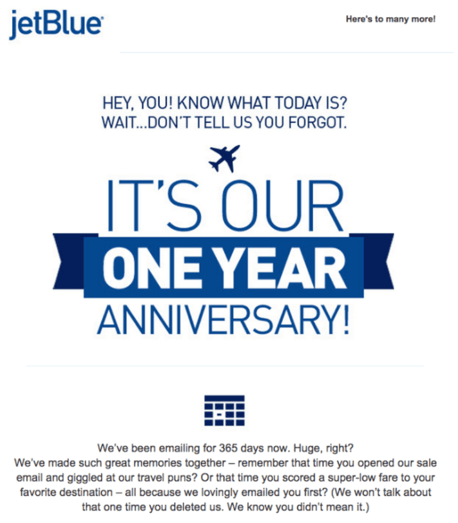
4. SEO: Moz’s case study for Pipedrive, a sales CRM
Using a content marketing strategy that included content creation, outreach, and guest posting, Pipedrive, a sales CRM, was able to rank #1 for a high-volume keyword — “sales management” (9,900 search volume). They were able to outrank many competitors and even US News and Wikipedia. They published their strategy on Moz.
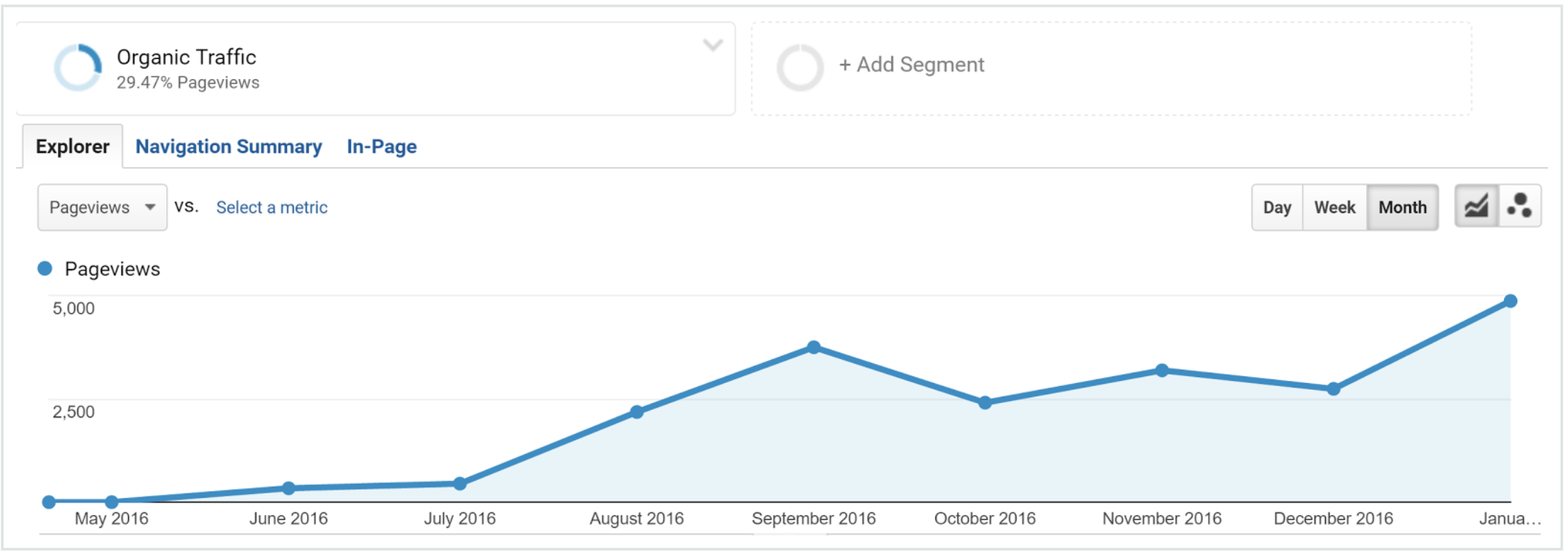
5. SEO: Brian Dean’s YouTube strategy
Brian Dean, an SEO expert and the creator of BackLinko, uses SEO tactics to rank #1 on YouTube for keywords like “on page SEO” and “video SEO”. Initially, Dean admits his YouTube account struggled to get any views.
Employing SEO methods like keyword optimization has enabled Dean to rise to #1 on YouTube for search results related to his business. He published his full strategy on Backlinko.
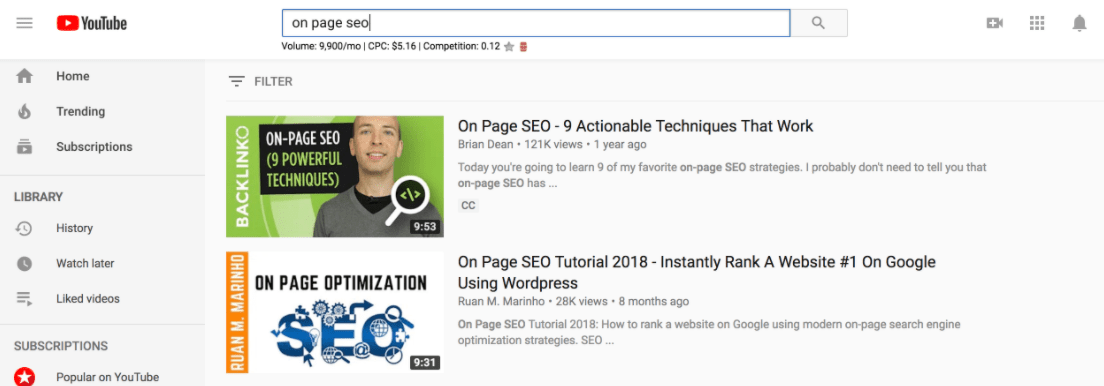
6. Web Design: AccessAble
AccessAble, an information provider for people with disabilities in the UK and Ireland, hired Agency51 to implement an SEO migration strategy to move AccessAble from an old platform to a new one.
By applying 301 redirects to old URLS, transferring metadata, setting up Google webmaster tools, and creating a new sitemap, Agency 51 was able to successfully transfer AccessAble to a new platform while keeping their previous SEO power alive.
Additionally, they were able to boost visitor numbers by 21% year over year, and the site restructuring allowed AccessAble to rank higher than competitors. Their case study is available on SingleGrain.com.
More Internet Marketing Examples:
- 19 of the Best Email Marketing Campaign Examples We’ve Ever Seen [+ Template]
- 5 Real Examples of Engaging Social Media Campaign Ideas
- The Best of B2B Marketing Content: 10 Examples
Top Online Marketing Tools
- HubSpot
- Buzzsumo
- Canva
- GTmetrix
- Ahrefs
- Buffer
- Facebook Insights
- SocialRank
- Trello
- Crazy Egg
- Google Keywords Planner
Whether you’re a seasoned marketer, or just starting out, there are plenty of tools available to help build your brand’s audience, including:
1. HubSpot
Ultimately, your internet marketing strategies will work best if you incorporate inbound marketing methodology. First and foremost, you want all your online content to add value to your customers”s lives. This is the only way you’ll attract quality leads and build deep relationships with your online community for the long-term.
2. Buzzsumo
We love Buzzsumo because it can help you analyze what content performs best for any topic or competitor. Buzzsumo can report important metrics such as social shares, backlinks, and which influencers are sharing certain pieces of content.
You can also find influencer reports that give insight if you’re looking for a micro influencer to promote your brand.
3. Canva
Canva makes designing infographics and materials for print, blogs, and social media simple, even if you don’t have much experience with graphic design. Its user interface is easy to navigate and includes thousands of customizable templates you can redesign to fit your brand’s aesthetic.
4. GTMetrix
This application tests your website’s performance, particularly its speed. If your website takes too long to load, you run the risk of deterring potential customers or clients from your brand. With GTMetrix, you can measure how long your website takes to load and what areas of performance need to be improved.
5. Ahrefs
Ahrefs is my favorite tool for finding the right keywords for optimizing my content. They offer tools for tracking keyword performance, analyzing your competitor’s keywords, web traffic, and more. One of my favorite features has been the “content gap” tool, which shows the keywords our competitors rank for that we don’t.
6. Buffer
Posting multiple pieces of content across several different platforms can be overwhelming. Fortunately, applications like Buffer allow you to draft and schedule posts across multiple social media channels, such as Facebook, Instagram, Twitter, and Pinterest.
Furthermore, Buffer also offers social media reporting and functionality monitoring so you can track how your content is performing.
7. Facebook Insights
When I was a journalist, Facebook Insights played a key role in tracking how my articles performed. With a Facebook Insights dashboard, you’ll be able track user behavior and post performance on your Facebook Business Page.
This tool also reports important metrics like page views and post reach for paid and organic posts. It even recommends competitor pages to monitor.
8. SocialRank
SocialRank is an online tool that helps you manage your followers on Twitter and Instagram. SocialRank offers a range of filters to better analyze your follower count. It can also search for new followers, get leads, and more.
9. Trello
As your business grows, so will its output and the projects it takes on. Therefore you’re going to need a tool like Trello that will help you manage it all.
With Trello, a project management tool, you can put all your team’s projects in one customizable space that can grow as your company grows. You can use Trello to conduct growth experiments, sales pipelines, and product feature road maps.
10. Crazy Egg
Crazy Egg is a website optimization software that offers A/B testing, heat mapping, and usability testing tools. We love its A/B testing tool because it allows you to test variations of every page on your website. All you have to do is copy one snippet of code to the pages you want to test.
You don’t need coding experience to use Crazy Egg, as the software is user friendly to marketers at all levels.
11. Google Keywords Planner
If you struggle with finding the best keywords for your website, Google Keywords Planner is an excellent tool for you.
By putting in one keyword, multiple keywords, or even your website address into Keyword Planner, Google will show a list of related keywords along with simple metrics.
These metrics will gauge the competition around each keyword and how many searches it gets on both a global and local search level.
Ultimately, your internet marketing strategies will work best if you incorporate inbound marketing methodology. First and foremost, you want all your online content to add value to your customers’ lives. This is the only way you’ll attract quality leads and build deep relationships with your online community for the long-term.


11 Conversion Copywriting Tips that Grew Our Revenue by 240%, According to Lately’s CEO
As marketers, we write copy daily: For landing pages, social media posts, email newsletters, you name it.
And this content isn’t just supposed to sound pretty — it’s also supposed to be powerful enough to convert visitors into sales. In fact, as of 2022, over 60% of marketers measure the success of their content through sales. That’s no small feat.
If you’re stuck in a writing rut or unsure how to use conversion copywriting to increase sales, you’re in luck. Here, I sat down with Lately’s CEO, Kate Bradley Chernis, to discuss the 11 tips that enabled her and her team to grow monthly recurring revenue by 240%.
But first — what is conversion copywriting, anyway?

What is conversion copywriting?
Simply put, conversion copywriting is copy with the ultimate goal of converting readers into buyers.
Conversion copywriting uses engaging and persuasive language to motivate readers to take a specific action.
Typically, the goal with conversion copywriting is to encourage readers to purchase a product or service. However, conversion copy can be used at all stages of the buyer’s journey, so conversion copywriting might be leveraged to inform buyers’ of their pain points, encourage them to sign-up for newsletters or future offers, or simply increase brand awareness.
Conversion copywriting ultimately falls under the broader topic of website conversion rate optimization (CRO) — or leveraging your website to effectively convert users across your homepage, blog, pricing page, and more.
There’s a difference between conversion copywriting and SEO copywriting. As Chernis puts it, “As a startup founder, I’m in the business of turning customers into evangelists — because evangelists work for you for free. SEO is never going to get me there. Besides, SEO is reliant on you, the search engine user, to take all the action. But with conversion copywriting, I’m driving the conversation and have complete control over where it goes.”
SEO and conversion copywriting can coincide, but the biggest distinction is the goal you’ll have in-mind when creating the content: SEO copy is copy written with the intent of getting on page one of Google. Conversion copy, on the other hand, is written with the intent of keeping readers’ on-page once they find your content.
Consider, for instance, the following LinkedIn post by Chernis:
The piece uses engaging and active language to encourage viewers to join one of Lately’s live video Office Hours. While the content might not pass an ‘SEO-optimized’ test, it doesn’t need to — on social media, it’s more about standing out from the crowd through authentic, creative content.
Next, let’s dive into some of Chernis’ favorite copywriting tips, followed by a few impressive examples of conversion copywriting for inspiration.
11 Conversion Copywriting Tips, According to Lately’s CEO
1. Write like a boss.
The first – and perhaps most important — rule Chernis told me is to write with confidence.
She encourages writers to avoid words like need, think, just, probably, maybe, and possibly. Instead, be direct with your writing and ensure you’re getting your point across without superfluous details.
In the examples below, you’ll notice that the brands and influencers we’ve highlighted do a fantastic job of writing with confidence. Consider Uber, for instance — the car-sharing app’s homepage reads: “Get in the driver’s seat and get paid.” It doesn’t read, “Consider getting into the driver’s seat, and you just might get paid.” It’s direct, firm, and assured.
Confidence is key to making you feel empowered to write directly to your readers and encourage them to take action, without offering apologies or excuses.
2. Remove the phrase ‘check out’ from your vocabulary.
I’ll admit: I’m as guilty of this as anyone.
It can be incredibly easy to write ‘Check out’ when you’re encouraging readers to click on a link or read a blog post, but Chernis suggests using stronger action verbs instead to communicate the value of what someone will get by completing your CTA.
For instance, consider the difference between the CTA link “Check out how to optimize your landing pages here” and “Optimize your landing pages here”. The second one is much stronger, and likely more effective.
3. Don’t bury the lede.
As writers, it can be tempting to create beautiful, long-winded introductions full of humor and imagery and metaphors. But as conversion writers, it’s best to get to the point.
Chernis told me, “There’s something about this ‘warming up to the point’ that we all suffer from, an incessant over-intro’ing. Some of it is out of politeness, but ultimately, you want to be direct and get to that point, lickety split.”
4. Use negative calls-to-action instead of positive ones.
Chernis says, “The bad kid in all of us responds to this tactic.”
Consider how you might leverage negative calls-to-action instead of positive ones — for instance, rather than writing, “Remember to follow these rules”, try “Don’t forget to follow these rules.”
Negative calls-to-action work particularly well for B2C brands. As an avid online shopper myself, I can attest: Seeing ‘Don’t miss out on 10% off’ or ‘Don’t forget to purchase’ is often all the encouragement I need to buy.
5. Leverage ‘why’ and ‘because’.
Whenever possible, aim to use ‘why’ and ‘because’ to posit interesting, thought-provoking, open-ended questions and encourage your viewers to keep reading to find out the answer.
As Chernis explains in her copywriting course with HubSpot:
- ‘Why’ wants to be resolved; the reader expects ‘because’.
- ‘Because’ resolves the ‘why’ and triggers reason, which is an ingrained cue for trust — key for compelling CTAs.
- ‘Because’ at the start of the sentence creates pause.
- ‘Why?’ gets the bonus visual of a question mark.
Consider the HubSpot blog post title, ‘Why your brand needs a strong visual identity’ — for some, this unresolved question will be enough to get them to click.
6. Use the royal we/you.
As Chernis told me, using ‘I’ too often can signify selfishness in a brand. By contrast, using ‘we’ and ‘our’ implies inclusivity and trust, and ‘you’ signifies empathy.
Take a look at the difference between “In this post, I am going to demonstrate five examples of copywriting” versus “In this post, let’s explore five examples of copywriting” or “In this post, we’ll explore five examples of copywriting.”
Feel the difference?
7. Read what you write out loud.
Oftentimes, one of the easiest ways to catch awkward or cumbersome writing is by reading it out loud. Reading your content out loud can help ensure you sound authentic, natural, and human.
Additionally, Chernis encourages writers to seek out different ways to say the same thing by leveraging synonyms. She says, “How can you say the same thing differently and do it in a way that cuts through the noise? We all get lazy, but as conversation copywriters, this is our challenge. Find a more interesting way. Open the thesaurus. And don’t just pick any other word; it has to be the right word.”
8. Write with your eyeballs.
When writing for conversion, consider how your writing looks on the page. Many prospects and visitors will skim through your content, so you want to make that easy for them to do.
Leverage spacing, numbers, exclamation points, question marks, percent signs, emojis, and more to make your content as digestible as possible.
9. Do unto others.
As Chernis puts it, “Having compassion is key. Don’t forget that the person on the other end is a busy, stressed human like you. Take the time to ensure that what you want to communicate will be understood as you intend it.”
Reading out loud is one effective strategy to ensuring your writing conveys empathy. Additionally, put yourself in the reader’s shoes often and ask yourself, ‘Would I click this link?’ ‘Would I find this helpful?’ ‘Would I enjoy this content?’
If you’re not passionate about it, your readers won’t be, either.
10. Write with a clear objective.
Conversion copywriting is different from other types of writing in one key way: You want people to take action as a result of your writing.
Which is why Chernis encourages writers to identify what action you want readers to take, and then work backwards from it.
For instance, on social media, Chernis says there are only two objectives: conversion (click) and reach (share). She says to get readers to share your content, you’ll want to appeal to their ego.
As she puts it, “Reshares are all about ego and the person sharing that content — so make those people look smart and interesting, and they’ll share your content; that’s why Gary V. will write ‘Be nice to others’ and everyone shares it … you want to give people something that will make them look cool to others.”
Additionally, Chernis told me the second action — click — always works with How-Tos and tactical content.
11. Dog-food your own marketing.
Finally, Chernis says successful conversion copywriting is about encouraging employees to share your message on social.
She says, “First and foremost, all of my employees are social beasts. That is a must. We also broadcast all of our Lately branded content on each of their personal social channels, because together, we’re stronger. We even have a Slack channel called #sharingiscaring, where every time someone evangelizes us on social, we drop the link in that Slack channel and my entire team is expected to boost it with likes, comments and re-shares. I might even share those links with other Slack groups or with my investors … because I’m an army of one. I rely on the help of other people.”
Chernis adds, “If your employees aren’t following and sharing your message, you’ve got bigger problems. They should be your biggest fans.”
How Lately Achieved 240% Monthly Recurring Revenue Increase from Copywriting Alone
When I spoke with Chernis about her copywriting tips, I was also curious about the results of her conversion copywriting efforts. Does conversion copywriting actually matter all that much to a business’ bottom line?
Turns out, it does. For Lately, conversion copywriting alone led to a 240% increase in monthly recurring revenue, and a 98% sales conversion rate.
Wondering how?
Chernis told me she does one public speaking or guest post every single day. When she’s done, she asks for the file and uploads the file into Lately, which uses artificial intelligence to transcribe the text and pull out one-liners that the AI knows will get the highest re-shares, likes, and comments.
Chernis says, “We don’t do any paid ads, cold calls, or cold emails. Instead, we repurpose all our content to the nth degree. Lately’s AI picks out which bits will get us the most likes, shares, and comments — it knows what our targets want to read, watch, or hear. We then consider those folks ‘warm leads,’ we either qualify or disqualify, and by the time we get them into a demo, we have that 98% sales conversion rate because those leads are hot.”
Ultimately, she told me you can do something similar even without the use of AI. It would just take longer, and you’d have to guess which bits to highlight.
The key is persistency and amplification of each branded message.
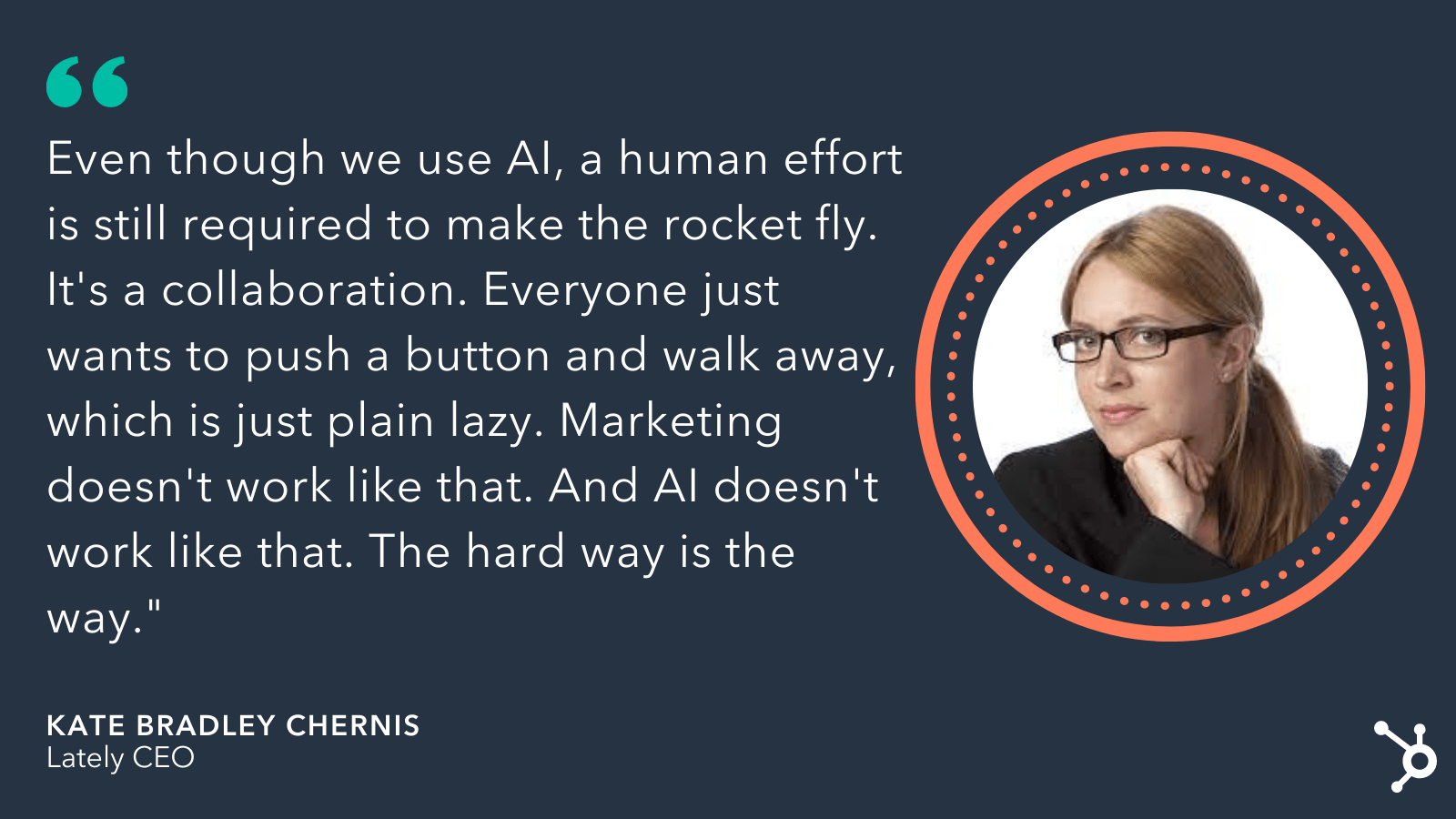 Next, let’s dive into some conversion copywriting examples.
Conversion Copywriting Examples
1. Spotify
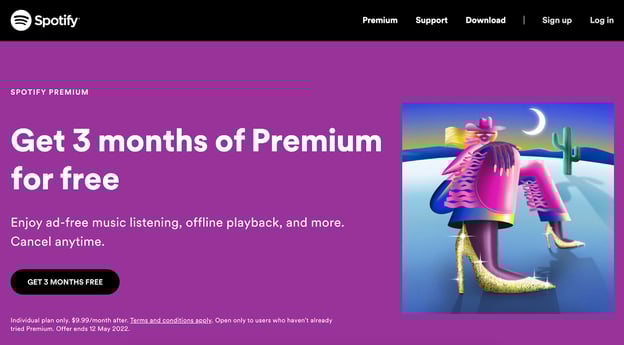
Direct, and to the point.
Spotify sure doesn’t bury the lede with this one: “Get 3 months of Premium for free.” You know exactly what they want you to do (sign-up) and you know exactly what you’ll get for completing the request (3-months free). The focus is on you, the reader. This is an actionable, assertive, powerful example of strong copywriting.
2. Black Girl Sunscreen
Start-to-finish, this caption is fun, engaging, and personal. It’s concise, but uses playful phrases (i.e. “no mess, no stress”) to connect with Instagram followers.
Additionally, this is an effective example of ‘writing with your eyeballs’. The caption is easily digestible, using sun emojis as bullet points and an arrow to draw attention to the “Available Now” CTA.
3. Ann Handley
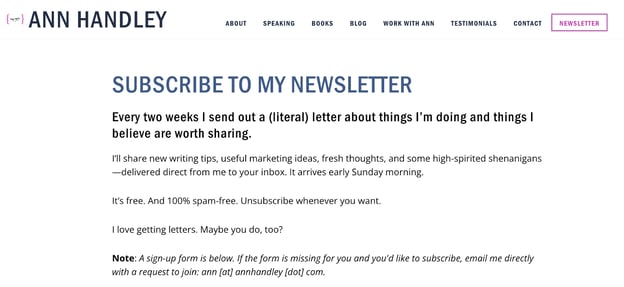
Master-marketer/writer Ann Handley is no stranger to strong conversion copywriting. For instance, her newsletter subscription page is concise and informative: Telling you exactly what you’ll get in her newsletter, and even offering an empathetic “Unsubscribe whenever you want” — signaling Handley took the time to understand any concerns her readers might have when signing up.
4. Uber
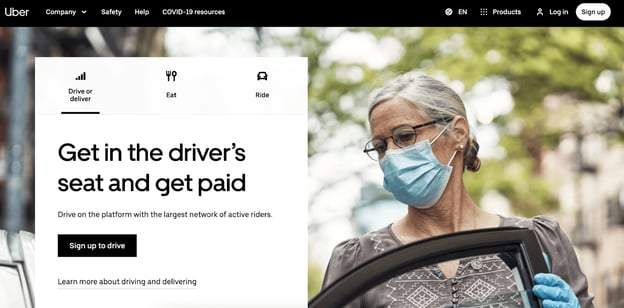
I love this conversion path from Uber’s homepage: “Get in the driver’s seat and get paid.” The content doesn’t waste time on any benefits beyond the major one: financial gains as a result of signing up to drive for Uber.
Plus, Uber is smart enough to know why most prospects visit their website — to become a driver, explore Uber Eats, or get a ride – so they don’t waste their readers’ time on superfluous content.
5. Kate Bradley Chernis
Here, Chernis shows an authentic, human side while asking her LinkedIn followers to take action. In particular, notice how Chernis uses negative calls-to-action, i.e. “Learn what not to do” and “Plus all the reasons not doing it are costing you” to effectively convey her message and convince followers to join the live webinar.
Now, it’s your turn.
It’s time for you to take these tips to bring your conversion copy to the next level. The end result is glorious: higher sales, better revenue, more customers, and through-the-roof conversions. It’s up to you to produce the content that will make this happen.



How to Use the Weighted Average Formula in Excel
When you’re calculating the average for a set of values, you’re generally working with values that have the same weight and importance.
But what happens if some values weigh more than others? This is where the weighted average formula comes in.
![Download 10 Excel Templates for Marketers [Free Kit]](https://no-cache.hubspot.com/cta/default/53/9ff7a4fe-5293-496c-acca-566bc6e73f42.png)
In this article, we will break down how to use this formula in Excel, plus provide some examples.
How to Calculate Weighted Average in Excel
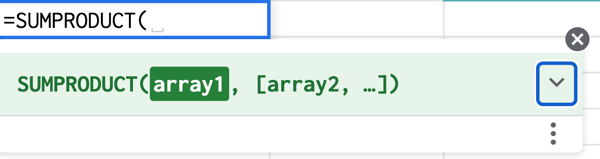
To calculate the weighted average in Excel, you must use the SUMPRODUCT and SUM functions using the following formula:
=SUMPRODUCT(X:X,X:X)/SUM(X:X)
This formula works by multiplying each value by its weight and combining the values. Then, you divide the SUMPRODUCT but the sum of the weights for your weighted average.
Still confused? Let’s go over the steps in the next section.
Using SUMPRODUCT to Calculate Weighted Average in Excel
1. Enter your data into a spreadsheet then add a column containing the weight for each data point.

2. Type =SUMPRODUCT to start the formula and enter the values. 
3. Click enter to get your results.

How to Find Weighted Moving Averages in Excel
A weighted moving average is a technique used to keep the time period of the average the same as you add new data or give more weight to certain time periods. This can allow you to identify trends and patterns more easily.
For instance, say you have the number of views your website got in the last five days, you can easily determine the average views in a five-day period.
Now, say the next week, I ask for the five-day average, you would use data from the last five days, not the original five days from the previous week.
As such, you’re still relying on the same time period but updating the data to generate the moving average.
For a weighted moving average, you give more weight to certain time periods than others. You may say that day 5 weights 60% with the remaining percentages decreasing by day.
As such, you’ll need to manually calculate this formula.
WMA = [value 1 x (weight)] + [value 2 x (weight)] + [value 3 x (weight)] + [value 4 x (weight)]
Once you get the hang of it, using the weighted average formula is easy. All it takes is a little practice.


30 Google Sheets Shortcuts Marketers Need to Know
As a marketer, you already know you love Google Sheets for storing data, tracking performance metrics, and creating collaborative reports. But are using the full arsenal of Google Sheets shortcuts available to streamline your workflow and save valuable time?
Whether you’re experienced with Google Sheets or you’re just getting started, you’ll be happy to know there are many simple and time-saving Google Sheets keyboard shortcuts at your disposal.
Keeping track of the numerous keyboard shortcuts may sound daunting but, luckily, I’m here with a list of Google Sheets shortcuts you can bookmark and return to again and again.
![→ Access Now: Google Sheets Templates [Free Kit]](https://no-cache.hubspot.com/cta/default/53/e7cd3f82-cab9-4017-b019-ee3fc550e0b5.png)
30 Google Sheets Keyboard Shortcuts
1. Select column
Ctrl + Space (PC and Mac)
2. Insert columns to the left
Alt + i, then C (PC), Ctrl + Options + i, then C (Mac)
3. Insert columns to the right
Alt + i, then O (PC), Ctrl + Option + i, then O (Mac)
4. Select row
Shift + Space (PC and Mac)
5. Insert rows above
Alt + i, then R (PC), Ctrl + Option + i, then R (Mac)
6. Insert rows below
Alt + i, then W (PC), Ctrl + Option + i, then B (Mac)
7. Select all
Ctrl + A (PC), Command + A (Mac)
8. Fill range
Ctrl + Enter (PC), Command + Enter (Mac)
9. Fill down
Ctrl + D (PC), Command + D (Mac)
10. Fill right
Ctrl + R (PC), Command + R (Mac)
11. Save
Ctrl + S (PC), Command + S (Mac)
12. Open
Ctrl + O (PC), Command + O (Mac)
13. Paste values
Ctrl + Shift + V (PC), Command + Shift + V (Mac)
14. Insert new sheet
Shift + F11(PC), Shift + Fn + F11 (Mac)
15. Insert time
Ctrl + Shift + ; (PC), Command + Shift +; (Mac)
16. Insert date
Ctrl + ; (PC) , Command + ; (Mac)
17. Insert date and time
Ctrl + Alt + Shift + ; (PC), Command + Option + Shift + ; (Mac)
18. Format as decimals
Ctrl + Shift + 1 (PC and Mac)
19. Format as time
Ctrl + Shift + 2 (PC and Mac)
20. Format as date
Ctrl + Shift + 3 (PC and Mac)
21. Format as currency
Ctrl + Shift + 4 (PC and Mac)
22. Format as percentage
Ctrl + Shift + 5 (PC and Mac)
23. Clear formatting
Ctrl + \ (PC), Command + \ (Mac)
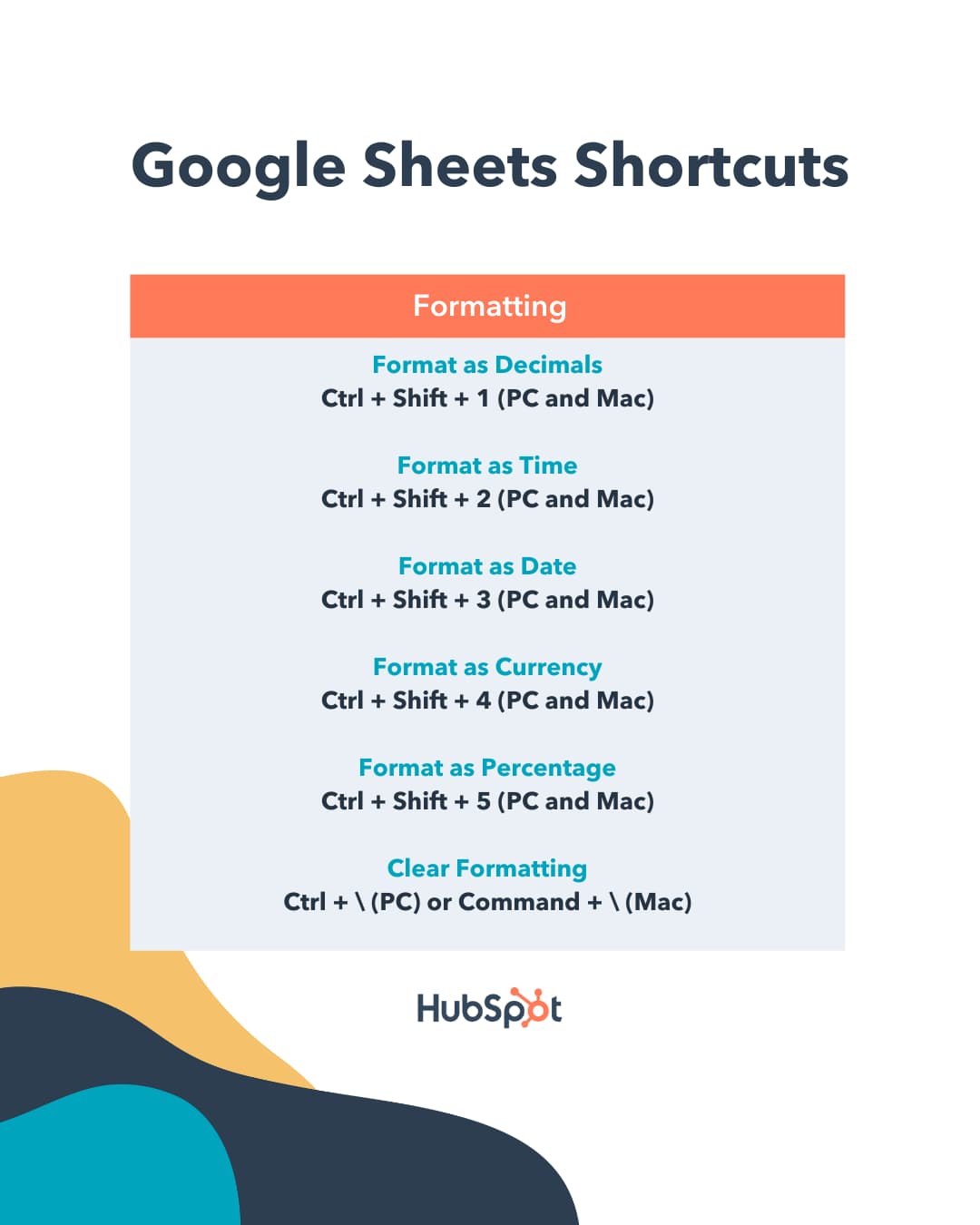
24. Show all formulas
Ctrl + ~ (PC and Mac)
25. Insert array formula
Ctrl + Shift + Enter (PC), Command + Shift + Enter (Mac)
26. Collapse an expanded array formula
Ctrl + E (PC), Command + E (Mac)
27. Show/Hide Formula Help
Shift + F1 (PC), Shift + Fn + F1 (Mac)
28. Full Compact Formula Help
F1 (PC), Fn + F1 (Mac)
29. Absolute/relative references
F4 (PC), Fn + F4 (Mac)
30. Toggle Formula
F9 (PC), Fn + F9 (Mac)
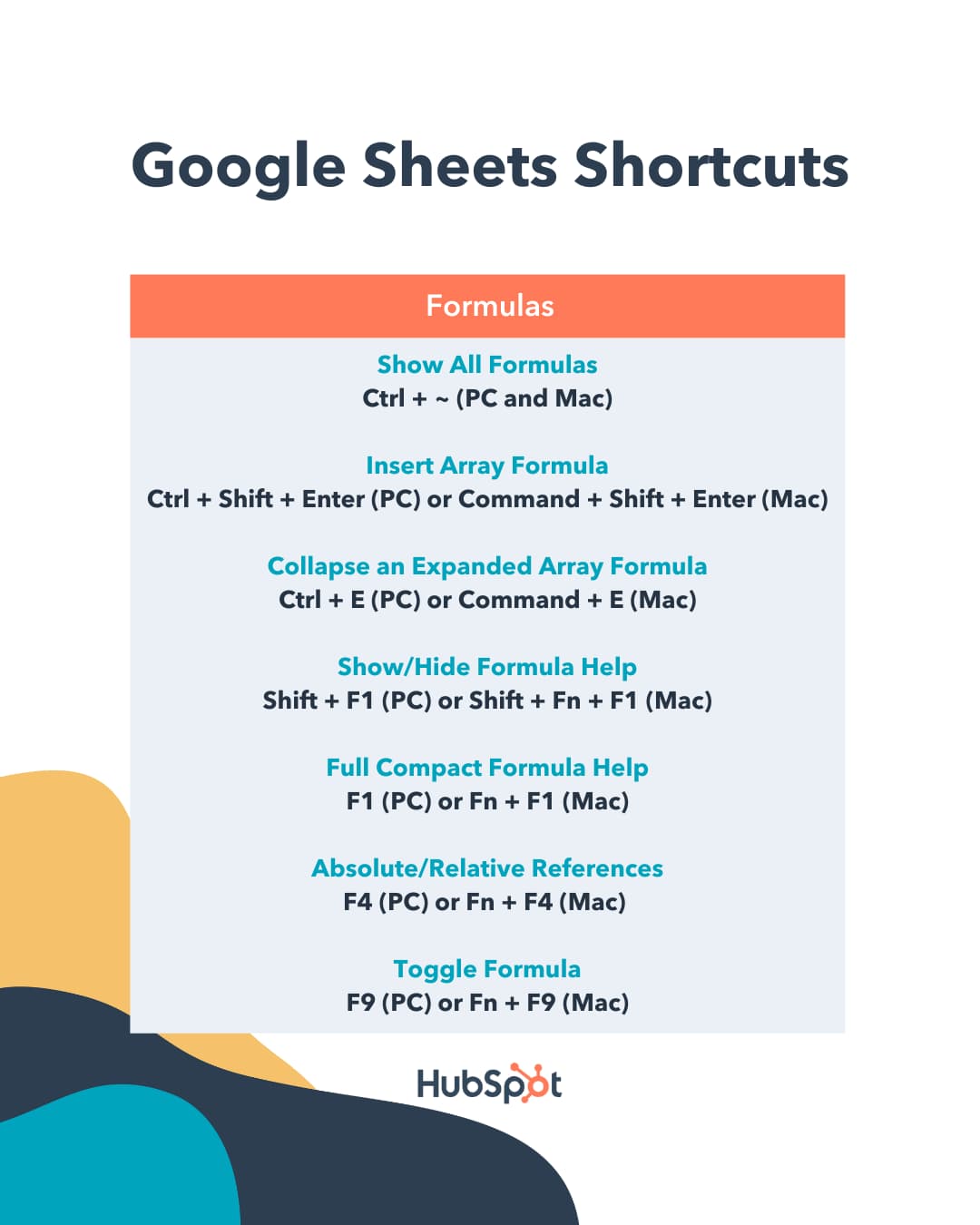
An Alternative to Google Sheets Custom Keyboard Shortcuts
In the past, Google Sheets custom keyboard shortcuts were an option users could perform to customize their shortcuts in a way that suited them best. However, nowadays custom keyboard shortcuts in Google Sheets are not an option.
But don’t worry! Another feature that can help you further streamline your work in Google Sheets is the ability to use compatible keyboard shortcuts from other digital spreadsheets, like Excel, in Google Sheets.
To do this, press Ctrl + / then click the button next to “Enable compatible spreadsheet shortcuts.”
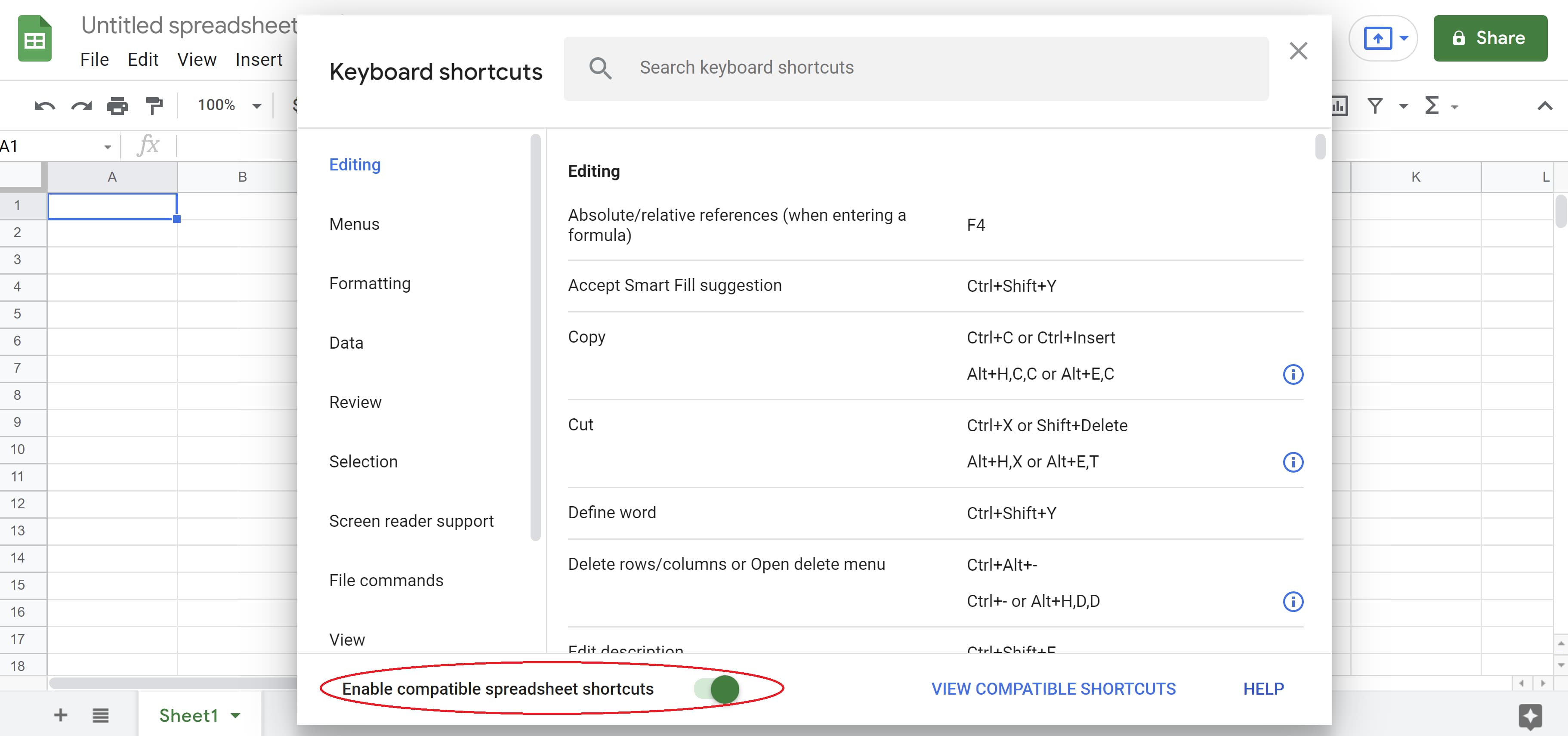
Afterward, you’ll have more than 100 new keyboard shortcuts you can use to record and sort your data in Google Sheets.
Work Smarter, Not Harder, with Google Sheets Keyboard Shortcuts
Keyboard shortcuts allow you, as a busy marketer, to streamline your workflow and cut down on the time it takes to record and sort data in Google Sheets. Best of all, these shortcuts are easy to implement whether you’re on a Mac or PC.
Not only will these time-saving shortcuts make data recording more convenient, they’ll also allow you to spend more time focusing on other tasks —because, let’s face it, a marketer’s work is never done.

How to Prevent Click Fraud
When it comes to business, the old adage “You’ve got to spend money to make money,” couldn’t be more true. Aside from the financial outlay to develop your product and manufacture it, and all the overhead that comes with owning a business, you are responsible for marketing your product so the public knows that your product exists.

You’ve set aside some marketing dollars to spread awareness and attract people to your brand and your website. You’ve looked into a variety of advertising options, and determined that pay-per-click (PPC) advertising is a sound way to spend your marketing budget. After all, you only pay when users click on your ad, so you only pay to advertise to people who are at least mildly interested in what you offer.
PPC advertising can provide a healthy return on investment – unless you become the victim of click fraud. By understanding what click fraud is, and being aware of the tools that are available to protect yourself and your investment, PPC can be an excellent choice to market your business.
What is click fraud?
Click fraud happens when a person or a bot clicks on an ad, button, or hyperlink to trick the platform into thinking there is more interaction than there actually is.
With PPC advertising, click fraud can happen for one of two reasons:
- The website owner who is hosting the ad will click on the link repeatedly to increase the amount of money the business must pay them.
- A company’s competitor may employ click fraud to divert from the business’s marketing budget.
Interestingly enough, sometimes it’s the business itself that will engage in click fraud. Search engines like Google rely on the click-through rate – how many people have visited a site because of a certain link – to determine search rankings. Sometimes, a business owner will attempt to scam the system, inflating the number of clicks through click fraud and moving up the search engine ranks so that more actual users will find and visit their page.
Any type of click fraud can be damaging to a business which is why you’ll want to protect yourself against this illegal practice.
What is a click bot?
You’ve likely heard of click fraud bots, but do you know how they operate? It’s estimated that bots comprise roughly 52% of all internet traffic. Harmful bots (like fraud bots) make up a large part of this number.
So what are click bots and what are they doing to our websites? Click bots are designed to carry out click fraud. They vary from relatively simple (access webpage and click on the desired link) to advanced (mimic the actions a human would take such as moving the mouse and clicking at uneven intervals). The more advanced a bot is, the more difficult it is to distinguish it from a legitimate user.
Rather than attempt to create hundreds of thousands of clicks from one device with a single IP address (this bot traffic would be immediately suspicious), bots are installed across many devices, often through malware. This means that the device owner is completely unaware that their electronic property is being used for nefarious purposes.
Bots aren’t always to blame for click fraud. Some scammers will employ people to manually perform click fraud. While it’s more difficult to recognize human fraud, it’s considerably less efficient than utilizing fraud bots.
Click Fraud Prevention
Instances of click fraud are not uncommon. A recent study from the University of Baltimore found that in 2020 click fraud cost marketers over $35 billion.
Search engines like Google have put practices in place to protect businesses from click fraud. These include:
- Automated detection systems built with machine learning and complex algorithms to keep ad platforms clean.
- Manual reviews when invalid activity is suspected or brought to their attention.
- Advanced research to uncover sources of invalid traffic and prevent them from entering their networks.
Knowing that Google is looking out for your business is great news, though it’s still important to be proactive to protect your business. The first step is creating ads that are more difficult for scammers to target. You can consider allocating more budget to social media ads that are less keyword-focused and therefore harder to search for.
You also have the option to be more targeted with your desired audience which will lessen your chances of encountering click fraud. Being more specific about the geographic locations your ads target and avoid can also provide an added layer of protection from click fraud.
Next, you can help prevent click fraud by keeping a close eye on your ads and your ad spend. The moment you suspect fraud, it’s time to jump into action. If you’ve detected fraudulent clicks coming from specific IP addresses, Google Ads will allow you to block these IP addresses.
Click Fraud Detection
While preventing click fraud is an admirable goal, it’s not always possible. Scammers have created highly advanced and indiscernible methods for perpetrating click fraud which is sometimes impossible for the average business to protect against.
Thankfully, there are a number of click fraud detection protection services available. Here are a few recommendations.
1. ClickCease
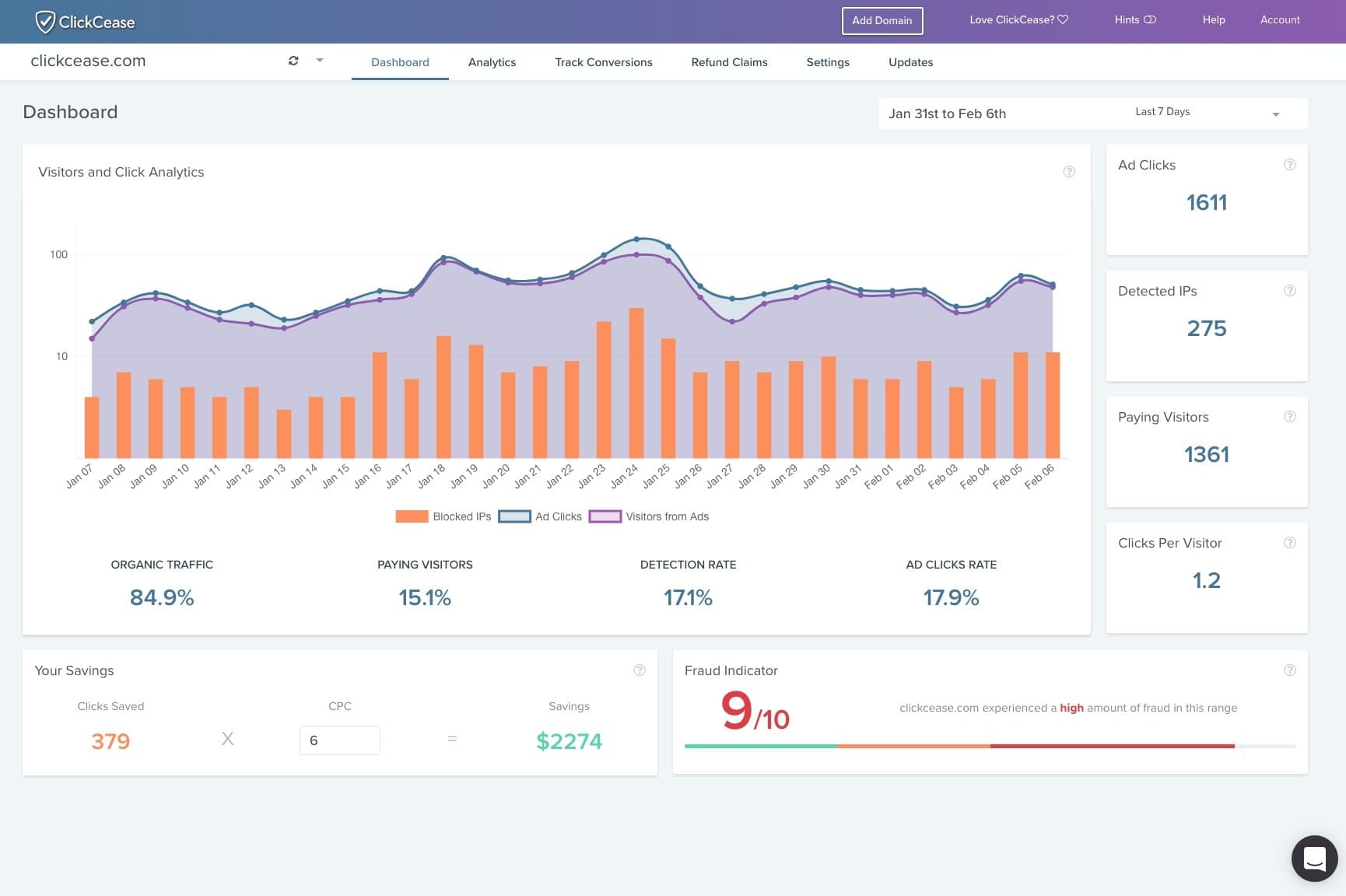
ClickCease blocks bot traffic from Google and Facebook ads before these clicks can impact your ad spend budget. Users can also create custom detection rules to provide the level of support their business needs.
Price: Standard Plan starts at $59 per month; Pro Plan starts at $79 per month
2. PPC Shield
PPC Shield offers holistic support to protect your Google Ads campaigns from fraudulent clicks. Notable features include instant blocking of suspicious IP addresses, detailed reporting, and a budgeting tool to help you allocate ad spend saved from click fraud prevention.
3. AppsFlyer
Looking for protection for your ads against mobile fraud? If so, the AppsFlyer fraud protection tool is worth looking into. This tool provides multi-layered protection against click fraud and has an extensive partner network to keep companies safe from emerging threats.
Price: Free with paid plans starting at 6 cents per conversion
4. Singular
Singular provides a comprehensive fraud prevention tool with a suite of features including iOS and Android click prevention, hyper-engagement detection, and geographic outliers to keep your ad placements safe.
Price: Free, with custom paid options available
5. ClickGUARD
ClickGUARD’s platform is a powerful click fraud prevention system. Offering a Google Ads shield to protect conversions and prevent invalid clicks and advanced bot detection, this tool identifies and prevents threats from targeting your ads.
Unfortunately, click fraud is a very real threat to your PPC advertising campaigns. While it has the potential to drain your budget and leave you short of your marketing goals, with the right protections in place, it’s still a viable option for your business. Investing in education and services to prevent click fraud is a worthwhile expense.


How To Improve Your Emails With a Handwritten Signature
Email is the darling of the marketing world, and for a good reason. With 99% of email users checking their inbox every day, it’s an excellent way to connect with customers.
However, the popularity of email marketing means you have to work harder to stand out among competitors. It’s not enough to just write great content. You have to make your emails feel personalized and look professional too.

We’ll show you how you can create a handwritten signature for your emails to give them an extra human touch.
Why You Need a Signature
Of the billions of emails sent and received every day, more than half of them are spam. As a professional, you want your emails to look trustworthy and credible so customers don’t discard them.
Creating a high-quality, handwritten email signature helps you build trust with customers. You can also use the signature to reinforce your brand identity, evoke professionalism, and add a personal touch.
You can create a handwritten signature in five straightforward steps. Let’s dive in.
1. Go to a signature maker website.
To create a handwritten signature, you need to use an online tool. The good news is that several websites like Signature Maker and Create My Signature digitize your cursive signature for free.
If you want your signature to match your brand colors and style, look for a tool where you can customize the thickness and color of your “digital pen.”
2. Select “Create My Signature.”
Once you go to Signature Maker or another tool, select the “Create My Signature” button.
If you use another online signature maker, you might be given the option of typing or drawing your signature. Select the “draw signature” option.
3. Specify your pen settings.
On the electronic signature maker page, you have two customization options for your pen: width and color.
Use the numbers to select the pen width. Higher numbers generate thicker lines. Then, you can choose a pen color.
The tool has three categories for colors: basic, saved, and advanced. If you can’t find the right color in the basic selections, you can use the advanced tab to select your color and adjust lightness and saturation.
In general, it’s best to use a black pen or choose a color that matches your branding. When using a color that fits your brand, ensure that it’s easy to read on a computer.
4. Draw signature.
Once you have the settings customized to your liking, draw your own signature using your mouse. If you’re on a touch screen device, you can also use your finger or stylus pen.
You can use the “Clear” button to start over if you don’t like your drawing or want to change your pen settings.
Learning how to do a signature with your mouse or trackpad can be challenging, so you can always try on a touch screen device or generate a cursive signature using handwritten fonts.
5. Save and download your handwritten signature.
When you have a handwritten signature that you’re happy with, click “Save.” You’ll then see a button that says “Download Signature.” Click the download button to save your digital signature as an image file (.png or .jpg format).
Your downloaded image will have your personal signature against a transparent background. That way, you can add it to emails and even use it to electronically sign PDF documents.
How To Add Your Handwritten Signature to Emails
Now that you have a file with the image of your signature, it’s time to add it to your emails.
Option 1: Create an Email Signature Using a Professional Template
If you want a more professional signature with more formatting options and social media icons, you can create one using HubSpot’s free Email Signature Tool.
Before you get started, you’ll need to upload the image file with your handwritten e-signature to Dropbox or Google Docs to get the image URL.
Once that’s done, navigate to HubSpot’s Email Signature Tool, and select a template on the left-hand side.
Use the second tab to enter your signature details, including your name, job title, and contact information.
Then, navigate to the fourth tab, with the picture icons, to upload a custom image.
Go to your Dropbox image and click on “Copy URL” to get the link to your digital signature image. Paste the link under “Profile Picture” on HubSpot’s tool to add your handwritten signature.
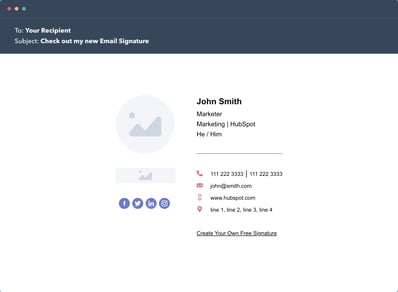
You can use the third tab, with the paintbrush icon, to change the theme and colors of your signature to match your brand.
Once you have the perfect signature, select “Create Signature” to fill out your information and download your new email signature.
Option 2: Using Your Email Client Signature Settings
Since your signature file has a transparent background, you can upload and insert it as an image in your custom signature using your Gmail or Microsoft email settings.
Make sure you resize the image manually or use the “small” size to ensure the signature image isn’t too big.
Final Thoughts: How To Create a Handwritten Signature for Your Emails
Email marketing is one of the best channels for reaching customers, and your competition knows it too. If you want to stand out, you have to pay attention to every element of your email, not just the content.
Using a professional template with a handwritten signature balances professionalism and personalization in a way that helps you stand out from the crowd.