Welcome to My Blog
The Ultimate Guide to Service Level Agreements (SLAs)
At many companies, it can feel as if there are 100 miles between sales and marketing. In a recent LinkedIn survey, 60% of global respondents believed that misalignment between sales and marketing could damage financial performance, yet there are a number of disconnects between the teams from strategy to process.
One of the most critical steps for aligning your sales and marketing efforts is creating a service level agreement (SLA). Traditionally, an SLA serves to define exactly what a customer will receive from a service provider. But SLAs serve internal operations as well, and sales and marketing agreements are among the most crucial.
.
Ultimately, a service level agreement is designed to create alignment between two parties by setting clear expectations and mitigating any issues before they happen. With that in mind, there are multiple types of SLA depending on your use case.
1. Customer Service Level Agreement
A customer SLA is just what it sounds like: an agreement by a vendor to deliver a certain level of service to a particular customer. Here’s a fun example:
In the TV show The Office, the company, Dunder Mifflin, supplies paper to various organizations. They might have a customer SLA stipulating that Dunder Mifflin will supply [Company X] with 50 reams of paper per month, shipped every Monday to [Address 1] and [Address 2] by Darryl Philbin — with a confirmation of delivery sent to Jim Halpert. (Sorry, we had a little too much fun with the references in that one.)
2. Internal Service Level Agreement
An internal SLA only concerns parties from within the company. While a business might have an SLA open with each of its clients, it can also have a separate SLA between its sales and marketing departments.
Let’s say Company X’s sales department has to close $5,000 worth of sales per month in total, and each sale is worth $100. If the sales team’s average win rate for the leads they engage with is 50%, Company X’s marketing director, Amir, can work with the sales team on an SLA, stipulating that Marketing will deliver 100 qualified leads to sales director, Kendra, by a certain date every month. This might include four weekly status reports per month, sent back to Amir by Kendra, to ensure the leads Kendra’s team is receiving are helping them keep pace with their monthly sales goal.
3. Multilevel Service Level Agreement
Multilevel SLAs can support a business’s customers or the business’s various internal departments. The point of this type of SLA is to outline what is expected of each party if there’s more than just one service provider and one end user. Here’s an example of a multi-level SLA in an internal situation:
Company X’s sales and marketing teams partner up on an internal SLA that delivers leads from Marketing to Sales every month. But what if they wanted to incorporate a customer retention strategy into this contract, making it an SLA between Sales, Marketing, and Customer Service?
After sales closes 50 new deals for the month, it’s Customer Service’s job to keep these customers happy and successful while using the product. In a multi level SLA, Company X can have sales director, Kendra, send monthly “customer friction” reports to Joan, the VP of service, based on dialogue the sales team has regularly with its clients. This helps the customer service team build a knowledge base that better prepares them for the pain points customers call them about.
You can learn more about customer service’s increasing role to business growth in the HubSpot Academy.

What does an SLA include?
The details of an SLA will differ among internal and external agreements. Nonetheless, there are common building blocks that each SLA should include, whether the recipient of the service is your customer or your sales team.
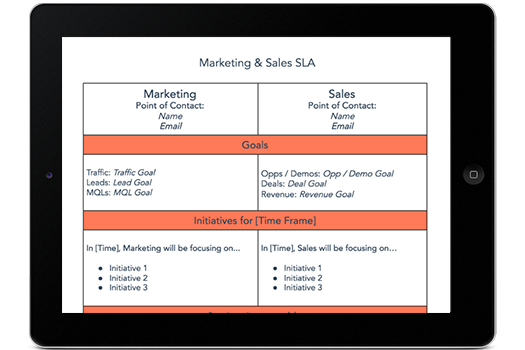
Featured Resource: Free Marketing & Sales SLA Template
 Download this Template
HubSpot’s Sales & Marketing SLA Template is the ideal resource for outlining your company’s goals and reaching an agreement between these two crucial teams. Download it now for free.
1. A Summary of the Agreement
The first item on your SLA should be an overview of the agreement. What service have you agreed to deliver to the other party? Summarize the service, to whom it’s being delivered, and how the success of that service will be measured.
2. The Goals of Both Parties
In external SLAs — those between a business and its customers — the goals stated in the agreement are primarily those of the customer. If this is your intention, work with your client to marry their needs with the abilities of your product, and come up with a measurable goal that your company can feasibly meet for the client on a regular basis.
Is this an internal SLA between your sales and marketing departments? Both teams should have their goals outlined in this section of the contract, while making sure that when Marketing hits its goal, Sales can reach its own goal as a result.
3. The Requirements of Both Parties
SLAs should include what each party needs in order to reach their goals. In agreements that serve a customer, keep in mind their needs might go beyond simply “the product.” They might need more than that to reach their goals — such as weekly consulting, reporting, and technical maintenance from you.
SLAs between sales and marketing teams should describe what they might need from the opposite department in order to help them hit their targets. Marketing, for example, might need weekly status reports on Sales’ pipeline so the marketers can adjust their lead-generating campaigns accordingly.
4. The Points of Contact
Who’s in charge of making sure each party’s goals are met? Sort out which team does what, and who talks to whom, in this section of your SLA. Is there a separate employee using the services, in relation to the employee who reports on performance every week? Make it clear who’s involved in the SLA, and how.
5. A Plan if Goals Aren’t Met
You might not want to think about it, but there should be formal consequences when a goal isn’t met as part of an SLA. Don’t freak out, though — these consequences aren’t always business-ending situations. Include a form of compensation to the service’s end user for when the service doesn’t meet their agreed-upon goals. In external SLAs, according to PandaDoc, this compensation can come in the form of “service credits.” Grab PandaDoc’s free SLA template here to find out more.
For Sales and Marketing SLAs, work with your sales team to establish a plan for how any lost revenue is to be made up as a result of an unreached sales quota. You might settle on a strike system that holds certain employees — in both Sales and Marketing — accountable for diagnosing and resolving issues of low performance.
6. The Conditions of Cancellation
Under what circumstances will your SLA be terminated? Whether your contract serves a customer or two internal departments, you’ll typically find yourself putting the SLA on the chopping block when it’s just not working. Maybe your goals have gone unmet for the last three months, or the current agreement simply doesn’t have buy-in from everyone involved.
Come up with formal conditions under which you’d cancel the current SLA in pursuit of, hopefully, a better SLA.
Examples of SLAs
While an SLA will be unique to your needs, here are some examples and templates that can give you an idea of what an SLA may look like.
1. HubSpot’s Marketing & Sales SLA Template
-1.jpeg?width=400&height=520&name=The%20Ultimate%20Guide%20to%20Service%20Level%20Agreements%20(SLAs)-1.jpeg)
As previously mentioned, HubSpot has a template for marketing and sales service level agreements. Instead of being overly complicated, the template provides straightforward, no-nonsense sections so that any party can skim at a glance.
What we like best: It’s laid out in a two-column style to easily denote which team is responsible for which activities and metrics. Having them side-by-side like this further underscores the goals of partnership and alignment.
How to Implement This in Your SLA
Simplicity is the key to recreating this SLA template. Whether you use HubSpot’s offering or create your own, effectively implementing this type of SLA means resisting the temptation to list out every possible outcome and instead focus on the big picture of goals, initiatives, and accountability.
2. Hivehouse Digital’s Marketing & Sales SLA Template
-4.jpeg?width=400&height=451&name=The%20Ultimate%20Guide%20to%20Service%20Level%20Agreements%20(SLAs)-4.jpeg)
This sales and marketing SLA template focuses heavily on metrics, making it a great choice for high-performance teams. The design relies on tables for easy information input and even comes with prompts/examples to help you define the agreement.
What we like best: The document is organized step-by-step, making it a great choice for teams without a formalized SLA process (yet).
How to Implement This in Your SLA
Implementing the Hivehouse model for your SLA means leaning into its step-by-step strengths. By breaking down SLAs into smaller and more manageable steps, there’s less chance of you and your team getting overwhelmed.
3. Lucidchart’s Marketing and Sales SLA Template With Examples
-2.jpeg?width=400&name=The%20Ultimate%20Guide%20to%20Service%20Level%20Agreements%20(SLAs)-2.jpeg)
Instead of going through the process of creating an SLA, this template organizes sections by the marketing and sales process itself, from goals to lead qualification, handoff, and nurturing.
What we like best: The template takes a visual approach with columns for marketing, sales, and shared goals. This makes ownership of deliverables crystal clear throughout the process.
How to Implement This in Your SLA
Seeing is believing in this type of SLA template. While the nitty-gritty details are there, this approach uses color and shape to highlight important categories and actions. If you’re planning to take this approach to your SLA, use color psychology and graphic design principles to create a visually appealing SLA.
4. AT&T’s Small Business Service Agreement Example
Here’s a real-world example in the wild. Not all SLAs are between marketing and sales teams or even other internal departments. Here’s an SLA that lays out a service agreement between AT&T and its customers, setting expectations for the engagement. They make this SLA publicly accessible for all their users.
What we like best: The agreement is plain and simple, leveraging bullet points to make each detail clear and understandable.
How to Implement This in Your SLA
AT&T’s real-world example highlights the importance of calling out what matters — in this case, by using bullet points. Applying the same approach to your SLA means distilling larger and more complicated outcomes into easily-understood snippets that don’t leave room for confusion.
-3.jpeg?width=650&name=The%20Ultimate%20Guide%20to%20Service%20Level%20Agreements%20(SLAs)-3.jpeg)
5. Microsoft Azure SLA Example for Cloud Services
As a service provider, Microsoft Azure also makes its SLA for customers public. The SLA uses bullet points to clearly identify its offerings and customer promises, which are unique depending on the plan and services rendered.
What we like best: The SLA is organized with headings for quick navigation to the offerings that are most pertinent, and information is kept concise with an optional “View full details” link.
How to Implement This in Your SLA
In-depth SLAs are naturally complicated, making it easy to get bogged down in the details despite best efforts to keep things simple. Microsoft’s example offers a streamlined approach to implementation: Call out the key details and then provide links to the full SLA text.
.jpeg?width=650&name=The%20Ultimate%20Guide%20to%20Service%20Level%20Agreements%20(SLAs).jpeg)
6. PandaDoc’s Multi-Page SLA Template
PandaDoc provides another option for provider/client agreements and is a great choice for more formal arrangements.
What we like best: This template makes for a clear and concise SLA with times, dates, and solid expectations.
How to Implement This in Your SLA
While this type of SLA leans more toward legalese with language like “whereas” and “therefore”, it has the advantage of a solid narrative structure to describe expectations. If you’re planning to implement something similar, consider using a template to speed up the process rather than starting from scratch.
-4.png?width=650&name=The%20Ultimate%20Guide%20to%20Service%20Level%20Agreements%20(SLAs)-4.png)
How to Make an SLA for Marketing and Sales Alignment
While SLAs are common between businesses and new customers, they can also improve internal alignment. When one exists between sales and marketing departments in particular, this agreement details marketing goals (like number of leads or revenue pipeline) and the sales activities that’ll follow and support them (like engaging leads that were qualified by the marketing team).
Both the sales and marketing departments use this document as a commitment to support each other based on concrete, numerical goals. And guess what? 87% of sales and marketing leaders say collaboration between sales and marketing enables critical business growth.
Now, if you don’t have a Sales and Marketing SLA in place, fear not: We’ve outlined how to create one below so that you can easily start aligning your sales and marketing teams.
To draft your SLA, you first need to align your Sales and Marketing teams around a shared set of goals — or, as we put it before, the harmonious “Smarketing.” This alignment can then dictate the creation of a written SLA that reflects these goals. Here’s how to create an SLA with “Smarketing” in mind:
1. Calculate a numerical marketing goal based on the sales team’s quotas.
As a marketing department, not only should you have a concrete goal for each campaign you run, but you also should have a high-level numerical goal that aligns with the sales team’s operations. At the end of the day, that’ll mean qualified leads and actual sales from those leads.
Salespeople are driven almost entirely by their sales quotas — the numerical goals that correlate with their compensation and job security. If Marketing commits to a similar, related numerical goal, it shows that the team is being held accountable in a manner similar to Sales. The trick, however, is to make sure your numerical goal can effectively power the sales team’s numerical goal.
In order to calculate the marketing side of your SLA, you’ll need the following four metrics:
- Total sales goal (in terms of revenue quota)
- % revenue that comes from marketing-generated leads (as opposed to sales-generated ones)
- Average sales deal size
- Average lead-to-customer close %
Then, it’s time to do some calculations:
- Sales quota x % revenue from marketing-generated leads = Marketing-sourced revenue goal
- Marketing-sourced revenue goal ÷ Average sales deal size = # of customers needed
- Customers ÷ Average lead-to-customer close % = # of leads needed
2. Segment your goals by specific intervals during the year.
It might also be a good idea to reevaluate the marketing side of the SLA each month, as a variety of factors can change the numbers used in your calculations over time. To do so, create a document that tracks your SLA calculations by month, which should include the following metrics:
- # of marketing-generated leads
- # of those leads that became customers
- Revenue from those closed customers
- Total revenue closed that month from marketing-generated leads only
- Total revenue closed that month
You will also need:
- The average sales cycle length
With the figures above, you can re-calculate the metrics you started with on a monthly basis, or at whichever interval suits your business — quarter, year, etc. Just make sure the same measure of time is used for both Sales and Marketing to maintain alignment. Have a look:
- # marketing-generated leads that became customers ÷ # marketing-generated leads = lead-to-customer close %
- Revenue from closed customers ÷ # of marketing-generated leads that became customers = sales deal size
- Total revenue closed from marketing-generated leads / total revenue closed = % revenue from marketing-generated leads
You could also take it one step further, and incorporate quantity and quality into these metrics. The above calculations provide you with a quantitative volume goal of marketing-generated leads. However, we know that not all leads are created equal, and as a result, some may be considered higher- or lower-quality than others.
For example, a decision-making executive might be a more valuable contact than an intern. If that’s the case, you can do the above analysis for each subset of leads, and set up separate goals for each type/quality level.
Want to take it even further? Measure in terms of value, instead of volume. For example, a CEO may be worth $100, for instance, while a director is $50, a manager is $40, and so on.
3. Calculate sales’ figures and their goals.
The sales side of the SLA should detail the speed and depth to which a salesperson should follow up with marketing-generated leads. When establishing this end of the SLA, consider these two sales statistics:
- Salespeople who follow up with leads within an hour are nearly seven times more likely to have meaningful conversations with a decision maker on the other end.
- However, only 7% of leads respond to a follow-up contact within five minutes after filling out a form.
Bottom line? Not all leads may be fit to send to sales immediately. They often need to meet some minimum level of quality, like reaching a certain activity level, which can only take place after being nurtured by Marketing.
Nonetheless, engaging a lead the short time after he/she converts is critical to maintaining a relationship with them — the question you have to answer is what that engagement should look like. Either sales or marketing should take action to start building that relationship, make nurturing easier, and set up the sales rep for success when she eventually does reach out.
Keep in mind this advice is futile if you don’t consider the bandwidth of your sales reps. Sure, in a perfect world, they’d make six follow-up attempts for each lead — in reality, though, they may simply not have enough hours in the day to do that. For that reason, you’ll also need to factor in the number of leads each rep is getting (based on the marketing SLA), how much time they spend on marketing-generated leads versus sales-generated leads, and how much time they have to spend on each one. If you’re looking to conserve time, some of the follow-up — email, in particular — could be automated, so look into options there.
4. Set up marketing SLA reporting.
Now that you have your SLA goals, it’s time to track your progress against that goal — daily.
To start, graph the goal line using this formula:
(1÷n x g)
Where n is the number of days in the month and g is your monthly goal.
That should determine what portion of your monthly goal you need to achieve each day. You’ll want to graph that cumulatively throughout the month and mark your cumulative actual results on the same chart. We call that a waterfall graph, and it looks something like this:
-2.png?width=400&name=The%20Ultimate%20Guide%20to%20Service%20Level%20Agreements%20(SLAs)-2.png)
5. Set up sales SLA reporting.
For the sales SLA reporting, you’ll have two graphs — one monitoring the speed of follow-up, and the other monitoring the depth of follow-up.
To graph the speed of follow up, you’ll need the date/time the lead was presented to sales, and the date/time the lead received her first follow-up. The difference between those two times equals the time it took for sales to follow up with that particular lead.
Take the averages of lengths of time it took for sales to follow up with all leads within a particular timeframe — day, week, month — and chart it against the SLA goal.
.png?width=650&name=The%20Ultimate%20Guide%20to%20Service%20Level%20Agreements%20(SLAs).png "speed-resized-600-2.png")
To graph the depth of follow-up — e.g., the number of attempts — look specifically at leads that have not been connected with, since the goal of the follow-up is to get a connection. For leads over a certain timeframe that have not received outreach, look at the average number of follow-up attempts made, and graph that against the SLA goal.
-1.png?width=650&name=The%20Ultimate%20Guide%20to%20Service%20Level%20Agreements%20(SLAs)-1.png "lead-attempts-1.png")
6. Communicate, celebrate, and address the achievement (or lack thereof).
Maintaining strong communication regarding how each team is performing on goals boosts transparency. If either team isn’t reaching their goals, addressing that confirms their importance, while celebrating hitting those goals can aid motivation.
If you’re not sure where to begin when it comes to setting these goals, check out our free Marketing & Sales Lead Goal Calculator, designed to help you determine and track the goals that will eventually become part of your SLA.
To ensure you’re getting the most from SLA creation, implementation and management, it’s worth aligning your efforts with industry best practices. Some of the most common include:
Define Realistic Goals
While promising the moon might seem like a good idea, things can quickly go off track when SLA outcomes aren’t met. As a result, it’s worth starting SLA creation with a brainstorming session that includes relevant stakeholders. Here, the goal is to define what you want to do, what you can do, and what you can reasonably offer.
Ensure Everyone is On Board
Next, make sure all relevant parties feel like their needs are being met with your draft SLA. Better to find out up-front that there are potential problems — and make proactive changes — than face pressure to scrap in-place service level agreements and start over.
Get Specific
Specificity is what makes SLAs work. For example, if you’re an IT service company drafting an SLA about uptime, the number of “nines” — 99.999 percent, 99.9999 percent, etc. — defines exactly how much uptime you’re agreeing to provide. Using specific terminology reduces the risk of conflict around SLA expectations by removing ambiguity.
Pinpoint Key Metrics
While specific SLAs are a solid starting point, you also need ways to effectively measure the success of your agreement. In the uptime example above, minutes of downtime per year are often used to determine if goals are being met. When it comes to marketing or sales, meanwhile, metrics could include leads generated, deals closed, or any other measurement that makes sense under your SLA structure.
Account for the Unexpected
Unexpected events — such as severe weather, staffing challenges, or sudden IT failures — can make SLA goals challenging to reach. As a result, it’s worth creating clauses that account for unexpected events. While there’s no way to predict exactly what will happen, and obligations remain to meet at least minimum standards, building in some breathing room for the unexpected is well worth the effort.
Double-Check the Details
Even small details matter. Consider the example above: While 99.999 percent uptime works out to just over 5 minutes of downtime per year, 99.9999 percent is 31 seconds. Here, a misplaced 9 could put your company on the hook for providing service levels that are almost impossible to reach. As a result, it’s worth getting your SLA double-checked by a fresh pair of eyes before moving forward.
Review and Revise as Needed
Service level agreements aren’t static documents. While they cover a set period and describe a specific set of actions, both provider and partner needs can change during that time. As a result, it’s worth building in the option for review part way through the SLA agreement period and conducting a full review when the contract is up to determine if changes are required.
One Last Step When It Comes to SLAs
When it comes to what should be in your service level agreement, there’s one final piece: Review these metrics on a regular basis to monitor your progress, and make sure both Sales and Marketing have access to the reports for both sides of the SLA.
This step helps to maintain accountability and transparency and allows for both teams to address issues — or congratulate each other on productive results.
Editor’s Note: The post was originally published in January 2019, but was updated in December 2019 for comprehensiveness.

Integrated Media Planning: What It Is and How to Adopt it In Your Marketing Strategy
A few months ago, while I was driving to the airport, I saw a billboard for Kim Kardashian’s company, SKIMS. A week later, I saw ads on Instagram, then a SKIMS segment on “Keeping Up With the Kardashians.”
I had one of those moments where I thought “SKIMS is showing up everywhere!” That’s because the company has an integrated media planning strategy.
A few months after these events, when I was shopping for shapewear for my wedding, guess what brand I thought of? (Spoiler alert: it was SKIMS.) That’s why, as a marketer, having an integrated media plan is important for your marketing strategy — below, we’ll dive into what it is, and how to adopt it in your marketing strategy.
Already know what you need? Jump there with this table of contents:
- What is integrated media?
- Integrated Media Planner
- Integrated Media Planning
- Integrated Media Examples

Using integrated media essentially ensures that all of a businesses’ different audience segments can encounter its ads, and likely encounter them on various channels. The decision about which specific channels to use is the task of an integrated media planner.
Integrated Media Planner
An integrated media planner makes all media planning decisions based on buyer personas, competitor analysis, reviews, and social listening. From this, the planner learns the best course of action that will help their marketing meet business goals.
They choose the most effective channels, types of media (paid, owned, earned, etc.), and consider when and how frequently content will show up depending on the platform.
For example, perhaps you’ll post Instagram stories around 5-7 p.m. when your audience is home from work and you’ll plan a radio spot for the morning, around 6-9 a.m., to reach your audience that is commuting.
Either way, deciding when and how often a piece of content will appear is an important aspect of an integrated media planner’s job, and this happens during integrated media planning.
Integrated Media Planning
Integrated media planning is the process you’ll go through when you’re considering various media platforms you want to use in a marketing campaign.
An integrated media plan answers questions like “Who is the target audience?” and “What medium will reach this audience?” For example, if you’re targeting millennials, you might consider Instagram and Twitter for your media plan. However, if you’re targeting Gen X, maybe you’re thinking that a combination of radio and Facebook might work best.
Integrated marketing plans also ensure that the ads you create across your different channels are consistent and cohesive for what you’re offering. As in, when you advertise something on one channel, you advertise it the same way on another channel so audiences can see a cohesive campaign regardless of how they come across your ad.
Ultimately, an integrated media plan will use a multichannel approach with a mix of traditional and digital methods, such as radio, TV, billboards, social media, streaming commercials, search engine marketing, email marketing, events, or partnerships.
Below, we’ve outlined five steps to creating an integrated media plan:
1. Figure out your goals.
Before you can start planning your integrated media approach, you have to know your goals.
Just like any marketing campaign, you should have SMART goals written down so you can develop a strategy.
For example, perhaps you want to reach a certain amount of people in a certain amount of time. Or maybe you’re just looking to increase brand awareness among a new market.
No matter what it is, write down your goals and objectives so you can track your performance.
2. Decide your target market.
If your company has a buyer persona, or perhaps even a few, then this might be easy for you. Or maybe you’re deciding between which persona you’re going to target for a certain campaign. Either way, your personas should guide your media plan.
However, if you don’t have a target buyer persona, then now is the time to create one. Your buyer persona will include demographic information such as income, education, and gender. But it should also include pain points and goals.
Understanding your target market means knowing what’s important to your audience, what their life is like, and what problems they have.
Ultimately, you should know who you want to purchase your product so you can deliver personalized content.
Also, your buyer persona might tell you what type of media your audience likes to consume and the type of content they like.
To make this process easier, think about your customer journey. What are the touchpoints? Figuring out this information should help you develop your integrated media plan.
3. Choose various media platforms to disseminate your campaign.
This is the bread and butter of integrated media planning as its when you’ll decide where to distribute your marketing campaign.
Do you want to include social media, TV, radio, organic search, and blogging in your strategy?
Ultimately, you should make this decision based on research on your target market. You should have answered questions such as “Where does my audience want to consume content?” and “What type of content do they want to consume?”
For example, your audience might prefer short-form videos to long-form videos. Or perhaps they like reading a blog more than seeing a picture on Instagram. Either way, you should strike a balance between traditional and digital methods.
Ultimately, your integrated media plan should be audience-centric.
4. Produce the creative.
Once you know your goals, your target market, and most importantly, what type of content you’re going to create, it’s time to produce the creative for your campaign.
Write the copy, design the graphics, and take the pictures. Your creative elements should follow your brand guidelines and tell a story about who you are as a company.
To keep your workload easy, you might consider creating adaptable marketing assets that can be used for several channels.
5. Execute and analyze.
Now that it’s all said and done, it’s time to analyze your approach. Answer questions like, “Which channels worked best?” and “Did I strike the right balance between various media platforms?”
Once you’re armed with this information, you can incorporate it into your future campaigns.
However, don’t forget to let your strategy play out. Don’t switch it up so quickly that you don’t know how it will perform over time. Some campaigns include both short-term and long-term strategies and goals, so it’s important to see the impact before changing it out.
Integrated Media Plan Examples
1. Baboon to the Moon
Baboon to the Moon sells bags for people to use on their adventures, from small weekend getaways to intense backpacking trips. It used integrated marketing to advertise one of its limited-run lines that pays homage to CDMX (Mexico City).
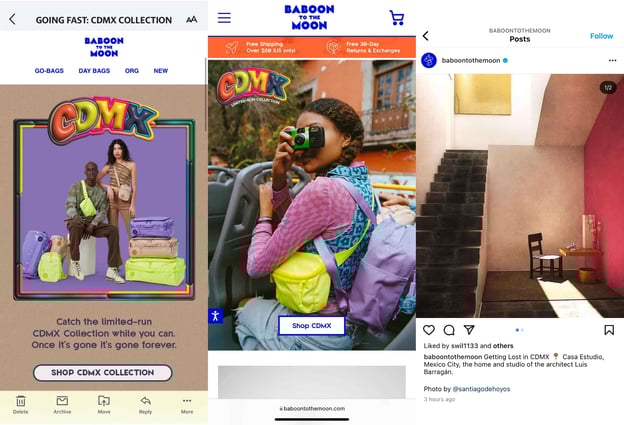
It created marketing assets for three different marketing channels (email, Instagram, and website, respectively) that are cohesive in images, copywriting, and editing style. Regardless of the channel audiences are reached on, every single ad tells a story about the same thing — the CDMX collection.
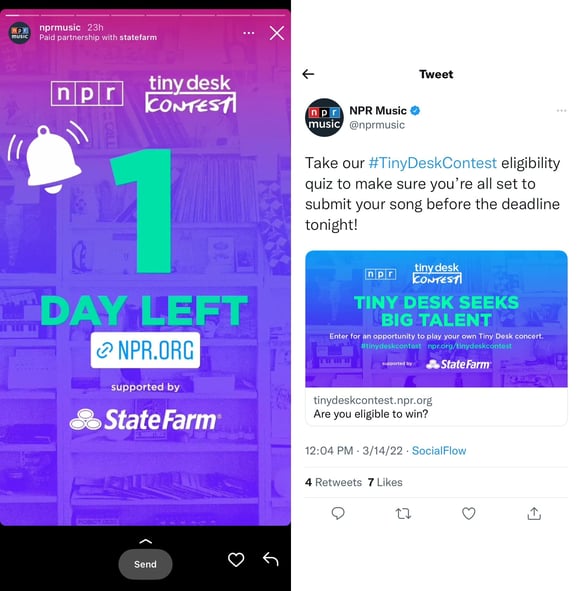
2. NPR Music Tiny Desk
NPR runs a segment on NPR Music called Tiny Desk, where artists perform a live, acoustic set. It recently launched a Tiny Desk contest for the public, where undiscovered artists can submit an original song for a chance to win a Tiny Desk concert. To advertise the contest, it created an integrated media campaign on Instagram Story and Twitter (pictured below),
And a humorous YouTube video ad.
3. GrubHub and Seamless
Delivery service GrubHub absorbed delivery service Seamless in 2021 and launched an integrated marketing campaign to make users aware of the acquisition. Seamless created an Instagram post, shown below, that lets customers know with a unique and catchy slogan that “Seamless is GrubHub.”

The companies also advertised the new acquisition in New York City subways, creating an integrated marketing campaign using traditional forms of advertisements (physical ads) and digital ads (Instagram).

Over to You
The best marketing campaigns almost always include an integrated media plan. You should have a balance between digital and traditional marketing tactics. After all, the omnichannel experience is what customers expect and want. Marketing is all about delivering the right message, to the right people, at the right time, and that’s what integrated media planning is all about.

8 Discontinued Social Media Channels and Features (+Why They Never Took Off)
What was the first social network you ever joined?
While many people will recall it being Facebook or Twitter, others might remember some of the earlier, less popular social networks. You know, like Friendster, Open Diary, and Orkut?
A lot of these original social networks go forgotten, but that doesn’t make their stories any less important. After all, these networks laid the groundwork for the social media giants we use today.
![Download Now: Social Media Trends in 2022 [Free Report]](https://no-cache.hubspot.com/cta/default/53/3dc1dfd9-2cb4-4498-8c57-19dbb5671820.png)
In this blog post, we’ll dive into the stories of some of the earliest social networks — and why they didn’t stick around.
From Six Degrees to Snapchat: A Brief History of Social Media
One of the first versions of a modern social network is Classmates.com, which launched in 1995 and allowed users to share messages and photos with their childhood and college classmates.
In 1997, SixDegrees was founded based on the theory that people are only separated by six levels of friends and family members. It was the first social platform that allowed users to create and curate profiles and laid the groundwork for online social networking.
Blogging (once called weblogs) came to the scene in 1998 with Open Diary, which included a social networking feature where users in groups could read each other’s writing. Open Diary laid the groundwork for later blogging sites like Xanga and LiveJournal in 1999.
In 2002, Friendster was launched to help circles of friends find one another and communicate online. It paved the way for other sites like LinkedIn (2002), Myspace (2003), and Facebook (2004) to launch networks with similar features, such as Myspace’s Top Eight friends, Facebook friend groups, and LinkedIn connections.
In the late 2000s and early 2010s came Twitter, Tumblr, Pinterest, and Google+, which experimented with short-form and visual content, as well as aggregating and saving content for later consumption. Some of the latest social networks on the scene include Snapchat, Instagram, and TikTok — platforms based on sharing authentic, ephemeral, visual content that requires as few words as possible.
Of course, this is a very brief history — and several social networks were launched and forgotten during this timeline. Needless to say, those networks still played a role in the development of the bigger social landscape we know and use today. Let’s discuss some of the networks we’ve forgotten and why they didn’t stick around.
8 Dead Social Networks You Might Not Remember
1. Vine
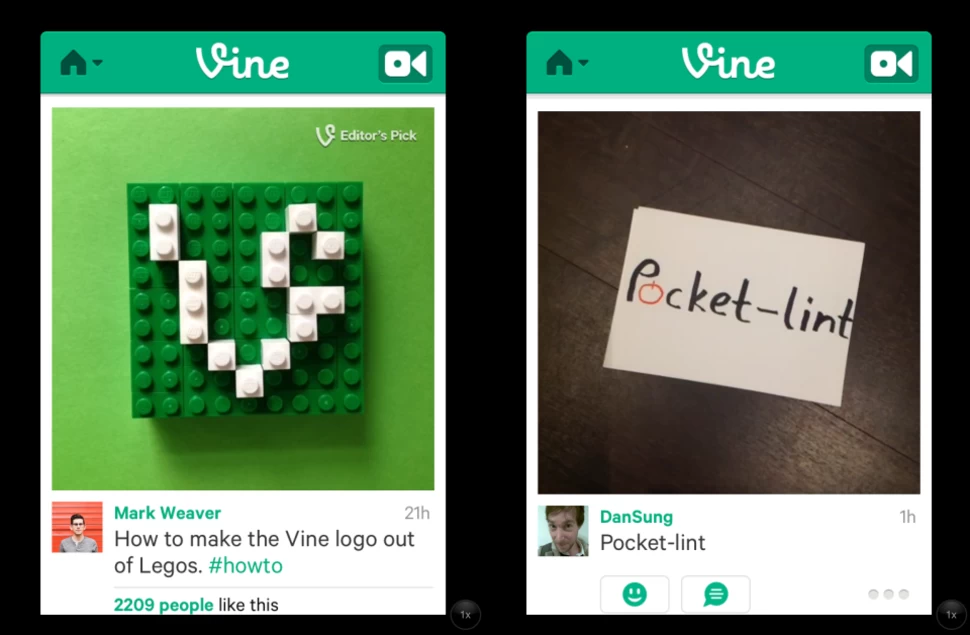
Launched in 2013, Vine was a popular video app where users created six-second looped videos. Users could make their content, follow friends and popular creators, and browse trending videos. It dominated social media networks from 2013-to 2016, and many of the popular videos remain relevant in pop culture and memes to this day.
When Did It Fall?
Vine was discontinued in October of 2016.
Why Did It Fail?
Vine ultimately failed because it could not keep up with other growing networks of its day that championed video, like Instagram. Many Vine executives and co-founders were also against monetization and did not want to take sponsors from brands, so creators and marketers moved to platforms like YouTube where they could monetize their content.
2. MySpace
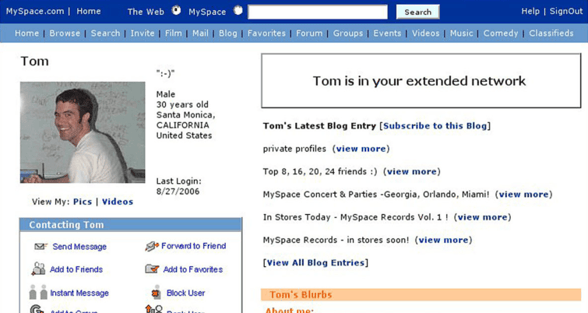
Myspace is a social networking site where users could create a profile page to share their interests, photos, and connect with friends. It also appreciated music, so users could set a song that would play every time a friend visited their profile.
In its prime, Myspace was the most popular social networking site, even surpassing Google as the most visited website in the United States.
When Did It Fall?
In 2011, Myspace’s CEO Mike Jones announced that the platform would no longer try to rival Facebook. It would instead pivot to a social entertainment style site and, while it still exists today, does not remain a fraction as popular as it did in its prime.
Why Did It Fail?
The New York Times cites Myspace’s decline as result of consumers and changing tastes, coupled with the rise and popularity of Facebook.
Myspace also had a change of leadership when bought by News Corporation, and Tom Standage, Deputy Editor of The Economist, said “Its new owner treated it as a media outlet rather than a technology platform and seemed more interested in maximizing advertising revenue than fixing or improving the sites underlying technology.” The site soon became inundated with advertisements, affecting usability.
The site ultimately fell because of a failure to focus on site users and their experience, but instead on monetization and advertisers, which sent consumers elsewhere.
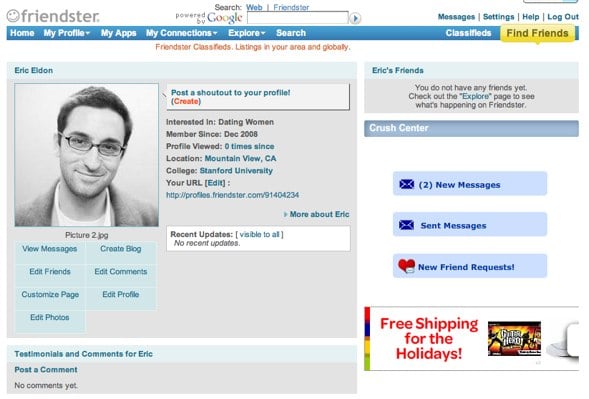
3. Friendster
Friendster, launched in 2002, was the first social network to allow users to create profiles and share content with their contacts. It was also used to learn about local events, pop culture news, and to connect with brands. At its peak, Friendster had roughly 115 million users around the world. The website currently ranks 2,949,342 in global internet traffic and engagement over the past 90 days, according to Alexa.
When Did It Fall?
Friendster rebranded as a social gaming website in 2011. It closed for good in 2015 after Mark Zuckerberg bought Friendster’s suite of social networking patents for $40 million.
Why Did It Fail?
Jonathan Abrams, Friendster’s founder, says “The problem was that Friendster was having a lot of technology problems,” and people could barely log into the website for two years. He adds, “By the time Facebook and MySpace were doing those things, Friendster had lost a lot of market share in the U.S. for stability issues.”
Computer scientists at the Swiss Federal Institute of Technology conducted an “autopsy” on Friendster to uncover its demise, and they cited a disastrous site redesign in 2009 that caused traffic and users to plummet. They also determined that it took much more effort to navigate the platform than the benefits that came from using it.
Friendster also wasn’t widely adopted by users’ friends and families, so their time was better spent on other networks where more of their real-world network was online — namely, on Facebook and Myspace.
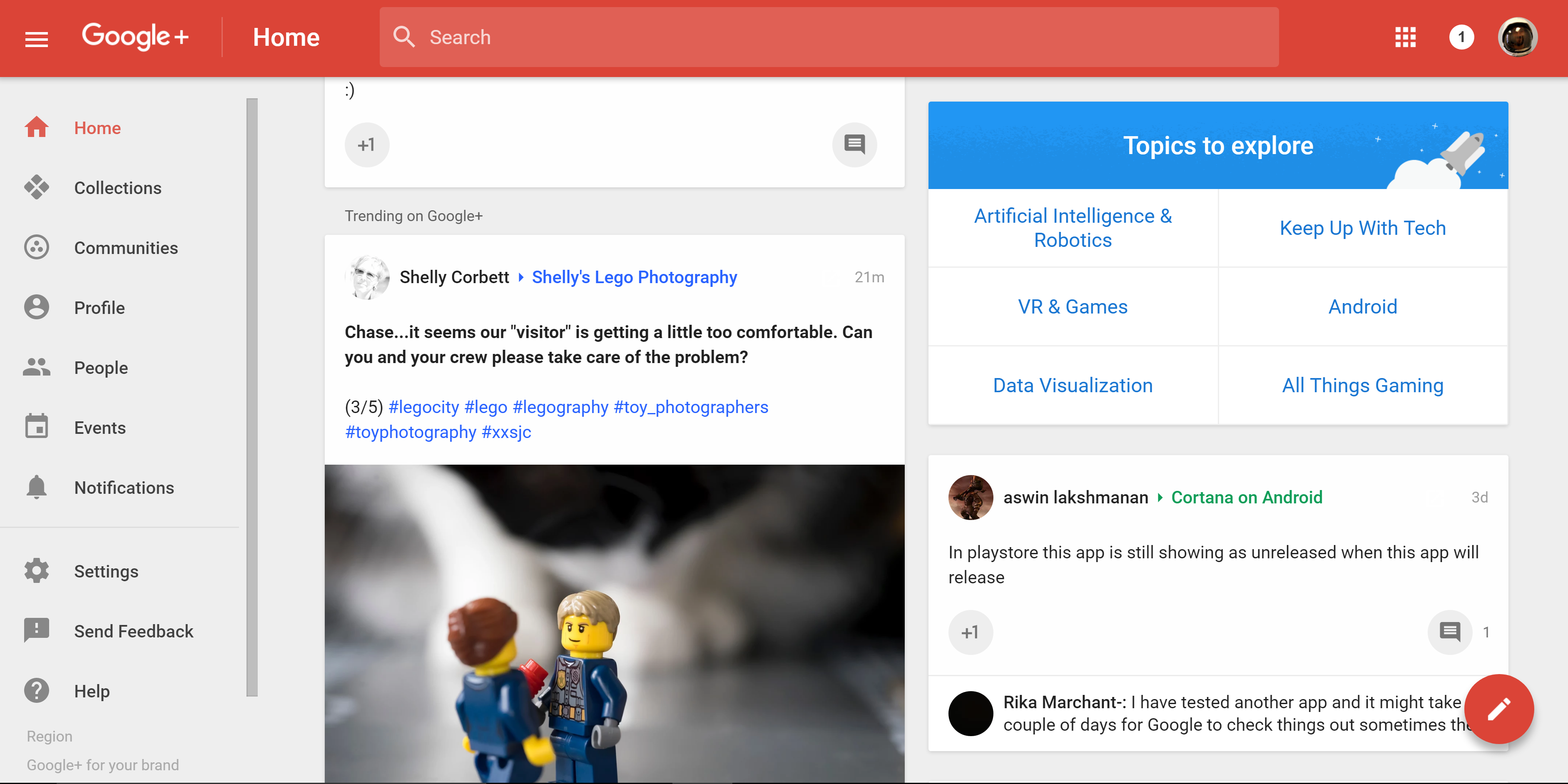
4. Google+
Google+, launched in 2011, was a social network owned and operated by Google. It was essentially a way for all Google users to have a central location for all of the actions they took across all of the different Google platforms and services.
When Did It Fall?
The Google+ developer API was discontinued in March of 2019, and the site was shut down for business and personal use in April 2019.
Why Did It Fail?
Low user engagement was a significant factor in Google+’s demise, and the company reported having difficulty “Creating and maintaining a successful Google+ that meets customer expectations,” and said that 90% of user sessions lasted less than five seconds.
In addition, an API update in 2018 potentially exposed the personal information of 52.5 million users to outside developers, and this occurred for six days before being discovered. The Wall Street Journal reported that “The move effectively puts the final nail in the coffin of a product that was launched in 2011 to challenge Facebook Inc. and is widely seen as one of Google’s biggest failures.”
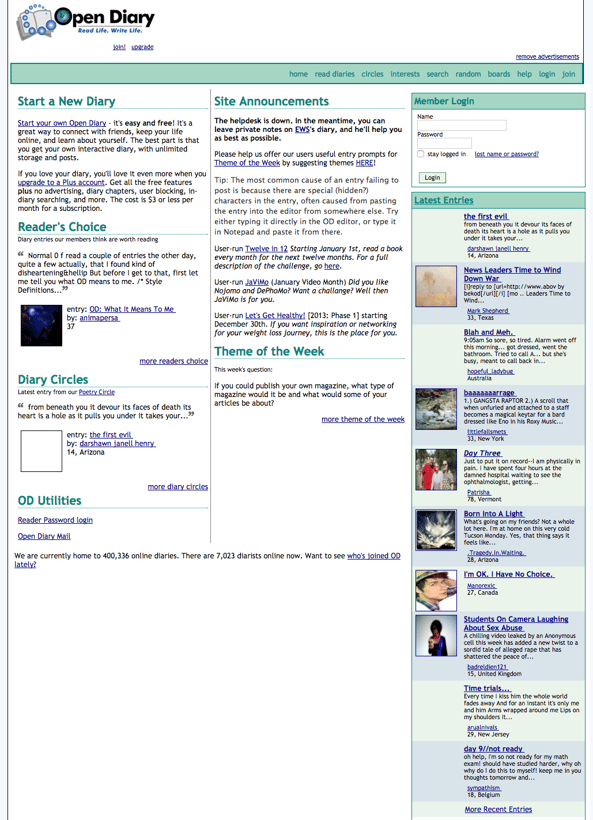
5. Open Diary
Open Diary, founded in 1997, was an online blogging and journaling website that laid the groundwork for features we see on modern blogs, like comments. Writers could add friends and change privacy settings so only specific people would see what they were writing, and it eventually expanded to different topic areas so users could write about a variety of themes.
When Did It Fall?
Open Diary closed in 2014.
Why Did It Fail?
After two major security breaches, falling subscription revenue led the Open Diary team to offer more expensive paid subscription options to recoup its losses. This move instead drove users away towards free alternative blogging sites, like Xanga and LiveJournal.
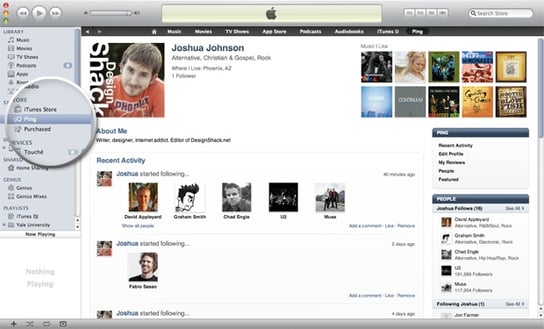
6. Ping
When he launched Ping in 2010, Steve Jobs referred to it as “Facebook and Twitter meets iTunes.” Ping was a social networking feature within iTunes where users could add friends, follow artists, and look up local concerts. Friends could also preview songs their friends were downloading and listening to.
When Did It Fall?
Ping was terminated in 2012.
Why Did It Fail?
Ping was originally meant to feature an integration with Facebook that would allow users to easily connect with friends and artists they already followed on Facebook, but the partnership fell through. Users were then left with a blank slate on which to build another social network of people to follow.
Additionally, Ping only allowed users to listen to 90-second previews of songs on its network — any longer and they had to buy the song. Since Ping was part of iTunes, it became redundant instead of an enhanced experience. Apple replaced Ping with a better integration with Facebook and Twitter that allowed for easy music sharing.
Many of the features meant to make Ping stand out from the crowd can now be seen on Spotify, where users can connect their Facebook and follow friends, see what they’re listening to, and learn more about their favorite artists.
7. Orkut
After a failed attempt to purchase Friendster, Google launched Orkut in 2004 as a place for people to add friends and share content. Users could view profiles, rate friends, add them to lists, and like their friends posts. At its peak, Orkut had 300 million users around the world.
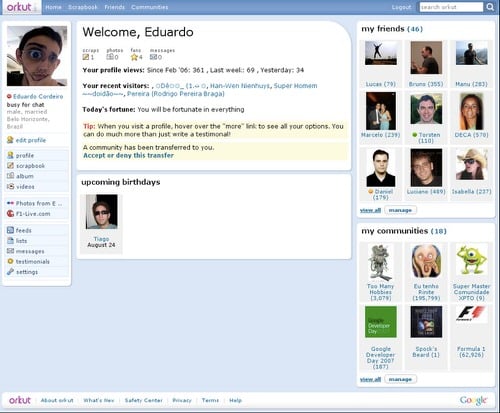
When Did It Fall:
Google shut Orkut down in 2014.
Why It Failed:
Orkut took hold in a few countries, primarily India and Brazil, but never achieved widespread international popularity. At the time, YouTube and Google+ were outpacing Orkut’s growth, so Google refocused on these platforms in an attempt to compete against Facebook and social media. As such, the Orkut team cited the growth of Google’s other social media assets as a reason to shutter the site.
8. Eons
Eons, launched in 2006, was touted as “Myspace for boomers,” and set age restrictions that prevented anyone under the age of 50 from joining, which was later lowered to 40 in 2008. The site never experienced a huge boom in popularity around its launch and, at its peak, had roughly 800,000 users.
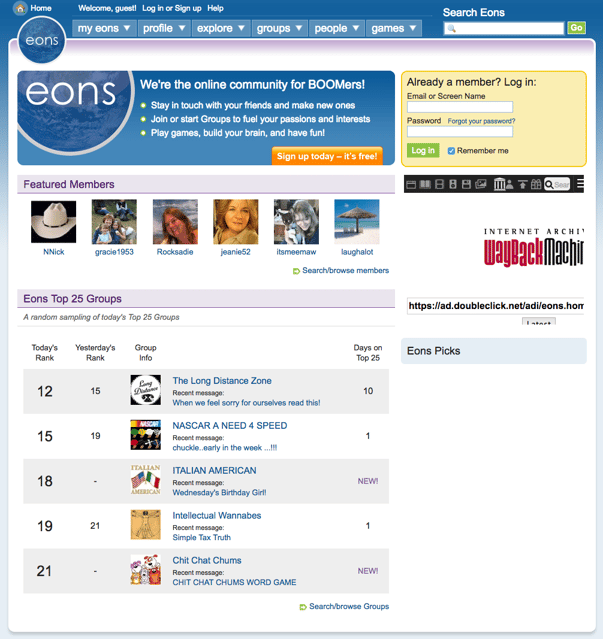
When Did It Fall:
Eons.com shut down in 2012.
Why It Failed:
The age targeting was restrictive for a reason, but this had detrimental effects as the user base was rather limited. It also prevented the site from being widely popularized and, as social media was just coming onto the horizon and wasn’t yet widely adopted, the platform was unable to build a successful network out of such a small user group.
Lessons for Marketers From Failed Social Media Networks
There are several lessons for modern marketers in the stories of these fallen social networks. We’re not saying that you’re always at risk of killing your brand, but keeping these tips in mind may help you maintain and grow your followers and engage with them authentically.
1. Understand your audience.
The most significant factor of success when creating a social media network is creating for the audience that you want to have. For example, you wouldn’t create a text-based blogging site if you’re hoping to attract multimedia creators.
As with all marketing practices, make sure that you have a solid understanding of your audience, who they are, and what they want, so you can create a platform that will meet their needs and keep them on the platform.
2. Meet your audience where they already are.
Many social networks fail because brands try to reinvent something that already works well, or requires extra work for users to be able to participate. For example, Ping wasn’t able to integrate with Facebook, so users had to recreate social networks that likely already existed for them on an entirely new platform.
Instead, meet your audiences where they already are and supplement their experience. Part of Facebook’s success and longevity is due to its creation of an infrastructure where users don’t need to leave Facebook to get things done. It’s grown beyond just a social network into a destination for news, commerce, and content consumption.
Marketers should experiment with new technologies and offerings to keep followers interacting with their brand more, such as creating helpful chatbots, publishing on new forms of media, and trying new strategies like virtual reality or experiential marketing to keep audiences engaged and on a website or social platform for as long as possible.
3. Borrow from your competitors.
Borrow a page from the Facebook playbook and be aware of what your competitors are doing. For example, Vine was forced to shut down because other networks were offering similar features, but did it better and provided more opportunities, like creators who could monetize their content. A recent example
4. Be authentic and not overly self-promotional.
A common thread between Ping and Open Diary’s downfall was the brand’s attempt to monetize. Users didn’t like Ping advertising iTunes music that they could only listen to for 90 seconds, and Open Diary users didn’t want to pay for something that was free on other sites.
Users want an authentic experience on social media to interact with friends, family, and their networks, not logging on to a site and being bombarded with advertisements.
The next time a new social network comes onto the scene, we’ll be here to tell you the story — and predict if it will be here to stay.


23 Conversion Rate Optimization Tools for Research, Feedback, Analytics & More
Believe it or not, driving traffic to your website — albeit challenging — isn’t enough to sustain your business. To truly leverage that investment in traffic, marketers must use conversion rate optimization, or CRO, to convince said traffic to complete the desired action.
The list below outlines many helpful tools for marketers looking to optimize their conversion rates. From high-level changes like landing page and email design and inspiration to in-depth insights on how your visitors navigate through your content, these tools will help you improve your site’s performance.

To help you understand the tools and their uses, we’ve also broken this list into a few major categories:
- Lead capture tools
- Research tools
- Analytics tools
- Mouse tracking and heat maps
- Feedback tools
- Experiment tools
Ready? Let’s start converting.
Lead Capture Tools
These are the tools you will use to capture more leads on your site, thus improving your CRO analytics . While most conversion-focused content has a built-in form or CTA, these tools act as additional lead capture mechanisms to boost the number of leads that convert on your content.
1. HubSpot
Price: Free
It’s Google Analytics meets SumoMe meets a CRM. Sounds cool, right? It starts with an exit intent popup CTA, then syncs with your website’s existing forms to learn about your site visitors and their path through your pages.
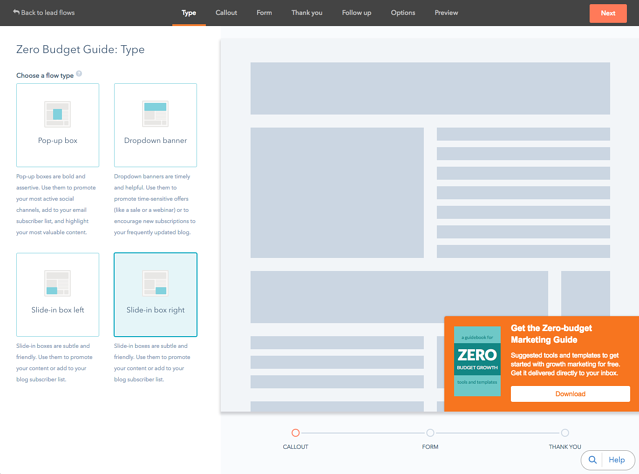
HubSpot’s tools give you in-depth contact insights on prospects and current contacts in your database. It also pairs its contacts database with a dashboard that shows you a high-level view of which marketing efforts are paying off and converting and which ones aren’t.
2. HelloBar
Price: Free plan or $29/month to $49/month
HelloBar is a lead capture tool that allows you to add a popup form to your website to grow your email list, promote your social pages, showcase a sale, or other lead generation strategies. The free version allows you to create one modal that’s shown to every 10th visitor. However, premium plans offer more advanced call to action (CTA) options.
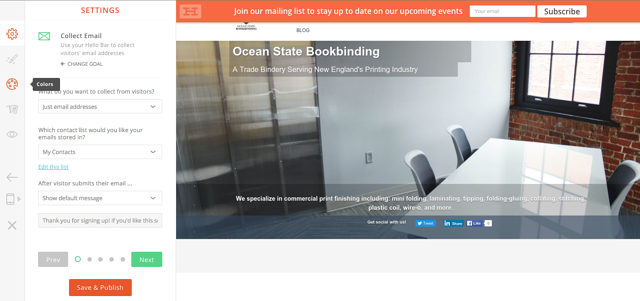
3. Sumo
Price: Free plan or $49/month
Sumo offers a suite of free tools to help you increase your site conversions. For lead capture, it offers a “Welcome Mat” popup CTA, a “Smart Bar” to increase email subscribers, a scroll-triggered box, and a “Contact Us” form.
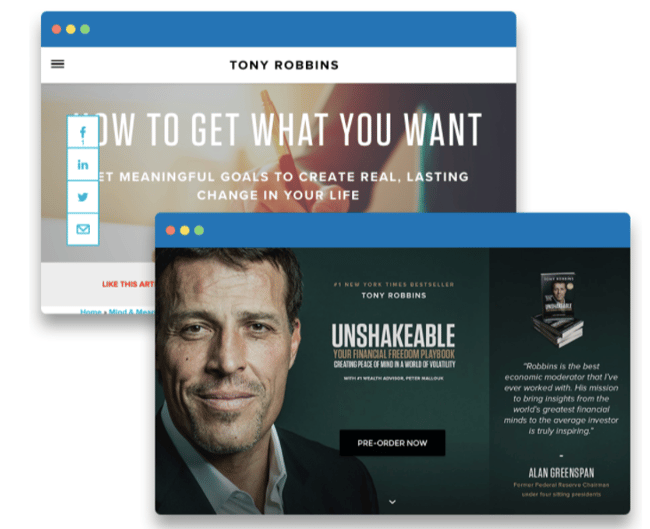
Along with their Google Analytics research tools, the Sumo suite helps you gain on-page insights and increase your email list.
Research Tools
Before you create any content, call upon these tools to draw inspiration and check out what other smart marketers have seen success with in the past.
4. BuzzSumo
Price: $99/month to $499/month
The best content gets shared and linked the most. So what better way to gain preliminary insights than to compile all of the most shared content on your particular topic?
With BuzzSumo, all you have to do is enter the keyword or topic. Then, it’ll pull together the most shared and linked content on that topic. Time frames range from the last day, week, month, or year.
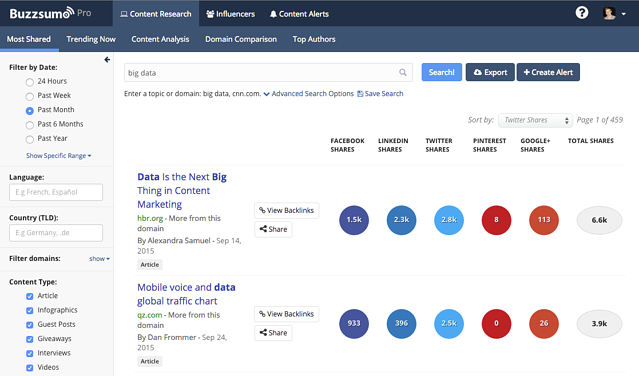
So if you’re trying to optimize the landing page for your new webinar on cat fashion, all you have to do is enter “cat fashion.” BuzzSumo will then give you the best articles, resources, videos, and more on the fascinating topic of cat couture.
You’ll then be able to dig in and explore some of the key elements that made these pages popular. With that, you can go back and incorporate them into your own content.
5. SimilarWeb
Price: Contact for pricing
Knowing where your website visitors came from can (and should) have a big impact on the type of content you create. With SimilarWeb, you can see where your traffic is coming from, which keywords are fueling your organic traffic, and what other sites are considered most similar to yours. You can also compare analytics to find out the website conversion optimization by looking over data.
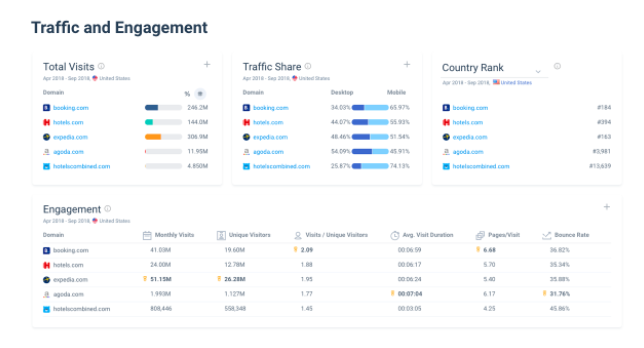
With this information, you’ll be able to optimize content for your biggest traffic sources and dig in to see what competitor sites are doing to drive conversions.
6. Land-book
Price: Free
If you’re creating a landing page from scratch, getting started can be difficult. Luckily there’s Land-book, a free collection of the web’s best-designed landing pages.
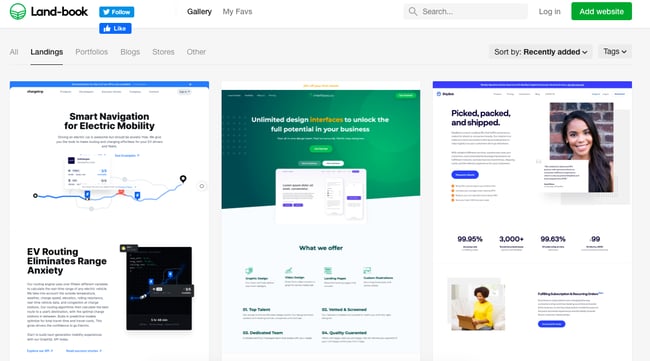
With Land-book, you can explore how top companies use elements like copy, positioning, layout, and design to drive conversions. Pick and choose your favorite elements from the Land-book database, and then incorporate them into your own landing page.
7. Really Good Emails
Price: Free
In today’s marketing landscape, if you want to get your message across, you’d better know a thing or two about visual communication and design.
Don’t know a thing or two about either? Enter Really Good Emails.
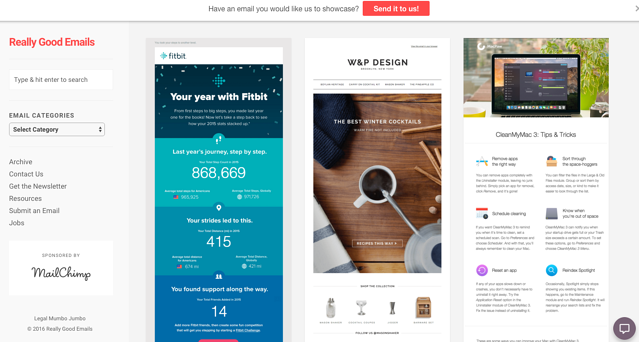
Similar to Land-book, Really Good Emails is a database of the web’s best-designed emails from the world’s most innovative companies. Use this as a resource to see how you can design your email to get your message across in the best way possible, as fast as possible.
(Check out this post for even more resources where you can find great marketing examples.)
8. SubjectLine.com
Price: Free
When sending an email, the subject line can either make or break your performance. Before you choose which ones to send, check them out using this awesome resource.
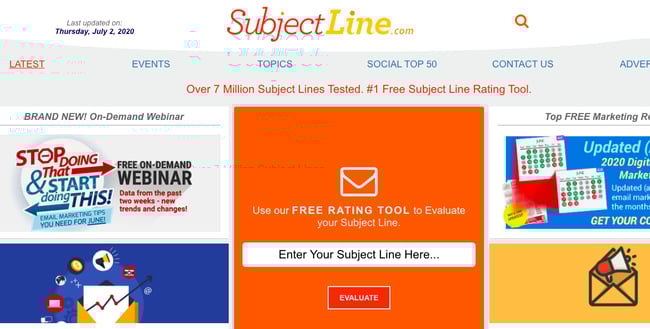
SubjectLine.com has tested over three million subject lines and has a tool to evaluate your potential options. It gives a deliverability and marketing score, plus advice on improving.
9. Headline Analyzer
Price: Free
CoSchedule’s headline analyzer gives a score of 1–100 to gauge the effectiveness of titles. The score is calculated based on word usage, grammar, vocabulary, type of headline, character, and word count.
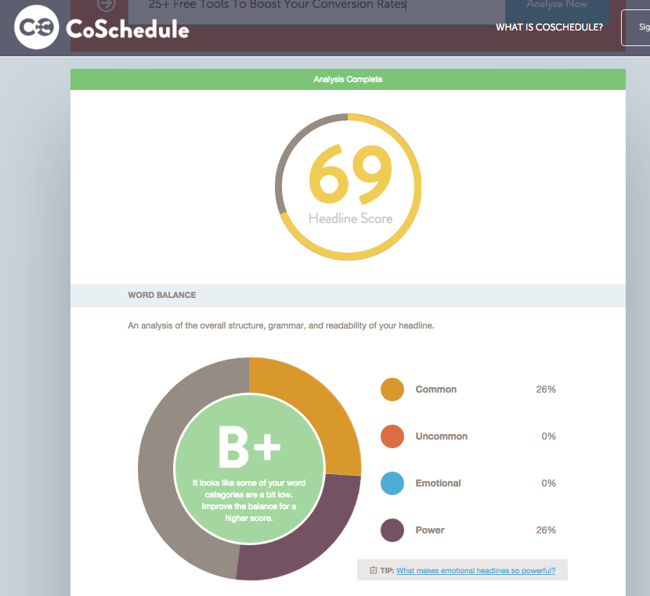
The tool shows you what your headline looks like on Google and in an email subject line. This tool serves as a great litmus test to generally know how well your headline will perform.
CRO Analytics Tools
These are the tools you will use to measure and track your content’s performance. You can use the CRO analytics to fully analyze the dips, jumps, and fluctuations in your conversion rate.
10. Kissmetrics
Price: Contact for pricing
Kissmetrics is a complex tool that integrates with your email service provider to make it easy to analyze your audience and email them in specific cohorts.
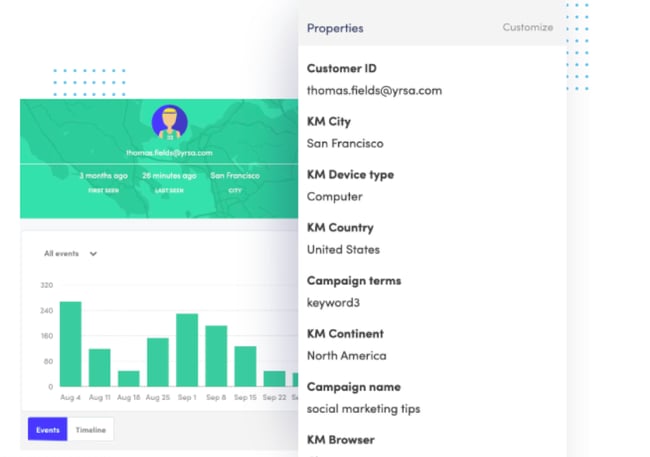
With Kissmetrics, you can learn the path that your customers have taken through your website. You can also conduct A/B tests, build data sets (without SQL), perform website conversion optimization, and assess the ROI from your campaigns.
11. Google Analytics
Price: Free for basic, contact sales for premium
Google Analytics is a free way to track your website visitors. You can see how long it takes visitors to bounce from your pages, if visitors complete goals from a certain path, and which sources bring people to your website.
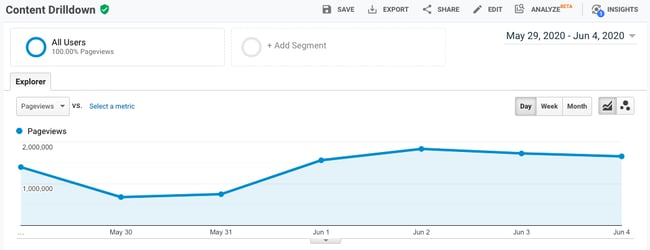
What’s great about Google Analytics is that it allows you to see which keywords people are using to find your page, devices they’re searching on, and uncover demographic data. However, there are no specific emails or contact information associated with your site visitors.
12. HubSpot Website Grader
Price: Free
Website Grader is a great way to get a quick snapshot of a website’s overall performance. It gives insights on performance factors (including speed, page size, and page requests), mobile responsiveness and appearance, SEO (page titles, meta descriptions, headings, and site map), and security. It’s great for website conversion optimization.

From there, the tool devises a grade and provides suggestions on how to improve, which makes it easy to come up with some quick wins that’ll help you boost conversions.
Mouse Tracking and Heat Mapping Tools
These are the tools you will use to see how people interact with your content, including how they scroll and where they click.
13. Hotjar
Price: Free for Basic, $29/month
Once you’ve nailed the basics like landing pages, CTAs, pop ups, and content, you’re ready for some more advanced conversion rate optimization. Hotjar offers heat maps and screen recordings. They enable you to track how much your page is being viewed and how visitors navigate your website.

Hotjar also offers analytics, so you can see how well your pages are performing. This is helpful to see what’s working and what you can change to increase conversion.
14. Clicktale
Price: Contact for pricing
Clicktale is similar to Hotjar, as it also offers heat maps to help you determine the most valuable real estate on your pages, scroll depth (where is the “fold” on your website?), click tracking, and link analysis.

Using these tools, you’ll have the information you need to organize content, CTAs, and page design in a way that makes the most sense for engagement.
15. Clicky
Price: Free plan, or $9.99/month to $149/month
Clicky gives you real-time analytics on the visitors to your website. It tells you where people are accessing your site, how long they’ve stayed on each page, and how many visitors are actively online. The resource also offers heat maps and scroll tracking.

Clicky is an excellent one-stop-shop for customer behavior. You’ll have multiple formats at your disposal to leverage for optimizing the performance of your website — so you can convert as many leads as possible.
16. Crazy Egg
Price: $24/month to $249/month
Crazy Egg offers a full suite of heat maps and click tracking, with the additional functionality segment clicks by source and evaluating link effectiveness. The basic package is fairly inexpensive and gives great insights into how effective each website page is.
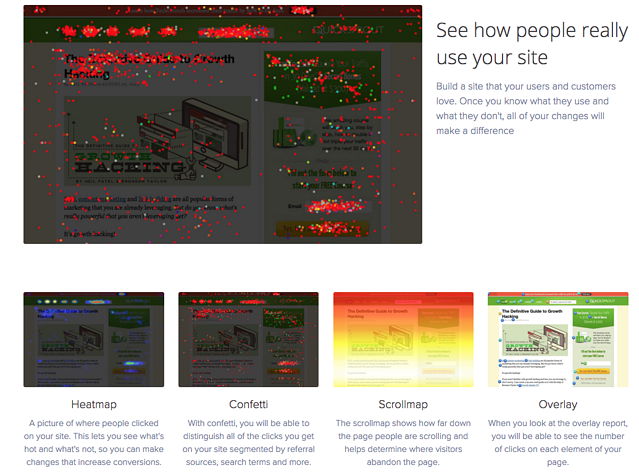
17. Heatmap.me
Price: Free plan or up to $100/month
Heatmap.me is a great free option for anyone looking to start exploring heat maps, responsive web design tests, and real-time page statistics. Heatmap.me can also track dynamic elements on your site in the heat map tool. Think slider bars, photo galleries, and other interactive sections.
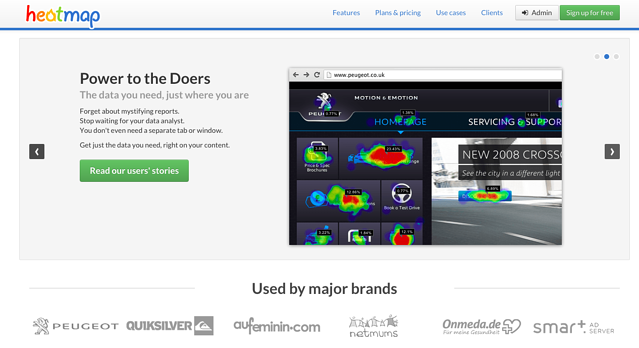
When you use the tool, you’ll see real-time analytics. It gives you important data you want to see, such as CTR and page performance. They’re easy to analyze for beginners and provide the numbers you need to enhance success.
Feedback Tools
These are the tools you’ll use to engage and receive feedback from your visitors. Feedback tools include surveys, polls, messaging, and user testing programs.
18. Intercom
Price: $87/month to $153/month
You can use chat tools to acquire new customers and chat with existing customers.
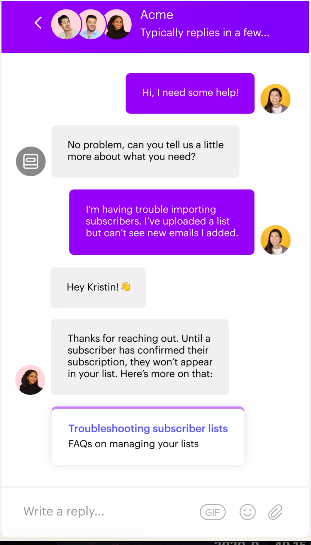
As a CRO analytics tool, you can use Intercom to communicate with website prospects to learn if they need additional help, find out how their experience is going, and learn how you can improve. It also allows you to track leads and use a shared inbox with your team.
19. Qualaroo
Price: $149/month to $499/month
Using chat windows doesn’t have to be limited to just being live. In fact, Qualaroo proves that. It offers popups to collect live feedback from website viewers.
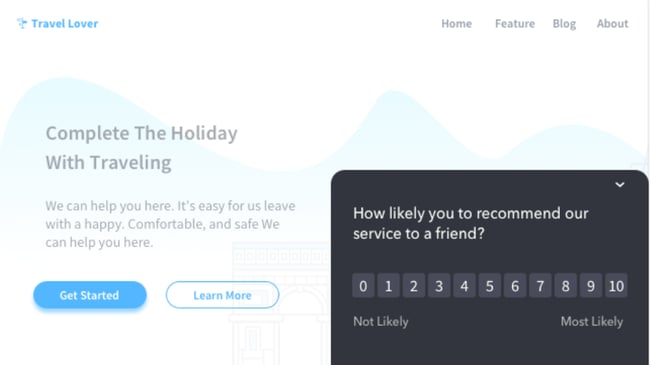
With this information, you can tailor a site experience, target specific customers, and learn what issues people may be experiencing. This tool is extremely helpful at all stages of the funnel, and is frequently utilized in the e-commerce space.
20. SurveyMonkey
Price: $25/month to $99/month
SurveyMonkey has a free option for those just starting with survey research. You can use this tool to learn demographic information, discover which types of content your prospects and blog subscribers prefer, and get product feedback.
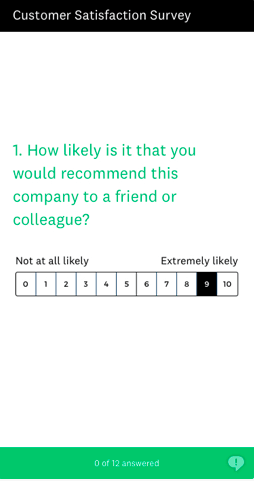
Survey your customers about their satisfaction. You’ll get great insight straight from the source about what draws your audience to your company. From these results, you can work on improving conversion methods.
21. Five Second Test
Price: $50/month to $100/month
UsabilityHub has an awesome community-fueled tool called Five Second Test that allows users to upload a product, app experience, or design and have the community test it before launch. For example, one of the tests you can run is a click test, which will give you a heat map of page performance.
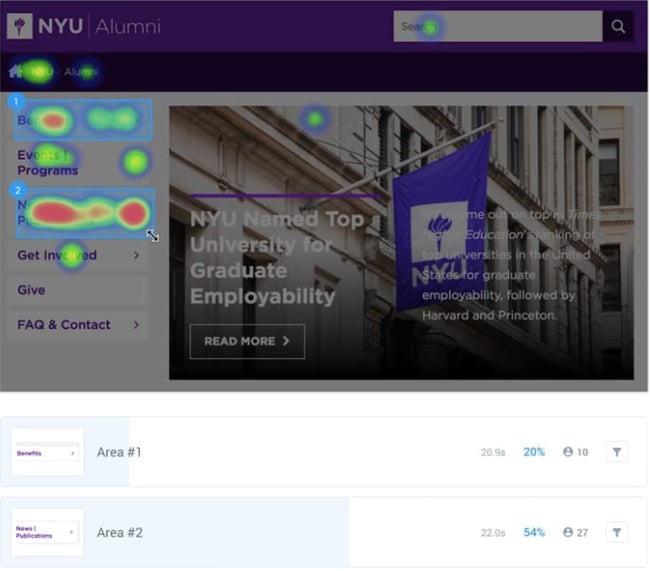
You get responses about recall, general feedback, and UI thoughts. This is a great way to have opinions. Five Second Test also offers click, preference, question, and navflow tests for other website and UI questions. You can also design surveys with the tool.
Experiment Tools
These are the tools you’ll use to manage, plan, and execute A/B and multivariate tests. Some of these tools will help you turn ideas into experiments, while others will help you create the variations and run the actual tests on your site.
22. Optimizely
Price: Contact for pricing
Testing is hard. It’s hard to come up with a good control group, find a large sample, and determine if your experiment is statistically significant. Luckily, Optimizely helps a lot with all of that – and then some. With Optimizely, you conduct tests across all devices and platforms, then figure out if it’s significant. The software offers A/B, multiple page, and multivariate tests.
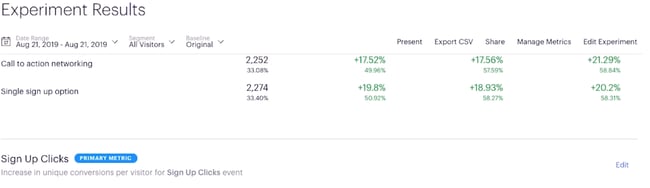
Optimizely’s tool gives you a full, robust report of test results (example shown above). You’ll see interactions and, best of all, sign up clicks. Your report will tell you how many leads each test variant earned, so you can choose the best.
23. Effective Experiments
Price: Contact for pricing
Effective Experiments is a concise way to track all of your experiments. If you have tons of Excel spreadsheets cross-referenced with Google Analytics data, you are probably going crazy trying to keep track of everything. This tool puts it all in one place and helps you determine statistical significance.

How to Shop for Conversion Rate Optimization Tools
It can be hard to shop for the best conversion rate optimization tools, so we gathered together these five tips to keep in mind:
- Sign up for trials before making a decision.
- Be thorough when searching for reviews.
- Go for quality, not quantity, when it comes to price.
- Ask other marketers what they are using.
- Read reports from other companies about CRO.
The Benefits of CRO Analytics Tools
There are several benefits of selecting CRO analytics tools. Some include:
- Being able to effectively track ROI.
- Using tools to create an engaging headline.
- Capture customer leads.
- Collect marketing research data.
Now, you’re armed and ready to start improving conversion rates across your website conversion optimization and marketing efforts. These tools range from free and for beginners to robust and more advanced. Feel out which options seem right for you, and soon you’ll be upgrading to the more complex tools when you’ve mastered the basics.
Editor’s note: This post was originally published in July 2020 and has been updated for comprehensiveness.

The HubSpot Blog’s 2022 Content & Media Planning Report [Data]
Benjamin Franklin once said “Failing to plan is planning to fail,” and when it comes to content and media strategy, truer words have never been spoken.
Until 2020, that is.
In the last two years, 99% of content planners, strategists, or marketers who pivoted their strategy did so in 2021.
![Download Now: The State of Media & Content Planning in 2022 [Free Data Report]](https://no-cache.hubspot.com/cta/default/53/de152c7c-795e-486a-aa66-d6985ffbc1cf.png)
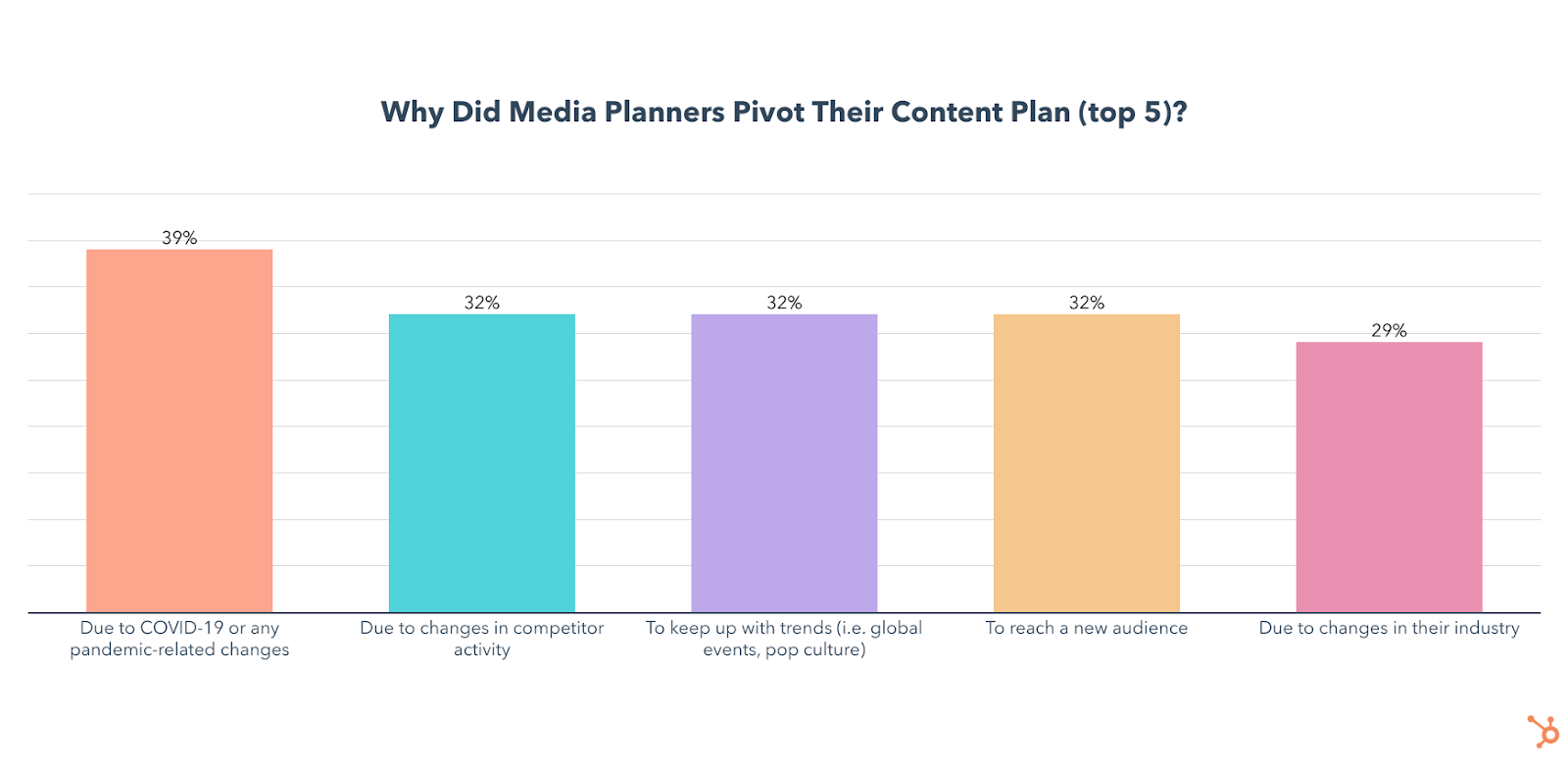
Unsurprisingly, the #1 reason they gave for this was the global pandemic.
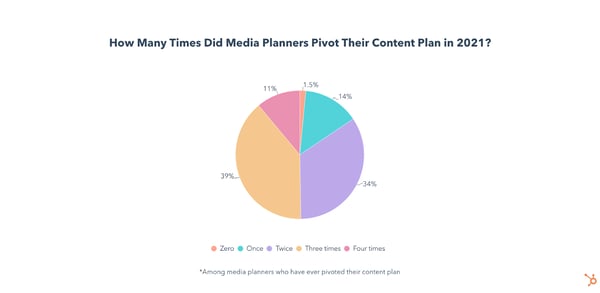
To make matters more complicated, 39% of those who pivoted in 2021 changed their content plan a whopping three times throughout the year.
Despite all that turbulence, 62% of media planners say their content performed better than their goals in 2021. And, if anything, 2020 and 2021 taught marketing teams how important content planning and re-planning is.
To get a sense of how marketers planned or pivoted their way through such an unpredictable year and how they will approach media planning in 2022, we surveyed 600+ media planners to gather data on their goals, strategies, the tools they use, and how they met the unique challenges of 2021.
Curious about some strategies and insights specifically? Click below to jump to the section you’d like to read first.
- The Top Goals of Marketing Media and Content Planners
- Content and Media Planning Strategies
- Which Channels Marketers Use In Their Media Mix
- The Benefits and Challenges of Media Planning
- Budgeting Your Content Marketing Efforts
- Timing Your Media Plan
- Media Planning and Content Marketing Tools
- Pivoting Your Content Plan
The Top Goals of Marketing Media and Content Planners
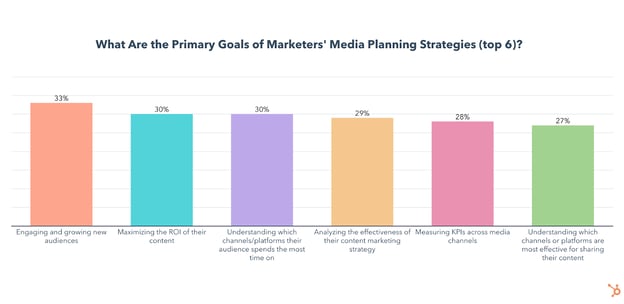
As you can see below, engaging and growing new audiences, maximizing the ROI of their content, and understanding which channels or platforms their audience spends the most time on are top priorities for media planners and content marketers in 2022.
But which strategies are most effective to achieve these goals?
Media and Content Planning Strategies
The Most Effective Media Planning Strategies
The top strategies media planners and content marketers charged with planning use are conducting market research to understand their target demographic and find the most effective channels to reach them, leveraging media planning templates, and running content audits.
Unsurprisingly, these tactics line up fairly well with the top goals, which include growing audiences with content and targeting the right marketing channels.
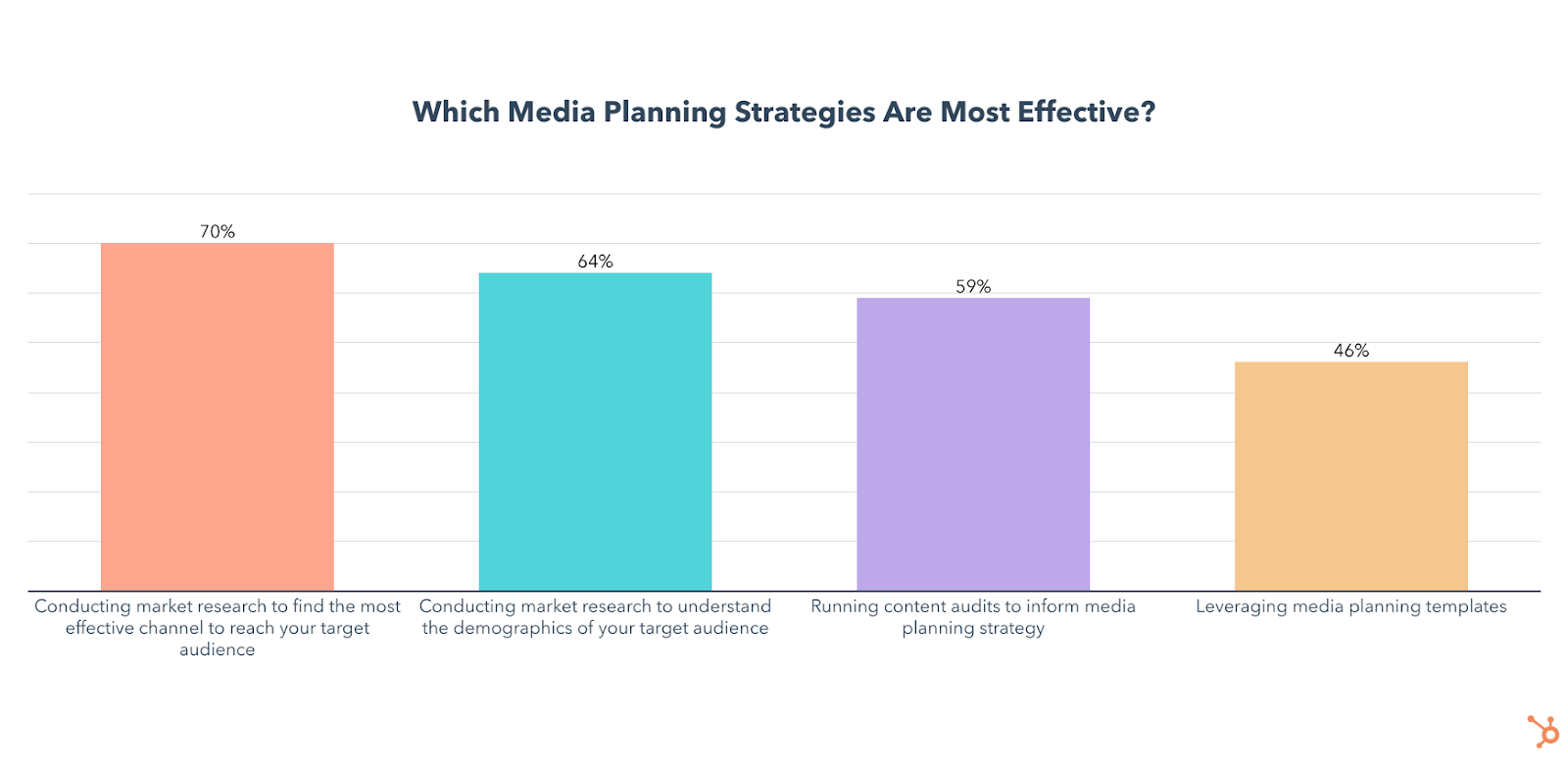
Media planners also rated setting a clearly defined budget (57%), analyzing the results of your content strategy (57%), clearly defining goals/KPIs (55%), and using a calendar to schedule content (48%) as the most effective media planning strategies they use.
To accomplish most of these, marketers can leverage media planning templates, a strategy I’ll talk about in more detail later.
Ultimately, all of the above strategies are highly effective and will see significantly increased use and investment in 2022. As you move forward in planning, you’ll want to consider a mix of them rather than just running with one or two tactics.
Next, let’s dive a litter deeper into each major planning strategy and opportunity.
Market and Demographic Research
Market research is leveraged by 43% of media planners and will grow significantly in 2022, with 45% planning to leverage it for the first time.
- 64% of media planners who use it say it is the most effective media planning strategy they leverage.
- 16% of all media planners will invest more in this than any other strategy in 2022.
- 70% of media planners who do channel research say it is the most effective media planning strategy they leverage (the highest of any strategy.)
- 22% of all media planners will invest more in it than any other strategy in 2022.
While technically the second-most-effective strategy, I decided to bring this one up first because understanding the demographics of your target audience isn’t just critical for proper media planning, but essential for any marketing strategy to succeed.
You can examine a wide range of data including age, location, education, and income to start building buyer personas, which are fictional representations of your ideal customers that you can cater your content towards. And here’s the best part – you likely already have most of this data available to you for free.
Of course, you could also conduct market research studies of your own, or go through an outside agency for a more holistic view of your industry.
But in terms of media planning, I’d argue that knowing which channels your audience is spending their time on is just as important as knowing who your audience is.
Channel and Platform Research
Learning about your audience doesn’t just stop at personas or demographics.
In 2021, 43% of media planners conducted market research to find the most effective channels for reaching their targets. This percentage will grow significantly in 2022, with 53% planning to leverage it for the first time.
The data above isn’t too shocking. Before you know how much of your budget to invest in each area of your media mix, you’ll want to get an idea of which channels your target audience spends their time on.
You can also benefit from using your own data by looking at which channels are most effective at helping you meet your specific goals. But, you should also leverage outside research as it can provide crucial demographic data on the specific channels you use.
For example, in our 2022 Social Media Report and survey, we found that younger audiences like Millennials and Gen Z prefer shorter video content that is funny, trendy, and reflects a brand’s values – on platforms like TikTok and Instagram.
Meanwhile, Baby Boomers prefer interactive/educational content such as interviews/podcasts/expert discussions, and live videos, with Facebook being their platform of choice.
These facts will help you plan out your media mix by giving you insight on critical questions, such as whether your demographic is embracing social shopping tools on platforms like Instagram or other platforms.
Once the research is complete, media planners are using templates to help allocate and organize their media mix with maximum efficiency.
Media Planning Templates
Media planning templates are leveraged by 40% of media planners and 46% of them say it is the most effective strategy they use to reach their business goals.
The use of media planning templates will see significant growth in 2022 as 39% plan to leverage them for the first time and 11% of all media planners will invest more in templates than any other strategy.
There are a wide variety of media planning templates to choose from, all designed with a different purpose, but ultimately they exist to help you track, plan, organize, distribute, and analyze all your media content.
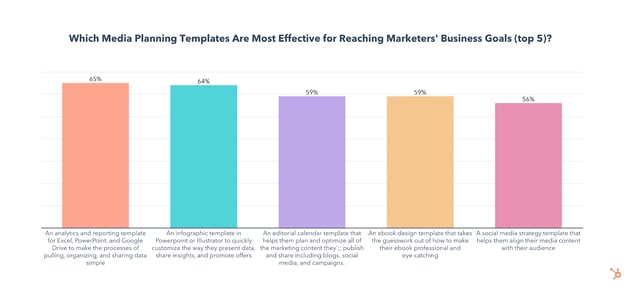
The most popular templates are social media strategy templates that help you align your media content with your audience and analytics and reporting templates for Excel, PowerPoint, and Google Drive that make the processes of pulling, organizing, and sharing data simple.
Luckily, HubSpot has both of those templates available for you to download right now, with a handful of others that may also come in handy.
Once their media plans are fully organized and executed, marketers are leveraging content audits to analyze their performance and inform their future content plans.
Content Audits
Running content audits to inform media planning strategy is used by 37% of media planners and is the third-most-effective tactic for media planners to reach their business goals.
- A whopping 81% of media planners who run audits say they have been effective for reaching their business goals and 67% say the results of their content audits have had a moderate to significant impact on their media planning strategy.
- The use of content audits will grow significantly in 2022 as 37% plan to leverage them for the first time and 15% of all media planners will invest more in content audits than any other strategy.
So what are the goals of a content audit?
By analyzing the performance of the content you create, you get insights on what exceeded expectations, what falls flat, and why
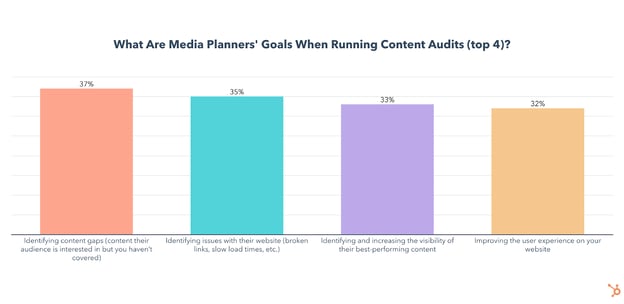
Identifying content gaps is the #1 objective of content audits, but that doesn’t mean it has to be hard. Here’s a guide on how to run a simple content audit specifically to find and fill those content gaps.
Identifying issues with your website and improving the user experience is another highly effective strategy for driving traffic to your web content, improving SERP ranking, and increasing engagement. In our survey of 400 web traffic analysts, we found that web analysts who reported an effective website strategy in 2021 were 25% more likely to optimize their website for loading speed.
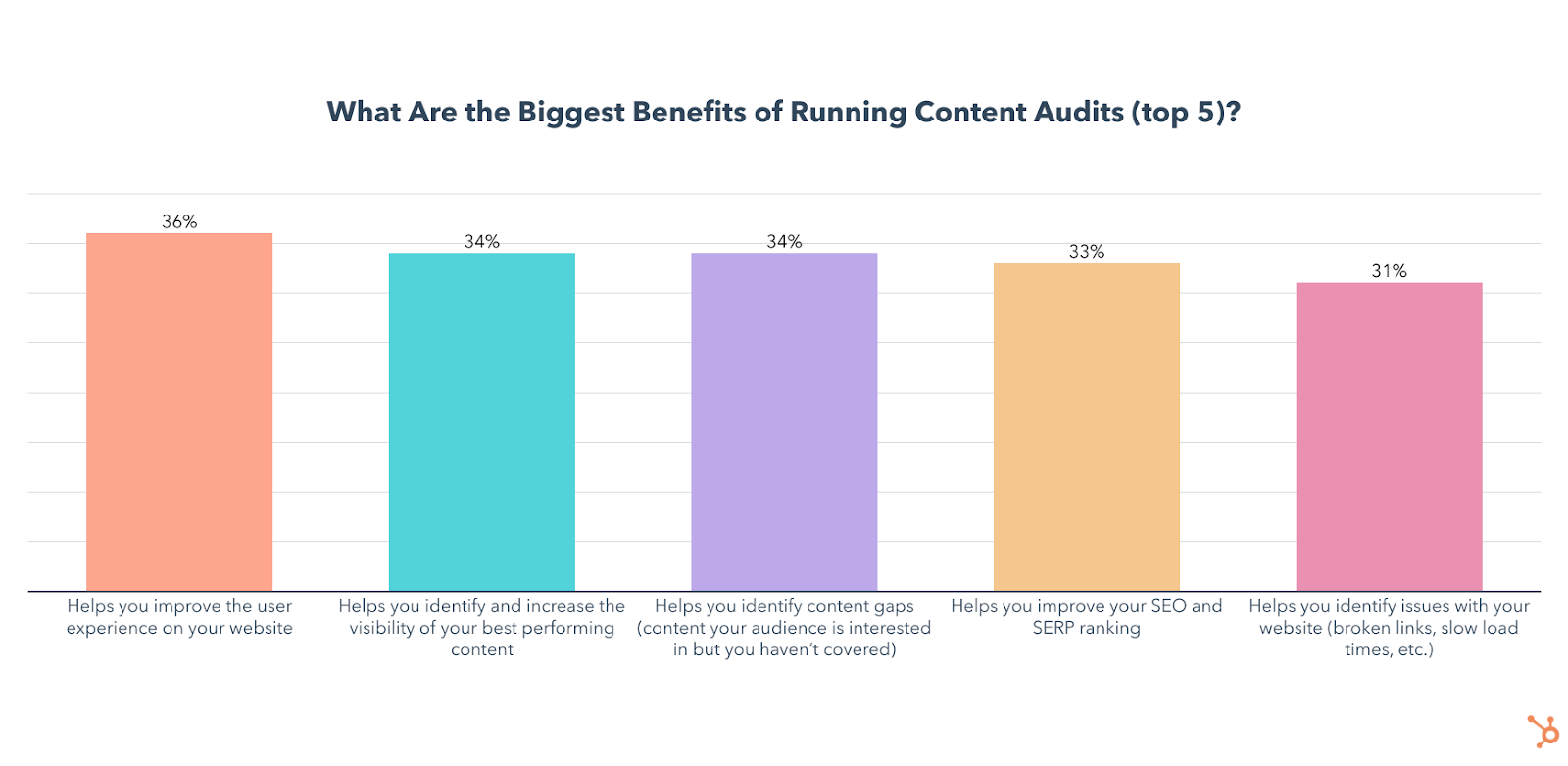
If you’re still not convinced to audit your content, we also asked media planners about the biggest benefits they’ve seen from auditing. Here’s a graph with the results:
How often should you run a content audit?
Most media planners who run content audits do so on a monthly or quarterly basis. If you’re ready to start auditing your content, you can either create your own template or use this one from HubSpot.
Not only did we craft it ourselves, but 46% of media planners who use templates for content audits use it, making it the most popular third-party template. Our data also shows that 86% of those who use HubSpot’s template say content audits have been effective for reaching their overall business goals, so you should give it a shot.
Which Channels Marketers Use in Their Media Mix
The top channels media planners leverage are paid and organic social media content, email marketing, and organic search.
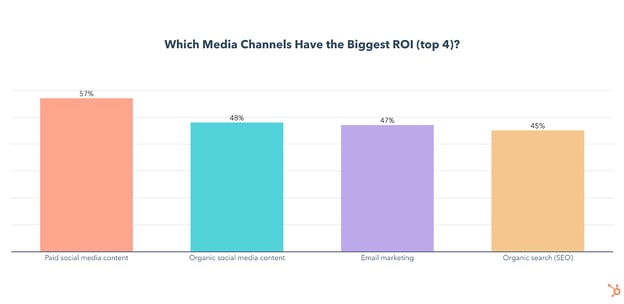
As this data is directly in line with our previous marketing research, here are a few quick bullets on each:
- Email marketing is the most leveraged media channel used by 1 in 2 media planners and will continue to grow this year with 22% planning to leverage it for the first time. Email marketing has the 3rd highest ROI of any channel.
- Paid social media content is used by 47% of media planners and has the highest ROI and highest engagement of any channel. Channel usage will grow significantly in 2022 as 14% of all media planners plan to invest more in it than any other channel and 25% plan on leveraging it for the first time this year.
- Organic social media content is used by 43% of media planners and will continue to grow this year with 22% planning to leverage it for the first time and 9% planning to invest more in it than any other channel in 2022. Organic social has the 2nd highest ROI and 2nd highest engagement levels of any channel.
- Organic search is leveraged by 36% of media planners and 45% of them say it has the highest ROI of any channel they use. It will grow in 2022 with 23% of media planners planning to leverage organic search for the first time.
- 84% of media planners leverage a mix of organic and paid media.
But, what’s the ideal media mix look like? Check out this helpful guide with even more data.
The Benefits and Challenges of Media Planning
The Benefits of Content and Media Planning
Media planning can help you organize, plan, and analyze your content, but what are the biggest benefits marketers get from having a dedicated content plan? Here’s a breakdown of our survey results:
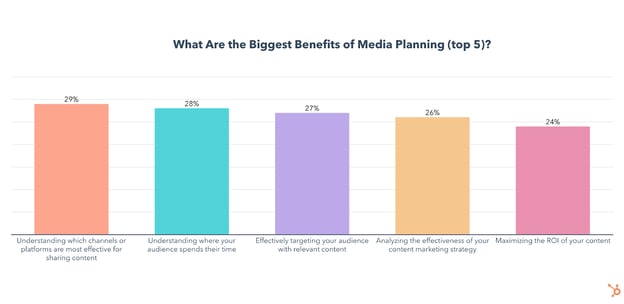
One interesting theme to note above is that the top three benefits relate to understanding channels, where your audience is, or where and how to target them. From what we’ve seen over the past decade, the secret to effective, ROI-generating marketing or content is understanding and knowing where to meet your targets.
So, while the idea of media planning might seem daunting in times when plans constantly change – it’s still incredibly valuable, worth your time, and is likely to return on its investment.
Ultimately, the work you do as a media or content planner will teach you how and when to create new content, when to pivot, or how to effectively change course in times where competitors are struggling to understand changing consumer thoughts and behaviors.
Media Planning Challenges
For all its benefits, media planning also comes with some challenges. Here are the biggest challenges marketers face with media planning:
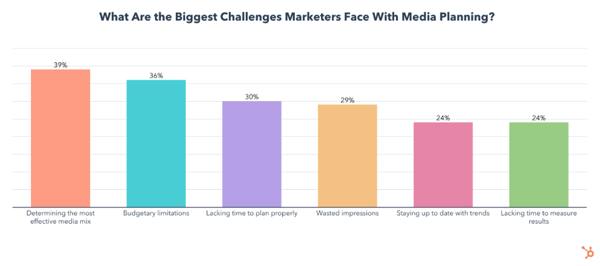 Determining the most effective media mix is an incredibly important aspect of media planning, but also the one media planners struggle with the most. Check out this article for tips on optimizing your media mix.
Aside from finding the most effective media mix, a limited budget is the second biggest challenge media planners face, so let’s take a look at some data on content marketing budgets.
Budgeting Your Content Marketing Efforts
How Much of Your Budget Should Go to Content Marketing?
Chances are you already have a budget dedicated to content marketing, but if you don’t, it may be a good idea to join the 94% of media planners who do.
The real question is how much of your total marketing budget should go to content marketing, so here’s a look at our results:
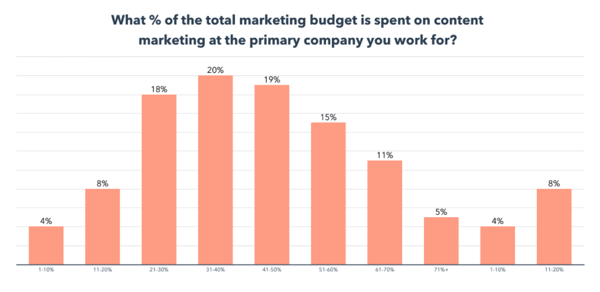 Half of brands spend under 50% of their marketing budget on content, with 72% of media planners saying the primary brand they work with spends between 20%-60% of their total marketing budget on content marketing.
Where Marketers Invest Their Content Marketing Budget
So, how much is that content budget we just discussed above? Here’s a look at how much marketing departments delegate to content.
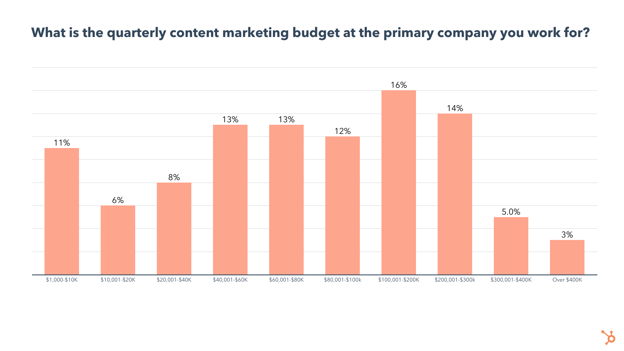
- 1 in 4 brands have a quarterly content marketing budget under $40K
- 38% of brands have a quarterly content marketing budget between $40K-$100K, while 35% have a budget over $100K.
With your budget in mind, let’s take a look at how often you should be creating a media plan and how far in advance to start laying the groundwork for your content strategy.
Timing Your Media Plan
How Often Should You Create A Media Plan?
Nearly half of media planners create a media plan for their primary brand once per quarter:
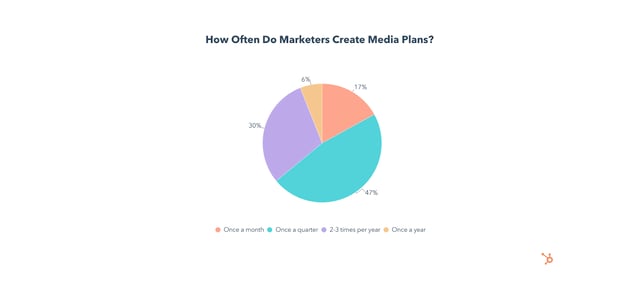
Whichever cadence works best for you, you’ll also need to start your planning process ahead of time. Let’s find out how far in advance marketers are creating their media plans.
How Far in Advance Should You Start Formulating Your Media Plan?
According to our survey, 41% of media planners will change their media mix in 2022, but how far ahead will they start planning?
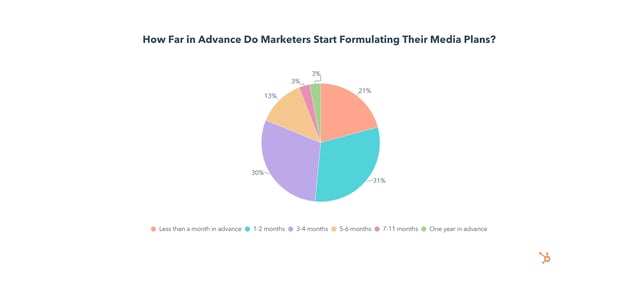
Over 80% of media planners formulate their strategies less than 4 months ahead of time.
Another crucial piece of formulating your media plan will be the tools you use, so let’s look at which tools marketers find the most effective.
Content Planning & Marketing Tools
The top two tools media planners use are HubSpot Marketing Hub (38%) and HubSpot Media Planning Templates (34%).
Here’s a chart showing the biggest benefits of leveraging media planning tools:
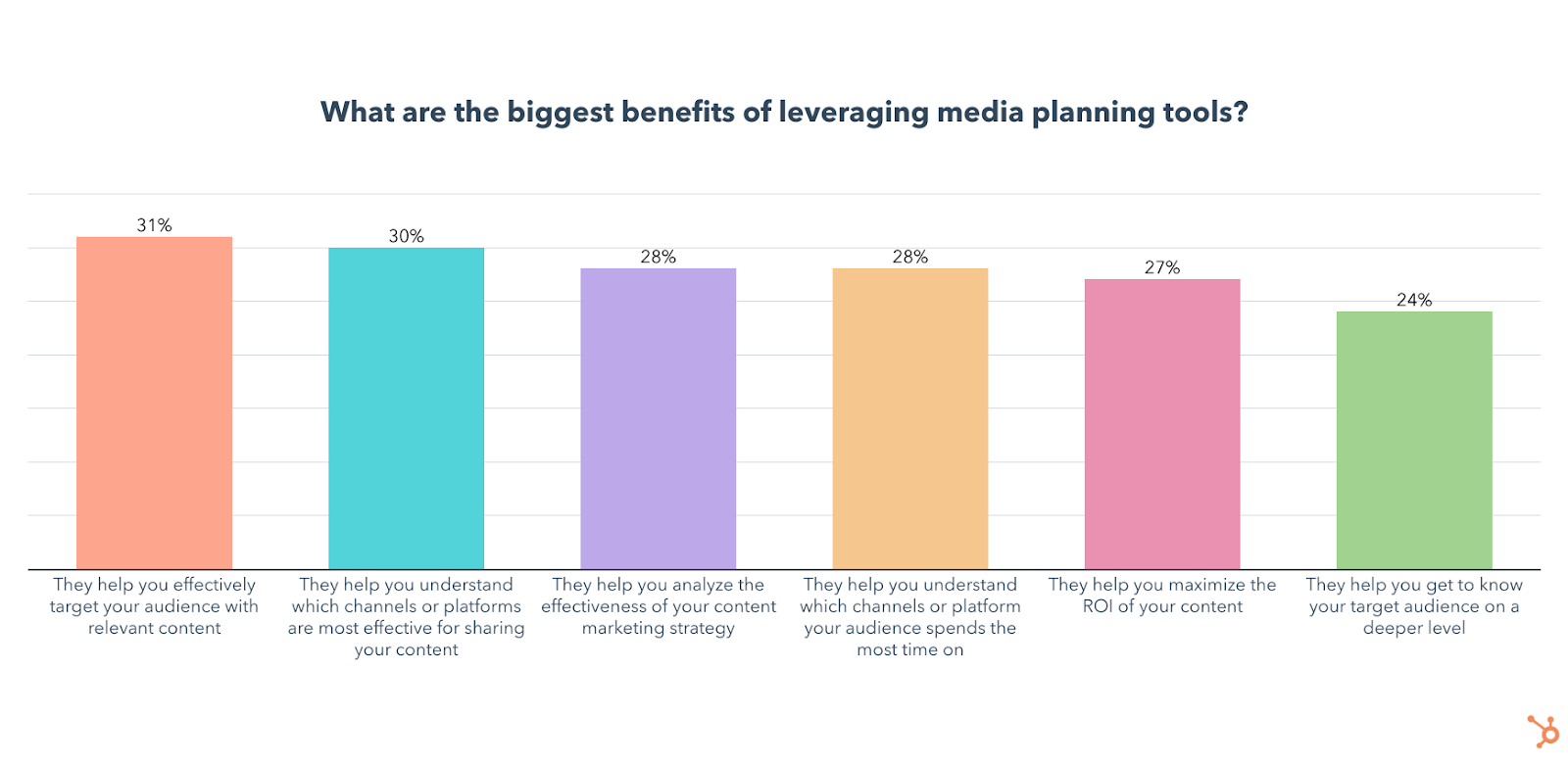
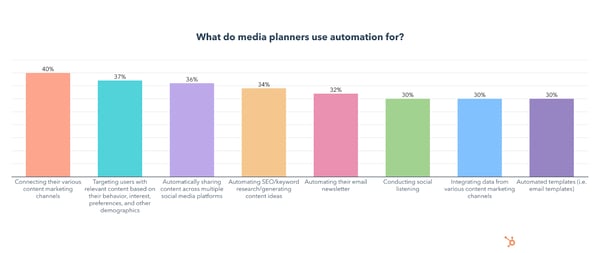
Another tool leveraged by 78% of media planners is automation, here’s what content strategists and media planners use it for:
Pivoting Your Content Plan
Pivoting can be intimidating due to the uncertainty of abruptly switching up your content plan, so here’s a high-level look at our survey data on the topic. You can also find a deeper dive into our data and tips in this post.
Is Pivoting Your Content Plan Effective?
Whether you had every marketing campaign for 2020 and 2021 fully planned out or were just winging it, the pandemic forced us to toss whatever plans we had out the window and adapt in real-time.
As we mentioned above, most marketers who pivoted their content plan in 2021 did so because of the COVID-19 pandemic.
The good news? A whopping 74% of media planners say their most recent pivot was effective for reaching their overall goals and 78% of media planners say their content plan changed a moderate to significant amount the last time they pivoted.
When do brands pivot a content plan?
Here’s how media planners knew it was time to pivot. Spoiler! It’s not always due to global events.
Of the media planners who have ever pivoted, over two-thirds did so to try a new social media platform, and 77% pivoted to try a new feature.
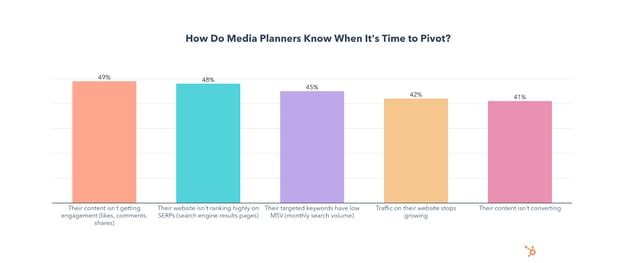
Which platforms or features have media or content planners pivoted to?
Facebook and Instagram Shopping platforms; YouTube Shorts; and live chat rooms like Instagram Live Spaces, Clubhouse, and Twitter Spaces have been receiving high interest from strategists lately.
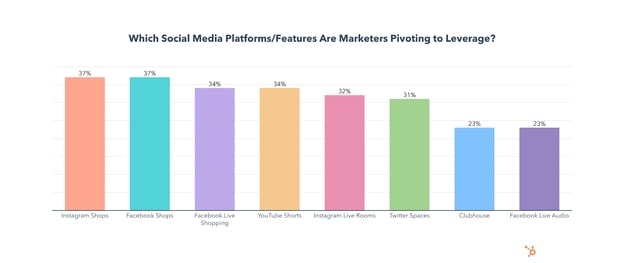
What’s more, our survey discovered that:
- Marketers who say their last pivot was effective are 10% more likely to have pivoted to use Twitter Spaces.
- Marketers who say their last pivot was effective are 10% more likely to have pivoted to use Facebook Live Shopping.
- Marketers who say their last pivot was effective are 8% more likely to have pivoted to use YouTube Shorts.
- Marketers who say their last pivot was ineffective are 9% more likely to have pivoted to use Spotify Green Room and 8% more likely to have pivoted to use Spoon.
What should be your first steps to pivoting a content plan?
Switching up your content plan can feel like going into uncharted territory. To help you, here’s how the media and content planners we surveyed take on the challenge.
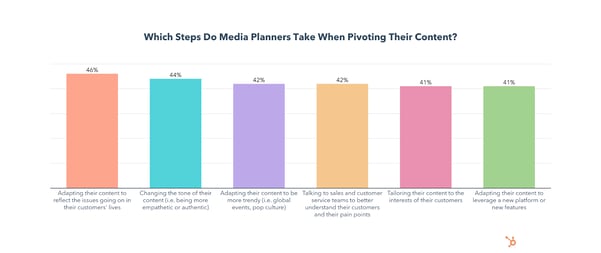
I found that marketers who talk to sales and customer service teams to better understand their customers and their pain points have more effective pivots than those who don’t. They’re 16% more likely to say pivoting was effective.
Also, those who adjust their media mix to reflect changing consumer habits have more effective pivots. They’re 9% more likely to say pivoting was effective.
To get a more detailed step-by-step guide on how to pivot, check out this post.
How often should you pivot your content plan?
While, most brands that pivoted did so at least three times in 2021, this doesn’t necessarily mean you have to make big changes once a quarter.
However, it’s smart to have flexible aspects of your planning that can change if external factors, like world events, arise.
And, if and when the unprecedented does happen, you’ll want to take a stp back and ask yourself what adjustment or strategy is right for your brand.
Although consumers care about responsive content, they also care about ethical marketing and social responsibility of the brands they follow. Because of this, they’ll be quick to spot (and call out) inauthentic and opportunistic behavior, which could damage a company’s image.
And while we’re on the topic of avoiding mistakes, I also asked media planners about the biggest mistakes they’ve made when changing their content plan. Let’s take a look at where they’ve gone wrong.
Mistakes to Avoid When Pivoting Your Content Plan
Pivoting your content plan is effective, but also has its pitfalls. These are the top mistakes media planners have made when switching things up:
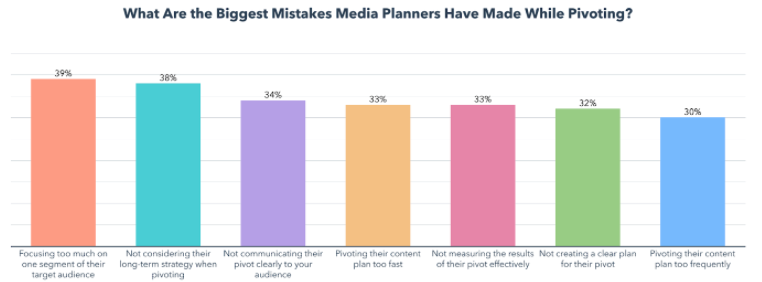
As you can see above, changing your content strategy drastically to cater to just one segment of your audience isn’t recommended.
And to reiterate the advice of Karla Hesterberg, the Sr. Manager of Content Growth Strategy at HubSpot, “Remember that content strategy is always a long game —your short-term strategy can’t compromise your ability to solve for the ongoing, long-term needs of your content property.”
Speaking of long-term goals, switching up your media plan on the go could wind up being expensive. Here’s how much of their budget media planners are spending when they pivot.
Key Takeaways for Content & Media Strategists
Content and media planning can get complex and complicated in today’s world where everything – including your target buyer – is constantly changing.
Ultimately, strong preparation will help you be ready to create and optimize your content strategy to cater to your evolving target audience.
Although we went over a handful of different strategies and data points above, here are three key themes that you can take away from this post.
- Understanding your audience is vital: As a marketer, creator, and media planner, you need to know your audience to know what they’ll respond to, what will motivate them to engage with you, and where they’ll go to consume content. You’ll also have to know where your audience spends the most time. With this knowledge, you’ll be able to create campaigns that meet them where they are and nurture them into buying your product.
- Plan to re-plan: The world is always changing. An effective media planner creates a plan, but also prepares for things to change and identifies ways they can optimize, shift, or pivot it when something unexpected happens.
- Always be auditing: One strategy won’t work forever, in any field of marketing. So, it’s important to continue to track and audit your efforts. That way if something stops working or needs to be fixed, you can optimize it or shift away from it promptly without losing time or money.
Want to see even more data on this topic? Check out the free, downloadable resource below which highlights the bulk of the data from our survey all in one place.

Partnering with Kanarys to Support the Future of Diversity, Equity and Belonging
HubSpot’s commitment to diversity, equity, and inclusion (DEI) best practices has played an essential role in our success and we know that it can for all companies in the HubSpot community. We’re seeking to help our customers achieve their best performance through adopting these practices too.
Our commitment to DEI helped us foster a culture that prizes a range of ideas from people with an array of experiences and backgrounds. We invested innumerable people hours, hired professionals, and sought world-class expertise to identify the DEI best practices, implement them and measure their success.
Although there’s no finish line for this work, that massive effort has supported our company’s growth trajectory through talent acquisition, employee retention, and workplace culture. We recognize that not all companies have the resources to make an equivalent investment, but all companies in the HubSpot community can make DEI a sustained advantage. We asked, shouldn’t it be easier for companies to identify and adopt DEI best practices and measure their success?
This increasingly common challenge faced by companies of all sizes is why HubSpot Ventures is excited to announce our investment in and partnership with Kanarys, a DEI technology company focused on providing the tools that organizations need to create long-term systemic change around DEI.
Kanarys utilizes human resource information systems integrations and artificial intelligence (AI) powered assessments to gather the data organizations need to meet DEI challenges head-on. Knowing where to start is important, which is why Kanarys is now partnering with HubSpot to offer HubSpot customers access to its DEI Maturity Quiz.
This DEI Maturity Quiz identifies where companies are on their DEI journey, and ways they can grow their DEI strategy for long-term success. It analyzes and assesses best practices for critical DEI components, such as DEI Councils, employee resource groups, unconscious bias training, paid apprenticeship programs, supplier diversity programs, and more. In addition, HubSpot customers will now have access to Kanarys’ comprehensive library of guides and toolkits developed by subject matter experts in DEI, available here (invitation code is HUBKAN@2022).
Kanarys co-founders Mandy Price, Star Carter, and Bennie King all grew up in the Dallas area and attended The University of Texas at Austin where they became friends, yet twenty years later the three would come to call each other co-founders of Kanarys after experiencing inequities in the corporate workplace. Guided by data, the Kanarys co-founders are now on a mission to help companies identify opportunities to avoid common mistakes when implementing and measuring DEI initiatives.
%20(1)%20(1).png?width=640&name=Kanarys_dashboard_screens_2204%20(1)%20(1)%20(1).png)
While many companies approach diversity through quarterly trainings or specially organized committees, these initiatives often lack measurement of how inclusion and equity are being addressed and truly impact the business model. HubSpot has taken a detailed, fact-based approach to assess the performance of its efforts.
Kanarys makes it easy for all companies to take an innovative data-informed approach by bringing together cutting-edge technologies like AI, machine learning, and natural language processing to better understand the effectiveness of DEI initiatives based on employee sentiment and an organization’s systems, policies, procedures, and practices.
Kanarys’ intelligent platform allows companies to uncover DEI stumbling blocks and develop proactive strategies to implement instead of being reactive under pressure. The opportunities for companies are that they can now retain employees longer, build a healthier culture, develop more innovative products and solutions, and serve their customers more empathetically.
Joining Kanarys on their journey to build more equitable workplaces was a natural fit for HubSpot. Diversity, inclusion, and belonging are mission-critical for us, and we believe they are crucial to helping our community grow. By using Kanarys, HubSpot customers will be able to jumpstart or assess their own DEI initiatives to identify areas of growth and put DEI programs in place that foster growth and innovation.
Learn more about Kanarys here, and HubSpot Ventures here.

The HubSpot Blog’s 2022 Content & Media Planning Report [Data]
Benjamin Franklin once said “Failing to plan is planning to fail,” and when it comes to content and media strategy, truer words have never been spoken.
Until 2020, that is.
In the last two years, 99% of content planners, strategists, or marketers who pivoted their strategy did so in 2021.
Unsurprisingly, the #1 reason they gave for this was the global pandemic.
To make matters more complicated, 39% of those who pivoted in 2021 changed their content plan a whopping three times throughout the year.
Despite all that turbulence, 62% of media planners say their content performed better than their goals in 2021. And, if anything, 2020 and 2021 taught marketing teams how important content planning and re-planning is.
To get a sense of how marketers planned or pivoted their way through such an unpredictable year and how they will approach media planning in 2022, we surveyed 600+ media planners to gather data on their goals, strategies, the tools they use, and how they met the unique challenges of 2021.
Curious about some strategies and insights specifically? Click below to jump to the section you’d like to read first.
- The Top Goals of Marketing Media and Content Planners
- Content and Media Planning Strategies
- Which Channels Marketers Use In Their Media Mix
- The Benefits and Challenges of Media Planning
- Budgeting Your Content Marketing Efforts
- Timing Your Media Plan
- Media Planning and Content Marketing Tools
- Pivoting Your Content Plan
The Top Goals of Marketing Media and Content Planners
As you can see below, engaging and growing new audiences, maximizing the ROI of their content, and understanding which channels or platforms their audience spends the most time on are top priorities for media planners and content marketers in 2022.
But which strategies are most effective to achieve these goals?
Media and Content Planning Strategies
The Most Effective Media Planning Strategies
The top strategies media planners and content marketers charged with planning use are conducting market research to understand their target demographic and find the most effective channels to reach them, leveraging media planning templates, and running content audits.
Unsurprisingly, these tactics line up fairly well with the top goals, which include growing audiences with content and targeting the right marketing channels.
Media planners also rated setting a clearly defined budget (57%), analyzing the results of your content strategy (57%), clearly defining goals/KPIs (55%), and using a calendar to schedule content (48%) as the most effective media planning strategies they use.
To accomplish most of these, marketers can leverage media planning templates, a strategy I’ll talk about in more detail later.
Ultimately, all of the above strategies are highly effective and will see significantly increased use and investment in 2022. As you move forward in planning, you’ll want to consider a mix of them rather than just running with one or two tactics.
Next, let’s dive a litter deeper into each major planning strategy and opportunity.
Market and Demographic Research
Market research is leveraged by 43% of media planners and will grow significantly in 2022, with 45% planning to leverage it for the first time.
- 64% of media planners who use it say it is the most effective media planning strategy they leverage.
- 16% of all media planners will invest more in this than any other strategy in 2022.
- 70% of media planners who do channel research say it is the most effective media planning strategy they leverage (the highest of any strategy.)
- 22% of all media planners will invest more in it than any other strategy in 2022.
While technically the second-most-effective strategy, I decided to bring this one up first because understanding the demographics of your target audience isn’t just critical for proper media planning, but essential for any marketing strategy to succeed.
You can examine a wide range of data including age, location, education, and income to start building buyer personas, which are fictional representations of your ideal customers that you can cater your content towards. And here’s the best part – you likely already have most of this data available to you for free.
Of course, you could also conduct market research studies of your own, or go through an outside agency for a more holistic view of your industry.
But in terms of media planning, I’d argue that knowing which channels your audience is spending their time on is just as important as knowing who your audience is.
Channel and Platform Research
Learning about your audience doesn’t just stop at personas or demographics.
In 2021, 43% of media planners conducted market research to find the most effective channels for reaching their targets. This percentage will grow significantly in 2022, with 53% planning to leverage it for the first time.
The data above isn’t too shocking. Before you know how much of your budget to invest in each area of your media mix, you’ll want to get an idea of which channels your target audience spends their time on.
You can also benefit from using your own data by looking at which channels are most effective at helping you meet your specific goals. But, you should also leverage outside research as it can provide crucial demographic data on the specific channels you use.
For example, in our 2022 Social Media Report and survey, we found that younger audiences like Millennials and Gen Z prefer shorter video content that is funny, trendy, and reflects a brand’s values – on platforms like TikTok and Instagram.
Meanwhile, Baby Boomers prefer interactive/educational content such as interviews/podcasts/expert discussions, and live videos, with Facebook being their platform of choice.
These facts will help you plan out your media mix by giving you insight on critical questions, such as whether your demographic is embracing social shopping tools on platforms like Instagram or other platforms.
Once the research is complete, media planners are using templates to help allocate and organize their media mix with maximum efficiency.
Media Planning Templates
Media planning templates are leveraged by 40% of media planners and 46% of them say it is the most effective strategy they use to reach their business goals.
The use of media planning templates will see significant growth in 2022 as 39% plan to leverage them for the first time and 11% of all media planners will invest more in templates than any other strategy.
There are a wide variety of media planning templates to choose from, all designed with a different purpose, but ultimately they exist to help you track, plan, organize, distribute, and analyze all your media content.
The most popular templates are social media strategy templates that help you align your media content with your audience and analytics and reporting templates for Excel, PowerPoint, and Google Drive that make the processes of pulling, organizing, and sharing data simple.
Luckily, HubSpot has both of those templates available for you to download right now, with a handful of others that may also come in handy.
Once their media plans are fully organized and executed, marketers are leveraging content audits to analyze their performance and inform their future content plans.
Content Audits
Running content audits to inform media planning strategy is used by 37% of media planners and is the third-most-effective tactic for media planners to reach their business goals.
- A whopping 81% of media planners who run audits say they have been effective for reaching their business goals and 67% say the results of their content audits have had a moderate to significant impact on their media planning strategy.
- The use of content audits will grow significantly in 2022 as 37% plan to leverage them for the first time and 15% of all media planners will invest more in content audits than any other strategy.
So what are the goals of a content audit?
By analyzing the performance of the content you create, you get insights on what exceeded expectations, what falls flat, and why
Identifying content gaps is the #1 objective of content audits, but that doesn’t mean it has to be hard. Here’s a guide on how to run a simple content audit specifically to find and fill those content gaps.
Identifying issues with your website and improving the user experience is another highly effective strategy for driving traffic to your web content, improving SERP ranking, and increasing engagement. In our survey of 400 web traffic analysts, we found that web analysts who reported an effective website strategy in 2021 were 25% more likely to optimize their website for loading speed.
If you’re still not convinced to audit your content, we also asked media planners about the biggest benefits they’ve seen from auditing. Here’s a graph with the results:
How often should you run a content audit?
Most media planners who run content audits do so on a monthly or quarterly basis. If you’re ready to start auditing your content, you can either create your own template or use this one from HubSpot.
Not only did we craft it ourselves, but 46% of media planners who use templates for content audits use it, making it the most popular third-party template. Our data also shows that 86% of those who use HubSpot’s template say content audits have been effective for reaching their overall business goals, so you should give it a shot.
Which Channels Marketers Use in Their Media Mix
The top channels media planners leverage are paid and organic social media content, email marketing, and organic search.
As this data is directly in line with our previous marketing research, here are a few quick bullets on each:
- Email marketing is the most leveraged media channel used by 1 in 2 media planners and will continue to grow this year with 22% planning to leverage it for the first time. Email marketing has the 3rd highest ROI of any channel.
- Paid social media content is used by 47% of media planners and has the highest ROI and highest engagement of any channel. Channel usage will grow significantly in 2022 as 14% of all media planners plan to invest more in it than any other channel and 25% plan on leveraging it for the first time this year.
- Organic social media content is used by 43% of media planners and will continue to grow this year with 22% planning to leverage it for the first time and 9% planning to invest more in it than any other channel in 2022. Organic social has the 2nd highest ROI and 2nd highest engagement levels of any channel.
- Organic search is leveraged by 36% of media planners and 45% of them say it has the highest ROI of any channel they use. It will grow in 2022 with 23% of media planners planning to leverage organic search for the first time.
- 84% of media planners leverage a mix of organic and paid media.
But, what’s the ideal media mix look like? Check out this helpful guide with even more data.
The Benefits and Challenges of Media Planning
The Benefits of Content and Media Planning
Media planning can help you organize, plan, and analyze your content, but what are the biggest benefits marketers get from having a dedicated content plan? Here’s a breakdown of our survey results:
One interesting theme to note above is that the top three benefits relate to understanding channels, where your audience is, or where and how to target them. From what we’ve seen over the past decade, the secret to effective, ROI-generating marketing or content is understanding and knowing where to meet your targets.
So, while the idea of media planning might seem daunting in times when plans constantly change – it’s still incredibly valuable, worth your time, and is likely to return on its investment.
Ultimately, the work you do as a media or content planner will teach you how and when to create new content, when to pivot, or how to effectively change course in times where competitors are struggling to understand changing consumer thoughts and behaviors.
Media Planning Challenges
For all its benefits, media planning also comes with some challenges. Here are the biggest challenges marketers face with media planning:
Determining the most effective media mix is an incredibly important aspect of media planning, but also the one media planners struggle with the most. Check out this article for tips on optimizing your media mix.
Aside from finding the most effective media mix, a limited budget is the second biggest challenge media planners face, so let’s take a look at some data on content marketing budgets.
Budgeting Your Content Marketing Efforts
How Much of Your Budget Should Go to Content Marketing?
Chances are you already have a budget dedicated to content marketing, but if you don’t, it may be a good idea to join the 94% of media planners who do.
The real question is how much of your total marketing budget should go to content marketing, so here’s a look at our results:
Half of brands spend under 50% of their marketing budget on content, with 72% of media planners saying the primary brand they work with spends between 20%-60% of their total marketing budget on content marketing.
Where Marketers Invest Their Content Marketing Budget
So, how much is that content budget we just discussed above? Here’s a look at how much marketing departments delegate to content.
- 1 in 4 brands have a quarterly content marketing budget under $40K
- 38% of brands have a quarterly content marketing budget between $40K-$100K, while 35% have a budget over $100K.
With your budget in mind, let’s take a look at how often you should be creating a media plan and how far in advance to start laying the groundwork for your content strategy.
Timing Your Media Plan
How Often Should You Create A Media Plan?
Nearly half of media planners create a media plan for their primary brand once per quarter:
Whichever cadence works best for you, you’ll also need to start your planning process ahead of time. Let’s find out how far in advance marketers are creating their media plans.
How Far in Advance Should You Start Formulating Your Media Plan?
According to our survey, 41% of media planners will change their media mix in 2022, but how far ahead will they start planning?
Over 80% of media planners formulate their strategies less than 4 months ahead of time.
Another crucial piece of formulating your media plan will be the tools you use, so let’s look at which tools marketers find the most effective.
Content Planning & Marketing Tools
The top two tools media planners use are HubSpot Marketing Hub (38%) and HubSpot Media Planning Templates (34%).
Here’s a chart showing the biggest benefits of leveraging media planning tools:
Another tool leveraged by 78% of media planners is automation, here’s what content strategists and media planners use it for:
Pivoting Your Content Plan
Pivoting can be intimidating due to the uncertainty of abruptly switching up your content plan, so here’s a high-level look at our survey data on the topic. You can also find a deeper dive into our data and tips in this post.
Is Pivoting Your Content Plan Effective?
Whether you had every marketing campaign for 2020 and 2021 fully planned out or were just winging it, the pandemic forced us to toss whatever plans we had out the window and adapt in real-time.
As we mentioned above, most marketers who pivoted their content plan in 2021 did so because of the COVID-19 pandemic.
The good news? A whopping 74% of media planners say their most recent pivot was effective for reaching their overall goals and 78% of media planners say their content plan changed a moderate to significant amount the last time they pivoted.
When do brands pivot a content plan?
Here’s how media planners knew it was time to pivot. Spoiler! It’s not always due to global events.
Of the media planners who have ever pivoted, over two-thirds did so to try a new social media platform, and 77% pivoted to try a new feature.
Which platforms or features have media or content planners pivoted to?
Facebook and Instagram Shopping platforms; YouTube Shorts; and live chat rooms like Instagram Live Spaces, Clubhouse, and Twitter Spaces have been receiving high interest from strategists lately.
What’s more, our survey discovered that:
- Marketers who say their last pivot was effective are 10% more likely to have pivoted to use Twitter Spaces.
- Marketers who say their last pivot was effective are 10% more likely to have pivoted to use Facebook Live Shopping.
- Marketers who say their last pivot was effective are 8% more likely to have pivoted to use YouTube Shorts.
- Marketers who say their last pivot was ineffective are 9% more likely to have pivoted to use Spotify Green Room and 8% more likely to have pivoted to use Spoon.
What should be your first steps to pivoting a content plan?
Switching up your content plan can feel like going into uncharted territory. To help you, here’s how the media and content planners we surveyed take on the challenge.
I found that marketers who talk to sales and customer service teams to better understand their customers and their pain points have more effective pivots than those who don’t. They’re 16% more likely to say pivoting was effective.
Also, those who adjust their media mix to reflect changing consumer habits have more effective pivots. They’re 9% more likely to say pivoting was effective.
To get a more detailed step-by-step guide on how to pivot, check out this post.
How often should you pivot your content plan?
While, most brands that pivoted did so at least three times in 2021, this doesn’t necessarily mean you have to make big changes once a quarter.
However, it’s smart to have flexible aspects of your planning that can change if external factors, like world events, arise.
And, if and when the unprecedented does happen, you’ll want to take a stp back and ask yourself what adjustment or strategy is right for your brand.
Although consumers care about responsive content, they also care about ethical marketing and social responsibility of the brands they follow. Because of this, they’ll be quick to spot (and call out) inauthentic and opportunistic behavior, which could damage a company’s image.
And while we’re on the topic of avoiding mistakes, I also asked media planners about the biggest mistakes they’ve made when changing their content plan. Let’s take a look at where they’ve gone wrong.
Mistakes to Avoid When Pivoting Your Content Plan
Pivoting your content plan is effective, but also has its pitfalls. These are the top mistakes media planners have made when switching things up:
As you can see above, changing your content strategy drastically to cater to just one segment of your audience isn’t recommended.
And to reiterate the advice of Karla Hesterberg, the Sr. Manager of Content Growth Strategy at HubSpot, “Remember that content strategy is always a long game —your short-term strategy can’t compromise your ability to solve for the ongoing, long-term needs of your content property.”
Speaking of long-term goals, switching up your media plan on the go could wind up being expensive. Here’s how much of their budget media planners are spending when they pivot.
Key Takeaways for Content & Media Strategists
Content and media planning can get complex and complicated in today’s world where everything – including your target buyer – is constantly changing.
Ultimately, strong preparation will help you be ready to create and optimize your content strategy to cater to your evolving target audience.
Although we went over a handful of different strategies and data points above, here are three key themes that you can take away from this post.
- Understanding your audience is vital: As a marketer, creator, and media planner, you need to know your audience to know what they’ll respond to, what will motivate them to engage with you, and where they’ll go to consume content. You’ll also have to know where your audience spends the most time. With this knowledge, you’ll be able to create campaigns that meet them where they are and nurture them into buying your product.
- Plan to re-plan: The world is always changing. An effective media planner creates a plan, but also prepares for things to change and identifies ways they can optimize, shift, or pivot it when something unexpected happens.
- Always be auditing: One strategy won’t work forever, in any field of marketing. So, it’s important to continue to track and audit your efforts. That way if something stops working or needs to be fixed, you can optimize it or shift away from it promptly without losing time or money.
Want to see even more data on this topic? Check out the free, downloadable resource below which highlights the bulk of the data from our survey all in one place.
What are Instagram Guides? [+ How to Create One]
If you’re on Spotify, chances are you’ve curated a playlist with all your favorite songs — and rearranged them in a specific order. But did you know you can do something similar on Instagram?

Enter the Instagram Guide — a tool that allows you to curate your favorite Instagram posts, Reels, or Lives in one location, which you can share with your community. For marketers, it’s a great way to revive old content, promote products, and introduce your brand.
Let’s take a closer look at Instagram Guides, how you can leverage them in your marketing strategy, and how to make one in six steps.
What is an Instagram Guide?
In short, an Instagram Guide is a collection of posts, Reels, or Lives — either from your own feed or from others.
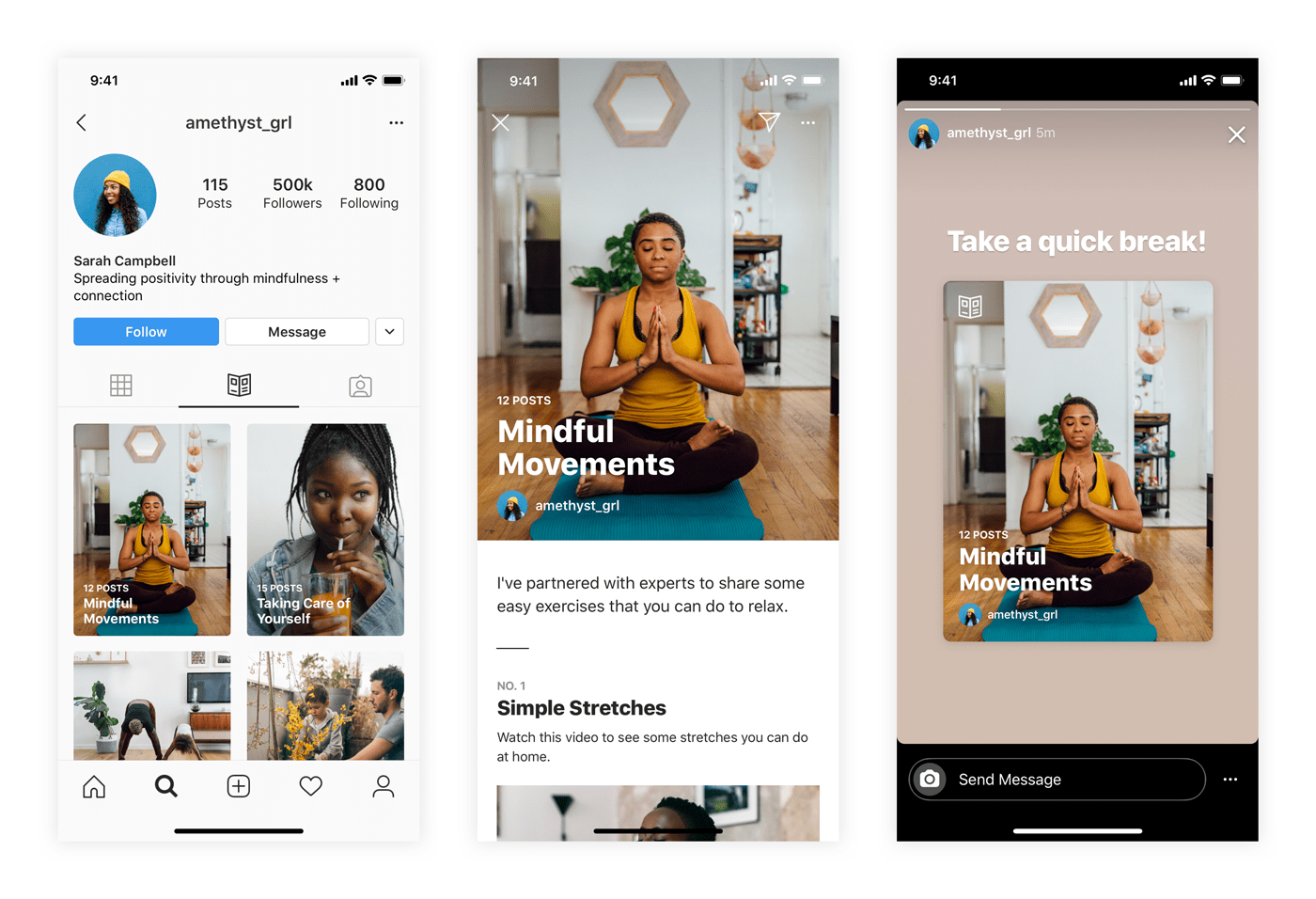
All guides revolve around a single topic, story, or idea. For instance, you could create a gift guide, product round-up, or exercise routine — but more on that later.
Once you create a guide, it will live under a public tab in your profile that users can visit anytime. You can also share it to your Instagram Story for more visibility.
There are three types of guides on Instagram — places, products, and posts.
- Places is for sharing travel-related or location-specific content. For instance, you could share your road trip itinerary or your favorite coffee shops in X location.
Example: The Most Instagrammable Places in Phoenix.
- Products is for showcasing products from Instagram Shops. You could create anything from product tutorials to listicles of your favorite products or brands.
Example: My 8 Must-Have Products for Sensitive Skin.
- Posts is for articles, commentary, or anything interesting you’ve shared or saved from others. This type focuses less on visuals and more on your storytelling abilities.
Example: How to Build a Healthy Morning Routine.
With a solid understanding of Guides, let’s discuss the benefits of using them in your Instagram marketing.
Instagram Guides for Marketing
Instagram has countless features for marketers — but what makes guides stand out from the crowd?
Check out the top benefits of using Instagram Guides in your marketing:
1. Revive your old content
Content on Instagram has a short lifecycle. After hitting the “Post” button — and watching the likes pour in for a day or two — your content sits on your feed, collecting dust.
With guides, you can shine a spotlight on your past content. When a user clicks on an individual post in your guide, it directs them to the original post — giving it a new lease on life.
2. Drive traffic to your blog or website.
Guides are a great way to share your tips, tricks, advice, and recommendations on specific topics — but you shouldn’t reveal everything.
Instead, use the guide to summarizing one or two points from your blog posts — then encourage users to visit your blog for more details (or more tips). That way, you can drive traffic to your other channels.
3. Introduce your brand.
Instagram Guides are a great way to introduce both new and current customers to your brands and its values. Use them to highlight social responsibility work, new milestones, behind-the-scenes content, or new initiatives.
For example, fashion marketplace Vestiaire Collective highlights its brand values by posting guides on building a more sustainable wardrobe and the power of upcycling.
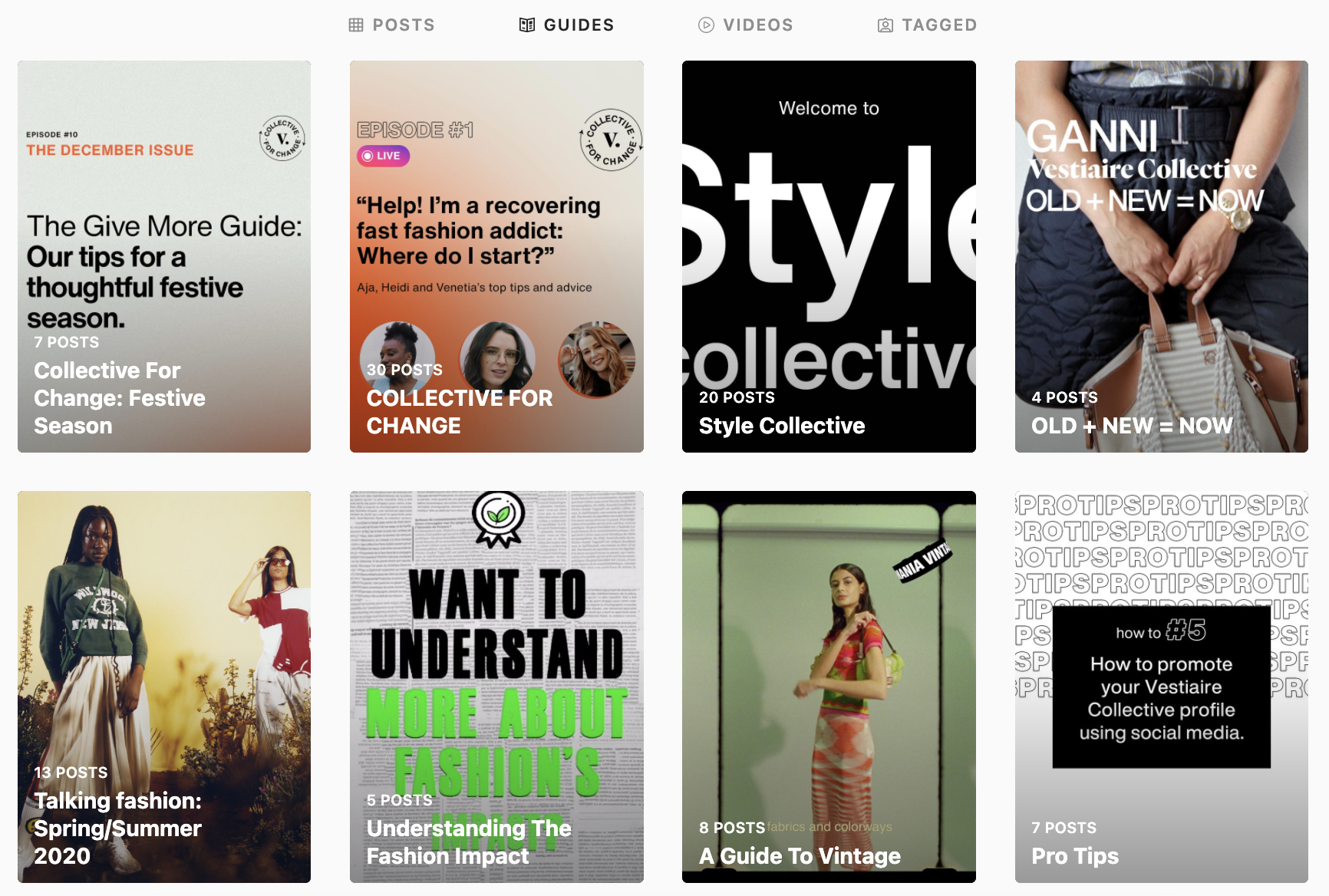
4. Leverage user-generated content.
With Guides, you can combine content from other users with your own — which presents an opportunity to leverage user-generated content.
For example, suppose you run a sunglass brand. You could create a guide titled, say, “The Trendiest Sunglasses of 2022” that contains photos of your customers wearing your products. What better way to leverage UGC, promote your products, and attract new customers — all at the same time.
5. Promote your products — without being too sales-y.
If you struggle with promoting your products without sounding like an infomercial, Instagram Guides are a great way to strike that balance.
Back to the sunglass example above — if you were to create a guide for your new collection, you could add value to the reader by including advice, tips, or tricks within the guide. Then, title your guide in a way that puts the value front-and-center, such as “How to Style Oversized Sunglasses.”
This is one way to subtly promote your products without it being the center of attention.
How to Make a Guide on Instagram
Creating a guide is relatively simple, but you’ll need the latest version of Instagram before you can start. It’s also a good idea to brainstorm what type of guide you want to create — and take note of the content you want to include. Then, follow these steps:
1. Navigate to your Instagram profile and tap the plus (+) button. This opens a menu with options of what you can post on Instagram. Tap “Guide.”
2. Next, tap on the type of Instagram guide you want to create. You can choose from Places, Products, or Posts.
3. Select the content you want to add to your guide. This can be content you’ve shared or saved from others.
4. From here, you’ll need to write a few details about your guide — namely the title and summary. You’ll also need to upload a cover photo if you want to change the one Instagram provides.

5. As you scroll through the guide, add titles and descriptions, commentary, or thoughts to each post.

6. Once you’re happy with the guide, click Share.
Instagram Guides are all about repurposing content. So take a look at your feed and find new stories you can tell. Leverage the tips in this article to make your guides an effective top-of-funnel marketing strategy to engage users, promote your products, and introduce your brand.

How Does the TikTok Algorithm Work In 2022?
As a platform with high engagement and growth potential, TikTok is a favorable app for businesses that want to get their solutions in front of more people.
According to TikTok, 49% of users (over 490 million people) seek and discover something new on the app each month. TikTok’s highly personalized algorithm delivers relevant content to users through the For You feed, keeping users engaged.
![Free Ebook: The Marketer's Guide to TikTok for Business [Download Now]](https://no-cache.hubspot.com/cta/default/53/2c7242e4-ad54-4f63-8627-a15aa6a2ea50.png)
Here’s what brands need to know about TikTok’s algorithm and the unique path to purchase on the app.
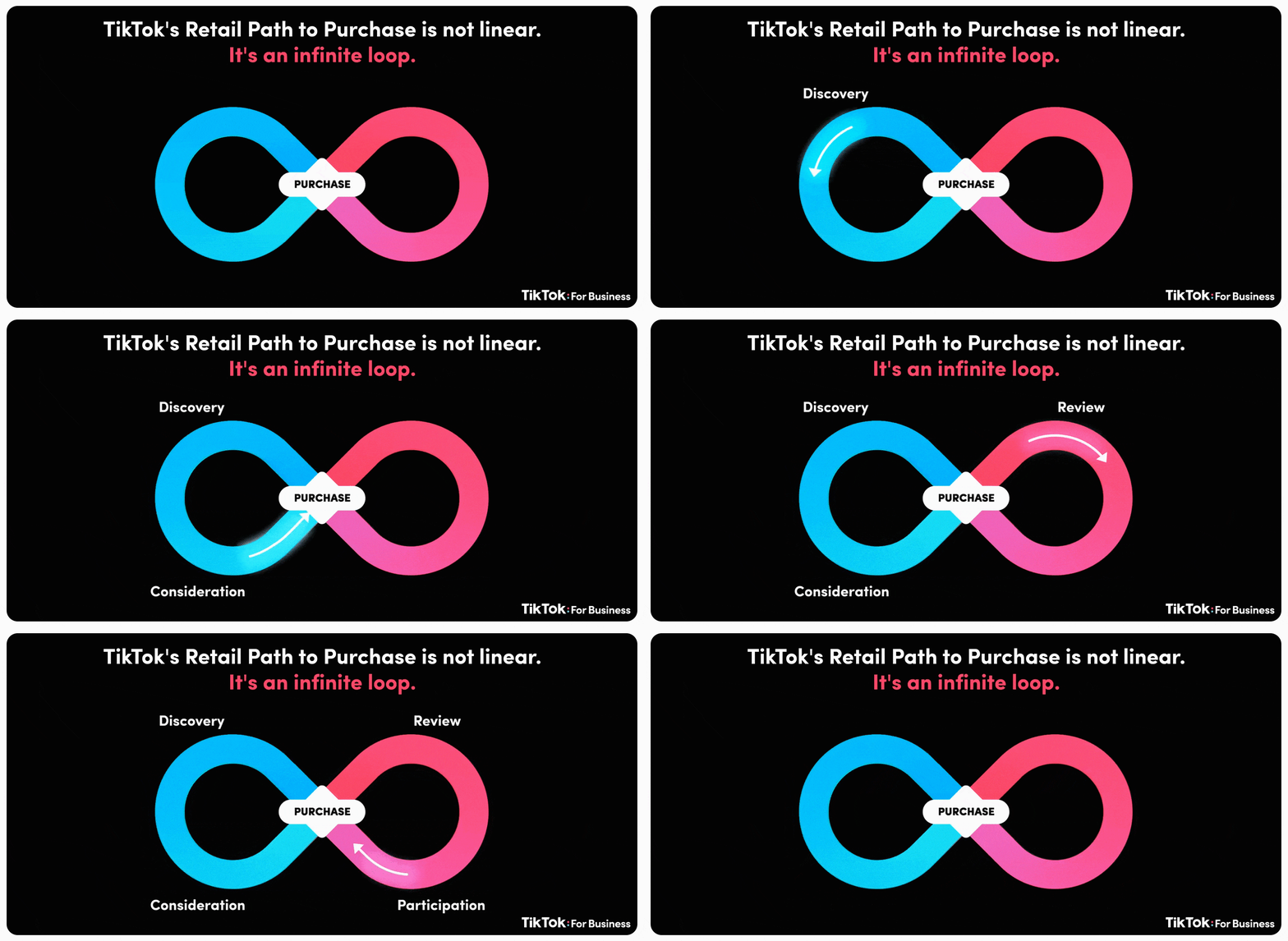
TikTok is revamping the outdated linear sales process and is focusing on driving growth at scale. The smoother and more seamless customer experience from their unique path to purchase is described as an “infinite loop.” Rather than a sales funnel with a defined start and endpoint, TikTok users enter, exit, and re-enter the buyer’s journey at the stage that best matches their needs and wants.
TikTok’s massive success is due to following its user’s lead, building around their behavior, and providing them with the right content based on which stage they are at in the customer journey.
Why Brands Need to Be on TikTok in 2022
Let’s be honest. Putting together a whole strategy for each social platform, monitoring the results, and optimizing performance is a lot of work. And brands have been hesitant to adopt TikTok into their existing social strategy.
Whether this is because of limited internal bandwidth, it being considered a “Gen Z” app, or nobody in the office wanting to be behind the camera — there is no denying the potential of TikTok when you look at the numbers.
Let’s dive into the top TikTok statistics brands need to know:
- TikTok monthly active users: There are 1 billion monthly active users on TikTok.
- Number of App Installs: TikTok has been downloaded 3 billion times and had the most non-game app installs for 6 months in 2021, achieving 383 million downloads from January to June 2021.
- Surpassing competition: In 2021, TikTok was the 7th ranked social media app. Surpassing Pinterest, Twitter, Snapchat, Reddit for monthly active users is impressive considering it was only launched in 2016.
- Engagement Rate: With a session duration of 10.85 minutes, TikTok has been recognized as the top social media platform for engagement. This is twice Pinterest at rank #2 with 5.06 minutes.
- Growth rate: In the U.S., TikTok had a 787.86% user growth rate and a 1157.76% increase in its user base worldwide.
- Influencer earnings: TikTok influencers and creators can earn up to $5 million a year if they have up to 100 million followers. The most popular categories for influencer content are beauty, fitness, dance, pranks, and entertainment.
This rapidly growing social media app’s innovative and unique algorithm allows users to reach more people based on how they interact with your content.
TikTok’s key differentiator is the sense of community on the app. TikTok’s niche communities provide a place for everyone to connect, and new communities are continually emerging as more people join the app.
If you’re new to TikTok, check out #BusinessTok or #BrandTok. These niche communities provide content for marketers, entrepreneurs, and business owners on tips, real-life experiences, and live streams of their networking events.
Gina Nacnac, manager of brand partnerships at HireInfluence, shared with us the importance of TikTok marketing for brands in 2022:
In 2022, we’re going to see a rise in Content Creators on TikTok that create content specifically for the brand’s owned channel appearing as the face of the brand for a contracted period of time, like quarterly or every six months. This is going to provide more opportunities for smaller creators to monetize and will provide ways for brands to connect with consumers authentically through relatable creator content.
TikTok’s Unique Path to Purchase
TikTok transforms how brands connect with their audiences, drive purchases and find success. The platform recently conducted a global research study to understand TikTok’s role in and perceptions across the retail consumer journey. Here is what they found:
- People on TikTok are 1.5x more likely to instantly purchase something they discovered on the platform than other platforms’ users.
- TikTok is 1.7x more likely to be the source for product discovery compared to other social platforms.
- TikTokers are 1.4x more likely than the other platform users to research products/brands they find on the platform.
- TikTok users are 1.5x more likely than other platform users to persuade friends or family to purchase a product or service they’ve come across on the app.
- TikTok users are 2.4x more likely than other platform users to create a post and tag a brand after buying a product.
- TikTok users are more than twice as likely to comment or D.M. a brand after purchasing a product compared to other platform users.
Brands that see massive success on TikTok aren’t just pushing products and creating content when it’s time to sell. Instead, they develop a consistent presence by using a TikTok scheduling tool and focusing on their brand’s role as a creator of entertainment. Successful brands leverage their TikTok Business Account to create a home on the platform, establish their unique brand voice, and build a community.
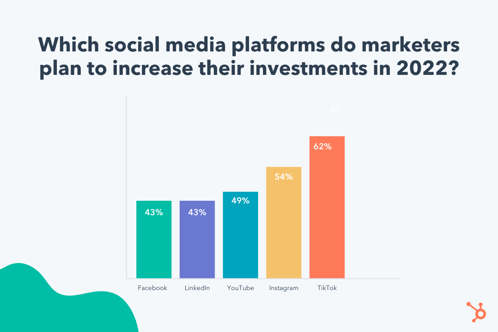
TikTok is revolutionizing the social media marketing landscape through its infinite loop buyer’s journey. Compared to other platforms, TikTok is leading the way at each stage of the customer journey — awareness, consideration, and decision.
How The TikTok Algorithm Works in 2022
One of the key ranking signals on the TikTok algorithm is video completion. Each time a user watches a video in full, that video will be more likely to be suggested to other users’ feeds.
Another major influence on the TikTok algorithm is hashtags and user-viewing habits. TikTok will take note of the type of videos you’re watching and which niche communities they are coming from. It will then suggest similar videos to you based on your content consumption.
For example, if you can’t get enough of DanceTok, good news — the algorithm will keep suggesting related videos. Brands looking to increase the reach of their videos should use trending songs, hashtags, and dances.
This is how TikTok has defined their For You page algorithm:
“This feed is powered by a recommendation system that delivers content to each user that is likely to be of interest to that particular user. Part of the magic of TikTok is that there’s no one For You feed – while different people may come upon some of the same standout videos, each person’s feed is unique and tailored to that specific individual.”
Key Components of the TikTok Algorithm:
- Video Information: video information signals are based on the content you seek out on the Discover tab (i.e., captions, sounds, hashtags).
- User Interactions: as mentioned above, the TikTok algorithm is influenced by a user’s content consumption and interactions on the app.
- Device and Account Settings: although these do not have as strong of an influence on the TikTok algorithm, it’s still worth mentioning. These are settings (i.e., language, country, device type) a user chooses on their account that TikTok considers when optimizing content.
What Engagements Are Not Important to the TikTok Algorithm
As we covered, the TikTok algorithm considers a few key ranking signals when suggesting videos to your feed. But what are the least important metrics of engagement?
- Content already viewed
- Duplicated content
- Potentially upsetting content (TikTok provides examples of “legal consumption of regulated goods” or “graphic medical procedures”)
- Content that gets flagged as spam
And the best news yet? For new users or TikTokers with a low following, the TikTok algorithm doesn’t use follower count as a ranking signal. Meaning small accounts still have the potential for high reach.
Want to see what other businesses are doing on TikTok? Check out this roundup of TikTok marketing examples to inspire your brand.
Wrapping Up
Incorporating the latest platform trends into a brand’s marketing strategy can help them to more effectively engage, educate, and sustain their audience seamlessly into the TikTok community. Don’t know where to start? We’ve got you covered! Check out the Trend Discovery Tool to uncover what’s trending in your vertical, what’s on consumers’ minds, and what’s viral on TikTok in real-time.
In 2022, businesses need to stay on top of new marketing techniques, trends, and rising platforms to drive key growth and better connect with their audience. One of them is TikTok, and there’s no sign of it slowing down. There is a huge opportunity for businesses to take advantage of the viral nature of the app and allow it to take their digital campaigns to the next level.

How to Build Your Brand With Instagram: 11 Tried-and-True Strategies
Instagram has demonstrated tremendous growth, with its community reaching over 2 billion monthly users in 2021.
Despite its impressive reach, many business owners are still overlooking its marketing potential. As a result, they’re leaving high levels of engagement, brand awareness, and even profit on the table. But why?
![New Data: Instagram Engagement Report [2022 Version]](https://no-cache.hubspot.com/cta/default/53/9294dd33-9827-4b39-8fc2-b7fbece7fdb9.png)
In just 12 months, we used Instagram to gain 400,000 followers for Foundr — which translated to over 70,000 email subscribers. At the end of that period, we were averaging 30,000 call-to-action clicks per month from Instagram, and converting 30% of the users who landed on our website from our Instagram page into email subscribers.
We’ve seen it work, now it’s time for you to get in on the action. In this article, we’ll show you how to build your brand with Instagram. (If you’re looking for more marketing tools and resources for your new business, check out our comprehensive guide on how to start a business.)
1. Build an Instagram strategy.
We listed this as the first step because it is the most crucial step in building a brand on Instagram.
If you lack a clear strategy, you’ll end up with low-performing content and a scattered feed as you struggle to brainstorm new ideas.
To build your Instagram strategy, you’ll need to do four things:
- Determine your goals.
- Narrow down your target audience.
- Research your competition.
- Develop your content plan.
2. Experiment with the platform’s features.
Instagram is constantly evolving. In fact, every week, the Head of Instagram shares a video discussing new features and product updates on the platform.
In one of his latest videos, he announced that they were testing a subscription feature that would allow people to subscribe to their favorite creators and get access to exclusive Lives and Stories.
In addition to all the new features the social platform tests, there are a lot of established tools, such as Live Rooms, shoppable posts, scheduled Lives, and hashtags – just to name a few.
Our advice is to choose one to two features to test out every month. This will prevent you from getting overwhelmed and allow you to measure the impact of each feature.
For instance, hashtags can help you reach users who don’t follow you but could be interested in your products and services.
Don’t know how many to use? Data from our latest Instagram Engagement Report suggests brands should only use one hashtag per post.
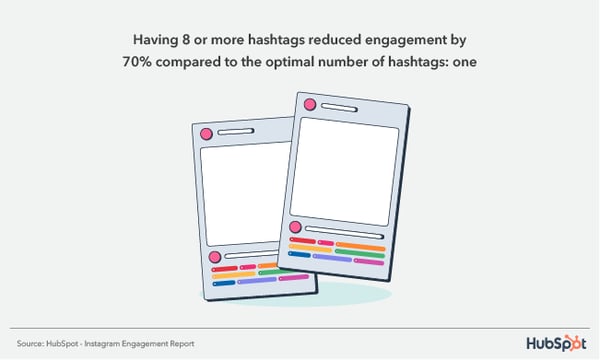
Another reason to test Instagram features is that it can help you reach more users. The platform has admitted to prioritizing accounts that use features the brand wants to highlight, such as Reels.
It’s a win all around: You stay ahead of the curve, discover which features work for you, and you can expand your reach in the process.
3. Jump on trends.
On social media, all it takes is one person’s video or sound to go viral for the rest of the world to join in with their own version.
Most of these trends are fun and harmless with a lifespan of about three weeks or less.
Why should you join in? Well, it’s an opportunity to connect with your audience in a creative and fun way. If you jump in as the trend is rising, it can also give you a quick boost in engagement and reach.

When considering joining any trend, there are two things you want to ask:
- How can I bring this back to my business and/or industry to make it relatable to my audience?
- What is the origin of this trend and could it go against our company values?
4. Invest in high-quality creative assets.
A great Instagram post can be boiled down to a formula and requires two elements: beautiful imagery and engaging text.
Beautiful Imagery
Choose images that tell a story or elicit emotion. This image we shared is not only compelling and interesting, but it also elicits emotion and therefore drives engagement from our followers.
What this will look like for your business will depend on your industry, but think outside of posting images of your own products and services.
Posting about yourself repeatedly on social media is like being that person at a party who talks constantly about themselves. Also, beware of copyright issues.
If the image is not your own, request permission to use it or source non-attribution-required photos. (Check out this awesome list of royalty-free stock photos here.)
Engaging Copy
While you don’t have to add text to your Instagram posts, doing so packs a punch that just an image won’t provide.
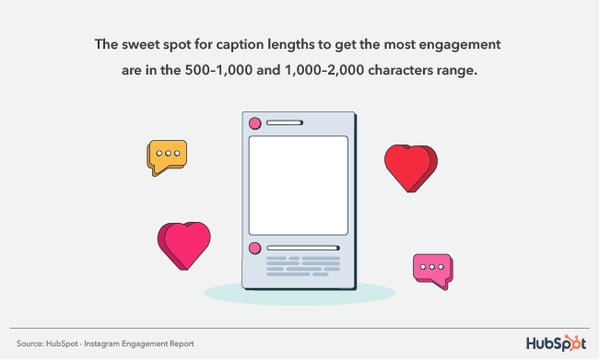
Think of your caption as an additional way to reel in your followers and keep them engaged. It’s a place to add context, share more information, ask a question, and invite comments.
5. Leverage strategic partnerships.
One of the biggest frustrations for most marketers delving into Instagram is that they don’t know how to build a following. After all, without a large number of followers, how can it possibly be an effective marketing channel?
There’s one tactic in particular that we used to quickly grow our Instagram following to 10,000 in just a couple of weeks: partnering with other Instagram accounts.
Are we talking about co-marketing or influencer marketing? Both because they lead to the same result: Expanding your reach.
In addition, both require you to:
- Conduct research to see if their audience aligns with yours.
- Review your business goals and determine the KPIs for the partnership.
- Collaborate on a content strategy.
For example. HubSpot recently teamed up with @ntwrkto celebrate Women’s History Month and promote the Grow Better mission.

Now that Instagram allows the same post to be shared by two profiles, brands can co-market easily on the platform. Followers from both accounts will view the post, increasing each one’s reach and engagement.
6. Foster a community of highly engaged followers.
Engagement on Instagram comes in many forms, including followers sharing your content, liking and commenting, tagging their friends, and clicking on your calls to action. In this section, we’ll go over some of our tactics for fostering a community.
Post When Your Followers Will Actually See Your Content
Have you ever posted something to social media that you think will do really well, only to be met with crickets? Low likes, low shares, and the only comments you landed were from spambots.
While it’s easy to assume you miscalculated the potential of the post, it could just be that you posted the update at the wrong time.
The easiest way to know when your followers will be active on the app is to head over to your insights dashboard. If you have a business account (you should), you can learn valuable insights about your audience’s demographics and behavior on the app, including location, age, gender, and activity.

From there, you can schedule your posts based on your audience’s most active days and times.
Invite the Engagement
A lot of brands will start Instagram accounts and become frustrated when people aren’t engaging with their content.
It seems so obvious and simple, but sometimes actually asking for your audience to engage makes all the difference. You can either include the action you want your followers to take as part of the image itself, or include it in the caption.
Take a look at this example from clothing brand Grass Fields.

In their post, they share design images and ask their followers to name their favorites in the comments. Not only do they get real-time feedback on their product, but they also get great engagement on the post.
7. Post regularly.
When a user is scrolling on the app, you are competing for their attention along with millions of other brands.
Because of this, visibility is key. With so many ways to share content, from Reels to Stories to Lives, there are a lot of opportunities to reach your audience – each demanding a different level of effort and preparation.
This is good news for brands, especially small ones. While it’s recommended that you share on the platform every day, you can choose how you share based on your bandwidth and which methods are offering the beinstst ROI.
For instance, an in-feed post likely requires more work than a Story since it will live on your profile.
With a Story, you can quickly engage your audience through a quick poll, a question, a reshared post knowing that it will disappear after 24 hours.
A good rule of thumb: Publish an in-feed post three to four times a week and share on Stories every day.
8. Review your data and optimize your approach.
If you’re already following all the tips we’ve outlined above and you’re still struggling to get meaningful traction on the app, the answer could be in your data.
Too often, brands get stuck in one approach and don’t review their data to see if it’s actually working.
Your Instagram Insights dashboard offers a wealth of information on how each post performed, including impressions, accounts reached, content interactions, and profile activity.
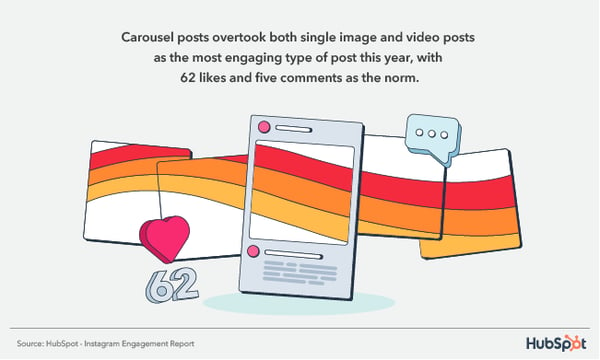
For instance, say you’ve been posting images for the past month, then you post one video and it outperforms 60% of your previous posts. That’s an indication that your audience may respond better to video content. It’s worth experimenting with more videos.
If you don’t analyze your performance and look for optimization opportunities, there’s a good chance you’ll reach a plateau with no idea how to get out of it.
9. Share your Instagram profile on other channels.
As you work to grow your following on Instagram, you can also drive traffic to your profile externally.
One way to entice users to follow your page on that platform is by hosting a giveaway or sharing exclusive content.
In addition, don’t be afraid to promote your Instagram on other social platforms. For instance, your website could include a section with your Instagram feed along with a call-to-action to follow your page. You can also include a link to your Instagram profile in your email marketing campaigns.
Wherever you have an online presence, be sure to share the link to your profile so that your audience knows where to find you.
10. Convert your followers into subscribers.
As you know, email marketing is crucial to a thriving business.
Instagram has been an important driver of email subscribers for Foundr, converting around 15,000–30,000 followers into subscribers each month, depending on our promotions.
If you’re familiar with Instagram’s limitations, you may be wondering how this is possible. After all, Instagram doesn’t allow links in photo descriptions.
That’s where a well-crafted bio comes into play.
Many businesses find it difficult to get followers to click the links in their bios because the tendency is to overload bios with … well, junk. Break that pattern by writing your bio like you’d write a Tweet: short, useful, and packed with intention.
Here’s what we’ve chosen as our bio:
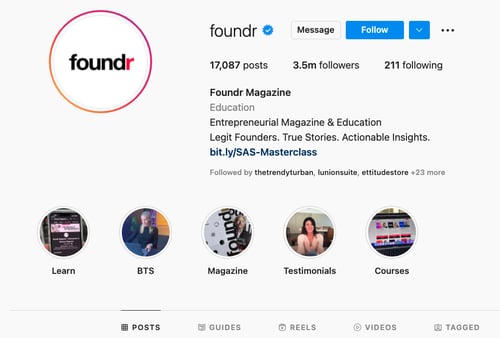
In your bio, you can include a URL that takes users to a link tree or a direct link to your subscription landing page.
Once you’ve put the systems into place, start driving followers to your bio by including calls-to-action in your content.
11. Optimize your bio.
When it comes to Instagram, many overlook the bios and focus on having great content. But your bio is a key point of discoverability so it’s essential you give it some love too.
Say someone is looking for something specific on the platform, with an optimized bio, you’ll make sure your profile shows up in the search results. This means including a business category, a short description of your brand, and a few keywords related to your brand or industry.
How many followers do you need to build a brand on Instagram?
The beauty of social media is that there’s no minimum requirement to get started. This means that you don’t need any followers to get started building your brand.
In fact, that’s how most brands start. Unless you’re launching a sub-brand or using your personal brand to promote your new brand, you will have to organically grow your followers by using the strategies outlined above.
The key to success is consistency. Nothing will work if you do it for a month and give up. By remaining consistent, you increase your chances of reaching your audience and building a community.
Best Way to Build a Brand on Instagram
Instagram is a social platform with tremendous potential for businesses in almost any industry.
All it takes is a robust strategy, high-quality content, and the ability to pivot when needed.
It won’t happen overnight, but as long as you stay consistent, you’ll start to see your following grow and your community building.
This can have a significant impact on your reach, brand awareness, and ultimately the revenue of your company.
Editor’s Note: This post was originally published in Dec 2015 and has been updated for comprehensiveness.


The Ultimate Guide to Building a Website Redesign Strategy
So, you want to start a website redesign. Maybe you just finished a brand overhaul or your product was recently updated. Whatever your reason, a redesign can be a huge success — or not. It can also be a long and tedious undertaking, which is why every redesign needs to start with a clear vision and/or problem to solve.
The better you are at defining that vision at the very beginning, the more successful your redesign will be — and the smoother the entire process will be as well.

Whether you’re working with an agency, redesigning your site in-house, or proposing a redesign to company stakeholders, this guide has tips to help you strategize your website redesign and ensure it turns out to be a huge success — not a flop.
Many organizations opt to redesign their website to welcome more traffic as their business grows. Others invest in a website redesign as part of a larger rebranding initiative. Regardless of why your company is interested in a website redesign plan, the project itself is a massive undertaking, not to mention an important one to get right considering the critical role your website plays in your marketing and brand image.
In fact, new research has found that 50% of consumers think website design is crucial to a business’s overall brand. To many visitors, the website you publish is just as important as the products you sell.
How Often Should You Redesign Your Website?
According to Business 2 Community, the average lifespan for a website is 1.5 to 2.5 years. Because design trends change and technology advances, this is the average amount of time that a redesign will feel “fresh” and competitive. However, that timeframe is only a benchmark, so you will need to determine what works best for your unique organization.
The following factors can determine how often you should redesign your website:
- How often your brand or goals change. When you’re itching for a new site, first ask yourself, “Does this website still represent who we are as a company?”
- How much budget you allot to design and development. Ask yourself, “Can a site design wait, or do I have reasons to use the budget on our site now?”
- How long your website stays functional and fast. Step into your customers’ shoes and see if you can navigate the site well and find everything you want to find without encountering errors or long page load times. Almost 50% of websites get between four and six page views per visit — all that browsing means that your site’s navigation and speed really do matter.
- The performance of your website. Ask yourself, “Is this site converting a reasonable amount of traffic? Do people stay on the page for a reasonable amount of time, or do they bounce?”
- Changes in the industry. For example, when Google announced that it would be changing to mobile-first indexing, it necessitated that websites be mobile-friendly, or they’d lose organic traffic from Google.
Your website is where visitors and customers go when they want to ask questions, read content, or purchase products or services. For that reason, it’s best to be extra prepared when committing to a website redesign.
You may spend more time building your website redesign plan than you will on the redesign itself. If you’re wondering what should go into your website redesign strategy, start with the steps below.
Let’s unpack eight critical website redesign tips to think about when planning and completing your redesign.
1. Benchmark your current performance metrics.
Before you begin planning your website redesign, document your current performance metrics. This will give you a good idea of where your current website stands and what metrics you can improve upon through your redesign.
Analyze your existing website’s monthly performance in the following areas. The importance and relevance of each may vary depending on your website redesign goals, but it’s helpful to pull each metric before you dive into your redesign.
- Number of visits, visitors, and unique visitors
- Bounce rate
- Time on site
- Top-performing keywords in terms of rank, traffic, and lead generation
- Number of inbound linking domains
- Total new leads and form submissions
- Total sales generated (in dollars)
- Total pages indexed
- Total pages that receive traffic
If you don’t have access to this information, I recommend tools like Google Analytics and HubSpot’s Marketing Analytics for better tracking and visibility into your website’s performance.
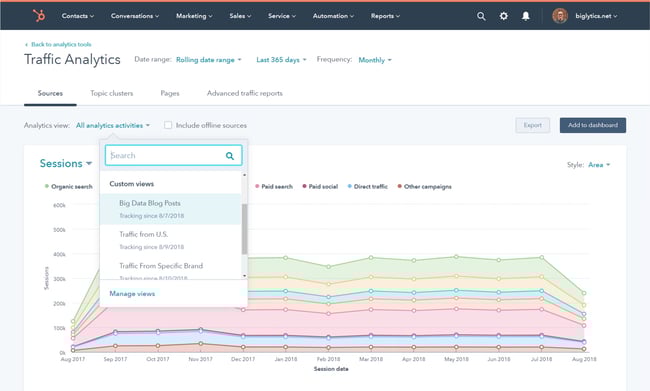
Furthermore, make note of which tools you used to measure each of these benchmarks in the past. Ideally, you’ll want to use those same tools when collecting your post-redesign metrics. Otherwise, you’ll be comparing apples to oranges.
2. Determine your website redesign goals.
What’s the “why” behind your website redesign? When considering a redesign, there should always be a good reason behind it.
If you’re answering with “well, it’s been a while since we’ve done one” or “my competitor just did a redesign,” those reasons aren’t good enough on their own.
Remember: It’s not just about how your site looks, but rather how it works. Be crystal clear about why you’re doing a website redesign, and tie those goals to measurable results. Then, communicate your goals with your team, designer, or agency.
Consider the following data-driven objectives for your own website:
- To increase the number of visits and visitors (both are important as one visitor could visit more than once)
- To reduce bounce rate
- To increase time on site
- To improve domain authority
- To increase the total new leads and form submissions
- To increase the total sales generated
- To enhance current SEO rankings for important keywords
Many of these goals are dependent on one another. For example, in order to generate more conversions, you may also need to increase traffic while decreasing your site’s bounce rate.
Also, take a look at the metrics you pulled out in the previous step. Are there any metrics you can improve upon with your new website? Perhaps you use your old website metrics to inspire new goals, too.
3. Define your branding and messaging.
Before crafting your new website design and content, be crystal clear about your desired branding, messaging, and unique value proposition. Doing so will ensure consistency across your entire website.
Anyone who visits your website for the first time should immediately understand what you do, how it may benefit them, and why they should stay onyour site, so they don’t flee to competitors.
Take our homepage as an example: It’s immediately clear what we do, what we offer, and how any visitor can get started.
Think about whether you plan to change your branding and/or messaging, or if it will stay the same. If you plan to change it, what needs to change? Keep these changes top-of-mind as you redesign your website.
As you develop your messaging, use clear, concise language. Avoid industry jargon that may alienate parts of your audience and make you sound more like a business-babbling robot than a human.
Consider the following example of how we could describe HubSpot in a “gobbledygook” way:
HubSpot helps companies across multiple countries reduce churn by backfilling the sales pipeline with highly qualified traffic that generates leads that convert into customers with high lifetime value. We achieve this by providing leading-edge software that integrates all marketing channels for a synergistic view of the data that determines and prioritizes high-value marketing activities.
Say what? Let’s translate that into the way people actually speak:
HubSpot’s all-in-one marketing software helps over 100,000 businesses in more than120 countries attract leads and convert them into customers. A pioneer in inbound marketing, HubSpot aims to help its customers make marketing that people actually love.
Much clearer!
Additionally, as you develop your company branding, consider what visual aspects of your website need to be redesigned and what can stay the same. Have you created a new logo, style guide, or color palette? Make sure these are applied to your new website so it remains consistent with other parts of your brand.
For some more inspiration, check out our roundup of our favorite B2B website examples:
4. Define your buyer persona(s).
Your website is not just about you. Actually, it’s hardly about you.
When your visitors land on your website, they’re asking themselves, “What’s in it for me? How could this help me?”
Speak to your visitors in their language by crafting your website design and content around your buyer personas.
For instance, if you’re a marketing manager at a hotel looking to bring in new business, you might target five different buyer personas: an independent business traveler, a corporate travel manager, an event planner, a vacationing family, and a couple planning their wedding reception.
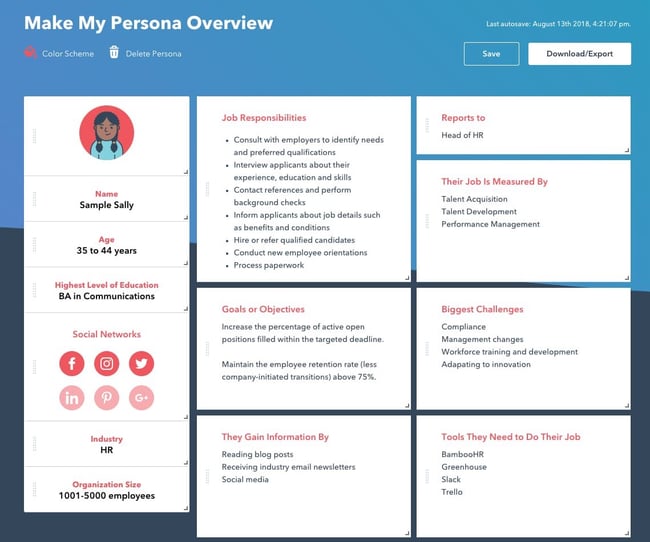
Make sure you clearly identify your buyer personas so you can shape your website redesign strategy around the website visitors that matter most to you.
Check out our handy buyer persona builder to help you create detailed buyer personas.
Is your target audience changing as part of your website redesign? Do your branding and content align with this audience? Answer these questions as you’re strategizing your website redesign.
5. Protect your search engine optimized pages.
Getting discovered online is also essential to improving your website’s metrics. If no one is able to find and visit your site, how can you increase new leads, conversions, or sales? Here are some tips for designing your new website with search engine optimization (SEO) in mind:
Document your most search-valued pages.
Use your marketing analytics to figure out which pages receive the most traffic and inbound links, convert the most leads, and ultimately cover the most influential topics in your industry. If you plan to move any of these highly valuable pages, make sure you create the proper 301 redirects.
Create a 301 redirect strategy.
Speaking of 301 redirects, these are extremely important in terms of retaining the traffic and link value associated with a given page. Create a spreadsheet to record and map out your 301 redirects (old URLs vs. new URLs). Then hand this document over to someone technical for proper implementation.
Do your keyword research.
For every page on your newly designed website, pick one keyword/topic each page will focus on. Once you determine the keyword(s), use on-page SEO best practices to optimize your website pages. Furthermore, consider adding new content and pages to your website that address those particular keywords and topics that may be neglected on your current site.
Save time and rank higher on Google with our free on-page SEO template.
6. Analyze the competition.
While we don’t recommend obsessing over your competitors, it can help to know how you compare. First, run your website through HubSpot’s free Website Grader tool to generate a report card of how well your website is performing. You can also use this diagnostic tool to evaluate your competitors’ websites, so you’re aware of their strengths and weaknesses.
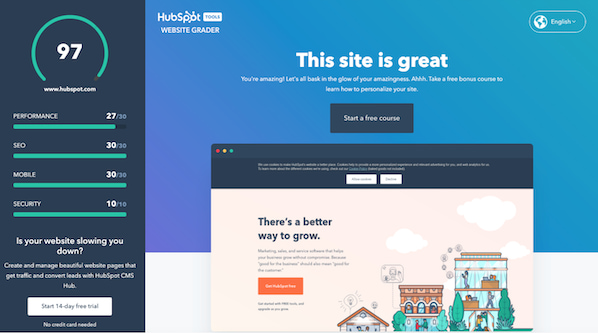
Next, take a look at your competitors’ websites, and take note of what you like — and what you don’t. This process is to help you realize what you can do better on your website. Once you conduct your competitive analysis, put together a list of action items highlighting some areas for improvement and how you can set yourself apart from your competitors.
7. Take inventory of your high-performing content.
While a redesign is a great way to improve the performance of your website, there are unfortunately countless ways in which it can hurt you. Your existing website likely contains many high-performing content assets that you’ve already built up, and losing their effectiveness because of a redesign can severely damage your marketing results.
For instance, such assets might include your:
- Most-shared or viewed content
- High-traffic pages
- Best performing or ranking keywords and associated pages
- Number of inbound links to individual pages
For example, if you end up removing a page from your site that has accumulated a high number of inbound links, you could potentially lose a lot of SEO credit, which would make it increasingly difficult for you to get found on search engine results pages (SERPs).
Keep in mind that many web designers don’t consider this step because they are neither marketers nor SEO specialists. Don’t hesitate to remind them about this, and help them along by auditing your site and providing them with a list for maintaining or updating critical pages on your site.
8. Choose the right software.
The final (but arguably most important) step of the website redesign process is choosing the right software with which to create and host your website. This software is typically called a content management system (CMS), and it’s used to develop, design, and publish your website for the world to see.
CMS software is beneficial for a few reasons. Whether you’re a novice digital marketer or a master web developer, a CMS can easily help you create a gorgeous, functional website. Choosing the right CMS depends on your business, such as what CMSs you’re already familiar with and what features your website redesign requires.
There are hundreds of CMSs to choose from, including CMS Hub — the only combined CMS and CRM. Or you can review some of the best CMS platforms to learn about your options.
Get Started on Your Website Redesign Today
Whew! Now you’re ready to plan, design, build, optimize, launch, and analyze your new website. Apply these seven steps to redesign a website that attracts more consumers, wows more visitors, and converts more customers.
Editor’s note: This post was originally published in January 2013 and has been updated for comprehensiveness.
![Blog - Website Redesign Workbook Guide [List-Based]](https://no-cache.hubspot.com/cta/default/53/4b5bb572-5d0e-45b8-8115-f79e2adc966b.png)

How to Share Your Strengths and Weaknesses During A Job Interview
You’re sitting across from a hiring manager, or even worse, a group of people interviewing you for a role, and the dreaded question comes up…
“What are your weaknesses?”
You spend what seems like an eternity battling inside your own head, “Do I tell them I’m occasionally late or that I take things too personally?” before settling on a response that makes you groan: “I just care too much and I work too hard.”

While that question isn’t likely to be left off the interview checklist anytime soon, you know it’s likely coming and can spend some time in self-reflection before your next interview, so you can answer it truthfully and respectfully. Its sister question, “What are your strengths” is coming as well, so it’s best to be prepared ahead of time.
What are strengths and weaknesses?
Strengths are a set of skills or character traits you possess that assist you in carrying out your duties in a productive and efficient manner and make you an excellent candidate for a job. Weaknesses are characteristics or shortcomings that when left unchecked, may hamper your ability to do your job well.
It can be difficult to toot your own horn during an interview. Even more challenging, is finding a balance between being honest about some of your shortcomings, without turning the hiring manager off to the idea of hiring you.
Take some time before each interview (and ideally before you apply) to determine what your strengths are and weaknesses are. This is best done in the beginning as self-reflection, however, you may at some point want to enlist the help of people close to you. This can be asking friends, family, or someone you’ve worked with in the past for feedback.
You can create a list of your strengths and weaknesses, and, when it’s time to apply for a job, tailor your responses to its specific qualifications. You can also spend some time researching the company itself, understanding its culture, and determining which of your strengths would be most highly valued.
Thankfully, you don’t have to reinvent the wheel when it comes to your strengths and weaknesses. There are a number of common (and relatable) characteristics that you can share with potential employers.
Strengths and Weaknesses List
Don’t know where to start? Take a look at these strengths and weaknesses examples, and determine which best describes you. Keep in mind that this is a list of “soft skills” which can pertain to any industry and role. Depending on what position you’re applying for, you may also need to share your knowledge of specific software programs and on-the-job experience.
Strengths
- Accuracy
- Attentive
- Clarity
- Conciseness
- Creativity
- Determination
- Discipline
- Dedication
- Empathetic
- Enthusiasm
- Flexibility
- Great listener
- Honesty
- Hard-working
- Innovative
- Negotiation Skills
- Optimistic
- Organization Skills
- Patient
- Quick learner
- Respectful
- Trustworthy
- Time-management
- Team player
- Versatility
Weaknesses
- Blunt and brazen communicator which can turn some people off
- Extremely critical of self
- Need time to adjust to change
- Perfectionist (which sometimes make it hard to delegate responsibilities)
- Procrastinator
- Slow to develop rapport with coworkers or subordinates
- Shy in new situations
- Stressed under pressure
- Too sensitive to the needs of others which sometimes allows others to manipulate you
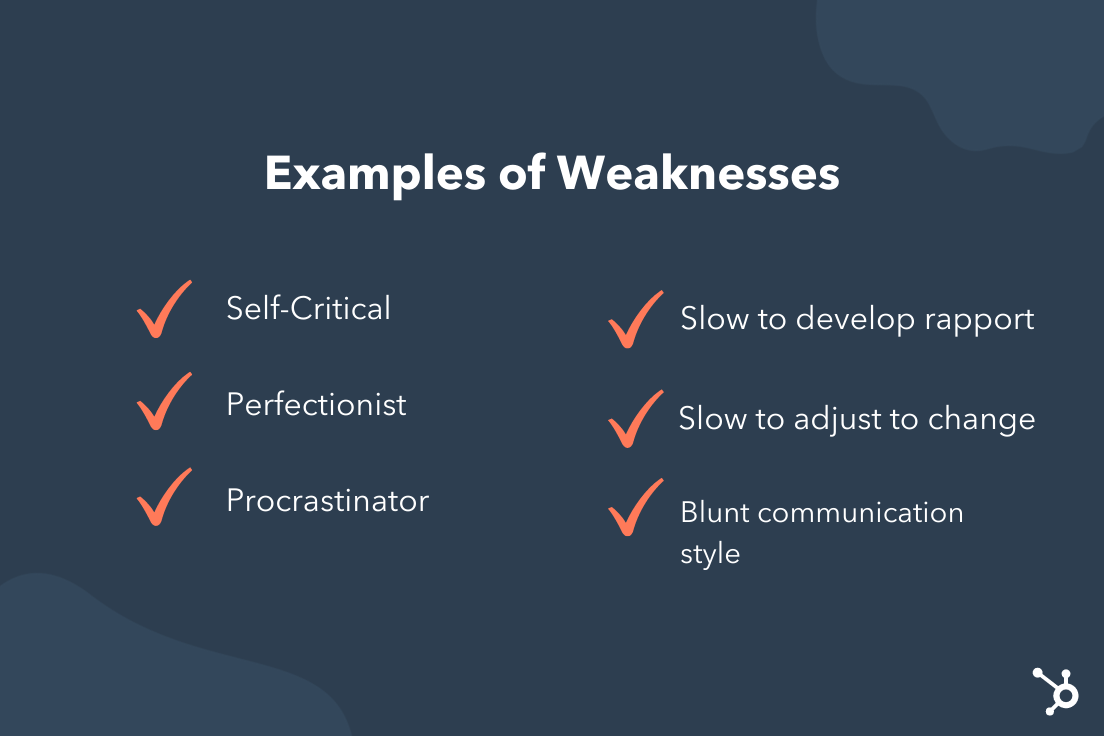
Leadership Strengths and Weaknesses
While there are many similarities, leadership strengths and weaknesses cover a wide range of skills. Consider the different responsibilities you will have as a leader, mainly motivating and managing employees on a daily basis, rather than being responsible for just your own work. Consider some of these common strengths and weaknesses examples for leaders and managers.
Leadership Strengths
- Passionate about their work.
- Able to understand the needs and emotions of others.
- Excellent self-management skills.
- Top-notch communication skills (including listening).
- Able to motivate and inspire others to do their best work.
- Comfortable making decisions quickly.
- Willing to be held accountable for their decisions and their actions.
Leadership Weakness
- Taking feedback personally.
- Too focused on the end goal that employees’ needs go unheard.
- Overly concerned with being liked.
- Unable to delegate responsibility which leads to burnout.
- Disrespectful attitude towards employees.
- Poor communication skills.
- Afraid of making the wrong decision, which leads to making no decisions at all.
If you see yourself in any of these weakness examples, it may be time to seek mentorship or training, and do some soul searching to determine why you lack in these areas.
How to Share Your Strengths and Weaknesses During a Job Interview
Now that you’ve reviewed many popular characteristics and decided which ones best reflect who you are, it’s time to dig deeper. Ask yourself a very important question… “Why?”
Potential employers don’t want a list of fancy words, they want to get to know you by understanding how these characteristics have served you in your previous work experience. For example, instead of saying, “I have excellent negotiation skills,” say, “I’ve used my excellent negotiation skills to work with new and existing vendors to cut our raw material costs by 52%.”
Paint them a picture of your skills in action and tell them a (true) story they’ll remember well past the last interviewee has left the building. When telling a story, remember to include:
- What “life” looked like before the inciting incident.
- The problem you faced.
- Different attempts you made to fix the problem.
- What eventually worked.
- How life looks after the incident.
This doesn’t have to be an epic novel, just a quick description of what was going on and how you had the strengths to persevere.
Of course for some, you may be reaching for a new role with new responsibilities. If you know you possess the strengths they are looking for, but haven’t had the opportunity to use them in your current job, be honest. You could say, “I haven’t been able to use this skill in my previous employment, however, I look forward to using it more if you decide to hire me.”
You also have the option of sharing a story from your personal life in which you used this skill. Just make sure to keep it professional, appropriate, and relevant to your desired position.
When it comes to communicating your weaknesses, potential employers want to know that you recognize your shortcomings and are actively working to become a better version of yourself. You’ll want to be honest and forthcoming while creating context around your weaknesses and showing:
- How you are working to improve in this area.
- How this weakness will not impact your performance in the proposed job.
Like we discussed earlier, you’ll also want to avoid stating a humble brag rather than a weakness. “I’m just so fast at my job that it makes others feel intimidated around me and so it’s difficult for me to connect.” This is false modesty and you won’t be doing yourself any favors.
So there you are, face-to-face with an interviewer and being asked, “What are your strengths and weaknesses?” Rather than panic, know that you’ve taken the time necessary to provide a solid answer (with supporting evidence) to this question.

How to Use the If Function in Google Sheets
One of the most valuable functions in Google Sheets is the “IF” functions.
Imagine you want to be able to quickly scan your spreadsheet and answer some key questions. This function will help you do that.
![→ Access Now: Google Sheets Templates [Free Kit]](https://no-cache.hubspot.com/cta/default/53/e7cd3f82-cab9-4017-b019-ee3fc550e0b5.png)
Let’s jump into how it works and see some real-life examples.
What does the if function do in Google Sheets?
In Google Sheets, the if function allows you to check a condition and return a specific value if it’s TRUE.
For instance, say you have three columns in a spreadsheet: channel, target, and profit. You want to know which channels hit a profit higher than the target.
You can use the IF function to do so – the formula logic would look like this: If the target is higher than the profit, it will return “YES.” If not, it will return a “NO.” You can then track that data in another column titled “Goal Met.”
How to Use If Function in Google Sheets
When using the if function in Google Sheets, you must use the following syntax:
IF(logical_expression, value_if_true,value_if_false)
Let’s break down what each one means:
- Logical expression refers to the condition you’re checking in the function.
- Value if true is the value the function will return if the logical expression is true.
- Value if false is the value the function will return if the logical expression is false.
To do this, you’ll need to use the following logical expression symbols:
- > to denote greater than
- >= to denote equal or greater than
- < to denote greater than
- <= to denote equal or less than
- <> to denote not equal
- = to denote equal
Let’s see a real-life example.
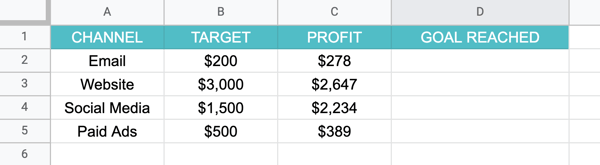
Here, we have a spreadsheet with data on how each marketing channel performed. Each channel had a target revenue next to the actual profit. The last column, “goal reached” will be used to quickly answer which channels met the goal.
-
Select the cell in which the formula will be applied.
-
Write out the formula following this syntax:
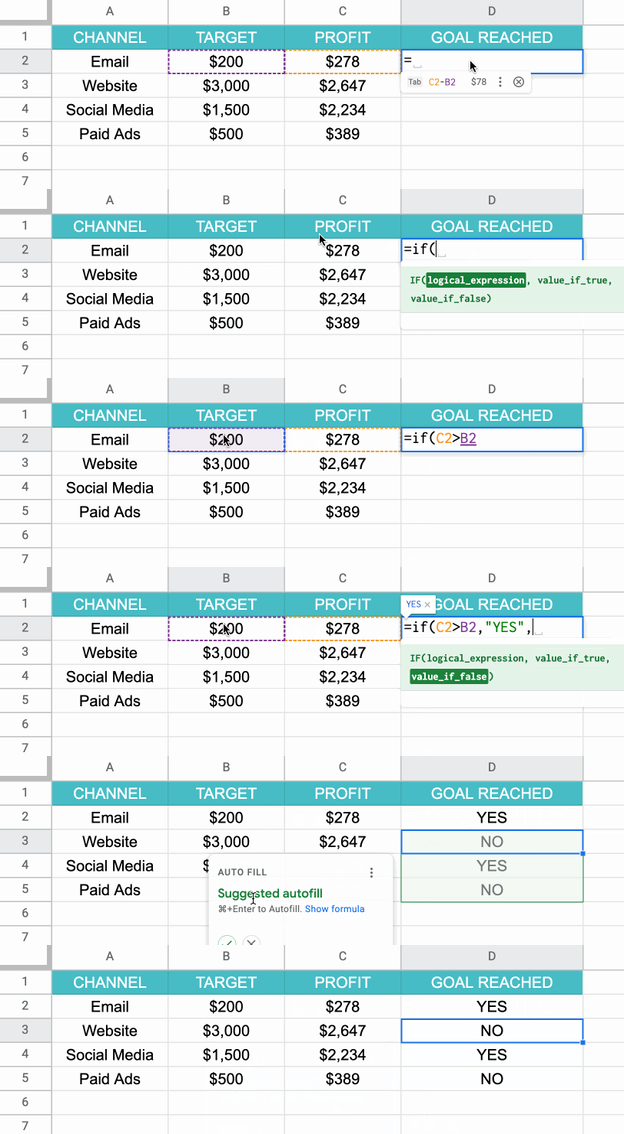
-
Drag the mouse to apply the formula to relevant cells.
Scared you’ll forget it? Don’t worry. Google Sheets has an autofill feature that will show you the formula as you type it out.
In this case, the formula will be: =if (C2 > B2, “YES” , “NO”). To break that down further, the formula states if the profit from the email channel is higher than the targeted profit, then write “YES.” If it’s lower, then write “NO.”
Keep in mind that the value if true can be whatever you choose. However, in this example, the simple option was choosing the words “YES” or “NO.”
Because the formula includes words, you must use apostrophes so that Google Sheets reads the formula correctly.
If/Then vs. If/And vs. If/Or Functions
In the simplest terms, with “If-Then” you’re checking that one condition is met. In the example above, it was that one value would be higher than the other. Based on that data, the return value would be “YES” or “NO.”
With “If And,” you’re checking multiple conditions for a “TRUE” value. They all have to be “TRUE” for the return value to be “TRUE.”
“If Or” is the exact opposite to “If and.” It also checks multiple conditions but if any one is true, it will return a “TRUE” value.
Here’s a real-world example:
- If then – I am going to the store. If you go to the store, the statement is true.
- If and – I am going to the store and filling up my tank. You must go to the store and fill up your tank for the statement to be true. Otherwise, it will be false.
- If or – I am going to the store and filling up my tank. You could complete either task and the statement will be true. The only time it will be false if you complete neither one.
How to Use If Function with Multiple Conditions
Say you’re running a survey and you want to easily categorize your respondents into two age buckets. You could write a formula that states if respondents are 25 or younger, they’ll be in group “A”. If they’re 26 or older, they’ll be in group B.
This creates multiple conditions under which the value can be written. The formula checks the first condition, if it doesn’t apply, it moves on to the next to find the appropriate value.
Let’s see this in action.
Using the example above, your formula would be as follows:
= IF(A2 < = 25, “A”, IF(A2 >= 25, “B”))
Nested If Function in Google Sheets
In Google Sheets, “nesting” simply refers to placing the “if” function within its own formula to test multiple conditions and return different results based on those tests.
The formula syntax is as follows:
=IF(first_statement,value_if_true,IF(second_statement,value_if_true,value_if_false))
It’s as easy as that.
So, here’s another function you can use to speed up your process when using Google Sheets.

Brand Strategy 101: 7 Important Elements of a Company Branding Plan
Just as an architect draws out a building plan before they start building, you need to develop a brand strategy for your business.
Strategic branding helps you set yourself apart from your competition and build customer loyalty.
In this article, you’ll learn all about the branding methods and essential elements of a branding strategy you need to grow a brand that’ll stand the test of time.

(We’ll get into that more in a bit.)
A well-defined and executed brand strategy affects all aspects of a business and is directly connected to consumer needs, emotions, and competitive environments.
First, let’s clear up the biggest misconception about brand strategy: Your brand is not solely your product, your logo, your website, or your name.
Your brand is all of that and more — it’s the stuff that feels intangible. Your brand is that hard-to-pin-down feeling that separates powerhouse brands from forgettable brands.
To objectively understand a subjective matter that many marketers consider more of an art and less of a science, we’ve broken down seven essential components of a comprehensive brand strategy that will help keep your company relevant for decades.
The elements of a brand strategy include:
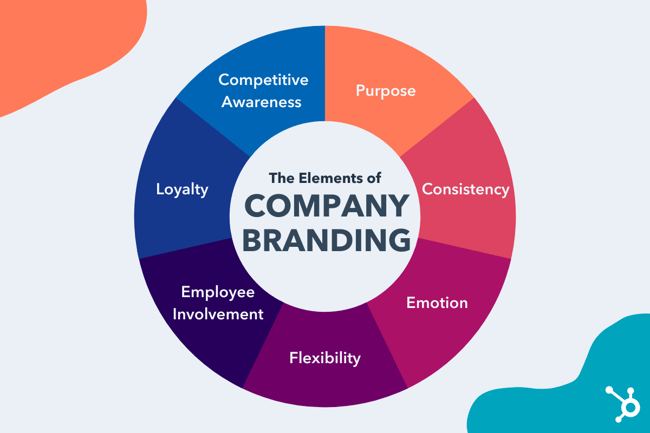
1. Purpose
While understanding what your business promises is necessary when defining your brand positioning, knowing why you wake up every day and go to work carries more weight. In other words, your purpose is more specific in that it serves as a differentiator between you and your competitors.
How can you define your business’ purpose? According to Business Strategy Insider, purpose can be viewed in two ways:
- Functional: This concept focuses on the evaluations of success in terms of immediate and commercial reasons—i.e., the purpose of the business is to make money.
- Intentional: This concept focuses on success as it relates to the ability to make money and do good in the world.
While making money is essential to almost every business, we admire brands that emphasize their willingness to achieve more than just profitability, like IKEA:

IKEA’s vision isn’t just to sell furniture but rather to “create a better everyday life.” This approach appeals to potential customers, demonstrating their commitment to providing value beyond the point of sale.
Key Takeaway
When defining your business’ purpose, keep this example in mind. While making money is a priority, operating under that notion alone does little to set your brand apart from others in your industry.
Our advice? Dig a little deeper. If you need inspiration, check out the brands you admire, and see how they frame their mission and vision statements.
2. Consistency
The key to consistency is to avoid talking about things that don’t relate to or enhance your brand.
Added a new photo to your business’s Facebook Page? What does it mean for your company? Does it align with your message, or was it just something funny that would, quite frankly, confuse your audience?
To give your brand a platform to stand on, you need to ensure your messaging is cohesive. Ultimately, consistency contributes to brand recognition, which fuels customer loyalty. (No pressure, right?)
To see a great example of consistency, let’s look at Coca-Cola. As a result of its commitment to consistency, every element of the brand’s marketing works harmoniously together. This has helped it become one of the most recognizable brands in the world.
Even on the surface of its social media accounts, for example, the seamlessness of its brand is very apparent across Instagram, Facebook, and LinkedIn:
Key Takeaway
To avoid leaving potential customers struggling to put the disconnected pieces of your business together, consider the benefits of creating a style guide. A style guide can encompass everything from the tone of voice you’ll use to the color scheme you’ll employ to the way you’ll position certain products or services.
By taking the time to define and agree upon these considerations, your brand will benefit as a whole.
3. Emotion
Customers aren’t always rational.
How else do you explain the person who paid thousands of dollars more for a Harley rather than buying another cheaper, equally well-made bike? There was an emotional voice in there somewhere, whispering: “Buy a Harley.”
But why?
Harley Davidson uses emotional branding by creating a community around its brand. It began HOG—Harley Owners Group—to connect their customers with their brand (and each other).

By providing customers with an opportunity to feel like they’re part of a larger group that’s more tight-knit than just a bunch of motorcycle riders, Harley Davidson is able to position themselves as an obvious choice for someone looking to purchase a bike.
Why? People have an innate desire to build relationships. Research from psychologists Roy Baumeister and Mark Leary best describes this need in their “belongingness hypothesis,” which states: “People have a basic psychological need to feel closely connected to others, and that caring, affectionate bonds from close relationships are a major part of human behavior.”
Not to mention, belongingness—the need for love, affection, and being part of groups—falls directly in the middle of Maslow’s hierarchy of needs, which aims to categorize different human needs.
Key Takeaway
The lesson to be learned? Find a way to connect with your customers on a deeper, more emotional level. Do you give them peace of mind? Make them feel like part of the family? Do you make life easier? Use emotional triggers like these to strengthen your relationship and foster loyalty.
4. Flexibility
In this fast-changing world, marketers must remain flexible to stay relevant. On the plus side, this frees you to be creative with your campaigns.
You may be thinking, “Wait a minute, how am I supposed to remain consistent while also being flexible?”
Good question. While consistency aims to set the standard for your brand, flexibility enables you to make adjustments that build interest and distinguish your approach from your competition.
A great example of this type of strategic balance comes from Old Spice. These days, Old Spice is one of the best examples of successful marketing across the board. However, up until recently, wearing Old Spice was pretty much an unspoken requirement for dads everywhere. Today, it’s one of the most popular brands for men of all ages.
The secret? Flexibility.
Aware that it needed to do something to secure its place in the market, Old Spice teamed up with Wieden+Kennedy to position its brand for a new customer base.

Between new commercials, a new website, new packaging, and new product names, Old Spice managed to attract the attention of a new, younger generation by making strategic enhancements to its already strong brand.
Key Takeaway
If your old tactics aren’t working anymore, don’t be afraid to change. Just because it worked in the past doesn’t mean it’s working now.
Take the opportunity to engage your followers in fresh, new ways. Are there some out-of-the-box partnerships your brand can make? Are there attributes about your product you never highlighted? Use those to connect with new customers and remind your old ones why they love you.
5. Employee Involvement
As we mentioned before, achieving a sense of consistency is vital if you wish to build brand recognition. And while a style guide can help you achieve a cohesive digital experience, it’s equally essential for your employees to be well-versed in communicating with customers and representing the brand.
If your brand is playful and bubbly through Twitter engagements, it won’t make sense if a customer called in and was connected with a grumpy, monotone representative, right?
To avoid this type of mismatched experience, take note of Zappos’ approach.
If you’ve ever been on the line with a customer service representative from Zappos, you know what I’m talking about. If you haven’t, check out this SlideShare which details some of its most inspiring customer support stories.
Key Takeaway
By holding all Zappos employees to its core values and helping other companies implement the same approach, Zappos has built a strong reputation for solid, helpful, and human customer service.
6. Loyalty
If you already have people that love you, your company, and your brand, don’t just sit there — reward them for that love.
These customers have gone out of their way to write about you, tell their friends about you, and act as your brand ambassadors.
Cultivating loyalty from these people early on will yield more returning customers — and more profit for your business.
Sometimes, just a thank you is all that’s needed. Other times, it’s better to go above and beyond. Write them a personalized letter. Send them some special swag. Ask them to write a review and feature them prominently on your website. (Or all of the above!)
When we reached 15,000 customers here at HubSpot, we wanted to say thank you in a big way while remaining true to our brand … so we dropped 15,000 orange ping pong balls from our fourth-floor balcony and spelled out thank you in big metallic balloons:
And while it may have seemed a little out of the ordinary to some folks, the gesture made perfect sense for those who know our brand.
Key Takeaway
Loyalty is a critical part of every brand strategy, especially to support your sales organization. Highlighting a positive relationship between you and your existing customers sets the tone for what potential customers can expect if they choose to do business with you.
7. Competitive Awareness
Take the competition as a challenge to improve your own strategy and create greater value in your overall brand. You are in the same business and going after the same customers, right? So watch what they do.
Do some of their tactics succeed? Do some fail? Tailor your brand positioning based on their experience to better your company.
Keeping tabs on your competitor’s social mentions for HubSpot customers is easy using the Social Monitoring App. Check out this article to learn more about setting up custom social streams.
Key Takeaway
While staying in tune with your competitor’s strategies is essential if you want to enhance your brand, don’t let them dictate every move you make.
Sure, you probably sell a similar product or service as many other companies, but you’re in business because your brand is unique. By harping on every move your competitor makes, you lose that differentiation.
Let’s discuss each branding method.
1. Attitude Branding
This form of branding refers to a feeling or attitude that customers associate with your brand.
Nike is a brand that has perfected this type of branding. With the ‘Just Do It’ slogan, Nike promotes a lifestyle that customers can enjoy by wearing this brand of products. With such a slogan, Nike promotes the idea that all customers are athletes when they’re wearing Nike products.
2. Individual Branding
This type of branding is when a product or service gets a unique identity, perhaps in a different brand name to attract new customers in the market.
Unilever is an excellent example of a brand that uses individual branding. The company has three divisions, each creating some of the best-known brands in its niche.
3. Product Branding
Product branding is perhaps the most popular type of branding. Here, the brand associates a logo, name, color, and design with a product to create a unique identity for the product.
It’s one of the best branding methods because it gives life to products and increases uniqueness.
A great example is Apple’s MacBook offerings. The ‘Air,’ ‘Pro,’ and ‘Mac’ branding conveys unique messages and reinforces the quality of the product offering.
4. Co-Branding
In co-branding, also known as a brand partnership, different brands contribute their identity to create a fused brand.
The advantage of this method is that it combines market strength, increases customer bases and perceived value.
One of the most popular co-branding examples is the Nike and Micheal Jordan collaboration. This collaboration has made Air Jordans some of the most sought-after and most recognizable footwear around the globe.
This type of branding is usually used by brands that prefer to let products speak for themselves.
5. Minimalist Branding
Mastercard is an excellent example of a brand that uses minimalist branding. We might not know what the red and yellow circles mean, but you’ll know that it belongs to MasterCard.

6. Brand Extension
This unique branding method is when a company uses one of its popular or established brand names on a new product. The idea behind this method is to use the already existing brand equity to boost the latest product. Companies that use it hope customers will be more receptive to the new offering because of the brand extension.
The Importance of Strategic Branding
Managing a brand is hard work, and it’s more challenging when you’re in an oversaturated market where every brand looks the same.
One of the crucial steps to growing in an oversaturated market is highlighting what makes your brand unique — which is what strategic branding is all about.
With strategic branding, you future-proof your brand and develop it in a way that differentiates you from others. By communicating uniqueness to customers, you strengthen your selling power, brand value, and customer loyalty.
Editor’s note: This post was originally published in November 2020 and has been updated for comprehensiveness.


11 Website Page Load Time Statistics You Need [+ How to Increase Conversion Rate]
You may have heard the old saying “patience is a virtue,” meaning waiting for something without getting discouraged is a great quality to have. However, for most of us, that “virtue” goes out the window when we encounter slow page load time.
The faster your website’s load time is, the happier your visitors will be. In other words — when you optimize your web page’s load time, you can expect to see improvements in user experience (UX), conversion rates, and ultimately, sales revenue.
You may be questioning whether or not simply shaving a few milliseconds off of your website’s page load time really has such a major impact on customer experience and business growth.
The truth is, yes, the longer it takes for your website’s page to load, the more likely you are to lose your audience. Read on for everything you need to know about website load time and how it can impact your customers’ experience with your company.
Short on time and need to get straight to the skimmable stats? Click here.

What is website load time?
Website load time — or web page load time — refers to how long it takes for a website, or web page, to fully load and appear on screen. This includes all content on the page such as text, images, and videos. Simply, it’s how fast all content on a web page loads.
Page speed can depend on a number of factors — some examples include: Page type, user behavior, file sizes, website server/host, inefficient code, hotlinking, and too many plugins and/or widgets.
In a 2019 survey by Unbounce, nearly 70% of consumers admitted that page speed impacts their willingness to buy from an online retailer. Furthermore, of all the people surveyed, half said they’d be willing to give up animation and video for faster load times.
Additionally, it’s crucial to remember the importance of your website’s mobile loading speeds. Jillian Streit, a website strategist at Blue Frog, told HubSpot: “Page speed has been a ranking factor for many years, and with Google’s shift to mobile-first indexing, it is even more important to focus on your website’s mobile loading speeds.”
She adds, “Unfortunately, most mobile pages take much longer to load than their desktop counterparts, and mobile users expect pages to load much faster on their mobile devices. If the page takes too long to load, users will immediately bounce, causing your site to lose out on a large number of potential customers.”
Learn about what website optimization is and how to do it effectively with this free course.
What is the average page load time?
In 2018, Google Research reported the average mobile web page takes 15.3 seconds to load. The same report said the problem is due to the majority of mobile sites having too many page elements. This problem persists despite most web traffic occurring on 4G instead of 3G.
What is a good page load time?
According to a 2019 study by Portent, a 0-4 second load time is best for conversion rates, and the first five seconds of page-load time have the highest impact on conversion rates.
In fact, the highest ecommerce conversion rates occur on pages with load times between 0-2 seconds. With each additional second of load time, website conversion rates drop by an average of 4.42%, the study says.
11 Page Load Time Statistics
Here are 11 statistics that will give you a better understanding of how website load time impacts your business and, more specifically, conversion rate.
1. The first five seconds of page-load time have the highest impact on conversion rates. (Portent, 2019)
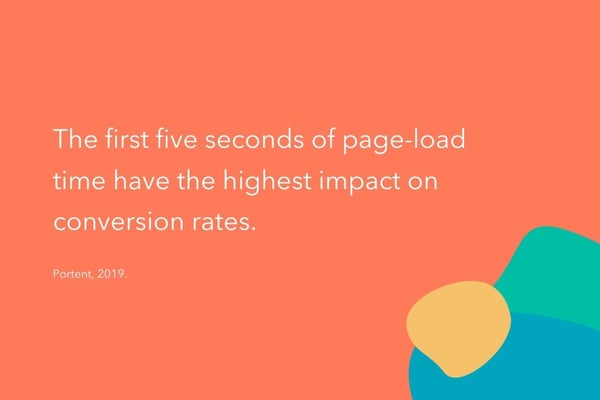
2. Website conversion rates drop by an average of 4.42% with each additional second of load time (between seconds 0-5). (Portent, 2019)
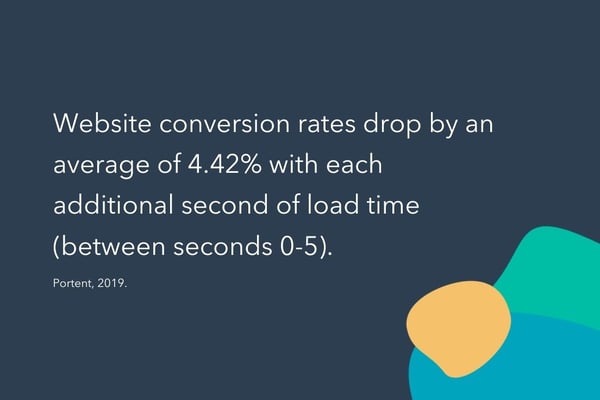
3. The average mobile web page takes 15.3 seconds to load. (Google Research, 2018)
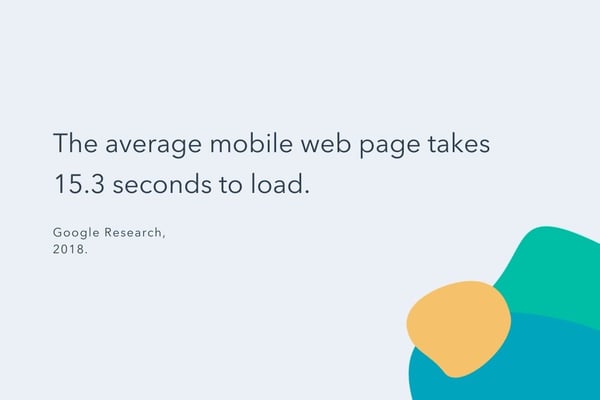
4. Nearly 70% of consumers admit that page speed impacts their willingness to buy from an online retailer. (Unbounce, 2019)
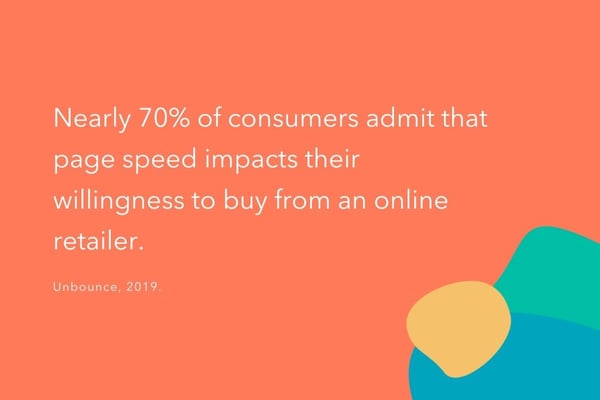
5. Of all the people surveyed, half said they’d be willing to give up animation and video for faster load times. (Unbounce, 2019)
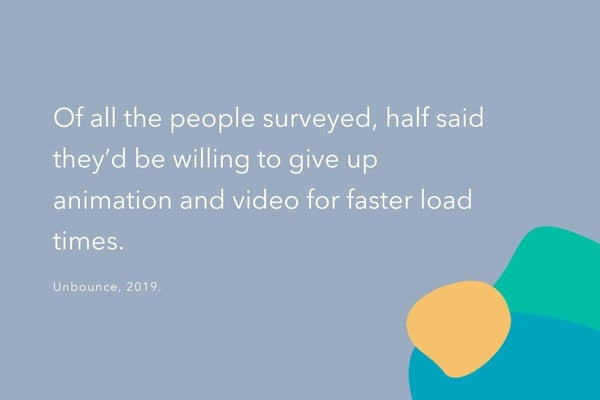
6. The highest ecommerce conversion rates occur on pages with load times between 0-2 seconds. (Portent, 2019)
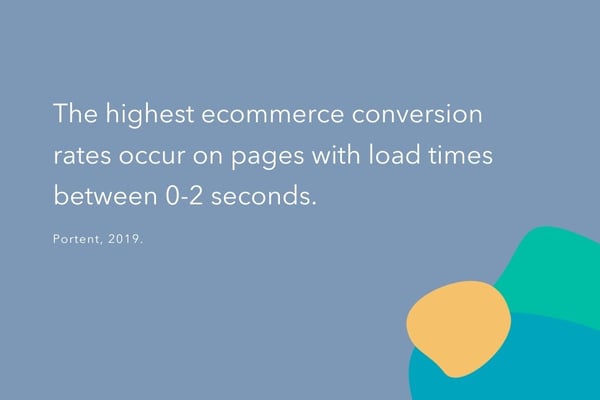
7. Website conversion rates drop by an average of 2.11% with each additional second of load time (between seconds 0-9). (Portent, 2019)
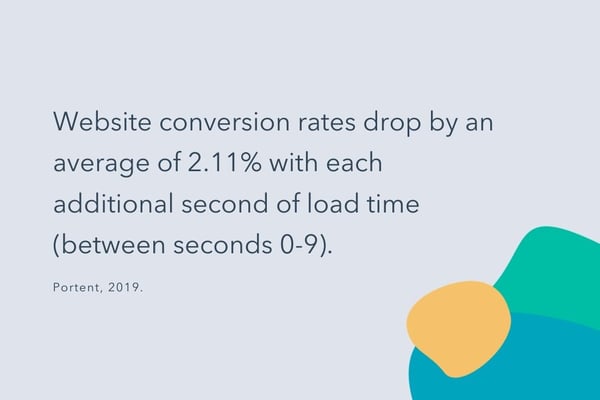
8. The highest ecommerce conversion rates occur on pages with load times between 0-2 seconds. (Portent, 2019)

9. The optimal average request count — the number of individual pieces of content needed to display the entire web page — is fewer than 50. (Google, 2018)
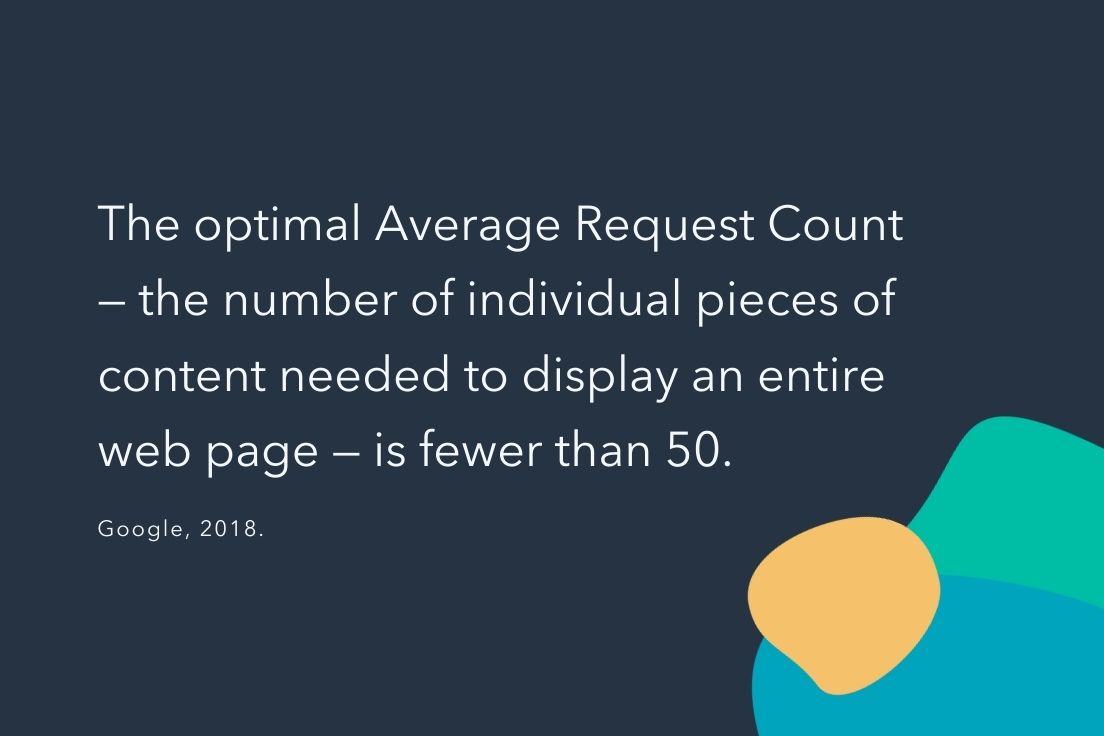
10. By compressing images and text, 25% of pages could save more than 250KB and 10% can save more than 1MB (which contributes to page load times). (Google, 2018)
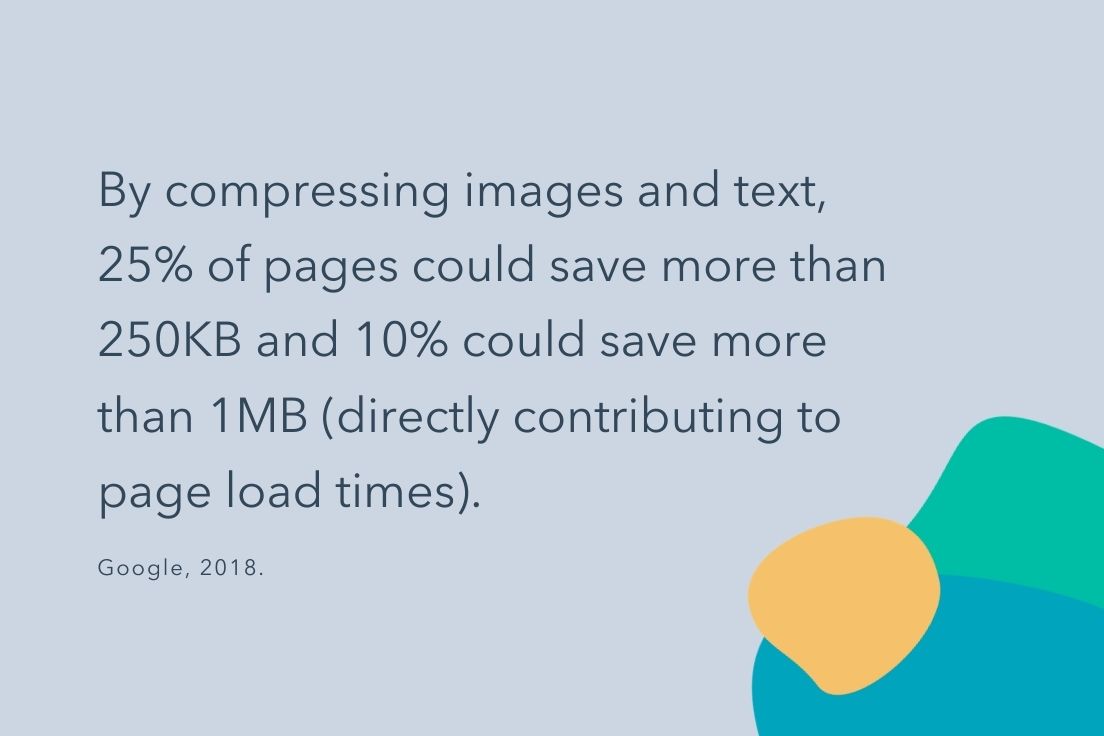
11. Today, even though most web traffic occurs on 4G instead of 3G, the majority of mobile sites are still slow and bloated due to too many page elements. (Google, 2018)
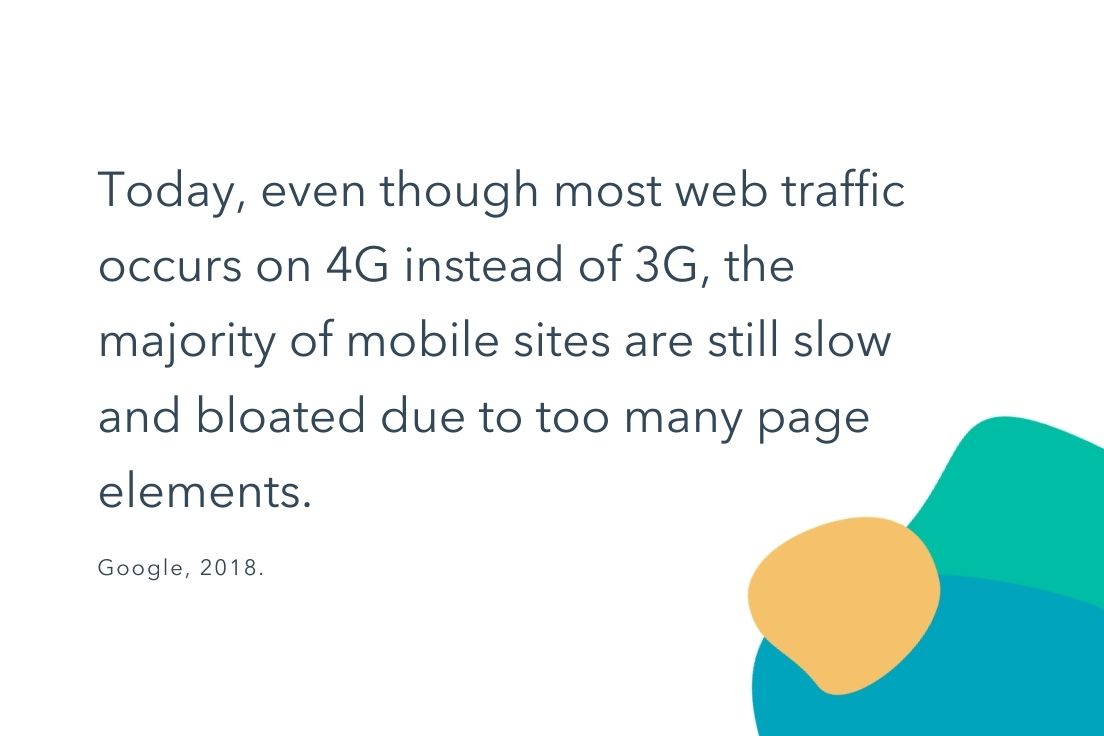
Page Load Time Takeaways for Marketers
Maintaining a speedy page load time is integral to boosting conversion rates and sales revenue. While a few extra seconds may not seem like a big deal, statistics show that as each second passes, the potential to lose out on prospective customers increases.
If you’re concerned your website’s page load speed could be hindering your company’s growth, there are a few solutions to decrease the time it takes for your website to load. Online tools like Pingdom Website Speed Test, GTmetrix, Google PageSpeed Insights allow you to time and test your website’s page speed. You can also cache your website or enable browser caching to speed up your page load time.
Website load times impact conversion rates and, as a result, your business as a whole. Ensuring your load time is as efficient as possible doesn’t necessarily take a long time or a significant amount of effort, but it does require some thought. So, start thinking about how you can optimize your web page speed — you’ll see an improvement in your UX, conversions, time-on-page, and revenue.
Editor’s note: This post was originally published in March 2017 and has been updated for comprehensiveness.

5 Steps to Create an Outstanding Marketing Plan [Free Templates]
Do you take a good, hard look at your team’s marketing strategy every year?
You should. Without an annual marketing plan, things can get messy — and it’s nearly impossible to put a number on the budget you’ll need to secure for the projects, hiring, and outsourcing you’ll encounter over the course of a year if you don’t have a plan.
To make your plan’s creation easier, we’ve put together a list of what to include in your plan and a few different planning templates where you can easily fill in the blanks.

To start, let’s dive into how to create a marketing plan and then take a look at what a high-level marketing plan has inside.
In this article, we’re going to discuss:
- What a High-Level Marketing Plan Includes
- How to Create a Marketing Plan
- Marketing Plan Templates You Can Use
- Simplified Marketing Plan Template
- Plus — Social Media Plan Templates
Marketing Plan Outline
Marketing plans can get quite granular to reflect the industry you’re in, whether you’re selling to consumers (B2C) or other businesses (B2B), and how big your digital presence is. Nonetheless, here are the elements every effective marketing plan includes:
1. Business Summary
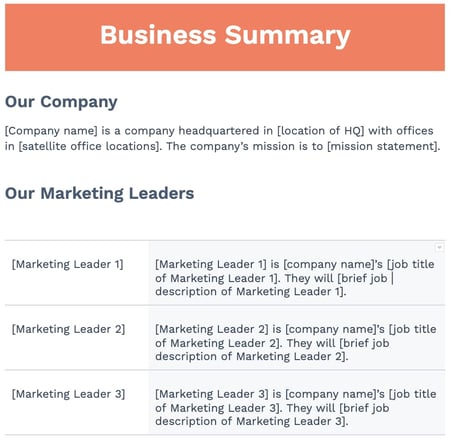 In a marketing plan, your Business Summary is exactly what it sounds like: a summary of the organization. This includes:
- The company name
- Where it’s headquartered
- Its mission statement
2. Business Initiatives
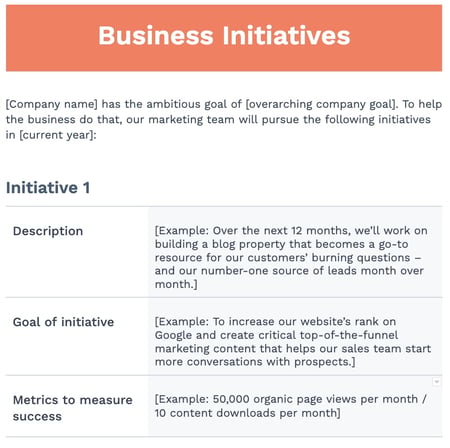 The Business Initiatives element of a marketing plan helps you segment the various goals of your department. Be careful not to include big-picture company initiatives, which you’d normally find in a business plan. This section of your marketing plan should outline the projects that are specific to marketing. You’ll also describe the goals of those projects and how those goals will be measured.
3. Customer Analysis
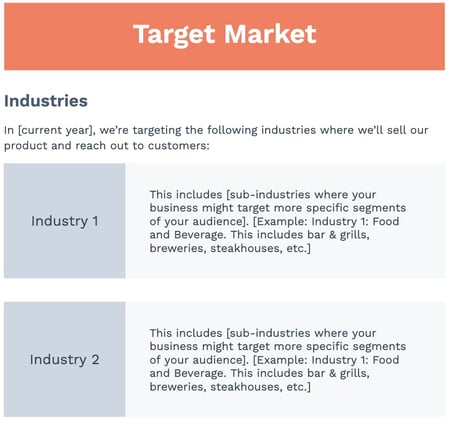 Here’s where you’ll conduct some basic market research. If your company has already done a thorough market research study, this section of your marketing plan might be easier to put together.
Ultimately, this element of your marketing plan will help you describe the industry you’re selling to and your buyer persona. A buyer persona is a semi-fictional description of your ideal customer, focusing on traits like:
- Age
- Location
- Title
- Goals
- Personal challenges
- Pains
- Triggering events
4. Competitor Analysis
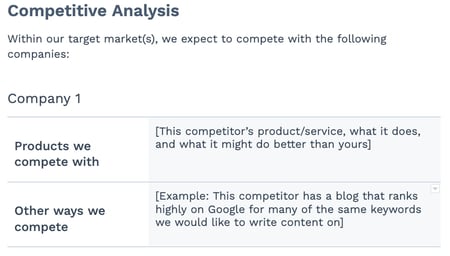 Your buyer persona has choices when it comes to solving their problems, choices in both the types of solutions they consider and the providers that can administer those solutions. In your market research, you should consider your competition, what they do well, and where the gaps are that you can potentially fill. This can include:
- Positioning
- Market share
- Offerings
- Pricing
5. SWOT Analysis
 Your marketing plan’s Business Summary also includes a SWOT analysis, which stands for the business’s strengths, weaknesses, opportunities, and threats. Be patient with your business’s SWOT analysis; you’ll write most of it based on your market research from the sections above and your strategy below.
6. Market Strategy
 Your Market Strategy uses the information included in the above sections to describe how your company should approach the market. What will your business offer your buyer personas that your competitors aren’t already offering them?
In a full-length marketing plan, this section can contain the “seven Ps of marketing”:
- Product
- Price
- Place
- Promotion
- People
- Process
- Physical Evidence
(You’ll learn more about these seven sub-components inside our free marketing plan template, which you can download below.)
7. Budget
 Don’t mistake the Budget element of your marketing plan with your product’s price or other company financials. Your budget describes how much money the business has allotted the marketing team to pursue the initiatives and goals outlined in the elements above.
Depending on how many individual expenses you have, you should consider itemizing this budget by what specifically you’ll spend your budget on. Example marketing expenses include:
- Outsourcing costs to a marketing agency and/or other providers
- Marketing software
- Paid promotions
- Events (those you’ll host and/or attend)
8. Marketing Channels
 Lastly, your marketing plan will include a list of your marketing channels. While your company might promote the product itself using certain ad space, your marketing channels are where you’ll publish the content that educates your buyers, generates leads, and spreads awareness of your brand.
If you publish (or intend to publish) on social media, this is the place to talk about it. Use the Marketing Channels section of your marketing plan to map out which social networks you want to launch a business page on, what you’ll use this social network for, and how you’ll measure your success on this network. Part of this section’s purpose is to prove to your superiors, both inside and outside the marketing department, that these channels will serve to grow the business.
Businesses with extensive social media presences might even consider elaborating on their social strategy in a separate social media plan template.
9. Financial Projections
Knowing the budget and doing analysis on the marketing channels you want to invest in, you should be able to come up with a plan for how much budget to invest in which tactics based on expected ROI. From there, you’ll be able to come up with financial projections for the year. These won’t be 100% accurate but can help with executive planning.
1. Conduct a situation analysis.
Before you can get started with your marketing plan, you have to know your current situation.
What are your strengths, weaknesses, opportunities, and threats? Conducting a basic SWOT analysis is the first step to creating a marketing plan.
Additionally, you should also have an understanding of the current market. How do you compare to your competitors? Doing a competitor analysis should help you with this step.
Think about how other products are better than yours. Plus, consider the gaps in a competitor’s approach. What are they missing? What can you offer that’ll give you a competitive advantage? Think about what sets you apart.
Answering questions like this should help you figure out what your customer wants, which brings us to step number two.
2. Define your target audience.
Once you better understand the market and your company’s situation, make sure you know who your target audience is.
If your company already has buyer personas, this step might just mean you have to refine your current personas.
If you don’t have a buyer persona, you should create one. To do this, you might have to conduct market research.
Your buyer persona should include demographic information such as age, gender, and income. However, it will also include psychographic information such as pain points and goals. What drives your audience? What problems do they have that your product or service can fix?
Once you have this information written out, it’ll help you define your goals, which brings us to step number three.
3. Write SMART goals.
My mother always used to tell me, “You can’t go somewhere unless you have a road map.” Now, for me, someone who’s geographically challenged, that was literal advice.
However, it can also be applied metaphorically to marketing. You can’t improve your ROI unless you know what your goals are.
After you’ve figured out your current situation and know your audience, you can begin to define your SMART goals.
SMART goals are specific, measurable, attainable, relevant, and time-bound. This means that all your goals should be specific and include a time frame for which you want to complete them.
For example, your goal could be to increase your Instagram followers by 15% in three months. Depending on your overall marketing goals, this should be relevant and attainable. Additionally, this goal is specific, measurable, and time-bound.
Before you start any tactic, you should write out your goals. Then, you can begin to analyze which tactics will help you achieve that goal. That brings us to step number four.
4. Analyze your tactics.
At this point, you’ve written down your goals based on your target audience and current situation.
Now, you have to figure out what tactics will help you achieve your goals. Plus, what are the right channels and action items to focus on?
For example, if your goal is to increase your Instagram followers by 15% in three months, your tactics might include hosting a giveaway, responding to every comment, and posting three times on Instagram per week.
Once you know your goals, brainstorming several tactics to achieve those goals should be easy.
However, while writing your tactics, you have to keep your budget in mind, which brings us to step number five.
5. Set your budget.
Before you can begin implementing any of the ideas that you’ve come up with in the steps above, you have to know your budget.
For example, your tactics might include social media advertising. However, if you don’t have the budget for that, then you might not be able to achieve your goals.
While you’re writing out your tactics, be sure to note an estimated budget. You can include the time it’ll take to complete each tactic in addition to the assets you might need to purchase, such as ad space.
Now that you know how to create your marketing plan, let’s dive into creating a marketing campaign outline that will help you reach the goals outlined plan.
Marketing Plan Timeline
Rolling out a new marketing plan is a big lift. To make sure things are running smoothly with all of your projects, you’ll want to create a timeline that maps out when each project is happening.
A marketing plan timeline allows your team to view all projects, campaigns, events, and other related tasks in one place — along with their deadlines. This ensures everyone on your team knows what’s due, when it’s due, and what’s up next in the pipeline. Typically these plans cover marketing efforts for the entire year, but some companies may operate on a bi-annual or quarterly basis.
Once you’ve completed your analysis, research, and set goals, it’s time to set deadlines for your assignments. From new blog posts and content initiatives to product launches, everything will need a deadline. Take into account any holidays or events taking place over the course of the year.
While setting deadlines for the entire year may seem daunting, start by estimating how long you think each task will take and set a deadline accordingly. Track the time it actually takes for you to complete similar types of projects. Once you’ve completed a few of them, you’ll have a better idea of how long each takes and will be able to set more accurate deadlines.
For each project, you’ll want to build in time for:
- Brainstorming: This is the first phase where your idea comes to life in a project outline. Decide what you want to achieve and which stakeholders need to be involved to meet your goal. Set a due date and set up any necessary meetings.
- Planning: This can include determining the project’s scope, figuring out how much budget will be allocated for it, finalizing deadlines and who is working on each task. Map out any campaigns needed for each project (social media, PR, sales promotions, landing pages, events, etc.).
- Execution: This third phase is all about your project launch. Decide on a date to launch and monitor the progress of the project. Set up a system for tracking metrics and KPIs.
- Analysis: In this final phase you will analyze all of your performance data to see whether or not your marketing efforts paid off. Did you meet your goals? Did you complete your projects on time and within budget?
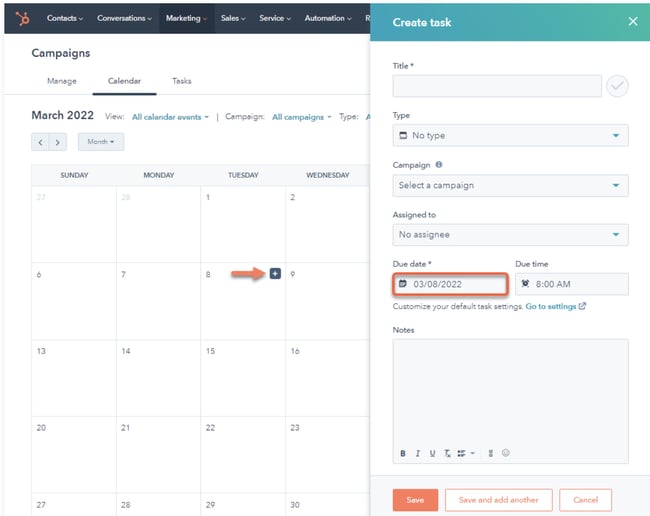 All projects and their deadlines should be in a central location where your team can access them whether that’s a calendar like HubSpot’s tool, shared document, or project management tool.
One-Page Marketing Plan Template
As demonstrated above, a marketing plan can be a long document. When you want to share information with stakeholders or simply want an overview of your plan for quick reference, having a shorter version on hand can be helpful. A one-page marketing plan can be the solution, and we’ll discuss its elements below.
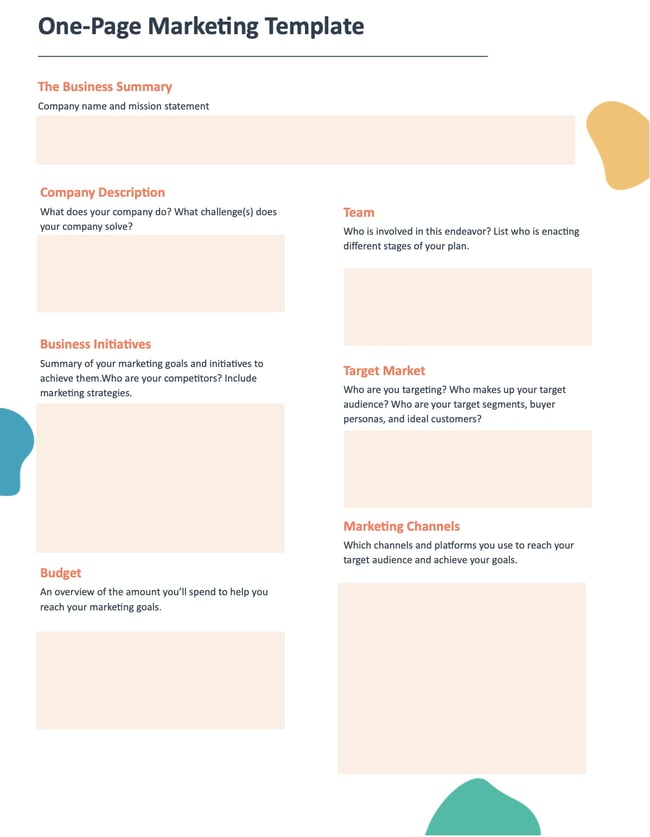
1. Business Summary
Include your company name, list the names of individuals responsible for enacting the different stages of your plan, and a brief mission statement.
Example
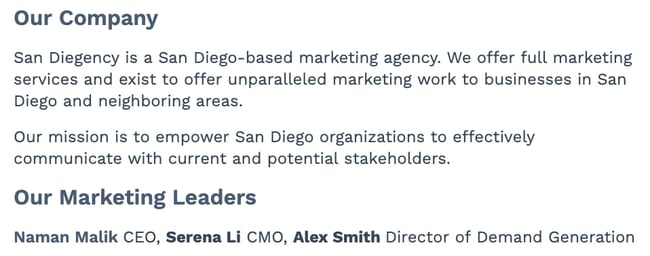
2. Business Initiatives
Include your company name, list the names of individuals responsible for enacting the different stages of your plan, and a brief mission statement.
Example
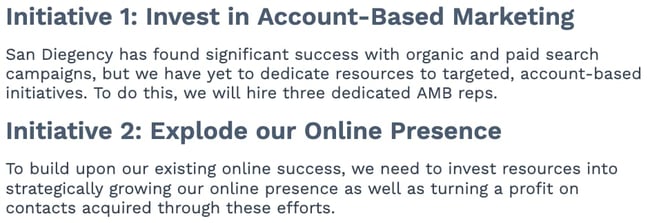
3. Target Market
Outline your target audience(s) that your efforts will reach. You can include a brief overview of your industry and buyer personas.
Example
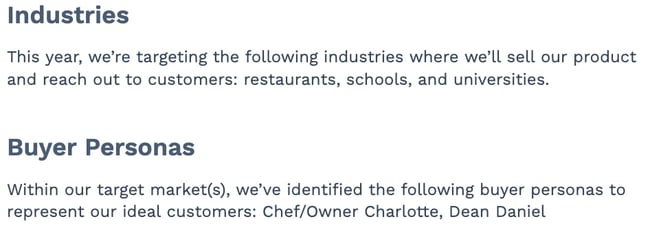
4. Budget
This is an overview of the money you’ll spend to help you meet your marketing goals. Create a good estimate of how much you’ll spend on each facet of your marketing program.
Example
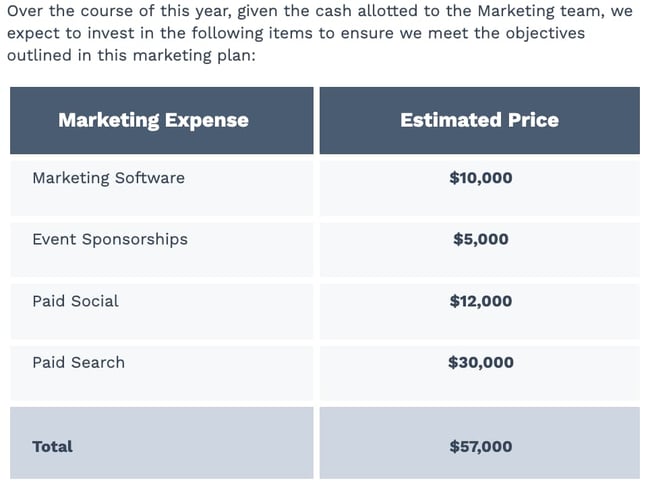
5. Marketing Channels
List the channels you’ll use to achieve your marketing goals. Describe why you’re using each channel and what you want to accomplish so everyone is on the same page.
Example
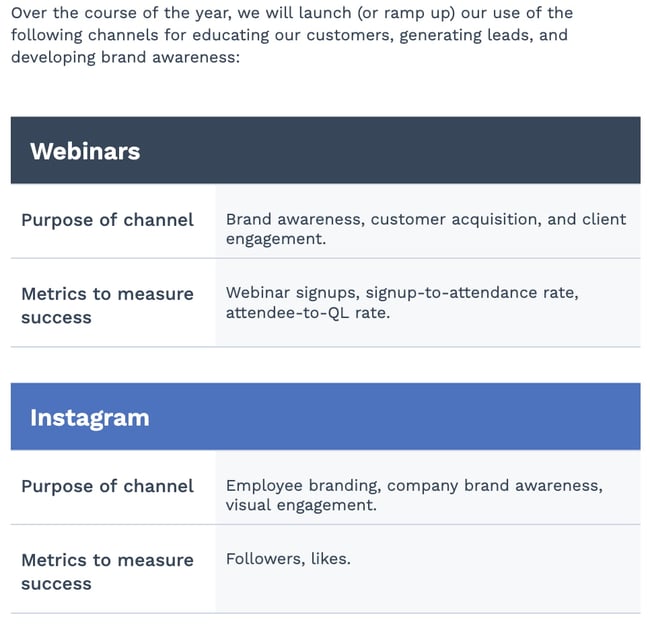
Free Marketing Plan Template [Word]
Now that you know what to include in your marketing plan, it’s time to grab your marketing plan template and see how best to organize the six elements explained above. The following marketing plan template opens directly in Microsoft Word, so you can edit each section as you see fit:
Download your marketing plan template here.
Marketing Campaign Template
Your marketing plan is a high-level view of the different marketing strategies you’ll use to meet your business objectives. A marketing campaign template is a focused plan that will help achieve those marketing goals.
A marketing campaign template should include the following key components:
- Goals and KPIs: Identify the end goal for each of the individual campaigns you’ll run and the metrics you will use to measure the results of your campaign when it ends. For example, conversion rates, sales, sign-ups, etc.
- Channels: Identify the different channels you’ll use to enact your marketing campaign to reach your audience. Maybe you run a social media campaign on Twitter to raise brand awareness or a direct mail campaign to notify your audience of upcoming sales.
- Budget: Identify the budget you’ll need to run your campaign and how it will be distributed, like the amount you’ll spend on creating content or ad placements in different areas. Having these numbers also helps you later on when you quantify the success of your campaign, like ROI.
- Content: Identify the type of content you’ll create and distribute during your campaigns—for example, blog posts, video ads, email newsletters, etc.
- Teams and DRIs: Identify the teams and people that will be part of enacting your marketing plan from start to finish, like those responsible for creating your marketing assets, budgets, or analyzing metrics once campaigns are complete.
- Design: Identify what your marketing campaigns will look like and how you’ll use design elements to attract your audience. It’s important to note that your design should directly relate to the purpose of your campaign.
Digital Marketing Plan Template
A digital marketing plan is similar to a marketing campaign plan, but, as the name suggests, it’s tailored to the campaigns that you run online. Let’s go over the key components of a digital marketing plan template to help you stay on track to meet your goals.
- Objectives: The goals for your digital marketing and what you’re hoping to accomplish, like driving more traffic to your website. Maybe you want to drive more traffic to your website, or
- Budget: Identify how much it will cost to run your digital marketing campaign and how the money will be distributed. For example, ad placement on different social media sites costs money, and so does creating your assets.
- Target audience: Which segments of your audience are you hoping to reach with this campaign? It’s essential to identify the audiences you want to reach with your digital marketing, as different channels house different audience segments.
- Channels: Identifies the channels that are central to your digital marketing campaign.
- Timeline: Explains the length of time your digital campaigns will run, from how long it should take to create your assets to the final day of the campaign.
Many people use social media in their digital campaigns, and below we’ll discuss some ideas you can use for inspiration.
Social Media Marketing Plan Templates
As marketing departments grow, so will their presence on social media. And as their social media presence grows, so will their need to measure, plan, and re-plan what types of content they want to publish across each network.
If you’re looking for a way to deepen your social media marketing strategy — even further than the marketing plan template above — the following collection of social media marketing plan templates is perfect for you:
Download 10 social media reporting templates here.
In the above collection of marketing plan templates, you’ll get to fill in the following contents (and more) to suit your company:
- Annual social media budget tracking
- Weekly social media themes
- Required social media image dimension key
- Pie chart on social media traffic sorted by platform
- Social media post calendar and publish time
Below, let’s review the social media reporting templates, and what you’ll find in each one.
1. Social Media Questions
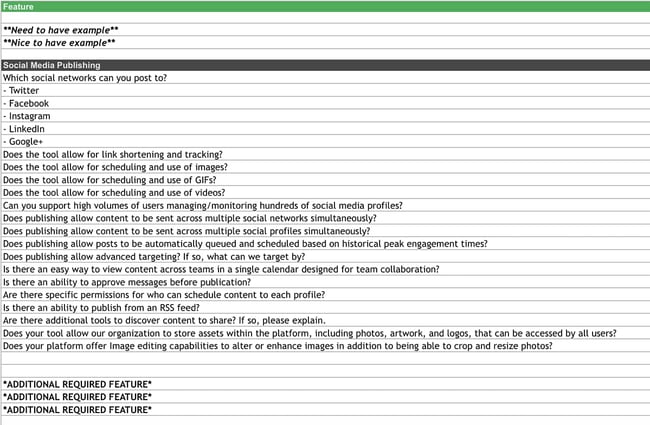
This template lists out questions to help you decide which social media management platform you should use.
Once you know what social media tactics you’re going to implement in your marketing plan, it’s time to figure out what channels are right for you. This template will help you do that.
2. Facebook Live Schedule
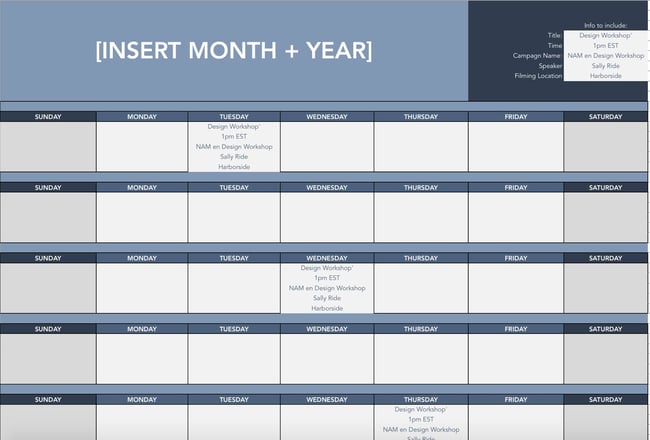
If Facebook Live is one of the marketing tactics in your plan, this template will help you design an editorial calendar. With this template, you can organize what Facebook live’s you want to do and when.
Once you’ve decided on dates, you can color code your FB calendar and coordinate with your editorial calendar so everyone can see what lives are running in relation to other campaigns.
3. Instagram Post Log
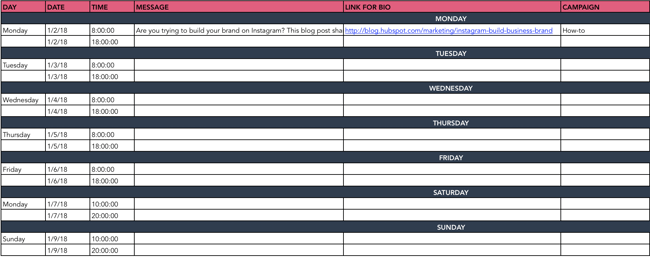
Are you going to begin using Instagram regularly? Do you want to increase your following? With this template, you can organize your Instagram posts, so everyone on your team knows what posts are going live and when.
Additionally, you can organize your assets and campaigns on this doc. Use this doc to collaborate with your team on messaging, landing pages linked in your bio, and campaign rollout.
4. Paid Social Media Template
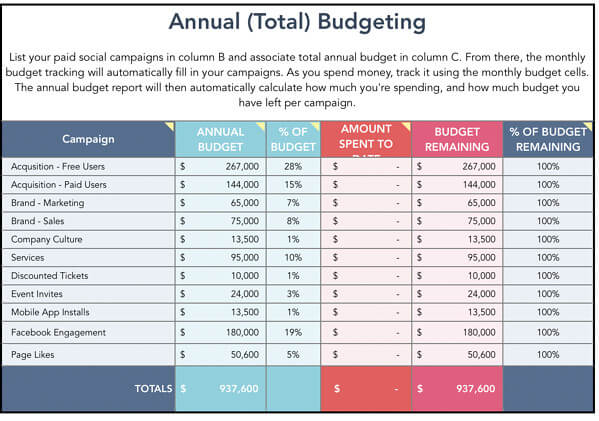
With this template, you can organize your annual and monthly budget for your paid social media calendar.
You’ll want to use this in conjunction with your marketing plan budget to make sure you are not overspending and funds are allocated appropriately.
5. Social Media Audit
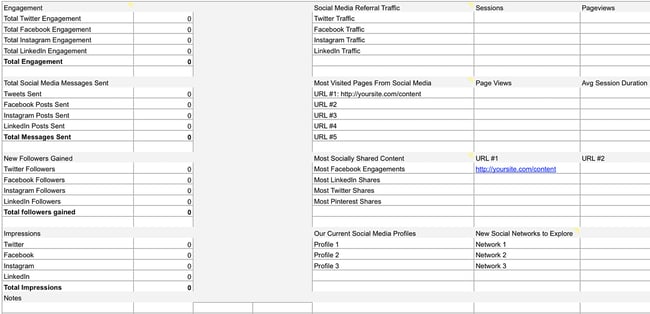
Conducting a social media audit? You can use this template to help you gather the right analytics. Tracking the results of your marketing efforts is key to determining ROI.
Use this template to track each of your campaigns to determine what worked and what didn’t. From there, you can allocate funds for the strategies that deliver the results you want.
6. Social Media Editorial Calendar
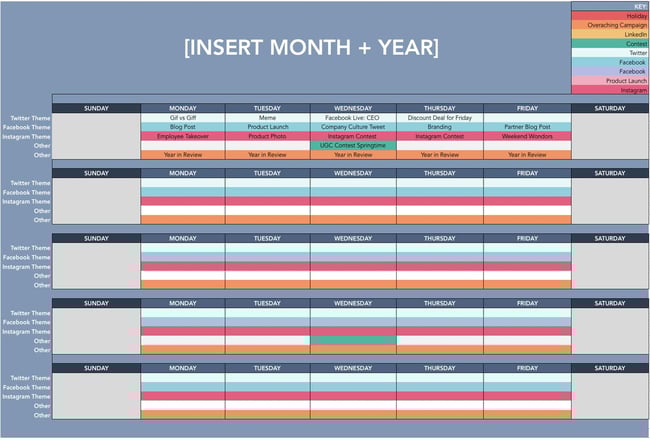
With this template, you can organize your social media editorial calendar. For example, you can include social media posts for each platform, so your team knows what’s going live on any given day.
7. Social Media Image Sizes
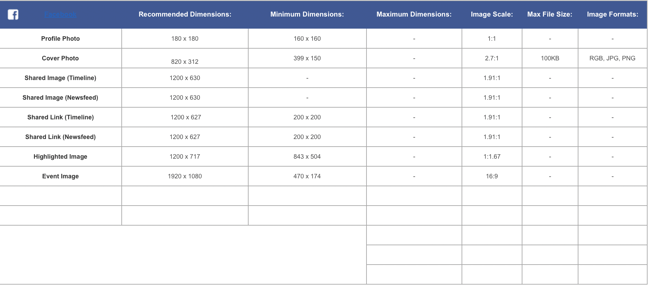
With this template, your team can have the latest social media image sizes handy. This template includes image sizes for all major social media platforms, including Facebook, Instagram, and Twitter.
Having a resource like this readily available for your team ensures that everyone is on the same page regarding image sizes and prevents delays.
8. Social Media Marketing Proposal
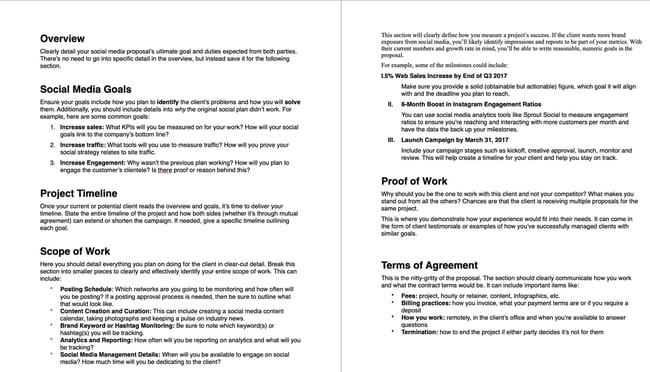
With this template, you can create an entire social media marketing proposal. This will outline the social media goals, the scope of the work, and the tactics that you plan to implement.
Think of this proposal as more of a deep dive into the marketing channel section of your marketing plan.
9. Social Media Reporting Template
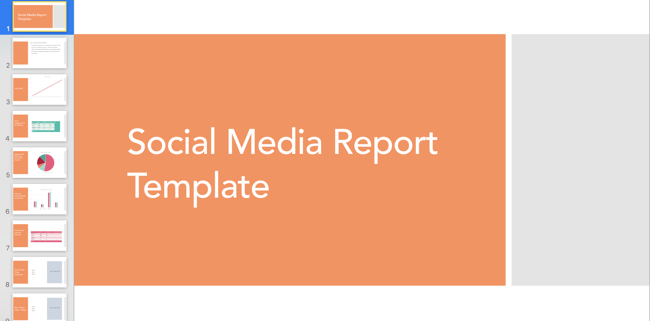
With this template, you’ll gain access to a slide deck that includes templates for social media reporting. If you plan to implement social media in your marketing plan, these reporting templates can help you track your progress.
If using the social media audit above, you can add all of your data here once it’s been collected.
10. Hashtag Holidays
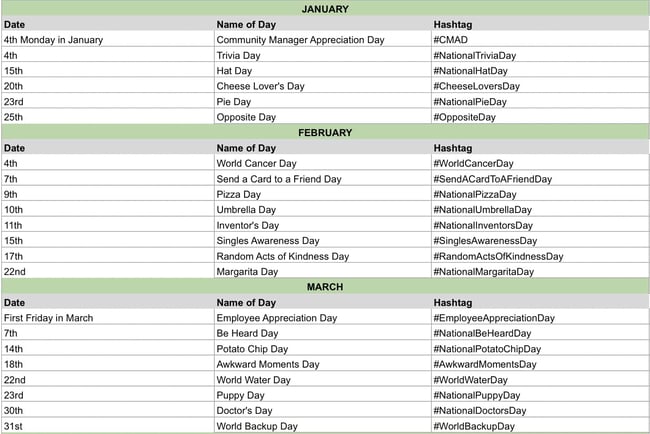 If you’re going to lean into social media in your marketing plan, you can use hashtag holidays to generate ideas.
These holidays are a great way to fill out your social media publishing schedule. With this template, you’ll get a list of all the hashtag holidays for the year.
Once you’ve come up with content ideas, you can add them to your social media calendar.
Simple Marketing Plan Template
Of course, this type of planning takes a lot of time and effort. So if you’re strapped for time before the holidays, give our new Marketing Plan Generator a try.
This tool simplifies yearly planning by asking prompted questions to help guide your process. You’ll be asked to input information about:
Try our free Marketing Plan Generator here.
- Your annual marketing mission statement, which is what your marketing is focused on for the year.
- The strategy that you’ll take with your marketing throughout the year to accomplish your marketing goals.
- Three main marketing initiatives that you’ll focus on during the year (i.e., brand awareness or building a high-quality pipeline) metrics you’ll use to measure your success.
- Your target goals for those marketing initiatives like generating 100 leads per week.
- Marketing initiatives that are not aligned with your current strategy to stay focused on your goals and activities that will help you be successful.
Once you input all information, the tool will spit out a table (as shown in the image below) that you can use to guide your processes.
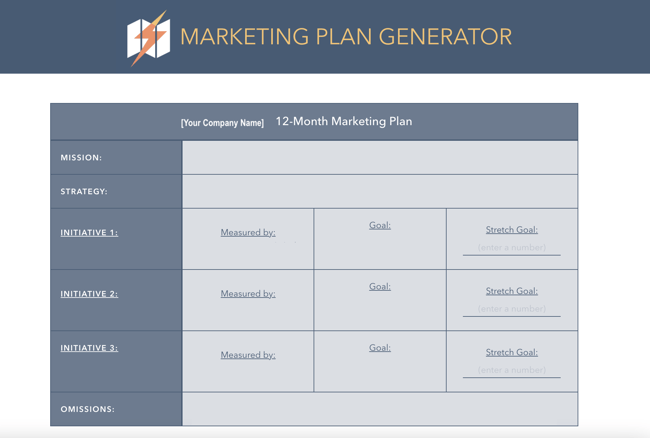
Pro Tip: If the tool doesn’t work, clear your browser’s cache or access it in incognito mode.
Start the Marketing Planning Process Today
The best way to set up your marketing plan for the year is to start with quick wins first, that way you can ramp up fast and set yourself (and your team) up to hit more challenging goals and take on more sophisticated projects by Q4. So, what do you say? Are you ready to give it a spin?
Editor’s note: This post was originally published in December 2016 and has been updated for comprehensiveness.


10 Best Ecard Makers to Show Your Customers You Care
According to HubSpot research, 93% of customers are likely to make repeat purchases with companies that offer excellent customer service. With that in mind, it’s no surprise that companies often look for creative ways to continue delighting their audience.
A simple method to add a personal touch to your interaction with customers and leads is to use ecards. You can opt to send greetings to customers in marketing emails or install a widget that allows customers to send an ecard when buying a gift for someone else. Better still are companies that allow you to make an ecard online for free.
![→ Access Now: 50 Customer Service Email Templates [Free Resource]](https://no-cache.hubspot.com/cta/default/53/9a8328ad-9a07-4f92-aa9c-468dc3a4a9d7.png)
Below we’ll cover our favorite ecard makers on the market to handle your business needs.
Best Online Ecard Makers
Sending customers a card can be a great way to promote new products and show customers you appreciate your business. Here are a few of our favorite ecard makers out there.
Free Ecard Platforms
1. Open Me
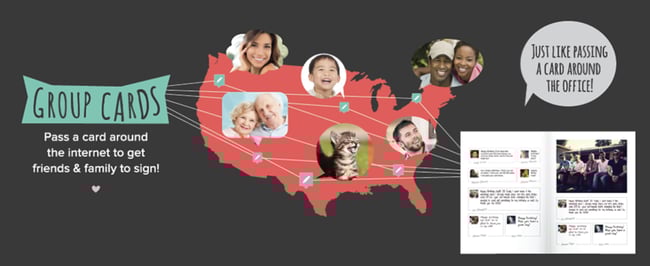
Open Me makes it easy to send and personalize ecards. One of the best attributes of this platform is how collaborative it is, which is great if you’d like to send a card from your team to a client. With just one link, everyone can write their own note in real-time.
Why We Like Them
There’s no limit to the number of cards you can send for free.
2. EcardWidget for Shopify
Shopify store owners looking to send ecards to customers and allow customers to personalize gifts after checkout should use EcardWidget. This free widget enables businesses to add fully designed, branded ecards to their website. The free tier of this plan includes four card options, social media sharing, and 15 emails per month — a good start for small businesses looking to test this widget out.
Why We Like Them
EcardWidget offers an easy and free solution for business-to-customer and customer-to-customer ecard sending.
3. Adobe Creative Cloud Express

If you’d like to take a do-it-yourself approach to heard sending for your business, Adobe Creative Cloud Express is an excellent free option. Adobe has several templates available with the ability to customize fonts, colors, photos, and video. Premium plan users also have the option to auto-apply your brand logo, fonts, and colors.
Why We Like Them
Adobe’s Creative Cloud Express is a great free option for small businesses that allows them to create ecards and repurpose the content they’ve created for other marketing channels like social media.
4. Canva

Canva is another free option business owners have at their disposal. You can start with a template or create something new from scratch. Canva’s popularity stems from how easily and quickly users can create designs of their own, and creating a card using the platform is no different.
While they don’t offer an ecard sending service, you can create your own design and download it to use across other channels. Additionally, you can design physical cards with Canva if you’d like to use snail mail.
Why We Like Them
Not only can users create ecards using Canva, but they can also repurpose what they’ve created into several different formats to use across multiple channels.
Paid Ecard Platforms
5. Ecard Mint

Ecard Mint offers a full suite of business communication services to aid your marketing efforts. In addition to managing email campaigns, the company also designs bespoke ecards for holidays and other events tailored to your brand. Chose from a template or have Ecard Mint design something custom, including animation options. Additionally, their analytics reporting allows businesses to see results in real-time.
Why We Like Them
Ecard Mint is a one-stop shop for businesses looking to outsource email management in addition to providing customers with a wide variety of ecard greetings.
6. Smilebox
Smilebox allows customers to create animated ecards with a gift they’ve purchased from your online store. At checkout, customers are asked whether or not the item is a gift. If they check “yes,” they’ll be prompted to create a personalized card and schedule a time to send it. A bonus feature of Smilebox is that this ecard can be sent by text, in addition to email.
Why We Like Them
Smilebox allows gift recipients to track their package in addition to receiving the ecard. Additionally, the service allows companies to retarget gift recipients for marketing efforts.
7. Paperless Post
Paperless Post offers premium ecards on their site to choose from, depending on how much customization you need. You can upload your own images if you wish, and schedule cards to go out on a future date.
Why We Like Them
Paperless Post also has an option for users to send ecards via text message and social media for added flexibility and potential retargeting efforts.
8. Ojolie
Ojolie allows businesses to send ecards to clients and customers in a few simple steps. You can customize the templates they offer by adding your logo and changing existing colors to match your corporate ones for a fee. Once you’ve created a card you love, Ojolie will send you an email template to send the card, plus a social media link if you choose to send it that way.
Why We Like Them
Ojolie makes it easy for businesses to send cards without sharing their mailing list and none of their branding appears on the card or the site it’s hosted on. Additionally, you can host the card page on your own site if you prefer.
9. Corp Note
Similar to Ecard Mint, Corp Note is an all-in-one platform that allows users to not only send ecards but manage email campaigns, send event invites, and customer surveys. You can also use Corp Note for internal communication to employees.
Why We Like Them
Corp Note allows you to track when your email is opened in real-time, showing you how many times it has been opened so you can measure engagement.
10. B2B Ecards
B2B Ecards allows businesses to send animated cards to clients, customers, and employees. While they have a variety of stock animation options to choose from, users do have the opportunity to customize their cards with their own images, colors, and branding for an extra fee.
Once you’ve created your design and placed an order, B2B Ecards will send you a template that you can either forward to recipients individually or use an existing mailing list.
Why We Like Them
For businesses that would prefer to have an outside partner handle all of their email marketing needs, B2B Ecards is a solid option. If you chose to use their delivery service, they’ll contact you prior to the mailing date for a test run.
Boost Customer Satisfaction With Ecards
Ecards are not the solution to poor customer service. However, sending personalized messages like these will only enhance a customer experience already bubbling with value, help, and delight.
Editor’s Note: This article was originally published in November 2013 and has been updated for comprehensiveness.

How to Use Your CRM to Power Your Marketing
It’s easy to picture the customer journey as a well-traveled, east-to-west road trip, following a single highway from awareness to consideration to purchase.
In reality, people take a lot of detours.

If you want a complete picture of the customer journey, it’s essential to connect your marketing efforts with the tool at the center of it all: your company’s trusty CRM.
While you may be familiar with a CRM, you probably aren’t using it to its full potential. Here, we’ll cover its role in marketing and how it powers great customer experiences.
CRMs are traditionally considered a tool for sales teams to track leads, prospects, and customers. With them, reps can see every interaction a contact has had with a brand — everything from calls with a sales rep to website visits.
But on the marketing side, marketers rarely use a CRM for anything other than creating email lists, if at all. This is a huge missed opportunity.
Think of your CRM as a single source of truth — tracking every customer interaction and painting a clear picture of their journey. Here are the benefits of this:
- One central hub for data. Any business, regardless of size, needs a central location for storing data. This makes it possible to identify patterns and see what’s working (and what’s not).
- More audience segmentation. You’d never send the same message to every customer — which is why segmentation is so crucial. A CRM can group your audience into segments — such as where they live or when they’re most active — so that you can talk to your audience in a more targeted way.
- Optimized campaigns. A CRM tool can connect to your marketing channels, enabling you to see how your channels perform and how your audience is interacting with you.
By putting it at the center of your marketing strategy, you can truly personalize your messaging, create more targeted and meaningful content, and expedite the sales process — helping your entire company grow.
Let’s dive more into this below.
What is the Role of CRM in Marketing?
As I mentioned above, marketing is about more than single, solitary interactions – it’s about building a complete customer experience.
Here’s how CRM can power different areas of your marketing:
1. CRM for Email Marketing
With email and your CRM, you can segment your contacts into different lists based on any CRM data point like location, page interactions, and more. And it doesn’t stop there.
You can add an extra layer of personalization to your emails by sending different CTAs to customers based on your CRM data. By sending relevant, personal emails, you can build trust and provide value to customers and prospects.
A CRM can also help you and your team save time. By connecting email to your CRM, you can avoid exporting and importing lists of contacts into your email service provider (ESP). This keeps all of your contact information up to date while helping your team stay compliant with CAN-SPAM laws.
2. CRM for Social Media Marketing
You probably already know this, but it bears repeating: social media is a two-way street. Producing great content for social — like clever tweets, trendy Instagram photos, and engaging videos — is important, but it’s not enough.
By pairing your CRM with social, you can see how customers engage with your platforms and the conversations they’re having — making you more prepared to interact with them.
A social CRM can also give you an overview of topics, hashtags, and influencers within your audience segments. Then, you can leverage this data to provide timely, relevant content.
3. CRM for Digital Ads
While third-party data helps you reach a broad persona, the first-party data you get from your CRM lets you target a hyper-specific group of people. It allows you to create relevant ads for any audience, no matter what stage they’re at in the buyer’s journey.
For example, you can create a custom audience of all the contacts in your CRM who viewed a certain product. Based on this audience, you can then create an extremely specific ad that provides information about that product to propel them along their buyer’s journey.
This makes a big impact on your customers. Think about how many ads they see in a day. How many of those do you think are actually relevant? By promoting highly targeted ads, your customers won’t be surprised or frustrated when they see one.
CRM Marketing Automation
CRM software is designed to help sales and customer service professionals — but it can also help you perform some marketing tasks.
For instance, in a CRM you can set up email sequences to engage with leads without manually re-creating content. It can also alleviate your workload by taking tedious tasks off your hands, like manual data entry or logging customer interactions on social media.
However, while CRM software can perform some marketing automation tasks, your CRM alone may not be the right solution for all of your marketing. Check out this helpful article that compares CRM versus marketing automation.
Final Thoughts
When marketers leverage their customers’ data for good, they can craft remarkable customer experiences. By combining your efforts with a powerful CRM, you can connect the dots to improve the customer journey.