
Welcome to My Blog
How to Make an Animated GIF in Photoshop [Tutorial]
Animated GIFs are great additions to your marketing. They’re easy to consume, provide a new way to capture your viewers’ attention, and can have a serious emotional impact.
The best part about GIFs is that they aren’t too hard to make. If you have access to Photoshop and a few minutes to spare, you can create an animated GIF in no time.
In the following tutorial on making animated GIFs, I’m using the Creative Cloud 2015 version of Photoshop, but the steps should be similar in other versions.

How to make a GIF
- Upload your images to Photoshop.
- Open up the Timeline window.
- In the Timeline window, click “Create Frame Animation.”
- Create a new layer for each new frame.
- Open the same menu icon on the right, and choose “Make Frames From Layers.”
- Under each frame, select how long it should appear for before switching to the next frame.
- At the bottom of the toolbar, select how many times you’d like it to loop.
- Preview your GIF by pressing the play icon.
- Save and Export Your GIF.
How to Create an Animated GIF in Photoshop
If you already know how to create a GIF, skip to the section on how to use GIFs in your marketing materials.
Here’s an example of an animated GIF you might make using this tutorial:
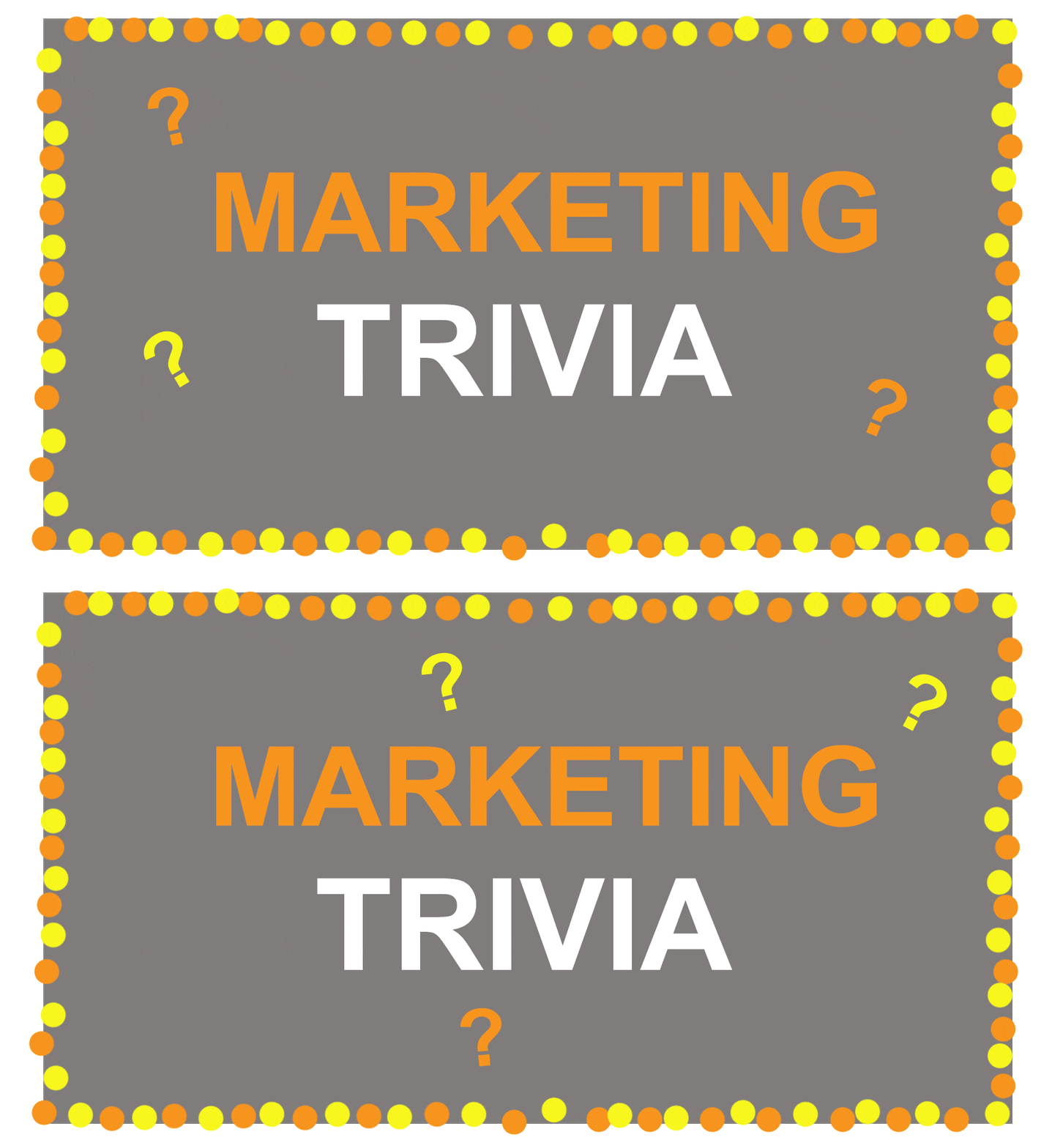 Alright, let’s get started.
Step 1: Upload your images to Photoshop.
If you already have images created …
Gather the images you want in a separate folder. To upload them into Photoshop, click File > Scripts > Load Files Into Stack.
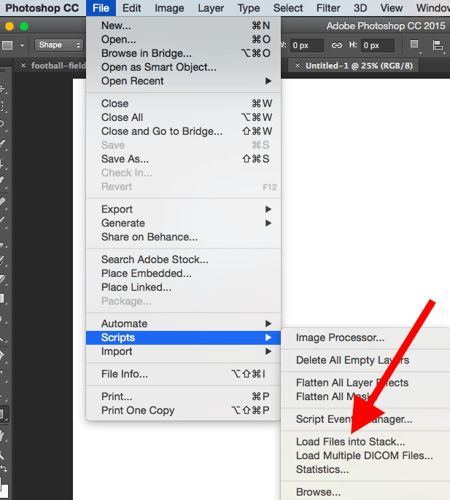
Then, select Browse, and choose which files you’d like to use in your GIF. Then, click OK.
 Photoshop will then create a separate layer for each image you’ve selected. Once you’ve done that, skip to step two.
If you don’t already have the series of images created …
Create each frame of the animated GIF as a different Photoshop layer. To add a new layer, chose Layer > New > Layer.

Be sure to name your layers so you can keep track of them easily when you make your GIF. To name a layer, go to the Layer panel on the bottom right of your screen, double-click on the default layer name, and type in the name you want to change it to. Press Enter when you’re finished.
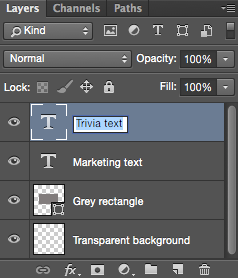
Once you have your layers in there and you’ve named them all, you’re ready for step two.
Pro Tip: If you want to combine layers so they appear in a single frame in your GIF, turn visibility on for the layers you want to merge (by clicking on the “eye” to the left of each layer name so only the eyes for the layers you want to merge are open). Next, press Shift + Command + Option + E (Mac) or Shift + Ctrl + Alt + E (Windows). Photoshop will create a new layer containing the merged content, which you should also rename.
Step 2: Open up the Timeline window.
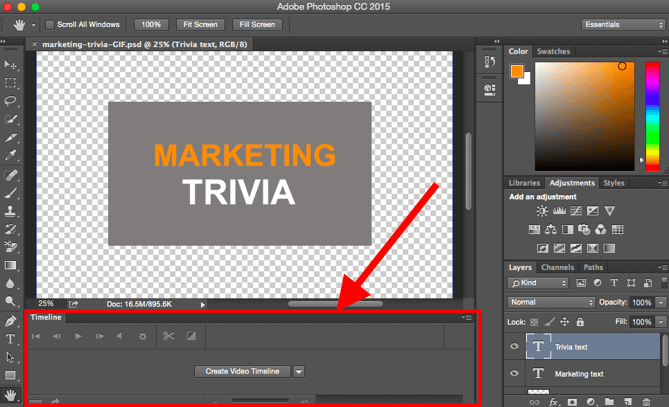
To open Timeline, go to the top navigation, choose Window > Timeline. The Timeline will let you turn different layers on and off for different periods of time, thereby turning your static image into a GIF.
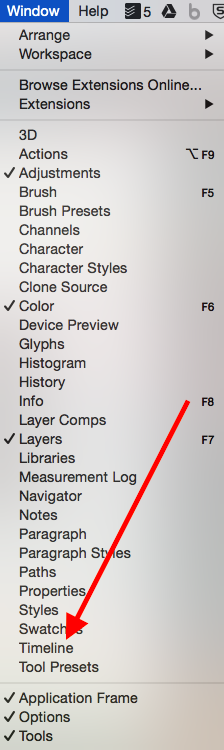
The Timeline window will appear at the bottom of your screen. Here’s what it looks like:
Step 3: In the Timeline window, click “Create Frame Animation.”
If it’s not automatically selected, choose it from the dropdown menu — but then be sure to actually click it, otherwise the frame animation options won’t show up.

Now, your Timeline should look something like this:

Step 4: Create a new layer for each new frame.
To do this, first select all your layers by going to the top navigation menu and choosing Select > All Layers.
Then, click the menu icon on the right of the Timeline screen.

From the dropdown menu that appears, choose Create new layer for each new frame.

Step 5: Open the same menu icon on the right, and choose “Make Frames From Layers.”
This will make each layer a frame of your GIF.

Step 6: Under each frame, select how long it should appear for before switching to the next frame.
To do this, click the time below each frame and choose how long you’d like it to appear. In our case, we chose 0.5 seconds per frame.

Step 7: At the bottom of the toolbar, select how many times you’d like it to loop.
The default will say Once, but you can loop it as many times as you want, including Forever. Click Other if you’d like to specify a custom number of repetitions. 
Step 8: Preview your GIF by pressing the play icon.

Step 9: Save and Export Your GIF
Satisfied with your GIF? Save it to use online by going to the top navigation bar and clicking File > Export > Save for Web (Legacy)…
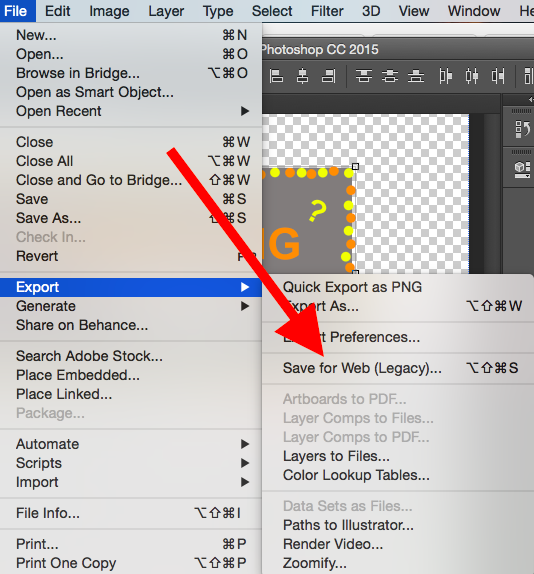
Next, choose the type of GIF file you’d like to save it as under the Preset dropdown. If you have a GIF with gradients, choose Dithered GIFs to prevent color banding. If your image employs a lot of solid colors, you may opt for no dither.
The number next to the GIF file determines how large (and how precise) the GIF colors will be compared to the original JPEGs or PNGs. According to Adobe, a higher dithering percentage translates to the appearance of more colors and detail — but it increases the file size.

Click Save at the bottom to save the file to your computer. Now you’re ready to upload this GIF to use in your marketing!
Upload the GIF file into any place online that you’d put an image, and it should play seamlessly. Here’s what the final product might look like:
 How to Use GIFs in Your Marketing
1. On social media.
Pinterest was the first to enable animated GIFs, followed by Twitter. And by the summer of 2015, Facebook had also jumped on the GIF bandwagon. Then, Instagram changed the game with Boomerang, which lets users film and share their own GIFs. On any of these social feeds, animated GIFs can be a great way to stand out in a crowded feed.
For example, check out how Calm used a GIF of a heart drawing in this quote from Samuel Beckett to add animation to an otherwise text-heavy Instagram post:
2. In your emails.
Animated GIFs display in email the same way a regular image does. So why not spruce up your email marketing by replacing still images with animated ones?
Not only could this help capture recipients’ attention with novelty alone, but it could also have a direct impact on your bottom line.
For some brands, including an animated GIF in emails correlated with as much as a 109% increase in revenue. Using HubSpot’s free email marketing software is an easy way to accomplish this type of increase on your own site.
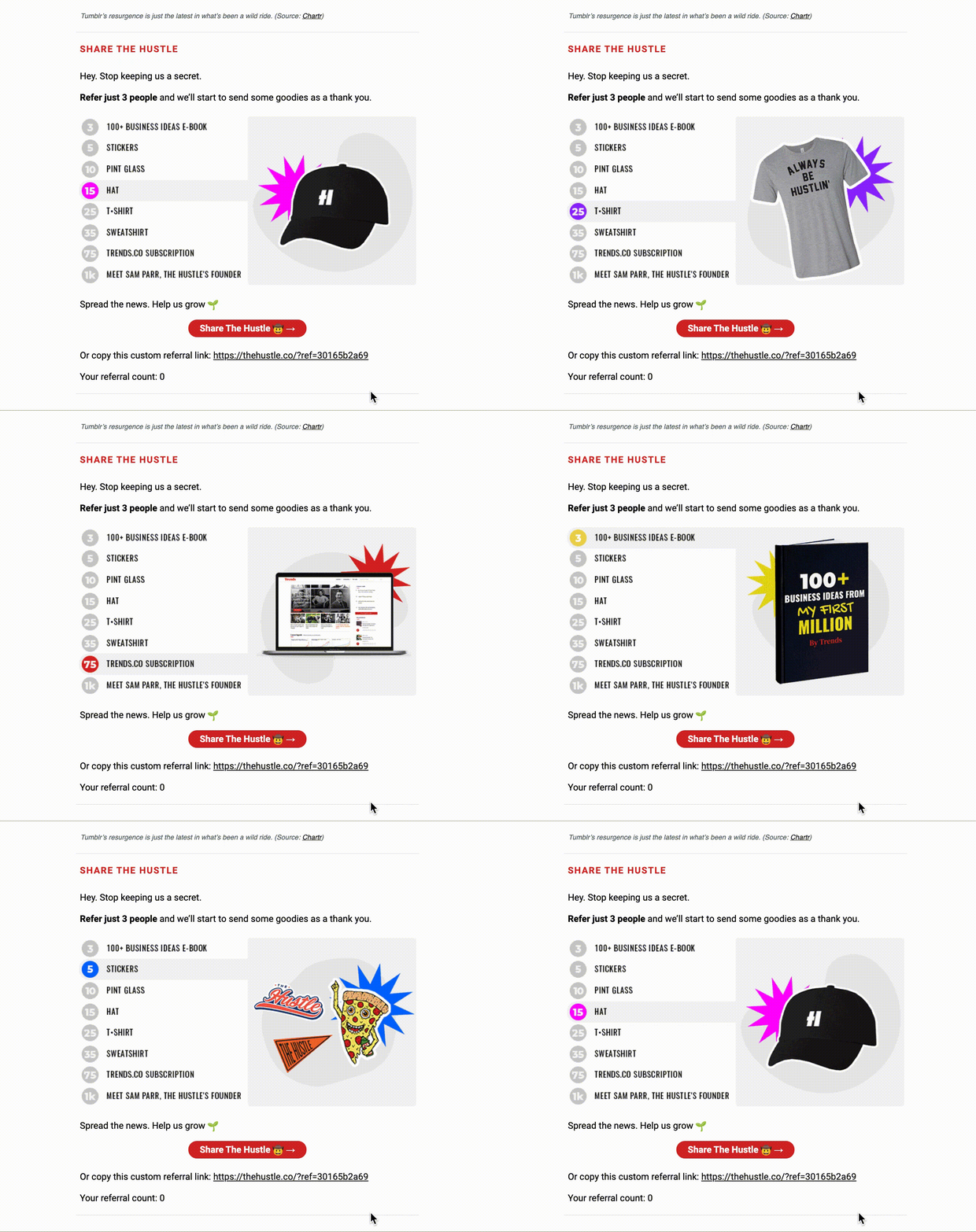
Make use of GIFs by showcasing products, making event announcements, or otherwise enticing readers. Check out the GIF below from The Hustle, which showcases various prizes email subscribers can win by referring the Hustle to friends:
3. On websites and blog posts.
Finally, consider the power of using GIFs on webpages to draw a viewer’s attention to a specific area, or engage a viewer in an otherwise text-heavy post.
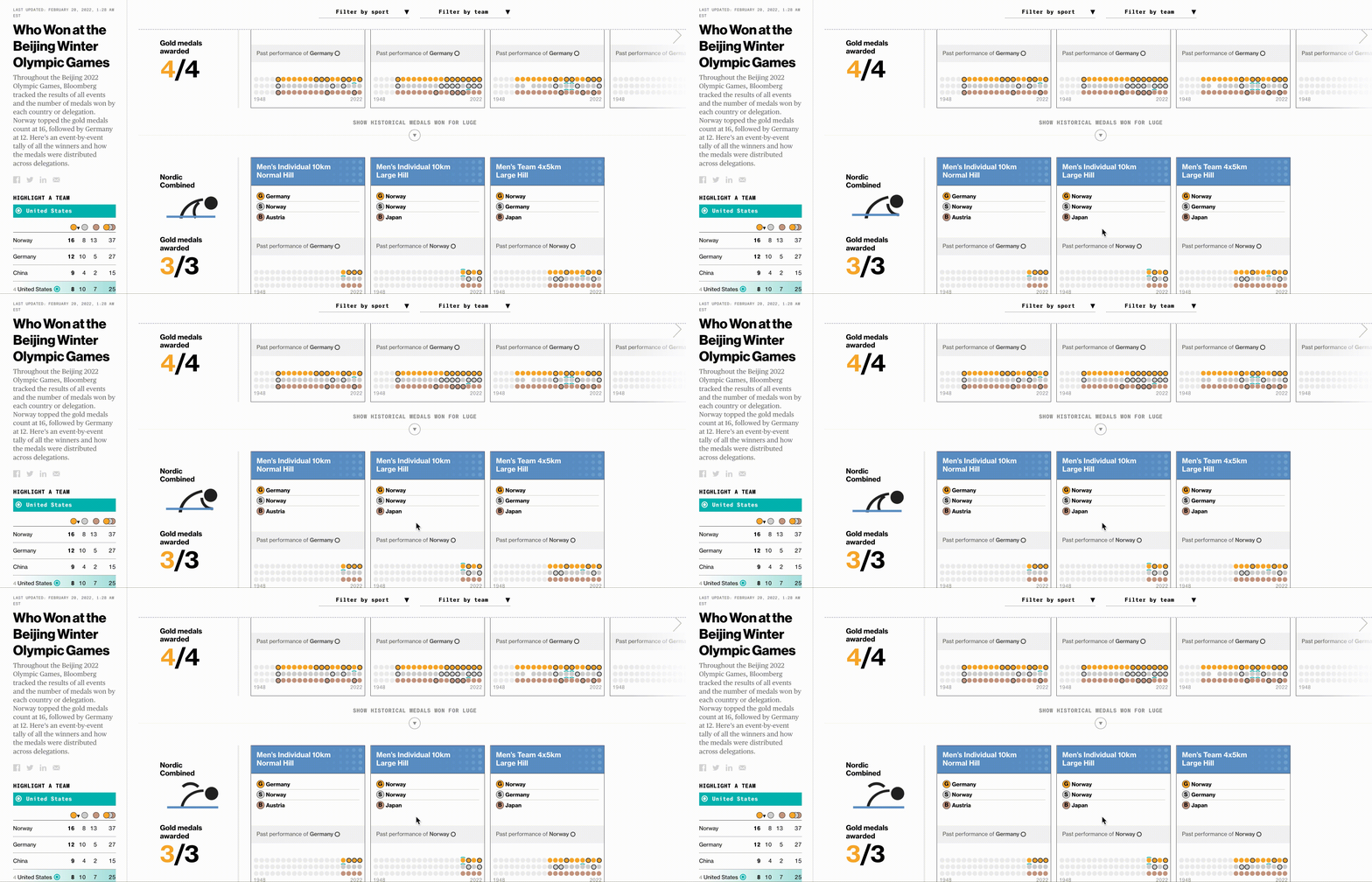
Take a look at how Bloomberg uses stick figure animated GIFs in this article on the Beijing Winter Olympic Games:
 Now that you’ve learned how to make a GIF, consider using your newfound knowledge to add animations to your website or portfolio.
If you don’t have one, take a look at The 12 Best Graphic Design Portfolios We’ve Ever Seen, & How to Start Your Own.
Editor’s Note: This post was originally published in September 2013 and has been updated for freshness, accuracy, and comprehensiveness.

How One Instagram Influencer Went From 0 to 45K on Reels (And How You Can, Too)
Over the past few years, TikTok has seen explosive growth, and it shows no signs of slowing down. In fact, by the end of 2022, TikTok is predicted to reach 1.5 billion monthly active users.
But there’s another big player in the game of short-form video — Instagram Reels, which Instagram launched in 2020 to provide a space for Instagram users to post short, ‘snackable’ content that mirrors what you’d see on TikTok.
We’ve already covered the debate of TikTok versus Instagram Reels, so I won’t go into that here.
Instead, I spoke with an Instagram influencer and consultant, Kar Brulhart, who has grown her own Instagram account from 0 to 45,000+ viewers and obtained over six figures in less than 10 months using Reels — all organically.
Here, we’ll cover Brulhart’s tips for how brands can leverage Instagram Reels to reach new audiences and acquire new customers.
But first — why Instagram Reels over TikTok?
![→ Access Now: Video Marketing Starter Pack [Free Kit]](https://no-cache.hubspot.com/cta/default/53/8f27c677-d952-4663-8787-bf65c6a1ecf2.png)
The Benefits of Instagram Reels
“A lot of brands think they need to be on multiple platforms in order to have a voice and a presence, but it’s more important to get very good at one or two platforms, and have a voice and message and community there,” Kar Brulhart told me.
She adds, “We forget these platforms are about community, and we have to nurture our audiences in order to get results.”
Brulhart told me she’s decided to put all her eggs in the Instagram basket because she ultimately finds the platform more user-friendly, and there are more features and benefits for a business owner compared to TikTok.
This makes sense: Instagram is owned by Meta (formerly Facebook), which provides users with extensive advertising tools and opportunities. While TikTok is attempting to provide similarly robust advertising capabilities, it’s ultimately still in early stages and has a long way to go.
Brulhart does acknowledge TikTok has its advantages: It can serve as a great way to generate brand awareness and funnel audiences to your website or Instagram, land brand partnerships, and it can help entrepreneurs and brands keep up with trends. Her strategy is to use TikTok to post to TikTok for more brand awareness, identify buzzy trends and sounds, and then leverage that information to reach new audiences on Instagram.
Ultimately, Brulhart told me brands could be leaving money on the table if they aren’t using Reels. As she puts it, “I went from less than 2,000 followers in February 2020 to over 15,000 the next month through Reels, because Instagram is pushing Reels to new audiences. And 75% of the people who find my account are coming from Reels — compared to Stories and posts.”
If you’ve determined Reels is a viable option for your business, you might be wondering how to get started with it. Let’s dive into that, next.
(Note: These tips are from Brulhart — if you’re looking for a more high-level overview or curious how brands are already using Reels, take a look at Everything Marketers Need to Know About Instagram Reels, first.)
5 Tips for Succeeding on Instagram Reels, According to a Reels Influencer
1. Find your niche, and post consistently.
Kar Brulhart’s niche is Instagram coaching and growth, so she told me she’s focused her entire content strategy around these two key themes.
“I repeat myself often,” Brulhart says. “People get nervous about sounding repetitive, but you need to repeat yourself often, and constantly remind people of your offers.”
It can be tempting to create content on popular or trending topics even if they’re not a direct match for your product or services, but that isn’t a good idea. Social media marketing isn’t just about attracting an audience — it’s about attracting the right audience.
Additionally, posting often and on a pre-determined schedule can help you see growth on the platform, since social algorithms reward consistency. Brulhart began seeing success when she continued to post often about similar themes that mattered most to her intended audience.
2. Add context in your captions.
“Short video works really well on TikTok — like audio trends, and lip-sync trends — and what you should take away from that is you don’t have to put your entire message into a 15 or 30-second Reel,” Brulhart recommends.
She adds, “Instead, it can be something relatable and inspirational, and then in your caption, you can add that context.”
Consider, for instance, the following Reel, in which Brulhart posts a few quick text phrases in the Reel itself (like “I was bullied by a man in my first job in NYC”), but then elaborates extensively in the caption:
3. Be obsessive about your data.
As marketers, we’re already data-obsessed. Data can help you identify what’s working well, what needs improvement, and what should be ditched entirely. And your Reels strategy should be no different.
As Brulhart puts it, “I would suggest looking at your data every seven to 30 days, analyzing it, and figuring out which Reels perform well — then, take that same topic and create a carousel post, and add more context in the caption of that post.”
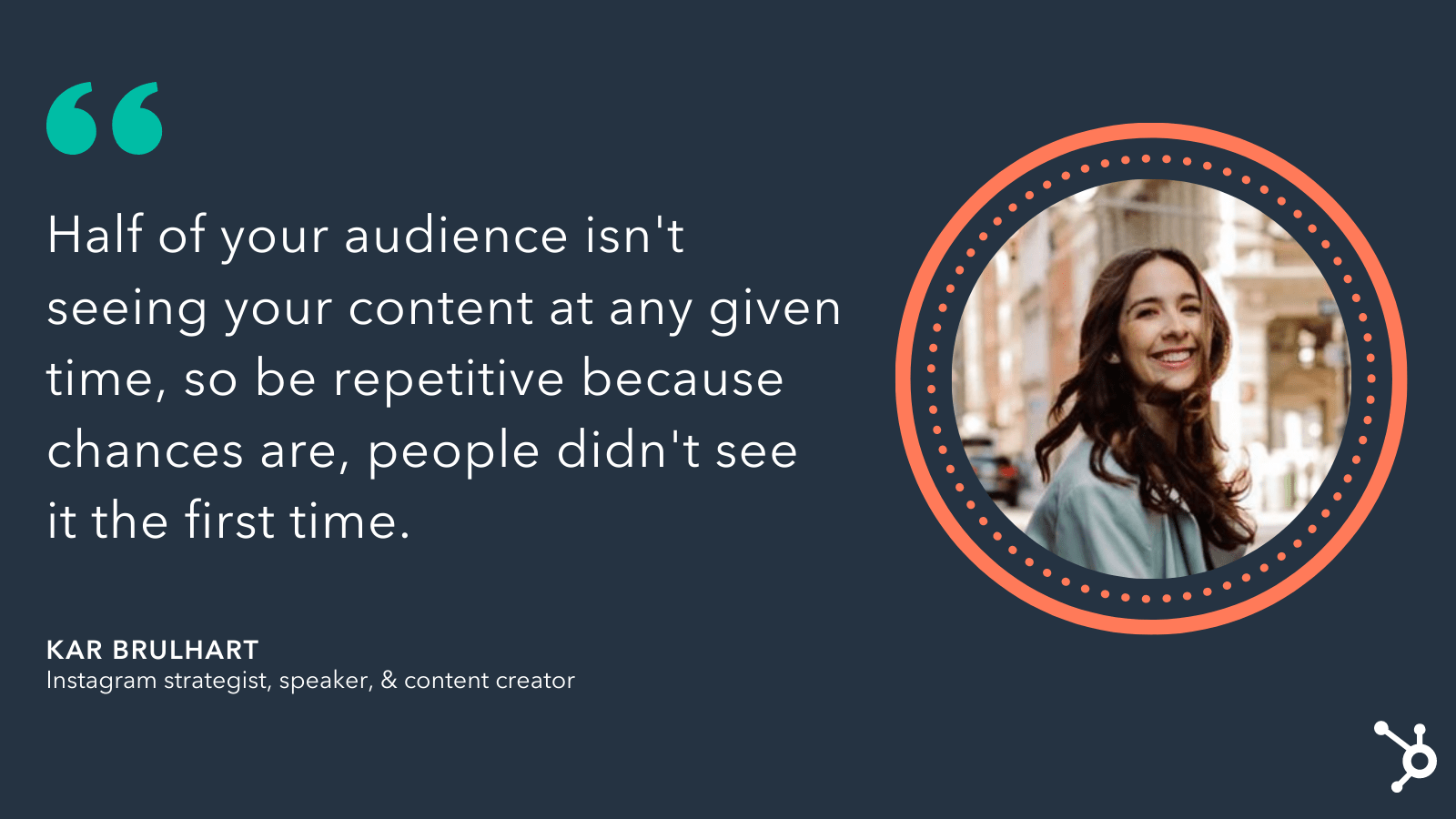
She says, “Half of your audience isn’t seeing your content at any given time, so be repetitive because chances are, people didn’t see it the first time.”
 A brand’s success with Reels, Brulhart believes, lies in the marketing team’s ability to experiment and use data to figure out the strategy that works best for that particular brand. For instance, perhaps your audience is more into trends and relatable content over educational Reels, which is information you can only uncover through analytics.
Brulhart says, “Where I’ve seen the most success with my clients is when they aren’t afraid to pivot and change their strategies because the platform is constantly evolving, and there are always new features so it’s important to consistently test out those new features — especially because Instagram rewards those accounts that jump on the new features early.”
4. Create behind-the-scenes content.
When I spoke with Brulhart about this ‘newfound rise’ in short-form video, she reminded me it’s been a long time coming. For instance, Snapchat first came on the market with short-form video content back in 2012.
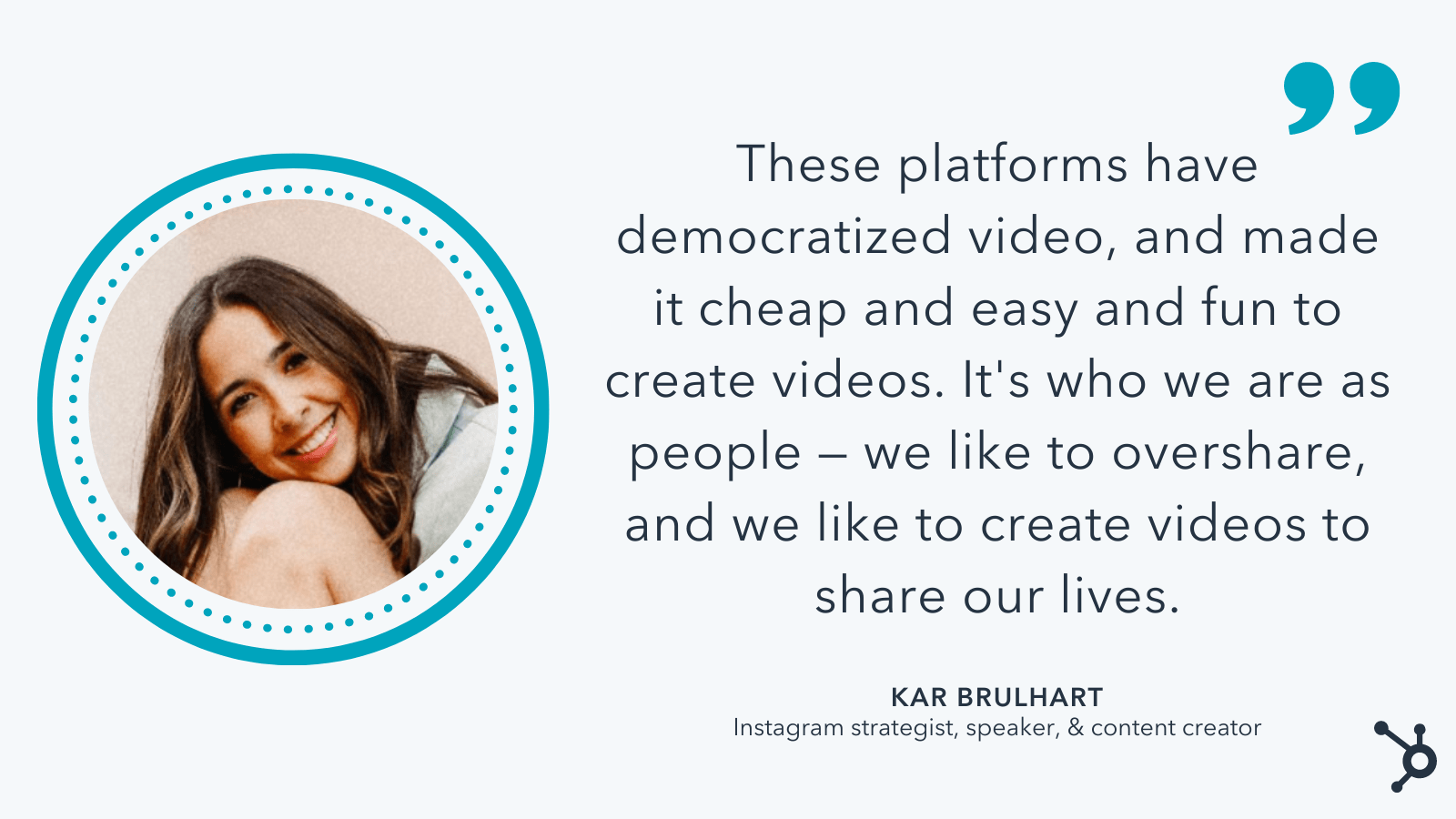
“These platforms have democratized video,” Brulhart told me, “and made it cheap and easy and fun to create videos. And it’s who we are as people — we like to overshare, and we like to create videos to share our lives.”
Post-pandemic, social media users are craving more authentic, relatable, behind-the-scenes content from influencers and brands alike.
For instance, in 2020, roughly half (42%) of Gen Zers said they wanted content described as fun— which surpassed Gen Zers’ interest in romantic content (29%) and exciting content (27%).
And, post-pandemic, 34% of HubSpot Blog Survey respondents said they still seek out more positive and uplifting content than they did pre-pandemic.
As Brulhart puts it, “It’s not about perfection or aesthetics anymore — the stories that work the best are those vulnerable, personal, behind-the-scenes content. So don’t be afraid to switch from professional aesthetic to something more approachable and fun.”
One brand that Brulhart admires for their short-form video strategy is Duolingo. The language-learning app goes viral often because they’ve begun using their owl mascot in funny, relatable TikToks (like seen below).
Humanizing your brand is a vital component of any good social media strategy. The more your audience can relate to your brand, the more they can trust your brand.
However, it’s important to note, you don’t want to copy something just because it’s a trend — it should also make sense for your brand, and feel authentic and real. As Brulhart says, “My biggest failures is when I’m just doing a trend. It doesn’t work — people smell it.”
5. Hire someone to create Reels-specific content.
If you’re interested in taking your Reels strategy to the next level, you’ll want to consider hiring someone with expertise creating engaging short-form videos for social.
Brulhart told me, “If you have the budget, hire someone who has a resume to show you they can create content specifically for Instagram or TikTok (i.e. a Reels video editor).”
If possible, you’ll want to hire someone with a proven track record on Reels who can ensure your content is appropriate for the platform and will perform well.
If you don’t have the budget to hire someone full-time, however, that’s okay, too — in that case, Brulhart told me, “Make sure your brand is tying its Reels back to your business’ content pillars. Don’t make the mistake of just jumping on a trend because it’s funny or cute … What ends up happening is you’ll get an influx of followers, but not the right followers. It’s key to make sure everything ties back to your business objectives.”
Additionally, if you don’t have the budget to hire someone full-time, consider enrolling in Brulhart’s Social Department membership, in which she sends trending audio as well as niche-specific ideas to people every week to save them time on Reels.
 You’ll also want to consider how you can leverage other content creators to help tell your story in ways you can’t think of — brand or influencer partnerships can help you with this.
Ultimately, Reels can be an incredibly powerful tool for reaching new audiences and increasing brand awareness and loyalty — but it’s not for everyone. If you’re unsure whether Reels is right for you, test it out for a few weeks and then analyze performance to figure out whether it’s worth your marketing resources.
Who knows? Maybe Reels is the missing piece in your social strategy.
Feature Image Credit: Kar Brulhart (used with permission)

How to Pivot Your Content Plan According to HubSpot Marketers
Imagine this: as a content marketer, things are going pretty well for you — you’re confident about your upcoming campaign, the ROI from your last couple were stellar, and projections for the new one looked just as good, if not better, than ever before.
And then something happened, and you need to pivot your content.
Maybe it’s a sudden trend or global event that diverts your audience’s attention. Or, perhaps a competitor’s campaign launch has everyone talking, and you’re unsure if your current content strategy is good enough to outshine theirs.
Regardless, this shift has impacted your company directly, which means, your entire campaign is impacted directly.
With that being said, now you have to decide if you need to pivot your content plan — and quickly. But how do you respond to an event like this?

We asked HubSpot managers to give their insights about how to navigate major changes that alter your content planning. The HubSpot Blog also surveyed 1,000 marketers to learn more about their content planning practices.
In this post, we’ll learn what they have to say. We’ll go over how to identify when you need to pivot quickly, and strategies you can take in order to make that transition as smooth as possible.
How to Pivot Your Content Plan
When something major happens to alter your content strategy, think about how it will affect your business goals. After all, the content you’re creating reflects the goals of your business.
“The content HubSpot creates is intended to help businesses around the world grow better by addressing their current needs. When we have to pivot our content plans quickly, it is because those needs have changed quickly,” says HubSpot’s Vice President of Acquisition, Emmy Jonassen.
Let’s take a look at advice from Jonassen, as well as tips from managers across the marketing field — including Senior Social Media Manager Kelly Hendrickson, Global Brand Marketing Manager Alicia Collins, and Content Growth Strategy Manager Karla Hesterberg.
Let’s get started!
1. Know when to pivot.
Knowing when to switch up your content strategy is never an easy decision to make. There are a couple of aspects you should consider when you find yourself needing to re-work your content strategy, but first is knowing when the right time is to do that.
“The toughest part about pivoting your strategy is knowing when,” Hendrickson says. “As a social media manager, I would ask myself, ‘Right now, can we provide value to our audience?’ ‘Can we provide content that will be helpful and welcome in the social space?’“
46% of marketers surveyed by the HubSpot Blog said they knew it was time to pivot because their previous content strategy was experiencing poor engagement.
If you’ve realized that altering your strategy will help you deliver more valuable, helpful, and timely content to your audience, then it’s a good time to pivot.
Ultimately, content plans should serve your business goals, but also deliver worthwhile content to your customer that’s timely. If your content isn’t providing a timely lens to customers, it might be time for you to pivot your strategy.
A content audit could be a good way to determine if you need a shift. Per the HubSpot Blog survey, 36% of marketers conduct content audits to identify gaps in their content strategy.
Take a look at your content plans. If your information aligns with your business’s goals, that’s great, but does it align with the times?
Instead of devoting all of your content planning to a new product launch, for instance, change up the frequency of your posts to include more content that can serve your customer’s needs depending on what’s going on in the industry, or in the world.
2. Put your audience first.
So, you’ve decided it’s a good time to pivot. How do you cater to the new shift in your audience’s lives, though?
Check your audience’s web behavior — you’ll find information that relates to what your audience is thinking about. For instance, if keyword search reports have indicated that keywords are changing from “local marketing tips” to “online marketing tips,” think of it as a clue that needs are shifting.
However, this shift isn’t exactly what you planned for — in fact, the content you’ve planned for is already scheduled, ready to go, and ultimately different from the results you’ve found from researching web behavior.
Hendrickson’s team was in the same boat. “In our case, we found we could provide our audience with helpful information,” she says. “But that information was not our previously produced and scheduled content.”
So, what do you do?
“We paused all publishing and pivoted immediately based on audience needs,” says Hendrickson. She and her team saw that they needed to rework how they catered to the needs of their audience with different content, so after some web behavior analysis, they found their answer. “At that time, an immediate need for our audience was tips about remote work and leading with empathy.”
She continues by saying, “We made that decision by looking at our audience, as we always do, and figuring out what challenges they were facing and prioritizing our changes there.”
 According to a survey conducted by the HubSpot Blog, 46% of marketers have adapted content to reflect the issues going on in their customers’ lives.
When in doubt, start with your audience and put yourself in their shoes. What would you want to see from your favorite brands during certain times of year or periods of change?
If you have a large audience, it’s important to make sure your content addresses the needs of different groups you’re looking to serve. 38% of marketers surveyed by the HubSpot Blog said their biggest mistake when pivoting their content plan is focusing too much on one segment of their target audience.
As you look to pivot, take a holistic approach to addressing the needs of your broader audience.
3. Change your content lens.
We’ve talked a lot about how thinking about the customer will help guide your pivot decision and content planning. When you’ve got an idea of the type of content you need to deliver to your audience, the next step is the delivery itself.
“We need content and campaigns that are helpful and understanding,” Collins says. So while your content is framed around helping the audience, does the caption convey an understanding, empathetic point of view?
When you deliver content, you’re reflecting your brand and your brand’s goals. If one of your brand’s goals is to connect with your customer, you must change your message delivery to reflect comprehension of the situation.
Per the HubSpot Blog survey, 43% of marketers have changed the tone of their content to be more empathic and authentic in recent years.
“Companies and customers are operating in different ways — we can’t always assume that the same types of marketing will resonate,” Collins notes.
 For instance, let’s say a major cybersecurity issue upends your industry and is seen everywhere, from LinkedIn posts to newspaper headlines. Rather than shying away from the issue, consider how you might provide content that focuses on IT safety and security, or more generally, tips and tricks for successful online marketing and sales strategies.
4. Connect with other colleagues.
“During major industry or global changes, it becomes especially important that we understand our audiences’ needs so we can create relevant and helpful content fast,” Jonassen remarks.
Recall that Hendrickson’s team had to recognize the new needs of their target audiences, and discovered that remote work and how to lead during hard times was increasingly popular. From there, they were able to conduct research and figure out a plan.
However, if you’ve found that your team is struggling to collect insights, or you don’t know how, reach out to other colleagues to come up with a game plan that will be helpful to you. While your customers need actionable, timely, empathetic content, you need to understand how to figure out their other needs, as well.
“We start by analyzing user behavior, talking to our Sales and Customer Service teams, and interviewing prospects and customers,” Jonassen says.
 Similar to social media and branding, it’s important for team members working on customer acquisition to analyze how their customer will be thinking about their lives differently, so you can create offers that will be relevant to their new lifestyle.
If you find yourself struggling to deduce how your customer thinks because you don’t interact with them directly, think about the colleagues you have who do have a customer-facing role.
Sales and Customer Service colleagues are a great place to start — they’re in constant contact with customers, and because of that, will have a good grip on recognizing common problem areas among customers.
The best part about this strategy? It fits any business size. Even if your company is a small but mighty one, there’s at least one person constantly communicating with customers, and leading hiring efforts. They’re your front lines (and usually, talking to them is free, and less time-consuming than conducting multiple research quests).
5. Don’t overestimate your pivot.
When you recognize you need to shift, you don’t have to launch an entirely new product or completely re-identify your brand. In fact, that’s something you shouldn’t do.
Hesterberg states, “Don’t change everything at once. The worst thing you can do in a situation like this is pivot too hard and too fast in your rush to meet short-term needs.”
It can be startling to customers if a company overhauls their entire strategy overnight (Do you remember the “IHOb” fiasco?), and leave them confused.
My grandmother always used to say, “If it’s not broken, don’t fix it,” a mantra that should apply to your pivot process planning. Changing what your brand stands for can be messy, time-consuming, and confusing for customers.
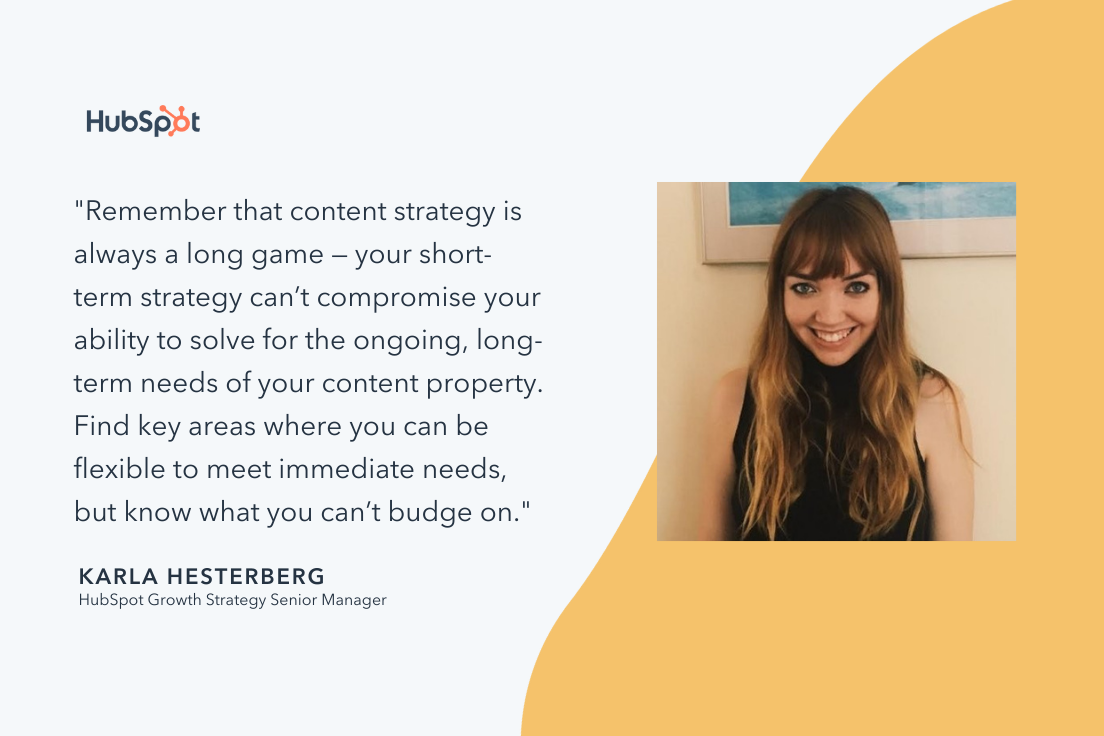
“Remember that content strategy is always a long game — your short-term strategy can’t compromise your ability to solve for the ongoing, long-term needs of your content property. Find key areas where you can be flexible to meet immediate needs, but know what you can’t budge on,” Hesterberg suggests.
 Your pivot should be a balanced addition to the strategy you already have in place. Half of marketers surveyed by the HubSpot Blog said when they last pivoted their content, their content plan changed a moderate amount.
In every campaign you make, one of your goals is most likely to serve the needs of the customer. Keep these tips in mind, and stay calm throughout the storm.
6. Get ready to experiment.
Digital marketing is ever-evolving, and new platforms and features can often be a driving force behind a content pivot. According to the HubSpot Blog survey, 68% of marketers have pivoted their content plan to leverage a new social media platform. We’ve seen this play out in real-time with more brands looking to capitalize on the rise in popularity of TikTok in recent years.
In addition to emerging platforms, jumping on new features of existing platforms can be a key part of a content pivot. Per the HubSpot Blog survey, 77% of marketers have pivoted their content plan to try leveraging a new feature on an existing social media platform, such as Instagram Reels.
Experimentation and flexibility are important for content pivots. When exploring new platforms and features, it can take some time for brands to navigate what their audience wants to see on a new medium.

7 Amazing Sample Answers to “What Makes You Unique?”
The interview question, “What makes you unique?” is not an opportunity to confess weird habits or odd quirks. It’s a chance to provide the interviewer with insight into how you’d be the best candidate for a role, while proving you’re someone who can think on her feet.
Essentially, “What makes you unique” really means, “What makes you an exceptionally good candidate?”
To avoid an awkward conversation, you’ll want to be prepared to answer “What makes you unique?” in an interview. Here are seven sample answers to ensure you’re proving yourself an incredibly valuable company asset.

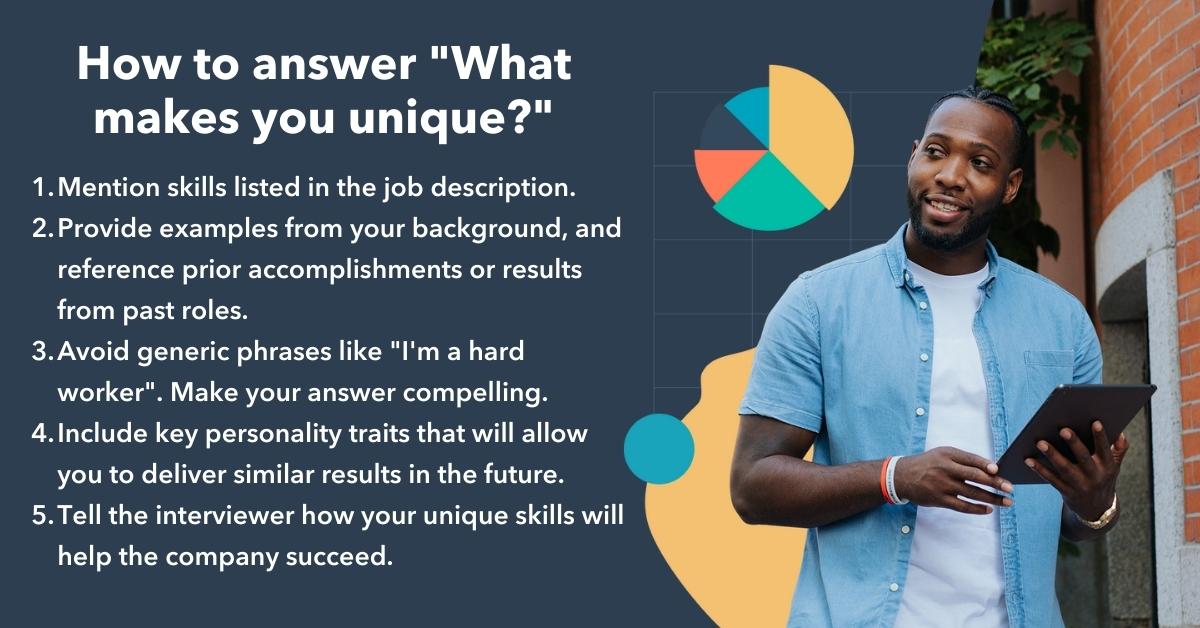
How to answer “What makes you unique?”
- Mention skills listed in the job description.
- Provide examples from your background. Reference prior accomplishments or results from past roles.
- Avoid generic phrases like “I’m a hard worker”. Make your answer compelling.
- Include key personality traits that will allow you to deliver similar results in the future.
- Tell the interviewer how your unique skills will help the company succeed.
7 Sample Answers to “What Makes You Unique?” and Why They Work
1. “I am a very good communicator and find it’s easy for me to relate to other people.”
Consider mentioning a personality trait you feel would be a good fit for the business. After reading the job description, make a list of attributes that could make you an exceptional candidate.
Additionally, including a personality trait in your answer allows you to display how you’re a good fit for a role in which you have little prior experience.
For instance, if you’re applying for a position as a team leader, it’s critical that you demonstrate strong communication skills and an ability to connect with a diverse group of people. If you tell the interviewer, “I am a very good communicator and find it’s easy for me to relate to other people”, you’re able to match your personality to components of a successful leader.
Effective communication is a critical trait to emphasize in interviews — if you consider how 86% of employees cite lack of collaboration as a main component of workplace failures, you can begin to appreciate why effective communication is so important.
2. “I really enjoy learning new things and am constantly seeking out new learning opportunities.”
By mentioning your passion for learning new things, you’re demonstrating you’re growth-focused and unafraid of challenges.
Additionally, answering the question in this way allows you to remind the interviewer why you’re uniquely qualified for the role — while other candidates might have more prior experience in the industry, you’re proving your desire to exceed expectations of the job quickly.
3. “My prior experience in customer service has provided me with unique technical skills that I can apply to this role.”
If you have prior experience in a role vastly different from the one for which you’re applying, you might use this as an opportunity to explain how your background uniquely qualifies you. With an answer like this one, you’re able to alleviate concerns the interviewer might have with your lack of experience in the field.
It’s critical, however, that you provide specific examples of how your prior experience has provided you with certain transferrable skills.
For instance, you might say, “My prior experience in customer service provided me with technical skills and an extensive knowledge base for how our product works. As a marketer, I will be able to use this knowledge to ensure we’re meeting our customers needs with every campaign we launch.”
It’s also important to highlight: Previous job experience has declined in importance when it comes to recruiters evaluating candidates. In fact, between 2017 and 2021, that number has dropped from 92% to 62%. So it’s okay if you feel your prior work experience doesn’t perfectly align with the role for which you’re applying, as long as you can explain how your skills will help you succeed.
4. “Working at a startup gave me an opportunity to understand the ins-and-outs of the industry, and to take on tasks I might not have at a larger company. I think this experience gives me a slight edge over other applicants.”
Similar to the answer above, this answer is a good one if you’re attempting to switch industries. If you think your prior experience could deter interviewers from seeing you as exceptionally qualified, this is an optimal chance to prove them wrong. Consider how your background has allowed you to gain unique skills that others, who followed a more linear career trajectory, might not have.
For instance, if you previously worked at a small startup and now you want to transfer to a large corporation, it’s important you mention how those skills will make you successful in this new role.
5. “I’m not afraid of failure. In fact, I think it is an essential part of the experimental process that gets you to success. For example … “
This answer shows your interviewer that you’re not afraid to take risks. Of course, you’ll only want to say this if you have a positive example to reinforce the importance of failure in the workplace.
You don’t want to sound like you make mistakes all the time, but you’ll stand out if you mention how you turned a failure into a success.
For instance, you might say, “I’m not afraid of failure. In my last role, we tried to streamline our SEO process and, along the way, found we’d accidentally decreased traffic to our site. However, this initial failure allowed me to see the errors in our previous procedure. My team and I came up with a more successful strategy to avoid these mistakes in the future, and ended up increasing traffic by 20%.”
With this answer, you’re showing you’re capable of remaining flexible and open-minded when something doesn’t work right away, and you know how to take failures and use them as learning opportunities — a critical skill for any work environment.
6. “When solving problems, I apply both logic and emotional aspects in equal proportion. For instance, I’m trained in SEO and understand how to use analytics to ensure a marketing campaign is successful, but I also majored in design and know how to apply creativity to a project as well.”
If you’re stuck on deciding how to demonstrate your unique qualifications, start by thinking about how other people approach problems at your company, and how you differ.
For instance, most people are either logical and use analytics to solve problems, or emotional and use creativity. It’s rare to find someone who is both. If you truly believe you combine these two aspects, it’s an impressive ability you should highlight.
7. “I’m exceptionally organized, and at my last company, I was able to apply this skill to improve our process and increase ROI by 33%.”
Remember, when your interviewee asks “what makes you unique”, she’s really wondering “how will you help our company?” At the end of the day, it’s critical you tie your answer back to how you will solve problems for the company.
48% of recruiters say improving quality of hire is their top priority in 2022 — so you’ll want to ensure your answer highlights how you will excel in the role for the long haul.
To avoid sounding like you’re bragging, consider a personality trait or skill set that helped your last company achieve results. If the results are quantitative, make sure you have the specific numbers to support your claim. However, it’s also appropriate to share qualitative results, such as, “my organizational skills led my manager to trusting me with a major project within the first two months in my role.” Ultimately, providing examples shows the interviewer you’re results-driven, and aren’t just saying generic phrases to answer her question.

5 SEO Trends to Leverage in 2022 [HubSpot Blog Data]
Keeping track of SEO trends is like hitting a moving target.
From algorithm updates to evolving innovation — it can feel like the goal post is always moving. And while the goal of SEO remains the same — to boost your presence in relevant search results — the tactics for getting there look different from year to year.
![→ Download Now: SEO Starter Pack [Free Kit]](https://no-cache.hubspot.com/cta/default/53/1d7211ac-7b1b-4405-b940-54b8acedb26e.png)
Here, we’ll cover the top SEO challenges facing marketers in 2022 and the five biggest trends to watch this year.
SEO Challenges in 2022
A HubSpot Blogs survey identified the top three challenges of SEO marketing:
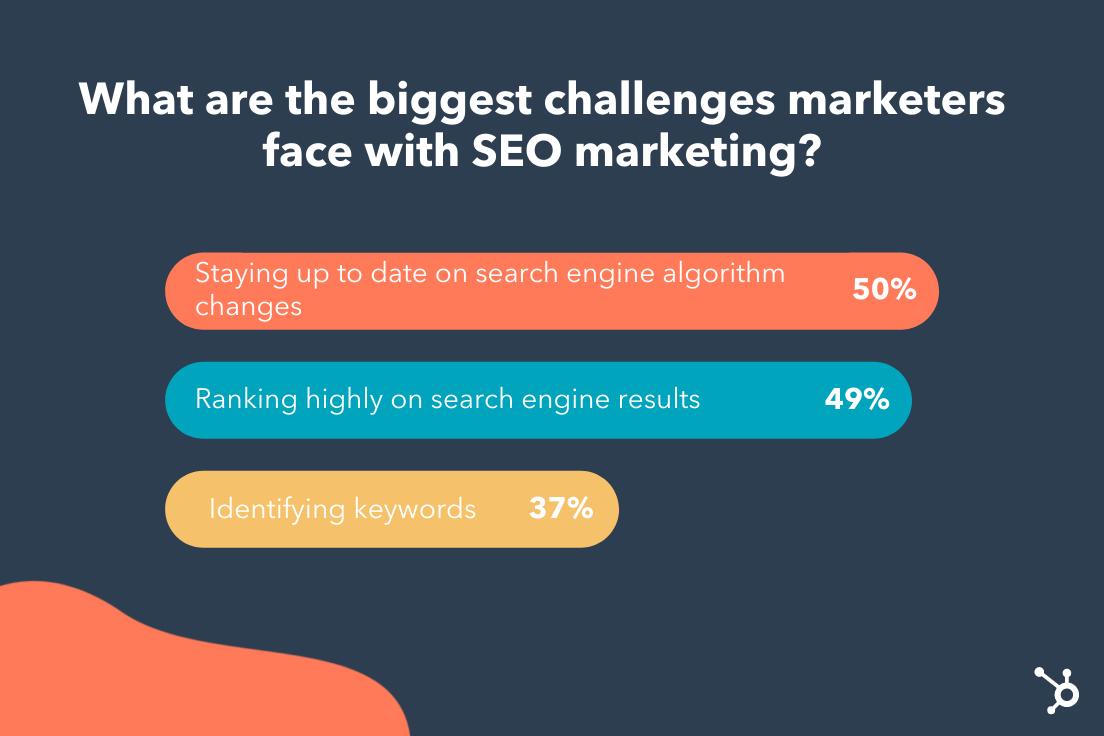
1. Algorithm changes.
The number one challenge for marketers is keeping up with algorithm changes. This doesn’t surprise me — in 2020 alone, Google ran more than 500,00 experiments that led to 4,000+ changes to search.
If you’re like most marketers, this stat can feel pretty overwhelming. After all, how can you succeed when Google keeps rerouting the path to success?
The key is to respond to these changes strategically. For one, this means staying on top of industry news. If there’s a significant algorithm change, the SEO industry will likely comment on it.
The second strategy may sound counterintuitive — which is to wait until the dust has settled after an update. Why? In some cases, Google discovers a change has not panned out as expected and they revert back.
2. Not ranking.
SEO is a long-term game. Unlike paid search, organic results take time to show results — and it’s usually a culmination of smaller efforts.
To use a metaphor — SEO is like a mutual fund slowly building over time. It’s not the stock market, where you see gains and losses in real time. This can be helpful to mention when clients expect quick results.
There are some “solutions” to fix a low ranking, such as technical SEO and content marketing. However, even more important is developing a long-term strategy that focuses on three to four initiatives at a time.
3. Keyword research.
Keywords are the foundation of SEO. But today, rather than scanning for just a keyword, Google takes a high-level look at your website to get an overall sense of its tone, scope, and relevancy.
This means that keyword stuffing is out. Instead, the goal is to understand user intent, or the deeper problem your users hope to solve. With this understanding, you can perform better keyword research and write content based on this insight.
Check out this helpful article on how to add user intent to your keyword strategy.
5 SEO Trends to Leverage in 2022
1. Voice and Mobile Search.
“Hey Google, what’s a good substitute for heavy cream?“
This was a question I asked my Google Assistant last week while baking a cake, hands covered in flour. It looks like I’m not the only one using voice search — around half (44%) of all internet users in the US use a voice assistant.
There’s no denying that voice search is becoming a part of our daily lives. But how can we optimize our content for people searching with their ears — not their eyes?
The answer is clear — optimize your site for mobile. Since most voice searches occur on mobile and smart devices, it makes sense that Google prefers mobile-friendly sites with fast speeds.
Another strategy is reworking your content to include common questions users may ask. For example, identify long-tail question keywords and include them in your h2 or h3 headers.
2. Tightened page headers.
In 2021, Google rolled out a new search ranking feature called Passages. This feature lets Google rank specific sections of a page (or “a passage”) semi-independently from the page itself.
In other words, instead of ranking an entire page on relevancy, Google will now score for relevance in specific sections of a page.
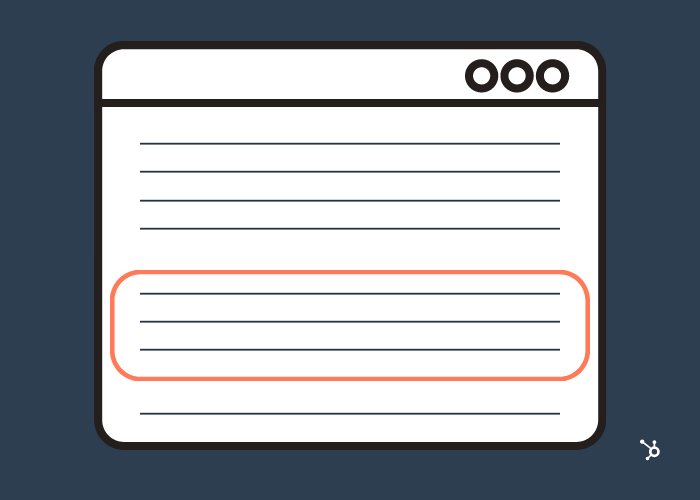
For marketers, this change is no cause for concern – assuming your pages are organized. If not, it’s a good idea to tighten your page headers to provide more context for different sections, enabling Google to understand your content regardless of the markup.
Keep in mind that other page-ranking factors still apply — so don’t skip on backlinks, SEO-optimized copywriting, and other ranking strategies.
3. Emotionally-Charged headlines.
Have you ever clicked on a headline that was too compelling to resist? Turns out, a lot of research has gone into identifying a formula for clickable titles.
According to one recent study that analyzed 5 million headlines, emotional titles — either positive or negative — had a higher click-through rate than neutral titles. In fact, titles with a positive sentiment had a 7.4% higher CTR, while those with a negative sentiment had a 7.2% higher CTR.
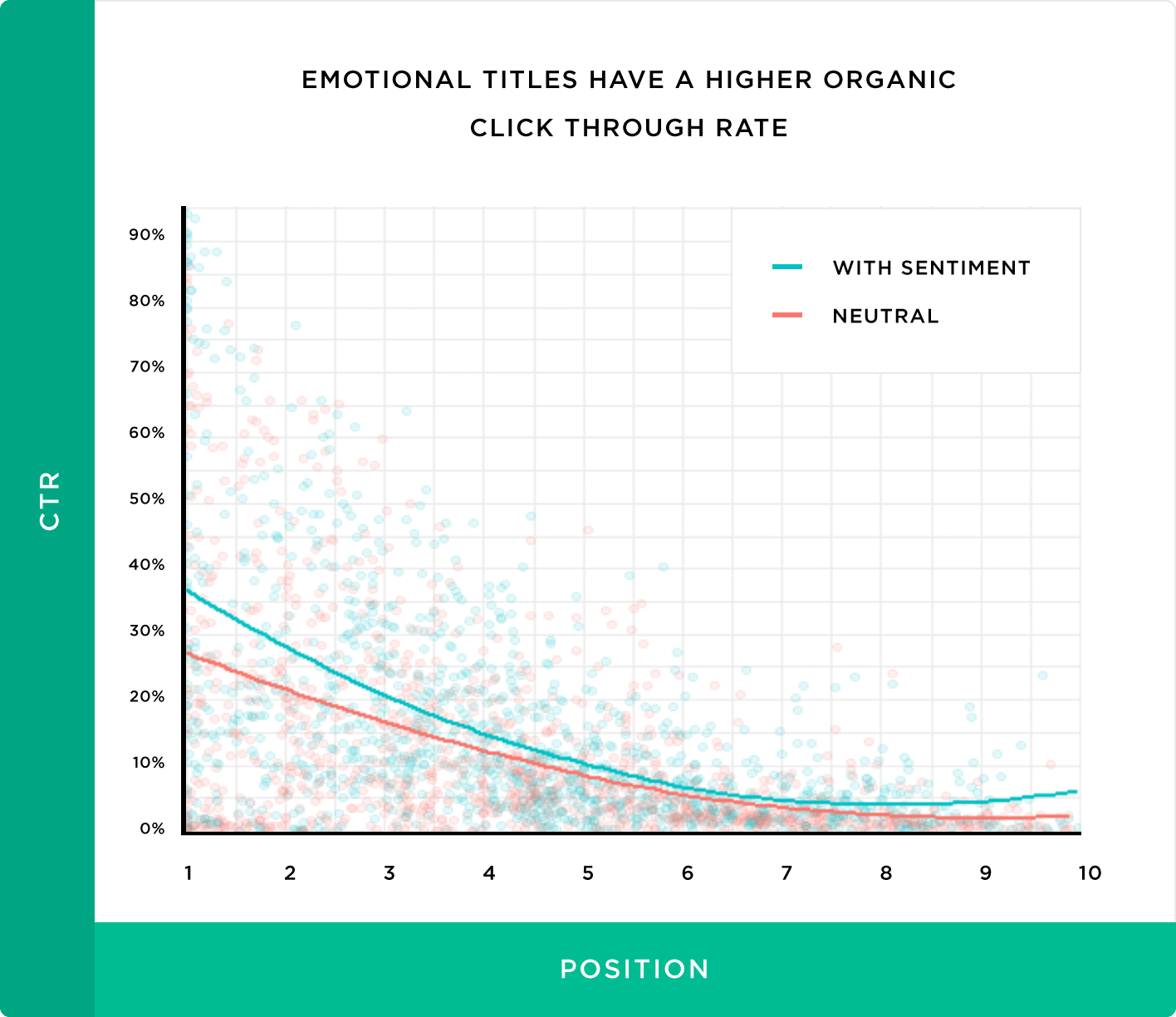
That said, emotionally-charged titles can drive clicks — to a point. Go any further, and you quickly enter clickbait-land. For instance, the same study found that “power words” — or words specifically designed to grab attention — can negatively affect CTR.
Power words include terms like unbelievable, insane, and crazy. While these may work on social media, they can hurt your organic CTR — so use them sparingly, if at all.
4. Video in search results.
You’ve likely come across a YouTube video in a Featured Snippet. These tend to appear for “how-to” searches where the reader is looking for step-by-step instructions.
For instance, imagine you’re stuck on the side of the road with a flat tire. One Google search for “How to fix a flat tire” will lead you to the following video:

Video Snippets are just the beginning — we predict Google will continue to incorporate video into search results. With that in mind, it’s essential to optimize your own videos for Search.
Here are a few ways to get there:
- Add Chapters to your YouTube videos. Chapters break up your video into sections, usually by topic. This layer of context allows viewers (and Google!) to understand the contents of a video. It also makes it easy for Google to use different clips from your video for Featured Snippets.

- Include Closed Captions (CC). Closed captions help YouTube and Google understand every word in your video. While YouTube can automatically generate captions, these aren’t always accurate so it’s better to add your own manually.
- Optimize your title, tags, and description. Videos are like webpages — they have titles, descriptions (like meta descriptions), and tags (like meta tags). Optimize these using SEO best practices.
Lastly, it doesn’t hurt to embed videos into your website and blog posts — which can improve bounce rates.
5. Tweaking content for “People Also Ask.”
While browsing Google, you may have noticed something new: People Also Ask (PAA). In fact, 43% of search queries now include a PAA box.
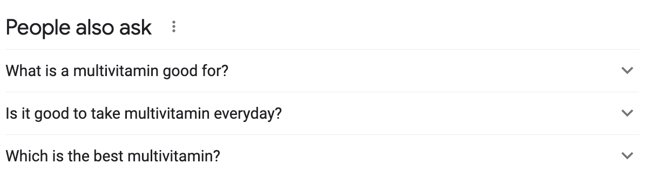
With a prominent position at the top of the SERP, everyone wants to rank in this highly-coveted feature. Luckily, you can increase your chances by making some minor tweaks to your content.
Since the majority of PAA boxes start with question words, like “what,” “why,” and “when,” it’s a good idea to incorporate questions and answers into your content. You can use a keyword research tool to identify long-tail question keywords, then include these questions in your page headers.
Or, consider adding a FAQ section at the bottom of your web pages. Not only does this summarize key points for the reader, but it also has useful SEO benefits.
Back to You
The only constant in the SEO world is change. While it may feel like these changes are out of our control, so much is in our control — namely in how we react. Start by keeping an eye on trends and following the best practices in this article to help you navigate the changing landscape.


What is Web 3 & What Could It Mean for the Future of Marketing?
As we continue to progress into the digital age, a new era of the internet is emerging: web3.
Much of what is (and can be) is up in the air but one question we can try to answer now is what it means for marketers.
![Download Now: Social Media Trends in 2022 [Free Report]](https://no-cache.hubspot.com/cta/default/53/3dc1dfd9-2cb4-4498-8c57-19dbb5671820.png)
Let’s break down what web3 is, when it will launch and how it could impact marketers in the short- and long-term.
To understand what it is, let’s take a trip down memory lane.
In the late ‘90s, the world was introduced to the first version of the internet. It wasn’t nearly as complex as it is today, with just basic fonts, gray buttons and blue hyperlinks. Very reminiscent of how a website would load today stripped to HTML.
Then, it evolved to Web 2 around 2005, a phase in which consumers could consume content like never before on blogs, and later, social media.
However, as the internet evolved, so did the methods businesses leveraged to market to consumers online. This has led to growing privacy concerns among consumers who are struggling to trust their data in the hands of brands.
Although the FTC has created some guardrails surrounding data privacy, there’s still a lot that leaves consumers wary.
Just look at the evolution of Amazon. What was once an online bookstore has now transformed into a tech conglomerate with its hands in ecommerce, digital streaming, cloud computing, and artificial intelligence.
In a deep dive into the business, comedian Hasan Minaj argued on his Netflix show “The Patriot Act” that Amazon has control over the most important 21st-century commodity: data.
“Data about how we spend our money and what parts of the internet we’re using,” he says.
For many, that’s a scary realization. That’s where Web3 comes in.
The goal is that this new iteration of the internet will empower consumers to own and operate tech platforms themselves instead of sacrificing their data by relying on big tech companies.
How would that actually work? Through cryptocurrencies (also known as tokens) and blockchains.
Essentially, when you own a token, you own a piece of the network known as the blockchain. The more tokens you have, the more control you have over the network and the direction it’s headed in.
On a day-to-day basis, tokens would play a role in most, if not all, digital interactions from social media and gaming to digital art and events.
Critics of this approach say it would only be a veiled attempt at decentralization, as the power would still be in the hands of the few with the most money.
When will Web3 launch?
The short answer: We don’t know. There have been talks surrounding web3 for years now, but it’s still very much in its infancy.
A lot of the infrastructure needed to make it a reality is still being built and there’s no set timeline for when it will be completed.
So why the sudden buzz? Well, cryptocurrency is booming right now. In fact, venture capitalists invested over $27 billion in crypto-related projects in 2021, according to an article by The New York Times.
So, this idea of an internet built around it has everyone talking.
How Web3 Could Impact Marketers
1. Limited Access to User Data
In the short term, web3 could mean more data privacy for users.
Currently, companies make money based on the data they collect from users. Either by using it to feed their marketing strategies or by selling it to third parties.
Proponents of web3 believe that a consumer should play a more active role in how their data is used and who they share it with, given the immense value it holds.
Would it make it harder for marketers to collect consumer data? Possibly. It would force marketers to be more transparent with data collection and usage while finding new creative ways to reach their target audience.
2. A More Community-Focused Approach
Web3 is all about redistributing power to the average consumer.
The idea is that consumers will decide and promote the ideas they’re most interested in, instead of being in the passenger seat. With this shift, marketers will have to lean more on building a strong community.
As distrust of brands and how they use data grows, community is more important than ever.
3. More Reliance on Content Creators
Currently, many content creators feel at the mercy of the platforms they publish on with strict guidelines on what they can post to limited earning potential. Web3 would arm them with full autonomy.
In a CMS Wire article, Charlie Neer at MIQ, a leading programmatic media partner, explained this shift.
“Currently, when an individual downloads a song, the creator gets a fraction of the total revenue and the host (think Spotify or Apple Music) makes out like a bandit,” said the chief revenue officer. “The same goes for creators on YouTube, Twitch, etc. This is going to rapidly change with the Web3.0 revenue model, and the content creators will be the ones in control.”
Of course, we’re still a long way off from web3 becoming a reality. However, it’s something that marketers need to be aware of and keep an eye on.


5 Instagram Challenges Marketers are Facing, According to Research
Instagram likes to keep marketers on their toes. Just this past year, we’ve seen a speedy roll out of new features, an expansion into video, and a plethora of new shopping options.
![New Data: Instagram Engagement Report [2022 Version]](https://no-cache.hubspot.com/cta/default/53/9294dd33-9827-4b39-8fc2-b7fbece7fdb9.png)
But it’s not only the platform that’s evolving — the audience is too. Now it’s up to marketers to evolve their Instagram strategy to better align with audience preferences, behaviors, and habits in 2022.
Here, we’ll cover five main challenges marketers are facing on Instagram and the best strategies to solve them.
5 Instagram Challenges Marketers Face
1. Knowing which hashtags to use – and how many.
From the platform that gave us #ThrowbackThursday and #WednesdayWisdom, it’s no surprise that hashtags play a huge role on Instagram. But they can also be difficult to crack — how many should you use? Should you stick with the popular hashtags or target more niche ones?
HubSpot and Mention’s 2022 Instagram Engagement Report answers some of these questions.
For one, while it may sound counterintuitive to avoid popular hashtags (like #travel or #photography), it’s better to lean into niche communities. The reason? Even though niche hashtags have fewer posts, they typically have a more dedicated community following them.
In fact, the report found that hashtags targeting specific interests and communities — like geographic locations and TV shows — garnered the most engagement.
When it comes to the number of hashtags you include your post, one thing is clear — the more the better. The report finds that using many hashtags doesn’t seem to harm post performance. But a word of caution here — always keep your hashtags relevant to your niche. Otherwise, you may reach the wrong audience in an effort to increase engagement.
2. Securing budget for Influencer Marketing.
For many marketers, influencer marketing seems out-of-reach — after all, don’t you have to spend big bucks to partner with mega influencers? Think again.
While it seems like a best practice to partner with influencers with tons of followers, HubSpot’s Instagram Engagement Report says your efforts are more worthwhile if you partner with influencers that may have fewer followers but a more engaged community (known as micro influencers). Another study even found that the fewer followers an influencer has, the better their engagement rates tend to be.
Micro influencers provide smaller, highly-engaged audiences without the hefty price tag of a mainstream celebrity — making this type of marketing more accessible to a variety of brands.
With 97% of marketers planning to increase their investment in influencer marketing on Instagram this year, now is a great time to give it a try.
3. Posting at the right times.
Timing is a detail easy to overlook in your marketing strategy. But with social media algorithms favoring recent content, it’s more important than ever to target the right people at the right time.
The HubSpot’s Instagram Engagement Report offers some clear insights on timing your posts right:
- Content posted between 6 PM and 9 PM generate the most engagement
- Mornings from 5 AM to 12 PM offer the lowest engagement rate
- From Monday to Friday, the engagement rate stays about the same, but the weekend holds a slight edge.
While these stats give a general picture of when to post — this doesn’t mean these times will work for you or your audience. It’s important to explore where your audience is located and when they’re most active.
You should also consider if your content lends itself to a certain time of day. For instance, a coffee shop might prefer to post in the morning or during the afternoon work slump.
No two audiences are the same. Ultimately, you should test different days and times and see which posts perform the best with your unique audience.
4. Writing compelling captions.
There’s a lot of pressure when writing Instagram captions — it has to be compelling and memorable — and less sales-y and boring.
The first mistake you can make is skipping the caption entirely. According to the report, including a caption gives you a significant boost in engagement, from just under 4% to over 6%.
When the time comes to write a caption, the most important “rule” is to lead with your brand voice. If you need to create one, start by noting a few adjectives that describe your brand, then use them to craft relevant captions.
For example, the brand Nike is known for messages of inspiration and motivation — whereas the brand Lego is known for being fun and creative, just like their captions on Instagram.
Check out this video for more advice on writing great captions:
5. Knowing what content your audience wants.
If you’re on Instagram, you might assume images are the most engaging type of content on the platform.
As it turns out, video is king — bringing an average of 24 comments and 1,097 likes per post, according to the HubSpot’s report. Other research shows videos are more “sticky” and shareable.
Following closely behind is carousel posts. As a refresher, these are posts that contain multiple types of media (image or video) that users can scroll through. They offer more interactiveness than static posts because the user has to scroll through the content.
The trend is clear — great marketing in 2022 must go beyond photos. Start by looking at your current strategy and identifying opportunities to incorporate carousels and play around with video formats like Reels and Stories.
Final Thoughts
Instagram is constantly evolving, along with the audience on it. Knowing when — and how — your audience interacts with the platform is crucial for aligning your content and generating more engagement. Start with the tips in this blog and always test your strategies regularly.


How to Write A Statement of Qualifications
Finding a new job can be a nerve-wracking experience. You pour your heart and soul (not to mention your entire work history) into this document and wait by the phone (or your inbox) for the interview requests to come in.
Fortunately, there’s a better way to communicate your skills and achievements to a potential employer than the traditional resume and summary.
![→ Click here to download leadership lessons from HubSpot founder, Dharmesh Shah [Free Guide].](https://no-cache.hubspot.com/cta/default/53/4e634041-e1ce-4a85-8e65-aea12fc10b84.png)
Before you send out resumes for your next career move, learn how a statement of qualifications can help you stand out as a candidate.
What is a Statement of Qualifications?
A Statement of Qualifications (SoQ) is a shortlist that highlights your most applicable skills and experiences. Your traditional resume, fleshing out each qualification through your relevant work history follows your SoQ.
You can think of a Statement of Qualifications in relation to the adage “don’t bury the lead.” It comes from the world of journalism and it’s a constant reminder that you should write the most important thing first. Why? Because if you don’t hook the person reviewing your information in the first few sentences, there’s a possibility they won’t read the rest of your resume.
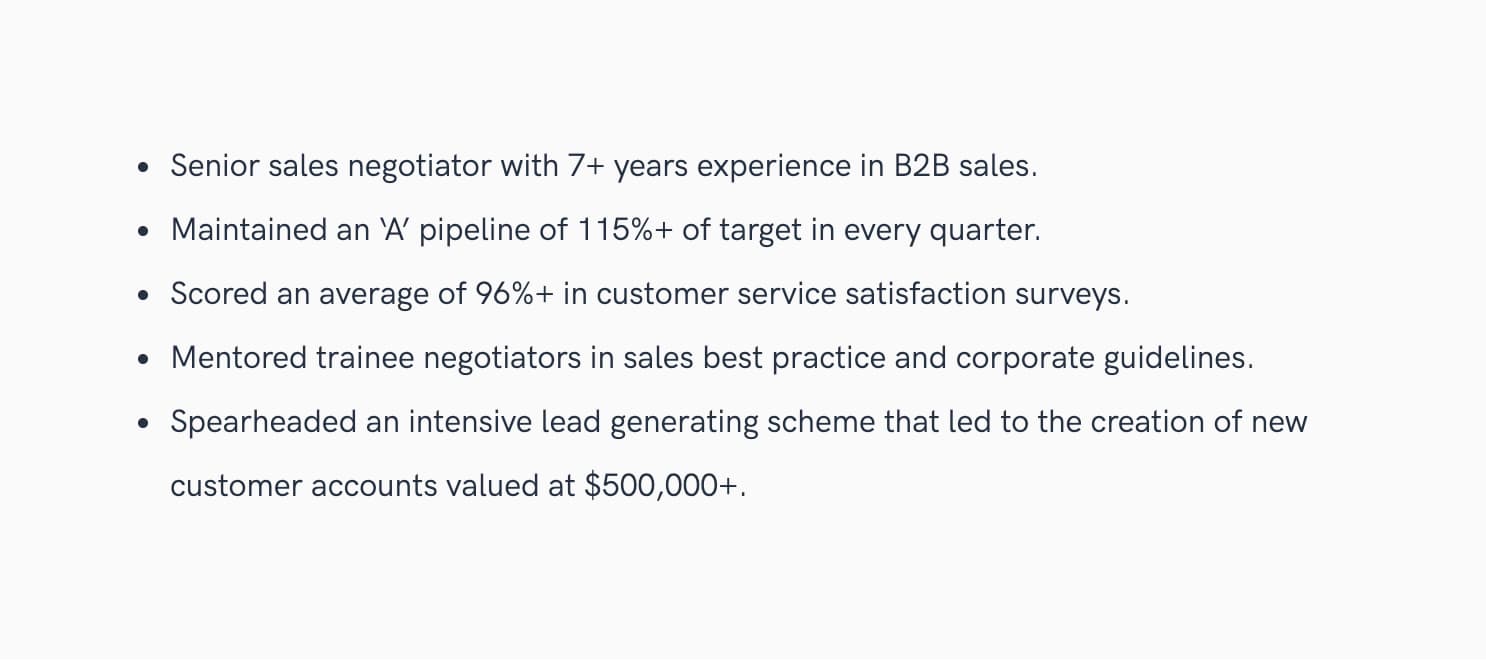
Your job as an applicant is to make sure that you put your most impressive qualifications at the top of your resume so the reader can’t miss them.
A well-written Statement of Qualifications will instantly capture the recruiter or hiring manager’s attention and encourage them to read your resume thoroughly and with the mindset of “this person is well-qualified for the role.”
How to Write a Statement of Qualifications
Now it’s time to dive into how to write a statement of qualifications that stands out.
1. Review SoQ examples.
Starting with a solid example can help you get started. We’ve included some Statement of Qualification examples below to aid your writing. A bit of research before you start writing will save you time in the long run and help you create the most professional-looking product possible.
2. Select your strongest skills and most impressive accomplishments.
No doubt you’ve achieved a great deal during your career. Look at the SoQ as an opportunity to highlight the most important achievements and the skills that best serve you in your role. This brings us to…
3. Tailor your SoQ to the job you’re applying for.
If you only take one piece of advice away from this article, please let it be this. Your SoQ must be tailored to the specific job you’re looking to get.
You should use keywords from the job posting and touch on each of the main qualifications through your bulleted list of accomplishments. You’re basically saying, “I’m the best person for this job because I’ve already succeeded at what you need me to do.”
4. Focus on results.
It’s one thing to say that you “Improved sales for the Eastern region of XYZ Company.” It’s another thing (and incredibly more powerful), to say that you “Increased sales by 600% and became the highest-grossing sales manager in the history of the company.” If you can, demonstrate the tangible results you’ve created to be a standout candidate.
5. Use action verbs.
Use an active voice throughout your resume, being very direct in your SoQ. You can use words like:
- Reduced
- Expanded
- Managed
- Facilitated
- Improved
- Created
6. Use fewer words for more impact.
We’ve all been forced to read something that used 400 words to communicate what could have been done in five. Don’t be that person. When it comes to your SoQ, think short, impactful, and to the point.
7. Review your spelling and grammar.
Between spellcheck and (free) programs like Grammarly, your resume, and any other materials you send out into the world to represent you should be error-free.
That being said, it’s very difficult to edit your own work. Once you’ve sent your resume through a grammar program, ask a friend to review it for you. Employers want to know that your written communications are strong and if hired, you work with strong attention to detail.
Statement of Qualifications Template and Examples
When drafting your SoQ, take care to structure this section properly for maximum effect. You can use the following Statement of Qualifications template to hit all the important points:
- Your current job title or relevant certification and your years of experience
- Two or three qualifications and skills you possess that would help you excel in your desired role
- Tangible outcomes (with data) pertinent to the responsibilities you would have in this position
Let’s take a look at two different SoQs for the same person, a call center employee interested in moving to a similar role in a new company.
What Not to Do
- Experienced call center employee with customer service skills.
- Responsible for addressing customer concerns.
- Fast and accurate data entry skills.
- Applauded for good work.
What To Do
- Detail-oriented call center representative with 7+ years of experience delivering outstanding customer service.
- Achieved an average call time 15% shorter than the team average.
- Retrained struggling co-workers resulting in a 25% decrease in repeat calls.
- Won “Highest Call Taker” award 15 months straight.
SoQs for Special Situations
One of the most common questions regarding SoQs is: “What if I’m early in my career, or making a career transition and don’t have demonstrated experience?”
Everyone was a beginner at one time. There’s nothing to be ashamed of, and you’ve probably achieved more than you think. When you have recently graduated and are just joining the workforce, it’s acceptable (and encouraged) to discuss both your education and any internship experience you’ve had. An example of this could be:
- Business Attorney graduated Cum Laude from XYZ University with a 3.9 GPA.
- Internship experience in administrative, transactional, and employment law.
- Attended multiple court appearances, including evidentiary hearings.
- Reviewed discovery and assisted in the preparation of depositions.
As you progress throughout your career, your bullet points will strengthen. As a mid-level employee, you’ll discuss personal on-the-job achievements, and then eventually, as you move into senior leadership, you’ll have leadership achievements to touch on — not only what you achieved for yourself, but how you contributed to the organization as a whole.
Of course, there are very few people in the workforce that knew what they wanted to do directly out of college and have stayed the course over a 40-50 year professional lifetime. Most workers will move into entirely new companies, roles, and industries, at least once. For those looking to move into an entirely new field, an SoQ will look slightly different.
A Statement of Qualifications example for an individual changing fields will have less to do with specific accomplishments in the industry they are choosing to leave and will focus more on the transferable skills that will appeal to recruiters in the new industry. These skills include (but are not limited to):
- Leadership skills
- Management skills
- Teamwork skills
- Communication skills
- Problem-solving skills
- Project management skills
- Interpersonal skills
Notice that every single one of these skills is important for any industry you can think of. If you can prove that you’ve demonstrated these skills in another environment, you build their confidence in your ability to perform well in a new situation.
Use a Statement of Qualifications To Stand Out From Other Applications
Applying for jobs can be a daunting task for even the most qualified individuals. Thankfully, using a strong and well-written Statement of Qualifications at the beginning of your resume can help you stand out.


How To Calculate CAGR in Excel
Compound Annual Growth Rate, CAGR, is your rate of return for an investment over a specific period.
Calculating CAGR by hand is a rather involved process, so below we’ll go over how you can quickly calculate CAGR in Excel.
![Download 10 Excel Templates for Marketers [Free Kit]](https://no-cache.hubspot.com/cta/default/53/9ff7a4fe-5293-496c-acca-566bc6e73f42.png)
CAGR Excel Formula
The formula for calculating CAGR in Excel is:
=(End Value/Beginning Value) ^ (1/Number of Years) – 1
The equation uses three different values:
- End value, which is the amount of money you’ll have after the period has passed.
- Beginning value, which is the amount of money you began with.
- Number of years, which is the total number of years that have passed.
Below we’ll go over an example of how to calculate CAGR for a five years time frame in Excel using the sample data set shown below:
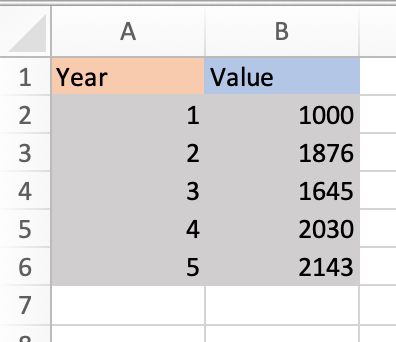
1. Identify the numbers you’ll use in your equation. Using the sample data set above,
- The end value is 2143 (in cell B6).
- The beginning value is 1000 (in cell B2).
- The number of years is 5 (in cell A6).
2. Input your values into the formula.
Excel offers many shortcuts, so you can simply input the cell numbers that contain each of your values into the equation. Using the sample data set above, the equation would be
=(B6/B2) ^ (1/A6) – 1
This is what it looks like in my Excel sheet:

Note that the equation changes color to correspond with the cells you’re using, so you can look back and check that your inputs are correct before running the equation.

You can also enter actual values into the formula instead of cell numbers. The equation would then look like this:
=(2143/1000) ^ (1/5) – 1
3. Once you’ve entered your values, click enter and run the equation. Your result will appear in the cell containing the equation, as shown in the image below.

CAGR Formula in Excel as a Percentage
Your default result will be shown as a decimal. To view it as a percentage, right-click on the cell your result is in, select Format Cells and then Percentage in the dialogue box.
Your result will be converted to a percentage, as shown in the image below.

Now let’s go over a shortcut for calculating CAGR in Excel using the Rate function.
How To Calculate CAGR Using RATE Function
The RATE function helps you calculate the interest rate on an investment over a period of time.The formula for calculating CAGR is:
=RATE(nper,, pv, fv)
- nper is the total number of periods in the time frame you’re measuring for. Since you’re calculating annual growth rate, this would be 12.
- pv is the present value of your investment (must always be represented as a negative)
- fv is future value.
Note that the standard RATE equation includes more variables, but you only need the above three to calculate your CAGR.
Let’s run an equation using the sample table below where nperi is 12, pv is 100, and fv is 500.

1. In your sheet, select the cell that you want to contain your CAGR. I selected cell B5.
2. Enter the RATE formula and input your numbers. Note that you always need to express your present value as a negative, or you’ll receive an error message.
This is what my formula looks like.
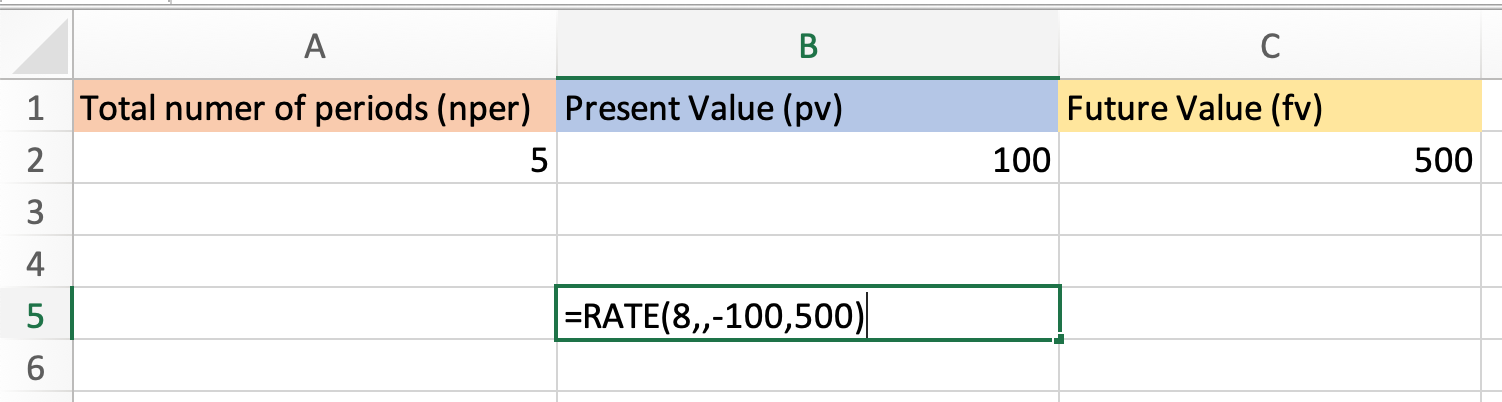 Note that you can also simply enter the cell numbers that your values are in. With my sample table the formula would look like this:
=RATE(A2,,-B2,C2)
3. Click enter and run your equation. Using the sample data, my CAGR is 14%.
Now you know how to quickly and easily calculate your CAGR in Excel, no hand calculations required.


How to Perfectly Manage a PPC Campaign [Template]
In the world of search engine marketing (SEM), more and more marketers are buying into PPC campaigns. Google Ads specifically has increased its revenue from year to year. In 2021, Google advertising revenue accounted for $53.1 billion — 81% of Alphabet’s overall sales.
Properly investing in PPC can result in nearly guaranteed ad placement in the search engine result pages of their choice. And this placement can help generate leads. If your ads tool is tightly integrated with your CRM, you can even leverage ads data to nurture these leads across their buyer’s journey.

As you prepare to create a PPC campaign, it’s important to get a rundown of what a successful campaign entails and identify management missteps that you’ll want to avoid.
Building a successful PPC campaign includes a few key steps:
- Determine your PPC campaign structure.
- Identify, build, and refine your campaign’s landing pages.
- Create a keyword strategy based on your research.
- Create ads based on insights from the steps above.
- Share your campaign plan with stakeholders.
The problem is, many marketers have poor PPC campaign management, which ends up costing them way more money than they need to spend and delivering underwhelming lead generation results.
Here are a few ways marketers could go wrong with PPC campaign management:
- Coming up with keywords on the fly without doing prior research.
- Only building one basic campaign without utilizing Google Ads’ Ad Groups tool.
- Attaching unengaging landing pages — or a homepage that generates no leads — to the campaign.
- Not adding “negative keywords” or monitoring campaigns to avoid wasting budget.
- Creating campaigns, setting budget caps, and going live without telling internal or external stakeholders.
So, how do you manage a PPC campaign properly so that you get leads at a reasonable cost? It comes down to intelligent campaign structure.
How do you master intelligent campaign structure? You use a template!
You can get started managing your own PPC campaign by using our template.
PPC Campaign Management Template
We’ve created a free PPC campaign management template that will help you and your clients set up a full-funnel campaign structure that follows PPC best practices. Once you do that, you’ll be better positioned to maximize the return on your PPC investment. The template is broken down into two sections: Ads Planner and Ads Results.
Ads Planner Template
In this section of the template, you’ll record all of your ad campaign information. In the first 3 columns on the left-hand side, input your campaign name, keywords, and negative keywords (keywords you don’t want ads shown for).
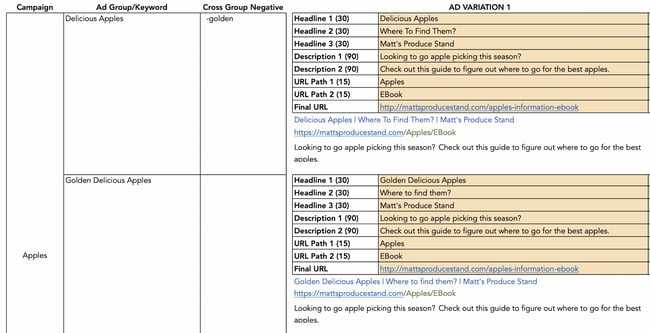 The next section to right will hold all of your ad variations. There’s room for multiple headlines, descriptions, and URL paths to help you keep track of all of the ads you’re running.
Ads Results Template
This part of the template will easily allow you to track all of the campaign metrics you need. Total cost, impressions, conversions, cost per click information, and more can be recorded here to help you analyze performance.
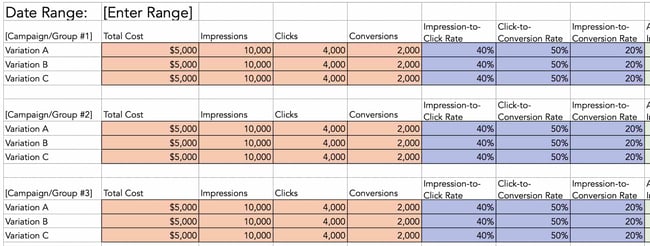
Now that you’re familiar with our template components, let’s look at managing your PPC campaign.
How to Manage a PPC Campaign
If you’re running PPC campaigns for someone who doesn’t understand the importance of an organized campaign structure, this template will also act as a PPC campaign management task checklist that will enlighten your boss or clients.
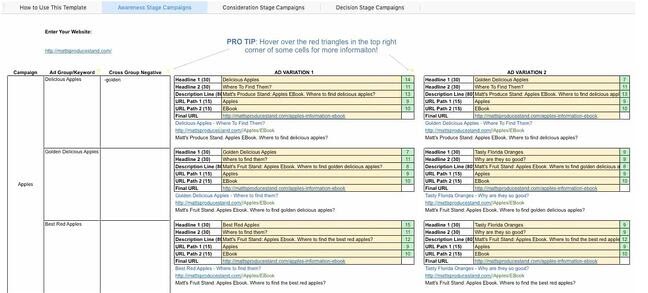
We’re going to show you how to use that PPC template in this blog post — so download it now and follow along.
Before we get started, let’s go over a few tips that’ll make using this template even easier:
- You will want to clear out the example data I have in the template such as keywords, campaign and AdGroup names, ads, and destination URLs.
- Be careful not to erase columns E, G, and I. They contain formulas that will help you in subsequent steps.
- Click on the red markers in the top corners of the cells. They contain helpful tips and FAQs. If you ever forget what a cell is used for, they will remind you.
Step 1: Choose your PPC campaign management tools and software.
There are several places to begin your PPC campaign strategy, but my advice would be to start with one platform and expand to another until you cover each channel your audience visits. This tactic works because it keeps your costs low in the initial stages of PPC planning. Rather than paying for an external campaign management tool, you can manage your campaigns natively within the platform on which you’re running the ads.
However, as you expand your strategy to include more sites, you’ll want to scale to a PPC campaign management software that can help you keep track of each platform, each budget, and each set of creative all in one place.
Here are some of our favorite tools for the job:
- Marin Software: Integrates with Google and Facebook — two of the most popular PPC platforms.
- Wordstream Advisor: Analyzes Google and Facebook ad spend for you to keep you on budget.
- SpyFu: Analyze your competitor’s campaigns to build a well-rounded strategy.
Step 2: Understand PPC campaign structure.
Before we do anything with this template, it’s important to understand PPC campaign structure. Far too many marketers will just set up an account, create an ad, direct the ad to their home page, pick some keywords and hit go. This is not the way to do things.
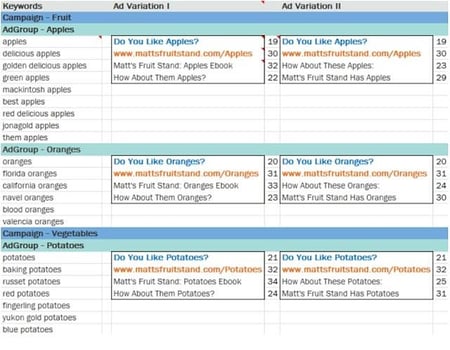
With Google Ads, you have the opportunity to create multiple campaigns. Each campaign may contain several AdGroups, and each AdGroup may contain a few ads and multiple, similar keywords.
It’s wise to create multiple campaigns because you can set daily budget caps, day-parting, and select geo-targeted regions at the campaign level. If you’re bidding on generic keywords and branded keywords, you’ll want to put these in separate campaigns because the economics around these two types of keywords will likely be very different.
As you can see, your template reflects these best practices, providing space for several different campaigns, AdGroups, and ad variations within those AdGroups.
Step 3: Identify your landing pages.
The “Destination URL” is the place on your website where you want the PPC traffic to end up. Because there is a marginal cost associated with each PPC visitor you attract, I recommend you choose a landing page URL as your destination URL.
Do not drive them to your home page or a blog in hopes that they will stumble upon a lead generation form. That’s the job of organic search. Drive them to a landing page with a form on it. Don’t forget to put in a tracking token so you know where these leads are coming from.

You will notice that the Destination URL within the AdGroup is the same regardless of the keyword or ad. If you really want to drive a keyword to a different landing page, then create another AdGroup. If you want to get even more specific, create another campaign for that keyword.
You should also keep your sales funnel in mind when you identify these landing pages. Think about which part of the sales funnel each landing page and offer speaks to.
For example, an educational PDF about an industry concept would be appropriate for a top-of-the-funnel offer, while a coupon or a demo would be at the bottom of the funnel.
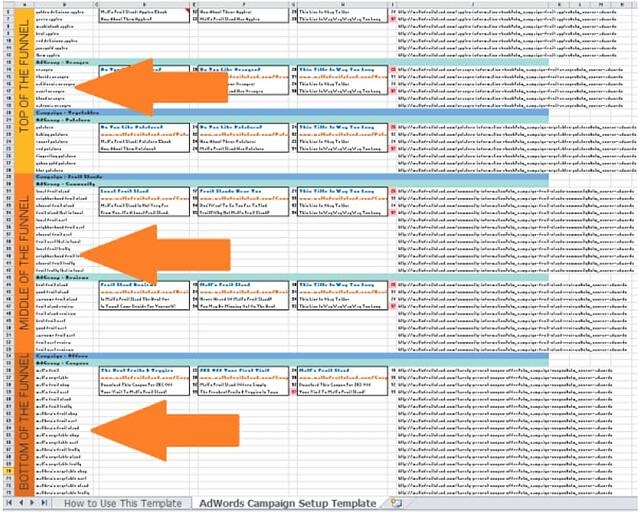
Manage and create separate campaigns for each part of the funnel. If you scroll down in your template, you’ll see that there’s dedicated space allotted for campaigns in all of these funnel stages.
Step 4: Build your keyword strategy.
Next, select the keywords that are relevant to the landing page and offer. Make sure to keep them as relevant as possible to increase the chance that each visitor you pay for completes the form on the landing page.
Yes, it would be nice to rank for certain keywords, but if the landing page doesn’t answer the keyword query, think twice. Or better yet, create another offer and landing page that speaks more directly to the keyword.
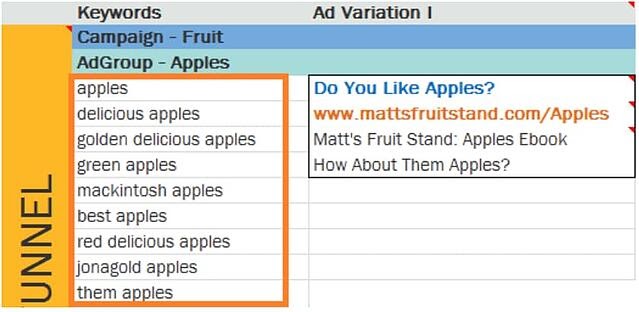
To understand search volumes and costs around each keyword you want to select, you can use free tools like the Google Ads Keyword Tool or — if you’re a HubSpot customer — our keywords tool.
If this is your first time managing a PPC campaign, it would be wise to read up on how to design a keyword strategy. In the case of Google Ads, you might also want to learn more about keyword quality scores.
Step 5: Create your ads.
This is the fun part! Both Google Ads and Microsoft Ads allow you to create more than one ad for each Ad Group (hence the “group” terminology). The service will rotate them until it notices that one appears to drive a higher clickthrough rate (CTR). This is how A/B (and C and D) testing works. While this is optional, you should take advantage of the ability to create more than one ad.
Keep in mind that you are allotted 25 characters for the title of the ad, 35 characters for the display URL (the URL that’s displayed in the ad, not to be confused with the destination URL), and 35 characters for each line of copy. But if you’re using this template, we’ll keep track of that for you.
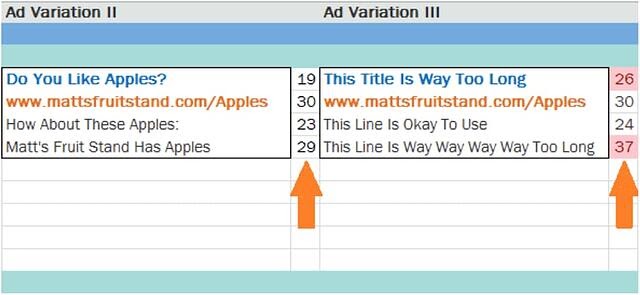
In my experience, the title has the greatest influence on an ad’s CTR. It’s wise to include a keyword in the headline to draw a user’s attention to your ad. An even better practice would be to use dynamic keyword insertion.
A good rule of thumb is to simply try to provide a cohesive experience for searchers — from seeing your ad in the search engine results to completing the form on your landing page — everything should align with the goal of getting them to click through.
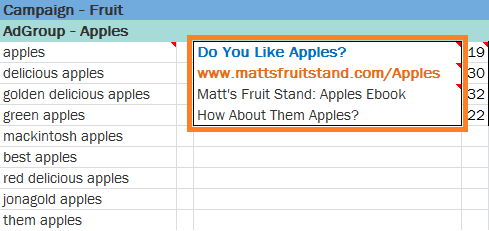
Finally, there’s the tricky matter of the display URL. You’re only allowed 35 characters here, but it’s unlikely that your destination URL, the actual URL for your landing page, will be that short. So the search engines allow you to create a display URL, which may not even be an actual URL on your website. The domain in your display URL must be the same as the domain in your destination URL so that users end up in the right place when they click.
Step 6: Share the completed template with stakeholders.
Whether you’re doing PPC for your business or a client, your completed template will ensure alignment between the stakeholders’ expectations with the realities of a productive PPC campaign. If you’re the stakeholder of a PPC campaign, this template will help you think about what you’re doing with the money you’re spending on PPC.
By doing so, you’ll have created a congruous user experience that search engines like to see. This can benefit you in terms of your positioning in the SERPs and, ultimately, your costs. It will also grant you the agility you need to swiftly reallocate and modify your budget as you respond to changes in the marketplace, and drive the maximum return on your PPC spend.
How to Optimize Your PPC Campaign
PPC campaign management isn’t as easy as using a one-time strategy. You’ll need to continually adjust your methods for optimized results. Here are a few things to keep in mind to ensure your campaigns are performing their best.
Location
Geographic targeting is used often in PPC management. You can analyze performance based on location by examining where your resources are being used and whether or not they are profitable. This way you can exclude areas that don’t perform.
For example, if you own a bike shop, targeting areas that are more urban and densely populated may be a better use of your funds than targeting rural areas where most folks need a car to get around.
Performance by Device
Campaigns that are effective on desktop users may not perform as well on mobile users. Consider targeting each group separately to see if there are differences in conversion rate.
If you find that a particular campaign works better on mobile versus desktop, consider allocating funds towards your moble efforts and try a different campaign for desktop users. This way you can ensure that your budget is being spent in areas that have proven to be successful.
Removing Keywords
When running campaigns, not all keywords chosen will prove useful. You’ll need to remove the low performers. These could be keywords that:
- Are converting at a very high cost
- Have a quality score rating of “below average”
- Not converting
Keywords with the above traits should be removed in favor of ones that are performing well so you can ensure that your budget is being spent wisely.
Examine Keyword Bids
When bidding for keywords, you’ll want to determine how much you can pay for each conversion and still make a profit. Google Ads has several tools to help you optimize your bids including:
- Bid simulator: This allows you to see how bidding higher or lower can affect the ad’s performance.
- First-page bid estimates: This shows how much you likely need to bid to get your ads within the first page of Google search results.
Once you determine the max you can pay for a particular keyword, these tools will help you make the most of your budget.
Performance by Day and Time
Campaign performance will fluctuate depending on the time of day or day of the week. You’ll want to take note of when they perform well and when they don’t. If they aren’t performing during a certain timeframe, you can adjust so that you are only bidding on the most profitable times.
Now that you know how to optimize your campaigns to get the best results, let’s explore the platforms available for running your PPC campaigns.
PPC Campaign Management
Understanding where your audience is spending most of their time online is key, in addition to figuring out what kind of ads work best for your business. It’s imperative to familiarize yourself with the different platforms available to run your PPC campaigns. Let’s continue by looking at some of the most prominent online ad platforms: Google, Microsoft (Bing), Facebook, Twitter, and YouTube.
Google PPC Campaign Management
Google has been the dominant player in the search engine space for more than 20 years and it still produces some of the most innovative ad experiences on the market. Here’s a look at a couple of the most popular ways to serve ads on Google.
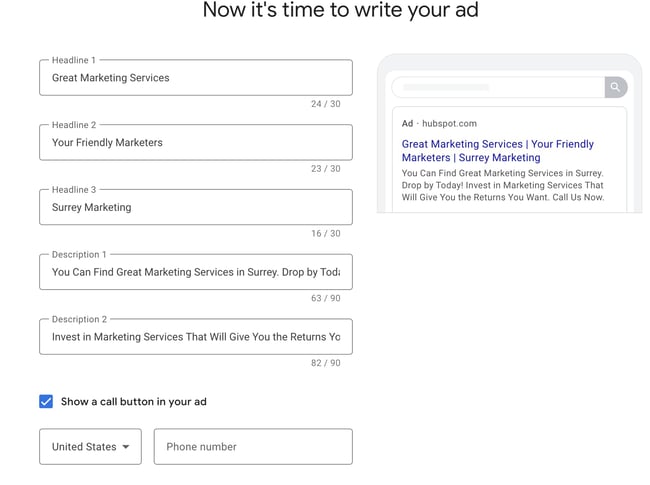
Google Search Ads
One of the most popular types of Google Ads is the search ad. These ads appear at the top and bottom of the search results for specific keywords that you bid on. Google search ad campaigns are usually run with the goal of driving traffic to a specific webpage — like a landing or product page.
Google Display Ads
Have you ever visited a website that has advertising on the banner, sidebar, or footer of the page? Then you’ve probably crossed paths with a Google display ad. These types of ads are typically visual, featuring colorful graphics, videos, and sometimes audio. Google display ads are helpful for retargeting customers who have visited your website before without making a purchase.
Microsoft Ads (Formerly Bing Ads) PPC Campaign Management
Overall, Microsoft Ads works very similarly to Google Ads. However, here are a few tips that can help get the most out of your PPC campaign strategy for Microsoft Ads.
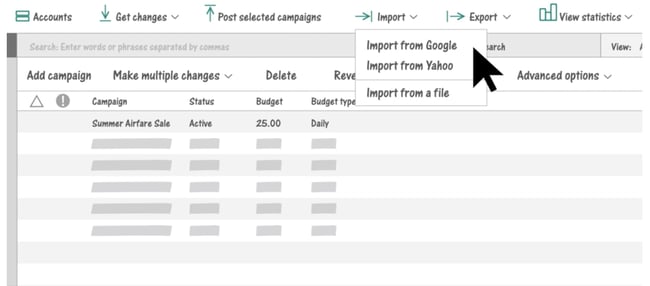
Bing Keyword Suggestions
If the bulk of your PPC efforts live in Google Ads and you decide to start bidding on Microsoft Ads, you might be tempted to use the same keywords that you’re already bidding on in Google. The issue here is that Google and Bing are different search engines and it’s possible that your Google keywords won’t see the same search volume in Bing.
Bing’s keyword research and suggestion tool will give you more accurate search volumes for your keywords. You can still use your original list of keywords from Google to start with, but utilize this tool to verify whether you should be bidding on the same keywords, or something similar that yields more traffic.
Lower CPC
Ad bids can end up being quite costly for a business so many marketers are constantly working to decrease ad spend. Wordstream tested the cost of running ads on both search engines and found that Bing’s average CPC was 33% lower than Google’s. Since bidding on Microsoft Ads is less competitive in comparison to Google, it’s likely that you won’t end up spending as much of your budget on this platform.
So if you’re able to find a high MSV keyword to bid on there’s a good chance that you’ll see a positive shift in your return on investment. This may be especially true for specific industries. The table below shows the average industry CPC according to Microsoft Ads.
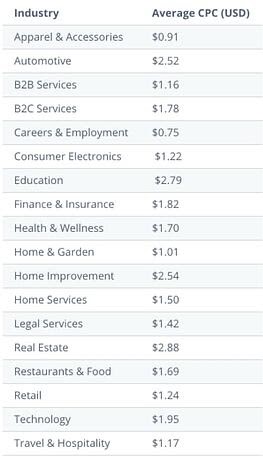
For a deeper dive into Microsoft Ads check out this tutorial.
Facebook PPC Campaign Management
Facebook Ads Manager is a platform that connects 1.6 billion people worldwide to businesses on Facebook. It’s a great tool to target specific audiences and to promote brand presence.
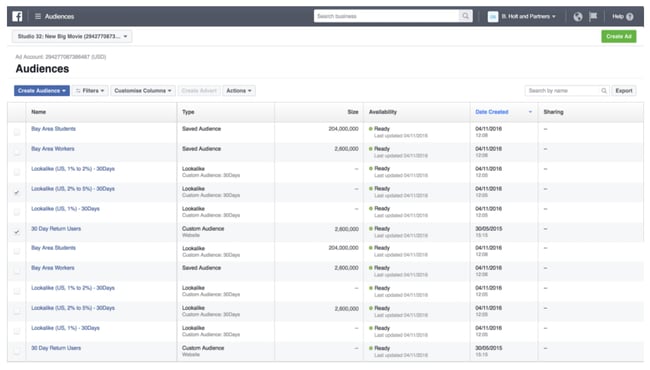
Some of the most popular ads you can incorporate into your Facebook campaigns are:
Story Ads
Stories are thriving on social media platforms, so why not develop a few ads to meet your audience where they’re already spending time?
Stories are only posted for 24 hours so these types of ads are best to use when you have a specific promotion occurring. Like personal stories, story ads can be shared in the form of a video with a link or a series of still photos that lead the viewer to take a specific action.
Playable Ads
Gamification is always an innovative way to catch a lead’s attention. Facebook’s playable ads allow you to create a brief interactive version of a game or app so users can get a feel for what your product is like.
You’ll want to keep the functionality as simple as possible, so you won’t deter any potential customers, and of course, make it fun!
Messenger Ads
If you’ve ever used Facebook’s messenger tool, you’ve probably seen an ad appear among your conversations. The great thing about this is that a potential customer could choose to instantly connect with your business directly from their messages.
So, if you have a sales customer service team that connects with people via chat this is a great way to establish an instant connection. You can also send a lead to your site or a specific landing page from the ad.
To start building your own ad campaign on Facebook check out HubSpot’s Facebook Ads Training Course.
Twitter PPC Campaign Management
Twitter Ads Manager makes it easy to plan the ad you’d like to run on Twitter while providing reporting on campaign performance.
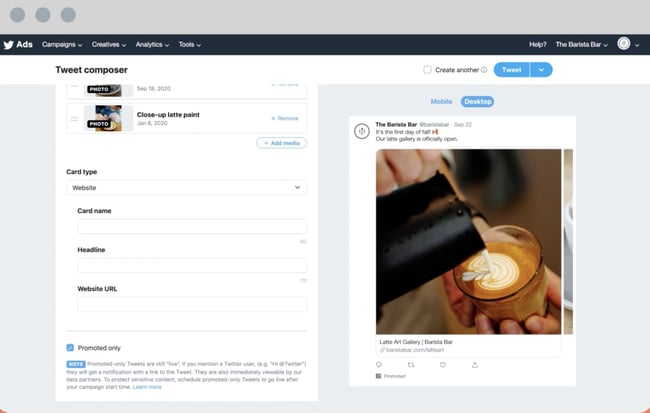
People spend 26% more time viewing ads on Twitter than on any other leading platform, so you’ll want your ads to be catchy enough to stop someone mid-scroll. Some of the types of ads you can include in your Twitter campaign are:
Promoted Tweets
The only difference between a regular tweet and a promoted tweet is that you’re spending money for the promoted tweet to appear in the feeds of people who aren’t following your business. This allows your business to convert users, or simply gain new followers which will help with your brand’s awareness
Promoted Moments
Twitter moments are several tweets that focus on a specific topic or event. Essentially you want this collection of tweets to communicate a story for your audience. These are great for more fun or trendy topics since Moments includes categories such as trending, sports, entertainment, and more.
Promoted Trends
If you’re someone that loves seeing what’s trending on Twitter you may want to experiment with promoting a trend for your target audience to interact with. This will be displayed in the timeline, the explore tab, and the “Trends for you section.”
Once someone clicks on the promoted trend they’ll see various search results for the specific trend or topic and your brand’s promoted Tweet. If your business has identified an engaged Twitter audience you may be sitting on an untapped goldmine.
Learn more about Twitter Ads Manager for your business and get to tweeting!
YouTube PPC Campaign Management
Including YouTube in your ad campaign strategies is a must. If your business can create something catchy enough to convince someone not to click ‘skip,’ you’re already winning.
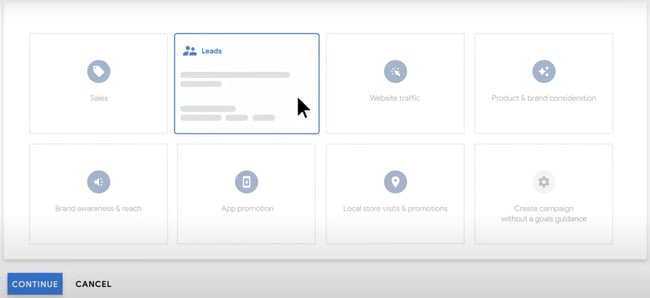
As part of the Google Display Network, YouTube has become a core part of marketers’ ad strategies. With over a billion active users and the ability to be accessed in 76 languages, there’s no denying that YouTube is reaching a massive amount of people on a daily basis.
Let’s take a look at some of the different types of Youtube ads.
Skippable In-Stream Ads
These are probably the ads that you’re most familiar with already because we’ve all clicked that magical little button that says “skip ads” to start viewing what we searched for as soon as possible.
The ads can play before the ad even begins, which means the viewer never sees it, or they’ll have to wait five seconds before they can skip. Five seconds isn’t much time to convince some not to hit skip, so make sure the hook of your ad is immediately enticing. The good thing about this is that if they skip within those first five seconds, you don’t have to pay for the ad.
Non-Skippable In-Stream Ads (Including Bumper Ads)
Since so many people opt to skip ads on YouTube, advertisers have the option to create non-skippable ads. If you’ve developed a strong creative as you feel will resonate with your target audience this may be the option for you.
However, make sure that you’re avidly measuring results to ensure you’re getting what you’re paying for. If the results aren’t in your favor, you may want to revert to a skippable ad instead.
Video Discovery Ads (Formerly Known as In-Display Ads)
Discovery ads are what users see in the search results. Remember, YouTube is the second largest search engine and shows more than 1 billion hours of video to users each day – so you’ll want those ads appearing in search results too!
These ads will include a thumbnail and a few lines of text as a description. Since many people prefer visuals over text this is an opportunity to get someone to view your video instead of reading a competitor’s textual resource.
Start Your PPC Campaign Today
PPC management is all about researching, budgeting, testing, reporting, and doing it over until you get the results you need. You don’t have to do it alone, though. With the right tools and instructions outlined in this guide, you’ll be able to implement a PPC campaign that yields results for your business.
Editor’s note: This post was originally published in May 2019 and has been updated for comprehensiveness.

The Ultimate Guide to Account-Based Marketing (ABM)
Imagine a world where you could start the sales process by selling directly to your best-fit, highest-value accounts. No wasted time trying to market to unqualified leads who aren’t the right fit for your business. Meaning, you could move straight into the phases of engaging and delighting your target accounts.
Talk about efficiency, right?
Account-based marketing allows you to weed out less-valuable companies early on and ensure Marketing and Sales are in complete alignment — in return, your team can leap into the critical processes of engaging and delighting those accounts much faster.
ABM helps your business work and communicate with high-value accounts as if they’re individual markets. By doing this — along with personalizing the buyer’s journey and tailoring all communications, content, and campaigns to those specific accounts — you’ll see greater ROI and a boost in customer loyalty.

Before we take a look at the additional benefits of account-based marketing and specific tactics you can implement at your company, let’s review its relationship with another important strategy: inbound marketing.
Account-Based Marketing and Inbound Marketing
Batman and Robin. LeBron and D-Wade. Peanut butter and jelly. Arguably some of the strongest partnerships ever to exist 💪. These dynamic duos are forces to be reckoned with.
Similarly, when paired, account-based marketing and inbound marketing have the power to make waves (the good ones) for your business.
You might be wondering, “How exactly does this partnership work?”
Well, we just reviewed the definition of account-based marketing — as you learned, ABM is a highly-targeted strategy.
Meanwhile, inbound marketing is more foundational — this methodology and growth strategy allows you to attract customers through the creation of valuable content, SEO, and a delightful customer experience.
Rather than interrupting your target audience and customers (as you would with outbound marketing), inbound marketing allows you to more organically provide your audience with the information they want when they want it.
Inbound lays the foundation for a strong ABM strategy by allowing for highly-targeted and efficient resource allocation of high-value accounts. Here are a few more reasons to implement both ABM and inbound marketing strategies at your company:
- Inbound marketing helps you attract target accounts and then ABM accelerates the flywheel so you can win and delight those accounts with a remarkable customer experience.
- Inbound marketing lays the foundation for a strong ABM strategy — ABM builds off of inbound by allowing for targeted and efficient resource allocation of high-value accounts.
- With this combined approach, you attract a broader group of prospects than you would while using just one method.
- Your content has a two-for-one value — you can create and use content that serves both an ABM and inbound strategy (e.g. create a personalized case study for a target account that you also share on your website).
- Software — such as HubSpot’s account-based marketing tool — exist to make it easy to implement ABM and inbound strategies in a complementary way.
🧡TLDR: Combine ABM and inbound marketing to grow better.
Account-Based Marketing Framework
ABM works differently from a traditional sales funnel. Though ABM can be implemented across different industries and types of businesses, a general framework needs to be followed to ensure its effectiveness. Here are the key components of an account-based marketing framework.
Marketing-Sales Alignment
The working relationship between sales and marketing organizations is mentioned several times throughout this article, because its importance can’t be overstated. To have a comprehensive approach to ABM, and to ensure target accounts receive an engaging buying experience, marketing and sales have to be on the same page.
When implementing ABM, sales and marketing organizations will need to agree upon resource allocation for each target account, assigning roles and responsibilities to ensure a seamless transition for the customer between marketing and sales activities, and determining how to measure the success of their efforts.
Account Qualification
How does your company determine what constitutes as a high-value account? Creating an ideal customer profile for the accounts your company wants to target is a key component to answering this question and creating an ABM framework. It’s also worth noting both marketing and sales should be participating in these conversations.
As you determine what qualifies a potential account, consider these factors:
- Financials: With your company’s sales goals in mind, consider how much revenue can be generated from an account.
- Scalability: Based on what you know about the potential account’s business performance, is there potential to grow the account in the future? Consider additional offerings your company could provide to retain and grow the account.
- Competitive Landscape: Who are your competitors selling to? Understanding who is currently in the market for products and offerings like yours can help you identify future account opportunities.
Go-to-Market Approach
Once marketing and sales are aligned on approach and which accounts to target, it’s time to map out a go-to-market plan.
Understand exactly how a new customer would move through the sales process using an ABM approach. While preparing to go to market, you may find areas of friction that need to be addressed or areas of poor communication that can be strengthened.
Additionally, because a personalized experience is so important in account-based marketing, your team will want to be on the lookout for additional ways to add value and deliver a premium experience to these accounts.
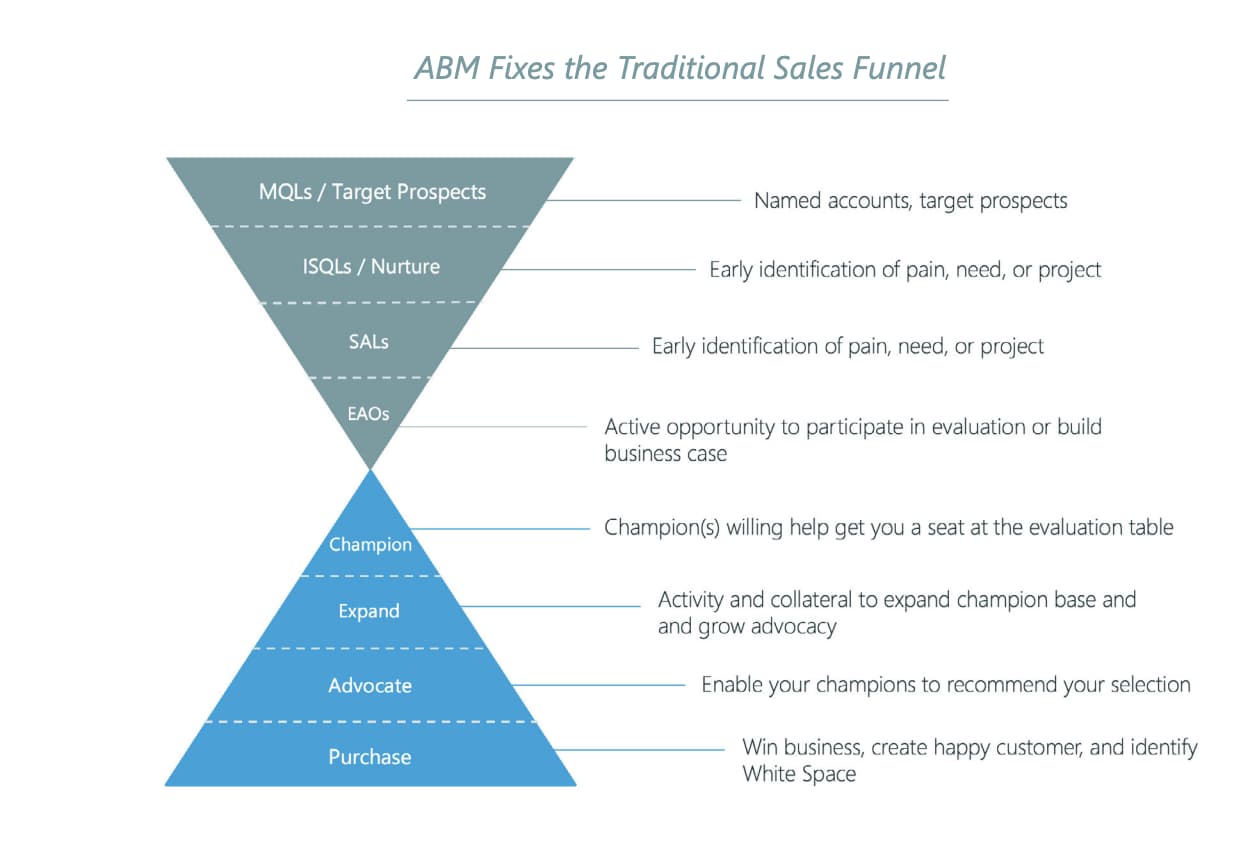
Account-Based Marketing Strategy
In order to get the most out of an account-based marketing approach, you’ll need a sound strategy in place. Consider following these steps to create and implement an effective account-based marketing strategy.
1. Create alignment between your sales and marketing teams.
Marketing-sales alignment is crucial for successful account-based marketing implementation. In order to create a custom buying experience, a customer will need to have a seamless transition from being acquired as a lead through the final sale.
To improve synergy between marketing and sales, both organizations must commit to clear communication and find a middle-ground to ensure the marketing team is acquiring leads the sales team can properly sell to.
If you’re just getting started with ABM, having a small task force of one marketer and one salesperson who work together to identify and sell to target accounts is sufficient. As your efforts scale, prioritize having your marketer support additional salespeople, as one marketer can typically remain aligned with up to 10 salespeople, and each salesperson can manage up to 10 accounts.
2. Conduct research to determine account personas.
Once marketing and sales align on their approach, the organizations can work together to ensure your company is targeting the correct account personas.
This usually begins with a period of research to identify which accounts to pursue. When identifying customer personas for an account-based marketing approach, marketers should consider:
- The mission, vision, and business objectives of their ideal customer.
- If any high-value accounts are currently engaging with your company’s Inbound approach.
- The current stage of business maturity, company size, and growth trajectory.
- Revenue model, and spending patterns.
- The tools and platforms their ideal customer is currently using.
Though there are countless ways to identify key accounts, what’s most important is that marketing and sales agree on which accounts to target.
According to HubSpot Academy professor Kyle Jepson, “If your marketer is targeting one list of companies, and your salespeople are working a different list, you’re going to end up with an account-based mess.”
3. Create account plans.
After determining which accounts to target, it’s time to build account plans. This entails having the marketing and sales teams work together to map out the potential leads they’ll need to attract to reach their target accounts, and what content they’ll need to produce to engage with this audience.
When creating an account plan for your ABM strategy, keep these best practices in mind:
- Though account plans for different customers can have some similarities, each plan should be tailored to the needs of that particular account.
- Each account plan should be able to address these two questions: Who is included in the buying decision for this sale (e.g. decision maker, influencer, Legal, blockers, end-users)? What content is needed for each member of this buying committee?
4. Attract contacts associated with target accounts.
Ideally, using Inbound methodology will help you attract contacts associated with your target accounts. If you need additional contacts, your next step is to determine where your ideal contacts are currently going to find solutions related to what you offer and make sure your company is visible and represented in these spaces.
Places you may get in front of contacts include events, industry publications such as blogs and newsletters, and targeted ad placements. While it can be tempting to try to get visibility for your company through all available avenues, prioritize the channels that are most relevant to your target accounts and contacts.
5. Get the buying committee involved.
As you build relationships with key contacts, make sure both sales and marketing are actively engaging everyone who will be involved in the buying decision.
Though this point in the buying process is typically led by sales, marketing should be ready to support by creating relevant materials to reinforce messaging.
To measure the health of an ABM strategy, marketing and sales teams can use the following metrics:
- Identifying the buyers associated with target accounts and tracking interactions with these buyers.
- Data points related to the health of the deal—creation date, velocity, and close rate.
- Revenue attributed to target accounts.
Once this strategy is in place, your marketing and sales organizations can repeat the process with new and existing key accounts to attract and retain high-value customers.
There are a number of benefits associated with account-based marketing. We’ve compiled the following list of commonly-noted results that positively impact all types of businesses.
1. Keep marketing and sales aligned.
Cross-team collaboration and improved communication across any organization are beneficial to growth. In terms of account-based marketing, this transparency and alignment will ensure your marketing and sales teams are focused on the same goals, stick to the mutually agreed-upon budget, and understand the specific roles of each internal stakeholder.
This alignment helps ensure all communications, interactions, and content are consistent for the accounts you work with. Meaning, no matter how long an account works with your company, your team members can pick up where others left off at any point in time without question — this creates a seamless and delightful customer experience.
🧡The easiest way to maintain internal account-based marketing alignment is with the help of software, like HubSpot, which makes connecting your marketing and sales teams exceptionally easy.
2. Maximize your business’s relevance among high-value accounts.
Account-based marketing requires you to personalize everything (e.g. content, product information, communications, and campaigns) for each account you invest your resources in. Through this personalization and customization, your relevance among these accounts is maximized.
That’s because your content and interactions are tailored in a way that shows them how your specific products, services, and other offerings are what they need to solve their challenges. Meaning, ABM allows you to angle your business in a way that makes it the most relevant and ideal option for your target accounts.
3. Deliver consistent customer experiences.
For your ABM strategy to be remarkable, you must maintain a long-term sense of delight among your accounts. Each account should feel as though they’re your business’s market of one. Tackle this by offering consistent customer experiences.
ABM is a strategy that requires major alignment between Sales and Marketing — so hone in on that when working to deliver those consistent experiences. Ensure all team members are aware of where an account is in the buyer’s journey — then, deliver personalized and timely communication, campaigns, product information, and pricing details.
4. Measure your return on investment.
With account-based marketing, you can easily measure return on investment (ROI) for each account you invest your resources and time in. This is beneficial because you can confirm whether certain accounts you invested in were ideal for your business.
Then, you can nurture and delight those accounts long-term to retain them, as well as identify and target similar accounts in the future. If your ROI proves the ABM tactics you implemented worked, use that data to propel your strategy forward.
5. Streamline the sales cycle.
Depending on your business, industry, and resources, the sales cycle typically looks something like this:
1) Prospect → 2) Connect → 3) Research → 4) Present → 5) Close → 6) Delight
With account-based marketing, this cycle is streamlined — by focusing your efforts on specific high-value target accounts, you save time and resources — meaning, you’ll have more time to focus on the stages of the cycle that positively impact your bottom line:
1) Identify Target Accounts → 2) Present to Target Accounts → 3) Close Target Accounts → 4) Delight Accounts
ABM streamlines your sales cycle by helping you stay efficient. Rather than experimenting with different tactics to prospect and qualify a large pool of leads, ABM ensures the accounts you target are the right ones for your business and vice versa. The sales cycle is also streamlined by your marketing and sales alignment as well as the consistent and personalized customer experiences you provide.
6. Expand business through account relationships.
The saying “quality over quantity” applies to account-based marketing. The process requires you to invest significant time and resources in engaging and delighting a group of carefully chosen, high-value accounts, versus trying to quickly close deals with less-qualified leads who may not be the best fit for your company in the long run.
By taking the time to build these trusting relationships with accounts, you’ll expand business by retaining those valuable customers longer. And considering it costs more to obtain customers than retain them, this will positively impact your bottom line.
Additionally, as a result of personalized, thoughtful, and consistent customer experiences, accounts will become loyal to your business over time — and loyal customers become your best marketers, promoters, and brand advocates. In other words, your accounts will help you expand your business among their networks (e.g. partners, customers) through referrals, word-of-mouth marketing, testimonials, and more.
Now let’s cover some account-based marketing tactics you can apply to your strategy to improve the likelihood of success.
ABM tactics are the building blocks of your strategy — so, work through the following list to ensure your ABM efforts and investment are successful.
1. Use a Strategic Account Planning Template.
To unify your account-based marketing team, use a strategic account planning template. The free template will help you outline your initiatives for each unique account, such as the:
- Business Overview
- Key Business Initiatives
- Customer Relationship Landscape
- Customer Products and Revenue
- Account Competitor Analysis
- Buying Process and Selling Points
- Relationship Goals & Strategy
- Sales Opportunities, Targets and Risks
- Action Plan
Download the Free Account-Based Marketing Plan Template
2. Secure organizational ABM alignment.
One of the most important account-based marketing tactics is arguably one of the most straightforward: Secure organizational ABM alignment.
This means getting all internal stakeholders on board with the various factors related to your account-based marketing strategy. In doing so, it’ll be easier for your business to create consistent experiences for accounts and make sure your strategy is as efficient and streamlined as possible.
For example, your VP of Marketing and VP of Sales should secure organizational alignment and spread awareness regarding:
- Marketing and sales team members who are directly involved in the strategy.
- Account buying committee members and any other account stakeholders.
- Your business’s point-of-difference for each target account.
- ABM budget and resources.
- ABM goals and KPIs.
3. Build your ABM team.
Marketing and sales leaders will want to align on how to build your ABM team. They should identify a minimum of one marketer and one sales rep who will be completely dedicated to the accounts you work with.
These people will create and publish content for accounts as well as work to manage and close business deals with each account’s buying committee. (As a rule of thumb, try to limit your team size to no more than ten sales reps and one marketer.)
In addition to the marketer(s) and sales rep(s), don’t forget to identify any other internal key players — such as customer success reps — who should be aware of and aligned on your ABM strategy.
4. Identify and pick your ideal set of target accounts.
Identify and pick your ideal set of high-value target accounts to invest your time and resources in.
Here are some recommendations on how you can do this:
- Set search alerts for your ideal customer profile on LinkedIn.
- Create a workflow that filters incoming qualified leads based on specific criteria (e.g. company size, industry, etc.) and tags them as an ideal customer type in your CRM.
- Ask, “If we could replicate one deal from last year, what would it be?” Then, use the characteristics of that deal (e.g. industry, company size, value) to help you identify other good-fit customers.
- Pick target accounts based on a particular industry or geographical location.
- Review major companies and leads who are using and engaging with your inbound content but don’t have a deal attached (yet!).
- Identify the lighthouse accounts you could use for reference.
- Stick to no more than 10 accounts per sales rep.
5. Encourage Marketing and Sales to create account plans together.
Throughout this guide, you’ve probably picked up on the fact account-based marketing is a team effort. That’s why ensuring appropriate marketing and sales team members are involved in account planning is so important.
Make sure Marketing and Sales ask the following questions while they work on account plans:
- Who will we need to know at each account (e.g. buying committee members and account stakeholders)?
- What content will we need to attract and engage account buying committee members (and any other stakeholders)?
- Which channels will we use to share content with the right people at each account?
- How will we (marketers and sales reps) provide the right type of support throughout each stage of the strategy and sales process — in other words, how will sales help at the outset and how will marketing support in the later stages?
🧡Store your account plans as pinned notes in your HubSpot CRM, Google Docs, Asana Boards, pinned messages in Slack, and more to allow for easy access and collaboration.
Here are a few other tips Marketing and Sales can use to make account plans successful:
- Ensure Marketing and Sales align on your product or service’s value proposition and point-of-difference for every account.
- Create personalized content — or update existing content — so it’s tailored to each unique account.
- Customize your allocated resources and budget for each account.
6. Attract contacts from high-quality accounts.
Next, you’ll want to attract the buying committee members and stakeholders of your target accounts. Depending on how long you’ve been in business and any previous ABM work you’ve done, you may or may not already have contacts for specific accounts.
The key to successfully attracting high-quality accounts is to personalize content to those accounts — this will help you elevate brand awareness and maximize relevance among audience members.
Here are some GDPR-compliant recommendations for attracting high-quality accounts:
- Engage accounts on social media (e.g. determine which platforms they’re on, join the groups they’re in, contribute to conversations they’re a part of, and share helpful and relevant content you’ve created).
- Produce a podcast or video series and invite a leader from the account to be a special guest.
- Sponsor a booth at a target account’s conference or event.
- Send direct messages via social media and direct mail via email or post.
- Communicate through LinkedIn InMail outreach (do this simply and without ever leaving HubSpot via the LinkedIn integration).
- Build custom landing pages tailored to the needs, questions, and concerns of accounts.
- Offer gifts for engagement and interaction (e.g. prizes, swag, and discount codes).
- Distribute content such as blog articles across channels that are relevant to each account (e.g. website, social media, and magazines).
- Create ad campaigns and social ads to target different factors such as location, skill, and job title.
- Ask current contacts, accounts, and customers for referrals.
- Invite contacts to (physical or digital) events and ask attendees to invite their colleagues.
7. Forge strong relationships with the account’s buying committee.
Once you’ve attracted high-value accounts, it’s time to forge strong relationships with their buying committees. This is something your team will likely work on over an extended period of time — in fact, it often takes months and even years to develop these bonds. Think of this tactic as one tied to delighting your accounts — you never stop the process of delight.
Here are some thoughts on how you can forge strong, long-lasting relationships with an account’s buying committee.
- Provide education around the value your business — and your product/ service — brings accounts through tailored interactions and engagement.
- Create and share personalized content, such as case studies, to prove the ways you’ll exceed expectations and resolve the challenges of each account.
- Communicate one-on-one when possible to make buying committee members feel like they’re your only priority.
- Host events with and for account members (e.g. dinner) so they get to know your brand and team on a personal level.
- Stick to organized, well-timed meetings.
- Use email sequencing to enhance all communication, be professional, and maintain consistency.
8. Measure and analyze your ABM results (and iterate as needed).
While working through and upon completion of the tactics above, it’s crucial you monitor your success. By reviewing and analyzing your ABM results, you’ll identify any gaps or parts of your strategy that need to be changed. This will allow you to make your strategy more effective for your business, marketing and sales teams, and accounts.
Here are some examples of common account-based marketing KPIs that provide insight into how you’re doing:
- Deal creation
- Account penetration (net new contacts added to an account)
- Account engagement
- Deal-to-close time
- Net-new revenue
- Percent of deals closed
🧡For support with your analysis, enlist the help of HubSpot’s library of 12+ ABM reports and pre-built ABM reporting dashboard to gain valuable insight into how to modify your ABM strategy for greater success.
Account-Based Marketing Tools
As you’re moving target accounts through the sales process, automation is a key component to streamlining ABM efforts.
ABM automation allows your business to target key customers with a customized approach to seamlessly move them through the sales process. When looking for account-based marketing software, you’ll want to make sure your platform has the following functionalities:
- Identification: The ability to accurately identify potential customers and accounts.
- Engagement: Cross-platform functionality to help your company keep the conversation with potential customers going.
- Analytics: You’ll need access to relevant data to understand how well your approach is performing.
An example of a product that offers these key features is RollWorks, an all-in-one account-based platform that seamlessly integrates with your CRM.
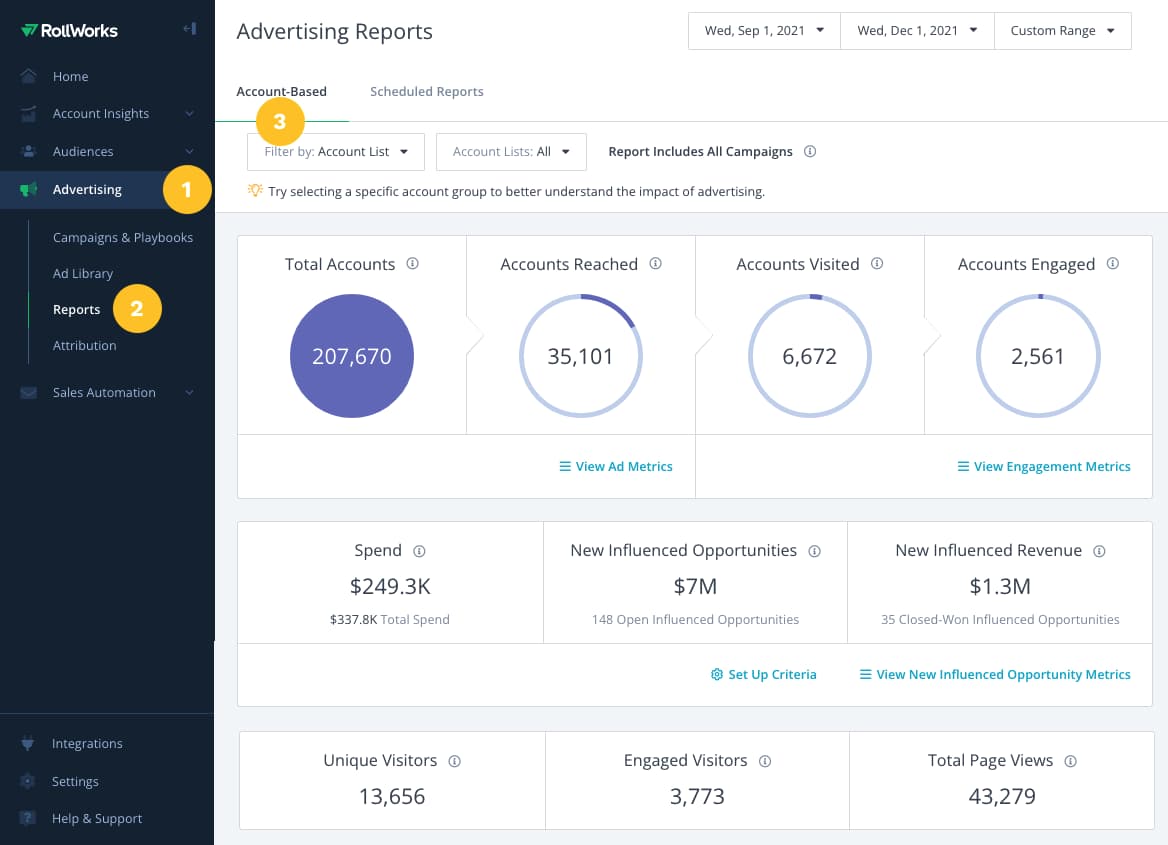
Account-Based Marketing Examples
Now that you understand the fundamentals of an account-based marketing strategy, let’s walk through a few examples of how ABM has worked for real businesses.
1. Restaurant Furniture Plus
This wholesale restaurant furniture supplier previously relied on search traffic and paid Google ads to attract new customers.
After identifying their ideal customer (scaling chain restaurants), the company implemented an account-based marketing strategy to get in front of restaurant owners who were a good fit for its products. This strategy has helped Restaurant Furniture Plus save money on paid advertising, and increase its base of recurring customers.
2. HealthLink Dimensions
Healthcare data company HealthLink Dimensions partnered with marketing agency Acclaro to implement an account-based marketing strategy. HeathLink Dimensions sought to expand their offerings to health insurance providers, and ran into challenges getting new contacts in its funnel.
After working with Acclaro to use an ABM strategy, HealthLink Dimensions experienced a 234% increase in its new customer pipeline.
3. BlueYonder
BlueYonder is a supply chain-management company that helps businesses optimize their supplier activities.
In 2019, the company began testing an ABM approach with a small group of accounts. This initial test leveraged advertising and personalized content for the initial group of accounts and resulted in $10 million generated in pipeline.
B2B Account-Based Marketing
B2C companies typically focus their marketing efforts on touching a pain point or desire of the end-user, with hopes that the individual will make the decision to buy. B2B works a little differently.
When selling to other businesses, there is rarely one person making a purchasing decision. Depending on the size of the company you’re selling to there may be an entire group of people who all provide input on the final buying decision.
An ABM strategy can be particularly helpful for B2B companies who are looking to build long-term relationships with key accounts. In fact, 76% of B2B marketers who used ABM in 2020 reported an increased ROI compared to other forms of marketing.
LinkedIn Account-Based Marketing
According to the 2021 Not Another State of Marketing Report, over 70% of marketers said their company uses social media to target accounts. LinkedIn can be a beneficial platform for targeting accounts, especially for B2B companies.
LinkedIn has a feature called Company Targeting that allows you to use LinkedIn’s directory of over 13 million company pages for your ABM efforts. With this tool, you can upload a list of companies you’d like to reach, and create ad campaigns that can specifically target individuals at these companies.
Additionally, LinkedIn can help you create a more personalized experience for your target accounts through genuine relationship-building with your buying committee.
Using LinkedIn to find and engage with the right decision makers at the companies you’d like to work with can be a helpful, thoughtful alternative to using third-party data to identify potential contacts.
Here’s how Adobe used LinkedIn to support account-based marketing efforts.
Grow Better With Account-Based Marketing
Account-based marketing doesn’t have to be overwhelming. By working through the tactics we’ve listed above and implementing software — such as HubSpot’s ABM software — for your marketing and sales team to use together, you’ll identify valuable accounts more efficiently, reduce any friction impacting your flywheel, and grow better.

How to Create a Perfect Blog Post Template in Google Docs
Blogging has always been an effective content marketing strategy. However, sometimes, it can be difficult to put pen to paper – or more accurately, words to the screen.
That’s where blog post templates can come in handy.

In this post, we’ll equip you with a blogging template to use in Google Docs that follows a standard writing formula to capture your audience’s attention.
Why Use Google Docs for Blog Post Templates
The number one reason to use Google Docs for your blog post templates is the collaboration features.
The platform allows you to:
- Share templates.
- Manage editing permissions.
- Request feedback on your content.
- Download and convert into other file formats.
- Back documents up the cloud.
Google Docs also allows you to easily copy documents. This means that once you create your template, anyone on your team can copy it and save it in their own folder.
Beyond the collaboration features, you can also work on your document offline – so if you are working in an area with no Wi-Fi, you can still get your work done.
Another helpful tool is the version history and recovery. Say you start writing one night and take out a whole paragraph. Then, the next day, you reconsider and decide you want to add it back in.
By accessing your version history, you can retrieve that paragraph and either copy it into the new version or restore the old one.
Additionally, if there are multiple users, you can see who made what changes. This makes it easy to know who to reach out to in case you have additional questions.
Google Docs Blog Post Template
A comprehensive, high-quality blog post doesn’t have to be long.
In fact, shorter is often sweeter for your readers who have limited time to devote to reading the massive amounts of content on the web.
But well-written blog posts should include three sections, which you may be familiar with if you close your eyes and think back to elementary school writing classes: the introduction, the body, and the conclusion. Here’s what’s included in each.
Have you ever tried to ___________? If so, you’ll know that it’s difficult because ___________________________. So what do you do?
Many people have found success by using ___________________. But there are a few things you should know before you implement ___________.
This post will tell you what you need to know to make sure ____________________ and successfully ________________.
If you’re looking for a _____________, here are the key things you’ll want to keep in mind:
- Make sure your ____________ lets you _______________. If it doesn’t, you’ll have trouble ___________.
- Ensure your ___________ has a ____________ so you can ____________.
- Any good ______________ should let you _____________. This is important because _________________.
While not necessary, some great bonus features of a great _____________ are __________, ____________, and _______________.
Now that you know ________________, you’re ready to __________________ without worrying _______________.

Download 6 Free Blog Post Templates Now
Introduction
The introduction sets the stage for the problem you’re about to solve.
You’re not providing specific solutions in this section, just why it’s worth resolving. Here, you want to be relatable, getting your readers to nod in agreement.
An introduction like that could apply to any problem, product with a few language tweaks.
Note: While your blog will sometimes promote your own product or service, it shouldn’t exist solely for that reason. First and foremost, the content on your blog should help your readers solve a common problem.
Do you see why that structure works for an introduction? First, it presents a problem (“Have you ever tried to,” and “it’s difficult because”).
Secondly, it sets up what the post will be about (the solution “people have found success.”)
Lastly, it explains why it’s important you know those things (“to ensure,” and “that will let you successfully.”)
Body
The body explains the solutions to the problem you set up in the introduction.
Now that you’ve identified a problem for your reader, they’re ready to hear your proposed solution.
Your body can be written in paragraphs, with bullets, numbered lists, multiple headings, or a mix. Make use of whichever format is easiest for you.
Each section explains what your product (or, again, service with very minor language tweaks) should have to help the reader meet the goals outlined in your introduction. Then, it reiterates why that’s important.
Conclusion
The conclusion wraps up your post with a brief statement that’s reflective of the problem your post solved.
You can also use the conclusion to prompt your readers to engage in further conversation in the comments.
The conclusion should be kept short, however, to ensure readers don’t abandon your blog post before realizing there’s a call-to-action to covert on.
Filling in the Google Docs Blog Post Template
Alright, you’ve seen the template. Let’s fill in the blanks, shall we?
I wrote about social media monitoring tools because it’s something I know about; and as a result, I was able to write this “sample” blog post really quickly.
You’ll experience that, too, when you write about something you know inside and out! You just needed a little push – or a template to get you started.
Free Google Docs Blog Post Templates
Want other templates that can apply to various types of blog posts? We’ve got you covered. This download includes templates for creating:
- A how-to post
- A list-based post
- A what-is post
- A newsjacking post
- An infographic post
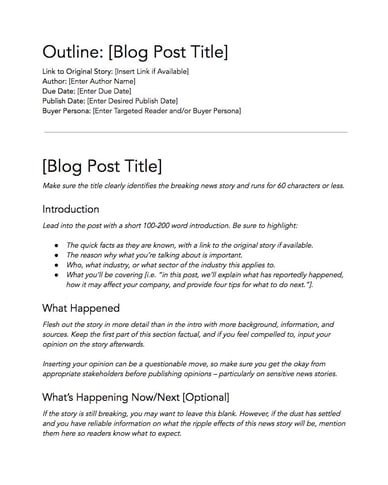
Download 6 Free Blog Post Templates Now
Writing a Blog Post Template
The template content I’ve provided here is not intended to be copied and pasted into every blog post you write – that results in duplicate content for which you’ll be seriously punished in the SERPs.
It’s simply meant to show the structure you can follow to write a blog post because there really is a formula to it that makes it easy to write content that’s helpful for readers, and relatively quick and painless for you.
Feel free to swap in synonyms for words and phrases you see in the template, as long as it’s all original language.
It’s also important to note that this blog post gives you a template to help you start writing but there are other components of a successful blog post that you shouldn’t ignore.
I hinted at it above, but what would a blog post be without a call-to-action? It certainly wouldn’t help you drive any leads, that’s for sure. And to generate more click-throughs, you should spend some time crafting an excellent blog title.
You also need to think about optimization – did you include important keywords and internal links to other pages on your website?
Finally, remember that there are other structures for blog content that work, too. We don’t follow the same structure for every blog post we write, and we’ve seen structures other blogs use that work really well for them.
So go forth! Explore. Experiment. Get creative.
The goal isn’t that you follow this rigid template, it’s that you consistently create content that helps your reader. If you’re facing writer’s block, this template should help you out of that rut.


59 Focus Group Questions for Any Purpose
Market research is an overarching term for gathering information from you customers about your business, and focus groups are one way to conduct market research.
Whether your focus group’s goal is to give feedback on a product or service or help you assess how your brand stands out in your competitive landscape, thought-provoking, open-ended questions are essential to a productive discussion.
Focus group questions should dive into the mind of a consumer. What do they think? How do they make their decisions? You want more than a yes or no answer, and your questions need to generate them. However, it is easier said than done. What can you ask beyond “What do you think of our product?” to provoke the most fruitful answers?
![→ Download Now: Market Research Templates [Free Kit]](https://no-cache.hubspot.com/cta/default/53/6ba52ce7-bb69-4b63-965b-4ea21ba905da.png)
Here, we have compiled the most insightful questions you can ask in your next focus group to get the best insights from your participants.
Copy-and-paste the questions you like below into this note taking template for a ready-to-go, printable document you can bring to the session.
Featured Resource: Market Research Focus Group Template
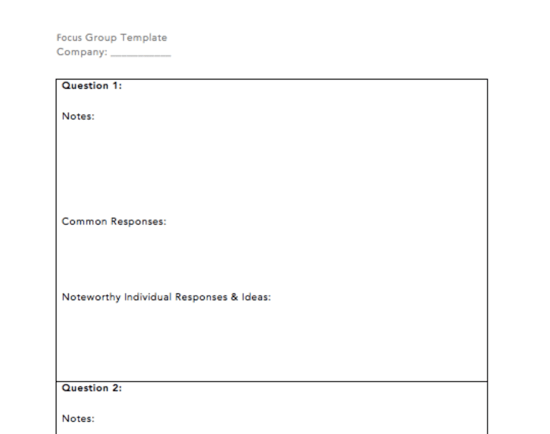
For a free template for note taking during focus groups, a guide on conducting market research, and several other templates, download our Market Research Kit.
Focus Group Question Examples for Building Trust Among Focus Group Members
Before diving into deeper questions, it’s best to warm up the group with a couple of open-ended questions that allow participants to get to know each other a little bit. Participants should have the liberty to decide how much they want to share with the group. Don’t force anyone to share something they may not feel comfortable sharing.
By including a question that allows people to talk about something tangential to the topic of the focus group, your participants will begin to build empathy for each other. That empathy can grow into trust, which is essential for eliciting honest insights out of your group.
Here are a few questions you might ask to build trust:
- “Share an aspect of your work or life experience that has brought you here today.”
- “Why did you decide to join our focus group today?”
- “When and how did you first come across our brand/product/service?”
Focus Group Question Examples to Encourage Follow-up and Continuation of Ideas
The most helpful insights that come from focus groups are often the most specific points. Challenge your participants to reflect on their comments if something sparks your curiosity. For instance:
- “That’s a fascinating point that [name] just said — what do you all think of that?”
- “Do you agree or disagree with [name]’s statement, and why?”
- “[Name], you’ve been a bit quiet recently. Did you have any thoughts on this topic that you wanted to share?”
Focus Group Question Examples for Understanding Customer Perception of Your Product or Service
These questions will help you understand how people truly feel about your brand, product, or service. The focus here is on your company — not the larger industry landscape or your competitors.
Avoid stopping conversation here unless the group gets sidetracked. Open-ended questions can be daunting at first. Participants may not know where to start. However, hearing from the other participants will spark reflection on various aspects of your product or service. Be sure to allow each group member who has something to say to speak up before moving on to the next question.
- “How would you describe our company to other people?”
- “How would you describe our product/service to other people?”
- “What words or feelings come to mind when you think about our company?”
- “How likely are you to recommend our product/service to a friend?”
- “How well do you feel we incorporate feedback from you, our customers, into our service/product?”
- “What ultimately pushed you to purchase this product/service?”
- “Where would you buy this product/service?”
- “What do you like about this product that you may not find in a similar one?”
- “When you think about our industry, which brands come to mind first?”
- “Which other brands in our industry did you consider when you were shopping around?”
- “Why didn’t you go with one of our competitors?”
- “What other products/services come to mind when you look at this one?”
Focus Group Question Examples to Learn What Your Leads and Customers Want to See From You
Listening to your customers’ feedback and suggestions for improvement is crucial to retaining customers and turning them into promoters of your brand. It may be difficult to hear the answers to these questions, but turning customer pain points around will elevate your product or service to the next level.
Avoid defending your product or service or setting any limitations on these questions. Instead, frame them in a way that allows anyone to voice their feelings. Recognize that it can be daunting for anyone (especially people with whom you’ve built relationships) to share negative feedback, so thank them for their candor.
- “If you could wave a magic wand and change one thing about our product/service, what would it be?”
- “What would you most like to add to or improve about this product?”
- “What do you envision is the lifespan of this product/service before you upgrade or replace it?”
- “Is there anything we haven’t touched on today that you would like us to know?”
Focus Group Question Examples for Understanding Your Buyer Personas
The following questions will help you understand the motivations of your target buyer persona, their habits, their responsibilities and decision-making power, and their preferences.
These questions will spark discussion about topics other than your company, product or service, and the competitive landscape.
Don’t worry if the conversation seems to stray far from your brand. The insights that people share will likely reveal what they find significant in their life and work. However, you must keep the group focused on the specific question you ask.
- “Describe your job title and your day-to-day responsibilities.”
- “What is one task where you feel you spend way too much time?”
- “How do you define success in your role/your life?”
- “What is the biggest challenge you face when it comes to the problem that this product is supposed to solve?”
- “When you browse online, on which websites do you spend most of your time?”
- “What are the first three apps you open on your phone in the morning?”
- “How do you prefer to receive communications from our company? (Specify what type of communication here — product updates, renewal notices, product/service coaching, meeting reminders, urgent alerts, etc.)”
- “Would you be the one using this product/service most in your household/job? If not, who would be?”
Focus Group Question Examples for Competitor Research
These questions should spark discussion about the brands in your industry that are top-of-mind for consumers. It helps remove any biases that your team might have as people who work in the industry and know various players very well.
To encourage honesty, avoid agreeing with disparaging comments made about your competitors. Instead, use the opportunity to ask follow-up questions about what the participants don’t like about a specific product or brand.
Competitive research helps you identify competitors while also evaluating their strengths and weaknesses. This information allows you to compare how your products align within the industry and pinpoint any industry trends you may have overlooked.
- “What companies come to mind when you think of our industry?”
- “Which company do you consider first when shopping in our industry and why?”
- “What are these companies doing well?”
- “What do these companies need to improve?”
- “What products/services do they have that you’d like to see from us?”
- “What would it take for another company to beat out your top choice in our industry?”
To conduct a complementary research-based analysis of your competitors, download our Market Research Kit to access a S.W.O.T. analysis template.
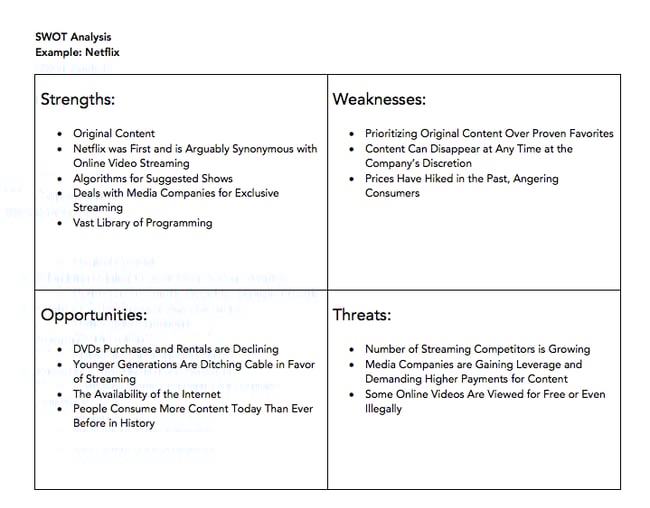
Focus Group Question Examples for Generating Content on Your Industry
You might be looking to develop a content strategy for your brand, branch out into a new content medium, or generate new content ideas. Any successful content strategy prioritizes what your target buyer persona finds most engaging. A focus group is an effective way to ensure that you produce material on the right topics in the medium that your audience wants to consume.
- “What is one recent trend you have noticed in our industry?”
- “What is one strategy or tactic you think is underrated in our industry?”
- “Where do you go to get a pulse on the things going on in our industry?”
- “Who are the people in our industry who you look to as experts?”
- “What format of content do you consume to keep up with our industry? Social media posts? Blogs/long-form posts? Podcasts? News outlets?”
- “Which specific sources do you go to for information on our industry?”
- “What gaps do you see in the content about our industry online? What are the topics on which you would like to see more education?”
Focus Group Question Examples for Understanding Product Demand for Something You Haven’t Yet Put Out in the Market
These eleven questions will help you understand the demand for a new product or service. These questions will uncover buying habits for a product you envision and whether there is a true product-market fit.
- “What was your first reaction to the product?”
- “How often do you/would you use this type of product?”
- “Would you be the one deciding to purchase this product/service? If not, who would be?”
- “When and where do you use our product?”
- “When you think about the product, do you think of it as something you absolutely need, something you could do without, or something that’s somewhere in the middle?”
- “How much would you be willing to pay for a product like this?”
- “How would you ideally like to buy this product? Would you talk to a sales rep, or would you prefer to purchase it on your own?”
- “What do you think this product is missing?”
- “How would you describe someone you think would use this product/service?”
- “If you ended up liking your experience with this product, could you see yourself repurchasing it? If so, how often?”
- “If you could either have this product/service or the equivalent dollar value for you/your business, which would you choose? Why? (Specify the dollar value of your product/service when asking this question.)”
Focus Group Question Examples for Branding
The following questions help run word association brainstorms and generate potential names for a new product or company.
- “What words come to mind when you think of our product category? (Example: “What words come to mind when you think of food delivery?”)”
- “What words come to mind when you think of [insert a word that symbolizes the main value prop of your product/service here – for example, ‘efficiency,’ ‘speed,’ ‘health’]?”
If you have candidate names already:
- “What is your initial reaction to this name?”
- “What words come to mind when you hear this name?”
- “How would you pronounce this? (Spell out the name on a piece of paper or whiteboard.)”
Ask, and you shall receive.
In your business, your consumer is the most important person. What they think is central to your business strategy — how they view your company and industry, what drives them to make a purchase, what their interests are. The answers to the above focus group questions will shape how you approach your business. You now have dozens of questions to get the conversation started, and you didn’t even have to ask.
Editor’s note: This post was originally published in November 2020 and has been updated for comprehensiveness.

Why Your Brand Needs A Strong Visual Identity [+ 5 Examples to Inspire You]
Take a second to think about one of your favorite brands. A logo, storefront, color, or memorable ad campaign will likely pop into your mind. That’s because a brand’s visual identity is a powerful tool for telling a company’s story, building customer affinity, and increasing revenue.
If done effectively, visual identity can communicate a particular feeling or message without words. But a poorly-designed identity can confuse customers with lackluster messaging and disjointed graphics. So it’s no surprise that consistent brands are 3.5x more likely to have strong brand visibility than inconsistent brands.

Visual identity plays an essential role in branding, so it’s important to understand what makes up an identity and how to create one. We’ll cover all of that and share examples of successful brands that have developed a strong visual identity.
What is a visual identity?
A visual identity is the visible representation of a brand, from the logo and colors to the website and design of physical stores. It encompasses everything you can see in connection to a company.
 Visual identity can be made up of many elements:
- Graphics
- Animations, icons, buttons
- Typography
- Logo
- Color palette
- Imagery
- Store design
- Packaging
- Uniforms
- Flyers
- Brochures
- Billboards
- Digital and print ads
Developing a strong visual identity comes with a number of benefits. It helps create an emotional connection with customers, which leads 57% of customers to increase spending. Consistent visuals unify a brand’s messaging so people instantly recognize the company across all channels.
They can build brand trust by informing potential buyers about products or services. And a well-designed visual identity can boost brand awareness and make people more likely to purchase, especially since 64% of people want brands to connect with them.
Although visual identity sounds similar to brand identity, its unique benefits and elements set it apart.
Visual Identity vs Brand Identity
If brand identity is the personality of your business, visual identity is the visible expression of that personality. Think of a person who’s outgoing and creative (brand identity) and is known for wearing eccentric outfits and jewelry (visual identity).
Brand identity gives customers the feelings they associate with your company, and it’s made up of everything that creates the brand as a whole. It includes your values, mission statement, tone and voice, style guides, brand persona, unique value props, visual assets, and more.
Visual identity is a part of brand identity, but its focus is on how a brand is visually represented. It requires a separate approach from brand identity, yet it needs to complement the brand. This is why designers and creatives are usually in charge of visual identity, whereas marketers and branding teams are in charge of brand identity.
5 Companies with Strong Visual Identity
When a brand takes the time to craft a strong visual identity, it becomes easier to attract customers and drive the business forward. As you look through the following examples, consider how every element works together to form a cohesive visual language.
Headspace
On a mission to improve the health and happiness of the world, Headspace takes a quirky approach to visual identity. The meditation app is full of charming characters, bright colors, and memorable moments that aim to establish its unique identity in the world of wellness. Even the animations add a sense of connection and humor while explaining mindfulness concepts.
Meow Wolf
The art collective Meow Wolf is out to inspire creativity through art, and their visual identity is chock full of imaginative graphics, installations, and images. The psychedelic color palette instantly draws you in, and the extraordinary characters hint that you’re in another world. It’s easy to get lost in a realm of fantasy and immersive art just by scrolling the brand’s Instagram.

Airbnb
From flexible dates to unique stays, Airbnb’s visual identity highlights the brand’s willingness to embrace adventure. Their pink logo, playful graphics, and incredible imagery encourage people to explore places beyond conventional options, which is exactly what you can do by booking or hosting a homestay through their platform.

Spotify
Listening is everything to Spotify, and it’s clear through the brand’s visual identity. A bold color palette and clever ad campaigns, like #SpotifyWrapped, showcase the company’s passionate and playful brand across the app, online platforms, and print ads.

Yeti
Visual identity is more than logos and ad campaigns — it’s the feeling people get when they see your brand. Yeti is a great example of how to make brand and visual identity work together to create a specific feeling for customers, which the brand does with Yeti Presents. These short films inspire adventure in a way that’s more authentic than other outdoor brands and fits the company’s laidback, active identity.
How to Create a Visual Identity
Creating a strong visual identity shows people who you are, why they should interact with you, and helps establish an emotional connection to your brand identity. Whether you’re creating a visual identity system for the first time or looking to revamp your identity, just follow these steps to come up with an eye-catching visual language.
1. Define your brand identity.
Your brand identity is the core of your company personality, and it informs your visual identity. If you don’t have all the aspects of your brand laid out, your visual identity can flounder from a lack of direction and cohesion. Before designing your visual identity, make sure to have the bare minimum brand requirements decided, such as values, voice and tone, persona, and mission statement.
2. Understand the principles of design.
When starting my own business, I decided to create my logo and website. But when getting feedback on my visual identity from a graphic design friend, it was clear I wasn’t trained in the principles of design. Visuals play a major part in how people perceive your brand, so it’s important to get them right. You can learn the six elements of design yourself, or hire a graphic designer to help bring your visual identity to life.
3. Create a story.
People remember stories more than facts, which is why visual identity must focus on telling a great story. You can draw people in with characters and conflict, or incorporate your values into your visuals. The Swiss paragliding company, Advance, uses storytelling to highlight the quality of its products and the adventures that are possible because of them. The key is to show, not tell.

4. Stay consistent.
Consistency is simple when your company is small and you review every asset before it goes live. But the bigger the brand, the less likely it is to stay consistent. From ad campaigns and conference decks to social media posts or sales one-pagers, it’s easy to let visual style slip. But creating a brand style guide, and outlining the specific visual identity systems and styles, can help your team combine existing visuals with new elements as the company grows.
5. Keep the medium in mind.
Visuals look different on every channel — a printed logo can appear darker than on a screen. So it’s crucial to cater your visuals to the medium you’re using to promote your brand. A graphic designer or branding designer will understand how to adjust visual assets for each medium to ensure all elements, from colors and fonts to images and animations, appear consistent across channels.

Once you outline your visual identity and create graphics, you’re ready to share your visual language with the world. With time and consistency, people will be able to recognize your brand at first glance.


How to Create an Editorial Calendar [Examples + Templates]
If you’re anything like me, you’re consistently working out of at least 20 browser tabs, four journals, a yellow legal pad or two, and a myriad of Post-it notes stuck around your computer monitor.
To the average overseer, it’s nothing short of chaos. To the blogger, it’s evidence of a (desperate) need for an editorial calendar.

My muddled system transforms dramatically when I work with a team. I realize the need for organization and structure, and this could not be more necessary than managing a blog. Without a mutually agreed-upon system for planning, writing, and scheduling content every week, you can find yourself in a pile of missed deadlines, unedited blog posts, and a fair amount of team tension.
There’s no such thing as a perfect editorial calendar — it all depends on the needs of your team. Nonetheless, there are several questions you should ask yourself to determine what your editorial calendar should look like. These include:
- How frequently are you publishing content? Do you have stuff going live every day? Once a week? Perhaps multiple times a day? Finding out how often you publish can tell you how best to visualize your editorial calendar regularly.
- Do you create more than one type of content? If you upload as many videos to YouTube as you publish articles to your company blog, your editorial calendar will need to distinguish between the two.
- How many people will use this editorial calendar? The best editorial calendars allow multiple people to brainstorm, collaborate, and provide feedback on assignments in real-time — directly on the calendar.
- What are the various stages content goes through before it’s published? How complex is your content pipeline? Is there a substantial review or approval process that each piece of content goes through? Make sure your calendar can distinguish between two similar assignments that are in different stages of creation.
- What format will you use to organize this calendar? You’ll want to choose the system that best aligns with your goals and your team’s workflows. The next section discusses the most common formats.
Let’s take these points and put them into practice to create your perfect editorial calendar.
How to Create an Editorial Calendar
A successful editorial calendar is a living project that your business will change as your grow and scale your social media strategy. To start the process of creating your own, we have some resources to simplify the process.
With all the different types of calendars you can create, we’ll discuss the different types you can choose, and how to plan the rollout of your amazing content with them.
1. Choose a format for organizing your editorial calendar.
There’s no such thing as a perfect editorial calendar, but some formats will be better than others at helping you solve your team’s goals. Once you choose a format, you’ll also want to decide on how you will implement it — picking a tool or platform that offers the features or interface your company needs most.
Here are some of the different ways to format your editorial calendar:
Traditional Calendar or Calendar App
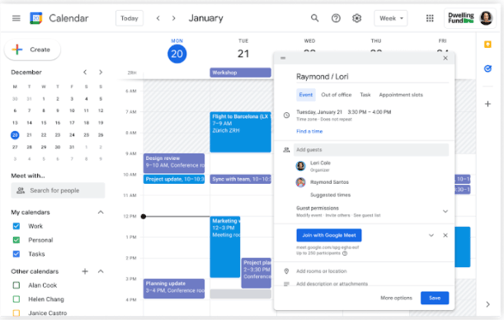
Whether you’re tracking deadlines on a big paper calendar on your desk or through an app like Google Calendar, this is one of the most straightforward ways to know what’s going out and when.
The disadvantage, though, is that there’s more to project and content management than publishing dates, and a calendar may not always be effective enough on its own.
Spreadsheet
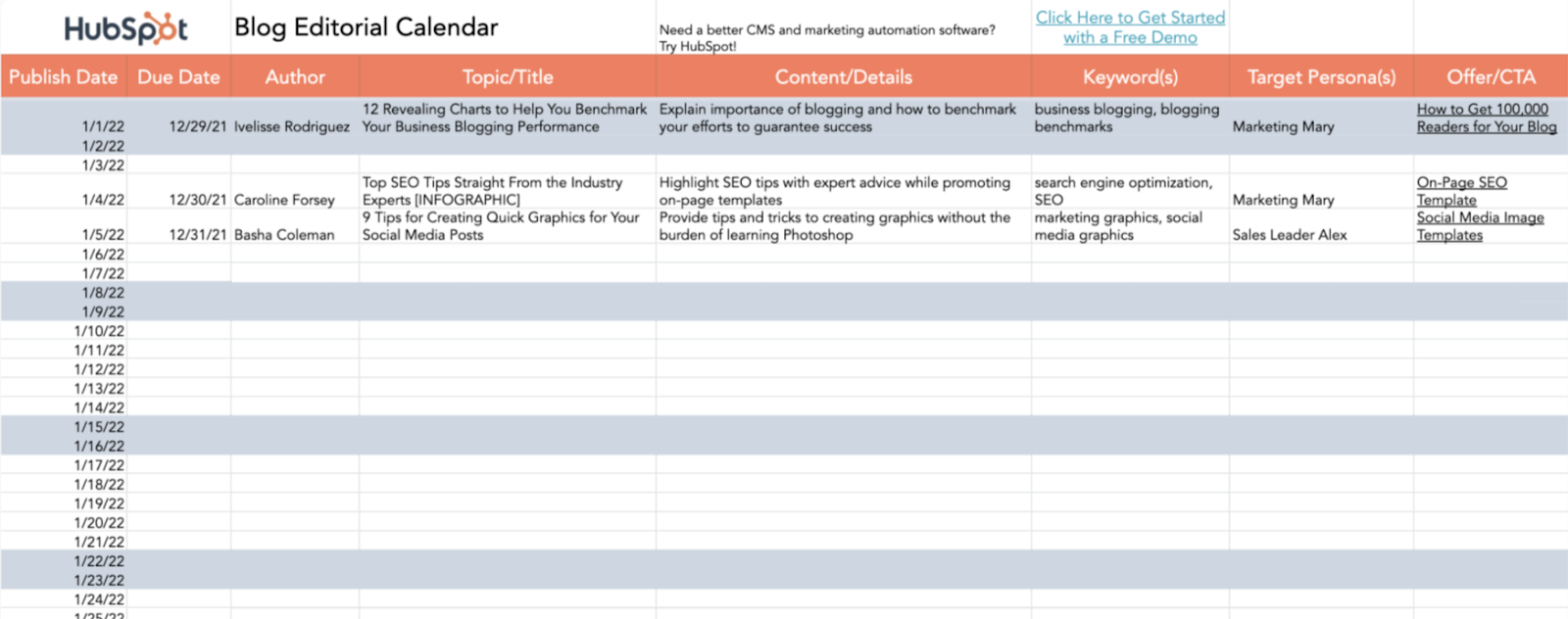
Spreadsheets have always been a favorite for content management. There’s something so satisfying in seeing all your necessary data points aggregated in one place and organized neatly into rows and columns. With Microsoft Excel and Google Sheets, spreadsheets are easily accessible and don’t have a high learning curve.
One advantage of using spreadsheets is that they can be easily paired with calendar apps and content management tools. By importing a .csv file, you can load the information into multiple places as needed for the tasks at hand (see the Google Sheets and Hootsuite Planner combination in the next section for inspiration).
Kanban Board or Other Project Management Tool
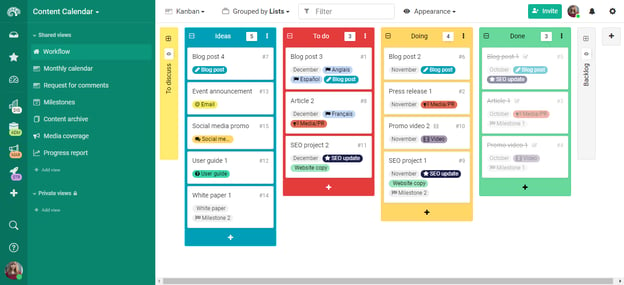
Kanban is a visual system for project management that involves moving cards through different stages of a project. It’s popular in editorial management because it can be easily used to represent an editorial workflow no matter what your quality assurance process is or how many hands touch a piece before it’s published.
This means that a Kanban board can easily accommodate your content calendar if you require more planning and management to push things live. Popular options for this type of system include Trello, Airtable, and Meistertask.
Content Calendar (and Management) Apps
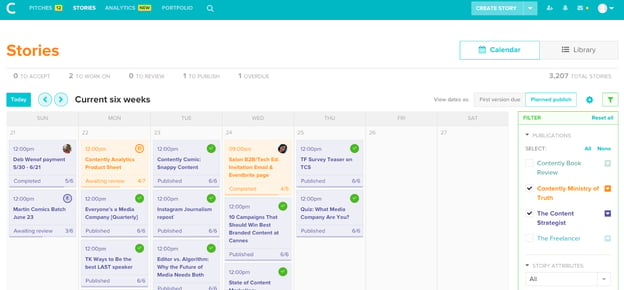
Taking the calendar concept a little further, there are apps and software platforms that have been designed specifically for content management. They include both the calendar and the project management aspects that are required to get the job done along with other helpful features for high-volume content marketing teams. Examples of these platforms include CoSchedule, Contently, and Loomly.
2. Designate your main marketing channels.
Editorial calendars are highly visual tools, and differentiating your calendar using color coordination for the different channels you post on can eliminate confusion amongst your marketing team members.
Make your editorial calendar easier to interpret by dividing the types of posts or subject matter using different visual cues to ensure you schedule the right content at the right time.
3. Plan your posts consistently.
Organizing your editorial calendar to be posted on the same weekly schedule can drive your pages to have more exposure via social media algorithms and potentially raise your engagement as a result.
You see, when you post on a frequent basis and use a social media platform often, you’re in turn keeping your followers coming back to the platform as well. Platforms reward profiles that drive this engagement with more visibility, and after all, these platforms are after capturing and maintaining people’s attention.
Social media channels favor profiles that use their website often, and when you add a patterned or consistent posting cycle to it, you’re using the platform in an optimized manner.
4. Study your competition’s posting frequency.
Look to other businesses posting in the same industry or niche as yours, study which are successful in capturing that attention and how they got to that level of success.
By no means should you copy others’ content subject matter or the exact dates or times they post, but instead pull inspiration and make your own editorial calendar that could possibly garner attention on the days or times competitors aren’t posting.
5. Audit and adapt your editorial calendar as necessary.
It’s all a matter of trial and error when making your calendar. If you begin with low engagement the first couple of months, you should run a company content audit and adapt your content calendar to better engage your followers.
Above all, creating an editorial calendar will make your marketing team work in a more streamlined, organized manner. With that being said, let’s look at some pre-existing calendars that’re optimally organized.
Editorial Calendar Examples
To help you implement an editorial calendar, we’ve also included real examples from a few of the most successful content teams out there. Check them out below and find out what makes their calendar so useful.
1. HubSpot Editorial Calendar [Template]
Platform: Excel
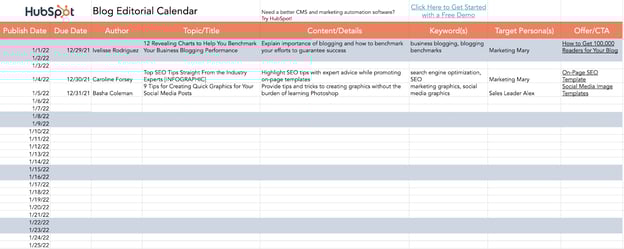
The interactive HubSpot Editorial Calendar Template was built for writers and content strategists to outline their posting strategy. Included are prompts for the content’s title, meta description, URL, CTA, and more. This template is completely free and can be used on both Google Sheets and Excel.
2. Buffer’s Editorial Calendar
Platform: Trello
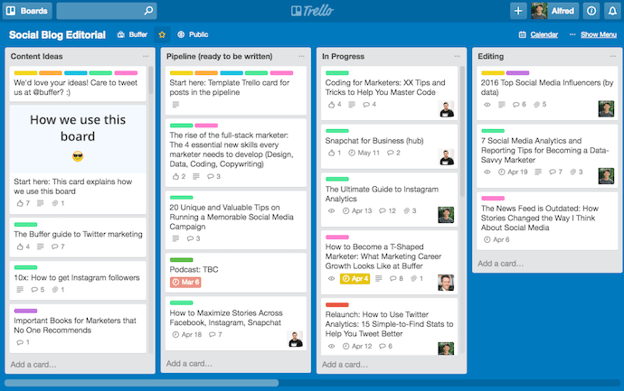
This is the actual editorial calendar of Buffer, a social media content scheduling platform. Naturally, the company’s content is supported by an editorial calendar that describes an assignment’s author, title, publish date, and where it is in the company’s editorial workflow (content can be in the “Ideas” stage, in the “Pipeline,” “In Progress,” or “Editing”).
Each rectangular tile shown above represents an individual piece of content — whether it’s a blog post, video, or even a podcast episode.
As you might be able to tell, Buffer’s editorial calendar is built on Trello, a common project management tool. And although you can use Trello more than one way, Buffer uses most of its available features so everyone has the information they need within a few clicks — regardless of what they do for the company and how the calendar affects their work.
“An editorial calendar should be a resource for your whole team, not just content creators,” says Ash Read, Buffer’s editorial director. “It should be something anyone can easily access to see what’s coming up and also suggest content ideas. Sometimes the best content suggestions will come from people outside of your marketing team.”
In the next screenshot, above, you can see what’s inside each rectangular tile. When you click on an assignment, Buffer logs feedback as the content is created and reviewed. Says Ash: “It’s not just a calendar, but a place to share feedback, editing notes, pitches, ideas, and more.”
3. Unbounce’s Editorial Calendar
Platform: Google Sheets
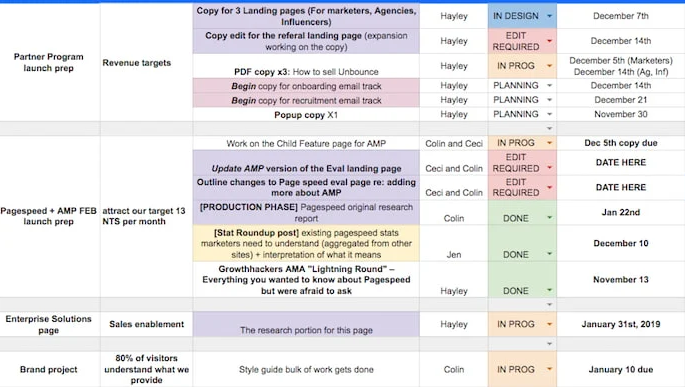 This is the editorial calendar of Unbounce, a creator of landing pages and related conversion tools for marketers, as well as a HubSpot integration partner. Unlike Buffer, this company uses Google Sheets to manage their entire content production, and the way they’ve customized the spreadsheet above would be pleasing to the eyes of any content creator.
In addition to organizing their projects by month, what you might notice from the screenshot above is that Unbounce also sorts their content by the campaign they’re serving — as per the first two columns on the left hand side. This allows the business to see what multiple assignments — listed vertically down the third column — have in common, and track content that extends beyond the Unbounce blog.
Shown below, the Unbounce blog has a separate editorial calendar in Google Sheets that allows the blog to work alongside the larger company initiatives. Nonetheless, using spreadsheets for both content workflows has proven to be the best choice for the company’s growing operation.

“We’re a small content team, so other platforms would likely overcomplicate things,” says Colin Loughran, editor in chief at Unbounce.
Ultimately, this editorial calendar keeps Colin’s team in sync. “While we try to lock dates a few weeks in advance,” he explains, “the reality is that sometimes we need to make changes very quickly. A product launch might move into a slot we’d planned for something else, for instance, or a guest contributor will be delayed in delivering a revised draft. When that’s the case, having a centralized resource that everyone can check is a necessary safety blanket.”
4. Digital Authority’s Content Calendar
Platform: CoSchedule
Digital Authority, a marketing agency that specializes in content and social media, distinguishes between its big-picture content goals vs. smaller content-related tasks.

Digital Authority uses CoSchedule to plan out timelines for pieces such as blogs and social media posts. The advantage of this is the color categorization, calendar and task views, and the ability to create social posts across platforms from within one portal.
There are also features to keep the team actionable, on the same page, and agile with drag-and-drop features.
5. Hootsuite’s Content Calendar
Platform: Google Sheets and Hootsuite Planner
Hootsuite, another social media scheduling platform, has a ton of content to publish both daily and far out in advance. That makes their content calendar a major component of their production strategy.
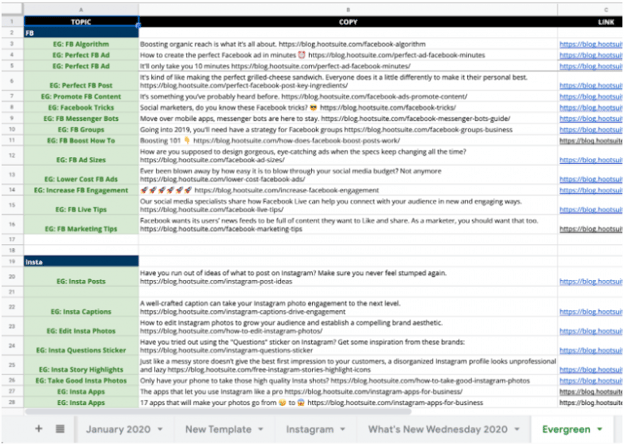
Due to the volume, the Hootsuite team creates content far in advance using Google Sheets to plan and organize across channels. Once the strategy is created and executed, posts that are ready to be published are represented on Hootsuite Planner.
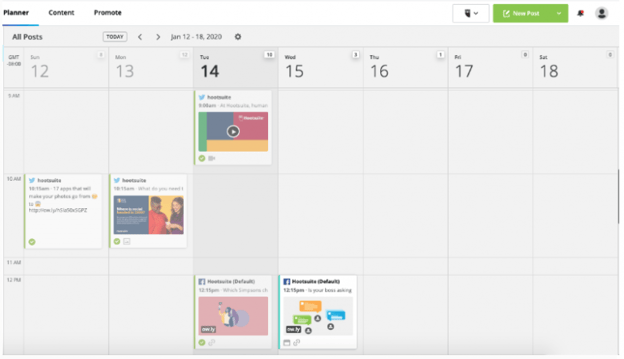
Editorial Calendar Template
Ready to make your own editorial calendar? No matter which platform you ultimately want to work out of, a spreadsheet can help you take inventory of what content you have and how quickly it moves from start to finish. Try our free Blog Editorial Calendar Templates.

Using the templates linked above, you’ll be able to organize, categorize, and color code to your heart’s content. Use these templates to target the right readers, optimize posts with the best keywords, and pair each topic with a killer call-to-action.
In this download, we’ve included three different templates for you to choose from. Why three? We recognize that not all content teams are the same. While some feel most efficient with a centralized editorial calendar solution, others may need the gentle push of an upcoming deadline right on their calendar. Therefore, you’ll have access to all three templates in Microsoft Excel, Google Sheets, and Google Calendar.
Plan Out Your Editorial Calendar with Ease
With a little customization, your blog calendar will be running smoothly, leaving you time to be the content-writing, lead-generating machine you strive to be.
Editor’s note: This article was originally published May 2020 and has been updated for comprehensiveness.



A Look Back at 30+ Years of Website Design
Web design has come a long way since 1991, when the first ever website was published. Exclusively text-based, this site marked the beginning of what would become a digital revolution.
And while recollections of “under construction” GIFs and blinding background colors make me thankful for just how far the web has come, there are some historical web design choices that actually demand a nod of respect.
Websites like this one haven’t been lost to time, either. If you want to see what a website looked like at any period since its launch, enter its domain name into the Wayback Machine and choose a date. In this post, let’s take a look at how web design has evolved, from text-only interfaces up through the sleek, modern designs we see today.

Early 1990s: Antiquity
The early 90s marks the start of our website design timeline. At this point, there was no such thing as a high-speed internet connection. It was dial-up modems, or it was nothing. Therefore, websites needed to be built for less-than-stellar connection speeds. They mostly looked like walls of text — what we now take for granted as “design layout” did not exist.
-1.jpeg?width=650&name=history%20of%20web%20design%20(update)-1.jpeg)
While later versions of HTML allowed for more complex designs, they were still very basic compared to today, consisting mainly of tags for headers, paragraphs, and links. Visual elements and styling like typography, imagery, and navigation were things of the not-too distant future.
Takeaways for Today’s Websites:
While the function of these early sites was purely informational, we can see some design elements that apply today. These old web pages were very lightweight and optimized for a slow internet connection we all still experience from time to time. These design considerations took the user experience into account, something today’s websites don’t always do, even with faster speeds.
Yes, today’s internet can handle media-rich websites … but it still has some limits. Large media files, heavy graphic design, and excessive animations can all contribute to higher bounce rates when load speeds aren’t as fast as we want. Keep your user in mind when considering complicated design, and remember to K.I.S.S. (Keep It Simple, Superhero).
Mid-1990s: The Middle Ages
The middle ages of web design were plagued by on-site page builders and spacer GIFs. (Better than an actual plague though, right?) By the mid-90s, web design had evolved both in terms of structure and appearance. Designers began using table-based layouts to organize content, allowing for greater flexibility and creativity. Sites were still quite text heavy, but text could now be divided into columns, rows, and other navigational elements for better readability.
Graphical design elements also quickly grew in popularity. Page hit counters, animated text, and dancing GIFs are just a few of the graphical elements that mark this period in web design.
-Mar-23-2022-09-25-43-49-PM.jpeg?width=650&name=history%20of%20web%20design%20(update)-Mar-23-2022-09-25-43-49-PM.jpeg)
Takeaways for Today’s Websites:
Today, there are plenty of reasons why table-based design is not the best choice for your website — the extensive markup, slow load times, and visual inconsistency are just a few of the pitfalls.
Regardless, this development was key in the evolution of web design: It was the first move toward non-linear page structure. Different elements could now be positioned in different sections of a web page, and designers had to consider the best way to present information to the user.
Page structure remains critical when thinking about navigation and content. It largely determines how the user experiences and interacts with your site. While these considerations might not have been at the forefront during the middle ages of web design, they are certainly at the forefront today.
Late 1990s: The Renaissance
Renaissance. Rebirth. Web design has had its fair share of reimaginings, but one of the first occurred with the introduction of Flash. Introduced in 1996, Flash opened up a world of design possibilities that weren’t possible with basic HTML. It was the marriage of virtual graphics and interaction.
While many of the same design elements from previous periods were still present, they were enhanced with animations, tiled background images, neon colors, 3D buttons, splash pages, and other multimedia.
Flash marked the beginning of visitor-focused design — structure and navigation became important considerations and designers began to hone in on appearance and usability over pure content.
-3.jpeg?width=650&name=history%20of%20web%20design%20(update)-3.jpeg)
Takeaways for Today’s Websites:
Flash was a game-changer, but it wouldn’t stick around forever. Flash is hardly ever used today and is deemed one of the biggest SEO sins of all time. Today, it’s the norm to opt for alternative methods such as CSS and JavaScript animations to get similar effects, or to embed videos from video hosting sites.
Early 2000s: The Enlightenment
The early 2000s were a period when usability and flexibility really came to the forefront of web design.
Leading the charge was CSS, a coding language that allowed developers to store visual rules in files separate from HTML, effectively separating content and style. This gave greater creative freedom to both web designers and content developers — content could now be developed exclusively from design, and vice versa. CSS made websites easier to maintain (less code and complexity), more flexible (div tags are independent of one another), and quicker to load (smaller files).
Better understanding of color psychology also led to increased use of whitespace and the decrease of garish colors, like neons. Links started being added to icons rather than just text, resolution and pixelation became more important concerns, and strategic placement of content also gained traction.
.jpeg?width=650&name=history%20of%20web%20design%20(update).jpeg)
Takeaways for Today’s Websites:
People typically scan websites looking for the information they need, so any site that makes this job easier gets a giant check-mark. Savvy web designers know that most users don’t read everything on a website, and understand how readers take in information.
Therefore, intuitively placed information, visually accentuated links, and straightforward navigation are just a few best practices today’s websites should adhere to. Always design with usability in mind!
Mid- to Late-2000s: The Industrial Revolution
The Industrial Revolution of web design begins with the birth of Web 2.0. It’s at this time that things really began to move toward the modern web. The growth of multimedia applications, the rise of interactive content, and the advent of social media are a few definitive features of this period.
Moreover, these changes largely dictated the way web design was … well, done. Aesthetic changes included better color distribution, increased use of icons, and greater attention to typography.
Most importantly, however, design became about content, and content became about search engine optimization. With the user now firmly at the center of design, selling products (at least explicitly) became the secondary function of websites — now it was all about getting found.
-4.jpeg?width=650&name=history%20of%20web%20design%20(update)-4.jpeg)
Takeaways for Today’s Websites:
As mentioned, the evolution of Web 2.0 saw the growth of SEO as a consideration. While these techniques have been adapted over the years, thinking about your website in terms of SEO is still a top priority for most thriving business websites.
SEO demands content, and content largely became the focus of web design during this era. Keyword optimization, inbound and outbound linking, authoring, tagging, and syndication technology such as RSS became natural design elements. While link spamming and keyword jamming soon exploited these techniques, these methods are no longer effective and (I hope) have largely fizzled out.
2010 to Now: The Modern Era
Today, over two decades after the publication of the first website, web design has firmly established itself as an irreplaceable component of every good marketing strategy. Recent research found that 50% of today’s consumers think website design is crucial to a business’s brand.
In terms of modern aesthetics, we have seen the proliferation of minimalism: sparse content, flat graphics (so long, 3D buttons!), simpler color palettes, and big and bold visuals. In addition, UX has taken center stage, giving way to such design features as infinite scrolling and single-page design.
You may have noticed that our website has embraced all these features with its latest design:
-2.jpeg?width=650&name=history%20of%20web%20design%20(update)-2.jpeg)
One more key step in the evolution of web design is the mobile web. Since the launch of the iPhone in 2007, there has been a re-evaluation of the way websites are structured to accommodate for the growing number of mobile web users. This includes several mobile frameworks that take a “mobile-first” approach, and an even greater focus on mobile speed optimization, since phones usually lack the processing speed or connection strength of your typical desktop.
This digital revolution has also given rise to responsive design, in which page elements automatically adjust to the width of the browsing window, allowing websites to look good on any device or screen. Today, responsive design is necessary to ensure a pleasing mobile user experience, given over half of global website traffic comes from mobile devices.
Where will websites go next?
If there’s one factor that has informed every single one of these developments, it’s content. Every design element here has been adapted in such a way to bring the most relevant content to the user in the most efficient and effective way. Notions of accessibility, adaptability, and usability truly define this era of web design.
Though there’s much more we can do with web design today, it’s fun to take a look back at where we came from. Looking at how web design has progressed thus far, it’s exciting to think about where it will be in the next 20 years.
Editor’s note: This post was originally published in July 2013 and has been updated for comprehensiveness.


Revenue Marketing: What It is and Why It Matters
91% of marketers are confident that their making marketing decisions will positively impact revenue. Are you one of them?
As marketers, we’re well-versed in the main goals of internet marketing: to generate leads and new business. Revenue generated from online marketing justifies why we include online channels in our marketing efforts.

How then, do marketers come up with a winning online marketing strategy that directly ties to their revenue goals?
If you’re unsure of the answer, we’ve got you covered. In this article, we’ve outlined the steps that you can take to plan successful revenue marketing campaigns.
Let’s explain revenue marketing a little bit more.
If you were to implement a revenue marketing plan, you would look at your revenue goals first instead of your business goals. For example, if the business has a goal to attract 10,000 new customers, but the revenue goal is to make $150,000 more than last quarter, a revenue campaign would strategize all the ways the team could generate $150,000 — ideally from 10,000 (or more) new customers.
Benefits of Revenue Marketing
Marketing efforts are typically broken down into four broad categories: Traditional marketing, lead generation, demand generation, and revenue marketing.
Many companies move through marketing efforts in this order. Traditional marketing comes first and includes a focus on building your brand — generating name and product recognition in the hope of driving sales later on.
Lead generation comes next. Here, marketing teams look to pinpoint high-value leads that are likely to take action and drive sales. Demand generation follows, and sees marketing and sales teams working in tandem to create multi-channel campaigns that bring interested B2C and B2B buyers to your site or sales platform.
Revenue marketing looks to scale up lead and demand generation processes by tying them to specific metrics and making them both reliable and repeatable. Effectively implemented, revenue marketing offers three key benefits.
Increased Customer Focus
Traditional marketing efforts are all about finding ways to boost demand by making products or services more appealing at scale. Revenue marketing flips the script to focus on what customers want.
What do customers want from the product? What would make them likely to buy more? Buy less? What non-product areas — such as speed of customer service response or the ability to easily navigate websites — have an impact on the likelihood of conversion? By focusing on the cultivation of long-term customer relationships, revenue marketing can help drive sustained sales.
Enhanced Team Alignment
Marketing and sales teams are often at odds. Where marketers look to positively raise brand profiles at large, sales teams are more concerned with the specifics of individual conversions. As a result, efforts from these two teams may work in opposition rather than tandem, in turn frustrating both outcomes.
Revenue marketing, meanwhile, helps put these teams on the same page with a singular focus: The customer. By getting everyone on board up-front — from sales and marketing team members to C-suite sponsors and even IT if needed — companies can align goals and outcomes across their organization.
Improved Goal-Setting
Speaking of goals, revenue marketing prioritizes — you guessed it — revenue, rather than leads, prospects, or potential demand. By tying success metrics to the generation of revenue from specific sources, it’s possible to create goals rooted in the reality of current sales volumes rather than predicated on predictions of potential customer action.
1. Customer Data Acquisition
First up? Data acquisition. Here’s why: The more businesses know about their customers, the better they’re able to create marketing and sales strategies capable of driving action. Effective acquisition starts with permission — make sure customers know what’s being collected, and why — and gets up to speed with data analysis tools capable of deriving patterns from real-time data sets.
2. Stakeholder Alignment
Given the scope of revenue marketing efforts, it’s also critical for companies to ensure stakeholder alignment. This means taking the time to sit down with relevant team members and create a strategy that gets everyone on board. Not only does this provide a roadmap moving forward, but sets a tone of collaboration from the outset.
3. Process Definition
Process comes next: What does the big picture revenue marketing campaign look like, and what specific processes will help achieve the goal? This often involves discussions around demand management, targeted marketing efforts, and the use of customer data to drive personalized campaigns.
4. Technology Implementation
From email newsletters to mobile apps and social media sites, technology is instrumental in effective revenue marketing. As a result, it’s worth looping in IT staff as soon as possible to identify services and software — such as in-depth big data programs and powerful CMS platforms — that can help companies reach their revenue marketing goals.
5. Results Management
Last but not least? Effective results management. This includes pinpointing the key metrics you’ll use to measure success — such as total number of sales over a specific period or revenue growth year-over-year — and how these metrics will inform revenue marketing efforts moving forward.
Developing an Effective Revenue Marketing Strategy
It’s not enough to know that you need a revenue marketing plan — you need a strategy to achieve this goal. Not sure where to start? We’ve got you covered with our 4-step process.
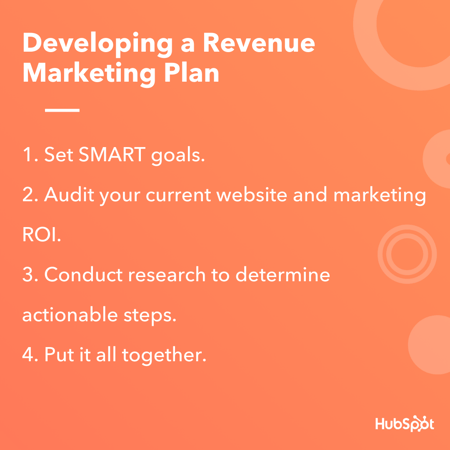
1. Set SMART revenue goals.
To reach your revenue goals, you have to make them! If you’re a little confused on how to start making them or unsure of how to set them so they’re effective for marketing campaigns, let’s talk about how you can set measurable goals.
Before you set out to conduct online marketing strategies, your goal should be clearly defined and understood by the team working on the campaign. The easiest way to do that is to make sure your goal(s) is SMART: Specific, Measurable, Attainable, Relevant, and Time-based.
For a little refresher on SMART goals and how they pertain to setting revenue goals for marketing campaigns, let’s walk through an example.
Let’s say a marketing team for a company is generating $10,000/month in revenue through online and traditional marketing efforts, but wants to generate more revenue through beefing up digital campaigns. They have decided on a goal to double their revenue.
While doubling revenue is a fantastic goal, it doesn’t have any basis for how to get there. To make this goal SMART, the team can add some terms to make their path a little more clear.
So, instead of the marketing teams’ goal being “Double revenue,” it can be restructured to, “Through an online marketing campaign, the goal is to double revenue in six months by using channels chosen based on previous ROI data.”
This goal gives a time span, is specific, relevant to the task, and measurable. While doubling revenue is a high goal, SMART goals can change; they’re merely a guide to making sure your goals are reachable.
Begin by planning out your revenue goals. If you are still shaky on SMART goal making, HubSpot offers a free template you can download to guide you while writing them.
2. Audit your current website and marketing ROI.
Marketing analytics software can be used to measure the number of visits, leads, and generated sales you earn for each of your marketing channels. For example, HubSpot’s Marketing Hub offers the tools marketers need to measure the success of their digital marketing campaigns, such as website metrics.
When you want to determine the initial ROI of online marketing efforts, using analytics tools is extremely critical. These tools have customizable settings that you can configure, so the platforms only track the metrics you care about.
If you want to use your revenue goals to inspire your internet marketing plan, the metrics that will be useful may vary based on your business goals, but here are a few that are especially helpful: SEO metrics, ROI from pay-per-click (PPC), your blog’s conversion rates, and social media engagement.
Those metrics will tell you how your marketing efforts are ranking on Google, how many people are clicking on your ads or campaign offers, how helpful your content is to readers, and how your brand is perceived by its audience.
In general, if you intend to make money from a marketing channel, it’s important you continue to measure and iterate your strategy based on that channel’s core metrics. Once you know your analytics, you can use that data, paired with monthly revenue data, to estimate the conversion rate you aim to earn with your next campaign.
3. Conduct research to determine actionable steps.
If you’re unsure of how to determine actionable steps in your plan, it’s always helpful to do some research.
I know, I know: you might not have the time to devote to copious amounts of research. However, by seeking out some information, you’ll be able to uncover actionable steps that work for similar companies’ revenue marketing efforts.
For instance, we’ve talked about how leveraging data can help build your online marketing strategy. Before you start planning, if you’re unsure of where to begin, refresh your memory of must-haves when writing a marketing plan. This post is a good place to start.
You can also look into downloading a report from a company that used revenue marketing. For instance, HubSpot offers this study, which details how revenue marketing worked for a campaign, and provides highlights of the report for those strapped for time.
Additionally, you can look at a case study to get an understanding of how a revenue marketing plan looks from a bird’s eye view. This directory of case studies is organized based on industry, company size, and company goals, so you can easily find a case study that illustrates the plan you’re considering for your own business.
Don’t forget to look into how using SEO can help make smarter marketing decisions. If you are confident in your SEO efforts, look at keyword and competitive data to figure out how much time and money you should invest in pay-per-click to hit your goals.
Finally, research can help you determine if you’re following the best practices for lead generation and tracking. You can find new ideas for converting leads into customers using online marketing channels, such as blogging and email, as nurturing tools.
To gain an understanding of how your marketing efforts help one another, and how to structure a chronological plan, a little research is necessary.
4. Put it all together.
Once you’ve got an idea of your current return, have set reasonable revenue goals, and know a bit more about the channels and methods you want to use, it’s time to put it all together.
When you’re building your internet marketing campaign, keep in mind that every step in your plan should be based on revenue goals. If you’re going to use Facebook Ads as part of your campaign, for example, it should be understood by the team why that method will help you reach your revenue goal.
Spend some time ensuring the content you want to create for the campaign will resonate with its audience, as well. Blog posts need to be valuable to readers (Keyword research helps you figure out what readers are searching for) and social media content needs to engage followers, for example.
During your internet marketing planning process, outline how you’re going to measure success. Revenue is the obvious metric to measure, but what software will you be using? How are you going to interpret the revenue you earn?
Once you’ve worked through your marketing plan, you should have all the resources in place to write a marketing report or case study from your findings on your own. Who knows — your report could even turn into a valuable content offer for your next revenue-based campaign.
Realizing Revenue Goals
Revenue marketing combines sales and marketing efforts to create campaigns that go beyond lead and demand generation to link campaigns with reliable and repeatable ROI.
Best bet? Start with a clear strategy to help identify sales opportunities, pinpoint conversion-ready leads, and create metrics that effectively align campaign efforts with revenue outcomes.
Editor’s note: This post was originally published in March 19, 2020 and has been updated for comprehensiveness.


Cross-Posting in 2022: What Is It & Why You Should Use It
Every year, a new digital platform emerges. In the last year alone, Discord, Twitter Spaces, and Twitch have all become very popular with consumers all around this world.
![→ Free Templates: How to Use YouTube for Business [Download Now]](https://no-cache.hubspot.com/cta/default/53/b33cfd44-133a-49e3-a943-086c5679d485.png)
Now, social media marketers are faced with this issue: Should you curate content for each platform and its audience or should you save some time and cross-post on multiple platforms?
In this article, we’ll discuss the do’s and dont’s of cross posting, the benefits of this strategy, and some tools to help you leverage it.
Who can get the most out of this strategy?
- Small brands with a limited marketing budget
- New brands that haven’t produced much content
- Social media marketers that want to focus on strategy instead of posting
Benefits and Drawbacks of Cross Posting
Cross posting is a time-saving measure that allows you to share your content with a wider audience without having to put in the extra effort.
The main benefit of cross-posting is that it saves you time. Instead of creating separate pieces of content for each social media platform, you can just share the same content on all of them.
This is especially helpful if you’re short on time or if you’re managing multiple social media accounts.
Another benefit of cross-posting is that it allows you to reach a wider audience. By sharing your content on multiple platforms, you’re increasing the chances that people will see it and engage with it.
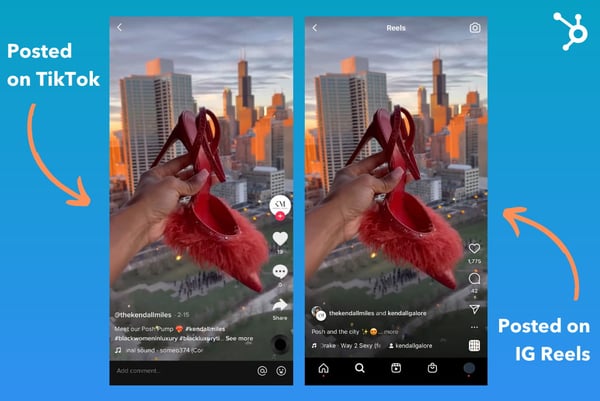
While cross posting has many benefits, there are also a few drawbacks to consider.
The first is that not all platforms are created equal. What works on one platform might not work on another.
That’s why many marketers prefer to tailor their content to each platform and its specific audience.
Another drawback of cross posting is that if some users follow you on multiple platforms and see the same content, they may get bored and stop paying attention to what you post.
As with every strategy, you have to be flexible in your approach.
Cross Posting Mistakes
Now that you know what cross posting is and how to do it, let’s take a look at some mistakes you should avoid.
One mistake to avoid is reposting the exact same content on every social media platform. Just because you can cross-post everywhere doesn’t mean you should.
Your followers on each platform are likely to be different, so it’s important to customize your content for each audience. More on that in the next section.
Another mistake I often see on social media is brands posting content featuring watermarks from other platforms.
For instance, when you upload a video to TikTok and save it, the brand’s logo will automatically appear on the video. Instagram recently announced that it would deprioritize videos with the TikTok watermark to avoid recycled content from its competitor.
This practice also compromises your video quality while signaling to audiences that you’re focusing on other social platforms.
Here’s an easy solution: Edit and prep your content on a third-party platform like Canva or iMovie then upload to the respective platform to add additional elements like filters, sounds, and captions.
That will not only keep you from getting shadowbanned but also preserve the quality of your content, as it’s only being uploaded once.
Best Cross Posting Practices
When it comes to cross posting, the most important factor is the quality of your content. This might seem obvious, but it’s important. If your content isn’t good, people won’t want to read it or share it, no matter what platform it’s on.
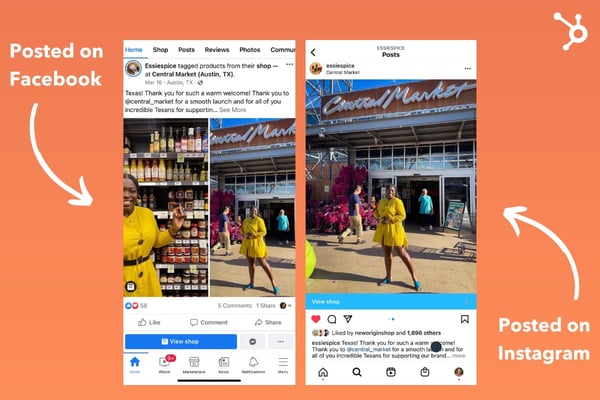
Once you have great content, the next step is to tailor it to each specific platform. Now you might be thinking, “Is the whole point of cross-posting that I don’t have to tailor content to the platform?” The truth is that while cross posting takes the bulk of the work out, you’ll still have to do some customizing.
This means seeing which platforms deserve which approach. For instance, TikTok and Instagram Reels are both short-form video platforms. This offers an easy cross-posting opportunity.
However, posting a TikTok video on Twitter may not work as well since the latter is mostly text-based. As such, maybe Twitter and Facebook could be a better match-up.
On Facebook, you might want to include a photo or video along with your update whereas you could use the copy only for Twitter.
The key is to make your content engaging and interesting based on audience behavior on each platform.
And finally, to make cross posting easy, consider using software. There are a number of options available, let’s cover that next.
Cross Posting Software
Now that we’ve discussed the benefits of cross posting, you may want to look for tools that will facilitate this process.
First, here are key features you’ll want to look out for:
- Scheduling – The best cross posting software will allow you to schedule your content in advance so you can set it and forget it.
- Customization – As we mentioned before, it’s important to tailor your content for each social media platform. The best cross posting software will allow you to do this with ease.
- Analytics – It’s also key to track the performance of your cross-posted content. You’ll need software with advanced analytics so you can see what’s working and what isn’t.
Let’s take a look at some tools that will help you do it.
Hootsuite
Hootsuite is one of the most popular social media management platforms. It allows you to schedule and publish content, track who’s talking about your brand, and measure your performance.
It also has a feature that lets you cross-post content to multiple social media accounts with just a few clicks.
Buffer
Another tool you can use is Buffer.
Like Hootsuite, Buffer lets you schedule and publish content, track your brand mentions, and measure your performance.
It also has a cross-posting feature that makes it easy to share your content.
Sprout Social
Sprout Social is a third option for those looking for a social media management platform. It has all of the features you’d expect, like the ability to schedule and publish content, track your performance, and engage with your audience.
It also has a cross-posting feature that lets you share content on multiple social media platforms.
When done correctly, cross posting can be an effective way to grow your online presence. Just make sure to avoid the mistakes we discussed and use one of the tools we mentioned to make the process easier.


🧡HubSpot’s ABM Software Target Accounts Home and Account Overview features will help you forge strong relationships.
Learn how to showcase your company’s success using compelling case studies with a free case study creation kit.