
Welcome to My Blog
Consumer Behavior Statistics You Should Know in 2022 [New Data]
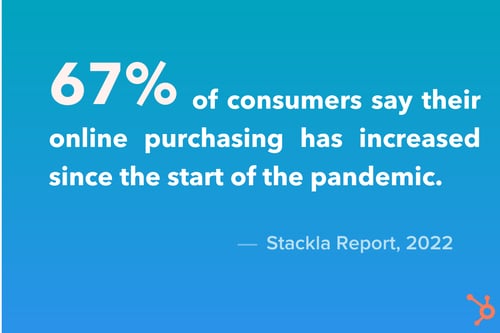
How consumers make purchasing decisions has changed greatly in just a few months. For instance, the pandemic has shifted some buyers more online.

In recent years, there has also been a push for more transparent and sustainable practices in brands. But what else is there? Well, that’s what we’re covering here.
In this article, you’ll learn some interesting statistics regarding consumer behavior that you should know in 2022 and what that means for your marketing strategy.
1. Consumers buy more online.
According to a 2022 GWI Commerce Report, there has been a 36% increase in the number of Americans doing most of their household or grocery shopping online.
During the 2021 holiday season, 46% of consumers shopped exclusively online according to a Jungle Scout report.
Why? The top reasons are lower prices, low-cost shipping, and convenience.
Back in 2020, NRF’s Winter 2020 Consumer View reported that 83% of shoppers say convenience while shopping is more important compared to five years ago. That was before the pandemic, so that percentage has likely increased.
This shift has forced some brick-and-mortar stores to consider how to implement an ecommerce strategy, whether it’s launching their own online stores or partnering with third-party platforms.
There’s also a bigger need for a robust online presence. While this was always recommended for brands, nowadays, it’s vital for their long-term growth.
2. Reviews and user-generated content are more influential than ever.
Today, it seems like everyone is talking about influencer marketing.
When we surveyed over 1,000 global marketers in 2021, 61% of B2C marketers said they planned to increase their investment in influencer marketing, compared to only 44% in UGC.
However, some studies suggest that the opposite strategy may be more effective.
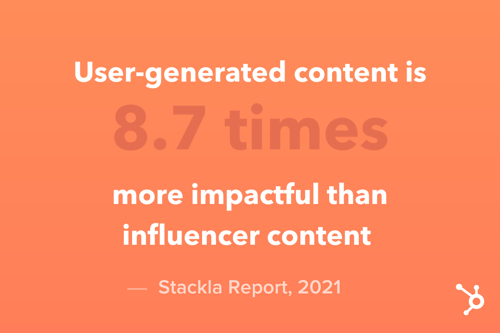
According to a 2021 Stackla report, UGC is 8.7 times more impactful than influencer content and 6.6 times more than branded content.
In fact, when it comes to sourcing gift ideas on social media, the Jungle Scout revealed that 56% of consumers are influenced by posts shared by friends and family – more than branded content and ads.
From a marketing perspective, this is a signal to brands that consumers want to hear more from other buyers. Consider implementing this into your social strategy by sharing customer reviews and promoting UGC through giveaways and other promotional tactics.
While it’s a great brand discovery tool, it also works well to reel in consumers at the consideration stage of the buyer’s journey.
3. Consumers seek personalization.
According to the Stackla report, 70 percent of consumers say it’s important for brands to offer a personalized experience – up from 67 percent in 2019.
HubSpot Blog Research from 2021 revealed that 53% of marketers leverage message personalization in their email marketing strategy. Of that percentage, 72% say it’s been one of the most effective tactics, more than subscriber segmentation, email automation, and dynamic content.
However, there are many more ways to personalize a user’s experience beyond personalization tokens – from product recommendations and usage recaps (think Spotify’s annual “UnWrapped” campaign) to smart content and 360 customer views.
With so many channels to reach audiences, marketers have a wealth of options when it comes to personalization. It’s just a matter of narrowing down the ones that offer the best ROI.
4. Gen Z leads the charge in social buying.
In May 2021, eMarketer found that Gen Zers are more likely to engage in social commerce than older generations.
Their report revealed that roughly 56% of consumers between 18 and 24 years old and 47.5% of 14- to 17-year olds have made at least one purchase on a social platform.
These figures are considerably higher than other generations, with only a third of consumers between 45 to 65 years of age making at least one purchase on social media in the year.
Which platforms is Gen Z mostly on? TikTok and Instagram.
A 2022 GWI Gen Z report found that 46% of Gen Zers use TikTok to find information about products and brands while 69% use Instagram.
This is likely because Instagram has slowly transitioned to an ecommerce platform with advanced shopping tools while TikTok has kept its focus as a short-form video platform.
So, what are Gen Z buyers looking for? On social media, the GWI report found that most are looking for content that’s:
- Lighthearted and funny
- Inspirational
- Informational and helpful
As for their purchasing journey, the number one way Gen Z discovers and researches products is through vlogs (video blogs), according to the GWI report. Once they’ve made a purchase, they become most loyal to brands that offer access to exclusive content or services.
So, if your target audience includes Gen Z, your social media presence will be more important than ever.
5. Brands can benefit from an omnichannel approach.
In a March 2020 eMarketer study of how U.S. adults preferred that brands communicate with them, email came out on top alongside TV advertising. Social media posts came in third and text messages next.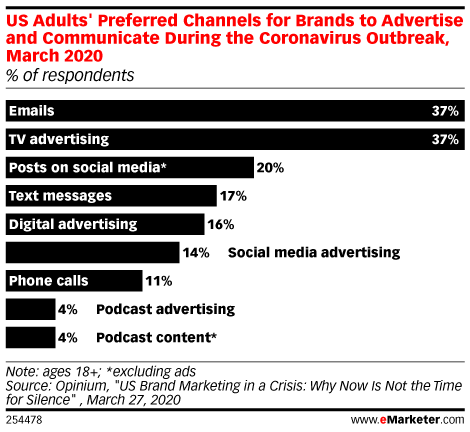
What this data suggests is that a single-channel strategy is not enough to attract and retain consumers.
Their attention is being pulled in many different directions and if your brand isn’t present, you may quickly be forgotten.
Now, this isn’t to say that every brand should be utilizing every single channel out there. Because after all, not every channel will offer a positive return on investment. What we are suggesting is consistently leveraging a mix of one to three channels while staying updated on how your audience is responding.
Some channels may work well during specific stages in the buyer’s journey and some may work only for a time. Listening to your data is the best way to know which channels are worth your time and effort.
6. Shoppers expect BNPL options.
Buy-now-pay-later is a payment service that allows customers to spread out their purchase payments into interest-free installments.
The topic started rising in popularity around mid-year in 2020 but peaked in September 2021, according to Google Trends.
In 2020, Paypal launched its own payment installment plan and during the 2021 Black Friday, they had a nearly 400% increase in BNPL transactions year-over-year.
Although one CNBC report found that only 7% of shoppers planned to use BNPL this past holiday season, experts expect that figure to double or triple in 2022.
It’s particularly popular with Gen Z – a population that is only now starting to join the workforce. The 2022 GWI report found that one in five Gen Z shoppers in the Asia-Pacific region used a BNPL service in the last month.
Payment is often not something marketers think about when advertising a brand’s products and/or services. However, this data suggests it may be helpful to highlight this as it’s becoming a stronger purchasing consideration for consumers.
7. There’s more demand for sustainable brands.
In 2019, the Harvard Business Review reported that sustainable products are five times more successful in average sales growth compared to brands that aren’t marketed as such. Today, that trend continues to grow.
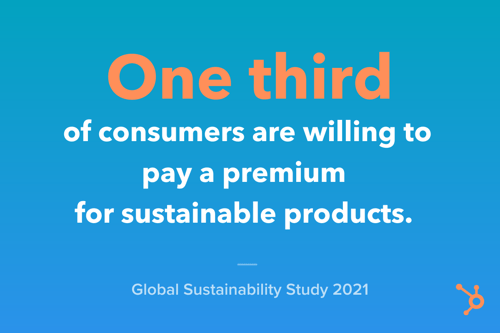
A Global Sustainability Study 2021 report found that one third of consumers are willing to pay a premium for sustainable products.
In fact, 61% of Gen Z say they pay more for eco-friendly products than those that aren’t, according to the GWI report. Specifically, online shoppers are looking for:
- The use of natural, organic materials
- Recycled or recyclable items
- Brands in which part of the proceeds go to eco-friendly causes
- No harmful chemicals
- Durability
Many brands may offer one or more of these but fail to advertise them. However, this is what can help set you apart from the competition, as sustainability becomes a growing purchasing factor for consumers.
Now that you know what’s influencing consumer behavior, you can begin to craft a marketing strategy that appeals to your audience’s most pressing needs.

10 Digital Style Guide Examples from Famous Companies such as Apple, Google & Starbucks
If you’ve ever wondered how designers at Apple defined every little element in iOS as they were building it, then you’re in the right place.
As technology is constantly evolving, web design continues to become more formalized. Web designers and developers need to create code that can translate seamlessly from PC to mobile devices, make easy to understand site navigation, and innovate other site capabilities — these are all elements that companies standardize in digital style guides.
Digital style guides have become more useful to a brand’s overall image and memorability on the web because they set the expectations and standards for company web display. They’re especially important for websites and products that need to produce top-notch user experiences.
In this post, we’ll dive into what digital style guides are in detail and show you some impressive examples from famous companies that have done them well.

This type of style guide is to be treated as a manual that sets design standards for a company’s digital presence. Its key purpose is to create a universal design style for the brand and ensure consistency across all channels and mediums, where you establish your logo, color palette, typography, imagery guidelines, and so on.
Unlike brand style guides that encapsulate a company’s logo, mission statement, buyer personas and tone of voice, web design style guides are centered on digital presentation like UX/UI.
But, as a UX designer myself, I’ve always been curious, what can you find in the digital style guides of influential companies like Apple, Google, and Starbucks?
Believe it or not, a lot of companies make this information publicly available — they just don’t make it very easy to find. So, every time that I stumble across one, I bookmark it. Here are some of the best ones that I’ve found so far.
Examples of Awesome Digital Style Guides
1. Apple iOS
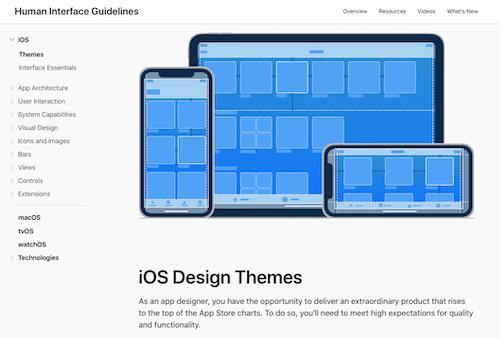
Apple’s style guide is especially interesting because it details how to design an entire operating system. Monterey, one of the latest versions of Apple’s OS X, has a more simplified user interface than its predecessor, Yosemite. Apple demonstrates this subtle-yet-palpable distinction with really nice graphical comparisons and then goes on to talk about the rationale behind every single aspect of the operating system’s design. It gives you a window into the minds of the designers.
2. Google: Material Design
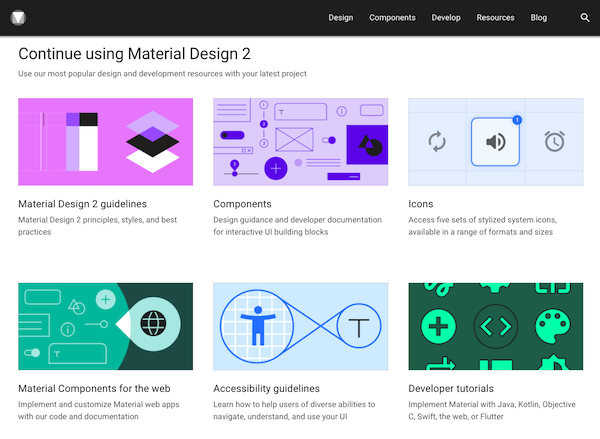
Google pioneered a design style called Material Design, which exists as a hybrid between Skeuomorphic Design (gradients, textures, light elements) and Flat Design (simple, colorful, geometrical.) In doing this, they combined the benefits associated with each design style, while avoiding the drawbacks.
Because Google has been practicing Material Design for a few years now, you’ve probably already interacted with it on a daily basis — Google Calendar app, anyone? This style guide details exactly what Material Design is and how Google uses it. And I have to say that it is, by far, one of the best style guides that I’ve ever come across.
3. Starbucks
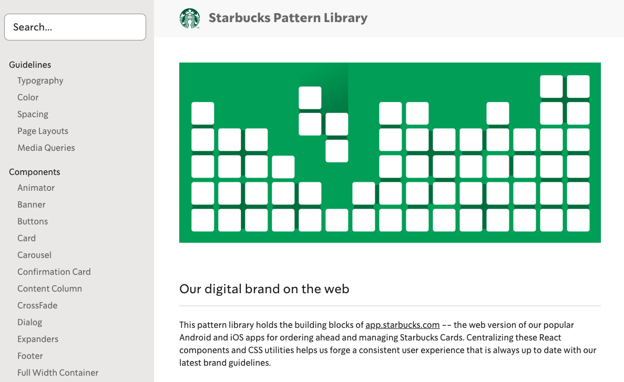
This is one of the most minimalistic style guides that I’ve seen — and yet, it houses a ton of useful information. It places a heavy emphasis on code and you can tell that it was built by developers, for developers. It lacks brand-related elements, so it walks the line between a website style guide and code library.
4. Atlassian
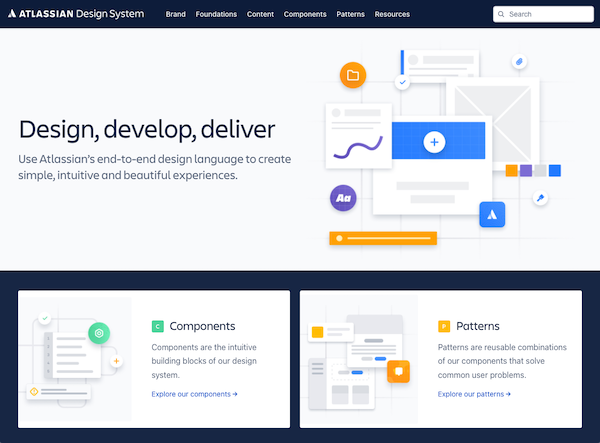
The product suite that Atlassian designs for is gigantic — so, naturally, they have a gigantic style guide. From foundational elements (like color palette and typography) to components (like tables and tooltips) to a full-blown pattern library, this guide has just about everything that you would expect from a product of this size.
Perhaps best of all, the rationale behind the entire style guide is summed up in three deceptively simple terms on the home page.
5. Mozilla
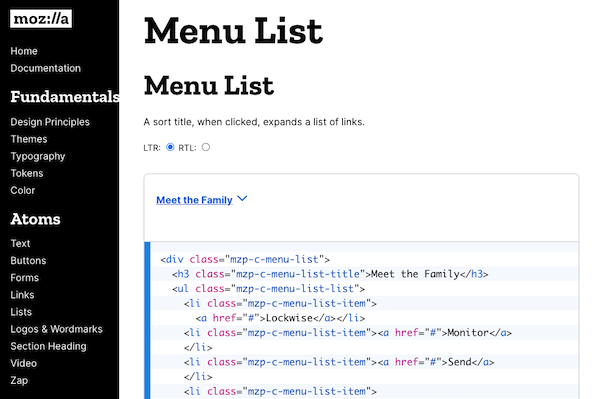
This digital style guide is primarily concerned with branding and communications. But with Mozilla taking a “privacy and open web” approach lately, it’s cool to see how they reflect this in their design.
Mozilla’s homepage also does a great job of outlining how its UX/UI is supposed to be accessible to people with visual impairments or disabilities — something inclusive and necessary as technology becomes more innovative.
6. Buffer
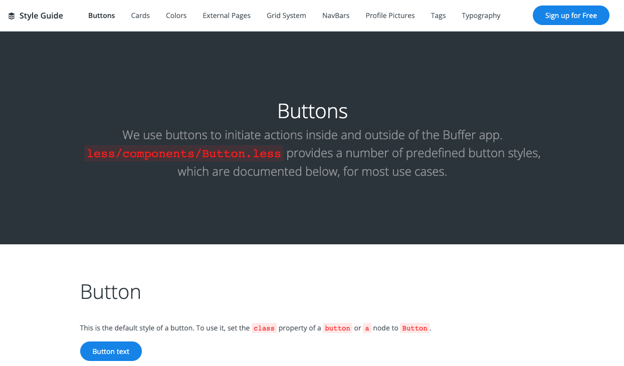
Buffer’s style guide is small and concise, going from grid through modals all in one place. It’s a friendly reminder that your digital style guide doesn’t have to be flashy if it communicates all the right points. Companies looking for somewhere to begin can take notes from Buffer’s simplistic style guide components and build their own from there.
7. Yelp
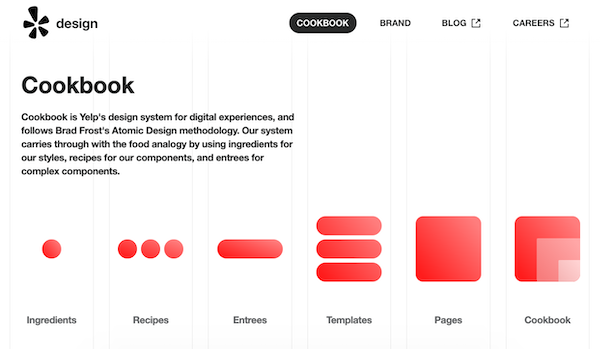
If you’re looking for a solid example of a website style guide, Yelp’s got that covered. Not only is it thorough, but it explains its Atomic Design system as a cookbook, and divides site elements as ingredients contributing to a dish.
This thing has it all: typography, layout, forms, containers, navigation, and code snippets for each piece. They do a great job of explaining what each element is, where it should be used, and how it should be implemented.
8. GOV.UK
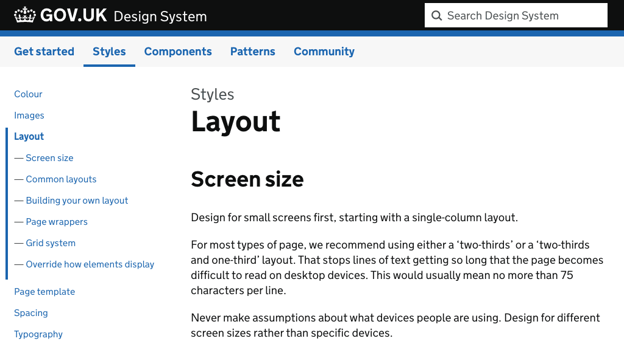
England’s government services website has been widely heralded as a prime example of high-quality UX. Why? Because it boasts a simple and easy-to-use design that accommodates excessive amounts of information.
If you’re interested in what makes up a truly clean and effective design (hint: it usually starts with strong color usage, typography, and spacing), then GOV.UK’s style guide is worth taking a close look at. Much like the site, it’s very simple but very informative.
9. DeviantArt
The new DeviantArt style guide is unique because it’s more than just a guide — it’s an experience. It tells a story and leverages bold, full-width visuals to immerse the user in the emotional experience of the DeviantArt brand. That being said, it’s strictly a branding style guide, so only items like color and typography are covered.

10. Disqus
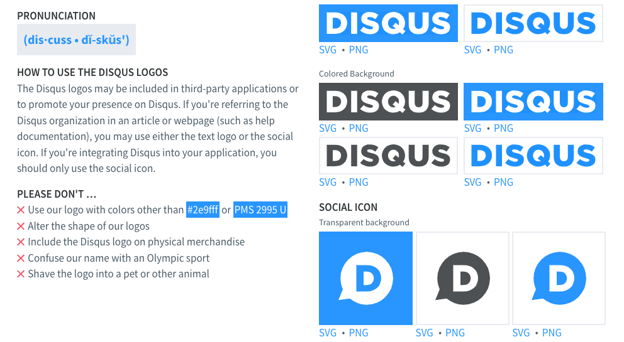
Color, icons, typography, and logo … Disqus keeps it short and sweet with this guide. But it’s all presented in a very nice, organized manner. This guide could be used as a great example for “where to start” when creating a style guide of your own, as it hits all of the fundamentals.
Feeling Inspired to Make Your Own Guide?
Now it’s your turn. By leveraging a digital style guide in your company, you can communicate your brand’s design language to internal designers, agencies, advertising partners, and even customers.
Start with the basic foundational elements (color, typography, logo, imagery), add some usage guidelines (“do and don’t”), and even incorporate some web components if you need to (modules, templates, code snippets. Use examples from other companies to learn from the best. Your team will be cranking out consistent designs in no time.


An Introductory SQL Tutorial: How to Write Simple Queries
How to Query a SQL Database:
- Make sure that you have a database management application (ex. MySQL Workbench, Sequel Pro).
- If not, download a database management application and work with your company to connect your database.
- Understand your database and its hierarhcy.
- Find out which fields are in your tables.
- Begin writing a SQL query to pull your desired data.
Ever heard of SQL? You may have heard about it in the context of data analysis, but never thought it would apply to you as a marketer. Or, you may have thought, “That’s for the advanced data users. I could never do that.”
Well, you couldn’t be more wrong! The most successful marketers are data-driven, and one of the most important parts of being data-driven is collecting data from databases quickly. SQL is the most popular tool out there for doing just that.
If your company already stores data in a database, you may need to learn SQL to access the data. But not to worry — you’re in the right place to get started. Let’s jump right in.
![Download 10 Excel Templates for Marketers [Free Kit]](https://no-cache.hubspot.com/cta/default/53/9ff7a4fe-5293-496c-acca-566bc6e73f42.png)
Why Use SQL?
SQL (often pronounced like “sequel”) stands for Structured Query Language, and it’s used when companies have a ton of data that they want to manipulate. The beauty of SQL is that anyone working at a company that stores data in a relational database can use it. (And chances are, yours does.)
For example, if you work for a software company and want to pull usage data on your customers, you can do that with SQL. If you’re helping develop a website for an ecommerce company that has data about customer purchases, you can use SQL to find out which customers are purchasing which products. Of course, these are just a few of many possible applications.
Think about it this way: Have you ever opened a very large data set in Excel, only for your computer to freeze or even shut down? SQL allows you to access only certain parts of your data at a time so you don’t have to download all the data into a CSV, manipulate it, and possibly overload Excel. In other words, SQL takes care of the data analysis that you may be used to doing in Excel.
How to Write Simple SQL Queries
Before we begin, make sure you have a database management application that will allow you to pull data from your database. Some options include MySQL or Sequel Pro.
Start by downloading one of these options, then talk to your company’s IT department about how to connect to your database. The option you choose will depend on your product’s back end, so check with your product team to make sure you select the correct one.
Understand the hierarchy of your database
Next, it’s important to become accustomed to your database and its hierarchy. If you have multiple databases of data, you’ll need to hone in on the location of the data you want to work with.
For example, let’s pretend we’re working with multiple databases about people in the United States. Enter the query “SHOW DATABASES;”. The results may show that you have a couple of databases for different locations, including one for New England.
Within your database, you’ll have different tables containing the data you want to work with. Using the same example above, let’s say we want to find out which information is contained in one of the databases. If we use the query “SHOW TABLES in NewEngland;”, we’ll find that we have tables for each state in New England: people_connecticut, people_maine, people_massachusetts, people_newhampshire, people_rhodeisland, and people_vermont.
Finally, you need to find out which fields are in the tables. Fields are the specific pieces of data that you can pull from your database. For example, if you want to pull someone’s address, the field name may not just be “address” — it may be separated into address_city, address_state, address_zip. In order to figure this out, use the query “Describe people_massachusetts;”. This provides a list of all of the data that you can pull using SQL.
Let’s do a quick review of the hierarchy using our New England example:
- Our database is: NewEngland.
- Our tables within that database are: people_connecticut, people_maine, people_massachusetts, people_newhampshire, people_rhodeisland, and people_vermont.
- Our fields within the people_massachusetts table include: address_city, address_state, address_zip, hair_color, age, first_name, and last_name.
Now, let’s write some simple SQL queries to pull data from our NewEngland database.
Basic SQL Queries
To learn how to write a SQL query, let’s use the following example:
Who are the people who have red hair in Massachusetts and were born in 2003 organized in alphabetical order?
SELECT
SELECT chooses the fields that you want displayed in your chart. This is the specific piece of information that you want to pull from your database. In the example above, we want to find the people who fit the rest of the criteria.
Here is our SQL query:
SELECT
first_name,
last_name
;
FROM
FROM pinpoints the table that you want to pull the data from. In the earlier section, we learned that there were six tables for each of the six states in New England: people_connecticut, people_maine, people_massachusetts, people_newhampshire, people_rhodeisland, and people_vermont. Because we’re looking for people in Massachusetts specifically, we’ll pull data from that specific table.
Here is our SQL query:
SELECT
first_name,
last_name
FROM
people_massachusetts
;
WHERE
WHERE allows you to filter a query to be more specific. In our example, we want to filter our query to include only people with red hair who were born in 2003. Let’s start with the red hair filter.
Here is our SQL query:
SELECT
first_name,
last_name
FROM
people_massachusetts
WHERE
hair_color = ‘red’
;
hair_color could have been part of your initial SELECT statement if you’d wanted to look at all of the people in Massachusetts along with their hair color. But if you want to filter to see only people with red hair, you can do so with a WHERE statement.
BETWEEN
Besides equals (=), BETWEEN is another operator you can use for conditional queries. A BETWEEN statement is true for values that fall between the specified minimum and maximum values.
In our case, we can use BETWEEN to pull records from a specific year, like 2003. Here’s the query:
SELECT
first_name,
last_name
FROM
people_massachusetts
WHERE
birth_date BETWEEN ‘2003-01-01’ AND ‘2003-12-31’
;
AND
AND allows you to add additional criteria to your WHERE statement. Remember, we want to filter by people who had red hair in addition to people who were born in 2003. Since our WHERE statement is taken up by the red hair criteria, how can we filter by a specific year of birth as well?
That’s where the AND statement comes in. In this case, the AND statement is a date property — but it doesn’t necessarily have to be. (Note: Check the format of your dates with your product team to make sure they are in the correct format.)
Here is our SQL query:
SELECT
first_name,
last_name
FROM
people_massachusetts
WHERE
hair_color = ‘red’
AND
birth_date BETWEEN ‘2003-01-01’ AND ‘2003-12-31’
;
OR
OR can also be used with a WHERE statement. With AND, both conditions must be true to appear in results (e.g., hair color must be red and must be born in 2003). With OR, either condition must be true to appear in results (e.g., hair color must be red or must be born in 2003).
Here’s what an OR statement looks like in action:
SELECT
first_name,
last_name
FROM
people_massachusetts
WHERE
hair_color = ‘red’
OR
birth_date BETWEEN ‘2003-01-01’ AND ‘2003-12-31’
;
NOT
NOT is used in a WHERE statement to display values in which the specified condition is untrue. If we wanted to pull up all Massachusetts residents without red hair, we can use the following query:
SELECT
first_name,
last_name
FROM
people_massachusetts
WHERE NOT
hair_color = ‘red’
;
ORDER BY
Calculations and organization also can be done within a query. That’s where the ORDER BY and GROUP BY functions come in. First, we’ll look at our SQL queries with the ORDER BY and then GROUP BY functions. Then, we’ll take a brief look at the difference between the two.
An ORDER BY clause allows you to sort by any of the fields that you have specified in the SELECT statement. In this case, let’s order by last name.
Here is our SQL query:
SELECT
first_name,
last_name
FROM
people_massachusetts
WHERE
hair_color = ‘red’
AND
birth_date BETWEEN ‘2003-01-01’ AND ‘2003-12-31’
ORDER BY
last_name
;
GROUP BY
GROUP BY is similar to ORDER BY, but aggregates data that has similarities. For example, if you have any duplicates in your data, you can use GROUP BY to count the number of duplicates in your fields.
Here is your SQL query:
SELECT
first_name,
last_name
FROM
people_massachusetts
WHERE
hair_color = ‘red’
AND
birth_date BETWEEN ‘2003-01-01’ AND ‘2003-12-31’
GROUP BY
last_name
;
ORDER BY VS. GROUP BY
To show the difference between an ORDER BY statement and a GROUP BY statement, let’s step outside our Massachusetts example briefly to look at a very simple dataset. Below is a list of four employees’ ID numbers and names.
-2.png?width=350&name=sql%20queries%20(update)-2.png)
If we were to use an ORDER BY statement on this list, the names of the employees would get sorted in alphabetical order. The result would look like this:
-1.png?width=350&name=sql%20queries%20(update)-1.png)
If we were to use a GROUP BY statement instead, the employees would be counted based on the number of times they appeared in the initial table. Note that Peter appeared twice in the initial table, so the result would look like this:
.png?width=350&name=sql%20queries%20(update).png)
With me so far? Okay, let’s return to the SQL query we’ve been creating about red-haired people in Massachusetts who were born in 2003.
LIMIT
Depending on the amount of data you have in your database, it may take a long time to run your queries. This can be frustrating, especially if you’ve made an error in your query and now need to wait before continuing. If you want to test a query, the LIMIT function lets you limit the number of results you get.
For example, if we suspect there are thousands of people who have red hair in Massachusetts, we may want to test out our query using LIMIT before we run it in full to make sure we’re getting the information we want. Let’s say, for instance, we only want to see the first 100 people in our result.
Here is our SQL query:
SELECT
first_name,
last_name
FROM
people_massachusetts
WHERE
hair_color = ‘red’
AND
birth_date BETWEEN ‘2003-01-01’ AND ‘2003-12-31’
ORDER BY
last_name
LIMIT
100
;
INSERT INTO
In addition to retrieving information from a relational database, SQL can also be used to modify the contents of a database. Of course, you’ll need permissions to make changes to your company’s data. But, in case you’re ever in charge of managing the contents of a database, we’ll share some queries you should know.
First is the INSERT INTO statement, which is for putting new values into your database. If we want to add a new person to the Massachusetts table, we can do so by first providing the name of the table we want to modify, and the fields within the table we want to add to. Next, we write VALUE with each respective value we want to add.
Here’s what that query could look like:
INSERT INTO
people_massachusetts (address_city, address_state, address_zip, hair_color, age, first_name, last_name)
VALUES
(Cambridge, Massachusetts, 02139, blonde, 32, Jane, Doe)
;
Alternatively, if you are adding a value to every field in the table, you don’t need to specify fields. The values will be added to columns in the order that they are listed in the query.
INSERT INTO
people_massachusetts
VALUES
(Cambridge, Massachusetts, 02139, blonde, 32, Jane, Doe)
;
If you only want to add values to specific fields, you must specify these fields. Say we only want to insert a record with first_name, last_name, and address_state — we can use the following query:
INSERT INTO
people_massachusetts (first_name, last_name, address_state)
VALUES
(Jane, Doe, Massachusetts)
;
UPDATE
If you want to replace existing values in your database with different values, you can use UPDATE. What if, for example, someone is recorded in the database as having red hair when they actually have brown hair? We can update this record with UPDATE and WHERE statements:
UPDATE
people_massachusetts
SET
hair_color = ‘brown’
WHERE
first_name = ‘Jane’
AND
last_name = ‘Doe’
;
Or, say there’s a problem in your table where some values for “address_state” appear as “Massachusetts” and others appear as “MA”. To change all instances of “MA” to “Massachusetts” we can use a simple query and update multiple records at once:
UPDATE
people_massachusetts
SET
address_state = ‘Massachusetts’
WHERE
address_state = MA
;
Be careful when using UPDATE. If you don’t specify which records to change with a WHERE statement, you’ll change all values in the table.
DELETE
DELETE removes records from your table. Like with UPDATE, be sure to include a WHERE statement, so you don’t accidentally delete your entire table.
Or, if we happened to find several records in our people_massachusetts table who actually lived in Maine, we can delete these entries quickly by targeting the address_state field, like so:
DELETE FROM
people_massachusetts
WHERE
address_state = ‘maine’
;
Bonus: Advanced SQL Tips
Now that you’ve learned how to create a simple SQL query, let’s discuss some other tricks that you can use to take your queries up a notch, starting with the asterisk.
* (asterisk)
When you add an asterisk character to your SQL query, it tells the query that you want to include all the columns of data in your results.
In the Massachusetts example we’ve been using, we’ve only had two column names: first_name and last_name. But let’s say we had 15 columns of data that we want to see in our results — it would be a pain to type all 15 column names in the SELECT statement. Instead, if you replace the names of those columns with an asterisk, the query will know to pull all of the columns into the results.
Here’s what the SQL query would look like:
SELECT
*
FROM
people_massachusetts
WHERE
hair_color = ‘red’
AND
birth_date BETWEEN ‘2003-01-01’ AND ‘2003-12-31’
ORDER BY
last_name
LIMIT
100
;
% (percent symbol)
The percent symbol is a wildcard character, meaning it can represent one or more characters in a database value. Wildcard characters are helpful for locating records that share common characters. They are typically used with the LIKE operator to find a pattern in the data.
For instance, if we wanted to get the names of every person in our table whose zip code begins with “02”, we can write this query:
SELECT
first_name,
last_name
WHERE
address_zip LIKE ‘02%’
;
Here, “%” stands in for any group of digits that follow “02”, so this query turns up any record with a value for address_zip that begins with “02”.
LAST 30 DAYS
Once I started using SQL regularly, I found that one of my go-to queries involved trying to find which people took an action or fulfilled a certain set of criteria within the last 30 days.
Let’s pretend today is December 1, 2021. You could create these parameters by making the birth_date span between November 1, 2021 and November 30, 2021. That SQL query would look like this:
SELECT
first_name,
last_name
FROM
people_massachusetts
WHERE
hair_color = ‘red’
AND
birth_date BETWEEN ‘2021-11-01’ AND ‘2021-11-30’
ORDER BY
last_name
LIMIT
100
;
But, that would require thinking about which dates cover the last 30 days, and you’d have to update this query constantly.
Instead, to make the dates automatically span the last 30 days no matter which day it is, you can type this under AND: birth_date >= (DATE_SUB(CURDATE(),INTERVAL 30))
(Note: You’ll want to double-check this syntax with your product team because it may differ based on the software you use to pull your SQL queries.)
Your full SQL query would therefore look like this:
SELECT
first_name,
last_name
FROM
people_massachusetts
WHERE
hair_color = ‘red’
AND
birth_date >= (DATE_SUB(CURDATE(),INTERVAL 30))
ORDER BY
last_name
LIMIT
100
;
COUNT
In some cases, you may want to count the number of times that a criterion of a field appears. For example, let’s say you want to count the number of times the different hair colors appear for the people you are tallying up from Massachusetts. In this case, COUNT will come in handy so you don’t have to manually add up the number of people who have different hair colors or export that information to Excel.
Here’s what that SQL query would look like:
SELECT
hair_color,
COUNT(hair_color)
FROM
people_massachusetts
AND
birth_date BETWEEN ‘2003-01-01’ AND ‘2003-12-31’
GROUP BY
hair_color
;
AVG
AVG calculates the average of an attribute in the results of your query, excluding NULL values (empty). In our example, we could use AVG to calculate the average age of Massachusetts residents in our query.
Here’s what our SQL query could look like:
SELECT
AVG(age)
FROM
people_massachusetts
;
SUM
SUM is another simple calculation you can do in SQL. It calculates the total value of all attributes from your query. So, if we wanted to add up all the ages of Massachusetts residents, we can use this query:
SELECT
SUM(age)
FROM
people_massachusetts
;
MIN and MAX
MIN and MAX are two SQL functions that give you the smallest and largest values of a given field. We can use it to identify the oldest and youngest members of our Massachusetts table:
This query will give us the record of the oldest:
SELECT
MIN(age)
FROM
people_massachusetts
;
And this query gives us the oldest:
SELECT
MAX(age)
FROM
people_massachusetts
;
JOIN
There may be a time when you need to access information from two different tables in one SQL query. In SQL, you can use a JOIN clause to do this.
(For those familiar with Excel formulas, this is similar to using the VLOOKUP formula when you need to combine information from two different sheets in Excel.)
Let’s say we have one table that has data of all Massachusetts residents’ user IDs and their birthdates. In addition, we have an entirely separate table containing all Massachusetts residents’ user IDs and their hair color.
If we want to figure out the hair color of Massachusetts residents born in the year 2003, we’d need to access information from both tables and combine them. This works because both tables share a matching column: user IDs.
Because we’re calling out fields from two different tables, our SELECT statement is also going to change slightly. Instead of just listing out the fields we want to include in our results, we’ll need to specify which table they’re coming from. (Note: The asterisk function may come in handy here so your query includes both tables in your results.)
To specify a field from a specific table, all we have to do is combine the name of the table with the name of the field. For example, our SELECT statement would say “table.field” — with the period separating the table name and the field name.
We’re also assuming a few things in this case:
- The Massachusetts birthdate table includes the following fields: first_name, last_name, user_id, birthdate
- The Massachusetts hair color table includes the following fields: user_id, hair_color
Your SQL query would therefore look like:
SELECT
birthdate_massachusetts.first_name,
birthdate_massachusetts.last_name
FROM
birthdate_massachusetts JOIN haircolor_massachusetts USING (user_id)
WHERE
hair_color = ‘red’
AND
birth_date BETWEEN ‘2003-01-01’ AND ‘2003-12-31’
ORDER BY
last_name
;
This query would join the two tables using the field “user_id” which appears in both the birthdate_massachusetts table and the haircolor_massachusetts table. You’re then able to see a table of people born in 2003 who have red hair.
CASE
Use a CASE statement when you want to return different results to your query based on which condition is met. Conditions are evaluated in order. Once a condition is met, the corresponding result is returned and all following conditions are skipped over.
You can include an ELSE condition at the end in case no conditions are met. Without an ELSE, the query will return NULL if no conditions are met.
Here’s an example of using CASE to return a string based on the query:
SELECT
first_name,
last_name
FROM
people_massachusetts
CASE
WHEN hair_color = ‘brown’ THEN ‘This person has brown hair.’
WHEN hair_color = ‘blonde’ THEN ‘This person has blonde hair.’
WHEN hair_color = ‘red’ THEN ‘This person has red hair.’
ELSE ‘Hair color not known.’
END
;
Basic SQL Queries Marketers Should Know
Congratulations. you’re ready to run your own SQL queries! While there’s a lot more you can do with SQL, I hope you found this overview of the basics helpful so you can get your hands dirty. With a strong foundation of the basics, you’ll be able to navigate SQL better and work toward some of the more complex examples.
Editor’s note: This post was originally published in March 25 and has been updated for comprehensiveness.


70 Fun (Not Cheesy) Ice Breaker Games & Activities Your Employees Will Enjoy in 2022
Asking “How is everyone?” at the beginning of every meeting isn’t always the best way to encourage team bonding. Sometimes, having a fun ice breaker can aid in that connection.
The best ice breakers have the power to strengthen coworker bonds, stimulate better brainstorming sessions, and create an atmosphere of inclusivity. To get the most value out of your team bonding moments, we’ve compiled a list of the best ice breaker activities and games for the workplace.
Next time you get together with your team, use one of these games instead of asking “How is everyone,” and you’re sure to hear some better, more insightful responses than “I’m good.”

Zoom Icebreakers
1. Paint a Picture, Build a Story
In this ice breaker, playoff your teammates’ artistry and create a scenario of their masterpieces. Gartic Phone gives you a short time frame to sketch photos based on other players’ prompts — and can result in some hilarious artwork.
The more nonsensical the prompt, the funnier the drawings become. You’ll also get brownie points if you save and share some of the funniest drawings and share them with the team on Slack afterward.
2. Guess That Drawing
Drawasaurus is one of my favorite online drawing games to play with colleagues. Players get to choose from three random prompts to quickly interpret and draw their vision. Other players can score more points for identifying the word the fastest and take turns going until the timer goes out.
3. Alphabet Brainstorm
Thinking off the top of your head is a lot harder said than done in Scattergories. The host of the game can choose from topics as broad as foods and countries or as weird as “Things Granny would say.”
Each round the game will highlight a random letter of the alphabet and let players come up with any noun or phrase that starts with said letter. The best part — players can dispute answers amongst each other to take the win. A perfect icebreaker for your overly competitive colleagues.
4. Show and Tell
A rather straightforward ice breaker, team members can share an object they love over Zoom. Whether it’s a prized-collectible or an item that sparks nostalgia, there’s plenty of stories waiting to be told.
5. Bucket List
Outside of the workplace, your teammates are people with aspirations and goals you wouldn’t know about from the average coffee chat. Have team members share some bucket list items they want to achieve in the future.
Not only can these be inspirational, but they also open the floor for team members to encourage one another to pursue their dreams, too. It’s a particularly uplifting team-bonding activity that will bring your team even closer together.
6. Share the Love
While dispersed teams may not have the chance to share a handshake or hug, you can still share the love amongst each other in this icebreaker. Say something lovely with another team member, and it could be anything you want as long as it’s respectful and in good judgment.
For each person that receives a kind message, they will be the next one to share a message to a member of the group who hasn’t received one — ensuring everyone gets an equal amount of praise. Shout them out for their helpfulness in a project, for the energy they bring to the team, or for their lovely smile.
7. Arts and Crafts
Making something with your team can be a great opportunity to learn something new and keep decorative mementos in your space to remind you of your team. Have everyone follow the same instructions to make a craft like simple origami, a drawing, or painting by a designated instructor in the Zoom call or YouTube tutorial.
8. What Do We Have in Common?
This icebreaker is best suited for new hires who may feel more reserved as they virtually meet the team.
Find common ground and get the conversation going with your team members. Have a manager or team leader start the conversation by sharing something they have an interest in, like popular TV, music, foods, or whatever they love to get everyone thinking. Popcorn it over to the most enthusiastic team member with that same interest and have them share a new one.
Typical icebreaker questions can get people to say a sentence or two about the subject, but if you’re passionate about it, you’ll see more personality come out from the most unexpected colleagues in the call.
9. Name That Tune
Music brings people together, and you’d be surprised to learn how many of your coworkers are raving about the top trending song on TikTok or Spotify.
Take turns whistling, tapping, or even playing an instrument (if you gave one) to the tune of a popular song and have your teammates guess the name. Figure out who’s a fan of the classics by clapping and stomping to the tune of “We Will Rock You” by Queen, or do whatever it takes to help your colleagues recognize your favorite tunes.
10. Themed Meetings
Hosting themed meetings is the best icebreaker for the holiday season. Share a laugh and snap photos of you and your colleagues dressed up as elves with Zoom backgrounds at the North Pole, or in your spookiest costumes for Halloween.
Make sure your theme is chosen in good judgment as some holidays have cultural ties, keep this icebreaker for more commercial holidays.
12. Guess the Childhood Photo
In need of a wholesome icebreaker? In your next Zoom meeting, tell everyone to send the leader a cute (or hilarious) photo from their childhood and randomly throw them all into one slideshow.
When it’s complete, the leader will then share their screen and have the group guess which team member is in each photo. Try not to blush too hard when they get to yours.
13. Zoom Photo Ops
In this icebreaker, you’ll first want to ask everyone involved if they’re comfortable having their photos taken before the meeting begins (I know I’d like a heads up in case I was wearing an old band shirt instead of my usual business casual outfits.)
You can try to get everyone to make silly or scary faces, or even try to mimic the Brady Bunch title sequence. There are plenty of poses or facial expressions to capture, especially if you’ve got a kooky team to work with.
14. Hobby Webinar
During weekly video chats, you can designate one coworker to teach the team how to engage in a hobby they’re good at — something you don’t need to be in-person to do.
This could range from showing how to do quick origami, do a magic trick, or even giving a pointer or two on couponing from your coworker who always keeps an eye out for the latest deals.
Ice Breakers for Meetings
15. One Word
The One Word ice breaker allows you to provide initial context into a meeting’s topic, and get everyone in the right mindset for discussion.
To play, you’ll want to divide meeting participants into smaller groups. Then, tell them to think for a minute or two, and then share with their group one word that describes X.
For instance, let’s say you’re leading a meeting on culture. Tell the groups to describe work culture, or your office culture in particular, in one word. Once they’ve shared with their groups, you can invite them to share their word with the entire room.
This game encourages everyone to think about a certain topic in smaller groups ahead of time, which could increase participation during the meeting.
16. Pop Quiz
To successfully loosen everyone up and get them in the right mindset for a meeting, you might consider putting a short Pop Quiz on the board.
If your goal is simply to encourage team bonding, your quiz can be more fun — like, “Match the lyrics with this 80’s song.” However, you might also use the Pop Quiz as an opportunity to introduce participants to the meeting’s theme.
If you’re discussing company changes, for instance, maybe you’ll start by quizzing team members on company history facts (e.g. “What year was this company founded?”).
17. Birth Map
Place a map and a set of pins at the front of a large conference room before a big meeting. As people walk in, ask them to place a pin where they were born or raised.
As the map fills up with pins, people will learn about how diverse their teammates might be. Allow some time at the end of the meeting for your colleagues to walk up and look more closely at the map.
18. Movie Pitch
Perfect for larger groups and movie fanatics, this icebreaker is as crazy as you make it. Divide players into quads and give them 10 minutes to devise the plot of the next award-winning film. You can give them constraints by designating genres like horror, action, comedy, thriller, and more.
If your organization is meeting to brainstorm ideas for specific projects, go ahead and incorporate the topic into their movie pitch prompts to get the creative juices flowing.
19. Stretch Break
Maybe the week has been busy for you and your team, or it’s going on your fourth meeting of the day. If this is the case, have everyone take a breather and stretch before the next big meeting begins.
Someone can either lead by example showcasing some arm and back stretches, or just let everyone freestyle. You’d be surprised how a little movement can wake up and help people get work done.
20. Rose, Thorn, Bud
In meetings, it can be hard to communicate or understand everyone’s perspective on a project unless everyone has the floor to say what’s on their mind. With the Rose, Thorn, Bud icebreaker, team members can quickly convey what’s on their mind by sharing three bits of information:
- Rose: A recent positive happening like a personal highlight or win
- Thorn: A challenge or roadblock they need support on
- Bud: An idea for the future they’d like to share, or excitement for events in motion
21. Frivolous Debate
There’s nothing like some lighthearted banter to get everyone warmed up before a meeting.
For this icebreaker, everyone will debate a silly topic and have chime in with an equally silly answer and reasoning. Make a statement like, “Cats better than dogs,” and, “Summer is better than winter,” or let chaos ensue by declaring that pineapple belongs on pizza (because it does.)
Quick Ice Breakers
22. Would You Rather
A classic game played at summer camps everywhere, “Would You Rather” is an excellent, quick ice breaker for the workplace. Next time you’re settling into a meeting or team bonding outing, take turns going around the table and asking each person a “Would You Rather” question.
Here are a few “Would You Rather” questions to get you started:
- Would you rather only have summer or winter for the rest of your life?
- Would you rather go on a hike or see a movie?
- Would you rather never use social media sites and apps again or never watch another movie or TV show?
- Would you rather have a horrible short-term memory or a horrible long-term memory?
23. 18 & Under
18 & Under is an engaging and unique way to encourage team members to share fun or interesting stories with one another. Before a meeting, simply go around the room, and ask each person to share one accomplishment they had before they turned 18.
Undoubtedly you’ll get some of lesser importance, like “I bought a skateboard,” but you never know what hidden skills you might discover in your colleagues.
24. Two Truths and a Lie
One of the more classic ice breakers in the list, Two Truths and a Lie can be used anywhere from family parties to company events. To play, you simply ask each person to brainstorm three “facts” about themselves — two of the facts will be true, and one will be a lie.
For instance, I might say, “I once auditioned for the TV show Zoom. I have three brothers. I ziplined in Switzerland once.” Coworkers can take turns guessing which is the lie. (FYI, I have two brothers, not three, so that’s the lie. Unfortunately, I auditioned for Zoom.)
Two Truths and a Lie is a fun and engaging game, and more importantly, it can help your team learn facts about one another, so they can begin forming deeper bonds.
25. The Handshake
One of the first ways you get to greet somebody in the workplace is with a handshake.
This ice breaker lets individuals ease up and have a little fun without a hassle. It’s simple — divide the group into pairs of two and have them make the most creative handshake they can in a couple of minutes.
If you have more time on your hands, have the pairs split up after showing off their super cool shake and make even more creative ones with new partners. It’s hard to play these games without sharing a laugh, something we all could use in the workday.
26. Bad Joke Contest
This icebreaker won’t take your team time at all to complete if you give them a heads up to prepare. In the Bad Joke Contest, you’ll have everyone recite the corniest joke they can muster and have everyone vote on who was the most cringeworthy.
Beware, some coworkers have impressively bad dad jokes saved up for these moments, so the competition will be fierce.
Fun Ice Breaker Games
27. Tall Tales
This icebreaker game will have everyone thinking on their feet. In Tall Tales, each player will make up three sentences to add to a running story. The third sentence has to have a plot twist starting with, “Suddenly…” before rotating to the next.
Every player will have a chance to put their own spin on the budding story, and can even try to throw the next participant for a loop with a crazy situation.
28. Say Your Name Backwards
This game is pretty straightforward, or straight backward.
Every player will write their name on a slip of paper backward, fold it, and place it into a bowl. Once all the slips are collected, someone will draw one out of the bowl and read to the rest of the players what’s on the slip. Whoever can guess their coworker’s name correctly gains a point, and whoever has the most points at the end wins.
29. Jenga
Jenga is considered a classic game for a reason, and because it’s easy to play and put away. Have your team take turns pulling woodblocks out of your Jenga tower and share a laugh when it all comes toppling down.
30. Frown King or Queen
Make it a competition to see which of your team members has the gnarliest frown, and bestow upon them the title of Frown King or Queen. Bonus points if you actually go out of your way to make a paper crown.
You’d be surprised how hard it is to maintain a frown when surrounded by your favorite colleagues, not to mention how funny they’ll look during the game.
31. The Envelope Please!
In this icebreaker game, have everyone write 10 facts about themselves on paper and place them each into their own envelopes. The envelopes are to be shuffled and chosen once at a time by the leader to read aloud to the rest of the group.
The rest of the players will then guess the identity of the envelope in hand — but they must be confident in their answer as each player only has one chance to guess per envelope.
32. Random Talent Show
A talent show is one thing, but a random talent show is another. Have your coworkers take turns showing their cool party (or office) tricks. And let’s face it, you’ve been trying to find the right opportunity to show someone you could lick your elbow for a while now.
33. Celebrity Impressions
For this icebreaker game, the leader will tape a label to each player’s back with a celebrity or household name. Once that’s complete, every player will then ask each other yes or no questions about the traits, recent news, or talents of their celebrity label.
If a player can identify their own celebrity correctly, they can remove the label from their backs and continue mingling if they wish.
34. Quick Portrait Gallery
You don’t have to be Picasso to have take part in this icebreaker. The instructions are simple, every group member will be randomly assigned a different person to draw in a couple minutes. It’s a fun way to bond and share a giggle here and there over everyone’s work of art.
35. Sound Ball
Sound Ball is an imaginative icebreaker that gives everyone a chance to get moving and energized.
In this icebreaker, the leader holds an imaginary ball in their hand and “throws” it to other players, making whatever sound they think it would with that gesture. Whoever “catches” the ball next must repeat the sound made, then throw the ball to another person making their own unique sound. It sounds crazy, but it’s easy to get into the flow of it.
36. Beatboxing
This is probably one of the silliest icebreakers in this list, but it’s definitely worth trying for the fun of it all. Have one team member start making a noise you’d hear in a song like percussion and have others gradually add to the beat.
Who knows, if the beat sounds good enough you all could consider making an acapella group.
Large Team Ice Breakers
37. Charades
Charades is a game fit for large teams, both in-person and remote.
In this icebreaker, players need to communicate with team members to identify a noun of a certain category. Have everyone divide into two teams, and have one player at a time pantomime (act out) the subject for their own respective teammates. Whichever team gets the most points, wins.
38. Red Light, Green Light
I bet anyone who watched Squid Games in 2021 is familiar with this game, and if you haven’t, the rules are simple (and the stakes are much, much lower.)
The players in this icebreaker game will line up on one side of a room and a designated leader will be instructed to say either, “Red Light,” or, “Green Light”. Players in line are to try and walk to the other side of the room when the leader says, “Green Light”, but once the leader says, “Red Light”, everyone must freeze or be kicked out of the game.
39. Guess Who
Similar to Charades, Guess Who is a great icebreaker where you can mimic famous people — or even your coworkers.
Have someone write down well-known names on sheets of paper and then hand them off one at a time to a team member. They’ll have to act out the behaviors, facial expressions, or even the iconic “I’m flying” scene from Titanic.
40. Icebreaker Bingo
Icebreaker Bingo is a great way to bond with large teams because it can include as many people as you want.
You can use a free icebreaker bingo generator and personalize each of the squares on a subject you’re all discussing for the day, or for anything everyone can feel included.
41. Hot Take
For this icebreaker, everyone can take turns in sharing their hot takes and either bond with their coworkers who agree or debate their naysayers.
Of course, you want the topics to be fun and lighthearted, so keep them to topics that aren’t controversial and opt for statements like, “Cheese isn’t all that great.” if you’re a madman.
42. “Most Likely To ___”
Remember those high school superlatives? This is like that but a little less embarrassing. Have coworkers read through a list of “Most likely To” titles and assign them to one another. During the game, everyone can chime in or give reasons as to why someone deserves the title, and the group consensus will be the final decision.
It’s important to note that no two people will have more than one tile to ensure everyone is included.
43. Whisper Down the Lane
Whisper Down the Lane is an icebreaker game where team members form a larger circle and share a random message whispered into the ear of someone to their left. This game can get funny pretty quickly, as a whisper down the lane can get misinterpreted over and over again.
44. Simon Says
Simon Says is a game as old as time, but it never stops being fun. The leader of the group will instruct players to do an action beginning with the words, “Simon says…” like, “Simon says touch your knees,” or, “Simon says grab your elbow.” Whoever doesn’t do the actions proclaimed will be booted out of the game.
The real trick is for the leader to confuse players by giving fast Simon Says commands, then giving them a command without saying the keywords. This could work like, “Simon says touch your hips, Simon says hop on one foot, Simon says touch your nose — touch your ears!” Whoever does the action (like touching your ears) will be booted out of the game because it wasn’t a Simon says action.
45. Things in Common
This simple icebreaker is fit for groups of people meeting each other for the first time. All that has to be done is mingle with one another to find some things you have in common, and try to form groups based on those attributes. Bonus points if you can learn the names of those who you relate to, and brownie points if you can relay all their names when asked.
46. Team Jigsaw Puzzle Competition
For this game, you’ll need to prepare by purchasing two identical jigsaw puzzles. Divide your large group into teams of two and set a timer to see which group can work together to make the most progress on their respective puzzles.
47. Clump
Have team members walk around and mingle amongst themselves in a large, open space. The leader of the icebreaker will then yell out a random number under 10. Every person mingling will then have to quickly form a group in the size of the number called.
Gradually people will be made to exit the mingling space or find a seat until the last person standing wins.
Ice Breaker Games for Small Groups
48. Fun Questions
Asking fun questions is an easy and effective ice breaker game. To play, simply go around the room and have each person provide an answer to a fun question. The questions are up to you, but if you’re stuck, here are a few ideas:
- If you’re stranded on a desert island and have the option of bringing three items with you, what three items would they be?
- If you could be any animal, what would you be and why?
- What was the first concert you ever went to?
- If you could have any celebrity over for dinner, who would it be and why?
These questions serve two purposes — first, they allow your coworkers to get into a sillier, more creative mindset. Second, they encourage conversation on topics typically reserved for outside the office, which enables members of your team to get to know one another on a deeper level.
Meg Prater, Sr. Marketing Manager of the HubSpot blog, says “When I first started including ice-breaker questions in our weekly team stand-up meetings, the experience was … cringeworthy. It felt like exactly what it was: organized fun. But we kept at it. I listened to feedback and tried to incorporate it into better ice breakers.”
She continued, “For example, some folks on our team don’t watch a lot of T.V. and felt a little excluded when we’d fall down a rabbit hole of shows we were binging. Keeping the ice breakers inclusive keeps everyone engaged. Now, our ice-breakers can take 15+ minutes to get through and yield some of our biggest laughs and revelations of the week.”
49. Personality Quiz
This ice breaker can promote team bonding, and it’s one of the easier options on the list. Simply choose a brief personality quiz on your phone or computer (if you’re stuck, here’s a list), and pull it up on a projector or send the link to everyone.
Once everyone has completed the personality assessment, have each colleague mention one thing they agree or disagree with from their results. This game allows your team members to gain a new perspective on their peers, and it’s also a fun and easy way to get an interesting conversation started.
50. Who is it?
Have everyone write a unique, strange, or unexpected fact about them on a piece of paper. Then, put the pieces of paper into a hat and mix them around. Pull from the hat and read each fact.
Allow the team to try and guess who wrote it. After they guess, ask the employee who wrote the fact to identify themselves and give any further context if necessary. This could be a great way to get to know surprising new things about your teammates.
51. Marshmallow Challenge
Tom Wujec, a business visualization expert, initially presented his Marshmallow Challenge at TED. To play, you simply divide your team into groups of four and give each group 20 sticks of spaghetti, one yard of tape, one yard of string, and a marshmallow. Whichever team can build the tallest structure, wins — the trick is, the marshmallow must be on top.
There are a few reasons this game works as both a great ice breaker and a team-building exercise. First, the most successful teams are the groups of people who don’t spend time competing for power.
The game forces your colleagues to work collaboratively when brainstorming potential solutions. Second, the Marshmallow Challenge encourages people to think quickly and offer alternative solutions when their initial idea fails.
With the Marshmallow Challenge, you can strengthen your team’s brainstorming and problem-solving skills, and your team can also have some fun. A win, win.
52. Scavenger Hunt
At HubSpot, we conduct a scavenger hunt for new hires on the first day of their training. It’s fun and encourages collaboration, but additionally, it can help employees learn their way around the office.
Fortunately, you can conduct a scavenger hunt for your team even if they’ve worked at your office for years.
Simply split up your team into groups, and give each group a shortlist of items to find — if you work in a smaller space, maybe you can hide some funny items around the office ahead of time. You might even provide an incentive for the winning team, like a $50 Amazon gift card.
A scavenger hunt is also an exceptional opportunity for cross-department interaction. Consider reaching out to managers from other departments and creating groups of employees who don’t often get to work together.
53. No Smiling
This game is simple and meant to energize your team. Get your colleagues in a circle and ask one volunteer to sit or stand in the middle. Tell the volunteer that they can not laugh or smile, regardless of what happens. Then have each other colleagues take turns telling the volunteer a work-appropriate joke.
The goal of the volunteer is to hear a joke from every colleague around the circle, while the goal of the other team members is to make the volunteer laugh.
This icebreaker can be helpful in new-employee or management training to lighten the pressure of starting a new job. It can also be helpful as a way of lightening the mood on teams that regularly deal with stressful projects or situations.
54. This is Better Than That
Aside from being a fun team activity, this might be a great energizer for sales employees or others that regularly pitch, market, and sell products.
Ask your team to find four to seven items around the office and bring them to one room. These items could be something they use daily, like a pen or a chair. However, you should encourage them to find items that are more odd or unique. This will make the game more challenging.
Line the items up and split the group into sub-teams. Task each team with picking an item they would use to survive if stranded on a desert island.
Tell team members that they cannot pick more than one and must assume it is the only item they will have on that island. Allow the teams time to deliberate and then ask them to present the item they chose and why.
Virtual Icebreakers for Dispersed Teams
55. Choose Your Favorite
For this icebreaker, all you have to do is answer the question about your favorite things. You’ll ask your team to choose their favorite movie, song, T.V. show, etc. The question can change every week.
This icebreaker helps your team get to know each other even when they work remotely and can spark conversation on what everyone likes or dislikes.
56. Trivia Game
If you’re looking for a remote icebreaker that’s more of a game, and less discussion-based, you can host a trivia game.
Kahoot is a trivia platform you can use for free (hosts up to 10 people). To get started, all you’ll need to do is sign up for a free Kahoot account.
Then, you can choose a featured trivia game to play. To run this remotely, you’ll want to share your screen with your team. Everyone will need to have a separate device to use so they can enter the game and submit their answers.
57. Share an Embarrassing Photo
This is one of my favorite icebreakers because it’s a fun way to get to know your team. For this game, have everyone bring in an embarrassing photo and tell the story behind it.
Have your team members share their screen or send a file to the team leader to share with everyone.
To make this more interesting, you can have people guess whose photo it is before your team member shares their story. Doing this icebreaker is a great way to build connections remotely.
58. One Word Pulse Check
For this icebreaker, have everyone on your team go around and share a word or phrase that represents how they feel that day.
Sr. Manager, Christina Perricone, says this is her favorite icebreaker.
“The person sharing gets to decide whether or not to elaborate, and everyone listens without response. The purpose of the exercise is to give people a chance to release and/or reveal emotional setbacks, obstacles, wins, highlights, or anything else that might be impacting how they show up to work that day. It provides a space for participants to bring their entire self to work and it gives the team context for how to support that team member that day,” Perricone adds.
59. Meet my Pet
Nothing fills a meeting with smiles like photos of colleagues’ furry friends. Take turns showing off the cutest pictures and videos of your pet.
For those who don’t have any, they can either make a joke pet (the infamous pet rock) or share a dream pet they would have.
60. Let’s Make a Mixtape
This icebreaker works by asking your coworkers to choose one of their favorite songs from a certain genre. Once everyone has their song in mind, have someone compile either a Youtube or Spotify playlist of everyone’s choices, and share the link with everyone in the group afterward.
Not only is it fun at the moment, but then everyone has the chance to discover new artists and tunes they haven’t heard of before.
61. Emoji Mood Guesser
With this icebreaker, you’d ask everyone in your team to drop the most accurate emojis of their current mood or state of mind in a chat box (assuming they’re using Zoom, Microsoft Teams, etc.) Everyone can guess what adjective someone is trying to convey, and can even share why if they want to.
Would You Rather Ice Breakers
62. Food Would You Rather Questions
You’d be surprised how passionate some of your coworkers can get over food. When asking “Would You Rather” questions, ask about various savory or sweet food staples and which they would prefer to eat forever.
Example: “Would you rather eat only cake forever or eat pasta forever?”
63. Travel Would You Rather Questions
There’s plenty of destinations on your coworkers’ radar, get to know them a little better by getting to know where they want to go and why.
Example: “Would you rather travel to only island destinations or mountainous destinations?”
64. Talent Would You Rather Questions
Explore more uncommon talents and see which your coworkers would like to have in this type of questionnaire.
Example: “Would you rather your special talent be opera singing or in playing the banjo?”
65. Super Hero Would You Rather Questions
There are hundreds of superheroes from Marvel and DC, and chances are your coworkers are familiar with them, too. Ask which hero they would like to be and why based on their stories or abilities.
Example: “Would you rather be Ironman or Captain America?”
66. Super Power Would You Rather Questions
On a similar note to heroes, find out what powers your coworkers would rather have and why. Bonus points if you ask them whether they’d label themselves as a hero or villain.
Example: “Would you rather have super speed or super strength?”
67. Sport Would You Rather Questions
Your coworkers may be involved in sports outside of work, and maybe they’re fans of different leagues and teams. Ask which sports they’d rather play and see which they’d prefer and why.
Example: “Would you rather play basketball for the rest of your life or football?”
68. Fashion Would You Rather Questions
Even if your coworkers aren’t tuned into NYFW, they’re sure to recognize some of the most popular clothing brands. Ask them which they’d prefer to dress in and why.
Example: “Would you rather wear only Louis Vuitton or Gucci?”
69. TV Would You Rather Questions
With tons of streaming services to choose from, your coworkers are bound to have some favorite TV shows. Ask questions like which shows they’d rather watch, or be a part of.
Example: “Would you rather be a cast member in Euphoria or Ozark?”
70. Movie Would You Rather Questions
Movie fanatics across any team or department will enjoy questions about them. Ask coworkers which genres they’d rather watch, or which they’d want to be in.
Example: “Would you rather be cast in a comedy movie or action movie?”
Break the Ice and Get to Business
Icebreaker activities can seem cringeworthy but are actually a great way to build trust within your team. We hope you found some good ice breakers to incorporate in your future meetings with our list of favorites. And even if you work remotely, team bonding is an important part of running a productive, effective team.
Editor’s note: This post was originally published in September 2018 and has been updated for comprehensiveness.


28 Best Email Newsletter Templates and Resources to Download Right Now
If you had to guess, how many email newsletters do you think you’re subscribed to? Ten? Twenty? Fifty?
To be honest, I’ve lost count — and I know I’m not alone. Email marketers have a lot to compete within their subscribers’ inboxes. That’s why a solid newsletter template is crucial to designing an email that people are encouraged to click through.

If done well, email newsletters can do wonders to help you build an engaged subscriber base, keep your business top-of-mind, and nurture leads that are already making their way down the funnel.
However, “done well” means more than just serving up great content. In fact, an often overlooked component of the newsletter creation process is the design.
Don’t have time to build out a custom template from scratch? We’ve scoured the internet for the best resources for email newsletter templates and compiled them below. Many of the templates have also been pre-tested for compatibility with major email service providers (ESPs) via Litmus — a web service that allows you to preview the way your email will look on different email clients and devices.
Once you find one you like, download the template and customize it to fit your needs.
1. HubSpot
Price: Free & paid options available
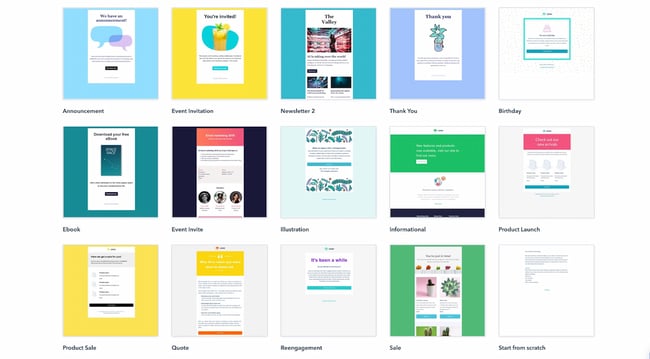
If you’re a Marketing Hub user, HubSpot offers a great collection of email templates you can use on your next marketing email. No need to log out and search for a template in another marketplace; these templates are available to you right within the tool.
Once you choose a template, you can start using it immediately right in HubSpot — no HTML or CSS required.
2. Announcement by Litmus
Price: Free
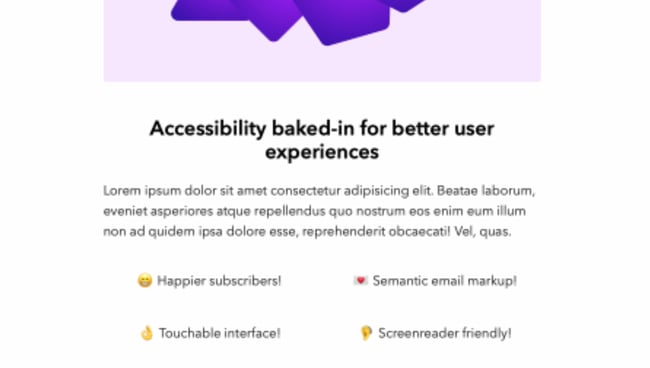
Litmus offers a free email template collection — from newsletter templates to account management templates. This marketing-specific theme — simply referred to as “Announcement” — is modern and sleek, while still being kind of fun. All of the templates have been tested with Litmus.
While you are required to create a Litmus account with your email address to access the templates, the templates themselves are free of charge.
3. ConvertKit
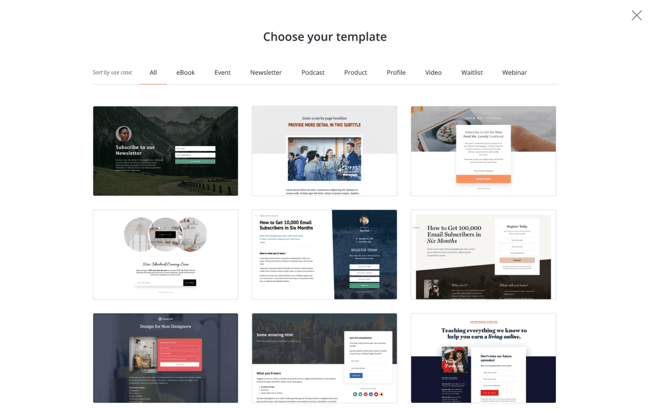 Price: Free
ConvertKit is a creative email template platform that’s a great option for bloggers, course creators, and more. ConvertKit comes with email automation tools, signup forms, and many more integrations.
To use ConvertKit’s email newsletter templates, you’ll need to sign up for a plan, but the good news is that they offer both free and pro subscriptions. While this platform is more on the creative side, their vast array of templates and tool integrations will help businesses in any industry upgrade their email newsletter.
4. ZURB Ink
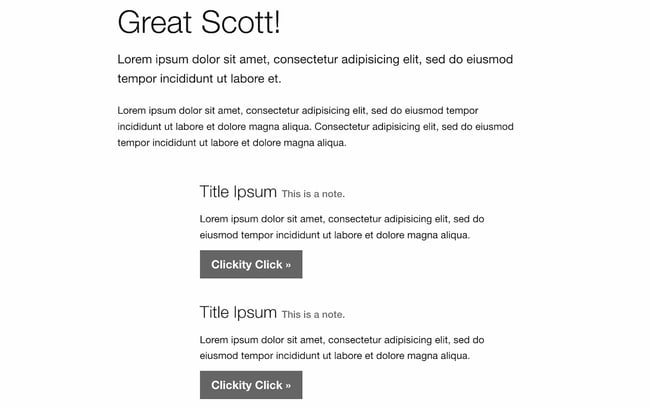 Price: Free
ZURB Studios has five responsive email templates available for free, including the newsletter one below. It has a great, fluid layout you can customize with your own colors, images, and wording.
If you want to see how each template looks on different email clients, you can check out screenshots from each template’s email client tests, which are available on the site. These layouts are optimized for most email clients — except for outdated versions of Outlook.
The template kit comes with a separate CSS stylesheet and HTML file to ease the editing process. Most email code editors will place the CSS inline with the HTML itself after both are uploaded separately. If you’re going to add images to your newsletter, keep in mind that you’ll have to create a separate folder and compress it with the CSS stylesheet before uploading.
Pro tip: Once you’ve selected a template, use HubSpot’s free email marketing software to craft your message and send a newsletter out to the world!
5. Flodesk
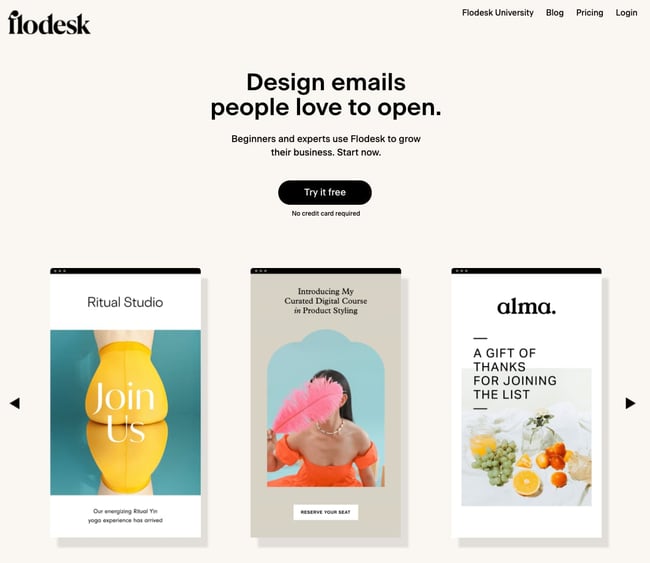
Price: Free for 30 days
Flodesk is an upcoming email newsletter design platform with over 3,000 email templates and designs to enhance your email marketing. Aside from giving you access to a vast array of templates, Flodesk lets you connect your ecommerce site to help with automation and analytics.
Another benefit of Flodesk is that its subscription price ($38/month) is a flat fee. So, whether you’re sending 200 or 2,000 emails, you’ll pay the same price, and you’ll never have to upgrade your subscription to get all of the perks.
6. 99designs
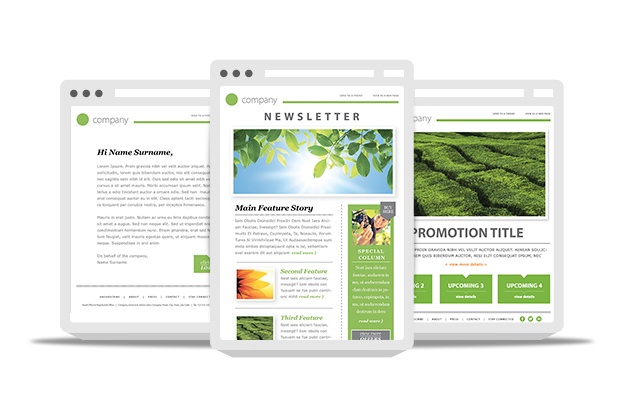
Price: Free
99designs is a growing online community and collaboration platform for designers and small businesses, and they have a great designer blog and business blog. As a free offering to their blog readers, they released a set of 45 free email templates — perfect for newsletters, promotional messages, and personalized responses. All of the templates are fully responsive and compatible with all major email clients.
7. Moosend
Price: Free for 30 days
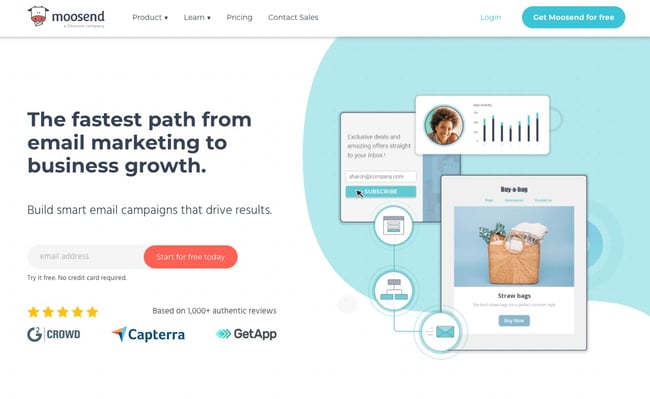
Moosend is an email marketing platform that makes it easy to design custom emails with a drag-and-drop editor and over 70 premade templates. Moosend also tracks analytics and sends personalized automated emails to subscribers based on their interest and behavior. If you’re interested in landing pages and subscription templates, it includes those as well.
Moosend analyzes your subscriber base to help with the success of your business. Just like Flodesk, Moosend lets you connect your ecommerce site to attract more subscribers and store all information in one place. Moosend is free for the first 30 days, and then you would have to upgrade to pro status for $9/month.
8. Campaign Monitor
Price: Free
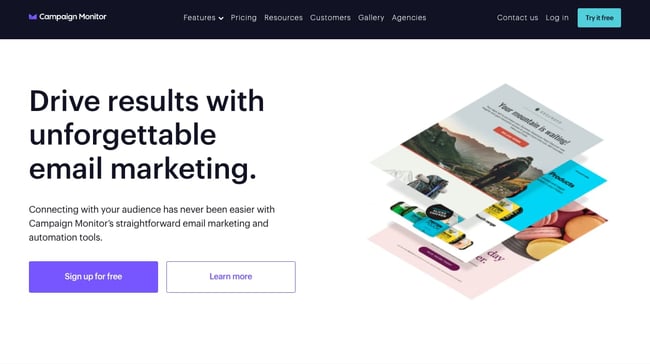
Campaign Monitor is another free email newsletter template and marketing platform. With a variety of email templates for newsletters, welcome emails, and promotional campaigns, Campaign Monitor makes designing emails easy. Campaign Monitor also compiles your analytics and tracks when emails are sent, delivered, and opened.
For many businesses, email marketing needs to connect to their website or ecommerce site, and Campaign Monitor does just that. Campaign Monitor has it all when it comes to templates and helps you maximize your sales by staying on-brand and creating a seamless customer experience. Campaign Monitor is only free for 30 days, but plans start as low as $9/month.
9. MailerLite
Price: Free
MailerLite offers various newsletter templates for promotions, announcements, and more. With its trendy newsletter designs, MailerLite makes sure its customers stay up to date while sending newsletters. You can customize the templates using either an HTML editor or drag-and-drop editor, and connect your MailerLite account to your website. MailerLite also has features where you can grow your audience with landing pages, subscription forms, and pop-ups.
MailerLite provides data insights as well. The advantage of MailerLite is that they will send your emails based on your customers’ time zones, allowing you to send emails that can get the most opens. MailerLite also provides A/B split testing tools so you can identify the best version of every email you send.
10. Constant Contact
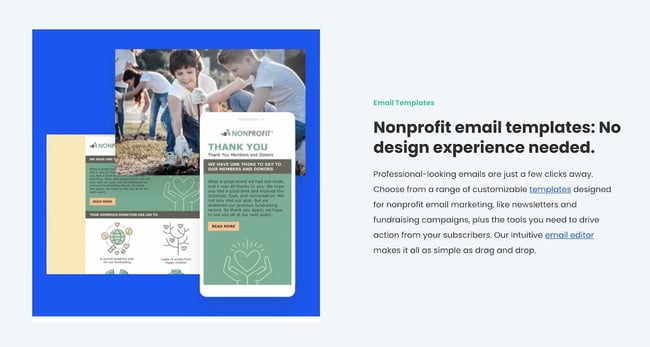 Price: $9.99 a month
Do you run a non-profit? If so, this is the newsletter tool specifically for you. Constant Contact is an email newsletter builder that offers specific templates to help nonprofits raise funds and market their missions. With hundreds of templates to choose from, you’ll be sure to find a design based on the template you need and what type of nonprofit you run.
The great thing about Constant Contact is the business analytics. While using the platform, you can see when emails are sent, delivered, opened, and shared. You will also be able to see top trends and send personalized emails to your clients.
Constant Contact also connects with your social media profiles, includes sign-up forms, and offers text message marketing tools. Contacting your non-profit subscribers via text message can be a great advantage because people check their emails but people check their text messages more. While Constant Contact is not free, its features more than make up for it. You can start at the basic subscription ($9.99/month) or upgrade to a pro account ($45/month) to unlock all the features.
11. Themezy
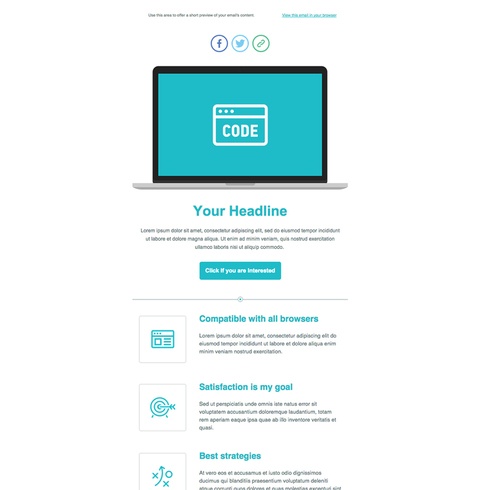
Price: Free
Download sixteen free HTML, CSS, and PSD customizable email templates on Themezy. You don’t have to submit an email address to get started, and there are various color schemes and layouts to meet your email list’s needs.
Plus, they’re designed to be responsive across devices to ensure that your subscribers can read your newsletter.
12. Drip
 Price: Free
Drip offers email marketing and SMS marketing for ecommerce brands. Drip is a new platform that lets you set up email marketing campaigns through hundreds of customizable templates. Along with their email newsletter templates, Drip offers excellent customer relations management tools, data analytics, and trend trackers so thorough that you can see how many of your customers bought red shoes within the last year. As a result, you’ll be able to better market yourself through your campaigns. Drip also has integrations that you can connect to your WordPress website, so you can use Drip without being on Drip.
Drip lets you start with a free 14-day trial, and the cost of your subscription will depend on your number of contacts. For up to 500 contacts, it’s $19/month, and the price goes up from there. Drip is beneficial to creators and ecommerce businesses because of the various marketing and analytical tools it offers. From email marketing to SMS marketing campaigns, Drip lets you effectively engage your customers.
13. MailPortfolio by SliceJack
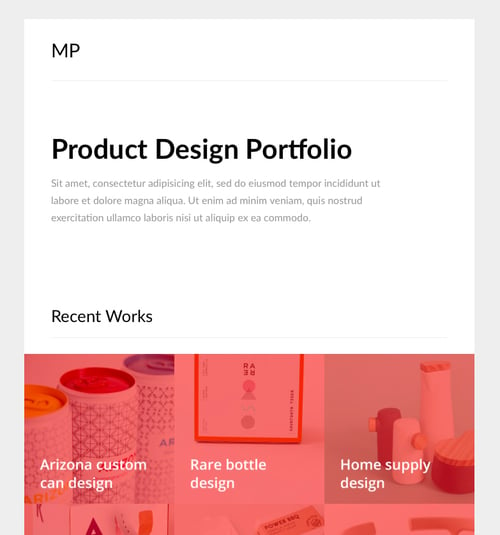
Price: Free
If your marketing strategy is heavily reliant on visuals, MailPortfolio is perfect for you. It’s a minimalist template with no added background distractions. While it was made for those looking to display personal creative portfolios, it’s also suitable for larger businesses and organizations.
The template has been tested with Litmus, is responsive, and works perfectly on all email clients. (Note: older versions of Outlook may not render all of the fonts, and the Android Gmail app is not fully supported.)
14. Material Design by Paul Goddard
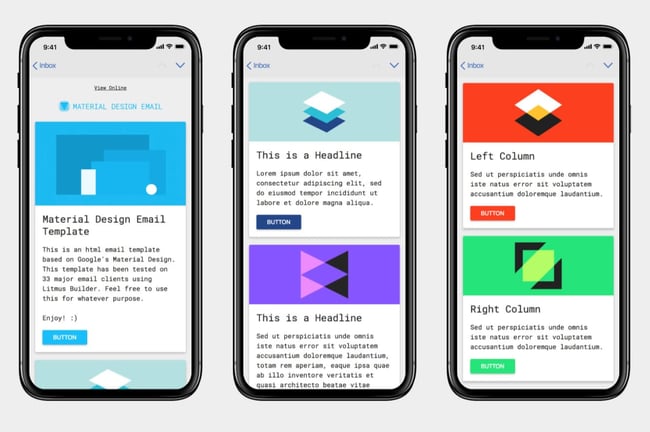
Price: Free
This template is based on Google’s Material Design and has a robotic-retro feel. It is perfect for sending out multi-purpose newsletters featuring new products, events, and other announcements at the same time. This theme isn’t made for a specific industry, but the template is well-fitting for businesses looking for a timeless, technological look.
Material Design has been tested on Litmus, is compatible with all major ESPs, and is responsive. While its main attraction is its unique design, this theme download also includes customizable HTML files.
15. Briar by SliceJack
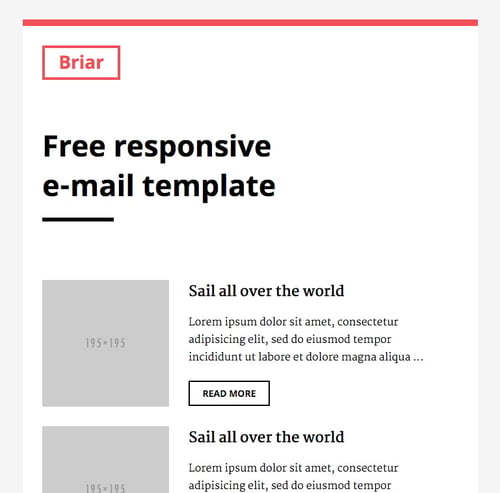 Price: Free
Briar is the perfect newsletter template for marketers looking for a fluid, minimalist design featuring images and text that don’t overshadow each other. It’s perfect for sending out regular newsletters, and you can customize the Inline CSS files.
The template has been tested with Litmus and works with all major email service providers (ESPs). However, some older versions of Outlook may not render all Google fonts. Also, the Android Gmail app is not fully supported.
16. EmailOctopus
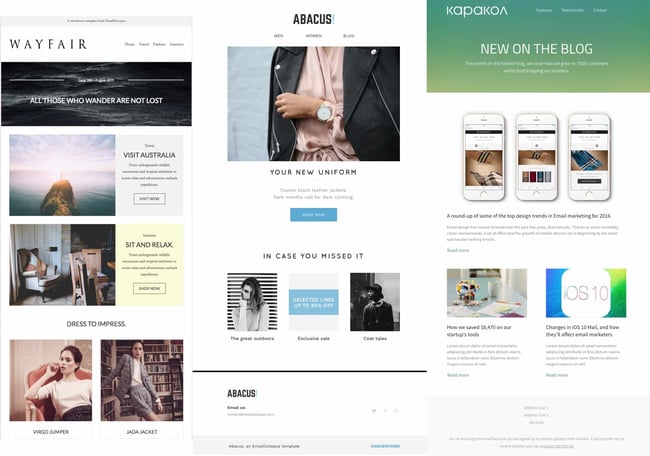
Price: Free
EmailOctopus is a marketing service that launched a series of 11 templates that can be used to create newsletters for a variety of industries. Whether you’re marketing for a fashion brand or a medical supply company, one of the templates will fit your needs.
The templates have the “typical” newsletter look, but allow you to add product announcements, feature stories, and CTAs wherever you’d like. All of the templates can be modified through any WYSIWYG editor, and the downloads include the HTML files.
These templates have been tested through Litmus across all major ESPs and are responsive to all screen sizes.
1. Feshto by Liramail
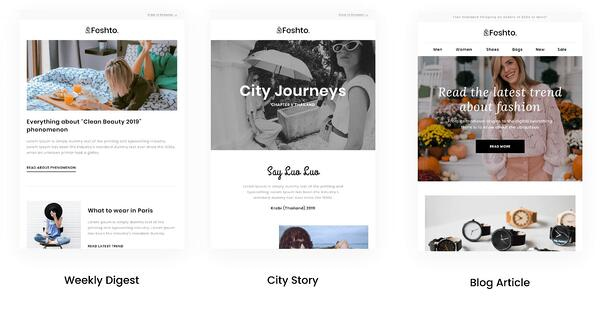 Price: $29-25/template
Feshto is an email bundle that helps ecommerce companies feature products in their newsletters and share testimonials from satisfied customers. It comes with a weekly digest module, which is their version of a newsletter.
The module features a chic, clean design that ensures your images and copy are not distracting from the other. You can choose from their various layouts, such as “Weekly Digest,” “City Story,” and “Blog Article.”
As mentioned, these templates are perfect for product features and testimonials from satisfied customers. While the default themes are black and white, you can make edits in your preferred WYSIWYG editor.
Feshto’s templates are responsive and compatible with all major ESPs.
2. Bee
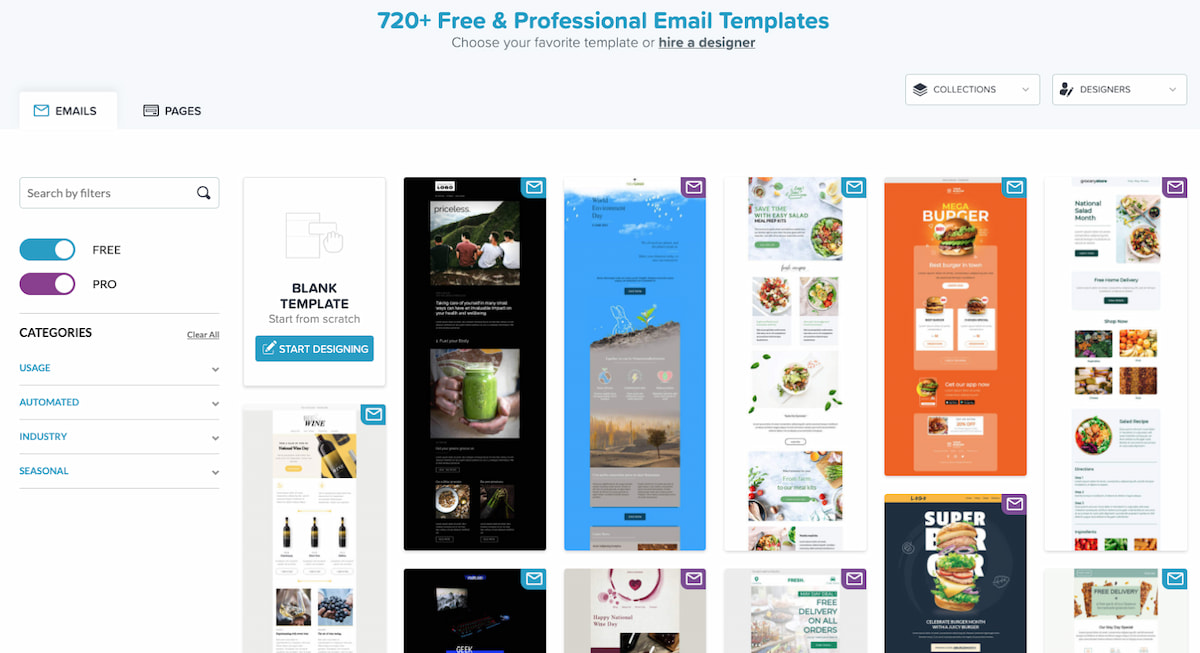
Price: Free – $15
Bee is an HTML template tool with thousands of free templates for any professional to use. With a variety of categories, Bee gives you a template for everything, but it also has tools that allow you to build your own email newsletters. The drag-and-drop feature allows you to pick and choose the elements that best suit your personal needs. The versatility also allows you to customize every email you send, then download it as an HTML so you can send your emails to anyone from anywhere. Another great advantage of Bee is that it allows you to save various content from different emails that can then be used in other templates. No need to start from scratch.
With Bee, you do have a 14-day free trial and plenty of free templates to use if you do not want to sign up for an account. If you would like an account, Bee offers different versions of their Pro account depending on the field you are in. For instance, they have Pro Freelancers, Pro Team, Pro Agency, Pro Enterprise, and Pro Nonprofit; Pro Freelancer starts at $15 a month.
3. ThemeForest
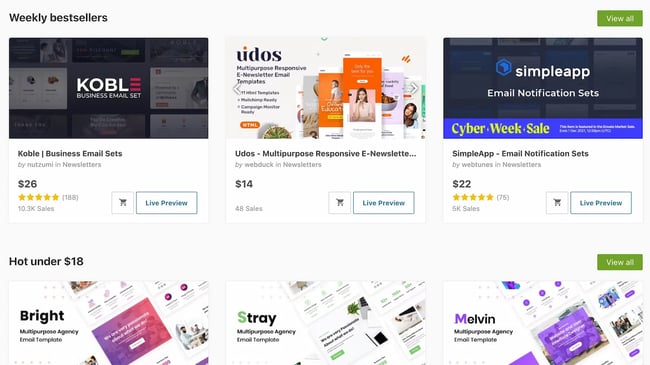 Price: $6-23/template
ThemeForest is an awesome resource for email templates if you have some budget to spend. Their library has over 460 newsletter templates in all different colors, styles, and themes. The templates are rated using a four-star system, and you can filter by rating, price, recency, and popularity.
Here’s one example from its library:
Market – Responsive Newsletter with Template Builder ($19)
This template has eight prebuilt layouts, 24 color variations, 24 full-layered PSD files, and more. Plus, it’s supported by all major email clients.
4. HubSpot Email Copy Templates
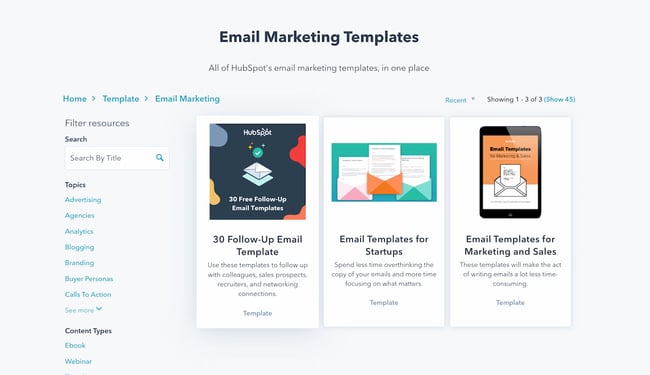 Price: Free
If you’re looking for written templates you can input into your email tool, these are the templates for you.
HubSpot offers free email templates that empower you to market and sell your business over email without writing a single line from scratch. These free email template downloads save you time and money.
The templates can be downloaded right to your computer and can be used by any type of business.
5. Mailchimp
 Price: Free – $200 per month
Mailchimp is an all-in-one marketing platform that helps small and large businesses scale and grow their business through marketing techniques and automations. Mailchimp has a variety of pre-made templates in their email newsletter tool. Aside from giving you over 100 designs to choose from, Mailchimp also gives you the option to download their Email Blueprints, which allows you to customize HTML templates.
6. ActiveCampaign
Price: Free – $258 a month
ActiveCampaign is a full-service email provider that offers email marketing automation and CRM tools. Its library of newsletter templates allow you to create conversion-optimized, visually impactful emails without touching a single line of code.
ActiveCampaign is free, but you will need to sign up for an account to use and view their email templates. You can use the majority of their templates for free, but if you want some customization, you’ll want to upgrade to a paid account.
7. Canva
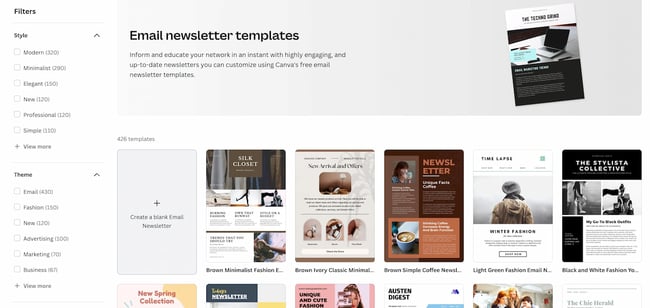 Price: Free – 20.00 per month
Canva is an online graphics software that provides free templates for a multitude of things like Instagram posts, resumes, and email newsletters. Canva is a great tool because you can find free templates for specific niches like fashion, tech, culinary, and many more. While there is a paid tier, many of the premade templates are free, and you can add your own customizations without having to pay extra.
8. Adobe Express
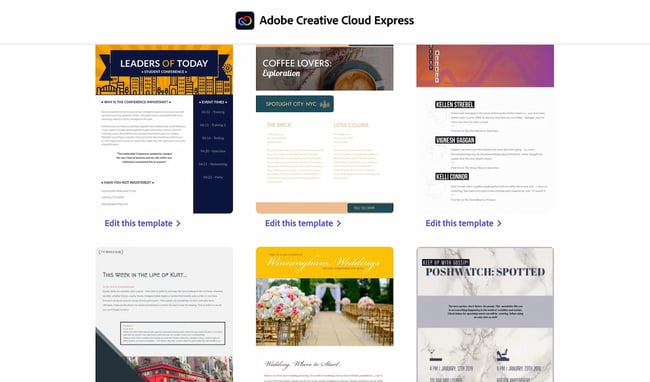
Price: Single Application: $33.99 a month | Full Bundle: $79.99 a month
Adobe Express, formerly known as Adobe Spark, is another browser-based graphic design tool that has a multitude of templates and functions to help any company create a newsletter. Similar to Canva, Adobe offers premade templates based on industry categories like photography, architecture, and fashion. To access the templates, you must sign up for an account with Adobe.
9. CakeMail
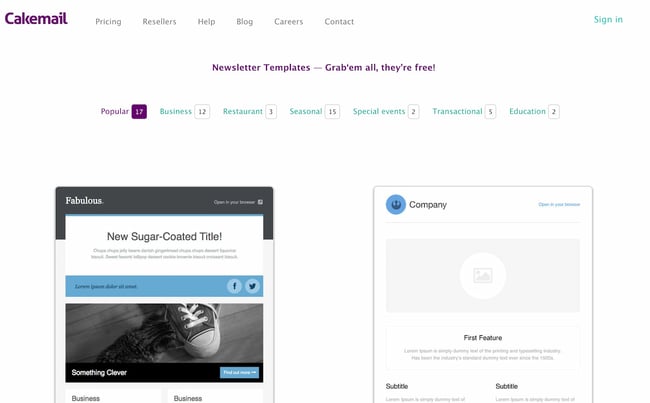
Price: Free – $200.00 per month
CakeMail is an email marketing tool that includes user-friendly automation tools and allows you to create customizable emails for any person, occasion, and niche. CakeMail offers over 50 free editable email templates that are divided into smaller niche categories. One of the advantages of CakeMail is that you do not have to sign up to use the email templates provided, but if you would like to see how your email campaigns are performing, you can register for an account.
10. MJML
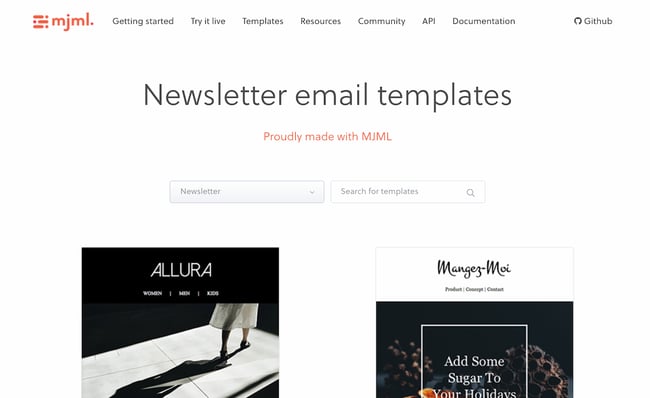
Price: Free
MJML is an HTML-based email designer. They have a wide variety of free templates that are customized for the type of email marketing your company is trying to do, including newsletters, promotions, and seasonal emails. Once you find a template that you like, MJML allows you to see the template and the HTML code in real-time as you edit it. Because MJML is HTML-based, you will have to copy your code and transfer it to the HTML editor in an email marketing service to use the template.
11. TemplateMonster
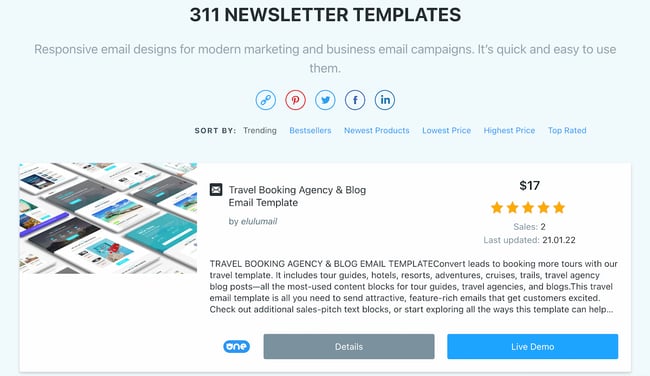
Price: Varies
TemplateMonster offers a variety of email newsletter templates, such as the Useful Notifications newsletter template pictured below, all of which are available for relatively low prices. Their templates are clean, customizable, and easy to use, and they’re compatible with most major email clients, such as Gmail and Yahoo Mail.
Additionally, the templates come with built-in responsive layouts for screen adaptability, like the ones on the mobile phone pictured below, and PSD sources for a litany of customization options.
12. Microsoft Office Templates
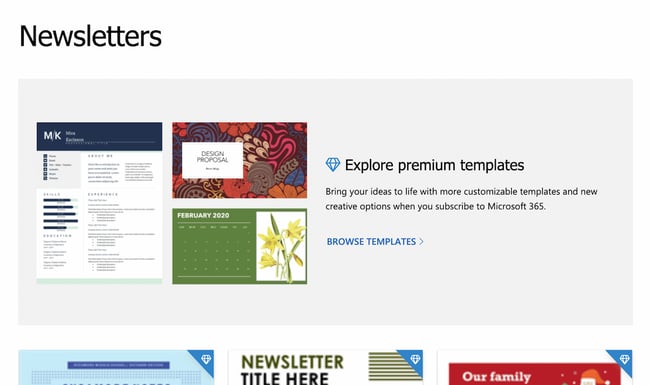
Price: Free & Paid Email Templates
Microsoft Office has a variety of tools, including extensive templates that can be used for Microsoft Word, Excel, and PowerPoint. You can further narrow down your templates depending on the category of your business. While Microsoft does offer free templates, they are limited. For use of the paid templates, you will have to download Microsoft 365 to use them.
Get Started on Your Email Marketing Newsletter
Ready to draft your next email newsletter campaign? Download one of the excellent newsletter templates from the template galleries and landing pages above. Then, grab your free guide below for creating an email newsletter your audience will want to engage with.
Editor’s Note: The post was originally published in December 2018 but was updated for comprehensiveness in December 2019.

17 PowerPoint Presentation Tips to Make More Creative Slideshows [+ Templates]
Creating a great PowerPoint presentation is a skill that any professional can benefit from. The problem? It’s really easy to get it wrong. From poor color choices to confusing slides, a bad PowerPoint slideshow can distract from the fantastic content you’re sharing with stakeholders on your team.
![→ Free Download: 4 PowerPoint Presentation Templates [Access Now]](https://no-cache.hubspot.com/cta/default/53/2d0b5298-2daa-4812-b2d4-fa65cd354a8e.png)
 Download Now
That’s why it’s so important to learn how to create a PowerPoint presentation from the ground up, starting with your slides. Even if you’re familiar with PowerPoint, a refresher will help you make a more attractive, professional slideshow. Let’s get started.
I like to think of Microsoft PowerPoint as a test of basic professional skills. To create a passing presentation, I need to demonstrate design skills, technical literacy, and a sense of personal style.
If the presentation has a problem (like an unintended font, a broken link, or unreadable text), then I’ve probably failed the test. Even if my spoken presentation is well rehearsed, a bad visual experience can ruin it for the audience.
Expertise means nothing without a good PowerPoint presentation to back it up. For starters, grab your collection of free PowerPoint templates below.
No matter your topic, successful PowerPoints depend on three main factors: your command of PowerPoint’s design tools, your attention to presentation processes, and your devotion to consistent style. Here are some simple tips to help you start mastering each of those factors, and don’t forget to check out the additional resources at the bottom of this post.
How to Make a PowerPoint Presentation
A presentation is made up of multiple slides, and now that you know how to make one, you can delve deeper into PowerPoint’s capabilities.
1. Open a blank presentation again or start from one you’ve already created.
If you’ve already created a presentation, double-click the icon to open the existing file. Otherwise, open Microsoft PowerPoint, click File in the top left corner, and click New Presentation. From there, you can follow the prompts to set up a new presentation.
2. Choose a theme or create your own.
Microsoft offers built-in themes and color variations to help you design your slides with a cohesive look. To choose from these pre-built themes, choose the File tab again, select New, choose one of the options, and click Create.
Otherwise, you can use PowerPoint elements, your design sense, and your brand’s color palette to make your own “theme.”
3. Create a variety of slides for different purposes.
You don’t want to present the same exact slide, only with different content on it. This would bore your audience. Ensure that you create multiple variations, accommodating some of the common uses for slides. At minimum, you’ll need:
- A title slide
- An agenda or table of contents slide
- A slide that introduces the speaker
- Various content slides (create different layouts considering what kind of multimedia you’ll use)
4. Use the Duplicate Slides feature to save you time.
There’s no reason to create these designs over and over again. Now that you have a few to draw from, you can simply duplicate them before inputting your content. Here’s how to do that:
- On the left pane, right-click the thumbnail of the slide you want to duplicate.
- Choose Duplicate Slide from the pop-up menu.
This will automatically add a copy of this slide to the presentation. From there, you can customize it for your needs.
5. Add transitions to your slides (optional).
Done well, transitions can add a little bit of movement and showmanship to your presentation. PowerPoint has several transitions built in for you to choose from.
To access them, select the Transitions tab from the top ribbon. From there, you can select a transition for it to preview on your screen. To customize it further, click Effect Options and play with the features to find something that suits your liking. To remove a transition, select Transitions and click None.
6. Add animations to your slides (optional).
Like transitions, animations can add movement, reveal information, and help you underscore the points you want to hit during your speech. To animate an element, follow these steps:
- Select the element you want animated by clicking on it.
- Choose Animations from the top ribbon.
- You’ll have the option to choose from several effects displayed in the ribbon.
- Clicking on one will give you a preview.
- To customize the animation, select Effect Options.
- To remove an animation, click None in the ribbon.
Some of the ways to customize animations include:
- On Click
- With Previous
- After Previous
- Duration
- Delay
These describe how you want the effect to behave, so play around with them until you find an effect that suits your liking.
You’ll also have the option to move animations around as you edit your slides by clicking on the Animation Pane button, then reordering the animations in the list that pops up.
7. Save your presentation.
Click File and Save, making sure to specify which folder or destination you want your PowerPoint to be stored.
8. Run your presentation.
It’s always good to do a trial run to ensure that your slides are set up properly and your animations fire the way you expect them to.
To present your PowerPoint, go to the Slide Show tab and click Play from Start. The slide will cover your whole screen, blocking out your desktop and PowerPoint software. This is so your audience (in this case, you for the trial run) is solely focused on the visual elements of your presentation.
9. Advance the slides.
When you’re done with one slide and want to show the next in your sequence, click your mouse in presentation mode. This will advance the slide.
PowerPoint Style
1. Don’t let PowerPoint decide how you use PowerPoint.
Microsoft wanted to provide PowerPoint users with a lot of tools. But this does not mean you should use them all. Here are some key things to look out for:
- Make sure that the preset PPT themes complement your needs before you adopt them.
- Try to get away from using Microsoft Office’s default fonts, Calibri and Cambria. Using these two typefaces can make the presentation seem underwhelming.
- Professionals should never use PPT’s action sounds. (Please consider your audience above personal preference).
- PowerPoint makes bulleting automatic, but ask yourself: Are bullets actually appropriate for what you need to do? Sometimes they are, but not always.
- Recent PPT defaults include a small shadow on all shapes. Remove this shadow if it’s not actually needed. Also, don’t leave shapes in their default blue.
2. Create custom slide sizes.
While you usually can get away with the default slide size for most presentations, you may need to adjust it for larger presentations on weirdly sized displays. If you need to do that, here’s how.
- In the top-left corner, choose File.
- Select Page Setup.
- Type the height and width of the background you’d like, and click OK.
- A dialogue box will appear. Click Scale if you want to also resize your content, or Don’t Scale if you don’t. We recommend clicking Don’t Scale, then manually adjusting minor layout issues.
Tip: You can avoid a headache with the last step if you resize your slides before you add any objects to them. Otherwise, the dimensions of your objects will become skewed.
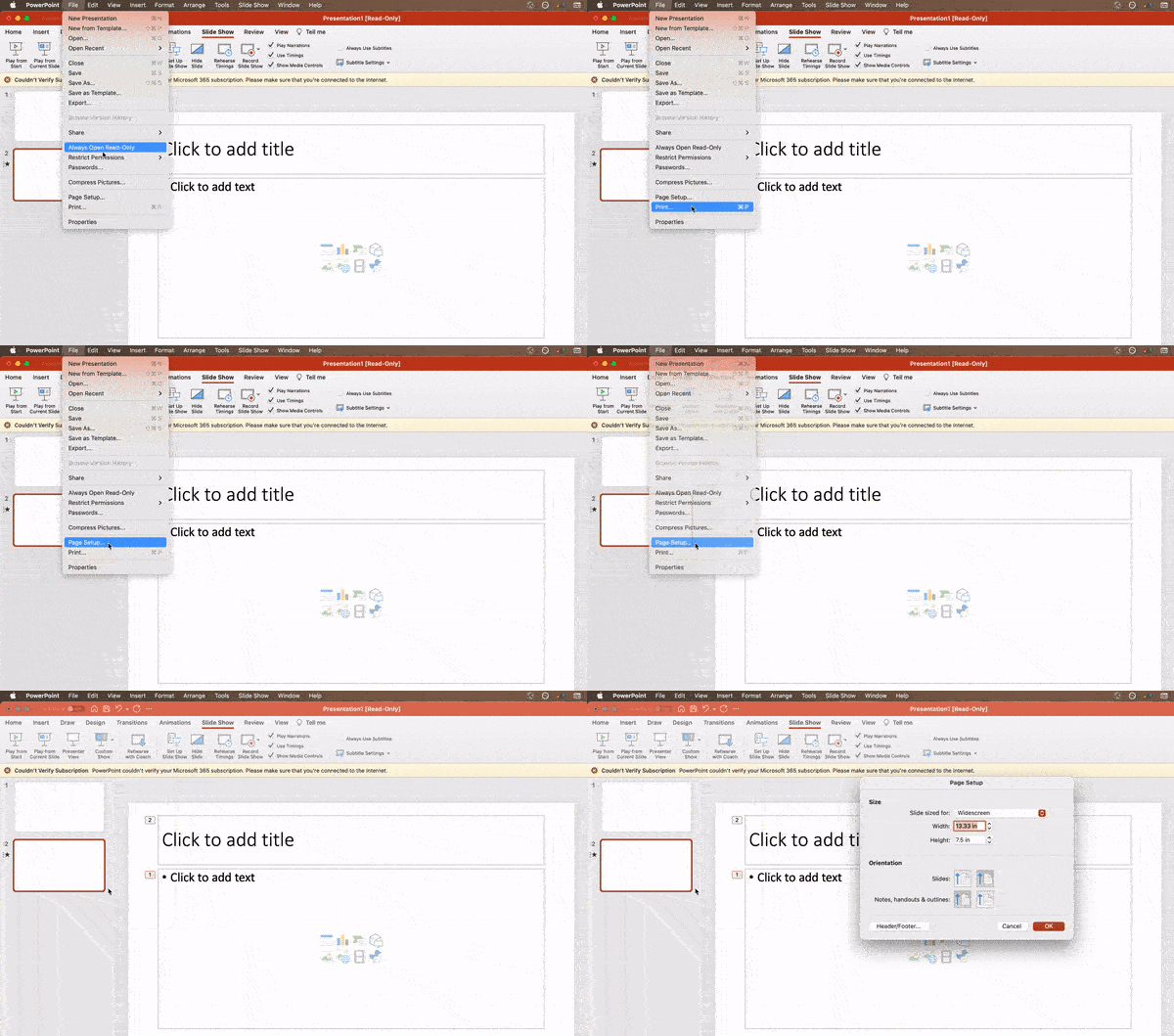
3. Edit your slide template design.
Often, it’s much easier to edit your PowerPoint template before you start — this way, you don’t have to design each slide by hand. Here’s how you do that.
- Select View in the top navigation.
- Click Master.
- In the drop-down, click Slide Master.
- Make any changes you like, then click Close Master in the top ribbon. All current and future slides in that presentation will use that template.
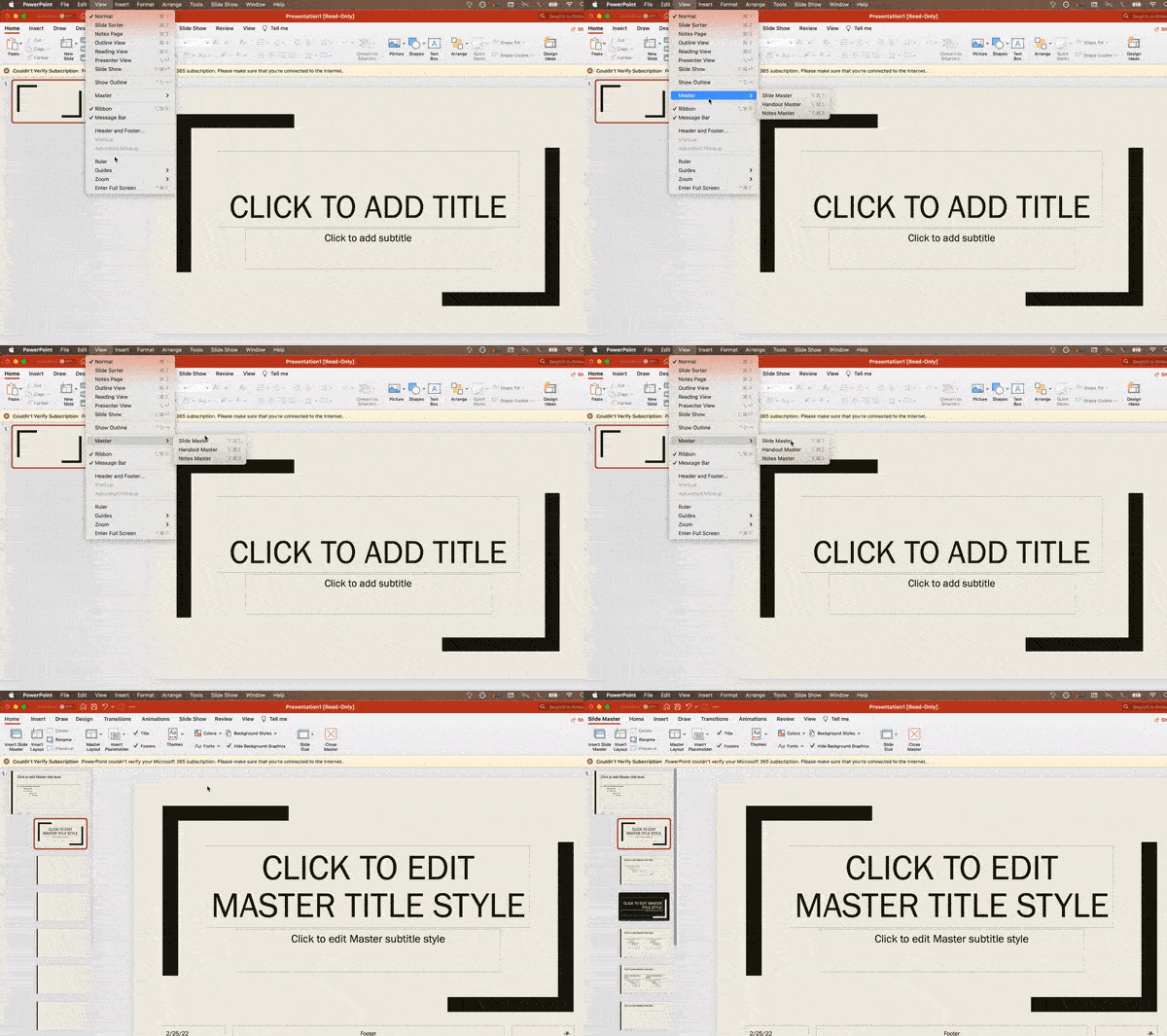
4. Write text with your audience in mind.
A significant part of a PowerPoint’s content is text. Great copy can make or break your presentation, so evaluating your written work from a few different angles could make you seem more persuasive. Thinking about how your text is received differentiates good presenters from the best.
Typography:
Many people underestimate the influence of typeface, but choosing the right font is important — the perception of your font type could influence your audience’s impression of you. The right font is an opportunity to convey consistent brand personality and professionalism.
Some fonts are seen as clean and professional, but this doesn’t mean they’re boring. A common mistake is thinking your font isn’t “exciting” enough, which could lead you to choose a font that distracts from your overall message. We recommend sticking to simple serif and sans-serif fonts. Avoid script fonts because of potential readability issues.

That said, you can still use fun and eccentric fonts — in moderation. Offsetting a fun font or large letters with something more professional can create an engaging presentation.
Above all, be sure you’re consistent so your presentation looks the same throughout each slide. That way, your audience doesn’t become distracted by too many disparate fonts. Check out this example from HubSpot’s company profile templates:
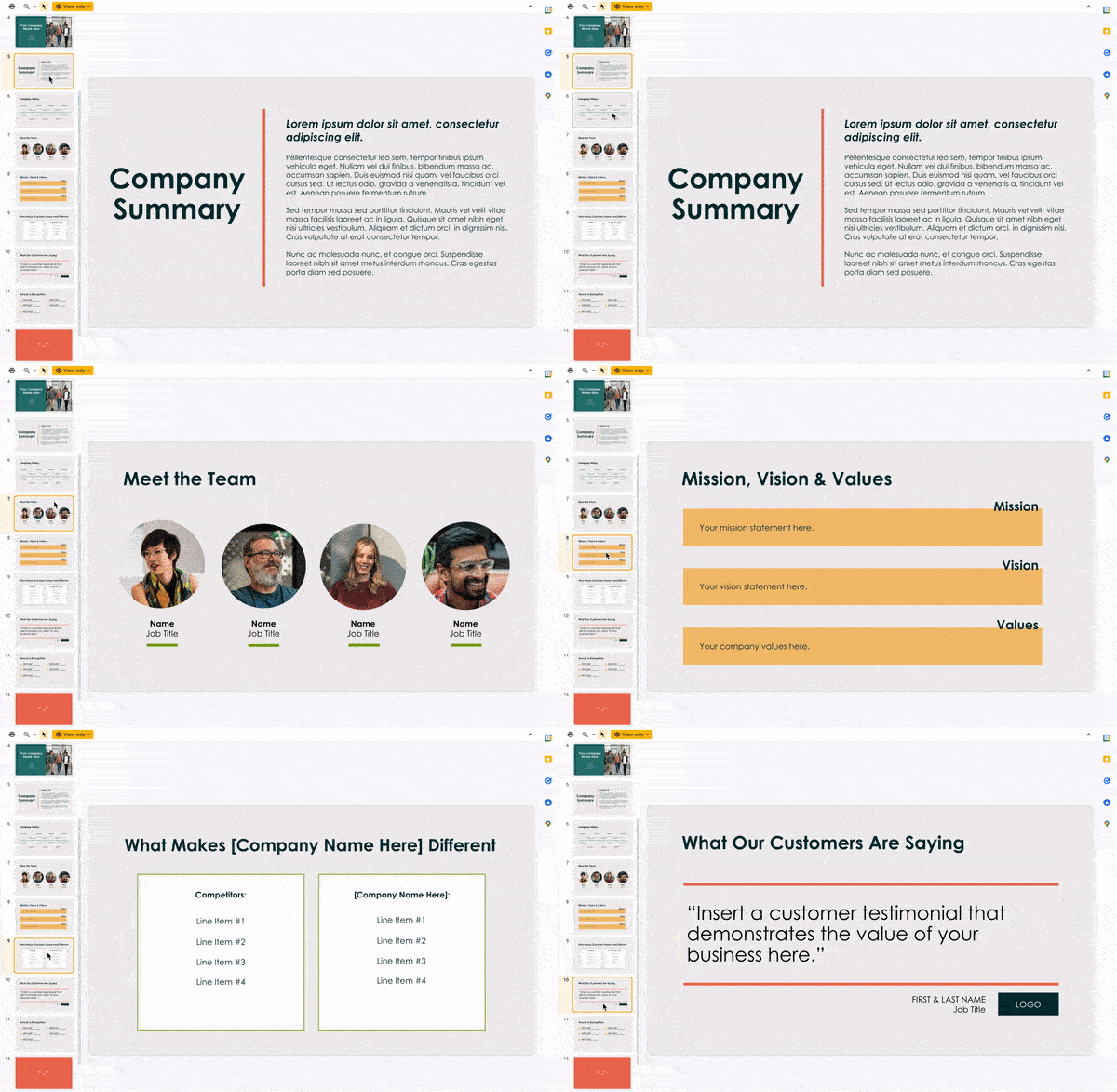
Interested in this presentation template? Download it for free here.
5. Make sure all of your objects are properly aligned.
Having properly aligned objects on your slide is the key to making it look polished and professional. You can manually try to line up your images … but we all know how that typically works out. You’re trying to make sure all of your objects hang out in the middle of your slide, but when you drag them there, it still doesn’t look quite right. Get rid of your guessing game and let PowerPoint work its magic with this trick.
Here’s how to align multiple objects:
- Select all objects by holding down Shift and clicking on all of them.
- Select Arrange in the top options bar, then choose Align or Distribute.
- Choose the type of alignment you’d like.
Here’s how to align objects to the slide:
- Select all objects by holding down Shift and clicking on all of them.
- Select Arrange in the top options bar, then choose Align or Distribute.
- Select Align to Slide.
- Select Arrange in the top options bar again, then choose Align or Distribute.
- Choose the type of alignment you’d like.
PowerPoint Design
6. Use “Format Object” to better control your objects’ designs.
Format menus allow you to do fine adjustments that otherwise seem impossible. To do this, right-click on an object and select the Format Object option. Here, you can fine-tune shadows, adjust shape measurements, create reflections, and much more. The menu that will pop up looks like this:
Although the main options can be found on PowerPoint’s format toolbars, look for complete control in the format window menu. Other examples of options available include:
- Adjusting text inside a shape.
- Creating a natural perspective shadow behind an object.
- Recoloring photos manually and with automatic options.
7. Take advantage of PowerPoint’s shapes.
Many users don’t realize how flexible PowerPoint’s shape tools have become. In combination with the expanded format options released by Microsoft, the potential for good design with shapes is readily available. PowerPoint provides the user with a bunch of great shape options beyond the traditional rectangle, oval, and rounded rectangle patterns.
Today’s shapes include a highly functional Smart Shapes function, which enables you to create diagrams and flow charts in no time. These tools are especially valuable when you consider that PowerPoint is a visual medium. Paragraphing and bullet lists are boring — you can use shapes to help express your message more clearly.
8. Create custom shapes.
When you create a shape, right click and press Edit Points. By editing points, you can create custom shapes that fit your specific need. For instance, you can reshape arrows to fit the dimensions you like.

Another option is to combine two shapes together. To do so, select the two shapes you’d like to work with, then click Shape Format in the top ribbon. Tap Merge Shapes.
You’ll see a variety of options.
- Combine creates a custom shape that has overlapping portions of the two previous shapes cut out.
- Union makes one completely merged shape.
- Intersect builds a shape of only the overlapping sections of the two previous shapes.
- Subtract cuts out the overlapping portion of one shape from the other.
- Fragment will split your shape into different parts depending on where they overlap.
By using these tools rather than trying to edit points precisely, you can create accurately measured custom shapes.
9. Crop images into custom shapes.
Besides creating custom shapes in your presentation, you can also use PowerPoint to crop existing images into new shapes. Here’s how you do that:
- Click on the image and select Picture Format in the options bar.
- Choose Crop, then Crop to Shape, and then choose your desired shape. Ta-da! Custom-shaped photos.
10. Present websites within PowerPoint.
Tradition says that if you want to show a website in a PowerPoint, you should just create a link to the page and prompt a browser to open. For PC users, there’s a better option.
Third party software that integrates fully into PowerPoint’s developer tab can be used to embed a website directly into your PowerPoint using a normal HTML iframe. One of the best tools is LiveWeb, a third-party software that you can install on your PowerPoint program.
By using LiveWeb, you don’t have to interrupt your PowerPoint, and your presentation will remain fluid and natural. Whether you embed a whole webpage or just a YouTube video, this can be a high-quality third party improvement. To install the add-on, simple head to the LiveWeb website and follow the instructions.
Unfortunately, Mac users don’t have a similar option. A good second choice is to take screenshots of the website, link in through a browser, or embed media (such as a YouTube video) by downloading it directly to your computer.
11. Try Using GIFs.
GIFs are looped animated images used to communicate a mood, idea, information, and much more. Users add GIFs to PowerPoints to be funny or quickly demo a process. It’s easy to add GIFs to your slides. To do so, simply follow these steps:
- Download and save the GIF you want.
- Go to the slide you want the GIF on.
- Go to the Home tab, and click either Insert or Picture.
- From the Picture drop-down menu, choose Picture from File.
- Navigate to where you saved your GIF and select it. Then, choose Insert.
- It will play automatically the moment you insert it.
PowerPoint Process
12. Keep it simple.
PowerPoint is an excellent tool to support your presentation with visual information, graphics, and supplemental points. This means that your PowerPoint should not be your entire presentation. Your slides — no matter how creative and beautiful — shouldn’t be the star of the show. Keep your text and images clear and concise, using them only to supplement your message and authority.
If your slides have dense and cluttered information, it will both distract your audience and make it much more likely that you will lose their attention. Nothing in your slides should be superfluous! Keep your presentation persuasive by keeping it clean. There are a few ways to do this:
- Limit bullet points and text.
- Avoid paragraphs and long quotes.
- Maintain “white space” or “negative space”.
- Keep percentages, graphs, and data super basic.
13. Embed your font files.
One constant problem presenters have with PowerPoint is that fonts seem to change when presenters move from one computer to another. In reality, the fonts are not changing — the presentation computer just doesn’t have the same font files installed. If you’re using a PC and presenting on a PC, then there is a smooth workaround for this issue.
Here’s the trick: When you save your PowerPoint file (only on a PC), you should click File, then Options, then open up the Save tab. Then, select the Embed fonts in the file check box under Preserve fidelity when sharing this presentation. Now, your presentation will keep the font file and your fonts will not change when you move computers.
The macOS PowerPoint version has a similar function. To embed your fonts on a Mac, do the following:
- Open up your presentation.
- On the top bar, click PowerPoint, then click Preferences.
- Under Output and Sharing, click Save.
- Under Font Embedding, click Embed fonts in the file.
14. Save your slides as a PDF file for backup purposes.
If you’re still scared of your presentation showing up differently when it’s time to present, you should create a PDF version just in case. This is a good option if you’ll be presenting on a different computer. If you also run into an issue where the presenting computer doesn’t have PowerPoint installed, you can also use the system viewer to open up the PDF. No laptop will ever give you trouble with this file type.
The only caveat is that your GIFs, animations, and transitions won’t transfer over. But since the PDF will only work as a backup, not as your primary copy, this should be okay.
To save your presentation as a PDF file, take the following steps:
- Go to File, then click Save as …
- In the pop-up window, click File Format.
- A drop-down menu will appear. Select PDF.
- Click Export.
You can also go to File, then Export, then select PDF from the file format menu.
15. Embed multimedia.
PowerPoint allows you to either link to video/audio files externally or to embed the media directly in your presentation. You should embed these files if you can, but if you use a Mac, you cannot actually embed the video (see note below). For PCs, two great reasons for embedding are:
- Embedding allows you to play media directly in your presentation. It will look much more professional than switching between windows.
- Embedding also means that the file stays within the PowerPoint presentation, so it should play normally without extra work (except on a Mac).
Note: macOS users of PowerPoint should be extra careful about using multimedia files.
If you use PowerPoint for Mac, then you will always need to bring the video and/or audio file with you in the same folder as the PowerPoint presentation. It’s best to only insert video or audio files once the presentation and the containing folder have been saved on a portable drive in their permanent folder. Also, if the presentation will be played on a Windows computer, then Mac users need to make sure their multimedia files are in WMV format. This tip gets a bit complicated, so if you want to use PowerPoint effectively, consider using the same operating system for designing and presenting, no matter what.
16. Bring your own hardware.
Between operating systems, PowerPoint is still a bit jumpy. Even between differing PPT versions, things can change. One way to fix these problems is to make sure that you have the right hardware — so just bring along your own laptop when you’re presenting.
If you’re super concerned about the different systems you might have to use, then upload your PowerPoint presentation into Google Slides as a backup option. Google Slides is a cloud-based presentation software that will show up the same way on all operating systems. The only thing you need is an internet connection and a browser.
To import your PowerPoint presentation into Google Slides, take the following steps:
- Navigate to slides.google.com. Make sure you’re signed in to a Google account, preferably your own.
- Under Start a new presentation, click the empty box with a plus sign. This will open up a blank presentation.
- Go to File, then Import slides.
- A dialog box will come up. Tap Upload, then click Select a file from your device.
- Select your presentation and click Open.
- Select the slides you’d like to import. If you want to import all of them, click All in the upper right-hand corner of the dialog box.
- Click Import slides.
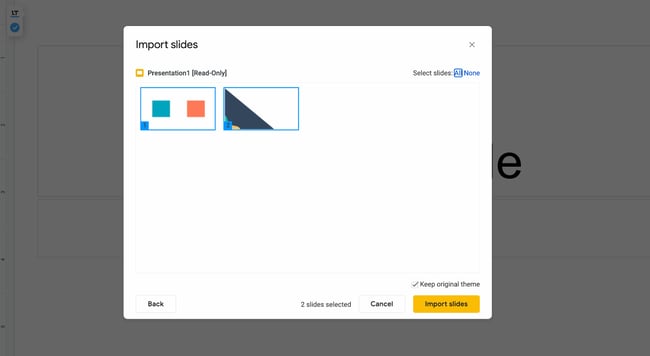
When I tested this out, Google Slides imported everything perfectly, including a shape whose points I had manipulated. This is a good backup option to have if you’ll be presenting across different operating systems.
17. Use Presenter View.
In most presentation situations, there will be both a presenter’s screen and the main projected display for your presentation. PowerPoint has a great tool called Presenter View, which can be found in the Slide Show tab of PowerPoint. Included in the Presenter View is an area for notes, a timer/clock, and a presentation display.
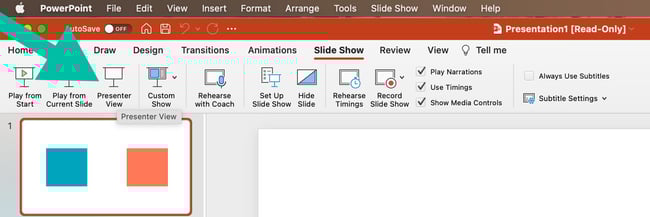
For many presenters, this tool can help unify their spoken presentation and their visual aid. You never want to make the PowerPoint seem like a stack of notes that you’re reading off of. Use the Presenter View option to help create a more natural presentation.
Pro Tip: At the start of the presentation, you should also hit CTRL + H to make the cursor disappear. Hitting the “A” key will bring it back if you need it!
Your Next Great PowerPoint Presentation Starts Here
With style, design, and presentation processes under your belt, you can do a lot more with PowerPoint than just presentations for your clients. PowerPoint and similar slide applications are flexible tools that should not be forgotten. With a great template, you can be on your way to creating presentations that wow your audience.
Editor’s note: This post was originally published in September 2013 and has been updated for comprehensiveness.

How to Prepare an Advertising Plan [Free Template]
Turning an idea for an advertising campaign into reality isn’t exactly simple, but it always begins with creating a concrete and detailed advertising plan.
Your plan will help you present a clear path for return on investment (ROI), get buy-in from leadership, and share your proposal with relevant stakeholders.
Follow Along With HubSpot’s Free Ad Plan Template
In this post, we’ll explain what an advertising plan is and highlight the major sections you should include in your advertising plan so you can guarantee your next campaign is a success.
Advertising Plan Template
Pro Tip: HubSpot created the following advertising plan template for you to download so you can organize your advertising campaign — it’s broken down into relevant sections and can be shared with your stakeholders when it’s completed.
In it you’ll find:
- Advertising campaign outline,
- Advertising campaign timeline, and
- Advertising budget template.
 Download this Advertising Planning Kit
Now let’s dive into how you can prep your ad plan.
How to Prepare an Advertising Plan
Before you jump into your tactical advertising ideas, the first step in the process is to provide those reading your ad plan with a high-level overview of your initiative.
1. Provide an overview of your advertising plan.
Specify the following elements so anyone reading your plan will have a basic understanding of what your campaign is and what you’re trying to accomplish:
- Campaign Name: Make the campaign name catchy, unique, and easily identifiable so your team can get behind it.
- Campaign Description: What is the purpose of your campaign? Explain in 2-3 paragraphs what the inspiration behind your campaign is, how it aligns with your company initiatives, what customer problems you’re solving, and what the final deliverables of the campaign will be.
- Target Audience: Ideally, who’s on the receiving end of these ads? You can be specific to age, sex, region, or any number of demographics, or name which of your buyer personas you’re targeting.
- Advertising Platforms: How will you be getting your message across? Here, identify the platform you’ll be using, since you’ll get more into the details of what the actual ads will look like in a later section.
- Goals and ROI: Explain what the end goal of your campaign is. Most ad campaigns are intended to produce a direct profit or return on investment, so if that’s your goal, identify that number. If your campaign goal is something else — event sign-ups, product awareness, etc. — be sure to identify and quantify it.
2. Choose your platforms.
Here’s where you’ll provide more detail on the advertisements themselves and on which platform they will be promoted. For each ad you intend to run in this campaign, you should provide the following:
- Platform name
- Ad type
- Description of the ad
- Timeline
- Budget
For example, your content in this section might look like this:
Platform #1: YouTube
- Advertisement Type: Video
- Description of Ad: A 15-second pre-video ad. The video will be an animated look at our new app with a link to the app store at when someone clicks.
- Timeline: July 1 – July 31
- Budget: $10,000
3. Develop your timeline.
Working on an ad campaign takes a ton of time and resources, so everyone involved will want to know what tasks they’re responsible for, when they’re due, and how long they have to do them. In this part of your advertising plan, list the tasks that are due, when they are due, and who’s responsible for accomplishing them.
4. Outline your budget.
Because ROI isn’t guaranteed, the budget can be the toughest part of your advertising project to get approved — which is why it’s important to break up your requests by line item and present them in your plan.
Rather than simply stating, “We need $65,000 for this project”, organize your budget into a detailed visual, like the example below.
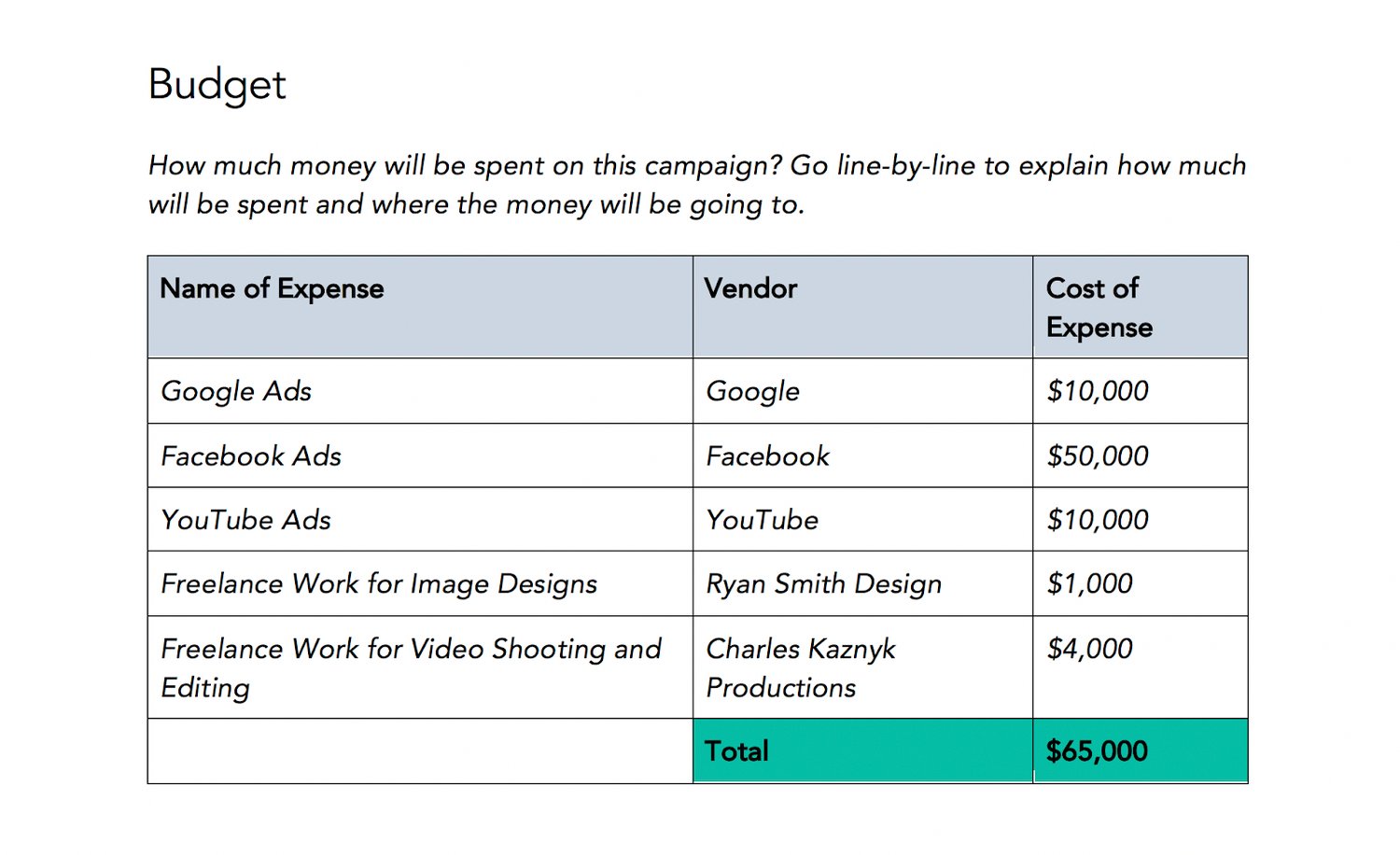
Download this Template for Free
Naturally, you can (and should) expect questions and pushback on certain line items.
For example, you may be asked to find another designer or video freelancing team who can complete the job for less money. So, arrive at meetings prepared to defend which costs are necessary for the campaign’s success and which expenses can be reconsidered.
5. Explain your DACI framework.
The DACI framework outlines who the key contributors in the project are and what each of their responsibilities entail.
Here’s how a DACI framework is broken down:
- (D)river: As you might have guessed, this person is the project’s main driver or directly responsible individual. (Chances are, this will be either you or your direct manager.) The driver will coordinate all of the moving pieces of the project, seeing it through from inception to wrap-up.
- (A)pprover: This will be the person who must approve a project and is typically a director, VP, or manager. They’ll give feedback, recommendations, or approval on the overall project and have a final say in all project deliverables.
- (C)ontributors: Contributors will be the individuals who are responsible for creating one or more deliverables for the project. In an advertising campaign, this can include copywriters, video producers, animators, designers, and digital advertising specialists.
- (I)nformed: These are employees who are kept in the loop as the project goes on. Examples include the department heads and the managers of project contributors. These people have no direct responsibilities but benefit from knowing about the project and its status.
Your DACI framework should include the name of each stakeholder, his or her contact information (email, phone, and/or Slack handle), and that person’s responsibility or deliverable.
This framework makes project delegation crystal clear for everyone involved.
6. Provide additional resources.
This will act as the appendix of your advertising plan. Share the ad campaign that inspired this one with your readers, link to the product page you’ll be promoting with this initiative, or link to your company’s brand style guide — this way, designers and writers get a refresh on how to create externally-facing content.
7. Host a campaign kickoff meeting.
After you complete the outline, hop on a call with your team to explain the campaign concept, timeline, and deliverables. Compile all of them in HubSpot’s advertising project pitch deck and present your advertising plan. Then, open up the floor for any questions and suggestions with project contributors.
Advertising Plan Example
It can always be helpful to reference examples, and below we’ll go over one.
 In this plan, a business outlines the different channels it will use to reach its advertising goals: YouTube, Facebook, and Google Ads. It outlines the type of ad for each channel, a summary of what each ad will be, a target timeline, and an allocated budget. While it is simply an overview, it has the key elements it will execute in its advertising strategy.
While this is a high-quality example, be mindful that it is merely an example. You can personalize this template to meet your business goals by inputting what works best for your needs.
Over to You
Now that you know how to write your own advertising plan, download HubSpot’s free template to get your own advertising campaign project plan off the group.
Editor’s note: This post was originally published in August 2019 and has been updated for comprehensiveness.


10 Best Social Media Organization Tips and Tricks for Managers
Managing social media accounts for a brand is not easy – and one of the biggest challenges is organizing your social media content.
Between managing social promotion goals from different departments, staying up-to-date on social mentions and trends, and posting relevant and engaging content on a regular basis, being a social media manager can sometimes feel like herding cats.

So, how do busy social media managers keep their ducks in a row? We asked the people who run social media for their brands from across the U.S. for their best tips on staying organized. Here’s what they shared with us.
1. Keep an updated content calendar.
Planning out social media posts is time-consuming, so keeping track of it all with a content calendar can help cut down on time.
“I keep an updated content calendar that includes all our social networks and the types of content we’ll be posting on each one,” says Georgie Morley, community manager at Bai.
She then creates both a daily and weekly to-do list based on the calendar.
“I make sure there’s flexibility because something always comes up – you have to be prepared to fight some fires.”
To help you plan your updates and coordinate social campaigns more easily, here’s a free social media publishing template.
2. Schedule social posts ahead of time and in bulk.
Scheduling posts saves a lot of time, and it allows you to focus on other parts of your job instead of being constantly distracted by the need to publish at certain times of day.
Former HubSpot Social Media Manager Robyn Showers used to Tweet from the @HubSpot account 24 or more times per day, not including replies to other Twitter users.
To save time, she used Social Inbox to schedule tweets in bulk by uploading them from a spreadsheet. HubSpot customers: Learn how to use the bulk scheduling tool here.
“I also tend to schedule Facebook, LinkedIn, and Google+ posts several days ahead of time,” said Showers.
3. Use a to-do list app.
Social media managers would be lost without their to-do lists. Oftentimes, the question is: What’s the best to-do list app out there?
There is a lot to choose from – Todoist, TickTick, Any.do to name a few. To narrow down your options, here are a few key features to look for:
- Syncing option between devices
- Recurring due dates and reminders
- Priority levels
- Categories
- Task sharing and delegation
- Calendar feeds
4. Know where to find trending topics.
What’s trending right now? What has the Twitter timeline buzzing? Which news stories are people talking about?
These are all questions social media managers need to be thinking about – not just when they arrive at work in the morning, but all day long. By staying on top of rising trends, social media managers can properly newsjack, which can bring terrific spikes in traffic to your website.
How do you stay on top of it all when things are changing so fast? First, sign up for an RSS reader like Feedly and subscribe to industry news sites and blogs that post on industry trends and topics.
5. Maintain an “Inbox Zero” mentality.
For most people, high productivity comes from closing out of email for several hours at a time. `This couldn’t be less true for social media managers who need to stay alert to incoming requests.
Back when Laurie Meacham led the social media team at JetBlue, they had to stay on top of Twitter mentions in addition to social post requests from their marketing, public relations, operations, and customer commitment teams. How do they do it?
“I maintain the ‘Inbox Zero’ mentality so I know what’s new and what needs my action,” she said. “That way, it doesn’t get lost in mountains of unimportant emails or assignments.”
It can be easy to lose important emails below the fold, so star (or flag) the ones you want to refer back to and set alert notifications for your most important senders.
6. Have a dedicated “Social Content” folder in your email.
As a social media manager, one of your many jobs is to collect all of the content your company creates, sift through it, and create bite-sized social posts your audience can digest quickly.
But with so many incoming content and promotion requests, how do you make sure you don’t overlook or forget about the important stuff?
When it comes to sifting through and bookmarking content, former Social Media Manager at HubSpot Brittany Leaning recommends creating a folder dedicated to social content.
For Leaning, many of these emails included upcoming webinars, product launches, or marketing collateral from other companies that she thought the HubSpot audience would appreciate.
“My routine consisted of going through every single HubSpot blog post that was published in the last week, and scheduling the evergreen posts for the following week,” she said. “I’d do the same thing with all our relatively new evergreen efforts. This would keep the social publishing machine going while I looked for opportunities for newsjacking or other time-sensitive content.”
After creating the folder, have a routine in which you sift through it when you need inspiration for new content and remove outdated content after a certain time has passed.
7. Create a form for social promotion requests.
To minimize the number of social media promotion requests you get via email and instant messaging, field these requests through a form.
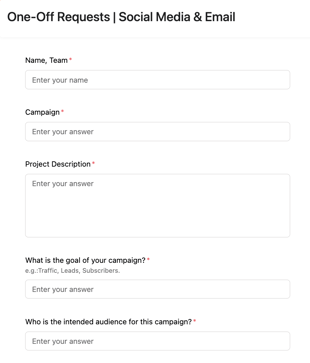
This way, you free up your email and IM and you now have a dedicated place to review requests.
If you’re concerned about time-sensitive requests, you can add a note that specifies the best way to contact you or your team for urgent requests.
8. Use Canva to make batches of similar images.
Canva is a wonderfully simple (and free) graphic design platform that social media managers can use to create social media templates.
Maintaining a consistent aesthetic is very important on social media. With Canva, you can create templates, get them approved by your branding team if necessary, and use them whenever you’re posting on social media.
You can create multiple folders based on the post category, the platform, or the visual format – how you organize it is all up to you.
Showers would use Canva to create images in bulk for HubSpot’s campaigns on social.
“Anytime we run a campaign to promote an ebook, webinar, or another valuable piece of content, I want to have at least five creatives to test on Twitter,” she said.
To create those creatives, she only has to design one image on Canva, then she uses the “copy” tool (shown below) to duplicate the image and create multiple versions while retaining the core design elements.
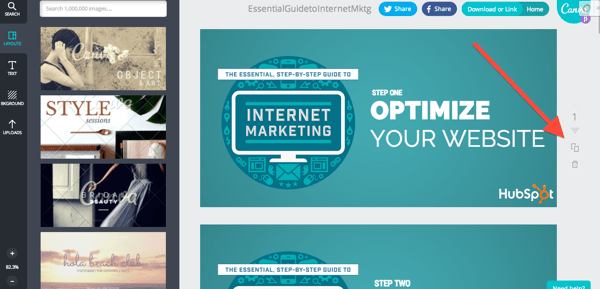
9. Organize your windows and tabs in a specific order every day.
When you’re juggling your email, calendar, social streams, post requests, links, and so on and so forth, you can easily lose track of which tab is where. One member of JetBlue’s social team suggests keeping windows and tabs open in a specific order that you’ll get used to and memorize quickly.
The JetBlue team also suggests getting into the habit of closing out of tabs as soon as you’re done with them.
“We get sent so many links that, if I’m not careful, I’ll have 30 articles open as well as Fly-Fi selfies and pictures of suitcases with wheels and zippers missing.”
If someone tweets a link at your brand, once you’ve addressed that tweet, close out of the link. This also helps ensure your toggle bars never get so crowded that you can’t easily see updates as they happen.
10. Set a time limit for each task.
Social media managers tend to have jam-packed schedules that don’t allow them to do one task for too long.
“It’s easy to get lost in the endless streams of to-dos, research, and meetings,” says Yip, “so it’s important to schedule time limits for each task so you can stay focused and not spend too much time on one.”
And finally, says the JetBlue social team, “Don’t forget to blink!”
Staying Organized as a Social Media Manager
It’s one thing to get organized, it’s another to stay that way.
All of the tips outlined below require consistency. Otherwise, they won’t serve much of a purpose. As with everything, you incorporate these tips into your routine, you will slowly but surely see how much organized your days will become.
Pro-tip: Incorporate one tip at a time and pick based on your biggest pain point. For some, adding one thing at a time is much more manageable and makes it easier not to get overwhelmed by the changes.
Editor’s Note: This post was originally published in Oct. 2014 and has been updated for comprehensiveness.

How to Calculate Marketing ROI [+Free Excel Templates]
If you can prove that your marketing activities actually made an impact on your business, you’ll have many more opportunities (and budget) to grow your marketing efforts. Sounds like a marketer’s dream, right?
But how do you find the right metrics to measure and prove marketing ROI to your boss and stakeholders? With the help of this guide and a free marketing ROI excel template, you’ll learn how to calculate your marketing ROI with Excel to secure more resources for your marketing team.
![→ Free Download: Free Marketing Reporting Templates [Access Now]](https://no-cache.hubspot.com/cta/default/53/0d883e85-c2e5-49bb-bef2-bfddb500d84b.png)
For example, if you’ve been running an $800 marketing campaign for three months, and average sales revenue was $2,400 for those three months, your marketing ROI would be:
200% = ($2,400 – $800)/$800
If math isn’t your cup of tea, use a marketing ROI calculator to do the heavy lifting. The free ROI calculator below considers five factors of your marketing campaign to produce an accurate ROI percentage for your marketing efforts.
Marketing ROI Calculator
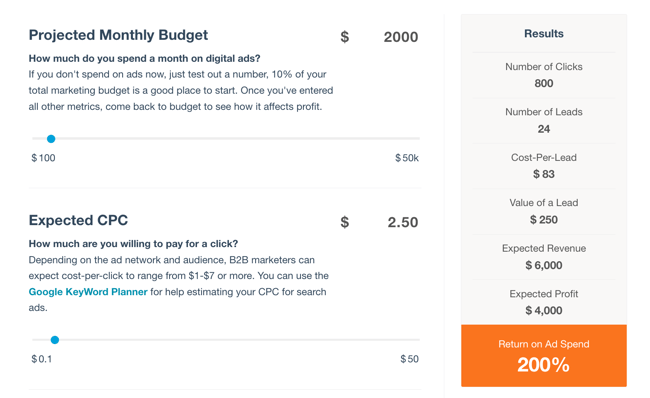
Calculate Your Marketing ROI Free
Pro Tip: if you’re a HubSpot customer, you can use this ROI calculator programmed with the same formula.
Calculating ROI the old fashioned way in Excel is still the most popular method for good reason. By using Excel, you can keep track of ROI overtime to run comparisons, identify gaps, and optimize your marketing efforts.
Here’s a guide for calculating marketing ROI in excel.
How to Calculate ROI in Excel
Excel is one of the most accessible ways to calculate return on investment in a matter of seconds. You don’t have to make up any fancy formulas or commands — just follow these steps to calculate your marketing ROI.
Step 1: Write down your formula.
You won’t be able to enter this formula as-is into your spreadsheet, but understanding the formula before opening Excel will be helpful. By taking note of the formula below, you’ll know which cells to include in your Excel formula so that you calculate your numbers correctly.
(Sales Revenue – Marketing Cost)/Marketing Cost
Step 2: Add variables.
Open your Excel spreadsheet and add one row for your sales revenue and one row for marketing costs. In the next column over, include how much sales revenue your marketing campaign generated. Then, under that, add how much your marketing team spent on the campaign.
In the example below, our sales revenue was $50,000 and marketing costs were $12,500. Right away, we know that the campaign generated more money than was spent on it, so that’s a great sign of high ROI.
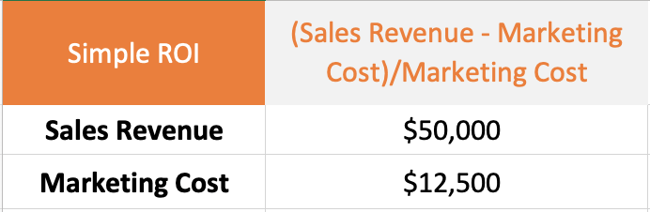
Step 3: Add the formula
Once you’ve added your revenue and cost numbers, select a free cell to type in the formula using your data. In this example, we chose the cell right below the revenue and cost numbers. Here’s how the formula translates into Excel:
- Sales Revenue is in cell B2
- Marketing Cost is in cell B3
(Sales Revenue – Marketing Costs) / Marketing Costs =
(B2 – B3) / B3
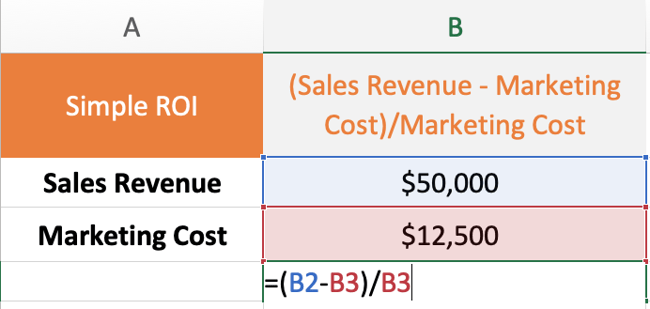
Step 4: Calculate marketing ROI.
Tap enter or return on your keyboard to calculate your ROI.
If the formula doesn’t automatically calculate it as a percentage, change the number format by going to the Home Tab > Number > Percentage.
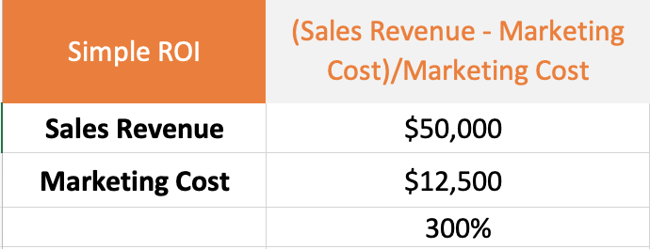
Step 5: Communicate the ROI
Now that you know the ROI on this marketing campaign was 300%, how do you communicate this to your stakeholders so that they know whether or not 300% was successful? With any statistic, it’s important to give context for the data you discover. For ROI, you can communicate it like this:
“Our return on investment for the latest marketing campaign was 300%. That means for every dollar we spent in marketing costs, we made $3 in revenue. Compared to our past marketing campaigns that had an ROI of 200%, this was our most successful one to date.”
Calculating Marketing ROI with Attribution Variables
Figuring out your return on investment when attribution isn’t as black and white requires a slightly different approach.
For example, over a 12-month campaign, the sales team may inform the marketing team that 10% of the sales revenue came from leads that were organically prospected on the sales team and weren’t impacted by marketing’s efforts. This is an example of varying attribution of revenue and is a common problem that marketing and sales teams face. In other words: Who really gets the credit for revenue generated?
Depending on the thresholds set by both teams, you can add attribution as a this variable along with the original factors using this ROI equation:
(Sales Revenue – Organic Sales Revenue – Marketing Cost)/Marketing Cost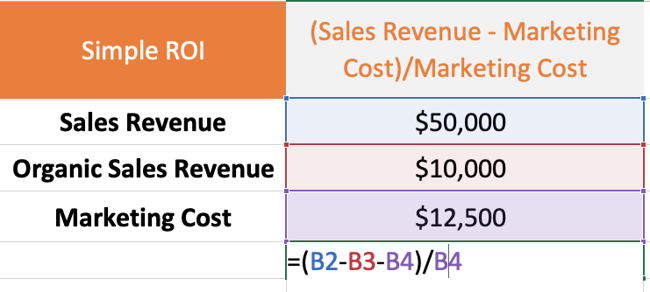
To calculate the ROI, tap enter or return on your keyboard and you’ll have a more precise ROI metric that attributes credit to the sales team for revenue they generated without the help of marketing.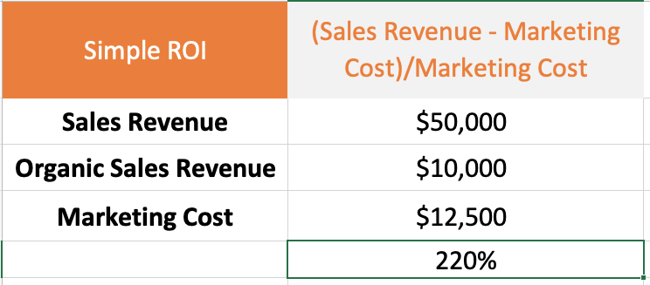
After accounting for organic sales revenue, the marketing team’s ROI was a bit lower at 220%. To communicate this to stakeholders, you might say:
“Sales revenue for the past 12 months was $50,000. The sales team generated $10,000 of that revenue through organic efforts like prospecting. The marketing team’s campaign contributed to the other $40,000 in revenue resulting in a 220% ROI. That means for every dollar we spent in marketing costs, we made $2.20 in revenue. Compared to our past marketing campaigns that had an ROI of less than 200%, this was very successful.”
Now that we’ve reviewed a couple of examples, let’s walk through which metrics you should track to measure ROI for your marketing campaigns.
Not all metrics are equal when it comes to ROI, so you’re going to need to tell a story with the right data. Here are the top metrics to tack when measuring marketing ROI.
1. Reach
Reach is an important metric to track for advertising spend, especially for digital ads. This metric determines how many individual people saw your marketing campaign content.
If your campaign has a goal of increasing brand awareness within a large target audience, you’ll want to look at reach to make sure you’re reaching many different people rather than the same person a few thousand times.
2. Impressions
Impressions tell you how many times your marketing content was viewed. They don’t, however, don’t take into account whether the users were unique or not. Depending on your campaign goals, this metric can indicate how efficient your campaign was at spending money compared to how many times campaign assets were seen.
If your campaign goal is to guide customers through a traditional marketing funnel, repeat exposure to an ad is a key part of doing this successfully and impressions is one metric you can use to track this.
3. Visits
Your website is one of the most important marketing assets your team manages. Every time a person visits your site, they have an opportunity to become a customer and spend money with your business.
Measuring the ROI of a new website redesign using visits as a metric can give your team insight into whether the new design is working, whether SEO has improved and brought in more traffic, and more.
4. Leads
Acquiring leads can get expensive if your marketing strategy isn’t up to par. Determining ROI on lead acquisition is critical as the goal is to keep Cost Per Lead (CPL) in line with your company’s revenue goals.
It’s a good idea to develop a service level agreement (SLA) with the sales team to determine how much marketing is willing to spend on leads vs. the customer lifetime value (CLV).
5. Conversion Rates
A conversion rate details the percentage of people who take a specific action on one of your marketing assets. This could be clicking a CTA on your website, making a purchase, or signing up for a newsletter.
It’s common for a marketing team to manage several conversion paths, thus having several conversion rates to keep track of. As a result, you’ll have a different ROI for each conversion.
To measure which conversions have the best ROI, you’ll need to determine how much it costs to get a customer to the point of conversion (i.e. Did you use paid ads or organic traffic to get visitors to convert?) and how much that conversion is worth (if the conversion is a purchase, then you’d use the purchase price).
6. Customer Lifetime Value (CLV)
Believe it or not, customers are valued based on how much they spend, how many purchases they make, how often they engage with CTAs, content, and more. Your company can set the criteria for a customer’s value. Once you’ve determined this, CLV can be calculated using this formula.
CLV is a useful variable to include when calculating your marketing ROI because it compares how much you spend on marketing campaigns compared to how much money a customer is worth to the business throughout the customer life cycle.
7. Return on Ad Spend (ROAS)
Sometimes marketing campaigns rely heavily if not solely on paid digital advertisements. These ads can take many forms including search ads, display ads, social media ads, and more.
Return on Ad Spend (ROAS) is a type of ROI metric that lets you know how efficiently you’re spending your advertising dollars. The formula is the exact same as the ROI formula we shared earlier, except it only measures paid advertising dollars rather than all marketing spend which could include costs for contractors, agencies, and other functions that help launch your campaign.
If you’re curious about where your ROAS stands right now, use this free ROAS calculator to get an idea.
8. Cost Per Lead (CPL)
Cost Per Lead is a metric that marketers use to measure how many interested prospects their campaign is gaining. A lead doesn’t make a purchase. Instead, they exchange information for access to a business’s content or offers. This information can be an email address, phone number, survey, or something else that is not monetary.
What’s considered a high or low CPL varies widely by industry, company, and even campaign to campaign. Factors like copy, design, site speed, landing page content, and more can affect your CPL numbers.
9. Cost Per Acquisition (CPA)
Similar to Cost Per Lead, Cost Per Acquisition measures how many people take an action to purchase your product. An acquisition is usually identified by a visitor entering their card information to sign up for a free or discounted trial. They may also make a purchase outright.
10. Lead Close Rate
Your lead close rate is best described as the number of leads who turn into customers. Ideally, every marketer wants every lead to become a customer, resulting in a 100% lead close rate, but that’s unrealistic. Just like CPL and CPA, the lead close rate can vary widely among industries, companies, and campaigns.
Tracking this metric can identify gaps in your marketing campaign. If you notice many of your leads are not returning to make a purchase, you can identify another touch point to reach them or try retargeting them with a different ad that leads them to make a purchase.
For more marketing metrics to measure for ROI, take a look at our marketing metrics template.
How to Create Your Own Marketing Metrics Report
So now you know what metrics you need, but what about generating a report to share these metrics? Trust me, nobody wants to receive a spreadsheet and be expected to read it front and back. Even if your marketing ROI is 1000%+ day over day, you’ll probably receive a lackluster response from your stakeholders if you don’t tell a story with the data.
Follow these steps to create an engaging marketing metrics report.
Step 1: Follow along by downloading a free monthly marketing reporting template for Excel and PowerPoint.
Step 2: Open Excel and add your metrics.
The equations and graphs will automatically populate and adjust based on the metrics you add.
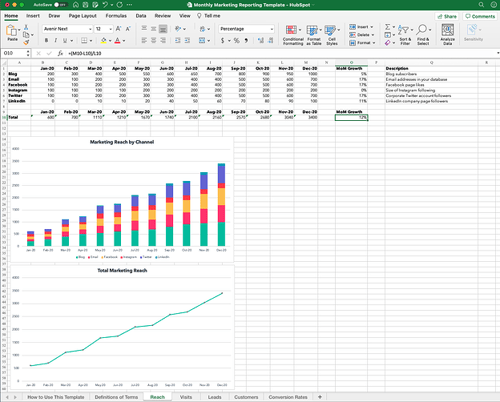
Step 3: Copy the graphs and paste them into PowerPoint.
Right click on the graph you want to copy and select Copy.
Then open your PowerPoint slide deck and click Paste where you want the graph to go.
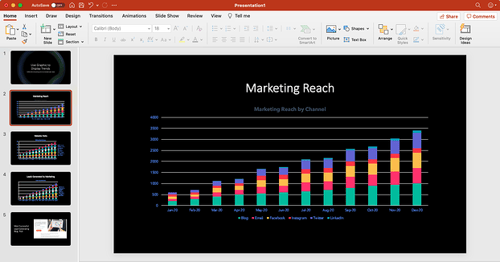
Step 4: Customize your graphs and charts to fit your company’s brand.
Click on individual elements in the graph to customize them.
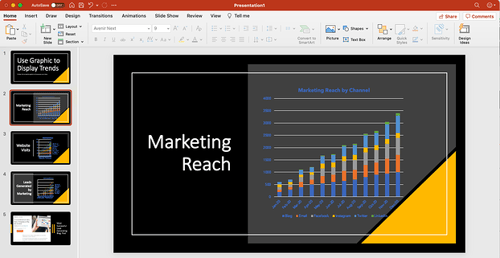
Step 5: Add context to tell a story with your data.
Add content to each slide that explains your marketing team’s success from the past month. For example, if you have a blog post that drove a lot of leads, you could include a photo of the post along with a few takeaways. These specific examples give context to your presentation and justify why your marketing efforts worked and how you can repeat this success in your next campaign.
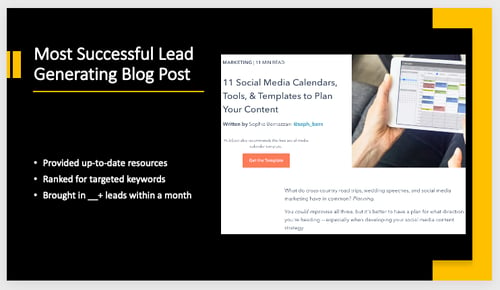
ROI Excel Templates
Excel is one of the best tools to use when tracking and calculating ROI regularly. Here’s a collection of marketing ROI excel templates so you can report your metrics like a pro.
1. Reach Marketing ROI Excel Template
Calculate your marketing campaign’s reach with this ROI template. You can measure the reach of your blog, email, and social media content.
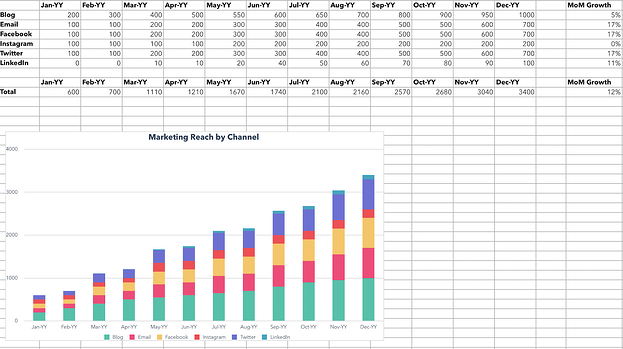
2. Website Visits Marketing ROI Excel Template
With this template, you can calculate your website visits via sources and channels including paid traffic, direct traffic, and social media referrals.
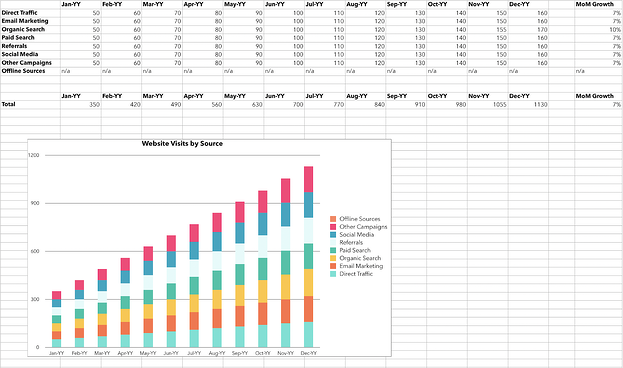
3. Leads Marketing ROI Excel Template
See how many leads are generated with your marketing campaigns with this excel ROI template. These results are segmented by source.
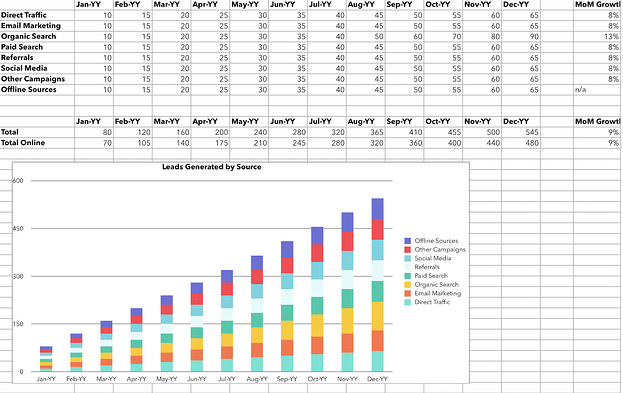
4. Acquisition Marketing ROI Excel Template
Use this template to track how many customers your campaign acquired, segmented by traffic source.
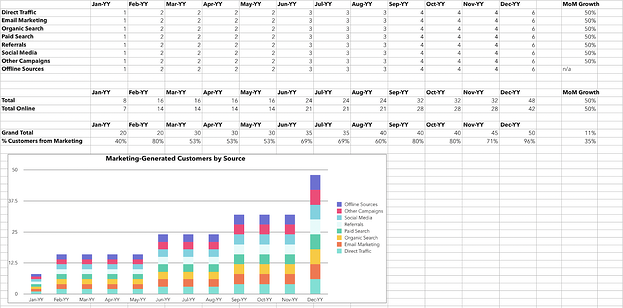
5. Conversion Rate Marketing ROI Excel Template
Identify how many leads converted to customers as a result of your marketing campaign with the conversion rate marketing ROI excel template.
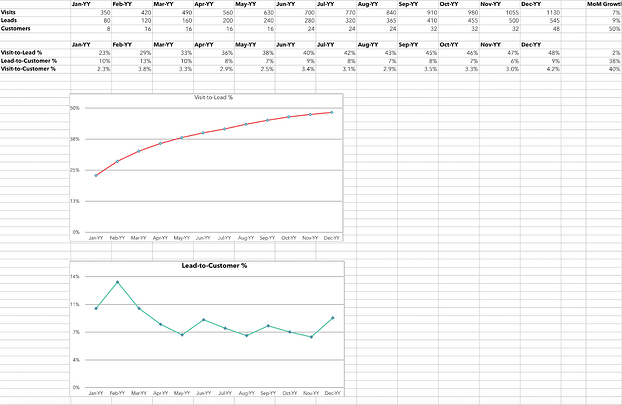
Optimize Your Marketing Campaigns for Higher ROI
Businesses can make a lot of assumptions about how well marketing campaigns perform, but without the ROI data to back it up, they’re just that — assumptions. Get your excel sheet or marketing ROI calculator out and follow this guide to really understand how well your campaigns are doing. You may even be able to make a case for a larger budget, additional headcount, or more resources to market your product or service even better.
Editor’s note: This post was originally published in September 2013 and has been updated for comprehensiveness.

How to Craft a Successful Customer-Centric Marketing Strategy
When was the last time a business fully addressed your wants and needs as a customer? For me, it was around the holidays, while searching for the perfect gift to give a friend who is a huge fan of the video game series “The Legend of Zelda.”

My online search for the right gift led me to STL Ocarina, a company that sells ocarinas — the musical wind instruments that have been around for thousands of years and a staple item in the Legend of Zelda series. Clearly, the company knew many of its customers were like me — either fans of the games or shopping for fans of the games — so it made finding Zelda-themed ocarinas on its website simple.
Just hover over the tab that says “Our Ocarinas,” and the first category to pop up under the tab says “For Legend of Zelda Fans.” From there, I was taken to a page displaying their Zelda-themed ocarinas and the option to include a songbook of the game’s music.
After purchasing the ocarina and songbook, I remembered my friend doesn’t know how to play the ocarina and the songbook may not have tips for beginners. Luckily, STL Ocarina’s confirmation email included a YouTube instructional video and links to online resources that will help him get started.
STL Ocarina serves as a great example of what customer-centric marketing looks like. During the few minutes I was on the company’s website, every touchpoint of my buyer journey was valuable, from landing on the website to browsing for the right gift to making a purchase.
Months later, I’m still recommending the website to friends who want Legend of Zelda merchandise or are simply looking for a new hobby to pick up.
In order for your company to turn customers into advocates, the same way I advocate for STL Ocarina, it’s important to add value to every part of the customer’s journey and to address their needs. A way to accomplish this is to create a solid customer-centric marketing strategy.
Customer-centric marketing ensures your customers are satisfied with their products or service enough to remain loyal and to tell others to become customers as well. To implement customer-centric marketing for your business, first ask yourself:
- How are customers connecting with your business? Is it via social media, the website, email, phone, or something else?
- Is there value being offered in each of these channels?
- What can be done to improve the customer’s experience at every touchpoint?
Customer-Centric Marketing Examples
Many companies have taken a customer-centric approach to their marketing strategy and have achieved great success. These companies include:
1. Starbucks
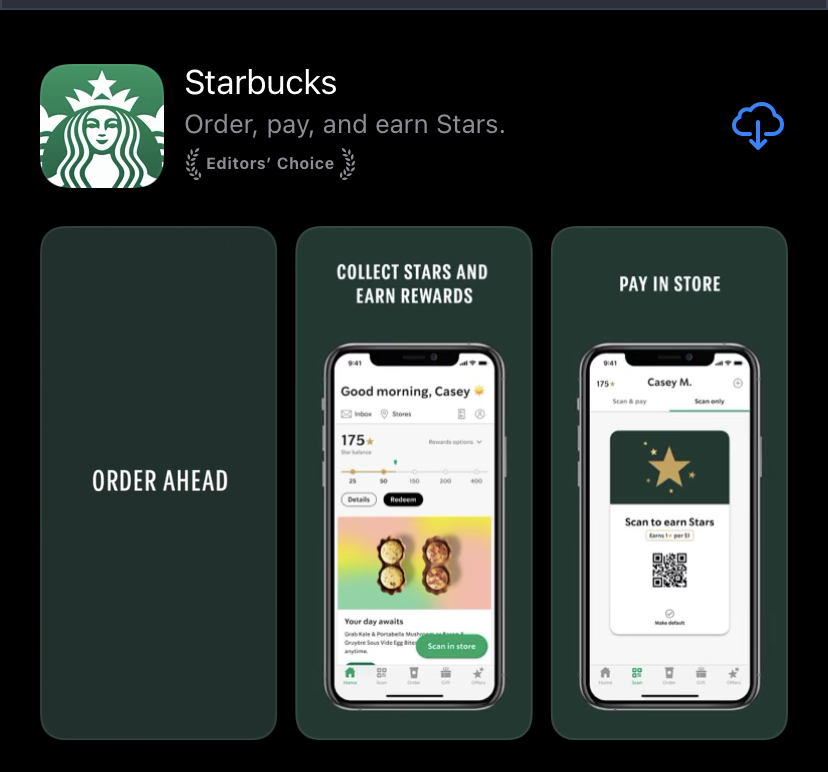
One of the most well-known successful customer-centric marketing strategies comes from Starbucks with its Starbucks Reward Loyalty Program. This program offers a variety of perks, including exclusive discounts, free refills on brewed coffee, and free drinks for customers on their birthday. However, one of the program’s standout services is that it gives customers the ability to order and pay ahead of arriving at the restaurant.
This means customers who are pressed for time can schedule their items for pickup, thus avoiding long lines and inconsistent wait times.
According to Forbes, Starbucks attributed 40% of its total sales in 2019 to its rewards program. Forbes also reported users of the Loyalty Program’s app were 5.6 times more likely to visit a Starbucks every day.
2. Nordstrom
Luxury department store chain Nordstrom sought to improve its service and product discovery by creating a more streamlined and personalized shopping experience. The company achieved this by implementing its Nordstrom Analytical Platform. The platform consists of AI models that handle tasks such as inventory control and fulfillment, and routes orders to the nearest store.
The company also created fashion maps in which the AI uses natural language conversations, combined with images and information gathered from social media to predict customer preferences. Thanks to AI, the Nordstrom Analytical Platform offers personalized products and selections for customers via its Looks feature, storyboards, and more.
3. Bacardi
Back in 2019, Bacardi wanted to get potential customers in the UK and Germany excited about the brand’s new single-malt whiskies. Understanding drinkers in that demographic often have a taste for luxury, Bacardi teamed up with Amazon to create a live whisky tasting customers can enjoy from the comfort of their home.
The spirits company created its Single Malt Discovery Collection, which was made up of three whiskies exclusively for tasting. Customers in the UK and Germany could purchase the collection from Amazon and, in turn, receive access to the live streamed tasting. During the live stream, customers were able to ask questions to the host via a custom landing page on Amazon. More than 500 questions were asked and Bacardi saw an increase in sales on Amazon.
Tips for Creating a Strong Customer Centric Marketing Strategy
Crafting a customer-centric marketing strategy for the first time can be daunting, but it doesn’t have to be. Here’s how to get started:
1. Get Leadership Involved
To help ensure the success of any new strategy, it’s important to get the support and enthusiasm of senior leadership. If senior leaders prioritize customers at every channel and interaction, it will encourage others in the organization to do the same. You can get leadership on board by hosting regularly scheduled meetings to educate leadership on customer-centric marketing, discuss upcoming campaigns, and brainstorm creative ways to promote the brand.
2. Learn About Your Customers
Gain a better understanding of your customers by doing some of the following:
- Conduct surveys asking customers about the quality of the service/product, the company’s strong points, where it can improve, and how they most interact with the brand.
- Have one-on-one interviews with current and former customers asking about their experience with the company, why they choose to remain loyal, or why they left. You can also ask former customers what changes would have made them stay.
- Use data gathered from analytics tools to track customer behavior.
- Monitor social media and/or enable Google Alerts so that you can see what people are saying about your business online. For example, if customers often take to Twitter to complain about how difficult it is to navigate your website, that could be a sign to update the site. You can also gauge the type of content your customers like to see on social media. Perhaps on TikTok you notice followers enjoy behind-the-scenes videos, while customers on Twitter enjoy having their questions answered or reading important announcements.
- Read through customer emails and monitor calls to see how customers are interacting with your company.
3. Add Value to Every Customer Interaction
Customers, or potential customers, can be at any stage of their journey with your company, which is why it’s important to create appeal at every touchpoint. Whether they interact with your organization via social media, are calling to get help with a problem, or they are at the end stage of purchasing a product/service, every part of the buyer’s cycle should spark engagement and joy.
Nordstrom offering personalized products/services based on the customer’s behavior, and Starbucks creating a system that allows customers to get their needs met quickly and efficiently are great examples of adding value at different customer interactions. Same can be said for Bacardi’s virtual, at-home whisky tasting. The one thing that all of these actions have in common is that they make the customer experience fun, engaging, and simple.
4. The Value of Customer-Centric Marketing
As technology continues to change the way people interact with brands and businesses, the customer journey has become less linear. To keep up with the ever-evolving journey, companies must adopt a customer centric marketing approach to build stronger relationships that will turn your customers into some of its strongest advocates.


12 Essential Media Planning Tools
Your customers are consuming messages in more ways than ever before — online, in publications, on TV, the radio, and on their phones — to name a few.

For companies hoping to reach their audiences across multiple channels, engaging in media planning is a must. However, it’s almost impossible to pull off without media planning tools that give you insight into your efforts.
To help you with your media planning efforts, we’ve compiled a list of the essential media planning tools, templates, and software to use this year.
Your customers are consuming messages in more ways than ever before — online, in publications, on TV, the radio, and on their phones…to name a few.
1. HubSpot Media Planning Template [Featured Resource]
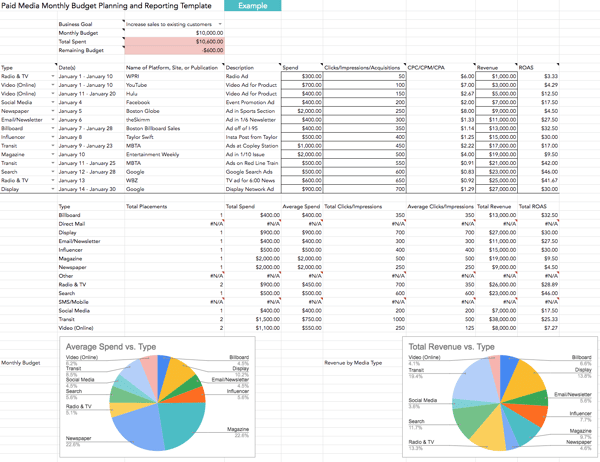
HubSpot’s paid media template will help you keep track of how much you’re spending on paid media, where your messages have gone out, and how much attributable revenue has been generated from each source.
You’ll also gain access to charts that automatically adjust when you add your spend and ROI. This resource is free — click here to get your copy now.
What we like: This template lets you compile data from your media buying efforts on a monthly basis. With it, you can determine which paid media channel works best for your company and yields the best results for your bottom line.
2. Bionic Media Planning Software
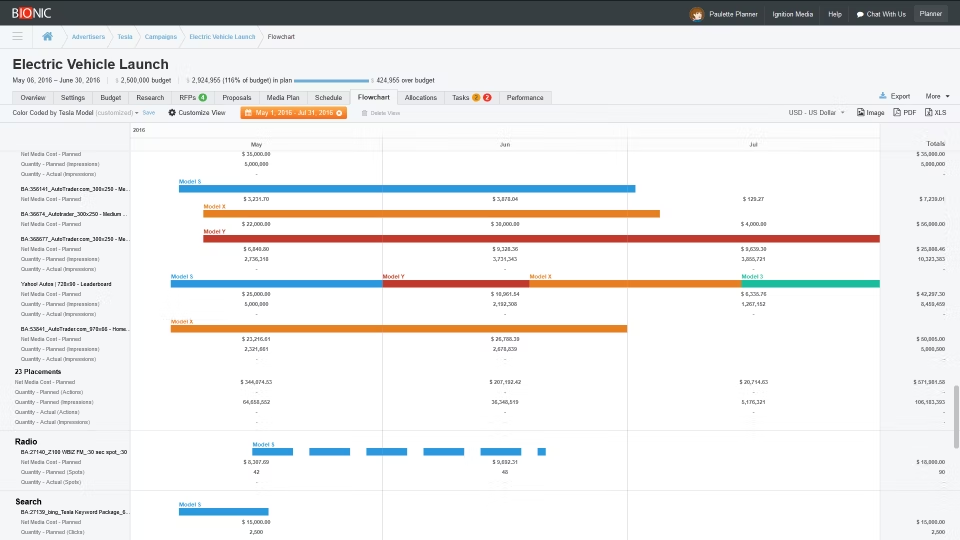
Bionic prides itself on its media plans, flowcharts, RFPs and IOs, trafficking, reporting, and client dashboards.
It has an average of 3.1 software updates on a monthly basis, meaning agencies using the software are provided with up-to-date planning tools to run and organize their campaigns.
What we like: Unlike other tools, Bionic is cloud-based — meaning you’ll be up and running in minutes. You also get unlimited training, support, and data backups at no extra cost.
3. Kantar SRDS Media Planning Platform
The most valuable resource for media planners is data. To feel confident promoting media on a specific platform, media planners need to know who is on each channel, in addition to understanding their target audience.
What we like: SRDS gives media planners access to extensive datasets on audience statistics and demographics so media planners can choose the right platform, message, and audience to target.
4. Media Plan HQ
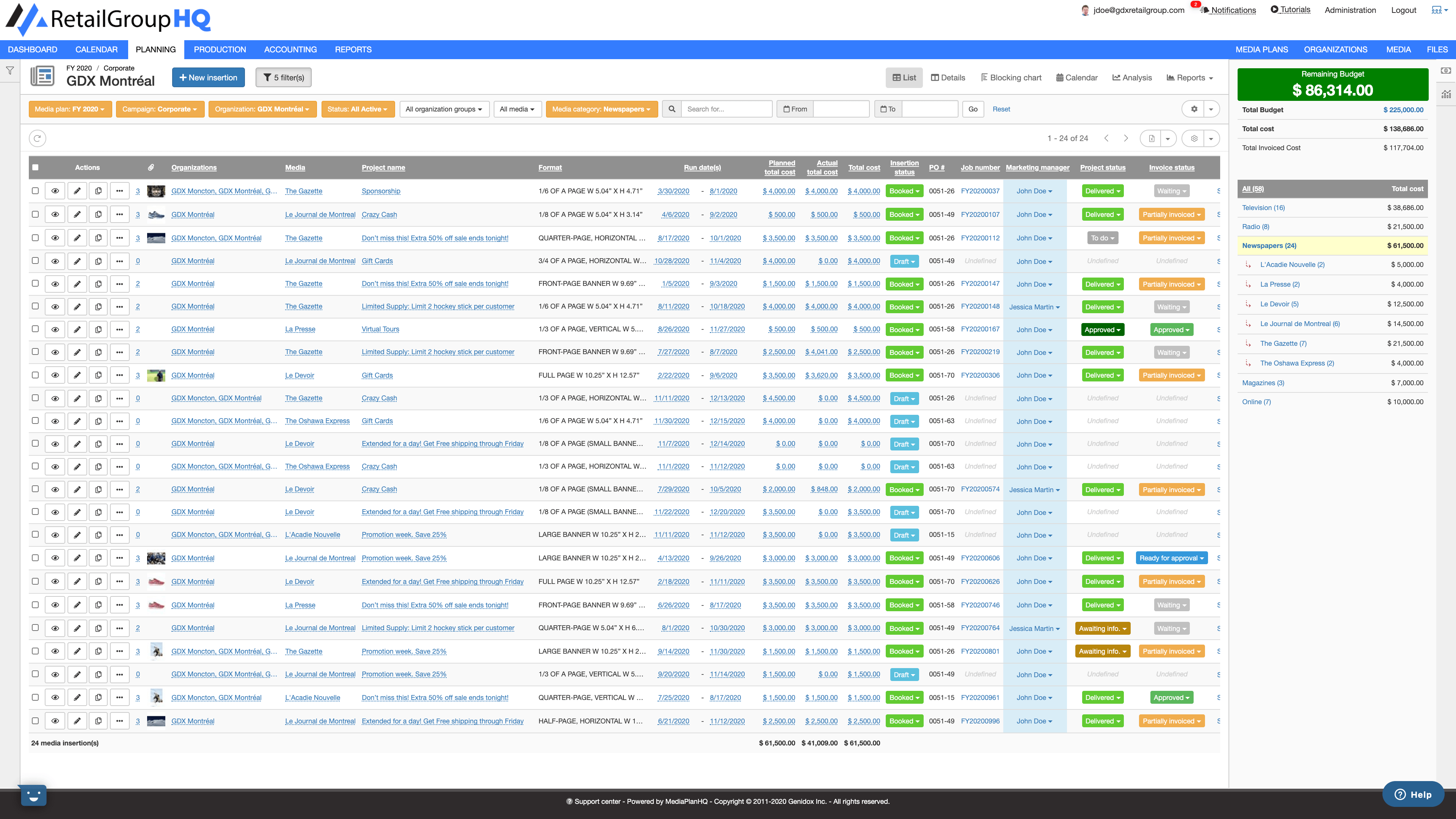
Not a fan of spreadsheets? No problem. Media Plan HQ’s got you covered. The tool tracks dates, placements, and budgets in real-time over an organized interface without having to deal with Excel. The tool is also collaborative, allowing you to work alongside your team members without the headaches caused by back-and-forth emails.
What we like: This tool gets a gold star for its collaboration capabilities. You can work alongside your team members (or share your plan with stakeholders) without the headaches caused by back-and-forth emails.
5. BluHorn
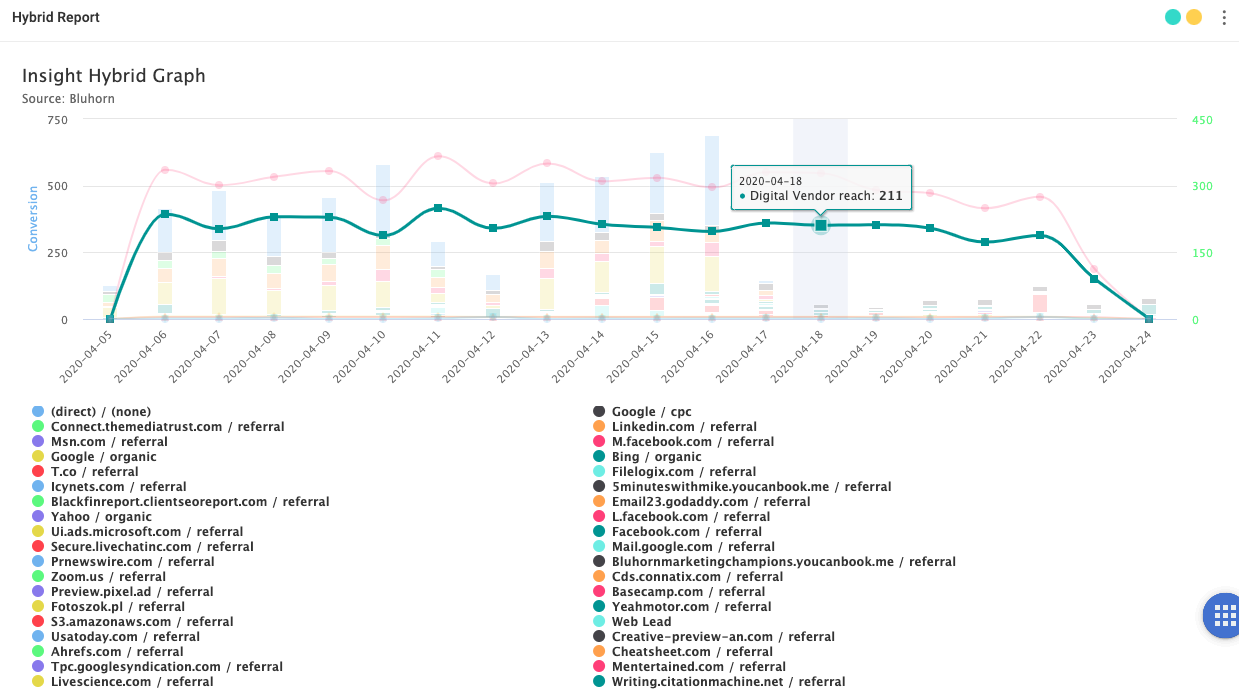
Promising easy media planning and buying, BluHorn integrates with Nielsen and Comscore to provide users with instant access to data-rich insights. The tool is rich with useful features, such as post-buy, a vendor database, and data filters.
What we like: BluHorn is integration-rich. Connect with Nielsen & Comscore for easy planning; Google Analytics and Facebook for better tracking; and programmatic for seamless digital buying. And here’s the icing on the cake — BluHorn also integrates into Amazon AWS.
6. Quantcast
Quantcast is an audience insights tool with data from 100 million websites. Quantcast uses AI so users can “better predict and influence [their] desired audience,” which is especially useful in an era where consumers are showered with ads wherever they go.
What we like: If you’re looking to dig into your audience’s behavior, look no further. Quantcast provides real-time insights into your ad campaigns, empowering you to better understand your audience and drive results.
7. Basis Technologies
Rated the #1 demand-side platform on G2 Crowd, Basis “addresses your direct, programmatic, search & social through a single interface.”
The software gives users access to 9,000 vendors and 11,000 publishers and informs them with more than 180 unique data points. It also contains a messaging tool for seamless team communication.
What we like: Running multiple ad campaigns can sometimes feel like an unorchestrated chaos. But with Basis, you can integrate all your advertising (including programmatic, direct, search, and social) in one central location.
8. Comscore
Comscore is an essential tool for “planning, transacting and evaluating media across platforms.” Best known for providing data for digital platforms, film, and television, Comscore provides audience measurement metrics for companies looking to promote their products on a visual medium.
What we like: With Comscore, you can access data to determine the true impact of your media plan. Then, you can optimize your plan across a variety of media and screens in one place.
9. Nielsen
A household name, Nielsen is synonymous with audience measurement. Known mostly for TV viewership metrics, Nielsen’s global strategy also provides users with metrics for podcasts, streaming services, and social media. This gives users an all-encompassing view of where their audience is. It’s no wonder media planners and sellers have relied on Nielsen for nearly a century.
Fun Fact: Nielsen is considered to be the first company to offer market research and is responsible for the term “market share.”
What we like: Along with advanced audience segmentation, Nielsen also provides competitive intelligence that paints a complete picture of the media landscape — which helps you identify ways to differentiate your brand from competitors.
10. HubSpot Social Media Software
Looking to keep things just to a social media audience? HubSpot’s Social Media Software allows for easy publishing and audience analysis for Facebook, Twitter, LinkedIn, and Instagram on a single platform.
Plus, you can measure how your audience converts from social media in your CRM on their journey to becoming a customer.
What we like: Are you constantly refreshing your social media to monitor interactions? With this tool, all your social media interactions link back to your CRM — which saves you time and effort.
11. Scarborough from Nielsen
Another appearance from Nielsen on this list, Scarborough is a media planning tool for companies looking to get more local, hyper-focused audience insights. This tool is great for region-specific messaging or promotion and can facilitate a more systematic rollout of the word you want to spread.
What we like: With this tool, you can profile consumers beyond standard demographics — such as their lifestyle, shopping behaviors, and media consumption. You can also narrow in on specific audience segments, like sports betters or streamers.
12. MRI-Simmons
Marketed as “The Essential Consumer Truth Set,” MRI-Simmons provides both national and regional focus studies to those looking to learn more about their audience and plan media more effectively. Its clientele includes companies spanning multiple industries like Dell, Spotify, Coca-Cola, and Men’s Warehouse — which makes sense, given the massive amount of segmentations available to users.
What we like: As I mentioned above, MRI-Simmons is a powerful tool for segmentation. Why is this important? With segmentation, marketers can identify new audience trends to anticipate their behavior, attitudes and preferences and reach them in the most effective way.
Bonus Resource: HubSpot Academy’s Paid Media Course
HubSpot Academy’s course on How to Build a Paid Media Strategy is the perfect introduction to media planning. Whether you have a generous budget or none at all, this course provides marketers with the fundamentals of developing a paid media strategy, utilizing media throughout the buyer’s journey, and finding the ROI of your efforts. Click here to take the free course.
Media planning is an essential task for marketers. But doing it alone, or with disconnected software, will make it unnecessarily difficult. That’s why it’s important to look at the available tools and use ones that make sense for your goals.

11 Talent Acquisition Strategies to Find the Best Employees
It can be difficult to find the ideal candidate for a specific position — in fact, in 2021, 69% of companies have reported talent shortages and difficulty hiring – a 15-year high.
Regardless of the state of the economy and your talent pool, to succeed long-term, your business should be able to hire and retain the best, most talented employees.
![→ Click here to download our free guide to hiring and training a team of all-stars [Free Ebook].](https://no-cache.hubspot.com/cta/default/53/c42148d7-13dd-4c38-b907-cff1602ee62f.png)
But hiring can be a daunting task, which is why you need a talent acquisition strategy.
To succeed long-term, it’s critical you attract and retain talented employees regardless of vacant roles. Talent acquisition can help you do this, while solving for long-term organizational needs.
Now that you understand what talent acquisition is and how it differs from recruitment, let’s dive into the most effective talent acquisition strategies.
Here are eleven critical talent acquisition strategies to ensure you’re finding the best people.
1. Align with your business goals.
Consider your business goals for the next one to five years, and use those objectives to tailor your acquisition strategy to meet those needs. While recruitment tends to focus on filling vacancies within departments, talent acquisition is more about considering how your company is going to expand long term and then finding employees who can help take you there.
For instance, are you planning on expanding into Latin America? If so, perhaps your HR department should focus on attracting candidates with international or regional experience. Or, maybe you’re planning on creating a new product, in which case, your HR efforts should focus on attracting talented software developers and coders.
Certain roles might not even exist yet, but you’ll want to consider what type of talent you’ll need to hit your business’s long-term goals. Remember, investing in the right candidates will pay off for your company, long-term.
2. Use data and marketing to create better acquisition material.
You wouldn’t create a marketing campaign without data, so why should you recruit without it?
Talent acquisition should be treated with just as much importance as any of your marketing campaigns. Convincing people to join your company is just as necessary as incentivizing people to buy your products.
There are plenty of different opportunities to use data to strengthen your talent acquisition strategy. For instance, you might use data to figure out where your top talent came from, and use that information to focus your talent acquisition efforts on certain academic programs or professional networking sites.
Additionally, your HR team should partner with your marketing department to refine job descriptions, career pages, emails, and more.
Using data, you can figure out if certain questions are deterring candidates from filling out job applications, and eliminate those questions. Alternatively, perhaps you’ll find adding images or videos to highlight company culture incentivizes more candidates to fill out job forms. Or, maybe more candidates apply for a job with description A over description B.
By using analytics and data, you’re able to ensure your job descriptions and career pages aren’t deterring qualified people from applying.
Bullhorn is designed to tackle some of the biggest tasks of talent acquisition: recruiting candidates, and sorting through the job pool. Their software was created to streamline applicant tracking systems and improve profitability for any size business.
3. Expand outreach strategies.
To find better talent, you’ll need to expand your sourcing strategies. Different skill sets require different methods of outreach. You’ll find your best marketers in a different place than your best programmers, so you’ll want to diversify your sourcing approach.
Rather than spending all your time on LinkedIn, consider other specialized job boards, academic programs, or networking events where you might find a specific group of talented professionals. For instance, SmartRecruiter is a CRM that is developed for recruiting candidates and coordinating calendars for potential new hires.
It’s critical you identify where you can find the vast majority of your top talent, whether that be professional events, conferences, online forums, or social networks. Then, focus on strengthening relationships and networking with the right people — not only will you grow your pool of potential hires, but you’ll also grow brand awareness for your company, which will help you attract talent in the future, as well.
4. Build your company brand.
Millions of millennials and older Generation Z candidates make up the current job force. This group of potential employees came of age with the internet and social media. In researching your business, these individuals look at social media accounts, websites, and job boards to understand your work culture.
When looking into your company, candidates will have questions. What is the workplace atmosphere? Do their employees look happy? Is there potential for growth? Leverage your current employees and capitalize on the instant broadcast capabilities of your website and social media. Post images and videos of your employees at work. Encourage employees to interact with your company on its platforms. Congratulate employees on internal promotions.
Note the focus on employees. A company that focuses on the well-being of its staff is a place where people will strive to work. Building your company identity to reflect a positive, expanding environment can be an effective tool in your talent acquisition strategy.
5. Emphasize the company’s corporate social responsibilities.
Companies have taken a step back from policies that only benefit them. Your company needs to focus on pursuing its goals while benefiting others. Your company’s corporate social responsibilities (CSR) are a considerable tool for attracting top candidates aligned with your organization’s values and beliefs.
Corporate social responsibilities lead to the betterment of your brand image, workplace culture, and general society. For example, while Ben & Jerry’s is known for its collection of ice cream flavors, the brand also stands out for its long-standing commitment to social responsibilities. Since 1985, Ben & Jerry’s has donated 7.5% of its pretax earnings to social causes like Greenpeace and Vietnam Veterans of America. Since then, the company has supported voting rights, racial justice, LGBTQ+ rights, and more. With a menu item dedicated to its values on the landing page of its website, the ice cream company emphasizes the importance of its CSR.
On the career landing page for your company, your CSR should be immediately noticeable through images and videos throughout the page. If your company focuses on diversity and inclusivity, demonstrate that. If your company stands behind sustainability, illustrate that through your content. Employees rarely want to work for a company that contradicts their values and beliefs. Use your corporate social responsibilities to attract like-minded candidates who will be passionate about working for your business.
6. Increase budget for the DE&I department.
Diversity, equity, and inclusion is critical for creating a successful talent acquisition strategy — in fact, Dan Schawbel a best-selling author and managing partner of a New York City-based HR research and advisory firm says “This year, 70 percent of job seekers said they want to work for a company that demonstrates a commitment to diversity and inclusion.
The face of the workforce has changed drastically in the last fifty years. In 2022, there are more women and minorities applying for jobs, and as stated by Schawbel, the majority of job seekers want to see this reflected in a company.
DE&I training is imperative and demonstrates that your company is willing to stay current and relevant with changing times. To see an ROI on your investment in training, prioritize retention. During the job application process, continue to eliminate biases in resume reviewing. Ways to remove biases include removing names and photos when sourcing candidates, making applications and resumes anonymous before review, and creating a diverse hiring team.
7. Offer updated work options.
The COVID-19 pandemic reshaped the American work model. Talent acquisition specialists adapt their work models to conduct online onboarding versus meeting candidates face-to-face. As the workforce evolves with more technological advances, workers will strive for more work/life balance.
A professional at Goldman Sachs posted a question on the finance message board of Blind, an anonymous professional network. They asked, “Would you rather make $30k more switching to a new job that requires you to work in the office, or would you rather keep your current salary but WFH anywhere after covid?” The network found that 64% of professionals prefer to permanently work from home over a $30K compensation increase. Other professional groups who favored permanent work from home over a compensation increase include Airbnb (71%), Lyft (81%), Twitter (89%), and Zillow Group (100%).
Employees want to work from home. Remote work models lead to higher productivity. On average, workers are 13% more productive when working from home. As technology continues to advance, your company needs to adjust and consider incorporating remote or hybrid work models while also cutting costs in outdated recruitment techniques to funnel the money into talent acquisition software.
8. Design a competitive and comprehensive benefits plan.
When it comes to compensation packages, employees may be willing to accept a lower salary if balanced by comprehensive health benefits e.g. medical, vision, and dental. Employees want good health benefits, and that includes mental health.
Life inside the workplace is not all that matters in talent acquisition. Consider what happens in an employee’s life outside the business. Does your business model allow for a healthy work/life balance? Are your employees able to receive sufficient healthcare? What kind of retirement or investment opportunities do you offer? Potential candidates will ask these questions about your company. It is necessary to provide the answers with a comprehensive benefits plan.
9. Promote internal diversity.
Many industries are dominated by men leading to women feeling underrepresented within the company’s culture. While the number of women in the workforce has increased significantly over the last few decades, men still hold most positions of power. There is also a racial disparity in corporate America. When HR departments create internal coalitions to rally morale, it increases diversity and inclusion efforts from inside the workforce. To build a diverse and inclusive culture, your company needs to give a voice to people from a wide range of backgrounds.
Diversity should be a company-wide model; however, it begins at the top. Educate yourself on various cultural traditions and backgrounds. Create a workplace where different perspectives are valued and voiced. Employees tend to follow the example of their boss or manager, and setting this example can span internal diversity across your company.
10. Partner with local universities to build an applicant pool.
To build a pipeline of potential candidates, companies partner with educational institutions. It helps establish a relationship between students and future employers.
Take IBM, for example. The technology corporation has partnered with The University of Notre Dame, Virginia Tech, and Florida State University to provide access to its systems for teaching and research. IBM has also planned joint-research collaborations with Duke University and Harvard University.
Instead of waiting for interested candidates to come across the company, IBM has started cultivating relationships with potential applicants. This strategy attracts candidates after graduation and boosts company retention.
11. Add other incentives.
Large to mid-size corporations use eye-catching bonuses and employee benefits to compete in a global market to attract top talent within the industry, but financial incentives aren’t the only things that matter.
When talented candidates are comparing companies, they’re going to consider values, culture, and work-life balance, too. By cultivating an impressive employer brand, you’ll attract better talent and find more long-term success.
To succeed with talent acquisition, consider how you can reframe your branding to focus on the best aspects of your company’s values and culture. You might mention your flexible remote policy and other work-life balance perks, or your company’s emphasis on growth opportunities.
It’s important to broadcast these unique attributes through employee review sites like Glassdoor, as well as your “About Us” page on your company website. When highly qualified people are contemplating your company over your competitors, it just might be those reviews that end up convincing them.
A Talent Acquisition Strategy to Find Top Talent
Your pursuit of top talent shouldn’t solely rely on traditional, short-term recruitment strategies like sending LinkedIn messages or attending job fairs. To ensure top talent acquisition and retention, you’ll need to devise a strategic long-term talent acquisition plan.
Editor’s note: This post was originally published in November 2018 and has been updated for comprehensiveness.


What Video Marketers Should Know About Creating Diverse and Inclusive Content [New Research]
Inclusive content is no longer considered a bonus for video marketers; Diversity, Equity & Inclusion (DEI) is an integral component of an effective video content strategy.
According to Facebook Advertising, 64% of audiences in the US, UK, and Brazil said they would like to see more diversity. Deloitte’s Heat Test Report found 69% of brands with representation in ads saw an average stock gain of 44%.
But where does one start? Diversity isn’t something you can simply check off a list — implementing inclusive content is complex. It has many facets internally and externally in an organization and includes multiple areas that must be taken into consideration when brand and marketing teams plan and produce diverse content strategies.
![→ Access Now: Video Marketing Starter Pack [Free Kit]](https://no-cache.hubspot.com/cta/default/53/8f27c677-d952-4663-8787-bf65c6a1ecf2.png)
Many marketers are working against legacy systems and ways of doing things that have been in practice for years, if not decades or more. What can brands and marketing teams do today to start implementing successful DEI content strategies?
At Storyblocks, a rapid video creation company, we’ve released the Diversity in Video Report to help businesses and marketers implement effective DEI content strategies. Through conducting quantitative and qualitative market analysis over a period of the last four years, we could see how the DEI landscape has evolved in video marketing and determine what the key takeaways are for brands today.
About the Diversity in Video Report
Thanks to our growing diverse video content library at Storyblocks, we’ve been given unique access to what is important to content creators and brands today. Our research analyzes over 250 million searches and over 45 million downloads from our user database of businesses, marketing teams, and individual content creators from 18 industries worldwide.
In addition to these quantitative data points, the research also includes a qualitative in-depth analysis of noteworthy brand DEI initiatives over the last few years. Through evaluating what the top global brands have done to implement DEI strategies, this qualitative study shines a light on best practices and lessons to be learned from the successes and failures of the big players in the market. We include specific examples from companies like Citi, Netflix, Sesame Street, and more.
Diversity in Video Report Findings
1. Diversity doesn’t stop at race.
Diversity is often thought of in terms of race, but our research suggests that diversity in video marketing extends beyond that. Diversity has many layers and includes diversity in faith, age, sexual orientation, ability, body type, and more in addition to racial diversity.
In 2021 the top five DEI keywords and searches by all businesses were: body diversity, elderly, Muslim, general diversity, and African American.
Body diversity, particularly the representation of plus-sized bodies, is something multiple industries prioritized in 2021. This is an area of diversity that has been historically underrepresented, with most ads showing thin body types. Today marketers are approaching this differently, highlighting the importance of body diversity in content planning.

2. There’s an increased demand for BIPOC representation in media and marketing.
Compared to 2019, there has been a 113% increase in BIPOC (Black, Indigineous, and People of Color) video searches from members and visitors, with 937,000 more searches in 2021. There has been a 195% increase in the number of BIPOC video downloads, with 2.3 million more downloads in 2021 compared to 2019.
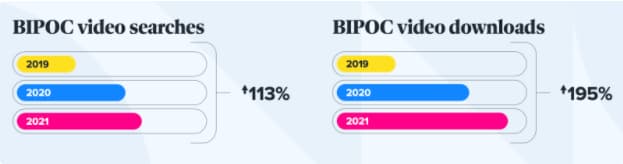
This increase in demand for BIPOC representation in media is likely linked to the murder of George Floyd and the vast racial inequities that led to increased coverage of the Black Lives Matter (BLM) movement that took place in the spring of 2020.
This movement resulted in a global cultural awakening that led to a ripple effect on different facets of media and business. Similar to the evolution of BLM, demand for BIPOC representation in media is not a ‘moment’ — the movement is still continuing and growing today.
3. Demand for diversity is clear with an increase of over 100% in just two years.
It’s clear that brands and video marketers are getting the message and listening to consumers’ undeniable demands for representation. Many businesses have been prioritizing inclusion when producing video content in the last few years.
In 2021, diversity searches including race, ethnicity, ability, age, body and LGBTQIA+ increased by 104% from 2019, with 1.1 million more diversity searches in 2021 from both Storyblocks members and visitors.
Similarly, downloads of diverse content increased by a massive 191% from 2019, with 3 million more downloads of content that include more authentic representation of communities in 2021.
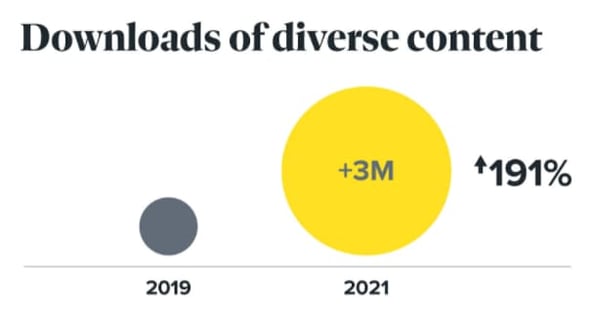
What the future of diverse content looks like.
The data indicate DEI is not a trend — the increase in diverse video content creation and consumption in media is increasing. We see DEI in video and advertising becoming an intentional, thought-out practice that more businesses invest in and strategize around.
Diverse Video Content Best Practices
1. Don’t insert your brand into a community without research.
The most powerful tool to invest in when approaching DEI is research. If a community is “trending” and receiving increased attention in the media for any given reason, be careful before your marketing team dives headfirst into the conversation.
Do your due diligence and fully understand the community you are planning on representing in your content. So many failed DEI campaigns that have received public backlash could have been avoided if the research phase was done properly.
2. Have a DEI strategy in place.
Set clear and measurable DEI goals and targets that are cross-functional and involve different workstreams and teams in your organization. DEI initiatives shouldn’t just be put on a singular group — DEI should be incorporated into your company’s strategy as a whole.
When a company is serious about its DEI efforts and has a results-driven strategy, dedicating financial resources is essential, similar to how sales and marketing have quarterly and annual budgets. DEI should be no different.
3. Diverse representation needs to exist at the decision making level.
This past year, Storyblocks worked with Indigenous filmmakers to increase the representation of Indigenous communities in our libraries. We recognized our team did not have adequate Indigenous representation, so our marketing team hired a board of external advisors from the Indigenous community to act as guides on how to best communicate, understand the community’s pain points, encourage compassion and avoid harmful misrepresentation.
When aiming to create content that’s inclusive, make sure the decision makers represent who you are speaking to. Recognize when your team is not as inclusive as you’d like and reach out for third-party support to make up for the representation your team is lacking.
Final Thoughts
Armed with the information we’ve compiled in this report, you should be able to build or take a critical look at your DEI video strategy successfully. A crucial part of that success lies in you and/or your business’s ability to approach DEI thoughtfully. Learn from the successes and failures of other brands, bring in diverse voices and understand that this isn’t something you should rush to implement. Take time and care in crafting your approach.
We’re still learning lessons ourselves, and are on this journey with you. We can’t wait to see what you create.

The Ultimate Guide to Instagram for Business [+Data From 500 Marketers]
More companies than ever are using Instagram for business. Back in 2017, the social platform celebrated having over 25 million businesses. Today, we can bet that number has likely doubled.
![Download Now: How to Use Instagram for Business [Free Guide + Templates]](https://no-cache.hubspot.com/cta/default/53/50132bc4-636b-4d26-9e40-61748d9618a9.png)
Instagram has proven a worthwhile investment for marketing purposes. When we surveyed over 1,000 marketers in 2022, they revealed that Instagram is the most effective social media platform, above Facebook, YouTube, and TikTok.
But using Instagram for business purposes can seem daunting, particularly if you’ve only ever used it for personal use. Here, we’re going to explore how to promote your business on Instagram.
- How to Use Instagram for Business
- What is a business profile?
- How to Create a Business Profile on Instagram
- How to Switch to Your Business Profile
- Top Instagram Promotion Tactics of 2022 [Data]
How to Use Instagram for Business
Let’s delve into the six strategies you’ll need to employ to get the most out of Instagram.
1. Add value with your content.
First and foremost, Instagram is a visual platform. To attract an audience, it’s critical you spend time delivering high-quality, thoughtful content.
To succeed on Instagram, it’s essential you create valuable content that attracts an audience and encourages them to engage with your business. Consider how you can delight your customers while staying true to your brand.
You don’t need to just post images of your product to spread brand awareness and increase sales. In fact, in some cases, it’s better if you don’t.
For instance, Hot Pockets sells microwaveable pocket sandwiches. Admittedly, I wasn’t much of a fan of Hot Pockets — until I began following their business’s Instagram account.
There are only so many times you can post a picture of a sandwich. Hot Pockets goes in a different direction. Instead, they appeal to their audience through humor, often posting relevant memes or funny quotes.
For instance, in response to @ShallowDivers’ claim that Hot Pockets aren’t sandwiches, Hot Pockets responded with this:
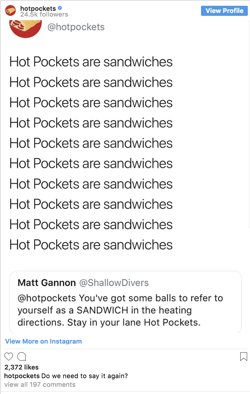
Ultimately, it might take trial and error to find the content that works best for your business.
While Hot Pockets relies on humor, other brands like The North Face use impressive adventure images to appeal to their demographic.
The point is, brands need to add value to Instagram’s community rather than using the platform for advertisements alone. This is critical for your long-term success.
Looking for a few more tips on how to use Instagram to positively impact your business? Check out these Instagram hacks in the video below.
Put these tips to work, and update your marketing mantra from “content is king” to “valuable content is king.”
2. Maintain a consistent theme.
Imagine each Instagram post as an individual page of your website.
While each post should be good on its own, ideally you’ll need to create a cohesive theme to maintain an audience’s loyalty.
It’s important to note, I mean “theme” in the broad sense, as it relates to everything from hashtags and captions to pictures and videos. You’ll need to create a consistent tone of voice and a unified feed aesthetic.
Ultimately, the more specific and consistent you are with your posts, the more likely you are to attract your most authentic audience.
You might think it’s better to appeal to more people through various themes, but ultimately, staking your claim in a specific niche will help you create stronger, more genuine connections.
For instance, consider MVMT. Their feed is undoubtedly consistent, with similar filters and color palette, and an emphasis on darker, edgier images:
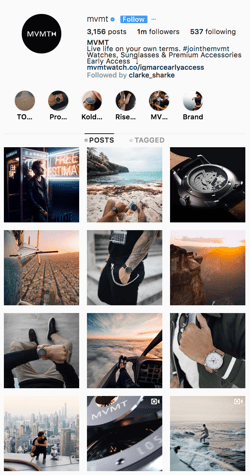
Their consistency is equally obvious in their captions, with phrases like “Create a life you can’t wait to wake up to,” and “Unexplored paths lead to undiscovered stories.” In every post, you’ll see the same hashtag: #jointhemvmt.
Undoubtedly, their followers both expect and prefer this type of content, or they wouldn’t have followed them in the first place. To continue delighting customers, it’s essential MVMT keeps true to their theme.
3. Engage with your audience.
Engaging with your audience helps your followers feel valued and, as a result, more connected to your business.
There are plenty of ways to engage with your audience. You might reply to comments on your posts, participate in comment threads, run contests or giveaways, use Instagram Stories polls feature, or give shout-outs to followers on your Stories, particularly if they post something relevant to your brand.
Halo Top Creamery does a fantastic job of engaging with their audience.
They frequently post cute ice cream pictures with the caption “Ice cream is better with friends. Tag a friend you’d like to eat this with.”
A simple “tag a friend” caption is an effective strategy for growing your audience since your followers will then tag friends who might not know about you yet.
Additionally, Halo Top often does contests and giveaways, like this one:

By tagging winners in their posts, Halo Top incentivizes other followers to engage with their brand in the future. Additionally, Halo Top’s giveaways demonstrate their genuine commitment to connecting with their audience.
4. Consider influencer marketing.
As a consumer, you’ve likely seen the recent influx of influencer marketers on Instagram — and for good reason.
Marketers we surveyed in 2021 said it was the marketing trend that offered the highest ROI, above experiential marketing, SEO, and short-form content.
By leveraging the power of an influencer, who is already authentically connected with her audience and seen as a trusted source of information, you’re able to spread brand awareness and drive sales.
Micro-influencing in particular is a strong opportunity for brand endorsement.
You could use your budget and resources to invest in traditional advertising, but it’s often easier to create a more targeted, effective marketing campaign through influencer marketing.
Ultimately, influencers have already cultivated an engaged, loyal following — by identifying the right influencers for your niche, you’re much more likely to find followers who will truly enjoy and support your products or services.
5. Build an ad campaign.
There are two reasons you might use Instagram ads: to spread brand awareness or to increase sales.
It’s critical you focus on one goal when creating an effective ad campaign. An Instagram ad aiming to sell a product will look vastly different from one intending to attract followers.
For instance, consider this Greenchef ad that showed up on my Instagram feed.
With various images of delicious food and an enticing “$40 OFF” discount, it’s likely a high-converting ad. It’s very clear what Greenchef’s goal is: to get people to buy their product.

YouTube, on the other hand, invested in Instagram ads for an entirely different reason.
Their advertisements, featuring well-known singers like Camila Cabello, entice followers to simply follow YouTube Music’s Instagram channel (and, ideally, YouTube’s music channel itself).

To implement an effective campaign, it’s essential you decide what you’re hoping to achieve before you begin creating it.
Once you’ve chosen a goal, you’ll want to create the ad creative. Similar to what we discussed in strategy one, you’ll need to create high-value visual content if you want your ad to be successful. Take a look at other ads on Instagram and consider how you might emulate them.
Additionally, A/B test multiple variations of the same ad (changing the copy, image, or targeted audience for each version), to figure out what works best for your business.
When you’re ready to create your ad, you’ll need to use Facebook Ads Manager. Among other things, Ads Manager lets you narrow in on your target audience (including location, age, and various interests of your ideal demographic), choose your ad objective, and analyze ad performance.
6. Utilize shoppable posts.
If you’re using Instagram for business, then, Shoppable Posts is one feature you’ll want to know well.
It allows you to create posts and tag your products and/services to create a seamless shopping experience directly on the platform. It creates less friction for your followers, increasing the odds of turning them into customers.

Before you begin executing these strategies, you’ll need one thing: an Instagram Business Profile.
A business profile legitimizes your Instagram account and enables you to add critical information like your company’s business hours, location, and phone number.
Pros and Cons of an Instagram Business Profile
“Whoa, whoa, whoa,” you might be thinking. “I don’t know how I feel about committing to all that.”
Here are some helpful pros and cons so you can determine if a business profile is right for you before jumping in:
Pros
- Access to metrics on how your posts and stories perform.
- Ability to track how your followers engage with your content.
- Access to features necessary to run ad campaigns.
- Gain feature for adding URLs to Stories so you can send warm traffic to your site.
Cons
- Being labeled as a business.
- May experience less organic reach and visibility.
- Must also have a Facebook account to access ad features.
For most brands, the benefits of a business profile outweigh the cons due to the additional features and analytics. However, it’s important to consider your goals before taking action.
How to Create a Business Instagram Profile
In order to create a business profile on Instagram, you must first create a personal Instagram account and then switch it to a business profile. If you already have an Instagram account, skip to the next section for instructions on making the switch.
If you don’t already have an Instagram account, there are two ways to get one:
- From the computer
- From a mobile device (IOS and Android)
For detailed steps, check out our comprehensive article on how to create a business account on Instagram.
How to Switch to Your Business Profile
When you have an Instagram set up, follow these easy steps when you’re ready to make the switch:
1. Go to your profile on the mobile app.

2. Click the hamburger menu (three stacked horizontal bars) in the top right corner.

3. Click the “Settings” gear at the bottom of the menu.
4. Select Account.
5. Choose Linked Accounts.
6. Choose Facebook and follow the prompts to connect your business’s Facebook page.
If you do not have a Facebook Business Page, you will need to create one before completing this step. If your Facebook page is already linked, move on to the next step.
7. Once complete, return to the Settings menu.
8. Select Account.
9. Choose the new option “Switch to Professional Account.”
10. Follow the prompts to add any additional details.
11. Select Done.
You’re now ready to begin implementing your social media strategy on Instagram. From here, you’ll want to determine the audience you want to target, the aesthetic and tone you want to convey, and the content you want to create.
Top Instagram Promotion Tactics of 2022 [Data]
Audience Interaction
On Instagram, the number one strategy marketers plan to leverage for the first time in 2022 is audience interaction.
One of the most effective ways to do this is through IG Live. According to marketers surveyed, it offers the highest return on investment, out of all of Instagram’s features and tools.
That’s why 22% of respondents are investing more in IG Live than any other format on the platform.
Interacting with your audience offers so much more than just engagement. It helps build a sense of community with your followers and allows you to get to know them better.
Content Engagement
While audience interaction takes the #1 spot as the newest strategy, content engagement wins for the overall strategy marketers will invest the most in.
On social media, engagement signals that your content is resonating with your audience. Whether it’s on an in-feed post, a Story, or a live stream, engagement can be a great indicator of your page’s health.
In fact, 17% plan to invest more in it than any other strategy while 43% plan to use it for the first time this year.
Wondering how to make your content more engaging? Try the funny route. Our research shows that funny content is most effective for audience growth, reach, and engagement.
This adds up because funny content tends to be relatable, and that’s usually what gets someone to stop scrolling and pay attention.
The format can also play a role in engagement, with most marketers posting more video than anything else on the platform. Eighty-two percent of marketers surveyed post video content on the platform and the content formats they use most are video-based.
Stories is another tool that can be highly effective for marketers. In fact, those who leverage it are 23% more likely to say their 2021 IG strategy was effective.
Product advertising
With Instagram constantly expanding its shopping tools, it’s no surprise that a top goal for marketers is advertising their products and/or services.
Our research suggests that the use of content centered around products and services will increase in 2022. For 39% of marketers, it will be their first time leveraging this type of content on the platform.
Those who did prioritize this content in 2021 say that it offered the second-highest ROI of any content type on the platform.
When it comes to IG shopping tools, 79% of marketers surveyed say they’ve used them, and 22% plan to invest in this feature the most.
Whatever your goal is, whether it’s increasing brand awareness or generating more revenue, using Instagram for business gets you one step closer to achieving it. While not all of Instagram’s tools will offer a high ROI, they are all worth trying to see what works best for your audience.
Editor’s Note: This post was originally published in May 2020 and has been updated for comprehensiveness.

Top Tactics for Instagram Growth in 2022: HubSpot Blog Data
Instagram is a top-rated app, with more than 1 billion global monthly active users.
Given the size of its user base, businesses have valuable opportunities on the platform to generate an audience, build a community, and drive sales.
To help learn more about how to grow your business on the app and create an engaged community, the HubSpot Blog surveyed more than 1,000 marketing professionals that use the platform. Here are some of our key findings.
![New Data: Instagram Engagement Report [2022 Version]](https://no-cache.hubspot.com/cta/default/53/9294dd33-9827-4b39-8fc2-b7fbece7fdb9.png)
How Marketers Grew Their Following in 2021
In 2021, marketers reported that the key to growing an account to the first 1,000 followers on Instagram was by creating shareable content with high-quality captions. Growing their following past 1,000 followers involved posting engaging Stories, engaging with users, and partnering with influencers, all of which we’ll discuss in more detail below.
If you’re having trouble growing your following, or are losing followers, marketers report that this typically occurs for a few key reasons: not posting often enough, being too sales-y, and Instagram removing bot followers.
How Marketers Grew Engagement in 2021
In 2021, marketers increased engagement on Instagram through audience interaction, and creating content that encourages engagement. For example,
- Creating content that is shareable, inspiring audiences to share it on their own profiles via Stories or reposting on their feed,
- Monitoring your comments and mentions to find user-generated content that you can share on your profile,
- Responding to comments and DMs from audience members when it makes sense to do so.
How Marketers Grew Instagram ROI in 2021
49% of marketers reported that, out of all the platforms they leverage, Instagram has the highest ROI. Here are the strategies that they used to grow ROI:
- Leveraging Instagram shopping tools.
This was the most popular strategy, as 79% of Instagram marketers have used shopping tools in their roles, and 33% plan to use them for the first time in 2022.
- Creating content centered around a brand’s product and services.
This informs audiences of your offerings on a platform that they’re already familiar with, and has the second highest ROI of any content type.
- Creating interactive Instagram Stories.
The tool is leveraged by 45% of IG marketers, and 92% plan to increase or maintain their investment in 2022. Stories are also the number two format for gaining followers and getting your content shared on Instagram.
Instagram Growth Tips for 2022
Now that you know some of the key ways marketers found success on Instagram in 2021, let’s look forward to how you can create an organic Instagram growth strategy for your business in 2022.
1. Leverage different content formats.
Video and carousel posts are the most engaged with type of content on Instagram, especially when compared to single images. For reference, carousel posts contain multiple different media forms (image or video) in one, allowing you to create high-impact posts.
Both forms of content keep users engaged for longer, whether they’re scrolling through your 5 picture photo set, or watching a video. The longer a user stays interacting with your content, the longer they’re engaged.
While video and carousel posts are the most popular, you can also experiment with different content formats (like Reels and Stories) and see what resonates most with your audience.
2. Post at the right times.
When you post on Instagram, it’s important to post a time that allows you to meet your audiences when they’re online and more likely to engage with your posts.
The best way to decide what time to post on Instagram is to monitor your analytics, as mentioned above. However, the universal benchmark for ideal timing is posting between 6PM and 9PM, and the best days are Saturday, Friday, and Sunday, respectively.
3. Post consistently.
Growing your profile is tied to how much you post, so aim to post consistently. The more content you share, the more opportunities you have for engagement and growing your profile. As such, create a consistent posting schedule that helps you stay top of mind for your audiences.
Many marketers report that four to six posts per week is the sweet spot. Be mindful, though, that there is such a thing as posting too much on Instagram. Don’t oversaturate your audiences, but instead be strategic.
4. Partner with influencers that are relevant to your business.
While it seems like a best practice to partner with influencers with tons of followers, HubSpot’s Instagram Engagement Report says your efforts are more worthwhile if you partner with influencers that are more connected to their audience and community over follower count.
When you do this, you’re working with someone that has built trust with their audience, regardless of its size. And, when an influencer’s audience trusts them wholeheartedly, they’re more likely to trust their opinion on products or services and be curious and eager to learn more about what your brand offers.
Micro-influencers with 10k to 50k followers and nano-influencers with under 10k followers are considered to be the next wave of influencer marketing.
5. Monitor your engagement.
You may be saying “Yeah, I knew that” but monitoring your Instagram engagement is important, so it’s an important callout. In fact, it is the most impactful way to grow your engagement, as you’ll learn exactly what works and what doesn’t.
For example, your profile insights may say that users engage more with your videos. If you spend most of your time creating Stories, you’re actively ignoring what your audiences value most. Instead, you’d want to leverage the information from your insights and focus on sharing high-quality video content.
Consistently monitor your engagement analytics to make informed decisions that will help you grow better.
5. Write strong, compelling captions.
Always include captions on your posts — doing so can increase your engagement by almost 2%. Quick and short captions (1-20 characters) perform well, and so do longer ones (over 2000 characters).
Regardless of their length, you should always aim to create high-quality captions that are informative, engaging, and related to the content you share.
7. Use hashtags.
Using hashtags on Instagram helps you get your content seen by people who don’t follow you but surf the hashtags you use on their Explore page.
If you choose hashtags relevant to your business and use them in your captions, people can find your posts, discover your profile and follow you and help you grow your account. Case in point, 81% of marketers say that using hashtags has been somewhat or very effective for their Instagram strategy.
Over To You
Growing a following on any platform can be challenging, especially if you’re starting from scratch. Leverage the tips on this list from other marketers who have gone through it and reaped the benefits to begin creating your own Instagram growth strategy that helps you build an engaged community.


The Ultimate Guide to Branding in 2022
Products are never just products, right?
Coca-Cola is more than a soda. Starbucks is more than coffee. Ray-Ban is more than a pair of sunglasses.
Interacting with these products provides experiences, and we buy them with that experience in mind. Better yet, the companies that create and market them know exactly the experience they want you to have when you make (or consider) a purchase. That’s why they cultivate their brands.

From the language in their Instagram caption, to the color palette on their latest billboard, down to the material used in their packaging, companies who create strong brands know that their brand needs to live everywhere. They know their names extend far beyond the label and can entice consumers to choose their products out of a lineup of options.
Who doesn’t want that? I know I do. That’s why we built this guide — to equip you to create and manage a strong brand that’ll help your business be admired, remembered, and preferred.
If you’re in a pinch, use the links below to jump ahead to find what you need.
What’s a brand?
A brand is a feature or set of features that distinguish one organization from another. A brand is typically comprised of a name, tagline, logo or symbol, design, brand voice, and more. It also refers to the overall experience a customer undergoes when interacting with a business — as a shopper, customer, social media follower, or mere passerby.
What is branding?
Branding is the process of researching, developing, and applying a distinctive feature or set of features to your organization so that consumers can begin to associate your brand with your products or services.
For example, the Coca-Cola brand is one of the most recognizable logos and color stories around the world. The classic red and white lettering, vibrant artwork, and distinctive font have lasted for over a century.

Having stood the test of time, the Coca-Cola brand is a testament to the power of consistent, successful branding that consumers have come to love.
That being said, branding is an iterative process and requires getting in touch with the heart of your customers and your business. It’s important for a variety of reasons — and we’ll go through them below.
Branding can be the deciding factor for consumers when they make a purchase decision. In fact, a Capgemini study found that users who feel a connection to a brand spend twice as much money as those who don’t.
Branding gives your business an identity beyond its product or service. It gives consumers something to relate to and connect with.
Branding makes your business memorable. It’s the face of your company and helps consumers distinguish your business across every medium (which I discuss later).
Branding supports your marketing and advertising efforts. It helps your promotion pack that extra punch with added recognition and impact.
Branding brings your employees pride. When you brand your company, you’re not only giving your business identity, you’re also creating a reputable, highly-regarded workplace. Strong branding brings in strong employees.
Branding Terms to Know
Here are some other brand-related buzzwords you should know. They further demonstrate the importance and value of branding your business.
Brand Awareness
Brand awareness refers to how familiar the general public and your target audience is with your brand. High brand awareness leads to brands being referred to as “trending,” “buzzworthy, or “popular.” Brand awareness is important because consumers can’t consider purchasing from your brand if they’re not aware of it.
👉🏼 Strong branding makes your business known.
Brand Extension
Brand extensions are when companies “extend” their brand to develop new products in new industries and markets. Consider Honda lawn mowers or Martha Stewart bedding. Brand extensions allow companies (or individuals) to leverage brand awareness and equity to create more revenue streams and diversify product lines.
👉🏼 Strong branding brings in more money.
Brand Identity
Brand identity is the personality of your business and the promise you make to your customers. It’s what you want your customers to walk away with after they interact with your brand. Your brand identity is typically comprised of your values, how you communicate your product or service, and what you want people to feel when they interact with it.
👉🏼 Strong branding gives your business more than a name.
Brand Management
Brand management refers to the process of creating and maintaining your brand. It includes managing the tangible elements of your brand (style guide, packaging, color palette) and the intangible elements (how it’s perceived by your target audience and customer base). Your brand is a living, breathing asset, and it should be managed as such.
👉🏼 Strong branding requires consistent upkeep.
Brand Recognition
Brand recognition is how well a consumer (ideally in your target audience) can recognize and identify your brand without seeing your business name — through your logo, tagline, jingle, packaging, or advertising. This concept goes hand-in-hand with brand recall, which is the ability to think of a brand without any visual or auditory identifiers.
👉🏼 Strong branding keeps your business top-of-mind.
Real-life brand example: Want to test your brand knowledge? Take this Logo Quiz by Business Insider to see how well you know your corporate brands. This is brand recognition at work.

Brand Trust
Brand trust refers to how strongly customers and consumers believe in your brand. Do you deliver on your marketing promises? Do your salespeople and customer service go above and beyond? These things can create trust among your customers, which is important in a world where a mere 25% of people feel confident in large businesses.
👉🏼 Strong branding builds trust with your customers.
Brand Valuation
Brand valuation is the commercial valuation of your brand derived from consumer perception, recognition, and trust. This concept goes hand-in-hand with brand equity. A powerful brand can make your business invaluable to investors, shareholders, and potential buyers.
👉🏼 Strong branding increases your business’s value.
Here’s how you can create a brand — or begin the process of rebranding your current one.
There’s a lot that goes into a brand, and there’s a lot to consider when building a strong one. So, grab a notebook and jot down ideas as you move through this section. Recognize that branding is an iterative process, so you might be repeating some of these steps as you brainstorm and build your brand.
Want to build an effective, measurable brand? Download our free guide on How to Build a Brand.
1. Determine your target audience.
Branding leads to awareness, recognition, trust, and revenue. We’ve talked about that. But let’s take a step back and understand where those stem from: consumers. And not just any consumers — your target audience and customers.
If your brand doesn’t resonate with your audience, it won’t lead to that awareness, recognition, trust, and revenue. That’s where target market research comes in.
Before pressing pen to paper (or cursor to digital document), you must understand to whom your branding will be speaking. Who does your product serve? Who is your ideal customer? Why did you create your business in the first place?
What you learn about your target market and buyer personas will influence your branding decisions down the line, so make this step your first priority.

Download our free Persona Templates to easily organize your target audience research and strengthen your marketing.
2. Establish your mission statement.
Let’s return to a question I asked in the previous step: Why did you create your business? Answering this will help you build your mission statement, which defines your purpose and passion as an organization.
Before you can craft a brand that your audience recognizes, values, and trusts, you must be able to communicate the purpose that your business provides. Then, every part of your brand (logo, tagline, imagery, voice, and personality) can reflect that mission and vision.
Your mission statement is a building block of your brand manifesto, which encompasses why your organization exists and why people should care about your brand.
Download our free guide to Defining Inspiring Mission and Vision Statements and learn the ins-and-outs of two of the most valuable strategic planning elements for businesses.
3. Define your unique values, qualities, and benefits.
There are probably lots of businesses in your industry and niche. It’s easy to focus on your competition (and there’s a time and place for competitive analysis), but, for now, let’s focus on you.
What’s one thing that your business has that no one else can mimic (er, legally)? Your brand.
Because of that, you must ensure that your brand is comprised of and inspired by elements that are solely yours: the values, benefits, and qualities that make your company unique.
Take a moment to jot down a list of what sets your business apart from others. I’m not talking about product features (like appearance, components, or capabilities); I’m referring to how your products or services improve lives and contribute to success.
Real-Life Brand Example: Alani Nutrition
You’ve probably never heard of Alani Nu; they’re a nutrition company based in my hometown of Louisville, Kentucky. I order their vitamins because 1) they’re proven to work, and 2) I trust and respect the brand (and it’s gorgeous!). On their website, they’ve clearly and simply outlined their unique values and benefits as part of their overall brand. Highlighting these makes it easy for customers like me to trust their products and choose them over competitors.
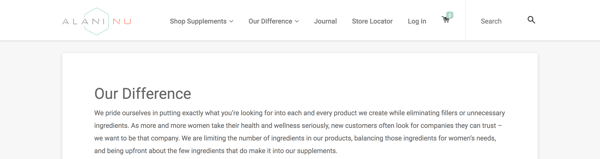
4. Create your visual assets.
At this point, you should understand your target audience, your mission statement, and the unique qualities that make up your business.
If you can say with confidence that you’ve mastered these steps, it’s time to move on to one of the more exciting parts of branding — the visual design. We’re talking about your logo, color palette, typography (fonts), iconography, and other visual components.
As you create these elements, build a set of brand guidelines (or a brand style guide) to govern the composition and use of your visual assets. This will ensure that whoever uses your new branding does so accurately and consistently. Check out HubSpot’s brand guidelines for reference.
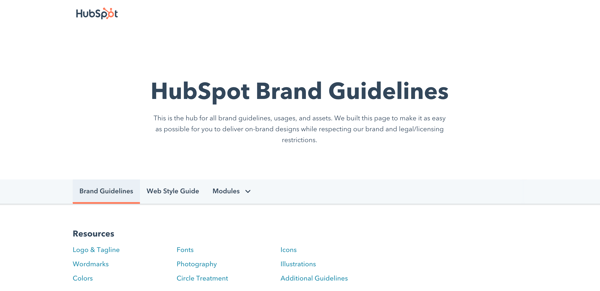
Note: Design can be just as intimidating as it is exciting. Consider hiring a professional with logo and identity design experience or starting with a few helpful design templates.
5. Find your brand voice.
Next, consider the auditory component of your brand. What would your brand sound like if you had a conversation with it, or if it texted you?
How you communicate with your target market is also considered part of your branding. You want to define a brand voice that connects and resonates with your audience — otherwise, they probably won’t pay attention. Because of that, don’t hesitate to return to step one to get familiar with to whom you’re speaking.
From your advertising campaigns and social media captions to your blog posts and brand story, ensure your tone is consistent throughout all of your written content. Give your audience a chance to get familiar with your brand and learn to recognize the sound of your voice. Better yet, master a fun, entertaining voice, and your customers will look forward to your social media and email updates.
Real-Life Brand Example: MailChimp
MailChimp is a great example of a brand that speaks with a clear, consistent tone. When I used their free plan for my small business, I always chuckled when receiving their emails and working in their interface. From its web copy to its email blasts and social media captions, MailChimp has established a brand voice and personality that is personable, fun, and accessible — it can be hard to explain the technical parts of a software product (like A/B testing), but MailChimp has mastered that, too.
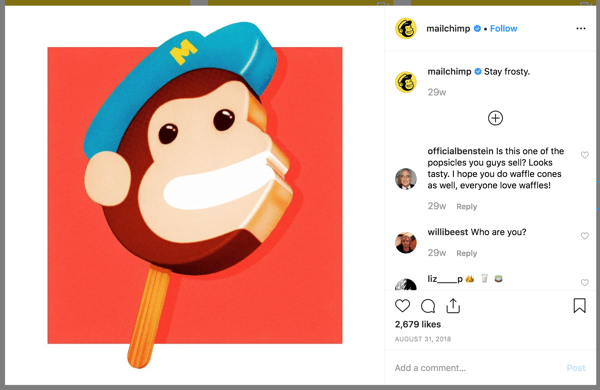
6. Put your branding to work
Your brand only works if you do. Once you finish designing and creating your new brand (or rebrand) integrate it throughout every inch of your business. Pay extra attention to ensure it’s displayed anywhere your business touches customers. Here are a handful of tips for applying your brand across your organization.
Website
Splash your logo, color palette, and typography across your website. Don’t use anything but your predefined assets in your brand guidelines. Your website is a major part of your company identity — if it doesn’t reflect your brand, it will only provide a jarring customer experience. Also, be sure that all web copy, calls-to-action, and product descriptions reflect your brand voice.
Social Media
All profile photos, cover art, and branded imagery should reflect your brand. Consider putting your logo as your profile photo — this will make it easier for customers to recognize your business. As with your website, be sure all profile information, posts, and captions reflect your brand voice.
Packaging
If you have a physical products business, your product is probably the most tangible way that customers interact with your brand. For that reason, your packaging should reflect your new branding — in its design, colors, size, and feel.
Real-Life Brand Example: Chobani
I love Chobani yogurt (confession: I’m eating it right now). Their new branding immediately tells me that they produce authentic, healthy Greek yogurt. That’s one of the main reasons I buy Chobani. Recently, I realized that their yogurt packages are made with a very earthy, textured material — an intentional decision that supports the overall experience they’ve paired with purchasing and eating the Chobani brand.

Advertising
Because advertisements (digital and print) are often used to establish brand awareness and introduce consumers to your brand, it’s critical that they reflect your branding. In fact, your branding should make the ad creation process easier — with your brand style guide, you already know how your ads should appear and what type of copy to write.
Sales and Customer Service
A brand is only as powerful as the people behind it, and if your people aren’t putting your brand to work, it won’t work for you. Moreover, your brand applies to more than your marketing. Inform your sales and customer service folks of your brand guidelines and tell them to use it, especially when they engage directly with customers. Whether they are sharing a branded product demo or answering customer support inquiries, encourage them to use your logo, tagline, imagery, and brand voice.
1. Treat your brand as a person.
To best wrap your head around the branding process, think of your brand as a person. Your brand should have an identity (who it is), personality (how it behaves), and experience (how it’s remembered).
Ask yourself these questions about your brand:
- How would your brand introduce itself? If it had to describe its appearance, how would it do so?
- How would your brand talk about your products or services? Would it be serious and professional, or would it be humorous and edgy?
- What would someone say about your brand after “meeting” it for the first time? What are a few sentences they’d use to describe it?
The purpose of branding is to create relationships with your customers. The easiest way to do this is to treat your brand as a person and understand that you want your customers to do the same.
Real-Life Brand Example: Whiskey Riff
Whiskey Riff is another brand you’re probably not familiar with. It’s a two-man media company based here in Chicago that’s dubbed themselves “the most entertaining country music site ever”. I’m a fan because I love country music, enjoy their written and podcast content, and proudly wear some of its awesome apparel.
If Whiskey Riff was a person, here’s how I’d think it would answer the questions above:
- “Hey, I’m Whiskey Riff. I love country music and, you guessed it, Whiskey. My logo was inspired by the Y in the circle on the Chicago Theater marquee, and I’m adorned with horizontal red stripes and stars — which represent the American and Chicago flags.”
- “I publish in-your-face content about what’s going on in country music today. If you don’t like it, don’t read it. My podcast featured my founders interviewing country music artists and telling hilarious stories. Check out my apparel line; my t-shirts, tanks, hats, and accessories can be seen at country music festivals (and on stages) nationwide.”
- “Whiskey Riff is like that first shot of Jack Daniels — that much-needed, refreshing drink after a long day. It’s a break from that cookie-cutter way of life, and you immediately appreciate — and trust — its candidness. There’s absolutely nothing like it in the industry.”

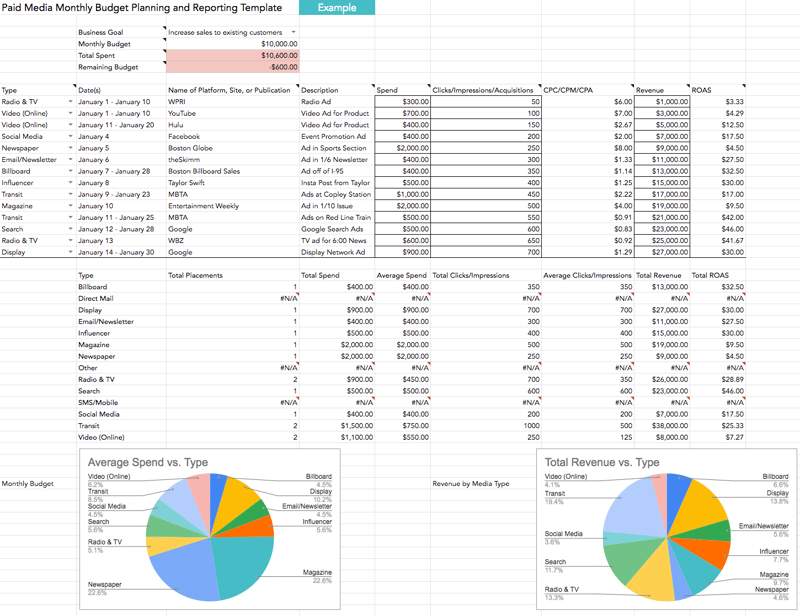
2. Prioritize consistency.
Inconsistency is the number one branding mistake that companies make. Inconsistency undermines your brand and confuses your customers. Recognizable, valuable brands prioritize consistency — and they reap the benefits. When your brand is a unified presence across mediums and platforms, customers can easily get familiar with, recognize, and come to prefer your brand over time. Brand guidelines can help with this initiative.
3. Build and follow a brand strategy.
A brand strategy is more than your brand guidelines; it’s a plan with specific, long-term goals that can be achieved as your brand evolves. These goals typically revolve around your brand’s purpose, emotion, flexibility, competitive awareness, and employee involvement.
Remember how I said that branding is a continuous process? There’s a lot that goes into it. A brand strategy can help you turn that process into a well-oiled practice that keeps your brand moving toward success and recognition.
4. Don’t let inspiration turn into imitation.
Competitive analysis is important. Not only does it educate you on where your competition stands and how they are excelling, but it can also give you ideas on how you can improve or further set apart your brand.
However, be conscious to not fall into an imitation trap. Keep your competitive research limited and focus on what your organization brings to the table. Just because a competitor (or two) has branded their company in a certain way doesn’t mean that you have to follow suit. New, unique, provocative brands are memorable brands.
5. Use branding to hire.
Strong branding makes your employees proud. I know I’m proud to be associated with HubSpot, much less work there. Leverage your branding to attract talented people. If hiring is a strong initiative for your organization, dedicate some of your resources to employer branding. Employer branding is how you market your company to job seekers and current employees. If you’re publically proud of your organization, others will be, too.
Ready, Set, Brand
Branding is your organization’s name, logo, color palette, voice, and imagery. It’s also more. It’s that intangible feeling your customers have when they interact with your brand. You know, that experience we talked about in the beginning.
That’s how powerhouse brands deviate from all the others. The tangible components contribute to this — a gorgeous logo, a clever tagline, an authentic manifesto, and a clear brand voice — but truly strong brands thrive when they focus on the big picture of their brand. Get to the heart and soul of your target audience and your organization, and a successful brand will follow.
Editor’s Note: This article was originally published in March 2021 and has been updated for comprehensiveness.


Online Shopping Statistics Marketers Should Care About in 2022
Just because we’re marketers doesn’t mean we really know the science behind what drives consumers to purchase. But marketing without that information is like walking outside with a blindfold on – it’s going to be very hard to end up at your destination without a scratch.

Below, we’ll cover some data sets on buyer behavior, their key findings, and the lessons you should take away from each piece of research.
So let’s dive right in.
Statistics on the Growth of Online Shopping
According to Statista, online shoppers have increased from 209 million in 2016 to 230 million in 2021.
While technological advances were already shifting how consumers approached shopping, the onset of the pandemic in 2020 aided this shift event more.
In fact, a Stackla report found that 67% of consumers say their online purchasing has increased since the start of the pandemic – 27% said it increased considerably.
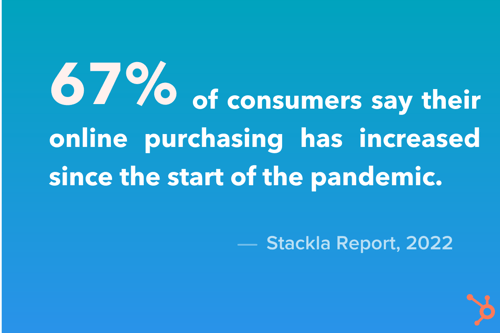
With social media platforms offering advanced shopping features, it’s no wonder shoppers are buying more online. On Instagram, you can discover a brand, sift through its products, and complete a purchase without ever leaving the app.
This frictionless shopping experience helps contribute to a consumer base that shops exclusively online.
A Jungle Scout survey found that 46% of consumers only buy holiday gifts online.
So, what does this mean for brands? This forces brands that focused more on offline campaigns to shift gears and redirect their attention to online consumers.
This data isn’t suggesting that you should now change your business model to an online-first approach. However, to stay relevant and competitive, building a strong digital presence is key.
What Drives Online Shoppers
One of the biggest questions marketers have surrounding online shopping is what gets the consumer to finally click that “Buy” button. The answer is complicated because it varies based on the audience, the industry, the product, and many other factors.
However, there are some universal elements that definitely help steer consumers toward purchase.
The first is personalization. According to the Stackla report, 72% of people say they are more likely to purchase from a brand if it consistently provides them with a more personalized experience.
Personally, any brand email I receive that includes my name gets more attention than the ones that don’t. Why? It catches my attention and makes the email feel more intimate – even though I know it was likely automated.
Another big driver is user-generated content. We know that social proof can be incredibly effective in creating buzz surrounding a brand.
In the same report, 79% of people say UGC highly impacts their purchasing decisions, considerably more than branded content and influencer content.
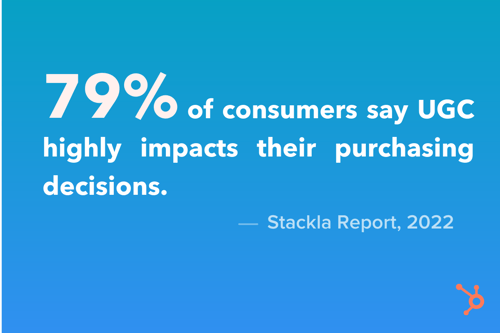
Another form of social proof? Reviews.
58% of consumers have left an ecommerce store without purchasing because the site didn’t contain any customer reviews or photos.
Images can be incredibly impactful when someone is considering a purchase. In fact, most consumers surveyed in the Stackla report say they’re more influenced by social media images and videos than they were before the pandemic.
A long-term play that drives purchases is building community.
According to the report, 61% of consumers would be more loyal and more likely to buy from a brand if they were invited to be part of a customer advocate community or content creators.
When you build a community with your audience, they feel more connected to your brand and thus, more likely to purchase and spread the word.
Millennials Online Shopping Statistics
When it comes to Millennials specifically, here are some interesting stats about their online shopping behaviors.
- 60% of Millennials have left an eCommerce store without purchasing because the site didn’t have customer reviews or photos. (Stackla report, 2021)
- Millennials spending power is $2.5 trillion. (Ypulse, 2020)
- 30% of Millennials used buy-now-pay-later services (BNPL) in 2021 and 39.5% are forecasted to use them in 2023. (Statista, 2021)
- Roughly 40% of Millennials say that they have started a new relationship (or strengthened an existing one) with businesses that prioritize the environment. (Deloitte, 2020)

How Many Visitors Should Your Website Get? [Data from 400+ Web Traffic Analysts]
If you run a website, then you’ve likely spent time creating and optimizing a marketing strategy to drive traffic to your website. But how many visitors should you aim for your website to get?
To answer that question, you will need to complete the following steps:
- determine how many visitors are typical to websites in your industry
- determine how many visitors are “good” for websites in your industry
- establish a goal based on variables like industry, size, and user experience and create an action plan to achieve it
In this post, we’ll walk through how to complete each of these steps. Feel free to jump on one of the links above to skip to that step. Otherwise, let’s get started.
![→ Download Now: SEO Starter Pack [Free Kit]](https://no-cache.hubspot.com/cta/default/53/1d7211ac-7b1b-4405-b940-54b8acedb26e.png)
How many visitors does a website typically get?
It depends. With over 1.9 billion websites on the internet today, it is impossible to provide one number, or even a range, to accurately answer this question. Fortunately, there is data as well as tools and other resources to help you make an educated guess for websites in your industry.
To this end, the HubSpot Blog surveyed over 400 web traffic analysts in the U.S. to gather data on various metrics including their monthly traffic, bounce rate, click-through rate, and the strategies they use to rank on search engine results pages. The majority tracked analytics for B2C websites, while the rest tracked for B2B sites. Thanks to this survey, we can provide some answers for how many visitors a website typically gets and where these visitors come from.
When asked how many total visitors the website they tracked analytics for got per month, the majority answered between 1,001 and 15K. Here’s the breakdown:
- 1,001-15K (46%)
- 15,001-50K (19.3%)
- 50,001-250K (23.2%)
- 250,001-10M (11%)
- 10M+ (0.5%)
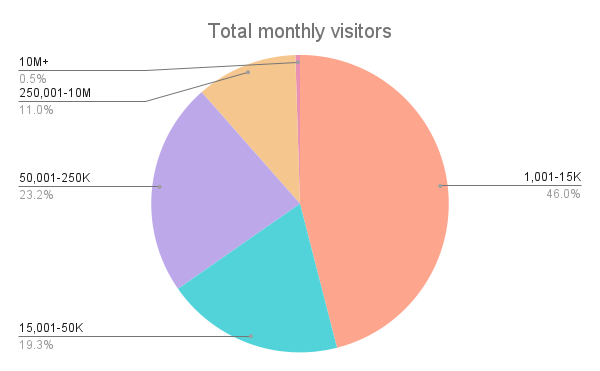
These percentages change when you consider other factors, like the size and age of the website. Let’s look at those breakdowns below.
Visitors by Website Size
Since website size might refer to the company size (ie. the number of employees) or to the amount of content on the website, we looked at both factors and how that affected total monthly visitors.
According to the HubSpot survey of over 400 web traffic analysts, the number of employees correlates to the number of monthly visitors — but more employees doesn’t always mean more visitors. Sites with over 1000 employees did make up the majority that get between 50,001-250K and 250,001-10M total monthly visitors. They were also the only sites that get over 10 million total monthly visitors.
However, approximately 8% of companies with fewer than 10 employees get between 250,001-10M total monthly visitors whereas 0% of companies with 11 to 200 employees do. Also, approximately 31% of companies with 201 to 500 employees get between 50,001-250K and 250,001-10M total monthly visitors, which is higher than the percentages of companies with 5001 to 1000 employees and companies with more than 1000.
.png?width=650&name=Total%20Monthly%20Visitors%20by%20Company%20Size%20(or%20no.%20of%20employees).png)
According to the data, the less frequently you publish, the less visitors you get per month and vice versa. For example, 36% of sites that publish multiple times a day get between 1,000 and 15K monthly visitors whereas 100% of websites that publish once a quarter or less do. Also, only sites that publish multiple times a day get over 10 million total monthly visitors.
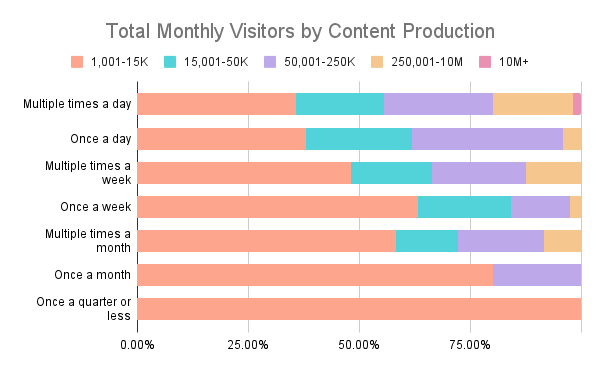
Visitors by Website Age
According to HubSpot data, the age of a website correlates to the number of monthly visitors. Sites that have existed for over 10 years did make up the majority that get between 250,001-10M and over 10 million total monthly visitors, and the minority that get between 1,001-15K.
However, older doesn’t always mean more visitors. For example, approximately 34% of sites that have existed for 7-9 years get between 50,001-250K total monthly visitors whereas only 29% of websites that have existed for over 10 years do.
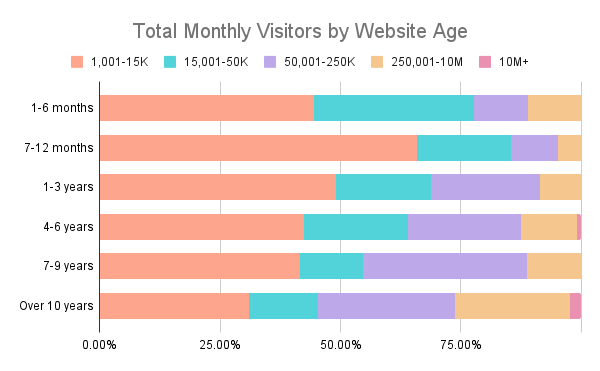
Where do visitors come from?
Knowing how many total monthly visitors websites get on average is important — but it’s also important to know where these visitors are coming from. It can help you determine whether you should invest more in email or social media, for example, or in ensuring your site is mobile-friendly. Let’s take a look at the results of the HubSpot survey below.
Visitors from Traffic Sources
According to HubSpot data, the distribution of website traffic by source is:
- Direct (22%)
- Organic Search (17%)
- Social (16%)
- Email (14%)
- Display ads (12%)
- Referral (9%)
- Paid Search (9%)
- Other (1%)
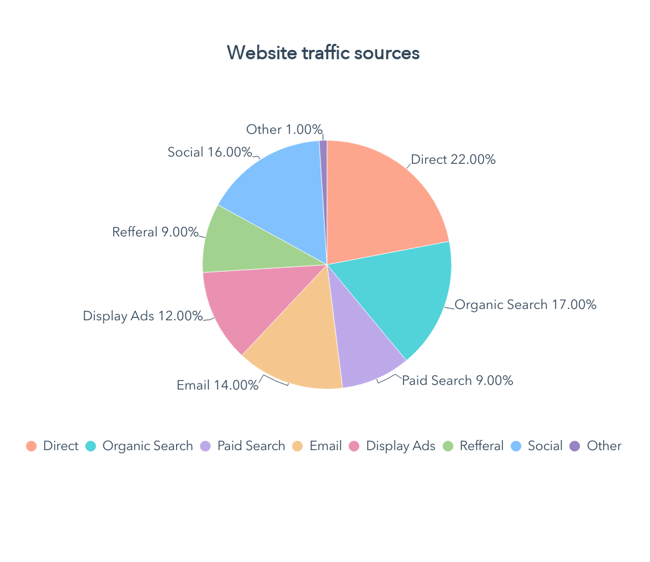
As you analyze other companies and industries, you can assume that direct traffic, organic search, and social are the top web traffic sources.
Visitors from Device Types
According to this HubSpot data, the distribution of website traffic by device type is:
- Mobile (41%)
- Desktop (38%)
- Tablet (19%)
- Other (2%)
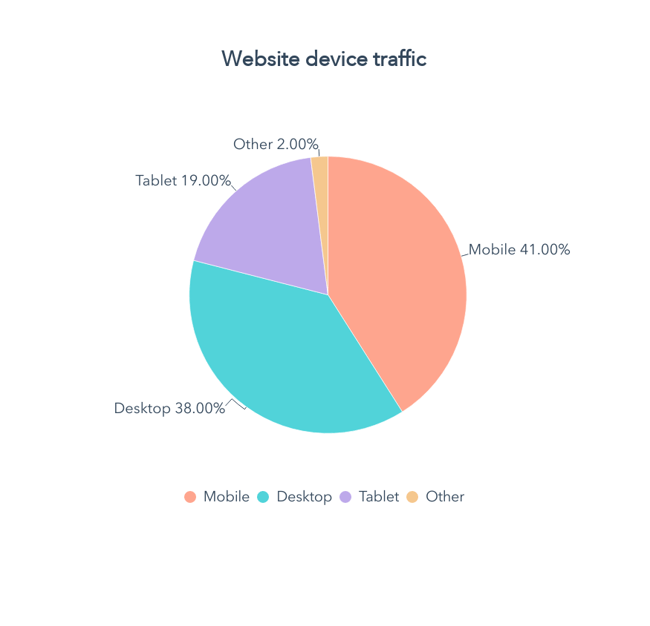 Other data suggests that mobile makes up an even greater percentage of website traffic worldwide. In fact, mobile has accounted for approximately half of web traffic worldwide since 2017 according to data from Statista.
How do you scale this information to your business? There are a series of factors to consider when determining how many visitors your site should get and setting a “good” number — or benchmark — as your goal. Let’s take a look.
How many unique visitors per month is good?
The answer to this question depends on a few factors. First, are you evaluating a B2B, B2C, or hybrid company? B2B companies have a target audience of other businesses and organizations. B2C companies target direct consumers.
One can infer that the potential for more unique monthly visitors for B2C companies is greater than that of B2B companies simply because their target audience is exponentially larger. B2B companies use niche marketing to sell particular products or services to a specific group of businesses while B2C companies focus their strategy on the needs, interests, and challenges of people in their everyday lives.
Data from the HubSpot survey of over 400 web traffic analysts provides mixed results however. While 22.5% of B2C sites get between 40,001-100K unique monthly visitors, only 16.7% of B2B websites get that amount. However, 16.7% of B2B sites get over 100K unique monthly visitors and only 14.7% of B2C sites do.
In the table below, you’ll see a breakdown of how many unique visitors that all websites included in the survey get, and a breakdown by B2B and B2C sites.
|
Unique Monthly Visitors |
Total |
B2B |
B2C |
|
1-10K |
39.6% |
41.2% |
39.1% |
|
10,001-40K |
24.2% |
25.5% |
23.8% |
|
40,001-100K |
21.0% |
16.7% |
22.5% |
|
100,001-2M |
13.9% |
14.7% |
13.7% |
|
2M+ |
1.2% |
2.0% |
1.0% |
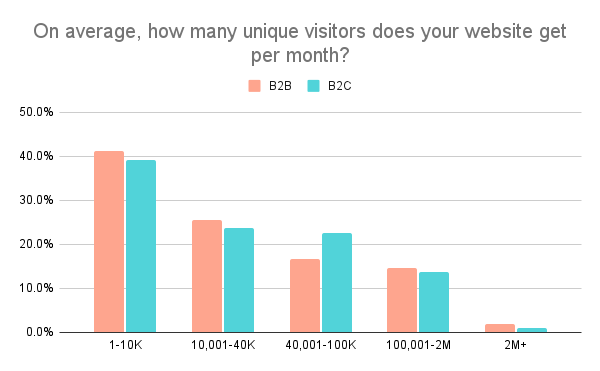
Taking note of the data above, determining how many monthly unique visitors is “good” for your company depends on your answers to the following questions.
What is the standard in your industry?
To make an accurate guess of where your company should be, determine the industry standard. To do this, evaluate your competition. Using tools like the previously mentioned SimilarWeb and SEMRush, you can create a general overview of your competitors, and use these statistics to establish an average for your industry.
How much content do you produce?
The more content you have available on your site, the more opportunities you create for visitors to find it. How much new content are you producing? One? Three? Five or more? The size of your team will affect the amount of content you’re able to create. If you find that you’re unable to produce new content, consider expanding the size of your team to meet your needs.
How well is your content strategy working?
To fix something, you need to know if it’s broken. Evaluate whether your content strategy is working. Are you ranking for your keywords? Have you seen an increase in views over the last few months? Where is the bulk of your traffic coming from? Once you can determine how your site is currently performing, you can take active steps to create an effective content strategy.
What is the search volume for your targeted topics?
Search volume for your targeted topics is directly related to the demand for that information, product, or service. High search volume can mean more visitors; however, this is directly affected by the competitiveness of your keywords.
How competitive are your target keywords?
A combination of these factors affects your website’s unique visitors per month, but it boils down to competition. The more competitive your target keywords, the harder it is to rank on the first page of a SERP. The more competitive the industry, the greater the chances of having potential website visitors split among the competition.
For example, in the HubSpot survey, 29.4% of B2C websites described the competitiveness of their target keywords as above average, or highly competitive, whereas only 25.4% of B2B sites did.
Is your website secure?
Establishing a safe and secure website with an SSL certificate can boost your reputation and relationship with future consumers. Not only does it mean less time worrying about potential security incidents, but it allows your visitors to insert their information into your systems with confidence.
Is your website accessible?
Fifteen percent of the world’s population are persons with disabilities. Many still use the web, and businesses must ensure that their content is accessible. Accessibility is not a feature, and making your website convenient to all visitors is not a bonus but a necessity.
Is your website mobile-friendly?
If your site isn’t mobile-friendly for cell phone users, you’re cutting off a large portion of potential visitors. According to data from Statista, the number of unique mobile internet users stood at 4.66 billion in 2021, indicating that over 92 percent of the global internet population use a mobile device to go online.
Optimizing your website for mobile is therefore essential. Over 50% of the web traffic analysts surveyed by HubSpot said that it was one of the SEO strategies they leverage.
Is your website optimized for the user experience?
Click-through rate and bounce rate are metrics that help determine the user experience on your website. You should evaluate them together.
Click-through rate is the percentage of people who visit your page after it comes up in a search. Bounce rate is the percentage of people who arrive and leave your web page quickly after landing on it. While a high click-through rate is positive, a high bounce rate is negative. A high bounce rate sends search engines a signal that your content isn’t relevant to the users and negatively affects your rank.
In the HubSpot survey of over 400 web traffic analysts, the average click-through rate and bounce rate ranged widely. However, most of the websites (67%) had a click-through rate between 10-39%, while the majority (43.8%) had a bounce rate between 21-40%. These are good benchmarks to use for your site.
Once you can evaluate your industry, website, and content strategy, the next step is to set goals and execute them.
Setting Reasonable Goals For Website Traffic
Focus on the word “reasonable.” A goal to reach 10,000 monthly visitors next month might not be a stretch if you garnered 9,000 visitors this month. However, if your website receives an average of 2,500 monthly visitors, this goal is less probable. Setting a realistic and attainable goal is the key to creating the proper marketing strategy for your business.
Step 1: Define your goal.
First, define your goal. To do so, analyze your current metrics and that of your competitors.
Platforms such as Google Analytics, HubSpot, SimilarWeb, SEMRush, and Ahrefs will enable you to analyze the traffic of websites in your industry. Using a combination of these tools is common. For example, in the HubSpot survey, about 82% of the web traffic analysts used Google Analytics and 25% used HubSpot’s web analytics. The next three most popular tools were Mint, Spring Metrics, and SimilarWeb.
Let’s use HelloFresh and other meal kit delivery services as an example. The company’s direct competitors include Every Plate, Home Chef, and Blue Apron. The ranking for their monthly total visitors, according to SimilarWeb and Sitechecker, is as follows for February 2022:
- HelloFresh: 12M
- Every Plate: 2.9M
- Home Chef: 2.7M
- Blue Apron: 1.9M
Note that the same website may differ in traffic estimates provided by different tools. While you can’t assume which platform is more accurate than the other, you can use a combination of information from different sources to find an average. This will provide a snapshot of how many visitors a website typically gets.
For example, if you’re a new meal kit delivery service looking at the total monthly visitors for these companies, you’d get an average of 4.9 million monthly views. Now, this can be a goal for future growth, with incremental benchmarks.
A monthly goal for a small business receiving 5,000 total monthly visitors could be 10% or 500 visitors, for example. Set goals with a content plan in mind. With this goal in place, you can use it to determine the success of your content strategy.
Step 2: Build a content plan around MSV.
Monthly search volume (MSV) is the number of times a specific keyword is entered into a search engine each month. MSV allows you to anticipate the amount of traffic available for a particular keyword term. Armed with this knowledge, you’ll be able to gauge which keywords are worth targeting for your content strategy. You’ll also be able to assess the needs of potential clients and customers and cater your content to them.
An effective content plan won’t only target keywords with the highest MSV. In the HubSpot survey, only 15% of the web traffic analysts described the MSV for their target keywords as “very high.” The majority (60%) described it as “somewhat high.”
Some free online keyword tools that help calculate MSV include Google Keyword Planner, Ahrefs Keyword Generator, and Answer the Public.
Step 3: Determine a publishing cadence.
In conjunction with creating your content strategy, lay out a schedule. How often you update your website is key to attracting more visitors because you increase the number of opportunities to land on your page. According to the data from the HubSpot survey shared above, you want to post new content to your website multiple times a month at least. Ideally, you should post new content once a day. Websites that post daily are more likely to get between 15,001 and 250K visitors per month, and less likely to get between 1,0001 and 15K visitors than websites that post monthly.
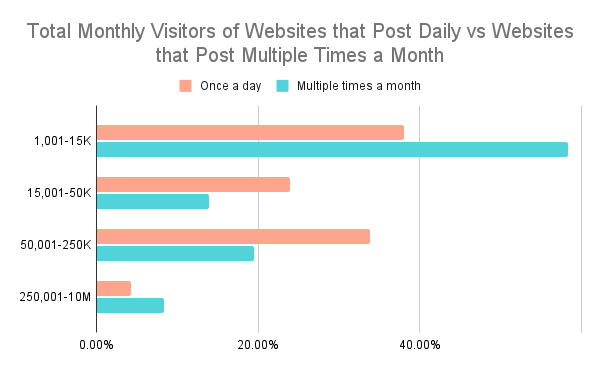 The amount of content is, of course, dependent on the size of your team and audience. The more resources you have, the more content you can create. The larger your audience, the more content you should create.
While determining a publishing cadence is necessary, it is equally important to stick to it and remain consistent.
Step 4: Assess your performance.
The first step to assessing your goals is having a data reporting software set up. Once you do, it’s time to look at a range of metrics. Of the web traffic analysts surveyed, total monthly visitors, unique monthly visitors, and bounce rate were the most common metrics used to assess website performance. Others included search traffic and industry-wide trends.
To start, check if your unique monthly visitors increased. Whether or not you met your goal, ask yourself the following questions to review your progress:
- Did your unique monthly visitors increase or decrease? By what percent?
- Are you ranking for targeted keywords?
- Was there a trend (increase or decrease) in visitors across your industry?
An increase or decrease in your unique monthly visitors isn’t enough to gauge the complete success of your goal or content strategy. Are you ranking for your targeted keywords? If yes, your content strategy is working, and your location in SERPs can lead to further increases in the future. If not, reassess and adopt new SEO methods for growth.
When assessing your performance, it might also be necessary to measure factors out of your control, for example, industry trends. Was there a mutual dip in unique monthly views among you and your competitors? It is possible that your keyword MSV wasn’t as high as in previous months. A decrease in MSV for your keywords is out of your control. However, it is your responsibility to pivot and discover what your target audience is searching for.
How many visitors should your site get?
In content strategy and marketing, consistency is key. How many visitors should your site get? Ultimately, it comes down to how consistent you are in the tips featured above. Do you keep up with industry best practices to guide your knowledge on MSV? Do you periodically evaluate your content to boost your SEO? Are you updating your information to guide your goals?
There is no magic number when it comes to monthly website visitors. Evaluate your website and use your current metrics to determine where you want to be in one, six, or 12 months from now. Changes rarely happen overnight. Set reasonable goals with realistic timelines, and you’ll eventually see growth.
Editor’s note: This post was originally published in September 2009 and has been updated for comprehensiveness.

