
Welcome to My Blog
16 of the Best Shopify Stores to Inspire Your Own
Ecommerce is predicted to account for 17% of all U.S. retail sales by 2022. As ecommerce grows, so does competition, making it hard to differentiate your website from everyone else’s.
It isn’t enough to have a one-of-a-kind product: to attract your ideal audience — and more importantly, to turn that audience into passionate brand ambassadors — you need a one-of-a-kind website.
A sleek and captivating Shopify website can attract a large audience and even act as your start-to-finish marketing pitch.
But you need to know what makes one Shopify website better than the rest. Here, we’ve curated a list of 16 best of the best Shopify stores to inspire your own.
Whether you’re new to ecommerce and about to design your first website, or an ecommerce veteran considering a redesign to outshine your competitors in 2018, this list offers plenty of creative ideas.
1. UgMonk
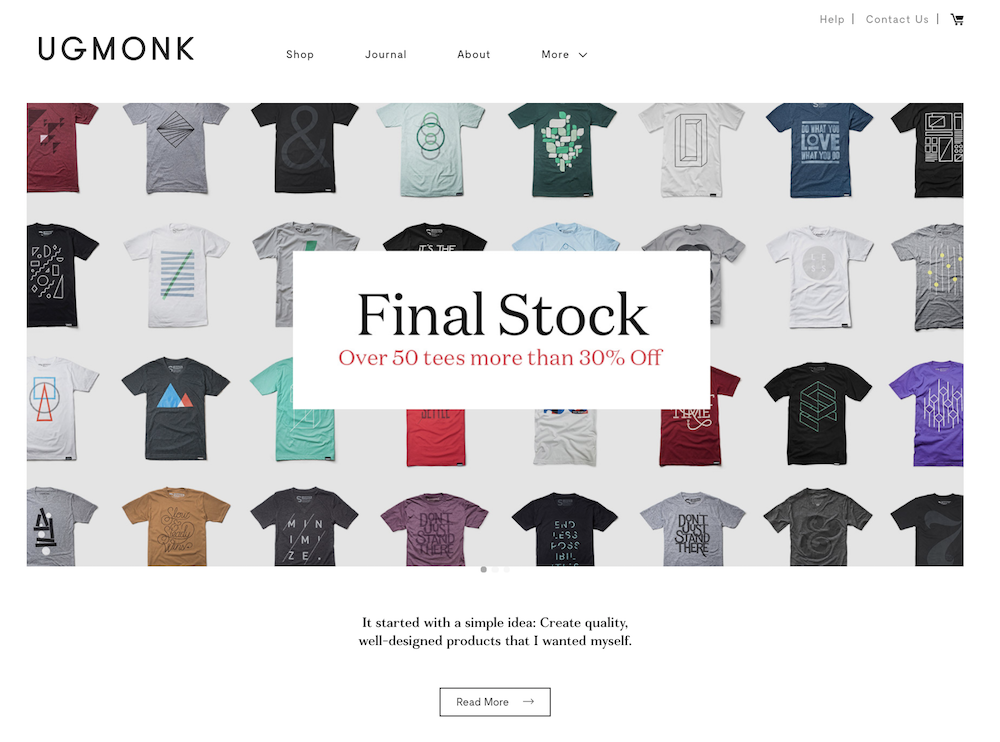
Jeff Sheldon starts the “About” section on his UgMonk website with a simple question: “Why was it so difficult to find fresh, high-quality, unique items in a modern aesthetic?” His Shopify site is simple and fresh, and exhibits UgMonk’s clothing, workplace items, bags, and prints in the same modern aesthetic style he sought while designing his unique products.
2. Pipcorn
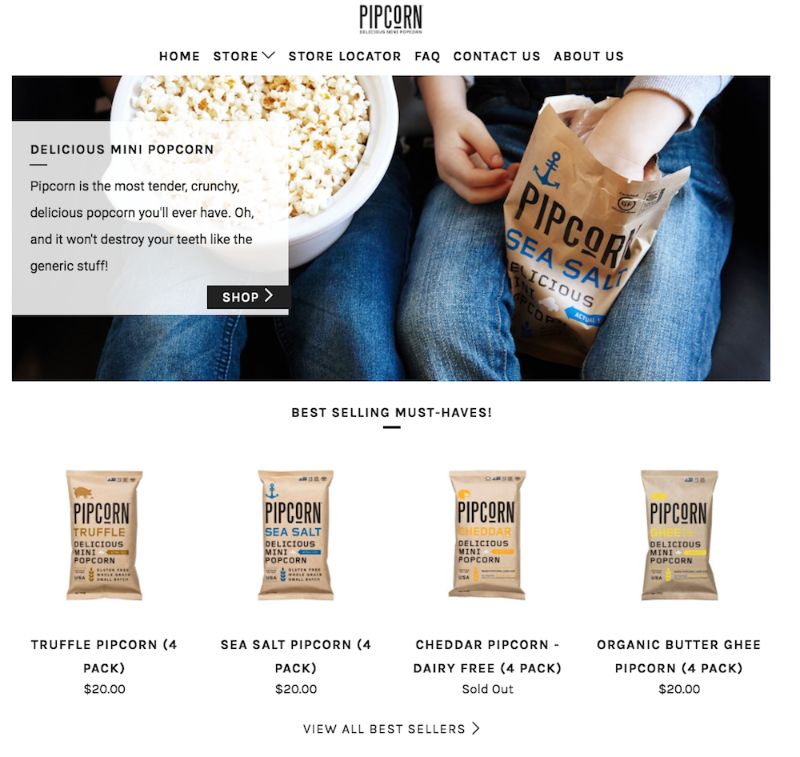
When you think about popcorn, I’m betting the first concern that comes to mind isn’t “is it healthy?” Pipcorn knows this, so their homepage features a simple slogan: “Most tender, crunchy, delicious popcorn … and it won’t destroy your teeth like the ‘generic’ stuff.” The best websites know their target audience’s primary concerns (in this case, the taste of popcorn and the kernels in teeth), and sell them on those solutions upfront. If you look on their “About Us” page, you’ll find Pipcorn’s products are also non-GMO, vegan, gluten free, and whole grain. Even though this could have easily been incorporated into their slogan, they chose to exclude it in favor of tackling our bigger concern: Does it taste good?
3. Taylor Stitch
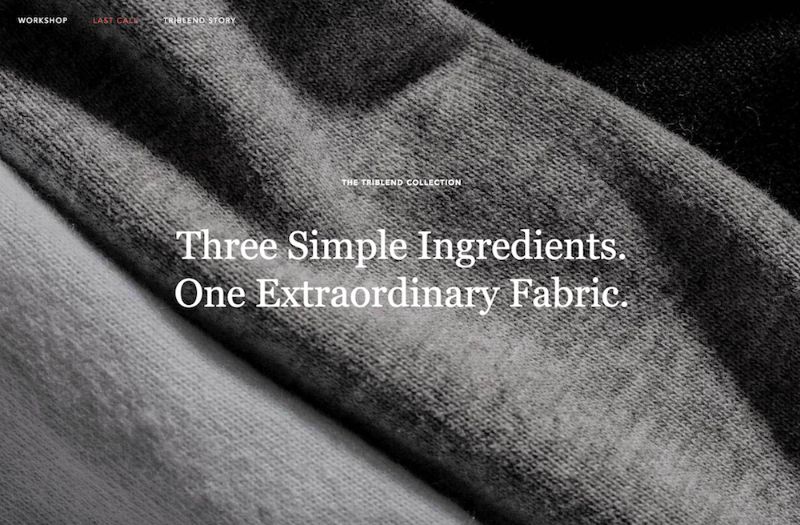
The inner child in me loves Taylor Stitch’s website because of the creative alternatives displayed when you hover over a product: a jacket, for instance, flips to an image of a model posing with the jacket on a motorcycle. The Taylor Stitch website does something else really cool, too — it almost immediately calls more attention to its message than its products, with “Three Simple Ingredients” written across most of the images you see on the homepage. Taylor Stitch doesn’t just make high-quality clothing. It also aims to reduce waste and help the environment by creating clothing with recycled or 100% natural products. On their website, you can’t miss their environmental efforts, and I’m betting this is a differentiating factor for most buyers when they come across the site.
4. Happiness Abscissa
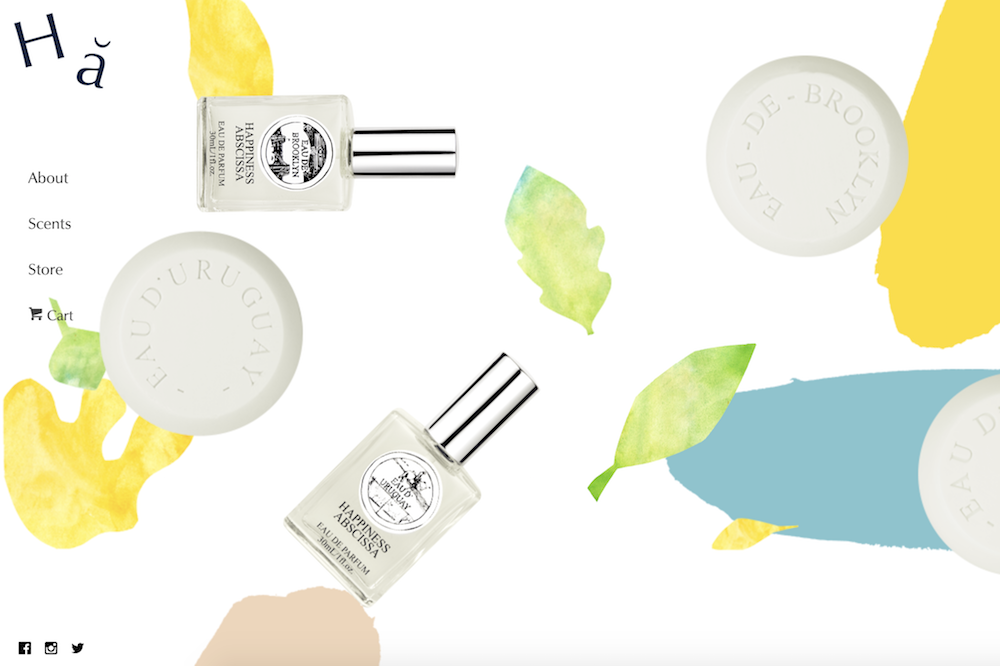
Many of the websites I mention on this list have clean, straight lines. Happiness Abscissa is unique. It shows a playful side by displaying a layout with bright abstract images, and even products hanging from different angles. Their logo, a crooked Ha, draws in the viewer’s attention, and then they use Ha in a sentence without defining the word, further stimulating viewers’ curiosity. You get the sense they don’t take themselves too seriously, affording the viewer a cheerful and fun experience.
5. Skinny Teatox
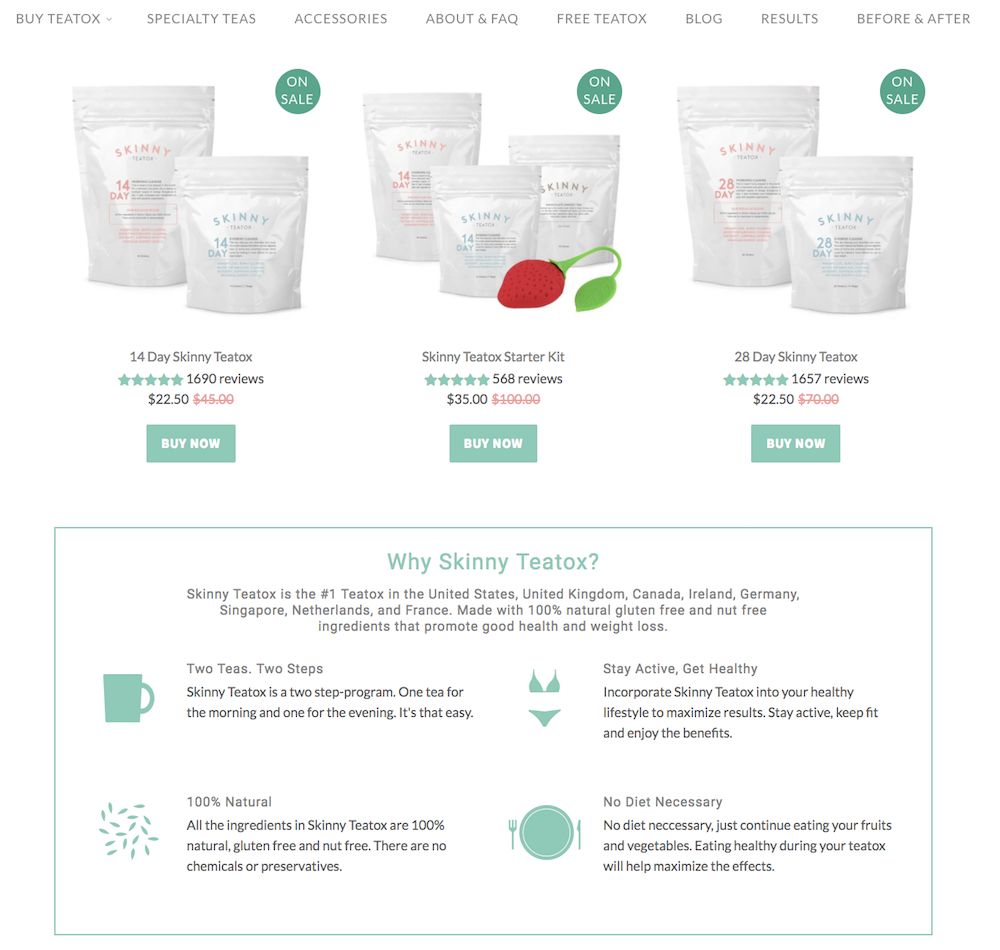
I myself was tempted to purchase the Teatox product when I checked out this site (in my defense, they were having a one-day flash sale I did not want to miss). The Skinny Teatox homepage immediately confronts your biggest concerns (“Is it natural? Yes. Will it work? Yes.”), and uses pastel colors and cute icons of bikinis and mugs to convey a fresh vibe. As I’ve noticed with a few other Shopify websites, Skinny Teatox places its products on the homepage with an easy “buy now” call-to-action. For a company that isn’t too complex to figure out (“All Natural Detox Weight Loss Tea” is written beside the company name in search engines), I think it makes sense to offer the viewers what they want upfront.
6. HELM Boots
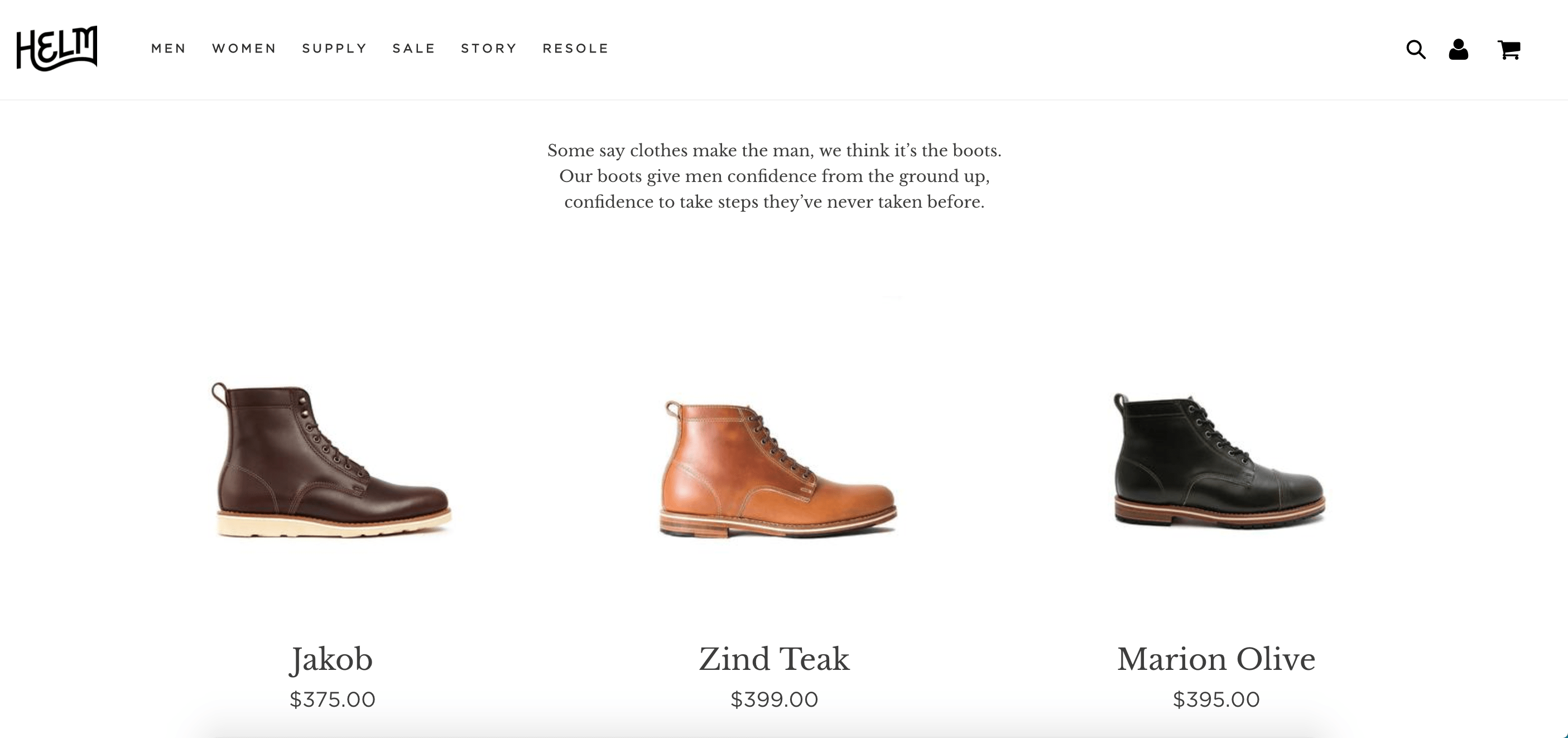
“Our boots give men confidence from the ground up, confidence to take steps they’ve never taken before.” Immediately, HELM incentivizes viewers through emotion: I might just be a guy looking to buy some boots, but yes, I’d definitely also like some confidence and bravery while I’m at it. The website looks elegant, and you can find everything from the homepage, which is designed to convert viewers at various stages of the buyer’s journey and assuage doubts as you scroll.
7. BioLite
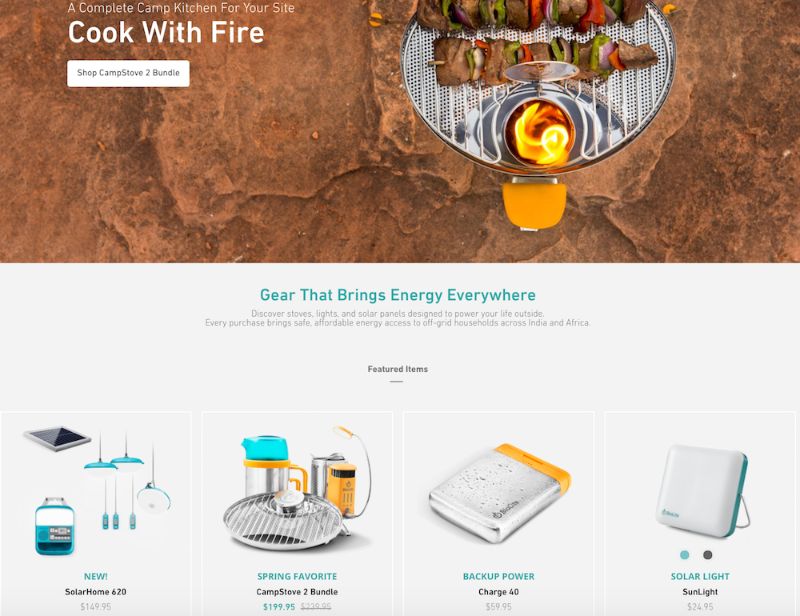
I might be a sucker for the little details, but the product images on BioLite’s website are enough to make me want to buy something (they look 3-D and illuminated, and some even look wet from rain!). Since BioLite’s major selling point is its humanitarian impact (the products bring affordable energy access to places in India and Africa), the first thing on the homepage is their slogan, “Gear That Brings Energy Everywhere,” which will appeal to their target audience. The navigation bar at the top also has a clever twist: beside each product title, there are little black-and-white cartoon drawings of the product.
8. Pop Chart Lab
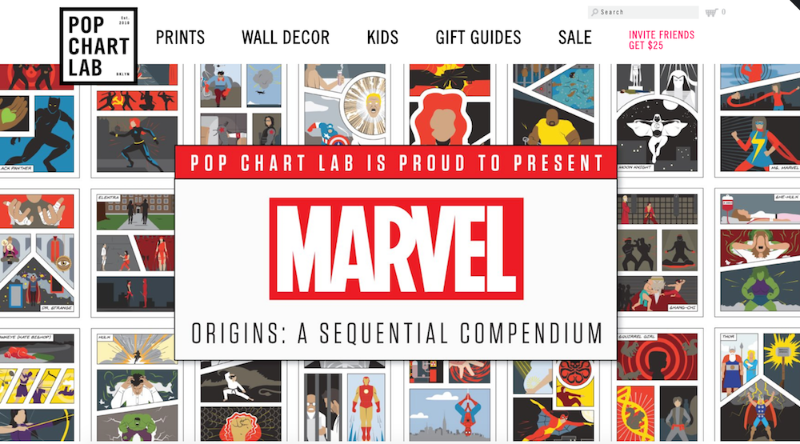
This site looks like one of the vintage and trendy prints they sell. It’s also organized in different categories depending on a viewer’s browsing preference. First, they have a scroll-down navigation with sub-categories ranging from, “NYC” to “Kids” to “Hip Hop” to “Wine.” They also have a carousel with some of their top prints on display. Below the carousel, they offer “wholesale,” “gift guides,” and “scratch-off” collections, for viewers who are having a difficult time discerning what they want. The shop manages to appear simple, despite its vast array of different print products, which is no easy feat.
9. Luca and Danni
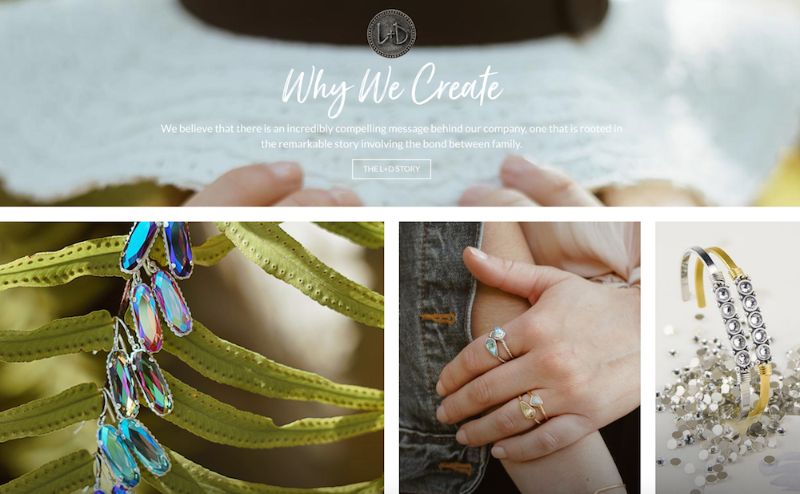
There’s something addictive about an ecommerce store that changes as you scroll. Luca and Danni’s page is highly interactive: as you scroll, some images get bigger and others get smaller, boxes of bracelets open up within images, and some images follow you down the page. It can be tricky to offer so much movement on a page while remaining coherent, but somehow, Luca and Danni accomplish this. There’s also a very zen vibe to the whole layout, with images of palm trees and cactuses, and calls-to-action with language like “brighter days: shop soil to sky,” and “find what speaks to you.”
10. Harris Farm Markets
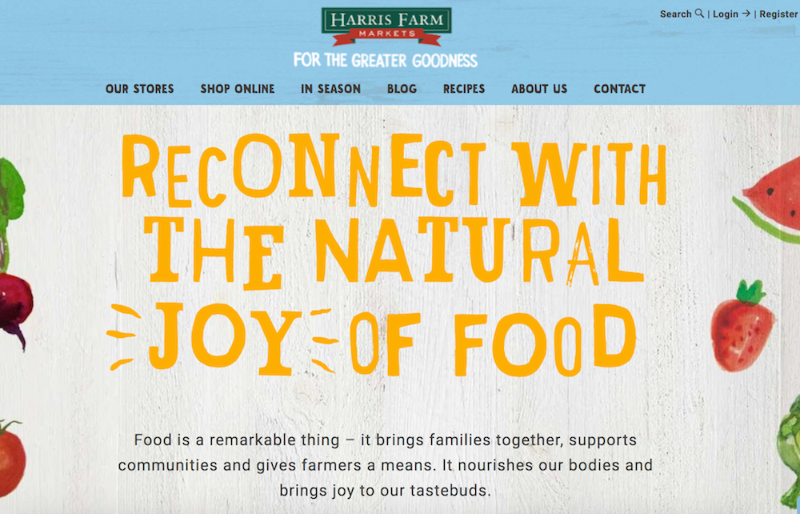
This is a family-owned company, something you can’t miss from the homepage. It’s casual and playful, with text that looks like a child’s handwriting and colorful drawings of fruit (there’s even an adorable drawing of a bee with animated wings!). Even the calls-to-action sound laid-back, like “What’s nature been up to?” It’s so genuine, you can imagine a family building the site together.
11. So Worth Loving
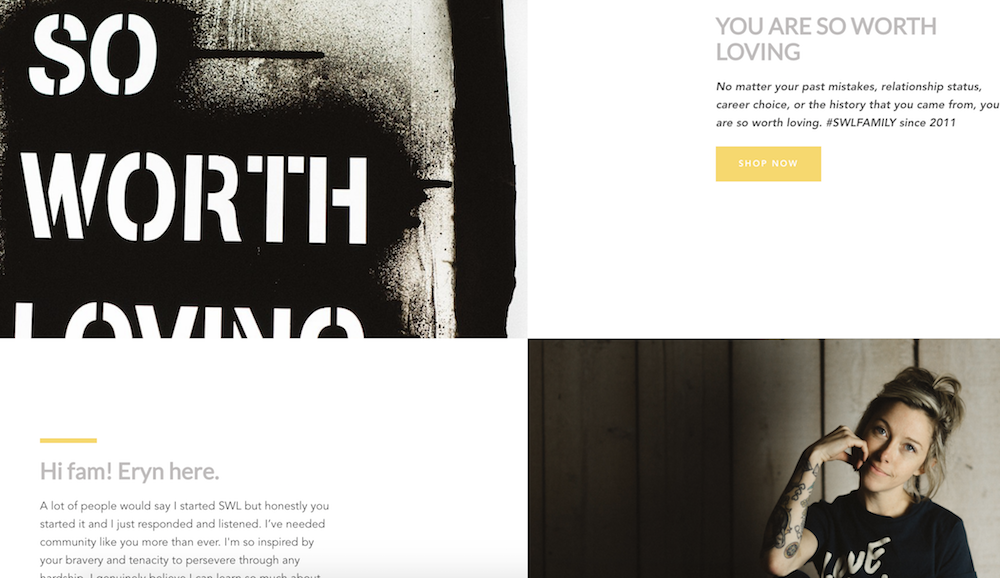
Sometimes, being evasive pays off. While it’s not always a good idea to hide your products from the viewer, it can be a very smart move if your product doesn’t make sense without understanding the backstory. With So Worth Loving’s site, you don’t even see the t-shirts for sale until a third of the way down the page. By that point, you’ve already read their slogan, a little bio from the founder, Eryn, and a full narrative about how the site began. The site leans into personal touches, with handwritten-looking quotes scrawled across images and very normal looking images of people posing in t-shirts. This is a great example of knowing your audience enough to break the rules.
12. Great George Watches
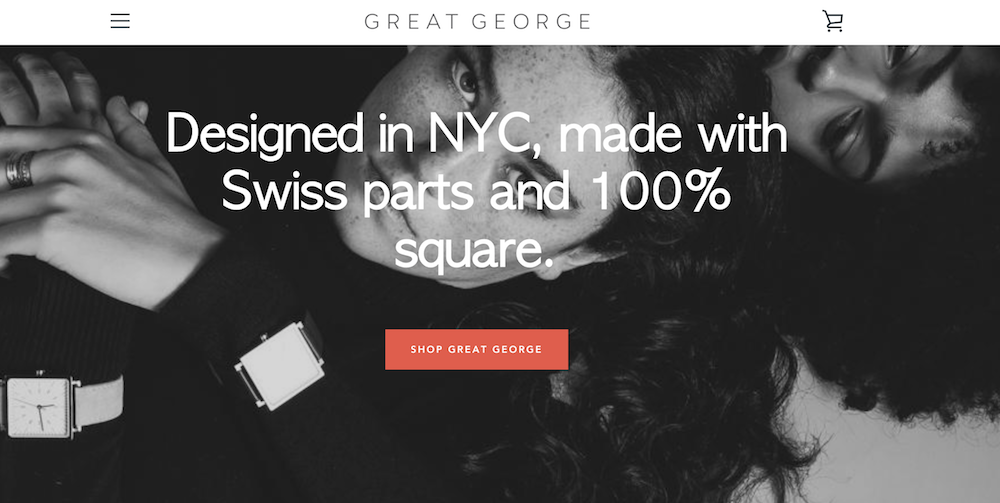
I’m not an experienced watch shopper, so when I first read, “Made with Swiss parts and 100% square,” on Great George Watches’ homepage, I thought maybe “square” was a fancy term I’d understand if I knew watches. But as I scrolled and read, “Think outside the circle,” I realized these terms were unique to Great George Watches, which are all square-faced. By emphasizing what makes their product unique before even showing the produce, Great George Watches captivates the viewer. I love this shop because it has a refined and polished look, with black-and-white photos and an attention-grabbing red call-to-action button.
13. Choose Muse
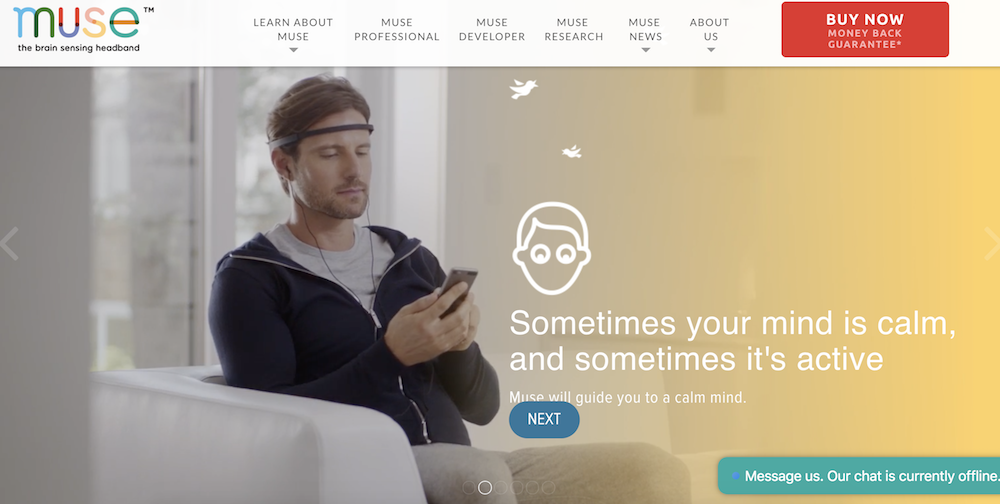
Choose Muse incorporates a full-display video of a man putting headphones on and using Choose Muse’s product right from the homepage. The video starts playing immediately (as opposed to offering a play button option), which is especially eye-catching. I usually think simple is better when it comes to design, but Choose Muse proves me wrong, incorporating compelling designs with a ton of images and text, while still retaining a clean and enjoyable viewer experience.
14. Brilliant
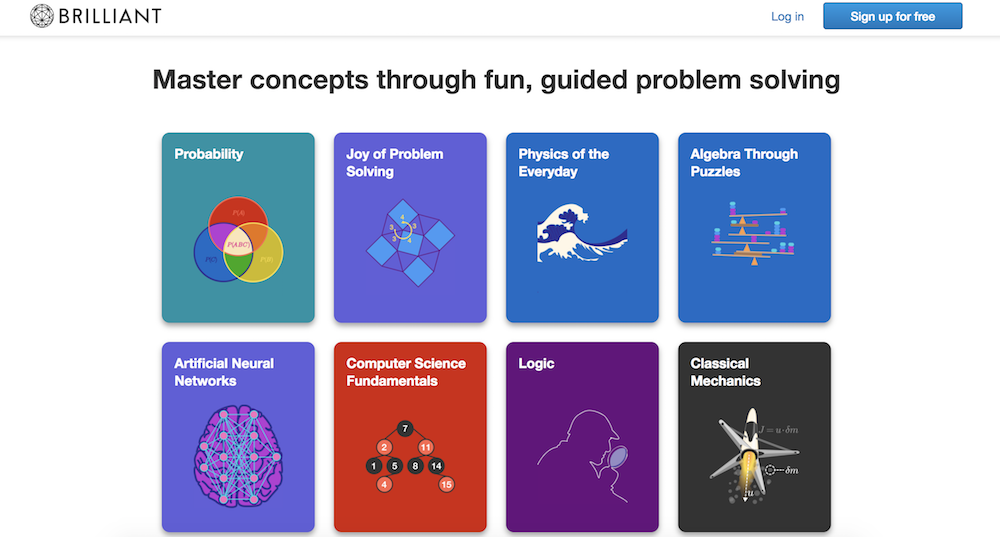
For a math and science website, Brilliant is surprisingly easy-to-navigate (even for someone like me, an English major … ), with big, colorful block buttons to choose the math concept you want to learn. This shop is also a fantastic example of using a call-to-action button wisely: there’s a big “sign up for free” button prominently displayed in the top right, and then another at the bottom of the page, after you’ve scrolled past the information you need. The site doesn’t have a navigation bar, but instead uses the web page to answer all the questions a viewer might have.
15. Holstee
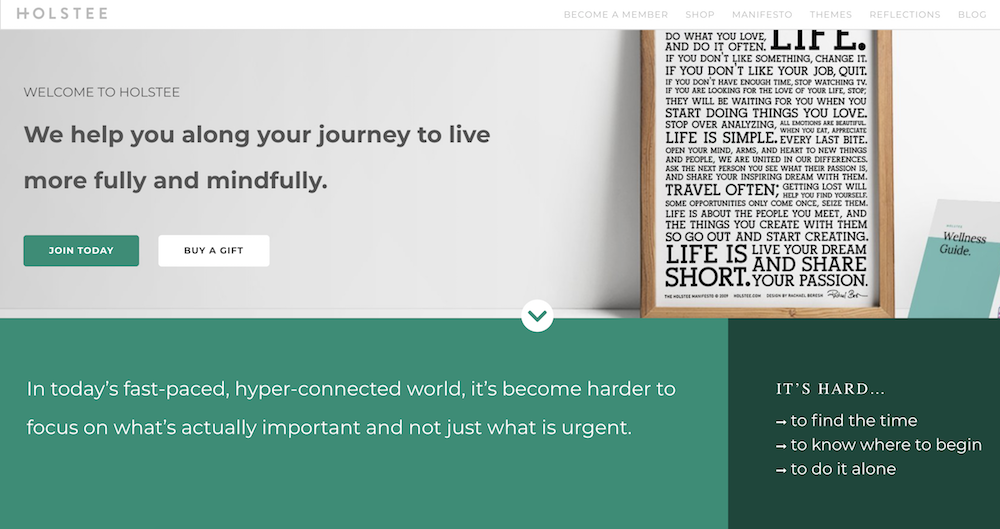
Holstee does a fantastic job of designing their site in tiers depending on a person’s initial level of interest in the product. For starters, you see the text, “We help you along your journey to live more fully and mindfully.” If you’re already convinced, you can click “Join today” right below the text. If not, you can continue to scroll down the homepage to find pain points this product reduces, read a “Holstee Manifesto,” see Membership benefits, check out testimonials, and find publications Holstee’s been featured in. Throughout the page, there are various calls-to-action, like “Choose a plan that’s right for you,” and then, at the end, “Become a member today.” I love this site because it becomes increasingly convincing and in-depth as you scroll: it’s clear they use their homepage as a start-to-finish marketing pitch.
16. Kylie Cosmetics
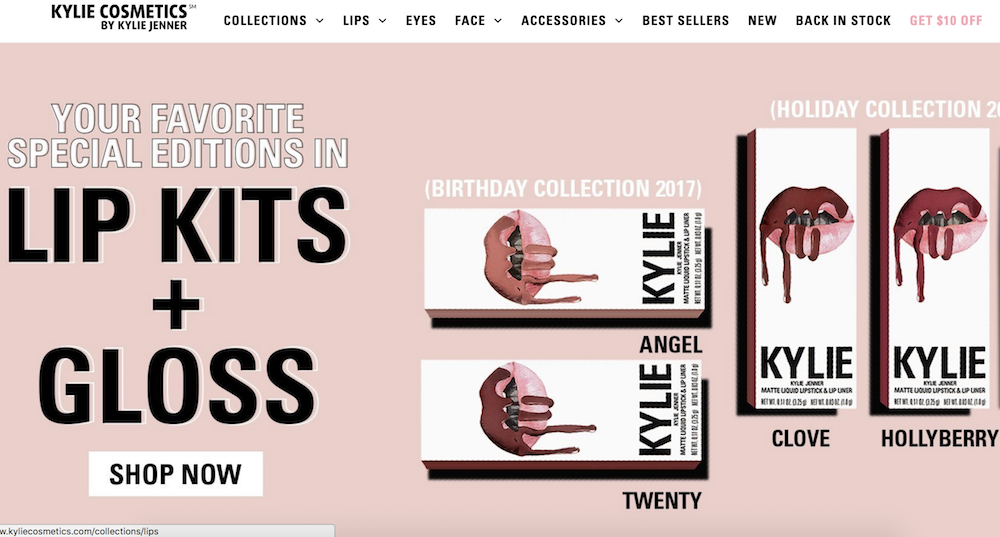
As one of the top 10 most followed accounts on Instagram, Kylie Jenner’s Cosmetic brand is one of the bigger brands using Shopify today. Her site has a very distinct girly-girl vibe, with a bubble-gum pink background showing off her lip kits and gloss. Her site is well-organized for her audience: the lip kits, her best-known items, are shown first on the homepage, with “top sellers” below that. I didn’t feel overwhelmed looking through the various cosmetic products like I thought I would, and what really stood out to me about Kylie’s site is the fun, colorful layout. It might not be everyone’s cup of tea, but I’m betting it appeals to her target audience.

How to Create an SEO Strategy for 2018 [Template Included]
Here’s a cliche among digital marketers: Search engine optimization (SEO) isn’t what it used to be.
Here’s a true statement you don’t hear as often: Your SEO strategy for 2018 shouldn’t focus on keywords.
These days, most businesses understand the basic concepts of SEO and why it’s important. However, when it comes to developing and executing a sound SEO strategy for your business, just creating content for the keywords your customers are searching for is both arduous and, well, wrong.
What Is SEO Strategy?
Modern SEO strategy is the process of organizing a website’s content by topic, which helps search engines like Google understand a user’s intent when searching. By optimizing a web page around topics first, you can rank well for long-tail keywords related to that topic.
Here are eight steps you can take to make sure all of your SEO bases are covered in 2018. Then, grab your free planning template to master on-page SEO.

Step 1: Make a List of Topics
Keywords are at the heart of SEO, but they’re actually not your first step to an organic growth play anymore. Your first step is to make a list of topics you’d like to cover from one month to the next.
To start, compile a list of about 10 short words and terms associated with your product or service. Use Google’s Keyword Tool to identify their search volume and come up with variations that make sense for your business.
You are associating these topics with popular short-tail keywords, as you can tell, but you’re not dedicating individual blog posts to these keywords. These short-tail keywords are simply too competitive to rank highly for on Google if you’re just starting to optimize your website for search. We’ll go over how to use these topics in just a minute.
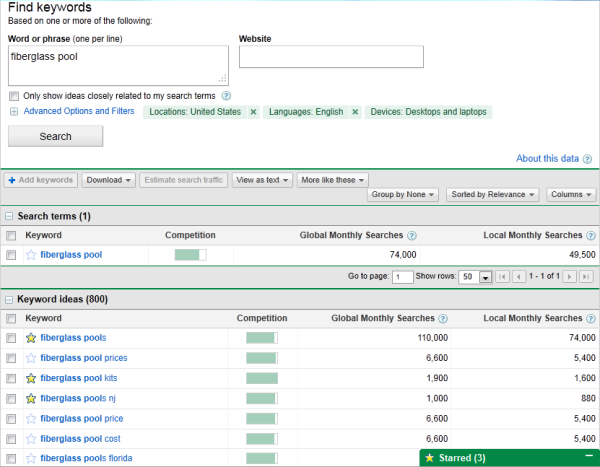
Using search volume and competition as your measure, narrow down your list to 10-15 short-tail keywords that are important to you. Then rank this list in order of priority or relevance to your business.
Each of these keywords is called a “pillar,” and it serves as the primary support for a larger “cluster” of long-tail keywords, which is what brings us to our next Step …
Step 2: Make a List of Long-Tail Keywords Based on These Topics
Here’s where you’ll start optimizing your pages for specific keywords. For each pillar you’ve identified, use your keyword tool to identify five to 10 long-tail keywords that dig deeper into the original topic keyword.
For example, we regularly create content on the topic of “SEO,” but it’s still very difficult to rank well on Google for such a popular topic on this acronym alone. You also risk competing with your own content by creating multiple pages that are all targeting the exact same keyword — and potentially the same search engine results page (SERP). Therefore, we also create content on conducting keyword research, optimizing images for search engines, creating an SEO strategy (which you’re reading right now), and other subtopics within SEO.
Use subtopics to come up with blog post or webpage ideas that explain a specific concept within each larger topic you identified in Step 1. Plug these subtopics into your keyword research tool to identify long-tail keywords on which to base each blog post.
Together, these subtopics create a cluster. So, if you have 10 pillar topics, they should each be prepared to support one cluster of five to 10 subtopics. This SEO model is called a “topic cluster,” and modern search engine algorithms depend on them to connect users with the information they’re looking for.
Here’s a short video on this concept:
Think of it this way: The more specific your content, the more specific the needs of your audience are — and the more likely you’ll convert this traffic into leads. This is how Google finds value in the websites it crawls; the pages that dig into the interworkings of a general topic are seen as the best answer to a person’s query, and will rank higher.
Step 3: Build Pages for Each Topic
When it comes to websites and ranking in search engines, trying to get one page to rank for a handful of keywords can be next to impossible. But here’s where the rubber meets the road:
Take the 10 pillar topics you came up with in Step 1 and create a web page for each one that outlines the topic at a high level — using the long-tail keywords you came up with for each cluster in Step 2. A pillar page on SEO, for example, can describe SEO in brief sections that introduce keyword research, image optimization, SEO strategy, and other subtopics as they are identified. Think of each pillar page as a table of contents, where you’re briefing your readers on subtopics you’ll elaborate on in blog posts.
Use your keyword list to determine how many different pillar pages you should create. Ultimately, the number of topics for which you create pillar pages should coincide with how many different products, offerings, and locations your business has. This will make it much easier for your prospects and customers to find you in search engines no matter what keywords they use.
Each web page needs to include relevant content for your prospects and customers and should include pictures and links to pages on your site to enhance the user experience. We’ll talk about those links in Step 4.
Step 4: Set Up a Blog
Blogging can be an incredible way to rank for keywords and engage your website’s users. After all, every blog post is a new web page that gives you another chance to rank in search engines. If your business does not already have a blog, set one up. This is where you’ll elaborate on each subtopic and actually start showing up on Google.
As you write each blog post and fill up your clusters, you should do three things:
- First, don’t include your long-tail keyword more than three or four times throughout the page. Google doesn’t consider exact keyword matches as often as it used to. In fact, too many instances of your keyword can be a red flag to search engines that you’re “keyword stuffing.” This can penalize your website and drop your rank.
- Second, link out to the pillar page you created on this topic. You can do this in the form of tags in your content management system (CMS), or as basic anchor text in the body of the article.
- Once you publish each blog post, link into it from the pillar page that supports this subtopic. Find the point in your pillar page that introduces this blog’s subtopic, and link it here.
By connecting both the pillar and the cluster in this way, you’re telling Google there’s a relationship between the long-tail keyword and the overarching topic you’re trying to rank for.
Step 5: Blog Every Week to Develop Page Authority
Not every blog post or web page you write needs to belong to a topic cluster. There’s also value in writing about tangential topics you’re customers care about in order to give your website authority in the eyes of Google. This will cue Google to pay extra attention your domain as you add content to your primary topics.
With that in mind, make a point to blog at least once a week. Remember, you are blogging primarily for your audience, not the search engines. Write about things your audience and/or prospects are interested in, make sure you’re including relevant keywords where appropriate, and your audience will slowly start to notice and click.
Keep in mind that each topic won’t be equal in importance, and as your clusters get off the ground, you’ll need to prioritize based on your company’s needs. So, create a list of all the different web pages you would like to create and rank them. Then, develop a schedule and devise a plan of attack to get those pages built.
Keep your list updated and prioritized by what web pages will help you to best achieve your business goals.
Step 6: Create a Link-Building Plan
The topic cluster model is your way forward in SEO this year, but it’s not the only way to get your website content to rank higher once it’s been created.
Our first five steps were dedicated to on-page SEO tactics. Link-building is the primary objective of off-page SEO, and is also a huge factor in how search engines rank your web pages. What is link-building? Glad you asked.
Link-building is the process of attracting inbound links (also called “backlinks”) to your website from elsewhere on the web. As a general rule, the more page authority the origin website has, the bigger affect it will have on the rank of the web page to which it is linking.
Dedicate some time to brainstorm all the different ways you can attract inbound links to your website. Start small –- maybe share your links with other local businesses in exchange for links to their sites. Write a few blog posts and share them on Twitter, Facebook, Google+, and LinkedIn. Consider approaching other bloggers for guest blogging opportunities through which you can link back to your website.
Another great way to attract inbound links is to use your blog to post articles related to current events or news. That way, you have shot of getting linked to from an industry influencer or other bloggers in your industry.
Step 7: Stay Current on SEO News & Practices
Like the overall marketing landscape, the search engine space is ever-evolving. Staying on top of current trends and best practices is a difficult task, but there are multiple online resources that can make it easy for you to stay on top of SEO news and changes that may impact your website and your SEO strategy.
Here are a few resources to check out:
Step 8: Measure and Track Your SEO Success
SEO can take a lot of time and effort. What good is spending all this time and effort if you can’t see the fruits of your labor? There are many metrics you can track on a daily, weekly, or monthly basis to keep your SEO plan on track and measure your success.
Because the metric you care about is organic traffic (traffic that comes from a given search engine), seek out a tool that allows you to track both your overall organic traffic number and how your pages are ranking for each long-tail keyword you’re trying to rank for. SEMrush is a great reporting tool for just this purpose.
Create a monthly dashboard using Excel, Google Sheets, or a web analytics package so you can monitor how much traffic comes to your website from organic search.
Also, tracking indexed pages, leads, ROI, inbound links, keywords, and your actual ranking on SERPs (search engine results pages) can help you recognize your success as well as identify areas of opportunity.
People Often Ask:
What is domain authority in SEO?
Domain Authority in SEO is a rank that measures how popular and trustworthy search engines see your website. It is calculated based on how websites link to each other on the world wide web.
What are SEO’s?
Search Engine Optimizers (SEO’s) are people who optimize websites to make them show up higher on search engines and gain more website visitors.
What Does a SEO Specialist Do?
An SEO Specialist is someone who is an expert on the topic of search engine optimization. They specialize in the optimization of websites to increase the number of visits they gain from search engines.
What Does a SEO Executive Do?
An SEO Executive optimizes websites to make them show up higher on search engines and gain more website visitors. They work on off-page and on-page SEO.
What Is a SEO Content Writer?
An SEO Content Writer is someone who writes content for the purpose of having it show up on search engines and gain website visitors. They are generally knowledgeable in the are of both SEO and content marketing.
What Is the Job of a SEO?
The job of an SEO is to manage the optimization of websites to ensure they gain website traffic from search engines such as Google & Bing.
How Do I Become an SEO Specialist?
To become an SEO specialist you can study marketing in university or online and/or gain practical experience in optimizing websites.

Apple store in The Westchester Mall set to close May 6th for renovations

As part of Apple’s ongoing efforts to update their smaller or aging retail locations around the world, the company’s White Plains, NY store will be closed starting May 6th for a significant renovation.
The best Apple Pencil accessories, including charging docks, sleeves & more

At its education-focused event in Chicago last month, Apple announced a new $329 iPad with support for Apple Pencil. As we outlined in our full review earlier today, this marks the first time Apple has expanded Apple Pencil support outside of the iPad Pro lineup.
Are you the proud owner of the new iPad with Apple Pencil? Read on for the best Apple Pencil accessories…
What’s new in iOS 11.4 beta 1? Hands-on with new features and changes [Video]

The first iOS 11.4 beta was seeded to developers earlier this afternoon, and it brings back several features that were found in previous betas. Watch our hands-on video walkthrough inside for a brief look at what’s included. more…
Apple schedules Q2 2018 earnings release for May 1

Apple today announced that it will release its Q2 2018 earnings call on May 1st. Apple made the announcement on its Investor Relations website, noting it will hold a call with investors at 2PM PT/5PM ET on the same day.
9to5Mac Daily 055: April 2, 2018

Listen to a recap of the top stories of the day from 9to5Mac. 9to5Mac Daily is available on iTunes and Apple’s Podcasts app, Stitcher, TuneIn, Google Play, or through our dedicated RSS feed for Overcast and other podcast players.
How to fill Apple Watch activity rings while traveling through timezones

Whether you’ve been using Apple Watch since day one or are just getting started with it, closing the activity rings daily can become a fun and addictive goal. However, traveling can present some challenges, particularly when traversing through timezones. Follow along for some tips and tricks to make sure those rings get closed while you’re on the go.
Instagram for Apple Watch killed as Apple begins requiring native apps in updates

Despite dramatic improvements to Apple Watch speed, some high profile apps have been actively pulled from watchOS over the last several months. Instagram is the latest major app to disappear from Apple Watch as part of today’s iPhone app update…
Report: Apple to begin switch from Intel chips in Macs by 2020

Stereo HomePod reference makes its way back into iOS 11.4 beta

While betas often add and remove features as they go, Apple has reintroduced HomePod stereo pairing in the latest iOS 11.4 beta.
Fornite for iOS exits ‘invite event’, now available to all

Starting today, the highly popular co-op sandbox-survival game, Fornite, is available on iOS for all users, without an invite.
First watchOS 4.3.1 beta released to developers

Following today’s release of tvOS 11.4 and iOS 11.4 to developers, Apple is now rolling out its first beta of watchOS 4.3.1 to developers as well.
Apple releases first tvOS 11.4 beta for developers

In addition to iOS 11.4 beta, Apple has released the first tvOS 11.4 beta for Apple TV 4 and Apple TV 4K. We’re not likely to see any new features introduced in the new version of tvOS 11.4, however, although we’ll update with any notable discoveries as always.
9to5Toys Lunch Break: Apple Watch Series 1 $149, iPhone X Official Leather Cases $34, Logitech MX Master 2S $80, more

Keep up with the best gear and deals on the web by signing up for the 9to5Toys Newsletter. Also, be sure to check us out on: Twitter, RSS Feed, Facebook, Google+ and Safari push notifications. more…
Disney’s $5/month ESPN+ streaming service to launch next week

We’ve known for a while that ESPN was planning to release its own video streaming service. However, it was unknown when it was going to release, until today.
First iOS 11.4 developer beta for iPhone and iPad coming today

Following the official release of iOS 11.3 to all customers on Thursday, Apple will release the first iOS 11.4 developer beta for iPhone and iPad today. The new beta version should be available on Apple’s Developer Center and over-the-air for devices with the beta profile installed near the top of the hour.
Review: 9.7-inch $329 iPad (2018) – Should you buy it? [Video]

Apple entered new territory with last year’s budget model $329 iPad — largely popular for reducing the barrier to entry for first time iPad owners. This time around, the thought of a budget iPad isn’t so crazy, as we’ve had a whole year to marinate on the idea.
Like last year’s model, the 6th generation 2018 iPad can be a compelling device if it happens to fit your needs. The good news is that it’s pretty easy to determine where this new iPad may fit in, and whether you should buy it or not. Have a look at our hands-on video walkthrough inside for the details. more…