
Welcome to My Blog
How to Do A/B Testing: 15 Steps for the Perfect Split Test
When marketers like us create landing pages, write email copy, or design call-to-action buttons, it can be tempting to use our intuition to predict what will make people click and connect.
However, you’re much better off conducting A/B testing than basing marketing decisions off of a “feeling”, as this can be detrimental to your results.

Keep reading to learn how to conduct the entire A/B testing process before, during, and after data collection so you can make the best decisions from your results.
A/B testing can be valuable because different audiences behave, well, differently. Something that works for one company may not necessarily work for another. In fact, conversion rate optimization (CRO) experts hate the term “best practices” because it may not actually be the best practice for you. But, this kind of testing can be complex if you’re not careful.
Let’s go over how A/B testing works to ensure that you don’t make incorrect assumptions about what your audience likes.
How does A/B testing Work?
To run an A/B test, you need to create two different versions of one piece of content, with changes to a single variable. Then, you’ll show these two versions to two similarly sized audiences and analyze which one performed better over a specific period of time (long enough to make accurate conclusions about your results).
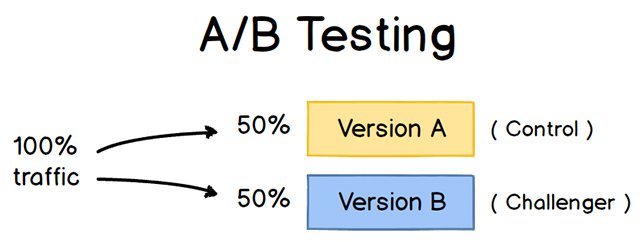
A/B testing helps marketers observe how one version of a piece of marketing content performs alongside another. Here are two types of A/B tests you might conduct in an effort to increase your website’s conversion rate:
Example 1: User Experience Test
Perhaps you want to see if moving a certain call-to-action (CTA) button to the top of your homepage instead of keeping it in the sidebar will improve its click-through rate.
To A/B test this theory, you’d create another, alternative web page that uses the new CTA placement. The existing design with the sidebar CTA — or the “control” — is Version A. Version B with the CTA at the top is the “challenger.” Then, you’d test these two versions by showing each of them to a predetermined percentage of site visitors. Ideally, the percentage of visitors seeing either version is the same.
Learn how to easily A/B test a component of your website with HubSpot’s Marketing Hub.
Example 2: Design Test
Perhaps you want to find out if changing the color of your call-to-action (CTA) button can increase its click-through rate.
To A/B test this theory, you’d design an alternative CTA button with a different button color that leads to the same landing page as the control. If you usually use a red call-to-action button in your marketing content, and the green variation receives more clicks after your A/B test, this could merit changing the default color of your call-to-action buttons to green from now on.
To learn more about A/B testing, download our free introductory guide here.
A/B Testing in Marketing
A/B testing has a multitude of benefits to a marketing team, depending on what it is you decide to test. Above all, though, these tests are valuable to a business because they’re low in cost but high in reward.
Let’s say you employ a content creator with a salary of $50,000/year. This content creator publishes five articles per week for the company blog, totaling 260 articles per year. If the average post on the company’s blog generates 10 leads, you could say it costs just over $192 to generate 10 leads for the business ($50,000 salary ÷ 260 articles = $192 per article). That’s a solid chunk of change.
Now, if you ask this content creator to spend two days developing an A/B test on one article, instead of writing two articles in that time period, you might burn $192 because you’re publishing one fewer article. But if that A/B test finds you can increase each article’s conversion rate from 10 to 20 leads, you just spent $192 to potentially double the number of customers your business gets from your blog.
If the test fails, of course, you lost $192 — but now you can make your next A/B test even more educated. If that second test succeeds in doubling your blog’s conversion rate, you ultimately spent $384 to potentially double your company’s revenue. No matter how many times your A/B test fails, its eventual success will almost always outweigh the cost to conduct it.
There are many types of split tests you can run to make the experiment worth it in the end. Here are some common goals marketers have for their business when A/B testing:
- Increased Website Traffic: Testing different blog post titles or webpage titles can change the number of people who click on that hyperlinked title to get to your website. This can increase website traffic as a result.
- Higher Conversion Rate: Testing different locations, colors, or even anchor text on your CTAs can change the number of people who click these CTAs to get to a landing page. This can increase the number of people who fill out forms on your website, submit their contact info to you, and “convert” into a lead.
- Lower Bounce Rate: If your website visitors leave (or “bounce”) quickly after visiting your website, testing different blog post introductions, fonts, or featured images can reduce this bounce rate and retain more visitors.
- Lower Cart Abandonment: Ecommerce businesses see an average of 70% of customers leave their website with items in their shopping cart. This is known as “shopping cart abandonment” and is, of course, detrimental to any online store. Testing different product photos, check-out page designs, and even where shipping costs are displayed can lower this abandonment rate.
Now, let’s walk through the checklist for setting up, running, and measuring an A/B test.
How to Conduct A/B Testing
Follow along with our free A/B testing kit with everything you need to run A/B testing including a test tracking template, a how-to guide for instruction and inspiration, and a statistical significance calculator to see if your tests were wins, losses, or inconclusive.
Before the A/B Test
Let’s cover the steps to take before you start your A/B test.
1. Pick one variable to test.
As you optimize your web pages and emails, you might find there are a number of variables you want to test. But to evaluate how effective a change is, you’ll want to isolate one “independent variable” and measure its performance. Otherwise, you can’t be sure which variable was responsible for changes in performance.
You can test more than one variable for a single web page or email — just be sure you’re testing them one at a time.
To determine your variable, look at the elements in your marketing resources and their possible alternatives for design, wording, and layout. Other things you might test include email subject lines, sender names, and different ways to personalize your emails.
Keep in mind that even simple changes, like changing the image in your email or the words on your call-to-action button, can drive big improvements. In fact, these sorts of changes are usually easier to measure than the bigger ones.
Note: There are some times when it makes more sense to test multiple variables rather than a single variable. This is a process called multivariate testing. If you’re wondering whether you should run an A/B test versus a multivariate test, here’s a helpful article from Optimizely that compares the two processes.
2. Identify your goal.
Although you’ll measure several metrics during any one test, choose a primary metric to focus on before you run the test. In fact, do it before you even set up the second variation. This is your “dependent variable,” which changes based on how you manipulate the independent variable.
Think about where you want this dependent variable to be at the end of the split test. You might even state an official hypothesis and examine your results based on this prediction.
If you wait until afterward to think about which metrics are important to you, what your goals are, and how the changes you’re proposing might affect user behavior, then you might not set up the test in the most effective way.
3. Create a ‘control’ and a ‘challenger.’
You now have your independent variable, your dependent variable, and your desired outcome. Use this information to set up the unaltered version of whatever you’re testing as your control scenario. If you’re testing a web page, this is the unaltered page as it exists already. If you’re testing a landing page, this would be the landing page design and copy you would normally use.
From there, build a challenger — the altered website, landing page, or email that you’ll test against your control. For example, if you’re wondering whether adding a testimonial to a landing page would make a difference in conversions, set up your control page with no testimonials. Then, create your challenger with a testimonial.
4. Split your sample groups equally and randomly.
For tests where you have more control over the audience — like with emails — you need to test with two or more audiences that are equal in order to have conclusive results.
How you do this will vary depending on the A/B testing tool you use. If you’re a HubSpot Enterprise customer conducting an A/B test on an email, for example, HubSpot will automatically split traffic to your variations so that each variation gets a random sampling of visitors.
5. Determine your sample size (if applicable).
How you determine your sample size will also vary depending on your A/B testing tool, as well as the type of A/B test you’re running.
If you’re A/B testing an email, you’ll probably want to send an A/B test to a subset of your list that is large enough to achieve statistically significant results. Eventually, you’ll pick a winner and send the winning variation on to the rest of the list. (See “The Science of Split Testing” ebook at the end of this article for more on calculating your sample size.)
If you’re a HubSpot Enterprise customer, you’ll have some help determining the size of your sample group using a slider. It’ll let you do a 50/50 A/B test of any sample size — although all other sample splits require a list of at least 1,000 recipients.
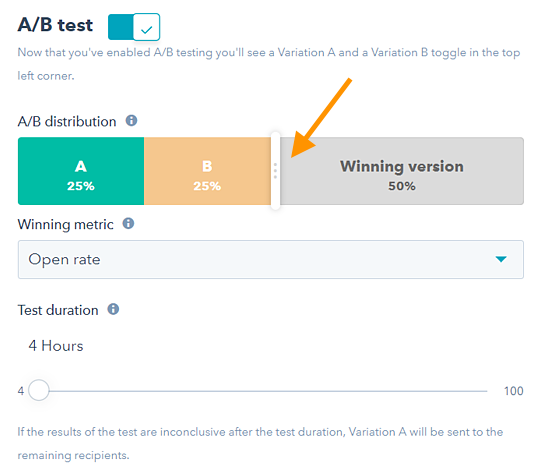
If you’re testing something that doesn’t have a finite audience, like a web page, then how long you keep your test running will directly affect your sample size. You’ll need to let your test run long enough to obtain a substantial number of views. Otherwise, it will be hard to tell whether there was a statistically significant difference between variations.
6. Decide how significant your results need to be.
Once you’ve picked your goal metric, think about how significant your results need to be to justify choosing one variation over another. Statistical significance is a super important part of the A/B testing process that’s often misunderstood. If you need a refresher, I recommend reading this blog post on statistical significance from a marketing standpoint.
The higher the percentage of your confidence level, the more sure you can be about your results. In most cases, you’ll want a confidence level of 95% minimum — preferably even 98% — especially if it was a time-intensive experiment to set up. However, sometimes it makes sense to use a lower confidence rate if you don’t need the test to be as stringent.
Matt Rheault, a senior software engineer at HubSpot, likes to think of statistical significance like placing a bet. What odds are you comfortable placing a bet on? Saying “I’m 80% sure this is the right design and I’m willing to bet everything on it” is similar to running an A/B test to 80% significance and then declaring a winner.
Rheault also says you’ll likely want a higher confidence threshold when testing for something that only slightly improves conversion rate. Why? Because random variance is more likely to play a bigger role.
“An example where we could feel safer lowering our confidence threshold is an experiment that will likely improve conversion rate by 10% or more, such as a redesigned hero section,” he explained.
“The takeaway here is that the more radical the change, the less scientific we need to be process-wise. The more specific the change (button color, microcopy, etc.), the more scientific we should be because the change is less likely to have a large and noticeable impact on conversion rate.”
7. Make sure you’re only running one test at a time on any campaign.
Testing more than one thing for a single campaign — even if it’s not on the same exact asset — can complicate results. For example, if you A/B test an email campaign that directs to a landing page at the same time that you’re A/B testing that landing page, how can you know which change caused the increase in leads?
During the A/B Test
Let’s cover the steps to take during your A/B test.
8. Use an A/B testing tool.
To do an A/B test on your website or in an email, you’ll need to use an A/B testing tool. If you’re a HubSpot Enterprise customer, the HubSpot software has features that let you A/B test emails (learn how here), calls-to-action (learn how here), and landing pages (learn how here).
For non-HubSpot Enterprise customers, other options include Google Analytics, which lets you A/B test up to 10 full versions of a single web page and compare their performance using a random sample of users.
9. Test both variations simultaneously.
Timing plays a significant role in your marketing campaign’s results, whether it’s time of day, day of the week, or month of the year. If you were to run Version A during one month and Version B a month later, how would you know whether the performance change was caused by the different design or the different month?
When you run A/B tests, you’ll need to run the two variations at the same time, otherwise you may be left second-guessing your results.
The only exception here is if you’re testing timing itself, like finding the optimal times for sending out emails. This is a great thing to test because depending on what your business offers and who your subscribers are, the optimal time for subscriber engagement can vary significantly by industry and target market.
10. Give the A/B test enough time to produce useful data.
Again, you’ll want to make sure that you let your test run long enough to obtain a substantial sample size. Otherwise, it’ll be hard to tell whether there was a statistically significant difference between the two variations.
How long is long enough? Depending on your company and how you execute the A/B test, getting statistically significant results could happen in hours … or days … or weeks. A big part of how long it takes to get statistically significant results is how much traffic you get — so if your business doesn’t get a lot of traffic to your website, it’ll take much longer for you to run an A/B test.
Read this blog post to learn more about sample size and timing.
11. Ask for feedback from real users.
A/B testing has a lot to do with quantitative data … but that won’t necessarily help you understand why people take certain actions over others. While you’re running your A/B test, why not collect qualitative feedback from real users?
One of the best ways to ask people for their opinions is through a survey or poll. You might add an exit survey on your site that asks visitors why they didn’t click on a certain CTA, or one on your thank-you pages that asks visitors why they clicked a button or filled out a form.
You might find, for example, that a lot of people clicked on a call-to-action leading them to an ebook, but once they saw the price, they didn’t convert. That kind of information will give you a lot of insight into why your users are behaving in certain ways.
After the A/B Test
Finally, let’s cover the steps to take after your A/B test.
12. Focus on your goal metric.
Again, although you’ll be measuring multiple metrics, keep your focus on that primary goal metric when you do your analysis.
For example, if you tested two variations of an email and chose leads as your primary metric, don’t get caught up on open rate or click-through rate. You might see a high click-through rate and poor conversion rates, in which case you might end up choosing the variation that had a lower click-through rate in the end.
13. Measure the significance of your results using our A/B testing calculator.
Now that you’ve determined which variation performs the best, it’s time to determine whether your results are statistically significant. In other words, are they enough to justify a change?
To find out, you’ll need to conduct a test of statistical significance. You could do that manually … or you could just plug in the results from your experiment to our free A/B testing calculator.
For each variation you tested, you’ll be prompted to input the total number of tries, like emails sent or impressions seen. Then, enter the number of goals it completed — generally you’ll look at clicks, but this could also be other types of conversions.

The calculator will spit out the confidence level your data produces for the winning variation. Then, measure that number against the value you chose to determine statistical significance.
14. Take action based on your results.
If one variation is statistically better than the other, you have a winner. Complete your test by disabling the losing variation in your A/B testing tool.
If neither variation is statistically better, you’ve just learned that the variable you tested didn’t impact results, and you’ll have to mark the test as inconclusive. In this case, stick with the original variation, or run another test. You can use the failed data to help you figure out a new iteration on your new test.
While A/B tests help you impact results on a case-by-case basis, you can also apply the lessons you learn from each test and apply it to future efforts.
For example, if you’ve conducted A/B tests in your email marketing and have repeatedly found that using numbers in email subject lines generates better clickthrough rates, you might want to consider using that tactic in more of your emails.
15. Plan your next A/B test.
The A/B test you just finished may have helped you discover a new way to make your marketing content more effective — but don’t stop there. There’s always room for more optimization.
You can even try conducting an A/B test on another feature of the same web page or email you just did a test on. For example, if you just tested a headline on a landing page, why not do a new test on body copy? Or a color scheme? Or images? Always keep an eye out for opportunities to increase conversion rates and leads.
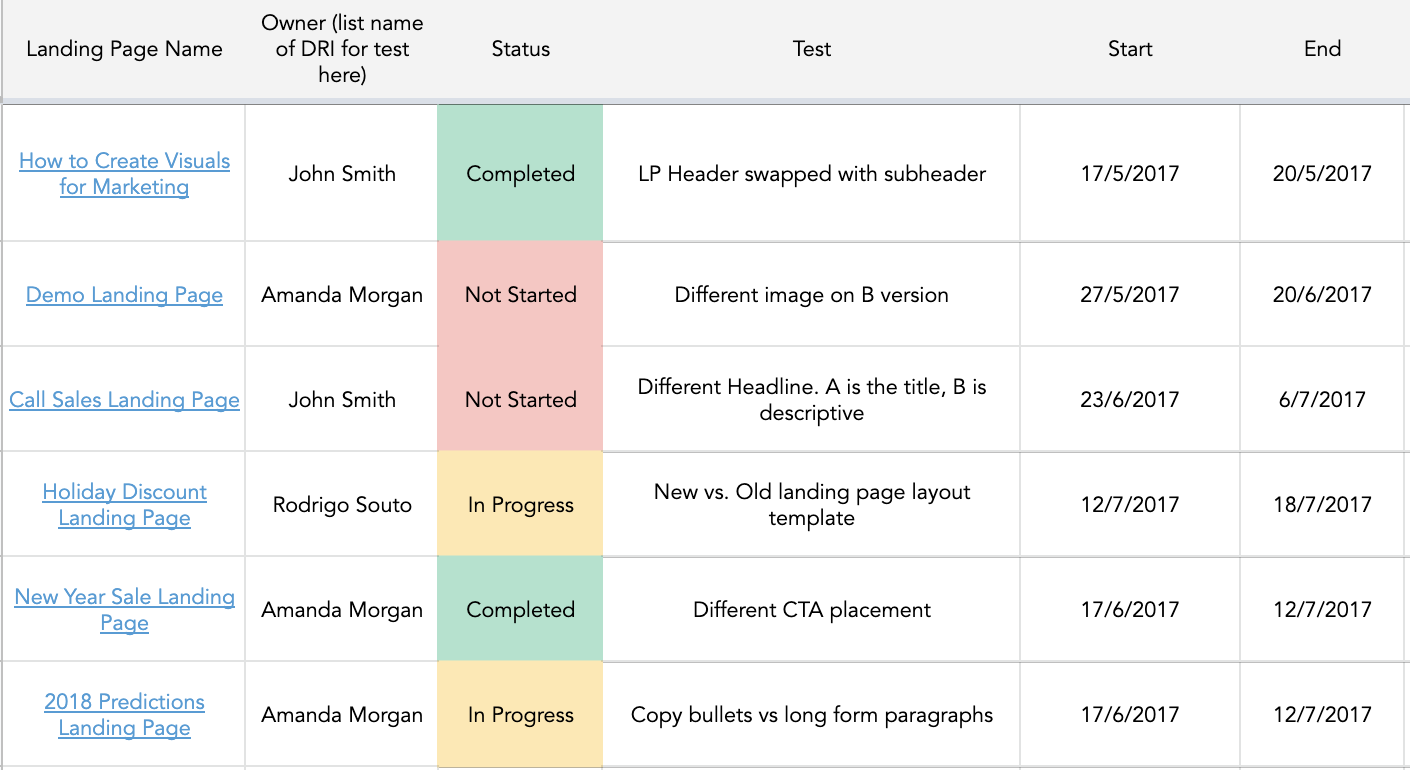
You can use HubSpot’s A/B Test Tracking Kit to plan and organize your experiments.
How to Read A/B Testing Results
As a marketer, you know the value of automation. Given this, you likely use software that handles the A/B test calculations for you — a huge help. But, after the calculations are done, you need to know how to read your results. Let’s go over how.
1. Check your goal metric.
The first step in reading your A/B test results is looking at your goal metric, which is usually conversion rate. After you’ve plugged your results into your A/B testing calculator, you’ll get two results for each version you’re testing. You’ll also get a significant result for each of your variations.
2. Compare your conversion rates.
By looking at your results, you’ll likely be able to tell if one of your variations performed better than the other. However, the true test of success is whether the results you have are statistically significant. This means that one variation performed better than the other at a significant level because, say, the CTA text was more compelling.
Say, for example, Variation A had a 16.04% conversion rate and variation B had a 16.02% conversion rate, and your confidence interval of statistical significance is 95%. Variation A has a higher conversion rate, but the results are not statistically significant, meaning that Variation A won’t significantly improve your overall conversion rate.
3. Segment your audiences for further insights.
Regardless of significance, it’s valuable to break down your results by audience segment to understand how each key area responded to your variations. Common variables for segmenting audiences are:
- Visitor type, or which version performed best for new visitors versus repeat visitors.
- Device type, or which version performed best on mobile versus desktop.
- Traffic source, or which version performed best based on where traffic to your two variations originated.
Let’s go over some examples of A/B experiments you could run for your business.
A/B Testing Examples
We’ve discussed how A/B tests are used in marketing and how to conduct one — but how do they actually look in practice?
As you might guess, we run many A/B tests to increase engagement and drive conversions across our platform. Here are five examples of A/B tests to inspire your own experiments.
1. Site Search
Site search bars help users quickly find what they’re after on a particular website. HubSpot found from previous analysis that visitors who interacted with its site search bar were more likely to convert on a blog post. So, we ran an A/B test in an attempt to increase engagement with the search bar.
In this test, search bar functionality was the independent variable and views on the content offer thank you page was the dependent variable. We used one control condition and three challenger conditions in the experiment.
In the control condition (variant A), the search bar remained unchanged.

In variant B, the search bar was made larger and more visually prominent, and the placeholder text was set to “search by topic.”

Variant C appeared identical to variant B, but only searched the HubSpot Blog rather than the entire website.
In variant D, the search bar was made larger but the placeholder text was set to “search the blog.” This variant also searched only the HubSpot Blog

We found variant D to be the most effective: It increased conversions by 3.4% over the control and increased the percentage of users who used the search bar by 6.5%.
2. Mobile CTAs
HubSpot uses several CTAs for content offers in our blog posts, including ones in the body of posts as well as at the bottom of the page. We test these CTAs extensively for optimize their performance.
For our mobile users, we ran an A/B test to see which type of bottom-of-page CTA converted best. For our independent variable, we altered the design of the CTA bar. Specifically, we used one control and three challengers in our test. For our dependent variables, we used pageviews on the CTA thank you page and CTA clicks.
The control condition included our normal placement of CTAs at the bottom of posts. In variant B, the CTA had no close or minimize option.
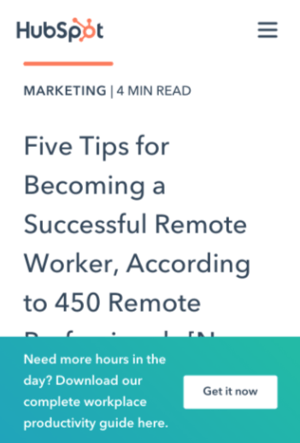 In variant C, mobile readers could close the CTA by tapping an X icon. Once it was closed out, it wouldn’t reappear.
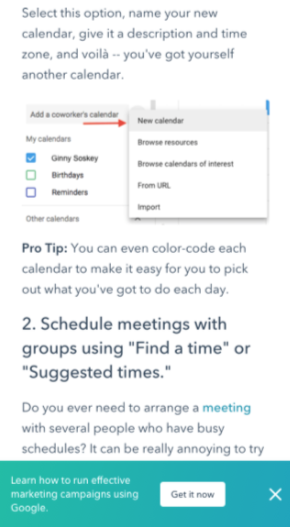
In variant D, we included an option to minimize the CTA with an up/down caret.
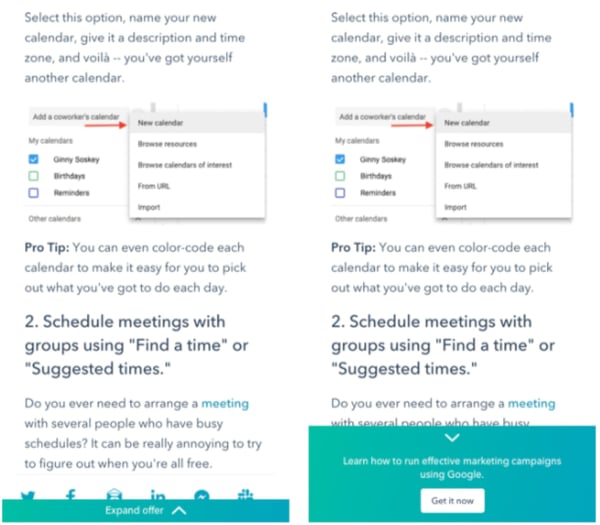
Our tests found all variants to be successful. Variant D was the most successful, with a 14.6% increase in conversions over the control. This was followed by variant C with an 11.4% increase and variant B with a 7.9% increase.
3. Author CTAs
In another CTA experiment, HubSpot tested whether adding the word “free” and other descriptive language to author CTAs at the top of blog posts would increase content leads. Past research suggested that using “free” in CTA text would drive more conversions and that text specifying the type of content offered would be helpful for SEO and accessibility.
In the test, the independent variable was CTA text and the main dependent variable was conversion rate on the content offer form.
In the control condition, author CTA text was unchanged (see the orange button in the image below).

In variant B, the word “free” was added to the CTA text.

In variant C, descriptive wording was added to the CTA text in addition to “free.”

Interestingly, variant B saw a loss in form submissions, down by 14% compared to the control. This was unexpected, since including “free” in content offer text is widely considered a best practice.
Meanwhile, form submissions in variant C outperformed the control by 4%. It was concluded that adding descriptive text to the author CTA helped users understand the offer and thus made them more likely to download.
4. Blog Table of Contents
To help users better navigate the blog, HubSpot tested a new Table of Contents (TOC) module. The goal was to improve user experience by presenting readers with their desired content more quickly. We also tested whether adding a CTA to this TOC module would increase conversions.
The independent variable of this A/B test was the inclusion and type of TOC module in blog posts, and the dependent variables were conversion rate on content offer form submissions and clicks on the CTA inside the TOC module.
The control condition did not include the new TOC module —control posts either had no table of contents, or a simple bulleted list of anchor links within the body of the post near the top of the article (pictured below).
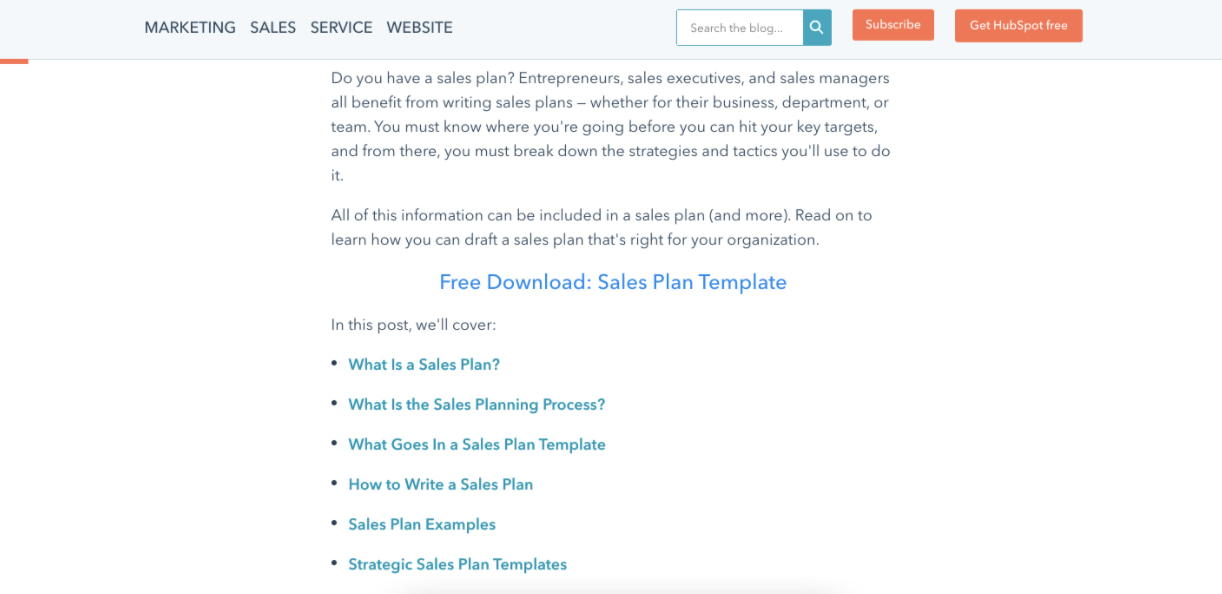
In variant B, the new TOC module was added to blog posts. This module was sticky, meaning it remained onscreen as users scrolled down the page. Variant B also included a content offer CTA at the bottom of the module.
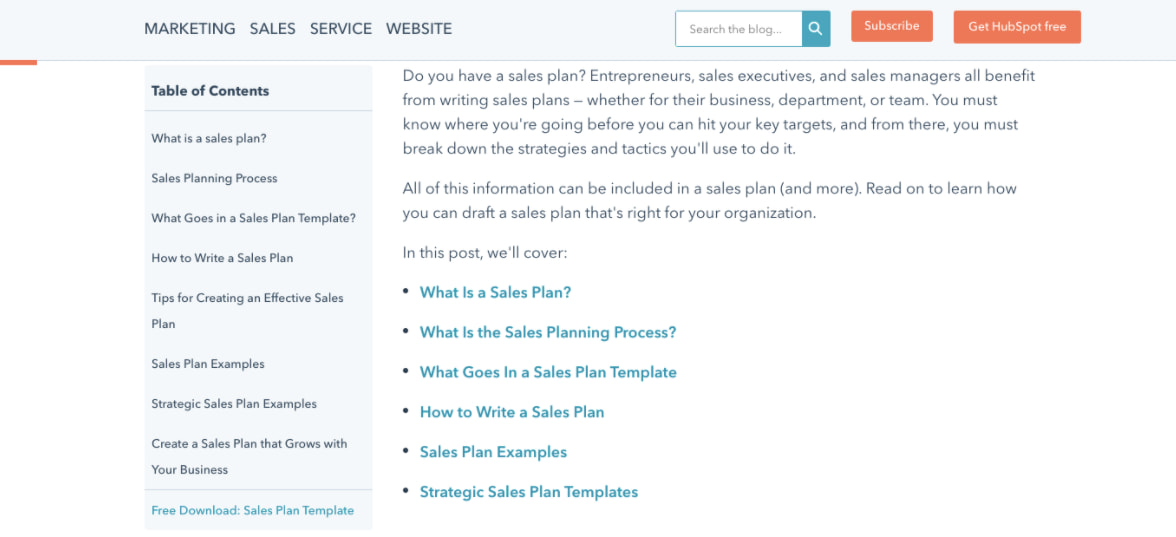
Variant C included an identical module to variant B but with the CTA removed.
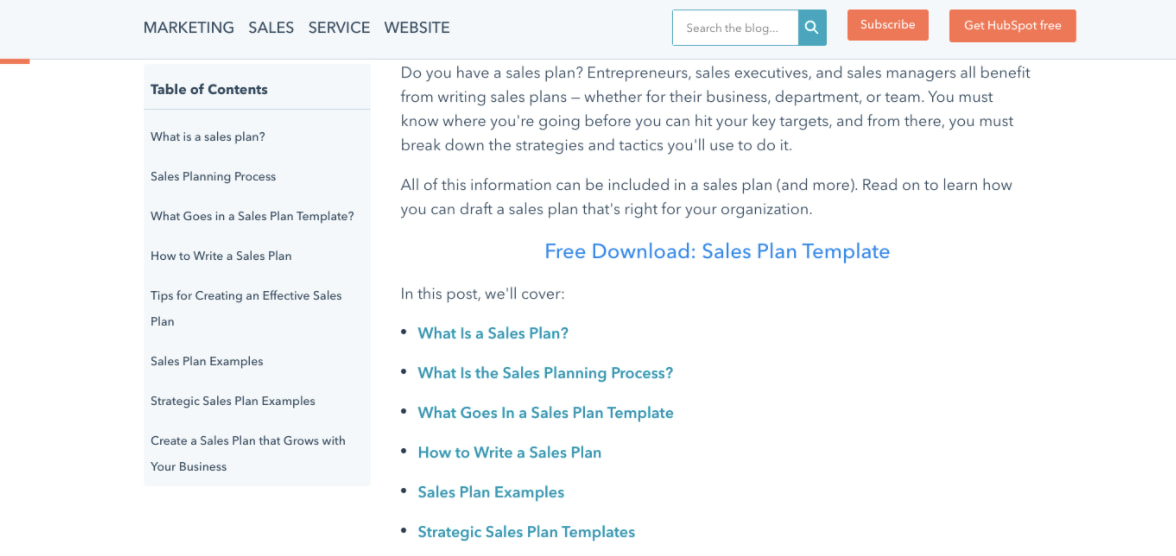
Both variants B and C did not increase the conversion rate on blog posts. The control condition outperformed variant B by 7% and performed equally with variant C. Also, few users interacted with the new TOC module or the CTA inside the module.
5. Review Notifications
To determine the best way of gathering customer reviews, we ran a split test of email notifications versus in-app notifications. Here, the independent variable was the type of notification and the dependent variable was the percentage of those who left a review out of all those who opened the notification.
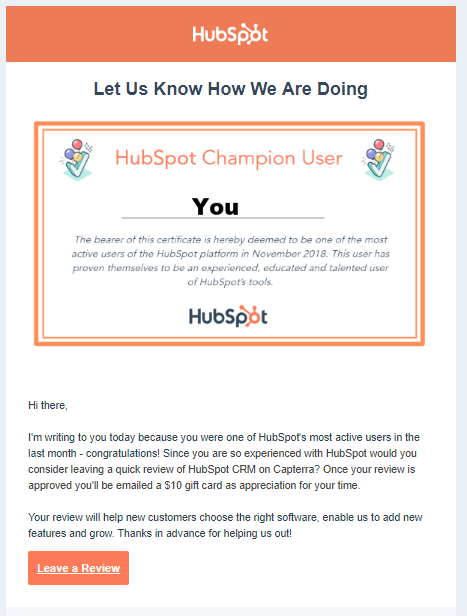
In the control, HubSpot sent a plain text email notification asking users to leave a review. In variant B, HubSpot sent an email with a certificate image including the user’s name.
For variant C, HubSpot sent users an in app-notification.
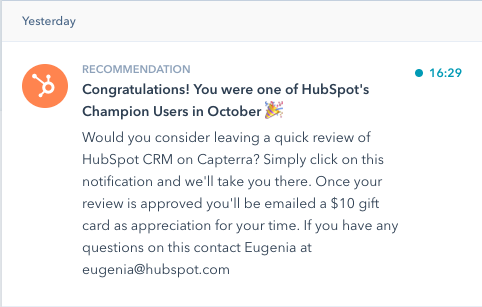
Ultimately, both emails performed similarly and outperformed the in-app notifications. About 25% of users who opened an email left a review versus the 10.3% who opened in-app notifications. Emails were also more often opened by users.
Start A/B Testing Today
A/B testing allows you to get to the truth of what content and marketing your audience wants to see. Learn how to best carry out some of the steps above using the free e-book below.
Editor’s note: This post was originally published in May 2016 and has been updated for comprehensiveness.

Mastering Facebook Ads In 2022 Through Incrementality
There are many resources out there telling you how to optimize your Facebook ads to scale your business’s growth. And while I’m sure they can help in some aspects, you’re probably optimizing your campaigns based on the wrong metrics.
In 2022, Facebook has 1.79 billion daily users. There are plenty of opportunities to create Facebook ads that will drive impressions, link clicks, leads, and more. However, these metrics only scratch the surface of how much impact your Facebook ads can truly have on your business.

As more industry experts focus their media buying on incremental gains, marketers can better measure their Facebook ads’ positive, negative, or neutral impact on their business.
What is incrementality in Facebook Ads?
Incrementality allows marketers to understand how Facebook ads impact their business. Often, advertisers make optimizations to campaigns based on certain metrics, which can dramatically affect the end goal.
It’s crucial for businesses to identify what’s working and what isn’t — especially since Facebook’s ad revenue worldwide was $84.2 billion in 2020. Whether you have a large or small Facebook advertising budget, you want to make sure it’s generating results.
Advertisers can measure incrementality by using control tests and comparing the results from those exposed to an ad versus those who have not. Once the tests have been completed, the results can help your business make smarter decisions on your Facebook ads and optimize your campaigns accordingly.
Why should marketers track incremental return on ad spend (iROAS)?
One minute you’re a marketer, and the next, you’re a data analyst. All jokes aside, information overload is very real in 2022. With all of this data available, there’s the assumption that it should be easy for marketers to pinpoint the best audience to target, understand what point they are at in the Facebook sales funnel, and the best methods to convert them.
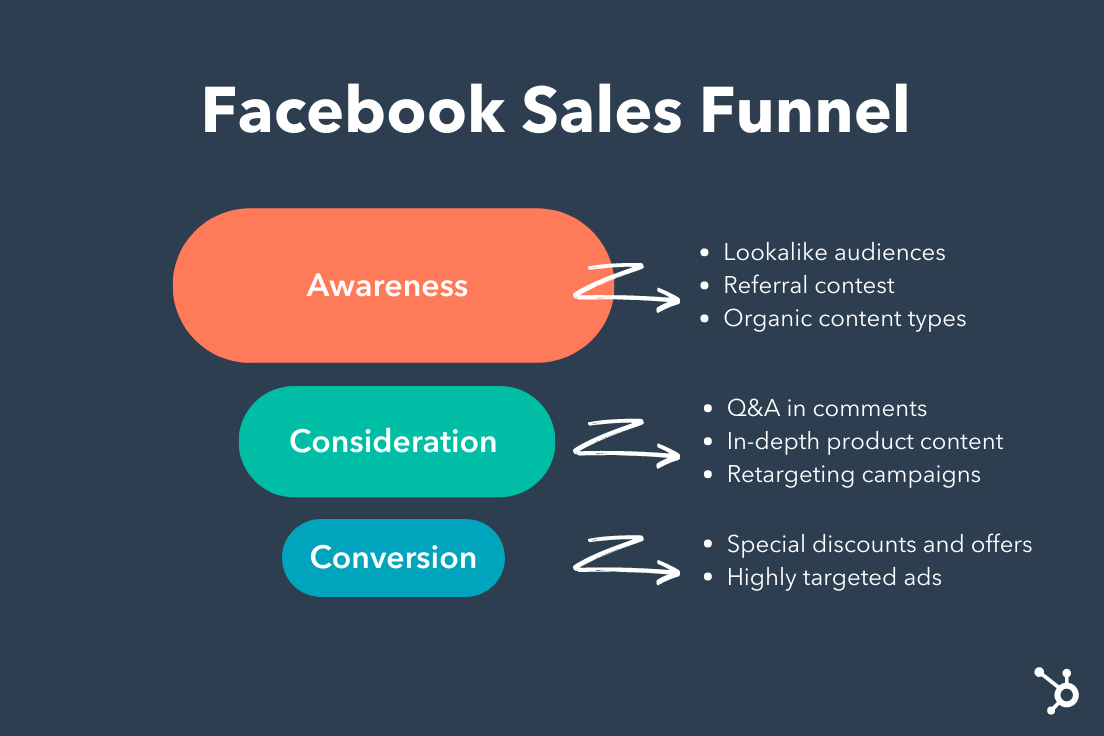
However, data dumps and compiling all of this information is incredibly time-consuming. And as digital marketing continues to expand, time is not always on our side. Businesses need to refocus their efforts from heavy reliance on data collection to doubling down on finding the right data—that can assist in smart optimizations and actionable insights to fuel your Facebook campaign’s bottom line.
How to Calculate Incremental Return on Ad Spend
The method for calculating iROAS is different for every publisher. The most methodical approach is by applying a holdout to your Facebook campaign. The holdout on your campaign will act as a control group for Facebook users that will not see your ads. The remaining group of users will be the test audience for your Facebook campaign.
After the test is complete, marketers can compare the results from the test group to the control group. The difference in the results will be your conversion lift, representing the incremental impacts on your conversions.
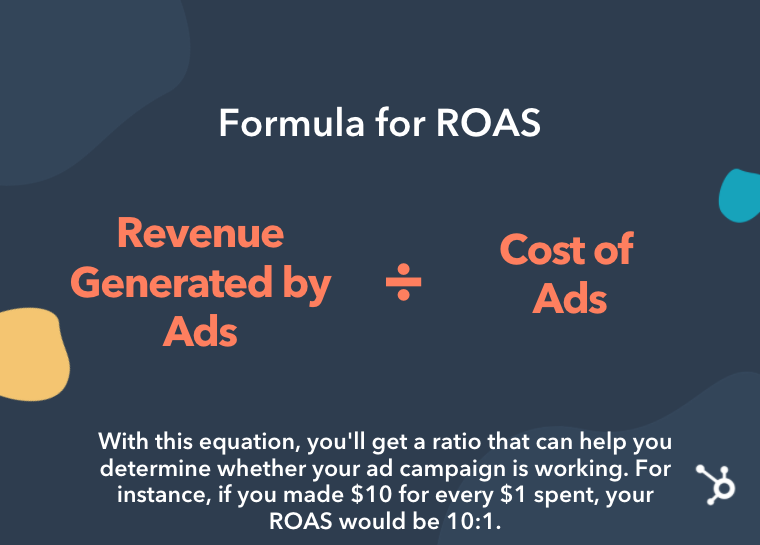 iROAS is calculated similarly to ROAS, which is revenue divided by cost. However, this measurement allows your business to understand which Facebook campaigns are working and which aren’t. The calculation for iROAS is Incremental Revenue / Ad Spend = iROAS.
In the YouTube video below, HubSpot details how to determine ad spend by understanding the bidding system used by ad networks.
3 Simple Ways to Increase Your Facebook’s Ads Incrementality in 2022
Frequently data dumps fail due to the sheer amount of information available. Marketers may find many valid insights, but the delivery of this information can get lost in translation — especially if there is no clear direction. Brands looking to increase their Facebook ads incrementality should work with a leading marketing agency with proven experience.
However, if you’re looking to get started on your own, below we’ll walk you through the top three ways to increase your Facebook ad’s incrementality to exceed your 2022 growth goals.
1. Audience Targeting
Facebook users at the top of the funnel versus the bottom will yield very different incrementality results. For example, you will see very different results if you’re using a 5% lookalike audience of customers who purchased in the last month vs. remarketing to customers who purchased in the last few years.
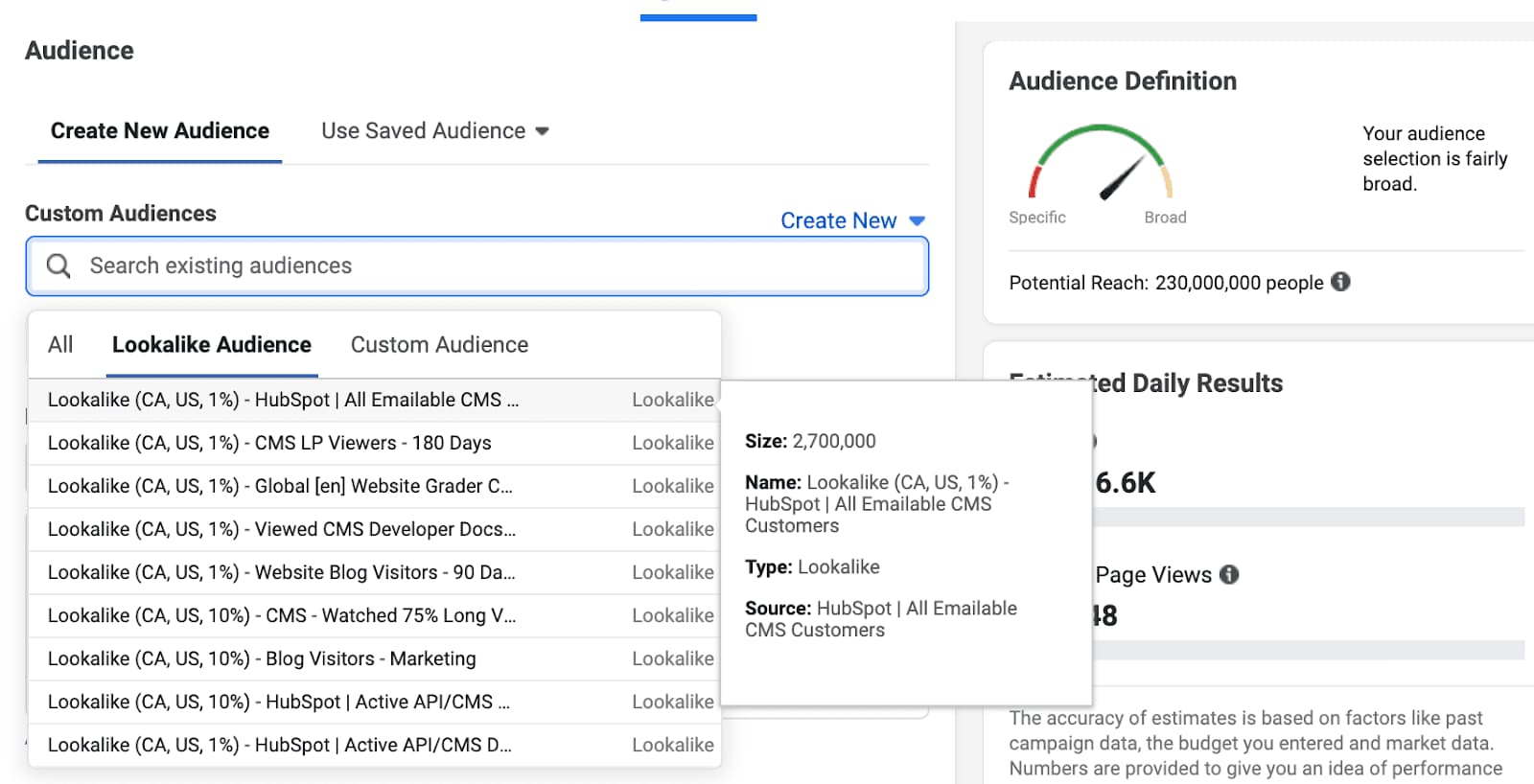 Targeting new customers should be your most incremental audience segment since they would not have converted and made the purchase had it not been for your Facebook ad.
This can also affect your bid strategies and budgets for remarketing audiences. For example, a customer who has purchased from you recently may not need a Facebook ad to prompt another purchase — this will depend on your product or service buying situation.
Three Class of Buying Situations:
- Routine decision-making: involves purchases that require very little thought after the original decision has been made. Such as gum, a chocolate bar, or a soft drink.
- Limited decision-making: involves purchasing products that require a moderate amount of time and effort to compare models and brands before making a choice. This could be comparing which phone you are planning to upgrade to.
- Extensive decision-making: involves an extensive consumer decision regarding whether or not to purchase a product. Examples include cars, homes, and education.
2. Ad Creative
I’m sure every marketer has heard about the study that found that the average attention span has decreased from 12 seconds to 8 seconds—while a goldfish holds a 9-second attention span. There is so much noise and clutter on social media that often, consumers will scroll right past your ad.
Advertisers need to create Facebook ads that grab the viewers’ attention and drive action. Facebook ad creative is one of the top ways to increase your incrementality.
Learn from the best! We’ve collected the 50 best Facebook ads to inspire your next campaign. Check out this exclusive lookbook to get a head start on crafting the perfect ad to drive incremental revenue.
3. Facebook Placements
There are several placements for advertisers across Facebook, Instagram, Messenger, and Audience Network. But, not every placement works with every type of campaign.
For example, an ad on audience network may spark brand awareness or interest but not drive an immediate conversion. The same goes for device targeting, often people are in discovery mode on mobile but complete the transaction on desktop.
Most advertisers still recommend combining placements to maximize the results, but it is beneficial to understand where your most incremental audience is.

What is Context Marketing? Why It Matters in 2022 [+Examples]
While it’s fair to say most marketers are on-board with the importance of content marketing, there’s still an aspect of marketing that doesn’t get as much love: context marketing.
Whether you know what context marketing means or not, I’m willing to bet you want to deliver the right campaigns to the right customers at the right time. That’s what context marketing is all about.
Here, we’re going to introduce the concept of context marketing and dive into strategies you can use to implement it into your overall marketing strategy.

My favorite context marketing definition is delivering the right content, to the right people, at the right time.
Let me explain what I mean by context a little more, though. When you have context around something, you have a larger, more telling picture — you know, those little details that lend more clarity to things that would otherwise be pretty general, unspecific, and, well, uninteresting.
The best marketers leverage context about their audience, leads, and customers in their content marketing. They create audience profiles and buyer personas and use that information to create more effective marketing and advertising campaigns.
Now that we have a basic understanding of context marketing, you might be wondering what the difference is between content marketing and context marketing. Let’s take a look below.
A marketer using context would know more about a lead than her first name. They might also know what industry she works in, what kind of content she likes best, through which channel she prefers to consume content, whether she’s currently using another solution to meet her needs, and whether her company has budget at this time of year.
As a marketer, if you were asked to “market” to someone, and all you were given was a first name and the type of company your lead works at, wouldn’t your first question be … what else do we know about her? Probably, if you want to do your job way better.
That’s the idea behind context marketing: Using what you know about your contacts to provide supremely relevant, targeted, and personalized marketing.
Why is context marketing important?
Context marketing is important for many reasons, but there are two top ones that make its importance even more salient. Let’s go over them below.
Context marketing converts better.
When you’re creating marketing that’s targeted at people’s point of need, it stands to reason that marketing will perform much better for you, because you aren’t delivering marketing content that’s misaligned with their interests or stage in the buyer’s journey.
Think about it: If you know that a B2B lead is getting a new budget in January and it’s December, you’re able to send her insanely targeted content that addresses her needs — like, say, an offer for a custom demo of your product with a rep that specializes in the finance industry. That’s content that she’s pretty likely to convert on, especially if she’s downloaded a buying guide and visited your product pages.
Hot tip: Keeping track of your prospect’s activity using marketing automation software will make context marketing easier. You’ll know which products your prospect is most interested in and how many times they’ve visited your website.
Context marketing increases retention.
When you have context around your relationship with a contact, you’re able to provide more personalized and relevant marketing content that’s targeted to their needs.
This is great for two reasons: Personalized and relevant marketing is the foundation for creating content people love and engage with. What’s more, personalized and relevant marketing is typically not the kind of marketing that annoys people into clicking “unsubscribe”. If they feel like you’re out to solve their problems specifically, customers are much more likely to stay with you.
Why not use the context around your relationships with your contacts to create marketing that they love and convert on? Let’s take a look at how you can get started.
How to Start Context Marketing
Alright, how does this “context marketing” theory manifest itself? What would it look like for you, as a marketer? With the help of marketing automation software, here are some examples of where you’d actually use the principle of “context” in your marketing.
1. Create specific offers for specific posts and pages.
One easy way you can start context marketing? Create offers that extend the value of your website. Bonus points if these offers answer a specific pain point or problem that a customer is trying to solve for when visiting that page.
Most blog posts in HubSpot’s library feature an offer that’s directly related to the topic of the article. For instance, in our blog post about creating a marketing plan, you can download a marketing plan template — which is something that someone wanting to create a marketing plan might need.
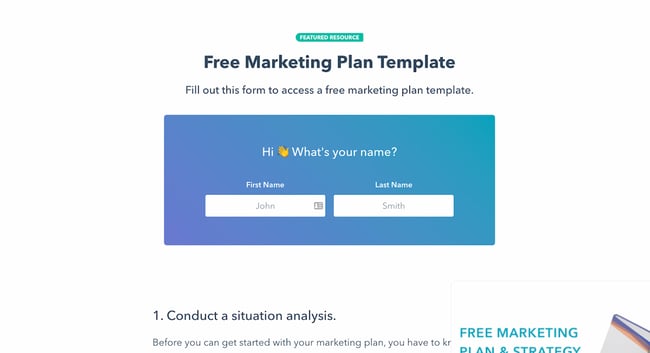
Come up with content offers that will benefit your readers and website visitors depending on the page they’re visiting. For instance, if you sell hiking shoes and you’re writing a blog post about going on a solo hiking trip, you might feature an offer for downloading a solo hiking checklist.
2. Add smart calls-to-action (CTAs) to your website.
You can take personalized offers to the next level by featuring smart calls-to-action. Let’s say you have a variety of offers you want to use to convert traffic into leads, leads into qualified leads, and qualified leads into customers.
To increase your lead conversion rates, you probably don’t want leads visiting a case study webpage (typically an action you’d perform further along in your buyer’s journey), and finding a CTA leading them to a blog post (which is meant for people earlier in the buyer’s journey).
However, not everyone who visits a case study page on your website is necessarily ready to talk to a salesperson. You don’t want to turn them away, either, by offering a CTA that’s too pushy.
Fortunately, with smart CTAs, you can actually surface a CTA that automatically aligns with the visitor’s stage in the sales cycle … or any other host of criteria you want to set. Think industry, business type, location, and past activity/behaviors.
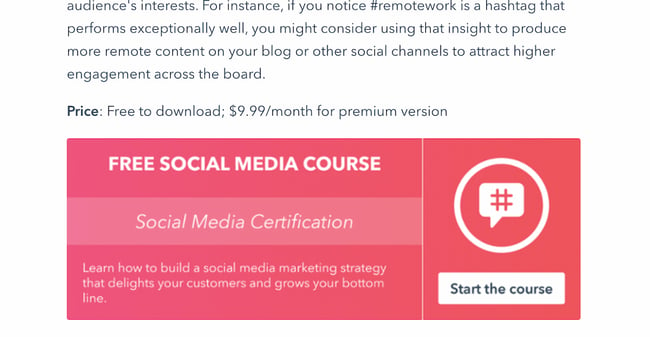
For instance, if you have already downloaded an offer from HubSpot, you might see this CTA on certain social-media-related posts:
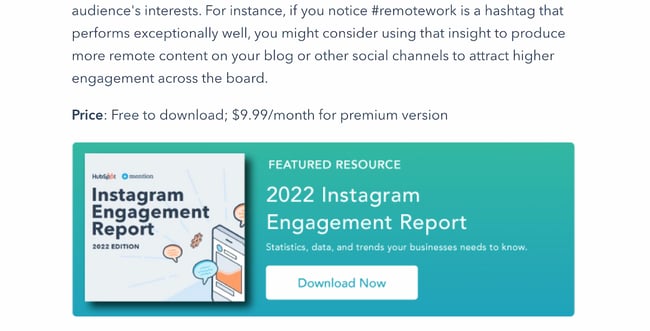
But if you haven’t downloaded an offer before, you’ll see the default CTA:
This type of smart content can help you capture your audience’s information at all stages of their buyer’s journey.
Hot tip: HubSpot’s marketing automation software lets you easily create a smart calls-to-action with little technical knowledge.
3. Create smart forms that shorten the conversion cycle.
Smart forms know if someone has already filled out the form fields you’re asking for. If you use smart forms, for instance, your site visitors won’t see “First Name” and “Last Name” every time they fill out a form — instead, they’ll answer those questions once, and then never again.
This will help you glean new information about your leads each time they fill out a form, instead of just more of the same stuff. It also helps you create a more seamless, personalized user experience that leverages prior interactions with your website as context.
Here’s one example from HubSpot Academy. This is what I see when I’m logged into the HubSpot CRM:
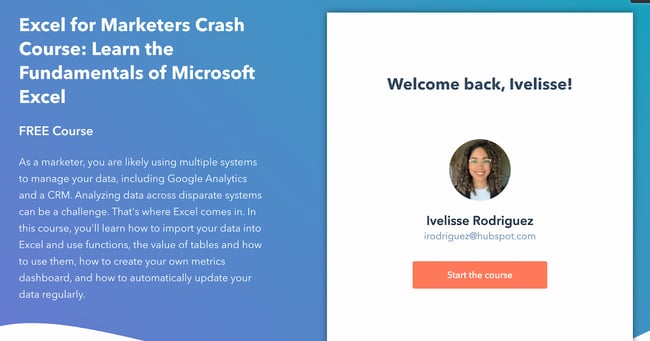
The form knows I’m a current HubSpot customer and doesn’t require me to create a new account. I only have to click one button: “Start the Course.”
But this is what I see when I’m not logged in:
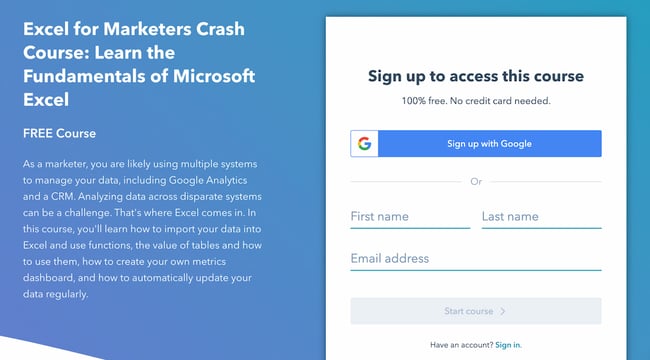
Ultimately, smart forms will help you gather even more context about your visitors, leads, and customers, and help increase conversion rates over time.
Hot tip: You can easily create smart forms inside HubSpot’s marketing automation software.
4. Leverage dynamic email content and workflows.
Your forms and offers aren’t the only things that need to be smart. Your email database — especially if you want to maintain your space in people’s coveted inboxes — needs to be segmented into highly targeted lists, as well.
I happen to be subscribed to Grammarly emails on both my work and personal emails. Because I only use the Grammarly Chrome extension at work, I receive emails like this:
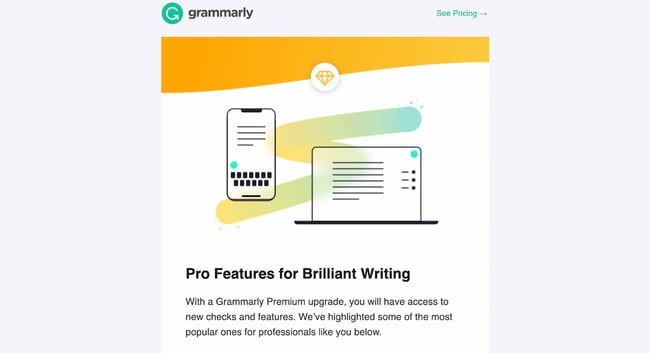 In my personal account, however, I use Grammarly’s web app regularly and review thousands of words for a personal project. Here’s the email I get:
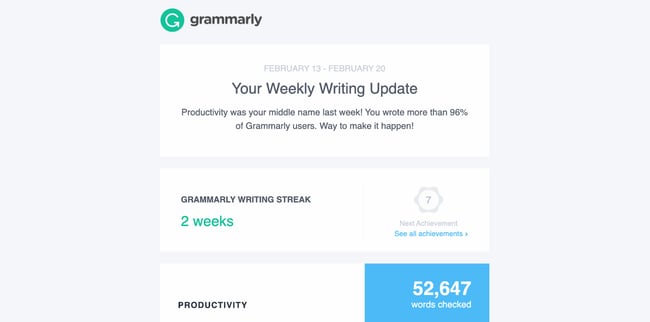 Throughout the email, Grammarly prompts you to upgrade to the premium version and take advantage of its other tools. Because I don’t use the Chrome extension in my personal email account, it includes a call-to-action to install the extension. It’s delightful to receive an email that uses my account activity as context.
Beyond email segmentation, your email lists need to be smart enough to know when to pull in a contact, and certain information you have in your database about that contact, into your email marketing campaigns.
Remember, a great context marketer delivers the right content, to the right person, at the right time. So to send emails that are contextually relevant, you need to use their activity and background to deliver personalized content that delights them and prompts them to convert.
Context Marketing Examples
While context marketing may sound complicated, it’s actually quite simple in practice. In fact, as a customer, you may have seen or enjoyed context marketing yourself. Let’s take a look at some examples.
1. Google’s Product Ads Carousel
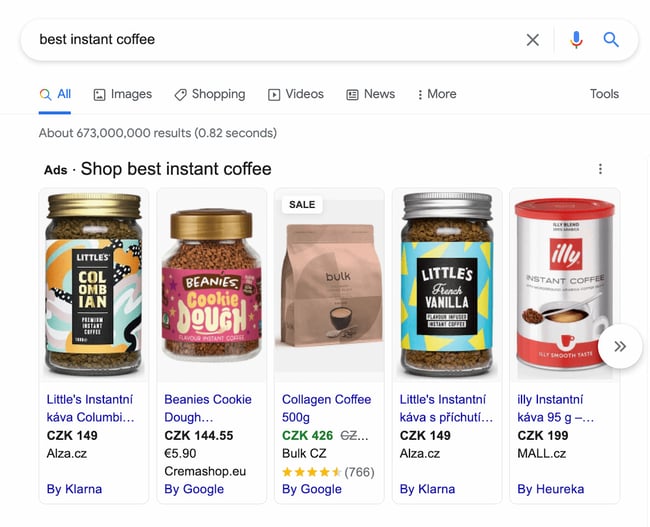
Have you ever looked up a product on Google and see a carousel at the top (as opposed to just the plain search results)? The products you see are typically ads for the exact same thing you searched for.
This is a prime contextual marketing example. Google uses your behavior and search query to deliver ads that are contextually relevant. Imagine if, when searching for instant coffee, Google delivers ads for french presses instead. While you might be interested in French presses and even searched for them before, you’re looking for instant coffee right now.
That’s why it’s important to answer for your customer’s specific pain points and queries, and to do so at the right time. And you don’t have to be a highly sophisticated search engine to do so. Remember those offers we spoke about in the previous sections? That can function in the same way as Google’s product carousels.
2. Asana’s New Feature Pop-Up
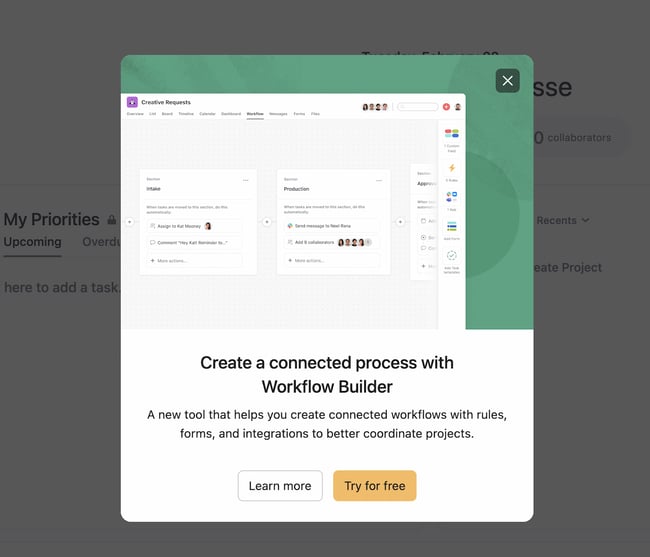
There’s no more powerful place to carry out contextual marketing than right within your own product, website, or store. Asana’s example shows that you can upsell customers easily by marketing a new feature and prompting them to try it for free.
This is an excellent example of contextual marketing because you wouldn’t be interested in trying this new feature unless you were a current Asana user. For instance, if Asana had placed this pop-up on their homepage, they likely wouldn’t have much success with it. But because it pops up after you log in, you’re more likely to say, “Sure, I’ll try it.”
You can achieve something similar by instituting a website personalization campaign. When people visit your product page, for instance, they might see a popup to schedule a meeting with a salesperson. But when they’re on the blog, they might see a popup to subscribe. These simple changes can help you capture more leads and use the context from their activity to deliver an offer they won’t resist.
3. LinkedIn Company Page Sidebar Ad
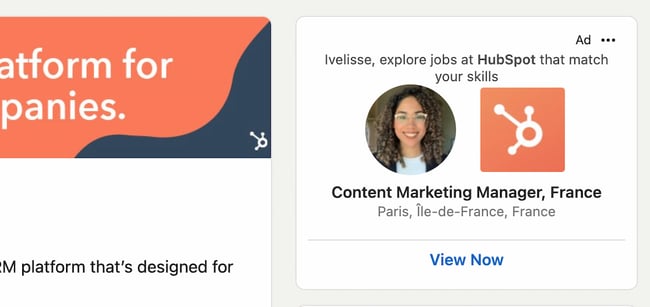
When you visit a company page on LinkedIn, it provides a little sidebar ad that prompts you to find roles at that company that match your skills.
LinkedIn does this because it knows that you might be open to opportunities even if you don’t list it on your profile. And if you’re looking at a company page, you might be interested in working at that firm. LinkedIn uses this context to deliver a relevant ad that you can’t help but click on.
Another reason this is such a great example is that it also lists a job title that relates to yours. So if you’re a financial advisor and are looking at JP Morgan Chase’s company page, LinkedIn will automatically advertise financial advisor roles at the firm.
Context Marketing is the Next Evolution of Content Marketing
Without context, you risk reaching the wrong people at the wrong time. Begin using context in all of your marketing and advertising campaigns, and you’ll see an exponential increase in conversions, helping you exceed your lead acquisition goals and increase revenue at your company.
Editor’s note: This post was originally published in March 2013 and has been updated for comprehensiveness.


How 500 Marketers are Leveraging Instagram Shopping Tools [Data]
Does anyone remember the days when all we saw on Instagram were poorly lit pictures our friends took and memes we didn’t want our parents to see on Facebook? Well, we’re long gone from then.
The platform has evolved from a simple image-sharing social platform to a money-making content curation one. With the addition of Instagram’s shopping tools, it’s steering more toward ecommerce and less on the social aspect.
![New Data: Instagram Engagement Report [2022 Version]](https://no-cache.hubspot.com/cta/default/53/9294dd33-9827-4b39-8fc2-b7fbece7fdb9.png)
So what does that mean for brands? We surveyed over 500 marketers to learn more about their Instagram strategy. Find out below what we found out as it relates to the social platform’s shopping tools.
The Benefits and Challenges of Instagram’s Shopping Tools
When we asked marketers the biggest benefit of using Instagram’s shopping tools, their number one answer was the increased product discoverability.
In the past, users had to navigate to a brand’s website to get product or service details. Today, they can learn everything they need to know about it. In addition, Instagram’s “wishlist” feature also allows users to save products they like to a specific folder on the app.
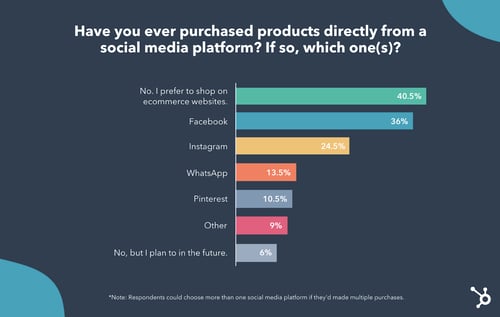
The second biggest benefit is the simplified shopping experience. Gone are the days when you need to leave the app to make the purchase. You can discover a brand and make a purchase all in the same breath. This means a more enjoyable process for consumers, which can lead to more purchases for brands.
Another key advantage Instagram’s shopping tools offer is the ability to easily partner with influencers.
Currently, creators can tag easily the products they’re promoting and send traffic directly to the brand’s Shop page.
In addition, Instagram is currently testing an affiliate program, in which influencers have their own Shop page.
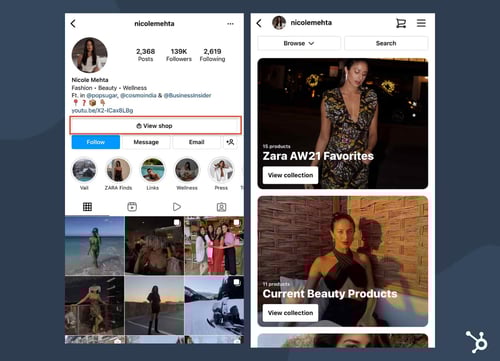
This allows users to easily find products recommended by their favorite influencers and make a purchase seamlessly.
Now, onto the not-so-great obstacles of Instagram’s shopping tools.
The biggest thing marketers surveyed complained about is supply-chain issues following many purchases. Since the pandemic, this has been a common hurdle for many businesses, as manufacturers deal with month- or year-long backlogs.
Another concern marketers are facing is not generating enough revenue from utilizing Instagram’s shopping tools or having access to certain features.
37% of marketers also complained about Instagram’s selling fees, which is currently 5% per shipment, or a flat fee of $0.40 for shipments of $8.00 or less. For brands, this is an additional cost that they could avoid by directing traffic to their website instead.
Another big concern is the loss of user data. When Instagram serves as the end-to-end platform, brands can lose valuable data to inform future strategies.
Now that you know the pros and cons of the shopping tools, let’s break down how marketers are using them.
How Marketers Leverage Instagram Shopping Tools
From the marketers we surveyed in our HubSpot Blog Research, 32% currently leverage Instagram Shops in their marketing strategy, and 48% plan to increase their investment in 2022.
While some brands tried the shopping tools as soon as it was introduced, others are just now diving in. In fact, 36% of marketers will be increasing their investment in Instagram Shops for the first time this year.
Meanwhile, 14% of marketers will be prioritizing Instagram Shops above all other features in 2022.
However, one thing to note is that when compared to all the features available on Instagram, marketers say its shopping tools don’t offer a high ROI when it comes to leads. Posting content and going live offer much better results.
With that said, while it may not be ideal for driving leads, it may work well for meeting other marketing goals.
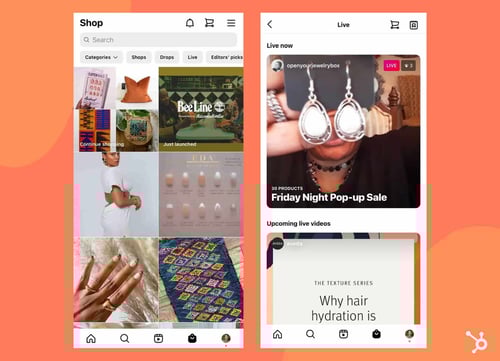
Out of all shopping features available on Instagram (Shop tab, product tagging, guides, Live shopping), the Shop tab is the most used tool by 47% of marketers surveyed.
However, in terms of ROI, it’s in the #2 spot. What’s on top? Instagram Shopping from Creators, which allows influencers to tag the products they’re using in an image or video.
As for shopping tools by format: It looks like in-feed shopping, Stories shopping, and Guides shopping are used at the same rate by over one in three marketers.
How Marketers Approach Product Launches on Instagram
One of the most interesting findings from our research is that for many brands, Instagram’s shopping tools are their sole ecommerce platform.
In fact, 41% of marketers surveyed said most of the brands they work with use the platform’s shopping tools exclusively. The other 59% say their brands have a presence outside of the social platform via an ecommerce website.

So the question is, how do Instagram’s shopping tools impact a product launch? One in four marketers says it’s much better to launch a product exclusively on the platform.
In fact, 83% of marketers surveyed say they have worked with a brand that launched a product exclusively on the platform.
Conversely, 15% say launching a product/service exclusively on Instagram is worse than launching elsewhere.
We’ve covered a lot here. One fact that’s clear is that more marketers will invest in Instagram’s shopping tools than they have in the past. What works well for one brand may not work for another, based on the audience, the audience, and more.
So, don’t be afraid to experiment with all the features and analyze your data to figure out what offers the best return on investment for your company.


3 Roles Marketing Leaders Plan to Recruit in 2022 [New Research + Expert Insights]
The new year can be an exciting time to consider how you might expand your team to reach new goals in 2022.
But it can also be stressful for that very same reason. With a limited budget, how can you ensure you’re making the right hire?
HubSpot’s Blog Research uncovered the top three roles marketers are planning on hiring in 2022. Let’s explore why those three roles matter, according to experts.

The Top 3 Roles Marketing Leaders Plan to Hire in 2022
1. Creative Director
Nowadays, brands are expected to create top-notch content across platforms. To successfully reach new audiences and increase sales, you’ll want to have strong social media, content marketing, and video marketing strategies — to name a few.
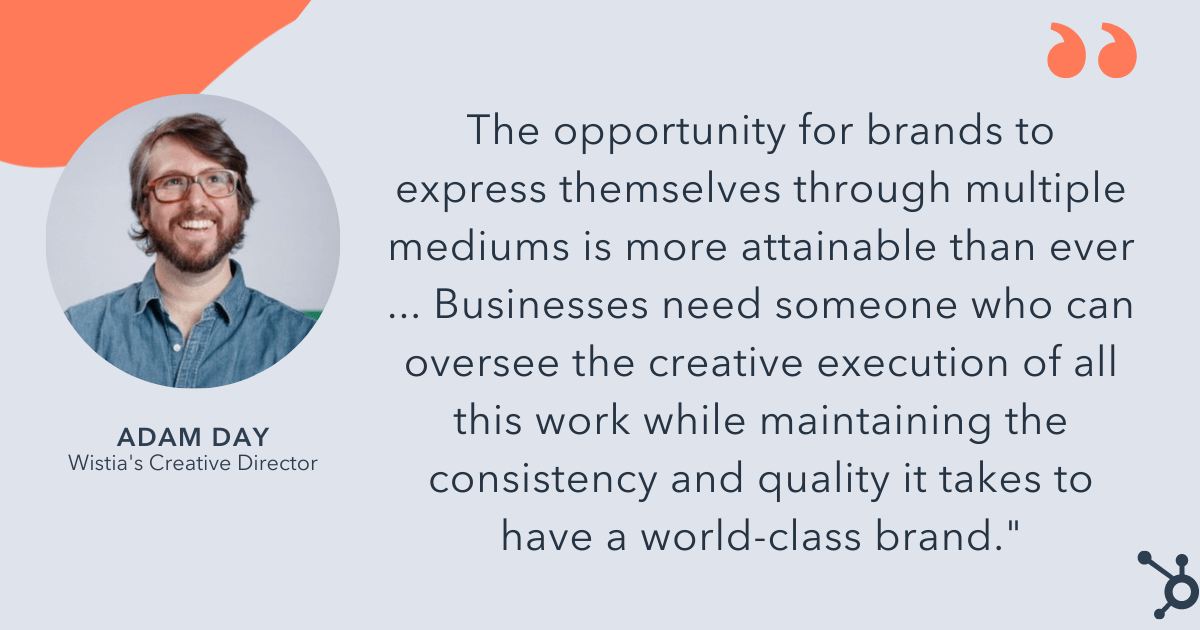
As Wistia’s Creative Director, Adam Day, puts it, “In the context of today’s media landscape, the opportunity for brands to express themselves through multiple mediums is more attainable than ever — and consumers are demanding more than ever, too.”
Day adds, “It’s not just about blog posts anymore. Video consumption, alone, is up 121% from 2019, and in a recent survey of Wistia customers, we learned that most companies are increasing their production budgets by more than 10% this year. Businesses need someone who can oversee the creative execution of all this work while maintaining the consistency and quality it takes to have a world-class brand.”
That’s all well and good. But what, exactly, does a creative director do?
“A great creative director develops a clear and engaging visual identity for your brand,” Mark Tanner, Co-Founder and COO of Qwilr, told me. “Visual consistency communicates professionalism, attention to detail, and builds buyer confidence in a brand’s capabilities.”
Tanner told me, “The creative director should ‘own’ how a brand is represented across all visual assets, from your website to ads to product brochures to sales proposals.”
Tanner continues, “And if you think the impact of a creative director is limited to aesthetics, think again. According to a study by McKinsey, design-driven companies consistently outperform their competitors, demonstrating the ROI potential of a good design experience.”
A creative director can ultimately help your business hit its sales goals by ensuring your marketing materials are highly optimized, effective, and on-brand.
As Tanner told me, “One out of three buyers are influenced by the quality of your sales materials, and that influence can either be positive, or cause your buyer to go with your competition, instead. It’s no wonder the U.S. Bureau of Labor Statistics projects creative director demand to grow by 11%, faster than the average for all occupations.”
Among other things, you can expect a creative director to guide your overarching content strategy; build and manage a successful production process; lead, inspire, and nurture your creative team to drive brand direction forward; and own specific KPIs related to content marketing.
Jenny Coppola, Head of Brand & Communications at Teamwork, says, “Creative directors should focus on ensuring that all brand touchpoints are cohesive and consistent, both visually and in terms of messaging, while also shepherding the idea of experimentation and concerted risk-taking within the team.”
Coppola says, “Your team’s creative director should always be thinking ahead to what the future could look like for the brand and the market as a whole, which means pushing ideas further and challenging the status quo of what’s expected.”
Coppola adds, “Equally as important, creative directors should be close to the customer, understanding what makes them tick inside and out. Knowing your target customer and being able to see the world through their eyes is the best way to build a brand that resonates with them.”
If you can only hire one new marketer in 2022, you’ll want to strongly consider the importance of having a creative director if you don’t already have one. Even a small but mighty team of marketers needs a creative director to nurture their strengths and guide the overarching vision.
Additionally, if your business works with freelancers, agencies, or contractors, a creative director can help streamline those processes and ensure consistency across marketing channels.
2. Creative Assistant
The second most-voted for role in 2022 is a creative assistant.
If you already have someone in a director-level or manager-level role, it makes sense to consider how you might help alleviate some of their responsibilities by hiring an assistant.
A creative assistant is an entry-level professional who will create promotional materials for your brand — those materials could include promotional videos, advertising campaigns, press releases, or social media posts.
A creative assistant will also help your creative director or manager by handling the day-to-day creation of specific marketing materials — for instance, they might write copy, produce designs or infographics, or conduct market research to identify future trends and campaign ideas.
A creative assistant can be a strategic, long-term play for your team. A creative assistant is an entry-level position, which means it’s someone who is often new to the field of marketing.
You might hire a creative assistant with impressive design skills, or a strong knowledge of the various social media platforms, and foster his or her growth on your team.
Simply put, a creative assistant is a hire who will continue to grow on your team and could ultimately have a strong impact on the future of your brand’s marketing strategy.
3. Content Marketing Manager
“Let’s face it,” Dan Seavers, Talkwalker’s Content Marketing Manager, told me,
“Consumers are rapidly changing. They are savvier, smarter, and more active in their research. And they no longer want to be sold to. They want to be educated, entertained, excited, enthralled, anything … but not sold to.”
Seavers told me that this shift in consumer behavior has led to content marketing as an essential component for any business’ bottom line.
And a strong content marketing strategy needs a content marketing manager.
Why? Well, as Seavers puts it, “To do [content marketing] properly, you need content. A lot of content. We’re talking blogs, videos, podcasts, tweets, reports, case studies, TikTok dances, and more — all weaved into an epic journey that leads consumers from discovery to purchase.”
Unbounce’s VP of Marketing, Meg Sakakibara, agrees that a content marketing manager is vital for any marketing team.
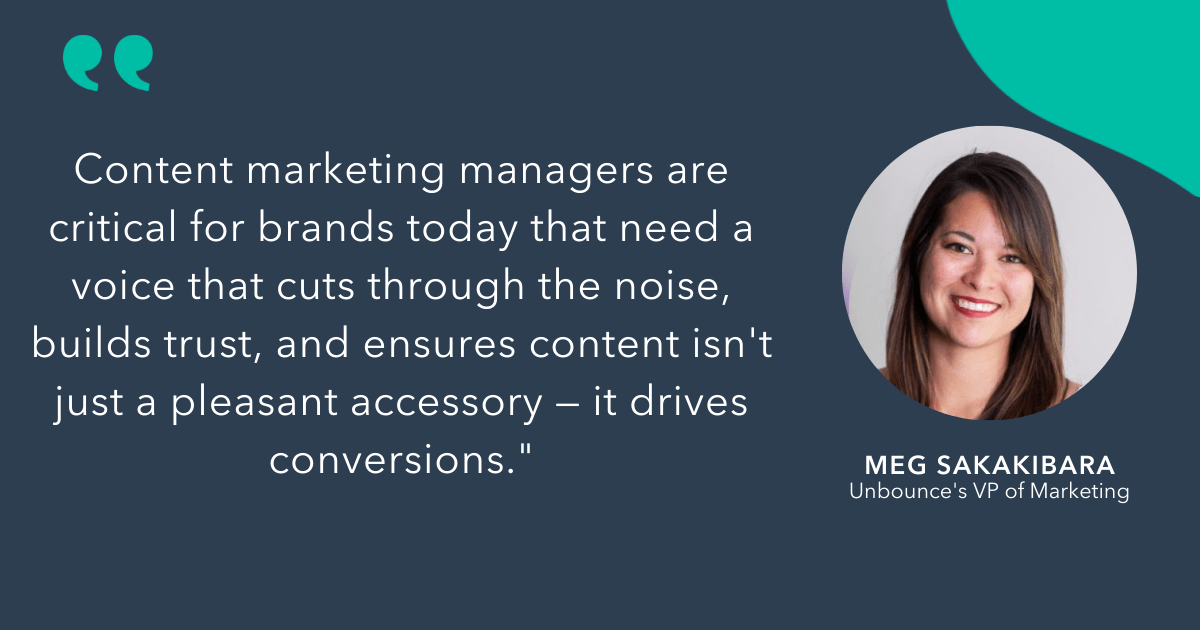
Sakakibara says, “Content marketing managers are critical for brands today that need a voice that cuts through the noise, builds trust, and ensures content isn’t just a pleasant accessory — it drives conversions.”
Sakakibara adds, “After analyzing the most influential elements for conversion in 40,000 landing pages, Unbounce found that copy influenced conversion more than 2X as much as design did. Content isn’t just the king/queen — it’s the whole kingdom. By investing in content marketing and new technologies like Unbounce’s Conversion Intelligence Platform, people are using content and optimization to convert more leads, sales, and sign-ups to win in this competitive space.”
So what should you look for in a content marketing manager?
Among other things, an effective content marketing manager will execute digital content strategies across platforms, drive traffic and engagement, have a deep understanding of what types of content perform best on which channels, and consistently evaluate how each campaign performs — and shift when necessary.
Additionally, Seaver told me, “To be good, your content marketing manager should always have one eye on your consumers’ ecosystem. Where do they cluster online? What do they talk about? What are they looking for in a product? What problem do they have that you can solve? Their content strategy will answer all of these questions, piece by piece. Slowly building that brand and consumer relationship from awareness — to having your consumers wonder how they can go on without you.”
Finally, a good content marketing manager needs to be a strong fit for your brand and goals. Content marketing is about delivering unique value to your intended audiences — which means your marketing manager needs to know, inside and out, who your target audience is and what they care about.
As Microsoft’s Group Marketing Manager Nora Xu puts it, “It goes beyond a single touchpoint with an action to purchase your product, to a flywheel of inspirational and educational content that meets them where they are. On the Microsoft Advertising brand marketing team, I look for people who can get into the mindset of our audience and create content that makes them feel seen and connected with our brand.”
Ultimately, you know what’s best for your business needs. Take a careful look at your team’s current strengths, and aim to identify a role that can help fill in the gaps.
Once you’re ready to begin the recruitment process, take a look at these 17 marketing job descriptions to attract the right hire.


What is a Media Mix & The Most Effective Types [HubSpot Blog Data]
I’m willing to bet that today, the typical campaign at any brand uses a media mix.
This refers to the process of using multiple channels to meet marketing goals. The question is, how exactly does it help brands better plan campaigns?
![Free Ebook: The Marketer's Guide to TikTok for Business [Download Now]](https://no-cache.hubspot.com/cta/default/53/2000ba0b-ea58-45a5-ac81-3b463d992c1a.png)
Let’s dive into how it works, review some stats, and see some brand examples.
A media mix is another term for an overview of the channels businesses choose to execute their marketing strategies on. Ultimately, media mix optimization is the process of analyzing the performance of those channels.
Think about the last campaign you saw from one of your favorite brands. What did they do differently that really clicked with you? By incorporating a media mix into your yearly planning, you can narrow down what resonates with your audience.
Media Mix Example
To see how a media mix works for a campaign, let’s use makeup brand The Lip Bar’s latest campaign: “Something BAWSE is coming.”
To build anticipation around its latest product launch and celebrate its 10-year company anniversary, The Lip Bar launched a multi-channel campaign that reached audiences both online and offline.
First up, website.
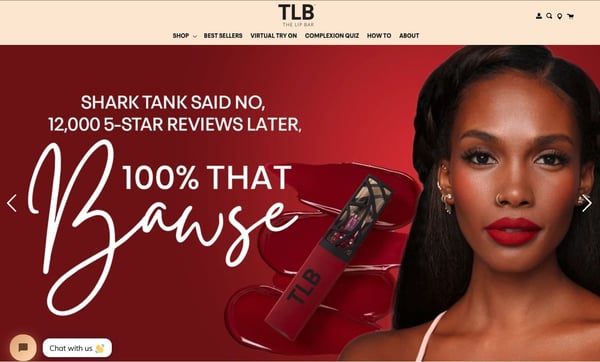
When you land on the brand’s homepage, you’ll see an image of the CEO with the following sentence “Shark Tank said no, 12,000 5-star reviews later, 100% that bawse.”
Upon clicking on the image, you’ll arrive at a landing page that has a timeline of the brand. From launching in 2012, to opening its flagship store in 2019, then expanding to 1500+ stores in 2021. Once you get to 2022, you see the tagline “Something Bawse is Coming.”
As you continue scrolling, you reach a section that offers a launch date and time for the brand’s newest product.
The second digital channel the brand leveraged for this campaign is YouTube, publishing a 45-second video showing the CEO’s journey over the last 10 years.
Moving offline, the brand also published billboards in five cities to continue the campaign.
Note how the billboard didn’t use the tagline we saw on social media platforms.
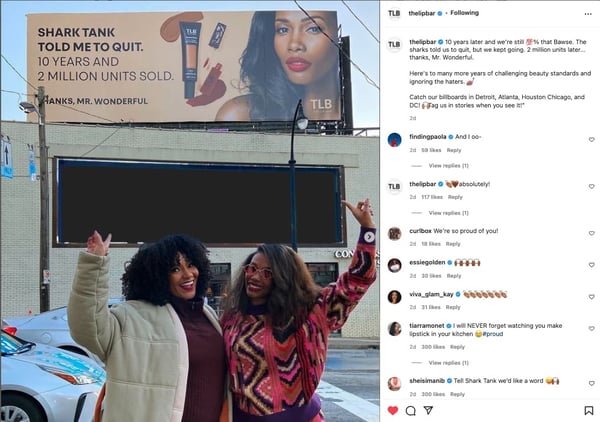
The benefit of using a media mix is to leverage different strategies to see which tactics work and lead to better conversions.
The Lip Bar’s latest campaign is a great example of how any brand can leverage channels differently to reach the same marketing goal.
Media Mix Stats in 2022
In January 2022, we surveyed over 600 media planners to discover their strategies, goals, and challenges. Here are some interesting findings:
- 84% of media planners surveyed leverage a mix of organic and paid media.
- Email marketing is the most leveraged media channel, used by 1 in 2 media planners.
- 41% of media planners surveyed will change their media mix in 2022, while 45% will keep it the same.
- 14% of media planners currently leverage non-fungible tokens (NFTs) while 16% plan to use them for the first time in 2022.
- 39% of those who use NFTs in their media planning say they have the best ROI of any channel in their media mix.
- 39% of marketers surveyed say determining the most effective media mix is the biggest challenge of media planning.
Media Mix Optimization
Media mix optimization provides businesses with an understanding of how their messages are coming across to customers. It allows a brand to invest more time and money into marketing strategies that are best suited for their audiences.
Marketers might consider optimizing their media mix if they want to gain some helpful insight into what time and capital is needed to target their audience in a way that gives customers a personalized experience.
But, while media mix optimization is a powerful opportunity for methodizing data collection online, it’s not the best strategy for marketers who employ a lot of traditional marketing techniques, since you can’t really measure the success of a billboard or newspaper ad.
However, to make guided decisions such as what font to use in creative design, when to publish social media posts on various channels, or where to invest resources, this method can be helpful.
Optimizing a media mix means looking at the analytics and ROI of various marketing strategies. This can be anything from engagement data of social media platforms to views on the newest commercial.
That’s where media mix modeling comes in. If media mix optimization is the “what,” modeling is the “how.” Every model can (and should) look different, depending on your marketing and broader business goal.
Media mix models can be used to analyze the relationship between a dependent variable and an independent variable.
For instance, let’s say a business has a question like, “How did paying for a sponsored tweet affect overall blog traffic?” The business’s media mix model should then accurately depict how a dependent variable – like overall blog traffic – relates to an independent variable, such as investing in Twitter.
For businesses still deciding if a media mix optimization is a good idea for them, we’ve put together key tips to guide you when creating a media mix model. Let’s explore those, next.
Tips for Optimizing Your Media Mix
1. Collect personal level data.
The goal here is to find and focus on analytics that will help provide an accurate picture of how customers engage with your media mix.
Analytics software is expansive and offers an array of tools for use. If you’re in the market for one, the HubSpot Marketing Hub is a great place to go.
Having too many metrics can be confusing and lead to inaccurate data. The best plan is to have an idea of which metrics need to be tracked so they can be right at the beginning.
A normal media mix optimization process can take anywhere from a few months to a year. So, collecting the right information at the beginning contributes to getting the most accurate information overall.
2. Have a robust reporting process.
When using a media mix, you often combine online and offline strategies. With this in mind, it can be more difficult to measure the impact of a billboard compared to a paid social ad.
That means you’ll have to think outside of the box when evaluating your media mix. For instance, while an online ad will have clear conversion rates you can find, a billboard may require some creative tracking.
Perhaps, you can track the uptick in branded search volume or improved brand recall.
This requires having a robust reporting process that accounts for the events you’ll be tracking – both online and offline.
3. Choose the right platform.
Marketing teams that use CMS or analytics software are already ahead of the game. Software like this is essential to optimizing a media mix because it can give you numbers that would otherwise take some time to figure out manually.
A brand can analyze its media mix with the use of platforms that collect engagement data in real-time and compile that data into tracking reports.
Look for a platform that can give a holistic view of results across the board, so results will maintain consistency. It’s also good to choose software that specializes in the marketing channels being used at the time.
Because optimizing is measuring a lot of different data at once, stick to as few systems as possible.
For businesses that are in the market for a CMS, HubSpot offers tools that are easy to use for brands of any size.
4. Analyze the data.
We’ve been talking a lot about the kind of data and analyzing that needs to be done in a media mix optimization, but another important factor is being able to interpret and understand that data.
It’s no secret that in the marketing world, there is an abundance of processes and acronyms floating around. While first getting into the groove of understanding them and what they mean can be intimidating, it’s important to know the data being collected and how to use it to your advantage.
For instance, if a marketing team had especially high click-to-open rates for weekly newsletters, that’s useful information to infer that the next campaign could benefit greatly from an email-marketing rollout. Alternatively, if a marketing team has no idea what a click-to-open rate is, those numbers aren’t going to be helpful — just a little confusing.
Reading data to understand its usefulness is just as important as collecting it.
5. Consider public perception.
Knowing how the public perceives your brand can help fill in some interpretation gaps during the modeling process. In the media mix model, think about how to fit in customer opinion. That way, the numbers will have some customer opinions to define them.
There are a couple of ways to do this.
To better understand your brand perception, monitor your brand mentions on social media. Take note of the positives, the negatives, and the questions. You can also create a survey to know how your customers feel about your company and its services and use a net promoter score.
An NPS asks customers how likely they are to recommend a business to a friend. Knowing this will aid in figuring out how a business fares among the competition in the market. It will also assist in future marketing endeavors.
For instance, if customers fill out your survey and ask for more personalized Instagram stories, your team could take that knowledge and include it in your next campaign.
This method ultimately gives the media mix optimization reigns to the customer.
Media mix optimization can help your marketing team figure out which distribution channels will best promote an upcoming campaign, and can ultimately help strengthen your marketing strategy as a whole.
Editor’s Note: This post was originally published in Feb. 2020 and has been updated for comprehensiveness.

3 Instagram Video Formats You Should Leverage in 2022 [Data from 500+ Marketers]
As a marketer, you’ve probably wondered which Instagram video format would perform the best for your audience.
To help you, we asked consumers what type of video formats they watch the most. Plus, we surveyed marketers to discover their Instagram marketing strategies.
You’ll also learn what video format users like to watch on Instagram as well as the size, length, and aspect ratio you should be using.
How Marketers are Leveraging Video on Instagram
In 2021, we surveyed over 1,000 global marketers to understand which trends they currently (and plan to) leverage.
The first thing that stood out to us is that marketers who leverage video content on Instagram are 16% more likely to say their Instagram strategy was effective last year.
We also found that 82% of marketers post video content on Instagram and the content formats they use most are video-based.
The main difference we see in how marketers use video versus other content formats on Instagram is that they use humor more in video and market products and services less.
As for the platform’s features, marketers surveyed say posting videos offers the highest engagement level and the highest ROI, more than images and live streaming.
We know that short-form video is at the peak of its popularity on platforms like Instagram and TikTok and that could play a role in how popular video is. In fact, 85% of marketers say short-form is the most effective video style they leverage.
With that said, only one in four marketers use Reels. At the time marketers were surveyed, they said it offered one of the lowest ROI. However, it’s still a feature they plan to invest in this new year.
Now that we know how marketers are thinking of video, let’s switch to the consumer perspective.
Best Video Format for Instagram
Currently, Instagram offers three video formats:
- In-feed
- Reel
- Stories
Back in June 2021, we surveyed more than 300 consumers to discover which video formats they watch the most. 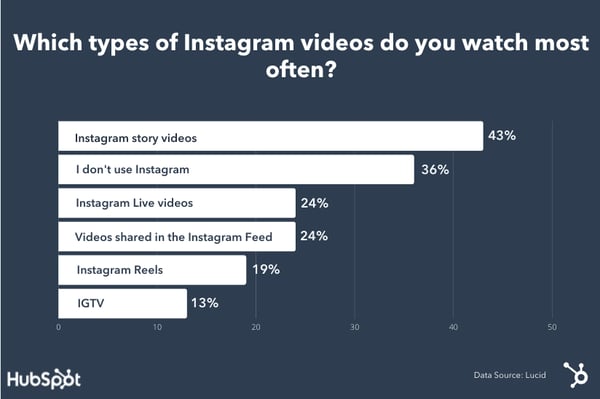
Ultimately, Instagram Story videos were the most popular video format to watch on the social media site, with 43% of those surveyed watching this type of video content the most.
Besides survey respondents who didn’t use Instagram, the next highest video format to watch were live videos and then videos shared directly in the feed.
The least popular video format was IGTV, which was discontinued in October, a few months after this survey.
Now that we know how consumers and marketers are behaving, let’s find out how you can post the best video content on Instagram.
This is the proper video quality for a post on the Instagram feed. It will look something like the screenshot below.

For an Instagram Story or Reel, the video should be 1080 x 1080 pixels, with an aspect ratio of 9:16. The maximum file size should be 250MB.
It will look something like this:

While these are the main types of videos to upload on Instagram, you can explore other spec requirements on the Instagram site.
While all these stats are important, one of the ways to keep file size down is to shorten the video. You can’t just upload 24 hours of video content on the platform.
Now you might be wondering, “How long can my Instagram videos be?” Let’s dive in below.
How Long Can Instagram Videos Be?
Instagram videos are a great way to reach Gen Z or millennial audiences. However, it’s important to think about the type of video content that performs best on the platform.
Additionally, knowing the right size and video specifications before filming your videos can help you reach success quicker.
Editor’s Note: This post was originally published in June 2021 and has been updated for comprehensiveness.

How to Be an Amazing Mentor in 10 Ways, according to HubSpot Managers
Take a minute to think about the best mentor you’ve ever had. It could be your manager, a colleague, a parent, a friend, a coach, a college professor.
Then, you reach a point in your life where you have the chance to do the same for someone else. It can be both exciting, and a little confusing.
![→ Click here to download leadership lessons from HubSpot founder, Dharmesh Shah [Free Guide].](https://no-cache.hubspot.com/cta/default/53/4e634041-e1ce-4a85-8e65-aea12fc10b84.png)
In this article, you’ll get tips from both mentors and mentees on what it takes to foster this successful relationship.
What does it mean to be a mentor?
At its core, being a mentor is being a trusted advisor. It all boils down to making yourself available to support and advise someone when they need it, delivering that support in a way that makes sense to them, and always keeping that person’s best interests in mind.
So, what value does a mentor bring? It depends on who you ask.
For Vrnda LeValley, customer training manager at HubSpot, it’s a shift in perspective.
“My mentor provides a perspective that isn’t riddled with the same self-doubt and stereotype sensitivities that I desperately want to avoid and handicap me,” she says, “and a broader view of the implications of action versus inaction because they have a better vantage point from their upstream position within the company.”
She adds that her mentor has been able to step in and correct narratives that muddy her ability to make the most strategic decisions.
For Legal Specialist at HubSpot Jason Perry, one of the benefits of mentorship is the opportunity to extend your network.
“I most value the trust and confidence they extend to me by granting me access and recommending me to their broader networks,” he said.
Beyond that, there’s a certain freedom that comes with having a mentor.
“I think it allows for an open space to be vulnerable with someone who is more senior in their career but does not have direct control over your career growth,” said Chloe Washington, chief of staff to the CMO at HubSpot. “You can be more transparent and ask questions you may not feel comfortable asking your manager or another co-worker.”
With that said, the mentorship doesn’t just benefit the mentee, it’s a two-sided relationship.
“I am constantly inspired by what my mentees are doing, their ambition, and their goals,” Washington said. “It motivates me as I continue along my career journey. It also allows me to form relationships with people that I may have not otherwise been able to speak with as much or as often.”
1. Understand what you want out of the relationship.
As we’ve mentioned, mentorship isn’t a one-way relationship. This means that just like the mentee, you should know the type of relationship you’re seeking and what you want to gain.
Charlene Strain, marketing manager at HubSpot, serves as a mentor and suggests asking yourself these questions to get started:
- Do you view it as a two-way street, player-coach relationship where you learn from them as much as they learn from you or something else?
- How can you sharpen your area of expertise?
- Do they have connections or gaps of knowledge for you as well?
- How does taking on a mentorship role strengthen you as a leader in your personal and professional life?
Knowing these answers will help you frame your mentorship strategy and start with clear intentions.
2. Set expectations together in the very beginning.
Once you know what you want out of the relationship as a mentor, setting expectations is the next natural step.
Every mentor-mentee relationship is unique. So, when you first start out, discuss expectations with your mentee and determine if you’re ready for that commitment.
“Everyone works and receives feedback differently, so it’s important to understand if the relationship is a fit for both parties [based] on what they’re looking for,” said Strain.
Here’s what Strain recommends discussing:
- Is there a time limit on when the mentorship ends?
- How often should you meet, and why?
- What resources can the mentor provide for the mentee to do some work on their own?
- What metrics are being used to measure success?
- How hands-on should the mentor be?
You should come to these answers as a duo and it’s OK if it takes a little bit to figure it out. The time you put in at the beginning will pay off in the long term.
Some expectations are pretty straightforward, Perry says: professionalism, punctuality, clear communication, and organization. However, some expectations will be shaped by the mentee.
“A mentee should be able to tell me as the mentor exactly what they’d like me to do for them, whether it ‘s to provide information, make an introduction, write a recommendation or provide advice,” says Perry. “The relationship is theirs to shape and build and that starts with a clear, direct ask of some sort.”
When Washington works with mentees, her first session focuses on goal setting, setting up a meeting cadence, and discussing ground rules.
“For example, if there is a big topic to discuss, I request that they give me a heads up a few days before so that I can come fully prepared to discuss my point of view and not waste their time formulating my thoughts on the fly,” she said.
From there, she creates a running agenda doc to keep track of notes and have a place they can refer back to once the mentorship ends.
3. Take a genuine interest in your mentee as a person.
A mentor/mentee relationship is a very personal one.
You can give mediocre advice without really knowing a person, but to stand out as an amazing mentor, you’re really going to have to get to know your mentee on a personal level.
You probably have some of the more career-oriented questions down: what their working style is, their dream job, goals for their current job, and so on and so forth. But what about the stuff that makes them … them?
Getting to know your mentee on a deeper level will help you build a strong relationship, and it’ll also help you understand who they are as a person and how they interact with others, and so on.
One great way to get to know someone? Become an active listener. This is easier said than done: It means making a conscious effort to really, truly pay attention to what your mentee is saying, instead of thinking about what you’re going to say next.
“Two traits that are helpful for someone to be a successful mentor are good listening skills and the ability to connect like-minded people,” said Strain. “Our professional lives are not in a silo, they’re a web. So, anyway I can truly listen to a mentee’s goals, their journey, and where they see themselves will help me connect them with other people or businesses with the same mission.”
You might worry that you need to come up with something helpful right away, when in fact, the best thing you can do for your mentee is to listen closely to what they’re saying, ask open questions to dig deeper and act as a sounding board.
4. Build trust.
In the last section, we stressed the vulnerability that comes with mentorship. To continue fostering a safe environment in which your mentee can share their concerns and challenges, you need to build trust.
That can happen in a few different ways. For Solutions Engineer at HubSpot Jeremy Sagaille, it’s transparency.
“I feel like I can really be myself in front of my mentor and I don’t feel like I have to do the typical corporate political BS,” he said, “which is something that I’ve definitely had to tiptoe through in the past and haven’t done well with.”
For LeValley, it’s the ability to see beyond the circumstance to assess the core issues, challenges, and opportunities.
“Those can get cloudy when you are on the road to a destination you have never visited before,” she says. “It makes all the difference when avoiding pitfalls and finding solid shortcuts.”
She adds that truth-telling is another valuable trait in a mentor.
“Many people haven’t been given the hard messages required for growth, due to lack of investment or lack of courage from those around them,” she says. “Personally, the best thing my mentor told me was to check in with my growth mindset and read a book. Not what I wanted to hear but it was 100% what I needed to hear.”
Once you build trust with your mentee, your relationship will be able to go that much deeper.
5. Know when to give advice.
When you’re mentoring someone, you might feel pressured to give them advice straight away. But not all feedback is helpful feedback, and knowing the difference is key.
A good mentor knows when to hit ‘pause’ during a conversation, says Rebecca Corliss, former director of marketing at HubSpot.
“If you don’t have the right information, experience, or emotional state to react to a scenario properly, hit ‘pause,” she said. “That will give you a chance to get more information, talk to your resources, and come back with a clear and valuable response.”
Here’s what that might look like in a real conversation.
“Thanks for sharing this with me. I’m going to take some time and give this some serious thought before we continue. It’s important to me that I’m giving you the best possible solution. Why don’t we continue talking about it [tomorrow/next week/next time we meet]? I’ll book some time.”
6. Don’t assume anything about your mentee – ask.
Biases cloud our judgment whether we realize it or not. While we can work to uncover and dismantle them, some are so ingrained that they peak out without us realizing it.
To combat this issue with your mentee, breakthrough common assumptions by asking questions and digging deeper. This is especially important if you’re mentoring someone who’s in the early stages of their career
Say you’re mentoring someone who’s having trouble getting through to their manager. Instead of launching into a story about a time you had communication issues with a manager of yours, spend time asking questions that draw out the important details of their problem.
“Your job is to facilitate advancement and movement, not just chat,” says LeValley. “Your words can change their lives so you must choose them carefully.”
Only once you’ve gotten an honest background on a problem can you share helpful, relevant feedback – without making decisions for your mentee.
7. Share your journey.
Being open to sharing your own mistakes and failures is one of the best gifts a mentor can give.
Not only is it helpful information for problem-solving purposes, but it also builds trust and strengthens the relationship.
“Junior employees don’t always feel comfortable owning up to a mistake or admitting that they’re struggling in a certain area,” says former Managing Director at HubSpot Emma Brudner. “If you cop to your failures and struggles, you make it OK for them to chime in and help them share with you.”
Sagaille says that before his mentor, he often thought the struggles he faced were unique. However, he was reassured by his mentor, who had experience in his exact role.
“I’m just excited that I have a window into the future a little bit because she’s dealt with similar issues and she’s had some setbacks because of those issues,” he says, “so, she’s able to steer me in the direction so I can avoid those pitfalls.”
Leslie Ye, content designer at HubSpot, suggests reflecting on the roadblocks you faced when you were in your mentee’s stage in life or career.
“Hearing how someone else approached a challenge is always helpful for someone going through it for the first time,” she says. “Even if you don’t solve problems the same way as your mentee, it’s always useful to hear multiple perspectives.”
Perry echoes this sentiment.
“Take time to tap into your own story,” he says, “Especially for Black mentors, it’s important to relate and establish an interpersonal bond that fosters real talk – be a true resource in all facets.”
He adds that adversity of any kind our response to them is a foundational way to create relatability. Strain agrees, pointing to her non-traditional tech background before transitioning to the B2B Saas space.
“I’m extremely transparent about my own journey with a mentee. As I climb up the ladder as a Black woman in tech, it’s important for me to continue reaching back down and helping others up as well,” she says. “If it wasn’t for some of my own incredible mentors throughout my career, I wouldn’t be a mentor now as well.”
8. Celebrate their achievements.
Because people often look for or call upon a mentor to help them with tough situations, many mentorship conversations revolve around the stressful stuff.
When you take the time to highlight and even celebrate your mentee’s successes and achievements, you’re also building your mentee’s confidence and keeping them motivated.
“I’ve worked in a lot of places in the past that were very reserved with positive feedback and very lavish with constructive or negative feedback,” said Sagaille. “So I think that’s something my mentor does really, really well – it’s a nice balance.”
Some mentees also seek approval from their mentors. Acknowledging their success is a way to satisfy that psychological need for recognition.
If you’re wondering how to celebrate their achievements, consider asking them what their love languages are. Those aren’t just helpful for personal relationships, they also work for professional ones as well.
For instance, you may want to congratulate your mentee on a win by sending them a gift. However, if they value words of affirmation more, that’s the better way to go.
9. Seek out resources to help your mentee grow.
Great mentors look for situations – and some even create situations – to help their mentees get closer to their goals.
It can be anything from connecting them with someone with experience in their dream job to recommending a conference they might be interested in. Take note of the areas in which your mentee wants to grow, and always be looking for opportunities to point them in the right direction.
If you work at the same company as your mentee and have some involvement in their experience, Corliss suggests introducing new projects to them over time as a way to build a strong foundation.
“First, start with something that gives context. This could be something that requires research and is genuinely valuable,” she says. “Then, handoff something small that you normally do for your intern or mentee to own. This will help your mentee learn how to develop ownership over something, including how to execute and reach a goal on his or her own. Then, build upon that foundation.”
10. Be sure you have the bandwidth.
LeValley believes mentorship is best when it’s approached as a calling instead of a task. With that in mind, it’s important to consider if you have the bandwidth to take it on.
“Be honest with yourself about what extent you are willing to give of your time and expertise,” Strain says. “This will help you manage your own workload and personal life easier without guilt or stretching yourself too thin.”
Washington echoes this sentiment and adds that it’s OK to bow out if you realize you don’t have the bandwidth.
“The relationship needs to be mutually beneficial and if you feel like you would be burdened by taking on the relationship, then be respectful to your prospective mentee and tell them that you’re not able to take on the relationship,” she says. “It’s better to be upfront than to waste anyone’s time.”
At the end of the day, being a great mentor takes practice and patience. The more you work with a given mentee, the more you’ll learn a lot about them: their communication style, how they process feedback, how they go about pursuing their goals.
The best part? It will likely be as rewarding an experience for you as it will be for your mentees.
Editor’s Note: This post was originally published in Jan. 2016 and has been updated for comprehensiveness.

31 Instagram Features, Hacks, & Tips Everyone Should Know About
Did you know you could schedule your Instagram posts in advance? Or optimize your bio to appear in the Explore tab?
There are countless lesser-known Instagram features, settings, hacks, and search options to help take your Instagram game to the next level. And we’ve compiled them all, here.
Whether you’re a recruiter looking to showcase your company’s culture, a marketer in the e-commerce industry, or an individual who’s just looking to use Instagram in the best ways possible, there are Instagram tips and features here for you.

Note: Before getting started, make sure you’re operating on the latest version of Instagram. At the time of publishing this guide, the latest version is 15.1.1 on iOS and on Android. Please also note that although this article might demonstrate each tip below using an iPhone or Android device, all items on this list are available for both operating systems and can be enjoyed using the same step-by-step instructions.
Table of Contents:
- Instagram Account Features
- Instagram Design Features
- Instagram Optimization Features
- Instagram Stories Features
- Instagram User Preferences Features
- Instagram User Search Features
31 Hidden Instagram Hacks, Tips, and Features
Instagram Account Features
1. Add and manage multiple accounts from the same device.
Have a separate account for your dog? Don’t be embarrassed; stand by your puppy profile. In fact, whether it’s a pet account or a business account, you can add and manage this one right alongside your personal account.
Here’s how:
- From your profile, tap the gear icon. To find this icon on an Android device, you’ll first need to tap the three horizontal lines to the top right of your screen.
- Scroll to the very bottom and tap “Add Account.”
- Add your other account by username and password, and you’re all set.
To toggle between both profiles, hold down your profile picture in the navigation bar to view all connected accounts. You can also switch to a different account through the Settings page mentioned earlier. See what this screen looks like in the next Instagram feature, below.
2. See all the posts you’ve liked.
Ever wanted to see the posts you’ve Liked, all in one place? All you have to do is go to your own profile and click the “Settings” button in the top right — a gear icon on iPhone/iPad, and three dots on Android — then, click “Account”, and finally “Posts You’ve Liked.”
To un-Like any of the posts you’ve Liked, simply go to the post and deselect the “heart” icon below it. Don’t worry — the user won’t be notified that you’ve un-Liked the post.
3. Hide, delete, or disable comments on your posts.
Twitter may carry a more “anything goes” culture of commentary, but your Instagram is your domain — and it’s much easier to control who says what on your content. This is especially important if you manage a business account.
To Filter Comments by Keyword:
In the Instagram mobile app, navigate to “Options” and select “Comments.” From here, you can toggle on “Hide Inappropriate Comments” and even enter specific keywords you’d like the app to police within each comment.
To Delete Comments:
Tap the speech bubble icon below the comment you’d like to delete, and swipe lightly to the left over this text. Select the garbage can icon that appears to delete this post. You can also do this to your own comments.
To Disable Comments Entirely:
To clarify, you can’t turn off comments across your entire profile; you can only disable them for individual posts.
To do so, start posting an image on which you’d like nobody to comment. When you reach the page to add a caption, tags, and location, tap “Advanced Settings” at the very bottom. This will open a screen where you can easily switch on an option labeled “Turn Off Commenting.”
4. Clear your Instagram search history.
We swear — this blog post isn’t all about how to convince people you’re not an Instagram creeper. But many of us can relate to the desire to clear our online search history everywhere, including on this particular social channel. Luckily, you can.
To clear your Instagram search history, go to your own profile and click the “Settings” button (a gear icon on iPhone/iPad and three dots on Android). Scroll down and click “Security”:
Then, select “Clear Search History” at bottom of the screen, and then confirm by clicking the blue link, “Clear Search History”.
5. Add another Instagram account to your bio.
Perhaps your company has more than one Instagram account for different aspects of your brand. For instance, HubSpot has a verified HubSpot account, a HubSpot Life account, a HubSpot Academy account, and a HubSpot Partners account.
To draw awareness back to its main company page, then, HubSpot links to the @HubSpot account in its other account bios, like in @HubSpotLife’s account:
Fortunately, you have the option to include another Instagram account in your Instagram bio. To do so, simply type the “@” sign into your Bio, and then select the account you’d like to tag. Then, click “Done”.
Instagram Design Features
6. Add special fonts to your bio.
Here’s an Instagram bio hack that can truly make your profile stand out. You can already add emojis to the bio beneath your profile photo, but your keyboard limits your creativity right there.
Using a couple of basic third-party websites, you can copy over some more special fonts not often found in the Instagram community. Here’s how.
To Add a Special Font to Your Bio via Mobile:
Add a new font to your Instagram bio via your mobile device using a website like LingoJam. Open the site on your phone, type your desired bio text in the lefthand text box, and you’ll see the same bio text in different typefaces appear on the right.
Carry your chosen font over to your Instagram bio by tapping it and selecting “Copy.” Then, open your Instagram app, navigate to your profile, select “Edit Profile,” tap the “Bio” section and paste your chosen font into the empty field.
To Add a Special Font to Your Bio on Desktop:
If you’re editing your Instagram profile on your laptop or desktop, Font Space has a library of fonts you can download and copy into your bio in seconds. To do so, Find a font you like and select “Download” beneath the font’s sample image, as shown below.
Downloading this font will open a folder on your desktop where you can pull a “.ttf” file that carries the various versions of this font. The file will look something like the screenshot below.
Once you have this font copied to your computer’s clipboard, open your internet browser and log onto Instagram.com. Select “Edit Profile” and paste your downloaded font into your bio field. You can then edit the sample text that came with your font to write your new bio as you see fit.
7. Add special characters to your bio.
Not only can you customize your bio with a special font, but you can also add atypical characters that distinguish you or your brand — but that you wouldn’t find on your smartphone’s normal keyboard. These include §, †, or even ™ if your Instagram name features a trademarked product name.
To Add Special Characters From Mobile
Using your mobile device, install a free mobile app like Character Pad, which catalogs nearly every character and symbol you might need but won’t find in the 26-letter English alphabet.
Open the app and find the character you want to add to your Instagram bio. In Character Pad, you’ll simply double-tap the picture of your chosen symbol to paste it into a text box, as shown below. Then, copy this character to your phone’s clipboard. (For our purposes, I double-tapped the half moon icon.)
 Once you have your symbol copied to your clipboard, open Instagram, navigate to your bio, and tap “Edit Profile.”
 Hold down your finger on the field of your bio you want to insert your special character until “Paste” appears as an option, as shown below. Tap “Paste” and then “Done” you’ll be all set.
To Add Special Characters From a PC
You can also insert special characters and symbols through Instagram’s web client on a desktop or laptop computer. The easiest way is to use Microsoft Word’s “Symbol” insertion icon, as shown below.

Select your desired symbol or character and copy it to your computer’s clipboard. Then, navigate to Instagram.com and follow the steps above to paste your character into a particular part of your bio.
You might be tempted to simply Google search the special character you want, and at times it might work just as well as the steps above. But keep in mind not all special characters you copy from the internet are “clean” when you paste them into Instagram — some of them might become corrupted or not show up correctly.
8. Reorder filters to set your favorite filters at the front.
If you use Instagram a lot, chances are, you have a few favorite go-to filters, and others you never touch. To make editing photos easier, you can reorder the filters in your editing window.
To reorder filters, add a new post and begin editing it. When you get to the filters page, hold down on a filter you’d like to move, and then drag it to your preferred location.

9. Use Instagram as a photo editor (without having to post anything).
Perhaps you love Instagram’s filters and editing capabilities, but aren’t quite ready to post the photo to your account — right now, or ever. To use Instagram as a photo editor without posting anything, all you need to do is publish a picture while your phone is on airplane mode.
First, be sure you have “Save Original Photo” turned on in your Instagram settings.
Then, turn on airplane mode — see instructions in #5.
Next, follow the normal steps to post a photo to Instagram: Upload the photo, edit it, and press “Share.” An error message will appear saying the upload failed, but you’ll be able to find the edited image in your phone’s photo gallery.
10. Insert line breaks into your bio and captions.
When you write a caption in Instagram, you’ll see the keyboard doesn’t give you an option to press “Enter” or “Return.” The same is true for your bio. So how do all those people put line breaks in there?
It turns out that all you have to do is press the “123” key in the bottom lefthand corner of the keyboard, and the “Return” key will appear on the bottom right.
I know this tip sounds simple, but a lot of people miss it — myself included, until a colleague clued me in. We’ve seen some elaborate solutions out there for hacking through this problem, like writing the caption copy in another app, then copying and pasting it into Instagram. Thankfully, it’s much simpler than that.
Instagram Optimization Features
11. Optimize your Instagram bio to appear in the Explore tab.
Your friends, family, and coworkers might be your first group of Instagram followers, but growing your audience takes more than the people who already know you. One key way to do this is to get your profile to appear in Instagram’s Explore page.
 The Explore page, accessible using the magnifying glass icon shown above, is a browsing page that sorts the entire Instagram community by topic and keyword. These include “Fitness,” “Style,” “Science,” and more.
Hashtagging your posts with these words can expose your content to the people browsing these topics, but you can also use them in your Instagram name and bio to promote your profile.
If Jane Doe is a marketing consultant, for example, she might want to make her Instagram name “Jane Doe Marketing,” rather than simply “Jane Doe.” Then, in her bio, she can include all of her specialties, such as “SEO,” “blogging,” “email marketing,” etc.
12. Drive traffic to an external website.
One of the biggest frustrations people have with marketing on Instagram is that clickable URLs aren’t allowed anywhere except the single “website” box in your bio. If you put a URL in a photo caption it’ll appear as plain text, meaning users would have to painstakingly copy the URL, open a web browser, and paste or type it in there.
One sneaky way to get people to visit your Instagram profile, which is where that one clickable URL is allowed, is to use your photo captions to encourage people to visit your profile for a link. Then, update that URL frequently to point to your latest blog content, YouTube video, product, or offer.
Check out the example from food magazine Bon Appétit below. This photo’s caption provides a text call-to-action to visit the user’s profile so you can click the link related to the post.
Then, in Bon Appétit‘s profile, you’ll see the link itself. Update this link frequently to point to your latest content or offer.
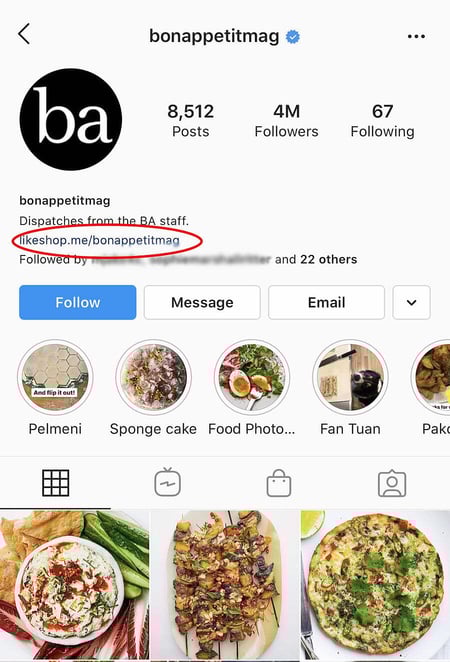 Plus, if you have a verified Instagram account, you can also add links to your Story. Read more about this feature here.
13. Sell products from Instagram using Shoppable Posts.
You might already know you can tag people in your Instagram posts as (or after) you post new content. Now, you can tag products — and direct your viewers to a product page to buy what they saw.
To Add an Instagram Business Account
You’ll need an Instagram Business account to publish shoppable posts. You can get one by selecting “Edit Profile” on your Instagram profile and tapping “Try Instagram Business Tools,” as shown below.
To Tag a Post With Products
Once you’ve launched an Instagram Business account, you’ll need to enable product tags to use them on a post that depicts a product. Navigate to your settings using the gear icon from your profile page, and select “Products.” Tap “Continue” and follow the prompts to connect a “product catalog” to your business profile.
With product tags enabled on your Instagram Business account, you can now upload new posts and tag your photo with products you find from your product catalog. Here’s what a shoppable post can look like:
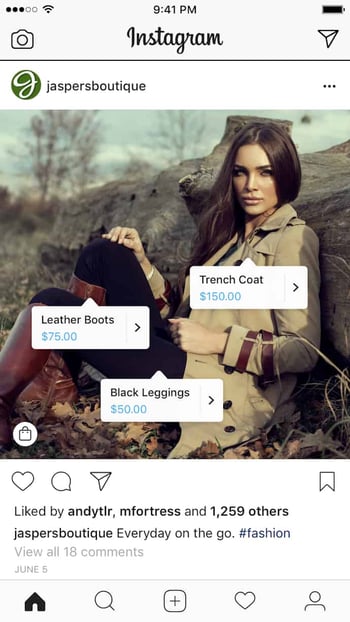 Image via Instagram
14. Create an auto-complete quick reply for standard responses.
Responding to user comments and questions is incredibly timely, but fortunately, there’s a hack to streamline the process and make it more efficient. (Note: This only works on Instagram Business accounts.)
You can simply create a one-to-two word phrase that can act as your shortcut to a longer standard response you might send often. To do this, click “Business” in your Settings, and then “Quick Replies” — or, click the three-dot chat bubble icon on bottom of screen, and then click “New Quick Reply”.
Add a shortcut you can enter for the response. For instance, you might type “returnpolicy” as the shortcut for a longer response, i.e.: “Hey there. We’re sorry you don’t love your purchase. Fortunately, we permit 30-day returns, no questions asked. Please send us your order confirmation number to get the process started.”
Once you’ve added a shortcut, you can either type the shortcut “returnpolicy” into the comment box when you want it to auto-generate, or you can tap the three-dot chat Quick Replies bubble icon at the bottom of your screen to choose from a response you’ve created. (Read more about Quick Replies here.)
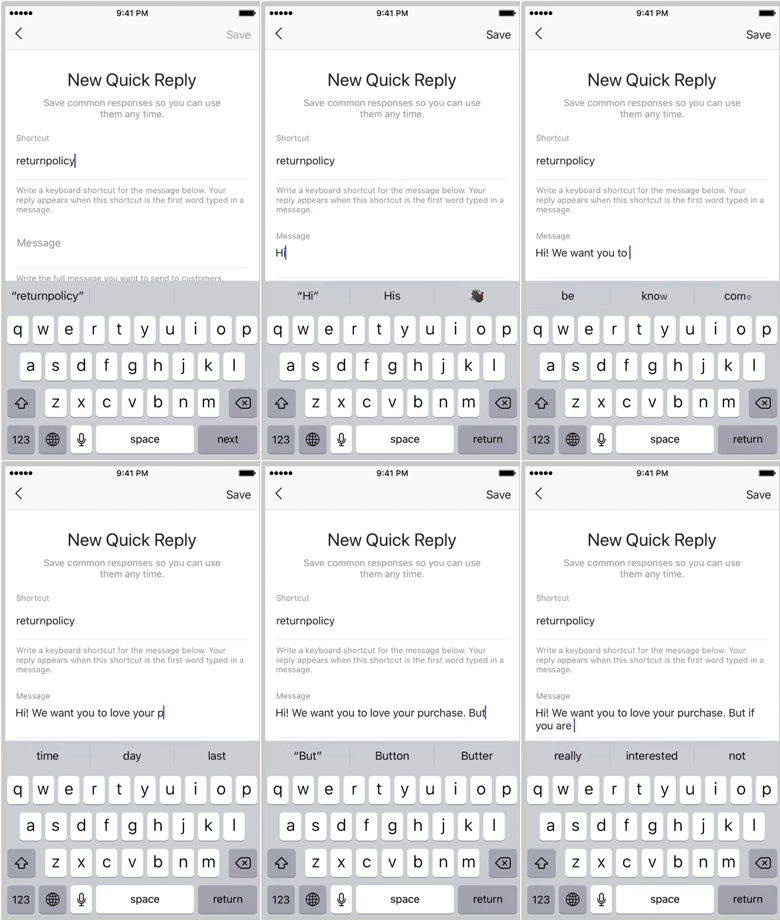
15. Pin your Instagram post to Pinterest.
Instagram doesn’t have a natural integration with many social networks (except Facebook, its parent company) for publishing Instagram posts to other social accounts.
But with respect to Pinterest, image-loving platforms stick together. Here’s a backdoor way to Pin your latest Instagram Story to Pinterest:
On the Instagram mobile app, tap a post to view it in full, then tap the three dots to the top-right of the image. Select “Copy Share URL” to attach the picture’s link to your clipboard.
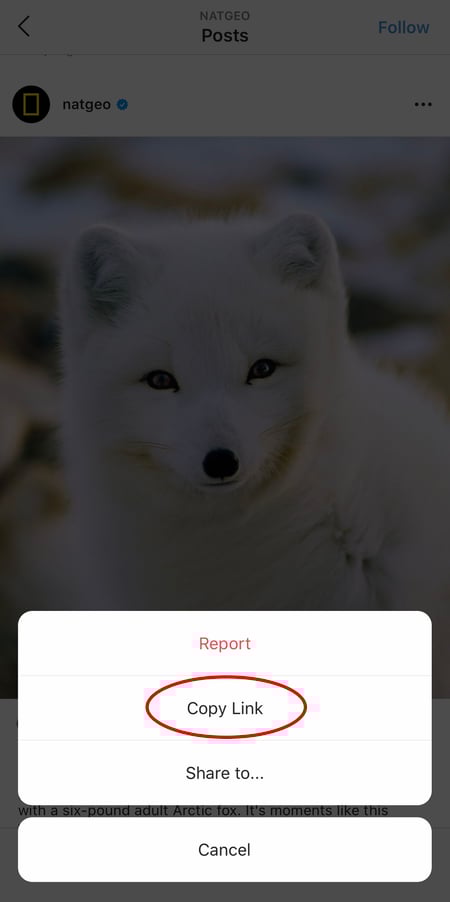
Open the Pinterest mobile app — or download it; you’ll need it for this step — and navigate to your profile page. If you have the latest version of Pinterest downloaded, it might ask you as soon as you open the app if you’d like to produce the image from your clipboard.
If not, select the “+” icon to the top right to add a new pin, and you’ll see a menu of options where you can add your “Copied Link” to a new Pin or board on your profile.
Instagram Stories Features
16. Create a collection of saved posts.
In addition to being able to view all of the posts you’ve liked, Instagram also has an option to save or bookmark certain posts in collections that you create.
Start by going to your profile, and tapping the “Settings” icon at the top-right of your screen, and then select “Saved”:
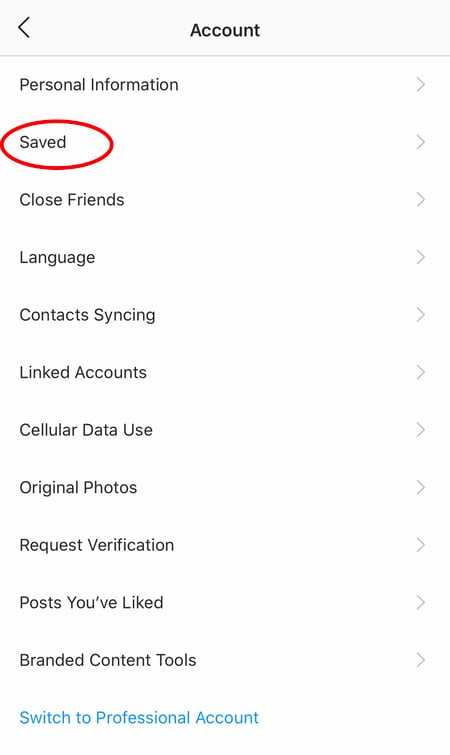
Next, press the “+” button and name your new Collection. 
Click “Next”, and select images from your “Saved” section.
To save photos for future collections, tap the bookmark icon below the post you want to add, as shown below:
 Then, go back to your saved photos by following the previous steps.
You’ll see the photos you’ve saved — to add them to your Collection, select the Collection you want to add to, and tap “Add to Collection.” From there, you can add any of your saved photos.

17. Create Stories Highlights to show Stories for longer than a day.
Like in Snapchat, posts to your story only stick around for your followers to see for 24 hours. But sometimes, you have a story that deserves more daylight to be told.
That’s where Stories Highlights comes in, a feature by Instagram that allows you to save stories together in the same space on your profile page. If you ever wondered what that “New” button with the “+” icon was below your profile image, this explains it.
To make a Stories Highlight, tap this New option and select any number of past stories in your album:

Image via
Instagram
Then, give it a cover photo and a name to display as its own Instagram Story on your profile page. You can remove Stories Highlights at any time by tapping and holding down this story.
18. Reorder Instagram Stories highlights.
The Highlights on your Instagram feed act as your brand’s portfolio — you can use Highlights to demonstrate your company’s values, showcase new products or services, or categorize various topics you post about frequently.
For instance, The North Face uses its Highlights section to highlight various initiatives that are important to the brand, including a section labelled “VOTE”, “Global Climbing Day 2020” and “Summer Basecamp”:
 Since a user can only see the first four highlights when they first come across your feed, you’ll want to ensure your first highlights are the ones you’re most proud of. To do this, simply follow this trick:
1. Hold down the highlight you’d like moved to the front of this list and click “Edit Highlight” when the slide-up appears.
2. Next, find an image or video you’d like to add to the highlight. (Don’t worry — you’ll be able to delete this within 30 seconds, so you don’t need to choose one that will stay on the highlight.)
 3. Click “Done” in the top right corner.
4. Now, your Highlight will be first in the list. To remove the image or video you just added, follow the above instructions and simply un-check the image you added. Your highlight will remain at the beginning of the Highlight reel.
19. Change your Instagram Highlights Icon without publishing it to your feed.
The image you choose for each Highlight should accurately depict what type of content users can expect to see if they tap the Highlight, so you’ll want to choose a compelling, engaging image.
However, if you have a design, logo, or image you’d like to use that isn’t in your Instagram feed, it’s still possible to make it the Highlight Icon.
To do this, click “Edit Highlight” (same as the step above):
 Next, click “Edit Cover”. Scroll through your camera roll to find an image you like.
 Once you choose an image from your camera roll, click “Done”. Your Highlight cover image is now an image you’ve never posted on your Instagram account:
20. Schedule posts in advance.
Instagram being a mobile app, you’re probably in a routine of taking photos and posting them to your Instagram Story on the fly. But, you can also pre-post them from your computer for a set day and time in the future.
This feature is available with a social media scheduling tool, as well as HubSpot if you have an Instagram business account. If you have this business profile, switch to it via the Instagram mobile app and follow the prompts to connect it to Facebook.
Depending on the social scheduling tool you use, you might not include this step. Once you’ve toggled to the right account, however, you’ll launch your scheduling tool, navigate to your current connected profiles, and see Instagram as an available integration.
21. Use ‘Type Mode’ to enhance your Instagram Stories.
Instagram Stories is a feature of Instagram that allows you to post ephemeral photos that show up separately from your profile and only last 24 hours. It’s a great function for helping like-minded users discover your profile on Instagram’s homepage.
But since its beginning, Stories have become quite creative, and it takes more than a pretty filter to stand out to your audience. Enter “Type Mode,” an option similar to Snapchat that gives you the power to caption Stories that need extra context to resonate with someone. Here’s how to use it:
1. Open Instagram Stories by swiping right from your Instagram feed. This will launch your smartphone camera. Then, take a photo or video and press the “Aa” icon to the top-right of your screen, as shown below:

This “Aa” icon will open Type Mode, where you have five fonts to choose from: Modern, Neon, Typewriter, Strong, and Classic. Here’s what a sample Story looks like with Modern font:
22. Post content from other users to your Instagram Story.
Although Instagram Stories are a great way to give your content exposure on your followers’ homepages, you might not always have something Story-worthy. In those times, you can share an inspiring post from someone else through your Instagram Stories. Here’s how:
1. Find a post you want to share in your Instagram Stories and tap the paper airplane icon, as shown below.
Instagram Account: @Freddysusa
This icon will open a screen allowing you to send this post to specific followers, or add to your Story. Tap the latter option, as shown below.
Tapping this option will automatically turn the post into an Instagram Story, which you can edit and design to your liking the same way you would any other Instagram Story.
Instagram User Preferences Features
23. Get notifications when your favorite people post.
Never want to miss an Instagram post from your favorite influencers again? You can choose to get a notification every time a specific user posts a new photo. All you have to do is turn on notifications for each user individually.
To turn on these notifications, visit a user’s profile, click the three dots in the upper right-hand corner of the post, click “Notifications” from the menu, and finally toggle on notifications for either posts or stories from the menu that appears.
 Instagram Account: Jen Reed @thesisterstudioig
Want to turn post notifications off? Just follow the same steps. It’s important to note that you must enable notifications from the Instagram app in your phone’s settings — here’s how.
- To allow notifications on iPhone/iPad: Go to “Settings,” then “Notifications.” Choose “Instagram” and then turn on the setting to “Allow Notifications.”
- To allow notifications on Android: Go to “Settings,” then choose “Apps,” then “Instagram.” Select the option to show notifications.
24. Hide Photos You’ve Been Tagged In
When someone tags you in a photo or video on Instagram, it’s automatically added to your profile under “Photos of You,” unless you opt to add tagged photos manually (see the next tip).
To see the posts you’ve been tagged in, go to your own profile and click the person icon below your bio.
 Next, click on an individual post (any in the group of tagged photos) and click “Edit” in the top right. Then, click “Manually Approve Tags”:
Then, to hide the posts you’ve been tagged in from other users, select the posts you’d like to remove from your profile, and when you’re done, tap “Hide Photos” at the bottom of your screen. When prompted, tap “Hide From Profile.”
This won’t remove the posts themselves from Instagram, but it will remove them from your profile, so you and others can’t access them.
25. Adjust your settings to approve tagged photos before they show up in your profile.
As we mentioned in the previous step, when someone tags a photo or video of you on Instagram, it’s usually added to your profile automatically. But, you can change your Instagram settings to enable manually selecting which photos you’re tagged in that show up on your profile.
To add tags manually, follow the same steps above to get to the photos in which you’ve been tagged, and click “Edit” at the top right of your screen. Tap “Tagging Options,” and select “Add Manually.”
You’ll still be notified when someone tags you in a photo. Once that happens, to manually add a tagged photo to your profile, tap the photo you were tagged in, then tap your username and select “Show on My Profile.” And if you’d rather it not be visible, choose “Hide from My Profile” instead.
26. Hide ads you don’t find relevant.
Instagram tries to show you ads that are interesting and relevant to you. You might see ads based on people you follow and things you Like on Instagram, or the third-party websites and apps you visit.
If you see sponsored posts you don’t find relevant, though, you can let Instagram know and slowly teach its algorithm what you like and don’t like to see.
To hide ads on Instagram, tap on the three dots to the right of a post labeled “Sponsored,” and choose “Hide This.”
From there, it’ll ask you to share why you don’t want to see the ad anymore.
You can also opt out of seeing ads based on sites and apps off of Instagram and Facebook from your device’s settings. Note that even if you choose to opt out of seeing these types of ads, you’ll still see ads based on your Instagram and Facebook activity.
- To limit ad tracking on an iPhone/iPad: Go to “Settings” and choose “Privacy,” then “Advertising.” From there, choose the option to “Limit Ad Tracking”
- To turn off interest-based ads on Android: Go to “Google Settings,” then “Ads.” From there, choose the option to “Turn off interest-based ads.”
27. Send photos privately to your friends.
Posting photos with all of your followers or with the public isn’t the only way to share content on Instagram. You can also share them with individual or multiple users, kind of like a Facebook message or group text message.
You can either send a new photo to friends, or send a photo that you or someone else has already posted.
To send a new photo privately, upload a photo and begin editing it, as you would when editing a new post. When you get to the “Share” page, tap the top where it automatically says “New Post,” but when prompted, select “Direct Message.” From there, you can pick and choose whom you’d like to send the photo to.
You can access your direct messages at any time by clicking the mailbox icon at the top right of your homepage.
To send an existing photo privately, start by opening the post you want to share — it can be your own or someone else’s, as long as the latter has a public account. Next, click the paper-airplane-like icon below the post, then select who you want to receive it when the “Send to” box appears.
User Search Features
28. Search Instagram users without an account.
As much as Instagram would like to see you ultimately create an account for yourself or your business, you can peruse the beautiful brands, people, and dogs that are waiting for you without an account to see if it’s worth signing up.
There are two ways to search for people on Instagram without logging in:
Entering a Username at the End of the Instagram URL
The first way to search users without an account is by using an Instagram username you already know, and adding it to the end of “www.instagram.com/.”
For example, if you were to start with our Instagram username — which is simply “HubSpot” — you can enter the following into your browser’s address bar: www.instagram.com/hubspot. This will bring you to our Instagram profile as well as the elusive search bar at the top of the page:
Once you’ve reached this page, you can use the search bar to the left of the “Sign Up” button to browse users who are already active on the platform.
Googling Them in an Instagram Site Search
A slightly “hackier” way of looking up users without an Instagram account of your own is to simply search their name in a Google site search. This means telling Google to only look up search terms on a website of your choice (in this case, Instagram).
To site search a user, open a Google search and type the following: “site:instagram.com [name of user].”
By keeping all the text prior to the brackets in your search bar, you can shuffle through names of people and businesses and Google will produce results that live only on Instagram. Here’s what a site search looks like for HubSpot, below. As you can see, Google produces our main profile, our culture-focused HubSpot Life profile, Instagram posts that include the #hubspot hashtag, and our HubSpot Academy Page.
29. Upload and browse video content on IGTV.
IGTV is one of the biggest new features by Instagram to date. This acronym, as you might assume, stands for “Instagram TV,” and it’s basically an Explore page just for users’ video content. The main benefits of IGTV? You can upload videos more than 60 seconds long, and you can create your own channel with, perhaps, a video series that can be broadcast across other video platforms like YouTube.
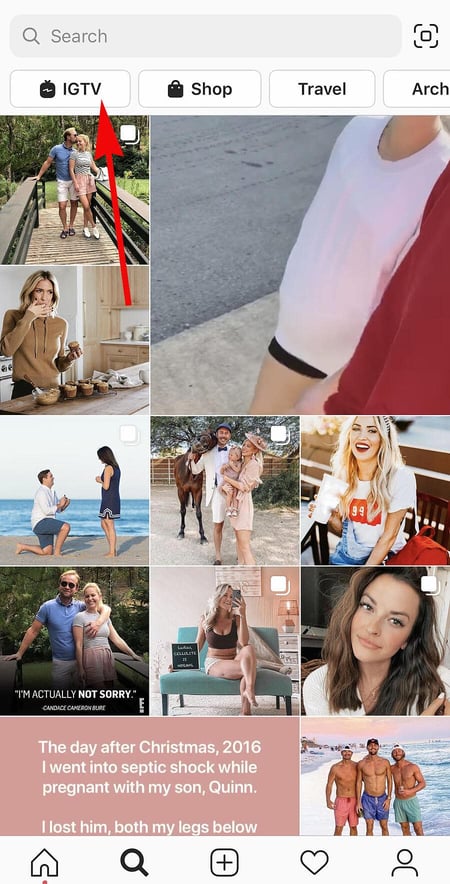
Navigate to IGTV by going to your Explore page and selecting “IGTV” at the top, as shown above. A page will appear featuring topics and videos by some of the most prolific IGTV video creators on the platform today.
As you view more videos, the topics you see on the IGTV homepage will begin to adapt to your interests and serve you more content around those interests. And, naturally, the same goes for your target audience.
Create an IGTV channel by tapping the “+” icon to the top right of your screen, as shown below:
With an IGTV channel created, you can then upload videos directly from your smartphone’s camera roll to your channel.
30. Look through pictures without accidentally liking them.
It’s pretty easy to learn how to like something on Instagram — so easy, in fact, that people do it accidentally: It’s just a quick double tap of the photo once you’ve entered its full view.
The thing is, it’s so easy to do quickly by mistake.
So, here’s a quick Instagram cheat for you: To look through someone’s photos without “double-tap paranoia,” scroll through Instagram feeds with your phone set to airplane mode. Without internet access, you won’t be able to Like a photo, even if you accidentally double-tap it.
The pictures won’t load in the first place if you start on airplane mode, though. You’ll have to go to the feed first to load the posts, then turn on airplane mode, then start scrolling.
When you reach the end of the first rows of posts and want to load more, simply turn airplane mode off, let more load, and then turn it on again. Cumbersome? Maybe a little, but it could be worth the paranoia mitigation.
- To turn on airplane mode on an iPhone/iPad: Swipe up from the bottom of the screen and click the airplane icon. Or, go to “Settings” and then “Wi-Fi,” and switch “Airplane Mode” on.
- To turn on airplane mode on an Android device: Swipe down from the top of the screen. Then, swipe from right to left until you see “Settings,” and then touch it. Touch “Airplane Mode” to turn it on.
31. Browse posts from certain locations.
One fun thing you can do on Instagram is browse photos and videos from a specific location, or taken near your current location. I like to do that when I’m planning a trip somewhere, or want to check out a new restaurant and scroll through the pictures taken there.
Here’s how to do both of these things.
To Browse Posts From at a Specific Location:
You can either search for a specific place, or you can click into a geotag on an existing photo.
To search for a specific place: Tap the magnifying glass icon at the bottom of your home screen, which will bring you to the general search page. When you click into the search bar at the top, four tabs will appear. Choose “Places,” and type in the name of a place. When you press “Search,” it’ll show you all the top and recent posts that were geotagged with that location.
 To look at posts with a certain geotag: Go to the photo that’s geotagged with that location, and click the geotag. It’ll show you all the top and recent posts that were geotagged with that location.

Browse Posts Near Your Current Location:
Follow the same instructions above to get to “Places.” Tap the search bar, and select “Near Current Location.”
Choose which geotag you’d like to browse from the options that appear. Let’s say I chose to browse posts with the Museum of Science geotag. When I click “Museum of Science, Boston” on the menu, I’ll see the top and recent posts that were geotagged at that location.
How to Get Verified on Instagram
A verified badge (the blue check beside a celebrity or brand account name) tells users that you’re, in Instagram’s words, “the authentic presence of a notable public figure, celebrity, global brand or entity it represents”.
For instance, there are plenty of “Reese Witherspoon” fan pages on Instagram, but there’s only one real Reese Witherspoon account, as verified by the blue badge:
To request a verified badge, you must be a public figure, celebrity, or brand and meet certain requirements. If you’ve determined you fit Instagram’s criteria for verification, follow these steps to request a badge:
- Go to your profile (the person icon in bottom left corner).
- Tap the three lines in the top right corner.
- Click “Settings” > “Account” > “Request Verification”
- Fill out the form, including username, Full Name, Known As, Category, and government-issued phoot ID.
- When you’ve filled out all form fields, click “Send”.
It’s important to note, you won’t necessarily receive a verified badge if you request one. Learn more about what happens after you request a verified badge.
Instagram Features & Hacks
I might be biased, but Instagram is one of the most fun (and visually appealing) social apps around. And now, with these tricks, you can use it to an even fuller extent.
Plus, many of these features can help to enhance your brand’s presence on Instagram. Now, you know how to use the app more efficiently, to make sure you’re only tagged in photos you want to appear on your profile, and have even more ways to engage with the people by whom you’d like to be discovered.

How Market Intelligence Will Make Your Marketing Team More Agile
When I was younger, my dream was to open a cheese store with my family. My mom, brother, sister, and I — we’re all obsessed with cheese.
So anytime I see a cheese store, I’ll go in and sample everything … for research, obviously.
Although I’d never thought about it this way before, I was already thinking in terms of market intelligence and market research (two different concepts, but more on that below).
![→ Download Now: Market Research Templates [Free Kit]](https://no-cache.hubspot.com/cta/default/53/6ba52ce7-bb69-4b63-965b-4ea21ba905da.png)
I was thinking about the product and its competitors.
As a marketer, market intelligence is important because it can help you understand your position in the market, evaluate your product, know your target audience, and conduct competitive analysis.
With this information, your marketing team will be better equipped to position your company in the marketplace. For companies that prioritize intelligence data, decision-making can be five times faster.
Feeling hesitant to rely on intelligence data? Gartner reports over one-third of organizations will rely on decision intelligence by 2023, making data intelligence a must for remaining competitive.
Below, let’s review what market intelligence is, how it’s different from market research, and the intel tools that can facilitate the process.
Market intelligence is used to learn about the existing market, customers, problems, competition, and growth potential. Businesses can gather this information through internal and external sources such as sales logs, surveys, social media, news websites, manufacturers, clients, or distributors.
For instance, companies can gather general demographics and spending habits of their consumers to write better, more targeted social media ads. Additionally, market intelligence can help a company make decisions on product development and establish a stronger brand.
How to Gather Market Intelligence
So, what type of information should you collect? Generally, market intelligence can be divided into four main categories of information:
Competitor Intelligence
This is the process of learning more about your competitors. To do this, you might conduct a SWOT analysis, so you can look at the competition’s strengths and weaknesses. The goal is to uncover why customers would choose competitors over your product or service.
Product Intelligence
Once you’ve analyzed how you compare to your competitors, look inward at your own product or service. The goal is to learn about its quality and performance and identify opportunities for improvement.
If you have a physical product, you should also analyze your manufacturing process. Are you building your product in the most efficient way? This information should help you improve the user experience and improve your product.
Market Understanding
To truly understand how your product is performing, you’ll have to look at the various markets where it’s available. Could you expand your product to other markets? Are there other markets that could benefit from your product or service?
Ultimately, this information should help you understand where your audience is and what gaps exist, so you can fill them.
Customer Understanding
Understanding your customer helps to increase your product or service life cycle. That’s because it’s usually more expensive to gain a new customer than to keep an existing one.
For this reason — and many others — you have to know your audience. Why do your customers buy from you? What challenges do you help them resolve? The goal here is to gather the information that can help your marketing team come up with targeted campaigns.
Overall, gathering market intelligence should answer questions like:
- Where should we devote more resources?
- What markets can we enter next?
- What are our customers purchasing patterns?
- What audiences should we market to?
Now, you might be wondering, “How do I gather this information?”
To conduct market intelligence, you’ll use internal and external sources of data, such as:
- Surveys
- Polls
- Forms
- Focus groups
- Interviews
- Observation
- A/B tests
- Competitor tracking analytics
Depending on the analytics you have available, a lot of this information can be found on your content management system (CMS) or customer relationship management (CRM).
However, before we jump into the software you can use to find this information, I know you’re probably thinking, “How is this different from market research?” Let’s dive into that below.
Alternatively to market intelligence, market research focuses on learning more about the buyer’s research process and what influences their buying decisions.
Example of Market Intelligence
Let’s walk through an example of how a fictional company could use market intelligence to create a competitive advantage.
JKL Podcasting Co offers online software podcasters can use to record, edit, and distribute their podcast to major streaming platforms. As marketers at JKL look to expand the company’s user base, they performed an in-depth analysis of the market for podcast recording software.
In this analysis, they covered four areas:
- Competitor landscape — They identified the top-ranking podcast recording software companies to understand their product features, pricing model, sales funnel, marketing tactics, and customer demographics.
- Product — After gathering competitor information, they worked with their product team to gain a deep understanding of their own product including key features, how it was like competitor products, and what differentiated it from competitor products. They also learned about up-and-coming features launching later in the year.
- Market analysis — Next, the team did research to understand the overall valuation and growth potential of the podcast recording software market. They learned podcast listenership has grown over the past decade and is expected to grow more in coming years, which could lead to more podcasts being produced. With seeing growth and investment in the podcasting space, along with increased interest in people wanting to start podcasts, marketers at JKL learn there is a potential market for new, or up-and-coming podcasters who want easy-to-use software.
- Customer base — Finally, the JKL marketing team reached out to a focus group of their current customers to understand their relationship to the product. The customers walk them through their podcast production workflow using JKL software and share what features they love, along with what new features or changes they would like to see.
After going through this exercise, JKL has gained valuable insight into their competitive landscape, product features to highlight, market growth opportunities, and ways to keep their current customer base engaged and using the platform.
You’re probably wondering, “How do I gather this information?” Below, let’s review what tools and software you can use.
Market Intelligence Tools
For market intelligence to be useful, companies need to conduct research and sort through their collected data for analysis. A lot of this can be done through your CRM software.
To start, many CRMs allow you to create competitor profiles in which you will track your competitors’ products, price points, organizational updates, social media activity, and more.
You’ll likely also find battle card templates in your CRM, making it easy for your sales reps to access the information they need during their calls to combat objections and persuade prospects.
In addition, you can conduct regular win/loss analysis with your sales team to determine strengths and weaknesses in your sales and/or marketing strategy. You’ll want to know:
- What factors are contributing to your wins and losses?
- What other company was the prospect considering for the sale? Why?
- Which competitors are you beating and which ones you are losing to?
If you don’t already have a CRM, there are many out there that cater to businesses ranging from small to enterprise-level. Pricing is usually structured on a monthly basis and can range anywhere from $20/month to $1200+.
If your team would rather focus on specific tools, there are several online options to help you achieve your goals. Below are a few we recommend, divided into sections depending on your goals. Additionally, if you’re a HubSpot user, many of these tools integrate with HubSpot.
Competitor Intelligence
1. HubSpot’s Marketing Hub
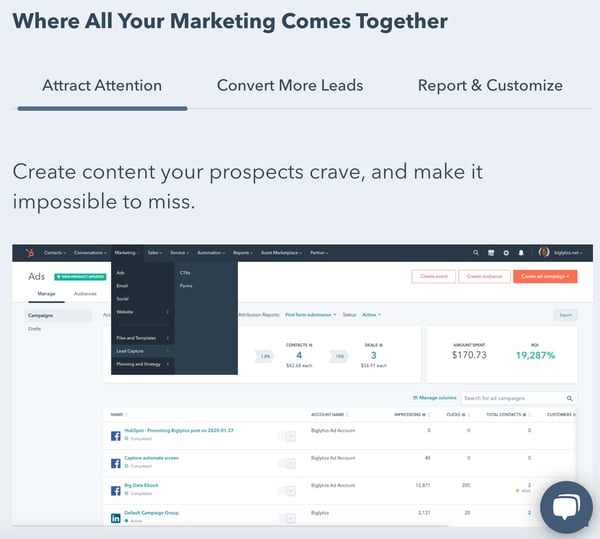
HubSpot’s Marketing Hub has extensive tools to help marketing teams manage, track and scale their efforts. The platform offers both free and premium subscription plans ranging from $45 to $3,200 a month.
2. Crayon
Crayon is one of the leading competitive intelligence (CI) tools in the industry. Its software can fetch and categorize data from over 300 million sources.
The platform also makes it easy for sales and marketing teams to find the intel they need, through battle cards, email digests, and a centralized dashboard.
For pricing information, you must contact the company.
3. SEMrush
If you want to track your competitors’ SEO performance, SEMrush is a great place to start. The platform has extensive tools, including keyword research, domain overview, and keyword difficulty. This will give you more insight into your competitors’ strategies and how their efforts are performing.
Similar to HubSpot, SEMrush offers a free version of its platform. It also offers premium subscription plans ranging from $119 to $449 a month.
Product Intelligence
1. SurveyMonkey
Surveys are one of the best ways to learn more about how customers are responding to your products. Survey Monkey allows you to customize your survey to get the insights you need. Beyond a wide range of survey features like advanced survey logic and pagination, the platform also has tools to promote team collaboration.
Access to Survey Monkey starts at no cost, but their premium versions begin at $25/month.
2. InMoment

InMoment, formerly Wootric, an analytics platform that helps you learn more about customer sentiment. You can gather real-time analytics, which arms your team to make decisions quickly.
The platform also has many integrations for easy team collaboration, including Slack, Zapier, and HubSpot.
For pricing details, you must contact the company.
3. Metadata
Metadata is a SaaS company that helps B2B brands generate demand for their products and/or services. On the platform, you can identify audiences, conduct experiments, and track the full sales journey.
Pricing starts at $3,950 for growing companies, with custom plans available for enterprise-level businesses.
Customer Understanding
1. Google Forms
The stand-out feature on Google Forms is the simple and easy-to-use interface. In just a few minutes, you can have a survey ready to send out to your audience to collect data. You can receive alerts every time someone answers your survey and add collaborators.
The best part? It’s free for individuals and included in your plan if you have a Google Business account.
2. CallTrackingMetrics
Too often, there’s a disconnect between sales and marketing teams – CallTrackingMetrics helps solve that. The platform offers a robust analytics tool that can identify which marketing campaigns are driving conversions, automate call processes for smoother interactions, and provide analytics — all in one place.
Pricing ranges from $39/month to $299/month, with custom plans available.
3. Google Analytics
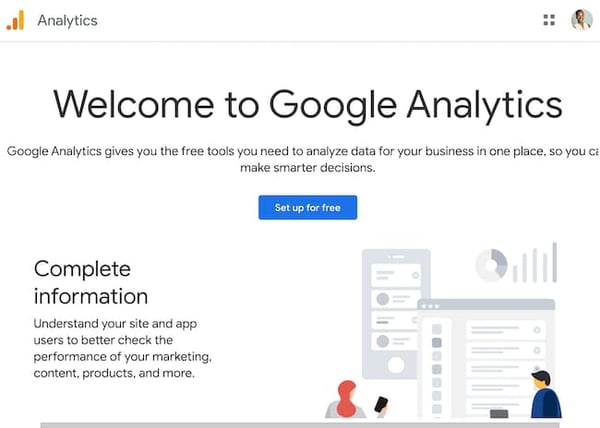
Google Analytics is a website analytics tool with powerful reporting capabilities to understand how users are behaving on your site. It’s a great software for brands that are already using other Google products, such as Google Ads or Google Business, as they work together seamlessly.
On the platform, you can get detailed reports by goal: acquisition, retention, engagement, and monetization. The visual dashboard also allows you to get a snapshot of your site is performing.
The standard version is free and ideal for small to medium-sized companies. Entreprise-level businesses must contact sales for pricing.
How To Leverage Market Intelligence Data
Once you start collecting data, unpacking it is the next step.
But before you dive in head-first, come back to your goal. What do you want to learn and why? Use that to steer your approach.
Having a clear direction is essential during this stage to narrow down what data to focus on. You’ll be compiling a lot of data, and not all of it will be relevant to your main objective. Knowing which will be most impactful will save you so much time and allow you to use your resources efficiently.
Now that you know what to focus on, start organizing and reviewing your data. You’ll want to look for patterns. During this step, keep an open mind. Confirmation bias (the tendency to interpret information to support a pre-existing idea or belief) can greatly impact how you interpret data, so it’s important to consider all perspectives.
Once you identify a theme or trend, dive deeper to answer the 5Ws. When did it start? Who or what is influencing this? Why is it happening? Where else is this trend identified?
From there, it’s time to strategize. Based on what your data is telling you, you can develop an action plan and make recommendations to key stakeholders.
For instance, let’s say your latest intel revealed that consumers are unaware of a key feature in your product line, which is steering them toward your competitors. Your recommendation could be to launch a marketing campaign that highlights that feature, create stronger messaging on your website product pages, and adjust the sales team’s scripts to place more emphasis on this feature and how it’s better suited for your customers than a competitor’s.
The formula is easy: collect, organize, identify, and recommend. Understanding your market is key to entering the market and maintaining your place in it. But if you want to stand out among your competition, you’ll need to leverage market intel.
Market intelligence can give you a holistic view of the market, improve customer retention, boost your efficiency, and give you a competitive advantage. So, I’m not being hyperbolic when I say market intelligence is vital for your company to succeed.

7 Steps to Create a Complete Marketing Strategy in 2022
The truth is, keeping up with marketing trends could be a full-time job.

In 2022 alone, we’ve seen a major shift to short-form video content; the rise and fall of new platforms (looking at you, Meta); and the continuing impact of the global pandemic. In short, what worked for your marketing strategy in the past might not fly today.
To succeed in the fast-paced marketing world — and maintain a sense of relevance with your audience — it’s vital to stay ahead of the curve.
To help ease some of that uncertainty, we’ve created this guide to show you step-by-step how to create a marketing strategy that leaves no stone unturned.
Let’s dive into the critical components of a complete marketing strategy in 2022, followed by some examples for inspiration.
The Importance of Customer-Driven Marketing Strategy Steps
A robust marketing strategy will reach your target audience – this includes those who have never heard of your brand all the way to repeat customers.
Without a defined strategy, you’ll essentially be throwing things to the wall to see what sticks. And it’s costing you cost, time, and resources.
A marketing strategy will:
- Align your team to specific goals.
- Help you tie your efforts to business objectives.
- Allow you to identify and test what resonates with your target audience.
There are seven key steps to crafting a successful marketing strategy: Build your marketing plan, create your buyer personas, identify your goals, select the tools, review your existing resources, audit and plan media campaigns, and lastly, execute your strategy.
Let’s get into the details of each step in the next section. Or you can jump to the section you’re most interested in.
1. Build a marketing plan.
Wait, I have to make a plan for my strategy? What’s the difference?
Your marketing strategy provides an overview of the reasons why your marketing team will need certain resources, take certain actions, and set certain goals over the year. Your marketing plan is the specific actions you’ll take to achieve that strategy.
Not sure where to start? This free marketing plan template can help.
The right template can help you build a marketing plan that identifies your budget for the year, the initiatives your marketing organization needs to tackle, and the marketing channels you’ll use to implement those initiatives.
Plus, it’ll tie everything back to a business summary, to keep you aligned with overarching company goals.
2. Create buyer personas.
If you can’t define who your audience is in one sentence, now’s your chance to do it. A buyer persona is a snapshot of your ideal customer.
For example, a store like Macy’s could define a buyer persona as Budgeting Belinda, a stylish working-class woman in her 30s living in a suburb, looking to fill her closet with designer deals at low prices.
With this description, Macy’s Marketing department can picture Budgeting Belinda and work with a clear definition in mind.
Buyer personas have critical demographic and psychographic information, including age, job title, income, location, interests, and challenges. Notice how Belinda has all of those attributes in her description.
You don’t have to create your buyer persona with a pen and paper. In fact, HubSpot offers a free template you can use to make your own (and it’s really fun).
You can also use a platform like Versium, which helps you identify, understand and reach your target audience through data and artificial intelligence.
Buyer personas should be at the core of building your strategy.
3. Identify your goals.
Your marketing strategy goals should reflect your business goals.
For example, if one of your business goals is to have 300 people attend your annual conference in three months, your goal as a marketer should be along the lines of boosting online registration by 10% at the end of the month to stay on track.
Other marketing goals might be to increase brand awareness or generate high-quality leads. You might also want to grow or maintain thought leadership in your industry or increase customer value.
Whatever your goals, identify what they are and how your marketing organization can work to achieve them over the next year.
4. Select the appropriate tools.
Once you have your goals identified, make sure you have the right tools to measure the success of those goals.
Online software like social media schedulers gives you analytics to help you keep track of what your audience likes and doesn’t. Alternatively, you might consider Google Analytics to measure blog and web page performance.
Additionally, make your goals SMART – to do so, take a look at How to Write a SMART Goal [+ Free SMART Goal Template].
Here are a few tools that can help you track and measure the success of your marketing goals:
HubSpot Marketing Hub
The Marketing Hub allows you to consolidate all of your marketing tools into one centralized platform.
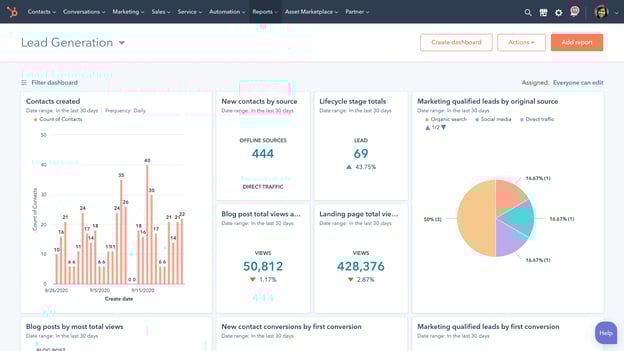
Too often, you’ll find a tool that’s powerful but not very easy to use. With this tool, you can attract users with blogs, SEO, and live chat tools. You can then convert and nurture those leads through marketing automation, the landing page builder, and lead tracking features.
With custom reporting and built-in analytics, you can analyze your data and plan out your next move. Plus, HubSpot Marketing Hub integrates with over 500 tools.
Pricing: Free; Starter, $45/month; Professional, $800/month; Enterprise, $3,200/month.
Trello
Trello keeps your marketing team on track and openly communicating about the projects they’re working on. Create boards for individual campaigns, editorial calendars, or quarterly goals.
Built-in workflows and automation capabilities keep communication streamlined, and simplicity keeps your marketing team focused on the work that matters.
Pricing: Free; Standard Class, $5/month; Premium Class, $10/month for 100 users; Enterprise, $17.50/month for 250 users.
TrueNorth
 TrueNorth is a marketing management platform built to help you hit your marketing goals. Built specifically for marketing teams, TrueNorth turns your marketing strategy into a visual projection of your growth, which is used to create monthly milestones that help you stay on track.
One of the key benefits of TrueNorth is that it centralizes all of your ideas, campaigns, and results in one place, with everything tied back to your goal.
Pricing: $115/month (free for 30 days).
Monday.com
 Everything on Monday.com starts with a board or visually driven table. Create and customize workflows for your team and keep groups, items, sub-items, and updates synced in real-time.
You can also transform data pulled from timeline and Gantt views to track your projects on Monday.com and ensure deadlines have been met. Plus, with more than 40 integrations — from SurveyMonkey to Mailchimp and, of course, HubSpot — you can visualize your data and ensure your whole company is collaborating.
Pricing: Basic, $8/month/seat; Standard, $10/month/seat; Pro, $16/month/seat; Enterprise, contact for pricing.
SEMrush
 SEO continues to be a huge factor in the successful ranking of your website.
SEMrush allows you to run a technical SEO audit, track daily rankings, analyze your competitor’s SEO strategy, research millions of keywords, and even source ideas for earning more organic traffic.
But the benefits don’t stop at SEO. Use SEMRush for PPC, building and measuring an effective social media strategy, content planning, and even market research.
Pricing: Pro, $119/month; Guru, $229/month; Business, $449/month.
Buzzsumo
BuzzSumo allows you to analyze data to enhance and lead your marketing strategy, all while exploring high-performing content in your industry.
Use the platform to identify influencers who may help your brand reach, monitor comments, and find trends to make the most of every turn.
As your needs evolve, you can also leverage their crisis management and video marketing tools.
Pricing: Plus, $179/month; Large, $299/month; Enterprise, contact for pricing.
Crazy Egg
 Need to optimize your website this year? Consider getting started with Crazy Egg. You’ll be able to identify “attention hotspots” on your product pages, track ad campaign traffic on your site, and understand if shoppers are clicking where you want them to.
You can even make sure your “Buy Now” buttons are in the best place.
Crazy Egg also offers recordings, A/B testing, and more to help ensure your website is offering the best user experience.
Pricing: Basic, $24/month; Standard, $49/month; Plus, $99/month; Pro, $249/month; Enterprise, contact for pricing.
5. Review your media.
Decide what you already have in your arsenal that can help you create your strategy. To streamline this process, think of your assets in three categories – paid, owned, and earned media.
- Paid media means any channel you spend money on to attract your target audience. This includes offline channels like television, direct mail, and billboard to online channels like social media, search engines, and websites.
- Owned Media refers to any of the media your marketing team has to create: pictures, videos, podcasts, ebooks, infographics, etc.
- Earned media is another way to say user-generated content. Shares on social media, tweets about your business, and photos posted on Instagram mentioning your brand are all examples of earned media.
Gather your materials in each media type and consolidate them in one location to have a clear vision of what you have and how you can integrate them to maximize your strategy.
For example, if you already have a blog that’s rolling out weekly content in your niche (owned media), you might consider promoting your blog posts on Twitter (paid media), which customers might then reTweet (earned media). Ultimately, that will help you create a better, more well-rounded marketing strategy.
If you have resources that don’t fit into your goals, nix them. This is a great time to clean house and identify gaps in your materials.
6. Audit and plan media campaigns.
Cleaning house segues straight into this step. Now, you must decide which content is going to help you.
Focus on your owned media and marketing goals. For instance, will updating the CTAs at the end of your blog posts help you increase RSVPs to your event?
Next, look at your buyer personas. Let’s say you work for a video editing software company. If one of your persona’s challenges is adding clean sound effects to their videos but you don’t have any content that reflects that, make a 15-second demo video for Instagram to show how great your product is at solving that challenge.
Finally, create a content creation plan. The plan should include topic clusters, goals, format, and channel for each piece of content. Be sure to include which challenge it’s solving for your buyer persona.
For ideas on content creation or a more in-depth look at how to create a content plan, check out our post, The Ultimate Guide to Content Creation.
7. Bring it to fruition.
At this point, your market research and planning should help you visualize how your strategy will be executed – and by which teams.
The final step is to bring that all together and assign actions to your plans.
Create a document that maps out the steps you need to take to execute your campaign. In other words, define your strategy.
Think long-term when creating this document. A standard strategy document is 12 months. This structured timeline should be the home base for your strategic marketing efforts.
To paint an example, let’s go back to the video software company.
Maybe in January, you will launch a software update that improves the exportation process for users. In April, you want to publish an ebook that explains editing terms to your buyer personas, and in September, you plan to launch an integration with other software.
Remember, your digital strategy is unique to your business, so the document should be as well. As long as the strategy includes the pertinent details outlined in previous sections, you’ll be set.
Now that we’ve explored the critical steps of a complete marketing strategy, let’s look at some “Why didn’t I think of that?” strategies to inspire your own.
Examples of Successful Marketing Strategies
1. Regal Movies
Digital strategy: Owned media
Regal Movies took the Halloween spirit to a new level, even renaming its Twitter account to reflect the spirit of the season. This “Monster Madness” poll is a fun, interactive way to get followers invested in Regal’s content:

Regal’s tweet is an example of owned media because the company was in full control of the answers followers gave (and, apparently, American Werewolf didn’t stand a chance).
Regal effectively kept true to their brand by using only classic movies in their poll while still putting a modern spin on it.
This is also a good example of how retweets don’t necessarily equal success. While four retweets aren’t that big of a deal, check out the votes: 461. That means there were over 400 interactions with a single tweet.
2. La Croix
Digital strategy: User-generated content, earned media
User-generated content is one of the best ways to gain traction in your strategy.
It demonstrates your appreciation for loyal customers, builds community, and also incentivizes other users’ to promote your products for the chance at a similar shout-out.
Plus, sometimes the content your brand loyalists create is really, really good.

In this case, the consumer is praising the brand’s product. Doesn’t get better than a fantastic review like that.
3. Small Girls PR
Digital strategy: Event marketing
Wait, is that Keke Palmer?

Small Girls PR is a boutique PR company based in New York, and one of the company’s talents is throwing amazing events for their clients, like Olay. This event recap carousel on Instagram is an effective event marketing example, as it boosts awareness for your brand and offers social proof by featuring a public figure.
4. Superside
Digital strategy: Paid media
Design agency Superside launched an Instagram ad to promote a lead magnet: Their digital ad design guide. While the brand may have created the guide specifically for paid promotions, it’s also possible that they repurposed a high-performing blog post into a downloadable ebook.
In this case, all they had to do was repackage their current content, build an ad around it with creative assets, and run it.
In previous sections, we discussed the power of leveraging multiple forms of media in your marketing strategy. This is a great example of it.
5. Target
Digital strategy: Paid media, Twitter cards
If you’ve got the budget for paid media, take full advantage of it.
Paid media is when you pay social channels, like Twitter, to promote your content on their site. By doing this, your content reaches new audiences you might not be able to reach organically:
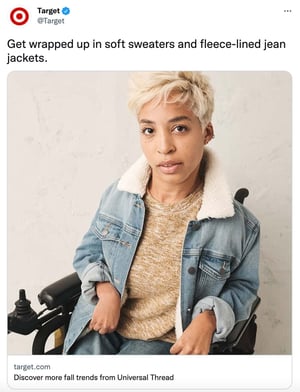
This inclusive ad from Target about fall shopping uses Twitter cards to promote the brand and make shopping easy with the click of a button.
More social channels are offering ways for shoppers to purchase in-app or close to it, driving sales and boosting exposure for brands.
What to Expect After Following Your Marketing Process Steps
Ultimately, creating a complete marketing strategy isn’t something that can happen overnight. It takes time, hard work, and dedication to ensure you’re reaching your ideal audience, whenever and wherever they want to be reached.
Stick with it (and use some of the resources we’ve included in this post), and over time, research and customer feedback will help you refine your strategy to ensure you’re spending most of your time on the marketing channels your audience cares most about.
Editor’s note: This post was originally published in October 2019. It has been updated for freshness and accuracy.


The Ultimate Guide to Writing a Cover Letter
Nowadays, companies have a computerized system that puts resumes through an online scanner which will automatically reject some applicants and push other applicants through depending on their qualifications.
So, What does this mean for you as a job seeker? Well, the cover letter attached to your application is more important than ever.
![→ Click here to access 5 free cover letter templates [Free Download]](https://no-cache.hubspot.com/cta/default/53/3f347702-d7e9-4e59-9fe4-be4cd7bad191.png)
We’ve crafted this ultimate guide to cover letters. You’ll find out how to write one that gets read, what to include, and browse tons of templates to gain inspiration.
You can dive straight in, or jump to the section you’d like to read.
How long should a cover letter be?
OK, so you’re all fired up and ready to craft the cover letter of the hiring manager’s dream. But how do you manage the fine balance between in-depth and overwhelming?
A good cover letter is long enough to communicate why the recruiter should pick you but not long enough to bore them.
One page is usually enough to cover everything you’ll need to include, without losing the recruiter’s attention. Let’s go into those items in more detail:
Your Name and Address
Kick-off your cover letter by adding your name and address to the document.
This step is pretty self-explanatory, but it allows the recruiter to easily connect your cover letter to your resume (especially if they’re being printed).
Your name and address also make it easier for the recruiter to get in touch with a job offer. And that’s the aim of our letter, right?
Their Name and Address
Similarly, you should add the name and address of the company or person you’re writing to.
This shows you’ve done your research and allows the hiring manager to receive your letter if it’s sent to a generic company email address.
The Date of Writing
Make it easier for the hiring manager to file your application by including the date on your cover letter.
Even if you’re not successful this time around, the company might store your letter and refer back to it when they’re hiring for another position.
Why You’re Writing the Letter
We know that the aim of a cover letter is to persuade the hiring manager you’re the best fit for their job.
Before you get to the good stuff, be sure to highlight the role you’re applying for, as that can get lost.
Something like this will usually do the trick:
“I’m writing to discuss the content strategist role at HubSpot.”
Why You’re a Perfect Fit for the Job
The next section of a cover letter structure is the fun part. It’s where you’ll convince the hiring manager they should hire you.
In this section, answer these questions:
- Why should this company hire you?
- What skills do you have that will help complete the job better than anyone else?
- What makes you a good employee?
- What qualifications do you have that are relevant to the role?
Once you’ve answered these, the recruiter will have a solid understanding of who you are, and (hopefully) be convinced to bring you on for an interview.
What You Can Offer the Company
Have you ever heard the advice to “always sell yourself in a job application”? That concept can be applied to cover letters as well.
Businesses measure success in terms of results. The company looking for a new employee will want to know what they bring to the table and how you fit into their business goals. New candidates are rarely brought on board solely for the soft skills listed in their resume.
That’s why this part of your cover letter structure is arguably the most important.
In two paragraphs or less, show the business what you can do — and provide examples of how you’ve done it before.
Not only does this give you the opportunity to show off your skills, but the company can picture the success you’ll bring to their business by hiring you.
Your Availability
In the marketing world, we’re always told the importance a call-to-action can make.
Great cover letters end with a brief section on the candidate’s earliest start date.
How to Format a Cover Letter
How to Address a Cover Letter
Earlier, we mentioned the importance of addressing the hiring manager by their name and address. This proves you’ve done your research and ensures the cover letter lands in the right place.
Personalized letters will always outperform generic ones, so including the first name of the recruiter can go a long way.
But in a world where privacy is held close to our chest, you might need to do a bit of digging before finding the hiring manager’s name.
Luckily, you can use the power of the internet to do this.
How to Find a Hiring Manager’s Name
Head over to LinkedIn and find the company’s profile page.
You can do this by entering their name into the search bar or searching for a link to their LinkedIn page on their company website.
Then, click the number of employees to see all employees who are on LinkedIn:
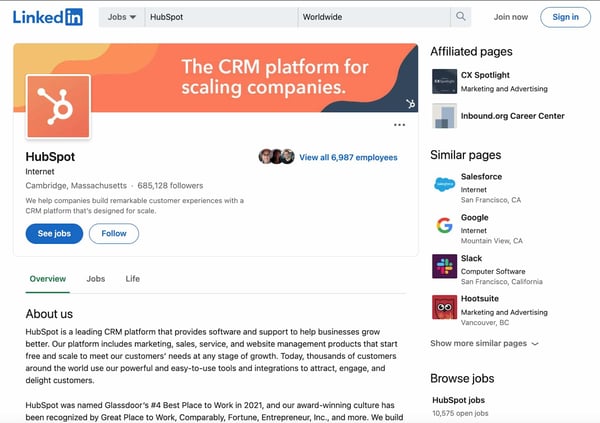
You’ll then see a list of all employees along with their titles. Simply work your way through this list to find the most relevant contact.
Keep in mind that some employees do not have LinkedIn profiles, so you may not find them using this tactic. If you’re unable to track down the hiring manager’s name, a simple “Dear Hiring Manager” will work.
How to Open a Cover Letter
After you’ve addressed the cover letter to the most relevant person, you’ll want to:
- Introduce yourself.
- List the role you’re interested in.
- Explain your interest.
Here’s an example:
“Dear Hiring Manager,
As an avid reader of the HubSpot Blog for the past five years, I am thrilled to submit my application for the content strategist role. I believe that my five years of experience working for B2B SaaS companies have equipped me with the skills needed to thrive in this role.”
In the next two paragraphs, highlight your relevant experience and include key details from each role.
How to Close a Cover Letter
Once you’ve covered
Here are some great options:
- Looking forward to hearing from you
- Sincerely
- Best Regards
Then, sign the cover letter with your full name.
Should you include salary requirements?
The cover letter should focus on why you are a good fit for the role. Discussing salary requirements doesn’t fit at this stage of your application.
Instead, it’s best to wait until you speak to a recruiter or someone from HR to discuss your expectations.
Are cover letters necessary?
Today, in many industries, cover letters are listed as optional. The question is, should you include one if it’s optional?
The answer isn’t exactly clear-cut.
Some research would suggest that cover letters may not hold the same weight as they once did. However, a cover letter can help you stand out among the competition.
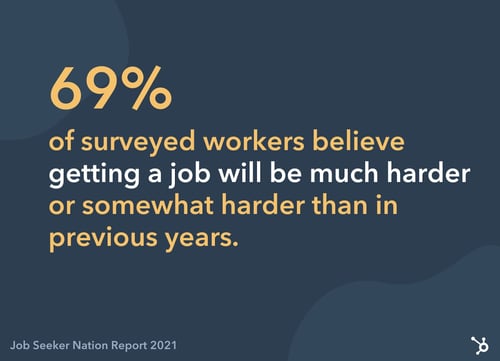
In a 2021 Job Seeker Nation Report by JobVite, 69% of surveyed workers believed getting a job will be much harder or somewhat harder than in previous years. With this in mind, adding a cover letter to your application is a great way to stand out.
Writing a cover letter will allow you to:
- Communicate with the hiring manager.
- Rely on more than just bullet-pointed lists in your resume.
- Build your personal brand.
In short: Cover letters aren’t absolutely necessary, but they do have stark advantages. If there’s an option to upload one when applying for any job, do it — even if it’s not required.
How to Write a Cover Letter
Writing a cover letter can be tricky. Even the best writers can struggle with communicating their skills in the right manner, but these tips will help you create a job-winning document.
The structure of your cover letter is arguably the most important thing about writing one.
Not only does a good structure help you to organize your points effectively, but it can help a hiring manager to quickly review the details you’re sharing.
Featured Resource: 5 Free Cover Letter Templates

Download these free cover letter templates to write a stand-out cover letter.
7 Tips for Writing Great Cover Letters
So, you’ve crafted a cover letter and you’re almost ready to hit send.
Before attaching to your resume and hoping for the best, use these seven tips to make sure your cover letter is as great as can be.
1. Keep it succinct.
Earlier, we mentioned how the best cover letters strike the perfect balance in their length.
Our best tip for writing cover letters is to avoid adding fluff that fails to add value. Every line should highlight why you’re the best fit for the role.
In addition, cut the jargon and corporate-speak that hiring managers have heard before.
Yes, professionalism is important, but be harsh and critical when editing your cover letter. If a sentence doesn’t add value, get rid of it.
2. Tailor it for the company and position you’re applying for.
The one-size-fits-all approach doesn’t fit well with cover letters.
You’re applying for different roles at various companies, but don’t let a change in name and address be the only updates you make.
Remember that a cover letter should explain why you should be hired for a specific role instead of anyone else. It’s highly unlikely that multiple companies will hire for exactly the same position, so take some time to personalize your cover letter for every position you’re applying for.
3. Don’t repeat what’s on your resume.
Although cover letters are submitted along with resumes, be wary of making them carbon copies of one another.
Instead, use the documents to compliment each other by:
- Including new skills.
- Elaborating on how your qualifications would help you in the role.
- Sharing how specific experience gives you an advantage over other candidates.
If you need to include the same thing in both documents, add “as listed in my resume …” rather than copy and pasting the same content.
4. Include data-backed examples.
When referencing experience from your resume, use your cover letter as an opportunity to explain in detail — with examples.
Examples allow the company to picture the success you could bring if they hired you, rather than the person next in their resume pile. But, data-backed examples give an extra edge.
Let’s use an example. Which of these options is more impressive?
- I increased leads for the company.
- I increased leads by 35% in one month through a single blog post, which became the company’s highest lead driver.
It’s option B, right? That’s because it’s descriptive and shows results.
5. Tell a story.
Following on from the previous step, you could elaborate on your data-backed examples by telling a story.
Storytelling helps with relatability and gives a hint of your personality in a cover letter. It also makes the recruiter remember your cover letter amongst a sea of other one-page documents in their review pile.
However, this cover letter tip comes with a warning: Don’t overdo it and make sure it’s relevant.
6. Get a second pair of eyes on it.
Even the best writers make mistakes, but they can leave a negative first impression.
That’s why our sixth cover letter tip is to get a second pair of eyes on it.
Email it to a friend or ask a family member to glance over it before you hit “send.” Ask them to highlight any spelling mistakes or suggestions to improve how you’re communicating with the person reading it.
You never get a second chance to make a first impression. Seeing as though a cover letter is one of the first documents a recruiter sees, try to make it perfect.
7. Be unique.
Finally, make your cover letter unique.
If you’re applying for a creative role, experiment with colors, subheadings, and layouts.
If you’re applying for more of a traditional role, be wary. Not everyone is a fan of bright, bold cover letters, but you can scope your limits by getting a feel of their company culture.
Are they strict and professional, or does the company like to have fun? (You can usually get a feel of this from their website or social media profiles.)
Testing the level of uniqueness can be a case of trial and error. If you’re not getting great reactions from your cover letter, revise and try again.
Cover Letter Examples
We understand that inspiration can go a long way. That’s why we’ve created a one-stop-shop for cover letter examples, which are available to view here.
You’re also free to browse our collection of cover letter samples for extra inspiration on formatting your cover letter and learning from those who’ve helped to land dream jobs.
Now you’re fully equipped to write a cover letter that will help you get your foot in the door.
Editor’s note: This post was originally published in September 2018 and has been updated for comprehensiveness.

How to Write a Press Release [Free Press Release Template + Examples]
In today’s world, brands have to generate their own buzz. Consumers aren’t waiting for the daily newspaper anymore to get their news. Instead, they’re scanning headlines on Twitter, Facebook, and other social media platforms.
One way to control the narrative surrounding your brand is through press releases. Whether it’s sharing a new product release or changes in your organizational structure, a regular cadence of meaningful news can help a company stand out and build mindshare with journalists over time.

In this post, we’ll discuss:
- What is a press release?
- Types of Press Releases
- Sample Press Release Format
- How to Write a Press Release
- Press Release Template
- Press Release Examples
- Tips for Publishing Press Releases
What is a press release/news release?
A press release is an official statement (written or recorded) that an organization issues to the news media and beyond. Whether we call it a “press release,” a “press statement,” a “news release,” or a “media release,” we’re always talking about the same basic thing.
While the heading should contain action verbs, the first paragraph should answer the “who,” “what,” “why,” and “where.” The press release should also contain understandable language and a quote.
Most press releases are succinct at just a page long – two pages tops. Ultimately, companies want to provide enough information so that news outlets have sufficient material for publishing their own stories about whatever the company is announcing in the release.
One thing to remember is that press releases live in the public domain, which means your stakeholders and customers can see them.
So, instead of thinking of a press release solely as a ticket to earning news coverage, consider it as a valuable piece of marketing content.
While there’s no cut-and-dried formula for what a press release should include, here are a few types of occasions to help you carve out a focus for your press release and determine what content would help you broadcast your news in the best way:
Product Launches
The product launch type of press release is valuable to get the word out about the new solutions your organization is offering to consumers.
It should emphasize the product’s specs, pricing, availability, and any other details that may be valuable to consumers.
Mergers and Acquisitions
Organizational change is noteworthy enough to warrant a press release, especially for informing current and future stakeholders about the growth and trajectory of a company.
To announce an acquisition or merger, include details about all organizations involved, information about the merger or acquisition, and quotes from the leadership teams.
Product Updates
Similar to a new product launch, product updates and expansions are also ripe for promotion. Explain what the change is, why it was made, and how it benefits the user.
Events
Press releases are an important component of event marketing to attract promotion from news outlets and other media sources.
You’ll want to include:
- What the event is about
- Who should consider attending
- When and where it will be held
- Pricing
Grand Openings
Whether you opened up a new office, relocated, or are opening for the first time, announce the details with a grand opening press release.
Announce the date and location the grand opening will be held, who is involved, how the grand opening is being celebrated, and the reason for the move (if applicable).
New Partnerships
Similar to mergers and acquisitions, a press release announcing new partnerships is a mutually beneficial marketing tactic.
To effectively execute this type of release, be sure to write a summary about each company, why the partnership was created, who benefits, and any additional important details for current and future stakeholders.
Rebranding
Rebranding is a difficult thing for any business to do, and it can occasionally result in confusion and awkwardness.
One way to make the transition smoother is by announcing the rebrand with a press release, including details on what is changing, the reason for making the change, dates the changes go into effect, and quotes from the leadership team.
Executive Team Changes
Executives often serve as faces of the company, and a press release functions to kick off this role.
It may include biographical information to establish their credibility along with a photo and other pertinent details.
Awards
When it comes to business excellence, it’s OK to brag. Press releases about awards and accomplishments serve to cement your organization as an authority in your space.
Such a press release includes information about the company and why they were given the award, information about the award itself, and details about the ceremony (if applicable).
When formatting a press release, you want to write it in a newsy, straightforward way so a journalist who might write about it can imagine it as an article on their news site.
To start, here are the basics every press release should include:
- Your contact information located on the top left corner
- The phrase “For immediate release” located on the top right
- A headline that quickly explains the announcement
- Your business location in the first sentence of the press release
- A quick bio about your company at the end of your press release.
You also might want to include “###” or another signifier to show the journalist that the release has ended. In the past, this prevented busy journalists from waiting or flipping the page for more information when there was no more news. However, this tradition is still adopted and highly-respected today.
Now, onto the body of your press release:
- Your first paragraph should state what the announcement while providing some context around your business and what it does.
- The next two to three paragraphs should include quotes from a company spokesperson or business executive to explain the “why” behind this announcement.
- Your last paragraph should be an “About Us” section that explains what your company is and what it offers.
In this example, Catbrella Inc., a fictitious ad agency that just gained its 10th Twitter follower after two years of paid social media efforts, announces its achievement in a press release.
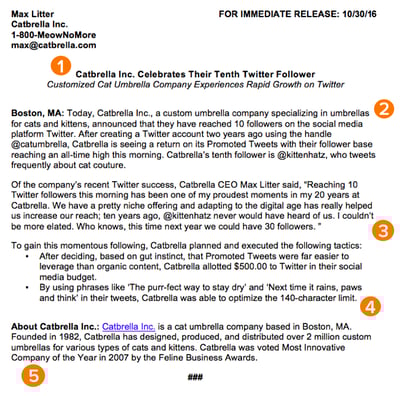
*Disclaimer: HubSpot is entirely responsible for the silliness of this faux announcement.
Writing a press release to break important company news can help businesses grow better, but doing it right is just as important. Here’s how to write a press release, like the one above, step-by-step.
1. Write a compelling headline.
You’ve got your announcement in mind, and now it’s time to get it down in words to share with your community, industry, and followers.
Just like writing the perfect blog post title, setting up your press release for success starts with your headline. You only have one line to work with, which can seem scary, but consider your words carefully to make your headline captivating.
Here are some tips to make your headline stand out:
- Use action verbs.
- Be specific.
- Keep it short.
Most importantly, make it interesting: Keep in mind that reporters get dozens, if not hundreds, of releases each day, so invest the time to write a compelling headline.
Consumers, on the other hand, see news stories all over their timelines. As such, your headline needs to be interesting enough to reel them in.
2. Convey the news value to the press.
If you want your press release to be newsworthy, you have to give readers a reason to care.
A good way to ensure this is by using the reverse pyramid formula when writing your press release: Going from the most important information to the least important.
While the first paragraph of your release should explain the who, what, where, the second paragraph should cover the why.
Reporters don’t have a ton of time to sift through details and fluffy background information — they just need the facts that’ll help them tell your story to someone else from a position of authority.
There shouldn’t be any new, crucial information covered after these sections because the readers could potentially miss them.
3. Offer a tempting quote.
Once you’ve set the scene, it’s time to bring your details to life with a quote that reporters can use for context around your announcement and help paint a picture of how your news affects the given industry, customer base, and landscape.
Ideally, quotes will be from key stakeholders in your company including your executive team, project leads, or those directly impacted by your announcement.
Quoting key figures and authorities underlines the importance of your development. The chosen quote should shape your narrative and emphasize the core of the announcement.
Don’t ask everyone in your office for a comment or feel compelled to quote all 25 people included in the acquisition. Pick one or two critical spokespeople and focus the quotes around their unique perspective.
4. Provide valuable background information on the subject.
In this last paragraph, keep in mind that the reader should already have key details they need regarding your announcement.
Offer details here that strengthen your narrative, like creative or noteworthy ways your company developed the project or announcement at hand. Or, when applicable, comment on the future implications of your announcement.
Another good way to add value to your press release is by using newsjacking. A process of relating your press release to something currently going on to make it more valuable to the journalist and reader.
5. Summarize the “who” and the “what” in a boilerplate.
Twitter is chock-full of reporters lamenting press releases or pitches that don’t clearly explain what the company does or what the announcement is actually about.
Describe what your company does in clear, plain language and include a link to your company’s website early on.
If you cite data, include a reference link for the data source, and make sure every name in the release has an associated title and company as well.
To keep yourself honest on this front, ask a colleague to read the release without context and ask them to relay the information back to you. If they can’t recall the who, what, or why get back to the drawing board.
Press Release Template
This template includes press release templates based on the type of announcement your company wants to make, whether it’s a new product, a partnership, or a change within your organization.
Download This Press Release Template for Free
This template also offers creative replacements for the traditional press release and a guide on how to create a comprehensive promotional plan. You’ll have exactly what you need to drive brand awareness and stand out among your competitors.
Press Release Examples
Many people think press releases have to be chock full of buzzwords and branded terms.
“Big data,” anyone? Five-syllable words you have to look up on Thesaurus.com? Quotes from every executive on the planet that go on for pages? We’ve seen it all. Unfortunately, so have reporters – and they are not fans.
Instead of stuffing your next release with industry jargon, take a page out of our book (OK fine, ebook), The Newsworthy Guide to Inbound Public Relations, and brainstorm some creative approaches for your next announcement.
Can you include new data? A remarkable graphic or video? A shareable SlideShare? If so, a creative angle can help carry your content and increase the likelihood of social sharing.
Now, to get you thinking on the right track, take a look at some creative press release examples below, the type of news each one is reporting on, and what makes the release unique:
1. Microsoft
Type of press release: Acquisition
The first thing that stands out in this press release is the headline. It tells a full story without being too long: It covers who’s involved (Microsoft and Activision), what’s happening (an acquisition), and why it matters (to bring the joy and community of gaming to everyone).
Throughout the press release, you get quotes from leaders in both organizations, helping explain the benefit of this acquisition and how it will move the industry forward.
Toward the bottom of the press release, you get additional context surrounding each company’s market share and how this acquisition will impact the industry.
2. Flourish
Type of press release: Team and office expansion

Organizational changes can seem relatively boring. One way to generate some interest is to include visual elements to add more dimension to the story.
In this press release announcing a team and office expansion, venture capital firm Flourish shares photos of some new hires right at the top, immediately drawing readers in.
The release dives into the reason behind the expansion and the key areas of focus moving forward. Then, we get a quick bio for each hire featured in the image, which can help build excitement surrounding the brand’s future.
The key takeaway here is: Don’t be afraid to use visual elements in your press release, as they can help draw readers in.
3. SuperCom
Type of press release: Event
As the shortest press release in the bunch, SuperCom shows that less is often more.
In this release, security solutions company SuperCom announced its participation in an upcoming conference.
When it comes to events, the most important details are date and location. As long as you have those key pieces, everything else is a bonus.
One thing that would’ve elevated this release is a quote on who can benefit from attending this event and why, as a way to reel in potential attendees.
4. HubSpot
Type of press release: Program launch
We’ve also crafted this comprehensive, easy-to-follow press release template complete with a promotional plan and considerations for your next announcement. We use these same guidelines when writing and formatting our releases here at HubSpot, and created a faux, sample release to illustrate what content goes where and why.
Tips for Publishing Press Releases
Writing a press release is really only half the battle. Once you’re finished with production, it’ll be time to focus on distribution.
Of course, we’re all familiar with the traditional distribution levers we can pull, which include publishing the press release on our website/blog as well as sharing the press release with our followers/subscribers via social media and email.
To get the maximum amount of distribution possible, here are some tips you can follow.
1. Reach out to specific journalists.
Instead of blasting a press release out to every journalist you can find an email address for, focus on a few journalists who have experience covering your industry (and company, hopefully) and send them personalized messages.
Connect the dots. Show why what you wrote connects to what they write.
2. Send the release to top journalists the day before.
Give journalists some time to craft a story around your press release by sending it to them — under embargo — the day before it officially goes live.
“Under embargo” just means they aren’t allowed to share the information in the press release until the time you specify.
3. To avoid competition, don’t publish your release on the hour.
If you’re publishing your press release on a distribution service like PR Newswire or Business Wire, avoid publishing it on the hour (e.g., 1 p.m., or 3 p.m., or 5 p.m.).
The reason? Most companies schedule their releases to go out on the hour, which means if your release goes out on the hour too, it’s more likely to get lost in the shuffle.
Instead, try going with a more distinct time (e.g., 1:12 p.m., or 3:18 p.m., or 5:22 p.m.).
4. Share your media coverage.
If all goes according to plan, and your press release gets picked up by the media, your job still isn’t finished.
To keep the buzz going, you can release a “second wave” of distribution by sharing the specific stories that news outlets write based on your press release.
You can also share the news on your digital channels, like social media and email, to bring awareness to your announcement.
How To Stand Out In The News
The key to keeping your PR strategy new school is forgetting preconceived notions of what public relations is and instead focusing on creating highly remarkable content. Traditional press releases can still be really valuable when executed well.
Instead of ditching releases as a tactic, give them a modern makeover to make them more useful for your marketing.
Think about how you’ve used inbound methods to transform your marketing strategies to be more personalized, approachable, and build relationships. Those same principles apply to your PR strategy: Create content to craft your own story and use tactful outreach to get the media familiar with (and excited about) your brand.
Editor’s note: This post was originally published in November 2019 and has been updated for comprehensiveness.

How Conversion Funnels Create a Better Customer Journey + How to Optimize Yours
Conversion funnels are a fundamental concept in sales. Personally, I like to visualize the funnel as that big scary slide you wanted to try as a kid. You saw your friends whizzing down, which sparked your interest. You watched how much fun they were having, doing your research. And then the benefits of having fun outweighed your fear, so you climbed up and flew down.
Customers take a similar journey through your company’s conversion funnel when evaluating whether or not to buy from you. You have to pique their interest, build trust, and encourage them to take action.

In this post, I’ll explain what conversion funnels are and how they impact your customer journey. Then, you’ll learn how to optimize your funnel to increase the number of people who make it to your conversion point at the bottom.
All leads begin at the top of the funnel. As they learn more about your business, they move down and get closer to purchasing your product or service. This conversion process is called a funnel because companies often have more leads than they do customers, making the top of the funnel a larger pool of people than the bottom.
Understanding how people flow through your conversion funnel is essential to being an effective marketer or salesperson because it helps you engage leads, answer questions about your business, and address concerns. It also lets you organize leads into categories and create customer touchpoints that can entice each group to convert.
That’s why every funnel should be designed for how your customers buy, not how you sell. The focus is on providing such a great experience within the customer journey that you convince them to convert.
Before diving into the details of how to analyze and optimize your funnel, we need to talk about an important aspect of this process: the customer journey.
Customer Journey
The customer journey complements the conversion funnel, but it’s not the same thing. Unlike the generalized, linear conversion funnel, customer journey maps show the individual and circuitous paths people take from the moment they discover your brand to the time they make a purchase.
Let’s say you’re a food blogger who sells cookbooks. Here’s how your customers’ journeys can differ.
-
Customer A sees and clicks on your banner ad, visits your blog, reads an article, signs up for your newsletter, gets a discount email, and purchases a cookbook.
-
Customer B sees your cookbook in a bookshop, buys it, makes the recipes, visits your blog, and subscribes to your newsletter.
The outcomes for Customer A and B are essentially the same, but the journeys and touchpoints are different. So if you know the different ways people enter your funnel, you can optimize for those entry points. That way, you can meet potential buyers where they are and entice them to convert.
That said, most funnels have similar points that ultimately lead to conversion. Let’s take a closer look at each stage of this process.
Conversion Funnel Stages
The top-middle-bottom funnel is a classic model used by sales teams, which focuses on sparking interest, informing potential customers, convincing them to purchase, and building loyalty so they become repeat buyers.
Traditional Conversion Funnel Stages
-
Top of the funnel (TOFU): This is the awareness phase. A potential customer enters the TOFU when they engage with your brand, oftentimes through your website, an ad, an email, or social media.
-
Middle of the funnel (MOFU): This is the consideration phase. The potential customer knows about your brand and engages with it in order to learn more. They may sign up for your email newsletter, follow you on social media, or download guides and templates.
-
Bottom of the funnel (BOFU): This is the conversion phase. A prospect is here right before they purchase, which means you’ve given them good information and relevant touchpoints. Help them convert by making it easy to purchase, offering a trial, outlining pricing, or sending a discount for their abandoned shopping cart.
Let’s see what this looks like visually in the examples below.
Conversion Funnel Examples
HubSpot started off with the traditional conversion funnel structure, using marketing efforts to serve as the top of the funnel. Those leads were then passed further down the funnel to the sales team.
While some conversion funnels are simple, others can be incredibly complex. There are several conversion models you can use to suit your business needs, ranging from a simple three-stage funnel for smaller operations to complex, multi-stage sales funnels for enterprise-level companies. Let’s explore some of the most common models.
Three-Stage Marketing Funnel
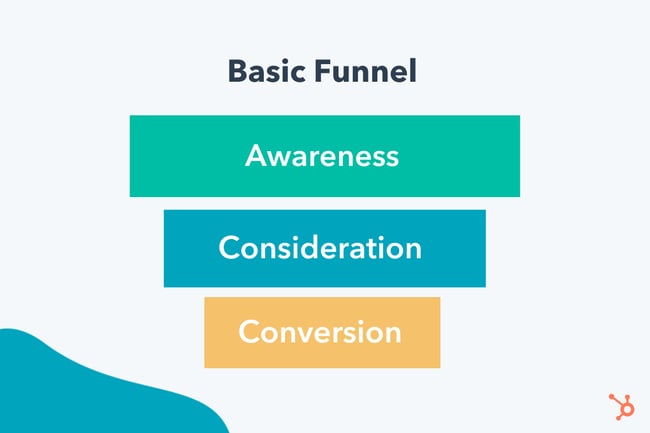
-
Awareness: Get visitors to your website. Attract them with quality blog posts or through social media.
-
Consideration: Use that great content to entice your new visitors to sign up for your newsletter.
-
Conversion: Now that prospects are familiar with your brand, persuade them to make a purchase by offering a discount code for first-time buyers.
AIDA Funnel
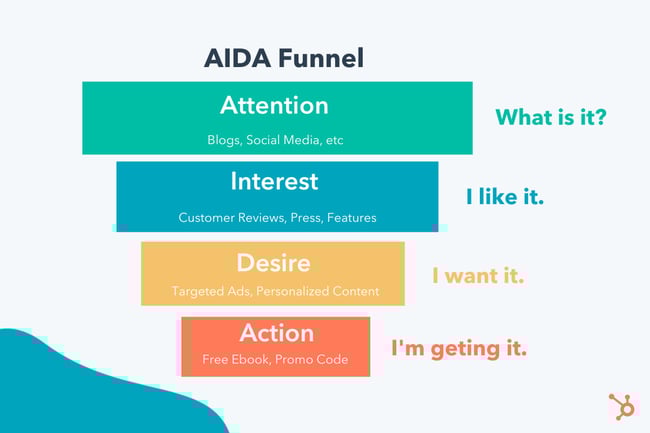 Sometimes called a “purchase funnel,” the AIDA model expands on the basic three-stage structure.
-
Attention: In addition to blog posts and social media, you can use targeted ads to draw visitors to your website.
-
Interest: Pique the prospect’s interest in your product by showcasing the goods. Use case studies to show how your product has helped other businesses. Have notable press mentions? You’ll want to showcase those as well.
-
Desire: Your prospects like you, now you must make them want you. Gain their trust and create an emotional connection. Continue to serve them content that helps them visualize how your product would fit into their lives and why they need it.
-
Action: Now’s your chance to get them to convert. One way is to offer a free ebook, trial, or tool that’s only accessible if they fill out a form with their contact information. If your goal is to get them to purchase a product, you could give them a promotional offer to persuade them to buy.
The detail of your funnel depends on your sales process — the longer your sales cycle, the more complex your funnel. If you have a short sales cycle, your funnel tends to be simpler.
Think about how long it takes to sell $2,000 B2B software versus a $20 t-shirt. The software purchase usually requires months of sales calls, marketing materials, FAQs, and demos. Each of those is a specific point in your conversion funnel. But potential buyers may only need five minutes to figure out that the t-shirt is the right color and fit before purchasing. The touchpoints required here are taking it off the rack and trying it on.
To figure out how complex your funnel is, you can look at the data and perform an analysis. This will help you flush out each part of your customer journey to create a unique visual representation of your funnel.
Conversion Funnel Analysis
Funnels are full of barriers and friction. Analyzing your funnel helps you visualize the flow of potential customers across each point.
You can see key traffic sources and high-exit pages to get a feel for how people end up in each stage of the funnel.
It’s also a way to discover barriers that cause people to leave a page before they convert. If you see a high drop-off rate on one page, for example, you’ll know to prioritize that as you work toward optimizing your funnel.
To understand your funnel, follow these steps for in-depth analysis:
1. Look for high-traffic pages with high drop-off and conversion rates.
High-traffic pages hold a plethora of useful information. Not only are these the pages people see the most, but they’re also where people decide to stay or go. Look at the pages where people drop off (aka leave) and where they convert (take your intended action). Some metrics to collect are:
- Cost Per Acquisition (CPA)
- Customer Lifetime Value (CLV)
- Drop-Off Rate
- Conversion Rate
- Number of Marketing Qualified Leads (MQLs)
- MQLs to Customer Conversion Rate
- Conversion Rate Per Channel (i.e., social, email, and paid search)
2. Discover where your best customers come from.
Not all leads are the same. Some people drop off near the top of the funnel while others make it all the way down. That’s why tracking leads is so important. When you know where your high-quality leads come from, you can analyze that touchpoint or channel to see what you’re doing right. Ask yourself:
- How is this touchpoint different from other touchpoints?
- What information is resonating with people?
- What are the barriers or friction (if any)?
- How many steps do people have to go through before converting?
Identifying what you’re doing right in your funnel is just as important as figuring out what you’re doing wrong. If you need help digging into the data, check out these sales funnel tools or look into heatmap and session recording tools for information on how people navigate your pages.
3. Create an optimization plan.
After you figure out where people are dropping off and converting, it’s time to make an optimization plan. This should include the goals you want to focus on (i.e., more leads, newsletter signups, demos, or software purchases).
Goals let you determine what you want from each touchpoint within your funnel so you can measure whether it’s working or not.
After your funnel analysis, you’ll have a list of priority touchpoints that need to be optimized. Make sure to focus on the areas with the biggest drop-off rates first.
Conversion Funnel Optimization
Every part of your conversion funnel can be optimized to increase the number of people who turn into customers. Think of conversation funnel optimization as finding out what motivates, blocks, and persuades people so you can give them the best experience possible on their unique journey.
To optimize effectively, you need to think about how to give each customer what they want at each phase of the funnel. Using the phases outlined above, here’s what to consider at each step along the customer journey.
1. TOFU: Awareness
Issues at the top of your funnel? Take a look at how you attract new leads. Compare every channel that brings in customers (i.e., social media, search engines, your blog, and paid ads) to see which attracts the most people.
If you’re unsure how customers found you, send out a survey to ask. Look for trends in how people find new brands and put more effort into your best channels. Just make sure you’re attracting the people in your target audience.
2. MOFU: Consideration
Potential customers made it to the middle of your funnel, but it’s your job to keep them moving toward the bottom.
If you’re having trouble with this phase, look at how people learn about your business and engage with your site. Is it easy for people to navigate your site? Or sign up for your email list? Do you have relevant, rich content? Do you offer pricing and product information? Is it easy to get questions answered?
Depending on your barriers, consider these ideas for improvement:
- Product videos and photos
- FAQ page
- Whitepapers, case studies, or blog posts
- Filters and search options
- Newsletter capture
- Discounts
- Check pages for loading speed and broken elements
3. BOFU: Conversion
As the final stop for potential buyers, this is the phase to turn them into customers. You should remove as much friction as possible and encourage people to take the final steps to convert.
Some ways to optimize this final part of your funnel is to make sure product or service pages are fully built out with interesting descriptions, videos, and photos. Consider your checkout process to see if people have issues with payments or abandoned carts. Make it simple for people to compare pricing and clearly outline all product features. You can also send specific BOFU emails or create ads to remind people of their desire to convert.
Think your job is done once a customer converts? Wrong. While you may have pulled a customer through your conversion funnel, there are plenty of opportunities to re-engage them. Not only is customer retention essential for growing your business, but it’s five times more expensive to acquire a new customer than to retain a current customer.
So, once your customers make it through the funnel, invite them to sign up for a new webinar series, download additional templates, send promotions, join a loyalty club, or follow you on social media.
Conversion Funnels Shouldn’t Be Business Models
While conversion funnels are very effective for demonstrating the customer journey for a one-time purchase, they are not a substitute for creating a holistic business model. Relying on a funnel as your business model creates a lack of alignment between each stage of the customer experience.
HubSpot transitioned to thinking of the customer journey as less of a funnel and more of a flywheel — building more momentum as customers move through it.
With the flywheel model, the momentum of your happy customers is used to drive referrals and repeat sales. It’s not a linear beginning and end, but rather a continuous cycle that allows you to generate more business.
Tailor Your Funnel to the Customer
While the customer journey is more complex than my slide analogy, understanding how conversion funnels work can improve this flow. It can help you optimize your funnel, attract more leads, convert them to customers, and boost your bottom line. But all that requires reducing as much friction as possible.
Find what makes sense for your particular sales cycle and use your existing content and channels to stay in touch. Make sure customers value your business and want to come back because you never know who they’ll introduce to the top of that funnel.
This article was originally published May 5, 2021, and has been updated for comprehensiveness.

The Top 16 Best Email Marketing Services in 2022
Email marketing continues to be a critical strategy for marketing (and sales teams) across an array of industries and business types, and an email marketing platform is one of the first additions to a marketer’s tool belt — and for good reason.
Email marketing remains a quick and effective way to engage and nurture leads into loyal customers. It’s also extremely cost-effective — some studies show an ROI of up to 4,400%. Simply, email marketing services exist to make the process of email marketing simpler — they have features and capabilities that enhance and streamline email communication (among other things) to help you identify qualified leads, nurture those leads, and close more deals.
Many of these tools not only offer email support, but they may also help you organize and store contact information in your CRM. But with so many email marketing tools available today, where should you start? We’ll answer those questions and more in this guide to email marketing services — let’s dive in.
What is an email marketing service?
Email marketing services and software streamline all of your email marketing efforts. They have a wide range of features depending on the service you choose — however, they often have functionality related to automation, subscription, general email communication, notifications, monitoring, campaigns, integration with other marketing, sales, and service software, and analytics.
Why is an email marketing service important?
Today, email marketing services continue to be an integral, strategic tool for businesses of all sizes across all industries — they help businesses build strong relationships with prospects and customers all while moving them through the buyer’s journey and maintaining strong communication throughout.
Not to mention, as ESPs continue to develop, features like A/B Testing, automation, and personalization have made the tools even more valuable to a marketer looking to engage with an increasingly fragmented audience.
Now let’s look at some of the best email marketing services today — one of which you might choose to implement at your company.
For each of the following services, we’ve listed notable features as well as pricing details but we still recommend reviewing the service’s product and pricing pages for greater detail.
1. HubSpot Email Marketing Software
Best for email marketing that’s powered by CRM data.
 HubSpot’s free email marketing software is easy to use, has an extremely high deliverability rate, plus all the bells and whistles you’d expect to see within an ESP.
HubSpot Email Marketing Software Features
When creating an email, you can pick from one of many drag-and-drop email templates, or you can craft a custom template tailored to your brand. Once you’ve got your template, incorporating content is simple and intuitive.
You can also personalize and preview your emails for different recipients based on device type, country, or list inclusion — or use a simple personalization token to ensure that each email includes content that’s specific to each recipient.
When it comes time to send an email, using the smart send feature will ensure recipients receive your messages at an ideal time. Additionally, you can run A/B tests to compare different versions of an email to understand which one resonates the most with your audience. You also won’t have to worry about deliverability — HubSpot maintains a 99% deliverability rate across the network for all marketing email sends.
Outside of the email marketing functionality, HubSpot offers a wide range of reports on your email’s performance, letting you judge what’s resonating with your audience so you can optimize your strategy accordingly.
For instance, you can report on something as broad as your overall email performance in Q1 or you get granular and see how one particular lead is interacting with your emails.
Lastly, HubSpot’s automation platform makes it easy to scale your email marketing strategy, which will help you quickly turn leads into loyal customers.
HubSpot Email Marketing Software Price
Hubspot’s Email Marketing Software (and CRM for small to enterprise companies, for that matter) is free forever. However, if you need enhanced capabilities, it may be worth paying for one of the upgraded Marketing Hub plans.
2. Moosend
Best for creating automations and sending multimedia, interactive emails.
 Moosend is an email marketing and marketing automation platform that offers a variety of features at an affordable price.
Moosend Features
Moosend’s platform allows you to create email newsletter campaigns, landing pages, and subscription forms in a fast and reliable way.
With the drag-and-drop editor, you can either create an email newsletter from scratch, using interactive elements like videos, or use one of the ready-made templates. You can create specific campaigns for segments of your audience by using the advanced automation features. You can use one of the ready-made workflow recipes or create your own with the drag-and-drop builder.
The reporting and analytics tools give you measurable results, allowing you to make informed, data-backed decisions.
Moosend Price
Moosend’s pricing model is subscriber-based and consists of three tiers. The free trial includes most features and allows users to send unlimited email campaigns. The Pro plan starts at $7 per month, billed annually, and includes up to 1,000,000 subscribers. For more advanced functionality and additional support, the Enterprise plan is based on custom pricing.
3. Omnisend
Best for creating custom workflows.
 Omnisend is an easy-to-use platform that offers automation workflows for any stage of the customer journey.
Omnisend Features
What separates Omnisend from other email marketing tools is the omni-channel functionalities, which offer greater control over how and where you connect with your audience. In the automation workflow, you can add email, SMS, push notifications, Facebook Messenger, WhatsApp, and more.
If you’re trying to reach a specific audience that might not respond well to traditional email communication, using a tool like Omnisend can help you build and manage more customized, targeted communication workflows. This doesn’t just help you connect with your audience better — it also provides a less disruptive, more personalized experience for your contacts.
Omnichannel features combined with user-friendly segmentation mean you can send the right message to the right person, at the right time, on the right channel.
Omnisend also offers templates for email capture, campaigns, and automation workflows so you can get started quickly.
Omnisend Price
Omnisend has three pricing plans — one of which is free with very limited capabilities as well as a customizable pro plan. Their plans come with a free trial so you can experiment with the service to determine what works best for you.
4. Pabbly Email Marketing
Best for delivering bulk emails.
 Pabbly Email Marketing is an email marketing software that enables you to send bulk emails either by connecting via SMTP or external SMTP.
Pabbly Email Marketing Features
Pabbly provides access to SMTP routing, workflow automation, email scheduling, and much more without any restrictions. With the help of marketing automation and autoresponders included in the tool, you can schedule emails in advance and create triggers to avoid manual follow-up responses.
Additionally, Pabbly offers responsive email templates and a drag-and-drop email editor for easy customization. The email tracking feature allows you to track data such as bounce rate, open rate, and click-through rate so you can improve upon your email marketing and campaigns.
Pabbly Email Marketing Price
Pabbly offers multiple plans based on your number of subscribers. They offer a free plan — which allows you to send unlimited emails to up to 1,000 subscribers — as well as an advanced plan tailored to websites with large audiences.
5. SendinBlue
Best for sending automated nurturing and text message campaigns.
 SendinBlue is an email marketing platform that helps customers send a total of over 30 million automated emails and text messages every day.
SendinBlue Features
On top of email, SendinBlue also has a forms tool that allows you to collect new leads, which you can then segment into specific lists and enter into email nurturing campaigns.
Not sure how to kick off your email nurturing campaign? No problem. SendinBlue has workflows that give you access to a number of pre-made automation campaigns tailored to your specific goals.
If you want to run a more nuanced email nurturing campaign, you can always create a campaign from scratch to meet your specific business needs.
SendinBlue Price
SendinBlue has four main plans, one of which is free, two of which range in price between $25 and $65 per month, and one that is enterprise and requires you to get a customized quote. The plans vary in cost based on the number of emails sent per day/ month.
6. SendX
Best for offering visual email marketing performance data.
 SendX is an intuitive, affordable, and feature-rich email marketing software for marketers and business owners.
SendX Features
With SendX, you can send unlimited emails to opted-in subscribers, across all pricing plans. You get charged per subscriber – not per emails sent – no matter how many lists, tags, or segments you have them in.
You can optimize your email campaigns based on 30+ parameters, including past open behavior, time zone, domain name, email client, ISP, etc. You can automate your email marketing with a rule-based interface and send the right message to the right user using email drip sequences and audience segmentation.
SendX can also help you grow your email lists with forms and popups. You also get pre-built email templates which you can further design with the drag and drop email editor, without HTML.
The tool also features a heatmap report for different types of campaigns to give you a quick visual overview of which CTAs are working and which links people are clicking.
SendX Price
SendX’s pricing is based on the number of subscribers you have. For 1,000 subscribers, plans start at $7.49 per month for the annual subscription (or $9.99 for a monthly subscription). They also offer a 14-day free trial.
7. Constant Contact
Best for creating email drip campaigns and easy-to-use templates.
 Constant Contact is a popular email marketing service that works well for many industries.
Constant Contact Features
The service comes with over 100 email templates that you can either use as-is or customize. Once your email looks good, you can easily schedule it to send to your contacts at any time you choose.
In addition to drip email campaigns, you can also have emails go out at a regular cadence to celebrate specific events — for example, you could have a regular email go out on each customer’s birthday.
Once an email contact list is uploaded, bounces and unsubscribes are automatically updated for you. Constant Contact also has “Plus” features that allow you to execute specific types of campaigns such as coupon offers, donation collections, or surveys.
Constant Contact Price
Constant Contact has two plans depending on the features you need that start at $20 and $45 per month. The price differentiation is related to your number of contacts. They offer a free trial so you can experiment with the service prior to committing to it.
8. Campaign Monitor
Best for building personalized emails.
 Campaign Monitor prides itself on providing powerful, personalized email marketing tools that are simple and easy to use.
Campaign Monitor Features
Their drag-and-drop email editor is intuitive, and the included analytics make it simple to optimize your email strategy and create targeted customer segments.
Personalization is key for campaign monitor. It uses data to increase personalized content and inform your list segmentation to boost your engagement. They also offer a visual marketing automation tool so you can create a unique customer journey at scale.
Not to mention, Campaign monitor has an extensive library of resources available to help you become an email marketing pro.
Campaign Monitor Price
There are three major plans you can choose from with Campaign Monitor ranging from $9 up to $149 per month. You can choose to pay annually rather than monthly and take advantage of the option to pay per campaign if that schedule works better for your needs.
9. iContact
Best for customer service and support.
 iContact has been providing one of the top-choice email marketing services since 2003, as it has an easy-to-use email marketing tool that helps you and your team see results fast
iContact Features
While iContact doesn’t necessarily stand out from competitors in terms of features, their customer support and service teams set them apart. Customers are paired with a strategic advisor to create an effective email marketing strategy right with the tool.
They also have Social+ marketing consultants who help boost your entire online presence through creative social posts that drive traffic to your site.
iContact Price
iContact offers a free plan for up to 500 contacts, and an advanced plan starting at $20 per month. You can choose to pay monthly or annually depending on your needs.
10. MailChimp
Best for actionable data insights to improve your email marketing strategy.
 Over the years, MailChimp has added landing pages and various ads tools to their capabilities but, their email marketing service remains their claim-to-fame.
MailChimp Features
MailChimp has millions of customers in over 175 countries and they use the data they collect off those customers to provide you with actionable insights to improve your email strategy. The tool is flexible enough for an enterprise company, yet simple enough for someone just getting started with their startup’s email marketing strategy.
Best of all, MailChimp has over 300 integrations that help you customize the tool to your business. By using these integrations to further personalize your marketing, you’ll get the most out of your email strategy.
MailChimp Price
MailChimp has four plans to choose from that range in price from free to $299 per month. Aside from the free plan, depending on the option you go with, your monthly payment increases with the number of contacts you have.
11. AWeber
Best for small businesses and entrepreneurs just starting to build their email lists.
 Aweber is an email platform built specifically for small businesses and entrepreneurs.
AWeber Features
The goal of AWeber is to make it simple for those who are just getting started with email marketing to segment their contacts, design a professional email, and start nurturing leads. Customers have praised AWeber for its deliverability — AWeber’s deliverability team monitors their servers around the clock to ensure your campaign consistently reaches the’ inboxes of your recipients.
Aweber Price
AWeber offers two plans: free and pro. The AWeber Pro plan starts at $16.15 per month, and increases in price depending on the size of your list. You can also choose to pay on a quarterly or annual cycle if that’s preferred over monthly billing.
12. ActiveCampaign
Best for segmentation and live chat options.
 ActiveCampaign is a marketing automation platform that offers live chat and a CRM service in addition to email marketing capabilities.
ActiveCampaign Features
By adding a CRM to their functionality, ActiveCampaign can help surface the right leads to your sales team using features like lead scoring. The service also allows you to share dynamic content in your emails — this allows you to provide different experiences to your contacts based on the way you segment them.
ActiveCampaign Price
ActiveCampaign has four plans which you can choose to pay for monthly or annually. Their plans vary based on the number of contacts you have and range in price from $9 to $259. You can experiment with the service before buying it with a free trial, as well.
13. AutoPilot
Best for collaborative email marketing teams.
 Autopilot differentiates themselves from the competitors with their visual marketing tools.
AutoPilot Features
Everything from AutoPilot’s email editor to their automation tool is set up to work via a drag-and-drop interface, making the system intuitive and easy to use.
AutoPilot offers collaborative tools to help your team work together effectively — it allows you to quickly share your work with your team, ensuring everyone is on the same page before you launch a campaign. And with the “annotate & collaborate” feature, you can quickly mark-up a customer journey and ask your team for feedback and assistance.
AutoPilot Price
AutoPilot offers three plans which range in price between $49 and $249 that vary based on your number of contacts. There are three types of billing cycles including monthly, monthly with an annual commitment, and annual.
14. GetResponse
Best for global email marketing audiences.
 GetResponse is a marketing automation service that’s available in over 20 languages.
GetResponse Features
On top of email marketing and automation, GetResponse also offers a CRM, landing pages, and a complete webinar solution.
The service offers over 500 templates to help you get started with email marketing and integrates with Shutterstock, giving you access to a creative library at your fingertips. Also, their drip campaign tool is managed through a calendar interface, allowing you to see exactly when you will be reaching out to your leads.
GetResponse Price
There are four GetResponse plans that you can choose from ranging in price from $15 to $99 per month (plus a customized enterprise-level option that requires you to reach out for a quote). Pricing varies based on your list size and you can pay monthly or annually. Each plan offers a free trial so you can test out the service before investing.
15. Ontraport
Best for creating detailed email marketing campaigns.
 Ontraport offers a full suite of marketing automation tools including ecommerce functionality for businesses with online stores.
Ontraport Features
Ontraport’s visual campaign builder allows you to create detailed campaigns to engage your audience. You can create a campaign from scratch or tap into the marketplace where they offer dozens of the most common marketing campaigns to choose from, including abandoned cart nurturing or webinar sign-up and follow-up.
The service also provides insight into detailed reports so you can gain insight into your pipeline, traffic sources, and conversion timelines.
Ontraport Price
Ontraport offers four plans that range in price between $79 and $497 per month. No matter which plan you choose, you’ll receive one-on-one onboarding. The plans differ in price based on your number of contacts. You can cancel your monthly plan at any time and if you choose to pay annually, you’ll benefit from a discount.
16. Flodesk
Best for creating visually appealing emails and landing pages from easy-to-use templates.
Flodesk is an affordable email provider that makes creating beautiful branded emails simple and easy.
Flodesk Features
Flodesk’s email building tools are intuitive and easy to use for beginners and email marketing experts alike. For those with creative businesses or strong visual brands, Flodesk works like a design tool to craft on-brand emails and landing pages.
Flodesk also offers tagging and workflow options that make creating email automations a straightforward process, and integrations with tools such as Zapier and Shopify to streamline the different areas of your business.
Flodesk Price
Flodesk offers one plan with unlimited emails and contacts for a flat fee of $38 per month. For annual subscribers, Flodesk costs $418 per year. Users can try Flodesk for free for 30 days.
Choose Your Email Marketing Service
Most email marketing tools offer the essentials needed to craft a basic email newsletter, but there are fewer options if you want a range of top-notch features such as complete customization, available support, and data analysis.
Not to mention, as a marketer, you might want to consider combining your email marketing service with a CRM to give you even greater functionality that can impact your email marketing as well as other marketing sales, and service efforts. But. ultimately, the best email marketing tool for you depends on your team’s goals and particular needs — so, review the options above as well as the services’ product and pricing pages to get started.
Editor’s note: This post was originally published in April, 2019 and has been updated for comprehensiveness.

29 Free Resume Templates for Microsoft Word (& How to Make Your Own)
No matter what industry you work in (or your experience level in that industry), a plain, black-and-white resume written in Times New Roman font just doesn’t quite cut it anymore.
But just because resumes have gotten more creative doesn’t mean you need special design software to make your application stand out. On the contrary, writing your resume in good old Microsoft Word is still the perfect way to develop your personal brand, while also communicating your experience and career goals.
![→ Download Now: 12 Resume Templates [Free Download]](https://no-cache.hubspot.com/cta/default/53/4ec95757-585e-40cf-9189-6b3885074e98.png)
Read on to find out how to make your resume in word, then download one of these amazing resume templates that open directly in Microsoft Word.
Download 12 free, editable resume templates.
1. Open Microsoft Word on your computer.
If you have Microsoft Word installed on your computer, open the program and let it load for a moment. There will be a couple of helpful options waiting for you on the first screen, specifically for resume creation.
2. Select either “Basic Resume” or “Bold Resume” from the template menu.
Once you’ve launched MS Word, a window of templates will appear. Scroll down until you see the template options designed for resumes — there will be at least two of them. Double-click the one that suits your style and personal brand, but don’t be too particular about design just yet … you can customize these templates quite a bit.
3. Fill in your name and contact information at the top.
When your resume template opens, you’ll see placeholder text for each line of your resume, starting with your first and last name at the top. Delete this header text and enter your name, as well as any contact information by which you want the recruiter to contact you.
4. Draft a brief summary of your experience and goals.
Use the first line below your name and contact info to describe who you are, what you do, and what you’re looking for in your career.
5. Enter your school and latest education.
List any relevant degrees or certificates you received through schooling. You can safely exclude secondary education if you’ve graduated from an accredited college.
6. Describe each job you’ve held using the lines prompted on the template.
Your professional experience is frequently the most important section of your resume, so feel free to rank this section above your skills and education, depending on how many jobs you previously held.
7. List all relevant skills.
If you have experience in certain software, exercises, problem-solving, or management techniques, use them to populate your skills. Your resume’s “Skills” section helps reveal what all of your previous jobs or related experiences have in common, based on what they taught you and what you provided them.
8. Describe any relevant accolades and accomplishments.
Finish out your resume with any personal accomplishments or accolades you think a hiring manager in your industry would appreciate. Although this section shouldn’t include a Most Improved recognition from little league, for example, it should definitely include your Marketer of the Month award from your last position.
Next, let’s cover how to format your brand-new resume in Word.
How To Format a Resume in Word
When formatting a resume in Word, it’s important to know the right style. We’ll go over it piece by piece.
Set the Right Margins and Font Size
Your resume should contain one-inch margins on all sides. Most documents will automatically have one-inch margins, but it’s best to double-check or create them yourself. Here’s how to create one-inch margins for your resume:
- Go to “Layout.”
- Click “Margins.”
- Click the “Normal” setting, where it states 1” on the top, bottom, left, and right sides of the document.
Lastly, make sure your font size is 12-pt. This font size is standard for most resumes. However, if you have a particularly long CV, you could potentially get away with an 11-pt font size to fit it all on one page.
Create Headers
You should separate each section (i.e., education, work experience) with a header.
Create a header in Word by selecting “Styles”. You can use “Header 1” for your first and last name at the top of the page. “Header 2” is great for the “Education” section, “Work Experience” section, and “Skills” section. Use “Header 3” for employer names and job titles, and use normal text to fill in the details of your accomplishments, skills, and educational background.
Create Dividers
If you want to visually divide your resume into different parts, you can create dividers to split up the information and make your resume more scannable. Here’s how to add dividers:
Go to “Insert”, select “Illustrations,” and then click “Shapes”. You can select “Lines” to draw a line in Word. Another shortcut to create dividers is pressing the “=”, “_”, or and “*” three times and hitting enter. These give a variation of dividers that can add dimension to your resume.
Create Bullet Points
The truth is, no hiring manager will read a paragraph of information, so we recommend using bullets instead to list your accomplishments and responsibilities underneath your job titles. When you open “Paragraph,” you’ll see a variation of bullet points you can use. Choose the one you like best.
Sometimes, you might not have time to create and format a resume from scratch. Plus, if you’re already employed full-time, it’s hard to find the time to apply to a new job opportunity, let alone update your resume to reflect your qualifications.
Luckily, there are numerous publishers out there who’ve created incredible resume templates for quick editing and formatting in Word.
You can also find resume templates directly in Word, which we’ll go over next.
To keep you from hunting the internet for resume templates that are both free and compatible with MS Word, we’ve listed some options below for you to customize with your own information right now.
Some of them come with variations so you can pick your favorite design. A few of them cater specifically to marketers.
Free Resume Template Downloads for Word
1. Monogram Header Resume Template
Download this template here.
We’ll start with a simple one. This is a HubSpot exclusive resume template that is simple and clean with attractive monogrammed headers to call out each section of the resume. The rest of the design relies on a simple serif font for easy reading, which is a good thing considering that hiring managers only take 7.4 seconds to evaluate a resume. You want your experience section to be easily scannable.
Recommended For: Freelancers
This resume template is best for freelancers. The project section is great for showcasing the skills that would be most applicable for the industry the applicant wants to enter.
2. Maroon Sidebar Resume Template
Download this template here.
Pulling your more text-heavy information off to the side in an attractive color-blocked sidebar, this resume lets your experience stand for itself in white space at the top. It’s also easily customizable with no difficult-to-manipulate tables or formatting. The sidebars are in movable text boxes that can even be removed if you wish.
Recommended For: College Graduates
This template is best for young professionals starting their career. This adjustable resume template can give you full customization options for your first resume.
3. Centered Bar Resume Template
Download this template here.
This resume takes on a different look than most resumes, centered around a single bar. This makes the resume more visually striking, which could draw attention as hiring managers are evaluating candidates. It also puts emphasis on the objective with your chronological experience supporting it underneath. All of this is in an attractive serif font that is elegant and classy.
Recommended For: College Graduates
This template is great for college graduates to demonstrate their most recent accomplishments. The “Objective” section will help you showcase where you are trying to go in your career.
4. Bold Serif Resume Template
Download this template here.
Speaking of serif font, this resume puts forward an element of grace and formality with its font choices. It’s perfect for individuals who are looking for more organic color than the ones more typically found in resumes, and the colors are also easily changed in Microsoft Word’s theme settings. It also includes a skill-level bar, adding a nice visual touch to the template.
Recommended For: College Students
This template is great for college students to demonstrate their internship experience. The volunteering section gives a rounded viewpoint of your accomplishments if you are just leaving college.
5. Modern Chronological Resume Template
Download this template here.
This resume template is available from Microsoft itself, and it’s one of many free templates the company has prepared for those who depend on Microsoft Office tools to create content. Yes, it is written in Times New Roman — don’t freak out.
Designs like this can borrow an old-school typeface and still impress recruiters with a clean layout and subtle use of color. You can also change the font if you wish (and the same goes for every template in our list).
Recommended For: Developers
The “Skills” section is perfect for candidates in the tech industry. A candidate can showcase the languages they are fluent in and show a variety of accomplishments, successfully demonstrating their capabilities as they move into a new industry.
6. Digital Marketing Resume Template
Download this template here.
The digital marketing resume below comes from our own collection of resume templates, all of which open directly in MS Word.
Coming with two pages total, this sheet holds a wealth of information and offers the perfect amount of style while maintaining professionalism. Mid-level marketers all the way up to CMOs can find this template valuable.
Recommended For: Mid-Level Marketers
In this resume template, mid-level marketers can effectively showcase a variety of their skills, as well as their portfolio and other media pieces.
7. Simple and Clean Resume Template
Download this template here.
This template is the perfect balance of creative and modest — best for the professional who wants to seem casual, thoughtful, but not over the top.
Not only does it feature a space for a headshot on the top-left, but you can customize the color of that entire panel. Created by Zoki Design, the resume template also comes with a matching cover letter template.
Recommended For: Junior to Senior Executives
If you have years of professional experience behind you, it’s smart to showcase the bulk of them without making the resume look dense with information. This design allows junior and senior executives to illustrate their authority and expertise in a clean, streamlined package.
8. Black and White Resume Template
Download this template here.
The Black and White resume template below suits professionals who prefer using color and shading to add structure to their resume.
The black banner at the top contrasts the applicant’s name nicely to help make him/her more memorable to recruiters. The gray banner just below the header is perfect for a summary or career objective — it makes one’s goals known but doesn’t overpower the experience listed below it.
Recommended For: Graphic Designers
If you’re a graphic designer, this is the resume to showcase your art. This template has a monochromatic color scheme, but if you are a designer, you can easily take it to the next level.
9. Urban Development Resume Template
Download this template here.
The illustration on the top-left of this template shows who the designers at Hloom had in mind for this resume: civil engineers. But because it’s a Word document, that graphic is easy to edit and replace with an image that represents your line of work. Are you an analytics buff? Design a clever bar or line graph icon and place it next to your name in blue (or whatever color you’d like!).
Recommended for: Civil Engineers
If you’re a civil engineer who wants to display your accomplishments, this is the template to use! There’s a section that lets you list all of your achievements and notable opportunities that made you grow as a civil engineer.
10. Email Marketing Resume Template
Download this template here.
Red color never fails to stick out on a sheet of paper, especially if it’s included in small amounts. The resume template for email marketers, below, captures that balance.
In addition to the professional title in the top-righthand corner, this template also stands out with a thin sans-serif font, helping make a lot of text easier for a recruiter to digest and read through.
Recommended for: Email Marketers
If you are an email marketer who wants to highlight successes in your previous campaigns without boring the viewer with the details, this resume template is perfect for displaying bite-sized information.
11. Info Pop Resume Template
Download this template here.
This one, also from Hloom, gives you exactly what the name suggests: ample space for the info you need, with headers that pop just enough to get your employer’s attention.
Although the template fits a ton of text, its soft color palate prevents the document from seeming overwhelming.
Recommended For: Experienced Professionals
This resume gives a lot of information all at once, which is perfect for professionals with more than eight years of experience. The layout makes it easily scannable and easy for a recruiter to read.
12. Dark Resume Template
Download this template here.
Ironically, a dark background could be just the thing to ensure your resume doesn’t fall into the black hole of resumes piled on the hiring manager’s desk.
Using soft, yellow font, the resume template below inverts the usual color scheme of a resume without trying too hard to be creative.
Recommended For: C-Suite Executives
If you have years of experience in an executive position, this design has a bold and unique design that will separate you from the pack. What’s more, it has an area where you can list your achievements, relevant skills, and notable opportunities, allowing you to showcase your effectiveness as a leader.
13. Neat and Confident Resume Template
Download this template here.
Similar to the Simple and Clean template mentioned earlier, this resume design by Nowpixelse communicates a truly professional tone. The template’s muted colors work very well with the side panel layered over the top header.
Recommended For: Professionals in All Industries
Whether you’re just starting out in any industry or looking to change careers, this template is suitable to highlight your skills and qualifications to propel you to the next level.
14. Inbound Marketing Resume Template
Download this template here.
Here’s another resume template dedicated to the digital marketer. This sheet offers all the inbound marketing language you need to express your values as a passionate, brand-loyal professional.
Similar to a few other templates on this list, it also uses just a dash of vibrant color in the applicant’s name at the top (where it matters most).
Recommended For: Communications and Marketing Candidates
This template is great for candidates moving into a communications or marketing role. Aside from its amazing visual appeal, this template creates a sense of connection with the reviewer by adding a personal touch.
15. Smart and Professional Resume Template
Download this template here.
This is another sharp template that offers a basic but confident design for any professional. The warm-colored panel on the right-hand side is pre-formatted for a written profile, where you can write a summary of your background or a form letter to each employer.
Just be sure to personalize this messaging to each new recipient so it works for the job you’re applying to. This template is available on Freesumes, and is free to users once they share the page to Facebook or Twitter.
Recommended For: Young Professionals
This resume is great for someone starting their career who needs a little guidance on how to best display notable experiences related to the job posting. Also, it is an editable template that can easily be personalized to appeal to the HR rep reading the resume.
16. Spick and Span Resume Template
Download this template here.
There isn’t a better name for the template below. The Spick and Span resume might be the cleanest-looking sheet on this list.
It uses boldface, all-caps, and gray typeface to structure various headers of the document differently and maximize the hiring manager’s reading experience. And all that minimalism makes the professional headshot at the top pop off the page.
Recommended For: Creatives, Designers, and Developers
Resumes that look like this can be the work sample. If you have a background in illustration or design, making your resume stand out will be a great nod to your future employer. Get creative with your resume’s design if you want to work in an illustrative industry.
17. Timeline-Style Resume Template
Download this template here.
Similar to the Centered Bar resume earlier in the post, Hloom’s Timeline template is a super simple but creative way to tell your story.
You can convey your progression through various jobs you’ve held on one side of the vertical line, and more static elements of your background — such as skills and education — on the other.
Recommended For: Editors and Copywriters
This template has a sleek and clean look that places the focus on the highlights of your experience rather than on the minor details. If you have a background in editing or copywriting, this resume is the perfect way to showcase your skills in a concise and effective narrative … without the fluff!
18. Content Production Resume Template
Download this template here.
This basic resume template is suited for content producers at all stages in their career. By spreading out the header and “Skills” text horizontally, the resume below fits a lot of crucial information comfortably on one page (of course, it also comes with a second page if you need it).
Recommended For: Content Creators and Videographers
This resume will help content creators showcase their biggest projects and most notable accomplishments. It’s great for showing how your scope of work has increased over the years, solidifying your expertise in that field.
19. Fresh Resume Template
Download this template here.
This is perhaps the most imaginative of all the Word-based resume templates on this list — with both a skills meter and a comic headshot.
The template was designed by Venkata Naresh and comes with 12 different versions of the design you see below. Have you created a Bitmoji of yourself? Do you think your employer would find it creative? Match the template and add it as your photo.
Recommended For: Creative Artists or Digital Marketers
If you need a resume template that will showcase your artistic skills without being too casual or being too informal, this is perfect for you. You can also add in notes of your accomplishments, relevant skills, and qualifications for the job.
20. CV Resume Template
Download this template here.
The curriculum vitae-style resume below flips the typical two-column resume so the basic applicant information is listed across the right side, rather than the left.
Feel free to change the color of this sidebar in Microsoft Word if dark-red isn’t your thing — the template can pull off any color you wish.
Recommended For: Graduate Candidates
If you are a graduate student entering the workforce, having a CV-style resume will demonstrate the depth of your knowledge first and showcase how your continued education will contribute to your future work environment.
21. Goldenrod Resume Template
Download this template here.
This template, also offered on Freesumes, dares to use yellow as the dominant color — but doesn’t sacrifice professionalism in the process.
The document anchors the education section to a thick, bright banner across the bottom, but you can likely change this to a skills section with some simple editing in Microsoft Word.
Recommended For: Architects
This clean-cut design represents a candidate who is all about precision. This template would serve candidates who have experience in architecture or construction.
22. Resume Template With Personal Endorsements

Download this template here.
This resume template has quite a flashy header — no photography pun intended — but it’s not just for photographers. What makes this resume unique is the space for references on the lower right-hand side.
Does your field need others to vouch for your experience? This resume gives you room for three solid recommendations.
Recommended For: Brand Marketers or Personal Influencers
If you work in branding or have a large social media following, you can demonstrate your ability to create a cohesive message with this resume template. Feel free to change the color scheme to suit your brand.
23. Creative Resume Template
Download this template here.
This one was designed by the stationery experts at MOO and is offered for download by Microsoft. Simple but vibrant, this template hugs the text with an artistic header and footer — great for recent graduates who need to fill empty space on the page.
Recommended For: Photographers and Other Creatives
If you are a photographer who does freelance work, this is a great template to showcase your experience. This will give your hiring manager or client an excellent first impression because it showcases your creative ability without sacrificing the important elements — your accomplishments.
24. Modern Resume Template
Download this template here.
This resume embraces simplicity with a slight touch of color to make things a bit more interesting. It also nicely sections off Skills and Education notes from the Work History list.
With LiveCareer.com, you can generate a template with your basic information and then download it to add small details.
Recommended For: Young Professionals
This resume gives a modern twist on the resume. It’s perfect for those looking for a fresher look than the traditional resume.
25. Functional Resume Template
Download this template here.
This NovoResume.com template is colorful and includes a place for your headshot which could make you look both interesting and confident to an employer.
Recommended For: Media Professionals
A colorful format like this one might be great for a media or advertising professional who wants to keep their job application visually memorable to prospective employers.
26. Elegant Resume Template
Download this template here.
If you’re looking for simplicity and efficiency rather than something colorful, consider this Elegant Resume Template from Jofibo.
With Jofibo, you can select this or other similar templates on the website, enter your information, and then download it quickly and easily.
Recommended For: Marketing Candidates
If you are a mid-level marketing candidate, use this fun template to showcase all of your expertise and accomplishments. It’s an eye-catching template that displays your creativity and ability to engage.
27. Blue Corporate HR Resume Template
.jpg?width=415&name=canva-blue-corporate-hr-professional-resume-MADftnj-Tj4%20(1).jpg)
Download this template here.
Canva, an easy-to-use design template website, offers a few great resume templates. One of them is this simple resume with a touch of color in the background.
Because of the color and image, it’s pretty memorable. But, for those who prefer a more conservative resume look, this template is fairly simple.
Recommended For: Corporate Candidates
This template is great for senior executives and accomplished candidates moving into a high-rank position. This layout allows you to fit plenty of accomplishments, and the conservative look organizes the fullness of your career neatly.
28. Concept Resume
Download this template here.
This resume is perfect for displaying a clear timeline of your career history. It’s ideal for a seasoned professional who may have a lot of experience and wants to display it on one to two pages.
The template also allows you to highlight your competency level in various areas, giving the recruiter an easy way to spot your expertise.
Recommended For: Candidates in the Tech Industry
This resume is great for people in the technical space because it adds a touch of color and feels more compact, which will allow you to get right to the point about your key skills, certifications, and work experiences.
29. Cream and Green Resume Template
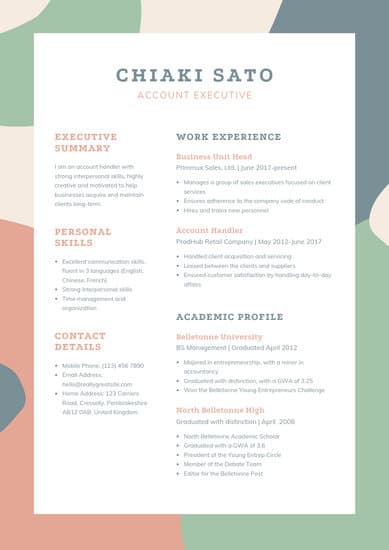
Download or edit the resume template here.
This resume is also downloadable and editable on Canva. It was created for account executives but could also be great for graphic designers or people working in visual fields due to its unique, but still professional, color scheme.
Recommended For: Graphic Designers and Other Creatives
This colorful template gives designers and creatives the opportunity to showcase their talents on their resume. Utilize the colors as a basic layout, but feel free to use the resume’s design to showcase the way you would work on a future project. This would be a great reference point when you land an interview.
How to Save Your Resume
Remember, once you’ve finished personalizing your resume, you’re not ready to submit an application yet. To ensure your resume’s format stays the same for everyone who receives it, save the document as a PDF. Best case scenario? Even the hiring manager won’t believe your resume came from Word.
Editor’s Note: This post was originally published in 2018 but was updated in May 2020 for comprehensiveness.

How to Do Market Research: A Guide and Template
Today’s consumers have a lot of power. They can research your product or service and make purchase decisions entirely on their own.
Moreover, rather than talking to one of your sales reps, they’re more likely to ask for referrals from members of their networks or read online reviews.
With this in mind, have you adapted your marketing strategy to complement the way today’s consumers research, shop, and buy?
To do just that, you must have a deep understanding of who your buyers are, your specific market, and what influences the purchase decisions and behavior of your target audience members.
Enter: Market Research.
Whether you’re new to market research, this guide will provide you with a blueprint for conducting a thorough study of your market, target audience, competition, and more.
What is market research?
Market research is the process of gathering information about your target market and customers to verify the success of a new product, help your team iterate on an existing product, or understand brand perception to ensure your team is effectively communicating your company’s value effectively.
Market research can answer various questions about the state of an industry, but it’s hardly a crystal ball that marketers can rely on for insights on their customers. Market researchers investigate several areas of the market, and it can take weeks or even months to paint an accurate picture of the business landscape.
However, researching just one of those areas can make you more intuitive to who your buyers are and how to deliver value that no other business is offering them right now.
Certainly you can make sound judgment calls based on your experience in the industry and your existing customers. However, keep in mind that market research offers benefits beyond those strategies. There are two things to consider:
- Your competitors also have experienced individuals in the industry and a customer base. It’s very possible that your immediate resources are, in many ways, equal to those of your competition’s immediate resources. Seeking a larger sample size for answers can provide a better edge.
- Your customers don’t represent the attitudes of an entire market. They represent the attitudes of the part of the market that is already drawn to your brand.
The market research services market is growing rapidly, which signifies a strong interest in market research as we enter 2022. The market is expected to grow from roughly $75 billion in 2021 to $90.79 billion in 2025 at a compound annual growth rate of 5%.
Why do market research?
Market research allows you to meet your buyer where they are. As our world (both digital and analog) becomes louder and demands more and more of our attention, this proves invaluable. By understanding your buyer’s problems, pain points, and desired solutions, you can aptly craft your product or service to naturally appeal to them.
Market research also provides insight into a wide variety of things that impact your bottom line, including:
- Where your target audience and current customers conduct their product or service research
- Which of your competitors your target audience looks to for information, options, or purchases
- What’s trending in your industry and in the eyes of your buyer
- Who makes up your market and what their challenges are
- What influences purchases and conversions among your target audience
- Consumer attitudes about a particular topic, pain, product, or brand
- Whether there’s demand for the business initiatives you’re investing in
- Unaddressed or underserved customer needs that can be flipped into selling opportunity
- Attitudes about pricing for a particular product or service
Ultimately, market research allows you to get information from a larger sample size of your target audience, eliminating bias and assumptions so that you can get to the heart of consumer attitudes. As a result, you can make better business decisions from knowing the bigger picture.
As you begin honing in on your market research, you’ll likely hear about primary and secondary market research. The easiest way to think about primary and secondary research is to envision to umbrellas sitting beneath market research: one for primary market research and one for secondary market research.
Beneath these two umbrellas sits a number of different types of market research, which we’ll highlight below. Defining which of the two umbrellas your market research fits beneath isn’t necessarily crucial, although some marketers prefer to make the distinction.
So, in case you encounter a marketer who wants to define your types of market research as primary or secondary — or if you’re one of them — let’s cover the definitions of the two categories next. Then, we’ll look at the different types of market research in the following section.
Primary vs. Secondary Research
To give you an idea of how extensive market research can get, consider that it can either be qualitative or quantitative in nature — depending on the studies you conduct and what you’re trying to learn about your industry.
Qualitative research is concerned with public opinion, and explores how the market feels about the products currently available in that market. Quantitative research is concerned with data, and looks for relevant trends in the information that’s gathered from public records.
There are two main types of market research that your business can conduct to collect actionable information on your products, including primary research and secondary research. Let’s dive into those two types, now.
Primary Research
Primary research is the pursuit of first-hand information about your market and the customers within your market. It’s useful when segmenting your market and establishing your buyer personas. Primary market research tends to fall into one of two buckets: exploratory and specific research.
Exploratory Primary Research
This kind of primary market research is less concerned with measurable customer trends and more about potential problems that would be worth tackling as a team. It normally takes place as a first step — before any specific research has been performed — and may involve open-ended interviews or surveys with small numbers of people.
Specific Primary Research
Specific primary market research often follows exploratory research and is used to dive into issues or opportunities the business has already identified as important. In specific research, the business can take a smaller or more precise segment of their audience and ask questions aimed at solving a suspected problem.
Secondary Research
Secondary research is all the data and public records you have at your disposal to draw conclusions from (e.g. trend reports, market statistics, industry content, and sales data you already have on your business). Secondary research is particularly useful for analyzing your competitors. The main buckets your secondary market research will fall into include:
Public Sources
These sources are your first and most-accessible layer of material when conducting secondary market research. They’re often free to find and review — lots of bang for your buck here.
Government statistics are one of the most common types of public sources according to Entrepreneur. Two U.S. examples of public market data are the U.S. Census Bureau and the Bureau of Labor & Statistics, both of which offer helpful information on the state of various industries nationwide.
Commercial Sources
These sources often come in the form of market reports, consisting of industry insight compiled by a research agency like Pew, Gartner, or Forrester. Because this info is so portable and distributable, it typically costs money to download and obtain.
Internal Sources
Internal sources deserve more credit for supporting market research than they generally get. Why? This is the market data your organization already has!
Average revenue per sale, customer retention rates, and other historical data on the health of old and new accounts can all help you draw conclusions on what your buyers might want right now.
Now that we’ve covered these overarching market research categories, let’s get more specific and look at the various types of market research you might choose to conduct.
1. Interviews
Interviews allow for face-to-face discussions (in-person and virtual) so you can allow for a natural flow or conversation and watch your interviewee’s body language while doing so.
Your interviewees can answer questions about themselves to help you design your buyer personas. These buyer personas describe your ideal customer’s age, family size, budget, job title, the challenges they face at work, and similar aspects of their lifestyle. Having this buyer profile in hand can shape your entire marketing strategy, from the features you add to your product to the content you publish on your website.
2. Focus Groups
Focus groups provide you with a handful of carefully-selected people that you can have test out your product, watch a demo, provide feedback, and/or answer specific questions.
This type of market research can give you ideas for product differentiation, or the qualities of your product that make it unique in the marketplace. Consider asking your focus group questions about (and showing them examples of) your services, and ultimately use the group’s feedback to make these services better.
3. Product/Service Use Research
Product or service use research offers insight into how and why your audience uses your product or service, and specific features of that item. This type of market research also gives you an idea of the product or service’s usability for your target audience.
In a 2020 report, respondents rated usability testing most highly in terms of usefulness for discovering user insights (rating it 8.7 out of 10). By comparison, digital analytics was rated 7.7, and user surveys 6.4.
4. Observation-Based Research
Observation-based research allows you to sit back and watch the ways in which your target audience members go about using your product or service, what works well in terms of UX, what roadblocks they hit, and which aspects of it could be easier for them to use and apply.
5. Buyer Persona Research
Buyer persona research gives you a realistic look at who makes up your target audience, what their challenges are, why they want your product or service, what they need from your business and brand, and more.
6. Market Segmentation Research
Market segmentation research allows you to categorize your target audience into different groups (or segments) based on specific and defining characteristics — this way, you can determine effective ways to meet their needs, understand their pain points and expectations, learn about their goals, and more.
7. Pricing Research
Pricing research gives you an idea of what similar products or services in your market sell for, what your target audience expects to pay — and is willing to pay — for whatever it is you sell, and what’s a fair price for you to list your product or service at. All of this information will help you define your pricing strategy.
8. Competitive Analysis
Competitive analyses are valuable because they give you a deep understanding of the competition in your market and industry. You can learn about what’s doing well in your industry, what your target audience is already going for in terms of products like yours, which of your competitors should you work to keep up with and surpass, and how you can clearly separate yourself from the competition.
9. Customer Satisfaction and Loyalty Research
Customer satisfaction and loyalty research give you a look into how you can get current customers to return for more business and what will motivate them to do so (e.g. loyalty programs, rewards, remarkable customer service). This research will help you discover the most-effective ways to promote delight among your customers.
10. Brand Awareness Research
Brand awareness research tells you about what your target audience knows about and recognizes from your brand. It tells you about the associations your audience members make when they think about your business and what they believe you’re all about.
11. Campaign Research
Campaign research entails looking into your past campaigns and analyzing their success among your target audience and current customers. It requires experimentation and then a deep dive into what reached and resonated with your audience so you can keep those elements in mind for your future campaigns and hone in on the aspects of what you do that matters most to those people.
Now that you know about the categories and types of market research, let’s review how you can conduct your market research.
Here’s how to do market research step-by-step.
1. Define your buyer persona.
Before you dive into how customers in your industry make buying decisions, you must first understand who they are.
This is where your buyer personas come in handy. Buyer personas — sometimes referred to as marketing personas — are fictional, generalized representations of your ideal customers.

They help you visualize your audience, streamline your communications, and inform your strategy. Some key characteristics you should be keen on including in your buyer persona are:
- Age
- Gender
- Location
- Job title(s)
- Job titles
- Family size
- Income
- Major challenges
The idea is to use your persona as a guideline for how to effectively reach and learn about the real audience members in your industry. Also, you may find that your business lends itself to more than one persona — that’s fine! You just need to be thoughtful about each specific persona when you’re optimizing and planning your content and campaigns.
To get started with creating your personas, check out these free templates, as well as this helpful tool.
2. Identify a persona group to engage.
Now that you know who your buyer personas are, use that information to help you identify a group to engage to conduct your market research with — this should be a representative sample of your target customers so you can better understand their actual characteristics, challenges, and buying habits.
The group you identify to engage should also be made of people who recently made a purchase or purposefully decided not to make one. Here are some more guidelines and tips to help you get the right participants for your research.
How to Identify the Right People to Engage for Market Research
When choosing who to engage for your market research, start by focusing on people who have the characteristics that apply to your buyer persona. You should also:
Aim for 10 participants per buyer persona.
We recommend focusing on one persona, but if you feel it’s necessary to research multiple personas, be sure to recruit a separate sample group for each one.
Select people who have recently interacted with you.
You may want to focus on people that have completed an evaluation within the past six months — or up to a year if you have a longer sales cycle or niche market. You’ll be asking very detailed questions so it’s important that their experience is fresh.
Gather a mix of participants.
You want to recruit people who have purchased your product, purchased a competitor’s product, and decided not to purchase anything at all. While your customers will be the easiest to find and recruit, sourcing information from those who aren’t customers (yet!) will help you develop a balanced view of your market.
Here are some more details on how to select this mix of participants:
- Pull a list of customers who made a recent purchase. As we mentioned before, this is usually the easiest set of buyers to recruit. If you’re using a CRM system, you can run a report of deals that closed within the past six months and filter it for the characteristics you’re looking for. Otherwise, you can work with your sales team to get a list of appropriate accounts from them.
- Pull a list of customers who were in an active evaluation, but didn’t make a purchase. You should get a mix of buyers who either purchased from a competitor or decided not to make a purchase. Again, you can get this list from your CRM or from whatever system your Sales team uses to track deals.
- Call for participants on social media. Try reaching out to the folks that follow you on social media, but decided not to buy from you. There’s a chance that some of them will be willing to talk to you and tell you why they ultimately decided not to buy your product.
- Leverage your own network. Get the word out to your coworkers, former colleagues, and LinkedIn connections that you’re conducting a study. Even if your direct connections don’t qualify, some of them will likely have a coworker, friend, or family member who does.
- Choose an incentive. Time is precious, so you’ll need to think about how you will motivate someone to spend 30-45 minutes on you and your study. On a tight budget? You can reward participants for free by giving them exclusive access to content. Another option? Send a simple handwritten ‘thank you’ note once the study is complete.
3. Prepare research questions for your market research participants.
The best way to make sure you get the most out of your conversations is to be prepared. You should always create a discussion guide — whether it’s for a focus group, online survey, or a phone interview — to make sure you cover all of the top-of-mind questions and use your time wisely.
(Note: This is not intended to be a script. The discussions should be natural and conversational, so we encourage you to go out of order or probe into certain areas as you see fit.)
Your discussion guide should be in an outline format, with a time allotment and open-ended questions for each section.
Wait, all open-ended questions?
Yes — this is a golden rule of market research. You never want to “lead the witness” by asking yes and no questions, as that puts you at risk of unintentionally swaying their thoughts by leading with your own hypothesis. Asking open-ended questions also helps you avoid one-word answers (which aren’t very helpful for you).
Example Outline of a 30-Minute Survey
Here’s a general outline for a 30-minute survey for one B2B buyer. You can use these as talking points for an in-person interview, or as questions posed on a digital form to administer as a survey to your target customers.
Background Information (5 Minutes)
Ask the buyer to give you a little background information (their title, how long they’ve been with the company, and so on). Then, ask a fun/easy question to warm things up (first concert attended, favorite restaurant in town, last vacation, etc.).
Remember, you want to get to know your buyers in pretty specific ways. You might be able to capture basic information such as age, location, and job title from your contact list, there are some personal and professional challenges you can really only learn by asking.
Here are some other key background questions to ask your target audience:
- Describe how your team is structured.
- Tell me about your personal job responsibilities.
- What are the team’s goals and how do you measure them?
- What has been your biggest challenge in the past year?
Now, make a transition to acknowledge the specific purchase or interaction they made that led to you including them in the study. The next three stages of the buyer’s journey will focus specifically on that purchase.
Awareness (5 Minutes)
Here, you want to understand how they first realized they had a problem that needed to be solved without getting into whether or not they knew about your brand yet.
- Think back to when you first realized you needed a [name the product/service category, but not yours specifically]. What challenges were you facing at the time?
- How did you know that something in this category could help you?
- How familiar were you with different options on the market?
Consideration (10 Minutes)
Now you want to get very specific about how and where the buyer researched potential solutions. Plan to interject to ask for more details.
- What was the first thing you did to research potential solutions? How helpful was this source?
- Where did you go to find more information?
If they don’t come up organically, ask about search engines, websites visited, people consulted, and so on. Probe, as appropriate, with some of the following questions:
- How did you find that source?
- How did you use vendor websites?
- What words specifically did you search on Google?
- How helpful was it? How could it be better?
- Who provided the most (and least) helpful information? What did that look like?
- Tell me about your experiences with the sales people from each vendor.
Decision (10 Minutes)
- Which of the sources you described above was the most influential in driving your decision?
- What, if any, criteria did you establish to compare the alternatives?
- What vendors made it to the short list and what were the pros/cons of each?
- Who else was involved in the final decision? What role did each of these people play?
- What factors ultimately influenced your final purchasing decision?
Closing
Here, you want to wrap up and understand what could have been better for the buyer.
- Ask them what their ideal buying process would look like. How would it differ from what they experienced?
- Allow time for further questions on their end.
- Don’t forget to thank them for their time and confirm their address to send a thank-you note or incentive.
4. List your primary competitors.
List your primary competitors — keep in mind listing the competition isn’t always as simple as Company X versus Company Y.
Sometimes, a division of a company might compete with your main product or service, even though that company’s brand might put more effort in another area.
For example. Apple is known for its laptops and mobile devices but Apple Music competes with Spotify over its music streaming service.
From a content standpoint, you might compete with a blog, YouTube channel, or similar publication for inbound website visitors — even though their products don’t overlap with yours at all.
And a toothpaste company might compete with magazines like Health.com or Prevention on certain blog topics related to health and hygiene even though the magazines don’t actually sell oral care products.
Identifying Industry Competitors
To identify competitors whose products or services overlap with yours, determine which industry or industries you’re pursuing. Start high-level, using terms like education, construction, media & entertainment, food service, healthcare, retail, financial services, telecommunications, and agriculture.
The list goes on, but find an industry term that you identify with, and use it to create a list of companies that also belong to this industry. You can build your list the following ways:
- Review your industry quadrant on G2 Crowd: In certain industries, this is your best first step in secondary market research. G2 Crowd aggregates user ratings and social data to create “quadrants,” where you can see companies plotted as contenders, leaders, niche, and high performers in their respective industries. G2 Crowd specializes in digital content, IT services, HR, ecommerce, and related business services.
- Download a market report: Companies like Forrester and Gartner offer both free and gated market forecasts every year on the vendors who are leading their industry. On Forrester’s website, for example, you can select “Latest Research” from the navigation bar and browse Forrester’s latest material using a variety of criteria to narrow your search. These reports are good assets to save on your computer.
- Search using social media: Believe it or not, social networks make great company directories if you use the search bar correctly. On LinkedIn, for example, select the search bar and enter the name of the industry you’re pursuing. Then, under “More,” select “Companies” to narrow your results to just the businesses that include this or a similar industry term on their LinkedIn profile.
Identifying Content Competitors
Search engines are your best friends in this area of secondary market research. To find the online publications with which you compete, take the overarching industry term you identified in the section above, and come up with a handful of more specific industry terms your company identifies with.
A catering business, for example, might generally be a “food service” company, but also consider itself a vendor in “event catering,” “cake catering,” “baked goods,” and more.
Once you have this list, do the following:
- Google it: Don’t underestimate the value in seeing which websites come up when you run a search on Google for the industry terms that describe your company. You might find a mix of product developers, blogs, magazines, and more.
- Compare your search results against your buyer persona: Remember the buyer persona you created during the primary research stage, earlier in this article? Use it to examine how likely a publication you found through Google could steal website traffic from you. If the content the website publishes seems like the stuff your buyer persona would want to see, it’s a potential competitor, and should be added to your list of competitors.
After a series of similar Google searches for the industry terms you identify with, look for repetition in the website domains that have come up.
Examine the first two or three results pages for each search you conducted. These websites are clearly respected for the content they create in your industry, and should be watched carefully as you build your own library of videos, reports, web pages, and blog posts.
5. Summarize your findings.
Feeling overwhelmed by the notes you took? We suggest looking for common themes that will help you tell a story and create a list of action items.
To make the process easier, try using your favorite presentation software to make a report, as it will make it easy to add in quotes, diagrams, or call clips.
Feel free to add your own flair, but the following outline should help you craft a clear summary:
- Background: Your goals and why you conducted this study.
- Participants: Who you talked to. A table works well so you can break groups down by persona and customer/prospect.
- Executive Summary: What were the most interesting things you learned? What do you plan to do about it?
- Awareness: Describe the common triggers that lead someone to enter into an evaluation. (Quotes can be very powerful.)
- Consideration: Provide the main themes you uncovered, as well as the detailed sources buyers use when conducting their evaluation.
- Decision: Paint the picture of how a decision is really made by including the people at the center of influence and any product features or information that can make or break a deal.
- Action Plan: Your analysis probably uncovered a few campaigns you can run to get your brand in front of buyers earlier and/or more effectively. Provide your list of priorities, a timeline, and the impact it will have on your business.
Lastly, let’s review a resource that can help you compile everything we just discussed in a simple yet effective way (plus, it’s free!).
Market Research Report Template
Within a market research kit, there are a number of critical pieces of information for your business’s success. Let’s take a look at what those different kit elements are next.
Pro Tip: Upon downloading HubSpot’s free Market Research Kit, you’ll receive editable templates for each of the given parts of the kit as well as instructions on how to use the templates and kit, and a mock presentation that you can edit and customize.
Download HubSpot’s free, editable market research report template here.
1. Five Forces Analysis Template
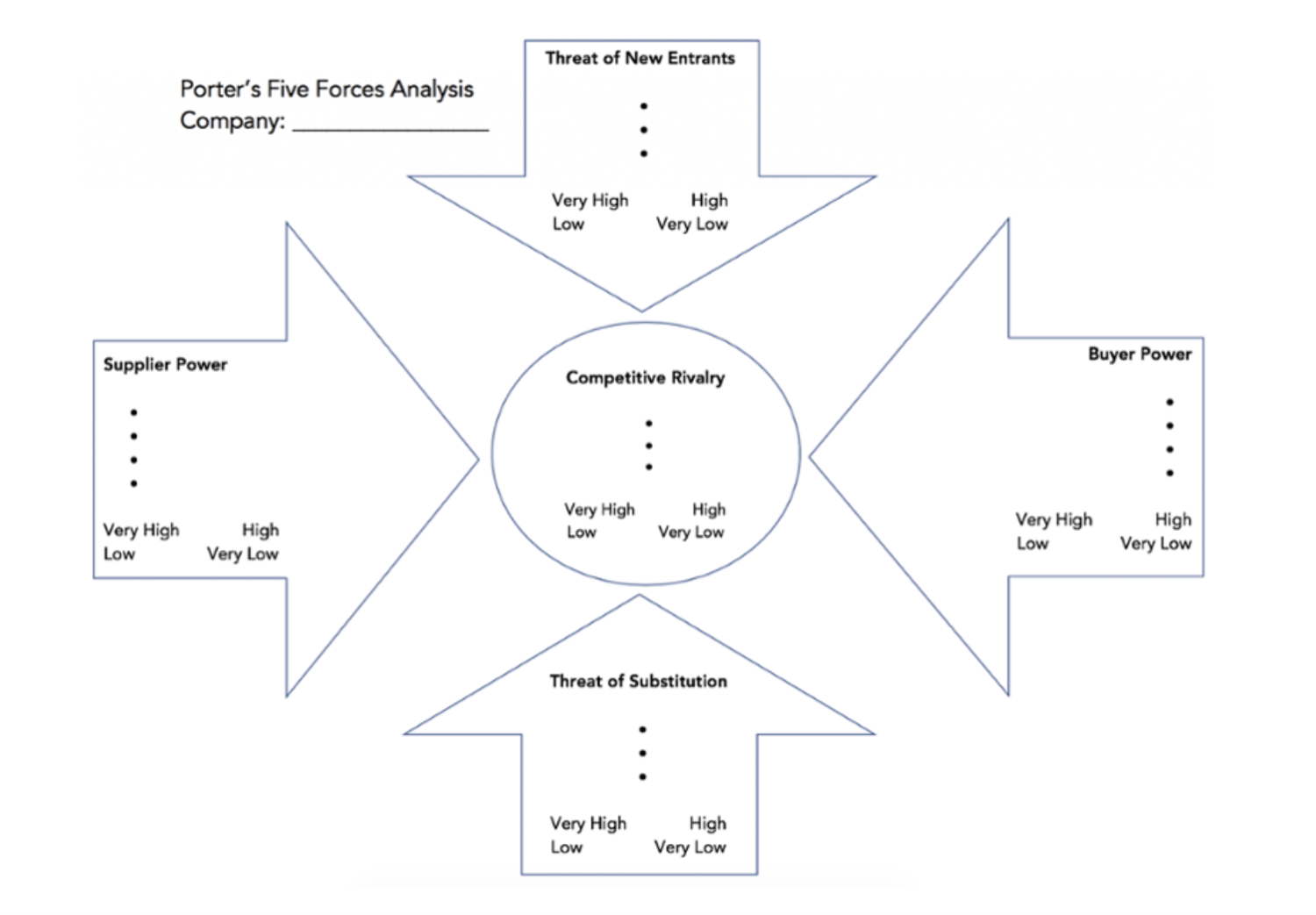
Use Porter’s Five Forces Model to understand an industry by analyzing five different criteria and how high the power, threat, or rivalry in each area is — here are the five criteria:
- Competitive rivalry
- Threat of new entrants
- Threat of substitution
- Buyer power
- Supplier power
Download a free, editable Five Forces Analysis template here.
2. SWOT Analysis Template
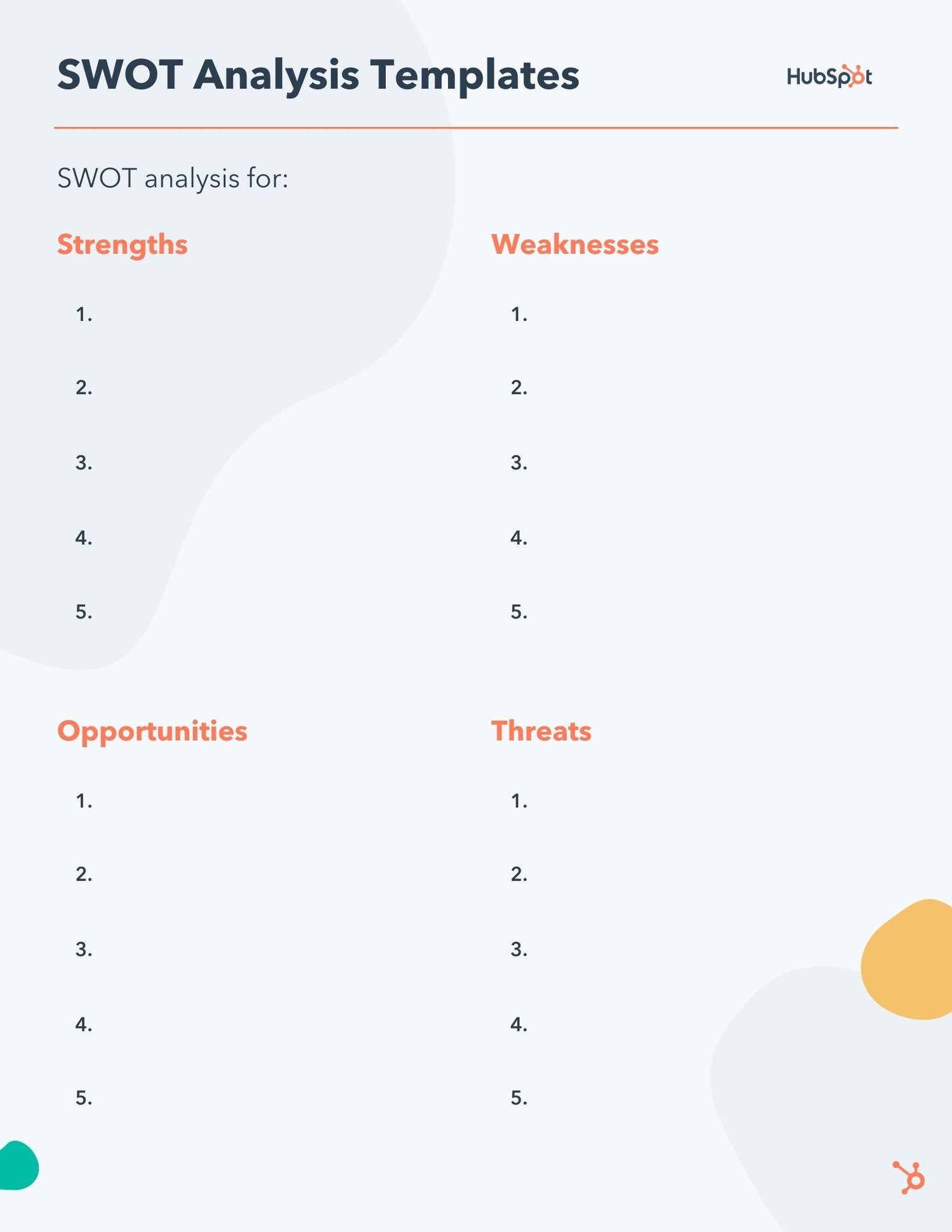
SWOT (Strengths, Weaknesses, Opportunities, Threats) analysis looks at your internal strengths and weaknesses, and your external opportunities and threats within the market.
3. Market Survey Template
Both market surveys and focus groups (which we’ll cover in the next section) help you uncover important information about your buyer personas, target audience, current customers, market, competition, and more (e.g. demand for your product or service, potential pricing, impressions of your branding, etc.).
Surveys should contain a variety of question types, like multiple choice, rankings, and open-ended responses. Ask quantitative and short-answer questions to save you time and to more easily draw conclusions. (Save longer questions that will warrant more detailed responses for your focus groups.)
Here are some categories of questions you should ask via survey:
- Demographic questions
- Business questions
- Competitor questions
- Industry questions
- Brand questions
- Product questions
4. Focus Group Template
Focus groups are an opportunity to collect in-depth, qualitative data from your real customers or members of your target audience. You should ask your focus group participants open-ended questions. While doing so, keep these tips top of mind:
- Set a limit for the number of questions you’re asking (after all, they’re open-ended).
- Provide participants with a prototype or demonstration.
- Ask participants how they feel about your price.
- Ask participants about your competition.
- Offer participants time at the end of the session for final comments, questions, or concerns.
Market Research Examples
1. Disney uses kid-centric focus groups to test new characters and ideas.
The Walt Disney Company can spend millions crafting what its Animation Studio team believes is a worthwhile story, but it wisely focuses on its intended audience — children — when testing how well a character or topic performs.
A few times each year, Disney executives meet with preschoolers and kindergartners in kid-centric focus groups to get their opinions and insights on TV episodes, Disney characters, and more.
Why is this an effective market research strategy? Because children are ultimately the audience Disney hopes to delight — so collecting their feedback is invaluable to iterating on their existing content and ensuring it continues to meet its audiences’ preferences.
2. KFC tested its meatless product in select markets before launching nationwide.
In 2019, KFC began developing and testing a new meatless version of its chicken. Rather than instantly rolling the product out nationwide, however, it started small: In select stores in the Atlanta, Georgia area.
This is an easy, effective example of conducting market research to determine how well a new product sells on a smaller scale before dedicating too many resources to it. If the meatless chicken flopped in Georgia, KFC would need to change the product before re-launching it to the market.
3. Yamaha conducted a survey to determine whether they should use knobs or sliding faders on the Montage keyboard.
When Yamaha, a Japanese-based corporation that produces a variety of products ranging from motorcycles to golf cars to musical instruments, began developing its new Montage keyboard, the team was unsure whether to use knobs or sliding faders on the product.
So Yamaha used Qualtrics to send a survey to their customers, and received 400 responses in a few hours.
Using survey feedback helped Yamaha ensure it was designing a product that exactly fit its audiences’ preferences.
4. The Body Shop used social listening to determine how they should re-position brand campaigns to respond to what their customers cared most about.
The Body Shop has long been known for offering ethically sourced and natural products, and proudly touts “sustainability” as a core value.
To dive deeper into the sustainability sub-topics that meant the most to their audiences, the team at The Body Shop tracked conversations and ultimately found their audiences cared a lot about refills.
Using this information helped the Body Shop team feel confident when relaunching their Refill Program across 400 stores globally in 2021, and another 400 in 2022. Market research proved they were on the right track with their refill concept, and demonstrated increased efforts were needed to show Body Shop customers that the Body Shop cared about their customers’ values.
Conduct Market Research to Grow Better
Conducting market research can be a very eye-opening experience. Even if you think you know your buyers pretty well, completing the study will likely uncover new channels and messaging tips to help improve your interactions.
Editor’s note: This post was originally published in March 2016 and has been updated for comprehensiveness.

The Plain-English Guide to Conjoint Analysis
Sometimes, commercials really get me.
T-Mobile‘s Super Bowl commercial this year is a prime example — “What’s for Dinner?” demonstrates the infuriating process of choosing what to do for dinner for a young couple, and it’s gold.
The reason T-Mobile’s ad was so relatable is because of their market research. They looked at what their target audiences wanted — including their thought processes, what informs their decisions, and the trade-offs they’re willing to make for their products.
To accomplish all of these important factors in one go, many companies use conjoint analysis.
Think about buying a new phone. Attributes you might consider are color, size, and model. The reason phone companies include these specs in their marketing is due to research such as conjoint analysis.
Would consumers purchase this product or service if brought to market? That’s the question conjoint analysis strives to answer. It’s a quantitative measure in marketing research, meaning it measures numbers rather than open-ended questions. Questions on the phone company survey would include price points, color preference, and camera quality.
Surveys intended for conjoint analysis are formatted to reflect the buyer’s journey.
For instance, notice in this example for televisions, the specs are the options and the consumer picks what best reflects their lifestyle:
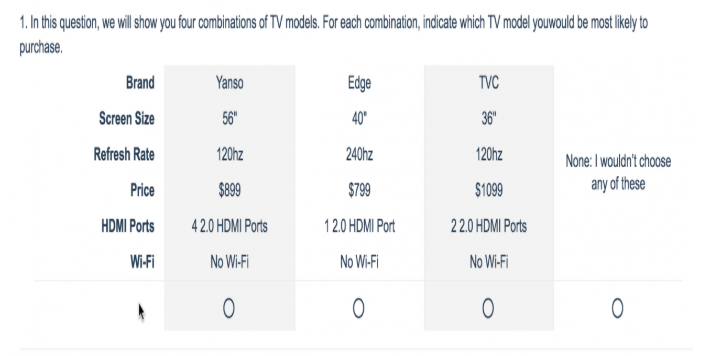
This direct method of giving consumers multiple profiles to then analyze is how conjoint analysis got its name. These answers are helpful when determining how to market a new product.
If answers on the phone company survey proved that their target audience of adults ages 18-25 wanted a green phone from $400-600 and a camera with portrait mode, advertisements can cater directly to that.
The conjoint analysis shows what consumers are willing to give up in order to get what they need. For instance, some might be willing to pay a little more money for a larger model of a phone if their preference is larger text.
Types of Conjoint Analysis
Choice-based conjoint (CBC) and Adaptive Conjoint Analysis (ACA) are the two main types of conjoint analysis.
Choice-based is the most common form because it asks consumers to mimic their buying habits. ACA is helpful for product design, offering more questions about specs of a product.
Choice-based conjoint analysis questions are usually presented in a “Would you rather?” format. For example, “Would you rather take a ride-share service to a location 10 minutes away for $13 or walk 30 minutes for free?” The marketer for the ride-share service could use answers from this question to think of the upsides to show off in different campaigns.
ACA leans towards a Likert-scale format (most likely to least likely) for its attribute-based questions. Respondents can base their preference on specs by showing how likely they are to buy a product with slight differences — for example, similar cars with different doors and manufacturers.
How To Do A Conjoint Analysis
To create a conjoint analysis, you’ll first need to define a list of attributes about your product. Attributes are usually four to five items that describe your product or service. Consider color, size, price, and market-specific attributes, such as lenses if you’re selling cameras.
Additionally, try to keep in mind your ideal respondents. Who do you want to answer your survey? A group of adult men? A group of working mothers? Identify your respondent base and ask specific questions catered to that target market.
The next step is to organize your questionnaire depending on the type of conjoint analysis you want to conduct. For instance, to run an adaptive conjoint analysis, you will present questions with a Likert-scale.
You can use a conjoint analysis tool to create and modify your survey. Then, you can distribute your questionnaire through multiple channels, including email, SMS, and social media.
For more ways to introduce product marketing into your company, check out our ultimate guide here.
Examples of Conjoint Analysis
Sawtooth Software offers a great example of conjoint analysis for a phone company:
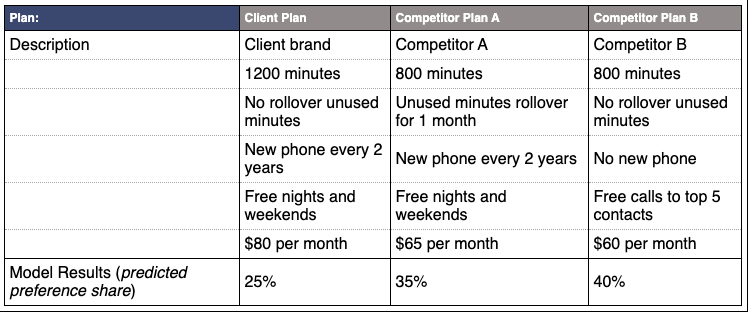
The analysis puts three different phone services next to each other. The horizontal column of the model identifies which service is offering a certain program, described by the vertical values. The bottom row shows a percent value of consumers’ preferences.
QuestionPro offers this fun, interactive conjoint analysis template about retirement home options. The survey gives you a scenario and asks your course of action. For instance, it asks if you would sign a rental agreement for retirement home housing immediately, and considers specs like rent, meals, size, etc.
Conjoint analysis isn’t limited to existing products. They’re also very helpful for figuring out if a brand-new product is worth developing. For instance, if surveys show that audiences would be into the idea of an app that chooses clothes for consumers, that could be a new venture for clothing companies in the future.
Looking to create a conjoint analysis of your own? Check out our top four conjoint analysis tools below.
Conjoint Analysis Tools
1. Qualtrics

Qualtrics is an easy-to-use survey tool that offers comprehensive product insights. You can create, modify, distribute, and analyze a conjoint analysis in one place. All it takes is four steps — define your attributes, build and modify your questions in the survey editor, distribute the survey, and analyze the results.
What We Like: Qualtrics goes beyond product insights — this powerful software also captures customer, brand, and employee experience insights.
Pro Tip: Leverage email to invite respondents to take your survey. With Qualtrics, you can embed a survey question directly in your email survey invite.
2. Cojoint.ly

Conjoint.ly offers a complete toolbox for product and pricing research — including a Product Description test, an A/B test, and a Price Sensitivity test. You can also source your own respondents for your survey or buy quality-assured respondents from Conjoint.ly.
What We Like: Users can simply choose a tool that best fits their research question. These tools are organized under four main categories: pricing research, features and claims, range optimization, and concept testing.
Pro Tip: If you want to “try before you buy,” you can use Conjoint.ly’s Quick Feedback tool. For a small price, you get around 50 respondents to provide feedback within a 6-hour window.
3. 1000minds

1000minds offers an adaptive conjoint analysis tool. Meaning, each time a choice is made, it adapts by formulating a new question to ask based on all previous choices. This makes the survey feel more like a conversation.
What We Like: We’re impressed by the scalability of 1000minds. The tool allows you to include as many participants as you like, potentially in the thousands.
Pro Tip: You can use their conjoint analysis templates or build your own model from scratch.
4. Q Research Software

Q is analysis software that is specifically designed by market researchers. Its conjoint analysis tool is ideal for choice-based analyses. Users can create experimental designs, analyze the data, and generate reports.
What We Like: Q cuts through the grunt work with automation — including cleaning and formatting data, updating surveys, and producing reports.
Pro Tip: With just a few clicks, you can export any reports or visualizations from Q to PowerPoint and Excel.
A conjoint analysis requires a solid survey design and analysis, but the extra effort is often worth it. By going the extra mile, you can access insights into your audience’s preferences and buying decisions — which is invaluable when determining how to market a new product or service.
