
Welcome to My Blog
10 Great Examples of Welcome Emails to Inspire Your Own Strategy
We’ve all heard how important it is to make a good first impression.
Show up late for a job interview? That’s a bad first impression. Eat a ton of garlic and forget to brush your teeth before a first date? Also a bad first impression.
It turns out that the “make a good first impression” principle holds true not only in face-to-face encounters but email interactions as well. The result? The right welcome email goes a long way to connect with potential business contacts or customers.
![→ Download Now: 8 Free Customer Onboarding Templates [Free Kit]](https://no-cache.hubspot.com/cta/default/53/b6abbd56-b7d5-42bf-8a85-b7ae63ca70d2.png)
When you send a welcome email to a new blog reader, newsletter subscriber, or customer, you’re making a first impression on behalf of your brand. To help ensure you’re making the best first impression possible, we’ve rounded up some examples of standout welcome emails from brands big and small.
Pro Tip: Use HubSpot’s free email marketing software to easily create a high-quality welcome email sequence like the ones featured below.
As you’ll soon discover, each example below showcases different tactics and strategies for engaging new email subscribers. Let’s dive in.
The Components of an Impressive Welcome Email
What makes a great welcome email? While there’s no one-size-fits-all format, there are several key components that can help your email stand out from the crowd and connect with your intended audience. These include:
Compelling Subject Lines
The first step in making a great first impression? Make sure recipients actually open your emails. subject lines are critical — opt for short and to the point subjects that make it clear what you’re sending, who it’s from, and why it matters to potential customers.
Content Recommendations
While the main purpose of welcome emails is to introduce your brand, it’s also critical to add value by providing the next steps for interested customers. A good place to start is by offering links to the great content on your website that will give your customers more context if they’re curious about what you do and how you do it.
Custom Offers
Personalization can help your welcome emails stand out from the pack. By providing customized introductory offers on products consumers may want — based on the information they’ve provided or data available on public, social platforms — welcome emails can help drive ongoing interest.
Clear Opt-Out Options
It’s also important to provide a clear way out if users aren’t interested. Make sure all your welcome emails contain “unsubscribe” options that allow customers to select how much (or how little) contact they want from you going forward. If there’s one thing that sours a budding business relationship, it’s incessant emails that aren’t easy to stop. Always give customers a way to opt-out.
10 Examples of Standout Welcome Emails
So what does a great welcome email look like? We’ve collected some standout welcome message series examples that include getting started messages, thank you emails, and offer templates to help you take customers through the welcome process from start to finish — and make a great impression along the way.
1. Virgin America
Type of welcome: Get Started
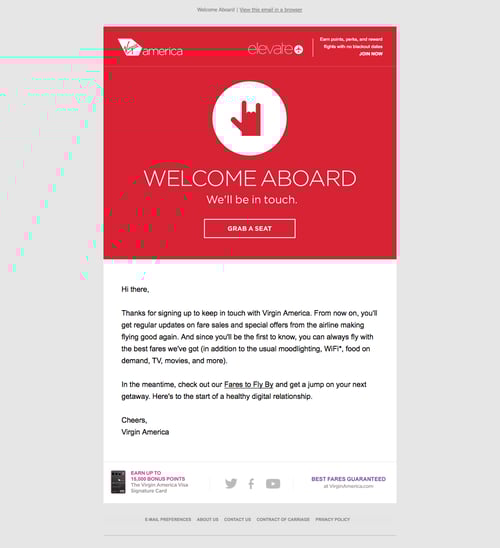
A welcome email is a perfect medium for introducing folks to the characteristics (and eccentricities) that make your brand unique.
For Virgin America, that means putting the “I love you” hand symbol front and center. This small gesture signals to the recipient that the folks at Virgin America care about their customers. The playful accompanying copy, “Welcome aboard,” and casual call-to-action, “Grab a seat,” also help to position Virgin America as a hip, fun-loving brand right off the bat.
2. Food52
Type of welcome: Get Started
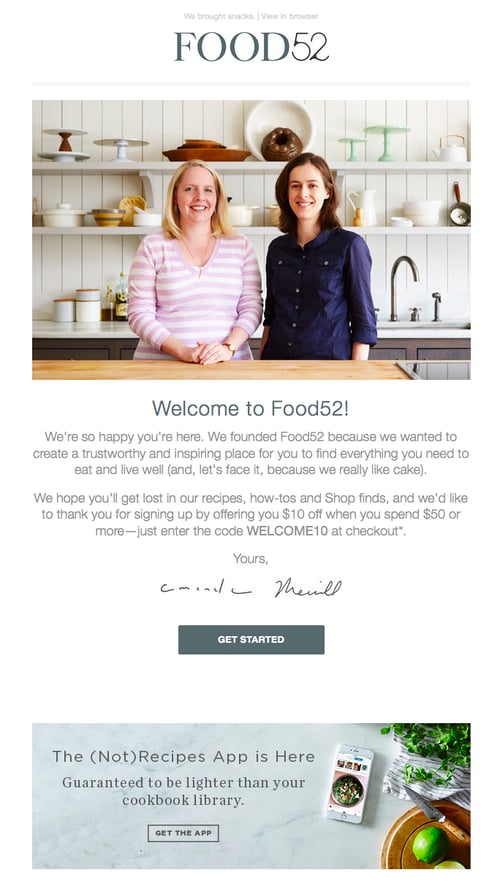
Sometimes the tiniest of elements in a welcome email can speak volumes about a brand. And when it comes to Food52’s welcome email, their preview text at the top of the email, “We brought snacks,” definitely accomplishes this.
Also known as a pre-header or snippet text, the preview text is the copy that gets pulled in from the body of an email and displayed next to (or beneath) the subject line in someone’s inbox. So when you see Food52’s welcome email in your inbox, you get a taste of their brand’s personality before you even open it.

Food52’s welcome email also does a good job of building trust by putting a face (make that two faces) to their name. As soon as you open the email, you see a photograph and message from the company’s founders.
3. Monday.com
Type of welcome: Video
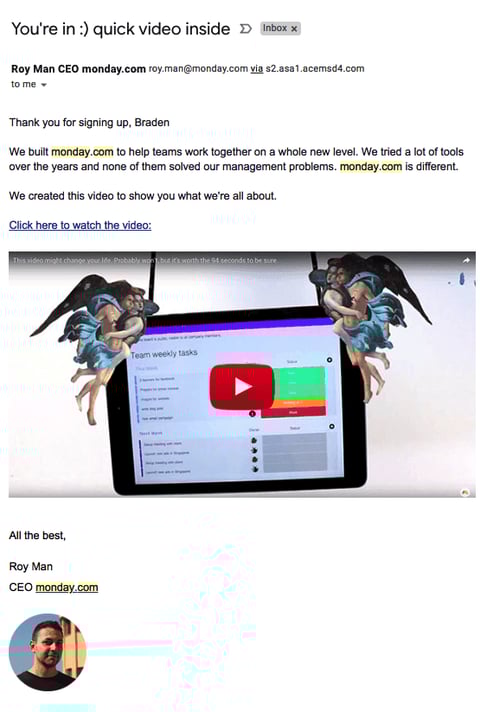
From the subject line to the conversational tone in the email body, the welcome email above keeps it friendly and simple so the focus stays on the introductory video inside.
Monday.com is a task management tool for teams and businesses, and the welcome email you get when you sign up makes you feel like the CEO, Roy Man, is talking directly to you. The email even personalizes the opening greeting by using the recipient’s first name — this is well known for increasing email click-through rates (especially if the name is in the subject line).
The more you can make your email sound like a one-on-one conversation between you and your subscriber, the better. If you have just so many details you need to inform your new customer of, follow Monday.com’s lead and embed them in a video, rather than spelling them all out in the email itself.
4. Kate Spade
Type of welcome: Thank You
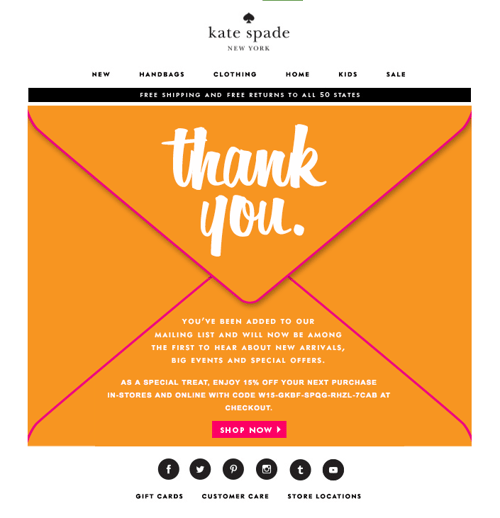
Let’s face it: We, the internet-using public, are constantly bombarded with prompts to sign up for and subscribe to all sorts of email communications. So as a brand, when someone takes the time to sift through all the chaos in order to intentionally sign up for your email communications, it’s a big deal.
In order to acknowledge how grateful they are to the folks who actually take the time to subscribe, Kate Spade uses a simple — but effective — tactic with their welcome emails: They say “Thank You” in big, bold lettering. And by placing that “Thank You” on an envelope, Kate Spade recreates the feeling of receiving an actual thank-you letter in the mail. (The 15% off discount code doesn’t hurt either.)
5. Lyft
Type of welcome: Get Started
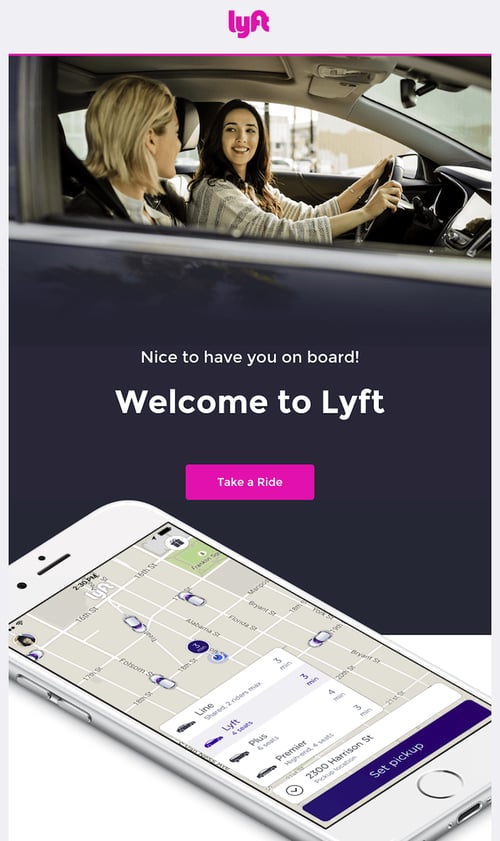
If there’s an ideal “attitude” that welcome emails should give off, Lyft has got it.
The company’s simple but vibrant welcome email, shown above, focuses entirely on the look and feel of the app, delivering a design that’s as warm and smooth as the lifts that Lyft wants to give you. At the same time, the email’s branded pink call-to-action draws your eyes toward the center of the page to “Take a Ride” — inviting language that doesn’t make you feel pressured as a new user.
6. IKEA
Type of welcome: Offer
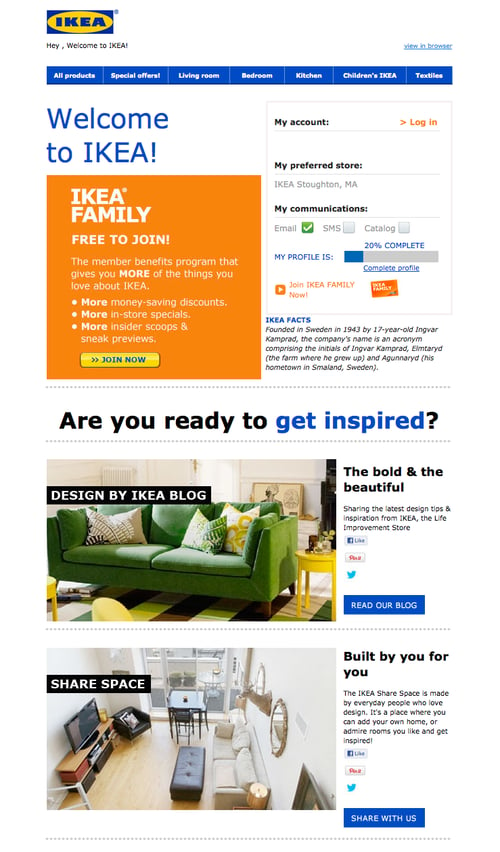
It might not be the most beautifully designed email on this list, but that doesn’t mean IKEA’s welcome email isn’t effective.
Instead of going for the hard sell (e.g., “By stuff now!”), or explaining what it is they do (which is something IKEA probably assumes most people already know), IKEA uses its welcome email to turn folks onto its other, lesser-known programs and content channels. For example, there’s a call-to-action right at the top that explains the value of its member benefits program. There are also prompts to visit their design blog and to contribute to their collaborative “Share Space” site.
Of course, if you’re not interested in any of that stuff, IKEA’s welcome email also makes it easy for you to simply log in and start shopping (there’s a login field right up top).
7. Michaels
Type of welcome: Offer
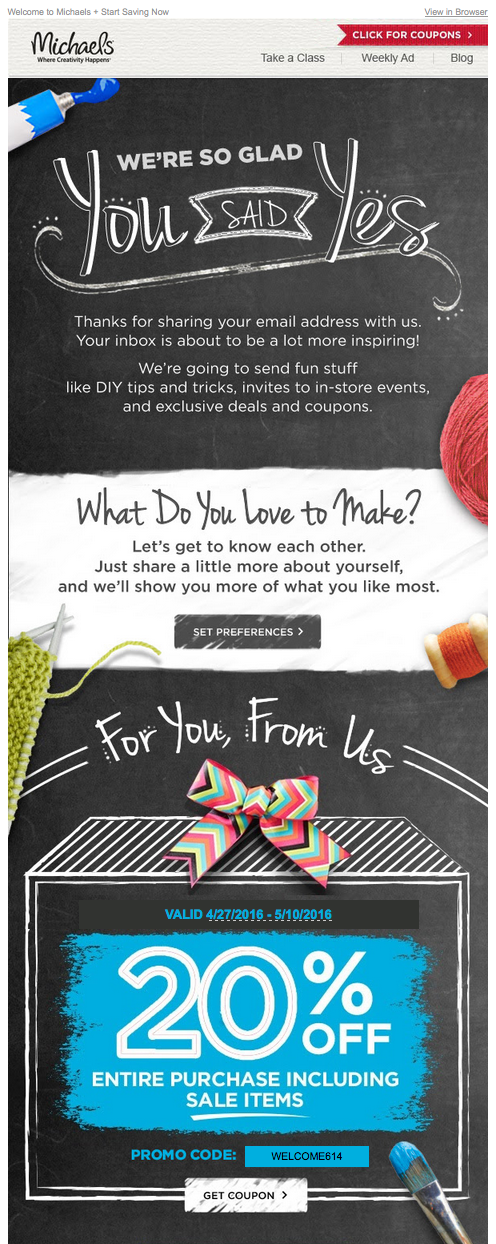
The Michaels approach to the welcome email borrows elements from both Kate Spade and Virgin America. In addition to expressing gratitude to the folks who took the time to sign up, Michaels uses its welcome email to showcase the brand. And the company does a great job: The lengthy email feels like one big arts and crafts project, complete with paint, yarn, and chalkboards.
Another standout feature of this welcome email is that Michaels makes it immediately clear what value its future email communications are going to provide. After thanking subscribers, there’s this nice bit of copy that sums it up:
“We’re going to send fun stuff like DIY tips and tricks, invites to in-store events, and exclusive deals and coupons.”
8. Sphero
Type of welcome: Hello
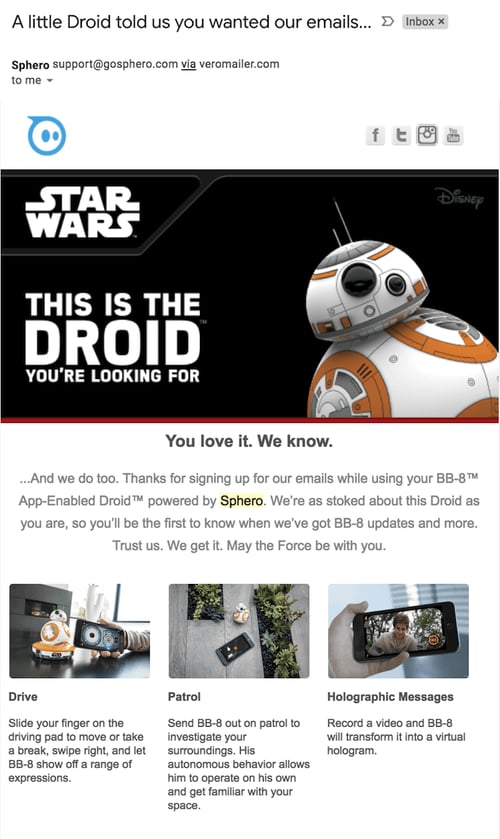
Sphero’s welcome email might in fact be the cutest one we’ve seen recently — and it was sent from a galaxy far, far away.
If you purchase a Bluetooth-controlled BB-8, the friendly Droid from Star Wars, it was probably made by Sphero. And if it was, you’ll have an email similar to the one above waiting in your inbox when you activate your new rolling companion.
This email’s subject line is what qualifies it for this list — “A little Droid told us you wanted our emails.” By cleverly personifying the product, and being somewhat candid about its email marketing newsletters, Sphero develops a relationship with its recipients through the product you just bought from them.
Besides showing you how to use your new BB-8 Droid with your smartphone, all this welcome email wanted to do was say hi — just like BB-8 himself.
9. InVision
Type of welcome: Video
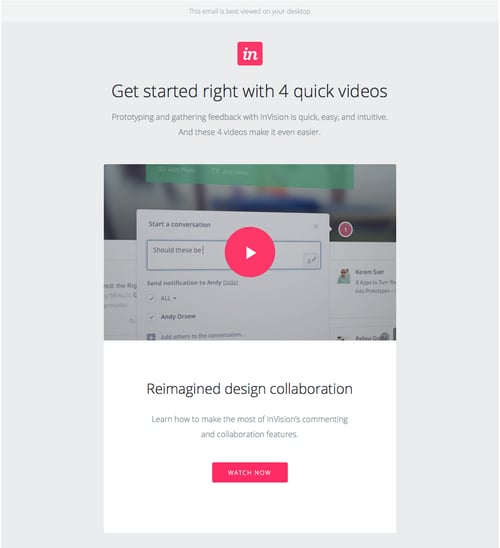
When you sign up for InVision’s free prototyping app, the welcome email makes it very clear what your next step should be: using the app.
To facilitate this action, InVision’s welcome email doesn’t simply list out what you need to do in order to get started. Instead, it shows you what you need to do with a series of quick videos. Given the visual, interactive nature of the product, this makes a lot of sense.
10. Drift
Type of welcome: Get Started
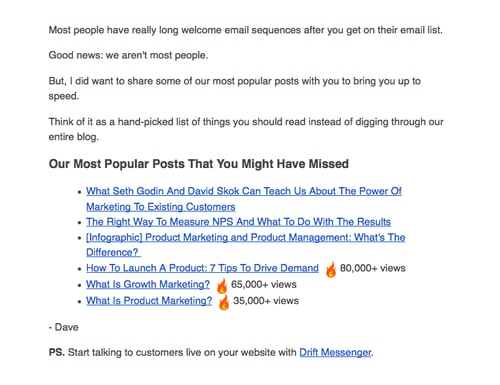
No fancy design work. No videos. No photos. The welcome email Drift sends out after signing up for their newsletter is a lesson in minimalism.
The email opens with a bit of candid commentary on the email itself. “Most people have really long welcome email sequences after you get on their email list,” Dave from Drift writes, before continuing: “Good news: we aren’t most people.” What follows is simply a bulleted list of the company’s most popular blog posts. And the only mention of the product comes in a brief postscript at the very end.
If you’re trying to craft a welcome email that’s non-interruptive, and that’s laser-focused on adding value vs. fluff, this is a great example to follow.
Bonus Example: HubSpot’s Welcome Email Templates
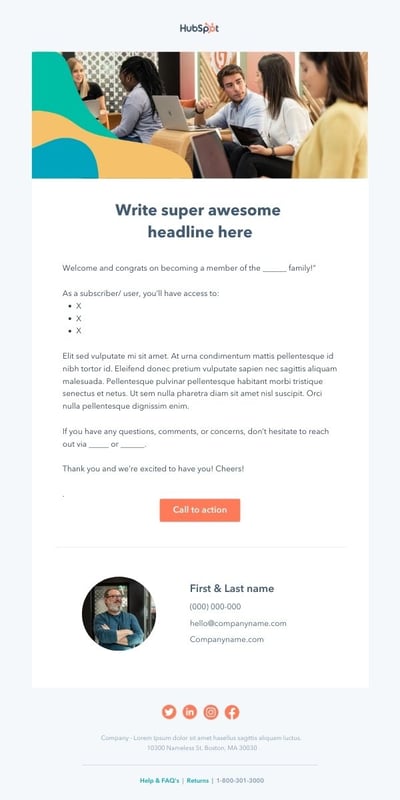
Need a little help getting your welcome email efforts off the ground? We’ve got you covered with welcome message templates to streamline the connection process. The example below is one of four templates offered in our free kit (which also includes 40+ customer email templates) and showcases a straightforward example of a great welcome email.
Simply fill in the details, tweak the text to reflect your brand voice, and start sending.
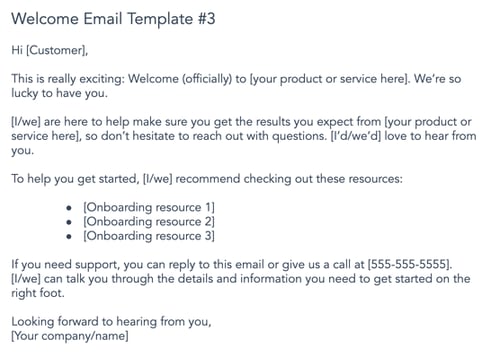 Download the kit now to start crafting the perfect series of welcome emails for new customers.
Now that you’ve seen some great examples of welcome emails, let’s dig into the process of writing a great email and catching customer attention.
1. Write a Catchy Subject Line
Research shows that while more than 90% of welcome emails are opened, just 23% are actually read. That means if your welcome email doesn’t catch the eye of your new customer, they may not know you sent it at all.
The best tool you can leverage to increase email open rates is the subject line. A catchy and actionable subject line can draw customers in and make them curious about your content.
When writing subject lines, be sure to include what your email is promoting and how it will benefit your customer. Remember to be concise because the reader will only be able to see a sentence or two in the preview. A good rule of thumb is that your subject line should provide enough information to peak the reader’s interest, but not enough so that they need to open your email for the full details.
2. Restate Your Value Proposition
Although this may seem like an unnecessary step to take, it can actually provide some significant benefits.
The most obvious benefit is that it provides the customer with some reassurance that they made the right decision signing up. It’s never a bad thing to remind customers why they created an account with you, and it clarifies exactly what they can expect to achieve with your product or service.
This also gives you the opportunity to clearly explain any ancillary services or features that you offer that could create more stickiness with your business. This is especially true if you have a complex solution with unique features that customers might not know about.
3. Show the Next Onboarding Steps
Now that you’ve reminded them why they signed up, get them fully set up with your product or service. Usually, there are steps that users must take after signing up to get the most out of the platform. Examples include:
- Completing their profile information
- Setting preferences
- Uploading necessary information (e.g. contacts into a CRM, profile picture for a social media profile, etc.)
- Upgrading their account or completing an order
4. Generate the “A-ha” Moment
This is one of the most important steps to take in a welcome email, and there’s a data-backed reason behind that. Former Facebook head of growth, Chamath Palihapitiya famously discovered that if you can get a user to acquire seven friends within 10 days, they were much more likely to see Facebook’s “core value” and become a returning active user. This is known as an “a-ha moment,” in which the customer understands how they benefit from using your product or service.
The goal is to get the user to this aha moment as quickly as possible so your product sticks and the customer achieves success as soon as possible. This will produce a better overall customer experience and ultimately help your business grow.
To get this done, first identify your business’s “core value” and the obstacles or prerequisites customers must complete to receive this value. Then you can use your welcome email to guide new customers through these tasks.
5. Add Helpful Resources
As mentioned in the previous step, you want the user to see the value immediately. But, customer success doesn’t stop there. Depending on the nature and complexity of your product, customers may need additional help. For example, customers might require guidance on troubleshooting, utilizing advanced features, or getting the most value out of your core features.
It’s likely that you’ve already created help content addressing common questions from customers. Whether it’s tutorial videos, an FAQ page, or helpful blog posts containing best practices, this help content is essential to customer success. Why not include it in your welcome email? This gives them the tools they need upfront without forcing them to search for the information after a problem arises.
6. Provide Customer Service Contact Information
The final step to setting your customers up for success is making sure that they know how to contact you. You can spend all the time in the world creating excellent help content, but you can’t foresee every possible problem that will arise for your customers.
Even if you could, customers are only human, and not all of them will be willing to pore through your help resources to find the answer to their question. So it’s best to be forthright with customers on how they can get in touch with you for additional help.
Adding this contact information to your welcome email is a great way to lay the foundation of trust needed for building a relationship. It drives customer loyalty and reassures readers that you are available if they need you. Avoid sending customers on a treasure hunt just to find a way to ask you a simple question. This will lead to frustration and send them into the arms of your competitors.
7. Conclude with a Call-to-Action
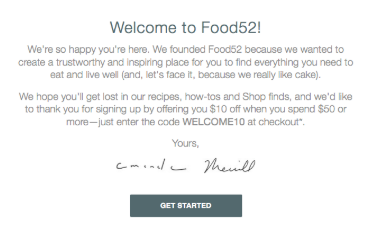
You should wrap up your welcome email with a call-to-action that entices customers to begin the onboarding process. After you’ve demonstrated your company’s value and explained how you’re going to help them achieve their goals, customers will be eager to get started. So, make things easier for them by providing a button at the end of the email that triggers the first step in the onboarding process.
Here’s one example of what this could look like.
Making a Great First Impression
Bottom line? Whether it’s in-person, over the phone, or by email, first impressions matter. Your welcome email is often the first chance a prospective customer or contact has to see what your brand is all about and if you don’t stick the landing, they’ll likely go somewhere else.
Luckily, writing a great welcome email is simple. It’s not easy, necessarily, but if you focus on what matters — compelling subject lines, great content, personalized offers, and always, always a way to opt-out, your first impression can help lay the groundwork for long-term relationships.
Editor’s note: This post was originally published in April 2016 and has been updated for comprehensiveness.

3 Super Bowl Ads Consumers Loved in 2022 & What Marketers Can Learn from Them [New Data]
Each year, the Super Bowl teaches us a lot about healthy competition. But — we don’t always see it play out on the football field.
In fact, when the commentators send us to a commercial break, that’s where some of the biggest game-day face-offs take place. While football teams compete for trophies, companies spend millions trying to get more views, leads, and revenue than other brands advertising in their industry on the same day.
Think about it. When haven’t you seen 10 competing car ads during one big game?
And, despite the noise of dozens of ads with blockbuster budgets, viewers might only recall just a few commercial spots.
![→ Access Now: Video Marketing Starter Pack [Free Kit]](https://no-cache.hubspot.com/cta/default/53/8f27c677-d952-4663-8787-bf65c6a1ecf2.png)
If you’re a video marketer, even for a small brand, you can learn a lot from the top Super Bowl ads. Although they have budgets we couldn’t imagine, they still leverage creativity and cleverness that have allowed them to grow mass awareness and stand out among their fiercest competition.
To help you zone in on key takeaways from the Super Bowl ads that resonated most with viewers, we asked more than U.S. 150 consumers to vote on their favorite big-game ads within three major product categories this year.
Below are three consumer favorites, plus takeaways that any marketer can leverage to fend off their biggest competition.
The 3 Most Popular 2022 Super Bowl Ads, According to 150+ Viewers
Consumers’ Favorite Auto Company Commercial
Toyota: “The Joneses”
Everyone wants to keep up with the Joneses, aka the cool family, click, or group in the neighborhood that has all the best stuff. That’s potentially why 24% of consumers we surveyed enjoyed Toyota’s ad over other auto-company Super Bowl commercials.
Toyota plays up the relatable need to keep up with the people you idolize by showing some of the most famous Joneses, including Rashida Jones, Tommy Lee Jones, and Leslie Jones, racing in Toyota Tundras. Quite literally, everyone in this ad is trying to keep up with the Joneses. When the race ends, the Joneses are surprised to see popular musician Nick Jonas pull up and say, “It’s keeping up with the Jonases now.”
While this commercial was boosted by a lot of star power, it’s easy-to-understand storyline offered a witty, yet effective message – “to keep up with the cool people, you’ll want to buy a Toyota Tundra.”
If you want to create a video marketing campaign that uses a similar strategy, consider telling stories of credible, notable, or somewhat popular people, micro-to-macro influencers, or thought leaders in your industry – and how your product has benefited them. This will boost trust and credibility towards your product or service, intrigue the fans of the people in your campaigns, and also let your audience know that people they strive to be like or learn from are using your offerings.
Consumers’ Favorite Tech, Telecom, or Software Brand Commercial
Verizon: Goodbye Cable
One of actor Jim Carrey‘s classically funny films was The Cable Guy. In the 1996 movie, Carrey’s character becomes infatuated with a client he’s fixing the cable for and keeps finding more fake reasons to fix the man’s cable and bond with him in his apartment.
During the 2022 Super Bowl, Verizon creatively plays up the film’s nostalgia by bringing back the somewhat-elusive Carrey for a mini-reboot where he comes to an apartment to set up a prospect’s cable and finds that she’s using Verizon 5G instead.
The cable prospect shows Carrey her internet setup and counters comments he offers, such as, “You must be locked into quite a contract.” and “This might be illegal… I’m gonna need to know who installed this! Who set this up?” As Carey’s character finally understands the value of Verizon 5G, he puts his hand up in the air and – kind of – admits defeat by saying, “Reception’s good, but I’ll be back tomorrow to check.
Although some viewers might not have seen the decades-old film, most people at least understand the ordeal cable customers face when trying to cut chords. As someone who’s tried to cut cable out of my life, I’ve been put through almost the same line of questioning by a cable company’s customer care team.
Ultimately, while Jim Carrey and the ad’s storyline make the commercial nostalgic, attention-grabbing, and fun, its message is still valuable and relatable to anyone who has or has had cable – even in 2022.
Consumers’ Favorite Food or Meal Service Commercial
Budweiser: “A Clydesdale’s Journey”
While most food and beverage brands focused their ad slots on their product during the Super Bowl, Budweiser – famous for its Clydesdale mascot – chose a different route. And, with most of the consumers we polled (18%) picking this ad as their favorite food or drink company commercial, Budweiser likely made a good choice.
Budweiser’s ad tells the story of a Clydesdale that hurts its leg in a jumping accident. The horse lies and moans sadly in a barn for days as farmers and a concerned dog look on. Just as the farmers, and Clydesdale’s dog friend, begin to show lost hope, the horse finds the strength to get up, walk out of the barn gallantly, and run full speed through pastures again.
The commercial’s end text reads “In the land of the brave, down is never out.”
The ad from Budweiser, which didn’t buy space during last year’s Super Bowl, shares a story of hope and optimism which is also a metaphor for national resiliency and how America will eventually heal following years of difficult times and pandemic-related uncertainty.
Although Budweiser’s ad doesn’t highlight a product, it tells a memorable, relatable, and empowering story about the brand’s well-recognized mascot and enables the brand to flash its logo with viewers feeling entertained and hopeful. This is a great example of how a narrative can create an interesting break from a saturated stream of food brands – and stand out among consumers.
Takeaways for Video Marketers
While all the ads above featured celebrities, the stars didn’t necessarily make these ads stand out among consumers in an already-crowded stream of celebrity-filled ads.
In fact, the three ads highlighted above shared the following themes.
- Relatability: All three ads, even Budweiser’s commercial about a Clydesdale, had a message that was relatable on a human level – making them more memorable andd interesting to watch.
- Humor: While many Super Bowl ads in past years had heavier tones, two of the commercials on the list above – and many of this year’s ads – won audiences over with a lighter, optimistic, and funny tone.
- Strong storylines: While most of the Super Bowl ads we saw had celebrity cameos in them, not all of them had memorable or intriguing storylines. The three above all had an interesting narrative that threw viewers into the action and left them wanting to know how the commercial would end.
Even without a million-dollar ad budget, you can keep these themes in mind, and create scaleable affordable video content that caters to them and really draws your audiences in.
Inspired by these ads, and want to revel in some of the best Super Bowl commercials of all time? Check out this post to learn more from the greats.
Or need help building your newly budgeted video marketing plan? Download the free resource below.

14 Free Personality Tests You Can Take Online Today
Personality tests are a great way to explore different aspects of who you are, and uncover layers you perhaps hadn’t recognized about yourself before.
Being truly self-aware is hard — while they might not be always 100% accurate, personality tests work well as a starting point for self-discovery by providing results you might not have concluded on your own. These insights are invaluable for personal and professional growth.
When you’ve got some downtime and want to explore aspects of who you are, why you make certain decisions, who you work well with, or get some guidance on potential career paths, take a look at the best free online personality tests we’ve compiled.

Free Myers-Brigg Personality Tests
Myers-Briggs is a widely respected and popular personality assessment tool — first used in the 1940s, the test was developed by Katharine Cook Briggs and her daughter, Isabel Briggs Myers. Initially inspired by Jung’s personality theory, the Myers-Briggs test conveniently separates people into 16 categories of personalities, providing each person with a four-letter acronym.
The following four tests are broad-stroke indicators of who you are, using inspiration from Myers-Briggs. Among other things, the tests cover your communication styles, your strengths and weaknesses, your desires and ambitions, how you see the world, and how people perceive you.
If you’ve never taken a test based off Carl Gustav Jung’s psychological traits, or Myers-Briggs’ 16 categories of personalities, I’d suggest you take at least one of these. You’ll be surprised by the accuracy of some of the statements, and more importantly, you could gain insight into how your behavior is perceived by others, helping you improve both professional and personal relationships.
1. 16 Personalities
16 Personalities covers five broad personality aspects: mind, energy, nature, tactics and identity. The test is based on Carl Gustav Jung’s study of psychological traits (e.g. extroversion vs. introversion) and the Myers-Briggs test, two popular personality theories meant to determine an extensive overview of who you are.
Among other things, the test will cover how you communicate and relate to others — both professionally and personally — what you value and strive for, and how you make decisions. 16 Personalities has been taken over 126 million times, and is available in 30 languages.
Pros: Once you’ve gotten your results, you’ll find extensive information on your personality type including strengths and weaknesses, relationships, friendships, parenthood, and workplace habits. The test is incredibly accurate and can tell you how your personality type plays out in specific situations.
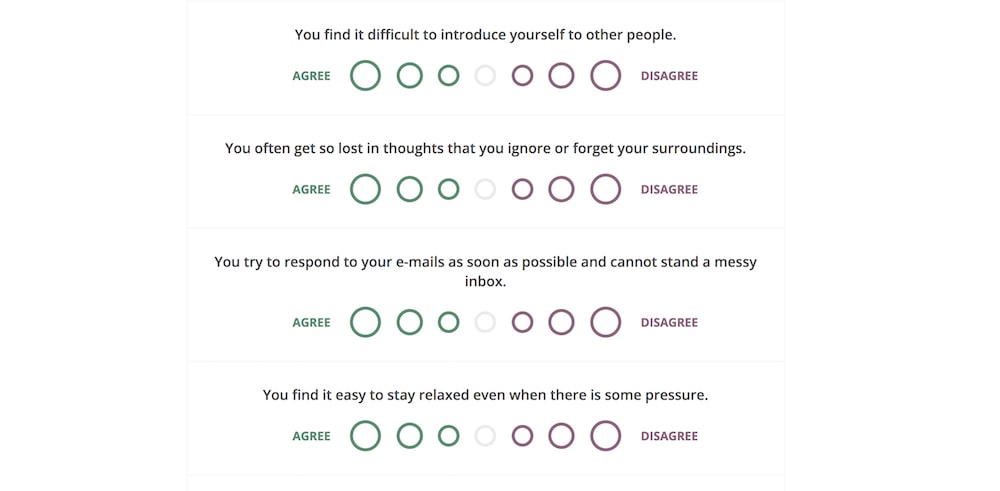
Cons: With seven bubbles varying from “Agree” to “Disagree”, it can be difficult and time-consuming to figure out where exactly you fall on each question. A “Strongly agree,” “Agree”, “Neutral”,”Disagree”, and “Strongly disagree” chart might’ve been easier to answer.
Best for: Learning how your personality type influences many different areas of your life, as well as how it impacts your relationships.
2. Personality Perfect
Similar to 16 Personalities, Personality Perfect is also based on Jung’s and Myers-Briggs’ personality theories, and uses four broad categories — extraversion vs. introversion, sensing and intuition, thinking and feeling, and judging and perceiving — to compile a four-letter abbreviation of your personality type (e.g. “INFP”).
The test provides a broad overview of how you connect with others, how you behave, and, perhaps most surprising, how you’re likely seen by others.
Pros: Once you know your four-letter personality abbreviation, you can apply that label to various situations, like work and love, and determine how others’ perceive your behaviors in those settings.
Cons: Tests that are based on Jung’s personality theories are typically considered rough tendencies, and not strict classifications — and many researchers say Myers-Briggs tests are unscientific due to the different results you might get if you take the test twice.
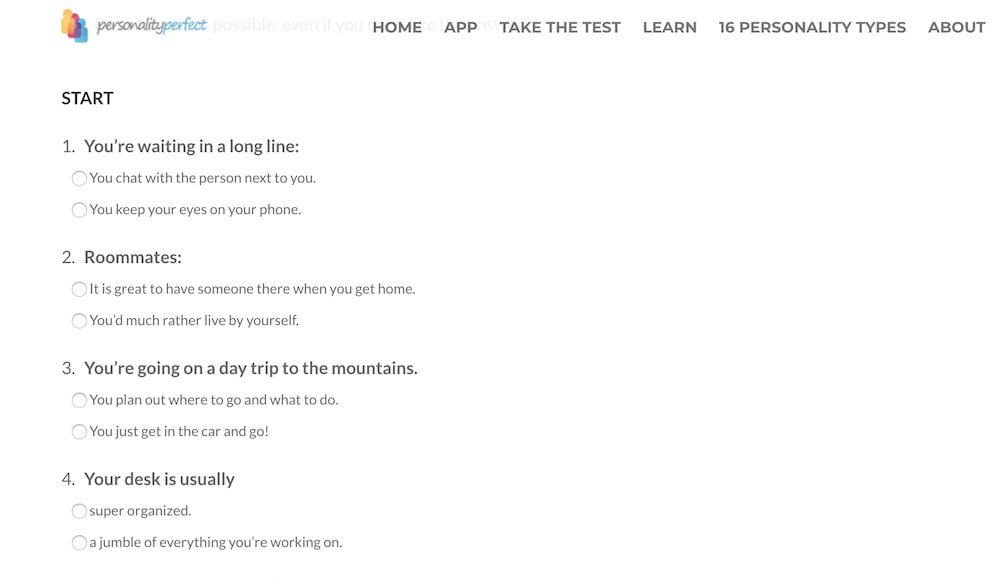
Best for: Learning how others perceive you or how they might misinterpret your behaviors, and finding out what you value most.
3. Human Metrics
If you’ve ever wondered which famous personalities share your personality type, you’re in luck — Human Metrics shows you that information, along with your four-letter personality type (again, based off Jung and Myers-Briggs theories).
With this test, you’ll get information about which career paths are most suitable for your personality type. If you’re having trouble choosing a career path or doubting the one you’ve chosen, maybe this test can help you figure it out.
Pros: This specific test allows you to see all 64 questions on one screen, which makes it easier to scroll back and change an answer if you’d like to.
Cons: Many of these responses can feel situation-dependent. “You feel involved when watching TV soaps”, for instance, could depend on the show you’re watching, how you’re feeling that day (relaxed? overwhelmed?) and simply might not be a strong predictor of who you are as a person.
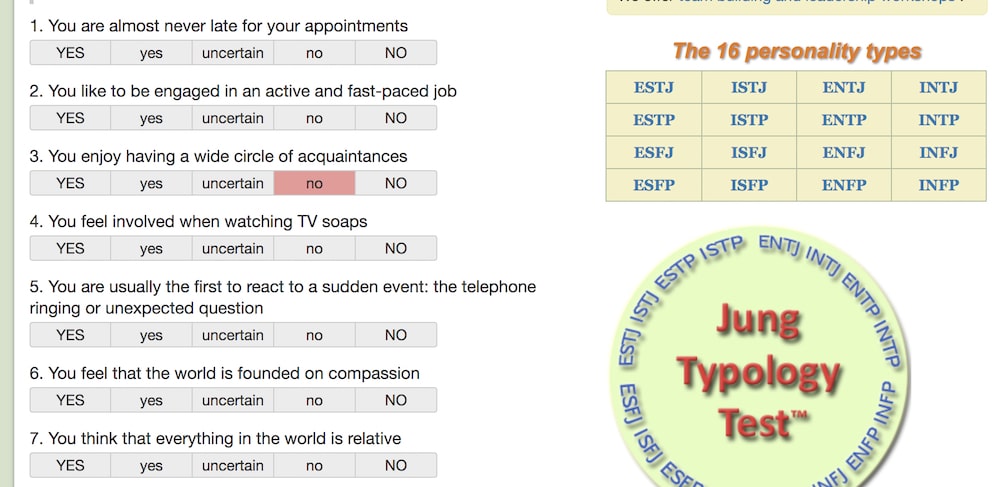
Best for: Determining a career path that is most well-suited for your personality.
4. TestColor
Test Color, a test validated by a team of clinical psychologists, psychoanalysts and mathematicians, asks you just two questions: “Click on the colors you like most,” and “Click on the colors you like least.”
Test Color tells you about your emotional intelligence, your creativity and imagination, your social skills, and your work style, including organization and management styles. I found it to be surprisingly accurate: in two questions, it nailed how I communicate with others and how I act in group settings.
Pros: It’s incredibly quick and easy — taking roughly 5 minutes to complete.
Cons: The results are relatively vague and general, and the test doesn’t divide your personality into categories depending on situation. (For instance, it doesn’t tell you the difference between your personality in work settings and romantic situations.)
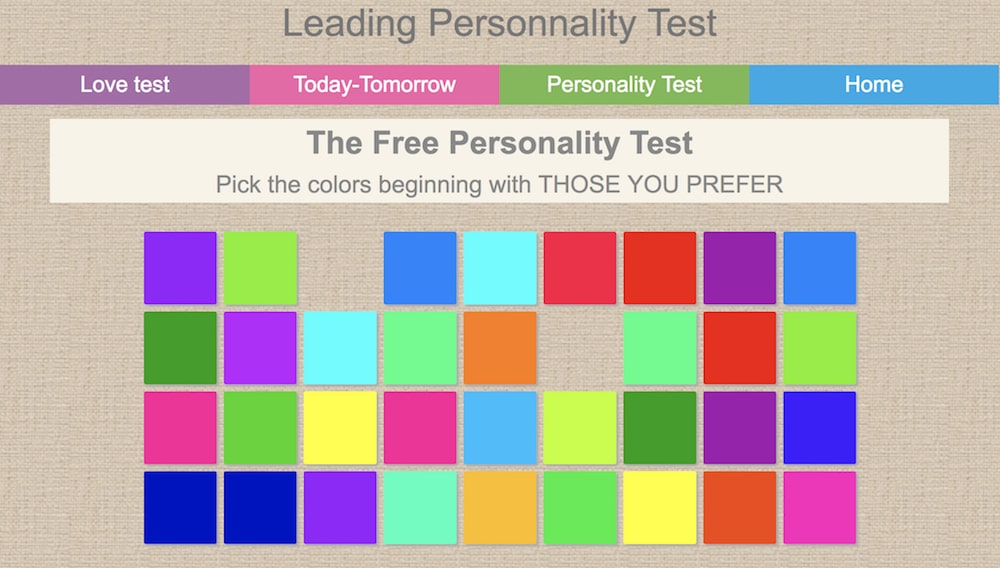
Best for: Finding out the ratio of extraverted to introverted you are, plus getting short descriptions of the qualities that most characterize your personality.
Free Disc Personality Tests
The DISC assessment determines where you lie on four DISC factors: dominance, influence, steadiness, and compliance. DISC is one of the most popular and authoritative career assessments out there, and many companies encourage their employees to take it.
Undoubtedly, personality affects our career ambitions, as well as how we perform in different workplace environments. If you’re particularly extraverted, maybe you’ve chosen a career path that enables you to work daily with large groups of people. If you have certain communication styles that rely on passivity and emotion, perhaps your boss’s direct statements sometimes offend you.
Arming yourself with a sense of self-awareness could help you find your optimal career path, foster better work relationships, and mitigate work conflict more effectively. Here are four career-focused tests to help you achieve higher work satisfaction.
1. Crystal
Crystal provides a free DISC assessment, which tells you (among other things) how your personality fits into your work environment, who you work well with, who you might have conflict with, how you perceive other’s behaviors, and how other’s perceive yours.
The test helps you understand how your own personality biases you towards certain colleagues (i.e. your personality might take another coworker’s comments offensively, while the coworker just believes in being direct), which could strengthen your work relationships.
Best of all, Crystal also offers an accurate personality test, enabling you to build an extensive personality profile on one website. Plus, when you input your company, Crystal lets you see your colleague’s personality profiles — undeniably critical information when you’re looking to empathize with a coworker.
Pros: Can be a useful tool for identifying areas to focus on for professional development and coaching.
Cons: There has been no correlational study to show that test results match real-world job performance.
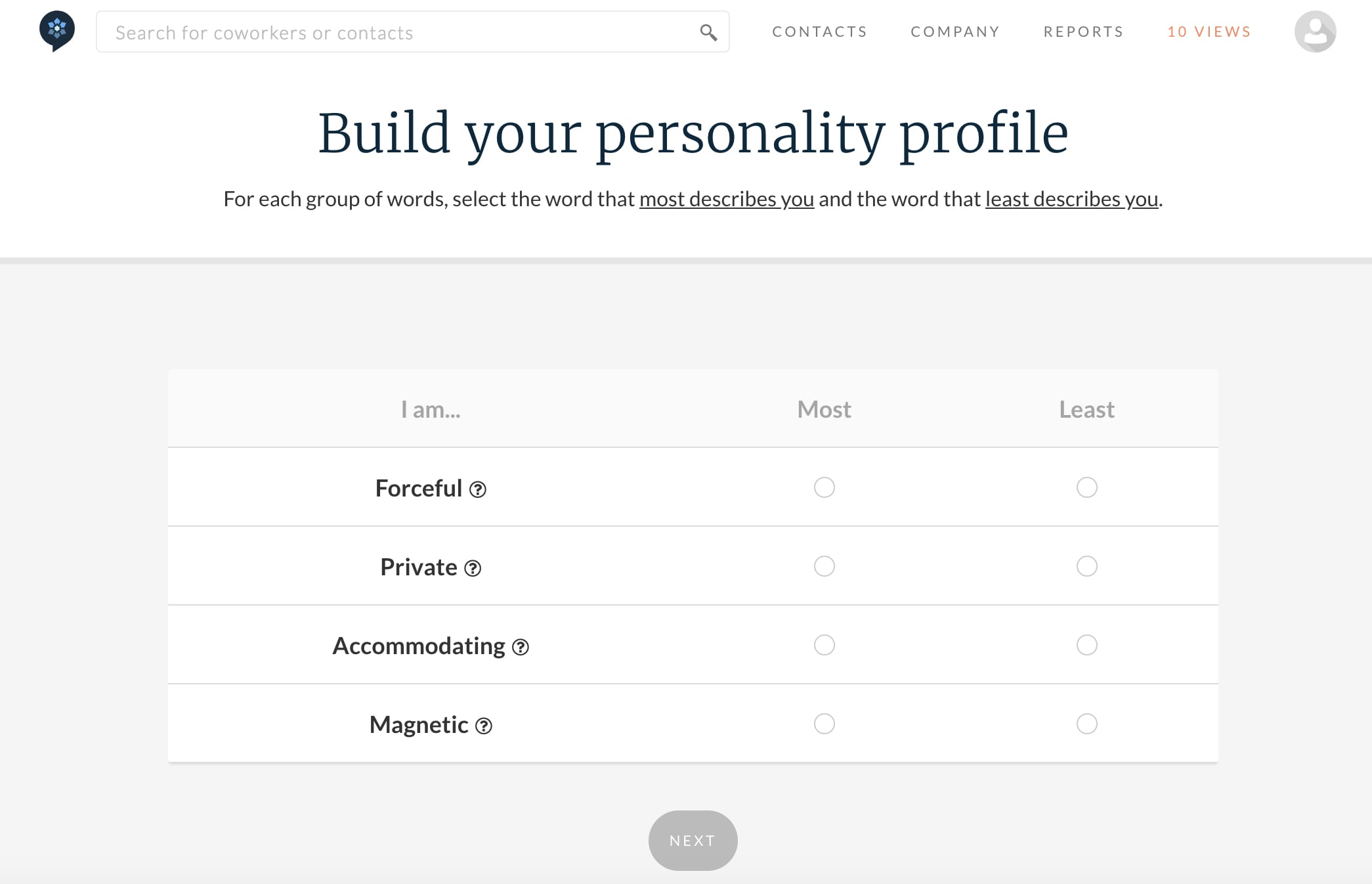
Best for: Learning how your personality biases you towards colleagues’ behavior, and gaining a deeper understanding of your coworkers’ personalities.
2. 123Test
123Test offers a DISC personality test you can take in five minutes, so there’s really no excuses. You’ll get a score to find out which DISC factors predict your behaviors towards other people.
The test offers critical information for understanding why you might get along better with one employee, and have more conflict with another. It identifies how you perceive other people’s actions (i.e. “You’re sensitive to her blunt nature, even though she believes she’s just being straightforward”), which can help you improve work relationships.
Pros: It’s incredibly quick and straightforward, and will give you a general sense for how you could misinterpret colleagues’ behaviors.
Cons: With a few simple images (like the example, below), this test is less advanced than others in the list, and could provide different results every time you take it depending on your mood.

Best for: Analyzing and improving your relationships with coworkers.
3. Truity Career Personality Profiler
This test, based on the Holland Code and Big Five theories, will analyze your interests and personality traits and tell you careers (and college majors) that are a good match for you. It also lets you know about specific tasks and projects you’d love, what motivates you, and provides advice to help you maximize your strengths.
Even if you’re happy with your current career track, the test provides suggestions for specific skills you could learn to get ahead in your career.
Pros: If you’re early in your career (or a college student), this is a good test for uncovering your interests and discovering potential career paths. Best of all, it lets you know which projects or tasks you’d enjoy — allowing you to mix-and-match and determine the ideal career based on your personal interests.
Cons: It can be difficult to know what you’d enjoy doing if you’ve never done it. For instance, as a college student, I might not know how to answer whether or not I’d enjoy designing a magazine cover, if I’ve never experienced design work.
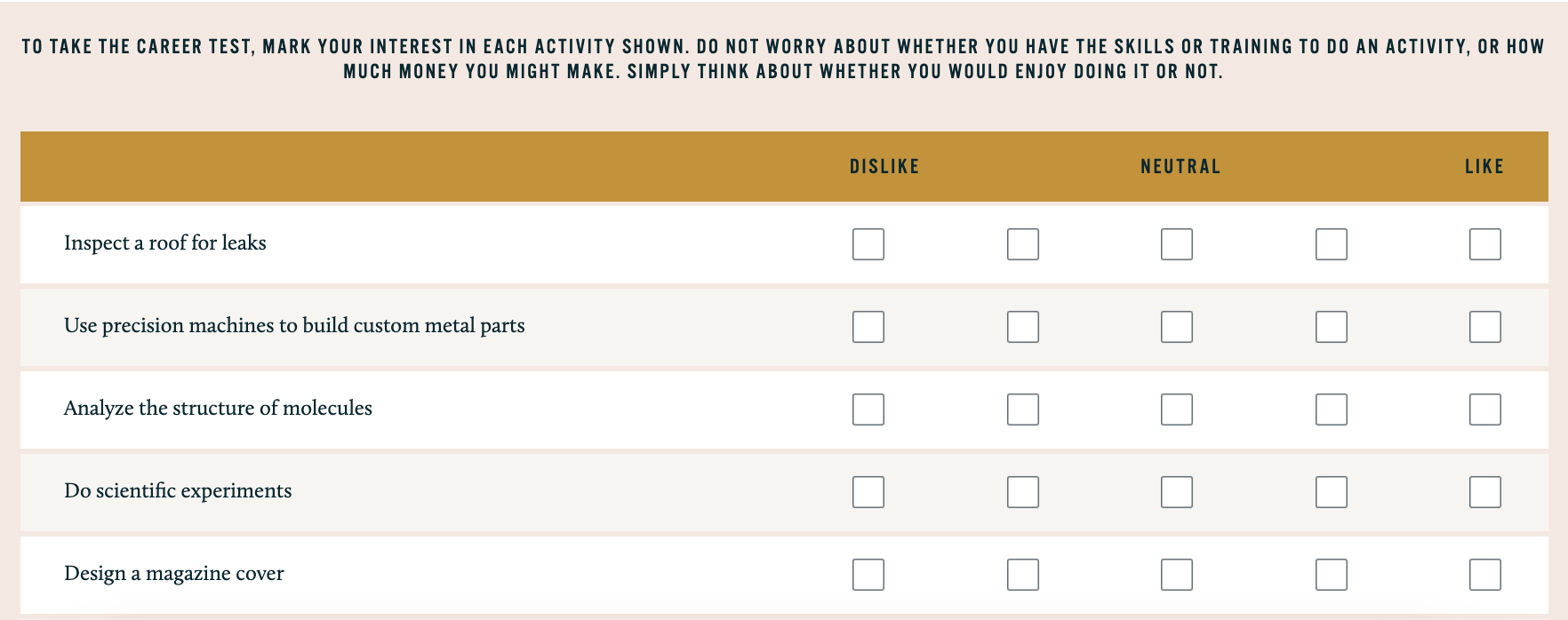
Best for: Figuring out an ideal career path, and learning which skills are required to excel in that career.
4. Interpersonal Skills assessment
Having well-developed interpersonal skills is critical to forming deep and meaningful personal and professional relationships. Interpersonal Skills assesses your listening skills, verbal communication skills, ability to work in teams, and emotional intelligence.
Better yet, the test identifies areas of weakness and provides tactical advice on how to improve those skills.
Pros: After you’ve completed the test, Interpersonal Skills provides you with helpful resources to level-up your communication or listening skills. Resources include “An Introduction to Communication Skills” and “Advanced Communication Skills” ($13 each). And even without the resources, this is a quick and easy test for evaluating areas for improvement in your own communication style.
Cons: To evaluate your listening skills, you might need to ask other people how they perceive you. Maybe you think you’re a good listener, but others disagree — if that’s the case, it can be difficult to accurately self-analyze your own skills for this test (or any others).
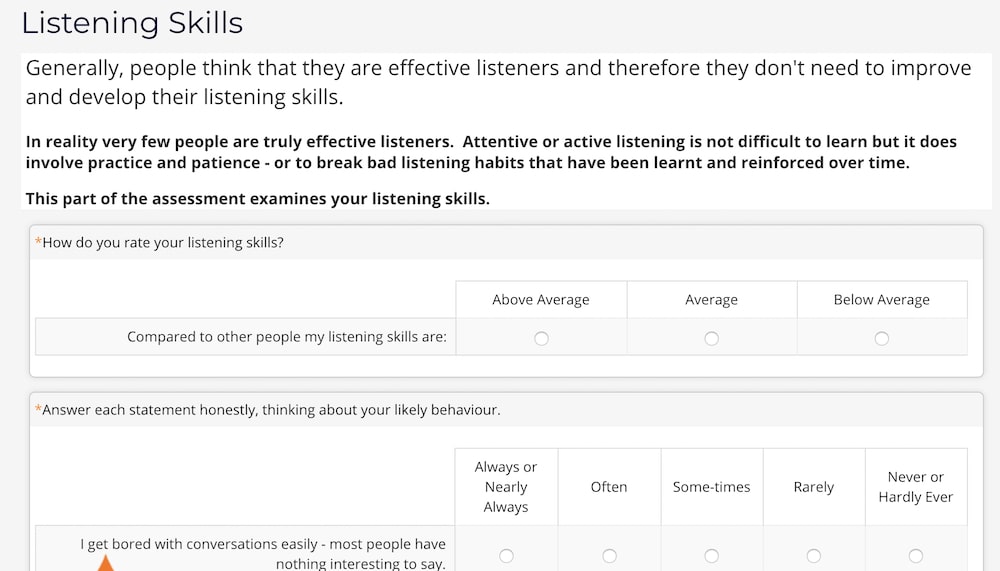
Best for: Improving your communication and listening skills.
5. Sokanu
Major companies including General Assembly, NYU, and Redfin use Sokanu, a career assessment tool that tests you on your personality, background, interests, and goals to determine an ideal career path.
After you take the test, it provides you multiple matches, which you can sort through to explore different careers and workplaces before choosing an ideal match.
Pros: The test provides you with multiple options for careers that could fulfill you — which I appreciate, since it can be stressful to get to the end of a test and find out there’s only job that would make you happy. Plus, Sokanu offers a library filled with over 1,000 careers, and explains what type of people thrive in them — and why.
Cons: If you don’t know much about what interests you professionally, it can be a difficult test to take. Question one, for instance, is “Would you like to… Advise organizations on how to meet their business goals?” As a high school student, I wouldn’t have any idea how to answer that question.
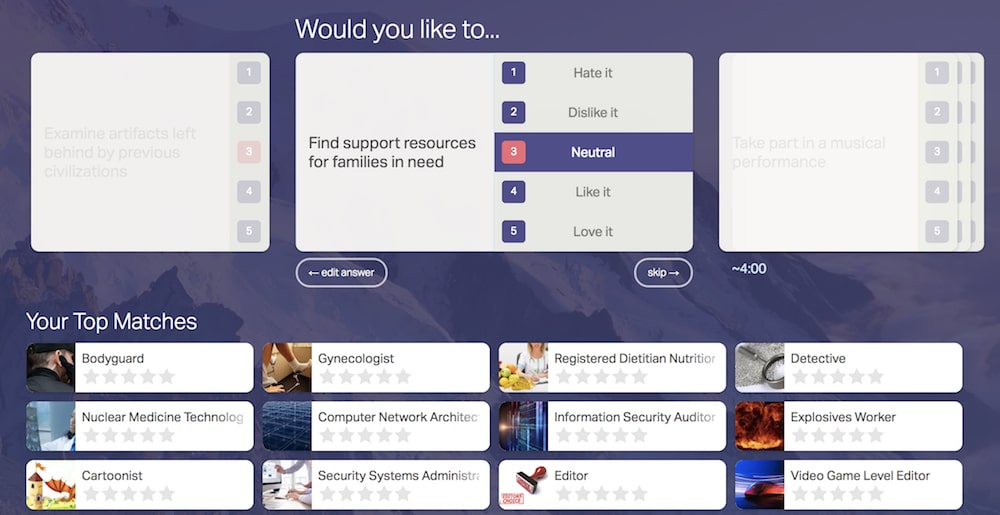
Best for: Determining a few different career paths that could make you happy — and then having the opportunity to pick-and-choose from there.
Free Emotional Intelligence Tests
Psychology Today defines emotional intelligence as, “the ability to identify and manage your own emotions and the emotions of others.” Arguably, having emotional intelligence is the most important factor in dealing with conflict and communicating with others.
It’s undeniable that emotional intelligence is important — in fact, research has shown success is 80-90% attributable to emotional intelligence (EI), and only 10-20% to your IQ.
In the workplace, whether you’re around coworkers in the midst of a stressful project, or dealing with a tough performance review from your boss, it’s critical you know how to both identify and handle your own emotions; it’s equally important you know how to read other people’s emotions, and manage them appropriately.
So let’s dive in. Below are four emotional intelligence tests to help you recognize your level of emotional intelligence, and also how to improve it.
1. Berkeley Emotional Intelligence
This test, designed by Berkeley, shows you 20 pictures and asks you to recognize the facial expression on each person’s face. It’s easy, quick, and fun, and an informative way to learn how well you read other people’s emotions — which is a critical skill for assessing and mitigating conflict.
Pros: It’s fun and easy, and correctly identifying people’s facial expressions is a scientifically-proven way to evaluate someone’s emotional intelligence (EI).
Cons: 20 questions is a relatively short test to determine emotional intelligence, so the test is a good starting point, but might not offer a comprehensive view of your EI.
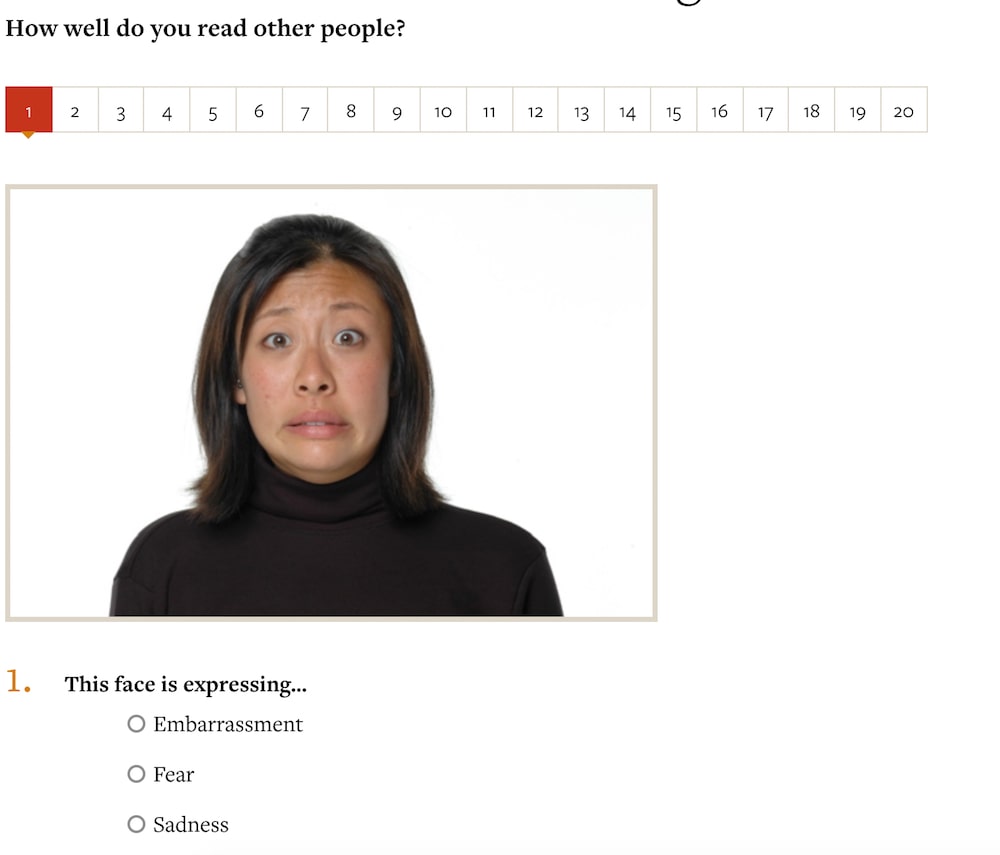
Best for: Figuring out how well you analyze and interpret other people’s emotions — a vital component of strong emotional intelligence.
2. VeryWellMind
If you don’t have the time for anything more in-depth, this test only asks you 10 quick questions before delivering your results.
It’s admittedly not medical or scientific by any means, but does offer other articles depending on your score. If you score low, for example, VeryWellMind.com includes a link to another one of their articles, “Emotions and Types of Emotional Responses.”
Pros: Takes only a few minutes to complete, and the questions are straightforward and easy to answer.
Cons: It’s easy and fun, but isn’t necessarily as accurate or scientific as the others in this list.
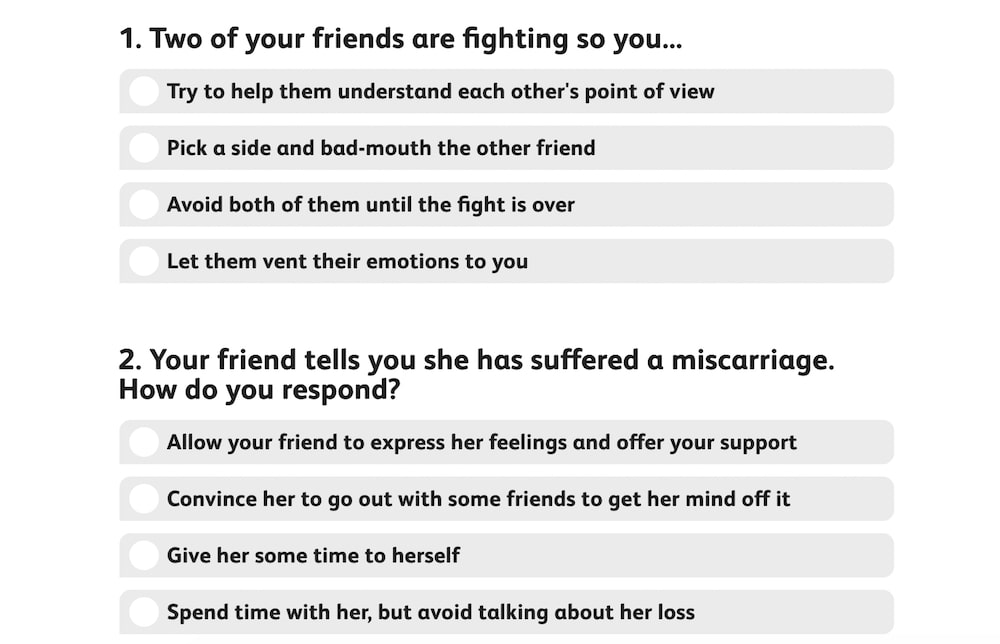
Best for: A speedy gut-check on how emotionally intelligent you are, with resources to further your understanding.
3. Empathy Quotient
Unlike the tests above, this one is designed to clinically assess you — the test was developed by Simon Baron-Cohen at the Autism Research Center at the University of Cambridge, and uses the same emotional measurements mental health professionals use to diagnose social impairment.
It’s a 60-item questionnaire and is suitable to measure “temperamental empathy” in adults.
Pros: It uses the same measurements that mental health professionals use to diagnose social impairments — meaning it’s accurate and scientifically-backed, and should provide you with a deeper understanding of your own empathy (and areas for improvement).
Cons: The test requires you to have a certain level of self-awareness and understand how others’ perceive you. For instance, one statement is, “I am very blunt, which some people take to be rudeness, even though this is unintentional” — it might be difficult for someone to know whether their bluntness comes across as rudeness.
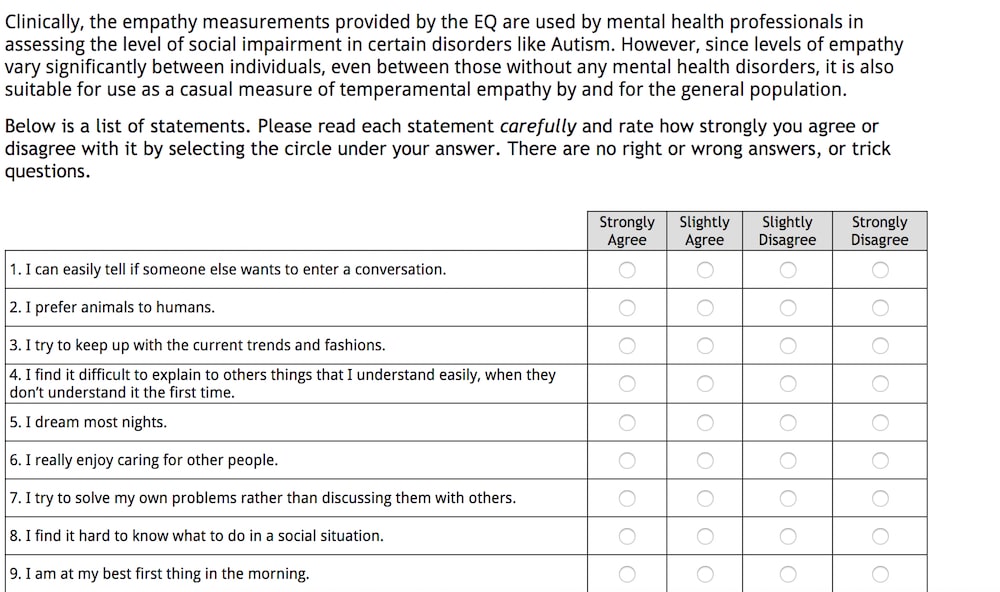
Best for: A more in-depth test to accurately analyze how emotionally intelligent you are.


The Ultimate Guide to Instagram Hashtags for 2022
Instagram hashtags are powerful.
They can help your posts reach a target audience, attract followers in your niche, increase engagement, and develop a more positive and recognizable brand image.
Here’s the thing, though: with great power comes great responsibility (#spiderman).
![New Data: Instagram Engagement Report [2022 Version]](https://no-cache.hubspot.com/cta/default/53/9294dd33-9827-4b39-8fc2-b7fbece7fdb9.png)
Hashtags can skyrocket your business to new heights, but if used too frequently or without a clear strategy in mind, they become pointless and inefficient.
While it can be hard to choose the right hashtags on Instagram, you don’t have to guess. Aside from this article, we’ve put together an ultimate course on using Instagram for marketing. In this course, we’ll teach you to not just attract followers, but to attract the right followers.
First, let’s go over Instagram hashtags specifically — and why they’re so important for your Instagram marketing strategy. We’ll cover the following topics:
- What is an Instagram hashtag?
- Why are hashtags important?
- How Brands Are Using Hashtags in 2022 [Data]
- Types of Instagram Hashtags
- Best Instagram Hashtags
- Emerging Hashtags
- Hashtags to Retire
- Best Practices for Using Hashtags on Instagram
- Top Instagram Hashtags for 2022
- Trending Instagram Hashtags
- Top B2B Hashtags
- Top B2C Hashtags
- How to Use Hashtags on Instagram for Business
- How to Search Hashtags on Instagram
Why are hashtags important?
Hashtags are essentially Instagram’s sorting process. With around 95 million photos posted on Instagram every day, it’s difficult for Instagram to efficiently deliver the right content to the right people. Hashtags help your post get discovered by viewers most interested in seeing it.
Krystal Gillespie, HubSpot’s Social Media Community Manager, explains the importance of hashtags this way: “Hashtags are like a funnel. For instance, #marketing is incredibly broad and attracts all types of posts. We’ve found #digitalmarketing or #marketingmotivation gives us a more specific, targeted reach. The audience searching for these hashtags are also trying to narrow their search to what we offer related to marketing, so we’re actually reaching more of the right people.”
Essentially, hashtags are a better way to categorize your posts. They help you reach a target audience, and more importantly, they help your target audience find you. These users are more likely to engage with your post because it is exactly what they were looking for.
How Brands Are Using Hashtags in 2022 [Data]
The HubSpot Blog surveyed over 1,000 marketing professionals to understand how they were incorporating hashtags into their Instagram strategy in 2022. Here’s what we found:
- 82% of marketers leverage hashtags as part of their Instagram strategy.
- 85% of marketers have a documented hashtag strategy for Instagram.
- 81% of marketers say using hashtags has been somewhat or very effective for their Instagram strategy.
- 62% of marketers use between four to nine hashtags in an Instagram feed post.
- 53% of marketers say most of the brands they market leverage branded hashtags.
- 37% of marketers say using popular hashtags has been most effective when posting on Instagram.
- 66% of marketers use Instagram’s hashtag suggestions to determine which hashtags to use. 58% of marketers look to competitors or accounts that post similar content to find which hashtags to use.
- According to marketers, the most popular places to use hashtags on Instagram include in the caption of feed posts (35%), on Instagram stories (39%), in the caption of Instagram live videos (38%), and in the caption and comment section of Instagram Reels videos (33%).
- 46% of marketers say the most effective hashtag strategy is to place some hashtags in the caption and some in the comments of a post.
Types of Instagram Hashtags
Hashtags are highly versatile little pieces of text. They can build a community, make your account more visible, or simply attract like-minded individuals to your account.
Before choosing a group of hashtags for your posts, take a look at the most common ones you can use and their categorizations.
Best Instagram Hashtags for Companies
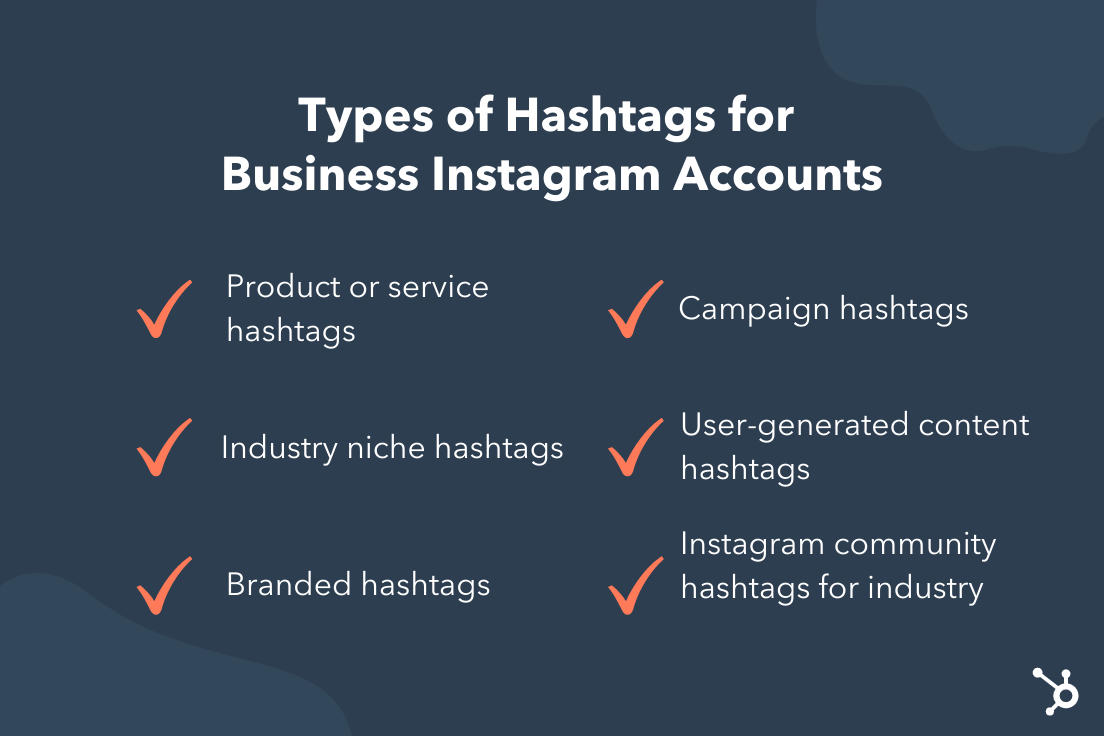 Whether you’re a social media manager at a company, an owner of a small business, or a sole proprietor, you can use the following hashtags to get more visibility on Instagram.
- Product or service hashtags. Companies use product hashtags for posts related to their product and service offerings. This will usually be general, such as #hairsalon or #knitwear.
- Industry niche hashtags. These hashtags are used to indicate the specific work you do and are narrower than your product or service hashtags. Examples include #blackhairsalon or #handmadeknits.
- Branded hashtags. Branded hashtags help you build a community specifically around your brand or business. This can be a slogan. It can also be the name of a specific product that you offer or even your business name.
- Campaign hashtags. If you’re running a sponsored ad, you can use a unique hashtag to keep track of activity relating to the campaign.
- User-generated content hashtags. This type of hashtag is created specifically for your customers. These are different from product, branded, and campaign hashtags because you, the company, can’t influence what gets posted. Other people can visit this hashtag to see unfiltered and unsponsored photos of your product.
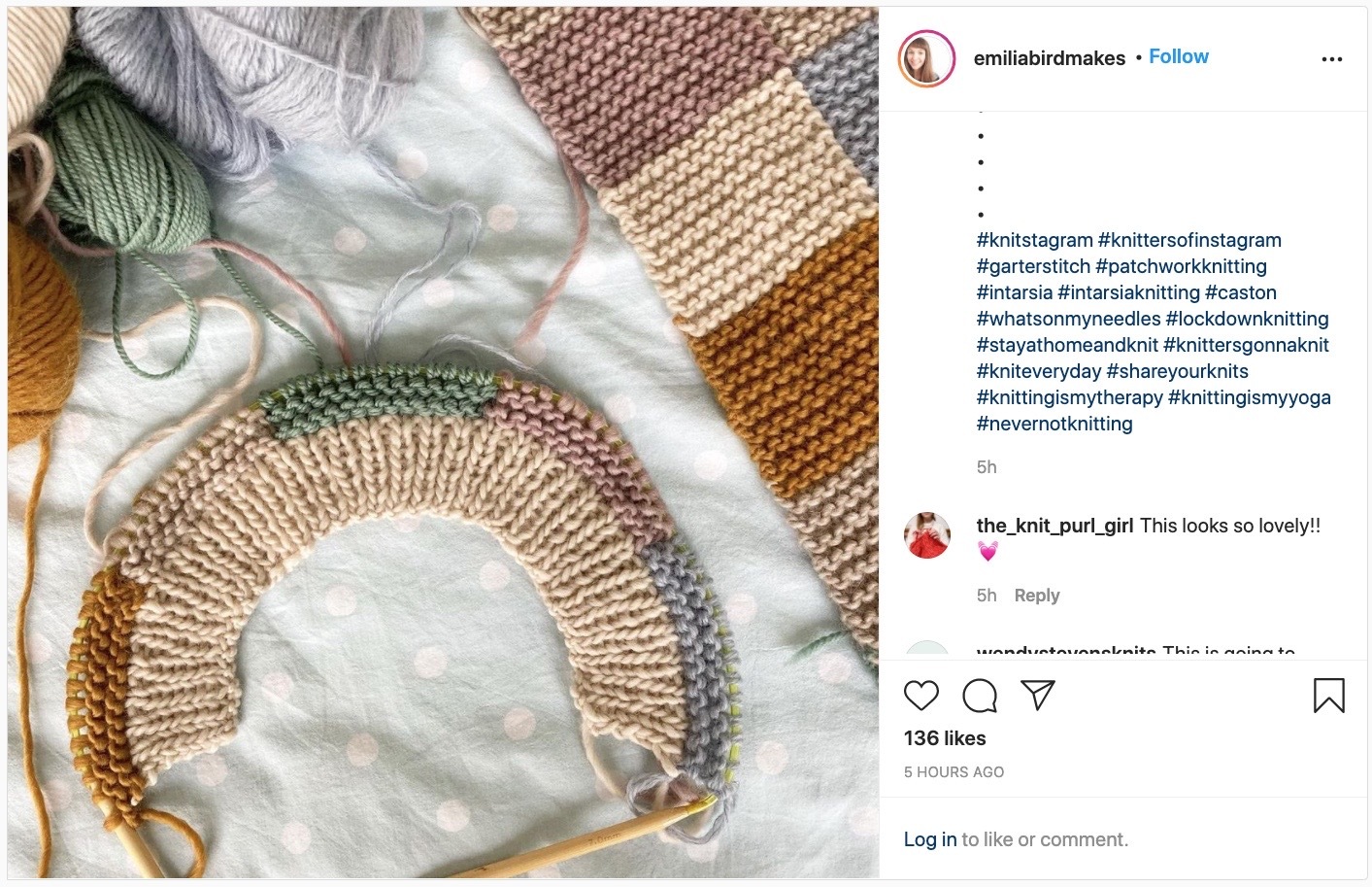
- Instagram community hashtags for your industry. These hashtags are great for getting more visibility among other Instagrammers who do what you do. For example, if you were a knitter, you might post in #knittersofinstagram.
- Event or conference hashtags. As a company or business owner, you can use these hashtags to add to the conversation relating to a specific event or industry conference.
- Cultural movement hashtags. Cultural movements such as Black Lives Matter, LGBTQ+ Pride, and feminism have hashtags on Instagram (#BlackLivesMatter, #Pride, and #feminism, respectively). Use these hashtags to uplift voices, share information, and make your company’s stance clear.
- Location hashtags. These are great to target users in your area. Think #hairsalonnyc or #atlantabakery.
- Phrase hashtags. Phrase hashtags such as #writeeveryday and #bebrave can hint at what you do while inspiring users.
As individuals, you can also use daily, acronym, and holiday hashtags to engage in trending conversations.
Top Instagram Hashtags for Individuals
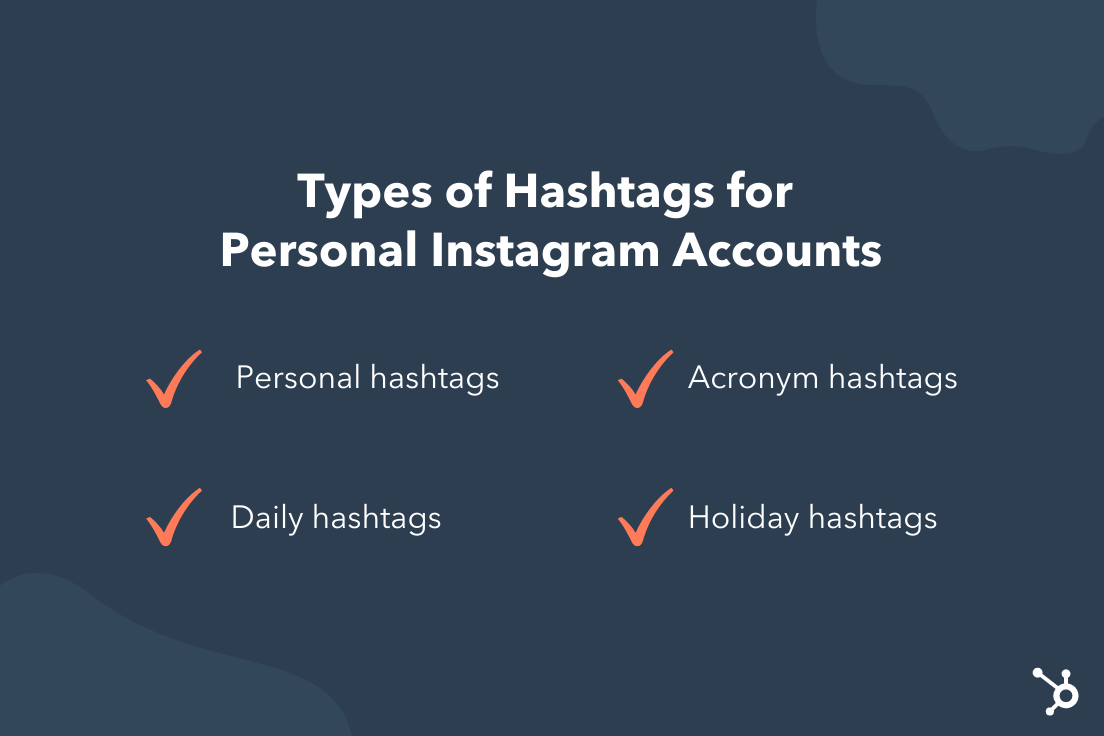 Do you use Instagram for personal use? Take a look at the hashtags that are available to you.
- Personal hashtags. You use these hashtags specifically in posts related to you. Think #me, #selfie, #lovemyself, #vacation, and #lovemylife.
- Daily hashtags. Daily hashtags usually have a theme, such as #workoutwednesday, #throwbackthursday, and #motivationmonday.
- Acronym hashtags. Think #ootd (outfit of the day), #potd (photo of the day), and #tbt.
- Holiday hashtags. Use these hashtags for specific holidays such as #DiaDeLosMuertos or #IndependenceDay to share how you’re spending time during these days.
Like companies, you can also use phrase, cultural movement, event, and location hashtags.
Best Instagram Hashtags
- #love (2.1B posts)
- #instagood (1.5B posts)
- #fashion (1B posts)
- #photooftheday (988M posts)
- #art (888.6M posts)
- #photography (864.7M posts)
- #instagram 828M posts)
- #beautiful (792.1M posts)
- #picoftheday (692.8M posts)
- #nature (696.4M posts)
- #happy (670.9M posts)
- #cute (659.7M posts)
- #travel (613M posts)
- #style (606.3M posts)
- #followme (592.5M posts)
- #tbt (588.3M posts)
- #instadaily (581.2M posts)
- #repost (557.3M posts)
- #like4like (538.2M posts)
- #summer (523.2M posts)
- #beauty (492.6M posts)
- #fitness (485.8M posts)
- #food (475.3M posts)
- #selfie (464.3M posts)
- #me (463.9M posts)
- #instalike (462.1M posts)
- #girl (444.7M posts)
- #friends (432.7M posts)
- #fun (430.9M posts)
- #photo (438.4M posts)
- #smile (427.4M posts)
- #family (411.9M posts)
- #life (409.1M posts)
- #music (398.6M posts)
- #ootd (396.2M posts)
- #makeup (368.7M posts)
- #likeforlike (360.1M posts)
- #likeforlikes (349.9M posts)
- #model (336.2M posts)
- #dog (333.1M posts)
- #design (310.4M posts)
- #follow4follow (300M posts)
- #amazing (300.5M posts)
- #lifestyle (305.3M posts)
- #motivation (305.5M posts)
- #sunset (299.5M posts)
- #igers (294.9M posts)
- #explore (318.1M posts)
- #handmade (299.8M posts)
- #nofilter (286.8M posts)
- #beach (282.1M posts)
- #foodporn (279.9M posts)
- #instamood (269.1M posts)
- #sun (266.2M posts)
- #artist (271.1M posts)
- #dogsofinstagram (297.9M posts)
- #일상 (260.7M posts)
- #cat (259.1M posts)
- #drawing (256.2M posts)
- #sky (251.1M posts)
- #followforfollow (246.3M posts)
- #f4f (245.7M posts)
- #l4l (242.6M posts)
- #hair (236.2M posts)
- #flowers (233.3M posts)
- #followforfollowback (239.2M posts)
- #funny (230.9M posts)
- #gym (227.1M posts)
- #moda (228M posts)
- #photographer (225M posts)
- #likeforfollow (222.6M posts)
- #tagsforlikes (217.9M posts)
- #wedding (223.3M posts)
- #bestoftheday (215.4M posts)
- #baby (217.7M posts)
- #memes (219.7M posts)
- #inspiration (218.4M posts)
- #instafood (215.6M posts)
- #vsco (206M posts)
- #foodie (209.3M posts)
- #vscocam (203M posts)
- #instapic (203M posts)
- #girls (201.5M posts)
- #workout (197.9M posts)
- #pretty (189.7M posts)
- #yummy (187.2M posts)
- #home (187.9M posts)
- #fit (185.1M posts)
- #party (182.7M posts)
- #lol (180.5M posts)
- #healthy (181.6M posts)
- #naturephotography (186.4M posts)
- #nails (185.5M posts)
- #illustration (183.6M posts)
- #landscape (179.4M posts)
- #blackandwhite (177.1M posts)
- #catsofinstagram (177.7M posts)
- #cool (173.9M posts)
- #puppy (176.1M posts)
- #night (144.4M posts)
- #catsofinstagram (177.7M posts)
- #nails (185.5M posts)
- #tattoo (165.3M posts)
- #happiness (162.6M posts)
- #instafashion (169.2M posts)
- #work (144.1M posts)
- #architecture (161.8M posts)
- #japan (153.7M posts)
- #weekend (148.7M posts)
Emerging Hashtags
New hashtags are created every day, and staying on top of what’s new before it becomes over-saturated can put your content in front of more people. Based on our research, here are some emerging Instagram hashtags to consider using:
- #brandpartnerships
- #tiktokcreator
- #reelstrends
- #2022trends
- #2022predictions
- #igreelstips
- #viraltrends
- #genzmarketing
- #2022goals
- #2022socialgoals
- #thatgirl
- #trendingsound
- #engagementtips
- #instagramnews
- #2022calendar
Hashtags to Retire
It’s important to routinely audit the hashtags you’re using to make sure they are still on-brand and effective. We compiled this list of hashtags to retire that are over-saturated with content, or are shadowbanned and could hurt your content reach.
- #adulting
- #beautyblogger
- #dm
- #humpday
- #iphonegraphy
- #mustfollow
- #killingit
- #desk
- #mirrorphoto
- #instasport
- #direct
- #always
- #snapchat
- #workflow
- #kickoff
- #brain
- #tag4like
- #thought
- #valentinesday
Best Practices for Using Hashtags on Instagram
Using hashtags on Instagram is a relatively simple process, but you’ll want to adhere to a few rules to get the most out of your hashtagging.
We’ve compiled best practices under the following frequently asked questions.
How many hashtags can I use on Instagram?
Thirty hashtags are the maximum number you can use.
The average is eleven, with half of Instagram accounts using between one and three. You can use more or less depending on your Instagram marketing goals. More doesn’t necessarily mean better. In fact, Instagram recommends users include no more than three to five hashtags per post.
Should I add hashtags to every Instagram post?
Yes! Absolutely you should.
Try to choose hashtags that are as narrow or as niche as possible. The less volume of posts a hashtag has, the more likely you’ll be seen by people who follow them. Plus, if the subject matter is highly specific, people are more likely to engage with your post.
All of my posts are similar. Can I use the same hashtags over and over again?
No. Instagram’s algorithm may penalize you for consistently using the same hashtags, pushing your posts down so they don’t show up for those tags.
Even more, they might ban your account, because using identical hashtags could make it look like you’re spamming users — or worse — like an Instagram bot.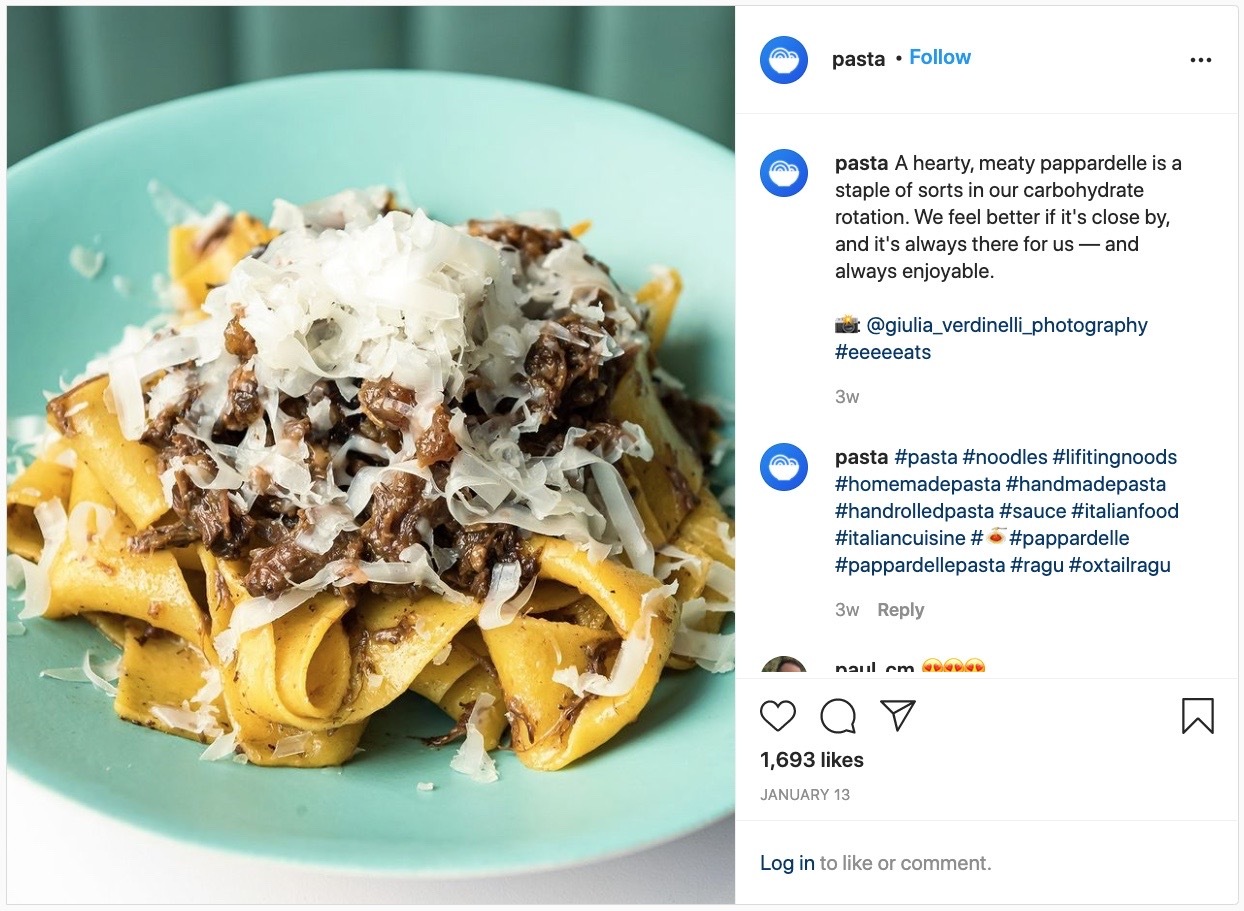
Try rotating out your hashtags so that they’re highly relevant to that specific post, even if the posts are similar. Let’s say that you own a handmade pasta business. If you always use the hashtag #spaghetti but post photos of linguini, macaroni, and penne, Instagram may flag your account, and users won’t engage.
Can I hide the hashtags in a comment?
Absolutely. You can hide your hashtags in a comment. Instagram doesn’t distinguish between caption hashtags and comment hashtags.
Simply write your caption as you would. After that, navigate to the published post and leave a comment with your hashtags. They will be hidden completely until users navigate to the comment section.
How do I hide hashtags in the caption?
Don’t want to post the hashtags in a comment? No worries.
You can hide the hashtags in the caption by either 1) writing a caption that’s more than three lines long or 2) adding 3 to 5 line breaks with a punctuation mark.
To add a line break, place the text cursor at the end of your caption and hit Return. Don’t forget to add either a period, a dash, an asterisk, or a tilde to ensure that line stays there. (If there’s no punctuation, Instagram may treat it as accidental extra space, and delete those line breaks upon publication.)
Are there any hashtags I should avoid using?
Yes. Instagram maintains a list of banned hashtags. However, they don’t publish this list, and there’s no authoritative source.
Some are intuitive, such as NSFW and self-harm hashtags, while others, such as #pushups and #mustfollow, aren’t as self-evident. If you have any doubt about your hashtags, be sure to look them up using the app’s Search function.
If it doesn’t show up, it’s banned. If it does show up, navigate to the hashtag feed and check for a message like this:
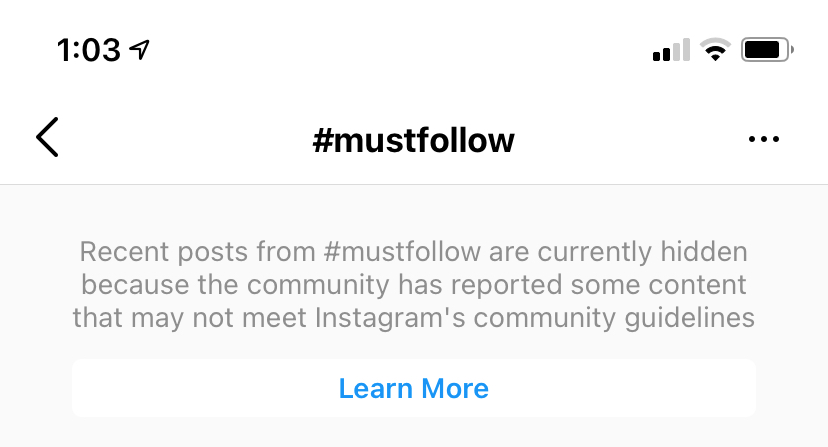
If your prospective hashtag doesn’t have a message like this, you’re all good to go.
Now that you know some basic dos and don’ts, let’s take a look at the top Instagram hashtags for the year.
Adding one of the most popular Instagram hashtags to your post doesn’t necessarily mean you’ll see more interaction. Since the hashtags below are so popular, they are being used by millions of people, so your post will most likely be obscured by the competition. Narrowing your hashtag topic is important, but we’ll get to that next.
Here are the top Instagram hashtags for this year.
1. #love (2.1B posts)
Instagram users build their photo galleries on good feelings. For this reason, the #love hashtag is ever-present next to the pics of friends, family, vacations, and beautiful scenery.
Top Instagram hashtags related to #love:
#love #lovely #loveit #loveyourself #lovelife #lovequotes #loveislove #lovefood #lovemylife #lovewhatyoudo #lovethis
2. #instagood (1.5B posts)
Occurrences of this hashtag are inspired by the @instagood Instagram account, which scours the Instagram community for excellent photos and videos that are just too #instagood not to share. Add this hashtag to your content for a chance to be reposted.
Top Instagram hashtags related to #instagood:
#instagood #instalife #instalike #instapic #insta #instacool #instafollow #instaphoto #instagramers #instamoment #instagramhub

3. #fashion (1B posts)
People often turn to Instagram to see what styles are “in”, looking at posts ranging from fashion week to everyday outfit inspirations. This means that a significant portion of the content on Instagram revolves around fashion — in fact, there are nearly one billion #fashion posts on Instagram. You will find celebrities, luxury brands, clothes, makeup, and other aspirational images tagged with #fashion.
Top Instagram hashtags related to #fashion:
#fashion #fashionblogger #fashionista #fashionable #fashionstyle #fashionblog #fashiongram #fashionaddict #fashionweek #fashiondiaries
4. #photooftheday (988M posts)
Managing a business account? This hashtag is a surefire way to attract more followers and repeat visitors. If you plan to post daily content, all-around a common theme, add the #photooftheday hashtag to increase your exposure.
Top Instagram hashtags related to #photooftheday:
#photooftheday #potd #picoftheday #photography #photographyeveryday #photographyoftheday #bestoftheday
5. #art (888.6M posts)
Artists of all kinds have always flocked to Instagram, and this hashtag holds pictures or process videos of all of their paintings, sculptures, and quirky creations.
Top Instagram hashtags related to #art:
#art #artist #artwork #instaart #arte #streetart #digitalart #artofvisuals #artistsoninstagram #artoftheday #artsy #artistic #arts #artgallery #modernart
6. #beautiful (792.1M posts)
Instagram is the place to go to put your best foot forward — whether it be your amazing getaway, a new hairstyle, or a breath-taking sunset, #beautiful photos encompass the best of what the platform has to offer.
Top Instagram hashtags related to #beautiful:
#beautiful #beautifuldestinations #beautifulday #beautifulview #beautifulplace #beautifulcuisines #beautifulplaces #beautifuldestination #beautifulnature
7. #photography (864.7M posts)
At its core, Instagram is a photo-sharing media, so it makes sense that there are some stunning and artistic images shared in #photography. Instagram is unique in that a user could be scrolling through the #photography posts and see National Geographic and professional photos next to amateur photographers.
Top Instagram hashtags related to #photography:
#photography #travelphotography #naturephotography #streetphotography #foodphotography #portraitphotography #landscapephotography #weddingphotography #blackandwhitephotography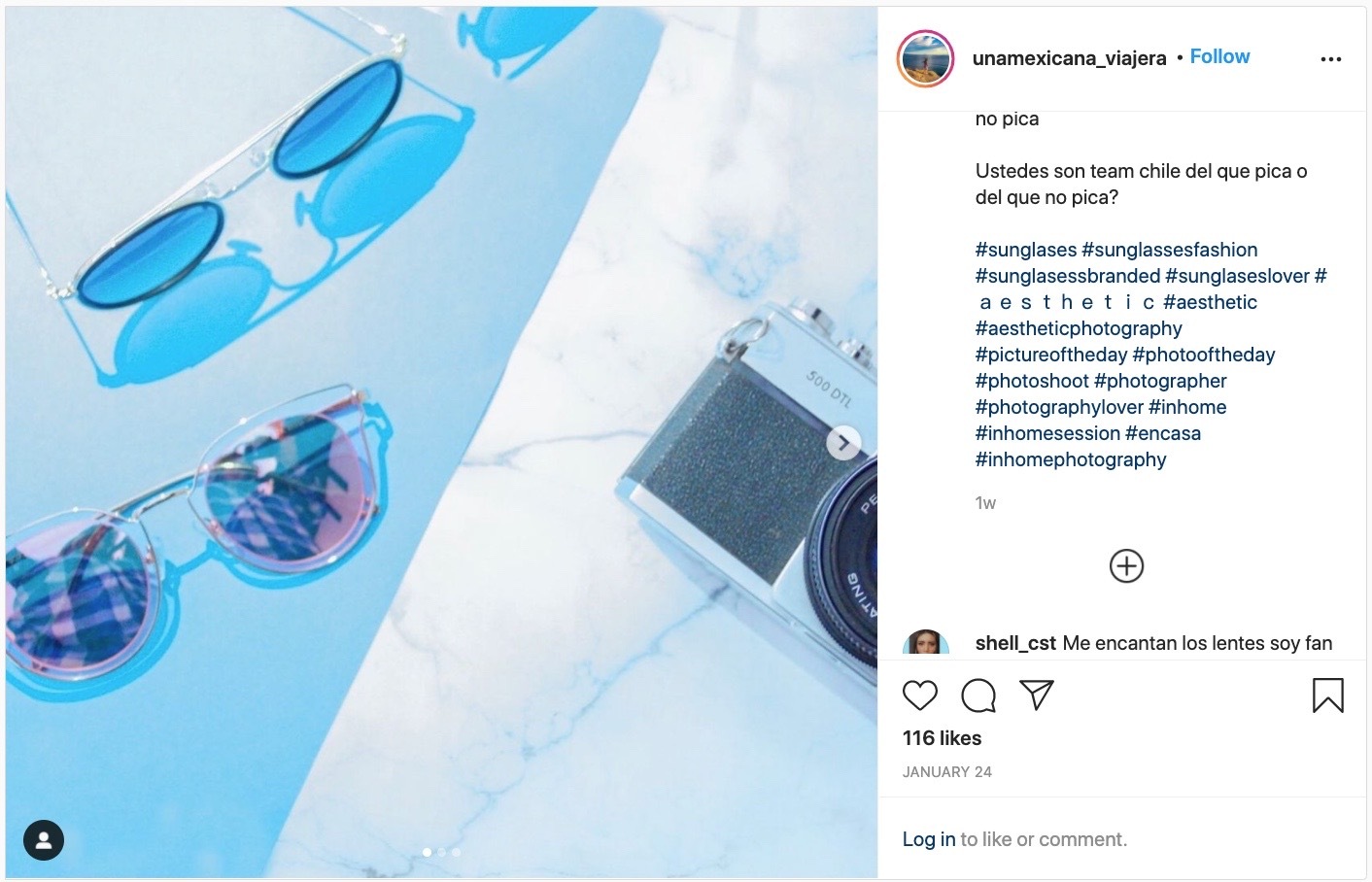
8. #happy (671M posts)
Sometimes the best part of feeling good is sharing that sunshine with others. The #happy group of posts is full of radiant people and lighthearted content that brings us joy. Tag a photo of a cute kitten or one of yourself after getting a promotion with #happy.
Top Instagram hashtags related to #happy:
#happy #happyday #happylife #happyfriday #happyhour #happyme #happymonday #happysunday #happytime #happydays #happydog #happyplace
9. #cute (659.8M posts)
#Cute puts your content in a pool of Instagram photos and videos that elicit “awes” from all over the Instaverse. If you think your puppy is the cutest puppy that ever lived, it deserves a photo with this esteemed hashtag.
Top Instagram hashtags related to #cute:
#cute #cutedog #cutebaby #cuteness #cuteanimals #cutecat #cutepetclub #cutenessoverload #cuteboy #cutedogs #cutecouple #cutepuppy #cutest
10. #instagram (828.1M posts)
Navigate to this hashtag and you’ll find everything from selfies to photos of food to pet pictures to vacation shots. Use this hashtag to signal that you’re on Instagram and that you have something worth sharing.
Top Instagram hashtags related to #instagram:
#instagram #instagramers #instagramhub #instagrammers #instagramer #instagramanet #instagramdogs #instagrammer #instagramjapan #instagramcats #instagramfitness

11. #nature (696.5M posts)
Nature is all around us. It’s also on Instagram. This hashtag is used to post everything related to nature, including mountains, rivers, and wild animals.
Top Instagram hashtags related to #nature:
#nature #naturephotography #naturelovers #naturelover #nature_perfection #naturegram #nature_brilliance #natureaddict #nature_shooters #naturephoto #naturelove
12. #tbt (588.3M posts)
#Tbt stands for “Throwback Thursday,” and encourages Instagram users to post an old photo of themselves or an event they’re reminiscing over. Everyone likes content from the good old days — here’s your hashtag for enjoying the nostalgia.
Top Instagram hashtags related to #tbt:
#throwbackthursday #tbthursday #tbtphoto
13. #followme (592.5M posts)
A close cousin to #followforfollow and #likeforlike, #followme is used by Instagrammers looking to grow their follower base.
Top Instagram hashtags related to #followme:
#follow #f4f #followme #followforfollow #follow4follow #teamfollowback #followbackteam #followall #followalways #followback #pleasefollow #follows #follower #following
14. #travel (613M posts)
Away for the weekend? Show your followers where you are, using this hashtag to indicate you’re traveling somewhere new.
Top Instagram hashtags related to #travel:
#travel #travelgram #instatravel #travelphotography #traveling #travelling #travelblogger #traveler #traveller #travelingram #traveltheworld #travelblog #travels #traveladdict
15. #style (606.4M posts)
This hashtag has more than 500 million posts associated with it, making it one of the top tags on Instagram. It’s used for beautifully edited photos of outfits, vacations, luxury products, and anything aesthetically stunning. Tag #style on a gorgeous outfit inspiration or new product, and Instagram users looking to add a little glamour to their lives will find you.
Top Instagram hashtags related to #style:
#style #styleinspo #styleblogger #styleinspiration #styleoftheday #stylefashion #stylegoals #stylediary #stylegram #styleguide #styleblog
16. #repost (557.3M posts)
Reposting is a common function on Instagram that allows you to share content from other users, with credit back to the original user. Use the hashtag, #repost, to tell others on Instagram that you were inspired by this photo or video.
Top Instagram hashtags related to #repost:
#repost #reposter #repostapp #reposting #repostthis #reposted
17. #instadaily (581.2M posts)
This hashtag is similar to #photooftheday and is perfect for Instagrammers who post every day.
Top Instagram hashtags related to #instadaily:
#photooftheday #potd #picoftheday #photography #photographyeveryday #photographyoftheday #bestoftheday
18. #summer (523.2M posts)
The summertime is the best season to enjoy fun vacations, fruity drinks, and time by the pool. This tag is full of Instagram users enjoying the long summertime hours on the beach or showing off the breezy outfits keeping them cool under the hot #summer sun.
Top Instagram hashtags related to #summer:
#summer #summertime #summervibes #summerfun #summernights #summerdays #summerstyle #summerfashion #summerday

19. #selfie (464.3M posts)
This is the quintessential selfie hashtag, indicating to the Instagram community that the photo its captioning is a picture of you.
Top Instagram hashtags related to #selfie:
#me #selfies #selfietime #selfienation #selfiesunday #selfiegram #selfielove #selfieaddict #selfiesaturday #selfiemania
20. #fitness (485.9M posts)
Get in on a trending community of workout warriors with photos and videos from your best exercise sessions, using the #fitness hashtag to share the moment.
Top Instagram hashtags related to #fitness:
#fitness #fitnessmotivation #fitnessmodel #fitnessaddict #fitnessgirl #fitnessjourney #fitnesslife #fitnesslifestyle #fitnessgoals #fitnessfreak #fitnessfood #fitnessgear #fitnessinspiration
21. #beauty (492.6M posts)
The hashtag #beauty is mainly used by beauty bloggers — professional make-up artists and hobbyists — but you’ll also find some pet shots and nature shots in there, too.
Top Instagram hashtags related to #beauty:
#beauty #beautyblog #beautycare #beautytips #beautyaddict #beautysalon #beautybloggers #beautyqueen #beautyguru #beautyproducts #beautyofnature #beautygram
22. #food (475M posts)
Meal pics are the bread and butter (no pun intended) of a people-oriented Instagram account. Use the #food hashtag to caption your next delicious Instagram photo.
Top Instagram hashtags related to #food:
#food #foodporn #instafood #foodie #healthyfood #foodstagram #foodgasm #foodphotography #foodblogger #foodlover #foodpics #foodpic #foodies
23. #fun (430.9M posts)
If it’s not fun, it’s not Instagram-worthy. Make it known to millions of Instagram users that you had a blast in your latest photo or video with this popular hashtag.
Top Instagram hashtags related to #fun:
#fun #funny #lol #lmao #hilarious #laugh #laughing #tweegram #friends #wacky #crazy #silly #witty #instahappy #joke #jokes
24. #likeforlike (360.1M posts)
#Likeforlike is similar to the #followforfollow hashtag. Use this hashtag if you want to increase engagement on your Instagram account, telling users that you’ll like their photo or video if they like yours.
Top Instagram hashtags related to #likeforlike:
#likeforlike #followme #like4like #liker #likes #l4l #likes4likes #love #likesforlikes #liketeam #likeback #likebackteam #likeall #likealways
The above hashtags might have helped define Instagram over the last year, but there are still plenty more that end up trending every year. The following hashtags can help inspire photos and videos that Instagram users always find captivating.
1. #life (409.1M posts)
This one goes out to all the photos and videos that encompass the essence of your life — whether in quarantine or not.
Top Instagram hashtags related to #life:
#life #lifestyle #healthylifestyle #lovelife #luxurylifestyle #lifeisgood #lifestyleblogger #lifequotes #loveofmylife #luxurylife #lifeofadventure
2. #music (398.6M posts)
This hashtag is for those who love music and the people who create it.
Top Instagram hashtags related to #music:
#music #musica #musician #musically #musicvideo #musical #musicians #musicislife #musicproducer #musiclife #musiclover #musicfestival #musicphotography #musicproduction
3. #amazing (300.5M posts)
The hashtag #amazing is used for everything you find, well, amazing — places, art, beautiful homes, awe-inspiring videos, and more.
Top Instagram hashtags related to #amazing:
#beautiful #cute #awesome #amazingview #amazingfood #amazingplaces
4. #nofilter (286.8M posts)
Instagram offers so many different filters to help enhance photos, it’s practically assumed that any picture on Instagram has been edited. But if you’re posting a pic that was beautiful all by itself, let the world know that this gem didn’t need a filter to look so nice.
Top Instagram hashtags related to #nofilter:
#nofilter #nofilterneeded #nofilters #nofiltersneeded #nofilternecessary #nofilterneededforthisbeauty
5. #sunset (299.5M posts)
Who doesn’t love a good sunset? Users add posts to this hashtag to show off a beautiful sunset near them.
Top Instagram hashtags related to #sunset:
#sunset #sunsets #sunsetlovers #sunsetporn #sunsetlover #sunsetsky #sunsetphotography #sunsetbeach #sunsethunter #sunsetmadness
6. #motivation (305.5M posts)
On Twitter, #MondayMotivation encourages inspiring quotes and messages to help people start the week off on the right foot. On Instagram, the #motivation hashtag has come to caption anything from a photo of a user after a big gym session, to a computer screen right before he or she gets to work.
Top Instagram hashtags related to #motivation:
#motivation #motivationalquotes #motivational #motivationmonday #motivationalquote #MotivationalSpeaker #motivationalmonday #motivations #motivationquotes
7. #instamood (269.1M posts)
#Instamood is all about the vibe or emotion a photo or video elicits. Pretty scenery, a day at the beach, or a night out with good people are all prominent under the #instamood hashtag. Landscapes are a popular starting point when figuring out what to post on Instagram, according to Jumper Media, and they fit into this hashtag perfectly.
Top Instagram hashtags related to #instamood:
#instamood #instagood #instalife #instalike #instapic #insta #instacool #instafollow #instaphoto #instagramers #instamoment #instagramhub
8. #foodporn (279.9M posts)
I hope you’re hungry! The #foodporn tag is brimming with mouthwatering posts of desserts, pizza, recipe videos, and so much more. This hashtag is for the best of the best when it comes to delectable treats on Instagram — find the most original, delicious, and tantalizing food pictures on the internet under this hashtag.
Top Instagram hashtags related to #foodporn:
#food #foodporn #instafood #foodie #healthyfood #foodstagram #foodgasm #foodphotography #foodblogger #foodlover #foodpics #foodpic #foodies
9. #handmade (299.8M posts)
The hashtag #handmade is like the #art hashtag for handmade wares, clothing, and novelties. The rise of slow fashion and a growing interest in sustainably-made products makes this one of the top trending hashtags this year.
Top Instagram hashtags related to #handmade:
#handmade #handmadejewelry #handmadewithlove #handmadeisbetter #handmadefont #handmadegifts #handmadejewellery #handmadeshoes #handmadesoap #handmadeaccessories
10. #dogsofinstagram (267.9M posts)
We all know that the internet loves cute puppies, so it shouldn’t be surprising when a hashtag for our beloved doggos trends on Instagram. It’s always a good idea to include man’s best friend in an Instagram post — your followers will love it and you’re almost guaranteed dozens of heart emojis in your comments.

Top Instagram hashtags related to #dogsofinstagram:
#dogsofinstagram #dogs #dog #dogstagram #dogsofinsta #dogsofig #dogsitting #dogslife #doglife #dogsofinstaworld #dogoftheday
11. #bestoftheday (215.4M posts)
The #bestoftheday tag offers a glimpse into the massive amount of varied content that is posted to Instagram every day. Here, you’ll find some of the most noteworthy images on the platform — images of beautiful spots around the world, award-winning photos, yummy recipes, adorable animals, and so much more.
Top Instagram hashtags related to #bestoftheday:
#bestoftheday #instadaily #potd #picoftheday #photography #photographyeveryday #photographyoftheday
12. #instafood (215.6M posts)
This popular tag is different from other food hashtags because it accompanies food pictures that are gorgeous, creative, and, most importantly, worthy of Instagram. Instagram posts are known for being aesthetically appealing, and #instafood is no different. Use this tag if you’re posting a photo of a colorful, unique, and sumptuous dish!
Top Instagram hashtags related to #instafood:
#instafood #food #foodporn #foodie #healthyfood #foodstagram #foodgasm #foodphotography #foodblogger #foodlover #foodpics #foodpic #foodies
13. #explore (318.1M posts)
Instagram has always had an explore section, but only recently have Instagrammers started to use this hashtag to win a highly coveted but elusive spot on this page.
Top Instagram hashtags related to #explore:
#instagrammers #igers #instalove #instamood #instagood #followme #follow #comment #shoutout
14. #memes (219.7M posts)
A classic but a goodie. Throughout the years, humor has taken different forms — comedy sitcoms, stand-ups, knock-knock jokes, and more. But none of these forms come near the Instagram-worthiness of memes. Use this hashtag to share a unique meme or repost one from another account.
Top Instagram hashtags related to #memes:
#memes #meme #dankmemes #funnymemes #memesdaily #edgymemes #offensivememes #fortnitememes #dailymemes #spicymemes #memestagram #btsmemes #memes😂 #memepage #memelord
15. #followforfollowback (239.2M posts)
Interested in building a fast list of followers on Instagram? #Followforfollowback tells everyone who browses this hashtag that you’ll follow users who choose to follow you. This hashtag is always trending highly.
Top Instagram hashtags related to #followforfollowback:
#followforfollowback #follow #f4f #followme #followforfollow #follow4follow #teamfollowback #followbackteam #followall #followalways #followback
16. #tweegram (94M posts)
There is plenty of multi-platform sharing across social media sites, and in #tweegram, you’ll find images taken from Twitter, Pinterest, and more. #Tweegram is best known for quotes, screenshots of Tweets, and memes.
Top Instagram hashtags related to #tweegram:
#tweetgram #tweet #twitter #twitterposts #twitterweek #twittermarketing #twittermemes #twitterpost #twittermeme #twitterquotes #twitterwhy
17. #instagramhub (65.2M posts)
This hashtag isn’t specific to one type of post — #instagramhub is a place for active Instagram users to demonstrate their presence on the platform and reach larger audiences. By including this popular hashtag, influencers on Instagram can connect with as many users as possible.
Top Instagram hashtags related to #instagramhub:
#instagramhub #igers #instagram #instadaily #instamood #instagood #instalife #instalike #instapic #insta #instacool #instafollow #instaphoto #instagramers #instamoment
18. #quarantine (30.1M posts)
#Quarantine is the quintessential COVID-19 hashtag and has no defined aesthetic or subject matter. Instead, it encompasses everything that we see, experience, and do — or don’t do — during quarantine. You can find pet photos, cooking videos, memes, and, most shockingly, shots of people on vacation.
It’s worth noting that there’s no #COVID hashtag because Instagram wants to prevent the spread of misinformation.
Top Instagram hashtags related to #quarantine:
#quarantine #quarantinelife #quarantineandchill
19. #BlackLivesMatter (27.7M posts)
The Black Lives Matter movement swept through the United States in 2020 and has been at the forefront of the cultural imagination since the killing of Trayvon Martin in 2012. Use this hashtag to add value to the movement or uplift voices that differ from your own.
Top Instagram hashtags related to #blacklivesmatter:
#blm #blackhistorymonth #blackownedbusiness #blackgirlmagic #blackouttuesday #blackexcellence
Read HubSpot’s stance on Black Lives Matter here.
20. #newmusic (31.5M posts)
The hashtag #newmusic is one of the many tags people use to share either their own original music or let others know who they’re jamming to today.
Top Instagram hashtags related to #newmusic:
#music #hiphop #rap #artist #spotify #producer #rapper #soundcloud #musician #beats
21. #whatiwore (21.9M posts)
What better way to show off your OOTD than to tag #whatiwore. This hashtag is commonly used by people interested in the latest fashion trends, often tagging where they found it for sponsorships or for the chance of brand recognition.
Top Instagram hashtags related to #whatiwore:
#ootd #outfitoftheday #fashion #instastyle #style #instafashion #fashionblogger #fashionista #styleinspo
22. #workinprogress (21.1M posts)
The #workinprogress hashtag gives users a glimpse of some of the coolest projects being shared on the app. From art, architecture, or even fitness, this tag helps people post about reaching their goals and the steps along the way.
Top Instagram hashtags related to #workinprogress:
#wip #drawing #artwork #painting #handmade #workout #design #fitness #artistsoninstagram #motivation
23. #space (20.3M posts)
There’s something so interesting and beautiful about outer space, and talking about it on social media never gets old either. Posting in the #space hashtag will lead you to find amazing shots of stars far and wide.
Top Instagram hashtags related to #space:
24. #technology (21.7M posts)
With technologic innovations taking place every day across industries, the #technology hashtag is where you’ll find the newest development or gadget.
Top Instagram hashtags related to #technology:
#tech #innovation #engineering #technews #science #design #gadgets #electronics #smartphone #programming
25. #engaged (16.9M posts)
Love is in the air — or in this case it’s trending. The #engaged hashtag is there for all your proposal inspiration, wedding ideas, and even more content for all the lovers out there.
Top Instagram hashtags related to #engaged:
#wedding #bride #bridetobe #love #weddinginspiration #engagement #weddingplanning #weddingphotography #weddingday #weddingdress
26. #travelbug (10.8M posts)
Influencers all around the world can use the #travelbug hashtag to document their coolest destination vlogs and photos. Take advantage of this hashtag whether you’re hitting the road or flying overseas.
Top Instagram hashtags related to #travelbug:
#travel #wanderlust #travelgram #travelphotography #traveltheworld #travelblogger #traveladdict #instatravel #traveling
Top B2B Hashtags
If you manage an Instagram account for a company that sells products and services to other businesses, consider including these hashtags in your posting strategy.
- #business
- #entrepreneur
- #success
- #onlineshop
- #smallbusiness
- #marketing
- #branding
- #digital
- #marketingdigital
- #innovation
- #ecommerce
- #onlinemarketing
- #retail
- #contentmarketing
- #marketingstrategy
- #software
- #inboundsales
- #b2bmarketing
- #b2bevents
- #b2bmarketplace
- #b2bleadgeneration
- #b2bsales
- #b2bbusiness
- #b2bleads
- #b2bemailmarketing
- #marketingtips
- #marketingstrategy
- #startups
- #management
- #businesstips
- #instagramforbusiness
- #instagramstrategies
Top B2C Hashtags
Does your company sell directly to consumers? If so, the best hashtags to use may vary depending on your target audience. Here is a list of B2C hashtags that could be effective for various niche areas.
- #b2c
- #b2cmarketing
- #b2csales
- #onlineshopping
- #smallbusiness
- #online
- #training
- #business
- #marketing
- #marketingdigital
- #socialmedia
- #startup
- #digitalmarketing
- #sales
- #socialmediamarketing
- #advertising
- #networking
- #ecommerce
- #onlinebusiness
- #onlinemarketing
- #smallbiz
- #startuplife
- #company
- #contentmarketing
- #socialmediatips
- #instahacks
- #ugc
- #acolorstory
1. Keep your hashtags organized.
To create an efficient hashtag system, you can use Excel or an Instagram analytics tool. If you choose an excel sheet, you’ll need to manually keep track of which hashtags you use, how often, and which ones correlate to your most popular posts. Over time, you’ll see relationships between certain hashtags and your most popular posts, and this can help you decide which hashtags work best for your brand.
If you have a more advanced social media team, you might want to consider a tool like Iconosquare, which automatically stores top hashtags and provides reports on which hashtags reach the most people.
For smaller businesses with limited budgets, Krystal Gillespie says that, “an excel sheet is the best way to start. Once you get more advanced I would highly recommend using a tool to track the data. A manual system can get overwhelming when you’re posting three times a day and using about 20 hashtags per post.”
2. Figure out your magic number.
Most top brands use seven or fewer hashtags per post, so it’s easy to assume that’s the magic number for everyone … right? Krystal explains that this isn’t always the case: She told me HubSpot has been more successful with hashtags ranging in the low 20s.
The point is, you can’t know how many hashtags work best for you until you test it. For HubSpot, it took the team several months to find a number that worked best, and during our trial period, we ranged from seven to 30. Give yourself the same flexibility for trial and error.
3. Narrow your hashtags.
There are two big reasons more specific, smaller-volume hashtags are better for your brand: first, you can compete in a smaller pool. HubSpot, for example, doesn’t typically use the hashtag #marketing because it’s too broad. If you search #marketing, you’ll find pictures of restaurants, inspirational quotes, before-and-after hairstyle pictures, and memes.
The randomness of #marketing leads me to the second reason specific hashtags are a good idea: as a user, I’m more likely to find what I need if I search for something specific, and when your business comes up for my specific search request, I’m more likely to be happy with what I found.
Krystal explains: “Keeping a hashtag close to the interests of your brand really helps. We try to use hashtags tailored for a specific topic and then narrow it down further — for instance, we’d use #SEOTips if our marketing post was mostly about SEO.”
Think of it this way: #dogs is more popular, but it has a wide demographic. If I search #goldenretrieverpuppies and I find your post, I’m more likely to engage with it because it’s exactly what I wanted.
4. Research what other people are hashtagging.
An easy way to generate hashtag ideas is to make a list of your followers or competitors and research what they’re hashtagging on their own photos. It can also be particularly helpful to research what influencers in your industry are hashtagging — by definition, influencers are people with a large social media following, so they must be doing something right.
5. Test out related hashtags.
When you type a hashtag into Instagram’s search bar, Instagram shows you related hashtags in the scroll-down menu. Instagram also delivers related hashtags on the next page after you click on a hashtag. This is a simple way to create a longer list of hashtags to try out.
6. Follow your own hashtag.
Another way to use Instagram hashtags for your marketing purposes is to follow your own hashtag. Krystal explains, “On Instagram, I actually follow the hashtag #hubspot so I can find anyone who talks about us and connect with them. As long as your account isn’t private, people will be able to find you via the hashtag.”
Following your own hashtag is an effective way to engage with other people talking about your brand and develop better relationships with them.
7. Create a brand campaign hashtag.
This is the trickiest item on the list, but if done successfully, it can pay off big time. Some businesses have successfully attracted followers by creating their own campaign hashtags. A campaign hashtag needs to be funny, clever, or at least memorable to work.
Campaign hashtags are particularly useful for promoting a new product or upcoming event, or even just inspiring people. Red Bull, for example, encouraged followers to post Red Bull pictures with a #putacanonit hashtag (see what I mean about clever?). Lululemon, rather than running a more traditional ad campaign, developed a positive connotation for their brand by asking followers to post real, active pictures of themselves with a #sweatlife hashtag.
Now that we’ve covered the importance of using Instagram hashtags for your business, you might be wondering how to search for Instagram hashtags within the app, or how to use the search function to find related ideas. If you’re unsure of the technical process for hashtag searching, here’s how:
How to Search Hashtags on Instagram
To search hashtags on Instagram, tap the magnifying glass at the bottom of your screen, then tap the search bar at the top. Selecting the “Tags” option will enable you to search hashtags and related hashtags based on the popularity of each one.
1. Open Instagram and tap the search icon.
Instagram wants you to use hashtags and has made it extremely easy to find the perfect ones for your post. To start, open the Instagram app on your mobile device and tap the magnifying glass at the bottom of your screen.
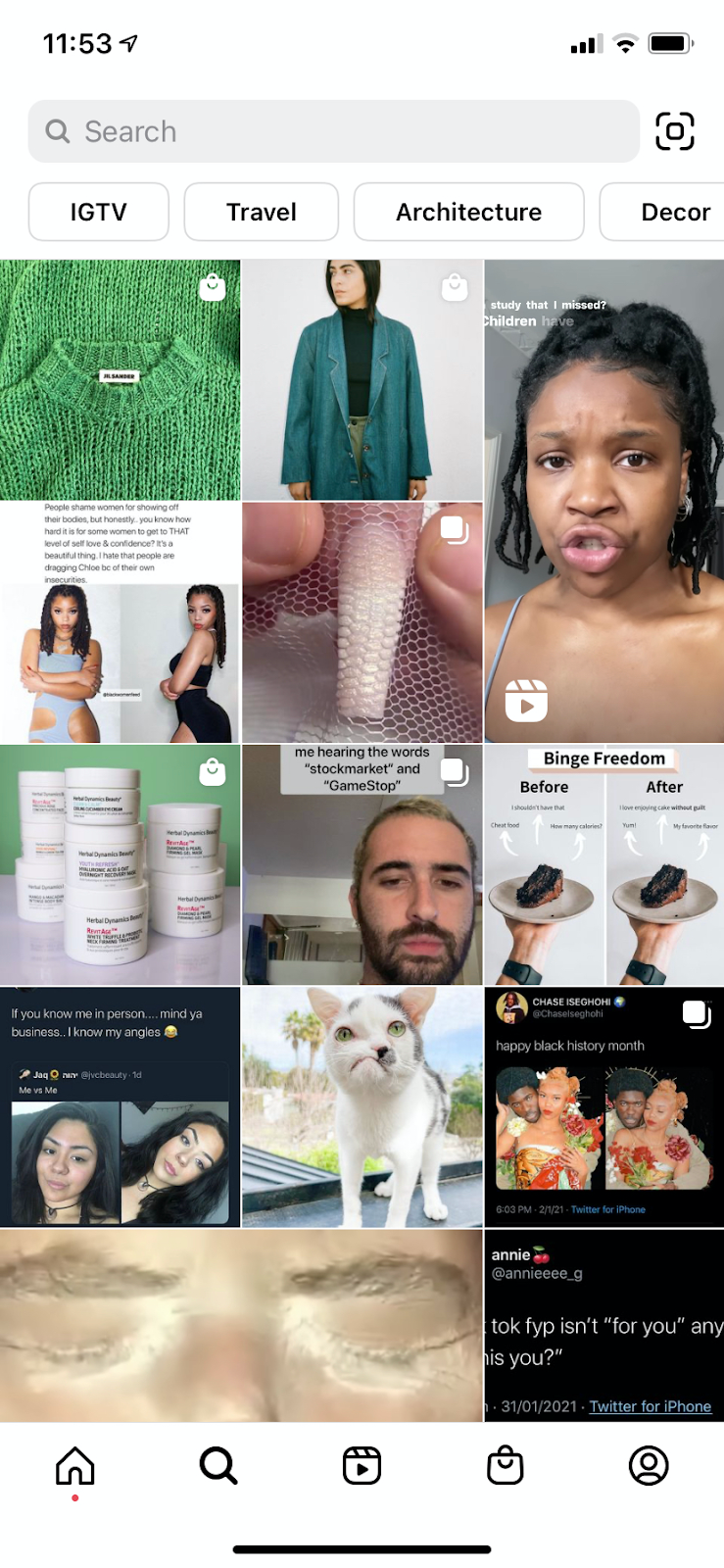
2. Tap the search bar at the top of your screen.
The search screen on your Instagram might first send you to a newsfeed-style page (the Explore page) with suggested content based on topics you’ve demonstrated an interest in on social media. To switch to a hashtag search, tap the search bar at the top of this page, as shown in the screenshot above.
3. Tap “Tags.”
Once you’ve tapped the search bar at the top of your screen, Instagram will give you four options with which to filter your search. Instagram refers to hashtags as simply “Tags,” as shown in the screenshot below. Tap this “Tags” option, then tap the search bar above it, and begin searching topics for which you want to find a trending hashtag.
You don’t have to include the pound sign (#) in your search — your results will be the same with or without it — but you will need to use this pound sign in the caption of your photo once you choose a hashtag.
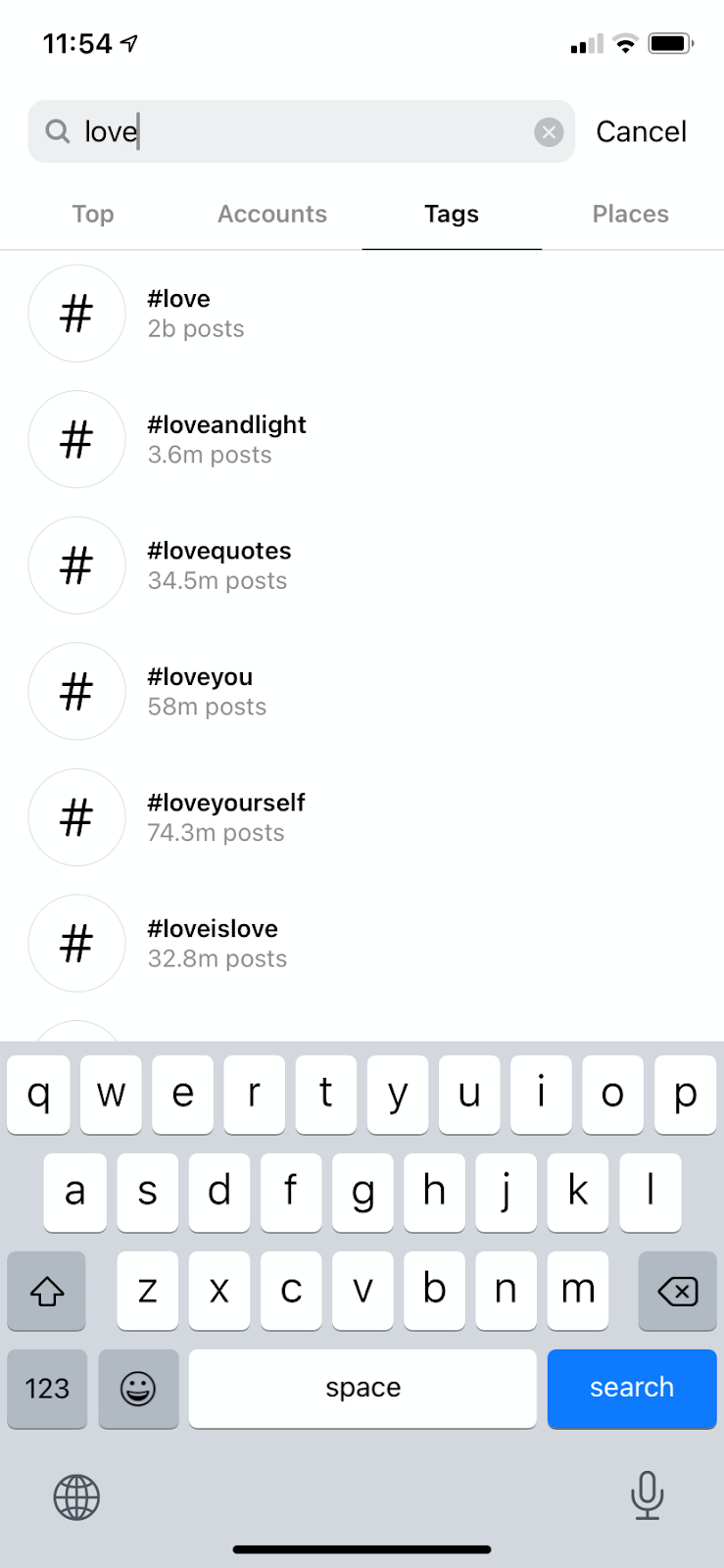
4. Browse hashtags based on post count and current content.
Voila! You should see multiple options for hashtags based on your search. Browse around at each related hashtag that Instagram suggests for you — you might find that a hashtag with slightly fewer posts includes photos or videos that are more in line with the content you’re posting.
After finding the best hashtags for your account, you’ll be sure to create a winning hashtag strategy.
Use Hashtags on Instagram to Gain More Followers
Using hashtags is a critical part of a strong Instagram marketing strategy. Following best practices, you can increase your follower count and boost the number of leads coming from Instagram. Happy hashtagging!
Editor’s note: This post was originally published in July 2019 and has been updated for comprehensiveness.


How to Create an SEO Strategy for 2022 [Template Included]
Here’s a cliche among digital marketers: search engine optimization (SEO) isn’t what it used to be.
Here’s a true statement you don’t hear as often: your SEO strategy for 2022 shouldn’t focus on keywords.
These days, most businesses understand the basic concepts of SEO and why it’s important.
However, when it comes to developing and executing a sound SEO strategy for your business, just creating content for the keywords your customers are searching for is both arduous and, well, wrong.
In this post, we’ll explain what an SEO strategy is, and how you create your own to help you meet your content marketing goals.
Know exactly what you need? Jump to one of the following sections:
![→ Download Now: SEO Starter Pack [Free Kit]](https://no-cache.hubspot.com/cta/default/53/1d7211ac-7b1b-4405-b940-54b8acedb26e.png)
Having an SEO strategy is important because it helps you stay on track when creating content. Instead of just creating what you think people are looking for, your strategy will ensure that you’re creating content that people are searching for.
For content marketing, an SEO strategy is a critical piece of the puzzle because it is how your content will come to be seen in the first place, especially in search engine result pages (SERPs). If your content is scattered and unorganized, search engine bots will have a harder time indexing your site, identifying your area of authority, and ranking your site pages.
Mobile SEO Strategy
Mobile SEO is an important factor to keep in mind when creating your overall strategy. Mobile optimization involves ensuring your site and site content is available and accessible to visitors on mobile devices, so they can have the same experience and receive the same value as desktop browsers.
Mobile optimization is incredibly important, as Google practices mobile-first indexing. This means instead of crawling a desktop site, the algorithm will use the mobile version of your site when indexing and ranking pages for SERPs. In addition, 61% of Google search queries in the U.S. occur on mobile devices. So, all things considered, your SEO strategy would be ineffective without prioritizing mobile optimization.
While it’s not an entirely separate process, there are distinct considerations for mobile SEO like monitoring page speed, responsive site design, local SEO, and creating content that is high-quality, regardless of device it’s viewed on.
What is an SEO?
Search engine optimizers (SEOs) are people who optimize websites to help them rank higher on SERPs and gain more organic traffic. In essence, an SEO is a highly specialized content strategist that helps a business discover opportunities to answer questions people have about their respective industries.
There are three types of SEO that an SEO strategist can focus on:
- On-page SEO: This SEO focuses on the content that’s actually on site pages, and how to optimize it to boost the website’s ranking for specific keywords.
- Off-page SEO: This SEO focuses on links directed to the website from elsewhere on the internet. The number of backlinks a site has from reputable sources helps you build trust with search algorithms.
- Technical SEO: This SEO focuses on a website’s backend architecture, like site code. Google cares just as much about technical set-up as it does content, so this position is important for rankings.
Bear in mind that every business has different objectives, so it is an SEO’s job to examine their industry, determine what their audiences care about, and develop a strategy that gives them what they’re looking for.
Below we’ll go over some steps you can take to ensure your SEO strategy sets you up for success.
1. Make a list of topics.
Keywords are at the heart of SEO, but they’re no longer the first step to achieving organic growth. Instead, the first step is to make a list of topics you’d like your content to address.
To start, compile a list of about 10 words and terms associated with your product or service. Use an SEO tool ( Google’s Keyword Tool, Ahrefs , SEMRush or GrowthBar just to name a few) to research these words, identify their search volume, and come up with variations that make sense for your business.
By doing this, you are associating these topics with popular short-tail keywords, but you’re not dedicating individual blog posts to these keywords. Let’s go over an example of this process using the image below.
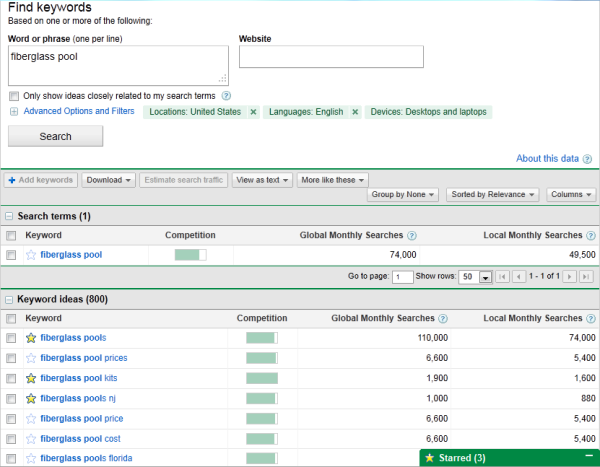
Let’s say a swimming pool business is trying to rank for “fiberglass pools,” which receives 110,000 searches per month. This short-tail keyword can represent the overarching topic for creating their content, but the business will also need to identify a series of related keywords to include in their content. For example, they could opt to use the “fiberglass pool prices,” or “fiberglass pool cost,” to achieve additional rankings for the overall keyword of fiberglass pools.
Using search volume and competition as your measurement, you can create a list of 10-15 short-tail keywords that are relevant to your business and are being searched for by your target audiences. Then, rank this list based on monthly search volume.
Each of the keywords that you’ve identified are called pillars, and they serve as the primary support for a larger cluster of long-tail keywords, which we’ll discuss below.
2. Make a list of long-tail keywords based on these topics.
During this step you’ll begin optimizing your pages for specific keywords. For each pillar you’ve identified, use your keyword tool to identify five to 10 long-tail keywords that dig deeper into the original topic keyword.
For example, we regularly create content about SEO, but it’s difficult to rank well on Google for such a popular topic with this acronym alone. We also risk competing with our own content by creating multiple pages that are all targeting the exact same keyword — and potentially the same SERPs. Therefore, we also create content on conducting keyword research, optimizing images for search engines, creating an SEO strategy (which you’re reading right now), and other subtopics within the SEO umbrella.
This helps businesses attract people who have varying interests and concerns — and ultimately create more entry points for people interested in what you have to offer.
Use your long-tail keywords to create blog posts or web pages that explain the specific topics within the pillars you’ve selected. Together, all of your long-tail keywords create a cluster around a pillar topic. Search engine algorithms depend on the relationships between clusters to connect users with the information they’re looking for.
Here’s a short video on this concept:
Think of it this way: the more specific your content, the more specific the needs of your audience can be, and the more likely you’ll convert this traffic into leads. This is how Google finds value in the websites it crawls — the pages that dig into the inner workings of a general topic are seen as the best answer to a person’s query, and will rank higher.
3. Build pages for each topic.
When it comes to websites and ranking in search engines, trying to get one page to rank for a handful of keywords can be next to impossible. But, here’s where the rubber meets the road.
Use the pillar topics you came up with to create a page or post that gives a high-level overview of the topic using the long-tail keywords you came up with for each cluster in step two. These pillar pages can essentially be a table of contents, where you’re giving a description of the main topic, and briefing readers on subtopics you’ll elaborate on in other posts.
Ultimately, the number of topics for which you create pillar pages should coincide with your business needs, like the number of products and offerings you have. This will make it much easier for your prospects and customers to find you in search engines no matter what keywords they use.
4. Set up a blog.
Blogging can be an incredible way to rank for keywords and engage your website’s users. After all, every blog post is a new web page and an additional opportunity to rank in SERPs. If your business does not already have a blog, consider creating one.
As you write each blog post and expand on your clusters, you should do three things:
- Don’t include your long-tail keyword more than three or four times throughout the page as Google doesn’t consider exact keyword matches as often as it used to. In fact, too many instances of your keyword can be a red flag to search engines that you’re keyword stuffing to gain rankings, and they’ll penalize you for this.
- Second, always link out to the pillar page you created for your topics. You can do this in the form of tags in your content management system (CMS), or as basic anchor text in the body of the article.
- Once you publish each blog post, link to it within the parent pillar page that supports the subtopic. By connecting both the pillar and the cluster in this way, you’re telling Google that there’s a relationship between the long-tail keyword and the overarching topic you’re trying to rank for.
5. Create a consistent blogging schedule.
Every blog post or web page you create doesn’t necessarily need to belong to a topic cluster. There’s also value in writing about tangential topics your customers care about to build authority with the Google algorithms.
With that in mind, make it a point to blog at least once a week. Remember, you are blogging primarily for your audience, not search engines, so study your target market and write about things that they are interested in.
It may be helpful to create a content strategy to remain consistent and focused on your goals.
6. Create a link-building plan.
The topic cluster model is your way forward in SEO, but it’s not the only way to get your website content to rank higher once it’s been created.
While our first five steps were dedicated to on-page SEO, link-building is the primary objective of off-page SEO. Link-building is the process of attracting inbound links (also called backlinks) to your website from other sources on the internet. As a general rule, sites with more authority that link back to your content have a more significant impact on your rankings.
Dedicate some time to brainstorming all the various ways you can attract inbound links. Maybe you’ll start by sharing links with local businesses in exchange for links to their own sites, or you’ll write a few blog posts and share them on different social media platforms. You can also approach other blogs for guest blogging opportunities through which you can link back to your website.
7. Compress media files before uploading them to your site.
This is a small but important step in the SEO process, especially for mobile optimization.
As your blog or website grows, you’ll undoubtedly have more images, videos, and related media to support your content. These visual assets help retain your visitors’ attention, but it’s easy to forget that these files can be very large. Since page speed is a crucial ranking factor, it’s important to monitor the size of the media files you upload to your site.
The bigger the file size, the more difficult it is for an internet browser to render your website. It’s also harder for mobile browsers to load these images, as the bandwidth on their devices is significantly smaller. So, the smaller the file size, the faster your website will load. But, how do you compress images and still retain quality?
It’s worth considering the use of a compression tool to reduce file sizes before uploading images, videos, and gifs. Sites like TinyPNG compress images in bulk, while Google’s Squoosh can shrink image files to microscopic sizes. However you choose to compress your media, keeping files in the kilobytes (KB) range is a good rule of thumb.
8. Stay up-to-date on SEO news and best practices.
Just like marketing, the search engine landscape is ever-evolving. Staying on top of current trends and best practices is an important strategy, and there are multiple online resources that can help you do so. Here are a few resources to check out:
9. Measure and track your content’s success.
SEO can take a lot of time and effort, and, because of this, you’ll want to know if your strategy works. It’s important to track your metrics to understand the success of your overall process, and identify possible areas for improvement.
You can monitor organic traffic using your preferred web analytics tool or create your own dashboard using Excel or Google Sheets. Also, tracking indexed pages, conversions, ROI, and your rankings on SERPs can help you recognize your success as well as identify areas of opportunity.
SEO Report
An SEO report is an overview of the SEO efforts you’ve enacted over a specific period of time. It essentially shows how successful you’ve been, as well as any areas that need improvement. Having a consolidated report also helps you present the data to relevant stakeholders to display why your SEO activities are important, and how they drive growth for your business.
Your SEO report can contain metrics like organic traffic results, the SEO health of your website, inbound link generation, and also address any areas where growth has declined that need to be addressed for future improvement.
The image below is an example of an SEO report from Ahrefs, where it has given an overview of the link building progress of the SEO efforts.
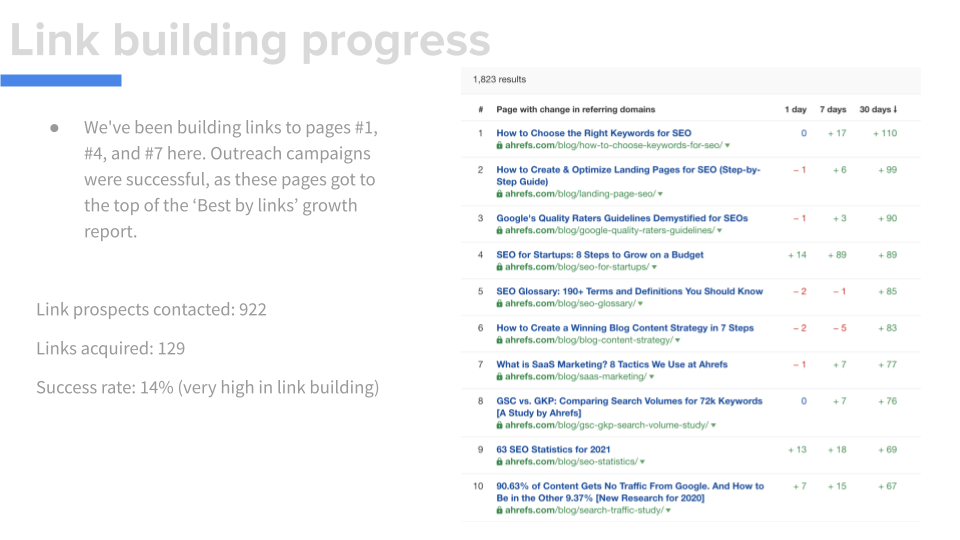
In order to fuel your SEO report, you’ll actually need to have completed some SEO activities, and below we’ll give some high-quality examples of successful SEO.
Best SEO Examples
As mentioned above, there are a variety of different things you can do for your business to enact your SEO strategy. Below we’ll go over some examples of what this looks like in practice that you can use as inspiration for your own processes.
There are a variety of different things you can include in your SEO strategy, like:
1. Writing compelling meta descriptions.
A meta description is the snippet of text below a title and link in search results. The description, well, describes the content of the page to the person conducting the queries so they know what to expect.
The image below is the result of a search query for market research.
This is a high-quality meta description because it lets Google know exactly what the page contains, helping your content surface in the correct search results and helping audiences understand exactly what they’re about to click on.
2. Getting content backlinks and inbound links.
A backlink, also called an inbound link, is when another website links back to your website or blog content. It’s usually placed as a hyperlink on a string of text that relates to your content and, when clicked, they’re taken to your site.
Backlinks are an effective SEO tool because they show search engines that your content is authoritative and relevant, helping you rank higher in SERPs. The image below is an example of a blog post from Kicksta that has a backlink to a HubSpot Blog post.
.jpg?width=3822&name=backlink%20(1).jpg)
3. Optimizing your site pages for page speed.
Page speed is how quickly the content on your website loads when someone visits a specific page on your website. Google began taking page speed into account for SERP rankings in 2018, making it a critical area of focus when you enact your strategy.
4. Local SEO
Local SEO is improving search engine visibility for your business’s location. An effective local SEO strategy will surface your content in search queries from customers in your local area, letting them know your business is there to meet their needs.
The image below is a SERP result for “best restaurants Brooklyn.” The three businesses that appear in results have an optimized Google My Business profile that contains information that helps it surface in results for Brooklyn-area restaurants.
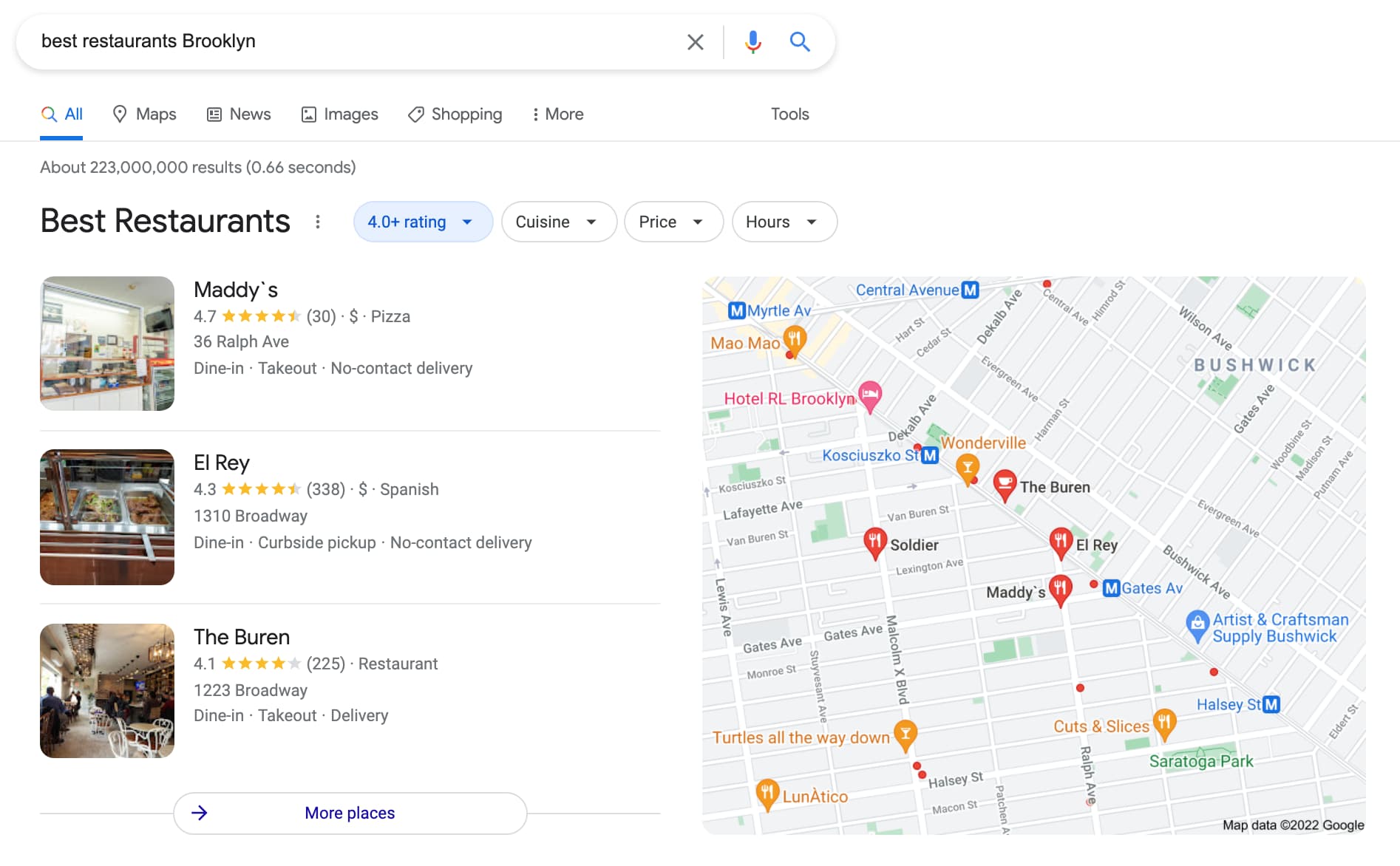
SEO Process
Once you’ve created your SEO strategy, you should also build a process to continue optimizing for new keywords and evolving search intent. Here are a few steps you can take.
1. Historically optimize your content.
Devote some time each month to updating old blog posts with new and up-to-date information to continue ranking in SERPs. You can also use this time to add any SEO best-practices that weren’t initially addressed, like missing image alt text.
2. Look out for changing keywords and new search intent.
After a few months, track how your blog posts are ranking, and which keywords they’re ranking for. This can help you adjust subheadings and copy to leverage new search intent that your audience may be interested in.
3. Add more editorial value to your old content.
Sometimes, you’ll find that a post is completely out of date. In this scenario, you should go beyond the average historical SEO update and give it a full refresh. You can do this by updating out of date information and statistics, incorporating new sections for added depth, and adding quotes or original data to give the post more referral traffic.
4. Create a monthly content plan.
To keep up with your SEO strategy, it can be helpful to create and refine a monthly content plan. You can place it into a spreadsheet, and your teams can track accordingly. The list below is an example of a content monthly content plan that takes the above steps into account.
With a monthly SEO plan like the one above, plus a tracking document like a search insights report, you can build out and execute on an efficient SEO strategy. You can also identify and leverage low-hanging-fruit topics to discuss related to your industry.
Create A Strategy That Supports Your Business Goals
Ranking in search pages can be difficult. While it may seem enticing to create content that is centered around high-traffic keywords, that strategy may not help you meet your business goals.
Instead, opt to create an SEO strategy that helps you address your individual business needs, like increasing customer acquisition, for greater marketing success.
Editor’s Note: This blog post was originally published in April 2019 but was updated in February 2022 for consistency and freshness.


12 Unique Ways to Generate Leads With QR Codes
If you watched the 2022 Super Bowl, you might have been one of the millions of people who scanned the QR code featured in the ad from cryptocurrency platform Coinbase.
When scanning the code, you were sent to a page that offered you $15 just for downloading and signing up for Coinbase.
The 1-minute Coinbase ad slot, which showed the QR code floating around the screen and inching closer to lining up with the corner of the screen perfectly, was so successful that the Coinbase app and website completely crashed.
Here’s a look at what HubSpot blogger Pamela Bump saw just seconds after the commercial finished.
-1.png?width=200&name=Image%20from%20iOS%20(17)-1.png)
Coinbase honored its $15 signup promise by emailing scanners who were impacted by the crash the next morning. And, ultimately, the company ran into — what we call — “a good problem to have” due to what we can assume was millions of signups.
But, you don’t have to spend millions on a Super Bowl ad to launch a success QR campaign that drives leads.
All you need is a mobile-optimized website and a QR code. I took a deep dive into QR codes and how brands can effectively drive leads with them.

Who uses QR codes?
anyone with a mobile phone. In addition to our keys and wallet, our phone is one of the few things we can’t leave the house without. Businesses have picked up on this and are constantly finding new ways to use QR codes to get us to engage with them, or make their processes smoother.
Uses of QR Codes in Everyday Life
While the concept of when to implement QR codes may be new, you’ve probably already gotten familiar with their use in local businesses you’ve visited. Here’s some instances where you’ve most likely encountered them:
- Public wifi network access
- Restaurant menus
- Instruction manuals
- Cashless payments
- Web promotions during live events
- Contact information and Linktrees
Later in this article, we’ll discuss the many other ways to use QR codes.But first, we’ll dig into how you can create your own QR codes.
How to Create Your Own QR Code Promotion
During our Go Mobile campaigns, we used QR codes to provide clues for a nationwide scavenger hunt for four iPads hidden across the country.
Visitors to our Go Mobile site could scan the QR codes to download the clues. To ensure that we captured leads from the promotion, we also provided the clues via email for anyone who filled out the form on the site. That way, we capture the lead information so we can re-market to that audience in the future.
Creating a QR code promotion is actually pretty simple. Here are the steps we followed when we created the promotion for our iPad nationwide scavenger hunt.
1. Create a Landing Page
First and foremost, you’ll need to create a mobile-optimized landing page. That means a landing page that is designed to be viewed on a smartphone screen. Keep things simple – for example, on a mobile landing page, forms should be kept to a few fields only. Most people don’t have the patience to fill out lengthy forms from a smartphone.
2. Create Your QR Code
Once you’ve created your landing page, copy the URL into a QR code generator. There are
plenty of QR code generators on the web, so just do a search for one. Paste your landing page URL into the QR code generator and, like magic, your QR code will be generated on the spot. This QR code is unique to you, so nobody in the world has another one just like it.
3. Add Your QR Code to Your Promotional Materials
Grab your QR code from the generator. On a PC, that means right-clicking it and saving it to your computer. (On a Mac, you can drag and drop.) Now that you have the QR code handy, add it to your promotional materials. That includes any printed materials or websites that are going to be part of the promotion.
4. Get the Word Out
There’s no point in launching a QR Code promotion if you’re not going to let the world know about it. So broadcast your message using your blog, Twitter, LinkedIn, Facebook, or any of the other social media tools at your disposal. The key part at this stage of the game is to let as many people know about the promotion as possible.
5. Stretch Out the Promotion
For our iPad Scavenger Hunt, we wanted as many people as possible to participate, so we’d upload a new QR code each day for several weeks. That way, our audience builds, and we’re able to create as much buzz around the promotion as possible.
How to Put QR Codes to Work for Your Business
There are a variety of ways you can use QR codes for your business, and new ones are cropping up every day. Here are some great ideas you can use below.
Common Uses of QR Codes
- Websites: Add a QR code to the ‘Contact Us’ page on your website so visitors can download your contact information to their smartphones.
- Business Cards: Add a QR code to the front or back of your business card so people can instantly download your contact information.
- Webinars: Ready to make your webinars more engaging and fun? Then simply include a QR code as part of your presentation. It’s a terrific way to keep the audience engaged and involved.
- LinkedIn and Facebook Pages: Want another way to stand out from everyone else? Add a QR code to your LinkedIn and Facebook pages to pull people into your website. It’s one of the best ways you can position yourself as a forward, innovative thinker.
- In-Store Posters With Coupons: Want to provide instant coupons to people while they’re shopping? Then add a QR code that drives them through to a special discount that can be scanned at the register.
- Dial a Phone Number: Want to encourage people to dial your number so they can order your product? Then give them a QR code to scan. If it’s set up properly, it will instantly dial your number on their phone and connect them with your sales center.
Creative Uses for QR Codes
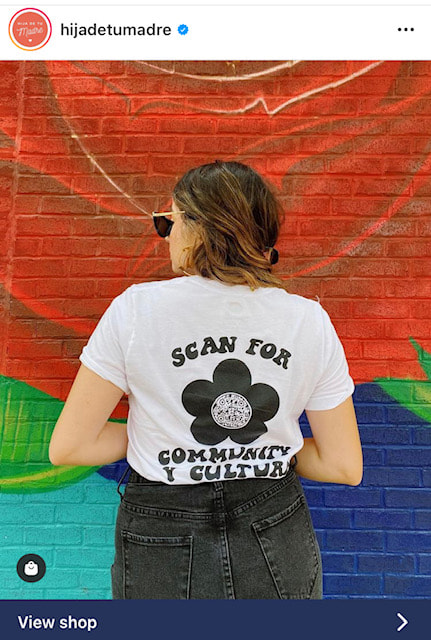
- Clothing and Merchandise: Ready to promote your product or service in an innovative way? Then add a QR code to a T-shirt that you give away to customers and prospects. Hija De Tu Madre (pictured above), a Latina fashion and accessories brand, cleverly placed a QR code on one of their shirt designs. It encourages viewers to “Scan for community y cultura,” enabling people to learn more about the brand and eventually convert them into new customers.
- “Hello, My Name Is” Tags: You know those big red and white tags people wear at events with their names on them? If you put a QR code in place of your name, you’ll engage people and easily be able to strike up conversations.
- Event Posters: Advertising an event? Upgrade your posters and fliers with a QR code passersby can easily scan. Have the code take them to your event page where they can view all pertinent details and buy tickets.
- Outdoor Billboards:Be one of the first businesses in your market to run a giant QR code on a billboard for your business. In the example above, Cygames enlisted the help of 1,500 drones to form a giant QR code in the sky to celebrate the anniversary of one of their games.
- Galleries and Museums: Make it easy for viewers to find out more about your work and upcoming projects. Putting a QR code next to artwork in place of text is a wonderful alternative to the standard description. Guests won’t have to crowd each other to read it, and they can take the information with them. If you’re selling at a gallery, it may also be worth it to enable payment through the QR code as well.
- Product Packaging: If you sell a physical product, adding a QR code that tells the buyer more about your brand or the product itself can build connections and trust. If you sell food, consider using a QR code for the ingredient list, or maybe easy recipes to use the item in. For cosmetics, have QR codes that give more information on how the products were made, tested, and where ingredients were sourced.
Using QR Codes to Grow Your Business
There’s no real mystery to using QR codes to grow your business. All you have to do is generate the code, and drop it into your promotion. Be sure you test the campaign before you go public with it – people who scan your code expect things to work relatively smoothly the first time out of the gate. But other than that, running a QR code promotion is a snap.
A key point to remember about QR codes is that they’re simply a mechanism to engage prospects and customers. In other words, they’re not the end-game, so it’s up to you to figure out how to use them to capture the visitors you drive to your website as leads using landing pages.
Once your strategy is in place, using QR codes to grow your business is relatively simple. All you have to do is generate the code, and drop it into your promotion. Be sure you test the campaign before you go public with it — people who scan your code expect things to work relatively smoothly the first time out of the gate. Give them an experience that delights them and keeps them coming back for more.
This is a guest blog post written by Jamie Turner, founder and chief content officer of the 60 Second Marketer. In addition, Jamie is the co-author of the book Go Mobile, written with Jeanne Hopkins, VP of marketing @HubSpot. He is a regular guest on CNN and HLN on the topic of digital marketing and is a popular mobile marketing speaker at events and corporations around the globe.
This article was originally published in January 2012 and has been updated for comprehensiveness.

When to Post on TikTok: A Simple Guide
HubSpot Blog research found
that 93% of marketers that already leverage TikTok have plans to continue investing in the platform in 2022, and 52% of marketers plan to increase their investments for the year.
If you’re one of the marketers hoping to increase your business’ presence on the app, or you’re leveraging it for the first time, it’s important to have a TikTok-specific strategy that works.
In this post, discover new HubSpot Blog data that will help you decide the best time to post on TikTok to ensure your content has the most significant reach.
![Download Now: Social Media Trends in 2022 [Free Report]](https://no-cache.hubspot.com/cta/default/53/3dc1dfd9-2cb4-4498-8c57-19dbb5671820.png)
What’s the best day to post on TikTok?
The best days to post on TikTok are Saturday, Friday, and Sunday. The graph below displays this data.
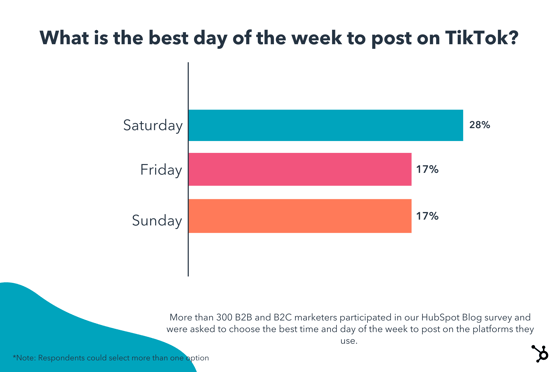
Best Times to Post on TikTok
Marketers report that the three best time frames to post on TikTok are 6-9 PM, 3-6 PM, and 12-3 PM, in that order. The graph below displays this result.
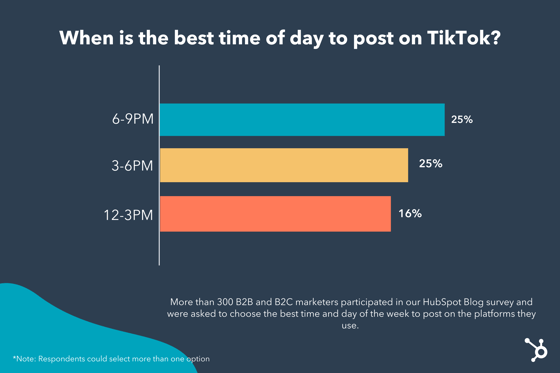 When do you know the best time to post on TikTok for your business?
Our Blog research found the best times and days to post on TikTok. However, deciding the best option for your business depends on your audience and their location and activity.
To pick the best option for your business, you’ll need to access your account analytics within your TikTok for Business account. To get there within the TikTok app,
1. Select the hamburger menu on the top right-hand corner of your profile page.
2. In the Settings and privacy menu, select Creator tools, then Analytics (as shown in the image below). If you haven’t yet enabled analytics, you’ll be prompted to turn them on.
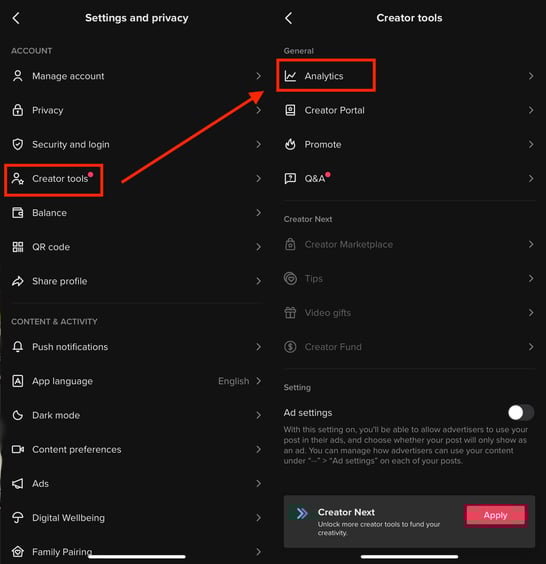
Once you’ve selected Analytics, you’ll see a dashboard with an overview of different metrics. To get more insights into your audience, select the Followers tab. You should then see your audience metrics, as shown in the image below.
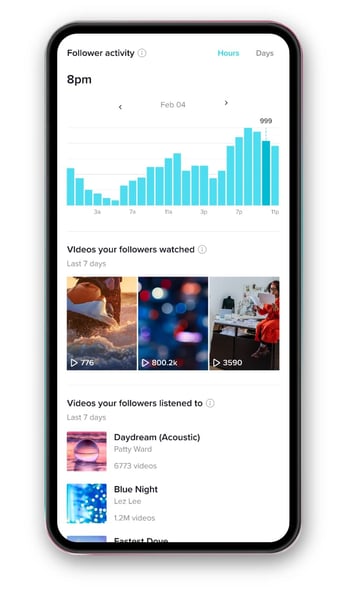
You’ll be able to see where your audiences are located and when they’re most active. Take note of this information, compare it to the data we found, and select a time frame that aligns with your audience’s presence.
It’s important to note that testing different posting schedules is always worthwhile to figure out what works best. For example, our data shows that 6-9 PM is the best posting window, and your in-app analytics show your audiences are most active on Fridays. You can run your own experiment where you post at different times between 6-9 PM on Fridays to see what generates the most engagement.
Can you post too much on TikTok?
Most marketers post on TikTok 4-6 times per week. However, as with many social media sites, it is possible to post too much and oversaturate your audiences.
It’s best to test out different options and come up with a strategy that aligns with your goals so that when you do post, you’re sharing content your audiences want to see and when they’re most likely to see it.


How To Get a Business Verified on Instagram
“After we got verified [on Instagram], it was a great asset to our social media team,” says Samantha Lim, Community Manager for monday.com. “Along with the trust it establishes when people interact with our brand, the features we got from Instagram helped with our campaigns.”
monday.com is just one of many businesses using Instagram to build a presence on the app, attract an audience, and inspire loyalty. monday.com is also one of many businesses on Instagram that can be threatened by impersonation and fake accounts, which is what makes verification so valuable.
In this post, learn more about why an Instagram verification badge is important, when you should seek verification, and how you can go about getting your account verified.

What is an Instagram verification badge?
An Instagram verification badge is a blue checkmark on an Instagram profile page that appears in someone’s profile, as well as in search results. The image below displays three Instagram profiles from businesses and public figures — HubSpot, Beyonce, and Telfar — that are verified, with the blue badge displayed next to their profile username.
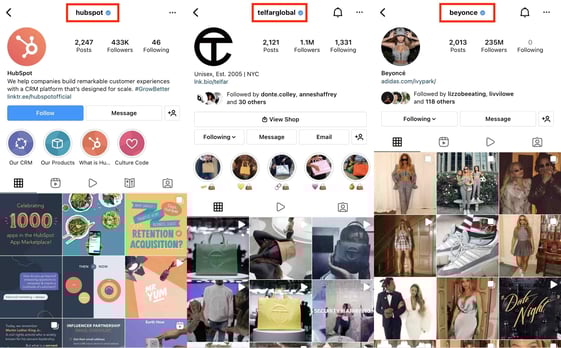
Overall, the verification badge shows that Instagram confirmed the account to be authentic and owned by the celebrity, influencer, public figure, or business claiming to own it and that its content is legitimate (one of the most significant reasons to get verified on Instagram).
Why and when should you get verified on Instagram?
Getting verified on Instagram typically begins with a desire to show audiences that your account is your only real account, so they don’t follow an impersonator. It helps you create a credible and trustworthy presence on the app.
Verified accounts also appear higher up in search results, making it a valuable tool for businesses to generate awareness and exposure when users search for your name or keywords related to the content you share on the platform.
Instagram Verification Criteria
Anyone can request verification, but Instagram is careful about who it verifies, considering the blue badge carries significant weight.
Instagram says that there are a few key factors when reviewing requests. Most significantly, your account must align with Instagram’s Terms of Use and Community Guidelines.
Your account also needs to be:
- Authentic: Your account represents a real person (public figure, influencer, etc.) or a real registered business or entity.
- Unique: The content you share needs to represent the unique qualities of the person or business requesting verification.
- Complete: When you apply, your profile must be a public profile that contains a bio and profile photo and an active presence on the app.
- Notable: Your account needs to represent someone that is well known or often searched for. Instagram reviews news sources for notability, but it does not consider paid or sponsored media.
How many followers to get verified on Instagram?
Instagram is tight-lipped about any numbers required for verification. While some sources say 10,000 followers, Instagram has never verified this claim.
It’s best to seek out verification that isn’t based on follower count but more about the presence you’re hoping to build on the app and if you think there is a possibility for impersonation.
Why Your Instagram Verification Application Could Be Denied
If your Instagram verification request is denied, it can be due to various reasons:
- Your profile was not complete when you requested verification (i.e., you don’t have a profile photo).
- The only content available to display your notability is paid or sponsored media.
- You provided misleading information during the verification process.
- You attempted to verify your account through a third party.
- You applied for a verification badge multiple times before receiving a final decision from Instagram.
You can also lose your Instagram verification at any point if you violate community guidelines or terms of use. Instagram can disable your account for future use if you violate guidelines.
How to Request To Get Verified on Instagram
Now that you know everything about the verification process, let’s go over how you can apply.
1. Click on the hamburger button on the top right-hand side of your profile page, as shown in the image below, and select Settings, then Account.
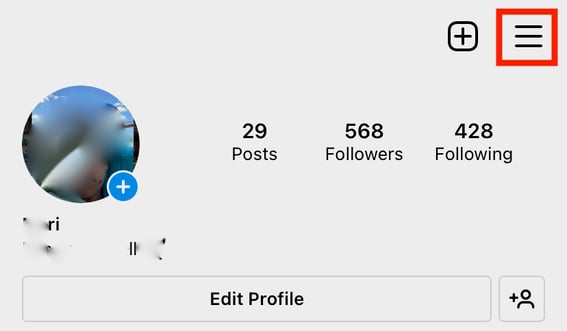
2. In the Settings tab, select Account and scroll down to select Request Verification, as shown in the image below.
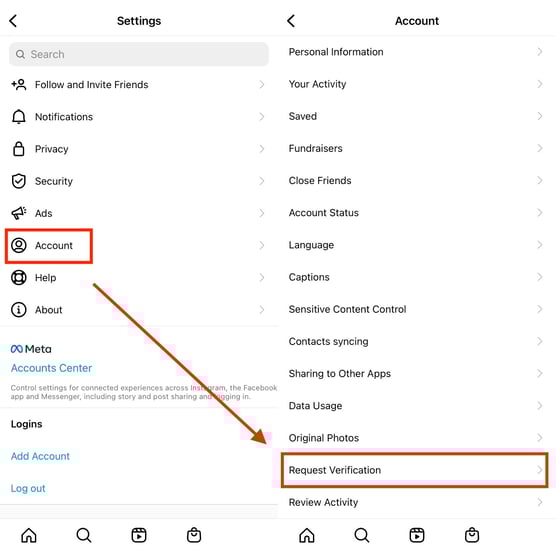
3. Once selected, you should see the Apply for Instagram Verification tool pop up, shown below.
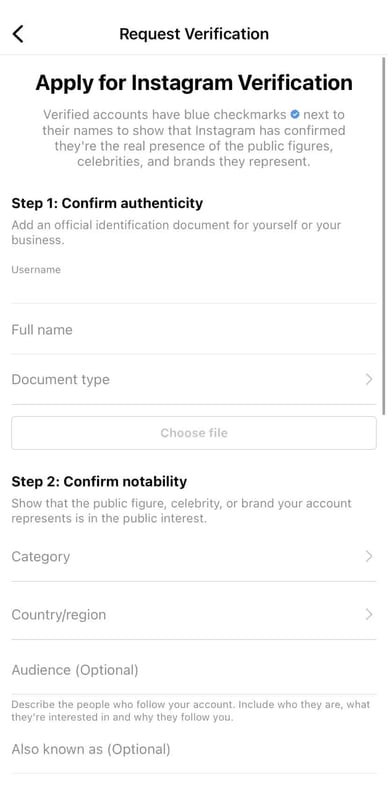
In the form fields, you’ll be asked to confirm the authenticity of your or your business, verify your notability and relevance to the public interest, and add additional links that show your presence in the public sphere. It’s a best practice to include as much information as possible.
5. Once you’ve entered the relevant information, select Submit at the bottom of the application.
How long does it take to get verified on Instagram?
Instagram says you’ll receive a notification about your verification request in the Activity tab up to 30 days after submitting your request. While you wait, it’s best to continue using the platform as you normally would. If your application gets denied, you can submit another request after 30 days.
Whether you’re verified or not, the best way to interact with your audience on the platform and generate a presence is to be active and share valuable and informative content. Your audience will recognize that you’re there to help them succeed, and they’ll view you as a credible source.

26 of the Best Brands on Instagram Right Now
Contrary to what your friends’ photos suggest, Instagram isn’t just a social network for selfies and brunch pics. In fact, Instagram has over 200 million businesses that use its platform and 90% of users follow at least one of them, according to recent data.
In a time when visual content remains a crucial part of any brand’s marketing strategy, Instagram marketing presents a unique opportunity to showcase your brand identity.
Ready to get inspired? Check out this list of brands that are thriving on Instagram right now, and why their posts set them apart.
Best Brands on Instagram
What makes a brand great on Instagram?
We polled 301 users across the United States, and asked “Which of the following describes the brands you follow and enjoy on Instagram?”
These were their top answers:
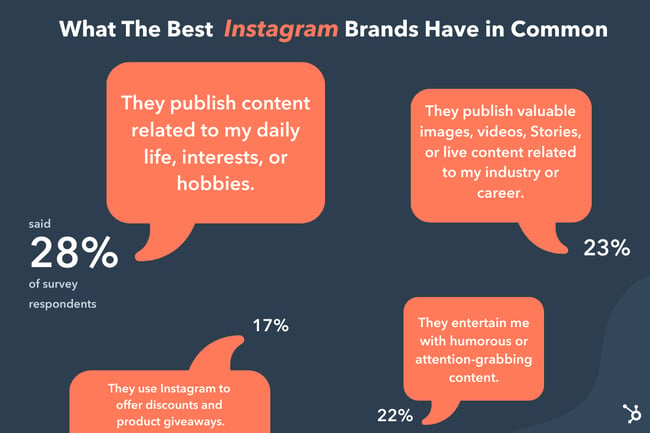
While this data is from a small sample, it does highlight what we already know about Instagram audiences. They look for:
- Content that relates to their lives: both personal and professional.
- Eye-catching, fun content.
- Product promotions
What you’ll see in the next section is that every brand featured meets these needs, earning them high follower counts and high engagement rates.
Psst – Want to get a stunning Instagram Story auto-magically created for your brand? Check out StoriesAds.com, a free Story generator from HubSpot and Shakr. Click here to get started.
1. The Every Mom
Followers: 294k
Modern-day moms face a unique set of challenges from raising children in a digital-first world to navigating relationships with in-laws and extended family during a pandemic. The Every Mom is a lifestyle brand that caters to this audience in every way.
On this Instagram page, you’ll find content about handling your kids’ big emotions, teaching them about diversity, and tips on how to make mealtime more appealing.

While much of the content on this page lends itself to things a mom can do, there’s plenty of content advocating rest, relaxation, and mental health as well. You’ll also find the occasional discount code for popular products and cross-promotion of The Every Mom blog in the Instagram stories and highlights.
2. Bolden USA
Followers: 32.1k
Instagram is all about visuals. This means that within minutes of being on Instagram, a user can be bombarded with images.
So, the question is: How do you make sure your brand stands out and is memorable?
One way is by developing a unique aesthetic and remaining consistent. Bolden USA has done just that.
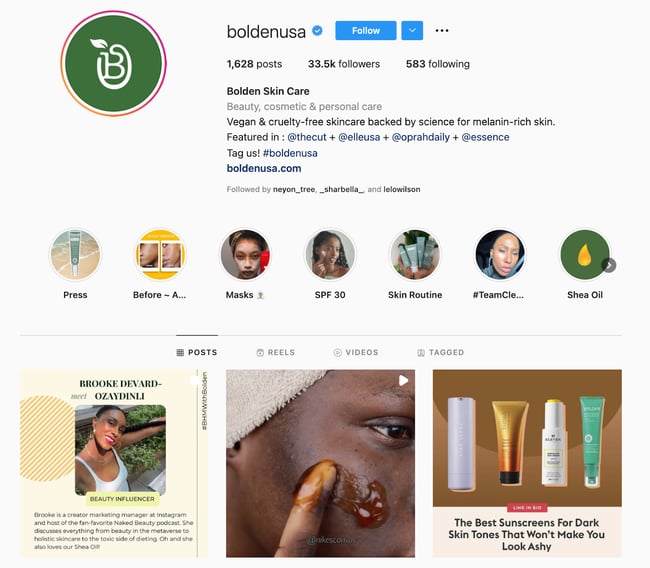
To mirror its green logo, the theme of Bolden USA’s Instagram is green. While the brand features other colors in its images, green is always the primary, standout color – an effective tactic to aid brand recall. That brand recall being spread across more than 33,000 followers makes Bolden USA one of the best brands on Instagram right now.
3. The Broke Black Girl
Followers: 174k
Personal finance is like exercise. You need motivation, the right tools, discipline, and a goal to achieve to see real success. It doesn’t hurt to have a good coach to guide you along the way, either, and that’s exactly what The Broke Black Girl is doing as one of the best brands on Instagram.
Dasha is a financial activist who specializes in competency-based financial education. Over 170,000 people follow her for non-judgemental financial advice, empathetic budgeting tips, and free financial resources. Her work levels the predominantly white-male-led financial literacy landscape to make it more accessible to women of color.

The history of women of color in finance, the $1000 Emergency Fund Challenge, and motivational messages comprise the majority of this brand’s Instagram feed making it the best place for young people to start their financial fitness journey.
4. Teleport Watches
Followers: 9.1k
Have you ever wondered where former President Barack Obama buys his watches? One of the brands he sports is Teleport Watches.
This premium luxury timepiece brand is known for its stylish and durable watches that are perfect for day-to-day wear and special occasions. However, people come back to the brand for its modern approach to a classic accessory which is why this Instagram brand makes our list.
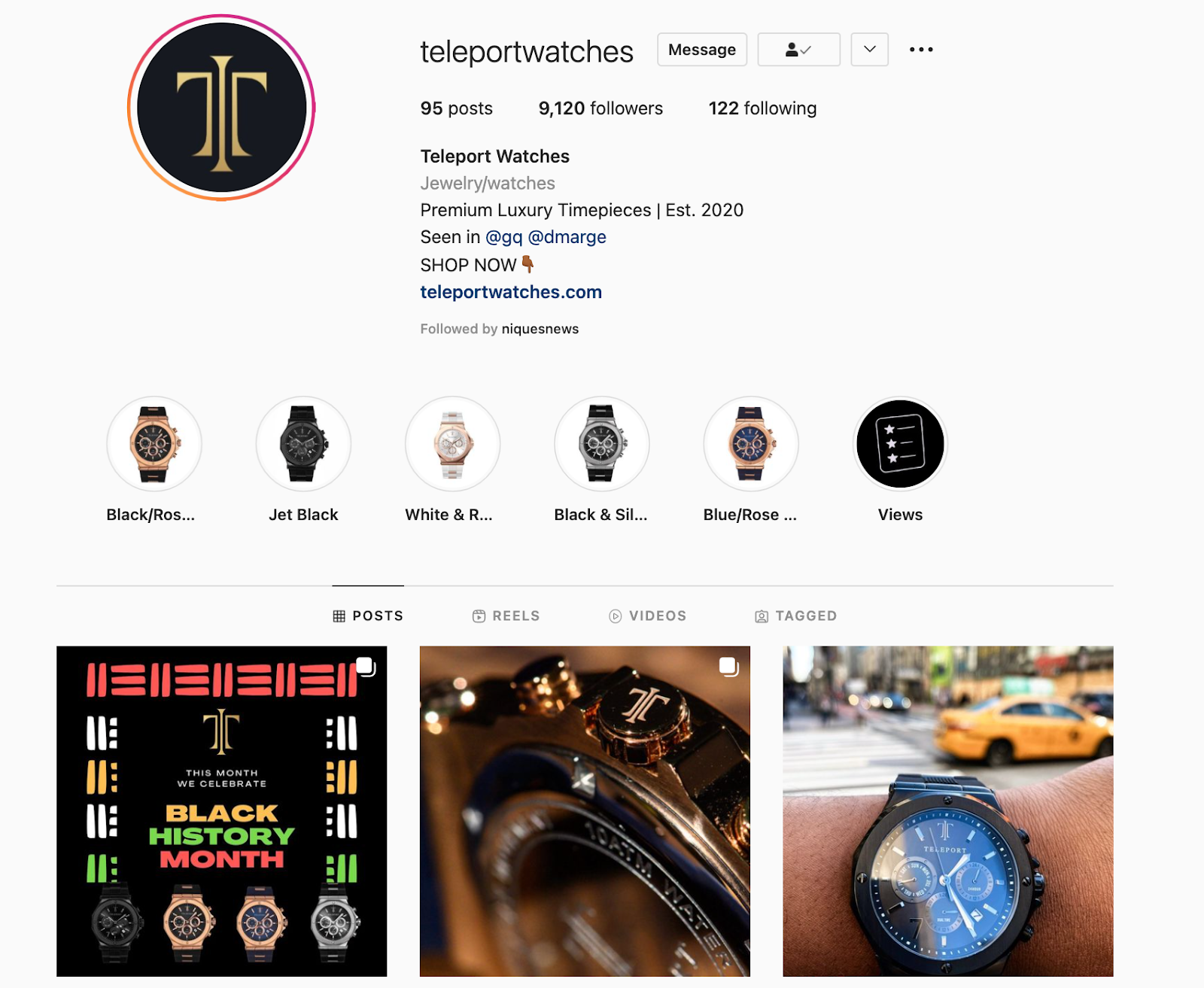
Teleport Watches proves that you can have a loyal following on Instagram without millions of followers. Although it’s one of the smallest Instagram brands in our lineup, it makes up for it in engagement and influence.
5. Netflix’s Strong Black Lead
Followers: 764k
Here is an example of a brand that has mastered the art of having its own identity while remaining connected to its parent brand.
Strong Black Lead is a sub-brand under Netflix dedicated to amplifying Black stories in media.
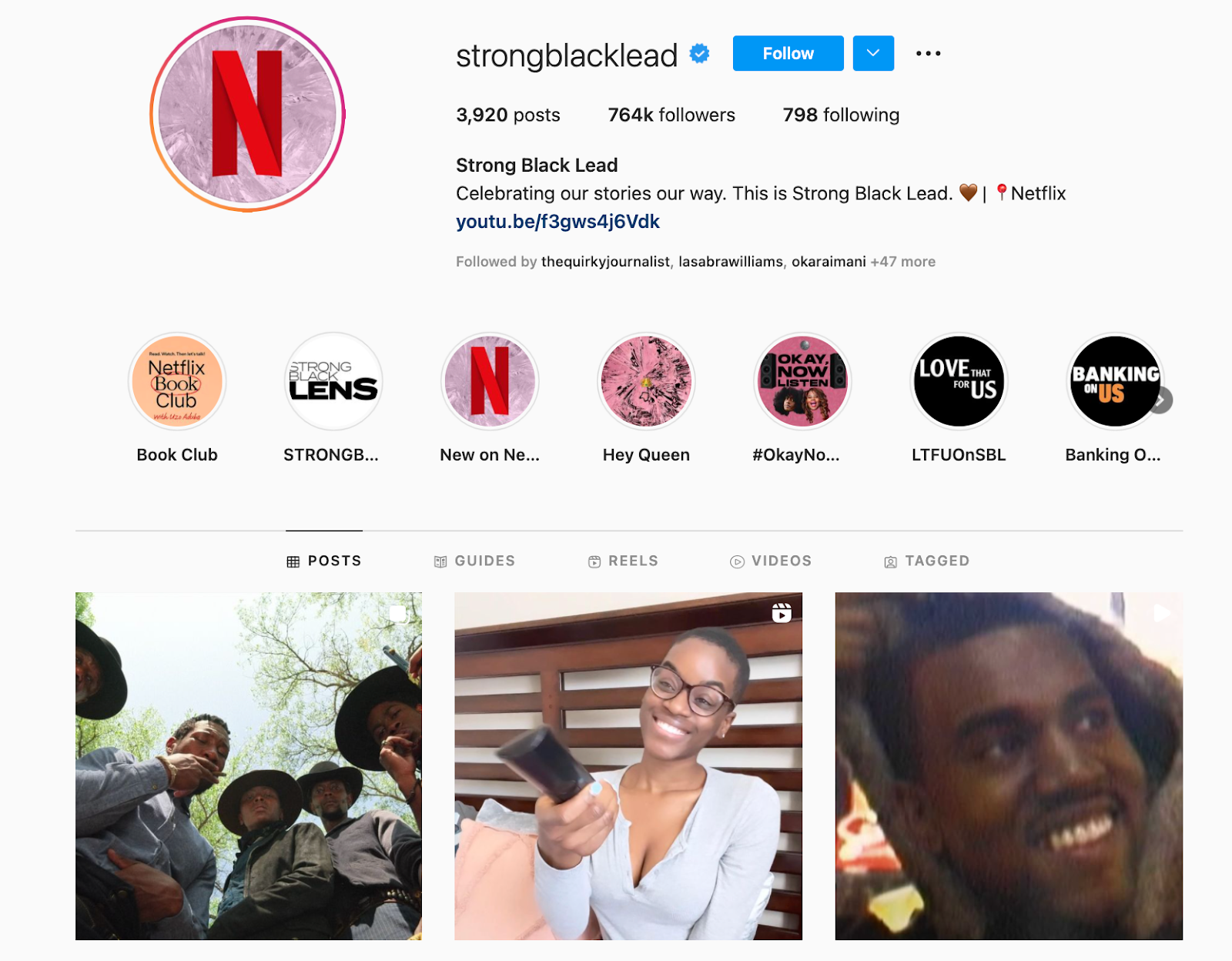
The brand’s Instagram page mainly features screen grabs and short clips from TV shows, movies, and documentaries available on Netflix that feature Black actors and/or directors. They stay on-trend, posting relevant content based on current events, holidays, and buzzy topics.
In addition to its appreciation posts for widely loved TV characters, Strong Black Lead also promotes content the brand hosts on other platforms, such as podcasts and YouTube content.
6. Califia Farms
Followers: 318k
Warning: If you’re hungry, don’t head to Califia Farms’ Instagram page.
The brand’s food photography makes it stand out among the rest, showing users how Califia Farms’ products can be used to create dishes ranging from pancakes and nice cream to artichoke dip and fettuccine alfredo.
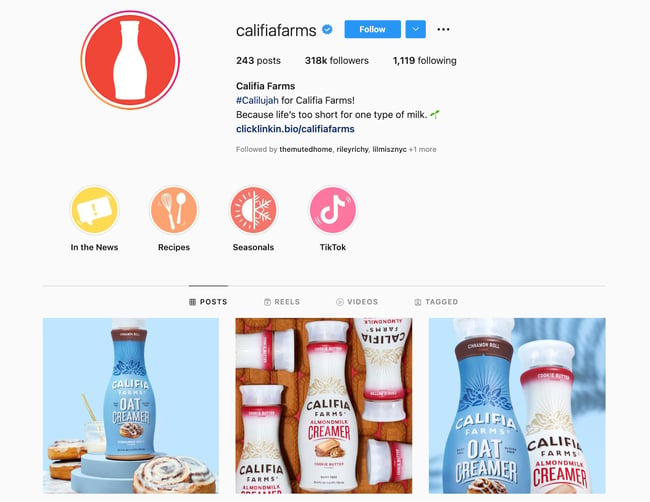
The brand doesn’t shy away from featuring its product in the images either. You can usually find it somewhere in its visual content, whether it’s the main subject of the photo or more in the background.
7. Anima Iris
Followers: 78.9k
You probably thought this list would only feature enterprise-level brands, huh?
Well, there are a ton of brands that have found the magic recipe on Instagram and Anima Iris is one of them.
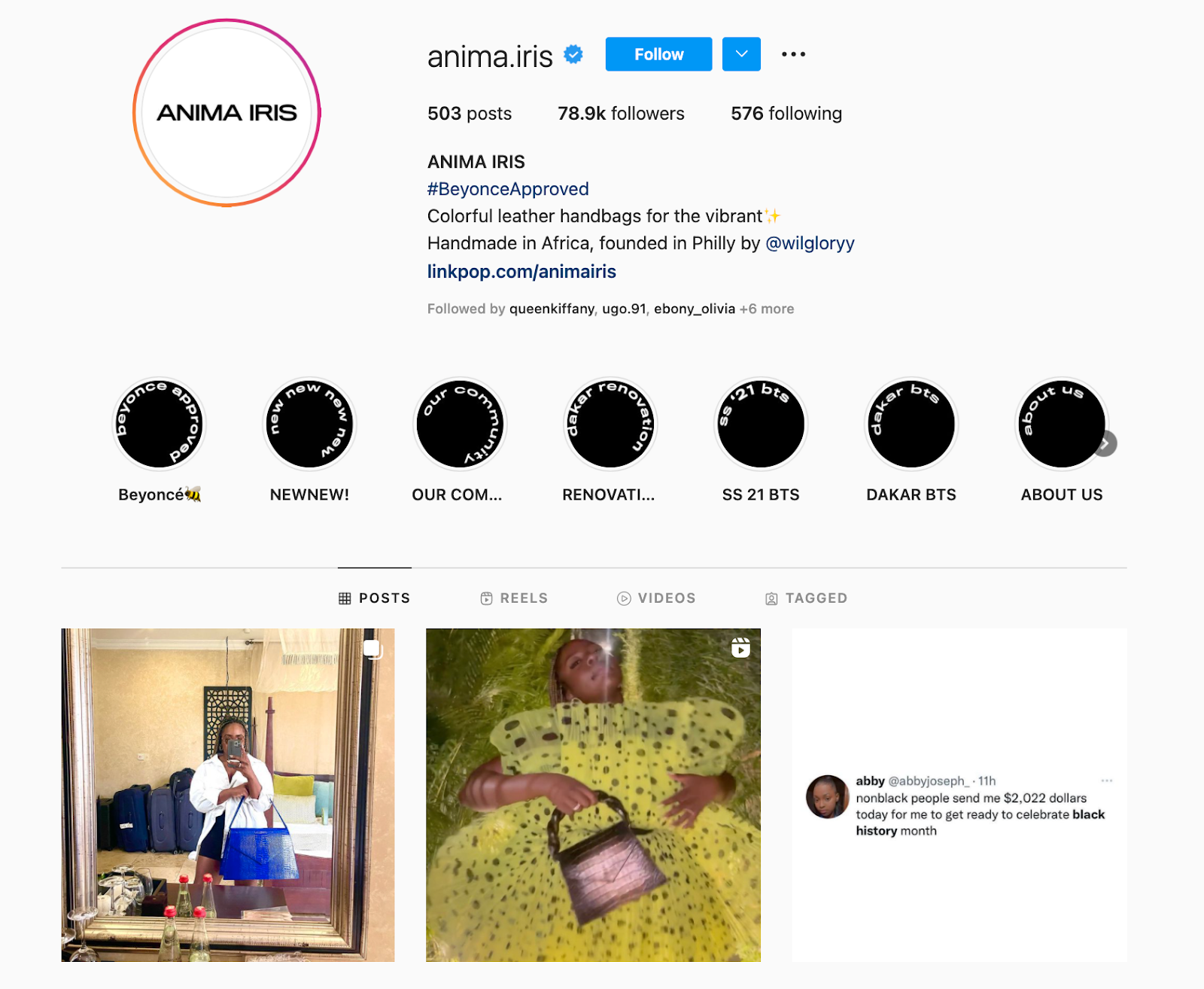
What sets this brand apart is the transparency of its CEO.
If you watch one of Anima Iris’ Instagram Stories, you’ll probably see its CEO, Wilglory Tanjong, showing the behind-the-scenes of running a luxury purse brand, which helps its audience feel more connected.
You’ll probably also see Q&As, surveys, and user-generated content – all strategies that have helped the company build a strong online community and gain brand loyalists.
8. Cooking With Constance
Followers: 15.2k
There’s more than enough food inspiration on Instagram, but Cooking With Constance takes that inspo a step further by pairing it with a side of judgment-free health and wellness. That’s why more than 10,000 people flocked to follow this brand page in just a few weeks.
This isn’t your typical vegan brand that compares and contrasts plant-based and non-plant-based lifestyles. Instead, Cooking With Constance serves up hearty and healthy recipes that even the biggest meat lovers will enjoy.

Holiday recipes, quick and easy lunches, and plant-based living tips are just a few of the types of content you’ll find as you scroll through her appetizing feed.
9. Lorna Jane
Followers: 1M
If your brand were a person, how would you describe its personality? Australian activewear company Lorna Jane has done an awesome job answering this important branding question with its Instagram content.
Spend just a few seconds scrolling through these photos, and you’ll quickly be able to name the target Lorna Jane buyer: a young, sporty, twenty- or thirty-something woman who values looking good while maintaining an active lifestyle.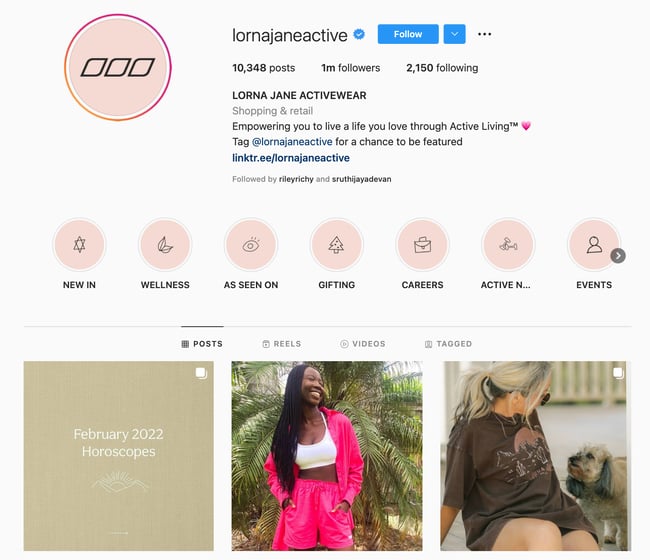
The images posted by Lorna Jane, which often show the brand’s clothing and accessories, as well as images of women who embody its target buyer persona, are colorful, playful, and inspirational, which is a perfect representation of the brand’s essence.
10. Letterfolk
Followers: 360k
Letterfolk is a small business run by a couple who create and sell beautiful, handcrafted felt letterboards. Each letterboard comes with a full set of characters so people can personalize the walls of their homes, which means endless room for creativity.
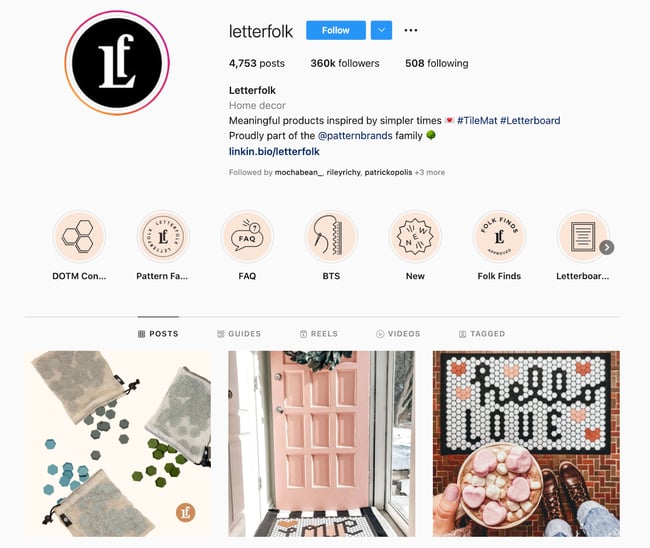
Instagram is the perfect platform for them to inspire customers and aspiring customers with real customers’ boards, as well as ideas they’ve come up with and staged themselves. Their Instagram content is funny and relatable – a great recipe for shareability.
11. Apartment Therapy
Followers: 3.2M
Apartment Therapy’s Instagram account really is a source of therapy, if you love the sight of cozy homes.
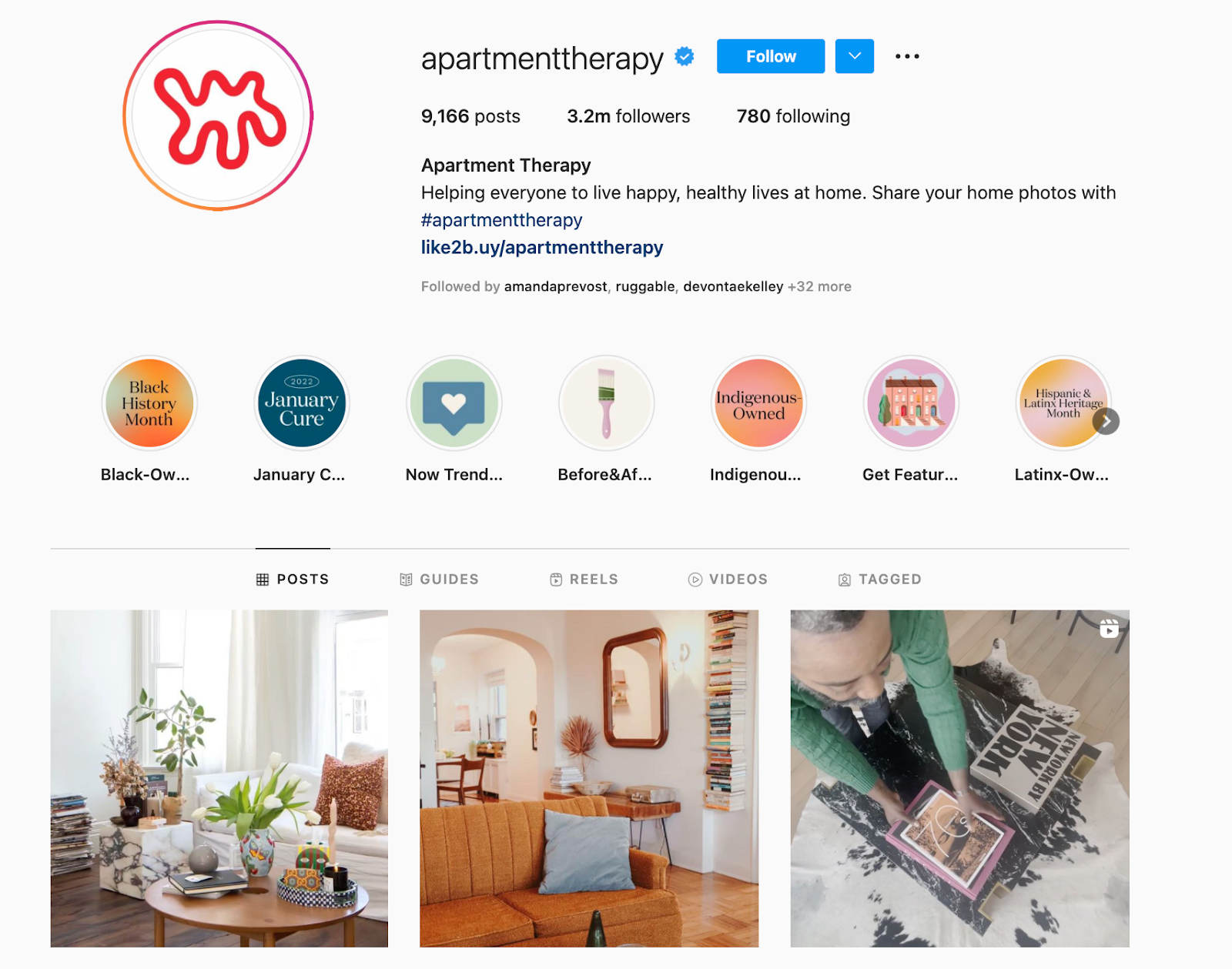
From home decor inspiration to fun challenges like their #SmallCoolChallenge contest and trendy user-generated content (UGC), this brand gives its followers plenty of inspiration to personalize their own space and “live happy, healthy lives at home,” as written in their profile bio.
12. Sunday II Sunday
Followers: 20.9k
Sunday II Sunday is another small business with a robust social media presence.
The brand describes itself as “haircare for active women.” As such, its content revolves around having and managing an active lifestyle.
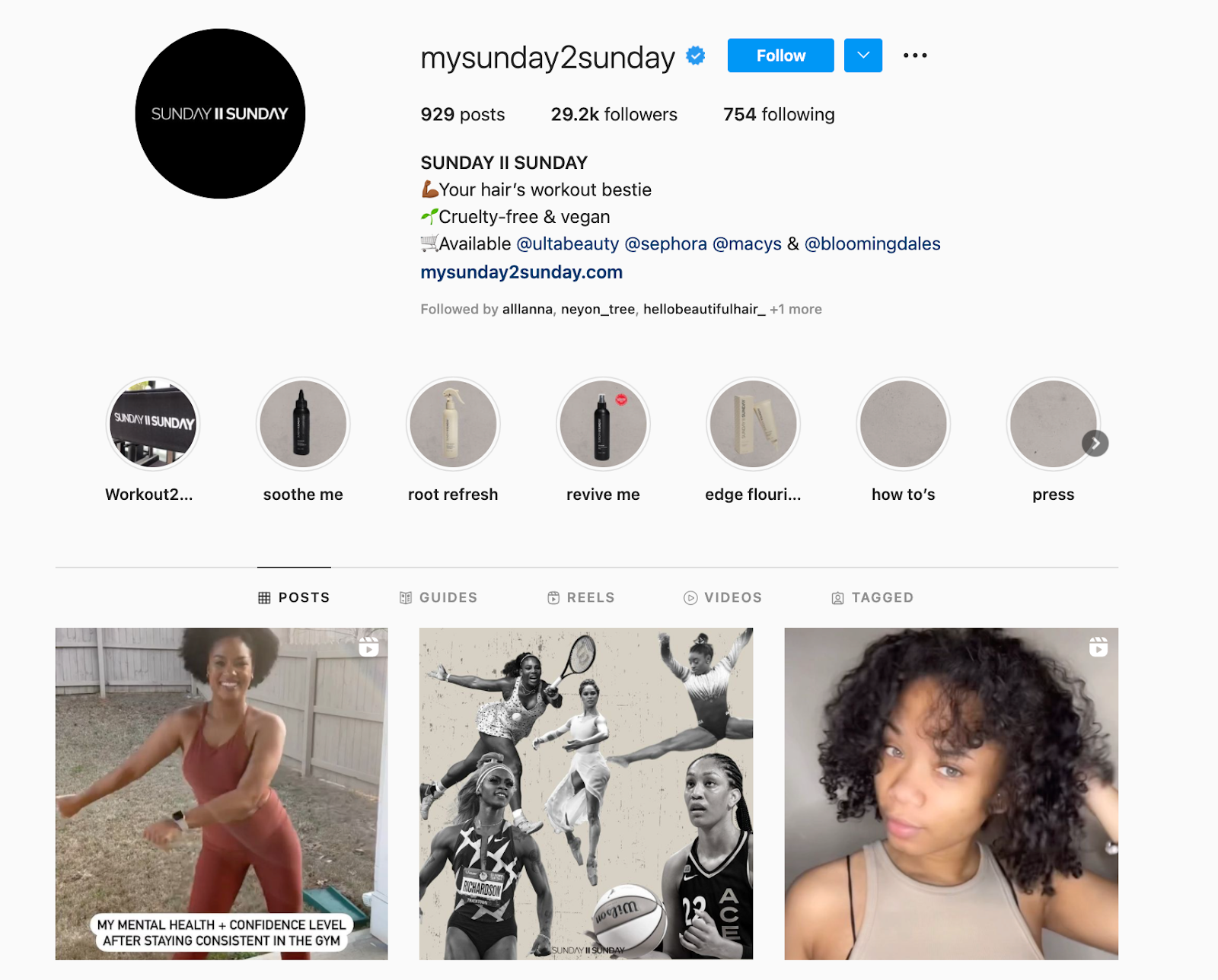
Sunday II Sunday also does a great job of engaging its followers, asking them questions about their routines, workouts, and hair care habits.
13. Tentsile
Followers: 201k

“Stunning” is the first word that comes to mind when I scroll through Tentsile’s Instagram photos.
Tentsile sells tree tents, what they call “portable treehouses” to elevate your camping experience. Its Instagram page is full of beautiful lifestyle images of their products in just about anywhere in the world: rainforests, mountains, beaches… you name it.
What the brand does well is leveraging its UGC. This saves time and resources and gives the brand some social proof.
14. Desenio
Followers: 1.9M
The first thing you’ll notice when you land on Swedish online art print company Desenio’s Instagram page is color blocking.
Every image blends beautifully with the one next to it, creating a cohesive, visually appealing page you never want to leave.
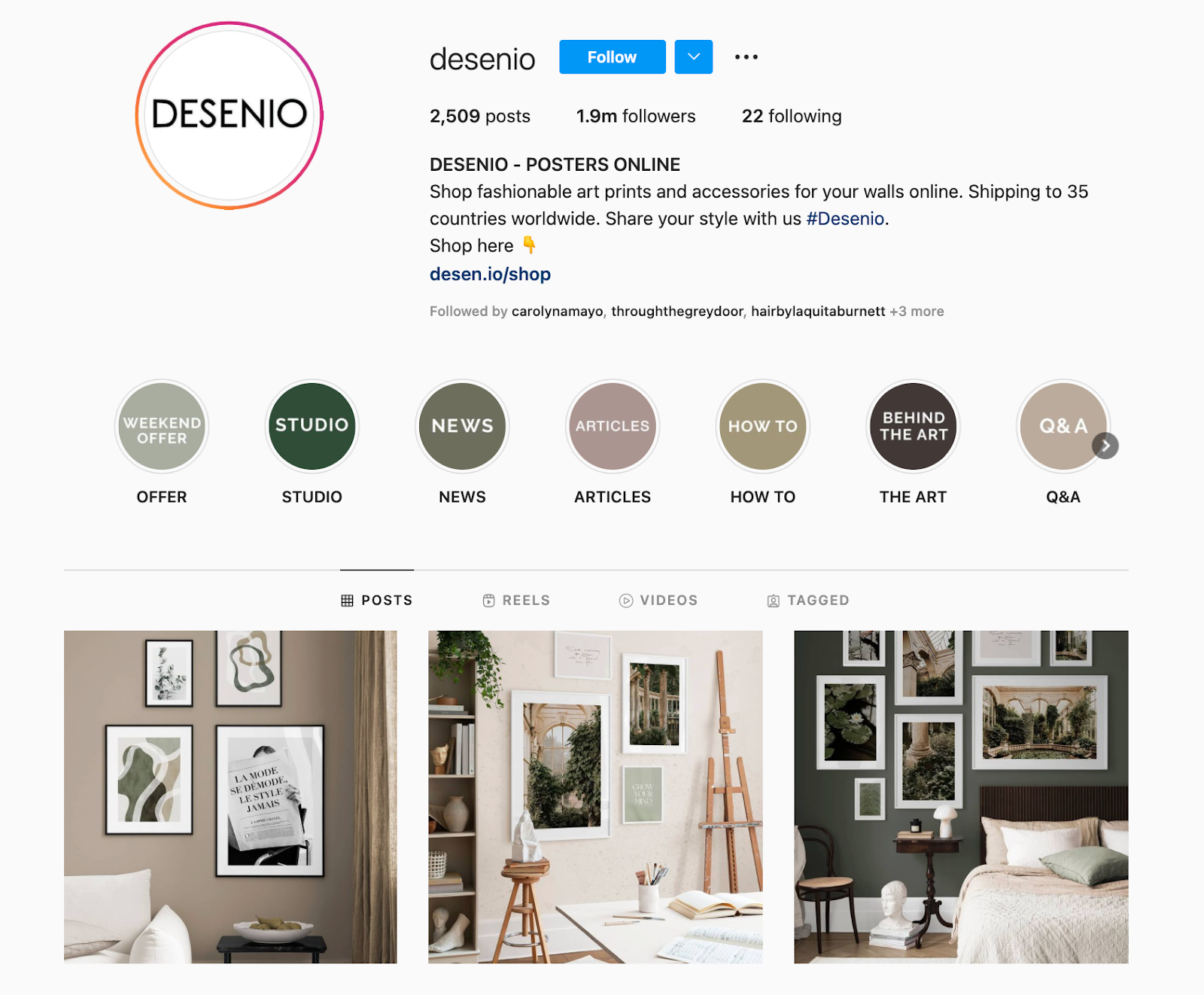
Even when using user-generated content, the brand ensures it fits within its aesthetic. Establishing consistency in your creative assets is key in ensuring brand recognition (i.e., when people see your image anywhere, they know it’s you.)
15. Vans
Followers: 17M
Vans is known for its stylish shoes and its Instagram business account is no exception.
The maker of the classic checkered slip-on sneakers has a flashy Instagram feed, featuring both standalone product shots and action photos of people expressing themselves in their favorite Vans gear.
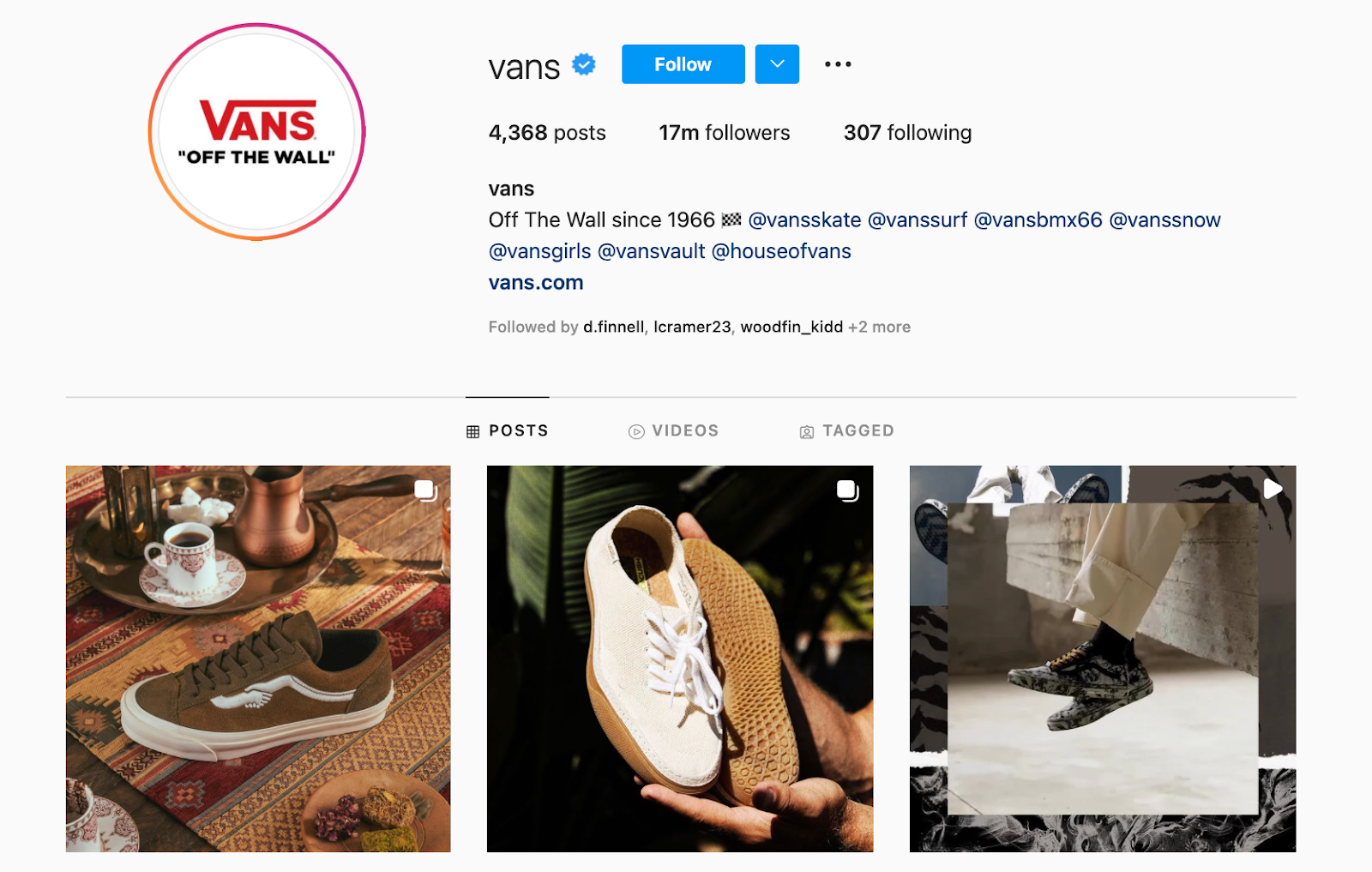
One thing that’s clear by looking at Vans’ Instagram account is that its identity is no longer tied solely to skateboarding. While you’ll still see lifestyle images with skateboarders, you’ll also see surfers, cyclists, and other fashionable shoe-lovers.
So, as your brand identity and messaging evolve, your content should also follow suit. Not sure how to get started with a strategy like this? Check out this podcast for tips from marketing experts:
16. Grass-Fields
Followers: 949k
Now, here’s a brand that knows how to show its personality.
This Cameroon-based clothing brand isn’t playing it safe on Instagram with static model shots and sale promotions. Instead, Grass-Fields showcases its products through fun, vibrant dance videos, and behind-the-scenes content.
The brand also highlights Black business owners, creators, and artists on its page, which caters to Black women.
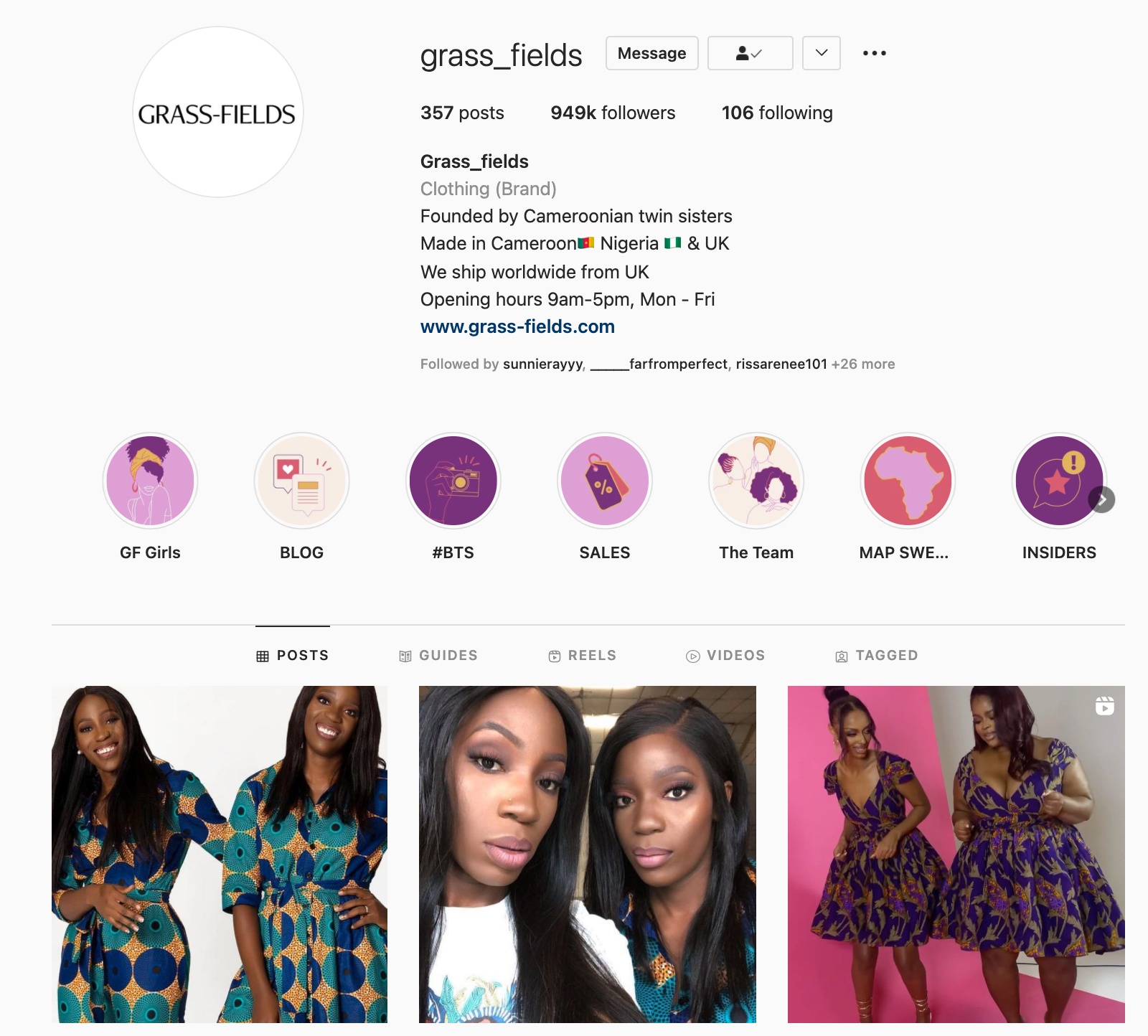
The key takeaway here is: Don’t be afraid to do things differently than it has been done if that’s what your audience responds to.
17. Finfolk Productions
Followers: 399k
Ever wanted to be a mermaid? You can come pretty close, thanks to companies like FinFolk Productions. Believe it or not, silicone mermaid tails you can put on and swim around in are quite trendy.
Finfolk Productions’ Instagram feed is full of beautifully shot photos that play into the mermaid fantasy by looking more like mythical art than real people.
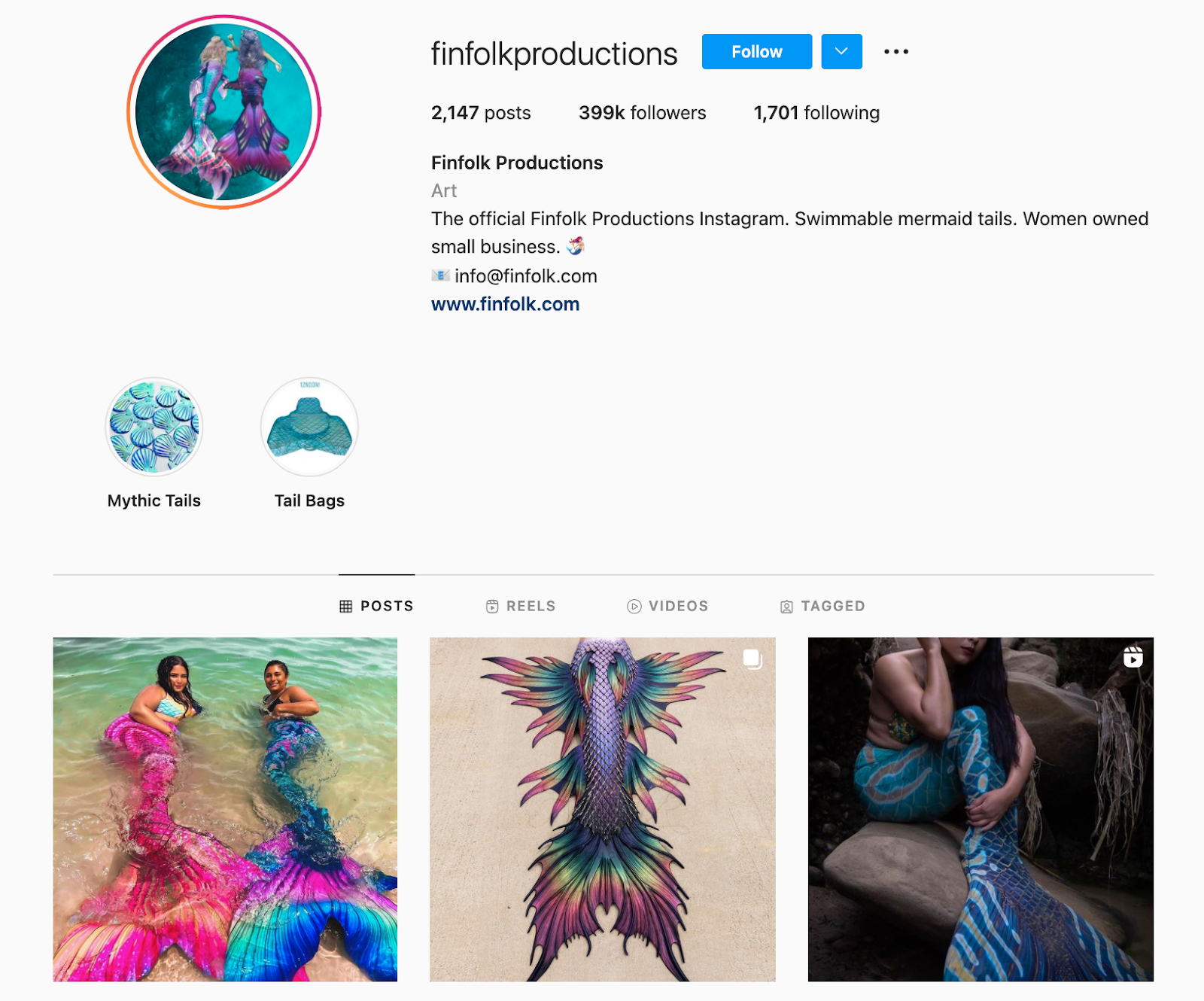
The nostalgia of being a mermaid gives Finfolk Productions’ followers a sense of wonder that they can actually wear. This unique brand makes dreams come true, and that’s worthy of a spot on this list of the best brands on Instagram.
18. Shiseido
Followers: 1.3m
Shiseido started as Japan’s first Western-style pharmacy more than 140 years ago and has since developed into selling high-quality brightening and anti-aging skincare, makeup, and fragrance products.
Its mission is to inspire a life of beauty and culture – a mission it portrays beautifully through Instagram content.
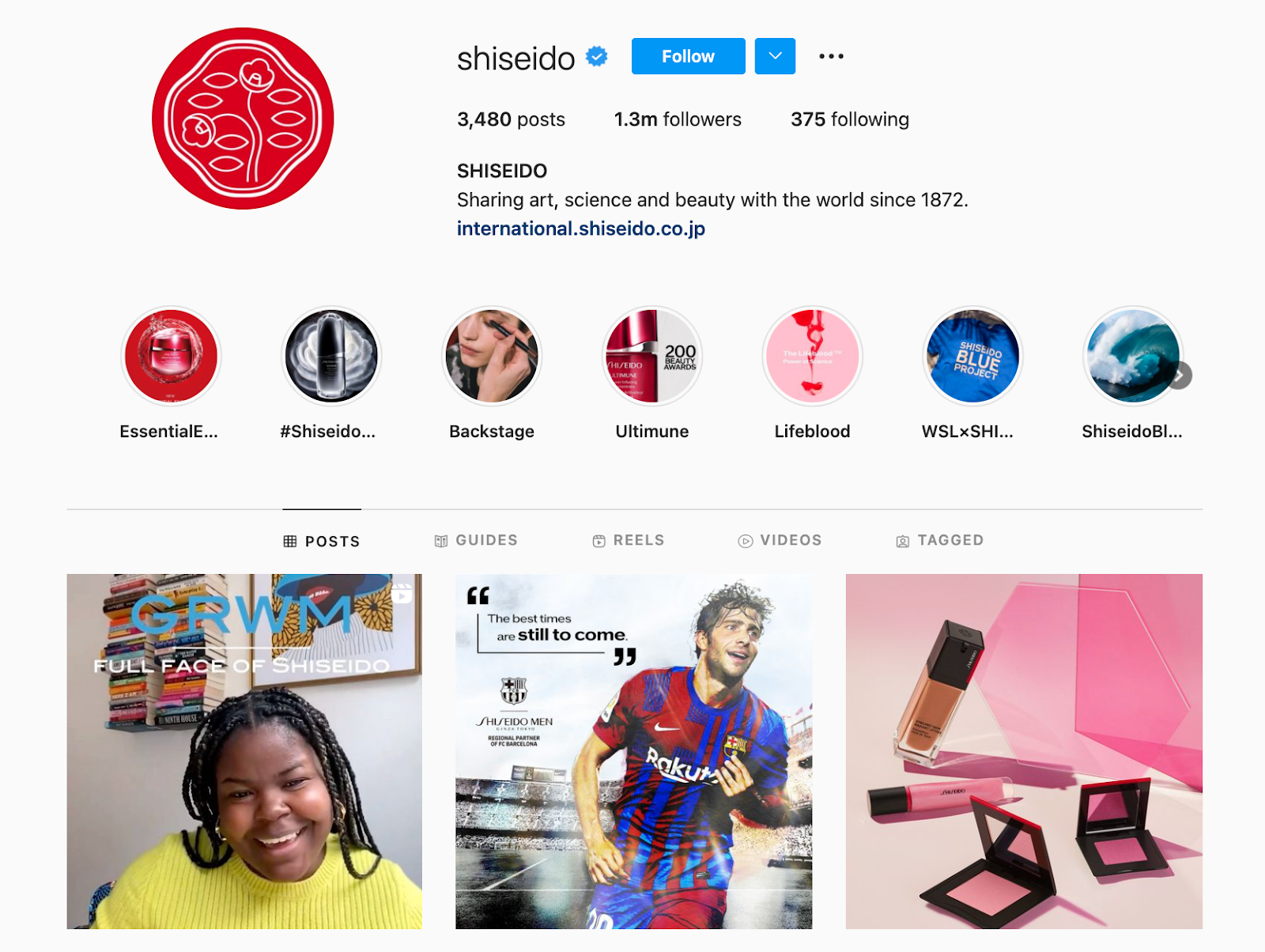
Hot tip: Posts featuring faces, especially for a skincare brand, are ideal for boosting social media engagement.
Don’t be intimidated by highly professional Instagram videos like theirs. You can post highly engaging videos on Instagram without a huge video team or a bottomless budget. Here’s some inspiration for making amazing Instagram Reels without breaking the bank.
19. The Muted Home
Followers: 49k
During the COVID-19 pandemic, the home improvement industry saw an 18% increase in YOY market size — the largest increase in more than ten years. With people spending more money in the local hardware stores, they were spending more time on social media, too — consuming home decor content.

Instagram brands like The Muted Home provide inspiration to help their followers redefine and elevate their homes with luxury home decor. Candles, vases, spice racks, cooking utensils, and more can be found on The Muted Home’s Instagram page making it the go-to brand for nearly 50,000 online home decor enthusiasts.
20. Sephora Collections
Followers: 818k
Sephora Collections’ brand personality is playful, colorful, and feminine. It does a wonderful job of characterizing this personality in its Instagram content, using bright colors, patterns, and fun captions.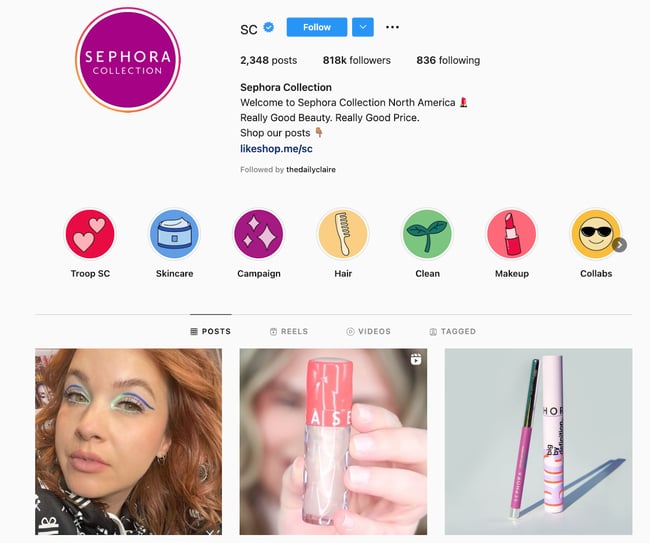
In addition to partnering with beauty influencers, the brand also promotes content from everyday makeup users, featuring their tutorials and looks on its feed.
Hot Tip: What makes this big brand one of the best on Instagram is the community it’s built on the platform. But what we see from Sephora on Instagram is a combination of marketing efforts elsewhere. So take it from Sephora — invest in your brand outside of Instagram, too, so that you can see even more success on this social network.
21. Clare
Followers: 100k
If you’re renovating or simply moving into a new home, you’re likely looking for inspiration on social media sites like Instagram and Pinterest.
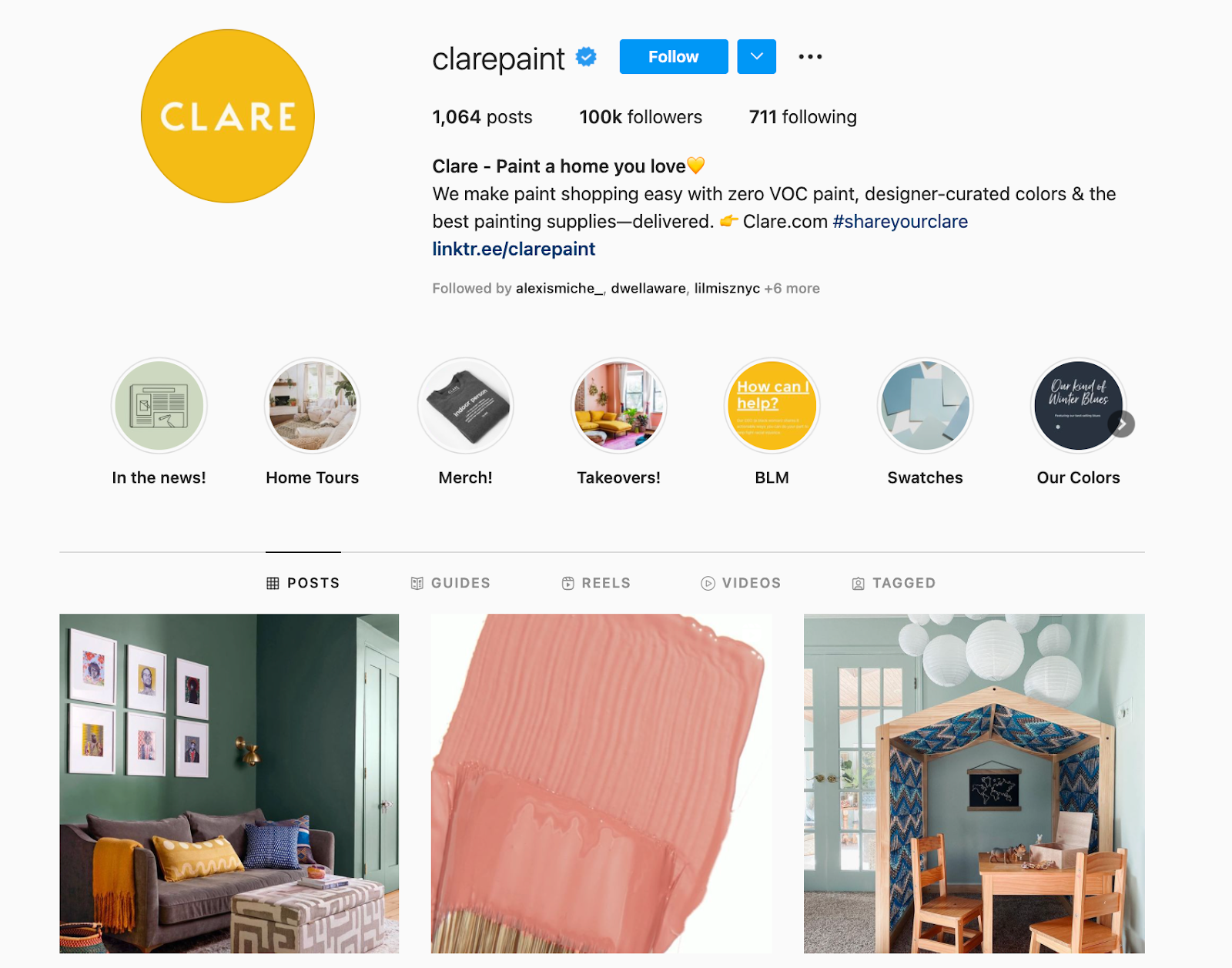
Clare’s Instagram features a collection of carefully curated images that meet that exact need. You’ll find everything from new product promotions to home decor tips – everything in between.
There’s also a beautiful balance of colors on Clare’s Instagram page, creating a cohesive profile that’s inviting, warm, and inspiring.
22. HoneyBook
Followers: 93.6k
What we love about HoneyBook is how accessible its content is.
Instagram, like many social media platforms, has been slow to develop and promote its accessibility features.
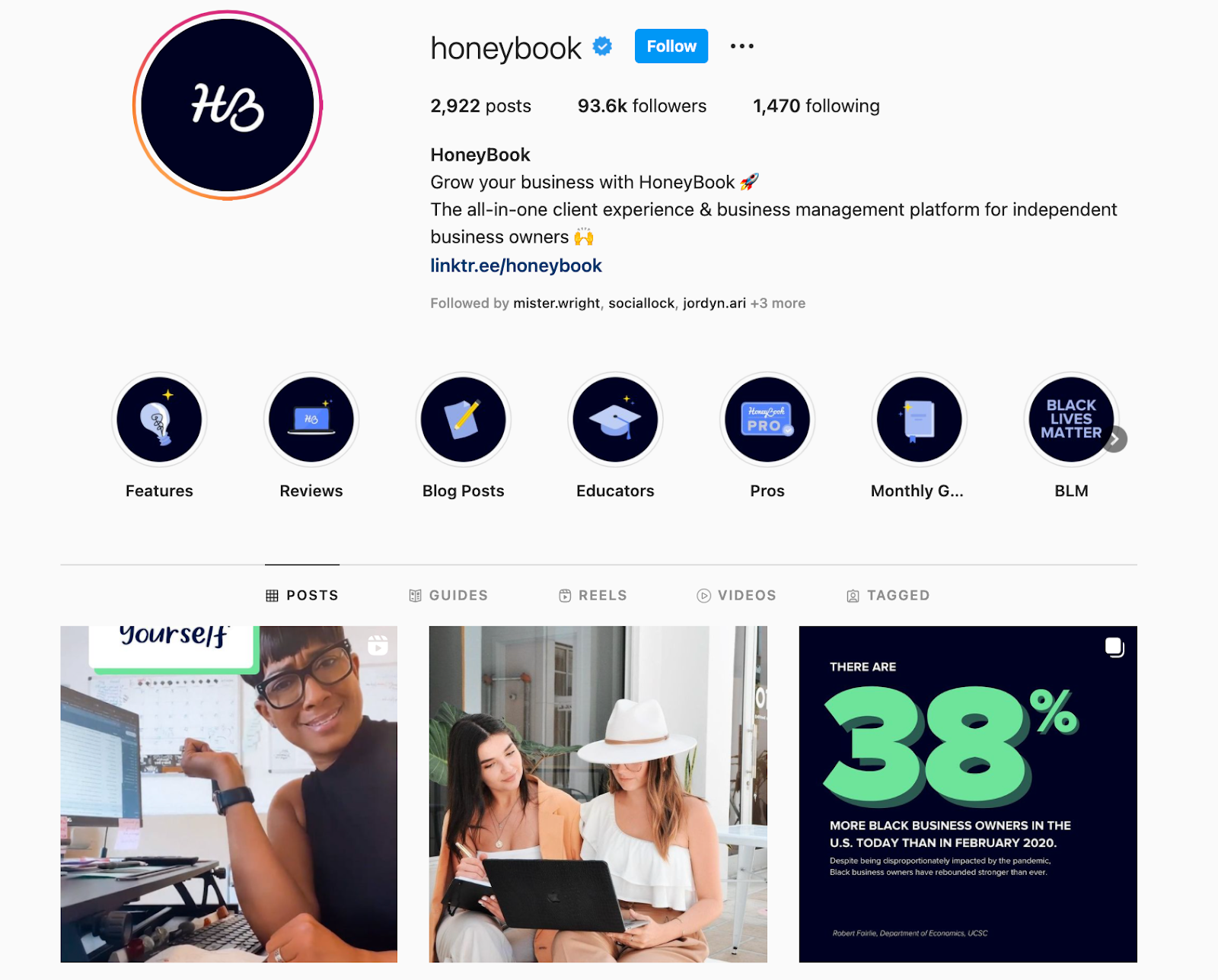
Thankfully, brands like HoneyBook have taken an active approach to make its content accessible by adding captions to their videos and adding image IDs that describe every image the company posts.
For deaf, hard of hearing, and visually impaired users, these extra steps go a long way.
23. Design Essentials
Followers: 147k
Design Essentials knows that hair is more than just something that grows on your body. It can speak to a community, a culture.
If you’re looking for inspiration for your Instagram brand, take inspo from Design Essentials and try diversifying your content. Even when your business is niche, there are plenty of ways to stretch your content ideas.
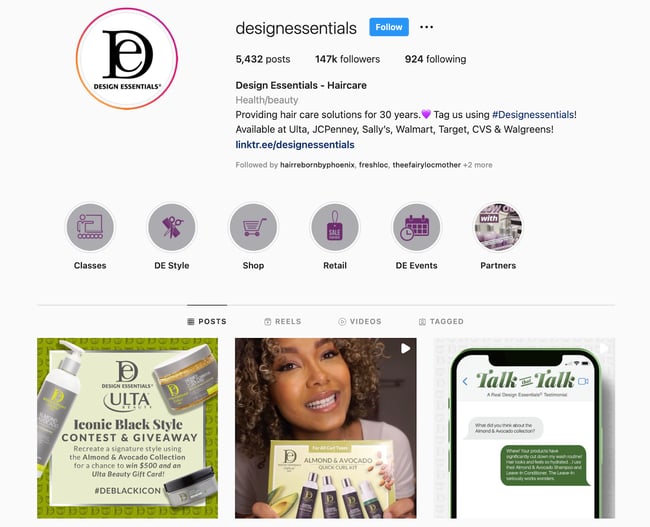
The brand does more than just promote products on its Instagram page. In addition to product shots, you’ll find inspirational quotes about hair, playful memes about everyday life, and fun reposts from Design Essentials’ audience.
24. Flodesk
Followers: 45.5k
Flodesk’s Instagram is everything you want to see on Instagram from an email marketing platform: beautiful designs and inviting content.
When you land on Flodesk’s page, you’ll gain tips on how to use its platform as well as general tips to optimize your email marketing strategy. With the use of vibrant colors and playful designs, every post is an attention grabber.
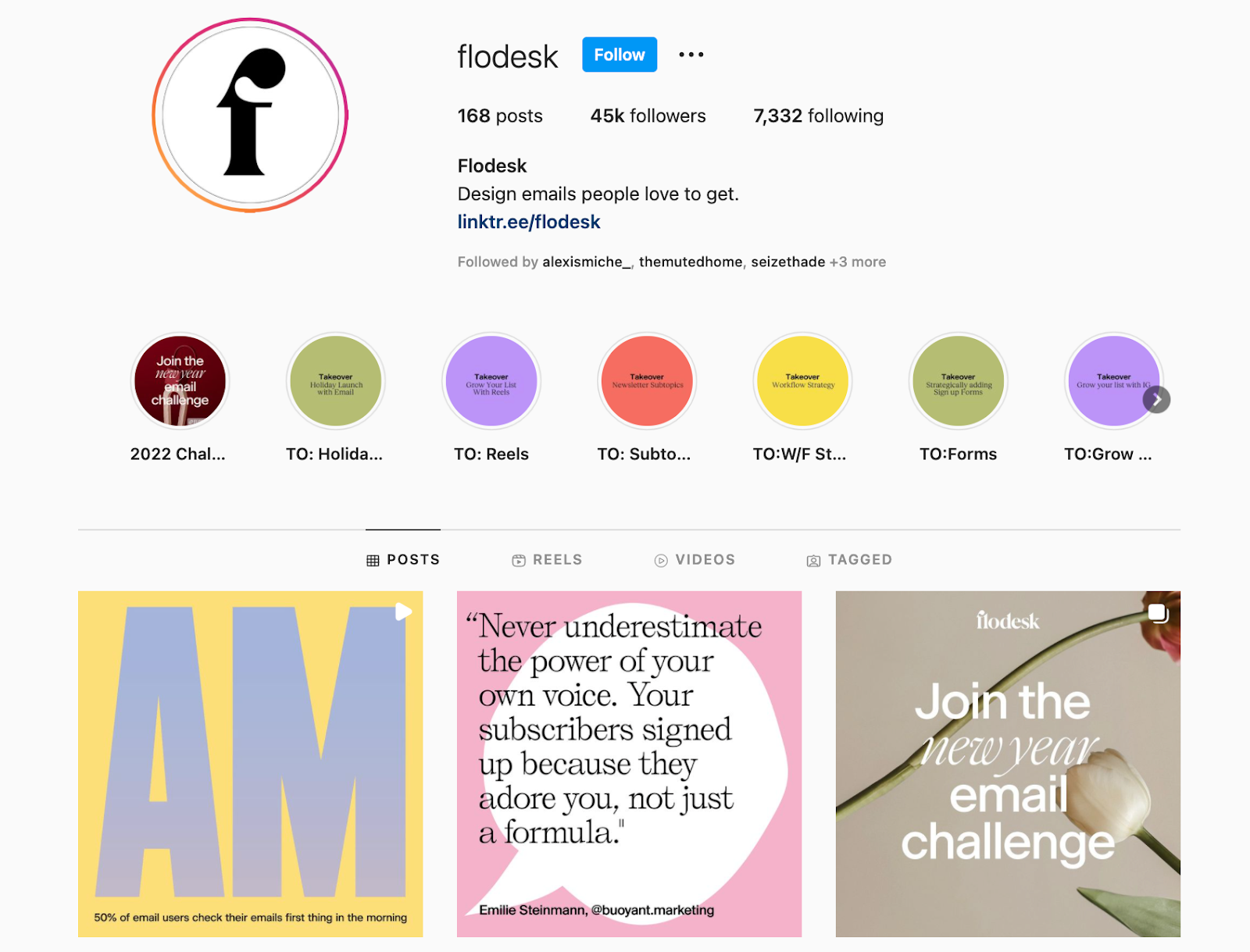
What’s more, almost every post includes a call-to-action that invites the audience to engage. Whether it’s to drop an emoji in the comments or answer a question – engagement done right.
25. Omsom
Followers: 51.8k
Omsom is another small business that has leveraged its CEOs, two first-generation Vietnamese sisters, to build a community on Instagram.
As you scroll through Omsom’s Instagram, yes, you’ll find beautifully crafted images showcasing the dishes you can make using the brand’s food products. However, that’s only one piece of the puzzle.

You’ll also see many posts celebrating Vietnamese culture, and debunking Asian-American stereotypes and biases.
This strategy helps consumers connect with the Omsom beyond the delicious food and understand its broader mission and purpose.
26. Chipotle
Followers: 1.1M
Instead of reeling in consumers with food pictures, Chipotle has chosen another route: hilarious memes.
While you may find the occasional food post, the brand has focused its Instagram strategy on showing its personality.
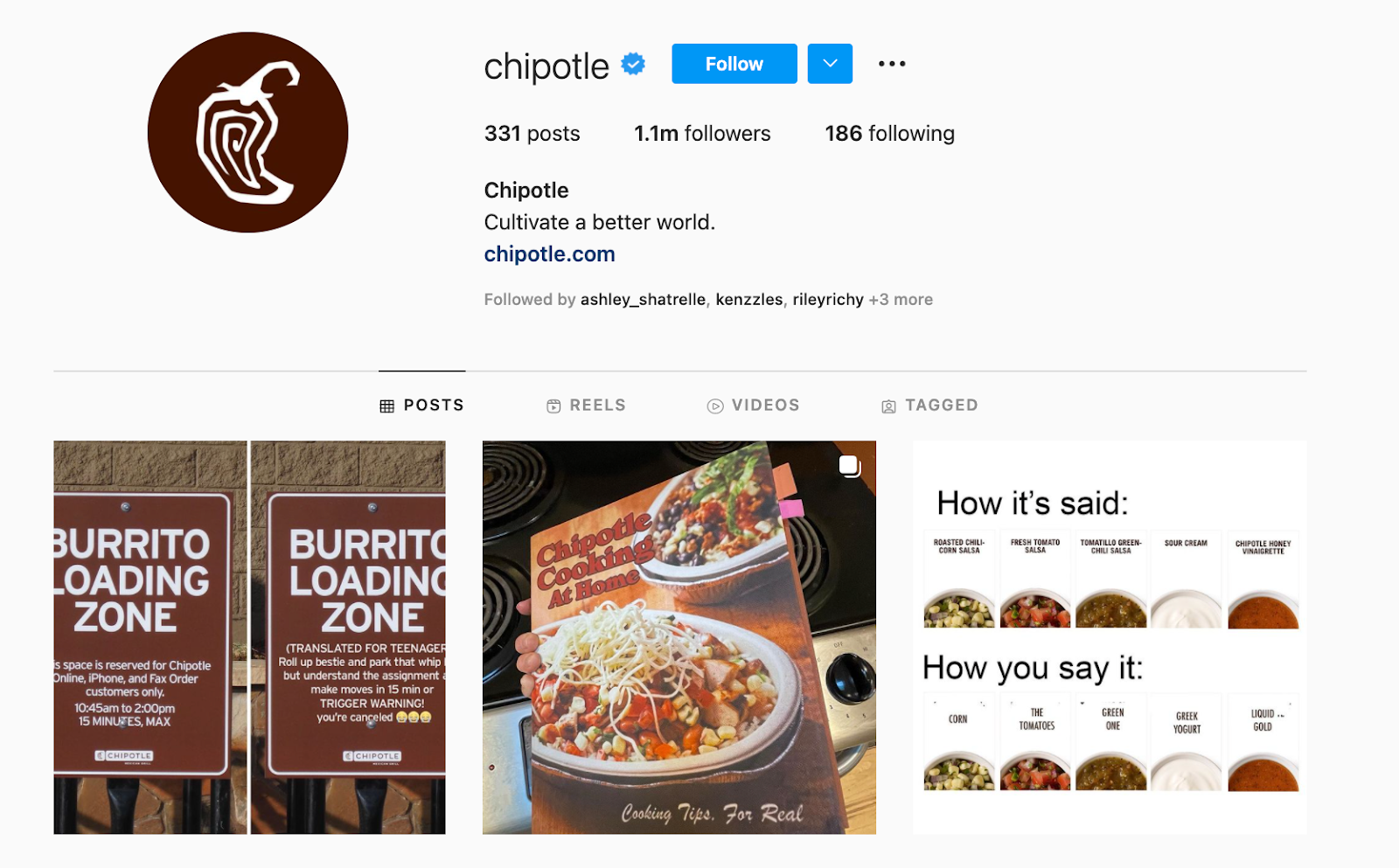
Here’s why it works: Memes are shareable and tag-friendly, which helps Chipotle reach new consumers as people tag their friends in funny, relatable posts.
The common thread in all the brands featured is that they had a consistent brand identity that was reflected in their visuals and a deep understanding of what resonated with their audience.
Ready to populate your Instagram timeline with pics and videos that are as captivating as the content above? We believe in you!
Editor’s note: This post was originally published in June 2021 and has been updated for comprehensiveness.

How to Optimize Your Instagram Strategy for Search Discoverability
On social media platforms, the more exposure you can get, the better. Like many others, Instagram has a search and explore page to help users discover new content.
Most brands already leverage timeline posts and Stories to reach their core audience. However, not enough leverage all the opportunities these features offer.
Let’s dive into what those are and what you can gain from using them.
How Instagram’s Search and Explore Feature Works
To start, there are five main search categories on Instagram:
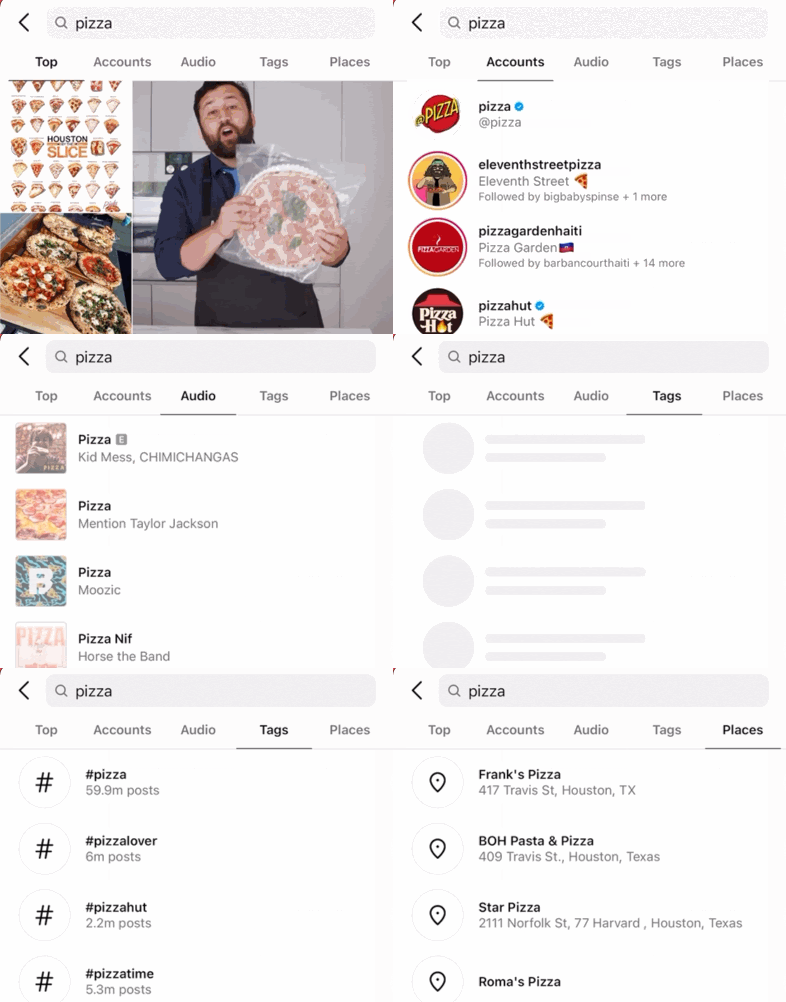
- Top – This includes top posts related to your search term, regardless of the type of post.
- Accounts – This lists the accounts that match your search term.
- Audio – This features songs and artists on the platform with the same name as your search term.
- Tags – This shows the hashtags related to your search term along with post volume.
- Places – This refers to the locations around the world that include your search term.
What’s interesting about the “Tags” tab is that it breaks down hashtag results even further in three categories: top, recent, and Reels.
You can also use Instagram’s search feature on the web app. However, it doesn’t have as much functionality. For instance, on the web app, you’ll only see results from the “Top” tab, unless you add the “@” or pound hashtag “#” to narrow down your results.
Now onto the Explore tab.
Similar to other social platforms, Instagram’s Explore tab works by showing you content based on the people you follow and the posts you’ve engaged with.
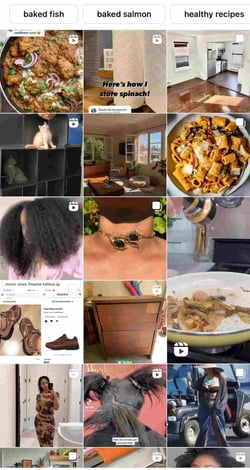
My Explore page is full of cat videos, food recipes, and natural hair care. Recently, I’ve been more interested in home decor, so that’s starting to feature more prominently on my Explore page.
The key difference between the Search and Explore features is that one is highly personalized whereas the other is not.
How to Get Featured in Instagram’s Search and Explore Posts
So, you want to expand your reach and get more engagement on your posts? Here are some steps you can take to help you meet those goals.
1. Add hashtags to your posts.
When you add a hashtag to your post, it allows users with similar interests to find your post more easily.
When adding hashtags, you want to use a mix of popular and niche tags. Why? Well, if you only use popular hashtags, your post may get lost in the hundreds of thousands of posts.
However, if you only use really niche hashtags, you may not expand your reach by much. As such, use a balance of both.
On Instagram, you can use up to 30 hashtags in a post. While we don’t recommend using them all, focus on having a mix of five to 10 relevant hashtags, going from general to specific.
The best part is you don’t have to do any guesswork on which ones to use.
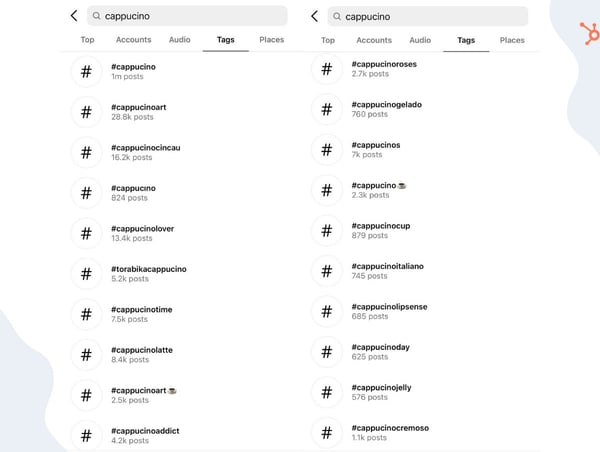
For instance, say you’re a coffee brand and post a cappuccino. Instagram already tells you how many posts are linked to this hashtag, making it easy to select the relevant ones.
Don’t forget that you can also add hashtags to your Stories by clicking on the emoji icon and selecting the hashtag feature.
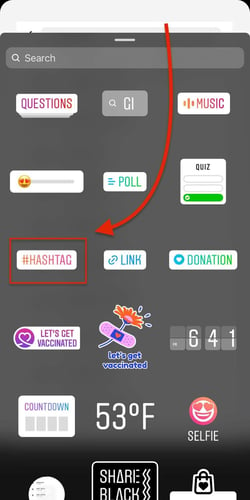
As you type your keyword, relevant hashtags will appear. Pro-tip: To avoid ruining your Stories post with a ton of hashtags, you can do one of two things: Make them very small or use the color feature to identify a color in the image and use it to blend the hashtags into the image.
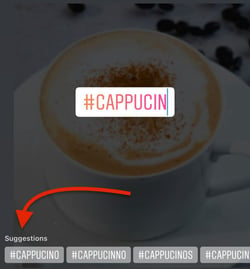
2. Add a location tag to your posts.
Another way to improve your search discoverability is to add a location tag to your post.
Start by clicking on the emoji on the top right corner.

Then, select the location feature in the list of options.
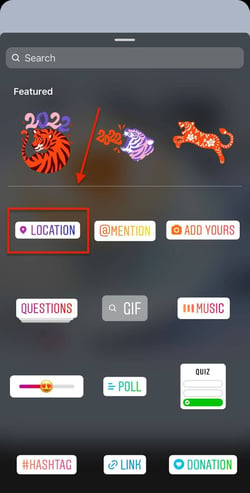
Type in your desired location. This can be a physical location like “Pasion Del Cielo Coffee” or a fictional one like “Coffee Time” that adds personality to the post.
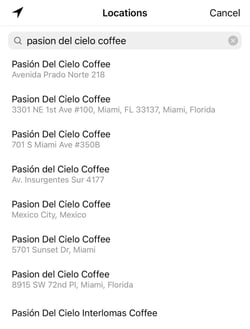
The last step involves placing your clickable location tag somewhere on your Stories post.

3. Add relevant keywords to your Instagram profile.
If you want users to easily find you, make sure your profile reflects the terms they would use to find you. It could be in your username, page name, or bio – if it’s somewhere in there, users can find you.
For instance, if you’re a coffee shop located in Miami, Florida, your profile should include both “coffee” and “Miami” to help users find you.
4. Write descriptive captions.
Captions are another way for users to find you in search. That means that short, vague captions aren’t going to cut it.
Instead, opt for a descriptive caption that is relevant to the image you shared. That way, when users type in the search term, your post has a better chance of showing up.
5. Up your content quality.
When it comes to search, you want to be in the “Top” tab.
It shows the most popular posts, with the most engagement – likes, comments, and shares. The way creators get there is by having high-quality content that captures users’ attention.
And when we say, we’re not just talking about visual quality – although that’s very important too. The content itself should be interesting and resonate with your audience. You meet these two requirements and you have a good chance of outperforming similar posts.
How to Search on Instagram
Before we dive into the steps to search on Instagram, let’s cover the main reasons why you’d want to.
The first is to scope out influencers and potential partners. Say you want to work with an influencer for a campaign but haven’t yet identified someone.
With the search feature, you can search for influencers with content that align with your brand and industry. You can use hashtags and keywords to find them. They’re also likely to show up on your Explore page.
Another reason you may want to conduct a search is to learn more about your audience. Perhaps you want to put a face to your buyer persona – you could visit some users’ profiles to get a sense of who they are, their interests, and how they might connect with your brand.
Lastly, it’s valuable to learn how certain hashtags are used and if they align with the content you’ll be posting.
For instance, you might think the word “cappuccino” might generate only coffee-related content. However, many posts for this hashtag are about beauty products, from eyeshadows to lipsticks.
Knowing this, you can make sure you use the most accurate hashtags for your posts.
Instagram Hashtag Search
1. Start on your Explore tab and type your term in the search bar.
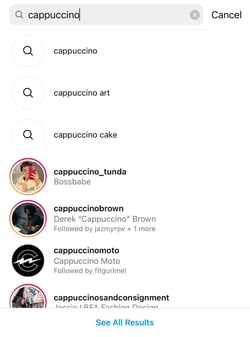
Pro-tip: If you want to go straight to the posts tied to that parent term, you can add the pound symbol directly in front of your keyword.
2. Navigate to the “Tags” tab and sift through the relevant hashtags to find the one you want.
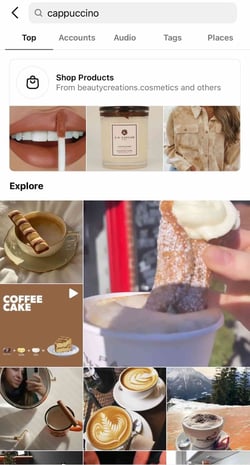
3. Scroll through the Top, Recent, and Reels tabs related to your keyword.
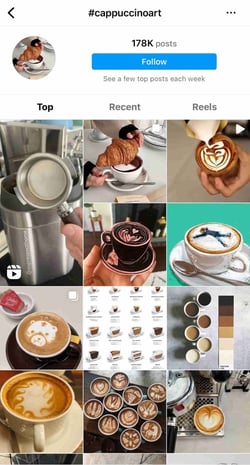
Instagram Location Search
1. Start on your Explore tab and type your term in the search bar.

2. Navigate to the “Places” tab and sift through the list of related locations.
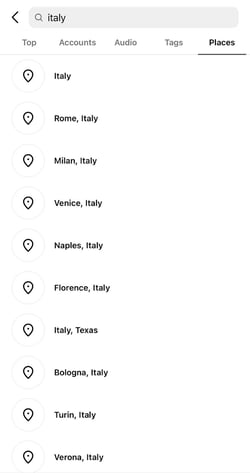
3. Scroll through the results.
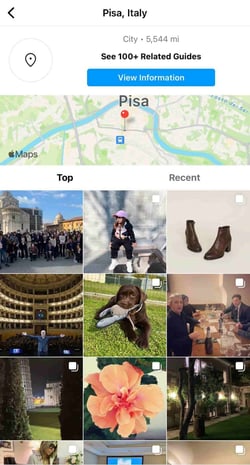
Optimizing your Instagram for search will help your brand expand its reach and boost your social media performance.

Instagram Reels vs. TikTok vs. Snapchat: Which Should Businesses Use? [Marketing Professional Data]
Remember Vine? Despite its huge initial growth, the six-second looping video app was discontinued by Twitter in 2016 — only four years after its launch.
Since then, we’ve seen apps like Snapchat, Instagram’s Reels feature, and TikTok fill its void. They allow users to express their creativity with short mobile videos while attracting Gen Z and millennial audiences. They also feel more niche and non-traditional than older platforms, like Facebook or Twitter.
Snapchat, which launched in 2011, allows users to create video-based stories about their lives and send video or image-based messages to their friends. Unlike most other apps, Snapchat content expires either immediately or after 24 hours. This platform leads to users creating content that is more lighthearted on uncensored than other more public-facing platforms.
Meanwhile, TikTok, which launched in just 2017, is similar to Vine in that it allows users to create 10 to 60-second looping videos that can be seen on their profiles or can be algorithmically placed on feeds of users with similar interests or demographics.
Instagram Reels, launched in late 2020, is the platform’s answer to TikTok. The similarities between the two are many — they both allow users to quickly create short-form videos and add filters, effects, and music. However, the most noticeable difference between the two is the length of videos. A Reel is capped at 60 seconds, whereas a TikTok video can reach 3 minutes.
At the moment, all three apps continue to grow. Instagram has 500 million daily users globally, closely followed by Snapchat with 306 million. Not to be outshined, TikTok hit a big milestone towards the end of 2021 — 1 billion daily users.
Despite each platform’s growth, marketers in the social media realm are wondering, “Are any of these worth the hype? Or will they just become another Vine?”
It’s no secret that short-form videos are dominating the social media landscape, and it doesn’t appear to be slowing down. 31% of marketers currently leverage short-form video and 29% plan to leverage it for the first time in 2022. But where, exactly, do they plan to invest?
To learn more about the strength of these three apps, the HubSpot Blog surveyed 1,000+ marketers to find out where they’re investing their time and money.
When asked which platforms marketers plan to increase their investment in this year, TikTok came out on top (62%), with Instagram following closely behind (54%).

But how do these apps fair for ROI? When asked which platform resulted in the biggest ROI in 2021, 18% of marketers responded with Instagram, earning a second place spot. Meanwhile, TikTok landed in fourth place at 12%. As for Snapchat, it didn’t make the top five — but you shouldn’t cross it off your list just yet (more on that later).

Below, I’ll walk you through the ins and outs of TikTok, Reels, and Snapchat, their distinct differences, and the marketing opportunities that each app could provide you now and in the future.
Snapchat vs. TikTok: A Head-to-Head Comparison
User Base
Instagram, Snapchat, and TikTok claim to have predominantly Gen-Z and millennial audiences. In fact, a recent study found that Snapchat, Instagram, and TikTok were the platforms of choice for Gen Zer’s.
According to 2019 data from Snapchat, 90% of 13 to 24-year-olds use Snapchat. Similarly, more than half of TikTok’s global audience is under 34. Meanwhile, Instagram holds nearly equal sway with both Gen-Z and millennial audiences.
The three platforms also have incredibly global audiences. While Snapchat has a large number of users from India, TikTok has such a large user base in China that it has a Chinese version of its app called Douyin. As for Instagram, India and the United States hold the top spots as the countries with the highest number of Instagram users.
Platform and Features
Snapchat’s format includes three main pages: a Friends page, the camera, and Discover. The Friends page shows a list of the user’s friends where it allows them to open Snaps or see each user’s Story. The other two pages are its camera and Snapchat Discover.
While the camera is pretty straightforward to visualize, here are screenshots of the Friends Page, Camera, and Discover:

Discover is specifically for brands and publishers to post Stories. While the Friends page allows you to access Stories that have been filmed or created by friends natively in the app, Stories published by brands on the Discover page are often high quality and include graphic designs, edited imagery, animation, or production quality video. Here’s a detailed post about how brands are leveraging Snapchat Discover.
TikTok also has a few central pages. One is a feed that allows people to see videos from their followers or that TikTok algorithms will think a user is interested in.

Aside from the feed, users can click on the Search page to see both a search box and highlights of all the trending topics on TikTok. The other two major pages are the app’s camera and the user’s profile page.
Here’s where Instagram Reels is different — while TikTok and Snapchat are standalone platforms, Instagram Reels is just one feature within the app.

Instagram Reels has a few central pages — the camera, the feed, and the Explore page. When users record a Reel, they can share it with their friends on their private feed or, if they have a public account, make it available to the broader Instagram community through the Explore page.
Regardless, your Reels will live in a designated tab under your profile. You can also share your reel to your Story, close friends, or in a direct message.
Want to learn more about how to navigate and create posts on each app? Check out our guides on how to use Snapchat, TikTok, and Instagram Reels.
Content on Each Platform
Snapchat is primarily an app for friend-to-friend content which includes text and video-based messages that people post to their daily Stories or send specifically to friends.
However, on the Discover area of the platform, marketers can create advertisements and Story editions with videos and graphics to promote their own products or services. Here’s an example of a Story from Snapchat Discover that highlights a Los Angeles-based manicurist:

Since TikTok allows you to instantly publish public videos, the platform is great for both branded and non-branded content. Much of the content you see on TikTok is short, looping skits, mini-music videos, or vlog-styled clips.
Like Snapchat, Instagram Reels can be shared amongst friends or made public to the larger community. But in order for your Reel to go viral, you need to be picked for the Explore page. When this happens, you’ll receive a notification letting you know that your video has been selected. This can happen anywhere from immediately after posting to a few days after publishing.
Plus, with the integration of Shopping and Branded Content features, we’re seeing businesses use Reels as a tool to promote products and partner with influencers to create branded content.
Which platform is better for content marketing?
Each platform has its pros and cons for content marketers. Here’s what you should keep in mind about each.
TikTok
If you’re aiming to target Gen-Z and on an incredibly limited budget, TikTok’s app might be worth experimenting on. Because of the way the app is formatted, users can more easily find your company page, follow you, or search for your content than they can on Snapchat. You can also further optimize videos with hashtags and keywords.
However, if you’re looking for website traffic, or don’t have time to experiment with TikTok, you’ll want to hold off for now. The platform is still highly experimental and only allows certain brands to link their videos to web content.
Snapchat
On Snapchat, marketers will mainly thrive on the Discover page. While partnering with Snapchat to become an official Discover publisher might be inaccessible at the moment, you can still purchase ads on the platform that similarly allow you to tell users a visual Story about your product. These ads can even get high placement within Discover feeds.
One thing to note is that Snapchat Discover-based ads are much shorter than the Stories of Discover publishers. This means that if you want to create long-form Story content to highlight a product, service, or brand, you might want to try Instagram Reels or consider TikTok experimentation.
Aside from Discover, creating an individual account has not proven to be hugely beneficial for brands because users still have to friend them to see their content. Brands also can’t add links to this content like they do with ads.
However, if you’re looking to create short, bite-sized content for web traffic, conversions, or high placement on a social app that’s popular with Gen Z or millennials, Snapchat’s ad program still might be right for you because although the Stories you’re allotted are shorter, you can still flex your creative muscles to quickly promote a product.
Instagram Reels
We like where Instagram Reels is going when it comes to branded content. With Branded Content Tags, influencers can disclose when they’re creating branded content which increases transparency and makes it easier to create and share branded content.
Further, as Reels continue to earn its place on the app, we expect to see more video editing tools and insights.
User Behavior
Each of these apps have one primary goal: to keep users entertained on their respective platforms as long as possible. And, based on stats below, these applications do successfully keep users engaged.
Snapchat users spend an average of 26 minutes daily on the app and users create an average of 2.1 million Snaps per minute. Meanwhile, TikTok users spend an average of 52 minutes on the app daily as 90% of its user base logs in more than once a day. On average, Instagram users spend 53 minutes per day on the app — although we don’t know how much of this time is spent on Reels specifically.
Although Snapchat is an app that encourages connecting with friends, more and more users are beginning to use it as a part of their shopping process. According to a 2019 Snapchat report, Snapchat users involve Snapchat in their buyer’s journey 35% more than Twitter and 58% more than Facebook.
Instagram Reels is also involved in the buyer’s journey. By integrating Shopping features, businesses and creators can tag products when they create a Reel, making them fully shoppable. When a viewer taps the “View Products” button, they can either buy, save, or learn more about the products.
Instagram Reels also integrates with Instagram Checkout — a feature that allows users to purchase products without leaving the app.

When it comes to TikTok, there aren’t many public stats related to advertising engagement just yet. However, brands have gone viral on the app, especially when creating hashtag challenges related to new product offerings. One example of this was Guess’ #InMyDemin challenge. During the challenge, people posted videos of themselves in Guess’ new denim clothing line. These TikTok videos then reportedly racked up a total of 3.8 million views.
As TikTok aims to gain more advertisers, you can probably expect to see more information coming soon about how users interact with advertisers.
Which user base is better for marketers?
While Gen Z is flocking to TikTok, there’s a broader age group of both Gen Z and millennials on Snapchat and Instagram Reels.
Although users spend more time on TikTok and Instagram, they also use Snapchat as a utility app to connect with friends and log into it multiple times per day. This might mean that people see value in the app, other than entertainment, which is the pure mission of TikTok’s platform.
Marketing Opportunities
Instagram Reels, Snapchat, and TikTok are trying to make their applications more enticing to advertisers. Here’s a breakdown of each.
Snapchat
At this very moment, there are only two marketing options for brands on Snapchat and they’re both more accessible to mid-sized or large companies than smaller businesses. The first, and seemingly most profitable, is advertising. Snapchat advertising has been seen to provide ROI related to both in-store and online store purchases.
Snapchat ads also allow you to present your ads in Snapchat’s Discover, similarly to branded publishers. However, unlike Snapchat Discover publishers, you can link ads or paid mini-Stories to your website, which could be beneficial to your traffic or online conversions.
Posting Stories as a publisher on Snapchat Discover is the other option. However, to become a publisher, you need to have a specific contract with Snapchat rather than simply signing up online. You also need to create Story-styled, original content that really engages with users. Discover publishing is also meant to keep users in the app, meaning that you won’t be able to place links into this type of content.
To learn more about how brands are leveraging both ads and Stories on Snapchat Discover, check out this blog post for a detailed list of examples and takeaways.
TikTok
TikTok only launched in 2017, but it’s already expanding its advertising options. It’s become a viable option for brands willing to get creative with their digital marketing. So much so, it launched TikTok for Business in 2021, allowing marketers to create and manage ad campaigns on the platform.
That said, TikTok ads come at a premium cost compared to other platforms. Reports from AdAge in late 2019 show that TikTok’s cost of advertising can be between $50,000 to $120,000 depending on the ad format and duration.
Although these costs are steep for small businesses, the good news is that there are many different ways to advertise on the platform besides its native paid advertising program.
Instagram Reels
Instagram Reels earns a gold star when it comes to marketing opportunities. Despite being criticized as a “TikTok copycat,” its rolled out numerous Shopping features that separate it from the pack.
Further, it may be more cost effective than TikTok. Creatopy, an ad design platform, published a case study comparing the performance between TikTok and Instagram Reels. It ran identical campaigns on both platforms — both had a total spend of $1,000 on each, the same video, ad copy, and landing page. They also targeted similar audiences.
The results were staggering — reach on Instagram Reels was almost double than on TikTok and impressions were almost triple. It cost them $2.60 to reach 1,000 people on Reels, compared to $5.03 on TikTok.
Of course, there are a lot of factors to consider when comparing two platforms, even when you use the same ad. It’s also important to remember these apps are continuously updating their algorithms and features. This study could have very different results a few months from now.
Weighing Snapchat, TikTok, and Instagram Reels
Although Snapchat is more mature, TikTok’s newness makes it a great place for side experiments — especially when targeting Gen Z. Not only is content creation free on the app, but the platform is so new that nearly everything is experimental.
If your goal is to increase conversions and work with influencers, Instagram Reels is your best bet. Instagram is the platform of choice for influencer marketing, and its shopping and branded content features enable visitors to engage and convert without leaving the app.
That said, if you’re more interested in marketing to professionals or those in B2B industries, table these platforms and focus on the more traditional social media networks.

The Best Super Bowl Ads of All Time
The next Super Bowl is coming. And as we get closer to the big game, Americans aren’t just looking forward to the football — they’re also excited to see what the nation’s big-budget brands will come up with for this year’s ads.
While much is still unknown about 2022’s Super Bowl commercials, a few leaked ads hint that a lot of content will err on the relatable and comedic side, while still giving viewers the high-budget excitement the Super Bowl ads we know and love.
Here’s just one example of a commercial we can expect on Super Bowl Sunday from Budweiser. The ad, directed by Academy Award winner Chloé Zhao, features a Clydesdale horse that overcomes a significant debilitating injury, which is meant to symbolize the resilience people have shown time and time again during the continued COVID-19 pandemic.
But leaked ads aren’t the only thing we can watch to prepare for the marketing marvels we might see on Sunday.
To amp you up for this year’s “Ad Bowl,” I’ve collected some the best ads from the last decade and before.
Be sure to check back each year, as we’ll continue to add to this list as new teasers are released.
Without further ado, please enjoy these attention grabbing, emotion-inducing, and sometimes award-winning ads.

The Best Super Bowl Ads from the Past Decade
1. “Wow wow no Cow” — Oatly (2021)
Oatly’s Super Bowl ad features the company’s CEO Toni Petersson in the middle of a field singing a song with the lyrics “Tastes like milk but made for humans, wow wow no Cow.” For 30 seconds, viewers watched him sing and struggled to find a point to the advertisement.
Many took to social media to say that it was the worst Super Bowl commercial, yet it achieved exactly what every business wants from their ads — buzz. Everyone was talking about how weird the ad was, generating brand exposure and continuous conversation. Oatly even followed up the ad by selling shirts on their website that said “I totally hated that Oatly commercial.” Many brands and businesses want to leave a mark and make an impression, and Oatly certainly did.
2. “Loretta” – Google (2020)
Google’s Super Bowl ad tells the story of a man who doesn’t want to forget the memories he had with his wife. To the sounds of FUN’s “Say Something,” the man types “how to not forget” into Google and sees search results about how to improve memory. He then uses voice search to say, “Hey Google. Show me photos of me an Loretta.”
As he clicks through photos, he explains some of the fond memories he had with his wife. For example, at one point he laughs and tells the Google Assistant, “Remember. Loretta hated my mustache.” Then text from the Assistant says “Ok. I’ll remember that.”
As the man Google’s things related to his life and marriage, viewers get a glimpse of the precious moments that made up his life.
At the end of the ad, after viewers have felt a wide range of emotions, Google promises to provide users, “A little help with the little things.”
While many Super Bowl ads focus on throwing viewers into the action, highlighting celebrities, or comedy, Google took a more emotional approach to remind viewers how its products can help people at different points in their lives. While search helped the man learn tips for remembering things, Drive and Assistant were able to help him relive memories related to his marriage.
3. “Joust” – HBO and Budweiser (2019)
Prior to the 2019 Super Bowl, Budweiser launched a funny series of ads that followed a medieval kingdom where the king and townspeople would cheer, “Dilly Dilly!” when offered the beer. The series also featured a hero called the Bud Knight. In some advertisements, he would ride in on his horse and fight in battles clad in armor covered in Budweiser logos.
At the beginning of Budweiser’s 2019 Super Bowl ad, you see a handful of happy medieval characters waiting excitedly for the Bud Knight to arrive at a jousting match
As the Bud Knight heroically rides his horse on screen, the audience cheers, “Dilly Dilly!” as the competition begins.
But. things get grim quickly. Shocking, the Bud Knight loses and is knocked off his horse by the opponent. As the tall, masked opponent walks up to the knight, most Game of Thrones fans will begin to recognize him Gregor Clegane, a.k.a. “The Mountain” — one of the show’s most monstrous villains.
As Clegane towers over the Bud Knight, it becomes apparent — especially to GoT fans — that the ad is mimicking a dramatic death scene from the HBO series where The Mountain physically squished another heroic figure with his bare hands.
Clegane dramatically, but comedically, reaches down to grab the Knight with both hands. As townspeople react over-dramatically to what’s going on, it’s apparent that Clegane’s killed yet another knight by squishing him off screen.
Suddenly, the Game of Thrones theme music begins to play as a dragon flies over Clegane and takes him down with a blow of fire. As the dragon escapes into clouds and smoke, the music gets louder as the show’s logo and air date appears instead of a Budweiser logo. In a sense, Game of Thrones and HBO hijacked and destroyed the Budweiser ad series.
This ad is hilarious as it comedically mimics an incredibly intense and notable scene from Game of Thrones. More interestingly, it surprises audiences who are just expecting it to be a standard Budweiser ad. This is a great example of how one ad combined cross promotion with a memorable storyline.
The ad, produced by Droga5 and Wieden+Kennedy, was so humorous and clever that it even won the 2019 Super Clio, a Clio Award for Super Bowl ad participants.
4. “We All Win” – Microsoft (2019)
After it came to Microsoft’s attention that people with missing limbs or limited mobility were having trouble holding and pressing buttons on video game controllers, the tech company developed an adaptive controller with touch pads rather than buttons.
After the controller’s launch, Microsoft highlighted this story of how they solved for the customer in a 2019 Super Bowl ad titled, “We All Win.”
n the Gold Clio-winning campaign, Microsoft interviewed children with mobility issues and missing limbs about why they loved video games, but how they still faced difficulties with game controllers due to their disabilities.
Many of the children and parents featured in the ad explain that gaming helps them connect with friends in ways that they might not be able to otherwise. However, because of the current line of controllers, they have difficulty playing or competing in many games.
“I never thought it was unfair. I just thought ‘Hey, this is the way it is and it’s not going to change,” says one boy.
After demonstrating the problem with game controllers, the ad shows the children using Microsoft’s new adaptive video game controller as they explain how it makes gaming easier and more accessible for them.
For example, one girl excitedly says, “I can hit the buttons just as fast as they can,” while a boy exclaims, “Now everyone can play!”
“‘We All Win’ hit all the marks in terms of emotion, starting a dialogue, and fun. It wasn’t an ad about disabilities, it was about kids wanting to play video games,” says Dmitry Shamis, Senior Director of Creative. “I loved it back in February and still love it now.”
Not only does “We All Win” tug on your heartstrings, but it also encourages solving for the customer and accessibility by explaining how Microsoft took the time to develop a product that fixed a major problem faced by a unique group of customers. This ad makes you believe that Microsoft genuinely cares about its customers and will make extra efforts to ensure that everyone has a great experience with its products.
You can read more about this particular campaign and get inspired by a few more empowering ads in this blog post on inclusive marketing.
5. “It’s a Tide Ad” – Tide (2018)
Another Super Clio winner was, “It’s a Tide Ad,” created by the clothing detergent company, Tide, as well as the agency Saatchi & Saatchi New York.
In 2017 and 2018, Tide released a number of commercials with storylines that had nothing to do with Tide, except for the actors’ noticeably clean clothes. When viewers were at the edge of their seats, someone in the ad would say, “It’s just another Tide ad.” Then, they’d see the Tide logo and text that said, “If it’s clean, it’s Tide.”
This campaign started with a long Super Bowl ad, which also received an Emmy nomination. In the ad, Stranger Things’ David Harbour shows up in several common ad scenes, including in the bathroom with a buff deodorant model, driving a sports car, and laughing on the couch with a fake family.
As he appears into each commercial, he explains that all of them have one thing in common: clean clothes that were washed by Tide detergent. In the end, he says, “So, does this make every Super Bowl commercial a Tide ad? I think it does.”
Since Tide has one job of keeping clothes clean, they show off the brand’s strength in multiple versatile and silly scenarios. Humor like this can also be a great way to make a simple product more memorable. If you go to the store to get detergent shortly after seeing this commercial, Tide might be the first thing to pop into your head because of the ridiculous ads.
6. “Band of Brands” – Newcastle (2015)
What do you do when you can’t afford a Super Bowl ad? Cross-promote with other brands who will pay for it. That’s what Newcastle, a popular beer company, did back in 2015.
Prior to the 2015 Super Bowl, Newcastle launched a call to action video where Parks and Recreation actress Aubrey Plaza encouraged brands to pool their money for one big ad. Because Super Bowl ads that year were well over $4.7 million — not including production — a number of big and small brands reached out to Newcastle to join in for a chance to be featured — even for just a few seconds — in the ad
The one-minute ad is filled with product placements as it tells the story of a couple that’s sharing Newcastle beers together to celebrate moving into a new home. As they walk through their new house, you can see brand logos hung on the walls like paintings, family photos, or decorations.
As they unpack the boxes, they not-so-subtly talk about all the appliances they have while holding them up to the camera. Aside from the obvious visual product placements, they also work brands into their conversations. For example, at one point, the man tells his girlfriend that he can’t believe they’re moving in together after “meeting on Match.com.”
Although the ad starts off with more clever obvious product placements, it gets funnier as the couple starts pointing out every single product they have in their house as quickly as possible.
This ad is an incredibly clever example of a brand that took product placement and co-marketing to the extreme, while benefiting from a virtually free Super Bowl commercial.
7. “Keep Your Hands Off My Doritos” – Doritos (2010)
“Keep Your Hands Off My Doritos” hilariously tells the story of an overconfident man meeting his love interests son for the first time. In the ad, the man walks into his date’s home with flowers and sits with her child as the mother gets ready. When she leaves the living room, the man is seen noticeably checking her out.
He sits down with swag as he starts talking to her infant son. Without thinking to ask the child if he can have one of his Doritos, he grabs a chip. The boy immediately and loudly slaps him, stares him down in the most intimidating way a child can, and angrily exclaims, “Keep your hands off of my momma. Keep your hands off of my Doritos!”
The overconfident boyfriend ends the commercial cowering in fear as the screen fades. As the logo appears, you hear the boy’s mother ask, “Are you playing nice?”
This ad was so funny that it’s still seared into many of our minds. Even though it launched nearly a decade ago, I still tell friends to “keep their hands off my Doritos” when they grab one of mine without asking.
Although it’s only 30 seconds, the ad is hilarious, relatable, a little bit shocking, and heartwarming, which makes it so memorable.
The Best Super Bowl Ads Before 2010
8. “Wassup” – Budweiser (1999)
If you grew up in the late ’90s or early 2000s, you might have a memory of kids at your school yelling the word “WASSUP?” to each other. I know I do.
If not, you’ve probably seen the Budweiser ad that the now outdated greeting comes from:
In the ad, a man answers the phone while watching a big game. His friend on the other line asks, “Wassup?” The man on the couch says, “Nothing. Just watchin’ the game and drinkin’ a Bud.” The conversation escalates when the man’s roommate unexpectedly walks in and yells, “WASSSSUPPPPP?!”
In true 1990s fashion, the roommate rushes to pick up the other house phone to join the conversation. The three men then just start yelling, “Wassup!” in louder and more bizarre ways until they suddenly get quiet. One of the friends then asks, “So, wassup?” The two others on the phone again say, “Nothing. Just watchin’ the game and drinkin’ a Bud.” Then, everyone says, “True.”
This video might seem like a waste of millions of dollars on a Super Bowl slot, but it definitely wasn’t. As a viewer and consumer, all you need to know when watching is that the three friends are all watching the game and drinking Budweiser. The “Wassup?” marathon was essentially a tool meant to make the commercial funny and memorable. Based on the fact that, “Wassup” was still getting referenced in the second half of the 2010s, it’s easy to see that this ad was a success.
9. “Your Cheatin’ Heart” – Pepsi (1996)
This old Pepsi commercial highlights the consequences of what could happen if you “cheat” on your company’s brand.
The short and sweet ad simply shows fake security footage of a Coca-Cola delivery employee placing Coca-Cola cans in a store refrigerator to the Hank Williams Sr. song, “Your Cheatin’ Heart.” Things get interesting when the delivery man looks to make sure no one’s watching and then opens the fridge with Pepsi in it.
Suddenly, the shelves in the fridge collapse as all of the Pepsi cans noticeably barrel out of the fridge and on to the floor. The ad makes a short and simple point: Even Coca-Cola employees love Pepsi:
10. “1984” – Apple (1984)
At the dawn of 1984, Apple leveraged the George Orwell classic,“1984,” in an award-winning Super Bowl campaign.
The 1948 George Orwell novel, followed a 1984 dystopian society where everyone dressed the same and conformed to the same leader, views, and ideologies.
As an innovative company, Apple has always tried to be “different” from competitors. The tech giant’s approach to Super Bowl advertising stood by this same mission even back in 1983.
The Super Bowl ad brings the conformist community in 1984 to life as you see men marching in straight lines towards a room where their leader is on a giant screen, telling them, “We are one people, with one whim, one resolve, and one cause.”
At the climax of the commercial, a woman with a hammer and colorful clothing starts running towards the screen. She launches her hammer into the screen as it explodes.
A narrator concludes, “On January 24th, Apple Computer will introduce the Macintosh. And you’ll see why 1984 won’t be like 1984.”
Not only did the ad, directed by Ridley Scott, highlight a well-known book. But it was boldly symbolic of early tensions and monopolies in Silicon Valley. At the time, Apple was considered a young, disruptive company while IBM was the only tech giant in the PC industry. Tech journalists and innovators in Silicon Valley often thought about IBM as a soulless corporation.
In this ad, Apple explains why innovation, disruption, and tech unique tech underdogs would destroy monopolies of the future. It also reiterated and enforced the brand’s positioning as a company that wanted to make products that would allow people to embrace their unique qualities and skills. This is a strategy that they’ve continued to use in their campaigns today.
11. “I’d Like to Buy the World a Coke” – Coca-Cola (1971)
On the hills of Italy in 1970, Coca-Cola pulled together a group of young adults from a number of countries and filmed them sing a jingle called, “I’d Like to Buy the World a Coke.”
This resulted in one of the most notable ads from Coca-Cola, let alone a popular ad from the 1971 Super Bowl:
This commercial is a great form of early inclusive marketing as it shows that everyone has something in common, despite the fact that we all come from different or diverse backgrounds.
In particular, this ad shows that millions of people from all around the world can agree on the fact that they enjoy Coca-Cola. Not only does it embrace the beauty of diversity and world peace, but it also highlights the international popularity of the soda beverage.
Super Bowl Ad Takeaways
Even if you’re a small business marketer. you can learn from these ads for your own video or content marketing strategies. Here are a few things that many of these ads have in common.
- Emotion: Whether they leave you feeling happy, sad, or optimistic, most of these ads drew your attention with a topic and storyline that built emotion.
- Pop Culture: As you saw with Budweiser, HBO, Newcastle, and Apple, some of the most memorable ads acknowledged notable pop culture or literature and weaved a memorable story around them.
- Relatability: Emotional ads don’t often work without relatability. Many of these ads do an excellent job of putting you into their protagonist’s shoes. Whether you’re seeing children able to access gaming in a Microsoft ad, or laughing at the child who’s protective of his mother in the Doritos ad, you identify with the characters or people featured on a deeper level.
For more examples of big brand ads you can learn from, check out these rosters of Emmy nominees, Clio Award winners, and our marketers favorite campaigns of 2019.
Editor’s Note: This blog post was originally published in January 2015. It was updated for comprehensiveness and freshness in 2021.


How to Share an Instagram Story in Under 5 Steps
Have you ever watched an Instagram story and thought, “[Insert name of friend] needs to see this?”
One of my favorite aspects of Instagram — and social media in general — is its shareability. For businesses, it’s also a great way to engage your audience, share relevant content, and tell a bigger brand story.
However, when it comes to reposting content on Instagram, the steps aren’t always straightforward. Here, we’ll cover how to share content to your Instagram story.
Table of Contents
How to Share an Instagram Story
How to Share an Instagram Post to My Story
Why Brands Share Instagram Stories and Posts
As I mentioned above, businesses can repost content on Instagram to engage their followers and share on-brand content.
But what, exactly, should you share? It’s a good idea to share content that meets at least one of the following criteria:
- The content is directly related to my brand
- The content reflects my brand’s aesthetic
- A customer has tagged or mentioned my brand
- My followers will find the content valuable
Here’s an example — Peloton’s apparel brand, @PeletonApparel, regularly shares posts from customers wearing its clothing – and they typically add a call to action, such as a link to its shop. It’s an excellent way to leverage user generated content to engage a community and build brand advocates.
A word of caution here — when it comes to reposting user-generated content, brands should always ask for permission from users before reposting content. Certain users value their privacy over others — and you never want to overstep those boundaries.
Now, let’s cover how to repost content on your Instagram Story.
How to Share an Instagram Story to My Story
Your ability to repost someone’s Story depends on whether the original creator tagged you.
If the user hasn’t tagged you, you’re limited in what you can do. Currently, there’s no feature that allows you to repost stories without a tag. However, you can share it via direct messages to another follower.
If you were tagged in a story, you can easily reshare it to your story by following the steps below:
- Tap the direct messages icon in the upper right-hand corner.
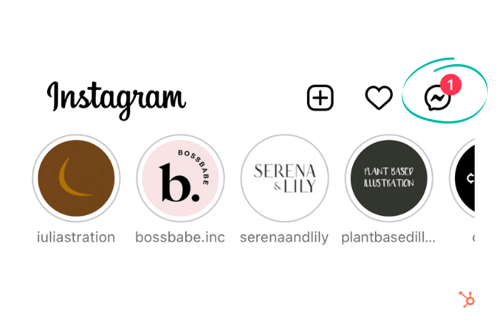
2. Locate and open the tagging notification.
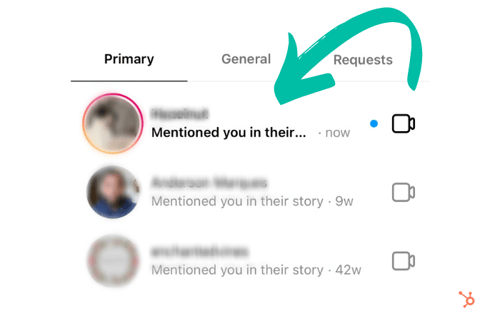
3. Tap “Add to Your Story.” From here, you can add your own text, filters, and stickers to the post — or continue to the next step.
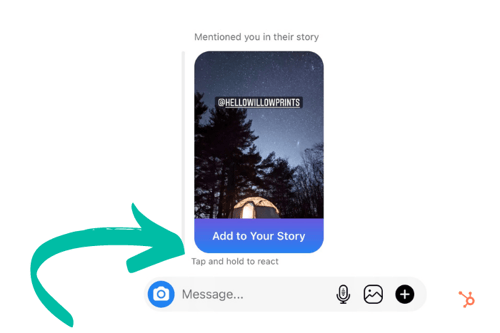
4. Lastly, tap “Send.”
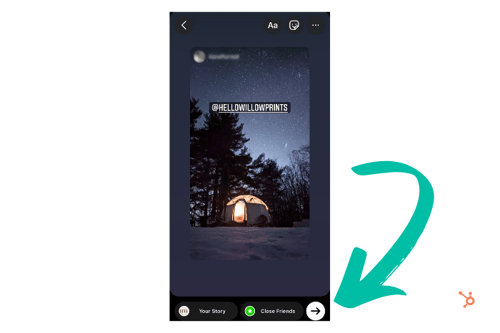 Once your post is live, viewers can see the original story, along with any comments or stickers you may have added.
How to Share an Instagram Post to My Story
You can share another user’s in-feed post to your story in four quick steps:
1. Tap that airplane icon below the photo or video in your feed.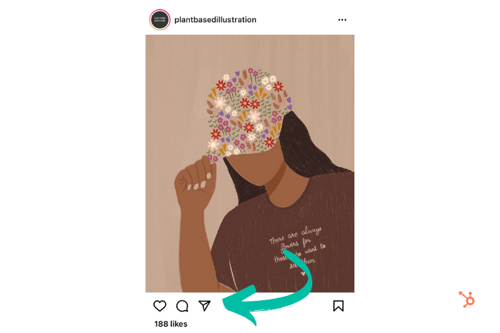 2. From the pop-up menu, tap “Add post/video to your story.”
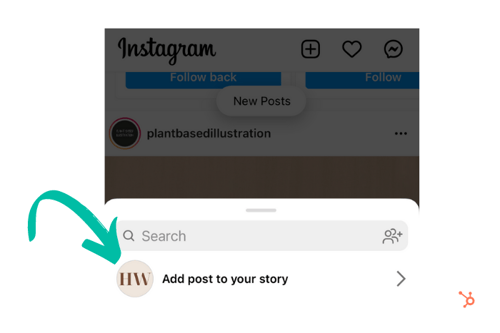
3. Next, you can add text, filters, or stickers to the story — or move to the next step.
4. Tap “Send To” then “Share.”
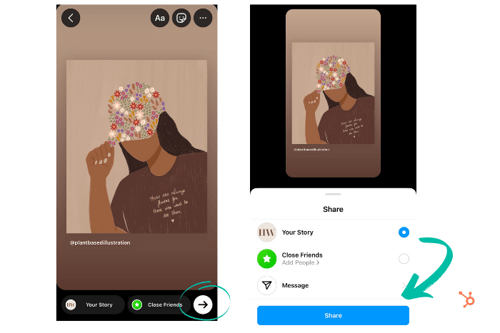 Why Can’t I Share Someone’s Instagram Story?
Keep in mind that many users enable story sharing by default, but others may opt to disable this feature. Similarly, users may put their profile on private mode. If they haven’t accepted your follow request, you won’t be able to view their stories.
Of course, you can screenshot or screen record a story before it expires. However, when it comes to sharing and reposting content, it’s important to remember that certain users value their privacy more than others. To avoid crossing any lines, it’s a good habit to ask for permission before sharing any content to your page.

Resume Tips to Get You The Job You Want, Straight from Recruiters
I can’t think of many tasks people dread more than writing a resume. There are so many little things you need to add, rephrase, check, double-check, triple-check.
Post-pandemic, the job search is a whole different ball game, with new considerations you haven’t faced before.
![→ Download Now: 12 Resume Templates [Free Download]](https://no-cache.hubspot.com/cta/default/53/4ec95757-585e-40cf-9189-6b3885074e98.png)
A checklist makes everything seem less daunting so that’s what much of this article will be, and the best part is it’s recruiter-approved. Let’s dive in.
1. Include your contact information.
This seems like a given, right? Not exactly.
“You would be surprised to know how many really good resumes I’ve come across with no contact information,” says Ira Hughley, senior technical recruiter at HubSpot.
Make sure your full name, email address, and location are included. Don’t write out your full home address though, only a city and state.
While your location may not be too relevant to the job itself, as more roles are remote than ever before, employers still want to know your general location for tax and law purposes.
This also means that you should probably remove references that are too local, as your resume will likely reach a broader audience than before.
Lastly, make sure your email address is professional. While the time of MSN and AIM usernames are long gone, many of us still use old addresses we created long before we were in the workforce.
With this in mind, create a simple email with your first and last name. If it’s already taken, consider adding your industry to your email. E.g.: martinabretous.writing@gmail.com
2. Tailor your resume to the role.
One of the biggest mistakes job seekers make is using the same resume for every role they apply for.
Hughley recommends having multiple resume versions for each role category you’re interested in.
“Don’t try to cram all of your experience into the resume,” he says. “Sometimes you can talk to them during the interview.”
The same goes for keeping old roles that are no longer relevant.
“Be 110% sure that your work experience and interests match the job opportunity you are looking to get,” says Hughley. “Too often, I see resumes with tons of experience in areas other than the one being applied for.”
Instead, note roles that highlight your experience and show why you are a good fit for the role.
“What if I’m transitioning to a new industry and don’t have much experience, what should I do?” In this case, build a functional resume that frames your past experience to match the job you’re seeking.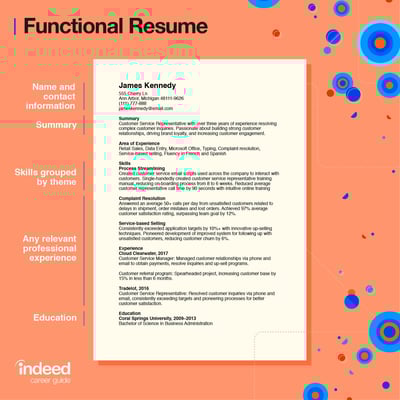
For instance, say you’re transitioning to a developer role but only have experience in writing. Well, developer roles require problem-solving, critical thinking, time management, and a willingness to learn.
In this case, you can highlight the same skills in your writing role, like:
- Meeting deadlines – time management
- Brainstorming new article ideas – critical thinking
- Analyzing article performance and suggesting optimization strategies – problem-solving
While you may not have the experience, you probably have transferable skills that will help you excel in your new role.
3. Describe your experience in detail.
When it comes to the experience section, there are the basics we all know to input: Previous companies, job titles, and responsibilities. There are two additional details you shouldn’t forget to add: The results you achieved and the awards you received.
One issue Hughley often sees with resumes is that they’re too vague.
“Highlight yourself! Sometimes, I see just a title and no highlights or takeaways from that role,” he says. “This is the time to brag about what you have accomplished, even if it’s just a couple of bullet points.”
HubSpot Recruiter Timothy Dixon-Traylor says we often leave out important details that could help us stand out.
“I believe the most important part of the resume is to show how you’ve made an impact in your current and previous roles,” he said. “This can be done by quantifying your results and impacts, as best you can.”
Dixon-Traylor continues, “Most recruiters and hiring managers will be asking themselves, ‘How can this person help elevate the team and the organization?’Quantifying your contributions will be your first step showcasing how,” he said.
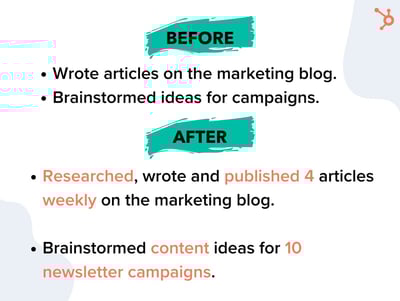
Did your work lead to higher revenue, conversions, traffic, etc? Make sure to mention that and add figures.
Next, use action verbs. Instead of “worked on,” write “led,” “managed,” “brainstormed.” This adds specificity to your responsibilities and helps employers better understand your previous roles.
“Avoid short phrases such as “assist customers” or “make cold calls to prospects,” Dixon-Traylor says. “What are you assisting these customers to do? How many customers are you working with a day? Do you have any KPIs or metrics that align with those activities? It goes back to my previous point of quantifying your impact to show how valuable you are.”
Another thing to avoid? Fluff.
Dixon-Traylor suggests asking yourself if your content is showcasing your abilities and the value you bring. If not, go back to the drawing board.
4. Summarize your experience in a “Key Skills” section.
Your skills section is one of the most important in your resume. Hiring managers and automated resume scanners look at this section to assess if you have the relevant skills.
As such, do not put your skills section all the way at the bottom. Instead, put it toward the top of the resume above your experience section or to the side. Ideally, the hiring manager gets a sense of your skills and your experience shows how you gained them.
5. Design your resume using a template that fits the tone of your industry.
Every industry has an unofficial way of doing things when it comes to hiring.
For instance, traditionally creative industries tend to allow (and in some cases promote) showing some personality in resumes. This can range from adding your picture to your resume to using bright colors and illustrations.
Be sure to follow the tone that’s most appropriate for your industry – no need to reinvent the wheel when the guide is already there.
In addition, Dixton-Traylor suggests using a good balance of white space without crowding the page.
“Use as much white space as possible, on one to two pages that showcase the value you bring,” he says. “Add the technologies, skills, systems, or programs that you have hands-on experience working with. This can range from technical tools, such as Tableau and HubSpot down to simple tools like POS systems, Microsoft Office, or Google Suite.”
Want more design tips? Jump to this section.
6. Incorporate keywords from the job description.
There are two reasons you want your resume to have the keywords from the job description:
- It will show hiring managers that your skills and experience closely align with the job req.
- You will ensure that your resume successfully passes through automated resume scanners, which look for keyword matches.
7. Proofread for grammar, brevity, and specific action verbs.
One thing you don’t want is an error in your resume. It can affect your credibility and make you look unprofessional.
So, the first step is proofreading your resume. Once you complete it, leave it for a few hours or days then give it another look.
Then, run it through grammar editing software to make sure everything is correct. Here are some good options:
8. Convert your resume to a PDF file.
Imagine you spend hours formatting your resume just for it all to get lost once someone else opens it. That’s what happens when you submit your resume using Word.
Instead, convert your final resume into a PDF file to preserve your formatting. This also ensures easy uploading on most hiring forms.
How The Pandemic Impacted The Hiring Process
When COVID-19 surfaced in early March of 2020, it created a lot of uncertainty in the market. Unemployment rates skyrocketed to 14.7%, as companies struggled with
Now, two years later, the outlook is more positive.
“The talent pool has drastically expanded because most companies are remote, which means that talent is no longer limited by location,” Hughley says.
This is great news for job seekers who were once constrained to the job opportunities in their local areas. A job market that was favorable to companies has now switched to being favorable to job seekers.
Employers have to offer better benefits with more flexibility to be competitive, everything from remote stipends to unlimited vacation days.
“There is a shift now as well because many recruitment platforms have moved to online or virtual strategy,” Hughley adds. “We have to find more creative ways to connect to candidates to make for the best candidate experience.
Lastly, Hughley says that the pandemic has made hiring managers more empathetic toward candidates.
“When I think of […] all that applicants have had to endure, I make a conscious effort to lead all hiring and conversations with empathy,” he says.
Dixon-Traylor adds the pandemic has brought more humanity into the hiring process.
“Pre-pandemic, I loved advocating for candidates who don’t have ‘ideal’ backgrounds – from job hoppers and folks who have gaps to folks who don’t have direct experience, but have impeccable transferable skills,” he said. “Since the pandemic, I advocate even more those communities, in the entire hiring process.”
He continues to say that he looks at hiring as a long-term strategy, guiding hiring managers through their unconscious biases and helping them understand minimum requirements versus what can be coached or taught.
The Ultimate Checklist of Resume Tips
Contact Information Tips
- Include your basic contact information – including your name, email address, and phone number – at the top?
- Is your email address professional? (e.g. sara@gmail.com vs. saracutiebear@gmail.com)
- Is your email address associated with a familiar domain, like Gmail? Outdated domains can be a red flag for tech-savvy companies.
- Do your resume details align with your LinkedIn profile? Hiring managers will likely review both.
- Have you included links to social media profiles, portfolios, and a personal website if relevant?
- Have you audited your social profiles to ensure no unprofessional content is available to the public?
- Have you customized any communication within your resume that addresses the company or hiring manager by name?
- Have you granted the recipient the proper permissions to view it (or opened up permissions to everyone)? If you’re sending your resume as a Google Doc.
Featured Resource: 12 Free Resume Templates

Download 12 free designed, formatted, and customizable resume templates here.
Writing for Your Industry Tips
- Are you writing in a tone that matches that of the company to which you’re applying? For instance, while still writing professionally, you might use a different tone when applying to work at a new tech startup versus an established accounting firm.
- Have you customized your resume for the specific job to which you’re applying? Highlight work experience and skills that are relevant to the position – don’t just write down every job you’ve ever held.
- Do you have a clear objective at the top of your resume that is company-focused, rather than you-focused? You don’t need one, but you do need a “Key Skills” section that summarizes who you are and what you can offer the company.
- Have you included both accomplishments and responsibilities under each job? Both should be easy to ascertain when scanning your resume.
- Have you used numbers and metrics where possible to better convey your success? For example: “Generated 150 marketing-qualified leads,” “Increased Instagram followers by 25%,” “Oversaw a $250K budget.”
- Do you illustrate career progression? It should be clear if you were promoted, gained additional responsibility, or switched jobs laterally to acquire more skills.
- What company details have you added? List not only the names of companies but a short description of what each company does.
- Have you included your tenure at each company?
- Have you included relevant information about your education?
- Does your unique value proposition shine through? E.g., something that makes you stand out from other applicants, or highlights that you’re uniquely qualified for the position.
- If relevant for the position, have you included links to a portfolio or samples of your work?
Formatting and Design Tips
- Have you used a resume template so the layout of your resume is visually appealing and easy to read? Get 10 free templates here.
- Is your resume too creative? (For instance, if you’re applying for a creative position and have formatted your resume as an infographic … is it really simple enough to read, or is it best to save that creativity for your portfolio?
- Have you selected a clear, easy-to-read font? Is your name clearly stated at the top? It’s a good idea to make your name slightly larger than all other text – employers read many resumes every week, and you need to be memorable.
- Have you made use of common formatting conventions that make content easier to read, such as bullet points and header text?
- Has your formatting remained consistent across all positions? For example, if you’ve bolded job titles, are all job titles indeed bolded?
- Are your margins even?
- Are all items properly aligned? For example, if you’ve right-aligned dates, are they all lining up in tandem with one another?
- Are all links you’ve included clickable?
- Have you converted your resume to a format that allows all recipients to read it as intended, without downloading specific fonts or needing special software? A PDF format is recommended.
Editing Tips
- Have you included keywords in your resume? If you’re submitting to an automated system, it might be critical to get past filters. Be sure your resume directly reflects some of the software and skills mentioned in the job description.
- Have you edited it for brevity? Try to keep your resume to about one page per 10 years of job experience, if possible.
- Have you removed irrelevant job experiences?
- Is each section of your resume ranked in a way that highlights your skills and what you have to offer the employer? For instance, if you’re a recent graduate with internships in different fields, you might list your most relevant experience at the top, instead of ordering everything by date.
- Have you edited out generic action verbs in favor of more specific ones? For instance, “managed” instead of simply “worked.”
- Have you made use of a thesaurus to prevent monotony?
- Have you found more professional alternatives to unprofessional-sounding terms? “Tasked with,” for example, can make you seem less proactive than someone who “coordinated” various projects regardless of who told them to.
- Are your special skills truly special? While speaking a foreign language is indeed noteworthy, these days, it might be redundant to mention that you’re proficient in Microsoft Word or capable of using email.
- Have you done a sweep for annoying jargon or business babble? Everything should be clearly articulated, so it’s easy for the hiring manager to quickly understand what you do.
- Is everything 100% true? If you write that you’re fluent in a foreign language on your resume, you should be prepared to speak that language during your interview.
- Have you conducted spelling grammar checks?
- Finally, have you asked a friend who hasn’t read your resume before to provide a final glance for errors, inconsistencies, or confusing phrasing?
If you’ve checked the boxes of all the resume tips that apply to you, you should be ready to submit your application.
Editor’s Note: This post was originally published in March 2018 and has been updated for comprehensiveness.

8 Valentine’s Day Marketing Campaigns We Love
Love, flowers, chocolate, blah blah blah …
Where are the marketing results?!
Okay, probably not what your Valentine’s date cares about. But if you’re a marketer, you might be interested in merging the most lovey-dovey of days with your marketing. But how?
Well, these companies have figured out some creative ways to leverage the warm and fuzzies (or unadulterated rage and crushing loneliness … whatever) that Valentine’s Day instills in people.
If you don’t have a marketing campaign planned for the 14th, maybe some of these will inspire you to get in on some last-minute Valentine’s Day action.
8 Effective Valentine’s Day Marketing Campaigns
1. Ranch Dressing’s Customized Bottle
Nothing says Valentine’s Day like giving someone a bottle of — Ranch Dressing?
In 2021, while flower companies and B2C brands were highlighting the romantic gifts partners could give to each other, Hidden Valley took a funny approach to this strategy by offering audiences customized Valentine’s Day-themed bottles of Ranch salad dressing.
While this seems like an odd gift to some, Hidden Valley knows that they have fans out there that just love to cover everything they eat with Ranch dressing. To those audiences, this gift is funny, personalized, and potentially useful.
2. Pandora’s Little Acts of Love
A common pushback people give for Valentine’s Day is that appreciation for loved ones should be shared all year round. Jewelry company Pandora emphasized that small acts of love are suitable anytime with their “Little Acts of Love” placement in 2022.
The ad shows couples displaying acts of kindness towards one another that would be appreciated any day of the year. This ad reminds us all that thoughtful gestures can go a long way.
3. 1-800-Flowers’ Galentine’s Day
Valentine’s Day isn’t just for significant others, and 1-800-Flowers wants friendships to be celebrated as well.
This ad depicts two friends talking about how they established their friendship, reminding the viewer that platonic love also deserves to be celebrated. The two friends in the ad ask each other thoughtful questions about their friendship and how much they mean to each other.
It’s an emotional ad that will inspire you to call your best friend, and maybe send them some flowers.
4. Hallmark’s Tell Them They Matter This Valentine’s Day
A Valentine’s Day ad with an important message — everyone deserves to feel like they matter. This ad depicts a young woman who is inundated with negative messages from peers on social media. The messages are pretty bleak and would be hard to hear for anyone.
At the end, she finds a Valentine’s Day card in her locker from her best friend reminding her she matters and is loved, which helps drown out the negativity of the messages at the top of the ad. Though more series in nature, this heartwarming ad shows how powerful our words really are, and inspires us to show more kindness to one another.
5. Target Valentine’s Day Haul Instagram Post
Many people have experienced walking into Target without a list, relying on Target to tell them what they need. This user-generated post on Target’s Instagram account captures the spirit of what we all love about Target — how easy it is to load up on fun items (though our bank accounts may not share the love).
In the video, the original poster fills their cart with festive Valentine’s Day merchandise at their local Target. Though it isn’t a traditionally produced ad, it’s a relatable post for Target shoppers who may have been inspired to visit their local store and pick up some of the items they saw featured in the post to celebrate.
6. MeUndies Match Me Valentine’s Day
This relatable MeUndies ad from 2021 captures the spirit of communicating via Zoom that many people have become familiar with since early 2020.
In the ad, couples talk about some of their pre-pandemic plans including travel, and weddings. Though many of those events didn’t go as planned, the couples talked about ways they’ve grown closer despite the challenges and uncertainty brought on by the pandemic all while wearing matching merch from MeUndies.
7. Winc’s Be Wine Instagram Post
Wine is a popular Valentine’s Day gift that is up there with roses and chocolate. Wine subscription company Winc typically devotes real estate on their social channels for Valentine’s Day-themed posts in the weeks leading up to the holiday.
In 2021, the Winc Instagram account had a series of posts consisting of unique and user-generated content related to Valentine’s Day. The “Be Wine?” post was among the most popular. We loved the punny caption and heart-themed visuals.
8. OpenTable’s Millennial Experiences
If you’ve ever marketed to millennials, you may know that millennials value experiential gifts. Or, as OpenTable says in this 2020 ad, dates.
In 2020 OpenTable released 14 ads as part of a two-week countdown to Valentine’s Day, encouraging customers to make reservations early to avoid the holiday rush.
Each of the ads targeted a different audience that could benefit from using OpenTable to make Valentine’s Day reservations, with a clear call-to-action and messaging that appeals to the ideal viewer.
Honorable Mention: Match.com’s “Match Made in Hell” campaign.
Technically, this campaign wasn’t created for Valentine’s Day specifically. But, many of our marketers thought it had all the perfect elements of a great Valentine’s Day campaign. Because of this, we wouldn’t be surprised if it sees a lot of circulation in February.
In the commercial, directed by actor Ryan Reynolds, Satan sits in Hell using Match’s app when he sees he’s matched with a woman named 2020. When he meets up with her on Earth, he nervously says “Hi 2-0-2-0.” She replies, “Please, call me 2020” — pronouncing it like the year.
As the commercial continues, 2020’s character appears to be the epitome of everything that happened in 2020.
For example, which launched in December, shows Satan and 2020 causing mischief, stealing toilet paper from store shelves, having a picnic inn empty stadiums, and ultimately posing for a selfie in front of a dumpster fire.
The couple frolics to the familiar sounds of Taylor Swift’s hit song, “Love Story.” which also sparks a sense of rom-com nostalgia for millennials.
On the same day of this ad’s release, Match and Reynolds also shared another commercial showing the pair explaining how they met in couple’s counseling.
In this video, Satan explains how he found 2020 on Match:
“I started by using the Match custom search filter. I filtered out joy, happiness, toilet paper, and reason,” Satan says in the video below:
Although this didn’t launch in February, it was a very clever newsjacking example that many of our marketers say they enjoyed when they were asked to share their favorite Valentine’s campaigns.
While 2020 was a difficult year for many, Match and Reynolds identified a tasteful way to create content that audiences could relate to. At the same time, they still told an epic, hilarious love story with a pleasant, entertaining tone. Although they discussed a truly terrible year, they did so in a way that felt like escapism for the viewer.
Valentine’s Day Campaign Takeaways
As you create and launch Valentine’s Day campaigns, take note of these strategies many of the brands above used:
- Grab your audience’s attention: Like with any holiday, marketers around the globe are churning out content around it. To compete with this overly saturated Valentine’s Day ad landscape, you’ll need to grab and keep your viewer’s attention with entertaining elements or valuable information.
- Be relatable: Around this time of year, many people are inundated with high-budget Valentine’s Day ads that offer them no useful information or value. Even if you want to tell a mushy romance-fueled love story with your content, make sure it still feels relatable or authentic. To do this, you can leverage tactics like telling a story your audience will relate to, or leveraging user-generated content from your followers — like Twitter has.
- Test out different platforms: While some companies on this list took to Instagram, others embraced physical campaign strategies like special products or billboard use.
Editor’s Note: This blog post was originally published in Feb. 2013, but was updated for comprehensiveness.

The Beginner’s Guide to Share of Voice
If you’ve ever been in charge of gathering reports for your marketing team, then you know there are a plethora of metrics you can measure.
One metric that gets overlooked is share of voice. However, this is a versatile metric that you can use in a competitive analysis for social media, organic traffic, or even paid advertising.
As a marketer, share of voice is important because it helps you understand how well your brand is performing against the competition. Below, we’ll review everything you need to know about share of voice.
![→ Download Now: Market Research Templates [Free Kit]](https://no-cache.hubspot.com/cta/default/53/6ba52ce7-bb69-4b63-965b-4ea21ba905da.png)
This metric was mainly used as a way to measure success in paid advertising, however it’s much more than that now. You can calculate share of voice for organic traffic and social media, in addition to paid advertising.
By calculating your share of voice, you’ll have a better understanding of many people know about your brand, and you can identify areas to work on. For example, if you have a high share of voice in social media, but not as much in organic traffic, then you know you need to improve your organic traffic strategies.
While share of voice isn’t the same thing as market share (more on that below), share of voice tends to correlate with market share and revenue. For instance, the more you’re dominating in the conversation online, the more market share you’ll have and the more authority you’ll have among users.
Share of Voice Formula
To calculate share of voice, divide your brand’s measures by the total market measures. This could be your social mentions, paid advertising clicks, or website traffic.
To find these numbers, you’ll need to use some of your marketing tools. You can look at your social media automation tool, for instance, to count how many mentions your brand has. Then, you can calculate how many mentions your competitors have. After you add all those together, you can divide your mentions by the total to find the share of voice percentage.
Calculating share of voice should help you learn which channels need your attention the most and how you stack up against competitors. Now, let’s see which channels you should calculate share of voice for.
Share of Voice Metrics by Channel
Advertising
When it comes to advertising, it’s important to find your share of voice to see how much ad space you’re taking up compared to the competition.
To find this, you’ll divide how well you did in a paid advertising metric (such as impression shares), by the total number in the industry.
For PPC ads, you can look at impression shares, which represent the amount of times your ads were shown to users compared to the number of times your ads could have been shown, based on your keyword and campaign settings. If you’re using Google Ads, you can find “Impression Share” into your account, going to campaigns, clicking the column icon, selecting “modify.” From there click “competitor metrics” and then add impression share columns by checking the boxes next to their names. Then click “apply” and the impressions data should show up in your table.
Share of voice is important in advertising because it will help you budget, measure campaign effectiveness, and give you a competitive advantage.
News Outlets and Blogs
Measuring your share of voice across news and media tracks how often your brand is mentioned across these platforms. Find out which publications are talking about you and the context of these mentions.
Use this information to help you identify writers or outlets that would be interested in covering your brand or related topics, find out industry related trends, and compare how competitors are doing. Harnessing this information can simplify research for your PR team and give you helpful industry insight.
You can get notifications of mentions using Google News alerts, but for more in depth feedback, you’ll want to use a listening tool.
SEO and Organic Search
To measure your brand’s share of voice in organic search, you’ll need to look at your brand occurrence in search results pages (SERPS). Typically the number of impressions is the metric used to measure this, but you could also use clicks. There are several tools you can utilize to pull this information (more on those in the next section).
Performing an SEO share of voice analysis will help you figure out which websites rank most for a set of keywords of your choice.
Once you’ve decided on a list of keywords or topics you’d like to focus on, pop them into a keyword research tool. Pull the 1st page (SERP) rankings from the results for each topic. From there you can export this data into a table or chart to get a better visual of the data.
Social Media
Social media is one of the main channels where you can use share of voice as a measure of success since social media is where consumers go to be heard. Statista reports that in 2021 there were 295 million social media users in the U.S. alone. With even more users around the globe, you’ll want to tap into the conversations people are having and use that data to improve your marketing strategy.
With social media, you can measure brand mentions, hashtags, reach, impressions, or even sentiment.
To calculate, use a social media tool to measure brand mentions. Calculate yours, your competitors, then add those numbers together and divide your mentions by the total.
Share of voice is important in social media because it will help you determine which competitors are getting mentioned more, so you can analyze what you do versus what they do. This will help you identify gaps in your strategy. Ask yourself, what platforms are working for your competitors, which influencers talk about them, and where they’re the most popular.
While calculating share of voice may seem daunting at first, the good news is there are plenty of software and tools available that will help you gather the information you need. Here are some of our favorites.
1. HubSpot Social Media Management Software
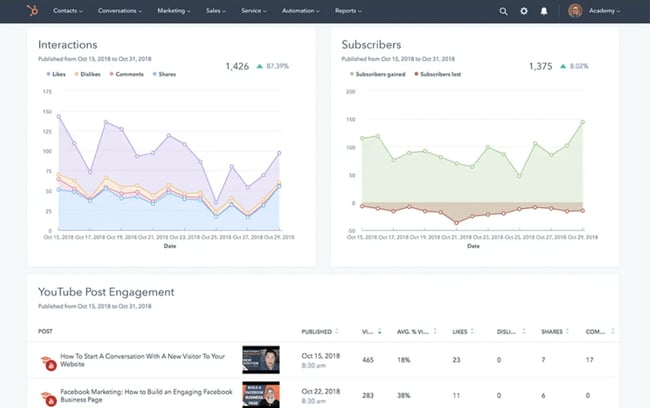 Best for: Social Media Share of Voice
This all-in-one tool will help you build and track marketing campaigns, but it is also an effective social listening tool. With HubSpot, you can create keyword monitoring streams, track social media interactions and trigger email alerts when prospects mention your brand. Save time as this tool allows you to track multiple social platforms in one spot, automate monitoring, and focus on the interactions that matter most.
Why we like it:HubSpot let’s you link all of your interactions back to your CRM and makes it easy to evaluate campaign results with their ready-made reports.
2. Hootsuite
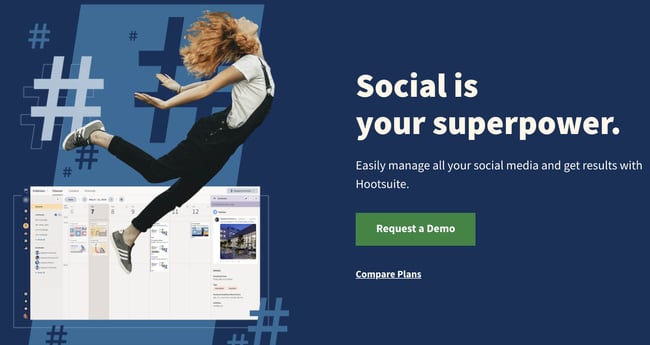
Best for:Social Media Share of Voice
Hootsuite lets you keep an eye on conversations mentioning your brand, monitor relevant keywords, and hashtags. Similar to HubSpot, Hootsuite allows users to access this information from an easy to use dashboard without having to toggle back and forth from various social media accounts.
Why we like it: Hootsuite is a great entry level option for those new to social monitoring tools.
3. Talkwalker
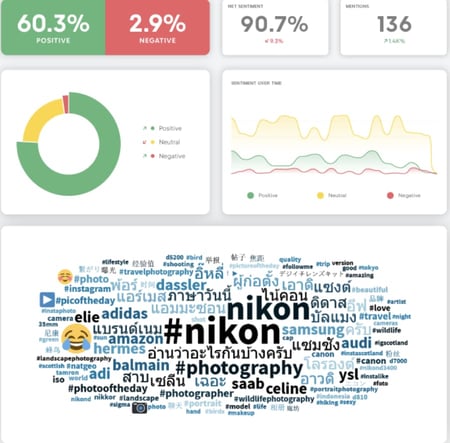
Best for: News, Blog, and Social Media Share of Voice
Talkwalker monitors brand mentions across news, social media platforms, blogs and the web. This tool also dives deep to help you get insight on not only share of voice, but user sentiment. Talkwalker will give you sentiment analysis for up to 25 languages, a great option for those who do business internationally.
Why we like it: Their AI visual listening feature lets you track brand logos on the web and across social media to help you gain a more comprehensive picture of how your brand is doing.
4. Google Ads
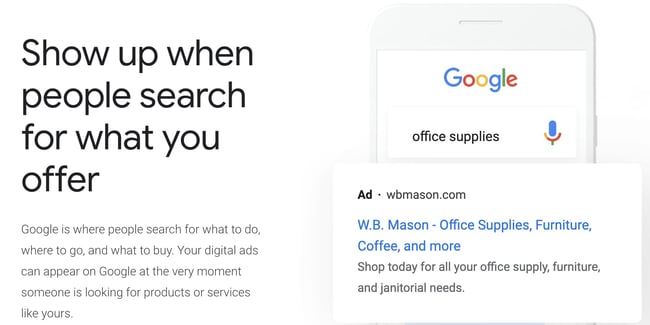
Best for: PPC and Advertising Share of Voice
When you need to measure PPC share of voice, it’s hard to beat Google Ads as a tool. To find your PPC share of voice, use their impression share metric. Conveniently, Google’s tools work together, so if you already have Search Console, you could link it to your Google Ads account.
Why we like it: Google Ads is so widely used, it’s often already a component of marketing campaigns. Having the Impressions share metric built in makes pulling this data a simple task.
5. Ahrefs
Best for: SEO Share of Voice
When measuring SEO share of voice, Ahrefs is a reliable tool. You can easily get a snapshot of your organic traffic compared to your competitors using their batch analysis feature. Alternatively, you could use hrefs to track competitors’ share of voice by comparing them against the keywords you want to rank for. It’s a great overall tool for most SEO needs.
Why we like it: Ahrefs is an all-in-one SEO tool that can help you tackle a myriad of SEO tasks from topic research to website audits.
6. SEMrush
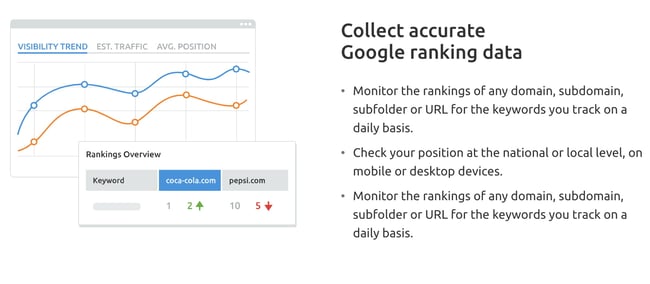
Best for: SEO Share of Voice
Like Ahrefs, SEMrush is another great all-in-one SEO tool that can also help you measure share of voice. This can be done through SEMrush’s position tracking tool. You’ll need a business subscription to access it, but it’s worth it for large enterprises. In addition to the position tracking tool, you can measure share of voice by location or topic, as well as discover new competitors.
Why we like it: in addition to share of voice metrics, SEMrush can be utilized for content marketing needs and technical SEO. Their keyword gap feature can help you identify areas for organic search improvement.
7. Brandwatch
Best for: Web and Social Media Share of Voice
Brandwatch is another tool that can help you track your brand’s share of voice across social media, web, and news mentions. You can compare share of voice by brand or opt to compare customer sentiment, location, and other demographics. This tool is great if you’re looking to dig into customer insights of your competitors.
Why we like it: Brandwatch’s customer sentiment analysis will help you identify any roadblocks or risks, plus add helpful context to the data in your reports.
Now, you might be wondering, “How can I generate these reports?”
Share of Voice Reports
To create a share of voice report, you should be able to use your marketing automation tool to gather the numbers. Most of the tools listed above, like HubSpot, will generate reports for you, or have the option to export the data.
If exporting you can put the data in whatever format you like as long as it makes sense to you and your team. You can simply create an excel sheet and begin calculating the share of voice for several channels including social media, news, advertising, or organic traffic.
Calculating share of voice is a great way to learn how well you perform against your competitors. Use the insights you gain to better serve your audience, stay on top of trends, and outperform the competition. The best part is that you can use this metric for several marketing channels, from advertising to social media.
This article was originally published March 10, 2021 and has been updated for comprehensiveness.

The Plain English Guide to Demand-Side Platforms (DSP)
As a marketer, you might be focused on creating organic content most of the time. But you should keep in mind that paid advertising is just as important.
When you manage the paid ads for your business, you can go through individual ad managers such as Google Ads or Facebook Ads. However, that’s not the only option. You can also use demand-side platforms (DSP), which are automated, as a way to purchase and manage your online ads.

According to a 2021 study published by Statista, the US was the largest programmatic advertising market worldwide, spending an estimated $70 billion in 2020. Marketers are increasingly using DSPs as a way of purchasing, managing, and tracking online advertising. Below, let’s review all the basics about DSP advertising.
With a DSP, you can purchase mobile ads on apps, banner ads on search engines, and video ads on Facebook, Instagram, Google, and even more platforms. Instead of using both Google Ads and Facebook Ads, for instance, you can purchase those ads in one place on a DSP.
The purpose of this is to make ad buying faster, cheaper, and more efficient. Now, let’s dive into how DSP platforms work and why you should use one.
How do DSPs work?
DSPs work by using programmatic advertising, which is the buying and selling of ads in real-time through an automated system. With real-time bidding, ad placements are auctioned off in milliseconds.
When you get started with DSP advertising, you’ll need to begin strategizing how much you want to spend. Think about what an effective cost per click and cost per action might be. This will help you set up your online ads so the platform knows how much to spend in any given auction.
The best DSP platforms will allow you to include multiple rich media ads, including video, images, and animation.
Why use a DSP?
The main reason for using a DSP is that it makes your digital ad experience easier and more cost-effective. You can control, track, and maximize all your digital ads in one place. This means you can manage an entire ad campaign across sites on one dashboard. For example, you can show someone an ad on Google, then show them ads on Facebook, and then across other sites they visit — all in one campaign. Before DSPs, those would be separate campaigns on Google and Facebook Ads.
This means you can advertise on many networks, including all the major publishers, in addition to more. With the number of networks, you’ll have a more global reach.
Additionally, DSPs often partner with third-party data providers, giving you better tracking and reporting capabilities than a single network usually provides. And in the planning process, the targeting options are more personalized, meaning you can get better conversion rates.
When you’re choosing a platform to work with, you’ll want to look at how many ad exchanges the DSP has access to because that affects how many people you can reach. Plus, you’ll want to consider cost, training (full service or self-service), support, and ease of use.
Now that you know more about DSP advertising and how it works, let’s discuss the platforms that can help you do it.
1. Basis Technologies
Best for: Large or enterprise level companies
Basis Technologies is an omnichannel DSP built to generate better outcomes for your ad campaigns. One of the best features is that it uses AI machine learning to automatically analyze data from numerous campaign parameters to optimize your ads.
With this DSP, you’ll be able to target hyper-local audiences across devices and multiple touchpoints. You’ll also get access to the industry’s leading exchanges, along with 25,000+ audience segments across over 30 different data providers.
Why we like it: Basis Technologies harnesses the power of machine learning to analyze data and automate processes.
2. Google Marketing Platform
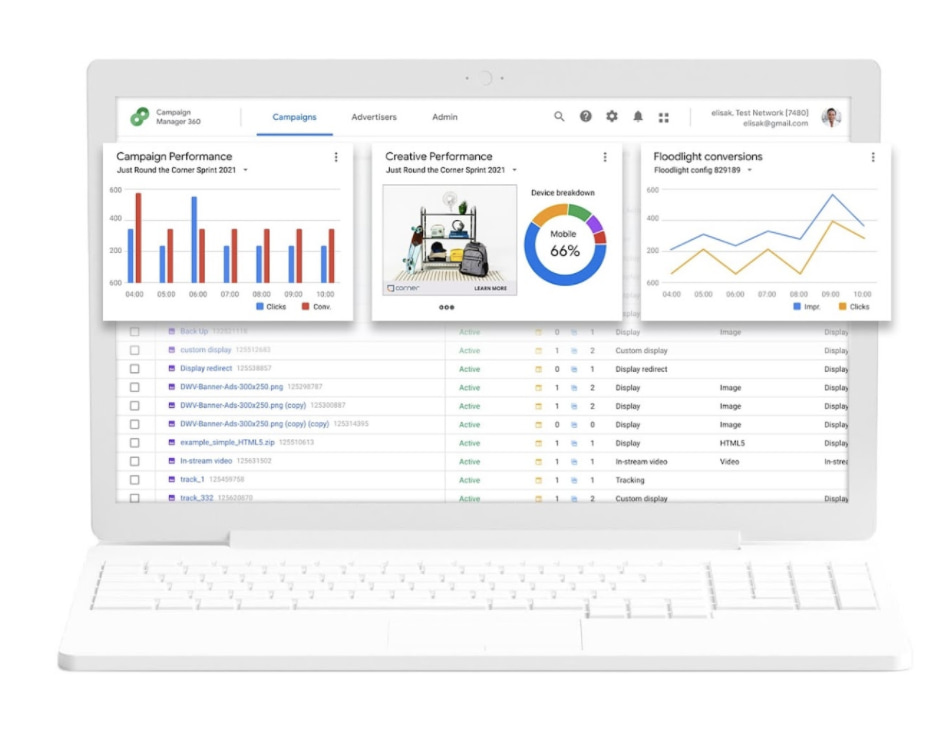
Best for: Small to large businesses or agencies
Google Marketing Platform is Google’s unified advertising and analytics platform for smarter marketing and better results. This DSP has several products for both small businesses and enterprise companies, including Campaign Manager 360 and Display & Video 360 (formerly DoubleClick).
With this product, you can save time with cross-channel ad management to maximize insights and optimize media and creative performance across all your digital campaigns. The flexibility is the standout feature of this DSP. You can use third-party features and integrations so you can choose the capabilities that best help you manage and measure your campaigns.
Why we like it: Google’s products are designed to work together, but also give the flexibility to use third-party features and server to server integrations.
3. Knorex
Best for: Mid-sized to large advertising agencies
Knorex is a universal advertising platform that automates personalized marketing across channels, devices, and ad formats. You can market on Google Search, Facebook, Instagram, and LinkedIn all in one place.
This DSP also uses AI to learn from past data to predict and adjust ad budgets dynamically in real-time to drive higher efficiency.
Why we like it: Knorex values security, offering a variety of brand privacy and security tools out of the box.
4. Jampp
Best for: Gaming apps and companies looking for a mobile DSP solution
Jampp is a DSP that leverages unique contextual and behavioral signals to deliver customers and in-app purchases through programmatic advertising.
The key features of this platform are user acquisition, app retargeting, geolocated ads, dynamic ads, and predictive bidding. This is mainly a mobile user acquisition and app retargeting DSP where you can focus on mobile-first ads.
Why we like it: Jampp’s app retargeting helps re-engage existing customers and uses their previous behavior to predict whether or not they will convert.
5. Smadex
Best for: Companies needing a mobile-first DSP solution
Smadex is a mobile DSP engineered for growth. The platform uses a combination of its own programmatic advertising technology, machine learning, and first-party data.
With this platform, you can reach global audiences at scale and re-engage audiences with its retargeting capabilities.
Why we like it: Smadex values security just as much as helping your brand scale. It ranked #1 for fraudless DSP installations by Kochava Traffic Index and holds an IAB (Internet Advertising Bureau) Gold Standard certification.
6. MediaMath
Best for: Mid-sized to large agencies that want a custom solution
MediaMath is a customizable DSP that provides brands with a myriad of options for managing their campaigns. Opt to use their built-in creative tools to run ads on their server or choose one of your own. You can even use APIs to run on top of your core foundation.
Why we like it: MediaMath’s product is not a one-size-fits-all DSP. Brands can tailor their components to build an advertising solution that suits their needs.
7. Amazon DSP

Best for: Ecommerce brands that want to advertise on Amazon (and Amazon-owned sites)
Amazon is one of the world’s largest online retailers, so it’s no surprise that brands would want to tap into their advertising audience. Both advertisers who sell products on Amazon and those who don’t can use Amazon DSP. They offer two options: self-service and managed service. With self-service, brands are in full control of their ad campaigns. Those who are new to programmatic advertising or need guidance are advised to use the managed option, however that comes with a $35,000 minimum spend.
Why we like it: Amazon DSP can greatly increase brand awareness for sellers on and off Amazon.
DSPs Still Require Research
When you choose a DSP, make sure you understand how many inventory sources it accesses, which third-party data integrations it offers, and what targeting criteria are available. To successfully run programmatic ads on a DSP, you’ll need to reach global audiences with personalized ads. While using a DSP simplifies paid ad management, it won’t replace customer research and having a clear idea of who your target audience is.
This article was originally published March 5, 2021, and has been updated for comprehensiveness.

Permalinks: What They Are & How to Structure Them for Max SEO Value
What comes to mind when you think of SEO?
“Permalink” probably isn’t the first or second thing, maybe not even the 10th thing.
The truth is, permalinks and SEO have a lot more in common than you may realize, and — when done correctly — can play an important role in improving your website’s ranking. Luckily, they are also simple to master.
Let’s get into how permalinks work, how to create them, and set them on WordPress.
Let’s break down this post’s permalink.
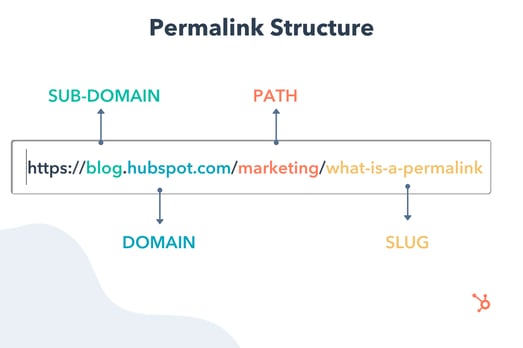
You first have your domain (and subdomain in some cases) which is where your website lives. It’s followed by the path, which indicates the location of the page. In this example, the article is located under the “Marketing” category.
The last part of your URL is the slug — an essential part of your permalink and vital for SEO because it tells search engines how to index your site.
Each component creates a permanent link leading to a specific page on your website that is unlikely to change, hence the name “permanent.”
When you don’t customize your URLs using permalinks, you get a randomized ID. The problem is that this isn’t attractive to site visitors and isn’t optimized for search engines.
Let’s say you’re blogging about sponsored tweets and their value. Would you rather have the URL look like this:
yourdomain.com/sponsored-tweets-guide
Or like this:
yourdomain.com/post-id?=5726fjwenfkd
Probably the first one, right?
Great slugs should include the keywords targeted in the post. Take our example above: “sponsored-tweets-guide.”
From this permalink, the reader (and Google) know the page is a guide to sponsored tweets and targets the keyword “sponsored tweets.” This makes it easier for readers to find and share your content.
In addition, using keywords with high monthly search volume (MSV) in your slug can help you increase your ranking.
That’s why when using a content management system (CMS) like CMS Hub or WordPress, you want to think about your permalink structure early on in your web development process.
What’s the difference between a permalink and a URL?
A URL is a web address that directs to a page or file. It can include a domain name only, or also a path, slug, and other information depending on the page you are accessing.
On the other hand, a permalink refers to a specific URL structure — a tool made popular by bloggers for sharing and SEO purposes. While every permalink is a URL, not every URL is a permalink.
The Best Permalink Structures
With several permalink structures to choose from, think about your content and your audience to determine what format will work best.
For instance, a news site can greatly benefit from having a slug that includes a date and title. This lets readers know quickly by scanning what the post is about and when it was written.
On the flip side, if you manage a blog that prioritizes evergreen content and has pages that get constantly updated, you’ll likely want to avoid having any dates in your titles.
That can signal to readers that your content is old and therefore, irrelevant. Instead, have a simple slug that only includes your article title.
It’s all about using a structure that will benefit you (and your users) in the long run. Once you decide on a permalink structure, you can set it up in your CMS.
How to Make a Permalink
To make a permalink, all you need is:
- Your domain name
- Your slug
- Your path (if you have several topic categories and want to organize your content)
Then, there are a few best practices to keep in mind when deciding on your permalink structure:
- Keep it short – Avoid articles like “the,” “a,” “an” and create a slug that’s a shorter version of your title. E.g.: If your article is titled, “How to Create an Instagram Story,” your slug can simply be /Instagram-story.
- Include your main keywords – Optimize your slug by including your keywords. Make sure the keyword you use directly relates to the content on the page.
Now, in terms of where you go to create your permalink, that’s typically on your CMS or Website Builder — such as WordPress, Wix, HubSpot CMS Hub, and Drupal. The ideal time to do this is shortly after developing your site but before any posts go live. However, you can also do this at any point.
If you decide to change old URLs to reflect your new structure, be sure to update all backlinks or set up redirects for those pages.
So, you’re probably wondering how to optimize a permalink for WordPress. We’ll cover that next.
Using Permalinks with WordPress
When you create a post in WordPress, the permalink will not be optimized unless you have already set the structure. Otherwise, it will look like a random ID.
You can find the permalink on the page post while you’re editing, as seen in the example below.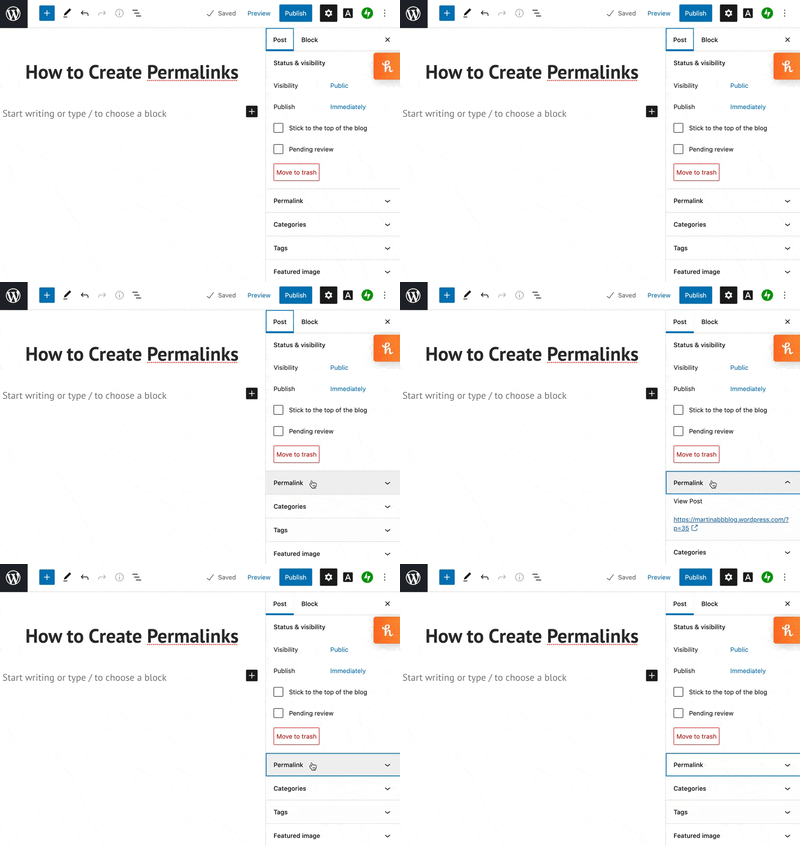
Changing permalinks is a fairly simple process, and you won’t need to install plugins to do so. You can select from a few structures or customize your own.
More on this in the next section.
1. Open “Settings” and click on ‘Permalinks.”
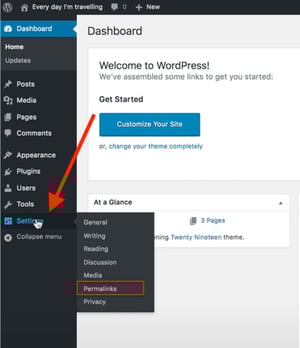
The first step in structuring your permalink is to open the “Settings” section of your WordPress dashboard. This should bring you to a list of options with various subheadings.
Once you click on this option, you’ll be taken to a screen with a variety of options to choose from. Depending on your preference of how you want your post to be archived and searched, you can pick the one that most aligns with your goal.
2. Choose a permalink structure option.
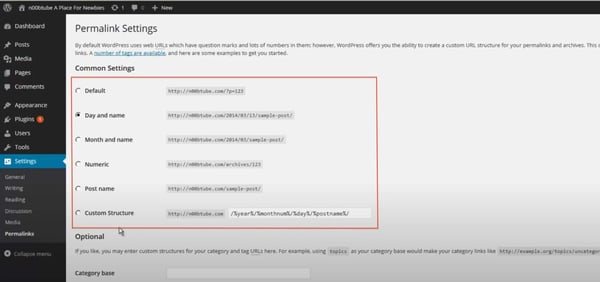
Here are the different choices you’ll have and what they mean:
- Default — Avoid this default option if you’re looking for maximum SEO value. It’s the post identification number, with no other information.
- Day and name — This option sets up the slug to be the day the post went live and the name of your post. A good reason to use this is if you have multiple posts of the same name but want the differentiator to be the date it was posted.
- Month and name — The same as the previous option, this time with the month being displayed. This is a great option if you have a monthly column, such as a “Favorites” or “Best Of.”
- Numeric — Numeric is another choice that’s safe to ignore, as this structure is all numbers and provides little SEO value. If you’re archiving posts numerically, as a way to look back and see previous posts, numeric is the choice for you.
- Post name — Choosing this route is an okay method for SEO, but not the best, as Google likes to focus strictly on keywords when ranking posts.
Learn more about that “custom structure” option next.
3. Consider creating a custom permalink structure.
If you’re not too excited about the structures WordPress offers, you can create your own permalink structure in minutes.
You’ll create a formula for your permalink structure, and every time a post goes live, it will follow that formula.
For example, let’s say you have a lifestyle blog and a travel category (i.e., path) under which you post about your latest vacations.
If you wanted to set the structure to be the category followed by the year and post name, here’s what you would put in the box:
/%category%/%year%postname%/
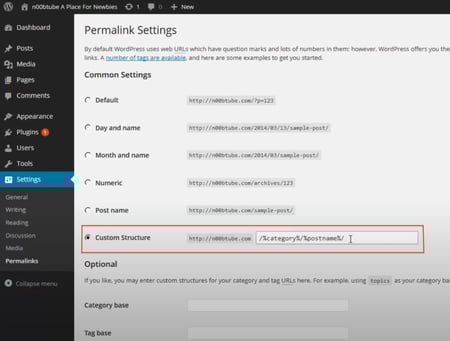
A backslash separates each custom structure, and each tag starts with the percent sign.
You can find all of the structure tag options available to you on WordPress here.
Change a Permalink Without Hurting SEO
If you decide to change a permalink, it’s important to do so with care. This is because it will affect both the internal and external links to the page.
Make sure to set up a 301 redirect. This notifies your visitors and Google that your page has a new location.
Google will keep track of both the redirect source (the old permalink) and the new redirect target (the new permalink) — and will eventually update the new permalink in search results.
Without a 301 redirect, your website will have broken permalinks and missing URLs — which may create a negative user experience. Search engines, like Google, will also lower your organic search ranking to prevent sending visitors to broken pages.
When creating permalinks, the main thing to keep in mind is focusing on SEO (i.e., keywords) and user experience. They’re the virtual key (pun intended) to making sure your content is found by the people you want to reach.
Editor’s Note: This post was originally published in October of 2019 and has been updated for comprehensiveness.
