
Welcome to My Blog
Rich Media Ads: 6 Steps to Create Them + Brand Examples
Recently, I was scrolling online and I came across an ad for Narcos. While I can easily ignore most banner ads online, this one stood out. It included interesting videos and animation.
This was a prime example of rich media ads. A rich media ad is an excellent, modern ad format for marketers to consider.
In fact, one 2018 study found that rich media ads outperform standard banner ads by 267%.
With statistics like that, it’s time to consider incorporating these ads into your paid media strategy.
Below, let’s discuss what rich media ads are and how they’re different from other ad formats. Then, we’ll review how to create one for your company and look at some examples to inspire your own ad campaigns.

Rich media ads usually take much more time, effort, and capital to create.
Why? Well, a static ad typically includes only three elements: An image, a CTA, copy. Rich media ads, on the other hand, can incorporate various multimedia elements and allow users to interact in multiple ways.
So, why do brands use rich media ads?
Well, rich media ads are engaging and dynamic in a way that other ad types aren’t. They usually lead to more interaction, increased conversions, and a higher clickthrough rate.
Since many people have banner blindness like me, creating an ad that your audience wants to interact with isn’t easy. Rich media ads are a great way to create a better user experience.
Rich Media Types
1. Banner Ads
There are two main types of banner ads for rich media: in-banner and expanding.
In-banner ads show up as regular banners and have interactive features, such as slide/scroll options. They can also include videos, audio, and animation.

This banner ad from CB2 is a rich media example that displays various products from the brand’s collections.
In-banner ads stay exactly where they are and can be ignored more easily.
Expanding ads, on the other hand, expand when the user has taken a particular action (usually a click). Pushdown ads, multidirectional, and floating ads are all examples of expanding ads that animate across the page for a few seconds.
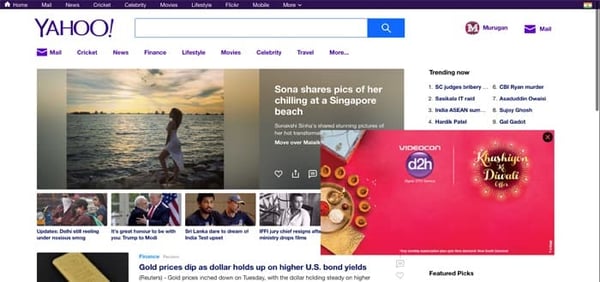
A floating ad is a great way to get a user’s attention, without disrupting the user experience.
2. Interstitial Ads
An interstitial ad – think pop-ups and modals – is a full-page ad that covers the publisher’s interface. It’s commonly used on mobile apps, during points of transition in the user flow.
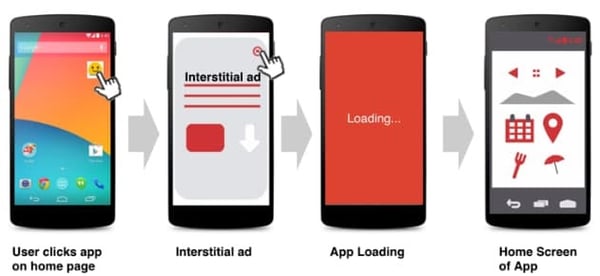
For instance, it might show up on a video game app when you click “Play Again.” In some cases, the ad may not show an exit button until a few seconds after it initially appeared.
Using this type of ad is tricky, as Google sets strict guidelines on how it can work to avoid disrupting the user experience.
3. Lightbox
Lightbox ads are interactive ads that expand and use a combination of media (images, video, illustrations) to capture the viewer’s attention.
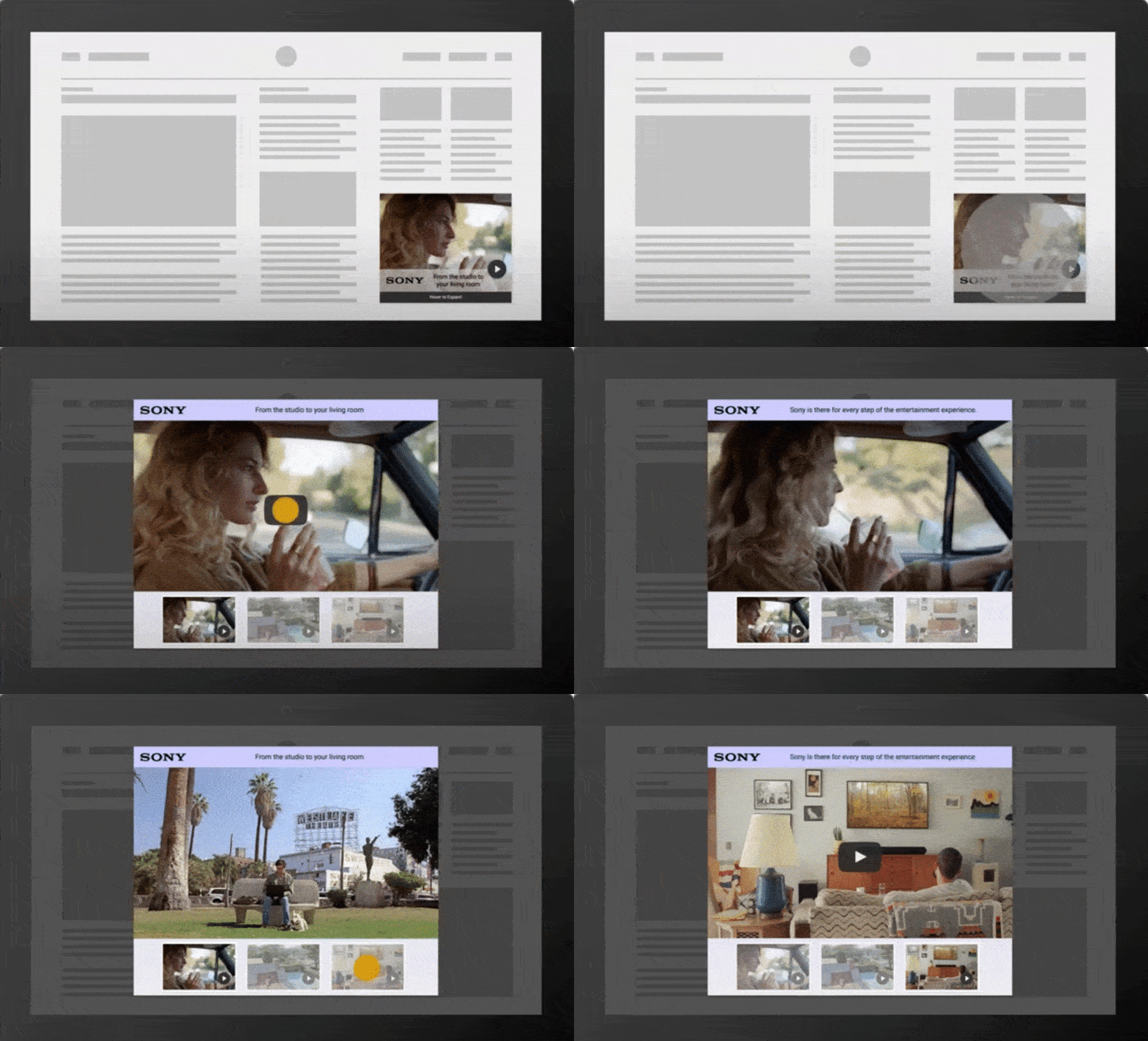
Similar to a floating ad, they usually start small on the sidebar of a page and expand once a user clicks on it.
From there, users can take multiple actions to interact with the ad. It creates a richer ad-viewing experience and as such, can require a little bit more work to create.
Now, you might be wondering, “How do I go about creating a rich media ad?” Below, let’s discuss how you can get started with rich media ads.
1. Get inspired.
If you’ve never created a rich media ad before, it can be helpful to get inspiration from other brands, including your competitors.
What type of rich media ads are they using? Is it mostly video or a combination of text and animation? What does their copy look like?
You should ask yourself, “How is this particular ad experience?” It’s important to note this, as you’ll want to create an experience that will resonate with your audience.
So, as you navigate through websites, pay closer attention to the ads you see. Then, start compiling your favorite ones in a document to help spark ideas for your own.
2. Decide on the strategy.
Now that you have an idea of what you want to create, it’s time to strategize.
What are your goals for this campaign? This will determine which creative assets you create and which type of rich media ad you use. This process will also help you discover the best way to engage your audience.
During this step, take a look back at previous ad campaigns. What are some trends in your highest- and lowest-performing ads? Getting a refresher on past performance is a good starting point for your next campaign.
3. Plan your creative assets.
Once you know more about your strategy, it’s time to list the creative assets you’ll need to get it done. Whether you’re creating rich media banner, interstitial, or lightbox ads, there are three components to your ad:
- Visuals: animations, videos, images, illustrations.
- Copy
- Call to action (CTA)
Oh, and don’t forget the assets for your landing page. Creating the ad is one thing, your landing page is where users will convert so it needs to be a priority as well.
With all these elements in mind, start big then go small.
Say you choose video as your rich media type, will it be completed in-house or with an outside agency? Or will you use stock footage? Every scenario requires a different set of steps.
Additionally, you might think about how to make the ad interactive. Will users be able to click through to another slide on your ad? What happens if they click on the ad? It’s important to discuss and plan these elements out before you create your ad.
4. Use ad creation tools.
At this point, you’ll have your strategy and assets all done. So, how do you actually build the ad?
If you don’t have a graphic designer on your team, you can use online tools to help you create a rich media ad.
For example, there’s Google’s Rich Media Gallery. On this site, you can create sophisticated rich media ads for free. While there are ready-to-use templates, you can also customize them by using your own creative assets.
However, if you have a graphic designer, you’ll want to meet with them at the beginning of your process so they know what you have in mind and can tell you if it’s doable.
You may also want to rely on video marketing tools such as Idomoo and Wistia to create targeted ads that reach your desired audience.
5. Preview your ad.
Now that you have created your ad, check that everything will run smoothly once it’s live.
The first step is ensuring that your ad meets the guidelines set by your advertising platform, like Google Ads.
Most ad platforms have an approval process before your ad can go live on a publisher’s site. If your ad is rejected, you may have an opportunity to make changes to it and re-submit it for approval.
Then, preview your ad to make sure it’s performing as expected. Some platforms allow you to share the preview with collaborators for feedback.
6. Track and measure your success.
When your ad is created, it’s time to start running it.
You can use rich media ads on social media platforms like LinkedIn, Facebook, and Instagram. You can include them on search engines, like Google Ads and Bing Ads.
Once you’ve started to run your ads, don’t forget to monitor their performance and make changes as necessary. If you’ve run static display ads in the past, it will be helpful to compare and see which type offers a higher return on investment.
Now, you might be wondering, “What will this look like?” Let’s review some examples of rich media ads in action below.
6 Examples of Rich Media Ads
1. Discover
This is a great example of a rich media ad that catches your attention and invites you to engage.
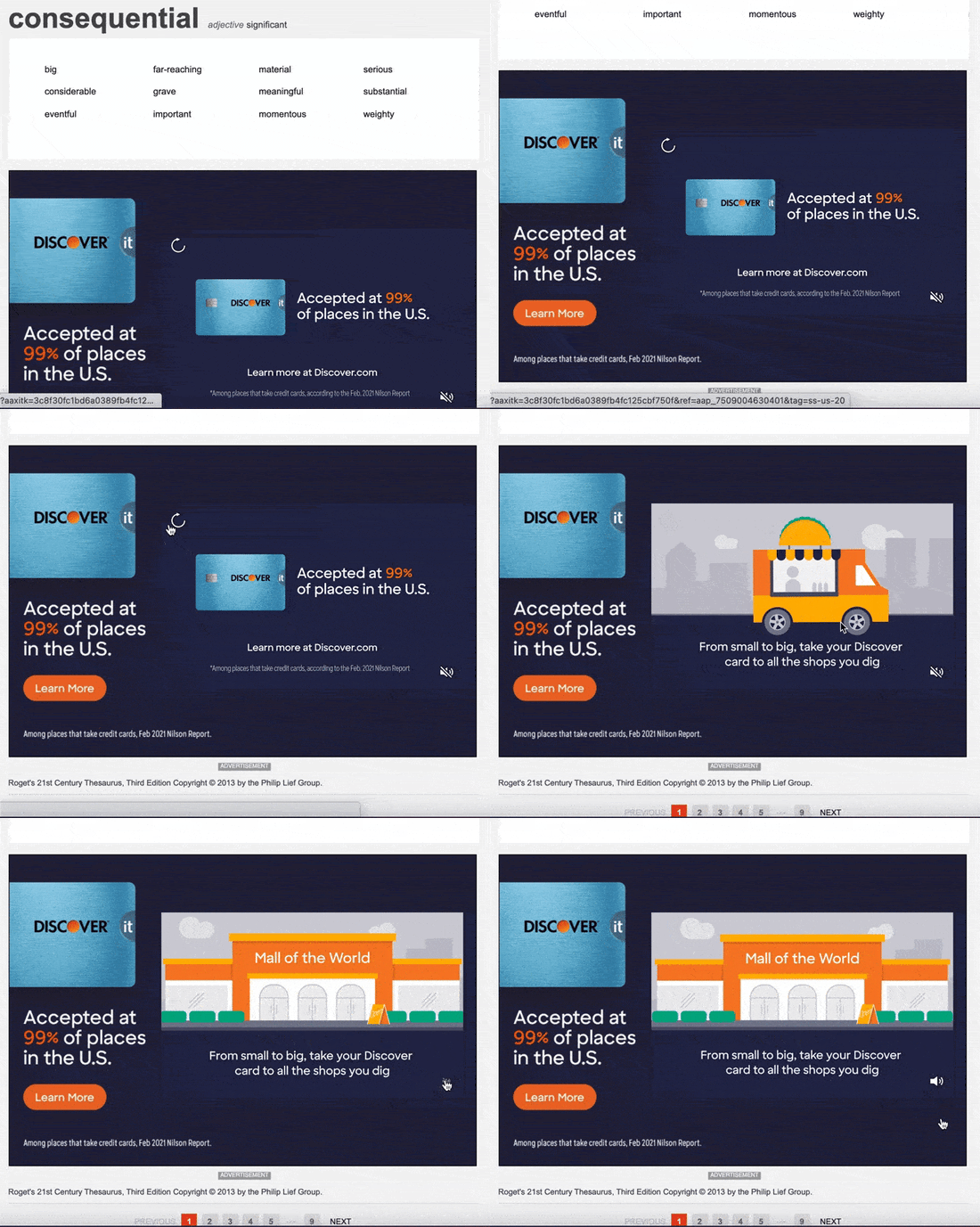
When you first see the ad, you immediately notice the logo, the copy, and the CTA on the left-hand side. Once you engage with the ad, the video starts playing and the volume button is displayed.
Why it works: Even without playing the video, you get the key information you need: The brand, the message, the CTA.
2. Reformation
Like many online retailers, Reformation uses retargeting ads to attract web visitors to its website.
In this rich media ad, users can see products from the brand and will be redirected right to the product page after clicking the “Shop It” CTA.

What works well here: Users can not only see top products from the brand but also use the interactive hover feature to shop specific items.
3. GEHA
GEHA’s video ad hits all the key points needed to create an effective rich media ad
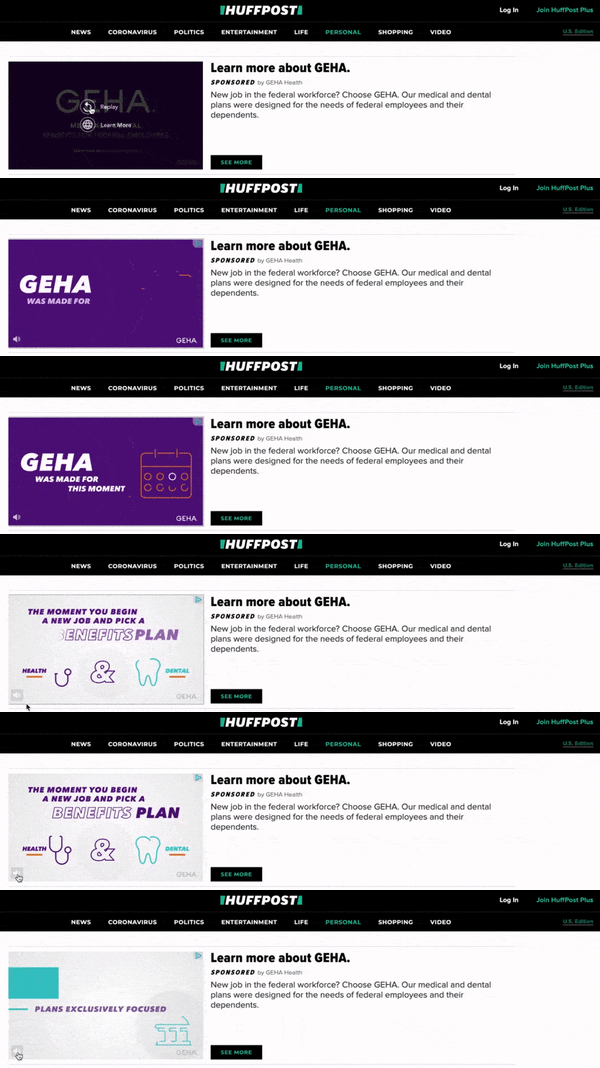
The first thing you notice is the high-quality video and visuals. The use of colors, icons, and hierarchy to highlight key messages is definitely effective.
In addition to being eye-catching, it’s to the point. Brands typically have very few seconds to catch a user’s eye as they navigate a page. With this in mind, make sure every frame in your video serves a purpose.
4. Jessica London
In this Jessica London ad example, the brand uses movement to its advantage.

It’s a great but simple way to make a static image more dynamic and engaging. Additionally, moving ads are eye-catching in a way that static images aren’t.
The takeaway: If you can’t invest in visuals other than images, try having multiple slides in your ad with each slide featuring a different image and text.
5. Lincoln Aviator

When Lincoln decided to create an ad for the new Aviator car, they wanted it to be interactive.
When you click on this ad, you’ll be brought to a separate slide. This image is an interactive guide to the features of the car. You can click on different areas of the car to learn more about it.
This is a great example of how rich media ads are engaging and interactive. The audience can click on the ad and learn more about the car without being brought to a new webpage.
6. Netflix
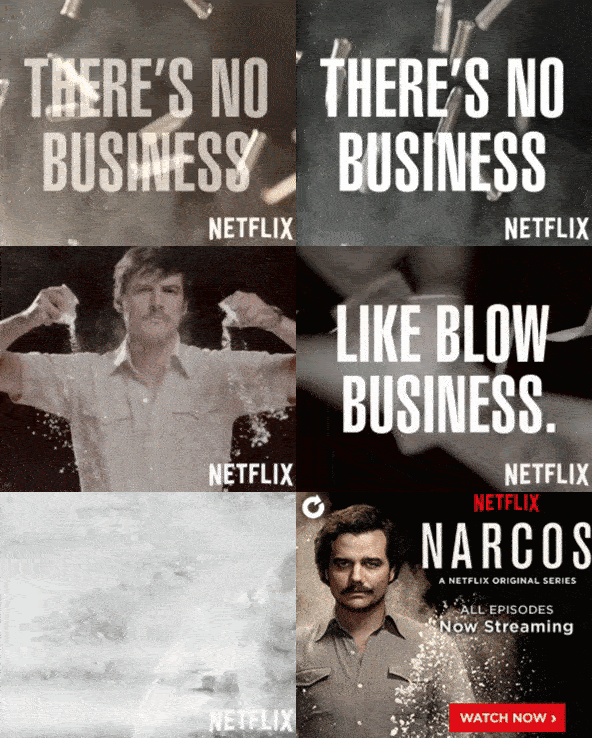
This is the rich media ad by Netflix that I was talking about before. This ad includes a unique video from the actors and is presented almost like a trailer.
Then, if you hover over the image, the audience will see moving images that rotate. Additionally, if you click the ad, you can watch the actual trailer for the Netflix show. This is a great rich media ad that includes several media formats to engage the viewer.
Rich media ads are an amazing way to engage and interact with your audience. In an age where audiences have banner blindness, rich media ads are a great way to get your audience’s attention.
The Benefits of Rich Media in Your Advertising Strategy
Using rich media ads is sure to add another dimension to your campaign and help you understand what works best with your audience.
Here are the top benefits of using rich media:
- Potential for a higher clickthrough rate – Rich media ads can be more interactive and eye-catching, making users more likely to click on your ad. They can also offer better brand recall if delivered effectively.
- Versatility in ads – Diversifying your campaign ads is helpful in discovering what your target audience connects with and which ad types convert best.
- Better insights – Because of the multiple layers you can add to your rich media ads, you can gain more insights into your audience. Video watch times, clickthrough rates, pre-interaction engagement rates are all metrics you can use to understand your ad performance.
If you’ve never run a rich media ad, this is your sign. You may find that it outperforms your static ads.
Editor’s Note: This post was originally published in __ and has been updated for comprehensiveness.


How Your Company’s Attrition Rate Could Be Impacting Your Business
Happy employees are the key to a successful business. According to the University of Oxford, happy employees are 13% more productive. High employee satisfaction can go a long way towards your bottom line.
Of course, when your employees are not happy, that shows too. You’ll likely see a slowdown in productivity, a change in the work environment, and you may start seeing an increase in employee turnover.
What have you noticed in your own organization? Are employees loyal and in it for the long haul, or are they leaving in droves? If you’ve been seeing more and more employees leaving the company in a short amount of time, it might be time to calculate your attrition rate and examine what’s really going on in your organization.

There are a variety of metrics that you can use to determine how your employees are doing. Many of them focus on productivity metrics such as progress to goals. However, these productivity metrics don’t tell the whole story.
That’s why it’s important to understand your attrition rate to help determine the health of your organization. Let’s discuss what an attrition rate is and how to lower it.
Understanding your team’s attrition rate is important for the health of your organization because having a high attrition rate can have devastating impacts on your team’s success. With too many experienced team members leaving at once, you run the risk of losing valuable organizational knowledge and losing revenue from repeated hiring and onboarding costs.
Now that you know what an attrition rate is, let’s review how to calculate it for your organization.
How To Calculate Attrition Rate
To calculate the attrition rate, take the number of people who have left your company (or team) and divide it by the average number of employees over a period of time. You then multiply that figure by 100 to present it as a percentage.

Let’s say at the end of the year you had 500 employees in your organization. During the first quarter of the following year, 100 employees left. This would leave you with an attrition rate of 20% for that time period.
It’s worth noting that a team’s attrition rate can be subjective based on the size of the company. Though there is no single number that is considered a good or bad attrition rate, later on, we’ll cover the important factors to keep in mind when reviewing your team’s attrition data, and when to take action.
Before we dive into that, we need to understand that not all employee exits are created equal. There are four different types of attrition and each one may be saying something different.
Types of Attrition
People leave jobs for various reasons – some voluntary and some involuntary. Let’s look at the four categories of attrition and what they mean.
- Voluntary attrition occurs when an employee chooses to leave a position on their own accord.
- Involuntary attrition occurs when an employee has been released from the company.
- Internal attrition occurs when employees move from one position to another within the same company.
- Demographic-specific attrition occurs when there is a noticeable pattern of a specific group leaving a team or company during a given time period (this can be age, gender, ethnicity, parental status, etc.)
Internal attrition is generally not a cause for concern. If employees feel comfortable staying within the same company, it’s often because overall, the culture is good and they are just looking for a promotion or new opportunity.
This can, however, be an issue if an entire department makes an exodus to other areas of the company. This suggests that you may have a management problem in that area.
Next would be involuntary attrition. These employees are being asked to leave the company. They may have been performing below expectations or weren’t a good fit for the role. When this happens, it’s a good idea to review hiring procedures and guidelines to ensure your team is hiring individuals who have the best chance at being successful in their role.
Voluntary attrition is much more concerning. If you have a large number of employees leaving the company at once, there may be an issue with your company culture, management, or compensation. In a bit, we’ll discuss how to identify and correct these issues.
Finally, if you are seeing demographic-specific attrition, there may be a very big problem at play. When people of the same gender, age group, ethnicity, sexual orientation, parental status, or any other personal characteristic are leaving en masse, it may be because of systemic issues in how your company is structured and operated. A close examination of your culture and operations is warranted.
High Attrition Rate
As mentioned above, attrition rates are relative depending on the size of the company. To understand if your attrition rate is higher than it should be, compare your attrition rate to your retention rate for the same time period. Your retention rate measures the number of employees who have remained in your organization.
To calculate your retention rate, divide the number of employees who have remained in your organization by the number of employees you started with (this should be the same figure you use to calculate your attrition rate) and divide this number by 100.
If you suspect a high attrition rate, it’s important to compare your numbers to other companies in your industry, in your geographic location, and within the company, compare departmental attrition numbers to other areas of your business. These comparisons will alert you to any problems or may put your mind at ease.
Aside from the possibility of having an unhappy team, there are several other problems that can occur when your attrition rate is high.
- Frustrated Employees – When someone leaves, their work doesn’t stop getting done. Often other employees will have to take over their responsibilities until a backfill is hired. In some instances, that individual’s role may not be filled, and their work may be absorbed by other members of their team which could lead to overwhelm and burnout.
- Team Dynamic – While you may not love everyone you work with, professional teams have often built rapport with one another. When one person (or more) leaves the team, there is an adjustment period that can be felt throughout the department.
- Loss of Knowledge – If an employee chooses to leave, they will sometimes provide enough notice to document their processes and procedures for their replacement. However, even when they do, it’s unlikely that they’ll be able to provide them with the depth of knowledge they have accrued during their tenure.
- Resource Constraints – Hiring costs can add up. It’s estimated that it costs about 50-60% of the departing employee’s salary to hire a replacement for their role.
Average Attrition Rate
With all this talk of attrition rates, you’re probably wondering how your company compares to other organizations out there.
First, it’s important to note that attrition rates can depend on a lot of different factors. As you can imagine, the stress level in certain industries and roles is considerably higher than in others. This may sometimes account for higher attrition rates. Geographic concerns such as rising home costs could also impact the number of employees leaving their jobs.
In 2021, the US Bureau of Labor Statistics reported the average turnover rate was 57.3% across industries.
Low Attrition Rate
It is important to note that while a high attrition rate can be bad for business for the reasons listed above, an extremely low rate could be detrimental as well. Why? Because without the ability to bring new employees who offer unique perspectives and skillsets to a team, an organization could reach a point of stagnation.
Bringing new people to the table can increase ingenuity and creativity, and help a company make positive changes.
How to Lower Your Attrition Rate
If you’ve calculated your attrition rate, compared it to other departments and other companies, and deemed it high, it’s time to get to work. There are a number of actions you can take to lower this attrition rate and put your company back on the right path.
The most important step is getting to the root of the problem. What is causing employees to leave? This is the biggest piece of information you need to make the correct changes.
Conduct Exit Interviews
There is nothing more valuable than feedback from an employee who has nothing to lose by being completely honest. You can set up a formal exit interview as employees give notice.
You’ll want to discuss a number of aspects of the business with them, including:
- Pay and Benefits – Your employees may be leaving simply because another company is offering them more.
- Recognition and Appreciation – Did they feel as if they were appreciated for their hard work?
- Management – If multiple former employees point towards the same manager as a source of their issues, you may have a leadership problem on your hands.
- Culture – Were they happy working for you? Were there aspects of the job and the atmosphere that caused stress or frustration?
- Mental Health – Even the best compensation can’t make up for unbearable stress. Were workloads too heavy? Was there an unhealthy work environment for employees?
- Safety – Did they feel that their safety was in danger as they carried out their responsibilities? If so, did they feel comfortable bringing their concerns to management? If they did speak to management, did they feel heard, and were any changes made?
Staff Interviews or Surveys
While current employees may feel more hesitant to air grievances, they can still offer valuable insight into the employee experience. While you may have workers willing to talk about their perceived issues, you may receive more thorough and honest feedback using anonymous surveys.
If you do choose to speak one-on-one with employees, avoid having interviews be conducted by their manager. If the problem is with management and leadership, they may not feel comfortable providing honest feedback.
Finally, if you do seek any feedback from current employees, ensure that their honesty is confidential. If any information shared in confidence becomes public knowledge traceable back to a specific employee, it can be a breach of trust and inhibit future feedback.
Employees leaving is a symptom of a problem, not the problem itself. While a high attrition rate can be concerning in any organization, it’s important to do the work and find out what’s actually causing the issue. Once you’ve identified areas for improvement, seek to make the necessary changes for your team.


The Best Grammar Checkers that Make Content Editing Easier
Whether you’re sending out cold emails all day or drafting up campaigns and proposals, it’s tedious to spend time pouring over grammar. You can waste precious time deciding if you’re supposed to be using ‘affect’ or ‘effect’ or if you’ve used the word ‘very’ too many times. Instead, finding the best grammar checker for your work can automate this task and boost your productivity.

These days, there are many grammar checkers out there that all claim to be the best. Here are some of the best grammar checkers used and trusted by thousands of users every day.
Some grammar checkers may automatically edit content as you write, while others will flag incorrect spellings or awkward phrases for you to review. Many editors will even take you line by line to identify passive sentences, overly long paragraphs, or other complex errors that even keen human eyes may miss.
Using a grammar checker can give you some peace of mind when you’re writing a lot of content daily. Never again will you accidentally and embarrassingly leave off the ‘o’ at the end of ‘hello’ or misspell a simple word on a huge event poster. This software can help automate editing, so you can focus on getting your thoughts written down and submitted by the deadline.
What are the best functions of a grammar checker?
Some grammar checkers may just check the basics, like spelling and punctuation. More advanced programs can identify passive sentence structures, awkward phrases, and copy that is too complex for the average reader. How you work will greatly determine what functions you need.
Consider looking for options that check spelling, grammar, readability, redundancies, sentence length, and repeated words. For example, some grammar checkers can even tell if you have started consecutive sentences with the same word, so you can avoid your copy sounding monotonous.
If you’re wanting to create error-free copy, consider one of these top grammar checkers, both free and premium. You’ll find options that even work for emails, social media, and on your phone.
1. Hemingway Editor
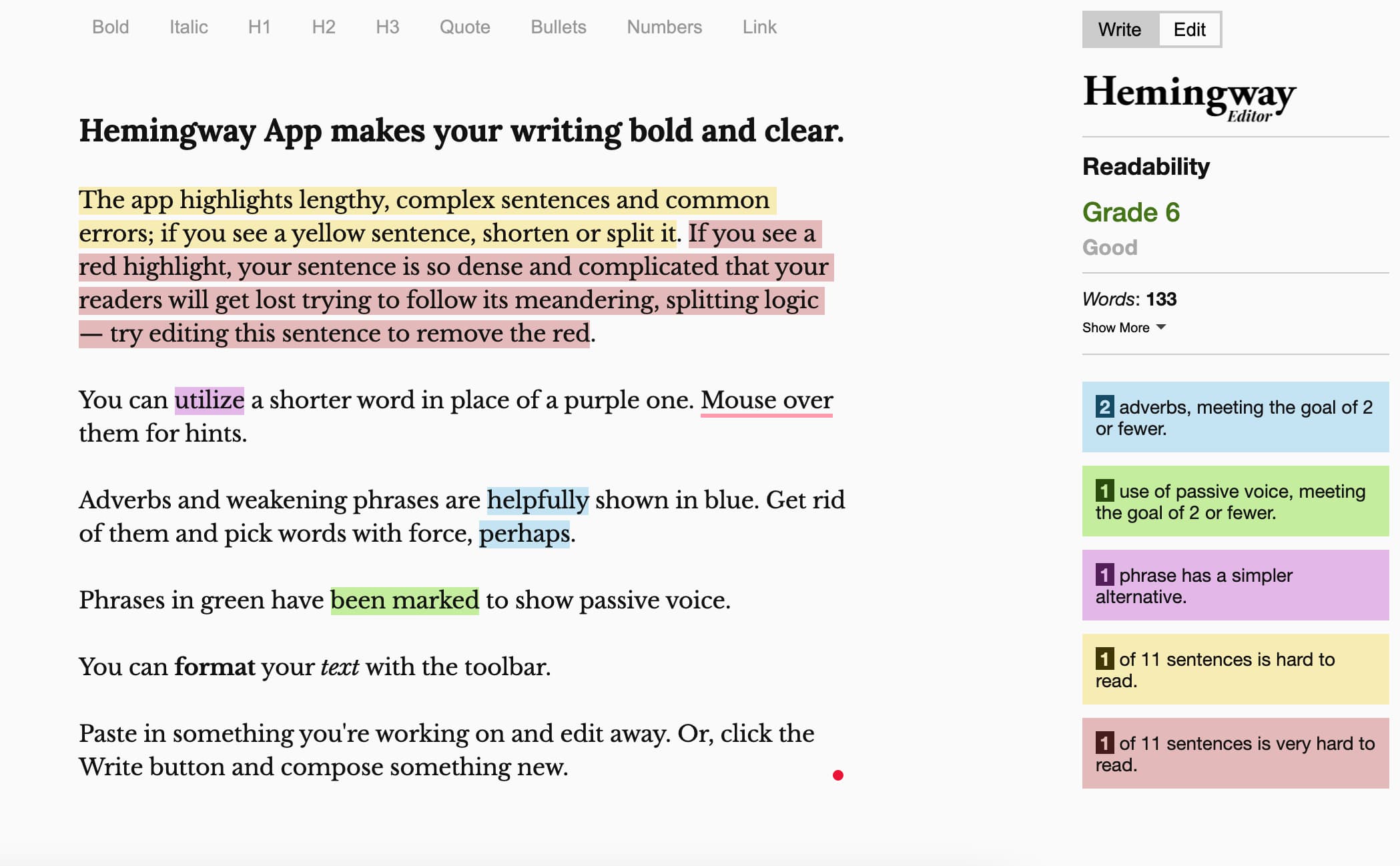
Looking for a free grammar checker? Consider Hemingway Editor, which is one of the best free grammar checkers with plenty of advanced features. This website and desktop app reviews your writing to determine readability with the Flesch-Kincaid reading level, which generally recommends that you aim for easy, conversational language to fairly easy-to-read content (grades 6 through 8 on the scale).
This program will scan content for adverbs, passive sentences, and complex or long sentences. It highlights issues in various colors, so you can edit in real-time. The big drawback with this free program is that you’ll need to copy and paste your text over into the editor; it doesn’t scan your text in emails or other documents.
2. Grammarly
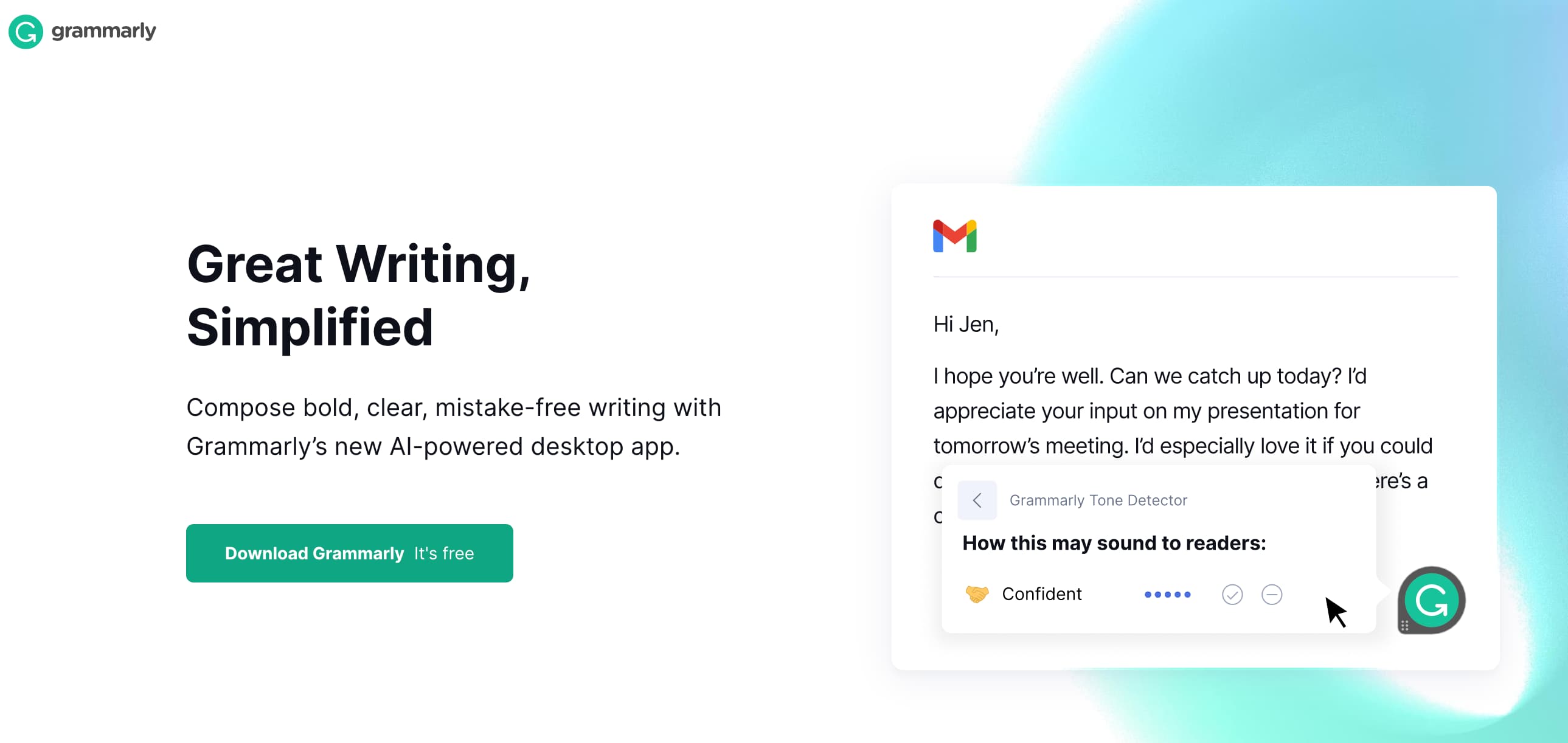
You’ve probably heard of Grammarly, which is one of the most popular grammar checkers out there. This software uses AI to improve your writing. It includes a free browser extension with limited features or a paid version with more advanced checking tools. The free option checks grammar, spelling, and punctuation.
What makes Grammarly unique is that the premium plans even check your tone, so Grammarly can tell you if your email sounds too harsh or it can recommend ways to make your words sound more confident. Another perk of Grammarly is that once you install it, it works across multiple platforms, including documents, emails, and even social media.
3. Ginger
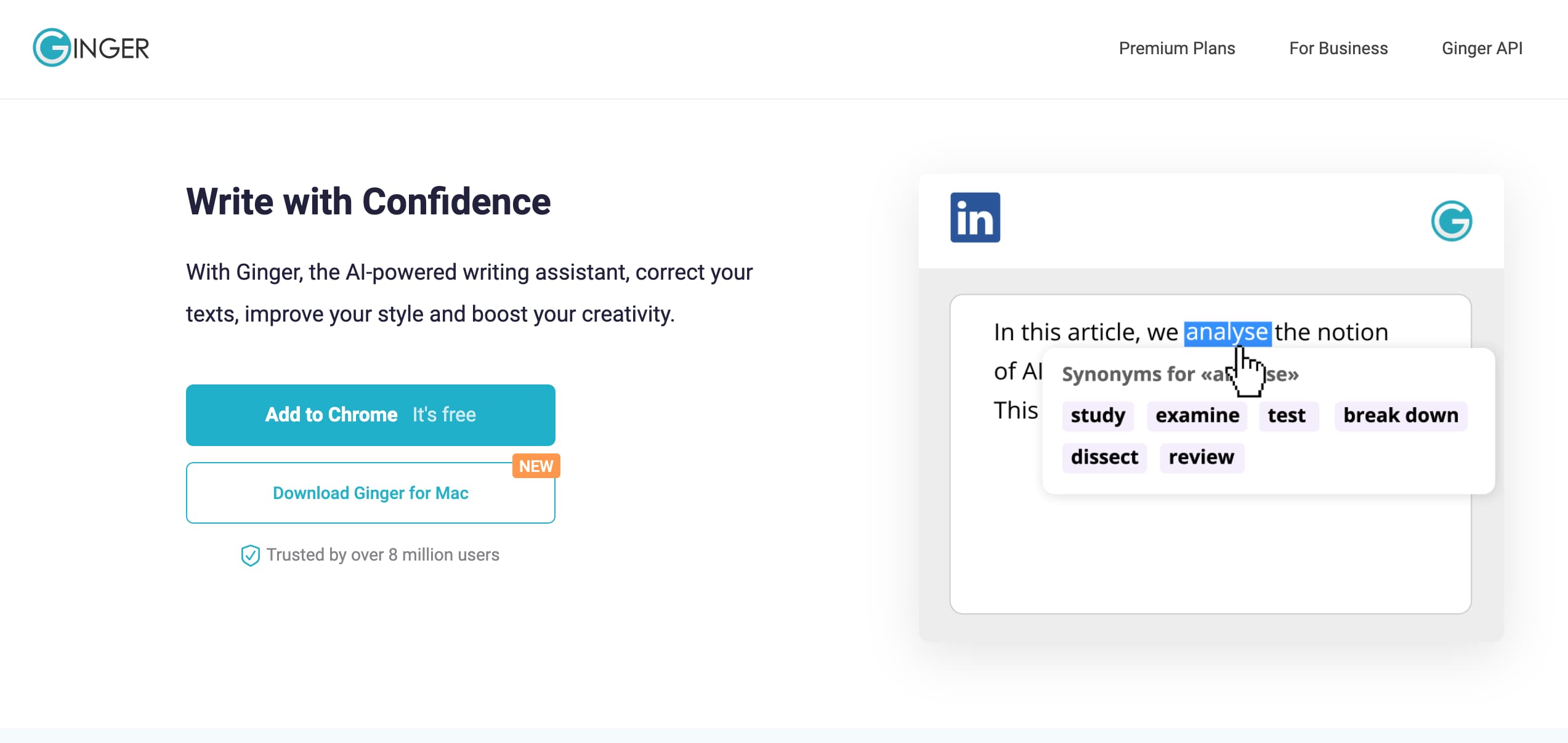
Ginger is another free grammar checking program with a website, browser extensions, and even an app for iOS and Android, so you can work on the go. For a free grammar checker, Ginger has impressive tools to detect basic grammar errors as well as more complex issues like inconsistent verb tenses, singular versus plural errors, and subject-verb disagreement.
You can check text and fix multiple issues with just one click, making Ginger efficient and a major productivity booster.
4. ProWritingAid

ProWritingAid is a browser extension with a user-friendly interface to help you improve your content. It grades content on readability to make sure it isn’t too difficult to read.
There are also handy tools that evaluate sentence variety and passive voice. It’s especially helpful for creative writers, thanks to two unique features that identify unusual dialogue tags and emotional tells. This encourages more creativity, particularly for long-form writing.
In addition to the grammar checker, ProWritingAid works almost like a mentor by offering educational tools like articles, videos, and even quizzes to strengthen your writing skills. The program is free for basic features, but you can upgrade to premium options for the more in-depth tools and a bonus plagiarism tracker.
5. WhiteSmoke
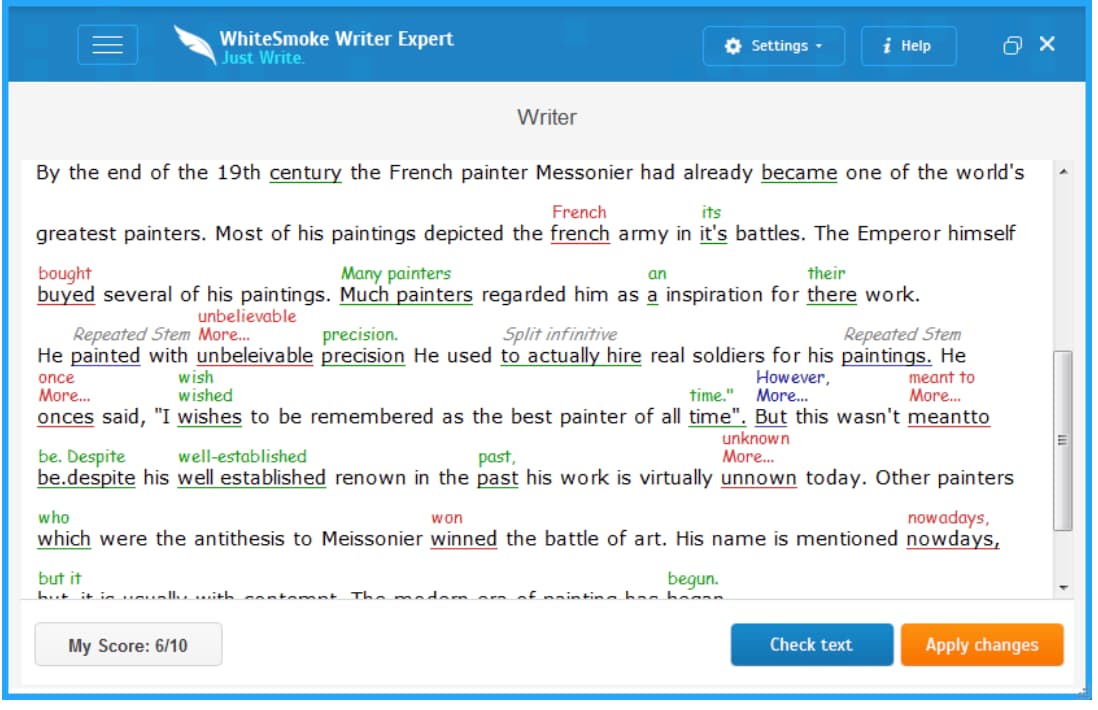
If you want a trusty grammar checker used by major universities and corporations, WhiteSmoke is one to consider. It can detect a number of grammar errors, including sentence fragments, comma splices, run-on sentences, misspellings, and more. The program’s style checker detects monotonous sentence lengths and switching tenses, and WhiteSmoke also offers a translator that can translate single words or full texts to and from 55 different languages.
There’s no free plan for WhiteSmoke, but you can start checking your content as low as $5 per month. It works with any browser and for Gmail.
6. Google Workplace/Google Docs
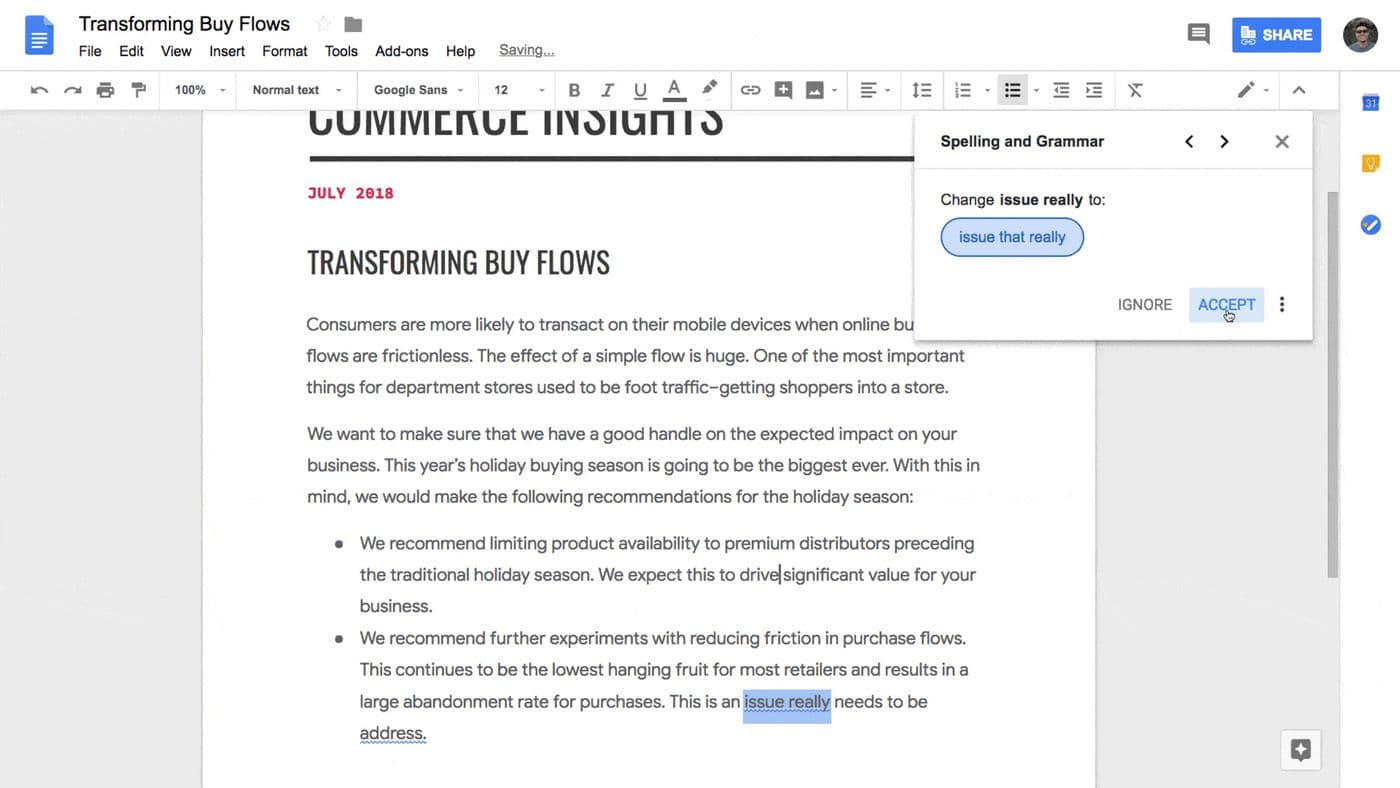
If you have a Gmail account, you already have access to a free and pretty robust grammar checker. Type up an email, and Gmail will automatically flag words or phrases it thinks could be mistakes. The same goes for Google Docs.
While you might want to download additional software for more advanced features, Google offers some helpful spelling and grammar checking services for free with your account.
7. LanguageTool
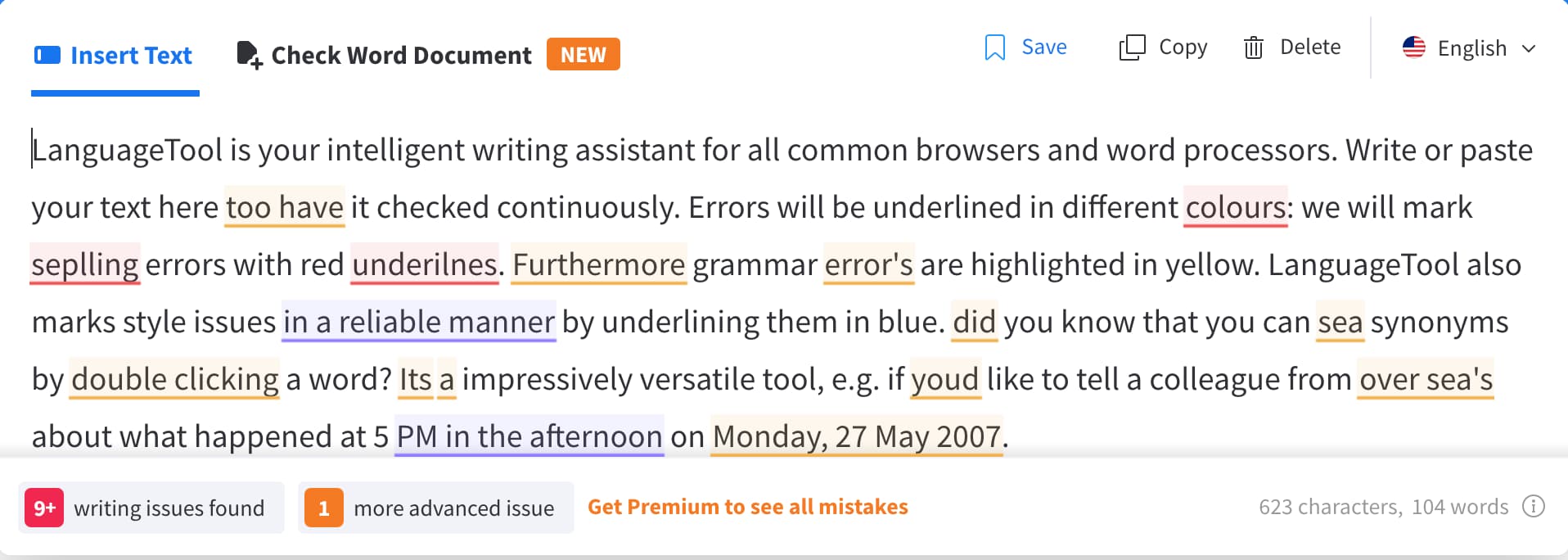
Trusted by big names like Amazon and RingCentral, LanguageTool is a multilingual grammar checker that analyzes text for grammatical, spelling, and style issues. The user-friendly interface offers light or dark mode, so spending a day writing doesn’t have to equate to tired eyes.
The service keeps text secure, important if you’re working with sensitive or exclusive information. With LanguageTool, you can set up a personal dictionary of words, so the program won’t mistakenly flag your company’s branded names.
The program works along with multiple browsers, word processors like Microsoft Word and Google Docs, or email, and you can also choose browser extensions or even the desktop app. The free plan will check up to 10,000 characters per text, or opt for more advanced features with the individual or team plans.
8. Writer
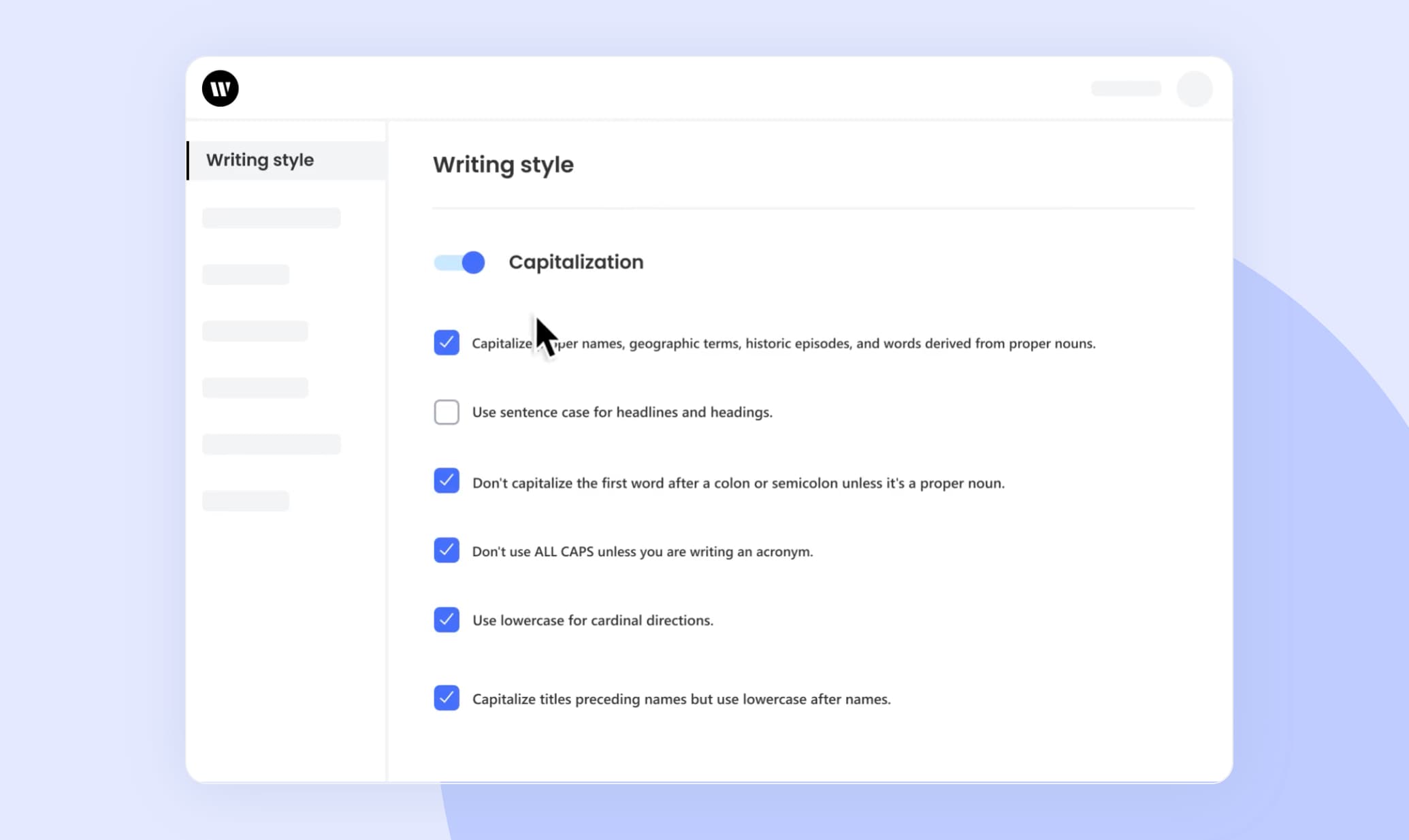
The aptly named Writer is an AI editing program that helps create crisp, clean copy that fits your brand’s voice. It includes autocorrect and autocomplete features, so hitting inbox zero has never been easier. You can create your own library of relevant marketing terms, customize the writing and grammar rules to fit your brand, and even build a company style guide with Writer.
As you type Writer will highlight mistakes or phrases it thinks could be better, and as you hover over each section, you’ll be greeted with intuitive suggestions to make the content concise and engaging. There’s a free plan or a free trial for more advanced plans, which include options for individuals, teams, or enterprises.
Automate Editing With a Reliable Grammar Checker
There’s a trusty grammar checker for every business and budget. Even free versions will give you plenty of insight into your copy, so you can reduce passive voice, minimize errors, and create content that will engage clients, boost sales, and grow your business.
When choosing a grammar checker, keep in mind where you need it most — do you want it to review emails and blogs, or just internal documents? Will it check for anything beyond spelling? Once you have the features you want the most, you’ll have an easier time finding the right one for you.

7 Content Marketing Metrics to Consider for Continued Success
No business can survive without customers. While customer retention is incredibly important, attracting new customers is essential to growing your business. Because of this, customer acquisition should be a top priority for business owners. This begs the question, how do you get new customers or clients in the literal or figurative door?

Traditionally, your sales team will engage with your potential customers, sending emails, making phone calls, and visiting them in person depending on the nature of your business. Though this approach is often effective, is it the most efficient use of your employees’ time?
Many successful businesses have decided that it would be better for the customers to come to them, rather than them go to the customers. One of the ways to do this is to take an inbound approach and implement a content marketing strategy.
This is a great move for most businesses, however, when you incorporate a content marketing campaign into your overall strategy, you’ll want to ensure you’re seeing a return on your investment.
Content marketing is a type of marketing where you create and share online content in order to spread awareness about what you do and create interest in working with or purchasing from your company.
Earlier, we mentioned how salespeople will interact with potential customers multiple times. Why do they do this? These multiple contacts are so that when your potential customer is ready to be an actual customer, your business is top-of-mind.
Content marketing seeks to do the same thing, but more efficiently. By creating content in the form of blogs, videos, or social media posts, you can position your business as the “go-to expert” in your field. Essentially, you become the brand people find and think of when they are having a problem.
As important as this is, content marketing works in another important way. As a consumer, what do you do when you have a problem? If you’re like millions of other people, you ask Google how to fix that problem. You may not even know how to communicate what’s wrong, but Google magically knows and directs you to the answers you need.
When you engage in content marketing, you become the answer that your potential customer is searching for.
Does it work? According to the Content Marketing Institute, content marketing leaders experience nearly eight times more site traffic than non-leaders.
Need more convincing? Demand Metric says that content marketing costs 62% less than outbound marketing, and generates three times as many leads.
What are content marketing metrics?
Is content marketing a good strategy to incorporate into your business? Probably. But, it takes time and energy to plan and resources to execute. Just like any other strategy, you would think to include, you’ll want to make sure that you’re seeing a healthy return on investment (ROI) for your effort.
In order to do that, you’ll need to become familiar with content marketing metrics. With these numbers, you’ll be able to determine if what you’re doing is making an impact as is, if you’ll need to tweak your approach, or if you’ll need to abandon it altogether in exchange for something else.
Content Marketing Success Metrics
While there are hundreds of specific metrics out there you could use to determine whether or not your content marketing efforts are making enough of an impact to justify their costs, there are a handful of metrics that are essential. Incorporating the following numbers into your content marketing metrics dashboard will give you a great understanding of your performance and effectiveness.
1. Traffic Sources
It’s wonderful to discover that people are consuming your content. But, how did they find out about it? A truly successful content marketing plan will attract new potential customers through engaging content. On the other hand, you may also be creating more engagement with past customers or on-the-fence potential customers. This is still good as it can create repeat business and help you stay top-of-mind.
Either way, it’s important to know how readers have made their way to your content. To find traffic sources to your blog or website, you can use a platform such as Google Analytics.
2. Impressions
How is your content doing? Does Google recognize that you are an “answer” to the searcher’s problems? Using Google Search Console, you can determine how many impressions your content has received. The more impressions, the more people you’ve reached.
3. Click-through-rate (CTR)
Impressions or views of your content is important, however, without acknowledging your CTR or click-through rate, you won’t be able to fully understand whether or not your content is effective.
More people may be viewing or consuming your content, but is it moving them to action? Are they visiting your website? Are they learning more about your products? Understanding your click-through rate provides this insight.
4. Content Shares and Backlinks
You’re putting out good content (hopefully!), but is it good enough to share? The true test of your content is whether or not people find it useful or interesting enough to share with their own audiences.
Bonus, the more your content is shared, the more Google sees it as the “solution” and shows it to more people. If you’re posting on social media, shares are easy to determine. If you’re looking at blog content, you can use a tool such as BuzzSumo or Ahrefs.
5. Email Opt-in Rates
Click-through rates are important to know if your readers are taking action on your content by visiting your website. However, if they don’t buy right away, are they giving you the opportunity to capture their information and connect with them in the future?
When your content marketing is performing well and truly doing its job, readers will be comfortable sharing their contact information with you and eager to hear more of what you have to say, and potentially purchase your product or service in the future. Your email marketing software can give you this metric.
6. Bounce Rate
Ideally, once people land on your website, they’ll take the time to explore, digest some of your content, and buy. Sometimes though, you’ll see a high bounce rate because people have navigated away from your website immediately after they were directed there. This could be due to slow-loading, a poor user experience, or different content than they expected.
It’s important to know your bounce rate and then understand what’s causing it. This helps you avoid putting all the time and effort into creating quality content, only to find that something on your website is turning off potential customers.
7. Keyword Rankings
A big part of content marketing is selecting the right keywords for your desired audience. Ultimately, the question is “what are your potential customers searching for on Google?” Once you’ve figured that out, you can incorporate those words into your content and ideally, be found more easily.
However, keywords change over time and you’ll need to make sure that you are being successful in your endeavors. Review the keyword rankings using SEMRush or Google Search Console and tweak your keywords or your content when it’s not performing well.
Content Marketing Dashboard
If you’re looking to keep your metrics and data organized, consider creating a content marketing dashboard with up-to-date visuals of the key metrics you want your team to track. When content marketers are clear on their goals, they are in a better position to meet and exceed them.
The ideal content marketing metrics for you to use will be determined by what your goals are with your content marketing strategy. If you are looking to increase brand awareness, you will utilize different metrics than if your primary goal is to increase sales of a specific product or increase turnout for your next event.


How to Use Porter’s Five Forces to Outmaneuver Your Competition
Porter’s Five Forces is a model that identifies and describes the five economic forces that shape every industry. More specifically, it explains how these forces dictate every industry’s competitive intensity, potential for profitability, and attractiveness.
![→ Download Now: Market Research Templates [Free Kit]](https://no-cache.hubspot.com/cta/default/53/6ba52ce7-bb69-4b63-965b-4ea21ba905da.png)
Porter’s Five Forces has become a fundamental model that most businesses use to grasp the dynamics of their industry and, in turn, drive their business strategy. And it can help you do the same, too.
To help illustrate this, we’ve fleshed out the five fundamental economic forces at play in every market and provided an example analysis in each section, so you can see how each of these forces might play out in your specific industry.
The way you apply this model to your own business is totally dependent on the nature of your industry. Once you understand the forces affecting your industry, you can better extract insights that are relevant to your business.
Let’s break down each economic force and look at a few examples:
Porter’s Five Forces Model
1. Competition in the Industry
Competition plays a huge role in your industry’s profitability — the potential to produce a high return on investment — and, in turn, its ability to attract new entrants.
If there’s a lot of competition in your industry, it’s harder to turn a profit. Customers have a rich pool of options to choose from, so if your prices are too high, they can strike a deal with a supplier who will sell to them at a lower price.
In other words, customers typically wield more power than suppliers in competitive industries. This usually leads to suppliers undercutting each other until their revenue barely exceeds their costs — which, in turn, plummets their profits and discourages new players from entering the market.

If there’s less competition in your industry, it’s easier to turn a profit. Customers have fewer suppliers to choose from, so if they want to buy your market’s product or service, they must accept the higher price.
To help you examine the competition in your own industry, let’s see it in action in the aluminum baseball bat industry.
Competition Example
From little league to college, baseball players all around the country primarily use aluminum baseball bats to train and compete.
Louisville Slugger, Rawlings, Marucci, DeMarini, and AxeBat are the leaders in the high-end of this market. Their target customers are travel or college baseball players who are willing to pay a premium price for the best bats that can perform at a high level and stay durable for multiple seasons.
Easton, Mizuno, and Adidas serve the middle of the market, and Anderson, Combat, and Dirty South serve the low-end of the market. Their target customers are less competitive players who probably just play baseball for fun and friendships.
2. Potential of New Entrants into the Industry
If new players can enter your market quickly and cheaply, they can sell their minimum viable product. This is a product with just enough features to satisfy early customers.

The frequency of new players entering your market hinges on your industry’s barriers to entry. If it costs a lot of money and time to build a viable product and cover overhead expenses, startups wouldn’t be able to enter or compete in your market.
To help you examine the potential of new entrants in your own industry, here’s an analysis of the potential of new entrants in the aluminum baseball bat industry.
New Entrants Example
The barriers to entry of the aluminum baseball bat industry are very high. You would have to spend a lot of money on research and development to figure out how to differentiate your product in a saturated market, purchase a bunch of raw materials to manufacture the bats, and build expensive facilities and machines to actually produce them.
This startup would have to charge close to an industry-average price to cover the initial overhead of creating a minimum viable product, crafting an enjoyable brand experience, and generating revenue. You would also need to hire a product, marketing, and sales team to run this startup’s daily business operations.
3. Power of Suppliers
The number of suppliers or competitors in your market directly affects your company’s ability to control prices. When there’s little to no competition, suppliers hold the pricing power. If a consumer doesn’t accept your prices, you and your fellow suppliers can easily find someone else who will.

When there are a lot of suppliers in your industry, each supplier holds less pricing power. Your market’s customers have a rich pool of options to choose from, so if your prices are too high, they can just strike a deal with another supplier.
Power of Suppliers Example
With 11 major suppliers in a massively popular industry — and five or less brands competing in each segment of the market — the suppliers hold a lot of pricing power. Almost every baseball player, from little league to college, needs an aluminum baseball bat to train and compete, so they’re very dependent on these suppliers, which gives them even more pricing power.
4. Power of Customers
The number of customers in your industry directly affects their ability to control prices. If there are only a few customers in your industry, they hold most of the power.

Since suppliers depend on customers to generate revenue, suppliers must adhere to their customers’ pricing demands — or risk customers doing business with other suppliers.
On the flip side, if there are a ton of customers in your industry, the customers hold significantly less power. They must accept the prices suppliers set or else they won’t be able to buy any of the products or services.
Power of Customers Example
Every single baseball player needs an aluminum baseball to train and compete, so each supplier in the aluminum baseball bat industry has a huge potential customer base to market and sell to. Since there are few suppliers and so many customers in this market, the customers don’t hold enough power to drive the prices down.
5. Threat of Substitute Products
Substitutes are products from different industries that consumers can use interchangeably, like coffee and tea, and they can significantly shape your industry.
If your product has cheaper or superior substitutes, you not only have to compete with other players in your industry, but you also have to compete with businesses in other industries
If your product doesn’t have cheaper or superior substitutes, though, the businesses who produce these substitutes don’t pose as much of a threat to you or your direct competitors. This low multi-market competition might only drop your prices and profits slightly.
Threat of Substitute Products Example
Instead of buying aluminum baseball bats, players could buy bats from suppliers who only manufacture wood bats, like Baum Bats, Old Hickory, and Sam Bat. But the odds of this happening are extremely low. Even though individual wood bats cost less than individual aluminum bats, wood bats break much more frequently.
For instance, one $250 aluminum bat can last longer than five $100 wood bats, so replacing aluminum bats with wood bats would actually cost more money. Players can also hit the ball farther with aluminum bats, which makes it the superior product.
Additionally, wood bat manufacturers make the most money by focusing on a specific market of baseball players who only use wood bats, like professional baseball players, summer college league players, and top-flight travel baseball players. In sum, there’s a low threat of substitutes in this industry.
Porter’s Five Forces Analysis
To conduct a Five Forces analysis, start by reflecting on how each force affects your business. Then, identify the strength and direction of each force — which also assesses your competitive position.
To get the ball rolling, ask yourself these questions:
- Are there a lot of suppliers in my industry?
- Is my buying power high or low?
- Is there a substitute for my product or service?
- Is it easy or difficult for new competitors to enter my market?
- Is competition high or low in my industry?
Next, write down each of the five forces, and note the size and scale of each, using your answers to guide you. You can also do this by downloading our Five Forces Model Template below.
Porter’s Five Forces Model Template

Final Thoughts
Competition is a natural part of business. Analyzing your industry using Porter’s Five Forces can help you identify strategies to improve your competitive position, potential for long-term profitability, and overall attractiveness.

What a Crisis Manager Does and How to Be a Great One
You may be familiar with the adage, “Hope for the best, but plan for the worst.” As much as we don’t want to think about the terrible things that can happen in business and life, negative occurrences are inevitable. Whether it’s a product defect that leads to a recall, a security breach that leaves our customer’s data vulnerable, or violence or disasters in the workplace, bad things are bound to happen at some point.
While it’s not the happiest of thoughts, it’s realistic. Unfortunately, we don’t have the luxury of opting out from negative occurrences. Still, we do have the ability to plan ahead so that when the unthinkable happens, we’ve already thought of it, and have a plan in place to limit the damages.
If none of what you’ve read has you rocking in the corner, and you’re actually excited by the possibility of being the person a business turns to in times of crisis, you might be perfect for a career in Crisis Management. Throughout this piece, you’ll learn what a crisis manager does and how to be a great one, according to service experts.

Crisis Management
Crisis management is how organizations prevent, prepare for, and respond to events that could be detrimental to employees, customers, or the organization as a whole. This field helps identify uncertain conditions that could cause harm and mitigate the impact if you can’t prevent them. It is an essential aspect of any business and can save millions of dollars in fallout, not to mention saving a brand’s reputation.
Throughout this piece, you’ll learn what a crisis manager does and how to be a great one, according to service experts.
What is a Crisis Manager?
The job of a crisis manager is to be proactive, identify threats, and the process they’ll use to work through them before a crisis ever happens. A crisis manager is involved at every stage – before, during, and after a crisis.
While everyone in an organization may be involved in carrying out a crisis management plan, the crisis manager is responsible for devising this plan, making sure it runs smoothly, and communicating with employees, customers, shareholders, board members, and the public so the experience does not damage the organization’s reputation.
Crisis Manager Tasks Before or Pre-Crisis
- Identify risks
- Establish early monitoring systems
- Develop a crisis plan to minimize risks
Crisis Manager Tasks During a Crisis Response
- Lead the crisis management team
- Communicate with employees and shareholders, customers
- Speak with the media to maintain a positive public reputation
Crisis Manager Tasks After or Post-Crisis
- Continue to lead the crisis management team
- Review the response plan, identify what did and did not work, and make any necessary changes
How Much Does a Crisis Manager Make?
Before we dive into what it takes to land a job as a crisis manager, you might wonder what an average crisis manager’s salary is. While compensation can vary based on experience, geographic area, the company you work for, and many other factors, the average salary for a crisis manager is $56,359, according to Indeed.com. For example, in Los Angeles, CA, Zip Recruiter shows a range from $24,882 up to $158,820 and determined an average of $63,110.
How to Become a Crisis Manager
Before we dive into education and certification, let’s look at what personality characteristics you must have to be a great crisis manager.
In order to excel in this field, you’ll need to be:
- Calm under pressure
- A great communicator
- Solution-focused
- Able to think clearly and act quickly
- Able to handle stress
- Proactive
- Concerned for the wellbeing of the organization and your team members
Critical thinking skills are essential, as are strong leadership and interpersonal skills. You will have to motivate employees to take action during difficult times and keep them calm enough to be effective.
Does this still sound like you? Perfect! Now, it’s time to determine what you need to do to make a career out of your passion and abilities.
While many careers have a very obvious path beginning with a specific college degree, Crisis management is slightly different. If you’re looking at becoming a crisis manager, there are very few job-specific degrees available. However, emergency management is a common educational path for crisis managers as-is business administration. You will also find a number of crisis management positions that look for a degree or experience in public relations with classes in crisis communication.
There is an Institute for Crisis Management (ICM) that offers certification and provides training in:
- Identifying and preparing for a business crisis
- Evaluating vulnerabilities
- Gaining support from senior management
- Essential communication tools
- Preparing recovery plans
You can also look for communication courses and resources through organizations like the Institute for Public Relations (IPR).
Like it or not, every business will experience challenges, setbacks, and full-blown crises throughout its lifetime. As a crisis manager, you will be responsible for looking into the future to identify these challenges before they turn into major issues and creating a plan that will help minimize the damage these situations could cause.
You can be the difference between a business being destroyed by a crisis or surviving relatively unscathed.

How to Develop Brand Architecture
Just like every building needs a foundation, every business needs brand architecture. It’s the structure that allows you to organize your offerings, develop a brand identity, and gain brand equity.
The right brand architecture provides clarity around your products or services and influences how your brands and sub-brands relate to one another.
Without this framework, there’s no connection between your brand’s offerings, messaging, and identity. This inconsistency can confuse consumers and dilute the overall value of the brand. (Think of it like walking through a building where every room has vastly different interior design).
To ensure your brand architecture fits your business, this post will share the various brand architecture models, highlight real-life examples, and provide steps to choose the best structure for your company.
What is brand architecture?
Brand architecture is the organizational framework a company uses to structure its brands, sub-brands, and products or services.
The framework helps define both the breadth and the depth of a brand, which makes it easier to develop marketing campaigns, identify growth opportunities, and ensure consumers understand the offerings.

Companies use brand architecture to inform internal efforts. It acts as the foundation for the brand identity, style guide, and brand story, but it also helps increase efficiency by highlighting opportunities for cross-promotion, brand awareness, and mergers and acquisitions.
Brand architecture isn’t always obvious to consumers, who use it as a way to categorize the company and understand how it meets their needs. For example, people may not know that Alphabet is the parent company of Google. But they have a specific perception of Google’s brand equity and transfer it to products like Google Sheets, Google Docs, or Google Search.
Ultimately, brand architecture is meant to bring order to a brand’s offerings and build brand equity. Not every architecture will work for every business, so let’s look at the options to see which may be the right fit for your brand.
Brand Architecture Models
The most common brand architecture models are branded house, house of brands, endorsed brands, and hybrid brands.
Branded House

A branded house architecture combines several house brands under a single umbrella brand, leveraging the well-established master brand for its equity, awareness, and customer loyalty. Oftentimes, the house brands are designed to target different audience segments to maximize reach and revenue.
For instance, Apple uses a branded house architecture to create a seamless look and feel across its sub-brands: iPad, iPhone, iMac, Watch, and TV. By leaning on Apple’s loyal customer base, the sub-brands increase their equity and more easily attract buyers.

The following companies use a branded house architecture:
- FedEx: FedEx Express, FedEx Ground, FedEx Freight, FedEx Office, etc
- Virgin: Virgin Mobile, Virgin Pulse, Virgin Money, etc
- HubSpot: Marketing Hub, Sales Hub, Service Hub, CMS Hub, Operations Hub
House of Brands

A house of brands architecture downplays the master brand in order to feature the sub-brands. This structure allows the sub-brands to shine on their own because they aren’t tied to the messaging, appearance, or positioning of the master brands. But it also increases the complexity because each brand has a distinct audience, brand identity, marketing strategy, and equity.
Due to that complexity, companies that use a house of brands structure are often large global brands with established equity. While the master brand may be widely recognized, like the consumer goods company Unilever, it can also be behind the scenes, like the fast-food company Yum! Brands.

The following companies use a house of brands architecture:
- Procter & Gamble: Pampers, Tide, Bounty, Bounce, Dawn, Tampax, and more
- Yum! Brands: KFC, Pizza Hut, Taco Bell, and The Habit Burger Grill
- GE Appliances: Monogram, Café, GE, GE Profile, Haier and Hotpoint
- Focus Brands: Aunties Anne’s, Cinnabon, Jamba Juice, Carvel, and more
- PepsiCo: Pepsi, Lays, Quaker Oats, Gatorade, Aquafina, Tropicana, and more
Hybrid Brand

A hybrid brand architecture combines the house of brands and branded house models. The goal of this structure is for the sub-brands to have similar styles as the master brand while maintaining distinct brand identities.
Companies that use a hybrid architecture may mention the master brand in marketing, but most adopt this model as a way to keep the master and sub-brands separate after rounds of mergers and acquisitions. It’s also a good approach for brands that want to cater to vastly different target audiences, like Marriott Bonvoy.
By taking a hybrid approach, the company maintains a diverse portfolio of brands that includes luxury hotels, such as the Ritz-Carlton, alongside budget-friendly options, such as Residence Inn.

The following companies use a hybrid approach:
- Alphabet: Google, Nest, YouTube, Fitbit, Waze, and more
- Microsoft: LinkedIn, Skype, GitHub, Mojang, and more
- Amazon: AmazonBasics, Presto!, Mama Bear, AmazonFresh, Zappos, and more
- Levi’s: Levi’s, Dockers, Denizen, and Signature by Levi Strauss & Co
Endorsed Brand

Another option for brand architecture is the endorsed brand model, which has a master brand and sub-brands that rely on an association with it. Each sub-brand benefits from the strength of the others because they all share the same endorsement.
Oftentimes, an endorsed brand incorporates the logo and colors of the master brand. Of course, this allows the sub-brand to leverage the reputation of the main brand for improved brand equity, awareness, and security.
The endorsed approach is great for companies that use a hybrid approach and want each sub-brand to have its own identity, without separating it from the master brand. Unlike the house of brands approach, the endorsed model lets everyone know the main brand behind the products or services. And unlike the branded house approach, an endorsed brand can have a different look or feel from the master brand.

The following brands use an endorsed approach:
- Nescafe by Nestle
- Playstation by Sony
- Rice Krispies by Kellog
- Polo by Ralph Lauren
How to Develop Brand Architecture
Defining brand architecture is one of the first steps a company should take when building a brand because it lays the foundation for an organized, intuitive branding strategy. Although brand architecture can become complex, with dozens of sub-brands, the right structure can ensure each brand remains true to its identity.
You can develop a brand architecture for your business in three steps: research, strategy, and application.
1. Research
Strong brands don’t simply choose a model and run with it. Conducting research is an essential step to developing brand architecture because it gives you the information you need to organize offerings in a way that makes sense for your company, customers, and industry.
The more data, the better. But gathering the following information will provide the insights you need to get started.
- Brand audit – Brand loyalty, brand awareness, brand perception, brand equity, brand assets, and brand portfolio
- Market research – Buyer personas, market segmentation, product/service use, pricing, customer satisfaction, and competitive analysis
Before you make any decision, it’s wise to review your company’s mission, vision, and values to ensure the brand architecture aligns with business goals.
2. Strategy
With data in hand, it’s time to design the brand architecture. If you’re revamping an old architecture, this step may require tough decisions on whether to get rid of or sell brands that don’t fit into your desired architecture. If you’re starting from scratch, you have to decide how closely you want your current (or future) sub-brands to be connected to the master brand.
You can test out each architecture by seeing what the brand would look like in each approach and creating a list of pros and cons. Maybe the branded house model won’t work because you have several distinct brands that can’t be grouped under the parent brand.
When you find a structure that may work, outline the connections between the master brands, sub-brands, and products or services. You need to know how everything works together because defining distinct brands, designing cross-promotions, or marketing to customers.
Along the way, make sure to consider your available resources (employees, budget, time). Certain approaches take more work than others, so you want to choose a brand architecture that fits your current capacity as well as your future vision.
3. Application
Choosing a brand architecture is just the start of creating a lasting brand that people love. But for the sake of this article, the last step is to share the finalized structure with your team.
Since brand architecture is part of your brand identity, you can unveil it alongside your overarching brand positioning strategy. Make sure to include a clear structure that highlights the relationships between the master brand, sub-brands, and offerings, in addition to any connections between sub-brands. Everyone on the team should know the strategic role of every brand within the architecture framework and how it relates to customers.
As your company grows, your brand architecture must change to include any new offerings or brands — whether it’s the result of a new product launch or an acquisition.
By taking time to conduct brand research, develop a brand architecture strategy, and share it with your team, you’re setting your entire organization up to make efficient branding decisions that have a long-term effect on brand equity.


What Is Automated List Building Software and Why Your Marketing Team Needs It
List building is a strategy that allows marketers to target customers based on their needs, goals, or other personal criteria (e.g. purchase history, location, age, etc.). These lists can be applied to all marketing materials (as well as the work of sales and service reps) to help your team offer customers a personalized and delightful customer experience.
Automated list building software exists to help your team create and manage accurate, up-to-date, and easily applicable lists in a way that’s quick and easy.

What is automated list building?
Automated list building is the process of using a tool to help you automatically create lists of audience members, whether buyer prospects or customers.
Automated list building software is a type of marketing automation tool that allows you to do this. We’ll review some examples shortly.
Benefits of Automated List Building Software
Here are some examples of the many benefits that you’ll get from using automated list building software.
- Segment customers into groups for targeting.
- Identify your most qualified leads and personas.
- Personalize customer experiences to help you retain more customers.
- Offer your customers the information and content that they care about.
- Automate the workflows to share tailored emails, SMS, and campaigns to the right customers at the right time.
- Analyze your lists as needed over time.
- Ensure your lists are automatically updated with new contact data.
- Share lists with Sales and Service reps for easy prospect/ customer handoff.
- Better understand your buyer personas and customers.
Automated List Building Software
1. HubSpot Marketing Automation Software
Price
HubSpot’s Marketing Hub comes in four plans: Free, $45/mo (Starter), $800/mo (Professional), and $3,200/mo (Enterprise).
Key Features
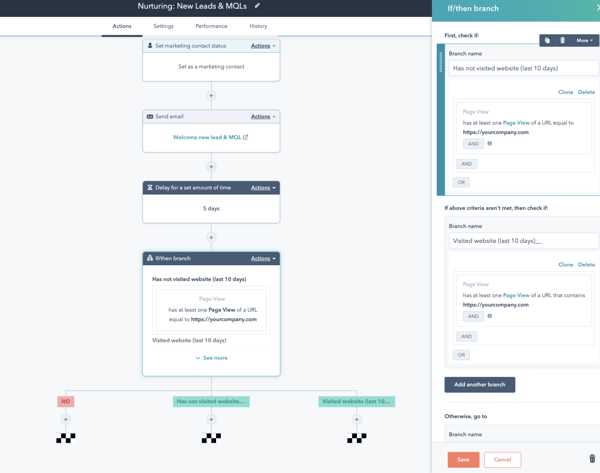
HubSpot’s Marketing Automation Software allows you to build beautiful and automated email campaigns that are sent for you based on predetermined triggers. This way, you know your tailored content is being sent to the right recipients at the right time.
Since HubSpot’s Marketing Automation Software is integrated with Marketing Hub and your CRM, your lists will be automatically updated for you with new or updated contact information.
Use HubSpot’s advanced segmentation logic to determine which customers are added to your workflows and at which point in the buyer’s journey that happens. HubSpot also pulls information about your recipients via the Contact Database so each email is customized.
2. Adroll
Price
AdRoll offers a free plan and a Growth plan that’s $19/mo.
Key Features
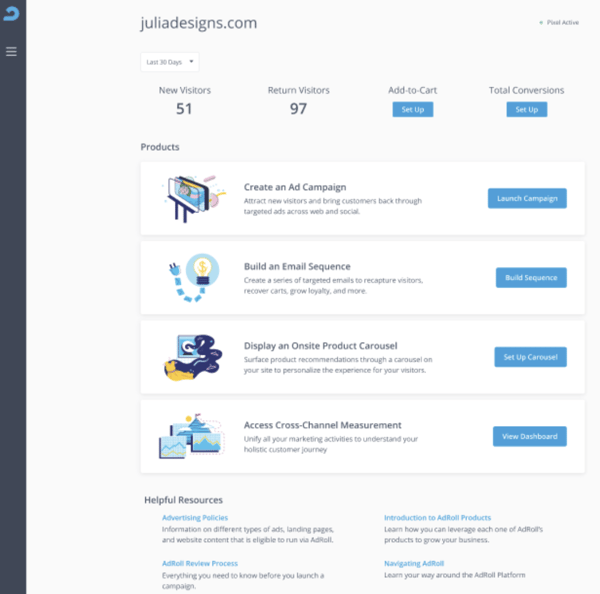
AdRoll is a marketing platform for email, web, and social media. To help you identify your audience, you can retarget prospects and customers at the right time (e.g. after purchase or sign up) with automated email series.
Trigger form display for email capture by your customer segments and their activity. You can also track then use AdRoll to track the success of those ads and emails in a single dashboard.
3. OptiMonk
Price
OptiMonk has four plans that range in price from free to $199/mo. There’s also a customizable plan that requires you to contact a sales rep.
Key Features
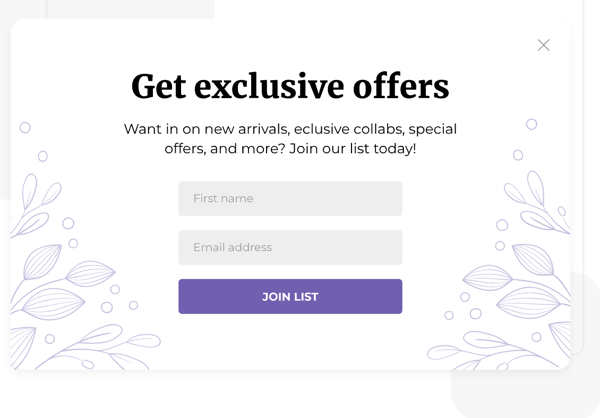
With OptiMonk, you can build email lists of your website visitors who are most likely to convert based on their behavior. Then, OptinMonk will help you create and send emails that include tailored offers for those recipients.
In addition to email, you can subscribe your list of visitors to Facebook Messenger as well as use the tool’s widgets for gathering phone numbers of your website visitors so you’re able to create SMS campaigns.
4. Outgrow
Price
Outgrow has four plans ranging in price from $14 to $600/ month.
Key Features
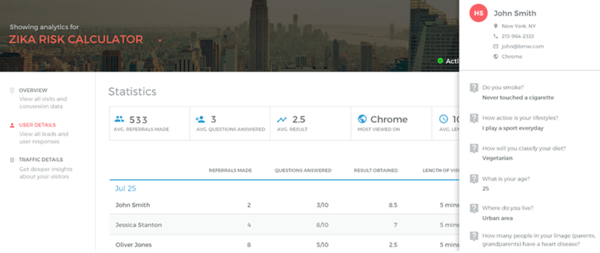
Outgrow is a marketing platform that helps you create interactive quizzes, polls, calculators, and chatbots. Increase engagement across your content with dynamic text and charts that are based on user inputs.
You can segment your leads and assign them to campaigns that are tailored to their needs and interests. You can also use those segmented lists to help you personalize confirmation emails for your visitors.
5. Klayvio
Price
Flexible pricing with the option of a free plan for Email, SMS, or Email and SMS depending on your needs.
Key Features
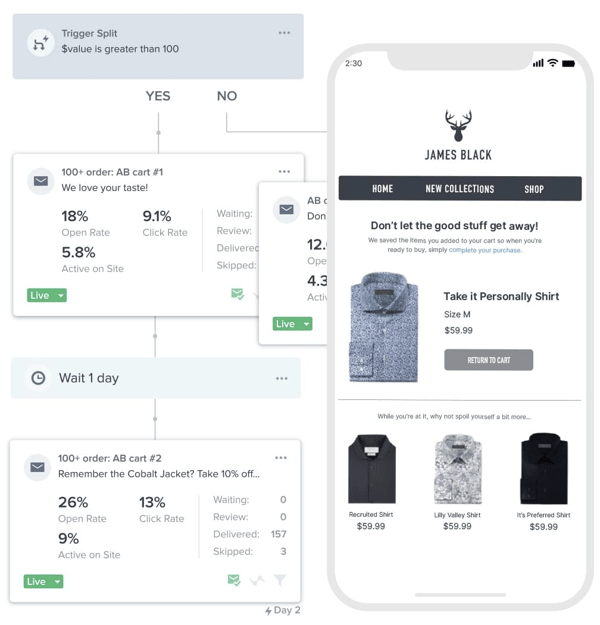
Klayvio is an email and SMS marketing automation software. With Klayvio’s Flows feature, you can set customizable triggers to split audience members into different lists or groups. Customers are then sent down unique paths based on their list/ grouping with emails and texts that are specific to their needs and goals.
You can also set up list automations so that customers who subscribe to your business, they’re sent a welcome series via email and/or SMS. Additionally, create and share messages based on audience segments such as region, past purchases, and more.
Automate Your List Building
Automated list building helps your team accurately and efficiently create prospect customer lists and segments that can be used by Marketing (as well as other internal teams) to tailor marketing content and materials to individuals. By automating the personalization of the buyer’s journey, your team will have the ability to convert, delight, and retain more customers.

5 Dos and Don’ts When Making a SMART Goal [Examples]
Every year I create vague New Years resolutions, but this year I decided to try something different.
Using the SMART goal framework (specific, measurable, attainable, relevant, and time-bound), I reworded my 2022 goal from “read more books” to “read two books per month to hit my goal of reading 24 before the end of the year.”
The SMART framework is an effective strategy for creating more specific and attainable goals. Plus, it provides benchmarks against which you can measure your progress — if you have a larger, more daunting goal, smaller steps can help you remain motivated.
Here, let’s explore what SMART goals are, why they’re important, and how to make your own.

 Download this Template for Free
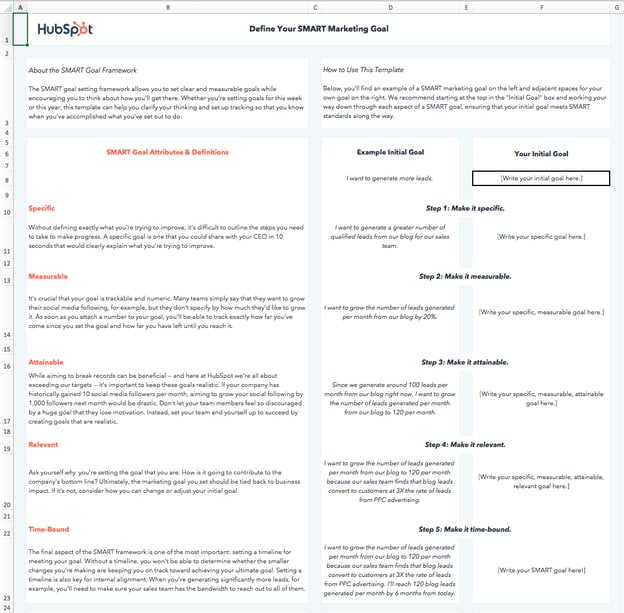
In the working world, the influence of SMART goals continues to grow. The reason why successful marketing teams always hit their numbers is that they also set SMART goals. Use the template above to follow along and create your own SMART goals.
What are SMART goals?
SMART goals are concrete targets that you aim to hit over a certain period. These goals should be carefully drafted by a manager and their direct report to set them up for success. “SMART” is an acronym that describes the most important characteristics of each goal.
The “SMART” acronym stands for “specific,” “measurable,” “attainable,” “relevant,” and “time-bound.” Each SMART goal should have these five characteristics to ensure the goal can be reached and benefits the employee. Find out what each characteristic means below, and how to write a SMART goal that exemplifies them.
Why are SMART goals important?
SMART goals are important to set as they:
- Help you work with clear intentions, not broad or vague goals
- Provide a method to gauge your success by setting benchmarks to meet
- Give sensible objectives that are realistic and achievable
- Cut out unnecessary or irrelevant work that could take away from what’s important
- Set a clear beginning and end to adhere to in reaching your goals
When you make goals that are specific, measurable, attainable, relevant, and time-bound, you’re increasing your odds for success by verifying that the goal is achievable, identifying the metrics that define success, and creating a roadmap to reach those metrics.
If your goals are abstract, if you don’t know what it will take to achieve success, or if you don’t give yourself a deadline to complete steps, you may lose focus and fall short of what you want to accomplish.
Do SMART goals actually work?
In short — yes, if done correctly.
For instance, one study found 76% of participants who wrote down their goals, made a list of goal-driven actions, and provided weekly progress reports to a friend achieved their goals — which is 33% higher than those with unwritten goals.
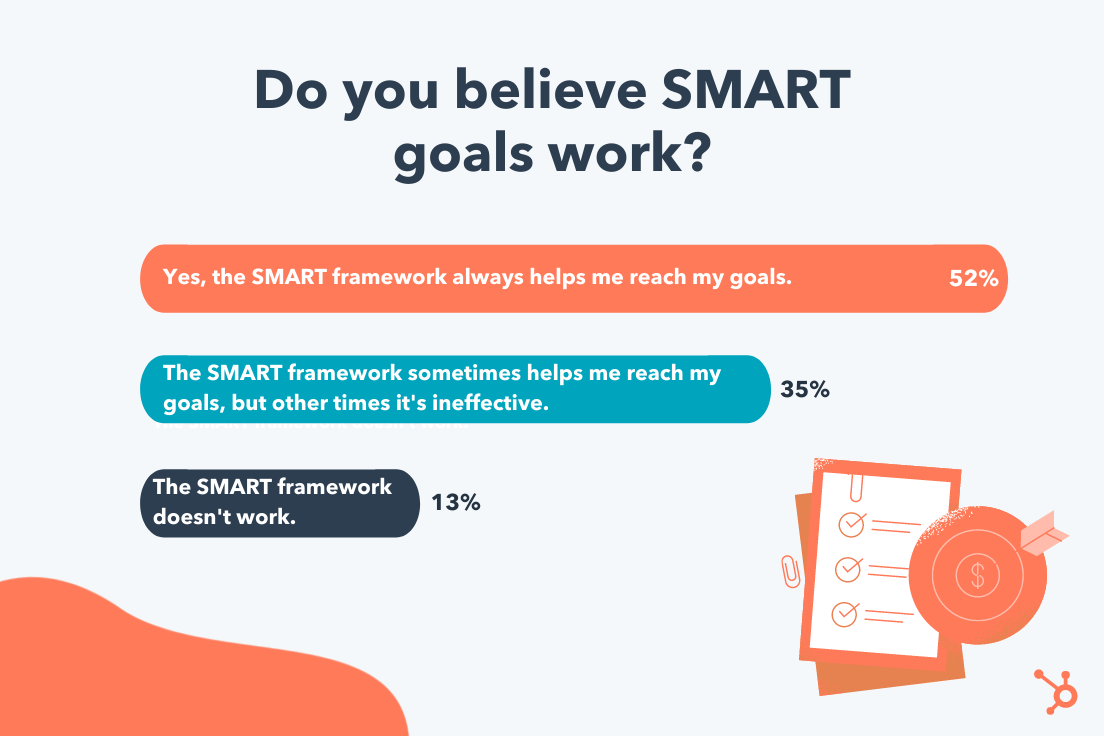
Additionally, I polled roughly 300 participants in the U.S. and found 52% believe SMART goals help them achieve their goals more often than if they didn’t use a SMART framework.
Setting unrealistic goals and trying to measure them without consideration of previous performance, overly short time frames, or including too many variables will lead you off course.
However, these goals work only if formulated properly and if they take into account the motive and cadence of those working on them. Additionally, your SMART goals can only succeed when the employees working towards them have the means to achieve them.
Let’s take a look at some realistic examples of SMART goals to paint a clearer picture of what they are.
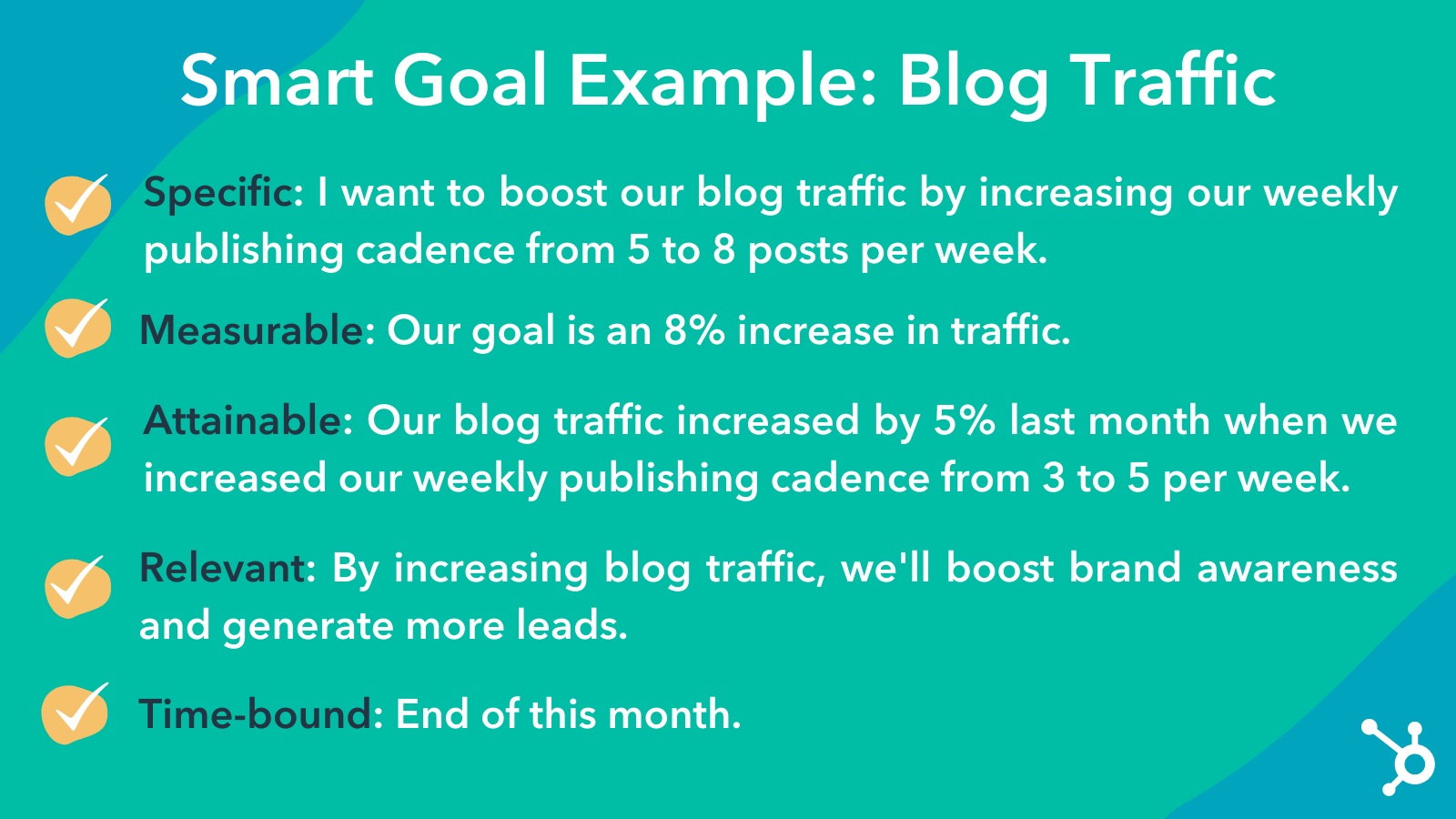
1. Blog Traffic Goal
- Specific: I want to boost our blog’s traffic by increasing our weekly publishing frequency from five to eight times a week. Our two bloggers will increase their workload from writing two posts a week to three posts a week, and our editor will increase her workload from writing one post a week to two posts a week.
- Measurable: Our goal is an 8% increase in traffic.
- Attainable: Our blog traffic increased by 5% last month when we increased our weekly publishing frequency from three to five times a week.
- Relevant: By increasing blog traffic, we’ll boost brand awareness and generate more leads, giving sales more opportunities to close.
- Time-Bound: End of this month
- SMART Goal: At the end of this month, our blog will see an 8% lift in traffic by increasing our weekly publishing frequency from five posts per week to eight posts per week.
2. Facebook Video Views Goal
- Specific: I want to boost our average views per native video by cutting our video content mix from eight topics to our five most popular topics.
- Measurable: Our goal is a 25% increase in views.
- Attainable: When we cut down our video content mix on Facebook from 10 topics to our eight most popular topics, our average views per native video increased by 20%.
- Relevant: By increasing average views per native video on Facebook, we’ll boost our social media following and brand awareness, reaching more potential customers with our video content.
- Time-Bound: In six months
- SMART Goal: In six months, we’ll see a 25% increase in average video views per native video on Facebook by cutting our video content mix from eight topics to our five most popular topics.
3. Email Subscription Goal
- Specific: I want to boost the number of email blog subscribers by increasing our Facebook advertising budget on blog posts that historically acquire the most email subscribers.
- Measurable: Our goal is a 50% increase in subscribers.
- Attainable: Since we started using this tactic three months ago, our email blog subscriptions have increased by 40%.
- Relevant: By increasing the number of email blog subscribers, our blog will drive more traffic, boost brand awareness, and drive more leads to our sales team.
- Time-Bound: In three months
- SMART Goal: In three months, we’ll see a 50% increase in the number of email blog subscribers by increasing our Facebook advertising budget on posts that historically acquire the most blog subscribers.
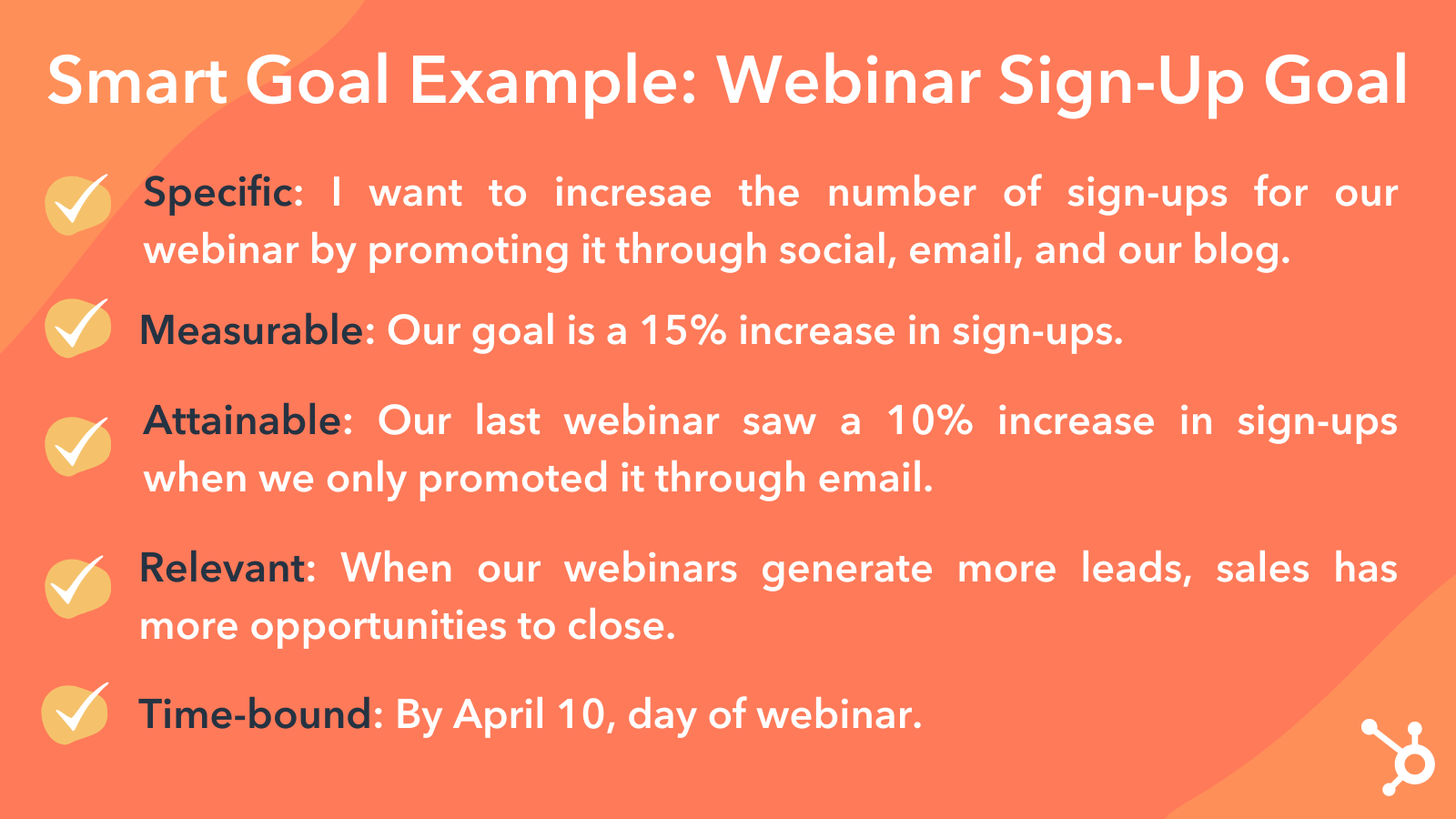
4. Webinar Sign-Up Goal
- Specific: I want to increase the number of sign-ups for our Facebook Messenger webinar by promoting it through social, email, our blog, and Facebook Messenger.
- Measurable: Our goal is a 15% increase in sign-ups.
- Attainable: Our last Facebook messenger webinar saw a 10% increase in sign-ups when we only promoted it through social, email, and our blog.
- Relevant: When our webinars generate more leads, sales have more opportunities to close.
- Time-Bound: By April 10, the day of the webinar
- SMART Goal: By April 10, the day of our webinar, we’ll see a 15% increase in sign-ups by promoting it through social, email, our blog, and Facebook messenger.
5. Landing Page Performance Goal
- Specific: I want our landing pages to generate more leads by switching from a one-column form to a two-column form.
- Measurable: My goal is a 30% increase in lead generation.
- Attainable: When we A/B tested our traditional one-column form versus a two-column form on our highest-traffic landing pages, we discovered that two-column forms convert 27% better than our traditional one-column forms, at a 99% significance level.
- Relevant: If we generate more content leads, sales can close more customers.
- Time-Bound: One year from now
SMART Goal: One year from now, our landing pages will generate 30% more leads by switching their forms from one column to two columns.
6. Link-Building Strategy Goal
- Specific: I want to increase our website’s organic traffic by developing a link-building strategy that gets other publishers to link to our website. This increases our ranking in search engine results, allowing us to generate more organic traffic.
- Measurable: Our goal is 40 backlinks to our company homepage.
- Attainable: According to our SEO analysis tool, there are currently 500 low-quality links directing to our homepage from elsewhere on the internet. Given the number of partnerships we currently have with other businesses, and that we generate 10 new inbound links per month without any outreach on our part, an additional 40 inbound links from a single link-building campaign is a significant but feasible target.
- Relevant: Organic traffic is our top source of new leads, and backlinks are one of the biggest ranking factors on search engines like Google. If we build links from high-quality publications, our organic ranking increases, boosting our traffic and leads as a result.
- Time-Bound: four months from now
- SMART Goal: Over the next four months, I will build 40 additional backlinks that direct to www.ourcompany.com. To do so, I will collaborate with Ellie and Andrew from our PR department to connect with publishers and develop an effective outreach strategy.
7. Reducing Churn Rate Goal
- Specific: I want to reduce customer churn by 5% for my company because every customer loss is a reflection of our service’s quality and perception.
- Measurable: Contact 30 at-risk customers per week and provide customer support daily for five new customers during their onboarding process.
- Attainable: Our product offering has just improved and we have the means to invest more into our customer support team, and could potentially have five at-risk customers to upscale monthly.
- Relevant: We can set up a customer knowledge base to track customers’ progression in the buyer’s journey, and prevent churn by contacting them before they lose interest.
- Time-Bound: In 24 weeks
- SMART Goal: In 24 weeks, I will reduce the churn rate by 5% for my company. To do so, we will contact 30 at-risk customers per week and provide/invest in customer support to assist five new customers during onboarding daily and track their progress through a customer knowledge base.
8. Brand Affinity Goal
- Specific: I want to increase our podcast listener count as we are trying to establish ourselves as thought leaders in our market.
- Measurable: A 40% increase in listeners is our goal.
- Attainable: We can increase our current budget and level our podcaster’s cadence, to have the means to hold insightful conversations for our listeners to tune into.
- Relevant: We created a podcast and have dedicated a team to source interesting guests, sound mixing, and eye-catching thumbnails to get it started.
- Time-Bound: In four months
- SMART Goal: In four months, we’ll see a 40% increase in average listener count in Apple Podcasts by providing our team the budget and cadence to make insightful podcasts with quality sound mixing and eye-catching thumbnails.
9. Podcast Listener Count Goal
- Specific: I want to boost our podcast’s listener count by promoting our podcast across social channels. We will post four quotes related to new podcast episodes throughout the month on our Twitter account, and we will post six short videos of our podcast conversations with guests on our Instagram account throughout the month.
- Measurable: Our goal is an 20% increase in podcast listeners.
- Attainable: Our podcast listener count increased by 5% last month when we published two short videos of our podcast conversation on Instagram.
- Relevant: By increasing podcast listener count, we’ll boost brand awareness and generate more leads, giving sales more opportunities to close.
- Time-Bound: End of this month
- SMART Goal: At the end of this month, our podcast will see an 20% increase in listeners by increasing our social media promotions from two Instagram posts to four Twitter posts and six Instagram posts.
10. In-Person Event Attendee Goal
- Specific: I want to boost attendance at our upcoming in-person event by 50% by sending out three email reminders to our subscriber lists each week before the event.
- Measurable: Our goal is an 50% increase in attendees.
- Attainable: Our attendee number increased by 20% last year when we sent out one email reminder to our subscriber lists.
- Relevant: By increasing attendee count, we’ll increase brand loyalty by providing value to our existing customers, and generate more leads.
- Time-Bound: August 30
- SMART Goal: By the time of our event on August 30th, our attendee number will increase by 50% from where it’s at now (250 attendees), by sending out three email reminders to our subscribers lists.
Now that you’ve seen examples of SMART goals, let’s dive into how to make your own.
1. Use specific wording.
When writing SMART goals, keep in mind that they are “specific” in that there’s a hard and fast destination the employee is trying to reach. “Get better at my job,” isn’t a SMART goal because it isn’t specific. Instead, ask yourself: What are you getting better at? How much better do you want to get?
If you’re a marketing professional, your job probably revolves around key performance indicators or KPIs. Therefore, you might choose a particular KPI or metric that you want to improve on — like visitors, leads, or customers. You should also identify the team members working toward this goal, the resources they have, and their plan of action.
In practice, a specific SMART goal might say, “Clifford and Braden will increase the blog’s traffic from email …” You know exactly who’s involved and what you’re trying to improve on.
Common SMART Goal Mistake: Vagueness
While you may need to keep some goals more open-ended, you should avoid vagueness that could confuse your team later on. For example, instead of saying, “Clifford will boost email marketing experiences,” say “Clifford will boost email marketing click rates by 10%.”
2. Include measurable goals.
SMART goals should be “measurable” in that you can track and quantify the goal’s progress. “Increase the blog’s traffic from email,” by itself, isn’t a SMART goal because you can’t measure the increase. Instead, ask yourself: How much email marketing traffic should you strive for?
If you want to gauge your team’s progress, you need to quantify your goals, like achieving an X-percentage increase in visitors, leads, or customers.
Let’s build on the SMART goal we started three paragraphs above. Now, our measurable SMART goal might say, “Clifford and Braden will increase the blog’s traffic from email by 25% more sessions per month … ” You know what you’re increasing, and by how much.
Common SMART Goal Mistake: No KPIs
This is in the same light of avoiding vagueness. While you might need qualitative or open-ended evidence to prove your success, you should still come up with a quantifiable KPI. For example, instead of saying, “Customer service will improve customer happiness,” say, “We want the average call satisfaction score from customers to be a seven out of ten or higher.”
3. Aim for realistically attainable goals.
An “attainable” SMART goal considers the employee’s ability to achieve it. Make sure that X-percentage increase is rooted in reality. If your blog traffic increased by 5% last month, try to increase it by 8-10% this month, rather than a lofty 25%.
It’s crucial to base your goals on your own analytics, not industry benchmarks, or else you might bite off more than you can chew. So, let’s add some “attainability” to the SMART goal we created earlier in this blog post: “Clifford and Braden will increase the blog’s traffic from email by 8-10% more sessions per month … ” This way, you’re not setting yourself up to fail.
Common SMART Goal Mistake: Unattainable Goals
Yes. You should always aim to improve. But reaching for completely unattainable goals may knock you off course and make it harder to track progress. Rather than saying, “We want to make 10,000% of what we made in 2021,” consider something more attainable, like, “We want to increase sales by 150% this year,” or “We have a quarterly goal to reach a 20% year-over-year sales increase.”
4. Pick relevant goals that relate to your business.
SMART goals that are “relevant” relate to your company’s overall business goals and account for current trends in your industry. For instance, will growing your traffic from email lead to more revenue? And, is it actually possible for you to significantly boost your blog’s email traffic given your current email marketing campaigns?
If you’re aware of these factors, you’re more likely to set goals that benefit your company — not just you or your department.
So, what does that do to our SMART goal? It might encourage you to adjust the metric you’re using to track the goal’s progress. For example, maybe your business has historically relied on organic traffic for generating leads and revenue, and research suggests you can generate more qualified leads this way.
Our SMART goal might instead say, “Clifford and Braden will increase the blog’s organic traffic by 8-10% more sessions per month.” This way, your traffic increase is aligned with the business’s revenue stream.
Common SMART Goal Mistake: Losing Sight of the Company
When your company is doing well, it can be easy to say you want to pivot or grow in another direction. While companies can successfully do this, you don’t want your team to lose sight of how the core of your business works.
Rather than saying, “We want to start a new B2B business on top of our B2C business,” say something like, “We want to continue increasing B2C sales while researching the impact our products could have on the B2B space in the next year.”
5. Make goals time-bound by including a timeframe and deadline information.
A “time-bound” SMART goal keeps you on schedule. Improving on a goal is great, but not if it takes too long. Attaching deadlines to your goals puts a healthy dose of pressure on your team to accomplish them. This helps you make consistent and significant progress in the long term.
For example, which would you prefer: increasing organic traffic by 5% every month, leading to a 30-35% increase in half a year? Or trying to increase traffic by 15% with no deadline and achieving that goal in the same timeframe? If you picked the former, you’re right.
So, what does our SMART goal look like once we bound it to a timeframe? “Over the next three months, Clifford and Braden will work to increase the blog’s organic traffic by 8-10%, reaching a total of 50,000 organic sessions by the end of August.”
Common SMART Goal Mistake: No Time Frame
Having no timeframe or a really broad span of time noted in your goal will cause the effort to get reprioritized or make it hard for you to see if your team is on track. Rather than saying. “This year, we want to launch a major campaign,” say, “In quarter one, we will focus on campaign production in order to launch the campaign in quarter two.”
Make Your SMART Goals SMART-er
Now that you know what a SMART goal is, why it’s important, and the framework to create one, it’s time to put that information into practice. Whether you’re setting goals for a personal achievement or as part of hitting important marketing milestones, it’s good to start with what you want to achieve and then reverse-engineer it into a concrete SMART goal.
Editor’s note: This post was originally published in December 2019 and has been updated for comprehensiveness.

What Video Marketers Should Know in 2022, According to Wyzowl Research
It’s well established that video has been one of the breakout trends in the marketing world for the past decade.
But what’s happening in video marketing right now? And how does its growth and success stand up to the twists and turns of a global pandemic?
At Wyzowl, we’ve released an annual State of Video Marketing survey every year since 2015, charting usage, spend, channels, and opinions among video marketers and consumers.
We recently released our eighth State of Video Marketing report and, in light of the chaos of recent years, it’s perhaps our most fascinating set of findings yet.
Our research suggests:
- Video remains a key priority for marketers with usage and spend both, overall, increasing in 2021, and plans to increase again in the next 12 months.
- The pandemic continues to impact video marketing plans — but the disruption appears to be reduced compared to last year, as people adjust to a ‘new normal.’
- People are watching more video online than ever before – in fact the amount of online video they watch has almost doubled since 2018.
- Marketers feel more positive about the return on investment offered by video than ever, as it continues to strongly influence traffic, leads, sales, and audience understanding.
- Consumers continue to use video as an integral part of their journey with brands, and are excited to see even more video content in the year ahead.
![→ Access Now: Video Marketing Starter Pack [Free Kit]](https://no-cache.hubspot.com/cta/default/53/8f27c677-d952-4663-8787-bf65c6a1ecf2.png)
About the Survey
Wyzowl’s State of Video Marketing Survey is an annual report, now in its eighth iteration. Every year, we ask a range of questions — many of them the same from year-to-year — to evaluate how the video marketing landscape is changing and growing.
This time around, our survey was taken by a sample of 582 unique respondents (only around 7% of whom were Wyzowl customers) consisting of professional marketers and consumers.
The key findings …
86% of businesses use video as a marketing tool, holding steady from last year.
This is the high point in a general story of video usage growing which can be traced back to 2016 (the first time we asked this particular question in this way).

Also, 92% of marketers who use video say that it’s an important part of their marketing strategy.

Perhaps most strikingly, 87% of video marketers reported that video gives them a positive ROI — a world away from the lowly 33% who felt that way in 2015. This could well be attributed to greater understanding of how to use video, as well as how to track and quantify its impact.

Most marketers feel that video is a great investment for lead generation. 86% of video marketers say video has been effective for generating leads, up another 2% from 2021 and up 5% since 2019.

81% of marketers feel that video has a direct, positive impact on sales.

94% of marketers agree that videos have helped increase user understanding of their product or service.

On measuring success, most marketers (62%) consider video engagement the top metric. Views or plays were a close second (61%).
While only 27% of video marketers consider sales as a measurement of success, 81% report that video marketing has improved their company’s bottom line — meaning that videos will have a positive impact even if the focus remains on other metrics.

Pandemic Impact
Unfortunately, 2021 was not the end of the pandemic – and it looks like COVID is likely to continue to make its impact felt in 2022.
So what impact is this having on the world of video marketing?
Well, 64% of marketers say the pandemic has affected their video marketing plans for 2021 and 2022. Out of these people, three-quarters said the pandemic made it more likely they would create video, and the other quarter said it made it less likely.
But, the good news is, the pandemic’s impact on video marketing budget seems to be diminishing.
In last year’s survey we asked marketers whether they expected their 2021 video marketing budget to be affected, and 63% said they thought it would be.
This year’s number – still high, at 50% – represents a considerable fall.
Looking Ahead
All the signs suggest that usage and spend are on course to continue their growth in 2022.
More than 99% of current video marketers told us they’ll continue using video in 2021, and two-thirds plan to increase or maintain their spend.
What’s more, from the people who told us they don’t currently use video, 79% told us they expect to start in 2022. (This is 10% higher than last year’s figure of 69% and 20% higher than the year before that.)
The net result of this is that we can all expect to see more noise and competition for audience attention in the coming 12 months.
Of course, while oversaturation is a challenge, it isn’t an insurmountable one. It simply raises the bar in terms of content quality. Your videos will need to be well-planned, and very well-executed.
The Big Opportunities for Video Marketing in 2022
You’d be forgiven for looking at these numbers and feeling that video might be on the verge of reaching saturation point. Most of the percentage data around usage, spend, and consumer opinion are in the 80s and 90s — where they’ve held, consistently, for a number of years.
But the good news is that there still seems to be underutilized opportunities for marketers to explore video.
It’s notable that audiences continue to watch more video. Our data suggests the amount of online video watched per week, per person, has almost doubled since 2018.

And what about where they watch it? Unsurprisingly, YouTube is the most widely-used platform among video marketers — used by 88%, with a considerable gap to the next widely-used.

But some of the lesser-used video tactics also seem to reap real results for video marketers.
This year we asked people to tell us the purposes of the videos they’d created.

Explainer videos have seen tremendous success. As well as being the most common ‘goal’ of a marketing video, an overwhelming majority of people (96%) report watching explainer videos to learn more about a product, with 88% being swayed to make a purchase.
The product doesn’t have to be physical, either. 78% of people say they’ve been convinced to purchase an app or piece of software because of a video.
To Sum Up
The rise of video as a marketing tool seems inexorable.
Nearly nine out of ten people report wanting to see more videos from brands in 2021, making video an excellent tool for lead generation and brand awareness.
In many ways, with people spending more time at home – working remotely – the demand (and consumption) of video has accelerated.
Video looks set to continue its ten-year overnight success story into the coming decade. These stats paint a picture of a media type that’s almost universally popular among both marketers and their audiences, helping achieve a number of incredibly important goals.
You can check out the full report — with plenty more data points — and get a downloadable version by visiting Wyzowl’s State of Video Marketing 2022 page.
Editor’s note: This post was originally published in January 2018 and has been updated to reflect the latest data.

Customers’ Top HubSpot Integrations to Streamline Your Business in 2022
The HubSpot team is excited to share that the HubSpot App Marketplace has officially crossed the 1,000 apps milestone. We’re proud of this milestone because it reflects the combined commitment of HubSpot and our partners to deliver integrated solutions to help you grow better.
We know there’s an increasing number of software choices out there for your growing company. And that trend is only going to continue: A recent IDC white paper commissioned by HubSpot predicted that the cloud computing industry will only continue to grow over the next three years.
Blissfully estimates that all SaaS categories will continue to experience growth, with IT, security, compliance, and HR being the top-growing categories. That means your company may adopt even more apps to get jobs done, and you’ll have a bigger need for integrations that unite your data and power cohesive customer experiences across your tech stack.
That’s why our app ecosystem is such an important part of HubSpot’s platform for scaling companies. The App Marketplace, now home to 1,000+ integrations that span a variety of use cases (marketing, sales, service, and more), makes it easy for you to find and connect the integrations you need as you grow your business.

On average, our customers install seven apps, and more than a quarter of customers install more than 10. Our goal is to let you bring your entire business tech stack together around the HubSpot platform, to deliver a remarkable, end-to-end, integrated customer experience.
Looking ahead, we are doubling down on our investment in our ecosystem–to bring more offerings to our customers as they make HubSpot their single source of truth for customer data and engagement activity across their SaaS tools. We’ll continue to increase the quantity and quality of apps in our ecosystem, as well as serve an increasingly global audience by offering more App Marketplace listings in multiple languages later this year.
To give you a sampling of the range of apps in our ecosystem, here are a few top ones across several interesting categories.
Top 30 HubSpot Integrations from G2 Industry Leaders

As the HubSpot App Marketplace has grown, we’ve seen an increasing number of industry-leading providers build HubSpot integrations for their customers to leverage. Here are the top apps, certified by HubSpot, built by G2 leaders, and highly rated by customers:
- Zapier: quick and easy workflow automation
- Dialpad: connect your business phone system and automate activity
- WooCommerce by MakeWebBetter: syncs users, orders, and products data
- Aircall: advanced inbound and outbound calling
- Calendly: scheduling platform to increase your sales velocity
- Typeform: interactive forms, surveys & quizzes
- Integromat: connect to any API to automate workflows
- PandaDoc: create, track, and eSign sales proposals & contracts
- CloudTalk: cloud phone system to increase sales and customer support team efficiency
- Jotform: build custom forms and collect leads
- Databox: KPI and analytics dashboards
- Qwilr: create beautiful and interactive proposals and quotes
- Zendesk: sync tickets and contacts
- CallRail: call tracking and analytics software to sync call and text message activity
- Automate.io: sync contact data and automate workflows
- Skyvia: integrate with major cloud apps and databases with no coding
- Proposify: create, send, sign, and track sales documents
- Intercom: capture leads from your website with automation and live chat
- Unbounce: build landing pages & optimize campaigns
- GetAccept: sales engagement platform & e-signature solution
- SurveyMonkey: run surveys and take action on responses
- Leadfeeder: manage leads and create new tasks, deals, and companies
- Vidyard: add video into your inbound marketing programs
- Unito Two-Way Sync: sync deals and tasks with popular work management tools
- Wistia: segment, nurture, and score leads based on video view activity
- Grow.com: measure your company’s health and get full-funnel visibility
- ChurnZero: customer success platform to help you fight churn
- Rybbon Digital Rewards: automate sending digital rewards and incentives
- Front: collaborative communication platform for real-time updates and context
- Teamwork: sync projects and tasks to keep your inbound marketing and sales activities organized
Top New HubSpot Integrations
We launched a variety of extensibility products in 2021 to enable new app functionality and new app categories in our marketplace. These new apps have helped customers integrate their SaaS tools with HubSpot in whole new ways.
Top 8 Data Sync Apps

Early last year, HubSpot launched Operations Hub, which includes Data Sync. Data sync integrations pack the punch of custom-built connectors — bidirectional and multi-object sync, custom field mappings, and more — in an easy, code-free package. There are now 100 Data Sync apps in the App Marketplace. Here are the most installed Data Sync apps:
- Google Contacts: sync contacts in real-time and stop using messy CSV files to handle your imports and exports
- Outlook Contacts: sync personal Outlook contacts without manual data entry and imports
- Mailchimp: sync a Mailchimp audience in real-time
- Stripe: sync contacts and add a filter for any Stripe field like account balance or currency
- Pipedrive: sync Pipedrive contacts
- Sendinblue: set up a one- or two-way sync with Sendinblue
- Xero: sync Xero contacts
- Airtable: sync Airtable rows that represent contacts or companies
Top 8 Media Bridge Apps

In 2021, we launched a dozen media bridge apps to help you embed media, like videos and podcasts, directly into HubSpot’s drag-and-drop content editors then leverage the engagement data in HubSpot’s CRM and reporting. Below are the 8 media bridge apps most installed by HubSpot customers:
- Wistia: segment, nurture, and score leads based on video view activity
- Vidyard: add video into your inbound marketing programs
- Hippo Video for Sales: easily record, share, and track videos for sales outreach
- TwentyThree: drag and drop videos directly into your landing pages
- SproutVideo: capture valuable leads with marketing videos and sync video content
- Cincopa: pass captured leads & video viewing data into HubSpot
- Idomoo: engage customers 1:1 at scale with personalized videos
- Moovly: create personal videos and embed them in HubSpot emails and landing pages
Top 8 Workflow Integrations

We launched 50+ workflow integrations in 2021 that integrate directly with HubSpot workflows that make automating your business processes that much easier. Here are the most installed workflow integrations for you to try out in your next HubSpot workflow:
- Kixie: automate the busy work reps are responsible for after and between phone calls
- WP Fusion: automatically import new WordPress users
- Insycle: clean HubSpot data using schedules and workflows integration
- WhatHub: trigger workflow automations based on the content of WhatsApp messages
- Salesmsg: trigger workflows when someone calls or texts you
- Sakari: add SMS to any contact, ticket, or deal-based workflow
- JustCall: create SMS Workflows and trigger texts
- GoToWebinar: set workflow triggers based on webinar registration and attendance
Top 8 Marketing Event Apps

In the past few months, we’ve expanded the number of marketing event apps that integrate with HubSpot’s marketing event object. These apps help you easily sync your marketing event data with HubSpot in order to build attribution reports and gain insight into the ROI of your events. Here are apps HubSpot customers have installed the most to help run their marketing events:
- eWebinar: automated webinar solution that combines pre-recorded video with real-time interactions and live chat
- GoToWebinar: webinar platform for virtual conferences and events
- Eventbrite: event management and ticketing platform
- Zoom: video meeting and webinar solution
- Hopin: event technology platform that offers a virtual venue with multiple interactive areas
- Airmeet: events platform that provides a virtual venue for engaging experiences
- Accelevents: event management platform for virtual, in-person, or hybrid events
- On24: virtual event platform and webinar software provider
We’re excited to continue the growth of our app ecosystem in 2022 and beyond and look forward to continuing our partnerships with top developers and partners to build solutions that help you grow better. To learn more about these apps or discover additional ones, visit the App Marketplace.

How to Come Up With a Brand Name [+Where 3 of Our Favorites Came From]
Coming up with a brand name is one of the most important steps in starting a business. A well-thought-out name can propel your company forward, and the wrong name can become a marketing nightmare. Where would Amazon be today if it stuck with its original name, Cadabra?
Oftentimes, founders think they know what makes a good brand name. But choosing a vague reference or visionary ideal (like Cadabra) for a name can confuse customers.
Naming a brand isn’t as simple as creating a made-up word or picking a name that looks great on paper.
Fortunately, setting up a brand naming process can ensure your name is relevant, memorable, and meaningful. It helps you select a name that catches people’s attention and is easy to remember, which makes marketing, sales, and brand awareness that much simpler.
To help your business become a household name, we’ll explore how to come up with a brand name, cover brand naming guidelines, outline a brand naming process, and share examples of how popular companies decided on their brand names.
What Makes a Good Brand Name
A good brand name is a blend of creativity and strategy. It highlights your company’s mission, vision, and values while showing off personality and creativity.
Josh Reeves, the CEO of Gusto, put it best when describing how his team came up with the company’s name. “Choosing your name…will power everything else forward – the visual design, the way you message it to the team, the way you talk about it with customers. So if you’re going to sink your time and energy into anything, it should be this.”
Strong brand names tend to fall under one (or more) of these categories:
- Descriptive: Brand names that tell potential buyers exactly what you do or make. Examples: Dude Wipes, The Weather Channel, Booking.com, and PayPal.
- Evocative: These names use metaphor and suggestion to express a company’s creativity, hint at its values, and tell a brand story. Examples: Nike, Amazon, Virgin, Uber, and Patagonia.
- Blends: Names that combine two words to make a new word are popular today, and they can be considered descriptive and evocative. Examples: Photoshop, WhatsApp, Headspace, Airtable, and YouTube.
- Invented: Made-up names are a good way to differentiate your company and show your unique brand identity. But you’ll have to do more work to tell the story of your company and educate customers on your offering. Examples: Google, Pixar, Garmin, Slack, and Zoom.
- Acryonymic: Good brand names are short and memorable, so it may make sense to use an acronym if you want a long name. Keep in mind that meaning is often removed with an acronym, so it’s not the best option for storytelling. Examples: VRBO, BMW, IKEA, UPS, and IBM.
Brand Naming Guidelines
Boundaries are necessary when picking a company name. Without a structure or limits, you can end up with wacky names that have nothing to do with your brand. These brand name guidelines can help you stay on track throughout the process so you wind up with a name that fits your business.
Easy to pronounce and spell.
Even famous brands run into issues with mispronunciation. But you don’t want stakeholders, potential customers, or employees scouring the internet to understand your company’s name. Keep it simple to say and spell, so it doesn’t distract people from your products or services.

Memorable
I don’t know about you, but I never run to the store for “facial tissues.” Brands like Kleenex, Chapstick, and Band-Aid are such noteworthy names, people use them as generic terms. So when you come up with a brand name, choose one that sticks in people’s minds to help raise your awareness above competitors.

Meaningful
Brand names that hint at company stories make it easier for customers to connect your values to the brand. Think of the investing platform, Robinhood. The fictional story is about a bandit who steals from the rich to give to the poor, which aligns with the company’s ethos of “Investing for Everyone.”

Strong Visual Identity
Words have power, but it takes about 10 seconds of looking at a logo for someone to form an impression about your brand. Beyond the other elements, your brand name must look great on paper and online. Experiment with text logos and graphics to see if the name is too long or difficult to design around.
How to Name a Brand
Now that you have name inspiration and guidelines to follow, it’s time to explore the details of how to name a brand. This approach is most effective when paired with your brand positioning strategy, so take time to do that work before jumping into the naming process.
1. Outline your brand goals and identity.
Defining your identity and goals solidifies what sets you apart from the competition and how you plan to position your company. You can pull this information from your positioning statement. If you don’t have one yet, ask yourself the following questions:
- Why does your company exist? This is your vision.
- What does your company do? This is your mission.
- How do you do what you do? This refers to your values. Fun fact, 89% of shoppers are loyal to brands that share their values.
- What brand identity do you want to create? This is your brand personality.
- What do you want to accomplish with the brand name? Maybe you want customers to immediately understand your offering, or maybe you want to highlight your innovative spirit.
Once you answer these questions, it’s time to look outward.
2. Consider your customers and competitors.
No brand succeeds in a silo, so it’s essential to pick a name that resonates with your audience and within your industry. That’s because people often identify themselves with the brands they buy. This is good news for companies, as customers with an emotional relationship with a brand have a 306% higher lifetime value.
When coming up with a brand name, consider customer reviews and surveys. This feedback can show how people perceive your brand, which is helpful when brainstorming names. If customers talk about how fun it is to work with your team and use your product, it wouldn’t make sense to adopt a serious brand name or persona.
Another crucial consideration is your industry. What are the naming norms? What are your competitors doing? Based on your brand positioning, you have to decide whether to follow the industry formula or choose an unconventional name that makes your brand stand out.
3. Brainstorm and discovery.
Yes, it’s time to break out the whiteboard. But before you jump in, put together a team for ideas and approvals. You need to define who is involved in the decision-making process. If you’re a solopreneur, you can ask a few trusted peers or colleagues to take part.
Fill up your board with whatever ideas come to mind, and if you get stuck, think about:
- The adjectives that describe your service, product, or brand
- How customers feel about your brand, or how you want them to feel
- Words that you want to associate with your business
As you ideate, reflect on what you think makes a good brand name and consider any major concerns you have about naming. Feeling stuck? Try Shopify’s business name generator tool.
4. Refine your ideas.
You probably have a long list of brand names — and that’s a good thing. It’s easier to chop than to create. Start culling down your list by considering the following factors for each name:
- Does it fit your brand personality?
- Does it have emotional resonance?
- Does it have meaning or connect to your company story?
- How does it look on paper and on a screen?
- Are there any trademarks for it?
- Are the domain name and social media handles available?
- Does it stand out from the competition?
- Is it short, memorable, and easy to spell and pronounce?
Create a shortlist of 10-15 names for the next step. If you have less than this, that’s okay — just aim for three to five options.
5. Get feedback.
There’s nothing like asking your team, customers, stakeholders, or peers for feedback. You’ll quickly learn if a name contender is difficult to pronounce or rubs people the wrong way. If possible, ask a diverse group of people for their opinions individually so you don’t run into groupthink issues.
Once you’ve collected feedback, it’s wise to see how the final options translate across languages. Consider where your company will operate and where you hope to expand. Wix learned this lesson the hard way, but the humor-oriented brand handled it well.
Before making a final decision, take a look at how a few popular companies came up with their brand names.
How Three Companies Came Up With Brand Names
From spelling errors to company-wide brainstorms, there are plenty of stories that highlight the creativity and complexity of the brand naming process. Check out how these three brands decided on a name.
Gusto
Originally named ZenPayroll, Gusto rebranded three years after its launch. The company had thousands of customers and a team that questioned if a new name was essential. Josh Reeves, CEO, and co-founder said the original name was chosen out of convenience. But the founders knew it was temporary.
To expand beyond payroll service into health insurance, ZenPayroll needed a new name and logo. The team wanted to combine their values at the time — peace of mind, calm, warm, trusting, and vibrant — with their vision for the future. “We wanted to capture our emphasis on the people doing the work,” said Reeves.
The result? Gusto, which means enjoyment or vigor in doing something; zest. Here’s the evolution of Gusto, from the original brand to today’s identity.


Warby Parker
“Coming up with the name ‘Warby Parker’ was one of the hardest things we did as a founding team,” said Neil Blumenthal, the company’s co-founder, and co-CEO. As the story goes, the team came up with over 2,000 ideas over the course of six months before choosing the final brand name.
Their inspiration? A Jack Kerouac exhibition at the New York Public Library that contained a journal with two interesting characters: Warby Pepper and Zagg Parker. The founders had all been inspired by Kerouac and the beat generation ethos of taking the road less traveled. Soon after, the rebellious Warby Parker brand was born.

HubSpot
As fellow graduate students, HubSpot co-founders Brian and Dharmesh noticed that consumers had gotten really good at ignoring interruptive ads and bids for their attention. They started HubSpot on the idea of “inbound,” the notion that people would rather be helped than harassed by marketers and salespeople.
According to the book, “Marketing Lesson from the Grateful Dead” by Brian Halligan and David Meerman Scott, the name HubSpot sprung from the vision to create a hub-based ecosystem that united software, education, and community to help businesses grow better. That idea, “combined with the double-entendre for Boston (nicknamed The Hub [of the Universe])…made it a good choice.”
What’s Next?
With a powerful brand name, you’re ready to design the visuals that bring it to life. Learn how to make a unique brand identity that draws in customers, successfully launch a product, and create a brand that keeps people coming back.

The Best Social Media Channels for Marketing in 2022, According to Company & Consumer Data
Every day there’s something new on social media.
Recently, Twitter introduced Twitter Blue, a premium subscription-based version of its platform.
![Download Now: Social Media Trends in 2022 [Free Report]](https://no-cache.hubspot.com/cta/default/53/3dc1dfd9-2cb4-4498-8c57-19dbb5671820.png)
TikTok took the social media world by storm back in 2020 and still remains the most downloaded app of 2021, according to Social Media Today. Instagram is regularly adding new features to its platform, recently testing a new affiliate tool for influencers.
The question is, how are these changes impacting how consumers behave online? Are users moving away from Facebook?
Let’s see what the data says and what it means for brands.
We surveyed 301 people in the United States and asked, “Which social media platform do you spend the most time on each week?” The response was kind of surprising.
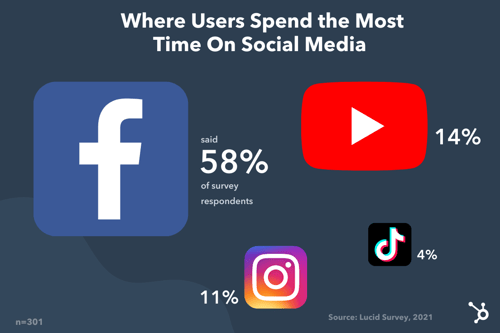
Despite YouTube’s steady growth over the past year and the rise of TikTok and Clubhouse, Facebook remains the top social media platform. YouTube follows, with the gap between the platform and Facebook much smaller in larger surveys.
So, what does this information really mean?
Well, in a broad sense, it means you should consider having a presence on these platforms. However, don’t delete your Instagram account just yet – better yet, don’t delete it at all.
I’ll explain why later.
Which Social Media Platforms Marketers Are Prioritizing
In 2022, Facebook is the number one social media platform marketers are focusing on, according to HubSpot Blog Research.
When asked which social media platform they plan to invest the most in for 2022, 25% answered Facebook, 20% said YouTube, 16% said Twitter, and 15% said Instagram.
Facebook seems to generate the highest quality leads for marketers, according to the data, which explains why marketers are leveraging this platform the most.
TikTok is another popular platform that 52% of marketers surveyed plan to increase their investment in. There are two reasons for this: The first is that short-form video is growing and increasingly becoming the number one content format. In fact, it’s the format 26% of marketers are leveraging the most in 2022.
In addition, 46% of marketers surveyed said that TikTok offered the highest ROI among other platforms like Twitter and YouTube.
When it comes to emerging platforms and/or features, marketers are keeping an eye on YouTube Shorts. According to 2021 HubSpot Blog Research, 83% of marketers plan to increase their investment in the short-form video feature, a TikTok competitor.
Facebook Live Audio and Twitter Spaces are also top features marketers plan to increase their investment in for 2022.
This focus on audio and short-form video platforms reflects 2021 HubSpot Blog Research that revealed that marketers are investing most in short-form videos and live audio chat rooms in 2022.
According to the data, most marketers (over 60%) say short-form videos are the most effective format and offer the highest ROI, followed by live videos and live streaming. As for audio, 44% of marketers plan to leverage it for the first time in 2022.
The key takeaway is that audio and short-form video platforms will play a much bigger role in marketers’ strategies in 2022 than they have in the past.
Which Social Media Platforms Are Losing Steam
When Clubhouse first launched in 2020, it gained steam very quickly with its unique live audio concept. Its invitation-only model also helped build excitement around the platform.
Today, the platform is open to the public and seems to have lost its edge, as other (and bigger) social platforms launch their own version of live audio.
HubSpot Blog Research conducted in 2021 found that 15% of marketers plan to decrease their investment in the app for 2022.
Snapchat is another platform that marketers are divesting from. Our research found that when it comes to influencer marketing this year, 20% of marketers are planning to decrease their investment in Snapchat.
It also revealed that Snapchat offers one of the lowest ROIs, behind Pinterest and Twitch.
So, does this mean you should stop marketing on Clubhouse and Snapchat? Not if your audience lives there and your brand sees an average to high return from it.
Take this data as a guide to keep you informed on industry trends and insights, not a strict playbook. So, if your data suggests that these platforms are worth investing in, continue to do so.
Should brands limit their efforts to the most popular platforms?
There’s no single, clear-cut answer to this… but typically, no.
While most consumers may spend most of their time on Facebook and YouTube, that doesn’t mean you should dedicate all your efforts entirely to those platforms.
Why? That may not be where your audience lives.
Generality is the enemy of marketing. Imagine running a social media ad that targets everyone. Or having a target audience comprising all of Gen Z.
This sort of one-size-fits-all isn’t conducive to your brand’s growth. In fact, it is likely keeping you from making progress, as you waste time and resources on broad strategies that may not work for your specific market.
It’s like going to a party and only getting an address for the neighborhood. Sure, you could drive around and knock on every door until you find the right one, but by that point, you might be tired, hungry, and out of gas.
When you zero in on a specific audience and strategy, you can gain more valuable insights and get a higher return on investment.
Data, just like the one above, should be used as a general guide to understanding consumer behavior. However, it shouldn’t dictate your entire strategy. Your own consumer data and user persona(s) should.
For instance, let’s say you’ve discovered through market research that your audience enjoys consuming information mostly through blogs and podcasts. That’s a good indicator of where you should focus your efforts. In a few years, that data may change, in which case, your team should be flexible and move to where your audience is going.
Here’s what you should consider when determining where to direct your efforts:
- Where your audience lives
- The type of content you’ll be creating
- The channel that converts the best
There are a few ways to figure out where your audience “hangs out” online. First, you can check the demographics by platform – this will give you a general idea of the audience.
For instance, TikTok mostly caters to a younger audience between 10 to 29 years old while most Instagram users are between 18 to 34 years old.
You can also reach out to your target audience directly through polls and survey to find out where they spend their time. In addition, look to your competitors.
See where they’re focusing their efforts and if they are successful, that may be a good indication of where you should be. Like when you’re not sure you went to the right place but see someone you know parking and you can let out a sigh of relief.
Next is the type of content you’ll be creating.
Say your audience enjoys video content the most (think webinars, lives, video tutorials). In this case, your audience would be well suited for YouTube, Instagram, and TikTok, all of which have video editing and publishing features. You can then repurpose your content for each platform.
Another factor to consider is how each channel is contributing to your goals. This is where the importance of data comes in.
You may be posting every day on TikTok and find that the rare times you post on Facebook, you get much higher engagement and conversion rates. While there could be several reasons for this, you may want to redirect your attention to Facebook as it is providing the best return on investment.
Next, we’ll cover what software can help you keep track of your social media data.
Top Social Media Analytics Software
1. HubSpot
With HubSpot’s social media management software, you can track your social strategy from beginning to end.
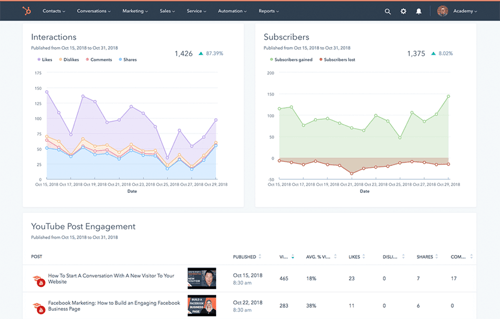
With a user-friendly dashboard, you can see exactly how your published posts are performing, which channels are bringing traffic to your website and generating leads, and more.
You can also filter your reports by campaign, account, and date range so you can narrow down the exact information you’re looking for.
In addition, HubSpot’s social media software allows you to:
- Schedule posts.
- See how your competitors measure up.
- Track and monitor conversations surrounding your brand on every platform.
- Export and analyze relevant reports.
The social media tool is available within HubSpot’s all-in-one CRM platform for mid- to large-size businesses.
2. HootSuite
HootSuite empowers your team to make decisions quickly with real-time data on your social strategy.
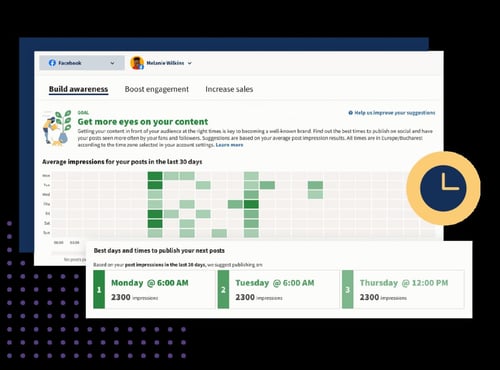
The social media software takes some of the guesswork out so that you can focus on the most important insights. With customizable dashboards, you can also get a quick overview of your key metrics and identify what’s driving traffic and sales.
Ranging from $49/month to custom pricing for enterprise-level businesses, you can find a plan that meets your needs and is scalable.
3. Sprout Social
If you have multiple social channels running at full speed and you’re overwhelmed with the data, Sprout Social can help.
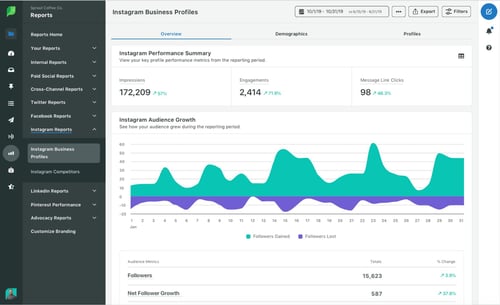
The platform helps you manage your data and create ready-to-go reports to share with stakeholders.
In addition, you can use competitive intelligence to benchmark your performance and make informed decisions that will promote your brand’s growth.
Sprout Social’s pricing is based on a subscription model and ranges from $99 to $249 a month.
Now that you know where consumers spend their time online, the real work begins. Experiment with various strategies to see what resonates best with your audience, always using data and your user personas to inform your decisions.
Editor’s Note: This post was originally published in July 2021 and has been updated for comprehensiveness.


Which Social Media Metrics Are Marketers Tracking? [New Research]
We get it: Social media metrics are important. Getting data and ROI is really important. However, if you spend too much time trying to figure out which metrics are important for your business, you won’t have any time to analyze and act upon them.
That’s why we’ve made a list of the social media metrics that are essential to track, so you don’t miss out on important numbers that can help you later. These metrics will give you insight into customers, how to track ROI, improve your brand presence online, and walk away with happier customers.
Social Media Metrics are imperative to social strategy. They give you an inside look at how your channels are performing and how you are perceived by your target audience. They can also give provide you with ways to improve upon your strategy.

1. Audience growth rate
To measure your audience growth rate, begin by selecting a reporting period. Then, calculate your new followers over that specific period. After that, you’d need to divide your new followers by your total followers.
So let’s say your brand’s Twitter account has 6,000 followers in September, at the end of Q3. For Q4, you want to measure your audience growth rate from October 1st to December 31st. If by December 31st, you have 8,657 followers, then your audience growth rate for Q4 is 69%.
2. Social Media Impressions
Let’s say you decided to run a paid ad campaign across your company’s key social media platforms. Do you know how many people came across your ad? Social media impressions measure how many users were exposed to your content, and it’s a metric worth tracking.
Understanding your social media impressions is important because this data can provide valuable insight into how far your ad spend can go and can help inform future paid ad spend so you can maximize your budget.
However, even if paid ads aren’t a part of your strategy, you may still want to look into how many impressions your social media content is gathering over time. This data can tell you how different types of content are resonating with your audience across platforms.
It’s also worth noting that each social media platform measures impressions differently. For example, on Twitter, each user that sees a tweet is considered an impression. On Facebook, each time a paid ad is seen on screen, it is considered an impression. Instagram counts an impression each time a user views a piece of content (such as a static post, story, Reel, or IGTV). On TikTok, there is not an “impressions” measurement defined in the app’s analytics section, however, for your own data you could consider each video view an impression.
3. Social Media Conversion Rate
Your conversion rate is made up of the number of visitors to your website that take your desired action. This might mean that they downloaded your eBook, signed up for your newsletter, or clicked “Play” on your podcast. Conversion rates show how relevant your content is to your audience.
If you want to calculate the conversion rate, start by making sure your call-to-action link is trackable. You can do this by using a free, online URL shortener like Bitly. Next, analyze your campaign to identify the number of clicks and conversions your page has gained.
After that, divide your conversions by total clicks and multiply it by conversion rate. If your webpage has about 750 clicks and 200 conversions, then your conversion rate is 26.6%. Keep in mind that conversion rate numbers are not mutually exclusive, and can be low even if traffic is high.
4. Social share of voice
How many people are talking about your brand on social channels? Let’s find out.
Your social share of voice measures this data and shows how visible your brand is on social media. Finding these numbers could tell you whether you need to update your social strategy or not.
To calculate your social share of voice, measure your mentions across your social networks. Hint: Your social media analytics tools can be helpful when calculating this number. Next, add your mentions in tandem with the mentions of competitors, which can be tracked using an online social media tool like Sprout Social. This gives you the total industry number of mentions. Here is an example of what metrics of engagement would look like:
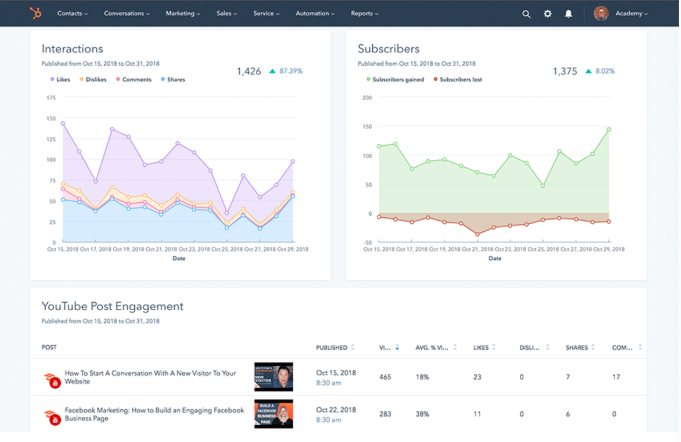
After you divide your brand mentions by the total industry number, multiply this number by 100 to get the social share of voice percentage.
Let’s put this in perspective. Over a week, your brand has been mentioned directly and indirectly 100 times. Three competitors have 500 mentions, plus yours equals 600. Taking 100 divided by 600 and multiplying that number by 100 means your Social Share of Voice is 16.67%.
5. Social Media Engagement Rate
According to Kelly Hendrickson, Senior Manager of Social Media at HubSpot, engagement is a crucial metric for understanding social media performance.
She says, “No matter the scale of your business or social audience, quality engagement is what I always focus on. Where best-in-class social media marketing is a delicate balance behind providing your audience value while meeting business needs, your engagement rate is an indicator if you’re tipping the scales in the wrong direction. Audience first.”
Social media engagement is the total number of likes, comments, shares, and general interactions a piece of content or social media account receives relative to the size of the audience. Having a large following isn’t useful if the audience isn’t regularly interacting with the content they follow.
To measure the overall engagement rate of a social media account, you can use the following formula:
Engagement Rate = Number of Engagements / Number of Followers x 100
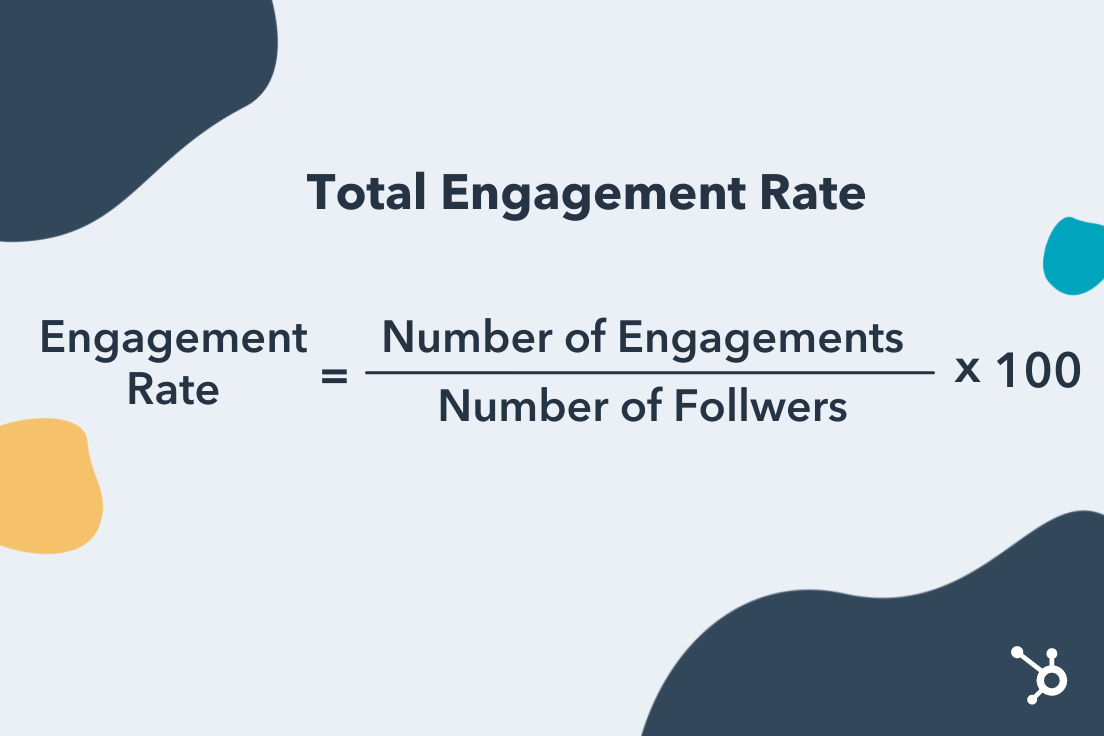
Here’s how each major social media platform measures engagement:
- Instagram: Likes, Shares, Saves, Comments, Direct Messages
- Facebook: Click-throughs, Comments, Reactions, Shares
- TikTok: Likes, Comments, Shares
- Twitter: Likes, Comments, Retweets
- Pinterest: Pins, Likes, Comments
- LinkedIn: Reactions, Comments, Shares, Click-throughs
- YouTube: Likes and Dislikes, Comments, Shares
6. Keywords
Tracking keywords can grow your social share of voice and audience growth rate. Keywords are certain words that search engines identify and target based on what audiences are searching for. A marketer in the tech industry might see the keywords, “Media Marketing,” and “Tech Channels.”
By tracking keywords, you can optimize your content to rank higher on search engines and grow your audience. You can track keywords by using social media analytics software, like Google Analytics or SEMrush.
7. Customer response rate
Customers love to engage with brands via social media.
In fact, in a survey done by Sprout Social, 74% of respondents engage with brands they follow on social media. Whether they’re asking your customer service team questions or leaving your business reviews, make sure you’re answering as many mentions as possible on social media. To track how you’re doing here, check your customer response rate.
To calculate your customer response rate, divide the number of responses you give to your followers/customers by the number of people who engaged with your brand and multiply this by 100.
For example, if you measured a week of engagement, and the number of customers who engaged with your brand was 50, and you responded to half of them, your customer response rate would be 50%.
8. ROI data
This is the big metric, the one you want to see from day one. Depending on your company and industry, ROIs can differ greatly. For social media, you probably want to know if the time and money you’ve spent on social media is turning into customers, sales, or brand awareness.
According to a group of 1,000 marketers surveyed by the HubSpot Blog, the following social media platforms generated the biggest ROI for paid advertising campaigns:
- Facebook (26%)
- Instagram (19%)
- YouTube (18%)
- Twitter (13%)
- TikTok (11%)
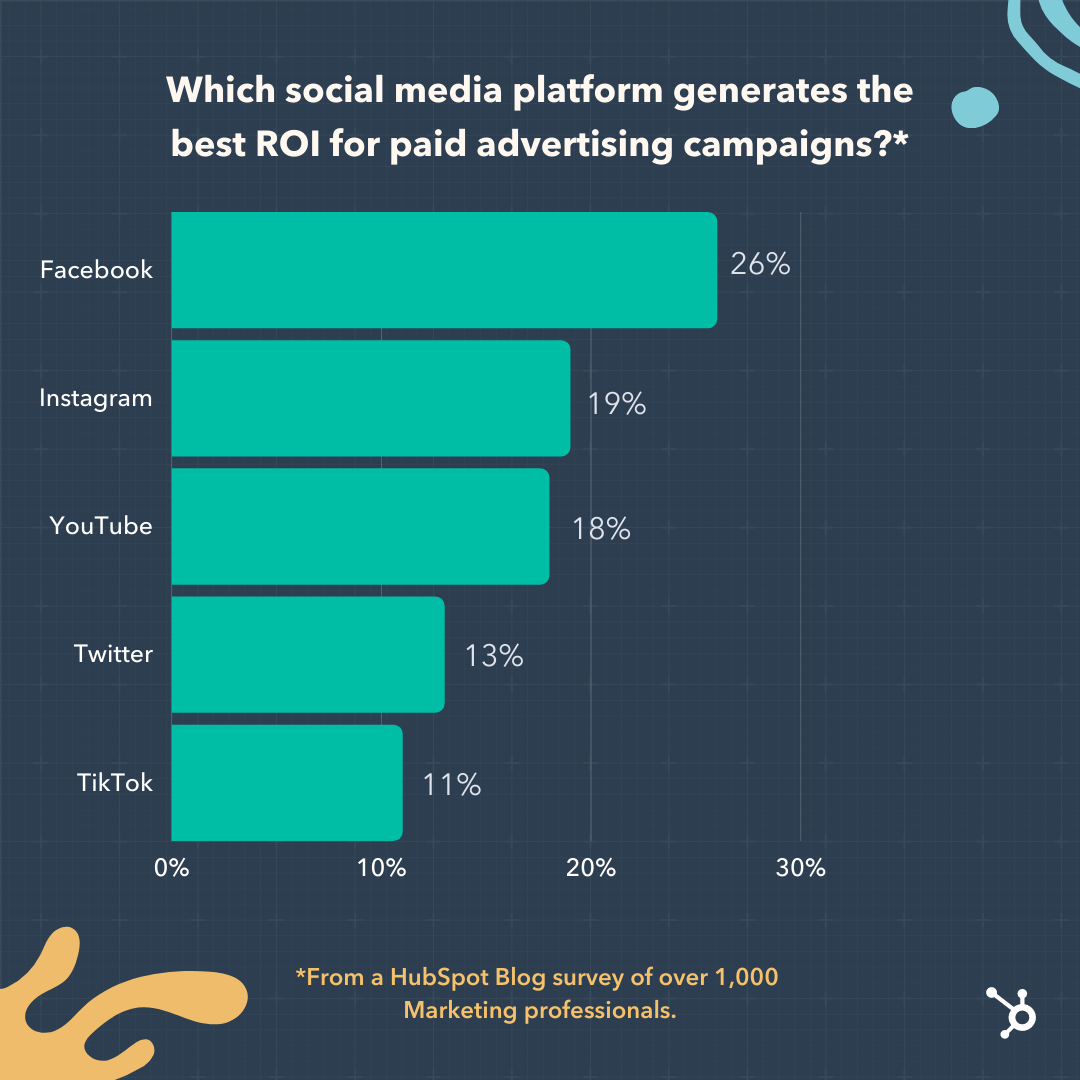 In that same survey, marketers said the following metrics were their primary markers of measuring social media ROI in 2022:
- Traffic to Their Website (35%)
- Impressions/Views (31%)
- Clicks (31%)
- Sales (30%)
- Likes/Comments (28%)
Since ROI looks different from one business to the next and calculations are based on your business goals, not every formula will look the same. But, use this formula to figure out a basic ROI. Let’s say you made $1500 in revenue from social media ads or eCommerce and your investment was $500. Your ROI is revenue subtracted from investment (1500 minus 500), which makes your profit $1,000 and your ROI 200%.
9. Channel reports
Keeping track of social media data is important so that you know where and how to focus your strategy. For instance, if one of your accounts just isn’t hitting their numbers, a report would let you know and allow you to proactively step in and troubleshoot.
If you need an update about say, channel performance, and follower counts, consider conducting a social media audit or using a social media analytics tool that conducts an audit for you.
10. Cost-per-click (CPC)
This is an important metric if you’re investing in social media. Cost-per-click (CPC) is what you pay per click on a sponsored social media post, like a banner ad. CPC is helpful when determining if your investment is worth continuing.
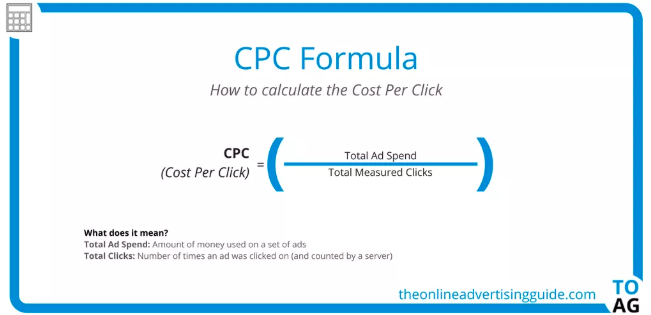
Here is the CPC Formula from The Online Advertising Guide. To view this as an example, say you want to calculate the CPC of your latest round of ads. Divide the total money spent on your ads by the total number of times the ad was clicked on.
11. Net promoter score (NPS)
Net Promoter Score (NPS®) measures customers that are loyal to your brand. It’s the answer you’re looking for when asking customers how likely they are to recommend your business to a friend. Tracking NPS is easier than it seems.
There are three categories that go into tracking NPS. When you ask customers to rate your business 1-10, scorers that answer 9-10 are “Promoters.” “Passives” score 7-8, and “Detractors” are 0-6.
Identifying your NPS is as simple as subtracting “Detractors” from “Promoters” and dividing that by the number of total respondents. Then, multiply that number by 100. So, if you have 50 “Promoters” and 10 “Detractors” from a survey with 70 respondents, your NPS would be 57%.
12. Influencer Campaign Metrics
If your company leverages influencer marketing, you’ll want to measure the effectiveness of your influencer marketing efforts to inform future campaign strategies.
According to the same HubSpot Blog study, the marketers said the most important metrics for measuring the effectiveness of an influencer campaign are:
- Revenue/Sales (40%)
- Brand Awareness (37%)
- Impressions/Views (33%)
- Brand mentions/Hashtag Use (33%)
- Clicks (32%)
As you define the objectives of your influencer marketing campaigns, keep these metrics in mind.
13. Traffic to Brand’s Website
Depending on the nature of your business and the social media platforms your company focuses on, increasing traffic to your website could be a top priority. 41% of marketers surveyed by the HubSpot Blog said traffic to their website is a high-priority metric. If your company relies on web traffic as part of its business strategy, you’ll want to consider measuring how many of your page views are coming directly from social media.
Key platforms for this focus include Facebook, Twitter, and Pinterest. You can use a web traffic tool such as Google Analytics to measure how much of your traffic is coming from organic social media.
14. Audience Insights
Earlier we discussed the importance of understanding your audience growth rate. But how much do you know about the audience you already have? Understanding your followers can help you hone in on finding the right target audience, empowering you to share content that resonates with them resulting in higher engagement and increased ROI.
Key audience demographics to consider include:
- Age
- Location
- Gender
- Education Level
- Job Title
- Marital Status
- Number of People in Household
These demographics can be found on social media platforms such as Instagram, Facebook, and TikTok.
Tracking metrics can sometimes be easy. Sometimes, businesses realize that it’s worth the investment to invest in social media tracking tools to help them run more smoothly.
To learn more about which social media metrics are most important for your own business, check out our video on how to set social media goals:
Next, we’re going to get into some tools that can help you track these metrics.
1. Keyhole
Price: $179/month
Why it’s great: Social listening metrics
Keyhole allows you to see impressions, engagements, reach, and posts that either your accounts or hashtags are getting in a graph format. Keyhole also tracks the demographics of your customers and breaks down their engagement.
When you use Keyhole, all of your accounts are displayed on your dashboard, as pictured below.
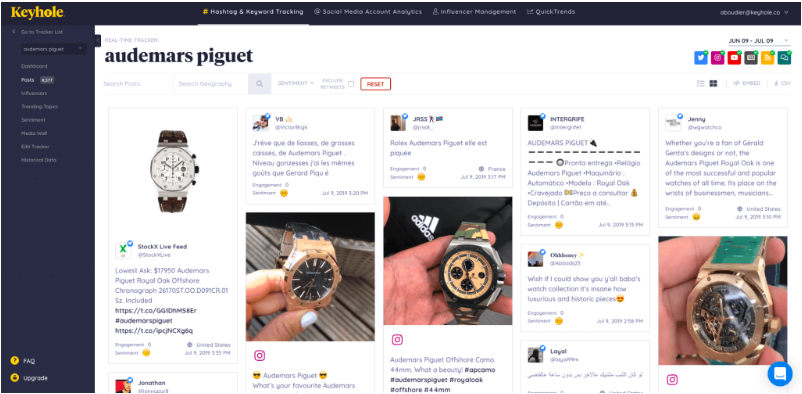
The software shows you what type of content catches the eye of your consumers and provides suggestions on how to improve social presence.
2. Meltwater
Price: By contact
Why it’s great: Timely reporting from dashboard
Meltwater’s program tracks your accounts in real-time, which is accessible from the dashboard of its users. You can also get metrics on your brand’s impact on the web. Meltwater lets you see your insights and user-generated content in one place, like the photo below.
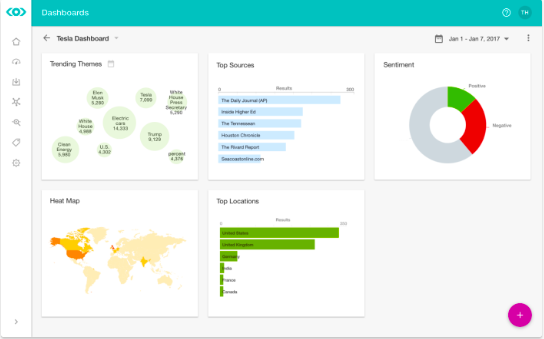
This photo shows where a brand is trending around the world, which themes are trending the most, and SEO results in a couple of different graphs. Meltwater combs the internet for mentions of your brand and even suggests influencers to connect with.
3. NetBase
Price: $300-$1,000/month
Why it’s great: Global insights + tracking
NetBase provides analytics on conversations happening with your brand from around the world. They provide real-time analytics and give you insights that’ll help you track ROI. Like in this photo below, NetBase provides you with data about how your campaigns carry weight with customers.
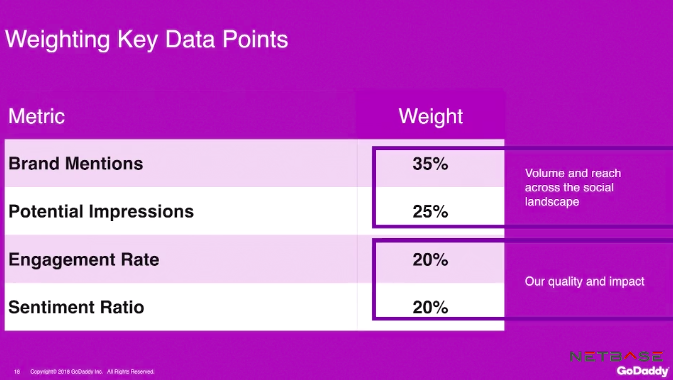
With Netbase, you can track the performance of a campaign and specific elements about certain campaigns that make them stand out. This metric analysis from GoDaddy shows their impact and engagement with customers, as well as the audience they’ve reached.
4. quintly
Price: $300/mo
Why it’s great: See competitor performance
When using quintly, you can not only track your social media performance but gain insight into the performance of your competitors. This will help you see what you can do to improve your campaigns and what your competitors are doing that works. This photo is an example of the insights the software provides.
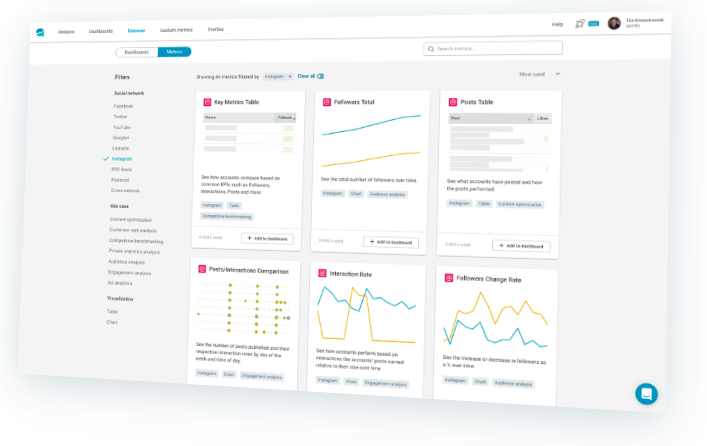
Quintly is also great for agencies with multiple clients. They can use it to manage the accounts of their clients and track their social media pages. Quintly also has reporting and benchmark data to measure campaigns.


3 Tests Our Content Team Ran in 2021 & How They Impacted 2022 Planning
2021 was a big year for the HubSpot content team.
Our team grew, we faced challenges, and we had some fun with experiments.
Experiments can teach you a lot about your audience and help you unlock growth opportunities. Here are some experiments we ran in 2021 and what we learned from them.
Conversion Rate Optimization
In January 2021, the web strategy team decided to run a form optimization experiment to understand how altering our forms would affect our users, ahead of a blog redesign.
When evaluating the current form, the team found that it was breaking several best practices relating to user experience (UX). For instance, the form used asterisks when all fields were required and users were unable to tab through the fields, taking longer to go through the form.
This issue with the UX was further validated with high dropoff rates on offer pages. This meant that a secondary goal was clear: Improve the user experience of the forms on our content offer pages, which would then improve our conversion rate.
With every experiment comes a hypothesis and this one had two, one for each goal:
- By redesigning the forms, we will learn the best approach to form design ahead of the blog redesign.
- By optimizing content offer forms’ design and functionality, we will improve the user experience and increase user clarity, which will lead to an increase in content leads’ CVR.
When it came to designing the experiment, the team chose an A/B/C/D/E test, leading 20% of traffic to each of the five treatments:
- 20% would see A, the control – a modal form.
- 20% would see B – a redesigned, standard version of the form.
- 20% would see C – the split-screen with a two-column form.
- 20% would see D – the multi-step form.
- 20% would see E – the split-screen with single-column form.
Wondering how they came up with these variants? User testing. Earlier in the year, the team had already gathered valuable insights from a user test, in which they learned about users’ preferences and expectations when using forms.
They used this data to design their experiment, something that Principal Marketing Manager at HubSpot Rebecca Hinton says highly contributed to their success.
The test ran on the top 20 converting offer pages and had to run for two weeks to get a reliable sample size for each variant and launched only 33% of traffic to mitigate risk to content lead goals. It ramped up to 60% of traffic during the experiment.
The primary metric used in this experiment was the conversion rate on the content offer form submission and the second was engagement.
“What we found is that displaying a multi-step form vastly outperformed the other treatments we tested, showing a 20% improvement over the control,” said Hinton.
It’s worth noting that the winning variant, D, had a much higher conversion on mobile than it did on desktop. However, the multi-step form performed well on both device types.
“The multi-step form was so successful that we’ve decided to implement it ahead of the pages being redesigned, so we can capitalize on its strong performance,” said Hinton.
A key takeaway here is that one test can (and should) inform another. If you collect user data for a particular feature or project, make sure you keep good documentation as that can serve a purpose later on.
Channel Promotions
Back in June 2021, HubSpot community manager Jenni Kim, then marketing manager on the Channel Promotions team, ran an experiment to explore opportunities for cross-promotion between the YouTube team and the blog team.
Kim described both channels as having an on-and-off relationship, crossing paths from time to time covering the same content and even collaborating at times. However, there was no consistency. This experiment would assess the value of embedding YouTube videos from HubSpot’s channel into relevant blog posts.
The hypothesis was that adding videos to blog posts would enhance the blog reader’s experience and drive meaningful growth for both channels.
Setting up this experiment required cross-collaboration between YouTube, Blog, and SEO teams to design a process while keeping in mind content lead goals, user reading experience, and SEO implications.
Now, let’s dive into the specifics.
One consideration they had to make was which YouTube videos would go and where. Here’s the breakdown they settled on:
- Existing Blog Post + Existing YouTube Video (9 blog posts, 9 videos)
- Existing Blog Post + New YouTube Video (6 blog posts, 3 videos)
- New Blog Post + Existing YouTube Video (4 blog posts, 4 videos)
- New Blog Post + New YouTube Video (5 blog posts, 3 videos)
They found that using existing blog posts and videos would offer the most clear results, as you could compare pre- and post-experiment metrics.
Key metrics:
- Total organic clicks (TOC) – The blog traffic coming in from the web results tab on Google
- Total organic clicks from the video tab – The blog traffic coming in specifically from the video tab on the SERP.
- Content leads/CVR – The number of viewers who converted through a blog post by signing up for an offer and the view-to-lead conversion rate on the blog on a post-level.
- Organic video views – Videos that came directly from the blog post embed.
The experiment ran for roughly three months, as that would be enough time to measure the SEO impact.
The results found that embedding YouTube videos into relevant blog posts had a positive impact on both YouTube views, contributing 15% of total views. Leads and CVR stayed consistent, which is considered a win, as the experiment didn’t negatively impact conversion.
As for TOC from the video tab, an average of 8% of clicks came from this section – making it a solid SEO opportunity for both channels.
The most challenging part for Kim was the adaptability they needed to exercise to start this experiment.
“A lot of the teams were all working pretty independently,” said Kim, “So, we had to understand everyone’s processes and then try to find that middle point to bring everyone together.”
As a result of this experiment, both teams developed a sustainable collaborative process to help both teams generate more traffic.
Audience Growth
When it comes to blogging, one of the most important metrics is organic traffic. This refers to the non-paid traffic that comes from search engines.
On the HubSpot Blog, the team also leverages non-organic content coming from sources like email, social media, and other websites.
Pamela Bump, senior marketing manager responsible for audience growth on the blog team, shares that the HubSpot Blogs already had incredible success from our non-organic content, creating clickable, shareable blog posts with original research, quotes from experts, and insights on industry trends.
“Not only did our non-organic program help to increase our non-search traffic, but we also were able to write posts that eventually began to rank on search because we were ahead of trends,” said Bump.
To capitalize on this success, Bump led an experiment to create hybrid posts, combining the shareability of non-organic content with the SEO of organic content.
“The goal of this experiment was to see if our blog posts could pull in the sudden bursts in traffic from non-search channels that non-organic blog posts achieve soon after publishing,” Bump said, “while also gaining more evergreen traffic over time search as these posts begin to rank on search result pages.”
She called this the “Hybrid Effect.”
“These assignments were laid out by both myself and our SEO strategist and combined SEO elements, like keyword optimizations and search-driven formatting,” said Bump, “while still including non-organic elements like quotes from experts, original data, news mentions, and trend coverage.”
The result? In the first year of testing hybrid content, Bump says it has led to huge benefits for the blog, pulling in strong numbers comparable to organic traffic.
“The average views we get from hybrids in their first month is about 10% lower than that of non-organic piece,” said Bump. “However, it can be more than 30% higher than the first month’s traffic of a completely organic piece of content.”
In the long term, Bump says that the average hybrids and non-organic piece published in 2021 only had about a 1,000 to 2,000 view difference while gaining more keywords on average than a non-organic piece and gaining faster traffic than an organic piece in its first year.
Because of this success, the team has made the hybrid model a permanent strategy on the blog team.
“In 2022, we plan to increase our investment in hybrid content by 10% while also training writers on how to optimize organic pieces with non-organic elements for hybrid growth,” said Bump.
In every experiment mentioned above, there’s something to learn – whether it’s the importance of collaboration or the value of historical data. If there’s an experiment you’ve been thinking of running, take this as your sign and use these insights to guide you.

How the Pandemic Changed Social Media: 6 Quarantine Trends Here to Stay [Data + Expert Insights]
At the beginning of the lockdown, many of us were unable to see family or friends. All social plans were cancelled — practically overnight.
And, in the midst of so much stress and chaos, many felt more alone than ever.
Which is why people turned to social media in an effort to find a sense of connection and community.
Social media became a refuge — a place to post authentic, relatable content and form relationships virtually when in-person wasn’t an option.
And as Lala Fevrier, Wayfair’s Senior Associate for Influencer Marketing, puts it, “When restaurants, schools, and businesses shut down, the only place left with a 24/7 open sign for communication and creativity was social media.”
All of which is to say: Quarantine, and the pandemic at-large, greatly impacted social media. And those changes have permanently shifted users’ expectations and preferences when it comes to their social platforms.
Here, we’ll explore six trends we’ve seen as a result of the pandemic — and why they’re here to stay.
How The Pandemic Changed Social Media
1. Quarantine increased time spent on social media, as well as social users worldwide.
Between 2019 to 2021, the amount of social media users worldwide increased by 11% — from roughly 3.4 billion in 2019 to 3.78 billion in 2021.
As lockdown orders went into effect, many sought out new opportunities to connect with friends and family. In fact, we saw a 5% jump in global users from 2019 to 2020 alone.
People were also bored, which significantly increased the time spent on social media apps. Consider, for instance, the sudden popularity of bread baking in March, or the random challenges across social apps, like the “flip the switch” challenge that exploded on TikTok in 2020:
I know this boredom first-hand: During the beginning of the pandemic, I spent roughly 4 hours each day on Instagram. Rather than grabbing dinner with friends after work or chatting with colleagues on my lunch break, I scrolled through people’s IG Stories.
I’m not alone. In the U.S., social media users jumped from spending 56 minutes per day on social media in 2019 to 65 minutes in 2020 and 2021. And, globally, people spent 145 minutes per day on social media in 2020. (It’s important to note: That number has decreased to 142 minutes per day in 2021, suggesting a slight decline in social media use as some of the world re-opens.)
Social media became a place to escape the turmoil of the real world. Along with a spike in social media users, engagement increased on certain platforms, as well. On Instagram, for instance, the average engagement rate for brands increased by roughly 6% in 2020.
For Sarah White (@thecoastalyogi), a Boston-based fitness instructor and influencer, the pandemic was a catalyst for her to launch virtual offerings and leverage social media as an opportunity to create a strong sense of community.
White told me, “Virtual offerings were a side of my business I had considered, but had never seen a need for until March of 2020. Since then, my virtual subscriptions have become a major part of my business and are the primary way I interact with my clients.”
White adds, “My Instagram is my primary source of marketing so my posting has definitely increased. I am intentional about answering every message I receive from clients as I know it’s this type of relationship-building that differentiates a following from a community.”
2. Quarantine impacted video consumption.
2020 was an impressive year for video. In fact, media uploads increased by a staggering 80% year-over-year — peaking at 103,603 video uploads on April 22.
The minutes people spent watching videos in 2020 also increased by 85%.
The pandemic greatly impacted how quickly video rose in popularity. It’s now the most popular type of content, and has been for two years in a row.
Additionally, in a HubSpot Blog survey, 42% of respondents said “I watch more videos on social media” in response to the question, “How do you use social media differently now as a result of the pandemic?”
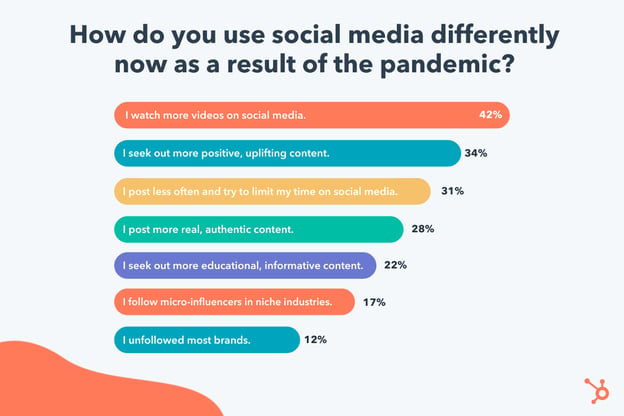
In particular, TikTok, the popular short-form video platform, saw exponential growth as a result of the pandemic. This can be attributed, in large part, to the authenticity of the content produced on TikTok.
As HubSpot’s Senior Social Media Strategy Manager Leslie Green puts it, “A huge platform shift that happened during the pandemic was that tastemakers and culture shifters were born on TikTok — not Instagram. TikTok lifted the hyper-filtered veil off of social with short-form, intimate, and authentic video content.”
Green adds, “TikTok, largely due to it’s For You Page, became a place where anyone could be found. And in the last year many small creators blew up because they were able to create content that spoke poignantly to people’s lived experiences and feelings.”
If your business hasn’t considered it already, 2022 is a good time to test out new types of short-form video content to see how it resonates with your audience.
Another increasingly popular option for video is live streaming.
Mari Smith, Premier Facebook Marketing Expert (often referred to as the ‘Queen of Facebook’) and Top Social Media Thought Leader, suggests brands lean more heavily into live streaming in 2022.
Smith says, “Embracing live streaming — whether Facebook, Instagram or LinkedIn Live — can go a long way towards creating more intimate relationships with your followers. Think of your live videos as ‘mini webinars’ and always strive to add nuggets of valuable, educational (and/or entertaining!) content, before adding your call-to-action.”
In 2022, consider testing different platforms and content types — such as TikToks, Instagram Stories, YouTube videos, or Facebook live streams — to find out which video format performs best with your audience.
3. The pandemic impacted the best times to post on social.
Nowadays, many people work from home and have chosen remote work as their preferred lifestyle moving forward.
Suffice to say, the pandemic permanently shifted people’s work schedules.
And, as the typical 9-to-5 work hours changed as a result of the pandemic, social media peak hours adjusted, too.
For instance, Sprout Social found the new best times to post on Facbook are Monday, Wednesday, and Friday from 10–11 a.m.; Monday, Tuesday and Friday at 11 a.m. and Tuesday at 2 p.m. are the best times to post on Instagram.
And currently, the best times to post on LinkedIn are Wednesday at 3 p.m, Thursday at 9–10 a.m., and Friday from 11 a.m.-noon.
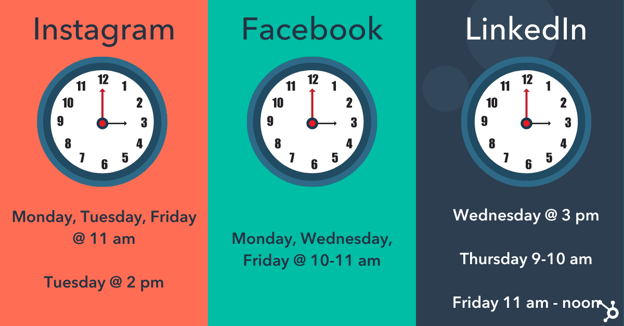
It’s important to consider how the pandemic changed the way people work, and when. For instance, now that I’m working from home, I take a regular social media break every day around 10 a.m. while I eat my breakfast, since I don’t have colleagues around to chat with.
In 2022, you’ll want to conduct your own tests to determine which times are most popular with your audience — and on which channels.
4. The pandemic impacted the most popular types of content.
During the stress and uncertainty of quarantine and the beginning of the pandemic, many turned to social media to escape the real world. Which is why fun, lighthearted types of content won out.
In fact, in 2020, roughly half (42%) of Gen Zers said they wanted content described as fun — which surpassed Gen Zers’ interest in romantic content (29%) and exciting content (27%).
As boredom as a result of quarantining ensued, social media consumers wanted bright, playful, light-hearted content to cheer them up.
Even now, two years later, 34% of HubSpot Blog Survey respondents said they still seek out more positive and uplifting content than they did pre-pandemic.
Along with more colorful, lighthearted content, we also saw an increase in authentic, user-generated content in 2020. Between March and April, during peak lockdown period, a Lightricks study found Americans spent over 90% more time using apps to create and edit images, videos, and visual content.
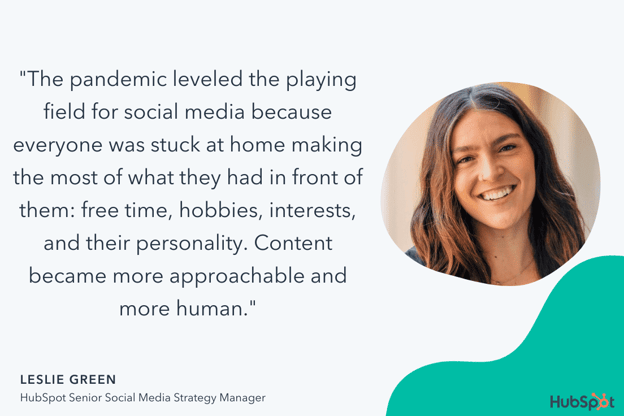
Green says, “The pandemic leveled the playing field for social media because everyone was stuck at home making the most of what they had in front of them: free time, hobbies, interests, and their personality. Content became more approachable and more human. Every day users created posts that spoke to real lived experiences rather than a curated image.”
Neal Schaffer, Digital & Social Media Marketing Consultant, Speaker, and Author, agrees that the pandemic shifted the types of content that perform best.
He says, “One major impact that COVID had on social media was in keeping content real. When we couldn’t go out for photo shoots, it required celebrities to turn their homes into studios and influencers to post more of their raw selves.”
Schaffer says, “As human beings, we sought out people who were having similar experiences to us … This made social media content more raw, believable, and authentic — and, as a result, further democratized content creation by lowering the threshold of what was required to create content.”
Schaffer adds, “Combine this with the popularity of short-form video, and a whole new generation of content creators was born.”
I’d argue we’re all better off in a world in which social media users post authentic, non-filtered images to depict the realities of life. These #real posts help audiences feel less alone, and can foster a much stronger sense of community.
Which is why it’s vital your team focuses on creating more authentic, behind-the-scenes content in 2022. In fact, many of you already plan to — HubSpot’s Blog Research found 79% of B2B and 54% of B2C plan on increasing investments in authentic/behind the scenes content in 2022.
5. Quarantine sped up influencer marketing’s popularity.
Influencer marketing grew exponentially as a result of the pandemic.
The influencer marketing industry went from $1.7 billion in 2016 to $9.7 billion in 2020 — a staggering 470% increase — and is expected to jump to $13.8 billion in 2021.
I spoke with Jesse Leimgruber, CEO of influencer marketing agency NeoReach, to learn his perspective on how the pandemic impacted the influencer marketing industry.
Leimgruber told me, “The pandemic boosted the creator economy into the spotlight. Millions of new creators joined the scene, and many found new ways to earn and support their craft. This extra attention on social media allowed influencers to earn money and turn a hobby into a profession.”
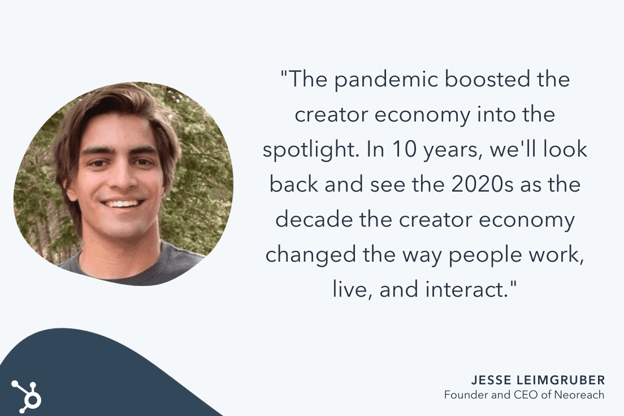
He adds, “Sponsored posts, partnerships, merch sales and fan donations have proliferated in the last two years. Venture dollars into the creator economy are at an all-time high, and public interest in the space is just getting started. In 10 years, we’ll look back and see the 2020s as the decade the creator economy changed the way people work, live, and interact.”
At the beginning of quarantine, we saw brands pull away from influencer marketing as the economy became more uncertain and volatile. This makes sense: As a relatively new form of marketing, influencer marketing can seem like a riskier investment to teams struggling to stay afloat.
However, as the world adjusted to lockdowns and remote work, influencer marketing began rising again in popularity. Influencer campaigns increased by 37% between Q2 and Q3 of 2020, and rose by an additional 34% between Q3 and Q4.
And influencer marketing’s popularity isn’t slowing down. In 2021, sponsored content increased by almost 27%.
Wayfair’s Lala Fevrier agrees that the creator economy has skyrocketed — and, she adds, this creator economy is largely made up of Gen Z influencers.
Fevrier says, “The largest group to take advantage of social media’s accessibility is Gen Z influencers. Because of their efforts, brands are starting to realize they don’t need to spend millions of dollars producing content and ads that otherwise feel disingenuous at times. There is a network of individuals telling amazing stories about their favorite brands or products just because they love them.”
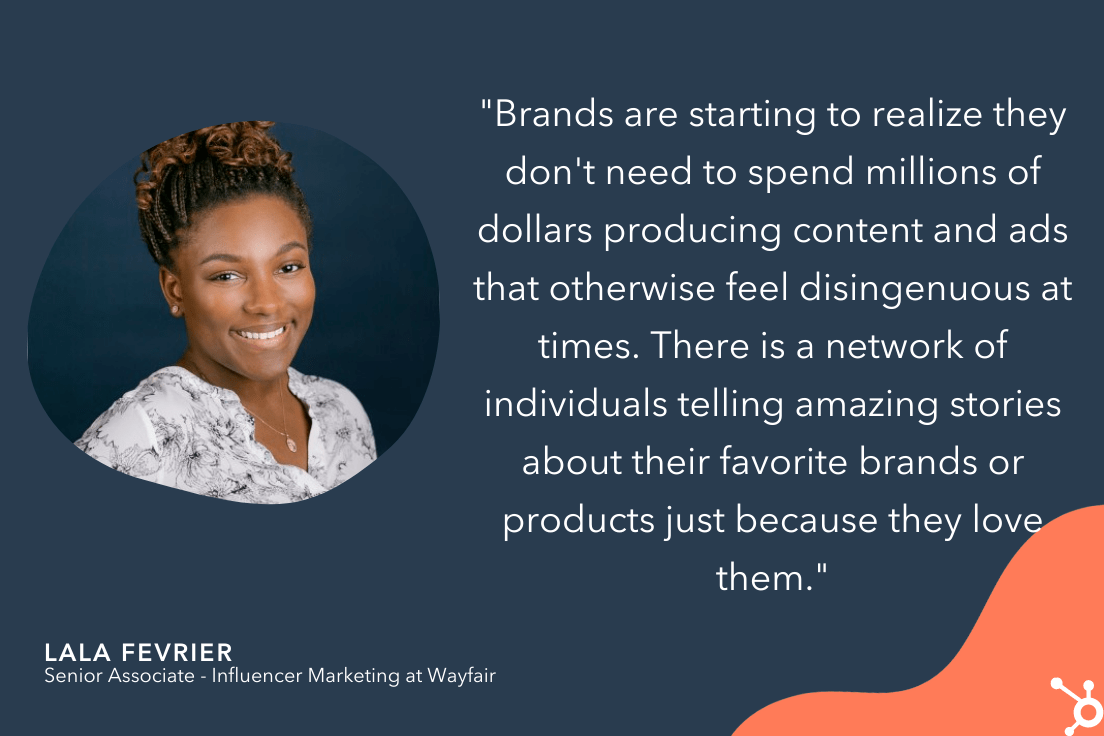
If you’re interested in getting started with influencer marketing, consider the power of micro-influencers to engage directly with your intended audience and see more ROI than you might with a bigger celebrity. HubSpot’s Blog Research surveyed marketers who already work with influencers, and found 67% of them work with micro-influencers (10K-100K followers/subscribers), followed by 58% who work with macro-influencers (100K-1M followers/subscribers).
6. The pandemic increased the need for community — and new platforms are rising, as a result.
Being stuck at home made it difficult — if not impossible — to feel a sense of community.
Pre-pandemic, many people turned to the office, fitness classes, parks, or other public spaces to feel connected to a larger group.
Overnight, those were no longer an option.
Fortunately, when used correctly, social media can fill in the gaps and help serve the fundamental human need of connection.
As Mari Smith told me: “You absolutely cannot beat the power of building a fiercely loyal community where members bond with one another — and with you.”
Smith adds, “Certainly, [community] can be cultivated over time through a Facebook Group linked to your Facebook Page. However, community platforms are on the rise as users and leaders alike seek out different platforms on which to build and join tribes.”
Smith says, “I surveyed my Facebook audience in October last year on this topic. Both Mighty Networks and Circle are growing in popularity in terms of an alternative to Facebook Groups. I predict we’ll see a slight rise this year in community leaders choosing to migrate away from Facebook towards one of these other platforms in order to cater to their tribe members who’ve lost trust in Facebook.”
Facebook Groups is still a viable option for creating a stronger sense of community and building relationships with your prospects and customers, but in 2022, you’ll see brands experiment with other community-building platforms.
In 2021, social media became the #1 channel used in marketing. It’s vital you learn how to pivot with these trends to continue to see growth and success across platforms.
The good news? Social media users are craving authenticity now more than ever. So the more your brand can lean into its own uniqueness, the better.

12 Best Pricing Page Examples To Inspire Your Own Design
Your pricing page is a prime opportunity to take control of the price conversation and make it even easier for people to buy.
Searching for a product’s price is a natural part of a customer’s buying decision. The majority of people who have made it down the funnel far enough to consider buying from you will likely look at your pricing page.
What does a great pricing page look like? To inspire you, we break down the must-haves of a good pricing page and share the best examples of pricing page design. Check them out below.

What makes a great pricing page?
If your pricing page isn’t well-designed and user-friendly, you risk losing people before they click the “Buy Now” button. You’ll notice the best pricing pages have clean layouts, use simple language that speaks to the customer, and aim to inspire trust between the business and the user.
Let’s take a look at the must-have features of a high-performing pricing page.
User-Friendly Layout
The best pricing pages are easy for users to navigate. This doesn’t mean you need to design your pricing page in the same way you would a landing page, which are often pared down for the purpose of getting a form submission.
You can still include plenty of information in your pricing page, but the fonts, colors, links, and buttons must be easy to follow with the eye. Even if you have multiple products and packages — like HubSpot does — it should be clear where users have to click to see the pricing for their desired product.
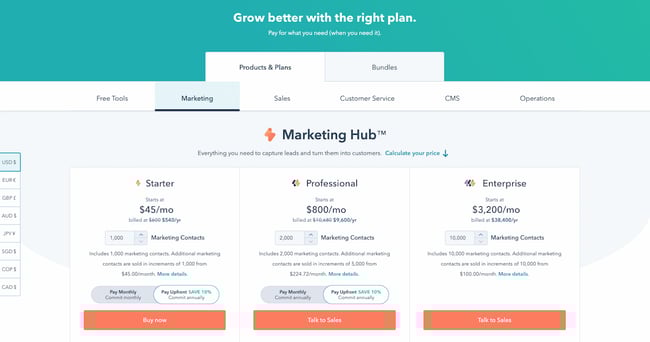
Remember to keep important information above the fold, such as a value proposition and at least one call-to-action button.
Hot tip: Interested in learning more about marketing terms such as “above the fold” and “call-to-action”? Check out our podcast below, and make sure to follow for more useful content.
Simple Language
The pricing page can be a good place to get fancy with jargon, especially if your target customer is an advanced professional in their field. But for at least one package, consider keeping the information accessible and jargon-free — so that someone who’s not an expert in the field can tell which package would work best for their team.
You can toy with this rule depending on the package, too. For instance, on HubSpot’s pricing page, the starter package for Marketing Hub uses extremely simple language. “Forms,” “email marketing,” and “live chat” are easy to understand. Non-marketers will immediately know what they would get out of a starter subscription.
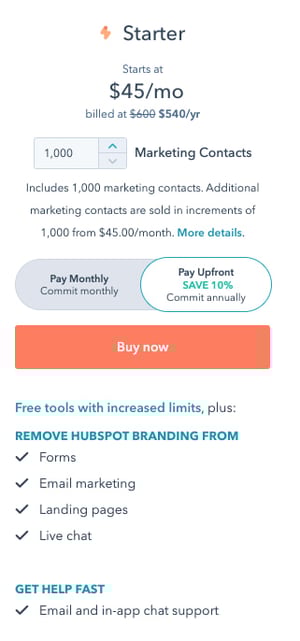
For the professional package, however, the story is different. “ABM tools and automation,” “A/B testing,” and “Omni-channel marketing automation” are highly specialized terms that only the most experienced marketers will understand.
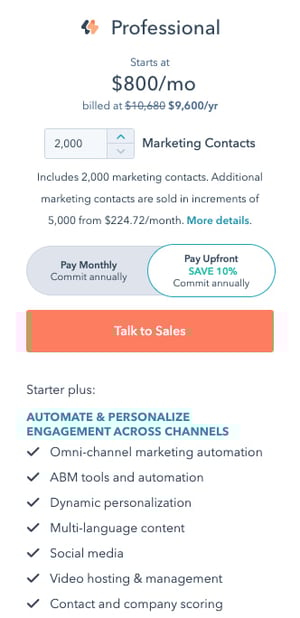
Your language will differentiate your packages and make it clear to a user which one they should choose.
Crystal Clear Pricing
The best pricing pages have clear packages that accommodate a wide variety of company sizes and budgets. Or, if you serve primarily enterprise firms, you’ll make it clear through your language that you only serve that segment. Instead of including pricing, for instance, you might instead include a “Talk to sales” button so that enterprise buyers can get a quote.
Consider including both monthly and yearly subscription terms, especially if you sell a SaaS product. If you’d like to acquire customers abroad, give users the ability to see pricing in their local currency, too. These small changes will ensure that there are no barriers to conversion. Remember to A/B test your pricing to find out what works best for your customers.
Ready to look at some of the best pricing pages online? We’ve curated the best ones below.
Pricing Page Examples
1. HubSpot
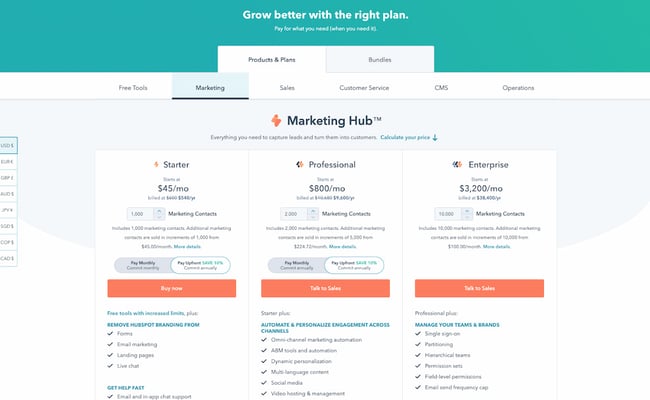
The HubSpot CRM platform is comprised of five products: Marketing Hub, Sales Hub, Service Hub, CMS Hub, and Operations Hub. The pricing page, however, keeps it simple by offering each one individually, giving users a chance to choose the one that most applies to their needs. If users are interested in a bundle, they can toggle the tab at the top to get bundle pricing.
Note the differences in call-to-action buttons, too. Everyone can get immediately started with a Starter subscription through the self-service “Buy now” button. But if you’re interested in a more advanced suite, the page prompts users to “Talk to sales” instead.
This is an excellent example to copy if you sell multiple products within one suite, and especially if you serve a wide range of customers, starting from freelancers all the way to enterprise companies. The calls-to-action should be different for each one.
2. Box
Box’s pricing page is informative, intuitive, and actionable — starting with the heading right at the top of the page, which prompts users to “choose the best plan” for their business. One thing they did really well was allowing users to choose their buyer persona by offering two call-to-action buttons at the top: “Individuals and Teams” and “Business Plans.” This makes the user experience far simpler. After all, if you’re thinking about buying Box for your business, there’s really no reason you’d need to see the personal pricing plans (and vice versa).
Another thing they do well is highlight the most cost-effective option on the page — not only by labeling it “Most Popular,” but also by designing that option to pop out. That’s a great way to generate more click-throughs on that package.
3. Zendesk
The first thing you see when you arrive at Zendesk’s pricing page is the header text: “Everything you need for best in class service.” Pricing pages can sometimes make users a little uncomfortable, and it’s reassuring copy like this that builds trust between a business and its prospects.
We love that the pricing page is divided among several sections: “Plans for everyone,” “Plans for enterprises,” and “Frequently asked questions, answered.” Providing a lot of information like this on your pricing page is really helpful for your users, but it can be hard to do it in a way that doesn’t confuse people or create clutter on the webpage. Dividing the information into clearly marked tabs and sections is a great way to make the information manageable for your users.
Finally, if you scroll down a little on Zendesk’s pricing page, you can find a prompt to see the plans compared. We love how they show the full list of features and what you get with each plan — all without the user navigating away from the page. This sort of transparency help your salespeople sell the right product to the right customers, which ultimately helps satisfy customers long-term and reduce churn.
4. Detectify
Detectify’s pricing page design is a little out of the ordinary, but it makes for a really cool user experience. Users can choose between two simple options, depending on their use case. Users can either buy a security subscription for websites they’re hosting, or for applications they’re building. This works really well for a single product with a price that only changes depending on what you’re using it for.
Plus, we’re suckers for simple calls-to-action. Both of the buttons prompt the user to start a free trial, making it simple for visitors to understand what they need to do.
5. Wistia
Like any page on your website, design is just as important as the information you provide. Wistia has one of the most visually pleasing pricing pages we’ve seen thanks to a nice, clean, and colorful layout, and whimsical lines that align with their playful brand.
They also use language that makes it easy for visitors to find a pricing plan that suits their needs. Under each option, they provide a short description of the ideal customer for that option. For example, the Pro version is “For businesses investing in marketing with videos and podcasts.”
Finally, we love that the amount of videos you can create is included in the feature comparison. Why? Because it clearly states the value of each subscription; there’s no guessing. Wistia successfully speaks their customers’ language.
6. Casper
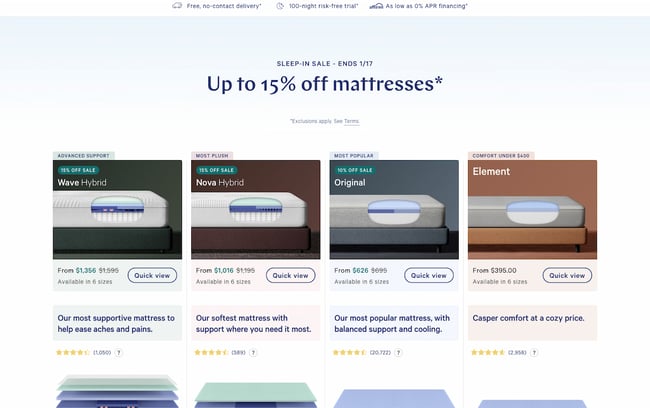
Thanks to minimal copy and great use of negative space (i.e. the blank space surrounding objects in design), this page is both well-designed and easy to follow. But what we really love on this page is their well-worded refund policy: “After you buy your mattress online, we’ll ship it for free. If you’re not in love, we have a 100-night trial. We’ll pick it up and give you a full refund after the 30-Night Adjustment Period. “
The fact that the company will go to a dissatisfied customer’s house and pick up the mattress for no charge, along with giving a full refund, is a great testimonial to their dedication to customer service. This serves as a way to build trust with prospects before they even buy, and is sure to help create advocates down the road.
If you have a refund policy, be sure to include it on the pricing page to reassure users who may be on the fence about buying.
7. Squarespace
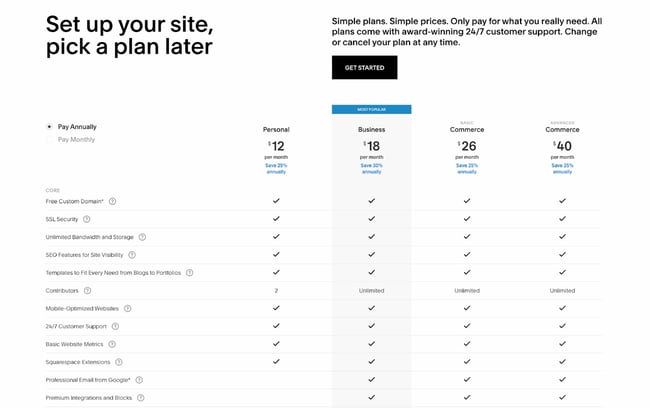
Like Zendesk, Squarespace employs strong header copy: “Set up your site, pick a plan later.” Right away, they’re reassuring users that they don’t have to pay just to try it out; visitors can immediately try the platform by clicking the “Get Started” button.
We also love that they include frequently asked questions right on the same page as the pricing matrix. That way, users can get many of their questions answered without having to dig for answers.
8. Ticketleap
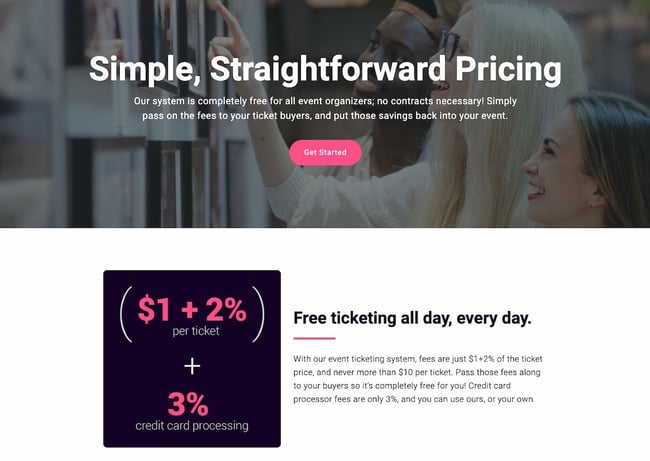
Here’s another take on header copy from Ticketleap that captures users’ attention right away. When you arrive at their pricing page, the first thing you see are the words “Simple, Straightforward Pricing.” This phrasing aims to make users feel like Tickleap is on their side — they won’t get secretly up-charged once they sign up on the platform.
Later down the page, users can calculate how much they would pay for Ticketleap and get the simple pricing they were promised at the top of the page.
9. Slack
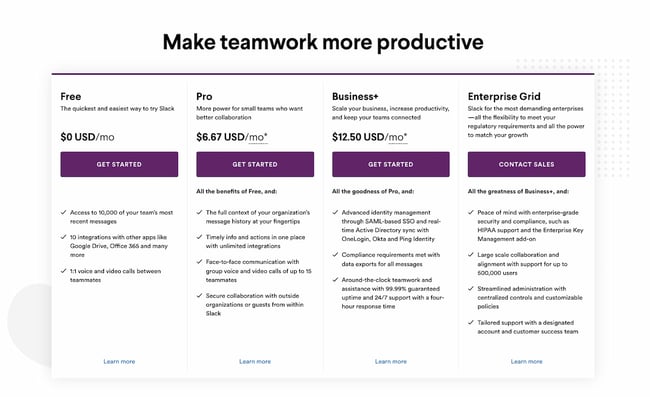
Slack’s pricing page is another example of great page design. The pricing options are within a simple, easy-to-scan table that is pleasing to the eye, and their feature comparison is easy to skim. Notice that their Enterprise Grid subscription prompts users to “Contact Sales.” This is a great way to prompt high-caliber customers to get an account manager and work out a custom solution.
Finally, although the header copy is simple, it effortlessly conveys Slack’s value proposition. The app will help your company “make teamwork more productive” — and more productive teams result in an increased ROI.
10. BombBomb
The folks at BombBomb took a different approach than most. The very first thing you see when you land on their pricing page is a large header saying “Find the video messaging plan that’s right for you,” along with a simple three-column chart on the packages that are available. Only when you scroll down do you see the individual features for each subscription.
This is a great example of a business designing its pricing page based on specific goals. If your goal is to keep it simple while increasing sign-ups, this is one way to help your cause. Take note of the reassuring subheader copy, too: “Join the 50,000+ business professionals who use BombBomb video messages to rehumanize their communication.” From that, you know that others have benefited from using this product, too.
11. Pagevamp
Trust elements are great additions to any pricing page. Pagevamp took the cue and placed their trial policy right at the beginning of the page, which says that “Every plan starts off with a 14-day free trial.” Copy like this might prime a user to look at the price packages and think to themselves, Hey, if I don’t like the product, I don’t have to commit.
While no one wants their customers to churn, you increase the value of your product by providing a free trial. If you force customers to sign a yearly contract without a trial, you’re essentially saying, “I know you’ll want out, so I’m locking you in for a year.” That’s a poor policy that might generate short-term revenue but create unhappy customers and poor word-of-mouth down the line.
12. Acquia
The simpler your business’ pricing page, the better user experience you’ll offer — but this gets harder the more complex your product and pricing model. Acquia is one such company, but they do a great job in this example. When you land on the page, you don’t see the product’s pricing. Instead, you get information on choosing the right self-service option for you.
You also have the option to contact Acquia directly and get an agent to help you pick the right product. This is important if you offer a complex product that might stump professionals who don’t specialize in your field.
As you scroll down, you can then see pricing depending on the region where you’re located. For each one, you get two options: a “Personal” self-service option or “Small” self-service option. Enterprise businesses also have the ability to get in contact with the sales team. This makes it easy to select a package depending on your background and buyer persona; again, there’s no need to guess.
The Right Pricing Page Design Will Boost Conversions
Take your time building your pricing page — it’s one of the most important factors in a customer’s buying decision. Test it repeatedly, change elements and colors, and keep the design user-friendly and clean. In no time, your company will see more leads come in through the pricing page, increasing conversions and boosting your revenue.
Editor’s note: This post was originally published in December 2015 and has been updated for comprehensiveness.


20 Social Media Marketing Myths to Leave Behind in 2022
Like any major marketing strategy of the past decade, social media has had plenty of time to accumulate some big myths.
And despite the fact that data has disproven a number of marketing myths today, some marketers will still hold onto a few, simply because it’s hard to keep up-to-date on what’s really going on with social media.
To help you separate fact from fiction, I put my MythBusters hat on and drudged up some of the most common social media myths out there. Let’s dive into some social media myths we’ve all probably heard from colleagues or friends and why you need to leave these old ways of thinking behind.
20 Social Media Myths to Leave Behind in 2022
1. My customers aren’t on social media.
In 2021, over 3.7 billion people worldwide are active on social media. Today, it seems like there’s a social platform for everything and everyone. While family and friends connect on sites like Facebook, Instagram, or Twitter, professionals are networking on LinkedIn.
Odds are, at least one social media platform has an audience that will align with your brand. Not sure which one is the best for you? Check out this blog post to explore which social platform(s) are best-suited for your brand — and which probably won’t work for your needs.
2. You should join every single social media network immediately.
Just because I can name a lot of social networks, it doesn’t mean I should set up a profile on all of them.
By all means, research other social networks. Set up a company profile or page and give ’em the old college try. But you may find that some aren’t really worth your time. If that’s the case, consider removing your profile and move on. You should only devote time and resources to the platforms that align most with your audience and marketing tactics.
The best marketers use data to identify which marketing activities yield the best results — if a social network isn’t helping you out, cut it loose.
3. Pinterest is only for B2C organizations.
Pinterest is totally awesome for B2C marketers, to be sure. But usually, when someone says a channel is only for B2C, the B2B marketer in me takes that as a challenge to prove it’s not so.
Turns out some of my colleagues feel the same way because one of them wrote an entire guide to using Pinterest for business. You can also check out the accounts of brands like GE, Microsoft, Econsultancy, and yours truly for some B2B Pinterest inspiration!
4. You should only try to get fans and followers that will become customers.
Quality is important, yes, but don’t underestimate the power of a large social reach. Remember some of these points next time you bemoan acquiring a fan or follower that lives outside of your sales territory or target demographic:
- More fans and followers means you’re gaining access to their fans and followers.
- If they’re an influencer, their clout transfers to you by association.
- When they share your content, your SEO improves.
- They may still refer business your way.
Of course, that doesn’t mean you shouldn’t also target a specific, high-converting audience on your social channels — to figure out your ideal target audience on social media, check out this post.
5. You should only schedule posts during the workweek.
While you shouldn’t force your social media manager to work on the weekends, you certainly can schedule posts or launch social media ads on the weekends ahead of time — and, depending on your audience, it might be a good idea.
Of course, you’ll need to identify when your audience uses certain social platforms the most. While pique social media engagement times occur around the middle of the week, most platforms also have high engagement times during the weekends and evenings as well.
6. You’ll have amazing social media engagement if you ask your friends and family “Like” every post.
You can’t just have your mom and uncle Like every post you put up on Facebook. Although it might feel like you see a lot of posts that your friends or family members like, Facebook and other social media algorithms are a bit more sophisticated than that when it comes to determining which posts get seen.
To get social media feeds to favor your content, you’ll need a variety of people interacting with your content — both to grow your reach, and to show up in users’ news feeds.
So, rather than encouraging just your friends or family members to Like or heart your posts, encourage your followers to Like, comment, or share to encourage further discussion and spread your brand awareness.
7. You have to respond to social activity immediately.
There’s no doubt a speedy response is appreciated, but it isn’t always required. People understand that you’re running a business. There are other things going on. If you get back in a timely manner, but not in mere seconds, it’s alright.
There are exceptions, of course. For instance, Verizon runs a few Twitter accounts. One is @VerizonSupport. While Verizon will share blog posts and educational marketing materials on this Twitter, it also uses it to respond to questions or concerns from prospects or customers.
Because Verizon’s support account is for customer service rather than marketing, reps who manage this channel should be responding immediately to inquiries.
Another example could be if you’re running a social media account that receives a complaint that is public to all users and could hurt your credibility. In that scenario, you should consult your service team as soon as possible and write a thoughtful reply that shows you’re taking the feedback seriously.
8. Social media is only about engaging conversation — and not a place to share branded content.
It’s not that conversations aren’t important. You can’t just ignore your fans. But, while it’s beneficial to stimulate conversations and discussions with your audience, it’s not the only point to social media marketing.
Aside from allowing you to virtually connect with people, social media is a lead generator, a non-organic traffic tool, and a great place to share your best content.
If you publish valuable posts, they might not always stimulate conversation, but they could lead people to your website and products.
9. Social media marketing tactics don’t drive bottom-line results.
Piggybacking off of the last myth, you can actually generate value beyond just “engagement” and “brand equity” from social media. Social media drives leads and customers, period.
Don’t believe me? Here are a few stats you should know:
- 34% of consumers use social media to learn about brands and their products and services.
- Facebook ads are used by 70% of marketers, and there were 10 million active advertisers on the platform in Q3 2021.
- 83% of people use Instagram to discover new products and services and 87% said they took a specific action, like making a purchase, after seeing product information.
- 64% of buyers would rather send a brand a message on social media than call for customer service.
- 43% of Gen Z consumers have made a native purchase from a social media platform.
- 75% of Millennials say social media helps them engage with companies and brands.
- 79% of people say that user-generated content on social media significantly impacts their purchasing decisions.
Ultimately, particularly through advertising or influencer marketing strategies, social media can be a viable opportunity for increasing sales. (Just check my bank account every time I scroll Instagram and “Swipe Up to Buy”.)
10. It looks tacky to seem relatable as a brand on social media.
The content you publish on social media should always keep your target audience in mind — but that doesn’t mean you can’t also publish content that shows your brand’s personality. Or, frankly, even your community manager’s personality.
There are people behind your company; don’t be afraid to show that with your own special brand of humor, pictures of people that work at your company, and links to news content that you find particularly entertaining … even if it’s not directly related to your industry.
11. Hashtags are essential for every post.
You know those tweets that look like this?
Love this article on #socialmedia #marketing that talks about #pinterest and has an image of a #puppy #lol
The point of hashtags is that they join together common conversation threads. So while it’s nice to have a hashtag for an event, like a webinar or a trade show, don’t lose your mind if it doesn’t become a trending topic. It’s not necessarily going to blow your leads goal out of the water if it does … think of hashtags as a way to be more user-friendly for those following the hashtag, not a way to make all your marketing dreams come true.
12. Social media monitoring takes forever.
One social media monitoring scenario: Glue your eyes to your computer screen, open five tabs for each of your social networks, chug three espressos, click between tabs, and hit refresh like a maniac.
Alternate social media monitoring scenario: Use social media monitoring software that alerts you when important terms are mentioned; check back to your accounts briefly every hour or two to see if you need to respond to anyone, follow someone back, etc.
That second one takes you, in aggregate, maybe 30 minutes a day. No big deal. Everybody breathe. Everything’s gonna be alright.
13. Social media managers should be new graduates or have years of experience.
This isn’t just a myth. It’s actually an ageist theory that should be completely abandoned — if it hasn’t been already.
Being good at social media marketing, or any job for that matter, has absolutely nothing to do with how young or old you are. You can learn the tools and strategies at any age, and make mistakes at any age, too.
Instead of considering a social media manager’s age range, look for the candidate who’s both creative and analytically-minded enough to manage your presence. To learn more about how to hire the best social media manager for your brand, check out this post.
14. Only young people use social media.
Think that the only people on social media are Gen Z and millennials? Think again.
Consider this: 40% of internet users age 46 to 55 are on LinkedIn by the end of 2020; roughly 55% of Facebook users are over the age of 35 as of 2021; and in 2020, over 70% of 45-64-year-old U.S. internet users watched videos on YouTube.
More than likely, your audience (at any age!) is on social media — the key is figuring out which one they prefer the most.
15. Newer platforms, like Snapchat and TikTok, aren’t worth taking seriously.
Snapchat and TikTok are both mobile social media apps that have pulled in millennials and Gen Z due to their unique platforms. While Snapchat thrives on ephemeral content, AR filters, and Bitmoji features, TikTok highlights goofy, fun, or musical 10 to 60-second videos similar to Vines.
Despite the fact that these platforms pull in odd content created by users, it doesn’t necessarily mean that brands can’t use the apps to gain credibility and awareness.
At this point, a plethora of brands — from publishers to B2C companies — have created profiles or ads for TikTok. One of the most surprising and oldest brands to build a TikTok strategy is The Washington Post. Although the publication has a very formal social media presence on other platforms, they use TikTok to highlight the funny, yet human, side of working in a newsroom.
Similarly, a number of larger businesses have also launched paid promotions or long-form Stories on Snapchat Discover. To learn more about these companies and the content they’ve launched, check out this blog post.
At this point, you can certainly take any popular social media platform seriously. But, as we noted when debunking previous myths in this post, you should identify which platforms best match your audience and your goals before spending time and money to build a strategy for them.
16. You don’t have enough content to have a social media channel.
The thing with social media is that it moves really fast. What’s posted today might very well be forgotten about tomorrow. It’s easy to think of this as a problem by saying, “I don’t have enough content to post.” But, alternatively, you could just repurpose content or re-share great content regularly.
According to HubSpot blog research, 91% of marketers surveyed say their company re-purposes content across various social media channels.
If the topic your post discusses is evergreen, it will almost always be useful, even if you repurpose or repost it later. This doesn’t mean you should share the exact same link and update commentary day after day, but if a few weeks go by and you want to re-promote something, go for it. Just do your loyal fans a favor and find a new interesting nugget of information to call out in your update.
17. Social media gives people a venue to publicly bash your company.
The truth is, angry customers already have plenty of venues: word of mouth, Google reviews, Yelp reviews, and many other places on the internet that will allow them to give feedback when they aren’t happy. Not creating a Facebook page simply for fear of negative feedback isn’t protecting you from an angry wrath.
Instead, get ahead of the conversation by being aware when negative reviews are taking place, reading them, responding to the customer, and coming up with solutions for their problems. Additionally, when customers are pleased, encourage them to share their positive stories.
18. Social media is too “fluffy” to have solid metrics around.
Again, social media isn’t about fluffy things we talked about earlier, like “brand equity” and “engaging conversation.”
Yes, those things happen, but it doesn’t mean you can’t measure the effectiveness of your social media activities.
With HubSpot marketing tools, you can identify exactly how much traffic social media drives to your website, how many leads social media generates, and how many of those leads become customers.
From there, you can even calculate things like the average cost-per-lead and customer — across individual social media networks, and in aggregate — just like you do with every other marketing channel (right?).
19. Social media is completely free marketing.
It’s free to join, but it’s still a resource investment. Even if you are posting for free, you’ll likely need to pay an employee to manage your channels and build strategies. And, as your social media strategy grows more successful, you might decide to up time and money investments.
Luckily, social media is still one of the most affordable ways to boost audiences, brand awareness, and ultimately leads. This makes the investment worth your while.
20. It’s best to stick with the same social media strategies that have worked in the past.
According to a survey of over 1,000 marketers for the HubSpot blog, 80% of respondents said their company’s social media strategy would be changing from 2021 to 2022 – and for good reason.
Social media platforms are constantly changing, and recycling the same goals over and over could be doing your company a disservice.
For example, in 2020, Instagram launched its Reels feature to give users a short-form video option reminiscent of TikTok. By mid-2021, the platform announced Reels would be prioritized in its infamous algorithm and would be pushed to wider audiences over static image posts.
Companies that were still relying on an early 2020 strategy that didn’t include Reels or short-form video may miss out on a good opportunity to get their content seen by a wider audience.
The social media strategies that worked in the past may not be effective today, and social media teams that can remain agile and ready to pivot may be in a better position to succeed in the ever-changing social media landscape.
Navigating Social Media Marketing
Now that you’ve learned about the falsehoods and myths behind social media, it’s time to start looking at the actual research-back tactics that could make your brand successful on a given network.
For more data that backs why you need a social media marketing strategy in 2022, check out this list of stats. For tactical advice on various social media tactics and platforms, read our Ultimate Guide to Social Media Marketing.
Editor’s Note: This post was originally published in October 2012 but was updated for comprehensiveness and freshness.
