
Welcome to My Blog
17 Email Marketing Best Practices That Actually Drive Results
While email marketing may not get the attention some newer marketing channels get, it’s still a terrific way for you to generate leads and convert more prospects for your business.

With that in mind, I want to share some email marketing best practices you can use to generate more leads for your business.
1. Don’t purchase contact lists.
This first tip should come as no surprise, but given the General Data Protection Regulation (GDPR), it bears repeating.
Email campaigns depend on a healthy open rate, and if you’re contacting people whose information you bought – rather than earned from a previous interaction – you’ll quickly see your emails’ performance drop.
The GDPR also requires each European recipient’s consent before you reach out to them, and purchased email lists usually do not come with that consent.
For help reaching your target audience, consider Versium Reach – a platform made for B2B marketers that allows you to own data on your target audience across multiple marketing channels.
2. Avoid using ‘No-Reply’ in the sender’s email address.
Have you heard of CAN-SPAM? This longstanding piece of legislation is a popular and important guideline for all email marketers in the U.S.
One major rule in CAN-SPAM is to never use the words “no reply,” or a similar phrase, as your email sender’s name (for example, “noreply@yourcompany.com”).
“No reply” in an email message prevents recipients from responding and even opting out of further emails, which CAN-SPAM protects their right to do so at any time.
Instead, have your automated emails come from a first name (for example, jamie@mycompany.com). Your customers are much more likely to open emails if they know they were written by a human being and it keeps you compliant with email regulations.
3. Stick to fewer than three typefaces.
The less clutter you have in your email, the more conversions you’ll get.
Don’t junk up your email with more than two fonts or typefaces, as that can distract readers and ruin your email’s visual appeal.
In addition, you want to use web-safe fonts with sizes between 10-point and 12-point. This ensures your email will be legible on all readers and devices.
4. Optimize the email’s preview text.
If you subscribe to a newsletter, you’ve likely seen a message like this at the top of your email: “Email not displaying correctly? Click here.”
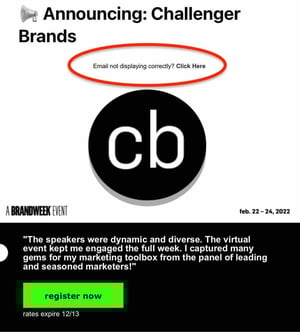
Don’t get me wrong – it’s a helpful warning but keeping it in the preview text of your email (also known as the preheader) can drastically impact your email’s open rate.
Firstly, because you’re telling recipients, “Hey, this email might not work.” Secondly, it doesn’t provide any insight into what the email is about.
Your preview text should supplement your subject line by adding in details to capture your audience’s attention and encourage them to open.
By default, preview text pulls in the first several words of the email body and displays it next to the subject line before the person opens it.
The problem is custom email templates often stick with conditional statements like “Can’t see images?” or “Not displaying correctly?” at the top banner, allowing it to slip right into the preview when it goes out.
As a rule of thumb, always write a custom preheader that teases what your email will offer.
Pro-tip: HubSpot users can fix this problem by customizing the preview text themselves in the backend of their email marketing newsletter.
5. Include an email signature.
Even if your newsletter is technically being sent to your contacts on behalf of the company, rather than an individual, the email should include the signature of a specific person.
In a 2019 State of Business Email Marketing study, 41% of marketers said they use email signatures for branding and visibility. The second most popular reason for its use was to maintain standard, cohesive sign-offs across all their companies.
Another reason you should include your email signature is that it’s a touch of personalization. People are naturally more inclined to read an email if they know it came from a human being, not just a collective marketing team. Your email signature is your ticket to their attention.
Want a quick way to make a beautiful email signature? Use HubSpot’s Email Signature Generator. We also have an Out-of-Office Email Generator to make your response to incoming messages just as delightful.
6. Clean your mailing list regularly.
Some of your email contacts might not opt-out of your email campaign, but will still never open your emails.
It’s tempting to email as many people as possible to reach more prospects, but keeping your least-engaged recipients on your mailing list can kill your open rate. People who never open emails make your campaign look worse since you’re not analyzing the campaign’s quality against your most loyal recipients.
Review your list of subscribers who haven’t engaged with your emails over a certain period of time, and remove them on a regular basis. This gives you a more accurate email open rate and keeps your email campaign clean of the people who are no longer interested in hearing from you.
You can also implement a workflow in which they’re gradually moved to a less frequent email list based on activity.
For instance, say you have a daily newsletter. You could implement a workflow in which subscribers who do not open your email in two consecutive weeks are moved to the weekly email. Then, those subscribers could be moved to the monthly newsletter if they don’t open 4 consecutive emails. And so on.
It keeps you from bombarding your subscribers with emails they’re not interested in while keeping your list clean.
7. Keep the main message and call-to-action above the fold.
Above the fold refers to the information that’s visible to the reader before they scroll down.
Even though recent research suggests that consumers scroll more than they used to – because of social media and vertical timelines – above the fold content still gets the most attention.
Eyetracking research from Neilsen Norman Group found that consumers spend 57% of their viewing time on above-the-fold content. That number drastically goes down to 17% of the second screenful and gradually decreases as they scroll.
With this in mind, place your message and CTA above the fold. It’s the first thing your recipients will see once they open your email, therefore increasing your conversion rate.
You can also run an A/B test first to validate the hypothesis and see if it works for your emails.
8. Personalize the email greeting.
How often do you read emails that begin, “Dear Member”?
You might segment your email audiences by the type of customer they are (member, subscriber, user, etc.), but it shouldn’t be the first thing recipients see in your company messages.
Personalizing the greeting of your emails with your contacts’ first names grabs the attention of each reader right away. For HubSpot users, this is called a personalization token, and creating one looks like this:
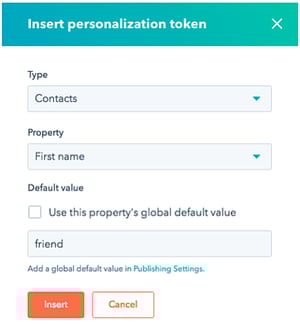
Then, the address line of your email would automatically produce the contact’s first name by fetching this personalization token in the email’s HTML, like this: Hi, !
Don’t worry, personalizing an email’s greeting line with 50 recipients’ names doesn’t mean you’ll have to manually write and send 50 different emails from now on.
Many email marketing tools today allow you to configure the greeting of your email campaign so that it automatically sends with the name of the people on your contact list – so everyone is getting a personal version of the same message.
9. Keep your email around 500 to 650 pixels wide.
If your email template is wider than 650 pixels, your email won’t show up correctly and will require users to scroll horizontally to read the full email.
This is a pain, to say the least, and will likely affect your conversion.
Having your template fit within the standard format will make for easier readability, better conversions, and an overall better user experience.
10. Split test your subject lines and calls to action.
If you can’t seem to increase your email’s open and click-through rates, a couple of things might be wrong: You’re not emailing the right people (are you buying your contact list? See the first tip at the top of this blog post), or the content needs to be improved.
To start, focus on the latter, and conduct an A/B test.
A/B tests can be used to improve almost any of your digital marketing content. In an email, this test splits your recipients into two groups: Group A receives the regular newsletter, while Group B receives the newsletter with a specific variation.
This variation tests to see if your audience would be more or less likely to take an action based on that element.
HubSpot Marketing Hub users can conduct email A/B tests on anything from the subject line to the call-to-action (CTA) inside it.
For example, you might change the color of your CTA from red to green to see if your email’s clickthrough rate increases. If it does, the test indicates that you should change your emails’ CTA color to green from now on.
11. Include your logo.
Logos are a must when it comes to emails.
A 2020 study by Red Sift and Entrust found that logos positively impact email engagement as well as brand recall.
Brand recall increased by 18% after a five-second exposure when including a logo in the email. Purchase likelihood also went up by a whopping 34% in emails where logos were included.
With this in mind, add your logo to your email design to ensure that it’s always included.
12. Name the offer in your subject line.
When you include an incentive in your subject line, you can drastically increase your open rates.
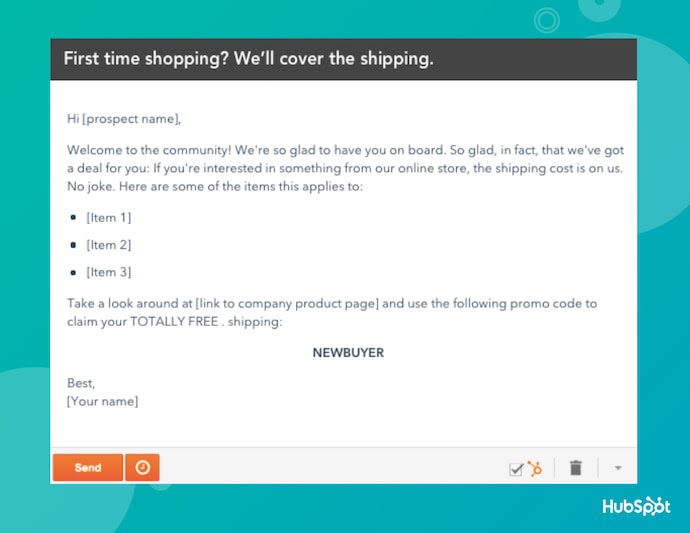
“Free shipping when you spend $25 or more” and “Receive a free iPod with a demo” are examples of good, incentive-focused subject lines.
However, be careful not to overwhelm your readers with savings- or product-related emails.
Customer loyalty starts with casual industry insights – only after nurturing should you start introducing offers. Here’s an example of an email with an enticing subject line and warm, welcoming body copy:
13. Allow recipients to subscribe to your newsletter.
You might be thinking, “Wait, if they received the email to begin with, shouldn’t they have already subscribed?“
Usually, yes, and therefore adding a “Subscribe” button to your email doesn’t help those who’ve already agreed to receive your emails. But great content is shareable content, and if your current subscribers are forwarding your emails to their friends and colleagues, you’ll want to help them subscribe, too.
Add a small but visible CTA that allows an email viewer to subscribe to the newsletter if they received this email from someone else.
But remember, because your newsletter should already be driving another action, such as downloading an ebook or becoming a community member, make sure this “Subscribe” button doesn’t distract or confuse users, weakening your main campaign goal in the process.
14. Write compelling (but concise) subject lines.
A good subject line should contain between 30 and 50 characters, including spaces. The reason why you do this is that email providers often cut off subject lines that go beyond this length.
Your email subject line should also create a sense of urgency while giving readers some indication of what to expect once they open the email.
15. Use auto-responders for opt-ins.
Be prepared for your readers to forget they opted in.
Set up an auto-responder that reminds people they opted into your email database. The auto-responder should be sent out one day, five days, and 10 days after the person registers.
Each auto-responder email should also include additional content or bonus material to reward the reader for opting into the newsletter– or your readers might not feel they have enough incentive to actually opt-in.
16. Closely tie emails to landing pages.
Your landing page should match the email in terms of headline, copy, and content. The look and feel of your landing page should also match the email as consistency goes a long way toward a customer’s trust.
Just make sure you’re using tracking tools to see which emails and landing pages performed the best so you can keep sending what’s working.
17. Conduct a five-second test.
Send a copy of the email to a friend or business associate. Can they quickly tell what your call-to-action is? If so, you’re golden. If not, keep working.
There are a lot of new tools at a marketer’s disposal that are getting attention these days. But email marketing has stood the test of time regarding its influence on your users. This old, reliable, and faithful tool can really ensure you get the most out of your marketing initiatives.
Editor’s Note: This post was originally published in June 2019 and has been updated for comprehensiveness.

Are Brands Investing in Social Media Communities in 2022? We Asked 1,000+ Marketers
What’s better — 1,000 Instagram followers who engage with your brand, or 1 million followers who don’t?
Ultimately, the goal of social media is to generate revenue. If your followers don’t engage with your posts, they won’t engage with your business.
![Download Now: Social Media Trends in 2022 [Free Report]](https://no-cache.hubspot.com/cta/default/53/3dc1dfd9-2cb4-4498-8c57-19dbb5671820.png)
Communities are critical because they promote engagement. They’re incubators for brand awareness, loyalty, and trust. But they’re also a dime a dozen, so marketers need to refine their approach to building and leveraging them correctly.
Let’s explore more about social media communities, their benefits and challenges, and where brands will invest their resources in 2022.
Are Brands Investing in Social Media Communities?
The Hubspot Blog surveyed 1,067 global marketing professionals working in B2B and B2C companies to determine which trends they leverage, the channels they use, and their plans for 2022. Here’s what we found:
Social Media Community Trends
- 64% of marketers plan to invest in social media communities in 2022.
- More than half of respondents (51%) plan to build more social media communities in 2022.
- The biggest challenge marketers face with social media communities is actively managing members.
- 89% of marketers who leverage Facebook plan to increase their investment in 2022.
- 83% of marketers plan to increase their investment in Facebook Live Audio in 2022.
- 44% of marketers plan to leverage Facebook Stories for the first time in 2022.
- More than half of marketers (58%) plan to increase their investment in Instagram Reels in 2022, closely followed by Instagram Live (57%).
- Almost half of respondents (49%) plan to leverage Instagram Reels for the first time in 2022.
- 73% of respondents rank Instagram as the best platform for influencer marketing.
- 79% of respondents plan to increase their investment in Twitter Spaces in 2022.
- 65% of respondents report live audio chat rooms, like Twitter Space, as one of the most effective formats on social media.
YouTube
- 44% of marketers plan to leverage YouTube for the first time in 2022.
- 83% plan to increase their investment in YouTube Shorts in 2022.
TikTok
- 66% of marketers report TikTok as the most effective social media platform for video.
- More than half of respondents (52%) plan to increase their investment in TikTok in 2022.
- 85% of marketers rank short-form videos, like those on TikTok, as the most effective type of social media content.
Social Media Community Benefits
As I mentioned, it’s not enough to have a large social media following — you also need an engaged community. Here are a few reasons why:
1. They are vehicles for personal recommendations.
In a sense, every member of a social media community is a micro-influencer, sharing real experiences and opinions that can influence other members. This is worth mentioning since nearly nine out of ten consumers read reviews before buying a product.
Customers who love your brand want to talk about it. They want to share reviews and pass on advice, and communities give them a place to do that.
But what about bad reviews? As an active participant in your community, you have a great opportunity to resolve any issues or complaints. And since members are already invested in your brand, they’re more apt to find solutions with you.
2. They can cut costs.
Active, self-sustaining communities can become hubs for customers to ask and answer questions, which alleviates pressure on customer support teams. They can also reduce support costs — one study found it was 72% cheaper to answer a question via a community than to submit a ticket to a support team.
Communities can also reduce your ad spending. Here’s a crazy stat — in 2022, ad spending in the US will likely cross the $200 billion mark. Brands with active communities can spend less on social media advertising because they can reach customers in an owned space for free.
3. They create active participation with your brand.
We’ve all heard the statistic — it’s cheaper (and arguably easier) to retain customers than to convert new ones. This is why brand advocacy and retention are critical to any marketing strategy.
Brands can strengthen relationships with members in their communities by encouraging active participation — with polls, surveys, contests, and user-generated content, to name a few. In essence, what was once a transactional relationship is now an active conversation. And every active engagement brings customers closer to your brand.
4. They offer insight into your consumers.
The most productive communities are strategically designed to spark conversations. You can take full advantage of these conversations by tracking common complaints, ideas for improvement, and unique ways they’re using your products to solve problems.
When you make a change based on member feedback, remember to let your community know. People love to know you’re listening and taking their suggestions seriously.
Building a Social Media Community
You’re probably familiar with the adage, “Rome wasn’t built in a day.” The same is true of social media communities.
Here are a few tips for building a thriving community:
1. Remember that communication = community.
If you want to build a thriving community, you can’t expect your customers to always start the conversation. You have to do the heavy legwork to post content, ask questions, respond to comments, and keep communication lines open.
While you don’t need to be the center of the conversation, your members should know you’re there.
2. Focus on the audience first, brand second.
Social media communities are valuable tools for self-promotion — but if that’s all you’re using them for, you’ll eventually drive customers away.
Effective communities provide value. They educate, entertain, and solve problems for the audience. In other words, if you want to build a real sense of community, you need to provide value with the content you create or share.
Check out how Glow Recipe, a skincare brand, provides value by offering tips for healthy skin while subtly promoting their products:

(Image source)
4. Feature user-generated content.
A great way to boost engagement within a community is to encourage user-generated content. This is any content — like text, videos, or reviews — that your members create, which you can then share across your social communities.
Peloton does an excellent job featuring user-generated content by highlighting customer stories and fitness milestones. Not only does this give the audience a voice, but it also encourages members to share their stories and testimonials — effectively fueling word-of-mouth marketing.
4. Make your community findable.
It’s hard — almost impossible — to build a community if people aren’t aware it exists. Here are a few ways to spread the word:
- Embed social icons on your website
- Invite family, friends, and colleagues to follow and share your community
- Use hashtags to expose your content to new audiences
- Cross-promote your community on different channels
- Run exclusive giveaways or discounts for community members
5. Don’t let your community collect dust.
Consistency is an important ingredient in successful social media communities. If you let your accounts collect dust, members will abandon ship. When planning ahead, it’s a good idea to create a content calendar and publishing schedule. And if your brand is juggling a variety of different platforms, check out HubSpot’s social media management tools.
Challenges of Building a Social Media Community
Running a social media community is similar to hosting a party — you’re in charge of the entertainment, creating a pleasant atmosphere, and keeping conversations friendly. That’s a lot of responsibility. Luckily, you’re also in control of the guest list.
When it comes to managing your members, start by establishing clear rules and guidelines for your community. This deters any troublemakers from joining and helps prevent future conflict.
For example, Facebook offers a variety of customizable rules that users have to accept before joining a Facebook Group. This is one way to pre-moderate a group without doing any work. Check out the rules below:

The next step is to follow through. When you see members veering from community guidelines, take appropriate action — whether that’s sending a private message to a user or removing them altogether. This alerts other members that you care about the culture in your group.
To help with this process, you may want to designate someone on your team to moderator your community. Or, hire a community manager or online moderation partner such as Hive Moderation or SupportNinja.
Another challenge is measuring the ROI from your community. In other words, are your community-building efforts paying off? For instance, you may have high engagement levels in your community, but your conversion rate is stuck at 0%.
Before doing anything else, ask yourself — how do I want my community to contribute to my businesses? Is it customer engagement? Retention? Product adoption?
Next, you’ll want to identify a few metrics that you can measure your goals against. They should be community-specific and directly related to community activities — such as click-through rates, sign-up rates, or engagement rates.
You can take this one step further by tracking the same KPIs for both community members and non-members, and then comparing the performance between the two. For instance, you may discover a 30% higher product adoption among community members than non-members.
Final Thoughts
By building a social media community, you can turn transactional relationships into meaningful ones, and offer a place for customers to share, collaborate, learn, and provide feedback. But building one is no easy feat, so determine your goals, develop a strategy, and get ready to start the conversation.


How to be a Good Leader [Research + Expert Tips]
Good leadership is vital for the long-term success of your organization.
Consider, for instance, how there’s a 56% reduction in burnout and 845% greater odds of employee engagement when leaders connect people to purpose, accomplishment, or each other.
Good leaders inspire and motivate their employees.
But it’s easier said than done. There are many ways to be a good leader, and it isn’t a one-size-fits-all approach.
If you’re unsure how to become a good leader, you’re in luck. Here, we’ll explore research-backed or expert-backed tips for becoming a better leader at work. Let’s dive in.
![→ Click here to download leadership lessons from HubSpot founder, Dharmesh Shah [Free Guide].](https://no-cache.hubspot.com/cta/default/53/4e634041-e1ce-4a85-8e65-aea12fc10b84.png)
What does it mean to be a good leader?
While the term “good leader” can be difficult to define, it’s easy to spot in practice.
A good leader should have the following qualities:
- Resiliency
- Optimism
- Flexibility
- Integrity
- Accountability
- Empathy
- Humility
- Vision
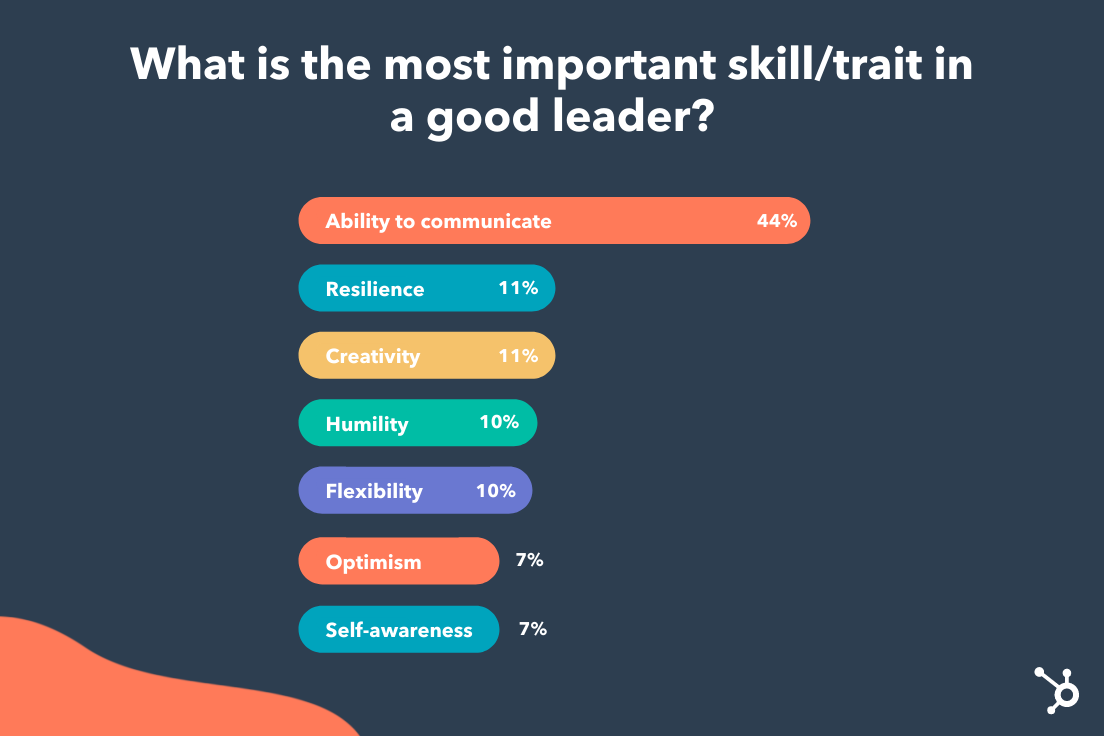
Additionally, when we surveyed 300 people across the U.S., 44% respondents marked “Ability to communicate” as the most important trait/skill of a good leader. Strong communication skills came ahead of resiliency, creativity, humility, and even self-awareness.
Ultimately, a good leader is meant to inspire, motivate, and challenge each team member to hit their goals, impact the business’ bottom-line, and reach their fullest potential.
In his TedTalk “Why good leaders make you feel safe”, Management theorist Simon Sinek says a good leader is someone who makes their employees feel safe and secure.
Learn more about what makes an effective leader — according to experts at HubSpot, Google, LinkedIn, and Monday.com — in this post on developing leadership skills.
Fortunately, leadership isn’t a trait that you’re either born with or you’re not. Instead, good leadership skills can be learned. Let’s explore how to become a better leader, next.
How to Be a Better Leader at Work
1. Take a leadership assessment.
The first step towards becoming a better leader is assessing your personal strengths and weaknesses to understand areas for improvement.
Start by taking a leadership style quiz to determine which of the 8 leadership styles fits how you lead. Understanding your leadership style can help you determine how your direct reports view you, as well as the gaps that might exist in your current style.
For instance, let’s say you determine you’re an autocratic leader. An autocratic leader doesn’t ask for input from any team members before making a final decision — which can be ineffective, since it inhibits the leader from hearing different perspectives, and doesn’t empower his or her employees.
Once you’ve determined this is your leadership style, you can work to actively request input from team members — which enables employees to feel heard and empowered, while also helping you ensure you have all the information necessary before making a decision.
2. Be transparent and create open dialogue.
Ultimately, transparency and honesty leads to a higher level of trust between team members and leaders, so remaining transparent with your direct reports is critical.
Your direct reports want to know what’s happening with the organization at-large, so taking the time to have direct, honest conversations with them about the company’s goals is key.
For instance, if your department is going through a re-org, take the time to explain to each direct report why the re-org is taking place, and make space for each employee to express their concerns.
Being transparent and honest also encourages your direct reports to do the same. If they feel you hide information from them or aren’t forthcoming, they’ll act similarly — which can lead to confusion and an increased risk of miscommunication.
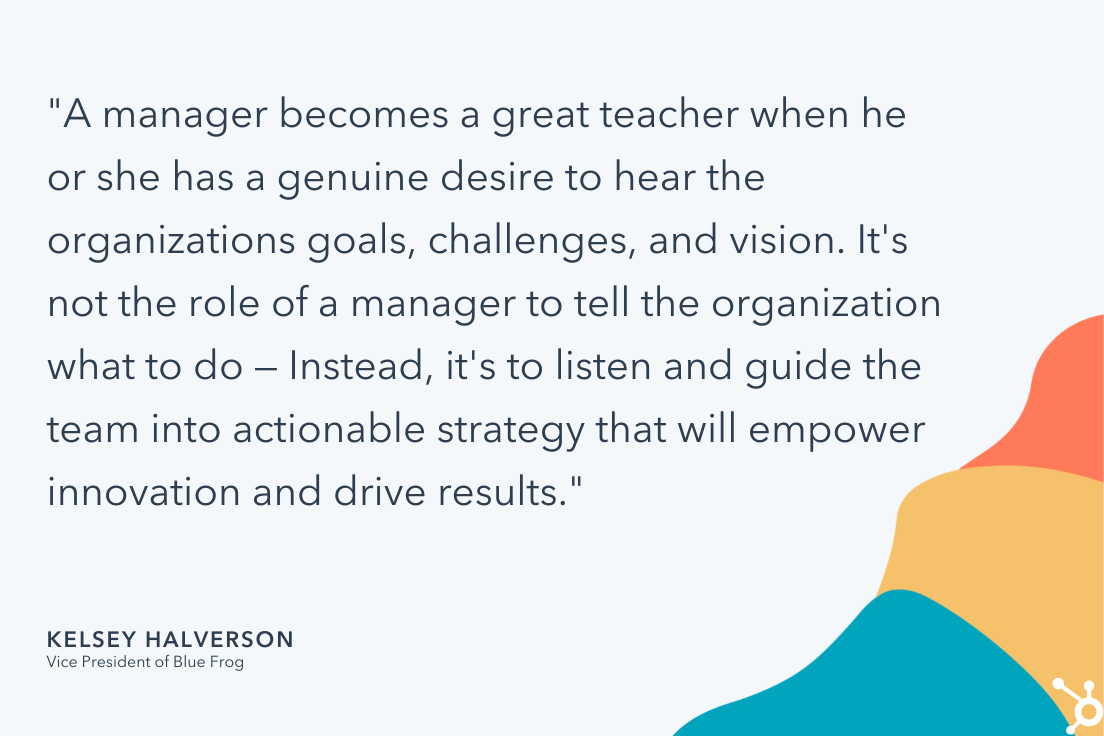
Good leaders are also excellent communicators. As Vice President of Blue Frog, Kelsey Halverson, told me, “Good managers teach, great managers listen. A manager becomes a great teacher when he or she has a genuine desire to hear the organizations goals, challenges, and vision.”
Halverson adds, “It’s not the role of a manager to tell the organization what to do — Instead, it’s to listen and guide the team into actionable strategy that will empower innovation and drive results.”
Taking the time to tailor your communication style for each direct report goes a long way towards establishing strong relationships with them. To do this, ask each direct report to complete a DiSC assessment, which will help you better understand each team member’s personality, how they respond to challenges, and how they prefer to communicate.
3. Foster deeper relationships with your team members.
Taking the time to learn who each of your team members are outside of work is vital for fostering a deeper relationship with them and establishing trust and understanding.
Consider using icebreaker questions during team meetings, or creating opportunities for the team to bond outside of work. Additionally, ask your direct reports about their preferred way to work — including communication styles, how they like to receive feedback, and what their professional goals are.
Finally, building rapport is about taking the time to get to know each direct report. In 1:1s, rather than jumping right into your meeting’s agenda, consider beginning the conversation more naturally by asking about your direct report’s weekend plans, or what she enjoys doing outside of work, all of which helps you both relate on a more human-to-human level.
4. Encourage professional development.
According to LinkedIn’s 2019 Workforce Learning Report, 94% of employees say they would stay at a company longer if it simply invested in helping them learn.
Providing your team members with learning and development opportunities can help you reduce turnover rates and increase employee engagement.
Being a good leader is all about seeking out learning and development opportunities for your direct reports, encouraging them to learn, grow, and face new challenges.
Additionally, it will help you make your team more successful in the long-run if you can help team members up-skill in certain areas, or nurture their own leadership skills as your team expands.
5. Show appreciation for a job well done.
Feeling recognized for a job well done can help boost an employee’s morale, engagement, and productivity.
For instance, consider the last time your boss gave you specific and positive feedback, such as, “You did a great job on your presentation on Tuesday. You gave fantastic context into the problem we’re trying to solve on the team, and you were clear and articulate about your proposed solutions.”
Not only would that make you feel great, but I’m willing to bet it would encourage you to work just as hard on your next presentation for more of that positive reinforcement.
Research has shown positive reinforcement is incredibly effective at ensuring people’s behaviors are repeated. So, if your employees do a good job, you’ll want to praise or reward them for their efforts to ensure your team continues to stay engaged and motivated.
6. Remain creative and open-minded.
Good leaders are innovative, creative, and open-minded to new ideas or processes. Rather than adhering to the status quo, a good leader constantly looks for ways to streamline processes, create new opportunities for their team, and increase impact on the bottom-line.
Good leadership includes taking a big-picture vision or strategy, and assigning specific tasks to individual team members to inspire, motivate, and challenge your team.
For instance, last year my manager recognized we needed a new process when it came to working with guest contributors. Once she’d recognized this big-picture challenge, she assigned the project to me. I was excited to own the creative process of brainstorming a new strategy, which kept me engaged and motivated at work.
How to Be a Positive Leader
People with positive moods have been proven to be more creative and collaborative, so if you’re able to spark positivity among your team, you’ll see a real impact on results.
Positivity is contagious, so being a positive leader can go a long way towards instilling confidence, pride, and happiness in your team members.
To be a positive leader, you’ll want to:
- Focus on an employee’s strengths and provide positive feedback in 1:1s
- Cultivate positive relationships with your team members
- Ignite hope by painting a picture of an exciting vision for the future, and consistently reminding employees of why their work matters
However, it’s important to note: You don’t want to prioritize positivity over reality.
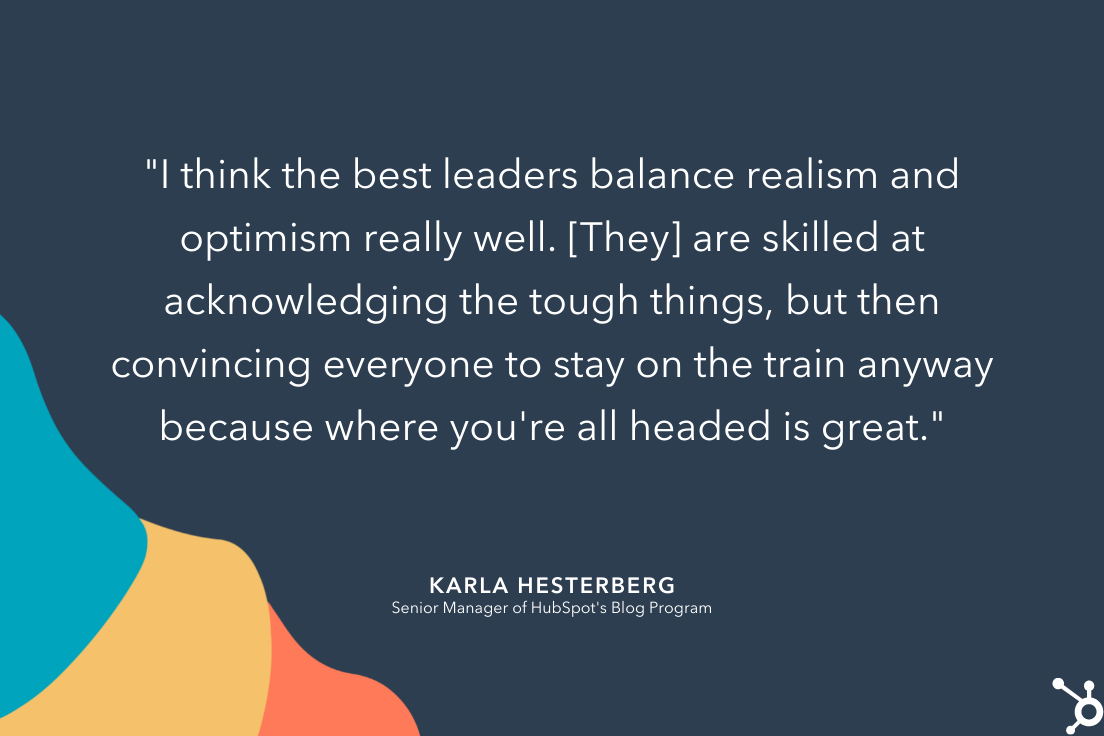
As Senior Manager of HubSpot Blog Program’s Karla Hesterberg told me, “I think the best leaders balance realism and optimism really well. You want to keep your team feeling positive about the direction you’re headed, but you can’t gloss over challenges — you have to acknowledge when things are tough and give your team space to feel those things.”
Hesterberg says, “You can’t try too hard to put a positive spin on everything or you’ll end up minimizing real challenges.”
Hesterberg adds, “The best leaders I’ve worked with are really skilled at acknowledging the tough things but then convincing everyone to stay on the train anyway because where you’re all headed is great.”
Good leadership doesn’t happen overnight, and a good leader is humble enough to admit they’re not always going to get it right. There are setbacks in any leadership position.
Being self-aware, open to feedback, and flexible in your approach will set you up for more success in the long-run, particularly as your team grows, or your business’ needs change.


How 25 Brands Are Using Instagram Stories
There are over 200 Million businesses on Instagram. And, according to the platform, 90% of people on Instagram follow a business.
Why could this be? As people are increasingly using social media to research prospective purchases, Instagram serves as an outlet for brands to creatively show their products, services, or happy customers in action.
One of the ways that brands on the app share content with audiences is through branded Instagram Stories. These Stories enable audiences to learn more about your brand and what you offer — generating interest with prospective buyers and creating trust.
In this post, discover high-quality Instagram Story tips and tricks from businesses that effectively use the feature on the platform.

If you’ve been on Instagram for a while now, you’re probably more than familiar with its Stories feature. But if you’re new to the platform, here’s a quick explanation of Stories:
While an individual might use a Story to show photos or videos from a vacation, work, or other aspects of their daily life, brands often use this feature to highlight photo or video content about their product, brand, or a topic related to their industry. By doing this, the brand might entertain and gain awareness from Instagrammers who enjoy tapping through random Stories.
To make your content even more interesting, you can also add GIF stickers, text overlays, filters, and interactive features — like polls and quizzes — to Stories after you upload or shoot them. You can also optimize your Story by adding text overlays with relevant hashtags or by adding handles of users that are affiliated with the content.
Whether you’re new to the app or a pro, you might be wondering where to start when it comes to using this feature for your brand. You might also worry that this strategy could be expensive, time-consuming, or require graphic design skills.
The truth is, creating Instagram Stories can actually be pretty simple and fun for your social media managers. Case in point: recent HubSpot research found that 46% of marketers already leverage the feature in their marketing strategies, and 55% are planning on increasing their investment in Stories for 2022.
To help you plan your Instagram Story strategy, we’ve compiled a list of 25 brands that have mastered the app feature. Although the brands on this list are larger companies, all of them have strategies that could be easily scaled to fit the marketing budget of smaller companies.
25 Brands Using Instagram Stories
Abercrombie & Fitch
Abercrombie and Fitch, a clothing company, often uses Instagram Stories to call attention to their offers. By sharing high-quality product photos, they’re more likely to capture audience attention, spark interest, and inspire someone to make a purchase.
In the image below, Abercombie and Fitch shares a Story featuring an exclusive online-only item and includes a “Tap To Shop” link.
 Takeaways:
Abercrombie and Fitch stands out with its high-quality product photos, and the copy included in their stories. It doesn’t just share a picture of a product but also reminds viewers that it’s time to start shopping for the holidays and that they can quickly begin shopping for the holidays by tapping to shop.
LEGO
While LEGO commercials and other branding material might be more targeted to children, its Instagram approach is targeted to older audiences that will buy the product. These audiences could include young adults that love puzzle projects, or parents that might buy a set for their children.
LEGO’s Instagram primarily highlights works of art made with their products. While this might be interesting for younger people on Instagram, it could also be fascinating to older people who used to play with LEGOs and might want to buy them for their children.
LEGO adds to these Stories with interactive polls and quizzes. In a recent Story celebrating Harley Davidson, they showed a LEGO replica of a motorcycle and included a quiz that asked, “How many LEGO elements are in this life-size Harley?” This is a great example of how a brand can use a relevant quiz to engage people in an interesting way.

Takeaways:
LEGO’s Instagram is a great example of how a brand that sells a product primarily to one age group can adjust its content for social platforms that host audiences from other generations. While they’re still on brand and hone in on LEGO nostalgia, they do a great job of creating interactive content specifically for the young adults on the platform.
NASA
NASA leverages beautiful space imagery, pictures of cool gadgets they work with, and interesting space discovery news to create Stories that speak to science lovers. On any given day, you might see a Story about a new planet, polls related to space travel, or quick historical fun facts.
NASA’s style is surprisingly casual and easy to comprehend. Although the organization’s content discusses complex topics like space, science, and technology, its Stories do a great job at cutting to the chase by explaining what’s interesting or newsworthy in a way that’s understandable to those without science degrees.
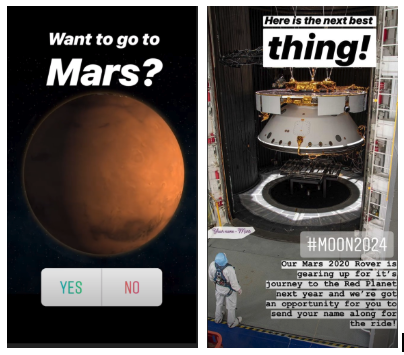
To pull in viewers, NASA begins Stories with an interactive element or text that summarizes the topic they’ll discuss. Here are two pages they used to kick off different Story editions:
Takeaways:
NASA’s strategy of grabbing audiences with quick, understandable, and interesting information can be key on many fast-paced social media platforms where people merely glance at a post or tap quickly through a Story before moving on to the next interesting piece of content.
When it comes to their overall approach, NASA does a great job at leveraging the strong content and information it has readily available to create unique Stories about space. While some brands might need to get super creative and brainstorm Story content from scratch, NASA recognized that its photo and video content would align well with Instagram Stories.
If you’re part of a smaller brand that has highly visual products or content, you might want to prioritize visual social platforms like NASA has done. Not only will it be easier for you to leverage visual content that you’re already creating, but you’ll have a leg up on brands that aren’t as visual.
Additionally, while some people might be intimidated by scientific discussions, they might still follow NASA because the brand publishes jargon-free stories that simply explain need-to-know details about complex topics. If you have a highly technical or complicated product or service, take a page from NASA’s book and use Stories as a chance to be more accessible to your audience.
MIT Technology Review
MIT Technology Review’s Instagram content isn’t only for academics and science experts. The publication actually does a great job of creating and telling stories most of the Instagram’s audiences can understand.
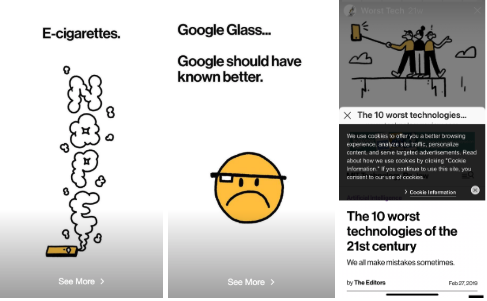
One of the publication’s Instagram Story strategies involves taking long-form pieces of content and abridging them for the platform. Because MIT Tech Review is verified with over 1.1 Million followers, it’s able to include “swipe ups” in Stories. A swipe up is a CTA that says something like, “Swipe up” or “Read more.” When a viewer sees it, they can swipe their finger upward to see a page or article from the publisher’s website.
If you can include swipe ups, this tactic is both creative and might be helpful for boosting traffic to full stories. Users might read an interesting, but short, Story — like the one below about 2019 technology fails — and want to swipe up to see a full long-form article.
Takeaways:
While NASA leverages its exclusive visuals, MIT Tech Review similarly leverages its readily available editorial content. Rather than writing separate news content for Instagram Stories, they adapt pre-written articles that they think will be interesting to Instagram readers.
This abridged-content strategy could be excellent for publishers or brands that regularly blog. If a brand can’t link Stories to their website just yet, they could still create a shortened version of a blog post and alternatively include a page that says the article’s link can be found in the Instagram account’s bio.
Harvard Business Review
The Harvard Business Review often centers Stories around management, professionalism, and career-life. Like the MIT Tech Review, it uses a casual tone of voice and similarly adapts long-form content into abridged Stories. However, one key difference is that HBR is a bit more interactive.
While HBR embraces Instagram’s poll, quiz, and other interactive Story features, it also gets creative by adding its own spin on interactivity to a story. In the example before, the publication shows users a burn-out checklist which they can screenshot and check off. The story then gives you advice for what to do if you checked any of the boxes.
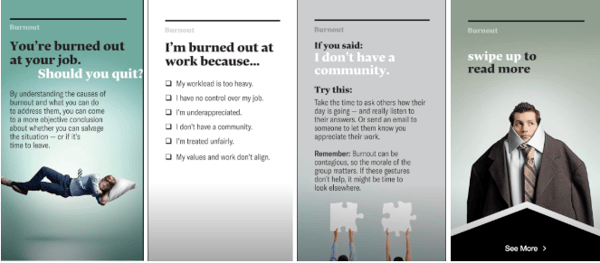
For readers that want to know more, they offer a swipe up to a long-form article on their website.
Takeaways:
Although the name “Harvard” can sound intimidating, the publication’s Stories are easy for any reader to follow. This is a great example of how a brand can succeed by talking directly to the young, more casual audience of Instagram.
On top of an understandable and relatable tone, interactive elements like checklists, polls, and quizzes might make readers think more deeply about a topic than they had before. This might pull them into content because they want to learn more or dive deeper into a topic they were asked to vote on.
Even if you aren’t a publisher, doing something similar could be equally as beneficial to your content.
For example, if you’re running an Instagram account for an extermination company, you might start a story with a poll saying, “Do you know where bed bugs come from?” Then, you could tell a story of where they come from, how to prevent them, and how they can call an exterminator if their preventative measures don’t work.
People might tap through after taking the poll to see if they’re right about bed bug origins or because the question made them realize how worried they are about bed bugs.
America’s Test Kitchen
Like NASA, America’s Test Kitchen, a website and video blog with recipe content, doesn’t go too far off-brand with its Instagram Stories. While many of America’s Test Kitchen’s videos on other platforms show you how to make a recipe, the brand publishes behind-the-scenes kitchen videos and shots of ingredients to amp up audiences for upcoming recipe videos.
In one Story, the Test Kitchen showed photographs and videos of bacon as chefs were testing out bacon recipes. The Story then offered up a poll that asked viewers how crispy they like their bacon.

Takeaways:
While America’s Test Kitchen’s Story strategy is perfect for food publications, it could also be helpful for restaurants as well. When someone sees a video of a restaurant’s chef cooking a new dish, it might make them crave that meal and go to the restaurant to order it. Additionally, as prospective customers see chefs cooking thoroughly and with care, they might also trust that their food will be prepared well
Museum of Fine Arts, Boston
The Museum of Fine Arts, Boston uses Instagram Stories bring its current statues and paintings to life. While you might think that looking at pictures of 17th-century art might bore you, the MFA zests things up by partnering them with funny quotes, meme references, and polls.
For example, they recently presented multiple pictures of horse-related art accompanied with lyrics from the highly-memed song, “Old Town Road.”

Takeaways:
While the MFA is known for being prestigious and academic, it uses Instagram Stories like this to show that the brand can still be both humorous and hip.
This is an example of how a brand that could’ve been considered “dry” on Instagram thought outside the box to show off their product in a whole new way. While it can be beneficial to stay on brand if you align well with a platform, some companies or organizations, like museums or national parks, might want to experiment with odd new content strategies on fast-paced platforms like Instagram.
National Geographic
Aside from Instagram’s own account, National Geographic is the most-followed brand on the platform. Like its standard photo posts, the publisher experiments with a variety of different content styles.
While NatGeo’s Stories usually highlight mini-documentaries, they also occasionally include polls or quizzes. This is a good example of how mixing things up and experimenting with different content styles can keep your audiences on the edge wondering what type of content they might see next.
Like MIT and Harvard, National Geographic also occasionally abridges long-form content in order to promote an article or video that a viewer can swipe up to. In the example screenshotted below, they promote a video that discusses the history of NASA’s Apollo mission, while tagging NASA for some added Story optimization.

The brand has also dabbled with sponsored content. In one edition, sponsored by Barbie, they told the story of a female conservation photographer. This was an interesting example of a sponsorship which allowed National Geographic to tell a beautifully shot story about nature, while aligning with Barbie’s mission to encourage female empowerment.

Takeaways:
Like MIT Tech Review and NASA, National Geographic leverages the beautiful and exclusive imagery it already has to adapt interesting on-brand content for Instagram. This allows the company to use their resources in an economic way while also promoting long-form content that goes into more detail than the Story does.
While NatGeo does a great job of adapting content, it also experiments with partner content. When even small brands partner with other companies to create content, production can be more affordable, and launching the content could help both brands gain fans from the other’s base.
YouTube Music
YouTube Music uses its Instagram account to inspire users to download the YouTube Music streaming app. By pairing high-quality visuals with audio snippets, viewers get an exciting preview of what’s to come when they download the app.

Takeaways:
Listening to music is typically an audio-only activity, where people click play and, well, listen. YouTube Music uses Instagram Stories to take the music listening experience to the next level by sharing song snippets paired with high-quality photos of the artists, which is not something that usually goes along with listening to music.
Audience members know that YouTube sometimes connects the song to the artist, and users may excitedly check its Stories to see if a photo is shared of their favorite artist.
Outback Steakhouse
Like America’s Test Kitchen, the restaurant chain Outback Steakhouse leverages images of delicious food and polls to engage its Instagram Story audiences.
While some Stories feel like ads by discussing promos and deals, others feel more interactive and creative.
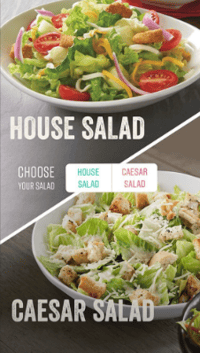
For example, in one recent Story, users were shown multiple Outback menu items for each dinner course, then they were asked to vote on which meal they wanted for each course. At the end of the Story, Outback noted a multicourse dinner deal they were offering. This is a great way of highlighting multiple products at once without making your audiences feel overwhelmed.
Takeaways:
If you can’t think of an idea for a Story with a more traditional plot and narrative, Outback proves that you can still pull people through a series of images in a way that feels more like an interactive experience than an ad.
A variety of different brands could take on a similar strategy. For example, if you were a marketer for a shoe company could post a Story that allows people to vote on the shoe styles that they’d wear for different occasions. This type of story would allow your audiences to see and weigh in on two different styles of your products at once.
Later, when they can’t figure out which shoes they want to wear to an outing, they might remember your Story and go to your shoe outlet knowing you have a bunch of different options.
Nike
Nike’s Instagram Stories feature interviews with prominent athletes who use Nike products. During the interviews, the athletes talk about their career accomplishments, rather than focusing on Nike products.
In the example below, soccer player Alex Morgan told the story about how she realized she wanted a different career path than her sister.

Although this has nothing to do with shoes, the content aims to motivate athletes who might want to purchase shoes worn by other successful people in the sporting industry.
Takeaways:
Leveraging relevant influencers, like Nike, allows you to create content that aligns with your brand without purely focusing on your product.
People might watch these Stories to learn more about the famous athletes being interviewed. Then, they might trust Nike’s brand more because these successful athletes also trust its products.
While a small company might not be able to hire or film a famous athlete or influencer, they could still experiment with a similar strategy by interviewing smaller influencers or experts within their industry.
For example, if a gym owner wants to gain more clients, they could interview a local athlete about their goals, accomplishments, and what motivates them. People interested in the local athlete might watch the video to learn more about the person, but then consider a gym membership if they want to have similar athletic accomplishments.
Black Girl Sunscreen
Black Girl Sunscreen is a beauty brand that sells sun safety products. It uses its Instagram to share high-quality product photos, share influencer collaborations, and educate audiences on the importance of sun safety and using its products.
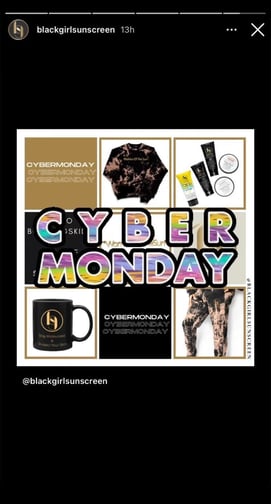
In Stories, Black Girl Sunscreen often shares user-generated content of audiences using its products and relevant brand announcements, like the Cyber Monday announcement shown in the image below.
Takeaways:
A great way to keep users engaged on your profile is to share exciting content with them, especially when it comes to upcoming deals. People want to know when they’ll have access to deals for their favorite products, so sharing these announcements on Instagram Stories is a valuable strategy.
Airbnb
Stories are a major part of the travel company’s Instagram strategy. In fact, they have a few different styles of Stories. For example, which gives short profiles of Airbnb customers is called “Experiences, while another — called “Adventures” combines curated and Airbnb-recorded content to show documentaries of unique vacations around the world.
Here’s an example of one of Airbnb’s experience pieces which centers around a customer who regularly stays in Brooklyn. Aside from explaining what the customer does, Airbnb also uses polls and quizzes related to her job to get people interested in the history she researches:
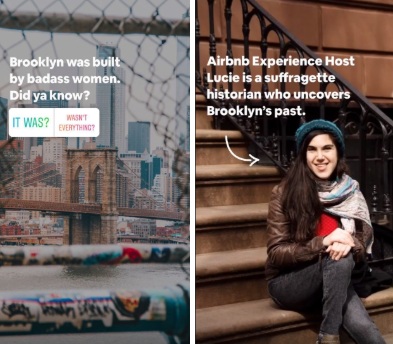
While Airbnb creates a lot of high-quality video and animated content for its stories, they also don’t shy away from sharing high definition customer videos while crediting and tagging them.
Here’s another screenshot from one of the brand’s Adventure Stories where they included videos of an Airbnb customer swimming with sharks and credited them with their account handle:

Takeaways:
One of the best ways to gain brand trust is by telling or presenting stories from happy customers. Airbnb’s Instagram team recognizes this and centers its storytelling strategy around that.
While they film and present their own beautiful footage and documentaries, they also are wise to share user-curated videos and images — a great opportunity to show its fans how pleased customers were with their trips.
Although this customer experience strategy works well for Airbnb, it could work for a variety of other companies, especially if they are still building up their customer base or selling a disruptive product that no one’s used before.
For example, if a new ride-share company had a few happy customers but wanted to boost its marketing strategy, it might create Stories where customers talk about interesting places that their shared ride brought them to, or maybe they’d discuss an interesting driver they met on a long ride. They could earn trust when prospective customers see how happy and safe customers felt when using the ride-share service.
Starbucks
Starbucks uses Stories to share customer testimonies, new product launches, and other interactive content. Although a lot of the brand’s content revolves around its drinks, the Stories don’t feel like advertisements because they embrace fun facts and interactive polls and quizzes.
In one example, Starbucks asks viewers to guess which drink is coming back. It then shares the best answers and reveals the S’mores Frap and image. To add some extra interactivity, viewers can vote on what type of S’mores Frap they prefer and guess how many s’mores are shown in a video.
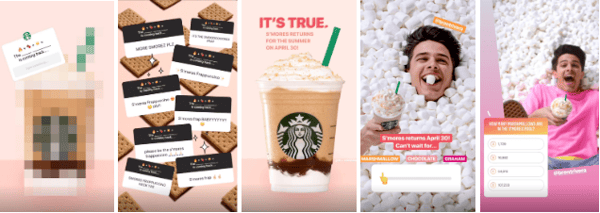
Takeaways:
Even if they center specifically around a product rather than a narrative or plotline, Stories like these can still be fun from beginning to end. Starbucks does a great job of using interactive features to engage viewers.
By offering open ended questions and quizzes, they might engage with people who don’t like a specific beverage, but want to guess anyway. With the polls, they can gain similar engagement, while also possibly learning more about what drinks and flavors their audience prefers.
Telfar
Telfar is a luxury fashion brand well known for its bags. Like many other brands on the list, it uses Instagram to share new product announcements, user-generated content, and high-quality product photos.
In the image below, Telfar uses Stories to share info about an upcoming event.

Takeaways:
People spend a significant amount of time on social media per day, so announcing events on Instagram Stories is a valuable strategy. You’re likely to reach your audiences where they spend a significant amount of time, and they’ll be excited by the opportunity to participate in an event for your business.
Yes. Obviously Instagram is excellent at posting Stories on its own platform. But, even though the brand is giant, they still rely on their fanbase for most of the content.
Almost all of Instagram’s Stories are filled with photos or videos submitted by users. This allows Instagram to show off some of the most beautiful imagery and the most interesting videos on the platform. Because they tag and credit users who submitted content, they also give those accounts some great promotion. This, in turn, makes Instagram look like they care about their community and how people are using the app.
Here’s a screenshot from a motivational story created by an Instagram user:

Takeaways:
Whether you’re marketing a small business or large business, you always want to be picking “low hanging fruit.” For those that don’t know this common startup saying, it means that if you see a huge opportunity in front of you, you should grab it. Just like you would grab a delicious-looking apple that was hanging low to the ground off of a tall tree.
By sourcing and republishing interesting content from some of its most engaging users, Instagram grabs its low hanging fruit and makes a delicious juice out of it.
Odds are, you’re not Instagram’s size — and you probably don’t have your own thriving social platform to pull content from. But, this doesn’t mean you can’t curate content from your customers in a more scalable way.
Like Airbnb, Instagram benefits greatly from highlighting content that was already created by its fans. If you’re a small business that regularly gets some type of content from your customers or fans, you can create a sense of trust and community by sharing it and acknowledging those individuals.
For example, if you run marketing for a clothing outlet and keep getting pictures of people wearing the dresses it sells, you could make a Story that shows photos from customers who wore those outfits to different outings. Like Instagram, you could tag those customers so they or their followers might see the Story.
In another scenario, say you’re running a local art studio. You might want to publish a Story that includes photos, sculptures, and paintings from your students. This allows your students to feel like you care about their success and want to share it, while also showing prospective students how much they could learn if they took your classes.
Sephora
Sephora is an international retailer for beauty products and personal care items. With more than 20 million followers, audiences turn to their accounts to view educational content about the products they sell, collaborations with influencers, and unique images and videos about products.
The images below show that the brand shares informational content about its rewards program and upcoming offers on Instagram Stories.
.jpg?width=291&name=sephora%20(1).jpg)
Takeaways:
Sephora’s Beauty Insider Rewards program is well known, as people can exchange points from purchases to receive free items. Sephora uses Instagram stories to show users what products they can expect to have access to with a certain number of points, generating excitement among users and inspiring them to make purchases to receive their free items.
NBA
The NBA regularly posts behind-the-scenes styled Instagram Stories which might highlight post-game celebrations, interviews, and other off-the-court happenings.
For example, a recent Story followed the Toronto Raptors parade in Ontario, Canada and showed clips of players with family members and posing for photo ops with the Canadian rapper, Drake.

Takeaways:
When you show the people behind a company or brand, it makes it feel more relatable or trustworthy. With the NBA, we often see players looking serious and tough as they play basketball. But, when you see them off the court, you realize that they’re human, just like you.
Although someone might not be a sports fan, they might still watch behind-the-scenes stories like this to learn more about the faces behind the brand or to get insight on how the world of sports works.
In other industries, people might also respond well to behind-the-scenes video. For example, if you’re marketing for a school or gym where professors and trainers might seem intimidating to prospects, showing Instagram Stories that follow them in their daily lives might make prospects less apprehensive about signing up for a course or membership.
Wayfair
Wayfair, an online furniture and home-decor company, publishes Stories that fall into five home-related categories: Wall Art Wednesday, #WayfairAtHome, Home Renos, Multifunctional, and Design Services.
When you visit its account page, instead of featuring multiple individual stories, they show you icons for each category. Once you click in, you’ll see multiple Stories that relate to each group.
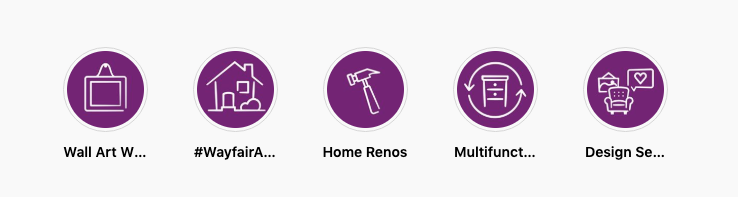
Regardless of which category the Story falls into, Wayfair is always creatively weaving product shots into it in either a humorous or creative way.
Here’s a screenshot from a Story where the brand uses humor to show off wall art:

In another example, they give valuable tips for home renovation that acknowledge Wayfair products:

Wayfair includes a “See more.” swipe up call to action in every page of its Stories which allows viewers to swipe directly to a product immediately after its shown.
Takeaways:
If you’re working at an ecommerce company, or want to highlight and sell products quickly, Wayfair’s strategy could be beneficial. These Stories allow possible customers to see products in action and used in real-life scenarios, which might make them want to make a purchase.
If you can’t link your website to your Story, you could alternatively stick a product line link in your Instagram bio, then create a Story highlighting products that will be shown on that webpage. At the end of it, rather than including a linked call to action, you could direct viewers to your bio.
If you end up creating a bunch of Stories that fit into just a few categories, you might also want to consider presenting them as featured Stories like Wayfair does on its profile. That way, if someone is interested in one product category over another, they’ll know where to click to see relevant content.
Caffe Nero
The New England-based Italian coffee chain, Caffe Nero, uses its Instagram Stories to highlight new products, menu items, and it’s baristas. Recently, the company posted a Story about its “Barista of the Year” competition and award which highlighted the winner as well as eight baristas who were named as finalists.

Takeaways:
Whether you’re marketing for a local business or a chain, Stories can be a helpful way to highlight unique aspects of your brand — especially devoted and friendly staff.
By highlighting nine highly-skilled baristas and showing an award ceremony, Caffe Nero shows prospective customers that its employees are pleasant, want to help customers, are good at making coffee, and enjoy their jobs. It also makes Caffe Nero look like a brand that cares about both its staff and good customer experiences.
If someone has to pick between a huge restaurant chain with unhappy staff and a smaller chain with staff that cares about customer happiness, odds are, they’ll probably choose the second option because their experience might be smoother and more pleasant.
New York University
NYU’s Stories center around topics that you might see in a student newspaper. In any given story edition, you might find student profiles, historical fun facts about NYU, graduation speeches, and university-related newsbites.
In one Story, published on Valentine’s Day, NYU discussed alumni who fell in love:

In the same Story, they also highlighted instances of sibling students
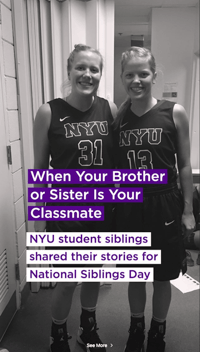
And just recently, NYU published footage of its Pride Parade:

Takeaways:
Because Gen-Z and millennials flock to Instagram, this type of student-friendly content seems very well targeted. While many in Gen-Z are starting to enroll in college programs, some millennials might still be thinking about getting a first or second degree.
When prospective students are preparing to make a huge investment in college, they want to choose a school that cares about its students. With the strategy of telling interesting student stories and covering campus events, NYU gives possible students an idea of what going to the school might be like. These Stories might also show them how fun and diverse NYU could be.
If you’re part of a business that requires students or customers to pay large annual fees, one great way of showing them it’s worth it is by highlighting current customers or students. Emotionally, prospects might connect with people in their situation who are happy with a big investment that they made.
While this strategy works well for colleges and universities, it might also benefit other programs, such as a networking organization. For example, if you’re trying to market a group where members pay to attend networking events, workshops, or other career training, you might post Stories that talk about members who found jobs after joining, or use the platform to show videos of current members at an interesting networking workshop.
Planet Fitness
Planet Fitness leverages its diverse customer base by promoting gym triumphs in its Instagram Stories. Its featured Story includes one customer triumph or success story on each page with teaser language encouraging viewers to swipe up to the Planet Fitness website.
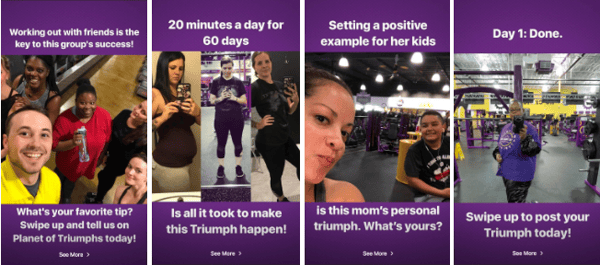
The best thing about this Story is that it shows successes from a wide range of people. While you might see a highlight about an athlete preparing for a marathon one day, you’ll also regularly see moms going to the gym, friends working out together, or other testimonials about customer milestones.
Takeaways:
Planet Fitness continues to define itself as a “judgement-free zone” by showing realistic accomplishments by every-day people. Those who want to go to the gym might see these stories and feel like Planet Fitness is a realistic and welcoming place for them to start working out.
Every-day person success Stories can be a great way to lighten up your brand image if you think prospects are too nervous to come to you. Aside from gyms, this could be an approach for other businesses or brands that might be intimidating to customers.
For example, because people can get nervous around lawyers, a law firm might want to use Stories to post video testimonials from clients who won their court cases with help from the organization. In another scenario, a nutritionist might have patients volunteer to talk about their wellness success.
The Jimmy Fund
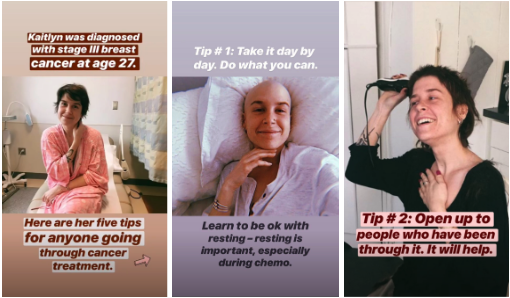
The non-profit organization which raises money for cancer research and treatments regularly keeps Instagram followers up to date with the projects its funding, cancer-survivor testimonials, and updates on its annual 5K Fun Runs.
Although cancer is a tough topic, The Jimmy Fund’s Stories are optimistic and promote the charity’s successes.
In one Story, the organization toured a state of the art cancer treatment center that they had helped fund:

In another, a cancer survivor gives five tips for living with the disease:
Takeaways:
If you’re a marketer for an organization that asks for donations or funding, you might already know that you’ll need to gain trust from your following in order to get the money you need. One of the best ways to show that someone’s donation will be put to good use is to promote how the funds are effectively being used to help others.
By using the Stories feature to present funded projects, like new cancer treatment centers, viewers can literally see what their money could go toward.
If you’re just getting a philanthropic organization or fund off of the ground, another way to earn trust could be by creating content that is valuable to the group you’re trying to help.
For example, along with noting what the charity has been funding, The Jimmy Fund also posts advice for cancer patients and cancer survivors. While those living with cancer can benefit from this, those who aren’t will see that the organization genuinely cares about the group it says it supports.
Lowe’s
The home-improvement store uses a variety of different story styles to show off its products. While most are created by Lowe’s, other [1]stories are curated from customers.
In one curated story, viewers can watch a woman refloor her bathroom with tiles she bought at Lowe’s:

In a story created by Lowe’s, the brand takes a similar approach as Outback Steakhouse by allowing viewers to vote on which type of paint color they preferred in a specific room:

Takeaways:
While home-improvement might be nerve-wracking to someone who hasn’t done it before, Lowe’s uses colorful imagery and creative stories to show how fun and creative it can be. Because Lowe’s shows its own tools in these stories, novices who don’t want to be overwhelmed by product choices might just buy the exact same supplies so they can replicate what they’ve already seen.
If your company offers DIY products, whether they relate to home-making, cooking, art, or other activities, showing them in action can be a really great way to encourage purchases. How-tos and demonstrations can excite prospective customers and show them how easy it can be to do a home project. Because of this, they might run straight to your store to buy similar supplies or ask your staff to show them other products for another DIY project.
Tips for Creating an Instagram Story
If this list has inspired you to create a branded Instagram Story, here are a few key takeaways to remember as you begin to brainstorm your first edition.
- Identify and leverage content that might already align well with the platform. Do you have great customers that you can interview on camera? Or photos or videos of your product or service in action? While you’ll still want to adapt imagery or Story lengths to fit the platform, don’t be afraid to publish Stories with curated or pre-created content that you think will engage Instagrammers and prospective customers.
- Create content specifically for the platform’s audience. Whether you’re adapting content or creating it from scratch, make sure you’re posting about topics that younger and more-visual Instagram audiences will engage with.
- Use interactive features like questions, polls, and quizzes. These add depth to a story and might enable users to think about each topic more seriously.
- Keep stories quick and to the point. Don’t overwhelm your audiences with too much text or too many pages. This might cause them to tap out of your story.
- Add a swipe up if you can. These can be a great way to gain traffic through Instagram. Don’t have the swipe up feature yet? Here’s how you can get it.
Stories can be a great way to add some unique and engaging content to your Instagram strategy. If you’re ready to make one, but feel overwhelmed by all the app’s features, leverage the strategies used by the brands on this list — your audience will surely enjoy it.

Developing Leadership Skills: How to Become an Effective Leader [+ Expert Tips]
It’s very easy to spot good leadership when it happens.
Take, for instance, how an old manager of mine used to ask my advice on business strategy in our weekly 1:1s — and then provide constructive feedback on it.
While I might not have recognized it at the time, I now see he was teaching me to think about how my role fit into the company’s bigger mission.
Or, consider how my current manager seeks out learning and development opportunities for each of her direct reports. Whenever she finds a workshop or online class that could help me grow, she passes along the information.
All of which is to say: Good leadership doesn’t look, sound, or act just one way. There are a myriad of ways for a good leader to educate and inspire others.
Which means leadership is a harder skill to master than others. It isn’t like mastering Excel, which requires knowledge of specific, fixed formulas. Instead, good leadership is more ambiguous, and mastering it is less of a linear path. There will be setbacks, and moments where you feel you didn’t act as a good leader should. But there will also be incremental moments of true growth.
Whether you’re an individual contributor or already a team lead, there’s always room for improvement. Here, we’ll cover leadership development on various levels — from individual contributor to senior management and above. Plus, hear leadership tips from Google, LinkedIn, Monday.com, and HubSpot.
We’ll also explore how to achieve your career goals through actionable steps you can take to level-up and become a stronger, more effective leader.
Let’s begin.
![→ Free Report: The Executive Marketing Leadership Survey [Download Now]](https://no-cache.hubspot.com/cta/default/53/41a58f0d-a829-4a22-840a-327a243d781a.png)
What is a leader?
Before we dive into how to become a leader, it’s important we cover what a leader is.
At its most basic definition, a leader is someone who leads a group of people towards a common goal through inspiration, motivation, and strong vision setting.
For instance, a teacher leads her students towards the goal of learning and uses motivation and inspiration to help them reach that goal.
The motivation and inspiration aspects are key. A leader isn’t just someone who barks orders and hopes people obey. Instead, an effective leader is highly emotionally intelligent and connects with his or her direct reports to create stronger relationships before driving the group towards change.
Additionally, a good leader is someone who is effective at big-picture strategizing, and equally adept at communicating that vision to the rest of the team.
If you’re still unsure what a leader is, here are a few quotes from leaders who’ve defined the term for themselves:
- “As a business leader, I think of myself as a coach. It’s my responsibility to build a strong team, design a winning strategy and execute the strategy with excellence to bring the team to victory.” — Thasunda Duckett, President and CEO of TIAA
- “Ensuring that people have everything they need to achieve the missions of an organization. That’s it, all else is footnotes.” — Hans Vestburg, CEO, Verizon Communications
- “Leadership is helping believe in a better tomorrow or a better outcome than you have today.” — Marissa Mayer, Former CEO, Yahoo!
- “Leadership is helping people succeed, inspiring and uniting people behind a common purpose and then being accountable.” — Paul Polman, Former CEO, Unilever
- “A leader is someone who can think strategically, simplify the strategy so everyone in the organization can understand it and communicate that strategy simply, enthusiastically, and in a caring way.” — Ajay Banga, CEO, MasterCard
Now that we’ve covered a more broad, basic definition, let’s explore some skills, traits, and qualities of good leadership to understand the definition on a more actionable level.
The Skills, Traits, & Qualities of Good Leadership
Good leadership looks different for every leader. Some leaders are quiet and calm; others are rambunctious and extroverted. There isn’t a specific personality that lends itself best to effective leadership. And that’s a good thing — at its core, leadership is about leading people, and people are diverse, so you want your leadership teams to reflect that diversity.
However, there are a few specific skills, traits, and qualities that have been identified as strong indicators of good leadership.
A few high-level leadership skills include:
- High emotional intelligence
- A growth mindset
- Strong communication skills
- Reliability
- Ability to give and receive feedback
- Decisiveness
To learn more about leadership skills (and how to improve them), take a look at What Are Leadership Skills? [+ How To Get Them].
For now, let’s explore which skills are most relevant for various leadership roles.
Leadership as an Individual Contributor
You don’t have to manage a team to be a leader. Instead, many individual contributors are strong leaders who need to develop leadership skills to manage projects or outcomes.
As an individual contributor, it is oftentimes your responsibility to have influence across the organization to drive projects across the finish line. This includes having the confidence to convince stakeholders that what you’re doing matters to the organization, and that you’re the best leader for the job.
Some of the most critical skills of an individual contributor include strong communication skills, time management skills, ability to work autonomously, and ability to collaborate effectively.
Here are a few specific examples of how individual contributors might need to demonstrate leadership skills:
- A social media marketer spearheading a new campaign across channels.
- A website designer who is in charge of re-designing the new company homepage.
- A blogger who notices a gap in an existing editorial strategy and wants to pitch a new topic cluster to leadership.
- A product marketer who needs to work with various teams to drive traffic and leads to a new product launch.
All of these employees need strong leadership skills — including the ability to empathize, remain flexible, listen actively to other team’s agendas, and communicate their own vision effectively — and yet, none of them lead a team in a traditional sense.
To develop leadership skills as an individual contributor:
Learn to seek out feedback from the employees with which you work. Once one project is complete, ask them to complete a survey that requests information related to your time management skills, communication skills, or collaboration skills.
Leadership as a Manager
Once you’re a manager, developing leadership skills becomes more a practice of trial-and-error.
To develop or strengthen key leadership skills, you’ll want to request regular feedback from each of your direct reports, as well as your manager, to determine areas for improvement. Ask clear, actionable questions such as, ‘What is one thing you’d like me to start doing? (Specific examples are helpful)’ and ‘What is one thing you’d like me to stop doing? (Specific examples are helpful)’.
Additionally, take the time to reflect on situations to determine how you might shift your behavior moving forward. Good leaders are the first to admit their mistakes.
For instance, if you’re managing an entry-level employee and recognize you didn’t give her enough context or support before suggesting she meet with her first client, you’ll want to reflect and decide how you’ll change moving forward.
Then, in your 1:1, you can tell her: “I apologize for pushing you into a client situation without ensuring you had all the context and information you needed to succeed. Moving forward, I’ve altered our team training schedule to ensure employees have more time to find their footing before meeting with a client.”
Finally, as you move into a manager role, take the time to identify your management style. Understanding your management style can help you uncover inherent strengths (and weaknesses), and expand upon those.
To develop leadership skills as a manager:
Ask your direct reports for candid, honest feedback. Reflect on situations and iterate on your behaviors over time. Finally, identify your management style and be self-aware about your areas for improvement.
Leadership as a Senior Manager and Above
When you become a senior manager, your job shifts significantly — because you’re now leading a team of managers.
To be effective as a senior manager, you’ll want to ensure you know how to ask the right questions. In skip level meetings, for instance, you might be speaking with employees who feel intimidated and hesitant to point out issues they’re seeing on the ground-level — but their perspective is invaluable for spotting weaknesses within the organization.
Skip level meetings can also help you determine which areas your direct reports might need coaching, as well as patterns of challenges and inefficiencies across the team.
As a senior manager, it’s also your responsibility to identify and nurture future leaders. Seek out opportunities to coach and mentor lower level leaders to ensure your organization is prepped with leaders who can drive positive change.
Finally, a senior leader is someone who motivates and inspires the department at-large with visions of the future of the company — two, five, and even ten years out. She is someone who is able to clearly articulate where she sees the business, and industry, headed, to create a sense of purpose among employees.
To foster this skill as a senior manager, you’ll want to be intentional about staying up-to-date with the competitive landscape and consistently making note of existing customer pain points and how your company might reduce friction and stay relevant in the years to come.
To learn more about this, take a look at How to Set & Achieve Marketing Objectives in 2021.
To develop leadership skills as a senior manager or above:
Practice the art of active listening and asking the right questions to discover weaknesses and gaps in your organization. Keep up-to-date with the competitive landscape. Find mentors or senior manager peers who will provide you with leadership feedback, and attend conferences or seminars to network with other industry leaders.
How to Achieve Your Leadership Career Goals
1. Identify your leadership style, and know your strengths and weaknesses.
Leadership isn’t one-size, fits-all. So when you first decide you want to become a leader, it’s vital you take the time to determine what type of leader you want to be.
If you’ve never been in a leadership position before, you can start by taking a leadership style assessment to determine your style.
Alternatively, if you have been a leader in a previous position (even informally), take a look at The 8 Most Common Leadership Styles & How to Find Your Own [Quiz] to see which style you feel you fit most accurately.
For instance, let’s say you’ve determined you fit a ‘Coach-Style Leadership’ style. Coach-Style leaders are focused on identifying and nurturing individual strengths of each team member.
Since Coach-Style leaders focus on growth and success of individual employees, it’s vital you’re efficient at communication and relationship-building.
Alternatively, if you felt better suited for a ‘Strategic Leadership’ style, you’d want to hone skills related to strategic, big-picture thinking.
Once you’ve figured out your leadership style, it becomes easier to identify areas for improvement and areas of potential weakness.
To create a more comprehensive list, take the time to make a list of your strengths and weaknesses (and collect external feedback as well) — this can help you determine, with your manager, which areas of growth will be most necessary before you can earn a leadership position.
2. Seek out opportunities to become a role model or mentor.
To become a leader, you’ll need to vocalize to your manager that you want to become one. Then, he or she can help you identify opportunities to begin practicing leadership informally.
Alternatively, try seeking out those opportunities for yourself. There are a myriad of ways to test out your leadership skills. Perhaps you sign up to become a mentor to a new employee, or grab coffee once a week with a new team member to provide guidance and support.
Outside of work, you can look for areas in your community to become a leader. For instance, you could volunteer as a mentor for a local high school.
3. Develop your communication skills.
A core tenant of strong leadership is good communication skills.
Leadership requires you to communicate constantly with various stakeholders, effectively sell them on your goals or vision, and create rapport to build trust among your team.
In a given day, a leader might go from a meeting with executives in which she needs to communicate the resourcing needs of her team, to a meeting with individual contributors where she needs to build trust, inspire, and motivate.
All of which is to say: Good leadership and strong communication skills go hand-in-hand.
To develop stronger communication skills, you’ll want to start by practicing your active listening skills, learning how to assert your opinion in a helpful way, and asking for feedback from others on your existing communication skills. You might also seek out public speaking opportunities to strengthen your public speaking skills.
Empathy and emotional intelligence are equally critical to communicating effectively, and can help you build stronger relationships with colleagues.
For instance, let’s say a colleague comes to you with a problem. She expresses that she’s been overwhelmed and, as a result, won’t be able to meet the deadline you’d initially agreed upon for a project.
While you might be frustrated or even angry initially, empathy can enable you to put yourself in her shoes, and understand that missing deadlines can happen to all of us. Additionally, emotional intelligence can help you monitor your own emotions and react appropriately.
As a result of having empathy and high emotional intelligence, you might respond like this: “Thanks for letting me know, and I’m sorry to hear you’ve been feeling overwhelmed. We’ve all been there. Give me some time to think over how we can come up with a solution to ensure we don’t get behind on the project as a whole.”
Rather than reacting purely based on personal feelings, emotional intelligence ensures you have the skills to keep your emotions in-check and respond to situations in positive, effective ways.
4. Ask big picture questions and learn to think about strategy.
When asked, “What skills are vital to being a good leader?”, over ⅓ of HubSpot survey respondents reported ‘ability to think strategically and to think about the big picture’. That skill alone won out over communication skills, decision-making skills, and interpersonal skills.
Thinking strategically doesn’t happen overnight. When you’re in a role that requires you to be focused on ground level details, it can be difficult to suddenly pull back and analyze bigger trends, challenges, and solutions — but it’s vital for any leader to be able to do so.
Here are a few ways you can begin exercising that ‘strategic thinking’ muscle:
- Ask more big picture questions in meetings, even if it’s not directly tied to your role. For instance, if you’re a social media marketer and you’re required to post Instagram stories for an upcoming product launch, you might explore questions such as, ‘Why did our executive team choose to focus on investing in development for this product in particular?’ ‘How will this product expand our value proposition?’ and ‘What narrative are we telling around this product and how it fits into our existing product stack?’
- Expand your network outside of your immediate team. Grab lunches with members of the sales or services organization, and take the time to speak with those outside of your team. This will help you begin to understand what’s happening in other areas of the organization, what other teams are working on, and challenges other teams are facing.
- Get organized with how you spend your time. While your day-to-day tasks are important, it’s equally vital you carve out intentional time to focus on bigger projects or professional development opportunities. To do this, you might block off one hour every other week to focus on personal brainstorming — during this time, you might write down a list of higher-visibility projects you’ve been wanting to test out, or seek out workshops and courses in your area that will help you develop skills that your team currently lacks.
- Be willing to speak up. Beyond asking question in meetings, practice feeling comfortable sharing your own perspective or opinion. Show your colleagues you’re willing to communicate new ideas or get creative when it comes to existing strategies.
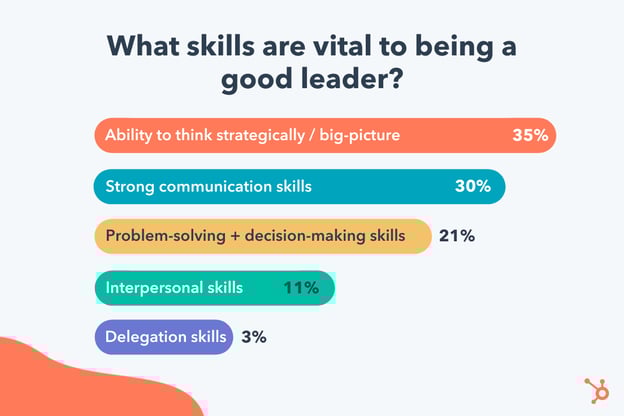
5. Take on more responsibility.
To begin levelling up in your career, you’ll need to seek out additional opportunities to expand your skillset and demonstrate your willingness to grow professionally.
The easiest way to do this is to have an honest conversation with your manager in which you ask where the team’s needs are, and how you can help your team meet those needs. Alternatively, perhaps you’ve observed a weak spot on your team and you feel confident you know how to fix it — in that case, you might bring your proposal to your manager.
It’s vital you have buy-in from your manager since taking on more responsibility outside of your existing role could look unprofessional if your manager doesn’t know why you’re adding tasks to your plate.
If you’re interested in becoming a team manager, for instance, you might tell your manager: “I noticed we’re hiring a summer intern. If we don’t already have a plan in-place, I’m wondering if I could become the intern’s mentor or manager for the summer to strengthen some of my leadership skills?”
6. Go where the needs are.
I received this advice early in my career after I’d pitched a lengthy project to my manager. The pitch was strong — except my solution didn’t solve a big problem, it solved a small one.
My manager said, “It looks like you created this pitch with your own personal interests top-of-mind. While it’s always great if your passions can match business need, first and foremost, you need to work from the perspective of, ‘What will help our business the most?‘”
She had a point. After some reflection, I realized our team didn’t need infographics designed for blog posts as much as the team needed more SEO knowledge and input. Rather than looking for design courses, I pivoted and signed up for a workshop on SEO. It was less interesting (personally), but it impacted our business on a broader scale.
Effective leaders don’t just suggest random ideas when it suits them. Instead, they start by asking the right questions and analyzing existing weak spots. Then, they work to fill in those gaps and create real change for their organizations.
7. Practice self-awareness.
Self-awareness is an incredibly vital skill for any leader.
For instance, leaders who can see how their employees view them are usually more effective, and have stronger relationships with their employees. Additionally, self-awareness can help you correctly identify what you do well, and which areas you can potentially improve.
But if you think you’re already a master in self-awareness, think again. One study estimates only 10-15% of people are truly self-aware. And, even if you are self-aware, there is always opportunities to strengthen the skill.
In this context of developing leadership skills, self-awareness can help you:
- Assess your current relationships with your colleagues, and how you might improve it. (Example: You recognize you were dismissive of another colleague’s ideas in a recent meeting, and she’s been avoiding you since. With that self-awareness, you can apologize for your behavior and practice more open-mindedness moving forward.)
- Analyze your own internal thought patterns, and recognize which ones aren’t serving you, to build confidence. (Example: You feel imposter syndrome every time you present to your team, and you’re self-aware enough to know it’s because you’re constantly thinking, ‘I don’t deserve to be here’. As a result, you work on self-affirmation, and create a folder on your desktop of positive reinforcements from colleagues.)
- Figure out which skills you lack that you’ll need to develop before moving into a leadership role. (Example: After some reflection, you realize you aren’t often honest about your mistakes, which can make you seem untrustworthy. As a result, you put effort into admitting when you’ve failed to your manager or team.)
8. Take the time for quiet reflection.
Becoming an effective leader doesn’t happen overnight. And, unfortunately, there’s no ‘end’ to becoming a good leader. For your entire leadership journey, you’ll continuously iterate and grow.
When setbacks and failure happens, it’s important you become adept at reflection. As you put these leadership tips into practice, take the time to regularly assess how you’re doing. Leadership is trial-and-error, and as you practice new behaviors to grow your leadership skills, you’ll want to determine which feel most authentic to you.
Ultimately, good leadership doesn’t mean mirroring what others have done. It means figuring out what works for your personality and style, and expanding on those innate qualities. Since authentic leadership is the single strongest predictor of an employee’s job satisfaction, it’s imperative you take the time to grow into a leader in the way that’s right for you.
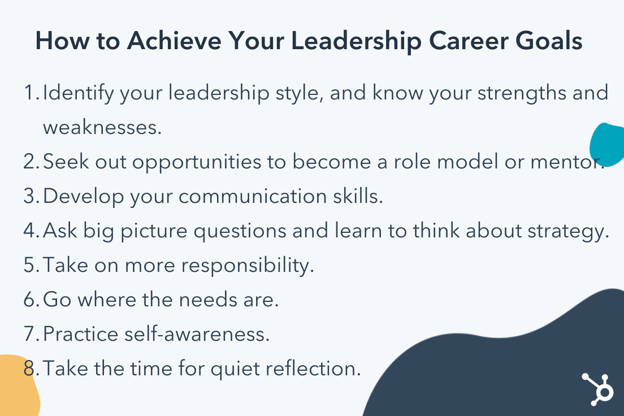
Why Goal Setting Is a Critical Component of Good Leadership
As you move into a leadership role, you might feel pulled in many different directions by stakeholders with different goals.
This is why setting goals is vital for leading a team successfully: It keeps you focused on what matters for your team.
When you create goals for your team, you’re effectively prioritizing what you will say yes (and no) to over a given period. Additionally, you’re ensuring your team clearly knows where they’re headed and how to get there — an essential component of good leadership.
Here are a few other reasons goal setting is a critical component of good leadership:
- Goal setting helps you enable your employees to work more autonomously. If they know what results you’re expecting from them, it doesn’t necessarily matter when, where, or how they reach those.
- Goal setting helps you stay focused on what matters most for your business. It ensures you don’t get distracted with quick wins, and instead remain fixated on long-term success.
- Goal setting can spark more engagement from employees. If your employees understand the purpose and long-term vision behind their daily tasks, they’ll likely feel more motivated.
- Goal setting increases a team’s creativity and collaboration. Once you’ve decided where your team is headed, you don’t necessarily need to dictate how to get there. Instead, empower your employees to brainstorm and test out interesting strategies to drive the team forward towards that goal. It’s more interesting — and likely more effective — to gather unique perspectives when driving towards a common goal.
- It helps you know when to say no. When your employees come to you with interesting projects or experiments, it can be tempting to say yes. By setting clear team goals, you’re ensuring each team member uses their time intentionally in pursuit of that goal alone.
When setting goals, consider using a SMART framework to ensure your goals are clear, actionable, and specific.
The Eisenhower Matrix can also help you figure out which tasks are highest priority once you’ve determined your team’s short and long-term goals. The Eisenhower Matrix enables you to categorize your tasks in order of urgency and importance.
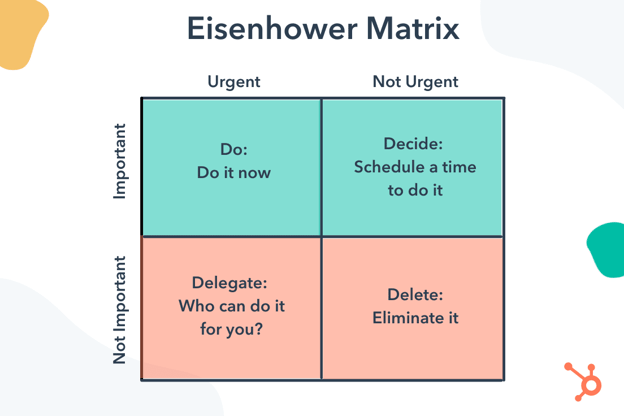
Now that we’ve covered goal setting as a vital component of leadership, let’s explore a few other critical factors according to Google, LinkedIn, Monday.com, and HubSpot.
What Makes an Effective Leader? Tips from Google, LinkedIn, Monday.com, and HubSpot
1. Effective leadership is humbling.
Anders Mortensen, Google’s Managing Director of Channel Partners, says effective leadership is humbling.
He told me, “In my early years of leadership, I was focused on the what — the results — while my team was focused on the how. It took me six years to realize that you don’t define your leadership success, it’s defined by others, and the how matters more than the what.”
Mortensen adds that he believes your definition of team will either limit leaders, or elevate them.
“To become an effective leader,” Mortensen says, “you have to make people around you better. Success is collaborative and your definition of ‘team’ will either limit you, or elevate you.”
“The broader you define ‘team’, the more holistically you’ll lead, and you’ll become the bridge-builder that solves for the entire company, versus optimizing for just your own.”
Ultimately, being a good leader means more than delivering exceptional results. It also means consistently motivating and supporting your team — through the highs, but also through the lows.
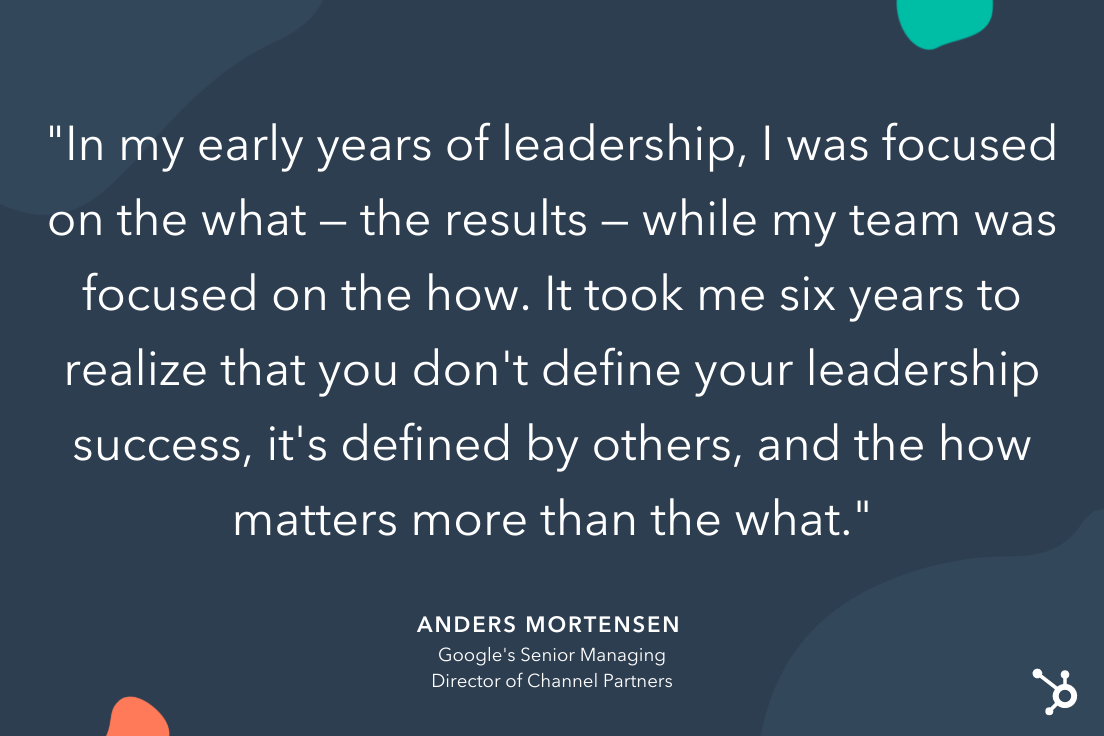
2. Effective leaders show compassion and encourage authenticity.
Alyssa Merwin, Vice President of LinkedIn Sales Solutions, told me compassion is a key characteristic of effective leaders.
As Merwin puts it, “For many reasons, employees may struggle to show up as their full selves at work, creating barriers for them to be successful in certain parts of their roles. Whether because of caregiving responsibilities, mental health concerns, being part of an underrepresented group, or any other number of factors that make them feel different from the broader group, employees may experience increased stress of showing up to their desks — or Zoom, these days — on top of the pressure to perform in their roles.”
Employees desire the opportunity to show up as their authentic selves at work, which is a critical factor for long-term employee satisfaction and engagement.
Merwin says, “To truly support their teams, it’s imperative that leaders not only recognize that these challenges may exist for some team members, but that they also commit to integrating diversity, inclusion, and belonging into their day-to-day operations.”
“Creating and enabling great cultures and welcoming environments is just the starting point,” Merwin adds.
“Effective leaders focus on how each individual team member is feeling and showing up to work, and they facilitate safe spaces for open discussion about how team members can better support one another.”
3. An effective leader is someone who walks side-by-side with their team.
Effective leaders are able to provide strong, actionable support and guidance for their team.
As Hila Levy-Loya, VP of Customer Success at monday.com, told me, “Being an effective leader is about choosing to walk side-by-side with your team — not forging ahead and looking back to check where they are.”
Being able to walk side-by-side, Levy-Loya adds, requires you to take the time to have deeper conversations with your team and understand their daily activities. “The first step in achieving this is to take the time to understand the details of your team’s work and what keeps them up at night. Get to know their day-to-day responsibilities and stresses, and in turn you will become trusted to lead an informed discussion with your team.”
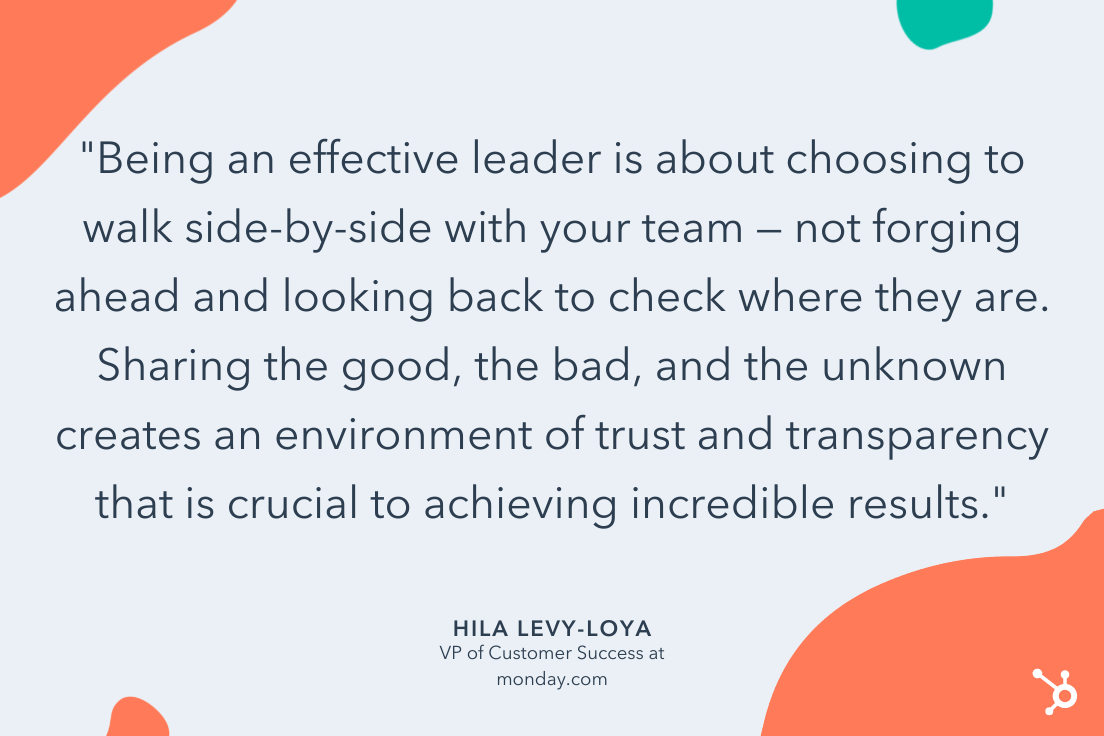
Along with discussing your team’s responsibilities, you’ll want to remain transparent about the bigger picture — including your long-term vision and goals.
Levy-Loya says, “The second step is granting your team access into your motivations so they can understand your ‘zoomed out’ view just as you do. Sharing the good, the bad, and the unknown creates an environment of trust and transparency that is crucial to achieving incredible results. With that ability to tap into each others perspectives, you and your team are able to pave the way together.”
4. An effective leader always assumes good intent.
Lisa Toner, HubSpot’s Director of Content Network, told me effective leaders always assume good intent, even when a team member makes a mistake.
As she puts it, “No one sets out to make a bad decision or mistake. When it happens, they’re likely going to be more upset about it than you are, so no matter how frustrated you are, approach the issue with empathy, and calmly and supportively lead your team member towards a better outcome.”
“Always assume good intent,” Toner adds. “Reacting negatively will only knock their confidence in themselves — and you — in the long run.”
Ultimately, good leadership doesn’t happen overnight. To become an effective leader, you’ll want to consistently request honest, candid feedback from your direct reports, and practice self-awareness to recognize — and improve — your leadership weaknesses.
Fortunately, your direct reports don’t expect you to be perfect; they expect you to be human. Be humble, admit when you don’t know, and collaborate with your team to leverage each person’s expertise — all of which will bring you that much closer to truly leading effectively.

The Evolution of Content Marketing: How It’s Changed and Where It’s Going in the Next Decade
A sound content marketing strategy is one of the better ways a business can help shape its brand identity, garner interest from prospects, and retain an engaged audience. It lets you establish authority in your space, project legitimacy, and build trust between you and who you’re trying to reach.
As you can assume, it’s well worth understanding. But that’s easier said than done. Content marketing isn’t static. The landscape of the practice is constantly changing. It doesn’t look the same now as it did ten years ago, and in ten years it won’t look the same as it does now.
It’s a difficult topic to pin down — one with a fascinating past and an exciting future. Out of both genuine interest and forward-thinking practicality, it’s important to understand both where it’s been and where it’s going.
Here, we’ll get some perspective on both. We’re going to take a look at how content marketing has evolved in the past decade, and how it’s going to evolve in the next one according to expert predictions.

How Content Marketing Evolved in the Past Decade
Google changed the game.
In 2011, Google conducted its landmark Zero Moment of Truth (ZMOT) study. It found that 88% of shoppers use what’s known as a Zero Moment of Truth — a discovery and awareness stage in a buying cycle where a consumer researches a product before buying it. Google’s research also indicated that word of mouth was a definitive factor in swaying that moment.
The study provides a unique point of reference in the context of content marketing’s evolution. It captures the essence of how and why businesses needed to focus on content marketing at the beginning of the 2010s.
It was tacit evidence that companies’ stories were being told online — well beyond the control of their marketing departments — and it was in their best interest to help shape those conversations.
The ZMOT study highlighted the need for sound Search Engine Optimization (SEO). Ranking for relevant keywords on search engines became all but essential to bolstering a company’s online presence and holding up during consumers’ Zero Moments of Truth.
But that study wasn’t the only bombshell Google dropped in the early 2010s. Around the time the study came out, Google’s search ranking algorithm changed to discourage “keyword stuffing” — the practice of repetitively loading a webpage with specific keywords to try to sway search engine rankings.
The change represented what is still a continuous effort by Google to provide users with positive, helpful online experiences. And it did just that. The shift that set the stage for businesses to focus on producing more high-quality, meaningful content.
Social media rose.
But content marketing’s evolution wasn’t exclusively linked to search engines. Social media’s meteoric rise to prominence — one of the most disruptive trends in human history — also had a profound impact on the practice. As these platforms developed into mainstays of everyday life, they presented new challenges for content marketers.
As social media evolved, it popularized a different kind of content consumption than search engines. The difference boiled down to a matter of “pointed versus passive.”
Consumers use search engines to find content more pointedly. Generally speaking, when you use a search engine, you’re looking for a specific answer or a specific subject. Social media allowed users to consume content more passively on their preferred platforms. The content you see on your Facebook feed is finding its way to you — not the other way around.
That trend incentivized the creation of more shareable, attention-grabbing content that could easily be spread across social media channels.
In fact, as of 2021, social media is now the primary channel used by marketers, with over 80% of marketers using social media — by comparison, only roughly 40% use content marketing and SEO.
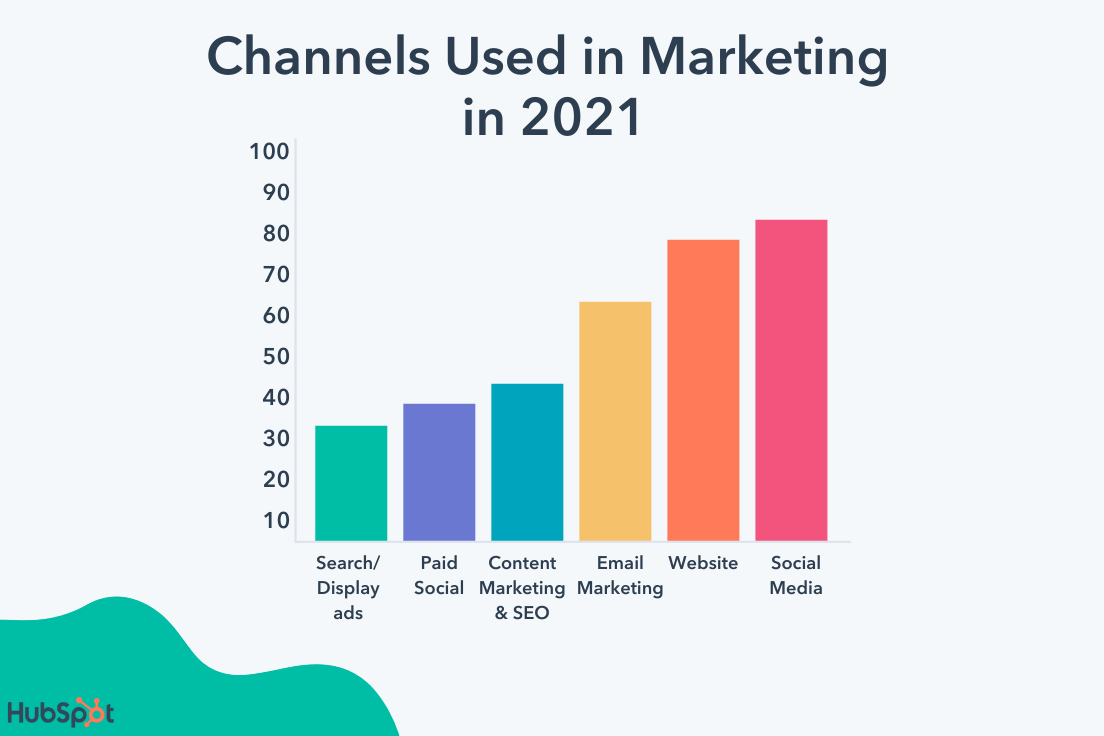
Video made a push.
Video also emerged as one of the prevailing content marketing mediums as the decade progressed, particularly among younger consumers.
As of 2021, roughly 70% of marketers say video is now their primary form of media used in their content strategies.
Additionally, nearly nine out of ten people report wanting to see more videos from brands.
Video is inherently engaging. Generally speaking, it’s easier to follow than blog posts, email newsletters, or ebooks. Gradually, audiences took to it more and more as the decade progressed. By the end of the 2010s, platforms like YouTube were central to the landscape of content marketing.
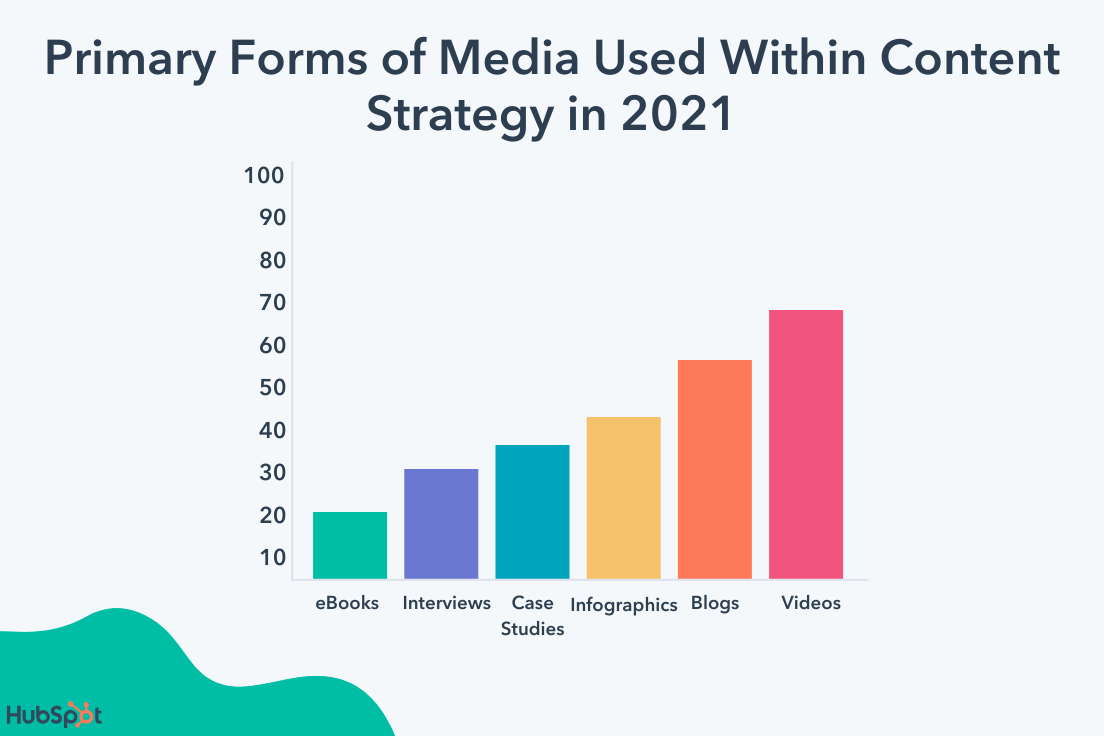
Obviously, content marketing underwent several shifts in the 2010s, but as I said at the beginning of this article, the practice isn’t — and will never be — static. There are still plenty of changes to come.
How Content Marketing Will Evolve in the Next Decade
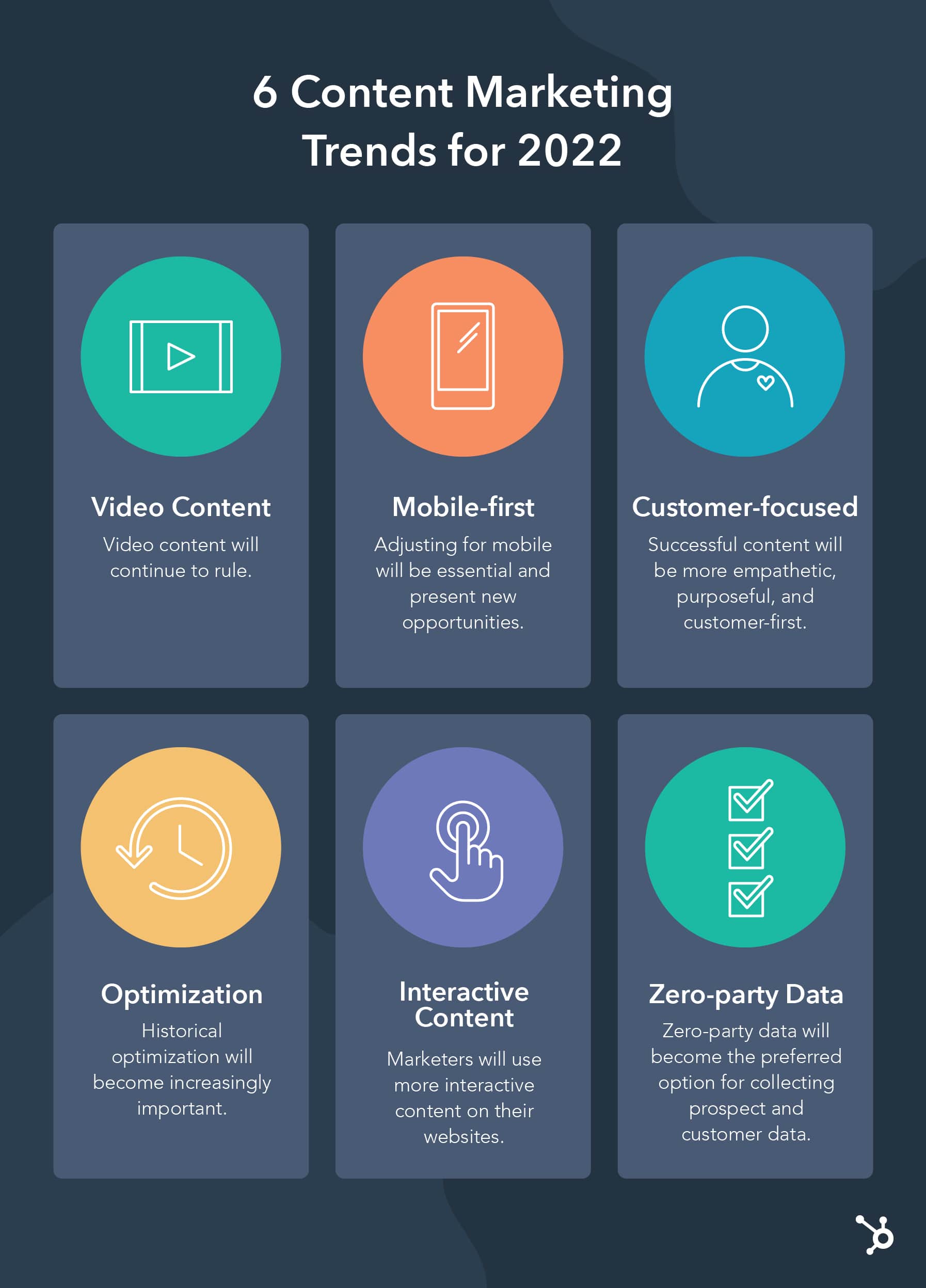
Video content will continue to rule.
As I just mentioned, video was emerging as one of the most — if not the most — important mediums for content marketing at the end of this past decade. There’s no indication that that trend is stopping anytime soon.
In 2020, media uploads increased 80% year-over-year, demonstrating how the pandemic accelerated the popularity of video creation and consumption.
And, as Canva’s B2B Head of Content Rachael Perry points out,
“Video content is positioned for massive growth now, especially as video-first social platforms like TikTok continue to rule.”
Perry says, “Almost everyone creates and absorbs visual content in today’s world, and video is a great way to bring your brand to life and build more personal connections with your audience.”
Perry adds, “Until now, video creation has been complex, but there are new tools making it easier. If you can understand what your audience truly needs, video can help you provide that value in a memorable way.”
All told, it looks like the exploration and expansion of video as the preeminent medium for content marketing is going to continue. The priority for marketers is going to be a matter of standing out.
That could mean emphasizing the quality of the content you produce — ensuring it’s enriching, well-crafted, and relevant to viewers. You could also try looking to emerging platforms like TikTok.
CEO & Co-Founder of Slidebean, Jose (Caya) Cayasso, told me he encourages brands to step outside the more traditional avenues of content marketing — blogging, email marketing, and SEO — to create “wider moats” around their content efforts.
He says, “[At Slidebean] we decided to bet on YouTube, and it’s become our most significant source of revenue and brand awareness. Alternatively, companies like Morning Brew and Duolingo are killing it on TikTok — but requires us to reinvent ourselves constantly, and to break the status quo of typical corporate content.”
Cayasso adds, “You have to be incredibly clever and adaptable to succeed in video content — even more so if you’re a brand, versus an individual.”
No matter how individual producers and companies manage to innovate when it comes to video marketing, the medium is going to be a mainstay in the evolution of content marketing going forward.
Adjusting for mobile will be essential and present new opportunities.
According to Statista, global mobile data traffic in 2022 will be seven times larger than it was in 2017. Mobile device usage is increasing astronomically, and it’s in every content marketer’s best interest to keep pace with that trend.
In 2021, 61% of Google searches took place on a mobile device, and that trend is showing no signs of slowing down. Having a website optimized for mobile devices will be central to successful SEO efforts. And a lot of the content you create will need to fit that bill as well.
Blogs should be easily navigable on smartphones. Readily accessible video content that your audience can watch on mobile devices will be a big help as well. Prospects and customers will need to be able to get as much out of your mobile resources as your desktop ones.
This shift towards mobile will also present new opportunities through emerging kinds of media. More novel mobile technology — like virtual and augmented reality — will have a very real place in the future of content marketing.
As people continue to rely more on their mobile devices, content marketers will have to as well.
Successful content will be more empathetic, purposeful, and customer-first.
Google’s ranking algorithm aims to prioritize the content that will mean the most to searchers. Ideally, by Google’s standards, the first ranking search result for any keyword is the one that best addresses whatever users are searching for. And in all likelihood, they’ll keep tinkering with their process in pursuit of that interest.
While there’s no telling exactly how the algorithm might change going forward, one fact remains — marketers need to focus on high-quality content that will register with consumers. That means understanding your audience and putting considerable effort into how to reach them best.
As HubSpot Senior Content Strategist Amanda Zantal-Wiener puts it, “Where I’m starting to see content turning a corner is in the area of empathy. In the years to come, marketers are going to start creating more content that’s truly created in the mindset of putting themselves in the shoes of others — be it their customers, prospects, partners, or someone else within their audiences.”
She adds, “They’ll ask questions like, ‘What does my audience need from me right now? What can I create that’s truly going to help them?’ That’s going to become a requirement for marketers when they begin brainstorming content.”
Research, outreach, and community engagement will become even more important in the context of content creation. Content marketing is trending towards audience enrichment as opposed to product promotion. If this shifting tide holds true, content marketing will continue to become more targeted, purposeful, and customer-centric as the practice evolves.
As Katelyn Seese, Content Strategist at Blue Frog, puts it, “Content marketing has the power to make real connections with your audience and educate them of the value of your brand beyond your services, products, or offerings. Consumers care much more today about the who and why of your brand rather than just what you do. Understanding who your audience is and why they need your brand is the key to creating meaningful content that truly resonates with your audience.”
Historical optimization will become increasingly important.
Basha Coleman, a Historical Optimization Marketing Manager at HubSpot, believes the future of content marketing will include an increased awareness and dedication to historical optimization.
She says, “As we enter an era where competitive content is appearing each minute, content teams will find it worthwhile to extract more value out of every minute spent on content development.”
Coleman adds, “That means existing material that is updated with new data and trends can compete with brand new content on the same topic, while spending less time and resources to produce it.”
If you don’t already, consider investing in a strong optimization strategy for 2022 and beyond. This will help you create consistently relevant and high-ranking content without constantly starting from scratch, and is a critical SEO tactic for maintaining authority in the SERPs.
Marketers will use more interactive content on their websites.
Nowadays, consumers are interested in easily-digestible, interactive content. In fact, 45% of B2B buyers say interactive content is one of their top three preferred content types, and interactive content gets 2X more engagement than static content.
To serve your audience’s needs, consider how you might implement more interactive content, which breaks up long paragraphs of text and provides the viewer with an alternative method for consuming content.
As VP of Marketing at Trusted Health Jill Callan puts it, “With average attention spans dwindling down to less than that of a goldfish, brands can no longer afford to have one-way conversations with their audience.”
Callan says, “Interactive content on your website or blog can help engage visitors and make complex information easy to digest.”
Callan adds, “At my company, Trusted Health, we’ve used this approach to engage our nursing audience with things like our Salary Calculator, which helps nurses get detailed salary and cost of living information for every state. The best part? Creating contextual user experiences needn’t suck up precious product or engineering resources.”
If you aren’t sure how to begin, you’re in luck. Callan shared with me three tips to kick-start your interactive content journey:
- Embed an ROI calculator on your website to show potential customers how you will save them money. An interactive tool immediately shows your product’s value versus relying on text-heavy copy to explain it.
- Crowd-source product innovation. Tap into your brand advocates and loyal customers to learn more about their pain points and product wishlist. Use those insights to inform a product roadmap.
- Create a quiz. Not only are quizzes a great way to engage visitors, they also give you a better understanding of your audience so you can create more targeted campaigns in the future.
Zero-party data will become the preferred option for collecting prospect and customer data.
The way we use cookies and other ad-tracking tools in the next decade will change dramatically.
Marketers will need to continue prioritizing the security of their prospects and customers’ data, or risk losing their consumers’ trust.
To do this, many marketers will switch from using first, second, or third-party data to using zero-party data, which is data collected voluntarily from customers in exchange for value. Zero-party data goes beyond email address or phone number, and instead can include personal context, interests, and preferences — in return, prospects and customers can expect a more personalized consumer experience.
As Senior Director of Marketing at Microsoft Advertising John Cosley told me, “Zero-party data is the foundation for a relationship built on trust and a value exchange. For consumers, it holds the promise of a personalized and more relevant experience with brands. In return, brands and businesses receive better insight and a longer-term relationship.”
 Using zero-party data enables you to create trust between your brand and its consumers, while also ensuring you’re delivering the most personalized content possible for your customers. As other types of data collection are phased out — including third-party cookies — you’ll see marketers shift to zero-party data in the next decade.
If there’s anything to take away from understanding the previous and upcoming evolutions of content marketing it’s this — don’t get too comfortable. New trends and challenges are always emerging, and it will always be in your best interest to stay abreast of them.
And above all else, focus on consistently creating high-quality content that your audience will always be able to get something out of.
Editor’s note: This post was originally published in May 2020 and has been updated for comprehensiveness.

How to Design a Character for Your Brand
Have you ever searched stock image websites and thought, None of these truly represent my brand?
It can be difficult to stand out using the same cheesy images as everyone else, but creating a unique brand character can help distance you from the pack.

A brand character, or mascot, is the visual representation and ambassador of your brand. They can be an illustration, inanimate object, a person, animal or any other character of your choosing.
This is different from brand personality, which refers to the emotional and behavior characteristics attributed to your brand that help you resonate with customers.
Below we’ll explore the benefits of using a brand character and how to create your own.
Advantages and Disadvantages of Using a Brand Character
Brand characters can fulfill a variety of uses for your company. Here are some advantages of using them:
- Improve communication: Images can often convey feelings and communicate messages to your audience more quickly and efficiently than words. Some even aim to build an emotional connection with the viewer. It’s a popular strategy for marketing products to children like cereals and toys.
- Brand Recognition: Some characters are so ingrained in popular culture that they become inseparable from the brand, like Ronald McDonald or the M&M Spokescandies. Customers will be able to identify your product or service without the brand ever being mentioned.
- Viral marketing potential: If your brand character is catchy and compelling, there’s a chance it could take off on social media. Take Kroger’s Krojis characters, which spawned several memes and parody videos shortly after their launch.
The original commercial (pictured above) used Flo Rida’s song “Low” to advertise their “Lower Than Low” campaign. Soon people were making their own versions, like this one.
However, using a brand character may not be the best choice for every business. Here are some disadvantages:
- May not be a good fit for your business model: For some products like fitness equipment, makeup, or any product that is aimed at altering the customer’s physical appearance, using a brand character is less effective. Customers will want to see a real person in advertising materials as proof that it works.
- Brand disconnect: While good brand characters can help customers recognize your brand, a bad one can have the opposite effect. The character may be recognizable, but customers have no idea what your company does. In the worst case scenario, the character could be inflammatory, or not age well like the recent rebranding of Aunt Jemima pancake products.
- Could be expensive: If you’re not creating the brand logo in-house, hiring an outside designer or agency can be cost prohibitive, especially if your business is just starting out.
Once you’ve decided having a brand character will be beneficial, you can get started on the fun part — creating your own.
Creating a Brand Character of Your Own
Henneke Duistermaat, writer and creator of Enchanting Marketing, found it easiest to reflect her true brand image, connect with her audience, and make her business memorable by hand-drawing her brand character, Henrietta. Henrietta is a cartoon character who embodies Enchanting Marketing better than any stock photo could.
Take a look at the infographic below, featuring Henneke’s “alter ego” Henrietta, to find inspiration to create drawings for your business that will captivate and engage your audience.

While you may not opt to draw your own character like Henneke, you can adopt some of her thought process when creating your own. Think about:
- What problem are you trying to solve?
- How does that problem make your customers feel?
- What solution do you offer?
- What attributes do you want the character to convey?
- Where will you use this character? On the physical product, website design, or customer service chat box?
Brand Character Examples
Brand characters are not a one-size-fits-all marketing tool. You can choose cartoon characters like Henneke, anthropomorphized animals or objects, or even fictional people. If you’re stumped on where to start, we’ve pulled a variety of brand characters to get your creativity flowing.
1. Flo from Progressive
 Flo is a great example of how effective a fictional person can be as a brand character. She’s highly recognizable and always communicates the perks of using Progressive over other insurance companies. Flo has more than 68,000 followers on Twitter, demonstrating the character’s reach beyond traditional commercials.
2. GEICO’s Gecko
 Not to be left out, fellow insurance company GEICO’s quirky gecko character also has a following of their own. Is he Australian or British? No one knows for sure, but we do know we can save on car insurance by switching to GEICO because this gecko brand character is incredibly good at what he does. To play up the character’s popularity, GEICO even facilitates Q&As with him via social media, getting the public to engage with the brand in a fun way.
3. Reddit’s Snoo
 Reddit’s Snoo alien character can be found throughout its website and even has its own thread. The genderless and colorless alien has come to not only represent the company, but also its target audience: everyone. Reddit appeals to everyone and serves as a forum where users from any background can share news, their hobbies, other types of content, and host discussions on just about any topic. It’s the internet’s hub for “everyday people” (plus aliens of course), and Snoo reflects that.
4. Twitter’s Larry the Bird

It seems fitting that a site named Twitter would choose a bird for its brand character. Larry the Bird was named after basketball great Larry Bird, as co-founder Biz Stone is a Celtics fan. While small, this little blue bird is synonymous with Twitter without having to see the brand name spelled out.
It’s versatile and used on not only website branding, but seamlessly tucked into the corner of every individual’s tweet. It’s ubiquitous but not obtrusive.
Including a Brand Character in Your Marketing Plan
Including a brand character into your marketing materials should be based on both market research and your target audience’s needs. They are meant to enhance the user experience and simplify communication between the brand and its customers.
This article was originally published August 17, 2018 and has been updated for comprehensiveness.


What Marketing Leaders Are Investing in This Year
In an ideal world, marketers would have limitless budgets to invest in experimental initiatives and new programs. After all, the customer acquisition and retention landscape are evolving faster than ever. The challenge, however, is that marketing budgets are often limited around what’s proven to work — which tends to look different from company to company.
That’s why it’s so important to have access to industry data. By knowing where we stand against our peers and competitors, we’re better positioned to uncover areas of opportunity. This is especially important considering that 48% of marketers expect their marketing budget to increase in 2022.
In this post, we’ll discuss data-backed areas that marketers are focusing their investments in 2022.
What Marketing Leaders Are Investing in This Year
Protecting consumer privacy.
Consumers are increasingly concerned about their digital privacy and protecting their information. Given this, Think With Google says that marketers will need to increase their investments in privacy solutions and respecting peoples data choices in 2022.
This means that consumers want to know how you’re using their data for marketing purposes, and they want to be able to review and manage the way their data is used and opt-out if they want to.
When you collect information from consumers for different marketing activities, they also want to know you’re collecting it. Recent data from Google found that consumers are happy to provide their data to companies they trust, so long as they know how you will use it.
Podcasts and other audio opportunities.
As of April 2021, there are over 2,000,000 podcast shows and over 48 million episodes.
The demand for audio content has exploded, and Brands recognize this opportunity. In 2022, roughly43% of B2C marketers plan to increase their investment in podcasts in 2022, and the data is virtually the same for B2B marketers.
Marketers are also leveraging other opportunities that have risen brands to leverage, likeClubhouse and Twitter Spaces, which offer audio-only opportunities where users can participate in voice conversations with others.
Other platforms are looking into and testing creating similar options within their apps, like Instagram Live Rooms (also incorporates video). TechCrunch reported that LinkedIn is testing a similar feature as well.
Social Responsibility and Diversity Marketing
Early 2020 brought businesses to a reckoning, as increased attention to social justice issues was at the forefront of conversations during the first few months of the year. In addition, COVID-19 highlighted employees’ struggles in the workplace, and consumers care about how brands they buy from treat their employees.
Almost two years later, these issues have remained extreme topics of interest for consumers worldwide, and they care more than ever about the stances businesses take on public issues, demanding change and awareness from brands on diversity, equity, and inclusion. One of the ways they want to see this represented in business is diversity marketing and commitment to social responsibility.
Given this, 82% of marketers reported that they planned to continue investing the same amount or increasing their investments in social responsibility for 2022.
It’s an effective practice for marketers to commit to, especially considering that people are more likely to consider a product after seeing an ad they think is diverse or inclusive, and 64% take action after seeing an ad they believe to be diverse and inclusive.
However, in the same vein, it’s even more critical that businesses are genuine about the diversity measures they take. Consumers can see through the fluff, and Edelman found that59% of consumers think that companies need to follow up on their statements on diversity with concrete action, or they risk being seen as exploitative and opportunist. Read this post to see examples of businesses that have exemplified the practice of inclusive marketing.
Permanent Social Media Content
You’re likely familiar withInstagram Stories, which are pieces of content on the platform that disappear after 24 hours unless saved as a highlight.
While this type of content is valuable, marketers in 2022 will also be leaning into permanent social media content —HubSpot Blog data showed that 85% of marketers plan on increasing their investments or investing the same amount.
Permanent social media content remains on your different profiles for users to return to over and over again or to discover for the first time when they follow you. This can be in-feed posts, videos, or anything that remains and can be viewed days later after being published.
Influencer Marketing
Influencer marketing used to be a trend, but as 86% of marketers plan to continue investing the same amount or increasing their investments, it’s now a commonplace marketing tactic. Its popularity is due to the fact that partnering with influencers is a worthwhile investment — the ROI for influencer marketing is $5.78.
In addition, many influencers are experts of the ins and outs of how their platforms work and the industries they operate in, so they know what performs best on their preferred platforms and how to best interact with their audiences.
When collaborating with influencers, marketers also benefit from exposure to their audiences, helping generate brand awareness with followers and generate social proof.
Short-form Videos
HubSpot Blog survey data shows that 89% of marketers plan to continue investing the same amount or increasing their short-form video content investments.
As a refresher, short-form video is considered to be any video that is up to 2 minutes and 30 seconds in length. Marketers are likely increasing their investment because of trend culture, where it’s easy for a video to go viral and get shared among audiences over and over again.
For example, TikTok only houses short-form videos up to three minutes in length. Many businesses that use the platform leverage it to inform audiences about their products quickly so that users can get started right away.
Investing in Marketing Technology
60% of marketers reported that, in 2020, they were set to increase their marketing technology spend. A2021 HubSpot Blog poll of over 1,000 global marketers found that 70% of marketers already use marketing technology in their roles, and 33% plan to start in 2022.
Marketing technology, often referred to as martech, is a term used to describe the software and technology used to attract and retain customers. Many martech tools help marketersautomate repetitive marketing tasks to save time, like sending an email or scheduling social media posts. As of 2021, there are more than 8000+ martech solutions for marketers to choose from to meet their automation needs.
Join other market leaders in leveraging these trends.
Although not an exhaustive list, marketers are focusing on and investing in the trends mentioned above for 2022. Understand how each one will affect your business, and join other marketers in these investments.

Fixed Cost: What It Is & How to Calculate It
“Business is personal — it’s the most personal thing in the world.”
These are famous words by Michael Scott from the TV show, The Office. And although this quote conflicts with the universal belief that business isn’t personal, Michael’s point of view is perfect when learning about a business’s fixed costs — or those costs that don’t change as a company grows or shrinks.
To identify and calculate your business’s fixed costs, let’s start by looking at the ones you’re already paying in your personal life. Then, we’ll explain how a business manages its own fixed costs and review some common fixed cost examples.
Fixed costs are distinguished from variable costs, which do change as the company sells more or less of its product.
To better understand how fixed and variable costs differ, let’s use personal finances as an example. As a single adult, your expenses would normally include a monthly rent or mortgage, utility bill, car payment, healthcare, commuting costs, and groceries. If you have children, this can increase variable costs like groceries, gas expenses, and healthcare.
While your variable costs increase after starting a family, your mortgage payment, utility bill, commuting costs, and car payment don’t change for as long as you’re in the same home and car. These expenses are your fixed costs because you pay the same amount no matter what changes you make to your personal routine.
In keeping with this concept, let’s say a startup ecommerce business pays for warehouse space to manage its inventory, and 10 customer service employees to manage order inquiries. It suddenly signs a customer for a recurring order that requires another five paid customer service reps. While the startup’s payroll expenses go up, the fixed cost of a warehouse stays the same.
To get the full picture of what costs are associated with running your business, it’s important to understand the total fixed cost and average fixed cost.
Total Fixed Cost
The total fixed cost is the sum of all fixed costs that are necessary for running your business during a given period of time (such as monthly or annually).
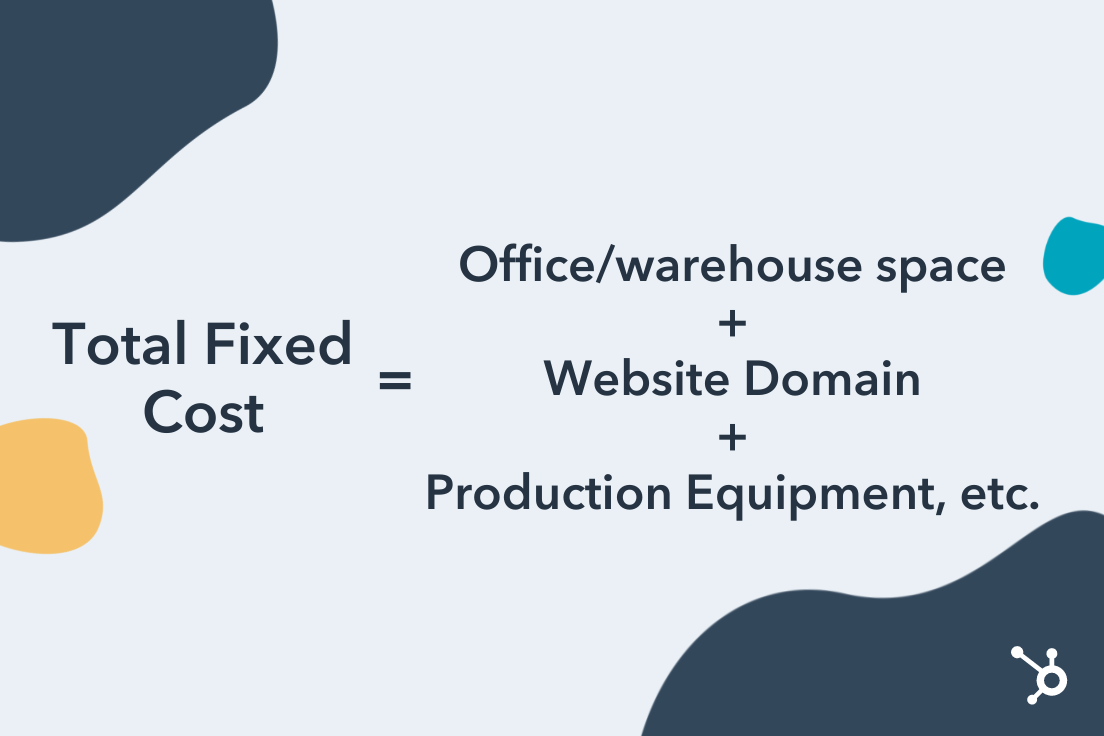
Average Fixed Cost
Keep in mind you have to keep track of your business’s fixed costs differently than you would your own. This is where the average fixed cost comes into play.
Average fixed costs are the total fixed costs paid by a company, divided by the number of units of product the company is currently making. This tells you your fixed cost per unit, giving you a sense of how much the business is guaranteed to pay each time it produces a unit of your product — before factoring in the variable costs to actually produce it.
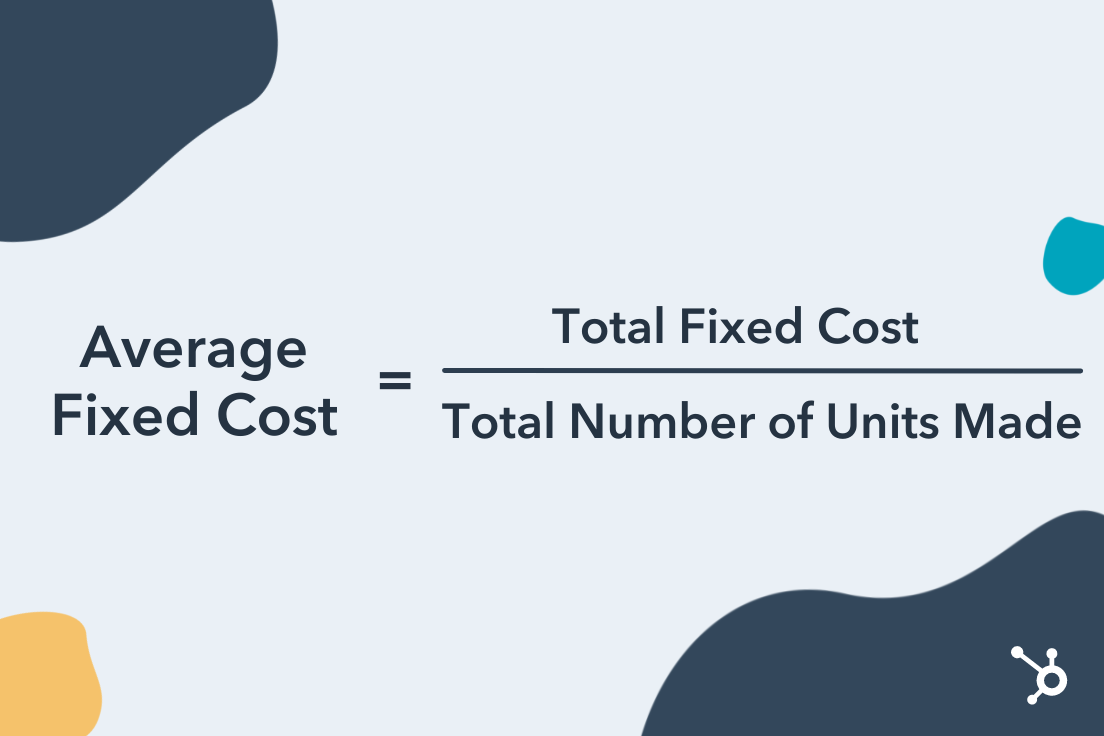 Let’s revisit the ecommerce startup example from earlier. Assume this business pays $5,000 per month for the warehouse space needed to manage its inventory and leases two forklifts for $800 a month each. And last month, they developed 50 units of product.
The warehouse and forklift costs remain unchanged regardless of how many products they sell, giving them a total fixed cost (TFC) of $5,000 + ($800 x 2), or $6,600. By dividing its TFC by 50 — the number of units the business produced last month — the company can see its average fixed cost per unit of product. This would be $6,600 ÷ 50, or $132 per unit.
How to Calculate Fixed Cost
To calculate fixed cost, follow these steps:
- Identify your building rent, website cost, and similar monthly bills.
- Consider future repeat expenses you’ll incur from equipment depreciation.
- Isolate all of these fixed costs to the business.
- Add up each of these costs for a total fixed cost (TFC).
- Identify the number of product units created in one month.
- Divide your TFC by the number of units created per month for an average fixed cost (AFC).
Fixed Cost Examples
So far, we’ve identified a handful of fixed cost examples since considering the costs we already pay as individuals. A home mortgage is to a lease on warehouse space, as a car payment is to a lease on a forklift.
But there are a number of fixed costs your business might incur that you rarely pay in your personal life. In fact, some variable costs to individuals are fixed costs to businesses. Here’s a master list of fixed costs for any developing company to keep in mind:
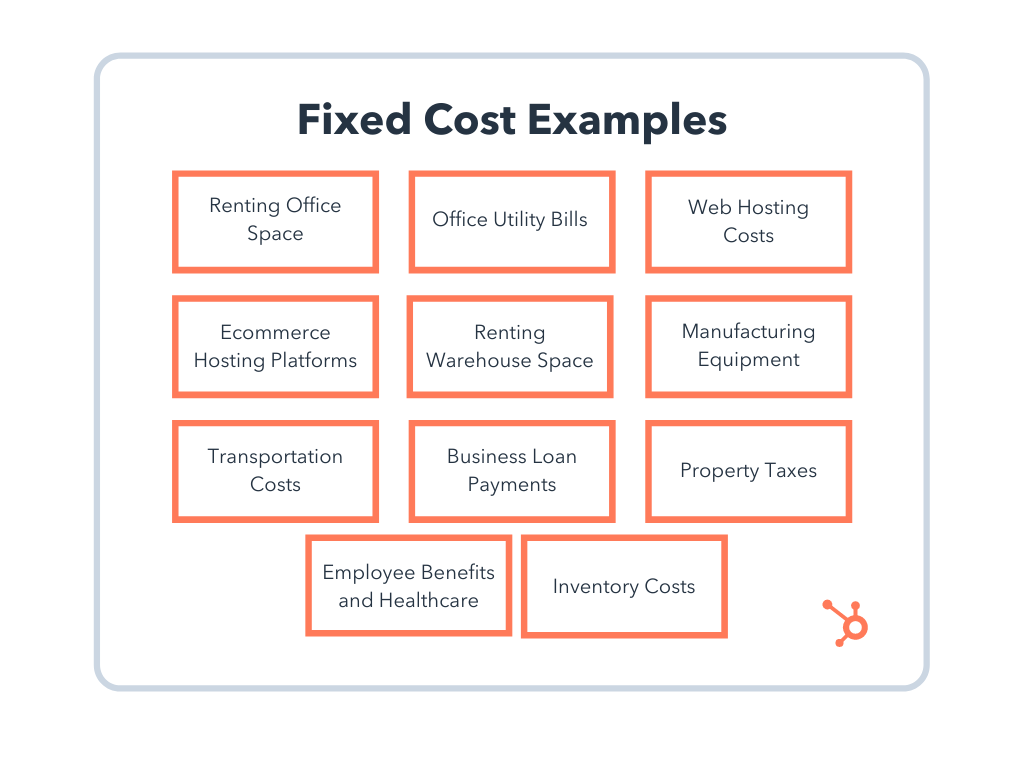
- Lease on office space: If you rent office space to serve as headquarters or employee workspace, these costs tend to be relatively stable.
- Utility bills: The cost of utility bills in company offices may fluctuate as seasons change, but it is generally not affected by business operations.
- Website hosting costs: When you register your website domain, you pay a small monthly cost that remains static despite the business you perform on that website.
- Ecommerce hosting platforms: Ecommerce platforms integrate with your website so you can conduct transactions with customers. They typically charge a low fixed cost per month.
- Lease on warehouse space: Warehouses are paid for the same way you’d pay rent on your office space. The cost is relatively stable but you may run into storage and capacity limits that can impact cost.
- Manufacturing equipment: The equipment you need to produce your product is yours once you buy it, but it will depreciate over its useful lifetime. Depreciation can become a fixed cost if you know when you’ll have to replace your equipment each year.
- Lease on trucks for shipment: If your company sells physical products, transportation may be a regular cost. Truck leases work the same way as a car payment, and will not charge differently depending on how many shipments you make.
- Small business loans: If you’re financing a new business with a bank loan, your loan payments won’t change with your business’s performance. They are fixed for as long as you have a balance to pay on that loan.
- Property tax: Your office space’s building manager might charge you property tax, a fixed cost for as long as your business is on the property.
- Health insurance: Health insurance costs might be a variable cost to an individual if they add or remove dependents from their policy, but to a business, the recurring costs to an insurer are fixed.
Calculating your fixed costs isn’t always the most fun part of growing your business. But knowing what they are, and when you’ll pay each one, gives you the peace of mind you need to serve and delight your customers.



How to Use Facebook Live: The Ultimate Guide
Since its debut in 2016, live streaming video has exploded in popularity. In fact, 82% of people would prefer a live video over reading a social post. It offers the opportunity to forge a more authentic and valuable connection with audiences.
It’s no secret that livestreaming has taken off in a major way. In fact, the total number of hours watched on major streaming platforms grew 99% from 2019 to 2020. Facebook users have eagerly been taking advantage of the popularity of live streaming. Now, one in every five videos on Facebook is live.
![→ Download Now: The Marketer's Guide to Facebook Live [Free Ebook]](https://no-cache.hubspot.com/cta/default/53/50e05b61-09a3-4ce8-8671-e2efbc735218.png)
In this post, we’ll walk through:
- How to broadcast on Facebook Live via your mobile device
- How to go live on Facebook from a desktop
- How to analyze your live video’s performance
- Tips and tricks for getting the most out of the platform
Facebook Live is a feature of Facebook that lets users livestream directly to the social network platform. Viewers can react, share, and comment during the stream. A recording of the video is also published to the page or profile so it can be watched again later.
Why are marketers getting so excited about Facebook Live? Because it’s a fun and fairly simple way for them to use the power of video to communicate their brand stories and build authentic relationships with fans and followers — in real-time.
However, for such a simple concept, Facebook Live has a lot of little nuances that marketers will need to learn if they want to get the most out of the platform. This guide will help you learn the best tricks that can make a big difference in how many people see your live broadcast, how they engage with it, and how it performs.
Facebook Live started as a mobile-only broadcasting feature, but now, Facebook Pages can broadcast from either mobile devices or desktop computers. We’ll go over how to broadcast from mobile and desktop devices in the sections below.
How to Use Facebook Live
Facebook Live videos are public, so viewers can watch on any device where they have access to Facebook but don’t need an account. Users can go live on Facebook from a profile, a Page, a group, or an event. Starting a livestream from the app versus a web browser will be a little different, check out the instructions for each below.
How to Go Live on Facebook From the Facebook App
Step 1: Go to the profile, Page, group, or event where you want to go live.
Step 2: Click What’s on your mind? if you’re on a profile and Create a post if you’re on a page. This should open the post options.
Step 3: Click Live video in the post options.
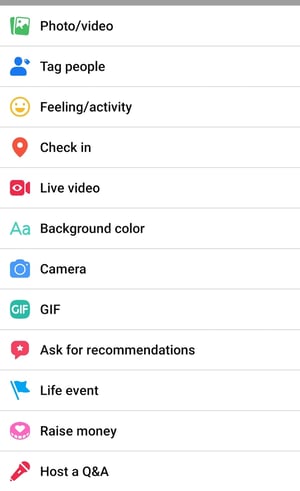
Step 4: Tap where it says Tap to add a description to add information about the video.
Step 5: Use the buttons on the bottom to configure the settings and any features or tools you want to use during the stream.
Step 6: Tap Start Live Video when you are ready.
How to Go Live on Facebook From a Web Browser
Step 1: On your Facebook homepage, you should see a Live or Live Video option. If you are on a profile, it will be under What’s on your mind? If you are on anything else, it will be under Create Post. The icon will look like one of these below.


Step 2: Choose to simply Go live or to Create live video event.
Step 3: Then, choose details for your video. These include a start time, a title and description, who to invite as a co-host, and various audio and video controls.
Step 4: Click Go Live in the bottom left corner when you are ready.
Facebook Live Tools
Facebook offers a lot of features for you to further connect with your audience during your broadcast. Utilizing these tools will help boost engagement and create the best possible experience for your viewers. You can mix and match them to serve your stream in the best way for your business.
- Live Polls: You can create a live poll beforehand to share when you go live. Then, you can see your audience’s responses in real-time during the stream.
- Featured Links: Adding one or multiple featured links to the stream to promote your website or other sources.
- Live in Stories: These allow you to share your streams directly to Facebook Stories to reach more of your audience.
- Live Comment Moderation: Manage the conversation that happens in the comments of your livestream. You can limit who is allowed to comment and how frequently with this feature. And, you can even choose a specific viewer to also moderate comments on your behalf.
- Front Row: This feature allows you to highlight your top fans in a special section of your stream. You can give them a special shoutout to show appreciation for them while you’re live.
- Badges: These are a measure of how much your fans are engaging with your content. Fans can earn badges by interacting with your content, whether it’s sending “Stars” or tuning in to your Facebook Live videos.
- Donations: Qualified pages in certain locations can add a “Donate” button to their live video. Nonprofits using Facebook’s payment platform don’t have to pay a fee, so they get 100% of the donations.
- Live With: This is a co-broadcasting feature that allows you to host your Facebook Live video with multiple guests.
- Live Shopping: If you have products for sale on Facebook, this feature allows you to add product listings to feature during your livestream.
For more help with going live on Facebook, check out this video! And don’t forget that a recording of the livestream is also published to the platform where you went live. Having that content is great because you can download and repurpose it for further use.
How to Analyze Your Live Video’s Performance
How to Access Video Analytics on a Facebook Business Page
Step 1: To get started analyzing your Facebook Live broadcasts, head to the Insights tab in the left-hand column of your brand’s Facebook page:
Step 2: Select the Videos section of your analytics.
Step 3: From there, scroll down to the Top Videos section and choose a video from that menu to look into. (Note: We didn’t have any videos posted to the page we used in this example. If you do have videos, you’ll see them appear here.)
Now, let’s dive into the nitty-gritty.
The performance analytics available for Facebook Live videos are similar to those of normal videos on Facebook, with some neat additions.
- For Pre-recorded videos: Facebook lets you analyze minutes viewed, unique viewers, video views, 10-second views, average % completion, and a breakdown of reactions, comments, and shares.
- For Facebook Live videos: Facebook lets you analyze all the metrics listed above, plus peak live viewers, total views, average watch time, people reached, and the demographics of who watched your video.
In addition to all of these static numbers, you can click into each metric to see how it changed over time when the video was live. For example, if we click into Peak Live Viewers, we’ll see this interactive graph of video viewers over time:
You can even see who your typical viewer was during your broadcast, based on their Facebook profile information:
Now that you’ve got the steps down, let’s get into some tips and tricks.
The last thing you’d want is to start a live video and then be lost. It’s live, so there are no do-overs or chances to start over. So, prepare yourself or your host as much as possible. Outline what the video will entail and follow the rest of the tips below. Also, check out these great examples of Facebook Live videos from various companies.
There are a lot of little things you can do to squeeze the most out of your Facebook Live videos.
1. Brush up on Facebook Live best practices.
Marketers have so much opportunity to reach a wider audience on Facebook Live, so it’s worth committing to learning how to run a Live effectively.
In our detailed Marketer’s Guide to Facebook Live, we cover essential best practices on how to plan, run, and analyze the results of a business-run Facebook Live. Download the ebook to brush up on these best practices.
2. Test out live video using the “Only me” privacy setting.
If you want to play around with live broadcasting without actually sharing it with anyone else, you can change the privacy setting so you’re the only one who can see it — just like with any other Facebook post.
To switch to Only me, look for the privacy settings. Then, you should see the options and be able to select Only me from this list below.
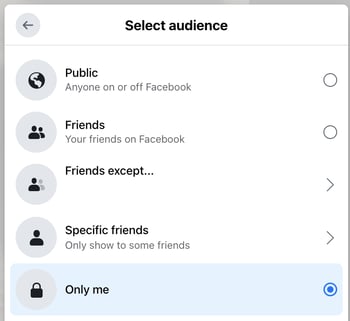
3. Space out live videos with other Facebook posts.
The art of the organic reach on Facebook has changed over time, but you can still take advantage of it. A big way to accomplish this is to maintain a mixture of regular Facebook posts and Facebook Live videos. The live videos are the major pull, as they tend to garner more engagement. So, spacing them out will maximize the organic reach of all of your posts.
4. Keep reintroducing yourself.
When you first start the video, take a minute to introduce yourself and what the video’s about. But keep in mind that when you first start live streaming, you may have zero people watching. Even a few seconds in, you could only have a handful of viewers. As people find your video on their News Feeds, they’ll join in — but that means you’ll want to reintroduce yourself a second, third, and even a fourth time to catch people up.
5. Make the video visually engaging.
You have to be visually engaging — not just at the very beginning of your broadcast (although that’ll be important for when folks view the video later), but throughout the video as more and more people join in.
The more visually engaging you can be, the more you can entice people to stick around. That means keeping the camera moving and not just sitting in one place.
Not only will you get more viewers this way, but you’ll also get your broadcast ranked higher in other people’s News Feeds. Facebook started monitoring signals of video engagement — like turning on the audio, switching to full-screen mode, or enabling high definition — interpreting that as users enjoying the video. As a result, they’ve tweaked the algorithm so videos that people engage with in these ways will appear higher up on the feed.
6. Make it spontaneous.
What makes a live video special? The spontaneous, interactive nature of it. People love the ability to interact, and they love the novelty of viewing someone in a live moment when anything could happen. In many ways, it’s the new reality TV.
These moments are what make live video special, and they’re exactly what differentiates it from scripted, edited, or otherwise pre-recorded videos. Embrace the platform. Banter is always, always good.
7. Don’t worry about mistakes or stutters.
Spontaneity works — even if your Facebook Live doesn’t go according to plan.
Let’s face it, we’re all human. And when humans and technology mix, there can sometimes be technical difficulties.
If you’re recording a live video, things might go wrong — your equipment could malfunction, you could lose your train of thought, or you could get photobombed by a random passerby. You can’t call “cut” if things happen — you have to roll with them and keep filming and talking.
The good news? These things help keep your broadcast human and real. If you wobble your phone while filming, laugh and call it out. If you forget what you were saying, make a joke. The key is to keep the broadcast like a fun conversation, so if mistakes happen, keep it light and keep the lines of communication open with your viewers.
For example, if you make a mistake during your Facebook Live, ask viewers to write in the comments if they’ve made the same mistake, too.
8. Encourage viewers to Like and share the video.
One of the primary ways Facebook’s algorithm ranks a post is by how many people Like and share it. The more people who Like and share your live broadcast, the more it’ll show up in people’s News Feeds.
But when people are watching a video, they may be more distracted from Liking and sharing it than they would a text or photo post. (That’s something the folks at Facebook noticed about video content early on, which is why they began monitoring other video engagement signals as well, like turning on the volume.)
9. Engage with commenters, and mention them by name.
The number of comments on your broadcast is another way to get Facebook to give it a higher relevancy score, making it more likely to show up on people’s News Feeds. So encourage your viewers to comment, and engage with people who are commenting by answering their questions and calling them out by name. Not only will it get more people to comment, but it’s also a fun way to include your viewers in the live experience, which could make them stick around longer.
Plus, your audience will be thrilled to hear you mention their name and answer their questions when you are live.
10. Have someone else watching and responding to comments from a desktop computer.
When you’re the one holding the camera for a Facebook Live video, it’s really hard to see the comments popping up on the mobile screen. If the comments are coming in fast, it’s especially easy to lose sight of them as they disappear below the fold. Plus, you’re probably occupied by recording and entertaining viewers.
Because of this, it’s always a good idea to have an additional person logged into the primary account to monitor the comments on a desktop computer. That way, they can take care of responding so the person recording the video can concentrate on creating a great experience.
11. Subtitle your broadcast in the comments section.
Your viewers may be tuning in and out to watch your video during the work day, or they might simply be watching your video without sound. Either way, periodically subtitling the video in the comments section is a great way to keep people engaged. This also allows people who are tuning in late to catch up on what’s going on.
12. Ask viewers to subscribe to Facebook Live notifications.
In addition to asking for Likes, shares, and comments, ask viewers to subscribe to live notifications. To do that, all viewers have to do is click the small, downward-facing arrow in the top right-hand corner of the live video post, and choose “Turn On Notifications.”
You can also ask them to Like your brand on Facebook, which will make it more likely that they’ll be notified of your next live broadcast.
13. Broadcast for at least 10 minutes.
As soon as you begin recording your live video, you’ll start slowly but surely showing up in people’s News Feeds. The longer you broadcast — especially as Likes, comments, and shares start coming in — the more likely people are to discover your video and share it with their friends.
Because timing is such an important factor for engagement in these live videos, we recommend that you go live for at least 10 minutes, although you can stay live for up to 90 minutes for a given video.
14. Say goodbye before ending your video.
Before you end your live broadcast, be sure to finish with a closing line, like “Thanks for watching” or “I’ll be going live again soon.”
15. Add a link to the description later.
Once you’ve finished the live broadcast, you can always go back and edit the description, change the privacy settings, or delete the video, just like you would any other post.
You can add a trackable link to the description in the post, which can direct future viewers to your live video series page, the site of whatever campaign you’re using the video to promote, or somewhere else.
We hope this has been a helpful guide. We’ll keep you posted with any new developments and tips for connecting with your audience in more cool ways.
Use Facebook Live to Its Full Potential
Social media may have been invented for fun, but it’s grown into an essential business tool. Facebook as a social network is especially valuable for the ways it lets you connect to an audience, and Facebook Live is a great extension of that. Use it to the benefit of your business as a way to promote your product, build brand awareness, or grow your audience.
Editor’s note: This post was originally published in May 2020 and has been updated for comprehensiveness.


How to Create a Pivot Table in Excel: A Step-by-Step Tutorial
The pivot table is one of Microsoft Excel’s most powerful — and intimidating — functions. Powerful because it can help you summarize and make sense of large data sets. Intimidating because you’re not exactly an Excel expert, and pivot tables have always had a reputation for being complicated.
The good news: Learning how to create a pivot table in Excel is much easier than you might’ve been led to believe.
![Download 9 Excel Templates for Marketers [Free Kit]](https://no-cache.hubspot.com/cta/default/53/9ff7a4fe-5293-496c-acca-566bc6e73f42.png)
But before we walk you through the process of creating one, let’s take a step back and make sure you understand exactly what a pivot table is, and why you might need to use one.
In other words, pivot tables extract meaning from that seemingly endless jumble of numbers on your screen. And more specifically, it lets you group your data in different ways so you can draw helpful conclusions more easily.
The “pivot” part of a pivot table stems from the fact that you can rotate (or pivot) the data in the table to view it from a different perspective. To be clear, you’re not adding to, subtracting from, or otherwise changing your data when you make a pivot. Instead, you’re simply reorganizing the data so you can reveal useful information from it.
What are pivot tables used for?
If you’re still feeling a bit confused about what pivot tables actually do, don’t worry. This is one of those technologies that are much easier to understand once you’ve seen it in action.
The purpose of pivot tables is to offer user-friendly ways to quickly summarize large amounts of data. They can be used to better understand, display, and analyze numerical data in detail — and can help identify and answer unanticipated questions surrounding it.
Here are seven hypothetical scenarios where a pivot table could be a solution:
1. Comparing sales totals of different products.
Say you have a worksheet that contains monthly sales data for three different products — product 1, product 2, and product 3 — and you want to figure out which of the three has been bringing in the most bucks. You could, of course, look through the worksheet and manually add the corresponding sales figure to a running total every time product 1 appears. You could then do the same for product 2, and product 3 until you have totals for all of them. Piece of cake, right?
Now, imagine your monthly sales worksheet has thousands and thousands of rows. Manually sorting through them all could take a lifetime. Using a pivot table, you can automatically aggregate all of the sales figures for product 1, product 2, and product 3 — and calculate their respective sums — in less than a minute.
2. Showing product sales as percentages of total sales.
Pivot tables naturally show the totals of each row or column when you create them. But that’s not the only figure you can automatically produce.
Let’s say you entered quarterly sales numbers for three separate products into an Excel sheet and turned this data into a pivot table. The table would automatically give you three totals at the bottom of each column — having added up each product’s quarterly sales. But what if you wanted to find the percentage these product sales contributed to all company sales, rather than just those products’ sales totals?
With a pivot table, you can configure each column to give you the column’s percentage of all three column totals, instead of just the column total. If three product sales totaled $200,000 in sales, for example, and the first product made $45,000, you can edit a pivot table to instead say this product contributed 22.5% of all company sales.
To show product sales as percentages of total sales in a pivot table, simply right-click the cell carrying a sales total and select Show Values As > % of Grand Total.
3. Combining duplicate data.
In this scenario, you’ve just completed a blog redesign and had to update a bunch of URLs. Unfortunately, your blog reporting software didn’t handle it very well and ended up splitting the “view” metrics for single posts between two different URLs. So in your spreadsheet, you have two separate instances of each individual blog post. To get accurate data, you need to combine the view totals for each of these duplicates.
That’s where the pivot table comes into play. Instead of having to manually search for and combine all the metrics from the duplicates, you can summarize your data (via pivot table) by blog post title, and voilà: the view metrics from those duplicate posts will be aggregated automatically.
4. Getting an employee headcount for separate departments.
Pivot tables are helpful for automatically calculating things that you can’t easily find in a basic Excel table. One of those things is counting rows that all have something in common.
If you have a list of employees in an Excel sheet, for instance, and next to the employees’ names are the respective departments they belong to, you can create a pivot table from this data that shows you each department name and the number of employees that belong to those departments. The pivot table effectively eliminates your task of sorting the Excel sheet by department name and counting each row manually.
5. Adding default values to empty cells.
Not every dataset you enter into Excel will populate every cell. If you’re waiting for new data to come in before entering it into Excel, you might have lots of empty cells that look confusing or need further explanation when showing this data to your manager. That’s where pivot tables come in.
You can easily customize a pivot table to fill empty cells with a default value, such as $0, or TBD (for “to be determined”). For large tables of data, being able to tag these cells quickly is a useful feature when many people are reviewing the same sheet.
To automatically format the empty cells of your pivot table, right-click your table and click PivotTable Options. In the window that appears, check the box labeled Empty Cells As and enter what you’d like displayed when a cell has no other value.
How to Create a Pivot Table
- Enter your data into a range of rows and columns.
- Sort your data by a specific attribute.
- Highlight your cells to create your pivot table.
- Drag and drop a field into the “Row Labels” area.
- Drag and drop a field into the “Values” area.
- Fine-tune your calculations.
Now that you have a better sense of what pivot tables can be used for, let’s get into the nitty-gritty of how to actually create one.
Step 1. Enter your data into a range of rows and columns.
Every pivot table in Excel starts with a basic Excel table, where all your data is housed. To create this table, simply enter your values into a specific set of rows and columns. Use the topmost row or the topmost column to categorize your values by what they represent.
For example, to create an Excel table of blog post performance data, you might have a column listing each “Top Pages,” a column listing each URL’s “Clicks,” a column listing each post’s “Impressions,” and so on. (We’ll be using that example in the steps that follow.)
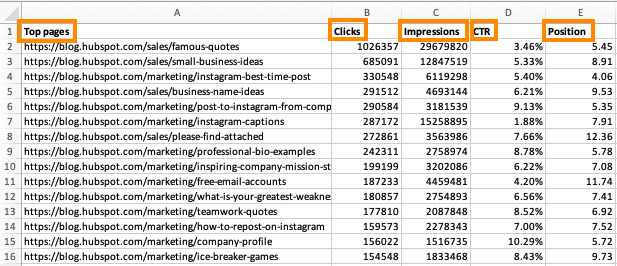
Step 2. Sort your data by a specific attribute.
When you have all the data you want entered into your Excel sheet, you’ll want to sort this data in some way so it’s easier to manage once you turn it into a pivot table.
To sort your data, click the Data tab in the top navigation bar and select the Sort icon underneath it. In the window that appears, you can opt to sort your data by any column you want and in any order.
For example, to sort your Excel sheet by “Views to Date,” select this column title under Column and then select whether you want to order your posts from smallest to largest, or from largest to smallest.
Select OK on the bottom-right of the Sort window, and you’ll successfully reorder each row of your Excel sheet by the number of views each blog post has received.
Step 3. Highlight your cells to create your pivot table.
Once you’ve entered data into your Excel worksheet, and sorted it to your liking, highlight the cells you’d like to summarize in a pivot table. Click Insert along the top navigation, and select the PivotTable icon. You can also click anywhere in your worksheet, select “PivotTable,” and manually enter the range of cells you’d like included in the PivotTable.
This will open an option box where, in addition to setting your cell range, you can select whether or not to launch this pivot table in a new worksheet or keep it in the existing worksheet. If you open a new sheet, you can navigate to and away from it at the bottom of your Excel workbook. Once you’ve chosen, click OK.
Alternatively, you can highlight your cells, select Recommended PivotTables to the right of the PivotTable icon, and open a pivot table with pre-set suggestions for how to organize each row and column.
Note: If you’re using an earlier version of Excel, “PivotTables” may be under Tables or Data along the top navigation, rather than “Insert.” In Google Sheets, you can create pivot tables from the Data dropdown along the top navigation.
Step 4. Drag and drop a field into the “Row Labels” area.
After you’ve completed Step 3, Excel will create a blank pivot table for you. Your next step is to drag and drop a field — labeled according to the names of the columns in your spreadsheet — into the Row Labels area. This will determine what unique identifier — blog post title, product name, and so on — the pivot table will organize your data by.
For example, let’s say you want to organize a bunch of blogging data by post title. To do that, you’d simply click and drag the “Top pages” field to the “Row Labels” area.
Note: Your pivot table may look different depending on which version of Excel you’re working with. However, the general principles remain the same.
Step 5. Drag and drop a field into the “Values” area.
Once you’ve established what you’re going to organize your data by, your next step is to add in some values by dragging a field into the Values area.
Sticking with the blogging data example, let’s say you want to summarize blog post views by title. To do this, you’d simply drag the “Views” field into the Values area.
Step 6. Fine-tune your calculations.
The sum of a particular value will be calculated by default, but you can easily change this to something like average, maximum, or minimum depending on what you want to calculate.
On a Mac, you can do this by clicking on the small i next to a value in the “Values” area, selecting the option you want, and clicking “OK.” Once you’ve made your selection, your pivot table will be updated accordingly.
If you’re using a PC, you’ll need to click on the small upside-down triangle next to your value and select Value Field Settings to access the menu.
When you’ve categorized your data to your liking, save your work and use it as you please.
Digging Deeper With Pivot Tables
You’ve now learned the basics of pivot table creation in Excel. With this understanding, you can figure out what you need from your pivot table and find the solutions you’re looking for.
For example, you may notice that the data in your pivot table isn’t sorted the way you’d like. If this is the case, Excel’s Sort function can help you out. Alternatively, you may need to incorporate data from another source into your reporting, in which case the VLOOKUP function could come in handy.
Editor’s note: This post was originally published in December 2018 and has been updated for comprehensiveness.


12 Unique Ways to Generate Leads With QR Codes
If you’re like a lot of people, you may be wondering how to use mobile marketing to generate leads for your business. For HubSpot users, the good news is that you have a head start — the HubSpot platform automatically creates a mobile version of your site for you.
But what should you do next? After you’ve got a mobile website, what mobile tools should you use to attract new customers to your business? QR codes are one of the easiest tools to get started with. You’re probably already familiar with QR codes, but if not, they’re the square barcodes like the one on this post that are being used by companies to drive prospects to their websites.

In doing research for our new book Go Mobile, Jeanne Hopkins and I took a deep dive into the most important mobile tools for small- to mid-sized businesses. There are plenty to choose from, but we’re going to focus on the most effective QR code uses to grow your business.
Who uses QR codes?
The short answer is anyone with a mobile phone. In addition to our keys and wallet, our phone is one of the few things we can’t leave the house without. Businesses have picked up on this and are constantly finding new ways to use QR codes to get us to engage with them, or make their processes smoother.
Uses of QR Codes in Everyday Life
While the concept of when to implement QR codes may be new, you’ve probably already gotten familiar with their use in local businesses you’ve visited. Here’s some instances where you’ve most likely encountered them:
- Public wifi network access
- Restaurant menus
- Instruction manuals
- Cashless payments
- Web promotions during live events
- Contact information and Linktrees
Later in this article, we’ll discuss the many other ways to use QR codes.But first, we’ll dig into how you can create your own QR codes.
How to Create Your Own QR Code Promotion
On the Go Mobile website, we used QR codes to provide clues for a nationwide scavenger hunt for four iPads hidden across the country. Visitors to the site could scan the QR codes to download the clues. To ensure that we captured leads from the promotion, we also provided the clues via email for anyone who filled out the form on the site. That way, we capture the lead information so we can re-market to that audience in the future.
Creating a QR code promotion is actually pretty simple. Here are the steps we followed when we created the promotion for our iPad nationwide scavenger hunt.
1. Create a Landing Page
First and foremost, you’ll need to create a mobile-optimized landing page. That means a landing page that is designed to be viewed on a smartphone screen. Keep things simple – for example, on a mobile landing page, forms should be kept to a few fields only. Most people don’t have the patience to fill out lengthy forms from a smartphone.
2. Create Your QR Code
Once you’ve created your landing page, copy the URL into a QR code generator. There are
plenty of QR code generators on the web, so just do a search for one. Paste your landing page URL into the QR code generator and, like magic, your QR code will be generated on the spot. This QR code is unique to you, so nobody in the world has another one just like it.
3. Add Your QR Code to Your Promotional Materials
Grab your QR code from the generator. On a PC, that means right-clicking it and saving it to your computer. (On a Mac, you can drag and drop.) Now that you have the QR code handy, add it to your promotional materials. That includes any printed materials or websites that are going to be part of the promotion.
4. Get the Word Out
There’s no point in launching a QR Code promotion if you’re not going to let the world know about it. So broadcast your message using your blog, Twitter, LinkedIn, Facebook, or any of the other social media tools at your disposal. The key part at this stage of the game is to let as many people know about the promotion as possible.
5. Stretch Out the Promotion
For our iPad Scavenger Hunt, we wanted as many people as possible to participate, so we’d upload a new QR code each day for several weeks. That way, our audience builds, and we’re able to create as much buzz around the promotion as possible.
How to Put QR Codes to Work for Your Business
There are a variety of ways you can use QR codes for your business, and new ones are cropping up every day. Here are some great ideas you can use below.
Common Uses of QR Codes
- Websites: Add a QR code to the ‘Contact Us’ page on your website so visitors can download your contact information to their smartphones.
- Business Cards: Add a QR code to the front or back of your business card so people can instantly download your contact information.
- Webinars: Ready to make your webinars more engaging and fun? Then simply include a QR code as part of your presentation. It’s a terrific way to keep the audience engaged and involved.
- LinkedIn and Facebook Pages: Want another way to stand out from everyone else? Add a QR code to your LinkedIn and Facebook pages to pull people into your website. It’s one of the best ways you can position yourself as a forward, innovative thinker.
- In-Store Posters With Coupons: Want to provide instant coupons to people while they’re shopping? Then add a QR code that drives them through to a special discount that can be scanned at the register.
- Dial a Phone Number: Want to encourage people to dial your number so they can order your product? Then give them a QR code to scan. If it’s set up properly, it will instantly dial your number on their phone and connect them with your sales center.
Creative Uses for QR Codes

- Clothing and Merchandise: Ready to promote your product or service in an innovative way? Then add a QR code to a T-shirt that you give away to customers and prospects. Hija De Tu Madre (pictured above), a Latina fashion and accessories brand, cleverly placed a QR code on one of their shirt designs. It encourages viewers to “Scan for community y cultura,” enabling people to learn more about the brand and eventually convert them into new customers.
- “Hello, My Name Is” Tags: You know those big red and white tags people wear at events with their names on them? If you put a QR code in place of your name, you’ll engage people and easily be able to strike up conversations.
- Event Posters: Advertising an event? Upgrade your posters and fliers with a QR code passersby can easily scan. Have the code take them to your event page where they can view all pertinent details and buy tickets.
- Outdoor Billboards:Be one of the first businesses in your market to run a giant QR code on a billboard for your business. In the example above, Cygames enlisted the help of 1,500 drones to form a giant QR code in the sky to celebrate the anniversary of one of their games.
- Galleries and Museums: Make it easy for viewers to find out more about your work and upcoming projects. Putting a QR code next to artwork in place of text is a wonderful alternative to the standard description. Guests won’t have to crowd each other to read it, and they can take the information with them. If you’re selling at a gallery, it may also be worth it to enable payment through the QR code as well.
- Product Packaging: If you sell a physical product, adding a QR code that tells the buyer more about your brand or the product itself can build connections and trust. If you sell food, consider using a QR code for the ingredient list, or maybe easy recipes to use the item in. For cosmetics, have QR codes that give more information on how the products were made, tested, and where ingredients were sourced.
Using QR Codes to Grow Your Business
There’s no real mystery to using QR codes to grow your business. All you have to do is generate the code, and drop it into your promotion. Be sure you test the campaign before you go public with it – people who scan your code expect things to work relatively smoothly the first time out of the gate. But other than that, running a QR code promotion is a snap.
A key point to remember about QR codes is that they’re simply a mechanism to engage prospects and customers. In other words, they’re not the end-game, so it’s up to you to figure out how to use them to capture the visitors you drive to your website as leads using landing pages.
Once your strategy is in place, using QR codes to grow your business is relatively simple. All you have to do is generate the code, and drop it into your promotion. Be sure you test the campaign before you go public with it — people who scan your code expect things to work relatively smoothly the first time out of the gate. Give them an experience that delights them and keeps them coming back for more.
This is a guest blog post written by Jamie Turner, founder and chief content officer of the 60 Second Marketer. In addition, Jamie is the co-author of the book Go Mobile, written with Jeanne Hopkins, VP of marketing @HubSpot. He is a regular guest on CNN and HLN on the topic of digital marketing and is a popular mobile marketing speaker at events and corporations around the globe.
This article was originally published in January 2012 and has been updated for comprehensiveness.

How to Post on Instagram: A Step-by-Step Guide
With over 1 billion active users, Instagram is one of the best social media networks to advertise your business, reach new audiences, and grow brand awareness. So even if you aren’t active on the website yet, it’s never too late to adopt an Instagram strategy in your marketing plan.
If you’re ready to start sharing content through this channel, we’ve got you covered. Here, we’ve cultivated a quick-and-easy guide to posting on Instagram, to ensure you can begin attracting the attention of your audience with Instagram marketing.

Posting to Instagram consistently can help businesses find resonance with their audience and grow better, but doing it right is just as important. Here’s how to post to your Instagram account step-by-step.
Step 1. Tap the + icon at the top of your screen.

See that plus sign [+] in the image above? That’s your starting point. See that post from our culture account? That’s your endpoint. Click that plus sign and you’ll be ready for the next step, below.
Step 2. Choose a photo or video from your library or shoot one in the app.
Instagram will show you the photos already saved to your phone. Choose one of those to post. Alternatively, you can click on the camera icon to take a photo or video within the Instagram app itself, if you don’t already have an image you want to use.
Once you select and crop an image (or carousel of multiple images), click the arrow button in the top right corner of the app.

Step 3. Post multiple images on Instagram.
Do you have multiple photos and want to highlight them all? Instagram allows you to do this with its carousel feature.

As you go to tap a photo or video, first tap the icon just above your photos to the right that looks like stacked squares. Once you tap this, you’ll see a number on the corner of every image or video you tap. This number notes where the content will show up in the carousel.
Step 4. Crop the image.
You aren’t limited to just a square image on Instagram. You can actually share horizontal or vertical images as well. To get more of your image seen, pinch the screen of the photo you’ve selected on the Library screen.

However, while Instagram does allow vertical and horizontal options, the images still need to fit into some specific dimensions. So, you might still need to crop a tiny bit of your photo to get it to fit.
Step 5. Pick a filter.
Instagram offers 24 filters — scroll to the right to peruse your options, and click on one to preview how it will look on your photo.
By default, the filter will be applied by full strength. However, if you want to scale back the intensity of the filter, double click the filter tile once it’s been applied, and a scale selector will appear, allowing you to downplay the effect.
You can also tap the magic wand at the top of the screen to adjust the photo further.

(Take a look at our Ultimate Guide to Instagram Filters to learn more).
Step 6. Edit your photo.
You can also click “Edit” at the bottom right to adjust the image to your specifications.

Here are the editing options that come built into Instagram for you:
- Adjust – This helps subtly rotate the image along the center plane, giving it a tilt either to the left or right according to the linear scale at the bottom of the screen.
- Brightness – This helps lighten or darken the image. All you have to do is pull the selector to the left to darken or to the right to lighten.
- Contrast – This helps to increase or decrease the intensity of the image’s colors. Pull the selector to the left for less contrast (a dulling effect) or to the right for more contrast (a higher intensity effect).
- Structure – This helps to add an HD-like effect to the image, bringing out specific details in your photo. Drag the selector to the right to help the image “pop.”
- Warmth – This helps you adjust the temperature of the photo. Drag the selector to the left to increase cool tones in the image, or drag the selector to the right to increase the warm tones in the image.
- Saturation – This helps you adjust the saturation of the colors in your image. Drag the selector to the left to desaturate the image (all the way to the left if you want a monochrome look), or drag the selector to the right for extremely saturated colors.
- Color – This gives you a number of color options to overlay over your image for interesting color effects. Simply select your color choice and see how it changes the image in the preview box.
- Fade – This softens the intensity of the blacks in your image to create an “aged” photo effect. Simply drag the selector to the right for a higher degree of fade.
- Highlights – This helps you control the intensity of the highlights in your image. Dragging the selector to the left will darken the highlights in your image while dragging the selector to the right will lighten the highlights in your image.
- Shadows – This helps you control the intensity of the shadows in your image. Dragging the selector to the left will darken the shadows in your image while dragging the selector to the right will lighten the shadows in your image.
- Vignette – This darkens the corners of the image, leaving a circle shape in the center. Drag the selector all the way to the right for the most dramatic vignette.
- Tilt Shift – This helps blur the edges of the image in a radial or linear way, drawing focus to the details in the center of the image.
- Sharpen – This helps sharpen certain details of the image, bringing a more dramatic look to subtler elements in the photo.
Step 7. Type your caption.
Get creative and write a nice, interesting caption to go with your photo. Since text can help optimize your post in Instagram’s search, writing something can only benefit you.

Step 8. Use hashtags for post optimization.
With Instagram’s search feature, users can search by hashtags. So, you should make sure to write relevant hashtags in your caption. If someone does a search of a hashtag you placed in your caption, they might find your post as well as others that included the same one.
Step 9. Tag friends.
Want your friend or their followers to see a photo that you posted of the two of you? Tag them!
On the new post page, you can click “Tag People” to tag other Instagram accounts in your post. Alternatively, you can include their handle (or their username beginning with an @ symbol) in your caption.
Step 10. Add your location.
If you’re on a fun vacation or at a neat event and you don’t feel like including that information in your caption, you can mark where you are in another way. On the new post page, tap “Add Location” to put a location on your image (which makes it easier for people to find your post).
When you post an image or video with a location, it will show up between your name and the block of content on the feed.
Step 11. Play with emojis.
Emojis are fun and can make your caption more eye-catching. If you know of a few relevant emojis that could fit with your post, stick them in the caption area. For example, if you’re posting a vacation photo, you could include a palm tree 🌴 or a plane ✈️ to show you flew somewhere.
Here are the top Instagram emojis you can use:
- ❤️
- 😍
- 😘
- 😂
- 😊
- 😎
- 💕
- 😉
- 💋
- 👍
However, keep in mind that there’s a multitude of choices to add flair to your posts, from keeping it real 💯 to the cringe face 😬.
Be sure not to go overboard and post emojis just for the sake of posting them. If you post a bowling emoji along with a photo of a beach, that obviously won’t make sense to people. Similarly, if you post 20 emojis that loosely relate to a post, you might just annoy your followers or come off as desperate.
Step 12. Share the post on other social media platforms.
Finally, if you want to share your content on your other, connected social media sites (like Facebook or Twitter), simply slide the bar from the left to the right.

When you’re ready to post, click “Share” in the top right.
Instagram Saved Drafts
If you’re not ready to post right away, you can also save it to your Instagram Saved Drafts. Simply go back to the filtering and editing step, tap the back arrow in the top left, and select “Save Draft.”
Step 13. Edit the post.
Typos happen to everyone! If you just posted something and notice a glaring spelling error, don’t panic. Simply tap the three dots that appear on the right across from your name, then tap “Edit.”

Make the adjustments you see fit and save them so it reflects on your Instagram. Otherwise, your post is complete and live for everyone to see.
Grow Your Audience on Instagram Today
Now that you know how to post to Instagram, you can begin creating content for the platform and connecting with your audience. If you’re a business or brand, you’ll want a solid strategy for earning engagement and awareness.
Editor’s note: This post was originally published in November 2019 and has been updated for comprehensiveness.

Conversion Rate Optimization (CRO): 8 Ways To Get Started
Today, most marketing teams are focused on driving traffic toward websites in hopes that this traffic then converts into qualified leads for sales reps to close. But that’s only half the battle.
Getting more out of existing traffic and leads (versus entirely new traffic) can propel companies toward long-term, sustainable growth. That’s where conversion rate optimization (CRO) comes in. In this guide, you’ll learn about the power of CRO, why your business should focus on improving your conversion rate, and how to get started.

What is a conversion rate?
A conversion rate is the percentage of visitors who complete a desired action, like completing a web form, signing up for a service, or purchasing a product.
A high conversion rate means your website is well-designed, formatted effectively, and appealing to your target audience. A low conversion rate could be the result of a variety of factors related to either website performance or design. Slow load times, a broken form, or copy that doesn’t convey the value of the offer are common reasons for a poor conversion rate.
What is a good conversion rate?
A “good” conversion rate depends on your industry, niche, goals, traffic channel, and audience demographics, among other factors. For example, the average conversion rate of ecommerce sites globally was 2.17% in the third quarter of 2020, which was down from 2.37% the previous year. The ecommerce conversion rate in the US was higher, however, at 2.57%.
The average not only differs by year and by country — it also differs by niche. For example, the average conversion rate of ecommerce sites in the food and beverage sector is 5.5% whereas the average in the hair care sector is 3.5%.
If your conversion rate is lower than you’d like — maybe it’s below average in your industry, or lower than your top competitors, or simply underperforming against your own goals — then it’s time to optimize.
Conversions can happen all over your website: on your homepage, pricing page, blog, landing pages, and more. To maximize the potential of converting website visitors into paying customers, you should optimize each location.
Before we take a look at the benefits of CRO, let’s walk through how to calculate your site’s conversion rate. That way, you’ll have a better understanding of how much time and resources to invest in a CRO strategy.
How to Calculate Conversion Rate
Conversion rate is calculated by dividing the number of conversions by the number of visitors and multiplying that number by 100 to get a percentage.
%208%20Ways%20To%20Get%20Started-2.png?width=650&name=Conversion%20Rate%20Optimization%20(CRO)%208%20Ways%20To%20Get%20Started-2.png)
As long as you know how you’re defining a conversion, then calculating your conversion rate is easy. You just plug in two values and multiply by 100.
Let’s say you’re defining a conversion as a newsletter opt-in, and you have an opt-in form on every single page of your website. In that case, you’d divide the total number of newsletter form submissions by the total number of website visitors and multiply it by 100. So if you had 500 submissions and 20,000 visitors last quarter, then your conversion rate would be 2.5%.
You can repeat this process for every conversion opportunity on your site. Just make sure to only count the number of visitors on the webpages where the offer is listed. For example, if you want to calculate the conversion rate of your ebook offer, then you’d divide the total number of downloads by the number of people who visited webpages where the ebook offer is listed.
Alternatively, you can calculate your website’s overall conversion rate by dividing the total number of conversions for every conversion opportunity on your site by the total number of visitors on your site.
Where to Implement a CRO Strategy
Here are four areas of your website that have the potential to largely benefit from conversion rate optimization.
1. Homepage
Homepages are prime candidates for CRO. In addition to making a first impression on visitors, the homepage is also an opportunity to retain those visitors and guide them further into your website.
You can do this by emphasizing links to product information, offering a free signup button, or even incorporating a chatbot that solicits questions from visitors at any point during their browsing experience.
2. Pricing Page
A website’s pricing page can be the make-or-break point for many website visitors. CRO can help a pricing page convert visitors into customers by modifying the pricing intervals (e.g. price-per-year vs. price-per-month), describing the product features associated with each price, including a phone number for visitors to call for a price quote, or adding a simple pop-up form.
Hotjar, for example, added a simple email opt-in popup form on its pricing page and got over 400 new leads in just three weeks.
%208%20Ways%20To%20Get%20Started.png?width=624&height=320&name=Conversion%20Rate%20Optimization%20(CRO)%208%20Ways%20To%20Get%20Started.png)
3. Blog
A blog is a massive conversion opportunity for a website. In addition to publishing thoughtful and helpful content about your industry, a blog can use CRO to convert readers into leads.
This process often includes adding calls-to-action (CTA) throughout an article or inviting readers to learn more about a topic by submitting their email address in exchange for an ebook or industry report.
4. Landing Pages
Since landing pages are inherently designed for people to take an action, it makes sense that they have the highest average conversion rate of all signup forms at 24%. An event landing page, for example, can be optimized with a video of last year’s event to encourage visitors to register this year. A landing page that’s offering a free resource can be optimized with preview content from that resource to encourage visitors to download it.
Now that you know where you can optimize for conversions, you may be wondering how you know when your business is ready to start the process.
CRO Formulas
The short answer: CRO is important for any business online. That’s because, no matter how established or large your company is, you want to convert your website visitors into qualified leads, customers, and brand advocates — and you want to do so in the most effective, impactful, and reliable way.
With conversion rate optimization, you’ll get more out of your existing website traffic while ensuring you’re targeting qualified leads.
Although this is a straightforward concept, setting a conversion goal isn’t as easy as saying, “This page converted 50 people this month, so we want to convert 100 people next month.”
Featured resource: 8-Week Conversion Rate Optimization Planner
%208%20Ways%20To%20Get%20Started-1.png?width=624&height=404&name=Conversion%20Rate%20Optimization%20(CRO)%208%20Ways%20To%20Get%20Started-1.png)
You don’t just want 50 more conversions from a webpage. Instead, you want 50 more conversions for every X amount of people who visit it. (This is your conversion rate — the percentage of people who convert on your website based on how many people have touched it).
To provide a better understanding of where you stand at any point in time in regards to conversion rate, here are three commonly-used formulas your business can use to understand, analyze, and improve.
CRO Calculation 1: Conversion Rate
As we mentioned earlier, to calculate conversion rate, you must divide your number of conversions (or leads generated) by your number of visitors (or web traffic), and then multiply that number by 100 to get the percentage.
Leads Generated ÷ Website Traffic x 100 = Conversion Rate %
CRO Calculation 2: Number of Net New Customers
To calculate your number of net new customers, you’ll want to divide your net revenue goal by your average sales price.
New Revenue Goal ÷ Average Sales Price = Number of New Customers
CRO Calculation 3: Lead Goal
And lastly, to calculate your lead goal, take your number of new customers and divide it by your lead-to-customer close rate (which is your total number of leads divided by total number of customers) percentage.
Number of New Customers ÷ Lead-to-Customer Close Rate % = Lead Goal
Here’s an example of these formulas in action:
If your website has 10,000 visitors per month that generate 100 leads — and subsequently, 10 customers each month — the website visitor-to-lead conversion rate would be 1%.
What if you wanted to generate 20 customers each month?
You could try to get 20,000 visitors to your website and hope that the quality of your traffic doesn’t decrease — although, that’s a risk you’ll likely want to avoid. Rather, you could obtain more leads from your existing traffic by optimizing your conversion rate. This is less risky and is more likely to produce better results for your bottom line.
For instance, if you increase your conversion rate from 1% to 2%, you’d double your leads and your customers. The following table is proof of this — you can see the positive impact that results from increasing your website’s conversion rate:
|
COMPANY |
A |
B |
C |
|
Monthly Site Traffic |
10,000 |
10,000 |
10,000 |
|
Conversion Rate |
1% |
2% |
3% |
|
Leads Generated |
100 |
200 |
300 |
|
New Customers |
10 |
20 |
30 |
Notice the drastic increases in the number of leads generated and net new customers when you boost your conversion rate.
Not only that, but it’s clear that generating more website traffic isn’t necessarily the right approach when trying to improve your conversion rate — in fact, this chart shows you that you can grow your business substantially without increasing traffic at all.
Hard to believe? Think about this way: Pretend you were trying to fill up a leaky bucket. If you pour more water into the bucket, you won’t fix the root cause of the issue — instead, you’ll end up with a lot of water that’s wasted (not to mention, a bucket that will never fill up all the way).
Are you ready to take the first steps toward CRO at your company? Review the strategies below and start experimenting.
Conversion Rate Optimization Strategies
Here are some applicable conversion rate optimization marketing strategies to test and implement at your company.
1. Create text-based CTAs within blog posts.
While it’s considered a best practice to include CTAs in a blog post, they sometimes fail to entice visitors to take your desired course of action. Why?
Banner blindness is a real phenomenon related to people becoming accustomed to ignoring banner-like information on websites. This lack of attention coupled with the fact site visitors don’t always read all the way to the bottom of a blog post (rather, they “snack” on content), means a different approach is required.
That’s where the text-based CTA comes in handy. Here at HubSpot, we ran a test with text-based CTAs — a standalone line of text linked to a landing page and styled as an H3 or an H4 — to see if they would convert more traffic into leads than regular CTAs located at the bottom of a web page.
In HubSpot’s limited test of 10 blog posts, regular end-of-post banner CTAs contributed an average of just 6% of leads that the blog posts generated, whereas up to 93% of a post’s leads came from the anchor-text CTA alone.
2. Add lead flows on your blog.
A lead flow is another conversion rate optimization element you can include on your site. Lead flows are high-converting pop-ups designed to attract attention and offer value.
You can select from a slide-in box, drop-down banner, or pop-up box, depending on your offer. We experimented with the slide-in box on the HubSpot Blog back in 2016 and it achieved a 192% higher clickthrough rate and 27% more submissions than a regular CTA at the bottom of a blog post.
3. Run tests on your landing pages.
Landing pages are an important part of the modern marketer’s toolkit and, as mentioned earlier, integral to conversion rate optimization.
That’s because a landing page is where a website visitor becomes a lead or an existing lead engages more deeply with your brand. To optimize a landing page, run A/B tests to identify your best design and content features for audience members.
For instance, with A/B testing you can quickly and easily test different versions of your website copy, content offers, images, form questions, and web pages to determine what your target audience and leads respond to best.
Thanks to A/B testing, China Expat Health was able to increase their lead conversion rate by 79%. One of the most impactful changes was swapping out the headline “Health Insurance in China” for “Save Up to 32% on Your Health Insurance in China,” which immediately conveyed a value proposition to visitors. This proposition was then supported by customer testimonials.
Get everything you need to start effectively A/B Testing your website today.
4. Help leads to immediately become a marketing-qualified lead.
Sometimes visitors want to get right down to business, skip parts of the typical buyer’s journey, and immediately speak with a sales rep (rather than be nurtured).
There are specific actions you should encourage these high-intent visitors to complete so they can easily become marketing qualified leads (MQLs) — and they can take action through a combination of thoughtfully designed web pages, compelling and clear copy, and smart CTAs.
For instance, at HubSpot, we discovered that visitors who sign up for product demos convert at higher rates than visitors who sign up for free product trials. So, we optimized our website and conversion paths for people booking demos or meetings with a sales rep.
Admittedly, this depends on your product and sales process, but our best advice is to run a series of tests to find out what generates the most customers. Then, optimize for that process. The key here is to look for ways to remove friction from your sales process.
5. Build workflows to enable your team.
There are a number of automated workflows you can create to enable your team with the help of marketing automation software.
For example, with marketing automation, it’s possible to send automatic emails with workflows. Then, leads can book meetings with reps in one click. Meanwhile, reps receive notifications when leads take high-intent actions such as view the pricing page on your website.
Or, if you work in ecommerce, you can send an email to people who abandon their shopping cart as a reminder. According to research from Moosend, abandoned cart emails can be very effective. They have a high open rate of 45%. Of the emails that are opened, 21% are clicked. Half of the people who clicked make a purchase.
Here’s an example of an abandoned cart email by the Dollar Shave Club.
%208%20Ways%20To%20Get%20Started.jpeg?width=300&name=Conversion%20Rate%20Optimization%20(CRO)%208%20Ways%20To%20Get%20Started.jpeg)
6. Add messages to high-converting web pages.
Use live chat software to chat with your website visitors in real-time and offer support and guidance as needed. To increase conversions, add these messaging features to your high-performing web pages — such as your pricing and product pages — so leads get the information they want in real-time.
You can also make your messaging and chat bots action-based. For example, if someone has spent more than a minute on the page, you may want to automatically offer to help and answer any questions they may have (again, a live chat tool, like HubSpot, makes this easy).
7. Optimize high-performing blog posts.
Again, publishing blog articles opens the door to a big opportunity for conversions. Even more so if you already have existing blog content on your site — in fact, at HubSpot, the majority of our monthly blog views and leads come from posts published over a month ago.
To get started optimizing your blog content, identify your posts with the highest levels of web traffic but low conversion rates. (Possible causes of this issue may be related to SEO, the content offer you are promoting, or your CTA.)
In one instance, we at HubSpot added an inbound press release template offer to a blog post about press releases — as a result, we saw conversions for that post increase by 240%.
Additionally, look at your blog posts with high conversion rates. You want to drive more qualified website traffic to those posts and you can do so by optimizing the content for the search engine results page (SERP) or updating it as needed to ensure it’s fresh and relevant.
8. Leverage retargeting to re-engage website visitors.
It doesn’t matter what your key conversion metric is: The cold, hard truth is that most people on your website don’t take the action you want them to. By leveraging retargeting on Facebook and other platforms, you can re-engage people who left your website.
Retargeting works by tracking visitors to your website and serving them online ads as they visit other sites around the web. This is particularly impactful when you retarget people who visited your highest-converting web pages.
The normal inbound rules still apply here — you need well-crafted copy, engaging visuals, and a compelling offer for retargeting to work.
Take United’s retargeting campaign for example. Using insights from previous ad campaigns, United focused on reaching people who had viewed their ads and were already considering booking a vacation. To this select audience, they promoted a 15-second video ending in a call-to-action.
If viewers felt inspired enough to book their vacation, all they had to do was click on the CTA to be taken straight to the United website. This proved to be a huge success. In just one month, 52% of conversions attributed to YouTube were click-through conversions directly from the ad.
(If you’re a HubSpot customer, take a look at how the AdRoll integration can improve your conversion efforts.)
Now, let’s talk about how you can get started with CRO at your company.
How to Get Started with Conversion Rate Optimization (CRO)
Maybe you’re wondering, “Where do I start with CRO?”
Enter: PIE framework. Before starting a CRO project, prioritize your efforts by ranking each element on Potential, Importance, and Ease.
Use the PIE framework to answer the following questions for every strategy outlined in the previous section. Then, assign a score between one and 10 (one being the lowest and 10 being the highest) to each strategy.
- How much total improvement can this project offer?
- How valuable will this improvement be?
- How complicated or difficult will it be to implement this improvement?
Once you’ve assigned a score for each strategy, add up the numbers and divide the total by three — this gives a score that shows what project will have the greatest impact. Then, work on the projects with the highest scores first.
The PIE framework isn’t perfect, but it’s easy to understand, systematic, and offers a starting point for CRO collaboration and communication among colleagues.
We’ve covered a lot about conversion rate optimization, but not everything. If you still have questions, then check out the answers to some of the most frequently asked questions below.
What is the purpose of a conversion rate optimization?
The purpose of conversion rate optimization (CRO) is to improve the likelihood of visitors taking a desired action on a webpage.
What is a CRO strategy?
A CRO strategy is designed to convert more of your visitors into paying customers. While each CRO strategy will vary company by company, the general steps will not. You have to identify key metrics and your target audience. Then you have to collect user feedback and other data to decide what you’re going to test. Finally, you’ll run A/B tests to improve different pages and parts of your site for conversion.
What are CRO tools?
CRO tools are designed to simplify or automate the process of optimizing your conversion rate. They might help with lead capture, research, analytics, mouse tracking and heat maps, feedback, or running experiments.
What is a CRO test?
A CRO test involves adding, re-arranging, and redesigning elements on your website in order to maximize your conversions. Different CRO tests might focus on optimizing the copy, design, or placement of your CTAs, or the length of your headlines, among other elements.
Begin Using CRO
There are many best practices out there when it comes to CRO but, ultimately, you need to find out what your customers respond to, and what drives results for your business.
Keep these three follow-up actions in mind when getting started with CRO today:
- Use the three formulas to start the CRO conversation.
- Experiment with CRO strategies to discover what works for your business.
- Leverage the PIE framework to help prioritize your strategy.
Editor’s note: This post was originally published in January 2019 and has been updated for comprehensiveness.

Features vs. Benefits: A Crash Course on Proper Messaging
Great marketing copy doesn’t just sell a product, it builds a connection with the audience. The beauty of proper messaging is that by communicating either the benefits or features of your product or service, you can tell customers what they need to know in a clever, concise way.
Without knowing when you should use benefits versus features in your content (and the difference between the two), you could run into poor, or ineffective messaging. We’ll dig into when it’s best to use each of these options below.
![→ Download Now: Free Product Marketing Kit [Free Templates]](https://no-cache.hubspot.com/cta/default/53/08b5e1f4-5d26-405b-b986-29c99bd0cb14.png)
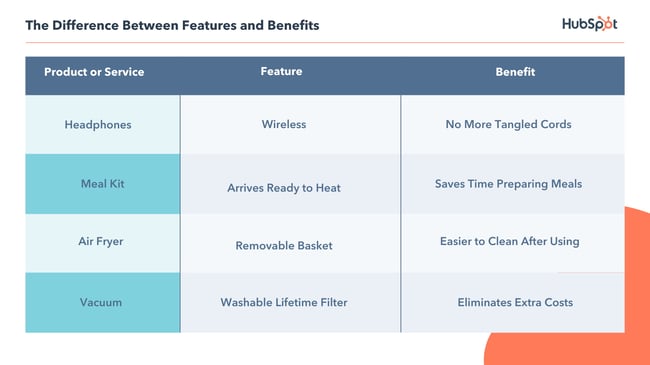
Both terms are useful and give customers important information they’ll need during their buyer’s journey, such as design, price, and real-world relevance. Ultimately, the benefits of having a product or service are what make consumers purchase, which means it is often best to highlight benefits over features when writing marketing copy. This paints a picture of what life will look like after the customer purchases the product or service. If you do decide to highlight features, you’ll want to make sure consumers understand how they’ll benefit from those features.
Take this ad from Qordoba, an IT company that utilizes AI to help organizations manage communication.
The company’s ad caught my eye by communicating the benefits reading the report will have when it comes to customer-facing content, which does interest me.
‘How are tech companies managing their voice, tone, & writing style guides across their various types of customer-facing content?’
After reading this caption, I knew exactly what I would gain from this product, and why it was worth my time.
Let’s look at another example of features and benefits at work. This is a marketing email I got this morning from Marriott hotels:

This ad starts with the benefits of becoming a Marriott member — ‘yes to vacation views’ — while the rest of it explains the features of the program, including ‘no annual fees’ and ‘3X points per $1 spent at more than 7,000 Marriott locations.
Emphasizing that Marriott members enjoy free perks, then expanding on how this is done (by earning rewards points), is a really effective way to explain the benefits and features of the rewards membership.
This is relatively straightforward — but what if you have multiple products being sold at once?
If you’re working with more than one campaign, the answer to whether you should use features versus benefits ” can change depending on the product or service being marketed.
How to Tell When it’s Best to Use Features or Benefits
If you’re unsure whether you should list features or benefits for a given product, consider this — features are an optimal choice in a saturated market. For instance, a small business making a meal-delivery kit would have some competition (such as HelloFresh or Home Chef), meaning they would have to communicate their service’s competitive advantage by naming one-of-a-kind features. This would include price, dietary restrictions, menu configuration, etc.
Benefits, on the other hand, are the way to go if your brand exists within a niche market or a “drier” topic. You’ll want to answer the following questions with your benefits:
- How does it work?
- How does it make a consumer’s life easier?
To resonate well with an audience who perhaps haven’t heard of your product or service before, try to include benefits in your demos, ebooks, and other marketing content.
Now that we’re more clear on features vs. benefits, let’s explore some examples to see both in-action.
Examples of Features and Benefits
For the visual learners like myself, below are some real-world examples of how to work features or benefits into ads, product pages, email, or any other marketing materials:
1. Calm (features)

Why This Is a Feature: Calm used singer Lindsey Stirling’s material as an exclusive offer only available to app users. It’s a unique attribute the audience can’t get anywhere else.
This email about an exclusive deal made me excited, which is another way highlighting features in your marketing material can be beneficial — to build excitement. Here’s how sleep meditation company Calm did it:
Framing singer/songwriter Lindsey Stirling‘s work as an exclusive feature improves customer relationships and makes them feel special. Opening this email made me think about how glad I am to be an email subscriber (especially since I grew up watching Stirling on YouTube) because of cool offers like this.
If you’re running a promotion or want to improve customer relationships, consider sending them an offer that reminds customers of your product or service’s unique features.
2. HubSpot Academy (benefits)
Why these are benefits: HubSpot Academy gives customers the opportunity to invest in themselves by learning new skills and getting certifications they can display on LinkedIn – all things that will help them grow their business and individual careers.
In this product page for HubSpot Academy’s social media course, three benefits are listed at the bottom, so prospects can see how completing this course will be worth their time.
Benefits don’t always have to be short phrases – in fact, on product pages, more is often better. On web pages, it’s critical you give your customers the helpful information they need — including cost, structure, time required to complete, and a description on how your products or services’ benefits outweigh the benefits of competitors’.
3. OrganiGrowHairCo (benefits)
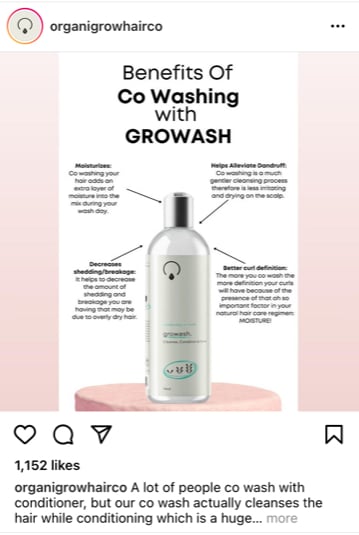
Why these are benefits: This ad effectively communicates the reasons why OrganiGro’s co-wash product is better than typical conditioners. It alleviates dandruff, decreases breakage, and cleanses – all things that will aid a buyer’s hair health.
If you’re team natural hair, you’ve more than likely stumbled upon the heaps of content stressing the benefits of co-washing (using conditioner only) as a way to avoid overwashing your hair with regular shampoo. Since shampoo often strips the hair as it cleanses, co-washing is seen as a method to replenish moisture between washes.
In the Instagram ad above, OrganiGrow clearly makes the case for why its co-wash formula is superior to the competition as it’s designed to cleanse while moisturizing, aiding the customer’s overall hair health.
4. Arcadia (benefits)
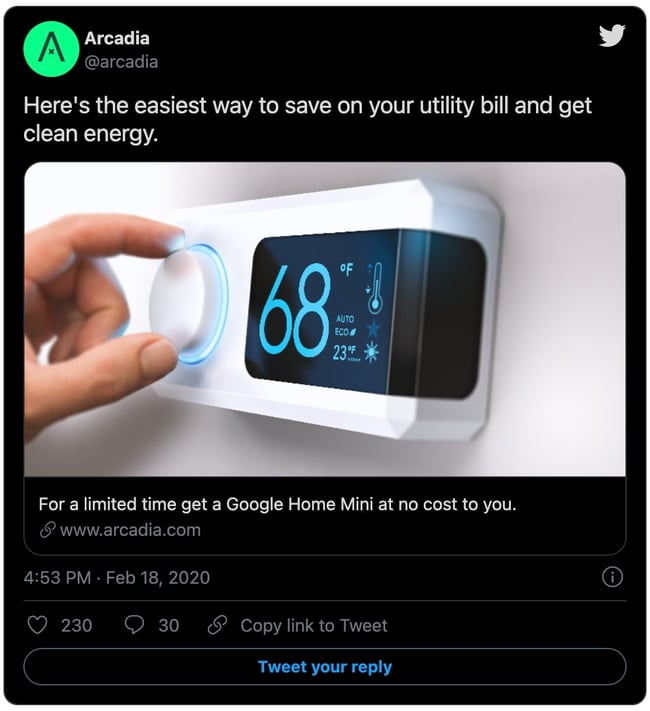
Why this is a benefit: The ad draws the audience in immediately with the potential to save on their utility bill. Who doesn’t want to save money? The promotion also throws in a Google Home mini, which further incentivizes the customer to buy.
Can you spot the benefits energy company Arcadia used in this promoted tweet?
If you chose the entire tweet, you’re right!
Almost every word helps describe to the reader why they should open the linked website. As a consumer, I would think, “Well, what is the easiest way to save on my energy bill at no cost? That thing is sky high!”
Words that help the consumer are going to resonate with those who are just mindlessly scrolling and not necessarily looking to buy anything. To build interest in their promotion, Arcadia’s use of benefits to entice prospective customers was a good choice on Twitter.
Impress a scroller by using benefits in marketing messages. You have just a few seconds to leave a mark.
5. Airtable (features)

Why this is a feature: By playing up its fun colors and project management attributes, Airtable entices viewers to switch from boring spreadsheets. All of its sleek features are on full display in this Facebook ad. How is it better than traditional spreadsheets? It’s ‘flexible, beautiful, and fun.’
Beautiful, descriptive features in this Facebook ad told me exactly what Airtable is and what their software does, despite having no previous knowledge. In less than thirty words, I know that Airtable must be a product or service that makes dull spreadsheets a thing of the past — for free.
6. KeVita (benefits)
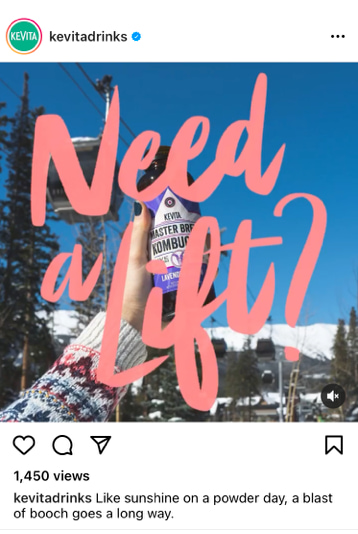
Why this is a benefit: This scenario-based ad positions KeVita kombucha as the perfect natural energy drink, giving customers a boost for whatever activity they partake in, no matter the location.
Kombucha is a fermented tea drink with probiotics, which aid in helping digestion and improving energy levels. So, when marketing their kombucha on Instagram, the KeVita brand wanted to show that kombucha isn’t just a summer drink, contrary to popular belief.
Aesthetically pleasing, benefit-enforcing GIFs like this make visual platforms like Instagram a perfect canvas for an ad that displays benefits.
Animation often stops scrollers — especially animation paired with bright pink text. The backdrop, a ski lift covered in fresh snow, (“powder” to skiers), shows the accessibility of the drink, while the caption alludes to kombucha-fueled energy to get through a long ski trip.
Two benefits that instantly stuck out to me about this post are accessibility and energy. On snowy mountains, those two functions are going to be essential when thinking about snacks. Consider a scenario-based ad if your product is like KeVita, commonly perceived as a summer drink.
7. Dyson (benefits)
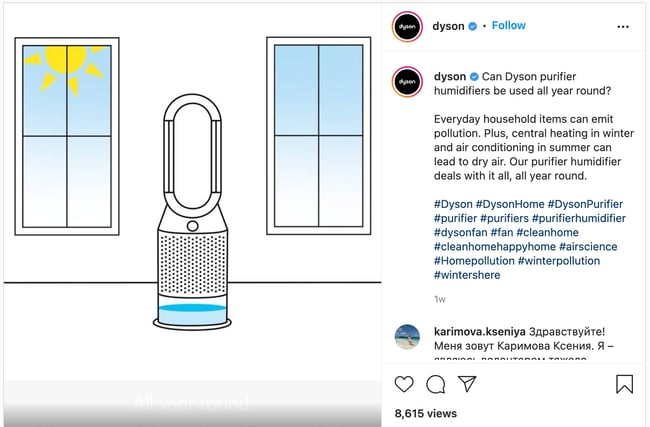 Why this is a benefit: This animated ad focuses on how Dyson’s humidifier removes pollutants from your home to improve air quality. It’s an all-in-one solution for customers combining the perks of a humidifier, air purifier, and fan.
Our homes are full of contaminants, or at least that is what this ad will have you believe. With this ad for its air purification system, Dyson really drives home the “why” for customers using some pretty convincing animation. Microscopic pollutants like dust, pet dander, and others are in our home, wreaking havoc on sensitive respiratory systems. This device will remove them, enabling customers to breathe better. It addresses the problem and clearly explains how their product is a solution to that problem.
Applying Benefits and Features to Your Marketing Strategy
From phones to shampoo, the features or benefits marketing method can be applied to almost anything. When creating copy:
- Determine what you want to say, and which messaging method will be best for that.
- Ask “Does this ad convey features or benefits?”
It’s important to know the distinction between the two so the audience receives clear messaging that explains why they should choose your product or service over the rest.
This article was originally published February 27, 2020 and has been updated for comprehensiveness.

How to Make a QR Code in 7 Easy Steps
Floors. Ceilings. Bathroom stall doors. These are just a few of the places you’ll find QR codes. In fact, they’ve become so ever-present that 45% of shoppers used marketing-related QR codes in 2021.
There’s no denying the popularity and convenience of the QR code. But, what exactly is it? Why is it so popular? How can you create one for your next marketing campaign?
Keep reading to learn the magic behind QR codes and how to create your own.
QR codes typically look like this:

Not every QR code is shaped like a perfect square. Sometimes they have unique patterns, colors, and logos displayed inside. You’ll find them in non-digital spaces like direct mail, signage, billboards, and even TV shows where you can scan the code on the screen using your phone.
Both barcodes and QR codes can be scanned using a laser or a smartphone as long as the tool being used has the correct capabilities of reading vertical and horizontal data. Although most smartphones scan QR codes automatically, many won’t scan barcodes so easily — you’ll need a special app for that.
Does the rise of QR codes mean traditional barcodes are a thing of the past? Of course not. Traditional barcodes are still a common way for businesses to identify consumer packaged goods (CPGs) and manage their product inventory.


However, there are several differences between barcodes and QR codes — both in their uses and their characteristics. Below are three important differences.
QR Codes Are Shaped Differently
Barcodes are typically rectangular, which requires scanning devices to read the barcode’s data horizontally. QR codes are often square-shaped, displaying their data vertically and horizontally.
QR Codes Hold Different Data
QR codes are often used differently than barcodes. Barcodes hold key product information at the point of sale, such as the price and name of the manufacturer. QR codes offer more passive and intangible information, such as location data and URLs to promotions and product landing pages.
QR Codes Hold More Data
Due to a QR code’s square shape, it can hold much more data compared to a barcode. QR codes can hold hundreds of times more encrypted characters than a barcode can.
We learned a little bit about how barcodes and QR codes differ, but how exactly do QR codes work?
Let’s say a consumer sees a QR code. They can take out their mobile device, download a free QR code scanning app, or simply use their phone’s camera, and scan the QR code to gain more information about what they saw.
If you wanted to create, say, a bus stop advertisement promoting your podcast, you could display a QR code on that printed ad that brings people right to your iTunes page when they scan it with their phones. Pretty simple, right?
The QR code creation process is pretty straightforward. Here’s how to get started.
Step 1: Choose the type of content you’re promoting.
First, you’ll need to choose your favorite QR code generator. If you need some ideas, check out our list. For this example, we’re going to use qr-code-generator.com.
Select what type of content you want your QR code to show the user after they scan it. You can choose from one of 10 content types, as shown in the screenshot below.
We’re going to promote a URL that directs users to our podcast.

Step 2: Enter your data in the form that appears.
Once you select the type of content you’re promoting with this QR code, a field or form will appear where you can enter the information that corresponds with your campaign.
If you want your QR code to save contact information, for example, you’ll see a set of fields where you can enter your email address, subject line, and associated message.
To save a link to our podcast, we’ll simply enter the URL in the field that appears, like so:
Step 3: Consider downloading a dynamic QR code.
See the option below for “dynamic”? One significant pitfall to making a QR code is that you can’t edit the data it contains once you print it. But with dynamic QR codes, you can edit this data.

With a free membership to QR code generators like qr-code-generator.com, you can print a dynamic QR code, scan it, and pull up an editable form where you can modify the data your visitors will receive when they scan the QR code themselves.
Step 4. Customize your QR code.
The fun part of creating QR codes is customizing the design of the codes to fit your brand. Want your code to look like your logo? Go for it. Want it to reflect your website’s design scheme? No problem.
Using qr-code-generator.com, we can customize our QR code by clicking the button to the top-right, as shown in the screenshot below. Keep in mind not every QR code maker offers this design option — depending on the QR code you’re looking to generate, you might find some tools limited in their functionality.
Of course, you can customize your QR code further — adjusting the colors, adding a logo, creating social options, and more.
Keep in mind, however, that some customizations can make it more difficult for QR code scanning apps and smartphone cameras to properly read the code. To cover your bases, it’s a good idea to generate two versions of your QR code — one plain version and another with your preferred design.
Speaking of this…
Step 5: Test the QR code to make sure it scans.
Don’t forget to check to see if the QR code reads correctly, and be sure to try more than one QR code reader. A good place to start is the free tool Google Goggles, which takes a picture and then tells you what link or item it “reads to.”
Another great free tool is the app QR Code Reader, which automatically takes you to whatever it “reads.” Most smartphones these days include a built-in QR code reader, so you should test to make sure your code is readable there, as well.
Step 6: Share and distribute the QR code.
A QR code won’t be able to do its job unless people see it. So make sure you come up with a distribution plan for sharing the code. This could include displaying it in print ads, on clothing, or in physical locations where people can take out their phones to scan it.
Scroll down for more tips on properly displaying a QR code.
Step 7: Track and analyze performance.
Just like any marketing campaign, you should follow up on any collateral or campaigns using QR codes to see whether they’re actually working. How much traffic comes from each specific code? Are people scanning your code but not redeeming their offer once they get to the landing page? Or are they not even compelled enough to scan your QR code in the first place?
Knowing the answers to these questions will help you troubleshoot and adjust poorly performing QR codes to more closely mirror those that work well.
I recommend you include a UTM tracking code on your URL so you can better measure performance— this is particularly important if you use closed-loop marketing analytics or if you perform more in-depth reporting on your campaigns.
How to Use QR Codes (And How Not to)
Now that you see how simple the QR code creation process can be, let’s talk about some best practices that’ll increase the likelihood that your QR code actually gets used.
Display your QR code where it’s convenient for people to scan.
Put QR codes in places where scanning them is easy and there’s enough time for the consumer to scan the code. While you may often see QR codes on billboards and TV commercials, they’re not exactly the most user-friendly locations. It’s a safety hazard to entice people to pull out their phones while driving to scan a code, and a 30-second commercial might not be enough time for someone to find their phone and scan the TV.
Instead, think of places where consumers have the time and ability to scan the code. Places with a strong Wi-Fi connection will help, too.
Optimize the QR’s destination page for mobile devices.
Mobile-optimize the page to which you’re sending people. Consumers will be using their phones when scanning the QR code, so they should arrive at a page with a positive mobile experience.
Include a CTA that prompts people to scan your QR code.
Offer a call-to-action (CTA) with the code — that is to say, tell people what they’re supposed to do when they see the code, and what they’ll receive if they scan it. Not everyone knows exactly what a QR code is, and those that do won’t be motivated to scan it unless they’re sure there’s something worthwhile on the other side.
Don’t limit your QR code to one mobile scanner.
Don’t require a special QR code scanner. Your QR code should be app-agnostic so anyone can scan your code with any reader. A lower barrier to entry makes success more likely for you and the user.
Use your QR code to make someone’s life easier.
Don’t use a QR code just for the sake of using one. For instance, it’s common for marketers to think, “How can I bridge the offline experience with the online experience? Uhhh … QR code!” That’s not wrong, but it’s not always right, either.
If you have content that makes sense to deliver to a mobile user, and you have an appropriate channel to do it (see use #1 at the beginning of this section), it’s more likely your QR code will drive results.
Earlier, we showed you an example of how to create your own QR code, but you don’t have to create it from scratch. A QR code generator can speed up the process (and take a lot of math out of it, too.)
There are tons of QR code generators out there. The best ones give you many customizable options for using your QR code, and compatibility with just about all mobile QR code reader apps.
Other things to look for when choosing a QR code generator are whether you can track and analyze performance in real-time and design a code that’s unique to your brand.
Below are some of our favorite QR code generators that make custom QR codes quick and easy to create.
1. Kaywa
Kaywa is a simple, no-fuss QR code generator that creates basic codes for coupons, URLs, and contact information. Simply enter your information, choose whether you want a dynamic or static code, and generate it.
Why we like it:
If you’re using your QR code as part of a marketing campaign, you can track analytics through Kaywa when you create an account. That way, you’ll have the latest data on who engaged with your code, where they engaged, and when.
2. GOQR.me
GOQR.me is a simple QR code generator that works best with short URLs, but it can be used to store text, geolocation, and event data. Simply click on the icon that corresponds to your data and fill in the fields.
Why we like it:
You’ll get a live preview of your QR code in real-time which speeds things up if you’re adding finishing touches to your marketing campaign. For an additional fee, you can also have your logo added to your QR code by a GOQR.me-affiliated designer for a custom look.
3. Free QR Code Generator by Shopify
QR codes work best when you have something to offer the people who scan them. And chances are, you’re probably selling to people who buy products online with their phones every day.
Why we like it:
Shopify makes it easy to create a QR code in just one click. The best part is that you don’t have to own a Shopify store to use this free tool.
4. Visualead

Looking for a one-of-a-kind QR code that suits your brand to a “T”? Visualead is the tool we recommend for the job.
Why we like it:
Visual QR codes are popular and can generate more interest in your users than a typical black and white code can. That means you could see more scans and engagement on this type of QR code.
5. The-qrcode-generator.com
The-qrcode-generator.com features a simple UI that lets you create a unique QR code in minutes. Simply add your URL or the information you want to share and your QR code appears instantly.
Why we like it:
If you’re creating several QR codes at once, you might find it worthwhile to download the Google Chrome extension for a faster workflow.
6. QR Stuff
As one of the more robust QR code generators, QR Stuff can create codes for just about any type of data you want to share with the world. YouTube videos, Zoom meeting invitations, and even bitcoin information are supported through this tool.
Why we like it:
In just three steps, you’ll have a free, customizable QR code that will function properly and look great. Plus, there’s no limit to the number of codes you can create.
7. Qr-code-generator.com
We used this QR code generator in our how-to guide above, and for good reason. Qr-code-generator.com is a simple tool that’s user-friendly for even the least tech-savvy of us. Simply drop your link into the box, and let the generator do all the work.
Why we like it:
QR-code-generator.com is intuitive. It’ll automatically detect the type of URL you’ve added and produce a QR code in seconds.
8. QR Code Monkey
If the way your QR code looks is important to you, but you don’t want to pay extra for a custom design, try QR Code Monkey. Once you add your URL, you can change the color, add a logo, and further customize the pixels in your code at no cost.
Why we like it:
With QR Code Monkey, the design possibilities are virtually limitless. All you need to create a branded QR code is a creative eye and a little patience.
Create Your QR Code Today
Now it’s your turn! You’ve spent enough time scanning QR codes, why not make your own? Follow the steps in this article and use one of the free QR code generators we’ve recommended to put your business, project, or event out there in the real world.
Editor’s note: This post was originally published in January 2021 and has been updated for comprehensiveness.

5 Tips to Create a Linktree for Instagram in No Time
If you use Instagram, you might have seen the phrase “link in bio” before.
This means that someone is directing people to go to their Instagram profile page and click the URL that’s in their bio. Driving people to these links often helps Instagram users generate traffic on different websites, like a YouTube channel or website landing page.
But the native linking option only allows businesses and creators to share one link in an Instagram bio, which can prove challenging if you want to share multiple links with your audience.
In this post, learn how Linktree is a solution to help you share multiple high-quality links with your followers and discover high-quality examples from brands already using the tool.
What is Linktree on Instagram?
On Instagram, a Linktree is a simple link in your bio that leads to a landing page containing multiple links to content relevant to your business, like your website, a video, or even an affiliate discount link.
You may be wondering why using this tool can make a difference on Instagram, and we’ll discuss this below.
Should you use Linktree for marketing on Instagram?
Linktree is helpful for marketing on Instagram because it helps you direct users to multiple different content offerings. So instead of only sharing, say, a link to your website, you can also link to your various social channels, your newest YouTube video, or a recent partnership you launched.
Another common use case on Instagram is if you run multiple campaigns on the platform at once, as your Linktree can contain links relevant to each of the different buyer personas you target.
When considering leveraging Linktree on Instagram, the main factor to consider is that it helps you drive additional traffic to other high-impact sources. If you don’t use a Linktree, you’ll likely be updating your bio every time you want to direct users to a new piece of content, or you link to a website page where users can take additional action.
If driving traffic from Instagram is not a top priority for in-platform marketing, Linktree likely isn’t for you as it does require upkeep to ensure you don’t share so many links that users get overwhelmed by their choices.
If you want to leverage the tool in your Instagram strategy, let’s discuss how you can create one.
How to Create a Linktree for Instagram
1. Navigate to linktr.ee/, select the purple button that says Get Started For Free, and fill out the required contact information to create your account.
2. Follow the on-screen prompts and enter the desired name for your Linktree and a business category that relates to what you offer.
3. Select your preferred business plan, Free or Pro.
The image below shows the differences between the tiers, the most significant being cost (free vs. $6 per month). The pro version also comes with additional customization options and advanced analytics for understanding how users interact with your links.
4. After selecting your plan, you should land on the Links page, where there is a purple Add New Links button and a black Explore Links button.
5. To begin adding links to your Linktree, you have two options:
Select Add New Link to add your first new link, and a card (as shown in the image below) will appear where you fill in the relevant Title and URL.
Or, select Explore Link to view various link options that you can add depending on their content, such as music or video links.
Regardless of the method you choose, your completed link should look similar to the image below.
6. Once you’ve added all of your links, the icons at the bottom of the tiles allow you to make card-specific edits.
If you have a free account, you can upload your own tile thumbnail, gate the link for specific audiences, and view the number of times your tile has been clicked.
With a pro account, you can take all of the free actions, in addition to highlighting specific links as priority links, scheduling when certain links go live, and accessing more in-depth analytics.
7. Add all the relevant links you’re hoping to include in your Linktree. Note that the creation tool shows live previews so you can see what your final product will look like as you work in the phone icon on the right-hand side of your screen, as shown in the image below.
Once you’ve added all your links, you can begin customizations.
8. Select the Appearance tab on your screen’s top left-hand corner.
9. In the profile window, insert relevant information to the links you’re offering, including Profile Title, a brief bio, and a business-relevant image.
10. In the themes window, select a Linktree theme that meets your preferences. The image below is an example of a customized Linktree.
If you have a pro account, you can design your own theme, edit background colors, choose button shapes, and change fonts.
11. Under the settings tab on the top left header, you can further edit your Linktree and add support banners, ecommerce integrations, and social media icons to link to your other social profiles.
If you have a pro account, you can do everything previously mentioned in addition to adding mailing list integrations for email or SMS.
12. Once you’re satisfied with your Linktree and how it looks it’s time to put the link in your Instagram profile.
How to Add Linktree to Instagram
There are multiple ways to add your Linktree link to your Instagram profile. The first way is to:
1. Within Linktree, select the Add Linktree to your socials button in the Share dropdown menu and click Instagram, as shown in the image below.
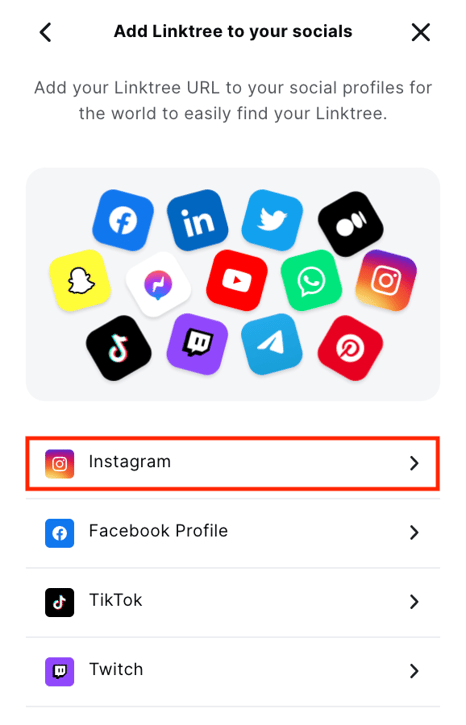
2. You can simply select the Copy button and choose your URL, navigate to Instagram and click Edit Profile, and paste the link into the Website field in your Instagram profile. Or,
3. Click the Go to my Instagram button to be immediately taken to your profile and insert the link there.
Now that you know how to create your Linktree and add it to your Instagram profile let’s go over some examples from brands that already use Linktree on Instagram to meet their business needs.
Instagram Linktree Tips
- Choose relevant names for your links: You want to use a Linktree to easily send your customers to different sites, so ensuring you name each link in a way that clearly says what it’s linking to increases effectiveness.
- Use descriptions wisely: If you use descriptions in your Linktree, ensure that you use them wisely so users can clearly understand your links. Ensure that descriptions aren’t too long either, or you may lose audience attention.
- Only include the most relevant links: While it may be tempting to have as many links as possible, it’s best to only place the most relevant links in your Linktree, so users aren’t overwhelmed with options. For example, if you’re running a new campaign, consider only linking to that one and removing links from older campaigns.
- Use branded tools: if you have a Linktree pro account, use the custom branded tools that will help your users content your Linktree to your brand assets that they already know and recognize, like custom icons and color schemes.
- Continuously monitor your Linktree: Continuously monitor your Linktree to ensure it’s up to date with your current business offerings. This means removing irrelevant links that will distract from what you’re hoping to center and monitoring analytics to see if you need to make any changes to your Linktree strategy.
Instagram Linktree Examples
Black Owned Everything
Black Owned Everything is an online marketplace that champions Black-owned businesses and the products and services they sell. It uses a Linktree on its Instagram profile to call attention to its different offerings, as shown in the image below.
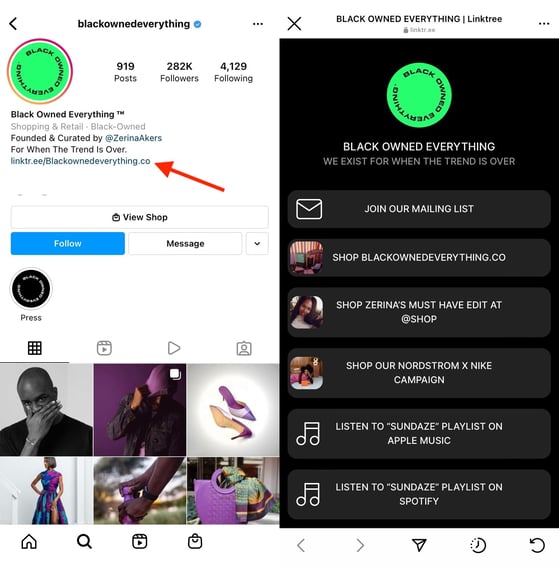
Why We Like This:
Black Owned Everything’s Linktree is successful because it includes links that are clearly labeled for users to understand and find what they are looking for, and there are also very few links. As a result, viewers likely aren’t experiencing decision paralysis as they don’t need to put in additional effort to find what they are looking for.
Patsy’s
Patsy’s is a dessert business based out of Brooklyn, NY. It sells Caribbean rum cakes made from scratch and uses a Linktree to help profile browsers order their cakes and view recent collaborations.
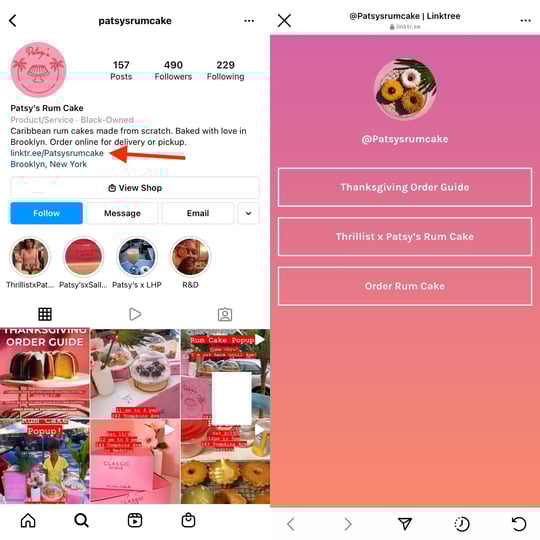
Why We Like This:
Patsy’s uses Linktree as a unique way to call user attention to a holiday ordering guide that walks users through the process of placing an order. While it could simply share this information in an Instagram post, users may not want to read a lengthy caption. Instead, Patsy’s can direct users to the link in its bio to quickly navigate to the ordering landing page.
Sean Garette
Sean Garette is an esthetician that uses Instagram to share helpful content with their audience. They also have a branded Linktree in their bio where they share links to recent collaborations and partnership discount links.
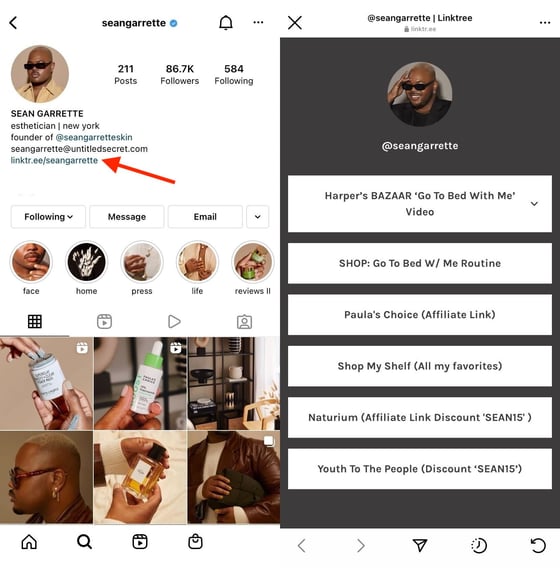
Why We Like This:
Sean Garrette shows us the value of using a Linktree to plug partnerships with other businesses.
You can always post about the partnerships you have on Instagram, but if they’re long-standing, people might forget they exist. You can place affiliate links in your Linktree to remind users that your partnerships are still running and, if you successfully drive users to your Linktree, all of your traffic will come across these links.
Golde
Golde is a business that sells superfood and wellness products. It uses Instagram to provide educational content and product photos and has a branded Linktree in its Instagram bio.
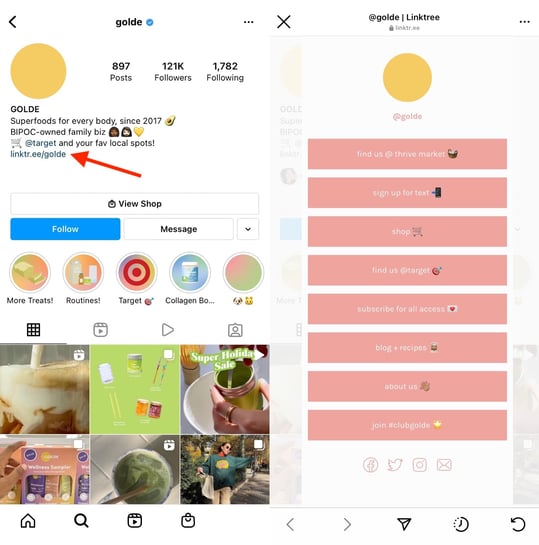
Why We Like This:
While Golde does have more links in its Linktree, users aren’t overwhelmed by choices because each link clearly states what it is, and the emojis provide additional explanations. If you have multiple links that you want to share with your users without overwhelming them, use Golde’s Linktree as inspiration.
TikTok
TikTok uses Instagram to call attention to trends, updates, and high-performing videos on the app. In addition, it has a branded Linktree in bio, which is pictured below.
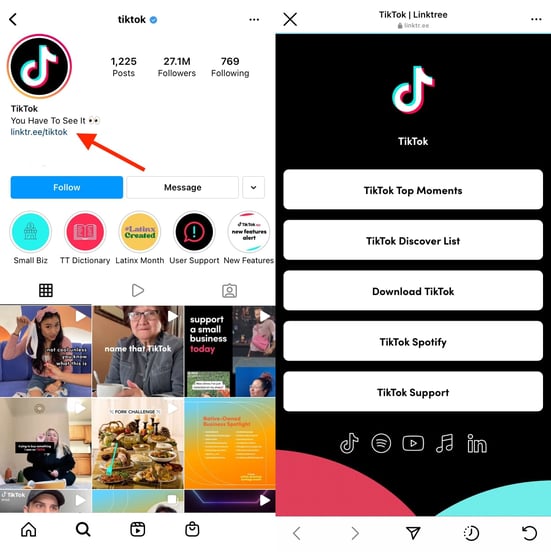
Why We Like This:
TikTok’s Linktree is a great inspiration because it drives users to critical actions related to the app: downloading the app, understanding trending moments and sounds, and contacting customer support. It also contains branded links in the footer of the Linktree that users can navigate to and easily understand where clicking will land them.
Should you choose to use Linktree, you’ll be able to share multiple high-impact links with your audience all at once, giving them more ways to interact with your business and become engaged in what you have to offer.

9 Product Category Marketing Examples to Inspire Your Own
Imagine shopping at a grocery store that doesn’t have any signs pointing you in the right direction. Odds are you’d spend a lot of time wandering the aisles until you found what you needed.
People want a sense of direction when they’re shopping, and they want to see their options grouped together — whether that’s kitchen tools, breakfast cereals, or winter coats. One way to do this is with product categories.
Product category marketing helps your brand stand out among related items, so your company’s products wind up in the shopping cart — whether real or virtual.
Let’s explore product categories, how it differs from product classification, and see some examples in action.
Your distinct offerings and customer personas should guide the organization and grouping of your product categories.
For example, Dick’s Sporting Goods offers a variety of outdoor gear. To guide customers, they group products into interest-based categories, such as fishing, running, and climbing. For cosmetic brands, it also makes sense to organize categories by product type, such as makeup tools, eyeshadow pallets, and foundation.
Product category marketing amplifies why a company is the best choice within that group of products. Why should customers opt for your offering rather than your direct competitors?
Gaining brand recognition and appreciation across a product category means greater returns for your marketing efforts. When consumers have positive experiences with a specific product category it also builds brand trust, which often expands to other categories through the halo effect.
Product categories are sometimes confused with product classification. Both are organizational strategies and both help guide marketing decisions, but classifications are much broader (think convenience goods, shopping goods, and specialty goods).
Let’s take a look at nine product category marketing examples to inspire your own.
9 Product Category Marketing Examples
1. Fenty Beauty
Product category: High-end foundation makeup
Admittedly, it helps to have singer and business powerhouse Rihanna at the helm. But Fenty Beauty innovated the idea of foundation makeup “for all,” and its commitment to inclusivity made the brand an instant hit.

Beyond foundation, the Fenty Beauty Face products include bronzer, highlighter, powder, and concealer in shades that work for everyone. The launch was an industry transformer, with established brands expanding their foundation color lineup in response.
Why it works: Fenty’s success underlines a simple truth about today’s consumers: they are belief-driven. Increasingly, consumers want to see brands improve the world along with making a profit. Fenty aligns with this shift by keeping diversity and inclusion top of mind with its product offerings — and by featuring models across a spectrum of skin tones.
2. Orvis
Product category: Dog beds
This Vermont-based retailer has been a big name in fly-fishing and outdoor gear since 1856. But they’ve also carved out a product niche with dog gear — and dog beds in particular. The brand draws people who want comfortable dog beds for their furry pals in styles that enhance their home decor.

The marketing images of dogs sleeping or lounging on Orvis beds is enough to inspire a nap. And its social feeds are chock full of irresistible images and videos of dogs, including puppies in a hammock.
Why it works: The company has built a loyal following with the fundamental belief that pets are significant members of the family. Orvis has made its site a resource for dog health and behavior topics, and they boast a variety of dog beds for dogs of all sizes, ages, and health issues.
3. Ikea
Product category: Bedding
Putting together their furniture may be a tough task, but at least Ikea supports your relaxation too. The marketing of their bedding shows off playful sheets and prints for the kids and a mix of bold designs and neutrals for adults. The bed linens product category is grouped under ‘home textiles’ together with curtains, quilts, pillows, and towels.

A playful Ikea ad campaign in the UK even featured bottled bedding and pillows, connecting the dots between a restful night’s sleep and health. In the current pandemic, the company marketed the idea that comfortable bedding was essential — especially when your bed is doubling as your office.
Why it works: By grouping a variety of products under one roof — Home Textiles — Ikea presents an opportunity to up-sell. After all, if you buy a new mattress, you may also need new bed sheets, pillows, and blankets.
4. Swarovski
Product category: Jewelry
For more than a century, Swarovski has put the sparkle in gowns, tiaras, jewelry, sculptures, and even luxury cars. For its jewelry product category, Swarovski puts luxury within reach with a mix of modern and classic crystal necklaces, earrings, bracelets, and watches.

It sustains brand awareness with seasonal collections, collaborations with designers and celebrities, such as Karl Lagerfield and Penelope Cruz, and social media campaigns with influencers.
Why it works: Swarovski has taken its medium, crystal, to new heights with creative partnerships and continued innovation. It’s these efforts that keep the brand — and its products — fresh and exciting even after 125 years in business.
5. Target
Product category: Grocery essentials
Target is known for its positioning across product categories, including affordable fashion, electronics, and cleaning supplies. Though they’re grocery section is smaller than most supermarkets, they cover all of the ‘must-haves’ on any shopping list — from milk to salads to pasta.

In 2019, Target added its own brand of grocery essentials with their Good & Gather line, which includes frozen berries, cereals, snack foods, and eggs. Their Instagram Stories showcase easy snack and meal ideas, and feature foodie influencers like TikTok and Instagram sensations Tabitha Browne and Lisa Lin.
Why it works: Target uses private labels and exclusive brands to its advantage. If you get hooked on a Target-exclusive product — like an item from their Good & Gather line — you can’t go anywhere else to buy it.
6. Dove
Product category: Skin care
Launched in 2004, Dove’s ‘Real Beauty’ campaign was far ahead of other brands in promoting body positivity and self-acceptance. Their ad campaigns for body lotions and soap have long featured women with a wide variety of body types and skin colors.
Rolls, wrinkles, cellulite, and stretch marks are all on proud and beautiful display across its social channels. Today, its skin care brand identity is synonymous with self-confidence, and Dove body lotions and soaps are frequent flyers on “best of” lists for affordable skin care.

Why it works: In an industry that typically profits from consumers feeling unhappy with their appearance, Dove stands out with a marketing strategy that centers around self-confidence. Dove energizes its brand with a higher purpose that most women — their target audience — can get behind.
7. Michaels
Product category: Holiday and seasonal decor
The company known for DIY is also a go-to spot for holiday and seasonal decorating. Michaels stores transform every month or two with festive decor for spring, summer, Halloween, Thanksgiving, Hanukkah, Christmas, July Fourth, Mardi Gras, and Pride Month.

Michael’s also does an exceptional job engaging with the creative community. Most stores offer free classes, demos, and events that anyone can attend. During the pandemic, these classes went virtual, offering both adults and kids a creative outlet to explore at home.
Why it works: Michael’s continues to find new ways to engage with new and existing customers — from festive in-store displays to free classes and demos. It positions itself as more than a supply store, but rather a source of fun and inspiration.
8. Patagonia
Product category: Eco-friendly outerwear
Patagonia’s tagline is “We’re in business to save our home planet” and the company’s marketing efforts lead with its commitment to sustainability across product lines. Its website urges consumers to “Buy Less” and prominently features a section of “Used Gear.”

When you visit its Facebook or Instagram pages, you have to hunt a bit to find posts highlighting particular products. Instead, the feeds focus on pressing issues, such as environmental stewardship and fair labor practices.
Why it works: Patagonia effectively weaves its core values into its marketing messages. When you do need to purchase a new (or used) piece of outerwear, consumers know they are supporting a company actively minimizing its negative impacts.
9. Grove Collaborative
Product category: Green household cleaning supplies
Grove Collaborative is another company focused on sustainability. Its goal is to make it simple and affordable for people to choose green household products that are non-toxic, sustainable, and cruelty free.

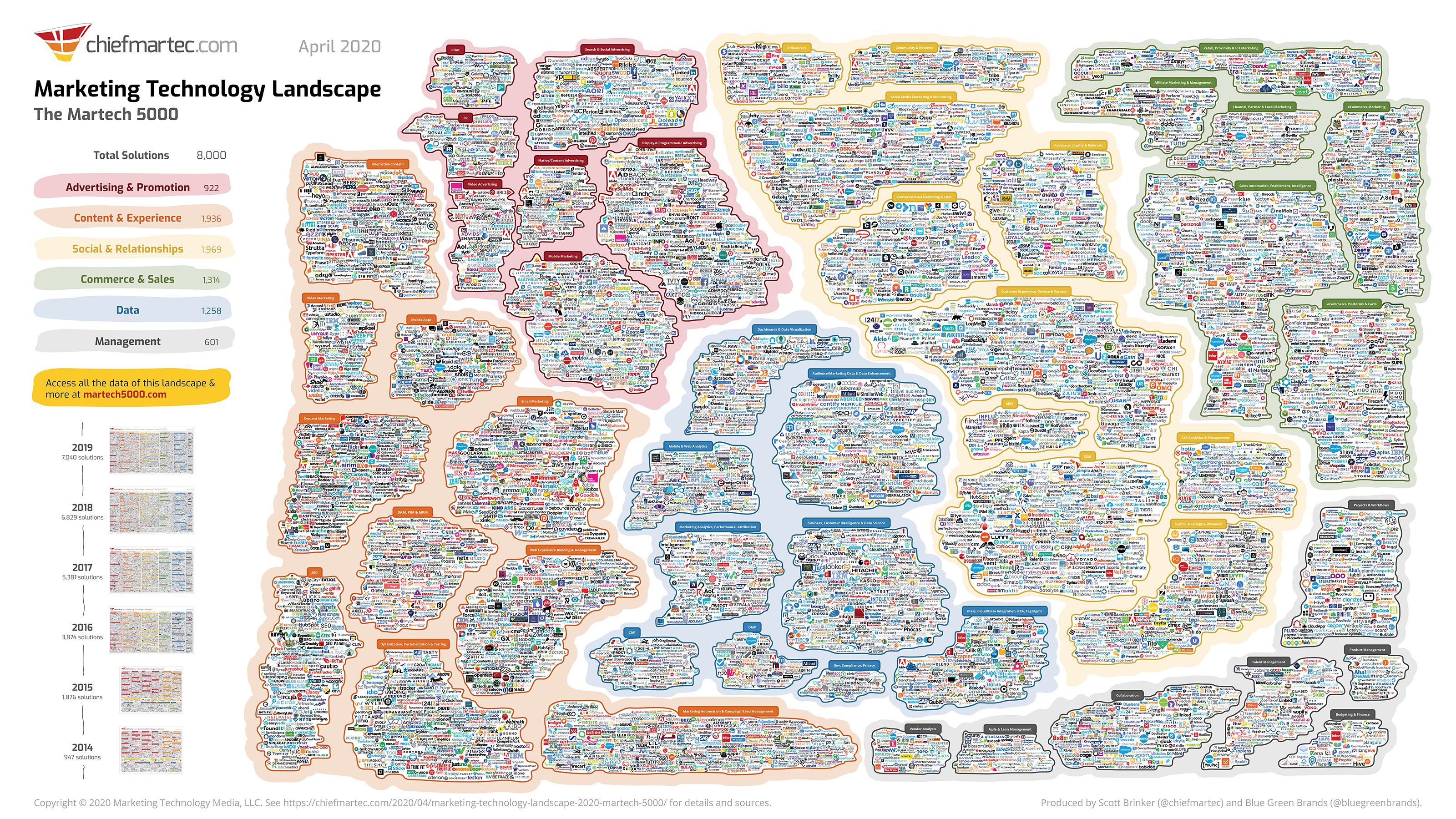

.png)
The company offers eco-friendly cleaning supplies, including concentrated soap and detergent refills and reusable glass bottles, which it sends out in recurring monthly shipments.
The company also shares ideas for holiday meals and decorating, and releases a monthly “Sustainability Snapshot” of their environmental impact, such as the number of single-use plastic bottles they keep out of land-fills.
Why it works: The company’s marketing reflects its minimalist ethos. Grove also uses social media, namely Instagram Stories, to attract new customers with product images, cleaning tips, and even humorous videos.
Each of these brands has clarified where their products fit in larger retail categories. This helps them market their distinct value to target customers and, ultimately, earn a greater market share within these product categories.
