Welcome to My Blog
10 Native Advertising Examples People Actually Enjoyed Reading
You’ve heard it a million times, native advertising is one of the most immersive advertising experiences. But what exactly is native advertising, and why is it causing such a stir for brands, agencies, and publishers?
Native ads developed as a concept over 10 years ago and have a unique ability to evolve with media as it changes. They have since overtaken display ads as the most popular form of digital advertising.
Native advertising is a chance to put editorial expertise to work for advertisers and brands. It provides a more trusted and valuable, channel to reach readers as compared to banner or traditional display advertising.

In this article, we’ll cover why they’ve continued to grow in popularity and effectiveness and how you can incorporate them into your marketing strategy next quarter.
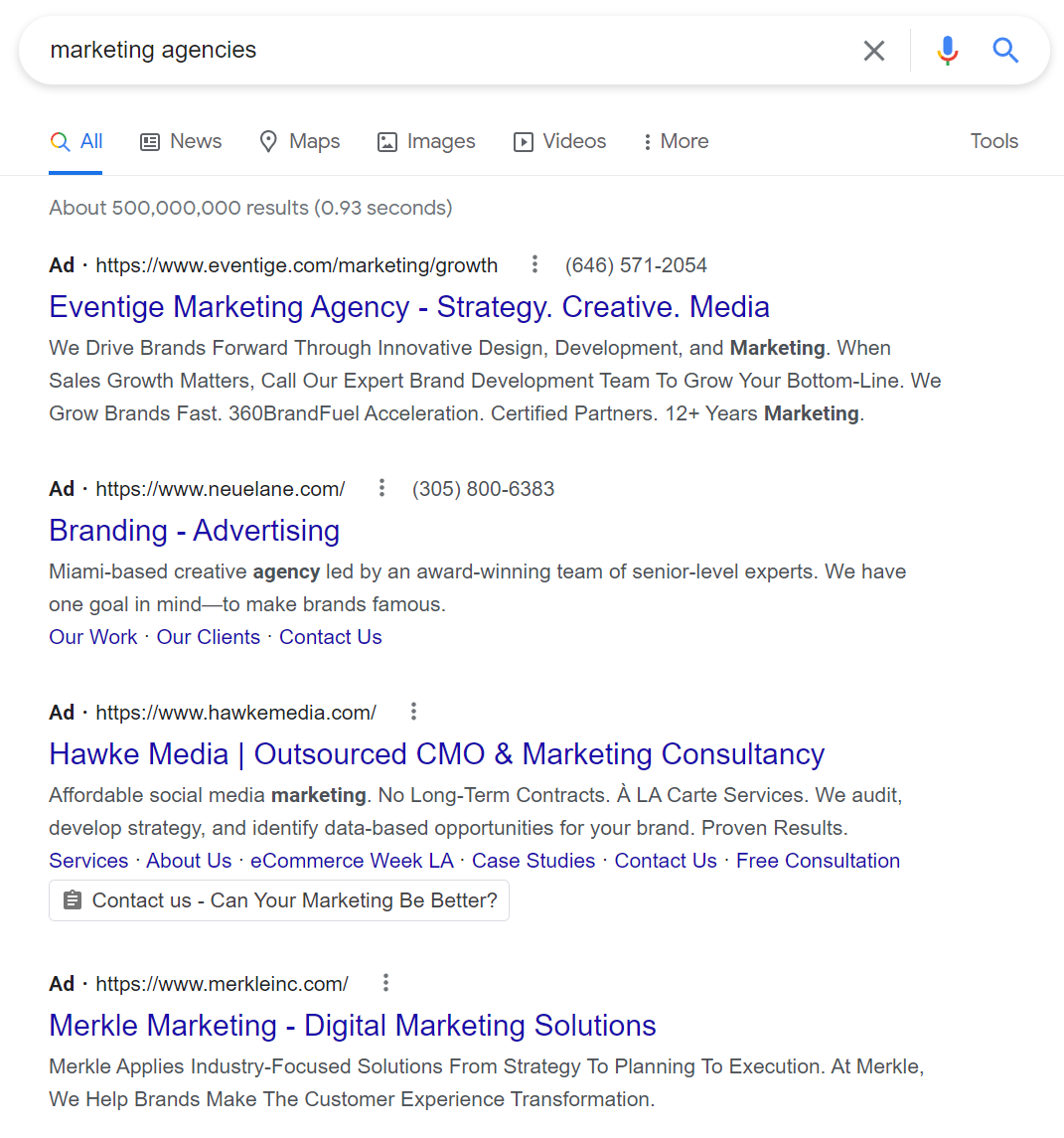
A small icon is also an indicator, often a small “s,” that if you click on it will indicate that the content is a paid ad. Google search results often include native ads in the form of listings that appear at the top or in the sidebar. The nature of native advertising is that it doesn’t stick out like a sore thumb as the ad. So, the signs are often more subtle than traditional ads.

Native Advertising vs. Content Marketing
The purpose of native advertising is to blend in and not disrupt the viewer’s experience with the given content and media. Native ads engage new audiences through a third-party with an established audience. It’s a method for distributing content, rather than the content itself. This might sound similar to content marketing, but the goal differs.
Content marketing is content that lives on your platforms, such as your website or social media pages. The purpose of this content is to build a following, grow a reader base, establish yourself as an industry expert, build trust with your audience, demonstrate credibility, increase engagement, improve sales, or all of the above.
1. Altran Engineering in the Financial Times
This native advertisement combines some of the best elements of digital advertising: video, a human interest story, and classy hi-tech with an Elon Musk connection.
Produced by the Altran engineering company, and published in the Industrial Tech section of the Financial Times, the above video, “Hyperloop: designing the future of transport?” tells the story of a group of students from the Technical University in Valencia, Spain who are competing in the 2018 Hyperloop Pod Competition run by Musk’s SpaceX company.
This native video ad has a palpable human component — the students and the Altran staff who are supporting them in the tough competition. This brings in its futuristic aspect — the best and the brightest working to design the fastest transport pod that will transform the future of transportation. And it’s presented as a news story, not as a promotion or ad for Altran or the SpaceX competition (although it’s actually promoting both).
What Stood Out
This video has a high production value, making it a high-quality native video ad. The compelling narrative it provides also strongly pulls viewers in and gives them a story they want to engage with.
2. Land Rover — A Mini Suspense/Action Movie
Land Rover uses diverse outstanding content marketing campaigns to promote its vehicles. These native content strategies are in full form in Land Rover’s Dragon Challenge video, shown above. It’s eye-catching, slick, and suspenseful. It’s everything a native campaign can and should be.
This nail-biting ad shows the world’s first attempt to scale the stairs leading to the Heaven’s Gate landmark in China — by vehicle. A specially fitted Range Rover SUV successfully drove up the 999 steps to Heaven’s Gate, at a frightening angle of 45 degrees.
What Stood Out
This native campaign perfectly captures the brand essence of Land Rover — daring, excellence, adventure, and ultimately, success. Promoted via social Land Rover’s networks, it’s much more than an ad. It’s a record-breaking event and a story of its own.
3. Eni Energy on CNN
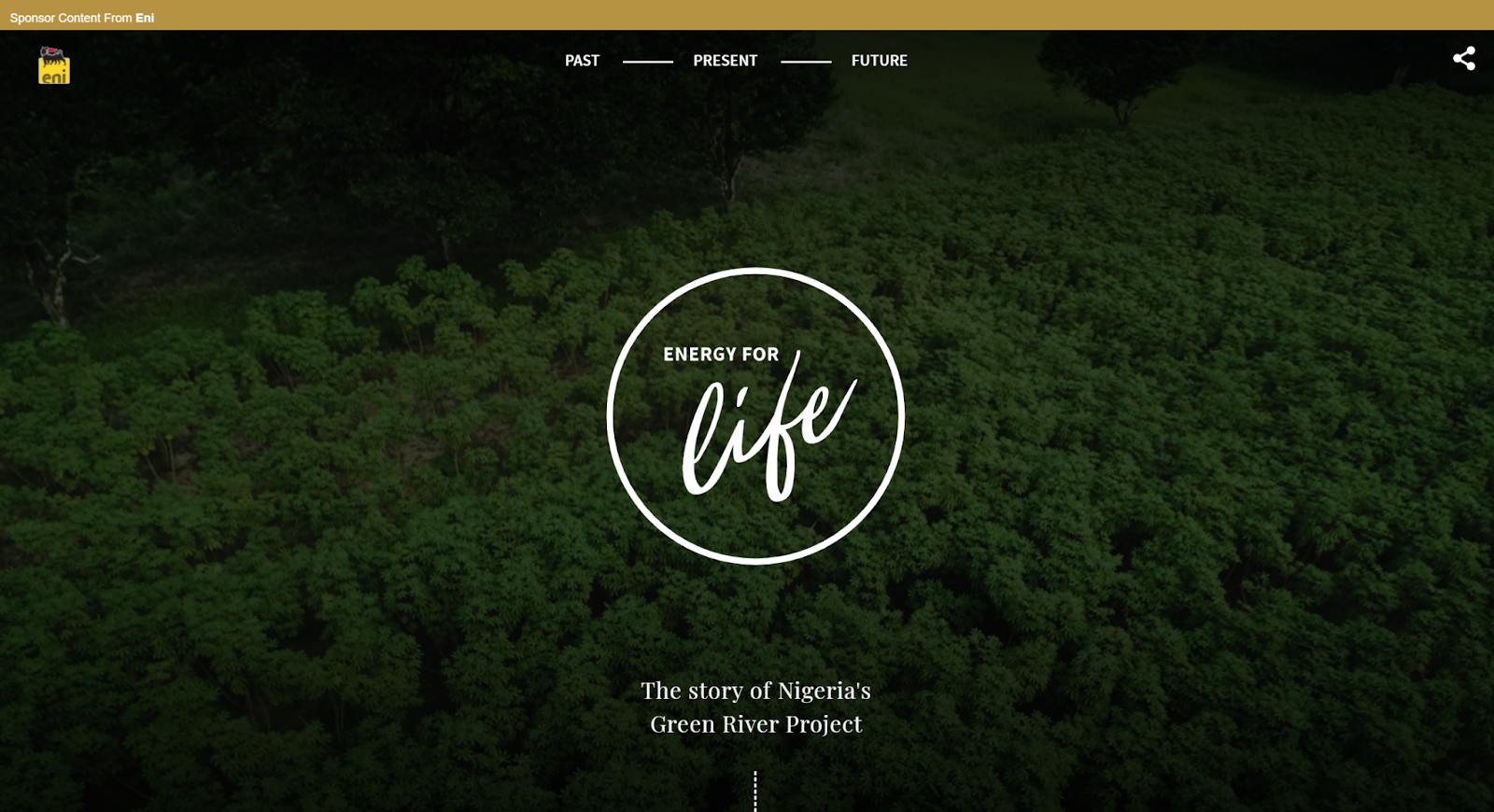
Here’s an example of graphic, luscious storytelling, ripe with green landscapes, promoted by oil and energy conglomerate Eni. It focuses on the Green River Project in the Niger Delta, an Eni development program for farming and livestock to improve the livelihoods of local communities. The campaign is promoted with native ads on CNN.com, linking back to the Green River Project. It’s a truly impressive example of native content.
The site is designed as a story, divided into three sections: Past, Present, and Future. The content is a mix of just about everything — text, imagery, audio, video, personal stories, animations, and illustrations. The complete look and feel is reflective of an environmental agency, rather than an oil company.
What Stood Out
In this native campaign, Eni succeeds in distancing itself from the criticisms faced by energy conglomerates. They also manage to create a brand image as a 21st-century social and environmental force for good, and a beacon of corporate responsibility.
4. Mercedes in The Washington Post

This native campaign by Mercedes is an example of smooth, clean content designed to pique interest and engage the user. The campaign is called “The rise of the superhuman,” and it focuses on various technologies that are turning people into “superhumans,” such as robotic exoskeleton suits, virtual reality in medical settings, and the Mercedes Benz E-class series that integrates the new Intelligent Drive system.
The native content above is highly interactive, featuring quiz questions and hot spots the user can click to get more information. But one of the best things about this campaign is how it effortlessly creates a connection between Mercedes and the “superhuman.” It’s reminiscent of one of the oldest native examples, the “Penalty of Leadership” ad by Cadillac, which enhanced the Cadillac image as a prestigious leader. That simple print ad, published in 1915, is credited with reviving the Cadillac brand and boosting flagging sales that plagued the company at the time.
What Stood Out
The major draw of this native ad is the powerful connection it creates between the car and the concept of cutting-edge excellence. It establishes Mercedes as a company that is about more than just crafting cars.
5. Viral Meme on VentureBeat

Nothing beats a viral meme in terms of sheer stickiness, and it’s a great way to promote brand awareness. Recently, during the famous “Laurel or Yanny?” dispute, we saw VentureBeat take advantage of the meme in native content to promote the upcoming Transform conference on artificial intelligence and analytics. How? By using an artificial intelligence (AI) device to settle the dilemma of Laurel versus Yanny, once and for all.
VentureBeat promoted an article that briefly describes how AI was used to determine whether the stated name was Laurel or Yanny. The native article discusses some of the problems that arose, and how the engineers had to adjust the algorithms to get an accurate result.
What Stood Out
Using a viral meme is a smart move because it capitalizes on a large audience that already exists. It’s attention-grabbing and exposes you to a wider pool of viewers.
6. Allbirds in The New York Times
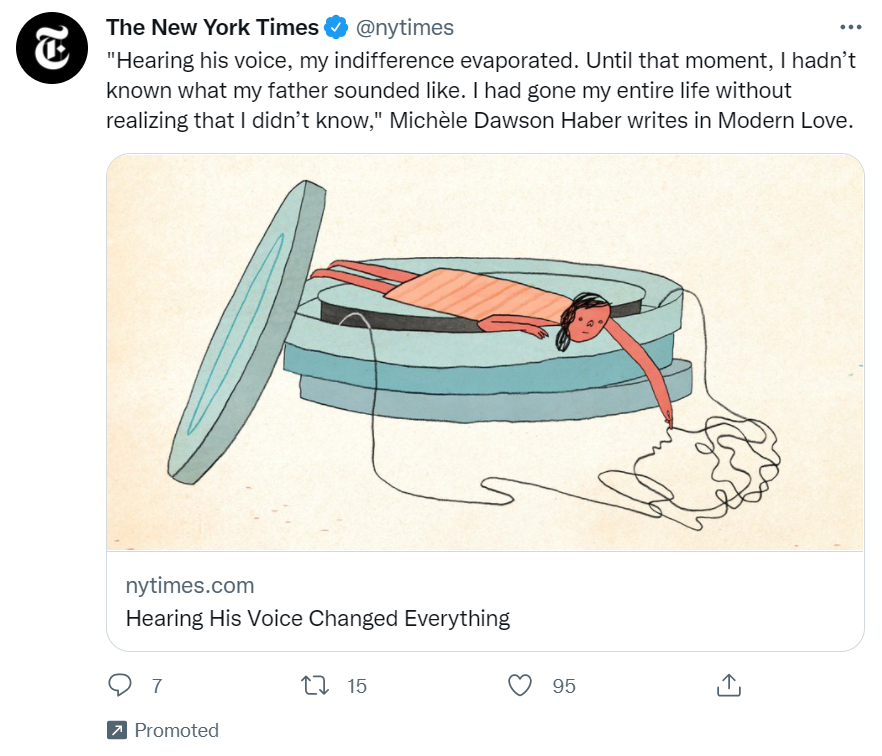
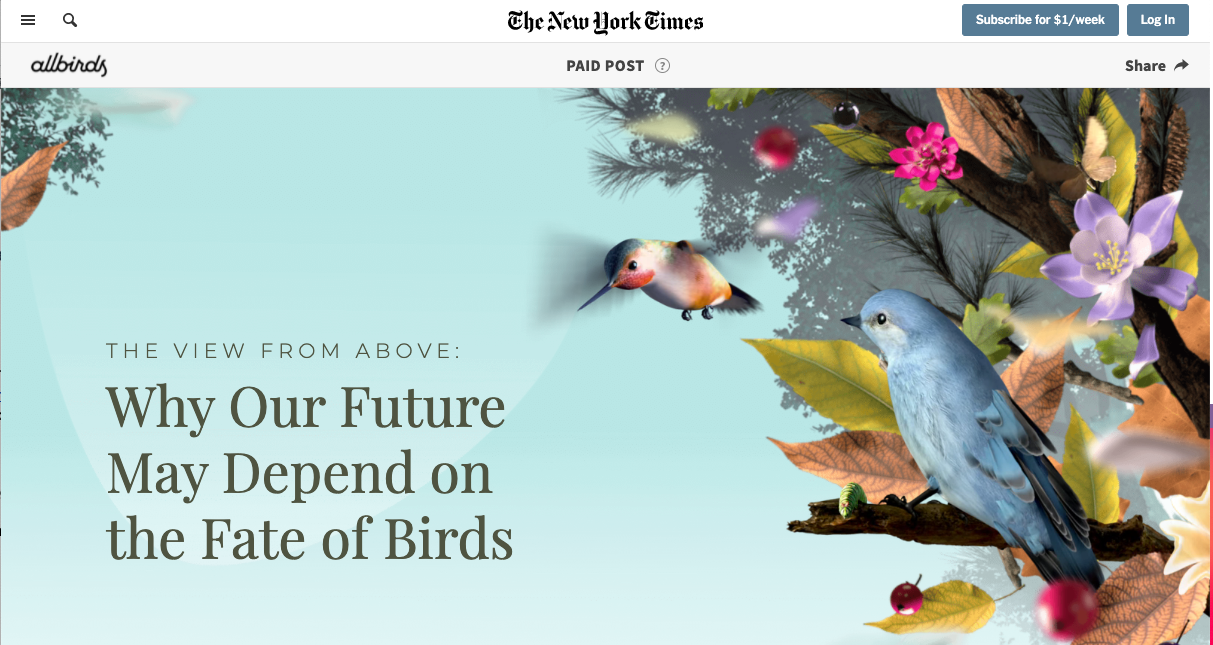
Special articles in The New York Times focus on creating an experience, not just a story. This is a great opportunity for native advertising to come into play. This paid post, The View From Above: Why Our Future May Depend On the Fate of Birds, was placed online and sponsored by the shoe company Allbirds. This example was placed as an in-feed/in-content ad on the platform’s newsfeed.
The article is about how valuable birds are to our environment and the ways climate change is putting them at risk. Allbirds as a company has a major focus on sustainability, and, obviously, has “birds” in its name. The post’s beautiful animated graphics and soundtrack of bird sounds create an awesome experience for viewers that also promotes the company.
What Stood Out
The format of native advertising is at its best when the media can align with the brand. Allbirds being able to create an experience about sustainability promotes not just their product but also their priorities as a company.
7. Influencer Promotion on BBC.com
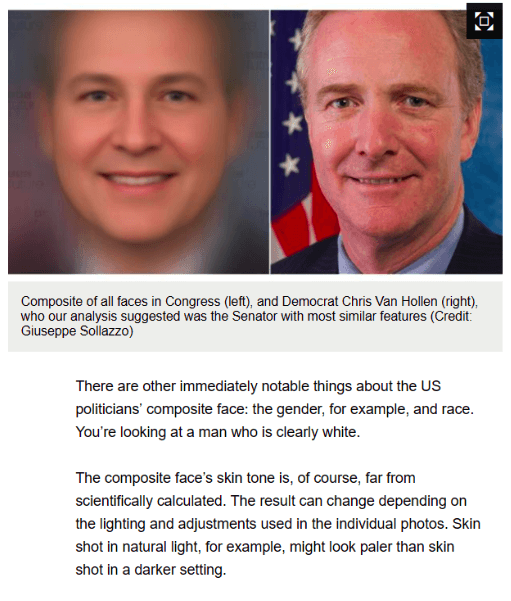
BBC Future is one of the BBC’s “storytelling” channels, which connects brands to audiences via sponsored stories. An interesting example is this BBC article, which purports to show the face of the “average American politician.”
In fact, this is achieved by using technology to perform “face averaging,” creating composite images of all American politicians to derive the average face.
This technology can lead to all kinds of research and suppositions about what the average politician represents, including gender, race, republican, and democrat — all hot topics in a highly politicized time period.
The article ends with a call-to-action (CTA) to learn more about face averaging with an online tutorial on OpenCV, an open-source computer vision software. The link leads to a website owned, not by a large corporation or software giant, but by an individual entrepreneur, programmer, and blogger: Satya Mallik.

What Stood Out
In this example, we love how native advertising is accessible to small businesses and influencers, affording powerful promotion opportunities on premium websites like the BBC.
8. Colored Corn on Business Insider
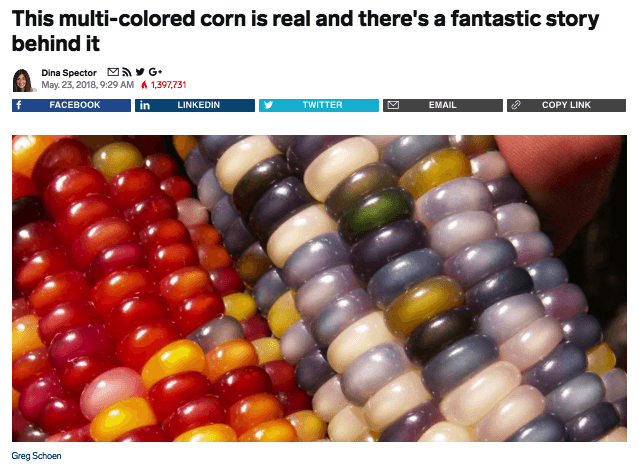
One of the best native tactics is creating a story. And if the story is visual and colorful, well, that’s a huge help. Take this example of native content promoted on Business Insider.
The example above looks and feels just like a regular Business Insider article. It’s about Glass Gem Corn, a multi-colored corn variety that became a public sensation in 2012. It’s the story of one man and his search for his Native American roots that led him to develop the colored corn. And in true Business Insider fashion, the story of the rainbow corn is retold in amazing, bold, eye-catching visuals.
The article contains links to buy the seeds online from Native/SEARCH, a not-for-profit conservation company that now owns the product. So what’s in effect a product sales page is presented as a remarkable, colorful news story.
What’s most interesting about this article is the disclaimer published by Business Insider: “This article was originally published in 2013 and has been updated because the story is timeless.” It just goes to show: Evergreen content promoted natively can truly be a long-term success story.
What Stood Out
Crafting a story that is fun, interesting, and promotional is a great way to format a native ad. This also has the benefit of being attached to a viral story, making it even more effective.
9. KPMG on Forbes
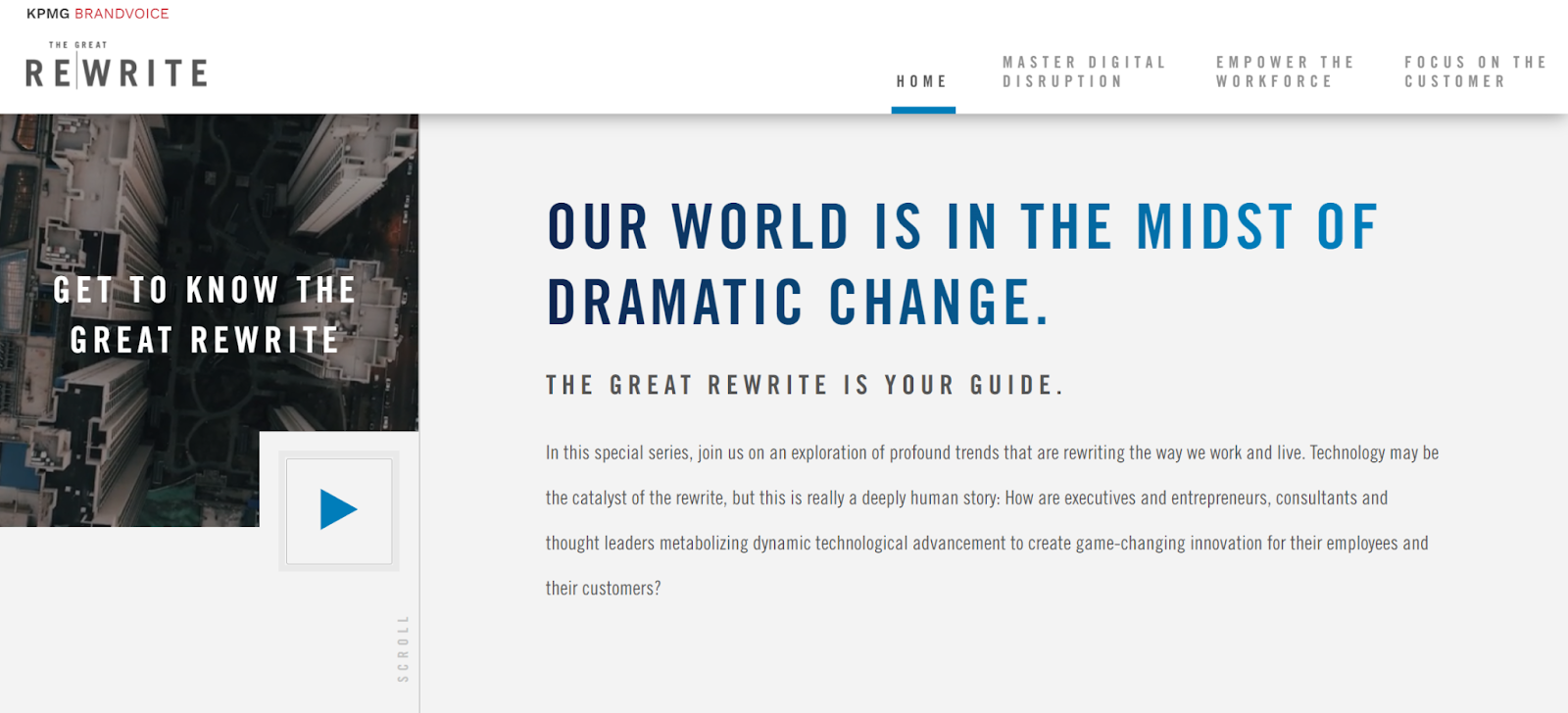
Forbes’ BrandVoice is a platform for native advertising and sponsored content. Many brands have their own BrandVoice channels, such as Mitsubishi Heavy Industries, SAP, Deloitte, and even the government of Japan.
KPMG has taken its native content on Forbes to the next level, with a campaign called “The Great Rewrite.”
Big and bold (just like native advertising should be), The Great Rewrite focuses on different industries and how they are being “rewritten” in a post-innovation age. The campaign look and feel is grand and ultra-modern, yet easy to navigate.
What Stood Out
This native ad connects KPMG with the future of innovation, while continually adding new “chapters” about various sectors. Each chapter is packed with content, including video, featured articles, and content recommendations. This is a great example of a native campaign that, just like its title, is rewriting the rules of native in an ongoing, ever-growing, content-rich user experience.
10. Orbit Gum on CollegeHumor
Videos make great native ads because the entertainment value makes it easy to blend into traditional media. “Dating Footnotes” presented by Orbit was released ahead of Valentine’s Day on the popular YouTube comedy channel CollegeHumor. It’s short, funny, and capitalized on the holiday of the time.
Orbit has a history of fun, memorable commercials, so a native ad like this fits perfectly into their branding. This native ad also blended well into the humor of the channel where it’s posted and was able to promote Orbit Gum’s products without feeling like a regular commercial.
What Stood Out
Humor and creativity go a long way when it comes to advertising. This, plus the real-world application of a product, like gum on a first date, makes for a memorable and effective native ad.
Native Ads Have Great Potential
These days, many native ads that we see online are truly spectacular. Some are eye-catching, others are original, and yet others offer inspiration for new ways to promote compelling content and capture mindshare.
The nine examples give a taste as to how native advertising is constantly advancing, pushing the boundaries of content and design to create new, unexpected online brand experiences.
Editor’s note: This post was originally published in June 2018 and has been updated for comprehensiveness.


How to Set Up Automated Email Marketing Workflows (+ Examples)
Without email marketing automation, your marketing team is missing out on major opportunities to nurture and engage your target audience and existing contacts.
In this article, we’ll review common types of email marketing automation, the tools to help you establish and maintain an email marketing automation strategy, and different automation triggers you may implement at your company. But first, let’s begin by answering the most important question: what is email automation?

Email Automation
Email automation helps convert leads into customers, delight existing customers, and encourage activity like greater product adoption, upsells, evangelism, and additional purchases.
Email marketing automation is centered around workflows which are a pre-determined, triggered set of actions you’re directing your automation software to take for you.
Now let’s look at how this process actually works.
1. Select email automation software.
There are a number of email automation software on the market today — the key is selecting the option that works best for your business and goals.
For the sake of this article, we’re going to work through the following steps in this section by looking at HubSpot’s Marketing Automation tool.
But here are a few more tools for your consideration with their main features and benefits to give you an idea of what these tools are capable of.
Email Marketing Automation Tools
1. HubSpot Marketing Automation
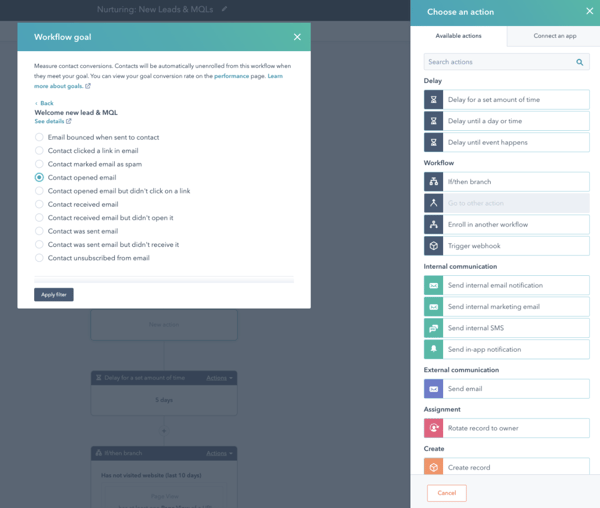
Best email marketing automation software for: Automating email campaigns and personalizing them using integrated CRM contact data to move prospects down the funnel.
Price: Free, $45/mo (Starter), $800/ mo (Professional), $3,200/ mo (Enterprise)
With HubSpot’s Marketing Automation Software, you can automate your email drip campaigns without any code. Select triggers, conditions, and actions so your emails are sent to the right audience members at the right time.
Pair your email campaign workflows to goals so you’re able to track and analyze their success. And speaking of workflows, you can visualize, customize, and personalize them to help you target every individual in your contact database.
(You can also use HubSpot to automate a number of other tasks aside from email such as lead scoring, lead rotating, setting up web hooks, etc.)
2. Versium Reach
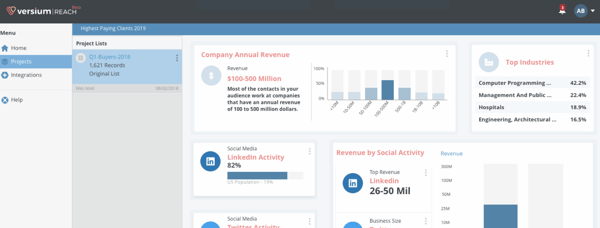
Best email marketing automation software for: B2B businesses that want to segment their customers to more effectively reach them across a variety of marketing channels including email.
Price: $300/mo (Tier One), $500/mo (Tier Two), $750/mo (Tier Three)
Versium Reach allows you to create target audiences that you can use across various marketing platforms (like HubSpot) and channels to help you effectively target and reach those groups through your email (and other digital) campaigns.
Versium Reach helps you visualize and segment your customers so you can tailor your email campaigns to them no matter which stage of the buyer’s journey they’re in.
The tool also helps you maintain a cost-effective lead generation strategy — Versium gives you the ability to experiment with a single data source for better-performing customer segments.
3. Mailchimp
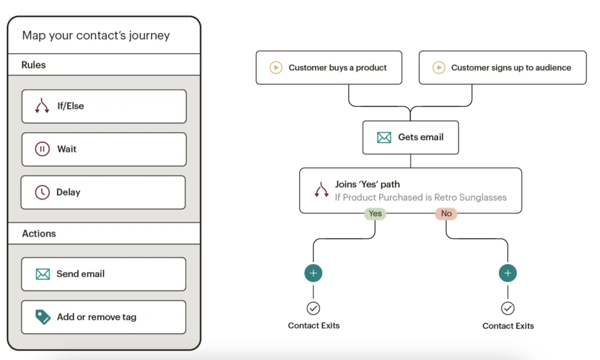 Best email marketing automation software for: Connecting your ecommerce platform to your email platform so you can target customers based on purchase behaviors.
Price: Free, $9.99/mo (Essentials), $14.99/mo (Standard), $299/mo (Premium)
Mailchimp makes it easy to deliver personalized and relevant messages and purchase paths to individuals based on their contact information and how they interact with your company. Send-time optimization then schedules your emails to be sent when your customers are most likely to engage with them.
Mailchimp offers a number of ecommerce integrations (e.g. WooCommerce, Shopify) so you can connect your online store to the email tool — this way, you can target customers based on their purchases.
Mailchimp offers six main types of email automation to make your team more productive and efficient — these include 1) customer journey automation, 2) behavior automation, 3) transactional email automation, 4) postcard automation, 5) date-based automation, and 6) RSS-to-email automation.
4. Moosesend
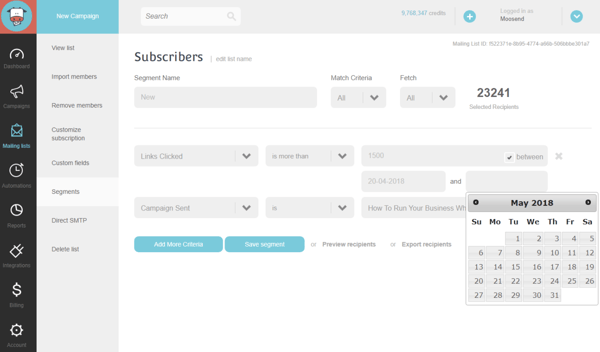
Best email marketing automation software for: Managing several email campaigns and mailing lists, and creating any condition combinations to segment your audience.
Price: Free, $8/ month (Pro), custom price (Enterprise)
Moosesend is an email marketing platform for managing several email campaigns and mailing lists. Design and A/B test responsive emails and newsletters to ensure they effectively target your audience.
Personalize your emails by creating any condition combinations in order to segment your audience based on the specific behaviors you care about on both your emails and your website.
Understand the success of your email marketing campaigns with Moosend’s analytics dashboard — track email opens, clicks, social shares, unsubscribed, and more.
2. Identify who you’re sharing your email campaigns with.
Determine who you want to send your emails to. For example, you might use lifecycle stages to group your email recipients — for upsell campaign, you send emails to existing customers who have not purchased a particular product yet.
Your email marketing tool should be able to help you efficiently segment your customers ahead of your campaign using the criteria you’ve decided upon. Again, your contact data in your CRM should help with this — for instance, in HubSpot, segment your email recipients by lifecycle stage.
3. Determine your email campaign’s goal.
Your email marketing is only as good as your strategy — so ensure you know exactly why you’re contacting these individuals. Do you want them to buy something? Learn something? Do something?
Once you answer this question, you can figure out the messaging you need to take them from where contacts are currently to where you want them to go.
You also have to plan for what happens when you succeed.
For example, imagine a 10-email series to get prospects to request a consultation. Prospect A converts within the first email. If Prospect A continues to receive emails telling them to do what they’ve already done, they’ll get frustrated.
In HubSpot, if you define your goal, it will unenroll any contacts who meet the goal.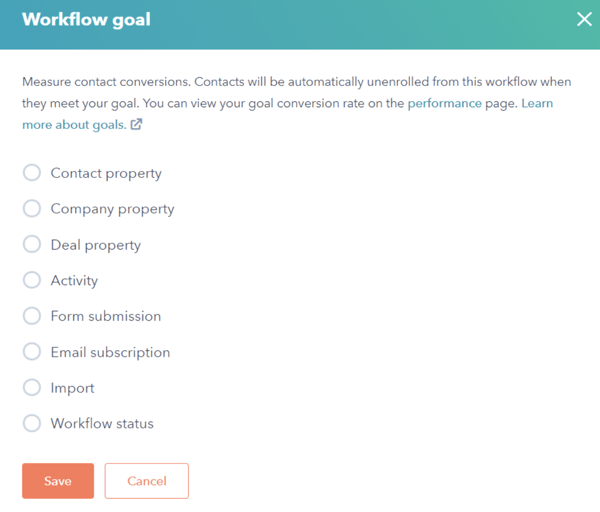
4. Set enrollment criteria.
Enrollment criteria refer to the qualifications that must be met for a contact to be entered into a workflow.
If you’re using HubSpot Workflows, for example, you can create personalized, automated email workflows that can get triggered in a number of different ways — when a contact gets added to a list, submits a form on your website, clicks a link in an email, views a page on your blog, clicks on one of your ads, or becomes a marketing qualified lead.
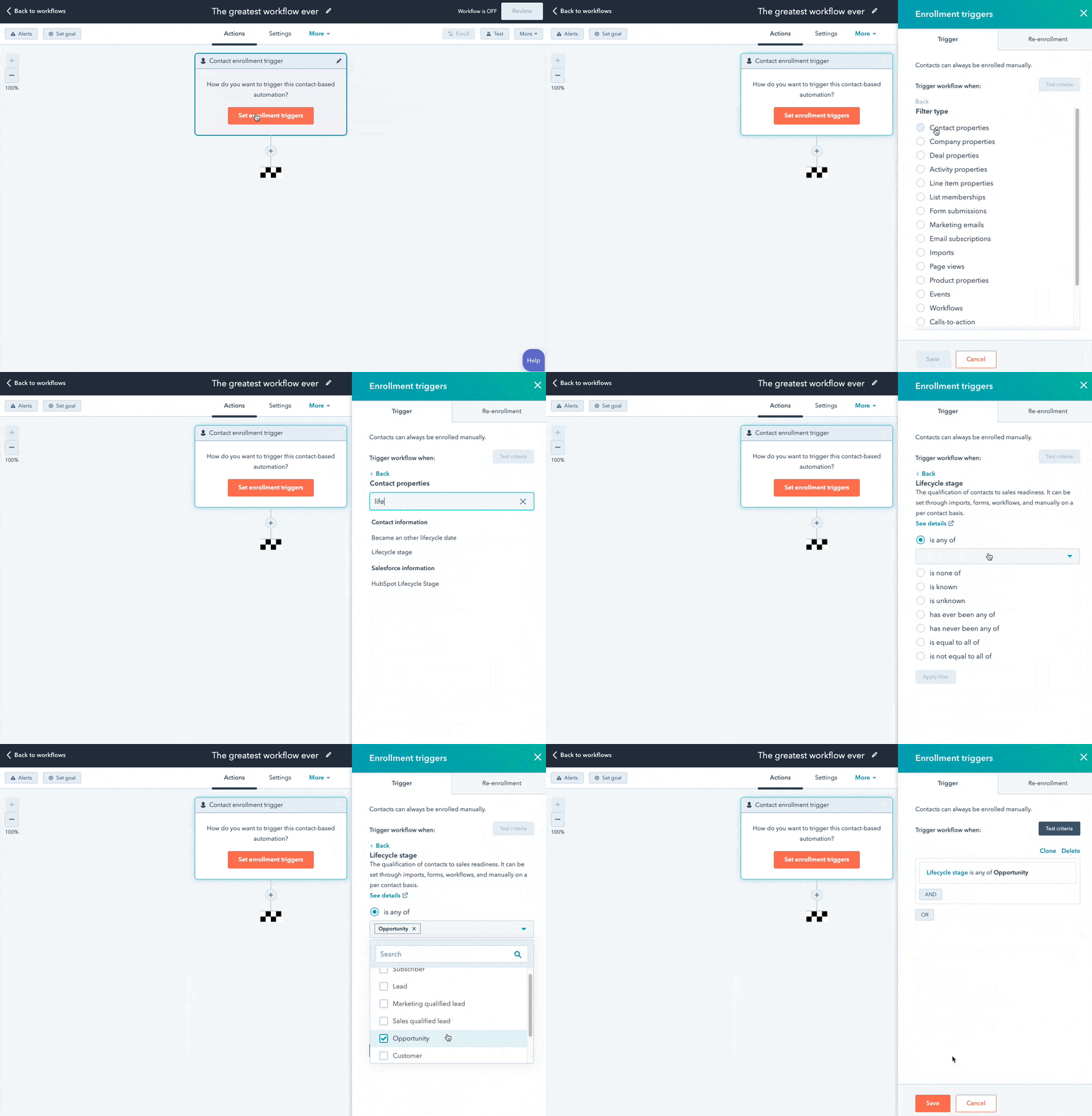
You can also set up email workflows based on any information you have about the contacts in your marketing database, such as page views, email or social media clicks, content downloads, contact properties, or any combination of these and more.
5. Determine which processes you want to automate with Workflows.
If you were manually emailing these contacts, what would you do? Think of your email marketing workflows as blueprints that outline each action your tool will take for you.
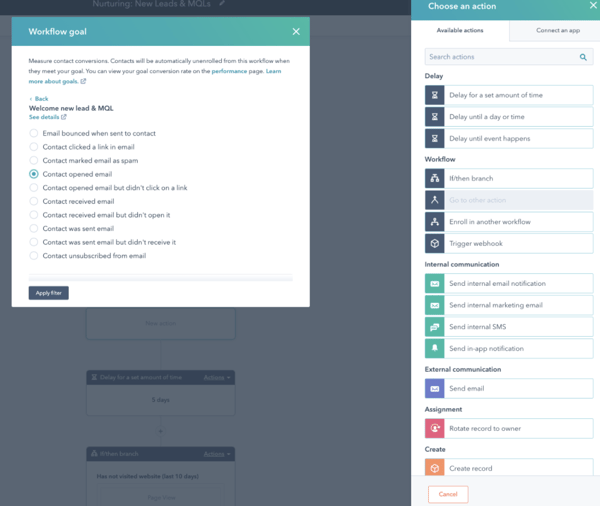
For instance, in HubSpot, specify which actions you want the software to take. Examples of automatable actions are:
- Sending an email.
- Scheduling an email (and/or delaying it).
- If/ then email branching.
- Updating and syncing all email and contact data to your CRM.
6. Create your email campaign assets.
By this point, you know how many emails you want to send, the general messaging you’ll include in the emails, and which groups of customers the emails are going to.
Now ensure all of your email campaign assets are created and available in your email automation software so you can add them to campaigns.
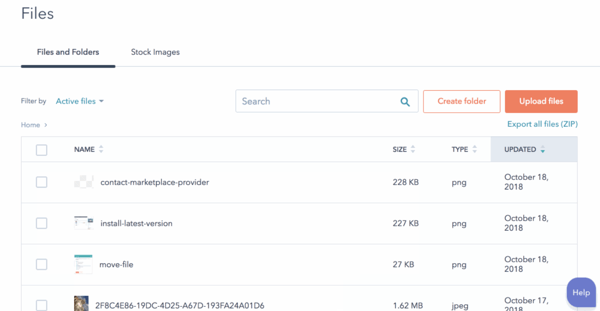
7. Check your email automation setup and run a test, if possible.
Some things to consider implementing into your workflow publishing process are:
- Looking at your list of enrolled contacts for errors.
- Ensuring the number of enrolled contacts is what you’d expect.
- Considering your workflow chart and use cases.
- Checking your “Send” settings.
In HubSpot, you can test your workflow to ensure the automation you plan to set live is working as planned.
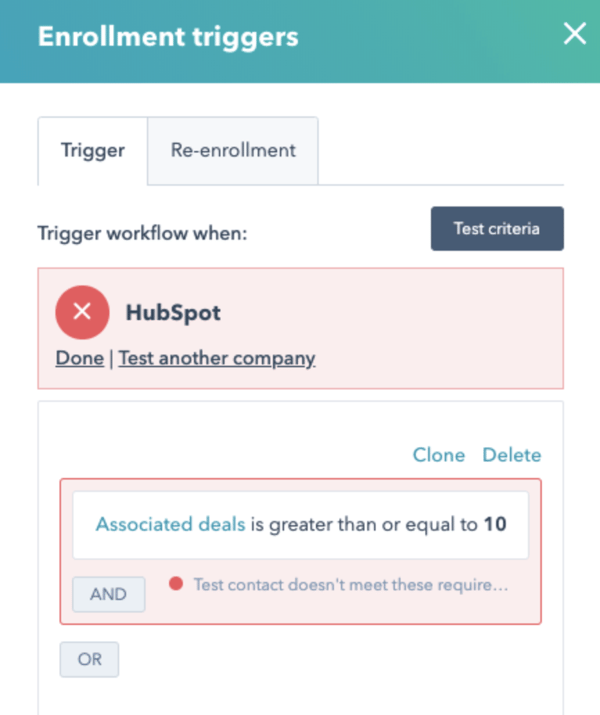
8. Make our email automation workflow live and monitor its progress.
Once you’re happy with the workflow, set it live.
Mistakes can happen, so monitor for anomalies. Don’t be afraid to adjust as needed to resolve issues or improve the performance of your email automation workflow — similar to your other marketing strategies, this is also an iterative process.
Additionally, you can always expand upon your workflows to support other business goals. Use them to automate other actions such as setting or clearing a contact property value, updating a contact’s lifecycle stage, adding/removing a contact from a list, and other administrative tasks that allow for more targeted, effective marketing to your prospects and customers.
15 Examples of Email Marketing Automation Workflows You Should Try
Now let’s walk through some examples of automated email workflows you can set up to start getting more out of your contacts database and marketing automation software.
1. Topic Workflows
Main triggers: Page views or content offer downloads.
Create a workflow for each of the industry-related topics you create content about.
Imagine you’re a unicorn breeder whose main content topics include unicorn diets, unicorn gear, and unicorn boarding. Then you could bucket your content marketing offers (e.g. ebooks, webinars, kits, etc.) and blog posts by these topics. You could also create an email workflow for each topic and then trigger the appropriate workflow when one of your contacts views a page or downloads an offer centered around that topic.
Trigger a content download workflow based on a form submission from a tool conversion tool like HubSpot’s Free Marketing & Lead Generation Software. To trigger an automated workflow in HubSpot, you can use the “Lead Flow Submission” option as the starting condition.
So if a contact downloaded your ebook called 10 Tips for a Balanced Unicorn Diet, your “unicorn diet” workflow would be triggered, sending that contact more helpful content, such as blog posts describing unicorn dietary tips.
2. Blog Subscriber Welcome Workflow
Main trigger: Subscription to your blog.
Give your brand new blog subscribers a nice, warm welcome with a blog welcome email. Use this email to thank contacts for subscribing, remind them what they’ll get out of reading your blog, review their subscription settings (and allow them to make adjustments), and promote your blog’s best-performing articles or other offers.
(Get tips for creating a successful blog welcome email here, and learn more about optimizing welcome emails here.)
3. New Customer Welcome/ Training Workflow
Main trigger: Lifecycle stage.
While we’re on the subject of warm welcomes, consider setting up a series of welcome emails when a contact converts into a paying customer, which you can trigger when a contact’s lifecycle stage gets updated to “customer.”
Not only is this a great way to kick off your new customer relationship on a positive note, but it can also keep your customers engaged after they buy. And if your product or service requires a little training on your customers’ part, use this workflow as an opportunity to introduce helpful training materials on an incremental basis.
4. Engaged Contact/ Evangelist Workflow
Main triggers: Visits, clicks, or form submissions.
Create a smart/ dynamic list that automatically updates to include contacts that you’ve really engaged.
To create this list, use trigger criteria such as a high threshold of visits to your website, clicks on your emails or social media posts, or form submissions. Then create an email workflow to leverage this list as a way to encourage evangelism of your top content in social media.
Because these contacts are highly engaged with you already, they’re more likely to share your top content. You can also consider adding list criteria to pull in contacts with a certain number of Twitter followers to leverage the power of those social media influencers in your database.
5. Lead Nurturing Workflow
Main trigger: Multiple top-of-the-funnel conversion events.
If a contact has downloaded several of your top-of-the-funnel marketing offers like ebooks and webinars, it might be a sign that they’re ready for a bit more. Set up workflows that help advance these contacts further down the funnel.
If the contact is a lead, send them emails containing more middle-of-the-funnel content that can upgrade them to a marketing qualified lead (MQL) or an opportunity in your sales process.
This workflow may include content and web pages you’ve identified from an attribution report analysis as influential in converting leads into customers — perhaps content like customer success stories/case studies, free trial offers, or product demos.
6. Internal Sales Rep Notification Workflow
Main triggers: Bottom-of-the-funnel page views/ conversion events.
On any given website, there are certain page visits and conversion events that indicate more product interest than others.
First, identify these pages and conversion events using an attribution reporting tool like HubSpot. You’ll notice that, more often than not, the pages you unearth will be your pricing page, product pages, etc. — the pages that your contacts view when they’re truly considering your products or services.
Use workflows here to trigger an internal email notification to your sales rep to inform them of these high-value activities. Using personalization, give the rep all the information they need about the lead in question, including relevant mid- and bottom-of-the-funnel content that they can send to the lead in their outreach email. This allows you to connect sales reps with the best possible leads at the right time.
7. Re-engagement Workflow
Main trigger: Inactive contacts.
Reawaken inactive contacts with a re-engagement workflow, enrolling contacts once they’ve met certain list criteria.
For example, you could set conditions such as the length of time since their last form submission, website visit, or email click, triggering the email once it’s been a while since a contact last engaged with you.
In your workflow, try sending them an exclusive offer or coupon to get them excited about your company again. For more tips about launching an effective email re-engagement campaign, check out this post.
8. Event Workflow
Main trigger: Registration or attendance.
Hosting a live, in-person, or virtual event? Use email workflows to automate your communication to event registrants and attendees before, during, and after the event.
For example, create a workflow that delivers important information registrants should know leading up to the event, such as hotel accommodations and agenda information for live events, or webinar log-in information for online events.
When the event ends, set up a workflow that gives attendees online access to session slides and continues to nurture them with additional content or promotion for future events.
9. Abandoned Shopping Cart Workflow
Main trigger: Shopping cart abandonment.
If you’re an ecommerce business, you’ll likely benefit from an abandoned shopping cart workflow.
The concept here is simple: When someone adds an item to their online shopping cart but leaves your site without completing the purchase, you can trigger an email workflow that reminds them of their forgotten purchase. By offering a special discount code or incentive to buy, you motivate the individual to return to your website in order to complete the transaction.
10. Upsell Workflow
Main trigger: Past purchases.
Communication with your customers shouldn’t stop after they make a purchase. This is especially true if you sell a variety of different products and/or services. Use workflows to help you upsell or cross-sell existing customers.
Create dynamically updating lists of contacts who purchase a certain product — or combination of products — and create workflows aimed at recommending other products/ services or encouraging upsells or add-ons.
11. Customer Happiness Workflow
Main trigger: High or low NPS scores.
If you administer regular Net Promoter surveys of your customer base, you can use customers’ Net Promoter Scores as a property to trigger workflows.
Simply determine what your ideal customer happiness score is, and use that as the threshold for your dynamic list of happy customers. Then trigger a workflow for customers with “happy” scores and reward them with exclusive content, offers, or discounts.
Trigger a different workflow for your “unhappy” customers that includes content/offers aimed at helping to improve their happiness.
You can even segment unhappy customers by the specific reasons they’re feeling unsatisfied — then, send them even more targeted workflows aimed at addressing their issues.
12. Customer Success/ Engagement Workflow
Main triggers: Success metrics or product usage.
If you keep track of customer success metrics, you have a prime workflow opportunity on your hands.
For example, if you’re trying to build up your arsenal of customer case studies, automatically trigger an email that asks customers if they’d be interested in being featured as a success story once certain customer success metrics were met.
Furthermore, if you track of customers’ product adoption or feature usage, you could trigger a workflow for users who are exhibiting low product engagement, providing resources that educate and train them on how to use the product features they’re not taking advantage of.
13. Upcoming Purchase Reminder Workflow
Main trigger: Purchases made on a cycle.
Does your contacts database include customers who typically purchase on a cycle? Enter those people into a workflow that gets triggered when they make a purchase.
For instance, let’s say you sell eye care products, and a customer purchases a six-month supply of prescription contacts. Enroll that customer into a workflow that sends them an automated email five months later as a reminder that their six-month supply is about to run out, and it might be time to order a new batch of contacts.
14. Customer Service or Ticket Workflow
Main Trigger: A customer or prospect contacts customer service via email or an online form.
Sometimes, your customers or prospects might have trouble using your free or paid software. When this happens, fielding a bunch of customer service emails and messages can take tons of valuable time from your schedule.
One way to avoid this is to create a workflow that turns customer concerns into tickets that can be categorized, labeled, and assigned to customer service reps on your team. These tickets can also help you keep track of ongoing problems as well as when issues with a customer or prospect are resolved.
15. Deal-Based Workflows
Main Trigger: When someone e-signs a quote or contract.
Sealing the deal is obviously key to successful marketing and sales. Automating small aspects of this process, like emails someone might get after signing a contract or quote page with you, allows your sales reps more time to nurture the client over the phone, during demos, or via other messages.
With a deal-based workflow, you can trigger confirmation emails when a prospect becomes a client or qualified lead by signing a quote or contract. With systems like HubSpot, you can also set the workflow to change the contact’s status to show where they are in the lifecycle.
Automate Your Email Marketing Campaigns
Email marketing automation increases efficiency and gives your team back valuable time that can be spent on customers and other work that requires their attention.
Additionally, the process helps optimize your email marketing strategy and personalize email content to increase its effectiveness among your target audience and customers.
Identify your ideal email marketing automation tool and begin setting up the workflows your team needs.
Editor’s Note: This post was originally published in September 2012 and has been updated for freshness, accuracy, and comprehensiveness.

How Advertisers are Navigating iOS 14’s Mobile Tracking Changes
It’s been several months since Apple’s iOS 14 update went into effect and the dust has begun to settle. One of the main questions has been, “How are advertisers handling the mobile tracking changes?”
Earlier this year, we talked about how this change could impact advertisers, but now, we want to follow up. Have any new strategies evolved? What have advertisers been doing to reach their target audiences?
In this post, we’ll discuss how advertisers have navigated the iOS 14 mobile tracking changes and give you a few tips on how to have continued success with social media and online advertising.

Wait, what happened with the iOS 14 update?
To summarize, at the beginning of 2021 Apple released a new update that would impact the way that advertisers reach their audience. With the iOS 14 update users needed to opt-in, or give permission, to an app to track their activity outside of the platform.
So, why were advertisers and marketers concerned? Well, a lot of ad campaigns target audiences based on their behavior online. If an app can’t track that information, ads will become less personalized, and in turn, could be less effective.
The concern for marketers was that they wouldn’t be able to deliver their ads to people based on certain activities, like if they’d visited their website, for example. This meant that ads would likely have smaller audience sizes and less accurate reporting.
Additionally, with this update advertisers are only allowed to use up to eight conversion events from a single website domain. This means if you run a campaign and track several different conversion types (like Lead, Landing Page Views, Purchase) you’ll now be capped at eight at any given time.
At HubSpot, Rex Gelb, the director of paid acquisition, says, “It’s hard to quantify, but from a search perspective, we haven’t seen any major impact at HubSpot. With platforms like Google and Bing we are less reliant on cookies and more reliant on people searching for our target keywords.”
Now, you might be wondering, “What have advertisers been doing?” Let’s discuss it below.
How Advertisers are Navigating the iOS 14 Mobile Tracking Changes
While the iOS 14 update has made advertisers jump through some more hoops in setting up their ad campaigns (getting domain verification and aggregated event management), the update ultimately hasn’t been the death of retargeting or Facebook ads.
Of course, there have been changes. So far, it looks like more than 90% of users are opting out of data tracking. This is more than industry experts were predicting.
So, what have advertisers been doing?
1. Diversifying ad spend.
The main story of how advertisers are navigating the latest iOS tracking update is diversifying ad spend.
This means companies have shifted some ad spend that was previously allocated to Facebook to other platforms like Google because of the remarketing features and the ability to target users based on search intent.
2. Reporting Facebook success with Google Analytics.
While some money is still being used to advertise on Facebook, there are different ways of reporting.
Companies have begun using UTM parameters on their site’s URLs to generate data tracked by Facebook to Google Analytics. This means you can use Google Analytics to track some of the activity on your Facebook ad campaigns.
3. Using owned data for lookalike audiences and retargeting.
Strategies such as using lookalike audiences or retargeting an email list have continued to drive results. With privacy updates becoming a norm for the big tech companies, marketers will need to begin focusing on owned data to inform their campaigns.
With your owned data (such as an email list), you can target lookalike audiences or retarget those very people.
Keep in mind, you can still use the old method of retargeting campaigns because not all of your audience is on iOS devices. You can still use the channel as a cost-effective way to see some return on ad spend (ROAS).
4. Using other Facebook advertising options.
Besides these new ways of approaching ad campaigns, some advertisers are investing in other ways to reach audiences on Facebook.
For example, you can use the messaging objective to create a lead-generating chatbot on Facebook Messenger. There are options to retarget users who reach out to you on messenger and start conversations with new leads who click on an ad of yours.
Additionally, Facebook has another strategy that advertisers have explored: the Facebook lead ads (in-app lead form).
While using your own landing pages is definitely the preferred method, in a cookieless world, using lead forms on Facebook can help you generate leads and capture first-party data.
The iOS 14 mobile tracking changes have made Facebook ads less effective, but there are still ways for advertisers to target their audience and generate leads on the platform.
Editor’s note: This post was originally published in September 2021 and has been updated for comprehensiveness.


The Ultimate Guide to B2B Marketing in 2022 [+ New Data]
Effective marketing is difficult to get right. Between creative demands, budget limits, and channel decisions, marketers have a lot to juggle when developing their marketing strategy.
The biggest determinant of effective marketing, however, is your audience.
If you’re not properly targeting your buyer persona, your promotions and advertisements will likely fall on deaf ears. You might as well not be marketing at all.
Where target audiences vary the most, though, is between individual consumers and businesses. Some companies serve individual shoppers, while others cater to companies and organizations.
Marketing to businesses is very different from marketing to individual consumers. That’s why an entirely different marketing method — B2B marketing — exists, and that’s why we built this guide.
By the end of this article, you’ll have a better understanding of B2B marketing, the most effective B2B marketing strategies, and how you can tap into and convert your business audience. Plus, the trends you can expect in the B2B space in 2022, according to new research plus expert tips.
![→ Download Now: Free Product Marketing Kit [Free Templates]](https://no-cache.hubspot.com/cta/default/53/08b5e1f4-5d26-405b-b986-29c99bd0cb14.png)
The purpose of B2B marketing is to make other businesses familiar with your brand name, the value of your product or service, and convert them into customers.
HubSpot is an example of a company that engages in B2B marketing. HubSpot’s customers are other businesses, not individual consumers. Therefore, all of our marketing efforts can be classified as B2B.
B2B vs B2C Marketing
B2B and B2C (business-to-consumer) marketing are very different. B2B and B2C marketing differ in their respective strategies and applications, as well as in their audiences and how they communicate to them.
B2B marketing targets the needs, interests, and challenges of individuals who are making purchases on behalf of, or for, their organization (rather than for themselves), thus making the organization the customer.
Here are a few examples of B2B companies:
- A coworking space that leases office spaces to remote teams and freelancers (like WeWork)
- An on-demand order fulfillment, warehousing, and screen printing service (like Printful)
- A marketing software company that sells social media management tools, lead generation software, and other marketing tools to businesses and organizations (like HubSpot!)
B2C marketing targets the needs, interests, and challenges of individual consumers who are making purchases on behalf of, or for, themselves, thus making the individual the customer. Here are a few examples of B2C companies:
- An e-commerce company that sells office supplies to remote or self-employed individuals (like Poppin)
- A store that sells t-shirts and other clothing and accessories (like Target)
- A music platform that sells streaming subscriptions (like Spotify)
Take a look at this chart comparing B2B and B2C customers.
| for b2b marketing | for b2c marketing | |
| Goal | Customers are focused on ROI, efficiency, and expertise. | Customers are seeking deals and entertainment (which means marketing needs to be more fun). |
| Purchase Motivation | Customers are driven by logic and financial incentive. | Customers are driven by emotion. |
| Drivers | Customers want to be educated (which is where B2B content marketing comes in). | Customers appreciate education but don’t always need it to make a purchase decision. |
| Purchase Process | Customers like (if not prefer) to work with account managers and salespeople. | Customers like to make purchases directly. |
| People Involved in Purchase | Customers often have to confer with decision makers and other members of their chain of command before making a purchase decision. | Customers rarely need to confer with others before making a purchase decision. |
| Purchase Purpose | Customers make purchases for long-term solutions, resulting in a longer sales cycle, longer contracts, and longer relationships with companies. | Customers aren’t necessarily looking for long-term solutions or long-term relationships. |
As much as they differ, though, B2B and B2C also intersect in many ways. While Poppin sells office supplies to remote or self-employed individuals, they also design corporate office spaces and branded supplies.
On the flip side, Printful not only offers order fulfillment and warehousing to businesses; they also fill e-commerce printing orders for individuals.
As distinct as the B2B and B2C marketing audiences can be, B2B marketers can always learn from B2C campaigns, too.
B2B Marketing Strategies
As I said above, marketing depends on its audience. While B2B and B2C marketing vary, not every piece of B2B marketing material is alike, either.
In this section, we’ll talk about various B2B marketing strategies you can implement to reach your specific business audience. Before we dive in, though, make sure you understand the B2B buyer’s journey. Take note of how each of these stages may affect your marketing strategies and how you implement them.
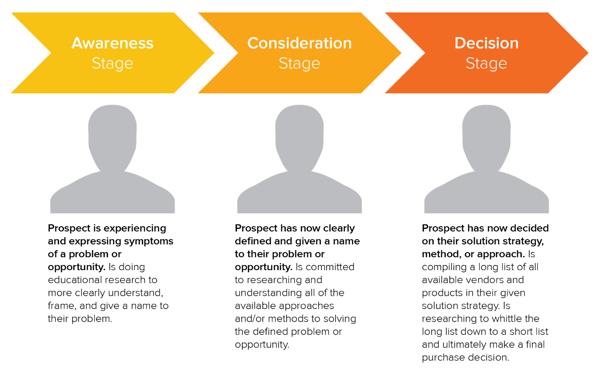
When you begin to form your B2B marketing strategies, there are a few steps you should take before you jump straight to execution.
1. Determine your brand positioning.
To create an effective strategy, you have to fully understand your brand positioning. This statement is the who, when, why and how of your brand identity — or the way your brand is perceived through the eyes of the customer.
Devise a brand positioning statement that your team and prospective customers can believe in, and you’ll be ready for the next step.
2. Identify your target audience.
Find your target audience — or who’s really looking for your brand’s products or services. That information will help you create buyer personas and understand how they make purchase decisions, a tool that’s extremely useful for any type of marketing.
3. Run a competitive analysis.
Scope out the market and see what other businesses are marketing to your target audience with a competitive analysis. Things to be on the lookout for when inspecting competitors are:
- Competitor product offerings
- Competitor sales tactics and results
- Competitor marketing content and social media presence
Getting a general overview of these items can help you recognize your competitors’ strengths, weaknesses, opportunities, and threats — otherwise known as SWOT analysis.
4. Explore marketing channels to use.
In your competitive analysis, you’ll see the different types of marketing channels your competitors use successfully, and the channels they haven’t taken advantage of.
With the previous steps completed to begin building your B2B marketing strategy, this is where you’ll be able to diversify your own B2B marketing portfolio and reach the businesses you need to. The following categories are B2B marketing channels bound to connect you to your target audience.
B2B Email Marketing
Email marketing is a tried and true method of reaching both individual consumers and business customers. Did you know that 93% of B2B marketers use email? Are you one of them? You should be. Emails lead to engagement which turns subscribers into leads … and then customers.
Download our guide to optimizing email marketing for conversions and learn how to grow your email list, ensure deliverability, and increase engagement.
Unlike B2C customers who respond best to emotions and entertainment, B2B customers look for logic and positive ROI. Essentially, they’re asking themselves, How can your business help my business grow? Because of this, your email marketing must consistently resonate with your business customers and focus on things that matter to them — like time, money, and resources.
Email marketing is also a powerful vehicle for sharing your brand’s content. 83% of B2B companies use email newsletters as part of their content marketing program, and 40% of B2B marketers say these newsletters are most critical to their content marketing success.
With the constant barrage of emails flooding our inboxes today, it’s more important than ever to create and send out effective marketing emails.
B2B Email Marketing Best Practices
- Write enticing subject lines. Think about your email subject lines as a Netflix trailer — if you can’t hook your audience with a two-minute clip (or, in this case, a few dozen characters), don’t expect them to open and watch (or read) the whole thing. We recommend spending almost as much time on your email subject lines as you do on the emails themselves.
- Stick to one call-to-action (CTA) per email. If you think the number of emails you receive is a lot, take a look at the CTAs in those emails … some are packed with two, three, and sometimes up to 10 different CTAs. Don’t make this mistake, which can leave your recipients’ heads spinning, asking “What should I click on first?” and ultimately clicking on nothing. With one CTA per email, you allow your audience to focus on your email content and ultimately one action … a welcome reprieve from today’s frequent decision-making and analysis paralysis.
- Segment your email to reach the most relevant audience. Not every email you send will be appropriate for everyone on your list. Your subscribers may be at different stages of the buyer’s journey or be seeking different solutions. That’s where email list segmentation comes into play. Not only does this help you relate to your audience better, but it gives your emails that personal feel that says “Hey, I’m listening and I know what you’d like to see.” Consumers prefer email quality over quantity anytime.
- Make sure your email designs are responsive. Over 80% of email users access their inbox on their phones, and emails that don’t show up correctly on mobile devices are often deleted in three seconds. Ouch. Don’t let your email be one of those.
- Don’t be afraid of the cold email. As uncomfortable as it is, the right email can convert new customers — like this cold sales email that won 16 new B2B customers.
👉🏼HubSpot Tip: You can’t send marketing emails without any recipients — these people make up your lists. There are plenty of easy ways to grow your email list. Begin with opt-in forms on your website homepage, About page, and blog. Check out HubSpot’s Free Form Builder tool to get started.
B2B Digital Marketing
Every business, whether B2B or B2C should have a digital presence — which is comprised of paid ads, search engine optimization, a website, and any other place your B2B company is active online. Let’s walk through a handful of tactics that can strengthen your B2B digital marketing strategy.
1. Define your target audience.
A strong B2B digital marketing strategy starts with defining your target audience, or buyer persona. This demographic and psychographic information will inform almost every other marketing activity thereafter, ensuring your content and digital material is absorbed by the right eyes and ears (and that no resources go to waste on your end).
2. Create your website.
Secondly, digital marketing can’t quite function without an informative, engaging website. Over 80% of buyers visit a website before making a purchase. Moreover, since the typical B2B sales cycle often involves many key players (such as gatekeepers, decision makers, and other folks who have to buy into a purchase), websites are easy, straightforward ways for influencers to share information about your product or service.
For inspiration on how the best B2B websites are built to impress, check out this video:
3. Optimize your digital presence.
Your website needs to be more than informative and engaging, though … it needs to be discoverable. You can do this with on-page SEO and technical SEO tactics. These include everything from image alt-text and meta descriptions (what your visitors can see) to structured data and site speed (what your visitors can’t see). Off-page SEO is also at play here, which refers to external linking strategies and social sharing — SEO tactics that take place off your website.
4. Run PPC campaigns.
Finally, round out your digital presence with pay-per-click (PPC) advertising, which allows you to get your content and brand in front of new audiences via search engines and other advertising platforms. I recommend maximizing your PPC investment by advertising more than your specific products or services — such as your brand personality, blog or social media content, or company tagline.
The best way to see an ROI from your paid ads is by 1) incorporating your buyer persona data and 2) boosting content that they can relate to. For example, it’s highly unlikely a brand new consumer who’s never heard of you is searching for your exact product. They may be searching for a location-based solution or product feature. To reach the greatest number of potential customers, pay to target relevant categories within your brand vs. promoting your product or services.
B2B Content Marketing
We’ve talked about how B2B customers are focused on expertise, driven by logic, and desire to be educated. What better marketing tool to satisfy these priorities than B2B content marketing?
Whereas a traditional PR marketing strategy interrupts a consumer’s day-to-day with promotional material, a content marketing strategy adds valuable information and informs the consumer — which is precisely what B2B customers are looking for. Not to mention that content marketing supports SEO efforts, which involves anticipating what your audience is searching for, helping them discover your website and content … and potentially converting them to customers.
It’s important to note, content marketing is most effective when you align your content to various stages of the buyer’s journey. As Jonathan Franchell, CEO and Founder of Ironpaper, points out: “Effective content in the awareness phase educates the buyer on their pain points.”
“A frequent mistake B2B organizations make is educating the buyer on their own company, product, or service. The buyer isn’t ready for that; they are just beginning to understand their problem.”
Franchell adds, “Additionally, B2B companies should test content. Run a test on an incentive and vary the type of content – use a webinar, an eBook, or a video. Understand what format of content attracts the right types of buyers and measure it down to an individual human level.”
Download our free guide and learn what topics convert at the highest rate with insight from 175,000 B2B & B2C blog posts.
In fact, 80% of business decision makers prefer to get information from an article than an ad. Knowing this, I’d say you should be putting the same (if not more) resources into your content marketing than your traditional advertising strategy.
Because the B2B buyer’s journey is slightly different than the B2C buyer’s journey (which has shorter sales cycles and fewer decision makers involved), the content you create for your B2B content marketing strategy may vary more than the content you’ve seen as a consumer yourself, as illustrated in the below graphic.
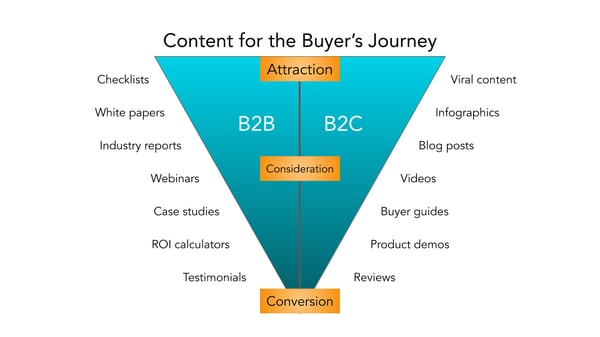
Before you start creating content, though, I recommend creating a business blog. (Don’t worry, growing your blog readership is easier than you think.) Your blog will house all the content you create and serve as a home-base for readers to visit and subscribe to.
B2B Social Media Marketing
Did you know that 75% of B2B buyers and 84% of C-Suite executives use social media when making a purchase? That’s right — social media marketing isn’t just for brands targeting individual consumers.
Many B2B companies struggle with social media marketing, though. It can be harder to use social media to connect with business customers, especially because (as we mentioned above) there’s typically a lengthier sales cycle and longer chain of command.
Honestly, B2B social media marketing might not be where you convert the greatest number of leads, and that’s OK. It likely comes into play near the beginning of your customers’ buyer’s journeys.
Social media is a powerful tool for building brand awareness, giving your company an online personality, and humanizing your business — all very powerful factors when it comes to marketing and connecting with potential customers. Like email marketing, social media is also a highly effective channel for sharing your content and enhancing your brand expertise, the latter of which we know B2B customers appreciate.
While your social media accounts might not convert as frequently as your content or email marketing, they’re just as important. In this case, followers are just as valuable — you never know when they might convert to leads or customers.
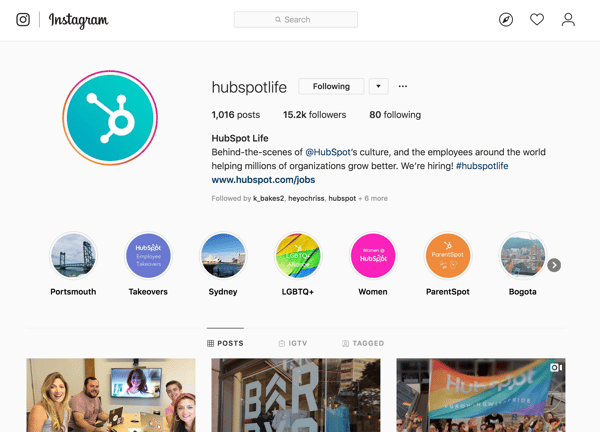
👉🏼 HubSpot Tip: Why? Content shared by employee advocates receives over eight times more engagement than content shared by brands. So, involve your employees in your B2B social media marketing strategy. Encourage them to create their own social media channels and share about life at your company. Create a culture account (like our @HubSpotLife Instagram) to show what’s going on at work, not just what you’re selling. You never know — this might attract strong talent, too.
B2B Marketing Trends to Watch in 2022 [New Data]
HubSpot’s Blog team conducted research to determine the challenges, opportunities, and initiatives that most B2B marketers are focusing on in 2022.
Let’s dive in.
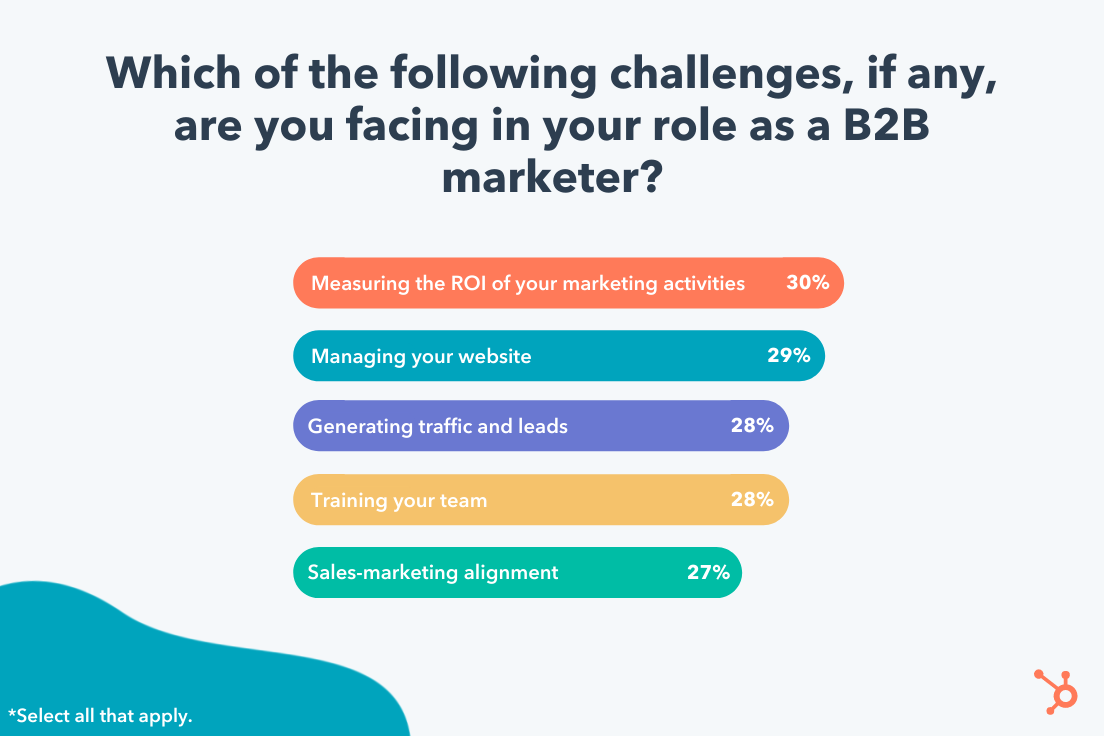
1. Marketers report ‘measuring the ROI of marketing activities’ will be their number one challenge in 2022.
30% of marketers marked “measuring the ROI of your marketing activities” as the number one challenge they believe they’ll face in 2022.
Measuring ROI can be easier for some activities compared to others. For instance, it’s easy enough to track a social media advertising campaign’s ROI if you’re tracking sales made from an ad placed on Facebook. Sales is a tangible outcome, and Facebook’s Ad Manager enables you to easily track ROI from your efforts.
However, other activities can be more difficult to track. Analyzing which pieces of social or blog content resulted in sales, for instance, can be a more arduous and convoluted process.
To combat this challenge, take a look at How to Calculate ROI in Marketing [Free Excel Templates].
Additionally, consider A/B testing various marketing activities and tracking ROI to determine which platforms traditionally have the biggest ROI for your business. For instance, most marketers find the highest ROI from Facebook — but this could vary for your brand or business needs.
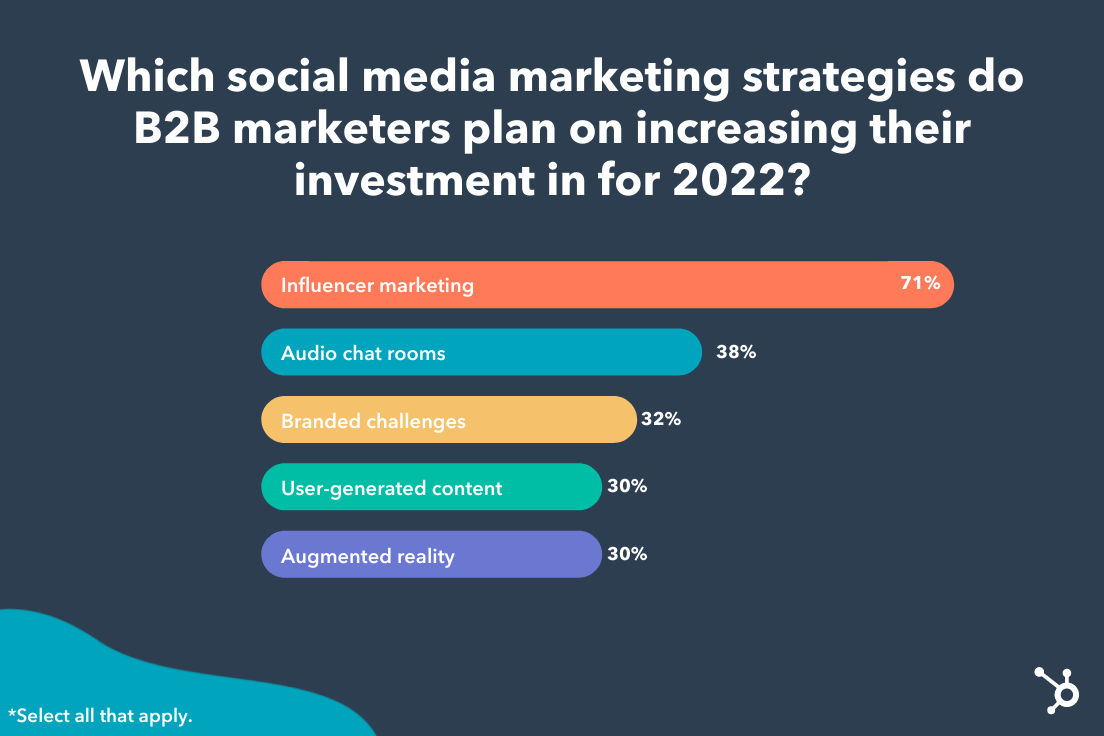
2. The majority of B2B marketers plan to increase their investments in influencer marketing in 2022.
As a result of the pandemic, we’ve seen an immense shift in how consumers’ shop, with the majority now shopping online — and, in particular, purchasing products directly on social media.
It makes sense, then, that B2B marketers want to ensure their products or services are showing up on social channels with influencer partnerships.
Influencer marketing is projected to become a $13.8 billion dollar industry by the end of this year, and it’s showing no signs of slowing down.
Most B2B marketers — 71% — plan on investing more in influencer marketing in 2022, and that’s likely a wise choice.
However, you’ll want to ensure you choose partnerships wisely. While it can be tempting to find influencers with massive audiences, many businesses have seen more success with micro-influencers, so be sure to do your research to determine which influencers have the most authentic connections with your desired audience.
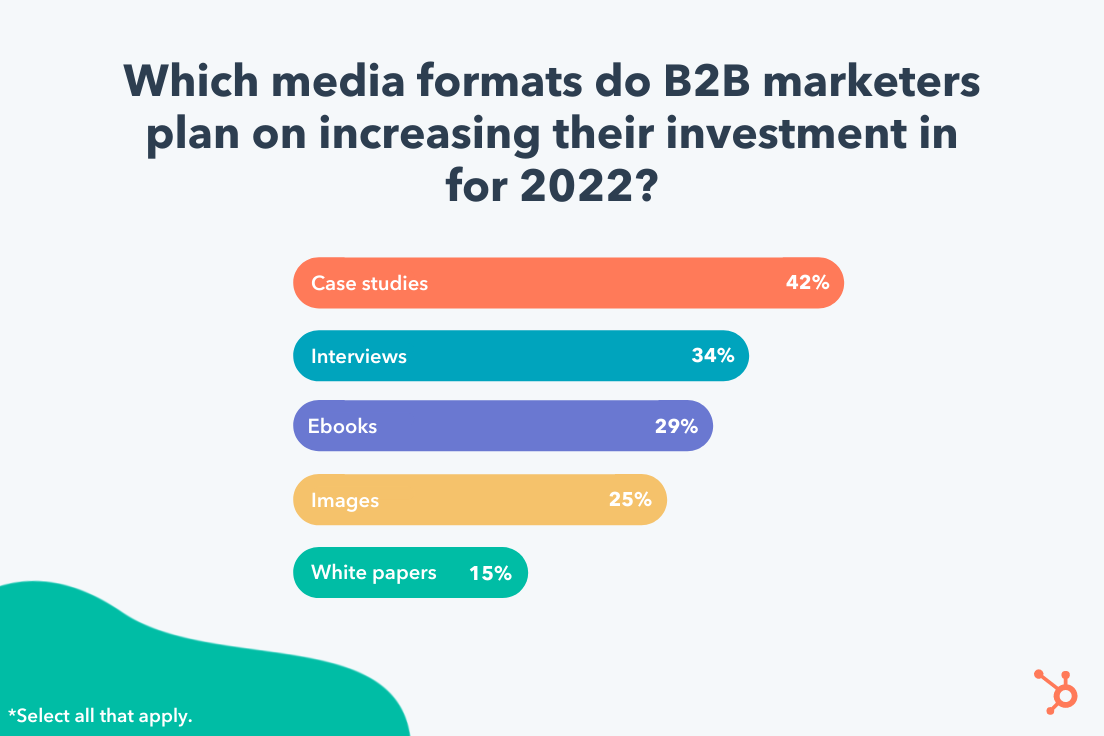
3. Roughly half of B2B marketers plan to create more case studies in 2022.
42% of B2B marketers plan to increase their investments in case studies in 2022, surpassing interviews, ebooks, and images.
Businesses want to learn from other businesses. Case studies are exceptional opportunities to inspire or educate your audience with real-life examples of other companies’ stories.
If you’re unsure about this media format, consider testing case studies on your blog and monitor how they perform. Alternatively, try creating case studies in alternative formats — such as a YouTube video — to provide additional value to your audience.
4. The number one goal for B2B marketers in 2022 is ‘increasing brand awareness’.
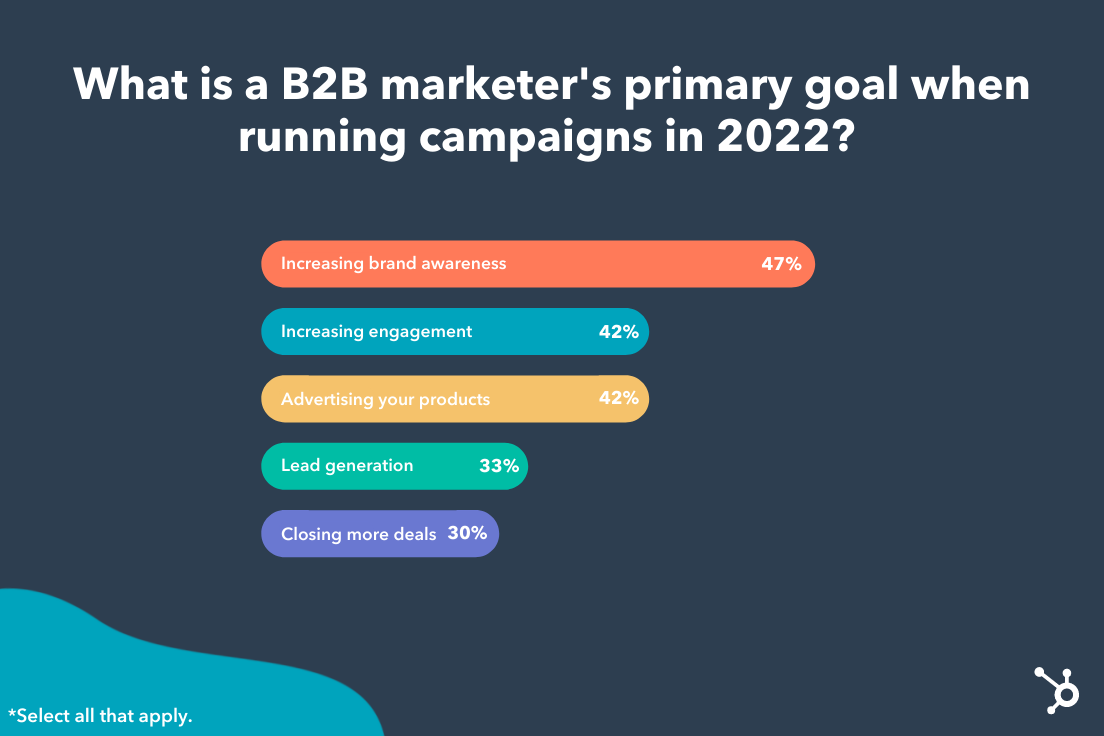
Understanding your big-picture goals is imperative for creating an effective marketing strategy for 2022 — so it’s likely helpful to know what other B2B marketers’ plan to focus on in 2022.
Roughly half of B2B marketers report that ‘increasing brand awareness’ is their number one goal in 2022. This goal surpasses increasing engagement, advertising products, lead generation, and even closing deals.
Brand awareness is critical for fostering trust, long-term loyalty, and brand equity. It makes sense, then, that so many marketers feel it’s critical for long-term success.
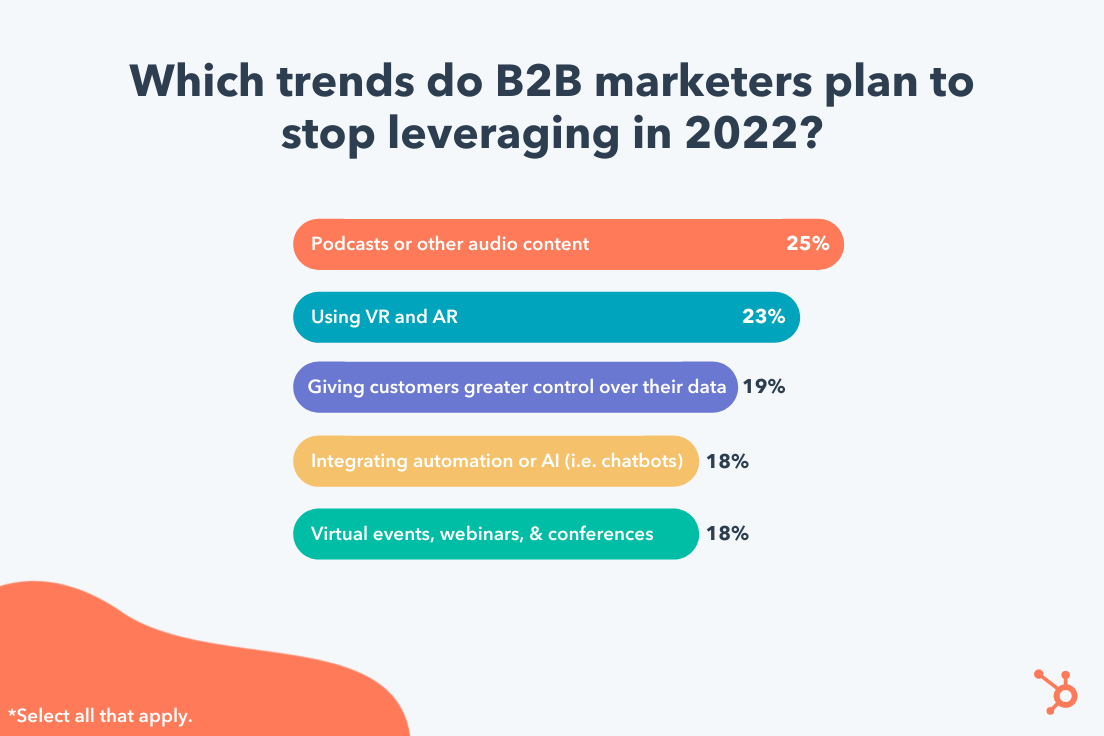
 5. Some marketers plan to stop leveraging podcasts and audio content in 2022, while others will stop implementing VR and AR.
As important as it is to learn what marketers plan to do in 2022, it’s equally vital to learn what they plan not to do. This can help you identify your own guardrails, and ensure you’re sticking to the most efficient marketing strategies, rather than wasting time and resources on all of them.
HubSpot’s Blog Research found 25% of marketers plan to stop leveraging podcasts and audio content; followed closely by 23% who plan to stop leveraging VR and AR.
This doesn’t mean these activities are inefficient, but it does suggest that some survey respondents found the time, effort, and resources required for each of these efforts wasn’t worth it. Ultimately, it depends on your audiences’ preferences.
If your audience doesn’t enjoy consuming business content on podcast or audio formats, then re-consider investing in these initiatives.
However, audio content isn’t going anywhere — so if you haven’t already, you might consider testing various audio formats in 2022 to see how they perform with your audience. If you’re unsure how to get started, take a look at Everything You Need to Know About Starting a Podcast in 2021 or Clubhouse vs. Podcasts: Which Should Marketers Use? [Data + Expert Tips].
6. Over half of B2B marketers say ‘optimizing load speed’ is going to be their most effective SEO strategy in 2022.
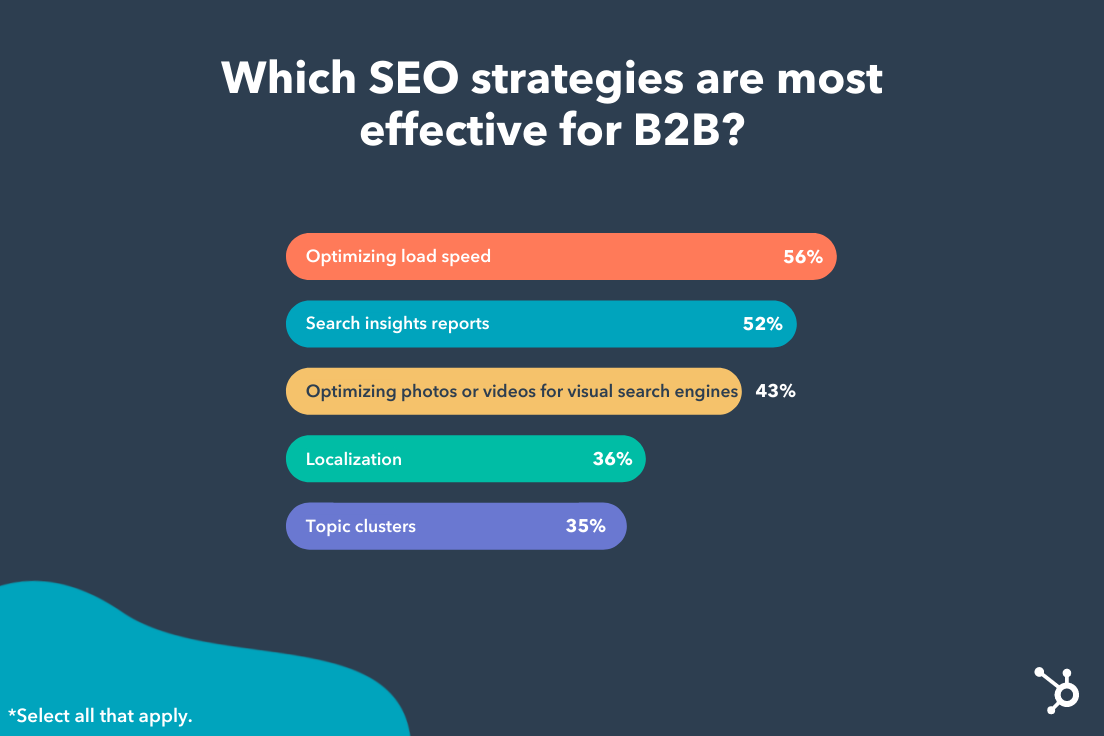
There are numerous various tactics you can implement to boost your SEO rankings in 2022. However, it can be challenging to know where to begin.
56% of B2B marketers marked ‘optimizing load speed’ as the most effective SEO strategy, followed by creating search insights reports.
Load speed directly correlates with how well your pages rank on Google, since slow pages negatively impact a user’s experience. If you’re not sure how to reduce load speed, take a look at these 9 ways to improve page load speed.
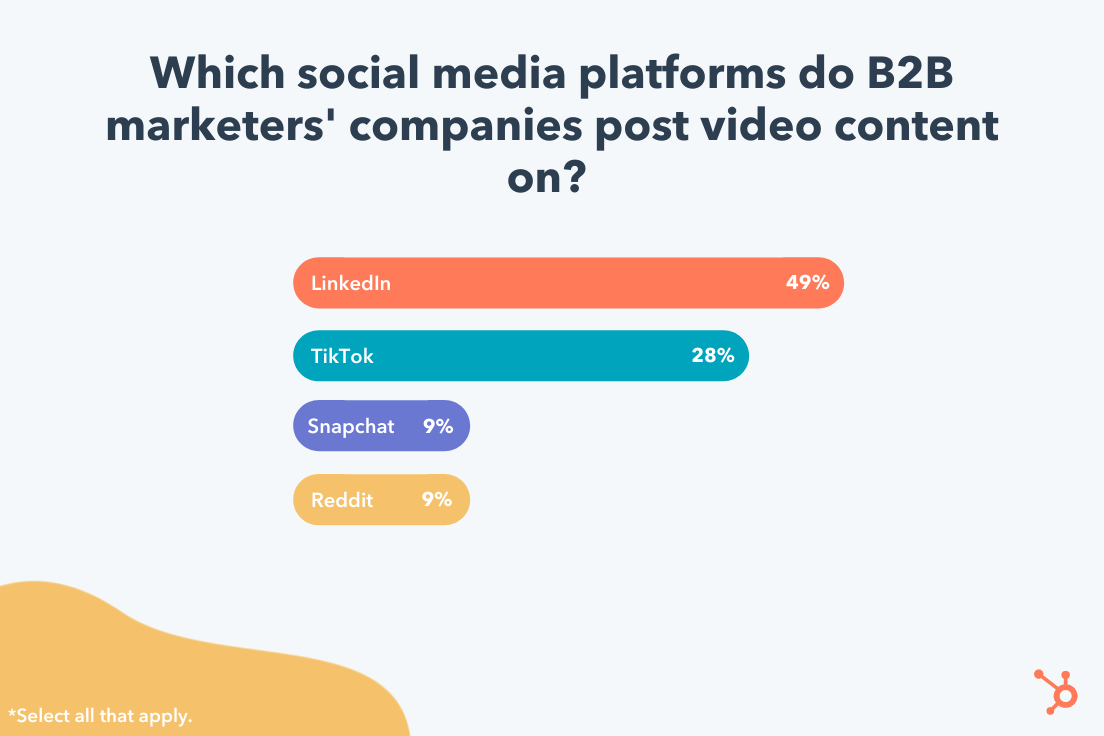
7. LinkedIn will be the most popular video channel for B2B marketers in 2022, followed by TikTok.
Finally, we asked: Which social media platforms do B2B marketers’ companies post video content on?
Video content is the most popular format for most people when it comes to consuming content, so it’s vital your marketing team use video as a primary format. However, it can be tricky to determine which platform(s) you should post that content for optimal results.
As shown below, roughly half (49%) of marketers say LinkedIn is the best platform for posting their video content — followed by 28% who marked TikTok as the optimal platform.
If you’re considering posting video content on LinkedIn in 2022, take a look at LinkedIn Video Specs and Best Practices: a Comprehensive Overview.
Along with research, I spoke with a few B2B experts to get their take on the trends we can expect to see in 2022.
Carla Andre-Brown, a Content Marketer at Mailbird, told me she believes we’ll see more B2B brands aligning with charities in 2022.
Andre-Brown says, “Brands get a lot of brownie points and even referrals when they show how they serve the community. Instead of only seeing charity efforts around the holidays, you can expect philanthropy year-round.”
Andre-Brown adds, “Brand-building activities will look to work with social and environmental causes in a format that is ongoing and builds recognition for both parties. Marketers will need to be especially mindful of the way they present their company, to avoid being accused of having poor intentions.”
“For instance,” Andre-Brown continues, “a company using the Pride theme each summer without having policies that protect LGBTQ2IA+ employees is called ‘Rainbow washing’. To ensure this work is well-received and has an impact, marketers should listen to their communities’ suggestions and look for sustainable changes that everyone can benefit from.”
Additionally, Chief Evangelist at Terminus Sangram Vajre says he predicts that data collection will become a major priority for brands in 2022.
As he puts it, “The quality of our campaigns and initiatives will increasingly rely on our CRM, CDP, and 3rd-party sources to help create stylized, targeted, and convertible marketing initiatives. And since CMOs are increasingly held to ROI numbers, we have to up our game.”
To consider how you might manage your data in a more efficient, sustainable way, take a look at Everything You Need to Know About Data Management.
Additionally, if you’re unsure how you can continue tracking your audience without using third-party cookies, read 7 Marketing Alternatives to Tracking Cookies.
B2B Marketing Examples
A B2B marketing approach that works for one business may not work for another, but that’s not to say we can’t learn something from the pros. Here are eight B2B marketing examples of businesses who did it right.
1. Social Media Marketing: Adobe
TikTok can seem like a difficult platform to stand out as a B2B brand, but some companies have managed to attract thousands — if not millions — of viewers to their videos through high-quality content and an understanding of the app.
Take software company Adobe, which has 262.3K followers and 2 million likes on its TikTok account.
When Adobe first joined the app, the company’s second video got over 2 million views. The video asked its audience, Who is a creative TikToker we should know about?, which encouraged high audience engagement.
Adobe succeeds on the app because it creates engaging content specifically catered for TikTok’s audience. All Adobe’s videos are short, entertaining, and easily digestible.
Take the following example, which has over 370K views and highlights how user @emilesam used Adobe’s After Effects edit to create a fighting sequence against himself.
The brand does a good job highlighting its products in a fun, non-promotional way. Both consumers and businesses can see a clear connection between using Adobe’s products and finding success on TikTok — which makes this a great example of B2B marketing.
2. Content Marketing: Shopify
Ecommerce company Shopify produces many different types of content resources, such as a blog, business courses, and community events. But one content avenue that helps the brand stand out is its podcast, aptly titled Shopify Masters: The ecommerce business and marketing podcast for ambitious entrepreneurs.
The podcast focuses on inspiration stories from entrepreneurs, and offers practical tips for starting an online business on Shopify. Episode topics range from “Disrupting the Soda Industry with a Healthy Spin” to “How Masks For Dogs Landed a Deal on Shark Tank”.
Offering so much valuable, interesting content for free is a fantastic example of effective B2B marketing, which should always provide value before it tries to extract it.
3. Digital Marketing: Mailchimp
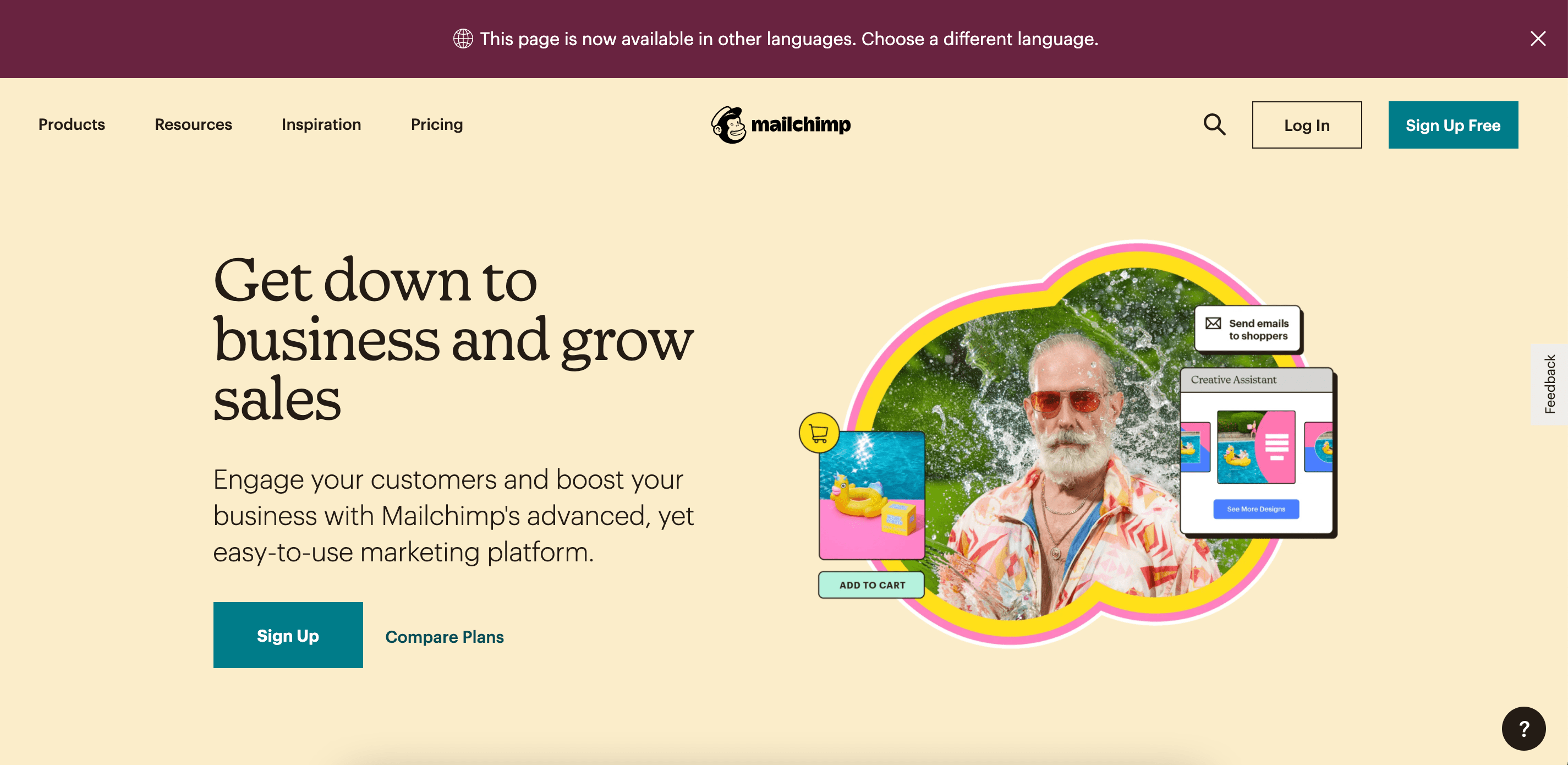
Mailchimp’s homepage is easy to navigate, clean, and focuses entirely on its customers’ pain points.
Consider, for instance, the first large text you see when you click on the page: “Get down to business and grow sales”. The smaller text below it reads, “Engage your customers and boost your business with Mailchimp’s advanced, yet easy-to-use marketing platform.”
The language focuses on the customer, and how Mailchimp can help the customer reach their goal: To grow their businesses.
Additionally, the website offers a banner at the top of the page that enables customers to choose in which language they’d prefer to view the website. Even the company’s Products navigation menu includes how the product can “Get Your Business Online” and “Market Your Business”.
Ultimately, the company demonstrates how much they value each of their customers by tailoring each piece of content towards its customers’ unique challenges.
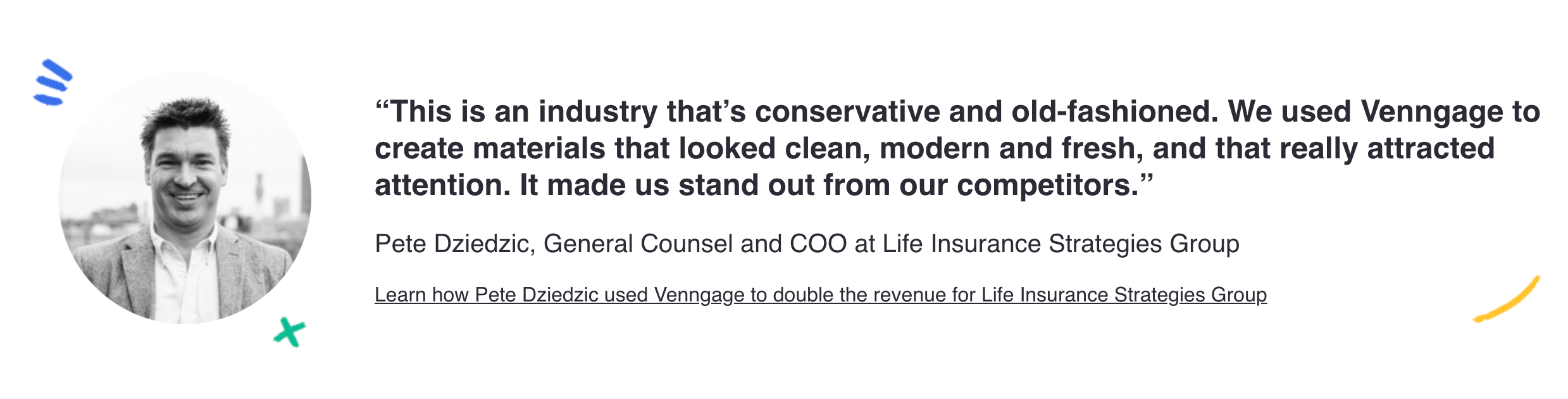
4. Client Testimonials: Venngage
Venngage took its positive client testimonials and sprinkled them throughout its website. This social proof lets prospects know that you have a track record of reliability, and have delighted previous customers beyond expectation. Not only that, but sharing testimonials can have a big impact on potential consumers in the Consideration and Decision stages.
After all, 87% of consumers read online reviews for local businesses in 2020, which is up from 81% in 2019, so using client feedback is a great tool to attract new ones.
5. B2B SEO: TravelPerk, Google
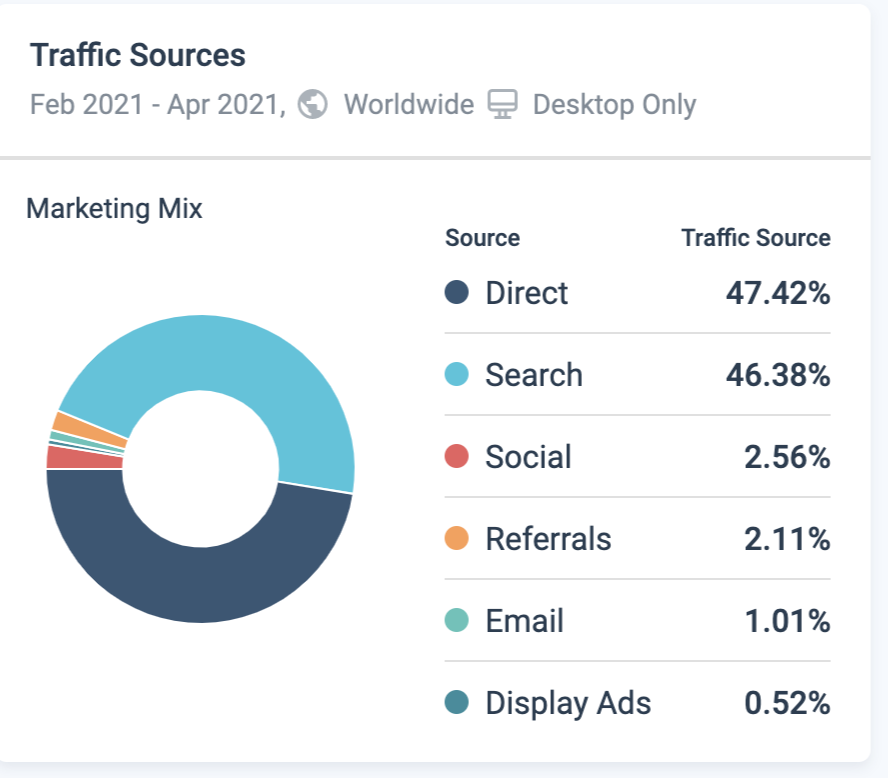
A B2B buyer spends 27% of the time in the purchase journey independently researching online, potentially using at least one search engine during the online research. It’s worth the time and money to invest in making sure other businesses can find you with ease.
TravelPerk displays a diverse range of paid search and SEO. An impressive SEO strategy is its use of topic clusters and sub-topics for reaching its target audience. TravelPerk ensures that search engine pages like “business travel expenses” have a paid ad leading to its website, or high-ranking blog content providing information travelers are looking for.
6. Inside Influence Marketing: IBM, Influencer and Employee Advocacy Program
IBM Systems business group has seen the growing importance of employee voice and the rise of employee influencers as a strategy in B2B marketing.
In the words of Ryan Bares, Global Social Programs Lead, he states, “In the B2B marketing world, we’ve all come to understand that buyers trust individual voices more than formal marketing and advertising messages, so finding ways to optimize influence internally is becoming a key area of focus.”
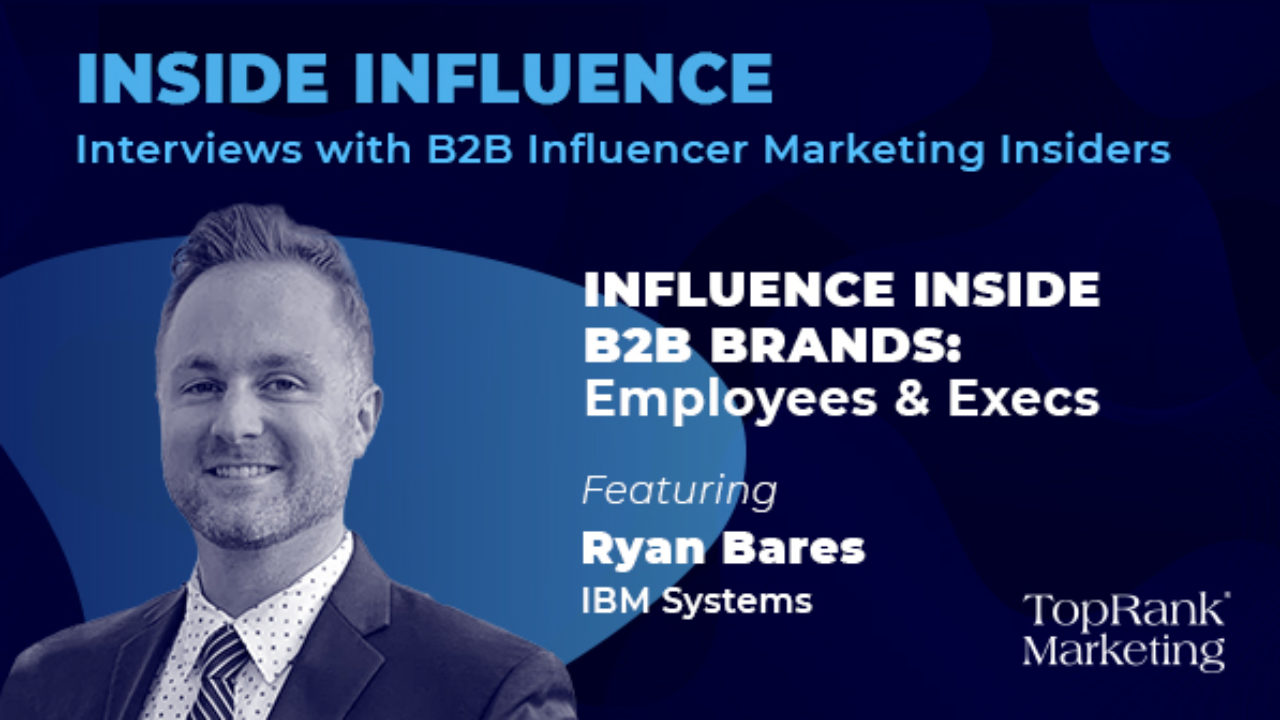
Leveraging employees in your company that have an affinity for the industry, vast knowledge of trending topics and your brand, could be key in building new relationships in the industry.
7. B2B Referral Program: Blackbaud, Blackbaud Champions
Blackbaud offers an incredible B2B referral program that incentivizes current customers to become product advocates — Blackbaud Champions. Champions are encouraged to share their insight into how the implementation process works, what it’s like to work with the team, and how Blackbaud solutions have helped you advance their mission.
“When you share your experiences and expertise and help us spread the word about our products and services, we’ll reward you with benefits only available to Champions. By providing your feedback, participating in activities like reference calls and case studies, and sharing educational content and events on social media, you’ll earn Reward Points in the Blackbaud Champions Hub which you can redeem from the Champions Rewards”
These points are what Champions strive to redeem, as they include incentives like discounts, complimentary passes, gift cards and VIP experiences, and more.
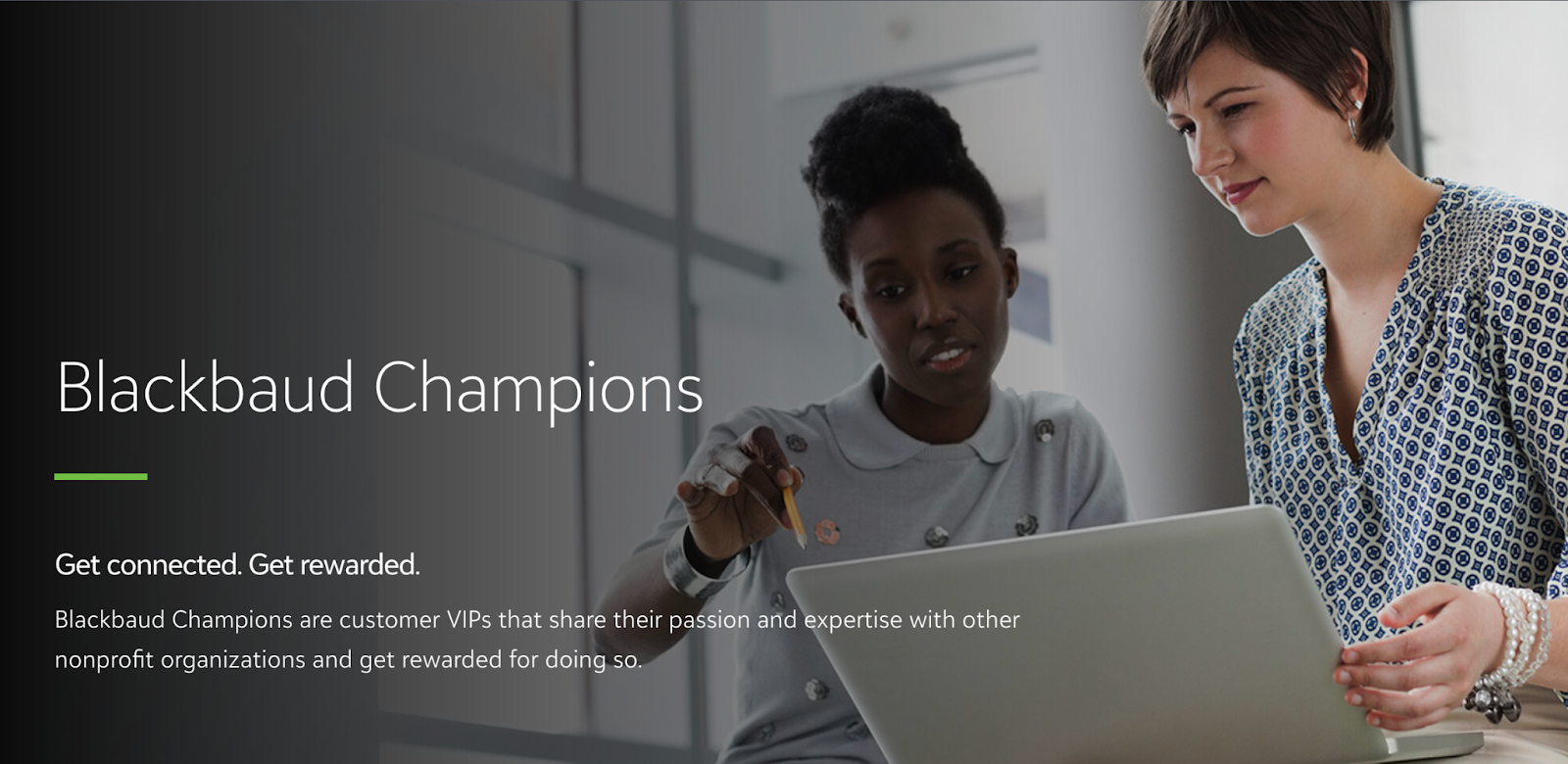
Referral programs are a great way to kindle customer loyalty and have advocates spread the word about your business through the network.
Invest in B2B Marketing and Reach Your Business Customers
Marketing isn’t effective unless you keep your audience in mind, and no other audience is as fickle and critical as business customers. Your marketing should communicate how your business can help theirs, and if it doesn’t, you can redirect your B2B marketing strategies to reach them.
Editor’s note: This post was originally published in March 2021 and has been updated for comprehensiveness.

20 Funny Out-of-Office Messages to Inspire Your Own [+ Templates]
When it comes to the final days before vacation, people tend to fall into one of two camps: 1) those who watch the clock incessantly, and 2) those who are so busy before they leave, they might even forget to put up an out-of-office (OOO) email message.
If you’re anything like I am, you probably fall into team two. That doesn’t leave a lot of time to get creative. But if you plan ahead, you might be able to craft some hilarity.

In this post, I’ll go over what an OOO message is and share some of the best examples I’ve found on Google, as well as a few from my coworkers.
Also known as “autoresponder emails,” out-of-office messages run the gamut. From funny to clever to snarky, this message can both show your personality and let senders know that, well, you’re out of office.
While you can keep it simple, you can also have some fun with it.
What should I put on my out-of-office message?
First things first: let’s go over the basics of an OOO email. In your away message, you typically include the following:
- A quick “I’m out of the office” phrase.
- The date or time range you’ll be out.
- Who to reach out to in case the sender needs immediate attention.
- A sign-off.
Putting it all together, your autoresponder would read something like:
“Hi there,
Thanks for your email. I’m currently out of office until mm/dd/yyyy. If you need help, email my colleague at colleague@example.com.
Best,
[Name]”
But that sounds boring, right? Luckily, there are ways to spice up your OOO message by adding humor in just the right places.
If you’re feeling stuck, try our free OOO email generator to draft a message that perfectly captures who you are and where you’re going.
Featured Resource: OOO Email Generator
 Create your OOO email by clicking here.
Out-of-Office Messages for Vacation
1. “I’ll email you back once I’ve defrosted.”
Most times, when people go on vacation, they travel to a warm, tropical place…
But some of us just aren’t as lucky. Or if we’re traveling during the winter and heading up north — well, we’re going to run into some snow, aren’t we?
While this may not prove so fortunate for us, we can use the poor weather for comedic relief. You can even include a screenshot of the weather forecast for a sense of realism. Not only will it give senders a chuckle, but it’ll also generate a certain amount of empathy — which is often the key to good content.
Example
Thanks for your message! I’m currently buried in snow and will get back to you once I’ve defrosted on January 2nd.
And if you think I’m lying…
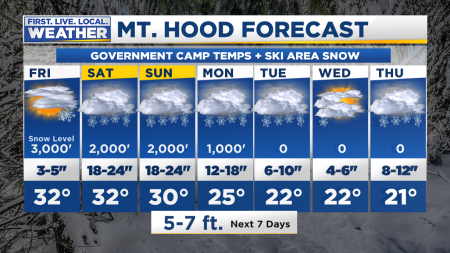
Gotta go, my fingers are frostbitten. If you really need me, either get a shovel and dig me out of here or reach out to my colleague Anna — who’s not frozen under snow with frostbitten fingers — at anna@example.com
2. “If found, contact someone other than me.”

If your email client allows it, you could always just use an image to express your out-office sentiment, like this one. After all, they say that a picture is worth a thousand words — and visual content is still essential to successful marketing.
In this image, you’re letting people know you’re OOO with a “Missing” notice on a milk carton. Genius. Just be careful — this sort of autoresponder is best for internal emails, not for autoresponders that get sent to prospects and clients.
3. “I’ll get back to you when I return to civilization.”
If you’re traveling to a remote, mountainous area, why not jab some fun at your lack of WiFi in your autoresponder? Plus, that makes it less likely that people will expect an immediate response or continue to email you after the first try.
Example
Hi there,
Sorry I missed you — I’m unable to get to my email right this second. Why? I’m on a backpacking trip, surviving on Spam, really good water, and trail mix. You should see the stars out here.
I’ll get back to you when I return to civilization. Or to an area with WiFi. Or to the office on May 10th. Whichever comes first.
If you need help right now, email my team at team@example.com.
4. “If you need to reach me, travel to my homeland of Florida.”
When one of my colleagues went on vacation, he sent an out-of-office message that was both clever and smart. First, he sent the recipient on an imaginary scavenger hunt to “the highest peak of the tallest mountain.” He used humorous absurdity to make it clear that he would not be checking email while he was away.
Plus, he incorporated a delightful technique to let people know that if they really wanted him to read their emails, they should probably send them again after his return. Not only does that keep the sender accountable by saying, “If this is really important, you know when to reach me,” but it also helps him truly vacate his work while he’s away. And that’s hard to do.
Below is an example you can use for yourself.
Example
Hey!
I’m on vacation until July 18th. If you need to reach me, here’s what you’ll need to do:
- First, travel to my homeland of Florida.
- Climb to the highest peak of the tallest mountain.
- Find a rare flower (no specifics, of course… It’d be cheating).
- Put the flower back, because as the old hiking rule goes, “Leave everything as you found it.”
When you understand that flower, you’ll know to reach me. Trust me. You’ll know.
If your message requires a response faster than that, please email my manager at manager@example.com.
If you want to make sure your message gets a response ASAP when I return, please send it on July 18th. I recommend using one of our sales automation tools to schedule it now, while you’re thinking about it.
5. “I know I’m supposed to say that I’ll have limited access to email, but…”
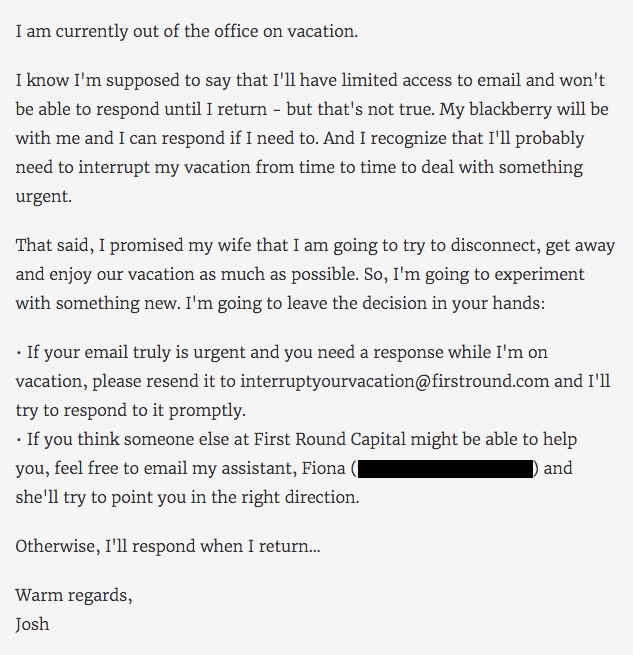
Josh Kopelman’s vacation email is a classic example of taking a blunt approach to OOO messages.
Not only did Kopelman manage to turn his out-of-office message into an epic poem of sorts, but also, he actually went through the trouble of creating a delightfully snarky, vacation-specific email address for his recipients.
Giving the option to contact an email address containing “interruptyourvacation” provides two things — 1) A dose of humor, and 2) discouragement from actually doing what the name suggests. Plus, he prefaces it with a request for empathy, by explaining that he promised quality time to his family.
Sure, Kopelman is truthful about the fact that he’s on vacation, but he also lets the recipient know that he or she would be interrupting important family time if the first option is chosen. It states a point simply and uses humor to avoid making it sound like he wants the reader to feel guilty.
Below is an example you can use for yourself.
Example
Hi there,
You got this email immediately (classic autoresponder behavior), which means I’m out of office on vacation.
While I hypothetically could reach my email, while I hypothetically do have my phone on hand, and while I hypothetically do have access to WiFi, I’d rather enjoy time with my family. My kids are growing up at the speed of a supersonic jet, and if I blink one more time, they’ll be 35. And I’ll be 73. And I don’t want that.
If you still need to reach me, you can email interruptingfamilytime@example.com. Or you can email my assistant at assistant@example.com. They can point you in the right direction.
Looking forward to reconnecting once I’m back.
6. “Hi, I’m Troy McClure.”
When one of my colleagues is out of the office, he doesn’t mess around. In fact, he’s turned his auto-responses into a running series of commentary from fictional cartoon character Troy McClure.
Each time McClure makes an appearance in these out-of-office messages, he “speaks” on behalf of my colleague and alludes to the previous auto-responses in which he starred. It’s a mild form of self-deprecating humor — as if to say, “I know, I’m out of the office again” — made only funnier by the made-up teaser title included in the last line.
Don’t be afraid to use a pop cultural reference that the audience would recognize. Instead of bemoaning your absence, they’ll have something fun and familiar to laugh at.
Example

Hi, I’m Troy McClure. You might remember me from such out-of-office messages as Avenge My Death if I Don’t Return from DMEXCO and Bye Now, I’m on an Absurdly Long Cycling Trip.
I’m here to talk to you about someone you know. Catalina Wong is out of office until September 27. She wanted me to let you know that she’ll get back to you after her return.
That’s all for now. Watch for me in the upcoming out-of-office message, It’s Not a Hangover, It’s Food Poisoning — I Swear! And be safe out there.
7. “The bad news is that I’m out of office. The good news is that I’m out of office.”
You can show just how thrilled you are about your vacation while still providing an apology (of sorts… not really).
Example
Hey there — I’ve got good and bad news for you. Let’s go with the bad first.
The bad news is that I’m out of office. The good news is that I’m out of office and enjoying elotes in Cancún.
If you can’t wait for a response, my colleague will be happy to take care of you. Just email them at someone@example.com.
I’ll be back on February 7th.
8. “I am currently out of the office and probably chilling on the beach. Enjoy your work week.”
That’s it. That’s all. Simple and to the point, this message will let people know that you can’t respond to messages.
That said, be careful with messages that are this curt. Make sure you’re familiar enough with your audience — and your boss, for that matter — to know that this sort of out-of-office message will be met with a snicker, and not with annoyance.
9. “Can you guess where I am?”
There’s a term that we like to use around here called “snowbirds,” which is used to describe those who once resided in the northern part of the U.S., only to flee to warmer parts of the country during the winter.
And although my colleague had mixed feelings about her own parents joining that population in Florida, she couldn’t be too upset when her dad suggested flying down from Boston for a Red Sox spring training game.
Naturally, she had to take the day off — and couldn’t let folks know with any old generic auto-response. Instead, she made a guessing game of it in her out-of-office email, which you can use for yourself, below.
Example
Hello there,
I’m currently out of the office, enjoying some peanuts and Cracker Jacks with my family. Can you guess where I am? That’s okay, you’re busy.
If your message is urgent, fear not — we’ll get it addressed. Try doing one of two things:
- Send me an email at TheresNoCryingInBaseball@example.com.
- Just kidding. That’s not a real email address.
- Reach out to my manager at manager@example.com in my absence.
I’ll be back in the office on 7/19 and will happily respond then. Have a great weekend!
10. “Vacation Relaxation?” Graph
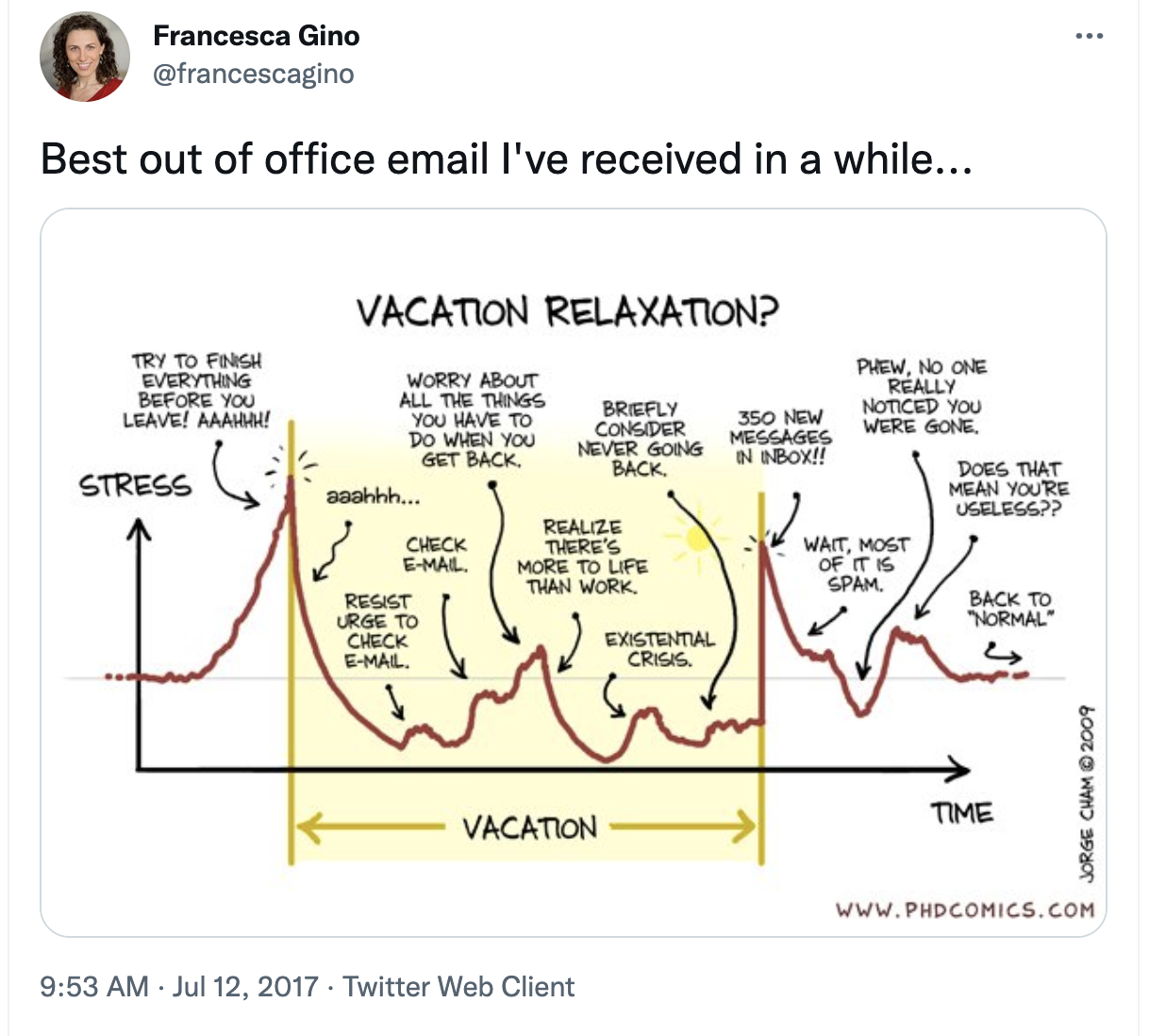
This graph pokes fun at the fact that taking a vacation is sometimes not very relaxed. Sometimes you’re stressed about work and will worry about your to-do list. Using this image is a funny way to connect with anyone who emails you because we’ve all been there. We’ve all had that vacation existential crisis and dealt with the stress before and after a vacation.
11. Choose wisely
When you go on vacation, one of the worst feelings is knowing that you’ll come back to a clogged inbox that will take you a while to go through. However, a great (and funny) way to reduce email volume and discourage multiple emails is with this example, telling users to choose what they email you wisely.
Be sure that you’re comfortable with the people sending you emails because while this is a funny OOO message, it’s also a little snarky about people who send multiple emails.
Example
Holiday Out-of-Office Messages
12. “Holiday revelry and debauchery ahead. Proceed with caution (if you dare).”
When you’re out for the holidays, how can you express your thrill for the season without sounding, well, cheesy?
How about warning people of what’s to come? Take a look at an example you can use below.
Example
Hey there,
Careful. Holiday revelry and debauchery ahead. Proceed with caution (if you dare).
By which I mean to say: I’m on holiday, I’m definitely sunburnt, and I’m sorry I missed your email.
Don’t you worry: while I pretend to be Santa in front of my kids, my colleague, Hannah, will cover for me. Just email her at hannah@example.com if you need urgent assistance.
Take care, and don’t get too carried away with the sunbathing!
13. “Thank you so much for your email. I love it already.”
This holiday out-of-office email is definitely on theme, if not a little passive aggressive. If you’re getting emails during the holidays, why not treat everything you receive that season like the present it is, and send a thank you note?
My snarky colleague sure did in his out-of-office message below. We send thank-you letters in response to holiday gifts, so it’s only natural to expect the same gesture in our work inboxes …
Example
Hey there,
Thank you so much for your email. I love it already. It’s wrapped so nicely in its charming subject line that I just knew this message was going to be something special. Gifts like these just don’t come around every day.
Unfortunately, I’m going to have to return your message. As it’s the holiday season, I’m currently away from the office. When I return, I’ll give your email a good solid read and find that your request is exactly what I needed after all! But until then, I’m going to keep it in the inbox so it doesn’t get damaged and revisit it after the holidays are over.
Happy holidays!
14. “Die Hard Quiz.”
Check out this message from a HubSpot employee that certainly turns the tables on the email sender. Right when you thought you were the one requesting action, the recipient sent back an assignment — a fun one, at least.
While the sender waits for your response to their email, take the sting out of your absence by involving them in a holiday survey, like the one below.
Example
Sorry I missed you. I’ll be out of the office and slow to respond until after the break. While I have you, though, help settle an argument among my colleagues and me:
Die Hard Quiz
What was the best Die Hard movie?
- Die Hard 1: The Office Christmas Party Gone Wrong.
- Die Hard 2: Airport Conspiracy.
- Die Hard 3: Samuel L. Jackson. Enough said.
- Die Hard 4: Cyberthreat.
- Die Hard 5: You should probably not pick this one.
- Impossible! It’s like choosing a favorite child!
Submit
15. “Here are 10 things I’m thankful for.”
This email comes from another one of my colleagues. The purpose of this email is to intercept messages during Thanksgiving, and the way in which it does so is, well, with thankfulness.
The funny and charming email template below keeps the confidence of your colleagues with a list of things anyone who works in an office is thankful for. Of course, feel free to customize this list according to the quirks of your own workplace. Thanksgiving is the perfect time to reveal them.
Example
Since I’m out of the office for the Thanksgiving weekend, I’ll respond to your email with a list of 10 things I’m thankful for:
- Copiers that collate
- Co-workers that brew more coffee when they empty the pot
- Donuts on Mondays AND Fridays
- When IT surprised me with a new laptop AND remembered to transfer my files
- When You-Know-Who died at the end of book 7
- Dry-erase boards that actually erase
- The brave soul who cleaned out the refrigerator
- When I’m early to an all-staff meeting and score a seat near the door
- HR finally sent a memo telling people to STOP clipping their nails at their desk
- OOO autoresponders
Have a great Thanksgiving, and I’ll get back to you Monday.
16. “I’m busy watching Christmas movies. Catch ya later.”
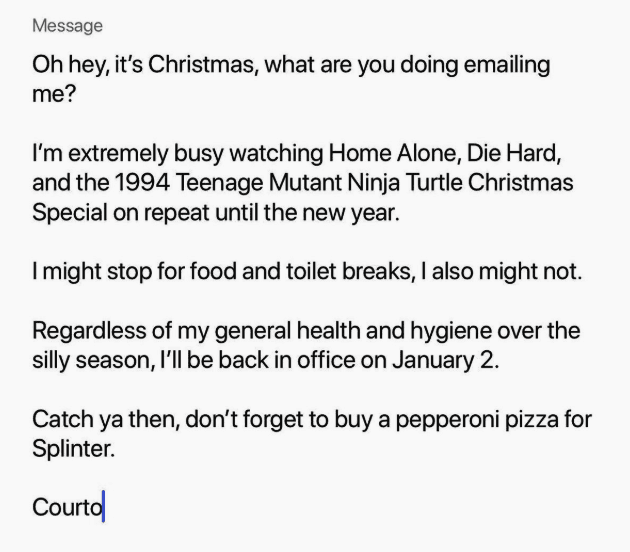 There’s no shame in using Christmas to indulge in your childhood movie tastes, but there is shame in not sharing that adorable side of yourself when people are trying to reach you during the holidays.
So, take a lesson from @courtwhip, editor at PEDESTRIAN.TV, who wrote the above hilarious out-of-office email, fully stocked with mentions of the best movies from the 1990s. (By the way, “Splinter” is from Teenage Mutant Ninja Turtles, and as we all know, he loves pizza.)
Below is an example you could use for yourself. Well, it’s the same email.
Example
Oh hey, it’s Christmas, what are you doing emailing me?
I’m extremely busy watching Home Alone, Die Hard, and the 1994 Ninja Teenage Mutant Ninja Turtle Christmas Special on repeat until the new year.
I might stop for food and toilet breaks, I also might not.
Regardless of my general health and hygiene over the silly season, I’ll be back in the office on January 2.
Catch ya then, don’t forget to buy a pepperoni pizza for Splinter.
17. “Thank you for your consideration during this festive or not-festive time.”
Scared of offending a coworker who may or may not celebrate the holidays? Worry not — I’ve got the perfect email for you. If this OOO message does anything particularly well, it’s that it respects the differing views, religions, traditions, and opinions of your coworkers — while amusing so many others.
It’s also a great impersonation of a robot. So if that’s up your alley…
Example
Hello,
You’ve reached Michael Abioye’s inbox. This is a general notice informing you of Michael Abioye’s absence until January 2nd, 20XX. He is currently partaking in the traditions of a certain holiday, which may or may not be denominational or non-denominational. Example Company is in no way endorsing or not endorsing said holiday, nor encouraging or discouraging employees of all demographics to engage in celebratory activities. Thank you for your consideration during this festive or not-festive time.
Sincerely,
Management
Out-of-Office Messages When Working from Home
Working from home? Try these OOO messages to let people know you’re taking a break.
18. “I’ll get back to you once I’m back from my long-awaited trip to the fridge.”
If you’re taking a vacation and staying home, your clients or coworkers may still expect you to pop into the office and answer their emails. Use this autoresponder to let them know you’re really not available — even if you’re bumming around on the couch.
Example
Hey,
Thanks for your email. I’m on vacation. On the couch. Eating chips. And bingeing Stranger Things for the eighth time (don’t tell anyone).
Unfortunately, I can’t answer your email (even though my office is three feet away). I’ll get back to you once I’m back from my long-awaited trip to the fridge. Bought tickets on TripAdvisor and everything.
I’ll be back in the office on the third and will get back to you then.
19. “Alexa, play Vacation by Dirty Heads.”
Do you own an Alexa? This might be the email for you.
Example
“Alexa, play Vacation by Dirty Heads.”
And… it’s playing in the background as I write this email. Guess what? I’m on vacation! And I do love my occupation.
Your email has been received and I’ll get back to you as soon as I get back to my home office. Now, how do I turn off this Alexa thing?
20. “The doorbell just rang. It’s the UPS driver. He’s loading me onto the truck.”
In this email, you’re a UPS package getting delivered to your vacation destination. Ah, I wish UPS offered this service.
Example
Hey — you’ve reached my inbox, but hold on, the doorbell just rang. It’s the UPS driver. He’s loading me onto the truck. Dang, it’s stuffy in this truck with all these boxes. He’s taking me down to… Oh! Florida! And now I’m on the beach. Thanks, UPS driver!
The UPS driver is scheduled to pick me back up on the eighth. He should deliver me back to the office by the ninth (assuming he’s not late like he was this time).
Don’t worry — I’ll wrap myself in bubble wrap so nothing breaks.
How to Be Funny But Still Professional
Now, all of these OOO messages are a fun way to show off your personality and connect with coworkers, prospects, customers, etc. However, it’s still important to be professional and keep the content of your jokes PG to PG13.
Additionally, it’s important that your sense of humor isn’t so self-deprecating that it impacts your reputation, or if you’re more sarcastic, that you aren’t offending anybody and it’s clear you’re making a joke. Below are a few tips on how to be funny but remain professional:
- Keep content PG to PG13
- Make it clear you’re joking by using emojis or laughing at your own jokes
- Be lighthearted
- Don’t ever poke fun at anyone else or make a joke at someone’s expense
Funny OOO Messages Never Fail
Are you fully inspired by the creative out-of-office messages above? It’s time to write your own — your upcoming vacation depends on it. Try HubSpot’s OOO Email Generator if you’re feeling stuck, and remember, an out-of-office email doesn’t need to be boring. On the contrary, it should inform and entertain. You don’t want people hating on you because you took a much-needed break.
Editor’s note: This post was originally published in December 2018 and has been updated for comprehensiveness.

9 Mentor Traits To Look For and Why They Matter
Finding someone with the perfect combination of mentor traits is no simple task.
A good mentor is inspiring, yet accessible. They have the time to listen and also have their own successful career. They’re empathetic and give honest feedback.
With so many qualities to consider, it’s no wonder people feel overwhelmed when looking for a mentor.
![→ Click here to download leadership lessons from HubSpot founder, Dharmesh Shah [Free Guide].](https://no-cache.hubspot.com/cta/default/53/4e634041-e1ce-4a85-8e65-aea12fc10b84.png)
The thing is, not all mentors have the same impact. Think about the ones you’ve had in your life so far. Some may have been amazing (lucky, you!) while others may have been more concerned about their problems and egos.
Finding a good mentor is important for building a successful career. Mentors can share which skills you need to get promoted, give tips for managing workplace relationships, and introduce you to their expansive network. The benefits are endless.
Now, you need to find someone who fits the bill. You may even be working to become a mentor yourself. Either way, we’ll walk through what a mentor is and which traits to look for so you recognize a great mentor when they cross your path.
What is a mentor?
A mentor is a trusted advisor who provides you with the tools, guidance, and feedback you need to succeed in your career. Almost anyone can be a mentor – a peer, a manager, a friend, a boss, a school alumnus, or a family member.
But a mentor isn’t an influencer or someone you only follow online. They need to be connected to your life and consistent enough to advise you over a period of time. That said, a mentorship relationship can last for years or a short period of time.
The longer you know a mentor, the more they get to know your learning style, personality, and long-term goals. This lets them share advice that’s more relevant to you and full of context. On the other hand, short mentor-mentee relationships are great for handling specific situations or challenges. For example, you may meet a mentor through an informational interview while job hunting. If all goes well, they might offer you a referral or connect you to the hiring manager.
Both short and long-term mentorships can help you grow and expand your network. Chances are, you’ll have both types of mentors throughout your career. As you look for your go-to people for career guidance, keep these top nine mentor traits in mind.
9 Qualities of a Good Mentor
1. Identifies Your Needs and Strengths
Everyone has unique strengths and weaknesses. A good mentor understands this and works to learn what makes their mentee tick.
While you likely have an understanding of your strengths and weaknesses, it’s helpful to hear what someone else thinks. For example, I consider myself a strong communicator. But a few years back, one of my mentors recommended that I incorporate more empathy into my feedback.
My direct style wasn’t always the best approach. So before sending feedback, I’d ask my mentor to look over my points and make recommendations. In time, I learned how to share feedback that was more considerate, clear, and empathetic.
A great mentor knows how to build your weaknesses and expand your strengths so you fill in important skill gaps.
2. Shares Room for Improvement
It’s tough to give honest feedback. It requires incredible communication skills and a level of openness that not many people are comfortable spending time in.
That’s why a mentor who “finds ways for you to grow in areas inside and outside the workplace” is irreplaceable, said Ashlie Benson, Chief of Staff for Agricycle Global. This trait is what differentiates a mentor from a cheerleader.
A mentor knows your career progression, your desired path, and your strengths and weaknesses. They can see the gaps that need to be filled to achieve your goals. A cheerleader, on the other hand, is only there to offer encouragement.
While a mentor can be a cheerleader at times, their role is to make you better – not just make you feel better.
3. Gains Your Trust and Respect
A mentor is someone you can look up to. You respect them for their work, their ethos, and their unique personality.
You also may share information with them that you don’t share with anyone else, which is why they have to be trustworthy. For any mentor-mentee relationship to last – and be beneficial for both sides – you need to be able to have difficult conversations. This can include talking through issues that arise at work (such as salary negotiations, promotions, difficulties with a colleague or manager, quitting a job, or getting let go).
Trusting someone enough to share challenges takes time. So look for a mentor who respects this time and doesn’t push you to spill personal information right from the start. The goal is to build a relationship that’s open, respectful, and professional.
4. Expresses Empathy
Empathy is important for every working relationship, but it’s an essential quality for mentorship.
Mentors with high levels of emotional intelligence listen to and empathize with you. They understand that you’re human and make mistakes. And they make you feel comfortable talking about both the good and the bad things happening in your life.
That’s why it’s best to look for a mentor who understands that life happens, people get sick, and priorities change. They should be willing to show their humanity and offer guidance in a way that resonates with you as a person.
5. Has Relevant Knowledge and Skills
Of all the traits to look for in a mentor, this one usually matters most.
Mentors with relevant knowledge and skills have been in a similar position as you, so they can offer role or industry-specific advice as you navigate your career and achieve your goals.
I looked for a mentor with this specific quality when I started my own company. I didn’t have much experience negotiating contracts, managing budgets, or handling unpaid invoices. I needed guidance beyond Google.
Fortunately, I found Austin Adesso, who had been successfully running his creative agency Partners in Post for several years. His advice helped me learn to negotiate longer contracts and charge a competitive price for my work.
Find a mentor with the skills and experience you’d like to have, and rely on them for knowledge. Just remember that your journey is unique, so do what feels right for you when considering the tips they offer.
6. Listens and Reflects
It’s easy to hand out advice. But it takes skill to know whether or not that advice is great for the person you give it to.
Great mentors understand the importance of active listening and intentional guidance. They ask questions to figure out every angle of a situation before offering suggestions. Sometimes, they simply listen.
Mentors who can listen and reflect on the information they’re given often understand more about you as a person. They know your specific history and situation, so their suggestions are more relevant to you. One mentor of mine often lets me talk through issues without offering a single piece of advice. Instead, they ask questions to help me come to my own conclusions. This has developed my problem-solving skills, as well as my confidence in decision-making.
If you know someone who is a great listener and offers thoughtful advice, they may be a good mentor for you.
7. Invested in Your Growth and Development
Mentors help you grow both personally and professionally by sharing ways to improve and offering timely advice.
But what sets the best mentors apart is the ability to focus on your development as well as their own. Of course, you want a mentor who has been in your position and who can help you grow. If a mentor also puts time into developing themselves and breaking out of their comfort zones, you’ve found a gem.
These types of people often have their own mentors. They constantly work to improve themselves and are usually life-long learners. Not only do they pursue their own passions, but they also encourage your goals and creativity.
8. Strong Relationships and Networks
Not all mentors are older or more experienced than you. Personally, I have a mentor who is younger than me but with many more years of experience in a particular niche.
The one thing you do want to consider, despite age or experience, is your mentor’s relationships. Do they have a strong network? Are they connected to influential people in your industry? Are they willing to introduce you or recommend you for a role?
A good mentor has spent years developing solid relationships with people – and they’re willing to bring you into their close circle. This can help expand your network and open up opportunities you may not have had otherwise. One of my mentors, Meg Prater – a Senior Manager of Content at HubSpot – has connected me to a number of people when I’ve been looking for job recommendations or new business clients.
As in all relationships, mentorship isn’t one-sided. Mentors also look for mentees with strong networks to expand their professional connections. So put time into developing your relationships and growing your network. You never know who may be of interest to a mentor.
9. Ability to Devote Time to Mentorship
Many people have the traits to be good mentors but can’t devote the time it demands. A mentor-mentee relationship takes effort from both sides. Without dedication, it won’t work.
A good mentor should be willing to hop on a call, send a thoughtful email, or meet up for coffee. If they’re not, the relationships can quickly fizzle. Of course, there’s plenty of legwork the mentee has to do to keep the relationships strong. But the mentor must be able to offer support in exchange for the mentee’s efforts.
That said, there’s no predetermined amount of time for good mentorship. It depends on the people involved and the nature of the relationship. You might talk to a mentor once a quarter or meet up once a month for lunch. Some of your mentors may only be around for a short time, while others may be around for life. Ultimately, it’s up to you and your mentor to decide the cadence that works best.
Once you do find someone with these mentor traits who inspires you, work on developing a relationship with them, rather than asking them to be your mentor right away. In time, you won’t feel the pressure of asking them to be your mentor – you’ll simply be getting guidance from a friend.


How to Craft the Perfect LinkedIn Profile in 2022: 21 Easy Steps
Your LinkedIn profile is a place for you to build your professional brand, showcase your achievements and skills, share content with other professionals, and connect with colleagues, business partners, and potential employers.
People come across your profile in a variety of ways. They might be searching for employees at your company or in your industry, remember you from a conference and remind themselves about your work, or simply want to learn more about your accomplishments. No matter how or why they end up on your LinkedIn page, however, there’s a shared and simple goal: Your LinkedIn profile needs to capture — and keep — their attention.
So what makes a profile stand out? How do you get more recommendations? What features can help you enhance your profile? Our step-by-step guide can help you craft a (near) perfect LinkedIn profile.
![Free Guide: How to Use LinkedIn for Business, Marketing, and Networking [Download Now]](https://no-cache.hubspot.com/cta/default/53/ddd33609-1733-44d2-a811-a5435b201ffe.png)
How to Craft the Perfect LinkedIn Profile
What is the perfect LinkedIn profile? Ideally, it’s one that gets you noticed for all the right reasons and helps you achieve your goals – whether this means expanding your reach, finding new contacts, or getting a job offer.
And while true perfection isn’t possible, there are steps you can take to help your profile stand out. From simple things like making sure you’ve uploaded a great picture to more in-depth efforts such as creating a compelling headline and bio, you’ve got options when it comes to perfecting your profile.
Ready to make the most of your LinkedIn profile? Get as close to perfect as possible with these LinkedIn profile guidelines.
1. Upload a great profile picture.
First up? Upload a great profile picture. According to Senior Content Marketing Manager at LinkedIn, Jane Deehan, your profile picture should be recent, look like you and your face should take up around 60 percent of the total space. The goal here is to look like you normally look at work, in turn making it easier for prospective contacts who may have only met you virtually to recognize you from your profile picture.
2. Add your pronouns.
Pronouns are an important part of the remote and in-person work ecosystem, and by adding them up-front you can avoid any awkwardness later on. Whether it’s she/her, he/him, they/them or another combination that best fits your identity, including your pronouns is always worth it on your LinkedIn profile.
3. Set a background photo.
Along with your profile photo, you can also set a wider background photo that showcases a bit more about you. Here, it’s not as important that you (or your face) are in the shot, but you want to make it something that’s memorable and tells visitors more about you as a person. If you’re a freelancer working from home, for example, you might include a picture of you in your office hard at work. If you’re a professional fitness instructor, meanwhile, you might opt for an action shot of you in the gym.
4. Create a great headline.
Your headline can also help boost your profile impact. While this short description is often used for job titles, you can take it a step further by adding a bit more detail about your current role, what it means to you or what you’ve accomplished.
“Creative and passionate, results-driven go-getter that helps brands think outside the box.”
5. Cut the buzzwords.
These types of self-promotional sentences are common on LinkedIn, but they’re ultimately shallow. Full of buzzwords and jargon, they don’t offer any real insights into your accomplishments or professional connections — instead, they’re a generic rehashing of terms recruiters have seen hundreds of times before. Best bet? Cut the buzzwords. Instead, be clear and specific about your accomplishments.
6. Tell your story.
You’ve got a story to tell, and your LinkedIn summary lets you tell it however you want. And while some professionals simply use it as a way to list their recent job titles or most valuable skills, it’s got potential as a way to connect with prospective employers and colleagues by providing more information about who you are — what led you to your current job. Why? What are you looking for next?
7. Sync your profile.
It’s also worth syncing your profile with your email address book — though make sure you’ve got company permission if you’re using your assigned work email address. Equipped with this email data, LinkedIn can recommend connections that might share similar interests or offer endorsements for your skills, and since you get to vet all connections you’re always in control of who gets contacted.
8. Highlight Your Skills.
One of the most important parts of your LinkedIn profile is your skill list. The platform makes it easy to search and select skills that match your experience and expertise, but this comes with a word of caution: The sheer number of skills available on LinkedIn makes it easy to go overboard and inundate your profile with talents that are only tangentially related to current or prospective work. While highlighting your skills is critical, make sure they’re relevant.
9. Share relevant content.
Speaking of relevancy, profiles don’t exist in a vacuum. As a result, it’s worth sharing relevant content, such as thought leadership posts you’ve created yourself or those from industry influencers as part of your profile page. If potential connections find and click through on great content from your profile, they’re more likely to come back.
10. Stay connected.
It’s also a good idea to stay connected once your profile is up and running. Stop by for at least 15 minutes a week to see what you’ve missed, make comments on relevant stories and answer any messages.
11. Post new content.
Put simply? While a solid LinkedIn profile is a great start, it requires regular maintenance to perform over time.
Although LinkedIn is distinctly different from social media sites such as Facebook or Twitter, it still relies on content updates to keep things fresh and interesting. As a result, it’s worth posting new content — either material you’ve created on your own for public consumption or the work of other leaders in your industry that you find interesting.
12. Go public.
If you want connections to find you and recruiters to track you down, you need to make your profile public. It’s an easy process: Head to your LinkedIn page and click on the “Me” button under your profile picture at the top of the page, then select “View Profile”. Now, you’ll see an option for Edit Public Profile and URL — select this option and you can toggle your public profile status on and off, and control who can see your profile picture.
13. Keep your location updated.
It’s also worth keeping your location up-to-date to help connections and recruiters find you more easily. For example, let’s say your name is John Smith and you’re a software developer in Houston, Texas. When recruiters go looking for new talent, location is a key factor — including your location helps companies narrow their search more quickly and increases your chances of getting a message.
14. Get a custom URL.
While you’re on the Edit Profile and URL page, it’s worth customizing your URL to make finding your profile easier. When you join LinkedIn, you’ll typically be assigned a URL that contains parts of your first and last name along with a random string of numbers. Where possible, remove the numbers and make your URL your full first and last name. If this is taken, try adding a middle initial or the industry you work in.
15. Update your contact info.
In the example above, John Smith might change his assigned URL to something like https://ift.tt/3GXgy4N. If that’s not available, he might try JohnCSmith or JohnSmithSoftwareDev.
If your contact info is out of date, you may miss opportunities. While some recruiters and connections will use the built-in LinkedIn messaging platform, others prefer emails or phone calls. By keeping your information current, you increase the chances of getting connected.
16. Request recommendations.
Although skill endorsements are great to highlight your areas of expertise, recommendations take things to the next level with a personalized testimonial about time spent working together, projects completed or skills developed. Consider reaching out to close contacts for recommendations that are relevant to your current role — or next career goal.
17. Follow your interests.
LinkedIn serves a huge variety of professionals with a myriad of passions, meaning there’s something there for just about everyone. To ensure that you’re both engaging with the platform at large and connecting with the right people for your career and brand goals, it’s worth finding and following people who share similar interests. Even if they don’t directly align with your job role or prospective positions, cultivating a broad interest base can help boost the impact of your profile.
18. Spotlight your services.
Maybe you’re a freelance writer, software developer, or marketing guru. Maybe you have specialized certifications or training that sets you apart from the crowd. Your LinkedIn profile is a great place to highlight these services and let people know that you’re more than just your job — you’re a talented, interesting, and knowledgeable individual that brings significant value to any role.
19. Customize your invites.
While many connections occur organically on LinkedIn, there will be situations where you’ll want to reach out and make specific connections. For this to be effective, however, you need to create a customized invite that provides a snapshot of your profile highlights — who you are, what you do, and why it matters — along with a personalized message about why this connection matters to you. With so many users and so many requests, it’s important to stand out from the crowd.
20. Curate your network.
Big networks are great. Networks that are too big, however, can take focus away from the primary purpose of your profile: Connecting with like-minded and skilled individuals to expand your industry impact and potentially advance your career. The result? Make sure to occasionally curate your network so your profile remains aligned with your goals.
21. Make regular improvements.
Last but not least? Don’t let your profile sit idle for too long. In addition to regularly interacting with the site to make new posts and engage with new connections, it’s a good idea to regularly update your profile with new information about your current job or job-seeking status, new skills you’ve obtained, or projects you’ve completed. Not only does this demonstrate consistency, but it also shows that you’re continuing to grow and learn — something prospective employers or partners are always looking for.
Practice Makes (Almost) Perfect
The better your LinkedIn profile, the better your chances of connecting with thought leaders, capturing the attention of other professionals, and finding new growth opportunities. And while there’s no such thing as a “perfect” LinkedIn profile, you can get close to the mark with these tips.
Editor’s note: This post was originally published in June 2016 and has been updated for comprehensiveness.

8 Tips for Writing An Effective and Compelling Email
Have you ever had to hype yourself up to send an email? Because, same.
There’s something that feels monumental about sending an email that you don’t always get with other forms of communication. And if you’re a non-native English speaker, that task can seem even more daunting.
![→ Download Now: The Beginner's Guide to Email Marketing [Free Ebook]](https://no-cache.hubspot.com/cta/default/53/53e8428a-29a5-4225-a6ea-bca8ef991c19.png)
This article will provide some helpful tips to help you improve the overall quality of your emails, no matter your perspective. Once you’ve applied these simple strategies to your writing, you should be able to confidently send emails to anyone and get rid of that post-send anxiety.
Let’s get started.
1. Have a compelling subject line.
Subject lines can make or break your email’s success. It’s often the deciding factor on whether someone will open your email.
Unfortunately, a lot of people struggle with this part.
Take a look at this example:

This particular subject line (real-life example by the way) is vague, indirect, and does not hint to me at all what the content of the email will be about.
The result? I might delete or ignore it altogether.
Here’s a better option:
It’s descriptive, specific, and tells me that this is an introduction.
Subject lines are especially important if you’re reaching out to someone for the first time. The recipient doesn’t know who you are, and can only judge you from your subject line.
Even if you’re sending emails internally at your company, it still pays to write a great subject line so your recipient has an idea of what to expect. Like any busy person, your teammates receive a ton of emails every day, and would certainly appreciate the extra effort of a descriptive subject line.
So, how do you write a good subject line?
Be clear, direct, and describe the content of your email. Don’t be afraid to take up the whole subject line. Here are some good examples of subject lines:
- [Action Required] Monthly Marketing Meeting
- FYI/Informational
- Request for [Insert here]
- [Reminder] Survey to Complete | Will Take 2 Minutes
- [Name] suggested I reach out to you
- I’m going to be in town next Tues – are you available?
If you’re sending a promotional email, avoid deceptive subject lines like:
- RE:
- FWD:
- Urgent
- Order confirmation
- Account Status
There’s no need to resort to sneaky tricks or clickbait titles just to induce an open. They make recipients feel cheated and tricked, according to a 2019 Litmus survey. You’ll lose trust and may end up in their junk mail as a result.
You want to associate positive feelings with your email, not anger and disappointment.
2. Start with an appropriate greeting.
To kick off the email, you should begin with an appropriate greeting. There are two components to the greeting: the salutation and the opening sentence.
The appropriate salutation actually depends on the situation. If you’re writing a formal email to a bank or government institution, it would be better to start off with “Dear [X].”
If you’re sending an email to someone you know, or work in a casual environment, then it is perfectly fine to go with a “Hi [name]” or “Hello [Name].”
There’s also “To Whom It May Concern,” when you’re sending an email to a group email and not sure who will be reading it.
One thing you want to avoid is using gendered and non-inclusive terms like “Hi guys” and “Mr./Ms/Mrs.” in your salutation.
To help you out, here is a list of salutations you can open in your emails:
3. Have a strong attention grabber.
Once you’ve gotten the salutation out of the way, it’s time to start your email.
While the subject line determines whether your email is opened, your opening sentence determines whether your email is read till the end.
If it’s an introduction, you can open with something you know will interest your recipient. You can find this out through a little research on their social media profiles. Perhaps they Tweeted something interesting or recently posted something on LinkedIn you can reference.
This will help you build rapport and show that you’re not sending a generic email to multiple people.
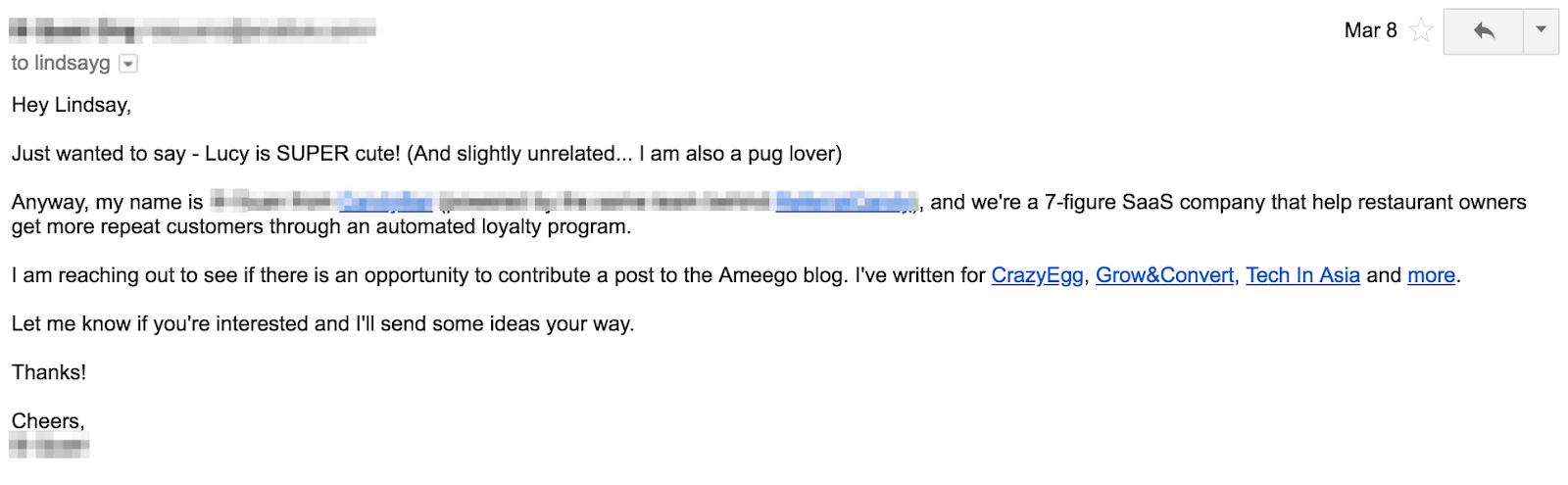
Of course, this is not necessary if you’re emailing a colleague or someone you know, but it is still important to establish some kind of context so that they know what’s happening.
With a colleague, start with the “why.”
No one has the time (and patience) to guess what an email is about. The sooner you answer the “why,” the faster you’ll capture their attention.
Quick tip: If you’re sending out sales emails and need inspiration of exactly what to say, take a look at HubSpot’s free email templates. With this tool, you can access a library of built-in templates designed for each stage of the customer journey.
4. Keep your message short and concise.
According to Statista, we send and receive roughly 319 billion emails a day worldwide.
This statistic makes one thing very clear: We spend a lot of time reading emails. And because of this, many people simply scan emails to get the essence of the message and move on to the next.
With this in mind, you want to optimize your email for readability and scannability. This will look like:
- Keeping paragraphs short.
- Adding bullet points.
- Using visuals to break up the text.
While you may feel like you need to tell them everything in one email, don’t.
No one is eagerly awaiting a three-page essay arriving in their inbox. Think about it this way: What’s the main takeaway from your email and is there a particular action you want your recipient to take?
From there, draft your email and when you re-read it, make sure every line you add is helping you meet this goal. If it’s not, remove it.
When you need to include a lot of information in an email, it’s probably better to suggest a phone call or a meeting instead. You can use this free meeting tool to schedule your meetings faster and avoid back-and-forth emails.
5. Be consistent with your font.
If I get an email like this, I’m immediately deleting or assuming it’s a scam.
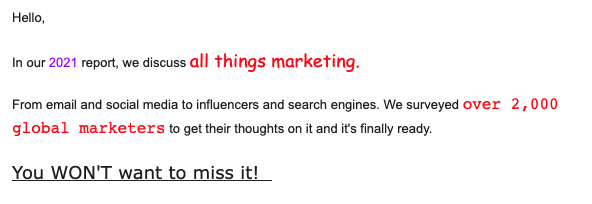
Emails can be fun. You can add images, GIFs, and colors. However, there’s a way to do it that’s not too jarring or distracting.
This is an example of what not to do. There are several fonts used in the email, different font sizes along with different colors. As a result, the eye doesn’t know where to go and it’s a bit overwhelming.
Furthermore, the message gets lost, as your recipient is too distracted by all these elements fighting for their attention.
So, as a rule of thumb: Stick to one font. If you want to use a secondary one, use it sparingly. Follow the same rule for color.
If you’re using a non-English keyboard, your fonts may not show up properly on the other person’s device. Instead, use web-safe email fonts like:
- Arial
- Courier
- Georgia
- Helvetica
- Lucida Sans
- Tahoma
- Times New Roman
- Trebuchet MS
- Verdana
In fact, this is the exact list Gmail gives:
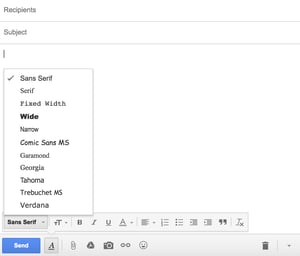
This will ensure that your recipient will receive your message in a regular font, regardless of device or operating system.
6. Write a simple closing.
Once you’re done with the content of your email, it’s time to close it off.
You don’t have to make it fancy – just keep your closing simple and straightforward.
So, nothing like this:
Instead, stick to the safe, proven closing lines and you should be good.
You can choose from some of the most common closing lines below:
7. Schedule your emails.
One 2020 survey by Sleep Advisor found that around 54% of Americans check their work email immediately after or within an hour of waking up.
Another study by Litmus on the State of Email Engagement in the United States in 2021 supports this. It reveals that the most popular time for reading emails is in the morning. Open rates start around 6 a.m. but usually peak between 9 a.m. and noon local time.
Given this information, you can follow one of two strategies: Send your email in the morning when you know they’re scrolling or wait for a less busy time.
On one hand, your email runs the risk of being buried if you send it in the morning. However, if you wait for a later time, your email may never get opened.
It takes trial and error to figure out what works best when emailing with your team.
If you’re writing an email to someone in another state or country, you also have to factor in time zones. Noon for you may be 7 p.m. for someone else. As such, keep in mind who your recipient is and when they would be most receptive to your email.
Pro-tip: You can use our free email scheduling tool to ensure that your emails are sent at the right time.
8. Do a final spelling and grammar check.
You’re almost there – don’t mess up at the last stretch.
Imagine spending time crafting a perfect message, only to be ignored because the email riddled with spelling and grammar errors.
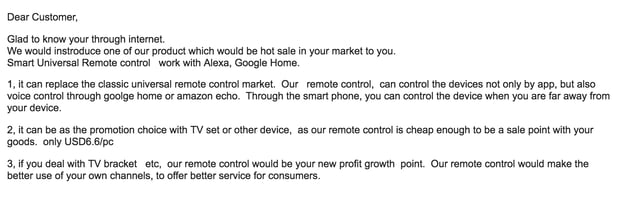
Here’s how you avoid this: Once you finish drafting your email, copy and paste it into Microsoft Word or Google Docs to give it a quick grammar, phrasing, and spelling check.
Alternatively, you can also use free checkers like Grammarly to automate the process while you’re drafting.
In addition, read the message out loud to make sure the sentences aren’t too long, sound clunky, or robotic. You want your email copy to sound human.
All of these tips help the reader focus on your message, not the other elements of your email.
Email Writing Tips for International Teams
Most people won’t tell you this, but crafting a good email begins even before you put down a single word. It starts with your mindset.
When you’re in the correct frame of mind, you’ll be able to write effective emails that communicate and persuade.
Sounds logical … but how do you enter the “correct frame of mind”? Well, there are two ways: Put yourself in the recipient’s shoes and write the way you talk.
More on that below.
Imagine receiving the email you’re writing.
Have you ever received an email that it was so incoherent you couldn’t even finish reading it, let alone even consider replying? Or included a completely irrelevant proposition?
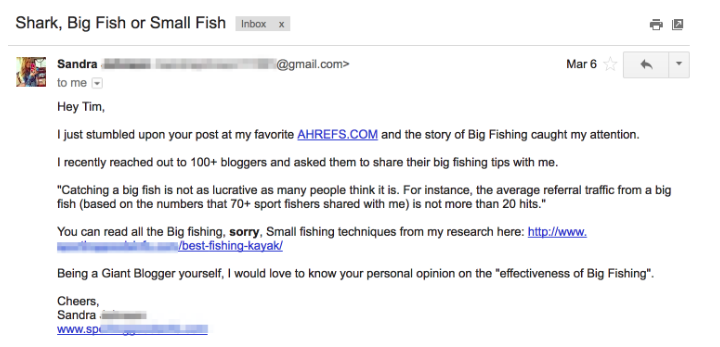
Ahrefs is an SEO tool, yet they received an email from a fishing company.
One of the biggest problems when it comes to email writing is the lack of empathy for the recipient. Ask yourself these questions:
- Why am I emailing this person?
- Is this the right person to contact, considering what I’m trying to achieve?
- Is my message clear and to the point?
- Would this be better discussed in a meeting?
- Does each line help or hurt my goal?
This is especially important when emailing someone new but still valuable when contacting a colleague.
Write like you talk.
If you’re not a native English speaker, it’s normal to feel like you should be more formal when it comes to your email writing.
However, this results in emails that are too formal, and come off as awkward or stiff. For example:
Native English speakers write more informally — their writing sounds like one person talking to another.
Here is a quick grammar tip that will always help you sound more native: Write in an active voice and avoid the passive voice.
An “active voice” shows that a subject is performing the verb’s action, e.g.: “Marilyn mailed the letter.”
In contrast, the “passive voice” shows that the verb is acted upon by the subject, e.g.: “The letter was mailed by Marilyn.”
Instead of writing “your feedback would be much appreciated”, try saying “I would appreciate your feedback.” Instead of writing “your request has been received”, try “I received your request.”
Notice how writing in an active voice sounds more human.
Writing an email shouldn’t be daunting. With these simple tips, you’ll make sure your email is effective every time.
Editor’s Note: This post was originally published in July 2018 and has been updated for comprehensiveness.

The Simplest Answer to, “What Is Product Marketing?”
Pop quiz: If you had to define product marketing right now, what would you say?
A lot of folks have difficulty answering this question, but it’s not your fault. Although product marketing is a prominent department across both B2B and B2C companies, it’s pretty hard to find a good definition of it anywhere — even on Google.
What makes it especially difficult is that it’s one of the few job functions that touches product, marketing, and sales. It all comes down to knowing the target customer and testing to find ways to learn more about them and how best to interact with them.
Product marketing doesn’t stop once the product has gone to market (if it did, well, product marketers at a one-product company wouldn’t have much to do after the product’s launch). The process of marketing a product as the final step is to ensure the right people are aware of the product. Those people who know how to use it, according to the needs and feedback of customers are being listened to over the product’s lifecycle.
Let’s talk about where to start in product marketing and what other aspects of your business can support this product as it grows.
A good way to begin brainstorming your campaign is through implementing inbound marketing methodology into your strategic plan. We mentioned before that product marketing is continual, and your approach should be the same. Inbound marketing is a strategy that focuses on attracting your audience and turning them into loyal customers that advocate for your product.
This is demonstrated in our “Attact, Engage, Delight” model below.
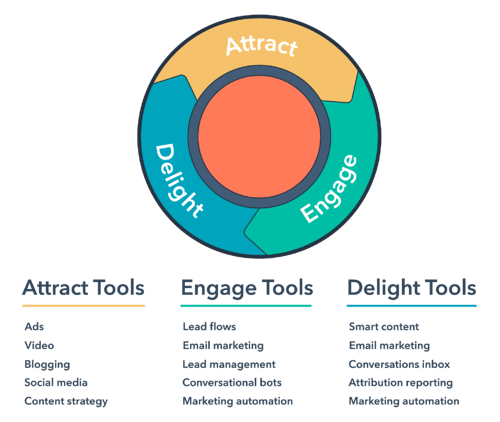
You can attract, engage, and delight your customers with other aspects of your business including strategies that identify your target audience, provide a clear positioning or marketing message, and countless other ideas. But in short, starting your product marketing plan with this model and an understanding of inbound methodology can set your business up for success.
Now that we have a sturdy foundation to build upon, let’s get into it.
What does a product marketing process look like before, during, and after a product is launched?
Product Marketing Starts With Your Customer
HubSpot’s early years faced a challenge that many small businesses face: product ambiguity. Except for the slight majority of people who perceived HubSpot as “marketing services” — which is indeed part of our product stack — our perception consisted of numerous other terms that our audience used to describe us.
This is a primary reason businesses implement a formal product marketing operation, and it starts with your buyer persona.
A great product means nothing if it doesn’t get the attention of the people who would benefit from it. So, who’s your audience for this product? How (and where) are you reaching them, and what’s the story you’re telling to present this product to them? When preparing to launch a product, working with the rest of your marketing team to identify your customer and develop the messaging is critical.
Seven Critical Steps of Product Marketing
When product marketers know exactly whom their product caters to, the marketing can begin. Here are seven things product marketers may do before, during, and after their product enters the market:
1. Product Research: A helpful and well-made product isn’t made in a vacuum, and it also isn’t marketed in one. In the weeks and months before a product launch, product marketers work with the product’s developers to test the product both internally and externally through controlled beta environments.
2. Product Story: Products are also brought to market in the form of a story. What problem does the product solve? Who’s facing this problem? How does it solve this problem? What does it do that competitors don’t?
3. Product-Focused Content: Product marketing’s next stop is at the desks of the content creators. Here, product marketers may create and A/B test various marketing copy, blog content, case studies, and landing pages on their website — all dedicated to describing the product.
4. Product Launch Plan: No product marketing team is complete without a written launch plan, spelling out every last stage of the marketing process and who’s responsible at each point.
5. Product Launch Meeting: When the product is launched, everyone involved meets the day it’s rolled out. Much like a rocket launch, this is the product marketer’s finest hour — it’s the climax of a product marketing campaign.
6. Community Engagement: As product marketing generates enough buzz around the product within the industry, it’s common for the marketing team to capitalize on what the market is saying about them. This includes reaching out to partners, influencers, and existing customers for commentary.
7. Sales Enablement: As a product is being prepared for the marketplace, the sales team is waiting in the wings to develop a sales strategy around this new business opportunity. It’s the product marketing team’s job to meet with sales staff before, during, and after the product is rolled out to the public. This ensures the messaging created for this product is consistent through to the first sales call.
With all of this in mind, you may be wondering what exactly a product marketer has to do to see these projects to completion. Let’s dive into it.
Product Marketer Job Description
A Product Marketer, or Product Marketing Manager, promotes products and their features to an organization’s target audience. Their duties include studying the company’s products, highlighting key features to attract customers and creating marketing campaigns for products.
Product Marketer Responsibilities
A product marketer’s main responsibility is to promote a product’s value to the target audience. This goal is achieved through a combination of strategy and ideation such as:
- Determining the mix of marketing content for creation and distribution
- Creating and managing budgets for marketing campaigns
- Working with content creators to make content that reflects the product and brand image
- Managing a calendar of content and creating the schedule
Product Marketer Salary
A product marketer, or product marketing manager’s salary in the United States varies greatly depending on the experience and tier. According to 2021 industry averages, the median salary of different tiers are as follows:
- Entry-Level Product Marketer or Product Marketing Assistant: $43,630
- Product Marketer or Product Marketing Manager: $111,890
- Director of Product Marketing: $166,928
Promote Your Product with a Plan
As you develop your product marketing team and strategy, think about how the elements above might take shape, and who you’ll need to work with to make it a success. Take these questions into consideration in your next great product marketing plan.


25 Best About Us & About Me Page Examples + 5 Templates
Building a website is an exercise of willpower. The bells and whistles of the design process are tempting to focus on, but compelling content is what makes a website work for your business.
There are few pieces of content on your website that are more compelling than your mission, vision, values, and team. And all of these elements are typically found on the About page of your website.
![→ Download Now: About Us Pages Guide [Free Lookbook]](https://no-cache.hubspot.com/cta/default/53/f3ca18eb-3e09-4cf6-9f6b-c23d8a48a49a.png)
By the end of this post, you’ll have the latest best practices on crafting a stellar About Me and About Us page on your website that shares where you’ve been and where you’re headed. Use these links to jump ahead to each section:
- What makes a good About page?
- How to write an About page
- The Best About Us Page Templates and Examples
- The Best About Me Page Templates and Examples
Featured Resource: Our 29 Favorite ‘About Us’ Pages

Download the guide to review what we love about these amazing ‘About Us’ page examples, plus a few tips about how to make one of your own.
What makes a good About Us or About Me page?
A remarkable About page is genuine, approachable, and distinguished. It should give the visitor a glimpse into what working with you and your business might be like. You can include personal interests, stories, and photos that convey the unique story of your business.
Since About pages are creative and personal to you and your company, there are several ways to construct one, however, the process is generally the same. So, let’s create an About page one step by step.
It’s tough to establish one all-encompassing template for your About page — there are so many ways you can go about telling your company story. The good news is, there are some tried-and-true steps to get you started.
1. Establish a mission statement.
Your About page can and will be more comprehensive than a single mission statement, but to draw people in, you need to succinctly state your goal in the industry upfront. What is your business here to do? Why should your website visitors care? This information will give the reader something to remember about your company long after they leave your website.
2. Outline your company story.
Every business has a story to tell. Even if you’re running a start-up, you might not have a long history of changes and growth (yet), but it’s a nice touch to talk about how you got to where you are on the About page. So, isolate the milestones before your company’s founding, and use them to give readers some backstory on your current venture.
3. Reveal how you’ve evolved.
There’s no shame in admitting how your business strategy — or even your way of thinking — has changed since you began. In fact, these evolutions can improve the story you tell to website visitors.
About pages are perfect spaces to talk about where you started, how you’ve grown, and the ideals that have helped your organization mature. Use these moments to further your company story and show people that you’re always ready to change and adapt to the needs of your industry.
4. State your “aha!” moment.
Every good company was founded on an idea — something the current marketplace might not yet offer. What was your idea? Use this “Aha!” moment as a pivot point when telling your company story. What was a challenge you faced while developing your company? How did this challenge or discovery shape what you are today?
5. Explain who you serve.
As much as you want as many eyeballs on your About page as possible, you won’t do business with every single one of them. That’s why you must identify and mention your core customer. This lets your visitors know what your business is dedicated to helping them meet their needs and goals.
6. Explain what you’re offering them.
As you’re explaining who you serve, make it clear what it is you’re offering. Companies often generalize their products or services in the website copy, making it hard to understand what it is the customer is actually paying for. Sometimes, businesses are afraid that the literal explanations of their products aren’t interesting enough or will sound unappealing in writing. And that’s a fair concern.
However, investing just a sentence or two into telling your potential customers exactly what they’ll receive can keep them on your website for longer and get them interested in learning more.
7. Cite examples of clients you’ve served.
Got some loyal customers in your portfolio? Use your About page to let the world know who already trusts and benefits from your work. A great way to showcase this is through a case study.
Knowing about your company’s past successes can influence your prospects’ purchasing decisions because they will be able to envision their success in the success of your past customers.
8. Describe your values.
Customers want to be treated like human beings. For that to happen, they need to feel that they’re being served by human beings. When finishing your About page, describe who you are as a person or a team, and what your personal values are. What’s your company culture like? What bigger picture in life drives your business?
Keep in mind a secondary audience of your company’s About page consists of your future employees. This is another reason describing your personal values is a good idea — the key to your job candidates’ hearts is to show them you have one too.
About Us Page Template & Examples
About Us Template
You can create an About Us template for your company website fairly easily. Check out the standard About Us template below or use one of the done-for-you website templates that can be installed and customized in minutes.
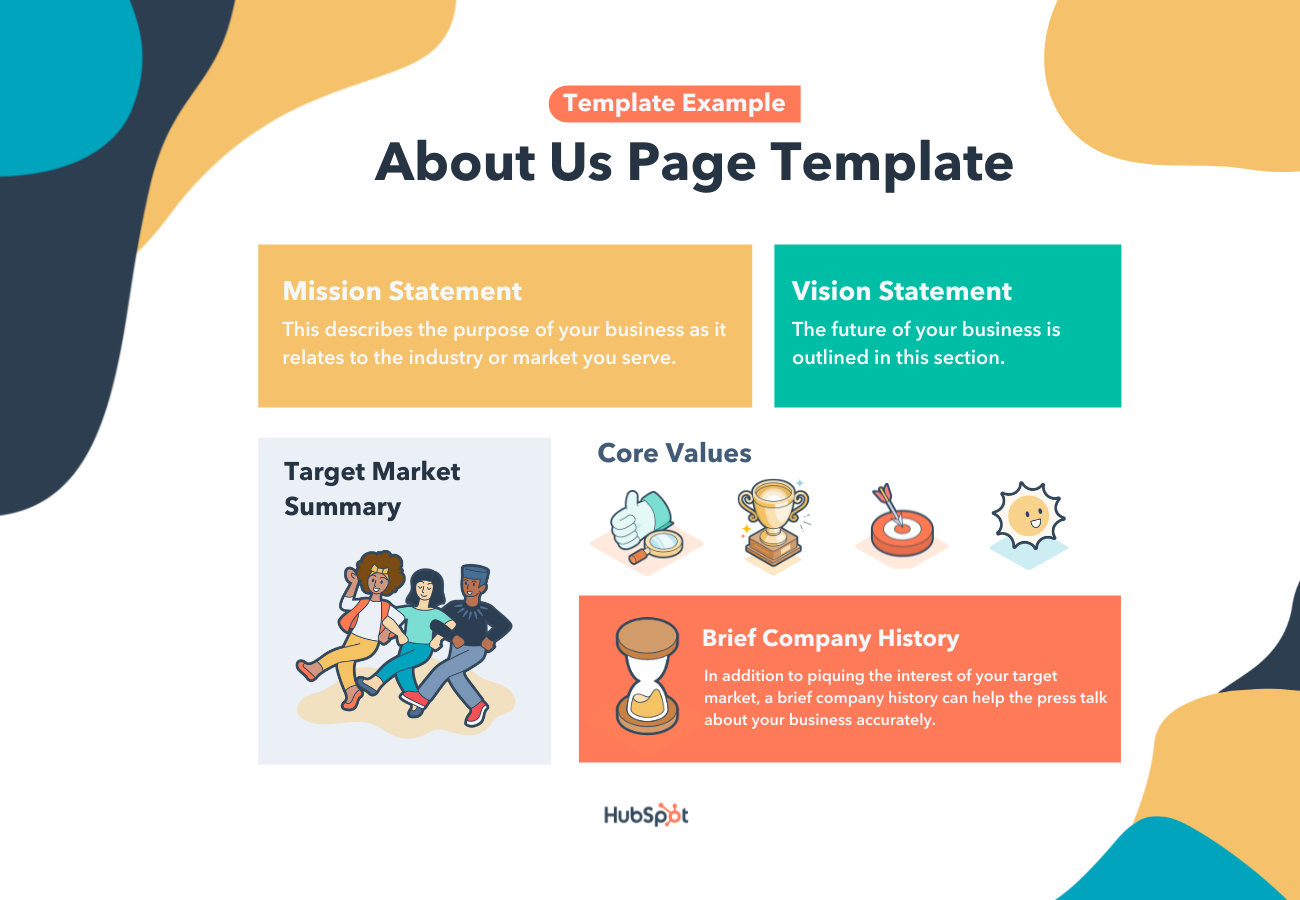
Mission Statement – This describes the purpose of your business as it relates to the industry or market you serve.
Vision Statement – The future of your business is outlined in this section.
Values – Core values help the reader connect with you and your business on a personal level.
Target Market Summary – Your site visitors want to know that they’re in the right place and that your company can help them.
Brief Company History – In addition to piquing the interest of your target market, a brief company history can help the press talk about your business accurately.
Done-For-You About Us Page Templates
Copy is an important element of an About page. However, you’ll also want to keep user experience in mind as you showcase your brand story and identity to the world. Here are some of the top About Us and About Me page templates to use or draw inspiration from.
1. Touraza Template (WordPress)
If you want something with a little flavor, the Touraza template is a tasteful choice. With the “meet the team” section near the top, geometric designs, and striking typography, you’ll be able to showcase the humans behind your brand.
2. Logan Template (Shopify)
This template makes use of large images in a modern layout to break up the ample white space. The result: A clean and enjoyable reading experience. The top of the page puts the brand story (or other introductory text) first, supported by a large image that speaks for itself. The pops of color can be customized to your brand style, drawing emphasis to the most important elements you want to highlight.
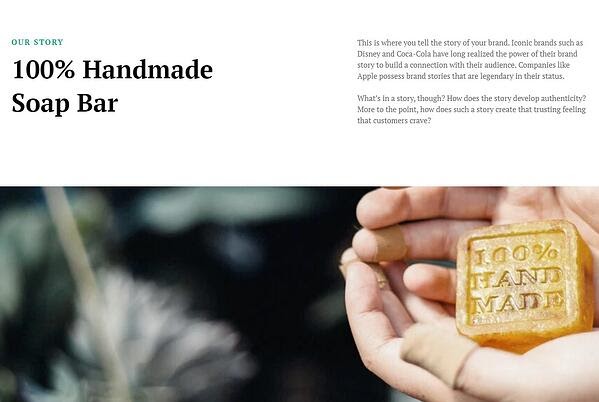
3. Coax Template (WordPress)
The advantage of the Coax template is that it’s powered by Elementor, a page builder that makes customization easy. Even if you want to keep some of the defaults, though, this template is beautiful, letting the typography and copy take center stage. Ideal for a personal brand, you can choose to layout your content similarly to a resume with big subheads on the left and descriptive text on the right.
Best About Us Page Examples
1. Yellow Leaf Hammocks
When you have a great story about how your product or service was built to change lives, share it. The About Us page is a great place for it to live, too. Good stories humanize your brand, providing context and meaning for your product. What’s more, good stories are sticky — which means people are more likely to connect with them and pass them on.
Yellow Leaf Hammocks tells users about its product by describing how the hammocks empower artisan weavers and their families. The company breaks down different pieces of the story into sections that combine words and easily digestible graphics, painting a picture instead of big chunks of text. Yellow Leaf is clear about why its brand is different: “Not a Charity,” the page reads. And then: “This is the basis for a brighter future, built on a hand up, not a handout.”
Why this About Us page rocks:
Every company has a story to tell, so break out your storytelling skills from that random English class you took years ago and put them to work on your About Us page. Using descriptive and emotive copy and gorgeous graphics, an About Us page with a story works harder for your business than a generic one.
2. Eight Hour Day
People tend to think that About Us pages have to sound formal to gain credibility and trust. But most people find it easier to trust real human beings, rather than a description that sounds like it came from an automaton. It should always sound friendly and real.
Trying to sound too professional on your About Us page results in stiff, “safe” copy and design — the perfect way to make sure your company blends in with the masses. Instead, take inspiration from Eight Hour Day. This brand showcases the people behind the company and humanizes its brand.
Why this About Us page rocks:
Introducing the founders with inviting photos on this About Us page drives home the point that Nathan and Katie are — as they so astutely put it — “two individuals with a passion for creativity — creativity makes us happy.”
3. Apptopia
People want to know what your business does and how it can help them. After all, if people can’t figure out what you do, how will they know they need your product or service?
So, skip the industry lingo — that’s what Apptopia does on its About Us page. The startup’s simple but polished language effectively communicates the company’s offering while still allowing the Average Joe to understand it.
Why this About Us page rocks:
Apptopia uses short and punchy sentences to explain complex products and ideas in a way that isn’t patronizing. The copy on this About Us page leads with empathy.
4. Moz
Instead of following the classic About Us script and writing a few paragraphs about the company’s mission and origins, try something different — there are plenty of ways to make your brand more compelling to someone who doesn’t know about you.
Take Moz, for example. A lot has happened since it was founded in 2004, so the company chose to share those milestones using a fun, clean design that incorporates clear headers, concise blurbs, and little graphics to break up the text.
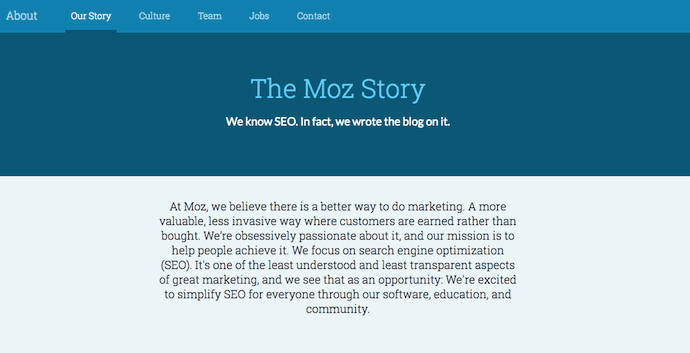
Why this About Us page rocks:
We especially love the humble references to how Moz received funding, how it switched its brand positioning — and most importantly, how it switched back to its original model. This speaks volumes to the value honesty and humbleness can play to your customers. Don’t be afraid to talk about your ups and downs; your customers will trust what you say that much more.
5. Yokel Local
Yokel Local does a few things well on its About Us page: The company spotlights its clients, its story and mission, and the team behind the brand. This last element is key because Yokel Local knows that its “vibe” wins over prospective clients. After all, when you hire an agency, you’re hiring its people. And people have personalities.
Why this About Us page rocks:
Because “Yokel Local” is a bit of a kooky name that gives people pause, the company pokes fun at it by providing the definition, which then leads into photos of the team at work (and at play), the agency’s story, its mission and values, and the people who make the magic happen. This magic is included all over the about page as its employees make goofy faces, wear ugly Christmas sweaters, and work/play hard.
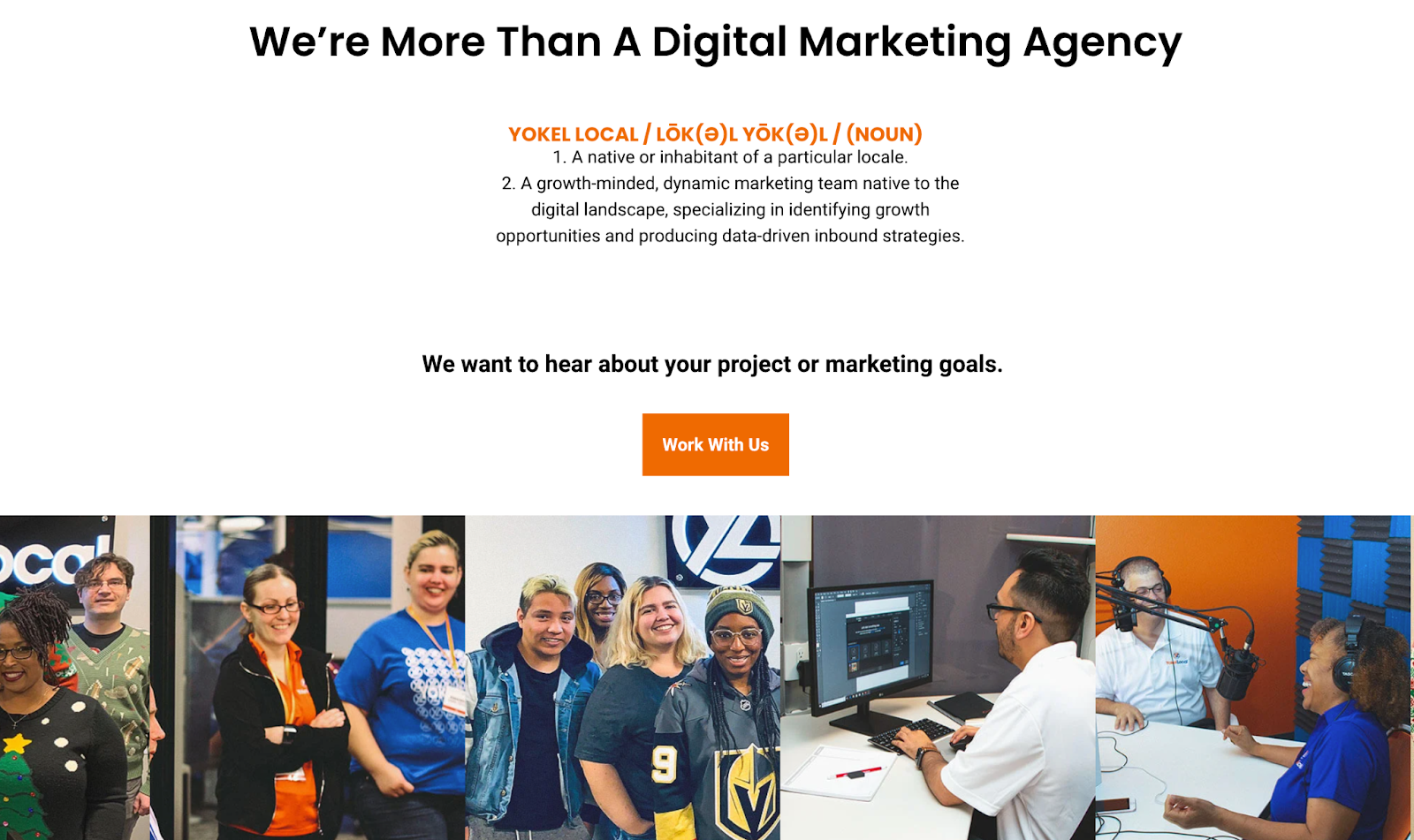
6. Nike
Nike might seem like a company that’s too big to inspire smaller businesses. You might even wonder if Nike even still has an About Us page. As a matter of fact, it does, and it hasn’t forgotten the company’s roots.
Nike began on the campus of the University of Oregon by the hand of the college’s track coach, Bill Bowerman. And even though he no longer works at the company, one of his beloved quotes still brands the bottom of Nike’s About Us page below: “If you have a body, you are an athlete.”
This bold sentence, referenced by the asterisked “Athlete” in the words right above it, sheds important light on Nike’s audience. The brand may be big today, but Nike is all about the rising stars — whom the company depends on, according to the rest of its About Us page, to “expand human potential.”
Why this About Us page rocks:
Nike clearly knows its audience and makes their mission obvious to them as soon as they land on the About Us page. There’s no question that the visitor is in the right place and understands exactly what Nike has set out to do.
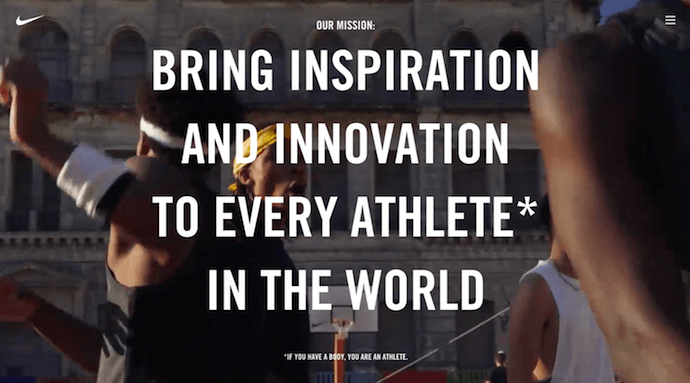
7. Bulldog Skincare
What’s the difference between “average” marketing and lovable marketing? It’s the difference between creating generic webpages that provide great information, but in a straightforward, black-and-white kind of way — versus creating webpages that provide great information and are infused with color, personality, and stay true to a company’s unique brand voice. When you create lovable marketing, you can start a movement of brand evangelists and advocates who will help you grow.
Where does this fit into a company’s About Us page? The folks at Bulldog, a men’s skincare company that was named for the colloquial “man’s best friend” — a dog — could have typed up a few paragraphs about where the brand came from and how it was one of the first in the space to redefine and eliminate stereotypes around men’s grooming. But that text alone would have been a bit, well, average.
Instead, the About Us page is pithy, colorful, and leads with an adorable bulldog — fitting the name and the brand. And it states the purpose of the products — to help customers from waking up with the (admittedly adorable) wrinkly face you see when you visit Bulldog’s website.

Why this About Us page rocks:
Bull Dog isn’t afraid to have fun with its brand. That bit of fun and humanity adds personality and humor that makes this About Us page anything but typical. It primes visitors for a story in a way that makes them immediately feel connected to Bull Dog’s mission and vision. That’s how you create memorable, lovable marketing.
8. Doomtree
One minute of video is worth 1.8 million words, according to Forrester Research’s Dr. James McQuivey. But what about audio and visual, too, all combined with a really cool story? Well, that’s one way to tell your story in an engaging way — through multimedia.
Doomtree is built on a bit of an innovative concept: That a group of talented artists can each have thriving solo careers, but can still come together on a regular basis to create great music. It’s not a band — it’s a crew. It’s an unconventional concept with an equally interesting backstory that “started as a mess of friends in Minneapolis, fooling around after school, trying to make music without reading the manual.” And as soon as you arrive on Doomtree’s About Us page, you’re greeted with big, bold photos of those friends.
Why this About Us page rocks:
As you scroll down, users are treated to even more interaction with the crew’s events and music tracks. That makes sense because it gives visitors an instant sample of Doomtree’s product.
9. Below the Fold
Below the Fold is a company committed to “sharing news stories you aren’t hearing anywhere else.” With that in mind, the big headline on the page introduces Below the Fold and what the company’s purpose is. Further down, you’ll find four core values, how the business generates revenue and more details about the team behind the scenes.
Why this About Us page rocks:
It gets straight to the point about what Below the Fold is, who it serves, and why it exists. The simple design lacks color, embellishments, and sensational imagery so the reader can focus on what the company has to say — a direct nod to the mission statement.
10. Ceros
Ceros’ About Us page is interactive and engaging. As you scroll, the images move across the page with punchy designs. Additionally, Ceros’ uses these images of its impressive, unique office space to further personalize the page.
Why this About Us page rocks:
Ceros keeps the text on the page short-and-sweet, with powerful statements like “We exist to unlock creativity”. The Culture section further demonstrates Ceros’ playful brand voice, with core values like “We wear our chicken suits”.
11. Marketive
Rarely have I seen a more powerful opening statement than the one Marketive uses in its About Us page: “Got a solid product? We tell your target audience that you exist.”
Additionally, Marketive’s About Us page displays original designs rather than photos to support the text, and the page is simply fun to scroll through. Marketive’s layout tells a story in itself — starting with what the company does, moving into which types of industries it serves and ending with the company’s earlier milestones.
Why this About Us page rocks:
The interactive milestone calendar at the bottom is especially impressive. It authentically represents some humble beginnings (including two unsuccessful startups that inspired present-day Marketive) and features a fun scroll element that highlights various dates throughout the calendar.
12. Sweet Loren’s
Start-to-finish, Sweet Loren’s About Us page is playful, engaging, and colorful. The page starts with a 60-second video and even incorporates cookie dough-scooping gifs. As you scroll, you’ll move through some of Sweet Loren’s impressive values, including inclusivity and refusing to compromise.
Why this About Us page rocks:
Sweet Loren’s yummy products are last on the page, ensuring you’re fully primed to purchase only after learning about Sweet Loren’s mission and differentiating factor: creating non-GMO, gluten-free, plant-based, and delicious cookie dough.
13. TalEx
TalEx has an interesting origin story, in which two women left a major recruiting firm to build their own and ended up landing AOL as a major client of theirs — which was previously their old employers’ client.
TalEx has since seen unprecedented growth at 4,900% in the three years since it began. You’ll learn all this and more on the company’s About Us page.
Why this About Us page rocks:
What makes the TalEx About page stand out is the company’s emphasis on social responsibility, which takes up nearly half the page and explains the company’s dedication to giving 5% of its net profit annually to various philanthropic organizations. People who visit the website will know that giving back and paying it forward are important to the people at TalEx.
14. SkinnyDipped
SkinnyDipped’s About Us page features a few sweet, polaroid images of the employees (including three of the co-founders as young children), and a moving nod to Josh Dickerson, a family friend whose death inspired the family to start the business.
This About Us page is well-written and inspiring — for instance, the page reads, “We decided to start a business … That it would be centered around food was obvious. For us—family, friends, food, and love are all tangled up.” By the time you finish reading the story (and the individual employee bios), you’ll be as impressed by SkinnyDipped’s brand values as you are by its delicious products.
15. LoveBug Probiotics
LoveBug Probiotics’ About Us page features an image of the founder’s four young children wearing “Chief Fun Officer”, “Chief Giggle Officer”, “Chief Silly Officer” and “Chief Humor Officer” t-shirts. I’ll admit — there aren’t many About Us pages with cuter introductions than that.
Why this About Us page rocks:
The page effectively includes all the information you’d need on the company to make an informed purchasing decision — including how the founder came up with the idea, her personal ties to the vision, the science behind her probiotics, and even an opportunity to find local stores that carry LoveBug probiotics.
Plus, while the products are science-backed, the About Us page doesn’t confuse visitors with difficult-to-understand facts: instead, the page is simple, straightforward, and helpful.
16. Brown and Coconut
Sometimes, simpler is better — as is the case with Brown and Coconut’s About Us page, which features a photo of the two co-founders alongside a few paragraphs of text, outlining the purpose and vision behind Brown and Coconut.
The opening sentence is incredibly relatable and draws the reader in: “After years of suffering from severe acne and frustrated by the lack of effectiveness and further damage they experienced with popular skincare products, Brown and Coconut founders and sisters, Letisha and Zeena Brown embarked on a journey to heal their skin from the inside out.”
Why this About Us page rocks:
Brown and Coconut’s About page uses no-fuss language to describe the business. Rather than ending with a CTA directing visitors to its products, the co-founders instead choose to include a CTA to follow the business on Instagram, promoting a more effective, long-term lead generation strategy that starts with brand awareness.
17. Kuno Creative
Kuno Creative’s About Us page effectively focuses on what makes the company different: its people. While the first paragraph describes the origin of the digital marketing agency, the majority of the page is taken up by black-and-white shots of all its employees along with descriptions of each member, like a modern-day yearbook.
Why this About Us page rocks:
The page looks sleek and clean, with plenty of white space and large blue lettering to draw attention without overwhelming visitors. If you’re unsure what you want to include in your About Us page, consider taking note of how Kuno Creative focuses on its people, rather than its product, in the About Us page — a great way to humanize your brand.
About Me Page Templates & Examples
About Me Template
About Me pages vary in detail, but most great pages include a few standard elements. Below is a template of the most common elements of an engaging About Me page:
Your Purpose – This describes your purpose for doing the work you do. What gets you out of bed each morning? Try using the Ikigai map for guidance here.
Vision Statement – Who are you and where are you headed? Believe it or not, people are looking to you for leadership in some way. Show them how you’re leading your life and what inspires you to move forward.
Personal Core Values – Personal core values help the reader connect with you and find common ground.
Brief Personal Statement – Whether you share your hobbies, family life, or fun facts, a brief personal summary helps the reader relate to you on a personal level.
Next, you’ll see these elements in action on the best About Me pages examples on the web today.
1. Joe Payton
About Us pages might encompass the values of more than one person or entity, but they’re no more important to the image of a business than your personal about page. Take Joe Payton’s About Me page, below.
Not only does Joe’s illustrative self-portrait give him a personal brand that customers will remember, but it also demonstrates his expertise as a designer and animator. His website visitors can learn not just what he does, but why he does it, in an easily digestible way.
Why this About Me page rocks:
Joe freely expresses his values as a creative professional succinctly on a well-organized page. He tells a story that guides the reader through each section of the page without having them scroll endlessly to the bottom of the page.
2. Kero One
Kero One is a hip-hop artist and DJ from San Francisco, and his About Me page carries a valuable lesson to personal brands who cater to more than one audience — especially if those audiences speak different languages.
Kero One’s story starts in his childhood, when he was six years old and first discovered a passion for hip-hop. Knowing how old and genuine his love for the genre is adds tremendous value to his own music in the eyes of his listeners.
Why this About Me page rocks:
While this entrepreneur’s childhood interests help to deepen his audience, the second screenshot below helps Kero One widen it. His About Me page first tells his story in English, then in Japanese, then in Korean, then in Chinese. Accommodating these Southeast Asian audiences makes his brand more inclusive of all the audiences he identifies with.
3. Aja Frost
Alright, we might be biased in highlighting this professional, as Aja is our very own Head of English SEO at HubSpot. Nonetheless, the ingenuity she brings to the company isn’t lost on her website’s About Me page.
Being a data-driven professional, Aja knows her clients are looking for more than her writing skills — they want to see how her content has performed. With that in mind, her About Me page tells a story of her career growth, which peaks — no pun intended — at an impressive line graph showing the result of an SEO strategy she implemented for the HubSpot Blog. (The graph’s sharp decline in September indicates when she stopped collecting data.)
Why this About Me page rocks:
Aja understands the value of being personable even in a digital space like an About Me page. She closes out her about page with a personal note on what she does in her spare time — a great way to humanize yourself in the eyes of your potential customers.
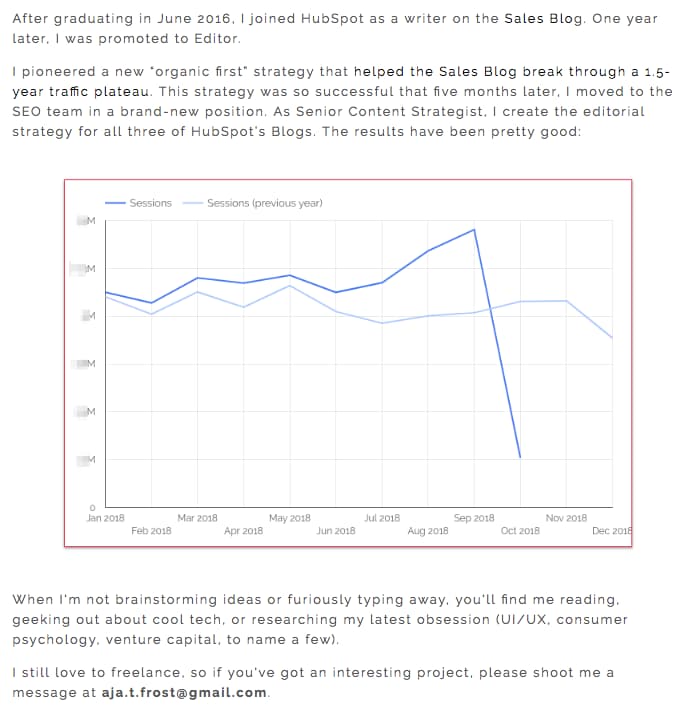
4. Madison Butler
Madison Butler is an HR change-maker “committed to deconstructing the status quo and rebuilding corporate America, one organization at a time.” She does this through her DEI work and her advocacy.
The About page, which doubles as the site’s homepage, calls this out at the very top in one bold statement: “I’m here to ensure organizations know how to make space for everyone.”
Why this About Me page rocks:
Madison’s About page is effective because it stays true to her mission while being simple, effective, and to the point. The second sentence in the headline, “You belong here.”, underscores the inclusivity of Butler’s mission and work. It’s even emphasized further where the phrase is repeated in the footer.
5. Sara Dietschy
This professional YouTube content creator has an eclectic collection of videos related to technology and cultureand expresses that diversity all over her About Me page.
In addition to the vibrant self-portrait at the top of the page, Sara’s first sentence tells you just how many people subscribe to her channel: 780,000. This is an important number to know for her potential video advertisers and collaborators who want to know how much exposure they’d get by working with her or advertising on her channel.
Why this About Me page rocks:
The colored tiles lining the page — starting with the red one, as shown below — do a terrific job segmenting her work by the types of projects she takes up and for whom she’s done them. This helps the reader navigate the page and understand what’s important for them to know.
6. ShaDrena
ShaDrena is a graphic artist whose mission is to “visually build creative rebellious brands beyond a logo.” She exemplifies this mission for her own brand on her About page.
In three sections — About, Bio, and Random Facts — the audience gets the full ShaDrena experience, which is more than just design. It’s also about voice and personality. As a self-described “creative hustler,” “rule-breaker,” and “designer of dope brands,” the language ShaDrena uses on her site comes across as edgy and authentic, a perfect way to make her copy mirror her personality.
Why this About Me page rocks:
ShaDrena’s About page is intriguing because it’s counterintuitive to what someone might expect from a graphic artist. Most of the content is presented in black, white, and gray which puts all the focus on the composition of her design.

7. Marc Ensign
This branding expert does two things incredibly well on his about page: He takes his work seriously without taking himself too seriously. Marketers know there’s value to keeping a casual tone in the content they create, but to attract customers, you need to prove you have discipline and integrity. This often proves to be a tough balance to get right.
Why this About Me page rocks:
Marc Ensign nails the balance between friendly and formal with a confident opening statement. This not only draws the reader in but also establishes Marc as a relatable partner to work with.
8. Miracle Inameti-Archibong
With an excellent design that emphasizes her copy, Miracle Inameti-Archibong’s site is a masterclass on how to do a one-page website well. The content is presented with large clear images, cool and bold colors, dynamic angles and blocks, and simple typography.
Why this About Me page rocks:
This structured design supports the story in Miracle’s About Me section, which spans over a decade but is laid out in just four sentences so that the reader understands her career span without being overwhelmed with too much information. That’s when she dives further into her expertise and the meat of the About section which is thoughtfully paired with testimonials on the right that provide social proof for it.
Tell the World All About You
We hope that creating an About Us page doesn’t seem like a daunting task. Take the best practices, templates, and examples you’ve seen so far, and have some fun with them. With a good story to tell, creative copy, humility, and digestible visuals, you’re on your way to an eye-catching user experience.
You’ll be standing out from a sea of About Us and About Me pages in no time. So, tell us, What makes you different? We’re eager to learn more… about you.
Editor’s note: This post was originally published in October 2020 and has been updated for comprehensiveness.

Insourcing vs. Outsourcing: Everything You Need to Know
Your employees know your business processes well. They understand your brand messaging and vision and feel a general sense of connectedness to your organization.
Given this, many businesses choose to insource and have existing employees undertake new tasks rather than hiring freelancers or other agencies that don’t have an existing connection to your business.
In this post, discover exactly what insourcing is, the benefits it can bring to your business, and examples of scenarios that would cause you to use the strategy.

Insourcing brings a variety of benefits to companies, like:
- Having more control over the decisions that go into tasks and projects because everything is kept in-house.
- Existing employees are experienced with brand messaging and the brand experience, so you don’t have to spend extra resources getting others up to speed.
- Communication isn’t tricky as you don’t need to reach out to third parties.
- You don’t need to share critical business information with external sources.
However, insourcing can also become costly if it requires hiring new talent or creating new departments to be responsible for specific tasks and projects. Employees can also become burnt out if they are assigned a heavier workload to accomplish projects, so some businesses elect to use outsourcing.
Insourcing vs. Outsourcing
Insourcing and outsourcing are opposites.
With outsourcing, a company hires an external third party, like a public relations firm, to complete a task, project, or take over a continuous function for the company. With insourcing, all tasks, projects, or continuous processes are done by internal employees, even if it means hiring new talent or creating new departments.
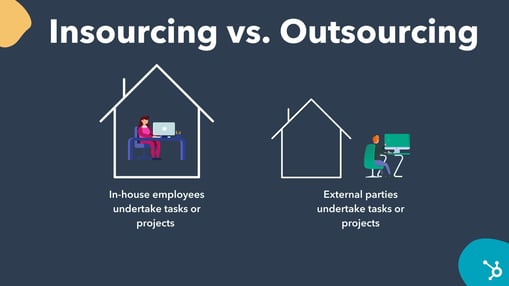
A common use case for outsourcing is payroll needs. For example, if a business is smaller and doesn’t have the resources to create a payroll department, or nobody on staff is trained in payroll needs, they may outsource the task to an experienced payroll firm.
Businesses may choose to use outsourcing over insourcing for a variety of reasons, like:
- Eliminating the costs associated with hiring new employees,
- Reducing workload for internal teams to avoid burnout,
- Allowing employees to focus on core business functions while external parties cover less critical operations,
- New needs that arise due to scaling.
A business may choose to use insourcing over outsourcing as the ladder often requires handing over internal systems and processes to a third party, which can pose a significant risk when dealing with sensitive information, and communication can sometimes be challenging to navigate.
Insourcing Examples
Let’s go over some examples of insourcing that may provide additional insight into the practice.
- A business is scaling to different territories, but its current marketing teams aren’t familiar with the language in the new area. So, it hires a new team in the territory that is familiar with the language and will be responsible for creating marketing strategies that speak to the needs of the new audience.
- An organization wants to expand its line of products, so it works with internal product teams to brainstorm new ideas and bring them to fruition instead of outsourcing the work to an external unit. This ensures that teams working on new products have expertise on current business practices, and confidential systems don’t need to be shared with outside sources.
- After scaling, a business CEO can no longer be responsible for payroll as it is a more significant task than before. So, instead of hiring an external payroll firm, the business hires new talent experienced in payroll duties and creates an in-house payroll department.
Over To You
If you want your business to undertake new projects or scaling has required you to need new processes, consider using insourcing if your overall goal is to have everything done in-house.
Your internal teams, or newly hired talent, will take ownership of new tasks, bring them to fruition, and contribute to your business success.


What Are Responsive Search Ads and Why Should You Use Them?
As a marketer, we’ve been talking about personalization and responsive advertising for some time now. And that trend isn’t going away.
In 2019, 72% of display ads were responsive (more than double what they found just two years previous).
Additionally, the ways people search are changing. Google found that 15% of search queries every day are new searches they’ve never seen before.
That’s why starting June 30, 2022, responsive search ads will be the only search ad type that can be created or edited in Google standard search campaigns. The goal is that this change will help simplify the way you create search ads and make it easier to drive performance.
To prepare for this upcoming change, let’s discuss what responsive search ads are and the best practices for creating them.

The goal is to show a different combination of titles and descriptions for different users depending on their unique queries and search history. Google will alternate between the titles and descriptions, showing 32,760 different versions of the ad. Then, the search engine will find the most effective title and description combination and use it the most often.
Responsive search ads are a simple and strategic way to create an effective PPC marketing strategy. You can boost your engagement and reach more potential customers with the most effective version of your ad.
Responsive Search Ads vs. Dynamic Search Ads
While they’re similar, responsive search ads and dynamic search ads are different. Again, responsive search ads are when you create multiple versions of your title and description, and Google will alternate between them.
On the other hand, dynamic search ads are when Google itself issues a headline for an ad — one you didn’t write — depending on the content and search query.
Responsive search ads are great to use for brand awareness and lead generation, while dynamic ads are helpful for content and keyword-based pages.
Now, you might be wondering what the benefits of responsive search ads are — let’s review below.
1. Personalized search ads.
One of the main benefits of responsive search ads is personalization. Since 90% of U.S. consumers find marketing personalization very or somewhat appealing, it’s important to make your ads as personalized as possible.
Responsive search ads are displayed based on a user’s search history, past clicks, device type, and search query (keywords used). Google will use the title and description you wrote that is most relevant. Additionally, responsive search ads can be tailored depending on a user’s current location, regular location, or location of interest.
This means that with responsive search ads, you’ll benefit from a more personalized ad experience.
2. Optimized search ads depending on the device type.
Similar to the point above, when a user is searching on their mobile device versus the computer, the size of the device is different (shocking, I know).
This means they can see less of the title and description of your ad. With responsive search ads, you can allocate smaller-width headlines and descriptions for the mobile experience.
Ultimately this can help you have more room to share your message and will hopefully increase your click-through rate (CTR) on all device types.
3. Simple A/B testing.
As discussed, with responsive search ads, Google will use thousands of variations of your search engine ads. This means that Google will automatically be testing the different versions of your ad, so you don’t have to micro-analyze CTR or impressions anymore.
Interestingly, according to Google, responsive search ads have also resulted in 6% more clicks and 5% higher CTR. This ad type will save you time since Google will do the testing for you, and drive higher results.
4. Compete in more auctions and reach more customers.
With more headlines and descriptions, your ads will compete in more auctions, match more queries, and ultimately reach more customers. Increasing your reach while also increasing your results is one of the main benefits of using responsive search ads.
So, now we know that responsive search ads are here to stay and can help change your PPC strategy. But, how can you write the best responsive search ads to guarantee results? Let’s look at some best practices below to help you get started.
1. Write unique titles and descriptions to create variation.
Since one of the main benefits of responsive search ads is the variation in writing 15 headlines and four descriptions, it’s important to make those titles and descriptions unique.
The goal is to have as much variation as possible. Test different CTAs, call out different features, include different keywords, have different header lengths, etc. Having unique titles and descriptions (instead of very similar ones) will drive higher results as Google can see which ones are more effective.
2. Experiment with different header lengths and types of descriptions.
As we discussed above, it’s important to experiment with different header lengths. You’ll want to include shorter versions of your titles for mobile devices, and longer versions for those on a desktop.
Additionally, you should experiment with different types of descriptions. These can include descriptions that have special offers, discount codes, savings, or product benefits and features.
3. Entice users with different offers in your descriptions.
Using offers and discounts is a great strategy for responsive search ads. You can test which special offers or discounts work the best by using several different ones in your descriptions. Depending on which performs better, Google will begin showing that description more than the other versions.
4. Have concise and straightforward CTAs.
The best responsive search ads have concise and straightforward CTAs. These should be short-form CTAs like “Save Now,” “Get Free Shipping Now,” or “Why Pay Full Price? Save 70% Today!”
Short and concise CTAs tend to perform better on PPC ads in general, so it’s important to continue using those types of CTAs for your responsive search ads.
5. Include keywords, product features, and benefits, where you can.
To drive results with responsive search ads, it’s important to include keywords in your headlines, and add product features or benefits to your descriptions. This will help you match several different queries, increase your reach, and ultimately drive more results from your responsive search ads.
6. Use existing content from high-performing ads.
You’ve most likely already done PPC advertising before this. Look for your high-performing ads, and use some of that existing content in your responsive search ads. This is the best practice for many types of PPC advertising, and it’s no different with responsive search ads.
Responsive search ads are becoming more popular and more important in the world of search engine advertising. Think about how you can implement these ads to drive results and improve your PPC strategy.

How to Identify Your Core Marketing Message
As a marketer, you know how important it is to have a marketing strategy — but have you thought about the impact your marketing message can make in it?
Your strategy has to align with your audiences’ needs and interests, and understand the required approach for each channel you use, whether it’s social media or email. This strategy also informs the content you create and how to share it so your audience has a greater likelihood of seeing it.
But how do you bridge the gap between this strategy and the content itself? What you need is a marketing message, and it’s just as important as your overall strategy.

In this article we’ll discuss the definition, provide real-life examples and ways to make your own excellent marketing message. But if you’re in a pinch, feel free to jump straight to what you’re looking for instead:
- What is a marketing message?
- What is messaging in marketing?
- Marketing Message Examples
- How to Craft a Marketing Message
Because of this, you should craft your marketing message with care, specifically for the audiences you’re trying to reach. It should also address their pain points and present your business as a solution.
Think of it like this: if you know you want to post about a new product launch on Instagram, how will you prove to your audience that they need to buy this new product? Your marketing message. Essentially, no marketing message means no way to execute your strategy.
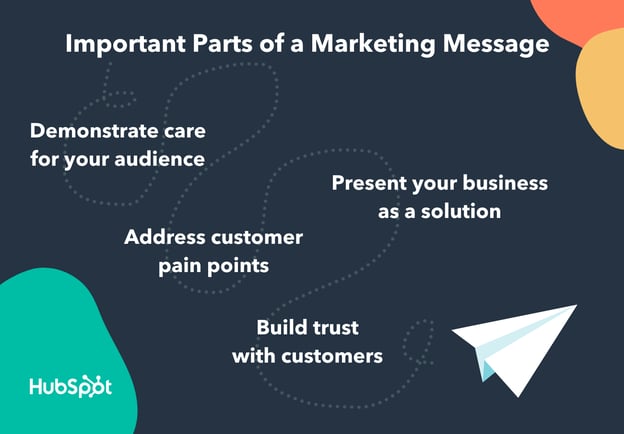
When your message speaks to their needs, you’ll build trust with your audience and inspire customer retention. It’s worth investing time in crafting the perfect message, especially when 59% of shoppers prefer to buy from brands they trust.
But you may be thinking, what is messaging in marketing, anyway?
What is messaging in marketing?
Messaging in marketing is how a brand communicates what customers want to know about your brand. It goes beyond just sharing information about the product or service available; it builds your brand identity through the “why” of your company; its mission, vision, and values.
Marketing messaging lets customers see your brand’s beliefs and ideas — helping the customer make an impression of your business. This type of communication can be a decision point between buying from just any company or buying from an authentic and engaging one instead.
Every business engaging in marketing needs a marketing message, whether you sell B2C or B2B, software as a service (SaaS), or clothing. Let’s take a look at some brands that made clear and enticing messaging.
Marketing Message Examples
Successful marketing messages attract leads and convert them to paying customers. Below we’ll go over some real-life examples of effective marketing messages.
1. Nike
As a clothing and apparel brand, Nike is committed to providing equipment to everyone who needs it, regardless of the sport they play and who they are.
Nike’s marketing message is “Where All Athletes Belong,” and it speaks to its target audience and lets them know that they have something for everyone —from professional athletes to first-time players.
2. Black Girl Sunscreen
Black Girl Sunscreen targets an audience often left out of sun safety discussions: women of color. Their message lets that market know they’re there for them: “Protect your melanin. Sunscreen is always in season.”
3. Chipotle
People with dietary restrictions or food preferences that don’t align with mainstream ideas of nutrition are often unable to find food they can eat at fast-food restaurants.
Chipotle’s marketing message, shown in the image below, reads “Find your plant power.” The brand is speaking directly to those with diverse needs, inviting them to try its expanded menu with plant-based options and letting them know that they recognize the gap in the market for their needs.

4. Lab Muffin
Ingredients in beauty and cosmetic products can be hard to understand if you don’t have a scientific background or relevant experience. Lab Muffin’s marketing message speaks to those who want to understand the chemistry behind the products they use: “The science of beauty, explained simply.”

5. Zoom
Zoom is a virtual meeting tool that allows users to connect virtually. It markets to an audience who wants to continue having fulfilling conversations, regardless of their physical location: “Meet OnZoom. A marketplace for immersive experiences.”
All in all, these marketing messages capture attention and, in just a couple of words, explain why Zoom’s business is the best fit to meet its audience’s needs.
How to Craft a Marketing Message
As mentioned above, a well-crafted marketing message helps convert your audience into customers. All businesses should aim to have one, and below we’ll discuss how to create a compelling marketing message for your own business.
1. Know your target audience.
Just as with most marketing practices, you can’t begin creating your marketing message without identifying your target audience. When you know who they are, you’re not marketing to customers you think are interested in you, but rather to those you know are interested in you.
In brief, your target audience is a group of consumers with similar characteristics and purchasing intent, and stand to gain the most value from your products. While your overall target audience is probably defined by the industry you’re in, it’s important to have a deeper understanding.
To learn more about your target audience and narrow down who they are, you can conduct buyer persona research, analyze your competitors, practice social listening, and invite people to participate in focus groups or interviews.
Overall, what you want to learn from identifying your target audience is understanding what they “look” like. This can be simple demographic information, like age and location, to what they like, desire, and want from the businesses they buy from.
Having this information then makes it easier to personalize your strategies and create a marketing message that will resonate with them, especially when addressing their pain points.
2. Understand your audience’s pain points.
Your persona research should tell you about your audience’s pain points and challenges.
As a refresher, pain points are issues that affect your target audience’s day-to-day routines, business tasks, or general life desires. These challenges are typically things that your audience is actively seeking solutions for.
For example, if you’re a business selling marketing SaaS, you may discover that your audience has trouble managing their campaigns because they use multiple platforms throughout their process. When you create your marketing message, you should speak to your ability to streamline their efforts with your easy-to-use, all-in-one platform.
If you’re a B2C business that sells eco-friendly clothing, a customer pain point could be that they struggle to find brands without significant environmental impact. In your marketing message, you should speak to their desire to minimize environmental pollution through sustainable shopping opportunities.
When you understand pain points, you don’t have to guess why your customers need you — you’ll know why they need you. As a result, you can create a marketing message that addresses their needs.
The first two steps on this list involve gathering the necessary background information, and the following steps will help you begin crafting your message.
3. Define value propositions.
Value propositions highlight your product or service’s unique value and tell customers that your brand is tailor-made to meet their needs. It clearly says why they should do business with you instead of a competitor, and that is precisely the point of a marketing message.
When creating your message, present your product or service as a cure for their pain points, and prove it. Continuing with the eco-friendly business example, you can specifically mention that your clothing is locally produced, separating you from the competition that mass produces its goods abroad.
This message tells consumers that you’re solving their pain point, which is a lack of sustainable clothing brands, because you design ethically produced and environmentally friendly products.
4. Prioritize clarity and concision.
Your marketing message needs to pack a punch, you need to say a lot in as few words as possible. You shouldn’t beat around the bush. Instead, get to the point and explain how your product is a solution.
Customers should read your message and find answers to their questions without needing to overanalyze your statements. Prioritize being clear, concise, and easily understood, as you want your words to speak for themselves. To reiterate, get to the point.
You can think of it like this: I said a lot in this explanation just to tell you to get to the point. If this were a marketing message, you would’ve moved along already. However, if I wanted to follow the tips I’ve mentioned, I would simply say, “Tell me why you’re the best – no ifs, ands, or buts.”
5. Use familiar, conversational language.
Even though your customers are in your industry, you shouldn’t assume that they know or understand the technical jargon related to what you sell. Therefore, it’s important to sound conversational and use familiar and palatable language to most audiences. Your message copy should be simple, straightforward, and not require an industry-specific dictionary.
For example, you can use technical terms to describe the features in your latest automobile model. Still, car enthusiasts would be the only ones that genuinely understand what it means to have a 600 horsepower engine and AAA uniform tire quality grading (I certainly don’t know what this means).
Aim to write as people speak during conversations, maintain a friendly tone, and make customers feel welcomed. Robotic and technical language may be confusing and lead them to think that doing business with you will be complicated and confusing as well.
In sum, by being conversational and familiar, you’re reaching everyone, from first-time industry customers to seasoned CEOs.
6. Showcase your brand’s originality.
Your marketing message’s overall intent is to attract your target audience, but it’s also to set you apart from your competitors. Given this, a key pillar of your final message is originality.
Run-of-the-mill marketing messages seem like they could belong to any of your competitors, and original ones showcase what makes you unique. This can be your brand’s personality, the features that set you apart from your competitors, or a combination of the two.
Your marketing message is unique to your business, your solutions are unique to your business, and your words should prove that.
7. Use user-generated content (UGC).
Consumers are 14% more likely to trust recommendations from someone like them (another consumer) over a brand employee. With that in mind, using UGC in your messaging, like testimonials and reviews, can help you support your products’ value.
As your target audience likely shares the same challenges, seeing that someone like them has benefited from your product can help them make their final decision. For example, you could say, “95% of our customers love [xyz], and you will too.”
8. Appeal to customer emotions and logic.
There are a variety of consumer behavior models that explain how people make purchasing decisions. Some models say that it’s through logical reasoning, and others say that it’s purely emotional. In reality, it’s probably a combination of the two, and you should use this to your advantage.
Through tactics like humorous copy, you can showcase your brand’s uniqueness to appeal to customer emotions, and use value propositions to appeal to logical reasoning and show customers how you’ll solve their problems.
Reach Your Customers through Your Marketing Message
The key takeaway here is that your marketing message should convince your audience to do business with you.
Focus on showcasing your brands’ individuality, creating an emotional connection, and clearly showing your customers what’s in it for them. If you do this, you’ll likely find yourself with a marketing message that speaks directly to your target audience and helps you grow your list of clients.


How to Host Virtual (or Hybrid) Holiday Parties For Your Team
The pandemic has forced the traditional holiday office party to go virtual. But things are different this year — now, a variety of workplaces include remote and in-person employees (or a hybrid of both).
So here’s the challenge — how can you host a fun holiday party that satisfies everyone? What activities can you plan? What logistics are involved?
There’s certainly a lot to think about, but don’t stress. Here are some tips from HubSpot’s remote workforce on how to host a virtual or hybrid-friendly holiday party.
1. Use a spreadsheet to organize your activities.
Planning a virtual holiday party requires plenty of logistics. That’s why you should use a spreadsheet to stay organized.
Kara Korosec, a remote senior customer success manager at HubSpot, says, “I used to coordinate Secret Santa at my last company, a 100% remote company. I set up a spreadsheet where everyone listed some of their interests, then we used a random generator to assign secret Santas. Everyone had a budget of $50 and used the spreadsheet as inspiration for what to get. After the gifts were mailed, we had a Zoom where we shared our gifts and guessed who our secret Santa was.”
2. Make it interactive.
Virtual events might automatically feel “hands-off” — but this doesn’t have to be the case. In Korosec’s secret Santa example, they opened the gifts on a live Zoom call.
The goal here is to be creative.
Eimear Marrinan, a director of culture at HubSpot, says, “There are a ton of amazing remote vendors and minority-owned businesses that we partner with in the Culture Team. They are doing amazing work. If your budget allows for it, consider outsourcing to the experts. A few brilliant events I have seen: Ski Chalet Experience, Walkthrough Christmas Markets, Cocktails in a Winter Wonderland!”
There are several online games and activities you can use for your virtual holiday party. Below are some of our favorite interactive remote activities:
- Virtual MasterChef: Ask one person to host and send out a list of ingredients (or modified ingredients for dietary restrictions) and supplies. On the cooking night, have everyone dial into the Zoom to cook the same meal together as the host walks them through the recipe. Once the recipe is ready, sit down and have a virtual dinner together!
- Ugly Sweater Contest
- Virtual Escape Rooms, like Puzzle Break and Mystery Escape Room
- Airbnb Experiences
- Patchwork Adventures
- Pinturillo
- Virtual Tea & Coffee Tasting
- Virtual Floral Arrangement Class with Alice’s Table: They deliver farm-fresh flowers to your door.
- Travel to Paris and tour the Musée d’Orsay or pop over to London and tour The British Museum
- Goat 2 Meeting: Virtual Farm Tours & Animal Cameos in Zoom Meetings
- Two Bit Circus
- Splash
- ON24
3. Incorporate food.
When hosting an in-person event, providing food is typically part of the gig. Why can’t this be true of remote holiday parties too?
Emily Tong-Sanchez, a remote revenue operations specialist at HubSpot, says, “Let people comp their meal!”
This gives people a reason to celebrate and enjoy the party.
Marrinan adds, “Ask questions if you’re incorporating food. Are there allergies or preferences? If you’re arranging a cocktail hour, does everyone drink alcohol? This is all about being inclusive in how you’re arranging your event.”
If you’re sending food, it’s important to be aware of any restrictions so your event is inclusive of all participants.
4. Encourage people to dress up.
Holiday parties are usually fun events where everyone can dress up and celebrate. Being remote shouldn’t change this — so don’t ditch the ugly holiday sweater just yet.
Tong-Sanchez says, “Encourage people to dress up. We like having a reason to put on fancy clothes!”
5. Always lead with an inclusive mindset.
A major obstacle with remote meetings is that it’s hard to feel included.
Marrinan remarks, “We are working in a distributed and remote world right now, so when thinking through a holiday event for you and your team think big & think global. Will the timezone work for all on your team? Do ‘The Holidays’ resonate across the globe? Make sure you plan something fun, and inclusive that everyone can get involved in!”
6. Plan in advance.
If you’re planning a virtual holiday party, it’s important to give yourself enough time to plan. Send invites in advance, finalize an agenda, and test-run activities.
Marrinan says, “The end of the year is busy. Really busy! Give people advanced notice and book time in advance. A lot of people are juggling right now, so being protective of time is important! Similarly, be mindful of caregivers on your team, or anyone that may have blocked time in their day.”
7. Send something physical.
Just because your event is remote, doesn’t mean you can’t include a physical element in your virtual holiday party.
“Can you send something out to the team in advance to spur some excitement? This doesn’t have to be a physical gift — maybe it is a handwritten card or a note of gratitude,” Marrinan remarks. “A holiday event doesn’t have to be a big, big thing. Sometimes it’s the simple acts of kindness that go a long way for people.”
8. Pick a goal.
When you’re planning your holiday party, it’s important to decide what your goal is. For example, it’s hard to play a game while also getting to know each other.
Caroline Merewether, a strategy and operations manager at HubSpot, says, “The biggest takeaway is to figure out if it’s more about deepening relationships or playing a game.”
One of Merewether’s favorite events her team put on was an Airbnb experience which was a virtual escape room.
“That was fun to do something different and it was a fun mental shift. But it wasn’t great for getting to know people because we were trying to solve for clues. For our next party, we wanted to drive conversation between us,” she adds.
For her team’s next virtual holiday party, they’re going to send international candies that will be a great conversation starter for breakout rooms. Then, they’re going to do a costume contest and online trivia.
Jeff Boulter, an engineering lead at HubSpot, decided to combine the interactive activity with a way of getting to know each other via an interactive trivia game.
To start, Boulter sent out a Google Form with a mixture of icebreaker questions. A few examples included:
- What was your first online handle or email address?
- What course did you do the worst at college?
- What’s the weirdest job you’ve ever had?
- What’s your least favorite song?
- What’s your favorite conspiracy theory?
- What’s an unusual skill you have?
- Star Wars or Star Trek?
- Yanni or Laurel?
- If you could commit any crime and get away with it, what would it be?
- What’s the worst gift you’ve ever received?
- Who would get eaten first if we all got stuck in the 1C elevator?
Then, they used a free online trivia site called MyQuiz. Here, the answers were either picking one person from their squad (who’s least favorite song is “It’s a Small World,” for example) or picking the correct answer amongst three other made-up answers. They ended up with 54 questions. See the picture below for what this looked like.

5 Tips for Hosting a Hybrid Holiday Party
The best hybrid holiday parties engage both virtual and in-person guests in a meaningful way. But if you’re unsure about the logistics, check out these tips to build connections among coworkers near and far:
1. Think digital-first.
When planning the activities and agenda of your hybrid holiday party, your virtual attendees should stay front of mind. Consider how your virtual employee can interact and remain engaged at each step.
2. Find the right venue.
The venue for your party can either make or break the hybrid experience. Pay close attention to your venue’s internet stability and sound — and make sure you have access to the right equipment for video conferencing.
3. Prioritize hybrid-friendly activities
A common mistake when hosting hybrid parties is organizing activities for in-person guests and simply broadcasting the festivities for virtual attendees. Instead, look for hybrid-friendly activities that everyone can enjoy together, while apart. Here are a few examples:
- A Funny Team Awards Show
- Holiday Trivia or Game Night
- Secret Santa
- Paint Party
- Festive Talent Show
Remember, hybrid holiday parties should actively engage both in-person and virtual attendants — so prioritize activities that can achieve this goal.
4. Share the ambiance.
Sometimes virtual guests can feel like they’re missing out on the fun because they’re remote. To help counteract this, hosts should create a shared experience and ambiance for all attendees. For example, if your in-person decor includes paper snowflakes and vanilla candles, consider sending virtual guests a smaller-scale version of these items for their home or office.
5. Put in-person and remote guests in groups or pairs.
One way to encourage engagement between in-person and virtual guests is by placing them in groups or pairs. For example, if you play holiday trivia, consider breaking up your guests into groups, with each group containing in-person and remote guests. Take this one step further by encouraging groups to brainstorm creative team names.
When it comes to planning remote and hybrid events, it may take more time and effort to nail the logistics. But when done right, you can host a party that inspires camaraderie and belonging within your team.

12 Incredible Answers to “What Is Your Greatest Weakness?” — “That Aren’t Perfectionism”
So, you’ve finally got your foot in the door at your dream company. You’ve submitted the perfect resume and made a lasting impression during the phone screen. All there’s left to do now is to win over the hiring manager in the face-to-face interview.
As a well-informed candidate, you’re doing your research on the company and preparing your answers to the most important interview questions you can think of — the most notorious of them all being: “What is your greatest weakness?”
 You don’t want to respond, “I tend to work too hard,” or “I am too much of a perfectionist.” That can easily come across as scripted and insincere at best and lacking in self-awareness at worst.
Alternatively, you don’t want to respond with weaknesses that will prevent you from succeeding in the role. For instance, if you’re applying to be a project manager, you don’t want to admit that you’re “not very good with time management.”
Fortunately, there are ways to answer this question that will help you demonstrate your value as a candidate. Here, we’ve cultivated some incredible answers to the mainstay, “What is your greatest weakness” question — and don’t worry, these answers aren’t “perfectionism”.
1. Choose a weakness that will not prevent you from succeeding in the role.
When an interviewer asks, “What is your greatest weakness?” they want to find out:
- Whether you have a healthy level of self-awareness
- Whether you can be open and honest, particularly about shortcomings
- Whether you pursue self-improvement and growth opportunities to combat these issues, as opposed to letting these weaknesses hold you back
Ultimately, you’ll want to use this question to demonstrate how you’ve used a weakness as motivation to learn a new skill or grow professionally. Everyone has weaknesses — your interviewer doesn’t expect you to be perfect.
If you’re applying for a copywriting position with little necessity for math skills, you might admit, “I struggle with numbers, and don’t have much experience with data analytics. While math is not directly tied to my role as a writer, I believe it’s important to have a rudimentary understanding of Google Analytics to ensure my work is performing well. To tackle this weakness, I’ve been taking online courses in data analytics.”
An answer like this shows the hiring manager that you recognize your areas for growth and are able to act on them without being told to do so. This kind of self-starter attitude is a plus for virtually any team.
2. Be honest and choose a real weakness.
The answer “perfectionism” won’t cut it when talking about your biggest weakness because it’s not a real weakness. Perfectionism can never be attained — it’s a fear-based pattern that leads to short-term rewards like getting the job done early and exceeding expectations. However, in the long-term, trying to attain perfectionism leads to burnout, low-quality work, and missed deadlines. Burnout is one of the biggest contributors to decreased productivity, turnover, and low employee engagement — all of which cost a company money, time, and talent.
Instead, choose a real weakness. Underneath the desire to do perfect work may lie a weakness of trust. Perhaps you don’t trust that you’ll be able to make mistakes on the team, so you strive to do everything perfectly. That’s a real weakness that you can definitely overcome.
3. Provide an example of how you’ve worked to improve upon your weakness or learn a new skill to combat the issue.
Hiring managers don’t expect you to overcome your weaknesses completely overnight. Everyone has areas they must constantly work on to keep them sharp. Think of it this way — if you’ve dedicated six months to working out, you won’t be able to stop one day and maintain your progress. It’s an ongoing process that you have to work at.
4. Think about weaknesses in your own personal life.
If you humanize yourself in the interview, it’ll allow your interviewer to connect and visualize working with you in the future. It’s not just about weaknesses that pertain to the job. For example, if you are an introvert and you notice your preference for quiet time stops you from taking risks, this is a relatable weakness. When you demonstrate your self-awareness this way, it shows you understand that self-improvement correlates to work performance.
5. Think of where you’d like to be and what support you need to get there.
Overall, growth is a part of life. Think about people you look up to that may be related to the field that you’re in. Ask yourself what character traits those people have and what work you might need to do in order to get there. By providing an example of how you’re working to improve your area of weakness, you’ll give the interviewer a glimpse into a few positive attributes about your awareness, including that:
- You know how to identify and mitigate issues that come up.
- You’ve found a helpful solution to a problem that you and perhaps others on the team face, which means you can be an immediate resource to the team.
-
You demonstrate self-awareness and an ability to take feedback from others.
More often than not, you’re going to need to look outside of yourself to overcome a weakness. Whether you look to your supervisor, the HubSpot Blog, or a mentor for help, the simple act of seeking help demonstrates self-awareness and resourcefulness — two skills that are hard to teach, but valuable to learn. Tapping into your resources shows the interviewers that you can solve problems when the answer is not yet clear. That’s a character trait that has a place on any team.
Briefly share an example of a time when you asked someone for help in an area that you’ve identified as a weakness. This gives the hiring team a clear picture of how you’ll work with the team to balance out that weakness.
6. Don’t be arrogant and don’t underestimate yourself.
The most important thing you can do when responding to the question “What is your greatest weakness?” is exhibit confidence in your answer. (If lack of confidence is your weakness, keep reading.) Even if you’re not the most confident person, I’m going to assume you’re at least honest with yourself. If you’ve identified an area of weakness and you’re sure about it, let that assurance shine through in your answer. There’s no need to feel embarrassed about something you’re genuinely not good at as long as you’re working to get better.
Before you start expressing a genuine weakness to your interviewer, get comfortable with the types of answers that make hiring managers want to work with you. Take a look at the following examples and find a few that fit your personality and work style. Then, practice reciting them aloud so they come naturally to you.
Ready? Here are examples of how you might answer “What is your greatest weakness?” and why they work.
1. Lack of Patience
Sample Answer:
“I don’t have much patience when working with a team — I am incredibly self-sufficient, so it’s difficult when I need to rely on others to complete my work. That’s why I’ve pursued roles that require someone to work independently. However, I’ve also worked to improve this weakness by enrolling in team-building workshops. While I typically work independently, it’s important I learn how to trust my coworkers and ask for outside help when necessary.”
This answer works because the weakness — the inability to be patient when working with a team — doesn’t hinder your ability to perform well in the role, since it’s a job that doesn’t rely on teamwork to succeed. Additionally, you display an eagerness to develop strategies to combat your weakness, which is a critical skill in the workplace.
2. Lack of Organization
Sample Answer:
“I struggle with organization. While it hasn’t ever impacted my performance, I’ve noticed my messy desk and cluttered inbox nonetheless interfere with my efficiency. Over time, I’ve learned to set aside time to organize my physical and digital space, and I’ve seen it improve my efficiency levels throughout the week.”
Plenty of people have messy desks. This answer works because it’s a relatable and fixable weakness. You note that disorganization doesn’t interfere with your ability to do your job, which is critical, but you also acknowledge it might make you less efficient. To ensure you’re performing at 100%, you mention personal steps you’ve taken to improve your organization skills for the sake of self-improvement alone, which suggests a level of maturity and self-awareness.
3. Trouble with Delegation
Sample Answer:
“I sometimes find it difficult to delegate responsibility when I feel I can finish the task well myself. However, when I became manager in my last role, it became critical I learn to delegate tasks. To maintain a sense of control when delegating tasks, I implemented a project management system to oversee the progress of a project. This system enabled me to improve my ability to delegate efficiently.”
This answer allows you to demonstrate an ability to pursue a new skill when a role calls for it and suggests you’re capable of flexibility, which is critical for long-term growth. Additionally, you are able to showcase a level of initiative and leadership when you mention the successful implementation of a new process that enabled you to succeed in your past role, despite your weakness.
4. Timidity
Sample Answer:
“Oftentimes, I can be timid when providing constructive feedback to coworkers or managers, out of fear of hurting someone’s feelings. However, in my last role, my coworker asked me to edit some of his pieces and provide feedback for areas of improvement. Through my experience with him, I realized feedback can be both helpful and kind when delivered the right way. Since then, I’ve become better at offering feedback, and I’ve realized that I can use empathy to provide thoughtful, productive feedback.”
This answer works because you’ve explained how you were able to turn a weakness into a strength through real-world experience. Typically, timidity can be seen as a flaw in the workplace, particularly if a role requires someone to provide feedback to others. In this case, you’re able to demonstrate how timidity can be used as a strength, through thoughtful reflection and practice.
5. Lack of Tactfulness
Sample Answer:
“My blunt, straightforward nature has allowed me to succeed over the years as a team manager, because I’m able to get things done efficiently, and people often appreciate my honesty. However, I’ve recognized my bluntness doesn’t always serve my employees well when I’m delivering feedback. To combat this, I’ve worked to develop empathy and deeper relationships with those I manage. Additionally, I took an online leadership management course, and worked with the professor to develop my ability to deliver feedback.”
Oftentimes, facets of our personalities can help us in certain areas of our work, while hindering us in others. That’s natural. However, you must demonstrate an ability to recognize when your personality interferes with the functions of your role, and how you can solve for that.
In this example, you first explain how your blunt nature allows you to be successful in certain situations. Then, you mention that you understand your bluntness can be seen as a lack of empathy and provide examples of how you’ve attempted to solve this issue. Ultimately, your awareness of how you might be perceived by others shows a level of emotional intelligence, which is a critical asset for a team leader.
6. Fear of Public Speaking
Sample Answer:
“Public speaking makes me nervous. While I don’t need to do much public speaking in my role as a web designer, I still feel that it’s an important skill — especially when I want to offer my opinion during a meeting. To combat this, I spoke with my manager and she recommended I speak at each team meeting for a few minutes about our project timeline, deadlines, and goals when developing a website for a client. This practice has enabled me to relax and see public speaking as an opportunity to help my team members do their jobs effectively.”
In this example, you mention a skill that isn’t applicable to the role, but one which you nonetheless have been working to improve. This shows your desire to meet more business needs than necessary in your current role, which is admirable. Additionally, it’s impressive if you can show you’re willing to reach out to your manager with areas in which you want to improve, instead of waiting for your manager to suggest those areas of improvement to you. It demonstrates a level of ambition and professional maturity.
7. Weak Data Analysis Skills
Sample Answer:
“I’m not great at analyzing data or numbers. However, I recognize this flaw can prevent me from understanding how my content is performing online. In my last role, I set up monthly meetings with the SEO manager to discuss analytics and how our posts were performing. Additionally, I received my Google Analytics certificate, and I make it a point to analyze data related to our blog regularly. I’ve become much more comfortable analyzing data through these efforts.”
In this example, you’re able to show your desire to go above and beyond a job description and actively seek out skills that could be helpful to the success of your company as a whole. This type of company-first mentality shows the interviewer you’re dedicated to making yourself a valuable asset, and try your best to understand the needs of the whole department, rather than just your role.
8. Indecisiveness
Sample Answer:
“Sometimes I struggle with ambiguity and making decisions when directions aren’t clear. I come from a work environment that always gave clear and direct instructions. I had such a strong team and leadership that I haven’t had much practice making decisions in the heat of the moment. I’m working on this by leaning more into my experience and practicing listening to my gut.”
This answer works because you’re demonstrating that you can both follow a leader and sharpen your leadership skills. It’s alright to not know what to do in the moment. Admitting that you relied on strong leadership shows that you can be a follower when needed, but knowing when to step up is important, too. With this answer, you’re showing that you’ll step up if a situation calls for decisiveness.
9. Harsh Self-Criticism
Sample Answer:
“My inner critic can be debilitating at times. I take pride in producing good work, but I feel like I struggle feeling satisfied with it, which has led to burnout in the past. However, I’ve started to push back against this inner voice by taking care of myself before and after work. I’m also learning to recognize when my inner critic is right and when I need to dismiss it.”
This answer works because your interviewer may relate; we all have harsh inner critics. It’s also effective because 1) It shows that you’re willing to work on your weaknesses outside of work, not just during business hours, and 2) It demonstrates your inner critic may have valid points. Discerning when to dismiss it is key to prevent burnout and increase productivity. Realizing how the inner critic may inhibit good work ethic demonstrates your willingness to grow and be an effective worker.
10. Micromanaging
Sample Answer:
“I used to work in industries where I had to cultivate a solid work ethic in my employees. This style of training has been so ingrained in me that I’ve forgotten to discern who may need that coaching and who does not. I’ve been reading books on effective delegation and team building to work on this shortcoming. One technique that works for me is assuring myself that if I establish clear expectations, then my team will follow. I’ve also learned to trust my team members.”
This answer works best if you’ve been in a leadership position before and are applying to a managerial role. However, you can still apply it to past experiences where you did have to show leadership. This answer shows that while you may be used to running your crew or team a specific way, you’re willing to admit when your method isn’t the most effective. Showing your flexibility demonstrates your ability to grow.
11. Talkative
Sample Answer:
“I enjoy developing a relationship with my coworkers by engaging in conversation, and that’s a great team-building skill. However, I have a habit of carrying on a conversation to a point where it may distract other coworkers. I have learned since then that there are other ways to connect with my coworkers, and that if I’m asking about their day, I need to keep it brief and redirect myself back to my work. “This answer works because it shows you’re aware of how your talkative tendencies may be distracting in the workplace. It takes a lot of courage to admit that. It also shows you are willing to develop a relationship with coworkers but not at the cost of productivity.
12. Trouble Maintaining a Work-Life Balance
Sample Answer:
“I’ve struggled with work-life balance, especially after I started working remotely during the pandemic. This increased my stress levels to the point where my productivity was at an all-time low and I didn’t bring my best self to work. Because I want to continue working remotely, I’ve started adding more structure to my day and instituted a sharp start and end time. I’ve already seen improvements in my levels of focus during work hours.”
At first, this might seem like a “strength” weakness — pouring yourself into work is great, right? That means you love your job. But if it impacts your productivity and your relationships with coworkers, that is not so great. This answer works because it doesn’t just say, “I work a lot, so my home life suffers.” It says, “I work a lot to the point of burnout, and I’ve realized that I need to structure my day.” If you’ve struggled with work-life balance issues in the past, it’s important to state how you’re restoring that balance and how it has impacted your work.
There’s Strength In Every Weakness
Regardless of whether you’re bad with numbers or you tend not to speak up in group settings, there’s a strength behind every weakness. The strength is in how you work to overcome it. Leaning on your teammates who excel in those areas is a great way to show that you’ll work well on the team and that you know how to use your resources to solve problems. Taking professional development courses shows that you’re willing to work toward improvement. No matter which of these answers you share with the hiring team, they’ll be more than happy to help you grow and exceed the expectations of the role.
Editor’s note: This post was originally published in December 2018 and has been updated for comprehensiveness.

278 Social Media Holidays for Your 2022 Content Calendar [+Template]
Do you celebrate International Cat Day, Pizza Day, or Talk Like a Pirate Day?
There are a plethora of observance days worldwide during which marketers can share content relevant to their industries, get involved in a movement, or simply generate more awareness. But odds are, you probably don’t acknowledge these days until you see your favorite brand posting about it.
![→ Free Download: Social Media Calendar Template [Access Now]](https://no-cache.hubspot.com/cta/default/53/3e56e15d-47bd-46c9-a256-99fde52abfe7.png)
These social media “holidays” are a fun way to connect with new and existing followers who share an affinity for a specific food, fictional character, or pet.
While we don’t suggest sharing content on social media and then adding an irrelevant holiday hashtag to it, these holidays can be a chance to promote your brand in a relevant way. Not doing so could cause you to miss valuable opportunities where your brand can join the conversations taking place among members of your target audience.
To help you plan for trending holidays, we created a list that you can bookmark, as well as a downloadable calendar so you can receive automatic reminders.
Downloadable Holiday Calendar
To help you keep track of all these unique holidays, here’s a Social Media Holiday Google Calendar.
Aside from 2022 holidays, we’ve also set dates on the calendar to repeat annually — either on the exact date they occur or the weekday they occur within the month.
Want to finish out your 2022 calendar with some upcoming holiday posts? Tap the + symbol in the lower right-hand corner of the calendar below to add it to your own Google calendar.
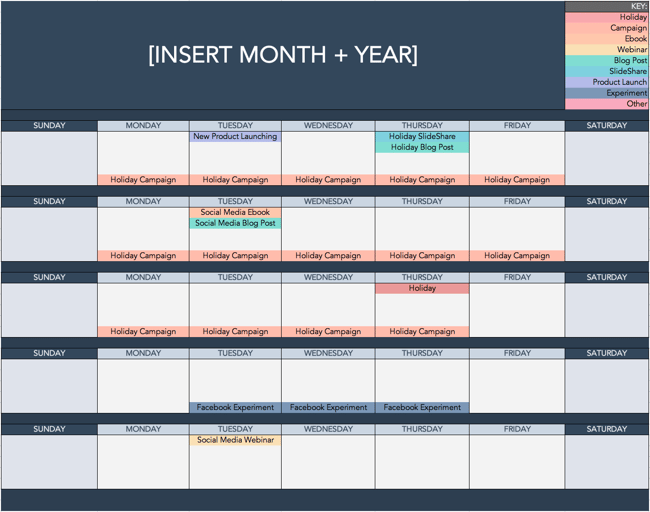 Use the Above Template to Plan Out Your Social Media Holiday Posts
National & Global Holiday Calendar: 2022
The list isn’t exhaustive (there are a lot of food-specific holidays out there), and these dates and hashtags may still be subject to change. But this is a great starting point for social media marketers who want to learn more about what’s trending and how they can plan their content in a way that will be fun and engaging on social platforms.
- January 2022 Social Media Holidays
- February 2022 Social Media Holidays
- March 2022 Social Media Holidays
- April 2022 Social Media Holidays
- May 2022 Social Media Holidays
- June 2022 Social Media Holidays
- July 2022 Social Media Holidays
- August 2022 Social Media Holidays
- September 2022 Social Media Holidays
- October 2022 Social Media Holidays
- November 2022 Social Media Holidays
- December 2022 Social Media Holidays
January 2022 Social Media Holidays
- January 1: New Year’s Day #NewYearsDay
- January 2: Science Fiction Day #ScienceFictionDay
- January 4: National Trivia Day #NationalTriviaDay
- January 5: National Bird Day #NationalBirdDay
- January 11: Human Trafficking Awareness Day #HumanTraffickingDay
- January 11: Clean Off Your Desk Day #CleanOffYourDeskDay
- January 13: National Sticker Day #NationalStickerDay
- January 15: National Hat Day #NationalHatDay
- January 17: Martin Luther King, Jr. Day (Third Monday of January) #MLKDay
- January 20: Cheese Lovers Day #CheeseLoversDay
- January 20: Get to Know Your Customers Day (third Thursday of every quarter) #GetToKnowYourCustomersDay
- January 21: National Hugging Day #NationalHuggingDay
- January 24: National Compliment Day #NationalComplimentDay
- January 25: Opposite Day #OppositeDay
- January 28: Data Privacy Day #PrivacyAware
- January 31: Community Manager Appreciation Day (Last Monday of January) #CMAD
February 2022 Social Media Holidays
- February 1 – 28: Black History Month
- February 2: Groundhog Day #GroundhogDay
- February 2: World Wetlands Day #WorldWetlandsDay
- February 4: World Cancer Day #WorldCancerDay
- February 5: National Weatherperson’s Day #NationalWeatherpersonsDay
- February 7: National Send a Card to a Friend Day #SendACardToAFriendDay
- February 8: National Boy Scouts Day #BoyScoutsDay
- February 9: National Pizza Day #NationalPizzaDay
- February 9: Safer Internet Day #SID2022
- February 11: Inventors Day #InventorsDay
- February 12: Chinese New Year #ChineseNewYear
- February 13: World Radio Day #WorldRadioDay
- February 13: Super Bowl LV (Varies each year based on the U.S. Football season) #SBLV #SuperBowlSunday #SuperBowl
- February 14: Valentine’s Day #ValentinesDay
- February 17: Random Acts of Kindness Day #RandomActsOfKindnessDay
- February 18: National Battery Day #NationalBatteryDay
- February 20: World Day of Social Justice #SocialJusticeDay
- February 20: Love Your Pet Day #LoveYourPetDay
- February 21: International Mother Language Day #IMLD
- February 21: Presidents Day (Third Monday of February) #PresidentsDay
March 2022 Social Media Holidays
- March 1: Mardi Gras #MardiGras
- March 2: National Read Across America Day #ReadAcrossAmerica & #DrSeuss
- March 3: World Wildlife Day #WorldWildlifeDay
- March 4: National Grammar Day #NationalGrammarDay
- March 4: National Employee Appreciation Day (First Friday of March) #EmployeeAppreciationDay
- March 4: National Day of Unplugging (First Friday of March) #NationalDayOfUnplugging
- March 6: National Dentist’s Day #DentistsDay
- March 7: National Be Heard Day #NationalBeHeardDay
- March 7: National Cereal Day #NationalCerealDay
- March 8: International Women’s Day #BeBoldForChange
- March 8: National Proofreading Day #NationalProofreadingDay
- March 10: National Pack Your Lunch Day #NationalPackYourLunchDay
- March 10: National Women and Girls HIV/AIDS Awareness Day #NWGHAAD
- March 11: National Worship of Tools Day #WorshipOfToolsDay
- March 11: Popcorn Lover’s Day #PopcornLoversDay
- March 12: National Girl Scout Day #GirlScoutDay
- March 14: Potato Chip Day #NationalPotatoChipDay
- March 14: Pi Day #PiDay (To go the extra mile, post this at 1:59, as Pi equals 3.14159…)
- March 13: Daylight Savings #DaylightSavings
- March 15: National Napping Day #NationalNappingDay
- March 15: World Consumer Rights Day #WorldConsumerRightsDay
- March 16: National Freedom of Information Day #FreedomOfInformationDay
- March 17: St. Patrick’s Day #StPatricksDay
- March 18: Awkward Moments Day #NationalAwkwardMomentsDay
- March 19: National Let’s Laugh Day #NationalLetsLaughDay
- March 19: World Sleep Day #WorldSleepDay
- March 19: Red Nose Day #RedNoseDay
- March 20: International Day of Happiness #InternationalDayofHappiness
- March 20: World Storytelling Day #WorldStorytellingDay
- March 20: First Day of Spring #FirstDayofSpring
- March 21: International Day for the Elimination of Racial Discrimination #RacialDiscriminationDay
- March 21: World Poetry Day #WorldPoetryDay
- March 22: World Water Day #WorldWaterDay
- March 23: National Puppy Day #NationalPuppyDay
- March 23: American Diabetes Association Alert Day #AmericanDiabetesAssociationAlertDay
- March 25: Tolkien Reading Day #TolkienReadingDay
- March 26: National Spinach Day #NationalSpinachDay
- March 26: Purple Day #PurpleDay
- March 27: Earth Hour Day #EarthHour
- March 30: Doctor’s Day #NationalDoctorsDay
- March 30: National Take a Walk in the Park Day #NationalWalkInTheParkDay
- March 31: World Backup Day #WorldBackupDay
- March 31: Transgender Day of Visibility #TDOV
- March 31: Equal Pay Day #EqualPayDay
April 2022 Social Media Holidays
- April 1 – 30: National Stress Awareness Month
- April 1: April Fools Day #AprilFools
- April 2: World Autism Awareness Day #WAAD
- April 3: Find a Rainbow Day #FindARainbowDay
- April 4: Hug a Newsperson Day #HugANewsperson
- April 5: World Health Day #LetsTalk
- April 6: National Walking Day #NationalWalkingDay
- April 10: National Siblings Day #NationalSiblingsDay
- April 10: Encourage a Young Writer Day #EncourageAYoungWriterDay
- April 11: National Pet Day #NationalPetDay
- April 12: International Day of Human Space Flight #InternationalDayOfHumanSpaceFlight
- April 15: National Tax Day #TaxDay
- April 15: National High-Five Day #NH5D
- April 16: National Stress Awareness Day #StressAwarenessDay
- April 16: National Wear Your Pajamas to Work Day #PJDay
- April 17: Haiku Poetry Day #HaikuPoetryDay
- April 18: National Columnists’ Day #NationalColumnistDay
- April 20: National Look-Alike Day #NationalLookAlikeDay
- April 21: National Administrative Professionals Day #AdministrativeProfessionalsDay
- April 21: Get to Know Your Customers Day (third Thursday of every quarter) #GetToKnowYourCustomersDay
- April 22: Earth Day #EarthDay2022
- April 23: National Take Our Daughters and Sons to Work Day #COUNTONME
- April 23: National Picnic Day #NationalPicnicDay
- April 23: World Book Day #WorldBookDay
- April 23: Arbor Day #ArborDay
- April 25: National Telephone Day #NationalTelephoneDay
- April 25: World Malaria Day #EndMalariaForGood
- April 28: Denim Day #DenimDay
- April 29: International Dance Day #InternationalDanceDay
- April 30: National Honesty Day #NationalHonestyDay
- April 30: National Adopt a Shelter Pet Day #AdoptAShelterPetDay
- April 30: International Jazz Day #JazzDay
May 2022 Social Media Holidays
- May 1: May Day #MayDay
- May 1: International Workers Day #IntWorkersDay
- May 3: World Press Freedom Day #WPFD2022 #PressFreedom
- May 4: Star Wars Day #StarWarsDay & #Maythe4thBeWithYou
- May 4: International Firefighters Day #InternationalFirefightersDay
- May 4: World Asthma Day #WorldAsthmaDay
- May 4: Thank a Teacher Day #ThankATeacher
- May 5: Cinco de Mayo #CincoDeMayo
- May 6: National Nurses Day #NursesDay
- May 7: World Password Day #WorldPasswordDay
- May 7: Space Day #SpaceDay
- May 9: Europe Day #EuropeDay
- May 9: Mother’s Day #MothersDay
- May 12: National Limerick Day #NationalLimerickDay
- May 12: National Receptionist Day #NationalReceptionistDay
- May 15: International Day of Families #FamilyDay
- May 16: Love a Tree Day #LoveATreeDay
- May 17: International Day Against Homophobia and Transphobia #IDAHOT2022
- May 21: National Memo Day #NationalMemoDay
- May 21: National Bike to Work Day #BTWD
- May 21: Endangered Species Day #EndangeredSpeciesDay
- May 24: National Scavenger Hunt Day #NationalScavengerHuntDay
- May 27: Heat Awareness Day (Last Friday of May) #NoFryDay
- May 28: Hamburger Day #NationalHamburgerDay
- May 29: Paperclip Day #PaperclipDay
- May 30: Memorial Day (Fourth Monday of May) #MemorialDay #MDW
- May 31: World No-Tobacco Day #NoTobacco
June 2022 Social Media Holidays
- June 1: Global Day of Parents #GlobalDayOfParents
- June 4: National Donut Day #NationalDonutDay
- June 5: World Environment Day #WorldEnvironmentDay
- June 6: National Cancer Survivor’s Day #NCSD2022
- June 6: Higher Education Day #HigherEducationDay
- June 8: World Oceans Day #WorldOceansDay
- June 8: Best Friends Day #BestFriendsDay
- June 13: International Children’s Day #ChildrensDay
- June 14: World Blood Donor Day #GiveBlood
- June 14: National Flag Day #FlagDay
- June 19: Juneteenth (Freedom Day) #Juneteenth
- June 20: World Refugee Day #WithRefugees
- June 20: First Day of Summer
- June 20: Father’s Day #FathersDay
- June 21: National Selfie Day #NationalSelfieDay
- June 21: World Music Day #WorldMusicDay
- June 21: International Yoga Day #InternationalYogaDay
- June 24: National Handshake Day #HandshakeDay
- June 25: Take Your Dog to Work Day #TakeYourDogToWorkDay
- June 27: National Sunglasses Day #NationalSunglassesDay
- June 30: Social Media Day #SMDay
July 2022 Social Media Holidays
- July 1: National Postal Worker Day #NationalPostalWorkerDay
- July 2: World UFO Day #WorldUFODay
- July 4: Independence Day (United States)
- July 7: World Chocolate Day #WorldChocolateDay
- July 11: Cheer Up the Lonely Day #CheerUpTheLonelyDay
- July 12: Malala Day #MalalaDay
- July 15: Give Something Away Day #GiveSomethingAwayDay
- July 15: Get to Know Your Customers Day #GetToKnowYourCustomersDay
- July 17: World Emoji Day #WorldEmojiDay
- July 18: Nelson Mandela International Day #MandelaDay
- July 30: Talk in an Elevator Day #TalkInAnElevatorDay
- July 30: International Day of Friendship #DayOfFriendship
August 2022 Social Media Holidays
- August 1: Respect for Parents Day #RespectForParentsDay
- August 2: National Coloring Book Day #NationalColoringBookDay
- August 8: International Cat Day #InternationalCatDay
- August 9: National Book Lovers Day #NationalBookLoversDay
- August 10: National Lazy Day #LazyDay
- August 11: National Sons and Daughters Day #SonsAndDaughtersDay
- August 12: International Youth Day #YouthDay
- August 12: World Elephant Day #WorldElephantDay
- August 13: International Lefthanders Day #LefthandersDay
- August 15: National Relaxation Day #NationalRelaxationDay
- August 16: National Tell a Joke Day #NationalTellAJokeDay
- August 19: World Photo Day #WorldPhotoDay
- August 19: World Humanitarian Day #WorldHumanitarianDay
- August 20: National Lemonade Day #NationalLemonadeDay
- August 26: National Dog Day #NationalDogDay
- August 26: National Women’s Equality Day #WomensEqualityDay
September 2022 Social Media Holidays
- September 4: National Wildlife Day #NationalWildlifeDay
- September 5: International Day of Charity #CharityDay
- September 6: Labor Day #LaborDay
- September 6: Read a Book Day #ReadABookDay
- September 8: International Literacy Day #LiteracyDay
- September 10: Stand Up To Cancer Day #KissCancerGoodbye
- September 11: National Day of Service and Remembrance #911Day
- September 12: Civic Day of Hacking #HackForChange
- September 12: National Grandparents Day #NationalGrandparentsDay
- September 12: National Day of Encouragement #DayOfEncouragement
- September 12: National Video Games Day #NationalVideoGamesDay
- September 15 – October 15: Hispanic Heritage Month #hispanicheritagemonth
- September 19: Talk Like a Pirate Day #TalkLikeAPirateDay
- September 21: International Day of Peace #PeaceDay
- September 21: Miniature Golf Day #MiniGolfDay
- September 22: Car-Free Day #CarFreeDay
- September 22: Hobbit Day #HobbitDay
- September 22: First Day of Fall
- September 26: National Pancake Day #NationalPancakeDay
- September 26: European Day of Languages #EDL2022
- September 27: World Tourism Day #WTD2022
- September 28: World Rabies Day #WorldRabiesDay
- September 28: National Good Neighbor Day #GoodNeighborDay
- September 29: National Women’s Health and Fitness Day #FitnessDay
- September 30: International Podcast Day #InternationalPodcastDay
October 2022 Social Media Holidays
- October 1: International Day of Older Persons #UNDOP
- October 1: International Coffee Day #InternationalCoffeeDay
- October 1: World Vegetarian Day #WorldVegetarianDay
- October 1: World Smile Day #WorldSmileDay
- October 2: International Day of Nonviolence #InternationalDayOfNonviolence
- October 3: National Techies Day #TechiesDay
- October 4: World Animal Day #WorldAnimalDay
- October 4: National Taco Day #NationalTacoDay
- October 4: World Habitat Day #WorldHabitatDay
- October 5: World Teachers Day #WorldTeachersDay
- October 10: World Mental Health Day #WorldMentalHeathDay
- October 11: International Day of the Girl #DayOfTheGirl
- October 14: World Sight Day #WorldSightDay
- October 14: National Dessert Day #DessertDay
- October 15: Global Handwashing Day #GlobalHandwashingDay
- October 16: World Food Day #FoodDay
- October 16: Bosses Day #BossesDay
- October 17: International Day for the Eradication of Poverty #EndPoverty
- October 20: World Statistics Day #StatisticsDay
- October 21: Reptile Awareness Day #ReptileAwarenessDay
- October 21: Get to Know Your Customers Day (third Thursday of every quarter) #GetToKnowYourCustomersDay
- October 24: United Nations Day #UNDay
- October 25: Greasy Foods Day #GreasyFoodsDay
- October 30: National Publicist Day #NationalPublicistDay
- October 30: Checklist Day #ChecklistDay
- October 31: Halloween #Halloween
November 2022 Social Media Holidays
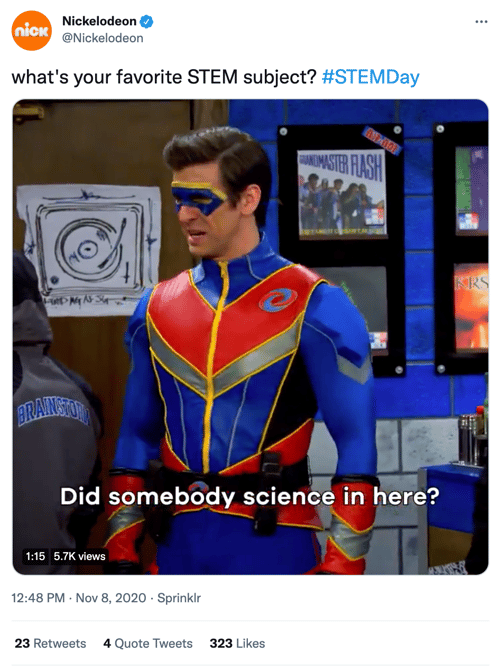
- November 1: World Vegan Day #WorldVeganDay
- November 1: National Authors Day #NationalAuthorsDay
- November 1: National Cook For Your Pets Day #CookForYourPetsDay
- November 3: National Sandwich Day #NationalSandwichDay
- November 4: National Candy Day #NationalCandyDay
- November 6: Daylight Saving Time Ends #DaylightSavings
- November 8: National Cappuccino Day #CappuccinoDay
- November 8: Science, Technology, Engineering, and Medicine (STEM) Day #STEMDay
- November 11: Veterans Day #VeteransDay
- November 13: World Kindness Day #WKD
- November 14: World Diabetes Day #WDD
- November 15: Clean Out Your Refrigerator Day #CleanOutYourRefrigeratorDay
- November 15: America Recycles Day #BeRecycled
- November 16: International Day for Tolerance #ToleranceDay
- November 16: National Entrepreneurs Day #EntrepreneursDay
- November 17: International Students Day #InternationalStudentsDay
- November 19: International Men’s Day #InternationalMensDay
- November 20: Universal Children’s Day #UNChildrensDay
- November 21: World Hello Day #WorldHelloDay
- November 25: Thanksgiving Day #Thanksgiving
- November 26: National Cake Day #NationalCakeDay
- November 26: National Day of Listening #DayOfListening
- November 27: Small Business Saturday (The last Saturday of November) #ShopSmall
- November 29: Electronic Greeting Card Day #ElectronicGreetingCardDay
- November 30: Computer Security Day #ComputerSecurityDay
December 2022 Social Media Holidays

- December 1: World AIDS Day #WAD2022
- December 3: International Day of Persons with Disabilities #IDPWD
- December 4: National Cookie Day #NationalCookieDay
- December 5: World Soil Day #WorldSoilDay
- December 6: Microwave Oven Day #MicrowaveOvenDay
- December 8: Pretend to Be a Time Traveler Day #PretendToBeATimeTravelerDay
- December 10: Human Rights Day #HumanRightsDay
- December 10: Nobel Prize Day #NobelPrize
- December 10: National Salesperson Day #SalespersonDay
- December 11: International Mountain Day #InternationalMountainDay
- December 21: Crossword Puzzle Day #CrosswordPuzzleDay
- December 21: First Day of Winter #WinterSolstice
- December 27: No Interruptions Day #NoInterruptionsDay
- December 31: New Year’s Eve #NYE
Sources: National Day Calendar, Sprout Social, TrackMaven, Holiday Insights, Brownielocks, National Peace Corps Association, Sparkflow, There’s a Day for That
While it’s not important to celebrate every single social media holiday, being aware of the holidays can help you brainstorm ideas for your marketing and implement fun, themed posts into your social media content calendar.
Editor’s Note: This post was originally published in January 2017 but is updated annually for comprehensiveness. The most recent update of this post was November 2021.

How to Create a Holiday Marketing Campaign: A Step-by-Step Guide
The malls are decked with holly, your inbox is filling up with holiday-themed promotions, and you’ve deemed it socially acceptable to start listening to your favorite holiday playlist on Spotify… or maybe that’s just me.
Either way, the holiday season is here, and marketers are gearing up to finish off the year strong. But just like shopping for gifts, planning your holiday campaign is something you don’t want to shove off until the last minute.
There’s going to be a lot of spending going in over the next month or so, which is why it’s important to have a plan for reaching your customers and prospects before your competitors do.
Haven’t started planning your campaign yet? Don’t panic.
We’ve mapped out a comprehensive guide with everything you need to launch a holiday marketing campaign this season. From offer templates to free holiday-themed stock photos, we’ve peppered this step-by-step guide with resources designed to get your campaign up and running right away.

1. Decide on a campaign theme.
While creating content has become ingrained in the day-to-day lives of most inbound marketers, launching a campaign is a little different. Unlike a tweet or an infographic, campaigns require you to align all of your marketing channels around one specific goal or message.
Holiday campaigns — like all campaigns — typically run for a concentrated period of time. Depending on your industry, they can start as early as October and often spill over into January.
Now that you know what you’re in for, let’s not waste any more time. Below we’ll kick off this process by walking you through establishing your campaign and offer.
2. Choose your campaign goals.
Before you start creating an offer, you need to determine what it is that you’re looking to achieve. What is the ideal outcome of this campaign?
Once you define your focus, you can begin to create goals that will be used to benchmark your campaign’s performance once it’s wrapped. Your goals should be specific, measurable, attainable, relevant, and time-bound (SMART goals, for short). Here’s an example of how to structure this type of goal:
Generate [number] leads focused on [topic/product] by [date]
Depending on what you want to get out of your campaign, your goals might look something like this:
- Generate 1,000 leads who are interested in our annual holiday sale by December 5, 2021.
- Generate 5,000 sign-ups for our holiday shopping app by November 30, 2021.
- Collect $50,000 in donations for charity XYZ by December 20, 2021.
To help you better align your marketing efforts with SMART goals, check out this free goal setting template. You can use this template to summarize your goals, calculate your greatest marketing need, and set deadlines.
3. Define your target audience.
With goals in place, the next step is to define your target audience. The more information you can gather about the people you’re trying to reach, the better. Where are they hanging out on social media? Do they prefer to consume information on their desktop or mobile? This will help you make smarter marketing decisions when it comes time to create content and plan promotions.
If you already have a few buyer personas in place for your marketing efforts, you’ll want to start by narrowing your focus. Does your campaign pertain to all segments of your audience? If not, you’ll need to immediately weed out the folks who you don’t want to include.
If you don’t already have buyer personas or would like to create campaign-specific personas, we recommend you check out our free buyer persona templates. These templates will make it easy for you to build out and organize your persona data.
4. Create an offer.
The offer that you create will serve as the center point for all of your campaign initiatives. Typically offers take shape in the form of ebooks, whitepapers, templates, online courses, videos, tools, etc. You can also choose a digital e-gift card from somewhere like Rybbon. While there are a lot of options to choose from, we advise you to run with an approach that makes the most sense for your intended audience.
Think about it: If you know the people you’re trying to reach are typically strapped for time — particularly during the holidays — you might want to create a set of easy-to-use templates instead of a lengthy ebook, right?
If you decide to take the ebook route, we can help — you can download our free, customizable ebook templates. We’ve already taken care of the design element, so all you have to do is focus on writing the content. And if you’re in search of some compelling visuals to use throughout your offer, download our 250 free holiday stock photos here.
5. Create a landing page.
Once your offer is created, you need to provide a place for it to live. This is where the landing page comes in.
Considering your landing page is the page that you’ll be driving traffic to, it needs to be convincing. Here’s a list of some of the essential elements you should include:
- Compelling headline. This is how you’re going to capture the attention of potential visitors. For tips on how to craft the perfect headline, turn to this guide.
- Interesting visuals. Your landing page shouldn’t just be a jumble of text. Think about how you can provide visual context for your offer.
- The benefits of your offer. This typically takes shape in a bulleted list. The goal here is to drive home what the visitor can expect to get from this offer, and why it matters.
- A form. This is how you’ll collect information in exchange for the offer. Keep in mind that there’s no magic number for form fields. In fact, the amount of information you need to ask for on a form will vary from business to business. That said, if you don’t really need a piece of information, don’t ask for it.
If you need some more guidance as to what goes into a great landing page, check out this roundup of 19 brilliant landing page designs.
6. Design a promotion plan.
“If you build it, they will come,” said no marketer ever. Now that your content has been created, it’s time to figure out how to get the word out. Here are some of the promotion tactics you should be implementing per channel:
Email Marketing
If you already have a list of people you know will be interested in your offer, that’s great. If you want to slice and dice your database to go after a more specific group, you should take care of that segmentation first. For HubSpot customers, it’s easy to segment your database using a smart list in the Lists App. (Here’s a resource to help you get started.)
During the holiday season, we’d argue that segmenting your list is more important than ever. Due to the increased number of incoming promotions and the limited amount of time busy shoppers have, well-targeted emails will often take priority over mass messages.
Once you’ve squared away your recipients, you can kick off the actual email creation process through platforms like Sendoso. Here are some noteworthy elements to keep in mind while crafting your email:
- Subject line. Focus on what the offer solves. Check out this helpful post for tips on improving your subject lines.
- Body copy. The body of your email should be short and sweet, much like the copy on your landing page. This is also a great opportunity to incorporate personalization using personalization tokens. Here are some great examples to get you thinking about personalization opportunities.
- Sharing Options. Don’t forget to add buttons to your emails that allow recipients to quickly pass your offer along to their network.
Check out HubSpot’s Template Marketplace to find an email template that fits your needs.
Blogging
Once you’ve sent an email to get your offer on the radar of your intended audience, it’s time to build out your reach even further. Blog posts serve as an effective campaign element for attracting people to your offer, and can be approached in a couple of different ways.
One way to use your blog to promote your offer is to create a simple “promo post” — that’s what we call them, anyway. This post is typically a very focused piece offering a quick introduction to the offer, advice on how to implement it, and a compelling CTA to drive people to the landing page.
According to a 6-month analysis of HubSpot’s Marketing Blog run by my colleague, Ginny Soskey, promo posts proved to be the most effective lead generators out of the seven post types we typically publish. While this may vary depending on your industry and audience, it’s certainly a type we’d encourage you to explore on your own.
Promo posts aside, it’s also a great idea to add a CTA for your offer to a post that aligns with its subject matter. You can create an entirely new post and revisit older, related posts to swap out their CTAs. This way, if people who reach the end of your post are looking for more information or a deeper dive into the subject, they can click through to the offer.
Social Media
Now that you have some tangible promotional material in place, you can start promoting it through your social media channels. Whether you share the related blog post or a link to the landing page, be sure that you’re switching up the messaging so you’re not repeating the same tweet or Facebook post over, and over, and over…
You’ll also want to tailor the post to the platform you’re posting it on. For example, maybe you create a teaser video for your offer to promote it on Instagram and then use a colorful visual when you serve it up on Twitter:
The holidays provide an interesting opportunity for businesses looking to explore platforms they wouldn’t typically try. With busy consumers looking for holiday help and inspiration in all corners of the internet and social media, you may find that it’s worth promoting your campaign on a wider variety of platforms.
Wherever you’re sharing your content, you’ll need a place to organize and plan your distribution strategy. For that, check out this free social media content calendar.
PPC
Paid advertising can be a great tool to boost some of your inbound efforts — especially around the busy holiday season.
If your budget allows and you know there’s search demand for your offer, you may want to experiment with putting a little money behind some of your campaign assets to promote them on social media. For advice on how to create successful paid advertising campaigns across the three main social media platforms — Facebook, Twitter, and LinkedIn — check out this guide.
7. Create lead nurturing paths.
What will happen to your leads once you’ve generated them? And once the holidays have come and gone, what will they mean to your business?
Before you launch your campaign, it’s best to design a plan for qualifying and developing your leads once they’ve filled out your form.
Email Segmentation
With marketing automation software, you can use email nurturing to keep leads engaged with your business and move them closer to a sale.
Before you can begin creating emails and workflows, you need to take another look at your list to determine if there are opportunities for segmentation. Dividing your list of leads will make it easier for you to deliver more contextual follow-up emails, which will help you separate yourself from holiday inbox chaos, and ultimately help recipients see the value in your relationship.
Email Nurturing
Next, determine what content you’ll use to nurture your leads. You can narrow your focus by honing in on what your goals are for this nurturing process. Do you want them to turn these people into sales? Subscribers? Are you looking to direct them to a particular page?
For your campaign, it might make sense to re-engage those leads with helpful, related resources.
And to track your progress, make sure you set a goal for your workflow. If you’re a HubSpot customer, you can do so in HubSpot’s Workflow App, which makes it easy for you to gauge the performance of your email sequence.
8. Take the campaign live.
Now that you’ve got everything in place — offer, landing page, blog promotion, nurturing workflows, etc. — it’s time to take your campaign live.
We recommend issuing a “soft launch” before you initiate any promotion, as this will provide you with an opportunity to run through all of the steps yourself to ensure that everything is functioning as it should be. If you can get a few colleagues to fill out the form and run through the stages too, it’ll be much easier for you to spot any glitches or missed marks.
Once you know everything is sailing smoothly, it’s time to kick up promotion and start driving traffic to your landing page.
9. Measure and report.
This is the final — and arguably the most important — step in the process. Once your campaign has had some time to gain traction, you’ll want to dive into its performance and see what you can learn from it.
Remember those goals we set all the way back in step one? Now is the time to determine if you actually hit them — and if you didn’t, identify what might have prevented you from doing so. Analyzing where people dropped off in your workflows, blog posts that flopped, or areas of your offer that fell a little flat might reveal what held your campaign back from reaching those numbers. Take note of these details, and use them to inform your next campaign strategy.
If you need some help defining what numbers you should actually be concerning yourself with, check out this introductory guide to inbound marketing analytics. This resource will walk you through how to effectively analyze the following: your website and landing pages, search engine optimization, paid search, blogging, social media, email marketing, and lead nurturing and automation.
Creating a holiday marketing campaign isn’t all that different from creating a marketing campaign during the rest of the year. The main difference lies in the themes and offers you create. Although the process is similar, these campaigns usually have different goals and expectations because people are more likely to convert during this time of year.
Editor’s note: This post was originally published in November 2015 and has been updated for comprehensiveness.


Everything You Need to Know About LinkedIn Retargeting
Yes, you own or work for a business that sells products or services. However, you are also a consumer. For just a moment, take off your business hat and put on your consumer hat.
Every day, you research items from pet shampoo and carpet cleaner in your personal life to CRM systems and social media schedulers for your professional life.

Our world is filled with hundreds or thousands of items for anything your heart desires. With so many options, we become easily distracted, following the next shiny object to another site, another company, or another method of meeting our needs altogether.
Marketers know this, and so they’ve had to find a way to recapture our attention when we’ve been squirrelled by another option. Once they’ve got our attention, they have another opportunity to sell their products to us.
You can put your business hat back on. Isn’t it frustrating when you see how many people visit your website and look at a product, and leave without ever making a purchase? You’ve managed to attract them to your business, but what good is paid advertising and a beautiful website if shoppers don’t convert to customers?
Thankfully, marketers have a solution for this. It’s called “retargeting” and you’re about to learn everything you need to know about LinkedIn Retargeting.
LinkedIn Retargeting
If you own a business, work for a business, or are looking to be hired by a business, you know that LinkedIn is a necessary platform. While you may opt out of more “social” social media like Facebook or Instagram, employers look to LinkedIn to find new employees and vet potential candidates, and most professionals use LinkedIn as a networking tool.
In the third quarter of 2020, LinkedIn reported more than 690 million users. Like many types of social media, it could be considered a “necessary evil.” Fortunately, it can also present an opportunity to recapture the attention of prospective clients and customers.
What are Linkedin Retargeting Ads?

Also known as remarketing ads, LinkedIn retargeting ads allow you to reach LinkedIn users who may have previously interacted with your brand in some way (so they have some level of interest), yet they haven’t purchased from you.
How to Retarget on LinkedIn
Retargeting through LinkedIn is a 7-step process (with a potential 8th step):
- Users see an ad in their LinkedIn feed.
- The user clicks on the ad.
- They are brought to your website.
- They interact in some way, perhaps filling out a form in exchange for an offer.
- The user becomes a lead in your system.
- Their history is stored in cookies and the data is sent to LinkedIn.
- Retargeting ads are shown to the user.
And hopefully…
The user takes the steps to become a customer.
You might be wondering how the cookies know how to communicate with LinkedIn. This is done through a piece of code called an Insight Tag that gets installed on your website. The pixel is able to track conversions, website audiences, and website demographics for all your LinkedIn ad campaigns. It then passes this data from your website to LinkedIn, letting it know that you’ve got someone interested who needs to be reminded you exist.
LinkedIn Retargeting Cost
Any smart business person is going to wonder if Linkedin Retargeting ads provide a worthwhile ROI. Before you learn how to create these ads, you’ll be pleasantly surprised to know:
In their pilot study, Linkedin’s 2,000+ Matched Audiences campaigns reported an average of:
- 30% increase in click-through rate (CTR) with Website Retargeting ads.
- 14% decrease in post-click cost-per-conversion (CPC) with Website Retargeting ads.
- 37% increase in CTR with contact targeting.
Retargeting allows you to capture and convert leads that would otherwise be lost. Because of this, successful Linkedin retargeting campaigns will also increase your conversion rate and lower your average cost-per-lead (CPL).
Sound like something you could benefit from? Read on to learn the “How.”
Creating LinkedIn Retargeting Ad Campaigns
Thankfully, you don’t have to be a tech genius to set up a LinkedIn Retargeting Ad. They’ve made it fairly user-friendly so as long as you have access to your website code, and basic knowledge of how to navigate inside it, this is doable. With good directions (they’re coming, don’t worry), you can be well on your way in a short period of time. If you have access to a website designer who will help you, that’s great too.
Let’s take a look at the overview first and then we’ll dive into specifics:
- Create a LinkedIn advertising account
- Build LinkedIn Retargeting Audience
- Use Matched Audiences in a LinkedIn Retargeting Campaign
How to Create a LinkedIn Advertising Account
If you are not yet using Linkedin Campaign Manager, start here and follow the prompts to set up your account.

Then, you can set up your campaign:

If you are new to Linkedin ads and would like some assistance creating and managing campaigns, consider using a program like Rollworksto help.
Assuming you’ve done all of that and are already running LinkedIn Ads, let’s look at how to set up a Linkedin pixel.
How to Install a LinkedIn Advertising Pixel
Earlier, we mentioned the Insight Tag. This is the most important piece of the retargeting ads puzzle because, without it, your website and LinkedIn won’t communicate.

- To find your unique Javascript code, head to Linkedin Campaign Manager.
- Check the box next to your business account and then look at the Campaigns tab.
- From the Account Assets tab dropdown, click on Insight Tag.
- Select Install my Insight Tag.
- Choose I will install the tag myself.

- Copy all of the tag code.
- Choose I’m Done.
- Go to your website and paste the Insight Tag code at the end of the <body> tag in the global footer.
Once this is done, it’s time to check each page to make sure the Insight Tag has been installed properly.
- Head back to the Campaign Manager and look for the Insight Tag under Account Assets. When a tag has been installed correctly, it will send a signal from your website to Linkedin. Whenever a LinkedIn member visits that page, the domain name will appear here.
- It may take up to 24 hours for a page visit to verify, so you may need to come back and check the connection later.
- Check the Status column for all verified domains (they’ll show up as active/green).

LinkedIn Advertising Pixel for Google Chrome
The next step is necessary to ensure that this system works with any users on Google Chrome. They have more safeguards in place to prevent third-party cookies, so you’ll need to do an extra step to make this work.
- Make the SameSite attribute ‘None.’
- Add the Secure label to your cookies.
If you’re not sure how to work with SameSite attributes, it may be good to bring in a developer for help. Once this step is done, Google Chrome users will join the party.
Linkedin Retargeting Options
With the Insight Tag installed, we can begin Building Linkedin Retargeting Audiences. All the options are on one page, so it’s fairly easy to do.

- If you’re not already there, log into your Linkedin Campaign Manager and select the account you’ll be working with.
- On the Campaigns page, find the Account Assets tab and select Matched Audiences.
- Click on Create Audience on the right side of the Matched Audiences page.
- Select the audience type you’d like to build.
- Follow the rest of the page’s flow and then choose Create to build a new audience.
Keep in mind that it takes 48 hours to build an audience. You also need at least 300 members before you can send retargeting ads to those users. Different audience pages will look slightly different so we’ll review these next.
Website Audience Set Up
This variation will retarget users who visited a page on your website using Website audiences. You’ll need the Insight Tag for this audience.

- Name your audience. You’ll have to remember this name later in your campaigns, so be specific.
- Add key pages from your website under Match a URL that… You can add multiple links to one audience.
- Pay attention to page rules:
- Equals – this is the exact URL you list and is great to use when you want to restrict subpages.
- Starts with – includes all pages starting with whatever you enter.
- Contains – you’ll be asked to type in a word or string. This option would make it easy to group URLs in a pattern, like related products, service offerings, or blog topics whose URL string includes the same keyword or phrase.
- AND/OR: Use AND to retarget users who both visit a page URL and visit another URL containing a word you specify. Use OR to group URLs and retarget people who visit any page listed.
Video Audience Set Up
To retarget users who viewed a video ad, follow these steps.
- Name the audience.
- Choose viewing percentage (25%, 50%, 75%, or 97% of the video).
- Select lookback period (30, 60, 90, 180, 365 days in the past).
- Click the checkbox next to the video campaigns you want to include.
- Hit Create.

Lead Gen Form Audience Set Up
Follow these steps to retarget audience members who opened or submitted a lead gen form.
- Name your audience.
- Choose the engagement level. This can be anyone who opened your lead gen form (including submissions) or only people who have submitted your lead gen form.
- You can specify how long ago the audience members engaged with this form: between 30 days to a full year.
- Check the box next to the campaign(s) you want to retarget.

Company Page Audience Set Up
To set up an audience of users who have interacted with your company’s LinkedIn page, follow the process below.
- Name the audience.
- Choose an engagement type. Engagement on a company’s Linkedin Page includes a page view or a click on your page’s header CTA.
- Select how recently audience members engaged.
- Click Create.

Event Audience Set Up
Do you host events on LinkedIn? Retarget LinkedIn members who RSVP to your event (you can do this for past and upcoming event registration).
- Name the audience.
- Check the boxes next to Event names to include the events you want.
- Click Create.

How to Use Matched Audiences for LinkedIn Retargeting
Want to use a matched, or lookalike audience for LinkedIn retargeting? Here’s how to set it up:
- Create a Linkedin Campaign.
- Use Matched Audience in Campaign.
- Scroll to Who is your target audience.
- Select Audiences > Retargeting.
- Select from one of the options of Matched Audiences.
- Choose the Matched Audience under that type.
- Finish the campaign setup.
- Create your ads and launch the campaign.

LinkedIn Retargeting Best Practices
You’ll want to get the most bang for your buck when it comes to LinkedIn Retargeting Ads. Follow these best practices to make sure your advertising dollar stretches as far as possible.
- Refine your ad content over time. If you notice certain pieces of content aren’t resonating with your audience, don’t be afraid to refresh it until you figure out what works. Images and ad copy should reflect the retargeting audience you’re trying to reach.
- Create multiple ad formats depending on the stage your prospective customers are in. Continue testing formats and use the format that will best move them towards your objectives.
- Be flexible. You’ll be learning what works and what doesn’t as you go. When you discover something isn’t creating the results you want, change it.
Final Thoughts
There’s no need to accept lost leads. When someone heads to your website, downloads content, or interacts with your brand in any way, it’s because they are interested in what you offer and how you can help them.
Rather than counting them out if they don’t immediately convert, focus some of your advertising dollars on recapturing their attention and gently guiding them back to your company and what you can do for them. You have the solution to their problem — make sure they know it.