
Welcome to My Blog
15 Time Management Skills, According to HubSpot Marketing Managers
It’s late and you’re working on a project that’s due soon.
You feel overwhelmed by your tasks and aren’t quite sure how you got here. You make a self-promise to resolve this issue but you don’t know how, so the cycle continues.
Consider this your WebMD diagnosis: You’re likely struggling with bad time management.

The good news is, time management is a learned skill. By following the tips below, written with cross-functional teams in mind, you can be on your way to getting back control of your time and working efficiently.
What can time management skills help a person do?
Time management is necessary for a successful personal and professional life.
When you manage your time well, you can be more productive and efficient. You have a solid understanding of what each task requires and you can plan accordingly.
It allows you to maximize your time and perform better.
Managing your time well also helps you produce high-quality work. When we struggle with this skill, we often rush to complete our tasks and can easily feel overwhelmed.
1. Learn your pattern of productivity.
Everyone has a different productivity pattern.
We’ve long separated people into two categories: Morning people and night people. However, there are many more facets to productivity.
Perhaps you’re more efficient during short sprints of focus, following the Pomodoro technique. Or you might prefer knocking out your top priorities in one stretch.
Find out what makes you most productive and use that to your advantage. If you notice you’re most productive in the early morning, use that time to cross your focus-heavy, high-priority tasks off your to-do list.
Building your work schedule around your natural patterns will make it easier for you to focus and be more efficient in your workflow.
2. Prioritize your tasks.
Name a better feeling than crossing something off a to-do list.
There’s something about completing a task that fills you with a sense of accomplishment and builds momentum.
My colleague and marketing manager for Channel Promotions at HubSpot, Jennifer Kim, calls written to-do lists her holy grail.
“At the beginning of each day, I like to take the time to manually write out what tasks I need to complete for the day,” she says. “It’s key for me to write out tasks manually versus typing them out because I’m able to get a better sense of what tasks will take the most time and what I need to prioritize as well as mentally get myself in the headspace to take each one on.”
She then cross-references this list with her Google Calendar to plan out her day.
Now that you have every task written out, how do you decide what to tackle first? Meg Prater, senior manager of the Marketing, Sales, and Service blogs at HubSpot, has some advice.
“I prioritize based on impact to the business. Is there a planning meeting with our VP? The prep work for that should probably come first in my week when I’m freshest,” she says. “When I prioritize based on impact, I end the day knowing that I handled the tasks that were most valuable to the business and our goals – it’s my North Star.”
Ranking your tasks ensures that you tackle the most important work first and can keep you from feeling overwhelmed.
3. Track your activities.
One issue many people face when managing their time is correctly assessing how long a task will take to complete.
It can be hard to stick to a schedule if you over- or underestimated certain tasks. The task that was supposed to take 30 minutes took two hours and that can throw off your entire day.
To avoid this slippery slope, take a week to track your activities.
Write down your most common tasks. For example, as a writer, my tasks include research, media creation, and sourcing, writing, editing, uploading. I also have administrative tasks to complete throughout the week.
Use a time tracking app like Toggl or Clockify to figure out how you are spending your time.
“Timing myself helps me to concretely see where I’m spending my time. Where are the time sucks? Am I giving myself enough time to recharge between tasks?” says Prater. “This allows me to be more efficient with my time allocation, and set time boundaries for tasks I’m spending too much time on.”
Once you know exactly what each task requires, you can make an accurate schedule and make adjustments to create a more efficient process.
4. Make collaborating easier.
If you work on a cross-functional team or project, it’s vital that you set up tools that will make it easier for you to work together.
Senior Audience Growth Manager at HubSpot Pamela Bump, who often works with several teams, has a few recommendations.
“If you’re in a role where you must do projects for different teams, like creating ad campaigns or email promotions, set up a form that cross-functional colleagues can fill out so your requests will all go to one place and can be reviewed at the same time.”
Consolidating your requests to one place makes it easier to review and ensures nothing gets lost somewhere.
Bump adds that you should notify your cross-functional teams once you’ve launched the form and how you would like them to use it. You can inform them via email, Slack, or even an internal blog post that can be easily bookmarked or referenced.
5. Take regular breaks.
You’ve created your schedule for the day. You’ve been working since 8 a.m., it’s now 1 p.m. and you can’t seem to focus.
Next thing you know, it’s one hour later and nothing has been accomplished.
Sometimes, we try to push through slumps when all we need is a break to decompress and get re-energized.
Whether it’s taking a walk, watching an hour of TV, or catching up with a colleague, it’s important to take some time away from your work.
6. Be flexible.
Not every day will work out exactly as planned, and that’s OK.
Managing your time efficiently also means leaving some room for the unplanned. Perhaps, you planned on working on task A and that’s not panning out.
If that’s the case, don’t be afraid to swap it out with another task. As long as you keep the momentum going, you can still be successful.
When Bump hits a roadblock in a task, she pivots.
“I look at my to-do list and see if there are any super-quick items I can tackle before getting started on the bigger item,” she says. “For example, if I pause to return an email or quickly schedule a piece of content to go live, I feel energized by knocking something off my to-do list and will be more motivated to work on the bigger task.”
Having structure is important, but leave room for tasks to move around.
7. Protect your time.
Protecting your time is one of the most important ways to manage your time well. It can look like saying no, delegating, and deprioritizing a task.
Saying “no” at work always feels like a risk, like it’s sending a signal that you’re not a team player. But that couldn’t be further from the truth.
“Not every ask that comes your way is a fire that needs immediate extinguishing. Many things in our professional lives can wait,” Prater says. “Prioritizing those asks as they come in, saying ‘no’ when an ask isn’t in scope, and realizing when something is OK to wait until tomorrow to work on has been key for me.”
Prater adds that learning to delegate has been huge for her growth.
“I used to feel like I needed to control as much as possible in my sphere – to prove myself, or some nonsense like that,” she says. “Now, I trust the folks around me and view delegation as an opportunity for someone else to grow and develop. It frees up more of my time and has energized folks on my team with new skills.”
Don’t be afraid to redirect your colleagues when your plate is already full and lean on your colleagues for help.
8. Use project management software.
Are you bad at managing your time or do you just not have the right tools to support your workflow?
With project management software like Asana, Jira, and Monday.com, you can streamline your workflow and make cross-team collaboration that much easier.
It can also be a valuable resource when you feel overwhelmed by your tasks.
“Asana has been a huge help in organizing out my tasks. My team has an ongoing sprint board where we write out our top 3-4 priorities for the week,” Kim says. “In the case that if I ever find myself overwhelmed with all that’s going on, I can fall back to that sprint board and center myself on where I need to spend my time.”
The great thing about these tools is that they work well for individual and group projects.
9. Establish a routine and stick to it.
Imagine taking a different route to work every day. It would be hard to be consistent about when you’d arrive at work. I also imagine this constant change would create some unease and stress.
Humans are creatures of habits and we crave consistency. At work, having a routine helps you maintain productivity.
Whether you’re going to the office every day or working from home, set a routine for your day. Be consistent about the time you wake up and your pre-work tasks.
This process will help you get in the headspace to work once you’re finally at your desk. If you find that your current routine has some kinks in it, try something different.
10. Lean on your team.
While you decide how you manage your time, you can also get support from your team.
“I really lean on my manager to talk through situations when I do feel that there’s a lot going on,” says Kim. “It really helps to have her bigger picture perspective on what projects are most in line with my team’s goals. We’re also able to talk through whether there are areas that we can support each other’s load.”
Your manager can help you prioritize your tasks in alignment with your team’s broader goals. They can also help you protect your time when it comes to cross-functional projects.
Bump encourages honesty with your colleagues and your manager about your bandwidth.
“When working with cross-functional teams, it can be easy to agree to too many tasks and not have time to complete them all,” she says. “If you foresee a time crunch, reach out to your colleagues or manager and see what can be moved or adjusted if needed due to your changing priorities.”
The work doesn’t get done alone. So, make sure you’re leaning on your team to help you manage your time and achieve your goals.
11. Stack your meetings.
Ever have meetings spread out throughout the day? Doing work in between those can seem impossible.
It can feel like just when you’re getting in your groove, you have to stop to jump into another meeting.
“I find that when my meetings are scattered throughout the day without any significant chunks of free time I can devote to my own tasks, I’m unable to focus and do what I need to do,” says Kim.”
One way to prevent this is by stacking your meetings back-to-back, whenever possible. Have multiple one-on-ones this week? Try to knock them all out on the same day in a block of time.
Kim says this tactic helps her get into focus mode.
“I’m able to do my best work when I can get into the right headspace – whether that’s meeting mode or working mode – so this has been really effective for me.”
Bump suggests scheduling plan-oriented meetings on specific days of the week.
“This will leave you some wide-open time at the end of the week for larger projects like creating content or brainstorming new strategies,” she says.
12. Limit distractions.
You’re trying to get work done but your email inbox is pilling up and you keep getting pinged.
Distractions like these make it impossible to focus on your tasks and manage your time well. Thankfully, many of these communication platforms offer features to limit your distractions.
For instance, productivity software Boomerang offers a “pause inbox” feature that temporarily stops new emails from populating in your Gmail or Outlook account.
You can also use the “do not disturb” feature on your messaging software to prevent notifications.
You can also put a status like “Heads down – slow to respond” to let your colleagues know you may be unavailable for the next few hours.
13. Declutter your space.
Your space is a reflection of your mind.
If your space is messy, it can make it harder to focus and manage your time effectively. It can also contribute to feelings of being overwhelmed.
With this in mind, make sure your work environment reflects the state you want to be in. Remove non-essentials from your desk, add affirmations like “You can do it!” and “Breathe” to motivate you throughout the day.
You can even add essential oils to create a calming environment and play some soothing music in the background.
14. Take accountability.
You may be responsible for keeping track of your progress toward achieving your goal, and holding yourself accountable to the timelines and benchmarks you’ve established will help you stay motivated and positive at work.
Personal accountability leads to increased feelings of workplace satisfaction, creativity, and innovation, and there are a few ways to promote that while working on your long-term project, including:
- Sharing progress toward goals with others
- Setting up a personal reward system for each benchmark you achieve on the path to project completion.
- Tracking your progress so you can visualize what portion of your project you’ve successfully completed.
15. Review past performance.
Analyze and report on successes and challenges of projects for future goal-setting.
Once you’ve successfully completed a long-term project, don’t move on to the next one without first reflecting on your strategies for project management. What went well, and perhaps more importantly, what didn’t?
If your work is primarily comprised of long-term projects, you will need to continually refine and improve your approach to be as efficient as possible.
Document your processes and share them with your team so they can learn from your triumphs and struggles for their projects as well.
Managing your time is a learned skill that requires a lot of discipline and flexibility. It’s also something that requires support from your team, as those interactions impact your ability to complete your tasks.
While you may be an expert time manager tomorrow, following these tips will definitely help you improve your current process.


Predictive Lead Scoring: What It Is and Why It’s Important
If your marketing team and the systems you have in place to attract leads are working properly, you’re likely seeing anywhere from 10s to 1,000s of new leads each week. If you’ve got a robust sales team, they may be able to contact every single lead within a few hours.
However, if you’re like most companies, your sales team has to prioritize in order to reach out to the “best” prospects quickly, while saving the “less likely” prospects for last. This doesn’t mean that they can’t be converted, there’s just a lower chance of securing those prospects as customers.

Time spent courting the wrong prospect is not only an exercise in futility, but it takes time away from your salespeople and prevents them from closing sales and making your company money. How then, do you make the job easier (and more lucrative) for your salespeople?
Predictive Lead Scoring can take the guesswork out of following up on leads. Let’s take a look at what it is and how it could help your business grow.
What is predictive lead scoring?
Before we define predictive lead scoring, it’s important to understand traditional lead scoring and its limitations.
Businesses have struggled with prioritizing lead follow-up for decades. In many cases, salespeople are left to their own devices, using their best judgment to decide who gets contacted first. Marketers and salespeople use data such as demographic info (age, marital status, industry, role), to rank potential customers as to how likely they are to buy. Those who rank high on this scale are contacted first, while others are contacted last, or if time doesn’t permit, not contacted at all.
The problem with this subjective process is that it’s … subjective. Salespeople are forced to rely on “gut feelings” and factor in their own historical experience to make this decision. Neither of these proves to be consistently accurate causing quality leads to slip through the cracks as they chase prospects unlikely to buy.
Predictive lead scoring is machine learning that takes this theory one step further by using predictive modeling algorithms to analyze data from past customers and current prospects to predict future outcomes. Put another way, predictive lead scoring has the ability to create an “ideal customer” profile based on past buying behavior, and then identify which current prospects best fit that profile. It removes the possibility for human error or bias and instead relies on hard data to make its predictions.
The Benefits of Predictive Lead Scoring
If your marketing and sales teams have been struggling with identifying top leads and are unable to follow up with everyone that enters your database, predictive lead scoring may be exactly what your company needs. With a multitude of benefits, it’s like hiring another department to assist in new customer acquisition.
The benefits of predictive lead scoring include:
1. Create Harmony Between Marketing and Sales
When there are so many leads coming in but not many sales being closed, these two departments may turn on one another. The marketing department doesn’t understand how they’re providing a large number of leads that Sales can’t close. And the sales department believes that quantity is more important than quality, and they aren’t getting any good leads.
Incorporating predictive lead scoring will help these two departments work together and produce more.
2. Save Time
An automated lead scoring system means that your marketing and sales teams no longer have to waste time vetting potential customers. Their time can be better spent bringing in more leads and following up on the right ones.
3. Remove Human Error
No matter how good (and quick) your employees are at reviewing potential customers, there will always be an inherent bias. People can’t approach a situation without drawing on memories of the past. No matter how objective they attempt to be, this bias will creep into every decision they make. Using a computer algorithm to make these decisions removes the possibility of human error or judgment.
4. Lightning-Fast Results
While it takes a little bit of time to set up, once predictive lead scoring is up and running, you’ll receive results considerably faster than you would if a person were doing the work. You receive high-quality, data-driven leads before a human employee could even get their coffee.
5. See Continual Improvement
As you close and service more customers, you’ll collect more data. The more data you have, the better predictive lead scoring works and the more data points you’ll have to work with.
Predictive lead scoring is ready to work for you and make your marketing and sales teams more efficient.
How to Incorporate Predictive Lead Scoring in Your Business
Now that you understand predictive lead scoring and how it can revolutionize your business, how do you get started?
HubSpot offers Predictive Lead Scoring software that integrates with your Enterprise CRM, providing machine learning that reviews thousands of data points across your contact base to identify your best leads.
These data points are drawn from analytics (website and email behavior), firmographic information about the contact’s company and their relationship within HubSpot, and interactions that have been logged in the CRM.
To use this feature:
- Click the Settings icon in the main navigation bar of your HubSpot account.
- From the left sidebar menu, navigate to CRM > Properties.
- Search in the Contact Information property group for Likelihood to close and Contact priority.
Likelihood to close is a score that represents the probability of a contact closing as a customer within the next 90 days. It used standard contact properties and behavior to predict this. If the score or probability value is 22, that means there is a 22% chance of closing as a customer in the next 90 days.
Contact priority uses the Likelihood to close score to filter segments of your best and worst leads.
As you accumulate more data, the system will improve itself, providing even better predictions and guiding you towards the most important leads. Because the program requires data to do its job, you will not begin seeing values for Contact priority until you have reached 100 contacts.
If you want to see your organization grow and your team members flourish, predictive lead scoring is essential. Imagine what your business will look like in five, 10, or 15 years when the system you use to attract and acquire new customers is fully optimized.
Give your marketing and sales teams a leg up on the competition and try predictive lead scoring today.


The Marketer’s Guide to Content Aggregators in 2021
I love to travel, so my husband and I try to spend our vacations becoming immersed in a culture. It’s one of our favorite things to do together.
As a content creator, I’m predictably an avid content consumer as well. With my love of content and travel, I often pour through travel blogs looking for the best way to plan a trip and the best activities to do in a country. One thing that always helps me find what I need is content aggregation.
Since they’re not solely for travel sites, content aggregators sites can be a useful strategy to reach new audiences. In this post, learn what content aggregation is and discover high-quality sites for featuring your content.
![Download Now: 150+ Content Creation Templates [Free Kit]](https://no-cache.hubspot.com/cta/default/53/5478fa12-4cc3-4140-ba96-bc103eeb873e.png)
Essentially, content aggregator sites repost and collect content so viewers can see articles from various media sources all in one place. Usually, these sites are set up to aggregate content through RSS feeds automatically.
Content aggregation is different from content curation in that it’s automatic. With content curation, the content is actually selected by a person or team instead of gathered through automation, and it includes commentary or context. With content aggregation, there’s no original content at all.
So, now that we know more about content aggregation, you might be wondering, “What does this have to do with me?
How Content Aggregators Can Help Marketers
Well, to start, content aggregation can help marketers distribute content on multiple platforms, making it easier for people to find you. The more platforms you’re on, the more exposure you have to a variety of audiences that may not even know you exist. Given this, content aggregation is a tactic you could include in a brand awareness strategy.
Additionally, using content aggregators to distribute your business content can help you become involved in your community, especially if you encourage interaction. For example, people can leave comments on your posts, have discussions with others, and also have conversations with you, generating a relationship and helping you attract new business.
Before you get started, it’s essential to understand how to pick a content aggregation site.
How to Pick the Right Aggregator Service
When it comes to picking the right aggregator service for your business, the most critical question is the type of content you’re hoping to share on it. For example, there are specific sites for news stories, others for blogs, and others focused entirely on social media content — you want to pick the one that aligns most with your needs (our list below will help).
In addition, some aggregators cost money. If you have a strict budget, you’ll want to visit the pricing pages of the services you’re interested in to see if there are any fees. However, many services are free of cost and are curated by editors or algorithms, so your choice depends on your business needs.
Let’s go over some different options of high-quality content aggregation tools that are worth considering.
Content Aggregation Tools
Blog Aggregators
A blog aggregator site is focused on blog websites. They can contain general blog posts or more niche-focused aggregators, such as a travel blog aggregator that’s focused on travel blogging content.
Travel Blogger Community
Travel Blogger Community is a content aggregation site that I use when searching for travel blog content. You can request to have your content featured, and it is also curated by editors.

Travel Blogger Community is a great example of a niche site that may also exist within your industry, so be sure to do some research if you’re going to implement a content aggregation strategy.
Flipboard is a popular blog aggregator that allows users to create a custom feed based on their interests. You can create a profile, submit an RSS feed, and share our own personal content. You can also create a personal storyboard with content related to your business and link to it on your website via social buttons.

News Aggregators
News aggregator sites compile content from various high-quality news sources. These sites can be for general news, but also niche for location-specific news or industry happenings.
Below we’ve listed some example news aggregator sites:
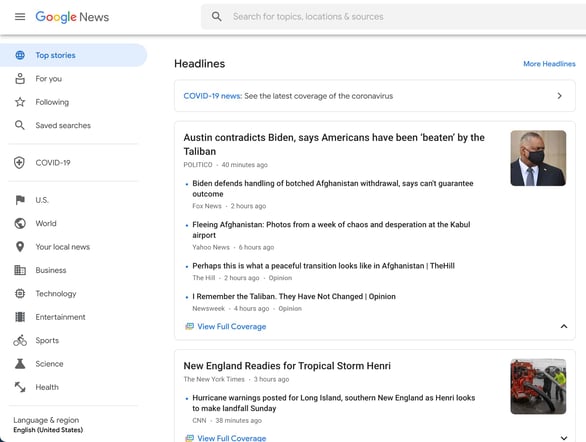
Google News
Google News displays the top news stories for the day, saving users a trip to their search engine. You can’t submit your content to the site as it is curated based on search history and location, but if your site gains traction, you increase the chances of being featured.
Users can also customize their feed by “following” certain topics, sources, or searches.
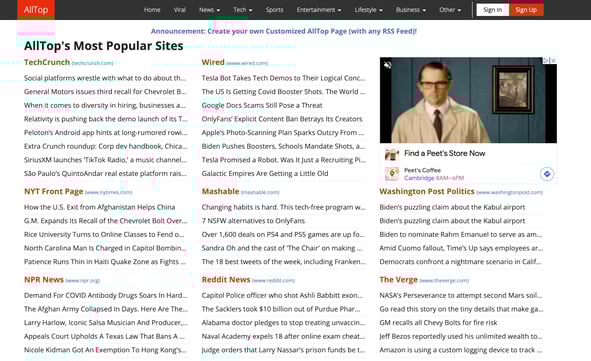
AllTop
AllTop aggregates content from various topics and sources, like top news sites and social media forums. Users can search for topics of interest and see the top stories or browse through the homepage.
AllTop sometimes accepts site submissions, so be sure to check back periodically if you want to feature your content.
Pocket is an aggregation site that features a wide variety of content that users can customize to meet their interests by clicking a “Follow” button. You can also bookmark content to read on-the-go on mobile devices — hence Pocket.

WP News Desk
WP News Desk is a unique aggregator site that focuses on content related to the WordPress community. You can’t submit your own content to be featured, but if you run a high-quality WordPress blog that is informative for users, you may find your site featured on the aggregator.
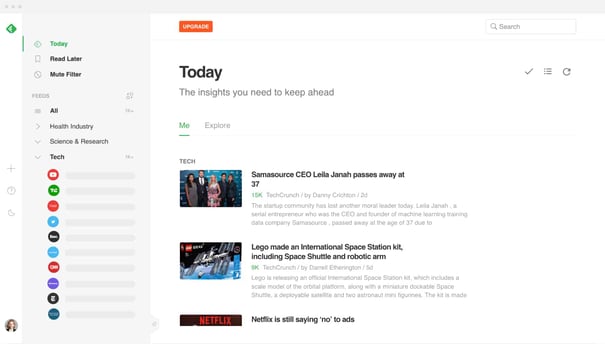
Feedly
Feedly is a content aggregation site that’s focused on helping users create their own feed so they aren’t overwhelmed with information overload.
This site has both free and paid plans, so users can aggregate content from as many sources as they want, and any niche they want.
Information Aggregator Websites
Information aggregation websites contain exactly that — information. This can include blog posts, news stories, links to social media content, and any information that users can benefit from.
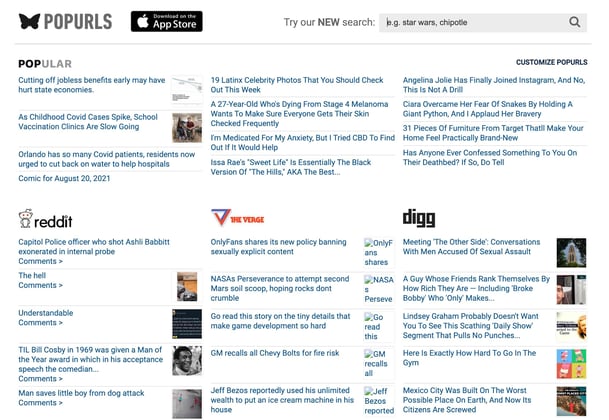
Populrs
Popurls is a popular information aggregator. That allows users to choose the platforms they want information from to create a custom feed. Some popular sites it pulls from are Reddit, Huffington Post, The Verge, Google, Wired, and YouTube.
While you can’t submit your site to be included in this aggregator, it’s still a powerful content aggregator to be aware of if you’re going to start using content aggregation.
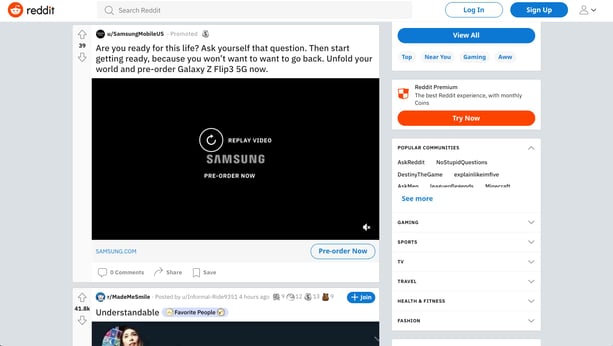
Reddit is one of the most popular information aggregator sites. It features trending topics from all different areas of interests, and is also a forum where people can comment and discuss the latest news. In addition, members of the site can submit content such as text posts, images, and links, so it’s great for marketers.
Social Media Aggregators
Social Media aggregators compile high-quality content from social media — Instagram, Facebook, YouTube, etc. Most social media aggregators help markets find user-generated content to share with their audience to build brand trust.
TaggBox
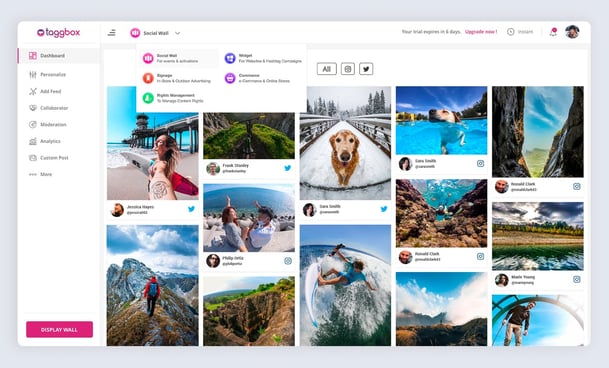
TaggBox is a social media aggregator focused on helping marketers develop brand trust and engagement through user-generated content. You create an account, select the tags that are relevant to your business, and you’re shown posts across different social media platforms that your audience has made about you.
You also have the option to create a social feed of user-generated content to display on your own website, helping site visitors see your content in action and generate trust from other consumers.
Tagembed
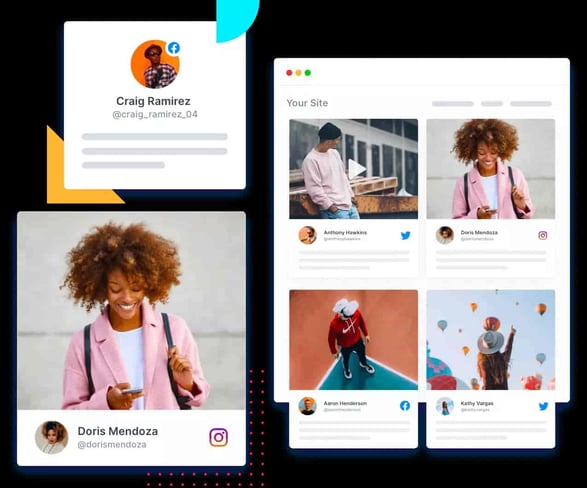
Tagembed collects and curates engaging social media content related to your business that you can then display on your website. You can generate a social feed from multiple sites, and share the custom content within your site for all users to see.
While it may not make up the core of your marketing plan, content aggregators are a unique and interesting tool for marketers to use to share their content and to gain exposure and become involved with your community.

Lead Conversion: Everything You Need to Know [+ Expert Tips]
So, you’ve designed a lead generation strategy and it’s working. Your website visitors are coming to your website, filling out your forms, and boom, you’ve got leads. Now what?
That’s the question I ask myself after re-watching all nine seasons of The Office for the 19th time. But it’s also the question we, as marketers, have to answer when consumers have passed that first threshold.
Once your visitors have shown an interest in your brand, how do you turn them into customers? That process is called a lead conversion.
Let’s dive into how to build your brand’s lead conversion strategy and how to improve your current conversion rate.

A lead goes through several stages before becoming a customer. They start as a lead, then grow into a marketing-qualified lead (MQL), and then become a sales-qualified lead (SQL). This means brands have to nurture their leads at every stage and create opportunities for them to take action toward becoming customers.
No two brands have the same process, as each will build a conversion path that is tailored to its leads. Below you’ll find a few tips on creating a lead generation strategy for your own business.
1. Gather information on leads.
Start with the data you have on your leads: source, industry, company, employee size, pain points – any information that will help you build a strategy that aligns with your leads’ needs.
Remind me to trademark “leads’ needs” after writing this article. Now, back to the important stuff.
“You will waste a lot of time building out a conversion strategy that is not based around facts about your audience,” says Marwa Greaves, Director of Global Messaging at HubSpot. “Ask yourself where your leads are. Are your leads most engaged in your newsletter? Your website? On messaging channels? Make sure you are meeting your audience where they are and not asking them to bend to your strategies.”
Jordan Pritikin, the Head of Email and Growth Marketing at HubSpot, also highlights another important element to consider.
“Understand why these leads are coming to your website in the first place. What is the underlying problem they are trying to solve?” says Pritikin. “If you can create email nurturing to help them solve that challenge, you’re much more likely to connect with them and convert them into a new customer.”
If you’re missing that information, work on obtaining it through forms and user research. From there, you can design a tailored conversion process.
2. Identify high-intent behaviors in each stage.
How do you know when a lead is ready to make a purchase? What behaviors will the lead exhibit? Having these answers is key to differentiating between leads who are ready to make a purchase and those who aren’t.
A lead who only reads your brand’s blog posts is likely not at the same purchase readiness as a lead who visits your pricing page. So, if you send an unqualified lead to the sales team, they will likely have a much harder time closing a sale.
How do you avoid that? Team up with your sales team to determine what signals low-intent and high-intent behaviors. Specifying those behaviors allows marketers to know what follow-up actions to take.
3. Use an SLA to align your sales and marketing teams.
A lead conversion strategy will struggle immensely without alignment between sales and marketing. One thing you’ll need to agree on is a handoff cadence that works for both teams. That’s where aservice-level agreement (SLA) comes in.
It’s typically used to outline an agreement between a business and a customer. However, it’s also used internally between sales and marketing teams to better align their lead conversion strategy.
An internal SLA should include each team’s goals, initiatives, and accountability measures for a given time frame, say Q1. That said, this agreement will require regular updates as priorities change with the business.
4. Build the lead conversion path.
Think of your lead conversion path as a trail of breadcrumbs guiding your leads to purchase. The path itself will include offers and calls-to-action to offer opportunities to convert.
Lead Conversion Strategy Example
Let’s use Zion, a fictional UK SaaS company, as an example. Zion’s sales and marketing teams have collaborated on an SLA, which includes the following: Marketing commits to sending 100 qualified leads to the sales team every month and the sales team commits to following up with those leads within a week of receiving them.
Both teams have also identified high-intent behaviors that will trigger automated emails and have implemented a lead scoring system. For instance, when a lead reaches a score of 95, this will automatically trigger an email sequence inviting the lead to schedule a product demo with a sales rep.
On the back end, that sales rep will receive a notification containing information on the lead, their activity, and a follow-up timeline. If the lead does not take action within a certain time frame, an automated, personalized email will be sent to the lead on behalf of the sales rep.
This is an example of the path Zion can build to convert leads, both on the customer-facing end and on the back-end between sales and marketing.
How To Calculate Lead Conversion
Calculating your lead conversion rate is simple: Take your total number of conversions, divide that by your total number of leads, and multiply by 100. That final number is your LCR.
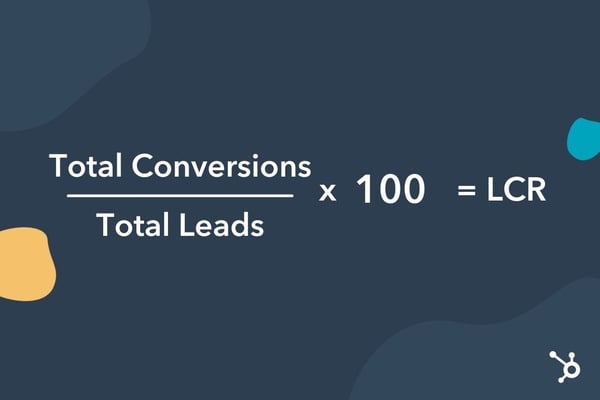
Example time: Let’s say from January to February, you generated 105 qualified leads. From those leads, 20 became customers. The formula will look like this: 20/105 x 100. This means the lead conversion rate for that month was 19.04%.
Average Lead Conversion Rates
Because lead conversion happens at several stages across various touchpoints, no single average can be used across industries.
Your brand would benefit more from looking at conversion rates at a more granular level, such as by channel (i.e., email conversion versus landing page conversion) and/or by stage (i.e., MQL-to-SQL rate).
Lead Conversion Strategies
1. Implement behavior automation.
There are two reasons to use automation: it saves time, and it scales well.
Let’s say a lead is sifting through testimonials on your website. That may indicate an interest in your product. With this in mind, why not automate a follow-up email that could bring the lead one step closer to a purchase? This could be a free trial offer or a product demo.
According to Pritikin, emails based on behavior perform much better than other types of automated emails. However, Greaves encourages brands to broaden their perspective when defining those behaviors that suggest purchase readiness.
“Activity-based triggers are an easy win for marketers, but think outside the box when creating them,” Greaves says. “It’s not just views on your pricing page that may require an automated follow-up, it could also be views of other customer stories or reviews on your site.”
Here is a list of behaviors that could benefit from automation. The lead:
- Reviews your pricing page
- Schedules a product demo
- Signs up for a free trial
- Engages often in email marketing
- Inquires about product features through chatbot, email, or other channels
- Downloads a high-intent content offer
Working with your sales team to recognize those key behaviors will be instrumental in automating follow-ups that convert.
2. Nurture your leads through email.
Email nurturing is the process of engaging your leads through email marketing with the end goal of turning them into customers. When nurturing leads via email, offering relevant and valuable information is key.
This is when the data piece becomes important. Using the information you’ve compiled on your leads, you can deliver content that piques their interest, aligns with their goals, and solves their challenges.
There are a few tips to make your emails stand out:
- Personalize your emails with the lead’s name.
- Use automation software to trigger actions based on email engagement.
- Segment your email list.
3. Leverage social proof.
When leads are considering your products or services, social proof can help nudge them toward a purchase. Examples of social proof include customer testimonials and reviews, which give leads a look into customers’ experiences with your brand.
They are best used when leads are in (or close to) the decision-making stage. So, you’ll often see them on landing pages and pricing pages.
User-generated content is another great use of social proof and can be incorporated into your social media and email marketing content.
4. Use lead scoring.
If you’re having trouble aligning your sales and marketing teams on MQLs and SQLs, lead scoring can help.
Lead scoring works by attributing points to actions taken by leads and helps marketers know where a lead falls in the funnel. It also helps sales reps prioritize leads and know which follow-up actions to take. It also ensures that both teams are qualifying leads in the same way.
A well-qualified lead means one that’s more likely to convert once they reach your sales team.
5. Retarget through PPC.
Retargeting is a great way to reach leads that have considered your brand before but weren’t quite ready to make a purchase. When you retarget them, you can re-introduce offers they may be interested in or present new ones that align better with their interests.
Retargeting is a proven method for lead generation. However, according to Greaves, it can also work well to turn leads into qualified leads. With the latest restrictions on cookies – commonly used for retargeting ads – brands will have to rely more on first-party data for their retargeting efforts.
Let’s go over some additional aways you can generating more leads.
1. Start with the analytics.
If your lead conversion is low, your first step should be looking at your analytics. Specifically, your conversion path over a broad time frame to determine if the low rate has been consistent or is recent.
If it’s the latter, narrow down the period when the dip started and see what could have led to this change. If it’s been consistent, you may need to run various experiments with your conversion path.
Greaves recommends looking at your conversion CTA placements and the difference between them. You’ll want to look for the difference between high-performing and low-performing CTAs. If there are steep drop-offs on certain pages, that could indicate friction with your forms, like the length or the order of the fields, or even the type of information requested.
If the data shows that leads drop off shortly after the handoff to the sales team, it could be that marketing over-promised on what could be delivered.
With so many potential causes, start with the data to lead you in the right direction. Pun intended.
2. Define what high-intent behavior means for your business.
Many brands may have lead qualification issues and not even know it. Marketing may be sending their sales team leads and later realize that those leads aren’t ready for sales engagement.
How do you identify the leads that are ready? It starts with gathering the correct information. First, reach out to your sales team to determine what information needs to be collected. Then, create a comprehensive list of high-intent behaviors and low-intent behaviors that the marketing team will use to segment leads.
This process can help pass on more qualified leads to the sales team and drive your conversion rate up.
3. Experiment with the conversion path.
Think of your lead conversion path as a house. I know you might be thinking, “Why not go with a road metaphor?” but stick with me for a second. Regardless of the condition in which you buy your house, there will always be room for improvement. Things to remove, fix, add, and revamp. And as your tastes change, so will your house’s look.
It’s the same with your path. There will always be room to improve your path. Besides, your leads’ interests, goals, and decision-making processes may change over time and require a different approach.
“Lead conversion requires a lot of experimentation. You will not succeed if you set one strategy and forget it,” Greaves says. “Creating an experimentation process that allows you to test every part of your flywheel will allow you to learn more about your leads and your own internal process than you would have before.”
Although the work is never fully done, every experiment you run will bring you that much closer to converting your leads.
4. Automate lead nurturing workflows.
When trying to scale your lead nurturing process, automation is the name of the game. Manually sending out personalized emails to your leads might have worked in the early days, but that will quickly get overwhelming as your business grows.
Automation allows you to maintain the same level of personalization at a quarter of the time and resources. Once you’ve set up your conversion path, automate the follow-ups that will be triggered when leads exhibit certain behaviors.
These tactics can not only save your team time but also streamline the conversion process so that no lead falls through the cracks. This practice also leaves room for your sales and marketing team to focus on big-ticket items.
The key takeaway here is that lead conversion isn’t a one-and-done process. It calls for strategy, cross-team collaboration, and a whole lot of experimentation.


11 Elements of Modern Web Design (And Web Design Trends to Watch)
Website design is changing. While some constants remain — such as the need for relevant, timely, and engaging content — additional elements that can boost website impact continually emerge.
Some of these elements help tell stories and explain the essence of your company, while others work to immediately capture user interest or improve the experience on any device. Using every element simultaneously isn’t required (this can lead to a cluttered and confusing experience), but selecting specific elements that align with your brand and website goals can help boost overall impact.
To help narrow your focus and find the best elements for your site, we’re breaking down the most important elements of modern website design you can implement to improve your site’s performance.

1. Unique Typography
Most companies have a particular font or typography that they use to help their customers immediately identify them versus their competitors. In recent years, designers have access to a larger selection of fonts making it easier for businesses to more accurately express their brands through typography.
For example, The New Yorker is recognized instantly through its use of the unique font, Adobe Caslon Pro.

Why is unique typography useful in modern web design?
Typography is a singular design element that gives a uniform look across each page on a website. For instance, The New Yorker website leads visitors from one section to another based on the typography and font sizes.
When creating your company’s brand, your choice in typography can indicate subtle hints about what you represent. Is your business fun or serious? Functional or informational? Regardless of what font you choose, be sure your designer considers its applicability across browsers and computers. Choosing a font that is not supported by common browsers and computers could mean that your website will display awkwardly on different devices.
2. Engaging & Responsive Hero Images
You don’t have to go far beyond the popular publishing website Medium to see an example of a great hero image.
 Images like this one do away with the concept of above and below the fold, instead offering a singular point of view. By focusing on just the image with text rather than a CTA or social buttons, Medium creates a strong visual experience that encourages you to scroll down to read more.
Hero images are also often placed in the background with text and other content overlaid on top. Regardless of the approach you utilize, large images can help visually tell your story without having to rely on just text.
Why is it useful?
Hero images set the tone for your website without the need for text or video — the right image can instantly give visitors a sense of what your brand is about, what you do, or what makes you unique. As a result, it’s a good idea to both brainstorm hero image ideas and get feedback from multiple sources to see which image offers the biggest impact.
3. Background Videos
Videos that automatically play in the background can add a lot of intrigue to a page. They can be used to tell a story and significantly reduce the amount of other content that is needed to explain your business.
Take Wistia’s website, for example. When you land on their homepage a large video automatically starts playing in the background, and by clicking on the play button, you get a deeper look at the company:

This background video serves as a brilliant way to get the visitor to click-through and stay on the page longer.
Why is it useful?
Background videos focus on enticing the visitor from the moment they land on your page. The video allows your visitor to understand the key points about your company without ever having to read a single line of text.
In addition, video is processed 60,000 times faster by our brains compared to text. While people are often hesitant to read heavy blocks of text, videos appear effortless and can be consumed very quickly. It also helps that connection speeds are increasing and mobile device sizes are growing, making for better video experiences.
4. Semi-Flat Design
Simply put, flat design is any element that does not include or give the perception of three dimensions, such as shadows. Not only is flat design easier for users to understand, but it can also load more quickly on websites without complicated or overly technical elements.
Many organizations — both large and small — have shifted from realistic skeuomorphism to flat design. However, companies like Uber have put their own spin on the style by adding subtle shadows and dimensions.
As you can see in the image below, the graphic elements have a sense of depth thanks to the shadows around them without overdoing it.

Why is it useful?
Flat design helps the visitor understand your content more quickly, and adding some elements of depth can bring it to life. Regardless of whether you fully design your website using flat design or utilize shadows and other elements, it’s important to be consistent throughout your website. Ensure that your homepage, product pages, and any other key sections of your website all utilize the same design cues so that visitors can instantly understand what they’re viewing.
5. Hamburger Menus
Most websites have long menus of options to choose from. The advantage of this is that the menu can take the visitor directly to where they want to go. The disadvantage is that they generally take up a ton of valuable screen space. The hidden, or hamburger, menu changes this. This condensed menu saves space and is intuitive for users to navigate.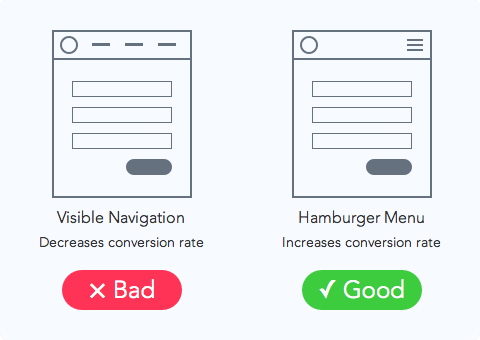
Wondering why it’s called a hamburger menu?
If you use your imagination, the three lines that are stacked on top of one another look like two burger buns and a patty. Clever.
Why is it useful?
The pages of your website should have a clear path for the user to take. Removing a busy navigation makes the experience cleaner and distraction free. This increases the likelihood that users will find the information they need to complete a desired action.
6. High-Quality Product Images
Many B2B websites are starting to display large product images on their sites to highlight different features or parts of their product, and this isn’t by accident.
To give you a better idea of what we’re talking about, let’s take a look at the product page for HubSpot’s Marketing Hub:
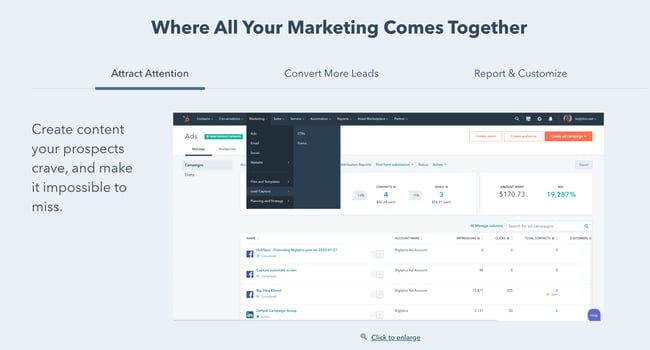
There is a large featured image on this page, and as you scroll down, you’ll find additional in-depth product images. The images are also responsive which aims to ensure an optimized experience for viewers coming from different devices, as we mentioned earlier.
Why is it useful?
High-quality product images help designers highlight different features of a product in a more efficient and effective way.
This approach reinforces the benefits of a feature by providing the opportunity to highlight the most valuable pieces.
These large images are also scan-friendly. They help visitors generate a solid understanding of what the different product features do by conveying them through images instead of words.
7. Card Design
With the rise of Pinterest, designers and marketers alike have become fascinated with cards. Individual cards help distribute information in a visual way so the visitors can easily consume bite-sized pieces of content without being overwhelmed.
Miiryia’s homepage serves as a great example of card design in action:

By breaking up different pieces of content into cards, users can pick and choose which articles they want to expand. This helps to keep the homepage feeling clean and organized, without relying on a ton of text.
Why is it useful?
Card design is becoming more and more popular across B2B and B2C websites because it helps to deliver easily digestible chunks of information for users. Using this design on your site can help highlight multiple products or solutions side-by-side.
Keep in mind that your cards should be responsive. This means that as the screen size gets smaller or larger, the number and size of cards shown should adapt accordingly.
8. Feature Videos
In addition to background videos, short product or feature videos are also on trend as they can be used to highlight a specific use case. These short videos are great at bringing your solution to life, while not overwhelming the visitor with a long experience that they must sit through.
A strong example of this comes from the folks at InVision. They display this short illustrator of how easy it is to use their product by dragging-and-dropping a design directly on their homepage:

Why is it useful?
B2B companies benefit from videos that explain their products to help positively influence the buyer’s decision-making process.
9. Mobile-Friendly Layouts

First-generation websites were designed for desktops. As a result, they were built to accommodate larger monitors and point-and-click mouse control. The rise of mobile devices, however, means that web traffic may come from multiple sources — and your website must deliver the same experience regardless of user device type.
In practice, this means creating mobile-friendly website layouts that leverage the principle of responsive web design, which allows website elements such as images, text and user interfaces (UIs) to automatically rescale and resize depending on the device used to access the site.
Why is it useful?
Mobile device traffic now accounts for more than 54 percent of all web traffic worldwide. This means that if your site isn’t mobile-friendly, you could be losing up to half of all prospective customers.
Consider a desktop-friendly site accessed by a smartphone user. If text, images and buttons don’t resize to match touchscreen controls and smaller screen size, it’s almost impossible for prospective customers to find what they’re looking for — after a few misclicks they’ll likely take their business elsewhere.
10. White Space
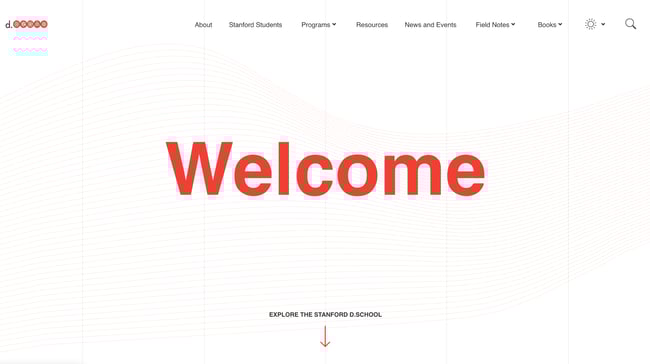
White space is an often-used element of minimalist web design, but is now a critical feature of effective modern site frameworks. By balancing content such as links, text and videos with similar amounts of white space, users are naturally drawn to key aspects of your site. While there’s no hard-and-fast standard for the amount of white space you need, a good rule of thumb is to create at least some white space between every content element.
Why is it useful?
Website navigation plays a critical role in user satisfaction. If visitors struggle to find your product or contact pages, they’re far less likely to click through and begin the conversion process.
White space helps focus user attention on the elements that matter most to your business. For example, if you have a featured product image or video at the top of your homepage, separate it from further content with white space. This helps it stand alone and highlights its importance compared to the rest of your site. If you surround it with visually noisy elements, however, the focus is quickly lost.
11. Speed Optimization

Having an engaging, content-rich website won’t help drive conversions if your site loads slowly and users point their browsers elsewhere. As a result, it’s critical to optimize all elements of your site for speed to reduce the amount of time between click and content.
In practice, this means optimizing all images to balance image quality and file size. For example, while PNG images offer higher quality and transparency, they’re much larger than JPEG images; in most cases JPEGs offer the best balance between speed and quality. GIFs, meanwhile, are ideal for animated images but use fewer colors, making them less-than-ideal for static images.
It’s also a good idea to compress any files hosted on your site — many modern compression tools can significantly reduce file size without any commensurate loss of function. Site owners should additionally consider their hosting environment: For example, dedicated or VPS hosting will typically provide faster site loading speeds than shared hosting solutions.
Why is it useful?
According to statistics from Google, as page load times increase from 1 second to 10 seconds, visitor bounce rate rises by 123 percent. The search giant also notes that despite the shift to more robust 4G connections, “the majority of mobile sites are still slow and bloated with too many elements.”
As a result, even small investments into website speed optimization can pay significant dividends, especially since landing page speed is now used by Google as a ranking factor for mobile searches and Google Ads.
The Elements of Style
Modern web design requires regular evaluation to ensure your site delivers compelling visuals, engaging content and offers a unified experience for users, regardless of device. The elements listed above offer a solid starting point to create stylish, streamlined, and speedy websites that capture user interest and help drive conversions.
Editor’s note: This post was originally published in August 2018 and has been updated for comprehensiveness.
![Blog - Website Redesign Workbook Guide [List-Based]](https://no-cache.hubspot.com/cta/default/53/4b5bb572-5d0e-45b8-8115-f79e2adc966b.png)

20 Technical Skills Every Marketer Needs
Traditionally, the marketing field emphasized creative thinking over technical skills. But to build a successful career as a marketer today, you need more than a knack for pitching ideas and coming up with clever copy.
That’s where technical skills come in. These skills are earned from experiences or education (think, data analysis, project management, and computer programming).
![→ Click here to download leadership lessons from HubSpot founder, Dharmesh Shah [Free Guide].](https://no-cache.hubspot.com/cta/default/53/4e634041-e1ce-4a85-8e65-aea12fc10b84.png)
Now more than ever, employers are emphasizing skills over pedigree. LinkedIn data from the past year shows a 20% increase in managers who don’t have a traditional four-year degree. This trend highlights the push toward skills-based hiring, which prioritizes a person’s capabilities over their credentials.
Hiring for skill rather than a degree is a good step forward for all, and it’s wise to leverage your strengths when going after a new role or promotion. That’s why you want to make sure you have the right technical skills for your career path to stay competitive and advance in your career.
Let’s walk through all you need to know about technical skills and which ones you should look to develop as a marketer.
What are technical skills?
Often known as hard skills, technical skills are easily defined and measured competencies you gain through training or education. They allow you to complete a job-specific task and often vary from one industry to another.
While technical skills are typically required for engineers, business analysts, mathematicians, and scientists, more industries than ever need employees with technical knowledge. In fact, Gartner found that 58% of the workforce needs new skills to successfully do their jobs. This is largely due to the digital transformation and massive increase in data, which requires people who can use technology to interpret data and take action to drive a company forward.
Before scrambling into a data analysis course, it’s important to realize that there are dozens of technical skills that don’t require you to become part marketer, part computer scientist. Let’s take a look at the different types of skills so you know which are right for you.
Types of Technical Skills
With rapidly advancing technology, nearly every role requires some sort of technical skill. Here are several types you may come across in the marketing world.

While the skills associated with creativity, negotiation, stress management, communication, and public speaking are usually considered “soft skills,” categories like technology and analytical thinking involve technical skills.
Similar to technical skills, soft skills are learned through experience or education. These skills are harder to measure, but you’ll need them to communicate with your team, negotiate a project deadline, come up with creative ideas, and prioritize your workload.
For example, a project manager may have a positive attitude and excellent time management skills (both soft skills), but understanding the ins and outs of the company’s CMS system (a technical skill) is crucial for timely deliverables and successful projects.
Here’s an overview of the types of technical skills needed for different marketing roles.
Digital Media and Design
- Graphic design software (Adobe InDesign, Photoshop, Illustrator, After Effects, Premiere)
- Content management systems (CMS)
- Image and file management
- Content curation
Project Management
- Project management software (such as Asana, Trello, or ClickUp)
- Budget planning
- Risk management
- Project planning
- Content management systems (CMS)
- Task management
Marketing and Content Creation
- Data analysis
- Campaign management
- Budgeting
- Content management systems (CMS)
- Interviewing
- Vendor management
- Pitching
- Copywriting
- Editing
- Researching and reporting
- SEO/SEM
- Digital ad management
- Social media marketing
- Content strategy
Technical Skills in the Workplace
Now that you know what type of technical skills apply to your field, how do you know which to develop? To understand which skills are most important for the future, LinkedIn performed a study to find the most in-demand skills—several of which apply to marketers.

Technical skills like analytical reasoning, affiliate marketing, and business analysis are essential to succeeding as a marketer. But you’ll need more than those to build a thriving career. To understand the skills you need in the workplace, start by looking at job descriptions for positions you want now — and in the future.
Hiring managers often create a list of “required” and “recommended” skills they want candidates to have. Required skills are often the technical skills you need to perform the job well after you’re hired, while recommended skills are capabilities the company is willing to help you develop through training.
Once you’ve scoured job descriptions and created a list of technical skills employers look for, it’s also smart to talk with your manager about the skills you need to advance your career. They should be able to point you in the right direction for your individual development.
If you work for a supportive company, your manager may offer resources to help you work toward those skills. This could include stipends for books, courses, certifications, or schooling. Or it could mean putting you on projects that give you hands-on experience, like managing the budget for a social campaign or designing the visuals for the weekly email newsletter.
Technical skills in marketing vary by role, so it’s important to do your research and consider your career path before asking your manager for help. If they don’t know which direction you want to go, they won’t be able to provide the specific skills you’ll need to get there.
Look at the examples below to highlight the skills you already have and learn more about which ones you may need.
Examples of Technical Skills in the Workplace
Digital Media and Design
- Graphic and web design (Adobe InDesign, Photoshop, Illustrator, After Effects, Premiere)
- UX/UI research and design
- Database management
- Animation
- Interactive media management
- Usability testing
- Photography
- Content management systems (Notion, Asana, Monday, Trello, WordPress, Squarespace, Wix)
- HTML, CSS, Java, or other coding languages
- Data visualization
- Video and audio production
- Typography
- Wireframing
- Prototyping
- Color theory
- User modeling
Project Management
- Microsoft Office
- Google Suite
- Content management systems (CMS)
- Project management software
- Budget planning
- Risk management
- Project planning
- Task management
Marketing
- Campaign management
- Managing budgets
- Search engine optimization (SEO)
- Search engine marketing (SEM)
- Content management systems (CMS)
- Vendor management
- Social media management
- Ad targeting
- Content strategy
- Brand positioning and strategy
- Paid media management
- A/B testing
- Digital strategy
- Email marketing
- Web analytics
- Automation software
- Conversion rate optimization
- Omnichannel strategy
- Event planning
- Product management
Content Creation
- Copywriting
- Technical writing
- Editing
- Pitching
- Researching and reporting
- UX copywriting
- SEO/SEM knowledge
- Content strategy and management
- Social media
- Email marketing
Analytics
- Data analysis
- Demographics reporting
- Digital media testing
- Google Analytics
- Microsoft Excel and PowerPoint
- MATLAB
- Python
- SQL and NoSQL
- Identifying key performance indicators
- Setting metrics benchmarks
- Linear algebra and calculus
- Data visualization
- Data cleaning
- Working with APIs
- Tagging
Technical Skills to Put on a Resume
After scanning the above lists, you may have more technical skills than you realized. So which should make it on your resume?
You want to highlight the skills you already have, or can easily develop, that are most relevant to the position. Aim for a list of 10-20 skills with a mix of both soft and technical skills. Pay attention to the skills listed in the “required” section of a job description because listing those on your resume will make you a more competitive candidate.
If you have a unique technical skill for your field that an employer is looking for (say, you’re a Social Media Manager and an Adobe InDesign whiz), bump it to the top of your skill list to make your resume stand out.
Keep in mind, certain skills are more in-demand than others. Here are the top 20 skills you should consider adding to your resume (if you have them), according to Indeed.
- Cloud computing
- Artificial intelligence
- Sales leadership
- Analysis
- Translation
- Mobile app development
- People management
- Video production
- Audio production
- UX design
- SEO/SEM marketing
- Blockchain
- Industrial design
- Creativity
- Collaboration
- Adaptability
- Time management
- Persuasion
- Digital journalism
- Animation
Of course, you don’t want to oversell your capabilities. Make sure you actually have every skill listed on your resume. If a future employer catches you in a lie, that will be the end of your opportunity for landing the job — and it could tarnish your reputation for future roles as well.
Importance of Technical Skills
Marketing, especially digital marketing, revolves around data. The global marketing data market is projected to grow to $52.3 billion in 2021, with nearly 62% of senior industry experts using a data-sharing solution to support their teams’ marketing and advertising efforts.
Marketers use data to connect with audiences, create innovative campaigns, convert people to customers, and keep buyers coming back. But leveraging data requires certain skills.
Having the sought-after technical skills lets you excel at your job and makes you a more competitive candidate for future roles. The more skills you have, the more opportunities you have to take on senior-level positions and earn a higher salary.
Consider the difference between the U.S. Bureau of Labor Statistics national wage estimates for Marketing Specialists versus Marketing Managers. Marketing Managers, who have considerably more experience and technical skills, make an estimated $80,500 more per year than Marketing Specialists.


The correlation between income and technical skills is also consistent with other industries. In 2021, the largest average salary premium in the North American technology industry was estimated to be nearly $24,969 for IT automation expertise, followed by AI and machine learning with $14,175, and fintech with $13,799.
Needless to say, learning technical skills is one way to boost your income. But it’s not all you need for long-term career success.
Soft Skills vs. Technical Skills
Creativity, critical thinking, collaboration, problem-solving, and emotional intelligence are common soft skills, which are just as important as technical skills for landing a job and growing your career.
Whether you’re a social media specialist or a digital media analyst, you’ll need certain soft skills to complement your technical knowledge and get the job done. Each marketing role has its own requirements, so do the same research that you did for the technical skills. If you get stuck, consider if you have any of the following in-demand soft skills.
- Ability to meet deadlines
- Decision making
- Handling criticism
- Attention to detail
- Critical thinking
- Teamwork
- Time management
- Multitasking
- Organizational skills
- Prioritizing
- Problem-solving
- Working independently
- Working remotely
- Collaboration
- Persuasion
- Adaptability
- Emotional intelligence
Technical Skills Over Time
Mastering the technical skills you need as a marketer is never done. Technology evolves, algorithms change, and new social media platforms pop up often.
To stay on top of your game, you have to keep your technical skills sharp. Use them as frequently as possible, and pick up new skills when needed. I’ve witnessed many situations where a junior marketing hire teaches a seasoned pro a thing or two about developing a social media strategy or how to reach a certain audience.
Honing your technical skills is a life-long process. So never assume you’re safe to kick back and do well at your job without learning anything new. And when you do pick up a new skill or enhance a skill that you have, add it to your resume and LinkedIn profile.
Because for any role, employers want candidates who have the skills they need to do their job effectively and drive company growth.


Direct vs. Indirect Competition, Explained
Competition is essential for growth, but only when a business properly evaluates its competitors and betters itself to keep up. Even in marketing, analyzing the competition is healthy and can help inspire you to learn and adapt the business to better meet consumer needs.
Part of the way to do this is by understanding direct and indirect competition and how each can impact your work. Once you know the differences, you can determine how to best identify and evaluate your competitors — both direct and indirect.
What is direct competition?
When you think of a marketing competitor, you likely think of your direct competitors. Direct competitors are other businesses offering the same services for the same client needs in the same market as you.
So, let’s say your marketing firm primarily works with restaurants in the western U.S. There are certainly other firms focused on restaurant marketing specifically in the western U.S., and those firms would be your direct competition.
Even the smallest markets will have direct competition, which is important to prevent monopolies.
![→ Download Now: Market Research Templates [Free Kit]](https://no-cache.hubspot.com/cta/default/53/6ba52ce7-bb69-4b63-965b-4ea21ba905da.png)
Direct Competition Examples
There are many examples of direct competition. McDonald’s, Wendy’s, and Burger King are all direct competitors. Similarly, consider the infamous fast-food chicken sandwich wars, when major restaurant chains like Popeyes, KFC, Wendy’s, Zaxby’s, and more all launched chicken sandwiches to appeal to the same consumer base across the U.S..
Competition doesn’t just apply to huge, national or international brands. Two women’s fashion boutiques in a small, rural town are also direct competitors.
Digital companies also see direct competition. For example, Instagram and Snapchat offer very similar features, like disappearing stories and direct messaging, to their target audiences.
Indirect Competition Examples
Let’s say we have a client base in a small town. The customers are hungry, and often frequent the main drag to have dinner. Here, there are four major restaurants — all of which offer different types of food. Although the products they offer are different, the restaurants all stand for the same purpose: to feed hungry clientele in the town.
Similarly, consider a client who needs to buy gifts for a birthday party. One store sells clothing. A store across the street sells jewelry. Despite the different products, the two stores are competing for the same customer.
Direct and Indirect Competition in Marketing
When it comes to marketing, knowing your direct and indirect competition can help you improve your campaigns and even reach new audiences.
The aforementioned chicken sandwich wars are a great example here. Popeyes launched its highly touted fried chicken sandwich with a powerful marketing campaign. Direct competitors — other fast-food restaurants that sell chicken sandwiches — were able to use marketing to showcase their own entries into the so-called competition.
The result? The chicken sandwich wars have been heavily covered by major media for the past couple years. Customers have lined up in droves at various fast food restaurants to try the latest and claimed-to-be-greatest chicken sandwiches.
On the other hand, analyzing your indirect competition can help marketers tap into a wider audience. If you know people shopping for gifts are choosing between your store and similar shops that offer different products, you can create campaigns to draw in those customers. Digitally, indirect competitors might be targeting the same keywords, and understanding that can help boost SEO and get your business to the top of the search engine results page (SERP).
1. Customer Feedback
One quick way to identify your competitors is to ask your current clients or potential clients. For example, if you have a potential customer come in with questions about your products or services, ask them some other businesses they are considering for this purchase. Send feedback surveys that ask customers what other brands they were considering and why they went with yours.
2. Market Research
This requires some digging on your end. If you have a brick-and-mortar, you’ll need to review similar stores, their websites, and their social media to get a better idea of their businesses. Customer surveys can also fall into the market research category.
3. Social Media
Many people share their purchasing experiences on social media and forum websites like Reddit. Check out the recommendations people are sharing for products or services that you also sell to help identify top competitors in your market.
4. Keyword Research
For indirect competitors, turn to keyword research. You can use the keywords you are targeting to identify other businesses that are targeting the same keywords, and ultimately, the same top spot on the SERP and the same audience.
5. Review the SERP
Speaking of the SERP, it can also be a handy tool to identify your competitors. Search your keywords to find what businesses are ranking highly for these keywords to see your indirect competitors.
Tracking and Analyzing Competitors
Now you know the differences between direct and indirect competitors, and you’ve narrowed down a list of both related to your business. What next?
It’s time to conduct a competitive analysis, which will help you improve your own business strategies when comparing them to your competitors.
There are several items to include in a competitive analysis: direct and indirect competitors, products/services sold, competitors’ sales tactics, pricing and sales, marketing and content strategies, and social media and websites.
This comprehensive data will give you a better idea of how your competitors are operating on every level, from the products they sell to their customer service, all online and offline.
Researching competitors, products, services, keywords, and marketing tactics adds up to a lot of data that needs sorted and organized, so HubSpot’s competitive analysis templates can make light work of these tasks.
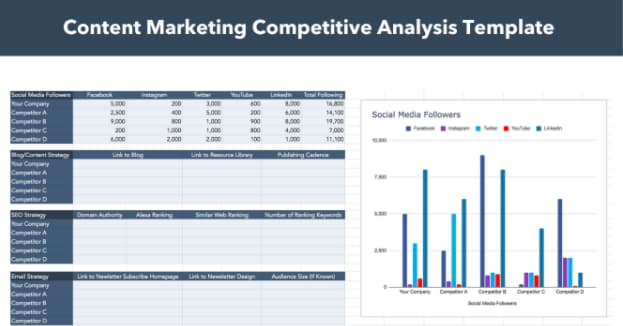 For example, this Content Marketing Competitive Analysis Template can help you track competitors’ strategies across social, blogs, email, and SEO.
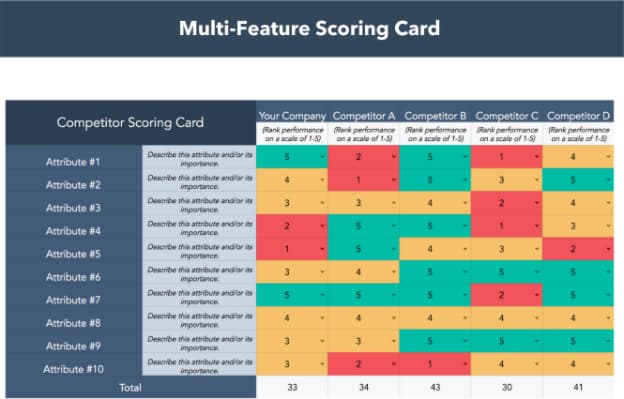 This multi-feature scorecard will allow you to compare your company to its competitors based on a number of customizable attributes.
There are many different templates to consider when creating a visual competitive analysis, so find the one that best suits your needs. You might find using multiple for different comparisons can also be useful.
Use Direct and Indirect Competition Analysis to Your Benefit
A little healthy competition never hurt anybody, but you have to know how to play the game. By identifying and analyzing your competitors, you can get a leg up on the competition by improving your marketing strategies, focusing on your target audience, and reaching potential new clients.


Data Ingestion: What It Is Plus How And Why Your Business Should Leverage It
A scaling business is bound to have data stored across multiple sources (e.g. databases, files, live data feeds). Even individual teams within a department — such as Content Marketing, Brand Strategy, and SEO — likely use multiple data sources simultaneously.
It’s important to ensure you have a way of viewing, visualizing, and analyzing all of that data at once. This gives you a complete picture of the health of everything related to your business, from small projects to team projections to overall business success.
![Download Now: 2021 State of RevOps [Free Report]](https://no-cache.hubspot.com/cta/default/53/78dd9e0f-e514-4c88-835a-a8bbff930a4c.png)
Data ingestion is the process that can efficiently get all of your data in one place.
Data Ingestion
At a high level, data ingestion prepares your data for analysis. In this blog post, we’ll cover the definition of data ingestion in greater detail, describe its importance, review the data ingestion framework, and highlight a few tools that will make the process simple for your team. Let’s dive in.
What is data ingestion?
Data ingestion prepares your data for analysis. It’s the process of transporting data from a variety of sources into a single location — often to a destination like a database, data processing system, or data warehouse — where it can be stored, accessed, organized, and analyzed.
This process allows businesses to get a holistic view of their data in order to leverage and apply resulting insights and findings in their strategies.
Why is data ingestion important?
You may be wondering why data ingestion is so important and why your marketing team — and business as a whole — should leverage it.
As mentioned, data ingestion provides a single view of all of your data. Without the ability to access, review, and analyze all of your data at the same time — versus having to check multiple data sources which visualize your data in different formats — you wouldn’t have a clear or accurate picture of what’s doing well and what needs to be improved upon.
Data ingestion tools exist to make this process even easier by automating the process of integrating all of your data from various sources. This way, anyone on your team can access and share that data in a format and via a tool that are universal among your organization.
Data Ingestion Framework
The data ingestion framework is how data ingestion happens — it’s how data from multiple sources is actually transported into a single data warehouse/ database/ repository. In other words, a data ingestion framework enables you to integrate, organize, and analyze data from different sources.
Unless you have a professional create your framework for you, you’ll need data ingestion software to make the process happen. Then, the way that the tool ingests your data will be based on factors like your data architectures and models.
There are two main frameworks for data ingestion: batch data ingestion and streaming data ingestion.
Before we define batch versus streaming data injection, let’s take a moment to decipher the difference between data ingestion and data integration.
Data Ingestion vs. Data Integration
Data integration takes data ingestion a step further — rather than just stopping after the data is transported to its new location/ repository, data integration also ensures all data, no matter what type it is or which source it came from, is compatible with each other as well as the repository it was transported to. That way, you can easily and accurately analyze it.
1. Batch Data Ingestion
The batch data ingestion framework works by organizing data and transporting it into the desired location (whether that’s a repository, platform, tool etc.) in groups — or batches — periodically.
This is an effective framework unless you have large quantities of data (or are dealing with big data) — because, in those instances, it’s rather a rather slow process. It takes time to wait for batches of data to be transported and you wouldn’t have real-time access to that data. However, this is known to be a cost-effective option due to the fact it requires few resources.
2. Streaming Data Ingestion
A streaming data ingestion framework transports data continuously and the moment it’s created/ the system identifies it. It’s a helpful framework if you have a lot of data that you need access to in real-time, but it is more expensive due to the capabilities that batch processing doesn’t have.
Data Ingestion Tools
Data ingestion tools integrate all of your data for you — no matter the source or format — and house it in a single location.
Depending on the software you choose, it may only perform that function, or it may assist with other aspects of the data management process, such as data integration — which entails transforming all data into a single format.
1. Apache Gobblin
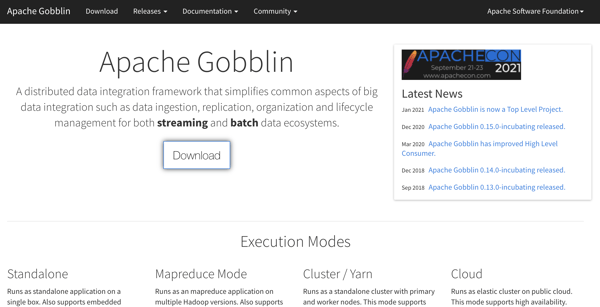 Apache Gobblin is a distributed data integration framework and it’s ideal for businesses working with big data. It streamlines much of the data integration process, including data ingestion, organization, and lifecycle management. Apache Gobblin can manage both batch and streaming data frameworks.
2. Google Cloud Data Fusion
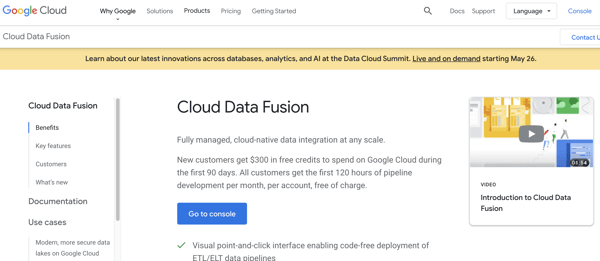
Google Cloud Data Fusion is a fully managed, cloud data integration service. You can ingest and integrate your data from a number of sources and then transform and blend it with additional data sources. This is possible because the tool comes with many open-source transformations and connectors which work with various data systems and formats.
3. Equalum

Equalum is a real-time, enterprise-grade data ingestion tool that integrates batch and streaming data. The tool collects, manipulates, transforms, and synchronizes data for you. Equalum’s drag-and-drop UI is simple and doesn’t require code so you can create your data pipelines quickly.
Start Using Data Ingestion
Data ingestion is a critical aspect of data management — it ensures all of your data is accurate, integrated, and organized so that you can easily analyze it on a large scale and get a holistic view of the health of your business.

What is a Business Plan? Definition, Tips, and Templates
In an era where more than 50% of small enterprises fail in their first year, having a clear, defined, and well-thought-out business plan is a crucial first step for setting up a business for long-term success.
The business plan is an undeniably critical component to getting any company off the ground. It’s key to securing financing, documenting your business model, outlining your financial projections, and turning that nugget of a business idea into a reality.
Business plans are a required tool for all entrepreneurs, business owners, business acquirers, and even business school students. But … what exactly is a business plan?
In this post, we’ll explain what a business plan is, the reasons why you’d need one, identify different types of business plans, and what you should include in yours.

Business Plan Template [Download Now]

Working on your business plan? Try using our Business Plan Template. Pre-filled with the sections a great business plan needs, the template will give aspiring entrepreneurs a feel for what a business plan is, what should be in it, and how it can be used to establish and grow a business from the ground up.
Purposes of a Business Plan
Chances are, someone drafting a business plan will be doing so for one or more of the following reasons:
1. Securing financing from investors.
Since its contents revolve around how businesses succeed, break-even, and turn a profit, a business plan is used as a tool for sourcing capital. This document is an entrepreneur’s way of showing potential investors or lenders how their capital will be put to work and how it will help the business thrive.
All banks, investors, and venture capital firms will want to see a business plan before handing over their money, and investors typically expect a 10% ROI or more from the capital they invest in a business.
Therefore, these investors need to know if – and when – they’ll be making their money back (and then some). Additionally, they’ll want to read about the process and strategy for how the business will reach those financial goals, which is where the context provided by sales, marketing, and operations plans come into play.
2. Documenting a company’s strategy and goals.
A business plan should leave no stone unturned.
Business plans can span dozens or even hundreds of pages, affording their drafters the opportunity to explain what a business’ goals are and how the business will achieve them.
To show potential investors that they’ve addressed every question and thought through every possible scenario, entrepreneurs should thoroughly explain their marketing, sales, and operations strategies – from acquiring a physical location for the business to explaining a tactical approach for marketing penetration.
To show potential investors that they’ve addressed every question and thought through every possible scenario, entrepreneurs should thoroughly explain their marketing, sales, and operations strategies – from acquiring a physical location for the business to explaining a tactical approach for marketing penetration.
These explanations should ultimately lead to a business’ break-even point supported by a sales forecast and financial projections, with the business plan writer being able to speak to the why behind anything outlined in the plan.
3. Legitimizing a business idea.
Everyone’s got a great idea for a company – until they put pen to paper and realize that it’s not exactly feasible.
A business plan is an aspiring entrepreneur’s way to prove that a business idea is actually worth pursuing.
As entrepreneurs document their go-to-market process, capital needs, and expected return on investment, entrepreneurs likely come across a few hiccups that will make them second guess their strategies and metrics – and that’s exactly what the business plan is for.
It ensures an entrepreneur’s ducks are in a row before bringing their business idea to the world and reassures the readers that whoever wrote the plan is serious about the idea, having put hours into thinking of the business idea, fleshing out growth tactics, and calculating financial projections.
4. Getting an A in your business class.
Speaking from personal experience, there’s a chance you’re here to get business plan ideas for your Business 101 class project.
If that’s the case, might we suggest checking out this post on How to Write a Business Plan – providing a section-by-section guide on creating your plan?
1. Business Plan Subtitle
Every great business plan starts with a captivating title and subtitle. You’ll want to make it clear that the document is, in fact, a business plan, but the subtitle can help tell the story of your business in just a short sentence.
2. Executive Summary
Although this is the last part of the business plan that you’ll write, it’s the first section (and maybe the only section) that stakeholders will read. The executive summary of a business plan sets the stage for the rest of the document. It includes your company’s mission or vision statement, value proposition, and long-term goals.
3. Company Description
This brief part of your business plan will detail your business name, years in operation, key offerings, and positioning statement. You might even add core values or a short history of the company. The company description’s role in a business plan is to introduce your business to the reader in a compelling and concise way.
4. The Business Opportunity
The business opportunity should convince investors that your organization meets the needs of the market in a way that no other company can. This section explains the specific problem your business solves within the marketplace and how it solves them. It will include your value proposition as well as some high level information about your target market.
5. Competitive Analysis
Just about every industry has more than one player in the market. Even if your business owns the majority of the market share in your industry or your business concept is the first of its kind, you still have competition. In the competitive analysis section, you’ll take an objective look at the industry landscape to determine where your business fits. A SWOT analysis is an organized way to format this section.
6. Target Market
Who are the core customers of your business and why? The target market portion of your business plan outlines this in detail. The target market should explain the demographics, psychographics, behavioristics, and geographics of the ideal customer.
7. Marketing Plan
Marketing is expansive, and it’ll be tempting to cover every type of marketing possible, but a brief overview of how you’ll market your unique value proposition to your target audience, followed by a tactical plan will suffice. Think broadly and narrow down from there: Will you focus on a slow-and-steady play where you make an upfront investment in organic customer acquisition? Or will you generate lots of quick customers using a pay-to-play advertising strategy? This kind of information should guide the marketing plan section of your business plan.
8. Financial Summary
Money doesn’t grow on trees and even the most digital, sustainable businesses have expenses. Outlining a financial summary of where your business is currently and where you’d like it to be in the future will substantiate this section. Consider including any monetary information that will give potential investors a glimpse into the financial health of your business. Assets, liabilities, expenses, debt, investments, revenue, and more are all fair game here.
9. Team
So, you’ve outlined some great goals, the business opportunity is valid, and the industry is ready for what you have to offer. Who’s responsible for turning all this high-level talk into results? The “team” section of your business plan answers that question by providing an overview of the roles responsible for each goal. Don’t worry if you don’t have every team member on board yet, knowing what roles to hire for is helpful as you seek funding from investors.
10. Funding Requirements
Remember that one of the goals of a business plan is to secure funding from investors, so you’ll need to include funding requirements you’d like them to fulfill. The amount your business needs, for what reasons, and for how long will meet the requirement for this section.
Types of Business Plans
There’s no one size fits all business plan as there are several types of businesses in the market today. From startups with just one founder to historic household names that need to stay competitive, every type of business needs a business plan that’s tailored to its needs. Below are a few of the most common types of business plans. For even more examples, check out these 11 sample business plans to help you write your own.
1. Startup Business Plan
As one of the most common types of business plans, a startup business plan is used for brand new business ideas. This plan is used to lay the foundation for the eventual success of a business.
The biggest challenge with the startup business plan is that it’s written completely from scratch. Startup business plans typically reference existing industry data and explain unique business strategies and go-to-market plans.
2. Business Acquisition Plan
Believe it or not, investors use business plans to acquire existing businesses, too — not just new businesses.
A business plan for an existing company will explain how an acquisition will change its operating model, what will stay the same under new ownership, and why things will change or stay the same. Additionally, the business plan should speak to what the current state of the business is and why it’s up for sale.
For example, if someone is purchasing a failing business, the business plan should explain why the business is being purchased and what the new owner will do to turn the business around, referencing previous business metrics, sales projections after the acquisition, and a justification for those projections.
3. Business Repositioning Plan
When a business wants to avoid acquisition, reposition its brand, or try something new, CEOs or owners will develop a business repositioning plan.
This plan will:
- Acknowledge the current state of the company.
- State a vision for the future of the company.
- Explain why the business should (or must) be repositioned.
- Outline a process for how the company will adjust.
Companies planning for a business reposition do so – proactively or retroactively – due to a shift in market trends and customer needs. For example, Pizza Hut announced a plan to drastically overhaul its brand, as it sees the need to shift from dine-in to delivery – a decision resulting from observing years of industry and company trends and acknowledging the need to reposition itself for the future of its sector.
4. Expansion Business Plan
Expanding a successful business venture into another location typically requires a business plan, as the project may focus on a new target market and demand more capital.
Fortunately, an expansion business plan isn’t like a startup business plan in that it starts from scratch. Instead, this type of plan references sales, revenue, and successes from existing locations. However, as great as a reference as these points can be, it’s important to not be too reliant on them since it’s still a new business that could succeed or fail for a myriad of reasons.
Getting Started With Your Business Plan
At the end of the day, a business plan is simply an explanation of a business idea and why it will be successful. The more detail and thought you put into it, the more successful your plan – and the business it outlines – will be.
When writing your business plan, you’ll benefit from extensive research, feedback from your team or board of directors, and a solid template to organize your thoughts. If you need one of these, download HubSpot’s Free Business Plan Template below to get started.
Editor’s note: This post was originally published in August 2020 and has been updated for comprehensiveness.


How to do a Website Audit to Improve SEO & Conversions
When was the last time you gave your website a checkup? If you’ve never before audited your website, it’s been a while since you have, or you’re planning a website redesign in the near future, use this post as your go-to website audit checklist to make sure your website is primed for maximum SEO and conversion results.

Below, let’s learn what a website audit is, why it’s important, and how to use the information to improve your SEO and conversions.
Before we dive into the things you should be keeping an eye out for as you’re auditing your website, let’s review some of the benefits of doing one. Here are some of the top benefits from a marketing perspective:
1. Website Performance Optimization
Website audits usually evaluate a site not only for its content but also for its technical performance.
As a result, an audit will give you a chance to inspect the robustness of your website’s technical framework and infrastructure, assess how friendly your website is to search engines, and determine how easy it is for users to navigate and intuitively find content on your website.
2. Search Engine Optimization
By conducting a website audit, you’ll be able to identify any missed SEO opportunities and remedy any misguided or poorly executed SEO pitfalls (e.g. keyword stuffing, exact match anchor text links, etc.) throughout the content of your website.
It will also allow you to re-focus your SEO efforts on users first and search engines second. This will safeguard you from constantly chasing changes to search ranking algorithms, meaning you won’t be applying misguided practices just to show up at the top of the search engine results pages (SERPs).
3. Conversion Rate Optimization
Website audits also enable you to re-evaluate the effectiveness of your website in terms of lead generation and conversion. As a result, you’ll be able to spot any previously overlooked opportunities to convert visitors into leads so you can add relevant CTAs, as well as identify deficiencies in your landing pages so you can optimize them to boost conversions.
4. Competitive Analysis
Conducting a website audit will allow you to compare your website to your competitor’s. You can analyze how well you’re ranking against competitors for keywords and determine potential new sources of revenue.
You can use tools, like HubSpot’s website grader, to perform an audit on your competitor’s websites to gather more insights. You can learn how your competitors are attracting visitors and see how they’re garnering conversions.
Ultimately, this will help you brainstorm new tactics and strategies for your site.
5. Identify Issues
When you do a website audit, you’ll be able to find issues that are hurting your SEO and conversions. Perhaps it’s broken links, hidden content, long page load speed times, or more. Identifying these issues will help you repair issues that are diverting traffic.
As you can see, assessing both the content and technical aspects of your website will open up opportunities to drastically improve the traffic and conversions your website generates.
Now that you know what a website audit is and why you should do one, let’s look at how to conduct one.
1. Run Your Website URL through a Site Audit Tool
Before you get started, you’ll want to find a website auditing tool that can help you analyze how your website is performing. When you use site audit software to run your site through, you can get specific recommendations and test how your page is performing.
2. Find Technical Errors
Once you’ve put your site through an auditing tool, you’ll want to look for technical errors. These could be related to performance, SEO, mobile, security, and more. The technical site structure and setup of your site play a large role in how well your website performs for customers.
3. Identify SEO Problems
Now, you’ll want to look at SEO-related issues so you can improve your ranking on search engines. This might mean looking at meta descriptions, reviewing image alt text, and more.
4. Analyze Design and UX
One of the things I like to look for when conducting a website audit is the user experience. How is this design working for your customers? Some software has heatmaps of what parts of your design draw the most attention and what users are reading. This type of analysis will let you know how the overall design and user experience are impacting your visitors.
5. Assess Website Content
A website audit will help you assess website content including blogs, website pages, etc. You’ll want to know how your current pages are stacking up. Ask yourself, “Is my content ranking well in search engines?” and “Is my on-page SEO and performance aligned with my traffic numbers?”
6. Generate a Checklist of All Site Issues and Recommended Fixes
Lastly, when you’re conducting a website audit, it’s important to have a place where you put a summary of all your findings. List out the site issues and recommended fixes, so that you can send that information to the appropriate teams.
Now let’s dive in even more specifically so you know what to be checking for in this website audit.
Assessments to Make When Auditing Your Website
But first, enter your website into HubSpot’s Website Grader — this will give you a general overview of your website’s strengths so you can gauge your focus on each of the assessments that follow in this article.

How’d you do? Got an idea of which website audit benefits you need the most? Here we go.
1. Website Performance Assessment
In the first part of your website audit, you should be focusing on how users navigate your website — from your homepage to blog posts, to landing pages, and any related content in between.
Make a list of the pages on your website and ask yourself the following questions to evaluate them for optimization opportunities:
Is Your Website Optimized for Maximum Usability?
The more visitors you can attract to your website, the more opportunities you’ll have to generate leads and, ultimately, customers. But only if your website performs well.
As I’m sure you can imagine, just having a website does not guarantee results. As part of determining the overall efficiency of your website, your audit should check to make sure your site is designed with your visitors in mind. The design and overall navigability of your website should correspond with what a person would come to the site to seek out, such as more information on a business-related topic, resources, product/pricing information, testimonials, etc. This will largely depend on your individual business.
The main goal here is to make it easy for people to get the information they’re looking for. As a result, you’ll likely see conversion rates improve on their own.
To audit your website for usability, consider the following:
- Are all the main value propositions of our business easily accessible via our main navigations/menu items?
- Do we have a simple yet intuitive website design and page layout? Make sure pages aren’t too cluttered; littered with ads, CTAs, or links; or void of internal links altogether.
- Are your conversion paths and/or shopping cart or checkout processes intuitive? Are there a ton of distractions along the way that could be creating friction for your site visitors?
You might also consider doing some user testing with members of your target audience to ensure you’re effectively surfacing the content they’re looking for, and that they find it easy to navigate to the parts of your website they’re interested in.
How Is Your Website’s Overall Speed?
Are there excessive page sizes and/or long page load and server response times? Does your site go down frequently? Site speed can be impacted when image files are too large or HTML and CSS needs to be cleaned up, all of which can drastically improve your site speed.
Ultimately, fast-loading and optimized pages will lead to higher visitor engagement, retention, and conversions. To quickly check a web page’s load time, download MozBar, a toolbar by Moz that you can attach to your browser for simple page analysis every time you visit a website.
2. SEO Assessment
Optimizing the performance of your website is crucial to holding onto visitors, but the above question isn’t the only one you should be asking. You should also audit the content you’re publishing to ensure it’s actually solving your visitors’ problems.
Is Your Website Content High Quality?
As you evaluate your content for quality, think about it from your target audience’s perspective. Did this information leave me satisfied? Did it answer all of my questions? Does it give me all the resources relevant to this topic? Do I know what to do next?
Keep in mind quality content should appeal to the interests, needs, and problems of your buyer personas; be interesting and well-written, provide valuable, thorough, and detailed information about a particular topic; and leave the reader with next steps (such as calls-to-action, links to resources, etc.).
If you’re still not sure if your content is high quality, evaluate it with this checklist:” How to Tell if Your Marketing Content Is Actually Valuable.”
Is Your Website Search Engine Optimized?
Make sure all your web pages are following on-page SEO best practices. To audit your content for on-page SEO, conduct a keyword analysis in which you do the following:
- Consult your analytics to review keyword performance. Which keywords are giving you the biggest gains in traffic and leads?
- Assess how well you’re factoring keyword performance into your content strategy. How much relevant content are you adding to your website to target those keywords?
- Review basic on-page SEO elements like URLs, page titles, meta description, and copy. Make sure keywords are included where relevant.
To help you conduct an on-page SEO audit of your content, read the “Step-by-Step Guide to Flawless On-Page SEO,” which also includes a free downloadable on-page SEO template to keep you on track.
3. Conversion Rate Assessment
While high-quality, search engine optimized content is a great way to boost your traffic numbers, it’s what happens once those visitors are on your website that really counts. Unless of course, you don’t care about conversions (ha!).
Is Your Website Optimized for Lead Generation and Conversions?
This is where optimized calls-to-action (CTAs), marketing offers, and landing pages play a major role in the performance of your website. Not only do they offer you opportunities to capture visitors’ information so you can follow up with leads, but they also keep your visitors engaged with your content and your brand.
To audit your website for maximum conversion potential, ask yourself the following questions:
- How many marketing offers do I have in my content arsenal to gate behind landing pages?
- Do I have a variety of marketing offers that appeal to all my different buyer personas?
- Do I have any landing pages/conversion forms on my website to begin with?
- How optimized are those landing pages?
- Do I have conversion opportunities for visitors in varying stages of the funnel?
- Am I using calls-to-action effectively? Am I missing opportunities to include calls to action on various pages of my website?
To learn more about CTA selection, check out our post, ” How to Select the Right CTA for Every Page on Your Website.”
4. Technical Assessment
Once you’ve addressed the three primary goals of a website audit, it’s time to loop in a developer or someone from your IT department for a technical evaluation. You could also hire an outside agency — just be sure to do your homework first.
Keep in mind that there may be some carry-over from the three assessments above — website performance, SEO, and conversion rate. The technical evaluation, however, addresses all three to maximize the user experience (UX).
Here’s what you should be looking for in the technical assessment stage of your website audit …
Is Your Website Design Responsive?
Does your website have a responsive design? Meaning, is it a mobile-friendly website? The usage of smartphones to access the internet is only growing. As of 2017, mobile devices account for half of all web page views worldwide. As a result, websites must be compatible with that growing demand.
For more on mobile compatibility, check out our “Ultimate Cheat Sheet for Mastering Mobile Marketing.”
Is Your Website Error Message Free?
Are response code errors popping up all over your website where there shouldn’t be any? Calling out 302-, 404-, and 500-level response codes can be useful to tell users that something’s wrong.
However, having this happen is also an indication that someone isn’t cleaning up broken links and, as a result, leading users to dead ends. Find those error messages and clean up your broken links. Tools like Google’s Webmaster Tools or Xenu’s Link Sleuth can be very helpful for this.
Are Your Website URLs Optimized?
Does your site have URLs of excessive length due to keyword stuffing? Do they contain session IDs and/or include tons of dynamic parameters? In some cases, these URLs are difficult for search engines to index and result in lower clickthrough rates from search results.
Does Your Website Have Too Much Flash or JavaScript?
Identify areas of your navigation that are entirely Flash or JavaScript. Search engines have challenges reading and accessing these, which could prevent your site from getting indexed.
Furthermore, these elements present problems from a usability perspective. Visitors are often looking for a very specific piece of information when visiting your site; if they have to sit through a 10-second visual introduction before they can find your hours of operation, you’re going to have a pretty frustrated visitor on your hands.
Is Your Site Structure Optimized for Search Engines?
We already talked about site structure as it relates to accessing content and usability for users, but it’s also important to make sure your site structure is optimal for search engines. If pages on your site are not internally linked to other pages on your site, those pages are less likely to be indexed.
Are You Defining How Your Web Pages Are Crawled and Indexed by Search Engines?
This can be done through various methods that include everything from robots files and tags to sitemaps. These measures are a way for you to guide search engines toward your website’s most useful content.
Robots Files or Tags
The robots meta tag lets you utilize a granular, page-specific approach to controlling how an individual page should be indexed and served to users in search results. These tags should sit in the <head> section of a given page.
The robots.txt file, on the other hand, is a text file that allows you to specify how you would like your site to be crawled. Before crawling a website, search engine crawlers will generally request the robots.txt file from a server. Within the robots.txt file, you can include sections for specific (or all) crawlers with instructions (“directives”) that let them know which parts should or should not be crawled.
Public and XML Sitemaps
Your website should also have public and XML Sitemap files. The public sitemap is one that users can access to review the pages of your site, like the index of a book.
The XML Sitemap is for search engines to review pages that get added to your site, all in one place. The usual location of a sitemap.xml file is https://ift.tt/2kf16Lq. The XML Sitemap is something every website should have; it offers an opportunity to tell Google and the other search engines what pages on your site you want to be crawled and indexed.
While search engines don’t guarantee they will abide by your sitemap, anecdotal evidence has proven time and time again that XML Sitemaps help provide insurance that your pages are found, and found faster — especially if your sitemap(s) dynamically update your new web pages.
Are You Defining Canonicalization of Content?
The canonicalization of your website content is the final major technical consideration to make. To gain more control over how your URLs appear in search results, and to minimize issues related to duplicate content, it’s recommended that you pick a canonical (preferred) URL as the preferred version of the page.
You can indicate your preference to Google in a number of ways. One such way is to set the Canonical Tag (rel=”canonical”) in an HTTP header of a page. Be sure to have someone check that the Canonical Tag is properly implemented across the site by making sure it points to the correct page, and that every page doesn’t point to the homepage.
Website Auditing Checklist
Now, before you get started, you might consider using this basic website auditing checklist to ensure you review all the necessary elements of your site’s performance, SEO, mobile, and security issues.
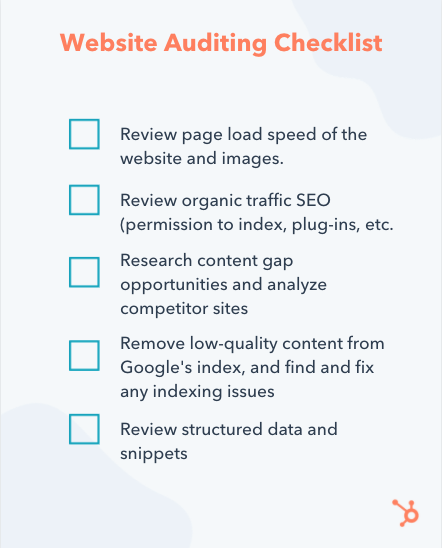
Website Audit Example
To pull all this together, I decided to run a website audit on one of my favorite bloggers, Christina Galbato.
This website is performing well. SEO and Mobile are scoring very highly. The main areas for improvement for this site would be performance and security.
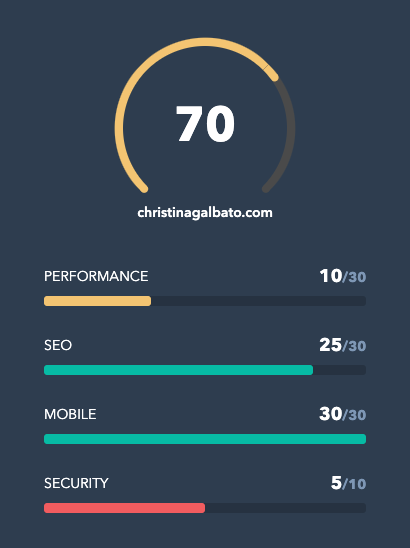
You might be asking yourself, “What does that mean?” Well, let’s dive in a little deeper.
In each section, the website grader will let you know what you’re doing well and what you could improve on. See the SEO section below.
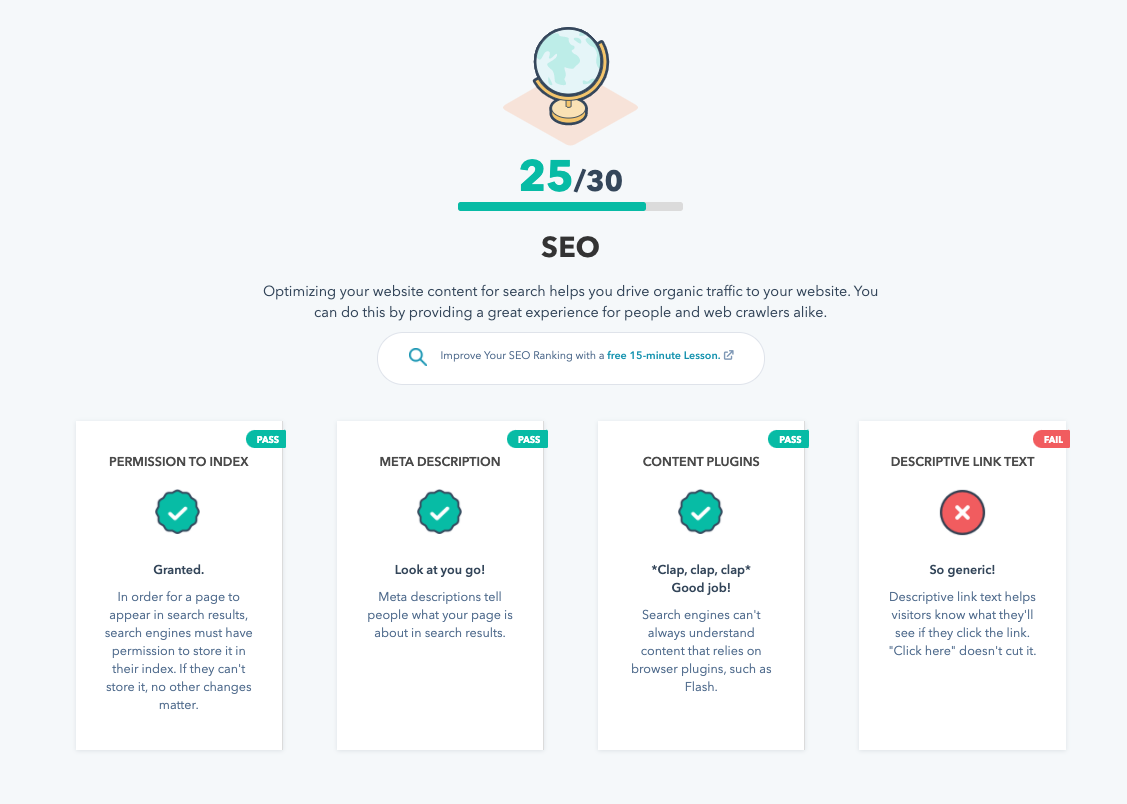
Then, the grader gives overall recommendations to improve your site overall. As you can see in the example, you’ll see a table to compare your current site to the recommendations.
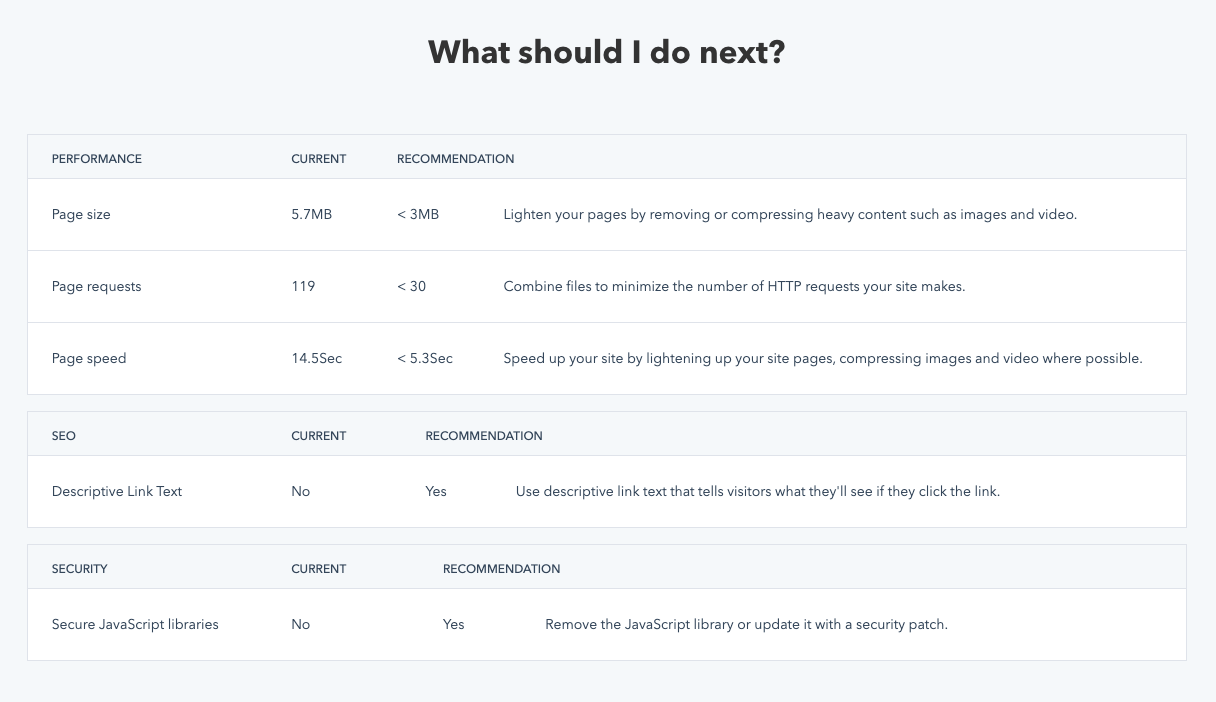
Conducting a Website Audit
It’s important to establish an audit framework early on. Ask yourself questions ideally centered around gauging “How am I doing?” These questions may also include things like, “How does this compare to others, especially my competitors?”
Editor’s note: This post was originally published in April 2018 and has been updated for comprehensiveness.

How to Improve Organizational Skills at Work
When you’re working at a new job or trying to get a promotion, you need to be organized. While you might list organizational skills on your resume, putting that skill into action is a little harder.
Having organizational skills means that you can meet deadlines and be efficient in your workflow management. In fact, organizational skills can be synonymous with energy and time management in most cases.
All of these skills are very important in the workplace and potential employers want to make sure you can stay on top of things.
In this post, we’ll dive deep into what organizational skills are, specific examples of what they look like in action, and how to develop organizational skills in the workplace.
Organizational skills are about building structure, boosting productivity, and prioritizing the right tasks at the right time.
The antithesis of organizational skills is procrastination, clutter, inefficiency, and miscommunication.
Organizational skills mean you’re able to keep yourself calm while coming up with a scheduled plan. Many people with good organizational skills break up projects into smaller goals so they are easier to accomplish.
Importance of Organizational Skills
Organizational skills are important because they’ll help you get tasks done on time. These types of skills are important in the workplace because managers will see that you can handle your tasks, and have autonomy over your own projects. This will help you get promotions and references if you apply to new jobs in the future.
If you don’t have a plan in place for how you’re going to accomplish something, it will be much harder for you to finish. You’ll need to be able to anticipate how long a task will take, what resources you’ll need to complete that task, and have the discipline to block out the necessary time to finish it.
Organizational Skills on a Resume
When you’re listing organizational skills on your resume, you might consider breaking it down into more specific sets of skills. Let’s dive into the examples below.
Organizational Skills Example
The best organizational skills to list on your resume include:
- Communication
- Time management
- Delegation
- Attention to detail
- Decision making
- Strategic planning
- Goal setting
- Creative thinking
- Problem-solving
- Productivity
- Managing priorities
- Teamwork/collaboration
- Deadlines
- Scheduling
- Conflict management
- Office management
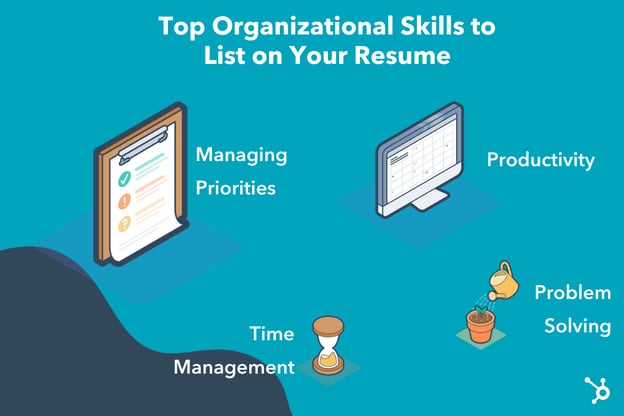
1. Own your calendar.
The best way to develop organizational skills is to truly own your calendar. Block off time where you need to get work done. Then, create a schedule for yourself that is realistic to stick to. It’s hard to stay organized when you have random meetings popping up on your calendar.
Additionally, it’s important to know how you work best. For example, I like to have meetings back-to-back because it’s hard for me to get work done in 30-minute increments between meetings. I want all my meetings at the same time, so I can block working time and then meeting time.
2. Make lists.
When you have a lot on your to-do list, you can make separate lists for what needs to get done and when. I usually have a running to-do list where I’ll add everything I need to do for the week. Then, I’ll break that down into daily to-do lists. You can organize your lists by tasks, meetings, reminders, etc.
3. Figure out what tools will help you.
Obviously, everyone works differently. That’s why it’s important to figure out how you work best. Do you like using a physical calendar or a digital calendar? Regardless, you’ll need tools to help you stay organized. Below is a quick list of physical and digital tools to help you get started.
Physical Tools
- Planner
- Calendar
- Notepad
- Folders
- Journals
Digital Tools
- Google Calendar
- Trello
- Asana
- Evernote
- Teuxdeux
4. Communicate with your team.
Another way to develop organizational skills is to communicate with your team. It’s important to communicate your plan of action to any necessary stakeholders. Additionally, communication will help keep you accountable.
If you’re working on a project with several people, you can communicate updates on your part of the project as they occur or at the end of the day. This is a great way to keep the team organized and on task.
5. Declutter your workspace.
Lastly, to truly be organized, your workspace should be free from clutter. While not everyone likes to keep everything neat and tidy all the time, you should still only have necessary items on your desk so you don’t get distracted. This will help productivity and organization overall. When you need to find a list or an item, it’s important that you know where it is and it doesn’t get lost.
Organizational Skills in the Workplace
Now you might be wondering, “How can I use these organizational skills in the workplace?” and “How can I highlight these skills?”
The first step is to list these skills on your resume when you’re applying for jobs. You can say “organizational skills” or you can list other skills, like the ones above, to be even more specific.
If you’re in a job interview, think of stories and examples of how you remained organized and how it helped you solve a problem or complete a project successfully. It’s important to discuss how you scheduled your time, how you handle multiple assignments, and how you delegate tasks.
While a potential employer might not ask specific questions about organizational skills, you can highlight these stories in questions like “What are your strengths?” and “Why are you a good fit for this role?”
Once you’re working for a company, you can highlight your organizational skills during projects or meetings. It’s a good idea to use these skills whenever you can because it’s sure to impress your boss and help you move forward in your career.
Organizational skills don’t just mean that you keep to-do lists. It means you manage your time efficiently, you’re productive, can solve problems, and think critically. That’s why it’s important to develop your organizational skills whenever you can.

Data Mapping: What Is It Plus The Best Techniques and Tools
You don’t want to waste time simply guessing what a prospect or customer wants and needs from your business or how they’ll react to a certain marketing campaign or strategy that you plan to implement.
Rather, you can turn to the process of data-driven marketing to make informed decisions that are based on real data to ensure your marketing efforts are relevant to prospect and customer interests and behaviors.
Now you might be thinking about the fact that your business has a large volume of complex data that are dispersed across multiple sources — this is where data mapping comes in handy.
Data Mapping
Data mapping is a key part of data management and data integration. That’s because it ensures you’re looking at and considering all of your data and doing so accurately — in other words, data mapping is what allows you to integrate your data from multiple sources.
In this blog post, we’ll talk more about what data mapping is, why it’s useful, data mapping techniques, and data mapping tools.
What is data mapping?
Data mapping is the process of matching data fields or elements from a source, or sources, to their related data fields in another destination — it’s how you establish relationships between data models that are in different sources or systems. Data mapping software and tools automatically match data fields from one data source to another for you.
Data mapping allows you to organize, distill, analyze, and understand vast amounts of data that live in various locations so you can draw conclusions and insights.
Why is data mapping useful?
Here are some more reasons why data mapping is both useful and necessary:
- Integrate, transform, and migrate data as well as create data warehouses easily.
- Establish direct relationships between your data across multiple sources at once.
- Ensure your data is high quality and accurate (data mapping software can automatically flag inconsistencies and data that isn’t high quality or accurate).
- Identify real-time trends and share data reports with team members both easily and efficiently.
- Ensure you’re getting the most out of your data and applying insights and learnings appropriately.
- Use data mapping software to simplify (and automate much of) the process of code-free data mapping.
Data Mapping Examples
A business like Amazon may use data mapping to accurately target you. They do this by pulling insights from your browsing habits, reviews, purchase history, and time on page. They can then pull and connect that data to/with data from other sources such as demographic information.
By combining these types of data sources, Amazon has the necessary information to target you with certain products and personalize your shopping experience in a number of ways (e.g. based on challenges you may be facing, geographic location, experience level, interests, education, nationality, age, and more).
Let’s consider another data mapping example — say you work for a TV network and you’re looking to organize TV shows on the network, actors who appear on the network, and actors within a show that appears on the network. The sharing of data between the three sources may look something like this:
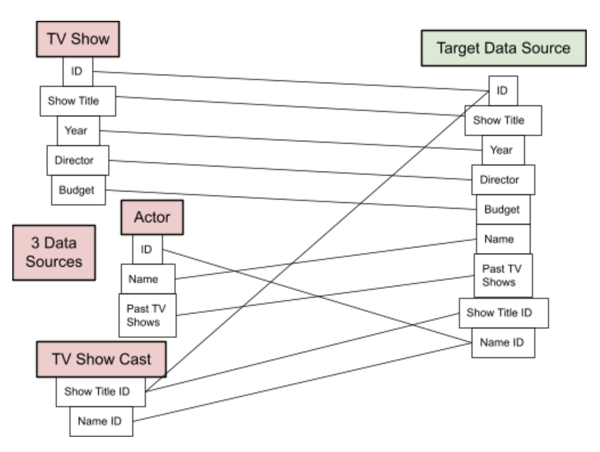
Data Mapping Techniques
Within data mapping, there are three main techniques that are used — manual mapping, semi-automated mapping, and automated mapping. Let’s talk about what each of these techniques entails.
1. Manual Data Mapping
Manual data mapping requires professional coders and data mappers — IT will code and map your data sources. Although this is a heavy lift and requires professional help, it allows you to fully control and customize your maps.
2. Semi-automated Data Mapping
Semi-automated data mapping (or schema mapping) requires some coding knowledge and means your team will be moving between both manual and automated data mapping processes (hence the name of this technique).
Data mapping software creates a connection between the data sources and then an IT professional reviews those connections and makes manual adjustments as needed.
3. Automated Data Mapping
Automated data mapping means a tool will take care of all aspects of the data mapping process for you, making it an ideal option, if you are not/ don’t have access to a coder. This type of software will typically allow for drag-and-drop mapping. You just need to learn how to use the tool (and pay for it).
Speaking of the tools that will automate the process of data mapping for you, let’s review some of your options next.
Data Mapping Tools
Data mapping tools and software make the process of data mapping —including visualizing and interpreting your data — easier. There’s no code needed, they often have a drag-and-drop user interface (UI), and you can implement them on your team no matter your level of technical experience. Many data mapping tools also have the ability to help you with other data management tasks such as data migration.
1. Bloomi
Price: Free 30-day trial; contact for a quote.
Bloomi, which is owned by Dell, is an iPaaS solution — that’s both cloud-native and scalable — that connects both cloud and on-premise data and applications. Design cloud-based integrations, which the tool refers to as Atoms. Then, you can begin transferring data between the cloud and your on-premise apps.
Bloomi’s data mapping functionality translates electronic data interchange (EDI) for you. The tool has a drag-and-drop UI that makes data mapping easy as well as a library of available connectors so you can establish integrations quickly.
2. Tableau

Price: Free 30-day trial; $12-$70/ user/ mo.
Tableau is a visual analytics and business intelligence platform with data management and data mapping tools. Whether your data is in spreadsheets, Apache Hadoop, databases, the cloud, etc., the platform allows you to connect and begin visualizing your data in seconds without code.
Tableau regularly populates your most recent data (on a schedule that you can adjust). The drag-and-drop interface is easy to use and smart dashboards allow for effective data visualization. Lastly, you can easily share your data maps and dashboards with your team via mobile device for easy alignment and access.
3. Astera

Price: Free 14-day trial; contact for a quote.
Astera is an enterprise data management software that uses visual interfaces to convert, map, and validate data structures for you without the need for code.
You’re able to use the tool’s drag-and-drop feature to create, debug, and manage complex data integration tasks. Astera also natively connects to a variety of database providers including SQL Server, Oracle, and DB2.
To ensure your data is of the highest quality, there’s built-in data cleansing, data profiling, and data quality options — and to improve accuracy, there are built-in transformations that remove duplicate records, complete missing information, and get rid of redundant data. You’ll get flagged and receive emails if and when your data records don’t meet the high-quality data standards.
Use Data Mapping on Your Team
Data mapping has the power to ensure your marketing team and business as a whole get the most out of your data. It also helps you maintain high-quality data and automate the processes of data integration, transfer, migration, and more. Determine which technique you’ll use and if you need a tool to get started with data mapping on your team.

Which Social Media Channels See the Most ROI? [New Data + Expert Tips]
As any marketer knows, social media is an undeniably powerful tool to reach new audiences and connect with existing customers.
In fact, as of 2021, social media is now the #1 channel used by marketers.
But with all that Tweeting, Liking, Posting, and scrolling, it can be difficult to know which platforms give you the most bang for your buck.
Sure, it’s important to ensure your brand interacts on whichever platforms are most popular with your audience, but it’s equally critical you take the time to determine which platforms provide the best ROI for your business. This information can help you determine where to invest in paid advertising, as well as which channels you should use for lead generation.
However, social media usage can shift overnight. The platforms that provided marketers with the highest ROI five years ago likely don’t deliver the same results anymore. That’s why we conducted research to find out where marketers saw the highest ROI in 2021.
Here, we’ll explore which channels provided marketers with the highest ROI in 2021. We also reached out to experts at Talkwalker, Socialinsider, Casted, Brandfolder, LiveChat, Sprout Social, MarketingLabs, and HubSpot to determine how marketers can leverage certain tactics within those channels to increase engagement and drive sales. Let’s dive in.

Which social media channels have the best ROI?
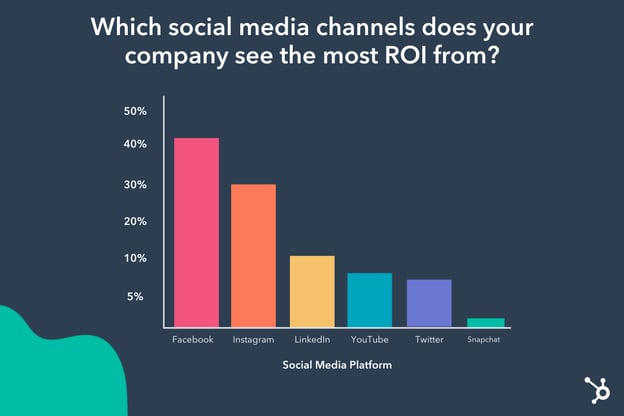
According to HubSpot’s 2021 State of Marketing report, Facebook is the social media channel that provides marketers with the highest ROI.
Over 40% of marketers cited Facebook as the most effective channel for their businesses, followed by the roughly 30% who saw the highest ROI from Instagram, which is another Facebook-owned social platform.
By comparison, the other social channels in the list — including LinkedIn, YouTube, Twitter, and Snapchat — all ranked much lower, with less than 10% citing each platform as the best channel for ROI.
Let’s dive into each of these platforms to uncover why the top 3 social media sites perform better than others when it comes to ROI — and how you can leverage them.
1. Facebook
With roughly 2.8 billion monthly active users as of 2021, Facebook has an undeniably impressive reach. It also offers advertising opportunities to more than 200 million businesses, making it one of the most popular advertising platforms.
With Facebook, marketers can advertise on a user’s News Feed, via Messenger or video, and more. Marketers can also leverage Facebook Lead Ads to encourage Facebook users to fill out a lead generation form without leaving the social platform.
One of the major benefits of Facebook’s advertising tools is its segmentation abilities. You can target your ads towards certain audiences depending on interests, demographics, behaviors, or even connection to your business — like whether they’ve attended one of your events, or have friends who’ve liked your Business Page. These targeting capabilities can help your business reach users who are most likely to purchase your product or service.
Nicole Ondracek, HubSpot’s Paid Advertising Marketing Manager, agrees that Facebook is an incredibly viable channel. She told me, “At HubSpot, Facebook is a valuable channel for us in driving return on ad spend. A main reason why is that we can provide our content to a relevant audience using Facebook’s audience targeting features. For instance, Facebook’s lookalike audiences allow us to go after people who look like our current customers.”
“Facebook’s algorithm is great at finding similar audiences who are likely to convert, which is why we see a positive return on investment going after these types of audiences.”
Take a look at HubSpot’s How to Run Facebook Ads: A Step-by-Step Guide to Advertising on Facebook to learn how to set up your own Facebook ads.
2. Instagram
With over one billion Instagram users, it’s unsurprising that Instagram is second in this list when it comes to ROI. Instagram offers marketers the ability to increase reach, engagement, and sales through a variety of methods, including Instagram Shoppable ads, Stories, branded content, Reels, and more.
The platform has proven a viable strategy for businesses. In fact, 90% of users follow a business on Instagram, and 50% of users are more interested in a brand after seeing ads for it on Instagram.
So … why doesn’t it surpass Facebook for generating ROI?
Most likely, Instagram falls short of producing strong ROI due to its more intangible metrics — such as brand awareness, reputation, loyalty, and consumer engagement.
For instance, an Instagram user might never click on one of your business’ ads directly from the platform. Instead, perhaps the ad simply increases a user’s awareness of your brand. Down the road, perhaps they click on your website after seeing a Google ad. Certain metrics are difficult to attribute to Instagram, but that doesn’t mean it isn’t a good idea for your business.
3. LinkedIn
Despite only roughly 10% of marketers rating LinkedIn as their top channel for ROI, LinkedIn is an incredibly effective channel for lead generation and nurturing. Over 750 million professionals use LinkedIn for networking, career advancement, and more.
The platform offers a variety of tools designed to increase your business’ ROI, including Sponsored Content, Sponsored Messaging, Text or Video ads, and more.
To succeed on the platform, you’ll want to create valuable content that resonates with your LinkedIn audience. Conduct research to determine which types of content perform best on LinkedIn — and which content will perform best with your target audience — to ensure you’re hitting the mark here.
Additionally, try running experiments when you start using LinkedIn’s advertising tools. For instance, Cellular IoT Connectivity company Aeris set up an ad plan and tracker to determine which targeting combinations worked best for the brand, which failed, and which generated the highest-quality leads. As noted in this post, “It took rounds of testing and optimization to get to [the brand’s] 25% submission rates.”
Now that we’ve explored a few of 2021’s most popular social channels, let’s explore the strategies and best practices you can implement to increase your ROI across platforms, according to experts.
Which social media tactics or strategies have the best ROI?
1. Conducting extensive research to understand your audience.
First and foremost, it’s vital you understand your audience before creating any social media campaign. If you don’t do your research, you risk spending time, money, and resources on the wrong channels — and missing out on more profitable connections elsewhere.
As Dan Seavers, Content Marketing Manager at Talkwalker, told me, “No matter the social media channel, the best way to increase your ROI is by improving your consumer intelligence. Get to know your customers better than your family, and understand what they’re saying about your products, and where they’re discussing them.”
“That way, when you launch a campaign, you’ll be hyper-relevant. Not a jarring ad that interrupts a customer’s life, but a well-timed, well-targeted experience that people will engage with instantly.”
2. Creating more video content — and testing out vertical videos.
People love videos – and yet, it seems most brands rely on images when advertising their products or services, and that’s a mistake.
Adina Jipa, co-founder of Socialinsider, told me, “The most underused social media post is video content, which boosts engagement across all social media platforms.”
“Facebook wants to become a video-first platform and favors pages with video content, but for most brands, it is [primarily] a photo-sharing platform.”
Jipa adds, “A recent study about Facebook video strategy shows that only roughly 15% of the content [on Facebook] is video, while photos represent 38.58%.”
To stand out and increase ROI, consider how you might incorporate video into your social media efforts.
Additionally, consider testing out different types of video formats across your channels. For instance, Facebook offers brands the opportunity to create vertical video ads for the mobile-friendly user.
As Jipa points out, “you can use vertical videos on ads to get more clicks. According to this poll, almost 69% of marketers say video ads outperform image and plain text ads on Facebook. 81% of Facebook users only access the platform via mobile devices, so using the vertical video format allows you to get more visibility and increase the chances of getting more clicks. Facebook videos ads can increase the CTR by 2-3X.”
3. Re-using content across channels.
Most social teams create content in silos. Perhaps they tell one message via an Instagram post, and then create entirely different materials for a YouTube video or Tweet.
This undoubtedly requires a lot of time, effort, and resources — which can become frustrating when you don’t see the ROI you need from these channels.
“Far too often, content is created for one-and-done campaigns or promotions,” Casted’s CEO and Co-founder Lindsay Tjepkema says. “This means marketers are working harder and harder to constantly produce more and more, yet ROI and ROE (return on effort) results are disappointing — and social is no exception.”
She continues, “To change this, we must stop creating content for content’s sake and start focusing instead on creating content that educates, entertains, and delights and can be broken down and amplified across all other channels — like social — not just once, but many times over. When you focus on creating engaging content that can be used in multiple ways across channels, you’ll see improved ROI and ROE (return on effort) across your campaigns — including your social activation.”
To repurpose your content across channels, perhaps you post snippets of a full YouTube video on Facebook or Instagram. Alternatively, maybe you take text from a blog post and re-post on your channels to add value from your existing content, repurpose user-generated content across channels.
There are countless ways to refresh and re-use content to appeal to new audiences in unique ways without exhausting your social team.
4. Setting clear goals and devising a social strategy that works for your brand.
It’s difficult to achieve results on social without taking the time to set clear goals for your team, and ensuring you’ve all discussed an appropriate strategy to get you there.
As Brandfolder’s Senior Digital Marketing Manager Amanda Turcotte told me, “In order to achieve a return on your social media investment, you must have clear goals set before any tactical planning takes place. Various social media tactics can be applied differently to each of the platforms, meaning they’ll produce different outcomes. So your goals need to be determined up front to ensure they’re aligned with your social strategy.”
Once you’ve determined your social goals, you’ll want to create a consistent posting strategy so your audience knows when, and how often, they can expect content from your brand. To make this easier, try using a social posting tool like HubSpot’s Social Inbox Tool or Later.
Turcotte told me, “In order to move your team from strategy to action and keep everyone on the same page, it’s crucial to develop a regular posting plan that documents your approach across each channel, located where all team members have access. “
Agnieszka Jaśkiewicz, Head of Social Media & Community at LiveChat, agrees that creating a strategy and using tools to support your team’s goals is critical for finding success on social channels.
As she puts it, “The greatest area of ‘untapped potential’ for most brands comes in the form of streamlining creative workflows to support the volume needed for quality social activity. Digital workspaces that allow creatives and marketers to collaborate from a central location to stage, revise, and produce content limits back-and-forth communication and unnecessary steps in production.”
Additionally, Jaśkiewicz says, “Digital templates for creative assets — set to the specifications of the organization’s core social media platforms — can also add agility to social media managers’ ability to publish, allowing teams to be more timely and quickly act on new opportunities.”
5. Allow your users to purchase your products or services on social media platforms.
Over the past few years we’ve seen rise to a new trend: social commerce.
In essence, social commerce is the ability to purchase from a brand within a social platform without leaving the site. Examples include shoppable ads and chatbot checkout.
Rachael Samuels, Senior Manager of Social Media at Sprout Social, told me she sees social commerce as a great opportunity to increase ROI on social channels.
Samuels says, “Social media has quickly become a primary communication channel for brands and consumers alike. As a result, marketers must seek new ways to engage with audiences while keeping other goals, such as lead generation, top of mind.”
“One way we’re seeing this unfold is through offerings like social commerce, which not only provide more seamless buying experiences for customers, but equip marketers with the ability to show direct attribution and ROI as a result of their efforts.”
Samuels adds, “To maintain this momentum, marketers should ensure their tech stack enables them to integrate their CRM and social management tools so they can easily surface social insights with their broader sales and support teams.”
6. Use UTM tags for tracking.
One reason you might not be seeing the ROI you’re hoping for? Perhaps you’re just not tracking properly.
As Matt Janaway, CEO of MarketingLabs, told me: “Tracking is now more important than ever thanks to the complications of iOS privacy improvements, so to really yield the best ROI, you have to make sure you are using UTM tags on all links. This way, you can correctly track the performance of your campaigns in Analytics.”
Janaway adds, “This should give you the data you need to make decisions that can drive more engagement and ROI.”
7. Encouraging your employees to become brand ambassadors.
One area of major untapped potential? Your employees.
As Casted’s Tjepkema tells me, “Employee activation is a huge and mostly untapped resource for brands. As consumers, we’re far more driven to engage with user-generated content, yet so many brands spend too much time and money trying to only push content from their own brand instead of enabling their employees (and partners, brand fans, etc.) to amplify their content.”
“Rally your employees around the content you’re creating and encourage them to share it with captions that show their unique and personal perspectives. This is a great way to help each member of your team build their personal brand, while also amplifying your content to audiences in a more authentic way.”
LiveChat’s Jaśkiewicz agrees with this notion, saying, “[You should] give employee advocacy a bigger seat at the table in your social media strategy, especially when it comes to LinkedIn. It takes some time and effort to provide people with the knowledge and imply the ‘brand ambassadors’ mindset in the organization — however, employee engagement is a cost-effective way to increase your reach organically.”
HubSpot, for instance, created #HubSpotEmployeeTakeover on its HubSpot Life Instagram account. The campaign helps show audiences the faces behind the brand, and creates a sense of community and authenticity that you wouldn’t find with branded content alone.

Increasing ROI across your social channels won’t happen overnight — but by applying these strategies and remaining dedicated to iterating on your strategy as you collect audience insights over time, you’ll surely begin to see stronger results from your social efforts.
Happy posting!


What is Search Retargeting & How Does It Work?
When a user is on Google and searches for “athletic shoes,” companies like Nike and Skechers probably want their ads to continuously show up for those users online because they’re currently in the market for a product they sell.
But how could they do that when the user isn’t searching for them and perhaps doesn’t even know that their company sells athletic shoes?
That’s where search retargeting comes in. With this behavioral targeting, companies can have their ads show up on search engine results pages (SERPs) and social media sites after a user types in certain keywords.
This is a popular strategy among marketers. In fact, 68% of marketing agencies and 49% of brands have a dedicated budget for retargeting. Additionally, it’s also popular among online users — 25% of online viewers enjoy seeing retargeted ads.
In this post, let’s discuss what search retargeting is, how it works, and how you can use it to reach new audiences.

Continuing the example above, if a user searched for “athletic shoes,” they might go on Facebook a few days later and see an ad for Nike or Skechers. This would mean that the company has set up a digital campaign to retarget users who are searching for athletic shoes in search engines.
Now you might be wondering, “How does this work?” Let’s dive in below.
How does search retargeting work?
Essentially, search retargeting works through automation. Once a user searches for a keyword, certain display ads will begin to appear on their SERPs, social media, and other pages they visit online.
This works by creating a custom audience for your display ads. To do this, you’ll create a list of keywords that are relevant to your business. You can choose to retarget people who use broad, exact, or phrase-matched keywords.
Then, you’ll go to your search engine ads (whether on Google, Yahoo, or Bing) or any software you use to set up your display advertising and use their ecosystem to set up your campaign. The search engine or software will then use their data to retarget those users and display your ads to them online.
The idea is that a user will be searching for a product, see your company’s ad, and then hopefully either visit your site then or consider coming back to your site when they’re ready to make a purchase.
Before we dive too deep into search retargeting, right now you’re probably thinking about site retargeting and asking yourself, “Isn’t this the same thing?” The answer is no, but let’s expand below.
The great thing about search retargeting is that the user doesn’t even have to be aware your company exists. They’ll see your ads because they’re looking for a certain product or service, whether they know of your brand or not.
While site retargeting helps those in the consideration/decision phase of the purchasing process, search retargeting is for those who are in the awareness phase. The main difference is the type of consumer that is being targeted.
Benefits of Search Retargeting
1. Improve brand awareness.
Search retargeting is especially effective at improving brand awareness. So much so, that 70% of marketers turn to search retargeting primarily to increase brand awareness. This is because the audience you’re targeting doesn’t have to know who you are to see your ad. The more people who see your ad that hasn’t heard of your company, the greater your brand awareness.
2. Increase visitors to your site.
Of course, a huge benefit of doing search retargeting is increasing visitors to your site. You’ll be able to attract new visitors to your site that haven’t heard of your company and wouldn’t have otherwise shown up on your site through search retargeting. This is because you’re capturing visitors through the intent of their searches.
3. Convert more consumers.
At the end of the day, you run digital campaigns to increase your ROI (return on investment) and drive revenue. Search retargeting can help with that. In fact, retargeted search ads have higher conversion rates than regular display ads. And it ends up being more cost-effective.
Google Search Retargeting
While you might use a marketing automation tool to set up your search retargeting ads, those will most likely only use data collected from Yahoo and Bing. Google prefers to keep its data in-house, so you can use Google Ads to conduct your search retargeting campaigns on this search engine.
Within Google, this process is called keyword contextual targeting. You’ll use Google’s keyword tool to select your keywords, and you can even use negative keywords to make sure your ads don’t show up on irrelevant searches.
Reach New Audiences with Search Retargeting
Search retargeting is a great way to increase brand awareness and bring more engagement and visitors to your site. Not only does it work, but consumers prefer this type of advertising to other display ads.


How to Conduct the Perfect Marketing Experiment [+ Examples]
After months of hard work, multiple coffee runs, and navigation of the latest industry changes, you’ve finally finished your next big marketing campaign.
Complete with social media posts, PPC ads, and a sparkly new logo, it’s the campaign of a lifetime.
But how do you know it will be effective?

While there’s no sure way to know if your campaign will turn heads, there is a way to gauge whether those new aspects of your strategy will be effective.
If you want to know if certain components of your campaign are worth the effort, consider conducting a marketing experiment.
Marketing experiments give you a projection of how well marketing methods will perform before you implement them. Keep reading to learn how to conduct an experiment and discover the types of experiments you can run.
What are marketing experiments?
A marketing experiment is a form of market research in which your goal is to discover new strategies for future campaigns or validate existing ones.
For instance, a marketing team might create and send emails to a small segment of their readership to gauge engagement rates, before adding them to a campaign.
It’s important to note that a marketing experiment isn’t synonymous with a marketing test. Marketing experiments are done for discovery, while a test confirms theories.
Why should you run a marketing experiment?
Think of running a marketing experiment as taking out an insurance policy on future marketing efforts. It’s a way to minimize your risk and ensure that your efforts are in line with your desired results.
Imagine spending hours searching for the perfect gift. You think you’ve found the right one, only to realize later that it doesn’t align with your recipient’s taste or interests. Gifts come with receipts but there’s no money-back guarantee when it comes to marketing campaigns.
An experiment will help you better understand your audience, which in turn will enable you to optimize your strategy for a stronger performance.
Performing a marketing experiment involves doing research, structuring the experiment, and analyzing the results. Let’s go through the seven steps necessary to conduct a marketing experiment.
1. Brainstorm and prioritize experiment ideas.
The first thing you should do when running a marketing experiment is start with a list of ideas.
Don’t know where to start? Look at your current priorities. What goals are you focusing on for the next quarter or the next year?
From there, analyze historical data. Were your past strategies worked in the past and what were your low performers?
As you dig into your data, you may find that you still have unanswered questions about which strategies may be most effective. From there, you can identify potential reasons behind low performance and start brainstorming some ideas for future experiments.
Then, you can rank your ideas by relevance, timeliness, and return on investment so that you know which ones to tackle first.
Keep a log of your ideas online, like Google Sheets, for easy access and collaboration.
2. Find one idea to focus on.
Now that you have a log of ideas, you can pick one to focus on.
Ideally, you organize your list based on current priorities. As such, as the business evolves, your priorities may change and affect how you rank your ideas.
Say you want to increase your subscriber count by 1,000 over the next quarter. You’re several weeks away from the start of the quarter and after looking through your data, you notice that users don’t convert once they land on your landing page.
Your landing page would be a great place to start your experiment. It’s relevant to your current goals and will yield a large return on your investment.
Even unsuccessful experiments, meaning those that do not yield expected results, are incredibly valuable as they help you to better understand your audience.
3. Make a hypothesis.
Hypotheses aren’t just for science projects. When conducting a marketing experiment, the first step is to make a hypothesis you’re curious to test.
A good hypothesis for your landing page can be any of the following:
- Changing the CTA copy from “Get Started” to “Join Our Community” will increase sign-ups by 5%.
- Removing the phone number field from the landing page form will increase the form completion rate by 25%.
- Adding a security badge on the landing page will increase the conversion rate by 10%.
This is a good hypothesis because you can prove or disprove it, it isn’t subjective, and has a clear measurement of achievement.
A not-so-good hypothesis will tackle several elements at once, be unspecific and difficult to measure. For example: “By updating the photos, CTA, and copy on the landing page, we should get more sign-ups.
Here’s why this doesn’t work: Testing several variables at once is a no-go when it comes to experimenting because it will be unclear which change(s) impacted the results. The hypothesis also doesn’t mention how the elements would be changed nor what would constitute a win.
Formulating a hypothesis takes some practice, but it’s the key to building a robust experiment.
4. Collect research.
After creating your hypothesis, begin to gather research. Doing this will give you background knowledge about experiments that have already been conducted and get an idea of possible outcomes.
Researching your experiment can help you modify your hypothesis if needed.
Say your hypothesis is, “Changing the CTA copy from “Get Started” to “Join Our Community” will increase sign-ups by 5%.” You may conduct more market research to validate your ideas surrounding your user persona and if they will resonate better with a community-focused approach.
It would be helpful to look at your competitors’ landing pages and see which strategies they’re using during your research.
5. Select your metrics.
Once you’ve collected the research, you can choose which avenue you will take and what metrics to measure.
For instance, if you’re running an email subject line experiment, the open rate is the right metric to track.
For a landing page, you’ll likely be tracking the number of submissions during the testing period. If you’re experimenting on a blog, you might focus on the average time on page.
It all depends on what you’re tracking and the question you want to answer with your experiment.
6. Execute the experiment.
Now it’s time to create and perform the experiment.
Depending on what you’re testing, this may be a cross-functional project that requires collaborating with other teams.
For instance, if you’re testing a new landing page CTA, you’ll likely need a copywriter or UX writer.
Everyone involved in this experiment should know:
- The hypothesis and goal of the experiment
- The timeline and duration
- The metrics you’ll track
7. Analyze the results.
Once you’ve run the experiment, collect and analyze the results.
You want to gather enough data for statistical significance.
Use the metrics you’ve decided upon in the second step and conclude if your hypothesis was correct or not.
The prime indicators for success will be the metrics you chose to focus on.
For instance, for the landing page example, did sign-ups increase as a result of the new copy? If the conversion rate met or went above the goal, the experiment would be considered successful and one you should implement.
If it’s unsuccessful, your team should discuss the potential reasons why and go back to the drawing board. This experiment may spark ideas of new elements to test.
Now that you know how to conduct a marketing experiment, let’s go over a few different ways to run them.
Marketing Experiment Examples
There are many types of marketing experiments you can conduct with your team. These tests will help you determine how aspects of your campaign will perform before you roll out the campaign as a whole.
A/B testing is one of the popular ways to marketing in which two versions of a webpage, email, or social post are presented to an audience (randomly divided in half). This test determines which version performs better with your audience.
This method is useful because you can better understand the preferences of users who will be using your product.
Find below the types of experiments you can run.
1. Website
Your website is arguably your most important digital asset. As such, you’ll want to make sure it’s performing well.
If your bounce rate is high, the average time on page is low, or your visitors aren’t navigating your site in the way you’d like, it may be time to run an experiment.
2. Landing Pages
Landing pages are used to convert visitors into leads. If your landing page is underperforming, running an experiment can yield high returns.
The great thing about running a test on a landing page is that there are typically only a few elements to test: your background image, your copy, form, and CTA.
3. CTAs
Experimenting with different CTAs can improve the number of people who engage with your content.
For instance, instead of using “Buy Now!” to pull customers in, why not try, “Learn more.”
You can also test different colors of CTAs as opposed to the copy.
4. Paid Media Campaigns
There are so many different ways to experiment with ads.
Not only can you test ads on various platforms to see which ones reach your audience the best, but you can also experiment with the type of ad you create.
As a big purveyor of GIFs in the workplace, animating ads are a great way to catch the attention of potential customers. Those may work great for your brand.
You may also find that short videos or static images work better.
 This Instagram ad from We’re Not Really Strangers uses multimedia to make its post stand out. If you’re testing out PPC advertising, try diversifying those ads to capture the interest of more audiences.
Additionally, you might run different types of copy with your ads to see which language compels your audience to click.
To maximize your return on ad spend (ROAS), run experiments on your paid media campaigns.
4. Social Media Platforms
Is there a social media site you’re not using? For instance, lifestyle brands might prioritize Twitter and Instagram, but implementing Pinterest opens the door for an untapped audience.
You might consider testing which hashtags or visuals you use on certain social media sites to see how well they perform.
The more you use certain social platforms, the more iterations you can create based on what your audience responds to.
You might even use your social media analytics to determine which countries or regions you should focus on — for instance, my Twitter Analytics, below, demonstrates where most of my audience resides.
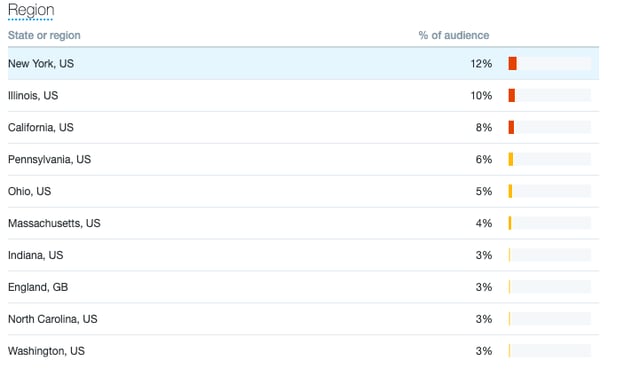
If alternatively, I saw most of my audience came from India, I might need to alter my social strategy to ensure I catered to India’s time zone.
When experimenting with different time zones, consider making content specific to the audience you’re trying to reach.
5. Copy
Your copy — the text used in marketing campaigns to persuade, inform, or entertain an audience — can make or break your marketing strategy.
If you’re not in touch with your audience, your message may not resonate. Perhaps you haven’t fleshed out your user persona or you’ve conducted limited research.
As such, it may be helpful to test what tone and concepts your audience enjoys. A/B testing is a great way to do this, you can also run surveys and focus groups to better understand your audience.
6. Email
Email marketing continues to be one of the best digital channels to grow and nurture your leads.
If you have low open or high unsubscribe rates, it’s worth running experiments to see what your audience will respond best to.
Perhaps your subject lines are too impersonal or unspecific. Or the content in your email is too long.
By playing around with various elements in your email, you can figure out the right strategy to reach your audience.
Ultimately, marketing experiments are a cost-effective way to get a picture of how new content ideas will work in your next campaign, which is critical for ensuring you continue to delight your audience.
Editor’s Note: This post was originally published in December 2019 and has been updated for comprehensiveness.


Twitter’s Testing Social Commerce: What Marketers Need to Know
When you think of online shopping destinations, Twitter may not be the first place that comes to mind. However, with ecommerce sales continuing to rise due in part to the COVID-19 pandemic, social platforms want in on the action.
On Instagram, business owners can add a “shop” feature to their profile, allowing users to make purchases directly from the profiles of their favorite brands. Similarly, TikTok teased an upcoming shop feature and integration with Shopify earlier this year. Now Twitter is testing new strategies to integrate online shopping experiences into the user experience.
![Download Now: Social Media Trends in 2021 [Free Report]](https://no-cache.hubspot.com/cta/default/53/3dc1dfd9-2cb4-4498-8c57-19dbb5671820.png)
The platform previously had a “Buy Now” button before retiring the feature in 2017 to focus on other avenues. Now Twitter appears to be circling back on this idea giving business account holders new tools for converting customers on the platform potentially turning Twitter into a space where buyers can discover new products while engaging in conversation with brands and communities.
Here’s what we know about Twitter’s commerce experiments so far.
Why Twitter Is Testing Ecommerce Features
In early 2021, Twitter executives announced their goal to double revenue to $7.5 billion and reach 315 million active users by the end of 2023.
Working towards such ambitious goals, Twitter is looking to introduce new revenue streams to help grow and monetize its user base – and one of those key streams is an ecommerce play designed to give businesses the tools they need to drive conversational sales.
During Twitter’s 2021 investor’s call Bruce Falck, Revenue Product Lead at Twitter said:
“We’re also starting to explore ways to better support commerce on Twitter. Our MAP (mobile application program) efforts help us understand how our users are transacting on the platform. Installing an app via an ad is in itself a form of commerce. We know people come to Twitter to interact with brands and discuss their favorite products.
In fact, you may have even noticed some businesses already developing creative ways to enable sales on our platform. This demand gives us confidence in the power of combining real-time conversation with an engaged and intentional audience.”
Essentially, the platform has aggressive business goals over the next two years and sees commerce as a viable way to increase engagement and revenue opportunities outside of traditional advertising.
Twitter’s Ecommerce Test
The Shop Module
In July 2021, Twitter rolled out a robust ecommerce test: The Shop Module.

The Shop Module will allow brands to display products in a carousel format at the top of the profile. When a user visits a brand’s Twitter account, they will be able to scroll through a handful of products, have the ability to tap in to learn more about each product, and eventually purchase.
This initial test is designed to determine the shopability of Twitter profiles. Though consumers typically visit Twitter to connect directly with brands for questions and customer service inquiries, Twitter is looking to understand what in-app behavior can drive users to make a purchase. As more data is collected, it will be interesting to see if Twitter can see a clear link between conversation topics and sales of related products through the platform.
Twitter has rolled out this feature to a small number of brands across industries based in the United States, and Twitter users based in the U.S. who use the English app on iOS devices are currently able to see it live.
With the feature being deployed to business profiles offering vastly different products, Twitter is also testing which product verticals sell from the platform. See The Shop Module in action below.

Shoppable Twitter Cards
In March 2021, Twitter also began testing commerce features for organic tweets. Essentially, tweets that feature a direct link to a shopping page or product can generate a new Twitter card with a “shop” button and auto-populated product details.

When a user clicks the shop button, they would be taken directly to the product page of the account’s website. The shoppable Twitter card appears very similar to promoted tweets. With this feature, Twitter is testing the viability of commerce through organic shares.
At the time of publication, this feature is still an experiment and hasn’t been rolled out to all Twitter users. It has been reported the shoppable Twitter card has been seen by international users and on Android devices.
How Brands Could Leverage Social Commerce on Twitter
Even if your company profile hasn’t been granted access to these new features, now is the perfect time to put a strategy in place so you can be ready to use Twitter’s commerce tools to your advantage.
1. Create organic conversation around products and services.
Consumers engage with brands on Twitter to ask questions and surface customer service inquiries. Start organically aligning your content on Twitter with products and services you’d like to highlight in the space to prepare your audience for what’s ahead with these new commerce features.
For example, a skincare company could start a conversation with its audience on Twitter about creating the ideal skincare routine. The company’s profile could start a thread with educational tweets about each essential step of an effective skincare routine and why each step is beneficial.
The audience would likely join the conversation sharing steps of their skincare routine and asking for product recommendations, creating space for the brand to share more information about its products to an engaged audience.
By continuing to prime the audience with these types of interactions, once the skincare brand gains access to Twitter’s commerce features, they can begin featuring the products discussed and measuring the audience’s response (through clicks and purchases).
2. Select a variety of products to feature on The Shop Module.
If your company profile is granted access to The Shop Module, use it as an opportunity to conduct research on what products best resonate with your Twitter audience. Try incorporating a variety of products at different price points, and regularly assess which products are getting the most click-throughs and purchases.
3. Take an experimental approach.
In the initial stages, don’t rely too heavily on using these new features to drive more sales. Instead, take a more experimental approach to gauge performance with your audience then refine your strategy when you have a more robust set of data.
When rolling out these new features, Twitter has clearly stated it is testing things out to better understand user behavior. Marketers should take the same approach to learn what resonates with their unique audiences.
With social media platforms giving brands more opportunities to sell through their platforms, marketers can find innovative ways to organically connect consumers to products and services they’ll love.


Marketing vs. Operations: The Battle for a Small Business’ Attention
“Your company is one viral moment away from a potential shutdown.”
Yes, you read that correctly.
Imagine your company is fortunate enough to appear for a few minutes on a national TV show with millions of viewers. You can hardly contain your excitement. All eyes are on you. There’s no turning back.
Your excitement soon turns to horror, however, when you realize your company isn’t ready for this type of attention. Suddenly, a surge in traffic to your company’s website causes it to crash. Team members quit from the stress of performing under pressure. Vendors threaten to sue you for late payments. Customers are angry because their orders are either incorrect or weren’t provided on-time.
What took you years to build has effectively been destroyed overnight.
How can a successful organization good enough to land a coveted spot on a TV show succumb so quickly? The answer lies in Marketing vs. Operations.
The Paradigm Shift from Not Enough Customers to Too Many
When an organization officially opens its doors for business, marketing-related activities tend to be the primary focus. And it makes sense. After all, if no one knows about your product or service, you won’t be in business long. Those activities can include sales strategies, P.R. and social media campaigns, and digital ads that catalyze advancement from the startup to the growth stage of business.
Eventually, if you have a great product or service that customers want, you’ll see a return on investment for those marketing activities. At this point, as an organization advances from the growth stage to the emerging and scaling stages of business, the need for Operations becomes paramount.
The reason is that this transition is usually accompanied by periods of unmanageable fast-growth – customer demand is greater than what your company can supply. It’s at this point that Operations-related activities like building the right teams, documenting and standardizing processes, and upgrading equipment and digital technologies becomes a higher priority.
If Operations is critical for scaling, why don’t more companies focus on it?
The answer depends. When it comes to Operations, leaders of small businesses fall in one of more of three categories:
- Unaware: They either don’t know about Operations or they’ve never been exposed to it.
- Uninterested: They believe that Operations isn’t “sexy.”
- Undiscovered: When they try to search for information to scale their organizations, they find the lion’s share is reserved for large enterprises or manufacturing companies.
Let’s unpack each of these.
1. Unaware
It’s no surprise that many founders and leaders (business savvy and technical acumen aside), are largely unaware of Operations – what it is and how it applies to their businesses.
With customers and cash being the lifeline of any organization, special attention is given to customer-facing activities that ensure their satisfaction. This is an anchor against which we can define Operations.
As the diagram below illustrates, Marketing represents highly visible activities that customers tend to interact with directly. It involves making some sort of promise or guarantee to customers who purchase your product or service.
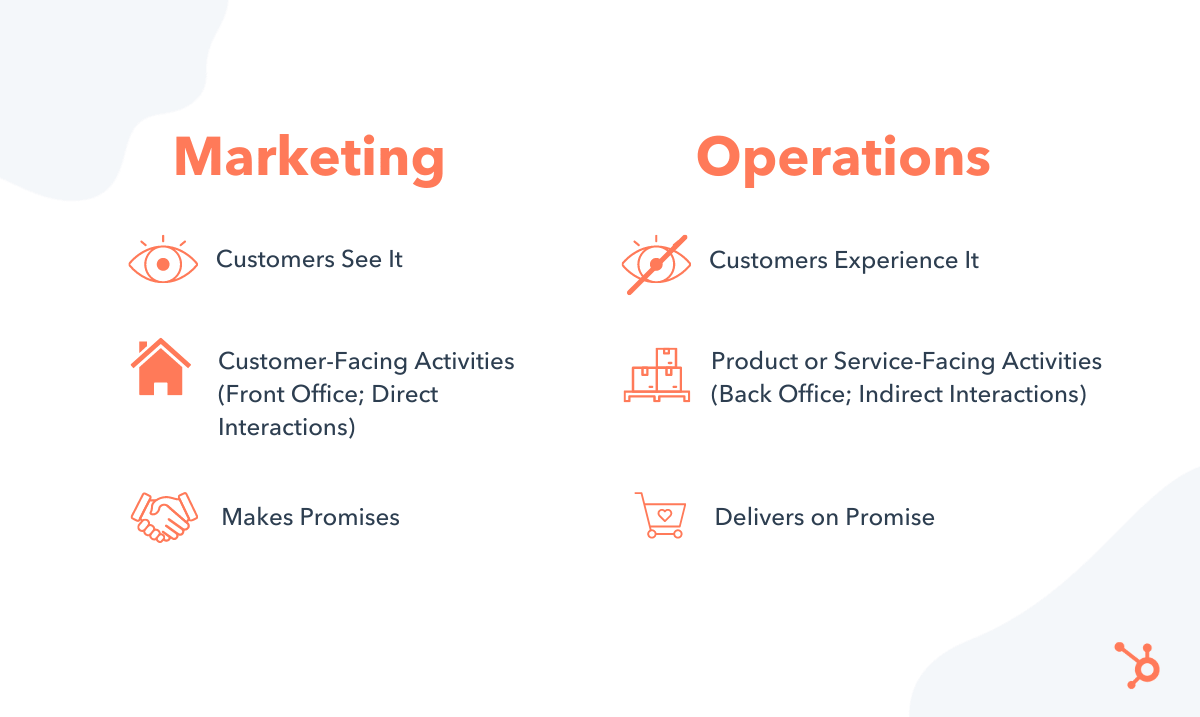 Conversely, Operations is like the stealthy cousin of Marketing. It represents those activities that ensure customer orders are fulfilled on time, within budget, and within specification.
As the heartbeat of an organization, day-to-day Operations are not necessarily seen by your customers, but they certainly experience the result of it.
Operations teams work behind the scenes to make sure a company can deliver on promises made.
A frustrated client in charge of Operations once told me, following a conversation with a Sales Manager, “They sell the dream while we deal with the nightmare!” It’s a humorous take on the historical divide between Marketing and Operations teams.
That’s why the Revenue Operations movement is so important — it breaks down these silos to encourage transparency while working toward the common goals of customer satisfaction and profitability.
2. Uninterested
Founders and CEOs are known for being big-picture, strategic visionaries. The thought of getting bogged down by details isn’t necessarily their strength or interest. It’s part of the reason why Operations can take a back seat to the more visible initiatives offered by the Marketing department.
But there’s another culprit — small business event planners. Attend any small business seminar, webinar, or conference, and your chances of seeing an Operations topic included is slim to none. This omission creates a knowledge gap for leaders of small businesses and causes disinterest.
Through personal conversations and informal surveys, I’ve learned that a shockingly high percentage of these event planners think, “Operations is boring.” I’ve also had many of them tell me that, “No one is interested.” And perhaps most egregiously that, gasp, “Operations just isn’t sexy.” This type of thinking is dangerous and does a disservice to those seeking resources to scale to the next level.
Consider these stats from the U.S. Small Business Administration:
- 81% of businesses are sole-proprietorships
- 32% of small businesses fail within the first two years
- 51% of small businesses fail by year five
- 67% will fail by year 10
I’ve often argued that more businesses could graduate from sole-proprietorships if they had a better understanding of Operations. This means job creation which has a net positive effect on local communities and economies.
I also believe that more businesses can avoid failure if they had a solid Operations foundation. Yes, there are number of reasons why a business fails. But the reasons why they fail within the first five years versus years five through ten can vary significantly.
There are businesses that fail not from a lack of customers or poor cash flow, but because they have too many customers.
3. Undiscovered
When small business leaders proactively seek resources to scale, they often find that those resources are not written or formulated with them in mind. Plus, if they are lucky enough to find resources for small businesses, it’s usually for those selling tangible goods.
Where can service-based businesses go for guidance on scaling without failing?
Learning about frameworks like Lean and Six Sigma can be intimidating and sometimes too “corporate” for a small business’ needs. Thankfully, there’s a growing faction within the Operations community who are actively working to make this information accessible to small businesses.
Learn More about Operations for small businesses in HubSpot’s RevOps & Operations Community
Dr. Jeffrey K. Liker is one of them and he was careful to be more inclusive in the second edition of his critically acclaimed book, The Toyota Way.
Listen to my interview with Dr. Liker to learn more:
Ignore Operations at Your Own Risk: Cautionary Tales
Perhaps Kyle Jepson, Senior Inbound Sales Professor at HubSpot, said it best: “Operational failures are dramatic and visible. Operational success is invisible.”
He’s right. There’s no shortage of examples of companies that, to their detriment, chose to ignore the due diligence and rigor required for sustainable Operations and continued to focus on the outward appearances that great Marketing afforded them.
One example is Ample Hills Creamery. Once known as “Brooklyn’s most beloved” establishment, this local New York ice cream shop caught the attention of Disney’s CEO. Soon, they landed a contract with Disney World only to lose it all a couple of years later as they hemorrhaged money despite enjoying a steady flow of customers.
One of their investors, Greg O’Connell noted, “It was a fairy tale. They were kind of living in a dream world because their marketing was so great.” Their failure resulted in bankruptcy, but other more severe failures land leaders in jail.
Elizabeth Holmes (Theranos), Adam Neumann (WeWork), Billy McFarland (Fyre Festival), and Trevor Milton (Nikola) are highly visible examples of leaders who, despite receiving warnings, continued to mislead and defraud investors and customers only to find themselves either incarcerated or facing serious allegations.
Examine the back office of any wildly successful company and you will find ironclad Operations: solid teams backed by standardized, streamlined, and efficient processes and technologies. Operations pairs with innovation, and both are imbued into the fabric of the companies that are both profitable and sustainable.
Achieving this balance with Marketing is critical. This is what marketing expert Andrea D. Smith and I talked about on an episode of the Business Infrastructure podcast:
Business is complicated. It requires a constant balancing of not just Marketing and Operations, but all aspects of business. Don’t silo or sacrifice one group for the other. Attracting a steady flow of customers is fruitless unless you can also guarantee customer satisfaction.
Join the quest to change the narrative about back-office activities. Operations is savvy, sophisticated, and smart. And that’s very sexy!

You Might Be Wasting Your Time Fighting the Algorithm Updates. Here’s What to Focus on, Instead.
If you’re working in digital marketing for a business with an online presence (which, let’s be real, is most businesses these days), there’s a good chance that you live in dread of the infamous “Google algorithm update.”
Many marketers see this periodic switch-up in Google’s algorithm as a lurking nemesis out to slash their metrics and banish traffic.
The typical response? Every time Google comes out with an algorithm update, SEO specialists and thought leaders try to decode and decipher the algorithm’s secrets to find out what makes it tick. The idea is that, if you can figure it out, you can reorganize your SEO and content strategy to regain (or surpass) your pre-algorithm rankings.
This might seem like the best plan of attack. However, I believe this metrics-hungry, beat-the-algorithm mentality just ends up hurting companies in the long run. It’s inefficient, it distracts from the true purpose of SEO, and it ultimately wastes your company’s time and money.
My take? While algorithm updates shouldn’t be minimized (because they can negatively effect businesses), they also shouldn’t be feared. I believe we should work with the algorithms, not against them, ultimately creating a win-win: a better experience for users and a more successful web presence for deserving businesses.
Let’s explore how to do that next.
![→ Download Now: SEO Starter Pack [Free Kit]](https://no-cache.hubspot.com/cta/default/53/1d7211ac-7b1b-4405-b940-54b8acedb26e.png)
Algorithm Updates Improve User Experience
Because the digital landscape is constantly changing, businesses have to accept that these algorithm updates aren’t going anywhere. They are happening, and will continue to happen, indefinitely. And that is okay … and what we, as search engine customers, should want too!
The first step in working with Google algorithm updates is to understand why they happen in the first place. These updates are designed to create a better internet experience for both businesses and consumers.
The idea is to make browsers “smarter” so that internet users are able to find what they’re looking for faster, and with less effort.
Sounds great in theory, right? Under this model, businesses find the right customers and vice versa. If it’s an improvement for the user, it should be an improvement for you.
The problems start when we begin to analyze and crunch numbers after a post-algorithm-update …
Don’t Get Caught Up In The Metrics Game
For many SEO managers, numbers are everything — total organic clicks, bounce rates, keyword rankings, impressions, the list goes on. And for good reason! This data helps us to understand what’s going on on the other side of the screen.
However, when this data becomes the end goal, we get into trouble. A lot of times, from an SEO standpoint, there’s a tunnel-vision focus on metrics and traffic, which leads to tilted strategies purely bent on maximizing the wrong numbers.
But, here’s the thing — higher rankings on Google aren’t necessarily great for business. Yes, they look great on a quarterly report. Yes, they’re easy to track. But do impressions necessarily convert to leads? No. These numbers turn into a sort of meaningless trophy rather than a useful tool.
Let’s take a look at an example to highlight what I mean.
Lower Traffic Could Mean Higher Revenue
Over a period of time, I worked with a business that had two sides to their site: user-generated content, and professionally-generated content. The user-generated content was produced in higher volumes, but also tended to be lower quality.
Every time there was an algorithm update, the user-generated side of their business was impacted negatively. They lost significant chunks of their traffic, time and time again. However, the company’s overall revenue simultaneously increased.
Why? Because the other side of their business was benefiting. The high-quality, professionally-generated content was favored by the algorithm because it was closer to what internet users were actually looking for. Therefore, it benefitted when its lower-quality competitors were demoted.
To me, this is the perfect argument for why businesses should spend time creating a great product rather than putting a laser-focus on SEO hacks or metrics. If you create an effective website with relevant content, the clicks will come organically.
Stay Focused on the User
Ultimately, the solution sounds too good to be true — stay focused on who the user is and what the user wants to find on your site.
Rather than asking yourself, “Do we deserve to be #1 because we have the most keywords or the best backlinks?”, ask yourself, “Are we the best solution for what the user would want? Do we deserve to be #3 from a user standpoint?”
The way Google algorithms are headed, I believe that focusing on the actual service or product over the minutiae of SEO is the secret to creating a successful business.
This is what I termed “Product-Led SEO” in my book with the same name. This approach upends the whole premise of marketing the product to promote adoption.
Instead, the shift focuses on getting a great product into the hands of users who get excited enough to become marketing agents on the product’s behalf. In this paradigm, there may also be innate triggers within the product that encourage sharing, thereby forcing the hand of the user.
Algorithm Updates Aren’t Your Enemy
In the end, Google Algorithm updates are a fact of life. The sooner everyone can accept this and learn to work with the updates, not against them, the sooner they will find successful strategies.
The key to “going with the flow” is to take a good, long look at which direction the water is going. And, from everything I’ve seen, the proverbial algorithmic river is flowing straight towards the direction of Product-Led SEO. In my opinion, every good SEO strategy will follow.
Start by talking to users. Get in touch with what your customers want. What are they looking for? What do they like? What makes them click on a CTA? What cues do they use to navigate a site? Once you have a good handle on the needs of the user, you can begin to create a site that naturally rises above the algorithmic chopping block.
When your site becomes more effective, and you are able to connect with the right customers, everyone wins. This is the whole point of algorithms, and finding the harmony between the two will help ease a lot of stress and boost business.

