
Welcome to My Blog
UTM Codes: How to Create UTM Tracking URLs on Google Analytics
Crucial aspects of being a great marketer are being able to measure your success and measure your impact. No matter which metrics you use, you want to prove to your boss (and the company) that you’re worth your salt.
You deserve your budget — and maybe need more of it — and you deserve to dedicate time to the marketing activities that work. Building UTM codes that track your campaigns’ success is the best way to prove it.
![→ Free Download: Free Marketing Reporting Templates [Access Now]](https://no-cache.hubspot.com/cta/default/53/0d883e85-c2e5-49bb-bef2-bfddb500d84b.png) In this blog post, you’ll learn what UTM codes are, how to use them, and how to build them in both Google Analytics and HubSpot.
In this blog post, you’ll learn what UTM codes are, how to use them, and how to build them in both Google Analytics and HubSpot.
UTM codes are also known as UTM parameters — or tracking tags — because they help you “track” website traffic from its origin.
Now, you might be thinking, “Ginny, I have HubSpot, so I already know if my website traffic is coming from Google, email, social media, and similar marketing channels. What does a UTM code tell me that I don’t already know?”
HubSpot Marketing Hub provides you with these high-level sources of traffic, but UTM also helps you drill down into specific pages and posts within these traffic sources.
UTM Code Example
If you’re promoting a campaign on social media, for example, you’ll know how much traffic came from social media.
Building a UTM code, however, can tell you how much of that traffic came from Facebook or even a particular post on Facebook.
Here’s an example of a URL with its own UTM code highlighted in orange at the end of the URL below:
https://ift.tt/2QXmne6?utm_campaign=blogpost &utm_medium=social&utm_source=facebook
In the example above, you’re saying that once traffic comes in from people who click this link, the traffic should be attributed to Facebook. The “medium” is social media, while the “source” is Facebook.
Adding these snippets of code after the question mark above doesn’t affect anything on the page — it just lets your analytics program know that someone arrived through a certain source inside an overall marketing channel, as part of a specific campaign.
UTM Tracking
UTM tracking entails adding a UTM code, a snippet of code, to the end of a URL in order to track the performance of your marketing campaigns and content as well as your website’s traffic sources.
UTM Tracking Best Practices
Here are some best practices to keep in mind when creating and using UTM tracking URLs:
- Make your URLs and links are consistent, clean, and easy to read (you may create a standard for link tagging/UTM parameter guide to ensure consistency here).
- Keep a list of your UTM links so everyone on your team knows which tagged links currently exist.
- Connect UTM tracking to your CRM (like HubSpot) to gain insight into how your bottom line looks.
- Be specific with your URL UTM parameters so your tags clearly state what you’re tracking and where.
- Stick with all lower or upper case — UTM codes are case-sensitive.
- Keep names short but descriptive (e.g. “U.S.” versus “United-States”).
UTM Parameter Examples & Use Cases
UTM codes can track a medium and a source within that medium. Where it gets more flexible is in the language you use to describe that source. Maybe you want to attribute website traffic to a social network, a type of content, or even the exact name of an advertisement on the web.
Here are the five things you can track with UTM codes and why you might track them:
1. Campaign
Campaign-based tracking tags group all of the content from one campaign in your analytics. The example UTM code below would help you attribute website traffic to links that were placed as a part of a 20% discount promotion you’re hosting.
Example: utm_campaign=20percentpromocode
2. Source
A source-based URL parameter can tell you which website is sending you traffic. You could add the example code below to every link you post to your Facebook page, helping you to track all traffic that comes from Facebook.
Example: utm_source=Facebook
3. Medium
This type of tracking tag informs you of the medium that your tracked link is featured in. You can use the example UTM code below to track all traffic that comes from social media (as opposed to other mediums, like email).
Example: utm_medium=socialmedia
4. Piece of Content
This type of UTM code is used to track the specific types of content that point to the same destination from a common source and medium.
It’s often used in pay-per-click (PPC) campaigns or with two identical links on the same page, as shown in the sample UTM code below.
Example: utm_content=sidebarlink or utm_content=headerlink
5. Term
A term- or keyword-based tracking code identifies the keywords you’ve paid for in a PPC ad. If you pay for a Google Ads campaign to rank under the keyword, “marketing software,” you might add the following UTM code to the end of the link you submit to Google to run this ad.
Example: utm_term=marketing+software
The best part about UTM parameters is that you can make any combination you like of these codes — use the bare minimum (campaign, source, and medium) to track all of your links, or use all of them to get super specific about your tracking.
Clearly, you can use a combination of UTM parameters in lots of ways:
- Track the success of certain marketing initiatives.
- See how well your social channels promote your content versus when your followers promote your content.
- Measure the effectiveness of guest posting referral traffic.
- Track the same piece of content across multiple marketing channels.
- See where most people click on your internal links in a blog post.
Okay, so you’re on board with UTM codes … but how the heck do you set them up? It’s easy.
Below are instructions for setting up and measuring UTM parameters in Google Analytics and HubSpot.
How to Build UTM Codes in Google Analytics
Here are the steps involved in building UTM codes in Google Analytics.
1. Open Google’s Campaign URL Builder.
There are three different types of tracking tags you can create in Google, two of which help you track traffic to new apps on app marketplaces. You’ll be using the Google Analytics Campaign URL Builder — the third option on this list.
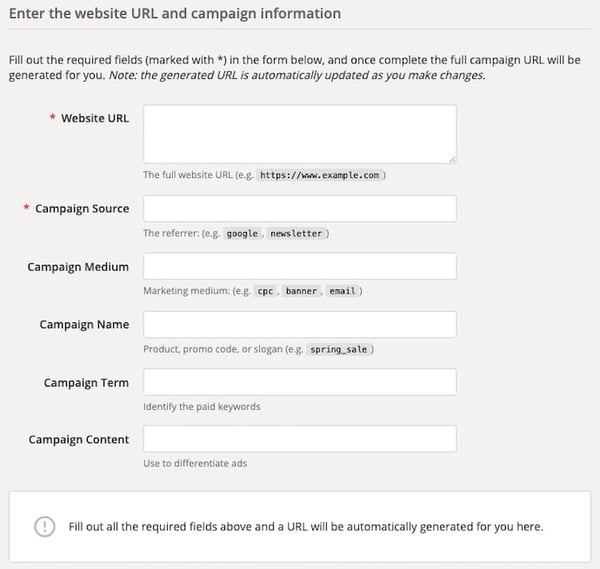
2. Fill in each link attribute in the following form.
Visit the page linked above and click the link to see this URL builder. Then, you’ll see the UTM builder shown below. Add the URL, Campaign, Source, and Medium information into their respective boxes.
3. Use the link in your marketing campaign.
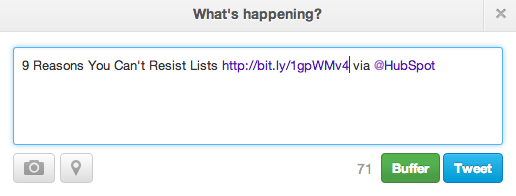
If you’d like to shorten it, you’ll need a tool like bit.ly … or just use HubSpot’s URL Builder if you’re a HubSpot customer.
4. Measure your success.
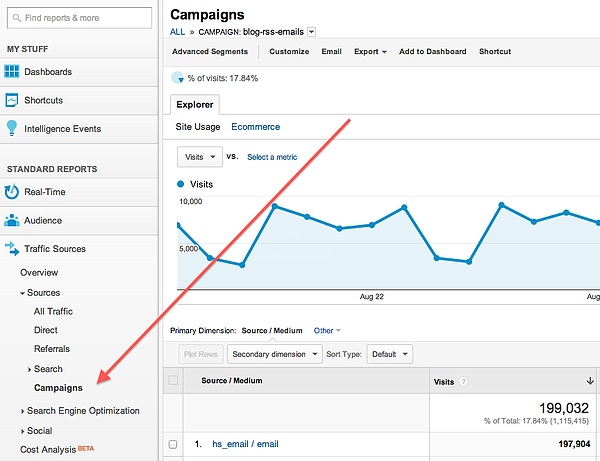
If you already have Google Analytics set up for your site, Google will automatically track incoming campaigns. Like in HubSpot, you can access them under “Audience,” then “Sources,” then “Campaigns.” Click on each campaign to view the source and medium.
And that’s it — you’ll have custom tracking codes set up and running in no time! In a few weeks, you’ll be able to make a case for what you need because you’ll have the right metrics available.
How to Build UTM Codes in HubSpot
Here’s how you’d go about building UTM codes in HubSpot.
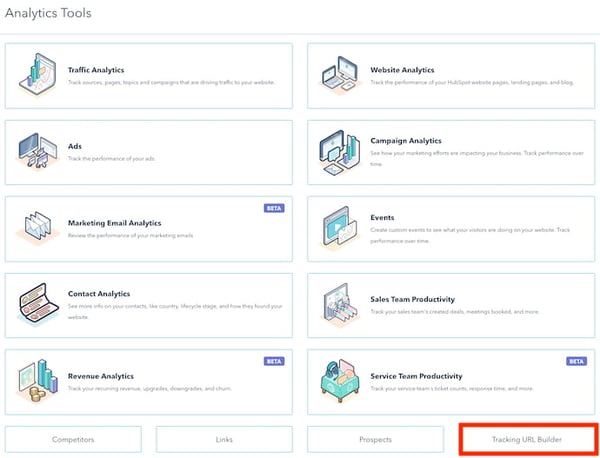
1. Navigate to your Analytics Tools.
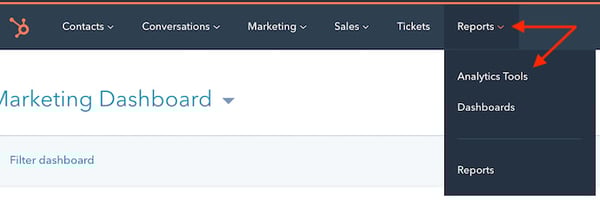
In your Marketing Hub dashboard, select “Reports” on the top navigation bar. Then select “Analytics Tools” in the dropdown, as shown below.
2. Open the Tracking URL Builder.
In the menu of analytics tools that appears, look to the very bottom-righthand corner. You’ll see the option, “Tracking URL Builder.” Click this option at the bottom of the page, as shown in the red box below.
3. Open the Tracking URL form to create a new UTM code.
Whenever you create a web campaign that includes at least one UTM code, you’ll see this campaign listed on the page shown below.
This page outlines a tracking tag’s source, medium, term, content, and creation date, which you can see along the bottom of the screenshot below. Click “Create Tracking URL” in the top-righthand corner.

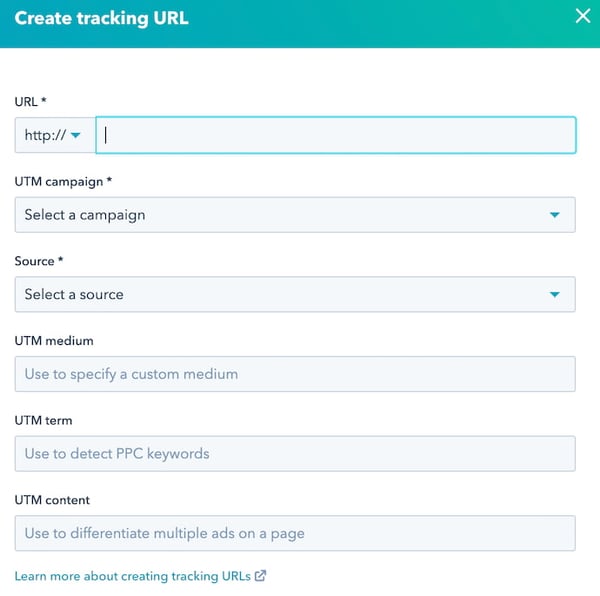
4. Fill in each attribute of your UTM code and click “Create.”
In the form that appears, fill in the URL, Campaign, Source, and Medium fields. If you’d like to add Content and Term, you can do so in the bottom two fields of this form. When you’re done, you’ll see an orange “Create” button become available at the bottom.
Click it, and HubSpot will log your UTM code as a new campaign, and this link will be ready to include on any webpage from which you want to track the traffic.
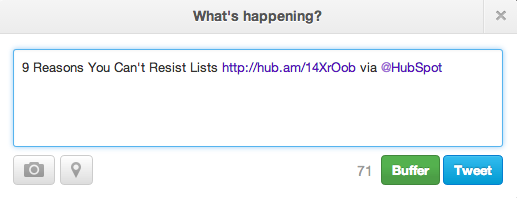
5. Use the shortened link in your marketing campaign.
6. Measure your success.
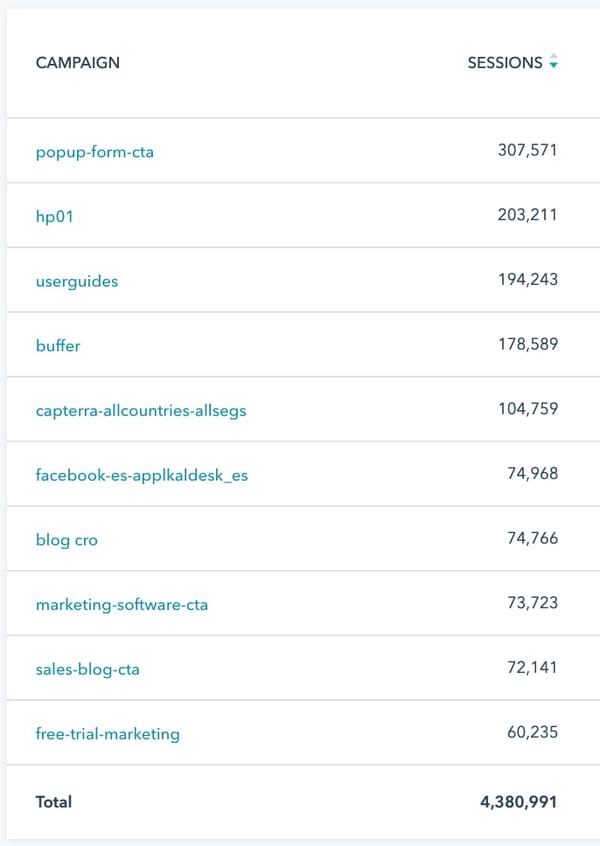
You can track your UTM parameters in your Traffic Analytics dashboard under “Other Campaigns,” as shown below. Click on the individual campaign to break down the source and medium.
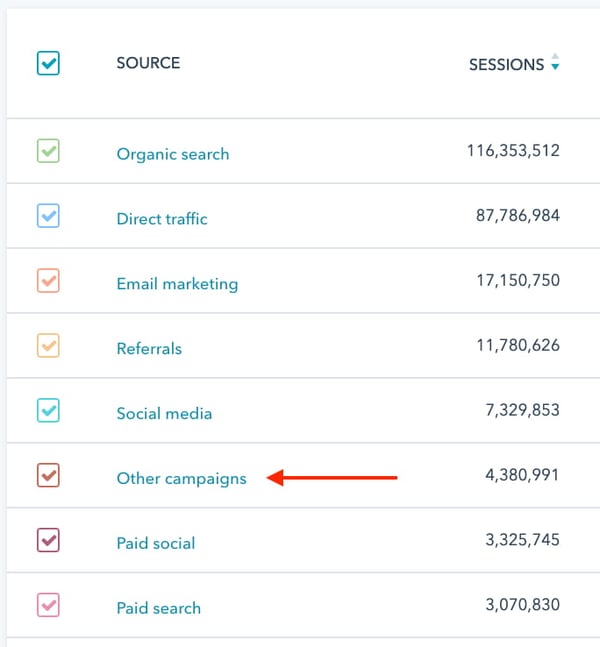
As you can see in the second image, below, the name of the campaign appears to the left — based on the text in the UTM code you created — with the traffic from people who used each URL to arrive at your campaign’s main webpage.
Start Creating UTM Tracking URLs
Use the steps, best practices, and tools above to start creating and using UTM tracking URLs so you’re able to track the performance of your marketing campaigns and content.
Editor’s note: This post was originally published in September 2013 and has been updated for comprehensiveness.

25+ Web Design Statistics that Are Essential to Know in 2021
In 2010, there were over 2 billion internet users worldwide. In 2021, there were over 4.6 billion.
To attract and engage this growing base of online users, websites are being created at a rapid pace. In 2010, there were a little over 210 million websites. Today, there are over 1.8 billion.
To stand out in this crowded online space, you need to understand the latest technologies and trends in web design, as well as consumer behaviors and expectations. To help, we’ve covered the most essential web design statistics of 2021. Let’s get started.

Web Design Statistics
Mobile Web Design Statistics
1. In the first quarter of 2021, mobile devices generated 54.8 percent of global website traffic. (Statista, 2021)
Mobile traffic has been hovering around the 50 percent mark since the beginning of 2017. That means it’s more important than ever to optimize your website for mobile devices as well as desktops. It’s also important to consider whether offering a mobile app would provide a better experience to your users.
2. 32% of small businesses already have a mobile app and 42% plan to build one in the future. 26% of small businesses, on the other hand, are unlikely to ever release one. (Top Design Firms, 2021)
Some small businesses have already created a mobile app, while others plan to in order to improve their customer service or streamline the purchasing process for their customers. But over a quarter of some small businesses aren’t planning to — now or ever. Some don’t have the budget or marketing capabilities to create and promote their app. Others don’t think it makes sense for their business or audience.
Whether your small business should invest in building a mobile app or not depends on a wide range of factors, including your industry, target audience, and budget.
3. 50% of smartphone users are more likely to use a company or brand’s mobile site when browsing or shopping on a smartphone because they don’t want to download an app. (Google/Ipsos, 2019)
When deciding whether to invest in building a mobile app, consider that half of smartphone users prefer to browse or shop on a mobile site because they don’t want to take the extra steps required to download an app.
4. In a study commissioned by Google and conducted by 55 and Deloitte, decreasing mobile site load times by just one tenth of a second resulted in major increases in conversion rates — specifically, 8.4% for retail sites and 10.1% for travel sites. (Deloitte, 2019)
55 and Deloitte analyzed mobile site data from 37 retail, travel, luxury and lead generation brands across Europe and the US over a four-week period. Results showed that a 0.1 second improvement in load time can influence every step of the user journey and ultimately increase conversion rates. On average, conversions increased by 8.4% for retail sites and by 10.1% for travel sites.
This proves that website speed matters and should be considered a key performance metric.
Responsive Web Design Statistics
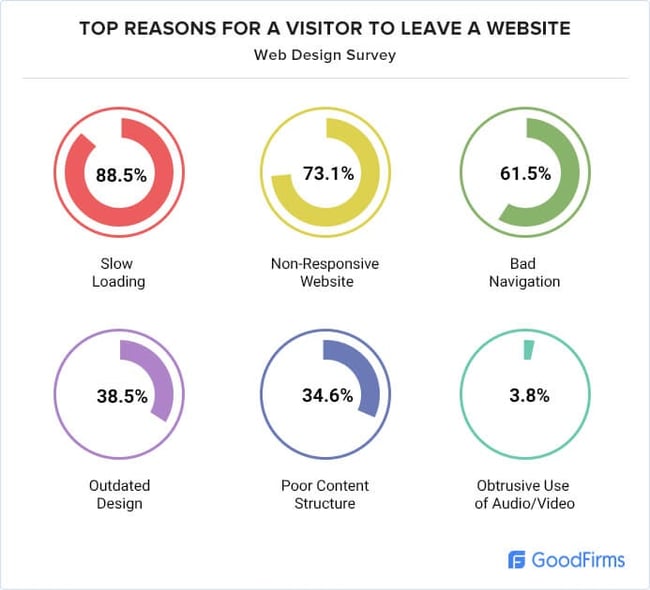
5. 73.1% of web designers believe that a non-responsive design is a top reason why visitors leave a website. (GoodFirms, 2021)
Considering that billions of people are accessing the internet using their mobile devices, it’s essential that your website is optimized for smaller screen sizes as well as desktops. In fact, not having a responsive design is rated as a top reason visitors might leave a website, according to a survey of 200+ web designers and freelancers. Other reasons are slow load times, bad navigation, and poor content structure.
6. 53.8% of web designers cite “not being responsive on all devices” as a top reason for a website to be redesigned. (GoodFirms, 2021)
If your website isn’t responsive, then it’s time for a redesign, according to that same group of 200+ web designers and freelancers. The other top reasons — low conversion rate, high bounce rate, and “needs better UX” — could be addressed by a responsive design as well.
Web Design Industry Statistics
7. In 2020, the total number of web developers and designers in the United States was around 178,900. By 2030, this number is projected to reach over 205,000. (Statista, 2021)
In this study, web developers and designers were defined as those “responsible for the design and development of websites or interfaces including the overall layout, graphics, font type, etc.” The market is expected to grow by over 20,000 jobs in the next decade.
8. Employment of web developers and digital designers is projected to grow 8 percent from 2019 to 2029, much faster than the average for all occupations. (U.S. Bureau of Labor Statistics, 2021)
According to the U.S. Bureau of Labor Statistics, the employment of web developers and designers will grow at a much faster rate than the average for all occupations. It believes that demand will be driven by the continued popularity of mobile devices and ecommerce.
9. The median annual wage for web developers and digital designers was $77,200 in May 2020. (U.S. Bureau of Labor Statistics, 2021)
The median annual wage for web developers and designers was over $77,000 in 2020. The U.S. Bureau of Labor Statistics defines median wage as “the wage at which half the workers in an occupation earned more than that amount and half earned less.” In the case of web developers and designers, the lowest 10 percent earned less than $40,750, and the highest 10 percent earned more than $146,430.
10. The web design services market is estimated to be worth $40.8 billion in the US in 2021. (IBISWorld, 2020)
The web design services market is estimated to be worth over $40 billion in the US. Since 2016, it has grown an average of 4.4% per year.
Modern Web Design Statistics
11. 50% of consumers believe that website design is crucial to a business’s overall brand. (Top Design Firms, 2021)
In a survey of 500 consumers, half said that website design is important to a business’s overall brand. That suggests businesses should prioritize website design (or a redesign) to meet consumers’ expectations and strengthen their brand identity.
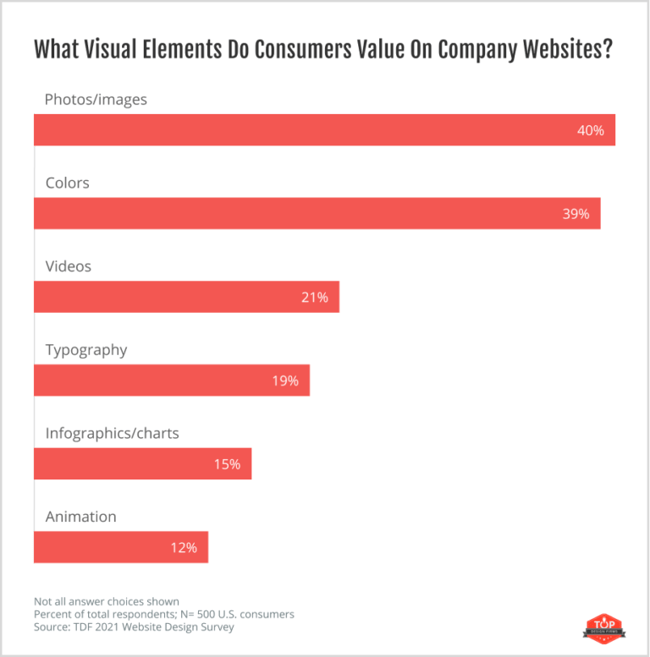
12. When asked what visual elements they value on a company website, 40% of consumers said images, 39% said color, and 21% said video. (Top Design Firms, 2021)
Images, color, and videos are the top visual elements that consumers value on a company website. Considering that nearly 40% said images and color and 21% said video, your business should prioritize adding images and picking a website color scheme first. Then, focus on incorporating video as well as other visual elements mentioned — namely, typography, infographics, and animation.
13. 84.6% of web designers believe crowded web design is the most common mistake made by small businesses. (GoodFirms, 2021)
An overwhelming number of web designers (84.6%) believe crowded web design is the most common mistake that small businesses make when creating a website. That means you want to incorporate images, color, video, and other visual elements that consumers value — but not overdo it. Taking a minimalist approach can help.
14. 42% of people will leave a website because of poor functionality. (Top Design Firms, 2021)
Web design isn’t just about making pretty websites — it’s about making websites that are easy to use and navigate. If yours isn’t, then it’s likely that many visitors will abandon your site. In a survey by Top Design Firms, 42% of respondents said they’d leave a website that had poor functionality.
15. 38.5% of web designers believe that outdated design is a top reason why visitors leave a website. (GoodFirms, 2021)
In addition to a non-responsive design and functionality issues, web designers cite outdated design as a top reason for visitors abandoning a website. You might be wondering when a design becomes “outdated.” According to Business 2 Community, the average lifespan for a website is 1.5 to 2.5 years. Past that range, a website will need to incorporate new design trends and technologies to feel “fresh” and competitive.
16. 39% of consumers appreciate color more than any other component of a website’s design. (Top Design Firms, 2021)
39% of website visitors care about color more than any other component of a website’s design. That means companies should prioritize picking a website color scheme. Ideally, your color schemes will reinforce your brand, make your site easy to read and navigate, and also look good.
17. Only 8% of consumers notice whitespace when viewing a website for the first time. (Top Design Firms, 2021)
When viewing a website for their first time, only a fraction of visitors notice whitespace. That doesn’t mean it’s not important, however. This critical design element can help draw visitors’ attention to certain elements, like CTAs, and make it easier for them to understand and digest your content.
18. 26% of consumers prefer primary color schemes, 21% prefer complementary, and 20% prefer analogous. (Top Design Firms, 2021)
Consumers are split about which type of color scheme they prefer: some want primary, others want complementary, while others want analogous. To understand the difference, you need to be somewhat familiar with color theory. A primary color scheme is made up of one or more primary colors (red, yellow, and blue). A complementary color scheme uses two colors directly across from each other on the color wheel (like orange and blue) and relevant tints of those colors. An analogous color scheme is created by pairing one main color with the two colors directly next to it on the color wheel (like green, purple, and blue.
When selecting a color scheme, companies should consider their products, services, and audience.
19. 22% of consumers visiting a website for the first time look for eye-catching colors. But 21% of consumers will leave a site with “outlandish” colors. (Top Design Firms, 2021)
Since 22% of consumers visiting a website for the first time look for eye-catching colors, but 21% will leave one with “outlandish” colors, it’s important to strike the right balance. To help choose eye-catching — but not garish — colors for your website color scheme, opt for a neutral background color. Then choose primary and secondary colors. Don’t be afraid to look at businesses in your industry for inspiration.
20. When looking at a website for the first time, 38% of consumers look at a page’s layout or navigational links. (Top Design Firms, 2021)
38% of people visiting a website for the first time look at the layout or navigational links on a page. If the layout is confusing or the navigation menu is hard to find, then visitors may leave your website.
21. As of June 2021, Google.com is the most popular website worldwide, with 86.9 billion total monthly visits. (Statista, 2021)
For the last decade, Google.com has been the most popular website worldwide. In June 2021, it racked up 86.9 billion total monthly visits. That means you can learn a few things from their website’s design if you need inspiration. YouTube, Facebook, and Wikipedia are the next most popular websites across the world.

Ecommerce Web Design Statistics
22. In 2021, 53.9 percent of all retail ecommerce is expected to be generated via mobile devices. (Statista, 2021)
Mobile is not only responsible for the majority of global traffic this year — it’s also making up the majority of retail ecommerce sales. That adds even more incentive for ecommerce sites to ensure they are fully responsive and mobile-friendly.
23. 23% of small retail businesses don’t have a website. (Digital.com, 2021)
With ecommerce growing year-over-year, it might surprise you that 23% of small retail businesses don’t have a website. Some believe they don’t need one — but they are likely missing out on key opportunities to generate revenue. According to Statista, revenue from ecommerce in the United States amounted to 431.6 billion U.S dollars in 2020. It’s estimated to increase to 563.4 billion dollars by 2025.
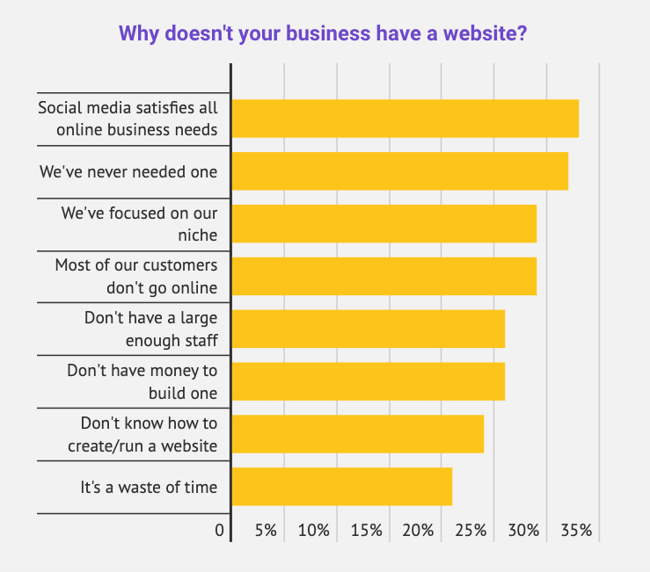
24. 24% of small retail businesses without a website responded that their reason for not having one was that they don’t know how to create/run a website. (Digital.com, 2021)
While some businesses doubt the necessity of having an online presence, others simply don’t have the resources to create one. 24% of small business owners without a website said the reason was that they don’t know how to create and run one. The rise of user-friendly and affordable content management systems and website builders could help overcome this objection and get more small businesses online.
25. As of June 2021, Amazon was the most popular ecommerce site in the United States, with approximately 2.45 billion total monthly visits. (Statista, 2021)
Since Amazon has had unprecedented success in driving traffic to their site, Amazon.com can provide inspiration for your website’s design. It’s become the go-to platform for many online shoppers due to its broad assortment of goods, third-party selling, and other design and functionality choices.
26. 85% of shoppers say product information and pictures are important to them when deciding which brand or retailer to buy from. (Google/Ipsos, 2019)
Online shoppers use a variety of factors to decide which brands and retailers to buy from. The majority cite product information and pictures as an important factor, so make sure your ecommerce site’s product pages are optimized for copy and imagery.
27. 60% of consumers rate usability as an important design characteristic for an online shop. (Statista, 2020)
In a survey of almost 1,000 US consumers, 60 percent stated that website usability is important for them in an online shop. You can improve the usability of your website by using visual hierarchy, colors, and consistency to make it as easy to use as possible. If you’re not sure where to start, HubSpot’s Website Grader and other usability testing tools can help identify improvement opportunities.
Preparing for the Future of Web Design
The web design industry is growing and so are user’s expectations of what websites and online shops look like and are capable of. Will you be prepared to meet them?
Editor’s note: This post was originally published in December 2019 and has been updated for comprehensiveness.


The 22 Best iPaaS Vendors for Any Budget
As your business grows and evolves, you’ll inevitably find yourself adding more applications to your tech stack. If those applications run on different platforms and can’t communicate effectively, you’re going to run into issues with data loss, duplication of efforts, and bottlenecks that slow your team down.
If you’ve decided you want to invest in an iPaaS tool but aren’t sure where to start, you’re in the right place. In this article, we’ll go over some of the best iPaaS vendors, so you can discover one that fits your company’s unique needs and budget. Let’s dive in.

iPaaS Vendors: Top Features to Look For
iPaaS — which stands for Integration Platform as a Service — helps you connect the tools and systems that power your business in one place, so information can be shared without high-maintenance, one-off integrations, or manual data entry.
When considering iPaaS vendors and companies, you should know what to look for to get the most out of your investment. While some solutions are free, others can come with a hefty price tag.
Here are the top features you should look for.
User-Friendly Workflows Tool
iPaaS solutions allow you to integrate two or more apps to automate a process that otherwise takes longer to complete. It’s a critical tool to have in your workflow automation arsenal. As such, it should allow you to build workflows and connect apps in a user-friendly, no-code workflows tool.
The exception would be if you’re planning to create highly personalized workflows and integrations using code.
API Management Tool
You may be looking for an iPaaS provider that can help you build and deploy an API. You may also wish to create a unique integration tool using APIs from various apps and platforms. Some iPaaS services offer an API management feature either within the platform or as an add-on.
Templated Integrations
For small-to-medium businesses without an integration workflow, it’ll be critical to choose a tool that offers at least a few basic templated integrations to get you off the ground. Whether you want to create a simple or complicated series of integrations, the iPaaS vendor should offer a jumping-off point.
Top-Notch Security
iPaaS vendors will be handling your company’s confidential data, so they should offer end-to-end security and encryption. Most iPaaS vendors list their certifications and describe their security measures on their websites. If you have any doubts or special concerns about the security of your data, be sure to bring up any questions during the demo or consultation.
Ready to dive into the best iPaaS vendors of this year?
We wrote a deep dive on iPaaS here if you’d like to learn more about the basics of iPaaS services, view a complete glossary of iPaaS terms, and better understand what iPaaS can potentially offer your business.
Now, it’s time to check out the best iPaaS vendors you can use to integrate your business’s apps and services.
1. Dell Boomi
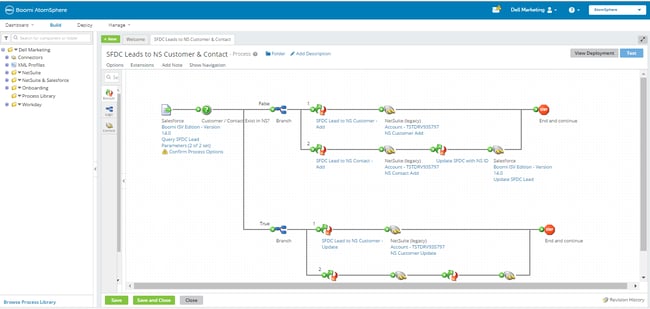
Acquired by Dell in 2010, Boomi offers a cloud-based integration and API management solution with all the bells and whistles you could ask for: workflows, API design, application deployment, B2B/EDI management, and much more. Within Boomi, you can design end-to-end workflows and process data across multiple applications. Suitable for enterprise and small businesses from many different industries, Boomi has been considered a leader in the iPaaS space for the last six years by Gartner.
Features
- User-friendly workflows tool: Boomi has a drag-and-drop UI for creating integrations and workflows.
- API management tool: Boomi includes an API management tool to design and deploy APIs.
- Templated integrations: Boomi includes templates and a process library for the easy creation of integrations.
- Top-notch security: Boomi details its approach to data security here.
Best for: Because of its low starting price and robust features, Dell Boomi is a great fit for small-to-enterprise businesses that have any need for integrations. There are, however, free tools that have similar capabilities.
Price: Starting at $50/month.
2. Oracle Integration Cloud
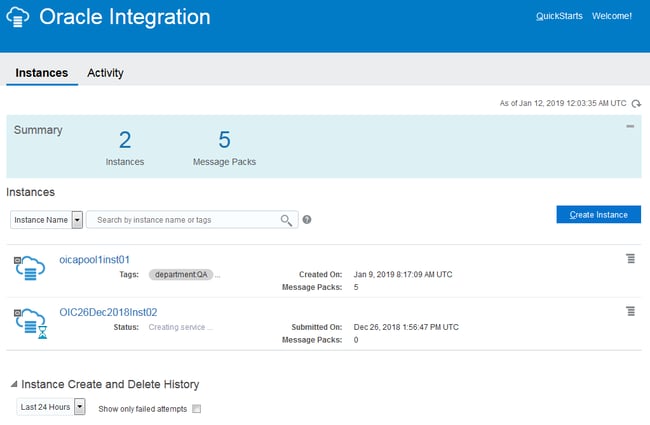
If you’re looking for a straightforward iPaaS solution with industry best practices and premade integration flows baked into the product, Oracle Integration Cloud might be an option to take a deeper look at. Oracle serves up an extensive library of out-of-the-box adapters to different SaaS and on-premises applications, making the initial set-up less time consuming for your team.
Features
- User-friendly workflows tool: Oracle Integration Cloud offers a drag-and-drop tool for creating connections between apps. There are, however, more user-friendly tools out there, such as Workato.
- API management tool: Oracle offers an API platform.
- Templated integrations: Oracle Integration Cloud includes a vast library of premade integrations.
- Top-notch security: Oracle details its approach to data security here.
Best for: Oracle Integration Cloud is a great fit for enterprise businesses that can benefit from the premade integrations Oracle offers in its library.
Price: Choose from several different pricing structures, including a pay-as-you-go plan starting at $1.2097/message, and a monthly flex plan starting at $0.3226/message.
3. Workato
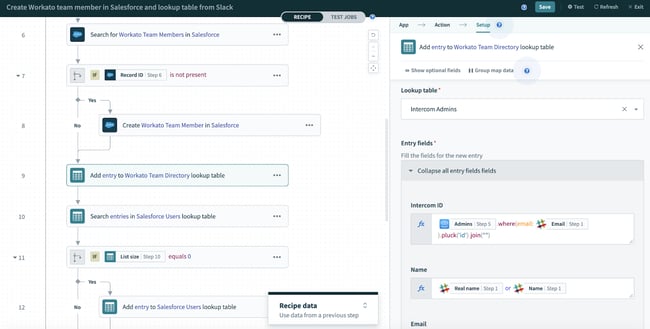
This iPaaS solution was designed to enable better connection between business users and IT, allowing both groups to plan, create, and easily maintain integrations between different systems. Workato provides pre-built integration flows between 300 of the most popular SaaS products, and the ability to design custom integrations in a simple, drag-and-drop interface.
Features
- User-friendly workflows tool: Workato has a user-friendly tool for integrating apps and creating workflows.
- API management tool: Workato has an API Platform.
- Templated integrations: Workato has a library of community-made “recipes” for launching integrations.
- Top-notch security: Workato details its approach to data security here.
Best for: Workato is a great fit for small-to-medium businesses that use the apps listed in the Workato community recipes page.
Price: Contact Workato for a quote.
4. TIBCO Cloud™
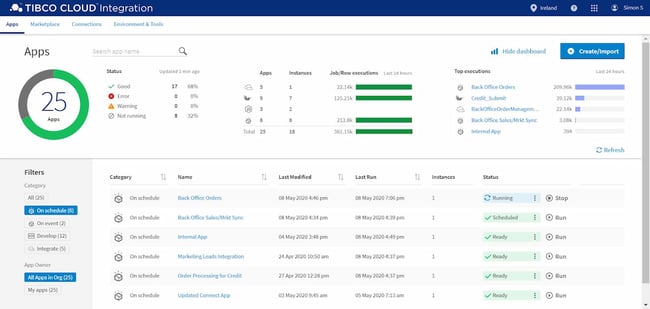
TIBCO Cloud prides itself on providing an easy-to-use iPaaS solution that simplifies the creation and management of integration flows in your business. They consider themselves to be an “application neutral” technology partner for their clients — meaning, they won’t try to push you towards using a particular application or ecosystem. Instead, they’ll work with you to build a solution that connects the on-premises tools and cloud-based applications your business already prefers to use.
Features
- User-friendly workflows tool: TIBCO Cloud Integration has a visual UI for building workflows and integrations. It does require some knowledge of code, so it’s not recommended for beginners.
- API management tool: TIBCO Cloud offers an API management tool that’s sold separately from its Integration tool.
- Templated integrations: TIBCO Cloud has a library of premade connectors.
- Top-notch security: TIBCO Cloud details its approach to data security here.
Best for: TIBCO Cloud is a great fit for large-to-enterprise businesses that need extensive custom integrations.
Price: Starting at $400/month for a Basic Plan, $1500/month for a Standard Plan, and custom pricing for Hybrid plans based on your unique needs.
5. Elastic.io
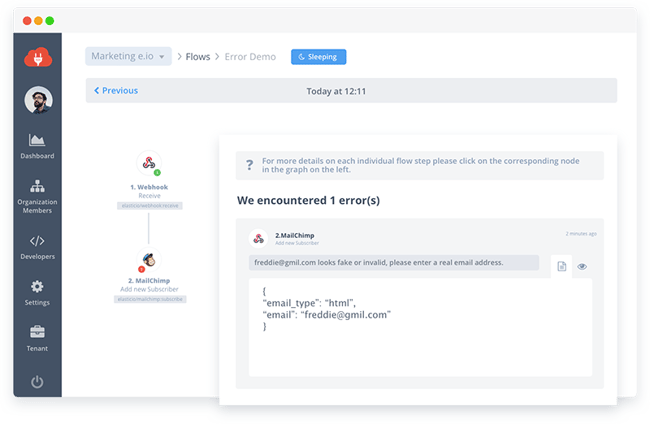
Elastic.io promises to remove the laborious product management component of custom integrations and reduce the amount of time spent on integrations at your company by up to 80%. This iPaaS vendor also takes an as-a-service mentality to how they work with customers, helping you support feature roll-outs and upgrades, bug fixes, and connector updates.
Features
- User-friendly workflows tool: Elastic.io has a user-friendly integration flow designer.
- API management tool: Elastic.io offers an API integration tool that allows you to integrate APIs from other services.
- Templated integrations: Elastic.io has a library of premade connectors.
- Top-notch security: Elastic.io details its approach to data security here.
Best for: Elastic.io’s lower investment and user-friendly integrations builder makes it a great choice for medium-to-large business just starting to create app integrations.
Price: For system integrators, the monthly plans start at €199/month; for enterprise customers, the yearly plans start at €1,499/month; and for software vendors, they offer the platform as OEM with customizable pricing (i.e. on request).
6. Modulus Data
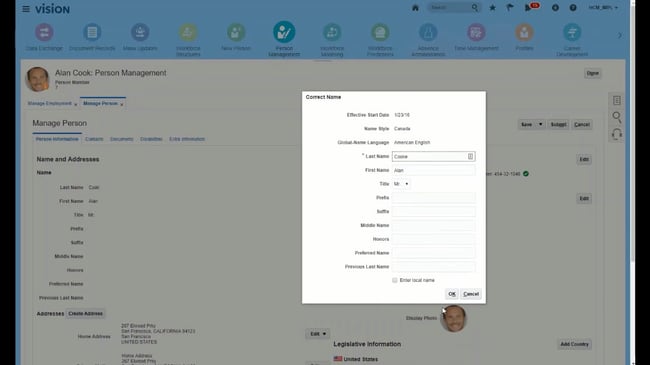
This iPaaS vendor specializes in integrations for the Human Resources industry, offering a comprehensive library of pre-built connectors aimed at helping your HR department align their applications and tools in one seamless, secure hub. Modulus Data has out-of-the-box connectors with most popular HR applications and software tools, including Workday, Greenhouse, Monster, and Oracle HCM.
Features
- User-friendly workflows tool: Modulus Data offers a visual integrations builder tool.
- API management tool: Modulus Data uses an API-to-API connection to integrate apps; however, it doesn’t offer an option for managing or creating custom APIs.
- Templated integrations: Modulus Data offers a library of prebuilt connectors.
- Top-notch security: While Modulus Data doesn’t have security documentation, it indicates its level of security in its terms and conditions.
Best for: Modulus data is a great fit for recruitment firms and HR departments looking to streamline workflows and integrate the apps in their tech stacks.
Price: Contact Modulus Data for a quote.
7. Informatica
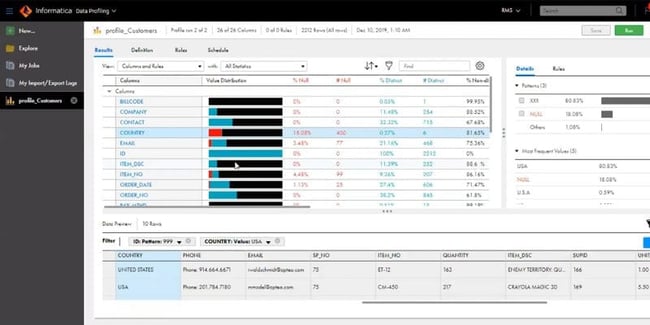
Informatica has been around since 1993, and still continues to be an industry leader in helping businesses manage their data effectively and securely. Specializing in enterprise level iPaaS solutions, Informatica lists big companies like GE, Unilever, and L’Oreal among their clients. If you’re a large company looking for hands-on support on your custom iPaaS journey, Informatica might be a good fit for your needs.
Features
- User-friendly workflows tool: Informatica has a visual integrations builder tool.
- API management tool: Informatica offers an API management tool to build and deploy APIs.
- Templated integrations: Informatica offers a library of prebuilt connectors.
- Top-notch security: Informatica details its approach to data security here.
Best for: Informatica is a great fit for enterprise businesses with legacy applications that they’d like to integrate with their cloud-based apps and services.
Price: Contact Informatica for a quote.
8. IBM AppConnect
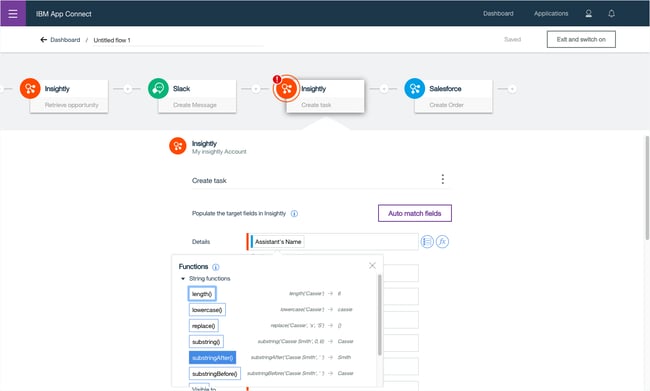
IBM’s iPaaS solution markets itself as an easy way to connect apps, build APIs, integrate data, and act on events. AppConnect comes equipped with a series of templates made up of common patterns you can use to quickly set-up integration flows for your business, and start getting value immediately. SMBs looking to get started with iPaaS and explore the possibilities of new applications might benefit from using AppConnect.
Features
- User-friendly workflows tool: AppConnect features a visual, no-code integrations builder.
- API management tool: AppConnect offers an API management tool to build and deploy APIs.
- Templated integrations: AppConnect has a library of prebuilt connectors.
- Top-notch security: IBM details its approach to data security here.
Best for: Due to its free starting price, AppConnect is a great fit for small-to-medium businesses that want to try a hand at app integration. The iPaaS vendor then allows you to upgrade as your needs grow more sophisticated.
Price: AppConnect offers a free lite package. Professional packages start at $500/month.
9. SnapLogic
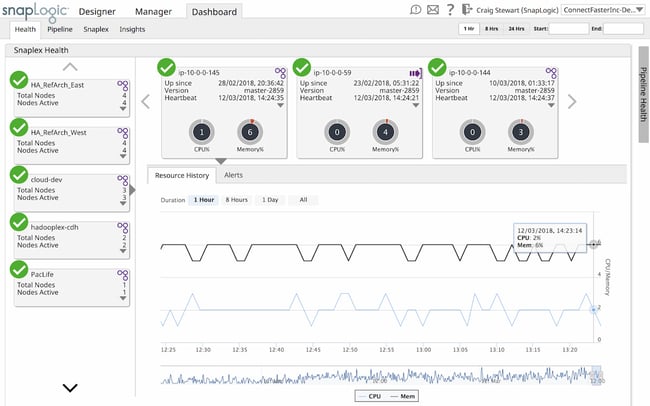
For companies seeking an enterprise-level iPaaS solution that can handle a lot of data quickly, SnapLogic offers a way to automate integrations across on-premises and cloud-based applications on a large scale. But don’t let the hefty capabilities of SnapLogic mislead you into thinking the product itself is for the extremely tech-savvy only — this iPaaS solution is designed with user accessibility in mind, so even teams with less technology experience can build, manage, and scale custom integrations and workflows.
Features
- User-friendly workflows tool: SnapLogic features a drag-and-drop low-code integrations builder.
- API management tool: SnapLogic offers an API management tool to build and deploy APIs.
- Templated integrations: SnapLogic has a library of premade “Snaps,” their name for “connectors.”
- Top-notch security: SnapLogic details its approach to data security here.
Best for: SnapLogic is a great fit for enterprise businesses that need to automate processes across their IT, sales, marketing, HR, and accounting departments.
Price: Contact SnapLogic for a quote.
10. Zapier
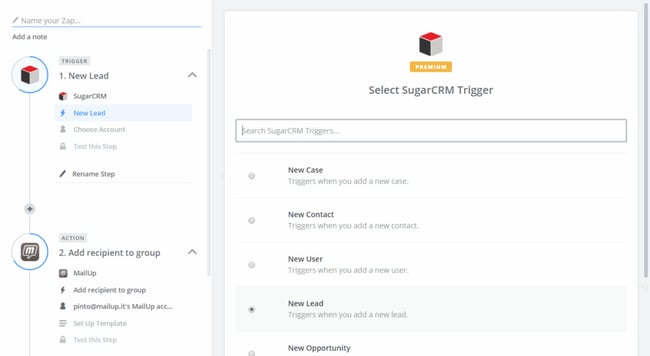
One of the more user and wallet-friendly options in the iPaaS space, Zapier gives businesses of any size the ability to design and manage custom integration solutions that fit their exact needs. Zapier adds new integrations (called “zaps”) to their massive integrations library each week, so chances are, there’s already an out-of-the-box solution available for you to start using today.
Features
- User-friendly workflows tool: Zapier has a visual workflows builder and is extremely user-friendly.
- API management tool: Zapier does not offer an API management tool.
- Templated integrations: Zapier has the biggest integrations library of this list. Each app has hundreds — if not thousands — of premade workflows.
- Top-notch security: Zapier details its approach to data security here.
Best for: Due to its ease-of-use, Zapier is a great choice for small businesses and freelancers who want to create simpler workflows.
Price: Zapier offers a free basic package. Starter packages start at $19.99/month, and Professional packages begin at $49/month.
11. Jitterbit
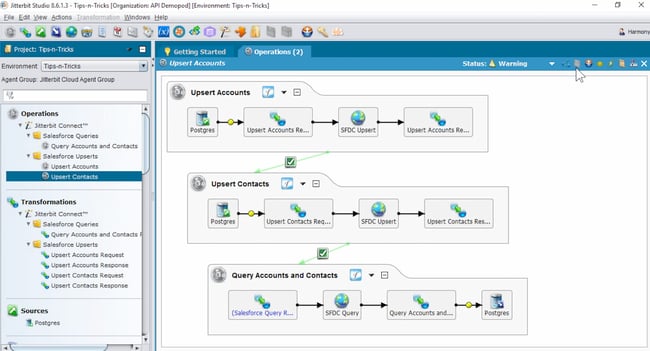
According to G2 ratings, Jitterbit is one of the more user-friendly and cost-effective iPaaS options out there. This iPaaS vendor offers support for a wide breadth of connectors, advanced workflow capabilities, real-time integrations, and a range of data security features. Additionally, Jitterbit has an easy-to-use visual designer to help make the setup and monitoring processes run smoothly — even for teams without a dedicated developer on staff.
Features
- User-friendly workflows tool: Jitterbit features a visual drag-and-drop workflows builder.
- API management tool: Jitterbit offers an API management tool to build and deploy APIs.
- Templated integrations: Jitterbit has pre-built templates inside the platform.
- Top-notch security: Jitterbit details its approach to data security here.
Best for: Jitterbit is a great fit for medium-to-enterprise businesses in the energy, financial, healthcare, manufacturing, retail, and transportation industries.
Price: Contact Jitterbit to get a quote.
12. Amazon API Gateway
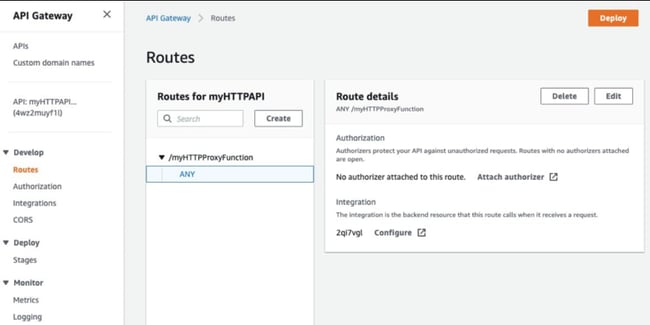
Built with developers in mind, Amazon’s iPaaS solution enables teams to create and manage APIs that act as a “front door” for applications to access data and share information. Amazon API Gateway is unique because you only pay for the API calls you use, rather than most other iPaaS vendors which rely on monthly or annual pricing models. This iPaaS vendor is one to consider if you have a developer on staff and want more direct control over the API calls your company uses.
Features
- User-friendly workflows tool: Amazon API Gateway offers a visual API manager.
- API management tool: Amazon API Gateway is specifically an API management tool; this is its core strength.
- Templated integrations: Amazon API Gateway doesn’t offer any templated integrations.
- Top-notch security: Amazon API Gateway details its approach to data security here.
Best for: Amazon API Gateway is a great fit for medium-to-enterprise businesses that need to build and manage custom APIs at scale.
Price: Pricing is determined by the quantity and type of API calls used.
13. Pabbly Connect
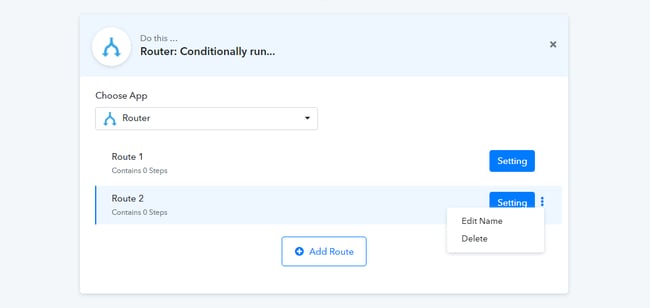
Pabbly Connect enables you to seamlessly integrate applications from multiple niches such as marketing, CRM, finance, and more to create automated workflows. Additionally, you can create multi-step calls, set instant triggers, apply conditions using various filters, add unlimited applications, and do a lot more in your workflows.
Features
- User-friendly workflows tool: Pabbly Connect offers a visual integration creator.
- API management tool: Pabbly Connect offers an API modules tool for connecting apps, but it doesn’t offer a standalone API management tool.
- Templated integrations: Pabbly Connect doesn’t have a library of premade integrations.
- Top-notch security: While Pabbly Connect doesn’t have security documentation, it does describe some of its security measures in its privacy policy.
Best for: Pabbly Connect is another great tool for freelancers and small businesses; whether you choose it over Zapier depends on which apps you’d like to integrate.
Price: Free and paid plans available. With the basic plan that comes at $9/month, you get unlimited workflows.
14. Celigo Integrator.io
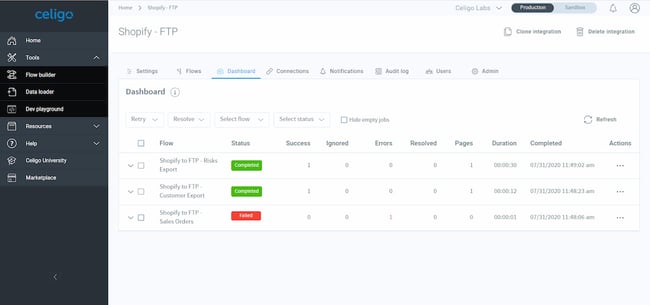
If you aren’t sure how an iPaaS solution will work for your company and are wary of hefty fees, Celigo offers a free version of their iPaaS product. Their Integration Marketplace is stocked with plenty of prebuilt, supported integrations with common applications, and their “flow” subscription model means you can start off with the free version and only start paying if you increase your usage and add new integrations into the mix.
Features
- User-friendly workflows tool: Celigo offers a visual no-code flow builder.
- API management tool: Celigo includes an API management tool to build and deploy APIs.
- Templated integrations: Celigo has an integration marketplace with prebuilt connectors.
- Top-notch security: Celigo details its approach to data security here.
Best for: Celigo is a great fit for large-to-enterprise businesses that want to create custom integrations and APIs.
Price: Packages start at $7,200/year.
15. Tray.io
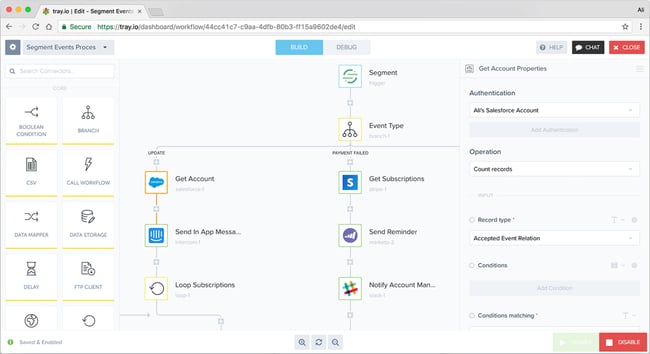
This iPaaS vendor was designed with the intention to better connect the tools and workflows used by your marketing, sales, product, and services teams. They offer out-of-the-box integration solutions developed with these specific teams in mind, and aim to empower your teams to manage and create the integrations they need without requiring developer assistance every step of the way.
Features
- User-friendly workflows tool: Tray.io offers a visual drag-and-drop workflow builder.
- API management tool: While Tray.io uses APIs to connect apps, it doesn’t offer a standalone API management tool.
- Templated integrations: Tray.io offers a library of prebuilt connectors.
- Top-notch security: Tray.io details its approach to data security here.
Best for: Tray.io is a great fit for businesses that need to foster greater collaboration between its teams, since it allows you to share workflows between teams.
Price: Contact Tray.io for a quote.
16. Xplenty
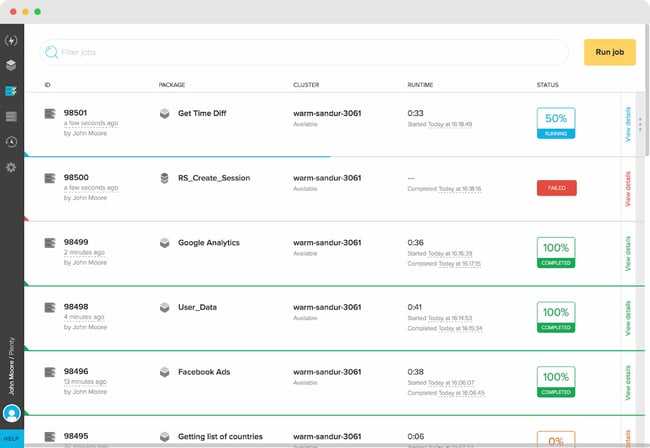
If you’re seeking a straightforward way to visualize your workflows, integrations, and data flows, Xplenty might be a good option to consider. Their simplified dashboard enables you to manage how your tools and data are working together in one central place, and your developers will love that they can connect Xplenty with their existing monitoring systems using service hooks.
Features
- User-friendly workflows tool: Xplenty offers a visual user interface; however, it still requires some coding.
- API management tool: Xplenty doesn’t offer an API management tool.
- Templated integrations: Xplenty offers a library of prebuilt connectors.
- Top-notch security: Xplenty.io details its approach to data security here.
Best for: Xplenty is a great fit for small-to-enterprise businesses with a team of developers to build custom integrations.
Price: Contact Xpenty for a quote.
17. Mulesoft
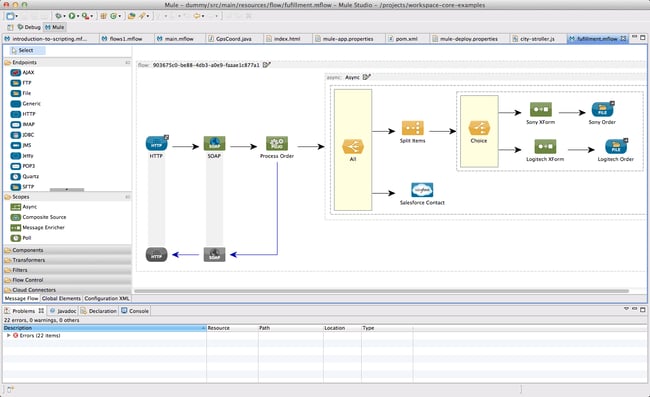
Used by tech giants like Netflix and Airbnb, Mulesoft offers a wide range of customized iPaaS solutions for different industries and tech setups. Their selection of out-of-the-box connectivity options means your team will spend less time initially building out new integrations, since prebuilt integrations are easier to get up and running fast.
Features
- User-friendly workflows tool: Mulesoft features a visual workflows “composer” for creating integrations without coding.
- API management tool: Mulesoft offers an API manager.
- Templated integrations: Mulesoft has a library of prebuilt connectors.
- Top-notch security: Mulesoft details its approach to data security here.
Best for: Mulesoft is a great fit for large-to-enterprise businesses that are looking to integrate apps and deploy APIs in one convenient platform.
Price: Contact Mulesoft for a quote.
18. Cleo Integration Cloud
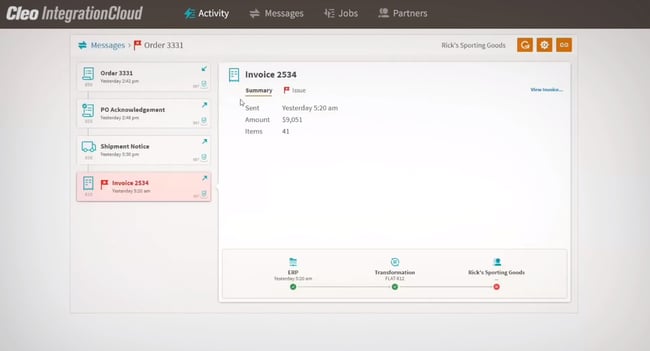
Cleo Integration Cloud offers a user-friendly, easy-to-use platform for automating processes across various teams in your businesses. The integration platform is focused on breaking down silos so that there’s utmost clarity between your business processes. The platform offers an integration environment called CIC Studio that helps you create workflows and integrations in an intuitive way.
Features
- User-friendly workflows tool: Cleo offers a visual drag-and-drop workflows editor for creating integrations without coding.
- API management tool: While Cleo uses APIs to connect apps, it doesn’t offer a standalone API management tool.
- Templated integrations: Cleo offers a library of prebuilt connectors.
- Top-notch security: Cleo lists its security certifications here.
Best for: Cleo Integration Cloud is a great fit for B2B businesses that need to create sophisticated integrations with different protocols.
Price: Contact Cleo for a quote.
19. Talend Cloud Data Integration
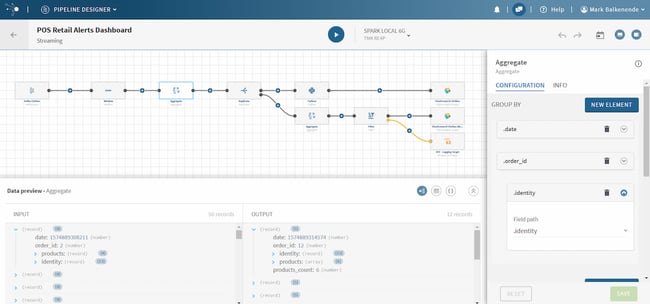
Talend Cloud Data Integration is an iPaaS solution for hybrid information systems — it can connect both cloud-to-cloud applications and cloud-to-on-premise applications, which makes it a great pick if your team isn’t looking to go full cloud just yet. You can develop and launch integrations in a central dashboard.
Features
- User-friendly workflows tool: Talend uses a visual “pipeline designer” to create workflows.
- API management tool: Talend offers API services for creating and deploying APIs.
- Templated integrations: Talend has a list of supported connectors; however, it’s more limited than others in this list.
- Top-notch security: Talend details its approach to data security here.
Best for: Talend is a great fit for large-to-enterprise businesses that want to connect on-premises solutions with cloud apps.
Price: Contact Talend for a quote.
20. Blendr.io
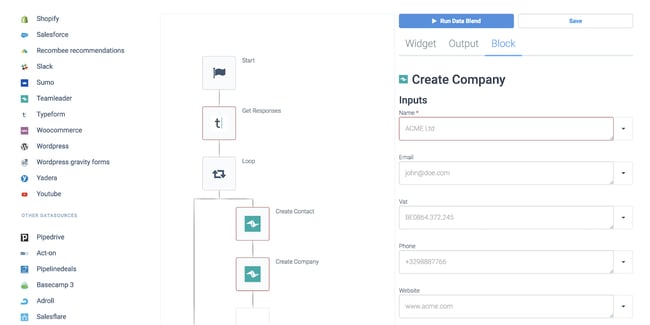
Blendr.io offers a low-code visual builder to create complex enterprise-grade or standardized self-service integrations. They also provide a set of features to embed integrations in the UI of your platform (including HubSpot) into the UI of other SaaS platforms.
Blendr.io integrates marketing, sales, events, productivity, and 300+ other cloud platforms. If you end up not finding the integration you need in their library, you can ask the Blendr.io team to add it at no additional cost to your plan.
Features
- User-friendly workflows tool: Blendr.io has a visual no-code automation builder.
- API management tool: Blendr.io allows you to manage API integrations, but doesn’t allow you to build and deploy APIs.
- Templated integrations: Blendr.io has a list of premade connectors.
- Top-notch security: Qlik, Blendr.io’s creator, details its approach to data security here.
Best for: Blendr.io is a great fit for SaaS businesses that need to automate internal processes and are also interested in embedding an integration feature into their own software. Blendr.io allows you to embed their UI into your SaaS product.
Price: Contact Blendr.io for a quote.
21. RudderStack Cloud Extract
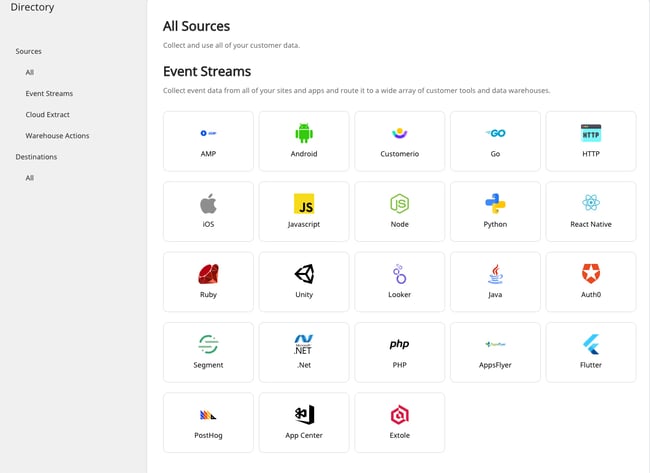
Formerly called Blendo, RudderStack Cloud Extract is a self-service iPaaS solution that can connect applications from your sales, marketing, and financial teams and flow directly into a number of popular data warehousing options. RudderStack Cloud Extract was designed to make reporting across multiple applications more straightforward, so they ensure you can access your data in your preferred reporting platform.
Features
- User-friendly workflows tool: RudderStack Cloud Extract has a user-friendly no-code integration builder.
- API management tool: RudderStack Cloud Extract doesn’t offer an API management tool.
- Templated integrations: RudderStack Cloud Extract has a list of premade connectors.
- Top-notch security: RudderStack doesn’t have any security documentation on their website, though they do provide some details in their service agreement.
Best for: RudderStack Cloud Extract is a great fit for B2B businesses that need to aggregate customer data from both cloud apps and internal databases.
Price: Starts at free, while Pro starts at $750/month.
22. Skyvia
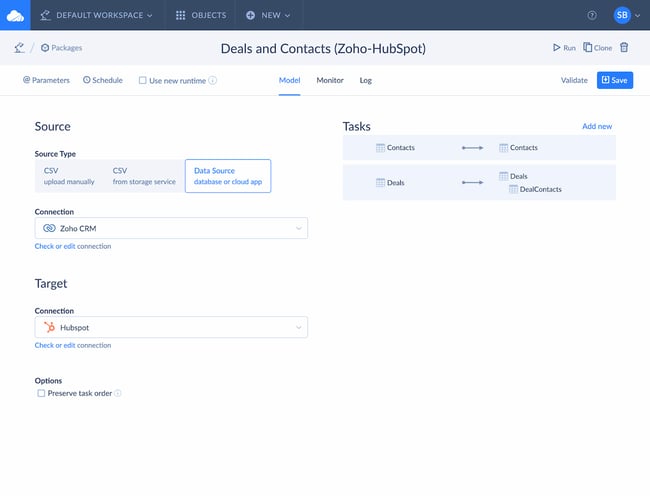
Last but certainly not least, we have Skyvia, a no-coding cloud data integration platform that offers both ELT and ETL approaches. It has both visual tools for simple integration cases and powerful mapping and transformation settings for more complex scenarios. The platform also offers no-coding OData and SQL web API layer and has ADO.NET provider and ODBC driver for accessing your data via these APIs over the web. Skyvia supports all major data sources — from SaaS apps like Salesforce and BigCommerce, to databases like MySQL and SQL Server.
Features
- User-friendly workflows tool: Skyvia has a user-friendly no-code integration builder.
- API management tool: Skyvia doesn’t offer an API management tool.
- Templated integrations: Skyvia has a list of premade connectors.
- Top-notch security: Skyvia details its approach to data security here.
Best for: Skyvia is a great fit for small-to-large businesses because of its free plans and robust data management tools. You can easily integrate both cloud and on-premise data.
Price: Choose from a Data Integration Free plan (free), a Data Basic Integration plan ($19/month), and a Data Integration Standard plan ($99/month).
Choose an IPAAS Vendor to Break Down Silos
An iPaaS vendor can help you integrate disparate apps, streamline processes, create collaborative workflows, and unify all of your customers’ data. The result is that your team will no longer be working in silos, empowering you to grow better.
Editor’s note: This post was originally published in June 2019 and has been updated for comprehensiveness.

What is Public Relations? The Definition of PR in 100 Words or Less
Image is an important aspect of brand awareness, which influences whether your potential customers know, like, and trust you. Where publicity is outside a brand’s control, public relations (PR) is an effective way to contribute to the conversation.

There’s an old saying: “Advertising is what you pay for; publicity is what you pray for.”
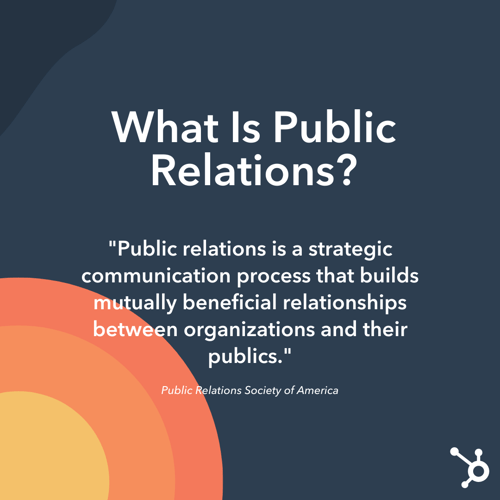
Public relations isn’t an easy profession to define. In fact, in 2012, the Public Relations Society of America (PRSA) accepted a few thousand submissions before finally agreeing on one:
 So how can an organization take its beneficial relationship to the public and turn it into good press? Are you really “praying” for something, like the old saying goes, if you’re using a strategic process to get results?
If public relations is a bridge for that relationship, then public relations professionals are the bridge builders. Let’s talk about them a little more specifically:
What is a public relations professional?
A public relations professional is in charge of creating and executing a PR strategy, helping a business or individual cultivate a positive reputation through various unpaid or earned channels and formats, including press, social media, and in-person engagements. They also help clients defend their reputations during crises that threaten their credibility.
In order to understand this, you must first consider the two sides of PR: the positive storytelling side and the negative damage-controle side.
Positive Public Relations
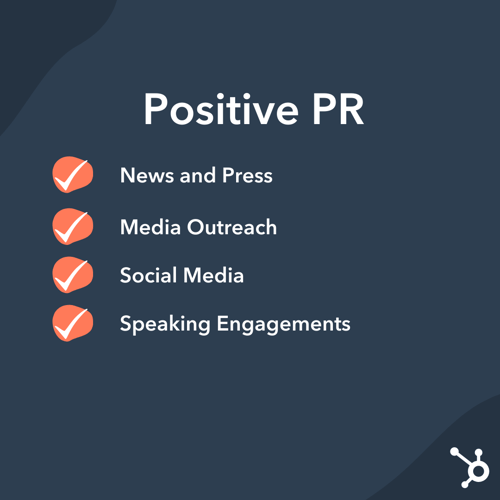 If an organization is proactive about their image, they will likely be investing in positive public relations where a PR professional helps portray the brand’s reputation, idea, product, position, or accomplishments in a positive light.
So, in a sense, you can think of PR professionals as storytellers. Unlike advertisers, who tell stories through paid methods, PR professionals tell their stories through unpaid or earned media.
These unpaid or earned avenues include:
- News and press
- Media outreach
- Social media
- Speaking engagements
Keep in mind that a PR professional isn’t just trying to reach a paying customer … they’re trying to reach everyone.
Example of Positive PR
Let’s say you work for a small interior design company, and your business just won an award: “Best Interior Design Company in Chicago.” A PR specialist might draft a press release and conduct outreach to reporters to write a story about this accomplishment to spread the news to the public.
Along with building a credible reputation for your interior design business, the PR professional is also helping the public receive relevant information about this accolade. If I’m a consumer looking for an interior designer, this announcement could help me, too.
Public relations extends to government, too. PR professionals can execute political campaigns or explain a government’s new policy to the public. In this case, you can see how PR professionals work to maintain a healthy and productive relationship between their client (the government) and the general public, who have a right to hear about new policies.
Damage Control in PR (Negative Public Relations)
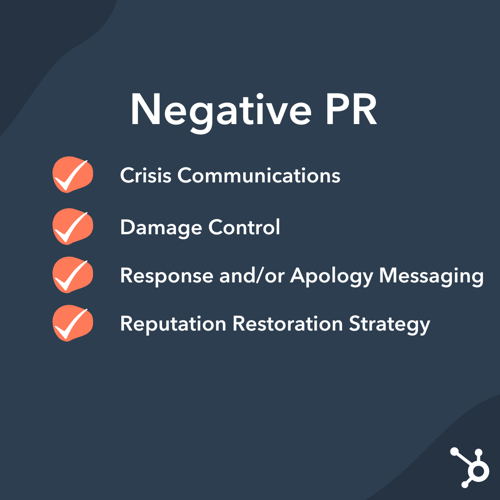
PR isn’t just used for positive storytelling. It’s also used to mitigate any damage that could weaken a client’s reputation.
If public discourse around a particular brand has a negative sentiment, perhaps as a result of negative publicity or news, a PR professional’s job is to advise the organization on how to proceed.
After all, if conversations are being had, then an organization should share their side of the story. However, how they respond will have an impact on the public’s perception. If done poorly, it could make the situation worse.
A PR professional will then be tasked with:
- Crisis communications
- Damage control
- Response and/or apology messaging
- Reputation restoration strategy
Example of Damage Control in PR
In the early 1980s, numerous bottles of Johnson & Johnson’s Tylenol product were laced with cyanide by an unknown person, killing seven people. This led to widespread panic and could have resulted in the end of Tylenol products.
Johnson & Johnson took aggressive PR measures to mitigate the damage: First, the company pulled all of its Tylenol products off the shelves and issued a national statement warning consumers not to purchase or use Tylenol. Then, Johnson & Johnson created a new tamper-resistant seal and instructed 2,000 sales personnel to deliver presentations to the medical community to reintroduce these new, safer Tylenol bottles.
This effective PR strategy saved Johnson & Johnson’s reputation as well as their product — in fact, Tylenol shares climbed back up to 24 percent just six weeks after the cyanide crisis.
In the case of Johnson & Johnson, a simple advertising campaign wouldn’t have worked. Instead, PR was necessary: PR professionals were able to spread a story that portrayed Johnson & Johnson as a company that puts consumers ahead of profit. Along with mitigating damage to Johnson & Johnson’s reputation, PR was used to save more people from consuming cyanide-laced Tylenol, and then used to inform the public that Tylenol was safe again. A win-win-win.
PR as an Important Marketing Strategy
In these examples, you can see PR professionals are adept at handling a wide variety of both good and bad circumstances and must address these events so the public and client can maintain a beneficial relationship. PR specialists also play a role in advising management on the best policy decisions or actions to take and conducting programs, such as fundraising or networking events, to help the public understand the organization’s goals.
PR isn’t just used to influence a story after it happens — it’s also used to write that story in the first place.
Editor’s note: This post was originally published in April 2018 and has been updated for comprehensiveness.

Best Personal Websites: 19 Examples to Blow Your Mind
Here’s the thing about resumes and cover letters: No matter how unique you try to make your own, for the most part, they tend to read dry. And there’s a good reason for it: It’s supposed to be a single, no-frills page that documents your work experience. And while being concise is good, there’s very little opportunity to convey your uniqueness, or for your personality to shine through at all for that matter.
While a resume is a sole, largely unchanging document, a personal website can be customized and updated according to what you’re working on, or what you want to emphasize. It’s both fluid and current.

Did you know 80% of businesses say a personal website is important when evaluating job candidates? Recruiters are looking you up online, and a personal website that tells the story you want to tell can make all the difference between you and a competing candidate.
If you’re thinking about creating a personal website of your very own, check out the examples below that hit the nail on the head. Inspired by a particular type of website? Click one of the following links to jump to that section of this article:
Best Personal Websites
- Gary Sheng
- Brandon Johnson
- Quinton Harris
- Sean Halpin
- Tony D’Orio
- Verena Michelitsch
- Gari Cruze
- Melanie Daveid
- The Beast Is Back
- Daniel Grindrod
- The Everywhereist
- Side Hustle Nation
- fifty coffees
- Minimalist Baker
- Mr. Money Mustache
- Albino Tonnina
- Robby Leonardi
- Samuel Reed
- Devon Stank
Personal Resume Websites
Whether you create a single-page site or a larger portfolio, the web resume serves as a more personalized option for sharing information and demonstrating your technological skills — and it can be used by all types of job seekers.
Even if you have very little work experience, you can leverage a website to build a better picture of your capabilities and yourself as a candidate, while leaning on your traditional resume to provide the basic background information.
1. Gary Sheng

Unlike a standard resume document, Sheng’s website makes it easy for him to include logos and clickable links that allow his software engineering and web development skills to shine.
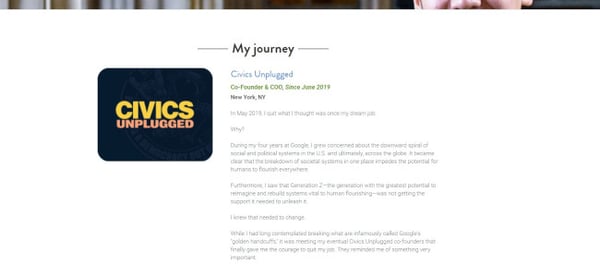
We love that visitors can choose to scroll down his page to view all of the website’s categories (“About Me,” “My Passion,” etc.), or jump to a specific page using the top navigation.
The “My System” section reads like a company mission statement, and this personal touch helps humanize his work and make him more memorable.
2. Brandon Johnson

Johnson’s incredible resume must be seen to be believed. Beautiful images of planets help to complement his planetary science background, and animations make his resume more of an experience than a document.
In terms of design, the textured, multi-layered background adds greater depth to the two-dimensional page in a way that evokes feelings of space and the planetary systems, which Johnson’s work focuses on.
3. Quinton Harris

Harris’ resume uses photos to tell his personal story — and it reads kind of like a cool, digital scrapbook. It covers all the bases of a resume — and then some — by discussing his educational background, work experience, and skills in a highly visual way.
Not to mention, the copy is fantastic. It’s clear that Harris took the time to carefully choose the right words to describe each step of his personal and professional journey. For example, the section on storytelling reads:
NYC, my new home, is filled with the necessary secrets to not only propel my craft forward, but my identity as an artist. With every lens snapped and every pixel laid, I am becoming me.
Finally, at the final navigational point (note the scrolling circles on the left-hand side of the page), users are redirected to quintonharris.com, where he goes on to tell his story in more detail.

Best Practices for Resume Websites
- Code your resume so it can be crawled by search engines.
- Offer a button to download your resume in PDF so the hiring manager can add it to your file.
- Keep branding consistent between the website and document versions: Use similar fonts, colors, and images so you’re easy to recognize.
- Be creative and authentic to yourself. Think about the colors, images, and media you want to be a part of your story that you couldn’t include in a document resume.
Personal Portfolios
Building an online portfolio is a highly useful personal branding and marketing tool if your work experience and skill set call for content creation. In fact, photographers, graphic designers, illustrators, writers, and content marketers can all use web portfolios to show off their skills in a more user-friendly way than a resume or hard copy portfolio.
4. Sean Halpin
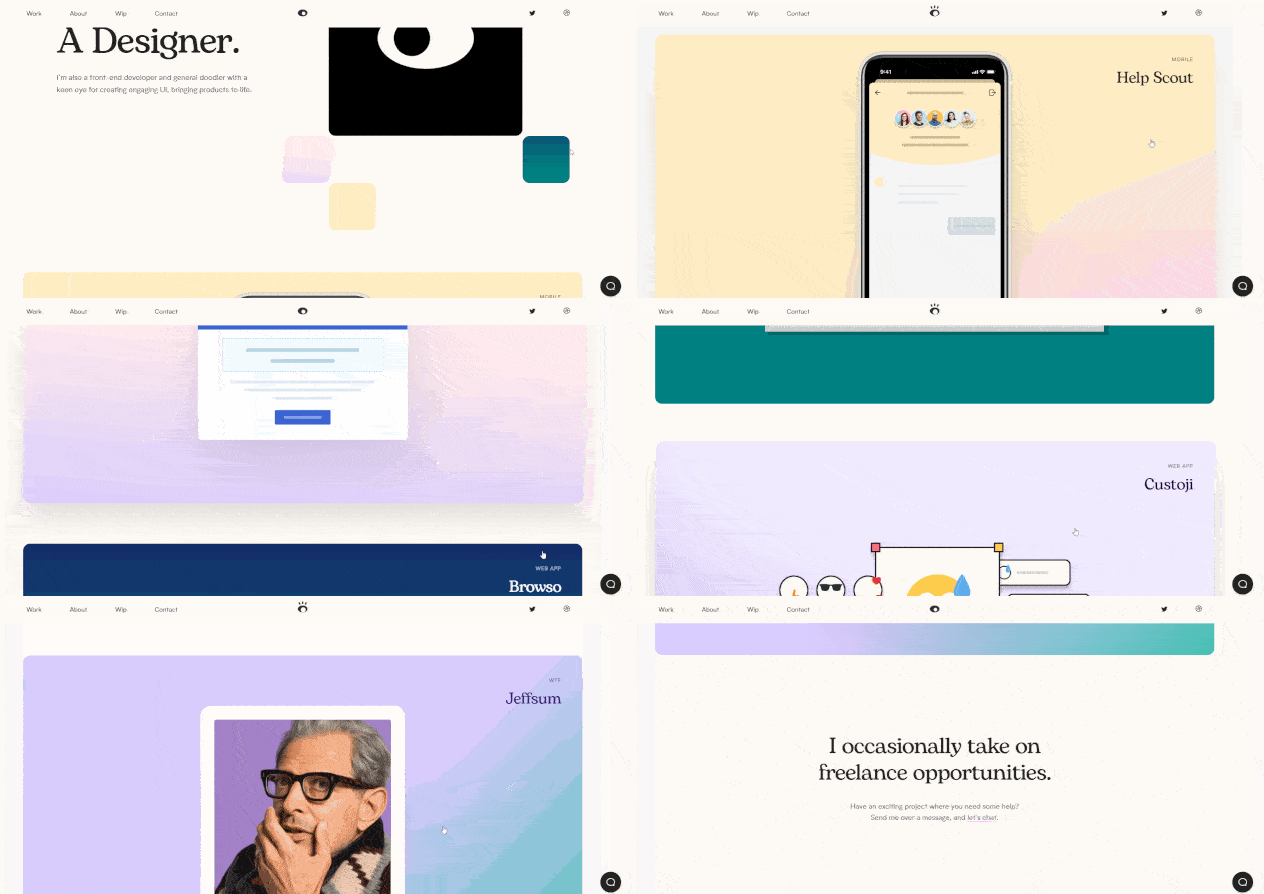
Halpin’s portfolio is short, sweet, and to the point, which is authentic to his voice and personal branding outlined on the site. Instead of a lot of copy, Halpin presents large thumbnail cards so that his projects speak for themselves and allow the user to delve deeper if one catches their eye.
5. Tony D’Orio

It’s important to keep the design of your visual portfolio simple to let images capture visitors’ attention, and D’Orio accomplishes this by featuring bold photographs front-and-center on his website. His logo and navigation menu are clear and don’t distract from his work. And he makes it easy for potential customers to download his work free of charge.
Want to give it a try? Click on the hamburger menu in the top left corner, then select + Create a PDF to select as many images as you’d like to download.
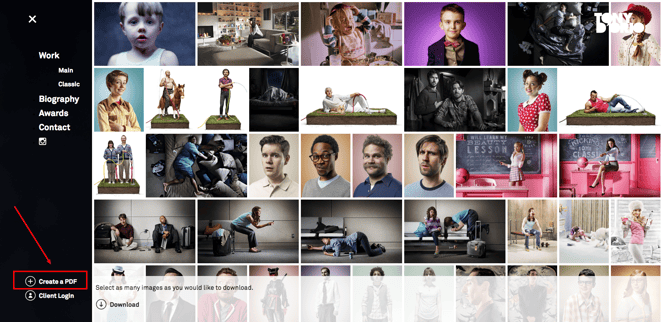
Once you open the PDF, you’ll notice that it comes fully equipped with D’Orio’s business card as the cover … just in case you need it.

6. Verena Michelitsch
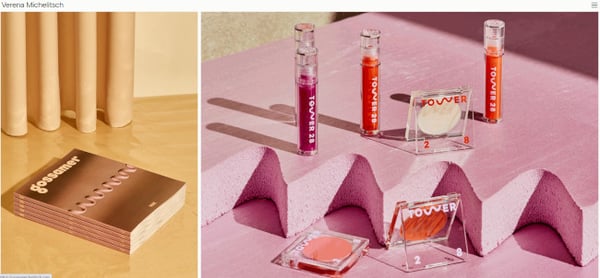
When you’re a designer, not one pixel on your personal website should go unused. Verena Michelitsch’s portfolio, shown above, is covered end to end in artwork. From her extensive library of work, she chose to exhibit multiple colors, styles, and dimensions so visitors can see just how much range she has as a designer. It’s a perfect example of the classic adage, “show, don’t tell.”
7. Gari Cruze
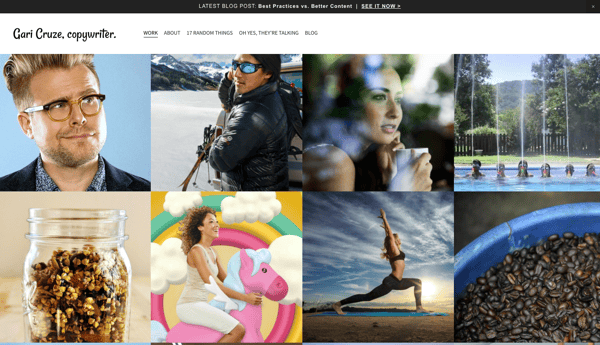
Cruze is a copywriter. But by turning his website into a portfolio featuring images from different campaigns he’s worked on, he makes visitors want to keep clicking to learn more about him. Also, there’s a great CTA at the top of the page that leads visitors to his latest blog post.
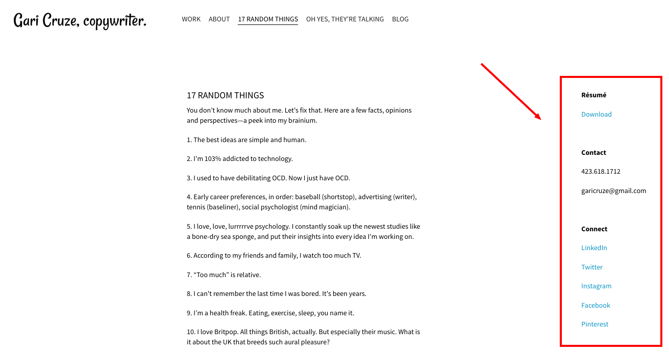
His site’s humorous copy — specifically in the “17 Random Things” and “Oh Yes, They’re Talking” sections — serves to show off his skills, while making himself more memorable as well. These pages also include his contact information on the right-hand side, making it easy to reach out and connect at any point:
8. Melanie Daveid
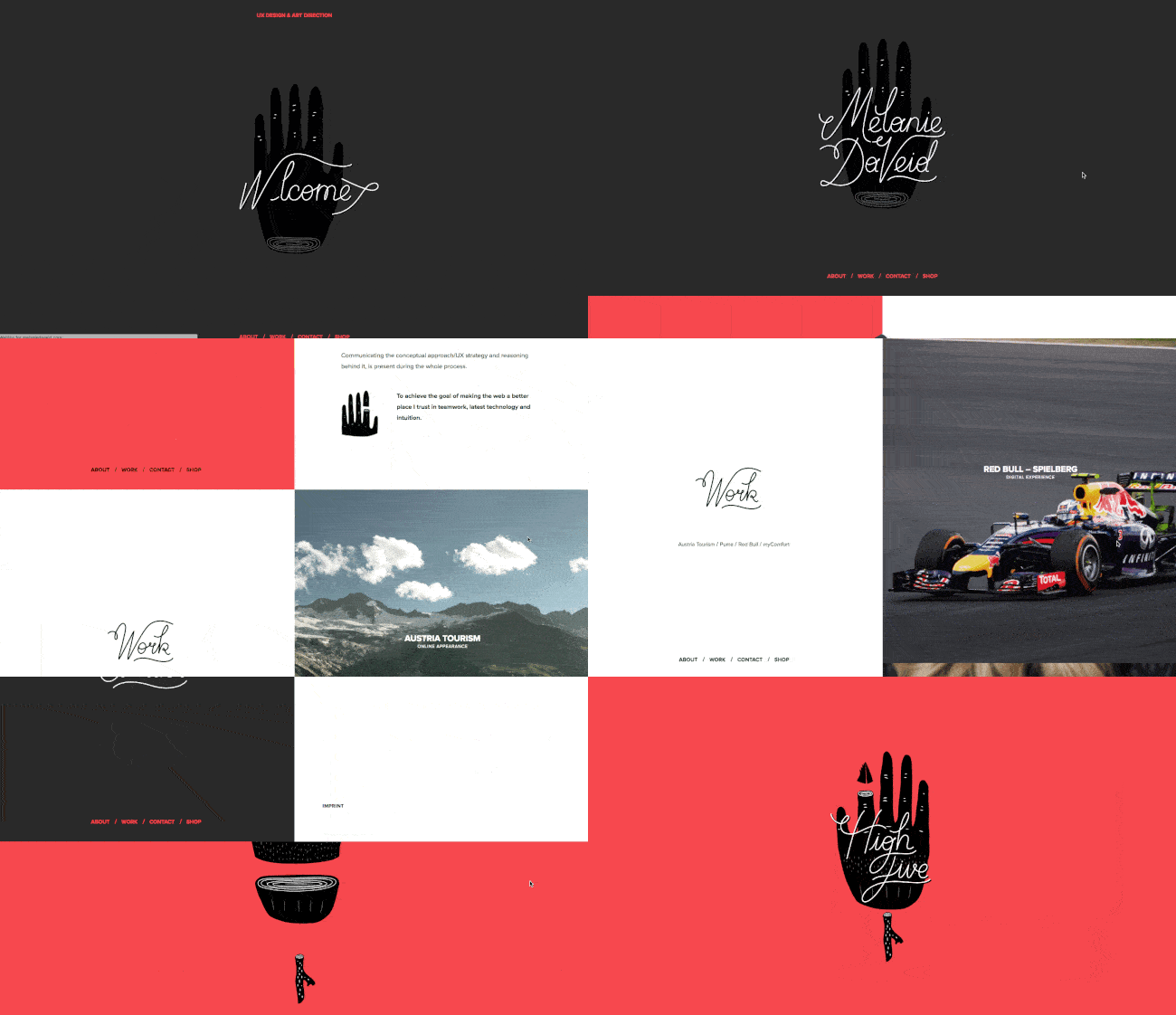
Daveid’s website is a great example of “less is more.”
This developer’s portfolio features clear, well-branded imagery of campaigns and apps that Daveid worked on, and she shows off her coding skills when you click through to see the specifics of her work.
While it might seem overly minimal to only include three examples of her work, Daveid did her portfolio a service by including her best, most noteworthy campaigns. At the end of the day, it’s better to have fewer examples of excellence in your portfolio than many examples of mediocrity.
9. The Beast Is Back
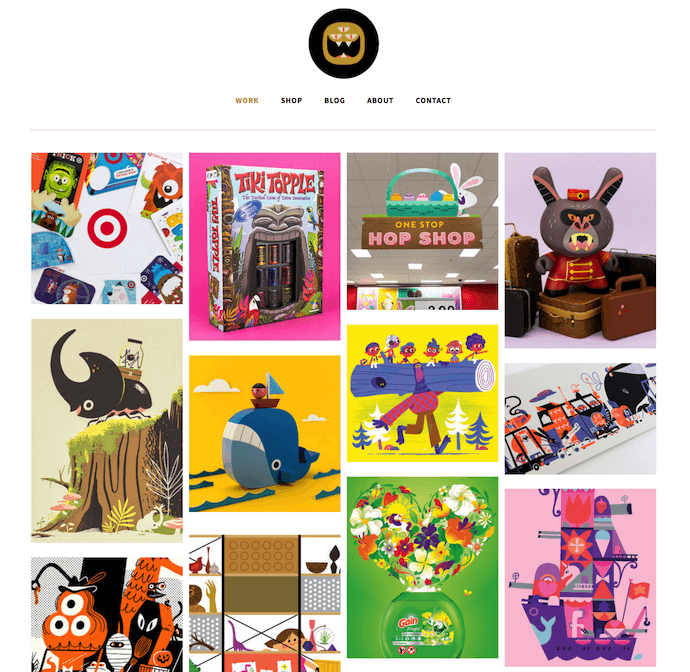
Christopher Lee’s portfolio is busy and colorful in a way that works. When you read more about Lee on his easily navigable site, you realize that such a fun and vibrant homepage is perfect for an illustrator and toy designer.
Known by his brand name, “The Beast Is Back,” Lee’s web portfolio highlights eye-catching designs with recognizable brands, such as Target and Mario, along with links to purchase his work. This is another gallery-style portfolio with pops of color that make it fun and give it personality, thus making it more memorable.
10. Daniel Grindrod
 This freelance videographer is another example of a simple but sleek portfolio, allowing his potential clients to browse deeper into his “Work” and “Stills” sections. The opening video on the homepage — as shown on the still image above — also ensures his site visitors that he’s actively creating beautiful work.
Best Practices for Portfolio Websites
- Use mainly visuals. Even if you’re showcasing your written work, using logos or other branding is more eye-catching for your visitors.
- Don’t be afraid to be yourself. Your personality, style, and sense of humor could be what sets you apart from other sites!
- Organization is key. If your portfolio is full of photos, logos, and other images, make sure it’s easy for visitors to navigate to where they can contact you.
- Brand yourself. Choose a logo or icon to make your information easily identifiable.
Personal Blogs
Consistently publishing on a blog is a great way to attract attention on social media and search engines — and drive traffic to your site. Blogging is a smart way to give your work a personality, chronicle your experiences, and stretch your writing muscles. You might write a personal blog if you’re a writer by trade, but virtually anyone can benefit from adding a blog to their site and providing useful content for their audience.
11. The Everywhereist
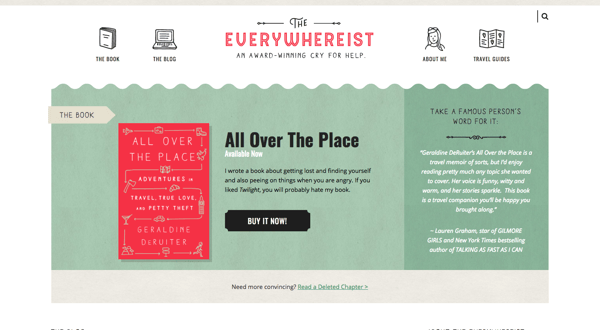
This blog looks a bit busier, but its consistent branding helps visitors easily navigate the site. The travel blog uses globe iconography to move visitors around the site, making it easy to explore sections beyond the blog.
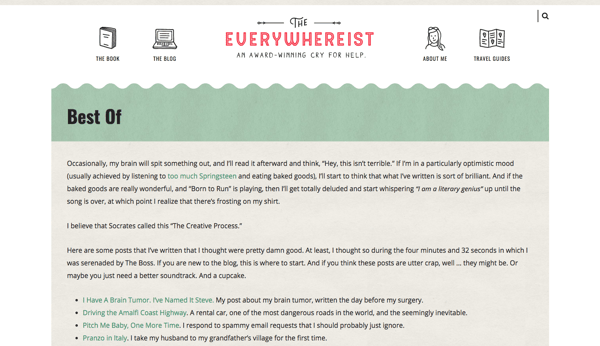
Owned by writer Geraldine DeRuiter, this blog also features a “Best Of” section that allows new visitors to learn about what the blog covers to get acclimated. The color scheme is warm, neutral, and free of excess clutter that could distract from the content.
12. Side Hustle Nation
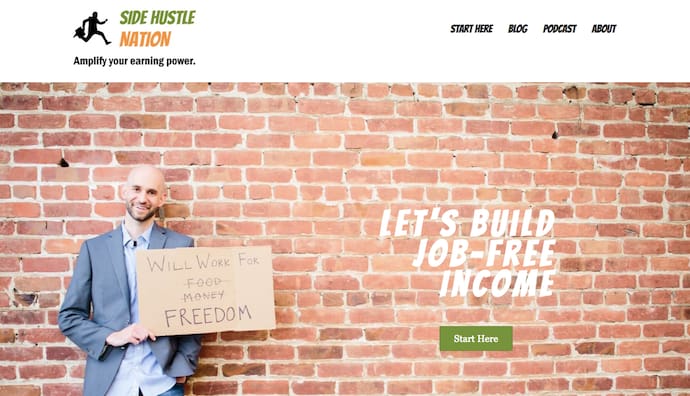
Side Hustle Nation is the business blog of Nick Loper, an advisor whose website offers tons of valuable financial advice for individual business owners. His homepage, shown above, sets a lighthearted yet passionate tone for his readers. It suggests you’ll get friendly content all committed to a single goal: financial freedom. The green call to action, “Start Here,” helps first-time visitors know exactly how to navigate his website.
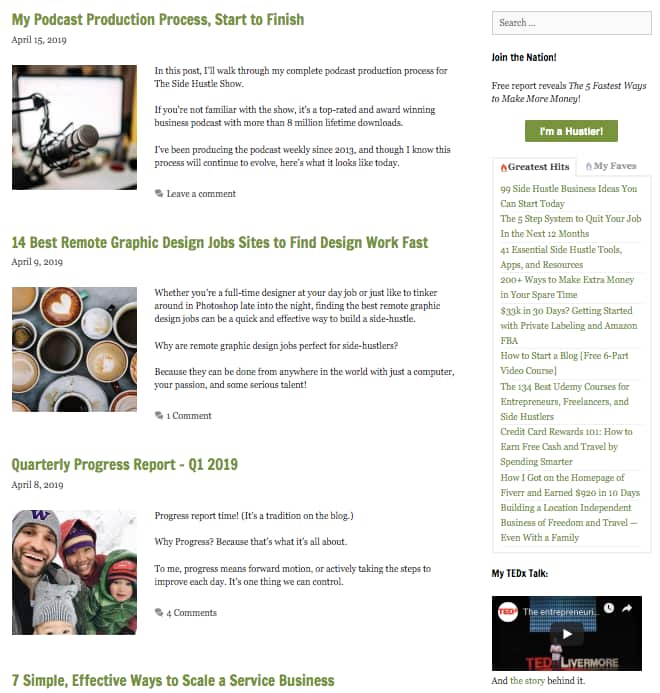
On Nick’s blog page, shown above, you’ll notice two unique types of content: “My Podcast Production Process,” the top post; and “Quarterly Progress Report,” the third post down. The top post shows readers how Nick, himself, creates content that helps his business grow, while the third post down keeps his readers up to date on his blog’s growth over time. These content types give people a peek behind the curtain of your operation, showing them you practice what you preach and that your insight is tried and true.
13. fifty coffees
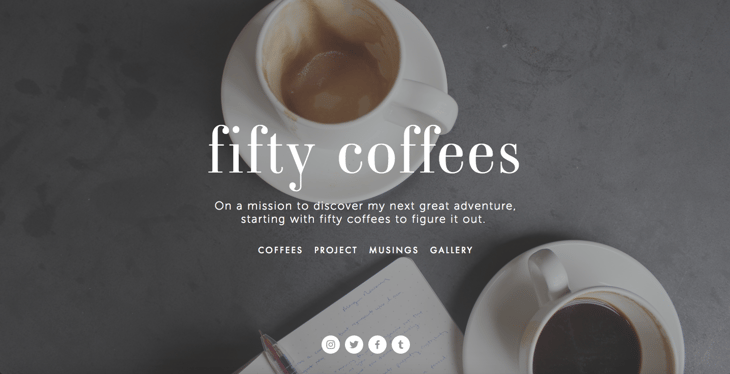
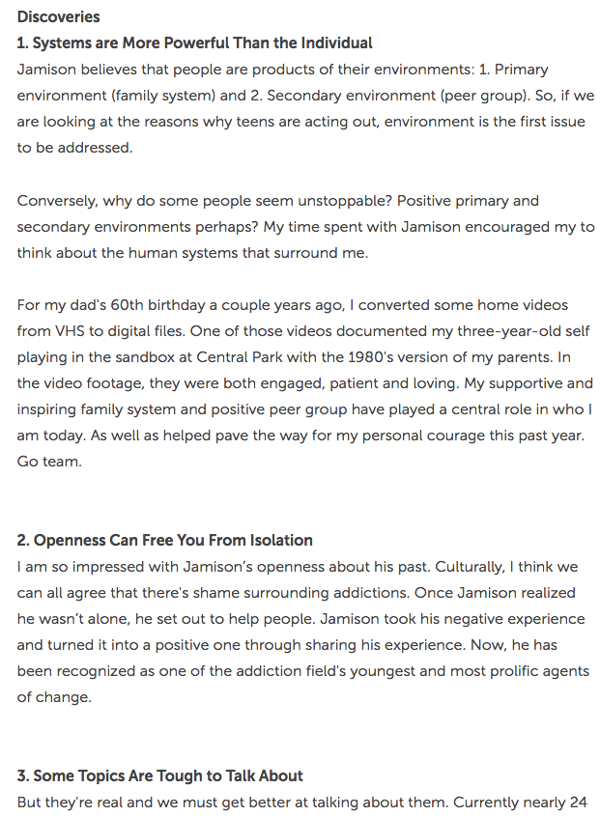
The website fifty coffees chronicles the author’s series of coffee meetings in search of her next job opportunity, and it does a great job of using photography and visuals to assist in the telling of her lengthy stories.
The best part? Each post ends with numbered takeaways from her meetings for ease of reading comprehension. The high-quality photography used to complement the stories is like icing on the cake.
14. Minimalist Baker
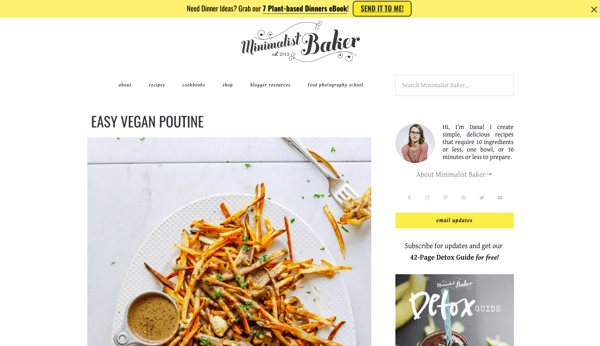
I’m not highlighting Dana’s food blog just because the food looks delicious and I’m hungry. Her blog uses a simple white background to let her food photography pop, unique branding to make her memorable, and mini-bio to personalize her website.
15. Mr. Money Mustache
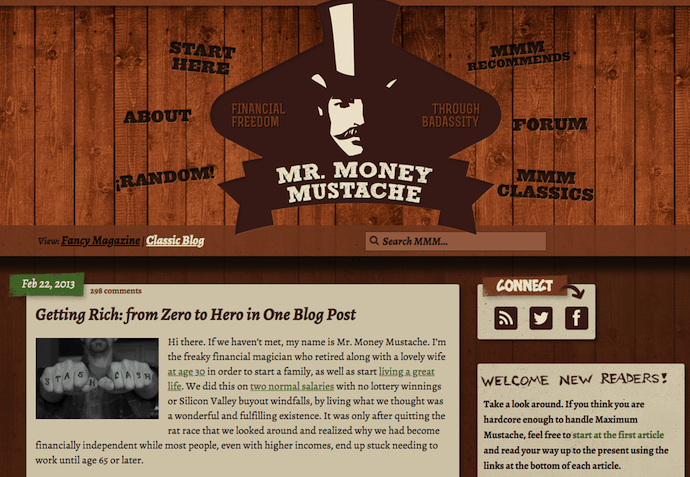
Mr. Money Mustache might take on an old-school, Gangs of New York-style facade, but his blog design — and the advice the blog offers — couldn’t be more fresh (he also doesn’t really look like that).
This financial blog is a funny, browsable website that offers sound insight into money management for the layperson. While his personal stories help support the legitimacy of his advice, the navigation links surrounding his logo make it easy to jump right into his content without any prior context around his brand.
Best Practices for Blogs
- Keep your site simple and clutter-free to avoid additional distractions beyond blog posts.
- Publish often. Those who prioritize marketing efforts are 13x more likely to see positive ROI.
- Experiment with different blog styles, such as lists, interviews, graphics, and bullets.
- Employ visuals to break up text and add context to your discussion.
Personal Demo Websites
Another cool way to promote yourself and your skills is to create a personal website that doubles as a demonstration of your coding, design, illustration, or developer skills. These sites can be interactive and animated in a way that provides information about you and also shows hiring managers why they should work with you. This is a great website option for technical and artistic content creators such as developers, animators, UX designers, website content managers, and illustrators.
16. Albino Tonnina

Tonnina is showcasing advanced and complicated web development skills, but the images and storytelling methods he uses are simple and easy to understand. In the process, you get a demo of the depth of his animation and coding experience.
17. Robby Leonardi

Leonardi’s incredible demo website uses animation and web development skills to turn his portfolio and resume into a video game for site visitors. The whimsical branding and unique way of sharing information ensure that his site is memorable to visitors.
18. Samuel Reed

Reed uses his page as a start-to-finish demo of how to code a website. His website starts as a blank white page and ends as a fully interactive site that visitors can watch him code themselves. The cool factor makes this website memorable, and it makes his skills extremely marketable.
19. Devon Stank
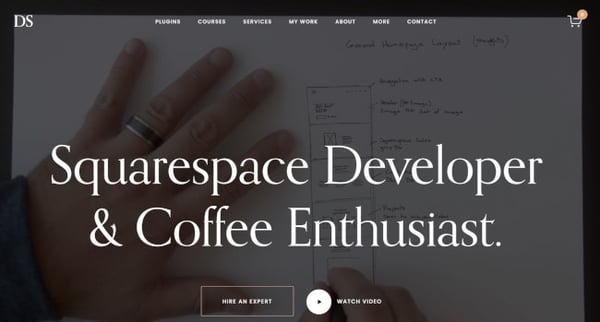
Stank’s demo site does a great job of showing that he has the web design chops and it takes it a step further by telling visitors all about him, his agency, and his passions. It’s the perfect balance of a demo and a mini-resume.
Plus, we love the video he includes as an intro. It’s a consumable narrative that at once captures Stank’s personality and credentials.
Best Practices for Demo Websites
- Brand yourself and use consistent logos and colors to identify your name and your skills amongst the bevy of visuals.
- Don’t overwhelm your visitors with too many visuals at once — especially if your demo is animated. Be sure to keep imagery easy to understand so visitors aren’t bombarded when they visit your site.
Developing a Personal Website
Regardless of the type of personal website you’re building, there’s plenty of inspiration above on how to convey personality while connecting with your audience. Keep in the above tips in mind, remember to design for your audience’s experience, and most importantly have fun.
Editor’s note: This post was originally published in April 2019 and has been updated for comprehensiveness.

How to Write the Best SOPs for Your Company
Imagine this: You’re a project manager at a boutique marketing firm tasked with training the new PM and getting them up to speed on how to do their job to meet expectations.
To fulfill this request, you probably had to learn a series of actions already set in place. That series of actions is called a standard operating procedure, or SOP for short, and they help to routinize job functions.
As your company requires more standardized processes to run, such as managing your iPaaS integrations or building email campaigns, SOPs become invaluable for keeping everything in-line.
In this guide, we’ll explain the basics of SOPs and how to write them. Then, we’ll recommend our favorite software tools for creating and executing SOPs. Let’s dive in.

SOP Example
A good SOP is clearly worded and easy to read. Well-written SOPs have steps that are short and simple and are usually presented in a clearly labeled document.
Below is an example of a generic SOP for a new vehicle purchase process. As shown, each section is clearly labeled for fast reading and clear comprehension.
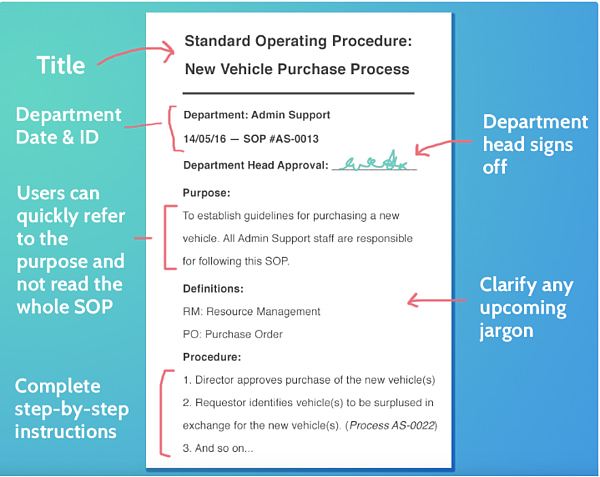
Let’s discuss the specifics of this example in more detail.
Standard Operating Procedures Format
- Title: SOPs should always begin with a title that briefly but fully encapsulates the purpose of the document.
- Identification: This information should be placed near the top of the document for ID purposes, including any relevant ID numbers, department names, and necessary signatures.
- Purpose: If a reader wants to understand the SOP more deeply before reading on, the “Purpose” section gives a brief summary of what the SOP aims to explain. This section probably won’t need to be longer than a paragraph.
- Definitions: If necessary, include definitions of jargon that the reader should know before they begin.
- Procedure: The format of the procedure section will vary depending on the complexity of the process. For simpler step-by-step processes, a numbered list will work. You may need to add sub-steps if the user must decide between two or more steps at a given point. If your SOP involves many decisions and forks, a flowchart is likely a more suitable format.
1. Create a list of processes
To begin, come up with an in-depth list of functions employees perform for their jobs that need SOPs. Some departments that could benefit from SOPs include finance, legal, HR, customer service, and IT. Think about those jobs that have a strict protocol; where not missing one step is vital.
For example, a new public relations professional would need to know the processes of writing press releases and securing press for their company. This is a great reason for creating an SOP.
2. Format your process
You can get creative with how you present SOPs. As long as they are easy to understand, there are no bounds to how a workflow can be created. The most widely seen SOP formats include step-by-step documents, workflow diagrams, organizational charts, detailed instructions, and checklists.
What kind of format would the public relations professional best receive their SOP? Most likely a workflow diagram. This would allow them to see why they must complete one step in order to get to the next. From writing the headline at the top to including correct hyperlinks, every step would be clearly notated.
3. Communicate
Make sure the process you write is accurate. Talk to the employees who will be using it every day. Ask for their feedback and advice. If they can provide useful edits or tips that would make the SOP easier to understand, include them.
For example, a reliable source for an SOP on how to write a solid press release would likely be a senior publicist or manager at the company
3. Write
Write the SOP by using the method that works best for your situation. Think about who you’re writing the SOP for and how the information will best be presented. This is also a good time to figure out who will be responsible for updating the SOP as needed.
A public relations professional would most likely benefit from an SOP about how to write press releases that give specific directions about format. For example, “Paragraph one must be 50-60 words introducing the album, the band, and their concept for the record cycle,” and “Paragraph two must be 30-40 words and include short descriptions of 2-3 songs.”
4. Implementation
SOPs should be updated at least once a year after implementation. They should always reflect the needs of the organization at that time. Maintaining them is important so employees always have the most up-to-date information about what’s expected from their day-to-day.
SOPs aren’t the quickest or shortest guides to write. But they can become a time-consuming project. Software can help speed up the writing process, and we’ve rounded up a couple of superstars:
(was a little unsure about the formatting for the list)
1. Trello
Price: Trello offers three pricing plans: Free, Business Class ($10 per user per month and recommended for teams up to 100 people), and Enterprise ($17.50 per user per month).
Trello is a scheduling tool that allows its users to see their collaboration using “cards,” which are like virtual sticky notes for each board. Trello can be used for organization; from editorial calendars to SOPs.
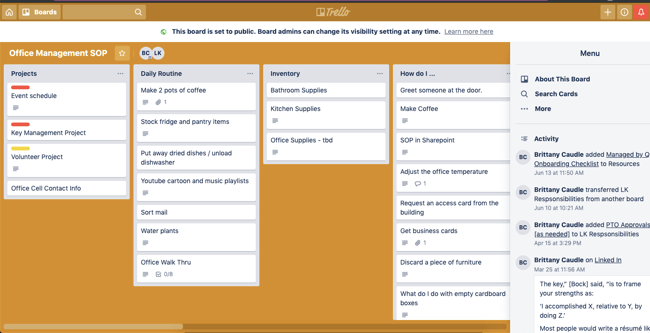
We like Trello for its ease of having all documents in one place. If you scroll through this Office Management board, you can see a list of responsibilities for certain employees.
2. HubSpot
Price: HubSpot automation tools are included in Professional and Enterprise subscriptions of Marketing Hub, Service Hub, Sales Hub, and Operations Hub.
HubSpot’s CRM includes the workflows tool, which allows users to use marketing automation technology within their business. Workflows turn actions and/or commands into customizable flow charts.
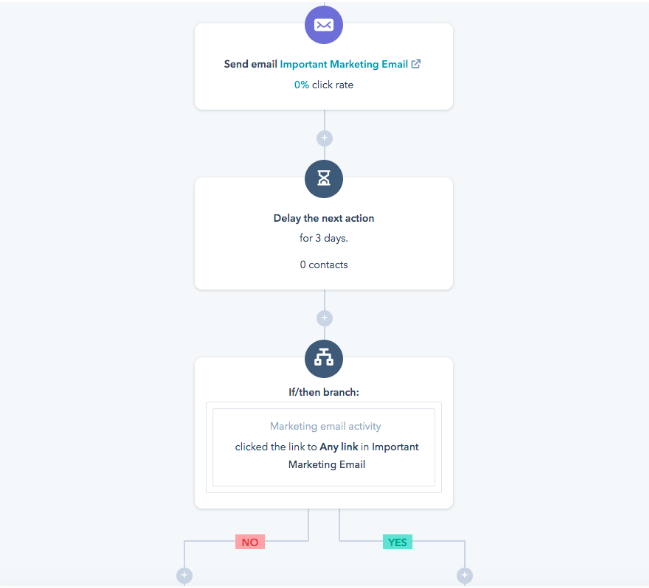
We like the workflows tool for SOPs because it has the option to write out lists into a visual chart.
3. Evernote
Price: Evernote offers three plans: Free, Personal ($7.99 per month), and Professional ($9.99 per month).
Evernote is a popular note-taking app that lets you do a lot more than take organized notes. It offers numerous organization, collaboration, and administration functions. The app also has a number of templates, including one for SOPs.
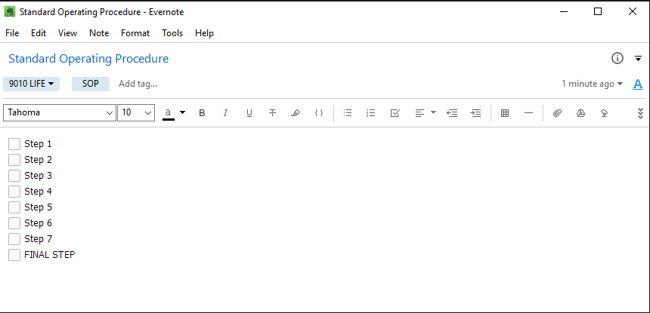
We like Evernote because of its compatibility with different operating systems and organization capability.
4. Pipefy
Price: Pipefy offers four plans: Free, Business ($18 per user per month), Enterprise ($30 per user per month), and Unlimited (custom pricing).
Pipefy offers resources and tools for process management. Choose from an assortment of templates (seriously, there are so many), most of which are offered for free. There are a number of SOP templates that specify your organization’s needs, such as “Team Member Onboarding.”
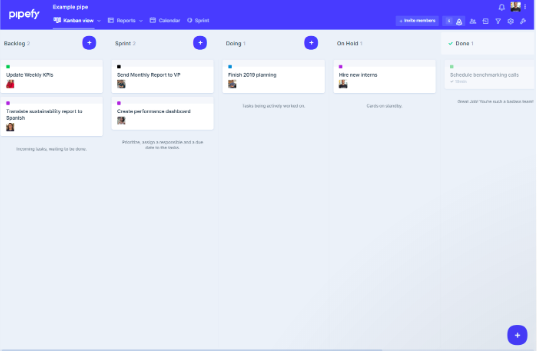
We love Pipefy because of its abundance of templates available and easy-to-understand template titles.
5. SweetProcess
Price: SweetProcess is $99 per month for teams of up to 20 people, plus $5 per month for each additional user. On the annual plan, this is reduced to $82.50 per month and $4.17 per month for each additional member.
SOP writing is SweetProcess’ main jam. Their tagline is, “Who said writing SOPs have to be painful?” so you can guarantee an easy-to-follow experience.
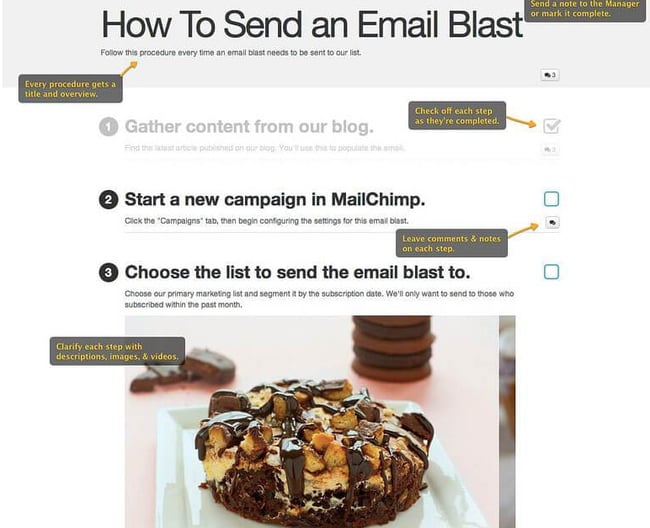
Write SOPs That Rock
SOPs are fundamental to making internal processes run smoothly. They save time, help familiarize new employees with your processes, and keep experienced employees up-to-speed when your processes change. It’s worth putting in the time to make them clear, readable, and actionable.
For more free inspiration, click below to check out HubSpot’s section of easy-to-use templates.
Editor’s note: This post was originally published in October 2019 and has been updated for comprehensiveness.


Product Classification: What It Is & Its Impact on Marketing Efforts
The other day, I roamed the aisles of CVS and picked up the same toothpaste I’ve been buying for years.
I didn’t think twice about it. I made the purchase on auto-pilot. I didn’t consider testing out a different brand or purchasing one from another retailer.
Toothpaste, as it turns out, is known as a “convenience good,” which consumers usually buy without putting too much thought into the brand or effort.
![→ Download Now: Free Product Marketing Kit [Free Templates]](https://no-cache.hubspot.com/cta/default/53/08b5e1f4-5d26-405b-b986-29c99bd0cb14.png)
Understanding product classification is key to uncovering the reasons behind your consumers’ general buying behaviors and how you can better market your products as a result.
There are four types of product classification. Let’s dive into each type, so you can determine where your product falls.
Product Classification in Marketing
Knowing the classification of a product is vital when devising a marketing strategy. Why? Well, it lets you know the mindset most consumers have and the behavior they exhibit when interacting with your product.
This knowledge arms you to devise an effective marketing strategy that will meet your consumers where they are. It also helps you decide on a realistic marketing budget.
For instance, say your products fall under the “unsought goods” classification (more on that in this section). This means that you’ll likely need to take a more aggressive marketing approach to reach consumers that may not have considered your product or brand.
Think of charity organizations, life insurance companies, and funeral homes. These are usually not top of mind for consumers. As such, these brands must work a little harder to be visible to consumers and highlight the benefits of their goods or services.
Shopping goods, on the other hand, are highly visible and very competitive. Consumers typically spend time comparing quality, cost, and value before making a purchase. That’s why building brand loyalty is vital for this product classification.
As you can see, there are factors to consider for every classification of product. The more familiar you are with consumer habits and beliefs for that category, the more equipped you will be to market your product.
There are four types of products and each is classified based on consumer habits, price, and product characteristics: convenience goods, shopping goods, specialty products, and unsought goods.
Let’s dive into each one in more detail.
1. Convenience Goods
Like the Crest toothpaste example, convenience goods are products that consumers purchase repeatedly and without much thought.
Once consumers choose their brand of choice, they typically stick to it unless they see a reason to switch, such as an interesting advertisement that compels them to try it or convenient placement at the checkout aisle.
These products include gum, toilet paper, soap, toothpaste, shampoo, milk, and other necessities that people buy regularly.
To market a convenience good, you want to consider that most people will impulse buy these products. Placing your products near the checkout line at a store could be a good idea for these products — which is why you’ll often find candy and gum at the front of a store.
Since most convenience products are priced low, cost and discounting isn’t a major deciding factor when considering a purchase. I won’t switch my toilet paper brand just to save a few cents.
For convenience goods, brand recognition is key. With this in mind, you’ll want to implement widespread campaigns to spread awareness of your company if possible.
For instance, Charmin, the toilet paper brand, is a widely recognized brand in the United States — likely in part due to the company’s consistent and long-term advertising strategy, dating back to the 1960’s with the invention of the character “Mr. Whipple” who appeared on TV, print, and radio ads.
2. Shopping Goods
Shopping goods are commodities consumers typically spend more time researching and comparing before purchase.
They can range from affordable items, like clothes and home decor, to higher-end goods like cars and houses.
These are more one-off purchases with a higher economic impact.
For instance, while you will buy toilet paper over and over again for the rest of your life, you’ll likely only purchase a house a few times at most. And, since it’s an expensive and important purchase, you’ll spend a good amount of time deliberating on it, attending different open houses, and comparing the pros and cons of your final selection.
The same can be said for smaller products. If you have an event coming up and you want to purchase a nice pair of shoes, this doesn’t fall under impulse purchases.
Instead, you’ll want to try it on, consider whether the price is worth it, and even get input from your loved ones.
To market a shopping good, invest in content that persuades your buyer of your product’s value. It’s important your marketing materials demonstrate how your product differs from the competition, and the unique value it provides consumers.
Price also plays a role in this product type, so the promotion of discounts and sales can attract consumers toward your brand.
3. Specialty Goods
A specialty good is the only product of its kind on the market, which means consumers typically don’t feel the need to compare and deliberate as much as they would with shopping products.
A good example of this? iPhones.
I’ve been purchasing new iPhones for years, and I haven’t paused to consider other smartphone models — because of Apple’s strong brand identity and the perception I have of its product quality.
When marketing a specialty good, you don’t necessarily need to spend too much time convincing consumers that your product is different from competitors. They already know already.
Instead, focus on how your products are constantly innovating and improving. This will ensure your customers will remain loyal to your brand.
For instance, if Apple stopped making impressive improvements on their iPhones and promoting new features, I might consider switching brands. But since they’ve continued to impress me over the years, I’ve continued to purchase from them.
4. Unsought Goods
Finally, unsought products — goods that people aren’t typically excited to buy. Good examples of unsought goods include fire extinguishers, batteries, and life insurance.
People will typically buy an unsought good out of a sense of fear or danger. For instance, you wouldn’t go on the market looking for the “new and best” fire extinguisher. You’d only purchase one due to the fear of a potential fire. Alternatively, some unsought goods, like batteries, are bought simply because the old ones expired or ran out.
When marketing an unsought good, focus on reminding consumers of the existence of your product, and convincing consumers that purchasing your product will leave them with a better sense of security.
For instance, Duracell’s Beach x Bear commercial encourages viewers to remember the importance of batteries in life-threatening situations, like impending bear attacks or when using a metal detector.
Product Classification Examples
1. Browndages
Browndages is a convenience goods brand that markets itself by highlighting its key feature: bandages for every skin tone.
Messaging like “The perfect bandage for brown skin,” can be seen on the brand’s website, packaging and social media platforms, making it stand out against competitors like Band-Aid that typically focus its product’s medical benefits.
2. State Farm Insurance
Like many insurance companies, State Farm falls under the “unsought goods” product classification.
As such, brand and product awareness is a priority when it comes to marketing.
In its marketing efforts, State Farm, formerly AllState, positions itself as a reliable and trustworthy partner to rely on when bad things happen in your life.
In this example, the brand spotlights a fear many car owners have — a popular tactic used by unsought goods brands — while mentioning why trusting this brand will make things go smoothly.
3. Energizer
For many consumers, the first thing they think of when they picture batteries is a pink rabbit holding a drumset.
Similar to Charmin, Energizer created a brand mascot that consumers could easily recognize and remember: the Energizer Bunny.
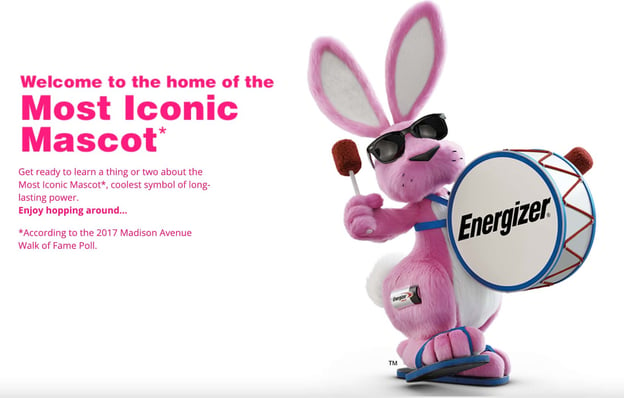
As a convenience good, Energizer needed to increase its brand recognition so that it could stand out among competitors in the store.
Now, the brand is widely popular and this is likely due to this marketing tactic.
4. Oui The People
For products under the “shopping goods” classification, it’s imperative that you identify ways to stand out among your competitors.
Why? Because, when shopping for these products, consumers compare everything: features, cost, value. As such, you must offer something that other brands don’t – whether that relates to your product features, brand values, or mission.
For Oui The People, sustainability is at the center of its brand.
Consumers who care about the environment will gravitate toward the brand because of its use of recyclable material for its products and packaging.
5. Pyer Moss
As mentioned before, when people purchase specialty products, they’re not looking to be convinced of their quality or value. That’s already clear.
What consumers are looking for instead is a brand identity they can relate to, a vision they identify with.
Luxury clothing company Pyer Moss attracts consumers with its refreshing and innovative take on fashion. The brand isn’t afraid to step outside of the norm while still remaining rooted in its heritage.
Now that you know where your product fits, use consumers’ buyer behavior to inspire your next marketing campaign. Now it’s time to figure out how you can meet — and exceed — customers’ expectations of your product.
Editor’s Note: This blog post was originally published in August 2020, but has been updated for comprehensiveness.

How Daily Harvest Earned $250 Million in Revenue in Just 5 Years of Business
In just 5 years, Daily Harvest, which provides healthy, easy-to-prep meals to customers based on algorithmic flavor preferences, disrupted the food industry and earned more than $250 million in revenue.
And, even before the acceleration in home food deliveries in 2020, the health and sustainability-conscious brand had already raked in $43 million in funding from investors who aligned with the company’s vision.
In a recent episode of HubSpot’s podcast, The Shake Up, our hosts Alexis Gay and Brianne Kimmel spoke with Daily Harvest founder and CEO Rachel Drori to learn what inspired her to build the brand, how she navigated investor pitching, how algorithms fuel the business, and how she thinks about the brand’s marketing mix.
Below are just a few highlights from the podcast:

Daily Harvest on Growing Its Brand and Customer Base
Daily Harvest’s Mission to Serve Healthy Food
[00:21:26] Rachel Drori: We’re not a meal kit. We’re more like a [00:21:30] modern CPG than a meal kit. Our food doesn’t rotate. You don’t have to really cook it. It’s already prepped.
[00:21:42] Alexis Gay: Would you say you’re defining a new category?
[00:21:45] Drori: Absolutely. I got into it because I’m absolutely a foodie. …. I wanted food that was convenient because that’s what makes fruits and vegetables hard. … But I also wanted food that was jam-packed with all the stuff that I know is good for me. … Hippocrates said, “Let food be thy medicine,” right? We’ve ended up with a Hippocratic oath for medicine being a medicine. Whereas food is kind of lost its way. So we’re really here to change that.
… The way that Big Food is set up is very systemically broken. … Investors in big food companies, the big CPGs of the world, are really focused on things like margin, accretion, and slow, steady returns dividends. … When you think about how that translates to food … it’s pretty ugly. And the way that they’re structurally set up is not to innovate. A case in point is Kraft in recent years, right? Their big innovation last year was launching pink macaroni and cheese. … They’ve just completely lost touch with the customer and they don’t have the structural agility to be able to move with modern times.
What drives demand for Daily Harvest?
[00:23:57] Gay: What drives the demand for your product? … Is it that younger generations are focusing on healthier food options? Is that the traditional family dinner is not as much part of our culture, is it because of the struggles of the restaurant industry? What do you think?
[00:24:15] Drori: I think there’s a few things. We’re kind of at the crossroads of a bunch of — I hate using this term — megatrends, right? … I think people are just smarter and there’s enough education out there where people are realizing that if I stick to the basics — like things my grandparents ate, things my great grandparents ate — then I’m going to be okay. So our whole food ethos is really based on this idea where we’re not going to tell you what not to eat.
… We are including everybody’s eating habits and everybody’s eating values, but we’re going to provide a base of fruits and vegetables. So our goal is to get everybody to eat more fruits and vegetables. And then, if you want to add a piece of chicken to your harvest bowl … we think that’s great.
Navigating Tricky Investment Pitches
[00:25:42] Gay: In 2017, you had $43 million in investments, which is incredible. But in order to get that type of cash infusion, it starts with a pitch. And I want to hear a little bit about one of those pitch meetings back then in 2017, how were you approaching, crafting the pitch around Daily Harvest?
[00:26:02] Drori: 2017 was the point when we felt like we had reached true product-market fit. So pre-fundraising — previous to that point — I would say it was incredibly difficult. People didn’t understand how the collections that we had laddered up to this bigger picture to this platform. There was a lot of friction in the fundraising process, especially because the people from who I was trying to raise money just didn’t see that there was a problem. They were like, “Well, why, why wouldn’t I just buy a Jamba Juice?” I’m like, “I don’t even know where to begin.”
[00:26:40] Gay: Did you ever feel discouraged
[00:26:41] Drori: After meetings like that? Oh, discouraged wouldn’t even cover it. I think that fundraising is the most demoralizing process.
[00:26:58] Gay: What was the key message you were really trying to land with the people you were seeking investment from.
[00:27:05] Drori: There were two things. The message I was trying to land was just this big picture. That big food is completely broken and that there’s this opportunity and that big food is not meeting customers. … Where I would say it got really tricky wasn’t necessarily with the problem statement. It really was that a lot of people got tripped up on the frozen.
[00:27:32] Gay: Why do you think that is?
[00:27:34] Drori: They still do, but everyone’s like, “Oh, so you’re disrupting frozen food?” and I’m like, “Soup is not a frozen category. Lattes are not a frozen category. Breakfast cereal is not a frozen category. How is that your logic?” Frozen is how we make food incredibly clean, unprocessed, convenient, and sustainable. … You know, we’re really trying to focus on that, that big picture to paint this story that we’re not going after frozen food.
… Eventually, we did it. The other thing that I was really looking for in that round was values alignment from our investors. … I wanted to make sure that we were never going to end up in a position where some of the investment community in big food causes a lot of health challenges. … There was a lot of insuring that our investors were going to have values that aligned as well.
Finding Like-Minded Investors
[00:29:10] Kimmel: How did you actually reverse the pitch and ask those investors questions to give you a real feel if they were going to add value and be a valuable person to help you scale Daily Harvest?
[00:29:25] Drori: One of the tricks, when you’re pitching, is that you’re also always selling. So one of the things that I did was I showed that there was great customer demand for these things — like sustainability is now table stakes. It wasn’t five years ago. Just showing where the customer demand was going and showing that there was also a business revenue opportunity tied to everything that we were hoping to do on the sustainability side … was a really important part of the story. Some of the questions that we asked just to make sure that people were aligned actually weren’t to the investors directly. it was always to other companies that they invested in and not the ones that they introduced us to.
… Those back-channel calls where you ask about a time where there was a really difficult decision that you had to weigh: Margins versus doing what was right for the customer, right? For me, that’s one of the hardest tensions and I was always going to focus on what was best for the customer — and what’s best for the Earth is also best for the customer.
Building Out the Business
[00:32:08] Kimmel: What were the next steps that had to happen to make Daily Harvest truly scalable?
[00:32:19] Drori: A lot of it sat in our supply chain. … We had a lot of amazing farmers that we engaged directly with. We still, to this day, do all of our own sourcing and work directly with everyone. But a lot of that story was very idealistic. … It was a hard thing to do at that scale.
… Even like our packaging, right? We have these like grand plans to have completely home-compostable packaging. There’s a lot of storytelling there because there’s a scale problem. So you always have this chicken or egg problem when you’re talking about physical goods, where in order to make something cost-effective so that you can think about things like profitability, you have to have the scale to be able to justify those big swings.
Personalizing the Customer Experience
[00:34:15] Gay: A lot of companies that are offering food delivery in some capacity are keeping their offering really simple, focusing on just dinner or just one type of food. But you have over 60 items for breakfast, lunch, and dinner. Was that a conscious decision you made to offer so many more?
[00:34:32] Drori: Because we have this direct link with our customers. What we’re able to do is we actually phenotype taste beds and we understand what every single customer wants and needs down to an incredible level of detail that allows us to create food for each individual. We don’t look at customers as averages. We really look at each individual and we create food to meet the needs of those customers.
… We have smoothies for different tastes, preferences, and different tea, eating values, and different profiles. As we expand into this collection depth, we see different groups consuming over different days. So it’s really systematic the way that we think about it. And it’s really served as well to increase share of stomach over time,as we’ve been able to take this data and turn it into meeting the needs of our customers.
[00:35:41] Gay: How did you build that?
[00:35:45] Drori: We have an incredible algorithms team who has really been a key part to our food delivery and then the personalization tied to that development to make sure that we’re matching the right people with the right food. That was creative.
[00:38:00] Kimmel: How do you balance qualitative insights as well? Like, do you have a great team that’s reading customer support tickets? Do you have focus groups? How do you collect a lot of Individual insights from each Daily Harvest user?
[00:38:14] Drori: There are two ways in which we do that. One is we have an incredibly passionate care team. … We’ve really emboldened our care team to be a part of this co-creation journey and adding the context behind what we’re seeing in the data. That’s a huge piece of what we do. Then we have a in-house research team that takes the data that we see and ties it together with the emotional, the psychological, the why behind what we’re seeing. … And it’s an incredibly powerful combination.
Daily Harvest’s Changing Marketing Mix
[00:41:20] Gay: I want to talk a little bit about your marketing mix. … In a world where startups rely so heavily on Facebook, Google, and Amazon for sales, you have invested in TV ads in influencer partnerships. … I would love to know what was your decision-making process in making some of those bets?
[00:42:11] Drori: It was easy to scale on Facebook. Now it’s a whole different ball of wax. The landscape has changed significantly … the landscape is always changing, it’s a complete moving target and something that works today will not work tomorrow. It’s just how you have to live in this world. We went out really aggressively into every channel you can imagine to give us that optionality and that agility where we can change our spend in different channels based on what happens to be working at the time.
… Influencer marketing is part of our mix, TV is a part of our mix, but I think the most important thing is — even if one thing is working really well — that you keep your spend and you keep the other channels engaged enough where if something changes you can always pivot and change that mix.
[00:43:57] Kimmel: How do you think about some of the branded Daily Harvest stuff versus like engaging with influencers and people that are likely to use Daily Harvest anyway, because it falls into like this new category of just easier, healthier.
[00:44:27] Drori: People always say like, “What’s the secret to your really fast growth?” And I actually talk about our supply chain, which is not the answer that people want to hear, but the reason why is … if you’ve ever seen a Rogers bell curve, it’s a normal bell curve, but if you think about the way normal product development works, you have an insight and then can take up to a year to ring something to market.
… Climbing up that curve, by the time you get to the top. That’s usually when big companies are going to market. Right? Our supply chain agility and our data allows us to go to market when an early adopter is interested in something and our early adopters because we listened to them, became these evangelists
… And what’s really powerful is that it spurs this virtuous marketing cycle that rides itself up that curve, as opposed to facing headwinds on the way down, where you have to like hire Justin Timberlake to shake his tushy on television. … Of course, we pay for some influencers, but really, what you’re seeing is us co-creating with our customers and our customers being so glad that we listened to them and gave them what they wanted.
To hear the full conversation or check out other episodes of The Shake Up, click here.


4 Management Styles to Strive For and 4 to Avoid
Growing up, a few of my baseball coaches were some of the most ruthless and demanding people I’ve ever met. They used fear to push my team to our physical and emotional limits, intimidated us with cruel ultimatums, and didn’t really seem to care about us as people. They did everything they could to win — and punished us when we didn’t.
When I started doing internships in college, I expected my managers to be just like my coaches. Since businesses actually have to make money, and not just win a few games, I was scared to mess up.
![→ Free Guide: The Marketing Manager Playbook [Download Now]](https://no-cache.hubspot.com/cta/default/53/d4c59587-2eea-478e-8b63-8722113c4bc4.png)
But at the end of my last internship, I realized I’ve never really felt afraid to fail in the working world because my managers were the complete opposite of my coaches. They were patient, understanding, and, most of all, nice. It seemed like they cared about me just as much as they cared about their job, even though there’s a lot more at stake in the office than on a high school baseball field.
Although my managers have treated me well, there are still managers out there who are just like some of my baseball coaches: fear-mongering, intimidating, and mean. These tactics might produce short-term results, but, in the long-term, all they lead to are unhappy employees, underwhelming results, and a high turnover rate.
You don’t want to be a jerk at work, especially if you’re a manager, so check out this overview of the best leadership styles to adopt — and the worst ones to avoid.
1. Visionary Management Style
A visionary manager communicates a purpose and direction that her employees believe in, which convinces her team to work hard to execute her vision.
After setting their team’s vision and overarching strategy, visionary managers usually let their employees get to work on their own terms, as long as they’re productive. Managers will mainly check in on their team to make sure they’re on the right track or to share new insights.
This gives their employees a great sense of autonomy, which all managers need to provide — after all, self-direction is a basic psychological need. When humans work on tasks that they have more control over, they feel more satisfied and motivated to complete them. Letting their employees’ personal motivations determine the direction of their work is the best way for managers to boost their team’s engagement and confidence.
Visionary managers are also known to be firm yet fair. Their vision is usually set in place, but they’re always open to listening to their employees’ ideas and willing to change their plan if a great idea is presented.
To better execute their vision, visionary managers give a lot of feedback to their employees about their performance and praise them when their performance meets or exceeds expectations.
This type of management style is hard to pull off, though. It’s crucial that you sell your employees on the purpose of your vision before you expect them to execute it. If you don’t, they won’t be inspired to turn your vision into a reality.
Example of the Visionary Leadership Style in Action: Elon Musk

It takes a clear vision and persistent leader like Elon Musk to transform a company like Tesla into the tech giant it is today. While some may mock the CEO’s cryptocurrency hobby and scoff at his larger-than-life plans to send everyday people to space, there’s no denying that his visionary leadership style has impacted not only his employees but the global community.
2. Democratic Management Style
In democratic management, the majority rules. Managers let their employees participate in the decision-making process because they value their team’s diversity of ideas, and understand that people are the key to a team’s success.
Democratic managers ultimately approve of all decisions, but since their employees are so involved in the decision-making process, their team has a lot of influence in their manager’s decision.
Employees are so heavily involved in the decision-making process because managers know it makes their team feel valued, boosts their morale, and forges a healthy, trusting relationship between the two. It also makes it easier for managers to convince their employees to buy into a team’s vision — after all, they’re executing a plan that they’ve created together.
Many employees like this leadership style because their managers trust them with a lot of responsibility and real work, which lets them use their skills to their full potential.
But when executed poorly, a democratic management style can be inefficient. Managers who keep mulling over a decision even after consulting their whole team about it can slow down progress. And if you want your employees to feel like they’re all leaders of your team, you need to make sure they’re helping you make progress. Or else they might start thinking you’re just making empty promises.
Example of the Democratic Leadership Style in Action: Judy Vredenburgh

Judy Vredenburgh is a democratic-style leader and President and CEO of Girls Inc., a nonprofit that inspires young women to be their best selves. Because this NGO relies on its board of directors, volunteers, and members to achieve its mission, it’s critical that she carries out her responsibilities in a way that is fair, equitable, and proves that the organization’s leadership and staff are good stewards of the donated resources that Girls Inc. receives.
3. Transformational Management Style
Transformational managers’ are innovators. They usually believe change and growth is the only way to stay ahead of the curve, so they push their employees past their comfort zone, making them realize they’re more capable than they originally thought. This motivates employees to keep raising the bar, leading to improved team performance.
Employees led by transformational managers are usually more dedicated and happy — their managers constantly challenge them and motivate them with the idea that they can reach their potential if they just keep pushing themselves. These managers are also right by their employees’ side, doing whatever they can to help them get better and succeed.
These teams are innovative, so they can adapt to drastic industry changes. But they can also risk moving too fast and spreading themselves thin. Constantly challenging the status quo is crucial for innovation and staying ahead of the curve, but, as a manager of people, it’s important to know how far you can push each of your employees before they start burning out.
Example of the Transformational Leadership Style in Action: Brian Halligan & Dharmesh Shah

You know HubSpot as the powerhouse CRM tool that supports marketing, sales, service, and ops teams in scaling and enterprise businesses, but the company wasn’t always this way. In 2006, Brian Halligan and Dharmesh Shah identified an issue with the way companies were generating leads. Outbound marketing simply wasn’t creating remarkable customer experiences.
Rather than finding a new way to bombard people with advertisements, the two created a platform that would bring customers to the companies that had solutions to their problems. Thus, “inbound marketing” became a corporate war room name, thanks to Halligan’s and Shah’s transformational leadership approach.
4. Coaching Management Style
Just like a sports coach, a coaching manager strives to improve their employees’ long-term professional development. They have a passion for teaching and watching their employees grow. And they’re more patient with short-term failure, as long as the team learns and improves as a result.
Coaching managers motivate their employees with professional development opportunities, like a promotion or more responsibility — these rewards make employees hungry for knowledge, and their steady development improves the team’s performance.
By constantly teaching their employees new things and offering career opportunities, coaches can build strong bonds with their employees. But doing this could also create a cutthroat environment that’s toxic for their team’s relations.
Leaders with a coaching style have two main focuses: overseeing employees’ individual development and bringing your team together. The best teams are the most united teams, and an employee experiences the most professional growth when both their coach and teammates invest in their development.
Example of the Coaching Leadership Style in Action: Bozoma Saint John

When it comes to trailblazing a path for women of color to become leaders in the workplace, Bozoma Saint John truly shows up. As Netflix’s current CMO, she leverages her position as a tech executive to coach other women on their path toward professional success. Through authentic storytelling, Bozoma reaches her team and the greater tech industry with her visible and motivating leadership style.
1. Autocratic Management Style
Autocratic management is the most top-down approach to management — employees at the top of the hierarchy hold all the power, making decisions without collaborating or informing their subordinates. After the leader delegates action items, they expect immediate acceptance and execution from their subordinates, with no questions asked.
If one of their employees doesn’t follow orders, they’ll punish them by chewing them out or threatening their job. They’ll even publically humiliate them in front of their peers if they really want to make a statement to their team. Fear, guilt, and shame are an autocratic manager’s main weapons of motivation.
Autocratic managers are also the ultimate micromanagers — they police their employees every move to make sure they’re obedient, allowing little to no flexibility at work. Employees do what they’re told, and managers don’t want to hear their feedback. They see their conduct as a means to end for great financial success.
Teams and companies led by autocratic managers don’t usually reach great financial success because they can’t innovate. The same few minds call the shots which leads to groupthink and a stagnant ideation process. If they won’t let their employees, who have many different perspectives than them, share their new and possibly breakthrough ideas, then they’ll only leverage the same strategies that they’ve always been comfortable with.
The autocratic management style allows managers to make decisions extremely fast, but employees hate working under it. It’s also one of the most ineffective management styles: underdeveloped employees feel overwhelmed — they won’t get any help — and the most skilled employees can’t let their talents shine in such a rigid environment. Everyone’s professional growth is stunted.
Another problem with autocratic managers is that they don’t try to convince their employees to buy into their vision. Instead, they force them to do it. Even though coercion might work in the short-term, it won’t last in the long-term. No one likes to be controlled. And if people don’t know why they’re supporting the company’s vision, morale will plummet, leading to low-quality work and a high turnover rate.
The only time this management style is effective is when it’s temporary. For example, an organization might experience a crisis situation and needs to make important decisions — fast.
2. Servant Management Style
Servant managers put people first and tasks second. They prioritize their employees’ well-being over their team’s results, so they can foster a harmonious relationship with their employees and keep them as happy as possible. They do everything they can to support and encourage their team, and, in return, they expect their employees to be motivated to work hard.
But since servant managers don’t prioritize performance and avoid confronting their employees, even when they do a lackluster job, there’s no pressure to succeed. This can make employees complacent, leading to average or even sub-par work.
Servant managers also might spend too much time on team bonding rather than work, which could frustrate employees who are goal-oriented. They’ll feel like they can’t perform to their full potential because they have to spend a bunch of time doing trust falls.
3. Laissez-Faire Management Style
Laissez-faire managers monitor their team’s activities, but they’re completely hands-off — they expect their team to perform up to a certain level even though they don’t proactively help or check-in with their employees.
Employees led by laissez-faire managers hold all the decision-making authority, working on whatever they want with minimal to no intervention — which is a nice perk. They can also seek their manager’s guidance when they need help.
But most of the time, the team barely has any guidance or vision. Employees might feel pulled in every direction, so they can’t accomplish anything worthwhile. This is the least desirable and effective management style because, without any guidance or vision, most employees feel neglected.
4. Transactional Management Style
Transactional managers use incentives and rewards — like bonuses and stock options — to motivate their employees to carry out their commands. Their motto is “If you do this for me, I’ll do this for you.”
But psychological research tells us that extrinsic motivation, like financial rewards, wears off in the long-term and could even diminish your team’s intrinsic motivation to succeed at work.
After a while, rewarding intrinsically motivated employees with external incentives will trigger a self-perception loop. Employees will base their attitudes about their motivation at work off their behavior at work — making them think they were motivated to succeed because their manager rewarded them with some stock options and not because they had a passion for the team’s mission.
Intrinsic motivation is a stronger motivator than extrinsic motivation because the former is a better indicator for producing quality work, while the latter is a better indicator for producing a higher quantity of work.
Effective Management Styles for a Thriving Team
Management is one of the hardest jobs in the working world. There’s a reason why we’ve all had at least one terrible boss, but it doesn’t have to be this way. Now that you know the four leadership styles to adopt and which ones to avoid, you’ll be better equipped to lead your team through challenging and successful times.
Editor’s note: This post was originally published in July 2018 and has been updated for comprehensiveness.


Workflow Automation Explained & 6 Best Workflow Software for 2021
Manual data entry might be one of the most tedious and inefficient tasks in the corporate world. Not only does it put you to sleep, it also wastes precious time and resources, slashing your productivity to bits.
Fortunately, there’s technology that can automate these mind-numbing tasks, eliminating human error and letting you focus on the work that actually matters — workflow automation.

By leveraging self-operating processes that run manual tasks, workflow automation can help your business save time and money, diminish errors, and boost productivity.
How does workflow automation work?
Workflow automation typically relies on a series of if/then statements to trigger another task. It then branches off depending on the action that was taken by a lead, employee, or another stakeholder.
Let’s walk through an example workflow for turning a form submission into a deal opportunity.
- A website visitor submits a form.
- The action automatically enrolls the visitor in a drip campaign. It creates a new deal and sets the status to “New.”
- The first email of the drip campaign is sent to the lead, requesting to schedule a meeting.
- The lead clicks through to the meeting scheduler and creates an appointment.
- A thank you email is sent to the lead, confirming the date and time.
- The CRM creates a new task and assigns it to a sales rep.
- The sales rep then reaches out personally, ending the automated workflow.
Here’s what a workflow can look like from start to finish.
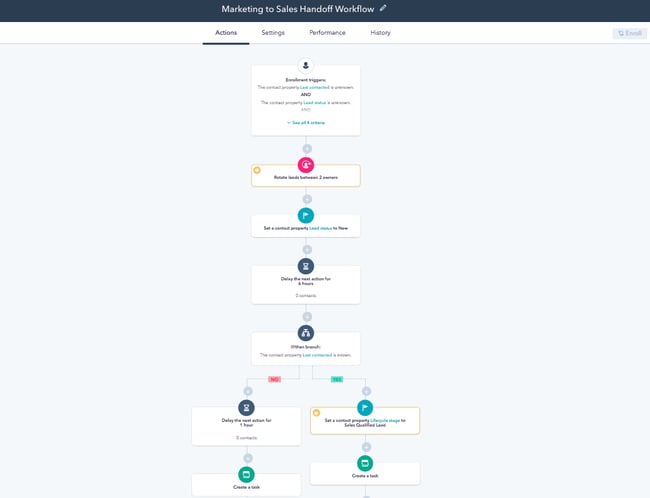 Image Source
Almost every department in your business can benefit from workflow automation. Whether it’s marketing, human resources, or finance, the technology can help you work smarter, not harder.
Below, we’ll cover some of the most popular workflow automation examples.
Workflow automation can be used in virtually any team and in any business scenario. While it’s mostly related to marketing and sales, it can also be used in customer service, operations, human resources, and finance.
Marketing Workflow Automation
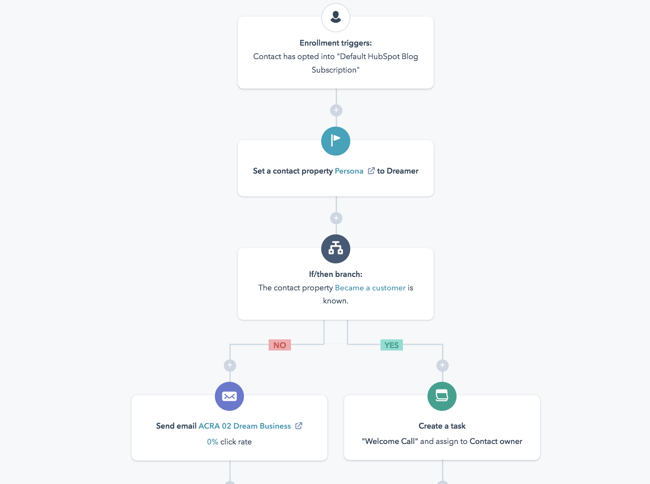
Some of the most repetitive tasks in marketing, such as sending emails and posting social media updates, can be automated with workflow automation. With marketing automation software, you can schedule your entire social media calendar and set up workflows that nurture certain types of prospects with email offers.
Automated workflows in marketing include:
- Subscribing a user to a drip campaign when they download a resource from your website
- Welcoming a user to your company after they purchase a product
- Reminding a user to check out after they’ve added various items to their cart
- Scheduling social media posts across multiple platforms
- Distributing marketing tasks across team members
Additional Reading
- Beginner’s Guide to Marketing Automation
- Marketing Automation Benefits
- B2C Marketing Automation
- Email Marketing Workflows
Sales Workflow Automation
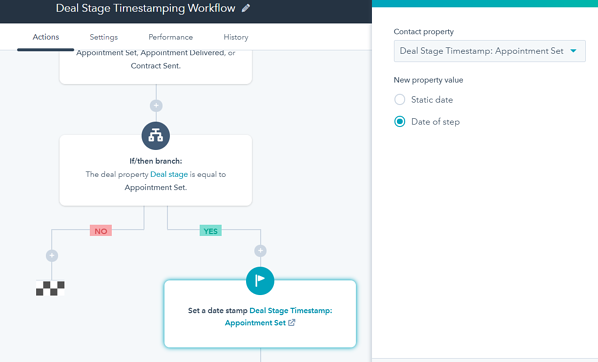
Sales workflow automation streamlines tedious lead and prospect management tasks, so that reps can focus on selling, not entering data. Aside from taking leads automatically through the pipeline based on their actions, an automated sales workflow can enroll prospects in drip campaigns and update deal stages as the deal moves forward.
Automated tasks in sales include:
- Placing each lead at a different stage of the pipeline when they take a certain action
- Moving a lead out of the pipeline if they’ve stopped responding to emails
- Sending an introduction email from a sales rep to a lead after they download an ebook
- Updating the deal stage once the lead has scheduled an appointment or meeting
- Creating tasks for sales reps once a lead has scheduled a meeting
Additional Reading
Customer Service Workflow Automation
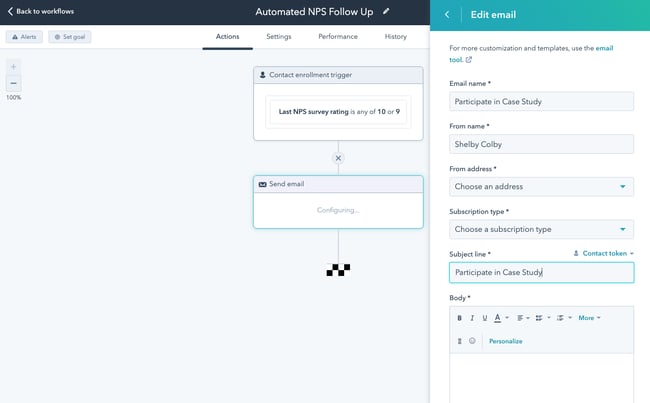
Workflow automation is incredibly useful in customer service. Aside from launching surveys, workflow automation can take care of tickets, cases, and common questions by sending a series of emails or creating tasks.
Automated tasks in customer service include:
- Creating a new ticket in the system when someone reaches out through social media or email
- Onboarding customers with a series of helpful emails
- Sending NPS® surveys and enrolling them into different email campaigns depending on their rating
- Assigning tickets a priority label depending on the tone of the message or email
- Resolving and archiving tickets once a resolution has been reached
Additional Reading
- Beginner’s Guide to Customer Service Automation
- Customer Relationship Automation
- Customer Service Software Tools
- AI Chatbots Tools
Operations Workflow Automation
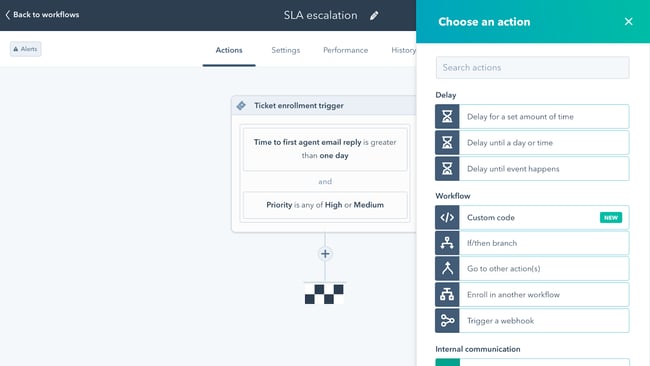
Operations is the lifeblood of any organization, and it, too, can be automated to reduce instances of manual data entry.
Automated tasks in operations include:
- Deleting duplicates once they have been detected or merging two properties if they’re the same
- Managing team permissions for new team members
- Establishing priorities for different businesses processes
- Automatically compiling reports at the end of every quarter
- Creating tasks in third-party tools such as Asana, Slack, or Zoom
Additional Reading
Human Resources Workflow Automation
Instead of having to manually enter all your new hires’ personal information — like addresses, social security numbers, and other employee information into payroll, expense, and insurance systems — HR automation software can do it for you in minutes.
Automated tasks in human resources include:
- Removing candidates from the database if they’ve been inactive for a period of time
- Sending emails to candidates that haven’t made it to the final round
- Filtering candidates with certain keywords in their job history
- Sending W2s to current employees
- Collecting employees’ feedback after they’ve been at the company for a period of time
Finance Workflow Automation
By allowing you to build forms, design workflows, and track processes, finance process automation software can streamline all of your travel requests, reimbursements, and budget approvals.
Automated tasks in finance include:
- Taking an expense approval process from start to finish
- Managing vendor and contract approvals
- Assigning priorities to ACH and wire requests
- Managing travel expense requests depending on location and activity
- Approving budgets based on a predetermined set of parameters
Now that you know everything about using automated workflows, let’s take a look at the top tools you can use.
Best Workflow Automation Software in 2021
1. HubSpot: Best All-in-One Workflow Automation Software
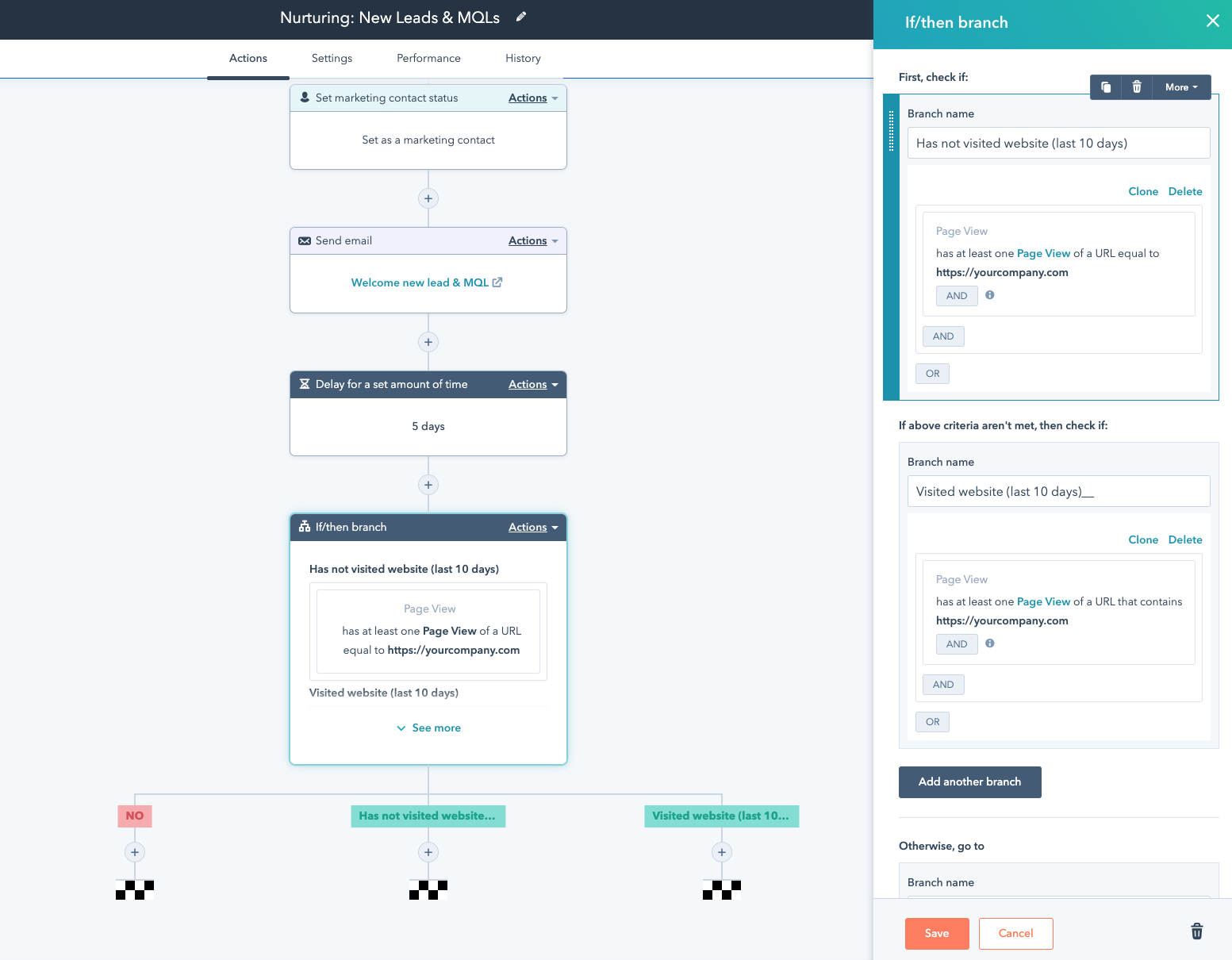
HubSpot’s marketing, sales, service, and operations software operates on a single platform, making it one of the best choices for all-in-one workflow automation. Everything is linked together, allowing you to align all of your teams’ processes and reducing friction from task to task.
You can easily hand leads from marketing to sales, connect a service ticket with an existing contact record, and clean up customer data — all in one user-friendly platform.
Best for: HubSpot is highly recommended for growing businesses that have yet to try workflow automation and for enterprise businesses with established processes. You can begin with a Starter subscription, then upgrade as you require more functionalities. Especially recommended for marketing, sales, service, and operations departments.
Pricing for Marketing Hub: Free; $50/month (Starter); $890/month (Professional); $3,200/month (Enterprise)
Pricing for Sales Hub: Free; $50/month (Starter); $500/month (Professional); $1,200/month (Enterprise)
Pricing for Service Hub: Free; $50/month (Starter); $400/month (Professional); $1,200/month (Enterprise)
Pricing for Operations Hub: Free; $50/month (Starter); $800/month (Professional)
2. Nintex: Best Enterprise Workflow Automation Software
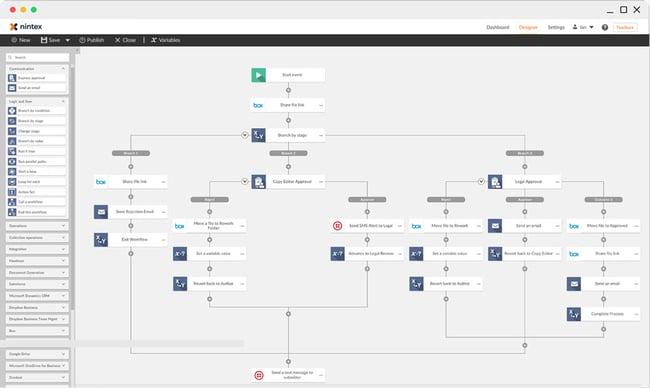 With over 3 million workflow applications operating on their platform right now, Nintex helps more than 8,000 enterprise customers manage, automate, and optimize their business processes, with no coding experience required.
By offering a multitude of workflow automation tools — like process mapping, advanced workflows, and process intelligence — your business is able to map out each of your processes, execute them, and monitor their performance.
Best for: Nintex is highly recommended for enterprise businesses with established processes. It’s a robust software that pairs a user-friendly workflow design tool with powerful integrations that will connect every single one of your apps. Especially recommended for IT, law, HR, and finance departments.
Pricing: $910/month (Standard); $1,400/month (Enterprise)
3. Kissflow: Best Beginner-Friendly Workflow Automation Software
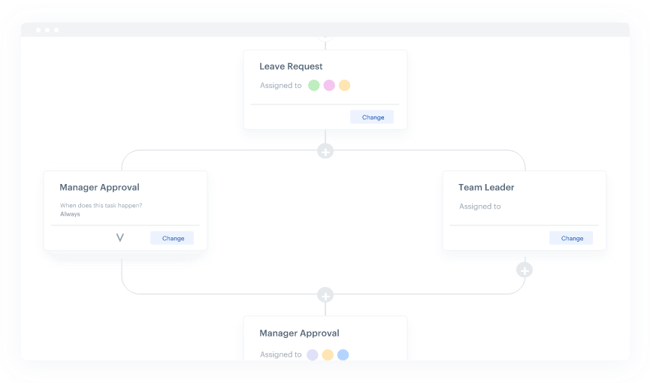
Trusted by over 10,000 companies, including Domino’s, Michelin, and Pepsi, Kissflow offers an all-in-one workflow automation software that lets your business create workflows that automate tasks in your human resources, sales, finance, administration, marketing, and purchase departments.
With over 50 pre-installed business process management apps — such as expensing and sales orders, conditions and triggers, and reporting dashboards for your workflows — Kissflow can streamline almost all your business processes.
Best for: Kissflow is highly recommended for small companies that are just now starting to try workflow automation. The tool’s simplicity and user friendliness will make it easier to begin automating processes. Especially recommended for procurement, HR, and finance departments.
Pricing: $200/month (Basic); $495/month (Advanced); $1,900/month (Fully Loaded)
4. Integrify: Best Everyday Administration Workflow Automation Software
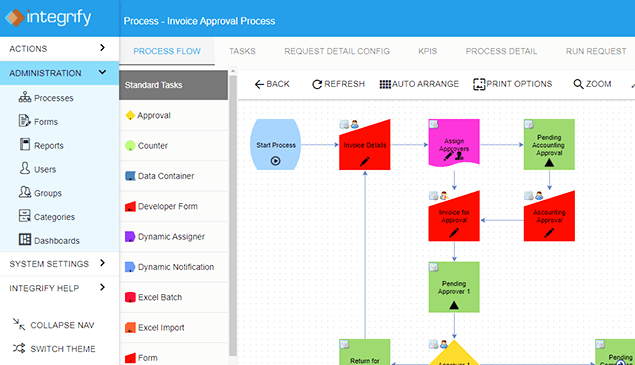
Integrify is a workflow automation software that lets you build workflows in a drag-and-drop builder and run parallel or sequential flows. By being able to collaborate on tasks and requests, test your processes, and set up reminders, you can easily streamline your business processes and automate manual tasks.
Integrify also offers workflow examples and a user knowledge base, a rest-based open API that allows you to integrate with external databases, and the ability to import and export data from Excel and even PDFs.
Best for: Integrify is highly recommended for small-to-medium businesses that are looking to automate everyday tasks. Its drag-and-drop “Process Builder” makes it simple and easy to take a process from start to completion. Especially recommended for administration departments.
Pricing: Pricing available upon request
5. Zapier: Best Workflow Automation Software for Connecting Apps
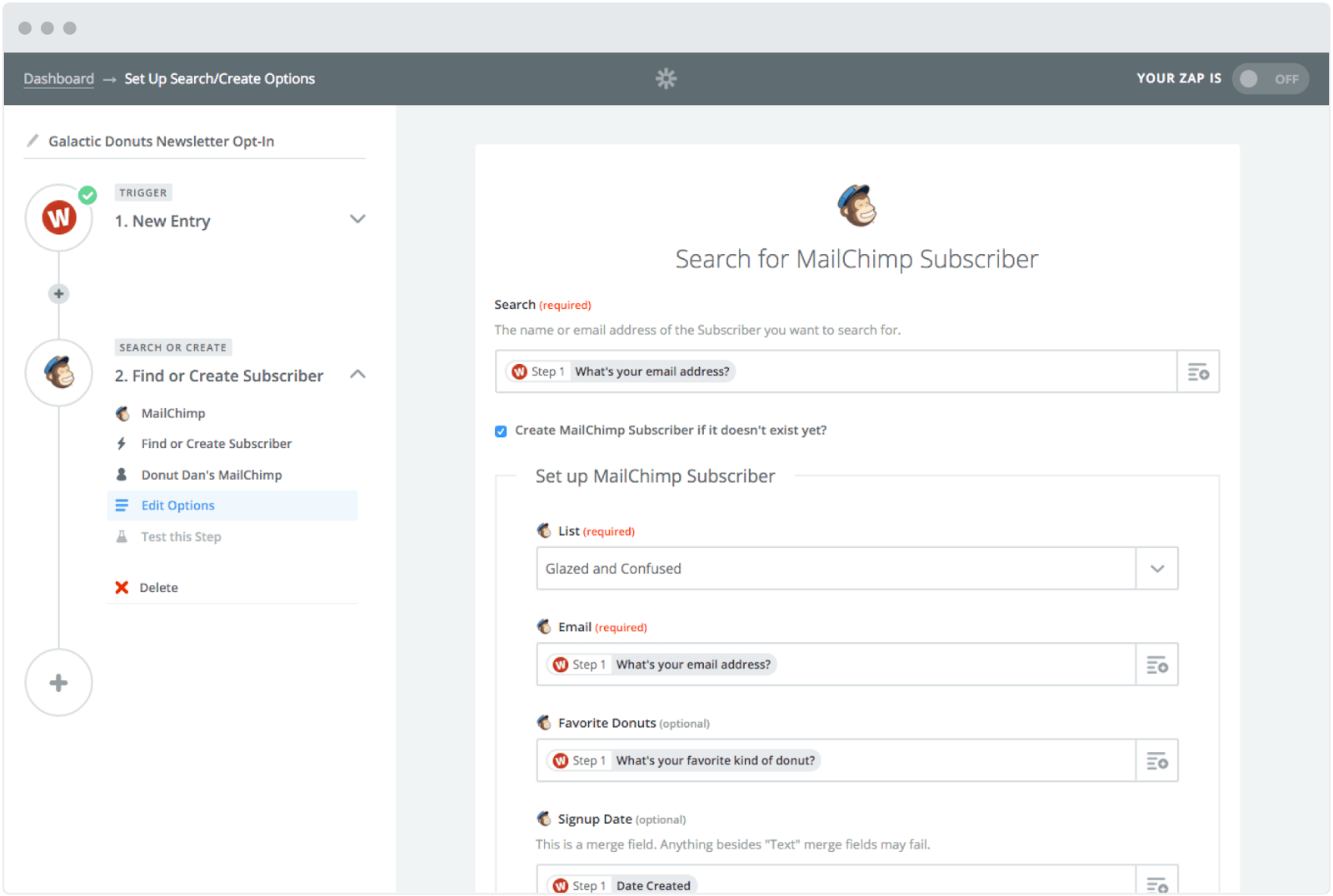
With the ability to connect to and share data with over 1,000 web apps, like Facebook, QuickBooks, and Google Drive, Zapier can automate almost any type of business process. All you have to do is build a workflow in their editor, pick the apps you want to include in your workflow, and design it.
For example, if you want to be able to save all your attachments in Dropbox, you can design a workflow that automatically copies any attachment from your Gmail inbox to Dropbox and then sends you a Slack message about the download.
Best for: Zapier is highly recommended for freelancers and small-to-medium businesses that use a wide variety of tools that aren’t talking with each other. For instance, if you’re using MailChimp to send emails and Typeform to collect leads, you could connect those two tools using Zapier. Especially recommended for marketing and service departments.
Pricing: Free; $19.99/month (Starter); $49/month (Professional)
6. Flokzu: Best Project Management Workflow Automation Software
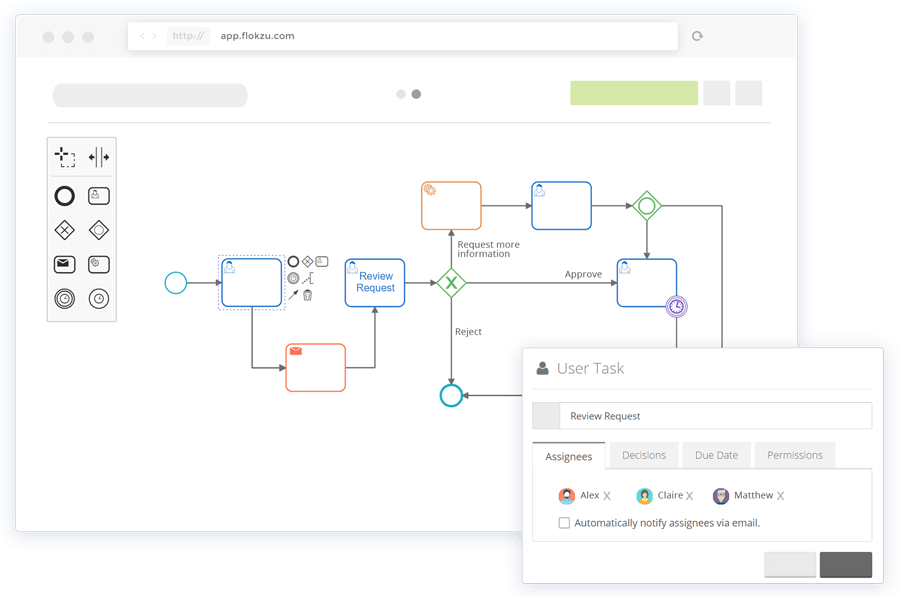
Without writing any code, Flokzu allows you to create tasks, deadlines, business rules, and notifications. Their software also sends pending tasks to each of your project’s assignees’ inboxes, and as each stage of a workflow is complete, it’ll automatically assign each new task to a user or role.
Additionally, Flozku offers a reporting dashboard that displays your business processes’
performance and metrics, like the amount of currently delayed tasks there are, tasks assigned to each user and role, tasks completed, and the time each task took, which will give you the necessary data to refine and optimize your future workflows.
Best for: Flokzu is highly recommended for individual teams that want to optimize their time management and task workflow. A key feature of this tool is that users will receive pending tasks in their inbox, making it an excellent project management tool. Recommended for any team.
Pricing: Free; $19.99/month (Starter); $49/month (Professional)
Workflow Automation Will Help You Grow Better
Workflow automation is critical for businesses that want to scale and grow without letting anything fall through the cracks. By letting technology complete manual tasks, you can effectively grow your business without any growing pains.
Editor’s note: This post was originally published in January 2019 and has been updated for comprehensiveness.

What Is Guerrilla Marketing? 11 Examples to Inspire Your Brand
The word “guerrilla,” in its written form, seems very intense. It conjures images of rebellion and conflict. Put it next to the word “marketing,” and it makes a lot of people ask, “Huh?”
But guerrilla marketing isn’t some sort of combative form of communication. In fact, it’s actually a very unconventional form of marketing in that it raises brand awareness among large audiences without interrupting them.
The term itself was created in the early 1980s by the late business writer Jay Conrad Levinson, who wrote several books about guerrilla tactics in a number of professional areas. Of course, at that time, marketing in general looked very different, and while guerrilla marketing is still used today, the ever-growing digital landscape is changing what it looks like.
Roots of Warfare
When we hear the term “guerrilla marketing,” it’s hard not to think of guerrilla warfare — which makes sense, since that’s where this style of marketing got its name. In the warfare context, guerrilla tactics depend largely on the element of surprise. Think: “Ambushes, sabotage, raids,” according to Creative Guerrilla Marketing.
But how does that translate into the work we do every day? In marketing, guerrilla techniques mostly play on the element of surprise. It sets out to create highly unconventional campaigns that catch people unexpectedly in the course of their day-to-day routines.
Budget-Friendly
What marketers really enjoy about guerrilla marketing is its fairly low-cost nature. The real investment here is a creative, intellectual one — its implementation, however, doesn’t have to be expensive. Michael Brenner summarizes it nicely in his article on “guerrilla content,” where he frames this style of marketing in the same context as repurposing your existing content, like taking certain segments of a report, and expanding each one into a blog post. It’s an investment of time, but not money, per se.
In a way, guerrilla marketing works by repurposing your audience’s current environment. Evaluate it and figure out which segments of it can be repurposed to include your brand.
Types of Guerrilla Marketing
As niche as it might seem, there are actually a few sub-categories of guerrilla marketing, as outlined by the firm ALT TERRAIN:
-
Outdoor Guerrilla Marketing. Adds something to preexisting urban environments, like putting something removable onto a statue, or putting temporary artwork on sidewalks and streets.
-
Indoor Guerilla Marketing. Similar to outdoor guerrilla marketing, only it takes place in indoor locations like train stations, shops, and university campus buildings.
-
Event Ambush Guerilla Marketing. Leveraging the audience of an in-progress event — like a concert or a sporting game — to promote a product or service in a noticeable way, usually without permission from the event sponsors.
-
Experiential Guerilla Marketing. All of the above, but executed in a way that requires the public to interact with the brand.
We know — without context, the whole idea of guerrilla marketing can be a little confusing, so let’s see how it’s been executed by a few other brands.
Guerrilla Marketing Examples to Inspire Your Brand
1. Bounty’s Giant Popsicle

By installing life-sized “messes” throughout the streets of New York — a giant, knocked-over coffee cup and a gigantic melting popsicle — Bounty found a unique way to advertise its product and the solution it provides, with minimal words.
You might ask, “Wouldn’t a concise billboard ad accomplish the same thing?” Well, not really. Culturally, we’re starting to opt for every possible way to eradicate ads from our lives. That’s why we love things like DVR and ad-free options on streaming services like Hulu and YouTube. This campaign, unlike an ad, isn’t as easy to ignore. After all, if you stumbled upon a melting popsicle the size of your mattress on your way to work, would you stop and look? We would.
The big takeaway: Identify the biggest problem that your product or service solves. Then, find an unconventional way to broadcast that to the public — preferably without words.
2. Deadpool’s Tinder Profile

Some Tinder users were surprised to see none other than comic anti-hero and legend Deadpool showing up on their Tinder. With “cheeky” pics and witty profile copy, Deadpool broke the fourth wall and met potential movie-goers ahead of the movie’s Valentine’s Day release.
If the Tinder user “swiped right” and matched with the character, they received a link to purchase tickets.
While Tinder isn’t the best way to generate buzz — it’s limited in its reach to a small subset of users, and you’re technically not allowed to use the platform for promotion — screenshots of this gag quickly made it to social media, garnering a ton of attention.
The big takeaway: Promotions that use “interruptive” techniques aren’t frustrating if they create unexpected delight.
3. Childish Gambino’s Ice Cream Pop-Up
Have you ever seen how powerful of a motivator free food can be? Make it a sweet treat, and you have yourself a winning combination.
Childish Gambino likely had this in mind for his “Summertime Starts Here” pop-up events where free ice cream was given away. As people queued up in the heat for some delicious ice cream, Gambino’s two singles played on a loud speaker.
It was a great way to expose listeners to his EP, Summer Pack.
The big takeaway: Sometimes you have to draw an audience in with incentives to earn attention.
4. The GRAMMYs Singing Posters
Okay, this one might not be entirely fair, since it wasn’t pulled off “in real life.” But how cool would it be if it was? To promote the nominees for its Album Of The Year category, the GRAMMYS music awards show created a video to show what would happen if posters for the nominated artists just began singing.
It might sound impossible to actually carry out something like that. But imagine — what if you could create musical posters for your brand? Again, it’s different than a billboard ad because, when we walk by a wall of paper advertisements in, say, New York City, we don’t expect them to start moving. Now, we’ll admit that this idea isn’t exactly a budget-friendly one, as it might require some technical work to bring to fruition. But even if you could include a single moving or digital image among a sea of still ones — in a place where it would come as a surprise, like a brick wall — it would catch people off guard and, therefore, get their attention.
The big takeaway: Think about the things that your audience might just pass by every day — and make those things do something that’s both unexpected and interactive.
5. Frontline’s Interactive Floor Ad

When I first saw this photo, I’ll admit that I fell for it. “Someone, get that dog away from those flies!” I frantically thought. Then, I realized that the dog wasn’t real, and neither were the flies. The former was a photo, and the latter were actually humans.
That’s because Frontline, the makers of flea and tick prevention products for dogs, were able to fill the entire floor of this large, public space with this image. The brand knew that many people walk across that space every day, and that a good number of people would also see it from the building’s upper levels, creating the dog-and-insect illusion. It’s hard to miss — and to not look twice.
Again, this campaign is different than traditional marketing because it’s not just plastering a single message somewhere that’s likely to be ignored. It creates a form of accidental human interaction that reminds the viewer what the product does.
The big takeaway: Figure out how humans might involuntarily interact with your marketing messages. While your product or service may not address the issue of, say, insect removal, there are ways to make people part of the campaign.
6. Public Breakup on Burger King’s Instagram

Breaking up is hard to do in person, let alone when it’s publicly played out online. That’s what happened — allegedly — when one Instagram user left a comment on one of Burger King’s Instagram posts sharing a tale of his “girl” procuring food from Burger King. There was just one problem. This guy does have a girlfriend, but she was nowhere near a Burger King. So, who was he referring to? The drama ensued, via Instagram comments:

After the comments began to make headlines, many speculated that the entire exchange may have been staged by Burger King. And if it was, we can’t help but salute them — what a way to get your brand into the zeitgeist.
Burger King has roughly one million followers on Instagram. And while we’re not sure how many followers the former had before this famous breakup, it makes sense to assume that this at least drew more attention to its social media presence, at least on this particular platform. People may have already been observing the brand on Instagram, but before now, were they actively discussing it?
The big takeaway: Guerrilla marketing has gone digital. Think about where your audience already exists digitally — then, give ’em a show. While we can’t condone lying, we can applaud creativity, so don’t be afraid to use the comments to get people talking.
7. UNICEF’s Dirty Water Vending Machines
I’m as guilty as anyone of wasting money on bottled water. I have no excuse. I have a reusable one. My workplace offers filtered water from a machine, not a traditional cooler, and yet, it remains a bad habit.
That’s why this guerrilla marketing campaign from relief organization UNICEF resonated with me. It posed the question, “What if those bottles of water you waste money on were filled with dirty water?” It was a way of reminding the privileged masses that in too many parts of the world, entire populations have no access to clean drinking water.
So instead of frivolously spending that money on bottled water, UNICEF suggested putting it toward efforts to bring clean drinking water to these areas. It did so by creating makeshift vending machines that sold bottled dirty water, with each button labeled as a disease caused by a lack of clean drinking water.
The big takeaway: Guerrilla marketing works in the not-for-profit sector, too. And while scary, saddening images are often an impactful way of communicating your mission, there’s a way to convey it by creating something less in-your-face and interactive for the public.
8. GoldToe’s Giant Briefs

Are you an underwear company looking for an unconventional way to market your product? Why, just try placing an enormous pair of briefs on an iconic charging bull statue.
Really, we can’t make this stuff up.
It’s so simple, in theory, that it sounds like fiction. But when the GoldToe brand needed a way to tease and promote the launch of its new undergarments, that’s exactly what it did — casually placed these new items of clothing on statues throughout New York. And while we can’t be sure that it’s the route GoldToe took, we sincerely hope that those bull-sized briefs were made with leftover manufacturing fabric, helping to make this campaign even budget-friendlier.
The big takeaway: Don’t overthink it. Sometimes what looks like your silliest idea might be the best one.
9. Fiji Water’s #FijiGirl
How is this real? #FijiGirl #GoldenGlobes pic.twitter.com/Fko3XMmupa
— Daniel Howat (@howatdk)
January 7, 2019
Strategic product placement is one guerilla marketing tactic to gain attention in subtle ways. One such example includes Fiji Water’s presence at the 2019 Golden Globes where models wore blue and carried trays of water for thirsty attendees.
It didn’t end there, though. One model — Kelleth Cuthbert — positioned herself in the background during photoshoots, effectively photo-bombing high-profile celebrities.
When the photos started appearing on social media, people began noticing Cuthbert as a common denominator, dubbing her #FijiGirl. Ultimately, she became one of the highlights of the evening, winning over fans and drawing attention to Fiji Water’s brand.
The big takeaway: Your brand doesn’t need to be the focus of an event for it to stand out.
10. Greene King’s Candid Videos
When pub and brewing company Greene King feared that small, neighborhood establishments — notably, the pub — would start to be overtaken by large corporate retail, it launched a campaign to communicate just how important these local businesses really are. Even better, the content was almost entirely created by those who understand this predicament best: Pub owners, bartenders, and patrons.
These individuals were given cameras to capture video of the most meaningful moments and gatherings they’ve experienced inside these local pubs — from weddings, to funeral receptions, to birthdays. These videos were shared on Greene King’s YouTube profile and posed the question, “Without these neighborhood meeting places, where would we share these moments?”
The big takeaway: It’s okay to get a little sentimental with guerilla marketing. Think about the emotions invoked by what you offer. Then, invite your audience to create content around what your brand means to them.
11. BBC’s Dracula Billboard

When I think of Count Dracula, I conjure the penultimate villain synonymous with everything that goes bump in the night. The BBC wanted to capitalize on this feeling to promote their show, Dracula.
By day, their billboard was designed to be minimalistic with red text on a white background with a few bloody stakes. However, like its subject, the billboard changed completely every time night fell.
The stakes were actually strategically placed — to cast a shadow of Dracula himself.
The installation ended up being featured in Adweek and had some viral success for its creativity and skillful implementation.
The big takeaway: Think outside the box for your advertising materials. In this case, light and shadow were enough to convey the message and capture attention.
Guerrillas in the Wild
Starting to make a little more sense?
Hopefully, you’ll be inspired by these examples, especially if you’re promoting a smaller brand. Don’t be afraid to crowdsource the content for these campaigns, for example — after all, it’s creative approaches to your work that help maintain guerrilla marketing’s budget-friendly, inbound nature. Remember: Catch people where they are, and insert your brand there. Don’t interrupt, but invite them to participate.
Editor’s note: This post was originally published in July 2018 and has been updated for comprehensiveness.

21 of the Best Examples of Mobile Website Design
Now more than ever, businesses are focusing on creating delightful mobile website experiences.
Google has been heavily favoring mobile-friendly websites since 2015 when it updated its ranking algorithm, then started indexing mobile sites in March 2018, and has conducted mobile-first indexing since 2019. This is crucial, as there have been more search queries on mobile devices than on desktop for several years now.
Going forward, Google will only continue to raise the bar for what it considers to be mobile-friendly (including page load time) in its algorithm updates. So, if you haven’t been focusing on improving your mobile experience, you should start now or see your search ranking fall off. 
To help inspire any mobile website design changes you’ll be making, here’s a list of 21 companies who really nailed their mobile web experience.
1. Shutterfly
Why it works: Shutterfly’s mobile website is easily navigable, highly visual, and intuitive for new visitors and experienced customers.
Shutterfly is an online service that allows users to create photo books, personalized cards, stationery, and other similar products. Because more and more people are taking photos and then accessing them using their smartphones, Shutterfly recognized the need to create a great mobile experience for their customers.
Shutterfly accomplishes two key goals on their mobile website. First, it’s easy for users to find out information about their offerings. Second, this information is complemented by beautiful imagery.
When you arrive on the mobile site, you’ll see Shutterfly’s latest promotion front and center as well as a finger-sized top navigation menu, neither of which overpower the user experience.
Scroll down and you’ll see large buttons that make it easy for users to quickly select which type of product they’re interested in. Once users click through to one of those options, they’re greeted with large photos showcasing what Shutterfly is capable of for easy browsing.
2. Google Maps
Why it works: The mobile website for Google Maps brings the same functionality, visuals, and performance as its mobile app counterpart.
Everyone has their favorite map or directions application. Mine is Google Maps, which I use whether I’m walking, driving, biking, or taking public transportation. What’s special about its mobile website is that it’s virtually indistinguishable from their downloadable mobile app.
These screenshots below are taken of their mobile website, but if you’re familiar at all with the app, you’ll notice they look exactly the same. Not only is the appearance identical, but the mobile website has the speed and functionality of the app.
3. Typeform
Why it works: Type form simplifies their mobile website to improve load times and deliver a simpler user experience.
Typeform is a Barcelona-based tech company with one simple mission: to “make forms awesome.” Their desktop website is beautifully designed, greeting visitors with succinct copy, relevant animations, and other complex design components.
But for mobile users, Typeform recognized that this complex design could significantly affect page load time, among other difficulties. That’s why they actually removed many of them, decluttering the site and simplifying the overall mobile experience. The mobile site is a simpler version of the desktop website, and it’s still beautifully designed.
Take note of the large buttons on their menu page — perfect for tapping with your finger on a mobile screen.
4. Etsy
Why it works: This mobile site pushes its most important features — site search, item categories, and trending products — on the homepage while avoiding clutter.
Etsy is an ecommerce website where people can buy and sell vintage or handmade items. Most buyers who visit Etsy’s website are there to do one of two things: Either they’re searching for a specific item, or they’re browsing items in categories that interest them.
The mobile website caters to both types of visitors from the very beginning. When you first go to their mobile website, you’re greeted with an option to search for specific items, shops, or categories.
Immediately below are thumbnail images of trending items that showcase some of the most popular things you can buy on Etsy. Mobile users can view these trending items in a collage format, and the images are large enough to easily tap with a finger.

5. Adrian Zumbrunnen
Why it works: Adrian Zumbrunnen takes a unique approach to the personal website, creating an experience that is entirely tailored for mobile users.
This is the personal website of Adrian Zumbrunnen, a UX designer, writer, and speaker. When you visit his website, you’ll notice right away there’s something very unique about it: It’s a conversational website.
It almost looks like a text message conversation you’d normally have on your phone, including the ellipsis to show he’s “typing.” Users are given two response options at the end of every exchange, so it’s akin to a “choose-your-own-adventure” experience.
While the mobile and desktop experiences are similar, the desktop website feels like it was made primarily for mobile — which could be the direction sites will go in the future.

And if you’d prefer not to engage in the conversation-like exchange, you can simply scroll down for details.
6. Elf on the Shelf
Why it works: The Elf on the Shelf mobile site makes its wide selection of products visible from the get-go and uses emotional, highly visual product displays to win visitors over.
Elf on the Shelf is, relatively speaking, a fairly new Christmas tradition based on a children’s book. If you’re unfamiliar, the basic premise is this: The book tells the story of Santa’s scout elves, who are sent by Santa to watch over children in their homes all over the world and report back to Santa.
Parents can purchase an elf figurine, which they’ll subtly place somewhere in their house where their kids can see it. Every night leading up to Christmas, parents move the elf to a different location around their house to “prove” that the scout elves are real and always looking over them.
When you arrive on Elf on the Shelf’s website, you’ll see there are actually numerous products you can purchase. But instead of forcing users to scroll through each product individually, the web designers package each product into a large, enticing tile describing the goal of each buyer’s journey, with the featured item displayed on the front.
You’re not buying your own elf or pup, you’re adopting it. It’s a truly empowering experience on such a small screen.
7. BuzzFeed
Why it works: BuzzFeed caters to its mobile users with a website that directs them to their topics of interest.
BuzzFeed is known for its viral content and popular quizzes. It also happens to be one of my favorite sources of entertainment during my commute to and from work.
And where do you think I’m checking BuzzFeed during my commute? You guessed it: my phone. BuzzFeed knows that a lot of their visitors are visiting their site on mobile, so they’ve taken great care to create a smooth experience for their on-the-go readers.
When you arrive at BuzzFeed’s mobile website, the first thing you’ll see is some of their most popular pieces of content displayed in a simple, collage-like format using large images that are easy to tap.

For users interested in specific categories, there’s a menu at the top of the screen that lists out all the post categories. Each category has its own directory page with clickable filters along the top.

8. Evernote
Why it works: With a clear conversion path and clean design carried over from desktop, Evernote’s mobile site makes clear what it does and how you can join.
Evernote is an application that allows you to store notes, images, and web articles and then access them across all your devices. Because users tend to download the app or access the website on multiple devices including desktop computers, smartphones, and tablets, it’s essential that Evernote gets the mobile experience right.
If you look at Evernote’s homepage on your desktop computer, you’ll notice how clean the design is. The value statements are short and to the point, and the graphics add to the brand’s positioning but don’t clutter the page.
When you look at Evernote’s mobile website, you can see they’ve kept their color palette and general brand style entirely intact. The company’s mobile website is clean, simple, and doesn’t detract at all from the value of the app. Evernote’s conversion path is obvious from the centered call-to-action: “Sign up for free.”
9. Pixelgrade
Why it works: Pixelgrade’s WordPress themes are mobile-friendly, minimal, and sleek. Specifically, the Pile theme is perfect for WordPress portfolio websites.
Pixelgrade’s Pile theme allows you to properly showcase your services and previous work and doesn’t sacrifice mobile design. The theme is optimized for mobile devices while delivering on your content’s intended message and aesthetic at the same time.
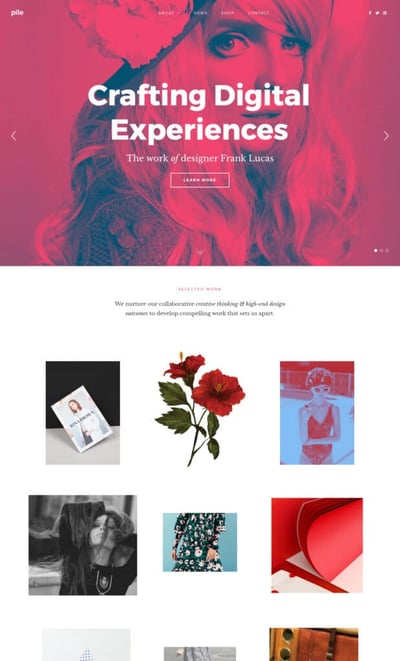
10. Huffington Post
Why it works: The well-known publication condenses its content to better fit mobile screen dimensions and serve readers on the move.
The Huffington Post is a news outlet that reports everything from politics and current events to entertainment and technology. What makes their mobile website unique is that they actually alter their headlines slightly for mobile users so their content is more easily scannable.
If you compare the desktop versus mobile websites, you’ll notice that the mobile website has fewer words on the homepage. The headlines are shorter and much more digestible — perfect for someone skimming or reading on a small screen.

There’s also a clickable menu in the top left-hand corner of the screen listing out all the post categories.
11. Express
Why it works: Express cleverly utilizes images to create a more realistic product viewing experience — users simply swipe to view products from different angles before committing to a purchase.
Express is a clothing store that caters to young men and women. Because their audience often comes to their website to browse clothing, it’s important for their website to include big, clear images of their clothing — especially on mobile devices, when users will need to tap items on the screen with their fingers to click through for purchase information.
Express takes its mobile experience a step further than most online retail sites. If you slide your finger from left to right across an image showing a piece of clothing, the image will change so you can see the clothing in a different view. In other words, users don’t have to load another page to see multiple pictures of the same article of clothing.
Look at the image on the top right in the following two images to see how it changes when you swipe to one side:
12. Nationwide Insurance
Why it works: This mobile site serves two different types of clientele and divides its mobile website accordingly. Whether you’re an individual or a customer, it’s clear where you should go.
Nationwide Insurance provides insurance and financial services. You might think a financial company would have a complicated website, but on mobile, Nationwide Insurance nails the simple user experience.
When you arrive on Nationwide’s mobile site, you’ll see two tabs at the top allowing you to identify as one of two types of users right away to customize your experience: Personal or Business. Or, alternatively, you can “Find an Agent” or “Find a financial advisor” to learn more information about their services.
Although limiting the experience to these two options excludes Nationwide’s more in-depth features, it makes for a much easier experience for visitors using small screens. This is a great technique to lead potential customers in the right direction if they’re not yet account-holders and are visiting the website for the first time.
13. Squaredot
Why it works: This mobile site nails the color palette, font choices, and interactive elements on the homepage. It’s simple, engaging, and playful.
Squaredot is an agency based in Dublin, Ireland that helps marketers build out their inbound marketing strategies. Their mobile website is colorful, simple, and makes for easy navigating.
What sticks out to me most is the visually pleasing color combinations as well as the large clickable menu that expands to reveal each of the organization’s services.
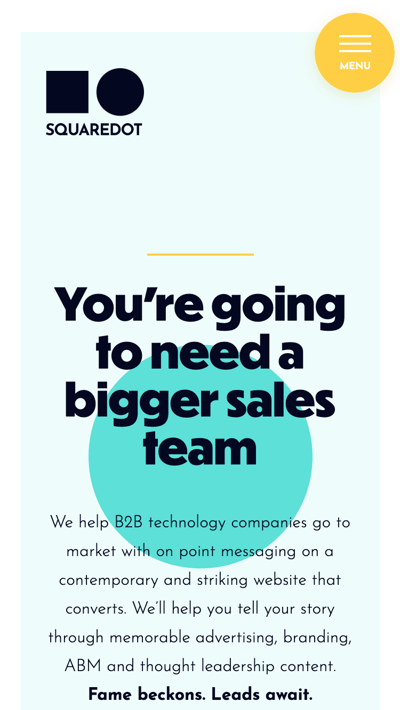
Farther down the page, there are entirely swipeable regions. The one pictured below presents client success stories and adds another dimension to the mobile site.
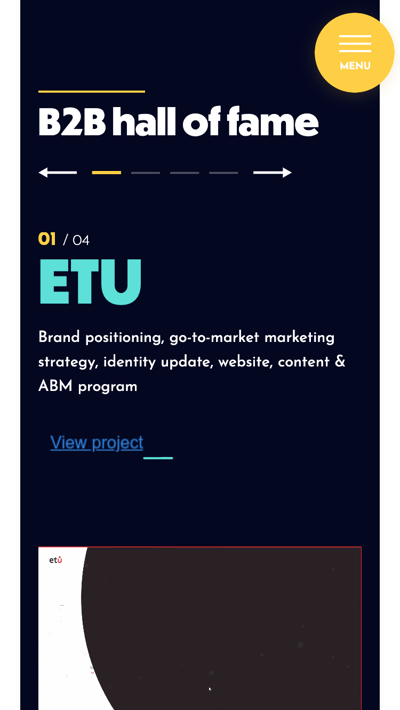
14. Zappos
Why it works: The Zappos mobile website is very easily searchable, which is critical given its huge inventory. The latest offerings are also clear on first page load.
Zappos is an online vendor for shoes and clothing known for its stellar customer service. Their top priority on mobile is to help users search easily for the items they’re looking for on their website, so they’ve put a large search bar at both the top and bottom of their mobile website to make it super easy for them.
This is what the top of their mobile site looks like:
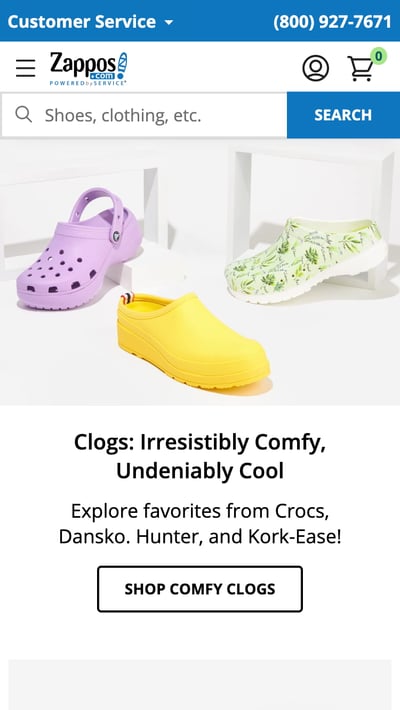
15. ABC
Why it works: This mobile site’s dark theme is a contrast to many other popular mobile sites, bringing a theater-like feel to the experience. The highly navigable pages help viewers find their content of choice or simply browse.
ABC is a television broadcasting company known for popular shows like The Bachelorette, The Rookie, and General Hospital. Users visiting ABC’s desktop website are greeted with these options and more. View the network’s television schedule, check out the most recent Emmy winners, watch some of your favorite television shows, or even look at entertainment news relating to those shows.
But because nearly every household today is a multi-screen household, ABC knows its experience on a mobile device should be both simple and ready for viewing.
When you visit the ABC website on a mobile device, you’ll see a dark background for a theatre-like experience with tiles for each program you might want to stream. Users can scan through these options and click into any show they want based on genre, alphabetical order, what’s popular, and similar categories you’d also find on your TV’s streaming platform.

16. Lean Labs
Why it works: Lean Labs utilizes fly-in animations and distinct content sections to tell a story as users scroll down.
Lean Labs is a marketing agency that creates engaging, responsive, and high-conversion web solutions. (They were also featured on the hit TV series Shark Tank.) The folks there do a great job of providing a smooth experience for mobile users, especially with regard to their design techniques.
Notice how Lean Labs’ mobile website uses scale, contrast, and typeface to distinguish certain elements of their page. It even incorporates fly-in animations for its images to enhance the scrolling experience.
17. SAP
Why it works: Despite its plethora of offerings, SAP reigns it in on its mobile website and simplifies its CTAs and menus.
SAP is an enterprise software company that manages business operations and customer relations. The business enhances its mobile experience by condensing information and combining some of their calls-to-action into sliders, whereas their desktop website has these CTAs laid out horizontally.
This helps keep things simple so mobile users aren’t overwhelmed with a lot of information at once, and it also ensures none of the CTAs are too small to read.
18. KISSmetrics
Why it works: KISSmetrics uses color to separate content sections from each other and to create prominent CTAs that stick out, even on smaller mobile screens.
KISSmetrics provides analytics software for businesses. On their homepage, there’s a lot of information explaining what the software does along with a testimonial.
But their mobile site is displayed a little differently: On a mobile device, the information on their site is shown in a list with alternative dark and light modules. This makes it easy for users to skim the page without getting lost in text.
They’ve also made the text and fields on their forms large and easy to read:
19. idig Marketing
Why it works: idig prioritizes accessibility on its website, presenting a sticky accessibility menu where users can adjust various display options.
idig Marketing is a development and communications provider. Their mobile website is laid out similarly to their desktop website, but I especially liked the readily available accessibility options menu on the right side of the screen.
Tapping this blue icon reveals a menu where users can adjust settings like enhanced visuals.
20. IndiaMART
Why it works: This company’s mobile website is both conveniently browsable and searchable, depending on what visitors are looking to do on the site. It displays trending items prominently as well.
IndiaMART is the largest online B2B marketplace in India, and its simple category-based mobile store makes it one of the best mobile websites we’ve ever seen in the ecommerce industry.
The company’s mobile homepage puts the search bar right at the top so you can always retreat to a custom search if browsing no longer suffices to find the item you’re looking for.
But, IndiaMART makes it easy to peruse its digital aisles by sorting each item by item type, and then sub-types within each item type — a smart design move to encourage users to explore your site further. Under “Apparel & Garments,” for example, you have easily clickable tiles to check out more specific categories of clothing, such as menswear, women’s dresses, and even suits, sarees, and similar garb native to India.
Underneath IndiaMART’s browsing tiles, the company has its own trending section specifically for merchandise people are paying most attention to — similar to a trending list of news on a social media platform. Each trending category has a mobile-friendly call-to-action button allowing users to get price quotes for the product they’re interested in.
21. Pipsnacks
Why it works: Finally, the mobile website for Pipsnacks doesn’t sacrifice its visuals for smaller screens. Even on your smartphone, you’re immersed in the snack food company’s lighthearted branding.
To close out our list, Pipsnacks brings the vibrant colors and textures of their desktop site to the mobile screen. Products are listed as large, clickable images that bring you to their respective product pages, and the mobile site is enhanced with minimal but effective animations that add to the experiences without hurting load time.

Mobile Websites to Inspire Yours
These days, having an effective mobile website isn’t just a nice perk — it’s a necessity, at least if you want to rank in search results and get found. If you neglect your mobile site, that might just put off half your audience.
Fortunately, today’s website builders and platforms let anyone make a site that’s both desktop-ready and mobile-friendly. But, it’s the little details you add on top that will make yours truly exceptional.
Want more information on how to optimize your business with a creative mobile web design? Download the free kit on mobile marketing below.
Editor’s note: This post was originally published in October 2018 and has been updated for comprehensiveness.

Lead Generation: A Beginner’s Guide to Generating Business Leads the Inbound Way
Let’s set the stage: I’m about to dig into the best darn pile of spaghetti and meatballs I’ve ever seen. Just as I twist my fork in the pasta, spear a mouth-watering meatball, and go in for my first savory bite…the phone rings. “May I speak to Lindsay Kow-low-witch?” asks the telemarketer on the other end. “This is an important message regarding your oven preferences.”
This frustrating interruption is why we’re here to discuss inbound lead generation — a solution that can save your business or organization from being that annoying, disruptive cold caller that is ruined by spaghetti night.

Let’s start with defining a lead, and then we’ll cover what online lead generation is, why you need lead generation, how you qualify someone as a lead, how to label lead types — such as sales qualified leads, how you generate leads, and why inbound lead generation is much more effective than simply buying leads.
What is a lead?
A lead is any person who indicates interest in a company’s product or service in some way, shape, or form.
Leads typically hear from a business or organization after opening communication (by submitting personal information for an offer, trial, or subscription) … instead of getting a random cold call from someone who purchased their contact information.
Let’s say you take an online survey to learn more about how to take care of your car. A day or so later, you receive an email from the auto company that created the survey about how they could help you take care of your car. This process would be far less intrusive than if they’d just called you out of the blue with no knowledge of whether you even care about car maintenance, right? This is what it’s like to be a lead.
And from a business perspective, the information the auto company collects about you from your survey responses helps them personalize that opening communication to address your existing problems — and not waste time calling leads who aren’t at all interested in auto services.
Leads are part of the broader lifecycle that consumers follow when they transition from visitor to customer. Not all leads are created equal (nor are they qualified the same). There are different types of leads based on how they are qualified and what lifecycle stage they’re in.
Marketing Qualified Lead (MQL)
Marketing qualified leads are contacts who’ve engaged with your marketing team’s efforts but aren’t ready to receive a sales call. An example of an MQL is a contact who fills out a landing page form for an offer (like in our lead generation process scenario below).
Sales Qualified Lead (SQL)
Sales qualified leads are contacts who’ve taken actions that expressly indicate their interest in becoming a paying customer. An example of an SQL is a contact who fills out a form to ask a question about your product or service.
Product Qualified Lead (PQL)
Product qualified leads are contacts who’ve used your product and taken actions that indicate interest in becoming a paying customer. PQLs typically exist for companies who offer a product trial or a free or limited version of their product (like HubSpot!) with options to upgrade, which is where your sales team comes in. An example of a PQL is a customer who uses your free version but engages or asks about features that are only available upon payment.
Service Qualified Lead
Service qualified leads are contacts or customers who’ve indicated to your service team that they’re interested in becoming a paying customer. An example of an service qualified lead is a customer who tells their customer service representative that they’d like to upgrade their product subscription; at this time, the customer service representative would up-level this customer to the appropriate sales team or representative.
These lead generators are just a few examples of lead generation strategies you can use to attract potential customers and guide them towards your offers. (We talk about more strategies later.)
Whenever someone outside the marketing world asks me what I do, I can’t simply say, “I create content for lead generation.” It’d be totally lost on them, and I’d get some really confused looks.
So instead, I say, “I work on finding unique ways to attract people to my business. I want to provide them with enough goodies to get them naturally interested in my company so they eventually warm up to the brand enough to want to hear from us!”
That usually resonates better, and that’s exactly what lead generation is: It’s a way of warming up potential customers to your business and getting them on the path to eventually making a purchase.
Why do you need lead generation?
When a stranger initiates a relationship with you by showing an organic interest in your business, the transition from stranger to customer is much more natural.
Lead generation falls within the second stage of the inbound marketing methodology. It occurs after you’ve attracted an audience and are ready to convert those visitors into leads for your sales team (namely sales-qualified leads).
As you can see in the diagram below, generating leads is a fundamental point in an individual’s journey to becoming a delighted customer.
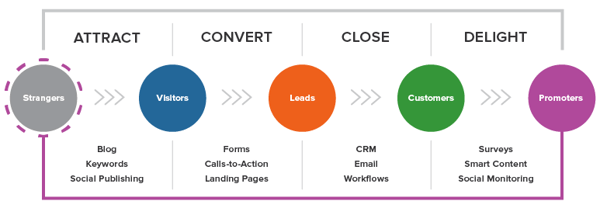
Lead Generation Process
Now that we understand how lead generation fits into the inbound marketing methodology, let’s walk through the steps of the lead generation process.
- First, a visitor discovers your business through one of your marketing channels, such as your website, blog, or social media page.
- That visitor then clicks on your call-to-action (CTA) — an image, button, or message that encourages website visitors to take some sort of action.
- That CTA takes your visitor to a landing page, which is a web page that is designed to capture lead information in exchange for an offer.
Note: An offer is the content or something of value that’s being “offered” on the landing page, like an ebook, a course, or a template. The offer must have enough perceived value to a visitor for them to provide their personal information in exchange for access to it.)
- Once on the landing page, your visitor fills out a form in exchange for the offer. (Forms are typically hosted on landing pages, although they can technically be embedded anywhere on your site.) Voila! You have a new lead. That is, as long as you’re following lead-capture form best practices.
See how everything fits together?
To sum it up: Visitor clicks a CTA that takes them to a landing page where they fill out a form to get an offer, at which point they become a lead.
By the way, you should check out our free lead generation tool. It helps you create lead capture forms directly on your website. Plus, it’s really easy to set up.
Lead Generation Marketing
Once you put all of these elements together, you can use your various promotional channels to drive traffic to your landing page to start generating leads.
But what channels should you use to promote your landing page? Let’s talk about the front-end of lead generation — lead gen marketing.
If you’re a visual learner, this chart shows the flow from promotional marketing channels to a generated lead.
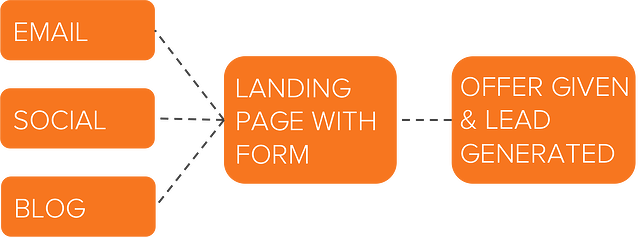
There are even more channels you can use to get visitors to become leads. Let’s go into depth on these and talk about a few others.
Content
Content is a great way to guide users to a landing page. Typically, you create content to provide visitors with useful, free information. You can include CTAs anywhere in your content — inline, bottom-of-post, in the hero, or even on the side panel. The more delighted a visitor is with your content, the more likely they are to click your call-to-action and move onto your landing page.
Featured Resource
Email is a great place to reach the people who already know your brand and product or service. It’s much easier to ask them to take an action since they’ve previously subscribed to your list. Emails tend to be a bit cluttered, so use CTAs that have compelling copy and an eye-catching design to grab your subscriber’s attention.
Featured Resource
Ads and Retargeting
The sole purpose of an ad is to get people to take an action. Otherwise, why spend the money? If you want people to convert, be sure that your landing page and offer match exactly what is promised in the ad, and that the action you want users to take is crystal clear.
Blog
The great thing about using your blog posts to promote an offer is that you can tailor the entire piece to the end goal. So, if your offer is an instructional video on setting up Google Search Console, then you can write a blog post about how to select your marketing metrics … which would make your CTA highly relevant and easy to click.
For a quick video overview on the HubSpot Blog’s expert lead generation tips, check out our video guide.
Featured Resource
Social Media
Social media platforms make it easy to guide your followers to take action, from the swipe up option on Instagram stories to Facebook bio links to bitly URLs on Twitter. You can also promote your offerings on your social posts and include a call-to-action in your caption. Learn more about social media campaigns in this post.
Product Trials
You can break down a lot of barriers to a sale by offering trials of your product or service. Once a prospect is using your product, you can entice them with additional offers or resources to encourage them to buy. Another good practice is to include your branding in your free versions so you can capture other potential customers, too.
Referral Marketing
Referral, or word-of-mouth, marketing is useful for lead generation in a different way. That is, it gets your brand in front of more people, which, in turn, increases your chances of generating more leads.
Whatever channel you use to generate leads, you’ll want to guide users to your landing page. As long as you’ve built a landing page that converts, the rest will handle itself.
Why not just buy leads?
Marketers and salespeople alike want to fill their sales funnel — and they want to fill it quickly. Enter: The temptation to buy leads.
Buying leads, as opposed to organically generating them, is much easier and takes far less time and effort, despite being more expensive. But, you might be paying for advertising anyway … so, why not just buy leads?
First and foremost, any leads you’ve purchased don’t actually know you. Typically, they’ve “opted in” at some other site when signing up for something, and didn’t actually opt into receiving anything from your company.
The messages you send them are therefore unwanted messages, and sending unwanted messages is intrusive. (Remember that disruptive call I got when I was trying to eat my spaghetti? That’s how people feel when they receive emails and other messages from people they didn’t ask to hear from.)
If the prospect has never been to your website and indicated an interest in your products or services, then you’re interrupting them … plain and simple.
If they never opted in to receive messages specifically from you, then there’s a high chance they could flag your messages as spam, which is quite dangerous for you. Not only does this train to filter out emails from you, but it also indicates to their email provider which emails to filter out.
Once enough people flag your messages as spam, you go on a “blacklist,” which is then shared with other email providers. Once you get on the blacklist, it’s really, really hard to get back off of it. In addition, your email deliverability and IP reputation will likely be harmed.
It’s always, always, always better to generate leads organically rather than buy them. Read this blog post to learn how to grow an opt-in email list instead of buying one.
How to Qualify a Lead
As we covered in the first section, a lead is a person who has indicated interest in your company’s product or service. Now, let’s talk about the ways in which someone can actually show that interest.
Essentially, a sales lead is generated through information collection. That information collection could come as the result of a job seeker showing interest in a position by completing an application, a shopper sharing contact information in exchange for a coupon, or a person filling out a form to download an educational piece of content.
Gauging a Lead’s Level of Interest
Below are just a few of the many ways in which you could qualify someone as a lead. Each of these examples shows that the amount of collected information used to qualify a lead, as well as their level of interest, can vary.
Let’s assess each scenario:
- Job Application: An individual that fills out an application form is willing to share a lot of personal information because he/she wants to be considered for a position. Filling out that application shows their true interest in the job, therefore qualifying the person as a lead for the company’s recruiting team — not marketing or sales teams.
- Coupon: Unlike the job application, you probably know very little about someone who has stumbled upon one of your online coupons. But if they find the coupon valuable enough, they may be willing to provide their name and email address in exchange for it. Although it’s not a lot of information, it’s enough for a business to know that someone has interest in their company.
- Content: While the download of a coupon shows an individual has a direct interest in your product or service, content (like an educational ebook or webinar) does not. Therefore, to truly understand the nature of the person’s interest in your business, you’ll probably need to collect more information to determine whether the person is interested in your product or service and whether they’re a good fit.
These three general examples highlight how lead generation differs from company to company, and from person to person. You’ll need to collect enough information to gauge whether someone has a true, valid interest in your product or service — how much information is enough information will vary depending on your business.
Let’s look at Episerver, for example. They use web content reports for lead generation, collecting six pieces of information from prospective leads.
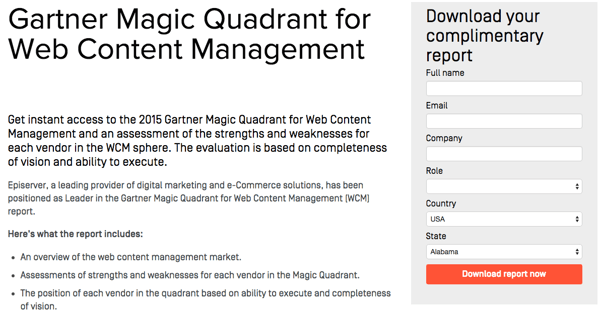
Episerver provides a great example for what to ask for in a lead gen form:
- Full Name: The most fundamental information needed to personalize your communication with each lead.
- Email: This serves as a unique identifier and is how you will contact your lead.
- Company: This will give you the ability to research your lead’s industry and company and how the lead might benefit from your product or service (mainly for B2B).
- Role: Understanding an individual’s role will help you understand how to communicate with them. Every brand stakeholder will have a different take and perspective on your offering (mainly for B2B).
- Country: Location information can help you segment your contact by region and time zone, and help you qualify the lead depending on your service.
- State: The more detailed information you can obtain without sacrificing conversions, the better. Knowing your leads state can help you further qualify them.
If you’d like to learn more intermediate-level tips on information collection and what you should ask for on your lead gen forms, read our post about it here.
Lead Scoring
Lead scoring is a way to qualify leads quantitatively. Using this technique, leads are assigned a numerical value (or score) to determine where they fall on the scale from “interested” to “ready for a sale”. The criteria for these actions is completely up to you, but it must be uniform across your marketing and sales department so that everyone is working on the same scale.
A lead’s score can be based on actions they’ve taken, information they’ve provided, their level of engagement with your brand, or other criteria that your sales team determines. For instance, you may score someone higher if they regularly engage with you on social media or if their demographic information matches your target audience.
Borrowing from the examples above, you might give a lead a higher score if they used one of your coupons — an action that would signify this person is interested in your product.
The higher a lead’s score, the closer they are to becoming a sales-qualified lead (SQL), which is only a step away from becoming a customer. The score and criteria is something you may need to tweak along the way until you find the formula that works, but once you do, you’ll transform your lead generation into customer generation.
Lead Generation Strategies
Online lead generation encompasses a wide range of tactics, campaigns, and strategies depending on the platform on which you wish to capture leads. We talked about lead capture best practices once you have a visitor on your site … but how can you get them there in the first place?
Let’s dive into lead generation strategies for a few popular platforms.
Facebook Lead Generation
Facebook has been a method for lead generation since its inception. Originally, companies could use outbound links in their posts and information in their bios to attract strangers to their websites. However, when Facebook Ads was launched in 2007, and its algorithm began to favor accounts that used paid advertising, there was a major shift in how businesses used the platform to capture leads. Facebook created Lead Ads for this purpose. Facebook also has a feature that lets you put a simple call-to-action button at the top of your Facebook Page, helping you send Facebook followers directly to your website.
Get some lead generation tips for Facebook.
Featured Resource
Twitter Lead Generation
Twitter has Twitter Lead Gen Cards, which let you generate leads directly within a tweet without having to leave the site. A user’s name, email address, and Twitter username are automatically pulled into the card, and all they have to do is click “Submit” to become a lead. (Hint for HubSpot users: You can connect Twitter Lead Gen Cards to your HubSpot Forms. Learn how to do that here).
Learn some lead generation tips for Twitter.
Featured Resource
LinkedIn Lead Generation
LinkedIn has been increasing its stake in the advertising space since its early days. When it comes to lead generation, LinkedIn created Lead Gen Forms, which auto-populate with a users profile data when they click a CTA, making it easy to capture information.
Get tips from our experience using LinkedIn ads.
PPC Lead Generation
When we say pay-per-click (PPC), we’re referring to ads on search engine result pages (SERPs). Google gets 3.5 billion searches a day, making it prime real estate for any ad campaign, especially lead gen. The effectiveness of your PPC campaign relies heavily on a seamless user flow, as well as your budget, target keywords, and a few other factors.
Learn more about how to setup successful PPC ads.
B2B Lead Generation
B2B is a particular business model that requires a particular approach to lead generation.SmartInsights found that referrals are the top source for capturing business leads. Not to mention, effectiveness varies by channel.
Learn the B2B lead generation techniques for every channel.
Tips for Lead Generation Campaigns
In any given lead generation campaign, there can be a lot of moving parts. It can be difficult to tell which parts of your campaign are working and which need some fine-tuning. What exactly goes into a best-in-class lead generation engine? Here are a few tips when building lead gen campaigns.
Use the right lead generation tools.
As you saw in our data, the most successful marketing teams use a formal system to organize and store their leads. That’s where lead generation tools and lead generation software come into play.
How much do you know about the people visiting your website? Do you know their names or their email addresses? How about which pages they visited, how they’re navigating around, and what they do before and after filling out a lead conversion form?
If you don’t know the answers to these questions, chances are you’re having a hard time connecting with the people who are visiting your site. These are questions you should be able to answer — and you can with the right lead generation tools.
There are a few different tools and templates out there that’ll help you create different lead gen assets to use on your site:
- CTA Templates: 50+ free, customizable call-to-action (CTA) templates in PowerPoint that you can use to create clickable CTA buttons to use on your blog, landing pages, and elsewhere on your site.
- Lead Generation Software Tools: This free tool from HubSpot includes lead capture and contact insights features, which will scrape any pre-existing forms you have on your website and add those contacts to your existing contact database. It also lets you create pop-ups, hello bars, or slide-ins — called “lead flows” — that’ll help you turn website visitors into leads immediately.
Example of a slide-in lead flow.
- Visitor Tracking: Hotjar has a heatmap tool — a virtual tool which creates a color-coded representation of how a user navigates your site — that helps you understand what users want, care about, and do on your site. It records visitors and tells you where they spend the most time on your site. You can use it to gather information on your lead generation forms, feedback forms and surveys, and more.
- Form-Scraping Tool: A form scraping tool that collects submissions on your website’s existing forms helps you automatically consolidate all your leads into your contact database, regardless of which form visitors submitted on your website. HubSpot customers can create and embed forms using HubSpot, which automatically populate into your CMS. Non-HubSpot customers can use a form creation tool like Contact Form 7, JetPack, or Google Forms, and then use HubSpot’s free collected forms feature to automatically capture form submissions and input them to a contact database.
Create amazing offers for all different stages of the buying cycle.
Not all of your site visitors are ready to talk to your sales team or see a demo of your product. Someone at the beginning of the buyer’s journey might be interested in an informational piece like an ebook or a guide, whereas someone who’s more familiar with your company and near the bottom of the journey might be more interested in a free trial or demo.
Make sure you’re creating offers for each phase and offering CTAs for these offers throughout your site.
Yes, it takes time to create valuable content that teaches and nurtures your leads down the funnel, but if you don’t offer anything for visitors who aren’t ready to buy, then they may never come back to your website. From checklists to templates to free tools, here are 23 ideas for lead generation content to get you started.
If you want to take personalization a step further — which will help boost your conversion rate — try using smart CTAs. Smart CTAs detect where a person is in the buyer’s journey, whether they’re a new visitor, a lead, or a customer, and display CTAs accordingly. Personalized CTAs convert a whopping 202% better than basic calls-to-action.
Keep your messaging consistent and deliver on your promise.
The highest-converting lead gen campaigns are the ones that deliver on what they promise and create a seamless transition from ad copy and design to the deliverable itself. Make sure that you’re presenting a consistent message throughout the process and providing value to everyone that engages with your lead capture.
The aspects of your lead gen campaign should mirror everything else on your website, on your blog, and within the product that you will eventually try to sell. If not, you’ll have a difficult time getting your lead to the next lifecycle stage. Your campaign should be about more than just obtaining an email address — it should be about developing a new customer.
Link your CTA to a dedicated landing page.
This may seem obvious to you, but you’d be surprised how many marketers don’t create dedicated landing pages for their offers. CTAs are meant to send visitors to a landing page where they can receive a specific offer.
Don’t use CTAs to drive people to your homepage, for instance. Even if your CTA is about your brand or product (and perhaps not an offer like a download), you should still be sending them to a targeted landing page that’s relevant to what they are looking for and includes an opt-in form. If you have the opportunity to use a CTA, send them to a page that will convert them into a lead.
If you want to learn more about how to build and promote high-converting landing pages, then download our ebook on optimizing landing pages for conversions.
Get your sales team involved.
Remember when we talked about lead scoring? Well, it isn’t exactly doable without your sales team’s input. How will you know what qualifies a lead for sales without knowing if your defined SQLs are successfully sold? Your marketing and sales teams need to be aligned on the definitions and the process of moving a lead from MQL to SQL to opportunity before you even begin to capture leads.
Also, be open to evolving your relationship with sales and how you guide leads along your funnel. Your definitions will likely need to be refined over time; just make sure to keep everyone involved up-to-date.
Use social media strategically.
While marketers typically think of social media as best for top-of-the-funnel marketing, it can still be a helpful and low-cost source for lead generation as shared in the lead gen strategies above. The key is using social media strategically for lead generation.
Start by adding links directly to the landing pages of high-performing offers within your Facebook, Twitter, LinkedIn, and other social media posts. Tell visitors that you’re sending them to a landing page. That way, you’re setting expectations. Here’s an example from one of our Twitter posts:
You can also do a lead generation analysis of your blog to figure out which posts generate the most leads, and then make a point of regularly linking social media posts to them.
Another way to generate leads from social media is to run a contest. Contests are fun and engaging for your followers, and they can also teach you a ton about your audience. It’s a win-win. Read our step-by-step guide for growing your email list using social media contests, which covers everything from choosing a platform, to picking a winner, all the way to analyzing your results.
Remain flexible and constantly iterate.
Your lead generation strategy needs to be as dynamic as the people you’re targeting. Trends change, behaviors shift, opinions morph … so should your lead gen marketing. Use A/B split testing to see what CTAs perform best, which landing pages convert better, and which copy captures your target audience. Experiment with layout changes, design, UX, content, and advertising channels until you find what works.
Lead Generation Trends & Benchmarks
So … you’re getting web traffic and generating leads. But how are you doing compared to other companies in your industry? Read on to discover what other marketers are doing with lead generation in 2021, along with important stats to consider.
Lead generation is the top marketing priority.
HubSpot State of Marketing Report 2021 found that marketers report that their top marketing priorities for the next 12 months is generating more leads. Converting these leads to customers is another top priority, according to SmartInsights.
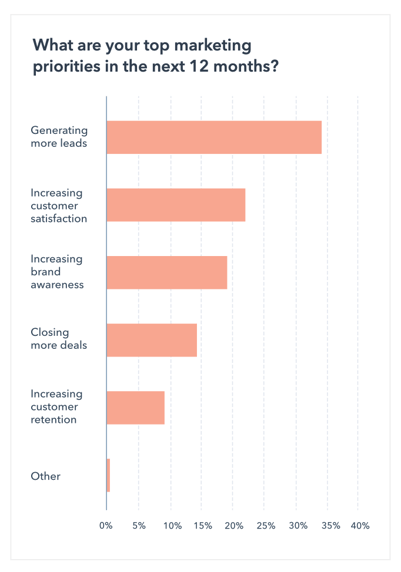
Marketers are making use of digital automation tools for lead generation.
Digital lead generation spend is expected to reach 3.2 billion by the end of 2021. Forbes predicts that automation will play a large part in this increase, as automation will become a large part of lead generation strategies, specifically when it comes to streamlining the lead qualification and predictive scoring. If you’re looking to automate your processes, discover high-quality lead generation tools in this blog post.
Most B2B leads come from referrals.
B2B marketers say that 65% of their leads come from referrals, 38% from email, and 33% come from Search Engine Optimization (SEO).
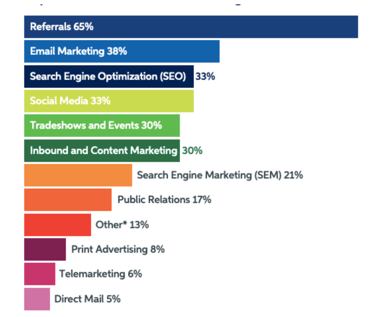
If you’re interested in getting in on this trend, it’s worth considering revamping your referral strategy and helping existing customers bring you new leads.
Content marketing helps drive leads.
Marketers also report that content marketing has helped themsuccessfully generate demand and leadsover the past 12 months. To get in on this trend, readthis helpful blog poston creating content for different stages of the buyer’s journey.
Grow Better with Lead Generation
There you have it, folks. Now that you know more about how to generate leads for your business, we recommend you try HubSpot’s free lead generation tool. Use it to add simple conversion assets to your site (or scrape your existing forms) to help you learn more about your site visitors and what content prompts them to convert.
The basics we’ve gone over in this blog post are just the beginning. Keep creating great offers, CTAs, landing pages, and forms — and promote them in multi-channel environments. Be in close touch with your sales team to make sure you’re handing off high-quality leads on a regular basis. Last but not least, never stop testing. The more you tweak and test every step of your inbound lead generation process, the more you’ll improve lead quality and increase revenue.


How to Accept Payments Online for Free [7 Top Payment Providers]
If your ecommerce business isn’t offering your customers multiple ways to make payments online, you’re leaving money on the table.

While there’s no way to escape some transaction fees and currency fees, there are ways to reduce payment processing costs and receive payments online for free.
In this post, we’ll talk about the software options available today for accepting free online payments as well as details about how to actually go about accepting those payments.
But first, let’s review some additional reasons you’d want to use a payment processing software.
Why should you use payment processing software?
Here’s a look at some of the advantages payment processing software will bring to your business.
1. Convenience
Convenience is one of the main factors that influence conversion rate. The more steps a customer has to take to make a payment, the more likely they are to abandon their purchase and go elsewhere.
2. Speed
Payment processors can transfer most payments between shoppers and sellers instantly. On the other hand, transfers to and from bank accounts can sometimes take 24 hours or more.
3. Trust
Many payment processors are brands that are globally recognized. If a customer already uses payment software, they’re more likely to trust your payment system.
4. Security
Payment processing companies add an extra layer of protection to online transactions. You can set limits, flags for activity on your account, and sometimes even a time frame to recall payments.
5. Record-Keeping
With payment processors, you’ll have access to your account online and can manage your contacts, recurring payments, and other account activity via desktop or mobile.
Top Online Payment Processing Providers
Once you’ve developed a strategy for accepting payments online, you’ll need to decide which payment processing provider to use. Here are seven of the most popular options:
1. PayPal
Price: 3.49% plus $0.49 per transaction (as of August, 2021).
PayPal is one of the most trusted and widely recognized payment processing companies. It’s free to join and they provide all the tools you’ll need to integrate PayPal payments into your website and set up a secure payment gateway for visitors. Additionally, comprehensive coverage makes the platform a good choice for international companies.
2. Stripe
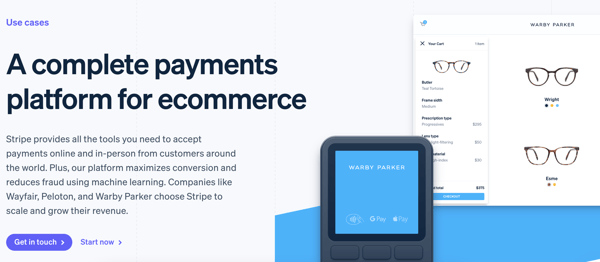
Price: 2.9% plus $0.30 per transaction.
Stripe offers a wide range of options for online businesses such as customizable checkouts as well as subscription management and recurring payment features. Stripe supports all major credit cards, mobile paying apps, wallets, and more.
3. Square
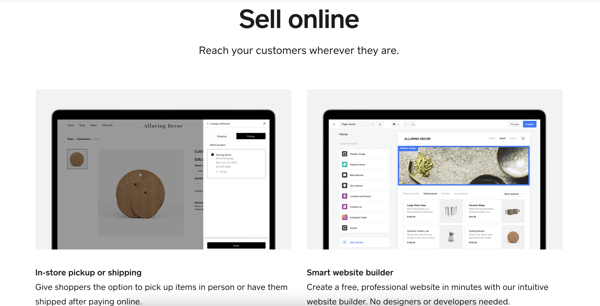
Price: 2.9% plus $0.30 per transaction.
Square entered the payment processing space by introducing a dongle that sellers could insert into a mobile phone to accept credit card transactions.
They’ve since expanded their software to cover all the major payment processing options and have included some useful tools for online businesses as well as high-street stores.
You can even create a basic website for free and integrate all of their point-of-sale (POS) solutions at the same time. They also have paid options for a custom website.
4. Google Pay
Price: Google Pay doesn’t charge any fees — merchants only pay transaction fees as usual with credit/ debit sales.
Google Pay has a payment tool for businesses, websites, and apps. Google Pay’s APIs work to create a delightful checkout and payment experience for your customers.
If you use Google Pay on your website, you’ll gain secure and easy access to hundreds of millions of cards saved to Google Accounts worldwide so customers can pay for your products safely and at the touch of a button.
5. Apple Pay
Price: Apple Pay doesn’t charge any fees — merchants only pay transaction fees as usual with credit/ debit sales.
Apple Pay can be used on websites, in stores, by app, and via Business Chat or iMessage. It allows Apple users to quickly and safely input contact, payment, and shipping information during checkout.
Rather than having your ecommerce customers look around for their credit cards, Apple Pay allows them to checkout at the click of a button within apps and websites. On a website, an Apple users will simply click “Apple Pay” as their payment option, confirm the payment with one tap (via their iPhone, Apple Watch, etc.), and they’re good to go.
6. Venmo For Business
Price: 1.9% plus $0.10 of the payment.
Venmo For Business is a mobile payment software and app owned by PayPal. You can choose to allow users to pay via your mobile app or your website.
You can set up a business profile on Venmo so users can quickly find your profile on the app. And if you add Venmo to your website, it’ll appear as a payment option right next to where it’ll give customers the option to pay with PayPal.
Once a customer selects the Venmo option at checkout, they’ll be directed to their Venmo app to complete the transaction. The Venmo payment option can be added to any of the pages of your ecommerce site that would also show the option to pay with PayPal, including your product pages, shopping cart page, and checkout page.
7. Helcim
Price: 2.38% plus $0.25.
Helcim is an online payment solution for ecommerce businesses — you can choose to start an online store from scratch or add a payment solution to your current website.
The easy-to-use and secure online payment system integrates on your website, shopping cart, billing system, and/or app, thanks to Helcim’s API. In addition to in-app and via website, Helcim works over the phone, in person, and by invoice, and it integrates with your accounting tools to save you time when it comes to bookkeeping.
Next, let’s cover the steps involved in receiving payments online for free.
1. Create a secure online payment gateway.
There are a couple of ways you can approach creating a secure online payment gateway. You can hire an outside developer or use your website development team to create a bespoke gateway. Or, you can use third-party software.
Setting up a secure gateway is essential. You’re also putting automated processes in place, which will save time on manual processing, especially as you scale your business and handle more transactions.
The more payment methods you make available within your payment portal, the wider the audience, and the easier it’ll be for your customers to send you money.
2. Facilitate credit and debit card payments.
Although it may change as mobile payments become more prevalent, using debit/ credit cards is still the most popular way people pay for products and services online.
You can easily facilitate accepting card payments through established payment providers such as PayPal or Stripe. These will accept the most-used credit cards worldwide — Visa, MasterCard, and American Express.
3. Set up recurring billing.
If you offer subscription plans or ongoing monthly services, the most efficient and reliable way to invoice and receive payments is via recurring billing.
Most of the major payment processing software also includes recurring billing features. For example, Growth Marketing Pro built an SEO tool that charges subscribers on a monthly basis and they used Stripe to set this up.
Sites like Paysimple also offer a suite of tools to set up custom, automated recurring billing if you already have a payment processing system in place.
Using automation is essential. It removes most human error and the stress of keeping track of invoicing and payments.
Your customers can commit to recurring payments with just a few clicks, and you won’t have to worry about manually managing your customer base.
4. Accept mobile payments.
These days, people are often more likely to have their phones on hand than debit cards — plus, mobile payment apps are more convenient than ever.
For instance, Apple Pay has quickly become one of the most popular mobile payment systems in the United States. With an estimated 43.9 million users, you’d miss out if you didn’t accept Apple Pay.
Google Pay, Venmo, and PayPal also have mobile apps with a decent market share.
5. Accept cryptocurrency payments.
If you’re okay with handling cryptocurrencies, it’s a way you can extend your reach to a broader online audience.
Sites like Bitpay provide all the tools you need to accept crypto payments online, send invoices, request payments, and receive money on the go-through apps.
Because they’re a decentralized exchange, cryptocurrencies offer some unique benefits for businesses. You can accept payments from anywhere in the world without incurring currency exchange fees or bank handling fees. There’s also a reduced risk of fraud.
6. Use email invoicing.
Email invoicing is a proactive way to request payments. You can share a payment form through email or add a link redirecting the recipient to a payment portal.
However, there are a couple of issues with this method: Email isn’t the most reliable form of communication, and customers can have trust issues making payments via email.
Expect a failure rate, but it’s a vital part of payment processing for a lot of businesses.
7. Accept electronic checks (eChecks).
To accept eChecks for payment, you need a form where the user can input their information, which you can see using payment processing software.
It’s basically a way to pay by check online. It’s a quicker and more reliable way than sending a paper check through the post, so offering this to your customers will make the process run smoother.
Start Accepting Payments Online For Free
No matter which payment processing software you choose, the most important part is making it easy for the customer to pay. And the more ways they can pay, the more likely your customers will follow through on a purchase.
Editor’s note: This post was originally published in April 2020 and has been updated for comprehensiveness.
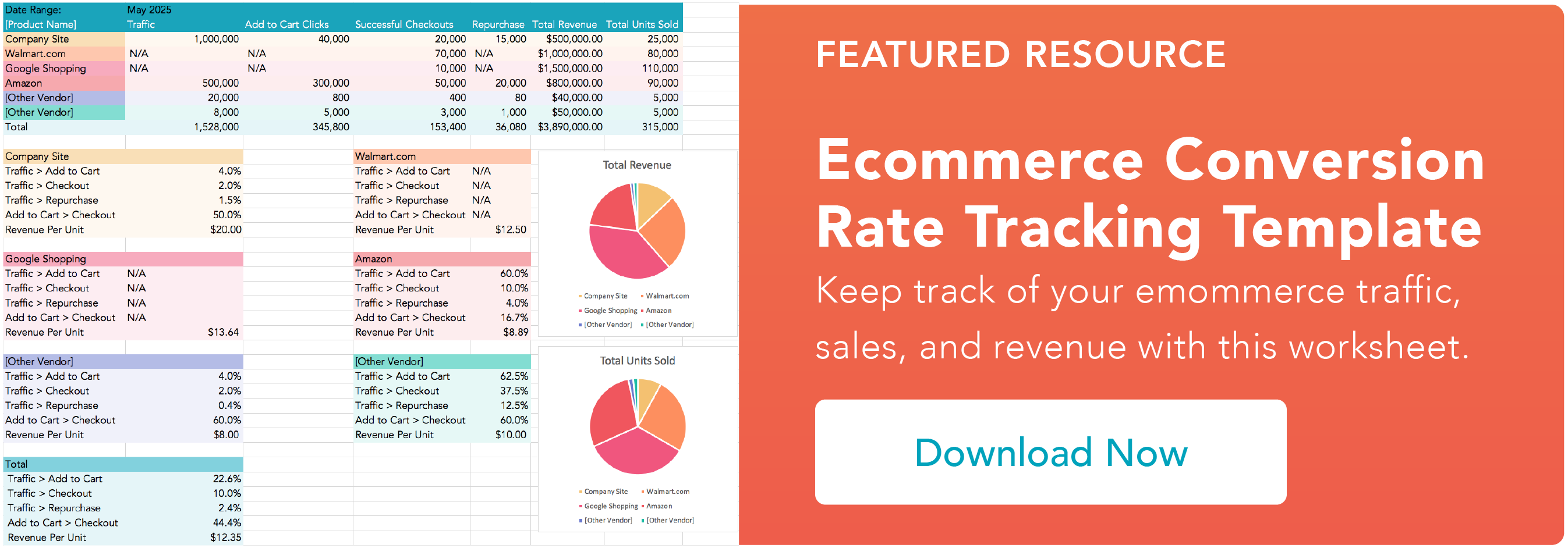

How to Search an Entire Website in Google in 3 Steps [+ Example]
Google’s pretty good at surfacing relevant content based on your search query. But sometimes you need something so specific that a general keyword phrase doesn’t really do it for you, especially if you’re a marketer on the hunt for a particular piece of content.
That’s where a site search comes in handy.
A site search is performed on a search engine and allows you to search one domain – not the entire internet – for a term.
![Download Now: 150+ Content Creation Templates [Free Kit]](https://no-cache.hubspot.com/cta/default/53/5478fa12-4cc3-4140-ba96-bc103eeb873e.png)
We’ll talk more about why site searches are helpful and how to perform them in the sections below.
How to Google Search Within a Website using Site Search
1. Go to Google.com.
2. In the search box, enter site:www.website.com with your search term.
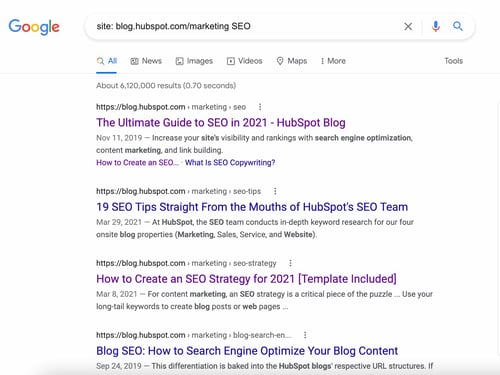
Make sure you consider the domain and subdomain when performing a site search. For instance, if I search the term “SEO” on www.hubspot.com and www.blog.hubspot.com/marketing, I’ll get two different sets of results.
The first will show results that include all the subdomains while the latter will only show results pertaining to the blog subdomain.
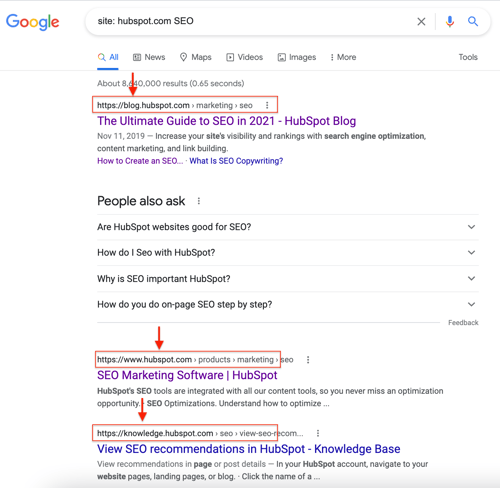
The same goes for the path: www.hubspot.com/about will provide different results than www.hubspot.com/pricing.
With this in mind, it’s important to know where you’re looking for your search term.
3. Refine your search.
For instance, in Step 2, I searched our blog for a broad topic: SEO. Various subtopics came up, ranging from SEO blogging strategies to tips from SEO experts.
From there, I can filter my results by topic or even date.
In the example below, I added “2021” to my search time to refine my results and get more recent data.
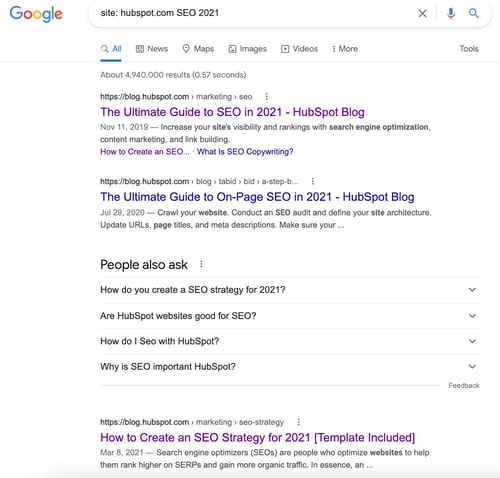
Site Search Best Practices
When it comes to a site search, a good rule of thumb is to start wide and narrow down little by little.
This will make it easier to find what you’re looking for and avoid narrowing down too early. For instance, say you want to search a competitor’s site for SEO-related content.
Start by looking up SEO to see the range of subtopics they cover. From there, you can dive into each subtopic and examine which ones they cover more and which ones they don’t cover much.
This method will help you find ideas for your own content and get competitive on the SERP.
Now, say you’re on the opposite end – you have a website and want to make site searches easier for your visitors.
In ecommerce in particular, site searches are very important, as they help consumers find the products they’re interested in.
In this case, here are a few tips:
- Categorize your content on the backend to make search results more accurate.
- Use autocomplete and autocorrect to assist visitors when typing into the search box.
- If the query yields no results, offer related queries the user may be interested in or direct them to elsewhere.
- Optimize the terms on your site to reflect the language of your target consumers. For instance, say you sell baby items and your core audience resides in the UK, your website would likely use the term “cot” instead of “crib.”
How Site:Search Can Make Your Life Easier as a Marketer
There are many use cases for this tool, but here are the most common ones.
- Search for data – I like to use data to support and strengthen my content. With a site search, I can quickly find a stat I had read in an article weeks or months earlier. I can perform a search on our own blog or other sites I visit, like eMarketer, for instance.
- Search for new topic ideas – Let’s say you want to pitch an article idea and verify that your angle hasn’t been covered before on your site. You can do a site search and read all the articles relating to the topic. If you’re a freelance writer, you can also take this approach before you pitch a story to a publisher to make sure it’s original and aligns with their content strategy.
- Surface related content to link to – If you want to link to a piece of content within your own content, a site search is a great way to resurface it or even find some new pieces of content you didn’t know existed.
- Conduct competitive analysis – Reviewing your competitors’ content is plays a big role in developing your content strategy. A site search will allow you to see how your competitors are covering specific topics, from the angle to the length and use of media.

Square’s Co-Founder on How Innovation Stacks Helped His Then-Startup Take on Amazon
It’s rare that a smaller brand can go up against a big company like Amazon and win. But that’s what Square did when Amazon launched an almost identical card reader for a fraction of Square’s price.
Without undercutting the price of its biggest competitor, Square still went on to completely disrupt the digital payments and finance industry and earn 4.68 billion in revenue in Q2 2021.
Why? Its co-founder, Jim McKelvey attributes Square’s success to its “innovation stack.”
In HubSpot’s first episode of The Shake Up, Alexis Gay and Brianne Kimmel sat down with McKelvey to learn about how Square navigated its competition with Amazon and dive more into his book, The Innovation Stack: Building an Unbeatable Business One Crazy Idea at a Time.
How to Beat Competition Like Square Beat Amazon
Below, you’ll find just a few highlights from McKelvey as well as the podcast where you can listen to the full conversation.
What’s an innovation stack?
[20:13] Alexis Gay: Before we dive in a little bit, can you tell us what is the innovation stack?
[20:20] McKelvey: The innovation stack is this thing that I discovered while I was trying to answer a question that was plaguing me, which is how Square survived an attack by Amazon. … The Square was attacked by Amazon when we were a startup.
At the time, every company that had been attacked by Amazon, whether they were a startup or not died. There was a 100% mortality rate or it had been absorbed into Amazon, which I would also consider. … death or worse.
… We were looking at this very dire situation and we did some kind of crazy stuff and it worked and, and then after it worked, I thought, “Why did it?” And I couldn’t answer that question.
… I’m a sort of nerdy engineer and I went on this research quest looking for other companies that had lived through similar situations. So I studied historical businesses. … Technology was not the major force, but there was this thing that kept showing up in my research and it was a thing that I labeled an innovation stack. And it’s just this very simple idea that invention is not one or two things. It’s usually this messy conglomeration of 10, 20, 30, 40 things.
Amazon takes on Square
[23:02] McKelvey: [In a board meeting], Jack [Dorsey] was dressed in all black and he announced that Amazon had copied our product and was going to undercut our price, which is what they always do. And he told the board what was happening — and we have very intelligent people on the board and we have a lot of experienced folks — and we were stopped.
… We started iterating through the questions of, “What could we do?” One of the most basic ones was Amazon was undercutting our price. We could lower our price and match Amazon. And then here’s the thing. Those are priced to be as low as it could be and still serve our customers.
… We didn’t actually even do anything. That was different, which was the amazing thing. We wanted to do something because if you’re being attacked, the hardest thing you can do is to not react or maybe not overreact.
[24:56] McKelvey: It was terrifying. And this made it even more interesting when we won for me to answer the question, “Why?” What the heck happened because I was so happy we won, but then I was like, “Why did we win?”
Square Beats Amazon
[27:02] Gay: So Jim, let’s talk a little bit about Halloween in 2015. You got some pretty big news on that day. Can you tell us a little bit, well, first actually, let me ask you this: Were you dressing in costume?
[27:16] McKelvey: I was dressed as the Joker. My wife was dressed as Catwoman and my son was dressed as Batman. The best treat I got that night was Amazon announcing that they were going to discontinue their competitor to Square. And not only that, they were going to mail one of the little white square readers. The thing that I designed.
Why Building an Innovation Stack is Uncomfortable
[34:43] McKelvey: The big insight of the book is that the process of innovation is fundamentally different and it feels different and here’s how it feels. What I tell my readers, or potential readers is, “Look, the reason you read the innovation stack is that at some point in your life, you are going to run up against the edge of human knowledge.”
… When you’re in the process of building an innovation stack, it is so darn uncomfortable. So I want people to have recognition. So first of all, recognize the boundaries. That’s hugely helpful. Secondly, understand when it’s appropriate to copy and when you need to.
[36:28] McKelvey: If you step across that line between the known and the unknown, it’s going to get unpleasant. It will not kill you. It might be really wonderful on the other side eventually, but … your focus is to figure out something that nobody else has figured out.
… How many pieces do you have to come up with before you’ve got an innovation stack that actually works? And by the way, there’s no guarantee that you’re ever going to reach that limit, but you do. And if you do. The world changes. Like it’s just amazingly powerful if you build [an innovation stack].
To hear the full interview, listen to the podcast embedded above, or click here for a full list of episodes.


How to Run LinkedIn Ad Campaigns: A Beginner’s Guide
LinkedIn is a highly valuable tool to network with like-minded professionals. But here’s something we don’t talk about as much as we should: LinkedIn is also a useful inbound marketing platform.
It might seem a little bit intimidating. You have enough on your plate … do you really need to figure out another way to create targeted content? Actually, yes. You have more power at your disposal with LinkedIn than you might realize.
That’s because LinkedIn has a powerful ads platform. If you’re already using pay-per-click (PPC) techniques to power your presence on Facebook, Twitter, or Google, consider yourself lucky — you can add LinkedIn to that list, too. This is especially easy to do if you’re using the HubSpot ads tool.

But if you’re new to LinkedIn Ads, fear not — we’ve put together a step-by-step guide to setting up your first LinkedIn ad campaign.
Before we dive in, let’s review the way in which LinkedIn Ads work:
In the above definition, we mentioned LinkedIn targeting options. Here’s some more information on how LinkedIn targeting actually works and what those targeting options are.
LinkedIn Targeting Options
Reviewing these options now will help you in step three below, where we review targeting on LinkedIn.
How does LinkedIn targeting work?
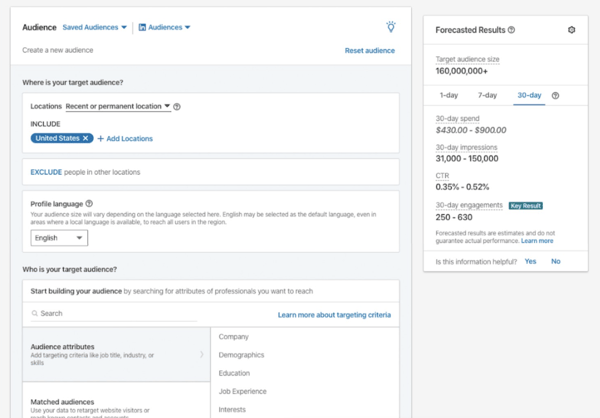
Ad targeting in LinkedIn helps you run a successful advertising campaign — that’s because when you target the right people, it leads to greater engagement and more conversions.
With LinkedIn, the process of selecting the audience you’re going to target works the same way, no matter which type of ad you select.
When establishing who it is you’re going to target, LinkedIn provides over 20 different audience attributes and targeting categories that you can select from — examples include company name, company size, member groups, member interests, member schools, job title, job seniority, and skills.
Advertising on LinkedIn is a two-step process: 1) setting up your LinkedIn campaign, and 2) creating your LinkedIn ad(s).
In this section, we walk through how to set up a campaign and build your ad(s) — plus some best practices and tips for each.
1. Create your LinkedIn ad campaign.
Your LinkedIn advertising campaigns will live on a platform separate from the LinkedIn you see every day — the LinkedIn Marketing Solutions platform. Visit this page to get started with your campaign, and select Create Ad.
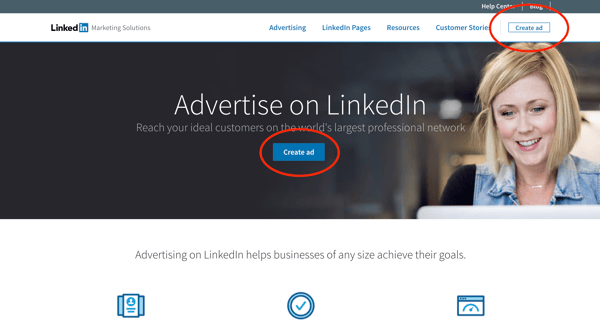 From there, you’ll be prompted to create a LinkedIn Campaign Manager account (if you haven’t yet). Make sure you enter your associated LinkedIn Company Page if you have one.
Next, you’ll be taken to your member dashboard. If you haven’t entered your billing information, you’ll need to do so to unlock your account. (Don’t worry, you won’t be charged until your campaign is live — from there, you’ll be charged periodically for ad clicks and other engagements.)
On your dashboard — or “Campaign Manager,” as it’s formally called — you’ll see a call-to-action (CTA) to Create Campaign.
Click that button, and you’ll be redirected to a page where you can start setting up your campaign.
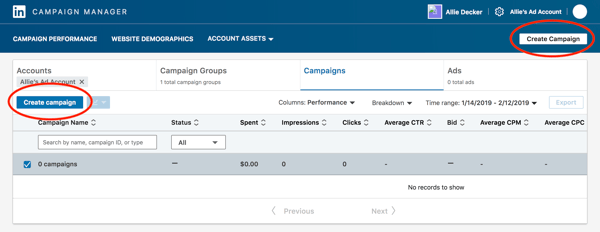
Note: As of 2019, LinkedIn introduced a “new objective-based campaign creation experience”. We’ll be covering that new process in this article — to learn more, check out this page.
First, indicate a Campaign Group and name your campaign. Campaign Groups help you organize your campaign. You can leave the Default Campaign Group as-is or create a new Group.
As for the campaign name, these are only visible internally, so we recommend you choose a highly informative name — especially if you have a few different folks working on the campaign.
For example, if I was running a test to determine the best type of demographic targeting, I might use the title, “Unicorn Food Ad Test — North America, 18 to 24, Female.”
That name describes exactly who I’m targeting, without having to view its details. Compare this to something like “Unicorn Food Test 1,” which doesn’t indicate anything about who the ad is targeting.
Once you choose your Campaign Group and name, you can start setting up your LinkedIn campaign.
2. Set your LinkedIn ad campaign objective.
Next, choose your campaign objective.
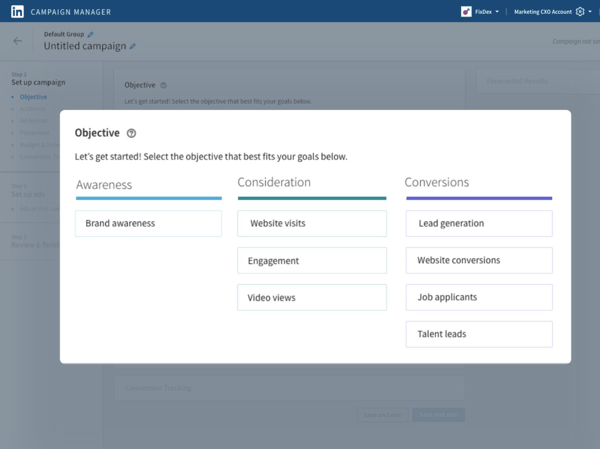 Your objective is what you want people to do when they see your ads. According to LinkedIn, choosing an objective helps them, “customize your campaign creation, deliver the best ROI for your stated goal, and show you relevant reporting.”
There are three overarching campaign themes: Awareness, Consideration, and Conversions. Under those themes, some available campaign objectives are:
-
Website visits will drive traffic to your website and landing pages. According to LinkedIn, this type of campaign will also boost brand awareness (at least while that objective option remains unavailable).
-
Engagement will increase engagement on your content and boost followers on your LinkedIn Company Page.
-
Video views will increase the exposure of your videos to people who are likely to engage with them.
-
Lead generation will show a LinkedIn lead generation form with pre-filled LinkedIn profile data to those LinkedIn users most likely to engage with the form.
3. Designate your LinkedIn ad audience.
Next, choose the parameters of your target audience. Targeting who sees your ad can help it fulfill its campaign objective — the more specific and relevant it is to your audience, the better it’ll perform.
LinkedIn allows you to target according to a few different categories — refer to our points on targeting options that we reviewed above.
You don’t have to use all of LinkedIn’s targeting options — but, the more specific the targeting criteria, the more relevant it’s likely to be to the audience you select. And, therefore, the more likely you are to have a better ROI.
4. Decide on your LinkedIn ad format.
Next, choose your ad format. In the next section, we unpack the different types of LinkedIn Ads you can create as part of your campaign.
When you toggle between the ad types, you’ll see that the Forecasted Results box on the right-hand side will change. This feature analyzes your campaign parameters (bid, budget, targeting, start/end dates, etc.) and takes into account similar campaigns and advertisers. It also stimulates the ad auction to generate the numbers displayed.
Keep an eye on this box as you choose your LinkedIn ad type. If you’re first starting out, deciding on which ad type you want to choose may come down to budget. Outline your priorities, and then you can decide which type works best for you.
Additionally, some ad types require you to link your LinkedIn Company Page and some tap into LinkedIn translation services.
5. Choose your LinkedIn ad placement.
Next, decide whether you want your ad to be displayed on the LinkedIn Audience Network, which gives your campaign more reach and exposure among LinkedIn’s third-party platforms and sites. Note: This option isn’t available for every ad type.
You can also choose to exclude or block certain categories, applications, and sites in the Network if you so choose.
6. Set your ad budget and schedule.
Next, set up the budget, scheduling, and bidding options that work best for you.
Budget
Set a daily budget for what works best for your company’s marketing spending. Before investing a lot into one campaign, test and measure the success of each campaign and ad variation. You don’t want to put thousands of dollars, for example, into an ad that doesn’t resonate with your target audience.
Let’s say you’re the VP of Marketing at a high-end floral company. You assume that most of your target market is made up of soon-to-be brides, so you direct your LinkedIn Ads to bridal groups. But after spending thousands of dollars, you only generate 10% of the leads you were hoping for.
Your subsequent research shows this was the wrong move, and you later learn that people near your store who are on LinkedIn are actually looking for flowers for corporate events. It would have been nice to know that before spending a large amount of your budget on LinkedIn Ads, right?
That said, because of its extensive targeting opportunities, LinkedIn Ads can successfully target niche markets. But the cautionary experimentation is crucial to do early on — if you observe a campaign performing well, then you can put a larger budget toward it.
Schedule
Choose a date for your campaign to start. You can indicate for your campaign to be shown continuously or ‘til an end date.
Bid Type
In this section, the three options you have are:
-
Automated bid, which allows LinkedIn to determine what amount will maximize your campaign objective and whatever option you choose (clicks, impressions, or conversions).
-
Maximum cost-per-click (CPC) bid, where you’ll be charged each time someone clicks on your ad. LinkedIn will suggest a bid range depending on your budget and the competition for your ads — the more advertisers bidding on a similar campaign, the higher your bid will need to be. This bid is the maximum you will be charged. If the current rate is lower than your max bid, you will only be charged the current rate.
-
Maximum pay-per-1,000 Impressions (CPM) bid, where you’ll be charged a certain amount each time your ad is viewed by every 1,000 people on LinkedIn. This option is unavailable if you’re using the LinkedIn Audience Network option.
Deciding on the best maximum bid can be tricky. When deciding between CPC and CPM, think about your end goal. Are you trying to get as many people as possible to see your ad to help with something like a branding campaign? If so, CPM might be your best option.
On the other hand, if you want more people to click on your ads to drive traffic to your website or generate new leads, CPC might be better for you.
As for your optimal maximum bid, some trial and error might be necessary. LinkedIn will give you a suggested bid, which is a good place to start.
Then, think about when your audience is most likely online. You’ll want to bid higher during that particular time to be sure that your ads are the ones being seen. And make sure LinkedIn is actually the best place to reach them, too — play around with your bids and see when you get the most return for your dollars spent.
7. Don’t forget conversion tracking.
Lastly, you have the option to set up conversion tracking for your LinkedIn campaign, which will track and measure the actions people take after clicking on your ads.
Conversion tracking is an optional part of setting up your LinkedIn advertising campaign but is highly valuable for your business.
If you choose to set up conversion tracking, click + Add conversions.
A new window will pop up, where you’ll name your conversion, choose your conversion settings, and decide how you’ll track the conversions.
Note: The information on the right-hand side of the window is super helpful — it’ll answer any questions you have and walk you through the process. And for more help implementing and managing your LinkedIn Conversions, visit this help page.
Bravo! You’ll officially set up your LinkedIn advertising campaign … but you’re not done yet. When you’re ready to move on, click “Save.” Beware: Your objective and ad format cannot be changed once you save, so be sure about your choices before moving forward.
8. Build your LinkedIn ad.
This section corresponds to what type of LinkedIn ad you chose for your campaign.
Once you establish the basic parameters for your ad in step one, you’ll be prompted to start building it and choose how LinkedIn will display and rotate your ad variations — if you create more than one.
To get started, click Create new ad.
A screen will pop up with the title “Create a new [Your chosen ad type] for this campaign,” on which you’ll create the copy for your ad, pair it with an image, and preview the different layout options.
Of course, there are a few guidelines around the copy that we suggest:
-
Ad image, which is the artwork or graphic that your audience will see for your ad. It must be 100×100 pixels and uploaded as a .jpg or .png file that is 2MB or smaller.
-
Ad headline, which is the main message your audience will see. It cannot be more than 25 characters.
-
Ad description, which is the body of your ad. It can be up to 75 characters long and should be relevant both to the person viewing the ad and the offer or page to which you’re sending them.
-
Destination URL, which is where your audience will go when they click your ad. Double check that the URL is accurate.
Once you input this information, you’ll see it reflected in the Preview box to the right.
Once you click Create, you’ll be directed back to the previous Campaign Manager screen. From there, you can create more ads and, eventually, review and submit your order.
Note: LinkedIn does review every submitted campaign order, so don’t expect to see your ads published right away.
To see the best results for your ads, consider creating a different ad for each of your buyer personas and tweak the copy accordingly.
For example, when promoting a book to college professors, leading the title with the words “College Professor’s Guide to …” may generate a higher CTR than generic, un-targeted headlines and copy.
Here are a few of our best copywriting tips for LinkedIn Ads.
CTA
Including an actionable CTA within your ad copy will also help you improve your ad’s click-through rate (CTR). Consider asking people to “Download your e-book now,” or “Click now for free samples” instead of writing copy that’s devoid of actionable next steps.
Value
Incorporate your value proposition into your ad copy — this can make people more likely to click on your ad. By boasting something like “20% off your first purchase” or “Clearance sale ends today — Shop now,” you’re sending a clear signal of what someone will specifically gain when he or she clicks your ad.
Testing
Don’t be afraid to test your ad copy. You can create multiple variations of your ad in each campaign, which allow you to test different images and copy within ads to find what works best for your audience.
As we said above, deciding on what type of LinkedIn ad is best for your campaign can come down to many factors: budget, audience, campaign objective — just to name a few.
When building your LinkedIn Ads, you have four main types from which to choose. Within those formats, you can choose different formats based on your ad content and purpose.
1. Sponsored Content
Sponsored Content shows up in your audience’s news feed among organic LinkedIn content.
These ads are similar to promoted posts that blend into social media feeds. Sponsored Content is available in three formats:
-
Single image ads, which feature one image.
-
Carousel ads, which feature two or more images.
-
Video ads, which feature one video.
This type of LinkedIn ad typically has the highest average cost-per-click (CPC).
(Learn more about the advertising specifications for Sponsored Content according to LinkedIn.)
2. Message Ads
Message ads are delivered to your target audience’s LinkedIn inbox.
With this type of LinkedIn ad, you can send your content directly to your audience from a personal account and better measure engagement based on recipient response and action.
(Learn more about the advertising specifications for Message Ads according to LinkedIn.)
3. Dynamic Ads
Dynamic Ads are personalized ads that change content based on which audience member is viewing them. This type of LinkedIn ad uses member personal data to tailor its creative content.
(Each LinkedIn member sees his or her own personal data; data isn’t shared with other members.)
Dynamic Ads are available in three formats which are only available on the LinkedIn desktop platform:
-
Follower ads, which promote your LinkedIn Company Page.
-
Spotlight ads, which promote a special offering.
-
Job ads, which promote open jobs.
(Learn more about advertising specifications for Dynamic Ads according to LinkedIn.)
4. Text Ads
Text Ads show up on the right column or top of the page on LinkedIn.
They’re the simplest type of LinkedIn ad but are still effective for boosting awareness and reaching your audience. Pay per click or per impression for Text Ads.
(Learn more about advertising specifications for Text Ads according to LinkedIn.)
Social ad campaigns can always be improved. Remember, your audience and content are always changing — as well as the platform itself. Here are some best practices to optimize your LinkedIn ad campaign.
Before we dive in, here’s a quick tip: Set a reminder for yourself to analyze and optimize your campaigns each month.
1. Know your audience and the customer journey.
As your business grows, your audience also evolves and so does the customer journey. It’s crucial that you know and update your buyer personas and the customer journey map regularly — this will allow you to effectively target your personas at the right point in time (a.k.a. when they’re most likely to convert). You may do this on a quarterly basis.
To help with the process, check out your buyer persona guide, free buyer personas templates, free Make My Persona tool, customer journey map guide, and free customer journey map template.
You should also consider your customer journey when deciding on which type of ads (more on this best practice in step four, below) you’ll create and share — not every type of ad is ideal for every part of the customer journey.
For instance, you may use a sponsored ad for audience members who have already engaged with your brand/content before rather than that being their first touchpoint with you.
2. Segment your customers.
On a similar token, segmenting your customers is a great way to prepare for effective and tailored ad targeting, whether on LinkedIn or any other platform.
You can segment your customers so that you know exactly how you’re going to target specific audiences on LinkedIn in order to increase engagement and chances of conversion.
For instance, you might know that specific audience segments are going to need a certain type of LinkedIn Ad at a certain point in the buyer’s journey – having your customers ready in segments makes this part of the ad targeting process easy and efficient.
3. Refer to your social ads on other platforms as well as your competitors’ LinkedIn Ads.
Getting some inspiration and gleaning information from your other social ads as well as the LinkedIn Ads of your competitors is a great way to help you navigate the process of creating and sharing your ads on LinkedIn.
Although LinkedIn is a unique platform and your audience may not be the same across social platforms, it’s still good to take some inspiration from and, at the very least, identify which ads perform best on other social platforms like Google and Facebook.
Not only can this be a good starting point when planning your LinkedIn Ads, but it can also help you save time — maybe you want to repurpose content that’s on a Google Ad already for LinkedIn.
Additionally, you may not have the analytics to prove which of your competitors’ LinkedIn Ads are performing best, but you can at least identify which types of ads are getting a lot of engagement by looking at metrics like comments and reactions.
This is a helpful reference point when planning and creating your LinkedIn Ads since you’re likely going to have a similar audience on the platform as your competitors do.
4. Carefully select the content you share based on the type of ad you’re creating.
As mentioned earlier, you’ll want to determine what content you’re sharing with audience members based on the type of ad you’re creating. Refer to your customer segments here to help you effectively tailor content to those audience members and where they are in the customer journey when working through this step.
As a recap, here are the types of LinkedIn Ads you can create along with examples of the content you may include:
- Sponsored content: Single image ads, video ads, carousel ads, and event ads; ideal for highly-engaged audiences in the LinkedIn Newsfeed.
- Sponsored messaging: Conversation Ads, Message Ads; ideal for engaging audience members in LinkedIn Messaging.
- Lead generation forms: Lead generation forms; ideal for creating pre-filled forms for LinkedIn ads.
- Text and dynamic ads: Text ads, spotlight ads, follower ads; ideal for running ads in the LinkedIn right rail.
5. Use eye-catching and attention-grabbing visuals and language.
This content you’re sharing should just be selected by ensuring it works with the type of ad you’re creating though — it also needs to bring your audience members in and make them want to engage with it (e.g. read/ watch more, click on it, open your gated offer, etc.).
Think about ad elements like:
- Colors
- Font
- Language and text
- CTA placement and style
- Images
- Videos
- GIFs
For more inspiration, take a look at
these great LinkedIn Ad examples.
6. A/B test your LinkedIn Ads (and tweak one variable at a time).
Don’t be afraid to test different visuals, language, and text to determine what your unique audience on LinkedIn finds eye-catching and attention-grabbing. You can test different versions of the same ad to see what factor is contributing to or hindering its success.
For instance, change the copy in your headline, change your featured image, tweak the target audience attributes, or update your bids — just don’t do these all at the same time or you won’t know which one is the fix. A/B testing makes this process easy and ensures you’re just changing one factor at a time.
7. Create gated offers using LinkedIn Lead Gen Forms.
Gated offers are those that require some sort of information in return for that offer — for instance, an audience member gets a free template or an ebook in return for sharing their email address. To do this with your LinkedIn Ads, you’ll have to use their Lead Gen Forms.
LinkedIn allows you to create Lead Gen Forms for both Sponsored Content and Message Ads. They come pre-filled with LinkedIn profile data so members are able to share their information with you in seconds.
Additionally, the forms allow you to track important metrics such as campaign cost per lead, lead form fill rate, and how many leads you get certain audience segments.
8. Keep your budget in mind when creating LinkedIn Ads.
Like anything in business, you’re going to want to keep your budget in mind. LinkedIn uses objective-based pricing when it comes to advertising — meaning, you only pay to achieve the specific marketing goals you have. In other words, you’re charged based on your campaign objective.
You’ll select the activity you want to pay for and then the campaign objective you picked will determine which ad formats, bidding strategies, and optimization goals you can focus on.
9. Determine each campaign’s click-through rate (CTR).
Is one campaign outperforming the other(s)? If so, you may want to pause the less successful campaign(s).
LinkedIn will automatically display less successful campaigns with lower frequency, so it makes sense to minimize any resources spent on them. Instead, putting more resources into successful ad variations and campaigns is more likely to accomplish your marketing goals.
10. Measure and analyze your LinkedIn Ad campaign’s success.
LinkedIn makes it easy to track your progress in the Campaign Manager dashboard (under “Campaign Performance”), where you’ll see various charts that measure performance like clicks, expenditures, and CTR.
You can also keep track of conversions in the graphs toward the bottom of the dashboard.
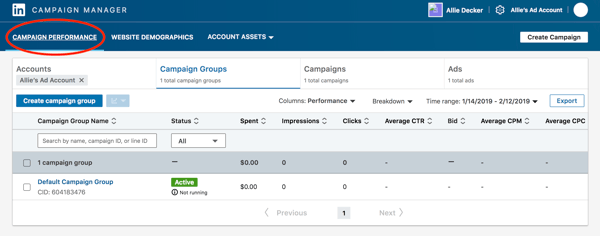
When you finish setting up your first campaign, you’ll see a lot of “0”s at first. Don’t worry, that’s only because your campaign is new (and don’t forget that LinkedIn usually has to approve your ads before they go live).
LinkedIn Ads is available within all HubSpot Marketing Hub Professional and Enterprise accounts! Track visitor and contact engagement, run reports on closed-loop marketing, sync leads from LinkedIn lead generation forms, and MORE — all within your HubSpot account.
Ready to try a LinkedIn Ad strategy?
With the right amount of patience and strategy, LinkedIn ad campaigns can be a huge factor in your company’s marketing success. LinkedIn has a very powerful advertising platform; don’t leave this off your social campaign marketing list. A well-researched, optimized campaign has the potential to bring in thousands of new leads — and sales.
Editor’s Note: This post was originally published in January 2013 and has been updated for accuracy and comprehensiveness.

What Are Leadership Skills? [+ How To Get Them]
Influential leaders are a pillar of any organization.
They motivate employees, help them feel empowered in their skills, and, in turn, build strong teams that consistently meet business goals and contribute to overall business success.
Assuming a leadership role is often an end goal for many business people. If you’re hoping to get there one day and want to know how you can succeed, or you’re hoping to improve your skills, this post will explain what leadership skills are, outline how you can develop them, and learn how to display your skills on a resume to stand out amongst your competitors.
![→ Click here to download leadership lessons from HubSpot founder, Dharmesh Shah [Free Guide].](https://no-cache.hubspot.com/cta/default/53/4e634041-e1ce-4a85-8e65-aea12fc10b84.png)
Leadership skills are essential for a business because they drive success. Strong leaders ensure that employees are equipped with the tools and resources to succeed, unify teams to create a culture of togetherness, and delegate and communicate responsibilities and wins to all involved stakeholders.
As an individual, leadership skills are important because they help you in all aspects of your career. You’ll know how to take ownership of your job responsibilities, communicate effectively, and work with others to reach a common goal. If you possess leadership skills but are not yet in a leadership role, demonstrating these skills will signal to employers that you can be a strong leader, which sets you apart from other applicants.
Examples of Leadership Skills
While not an exhaustive list, the skills below are examples of abilities that effective leaders have.
- Communication: A leader needs to communicate effectively and clearly with stakeholders, employees, and all involved teams. Additional skills that support effective communication are active listening, clarity, concision, and persuasion.
- Strategic thinking: Leaders must be strategic thinkers who can understand business goals and develop processes specifically to help meet them.
- People management: As leaders lead people, they must manage groups and help them succeed. People management skills can include communication, active listening, working collaboratively, team building, empathy, giving feedback, and delegating responsibility.
- Motivation: Leaders must be self-motivated when it comes to hitting targets and performing their job duties. You also must motivate your teams and help them feel empowered and able to achieve business goals. Commitment is a skill that strongly relates to motivation.
- Flexibility: Things can change quickly for a business, and leaders must be flexible and able to face changes in the market, employee turnover, or any issues that arise. Being able to think strategically is a skill that strongly relates to being flexible.
- Reliability: People look up to leaders, so they must be reliable. Your teams want to know and trust that you’re giving them the tools they need to succeed, and higher-ups want to trust that you will meet the goals set out for you. Additional skills related to reliability are trustworthiness, integrity, timeliness, and the ability to take the initiative.
- Ability to mentor and teach: One of the most important things for a leader to do is mentor and teach employees and help them develop their professional skills. Related skills include helpfulness, giving positive reinforcement, understanding employee differences, and providing constructive feedback.
- Decisiveness: Leaders must be able to confidently and decisively make informed decisions on critical business matters. Additional skills that support decisiveness are motivation, problem-solving, strategic thinking, and communication.
- Ability to give and receive feedback: People look to leaders for guidance, so it’s critical to be able to provide feedback to employees for their development and for you to be able to receive feedback from others.
Most Important Leadership Skills
Although various skills can make someone a successful leader, a few are more critical than others. We’ll discuss two of them below.
1. Communication
Edelman’s 2021 Trust Barometer found that employees ranked good communication as a critical skill for leaders. As such, communication is a vital leadership skill.
The skill relates to all aspects of your job performance, as you need to be able to communicate expectations to employees, delegate job duties, and provide feedback. You also need to communicate performance with stakeholders and higher-ups, so they understand the success of your processes.
A leader unable to effectively communicate will likely find themselves leading teams that are confused about expectations, unaware of their performance, and unsure about their day-to-day tasks. In addition, higher-ups will have difficulty understanding why you’re implementing your processes and how teams are performing concerning meeting targets.
2. Ability to Mentor and Teach
A key component of leadership is being able to lead.
This means mentoring teams, empowering them, and helping people develop the skills they need to succeed at their jobs. Dharmesh Shah, Founder and CTO of HubSpot, says that leadership isn’t necessarily dictated by a job title but how someone focuses on lifting up and empowering those around them.

A leader that is a good mentor also creates an environment of trust and collaboration with their employees. This can make people feel more comfortable approaching you with questions or assistance when they need guidance.
Some additional skills that are strongly associated with being a good mentor and teacher are helpfulness, the ability to see different perspectives and level with your employees, patience, clear communication, and the ability to communicate instructions and provide actionable feedback.
How To Develop Leadership Skills
One of the best ways to develop leadership skills is through experience, whether it is on-the-job, external activities, or even in a position of leadership. Let’s go over some ways to develop these skills:
- Leverage resources like books, podcasts, and content from thought leaders and those with a history of leadership experience and a wealth of knowledge to share.
- Participate in courses, workshops, and training opportunities where experienced leaders teach leadership skills and share their expertise.
- Follow other leaders that you feel inspired by, study their practices, and implement some of their strategies into your day-to-day.
- Seek out leadership opportunities in all areas of your life. For example, if you’re part of a community group, consider taking a leadership role if the opportunity arises, or create a group and gain leadership experience through building it from the ground up.
- Recognize that it is a continuous process, and leaders are constantly learning and developing their skills. Therefore, be open to continuous learning, and seek out opportunities that allow you to build your skills.
How To Improve Leadership Skills
Whether you’re a seasoned leader or starting in your first leadership role, there is always room for improvement. Let’s go over some of the ways you can continue to build upon your leadership skills.
Have a mentor.
Having a mentor allows you to learn from someone that has more leadership experience than you. Some businesses have mentorship programs where you can shadow a leader at work and observe their practices, and bring their tips and tricks into your own day-to-day life. A mentor can also observe your performance and give you actionable feedback on how to improve.
Take the initiative.
It will be challenging to improve your skills if you’re not actively seeking opportunities to practice them. So, take the initiative in your current position and ask for additional responsibilities, or step into leadership roles as they become available.
For example, if your workplace creates a new employee group, offer to take the leadership role. You may feel a bit out of your comfort zone, but it will give you valuable hands-on experience that will help you perfect your skills. In addition, people you work with will likely be willing to provide feedback on your leadership, giving you additional growth opportunities.
Focus on specific skill areas.
If there are specific areas of leadership that you feel need improvement, focus on them. For example, you can request more responsibility in particular areas, so you have real-life practice with those skills.
Having a mentor can be helpful in this regard, as they can shadow you at work and monitor you to identify specific areas that may be causing you to struggle. For instance, if you’ve heard from employees that they’re sometimes confused about instructions, you may struggle with communication. A mentor could sit in on a conversation with a team member to get a sense of your conversation style and work with you to create a plan of action to improve.
Once you’ve worked to develop and improve your leadership skills, how do you share this when seeking out job opportunities? Your resume.
Leadership Skills on a Resume
Knowing how to leverage your leadership skills on a resume can be challenging. While you can certainly list the skills you have that make you a good leader, recruiters and hiring managers often want to see results that prove and support your abilities.
The most important thing to keep in mind when listing leadership skills on a resume is to ensure that you’re including skills relevant to the job description you’re applying for so it is explicitly clear to readers how you’ll succeed at the job.
Here are some ways to showcase your leadership skills on a resume:
1. List your skills.
The easiest thing to do is simply include a list of the leadership skills you have that are relevant to the role based on the job description. The image below is an example of a simple list of job-relevant skills on a resume.
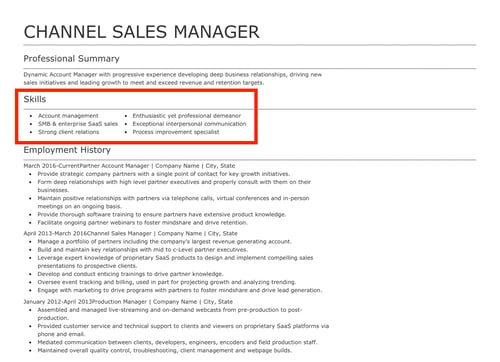
2. Demonstrate your leadership skills in action.
Another way to display your leadership skills on your resume is to show how you’ve used them to achieve results in your previous position. This can look like using quantifiable data and metrics that demonstrate how you’ve created success, and the image below is a great example of this.
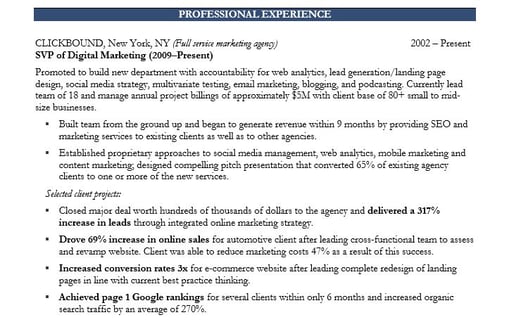
3. List awards and achievements.
Another way to showcase your leadership capabilities is to include a list of achievements, awards, or honors that you’ve received for being a strong leader. Here are two examples of what that could look like on a resume:
- Three-time recipient of [Your company name] Leadership Award.
- Nominated recipient of the Great Manager Award.
Everyone Can Be A Leader
There are no specifications as to who can and can’t become a leader — it’s possible for everyone. If you leverage the tips on this list to develop your own leadership abilities and actively seek out opportunities for growth, you’ll find yourself in a position to inspire others and help businesses succeed.

