
Welcome to My Blog
19 Tried-and-True Lead Magnet Ideas and Examples [+ Step-by-Step]
Magnets, in marketing, are an effective technique for gaining a prospect’s contact information.
The problem is these magnets can take a lot of time and energy to produce. Podcasts, e-learning courses, video series, and contests all sound great – but who has time to create them all?
![→ Download Now: The Beginner's Guide to Email Marketing [Free Ebook]](https://no-cache.hubspot.com/cta/default/53/53e8428a-29a5-4225-a6ea-bca8ef991c19.png)
In this article, I’ll reveal 19 lead magnet ideas you can create today by repurposing content you already have.
Before I share lead magnet examples, let’s quickly review the conversion path that turns website visitors into leads – and the role email marketing plays in this process:
- Call to Action (CTA): This is the button that website visitors click to access the resource you’re offering.
- Landing Page: This is where your lead magnet captures information provided by the visitor. Once visitors click on the CTA, they’re brought to a landing page where they fill out a form with their name, email address, and any other relevant information you’ve deemed important.
- Thank-You Page: The visitor-turned-lead now lands on a thank-you page with information on where to access their resource and is added to your mailing list.
- Kickback Email: The kickback email is your follow-up message to the lead a short time after the exchange takes place. This email marketing campaign starts a conversation with the lead to keep them engaged with your business.
Every blog post in your archive has the potential to generate new leads for your company, so let’s make sure that your blog is a lead-generating machine.
1. Figure out who you’re targeting and what they want.
The goal of a lead magnet is to offer something your audience wants in exchange for their contact information.
To do this, you have to know what user persona you’re targeting and what offer would entice them.
You may have one to three personas with different needs and pain points. That means one lead magnet likely won’t appeal to all three personas.
For instance, let’s say you are an influencer marketing agency. You may have two personas, each facing these issues:
- Influencer #1 doesn’t fully understand the inner workings of an influencer-brand relationship. They don’t have all the tools to brand themselves and foster relationships.
- Influencer #2 is overrun with brand partnerships and has reached a point in their success where they are so busy with managing administrative tasks that they have limited time to create content.
Knowing this, the agency could create knowledge-based lead magnets for influencer #1, focusing on ebooks and knowledge libraries. For influencer #2, the agency may offer resource-based magnets, such as templates and tools.
During this process, you can also get some ideas from your competitors. What offers are they creating? What are they including in their offers? Use that as your starting point.
In addition, look at your current content library. What has your audience responded most to? Are they asking questions on a particular topic? Are they more engaged in videos or blog posts? This can be a big indicator of what they’ll want in a content offer.
2. Create, design, and name your lead magnet.
Now that you know what your offer will be, it’s production time. You have to create and design your lead magnet.
If you don’t have an in-house designer, you can utilize a platform like Canva. Their platform offers hundreds of templates that you can customize to build your lead magnet, everything from books and presentation slides to worksheets and reports.
You can also outsource the work using an independent contractor with the skills to produce a high-quality offer.
Once the design work is done, name your lead magnet.
Think of something catchy that will pull in your audience and highlight its benefits, like “The Ultimate Worksheet Every Influencer Needs,” and “101 Ways to Monetize Your Brand.”
3. Build your conversion path.
The next step is building your conversion path, which must include your landing page, thank-you page, form, and email sequence.
Starting with your landing page, there are a few best practices to improve conversions:
- Have a dedicated landing page that doesn’t include a navigation bar. This will keep users’ focus on your offer and not the other pages on your website.
- Write a clear call to action. Your CTA should be clear, short, and to the point. It should also use words that will appeal most to your audience.
- Consider eye scanning patterns. Users in Western cultures typically follow F- and Z- reading patterns, which is why most landing pages are designed with key elements placed in those zones.
- Add social proof. Adding reviews and testimonials to your landing pages adds credibility to your offer and can increase your conversion rate.
For your form, the two pieces of information you’ll want to include are name and email. Everything else is optional. However, keep in mind that the more fields you include, the higher the chance a user may abandon the form.
Next up, your email sequence: Once you’ve acquired your lead, you can add them to a nurturing sequence that will lead them further down the funnel. This can include additional resources, such as webinars and newsletters.
Lastly, make sure to set up tracking on your conversion path to see how users are behaving on it and identify optimization opportunities.
4. Set a schedule to update regularly.
Depending on the type of lead magnet you create, you may need to update it every six months to a year.
For instance, let’s say you created a report on 2021 data science salaries. As you get closer to 2022, you’ll need to update the information on the report to reflect current data. Otherwise, your offer may no longer be valuable to your audience.
In addition, if you conduct feedback surveys on your offers, sift through your leads’ comments. Their comments could give you ideas on how to improve your current offer.
Lead Magnet Examples
1. The Sales Evangelist
The Sales Evangelist is a sales coaching and training business designed to help sales managers and their teams thrive.
The company offers a free ebook titled “How to Transform Your Small Business Sales,” which offers insights on how to generate more sales.
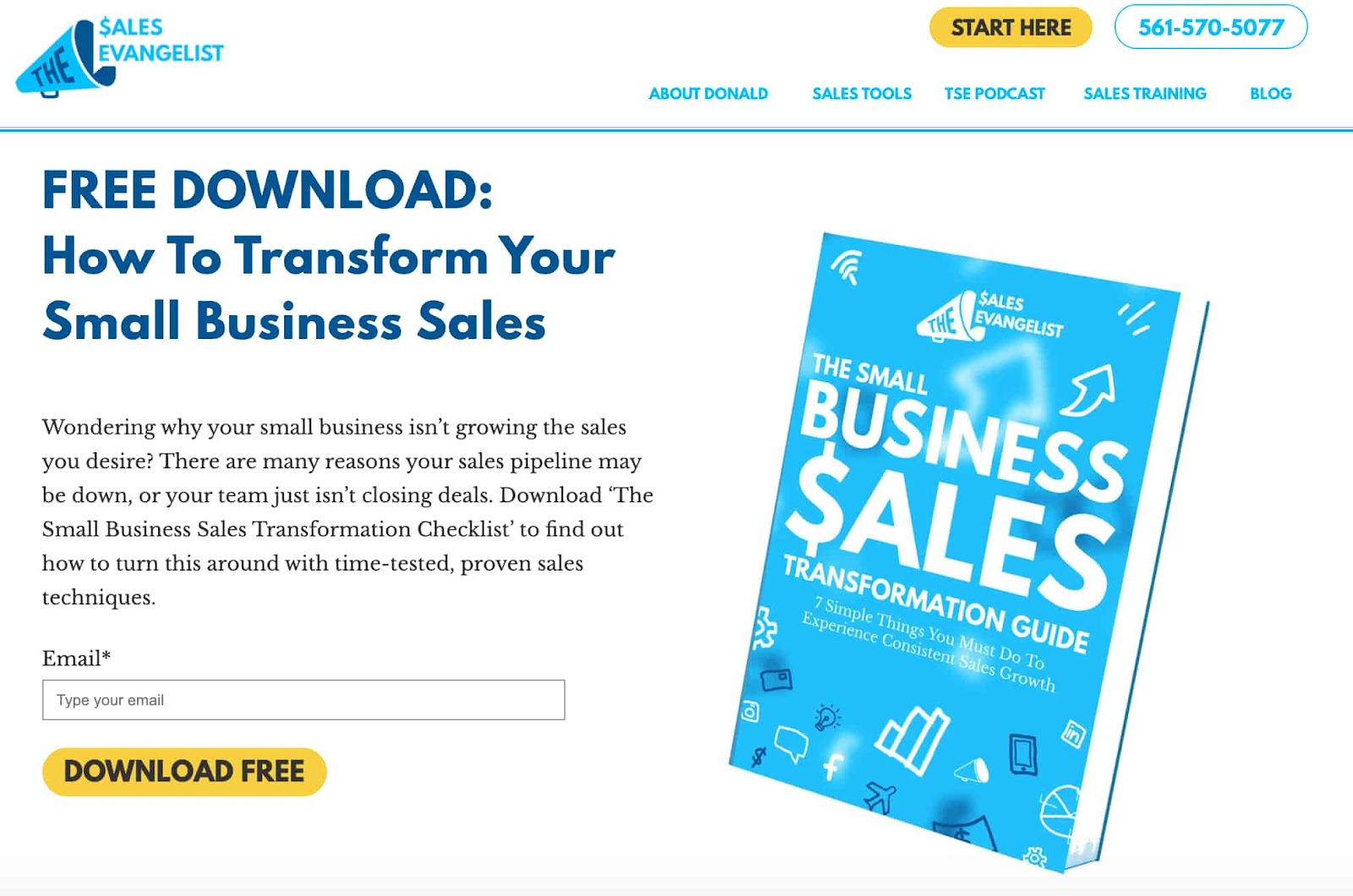
What’s clear is that this particular offer targets small business owners who may not have the proper sales process in place to make sales consistently.
The copy addresses the user’s pain point, provides the potential reasons, and leads into why this offer will help resolve it – a classic and effective formula for landing page copy.
2. Karmen Kendrick Creative
When you think of a lead magnet, you probably think of an ebook.
But here’s another quick and easy lead magnet you can develop that will only take you a few hours (at most): a quiz.

In this example, this brand, which offers WordPress maintenance services, tests its audience with their WordPress knowledge.
After answering a few questions, they must enter their email address to view the full results. Then, you land on a landing page with your knowledge level and the option to share your results on social media.
As a maintenance service, this is a great lead magnet strategy. It can serve as a signal to users who are considering outsourcing this service that they may not have the knowledge to manage their site on their own. And it’s interactive, which is already a win.
In addition, this quiz will require little to no maintenance, as all the questions are based on historical facts – making it a simple but effective lead magnet.
3. HubSpot
Another interactive lead magnet you can consider is a grader or calculator.
HubSpot offers a website grader, which takes seconds to scan your website and provides a score based on performance, mobile experience, SEO, and security.
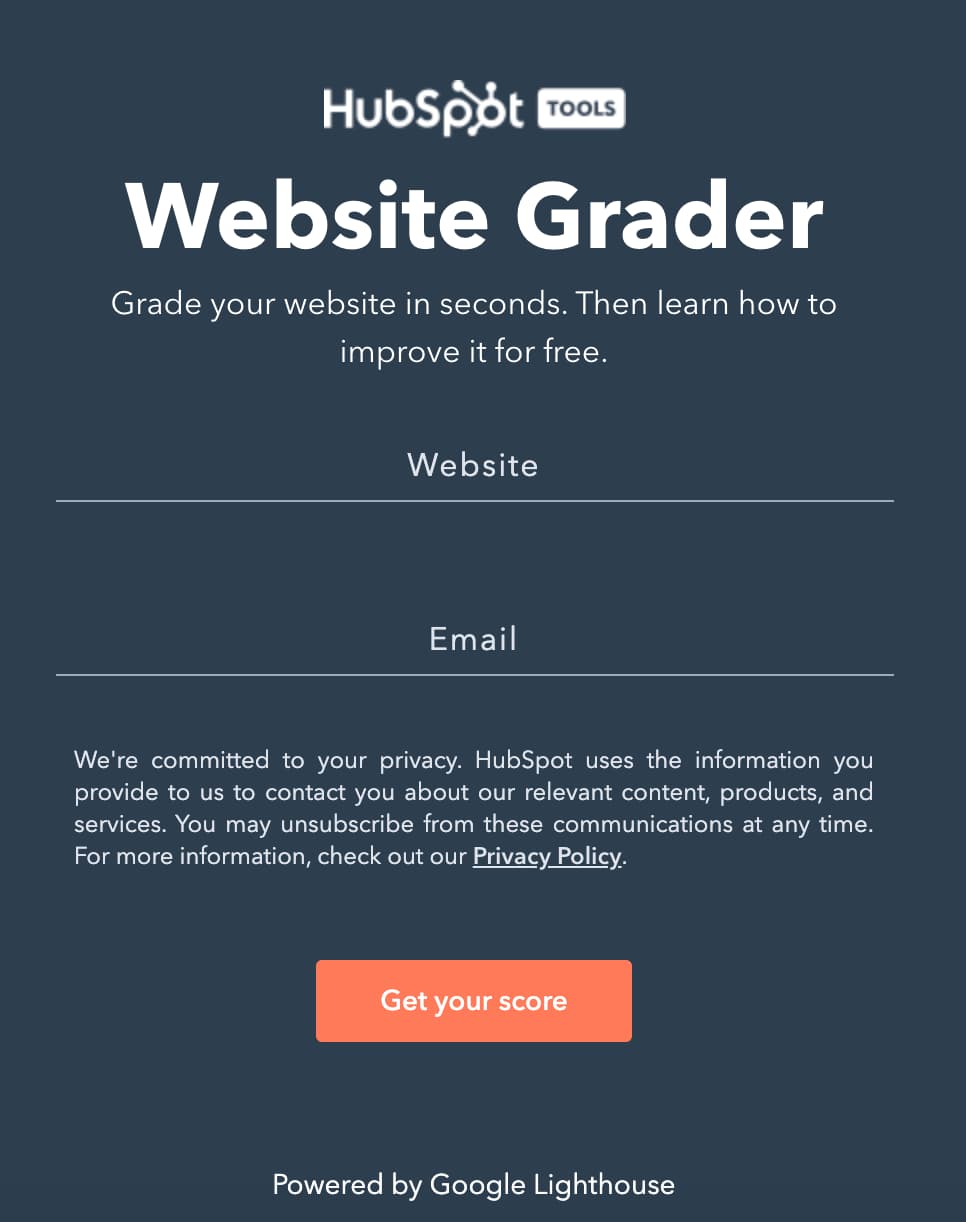
After providing your email and website, you get a detailed report about your website’s performance along with a corresponding course based on your results.
What works well: The grader helps you identify potential issues with your website and offers a solution to resolve them.
4. Clever Girl Finance
Clever Girl Finance is a personal finance platform that empowers women to take charge of their finances.
Among the host of free resources on their site, this one, in particular, stands out.

It’s a video library filled with recordings from personal finance coaching calls and when users sign up, they gain access to past and future recordings.
What’s great about this tactic is it answers a need.
Clever Girl Finance’s target audience likely wants a community in which to discuss financial topics, get their questions answered, and hear directly from experts. This lead magnet does just that.
It’s also one of those one-and-done magnets that require little maintenance beyond uploading new recordings.
The team can then repurpose the content of those recordings for future blogs, video snippets, and more.
15 Additional Lead Magnet Ideas to Try
1. Ebooks
The ebook is perfect when you have a series of blog posts about a related subject.
For example, if you were running an online pet store, you might pick out the following five posts from your blog to combine into an ebook:
- “The 5 Pieces of Equipment That Every Puppy Needs”
- “The Ultimate Guide To Housetraining a Puppy”
- “The First 6 Months: What You Can Expect From Your New Puppy”
- “The Puppy Nutrition Guide: What Your Dog Should and Shouldn’t Eat”
- “The 7 Things You Should Never Do When Training a Puppy”
These posts could be logically compiled into an ebook entitled: “The Puppy Planner: Everything You Need To Know To Prepare for Your First Puppy.”
This type of ebook is effective because you’re making the lives of your website visitors easier – which should be the goal of any lead magnet you create. Rather than asking them to find all this content one article at a time, you’re packing it up into a convenient bundle that they can keep and refer back to.
The most successful lead magnets offer an irresistible and instant reward to your visitors, and the ebook checks off that box.
Featured Resource: 18 Free Ebook Templates

2. Guides
If you’re in an industry that is already well established, it can be hard to come up with original content.
Sometimes other people have covered a subject in such detail that it’s almost impossible to add extra value. In this situation, I’d recommend producing an ultimate guide.
An ultimate guide is a comprehensive collection of the best articles about a particular subject. The main difference between this and an ebook? You’re not recycling posts from your blog; you’re linking directly to other sites.
It’s important that you don’t copy and paste someone else’s content into your guide, but rather include a link back to the original article.
In the example below, Brian Dean from Backlinko.com produced “Link Building: The Definitive Guide.”
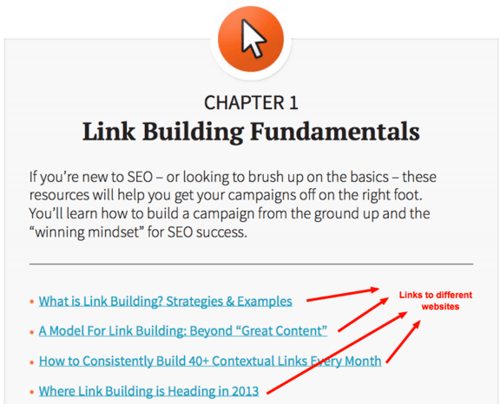
Link building is a complicated and broad subject. Dean’s definitive guide saves his audience a lot of time looking for this content.
And because so many other experts have written fantastic content about link building, Dean also saved himself the time of competing with content that already exists.
Rather than just listing the links, Dean adds extra value to his audience by categorizing them and including a brief introduction for each category.
This guide has also been well designed, reiterating that this is a valuable resource that should be kept and referred back to.
Do you work in an industry that is already bursting with quality content? Think about making your own ultimate guide.
Do you work in an industry that is already bursting with quality content? Think about making your own Ultimate Guide.
3. Bonus Packs
Offering additional content that is not included in the original blog post is the perfect way to reward readers who opt-in.
If you have an article titled, “The 5 Pieces of Equipment That Every Puppy Needs,” you could offer readers an exclusive PDF with a few more pieces of equipment that may have come on the market since the original post was published.

In his article, “How to Go From One Facebook Ad to $197 in Less Than 60 Seconds,” blogger Bryan Harris took this one step further and combined a PDF version of the article along with five links that weren’t in the original post – people only received these bonuses when they subscribed.
4. Resource Libraries
If you’ve already written a strategic blog post, consider offering a resource library or guide as a lead magnet.
A resource library is a collection of tools that help people achieve results.
David Dean from Backlinko used this strategy in his post, “SEO Tools: The Complete List.” He offered a free download that detailed the 153 tools featured in his post – the perfect resource for a reader to keep and refer to whenever they need.
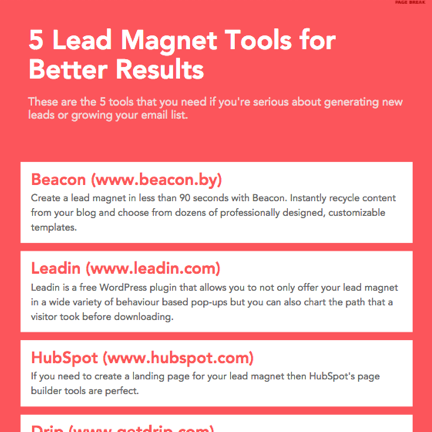
This library could be as simple as a list of five books or apps that you recommend.
What resources could you recommend to a potential customer that would help them to achieve better results?
5. Checklists
Instructional blog posts are just waiting to be turned into checklists – and they couldn’t be easier to create.
Just take your blog post and simplify it into a series of bullet points. Next, remove any points that don’t contain actionable advice. Split the list into several numbered steps to make the outcome more achievable.
Bonus points if you offer the checklist in a printable format so people can physically tick off each item on the list as they complete it. This sense of achievement is a great feeling that people will attribute back to your business.
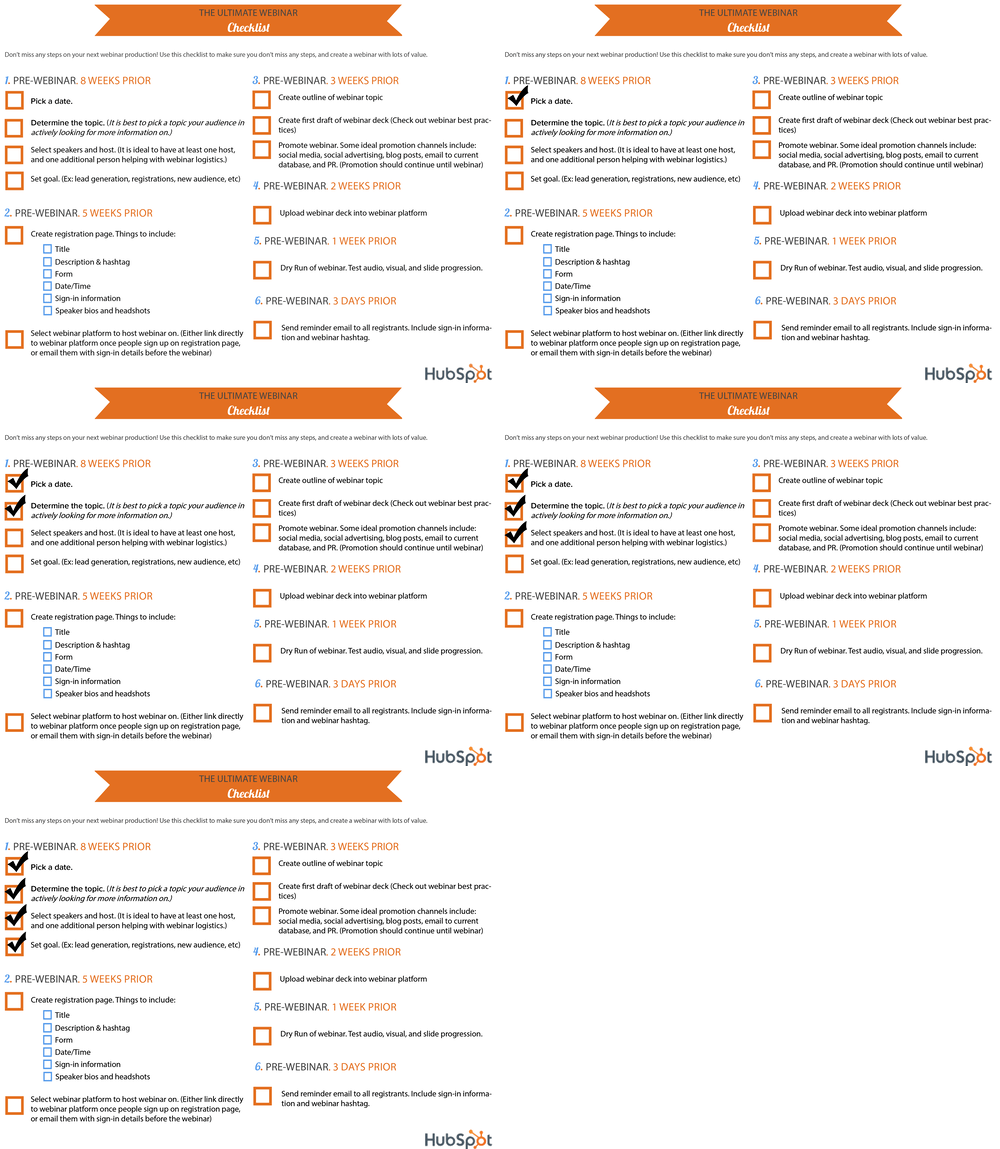
The “Ultimate Webinar Checklist” from HubSpot above is a valuable lead magnet because of how practical it is.
Hosting a webinar involves balancing a lot of different tasks coming together at the same time. This checklist informs you about everything you need to watch out for, from pre- to post-webinar.
6. Workbooks
In its simplest form, a workbook is a download-and-complete resource that helps people to apply the principles of your blog post to their own business.
The goal of a workbook is to have the participant learn by doing. As the teacher in this scenario, you’re positioning your business as an expert on the subject matter at hand.
With that in mind, you’ll want to choose the exercises included in your workbook carefully. Tease information out of the participant gradually, so that at the end of the workbook they can combine their short answers into a comprehensive piece of work.
A workbook is the perfect stepping stone to your premium products or services, so be sure to include a strong call to action at the end that tells the participant how you can help them to apply their newfound knowledge.
Is there a particular subject that you could help your audience understand more clearly with a workbook?
7. Case Studies
Case studies depend on very specific types of content, but the successes they reveal can entice a site visitor to take action.
If you have a blog post or interview clip that spotlights a real customer you’ve worked with, package this content into a written case study that expands on the need the client came in with and the metrics of their success.
Then, gate this case study behind a form that website visitors can fill out with their name and email address to access.
Keep in mind that you’ll need permission and approval from the client on which you’d like to create a case study.
Once you receive this approval, however, it’s a perfect lead magnet to host content that tells your readers about a customer success story.
Featured Resource: 3 Free Case Study Templates
8. Webinars
Webinars don’t have to be long, collaborative presentations with multiple colleagues or partners.
If you’ve got a blog post that merely touches on a subject you’re an expert in, use this blog post as a springboard into a live talk hosted by you and a coworker.
If you’ve written an article about the latest IOS cookie restrictions, for example, convert this article into a slide presentation and present it through a live conferencing platform, using helpful visuals.
You should also provide insight that listeners wouldn’t have gotten from just the blog post.
As a bonus, you can use the webinar recording as an additional offer.
9. Cheatsheets
If your blog post covers a complicated topic, it might be a good idea to offer readers a one-page sheet that they can refer back to when they need to refresh their memory. This could be a glossary of terms or just a summary of some key points.
This type of download-and-keep resource takes the pressure off readers so they don’t have to memorize or implement your strategy immediately. It does compel readers to opt-in to your list though, which is the ultimate goal.
In addition, the compact format means that people can quickly glance at it while they are going through the editing process. It’s a complementary tool for an existing process.
10. Guestbooks
Guest blogging is a terrific backlink strategy, but those who use it typically agree to not republish that particular post on their own blog.
This is fairly common, as Google punishes sites that duplicate content onto two publications – it’s in nobody’s interest to do so.
What you can do, though, is compile all these guest posts into a book format.
Since the content will be gated behind a lead capture form, there is no risk of Google flagging it as duplicate content and you get to squeeze a little bit of extra value from that content you worked so hard on.
11. Whitepapers
Have an interesting survey that your team recently ran? Or perhaps you know your audience is looking for specific information to inform their future strategy?
If so, leverage this knowledge to create downloadable reports based on your team’s research.
You may have talked about these findings in a blog post or a recent webinar. Repurpose that content for a detailed report.
This will position you as a credible resource in your industry and bring you that much closer to converting your target audience.
12. Templates
Templates are some of the most popular lead magnets out there.
Why? Because they help users streamline their processes and save time. But at the core of it, it solves the problem many of us have: creating and designing from scratch.
You can create templates for just about anything:
- Emails
- Social media
- Spreadsheets
- Graphic designs
It’s all about tapping into what your audience needs the most and creating that for them. Plus, it’s another low-maintenance magnet.
13. Email Course
Companies offer online courses all the time, but they’re not the only place to launch a course.
A 2019 Statista survey found that most people (over 80%) check their emails every few hours including outside of normal business hours.
We also know that email newsletters are very popular, with just about every company sending its top insights to your inbox every day.
With this in mind, starting an email course is a great lead magnet option.
An email course is a series of emails that can be anywhere from three to 10+ emails that cover a topic in depth.
The benefit for you? It’s a format most users are familiar with and it’s quick to launch.
In addition, you have multiple opportunities to nurture your audience and guide them down the buyer’s journey, compared to a one-and-done ebook that a user may or may not read.
14.Access to a Private Group
As a business, community management is a key aspect in gaining brand loyalists. It can also be an effective way to generate leads.
Platforms like Slack, Facebook Group, and LinkedIn allow you to do both.
For many businesses, their target audiences value community and want a space to discuss topics relating to their needs, goals, and challenges.
Creating that space will help you generate leads and get to know your audience better.
15. Behind-The-Scenes or “Secret” Insights
One of the best lead magnets I’ve ever seen was produced by Tim Soulo. It was so effective that I immediately opted-in without thinking twice. Suolo had written a blog post about sending an outreach email to well-known SEO expert Rand Fishkin. His call-to-action was the following:

This call-to-action was pitch perfect because it got me curious. I just had to know what the email subject was.
I also knew that it would be a relatively short read so I wouldn’t have to commit to a lengthy ebook – lazy, I know, but that’s human nature sometimes.
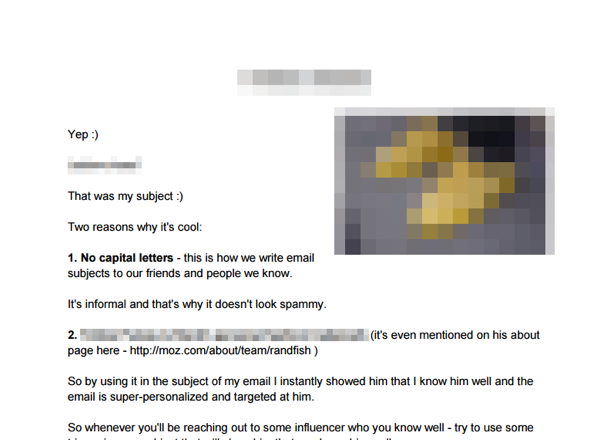
Suolo’s lead magnet is just one page and was made using a standard word processor. There was no point in spending time or money on the design in this case because the secret is the only thing that matters.
I blurred out the tell-tale image and text in the above screenshot – if you want to know Suolo’s secret, you’ll just have to download the lead magnet!
Do you have any behind-the-scenes insights to a blog post that are compelling enough to offer as a downloadable secret?
There you have it, 19 ways to recycle your existing content into lead-generating assets. You already have the blog content – all you have to do is implement lead magnets and an email campaign that gets them into your contact database.
Editor’s note: This piece was originally published in May 2018 and has been updated for comprehensiveness.

Waterfall Charts: The Marketing Graph You Need to Hit Your Goals
Last November, my husband and I were on our honeymoon in Maui. One of the main activities we wanted to do was a hiking tour near the waterfalls. We dreamt of swimming in the cascading water at sunrise.
When you hear the word “waterfall,” that’s typically what you imagine. However, today, we’re going to talk about a different kind of waterfall — the waterfall chart.
Waterfall charts are a data visualization resource that can help you gather and track important data such as traffic goals and lead generation. Below, let’s review what a waterfall chart is, how to read one, and how to create one.
![→ Free Download: Free Marketing Reporting Templates [Access Now]](https://no-cache.hubspot.com/cta/default/53/0d883e85-c2e5-49bb-bef2-bfddb500d84b.png)
In marketing, a waterfall chart could display the number of leads, traffic sources, or blog views over a period of time. More specifically, you could use a waterfall chart to showcase how your blog traffic has increased or decreased in the last year, giving values month over month.
You could potentially use line charts, bar charts, and even bullet graphs to show this type of data. But waterfall charts have the advantage of showing your gains as they’re impacted by losses over time.
Why use a waterfall chart?
You should use a waterfall chart instead of other types of charts when trying to visualize data that experiences both gains and losses. It’s especially useful if you want to see how a loss affects a subsequent value.
One of the reasons that waterfall charts are effective in marketing is because they give context on the data it’s reporting. Most data visualizations suffer from ignoring circumstances that result in a fall or rise in numbers, such as seasonality.
For instance, let’s say you create a waterfall chart of your Twitter followers over time. Rather than using a line graph that shows your total number of users over time, a waterfall chart shows how many you lost — and how that impacts subsequent figures.
At first glance, these charts can be difficult to read. Below, let’s review how to read a waterfall chart.
How to Read a Waterfall Chart
Reading a waterfall chart will seem foreign at first if you’ve never done it.
However, it’s important to remember that you’re reading it sequentially, from left to right.
For instance, let’s say you’re tracking blog traffic from month to month. On the far left, you’ll have the total traffic from the previous year. Then, you’ll include the gains and losses month over month for the entire year. At the end of the chart, you’ll see the total traffic for the year.
Here’s what that looks like:
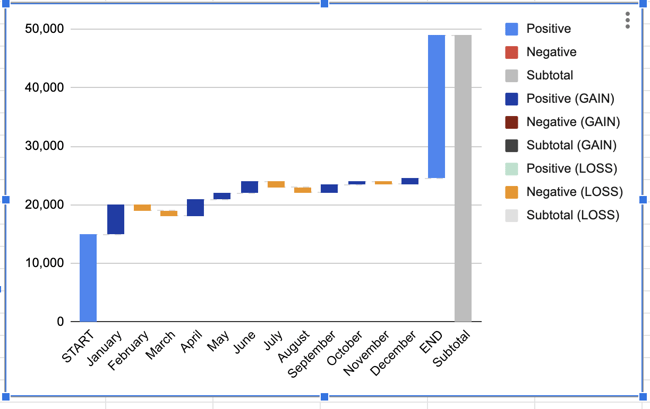
Notice how each value ends either where the previous value ended or began. In January, there was a gain of 5,000 visitors, but in February and March, there was a loss of 2,000. April’s traffic value takes that into account by starting from the -2,000 figure and going up from there.
Essentially, a waterfall chart is supposed to show you where you started and where you ended up, with details of how you got there. In this example, you can see which months gained the most traffic compared to the months that lost traffic. This could help you see seasonal adjustments, while also keeping the big picture in mind.
Now, you might be wondering, “That chart looks difficult to make. How can I make my own in Excel?” Below, we’ll review the simple process to creating your own waterfall chart.
Not sure how to actually get it done? Below, we include a template and further instructions.
Bonus: You’ll also find instructions for creating waterfall charts in Google Sheets, in case that’s your preferred spreadsheet software.
Waterfall Excel Template
1. Create a table with four columns.
Before you can build a waterfall chart, you’ll want to create a table of values that you want represented on your chart.
For example, are you tracking blog traffic numbers? Or perhaps you’re looking at leads generated from a certain marketing campaign? Either way, before you can create a waterfall chart, you’ll need to gather your data.
All you have to do is open Excel or Google Sheets, and begin manually entering your data. When you enter your data, make sure you denote the difference between positive and negative values. To denote a negative value, just add a minus sign in front of the number.
For this template, we’ll track blog traffic. Note: all numbers are arbitrary and not reflective of traffic to any blog.
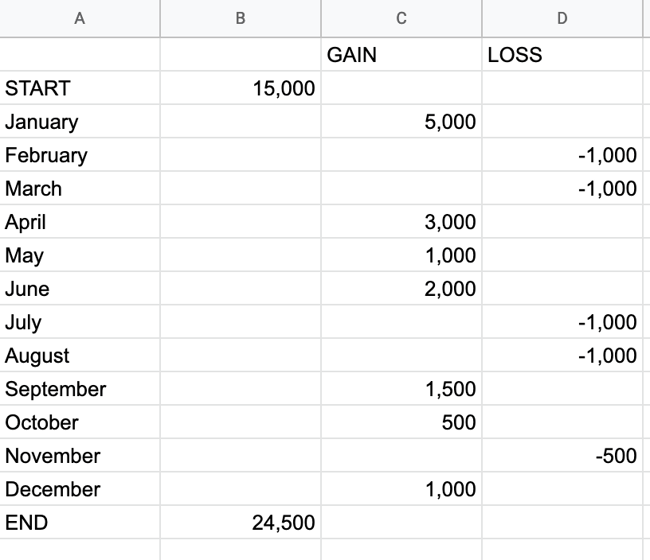
Create four columns. The first two columns will have no headings. In cells A2 to A15, write START, then all 12 months, then END.
In cell C1, write “GAIN,” and in cell D1, write “LOSS.”
From there, place your traffic numbers. How much traffic are you starting with? Write that in cell B2, next to START. Then, for each month, write how much you gained or lost.
Add everything together, including negative values, and place them in cell B15, next to END.
2. Highlight all of your data, then insert your waterfall chart.
Now that you have your values, highlight the table you just created. In Google Sheets, go to Insert → Chart → Waterfall chart.
This will create a waterfall chart and the Chart Editor will show up on the right-hand side. When the Chart Editor comes up, make sure that “Waterfall Chart” is selected under Chart Type.
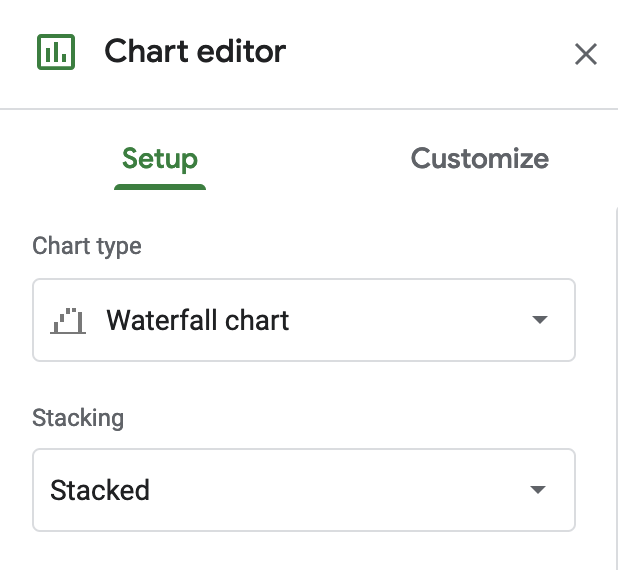
In Excel, go to Insert → [Waterfall chart symbol] → Waterfall.
 Your chart will automatically be created based on the values in our template.
3. Format your waterfall chart.
At this point, all the hard work is done. All you have to do is format your chart and make sure it looks how you want.
In Google Sheets, click on the three dots in the upper right-hand corner of the chart and hit Edit Chart. You’ll get to the Chart Editor. Here, you can choose the colors of your bars, adjust your legend, or add gridlines. Most likely, the main thing you’ll want to do here is to adjust your legend.
In Excel, you’ll click on the chart, then choose “Chart Design” and “Format” on the top ribbon to make the chart look the way you want it to.
The process of creating a waterfall chart manually can be a hassle. Luckily, you can also create a waterfall chart using a dedicated dashboard tool. For example, HubSpot offers marketing dashboard and reporting software that you can use to create charts. Here’s how.
How to Create a Chart in HubSpot
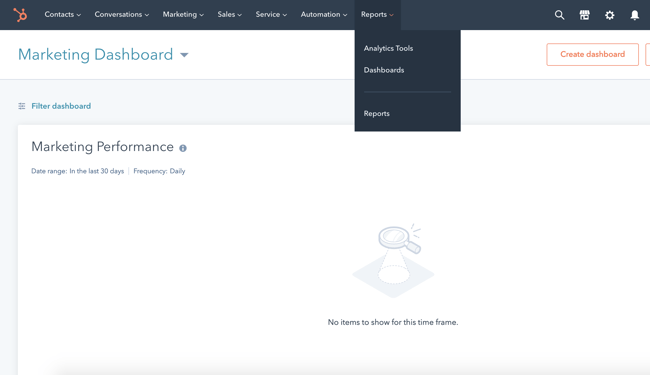
1. Go to analytics tools.
Once you log in to your portal, hover over the Reports tab and click into the Analytics Tools.
2. Choose what you want to track.
Next, you’ll choose what you want to track. Perhaps you want to analyze blog traffic like we did in the example above. Or maybe you want to review analytics for a certain campaign.
Either way, you can choose what you want to track in the Analytics Tools.
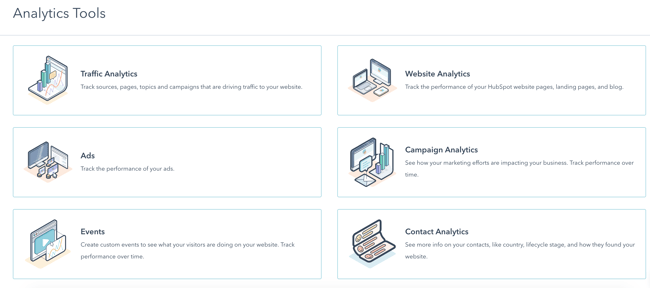
3. Choose the chart type.
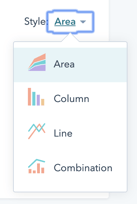
Lastly, all you have to do is choose the style chart you want. Right now, you can choose between an Area chart, Column chart, Line chart, or a Combination chart. You’ll want to choose “Column,” which is closest to the waterfall chart format.
Waterfall Analysis
Now that you have a waterfall chart, it’s time to analyze it.
To repeat, here’s how to understand your waterfall chart:
- A waterfall chart shows a series of negative and positive values. Each value impacts the value after it.
- For example, if one week you lose 3 leads, the next value will take that into account. If you gain 5 leads, the waterfall chart will use -3 value as a starting point, so that your ending point is a gain of 2 leads.
- Each column is color-coded to distinguish positive from negative values.
And here’s how to analyze it.
Examine the time ranges with the greatest losses.
Which months or weeks did you see the greatest losses? It’s important to see and understand these figures to get the most out of your chart. From there, you can troubleshoot or come up with a new strategy for those months.
Examine the time ranges with the greatest gains.
Conversely, look at the time ranges that saw the greatest gains. You’ll want to emulate what you did during those months — or research trends that gave you a boost during those times.
Examine the net change over the entire time range.
From start to end, how big of a difference did you see? Was it a positive or negative difference? Could your business have seen better results?
Look at week-to-week gains and losses after implementing a new strategy.
After creating a new strategy, it’ll be helpful to use a waterfall chart to see how it impacts you from week to week — whether you’re seeing more positive or negative results.
Use a Waterfall Chart to Better Analyze Your Performance
To ensure you’re examining the full scope of your analytics, we recommend creating a waterfall chart. It’s a worthwhile data visualization tool that can help you understand your analytics sequentially. No longer do you have to rely on typical line graphs — with a waterfall chart, you’ll understand your gains and losses over time at a much more granular level.
Editor’s Note: This post was originally published in May 2011 and has been updated for freshness, accuracy, and comprehensiveness.

Are Companies Seeing Summer Slumps in 2021? We Analyzed 103,000 Businesses to Find Out
Until recently, many of us have been doing almost everything from home with no immediate hopes of in-person outings.
But, this summer — as entire countries reopen — people who’ve been stuck inside are finally breathing a sigh of relief. At the same time, some company leaders are doing the opposite.
Why? In past years, entire industries have seen summer slumps — or seasonal dips in sales or web traffic. This year, business leaders are expecting sharper dips as more consumers travel or unplug. They’re also dealing with frequent HR requests from employees who’ve been waiting months to take vacations.
On top of the challenges above, the Society of Human Resources Management reports that 41% of employees feel burnt out while 48% feel mentally exhausted by the end of their workdays. This, in turn, could impact productivity and job retention levels.
Ultimately, many leaders worry that the summer trends above could impact their bottom line.
To help businesses navigate the changing landscape, we dove into 2021 web traffic and deal closing data from over 103,000 anonymous HubSpot customers around the globe. Then, we compared their summer results to pre-pandemic benchmarks from the summer of 2019.
Below are some of our key findings.

Summer Trends to Watch, According to HubSpot Data
Note: When looking at the charts and data below, each year’s traffic or deal benchmark is equal to its April numbers. Therefore, if industries were 10% under benchmark in June 2019, they saw a 10% dip since April 2019.
Web Traffic is Seeing a Summer Slump
So far in 2021, global traffic is dipping across almost all industries and segments. Compared to 2019, websites are also seeing less overall traffic growth.
At this point, the only industry that isn’t slumping is Leisure and Hospitality, which saw a whopping 17.72% traffic increase between April and June of 2021. This is almost the opposite of what we saw in 2019 when traffic decreased for websites in the industry by 13.27% from April to June.
Although Leisure and Hospitality’s current traffic patterns are impressive, they’re still fairly unsurprising as news outlets continue to report spikes in reopening-related travel, outings, and excursions this summer.
A few of the industries seeing the largest dips in traffic from April to June 2021 are Construction (-12%), Financial Activities (-11%), Manufacturing (-7.2%), and Trade, Transportation, and Utilities (-7.1%)
As compared to 2019, some of the segments seeing larger traffic slumps this year are Trade, Transportation, and Utilities — which saw 3.7% growth from April to June in 2019 and a 7.11% loss during the same time in 2021; Education and Health Services — which saw 17.52% growth in 2019, but a 2.7% loss in 2021; and Construction — which only saw a 0.16% decrease by June of 2019 but saw a 12.06% loss in 2021.
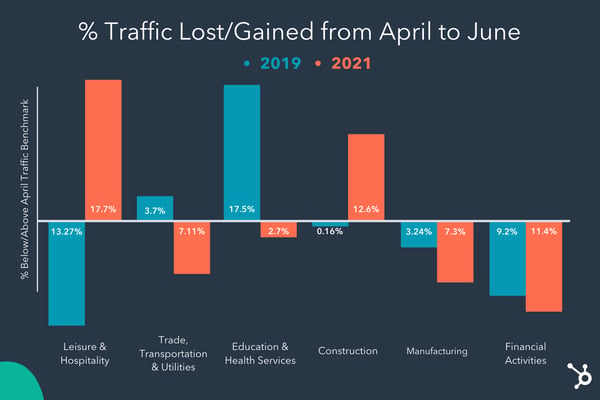
Aside from Leisure and Hospitality, segments seeing the smallest slumps in summer traffic are Professional and Business Services with under a 1% drop, and Education and Health Services with just a 2.7% drop.
From a geographical standpoint, these web traffic trends are happening in all locations we’ve examined, except for Asia — which is seeing steady traffic growth.
While it’s unclear why Asia’s web traffic is rising, this continued growth could be due to lockdowns and stay-at-home orders in various Asian territories that are still dealing with COVID-19 and its variants. During Q2 and Q3 of 2020, the United States and other territories around the world saw similar traffic bursts as citizens were stuck at home with only the internet to entertain them or connect them to others.
Deals are Going Up
Yes. You read that correctly. While traffic is seeing a summer slowdown, deal closings across industries are climbing.
Industries seeing the biggest growth from April to June of 2021 include Leisure and Hospitality (+44.7%), Manufacturing (+13.65%), and Trade, Transportation, and Utilities (+10.62%), while segments seeing the slowest growth are Construction and Financial Activities, which both have just under a 2% increase from their April benchmarks.
Businesses are also seeing a higher rate of deal closings than they did between April and June of 2019 — when five of the eight segments we studied saw at least a 3.5% dip in deal closings.
While deal closings were up in June, it’s still important for company leaders to remain cautious at this point of the summer.
Although deals are climbing, businesses could still see dips in later summer months due to consumers continuing to travel, employee vacations, or teams feeling less pressured to close deals at the beginning of a new quarter. However, one optimistic point to consider is that deal closings did not see similar lifts in June 2019, when many industries actually saw dipping.
Ultimately, as the summer continues, it will be key to monitor your traffic, as well as deals created, qualified leads, and deals closed to get a full look at your brand’s performance.
If your team’s seeing more deal closings, but fewer qualified leads, signups, or deals created this summer, it might not be a cause for panic. However, when your business sees a slowdown or shift of any kind, there are plenty of steps you can take to ensure future success.
How to Prepare For and Respond to Summer Business Trends
1. Prepare when you can for business shifts.
Because we’re only halfway through summer, businesses can still take time to predict and prepare for what’s to come.
Alicia Butler Pierre, Host of the Business Infrastructure Podcast and CEO of Equilibria, Inc. says, “There are two major ways businesses can predict, diagnose, and/or prepare for a seasonal slump: resource planning and contingency planning.”
- Contingency planning: This strategy — which often includes creating a premortem, failure modes and effects analysis (FMEA), and disaster recovery and business continuity plan –helps brands prepare for unexpected dips or upticks caused by outside factors like news events or national disasters.
- Resource planning: “As your company utilizes different resources that serve as inputs into producing a good or delivering a service (outputs), you should collect data such as transaction dates, sale or invoice amounts, product or service type, and some customer demographic data.” says Butler Pierre. “If you notice the same patterns and trends year after year, you are in a better position to forecast and prepare for seasonal slumps. This, in turn, lets you know when to expand or contract inputs like labor and inventory.”

Image Courtesy of Alicia Butler Pierre
Data shows that a strong plan can be rewarding when business begins to pick up. In 2020, as consumers quickly turned to online stores for essentials, businesses that weren’t online were rushing to build online stores, while online stores were struggling to fulfill high-demand orders on time. Around this time, more than 50% of shoppers chose to buy products from brands with more product availability over brands they were originally loyal to.
“I strongly advocate businesses focus on improvements to their business infrastructure during seasonal slumps. It’s difficult to make improvements while things are moving so quickly, as all hands are on deck trying to fulfill orders and meet project deadlines,” says Butler Pierre.
“Improvements can include things like technology and equipment upgrades, process automation, and reconfiguring (or relocating) your physical work location. With these improvements in place, your company can work through the chaos that can accompany a seasonal uptick without compromising quality and excellent customer service,” Butler Pierre adds.
2. Launch demand plays.
“Unfortunately, when you’re dealing with macro trends in the market a lot is out of your control,” says Emmy Jonassen, HubSpot’s VP of Acquisition. “For example, there’s not much you can do if prospects are not visiting your site or talking to reps because they’re all on vacation.”
While you might not be able to solve seasonal business patterns, Jonassen says there are things you can do in the now to help the short and long term:
- Getting through the slump: When you’re facing a period of slowed demand, any incremental lift at the top of the funnel can go a long way. During times like these consider adjustments you could make in the short term to help in the short term. For example, could you increase your paid spend temporarily? Could you remove a field in your lead form for a period of time to improve CVR? Could you manufacture a bit of demand with a campaign or offer that provides timely and unique value?
- Making the most of what you have: In periods of soft demand, you want to make sure that you’re not leaving anything on the table. One way to do this is to perform an audit of your key acquisition drivers and invest in making optimizations. For example, if you’re able to improve search rankings and conversion rates of core landing pages, it will help you generate incremental demand. Investing in these kinds of optimizations will also put you in a much better position to capture demand when traffic does start to pick up.
- Weatherproof for the long-term: Periods of slowed demand can help us see where the holes are in our demand-generation engines. Use this time to identify where your engine’s holes are and put in place plans that work toward patching them in the future. For example, if your desktop conversion rates are outperforming your mobile conversion rates because you haven’t invested in a mobile-optimized site, now could be a great time to start planning that project.
3. Use data to guide your strategy.
Although dips on website views might concern you, summer traffic slumps aren’t unusual. But, you can use analytics tools to prepare for and respond to them.
On the HubSpot Blog team, we use tools like HubSpot Traffic Analytics to examine and prepare for seasonal dips due to vacations, office closings, and global holidays that take people off-line during the summer. Because summer is filled with vacations and holidays, we often use part of the season to focus on historical optimization, long-term conversion plays, process planning, and trend-responsive content that can gain quick bursts in traffic when search engines are impacted by seasonality.
While a summer slump is a good time to look at and respond to unexpected traffic losses, it’s also important to remember that some decreases could be beyond your control and mostly due to seasonality. Additionally, if you’re a leader, you should look at other data aside from just traffic.
For example, you might also want to take a wider look at KPIs like online leads, email subscriber growth, online sales, and deal creation to learn how much web traffic losses are immediately impacting you. If traffic is down, but leads or deals are up, you might not need to pivot your whole strategy. If everything is going down — that’s when you might want to take a deep look at your overall processes.
Ultimately, as with process planning, digging into the analytics you have available will help you determine the best way to handle a traffic slump or uptick. To learn more about building an effective web analytics strategy specifically, check out this post.
4. Don’t forget about your current customers.
While deals are on the rise at the moment, some industries, such as construction and financial activities historically see dips or slower growth in the summer. Luckily, when business is slow, you can still take the time you need to maintain and potentially gain more business from your current clientele.
From a sales leadership perspective, Dan Tyre, Director at HubSpot, says that managers and teams should “look for ways to upsell or cross-sell new customers from the first six months of the year” or “use the time to work your referral program.”
“I like to call top customers in July to check in regarding the state of our relationship and see if there are other divisions or connections that can use similar help,” Tyre adds.
Additionally, leaders and companies can take more time to ensure their processes and operations are running smoothly when business is slow.
Regardless of whether you’re focused on gaining new clients or maintaining your customer list, tools like HubSpot’s Sales or Service Hubs can help you by allowing you to track deal creation, contact activities, and service inquiries. You can also use these tools to communicate with customers and prospects across different platforms like email, WhatsApp, and Facebook Messenger.
5. Strengthen team communication.
While you’ll want to stay in contact with prospects and customers during times of slump or business uptick, communication with your team will also be incredibly vital. While poor communication can halt processes completely, great communication could speed up the pace of projects that provide great revenue.
Regardless of how busy your business is, take time to check in with your teams through meetings, platforms like Slack or Zoom, or email updates.
Additionally, to keep everyone in the know of each other’s schedules during a busy summer, you should ensure that calendars are up to date with meeting times, blocks for heads-down solo work, and time off.
6. Balance results with employee well-being.
As summer trends fluctuate, it can be easy for managers and teams to get swept up with work and forget about taking time to unplug. And, as economies reopen and employees gain the ability to travel, the balance between self-care and productivity will be even more important for leaders to consider.
“Time away from the office may be a bit more pronounced this year, but it’s not unique. The key to any process is managing expectations and understanding who’s available when to keep consistency in the sales process,” Tyre explains. “It’s advantageous for everyone to manage lower levels of stress and take time off. In many cases, a no-meeting Friday or work from home Friday can increase salespeople productivity.”
Senior Product Marketing Manager Alex Girard similarly says, “First, I think it’s important to understand the value in taking time off. When employees use their time off, they’ll come back refreshed and able to do their best work.”
“Second, make sure you’re prioritizing the important work that will drive real impact,” Girard adds. “If your team is taking time off, make sure everyone on the team is aligned around what’s important, what is not, and what can be postponed for later. This will ensure you keep things moving during periods of high vacation time.”
Tools to Help You Navigate a Summer Slump or Uptick
- HubSpot Business Software: HubSpot’s CRM, Marketing, Sales, Service, and CMS Hub can help you and your team measure your performance; identify slumps, upticks, or major snags in your process; and assist you in moving customers through the buyer’s journey — even during a time of seasonality.
- Google Workspace or Microsoft Outlook: These programs allow teams to keep all their documents, calendars, and emails in one suite of tools that can streamline communication, project management, and the creation of new processes that will be vital to business growth.
- Task Management Tools: If you work with multiple teammates or are managing multiple projects this summer, tools like HubSpot, Trello, Asana, and Jira can help you track the progress of what your team is working on and identify where any blockers might exist.
- Communication Tools: Lastly, if you’re on a dispersed team like many HubSpotters, you’ll want to leverage a communication platform like Slack, Microsoft Teams, or Zoom to stay in contact with everyone you’re working with — even when there’s not enough time to schedule a meeting or check-in.
Editor’s Note: The data from HubSpot’s customer base is reflective of companies that have invested in an online presence and use inbound as a key part of their growth strategy. Because the data is aggregated, please keep in mind that individual businesses, including HubSpot’s, may differ based on their own markets, customer base, industry, geography, stage, and/or other factors.
How We Protect the Privacy of Our Customers’ Data
We employ the following anonymization techniques to remove or modify personally identifiable information so that data cannot be associated with any one individual:
- Attribute suppression refers to the removal of an entire part of data in a dataset. Before sharing any customer data we apply suppression to any data attribute that on its own identifies an individual (e.g. name, company name) or has been assigned to an individual.
- Generalization involves a deliberate reduction in the precision of data, such as converting company size into a company size range. We apply generalization to indirect identifiers. These are data attributes that on their own don’t identify individuals, but could identify an individual when combined with other information. We use the k-anonymity model as a guideline to ensure any record’s direct and/or indirect identifiers are shared by at least k(set at 100)-1 other records, protecting our customer’s data against linking attacks.
- Aggregation refers to converting a dataset from a list of records to summarized values. We apply aggregation by displaying a cohort’s mean or median values for a metric.


5 Things Every Marketer Should Know About Compliance
Before GDPR, compliance didn’t mean as much to marketers as it does today. It was seen as something that “someone else” should have to worry about, like your legal team. Three years on from the biggest shift in the privacy landscape, organizations around the world have had to adapt company-wide to its effects far beyond the European Union where it has its most direct impact.
A lot of these effects rest on the incumbent shoulders of the marketer — who has had to grapple with the evolution of privacy landscapes as they gain momentum worldwide and has to figure out how to work with them in their day-to-day.
In today’s busy world of communications and data processing, it’s easy to overlook compliance marketing responsibilities with the pressure of deadlines and business objectives. Knowing what the responsibilities are for compliance in marketing is often unclear at an operational level. This inevitably opens your company up to risk which can cost your company dearly if not addressed.
In building your compliance strategy, it is often hard to know where to start and what to focus on — but becoming aware of some basic marketing compliance guidelines can be advantageous for your company, big or small, and equip you with invaluable ammunition to help you achieve your objectives.
That’s why below I have compiled a list of some best practices that every marketer can achieve within their own organization.
5 Things Marketers Should Know About Compliance
1. Wait, What ‘Data’ is It?
As a marketer, you are probably naturally closest to a lot of the user data that your company collects. It can tell you a lot about your users or customers and it is used by teams internally to achieve sales and marketing objectives.
Unfortunately, such wide use of this data across your organization can open it up to the risk of being misused or unprotected if there are no proper controls put in place. That’s why it’s best to put structures in place to keep this data organized, audited, and secure.
Taking stock of the various data sources that are across your company and how they interact with software and systems is essential.
Using this intel allows you to create a lock-tight plan to maintain consistent data structures and implement necessary changes, whilst giving you the ability to pivot as the business expands.
Maintaining an audit trail of data records is paramount in order to be able to respond to any requests by regulatory bodies. Using automated software to sync system logs and less reliance on excel sheets is by far the best way to manage large data sets and produce reports upon request. Using machine learning to scan and catalog data assets across the enterprise helps you better understand your data so you can derive more value from it.
2. Compliant Data Collection and Use
Businesses are always collecting data on our customers, which we must remember ultimately belongs to them, and not so much you!
A person is merely choosing to share their data with you with the expectation that you will keep their interests safe. Each individual needs to always be informed as to its intended use.
This information is contained in your privacy policy which should be under constant review and if you make changes to this, you are obligated to inform every individual within its purview. Not only that, a person may choose to request and withdraw their data at any time, which you are also obligated to comply with. Having your data organized in tenets as described above and having systems in place that can extract and delete this data are crucial in order to respect your customers’ wishes.
Compliance tools have been developed with these requirements in mind. Using systems that run with precision and reliability, that are flexible and can scale with you as you grow, gives you the ability to adapt to change and be compliant without having to build a bespoke system or rely on pesky excel sheets.
3. Create a Compliance Team
Organizations large and small benefit from having a multi-disciplinary team focussed on compliance who are scattered across various company activities. It is no longer just a siloed issue for one person or team to solve. Undoubtedly, if a marketer needs some help from a web or tech colleague, it can often be difficult to get assistance from them if compliance is not high on their priority list too.
Each member has the benefit of knowledge in their own specialism, which can only be of benefit if shared. For example, a tech manager’s responsibilities could include knowing how data sets across the org are structured and how compliance controls should be implemented. They need to ensure a marketer is equipped to do their job using data housed in compliant and secure systems.
Partnering with your legal team on marketing initiatives means you are working together to achieve creative objectives in a compliant manner. Without access to these subject matter experts, who have in-depth knowledge of compliance matters, especially as they change in other jurisdictions, makes it difficult to achieve business goals and can cause roadblocks. Using compliance software to connect these teams/individuals can help a team collaborate on initiatives in a more efficient way.
Building a team that can make compliance a priority and work together on an ongoing basis to maintain and adapt data governance principles is key for success.
4. Create Compliance Checks and Internal Data Governance
With data processes being managed across organizations, it can often be difficult to ensure a cohesive environment when it comes to compliance practices.
Therefore, it’s important to put guardrails and processes in place to mitigate risk by ensuring all employees are up to date on internal data management practices and checks in place to improve these processes. Ensuring regular training is provided is an easy way to meet your due diligence in this regard. After all, data management is everyone’s responsibility, with any misuse resulting in it being costly to the company.
Managing and controlling brand cohesion across all of your marketing content channels including digital, print, and social media is a no-brainer.
Assessment of future campaigns will allow you to anticipate potential compliance issues at an early stage. Maintaining this consistency across partner and co-marketing content campaigns ensures any legal requirements can be followed. Documenting data collection and management practices for different teams is essential and the provision of regular updates can be helpful as the law continues to evolve in different territories where your customers might do business from.
It’s also very important that each employee knows who to contact with any urgent request as they may be in a customer-facing role where an aggrieved customer may require an urgent response to a grievance with their data. Such requests can be time-sensitive so being able to escalate sensitive issues to a representative needs to be made an easy task in order to avoid any potential regulatory enforcement that could ensue for not responding to an issue within a defined window.
5. Monitor Global Privacy Regimes and Incorporate Changes
You may have noticed that privacy is now top of mind for many countries with local approaches to privacy being spun up on the daily.
Largely following the regulatory aspects that flow from the GDPR and the E-Privacy directive, territories are now adapting, and are seeking to uphold and respect the privacy of each individual. With that, it’s important to know what applies to you.
While you may think that something like the GDPR has no bearing on you or the privacy of your customers because you are not based in the EU, this couldn’t be further from the truth.
The GDPR is applicable to where you may have users or customers and so being able to meet the privacy needs of individuals in those areas is required.
Whether it is adapting cookie management for web/application use or making sure that your communication to your DACH customers is compliant using a double-opt-in email, it is essential to keep abreast of the regulatory requirements when you develop your marketing initiatives. Consideration needs to extend to local laws also if you are expanding your reach into new territories.
Knowing what is compliant in a new territory should be top of mind in this case as no territory is the same with regards to their approach to marketing compliance. Creating a compliance strategy and working closely with your legal and wider compliance team is vital to achieving your objectives.
Regulatory guidance is constantly evolving, so making sure you are consistently evaluating and meeting the requirements of different jurisdictions — it’s a full-time job.
Final Thoughts
When implementing marketing compliance into your company it’s important to treat it as a key priority for your business. As marketers continue to fight for creativity but are hindered by compliance, it is challenging to strike a balance between the two.
Having a detailed understanding of applicable compliance rules and best practice techniques makes a marketer a valuable asset to any company. Being able to have foresight into potential compliance challenges early on in developing your marketing initiatives is powerful, and can lead to more effective decisions.
More than ever, brand integrity has become a cornerstone for companies. Showing your users that you are serious about marketing compliance and respecting their privacy will set you apart from your competitors.

Best Email Template Builders for Any Email Marketing Goal and Budget
Email marketing is an undeniably powerful strategy for lead acquisition and customer retention.
Of course, creating an email marketing campaign isn’t easy, and it might require you to build a template using HTML so you’re not designing and altering every new email from scratch.

Thankfully, there are dozens of email template builders available, all of which can help you intuitively and quickly create new email templates for your upcoming campaigns.
Email Template Builders
Now you might be wondering how you’re supposed to know which template builder will best suit your needs?
We’ve done the homework for you, compiling a list of our favorite email template builders, complete with pricing, screenshots, and a general overview of each app’s unique features. Keep reading to choose the best email template builder for your company.
But first — why do you need an email template builder, anyway? Let’s start by answering this important question.
Why You Need an Email Template Builder
An email template builder grants you several advantages:
1. Better Design Features
Without a template builder, you may struggle to arrange your content in blocks as you want, or add videos to your email.
2. Initial Time Savings
Most email template builders rely on intuitive mechanics, like drag-and-drop editors, so you can design your emails faster.
3. Long-Term Time Savings
Creating a library of email templates can save you a ton of time long-term, allowing you to quickly choose and lightly edit past templates for new emails.
4. Replicability
Did you see impressive results with your most recent campaign? With an email template builder, you can easily replicate it with some minor tweaks in the future.
5. Analytics
Most email template builders also feature built-in analytics, which you can use to study your past email marketing efforts and make improvements to your approach.
Additionally, depending on the email template builder you’re using, you may have access to even more features.
Next, let’s dive into some of the best builders.
The Best Email Template Builders
Here are some of the best email template builders — they’re categorized by their pricing plans.
Best All-Around Email Template Builder
1. HubSpot Email Marketing Tools
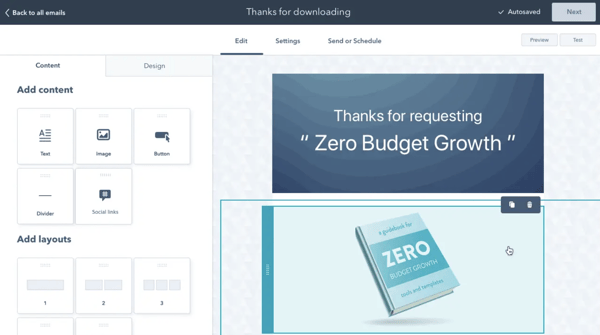
HubSpot offers a comprehensive, start-to-finish solution for all your marketing needs. You can create a sleek, on-brand email campaign using HubSpot’s drag-and-drop editor, and customize the template to match your brand and align with your goals.
Additionally, you can customize each email depending on your recipient’s lifecycle stage, list membership, or any information in their contact records to ensure each email is designed for optimal conversions.
Best of all, the email tool provides top-notch analytics and A/B testing tools so you can continue to refine your marketing strategy over time.
Unique Features
- Analytics to provide deep insights into your email success rates, including open-rate, most popular links clicked in an email, who engages with each email, when and on which device, and what emails perform best.
- Tailor each email to individual subscribers based on lifecycle stage, list membership, or any other contact information to serve the best calls-to-action to segmented groups.
- Ability to run A/B tests to improve open rates and clickthroughs.
- More than 100 email templates available by default.
- Custom landing page creation tools.
- Advanced social sharing options.
- Integrations with other marketing tools (more than 300 third-party apps).
- 24/7 support from customer service reps.
Pricing
Free, $45/mo (Starter), $800/mo (Professional), $3,200/mo (Enterprise)
Best Free Email Template Builders
4. BEE Free
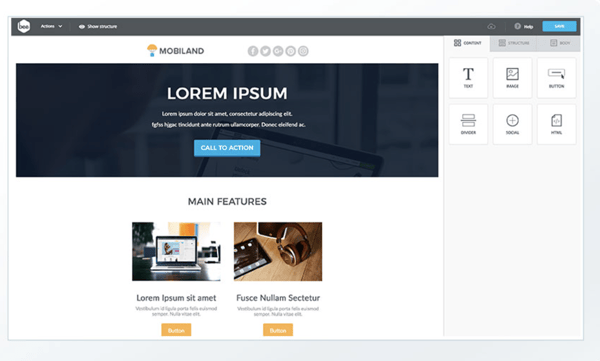
BEE Free is a free online email editor that has been used by more than a million people. In just a few clicks, you can get started designing your first email template — or use one of the 150 templates currently available by default. It also offers free design ideas on its own blog.
Unique Features
- 150 pre-designed templates (and additional paid templates).
- Full responsiveness for mobile-friendly designs.
- Integration with many SaaS apps.
- Options to pick up where you left off.
Pricing
Free
5. Mosaico
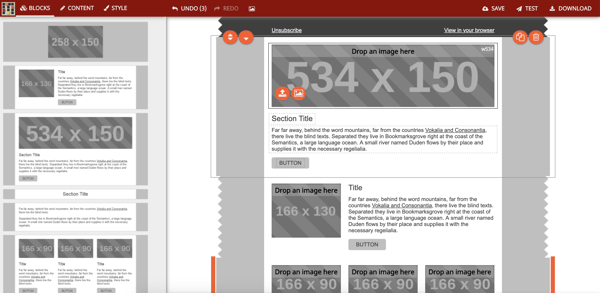
Mosaico.io is an open-source email template builder, which is something of a rarity. You won’t find any predesigned templates, as you would with other email template builders, but you will be able to alter the tool however you see fit.
Unique Features
- A unique click-based design tool, abandoning the traditional “drag-and-drop” model.
- Community support, due to its open-source nature.
- Infinite flexibility, if you’re willing to put in the work to customize it.
Pricing
Free
6. Unlayer
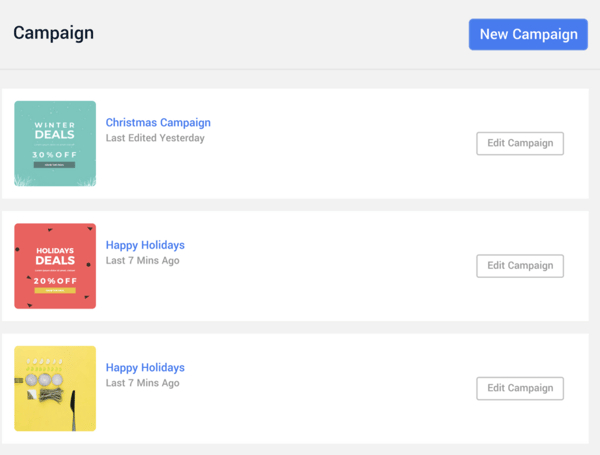
Unlayer is a free HTML email template builder, with a simple, easy-to-grasp approach. You can choose any of its 100+ base kit templates and edit the template as you see fit. You can also install the free Chrome extension if you want to integrate it with Gmail.
Unique Features
- Template designs are immediately available, so you can start in mere minutes.
- A free Chrome plugin so you can use the tool directly in your browser.
- The ability to save and download templates for future use.
Pricing
Free
Best Paid Email Template Builders
2. Mailchimp
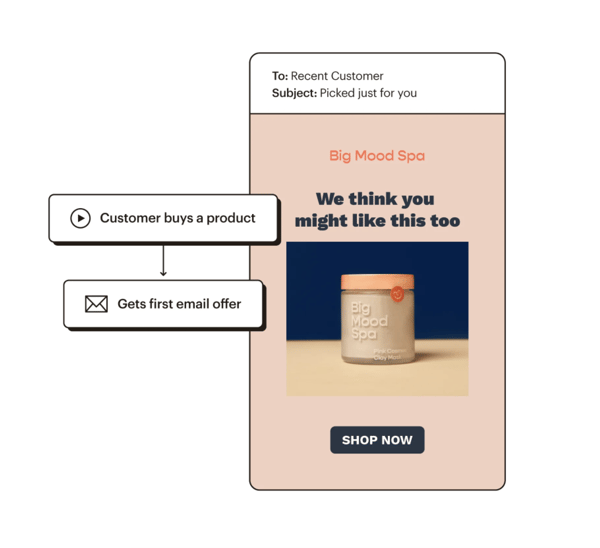 Mailchimp is one of the top names in email marketing, in part because of its accessibility. It’s super easy to learn and build your first few email templates, and you can get started right now with a free plan. As you scale your business, you’ll find additional options, features, and tools for your needs.
Unique Features
- More than 100 email templates available by default.
- Custom landing page creation tools.
- Advanced social sharing options.
- Integrations with other marketing tools (more than 300 third-party apps).
- 24/7 support from customer service reps.
Pricing
Free, $9.99 (Essentials), $14.99 (Standard), $299 (Premium)
3. Moosend
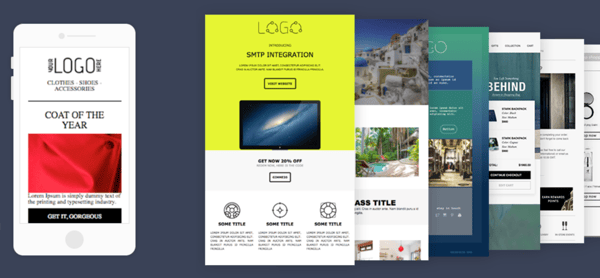
Moosend’s easy-to-use drag-and-drop email editor allows you to create professional-looking email templates that include marketing elements — such as countdown timers and videos — without any prior HTML knowledge.
Unique Features
- Customizable, ready-made templates and custom fonts
- Drag-and-drop landing page editor
- Integration with GIPHY, Google Drive, Stock Photos, and social media platforms
- Video email marketing tools
- Customer support for all pricing plans through email, chat, and phone
Pricing
Free, $8/mo (Pro), call for a custom plan (Enterprise)
7. AWeber
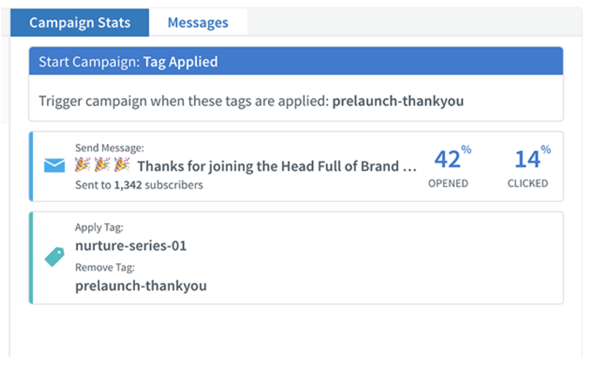
AWeber is specifically designed for small businesses eager to get started with email marketing, but who might have trouble knowing where to begin. Predesigned templates, custom designs, and email automation are all available.
Unique Features
- A drag and drop AMP carousel, which allows you to add AMP image carousels to your emails.
- AWeber’s Smart Designer, which uses AI to construct and recommend email templates.
- A campaign marketplace that allows you to design and launch full email campaigns.
- 24/7 customer service.
Pricing
Free, $16.15/mo (Pro)
9. Campaign Monitor
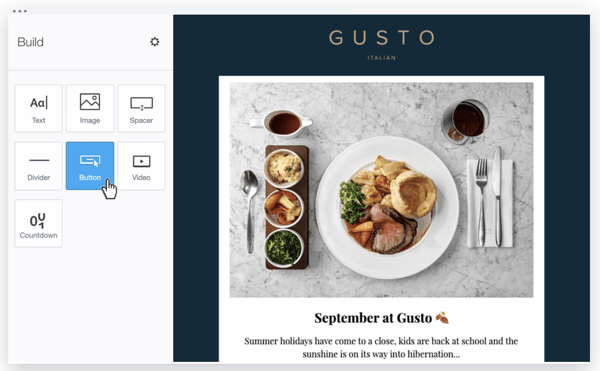
Campaign Monitor is primarily focused on email marketing but has other features you can use for a variety of other marketing and ecommerce purposes. Because it’s designed to work for teams, it’s ideal if you have many people working together on your campaigns.
Unique Features
- Template management and collaboration for teams.
- Built-in support for surveys with unlimited questions.
- 80 predesigned email templates.
Pricing
$9/mo (Basic), $29/mo (Unlimited), $149/mo (Premier)
9. Chamaileon.io
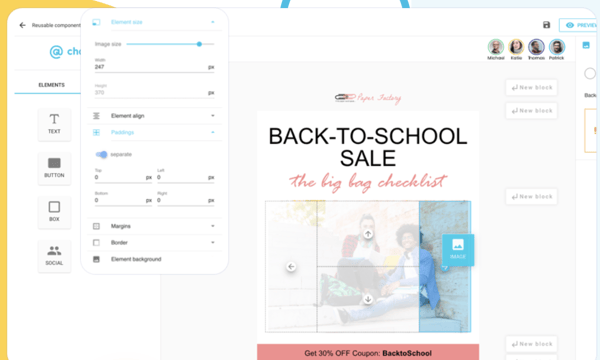
Chamaileon.io is a cleverly named email template builder that allows your team to design emails collaboratively, complete with drag-and-drop mechanics so you never have to worry about coding. You can also design and follow a set email campaign workflow, simplifying your efforts in the future.
Unique Features
- Collaborative email design for teams working together on the same templates.
- Unique and flexible account roles for multiple levels of access.
- Replicable testing settings to allow for easy testing of new designs.
Pricing
$150/mo (Standard), $250/mo (Premium)
10. Designmodo Postcards
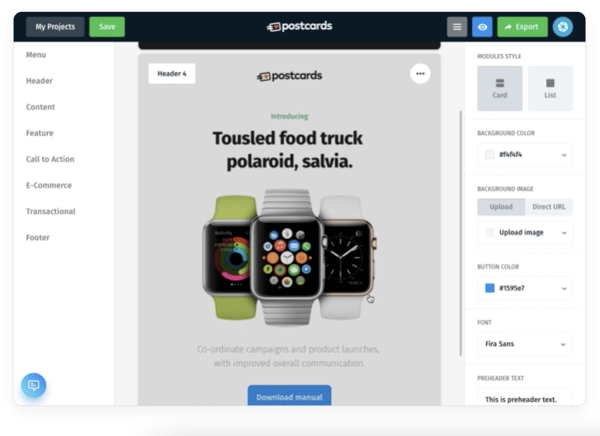
Designmodo Postcards email builder is designed to bring teams together for the email template building process. You can use it to design emails however you like, then export as HTML, or to a full email service provider like Mailchimp.
Unique Features
- Modular designs that help you stack, customize, and rearrange your options.
- Long-term content management to help you revisit previous successes.
- Unlimited exports, which is ideal if you’re exporting to other services frequently.
Pricing
Free, $18/mo (Business), $29/mo (Agency)
11. Stripo.email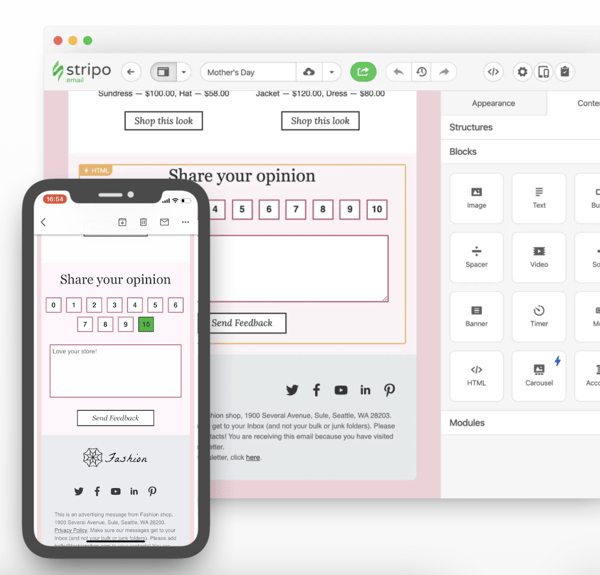
Stripo.email helps you create responsive email templates without any HTML coding skills necessary. It also features innate dynamic AMP support, and a robust testing tool to help you preview your email in more than 90 popular environments, including variants for devices and browsers.
Unique Features
- Drag-and-drop AMP blocks for image carousel and/or accordion support.
- Thorough testing in nearly 100 different environments.
- A customizable module library, allowing you to reuse past successful elements.
- Integration with many ESPs and third-party tools.
Pricing
Free, $125/mo (Business), $400/mo (Agency)
12. Taxi for Email
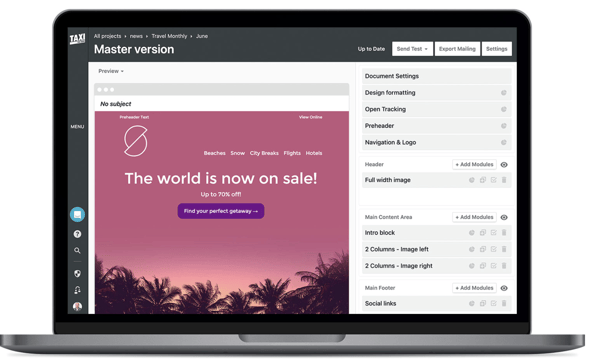
Taxi for Email provides scalable email template creation, as well as the ability to create email workflows. It also allows you to assign various tasks and permissions to your team, so each of your marketers can play a role in perfecting your email campaign.
Unique Features
- Team dynamics, including collaborative tools, access assignment, and user permissions.
- Robust testing on-demand as you design.
- Support for multiple languages and email segmentation.
Pricing
Request a custom quote.
13. SendGrid
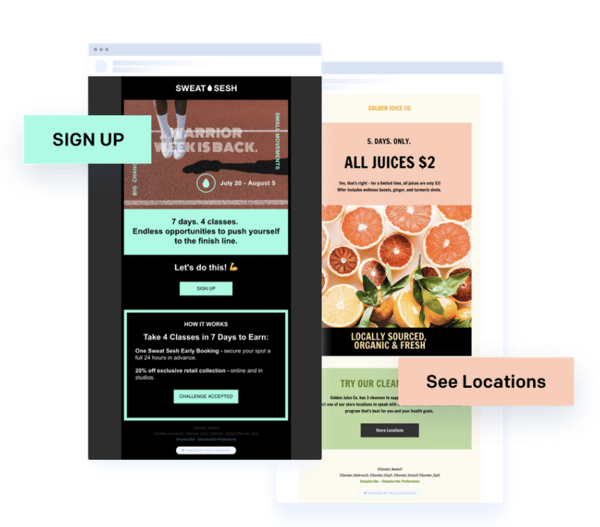
SendGrid is an email service that provides support for email template designs — additionally, it offers email functions such as automatic shipping notifications and password resets. It also boasts an open API, which you can use to integrate with just about anything.
Unique Features
- A wide variety of tools, including email design, automation, signup forms, and more.
- APIs, SMTP Relay, and Webhooks.
- Delivery optimization tools so you can increase delivery rates.
Pricing
Free; Essentials and Pro plans vary in pricing based on the number of emails you send per month but plans start at $14.95/mo and 89.95/mo respectively; call for a quote (Premier)
Choose the Best Email Template Builder for Your Needs
There are a number of benefits that result from using an email template builder — so, consider your needs, goals, and budget while reviewing the list above to determine which option is most ideal for your team.
Editor’s note: This post was originally published in May 2020 and has been updated for comprehensiveness.

Subdomain or Subdirectory? What They Are & How They Affect SEO
One of the most heated arguments that I’ve been a part of was about whether or not Taylor Swift is a good dancer.
The first thing you should know about me is that Taylor Swift is my favorite artist. So you’d have a hard time convincing me she’s bad at anything (because she isn’t).
SEO experts are probably the same way when debating whether subdomains or subdirectories are better for SEO. As a marketer, that debate can cause confusion and analysis paralysis.
In this article, you’ll learn the differences between a subdomain and subdirectory and how they affect SEO. There are pros and cons to both, and you’ll want to consider all of these factors before moving forward with your website project.

Subdirectory URL
In a URL, the subdirectory comes after the root directory or domain name. For example, HubSpot’s root domain is hubspot.com. So a subdirectory URL might be hubspot.com/pricing. Or it might be something more complicated like hubspot.com/pricing/sales. Below is an illustration of one possible subdirectory structure.
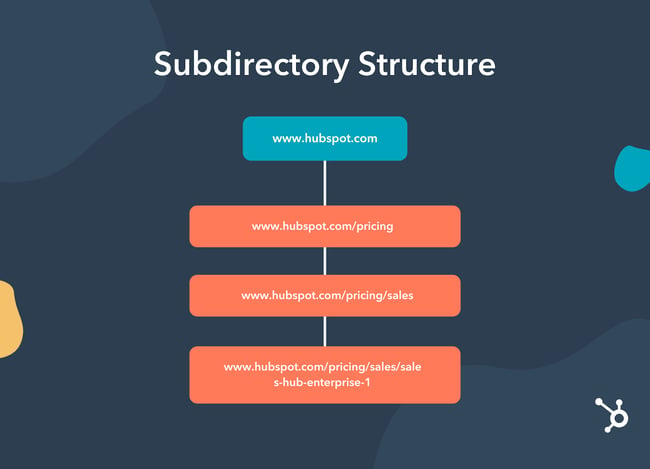
When it comes to subdirectories, think of a structure similar to nesting dolls. Each folder can build off of one another almost indefinitely. That means you could have a subfolder within a subfolder within a subfolder until you’re dozens, potentially hundreds, of layers deep.
But just because you can doesn’t mean you should.
Too many layers of subfolders can become an SEO nightmare. The URL string becomes long and confusing, the user experience is at risk with every click it takes to get to the next piece of content, and search engine crawlers will find it nearly impossible to crawl your site for new content and other SEO wins you may have added.
On the other hand, subfolders can be great for SEO as they keep any earned backlinks, domain authority, and page authority closely tied to the root domain. And when the site is fairly easy to navigate, the URLs are short and simple, like hubspot.com/careers, which means you can market specific webpages or landing pages by their URL without confusing your audience.
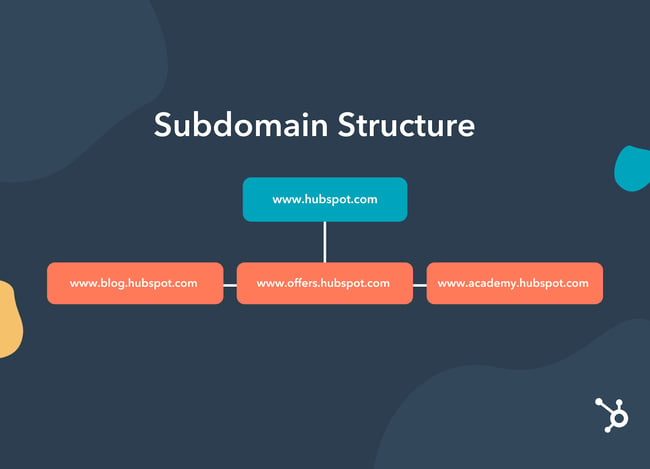
The structure of a subdomain is fairly flat at the top levels. You’ll have your root directory, then all the subdomains underneath it in a horizontal row. All subdomains are on the same level. You won’t have a subdomain within a subdomain like you would a subfolder within a subfolder.
SEO and Subdomains
A subdomain can be great for SEO, but it will require a dedicated person or team that can manage it. Unlike subdirectories, a subdomain’s domain authority won’t automatically trickle down from the primary domain name. You might also pay extra for tools or subscriptions if you’re billed per domain name since each subdomain will typically count as a separate website. Keeping these challenges in mind, let’s take a closer look at the benefits of using a subdomain.
Why use subdomains?
Subdomains are ideal if your business houses a lot of content that would be difficult to manage all on one website. You may also find this structure beneficial if you run several large recurring campaigns that need separate landing pages or if you plan to do a partnership with another organization and want to split the branding on the project.
In short, subdomains make sense if you have a relevant business need to separate content on your website.
There are a number of instances when a company should use a subdomain. Below are the most common.
1. Support
Sometimes it doesn’t make sense to have your customer support on your main site. For instance, Google uses support.google.com instead of google.com/support. The main reason is probably because of the site structure. Google.com is a search engine, and Google’s Support line doesn’t belong to its Search business line. Therefore, it needs its own subdomain to properly connect with and serve its users.
2. Different Regions
If you serve multiple regions, whether nationally or internationally, using a subdomain would be a good idea. If you had a site in German and one in English, it wouldn’t make sense to list those as subdirectories. For instance, Craigslist uses subdomains for the different regions it serves. Here are two of its subdomain sites: orangecounty.craigslist.org/ or stgeorge.craigslist.org/.
3. Blog
Many companies choose to have their blog as a subdomain. In fact, that’s what HubSpot does. If you’ll notice, the page you’re on right now is a blog.hubspot.com page. However, this specific article is in the Marketing subdirectory of the blog.hubspot.com subdomain. Sites may choose to have their blog as a subdomain if they have a content campaign in mind that’s large enough in volume to deserve its own hierarchy and growth path (more on that in a minute). Additionally, a subdomain is useful for a blog if you want to create a niche authority.
4. Ecommerce Store
For companies that sell merchandise, in addition to their regular product or service, they can put their ecommerce store on a subdomain. HubSpot does this as well. Aside from our main software hubs, HubSpot merchandise is available at shop.hubspot.com.
5. Events
If your company hosts events, it might be a good idea to partition that section of your site into a subdomain. Again, this is helpful when you want to distinguish a section of your site from your regular product or service. Microsoft does this with its events.microsoft.com.
Technically, a website can use both a subdomain and a subdirectory structure. Subdomains will usually have at least a few subfolders within them to organize content, but likely not as many as a subdirectory. That’s because there is a smaller variety of content covered on a subdomain than a root domain with subfolders.
So it’s important to understand what the primary structure of your website will be. To decide this, let’s take a closer look at how subdomains and subdirectories impact SEO.
How do subdomains and subdirectories affect SEO?
Some SEO experts believe that Google’s crawlers could confuse a subdomain for an entirely different website from the main domain. However, others say its crawlers can recognize subdomains as extensions of parent domains.
According to Google, the site crawls, indexes, and ranks subdomains and subdirectories the same way.
In the video below, Google Webmasters Trends Analyst John Mueller says, subdomains generally don’t hurt a site’s rankings. In fact, he says Google is smart enough to see your main domain and subdomain as being tied to the same website.
Some SEO professionals argue that subdomains don’t share the authority they receive from inbound links (or backlinks) with the root domain. The reverse can also be true; because subdomains are considered separate entities from your root domain, they may not inherit any of the link authority you’ve already built to your core website content.
Additionally, if you’re optimizing pages for the same keywords on your main site and subdomain, you could be competing against yourself.
On the other hand, other SEO experts argue that subdomains make it easier to navigate your site. Ultimately, this leads to a better user experience, which could result in better engagement rates, therefore improving your SEO.
Subdomains can be beneficial if you have a large corporation and the subdomains serve a different purpose and essentially function as a separate business.
For example, Disney has subdomains such as cars.disney.com, shop.disney.com, and movies.disney.com.
Since these subdomains serve very different purposes, it doesn’t matter if the sites don’t share the same authority from backlinks, because they probably aren’t targeting the same keywords.
According to some SEO experts, another benefit is that subdomains can help build niche authority. For instance, you might want your blog to be considered a separate entity from your product or service.
Conversely, if your site doesn’t have any extensive verticals on your navigation, then you might not need to use a subdomain because you want as many links going back to your main site as possible. If you don’t have a compelling reason to use subdomains, then subdirectories work just fine.
Which is Better: Subdirectory or Subdomain?
Although this topic can often be confusing, ultimately the decision depends on your website’s needs. Subdomains can provide organization and structure to your site if you have a lot of different, but important content to share. Subdirectories can be helpful for smaller websites that don’t have a large variety of content. No matter which structure you choose, you’ll want to stay abreast of SEO best practices in order to meet your website goals. The free guide below will help you improve your site with a free SEO audit tool kit.
Editor’s note: This post was originally published in February 2020 and has been updated for comprehensiveness.


Marketing Qualified Lead: Everything You Need to Know About MQLs
By aligning team members and different teams, your business’s employees are able to work together to create delightful experiences that make prospects want to convert and stay loyal to your brand.
One example of a process in which this type of collaboration only improves your ability to convert prospects into loyal customers is lead qualification.
Think about it this way: If your marketing team can align with sales on what makes for a high-quality lead at your company, then marketing can identify and handoff these leads to reps after a lead’s initial interaction(s) with your brand. Then, once sales has these contacts from marketing, reps can also qualify them and nurture them accordingly. This leads to time being well-spent across the org and ensures sales reps aren’t wasting their time trying to identify leads that marketing has already engaged and vetted.
These leads that marketing engages, vets, and passes along to sales are called marketing qualified leads (MQLs).
MQL
In this post, we’ll talk about what an MQL is, why identifying MQLs is worthwhile, and MQL criteria you can establish on your team.
How does the qualification process for an MQL work?
At a high level, a lead becomes an MQL, then a SQL, working their way down the funnel until they (hopefully) become a customer.
As mentioned, if a lead becomes an MQL, they’ve been vetted by the marketing team. In other words, the marketing team determines whether or not they believe sales would have a good chance at successfully nurturing and converting a specific lead into a customer.
If the sales team does agree with the marketing team — and believes they have a good chance of converting an MQL into a customer — then that MQL becomes a sales qualified lead (SQL).
Why You’d Want to Mark a Lead as an MQL
Whether through a content offer, social post, virtual or in-person event, web page, blog post, subscription, podcast, or ad, marketing has many potential touchpoints with leads, prospects, and target audience members before anyone else at your business does.
The resulting engagement data (and contact information, if any) is vital to the success of your business. It’s how your marketing team can efficiently sift through those prospects to identify the highest-quality leads based on criteria (which we’ll talk more about below) set by your business.
Once marketing has identified MQLs for your business, then can send them along to your sales team — this propels sales through the initial steps of their roles (e.g. discovery and prospecting), and provides them with leads their marketing counterparts believe are worthwhile.
Sales then performs their own qualification process and pulls out the top-tier prospects from that list of MQLs.
Not only does this save sales reps time, but it also ensures marketing and sales are aligned on who your buyer personas are, what type of marketing content brings the right prospects for your business in, and more.
Marketing Qualified Lead Criteria
Setting accurate MQL criteria is how you ensure your sales team is sent leads of the highest quality. Establishing these criteria is also worthwhile because it helps marketing determine which type of marketing materials, content, and offers will do best among your audience members who fit that criteria. In other words, establishing solid MQL criteria is a win-win for both marketing and sales.
How to Establish With MQL Criteria (Plus Examples of MQL Criteria)
1. Establish a working marketing and sales team relationship.
As mentioned several times throughout this article, a major aspect of MQL success is the process of maintaining open communication and alignment between the marketing and sales teams. Marketing cannot target or identify high-quality leads without aligning with sales. And sales will not have access to MQLs without the help of marketing.
You might start by reiterating the importance of this relationship to the marketing and sales orgs so they understand the value that will come from cross-team communication.
Then, you might set recurring meetings to discuss alignment as well as roles and areas for potential growth (e.g. which marketing content is working best among prospects, which enablement materials sales feels like they’re missing, or prospect feedback that reps get directly from the source and can share with marketers to help their campaign targeting, etc.).
There may be a dedicated amount of time during these meetings for discussion about how to improve the marketing and sales relationship and alignment, and another portion of time set aside for feedback, ideation, and fact sharing.
2. Create lead definitions.
Marketers and salespeople should also work together to develop lead definitions for your business. Meaning, marketing should meet with sales to identify, explain, and record the main characteristics and traits that make up an MQL on your team.
For example, your marketing managers may meet with your sales managers to create a definition of an MQL. This process will look likely look a lot like the process you used to develop your buyer personas.
Here are some examples of questions to ask while defining MQLs:
- What type of marketing content should be engaged with in order to define someone as an MQL?
- Which specific defining traits (demographic and firmographic) are necessary to call someone an MQL?
- Which pain points or challenges should a person have to make them an MQL?
Based on the lead definitions you create, you can go a bit deeper and assign point values for various MQL qualifications in order to form the basis of a lead scoring system. This will ensure your sales team is delivered high-quality leads in an organized fashion so they stay as productive as possible.
3. Revisit your lead definitions and regularly.
Not only do your business, internal teams, and customer base grow in size over time, but your prospects, buyer personas, and leads also evolve. That’s why it’s so important to circle back to your lead definitions regularly and update them as needed.
For instance, maybe your marketing team revisits your lead definitions quarterly — they may review them as a team and then present any changes they believe are necessary to sales in order to get their feedback. Or maybe marketing and sales review the definitions together and update them accordingly in a collaborative meeting.
Either way, remember that just because something works for you now doesn’t mean it’ll be something that works for you in the future. Be cognizant of the fact that your lead definitions will need updating in order to ensure marketing is targeting, identifying, and presenting high-quality leads for and to sales reps.
Start Creating and Using MQLs
Now that you see the power of MQLs, it’s time to start creating your own. Think about the tips we covered above to get started identifying and converting more qualified leads.
Editor’s note: This post was originally published in June 2018 and has been updated for comprehensiveness.


How to Create an Ebook From Start to Finish [Free Ebook Templates]
In Q1 of 2021, ebook sales increased 38% for publisher Harpercollins, following a trend of increased revenue earnings for the company. Although this is a snapshot of one publisher’s success, it speaks to a larger movement toward digital content consumption among marketers.
Lead magnets come in many forms, but the ebook still reigns supreme. They give the reader:
- In-depth digital content in an environment largely overrun with quick headlines and soundbites
- Visual data that compliments the editorial content
- On-demand access to the ebook content
Your business benefits from publishing an ebook, too. Turning a profit, acquiring new customers, generating buzz, and becoming an industry thought leader are just a few of the advantages of this type of content.
But what exactly is an ebook and why do they deliver such great results for marketers?

18 Free Ebook Templates – Download Now
-1.png)
Download HubSpot’s 18 free ebook templates to create an ebook on PowerPoint, Google Slides, or Adobe InDesign.
What are the benefits of an ebook?
Let’s say you have an amazing blog full of long-form content. Why in the world would you want to offer your readers an ebook? Is it even worth your time?
Here are some advantages ebooks offer content creators:
- Unlike long-form printed publications that are purchased in-store or shipped, an ebook is immediately accessible the moment you’re ready to read.
- You can put it behind an opt-in of some kind, incentivizing your website visitor to become a lead if they want the information.
- In some ways, ebooks have design capabilities like in-depth charts, graphs, and full-page images which you may not be able to achieve on your blog.
- After the initial creation of the ebook, you can distribute the file a multitude of times with no additional production cost. They also have no associated shipping fees.
- You can embed links to other media in the ebook file, encouraging the reader to further engage with your content.
Perhaps more importantly, ebooks offer a number of advantages for your audience:
- Ebooks are extremely portable, able to be stored on a number of devices with no physical storage space associated.
- The reader gets the choice to print the ebook out if they want to consume the information in a traditional physical format. Otherwise, the digital format is environmentally friendly.
- Ebooks are accessible with the ability to increase font sizes and/or read aloud with text-to-speech.
- They’re also easily searchable if the reader is looking for something specific.
Are ebooks profitable?
They can be. Ebooks are high-volume, low-sales-price offers. This means you’ll need to sell a lot of them at a relatively low price point in order to compete in the market and turn a significant profit. Depending on your industry, ebooks can range from free to more than $100.
Before setting a price for your ebook, do some research. Determine who your audience is, what they’re willing to pay, and how many people within your target market might be willing to buy it. Then, determine the platforms you’ll sell your ebook through. Amazon? Apple Books? Your own website? You can research how much ebooks usually go for on these sites and incorporate this insight into your pricing strategy.
How is an ebook structured?
There’s no set rule for organizing your content into an ebook. It generally mimics the structure of a novel or textbook (depending on what it is you’re writing about). But, there are some aspects of an ebook you should be sure to adhere to.
Ebooks typically have a system of chapters and supporting images. Similar to a blog post, they also do well when further segmenting their text with subheaders that break down the discussion into specific sections. If you’re writing about professional sports, for example, and one of your chapters is about Major League Baseball (MLB) in the U.S., you might want to establish subchapters about the various teams belonging to the MLB.
What can an ebook be about?
Anything. Well, within reason. Ebooks are simply a marketer’s way of delivering lots of critical information in a form their potential customers are most willing to read. An environmental company might write an ebook about water conservation. They might also focus an ebook entirely on how their water-saving product is used, or how it helped a customer solve a problem. Discover more ebook ideas at the end of this article.
No matter what topic your ebook takes on, research is a significant part of ebook creation. Contrary to short-form content like articles and videos, the content of an ebook is predicated on trust and evidence. A user who obtains (or requests access to) your ebook wants the full story, not just the bullet points. That includes all the content and testing you went through to produce the ebook.
Can you edit an ebook?
Nope. An ebook can’t be edited once it’s been saved in one of the major file formats, so it’s best to ensure you have an editable version saved in a program like Microsoft Word.
But why would you want your ebook to be uneditable? Making ebooks uneditable ensures the content remains unchanged — both the format and the information — as it’s shared between multiple uses.
You can edit ebooks if they’re saved using an editable PDF, a feature that is specific to Adobe Acrobat — the founding program of the PDF file type. Learn how to edit PDFs in this blog post.
How do you read an ebook?
You can read an ebook on many different devices: iPhone, Android smartphones, a Macbook, PC, and e-readers such as the Nook and Kindle. The latter two devices are typically used to read novels in digital form. Nook and Kindle owners can store thousands of books (literally) on a single Nook or Kindle.
But making an ebook can be overwhelming. Not only do you have to write the content, but you also need to design and format it into a professional-looking document that people will want to download and read. With lead generation being the top goal for content marketing, however, ebooks are an essential part of a successful inbound marketing program.
In this post, we’ll walk you through the ins and outs of creating an ebook by, well, creating an ebook. And if you’re worried about your lacking design skills, fret not …

18 Free Ebook Templates in PowerPoint, Google Slides, and InDesign [Free Download]
Got your free ebook templates? Ready to make an ebook? Great — let’s get to it.
What ebook file format should you use?
Ebooks can be saved in one of several formats. Depending on your end-user, though, you might find a use for any of the following file types:
PDFs are likely the most well-known file type. The “PDF” extension stands for “Portable Document Format,” and is best for ebooks that are meant to be read on a computer (digital marketers, you’ll want to remember this one). We’ll talk more about how to save your ebook as a PDF later in this article.
EPUB
This file type stands for “Electronic Publication,” and is a more flexible ebook format. By that, I mean EPUB ebooks can “reflow” their text to adapt to various mobile devices and tablets, allowing the ebook’s text to move on and off different pages based on the size of the device on which a user is reading the ebook. They’re particularly helpful for viewing on smaller screens, such as smartphones as well as the Nook from Barnes and Noble.
MOBI
The MOBI format originated from the Mobipocket Reader software, which was purchased by Amazon in 2005 but was later shut down in 2016. However, the MOBI file extension remains a popular ebook format with compatibility across the major e-readers (except the Nook).
While the format comes with some limitations, such as not supporting audio or video, it does support DRM, which protects copyrighted material from being copied for distribution or viewed illegally.
Newer Kindle formats are based on the original MOBI file types.
AZW
This is an ebook file type designed for the Kindle, an e-reader device by Amazon. However, users can also open this file format on smartphones, tablets, and computers.
ODF
ODF stands for OpenDocument Format, a file type meant primarily for OpenOffice, a series of open-source content creation programs similar to Microsoft Office.
IBA
IBA is the proprietary ebook format for the Apple iBooks Author app. This format does support video, sound, images, and interactive elements, but it is only used for books written in iBooks. It is not compatible with other e-readers.
Data Visualization 101: How to Design Charts and Graphs [Free Download]
1. Choose a topic that matches your audience’s needs.
Remember: The goal of your ebook is to generate leads for your sales team, so pick a topic that will make it easy for a prospect to go from downloading your ebook to having a conversation with your sales team.
This means your ebook shouldn’t deviate much from the topics you cover in your other content marketing channels. Rather, it’s your opportunity to do a deep dive into a subject you’ve only lightly covered until now, but something your audience wants to learn more about.
For example, in listening to sales and customer calls here at HubSpot, I’ve learned that creating ebooks is a huge obstacle for our audience, who are marketers themselves. So if I can provide not only this blog post, but resources to make ebook creation easier, I’m focusing on the right topic that will naturally lead to a sales conversation.
To get your creative juices flowing, here are some example ebook titles to consider. (Note: Replace “x” with an appropriate number.) You can also use our free Blog Topic Generator tool to come up with more ideas. Most blog topics can be made comprehensive enough to serve as longer form ebook topics.
- X Best Practices for [Insert Industry/Topic]
- An Introduction to [Insert Industry/Topic]
- X Common Questions About [Insert Industry/Topic] Answered
- X [Insert Industry/Topic] Statistics For Better Decision Making
- Learn From The Best: X [Insert Industry/Topic] Experts Share Insights
For this blog post, I’m going to use the PowerPoint version of template two from our collection of five free ebook templates. Through each section of this post, I’ll provide a side-by-side of the template slide and how I customized it.
Below, you’ll see my customized cover with my sales-relevant ebook topic. For help with writing compelling titles for your ebooks, check out the tips in this blog post.
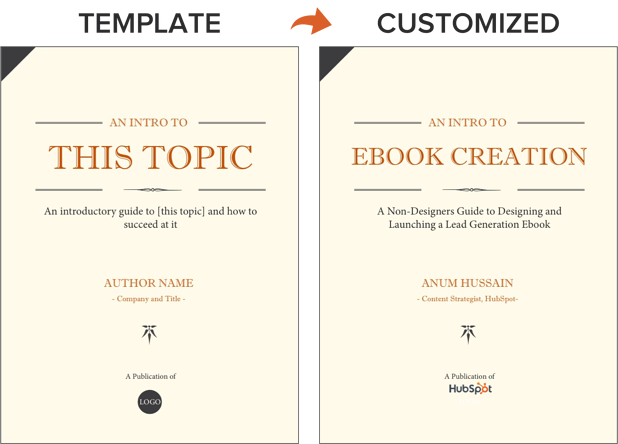
2. Outline each chapter of your ebook.
The introduction to your ebook should both set the stage for the contents of your ebook and draw the reader in. What will you cover in your ebook? How will the reader benefit from reading it? For tips on how to write an effective introduction, check out this post.
Some ebook creators say that an ebook is simply a series of blog posts stitched together. While I agree you should treat each chapter like an individual blog post, the chapters of your ebook should also flow fluidly from one to the other.
The best way to outline your ebook is by thinking of it as a crash course on the sales-relevant topic you selected. In my example of creating an ebook, I know I need to cover how to:
- Write effective copy
- Design an ebook
- Optimize ebooks for lead generation and promotion
While my example has a few chapters, keep in mind that your ebook does not need to be lengthy. I have one golden rule for ebook length: Write what is needed to effectively educate your audience about your selected topic. If that requires five pages, great! If that requires 30 pages, so be it. Just don’t waste words thinking you need to write a long ebook.
With that, let’s move on to the actual copy you’re writing.
3. Break down each chapter as you write.
Get writing! Here, you can approach each chapter the way you might write a long blog post — by compartmentalizing each chapter into smaller sections or bullet points, as shown in the picture below. This helps you write simply and clearly, rather than trying to use sophisticated language to convey each point. It’s the most effective way to educate readers and help them understand the new material you’re providing.
Be sure to maintain a consistent structure across each chapter, as well. This helps you establish natural transitions between each chapter so there’s a clear progression from one chapter to the next (simply stitching blog posts together can rob you of this quality).
These practices should hold true for all your other marketing efforts, such as email marketing, call-to-action creation, and landing page development. “Clarity trumps persuasion,” as Dr. Flint McGlaughlin of MECLABS often likes to say.
Want to make sure you’re keeping your ebook exciting for readers? Here are some key tips to keep in mind:
- Use keywords in the title that emphasize the value of your offer. Examples include adjectives like “amazing,” “awesome,” or “ultimate.”
- Keep your format consistent so you create a mental model for readers and enhance their understanding of the material.
- When appropriate, make use of formatting — like bulleted lists, bold text, italics, and font size changes — to draw people’s eyes to your most important content or emphasize certain points you want readers to remember.
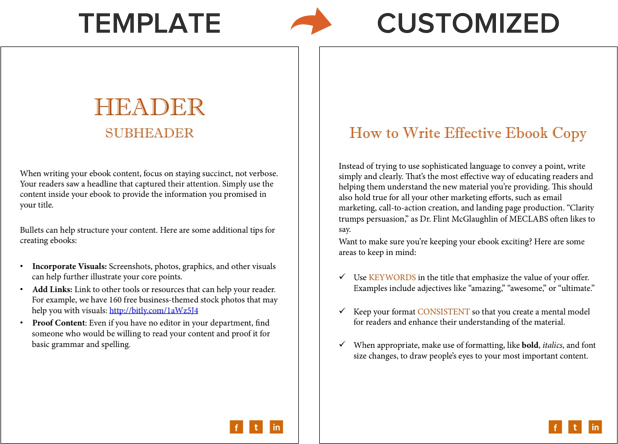
4. Design your ebook.
Our downloadable ebook templates are offered in both PowerPoint and InDesign. For this example, we’ll show you how to do it in PowerPoint, since more people have access to that software.
You’ll notice we only have one “chapter page” in the template (slide three). To create additional chapter pages, or any pages really, simply right click the slide and choose Duplicate Slide. This will make a copy of your slide and allow you to drag it to its proper place in your ebook via the sidebar or Slide Sorter section of PowerPoint. You can then customize it for any subsequent chapters.
5. Use the right colors.
Ideally, our free ebook templates would magically match your brand colors. But, they probably don’t; this is where you get to truly personalize your work. However, because ebooks offer more real estate for color than your logo or website, it’s a good idea to consider secondary colors within your brand’s color palette. Ebooks are where this color scheme can truly shine.
To learn how to add your brand’s colors to PowerPoint, check out this blog post. That way, you can customize the color scheme in our ebook templates to match your brand!
6. Incorporate visuals.
Images and graphics in ebooks are hard to get right. The key to making them fit well is to think of them as complementary to your writing. Whether you add them during or after you’ve finished writing your ebook’s copy, your visuals should serve to highlight an important point you’re making or deconstruct the meaning of a concept in an easy-to-understand, visual way.
Images shouldn’t just be there to make the ebook easy on the eyes. Rather, they should be used to enhance the reader’s understanding of the material you’re covering. If you need help gathering visuals, we have three sets of free stock photos that might help you along the way:
And if you’re compiling a data-heavy ebook, you might want to download our free data visualization ebook for tips about designing compelling charts and graphs for your content.
7. Highlight quotes or stats.
Another way to enhance your ebook is by highlighting quotes or stats within your design. Just be sure the quote or stat you’re using genuinely adds value to the content.
Whether you’re emphasizing a quote or adding a visual, keep all your content within the same margins. If your copy is consistently one-inch indented on your page from both the left and right sides, keep your designed elements aligned using that same spacing.
8. Place appropriate calls-to-action within your ebook.
Now that your content is written and designed, it’s time to optimize it for lead generation, reconversion, and promotion.
Think about how you got here — you clicked on a call-to-action (CTA) in an email, on a social media post, or somewhere else. A CTA is a link or visual object that entices the visitor to click and arrive on a landing page that will get them further engaged with your company. Since your ebook readers have probably converted into leads in order to get their hands on your ebook to begin with (more on this in step below), use the CTAs within your ebook to reconvert your readers and propel them further down your marketing funnel.
For instance, a CTA can lead to another offer, your annual conference’s registration page, or even a product page. Depending on what this next action is, CTAs can be an in-line rectangle or a full-page teasing the next offer (see both images below).
To hyperlink the CTA in your ebook (or any image or text in your ebook) to your destination URL, simply go to Insert >> Hyperlink in PowerPoint.
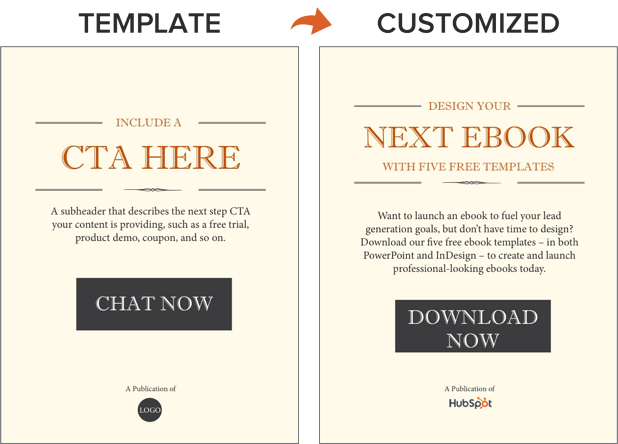
We’ve even designed 50 customizable calls-to-action in PowerPoint you can download and use in your ebooks. You can grab them here.
Now, we don’t have a dedicated CTA template slide in the PowerPoint ebook templates for you to customize … but it’s still simple! All you have to do is duplicate slide four (the Header/Subheader slide) and customize copy or add images as needed. You can also go to Insert >> New Slide and work from there.
9. Convert it into a PDF.
Once you’ve finished writing your ebook — CTAs and all — it’s time to convert it to the right file type so it’s transferable from you to your recipient.
To convert your ebook to a PDF, click File >> Save As in the ebook template you have open. Under File Format, select PDF and select a destination on your computer for this new file.
Why can’t you just attach what you have to a landing page and be done with it? Word documents, PowerPoints, and similar templates are perfect for creating your ebook, but not for delivering it. Because these templates are editable, the contents of your ebook are too easily corrupted, distorted, or even lost when moving from your computer to the hands of your future leads. That’s where PDFs come in.
You’ve seen these letters at the end of files before. Short for Portable Document Format, the .PDF file type essentially freezes your ebook so it can be displayed clearly on any device. A popular alternative to PDFs is the .EPUB file type. See a comparison of EPUB to PDF here.
10. Create a dedicated landing page for your ebook.
Your ebook should be available for download through a landing page on your site. A landing page is a web page that promotes/describes your offer and provides a form that visitors need to fill out with their contact information in order to access your ebook. This is how you are able to convert your visitors into business leads that your sales team can ultimately follow up with.
For instance, you went through this landing page in order to access this ebook template. To learn more about how to optimize your landing pages for conversion, download this free ebook.
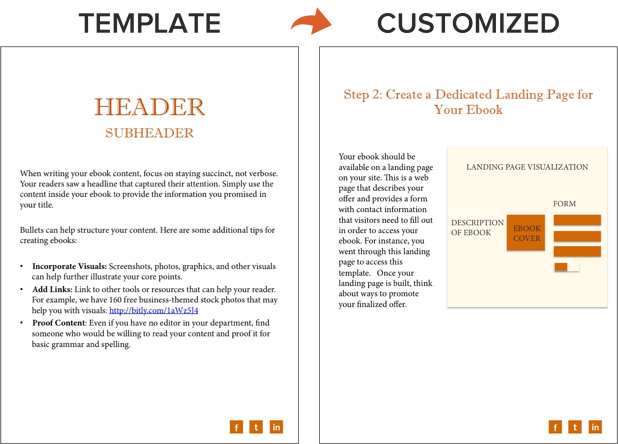
11. Promote your ebook and track its success.
Once your landing page is all set, you can use that destination URL to promote your ebook across your marketing channels. Here are five ways you can do this:
- Advertise your new ebook on your website. For example, feature a CTA or link to your offer’s landing page on your resources page or even your homepage.
- Promote your ebook through your blog. For instance, consider publishing an excerpt of your ebook as a blog post. Or write a separate blog article on the same topic as your ebook, and link to it at the end of your post using a call-to-action to encourage readers to keep learning. (Note: This very blog post is the perfect example of how to promote an offer you created with a blog post.)
- Send a segmented email to contacts who have indicated an interest in receiving offers from your company.
- Leverage paid advertising and co-marketing partnerships that will help you promote your ebook to a new audience.
- Publish posts to social media with a link to your ebook. You can also increase social shares by creating social media share buttons within your ebook, such as the ones at the bottom right of this ebook.
After your content is launched and promoted across your marketing channels, you’ll also want marketing analytics in place to measure the success of your live product.
For instance, you should have landing page analytics that give you insight into how many people downloaded your ebook and converted into leads, and closed-loop analytics that show how many of those people ultimately converted into opportunities and customers for your business. Learn more through HubSpot’s Landing Pages App.
And with that, we’ve built an ebook, folks! You can check out the packaged version of the example I built through this post here:
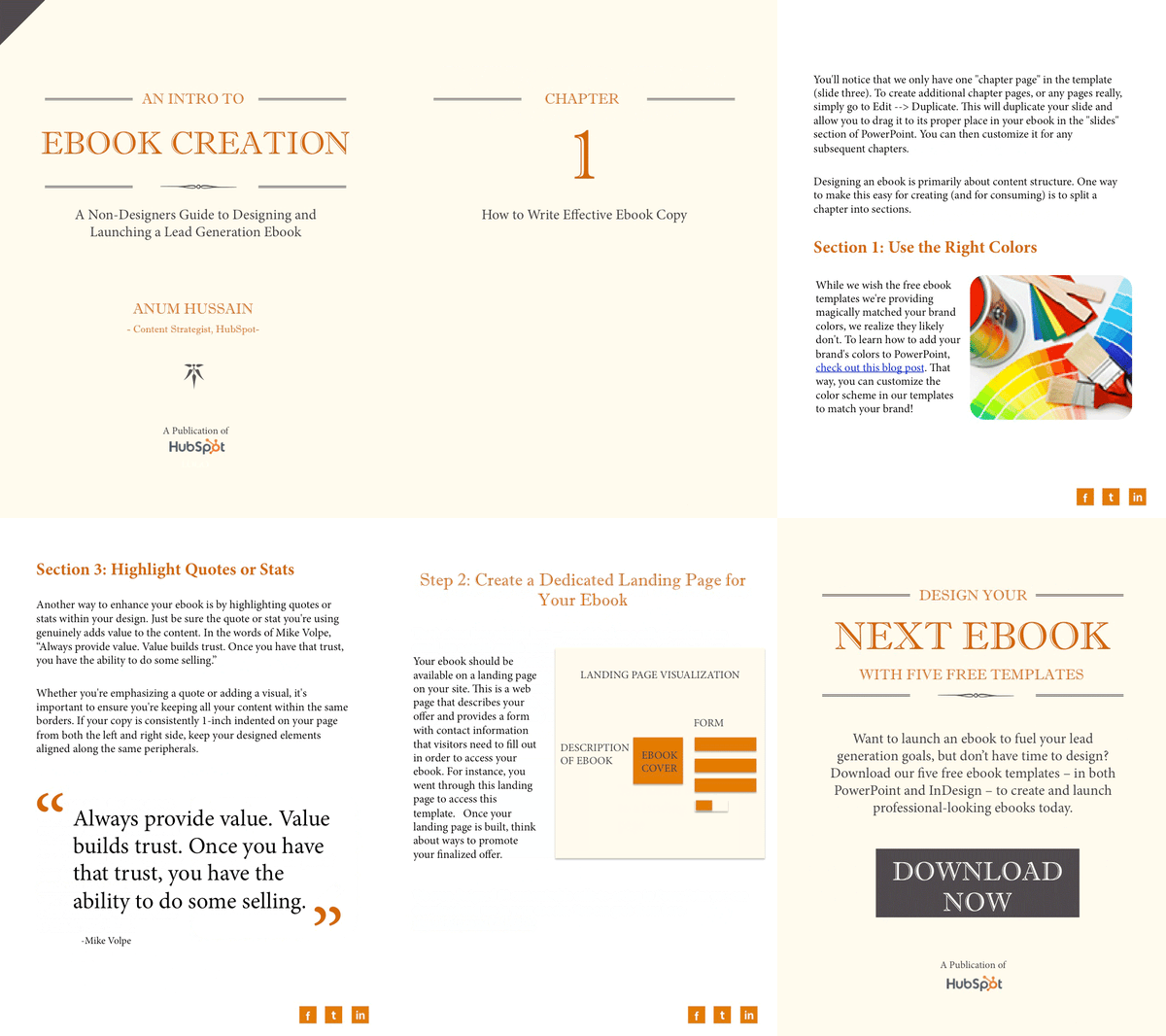
After your content is launched and promoted across your marketing channels, you’ll need to have marketing analytics in place that measure the success of your ebooks. For instance, having landing page analytics that give you insight into how many people downloaded your ebook, or show how many of those downloaders converted into opportunities and customers for your business.
Ebook Ideas
So, what should you write about in your ebook? I’ll answer that question with another question: What do you want your readers to get out of this ebook? To identify an ebook idea that suits your audience, consider the type of ebook you’re trying to create. Here are a few ideas.
New Research
Conducting an experiment or business survey? This is a great way to develop proprietary knowledge and become a thought leader in your industry. But how will you share your findings with the people who care about it? Create an ebook that describes the experiment, what you intended to find out, what the results of the experiment were, and what these findings mean for your readers and the market at large.
Case Study
People love success stories, especially if these people are on the fence about purchasing something from you. If you have a client whose business you’re particularly proud to have, why not tell their story in an ebook?
Ebook case studies show your buyers that other people trust you and have benefited from your product or service. In your ebook, describe what your client’s challenge was, how you connected with them, and how you were able to help your client solve their challenge and become successful.
Product Demo
The more complex your product is, the more information your customers will need to use it correctly. If your product or service can be used in multiple ways, or it’s hard to set up alone, dedicate a brief ebook to showing people how it’s done. In the first section of your ebook, for example, explain how to launch your product or service. In the second section, break down the individual features and purposes your product is best used for.
Interview
Interested in interviewing a well-known person in your market? Perhaps you’ve already sat down with an influencer to pick their brain about the future of the industry. Package this interview into an ebook, making it easy for your customers to read and share your inside scoop.
Playbook
A “playbook” is a document people can use when taking on a new project or concept that is foreign to them. Think of it like a cheat sheet, full of tips and tricks that help your customers get better at what they do.
When done right, a playbook equips your customers with the information they would need to excel when using your product. For example, a software vendor for IT professionals might create a “virus protection playbook” that makes support teams better at preventing viruses at their respective companies.
Blog Post Series
Sometimes, the best ebook for your business is already strewn across a series of blog posts. If you’ve spent the last month writing articles all on the same subject for your business, imagine how these posts would look stitched together?
Each article can begin a new chapter. Then, once this ebook is created, you can promote it on a landing page, link to this landing page from each individual blog post, and generate leads from readers who want to download the entire blog series in one convenient ebook.
Share Your Expertise in an Ebook
Ebooks are one of the top converting lead magnets a business can offer to its audience. Creating an ebook is all about delivering high value at a low price point to generate a high volume of sales. Ebooks work well for new businesses looking for brand awareness and established companies securing a spot as an industry thought leader. So long as you and your team have outlined what success looks like for your ebook launch, you’ll reap the rewards of this stand-alone asset for months — or even years — to come. Get started on your own ebook using the free template available in the offer below.
Editor’s note: This post was originally published in November 2018 and has been updated for comprehensiveness.

Product Launch Plan: 17 Tips to Ensure a Seamless Launch
If your product team is working on the next big thing, there ought to be an equally awesome promotion strategy to spread the word.
While some companies are guilty of drafting a press release, crossing their fingers, and hoping that the users will come, there’s actually much more to it than that.
Quite simply: If you have big news, you need a big strategy. And that’s where your product launch marketing plan comes in.

From establishing the proper messaging and creating the assets to enabling your sales team and keeping momentum, there’s a lot that goes into putting together a solid product launch plan.
At HubSpot, I work on the product marketing team, and we’re responsible for launching all of HubSpot’s new products. Our experience has shown us that there are three distinct phases of a product launch: the pre-launch, the launch, and the post-launch.
Pre-Launch
Before you launch, take the time to get really close to the product. Work with your product team to understand the problem they are trying to solve. Join them as they do users tests. Chat with them about their product philosophy. And most of all, ask a ton of questions — especially if you’re not familiar with the space.
Focus on understanding their vision and becoming a product expert. Outside of the product manager, the marketer launching the product should be the most knowledgeable person at your company about that product.
By understanding the product and performing market research, you’ll be able to align your messaging strategy with the product. The primary goal will be to bridge the gap between what the prospects’ pains are and what the competition is not doing to address them.
The pre-launch stage also includes the necessary promotion planning as you decide:
- Where you’ll advertise (e.g. search engines, social media, traditional channels)
- Where you’ll promote your message organically (e.g. social media, blog, website homepage, events)
- How you’ll get picked up by media outlets (i.e. your PR strategy and media outreach)
- Who you’ll rely on to spread the word (e.g. partners, communities, forums, third-party marketplaces)
Launch
During the pre-launch phase, you’ll have decided what channels to promote on, established relationships with any partners who will help you do so, and created the assets that will draw attention to your messaging on these channels.
The launch phase is simply the execution of all your planning. This phase is much shorter than pre-launch: it can take a day, or a week — depending on how long you feel you need.
As you prepare to move on to the launch, you want to stay focused on the work and be ready to put out any fires.
Post-Launch
The work isn’t over simply because the product is launched. In the post-launch phase, you’ll do a retrospective, pulling together the data to determine what went well and what didn’t go so well.
In addition, a product still needs to be maintained and improved upon beyond its launch, taking into account customer feedback in order to maintain adoption and retention.
This is, of course, a high-level overview of a product launch. However, there are some specific tactical things that you can do to help your launch go off without a hitch.
Pre-Launch
1. Research the space in-depth.
At most companies, the product manager will own the problem that the product solves. They’ll have a deep understanding of who the end-user is and what their unique needs are.
The product marketer’s job is to understand the market. They must be able to answer questions like:
- What’s the larger narrative around this space?
- How do current customers feel about it?
- What do people like and dislike?
- Is it growing and cutting edge or old and getting disrupted?
- What are the leading strategies and tactics in this space?
- What is your company’s unique point of view when it comes to this space?
- How does your new product fit in?

2. Focus on a single buyer persona.
You may not need to reinvent an existing buyer persona, but you should outline who amongst your target audience is a great fit for this new product. What kind of challenges do they have? How do they work? How big is their team? Talk to people who fit this profile to really understand their needs and goals.
If you need help organizing this information, check out these buyer persona templates or this handy tool.
3. Write a mock press release.
At HubSpot, we write a mock press release before we launch a product. We do this very early on in the product’s life to ensure that everyone involved in the launch is aligned on the messaging.
To give you a better sense of how this exercise unfolds, here’s an example:
But we’re not the only ones practicing this approach. In fact, the folks at Amazon use this exercise, too. The idea is that when you work backward and start with the press release, it’s easier to put yourself in the customer’s shoes.
If the press release doesn’t sound very interesting or fails to conjure a reaction, it’s likely that there’s more work to be done.
(Need some help getting started here? Check out these free press release templates.)
4. Build your messaging — but don’t marry it.
Messaging or positioning is mostly about refining your product narrative to focus on only the most valuable aspects of the new product via a simple message.
This is tough.
Most product people have the urge to communicate how great individual features are –something you want to avoid in launch messaging. At launch, you may only have someone’s attention for a few minutes or seconds, so your messaging needs to be persuasive, simple, and unique. It needs to communicate what your product actually does and communicate its high-level value.
You want to get this right, but don’t over-commit to messaging. It can (and should) change as you share your messaging with internal folks and customers.
Elements of good position often include:
- A tagline
- The problem it solves
- A list of core features
- The value prop
- A 10-word positioning statement
In the screenshot above you can see some of these elements in action on the HubSpot Ads product page.
5. Share your messaging with everyone.
It’s time to take the messaging you’ve been slaving over and get it in front of your co-workers, customers, and prospects.
This is often the least fun part of a product launch. Mainly because no matter how good your positioning is, it takes time to get the pitch down, and not everyone will get it.
It’s good to start with individuals who may be a little more forgiving and honest before presenting to executives. Use every meeting to pitch people and ask questions. You want to gather as much info as possible here and root out any confusing or bad messages.
6. Get involved in the beta.
Having a group of beta testers evaluate your product before you release it to the public is a really important step. At HubSpot, we release products to a group of folks — our beta testers — that have opted-in to give us feedback in exchange for early access.
If your company does this, make sure you are talking to the customers using the tool in the beta. Capture their stories, review their performance, and validate your value prop with them. This is your opportunity to test your messaging and build real-world proof to support your pitch with an audience that is ready to share feedback.
7. Change your messaging and find the best hook.
After talking to prospects and salespeople, and seeing how beta users use the product, it’s likely that you’ve uncovered a thing or two about your messaging that you might want to adjust. That’s good.
If you’ve done things right, this won’t mean drastic changes, but most likely a tweak to the value prop or tagline.
8. Set ambitious goals.
You need to be deliberate and ambitious with the goals you set, and that can be challenging when you have a new product without benchmarks. To combat that, we ask the question: “If everything went exactly right, what is the highest possible number — whether that be leads, users, etc. — we could achieve?”
This sets a ceiling for your campaign — a number that is realistically almost never achieved.
If I project that the highest possible number of leads the campaign can generate is 500, and I end up with 450, I know we got just about everything right. If I generate 550 leads, it means I probably didn’t do a great job of setting a realistic ceiling. And if we only generate 300 leads, we know some tactics didn’t work at all.
The image below can be a useful slide as part of your go-to-market plan:
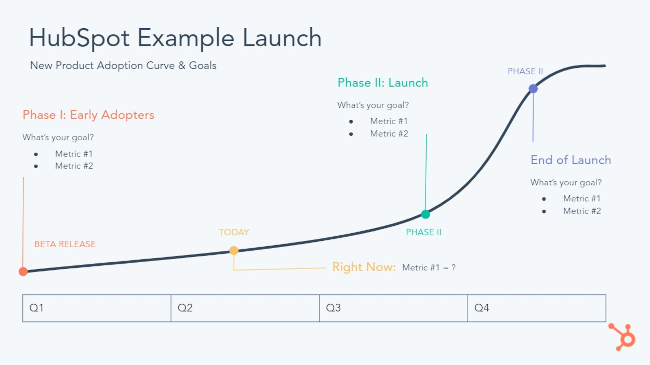
9. Take the time to get the market ready.
If you’re launching a new product that enters your company into a new space — potentially a space where your company doesn’t have a ton of authority — start creating content about that space pre-launch.
You’ll want to seed this content for SEO purposes and to establish your company as experts in the market. It’ll also give you a chance to see what kind of content resonates prior to the launch, as well as help you surface any issues.
10. Build compelling creative assets.
At this point, you’re close to launch and it’s time to start building launch assets. But before you start writing emails or building landing pages, think about the customer journey:
- How do people make purchase decisions in your space?
- What do they need before buying?
- Is it a free trial? A demo?
- Is it best for them to talk to a salesperson?
- What do they need to know before they get to that point?
Once you’ve answered those questions, outline your conversion path. How will you first get people’s attention? Perhaps it’s an email, that drives people to a landing page, where users are encouraged to fill out a form.
Once you have this, get to work building the actual forms, site pages, videos, social posts, emails, and other tactics that will drive users down your funnel and to your conversion point.
(If you’re looking for inspiration, check out this list of the best promotional product videos we’ve ever seen.)
11. Assemble your go-to-market strategy.
All the elements I’ve mentioned should come together in a deck or a doc — something that is clear, complete, and easily shareable.
This is your go-to-market guide: A holistic document of all launch activities, planning, and goals. This can include pricing recommendations, market research, competitive analysis, and any other relevant information you might need.
Launch
12. Choose the right channels.
During the planning phase, you should have outlined the channels you want to use to share your message. This is not a “the more the merrier” sort of thing — a mistake new product marketers often make.
Be sure to avoid channels where the audience may not be the right fit. Pick one main channel — an event, a Product Hunt post, or blog post — and use email, social, paid, and other channels to support that main post.
For example, in 2018, we launched HubSpot’s free email marketing tools on Product Hunt. We choose Product Hunt because it serves as a great way for startups and technology companies to introduce new products to a community of product-centric influencers.
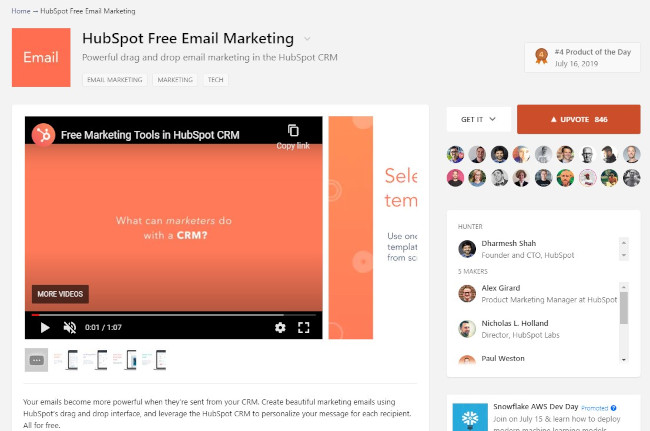
Before you launch, do a final check to ensure that everything works — buttons are functioning, forms are working, copy and creative looks good, and so on.
If you’re at an event, make sure you’re over-communicating with your team. At this point, anything that can go wrong will go wrong. Be prepared for that.
13. Activate your sales team.
Work with your sales team to coordinate meetings and outreach the day of the launch, or directly after. And use signals from your marketing efforts to drive the hottest leads to sales right away.
If you running an event, make sure your sales team has the opportunity to talk to customers in an organized way. That might mean ensuring there is a comfortable space for them to meet with customers, computer access, or a system for booking meetings.
14. Make it an event.
Even if your launch isn’t a live event with speakers, you can still make it an occasion.
Host a webinar or Hangout On Air, do a Reddit AMA, or try out a live social chat. Leverage apps for startups to manage and host events for free. (Here’s a helpful guide to get you started on the right track with Facebook Live.) Invite influencers to check out your product. Bring customers and press into your office for a live demo of the new product from your product team.
Whatever you do, strive for an in-person element. It’ll help propel your launch even further.
Post-Launch
15. Don’t lose your momentum.
You’ll reach a lot of people with your launch, but it often takes several touchpoints before someone is convinced to start a trial or get a demo. Make sure to continue to move folks who’ve raised their hands as “interested but not ready to buy” down your funnel.
This means nurturing emails, free trials, demos, and more in-depth, product-focused webinars and activities. Build extra creative, like a longer video or social media posts that you can save for after the launch. This will give you fresh assets to share.
And don’t forget about educating your sales team. It will take a while before all your salespeople feel comfortable with this new product, so it’s important to arm them with amazing sales collateral (demo video, one-pagers, etc.).
Beyond that, you can make a big impact by joining their calls: Getting on the phone and pitching the product with them the first couple of times will give them the confidence they need to carry the torch.
16. Revisit your “go-to-market” doc for reporting.
With all the work that’s going into launch, you don’t want to have to retroactively figure out what to report on. If you’ve done a good job with your go-to-market doc, you should be able to create a new slide and fill in your results with real numbers.
Once you’ve had a little more time away from your launch, spend some time analyzing the results. Where did your campaign succeed and fail? What did you fail to anticipate? What did you learn? Post these to your internal wiki or as a public blog post.
17. Shift your focus on retention.
Now that you’ve successfully launched a new product, shift your attention to retention. Marketing can generally play a bigger role in driving new users, but it’s important to work with your product team to figure out how you can help keep those users around.
This means more ongoing education like post-launch product webinars, as well as sharing case studies and success stories to show your users what they can achieve with your product.
Editor’s Note: This post was originally published in September 2013 and has been updated for freshness, accuracy, and comprehensiveness.


A Brief History of Disability Pride [+Why Businesses Should Embrace It]
As a legally blind woman, it took me years to disclose the full extent of my disability to employers. When I did, I downplayed my blindness as “just a bit of nearsightedness,” or I had to give a disclaimer of, “It’s never held me back and I have references to prove it.”
And, if I had to go back in time, I’d do the same thing.
Why? Even if I had a great manager, I couldn’t deny the stats that were engrained in my mind. Although one in five U.S. adults has a disability, more than one-third of corporate employees report negative bias or discrimination at work.
If that stat seems tough to swallow, imagine reading it as a young professional with a disability.
Because of hard data, combined with the fact that I knew no one like me in my field, I was terrified to mention my disability.
Now, at HubSpot, I’ve safely opened up about my blindness. Through doing so, I’ve met others with disabilities. I’ve even helped other colleagues to form HubSpot’s first Disability Alliance group, which provides education, virtual meetups, and resources to our allies and others in the disabled community.
One thing I’ve discovered is that disability impacts almost all of us, regardless of race, gender, or geographic region. If you don’t have a visible or unseen disability right now, you might learn how to navigate one as you age. If not, you might have a friend or family member that navigates a disability every day.
Unfortunately, there are still employers that will ignore someone’s achievements due to physical or mental disabilities. Sadly, because disabled people might be limited by location or financial restraints, they might still have to endure judgment in the workplace to earn a living wage.
Luckily, in 2021, we can and should work towards changing this. And, there’s no better time to start than in July (a.k.a. Disability Pride Month).

These endeavors encourage those with disabilities to show pride in what makes them unique while encouraging allies to promote the visibility and representation of those in this group.
Disability Pride Month is also an important time to look back and reflect on all the great strides that the disabled community has made in the past. When we look back on positive historical outcomes, it can motivate us to act for a change and a better future for those with disabilities.
Why Marketers and Businesses Should Embrace Disability Pride
Although Disability Pride Month is only observed in July and primarily within the United States, Disability Pride can be celebrated every day by marketers, managers, and companies around the globe.
While marketers can take time to brainstorm new ways to make their campaigns, offerings, and content more inclusive and accessible, managers and employers can consider how they can help all employees receive the accommodations and support they need to succeed.
To inspire future action and change, here’s a brief history of how disability rights have changed and improved around the world — leading up to Disability Pride Month, declared in 2015. This is not an exhaustive list of wins for the disabled community, but it highlights a few people, landmark court cases, and international events that spread disability awareness or encouraged disability equality.
A Timeline of Disability Pride
Disability in the Late 1800s and Early 1900s
1880-1986: The Era of Helen Keller
Helen Keller, a deaf and blind woman who was nearly institutionalized for her impairments as a child, proved many skeptics wrong when receiving degrees from Radcliffe College, within Harvard University; Cambridge School in Weston; and Wright-Humason School of the Deaf.
Keller went on to work in public service and wrote a number of best-selling books.
Keller’s early life and work with teacher Anne Sullivan were chronicled in a groundbreaking book titled “The Miracle Worker.”
1930: The Mental Treatment Act 1930
This was an Act of the Parliament of the United Kingdom that permitted voluntary admission to, and outpatient treatment within, psychiatric hospitals. At this point, “asylums” transitioned to “mental hospitals.”
1946: Psychiatric Hospital Employees Tried for Murder
German courts tried members of the Hadamar Psychiatric Hospital staff for the murders of nearly 15,000 citizens at the facility. Adolf Wahlmann and Irmgard Huber, the chief physician, and the head nurse, were convicted. This trial was a landmark case that put the livelihood importance on those with mental illnesses as those without them.
1947: Japan Enacts Accessibility Laws
During this year, Japan enacted three laws including
- The School Education Law: Provided education for disabled children such as general classes, special classes, non-residential classes, special schools, and itinerant teaching.
- The Workmen’s Accident Compensation Insurance Law: Provided disability pension and disability lump-sum payments, as well as welfare services such as special allowance, medical services, health care, or supply of prosthetic appliances.
- 1947: The Mail Law: Made postage for Braille paper and recorded mail for visually impaired persons are free of charge, and parcels for disabled people can be mailed at half the cost. The postage for periodicals published by disabled person groups can be mailed at a small charge.
1973: Rehabilitation Act. Section 504 is Passed by US Congress
The passage of section 504 of the 1973 Rehabilitation Act guaranteed that people could not be denied services or federal funding on just the basis of disability. It also recognized those with disabilities as a minority for the first time. This law was also incredibly historic because it labeled the exclusion or segregation of children or adults with disabilities as illegal discrimination. Because of this, disabled people were now able to be educated or work in similar roles as those without disabilities.
The landmark law passage was highly publicized and led to more conversations about disability rights and equality in the U.S. Ultimately, it was seen as the foundation for the Americans with Disabilities Act.
Disability Pride Celebrations Begin with the ADA
1988-1990: The Americans With Disabilities Act is Proposed and Passed
The ADA was drafted in 1988, brought through Congress within the next two years, and was ultimately passed and celebrated by President George H.W. Bush in 1990.
In its earliest form, the act aimed to protect those with disabilities from discrimination both in and out of the workplace. A few of the act’s major regulations include:
- State and local governments must give people with disabilities an equal opportunity to benefit from all of their programs, services, and activities (e.g. public education, employment, transportation, recreation, health care, social services, courts, voting, and town meetings).
- Employers with 15 or more employees must provide qualified individuals with disabilities an equal opportunity to benefit from the full range of employment-related opportunities available to others.
- The act prohibits discrimination in recruitment, hiring, promotions, training, pay, social activities, and other privileges of employment and restricts questions that can be asked about an applicant’s disability before a job offer is made.
- All employers must make reasonable accommodation to the known physical or mental limitations of otherwise qualified individuals with disabilities unless it results in an undue hardship.
- Public transportation authorities can’t discriminate against people with disabilities in the provision of their services.
- Public transit must also comply with requirements for accessibility in newly purchased vehicles, make good faith efforts to purchase or lease accessible used buses, remanufacture buses in an accessible manner.
- Paratransit must also be provided on fixed-route bus or rail systems.
- Businesses must comply with basic nondiscrimination requirements that prohibit exclusion, segregation, and unequal treatment. They also must comply with specific architectural standards for new and altered buildings, such as reasonable modifications to policies, practices, and procedures. Additionally, public businesses must remove physical disability barriers in buildings.
Disability Pride Celebrations Begin
The first Disability Pride Day was held in Boston in 1990 to coincide with the passing of the ADA. Later, in 2004, the first Disability Pride Parade in the U.S. was held in Chicago, which made the celebration an annual tradition in the city after the first drew thousands of people into the city.

Disability Pride did not become a full month until 2015 — when Mayor Bill De Blasio designated July as Disability Pride Month in New York state to celebrate ADA’s 25th anniversary. Aside from 2020, when public gatherings were canceled, NYC’s Disability Pride Month Parade has become a major annual celebration that pulls in people from all around the world.
Disability Pride Today
In the past decade, we’ve seen more representation of disabled people in the media and workplaces than ever before. While there are still a number of changes we’re fighting for, equality rights have come a long way. Here are a few great examples of where we’re seeing groundbreaking disability pride:
Books
One area where disability stories have particularly been embraced is in the world of literature. Even in the 1900s, we had groundbreaking books like, “The Miracle Worker” which followed the early life of Helen Keller (noted above). Today, there are thousands of great works written by disabled figures, their advocates, or their followers. Here’s just one long list to start with.
Television
Here are two awesome examples of current or upcoming shows that feature disabled actors playing a character with a disability:
Crip Camp: A Disability Revolution (Netflix, YouTube)
This Netflix documentary follows a groundbreaking Woodstock-era summer camp that inspired a group of teens with disabilities to build a movement and forge a new path toward equality and independence.
Ramy (Hulu)
A few members of HubSpot’s Disability Alliance have recommended Ramy, a Hulu dramedy that follows a first-generation American Muslim, played by comedian Ramy Youssef, on a “spiritual journey in his politically divided New Jersey neighborhood.”
While the show’s been buzzed about for its plotline, it’s also made news because Youssef cast his best friend, a standup comedian with muscular dystrophy named Steve Way, to play his onscreen pal.
Here’s an interview Way gave about the show and how the casting was a groundbreaking move in streaming content:
This Is Us (NBC, Peacock, Hulu)
The most recent seasons of This Is Us have partially followed the parents of a blind character named Jack. As Jack grows up, he gains independence, struggles as a musician, and eventually becomes a famous singer and parent. Not only is the story hopeful, but the character is incredibly realistic because he’s actually played by a blind man.
Here’s an interview with Blake Stadnik, who plays Jack, talking about his experience on This Is Us:
Social Media
Social media has become a major platform for those with disabilities, and their allies, to tell their stories. Below is a list of just a few great accounts to follow, courtesy of HubSpot’s Disability Alliance:
- Diversability: Instagram, Website
- Tiffany Yu (Founder of Diversability)
- Sinéad Burke: Website, Twitter, Podcast
- Tess Daly: Instagram
- Jillian Mercado: Instagram
- Tae McKenzie: Instagram, Website
- Madeline Stuart: Instagram, Website
- Haben Girma: Instagram, Website, Twitter
- Keah Brown: Instagram, Website
- Andrea Dalzell: Instagram,
- Annie Segarra: Instagram, Youtube
- Chella Man: Instagram, Website
- Imogen Fox: Instagram, Website
- Rebekah Taussig: Instagram, Website
- Angel Giuffria: Instagram
- Holly Scott-Gardner: Website, YouTube
- James Rath: Instagram, YouTube
- The Blind Life Sam: Instagram, YouTube
- Squirmy & Grubs (Shane & Hannah): YouTube
- Molly Burke: YouTube
- Megan Absten: YouTube
- Cole & Charisma: YouTube
Where We’re Continuing to Increase Awareness
Disability Pride Month is a great time to recognize how far we’ve come, and how far we can still go. As we continue to boost awareness, July is also a time to ask ourselves questions like:
- “Am I being a good ally for those in the disabled community?”
- “How can we push businesses and people to become more inclusive?
- “How can we make workplaces safer for those with unseen or mental health disabilities?”
- “How can we prevent people with disabilities from feeling like they have to hide their identity to have job security?”
By continuing to learn, tell our stories, and listen to others, we can better reflect on where we can better improve the lives of those with disabilities.
Ultimately, landmark laws, regulations, and change — like what we’ve seen above — come from a combination of advocacy and allyship. By telling and listening to Disability Pride stories, those with disabilities can be empowered to advocate for themselves. Meanwhile, those without disabilities can learn how to serve as stronger allies.
To learn more about building inclusive campaigns or offices, check out these recent posts:
- 7 Brands That Got Inclusive Marketing Right
- Why Accessible Marketing is the Future, According to an Inclusive Design Expert
- 25 Stats That Prove Why Workplaces Need to Embrace Diversity
- 39 Stats About Diversity In Entrepreneurship
Want to learn more about how HubSpot celebrates Disability Pride Month? Follow HubSpot Life on Instagram to catch takeovers from myself and other members of HubSpot’s Disability Alliance.

What Exactly Is Semantic Search (& How Does it Affect SEO)
Ten years ago, SEO strategists across the world followed a relatively similar process.
Step one, conduct keyword research. Step two, randomly write those keywords into the text on a page approximately five billion times. And step three — rank number one for that keyword.
I hate to break to you, but that isn’t the case anymore.
Several algorithm updates like Hummingbird and RankBrain brought about a new concept: semantic search.
While this may remove jobs for black-hat keyword stuffers, SEOs who prioritize the importance of providing a good customer experience can sigh in relief that Google is now on their side.
Google and other search engines are continuously striving to satisfy the searcher with the most accurate results — which is precisely where semantic search comes in. In other words, it connects search intent with the context of your content to provide the most relevant and helpful results.
With these updates in place, how does this affect search traffic? And what do SEOs need to consider moving forward?
That’s what I’ll cover in this article.
![→ Download Now: SEO Starter Pack [Free Kit]](https://no-cache.hubspot.com/cta/default/53/1d7211ac-7b1b-4405-b940-54b8acedb26e.png)
What is semantic search?
To start, let’s dive deeper into how semantic search works.
Semantic search is the process search engines use to try to understand the intent and contextual meaning of your search query in order to give you results that match what you had in mind.
In other words, semantic search aims to know why you are searching for these particular keywords, and what you intend to do with the information you get.
It’s important to note — you don’t want to mistake semantic search with Latent Semantic Indexing (LSI), or what some may call semantically-related keywords. LSIs can help provide context on what your content is about (which consequently helps with matching search intent), but semantic search is so much more than that.
If we’re looking at semantic search holistically, here are the factors that guide how it works:
1. A user’s search intent.
The term “search intent” refers to the reason why you are performing a query (or, in layman’s terms: why you Google something). Most often you want to buy, find, or learn something.
For instance, if I search for “content marketing”, Google provides results around the definition of content marketing, since the intent is fairly broad:
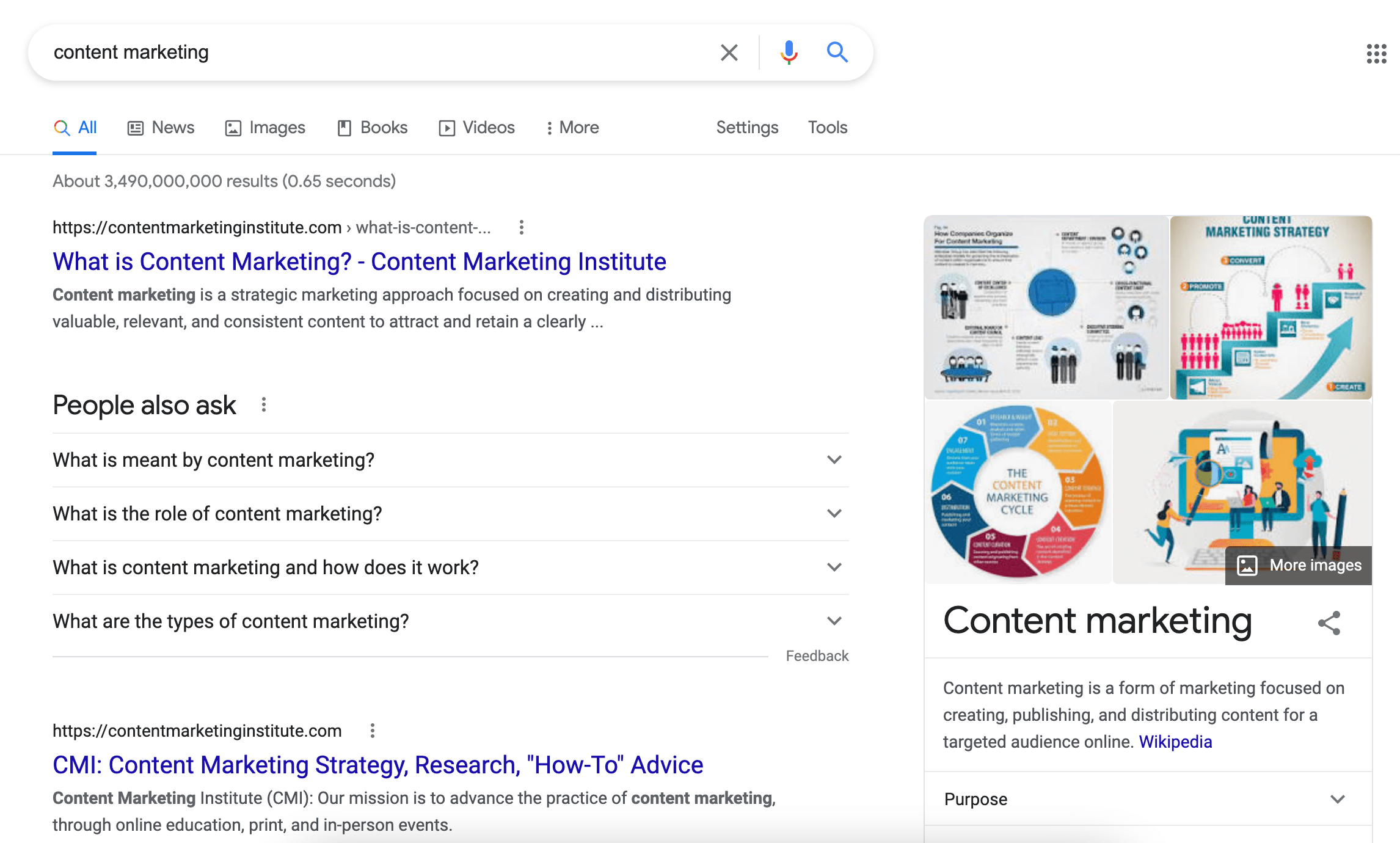
However, if I instead search “How do I get started with content marketing”, Google does not provide definitions of content marketing, because my intent is different:
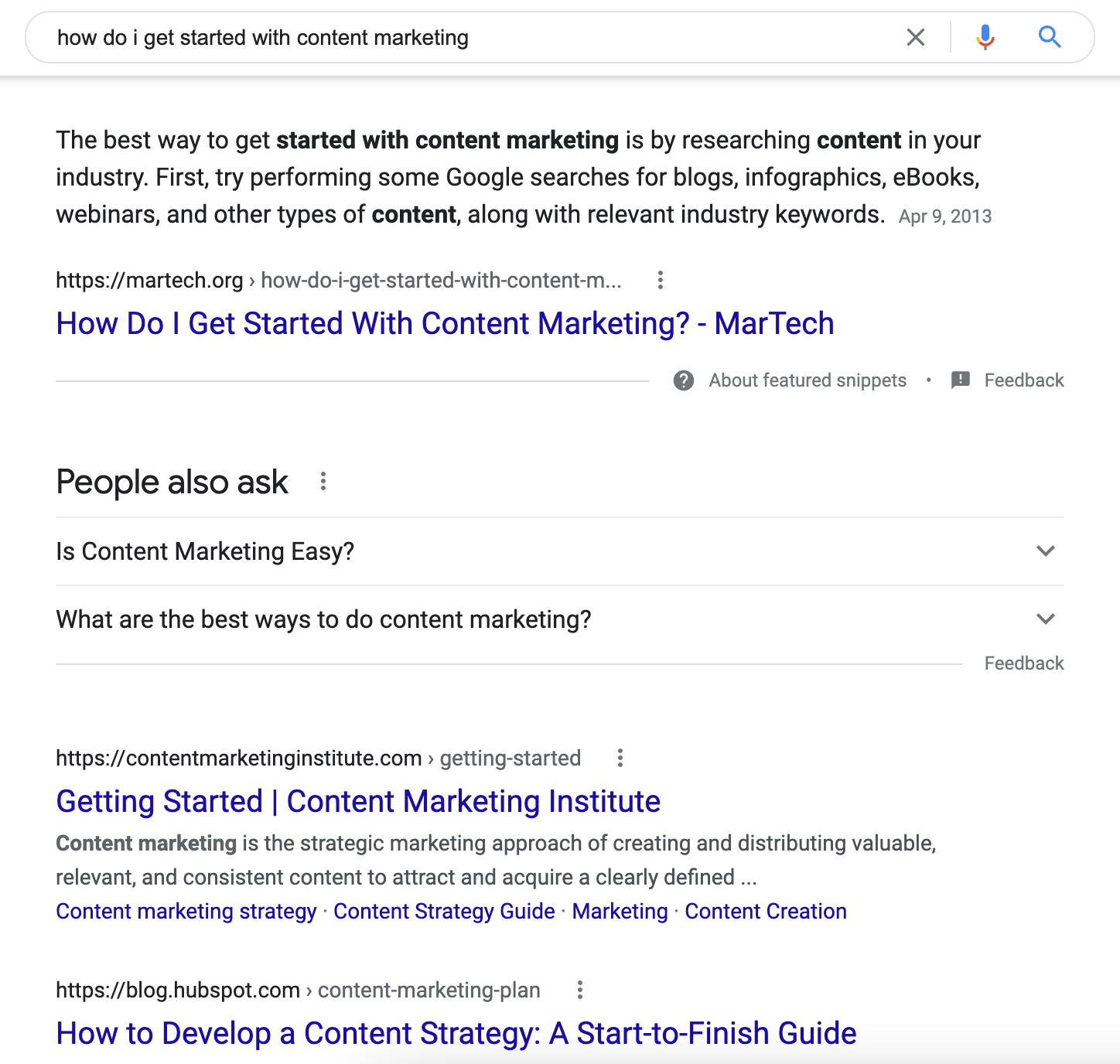
The takeaway: For all content marketers and SEOs, the big lesson here is that you need to heavily consider search intent when choosing keywords and creating content. Even if you have content that ranks well, if it doesn’t match search intent, the user will leave the page — and that certainly doesn’t help conversions.
2. The semantic meaning of search terms.
“Semantic search” was coined based on semantics, or the study of the meaning of words and phrases in certain contexts and the relationship between those words. When it comes to search, semantics refers to the connection between a search query, words related to it, and the content on website pages.
All of those factors combined help search engines understand what the search queries mean beyond a literal translation, so it can display results that are related to the context.
For example, if you search for “wedding dresses”, the words related to that might include “wedding”, “cake”, “bride”, and “dream”. When the search is for “dresses”, the related words might be “beautiful”, “knee-length”, and so on.
The takeaway: When choosing the keywords that go into your content, I recommend creating what’s known as “keyword clusters“, or groups of related keywords. These clusters directly relate to semantic search, because they ensure that your content covers a broader range of the topic. And with a broader range, comes multiple keyword rankings per page.
Other Factors Related to Semantic Search
Although the above two are the main factors, these factors also affect semantic search:
- Featured snippets: Featured snippets are based on providing the most direct and helpful answer to the searcher.
- Rich results: These affect semantic search as well through content such as images, and you’ll see how in the example in the next section.
- Voice search: Voice search queries are usually very direct, include natural language, longer phrases, and question words that lends to how search engines process results.
- RankBrain: based on machine learning technology, the RankBrain algorithm helps Google understand the first-instance set that satisfies the query and related concepts, phrases, and synonyms.
- Hummingbird: the focus of the Hummingbird algorithm update was to provide better results for voice search, conversational language, and searches for specific people.
Semantic Search Examples
In order to give you a clear idea of how semantic search works, here are a few concrete examples.
Here, I searched “order a pizza”, so the results are inclined towards local search:
Here, I Googled “Make a pizza”, and I see rich results with recipes:
If I Google just “pizza”, I will likely still get local search results, because more users are looking to order rather than make their own. However, if my search history is filled with pizza recipes, my results for “pizza” will likely also be recipes because of the personalization component.
Semantic search basically affects all results a user receives. So a website will only be served as a result for a certain keyword if the content on the page matches the context of that search query. Results for “make a pizza” will have ingredients, time to prepare, and so on, while “order a pizza” will have locations, delivery, and prices.
On an interesting note, current news affects search results, as well. Before the pandemic, a search for “corona” would have mostly returned the beer brand, but after the spread of COVID-19, you mainly get results regarding the virus.
Another example is Jeff Bezos. When you search for his name, you get a knowledge graph, general information, and below that, recent news. However, if something big has happened recently with Jeff Bezos, you’ll see the Top Stories first.
How Google Uses Semantic Search
Google’s bottom line is to give users the best search experience possible. To do that, they use semantic search to:
- Identify and disqualify low-quality content.
- Gain a better understanding of user search intent. For example: is the user searching to navigate to a particular page? Or are they searching to do more research about a topic?
- Formulate answers to questions.
- Determine what relevant data to pull from the Semantic Web
- Understand websites and pages in terms of topics instead of keywords.
- Integrate Google technologies where semantic search plays a role such as Knowledge Graph, Hummingbird, RankBrain, BERT.
- Appropriately format the data for inclusion in the search results.
- Connect with queries with all possible meaning when the search intent is not clear.
How to Use the Power of Semantic Search to Your Advantage
To put it simply, if your content doesn’t have a semantic relationship with the search query, it won’t show up in search results. The simple solution to this is matching your content to the search term in combination with the right strategy.
To be on the right side of SEO when it comes to semantic search, I recommend that you strive to do the following:
- Focus on topics, not keywords.
- Make sure you understand user search intent: is it to buy? to reach a particular page of a brand? To learn?
- Build relevancy through links (both internal and external).
- Use schema markup.
- Use semantic HTML like <header>, <footer> and <article>.
- Answer all relevant questions around your topic.
- Be answer-based and structure your sentences to be easily understandable.
Check these off your list, and you’ve got a one-stop shop to a powerful SEO strategy with the support of semantic search.


The Plain English Guide To Google’s RankBrain
Have you ever done some obscure search on Google, and been amazed when the search engine still returned such accurate results?
You can thank RankBrain for that.
RankBrain went live in 2015 and is now an essential part of the Google algorithm.
This article will help break down what you should know about it, and how you can optimize for it.
What Is Google RankBrain?
RankBrain is a part of Google’s algorithm that uses machine-learning and artificial intelligence to better understand the intent of a search query. This understanding can help return the most relevant search results to users.
It was implemented into the core algorithm back in 2015 and was initially only applied to the 15% of never before seen queries it received. Once Google became more confident in it, they made it a part of every search query.
Let’s explore how machine learning and AI contribute to RankBrain.
Artificial Intelligence
Artificial Intelligence helps computers understand and act like a human when they are given tasks like decision-making, language translation, and visual perception.
Google has also stated they use what is called neural matching, which is an AI-based system that helps understand how words relate to concepts.
Although RankBrain and neural matching may differ, they do work together to bring the best results for a search query.
Machine Learning
Machine learning is essentially the ability for a machine to learn on its own from data it receives.
If you currently use a junk mail filter in your mailbox or have movie recommendations appear in your Netflix account, these are examples of machine learning.
The combination of AI and machine learning are what drives RankBrain to be an effective part of the algorithm.
As an example, if I were to look for “the scary hotel movie with the maze”, I would get results for The Shining.
Even without the results using that exact term on the page, RankBrain can assess the topical relevance and deliver the results I want.
Pretty cool, right?
How important is RankBrain?
Given that RankBrain is used in every search that takes place on Google, it’s pretty important.
RankBrain is the first attempt at machine learning and will be paving the path for the future of search. By implementing some best practices now, you can ensure that your website is ready for the continued improvements machine learning will bring to search results over time.
At one time Google claimed it was the third-most important ranking factor. While we are not sure that still applies, what we do know is that RankBrain is still a big part of how Google delivers search results.
So what does that mean for you?
It means you need to up your content and SEO game. Let’s dive into how to do that, next.
Optimizing With RankBrain In Mind
You cannot directly optimize for RankBrain.
But what you can do is better optimize your content, which will then improve how RankBrain views your website.
RankBrain is focused on ranking sites that most accurately match a users’ query. So your job is to make sure you create content that can match those specific needs.
Below are some ways you can better optimize your content for RankBrain.
1. Use Natural Language
When creating content, you’ll want to write in a natural tone that you might also use when speaking.
Read your content aloud when creating it — does it sound like a human would say it? Is it conversational?
This writing style can make a big difference in helping RankBrain understand your content.
2. Search Intent
This is a big one!
Type the keyword you would like to rank for in the search results and review the top-ranking pages.
These pages are ranking because Google understands that this is the type of content a searcher is looking for based on interactions with the results.
3. Strengthen Relevance
Once you are clear on the intent of the keyword, you will need to create content and optimize it to match that intent.
Think of each page more as a “topic” than just a keyword and make it as comprehensive as possible.
In the past, we may have written several posts about a topic so we can optimize each for a specific keyword. But now the goal is to combine those posts into one post, and rank for multiple keywords and phrases.
When you create a post that covers all possible variations of a topic, you will ultimately rank for more keywords — which will help make the page more authoritative.
Below is an example of a website that has thousands of keywords ranking for their two top pages.

How can you create posts that have thousands of keywords?
Be comprehensive about your topic.
If your main topic is “how to potty train a puppy”, for instance, you’ll want to add content that relates to all aspects of training a puppy. This might include:
- How long does it take to train a puppy
- How fast can you train a puppy
- At what age can I start training a puppy
- How to potty train a “5” month old puppy (break it down by age)
- Easiest way to train a puppy
All of these variations of terms and phrases will build a strong piece of content that addresses all issues related to puppy potty training. This in turn will help with RankBrain because you are adding items of topical relevance!
4. Improve Click-through Rate (CTR)
Because RankBrain does look at how many clicks from the search results you get, writing exceptional title tags and meta descriptions is critical.
Using emotions in your title is one of the best ways to increase those clicks. You can also use numbers, brackets, or parentheses to help make your title stand out from the rest.
Look at what paid ads in your niche are using as inspiration, as well as the top ranking pages.
5. Quality Over Quantity
If you have been in SEO as long as I have, you will have to change how you view content and keyword strategy.
The days of writing a post around a singular keyword are gone. In the past you may have written a separate post for the terms “get more sales”, “increase your sales”, or “grow monthly revenue” so that you could optimize for each of those phrases.
Unfortunately, that no longer works with RankBrain.
Creating one post and maximizing the content around the term “get more sales” should help RankBrain understand that it is related to those other terms.
For instance, below you can see the search results for “get more sales” and “increase your sales”. You will notice how close the results are for these terms.
This may not have been the case before RankBrain.
RankBrain has made it more beneficial to create long-form content that can be optimized around many phrases or terms.
6. Time On Page (Dwell Time)
Once it delivers the search results, how does RankBrain understand which results are good ones?
There is some indication that it will take UX signals and pages that have more engagement, and rank those higher. Measuring a user’s time on page and whether any pogo-sticking is happening are two of the factors that are likely used.
Some things to consider to improve these UX signals include:
- Break-up the text into small paragraphs so it is easy to read
- Use titles to break content into sections
- Create an engaging introductory paragraph to get users interested in reading more
- Use images and videos
- Answer questions early in the content
- Create content that answers all the questions a user may have about the topic
This is why it is more important than ever to take time to craft great content that makes users’ stay on the page. The longer they stay on your website, the better signals it will send to RankBrain.
7. Improve Old Content
If your website has been around for a while, you may have old content that was optimized before RankBrain.
Additionally, you might have several posts that are topically relevant that might now be better served as one long-form post.
If this is the case, determine which post has the highest traffic, backlinks, and ranking, and make that your primary post. Then merge the content from the other posts into it and do a 301 redirect for those posts to your new “RankBrain-optimized” post.
This is a great opportunity for some quick ranking wins!
RankBrain is definitely a game changer for search. As a content creator or SEO professional, it’s important to use the strategies above to help improve your chances of ranking well with RankBrain.
One thing we know for sure is that RankBrain will be here for a while. While it may evolve over time, the combination of AI and machine learning is here to stay. Learn how you can adapt your own content to reap the full benefits of the SERPs.

3 Reasons Why Marketers Should Care About Data Security (And How to Get Started)
Over the last two years, you’ve probably heard a lot about cybersecurity.
Like many big, serious-sounding concepts, it feels like it sometimes plays out above our heads — the territory of huge conglomerates and governments, or maybe your IT department. And, let’s face it, not too interesting for professionals in marketing, sales, or services.
You may have even found yourself thinking, “Yeah, there are people worrying about this, but we probably don’t have to.”
As a product manager for security at HubSpot, I spend a lot of time thinking about this topic. Today I’d like to explore how essential good data protection and account security are to marketers and the businesses they represent.
It all starts with one thing: trust.
Why Marketers Should Care About Data Security
1. Trust is a cornerstone of the inbound marketing methodology.
You build trust in your business in a multitude of ways.
This could be exemplifying expertise in your field or providing great service centered around the customer experience. You also build trust by creating genuine relationships with customers that transcend simply converting a lead — and includes ongoing support that brings your customers enough success that they feel comfortable recommending your service to anybody they know.
At the end of the day, building and maintaining trust is a key ingredient to keeping your flywheel spinning.
Without it, this whole machine grinds to a halt.
Loss of trust is a catastrophic hit for a business and a brand, too. For example, few things can cause a customer to sever a relationship with a company more quickly than a data breach. In fact, one in four Americans won’t do business with data breached companies.
2. Prospects and customers trust marketers to keep personal data secure.
Every day, your potential customers put trust in you — quite a lot of trust, in fact — when they do things like fill out contact forms on your website, register for your webinars, or sign up for free trials of your service.
By giving you their personal information, they’re putting a massive amount of trust not only in your business but in you as the marketer who maintains those tools. They’re trusting you to keep their personal information safe, not to abuse it (say, by sending them a bunch of spammy emails), and to use it in their best interest to help them meet their goals.
3. Proper use of data isn’t enough anymore — you need to keep customer data safe.
You’ve probably heard conversations about the proper use of customer data, such as emails, centered around the concept “don’t misuse the information.”
For example: don’t over-email someone, don’t send them offers you don’t have any reason to believe they’d be interested in or don’t contact them without their consent.
Just as important is a conversation you may be a little less familiar with — how to actually keep prospect and customer information safe, and out of the hands of people who would use that information to harm them.
If you’re not as familiar with that side of the conversation, that’s understandable. The risk of bad actors gaining unauthorized access to customer data at scale is relatively new.
At HubSpot, we believe it’s just as valuable as any other way to inspire and maintain trust.
As a marketer, you are the steward of your customers’ data.
The job of a marketer doesn’t stop at generating leads or building a brand.
There’s another important piece to the puzzle — being a trustworthy steward of customer data.
If customers place their trust in you because of all the hard work you’ve done to build those quality relationships, to build a brand that’s seen as trusted in your field, to create a community of evangelists who have encouraged others to trust you too — then it’s imperative that you hold up your end of the bargain.
It’s your job to do what is in your personal control to validate that trust and keep customer data safe.
Start with the Fundamentals
Luckily, implementing security best practices to keep your online accounts safe isn’t difficult. In fact, you can get started on many of these things right away.
Here’s a list of content to help any marketer set up the foundational elements of security:
Blogs:
HubSpot Academy Content and Webinars:
You’ve done a great job building relationships, communities, and image around your business. You can do a great job of security, too — and be a steward your customers can trust.

How Apple’s iOS 15 Could Impact Email Marketers
As one of the HubSpot Blog’s email marketers, one of the key metrics I use to measure email success is open rate.
When an open rate is high, it hints that your subject line did its job to pull readers, you’re sending emails at the most engaging time of day, or your subscribers are eagerly waiting to get your content in their inbox. When it’s low, it signals that your email subscribers might not even be reading your content.
But, now, the way email marketers leverage open rates could change with Apple’s recently announced iOS 15 privacy features.
At Apple’s Worldwide Developers Conference in June, the company announced a rollout of a handful of new iOS 15 privacy features that will include:
- Mail Privacy Protection (Free): According to reports from Litmus, those with early access to iOS 15, and other tech journalists, Apple Mail will allow users to opt in to mail privacy features that mask IP addresses and block third parties from tracking email opens or other IP data.
- iCloud+ (Subscription): An iCloud subscription with additional privacy features including a VPN-like Private Relay feature, which prevents sites from tracking Safari users who opt-in and allows users to see which websites they’re sending information to.
- Hide My Email (within iCloud+): An email address-cloaking feature that enables users to give sites a “fake” email address. While promotional emails sent from the brand to the fake address will still go to someone’s inbox and shouldn’t impact important communication, brands will not be able to see the person’s real address unless the contact shares it.
While the paid features might not create a huge impact for marketers because they require users to buy a service, the free Apple Mail privacy feature has already caused a stir in the marketing community.
So far, all Apple has said about this feature is, “In the Mail app, Mail Privacy Protection stops senders from using invisible pixels to collect information about the user. The new feature helps users prevent senders from knowing when they open an email and masks their IP address so it can’t be linked to other online activity or used to determine their location.”
Although Apple hasn’t explicitly said whether Mail Privacy Protection will be an opt-in or automatic feature, some iOS testers have shared images showing the Mail app prompts them to turn Mail Privacy Protection on when they enter the app:
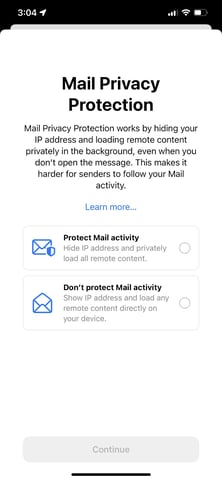
While Apple hasn’t expanded too much on its Mail Privacy feature, marketing experts say it could impact the tracking of open rates and email-based A/B testing.
Although this move might seem scary, it isn’t too surprising as it follows a trend of internet privacy rollouts from tech giants. Most recently, Apple’s iOS 14.5 update limited mobile app tracking by requiring users to opt into sharing information when they opened an app after downloading it. Meanwhile, Google has been building out its Privacy Sandbox while preparing advertisers and marketers for Chrome’s phase-out of third-party cookies in 2022.
When it comes to Apple’s iOS 15 pivots specifically, marketers aren’t only unsurprised, but many — including members of the HubSpot team — believe this will be a positive change for user experience.
“From its inception, HubSpot has been relentlessly focused on helping businesses match the way they market and sell to the way people want to shop and buy. Our founders developed the philosophy of inbound marketing in the early 2000s, and Apple’s moves only serve to reinforce these trends,” says Will DeKrey, HubSpot’s Group Product Manager of Campaigns.
“Buyers get to be in charge of the data they share; not sellers. And big corporations shouldn’t get to create markets for tracking and selling personal data, giving them an information advantage over smaller businesses,” DeKrey says.
“This means that each individual company, large or small, will need to get better and better at building trusted relationships with their audience, earning the right to learn who they are and what they’re interested in.”
“What’s true about people today is that they want BOTH privacy AND personalization. They still want content that is targeted and messaging that speaks to their interests. Given Apple’s changes, email marketers will likely need to focus even more on creating remarkably relevant content that drives their audiences to take action, versus experimenting with headlines just to see if they can get a click,” DeKrey explains.
“Personalization isn’t going away. Conversion optimization isn’t going away. A/B testing isn’t going away. But each of these will need to be more focused on building deeper relationships and more meaningful actions,” concludes DeKrey
Although Apple’s recent open tracking pivot could be great for iOS users who’d like to feel more secure, we know that email marketers still have a lot of questions.
To help email marketers navigate the potential changes that could happen, here are a few tips and strategies teams can consider as the iOS 15 rollout gets closer.

How Email Marketers Can Navigate Apple’s Open Privacy Changes
1. Continue following updates from Apple.
Although Apple’s iOS 15 features have been announced, there’s still a lot that we don’t know yet about how it will impact email and IP address tracking. For example, while it seems like this feature will require an opt-in, Apple hasn’t explicitly confirmed that.
Throughout the next few months, HubSpot’s own email product team will be looking into the change and considering solutions if there will be a major open rate impact.
“On the HubSpot email product team, we’re going to take time to consider what the next best steps are for our customers. In this ever-evolving email landscape, our priority will be to support our marketers in continuing to create highly impactful emails and get the most value from our email tool,” says Shane Janssens, Email Product Manager at HubSpot.
As we know more about these new features and how they could impact HubSpot email analytics, we’ll continue to update this post with more information and links to helpful resources to keep you in the know.
2. Remember, this change won’t impact all email readers.
Although Apple Mail and Apple mobile devices make up over 35% of the email provider market share globally, Google, Outlook, and other email providers haven’t announced similar privacy moves, which means their open and IP data could still provide solid tracking information for email marketers.
While you should be wary that other companies, like Google or Microsoft, could follow suit on email privacy, it’s important to remember that you’ll still get open data from them for the time being and can still make some judgments on the success of opens from these email providers.
3. Consider adjusting open-rate goals.
Although open rates aren’t going away any time soon, a large chunk of email audiences might become untrackable. Because of this, you might need to lower or pivot your open rate goals to determine what your new low, average, and high open rates are.
If your goals are set by a manager above you, it will be important to audit and communicate how many opens you usually get from iOS users to help your manager and your team estimate how they could change after the rollout. You might also want to consider tracking your email open rates for a month or so after the rollout to see what new averages look like based on hard data.
4. Leverage other email marketing data.
While open rate is a key email marketing KPI at many companies, it’s certainly not the only data you can use to determine if your email content is successful. In fact, when sending HubSpot Blog emails, the open rate is just one of many metrics I look at. Here are a few others that I plan to continue to zone in on, even if open rates are impacted:
- Clicks and click-through rates: If you share links to content, such as blogs, product pages, and offers in email, the number of clicks and your click-through rates give you insights on how many or how often email readers engaged with and clicked on your content. High clicks or click-throughs can hint that your content was very engaging while lower clicks or click-throughs could hint that readers were less interested or skimming through your email.
- Traffic to your site: With software like HubSpot, or the use of tracking URLs, you can determine how much traffic came to your website from one single email — or which pieces of content sent the most visitors to your site. Ultimately, if you’re trying to build your audiences, get people to make purchases, or aiming to increase offer downloads, you’ll need to send people to your website. Good email traffic hints that you’re successfully getting visitors where they need to go with your content.
- Clickmaps: Many email providers, like HubSpot, allow you to see which content people clicked most or least in the email. This can help you see which content within your email was most and least clickable,
- Unsubscribe rates: While these usually don’t vary much, a spiked unsubscribe rate could indicate that an aspect of your email strategy (such as the content you sent or the frequency of emails) caused you to lose more audience members than usual. Meanwhile, a consistently low unsubscribe rate hints that you’re continuing to retain or even gain subscribers.
- Survey or email persona research: Aside from metrics you can gain from your email marketing platform, you can also leverage other strategies, like surveys or polls to learn more about your subscribers’ interests, what they’d like to see more of, and where you can improve your content.
On top of leveraging KPIs that are less impacted by Apple’s change, you can also use email tools or benchmark reports to see how your email rates compare to that of other brands in your industry.
For example, HubSpot users can leverage HubSpot’s Email Health Tool to compare your open, click-through, unsubscribe, and bounce rates against our benchmarks.
Evolving Your Content for a More Private World
Apple’s announcement is not the only privacy pivot that’s impacted digital marketers — and in 2021 — it certainly won’t be the last.
Although the world might be changing in a way that poses some challenges for digital and email marketers, that doesn’t mean you can’t continue to innovate your strategy to meet prospects or audiences where they are.
While open rates are certainly important, there are many other ways to get to know your email subscribers, learn from KPIs, and continue to create great content for them.

18 of the Best Marketing Techniques for 2021
Perhaps you’ve spent the last quarter performing a SWOT analysis on your marketing efforts and identifying your priorities as you grow your brand. Maybe you’ve even built your entire marketing strategy.
It’s good to know what your goals are and have a big-picture understanding of how you’ll achieve them. After all, there’s no point in executing tasks without reasons for doing so.

At the same time, putting your marketing strategy into play is different than creating that strategy. It’s the channels, techniques, and tactics that help realize the vision. In addition, marketing a brand online has become much more nuanced and complex with many techniques for reaching and resonating with audiences.
To help you learn about the most effective marketing techniques around today, we’ve rounded up the best ones to add to your digital marketing toolbox.
Branding and Awareness Techniques
1. Brand Storytelling
Purpose: Capture Attention
In the neuroscience field, researchers have proven that storytelling is the best way to capture people’s attention, bake information into their memories, and resonate emotionally with them. The human brain is programmed to crave, seek out, and respond to well-crafted narrative — that’ll never change.
If you have an About page on your website that functions only to say what you do and who you do it for, crafting a compelling narrative is a great way to uplevel that page and resonate with your readers. For maximum effectiveness, consider following a storytelling framework such as Simon Sinek’s Find Your Why methodology, Donald Miller’s Storybrand, or the classic Hero’s Journey.
And storytelling doesn’t just have to live on your About page.
Just like your favorite Netflix show, you can craft a series on YouTube to entice your viewers to subscribe to your updates. This can get your audience more excited for your show’s newest season than they currently are for the latest season of Stranger Things.
Before you green light another slew of listicles, how-to posts, and ultimate guides, remember how powerful storytelling is and consider crafting a story chock-full of conflict, surprise, and emotion that your viewers will relate to your brand, regardless of the channel you’re targeting them on.
2. Digital PR
Purpose: Reach New Audiences
the group chat when you get a link in a huge publication pic.twitter.com/jdKVhLdA1C
— Digital PR Memes (@DigitalPRMemes)
June 22, 2021
The average amount of time spent on social media was 145 minutes per day in 2020, an increase from the previous year. Needless to say, people spend more time on social media than ever before. And public relations professionals are pivoting their strategy from solely focusing on placing their stories in news outlets’ publications to concentrating on driving traffic to their websites and social media profiles too.
In order to successfully pitch your stories to journalists and news outlets nowadays, you need to account for the content that performs well on their social media profiles and their publication. So before you pitch your story, make sure it’s relevant and interesting to the news outlet’s social audience.
3. The Surround Sound Method
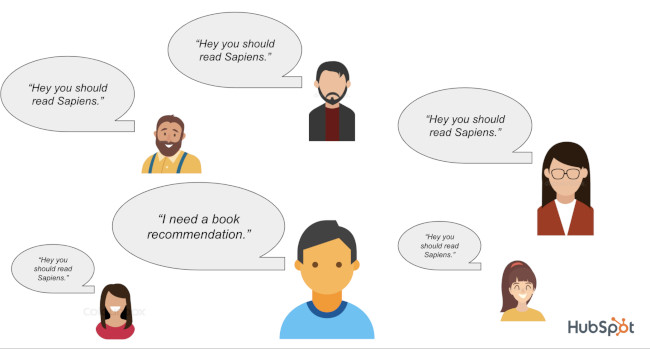 An ad’s effectiveness increases the more times it’s been seen by a prospect. It’s also pretty safe to say that any marketing asset’s effectiveness increases the more it’s seen.
This is a fact previously alluded to in this post anytime the word “touchpoints” comes up.
The surround-sound methodology takes this idea and amplifies it by challenging the notion that your owned channels and assets are not enough to create true brand awareness. You should also appear everywhere else someone goes to consider products. For example:
- Review websites
- The social timelines of prominent influencers
- Featured in the media they consume (articles, videos, podcasts)
According to Alex Birkett, Sr. Growth Marketing Manager at HubSpot, if you can “get lots of people to talk about you favorably, preferably around the same time,” you can generate quite a bit of brand awareness.
4. Brand Extensions
Purpose: Expand Into Tangential Markets for Increased Awareness

Big companies often extend their brand to develop new products in industries that they don’t have any market share in. These initiatives are called brand extensions, and they allow companies to leverage their brand awareness and equity to create more revenue streams. For example, Reese’s entering the cereal market with their peanut butter and chocolate “Reese’s Puffs” product.
Historically, the most successful brand extensions are the ones that closely tie to the company’s flagship product or core brand, like Gerber’s baby clothes and Dole’s frozen fruit bars. By entering tangential markets that can preserve your brand’s unique associations and perceived quality, you can develop new products that consumers intuitively understand the benefits of, even though they’ve never seen them on a shelf.
On the flip side, a company can also exploit its brand and, in turn, damage it. If they develop a product in a market that isn’t closely tied to their flagship product or core brand, audiences might attach undesirable associations to a brand, weaken its existing associations, and hurt its established products’ perceived quality.
Audience Engagement Techniques
5. Podcasting
Purpose: Leverage Audio Content and Reach New Audiences
Technically, audio is more of a media type or channel than a technique, but according to a content format study conducted by Edison Research and Triton Digital, people age 12 and older are listening to online audio content at unprecedented levels. On average, people spend 17 hours per week tuning into their favorite podcasts, online radio shows, and audiobooks.
Needless to say, the demand for audio content has exploded, but that doesn’t mean people will listen to your branded podcast just because it’s a podcast. In reality, they’ll only listen to it if it can hold their attention and, ultimately, entertain them.
Here’s where the technique part comes in: Many podcasts rely on a host/guest model. This model is wildly successful because hosts can tap into the audience that the guest brings in and vice versa. It’s a mutually beneficial arrangement so long as both sides promote effectively. That’s why it’s important to choose guests wisely and make it easy for them to promote the show and episode they appear in.
With each guest that comes on, the podcast audience grows, and so does the engagement.
6. Video Marketing
Purpose: Leverage Video Content and Reach New Audiences
Video has overtaken blogs and infographics as the number one form of media used in content strategy (HubSpot). There’s a couple reasons for this:
- It’s flexible. You can create video for YouTube, embed it on your blog, share it on social media, and more.
- It’s a different kind of organic play. Google shows videos in the SERPs (search engine results pages). YouTube is also a search engine in its own right and is the second most visited site after Google itself (Alexa).
- The engagement is rewarding. Video consumption continues to rise, outpacing television, and it’s more effective at conveying information (Biteable).
So not only are consumers looking for audio content; they’re looking for video content as well. And savvy marketers are getting ROI in the form of engagement and repurpose-ability.
7. Community Building
Purpose: Improve Long-Term Engagement and Build Authority

Speaking of engagement, the last thing you want to do is create a piece of content and then hear crickets when you promote it. One of the best ways to increase engagement and brand awareness is by building relationships with prospects, users, customers, and other individuals in the industry.
Many brands are creating digital communities on social media, online boards, and their own hosted networks/forums. With community management, you’re building relationships, giving back, and establishing yourself as an authority in the industry. It can be as simple as answering questions on Quora or cultivating a hashtag on Twitter, or it can be as complex as creating a whole support network for your product.
Either way, you’re improving the affinity your prospects and customers have with your brand.
If done correctly, your community may even expand beyond your brand and become a beneficial resource for everyone within it. For example, Women in Tech SEO, founded by Areej AbuAli, is a community focused on accelerating the careers of women in the SEO industry. The organization has a network with a discussion component, ongoing meetups, a newsletter, and more.
8. Contextual Marketing
Purpose: Improve Website Engagement With Personalized Content

Contextual marketing is the practice of serving up personalized website content to visitors according to their stage of the buyer’s journey. The idea is that if you can cut through the noise and serve your website visitors the content that matters the most to them, you’ll be far more successful at capturing their attention.
We can all agree that improving the experience for prospects can lead to increased effectiveness, but what does contextual marketing look like in practice?
For example, you might use dynamic CTAs that only show them offers that are relevant to them. This cuts down on the amount of useless information they’re taking in on your website and decreases banner blindness… in part because the banners they do see are helpful and relevant.
It might also mean using smart forms so that you don’t keep asking for the same information from website visitors who have cause to fill out multiple forms on your site.
Then, you might segment your database so that your leads receive email campaigns that are directly relevant to their needs based on content that they’ve already consumed on your website.
All of this resulting in a personalized, tailored journey without the pressure of going to a salesperson for it.
Techniques for Driving Traffic
9. Blog Title Optimization
Purpose: Increase Traffic to Existing Assets By Improving Click-Through Rate
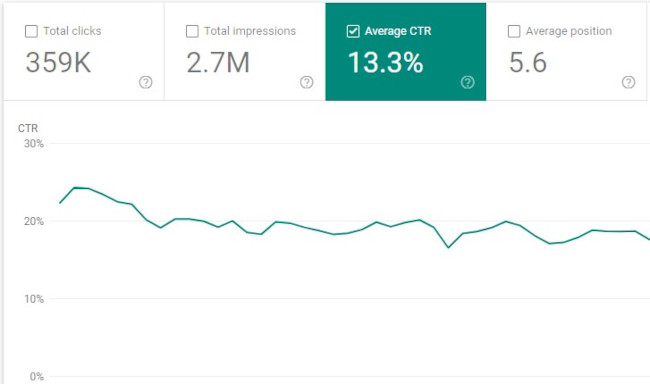 When you write a blog post, do you use the first title you came up with or do you write a few?
People will not get to the rest of your content until they choose to click on the headline. That’s why it’s so important to have grabby titles that resonate with your audience and compel them to click.
By increasing the effectiveness of your titles, you can increase click-through rate (and, in effect, traffic). One way to do this is by using tools like this headline analyzer to see what you can do to improve your headline.
Better yet, you can always analyze your existing blog posts to see which headlines aren’t doing enough heavy lifting. By improving the click-through rate, you’ll be able to get more traffic from that asset without a heavy editorial lift.
10. The Pillar-Cluster Model
Purpose: Drive Traffic By Establishing Topic Authority
Since people heavily rely on Google to provide accurate and relevant answers for most of their questions today, Google needs to understand the intent and context behind every single search.
To do this, Google has evolved to recognize topical connections across users’ queries, look back at similar queries that users have searched for in the past, and surface the content that best answers them. As a result, Google will deliver content that they deem the most authoritative on the topic.
To help Google recognize your content as a trusted authority on marketing, sales, and customer service topics, consider implementing the pillar-cluster model on your blog.
Essentially, the pillar-cluster model is a topic-based based content strategy. This means that you generate and organize ideas for your blog by topic.
By creating a single pillar page (an ultimate guide, for instance) that provides a high-level overview of a topic and hyperlinks to cluster pages (subtopic blog posts) that delve into the topic’s subtopics, you can signal to Google that your pillar page is an authority on the topic.
Hyperlinking all of the cluster pages to the pillar page also spreads domain authority across the cluster, so your cluster pages get an organic boost if your pillar page ranks higher, and your cluster pages can even help your pillar page rank higher if they start ranking for the specific keywords they’re targeting.
11. Historical Optimization
Purpose: Drive Traffic By Improving Existing Assets
There’s a massive hole in the market for specialized services around updating/optimizing old content.
We’ve all been creating content for years now.
The greater opportunity, and quicker time to value for agencies/contractors, is in updating…not creating.
— John Bonini (@Bonini84)
September 4, 2020
In 2015, HubSpot made a revolutionary discovery about our organic monthly blog traffic — the overwhelming majority of it came from posts published prior to that month. In fact, 76% of monthly blog views came from these old posts.
Today, the groundbreaking revelation rings louder than ever — 89% of our monthly blog views currently come from posts that were published at least six months prior, and we’ve developed an entire strategy dedicated to refreshing and republishing these historical pieces of content.
These types of blog posts are called “updates,” and they comprise 35-40% of HubSpot’s editorial calendar. By refreshing posts with new information and effectively republishing them as new blog posts, HubSpot can build upon its existing organic value that these posts have accumulated through backlinks and user engagement and double or even triple their traffic. This process also helps HubSpot optimize our blog for efficiency, decreasing the amount of new content we have to create while increasing our organic traffic and conversions.
12. Retargeting
Purpose: Recapture Lost Traffic
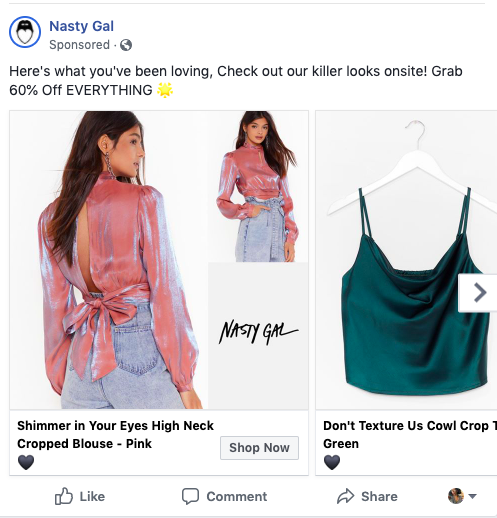
A lot of content marketing techniques involve attracting new audiences rather than improving the effectiveness of the audiences you’ve already acquired. That’s why retargeting earns a place on this list as a vastly underutilized tactic.
I’ll explain retargeting with a scenario: A prospect comes to an ecommerce site and checks out a product. They decide it’s not time to buy, and they leave. Retargeting allows you to remind them of their initial interest by showing them ads for the product on other sites (e.g. banner ads or Facebook ads). In effect, your ads “follow them around” the internet, increasing the likelihood that they come back to make that purchase.
13. The Skyscraper Backlinking Method
Purpose: Obtain Links for Increased Traffic and Improved SEO Signals
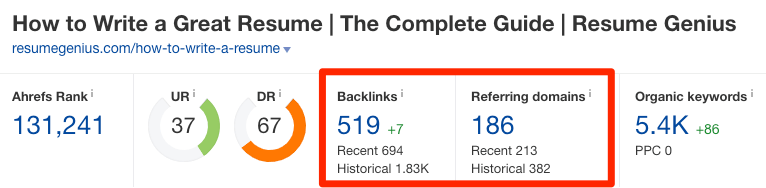
Earning high-quality inbound links from websites and pages with high authority scores is crucial for boosting your domain authority. But, unfortunately, “If you write it, they will link to it,” is not a viable SEO technique.
One method for earning high-quality links is by performing email outreach to ask other websites that have the same or higher domain or page authority score than you to link to your top content. You should also make sure your content is relevant to the referring website’s content.
More specifically, you can use Backlinko’s skyscraper method. The skyscraper method is an SEO strategy where you find content that ranks well for keywords you want to rank for and then create content that’s better than the top-ranking posts. Then, you use SEO tools to find all the sites that have linked to your competitor’s content and ask the most relevant sites to replace your competitor’s link with a link to your improved content.
Conversion and Nurturing Techniques
14. A/B Testing for CTAs
Purpose: Improve Conversion Rate on Existing Assets by Testing Variables
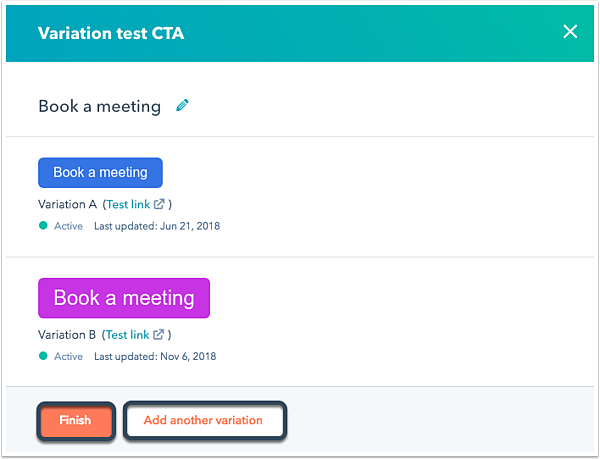
Since opt-ins are key for growing your email subscriber list, you’ll want to closely monitor the performance of your CTAs (buttons that send people to your forms) and improve on the ones that aren’t working out.
Every company has a different set of customers, so there’s no one-size-fits-all formula for designing the most optimal CTAs. To figure out which CTA design or copy will produce the best results for your company, you must experiment.
A/B testing allows you to do that experimentation between two CTAs synchronously, eliminating variables and giving you the best insight into which version performs better.
For example, you can run an experiment to test a variable such as color. Let’s say you have a red CTA and a blue CTA. A/B testing allows you to identify which ones produce better results.
To conduct an A/B test, you can use HubSpot’s A/B testing kit. With this kit, you’ll get guidelines for A/B testing, learn what variables to test, and gain access to a simple significance calculator to track your results.
A/B testing shouldn’t be confused with multivariate testing, though, which allows you to simultaneously test many variables.
15. Value-Add Emails
Purpose: Improve Engagement and Earn Goodwill During Nurturing Process
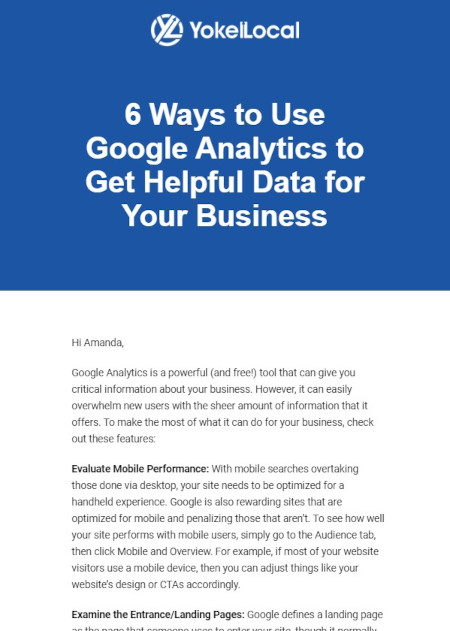 Email is more of a channel than a tactic, but let’s start with why the channel is an important one. Did you know that Americans spend up to five hours checking their email, and the channel is by far their preferred way to receive updates from brands?
At the same time, it’s projected that 319.6 billion emails will be sent and received in 2021. This means that there isn’t a lot of room for error if you want to cut through the noise when you send an email.
Since it takes a multiple touchpoints to gain the attention of prospects, persuading people to subscribe to your emails and, in turn, constantly consume your content will generate more leads and revenue for your business.
This is where the tactic part comes in. The last thing you want to do is clutter up their inbox with yet another sales email. Instead, consider emails that actually provide value along their paths to purchase.
Take the email above from HubSpot Agency Partner Yokel Local for example. It doesn’t matter if the recipient of the email is actively considering Yokel Local’s services; they still provide value that keeps their subscribers opening emails.
Growing an engaged, loyal subscriber base also speaks volumes about the quality of your content and its emotional resonance. If your prospects actively engage with your email content, it’s a clear sign that they actually value it. This contributes to their impression of your brand and serves as the touchpoints along their paths to purchase.
16. Audience Segmentation
Purpose: Create a More Personalized Experience to Improve Nurturing
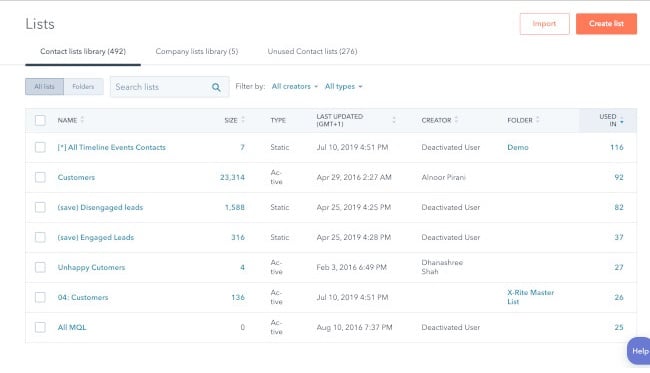
In a world overflowing with digital noise, creating irrelevant or unwarranted content won’t catch anyone’s attention.
To email the right person the right content at the right time, consider leveraging audience segmentation, which separates your subscriber database into specific, accessible groups of people based on personal attributes like their demographics, psychographics, and behavioral information.
This technique allows you to increase the value of your emails (see the technique above) by ensuring that they’re more relevant to your subscribers. In other words, rather than creating messaging designed to appeal to everyone, you’ll be able to get much more specific with your messaging because you’ll have a narrower target audience.
To properly implement audience segmentation techniques into your email marketing strategy, you’ll need a CRM and marketing platform. For example, HubSpot allows you to gather information about your customers and segment contacts into lists based on that information. This makes it easy to target the right customers in your database with messaging specific to them.
17. Marketing Automation
Purpose: Enhance Efficiency of Email Campaigns
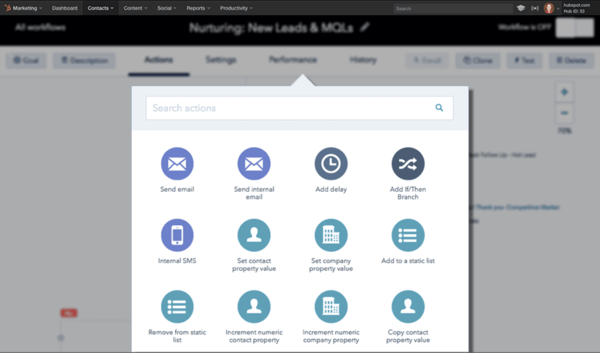
Automation is the process of using technology to eliminate manual actions and trigger repetitive or programmable functionality in an automatic way. Marketing automation applies this principle to your CRM and email marketing activities, allowing you free up time and get your message out at scale.
Instead of sending one-off emails, you can use marketing automation to initiate a sequence of emails and actions, all without you hitting the send button. Best of all, you can apply it to any of the following (and more):
- Lead nurturing campaigns
- Auto-responder sequences
- Re-engagement campaigns
- Event reminders
- Client onboarding sequences
- Up-sell campaigns
This will allow you to increase your organization’s touchpoints with a lead without tanking your productivity. To do so, you’ll first need to invest in marketing automation software.
18. Lead Scoring
Lead scoring is an automation-based technique that rates (or “scores”) your leads based on certain attributes. The idea behind it is that you’ll be able to better identify leads that are closer to a purchasing decision so that you can prioritize those leads for your marketing and sales efforts.
Some marketing automation software can perform lead scoring using AI machine learning, but many allow you to manually designate the attributes that make a marketing or sales qualified lead. Once a lead meets the criteria, they will have a higher score (and thus higher priority for more direct marketing and sales conversations).
In addition, the act of defining the criteria for lead scoring can lead to a better relationship between your marketing and sales teams. With a clear definition, your marketing team will be better focused on generating leads that meet those criteria, and your sales team will be happy with more qualified leads.
Innovation Is Key
Whether you’re developing a new marketing plan or improving on an old one, it’s important to consider new marketing techniques.
While your marketing strategy may be sound, relying on past tried-and-true methods may not be enough. As time goes on, old techniques lose competitive advantage and become table stakes. New methods will help you implement your strategic goals in new, exciting ways.
Editor’s note: This post was originally published in May 2019 and has been updated for comprehensiveness.


12 Impressive Ways to Start a Cover Letter [+ Examples]
According to Career Builder, 40% of recruiters look for a cover letter when they’re considering job applicants.
But if you had to flip through a hundred cover letters a day, and each one began, “To whom it may concern, I am applying for the digital marketing position at your company,” how important would you rank them?
A cover letter might not always be the most important thing to a hiring manager, but if your resume or connections aren’t enough to get you through the door, a powerful cover letter could be what gets you an interview.
For instance, a hiring manager might only read your cover letter if your resume raised questions about why you’re applying for the position, or why you’re leaving your current role. In these cases, your cover letter can be a crucial factor in whether or not you move forward in the hiring process.
![→ Click here to access 5 free cover letter templates [Free Download]](https://no-cache.hubspot.com/cta/default/53/3f347702-d7e9-4e59-9fe4-be4cd7bad191.png)
Your cover letter is an opportunity to showcase your personality, display your interest in the job, and include relevant information that otherwise wouldn’t be surfaced in your application. But there’s a fine line between standing out and coming across as brash or gimmicky. An ideal cover letter leaves the hiring manager with a positive and memorable impression of you, something a resume alone won’t always do.
So, where do you begin when writing a cover letter? More specifically, where should your beginning begin? Recruiters read a ton of cover letters — especially if the company is growing quickly and hiring non-stop. What does this mean for you? You need to get their attention right away. To help you overcome writer’s block, and hook your reader right away, take a look at some sharp opening sentences you can use for inspiration.
Read on to find out eight ways to grab an employer’s attention with an exceptional cover letter introduction.
Featured Resource: 5 Free Cover Letter Templates
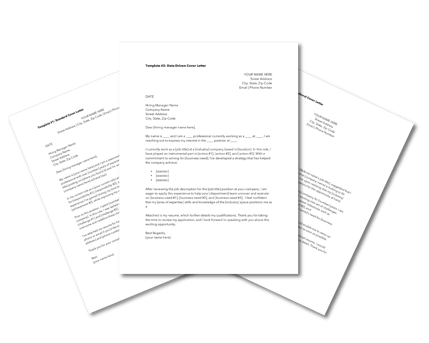
Start off your cover letter (and finish it) with a bang with 5 Free Cover Letter Templates. The templates are professional and completely customizable to help you get your dream job.
How to Start a Cover Letter
1. Start with humor.
Employers are humans too, and they’ll often appreciate a good joke, pun, or funny opening line as much as the next person. If done tastefully and respectfully, starting your cover letter off with a joke can be an excellent way to stand out.
Plus, a joke can still include a powerful explanation for why you’re the right person for the job, without coming off as boastful. For instance, think about something you love to do or something you’re really good at, and then imagine how friends or family might make a joke about it — if you’re really good at analyzing data, for example, a joke or pun related to that might be a good way to exemplify both your skills and personality.
Here’s a good example of using humor to bring attention to your skills, from The Muse (you’ll notice this is one of our picks for most creative opening lines, earlier in this article):
“I considered submitting my latest credit card statement as proof of just how much I love online shopping, but I thought a safer approach might be writing this cover letter, describing all the reasons why I’m the girl who can take Stylight’s business to the next level.”
Right away, the personality displayed here grabs the reader’s attention. Even better, this applicant uses humor to convey an important message to the employer — she loves shopping, and she’s well-versed in ecommerce as a consumer — which might’ve otherwise not come up on her resume or phone screening.
2. Start with passion.
For an employer to know you’ll stay dedicated to the role and company, they’ll want to ensure you’re passionate about what the job entails. Passion is more incentivizing than a paycheck.
For an employer, demonstrating how your passion matches the required skillset is a promising sign that you’d enjoy your job — if you enjoy your job, you’re more likely to stick around longer, help drive company growth, and become a dedicated member of the team.
Consider starting your cover letter with a few lines that showcase your passion: “I’ve been passionate about writing since I was ten years old. My love for writing has led me to write two personal travel blogs, get published in a local newspaper, and pursue two summer internships at publishing firms. Now, I’d love the opportunity to combine my writing skills with my interest in storytelling as a content marketer at Company A.”
If you don’t have extensive work experience in the industry you’re trying to break into, but you’ve been unofficially preparing for years, let the employer know. In the above example, the candidate’s resume would probably look weak, with only internships indicating professional experience. Her cover letter introduction, however, shows the employer she’s been writing for audiences and advancing her natural ability for years.
3. Start with an accomplishment.
Employers like seeing numbers. It isn’t enough to mention you’re a “digital marketer with proven success in SEO strategies.” Proven success? Okay, can we see?
It’s more powerful to provide statistics. You want to show the employer you’re capable of solving for long-term results. How have you contributed to your company’s bottom line? For instance, did your Facebook marketing campaign grow your social media following, or has your blog content increased organic traffic?
Consider starting your cover letter with something like this: “Over the past year as digital marketing manager at Company A, I’ve generated $30k+ in revenue, increased organic traffic to our blog by 14%, and almost tripled our social media ROI.”
Even if you don’t have the work experience to report impressive numbers, you can still offer proof when opening with an accomplishment. Think about the qualitative feedback you’ve received from employers. For instance, how would your boss compliment you or tell you you’re doing a good job? An accomplishment can be as simple as your boss sending you an appreciative email regarding your diligent meeting notes.
In this example from The Muse, the applicant provides an example of a skill for which he’s been previously acknowledged: “My last boss once told me that my phone manner could probably diffuse an international hostage situation. I’ve always had a knack for communicating with people — the easygoing and the difficult alike — and I’d love to bring that skill to the office manager position at Shutterstock.”
Even though the applicant doesn’t offer numbers as proof of success, they do manage to highlight some proof of their past performance in the form of a former boss’s praise. The candidate’s candid and funny explanation — that his last boss liked his phone manners — is another good way to brag about accomplishments without, well, bragging.
4. Start with excitement for the company.
Employers want to know why you like their company, and they’ll appreciate an explanation on why you’re interested. But it’s imperative your reasoning is thoughtful and considerate, and specific to the company. For instance, if you’re applying for a financial position, don’t write about your interest in finance; write about how your interest in finance relates to the company’s goals.
You don’t want to just say, “I’m excited to work at Company A because I’m passionate about finance, and I think my skills and experiences will be a good match.” Sure, you’ve explained why you want to work in the financial industry, but you’ve done nothing to explain why Company A specifically suits your interests.
Instead, you’ll want to mention something about the company and culture in correlation to your interest in finance. Take a look at this example from Glassdoor: “When I discovered Accounting Solutions was hiring, I knew I had to apply. I’ve been waiting to find a company where I feel like I can make a difference while working as an accountant. Not only are your clients awesome, but the overall mission of your company is something I believe in, too.”
This candidate shows they’ve done their research and care about Accounting Solutions in particular. Remember, employers want to hire people who have a demonstrated interest in working at their company. They want someone who will enjoy the nature of the work, but just as importantly, they want a candidate who enjoys the work culture and the company mission as well.
5. Start with news about the company.
Mentioning company news in your introduction indicates you’ve done research on the company. Plus, including company news might give you the chance to incorporate your own values, as well. If the company just won an award for its innovative solutions in the computer industry, for instance, you might add how you value forward-thinking methods in technology, as well.
Here’s an example of an introduction that uses a newsworthy event, from Indeed: “When I saw that Company ABC was featured in Fortune Magazine last month for its commitment to renewable energy and reducing waste in the workplace — all while experiencing triple-digit revenue growth — I was inspired. With my track record of reducing costs by 30%+ and promoting greener workplaces, I’m excited about the possibility of taking on the account executive role to expand your company’s growth and work towards a more sustainable future.”
The candidate does a good job demonstrating how Company ABC’s news aligns well with the candidate’s personal achievements. She shows she’s done her research on the company, and also indicates she values similar environmental efforts in the workplace.
6. Start with what they don’t know.
According to one seasoned hiring manager, a cover letter that begins, “I am writing to apply for [open position] at [name of company]” is grounds for nearly instant rejection. Of course you’re applying for this job — why waste your lede with something so boring and obvious?
Your cover letter should never directly state what they already know — or restate what’s already listed on your resume. Instead, start your cover letter by offering something new, expanding on what the employer already knows about you, and presenting new details about what you can bring to the company. Impress employers by telling them something about your skills or experiences they don’t already know.
To offer new information not displayed on his resume, one of my colleagues at HubSpot wrote this cover letter introduction: “My resume will tell you I’m Content Marketing Certified. Your records will tell you I’ve interviewed for a few different HubSpot positions in the past. What neither one will tell you is that I’ve been working with your customer success team to build a new campaign strategy for my company–one of your latest (and largest) clients.”
The candidate wrote an introduction that captured the reader’s attention and demonstrated he wasn’t interested in wasting anyone’s time. This is a memorable and impressive tactic. Consider writing a similar introduction, where you provide information absent from your resume.
7. Start with what you can bring to the table.
A hiring manager here at HubSpot told me she always looks for cover letters to tell her how the company and applicant can benefit each other.
Any employer is going to want to know why you think you can grow from the position you’re applying to. An employer is more inclined to hire you if she thinks you have a genuine, intrinsic motivation to work hard in the role.
A hiring manager is also going to want to know how you’ll contribute to the company’s larger vision and goals. It’s important for the manager to know what you want to get out of the role, but it’s equally important to know how you’ll help the company grow. How will the company benefit from you, over someone else?
Here’s an example: “I am seeking opportunities to improve my writing ability in a forward-thinking environment while growing organic traffic and optimizing content to beat out competitors in search engines. At Company A, I believe I will find that match.”
See how it works? In the example above, the candidate explained how she’d benefit from the role. She also explained what Company A could get out of the transaction — increased organic traffic, and optimized content — so the hiring manager is informed of the equality of the potential relationship.
8. Start with a statement that surprises them.
When applying for a role at HubSpot, one of my colleagues began her cover letter like this: “I like to think of myself as a round peg thriving in a square hole kind of world.”
Doesn’t that make you want to keep reading? It certainly kept me interested. Of course, you’ll only want to include a bold statement if you can follow it up with some concrete supporting information. My colleague, for example, continued by writing this: “What does this mean? It means that my diverse background makes me a well-rounded candidate who is able to comprehend, develop and execute various functions in business.”
While the rest of her cover letter veered on the side of professional, her opening line was casual, quirky, and surprising. Plus, you feel her personality in the line, and when an employer feels like a real person is behind the cover letter, she’s going to want to keep reading.
9. Start with a lesson you’ve learned in your career.
A great way to start a cover letter is with a lesson you’ve learned in your industry from your experience.
For example, you might say something like, “As a [current job position] with high-level management experience in the [industry], I learned that the best way to achieve success was to [biggest lesson you’ve learned].”
This opening sentence lets a recruiter know your experience level. Not only that, but it starts off with how you can benefit the company, not how the company will benefit you.
10. Start off with intrigue.
When you’re applying to larger corporate companies, you know that recruiters are getting hundreds of applicants for one entry-level position.
It’s important to intrigue the hiring manager and recognize that they’re looking at several applicants.
For example, you could say, “I understand that you have been deluged with resumes since you’ve been listed as one of the best companies to work for. Mine is one more, but I do have experience that is hard to come by.”
After this, it’d be great to list examples, stats, and experience that set you apart from other candidates and will benefit the company.
Recruiters see countless resumes and cover letters every day. It’s important to start your cover letter in a unique way so you can stand out amongst the crowd.
Editor’s note: This post was originally published in May 2018 and has been updated for comprehensiveness.


The 8 Most Common Leadership Styles & How to Find Your Own [Quiz]
“A good leader should always … “
How you finish that sentence could reveal a lot about your leadership style.
Leadership is a fluid practice. We’re always changing and improving the way in which we help our direct reports and the company grow. And the longer we lead, the more likely we’ll change the way we choose to complete the sentence above.
But in order to become better leaders tomorrow, we need to know where we stand today. To help you understand the impact each type of leader has on a company, I’ll explain what a leadership style is, then share eight of the most common types and how effective they are.
Then, I’ll show you a leadership style assessment based on this post’s opening sentence to help you figure out which leader you are.
![→ Click here to download leadership lessons from HubSpot founder, Dharmesh Shah [Free Guide].](https://no-cache.hubspot.com/cta/default/53/4e634041-e1ce-4a85-8e65-aea12fc10b84.png)
Why It’s Important to Know Your Leadership Style
Knowing your leadership style is critical because it can help you determine how you affect those whom are under your direct influence. How do your direct reports see you? Do they feel you’re an effective leader?
It’s always important to ask for feedback to understand how you’re doing, but knowing your leadership style prior to asking for feedback can be a helpful starting point. That way, when you receive junior employees’ thoughts, you can automatically decide which new leadership style would be best and adopt the style’s characteristics in your day-to-day management duties.
Knowing your leadership style may also remove the need for getting feedback. Each leadership style has its pitfalls, allowing you to proactively remediate areas of improvement. This is critical because some employees might hesitate to speak up, even in an anonymous survey.
Ready to find out which leadership style you might currently have? Check out the eight most common ones below.
1. Democratic Leadership
Commonly Effective
Democratic leadership is exactly what it sounds like — the leader makes decisions based on the input of each team member. Although he or she makes the final call, each employee has an equal say on a project’s direction.
Democratic leadership is one of the most effective leadership styles because it allows lower-level employees to exercise authority they’ll need to use wisely in future positions they might hold. It also resembles how decisions can be made in company board meetings.
For example, in a company board meeting, a democratic leader might give the team a few decision-related options. They could then open a discussion about each option. After a discussion, this leader might take the board’s thoughts and feedback into consideration, or they might open this decision up to a vote.
2. Autocratic Leadership
Rarely Effective
Autocratic leadership is the inverse of democratic leadership. In this leadership style, the leader makes decisions without taking input from anyone who reports to them. Employees are neither considered nor consulted prior to a change in direction, and are expected to adhere to the decision at a time and pace stipulated by the leader.
An example of this could be when a manager changes the hours of work shifts for multiple employees without consulting anyone — especially the affected employees.
Frankly, this leadership style stinks. Most organizations today can’t sustain such a hegemonic culture without losing employees. It’s best to keep leadership more open to the intellect and perspective of the rest of the team.
3. Laissez-Faire Leadership
Sometimes Effective
If you remember your high-school French, you’ll accurately assume that laissez-faire leadership is the least intrusive form of leadership. The French term “laissez-faire” literally translates to “let them do,” and leaders who embrace it afford nearly all authority to their employees.
In a young startup, for example, you might see a laissez-faire company founder who makes no major office policies around work hours or deadlines. They might put full trust into their employees while they focus on the overall workings of running the company.
Although laissez-faire leadership can empower employees by trusting them to work however they’d like, it can limit their development and overlook critical company growth opportunities. Therefore, it’s important that this leadership style is kept in check.
4. Strategic Leadership
Commonly Effective
Strategic leaders sit at the intersection between a company’s main operations and its growth opportunities. He or she accepts the burden of executive interests while ensuring that current working conditions remain stable for everyone else.
This is a desirable leadership style in many companies because strategic thinking supports multiple types of employees at once. However, leaders who operate this way can set a dangerous precedent with respect to how many people they can support at once, and what the best direction for the company really is if everyone is getting their way at all times.
5. Transformational Leadership
Sometimes Effective
Transformational leadership is always “transforming” and improving upon the company’s conventions. Employees might have a basic set of tasks and goals that they complete every week or month, but the leader is constantly pushing them outside of their comfort zone.
When starting a job with this type of leader, all employees might get a list of goals to reach, as well as deadlines for reaching them. While the goals might seem simple at first, this manager might pick up the pace of deadlines or give you more and more challenging goals as you grow with the company.
This is a highly encouraged form of leadership among growth-minded companies because it motivates employees to see what they’re capable of. But transformational leaders can risk losing sight of everyone’s individual learning curves if direct reports don’t receive the right coaching to guide them through new responsibilities.
6. Transactional Leadership
Sometimes Effective
Transactional leaders are fairly common today. These managers reward their employees for precisely the work they do. A marketing team that receives a scheduled bonus for helping generate a certain number of leads by the end of the quarter is a common example of transactional leadership.
When starting a job with a transactional boss, you might receive an incentive plan that motivates you to quickly master your regular job duties. For example, if you work in marketing, you might receive a bonus for sending 10 marketing emails. On the other hand, a transformational leader might only offer you a bonus if your work results in a large number of newsletter subscriptions.
Transactional leadership helps establish roles and responsibilities for each employee, but it can also encourage bare-minimum work if employees know how much their effort is worth all the time. This leadership style can use incentive programs to motivate employees, but they should be consistent with the company’s goals and used in addition to unscheduled gestures of appreciation.
7. Coach-Style Leadership
Commonly Effective
Similarly to a sports team’s coach, this leader focuses on identifying and nurturing the individual strengths of each member on his or her team. They also focus on strategies that will enable their team to work better together. This style offers strong similarities to strategic and democratic leadership, but puts more emphasis on the growth and success of individual employees.
Rather than forcing all employees to focus on similar skills and goals, this leader might build a team where each employee has an area of expertise or skillset in something different. In the long run, this leader focuses on creating strong teams that can communicate well and embrace each other’s unique skillsets in order to get work done.
A manager with this leadership style might help employees improve on their strengths by giving them new tasks to try, offering them guidance, or meeting to discuss constructive feedback. They might also encourage one or more team members to expand on their strengths by learning new skills from other teammates.
8. Bureaucratic Leadership
Rarely Effective
Bureaucratic leaders go by the books. This style of leadership might listen and consider the input of employees — unlike autocratic leadership — but the leader tends to reject an employee’s input if it conflicts with company policy or past practices.
You may run into a bureaucratic leader at a larger, older, or traditional company. At these companies, when a colleague or employee proposes a strong strategy that seems new or non-traditional, bureaucratic leaders may reject it. Their resistance might be because the company has already been successful with current processes and trying something new could waste time or resources if it doesn’t work.
Employees under this leadership style might not feel as controlled as they would under autocratic leadership, but there is still a lack of freedom in how much people are able to do in their roles. This can quickly shut down innovation, and is definitely not encouraged for companies who are chasing ambitious goals and quick growth.
Leadership Style Assessment
Leaders can carry a mix of the above leadership styles depending on their industry and the obstacles they face. At the root of these styles, according to leadership experts Bill Torbert and David Rooke, are what are called “action logics.”
These action logics assess “how [leaders] interpret their surroundings and react when their power or safety is challenged.”
That’s the idea behind a popular management survey tool called the Leadership Development Profile. Created by professor Torbert and psychologist Susanne Cook-Greuter — and featured in the book, Personal and Organizational Transformations — the survey relies on a set of 36 open-ended sentence completion tasks to help researchers better understand how leaders develop and grow.
Below, we’ve outlined six action logics using open-ended sentences that help describe each one. See how much you agree with each sentence and, at the bottom, find out which leadership style you uphold based on the action logics you most agreed with.
1. Individualist
The individualist, according to Rooke and Tolbert, is self-aware, creative, and primarily focused on their own actions and development as opposed to overall organizational performance. This action logic is exceptionally driven by the desire to exceed personal goals and constantly improve their skills.
Here are some things an individualist might say:
Individualist 1: “A good leader should always trust their own intuition over established organizational processes.”
Individualist 2: “It’s important to be able to relate to others so I can easily communicate complex ideas to them.”
Individualist 3: “I’m more comfortable with progress than sustained success.”
2. Strategist
Strategists are acutely aware of the environments in which they operate. They have a deep understanding of the structures and processes that make their businesses tick, but they’re also able to consider these frameworks critically and evaluate what could be improved.
Here are some things a strategist might say:
Strategist 1: “A good leader should always be able to build a consensus in divided groups.”
Strategist 2: “It’s important to help develop the organization as a whole, as well as the growth and individual achievements of my direct reports.”
Strategist 3: “Conflict is inevitable, but I’m knowledgeable enough about my team’s personal and professional relationships to handle the friction.”
3. Alchemist
Rooke and Tolbert describe this charismatic action logic as the most highly evolved and effective at managing organizational change. What distinguishes alchemists from other action logics is their unique ability to see the big picture in everything, but also fully understand the need to take details seriously. Under an alchemist leader, no department or employee is overlooked.
Here are some things an alchemist might say:
Alchemist 1: “A good leader helps their employees reach their highest potential, and possesses the necessary empathy and moral awareness to get there.”
Alchemist 2: “It’s important to make a profound and positive impact on whatever I’m working on.”
Alchemist 3: “I have a unique ability to balance short-term needs and long-term goals.”
4. Opportunist
Opportunists are guided by a certain level of mistrust of others, relying on a facade of control to keep their employees in line. “Opportunists tend to regard their bad behavior as legitimate in the cut and thrust of an eye-for-an-eye world,” Rooke and Tolbert write.
Here are some things an opportunist might say:
Opportunist 1: “A good leader should always view others as potential competition to be bested, even if it’s at the expense of their professional development.”
Opportunist 2: “I reserve the right to reject the input of those who question or criticize my ideas.”
5. Diplomat
Unlike the opportunist, the diplomat isn’t concerned with competition or assuming control over situations. Instead, this action logic seeks to cause minimal impact on their organization by conforming to existing norms and completing their daily tasks with as little friction as possible.
Here are some things a diplomat might say:
Diplomat 1: “A good leader should always resist change since it risks causing instability among their direct reports.”
Diplomat 2: “It’s important to provide the ‘social glue’ in team situations, safely away from conflict.”
Diplomat 3: “I tend to thrive in more team-oriented or supporting leadership roles.”
6. Expert
The expert is a pro in their given field, constantly striving to perfect their knowledge of a subject and perform to meet their own high expectations. Rooke and Tolbert describe the expert as a talented individual contributor and a source of knowledge for the team. But this action logic does lack something central to many good leaders: emotional intelligence.
Here are some things a diplomat might say:
Expert 1: “A good leader should prioritize their own pursuit of knowledge over the needs of the organization and their direct reports.”
Expert 2: “When problem-solving with others in the company, my opinion tends to be the correct one.”
Which Leader Are You?
So, which action logics above felt like you? Think about each sentence for a moment … now, check out which of the seven leadership styles you embrace on the right based on the sentences you resonated with on the left.
| Action Logic Sentence | Leadership Style |
| Strategist 3 | Democratic |
| Opportunist 1, Opportunist 2, Expert 1, Expert 2 | Autocratic |
| Diplomat 2, Diplomat 3, Expert 1 | Laissez-Faire |
| Strategist 1, Strategist 2, Alchemist 3 | Strategic |
| Individualist 1, Individualist 2, Individualist 3, Alchemist 1, Alchemist 2 | Transformational |
| Diplomat 3 | Transactional |
| Diplomat 1 | Bureaucratic |
The more action logics you agreed with, the more likely you practice a mix of leadership styles.
For example, if you agreed with everything the strategist said, this would make you a 66% strategic leader and 33% democratic leader. If you agreed with just the third statement, but also everything the alchemist said, this would make you a 50% transformational, 25% strategic, and 25% democratic leader.
Keep in mind that these action logics are considered developmental stages, not fixed attributes — most leaders will progress through multiple types of leadership throughout their careers.
Know Your Leadership Style to Become a Better Leader
Knowing your leadership style can put you on the path to become a more effective leader. Whether you manage a big or small team, your style heavily impacts how your direct reports see you and how effectively your team works together to achieve your company’s goals.
Editor’s note: This post was originally published in August 2016 and has been updated for comprehensiveness.



Instagram Shadowban Is Real: How to Test for & Prevent It
When you’re trying to grow a following on Instagram, you depend on Explore and hashtag pages to expand your audience and reach. So it can feel more than a little disheartening when it suddenly seems like your content isn’t showing up anywhere.
If you feel like your posts are receiving fewer likes and comments suddenly, or aren’t appearing for certain hashtags or on the Explore page, you might be shadowbanned.
![New Data: Instagram Engagement Report [2021 Version]](https://no-cache.hubspot.com/cta/default/53/9294dd33-9827-4b39-8fc2-b7fbece7fdb9.png)
From Instagram’s perspective, the objective of hiding “inappropriate” content makes sense (although its enforcement has been criticized.) Shadowbanning allows Instagram to filter out accounts that don’t comply with their terms. Some people use inauthentic measures to expand their Instagram following, like buying followers or using hundreds of hashtags that are irrelevant to their content. If that’s the case, it makes sense that Instagram hides content from those accounts so that only genuine and helpful content is promoted to users.
While Instagram doesn’t openly admit to shadowbanning, they released a statement on their Facebook business page in February 2019 that addressed the problem users were having with their content not showing up for certain hashtags.
Their statement at least confirms the hashtag dilemma as a real one — but many speculate that the statement is Instagram’s way of admitting to shadowbanning, without actually admitting it.
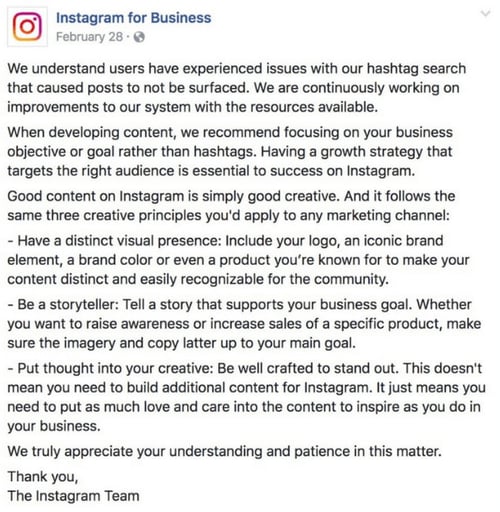
It’s important to note that Instagram changes its algorithm often, so those alterations could be the reason you have witnessed a drop in your engagement rate.
However, shadowbanning could be a real tactic meant to hide users’ content from the wider Instagram audience, and if you’re being shadowbanned, it’s important you take the necessary measures to get your content seen.
Let’s explore how to know if you’re shadowbanned, as well as our tips for getting yourself off the list.
Luckily, there’s an easy test to figure out if your account is shadowbanned.
If one or two of your employees can see your post, you might simply be dealing with a drop in engagement. If that’s the case, you can take a number of steps to fix this.
Check out our Instagram Marketing: The Ultimate Guide for tactical advice on improving your reach and engagement.
While the method above is a simple way to test whether you’ve been shadowbanned, it may not be feasible for your business. Maybe you’re the sole proprietar and employee of your small business. In that case, you can’t ask employees to check their hashtag feeds and you might not want to ask your customers. Below are other ways you can test whether you’ve been shadowbanned.
Instagram Shadowban Test
There is no foolproof test to tell if you’ve been shadowbanned on Instagram. While there are tools that advertise they can do exactly that, these tools are not reliable. Instead, try the steps below.
Check your hashtag pages.
If you look at pages of hashtags you regularly use and see a message that posts have been hidden, it’s possible you’ve been shadowbanned for using those hashtags.
Take a look at the message below for the hashtag “mustfollow.” Since users reported recent posts using this hashtag as not meeting Instagram’s community guidelines, it’s possible Instagram may be hiding your content with this hashtag (even if yours is not in violation of any guidelines).
Check Instagram Insights.
Looking at Instagram Insights, if you notice a sudden and sustained drop in engagement, then it’s possible you’ve been shadowbanned. One of the best metrics to look at is percent of accounts reached that weren’t following you.
Take a look at the difference in “discovery” of the two posts below. This blogger duo went from reaching over 70K accounts, 32% of which weren’t following them, to reaching a little over 40K, of which only 4% weren’t already following them. This drop cued the bloggers in that their account had been shadowbanned.
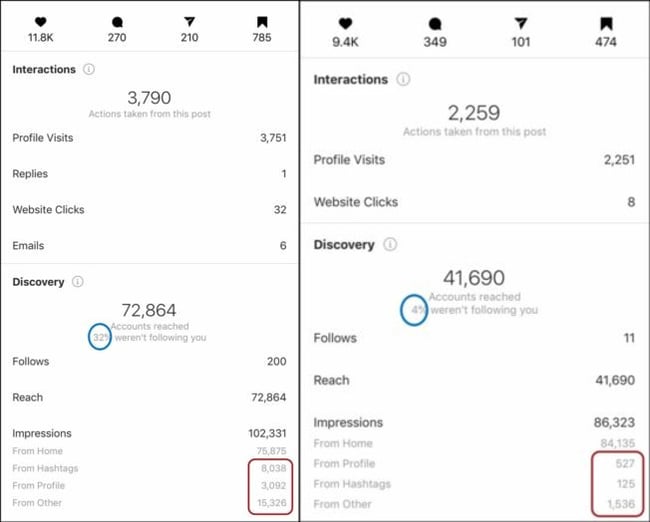
If you believe you’ve been shadowbanned, don’t worry — we have a solution for you.
Why am I shadowbanned?
There are a few potential reasons your account could have been shadowbanned. To ensure this doesn’t happen again, let’s explore some actions you might have taken that led you to being shadowbanned.
1. You use bots or another automated “Instagram growth” tool.
If you aren’t putting in the hard work yourself, you’re not growing a following authentically. Instagram frowns on this — in their statement above, for instance, they encourage users to have a strategy that focuses on connecting with the right audience. Using bots is a spammy tactic, and could result in a shadowban.
2. You use broken hashtags.
Occasionally, a popular hashtag will become overrun with inappropriate content. When this happens, Instagram can remove the hashtag or limit its use. If you use a broken hashtag, it will prevent your other hashtags from ranking, and could also result in a blocked account.
3. Your account is often reported.
When users repeatedly report an account, Instagram will assume your account is posting inappropriate content or violating their terms of service. They might disable your account, or they could shadowban it.
4. You’ve been posting, commenting, engaging, or following people too quickly.
Instagram places time constraints on how often you can follow, unfollow, like, comment, or post within an hour or day. This makes sense — if you’re following 80 people within an hour, it’s likely a bot doing the work, not you.
These actions might help you grow a following quickly, but they can’t help you connect with the right people, which is why you’re on Instagram in the first place. Additionally, these behaviors likely result in shadowban, which severely restricts your exposure to a new audience.
How to Get Unshadowbanned
To get your account back to normal, you’ll want to reverse the damage. Here’s how:
If you use a bot or another automated service, stop and delete it immediately.
To make sure the accounts aren’t still attached to you, go to your desktop Instagram and click “Edit Profile”, and then “Apps and Websites”. If you see any of your bot accounts in the Active tab, click “Remove” to remove them from your account completely.
Remember, it’s better to have 100 followers who love your brand and purchase your products, than 1,000 followers who never buy from you or interact with your content.
Don’t use hashtags that have been banned.
Take a look at Markitor’s list of banned hashtags for 2021, and make sure to remove all broken hashtags from your content. Here’s a few from the list:
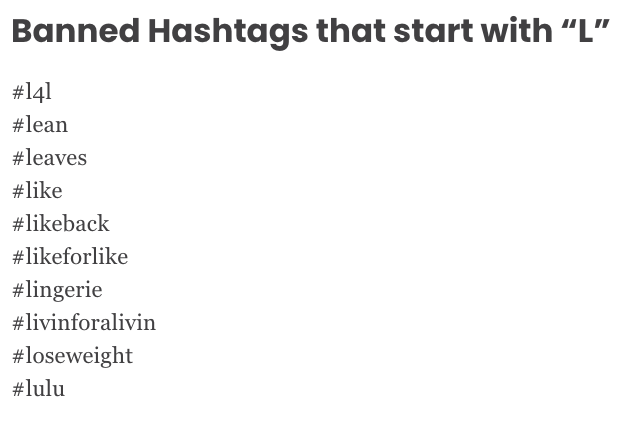
Moving forward, be selective and careful with the hashtags you choose, and when in doubt, take a look at the hashtag’s page — Instagram will likely post a message like, “Recent posts from #summer2020 are currently hidden … “, which will indicate to you that the hashtag is no longer in use.
Take a two-day break.
People have reported a full 48-hour break from using their Instagram accounts can reset the system and get you back on track, and it’s worth the temporary social media cleanse anyway, isn’t it?
Follow Instagram’s rules and regulations.
Read and follow Instagram’s Terms of Use, Community Guidelines, and Recommendation Guidelines. Some notable takeways from these documents are:
-
Only share content you created or have permission to share
-
Don’t post content that’s false or misleading
-
Do share content that’s appropriate for anyone to see
The Foolproof Way to Avoid the Instagram Shadowban
The simplest way to avoid being shadowbanned on Instagram is to post helpful, authentic content, and abide by best practices when growing your audience. It will take longer to do this, but slow and steady wins the race — and doesn’t get shadowbanned.
Editor’s note: This post was originally published in August 2019 and has been updated for comprehensiveness.

