Welcome to My Blog
5 Ways to Build a Positive Brand Association [+ Examples]
Whoever said “All publicity is good publicity” lied.
The only truth in it is that bad publicity can bring attention to your brand and expand your reach.
However, first impressions (and every impression) after that can last.

So, if your brand is associated with negative traits and concepts, it can be difficult to change that perception.
Learn what makes up a brand association and how to build a positive one.
Several factors influence brand association, including:
- Brand identity and messaging
- Brand assets, such as logo and colors
- Customer experience
- Product and service quality
- Word of mouth
- Reputation
- Advertisements
- Social media presence
You’ll notice that most of these factors are controlled by the brand itself, which is good news. This means that brands play a key role in how consumers perceive them.
It also signifies that if the association with your brand isn’t particularly positive, you have the potential to change it.
Brand Association Examples
Here are a few common brand association examples.
Charmin – Bears, soft, toilet paper
Google – Search, answers, information
Wikipedia – Information, biography
Anima Iris – Luxury, black excellence
Canva – Graphic design, easy, templates
Rhum Barbancourt – Quality, Haïti, classic
As you can see, most of the associations are a mix of services or products the company may provide along with certain traits and concepts. The hope is that the associations made with your brand are both accurate and positive.
If you find that it’s not, you may need to conduct some consumer research and work to create stronger messaging around your brand.
Brand Association Map
A brand association map is a visual representation of the attributes and concepts associated with your brand. You can also use it to identify threats and opportunities, as well as how you fare against competitors.
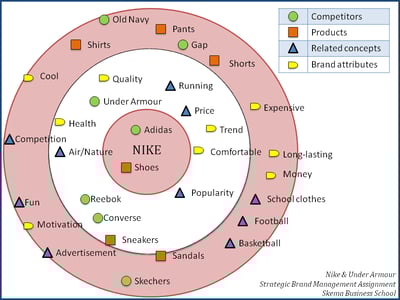
With a brand association map, you can quickly identify the words tied with your brands and which are the closest, based on proximity to the inner circle.
For instance, the above picture features Nike at the center. It shows that the two biggest associations with the brand are: “Adidas,” a competitor, and “shoes.”
You then have the term “comfortable” which is more closely associated with Nike than the word “long-lasting.”
This can be a great start to identifying where your brand currently stands in consumers’ eyes, and start making changes in your branding and marketing strategy.
If Nike wants consumers to view it as a long-lasting brand rather than one that creates comfortable clothing and shoes, it can take this information to create messaging surrounding this concept along with targeted campaigns.
If it’s unclear what consumers associate with your brand, run a survey.
First, you’ll need a pool of respondents who are familiar with your brand. This can include consumers at every stage of the buyer’s journey from a lead to a customer.
Then, ask your respondents to provide the terms they associate with your brand. You can gather these answers through open-ended questions as well as list questions. You can then ask your respondents to rank the terms by closeness to your brand.
Alternatively, if you already have a list of positive, neutral, and negative attributes relating to your brand, you can use them to craft your survey questions and include your competitors.
Once you gather, clean, and analyze your data, you can produce a brand association map to visually represent your associations.
1. Have a robust branding strategy.
Your branding strategy is a key pillar in building a positive brand association.
For starters, you want to have a strong brand identity. This means knowing your mission, values, personality, unique brand positioning, and voice. If there isn’t much clarity on these, you may leave consumers to make their own guesses, which may not be accurate or favorable.
Your brand identity will then impact your brand assets, namely your logo and brand colors, which tell a story about your brand.
Then, you have your messaging, which highlights the value you offer, communicates the benefits of your brand, and should differentiate you from your competitors.
In addition, you have your brand voice, which is how you communicate with your audience and the impression you leave. This is one of the more concrete factors impacting your brand association.
If your brand voice is friendly, warm, and young, this will translate to the concepts, feelings, and traits your audience ties to your company.
2. Review all customer touchpoints.
Think about how you interact with your target audience.
Online, this includes social media, your website, email, chat, and even on business review sites.
How you nurture your community can play a big role in how they view you. The same goes for how you address unsatisfied customers who voice their concerns on social media, or those who ask questions.
Offline, this looks like phone conversations, in-person meetings, and in-store interactions.
To ensure your brand is putting its best foot forward, make sure you have proper training surrounding customer interactions.
The better your customer service and relationship management, the better reputation you will leave – this then translates to positive brand associations.
3. Consider your partnerships.
The brands and influencers you partner with are also reflections of your brand.
Nowadays, consumers expect brands to be more vocal about social and political issues. This also means being vocal when staff or external partners exhibit behaviors deemed socially unacceptable.
It’s why we often see brands sever ties with celebrities and known figures with whom they had ongoing marketing campaigns.
As such, be selective about who you collaborate with.
4. Identify threats to your brand.
After strengthening your brand strategy, there’s still more work to be done.
You have to be proactive about identifying and neutralizing threats to your brand. This can happen on both small- and large-scale.
On a small scale, this can look like responding to a negative review on Yelp. On a big scale, this can be responding to reports of discrimination within your business.
Social monitoring and listening will be instrumental in keeping your eye on the ball and making sure that you have a plan in place when a threat to your brand shows up.
5. Have a crisis management plan.
You’ve identified a threat to your brand. Now what?
If it’s a big threat, you’ll likely need to refer to your crisis management plan.
When a crisis happens, every minute counts. You want to control the narrative to ensure that your brand isn’t gravely damaged and doesn’t face long-term backlash.
With this in mind, devise a plan early on with actionable steps to address the issues, resolve them quickly, and repair relationships.
Building a positive brand association is a never-ending process as your company grows and evolves. The great news is, the biggest factor influencing your brand association is you.


What Is SEO Copywriting?
Creating connections with potential customers is essential when it comes to driving interest and boosting sales. Making these connections can sometimes be difficult, though, as it’s one thing to want to create them and another to figure out how to establish them.
However, one of the great ways to establish these connections is through copywriting, where you use words to speak to consumer emotions and try to entice them to take action after reading your words.
While it may seem simple to write something that you think will resonate with your audience, there are essential principles to follow to ensure that you can effectively convince them. In this post, learn what SEO copywriting is and discover best practices for the process that will help you draw in customers, convert leads, and drive more sales.
![→ Download Now: SEO Starter Pack [Free Kit]](https://no-cache.hubspot.com/cta/default/53/1d7211ac-7b1b-4405-b940-54b8acedb26e.png)
SEO copywriting differs from other SEO content writing you may be familiar with, like blogging, as the end goal is to convert leads rather than generate organic traffic. In addition, SEO copywriting is shorter; where a blog post may have almost a thousand words, copywriting content may have less than half of that.
However, the two can go hand in hand. You might create a blog post that includes a CTA created with SEO copywriting principles in mind, and the words entice users to click on what you’re offering to learn more, like downloading a free ebook or another related source.
Here are some examples of content types that may be created with SEO copywriting principles in mind:
- Final checkout screens
- Product descriptions
- On-site navigation instructions
- Advertising content
- Website copy
- Brand messaging
- CTA buttons
- Landing pages
As with all types of SEO, it’s important to understand best practices.
SEO Copywriting Tips and Best Practices
Strong copywriting is a combination of a variety of factors, which we’ll discuss below.
Know your audience.
The first step to successful copywriting is knowing your audience. Without this information, it will be impossible to compel them with your writing as you don’t know who they are or how to appeal to them.
Finding your audience for SEO copywriting follows the same processes you would when creating a targeted marketing campaign, or any type of content you would create for your business: buyer persona research.
Buyer personas are fictional representations of what your ideal customer looks like based on market research and your existing business data and customer profiles. HubSpot’s Make My Persona tool can help with this, as it will guide you through a step-by-step process of outlining who they are, discovering their main pain points, and the solutions they look for based on their needs.
Conduct keyword research.
Keyword research is a critical component of any SEO strategy.
As a refresher, keyword research is the process of uncovering the words your target audience uses when searching for products and services similar to what you offer, and using the keywords in your content to attract those same users to your site.
For copywriting, this research is essential because it helps you uncover user intent behind the keywords your audience searches for so you can write copy that resonates with their needs.
Write for your audience.
The goal of copywriting is to entice your audience to take action. So, as mentioned above, it’s important to always write with your audience in mind. Your buyers are looking for solutions, so you’re writing to tell them why you’re a solution.
For example, say you offer an all-in-one marketing tool. Your persona and keyword research lets you know that your target audience often queries “easy-to-use marketing tools.” You’d want to incorporate that search term into your copy to speak directly to user intent in the hopes that they’ll follow through with the desired action (purchasing your product) because you’ve convinced them that you’re the best fit solution to their needs.
Use intent-relevant action words.
Just as it’s essential to write for your audience’s intent, it’s also important to use intent-relevant action words. You want your copy to let them know why what you have to offer is the best solution, and then lead them to the action you want them to take.
This simply means that you want your copy to draw your audience to make a final decision, maybe by saying something like “Buy Now” or “Sign Up Here,” at the end of your product descriptions.
Be concise and straightforward.
The harder your copy is to read, the less likely it is that you’ll achieve your ultimate goal of converting users. If they have to put in a significant amount of effort to understand what you have to offer, you’ll likely lose them along the way.
This means avoiding jargon and wordiness and only including what is most relevant to what you’re creating copy for. This can be a difficult skill to develop, so it can be helpful to consider what you would and wouldn’t like to see when browsing for solutions to your pain points and model your strategy off of that.
If I were to take this tip to mind and listen to my own advice while writing this section, I would simply say this: leave no room for confusion or misunderstandings; be straightforward.
Continuous testing.
Something that you may have thought would perform well may not be as aligned with audience intent as you thought, and continuous testing allows you to iterate on what you create to ensure that you satisfy consumer needs.
Testing also ensures that you’re maximizing your effectiveness. Your copy should help your audience seamlessly come to the solutions you’re providing without putting in extra effort because your copy already explains it all.
An example of continuous testing can be creating multiple versions of CTA’s, each with different copy, that you place on different website pages to see which drives better results.
All-in-all, SEO copywriting comes together like this: the SEO aspect are the keywords you know align with your audience user intent and already have high traffic, and the copywriting element is writing for the user intent behind the keywords that have traffic.
When you utilize this strategy, you’re directly showing your audience how you’ll solve their pain points and entice them to become a customer.


7 Secrets to Being a Good (Even Great) Employee
While it can be difficult to define the traits of a good employee, it’s easy to describe the perks.
A good employee, for instance, gets raises, promotions, and praise from managers. She is often a role model for her peers, gets selected for unique projects, and makes the whole work thing look easy.
But what does it mean to be a good employee? And what skills can you work on developing to ensure you’re considered a good — or even great — employee at your own company?
Here, I spoke with HubSpot employees and managers to determine the soft skills required to be a good employee in any role, to ensure you’re earning some of those perks we discussed earlier. Let’s dive in.
![→ Click here to download leadership lessons from HubSpot founder, Dharmesh Shah [Free Guide].](https://no-cache.hubspot.com/cta/default/53/4e634041-e1ce-4a85-8e65-aea12fc10b84.png)
1. A growth mindset and willingness to learn.
One of the biggest strengths of any good employee is an eagerness to learn and a growth mindset.
A growth mindset, a term first coined by Stanford University psychologist Carol S. Dweck, means you believe you can develop and refine skills and become better at something over time. A fixed mindset, on the other hand, means you feel that your intelligence and skills are inherent and unchangeable.
In the workplace, a marketer with a growth mindset might decide to take a few analytics courses to develop skills related to data, even if her background is more creative in nature. Alternatively, a marketer with a fixed mindset would avoid those courses, claiming “I was never good at math. It’s just not something I can do.”
A growth mindset can influence an employee’s motivation, work ethic, and how well she responds to constructive feedback. As Dweck writes, “The passion for stretching yourself and sticking to it, even (or especially) when it’s not going well, is the hallmark of the growth mindset. This is the mindset that allows people to thrive during some of the most challenging times in their lives.”
Ultimately, a good employee is someone who is eager to try new things, adopt new skills, and grow.
As HubSpot’s Marketing Manager of the Website Blog, Anna Fitzgerald, says, “A good employee is someone who can notice opportunities where it would make sense for your manager to delegate a task or project to you. It’s a win, win. You take something off your manager’s plate, and the new responsibility helps you grow and develop new skills.”
2. A positive and solutions-focused attitude.
Employees enjoy working around people who are positive and solutions-focused when challenges arise.
It can be stressful to work around someone who focuses on the negative, or demotivates the rest of the team. For instance, at a previous company I used to work with someone who didn’t feel fulfilled in his role. As a result, he often expressed his criticisms for the company to the rest of our team — which wasn’t a great motivator for anyone.
A positive attitude can inspire your peers to work harder, and lift your team’s spirits when you’re confronted with a frustrating obstacle. Plus, happiness is correlated with greater success. In fact, one study found happy employees are up to 20% more productive than unhappy employees, and happy salespeople produce 37% more sales than their unhappy counterparts.
A positive mindset also helps you shift more quickly into a solutions-focused attitude. For instance, negativity might cause you to feel frustrated when a roadblock presents itself. You might resort to self-blame, criticism, or simply a lack of motivation to alter your strategy.
A positive attitude, however, can help you remain confident, calm, and level-headed when a challenge arises. Positivity can help you reframe the problem in your mind, so you’re able to say, “This challenge is actually an opportunity for us to rethink our strategy and create a better solution as a result.”
Of course, everyone is allowed to have bad days, but the sign of a good employee is someone who doesn’t let that bad mood get in the way of problem-solving or building strong team morale.
3. Empathy and emotional intelligence.
HubSpot’s Marketing Manager Kristen Baker told me she feels that empathy is a critical trait for becoming a good employee.
She says, “A good employee demonstrates empathy when engaging with both colleagues and customers. Additionally, a good employee shows she cares about the impact her work has on those around her.”
Baker adds, “Empathy can help you put yourself in your customers’ shoes, which can increase motivation and purpose. When I understand our customers’ challenges better, I see how much my own role can help serve those needs, and that motivates me to work harder.”
Additionally, emotional intelligence is a vital skill for employees and leaders to hone. The ability to regulate your own emotions — as well as the emotions of others’ — has proven invaluable in the workplace.
To increase your emotional intelligence, try taking an EI quiz to determine how emotionally intelligent you are, and then identify areas for improvement. (HubSpot even offers one!)
To practice empathy in the workplace, consider asking colleagues how they’re doing, and practice active listening skills to develop rapport over time. For instance, if a coworker mentions he’s celebrating his birthday this weekend, remember to follow-up and ask how it went.
Additionally, take the time to understand how your products or services meet your customers’ needs. Put yourself in their shoes. Listen to customer interviews or read survey responses to better understand your customers’ challenges, which will naturally enable you to feel more empathy towards your customers.
4. Accountability.
Being accountable simply means taking responsibility for your actions, and this is an incredibly important skill in the workplace.
People mess up every day — it’s how you handle your mistakes that matters. Go directly to your boss, outline the issue at-hand, and explain how you might’ve created or contributed to the problem.
Showing you’re not afraid to admit when you’re wrong is a sign of a good (and honest) employee. It doesn’t help anyone when you try to hide problems or point fingers.
Additionally, it’s impressive if you take the time to self-reflect and consider how you might change your approach so you meet your goals next time.
For instance, if you’re responsible for getting 12 posts published per month and you only manage to get 10 completed, you’ll want to figure out what prevented you from meeting goal.
Then, when you approach your manager, you can say something like, “I had a difficult time with the last two pieces because I didn’t accurately account for how long each piece would take, particularly the pieces that require external quotes. Now that I’ve reflected, I’ve recognized that I’ll need to write three pieces per week, and give myself an extra couple days to conduct outreach and collect quotes before I begin writing my quote pieces.”
5. Critical, big-picture thinking.
A good employee takes the time to pause in his day-to-day and assess bigger-picture goals, always ensuring his work aligns with the company’s goals and has a positive impact on the company’s bottom-line.
Even if you’ve just started at a new company, it’s never too early to ask questions and take an interest in the larger organization. Strategic, big-picture thinking is a sign of a good employee, and your boss will take notice if you take the time to think critically about the problems or tasks at-hand and how they fit into your company’s overarching strategy.
6. Ambition.
Charlene Strain, a HubSpot Associate Marketing Manager for Global Co-Marketing Acquisition & Partnerships, considers ambition to be a vital trait for any good employee.
Ambition can look differently for everyone, but in this case, we’re talking about ambition as it relates to scalability.
As Strain notes, “To be a good (and even great) employee, you have to look for scalability in every aspect of your role. Find ways to make a process smoother, or implement processes where there isn’t one.”
Strain adds, “If you move up or out to a different role, think about if someone else could fulfill your day-to-day duties easily and grow the role and program. If not, think about ways to lessen this friction.”
A good employee considers how she can make her role more efficient for the company at-large. She also considers how she might create new processes to make her whole team’s outputs easier.
For instance, I’ve seen colleagues clean up outdated filing systems and create new, streamlined Google Drive folders for easy access to critical information. I’ve also seen colleagues re-shape how they tackle their own daily tasks for more efficiency, which has then been used at-scale to rework how HubSpot writers create content.
When you’re in a new role, take the time to consider inefficiencies or small details that could lead to problems as you scale. Those issues could become growth opportunities.
7. Good communication skills.
Finally, a good employee is clear and direct with colleagues. She practices good communication skills — including active listening, setting clear expectations, asking questions, and showing interest in what the other person is saying.
We’ve all worked with colleagues who don’t seem to listen when we speak, or don’t follow-up on something they said they’d do. It’s frustrating, and can reduce trust. A good employee practices strong communication skills every day — both in-person, and online.
A good employee is also able to articulate when she can, and can’t, take on additional projects. This is part of setting clear expectations.
As Jen Stefancik, HubSpot’s Team Manager of Channel Promotions, tells me, “You can say ‘no’ and still be helpful. For example, you shouldn’t take on work you cannot or should not prioritize, but you can still put in the extra effort to suggest other avenues, resources, or advice to the person asking for help.”
It’s important to note — becoming a good employee takes time, and there will be setbacks.
As Clint Fontanella, Manager on HubSpot’s Blog team, puts it, “Most people want to get ahead fast. They want to make more money, get a better job or promotion, and they start to measure themselves on that, rather than day-to-day performance. You’re going to have bad days. There are people who are going to get promotions before you do. Your friend might land a new job and make more money.”
“All you can do is focus on you and be as consistent as possible — both in your work and in your attitude — and good things will happen.”


11 Effective Marketing Strategies and Tips for Black-Owned Businesses
Welcome to Breaking the Blueprint — a new blog series that dives into the unique business challenges and opportunities of Black business owners and entrepreneurs. Learn how they’ve grown or scaled their businesses, explored entrepreneurial ventures within their companies, or created side hustles, and how their stories can inspire and inform your own success.
The support for Black-owned businesses has increased drastically over the past year due to the disproportionate impact of the COVID-19 pandemic and the influence of the Black Lives Matter protests that took place last summer to combat racial injustices in the nation.
Consumers have been actively seeking to buy from Black-owned businesses to help them stay open and increase the economic advancement of Black Americans.
As a result, the search for Black-owned businesses increased by 7,043% on Yelp, and the search term for “Black owned” on Google reached a value of 100 last summer.
Since then, Black-owned businesses have been proactive in increasing their visibility and accessibility through marketing strategies to optimize their outreach.
I spoke with Dana James Mwangi, the founder of Cheers Creative LLC and a Grow with Google Digital Coach, to learn about effective marketing strategies, tools, and approaches Black business owners can use to promote their businesses.

Marketing Strategies for Black-Owned Businesses
1. Use social media platforms to connect directly with your consumers.
Social media is one of the top tools businesses use to promote their services or products. Platforms like Twitter, Instagram, TikTok, and Facebook have unique features. Black business owners can use these networks to connect directly to their customers, and to the broader community.
Although some businesses want to have a strong presence everywhere, Mwangi suggests entrepreneurs focus on one platform where they receive the most visibility, instead of trying to be present on all of them at once.
“You want to use social media to get people to your website,” Mwangi said. “You can also use it to get people to sign up for your email list, or both.”
For instance, check out how Rihanna promotes her Fenty Beauty, Fenty Skin and Savage X Fenty brands on Instagram with catchy captions and visually appealing posts. Her content is not only relatable, but inclusive to people of all backgrounds.
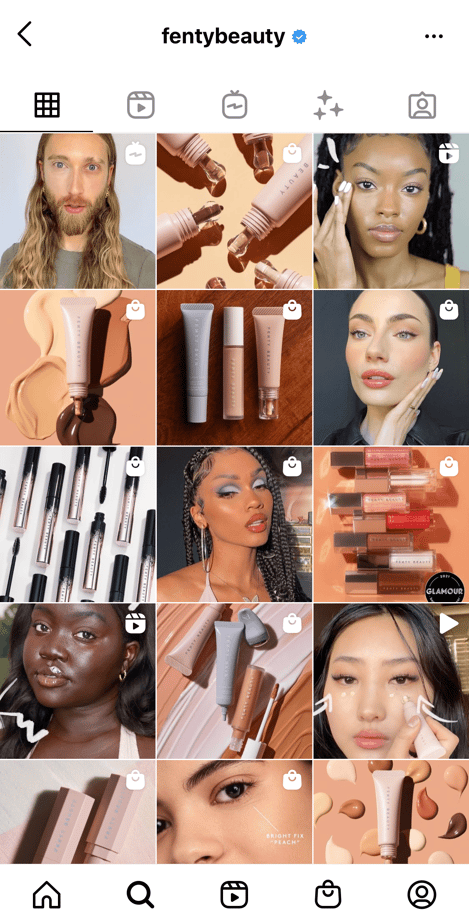
This tactic can help you secure a potential sale and maintain continuous, effective engagement with your audience. It also enables you to expand your brand reach.
2. Create targeted ads for high-converting audiences.
Social media platforms and search engines like Google offer entrepreneurs the opportunity to create ads that show up on their targeted audience’s timelines or feeds. Mwangi says ads are a great way to market yourself to receive a faster return.
One benefit of using ads is it allows you to choose what audience you want to target. Facebook and Instagram, in particular, offer the option to market to people who follow your brand, or you can customize your targeting preferences by choosing specific details, including age, location, and search behavior.
This gives you more control over who sees your ads, so you can ensure you’re only serving your ads to those most likely to purchase your product or service.
3. Generate an email list, and send out unique case studies or behind-the-scenes information.
Email lists have plenty of benefits for businesses — ultimately, email is one of the strongest opportunities for lead generation and nurturing.
Once you’ve begun growing your email list, consider sending emails with exclusive information, such as your business’ story, or what your company stands for and what matters most to your employees.
Mwangi also recommends companies provide case studies, advice for email subscribers, or sneak peeks of products and services ahead of launches.
Alternatively, you might consider highlighting a consumers’ story to demonstrate the impact your business can have on your email subscribers’ if they choose to purchase.
4. Become a thought leader in your space.
Another way businesses can market themselves is by participating in public speaking, podcasts, or blogging engagements. Although this form of marketing has a slower return to influence sales, Mwangi says it leaves a trail of breadcrumbs for people to reach out online.
This strategy also gives potential collaborators or customers the chance to warm up to the company because they’ve already gained some value from the brand.
For example, take a look at how Tiffany Aliche, the founder of “The Budgetnista”, has been able to use speaking engagements to promote her company and teach women how to properly handle their finances.
Aliche has spoken at 300 events across the country and over 1,000 globally, including EssenceFest and multiple hospitals and colleges.
5. Have an effective, well-designed website.
Once you’ve used the strategies listed above to drive traffic to your website, you want that traffic to feel delighted by what they find. It’s critical, then, that you pay as much attention to the design of your website and its usability as you would to a physical storefront.
A few Black-owned businesses that have aesthetically pleasing websites are Teflar, Pyer Moss, and Bevel.
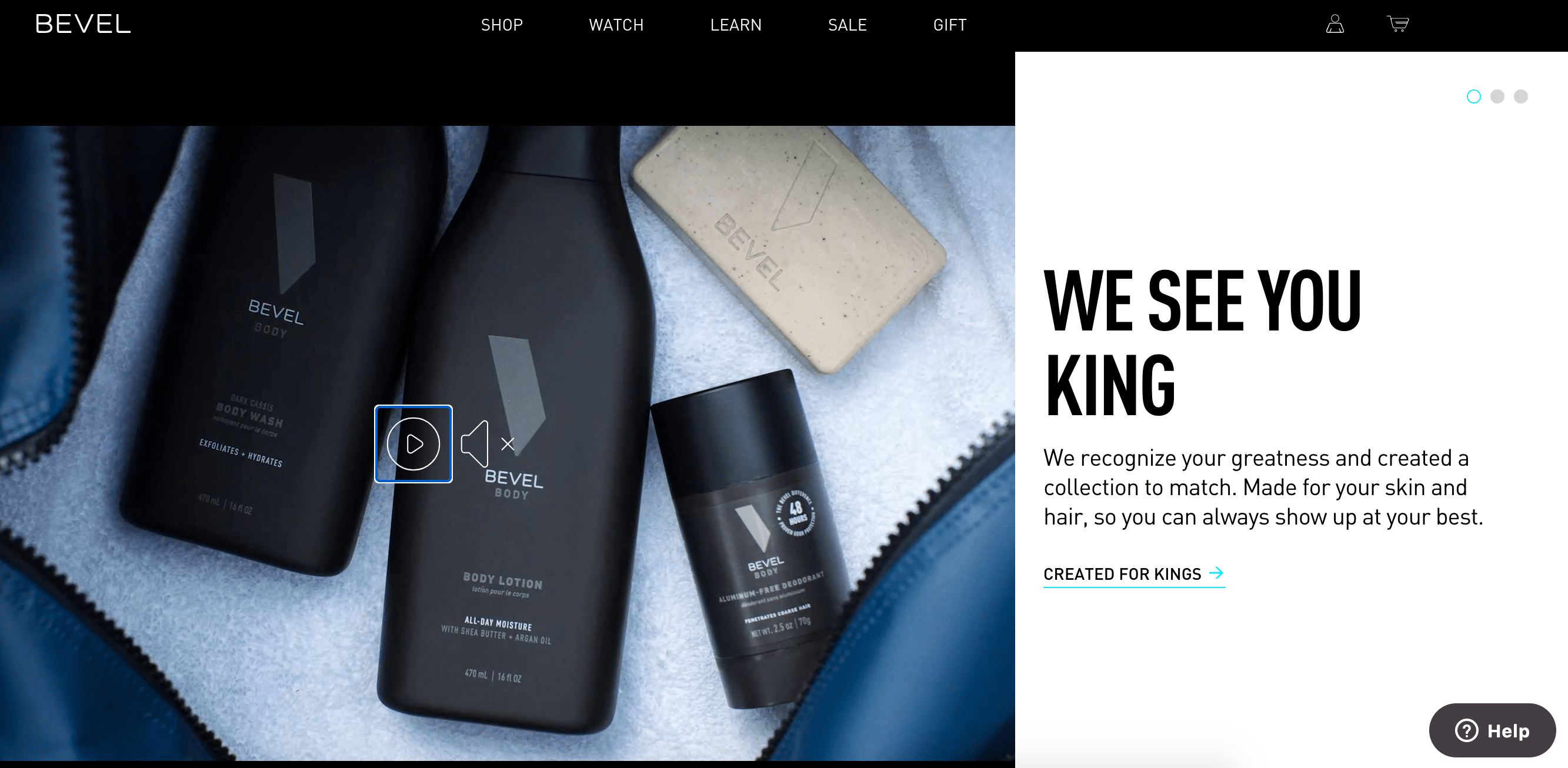 All three websites incorporate attention-grabbing visuals and videos that immediately catches visitors’ attention once they visit the site. Business owners should not be afraid to stand out when it comes to securing a sale on their webpage.
If you already have a website but don’t feel it’s doing the job, take a look at The Ultimate Guide to Building a Website Redesign Strategy.
6. Use Google My Business and Google Analytics.
Google My Business is a helpful tool for business owners to create custom content to advertise to their target audience. Owners can also use the service in collaboration with Google Analytics to track data and see where people are accessing content.
For instance, Mwangi says that Google Analytics has helped her learn that people come to her website based on the content she posts on her Instagram Stories.
Not only is it showing her that people love her storytelling from this specific feature, but she’s also able to share certain links and information. Google Analytics is a beneficial service to collect data and figure out what’s the best platform for your brand to use.
Black-Owned Business Tips to Keep in Mind
Mwangi emphasizes that the marketing strategies listed above are all valuable pieces of the pie. Still, there are also specific approaches business owners must keep consistent across-the-board to promote company growth.
Let’s dive into those, now.
7. Be authentic.
Authenticity is an integral approach to ensuring a company’s success. Mwangi says a benefit in garnering customers is a company informing its audience on where it stands.
An example of a Black-owned business that consistently leverages this approach is Black-owned, plant-based feminine care product line, The Honey Pot Company. The Honey Pot Company has always been transparent about where they stand and who they make their products for, which has helped them maintain loyal customers over time.
Black women, in particular, stood in solidarity with the company’s owner, Bea Dixon, when she received bad reviews from predominantly white buyers after Target featured her in a Black History Month commercial.
While people were trying to sabotage her brand, Black women not only took the initiative to combat the company’s rating with positive reviews, but they also spread the word on social media. Although the events that occurred were unfortunate, the publicity ended up working in the company’s favor because people became more aware of the company’s purpose and knew what Dixon stood for.
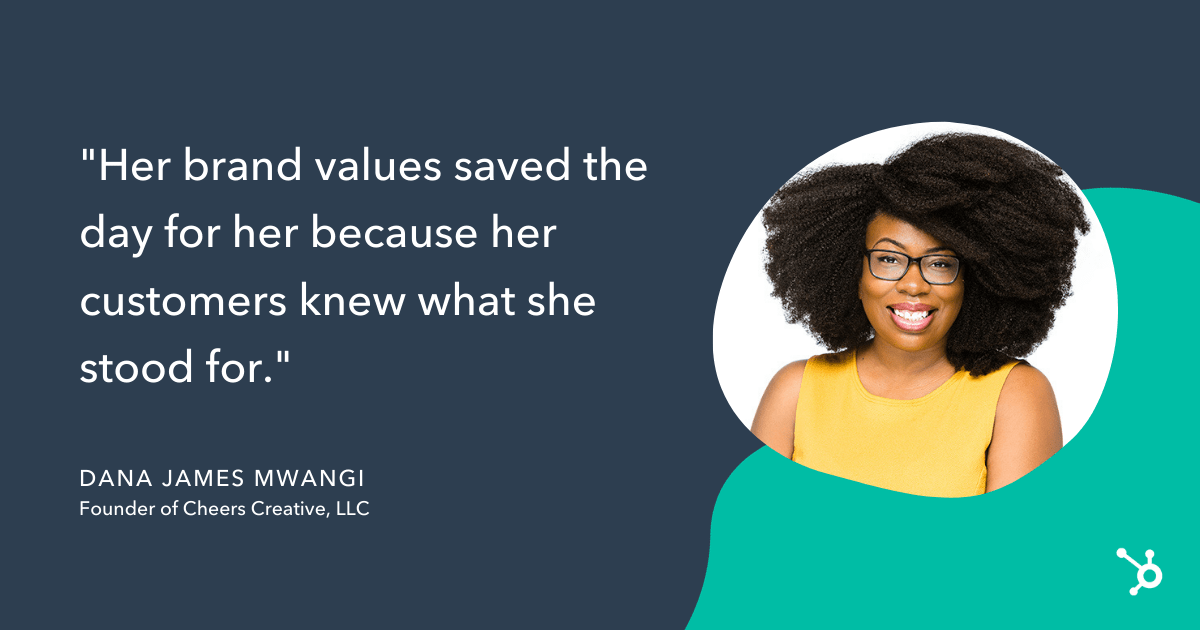
“Her brand values saved the day for her because her customers knew what she stood for,” Mwangi said. As a result, they supported her and bought out the shelves.
8. Define your target audience.
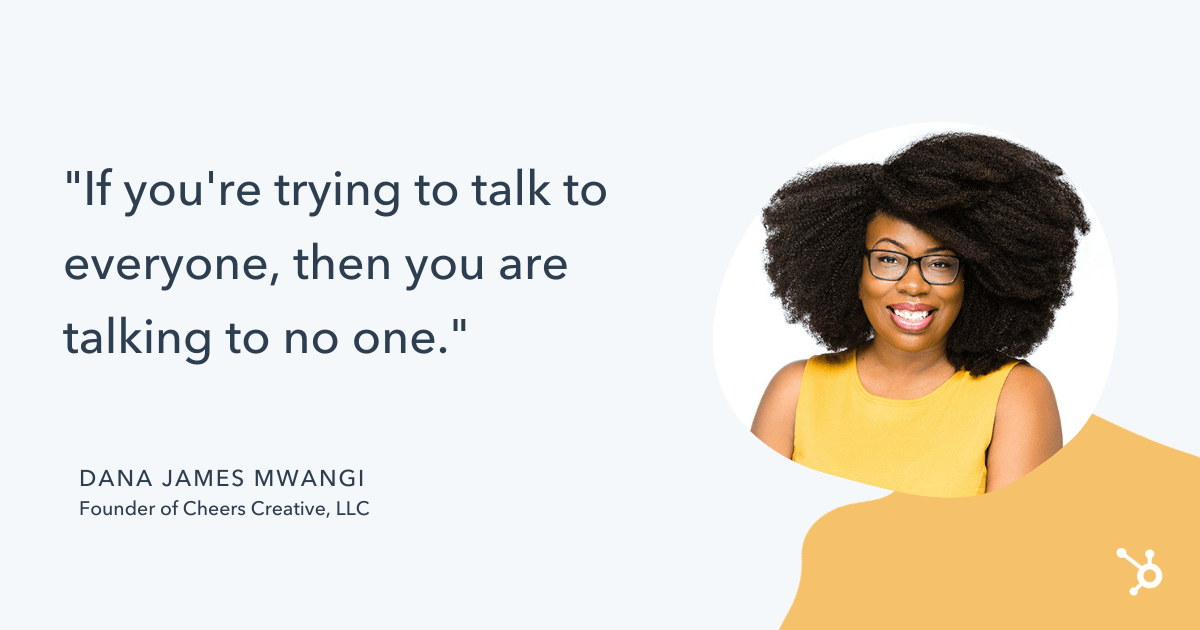
When entrepreneurs first launch their business, they have the goal to serve everyone, but Mwangi states that “if you’re trying to talk to everyone, then you are talking to no one.”
It’s okay for a business to choose a specific community it wants to advertise to and be unapologetic about it. The benefit of being an entrepreneur is that it guarantees a person the freedom to choose who they want to serve.
“You get the liberty to be as specific as you want and be niched as you want,” Mwangi expressed. “There is still a lane for you to make incredible amounts of profit.”
9. Speak your customers’ language.
The language of your business is also crucial, especially now. With all of the events currently taking place, Mwangi proposes that business owners need to be aware of what’s going on within the community and market accordingly.
Despite current events, business owners should keep in mind that their language should cater to their customers’ identity.
For example, the Black-owned cosmetics line, The Lip Bar, uses its platform to dispel mainstream standards of beauty.
 Mwangi highlights how the brand is unapologetic about its purpose, and it takes pride in catering to customers who like to be bold with their makeup and define their beauty standards.
10. Start by marketing one (or a few) products.
Additionally, marketing one product rather than multiple products at once has proven to be effective. Mwangi recommends that customers sell one product in different ways or colors to avoid spreading marketing dollars and gain fast momentum.
Mwangi also used the founder of The Lip Bar, Melissa Butler, as an example of this approach. Butler first sold lipstick in different shades, then expanded her product line to lip liners, foundations, tinted moisturizers, eyeshadows, and more.
Another Black-owned business that used this approach is mesh body exfoliator product, Luv Scrub, founded by entrepreneur Caroline Owusu-Ansah. Owusu-Ansah sells cloths in a variety of colors.
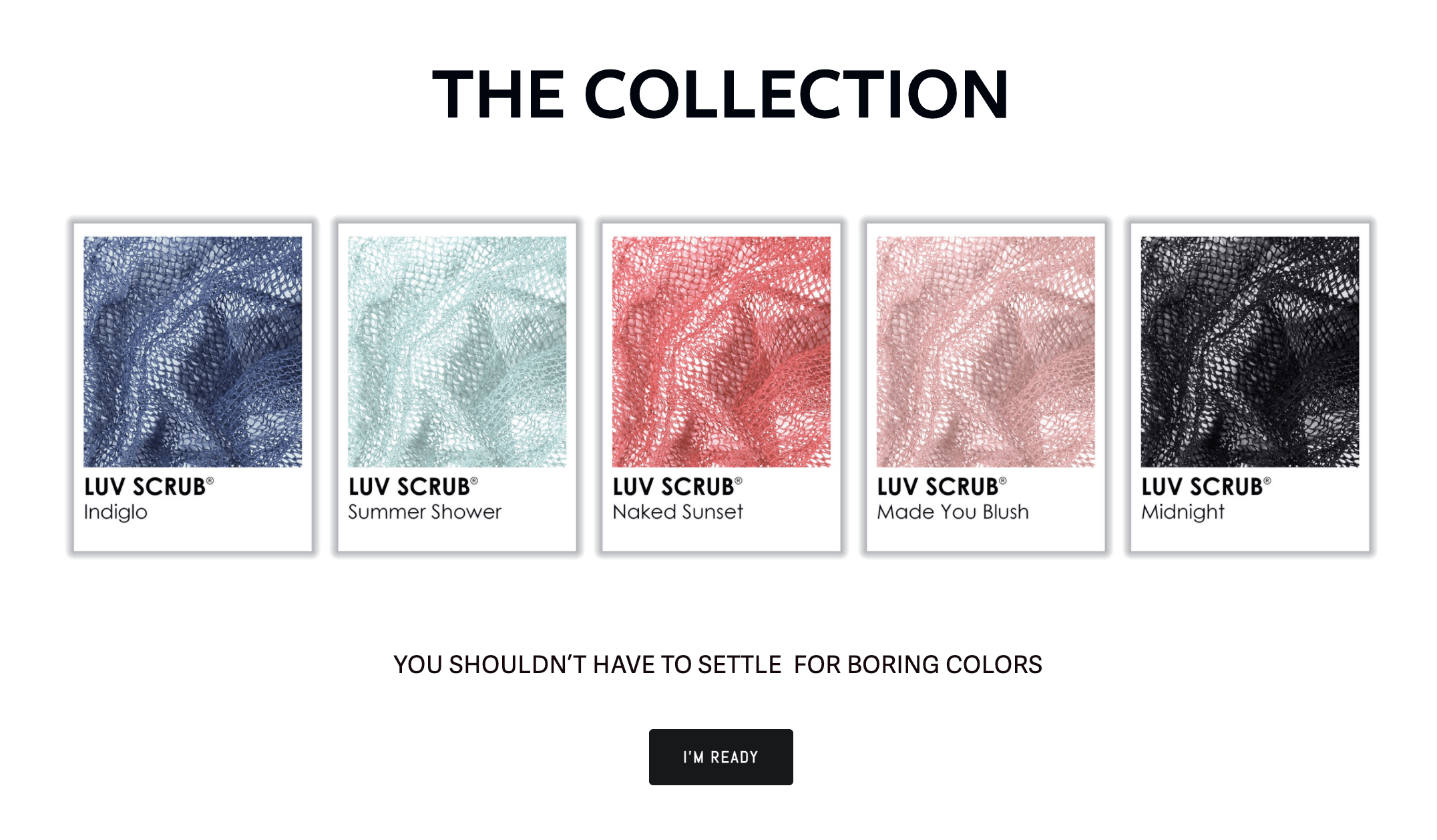
“This marketing strategy is also an offering strategy or a product strategy,” Mwangi said. “You don’t have to give people all of these choices when you say that you can fix a problem. You can have one great product that fixes the problem and when you have that, what that means is now your marketing is super concentrated on that product.”
11. Maintain engagement with your community.
An essential factor for staying in business is maintaining customers and keeping them coming back for your product or service. One way to keep people buzzing about a company’s brand is by promoting various offers such as giveaways, contests, hosting Q&As, and doing customer features. Business owners can conduct these offers via social media and newsletters or their website to garner participation.
“Not only are you getting people engaged, but you’re also getting ideas on how to refine [your product or service],” Mwangi said. “They’re literally telling you what they want, how to refine your current products, and what they want out of the next product from you. If you look at it, the people will tell you what they want. You don’t have to make stabs in the dark.”
“Interacting with your customers is good because it’s showing people that you care,” she added. “It also helps you to get information on what your customer is thinking. Now you know even more about what they talk like, what they sound like, and you can make your website talk directly to them because you’ve been talking to them all this time. And listening and asking them questions.”
Overall, when it comes down to marketing, customer service is also needed to cater to customers fully.
Mwangi notes that customer relationship management software helps with this effort.
“Marketing is how you deliver that story, and customer relationship management software helps you back up who you say you are with excellent customer service,” she said.
The above marketing advice, branding, and customer service helps business owners develop successful business strategies and keep up with the demands of the business to attract customers.

The 6 Kinds of Digital Marketing Collateral You Should Be Creating
It goes without saying, but your marketing materials shouldn’t be limited to conventional outbound advertisements — particularly if your business is B2B. Sure, capturing attention is part of the battle, but what happens when a prospect visits your website and sees nothing but some product descriptions and a pricing page?
There has to be more there. You need to have some material to show that you can walk the walk. One kind of content that helps get you there is known as marketing collateral, and it can come in a variety of shapes and sizes.
Here, we’ll get a more in-depth understanding of the concept and go over the five most important marketing collateral formats you can use to help establish legitimacy and supplement your sales efforts.
![Download Now: 150+ Content Creation Templates [Free Kit]](https://no-cache.hubspot.com/cta/default/53/5478fa12-4cc3-4140-ba96-bc103eeb873e.png)
At its core, marketing collateral is a way to let prospects know that you know what you’re talking about. It’s not supposed to be as flashy as conventional advertisements. In creating marketing collateral, your first priority generally isn’t to capture attention — it’s to retain and enhance it.
In most cases, the prospects who are looking at your marketing collateral are curious about your company, but they might not be intimately familiar with you or what you’re offering. Well-crafted marketing collateral can put them at ease. It can help build the kind of trust necessary to start and sustain a customer relationship.
Now you might be wondering, how does marketing collateral relate to marketing materials in general? Good question.
Marketing Materials vs Marketing Collateral
In general, the difference between marketing materials and marketing collateral comes down to showing not telling. While other marketing materials might tell the reader explicitly why their company or offering is the best, marketing collateral is focused on showing why their company or offering is the best.
That’s why marketing collateral tends to be educational in some capacity. When done right, the informative nature of the format lets you separate yourself from the competition by letting you showcase an extensive understanding of your industry that others in your space might not be projecting.
If all of your marketing materials are solely dedicated to talking up your product or service, you’ll be selling yourself short. When prospects are deciding to buy, they’re not just considering what’s for sale — they’re considering your company as a whole.
They want to know they’ll be taken care of by a competent, capable, knowledgeable organization that they can rely on to address any issues and concerns they might have as they arise. Creating thoughtful marketing collateral is one way to help that cause.
1. Blog Posts
Producing good marketing collateral is often a matter of consistently providing value to your audience. One of the better forums to create and promote the kind of material that does that on an ongoing basis is a well-maintained company blog.
It allows you to supplement your sales efforts with helpful insight and audience engagement — driving traffic to your website and generating leads through actionable advice, expertise, and entertainment. Below are some examples from HubSpot’s Website Blog.
Blog Post Example
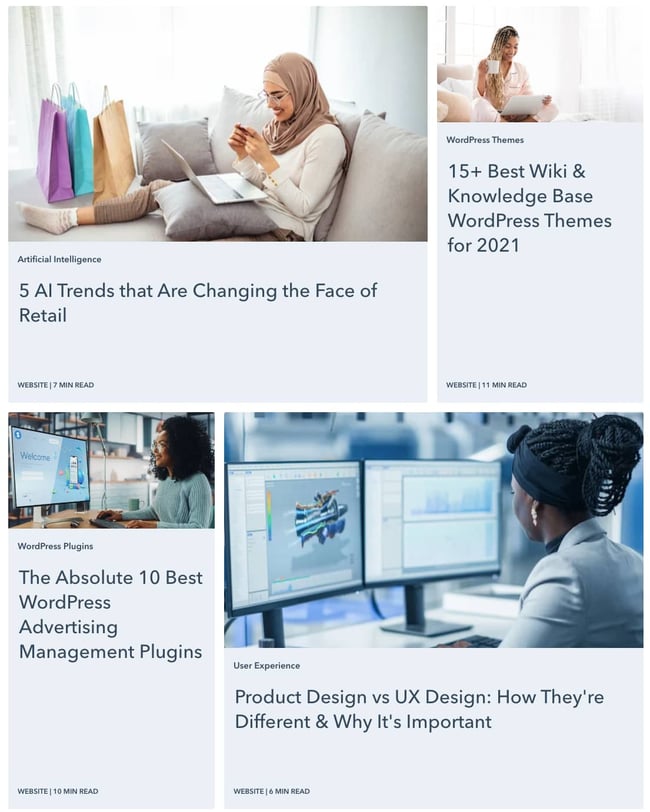
Like any other kind of effective marketing collateral, good blog posts can project authority in your industry. You want to show you’re staying abreast of industry trends and understand the nuances of your space — constantly churning out high-quality, helpful content can help that cause and put your prospects at ease.
Keeping all these benefits in mind, it’s no wonder then that marketers ranked blogs as the second primary form of media used within their content strategy in a recent HubSpot survey.
2. Ebooks
Ebooks are similar to blog posts in that they should project industry authority through engagement, but they tend to be longer, more in-depth, and less snackable than typical blog content. This type of marketing collateral generally attracts prospects with a vested interest in your industry. Below are some examples from HubSpot.
Ebook Example
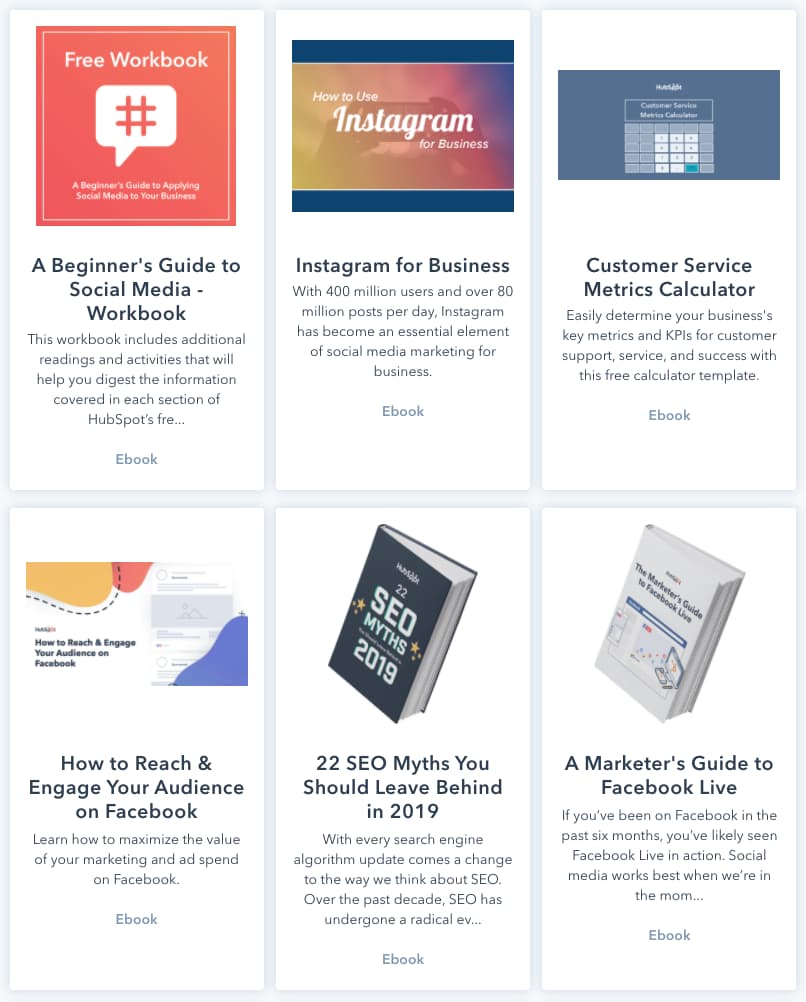
In some ways, an Ebook could be likened to an extended blog post or a few blog posts strung together. Like blog content, an Ebook generally contains accessible language and directly actionable advice.
In many cases, Ebooks are downloadable and can only be accessed in exchange for a prospect’s contact information — making them a powerful vehicle for lead generation.
No matter where your company stands, you likely have the resources and knowhow to channel your industry-specific knowledge into a thoughtful Ebook. Remember, your marketing collateral should be designed to build trust with prospects and customers.
If you can put out Ebooks to reliably bolster their knowledge of your industry, you can convince them they’re in good hands when they buy your product or service.
3. Case Studies
Case studies are offering-specific documents that detail how specific customers saw success as a result of leveraging your product or service. This format is different from the previous two in that it’s never product-agnostic. Below is an example from HubSpot.
Case Study Example
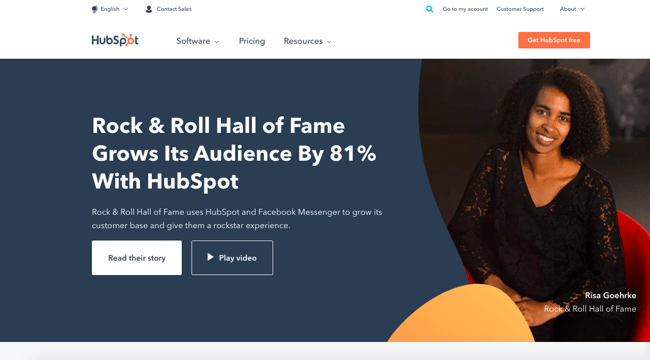
Every case study is made in collaboration with a satisfied customer. It’s a form of cross-promotion that shows what your product or service is like in practice — a roadmap that lets prospects imagine what you could do for their business.
Like almost every other example on this list, case studies are educational. They provide a more thorough explanation of how your product or service works through an active example. It’s also another avenue for building trust.
If you can point to reputable customers who are willing to vouch for your business in extensive detail, you can bolster your company’s reputation as a solid, knowledgeable organization with a product or service that delivers results.
4. Testimonials
Testimonials are essentially condensed, snackable case studies. Many — if not most — prospects don’t have the time or interest to delve into a full-on case study. If you want to reach them, you’re going to have to provide quick-hitting content that they can glance over passively. Testimonials can do just that. Below is an example of one from HubSpot.
Testimonial Example
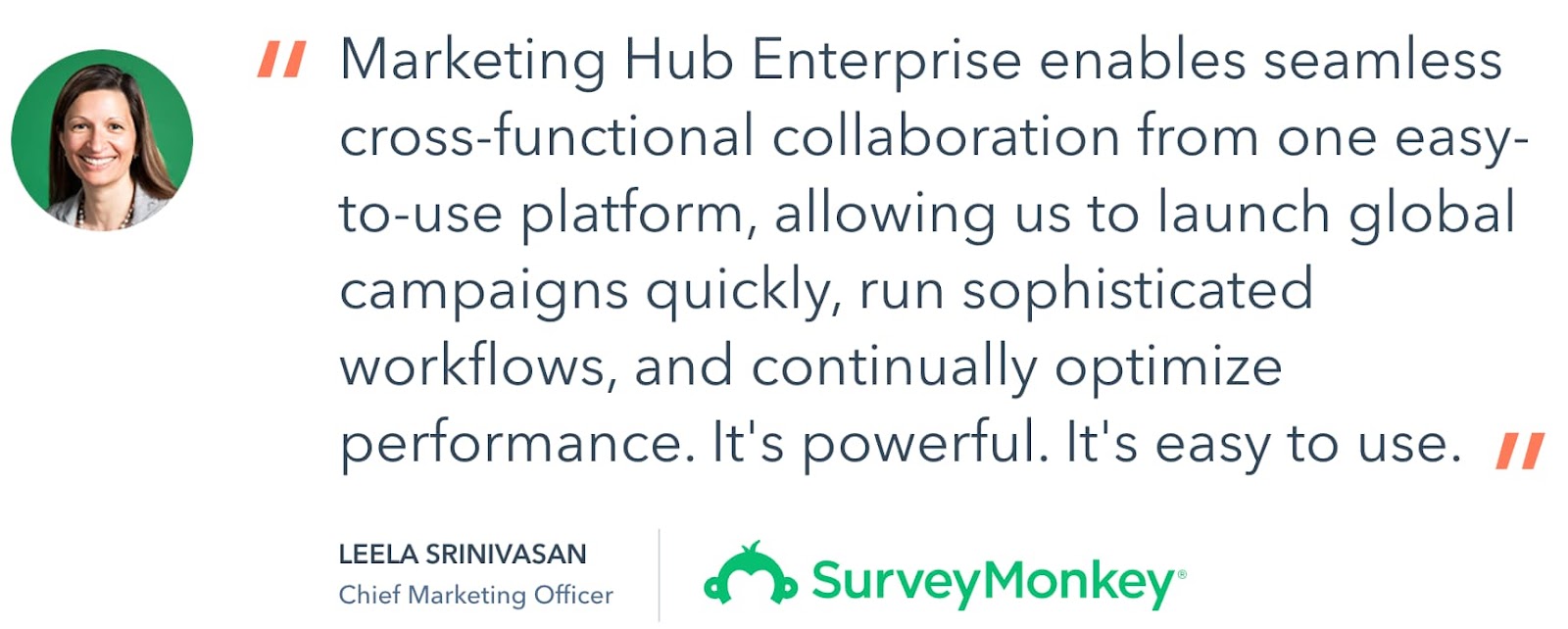
This testimonial follows the format’s best practice. It’s visually engaging, clearly establishes who provided the quote, and references specific benefits — a solid example of an appropriately informative, easily digestible piece of marketing collateral. Ultimately, a good testimonial helps project the company’s legitimacy while inspiring potential customers to further explore the product it’s promoting.
5. White Papers
A white paper is a persuasive, authoritative, in-depth report on a specific topic. Generally, one of these documents will raise a problem and present a solution to it.
It’s typically more technical and less accessible than an Ebook. It’s meant to draw a crowd more intimately involved with or interested in your industry — an audience that might naturally run into the issue at the core of the document.
White papers shouldn’t be product pitches. It’s best practice to keep them objective and educational. That being said, the topics you choose need to be relevant to your company or space.
This kind of collateral also needs to be thoroughly researched, thoughtfully formatted, polished, and written in a serious tone. That means no flashy language or cute gimmicks. Below are some examples of topics from HubSpot’s Not Another State of Marketing Report.
White Paper Example
As I keep mentioning, every format listed in this article is tailored to project authority to some extent — the white paper is the purest example of that trend. It’s a technical document that’s meant to demonstrate technical knowledge to a crowd with technical prowess.
6. Explainer Videos
Explainer videos — the most commonly-created types of video — are an excellent way to appeal to visual learners. Designed to provide a quick and easy explanation of a product, service, or topic related to your industry, these help your company establish expertise and gain the trust of their target audience.
They are generally between 30 to 90 seconds in length, which translates into a written script of 200 words or less. This type of collateral can often be found on a website’s homepage, landing pages, prominent product pages, and social media accounts. Below is an example of one from HubSpot.
Explainer Video Example
The explainer video is a quick and memorable way to make an impact on your audience. It can be the difference between a prospect buying your product and not buying it, or subscribing to your YouTube page, and more.
For inspiration, check out 17 Examples of Fabulous Explainer Videos.
Ready to Create Your Own Marketing Collateral?
Well-crafted marketing collateral can give you a leg up on your competition. Not only is it an excellent vehicle for lead generation, but it can also offer your business an element of authority and trustworthiness to make potential customers more comfortable and inclined to buy from you. If your company isn’t producing it, consider trying out one of the formats listed above.
Editor’s note: This post was originally published in December 2013 and has been updated for comprehensiveness.

12 Critical Elements Every Website Homepage Must Have [Infographic]
Serving as your company’s virtual front door, this page is responsible for drawing in a majority of your website’s traffic. Still, despite its prominence, many businesses struggle to optimize it properly.
You see, your homepage needs to wear a lot of hats. Rather than treating it like a dedicated landing page built around one particular action, it should be designed to serve different audiences, from different origins. And in order to do so effectively, it needs to be built with purpose. In other words, you’ll need to incorporate elements that attract traffic, educate visitors, and invite conversions.
To improve the performance of your homepage, check out these elements every homepage must have.

12 Critical Elements Every Website Homepage Must Have

Share this Image On Your Site
<p><strong>Please include attribution to http://blog.hubspot.com with this graphic.</strong><br /><br /><a href=’https://ift.tt/3p6ljRF class=”alignCenter shadow” src=’https://ift.tt/3vxBaem’ alt=’12 Critical Elements Every Homepage Must Have’ width=’669px’ border=’0′ /></a></p>
What You Should Include in Your Website Homepage Design
1. Headline
Within three seconds, a website needs to tell visitors what the business has to offer. That’s where your headline comes in. It may only be a few words, but it’s one of the most important pieces of copy on your website.
Many types of people might visit your website, and you’ll be hard-pressed to find a few words that hit home for everyone. Instead, write your headline to target a third of those people who are most likely to be happy with your product.
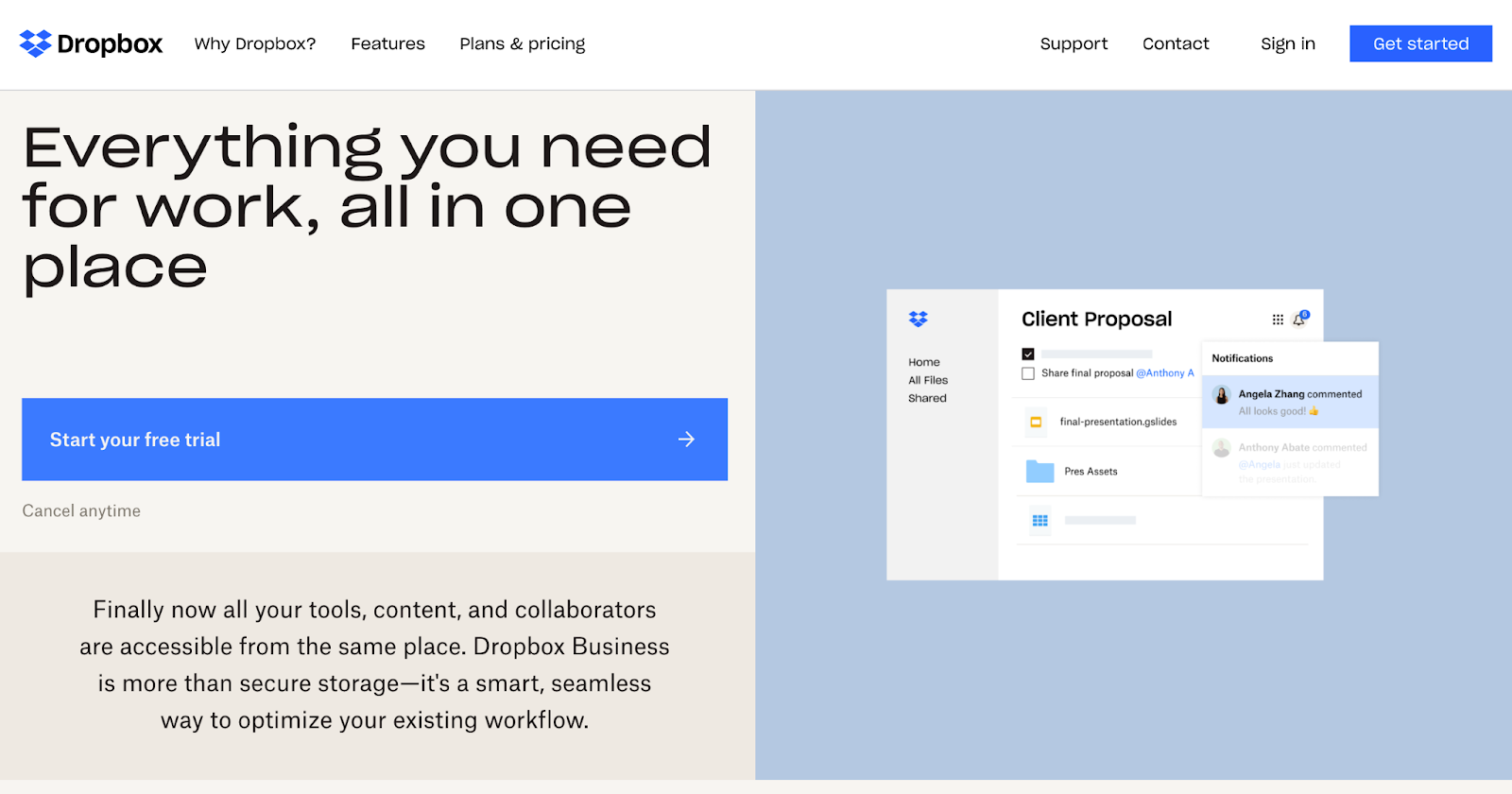
Keep the headline itself clear and simple. Dropbox‘s headline is a great example: “Everything you need for work, all in one place.” It’s simple, yet powerful — no need to decode jargon to figure out what Dropbox really does.
2. Sub-headline
Your sub-headline should supplement the headline by offering a brief description of what you do or what you offer. This can be done effectively by zeroing in on a common pain point that your product or service solves.
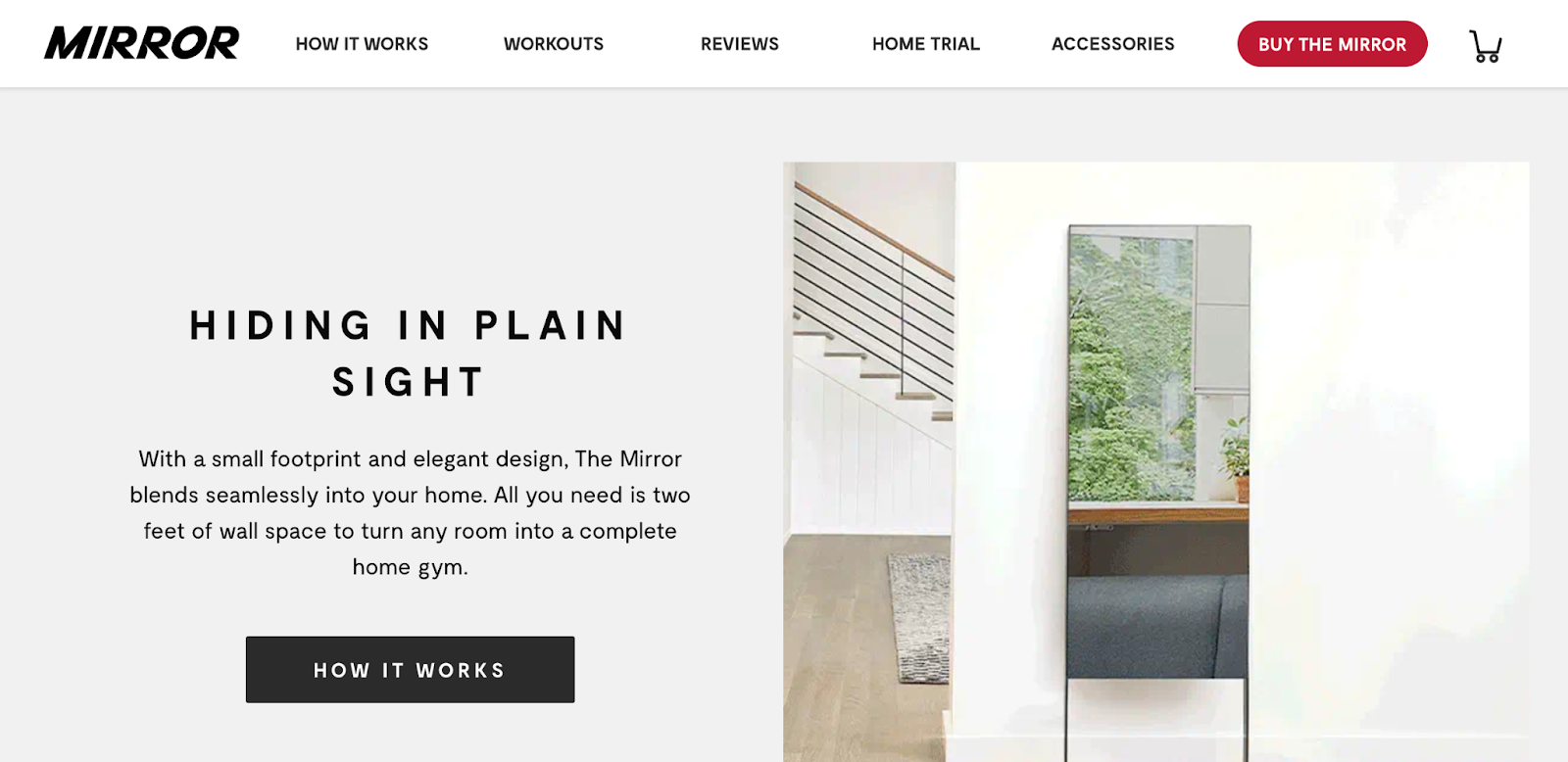
Here’s an example of a great sub-headline from Mirror: “Hiding in plain sight.” It hones in on the primary selling point of the mirror gym: It’s a full at-home gym, personal trainer, and workout plan all in the comfort of your home without taking up precious square footage with equipment.
To optimize your headlines for mobile, use larger fonts to give visitors a better experience. Small fonts could force mobile visitors to pinch and zoom in order to read and interact with the content on your site. Our advice? Use the heading options in your page editor. H1 headings are perfect for page titles — there should only be one H1 on a page. Subheadings should follow the order of the hierarchy, H2, H3 … H6, and so on. You can have several of these headings, just make sure they’re in order. For example, you won’t want to jump from an H1 to an H3 — choose an H2 instead.
3. Primary Calls-to-Action
The goal of your homepage is to compel visitors to dig deeper into your website and move them down the funnel. Include two to three calls-to-action above the fold that direct people to different stages of the buying cycle — and place them in spots that are easy to find.
These CTAs should be visually striking, ideally in a color that contrasts with the color scheme of your homepage while still fitting in with the overall design. Keep the copy brief — no more than five words — and action-oriented, so it compels visitors to click whatever you’re offering. Examples of CTA copy are “Sign up,” “Make an appointment,” or “Try it for free.”
Afterschool HQ’s website features two CTAs above the fold, both geared toward program directors who are interested in promoting their after-school programs to families on the site. The note below the longer CTA “Create Your Free Profile” gives visitors the nudge they need to create an account — the first step to becoming an Afterschool HQ provider.

4. Supporting Image
Most people are visual. Make sure to use an image (or even a short video) that clearly indicates what you offer. Use images that capture emotion, drive action, and visually tell the story you’re writing about.
To optimize your images for mobile users, use high-quality images that have a reduced file size. (HubSpot customers don’t need to worry about this, as images uploaded to HubSpot’s software are automatically compressed. Otherwise, tools like TinyPNG will do the trick.) Also, always add alt text to your images to make them more accessible to visitors who use screen readers and to take your SEO efforts up a notch.
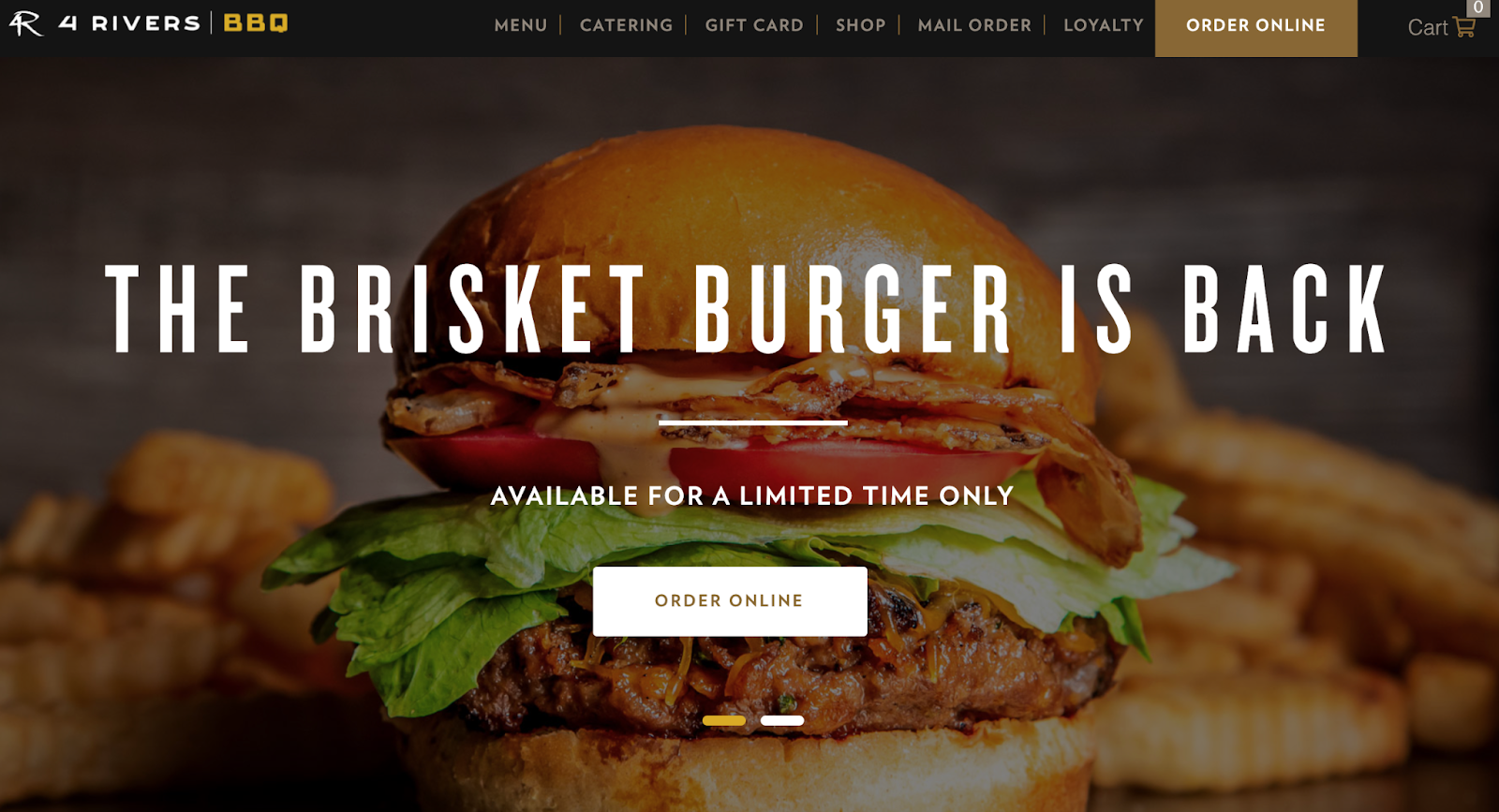
The 4 Rivers Smokehouse homepage is a great example of emotional imagery: It features a series of short, high definition, and mouthwatering videos that play on a loop behind a simple headline, sub-headline, and primary CTA:
5. Benefits
It’s not only important to describe what you do, but why what you do matters. Prospects want to know about the benefits of buying from you because that’s what will compel them to stick around.
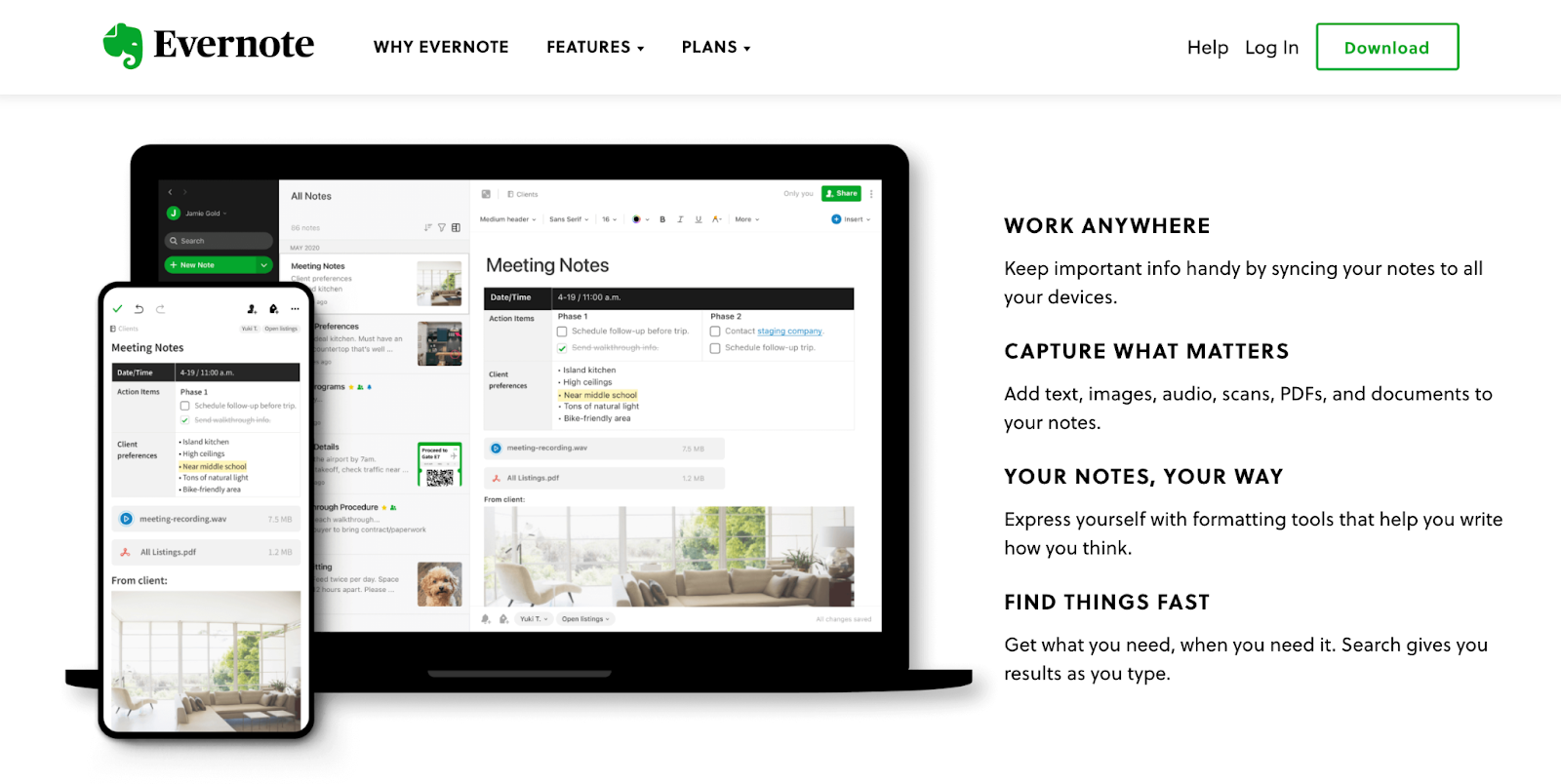
Keep the copy lightweight and easy to read, and speak the language of your customers. Evernote does a great job of listing benefits on their homepage in a way that’s compelling, visually pleasing, and easy to understand:
6. Social Proof
Social proof is a powerful indicator of trust. Your product or service could be the best in the world, and it’s okay to lay that claim — it’s just that people may not believe you unless they hear it from other people, too. And that’s exactly what social proof does.
Include just a few of your best (short) quotes on the homepage, and link to case studies if applicable. Adding a name and photo gives these testimonials more credibility. Lessonly nails this on their homepage with glowing testimonials from actual clients.

7. Navigation
The design and content in your homepage navigation could mean the difference between a website conversion and a bounce. To decrease bounce rate, give your visitors a clear path to the pages they need right from the homepage. Make the navigation menu visible at the top of the page, and organize the links in a hierarchical structure.
No one knows your website better than those who helped design it, so be sure to conduct user tests to make sure it’s simple and intuitive for visitors to find what they’re looking for on your site. Include a search box if you can. (Read this blog post for more helpful website navigation tips.)
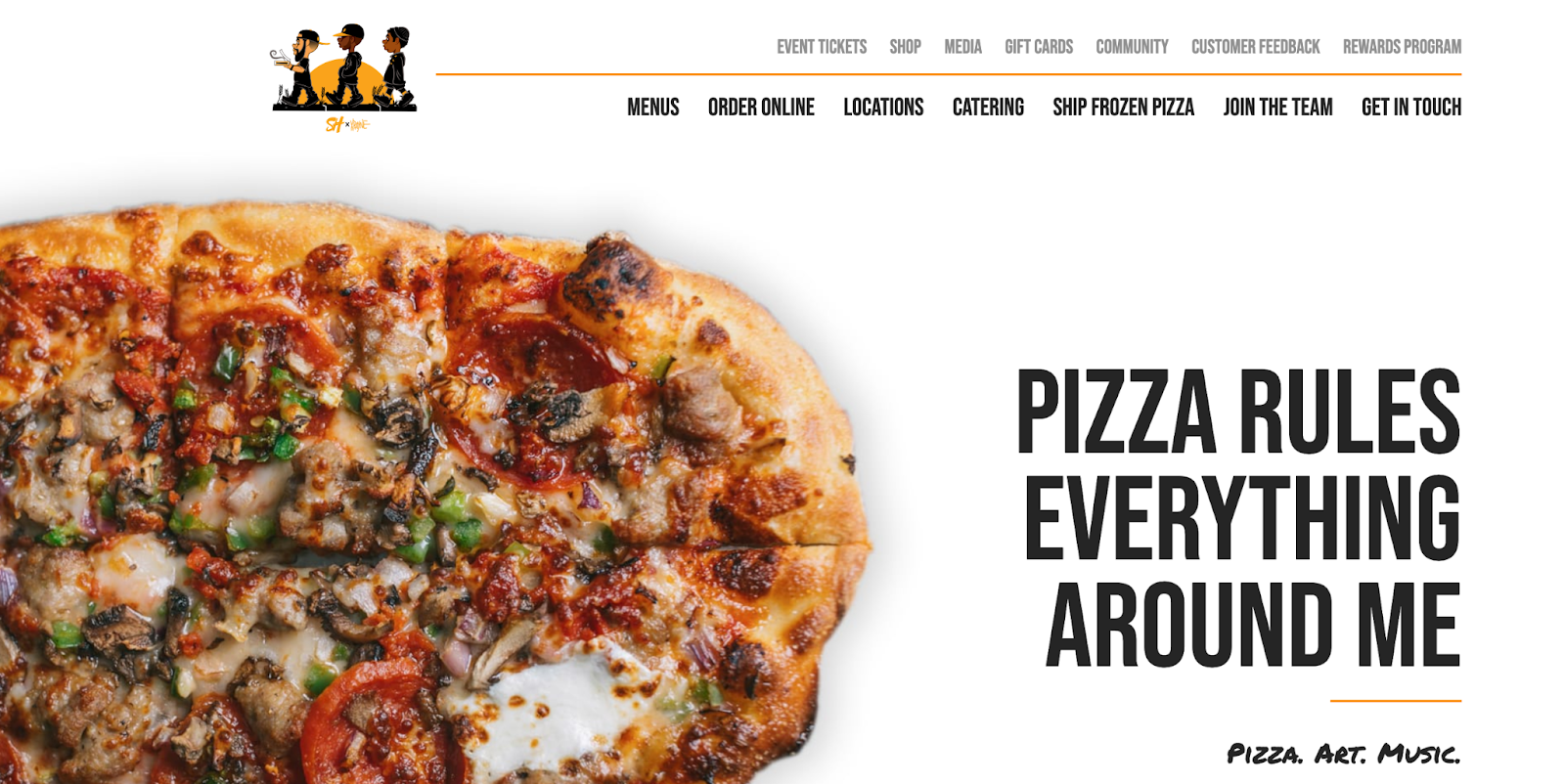
Here’s an example of a clear, well-structured navigation design from Slim & Husky’s Pizza Beeria homepage:
8. Content Offer
To generate even more leads from your homepage, feature a really great content offer, such as a whitepaper, ebook, or guide. Folks who may not be ready to buy might rather download an offer that gives them more information about a topic they’re interested in. If you need inspiration, here are several different content types to pick from.
9. Secondary Calls-to-Action
Include secondary CTAs on your homepage to offer additional conversion opportunities for prospects who aren’t interested in your primary objective. Think of them like the contingency plan: They offer another path for visitors who are not yet ready for something as high-commitment as you’re asking.
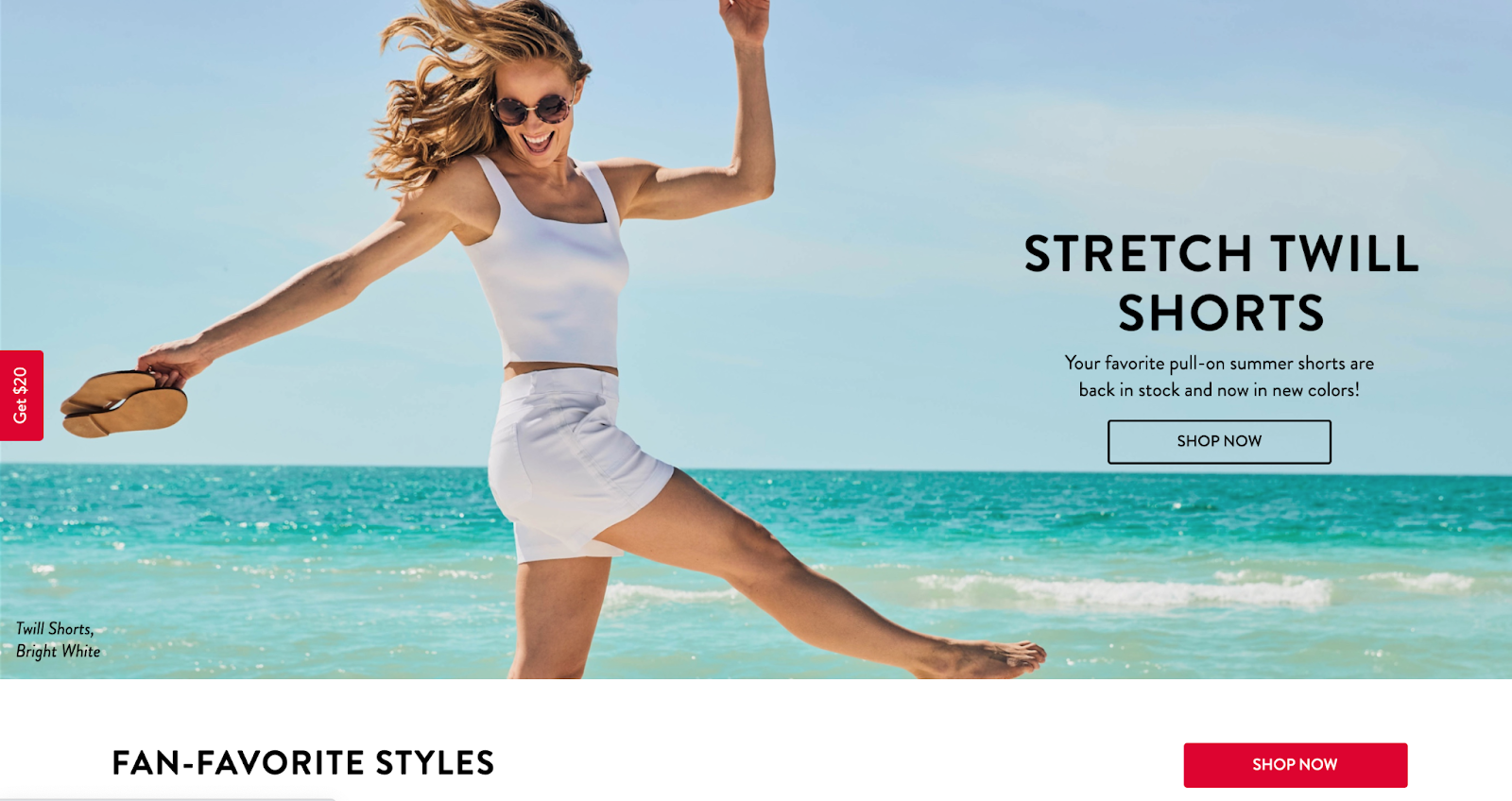
While your primary CTAs should be above the fold, place secondary CTAs below the fold to give visitors things to click on when they scroll down. For example, below the fold on Spanx’s homepage, you’ll find three, clearly labeled calls-to-action that give folks who’ve scrolled that far a few more options to click on. These secondary CTAs are for two different types of conversions: one on the far left for $20 off and another, “shop now” to explore the online catalog.
10. Features
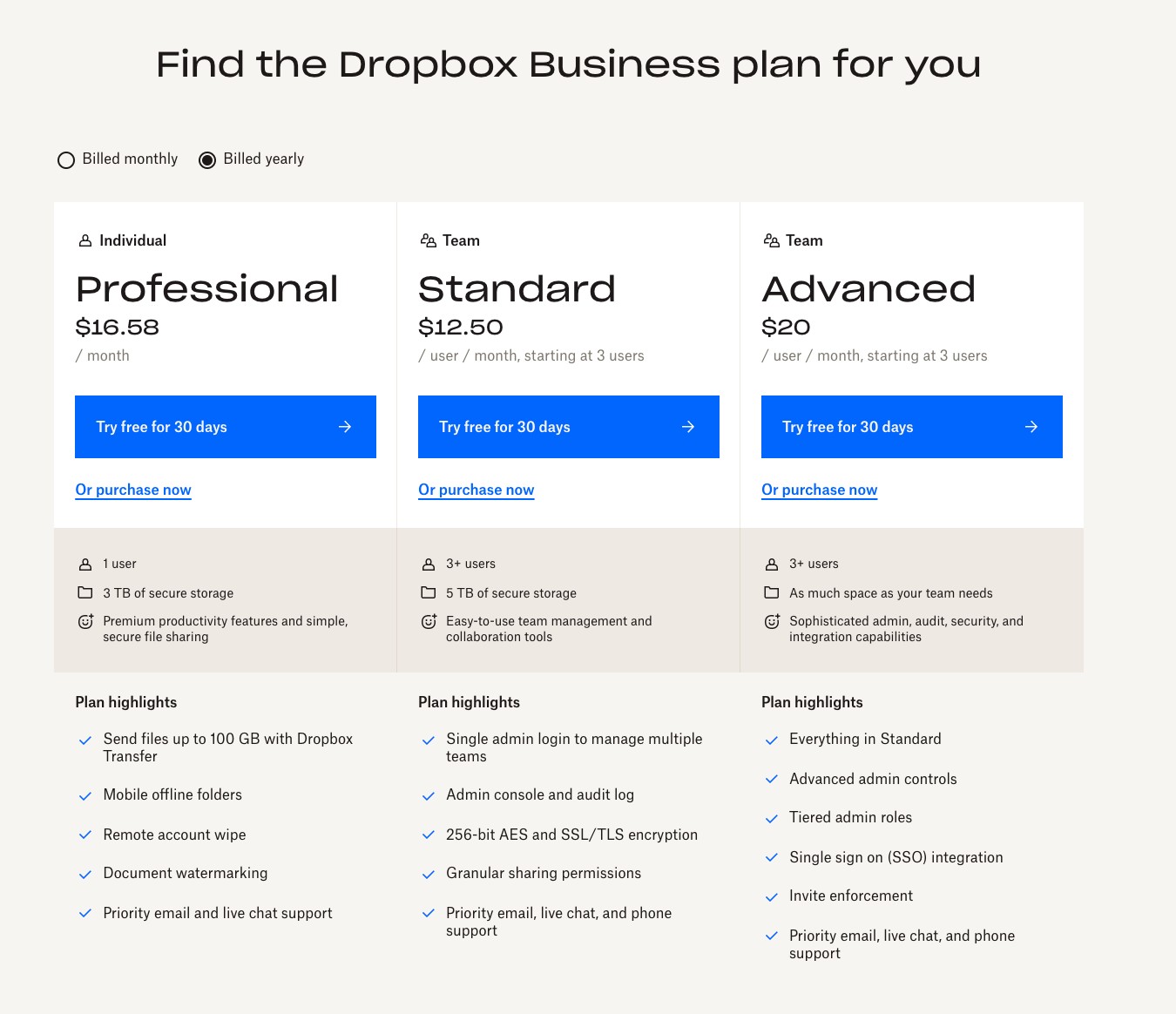
In addition to benefits, list some of your key features. This gives people more of an understanding of what’s provided by your products and services. Again, keep the copy light and easy to read. Dropbox for Business, for example, doesn’t shy away from showing off a features matrix right on their homepage below the fold.
11. Resources
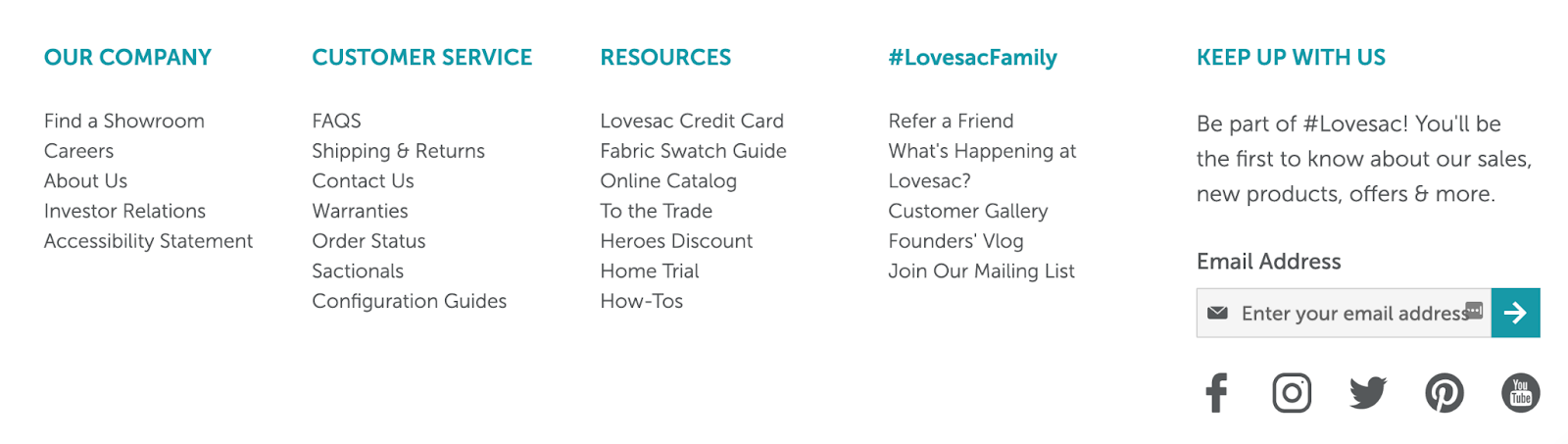
Again, most visitors to your website won’t be ready to buy … yet. For folks who are looking for more information, offer a link to a resource center where they can browse relevant information. Not only does this keep them on your webpage for longer, but it also helps you establish your credibility as a thought leader in your industry.
Lovesac adds a resources link to the footer below the fold. Notice how each of these secondary CTAs cover multiple stages in the buying cycle: a credit card link to help customers buy their furniture easily, a fabric swatch guide for those who are still looking for the perfect color before making a purchase, and an online catalog for people who are in the market for new furniture but aren’t yet ready to make a purchase.
12. Success Indicators
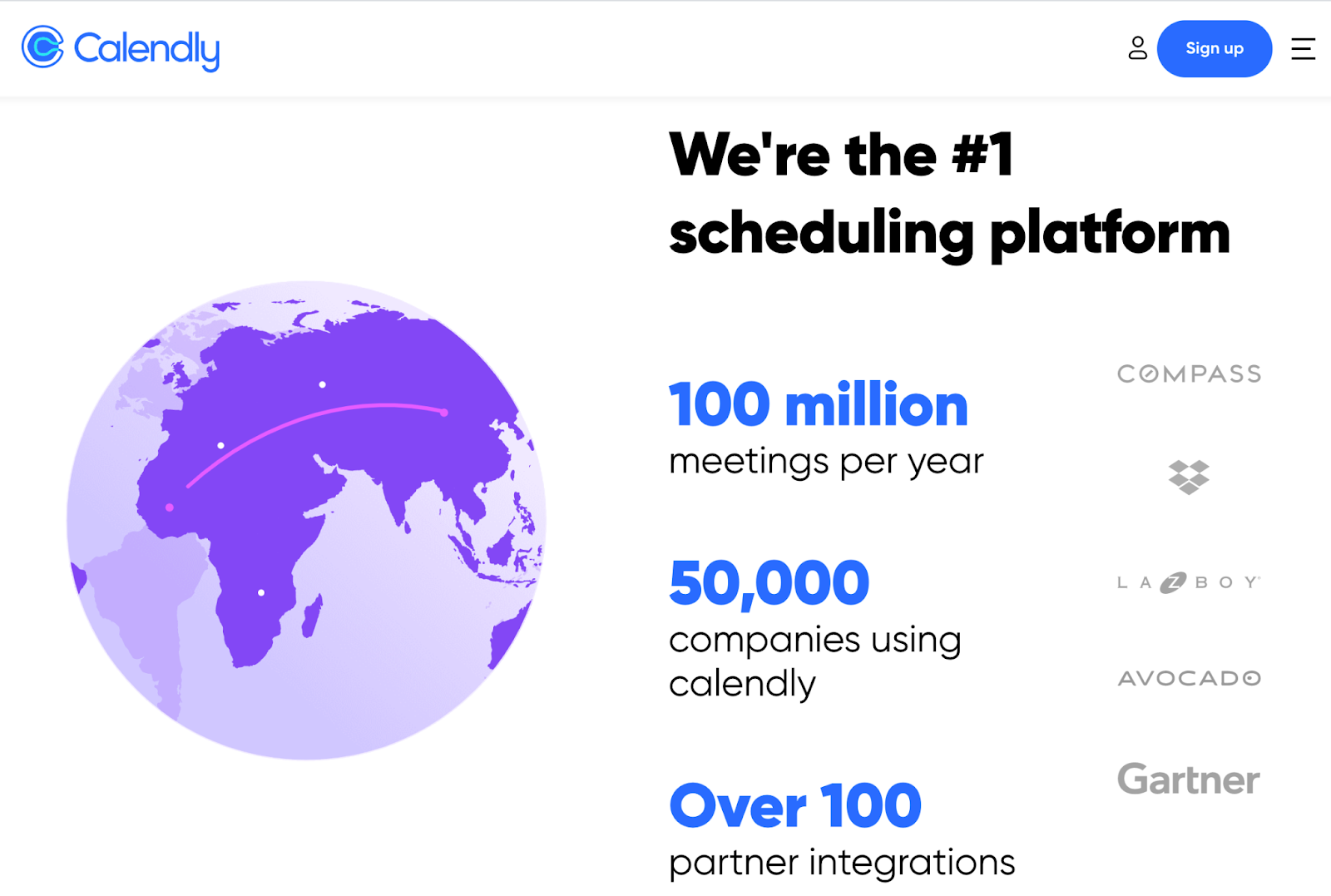
In addition to customer success stories, both awards and recognition can also help inspire a good first impression. Is your company a critically acclaimed restaurant? Were you voted best new app this year? Let your homepage visitors know of your accomplishments. Like social proof, it’ll give your business more credibility to those who don’t know you.
On Calendly’s homepage, for example, you’ll find the names of famous organizations that have recognized them, like Gartner and Dropbox.
A Homepage Worth Visiting
The homepage of your site is the first introduction each visitor will have to your business. Before they make up their mind to become a customer, they’ll review your homepage to get an idea of what you sell, why that matters to them, and how they can benefit from what you have to offer.
Make a brilliant first impression with a homepage that incorporates the elements outlined above. And for more inspiration, check out stunning examples of homepages by downloading the free lookbook below.
Editor’s Note: This post was originally published in January 2012 and has been updated for freshness, accuracy, and comprehensiveness.

How to Merge Cells in Excel in 5 Minutes or Less
Knowing the ins and outs of Excel is essential for organizing data, understanding analytics, and getting the most from your marketing efforts. The tool is great for quickly processing vast amounts of data, but it can be overwhelming if you don’t spend the majority of your workday whipping up spreadsheets.
Fortunately, a few basic skills are all you need to put together an easy-to-read spreadsheet. One is knowing how to merge cells in Excel. Whether you’re planning blog articles for the upcoming quarter, creating an email list for a targeted campaign, or designing SEO-friendly Google ads, merging cells is a handy way to organize your information.
![Download 9 Excel Templates for Marketers [Free Kit]](https://no-cache.hubspot.com/cta/default/53/9ff7a4fe-5293-496c-acca-566bc6e73f42.png)
To sharpen your skills, we’ll cover several ways to combine cells.
- How to merge two cells
- How to merge and center cells
- How to merge multiple cells
- How to merge cells without losing data
- A shortcut to merge cells
- Why can’t I merge cells?
Don’t want to start from scratch? Use these free Excel templates as a foundation for your own marketing spreadsheets.
How to Merge Two Cells in Excel
Merging is a way to turn two small cells into one new, large cell. This is useful for organizing information and creating headers, without the need to resize individual cells. Here’s how to do it.
Step 1: Highlight the two adjacent cells you want to merge (I’m merging A1 and B1 in the example).
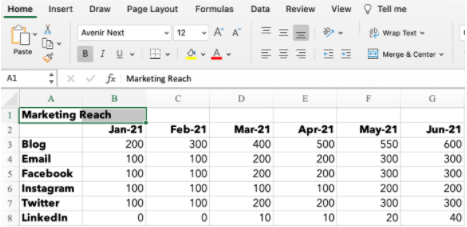
Step 2: Under the Home tab, click the ‘Merge’ icon and choose ‘Merge Cells’.
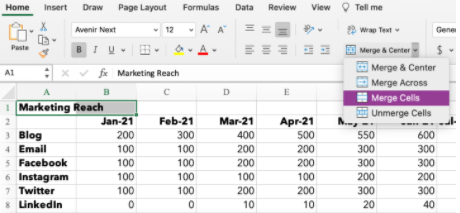
Step 3: That’s it! You’ve merged the cells.
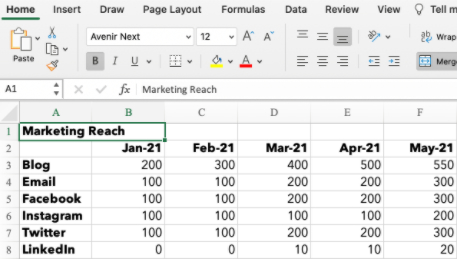
Note: When combining cells, only the data in the upper left cell is saved. Make sure to save the information from the other cell so it’s not lost. If you happen to have data in both A1 and B1, Excel won’t simply wipe it. This alert will pop up:
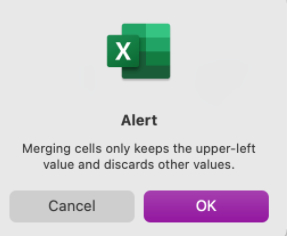
Don’t want to delete the data? Click ‘Cancel,’ and copy/paste the information into a separate document or cell before merging. If you only need the information in the upper-left cell, click ‘OK’ to merge the cells.
How to Merge and Center Cells in Excel
Say you’re building a marketing report and want your titles to be centered above your data. Merge and center cells by following these steps.
Step 1: Highlight the cells you want to merge.
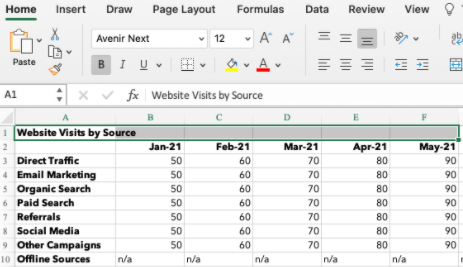
Step 2: Under the Home tab, click the ‘Merge’ icon and choose ‘Merge & Center.’
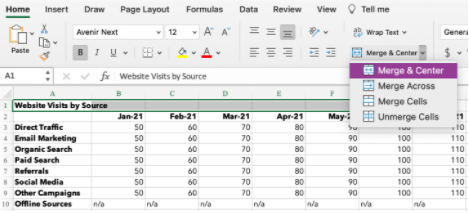
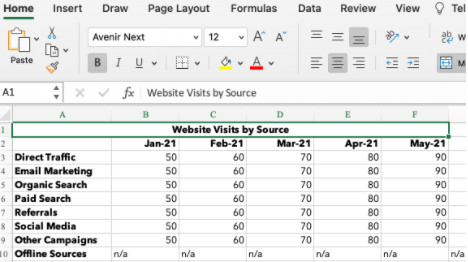
Step 3: Your cells will merge and the data will be centered within the cell.
How to Merge Cells in Excel Shortcut
Clicking the correct ‘Merge’ function over and over can be a drag if you need to combine a lot of cells. For fast merging, start by highlighting the cells you want to merge. Then, type the following key combinations.
Excel Shortcuts for Windows
- Merge Cells: ALT H+M+M
- Merge & Center: ALT H+M+C
- Merge Across: ALT H+M+A
- Unmerge Cells: ALT H+M+U
Excel Shortcuts for OS
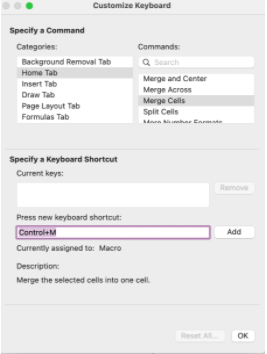
The Apple operating system doesn’t have an ALT key, so you have to set up your own shortcut to merge cells.
- In Excel, click ‘Tools’ under the navigation bar.
- Select ‘Customize Keyboard.’
- A pop-up will appear. Under the header ‘Specify a Command’ there are two columns: Categories and Commands. For Categories, select ‘Home Tab.’ For Commands, select ‘Merge Cells.’
- Select the text box under ‘Press new keyboard shortcut.’ Type the key combination for your shortcut. For example: CONTROL+M.
- Click ‘OK’ to set your shortcut.
- You can now use CONTROL+M to merge cells in Excel.
- Set up additional shortcuts for Merge Across, Merge & Center, or Unmerge.
How to Merge Multiple Cells in Excel
You know the basics, but now you want to get creative and merge more than two cells. Depending on your desired spreadsheet layout, you can use the Merge Across, Merge Cells, or Merge & Center function.
1. Merge Across
This option is used to merge cells within a single row. You can’t use ‘Merge Across’ to combine cells within a column or across multiple rows.
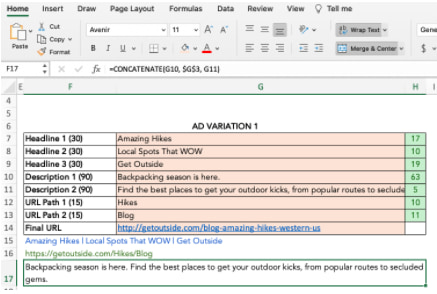
In this example, I’m setting up PPC ads and want to see my description copy in row 17. If I simply resize column F, my table will have too much space between column F and G. Merging multiple cells across row 17 lets me see the copy and keep the table neat.
Step 1: Highlight all the cells you want to merge within the row.
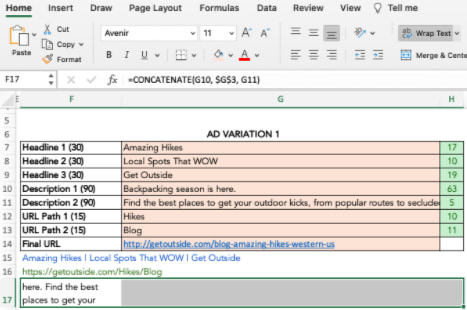
Step 2: Under the Home tab, click the ‘Merge’ icon and choose ‘Merge Across.’
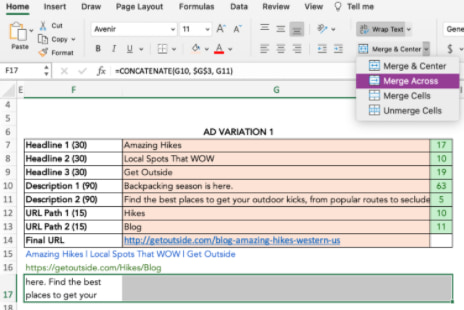
Step 3: The cells merge across the entire highlighted area.
2. Merge & Center
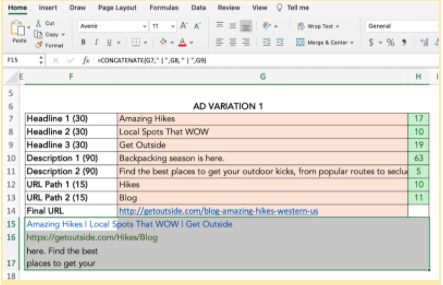
You can merge and center multiple cells across rows and down columns. Just remember the data in the upper-left cell is the only information that will stay once merged. In the example below, I use ‘Merge & Center’ to combine rows 15, 16, and 17 with columns F, G, and H.
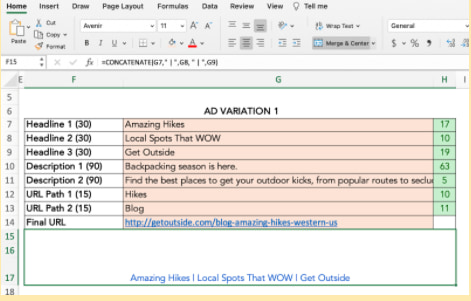
3. Merge Cells
The ‘Merge Cells’ function is ideal to combine multiple adjacent cells across rows and columns. It works just like the ‘Merge & Center’ function, except the data will be left-aligned instead of centered after merging.
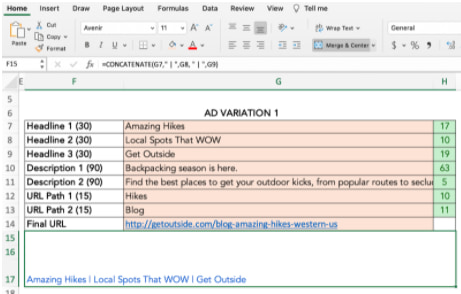
How to Merge Cells in Excel Without Losing Data
Want to merge cells without losing information from all but the upper left cell? Easy. You can use the ampersand (&) or the CONCATENATE function to combine data from two or more cells.
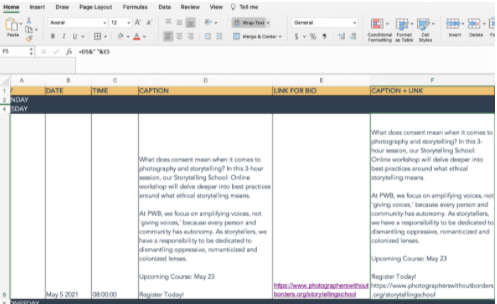
In the example below, I’m creating copy for Instagram and want to combine the caption with its corresponding link.
Ampersand
Step 1: Choose the cell where you want to put the merged data. Make sure this is separate from the cells you’re merging.
Step 2: Type = in the blank cell and select the first cell to combine.
Step 3: Type & and use ” ” to leave a space between cell data.
Step 4: Type & again before choosing the next cell. Repeat for all the cells you want to combine. An example formula is =D5&” “&E5.
Step 5: Hit Enter. In the example, you can see how the text from cells D5 and E5 merged into F5.
CONCATENATE or CONCAT
The CONCATENATE function (or CONCAT) is another way to combine two or more text strings together.
The formula in Excel is =CONCATENATE (text1,text2,…). Text1 is the first cell to merge and can be a text value, number, or cell reference. Text2 is the next item to join. For this function, you can merge up to 255 items or 8,192 characters.
Step 1: Highlight a new blank cell where you want to merge the data.
Step 2: In the formula bar, type =CONCATENATE(
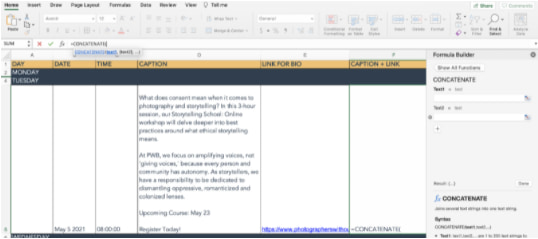
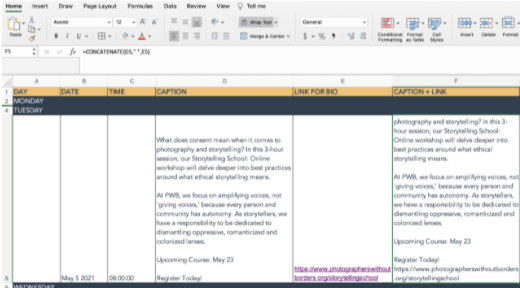
Step 3: A formula builder will pop up, allowing you to choose Text1, Text2, and so on. Select the cells you want to merge, in order from first to last. To include spaces between the cell data, you must include ,” “, within the formula. [i.e. =CONCATENATE(D5,” “,E5)]
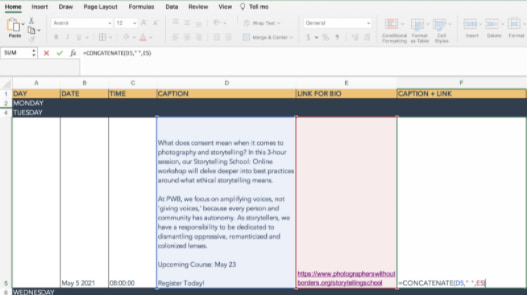
Step 4: Hit Enter. The data from your selected cells will be combined in the CONCATENATE cell.
Why Can’t I Merge Cells in Excel?
A lot can go wrong if your formula or formatting isn’t set up correctly. If you’re struggling to merge cells, try these troubleshooting tips.
- Ensure you’re not actively editing a cell you want to merge. The ‘Merge’ icon will be shaded out if you’re in the middle of making changes. To fix this, simply hit ‘Enter’ to stop editing or click onto another cell before clicking back to the cell you’d like to merge.
- Check if one of the cells is part of an Excel table. Tables have a unique format that don’t allow merging. You can tell you’re on a Table if the ‘Chart Design’ or ‘Format’ tabs across the top of your workbook are highlighted in green and the ‘Merge’ icon is shaded out.
- Look at the sharing permissions of the Excel workbook. If it’s not shared with you or is protected, you won’t be able to make any changes or merge cells.
How to Unmerge Cells
Maybe you got a little excited trying out your new skills and merged one cell too many. Don’t panic. Simply unmerge your cells by following these steps.
- Highlight the cells you want to unmerge.
- Under the Home tab, click the ‘Merge’ icon and choose ‘Unmerge Cells.’
- Your cells will go back to the original formatting, but you will have lost the information from before the merge.
- If you need that information, click ‘Command’ + Z (OS) or ‘CTRL’ +Z (Windows) to undo your actions until you see the data pop up.


302 Status Code: What It Is + Its Impact on SEO
If you’ve spent any time on the internet, chances are you’ve encountered an HTTP status code.
In simple terms, HTTP status codes are standard response codes that show the relationship between all the things that go on in the background when you travel from web page to web page. Things like the user agent (i.e., your web browser), the server, the web page you’re trying to load, and any third-party web applications you might be running.
Because of the complexity of how all those elements interact, there are many possible HTTP status codes you can run up against.
HTTP status codes identify and diagnose the particular blocker preventing you from loading a resource, and can give you information about the journey you took on the way to a page.
In this article, we’ll cover what you need to know about the HTTP 302 status code – jargon-free.
For starters, it’s helpful to know that all HTTP messages with 3xx are redirection messages.
Say blog.hubspot.com no longer exists, and the content is now permanently housed on blogging.hubspot.com. This would trigger a 301 status code, which indicates a permanent redirection from one location to another.
The 302 redirect, on the other hand, is only temporary. A good example of when to use a 302 status code is for localization and language purposes.
For instance, if you visit a clothing website based in the United Kingdom but you are located in the United States. A 302 redirect would send you to the US version of the site to ensure the currency and other content are displayed correctly, according to your location.
You can also use a 302 status code when:
- Redesigning a page – You can send users to a temporary location while the other page is under construction.
- Conducting A/B tests – Want to test a new page and get feedback on its performance? You can do this with a 302 redirect without hurting your ranking.
- Running a promotion – To drive traffic to a particular offer, you can set up a temporary redirect for a page that usually includes other content.
- A product is sold out – In the case of a sold-out or temporarily unavailable product, you can redirect users to a related page until it is available again.
While this list is not exhaustive, here’s the golden rule to keep in mind: Only use a 302 redirect if the change is temporary.
Furthermore, a 302 status code happens on the server-side and shouldn’t be noticed by users if set up correctly. The web server serving up the 302 redirect will immediately indicate the new location of the page to your browser (and search engines) and should send users there right away.
How a 302 Status Code Affects SEO
From an SEO perspective, it’s important to understand how a 302 status code can impact your ranking and when you should use it.
Firstly, if the location of a page has changed and a redirect has not been set up, this can lead to a 404 status error (i.e., your page cannot be found) and affect your ranking. After all, Google won’t want to send users to a page that leads to nowhere.
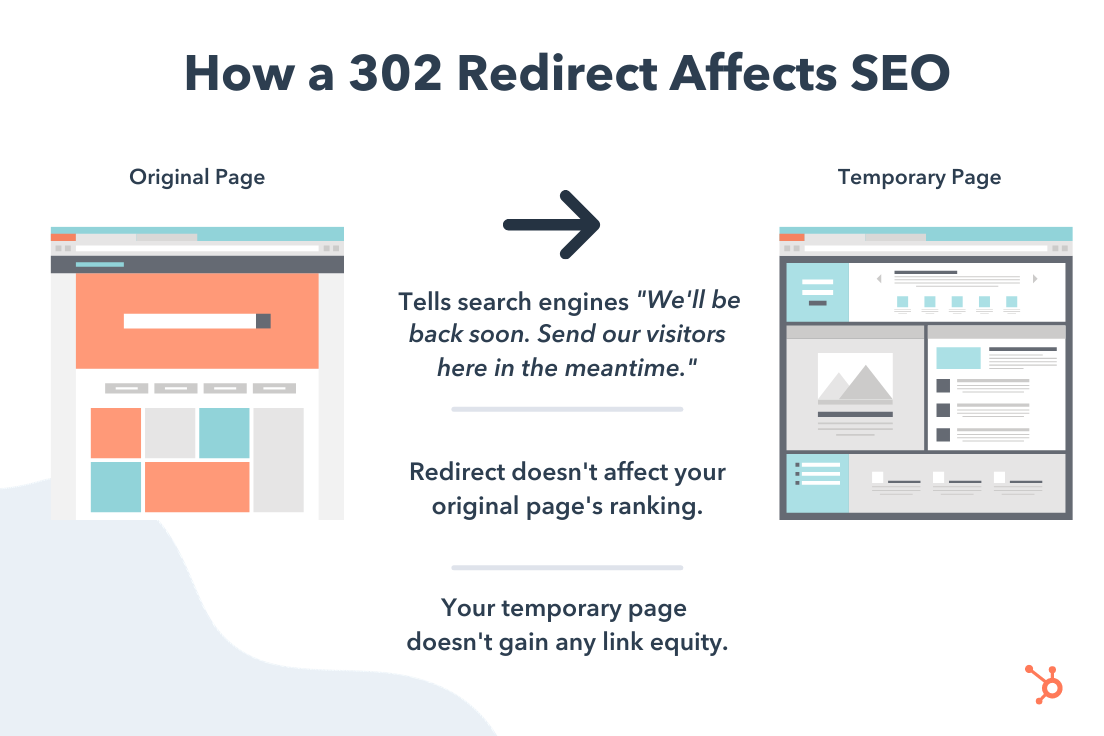
One benefit of using a redirect like this is that you don’t have to sacrifice your ranking when you temporarily send users elsewhere.
Say you’re using it to redirect users from a sold-out product page to a relevant product page. You wouldn’t want your unavailable product’s page to drop in ranking, just because it’s currently unavailable. With a 302 status code, you can maintain your ranking.
However, this also means that your temporary URL will not benefit from any link juice because Google knows it won’t be there long.
For comparison, a 301 code typically sends most link equity to your new URL, but your page can experience some drop in ranking as a result of the redirect.
How to Identify & Implement an HTTP 302 Error
If you want to see when you’ve encountered a 302 redirect (or any type of redirect), consider using an application or Chrome extension (like this one, Redirect Path). This type of tool will show you directly in your browser when you run into a redirect.
You can also view and implement the code from the backend by accessing your .htaccess file. To avoid accessing this file, you can also install a redirect manager plugin or an SEO tool that includes a redirect manager (like Yoast SEO Premium).
Overall, you want to make sure you understand how redirection messages affect SEO. A 302 status code can be a great strategy when making temporary changes to your website, like testing new website features and product promotions.
So, when you’re debating between various redirection messages, make sure the one you choose aligns with your long-term strategy.


9 Guidelines & Best Practices for Exceptional Web Design and Usability
When it comes to designing or redesigning a website, it’s easy to get hung up on the aesthetics. Does that shade of blue look right? Should the logo be on the right side of the screen, or left? What if we put a giant animated GIF in the middle of the page?
However, in a world where folks have more than 1.8 billion websites they can potentially land on, you need to make sure yours is not just a pretty face. It should be designed for usability, how easy your website is to use, and user experience (UX), how enjoyable it is to interact with your website.
Now, you could spend years studying the ins and outs of these disciplines But for the sake of giving you a jumping-off point, we’ve assembled a list of the fundamental guidelines and best practices you can apply to your next website redesign or website launch. Then, we’ll review 10 features you’ll need on your site to put these recommendations into practice. Let’s dive in.

1. Simplicity
While the appearance of your website is certainly important, most people aren’t coming to your site to evaluate how slick the design is. They want to complete some action, or to find some specific piece of information.
Therefore, unnecessary design elements (i.e., those which serve no functional purpose) will only overwhelm and make it more difficult for visitors to accomplish what they’re trying to accomplish.
From a usability and UX perspective, simplicity is your best friend. If you have all the necessary page elements, it’s hard to get too simple. You can employ this principle in a variety of different forms, such as:
- Colors: Basically, don’t use a lot. The Handbook of Computer-Human Interaction recommends using a maximum of five (plus or minus two) different colors in your design.
- Typefaces: The typefaces you choose should be highly legible, so nothing too artsy and very minimal script fonts, if any. For text color, again, keep it minimal and always make sure it contrasts with the background color. A common recommendation is to use a maximum of three different typefaces in a maximum of three different sizes.
- Graphics: Only use graphics if they help a user complete a task or perform a specific function (don’t just add graphics willy-nilly).
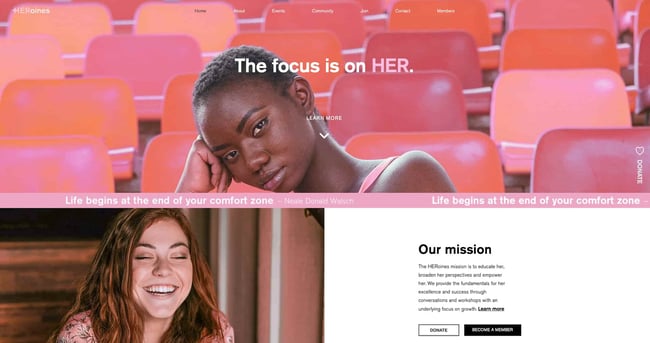
Here’s a great example of a simple but effective homepage design from HERoines Inc:
2. Visual Hierarchy
Closely tied to the principle of simplicity, visual hierarchy means arranging and organizing website elements so that visitors naturally gravitate toward the most important elements first.
Remember, when it comes to optimizing for usability and UX, the goal is to lead visitors to complete a desired action, but in a way that feels natural and enjoyable. By adjusting the position, color, or size of certain elements, you can structure your site in such a way that viewers will be drawn to those elements first.
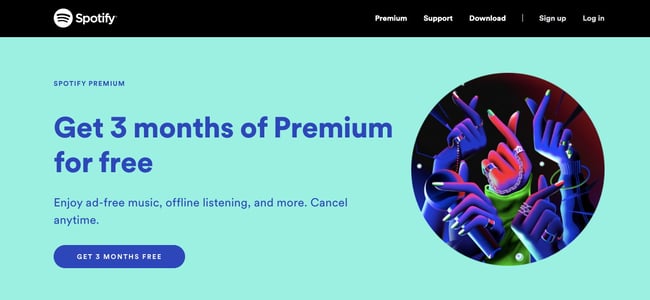
In the example below from Spotify, you can see that the main heading “Get 3 months of Premium for free” sits atop the visual hierarchy with its size and page position. It draws your eye to their mission before anything else. This is followed by the “Get 3 Months Free” CTA, which prompts action. Users can click this CTA, or scan the menu items above for more actions.
3. Navigability
Planning out intuitive navigation on your site is crucial to help visitors find what they’re looking for. Ideally, a visitor should land on your site and not have to think extensively about where to click next. Moving from point A to point B should be as frictionless as possible.
Here are a few tips for optimizing your site’s navigation:
- Keep the structure of your primary navigation simple (and near the top of your page).
- Include navigation in the footer of your site.
- Consider using breadcrumbs on every page (except your homepage) so users remember their navigation trail.
- Include a search bar near the top of your site so visitors can search by keywords.
- Don’t offer too many navigation options per page. Again, simplicity!
- Include links within your page copy, and make it clear where those links go.
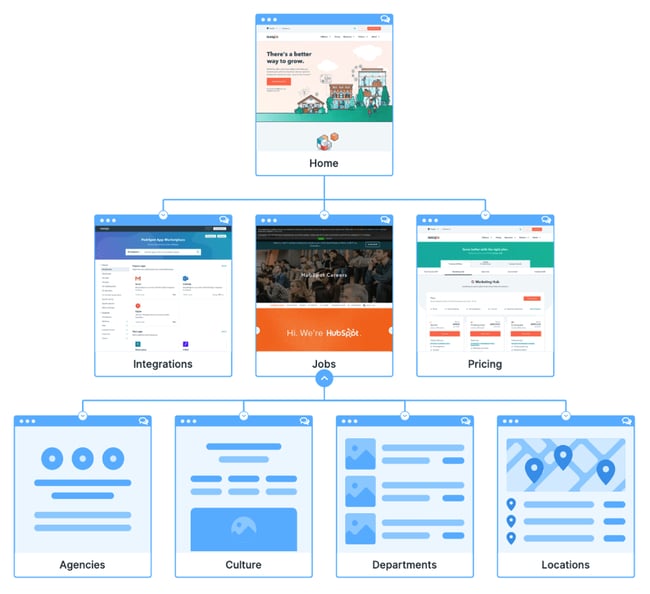
- Don’t make users dig too deep. Try making a basic wireframe map of all your site pages arranged like a pyramid: Your homepage is at the top, and each linked page from the previous forms the next layer. In most cases, it’s best to keep your map no more than three levels deep. Take HubSpot’s site map, for example.
One more pointer: Once you’ve settled on what your site’s main (top) navigation will be, keep it consistent. The labels and location of your navigation should remain the same on every page.
This leads us nicely into our next principle…
4. Consistency
In addition to keeping your navigation consistent, the overall look and feel of your site should be similar across all of your site’s pages. Backgrounds, color schemes, typefaces, and even the tone of your writing are all areas where consistency has a positive impact on usability and UX.
That’s not to say every page should follow the same layout. Instead, create different layouts for specific types of pages (e.g., landing pages, informational pages, etc.). By using those layouts consistently, you’ll make it easier for visitors to understand what type of information they’re likely to find on a given page.
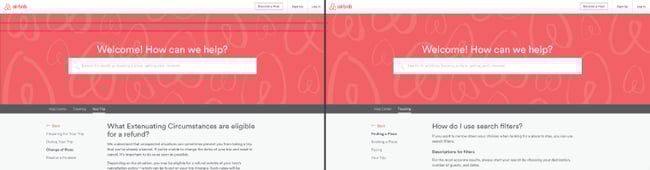
In the example below, you can see that Airbnb uses the same layout for all of its “Help” pages, a common practice. Imagine what it would be like from a visitor’s perspective if every “Help” page had its own, unique layout. There would probably be a lot of shoulder shrugging.
5. Responsivity
According to Statista, 48% of page global views were from mobile devices like smartphones and tablets. And according to our research, 93% of people have left a website because it didn’t display properly on their device.
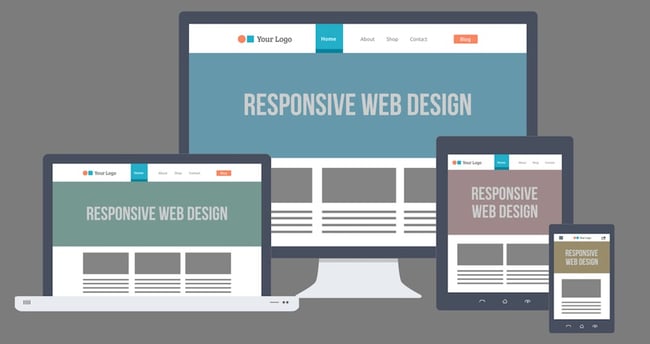
The takeaway here: To provide a truly great user experience, your site has to be compatible with the many different devices that your visitors are using. In the tech world, this is known as responsive design.
Responsive design means investing in a highly flexible website structure. On a responsive site, content is automatically resized and reshuffled to fit the dimensions of whichever device a visitor happens to be using. This can be accomplished with mobile-friendly HTML templates, or by creating a special mobile site.
Ultimately, it’s more important to provide a great experience across different devices than look identical across those devices.
Alongside mobile-friendliness, it’s worth your while to test your website’s cross-cross browser compatibility. In all likelihood, you’ve only viewed your site on one web browser, be it Google Chrome, Safari, Firefox, or something else.
Now is the time to open your pages on each of these browsers and evaluate how your elements appear. Ideally, there won’t be much difference in presentation, but you can’t know for sure until you see for yourself.
6. Accessibility
The goal of web accessibility is to make a website that anyone can use, including people with disabilities or limitations that affect their browsing experience. As a website designer, it’s your job to think of these users in your UX plan.
Like responsiveness, accessibility applies to your entire site: structure, page format, visuals, and both written and visual content. The Web Content Accessibility Guidelines (WCAG), developed by the Web Accessibility Initiative and the World Wide Web Consortium, set the guidelines for web accessibility. In a broad sense, these guidelines state that websites must be:
- Perceivable: Visitors are aware of the content on your site.
- Operable: The functionality of your website should be possible in different ways.
- Understandable: All content and alerts can be easily understood.
- Robust: Your website is usable across different assistive technologies, devices, and browsers.
For a deeper dive into this topic, see our Ultimate Guide to Web Accessibility.
7. Conventionality
A big challenge in web design is balancing originality with your expectations. Most of us are expert internet users, and there are specific conventions we’ve grown accustomed to over time. Such conventions include:
- Placing the main navigation at the top (or left side) of a page.
- Placing a logo at the top left (or center) of a page.
- Making the logo clickable, so it always brings a visitor back to the homepage.
- Having links and buttons that change color/appearance when you hover over them.
- Using a shopping cart icon on an ecommerce site. The icon also has a number badge signifying the number of items in the cart.
- Ensuring image sliders have buttons users can click to manually rotate slides.
While some might opt to throw these out the window for the sake of uniqueness, this is a mistake. There’s still plenty of room for creativity within the constraints of web conventionality.
Let’s briefly consider another field of design, architecture. Building codes are put in place so that folks can easily and safely inhabit spaces. An architect doesn’t complain about these codes or violate them because, aside from legal repercussions, they assure safety and comfort of guests. It doesn’t matter how dazzling the building looks — if you trip on uneven stairs or you can’t get out in a fire, you might prefer to stay outside.
In the same way, you can craft a memorable experience while meeting user expectations. If you violate what users anticipate, they may feel uncomfortable or even frustrated with your site.
8. Credibility
Sticking to web conventions lends your site credibility. In other words, it increases the level of trust your site conveys. And if you’re striving to build a site that provides the best user experience possible, credibility goes a long way.
One of the best methods to improve your credibility is to be clear and honest about the product or service you’re selling. Don’t make visitors dig through dozens of pages to find what it is you do. Be up-front on your homepage, and dedicate some real estate to explaining the value behind what you do.
Another credibility tip: Have a pricing page, also linked on the homepage. Rather than force people to contact you to learn more about pricing, list your prices clearly on your site. This makes your business appear more trustworthy and legitimate.
Here’s an example of an effective pricing page from the Box website:
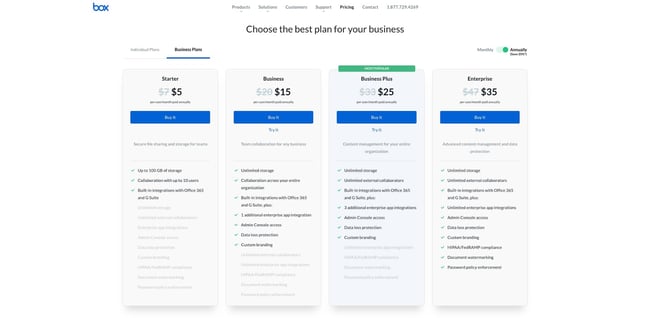
9. User-Centricity
At the end of the day, usability and user experience hinge on the preferences of the end-users. After all, if you’re not designing for them, who are you designing for?
So, while the principles detailed in this list are a great starting point, the final key to improving the design of your site is to conduct user testing, gather feedback, and implement changes based on what you’ve learned.
And don’t bother testing usability by yourself. You’ve already invested a lot of time into your design, which brings your own biases into the equation. Get testers who have never seen your site before, the same as any first-time visitor.
Here are a few user testing tools to get you started:
- Website Grader: Our free tool evaluates your website based on several factors: mobile, design, performance, SEO, and security. It then offers tailored suggestions for improvement. You can learn more about Website Grader in our dedicated blog post.
- Crazy Egg: Track multiple domains under one account and uncover insights about your site’s performance using four different intelligence tools — heat map, scroll map, overlay, and confetti.
- Loop11: Use this tool to easily create usability tests — even if you don’t have any HTML experience.
- The User Is Drunk: Pay Richard Littauer to get drunk and review your site. Don’t believe me? We tried it.
For even more helpful options, see our list of the best user testing tools.
Hopefully, these guidelines are useful in informing the structure of your web pages and website as a whole. But, how does one put these guidelines into practice? Let’s take a look at some actionable best practices you can follow during the design process.
1. Select a typography that’s easy to read and skim.
Typography refers to how type — meaning letters and characters — are arranged and presented on the page. Since website typography affects not only how we read but how we feel about text on a web page, it’s important to pick carefully.
Ideally, you want a typeface that is:
- easy to read
- easy to skim
- accessible to all users
- legible across multiple devices and screen sizes
You also want it to match the look and feel of your brand. For example, the luxury fashion brand Burberry refreshed its logo for the first time in 20 years in 2018. It replaced the old serif typeface with a bold, all-caps, sans serif typeface and dropped the knight emblem. The result is a simpler and more modern-looking logo that’s easier to read on any screen — and that reflects changes in the company to become more transparent and appeal to a younger generation.

2. Choose a color scheme that suits your brand.
Like typography, color can affect not only how we understand and interact with content, but how we feel about it. Your color scheme should therefore check off the same boxes as your website typography. It should:
- reinforce your brand identity
- make your site easy to read and navigate
- evoke emotion
- look good
Buzzfeed, for examples, uses the primary colors yellow and red to grab users’ attention and get them excited about the content. It reserves the use of the primary color blue — which is associated with trust — exclusively for links and CTA buttons. Both emotions are ideal to evoke for a media site.
3. Use white space to break up text and other elements.
Whitespace refers to the negative areas in any composition. Whitespace provides users with visual breaks as they process a website’s design or content, which is not only aesthetically pleasing. By minimizing distractions, whitespace makes it easier for users to focus, process information, and understand what it’s important.
That means you can use whitespace to avoid causing information overload or analysis paralysis — and to emphasize important elements on the page. This might help persuade users to take a specific action, like sign up for a newsletter, shop your latest collection, and more.
For example, Eb & flow Yoga Studio uses whitespace to lead users toward a specific action: to sign up for three weeks of classes. Notice that whitespace doesn’t mean the absence of color or imagery. Instead, it means that every element on the page is positioned strategically, with lots of space in between, to avoid overwhelming or confusing visitors.

4. Use texture to add personality and depth.
Resembling a three-dimensional, tactile surface, web textures aim to replicate the physical sensation of touch with another sensation — sight. They’re a great design alternative to solid color backgrounds, particularly if you want to add personality and depth to your site.
Take a look at the texture on the homepage for the Santa Barbara-based restaurant Mony’s Tacos below. It looks like chalk drawn on a blackboard, doesn’t it? I don’t know about you but I can almost feel the chalk on my fingers just from looking at it. It’s the perfect look for a restaurant that aims to be California’s preferred Funk Zone choice for Mexican delights.

5. Add images to engage and inform readers.
Striking a balance between text and images is essential in website design. Incorporating visuals can make your content more informative, engaging, and memorable. You’ve probably heard the statistics that people remember only 20% of what they read, but 80% of what they see? While the exact percentages are debated, the basic idea isn’t. It’s easier for some people to learn and process information visually.
Here’s a unique example of breaking up text with images from a cosmetic company’s website. This shows how endless the possibilities of incorporating imagery into your website design are.
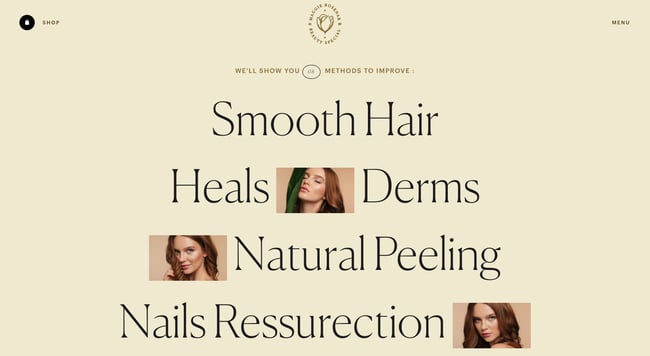
6. Simplify your navigation.
Navigation is one of the most important design elements on a website. It impacts whether visitors arrive on your homepage and browse, or click the “Back” button. That’s why it’s important to keep it as simple as possible.
Many websites opt for a horizontal navigation bar. This navigation style lists the major pages side by side and is placed in the website header.
Take the navigation bar on Blavity as an example. The sections featured include three content categories — “News,” “Op-Eds,” and “Lifestyle” — as well as links to their submission page and sign-up page. This provides visitors with easy access to the pages they’re likely looking for. Other nav items are placed in a dropdown menu labelled “More” so they’re still easy to find but not cluttered into the top-level navigation. Finally, the navigation bar is sticky so visitors won’t have to scroll up and down the page to browse the site.
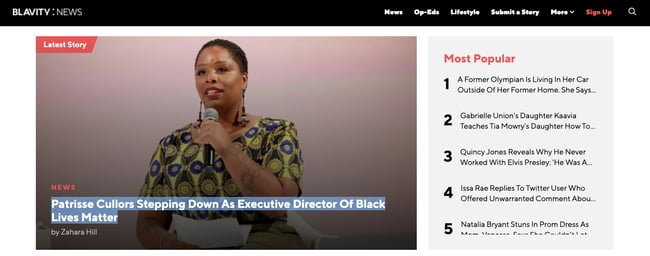
7. Make your CTAs stand out.
CTAs are elements on a web page, advertisement, or another piece of content that encourages the audience to do something. The call to action could be to sign up, subscribe, start a free trial, or learn more, among many others.
You want your CTAs to pop in your website design. To make that happen, consider how you’re using color as well as other elements like background color, surrounding images, and surrounding text.
Square provides an excellent call-to-action example. Using a single image to showcase the simplicity of using their product, Square uses bold typography to also show how unique and future-oriented their product is. Against this dramatic backdrop, the blue “Get Started” CTA awaits your click.
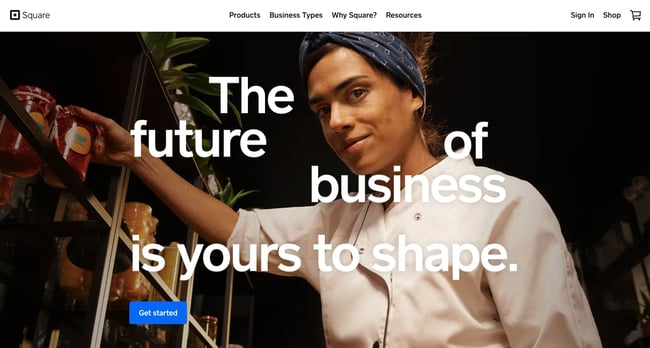
8. Optimize for mobile.
We’ve already discussed how important it is for your website to be responsive. But since mobile devices accounted for 59% of organic search engine visits in 2021, we’re doubling down on how important it is to design your website to be mobile-friendly. That might mean altering or removing some elements that would clutter smaller screen sizes or negatively impact load time.
For an example of one of the best mobile website designs, compare Etsy’s homepage on desktop vs mobile. On desktop, you’ll see a navbar with categories. Hovering over each category will reveal a dropdown menu.
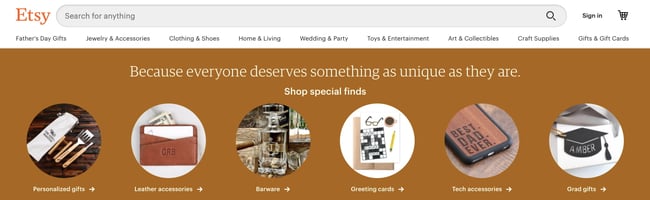
On mobile, this collapses behind a hamburger button, which improves the appearance and performance of the mobile site. You’ll also notice that the images are larger — perfect for tapping with your finger on a mobile screen.
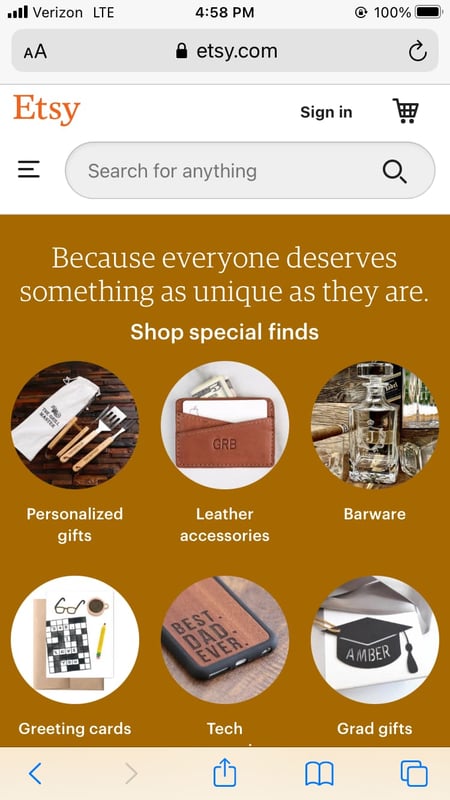
9. Limit the options presented to users.
According to Hick’s Law, increasing the number and complexity of choices will increase the time it takes for a person to make a decision. This is bad news in website design. If a website visitor is presented with too many options, they might get frustrated and bounce — or they might pick an option you don’t want, like abandoning their cart. That’s why it’s important to limit the number of options presented to a user.
For example, a visitor landing on the homepage of Shawn Michelle’s Ice Cream will have three options: to learn more about the company, the flavors, or the ingredients. But instead of presenting all three options at the same time, they are presented one at a time in a slider. This is a great example of implementing Hick’s Law in UX design. 
Now we understand the principles and best practices that should guide you throughout the design process. In the next section, let’s run down the essential page elements that you should strongly consider including in your design plan.
1. Header and Footer
The header and footer are a staple of just about every modern website. Try to include them on most of your pages, from your homepage, to your blog posts, and even your “No results found” page.
Your header should contain your branding in the form of a logo and organization name, menu navigation, and maybe a CTA, and/or a search bar if well-spaced and minimal. On the other end, your footer is where many users will instinctively scroll for essential information. In your footer, place contact information, a signup form, links to your common pages, legal and privacy policies, links to translated versions of your site, and social media links.
2. Menu Navigation
Whether it’s a list of links across the header or a tidy and compact hamburger button in the corner, every website needs a guide for navigation positioned at the top of at least your homepage and other important pages. A good menu limits the number of clicks to reach any part of your website to just a few.
To reduce clutter, you might consider making some or all menu options a dropdown menu with links within it, as can be seen on HubSpot’s homepage.
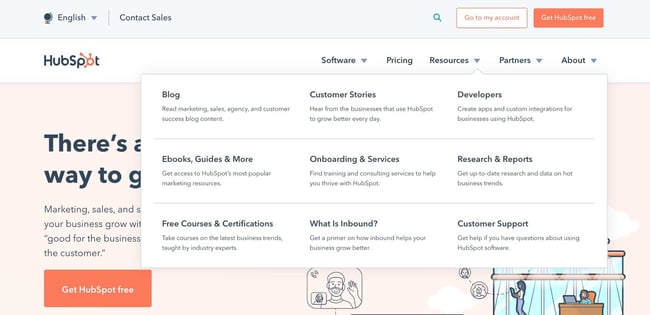
3. Search Bar
In addition to menu navigation, strongly consider placing a search bar at the top of your pages, so users can browse your site for content by keyword. If incorporating this functionality, make sure your results are relevant, forgiving of typos, and capable of approximate keyword matching. Most of us use a high-quality search engine every day, be it Google, Amazon, YouTube, or elsewhere. These all set the standard for your own site search.
4. Branding
Remember the conventions we’ve discussed? One that you see practically everywhere is a logo in the top left corner. On first landing, many visitors’ eyes will instinctively shift to this region to check they’re in the right place. Don’t leave them hanging.
To reinforce this notion, incorporate your company branding into every element you add, piece of content you post, and color scheme you create. That’s why we recommend establishing brand guidelines if you haven’t already — check out our style guide for a reference.
5. Color Palette
Color choice plays a major role in your site’s usability and UX as well. This decision tends to be more subjective than other requirements in this list. But, like everything else we’ve discussed, try to simplify — limit your color selection to 3-4 prominent colors at most.
Starting a color palette from scratch can be surprisingly difficult the first time. We seem to intuitively pick up on which colors work well together and which don’t, but we stumble when trying to pick from the infinite combinations available.
The solution? Try a color palette that’s been shown to work on other websites. Take influence from your favorite sites, and see our list of our favorite website color schemes to get started.
6. Headings
Headings are key to establishing the visual hierarchy we discussed earlier, especially on text-heavy pages. As users skim your pages what you need, a clear and to-the-point heading alerts readers to stop scrolling after finding what they want. Use only as many headings as there are distinct sections of your page, as too much blown-up and bolded text will dampen this effect.
7. Clear Labels
Whenever a user takes an action on your website, it must be obvious exactly what they’re doing and/or where they’re going. All buttons should have clear text or an icon to precisely and concisely signal their purpose. The same goes for in-text links and widgets (simple interactive elements, like dropdowns and text forms).
For example, a button linking to a pricing page should just read “Pricing” — anything beyond that (e.g., “See our prices”, “Check out the pricing page for a deal”) is superfluous. A search bar/button only needs a search glass icon (🔍), and perhaps also the word “Search”, to denote its purpose.
User testing can be a major help here. While you yourself know what all of your interactive page elements do, the same can’t be said for a new user. Testing will give valuable insight into what users think your labels mean beyond your own perspective.
8. Visuals and Media
When incorporating static images, gifs, videos, and other media into your pages, remember to be consistent and intentional in your choices. These elements will draw attention over most other text and will likely stay in users’ minds, so choose wisely.
Here’s just one example of effective media on a homepage. Notice how every image complements the page aesthetic and supports the offer of personalized fitness training with results.
Also, all images and videos should be optimized for search engines and include descriptive alt text for accessibility.
9. Calls to Action (CTAs)
Having a pleasing website is great, but how do you know whether your visitors are actually doing what you want? Are they engaging with your content? This is where CTAs come into play.
A CTA is any page element that prompts user action. The action could be adding a product to a card, downloading a content offer, or signing up for an email list. Make your CTA elements prominent in the visual hierarchy (remember our Spotify example), but not intrusive or distracting like many click-through ads tend to be.
If you need ideas for sleek CTAs that drive more conversions, see our CTA examples list.
10. Whitespace
As mentioned above, sometimes it’s about the elements you don’t include. After reading these guidelines and requirements, you may feel tempted to stuff your pages with all the bits and bobs needed for a flawless UX. Don’t forget that your viewers need room to digest all this new info, so give your elements room to breathe.
But, how much whitespace should you have? That’s another personal call, and varies from site to site. So, user testing is handy here as well. What are people focusing on? Do they feel overwhelmed with the density of content? Once again, it all ties back to our first guideline, simplicity.
Design that Puts Users First
Indeed, web design is largely subjective — your website’s look and experience isn’t going to please everyone. However, there are also tried-and-true UX principles that, when carefully considered and incorporated, help visitors feel more at home.
According to Amazon Web Services, 88% of website visitors are less likely to return to a website after a poor experience. And how could you blame them? We’ve surely all been there.
So, as a final bit of usability/UX wisdom, start caring more! Imagine yourself into the shoes (or, more accurately, browser windows) of your visitors, and keep them in mind every step of the design process.
![Blog - Website Redesign Workbook Guide [List-Based]](https://no-cache.hubspot.com/cta/default/53/4b5bb572-5d0e-45b8-8115-f79e2adc966b.png)

What is Website Architecture? 8 Easy Ways to Improve Your Site Structuring
Getting lost sucks. It doesn’t matter if you’re in a city or a corn maze, the ambiguity of not knowing where you are and what could happen next can make you break out in a cold sweat.
Website visitors feel the same way when they land on a jumbled website. Nearly one in two people leave a website after visiting just one page. We don’t have a lot of time to make a good impression on a user, and with a poor site architecture, you’re guaranteed to increase bounce rates.
It’s critical to structure your site in an intuitive and easy-to-navigate way to retain your audience’s attention. If you don’t, they’ll bounce in seconds. And if people leave your website because your user experience is messy, search engines won’t think highly of you, either.
If you need help structuring a website that will engage an audience and rank on Google, we’ve got you covered. We’ll teach you what website architecture is, why it’s important for UX and SEO, and how you can develop a sound architecture for your own website.
Without question, your website structure plays a critical role in retaining users and boosting conversions.
Implementing a website structure helps you design your website for the user experience. You might have the most amazing content, but if users can’t find it, they’ll leave for a competitor’s site.
A typical website structure looks like a rooted tree graph, in which the home page is the root. The pages that are linked out from the home page are branches, and from there, each page has additional branches sprouting from it. These branches then link to each other.
Here’s what that typically looks like:
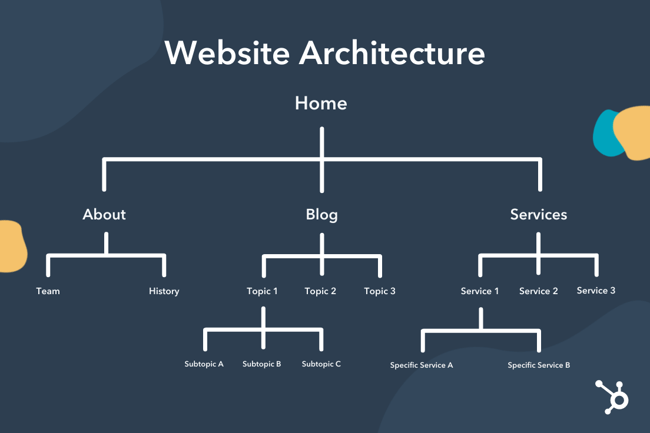
Why is website structuring important?
A sound website architecture strengthens your website’s user experience. When you structure your website in an intuitive way, users can seamlessly find the information they’re looking for.
Plus, when your user experience is strong, your search engine rankings will be, too. Users will spend more time on your website and link to your web pages, which are both heavy indicators that your brand creates quality content.
Furthermore, a solid website architecture:
- Helps search engines effectively crawl your website.
- Encourages deep site navigation by providing more pages for users to visit.
- Distributes “page authority” more equitably, so that a page isn’t left out.
- Strengthens topical authority because of the strong internal linking structure between related or similar topics.
- Increases conversions by making it easier to find products and lead-generating content.
Let’s take a look at a few best practices you should keep in mind when designing your site’s architecture.
1. Create a simple top-level navigation menu.
First, don’t provide too many top-level menu items. Second, be sure to deliver the content that’s promised based on the menu item’s name.
For instance, if your users click on the “Email Marketing” tab on your blog’s homepage, they expect to be directed to a list of email marketing posts. From this page, you also need to design a simple navigation path back to your blog’s homepage and your website’s homepage.
Check out an example below from our own website:
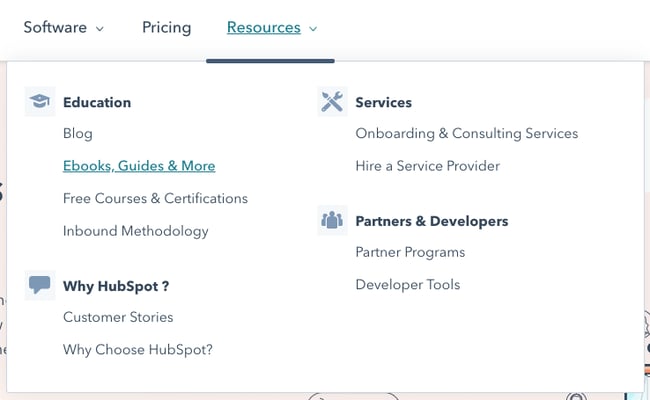
The menu is divided into three simple menu items: Software, Pricing, and Resources. Under the “Resources” tab, users can find different resources that are divided into different designations.
Don’t make your users think too hard. A hard-to-navigate website will have a high bounce rate. Users don’t want to waste time trying to find information on your site. If they do, they’ll just leave. So practice empathy and provide an intuitive web experience.
2. Keep your URLs simple and user-friendly.
No user wants to read an URL like this:
example.com/store/rackets/default.aspx?lang=en&category=98a20
It’s important to create user-friendly URLs. Most CMS systems, such as CMS Hub and WordPress, automatically create a user-friendly URL based on your page’s title. It will usually read as follows:
example.com/page-title
You can also create subdirectories that are easy to follow.
example.com/topic/subtopic/page-title
Tip: While subdirectories are helpful from a UX standpoint, they aren’t required to reflect your site’s architecture. Internal linking matters more than URL structure. That means that you can can structure your URLs as follows:
example.com/topic
example.com/subtopic
example.com/longtail-keyword-one
example.com/longtail-keyword-two
You simply have to connect them to each other and to their parent pages with internal links.
3. Model your website architecture after the top players in your industry.
Your customers are used to the website architecture of major brands in your industry, so if you run an ecommerce store, analyze how Amazon structures their website and emulate them. Your website will seem more familiar and, in turn, easier to navigate.
4. Keep your website consistent.
Your website’s navigation format, design principles, and link displays should all follow a consistent pattern. Keeping these elements the same will keep your users on your site longer because it’ll be easier for them to quickly navigate to new pages and click on links.
5. Implement the pillar-cluster internal linking model.
In the pillar-cluster model, you have a parent page (the pillar) linking out to child pages (the cluster). These child pages then link to each other, creating a cluster.
This model makes your internal linking structure clearer and effectively directs users to other pieces of relevant and useful content. When users come across an internal link on your website, they should immediately understand which piece of content the link will direct them to and why that content is linked from the page they’re currently on.
Here’s what a pillar-cluster linking strategy looks like for a blog about workout routines.
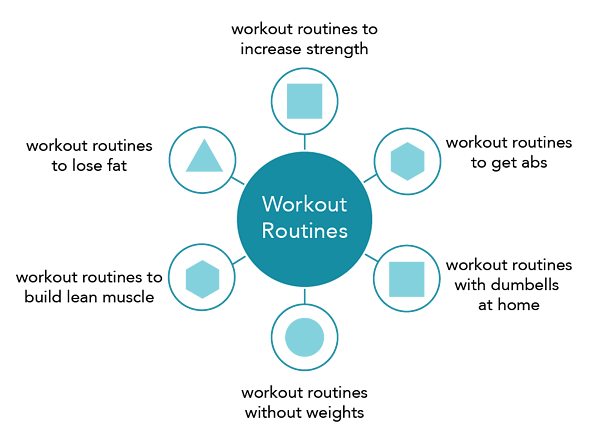
The lines represent internal links.
One internal linking caution you should exercise, though, is not stuffing keywords into your link’s anchor text. This is called black hat SEO, and to prevent it, Google has created specific algorithms to punish this kind of behavior.
6. Provide access to most of your website’s pages in 3-4 clicks.
Even if your website has a million pages, the architecture should allow users to start from the homepage and end up on any page within three to four clicks.
To do this, design a top-level navigation that can direct users to your website’s main categories. Then, from each of your website’s main category pages, make sure they can click-through to all the sub-category pages.
7. Use breadcrumbs.
After internal linking, breadcrumbs are the ultimate way to show your website’s architecture. These links show a page’s parent pages all the way to the home page. They’re typically placed above the page’s title and have arrows showing the path to the current page.
Here’s an example from Best Buy:
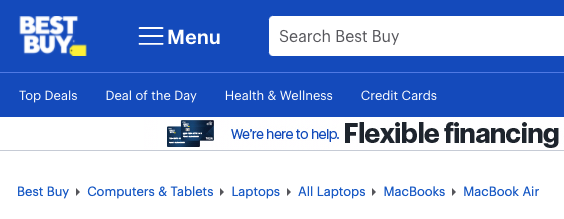
You can add breadcrumbs to your CMS Hub website by creating an advanced menu module. If you run your website on the WordPress CMS, we’ve written an easy tutorial on how you can add breadcrumbs to WordPress.
8. Create an HTML and XML sitemap.
A sitemap is a document that lists out all of the crawlable pages on your website. It’s exceedingly important for website architecture because it shows your structure in a readable, crawlable format.
An HTML sitemap is user-facing and has the same design as the rest of your website. It’s typically designed for users who can’t find a certain page and who’d benefit from seeing a list of all of your pages.
Here’s eBay’s HTML sitemap as an example:
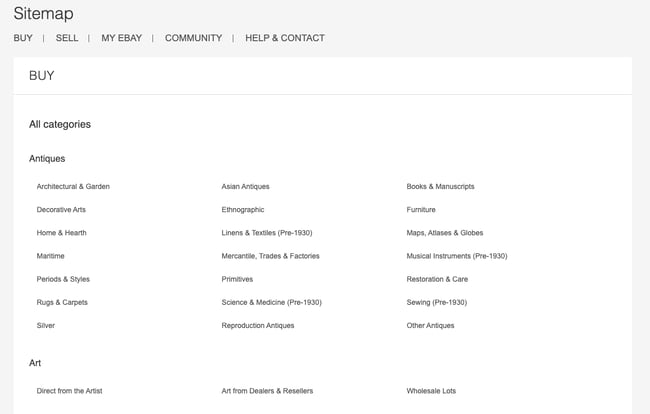
An XML sitemap is designed primarily for search engine crawlers. They list all of the URLs in a plain-text format. If your site is on WordPress, you can use a sitemap plugin to create both an HTML and XML sitemap.
Upgrade Your Website Architecture and Improve Your SEO
Your website’s architecture is incredibly important for both user experience and SEO. With a solid website structuring strategy, you’ll improve dwell time and entice users to consume more of your content. That means more conversions down the line, improving your ROI and increasing revenue at your company.
Editor’s note: This post was originally published in October 2018 and has been updated for comprehensiveness.


Reputation Management: How to Protect Your Brand Online in 2021
A positive brand image can undoubtedly influence a consumer’s decision to buy a product — and, for virtually every business, building a positive brand image starts online.
Nowadays, your reputation is largely dependent on social media and online review sites. For instance, consumers need to read an average of 10 online reviews before they feel they can trust a local business.
Since brand image makes such an impression on someone’s decision to purchase, you must regularly monitor your reputation online. Still, it can feel like a daunting task, particularly when so much of it is out of your control.
Fortunately, there are plenty of tools and strategies you can implement to ensure you’re protecting your brand in 2021. In this post, we’ll give a clear overview of brand reputation management, how to create a plan to manage your business reputation, and high-quality tools to supplement your process.
Reputation management is a continuous process, as it allows you to stay on top of your brand’s public perception and address possible damaging situations as soon as they occur.
When your reputation is positive, you inspire customer loyalty, a significant driver of revenue and growth. A negative reputation can be damaging to sales and customer retention, but it also helps you learn about what customers like, which can be helpful for updating business processes to better meet consumer needs.
Brand safety has recently become discussed in conversation with reputation management, and we’ll explain what it is below.
Brand Reputation Management vs. Brand Safety
According to the Internet Advertising Bureau, brand safety ensures that advertisements, their content, and any content shared by brands are appropriate and not associated with topics of consumer opinions that may be negative. Although somewhat similar concepts, brand safety falls into brand reputation management.
Some examples of scenarios that risk brand safety are correct ad placement. The IAB recommends purchasing ad space from trusted publishers so your ads aren’t next to content that consumers may find offensive or cause them to distrust your brand.
In another scenario, you want your advertisements to be related to what you’re advertising. If customers click on an ad for a new blanket and are led to unrelated content, you’re practicing malicious advertising, which risks the safety of your consumers.
Brand safety goes both ways; your business is protected from outside sources that aim to harm, and your customers are protected from malicious business practices that may cause them to lose money or be exposed to offensive things.
So, as a whole, brand safety is a process within brand reputation management. You’re ensuring that your advertising practices are legitimate, so consumers don’t feel deceived by your brand and don’t need to second-guess your business and distrust what you have to offer.
Reputation Management Plan
Let’s go over a sample reputation management plan that you can adapt to fit your business needs. It’s essential to keep in mind that reputation management is a continuous process, so neither step is one-and-done; they should be consistent as long as your business is up and running.
1. Research and audit.
The first step to reputation management is research. During this phase, you’ll use the internet to discover conversations about your business and what people are saying about you. Aim to seek out all different types of conversations, as all feedback is helpful for understanding perceptions and improving your reputation.
You can conduct this audit from your customer reviews, on review sites, on social media, and by simply searching for your business’s name on Google and various search engines. You can also search for business-relevant keywords or even the feeds of your competitors. Consumers are talking; you just have to meet them where they already are.
As there are many different platforms and websites you’ll use to conduct your research, using a high-quality reputation management tool will make the process easier, and we’ll recommend some below.
2. Establish a management strategy.
Once you know what overall perception is of your brand, you’ll know where you’ll need to focus to improve it. For example, suppose your audit shows that the conversation around your brand is unfavorable. In that case, you will want to employ practices that will help you improve the experiences that people have with your business.
As such, the next step is to create a consistent management strategy. Regardless of what your current standing is, your plans should address the following:
- Who will consistently monitor online conversations?
Designate specific people at your business to be in charge of conducting continuous research and monitoring conversations about your business online. Those already on customer-facing teams are likely the most equipped to deal with customers, like those on marketing or customer service teams.
Either way, those who monitor online conversation and respond to comments should have experience doing so, and understand how to speak with customers.
- How do you decide which comments, reviews, or mentions need responses?
Some people’s only intent is to troll rather than speak about legitimate experiences. These comments and conversations are fake, created on purpose to diminish your reputation. Most comments, however, are based on real interactions, experiences, and thoughts about your brand, both positive and negative.
You should never respond to reviews that seem fake (here’s a guide on spotting and removing them from Google). However, you should respond to comments from real consumers, which is why it’s essential to understand which warrant a response.
It’s not possible to respond to all of them, so maybe you prioritize responding to customer questions or create specific requirements that dictate when a response is necessary, both for positive and negative comments.
- A tone guide for responding to comments.
Responding to comments and conversations about your brand is not worth it if you don’t have a consistent tone of voice that you follow. For example, if you respond to criticism harshly but positive comments with returned positivity, it will do more harm than good.
Develop a standard tone guide that you will use when responding, and aim to stick to it. It can also be helpful to have a crisis management plan in place within your reputation plan to take action during situations that escalate quickly, are difficult to control, and may leave responsible parties frantic and not adhering to standard guidelines.
3. Take action based on comments, feedback, and reviews.
Understanding how consumers view your brand is the most valuable tool for improvement and innovation. Their criticisms and pain points will direct you to areas of your business that need increased attention, and their positive comments let you know what you’re doing right and what you should continue doing.
As you’re hoping to manage your reputation, taking action based on comments, feedback, and reviews helps you manage your reputation as you’re making changes that customers want to see.
4. Continuously practice steps one, two, and three.
As mentioned above, managing your online reputation is a continuous effort. Although it may be nice, rectifying one situation doesn’t mean that everything is smooth sailing from now until forever.
Always research and monitor conversations about your business to get a sense of where your reputation stands, follow the steps of your plan, and act on the feedback you receive.
Let’s go over some high-quality tools you can use to supplement your reputation management process.
Reputation Management Software
It can be helpful to use reputation management software, particularly if you work for a small-to-medium-sized business with limited PR resources. Below we’ll review some options.
1. Yext Reviews
Since inconsistent information can negatively affect your local SEO, it’s critical you ensure your business’s data is listed consistently across each site. Fortunately, Yext lets you fix any inconsistent business information all in one place.
Additionally, the software enables you to manage your social media accounts and respond to authentic customer reviews, ensuring you have a good grasp on your brand’s true online reputation. Yext is ideal for small-to-medium-sized businesses as well as major enterprise companies — some of its impressive customers include Marriott Hotels and T-Mobile.
Price: Starts at $199/year
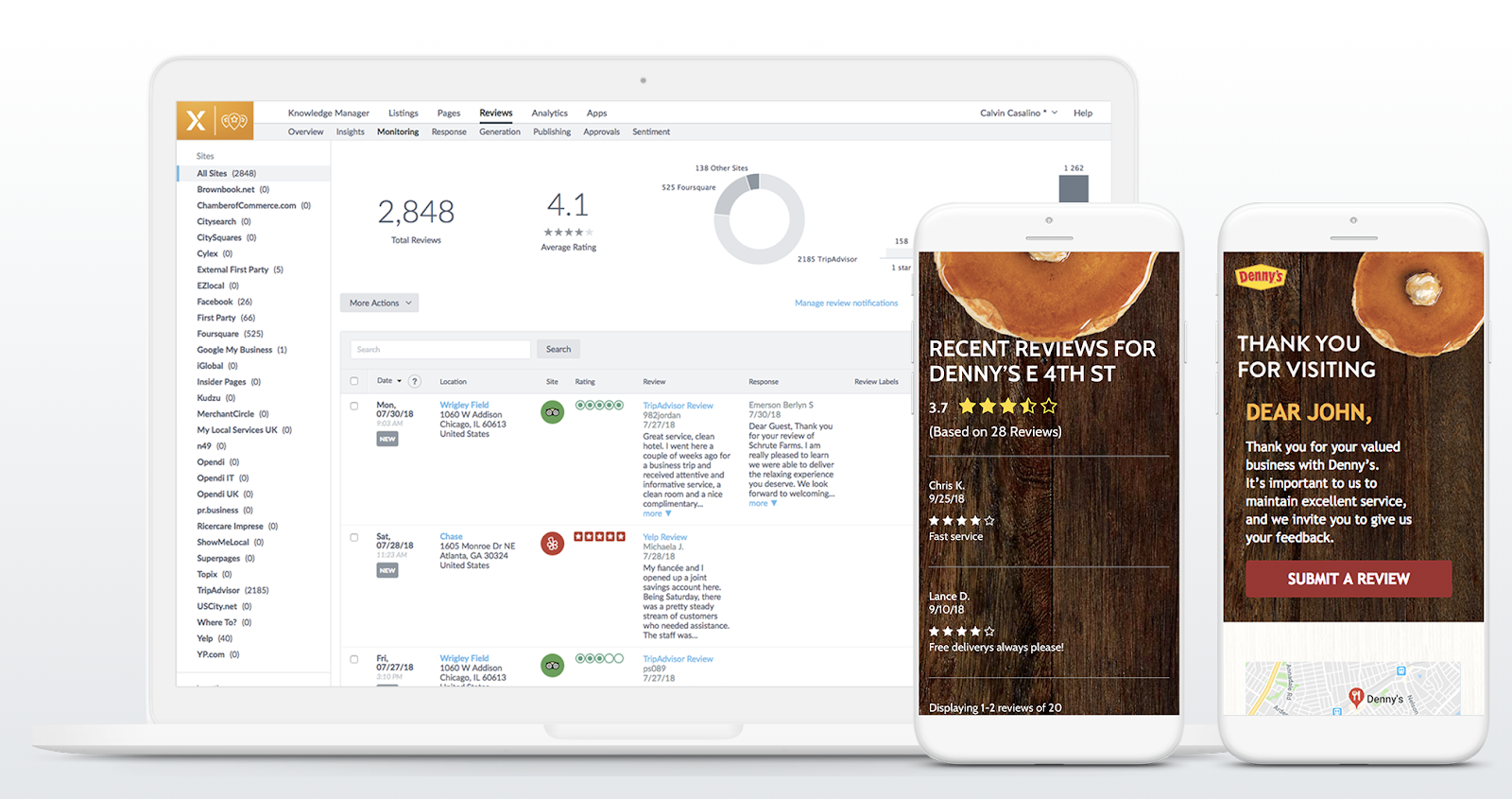
2. ReviewTrackers
ReviewTrackers collects online reviews from over 100 third-party review sites, including Google, TripAdvisor, and Facebook. A critical feature to call out is that you can receive notifications whenever a customer leaves a review, ensuring you’re up-to-speed on feedback.
The cloud-based reputation and review management software also allows you to track trending issues and topics to show you the bigger picture around customer issues and provides competitor tracking and performance analytics.
The tool, used by customers such as Sears and Triple A, is available for enterprise companies and small-to-medium sized businesses.
Price: Custom depending on your size and business needs (request a demo here).
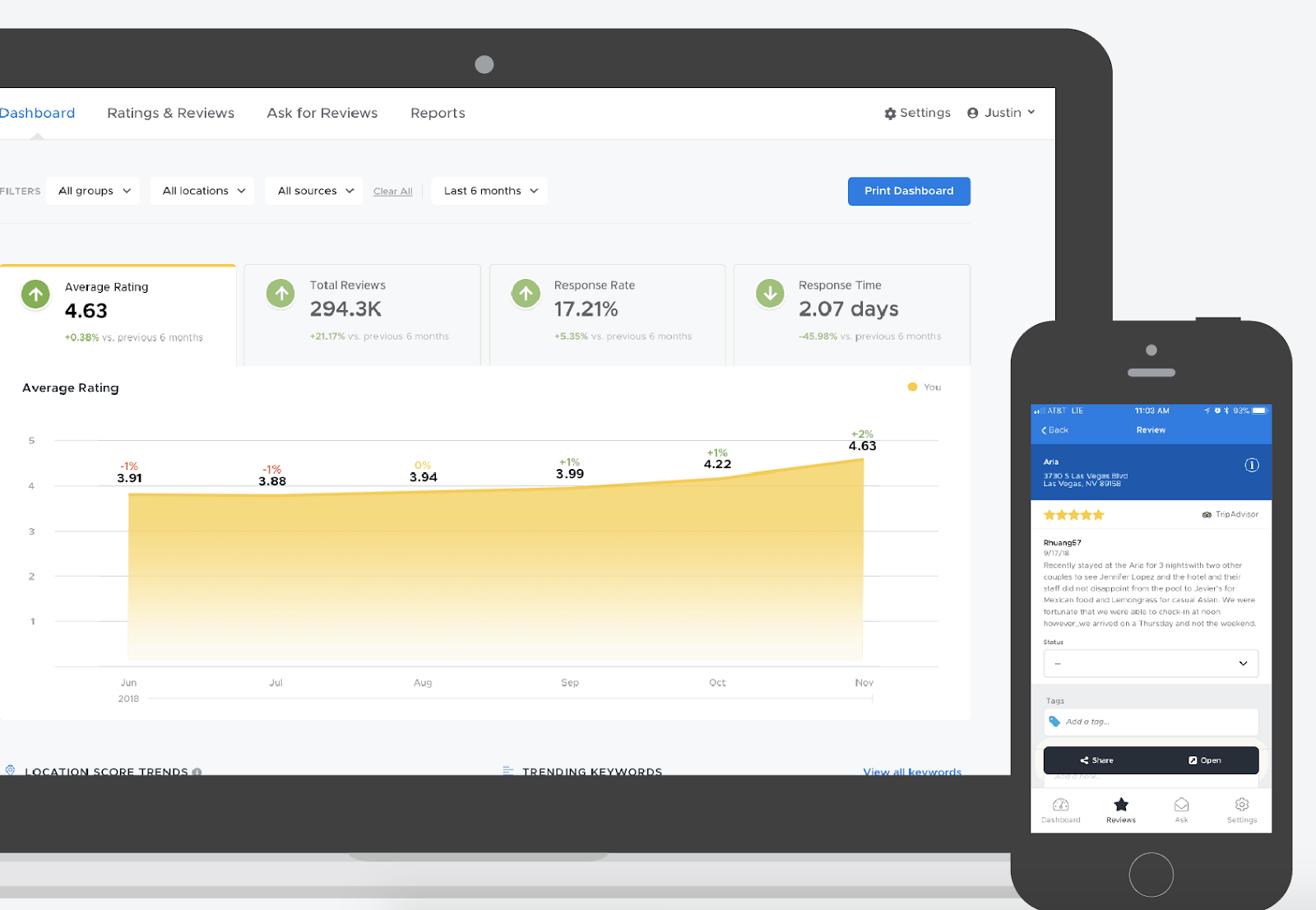
3. Podium
More than likely, the idea of managing your reputation on different sites ranging from Facebook to Google to Yelp is a stressful and overwhelming one — fortunately, software like Podium allows you to see all customer interactions and online reviews in a single dashboard. Your employees can use Podium to request reviews, respond to reviews in real-time, and even exchange text messages with potential customers.
Podium’s support team is available via phone, online chat, or email, ensuring you have the help you need to properly implement their tool. The software works best for small-to-medium local businesses with the time and resources to manually send texts to customers or leads.
Price: Custom depending on your size and business needs. (Ask for a quote here).
4. BirdEye
BirdEye, a SaaS tool used by more than 50,000 businesses, collects feedback from over 150 online review sources to ensure you have the complete picture regarding your brand’s online reputation.
You can monitor, promote, and respond to reviews within one dashboard. Additionally, you can use BirdEye to request reviews from customers on both desktop and mobile devices or within BirdEye’s messenger tool.
Along with review monitoring, BirdEye provides features to manage your social accounts, gain insight into your competitors’ customers, and create surveys and tickets to further improve your customer’s overall experience with your brand.
Price: Custom depending on your size and business needs. (Ask for a quote here).
5. Cision
Cision Communications Cloud lets you track your brand mentions across millions of online stores, as well as any social media mentions. Best of all, Cision helps you reach audiences across traditional, digital, and social platforms, ensuring your brand is thriving across all marketing channels.
While Cision provides tools to ensure you’re able to monitor and protect your online brand, its features are particularly impressive for strategic, proactive PR outreach. For instance, Cision helps you find media outlets and specific contacts within the industry to reach out with pitches, or figure out which industry influencers can best help spread your message and positively impact your brand’s image.
Cision also provides automated analysis to help you translate your campaigns into valuable global insights. The tool is used by companies such as Comcast and Bayer.
Price: Custom depending on your size and business needs. (Ask for a quote here).
Reputation Management for Businesses
To understand how a business might implement a reputation management strategy, I spoke with Ellie Flanagan, Senior Corporate Communications Manager at HubSpot.
She told me — “The first step in shoring up your brand’s presence online is making sure that all of your owned channels reflect your current imagery, messaging, and values. Check for outdated logos, company descriptions, or mission statements. It’s also helpful to do regular audits of other places where your logo or brand might be in use — such as on partner or customer websites.”
To conduct regular audits, you might use one of the software tools listed above. Additionally, you can use reputation management software to check for inconsistencies, such as Yext. Alternatively, there are tools such as Express Update or My Business Listing Manager that help you monitor for outdated information (check out A Comprehensive Guide to Local SEO in 2021 to learn more).
Flanagan also says, “Make sure you have clear language on your website that outlines your company’s trademarks and sets guidelines for how others can use your brand assets. That will be a helpful reference if you need to reach out to someone who’s using your brand incorrectly or without permission.”
I also spoke with Alice Sol, a Public Relations Specialist at HubSpot. She told me — “Protecting your brand has never been more important, and that goes hand-in-hand with customer trust. We live in a world where information travels rapidly, and we can get a response in seconds at the touch of a button. Technology has enabled us, as consumers, to get in touch with brands quickly — at the same time, it’s given brands the ability to form deeper connections and resolve issues faster.”
Sol also advises businesses to do their best to meet customer needs and ensure a seamless experience, start-to-finish. She says, “The stakes [on delivering a good experience] are getting higher. 80% of consumers say they have stopped doing business with a company because of a poor experience. If a customer has a bad experience, technology allows information about that experience to travel quickly. At the same time, if a customer has a very positive experience, that creates a strong brand reputation and forms trust.”
“Your customers are your biggest asset and it’s critical to take those needs very seriously by responding in a timely manner and communicating effectively.”
To sum it up, when protecting your online reputation, you’ll want to focus on the following tactics:
- Make sure all your owned channels reflect your current imagery, messaging, and values,
- Ensure all online information regarding your business is up-to-date and consistent,
- Use precise language on your website to outline your company’s trademarks and set guidelines,
- Cultivate a positive user experience, start-to-finish,
- Listen to customer feedback and respond to negative feedback with helpful, actionable solutions when possible.
If you want further information regarding how to cultivate a comprehensive, cohesive customer experience, take a look at How to Define a Customer Experience (CX) Strategy, which provides you with the six areas of a successful digital customer strategy.

Eight Cover Letter Greetings for Every Situation
When you’re trying to make a good first impression, a greeting is critical. Saying “Yo, what’s up” to your new employer will evoke a different, likely more negative reaction than, “Hello, it’s nice to meet you.”
A cover letter greeting is just as important as your first in-person salutation. It’s a chance to demonstrate professionalism and even effort — for instance, addressing your hiring manager by first and last name shows you did your research.
Here, we’ll explore the best cover letter greetings you can use to ensure your cover letter is well-received.
![→ Click here to access 5 free cover letter templates [Free Download]](https://no-cache.hubspot.com/cta/default/53/3f347702-d7e9-4e59-9fe4-be4cd7bad191.png)
Cover Letter Salutation and Greeting Examples
Sometimes job listings let you know who will be in charge of your application process, but sometimes they don’t. Let’s go over how to address your cover letters for either situation. Please note that it’s always important to capitalize the nouns for all of your greetings.
- Dear Hiring Manager,
- Dear [name of team or department you’re applying for a position in],
- Dear [company name] Recruiter,
- To the [name of team you are applying for a position in] Department,
- Dear [title of the person you would report to],
- Dear [position title] Hiring Manager,
- Dear [hiring manager, recruiter, or name of point of contact],
- Dear Human Resources Manager.
Below we’ll go over an example of how to start a cover letter greeting when you have the name of the hiring manager, recruiter, or point of contact for your application process.
How To Start a Cover Letter Greeting
1. Use “Hello,” or “Dear,” followed by their first and last name.
If the job description includes the hiring manager’s name, or if you’ve managed to figure it out through research (which we’ll cover below), an easy greeting uses a full name with a “Dear” or “Hello” before it. Additionally, this helps prevent the possibility of misgendering someone that can come from using “Dear Ms./Mr.”
2. Include their title if possible.
If you’re writing to a hiring manager with a title like “Dr.” or “Professor,” include it in your greeting. It will demonstrate a level of respect and that you’ve done your research. It’s also non-gender specific, again reducing the likelihood of misgendering.
For instance, you might start your cover letter like this — “Dear Dr. Grace [Insert Last Name].”
3. If you don’t know their name, you can still make it specific.
If you’ve done your research and can’t find a specific person hiring for the role, it’s likely because the company has a team assembled to delegate the hiring responsibilities. To address a letter to a team, figure out the department or group in which the role falls. Then, follow this formula — “Dear [Department] Hiring Team.”
For instance, if you’re applying for a role within Customer Service, you might say, “Dear Customer Service Hiring Committee,” or “Dear Customer Service Hiring Team.”
However, it’s worth putting in the effort to research who the hiring manager may be, as the information can sometimes be easy to find.
How to Address a Cover Letter Without a Name
A customized greeting goes a long way towards helping your cover letter stand out in a sea of “To Whom It May Concern.” Let’s go over what you can do to uncover who the hiring manager or person responsible for the application process may be.
Find Recruiters on Company Website
An easy way to try and find the direct responsible individual is by visiting the company website and looking for an “About Us” tab. Some businesses list names of people who work there, and you can browse through the list to see if you can find the recruiter for your position or relevant department.
Find Recruiters on LinkedIn
Some companies have such big teams that each department has its own recruiter or hiring manager. LinkedIn can come in handy here, as you can use the “People” tab to search for keywords like “hiring manager + department you’re applying to,” or “department you’re applying to + recruiter” to figure out who the direct responsible individual is for different departments.
Find Recruiters on Twitter
Twitter is also a great social media tool for identifying recruiters or hiring managers. You can search through keywords related to the business you’re hoping to work for and browse through profiles to see what you can find. Most professionals using Twitter have some description of their job position in their bio, so you should be able to identify them when you see them.
You can also search on Twitter for the position title you’re applying for to see if a recruiter has Tweeted a link on their profile.
If you’ve done all your research and you can’t find a hiring manager to address your letter to, and you weren’t given a name in the application process, there are still some alternatives:
- Dear Hiring Manager
- Dear [name of team or department you’re applying for a position in]
- Dear [position title] Hiring Manager
- Dear Human Resources Manager
To Whom It May Concern is an often recommended option, but most would say that you shy away from it as it is considered a more outdated and less personalized greeting than others on this list. It would be safe to consider using it as a last resort option.
At the end of the day, when writing your cover letter, your ultimate goal is to make a good impression. If you’re able to find the name of the recruiter or hiring manager, use their name, but if not, any of the recommended greetings in this post will do.

Your Guide to Making a Scroll-Stopping YouTube Thumbnail
You can upload the most interesting video on YouTube, but it might not get the views it deserves if you’re relying on a simple freeze-frame to tell viewers what it’s about.
Thumbnails, the small, clickable snapshots that viewers see when they search for videos on YouTube, can be just as important as a video’s title. They provide a preview of your video and entice viewers to click through.

Creating vibrant YouTube thumbnails can also instantly grab people’s attention and this can help you differentiate yourself on a platform clogged with standard thumbnails all screaming for attention.
Thumbnails can affect your search ranking on YouTube, too. Since your video’s click-through rate is one of the most important ranking factors in YouTube’s search algorithm, especially during its first hour on the platform, an eye-catching thumbnail can make a huge difference in ranking number one for a query and not ranking at all.
If your video has an ordinary or sub-par thumbnail, it won’t persuade anyone to click through. YouTube could deem the video irrelevant and won’t rank it in the search results or distribute it through the “Recommended Videos” feed.
Fortunately, pulling freeze frames from your YouTube videos isn’t the only way you can create thumbnails. There are online tools, made specifically for people who might not have a ton of design experience, that can help you craft custom thumbnails — all for free.
Below, we’ll guide you through an easy five-step process for creating visually appealing YouTube thumbnails that will cut through the noise, boost your video’s click-through rate, and lift your rankings.
1. Visit a free online YouTube thumbnail maker.
There are seven free online YouTube thumbnail makers listed below, but we featured FotoJet in this guide because it’s one of the only YouTube thumbnail makers that doesn’t make you sign up for a free account before you can create a thumbnail. Their robust thumbnail maker lets you customize and download your thumbnails completely for free — no email address necessary.
The free version of this online app lets you download small and medium-sized image files, but large and extra-large are premium features. This means you’ll get to be creative with your designs to ensure they appear as crisp as possible on YouTube.
2. Upload a photo or choose one of the thumbnail makers’ templates.
YouTube will let you upload any picture from your computer as your video’s thumbnail. But if you don’t have a vivid visual on your computer or you need some inspiration, Fotojet’s got you covered. It has over 23 free templates that can serve as your thumbnail’s foundation.
To create striking a thumbnail in Fotojet, consider including a talking head. People are naturally drawn to human faces because it’s an ingrained survival mechanism to help us quickly gauge someone’s emotions and determine if they’re a threat or friend. Research Gate also discovered that Instagram photos with faces are 38% more likely to receive likes and 32% more likely to receive comments.

3. Add text, clipart, or a background to your thumbnail.
Once you’ve picked your picture or template, you can make your thumbnail stand out even more by adding text, clipart, or a background to it.
To further clarify your video’s subject matter, consider adding your video’s title to the thumbnail. Additionally, if your photo, graphic, or text is bright, consider placing it on top of a dark background. The color contrast will make your thumbnail pop. The same logic applies to dark objects and bright backdrops.

4. Download the finished product to your computer.
In Fotojet specifically, after you finish polishing your thumbnail, press the Save button at the top of the page to export your thumbnail.
Last, title your thumbnail and save it as a JPG or PNG. Its resolution will already match YouTube’s recommended resolution — 1280 x 720 pixels — so you don’t have to worry about resizing it later.
8 YouTube Thumbnail Makers
Along with Fotojet’s free online YouTube thumbnail maker, there are seven other thumbnail makers that can help you customize your own YouTube thumbnails. Before you create a thumbnail with these tools, though, you need to sign up for a free account on their websites.
1. FotoJet
FotoJet is a leading YouTube thumbnail maker that comes with templates to help you summarize your video into a click-worthy image. You can get started with FotoJet as soon as you land on the homepage — no email or account set up required. Choose from a variety of stock images, font styles, and clipart elements to customize your design, then export it in either a JPG or PNG format.
2. Canva
With more than 2 million images in their library, hundreds of fonts, and customizable backgrounds and colors, Canva gives you more than enough resources to unleash your creativity.
You can sign up for the free or paid version of the online design tool, but be prepared to take your own images as Canva’s image gallery can cost up to $1 per photo. Don’t let that deter you, this robust tool is jam-packed with free design elements that can help you create click-worthy YouTube thumbnails.
3. Adobe Spark

Adobe Spark lets you select from thousands of photos on the web and a variety of built-out themes with their own unique layouts, colors, and fonts to craft eye-catching YouTube thumbnails. Although the free version does come with a watermark on all content you download from the system, you can always upgrade to the paid version to have unique thumbnails that are truly your own.
4. Crello
With Crello, you can create engaging thumbnails by blending a multitude of designs, photos, backgrounds, text, and objects together. When compared against other popular design tools, Crello emerges as a less expensive option, but bear in mind that resizing your thumbnails could be a pain due to some improvements that need to be made within the app.
5. Visme
Choose from a wide selection of templates, photos, graphics, colors, and fonts to create a thumbnail in Visme. This app was made with video thumbnails in mind, so you won’t have to worry about sizing and finding the perfect layouts. Visme offers creators various templates to choose from so you can spend more time adding your finishing touches.
6. Fotor

Fotor provides templates under certain themes to help you create captivating thumbnails. It includes all the trending YouTube thumbnail features like photo frames, the lomo effect, and background remover. The options are virtually limitless with Fotor as the canvas for your YouTube thumbnail.
If your workflow can’t be completed all in one session, Fotor’s premium version allows you to save version history of your thumbnails so you can pick up right where you left off.
6. Picmaker
With over 100,000 graphics, 1,000 stock photos, stickers, borders, backgrounds, text, icons, and filters, and an automatic background remover, you can create a gripping thumbnail on Picmaker. If you have set brand colors, the free options won’t be the easiest to work with since you can’t save colors, logos, or fonts. But upgrading to just the starter tier opens up a variety of benefits including a brand kit, premium photos, and multi-sized designs.
8. Snappa
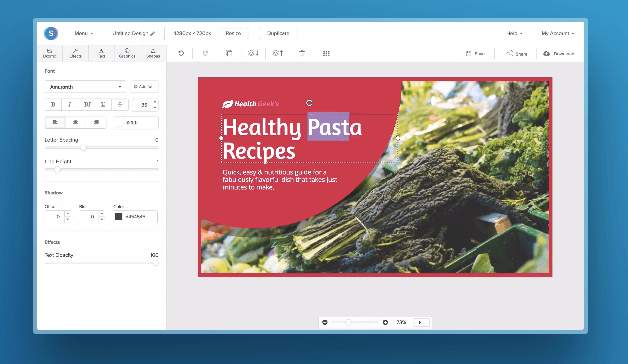
Snappa has over 500,000 stock photos, an assortment of professionally designed templates, and customizable graphics, shapes, and text to help you create a YouTube thumbnail. If you’re making more than three thumbnails per month, Snappa might affect your workflow as the free version only allows three downloads per month. If three is enough for you, you’ll be glad to know there’s a drag and drop functionality to help you create your own custom thumbnail template.
Create Scroll-Stopping YouTube Thumbnails
Just like a peephole, the subject line of an email, and even caller-ID, a YouTube thumbnail gives the viewer a peek behind the curtain to see what’s on the other side. It’s a major component in a search result that will determine whether someone clicks and watches your video. Taking the tips and examples in this article, you’ll have to know-how to make scroll-stopping YouTube thumbnails that will draw in new subscribers.
Editor’s note: This post was originally published in November 2018 and has been updated for comprehensiveness.

Off-Page SEO: What It Is & Why You Need It [+a Helpful Checklist]
Imagine this: You’ve done everything you can to optimize your website.
From optimizing your images and conducting keyword research to setting up a site structure and internal linking strategy.
Yet, you’re still struggling to rank on Google.
It may be because you’ve only completed one half of the puzzle. What’s the other half? Off-page optimization.
While your website is vital to your SEO strategy, there are additional actions to take outside of your website that will help you rank.
Search engines weigh many factors when determining a page’s ranking. While some of the factors are based on website content and performance, Google also gathers its understanding of your website through sources outside of your domain. That’s why off-page SEO is so valuable.
Link building, for instance – an effective off-page SEO strategy – is one of the top ranking factors. That’s because Google is built on PageRank, an algorithm that looks at a page’s backlinks for quantity and quality.
An off-page SEO strategy supports your website efforts (i.e., on-page SEO) and works to add credibility, relevance, trustworthiness, and authority to your domain.
On-Page SEO vs Off-Page SEO
In the simplest terms, on-page SEO encompasses every action you take on your website to affect your ranking on search engines. Off-page, on the other hand, happens outside of your website.
What actions specifically? Here’s a quick visual guide:
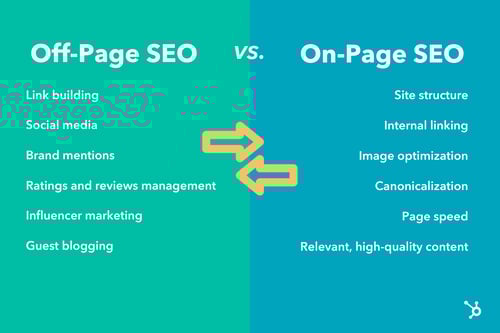
This list isn’t exhaustive, but it should provide some clarity on the difference between these two SEO strategies. The key takeaway is that both are equally important to gain and maintain a high search ranking.
1. Link Building
Links from other sites on the web server as votes of confidence in your domain.
The more votes you get, the more likely you’ll rank on search engines. Conversely, the fewer votes you have, the harder it will be to convince Google that you’re a trustworthy, authoritative site.
You need other pages to vouch for you — that’s what backlinks do. Building an external link is an off-page strategy that should be number one on your list.
There are several types of links you can gain:
- Natural or earned links, in which editorial publishers or consumers mention your brand organically.
- Built links, which require some effort on your end, such as reaching out to publishers for link attribution or mention.
It’s important to use white hat strategies to gain backlinks, as methods like flooding forums and comment sections with links to your webpage can get you penalized by Google. For creative ways to gain backlinks, check out this backlinks strategy guide.
You can also jump to this section where we cover what to look for in a backlink opportunity.
2. Social Media
You’ve probably thought of social media as a brand awareness tool, more than an SEO play.
But social media is a great way to gain domain authority and increase your search engine ranking.
When you share content on social media and direct traffic to your website, it shows Google that you’re gaining traffic from diverse sources and must have interesting high-quality content.
This is why it’s important to consistently engage your community on social media and use it for content distribution. More engagement will likely result in more shares, backlinks, and clicks, which helps build domain authority.
3. Local SEO
Local SEO is a strategy that involves optimizing a site for local search results. This is typically used for brick-and-mortar businesses or those that serve consumers in specific geographic areas, such as hair salons, air conditioning companies, or supermarkets.
For this to work, you must send signals to search engines that service consumers in local areas. How do you do this? Here are few key ways:
- Add your company to local and national business directories, namely Google My Business.
- Claim your listing on review sites, like Trip Advisor and Yelp, and respond to reviews.
- Encourage your customers to leave positive reviews online.
- Have consistent contact information across all digital platforms
For a comprehensive guide on local SEO, check out this article.
4.Content Marketing
Content marketing helps you reach your target audience and attract them with information that addresses their needs and pain points.
In addition to your on-page content marketing efforts, like blog posts, you can also leverage methods like guest blogging, downloadable offers, surveys, and reports.
These practices are great ways to drive traffic to your website, generate new leads, and improve your search engine ranking.
Take guest blogging, which offers multiple benefits. The first is the ability to reach a new audience that falls within your target market. The second is the value of the backlink you can earn by being published on another high-authority domain. Lastly, guest blogging can earn you more website traffic — another important ranking factor.
Off-Page SEO Factors for Link Building
Over the years, Google and other search engines have gotten stricter in what actions they reward and penalize. Once everyone knew link building was a key ranking factor, people were using all kinds of strategies to get backlinks. From posting their links on forums to paying for links.
Then, search engines wised up and started penalizing the use of unethical or unnatural link placements. Today, here’s what you’ll want to consider when developing your link building strategy:
- The number of referring domains – The more domains you have directing to your website, the more votes of confidence you have, according to Google.
- Link authority – It’s not enough to have a lot of referring domains, you want to be referenced by domains with high authority.
- Relevance – The link needs to be relevant to your site. Say you’re a pet toy company. A link from the National Dog Association weighs more than one from a lifestyle blogger.
- Anchor text – The specific text that’s hyperlinked and points to your website should be descriptive and relevant, without sounding spammy.
What to Look for In Off-Page SEO Tools
So, you want to work on your off-page SEO strategy and you need a tool. Before you pick out a tool, it’s important to know what features you should be looking for.
The first thing you’ll want to look for is an SEO tool that includes a backlink checker. It should offer details on your referring domains, anchor texts, their linking authority, and more.
SEMrush, for instance, has a backlinks analytics tool that allows you to compare your website to your competitors and identifies areas of improvement.
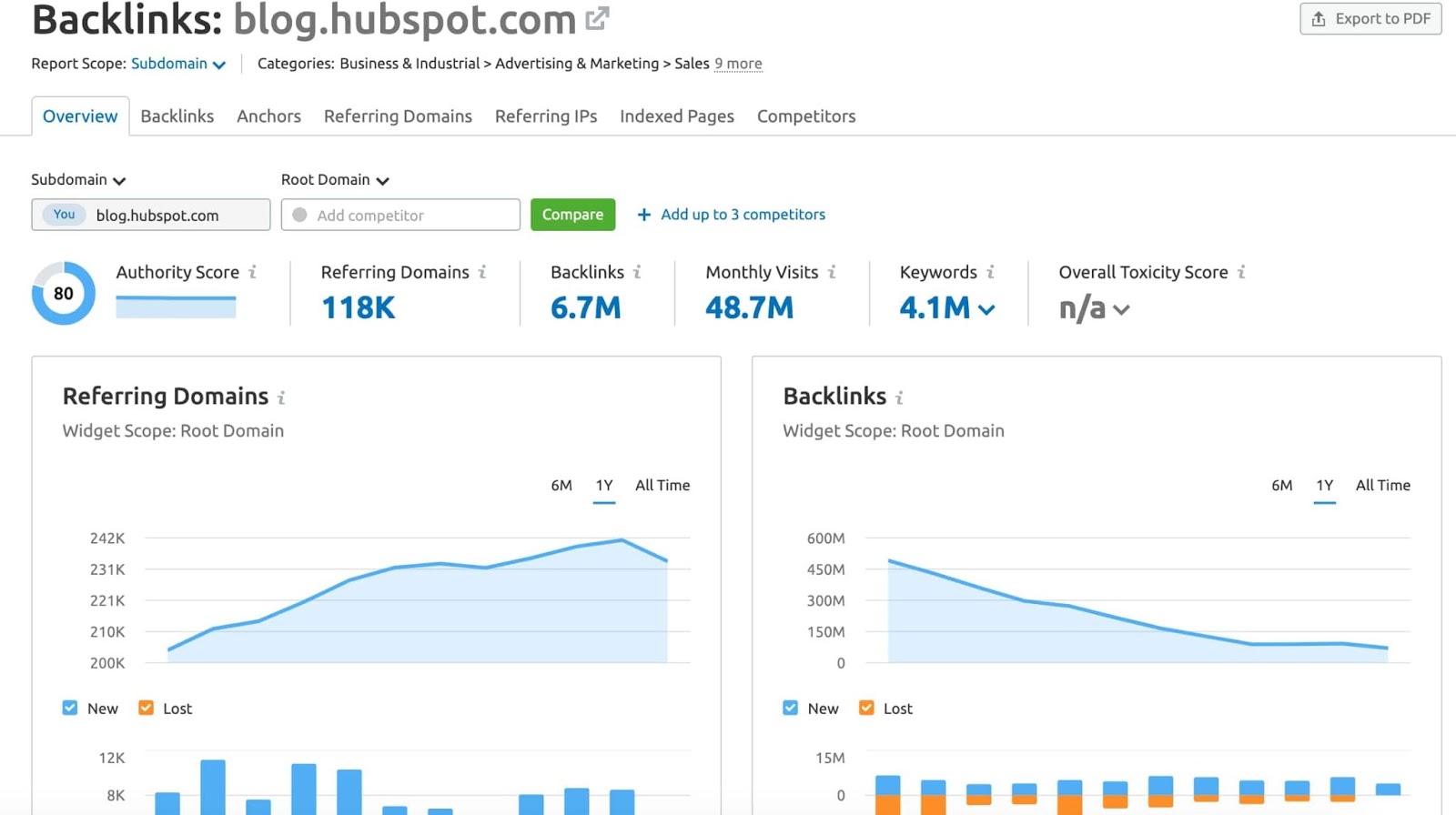
You’ll also want to look for a tool with a brand monitoring feature. HubSpot’s Social Media Management Software allows you to track your brand mentions as well as your competitors’.
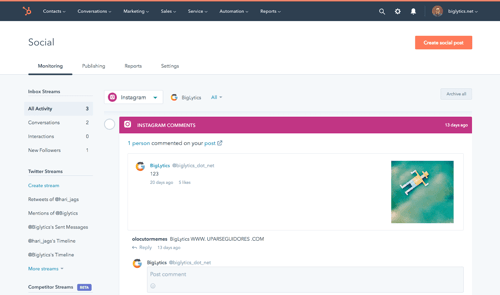
This complements the CRM’s SEO Marketing Software, with on-page SEO features like the website audit and recommendation, topic development, and keyword data tools.
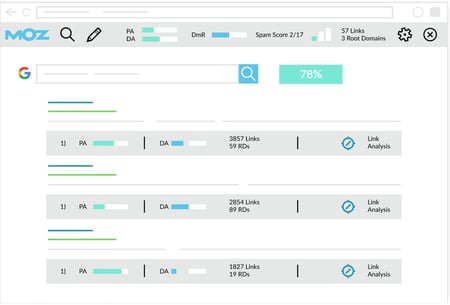
In addition, look for an SEO tool that makes identifying good guest blogging opportunities easy. For instance, the MozBar extension from Moz allows you to get instant metrics on any webpage and determine if it could be the right fit for you.
Developing a robust off-page SEO strategy is just as important as your website efforts. Both work hand in hand to give search engines a full picture of your brand to determine your ranking. So, don’t neglect it, as it may be the key to your success.

How to Gain Your First (or Next) 1,000 Instagram Followers
It’s no secret that business opportunities are quickly growing on Instagram.
Approximately 90% of Instagram’s 1 billion active monthly users follow a business account on the platform. And, while Instagram hasn’t reported its current number of business users, the platform reportedly hosted more than 25 million of these accounts in late 2017.
As the platform continues to grow and develop more interactive features, such as Instagram Stories and Instagram Live, businesses are regularly using it as a tool to humanize brands, recruit future employees, showcase products and company culture, delight customers, and generate new business.
![New Data: Instagram Engagement Report [2021 Version]](https://no-cache.hubspot.com/cta/default/53/9294dd33-9827-4b39-8fc2-b7fbece7fdb9.png)
But here’s the deal: Unless you’re famous, it’s really hard to amass a huge following on Instagram without some hard work.
For the average person or business, growing your following takes daily time and attention.
Luckily, there are a few things you can do right away to collect at least 1,000 quality followers for your personal or professional Instagram account. It’s all about knowing where to invest your time and effort.
Let’s discuss a few strategies that will help you gain those followers, from creating a follow-worthy Instagram profile to using contests, to staying true to your brand.
Whether you’re gathering your first 1,000 followers or you just want 1,000 more, keep reading.
1. Create and optimize your profile.
First thing’s first: Customize your Instagram profile to make it look good. Tell your potential followers who you are, and give them a reason to follow you.
How? Start by making sure your username is recognizable and easily searchable – like your business name.
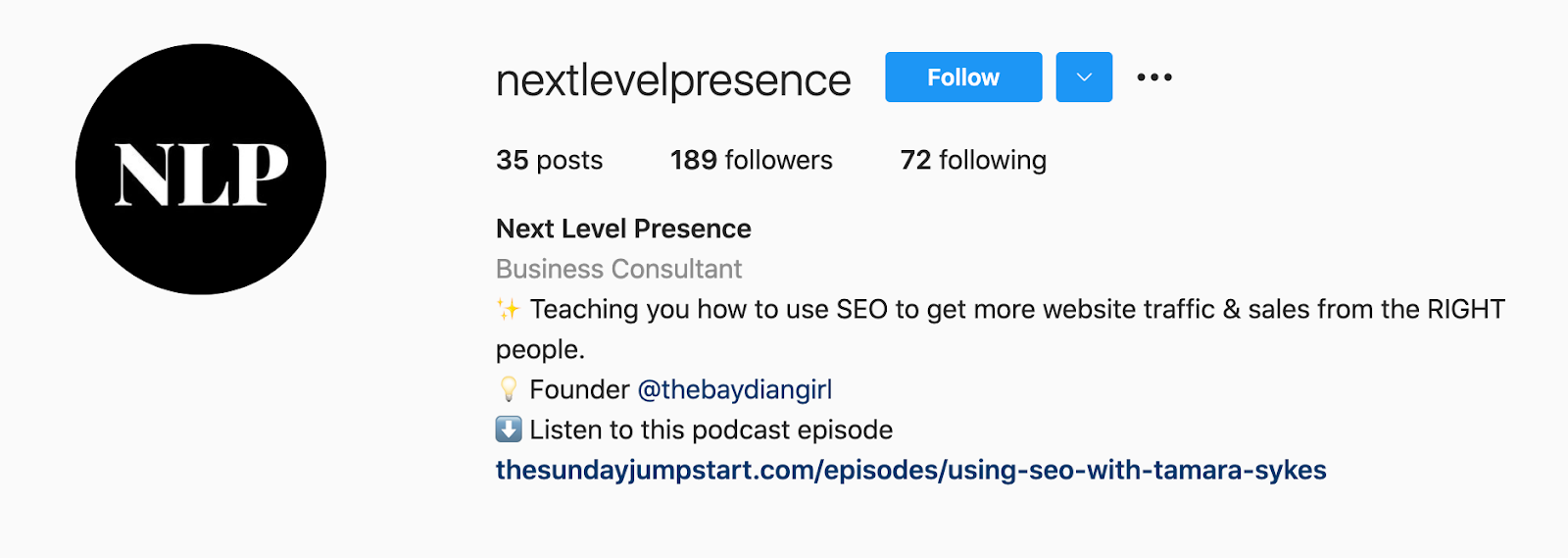
If your business name is already taken, try keeping your business name as the first part of your username so that people searching for your business are more likely to come across you. For example, the Australian activewear line Lorna Jane uses the username @lornajaneactive.
Setting Up Your Account
Step 1. Add your full business name to the “Name” field in the “Options” section. To find “Options,” tap the three lines in the top right corner of the iOS app, followed by “Settings” which will appear at the bottom of the screen next to a gear. If you’re on Android, tap the three dots in the corner. Your business or name will appear under your profile picture and your username in search.
Step 2. Make your profile public. To make your profile public, open Instagram, open “Options,” and make sure “Private Account” is turned off.
Step 3. Choose a profile picture that’s on-brand with your other social networks, like your company logo.
Step 4. Fill your bio with delightful, actionable, and informative information about your brand. Information like this lets people know what you’re about and gives them a reason to follow you. Include who you are and what you do, and be sure to add a hint of personality.
Here are a few examples for inspiration:
- @cheekbonebeauty: “Less waste. Ethical and safe ingredients.”
- @Oreo: “Playful moments from your favorite cookie.”
- @mrsbrittanyhennessy: “Helping Influencers go beyond #sponcon and create sustainable businesses.”
- @CalifiaFarms: “Something different, something better. Let us show you what plants can do.”
- @coragedolls: “Elevating, educating, & encouraging girls of color to be unstoppable with dolls that finally look like her.”
Step 5. Add a link tree to your bio to make it easy for people to go straight from Instagram to your other platforms if they want to. The space allotted for URLs is precious real estate. When you receive 10,000 followers, you can add swipe-up links to your Instagram Stories.
Until then, your bio is the only place within Instagram where you can place clickable links, so use it wisely. We recommend using a shortened, customized Bitly link to make it more clickable.
Step 6. Enable notifications so you can see when people share or comment on your photos. This’ll let you engage with them more quickly – just like a lot of companies do on Twitter. To enable notifications, go to “Options” and then “Push Notification Settings.” Select “From Everyone” for every category.
A word to the wise: We don’t recommend you link your Instagram account to Twitter and Facebook (or other social media platforms) for automatic posts. Because every platform caters to a different audience and requires different types of posts.
2. Designate a content creator.
Just like there should be one (maybe two) people managing your other social media accounts, there should only be one or two people managing your Instagram account.
If possible, choose someone with experience on the platform who will “get” it — and be sure they stay updated on all new features Instagram has to offer.
If you work for a large organization, you might find that a lot of people want a say in what’s posted. That’s when an organized request or guidelines document comes in hand.
This document should inform people how to request a post on your Instagram account, when, the value of the post, and why.
3. Follow photography and editing best practices.
On Instagram, post quality matters. A lot. Your Twitter followers might forgive a few bad tweets, but a bad photo on Instagram is a big no-no.
Fortunately, you don’t have to take a photography course to be a good Instagram poster — nor do you have to practice for weeks before you start. But you should get familiar with basic photography tips and photo editing apps.
Photography Best Practices
Since Instagram is a mobile app, chances are, some content you post to Instagram will be taken on your mobile device. That’s expected.
If your budget allows, consider investing in professional photography for your Instagram photos, as that will elevate your profile. Otherwise, a smartphone and a few editing apps will do.
Focus on one subject at a time.
- Embrace negative space.
- Find interesting perspectives.
- Look for symmetry.
- Capture small details.
- Make your followers laugh.
Edit photos before you post.
Instagram has some basic editing capabilities, but oftentimes, they aren’t adequate to make visuals really great.
Most of your photos should go through at least one or two photo editing apps on your mobile phone before you open them on Instagram.
Additionally, consider creating a cohesive Instagram theme across your feed, so anyone visiting your account for the first time can get a sense of your brand.
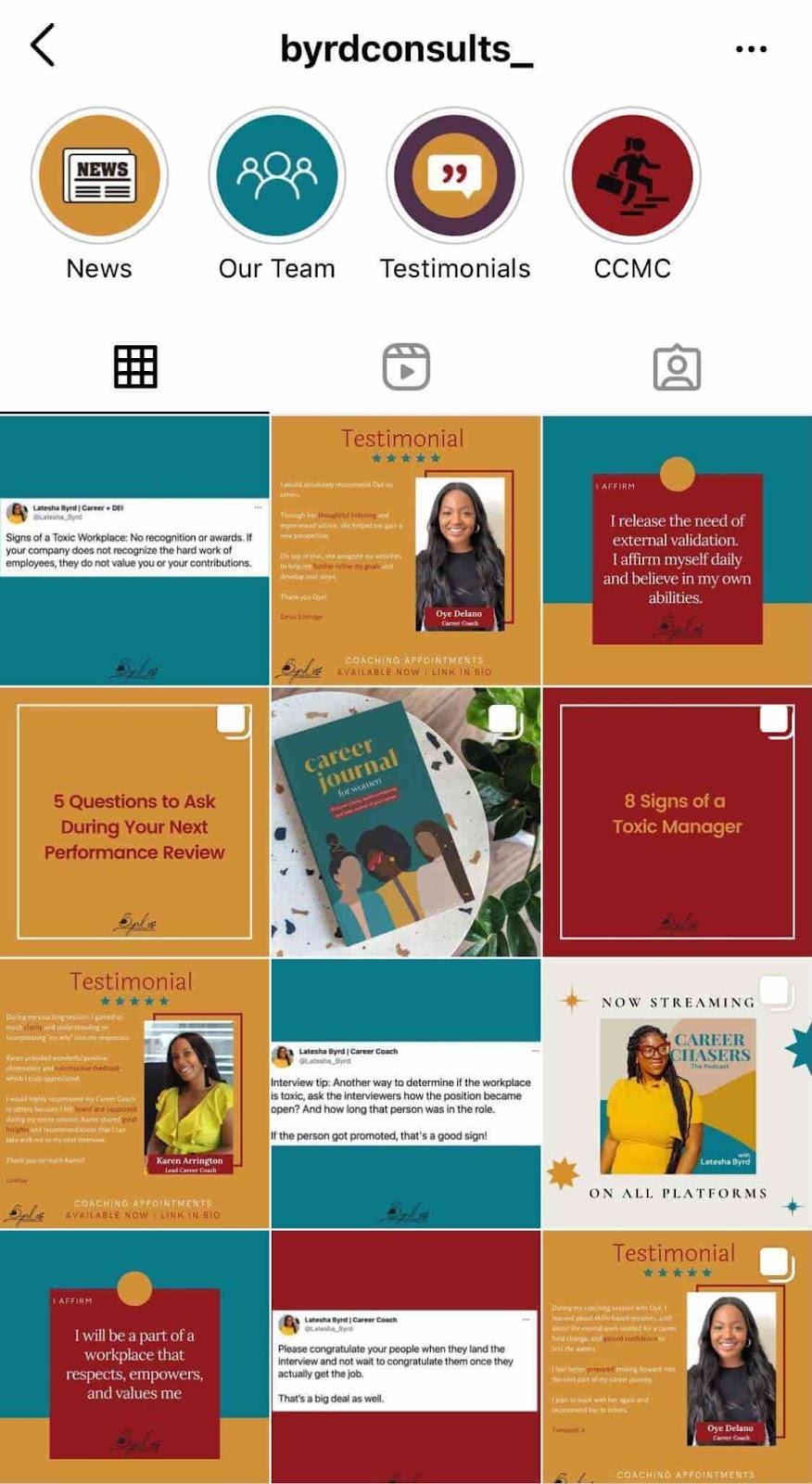
4. Set a regular posting schedule.
Once you’ve created and optimized your profile, have someone managing it, and have your creative assets ready, it’s time to start posting.
It’s a good idea to have a solid number of great posts up – maybe 15 or so – before you start engaging people and working down this list. That way, when people visit your profile, they’ll see a full screen of photos and will know you’ll post great content regularly.
To start posting on Instagram, download this social media content calendar template first and plan out your posts. It’s best to build a backlog of content ready a few days or weeks ahead of the publishing date.
This will ensure you always have content during holidays, vacations, and even creative blocks.
Keep your target persona in mind as you plan out your posting schedule, as that can drastically impact your posting timing and frequency – especially if you’re targeting an audience in a different time zone. (Download this free template for creating buyer personas if you don’t have a few already.)
Optimizing your schedule for your specific audience might take time and experimentation.
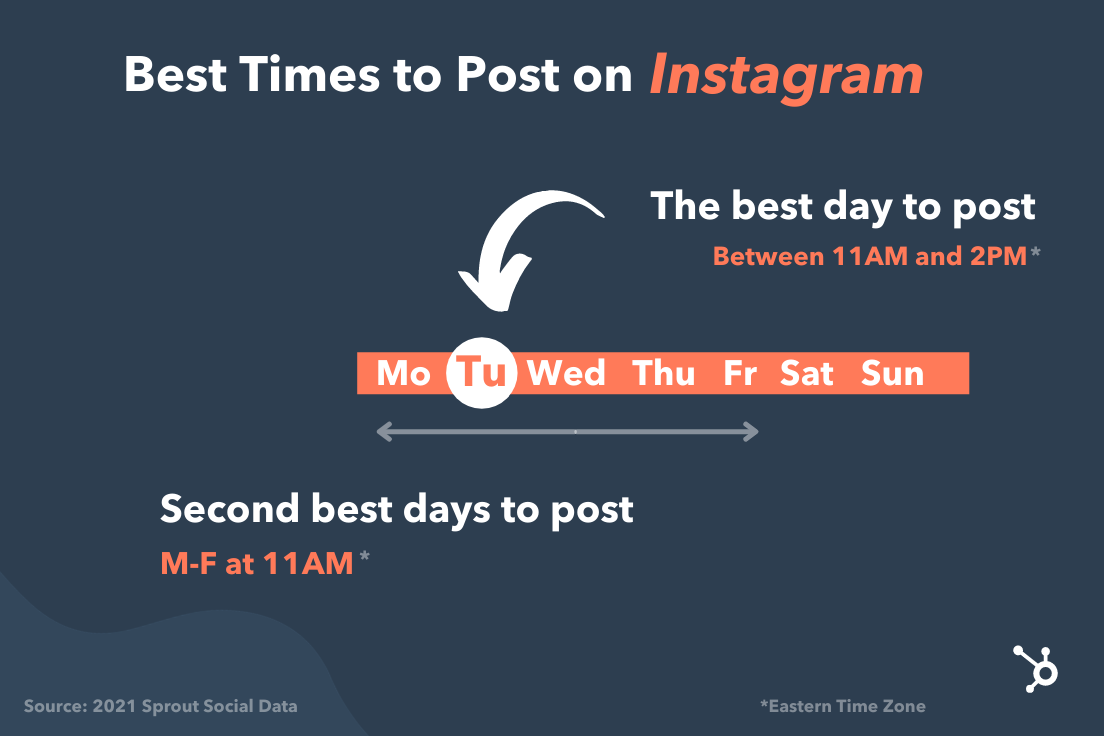
Experiment with these times and days to see what works with your audience. You may find that your target users are most active and engaged at different times.
5. Allow outside contributors to curate your content.
Although it’s best to have only one or two people manning your account, one or two people can’t be everywhere at once taking photos. What about that fun sushi night the engineers had last night? Or the event your head of sales spoke at earlier this week?
There’s a whole breadth of content you’ll want to post to Instagram, and more often than not, one person won’t be able to keep track of it all.
One solution? Create a system where you can curate photos and content from members of your team.
There are a few ways to do this. The first option is to create a specific email address for employees to send their photos, short videos, memes, hyper-lapses, and so on.
Encourage people to add a descriptive subject line so you can easily sort through the content they’re sending. While this doesn’t seem like the smoothest way to curate photos, it’s actually the easiest for the people sending you photos — and the easier you can make it for them to send content, the more content you’ll get.
If your team shares a Box or Dropbox account, you could also create a shared folder where people can automatically drop their photos and videos.
6. Use a consistent, platform-specific brand voice.
Photos and videos might be the most important part of your Instagram posts, but captions, comments, and other text should never be an afterthought. If you’re managing a channel for a brand or have more than one Instagram manager, consider developing a consistent voice that humanizes your brand.
This shows potential followers that you are credible and relatable, rather than formal or intimidating.
When developing a voice, you should keep the platform and your audience in mind.
For example, many influencers and prominent accounts on Instagram have a very casual voice and style but remain professional and on-brand. Once you’ve got your voice down, make sure it stays consistent and natural in your captions, comments, messages, and your bio.
7. Write engaging, shareable captions.
Captions are an essential part of your post — the icing on the cake if you will. Consistently great captions can do wonders for humanizing your brand, winning over followers, and making your content more shareable — thereby giving you more exposure.
Here are a few things you might see in a winning Instagram caption:
- Clever or witty comments
- Calls to action
- Relevant emojis
- Hashtags
More on that below.
Clever or Witty Comments
Some brands and influencers have used clever or witty captions, or even audience-appropriate jokes to further humanize themselves on Instagram.
My colleague Kelly Hendrickson, HubSpot’s social media team manager, says that she loves Netflix’s account and sub-accounts, particularly because of the post captions.
“They have such a clear brand voice, and you laugh along with them. They’re in on the joke, just like one of your friends,” she says.

Netflix’s voice is casual, trendy, and humorous while still staying on brand.
In the post above, the caption is funny, authentic, and relatable. Who hasn’t flipped through a friend’s Instagram Story with the hope that you’ll be featured?
Calls to Action
Another way to increase the shareability of your caption and engage your followers is to ask questions or have some sort of call-to-action in the captions of your photos.
For example, you might write, “Double-tap if you find this funny,” or “share your story in the comments.”
In the example below, we asked followers of the @HubSpot Instagram account to leave a comment with a book that’s had a positive impact on their work, along with tagging the author:
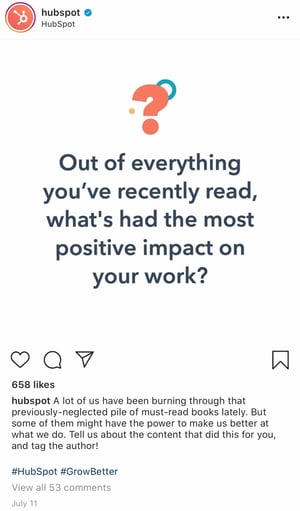
Relevant Emojis
Adding just a few relevant emojis can add even more personality to your posts. It could also make them even more noticeable on an Instagram feed. In the post below, Danielle Gray, a beauty expert with over 50K followers, (@Stylenbeautydoc) includes witty text with relevant emojis to make the post pop.

Along with the three items listed above, you’ll also want to include hashtags.
8. Optimize posts with relevant hashtags.
On Instagram, a hashtag ties conversations from different users who wouldn’t already be connected into a single stream. If you use relevant hashtags, your posts will gain exposure to a wider audience and help you become discoverable to potential customers.
The key to using hashtags effectively is to be selective and use them sparingly. Try to limit the number of hashtags per caption to around three. Similarly, don’t use “like for like” hashtags, like #like4like or #like4likes.
This is a shortcut tactic that’ll only leave you with low-quality followers.
To find the hashtags your audience might be using, do a little research on relevant hashtags in your niche or industry. The easiest way to do this research is in the Instagram app itself, in the Explore tab (i.e., the magnifying glass icon).
When you search for one hashtag, it’ll show you a list of related hashtags at the top of your screen.
For example, when I search for #digitalmarketingstrategy on Instagram, it shows me relevant hashtags like #digitalmarketingexpert, #digitalmarketing, and so on.
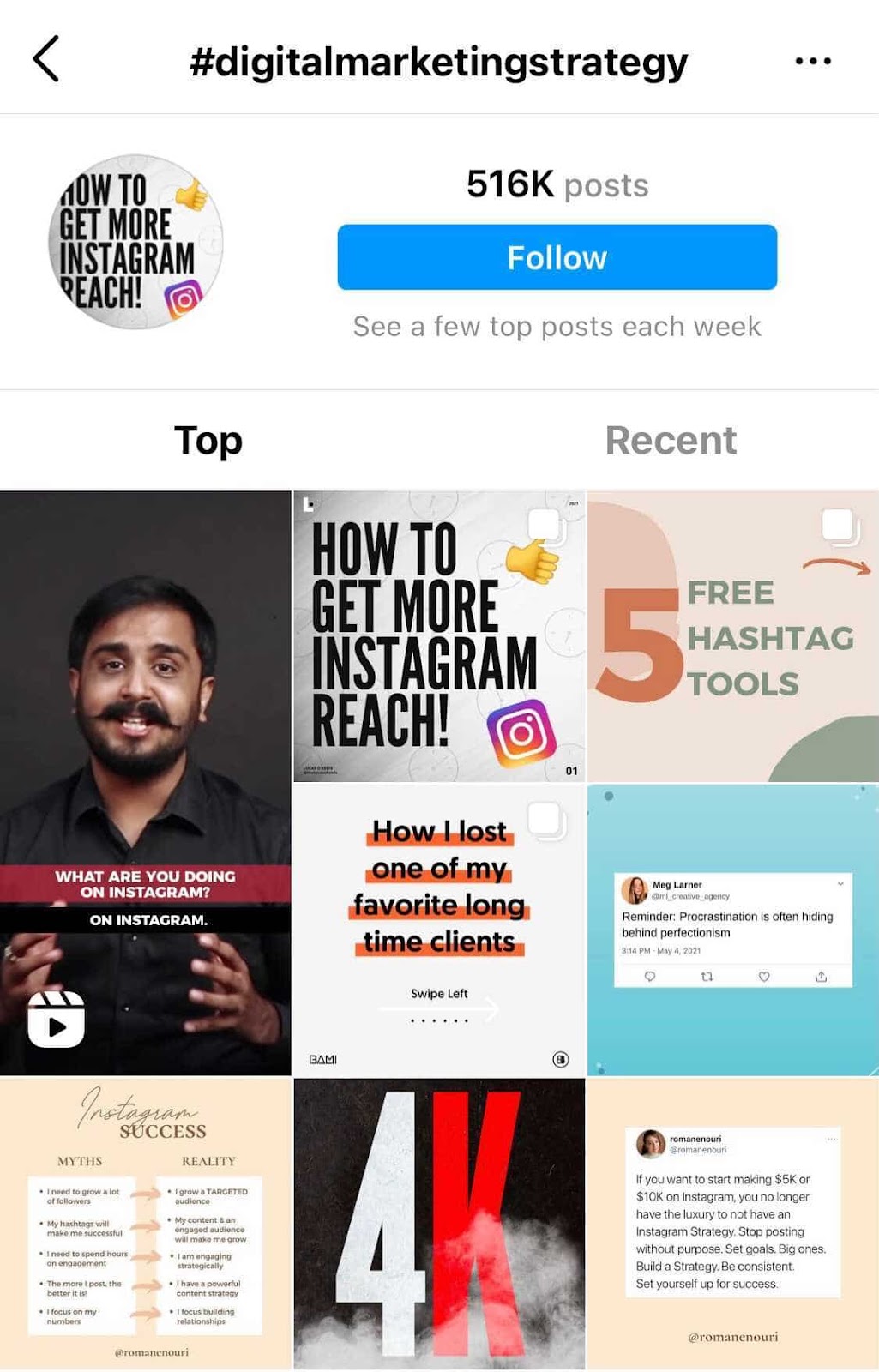
To help relate to your followers on a personal level, you might consider hopping on hashtag trends like #tbt (“Throwback Thursday”), #MotivationMonday, #TransformationTuesday, or other trending hashtagsHere’s a post from @fanmdjanm, a headwrap collection and lifestyle brand with over 150K followers on its Instagram account, using the #HappyMothersDay hashtag:
Once you build up a bit of a following, you can try creating your own hashtags — like your company name or a slogan that applies to your content. This is a great way to build up your brand on the platform and build a more cohesive presence.
1. Engage with users through follows, likes, and comments.
Instagram is very much a community, and one great way to get involved in that community is to find people who post pictures that interest you, and follow their accounts and interact with their content. It’s the most natural way to draw attention to your own Instagram account.
This accomplishes two things: for one, when they get the notification that you’ve followed them, there’s a good chance they’ll check out your profile. This goes back to the importance of having great content on your account before you start reaching out to others.
Secondly, it means you’ll be seeing their recent posts in your feed, so you can Like and interact with them if you choose to.
As you build a following, celebrate your followers by responding to and pinning their comments, and even reposting their posts for user-generated content.
2. Cross-promote with influencers and brands with similar audiences.
Once you build rapport with the folks behind accounts with similar audiences to your own, consider collaborating with them.
Partnering with influencers and brands helps with discoverability, reach, and social proof.
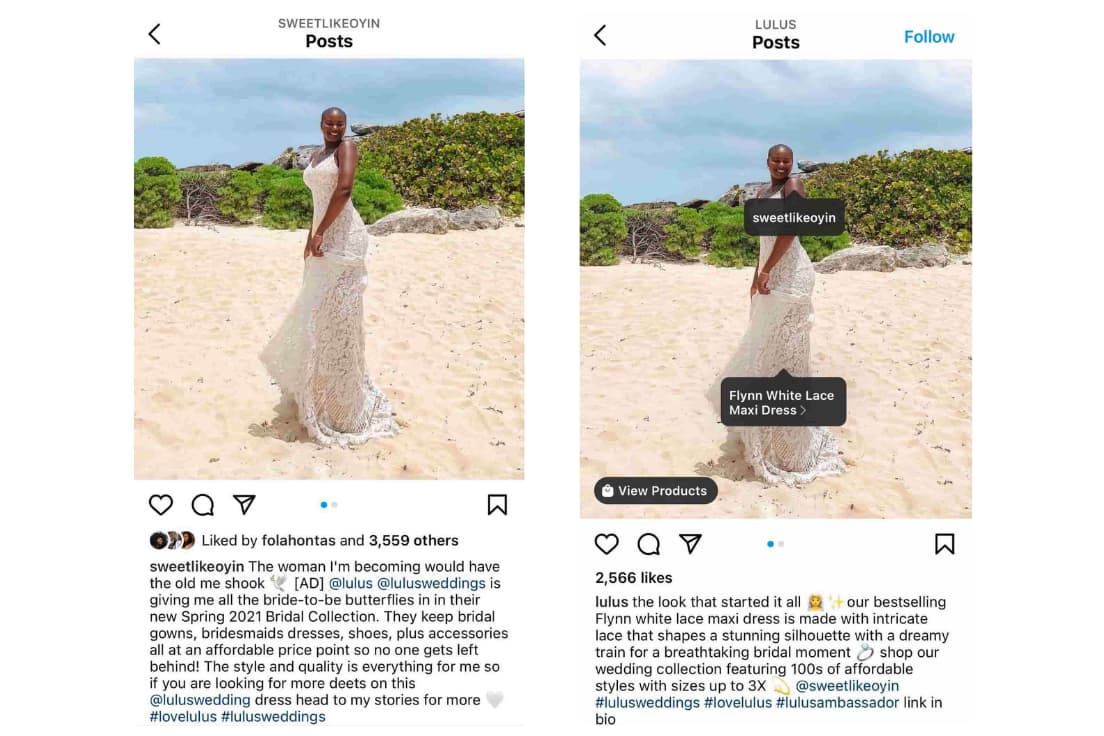
For instance, influencer @sweetlikeoyin who has around 60K followers, posted a sponsored image of herself on the beach wearing a dress from Lulu’s. The clothing brand then published the same image.
With this partnership, both accounts can expand their reach and gain new followers. It’s a win-win. However, be sure to create content that seems natural and makes sense for your brands and collective audience.
3. Run Instagram contests to encourage engagement.
Another great way to expand your reach while increasing engagement on your photos is to run a contest or giveaway. As part of your contest, you can ask users to follow your account, like, and/or comment on the post to be eligible to win.
I mean, come on. Who doesn’t love winning free stuff?
You can also add a user-generated content (UGC) element to the contest, too, where people post a photo of their own and use a specific hashtag.
Here’s an example from @PlayaBowlsNortheastern, where followers were asked to follow Playa Bowls as well as their brand partner, Scoop and Sushi, and tag a friend in the comments. In exchange, followers had the chance to win a free bowl:
4. Explore Instagram Stories’ interactive features.
Instagram has always given brands the platform to share beautiful, curated photos to represent their companies.
However, with the introduction of ephemeral Instagram Stories, brands can also share on-the-fly, behind-the-scenes looks for 24 hours that may not be as polished as a published photo, but give your brand more personality on the platform.
Just look at how Snapchat exploded a few years ago. Once platforms like Instagram and Facebook introduced similar features, it made those apps more valuable and interesting in the eyes of users. Although Snapchat pioneered this feature, Instagram Stories now has over 500 million daily users.
Along with sharing video clips and static images through Instagram Stories, users can also use polls, event reminders, and the “Ask a Question,” tool to gain more engagement and learn more about their audiences.
Once a user is verified or has over 10,000 followers, they can even include a link to a webpage within a story.
How Brands Can Use Instagram Stories
Instagram Stories disappear after 24 hours unless they are marked as a “Story Highlight.”
Highlighted stories will show up at the top of your profile between the photo feed and your bio.
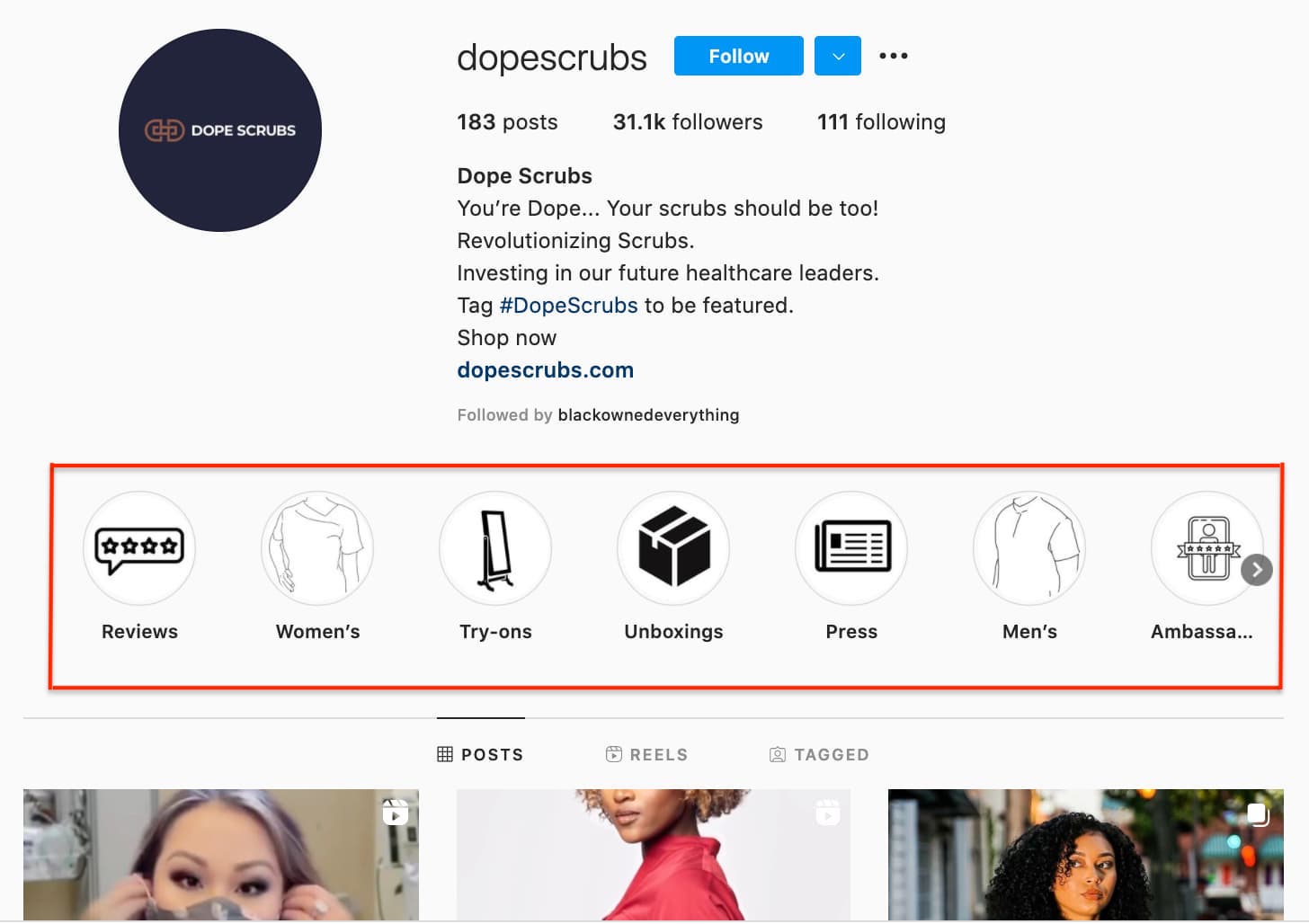
Here are a few other brands we recommend following to see what they’re sharing:
Dana Shultz (@miniamlistbaker) publishes easy vegan and gluten-free recipes on her blog. Her Stories feature neat how-to videos of her making breakfast and testing out new recipes in her kitchen. The behind-the-scenes aspect of her Stories provides a lot of human context for her blog’s brand, and everybody loves a good how-to video.
Casper (@casper) publishes quirky Instagram content to advertise their mattresses – without overtly doing so. The main theme of their content? Staying in is better than going out (because you can stay in and lay on a comfy Casper mattress, naturally).
They’ve even created a gallery for followers to use as backdrops for their Snapchat and Instagram stories to make it look like they’re out at a party when in reality, they’re laying in bed.
One of their latest Instagram Stories featured someone watching “The Sopranos” in bed, with the caption: “Who needs plans when you have five more seasons?”
This video supports Casper’s campaign to stay in bed with a very real look at what millions of people do when they’re hanging out at home.
Here are our tips for using Instagram Stories for your brand:
- Whether it’s funny, sad, or unique, be authentic. Your photo gallery is where content can be perfect and polished. Instagram Stories are for the raw, unscripted, and unretouched. Use Stories to share the other side of your brand that followers might not be able to see elsewhere. Do you have a dog-friendly office? Is your team trying out the latest challenge? Start filming to showcase the more human side of your brand.
- Go behind the scenes. These are by far our favorite types of content for ephemeral video sharing. Show followers what goes into the planning of an event or the launching of a product, and make it fun. Your followers want to feel included and in the know. You could also use Stories to cultivate a brand loyalty program that only rewards people who check out your content.
5. Use the Live Video feature.
Instagram also lets users record and share live videos, another content format that’s proven to be hugely popular on other social networks. What’s unique about live videos on Instagram? They disappear when users stop filming.
This authentic, bi-directional experience lets brands share unscripted, raw moments with their audience to incorporate human elements into a social media platform that’s highly edited and polished in its traditional use.
Since the Live feature launched, Instagram has added even more features that may enable further engagement or interactions from viewers, such as:
- Request feature to go live with the live account
- Pinned comment
- Q&A box
- Up to four accounts on Live at a time
- Filters
Live video is a growing trend across a variety of social media platforms, so if something interesting is happening, start rolling. Whether it’s an event, a team birthday party, or behind-the-scenes footage, your devoted followers want to see what you’re up to.
6. Share your profile link on your website and social media channels.
Have a website? Newsletter? YouTube channel? Make sure you include a link to your Instagram on every single platform.
The first place you’ll want to make sure to add an Instagram badge is your website, specifically your footer and “About Us” page.
Here’s what the badge could look like:

If your brand has brick-and-mortar locations, put out a good ol’ print call-to-action letting people know you have an Instagram account and encouraging them to follow you. You can also place them on your business cards. You might even offer a discount code for doing so.
Also, be sure to promote your Instagram account on your other digital platforms. Chances are, the folks who already follow you on Facebook and Twitter will also follow you on Instagram without much prodding.
Let those followers know you’re on Instagram and encourage them to follow you there.

In this example, wine company The McBride Sisters encouraged their email subscribers to follow them on Instagram with a simple CTA: “Join the community.”
7. Post user-generated content.
Similar to cross-promotion, brands can publish user-generated content to show appreciation for existing customers and generate social proof at the same time.
If I see a regular person endorsing a product on Instagram, I’m more likely to believe they really like the product.
The same is true for most consumers. That’s why sites like Yelp are so popular.
Ultimately, user-generated content can be an excellent strategy when trying to increase brand awareness and trust in your products or services.
For instance, @bevel reposted a video from blogger Rickey Scott using and recommending their products to their 600+ followers.
Posting Scott using Bevel is a smart move.
Firstly, the product is designed with black men in mind. Having Scott, who is part of the brand’s target demographic, recommend the product serves as the social proof the brand wants.
Furthermore, part of Scott’s audience will likely fall within Bevel’s target audience. Simply put, the two brands have similar audiences and brands that align well, which is why it’s a good opportunity for Bevel to promote Scott’s content.
8. Diversify your audience to resonate with different types of users.
As your followers grow, it can be tricky to identify what content types will resonate with them. With this in mind, divide your audience into sub-groups and target your content to various demographics.
For instance, if you have 200K followers, those followers probably come from different regions of the world, have different interests and hobbies, and likely different careers. Rather than post all-encompassing content that will satisfy all your followers at once, conduct some analytics research to separate them into smaller sub-groups.
Take Starbucks as a good example of this. @Starbucks has close to 18 million followers. There’s no way the global coffee brand can post content to satisfy 18 million people at once — and it doesn’t try to.
Instead, Starbucks regularly posts more exclusive content geared towards particular groups, such as this post they published recently celebrating #TeacherAppreciationWeek:
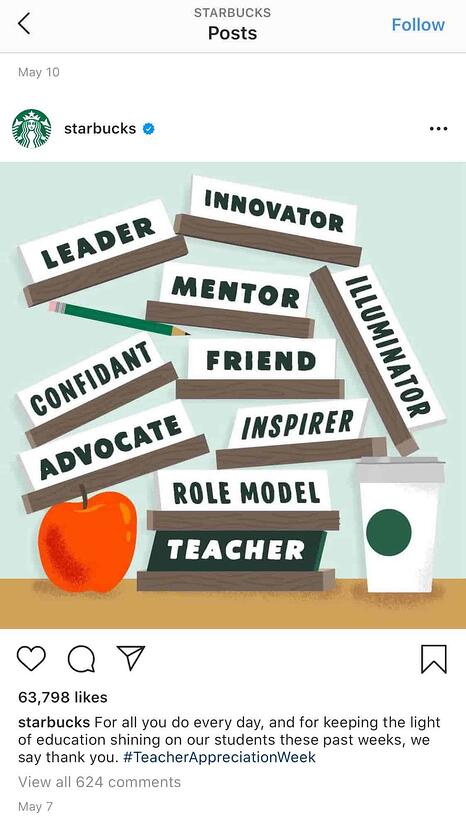
This post won’t appeal to the majority of Starbucks followers who aren’t teachers, but that’s OK.
You don’t always need to post content to please everyone. Instead, demonstrate your company’s ability to connect and engage with sub-groups and post what aligns with your own brand’s values.
Education is something that matters to Starbucks, so by posting about teachers, they’re doing more to demonstrate their values than they are appealing to everyone. Which is kind of the point, isn’t it?
9. Apply for a verification badge.
When an account on Instagram is verified, it has a blue dot, called a badge, next to the username. When another user comes across this profile or finds the verified username in search, the blue dot confirms to them that the account is the business, individual, or brand that it’s claiming to be.


While Instagram has a list of eligibility requirements for the badge, the platform does allow users to apply for one. You can learn more about that process on Instagram’s Help Center.
Quality Over Quantity Still Matters
Ultimately, it’s important to focus less on the number of followers you have, and more on the quality of content you create. Your audience will grow naturally if you put effort and time into creating engaging, informative, or inspirational content without worrying about “quick fixes” for boosts in followers.
Plus, if you think about it, your followers don’t continue to follow you because of the size of your audience. They continue to follow you because of the content you create.
Sure, maybe I’ve initially followed an influencer because she had 200K followers, which signified to me that she was worth following — otherwise, why would 200K people be looking at her content?
But that doesn’t mean I’ve continued to follow influencers and brands because of the size of their audience. I’ve unfollowed plenty of mega-influencers or brands with thousands — if not millions — of followers, simply because I was no longer impressed with their posts.
You want to play the long game on Instagram, and that starts with focusing on what you can control: the quality of the content you produce, the messages you promote, and the brand you build.
Ironically, I’m willing to bet the less you worry about the number of followers you have, the more community members you’ll attract.


34 Inbound Link Building Strategies to Help Your Site Rank Higher
There’s no question that building great inbound links to your site is hard work. While many site owners resort to spamming blog comment sections to get their backlinks, that’s neither necessary nor effective for your SEO efforts.
Although there’s much talk about generating inbound links, the nitty-gritty ways to actually do that are rarely discussed.

Thankfully, link building strategies aren’t as tough to implement as many people say they are. Think of it like social media — if you’re a source of great content, and you get it in front of the right people, they’re going to share it.
With that in mind, we’ll get you started with tested and effective tricks to help you build legitimate inbound links. Read on to see how to use these link building ideas in your SEO strategy.
What are backlinks?
Backlinks, also called inbound links and incoming links, are a form of off-page SEO where you earn links from other websites that direct readers to your own site.
The person receiving the link is the one who refers to a link as a backlink.
Backlinks are different from outbound links (links from your website to another website) and internal links (links from one page on your website to another).
The right backlinks can do two great things for your website:
- They can drive traffic to your website. If someone posts a backlink to your website on their website or blog, their readers might click on it — and you’ll benefit from that referral traffic.
- They can help you rank higher in search. Backlinks tell search engines that your website is an authority on a certain subject — so the more backlinks you earn from high-quality, high-authority sites, the better your website will rank in search engine results pages (SERPs).
A good inbound link comes from an authoritative website, and uses natural anchor text. Anchor text is simply the text copy that’s hyperlinked. For example, if I link to our blog post about backlink strategies, the anchor text is “backlink strategies.”
Natural anchor text means you’re not just hyperlinking keywords left and right. Google understands the context of a link, so more generic “learn more” and “click here” anchor text can be just as valuable as keyword-optimized anchor text.
1. Maintain a steady blog with great content.
Consistently creating great blog content that people naturally want to link to is one of the most tried and true ways to organically generate inbound links.
You should publish content that’s directly related to your industry and that helps your reader. That way, they feel compelled to share it. They might even link to it from their own website, if they own one.
Learn how to start a successful blog with our free guide and checklist.
2. Link to other blogs on your blog.
A blog is meant to be a social tool. The more you link to others — especially when you do it in a consistent, opportunity-driven way — the greater likelihood one of those bloggers will return the favor.
Plus, you can’t cover everything about everything on your blog. It makes sense to leverage the wealth of resources on the web to make your blog’s experience better and more rewarding for your readers.
3. Write guest blog posts.
Write a great blog post, and shop it around to blogs it’d be a good fit for. If one accepts, they should be willing to give you an inbound link in the post. Guest blogging is a great way to both promote your expertise and earn quality white-hat links.
Don’t know whom to write for? Most media outlets allow people to submit original articles on topics relevant to their readership. You should start, however, with publications directly in your niche. If you’re a branding agency, you might inquire with branding publications.
4. Curate and publish helpful resource lists.
Resource lists are both great link bait and helpful content for your readers. If you create a comprehensive resource list, it’ll be easy for other bloggers to link to it in their own posts instead of rehashing and curating all that content themselves. To give you an idea of what one might look like, here’s an example of a list of resources we curated for beginner SEO’s.
5. Do expert roundups to build relationships.
Expert roundups can be a great tool for building relationships with influencers. While these roundups may not get you a lot of inbound links or leads right away, building relationships with influencers will help you get solid backlinks from authoritative sources down the line.
After they contribute to your roundup, you can reach out to them later to ask about a guest post opportunity or something else — while thanking them again for contributing to the previous expert roundup.
In one of our expert roundups, we reached out to successful marketers and asked them to share their top content marketing tips.
6. Write newsjack posts.
Newsjacking is when you capitalize on the popularity of a news story to amplify your own sales and marketing success. If you’re the first blogger to comment on a news event, you’ll rise to the top of the SERPs due to the “freshness” component of Google’s algorithm, and others will link to your content in their own accounts of the story.
If you’re not sure what newsjacking can look like, take a look at a few newsjacking examples we found across the web.
7. Create case studies about your most impressive clients.
If you make your clients look good in case studies about their business, you can bet they’ll be linking to your site. But you’ve got to make them good. This means choosing companies that have seen the best results, are enthusiastic, and know your product or service well.
It also means asking the right questions and laying out the case study in an attractive, comprehensive way.
Download three free case study templates to get you started.
8. Volunteer to be the subject of a case study.
Why not get on the other side of the case study link love? Companies are always looking for customers who are willing to be the subject of a case study. Volunteer your time for one of your major vendors, and get a backlink from the case study once it’s published.
9. Administer surveys.
If you conduct research, promise to share the data with others. If you do the data collection and crunching and give some high authority sites access to the findings afterwards, you can bet they’ll do some promotion and inbound linking for you to make sure you have a great sample size.
10. Write book reviews.
If you provide a comprehensive review about another author’s content, there’s a good chance they (and others) will link to it. Here’s an example of a book review from our blog, which sums up The Challenger Sale in a five-minute read or less.
11. Conduct free webinars, and post archived copies online.
If it’s informative, your attendees will absolutely share it. One easy way to do this is to turn your PowerPoint presentation slides into a SlideShare presentation, and then embed that presentation into a blog post. You can also embed it into the webinar’s landing page so that anyone looking to sign up for a webinar that’s already over can check out the presentation.
For an even better shot at backlinks to these archived webinar pages, partner up with another company, brand, or influencer for the webinar. Not only do two well-aligned brands make for a powerful presentation, but it’ll widen the audience — even after the webinar is over. (Learn tips on creating a webinar in this blog post.)
12. Create free tools.
Remember when I talked about curating and publishing resource lists for your blog? What do you think people include and link to on those resource lists? Free tools are a big one. You can get on the other side of those resource lists by creating free tools that are really helpful for your target customers.
Here at HubSpot, for example, we created Website Grader, a tool that has won links from many agencies, partners, and others in our industry.
13. Create shareable templates.
Like free tools, templates are another thing people will find useful enough to link to. Before you create a template, think about what kind of templates would make people’s jobs easier. A designer, for example, might create a library of downloadable business card templates to which others could link to over and over. Bookmarkable content is often the kind of content that gets tons of inbound links.
14. Create compelling infographics.
People absolutely love to share infographics. If you create an original infographic yourself, people will link back to you as the original source. To increase the likelihood of an inbound link, you might also share your design with the sources you cited, and make the embed code for your infographic easily accessible.
Not a designer? Anyone can create professional-looking, high-quality infographics — and quickly with templates like these free infographic templates. Before creating an infographic, you’ll want to come up with a topic that can actually be visualized and that relates to your industry.
15. Create other forms of visual content.
Cartoons, content visualizations, charts and graphs, and the like are an important part of a visual content marketing strategy and a great way to win inbound links. Since they take time and money to make, others will probably skip the fuss of creating their own visual content and link to yours instead.
You can use free online design tools to create your own graphics, regardless of how tech-savvy you are.
16. Create SlideShare presentations.
Slice one of your infographics into pieces or repurpose one from your last speaking gig. You can put these up on your blog, in your website’s resource center, or even on a SlideShare account for more links.
Keep in mind that the most shareable presentations are the ones that are the most compelling. That means great content and great design. Read this blog post for a start-to-finish guide on nailing your next PowerPoint presentation.
17. Do something funny.
Funny things spread like wildfire. Think about the funny inside jokes in your industry, and capitalize on it with some humorous content that’s linkable. You can create a meme, a short video, or a tweet that captures the joke. Just be careful that you understand your audience and how they’re likely to respond so that nothing is taken offensively.
18. Write press releases about interesting company news.
By turning your PR strategy into an inbound one, you create opportunities that weren’t there before and carve out a place for your company, building meaningful mindshare in the process with your target audiences.
Once you write a great press release, post it up on your website and then push out your releases to one of the big newswires to get more coverage.
Download our inbound press release templates for free.
19. Send out a joint press release when your news involves another company.
This can help reach thousands of other related sites that, in a press release about just your company, may not have linked to your site. This will give you a chance to reach a larger number of people — and get more backlinks as a result.
20. Do some outreach when you have big news or a great piece of content.
Gaining attention from the press and getting published in industry publications can help you build your brand, increase your visible expertise, improve your credibility, and, of course, get backlinks from authoritative sources.
First, create a dedicated page about the story on your website for them to link to. Then, reach out to a handful of journalists and/or publications that you can see really valuing your story. Be sure to give context to your request, follow their rules, write a compelling subject line on your pitch email, and be helpful, not boastful.
21. Set up press request alerts and look for opportunities to send quotes.
Press request alerts are requests for sources of information from journalists. These journalists are constantly looking for quotes from specific people to feature in their article, and there are several mediums they use to send requests and find those quotes.
Here’s a list from HubSpot’s VP of Marketing Matthew Barby of the services you can sign up for to receive alerts from journalists in your inbox:
- HARO (one of the most popular free services)
- Muck Rack (paid service)
- Gorkana (paid service)
- Source Bottle (free service)
- #JournoRequest (Twitter hashtag used by journalists)
- #PRrequest (Twitter hashtag used by journalists)
Because of the high volume of requests you’ll receive, Barby also recommends creating email filters or folders to keep yourself organized.
22. Write and pitch op-ed articles.
If you have an interesting opinion to share and can express it clearly and persuasively in an op-ed article, you could have the opportunity to reach a lot of people, earn recognition for yourself and your organization, and get authoritative backlinks to your website. I find the most effective op-ed articles make a single point, embrace the author’s personal voice, and then offer specific recommendations.
Once you write the article, target online versions of industry newspaper and magazine publications for an extremely valuable inbound link.
23. Partner with companies in complementary industries.
It’s common practice for corporate channel partners to link to each other’s great content, because they have a vested interest in one another’s success.
You might consider assessing how much traffic a partner can drive to your website by taking a look at their overall web presence on Alexa and SimilarWeb. These sites can help get a rough idea of traffic, bounce rates, keywords, and sources people are using to find that site, as well as the next action they take after visiting.
24. Do some co-marketing.
You can also go a step further and build co-marketing partnerships. This means partnering up with another company to promote a piece of content or product and then sharing the results of that promotion. When you leverage the relationship and reach of a partner, you’ll get more links and more buzz with less work.
Effective co-marketing doesn’t have to be complicated or expensive, either. You can reach out to a similarly-sized brand in another space and pitch the project to them. You can start with something as simple as a few tweets, then build your way up to creating marketing collateral.
25. Ask for reviews.
You can ask users of your product and industry experts or analysts to review new features you’re rolling out, for example. Not only will you receive an inbound link, but you’ll also get great feedback and strengthen your relationship with those you asked to write reviews.
Don’t know where to ask for reviews? Check out our list of the best product review websites for B2B and B2C companies.
26. Make friends with other webmasters in real life.
Strengthening your relationship with other webmasters will open the door for relevant inbound link requests when future opportunities arise, and make it more likely those requests don’t go ignored.
Networking is an unparalleled skill to have. The wider and more open your network, the more opportunities could be unlocked that you didn’t even know existed. Here are helpful tips on networking like a pro to get you started.
27. Search for and monitor mentions of your brand.
Contact webmasters about turning those mentions into inbound links, but only when it’s warranted — like when they’re citing data of yours, for example. This is a tactic called “link reclamation.”
Monitor brand mentions by setting up alerts using tools like Mention or BuzzSumo, and adding keywords related to your brand or products. Just make sure you exclude any mentions from your own website within the alert, which you can do in these tools’ settings.
Here’s an email template for reaching out to ask for a link from our VP of Marketing:
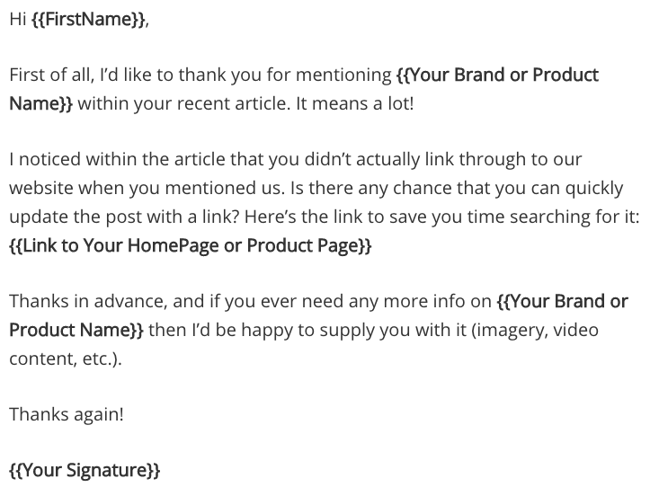
28. Identify broken links through site-crawling tools.
Similar to the step above, some webmasters may link to your site but use old or broken links. This is natural as you change and update your website over time. However, these inbound links are still valuable — and you can update them.
Use tools like Dead Link Checker, Link Juice Recovery Tool, and Screaming Frog to scan for broken links on other websites. Then, using the above template as inspiration, reach out to webmasters with a correct link as replacement.
29. Search for and monitor your competitors’ backlinks.
Find opportunities where you can get similar links. This is a great way to find high-value link opportunities fairly easily. Run competitor research weekly or monthly to find new opportunities you can take advantage of while they’re still fresh.
Use a link analysis tool like Arel=”noopener” target=”_blank” hrefs, Majestic, or Moz’s Link Explorer to get a list of the backlinks for one of your competitors. Then, check out what types of posts are earning backlinks and benefiting from that off-page SEO.
For example, if one of your competitors is writing guest posts for certain publications, there’s a high likelihood those publications would be interested in guest posts from you on similar topics.
30. Incorporate “Tweet This” links into your content.
Part of getting inbound links is getting your content out to the masses. Including “Tweet This” or “Click to Tweet!” links for tweetable nuggets in your content will get people sharing your content socially more often.
The result? Greater visibility in search engines, news feeds, and Twitter streams — and thus more opportunity for your data to be referenced in other people’s content.
Here’s what one of these links can look like:
Researchers found that colored visuals increase people’s willingness to read a piece of content by 80%. [Tweet this stat!]
You can easily create tweetable links using the ClickToTweet service — without having to learn any custom code.
31. Install social sharing widgets.
Just like “Tweet This” links get your content out there, so do social sharing buttons and widgets. Put them on your marketing content like case studies, whitepapers, ebooks, and blog posts. The more often your site appears on other social media sites, the more likely someone will see it, share it, and link to it from their website.
32. Sponsor or speak at an event.
Events usually give their speakers and sponsors great website publicity. They’ll either list you on their sponsors page or introduce you as a speaker on a blog post. You can also negotiate inbound links into your terms to be sure your time and resources yield a beneficial inbound link.
If you’re speaking at an event, make a really awesome, shareable presentation that people will want to find, share, and even link to later.
33. Help another webmaster fix an error on their site.
Remember when I said you should get to know other webmasters? This is another time those connections will come in handy. When you find broken links on others’ sites, let them know (politely, of course), and provide them with a piece of your own content that would be a suitable replacement for that broken link. Be personal, friendly, and helpful, and this could be an opportunity to start building a relationship with that webmaster, too.
34. Give away free trials and sneak-peeks of your product.
When people get to see your product beforehand, they will want the world to know they’re part of the VIP crowd, and might write a review with a link back to your site about it.
There are a few ways to give away free trials. You could create some call-to-action buttons for your website or blog. (Download these free, customizable CTA templates to help you out.)
You could also send a new product announcement email to folks who you think might be interested, like current customers. If you’re not sure how to announce your product, check out our guide on how to create a great product launch email.
Build Inbound Links the White-Hat Way and Increase Rankings
The days of spamming comment sections and paying for link-building services are over. With the tips and methods I’ve shared, you’re well on your way to building high-quality backlinks the white-hat way. As more links point to your site, you’ll rank much higher in the SERPs, boosting organic traffic and attracting more potential leads and customers.
Editor’s Note: This post was originally published in April 2012 and has been updated for freshness, accuracy, and comprehensiveness.

The Top 3 Buyer Persona Myths, and How They Hurt Your Marketing Efforts
Meet Elizabeth: a 27-year-old nurse who drives a Honda Civic, enjoys making TikToks, and spends most of her time with her beautiful 9-month-old baby.
Elizabeth desperately wants to make more time for herself, but struggles to find the balance between work and home responsibilities. She tries to give herself moments of self-care, but these moments are few and far between. Elizabeth needs a way to recharge, relax, and care for herself.
By this description, you know Elizabeth’s age, profession, gender, desires, struggles, and pain points. All of this information helps you place her in a category in your mind — but none of that information tells you why she buys your product.
Buyer personas typically include descriptions like Elizabeth’s, along with other demographics and personality information.
In the early days of customer segmentation, this would have been more than enough to inform marketing campaigns and product development. But with growing markets and increased consumer awareness, companies need to go beyond standard buyer personas to reach their audiences.
If we can apply what we’ve learned about how people make decisions, and how we as companies group people together, we’ll be able to reach customers like Elizabeth with empathetic solutions that help her, rather than stereotypical cure-alls that are easily overlooked.
Here, let’s dive into three myths of the buyer persona — and what you can do, instead.

Standard Buyer Personas Aren’t Enough
The first mention of audience segmentation was by Wendell Smith in 1956. Smith defined market segmentation as, “the adjustment of market offerings to consumer or user requirements.”
Smith knew that creating segments would lead to higher consumer/user satisfaction. But Smith’s idea of segmentation was years before we had a clear understanding of psychology, behavioral economics, unconscious bias, and deeper knowledge about how to provide consumer satisfaction.
Since Smith’s discussion on segmentation, we’ve had major discoveries in the way people think, rationalize, and categorize others. Daniel Kahneman and Amos’ Tversky’s 1974 research paper A Judgement Under Uncertainty: Heuristics and Biases revealed the way people process information, and are influenced. And Clayton Christensen first shared his jobs-to-be-done theory in 2003.
Both of these studies on human behavior, purchasing, and thinking have made a lasting impact on the way we create ad copy, price products, introduce call-to-actions, and influence many other marketing activities — but have yet to influence our way of creating buyer personas.
Using the lessons from Kahneman, Tversky, and Christensen, there are three myths of the standard buyer persona that could be detrimental to your marketing and customer relations. Let’s dive into those, now.
Myth #1: Your Buyer Persona Needs a Name
We’ve all seen the old advice to give your persona a name that is memorable. Names like Sally Sales Girl and Mary the Marketer will bring your persona to life and create a more concrete persona in your mind and marketing — or so we’re told.
Fact: Naming your buyer persona introduces bias.
The problem with giving your buyer personas a fake name is that you could introduce bias into your marketing.
Introducing naming bias in your marketing means that consciously you’ve determined a particular person as your best customer. That’s good! The problem is you might also unintentionally exclude people who could be a good fit for your product but may not resemble the person you envisioned. And that’s bad.
If Elizabeth is your best fit customer, then you’re more likely to seek out customers who meet your unconscious idea of who Elizabeth is, rather than seek out customers who actually use your product or service.
Studies show that when someone has an easier-to-pronounce name, they are judged more favorably than someone with a harder-to-pronounce name. And while most studies on unconscious name bias focus on resumes and job applications, we can apply those lessons to buyer personas, as well.
Ease of pronunciation varies depending on where you live or what language you speak. But remember, a name that sounds familiar to you might not sound familiar to your audience.
Solution: Name personas based on segmentation data.
When we create buyer personas, we’re grouping a large number of people into one category. Instead of naming your personas after a person, try naming them after the traits they share.
Do the majority of these best-fit customers enjoy soccer? Great! Name them ‘The Soccer Players.’ Or maybe they’re using your product to free-up time in their scheduling processes. Wonderful — let’s call them the Free Timers.
Naming this group of people according to their segment, or their need, helps to eliminate any bias that could exist.
This helps focus buyer personas on the category of people you’re serving, not just one pretend person.
Myth Two: Your Buyer Persona Needs a Photo to Make Them More Relatable and Realistic
Most buyer personas have a stock photo on the first page. I’ve even heard of companies using cardboard cutouts of buyer personas in their office.
While I admire the effort to bring to life a category of people, assigning one picture or person to represent a large group of people lays a foundation for bias in your marketing.
Fact: Your buyer persona doesn’t need a face to be realistic.
The buyer persona’s picture most likely represents who you believe your ideal customer looks like, but it’s not likely a good determination of your entire audience. If you’ve given your Elizabeth persona a picture of a middle-aged white female, and 100% of your audience isn’t middle-aged, white, and female, you’ve inaccurately portrayed your audience.
When we give our personas a stock photo it could introduce racial, gender, or beauty bias. These kinds of biases are so ingrained in our minds that we follow bias patterns even if we don’t logically believe the bias to be true.
This phenomenon is known as the bias blind spot. Studies show that 95% of cognition happens below the threshold of conscious thought. Meaning, you may not be racist, misogynistic, or ageist, but there are patterns ingrained in your mind that influence your decision-making whether you realize it or not.
A Google Image search when searching for ‘Buyer Personas‘ blatantly shows the issue with assigning pictures to buyer personas. There’s not a lot of diversity in these images, and that lack of diversity hurts a company’s growth.
A 2019 survey by the Female Quotient, Ipsos, and Google found “64% of people surveyed said they took some sort of action after seeing an ad that they considered to be diverse or inclusive. Those numbers increase for Latinx+ (85%), Black (79%), Asian/Pacific Islander (79%), LGBTQ (85%), millennial (77%), and teen (76%) consumers.”
Solution: Forget the photo.
Leave the stock photo out of your buyer personas. This isn’t going to harm or hurt any of your marketing efforts and functions. It will be a step toward eliminating unconscious bias. Instead of using a stock photo, get straight to the crucial information.
You may have the urge to add a cartoon character, but that doesn’t alleviate the problem. Skip the pictures altogether, and get straight to the information that will help you resonate, reach, and sell to your customers.
This is the first step in acknowledging that your customers look like a wide variety of races, genders, shapes, and sizes.
When your marketing better represents your audience, your product, messaging, and communications will resonate more clearly.
Myth Three: Buyer Personas Should Describe Character Traits
Most B2B buyer personas are created to inform marketing teams and executives on who their customers are and keep promotional efforts consistent, but limiting buyer personas to only character traits, demographics, and socio-graphic information limits your audience and ability to reach the right people in the right way.
Fact: Buyer personas should tell you why people buy a product or service.
The best way to resonate with your audience is to understand them and empathize with their pain points. Understanding your audience begins with how you build and segment your buyer personas.
If you’re segmenting your audience based on attributes such as brands they like, habits they have, or job titles, then you are grouping people together based on fleeting attributes.
For instance, say our persona example, Elizabeth, changes jobs, moves to a new city, or changes any trait about her life. As a result, you might unnecessarily shift Elizabeth out of your customer demographic. She loves your product, and would still buy your product, but now you’re no longer invested in marketing to her segment.
Solution: Segment according to the job-to-be-done.
Instead of building your personas around demographics and character traits, base your personas on what your customers have hired your product/service to do for them.
For example, Elizabeth is a mom, loves long baths, and buys Suave deodorant. The reason she buys Suave has nothing to do with her age, job title, or love of baths. She buys Suave because she’s used it for years, loves the smell, and the way it makes her feel. She is ‘hiring’ Suave deodorant to keep her feeling and smelling great.
Clayton Christensen was the first person to discuss the concept of people hiring products and services for a particular job.
Combining the emotional psychographic information of buyer personas with a jobs-to-be-done approach will help to inform your marketing efforts and open up your market in a way that allows you to serve all kinds of people. According to Christensen, “Companies that develop offerings centered on jobs, instead of customer attributes and buying behaviors, can excel in the market and avoid disruption.”
The Best Buyer Personas Will be the Tool that Grows Your Business
It’s time buyer personas caught up with our knowledge of how people think, behave, and purchase. When undertaking your next buyer persona project, ditch the fake name and picture, and focus on what your customers hire your product to do for them.
Your marketing deliverables will be more inclusive to a wider audience, while still being narrowly focused and empathetic. Creating better buyer personas will lay a foundation of better marketing practices that resonates with your audience and grows your business.
![Blog - Buyer Persona Template [Updated]](https://no-cache.hubspot.com/cta/default/53/b9eb5e3d-dd13-4f36-9b7f-1ea13e714da2.png)

7 Features You Need in a Bulk Email Service [+ Top 5 Best Providers]
When it comes to email marketing, there’s no denying how powerful this channel can be.
According to a 2019 Campaign Monitor report, for every $1 you spend, you earn $42 – an astonishing return on investment.
![→ Download Now: The Beginner's Guide to Email Marketing [Free Ebook]](https://no-cache.hubspot.com/cta/default/53/53e8428a-29a5-4225-a6ea-bca8ef991c19.png)
If you’re scaling a business, you may have relied on personal or business email providers like Gmail and Outlook in the past. However, they’re not equipped to manage large volumes of email and provide the data needed to track performance.
That’s where a bulk email service can come in.
Discover the key features you should find in a bulk email service and the top providers in the market.
A mass email service helps you reach a large audience and nurture them one email at a time. In addition to getting direct access to your customer base, you can also track how your emails perform and test various methods to increase clicks and conversions.
While traditional advertising methods, such as print ads and direct mail, can have high return on investment (ROI), it can be difficult to understand how consumers are interacting with your materials. With a bulk email service, you can find out what attracts consumers and what elements lead to higher conversions.
Furthermore, many bulk email services offer automation tools – think workflows and sequences – to help you move leads down the funnel and retain your current clients.
Using a personal or business email can work in the first few months of starting a business but will quickly become ineffective as you grow.
Reasons to Send Bulk Emails
Not sure if it’s the right time to try a bulk email service? The first question you should ask is, “Is our brand investing in email marketing this quarter/year?“
If the answer is yes, then that’s your sign to invest in an email service.
Here are specific examples of when you would send out a mass email to your subscribers:
- Sales promotion – Say you want to promote discounts on certain products or services, sending a mass email to your subscribers is a great way to generate sales.
- Newsletter – Do you want to send out exclusive content to your subscribers? Then a newsletter is the way to go.
- Product updates – A great way to announce a new product feature or line is via email. You can include previews to build some excitement and include calls-to-action (CTA) for conversions.
- Announcements – Are you updating your hours, prices, or services? Or perhaps there’s been a change in your policy. Notifying your subscribers in an email blast is an effective way to spread the news.
With every email you send to subscribers, you’ll want to keep in mind your goals, your audience, the time and day, personalization, and compliance with data protection laws.
You want to invest in an email marketing service, but you’re not sure what to look for – here’s your guide.
These are the key features you should look for in a bulk email service. Some of these features will only be available in a premium package. However, others will be included in the standard or free versions.
1. User Behavior Tracking
The number one tool you’ll need in any bulk email service you select is reporting capabilities. Because what’s the point of investing your time in designing and sending emails if you can’t see how they performed?
You should be able to track key email metrics, such as:
- Open rate
- Unique clicks
- Click-to-open rate (CTOR)
- Clickthrough rate (CTR)
- Unsubscribe rate
- List growth rate
- Bounce rate
Email providers with advanced reporting features may also allow you to track revenue per subscriber and revenue per email.
2. Drag-and-Drop
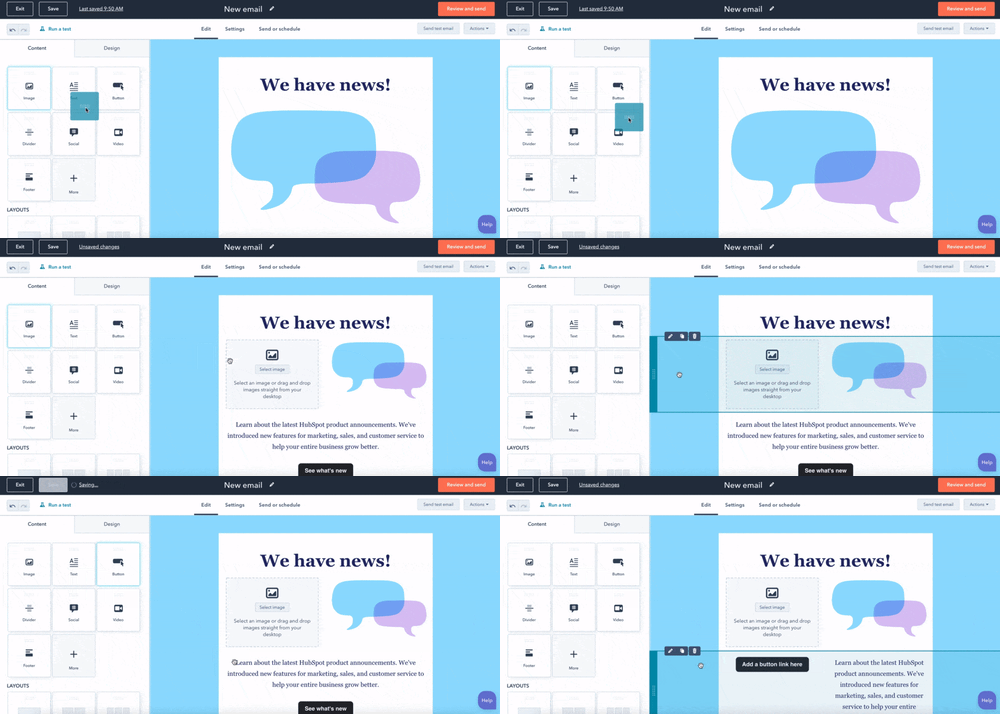
A drag-and-drop tool makes designing your email easy. This intuitive feature allows you to select an element from the sidebar, like an image, quote, or button, and drag it to a section in your email.
This will save you time as you determine the best flow for your email and move things around.
3. Email Segmentation & Personalization
Segmenting your emails ensures that your emails are reaching the right people at the right time.
You should look for a bulk email service that allows you to segment your subscriber list based on:
- Location
- Actions taken in the email
- Purchase history
- Type of subscriber (ex: prospect vs current customer)
When you segment your list, you can get higher engagement rates, as the content will be more relevant to your recipients.
4. Split Testing
Split testing, also known as A/B testing, is a great way to understand what resonates with your audience.
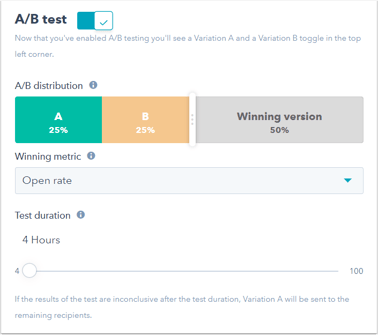
This feature is particularly helpful if you are struggling to generate high open rates and get subscribers to convert.
By testing out different subject lines and elements within the body of your email, you can determine what works best.
5. Automation
When you’re scaling your email list, the name of the game is automation.
Say you have a content offer and you want to send a sequence of emails to leads after they’ve downloaded the offer. With an automation tool, you can pre-select which emails will go out, in what order, and how many days in each email.
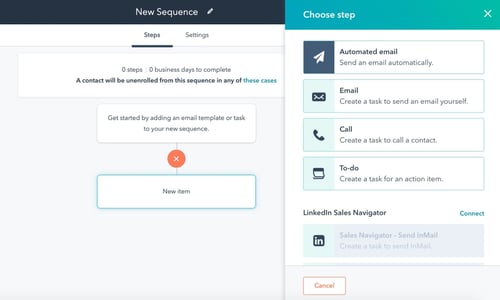
Once you complete the set-up, the automation does all the work for you – nurturing your subscribers and moving them down the buyer’s journey.
This hands-off approach allows you to focus on strategy instead of the tedious work of sending out emails. It can also become impossible to keep track of each subscriber’s stage in the journey and send the appropriate email.
With automation, you can take the guesswork out of the process.
6. Design Templates
If you’re like me, designing isn’t your forte. So, when designing an email, you’ll take all the help you can get.
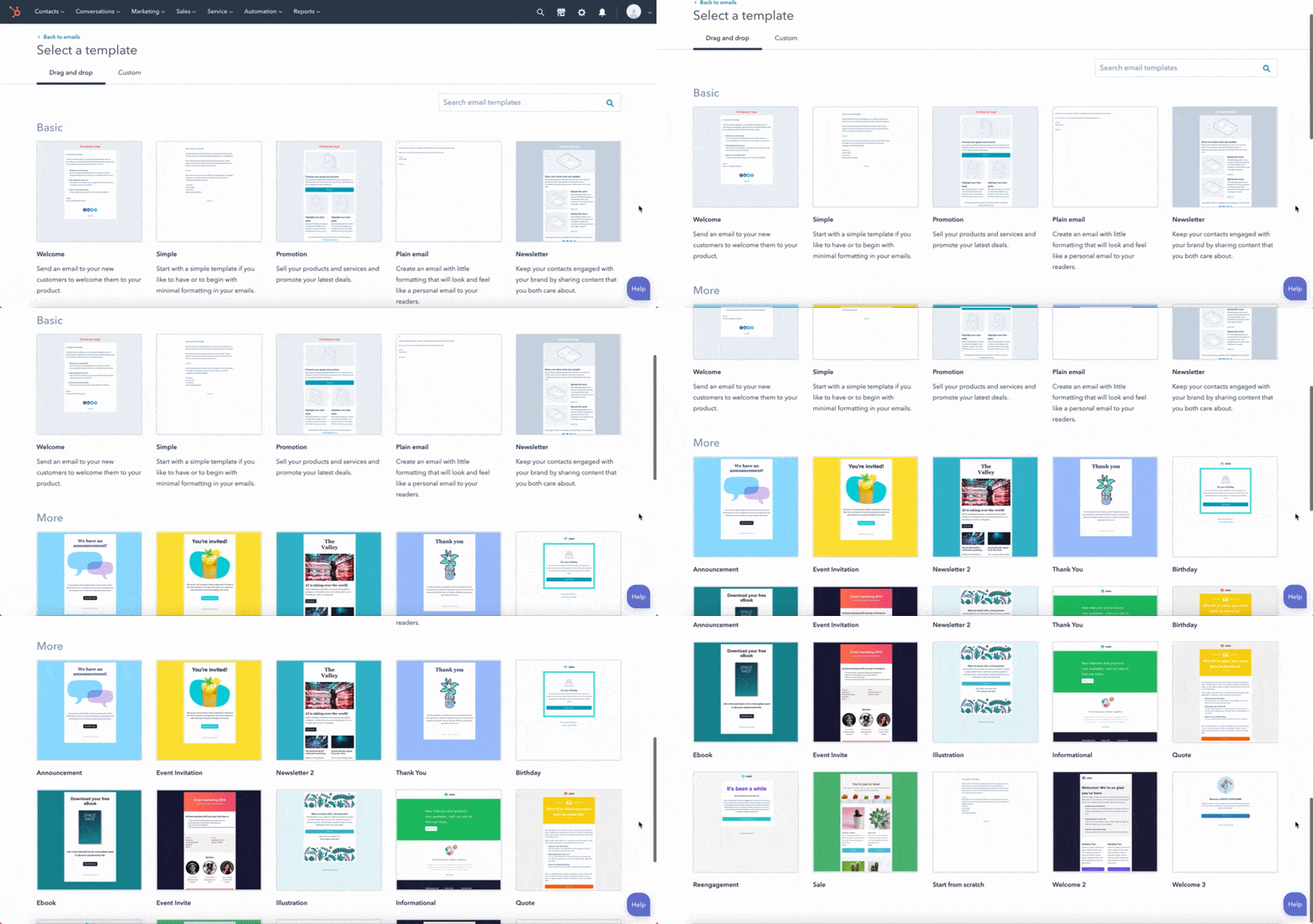
Having a design template based on the type of email you want to send can not only save you time but ensure you’re following email best practices. This is particularly helpful if you have limited experience designing emails and are just starting out.
What’s great about having a template is that it’s a foundation. You can customize it to fit your needs, but it provides a blueprint from which to work.
7. High Email Delivery Rates
Imagine you work so hard on an email campaign, and it never reaches your subscribers’ inboxes. Frustrating right?
That’s why it’s important to verify your provider’s email delivery rates. You’ll want to select a service with high email delivery rates, as close to 100% as possible.
Best Bulk Email Services
1. HubSpot’s Email Marketing Tool
With HubSpot, you can create, customize and optimize your emails without any coding or design experience.
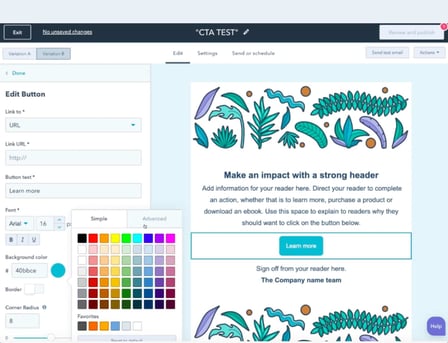
You can send up to 2,000 emails a month, and that doesn’t include test emails to check functionality. The platform offers a user-friendly interface and tools like a drag-and-drop tool to easily design your email, tokens to personalize every email, and an a/b testing feature.
In addition, you can create custom reports based on the data you want to collect and analyze.
The best part? It’s free.
2. ConvertKit
As their name suggests, the platform is designed to help you earn more conversions and generate more revenue.
ConvertKit is known for its advanced automation tools, including custom email funnels, smart filters, and link triggers.
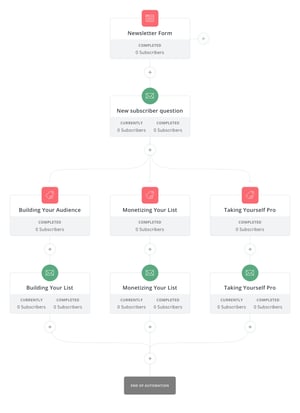
Furthermore, the platform has a 98% delivery rate, ensuring that your emails will always reach your subscribers. In addition, the average open rate for ConvertKit emails is an astonishing 30%, according to their website.
ConvertKit offers a free version of its platform all the way up to custom pricing for enterprise-level businesses with over 365,000 subscribers.
3. Mailchimp
Mailchimp is a great email service for those who are just starting out in email marketing.
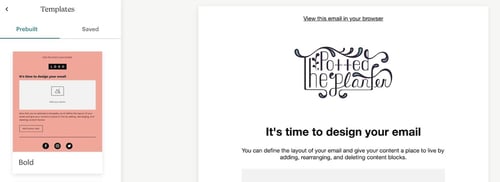
The platform offers a user-friendly interface and over 100 templates to choose from.
With their free plan, you can send up to 10,000 emails a month to 2,000 contacts – a great option for small to midsize businesses. As your business grows, you can scale to the premium version, which includes unlimited audiences, multivariate testing, and advanced segmentation with up to 200,000 contacts.
4. Drip
If you have an ecommerce business, consider Drip for your email marketing.
The platform offers pre-built email templates that you can customize to your liking and a user-friendly workflow builder for automation.
In addition, you can schedule automation based on actions your subscribers take. For instance, viewing a product, abandoning their cart, and making a purchase.
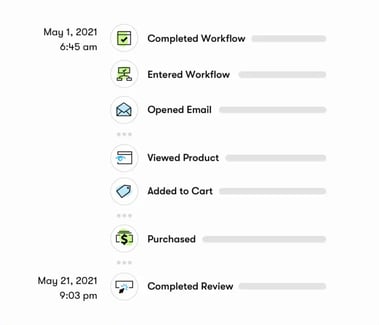
With Drip, you can easily integrate your online store (like Shopify, Magento, and WooCommerce) to make data gathering easier and help you design more targeted emails.
Pricing starts at $19 and goes up based on how many subscribers you have.
5. Insycle
Insycle doesn’t fall under the email provider list. However, this software does work in tandem with providers like HubSpot and Mailchimp to keep your contact list clean.
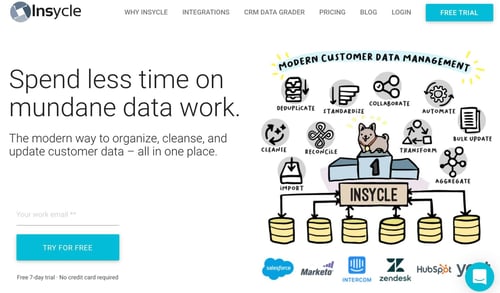
One of the downsides of having a subscriber list is the potential for duplicate contacts. This can not only impact your metrics (and consequently your data) but also make it difficult to tailor your emails.
Insycle allows you to clean your contacts in bulk, merge duplicate ones, and avoid overwriting data.
Knowing what to look for in an email service is half the battle. Now that you have a list of key features and few tools to choose from, you can find a platform that helps you grow your email list and generate revenue.