
Welcome to My Blog
12 of the Best Facebook Post Ideas for Facebook Lead Generation
Most marketers know that Facebook is more than just another social media platform. It’s an essential business tool for companies of every size and industry.
With a daily active user base of over 1.8 billion (98.3% or 1.73 billion of which are on mobile alone), you know Facebook can help you reach new audiences you may otherwise have been unable to get.
Facebook can also help you get found more easily in search, create a community around your business, promote the content you create, and develop a strong brand identity.
But what about using Facebook for lead generation?
Attracting new leads using Facebook — leads that might eventually turn into paying customers — is one of the most intriguing reasons to use Facebook marketing. However, many marketers still fail to use Facebook to source leads. You’d be losing out on reaching thousands or millions of potential customers if you’re one such marketer.
Even if you’re currently generating leads on Facebook, we all could probably use a little boost in our lead generation efforts. And that’s why we created this guide.
To make sure we’re all on the same page, let’s start with what a lead is (and isn’t) and the two types of leads you can generate on Facebook.
What is a Facebook lead?
A lead is a person who has indicated an interest in your company’s product or services by giving you their information in some way. A lead can show interest in various ways: by filling out a form to download an ebook, requesting a demo, or completing an online survey.
Unfortunately, simply liking a status update, photo, or video on your Facebook page doesn’t qualify someone to become a Facebook lead. That type of action doesn’t indicate interest in your company or product/services, as it’s possible they just liked your post because it had a cute puppy in it, you know?
Below, let’s review the two types of leads you can capture on Facebook and what their differences are.
The 2 Types of Leads You Can Capture on Facebook
There are two types of leads you can generate on Facebook: direct and indirect leads.
Don't miss this live virtual event with Facebook and HubSpot on how to grow your business faster than ever with Facebook.
Direct Leads
A direct Facebook lead is generated by sharing content that links directly back to a lead form on your website. Visitors then share information in exchange for an offer — whether an ebook, coupon, infographic, or any other piece of content. This form is typically on a landing page dedicated to that specific offer.
Indirect Leads
Indirect leads are generated by using Facebook on the path to conversion. For example, if you share a blog post containing a call-to-action to a landing page at the bottom of the post, your initial Facebook share indirectly leads visitors to that landing page.
While directly promoting landing pages is an instant gratifier of leads generated, providing relevant content without a form makes your Facebook presence a friendlier home for content that your target audience will want to come back for again and again.
Let’s look at few ways to generate both indirect and direct leads in the section below.
How to Generate Leads on Facebook
Lead Ads
Lead ads are arguably the most popular tool used on Facebook to generate leads. These are posts that are sponsored by your business and they appear on your audience’s News Feeds, Stories, Marketplace, and more. These ads target Facebook users who are most likely to be interested in your company based on the behaviors they display both on Facebook and off. Once a user clicks on a lead ad, they’re prompted to fill out a form and submit contact information to your company.
Facebook Posts
Your Facebook posts are probably what got your audience’s attention in the first place. These can be one-off posts or a dedicated campaign that points viewers back to your website or Facebook page. You can include a link to a form within the actual post, or direct users to a landing page where they can submit their information.
Facebook Messenger
Facebook Messenger is like a built-in live chat feature for your Facebook Page. Users can reach out to you in a private 1:1 conversation and ask questions about your brand and its products.
Don’t have the time to manage a live chat channel 24/7? No problem. You can install a bot on your page to respond to customer inquiries.
Whether it’s a bot or a person, your team can use Facebook Messenger to direct interested visitors to your website and landing pages so they can convert from prospects to leads.
Facebook Events
Does your company host an annual networking event? Perhaps has a charity or a fundraiser that users can donate to? Share it on Facebook.
You can use the Events tool to create dedicated pages for your upcoming events. Your audience can sign up, fill out forms, and become leads all while registering for your event in one place.
Facebook Live Video
If you’re looking for a more spontaneous approach to lead generation, you might want to try Facebook Live Video. Live Video creates a real-time, public stream that your audience can watch on their News Feed. Viewers react and comment on your video as it’s running and you can use this platform as a way to direct prospects to your marketing content.
For example, if you’re partnering with a local celebrity for an upcoming road race, you might ask them to “Go Live” on Facebook and show your followers what they’re doing to prepare for the race. Not only does this give people a behind-the-scenes look at the race prep, but it also gets the word out about your event.
When you’re video is over, the recording is still available on your Facebook page. That way, people who may have missed the live version can catch the recording later on.
Photo Albums
Keeping with our road race example, let’s your race when off without a hitch and it was a massive success. Your marketing team was there the entire time taking photos and capturing the most exciting moments from the day.
But, the marketing team wasn’t just taking photos for fun. They’re planning to repurpose those images as lead generation content on your Facebook page.
How? For starters, they can post a photo album on your company’s Timeline. This album would show followers how much fun and excitement there was at your race and it would motivate people to sign up for your next one. All you have to do now is include a link to your website in the comments, and you’ll be generating new leads in no time.
These are just a few ideas for leveraging Facebook for lead generation. Read on for some more ways you can use this platform to generate leads for your business.
12 Ways to Generate Leads on Facebook
Now, let’s dive into some ways you can capture leads, whether they are direct or indirect.
1. Post landing pages for offers directly to Facebook.
One of the best lead generation ideas on Facebook is sending people directly to a landing page containing your offer. (If you don’t have many lead-generating offers yet, read this blog post for ideas.)
When you do this, make sure the offer has a compelling featured image that’s getting pulled into the Facebook post. To ensure Facebook pulls the right image from your blog post into your Facebook posts, you’ll need to optimize the image size and add the proper open graph tags to your website, which you can learn how to do here.
You’ll also want to make sure it’s clear to the reader where you’re sending them. If they think they’re clicking into a blog post and find themselves needing to fill out a form, they could get confused or frustrated.
Use phrases like “Download your ebook” or “Get your cheat sheet” to indicate where you’re sending them and the action they need to take.
Here’s an example from Sprout Social’s Facebook Page, which contains a “Download this toolkit” CTA.
In addition to using clear language, you may want to nix the stock photo from that image in favor of your custom image. Even the least design-savvy of marketers can easily create a custom image in PowerPoint or Canva that includes the name of the offer, just like we did in the example below. (Click here to browse through and download our collection of 100 free social media image templates.)
2. Post the blog posts that generate the most leads.
Another way of generating leads from your content is to pick and post the blog posts that generate the most leads. (Learn how to do a blog lead generation analysis here.)
The topic and title of the blog post will intrigue your audience to click and read, and then they’ll find a CTA within that post — preferably high up, near the intro — to either a solution to a problem they’re having or to something they want to learn more about.
Pro Tip: Our social media managers have found they can generate more leads from Facebook by posting blog posts containing anchor text CTAs in the introduction. If you aren’t using anchor text CTAs yet, you may want to read up on the study we did on anchor text CTAs and consider adopting the process yourself. In every post we tracked for that study, the anchor text CTA was responsible for between 47% and 93% of a post’s leads.
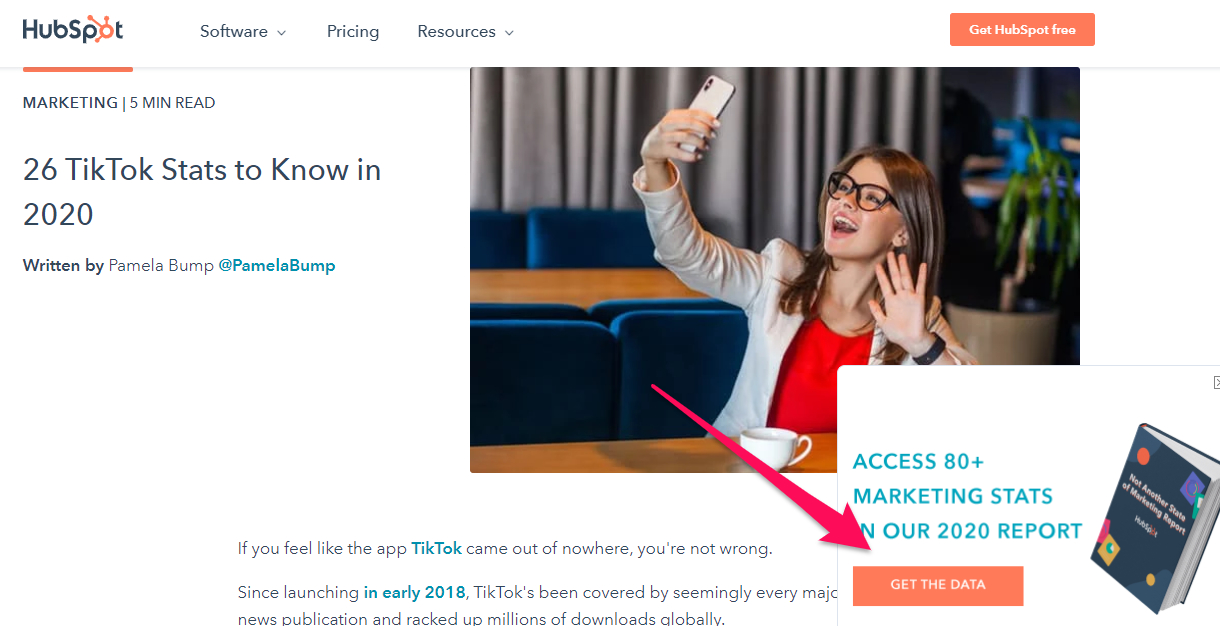
Here’s an example of a post from our Facebook page linking to a blog post that includes an anchor text CTA in the introduction:
And here’s that anchor text CTA, indicated by the red arrow. The blog post has a pop-up that prompts readers to download a free report containing more social media stats.
3. Include links to landing pages in your image captions.
Most marketers understand the importance of using visuals like images and videos in their Facebook strategy. For example, Facebook posts with images see a higher engagement rate when compared to those without images.
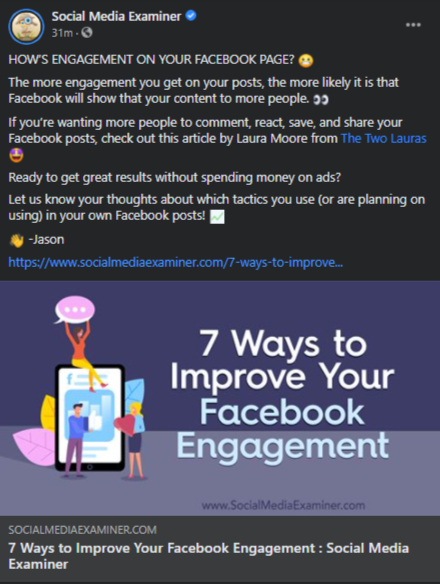
To turn these higher engagement rates into lead generation opportunities, consider including links to your website in the descriptions for your images — especially your profile picture and cover photo descriptions.
Whether it’s to a blog post, a piece of lead gen content, or just an “About Us” page, links help your audience get to know your company better. And the descriptions of your profile picture and cover photo are prime real estate to do it. That way, any time people view your cover photo directly, they can access the download link.
Make sure you shorten your links and add UTM codes so you can track clicks on them. Shortening and tracking features are available in the HubSpot Marketing Platform and with tools like Bitly.
Here’s an example from Social Media Examiner’s Facebook Page:
4. Use videos to promote lead generation offers.
Facebook’s organic reach dropped to around 5.2% in 2020, a massive dip from 52% in 2016, thanks to the tweaks in Facebook’s algorithm.
Without creating a Facebook ad, it’s almost impossible for your audience to see your content. To get as much engagement as possible, marketers have turned to videos.
Why? For starters, Facebook’s algorithm favors video content. As a result, video posts have an average engagement rate of 0.26%, which is higher than engagement rates of other post types.
So, if you’re trying to increase your lead generation efforts on Facebook, you’ll want to start using videos on your Facebook page to introduce and promote your content, whether they’re offers, events, courses, or something else.
In addition to the text CTA that you can add in the video’s description, you can also include a verbal CTA to “register” or “download,” both earlier in the video and at the very end.
Check out how L.L. Bean used a video to encourage sign-ups for its course:
Here’s another example from us here at HubSpot, in which we used a how-to video to introduce a gated offer:
We’ve also created videos specifically to promote lead generation content as we did here for our career assessment called The Next Five:
5. Use Facebook Live videos to remind people to register.
Videos can be pretty time-intensive to create, not to mention intimidating. But you don’t necessarily have to pull together the time and resources to create a perfectly scripted and edited marketing video to leverage the power of video on Facebook — especially if you’re a small business.
Facebook Live is a feature that allows anyone to broadcast videos from their mobile device straight to their Facebook News Feed. The best part about these live videos is that they’re meant to be a little scrappier and more spontaneous than regular marketing videos — making them more authentic and personal.
So, get the conversation going about your lead generation offers by creating a live video to promote them. You might promote an event by showing the setup live, for example. Or, you might promote an offer by hosting an open Q&A on live video where you interact with Facebook commenters live and on camera.
Just like you’d do with your standard videos, add a verbal CTA to the video in addition to the text CTA. In a live video, though, you’ll want to repeat that CTA even more than you would with a pre-recorded video. Why? Because when you first start live streaming, you may have zero people watching. Even a few seconds in, you could only have a handful of viewers.
As people find your video on their News Feeds, they’ll join in — but that means you’ll want to repeat the CTA a few times to catch people up. You can also add a text CTA in the video’s description.
6. Pin posts that link to lead generation offers to the top of your feed.
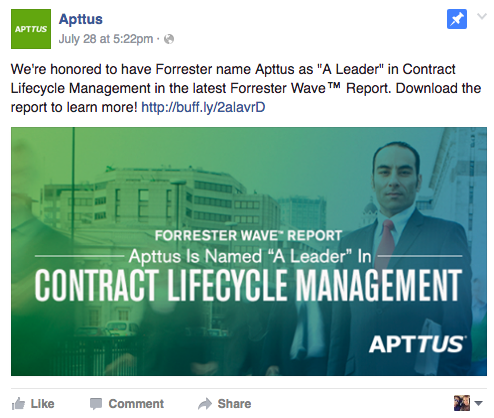
Pinning a post to the top of your Page’s Timeline allows you to highlight and showcase what would otherwise be a typical post. It’ll stay at the top of your Timeline for up to seven days, after which it’ll return to the date it was published on your Page’s Timeline.
You can identify a pinned post by an unmistakable “pinned post” marker at the top of the post. Any post you decide to pin should be valuable to your audience and relevant to your online objectives.
Here’s an example from Apttus’ Facebook Page:
You can pin any type of post, from text to images to videos, even live videos. If you pin a Facebook Live video, that video will simply show up at the top of your profile with the whole recording, indicating that the Page “was live” at a certain point.
Here’s an example of what that looks like from Refinery29’s Facebook Page:

7. Add a CTA button to your Facebook Page.
Adding a relevant CTA button to your Facebook Page is a crucial lead generation tactic that no marketers will want to miss out on.
Back in late 2014, Facebook added a feature to its business Pages allowing users to place a simple call-to-action button at the top of their Facebook Pages. This button is simple but powerful, and it can help drive more traffic from your Facebook Page to your website — including landing pages, contact sheets, and other lead generation forms. You can learn how to install and use the Facebook CTA button here.
You’ll find you have 17 pre-made button options to choose from. These options include “Sign Up,” “Shop Now,” “Contact Us,” “Book Now,” “Use App,” Watch Video,” and “Play Game.”
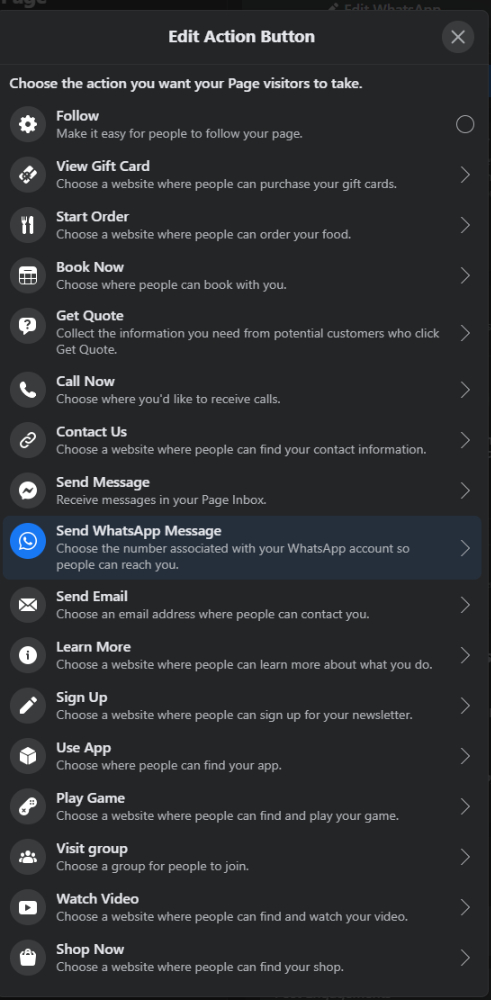
Once you choose a button and link it to a page on your website, it’ll appear up at a fixed location right below your cover photo and to the right.
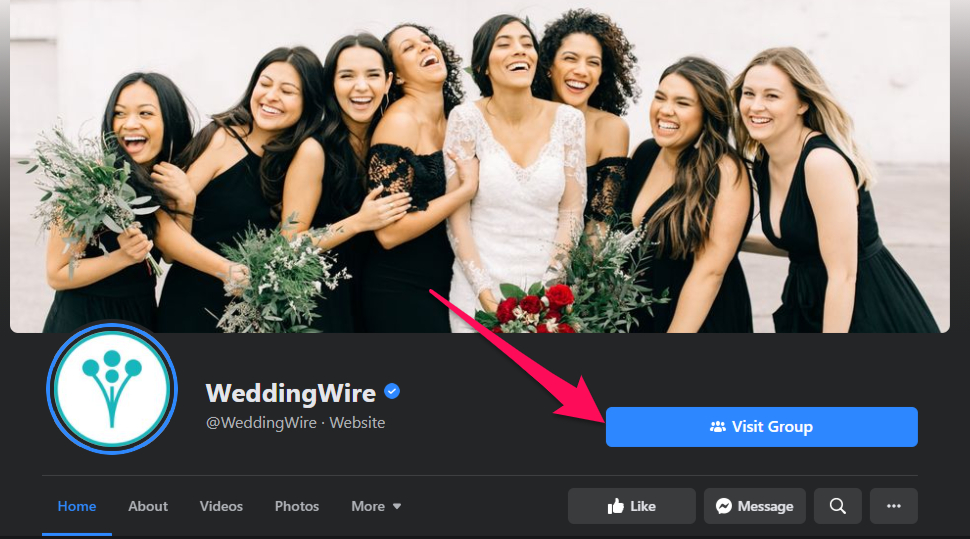
While some marketers choose a CTA and keep it the same for weeks and months at a time, consider taking your marketing game a step further and switching up that button — and the web page it links to — to match your team’s and business goals and the campaigns you’re running at the time.
For example, you might align the CTA with your cover photo design and a pinned post around a single campaign
8. Ask for input from your Facebook audience about your products.
You can feed two birds with one scone (as my colleague Carly Stec would say) by posting a status update asking for feedback on your products/services and then linking to a landing page where people try your tool for free.
You’ll encourage sign-ups by linking directly to the landing page, and your followers will love the opportunity to give their two cents.
The obvious risk here is that you’ll be opening up the floodgates for negative commenters, so be selective on the tools and products you post for feedback.
Make sure you’re posting something you’re proud of and ready to receive feedback for. You’ll also want to have at least one or two people prepared to respond to Facebook comments as they roll in — both the positive and the negative.
If you do receive negative feedback, respond as quickly as possible to show you care and prevent them from turning into something more serious. If you get complaints about the product, use the “customer is always right” approach and say you’re sorry.
You’ll get respect from other customers for being upfront. Share your appreciation for folks’ feedback. Finally, ask how you can help — and then actually help. Take notes on the feedback you get and send it to the people who can make things happen.
(This post contains more tips for dealing with negative comments on social media)
9. Run a contest or giveaway.
People love contests and giveaways. Not only are they fun, but they can also teach you a lot about your audience — all the while engaging them, growing your reach, driving traffic to your website, and (drum roll, please) generating leads.
Since your giveaway aims to generate leads, you’ll need to publish posts that include an attractive featured image or video, compelling and straightforward copy, and a link to your giveaway page where they can fill out their details into your lead forms.
Read this post to learn more about running successful social media contests.
(Before you start your Facebook contest, though, make sure you can run it legally by reading through their Page Guidelines. Facebook has cracked down on contests due to liability issues, so read through their strict rules ahead of time.)
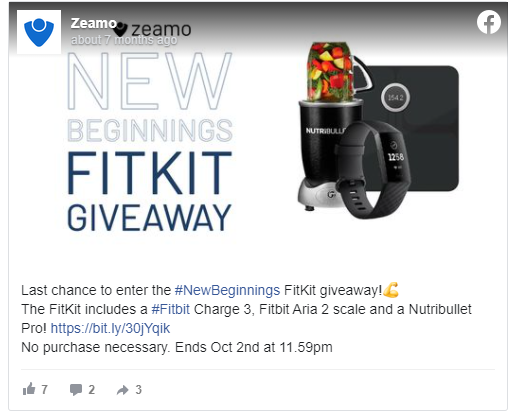
Below is an example from Zeamo’s Facebook Page:
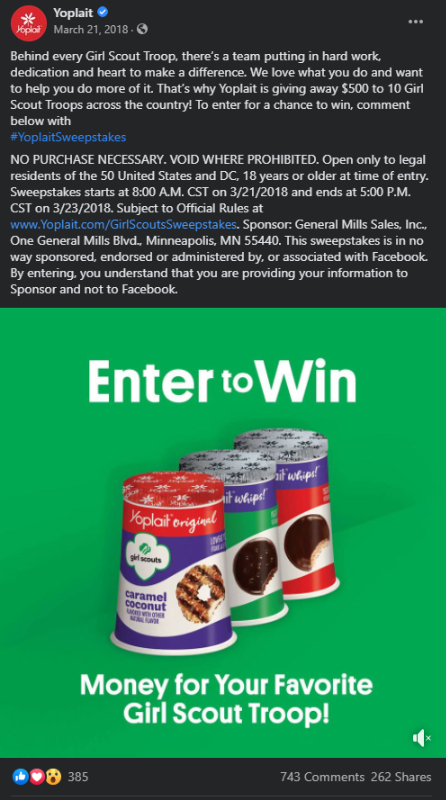
And here’s another example, this time from Yoplait. It promoted its contest using a video to get more visibility on folks’ News Feeds. And you can tell the contest was a success considering the amount of engagement the post received.
You could also extend your giveaways throughout other platforms like Instagram and Twitter.
10. Create a Facebook event page for your next webinar.
While sharing landing pages with dedicated content offerings are effective, webinars are another great format for capturing leads. While you can promote your webinar’s sign-up form by posting them to your business Timeline. Another way to spread the word is by creating a Facebook Event with a separate registration page on your website.
Once you invite someone to a Facebook Event, you can encourage them to register on a separate page, where they’ll become a lead. In terms of reaching new audiences, Facebook Events are also more visible than standard posts on the News Feed.
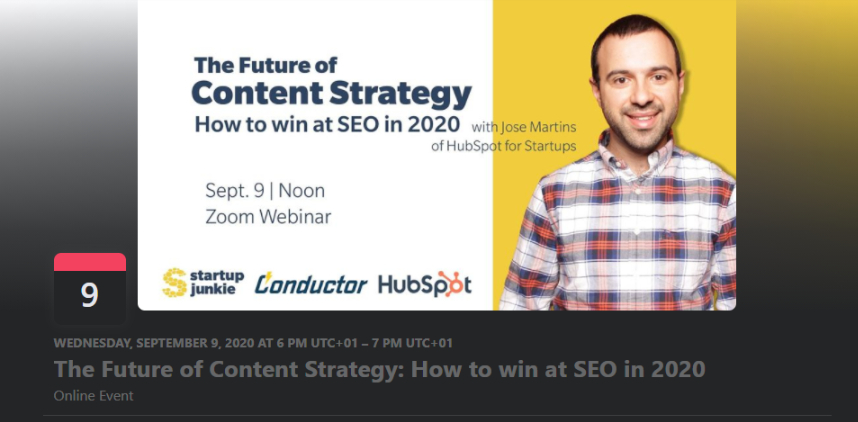
Facebook also added new features that help businesses promote their events and see how they’re performing. For example, you can create ads for the desktop and mobile News Feed that boost awareness of events and drive responses.
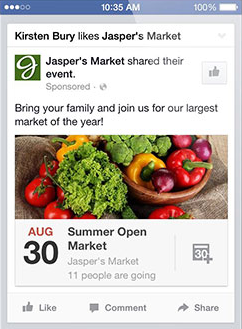
If you host events and webinars often, you can also use the Events tab on your Facebook page to share with your followers in a single view. That way, people visiting your page can scroll through your upcoming events and webinars. (If you don’t see the tab on your Page, click “Manage Tabs” at the bottom of your tabs and reorder them, so Events is one of the first to appear.) Read this blog post for more tips on hosting great webinars.
11. Run targeted ads to extend your content’s reach.
One of the best things Facebook can do for your business is to expand your reach to new audiences by running a targeted ad campaign for lead generation.
Thanks to Facebook’s very sophisticated targeting options, you create ads that target people based on their location, age, gender, interests — and even the things they do off Facebook.
There are three overarching formats for Facebook ads that I’ll cover here: boosted posts, right-hand column ads, and News Feed ads.
The main distinction here is the placement of the ad and the amount of writing and size of images they allow.
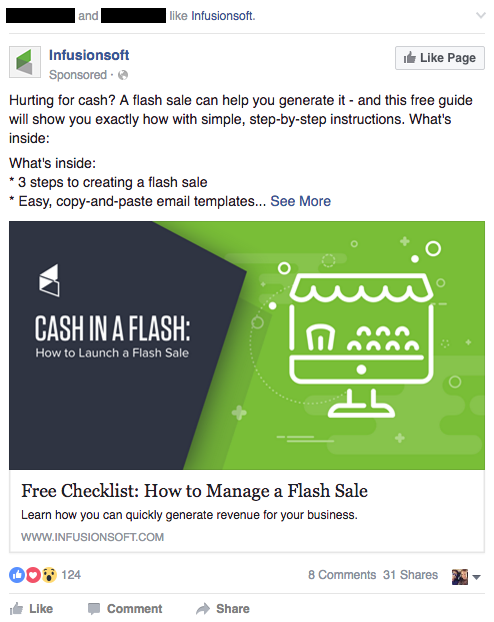
- Boosted Post: This is Facebook’s way of letting marketers turn otherwise regular Facebook posts into ads by “boosting” them. The post will show organically to some users, but to get better reach, the admin will press “boost” (shown only to admins, not to other users) to deliver to a larger number of fans and targets you can select ahead of time.
- Right-Hand Column Ads: This is the most traditional ad placement used to turn a user into a Facebook lead. The ad usually appears on the right side of a user’s News Feed. We often see less expensive clicks and conversions when using these ads, along with more advanced testing options.
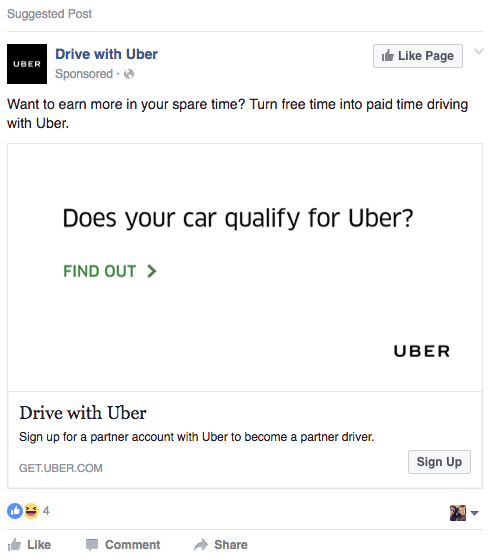
- News Feed Ads: These appear directly in a user’s News Feed and look more like native advertising, although you can also add a small CTA button. They’re part of a tactic called “dark posts,” which means using News Feed-style ads that don’t get published to the News Feed of your Page. In our experience, these ads have a higher engagement rate than right-hand column ads (which makes your Page look super healthy), but they can also be more expensive.
While we won’t go too much more in-depth on Facebook advertising (download our Facebook advertising ebook if you want to learn more), here are two examples of Facebook ads in users’ News Feeds. This first one is a boosted post that targets people based on their Facebook connections:
This second one is a News Feed ad, which lets you add a CTA button to the post — in this case, “Sign Up.” These CTAs are only available for News Feed ads.
Whatever the kind of ads you want to create for lead generation, you can always use HubSpot’s ad software to manage your ads from Facebook and other social media channels within your HubSpot CRM.
12. Run lead ads to simplify the mobile signup process.
As if Facebook’s addition of CTA buttons to its link ads wasn’t exciting enough, it added an entirely new feature called lead ads in 2015, which lets users sign up for lead-generating offers and content without leaving Facebook.
Facebook created lead ads specifically to simplify the mobile sign-up process by creating instant forms that make it super easy for mobile users to fill out their contact details.
Why? Because the forms will auto-populate instead of mobile users having to pinch-and-zoom and type into tiny form fields. When you click on a lead ad, a form opens with your contact information automatically populated based on what you’ve shared with Facebook already, like name and email address.
Talk about solving for a form of friction. Of course, you can edit your contact information before you click “Submit.”
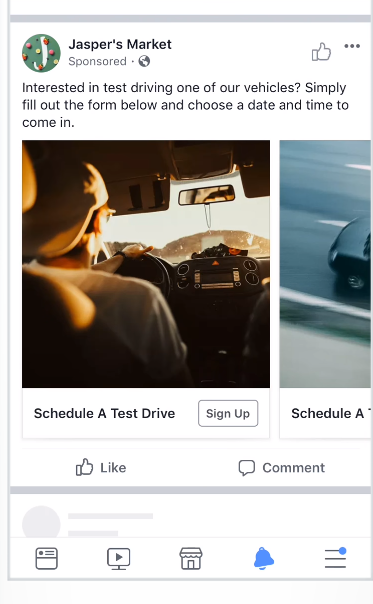
We won’t detail how to create lead ads here because we already have a guide that talks about how you can make them.
How do you extract the leads you get from lead ads? If you’re a HubSpot customer, you can integrate Facebook Lead Ads directly with your HubSpot account.
If you’re not a HubSpot customer, you can export a CSV straight from your Facebook Page, download them from Ads Manager or Power Editor, or request it directly through the API.
We hope you found these ideas for ways you can generate leads from Facebook helpful. Remember, though, that Facebook is constantly changing. While the ideas here are a solid start for success, nothing beats testing each strategy for your audience.


Introducing Twitter Fleets: How to Use It to Boost Engagement
Following the success of Instagram Stories, Facebook Stories, Snapchat, and now LinkedIn Stories, Twitter has finally launched its own story feature.
It’s called Twitter Fleets.
Before rolling out the program to audiences and marketers worldwide, Twitter ran a pilot program in Brazil beginning in March 2020. Over the course of the year, more locations were added, and the feature went live for American users in November 2020.
But what exactly are Twitter Fleets and how can brands leverage this feature across their social marketing strategies? In this piece, we’ll walk you through everything you need to know about Twitter Fleets, including how they work, how to create your own Fleet, and how these Fleets can help jumpstart marketing efforts.
![Download Now: How to Use Twitter for Business [Free Kit]](https://no-cache.hubspot.com/cta/default/53/190da11f-58c6-41d5-a397-843618741e09.png)
The Motivation Behind Twitter Fleets
Because Fleets disappear after 24 hours, just like Instagram Stories, Twitter says it’s aiming to see if its ephemeral content will promote deeper and more personal conversations on the platform.
To make Fleets even more “personal,” other users can’t retweet or share the link to them. Twitter users can only reply to Fleets via direct message.
When Twitter started its Fleets pilot, the company surveyed some of the first beta testers. As expected, most who used Fleets said they felt more comfortable publishing personal thoughts or opinions than they did when publishing standard tweets. This was because the users knew that this content would eventually disappear.
“We hope that those people who are not usually comfortable with Tweeting use Fleets to talk about the reflections that come to their head,” said Mo Al Adham, a Twitter product manager explained, in Twitter’s announcement.
Twitter Fleets also signifies yet another move social media platforms are making towards embracing ephemeral content.
While disappearing video, text, and Stories might’ve sounded like gimmicks back in the earlier days of social media, ephemeral content features are increasingly common in today’s online landscape.
Now that we’ve explained why Twitter created Fleets, let’s dive into exactly what they are and how to create them.
Fleets, or fleeting tweets, are similar to Instagram Stories. Like Instagram’s layout, Twitter users who have Fleets will see a bar with circular Story icons from each account above their Twitter feed.
From their homepage, a user can tap on a circular Fleet icon to see what an account posted in their Fleet’s area.
-Nov-17-2020-10-21-58-53-PM.jpg?width=200&name=Image%20from%20iOS%20(1)-Nov-17-2020-10-21-58-53-PM.jpg)
Unlike tweets, the text, video, or photo published shows up in a vertical format, similar to Instagram Stories. But, if you like the Tweet format, you can also share one in a Fleet to draw more attention to it, as McDonald’s does below:
-2.png?width=200&name=Image%20from%20iOS%20(13)-2.png)
How to Create a Twitter Fleet
1. Log into your Twitter account on mobile.
First up? Log into your Twitter account on an iOS or Android device. Here’s why: Fleets aren’t supported on desktop devices. Just like Instagram and Facebook stories, this content is designed for mobile users and is published from mobile devices.
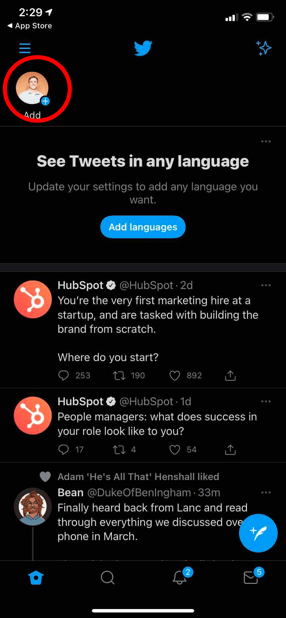
2. Locate your avatar in the top left-hand corner.
Next, locate your avatar — the picture of yourself or image you’ve chosen to represent yourself on Twitter. You’ll find this on the top, left-hand side of your Twitter feed.
3. Select the “Add” option.
Now click on the Add button to the left of the users you follow to get to the Fleets creation screen.
4. Create your content.
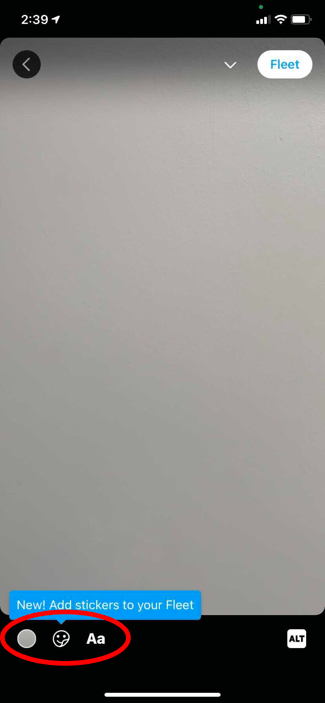
Now it’s time to create your content. Similar to other story platforms, Twitter Fleets offers a simple camera screen where you can take a picture, film a video, upload content from your camera roll, or create a Fleet with a basic background color and text comment.

5. Add text and descriptions.
Once you’ve designated your content, you can tap “Aa” to add text, the color icon to change the color of the text, or the ALT icon to add an alt-text description for those with screen readers.
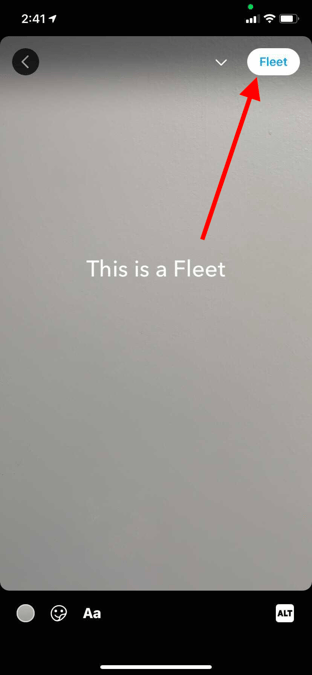
6. Publish your Fleet.
When you’re done customizing, simply tap Fleet in the upper right-hand corner to publish what you’ve created.
Now that we know how to create a Fleet, let’s talk about how to share, delete, and reply them.
How to Share a Fleet
When it comes to sharing Fleets (and Tweets), you’ve got two options: Fleeting Tweets and Tweeting Fleets.
According to Twitter’s official help page, if you’d like to make one of your Tweets into a Fleet, simply tap on the share icon of any Tweet, then tap Share in Fleet. You can then resize and add text or reactions before sharing your Fleet.
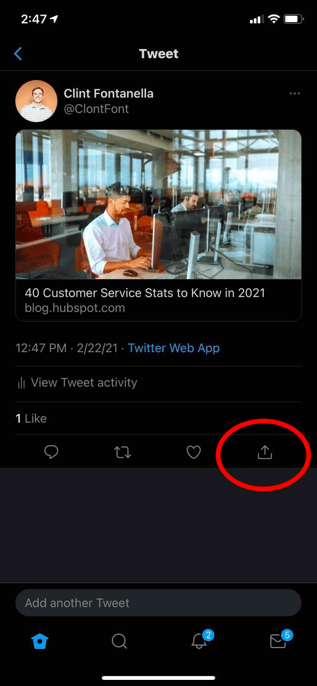
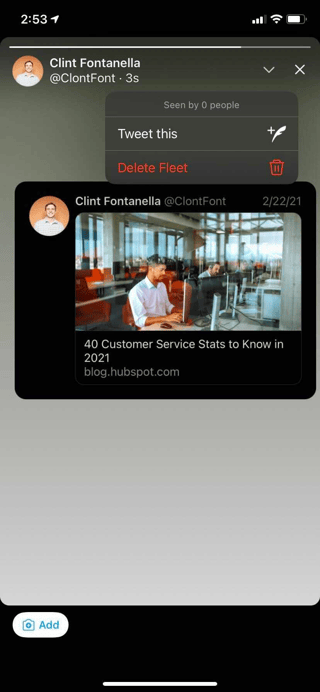
If you’d like to Tweet a Fleet so it doesn’t disappear after 24 hours, simply tap the down arrow icon in your published Fleet, then select Tweet This and, finally, tap Tweet to Finish.
How to Delete a Fleet
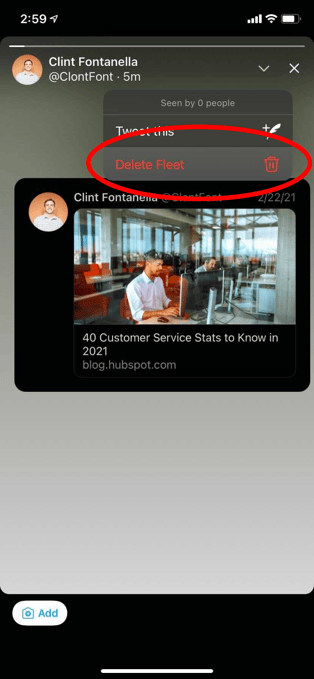
To delete a Fleet before, start with the process listed above: Log into Twitter and then locate your avatar. All of your published Fleets should be located just to the right.
Then, find the Fleet you want to delete and select it, then tap on the downward arrow in the top right to access the popup menu. Lastly, select Delete Fleet to remove your Fleet.
How to Reply to a Fleet
Replying to a Fleet requires the use of direct messages — users can select your Fleets and send you DMs, or you can do the same for other Twitter Fleets.
How to Use Twitter Fleets for Business
1. Publishing Limited-Time Offers
Want to sell a lot of one product quickly? Or, offer a promotion to your most engaged Twitter followers? One great way to do both of these things could be using Fleets to promote temporary sales, offers, or coupon codes.
Since Fleets only last for 24 hours, users won’t be able to find the codes or promotions forever. That could mean that these audiences might feel a sense of urgency to make a purchase, use a given coupon code, or just visit your website to learn more about your product.

2. Hosting Daily Giveaways
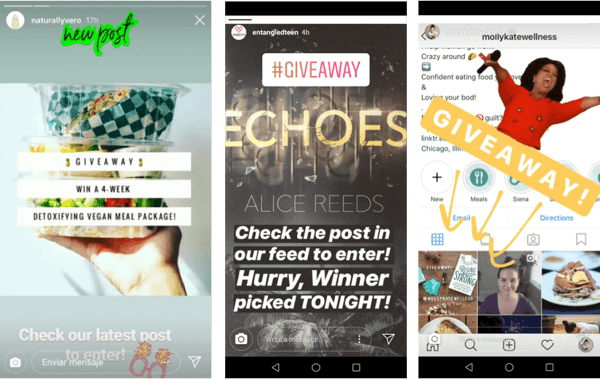
Along with posting about short-term sales and coupon codes, Fleets — and other Story platforms — could be great places to promote giveaways. With a Story-like platform, you can include more text, video, and photos about the products you’re giving away and explain the rules of your giveaway within multiple pages.
While you can announce a giveaway in standard tweets, all of this information might have to be published in multiple posts or a thread due to Twitter’s character count limitations. And, because Twitter’s feed is so fast-paced, you’ll likely need to post more than once to get a large number of contest entries in a limited time.
With a platform like Fleets, you’ll not only be able to post multiple pages of tweets in the same Fleet story, but your content will also appear in the Fleets area above a user’s feed. This means that there’s less risk of your contest announcement being buried by tweets from other accounts.
Additionally, because Fleets and Stories only last for 24 hours, viewers might feel a sense of urgency. Like with coupons or sales, audiences might want to enter your contest, view your entire Story, or go to your website before the Fleet disappears.
To give you some added inspiration, here’s an example of a contest that a brand once ran on Instagram Stories:
3. Embracing Live Events on Social Media
Want to leverage live events or short-term news in your social media marketing strategy without it clogging up your Twitter profile? Consider covering the event with ephemeral content. That way, when the event is over, users focus back on your overall brand and business.
In this example below, the NBA’s Instagram Story featured coverage of the Toronto Raptors parade in Ontario, Canada. At this point in the Story, a Raptors team member took selfies with the rapper, Drake.

4. Interacting With Loyal Fans
While Twitter’s highly public platform already allows brands many opportunities to find and interact directly with fans, Fleets could also be a helpful tool for this.
On Instagram and Facebook Stories, you might regularly see content where brands ask users to DM them questions or content. Then, a brand might create a Story with user-generated quotes, images, or videos. This tactic makes users who participated feel like the brand cares about their thoughts. Meanwhile, an interactive Story like this allows other audiences to see that the brand appreciates its most engaged followers.
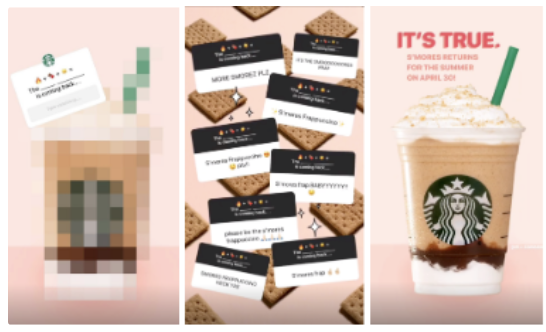
Aside from question-and-answer interactions, you could also go one step further by publishing Fleets with user-generated content from customers or fans. One brand that frequently does this on Instagram Stories and Facebook is Planet Fitness. In the story below, it highlights fitness journey photos sent to it by its actual customers:
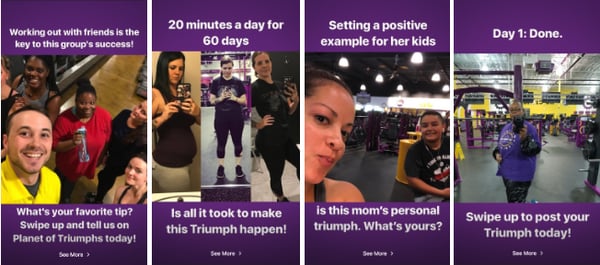
Not only does this Story allow loyal Planet Fitness fans to contribute to the brand’s social media content, but it also allows prospects to see how real people have benefited from the gym’s services.
5. Offering Behind-the-Scenes Content
Most of us know that people love seeing behind-the-scenes content from celebrities, athletes, and influencers onInstagram Stories, Facebook Stories, and Snapchat. But, research shows that consumers also enjoy behind-the-scenes material from brands.
While tweets offer brands a platform to create quick well-worded posts or publish heavy-lift content, Fleets allow brands to show audiences behind-the-scenes content or insights that make them look more authentic and relatable. This is something we’ve seen brands frequently do on their temporary Instagram Stories.
In the Story below, the New England-based Caffe Nero highlights a Barista of the Year competition that it holds with its staff every year. The Story highlights how Caffe Nero baristas are dedicated to serving customers and it shows off an authentic piece of the restaurant’s company culture that many customers might not know about.

5. Informing Audiences About Complex Industry Topics
When you craft a tweet, you need to sum up your message in 280 characters or start a thread. But with Fleets or other social media Stories, you can add further information or insight with photos, videos, or multiple pages of text.
This could allow brands to offer Twitter users a stronger variation of valuable, easy-to-create content that isn’t limited to tiny tweets, pricey marketing videos, or time-consuming live streams.
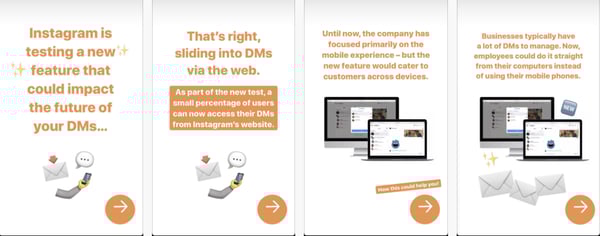
Here’s an example of how HubSpot discusses more complex industry topics via Instagram Stories. While you might not be able to add the same level of imagery to Fleets content, you could potentially leverage multiple pages of text in a similar way.
Navigating Ephemeral Content
Can content that disappears really leave an impression? Well, if Snapchat, Instagram, Facebook, LinkedIn, and Twitter have taught us anything — the answer to that question is, “Yes!”
While ephemeral content — like Fleets — is a new and exciting opportunity, it does take creativity and brainstorming to create content that will grab your audience in a memorable way.
To get better acquainted with key ephemeral content tips and strategies, check out this introduction to the content type. Then, learn more about how major brands are leveraging current ephemeral platforms like Instagram Stories, Facebook Stories, and Snapchat.
Editor’s Note: This blog post was originally published to cover the Twitter Fleets pilot in May 2020, but was updated for comprehensiveness and freshness.

How to Get to Know Your Email Subscribers, According to Research
One of the first things I do every day is check my email. And I’m not the only one.
Did you know that roughly 80% of marketers have reported an increase in email engagement in 2020?
And that the number of global email users is set to grow to 4.48 billion users by 2024?
Additionally, email marketing has the highest return on investment for small businesses and is the second most effective medium for building brand awareness.
Wow. Those stats alone serve as a reminder that email marketing is not a thing of the past. It’s continuing to grow and is a major way that brands learn about and engage with their customers.
As the adage goes, email marketing is about sending the right message to the right people at the right time.
But, how do you do that?
In this post, let’s review the top strategies you can use to get to know your email subscribers according to research.
1. Use analytics.
A great way to learn about your current email subscribers is to dive into your analytics. Find out what emails perform best. Is there a pattern? What topics is your audience most interested in?
What emails do they engage with the most? What day/time are your open rates higher?
Analytics can help you figure all of this out so you can be in touch with and provide content that your audience wants.
Cynthia Price at Litmus says, “If emails could talk, you could learn a lot about your subscribers. Oh, wait. They do. Open rates, click-through rates, and other standard email metrics all give you signals. They’re interested. They’re not. They’re done.”
But how do you optimize other things like templates? Or apply what you learn in your email program to other channels?
Price explains, “With analytics that go beyond opens and clicks. When you know which email clients your subscribers use, you can optimize the experience for them. For example, what if the majority of your subscribers are on mobile and using Dark Mode? You’ll want to incorporate that into your design strategy and QA & testing process. Or let’s say you know an email has a high forward or print rate. You might have a possible viral piece of content on your hands. Don’t miss out on insights like these—see what your subscribers are telling you.”
Ultimately, monitoring your metrics will help you identify what your audience is interested in.
2. Participate in social media listening.
Did you know that 37% of consumers find purchase inspiration from their social media channels?
Paying attention to what your audience is doing on social media will help you learn more about your consumers so you can understand the content that they want to see.
Think, “What are they interacting with on social media? What type of information are they looking for?”
With this information, you can learn what content your audience really enjoys.
3. Send polls.
This might seem a little too straightforward, but honestly, the best way to learn about someone is to ask them questions.
Send out polls in your emails and learn about your audience.
For HubSpot’s Service Blog, the daily email newsletter includes a question of the day. This helps us learn more about our audience on a regular basis.
4. Conduct A/B testing.
A/B testing is one of the most reliable ways to learn what type of email content your email subscribers react well to.
In fact, companies that A/B test every email see email marketing returns that are 37% higher than those of brands that never include A/B tests.
You can use A/B testing to see what types of subject lines work best, what type of email copy, and more.
Price says, “You can optimize content by A/B testing like 90% of marketers. Or personalize to deepen engagement. Birthday emails are said to get 3.42 times the revenue of a standard promotional email.”
5. Segment your lists.
Segmenting your email list when you learn more information about your audience will help you send better, personalized emails.
Emails that have personalized subject lines are 26% more likely to be opened and marketers have found a 760% increase in email revenue from segmented campaigns.
Essentially, email segmentation can help you increase open rates and improve click-through rates.
When you go to segment your list, segment by how people found your page. What were they signing up for? For instance, someone who purchased a product and someone who downloaded a specific lead magnet will be interested in different email newsletters.
You might segment your list by people who want to learn about blog posts and those who are interested in sales information.
Additionally, you can segment by location. Or maybe even open rate — send emails to your most engaged subscribers.
This will help you send the right emails to the right people.
6. Do buyer persona research.
If you don’t have a buyer persona, you might consider creating one. This will help you understand your subscriber’s problems, goals, challenges, values, demographic information, and more.
Conducting buyer persona research will mean that you’ll interview customers and learn about their preferences. Then, create a fictionalized version of your customers based on real data. This is another reason why it’s so important to use your analytics to learn more about your subscribers.
7. Try new things.
Getting to know your email subscribers can be a fun way to experiment with email marketing. Try new things and see what your audience responds to. You can try different types of content, different rich media, or different subject lines.
With email marketing on the rise, it’s important to optimize your strategies. You need to really know your email subscribers to reap the benefits of email marketing.

3 Easy Steps to Build Your Brand Promise [+10 examples]
If you’re a decent human being, you always honor a pinky promise.
For the uninitiated, a pinky promise is usually between two people and it holds more weight than a spit shake, legal contract, verbal agreement, and “I swear on my [insert family member]” statements combined. It’s part of our social contract – once it’s been agreed upon, it cannot be broken.

A brand promise is the scaled, commercial version of the pinky promise, with the brand holding up one finger and its target audience holding up the other.
Except, in this case, breaking it won’t just ruin your reputation, it can impact your revenue.
Let’s talk about how to create a brand promise and see examples from popular brands.
What is a brand promise?
A brand promise reveals what consumers can expect from a brand across all touchpoints. It serves as a company’s foundational value and informs every aspect of the company, from its messaging to its customer service.
Your brand promise should be central to your company, something that remains constant as it grows and evolves.
Not every brand promise is explicit. In many cases, it’s more of an internal mantra that’s shared with employees, investors, and partners. However, when you have built a strong brand identity and clear messaging, your brand promise can be assumed by your target audience.
There’s often some confusion between a brand promise and a tagline, so let’s break it down.
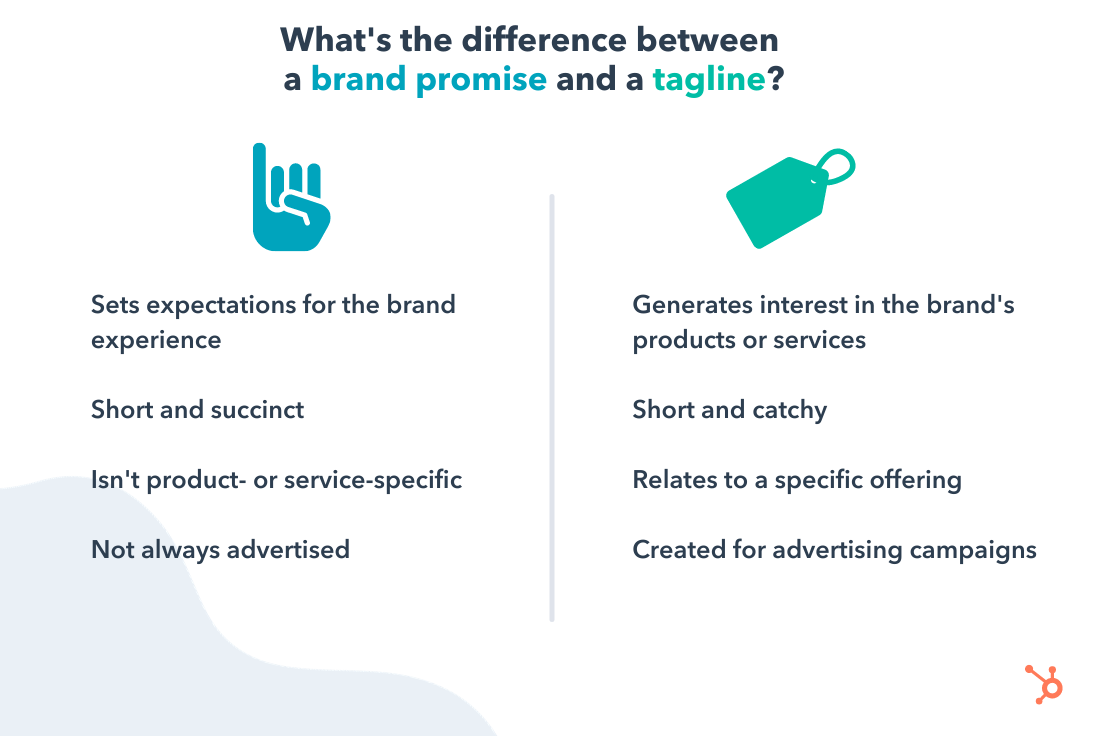
While it can be just as short as a tagline, a brand promise tells consumers, “Hey, this is what you’ll find every time you interact with our brand.”
So, why have one? Well, a brand promise:
- Helps internal and external stakeholders know what to expect from you.
- Gains consumer trust.
- Serves as the foundation from which you build out how your company operates from a consumer interaction perspective.
One thing to note about a brand promise, it is a promise after all. So when you break it, it can affect your reputation and your revenue.
For instance, let’s say your brand promise is something like “Innovation at every turn,” and your company hasn’t come out with something new and fresh in the last five years, that can deter potential consumers.
Here are the most common types of brand promises:
- Emotional: A promise appealing to emotion.
- Action-based: A promise tied to a specific action.
- Social: A promise based on ethical or social responsibility.
How to Build a Brand Promise
1. Focus on your audience.
Your brand promise outlines your commitment to your audience. So, to figure out what your promise should be, your first step is determining what your audience wants from you.
It goes beyond a specific product or service, it’s more specific to the experience you’re providing.
For instance, Planet Fitness‘s brand promise is based on people’s reluctance to join the gym for fear of judgment and embarrassment. The brand, in response, promises to create an environment that encourages people at all fitness levels to go to the gym and feel comfortable working out.
Another goal of your brand promise is to set you apart from your competitors. What makes you unique, is it your customer service, your product, your mission, your values? Use that to offer a promise that’s distinctive.
In Planet Fitness’ case, the brand did something no one else had done: Address the problem with the gym environment, not its users.
2. Think about your customer touchpoints.
With your brand promise, you’re guaranteeing something to your customers.
As such, place yourself in the shoes of your consumers and envision how you want those interactions to go. Is there a specific feeling involved? What do they have to gain?
Once you put those into words, you’ll be able to craft a brand promise that reflects the experience you want to promote.
3. Keep it simple, unique, and inspiring.
Your brand promise should be clear and to the point, something you can say in one sentence. It won’t necessarily be as fun as a tagline, but it should definitely inspire trust and confidence.
If you can’t articulate your promise in this way, perhaps you haven’t fully fleshed out your brand’s purpose. If that’s the case, start by asking yourself these questions:
- What should my customers expect from me?
- What does my company stand for?
- What makes us unique?
Brand Promise Examples
Keep in mind that some of these examples of brand promises are assumed and some have been shared by the companies. Use them as inspiration when crafting your own.
- HubSpot – Help millions of companies grow better.
- Nike – Inspire every athlete in the world.
- Apple – Think differently.
- Starbucks – To inspire and nurture the human spirit – one person, one cup, one neighborhood at a time.
- Coca-Cola – Refresh the world in mind, body, and spirit, and inspire moments of optimism.
- Anima Iris – Feel empowered and emboldened.
- Telfar – Redefine luxury as accessible and inclusive.
- Tru Colour – Celebrate our differences.
- Noirbnb – Create a safe space for POC to travel and discover new adventures.
- Pur Home Clean – Change the way you think about cleaning.
What’s common across all of these promises is that they never refer to a particular offering or numerical goal. Instead, they are statements that encompass the brand’s broader purpose.
Brand Promise Template
There isn’t an exact formula to create your brand promise. However, we have mentioned that it is a blend of a few things that make up your company. So here’s a formula you can use to create your promise:
Positioning + Vision + Value Proposition = Your Brand Promise
Write your answers down and start blending these concepts together into one succinct idea.
Crafting your brand promise should be a top priority when developing your identity. Without this core message, you will likely struggle to develop your brand identity and strong messaging to connect with your target audience.
As with everything, expect to have a few iterations. You won’t always have the answer right away.
It may take a few sessions to flesh it out and that’s OK. Because once you have it, it will become ingrained both internally and externally as your company grows.


10 Outdated YouTube Marketing Tactics to Drop, According to HubSpot Video Managers
When YouTube first launched, I was in 6th grade and all my friends were creating funny videos to upload.
See, back in the day, YouTube was mainly used for teens to upload funny, entertaining videos. Anyone else remember Smosh and Fred?
I’m aging myself, but I digress.
Back then, using YouTube for business and marketing was a new concept. Now, more than 15 years later, it’s entirely different. Brands and businesses use Youtube to engage and connect with their audience.
For marketers, this means your YouTube strategy needs to have evolved from the beginning days of the social platform. If you haven’t and are still using old YouTube strategies, you won’t benefit from having a channel.
Let’s review the top outdated YouTube strategies that you need to abandon and what you should do instead.
![→ Free Templates: How to Use YouTube for Business [Download Now]](https://no-cache.hubspot.com/cta/default/53/b33cfd44-133a-49e3-a943-086c5679d485.png)
1. Focusing on selling products rather than helping your audience.
While YouTube might have been a place for entertainment before, it’s now also a place for people to learn new skills and conduct research.
Nelson Chacon, the principal marketing manager of YouTube at HubSpot, says, “Don’t sell, help. Users on YouTube like to be educated and not sold to.”
When businesses first started using social media sites, one of the older marketing tactics was to sell, sell, sell.
But users don’t want to be sold to. They want help. If they go to your business’s YouTube, they probably want information too.
The best way to abandon this strategy is to know what your audience needs help with. Think to yourself, “What does my audience want to learn from me?”
Then, create content that provides value.
Chacon explains, “Having a strategy to educate, empower, and provide some assistance can go a long way.”
2. Being robotic instead of human.
I don’t know about you, but I’ve seen a lot of businesses put out content that sounds robotic. It doesn’t sound human and it’s hard to pay attention to. In fact, I’d even say it’s not interesting and it’s not apparent why it’s useful to me.
That’s why Chacon recommends being human in your videos instead. He says, “YouTube is a very organic platform where people like and trust creators even more than corporations. This can be reflected in the content you make and the interactions you have with your audience.”
All the content you create for your marketing team should be helpful, human, and provide value to your audience.
3. Neglecting your audience.
Another outdated YouTube strategy is to neglect your audience. Some businesses have a bad habit of just putting out video content and not responding to comments or engaging with their viewers.
Additionally, many businesses don’t use social listening to understand what content their audience wants to see or what they’re paying attention to.
This isn’t going to help marketers.
Instead, Chacon recommends engaging and interacting with your audience. He says, “Users on YouTube like interacting with creators. Keeping up with your social listening and monitoring is vital for success.”
4. Not optimizing your videos.
When YouTube was created, SEO and optimization were fairly new concepts. Additionally, the industry (as is still true today) was constantly evolving.
That’s why many creators and businesses didn’t know they should optimize their videos. Nowadays, to optimize your videos you should pay attention to what your audience is searching for and add those keywords in your title and description.
Additionally, mentioning keywords in the video and adding CTAs are two great ways to keep your audience engaged with your content.
To up-level your YouTube channel, you should dive in and understand how you can optimize your videos for success on YouTube.
5. Not using influencers.
Am I the only one who remembers a time before influencers?
While the job of social media content creator was new back in the day, it’s not anymore and it’s not going anywhere.
That’s why companies should lean into it and use influencers that have a similar audience. On YouTube, a great way to use influencers is to find other content creators, collaborate on videos, and engage with them on their channels.
6. Not being consistent.
A great piece of general life advice is to be consistent. With marketing and YouTube strategy, it’s no different.
Being consistent is how your audience will build a relationship with your brand. Without consistency, then the relationship will be stilted and it won’t feel organic or natural.
Posting consistent content and engaging with your audience is the best way to find success on YouTube.
7. Relying on solely organic rather than promotion as well.
Of course, organic traffic and views are very important to your YouTube strategy. However, it’s important to use multiple channels to direct traffic to your channel.
A great way to do this is to cross-promote content to help your audience find your videos. However, this doesn’t mean you should just post a link on your Facebook or Instagram page.
Users don’t like when they see a social media page that’s sole purpose is to promote other content. Plus, this content gets little engagement.
What you should do is naturally find ways to cross-promote content. For instance, you could conduct a poll on your Instagram stories, and then include a swipe-up link to your YouTube video.
8. Not using analytics.
Not using analytics is one of the biggest outdated strategies that you need to drop. It’s vital to keep track of your success and measure what videos perform well and which ones don’t.
With analytics, you can find out when your audience is online, what they’re interested in, how long they watch your videos, etc.
Finding the “best time” to post shouldn’t be the goal anymore. Now the goal is finding the best time for your audience specifically.
9. Faking likes and comments.
I’m not sure if people still do this, but I remember this being a big strategy that companies were doing when I was younger.
So much so that most people in my generation don’t trust likes, comments, or even followers/subscriber counts.
Any younger generation that has grown up with social media, like millennials and Gen Z, will notice and quickly unfollow or unsubscribe if they notice these strategies.
That’s why you shouldn’t use auto-engagement bots, mass follow accounts only to unfollow the next day, or mass comment on videos asking for a follow.
This will hurt your reputation, could get you banned from social media sites, and your analytics won’t be trustworthy.
Plus, you won’t be building a relationship with your audience, which is the point. The point in these sites is to build a relationship so people are encouraged to purchase from you. If you don’t build a relationship with your audience, your vanity metrics don’t mean anything.
Instead, you should only follow legitimate accounts that are relevant to your brand. This way, you can actually increase brand awareness, build trust with your audience, and eventually generate revenue.
10. Using the wrong social media sites to promote your videos.
While it’s important to cross-promote your content, it doesn’t help to promote on a social media site that your audience isn’t on.
For instance, if your primary audience isn’t on Snapchat or Instagram, cross-promoting there won’t help build your traffic.
That’s why your social media strategy and YouTube strategy need to be reviewed every year. It’s important to align your strategy with the sites that your audience is active on.
While Gen Z and millennials turn to Instagram, only millennials or older generations really use Facebook as their main social media site. Older generations tend not to be on other sites like Snapchat.
Ultimately, YouTube is an amazing platform to use to connect with your audience. And it’s still growing in popularity. That’s why it’s important to update your YouTube strategies and drop the outdated techniques above.


12 of the Best Facebook Post Ideas for Facebook Lead Generation
Most marketers know that Facebook is more than just another social media platform. It’s an essential business tool for companies of every size and industry.
With a daily active user base of over 1.8 billion (98.3% or 1.73 billion of which are on mobile alone), you know Facebook can help you reach new audiences you may otherwise have been unable to get.
Facebook can also help you get found more easily in search, create a community around your business, promote the content you create, and develop a strong brand identity.
But what about using Facebook for lead generation?
Attracting new leads using Facebook — leads that might eventually turn into paying customers — is one of the most intriguing reasons to use Facebook marketing. However, many marketers still fail to use Facebook to source leads. You’d be losing out on reaching thousands or millions of potential customers if you’re one such marketer.
Even if you’re currently generating leads on Facebook, we all could probably use a little boost in our lead generation efforts. And that’s why we created this guide.
To make sure we’re all on the same page, let’s start with what a lead is (and isn’t) and the two types of leads you can generate on Facebook.
What is a Facebook lead?
A lead is a person who has indicated an interest in your company’s product or services by giving you their information in some way. A lead can show interest in various ways: by filling out a form to download an ebook, requesting a demo, or completing an online survey.
Unfortunately, simply liking a status update, photo, or video on your Facebook page doesn’t qualify someone to become a Facebook lead. That type of action doesn’t indicate interest in your company or product/services, as it’s possible they just liked your post because it had a cute puppy in it, you know?
Below, let’s review the two types of leads you can capture on Facebook and what their differences are.
The 2 Types of Leads You Can Capture on Facebook
There are two types of leads you can generate on Facebook: direct and indirect leads.
Don't miss this live virtual event with Facebook and HubSpot on how to grow your business faster than ever with Facebook.
Direct Leads
A direct Facebook lead is generated by sharing content that links directly back to a lead form on your website. Visitors then share information in exchange for an offer — whether an ebook, coupon, infographic, or any other piece of content. This form is typically on a landing page dedicated to that specific offer.
Indirect Leads
Indirect leads are generated by using Facebook on the path to conversion. For example, if you share a blog post containing a call-to-action to a landing page at the bottom of the post, your initial Facebook share indirectly leads visitors to that landing page.
While directly promoting landing pages is an instant gratifier of leads generated, providing relevant content without a form makes your Facebook presence a friendlier home for content that your target audience will want to come back for again and again.
Let’s look at few ways to generate both indirect and direct leads in the section below.
How to Generate Leads on Facebook
Lead Ads
Lead ads are arguably the most popular tool used on Facebook to generate leads. These are posts that are sponsored by your business and they appear on your audience’s News Feeds, Stories, Marketplace, and more. These ads target Facebook users who are most likely to be interested in your company based on the behaviors they display both on Facebook and off. Once a user clicks on a lead ad, they’re prompted to fill out a form and submit contact information to your company.
Facebook Posts
Your Facebook posts are probably what got your audience’s attention in the first place. These can be one-off posts or a dedicated campaign that points viewers back to your website or Facebook page. You can include a link to a form within the actual post, or direct users to a landing page where they can submit their information.
Facebook Messenger
Facebook Messenger is like a built-in live chat feature for your Facebook Page. Users can reach out to you in a private 1:1 conversation and ask questions about your brand and its products.
Don’t have the time to manage a live chat channel 24/7? No problem. You can install a bot on your page to respond to customer inquiries.
Whether it’s a bot or a person, your team can use Facebook Messenger to direct interested visitors to your website and landing pages so they can convert from prospects to leads.
Facebook Events
Does your company host an annual networking event? Perhaps has a charity or a fundraiser that users can donate to? Share it on Facebook.
You can use the Events tool to create dedicated pages for your upcoming events. Your audience can sign up, fill out forms, and become leads all while registering for your event in one place.
Facebook Live Video
If you’re looking for a more spontaneous approach to lead generation, you might want to try Facebook Live Video. Live Video creates a real-time, public stream that your audience can watch on their News Feed. Viewers react and comment on your video as it’s running and you can use this platform as a way to direct prospects to your marketing content.
For example, if you’re partnering with a local celebrity for an upcoming road race, you might ask them to “Go Live” on Facebook and show your followers what they’re doing to prepare for the race. Not only does this give people a behind-the-scenes look at the race prep, but it also gets the word out about your event.
When you’re video is over, the recording is still available on your Facebook page. That way, people who may have missed the live version can catch the recording later on.
Photo Albums
Keeping with our road race example, let’s your race when off without a hitch and it was a massive success. Your marketing team was there the entire time taking photos and capturing the most exciting moments from the day.
But, the marketing team wasn’t just taking photos for fun. They’re planning to repurpose those images as lead generation content on your Facebook page.
How? For starters, they can post a photo album on your company’s Timeline. This album would show followers how much fun and excitement there was at your race and it would motivate people to sign up for your next one. All you have to do now is include a link to your website in the comments, and you’ll be generating new leads in no time.
These are just a few ideas for leveraging Facebook for lead generation. Read on for some more ways you can use this platform to generate leads for your business.
12 Ways to Generate Leads on Facebook
Now, let’s dive into some ways you can capture leads, whether they are direct or indirect.
1. Post landing pages for offers directly to Facebook.
One of the best lead generation ideas on Facebook is sending people directly to a landing page containing your offer. (If you don’t have many lead-generating offers yet, read this blog post for ideas.)
When you do this, make sure the offer has a compelling featured image that’s getting pulled into the Facebook post. To ensure Facebook pulls the right image from your blog post into your Facebook posts, you’ll need to optimize the image size and add the proper open graph tags to your website, which you can learn how to do here.
You’ll also want to make sure it’s clear to the reader where you’re sending them. If they think they’re clicking into a blog post and find themselves needing to fill out a form, they could get confused or frustrated.
Use phrases like “Download your ebook” or “Get your cheat sheet” to indicate where you’re sending them and the action they need to take.
Here’s an example from Sprout Social’s Facebook Page, which contains a “Download this toolkit” CTA.
In addition to using clear language, you may want to nix the stock photo from that image in favor of your custom image. Even the least design-savvy of marketers can easily create a custom image in PowerPoint or Canva that includes the name of the offer, just like we did in the example below. (Click here to browse through and download our collection of 100 free social media image templates.)
2. Post the blog posts that generate the most leads.
Another way of generating leads from your content is to pick and post the blog posts that generate the most leads. (Learn how to do a blog lead generation analysis here.)
The topic and title of the blog post will intrigue your audience to click and read, and then they’ll find a CTA within that post — preferably high up, near the intro — to either a solution to a problem they’re having or to something they want to learn more about.
Pro Tip: Our social media managers have found they can generate more leads from Facebook by posting blog posts containing anchor text CTAs in the introduction. If you aren’t using anchor text CTAs yet, you may want to read up on the study we did on anchor text CTAs and consider adopting the process yourself. In every post we tracked for that study, the anchor text CTA was responsible for between 47% and 93% of a post’s leads.
Here’s an example of a post from our Facebook page linking to a blog post that includes an anchor text CTA in the introduction:
And here’s that anchor text CTA, indicated by the red arrow. The blog post has a pop-up that prompts readers to download a free report containing more social media stats.
3. Include links to landing pages in your image captions.
Most marketers understand the importance of using visuals like images and videos in their Facebook strategy. For example, Facebook posts with images see a higher engagement rate when compared to those without images.
To turn these higher engagement rates into lead generation opportunities, consider including links to your website in the descriptions for your images — especially your profile picture and cover photo descriptions.
Whether it’s to a blog post, a piece of lead gen content, or just an “About Us” page, links help your audience get to know your company better. And the descriptions of your profile picture and cover photo are prime real estate to do it. That way, any time people view your cover photo directly, they can access the download link.
Make sure you shorten your links and add UTM codes so you can track clicks on them. Shortening and tracking features are available in the HubSpot Marketing Platform and with tools like Bitly.
Here’s an example from Social Media Examiner’s Facebook Page:
4. Use videos to promote lead generation offers.
Facebook’s organic reach dropped to around 5.2% in 2020, a massive dip from 52% in 2016, thanks to the tweaks in Facebook’s algorithm.
Without creating a Facebook ad, it’s almost impossible for your audience to see your content. To get as much engagement as possible, marketers have turned to videos.
Why? For starters, Facebook’s algorithm favors video content. As a result, video posts have an average engagement rate of 0.26%, which is higher than engagement rates of other post types.
So, if you’re trying to increase your lead generation efforts on Facebook, you’ll want to start using videos on your Facebook page to introduce and promote your content, whether they’re offers, events, courses, or something else.
In addition to the text CTA that you can add in the video’s description, you can also include a verbal CTA to “register” or “download,” both earlier in the video and at the very end.
Check out how L.L. Bean used a video to encourage sign-ups for its course:
Here’s another example from us here at HubSpot, in which we used a how-to video to introduce a gated offer:
We’ve also created videos specifically to promote lead generation content as we did here for our career assessment called The Next Five:
5. Use Facebook Live videos to remind people to register.
Videos can be pretty time-intensive to create, not to mention intimidating. But you don’t necessarily have to pull together the time and resources to create a perfectly scripted and edited marketing video to leverage the power of video on Facebook — especially if you’re a small business.
Facebook Live is a feature that allows anyone to broadcast videos from their mobile device straight to their Facebook News Feed. The best part about these live videos is that they’re meant to be a little scrappier and more spontaneous than regular marketing videos — making them more authentic and personal.
So, get the conversation going about your lead generation offers by creating a live video to promote them. You might promote an event by showing the setup live, for example. Or, you might promote an offer by hosting an open Q&A on live video where you interact with Facebook commenters live and on camera.
Just like you’d do with your standard videos, add a verbal CTA to the video in addition to the text CTA. In a live video, though, you’ll want to repeat that CTA even more than you would with a pre-recorded video. Why? Because when you first start live streaming, you may have zero people watching. Even a few seconds in, you could only have a handful of viewers.
As people find your video on their News Feeds, they’ll join in — but that means you’ll want to repeat the CTA a few times to catch people up. You can also add a text CTA in the video’s description.
6. Pin posts that link to lead generation offers to the top of your feed.
Pinning a post to the top of your Page’s Timeline allows you to highlight and showcase what would otherwise be a typical post. It’ll stay at the top of your Timeline for up to seven days, after which it’ll return to the date it was published on your Page’s Timeline.
You can identify a pinned post by an unmistakable “pinned post” marker at the top of the post. Any post you decide to pin should be valuable to your audience and relevant to your online objectives.
Here’s an example from Apttus’ Facebook Page:
You can pin any type of post, from text to images to videos, even live videos. If you pin a Facebook Live video, that video will simply show up at the top of your profile with the whole recording, indicating that the Page “was live” at a certain point.
Here’s an example of what that looks like from Refinery29’s Facebook Page:
7. Add a CTA button to your Facebook Page.
Adding a relevant CTA button to your Facebook Page is a crucial lead generation tactic that no marketers will want to miss out on.
Back in late 2014, Facebook added a feature to its business Pages allowing users to place a simple call-to-action button at the top of their Facebook Pages. This button is simple but powerful, and it can help drive more traffic from your Facebook Page to your website — including landing pages, contact sheets, and other lead generation forms. You can learn how to install and use the Facebook CTA button here.
You’ll find you have 17 pre-made button options to choose from. These options include “Sign Up,” “Shop Now,” “Contact Us,” “Book Now,” “Use App,” Watch Video,” and “Play Game.”
Once you choose a button and link it to a page on your website, it’ll appear up at a fixed location right below your cover photo and to the right.
While some marketers choose a CTA and keep it the same for weeks and months at a time, consider taking your marketing game a step further and switching up that button — and the web page it links to — to match your team’s and business goals and the campaigns you’re running at the time.
For example, you might align the CTA with your cover photo design and a pinned post around a single campaign
8. Ask for input from your Facebook audience about your products.
You can feed two birds with one scone (as my colleague Carly Stec would say) by posting a status update asking for feedback on your products/services and then linking to a landing page where people try your tool for free.
You’ll encourage sign-ups by linking directly to the landing page, and your followers will love the opportunity to give their two cents.
The obvious risk here is that you’ll be opening up the floodgates for negative commenters, so be selective on the tools and products you post for feedback.
Make sure you’re posting something you’re proud of and ready to receive feedback for. You’ll also want to have at least one or two people prepared to respond to Facebook comments as they roll in — both the positive and the negative.
If you do receive negative feedback, respond as quickly as possible to show you care and prevent them from turning into something more serious. If you get complaints about the product, use the “customer is always right” approach and say you’re sorry.
You’ll get respect from other customers for being upfront. Share your appreciation for folks’ feedback. Finally, ask how you can help — and then actually help. Take notes on the feedback you get and send it to the people who can make things happen.
(This post contains more tips for dealing with negative comments on social media)
9. Run a contest or giveaway.
People love contests and giveaways. Not only are they fun, but they can also teach you a lot about your audience — all the while engaging them, growing your reach, driving traffic to your website, and (drum roll, please) generating leads.
Since your giveaway aims to generate leads, you’ll need to publish posts that include an attractive featured image or video, compelling and straightforward copy, and a link to your giveaway page where they can fill out their details into your lead forms.
Read this post to learn more about running successful social media contests.
(Before you start your Facebook contest, though, make sure you can run it legally by reading through their Page Guidelines. Facebook has cracked down on contests due to liability issues, so read through their strict rules ahead of time.)
Below is an example from Zeamo’s Facebook Page:
And here’s another example, this time from Yoplait. It promoted its contest using a video to get more visibility on folks’ News Feeds. And you can tell the contest was a success considering the amount of engagement the post received.
You could also extend your giveaways throughout other platforms like Instagram and Twitter.
10. Create a Facebook event page for your next webinar.
While sharing landing pages with dedicated content offerings are effective, webinars are another great format for capturing leads. While you can promote your webinar’s sign-up form by posting them to your business Timeline. Another way to spread the word is by creating a Facebook Event with a separate registration page on your website.
Once you invite someone to a Facebook Event, you can encourage them to register on a separate page, where they’ll become a lead. In terms of reaching new audiences, Facebook Events are also more visible than standard posts on the News Feed.
Facebook also added new features that help businesses promote their events and see how they’re performing. For example, you can create ads for the desktop and mobile News Feed that boost awareness of events and drive responses.
If you host events and webinars often, you can also use the Events tab on your Facebook page to share with your followers in a single view. That way, people visiting your page can scroll through your upcoming events and webinars. (If you don’t see the tab on your Page, click “Manage Tabs” at the bottom of your tabs and reorder them, so Events is one of the first to appear.) Read this blog post for more tips on hosting great webinars.
11. Run targeted ads to extend your content’s reach.
One of the best things Facebook can do for your business is to expand your reach to new audiences by running a targeted ad campaign for lead generation.
Thanks to Facebook’s very sophisticated targeting options, you create ads that target people based on their location, age, gender, interests — and even the things they do off Facebook.
There are three overarching formats for Facebook ads that I’ll cover here: boosted posts, right-hand column ads, and News Feed ads.
The main distinction here is the placement of the ad and the amount of writing and size of images they allow.
- Boosted Post: This is Facebook’s way of letting marketers turn otherwise regular Facebook posts into ads by “boosting” them. The post will show organically to some users, but to get better reach, the admin will press “boost” (shown only to admins, not to other users) to deliver to a larger number of fans and targets you can select ahead of time.
- Right-Hand Column Ads: This is the most traditional ad placement used to turn a user into a Facebook lead. The ad usually appears on the right side of a user’s News Feed. We often see less expensive clicks and conversions when using these ads, along with more advanced testing options.
- News Feed Ads: These appear directly in a user’s News Feed and look more like native advertising, although you can also add a small CTA button. They’re part of a tactic called “dark posts,” which means using News Feed-style ads that don’t get published to the News Feed of your Page. In our experience, these ads have a higher engagement rate than right-hand column ads (which makes your Page look super healthy), but they can also be more expensive.
While we won’t go too much more in-depth on Facebook advertising (download our Facebook advertising ebook if you want to learn more), here are two examples of Facebook ads in users’ News Feeds. This first one is a boosted post that targets people based on their Facebook connections:
This second one is a News Feed ad, which lets you add a CTA button to the post — in this case, “Sign Up.” These CTAs are only available for News Feed ads.
Whatever the kind of ads you want to create for lead generation, you can always use HubSpot’s ad software to manage your ads from Facebook and other social media channels within your HubSpot CRM.
12. Run lead ads to simplify the mobile signup process.
As if Facebook’s addition of CTA buttons to its link ads wasn’t exciting enough, it added an entirely new feature called lead ads in 2015, which lets users sign up for lead-generating offers and content without leaving Facebook.
Facebook created lead ads specifically to simplify the mobile sign-up process by creating instant forms that make it super easy for mobile users to fill out their contact details.
Why? Because the forms will auto-populate instead of mobile users having to pinch-and-zoom and type into tiny form fields. When you click on a lead ad, a form opens with your contact information automatically populated based on what you’ve shared with Facebook already, like name and email address.
Talk about solving for a form of friction. Of course, you can edit your contact information before you click “Submit.”
We won’t detail how to create lead ads here because we already have a guide that talks about how you can make them.
How do you extract the leads you get from lead ads? If you’re a HubSpot customer, you can integrate Facebook Lead Ads directly with your HubSpot account.
If you’re not a HubSpot customer, you can export a CSV straight from your Facebook Page, download them from Ads Manager or Power Editor, or request it directly through the API.
We hope you found these ideas for ways you can generate leads from Facebook helpful. Remember, though, that Facebook is constantly changing. While the ideas here are a solid start for success, nothing beats testing each strategy for your audience.

How to Make Your Emails More Interactive [Expert Tips + Examples]
As a Millennial, my experience with email has been quite interesting.
For a while, it’s where I received chain mail that I was forced to forward unless I wanted something terrible to happen to me or my family. Then, it was where I sent junk emails from brands I didn’t care about.
Today, I look forward to checking my email and hearing from my favorite brands on everything from the news and the marketing world to product launches and sales.
As this marketing channel continues to evolve, one thing users are looking for is interactivity. It makes emails more fun to read, and on the brand side, is a great way to convert users.
Let’s dive into how to use interactive elements in your emails and examples of brands getting it right.
So, why the push for interactive emails? Ashley Riordan, growth marketing manager at HubSpot says nowadays, users expect more.
“When you think about your own inbox – work or personal – the amount of emails we get in a day is a lot,” said Riordan. “Interactive emails, whether it’s a personalized element or multimedia feature, help attract readers’ attention, set your email out from the crowd, and cut through that noise.”
She suggests calling this era: email 2.0. Interesting email content isn’t enough – now it’s about taking it one step further to involve your audience in the emails they receive.
Studies show that consumers are welcoming this change, it’s marketers who are reluctant.
“91% of consumers want interactive content, but only 17% of marketers provide it,” said Megan Moller, director of content marketing at Litmus. “That could be a missed opportunity as competition for subscribers’ attention is at an all-time high, and marketers report seeing a 200% improvement in click-through rates when using interactivity.”
The possibilities are not exactly endless, but they’re pretty extensive. You can add interactivity in email by adding a form, faux video, embedded video, animated GIFs, or carousel.
However, Moller adds that you have to make sure these elements will work for your audience.
“Don’t just add them for interactivity’s sake. Not all email clients support interactivity – though there is growing support of AMP for email,” she added. “Discover what environments (email clients, devices, and more) your subscribers are on with a tool like Litmus Email Analytics, so you can know which interactive strategies are possible with your subscribers.”
3 Reasons to Create an Interactive Email Newsletter
We know interactive elements make emails more engaging and can increase your conversions. But when do you usually use them? Technically, you can use them anytime but here are some of the most popular ways to use interactive elements.
1. Highlight new product features.
Want to announce updates to your products or tease upcoming products? Why talk about it when you can just show it.
Look at this example from Canva.
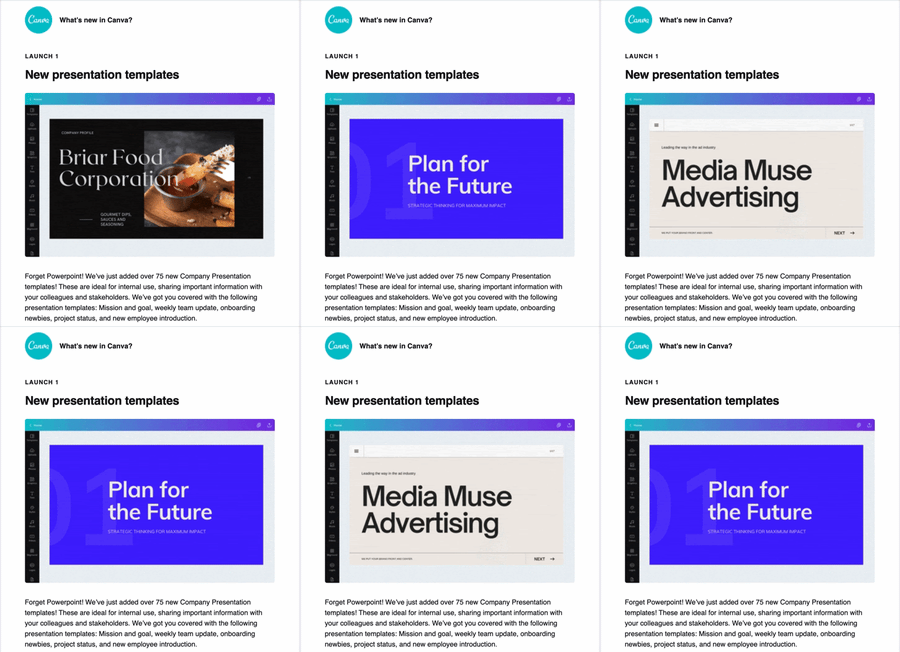
The graphic design platform regularly sends out emails to subscribers to share new features. By adding a simple GIF like this, users can quickly understand the new feature and get excited about what they could create on the platform.
Here’s another great example from Later.
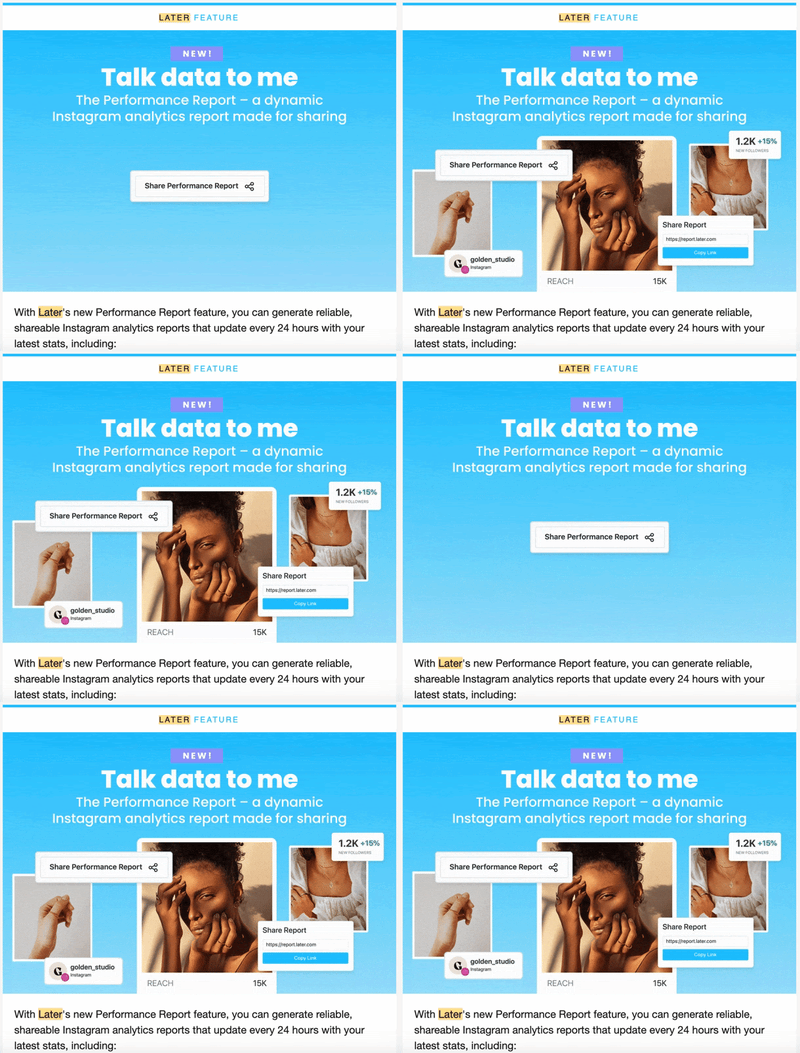
2. Tease an upcoming event or announcement.
Let’s say you’re preparing for a big sale or upcoming event, you can use interactive elements to create some buzz and anticipation around your offers.
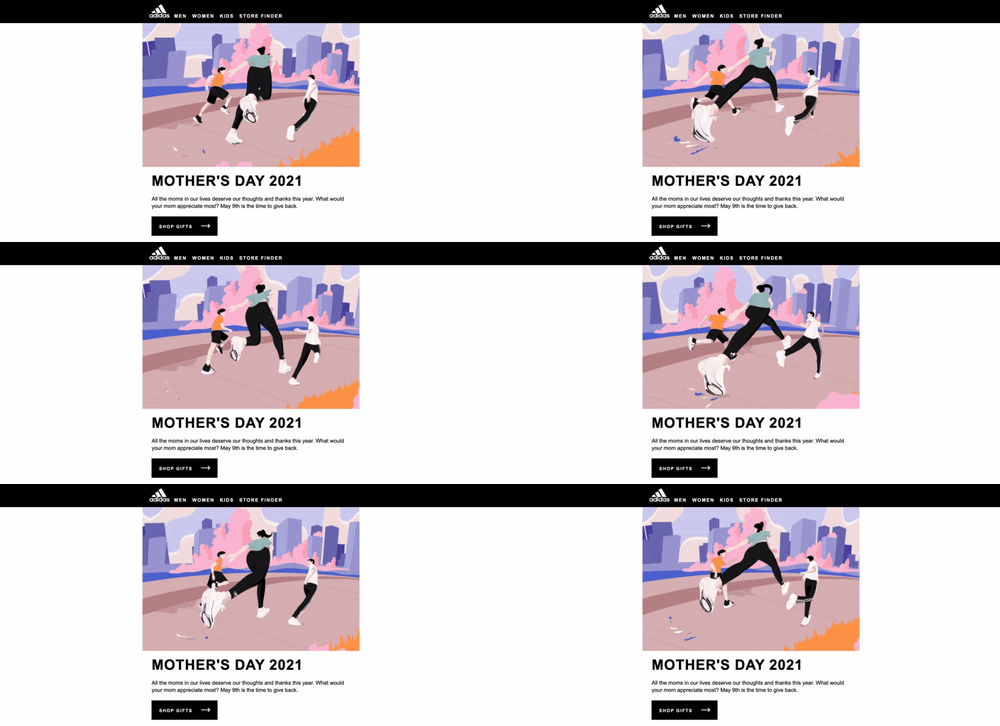
Adidas created an awesome GIF in honor of Mother’s Day, which shows a woman running with her two children in some Adidas gear.
It’s a great illustration of how to use GIFs in emails to pull the reader in while staying within your brand’s visual identity.
3. Increase your email engagement.
Sometimes, you may not have anything special to promote, but you want to improve your metrics.
Perhaps your clickthrough or open rate is low, and you want to encourage your subscribers to participate. That’s a great reason to add some interactivity to your newsletter.
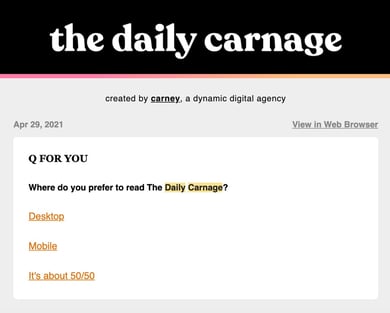
Take The Daily Carnage, a daily newsletter that covers all things marketing.
With every newsletter comes a question of the day that relates to a topic covered in the email. Once you submit your answers, you can see how other subscribers answered the question.
This accomplishes two things: It gets users engaged and excited about the content and it helps the team at Carney learn more about their audience.
Interactive Email Examples
GIFs
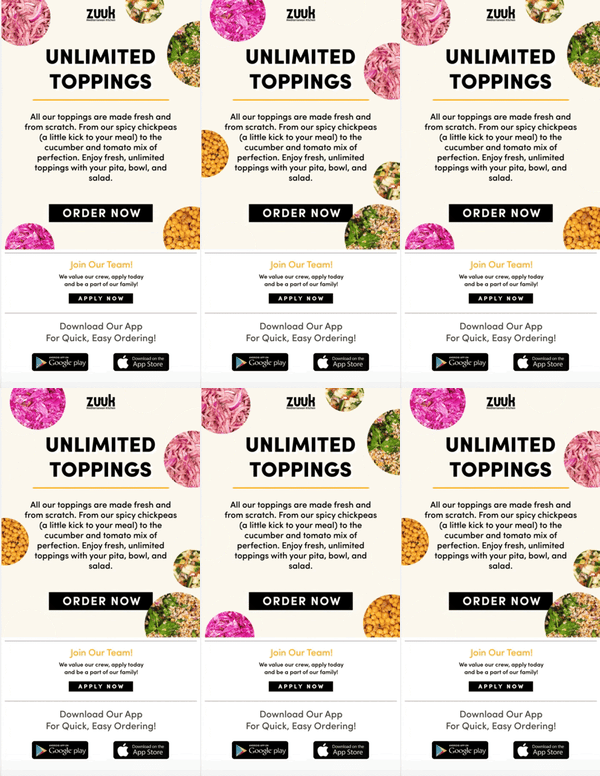
GIFS are the perfect middle point between images and videos.
A video can weigh down your email and make your loading speed slow. If you want to add some movement to your email but don’t want to go as far as embedding a video, GIFs are the way to go. Plus, they’re attention-grabby.
“Compared to a static image, GIFs are more eye-catching and therefore more click-catching,” said Riordan.
At HubSpot, we’ve had great success using them.
When sending out welcome messages for new contacts, we’ve found that emails featuring GIFs have a clickthrough rate that’s twice as high as emails without.
In addition to capturing subscribers’ attention, they also convert.
Quizzes
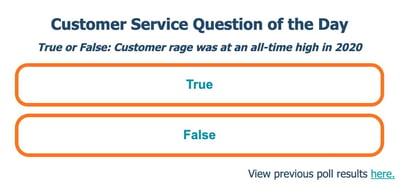
As we covered in the previous section with The Daily Canage, you can increase your newsletter’s engagement rate by including quizzes and polls.
At HubSpot, we saw a 5% increase in open rate and a jump in unique clicks after adding a “Question of The Day” poll to one of our newsletters.
Here’s how it works: Users have to answer today’s “Question of the Day” to see the poll results from yesterday’s question. This approach, says Marketing Manager at HubSpot Clint Fontanella, creates this cliffhanger effect that keeps users engaged.
“This was our most successful test because it gave readers something in exchange for nothing. It gave them information and a little excitement and competition, in exchange for them visiting our blog,” said Fontanella, who used to manage the Service Blog newsletter. “It also gave them a reason to come back every day. By participating in today’s question, they could see yesterday’s results.”
Countdown Timers
Want to get your audience excited about an upcoming event or sale? Consider countdown timers.
A countdown timer is a great way to create a sense of urgency and build anticipation. While this may require some HTML knowledge, it can be well worth the time.
In 2020, Riordan wanted to boost registrations and build some buzz around a webinar series. She ran a 50/50 test variation with one email including a countdown timer in the header image and another without.
The version with the countdown timer drove 30% more registrations.
A timer isn’t only useful for upcoming events or sales, you can use them for:
- Product or website launches
- Free trial notifications
- Milestone celebrations
Personalized Calculators
When we think of personalization in email, we usually think of adding the subscriber’s name in the subject line and email body. However, there are ways to take it one step further. 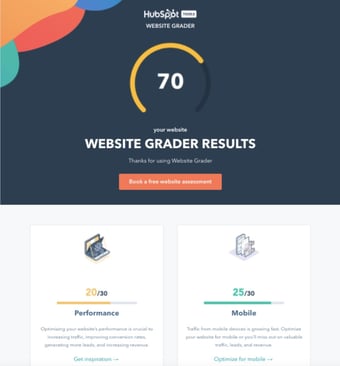
This website grader by HubSpot, for instance, is an interactive tool that sends prospects a customized report of their website performance along with specific recommendations and resources for improvements.
This is a great lead generation tool that can bring you one step closer to turning a subscriber into a customer.
Interactive Email Design Dos and Don’ts
Do keep it to one interactive element per email.
While it may be tempting, make sure you don’t overdo it with your interactive elements. A good rule of thumb is one per email.
“Your email recipients will likely be drawn to the interactive element which is the goal, but also means that other parts of your email might be overlooked,” said Riordan. “Try to center your email around one interactive factor, whether that be a poll, video, or GIF.”
She adds, “You don’t want to compete for attention in your own email – the interactive part should be the main message.”
Don’t be afraid to experiment.
With any new strategy you implement, there will be a learning curve.
You may have to try out a few interactive elements before you figure out what works best. And even when you determine the right strategy, it may change depending on the type of email you’re sending and the goals you want to achieve.
For instance, let’s say you want to generate more sales for a product. You’ve tried embedding videos of satisfied customers and adding photos of positive reviews but it doesn’t yield positive results. Then, you find that creating lifestyle GIFs of the product increase conversions by 10%. You use that strategy from then on.
However, as your goals change, so will the methods you try. Be flexible and always be willing to test out various strategies.
Do prioritize accessibility.
As you incorporate interactivity into your email, don’t forget to keep accessibility in mind. This ensures that visually impaired, deaf, and hard-of-hearing users can enjoy your emails without any trouble.
Here are some tips to keep in mind:
- Include descriptive alt text in every image, GIF, or any interactive element.
- Use colors that contrast well. Use this tool to check if you’re on the right track.
- Design your email with “Dark Mode” in mind.
- Add captions and transcripts to your videos.
Interactive Email Templates
1. Litmus
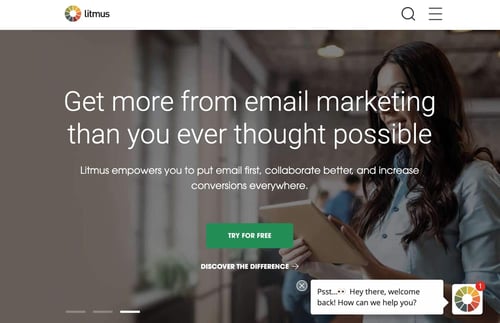
Litmus makes email marketing easy.
The platform offers a ton of interactive features and tools that you can customize based on the viewport (i.e. device) and email service. This includes hover effects, animated PNGs, and dark mode targeting.
In addition, the platform works for small to midsize businesses as well as enterprise-level companies. Pricing ranges from $99/month to $199/month, with custom pricing available for larger-scale organizations.
2. MailChimp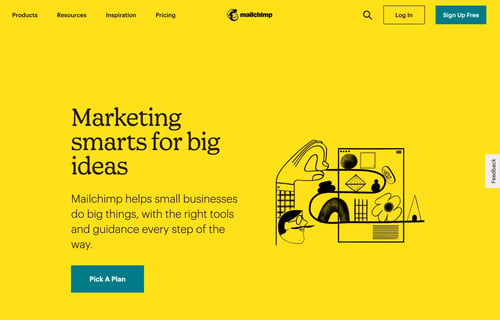
MailChimp is one of the top email marketing platforms on the market, known for its user-friendly interface.
On the platform, you can find over 100 campaign templates designed by professionals. All you have to do is fill in the gaps and hit “send.”
You can use the drag-and-drop feature to add interactive elements anywhere in your email and even import custom HTML templates.
MailChimp offers a free version for those who are just getting started with email marketing and goes all the way up to $299/month.
3. Stripo
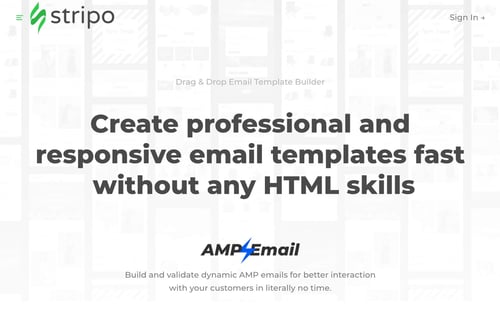
If you want to skip coding when creating your email newsletter, find the templates you need at Stripo.
All you have to do is head to the website, find a template you like and customize it. It integrates with over 60 email service providers, making it easy for you to transfer your design.
You can start using Stripo for free. To take advantage of their premium features, you must subscribe to a monthly or yearly plan for $10/month to $34/month.

The Ultimate Guide to Infographics
Did you know that people retain 65% of the information they see, but only 10% of the information they hear?
Also, people follow directions 323% better with a combination of text and illustration than instructions without illustrations.
That’s why, as a marketer, it’s important to display information in a combination of visual and text, in an easy-to-consume way.
A great way to do that is through infographics.
If you’ve wanted to create and publish an infographic, you’ve come to the right place. I know you might be thinking, “I’m not a graphic designer” or “I’ve never made an infographic before.” But you’re not alone.
And that doesn’t mean it can’t be easy for you to learn.
In this post, we’ll take you through everything you need to know about infographics, from what they are to what kinds of infographics there are to how to promote an infographic once you’ve created it.
Table of Contents
- What is an infographic?
- Infographic Examples
- Infographic Dimensions
- Infographic Ideas and Topics
- Infographic Tips
- Infographic Templates
- How to Share an Infographic

Infographics typically use engaging visuals to quickly and clearly communicate what the graphic is about.
People use infographics because they can provide a quick overview of a topic, explain a complex process, and display data easily. Infographics are also great for comparing two opposing concepts or ideas.
As a marketer, you might’ve experienced the feeling of indecisiveness when you want to create a marketing asset for a campaign, but you’re not sure the best way to disseminate the information. Is your idea best suited to a blog post, YouTube video, or social media post? The great news is that for any medium, in any industry, you can use infographics in your marketing.
Infographic Examples
1. What is Guerilla Marketing, by Invite Referrals
Below is a great example of an infographic by Invite Referrals, which focuses on describing guerilla marketing. Instead of making a blog post or video, the company decided to explain, in detail, the concept of guerilla marketing in an infographic.
With an infographic, the information is easier to digest because it uses succinct copy and visuals to help get the point across.
Additionally, this infographic has a clear headline that communicates what it’s about, so readers can instantly tell what they’re going to get from reading it.

2. Small Business and Marketing, by SEO.com
This is another excellent example of an infographic because it uses a combination of data and visuals to give information on small business marketing.
The creator, SEO.com, also broke down the information into sections, so readers can easily scan the graphic and see what information they want quickly.
One of the ways this graphic excels is that it knows its buyer persona. SEO.com, a site to help marketers, made this infographic that directly targets small business owners and marketers.

3. Video Marketing, by Visual.ly
In this example, Visual.ly uses data and visuals to communicate why video marketing is important. Additionally, the company uses bright colors to attract attention. If someone is scrolling social media, the color and design might make them stop to see what the graphic is about. It pulls the reader in.
With an infographic, you can hook readers with the visual design and communicate an idea in a way that doesn’t take up too much of your audience’s time.
Again, the concise copy and visuals will help readers get interesting information right away. And this information is exactly what marketers might want to learn about.

4. Modern Marketer, by Get App
This is an excellent example of an infographic because it uses concise copy and engaging visuals to communicate information.
My favorite element of this infographic is how it’s visually easy to understand and you can see the hard and soft skills of being a modern marketer without needing to dive into the topics. This is a quick, easy-to-scan infographic, which is what marketers are looking for when they’re working.

5. Content Marketing, by Ditto Digital
Another great example of an infographic is by Ditto Digital. This infographic focuses on giving tips to content marketers. What I like about this example is that the copy is easier to read than a blog post on the same topic might be.
The copy is concise and the visual elements of headers and subheaders make it easier to read. Additionally, this is visually interesting and has several graphics to pull your attention.

Infographic Dimensions
So, now that you know what an infographic is and have seen some examples, you might be wondering how to get started with your own infographic.
Before you can jump into designing, it’s important to understand what size your infographic should be.
The answer is that it depends on where you’re going to promote it. Below are the most common places you might post an infographic with the recommended sizes:
- Facebook: 1200 x 628 pixels
- Pinterest: 600 x 900 pixels
- Website/Blog: 600 x 1800 pixels
- Twitter: 1200 x 675 pixels
- Instagram: 1080 x 1080 pixels
- LinkedIn: 1104 x 736 pixels
1. Comparison Infographics
A comparison infographic is an infographic that compares two ideas. Infographics are a great way to compare and contrast because you can visually see things side by side.
Below is an example of a comparison infographic which compares bad posture with good posture. Not only can you visually see the difference, but you can also read the copy which explains how posture can impact your health, feelings, communication, and appearance.

2. Marketing Infographics
A marketing infographic is a graphic whose main purpose is to build awareness for a brand and boost engagement.
With a marketing infographic, you can showcase business achievements, deliver news, display a new product or service, improve a course with handouts, drive interest on social media, show data, present quotes, summarize key points in a blog post, and more. The options are honestly endless.
Really, infographics can be used for anything. Whenever you’re thinking about creating a marketing asset, consider whether an infographic will help prove your point.
3. Process Infographics
A process infographic simplifies and explains the steps of a process in primarily visual terms.
Generally, it illustrates what happens during each step or phase with an intuitive layout that’s easy for the viewer to follow from start to finish.
A well-designed process infographic makes the concept you want to share more accessible and saves you and the audience time.
Below is an example of a process infographic which explains the process of mechanical recycling.

4. Timeline Infographics
A timeline infographic is a way to quickly communicate important information — from key dates in your company’s history to upcoming project milestones or predicted market trends.
This type of infographic is what you would use if you were planning a product launch for example. Or perhaps you want to communicate a timeline of your business achievements for your website.
Featured Resource: 8 Free Timeline Templates for Business
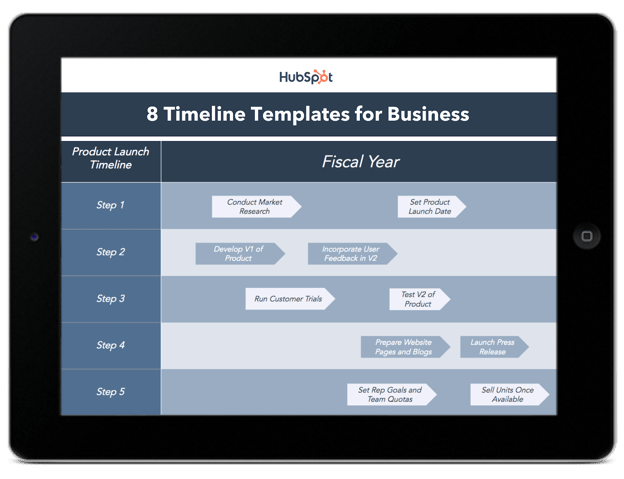
5. Statistical Infographics
A statistical infographic is a graphic whose main purpose is to show data and research. Let’s say that your company has first-party data about your industry. What better way to communicate that than with an infographic?
Now that we know what types of infographics there are, let’s give you a few tips on the process of creating one.
1. Find resources.
Before you start creating your own infographics, look for resources that can help you. This is particularly helpful if you aren’t working with a graphic designer.
For example, you can use PowerPoint templates or Canva templates. In fact, there’s really no shortage of design resources — charts, reports, and infographics. And, depending on your budget and needs, there are a plethora of options available, all of which have their pros, with very few cons.
2. Target your buyer personas.
When we went through the examples above, you might’ve noticed that I commented on infographics that correctly targeted their audience. With any marketing asset, it won’t accomplish what you want if it’s not created for the correct buyer persona.
Don’t forget what the purpose of marketing is: to deliver the right message to the right audience at the right time.
3. Keep it focused and simple.
Infographics are a great way to stay focused and use simple language to communicate a message.
The best messages are succinct and very specific to the audience. That’s why your infographics should be as focused and simple as possible.
As a marketer, it’s important to simplify your messaging whenever you can. Simple messages are easier to understand and retain.
4. Use visuals.
Of course, you can’t have a great infographic without visuals. In fact, the whole point of an infographic is to communicate a message with both text and visuals.
The goal of the visuals should be to hook the reader and make it easier to digest the information. And you don’t have to be a graphic designer to accomplish this.
In fact, you can use premade templates to make your life easier. Below let’s go over why templates are useful.
Infographic Templates
Infographics are a powerful tool for capturing the attention of your target audiences. In fact, businesses that publish infographics grow their traffic an average of 12% more than those that don’t.
The hard part, of course, is finding time and resources to create these infographics. That’s why HubSpot created fifteen fully customizable infographic templates that will give you the inspiration and foundation you need to build your own infographics right in PowerPoint or Illustrator.
Use these infographic templates to present data for your next meeting, promote an offer on social media, or in your next blog post. Visual information is becoming more and more popular — and now you have the resources to easily create this visual content.
Featured Resource: 15 Free Infographic Templates in Powerpoint (+5 Bonus Illustrator Templates)

1. Optimize your infographic for search engines.
Infographics don’t go viral by accident — even if you’ve got the best infographic in the world.
Instead, strategically promoting your infographic by identifying the right people and the right websites can get your infographic in front of thousands of people fast.
But before we do that, you’ll want to make sure to optimize your infographic for search engines. SEO won’t necessarily help your infographic go viral, but it’s extremely beneficial because it will help increase your search engine rankings (which means more free traffic to your website).
Check out this infographic by Backlinko to help guide you while you’re optimizing your infographic(s) for search engines:

2. Find websites and blogs that share similar infographics.
For example, if I had just published an infographic on email marketing, I would go to Google at type in: “Email marketing infographic.” What you’re looking for are websites and blogs that have published similar infographics made by other people.
After you’ve got a decent list of websites that you think will be willing to share your infographic, it’s time for some email outreach. First, start by identifying the authors from each of the websites that published similar infographics. You can usually find the author’s name in the article’s byline:

Once you’ve got a list of authors, use a tool like Viola Norbert or ContentMarketer.io to find email addresses so you can start sending personalized emails.
If you want to learn how the pros do email outreach, check out this article from Brian Dean at Backlinko. Part of that case study highlights the “Pre-Outreach” and “Content Roadshow” strategies he used to generate buzz for his content.
For example, check out Emil’s 2-step approach to email outreach. Instead of doing what most people do and asking for a backlink or share right away (1-step approach) here’s what he did:

And because he wasn’t being pushy, he gets responses like this from people asking to send his content over (2-step approach):

See the difference?
Now I’ll be the first to admit that email outreach is not the most exciting part about infographic marketing — but it’s crucial if you want to get more eyeballs on your work.
Plus, the long-term benefits from the relationships you’ll build with influencers and bloggers will become invaluable down the road.
3. Share infographic with the right bloggers and influencers.
The best tool to find these influencers is BuzzSumo. Just type in a topic or copy/paste a specific link to pull up content that is sorted by number of social media shares.
For example, if I were doing an infographic on gardening, I’d type in “gardening infographic” into BuzzSumo. Next, I would go through the results one by one and click “View Sharers” on any infographics that are similar to mine:

This will give you a list of the people who have shared that infographic, which is helpful because you can sort by number of followers to identify influencers with a large number of followers who have shared infographics that are similar to yours.
Like in the last step, find their email address and start reaching out one-by-one. Aside from Viola Norbert and ContentMarketer.io, another clever way to find someone’s email address is to subscribe to their blog — the welcome email and all future emails should come from an address that you can respond to.
As an alternative, if you can’t find someone’s email address, you can always use Twitter to reach out publicly:

Sam Hurley has hundreds of thousands of followers but still responded and shared content from Brian Downard:

See how he used the same 2-step outreach approach like the email example from above? He asked if they wanted to see it and then sent the link afterward.
Not being pushy is the key to getting responses and getting your content shared. You might also consider sending a friendly “thank you” note after an influencer shares your content to strengthen the relationship:

4. Submit your infographic to infographic directories.
These directories are basically websites that curate infographics for other people to see. And they are the perfect place to get your infographic discovered by people who might want to share it on their website.
Trouble is, there are dozens of these directories out there, so instead of manually doing each one by yourself, I recommend using Fivver to pay someone to do it for you. You don’t need to have someone submit your content to 50+ directories — just stick with the people who only add it to the top 10-30 infographic directories.

5. Promote through all your digital marketing channels.
Once you’ve added your infographic to the right directories, share it through all of your marketing channels:
- Share with your email lists
- Schedule multiple social media posts
- Paid ads / remarketing ads
- Add links to infographic on relevant website pages
- Share with industry partners
- Send to influencers/bloggers who’ve shared your content in the past
- Share with any brand or person you mentioned in your content
Infographics are a valuable resource that marketers can use to communicate with their audience in an easy-to-understand way. Next time you’re coming up with content, consider if an infographic is a better way to communicate your message.

How to Find the Perfect GIF: 10 Must-Try Websites
Serving as snackable — and often laughable — bits of visual content, GIFs help us accurately convey our thoughts and feelings when we’re limited to virtual communication.
The trouble is, finding the perfect GIF by hunting through Google Image Search or that desktop folder of your favorites can take way more time than it’s worth.
Finding the right GIF doesn’t have to be a lengthy process, you just have to know where to look. To help, we’ve collected 10 awesome websites below that’ll help you find what you’re looking for quickly, without forcing you to lower your GIF standards.
(Or, want to create your very own GIF? Check out this tutorial to learn how to make an animated GIF in Photoshop.)
Note: Some of these websites might feature GIFs that are NSFW.

1. GIPHY
This is my go-to resource for GIF hunting. Launched by Alex Chung and Jace Cooke, GIPHY started out as a search engine for GIFs. They’ve grown GIPHY significantly by partnering with brands, introducing integrations, creating browser extensions, and much more. (To catch up on all of their expansion efforts, check out GIPHY Labs.)
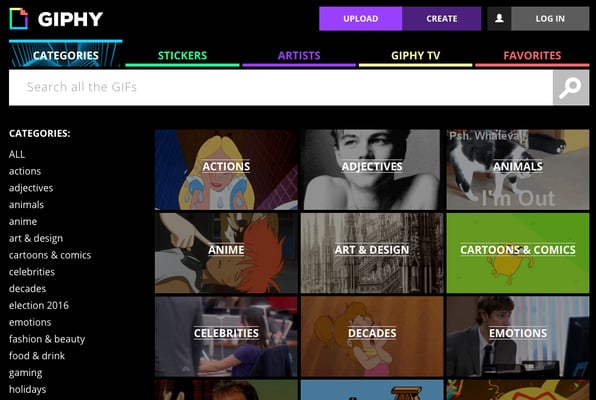
The best part? Navigating the database of GIFs couldn’t be easier: Users can browse categories — Adjectives, Music, Nature, Science, etc. — or seek out a specific word or phrase using the search functionality.
2. Reddit
Reddit is like the mothership for GIFs: The community boasts not one, but several impressive GIF-related subreddits. Here are a few noteworthy ones:
While all of the different, categorized options make it easy for you to find what you need, many of these subreddits commit to a series of guidelines to refine their entries even further. For example, while “reaction gifs” and “analogy gifs” may sound pretty similar, there’s actually a difference according to the /r/reactiongif’s wiki page. Allow me to demonstrate…
Reaction GIF
I don’t know about you but when I find out payday is coming up I react like:

Analogy GIF
When I try answering emails before my coffee, I feel like:

As explained on the /r/reactiongif’s wiki page, “A reaction gif is a physical or emotional response that is captured in a .gif which you can link in response to someone or something on the Internet. A gif which is a metaphorical reaction to something does not qualify as a reaction gif. Generally speaking, most posts that use the term “How I Feel When” are analogy gifs.”
3. Tumblr
Tumblr is a huge blogging platform where GIFs are made and shared like crazy. Bloggers on this platform do an excellent job of pairing relevant GIFs with relatable scenarios. There’s plenty of blogs dedicated to sharing funny GIFs daily, but my favorite ones to share on a Monday would be in hashtags like #work-memes #workfromhome and more.
For instance:

We all know that feeling — right? (If not, then I must ask you, what’s it like to be perfect?)
Anyways, all you have to do is use the top search bar to lookup hashtags of the content you’re looking for, or follow some blog pages that are dedicated to uploading GIFs daily. GIFs featured on Tumblr are either handmade in Photoshop by the creators or sourced from different websites, and they’re pretty good about giving credit where credit is due.
4. Gfycat
Gfycat is another gallery with millions of GIFs to dive into. Not only is it one of the most popular GIF sites, but it has an easy Video-to-Gif creator tool to turn your favorite Twitter, Vimeo, and Twitch streams into your library of memes.
Navigate its selection of GIFs from the search bar or left menu, choosing from the latest “Trending” or “Explore” section to find different popular categories of GIFs or stickers.
And who would I be to share a site called “Gfycat” without an obligatory cat GIF?

5. Tenor
Tenor is a great way to throw a relatable GIF into any conversation, whether on your PC or iPhone.
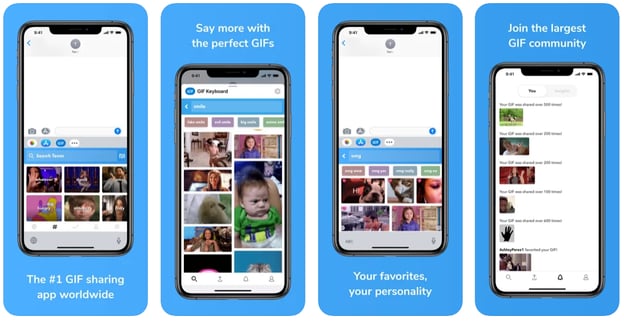
Having funny GIFs at your fingertips is a great way to share a quick laugh with your friends and family. All you have to do is type in how you’re feeling on your phone’s keyboard and Tenor will automatically start populating tons of GIFs. Perfect for putting in your conversation with cousin Katy who still gets a kick out of watching America’s Funniest Home Videos.
6. Reaction GIFs
This site serves up an appropriate GIF for just about anything you’re thinking. Depending on what you’re searching for, there are several different ways to uncover a perfect match.
One way is to use the dropdown menus on the right side of the site. These menus allow users to surface GIFs that match a specific feeling (tired, confused, proud, etc.) or answer (yes, no, undecided, etc.). For example, a search for “excited” might surface something like this:
Users also have the option to search by galleries or tags. Galleries are organized into categories such as “OMG,” “Dance Party,” and “LOL,” but there’s plenty more tags to explore.
7. GIFbin
Here’s another stellar resource for uncovering GIFs.
On GIFbin, users can filter thumbnails by “Newest,” “Top Rated,” and “Most Viewed,” or by tags. The interesting thing about GIFbin’s tag system is that they are categorized by both name and count.
While the names are pretty standard search terms — animals, babies, sports, etc. — the count feature allows you to easily uncover terms with the highest volume of available GIFs. Check it out:
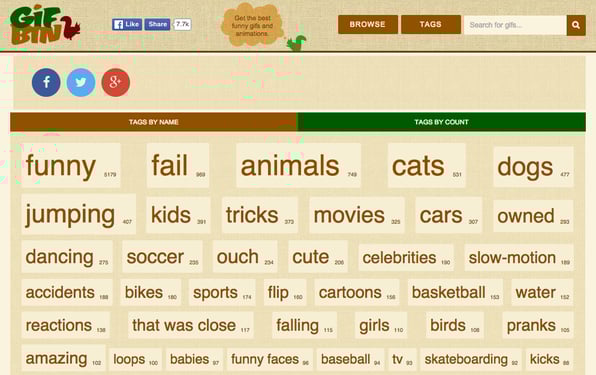
Or if you’ve got too much free time on your hands like me, click through the rabbit hole— I mean— “random GIF” button for endless fun.
8. Imgur
Ah yes, Imgur, the Reddit of GIF sites without all the text threads.
Imgur is an image hosting site that shares an array of funny or cool GIFs. It’s library is a mix between new uploads and even some of my favorites from the 2010s.

Search up any tags for all the funny movie edits, or whatever else you’re interested in via Imgur.
9. Imgflip
Imgflip is another extensive library of GIFs. There are a few ways to browse Imgflip content, as detailed on the website:
- Hot/Latest images on the homepage
- Use the Previous / Next / Random navigation on image pages
- Use the hotkeys as described on image pages
- Tag pages (such as cats)
- Meme pages such as Grumpy Cat, found on the meme templates page
If you like a little competition, you can create your own GIFs and earn a spot on the leaderboard. If your GIF gets upvoted enough, you can bask in the glory of making strangers on the internet laugh.
10. Gyazo
Last but not least, we have Gyazo. This website is a bit different from the others, but with this tool you can capture your PC screen (like a clip instead of a screenshot) and create GIFs out of them. Made to convert footage into GIFs quickly, it stores your library in your account, so you can link or download your favorite GIFs whenever you want.
As a different method to making your own GIFs, Gyazo makes it easy to create, store, and share your favorite GIFs with your favorite people.
For your viewing pleasure, enjoy some GIFception as I used Gyazo myself to make a GIF out of a video of someone using Gyazo to make a GIF.
Why You Should Use GIFs in a Business Setting
On a more serious note, GIFs are another form of visual content that can be used for both fun, and strategically for marketing. For businesses, they can be a tool to demonstrate company culture and drive more engagement by appealing to customers looking for authenticity.
Internal Use
On an internal level, exchanging GIFs in conversation or including them throughout presentations can help break up the monotony of day-to-day business.
Adding some level of quirkiness in meetings or seminars can keep employees more engaged and satisfied than otherwise. Plus, it never hurts to share a quick laugh in the office, as long as you don’t get too carried away.
External Use
55% of B2C content creators say that creating or sharing visual content is a big priority for them presently. Similar to videos or live recordings, using GIFs to convey ideas in a business setting offers viewers visuals that are more stimulating than text-only content.
For instance, when people hear information, they’re likely to remember only 10% of that information three days later. However, if a relevant image is paired with that same information, people retain 65% of the information three days later.
Also, using GIFs on social media accounts is a great way to catch the attention of potential customers. Whether it’s Instagram, Twitter, or a blogging platform, adding a visual like GIFs to your post can prove useful to a business.
The World is Your Image Library
There’s plenty of websites to choose from when it comes to finding some pretty cool GIFs. Whether you need to send one to your coworker’s birthday email chain, or make your brother, Trevor, laugh at the dinner table, we hope this list helps narrow down your search for the perfect GIF.
Editor’s note: This post was originally published in January 2016 and has been updated for comprehensiveness.


How to Find the Perfect GIF: 10 Must-Try Websites
Serving as snackable — and often laughable — bits of visual content, GIFs help us accurately convey our thoughts and feelings when we’re limited to virtual communication.
The trouble is, finding the perfect GIF by hunting through Google Image Search or that desktop folder of your favorites can take way more time than it’s worth.
Finding the right GIF doesn’t have to be a lengthy process, you just have to know where to look. To help, we’ve collected 10 awesome websites below that’ll help you find what you’re looking for quickly, without forcing you to lower your GIF standards.
(Or, want to create your very own GIF? Check out this tutorial to learn how to make an animated GIF in Photoshop.)
Note: Some of these websites might feature GIFs that are NSFW.
1. GIPHY
This is my go-to resource for GIF hunting. Launched by Alex Chung and Jace Cooke, GIPHY started out as a search engine for GIFs. They’ve grown GIPHY significantly by partnering with brands, introducing integrations, creating browser extensions, and much more. (To catch up on all of their expansion efforts, check out GIPHY Labs.)
The best part? Navigating the database of GIFs couldn’t be easier: Users can browse categories — Adjectives, Music, Nature, Science, etc. — or seek out a specific word or phrase using the search functionality.
2. Reddit
Reddit is like the mothership for GIFs: The community boasts not one, but several impressive GIF-related subreddits. Here are a few noteworthy ones:
While all of the different, categorized options make it easy for you to find what you need, many of these subreddits commit to a series of guidelines to refine their entries even further. For example, while “reaction gifs” and “analogy gifs” may sound pretty similar, there’s actually a difference according to the /r/reactiongif’s wiki page. Allow me to demonstrate…
Reaction GIF
I don’t know about you but when I find out payday is coming up I react like:
Analogy GIF
When I try answering emails before my coffee, I feel like:
As explained on the /r/reactiongif’s wiki page, “A reaction gif is a physical or emotional response that is captured in a .gif which you can link in response to someone or something on the Internet. A gif which is a metaphorical reaction to something does not qualify as a reaction gif. Generally speaking, most posts that use the term “How I Feel When” are analogy gifs.”
3. Tumblr
Tumblr is a huge blogging platform where GIFs are made and shared like crazy. Bloggers on this platform do an excellent job of pairing relevant GIFs with relatable scenarios. There’s plenty of blogs dedicated to sharing funny GIFs daily, but my favorite ones to share on a Monday would be in hashtags like #work-memes #workfromhome and more.
For instance:
We all know that feeling — right? (If not, then I must ask you, what’s it like to be perfect?)
Anyways, all you have to do is use the top search bar to lookup hashtags of the content you’re looking for, or follow some blog pages that are dedicated to uploading GIFs daily. GIFs featured on Tumblr are either handmade in Photoshop by the creators or sourced from different websites, and they’re pretty good about giving credit where credit is due.
4. Gfycat
Gfycat is another gallery with millions of GIFs to dive into. Not only is it one of the most popular GIF sites, but it has an easy Video-to-Gif creator tool to turn your favorite Twitter, Vimeo, and Twitch streams into your library of memes.
Navigate its selection of GIFs from the search bar or left menu, choosing from the latest “Trending” or “Explore” section to find different popular categories of GIFs or stickers.
And who would I be to share a site called “Gfycat” without an obligatory cat GIF?
5. Tenor
Tenor is a great way to throw a relatable GIF into any conversation, whether on your PC or iPhone.
Having funny GIFs at your fingertips is a great way to share a quick laugh with your friends and family. All you have to do is type in how you’re feeling on your phone’s keyboard and Tenor will automatically start populating tons of GIFs. Perfect for putting in your conversation with cousin Katy who still gets a kick out of watching America’s Funniest Home Videos.
6. Reaction GIFs
This site serves up an appropriate GIF for just about anything you’re thinking. Depending on what you’re searching for, there are several different ways to uncover a perfect match.
One way is to use the dropdown menus on the right side of the site. These menus allow users to surface GIFs that match a specific feeling (tired, confused, proud, etc.) or answer (yes, no, undecided, etc.). For example, a search for “excited” might surface something like this:
Users also have the option to search by galleries or tags. Galleries are organized into categories such as “OMG,” “Dance Party,” and “LOL,” but there’s plenty more tags to explore.
7. GIFbin
Here’s another stellar resource for uncovering GIFs.
On GIFbin, users can filter thumbnails by “Newest,” “Top Rated,” and “Most Viewed,” or by tags. The interesting thing about GIFbin’s tag system is that they are categorized by both name and count.
While the names are pretty standard search terms — animals, babies, sports, etc. — the count feature allows you to easily uncover terms with the highest volume of available GIFs. Check it out:
Or if you’ve got too much free time on your hands like me, click through the rabbit hole— I mean— “random GIF” button for endless fun.
8. Imgur
Ah yes, Imgur, the Reddit of GIF sites without all the text threads.
Imgur is an image hosting site that shares an array of funny or cool GIFs. It’s library is a mix between new uploads and even some of my favorites from the 2010s.
Search up any tags for all the funny movie edits, or whatever else you’re interested in via Imgur.
9. Imgflip
Imgflip is another extensive library of GIFs. There are a few ways to browse Imgflip content, as detailed on the website:
- Hot/Latest images on the homepage
- Use the Previous / Next / Random navigation on image pages
- Use the hotkeys as described on image pages
- Tag pages (such as cats)
- Meme pages such as Grumpy Cat, found on the meme templates page
If you like a little competition, you can create your own GIFs and earn a spot on the leaderboard. If your GIF gets upvoted enough, you can bask in the glory of making strangers on the internet laugh.
10. Gyazo
Last but not least, we have Gyazo. This website is a bit different from the others, but with this tool you can capture your PC screen (like a clip instead of a screenshot) and create GIFs out of them. Made to convert footage into GIFs quickly, it stores your library in your account, so you can link or download your favorite GIFs whenever you want.
As a different method to making your own GIFs, Gyazo makes it easy to create, store, and share your favorite GIFs with your favorite people.
For your viewing pleasure, enjoy some GIFception as I used Gyazo myself to make a GIF out of a video of someone using Gyazo to make a GIF.
Why You Should Use GIFs in a Business Setting
On a more serious note, GIFs are another form of visual content that can be used for both fun, and strategically for marketing. For businesses, they can be a tool to demonstrate company culture and drive more engagement by appealing to customers looking for authenticity.
Internal Use
On an internal level, exchanging GIFs in conversation or including them throughout presentations can help break up the monotony of day-to-day business.
Adding some level of quirkiness in meetings or seminars can keep employees more engaged and satisfied than otherwise. Plus, it never hurts to share a quick laugh in the office, as long as you don’t get too carried away.
External Use
55% of B2C content creators say that creating or sharing visual content is a big priority for them presently. Similar to videos or live recordings, using GIFs to convey ideas in a business setting offers viewers visuals that are more stimulating than text-only content.
For instance, when people hear information, they’re likely to remember only 10% of that information three days later. However, if a relevant image is paired with that same information, people retain 65% of the information three days later.
Also, using GIFs on social media accounts is a great way to catch the attention of potential customers. Whether it’s Instagram, Twitter, or a blogging platform, adding a visual like GIFs to your post can prove useful to a business.
The World is Your Image Library
There’s plenty of websites to choose from when it comes to finding some pretty cool GIFs. Whether you need to send one to your coworker’s birthday email chain, or make your brother, Trevor, laugh at the dinner table, we hope this list helps narrow down your search for the perfect GIF.
Editor’s note: This post was originally published in January 2016 and has been updated for comprehensiveness.
What’s a 500 Internal Server Error, and How to Fix It [Quick Guide]
Troubleshooting a HTTP 500 internal server error is like solving a mystery.
You don’t know what exactly happened or why it happened — all you know is that something’s wrong and you need to fix it.
To guide you through the hassle of troubleshooting the dreaded HTTP 500 internal server error, let’s go over what it exactly means and its most common causes and solutions.

What is a HTTP 500 internal server error?
A HTTP 500 internal server error means your web server is experiencing problems, but it can’t pinpoint the specific error or its root causes. When this happens, your website will serve up a general internal server error web page to your site’s visitors.
Potential Causes of a 500 Internal Server Error
A 500 internal server error is, as the name implies, a general problem with the website’s server. More than likely, this means there’s an issue or temporary glitch with the website’s programming.
Some potential causes include:
- Corrupted or broken .htaccess file
- A permissions error
- Faulty third-party plugins or themes
- the PHP memory limit being exceeded
However, the difficulty with a 500 internal server error is it doesn’t immediately tell you what the problem is, or how to fix it. Let’s dive into a few potential solutions you can try to fix the issue.
How to Fix a 500 Internal Server Error
Fortunately, there are a few effective solutions for fixing most HTTP 500 Internal Server Errors.
If You’re Trying to Load a Page with a 500 Internal Server Error
1. Refresh the page.
This might seem obvious, but if it’s a temporary loading issue, you might find success if you refresh the page. Before trying anything else in this list, reload the page and see what happens.
2. Come back later.
Since the error is on the server-side, I’m willing to bet the website owners are working as quickly as possible to resolve the issue. Give it a few minutes or upwards of an hour or two, and then reload the URL and see if the development team has fixed the issue.
3. Delete your browser’s cookies.
If clearing the browser history doesn’t work, you might try deleting your browser’s cookies. If the cookies are associated with the error-prone webpage, deleting the cookies might help reload the page.
4. Paste your URL into the website “Down for Everyone or Just Me.”
This URL should help you copy-and-paste the URL where you’re seeing the internal server error. If it’s a problem with the server, you’ll see a message that says, “It’s not just you! [URL] is down for everyone.” This should help assuage any concerns that it’s an issue with your own computer.
If the 500 Internal Server Error is on Your Own Website
1. Deactivate a plugin or theme.
Newly activated plugin or themes might conflict with your current plugins or themes. Deactivate them one at a time to identify the exact plugins or themes causing the internal server error.
Alternatively, if you just upgraded your software, your current plugins or themes might not be compatible with the new upgrade. Deactivating plugins or themes one at a time until the error disappears is the best way to find the root cause of your problem.
2. Use a plugin like WP Debugging to identify the issue.
If your site is hosted on WordPress, consider installing a plugin to help you identify the issue. This debugger plugin, for instance, helps you figure out exactly what’s wrong with your site, which will result in a speedier fix.
To learn how to download the plugin, take a look at our post, How to Fix “is currently unable to handle this request” in WordPress [HTTP Error 500].
3. Ensure your PHP setup is configured correctly.
If the issue is related to a PHP timeout, consider creating timeout rules or error handling in your script to resolve the issue. Here’s a full list of php.ini directives to configure your PHP setup.
Additionally, wrong permissions on a file or folder that has a script, like a PHP or CGI script, won’t allow the script to run. Check your permissions and make sure you set them correctly on your server.
4. Check the code for your site’s .htaccess file.
Incorrect coding or improper structure with your .htaccess file could be the reason you’re seeing the 500 internal error. A .htaccess file helps you manage how long resources should be stored in a browser’s cache. Try editing the file if you’re seeing a 500 internal server error.
Coding errors of an .htcaccess file and custom scripts can also cause an HTTP 500 internal server error.
5. Ensure your new software installed correctly.
Check to see if your recently installed or upgraded software actually failed to install or upgrade. To refresh your software, check the vendor’s website for instructions.
Asking a Server Administrator for Help
If troubleshooting popular software problems or debugging server-side scripts doesn’t fix your HTTP 500 internal server error, you should read about the most common causes for this type of issue in your server’s documentation — an HTTP 500 internal server error can occur in different operating systems for a multitude of reasons.
You can also ask your server provider to access your error logs and find evidence for the root cause of your problem.


18 Funny Out-of-Office Messages to Inspire Your Own [+ Templates]
When it comes to the final days before vacation, people tend to fall into one of two camps: 1) those who watch the clock incessantly, and 2) those who are so busy before they leave, they might even forget to put up an out-of-office (OOO) email message.
If you’re anything like I am, you probably fall into team two. That doesn’t leave a lot of time to get creative. But if you plan ahead, you might be able to craft some hilarity.

In this post, I’ll go over what an OOO message is and share some of the best examples I’ve found on Google, as well as a few from my coworkers).
Also known as “autoresponder emails,” out-of-office messages run the gamut. From funny, to clever, to snarky, this message can both show your personality and let senders know that, well, you’re out of office.
While you can keep it simple, you can also have some fun with it.
What should I put on my out-of-office message?
First things first: let’s go over the basics of an OOO email. In your away message, you typically include the following:
- A quick “I’m out of the office” phrase.
- The date or time range you’ll be out.
- Who to reach out to in case the sender needs immediate attention.
- A sign-off.
Putting it all together, your autoresponder would read something like:
“Hi there,
Thanks for your email. I’m currently out of office until mm/dd/yyyy. If you need help, email my colleague at colleague@example.com.
Best,
[Name]”
But that sounds boring, right? Luckily, there are ways to spice up your OOO message by adding humor in just the right places.
If you’re feeling stuck, try our free OOO email generator to draft a message that perfectly captures who you are and where you’re going.
Featured Resource: OOO Email Generator
 Create your OOO email by clicking here.
Out-of-Office Messages for Vacation
1. “I’ll email you back once I’ve defrosted.”
Most times, when people go on vacation, they travel to a warm, tropical place…
But some of us just aren’t as lucky. Or if we’re traveling during the winter and heading up north — well, we’re going to run into some snow, aren’t we?
While this may not prove so fortunate for us, we can use the poor weather for comedic relief. You can even include a screenshot of the weather forecast for a sense of realism. Not only will it give senders a chuckle, but it’ll also generate a certain amount of empathy — which is often the key to good content.
Example
Thanks for your message! I’m currently buried in snow and will get back to you once I’ve defrosted on January 2nd.
And if you think I’m lying…
Gotta go, my fingers are frostbitten. If you really need me, either get a shovel and dig me out of here, or reach out to my colleague Anna — who’s not frozen under snow with frostbitten fingers — at anna@example.com
2. “If found, contact someone other than me.”

If your email client allows it, you could always just use an image to express your out-office sentiment, like this one. After all, they say that a picture is worth a thousand words — and visual content is still essential to successful marketing.
In this image, you’re letting people know you’re OOO with a “Missing” notice on a milk carton. Genius. Just be careful — this sort of autoresponder is best for internal emails, not for autoresponders that get sent to prospects and clients.
3. “I’ll get back to you when I return to civilization.”
If you’re traveling to a remote, mountainous area, why not jab some fun at your lack of WiFi in your autoresponder? Plus, that makes it less likely that people will expect an immediate response or continue to email you after the first try.
Example
Hi there,
Sorry I missed you — I’m unable to get to my email right this second. Why? I’m on a backpacking trip, surviving on Spam, really good water, and trail mix. You should see the stars out here.
I’ll get back to you when I return to civilization. Or to an area with WiFi. Or to the office on May 10th. Whichever comes first.
If you need help right now, email my team at team@example.com.
4. “If you need to reach me, travel to my homeland of Florida.”
When one of my colleagues went on vacation, he sent an out-of-office message that was both clever and smart. First, he sent the recipient on an imaginary scavenger hunt to “the highest peak of the tallest mountain.” He used humorous absurdity to make it clear that he would not be checking email while he was away.
Plus, he incorporated a delightful technique to let people know that if they really wanted him to read their emails, they should probably send them again after his return. Not only does that keep the sender accountable by saying, “If this is really important, you know when to reach me,” but it also helps him truly vacate his work while he’s away. And that’s hard to do.
Below is an example you can use for yourself.
Example
Hey!
I’m on vacation until July 18th. If you need to reach me, here’s what you’ll need to do:
- First, travel to my homeland of Florida.
- Climb to the highest peak of the tallest mountain.
- Find a rare flower (no specifics, of course… It’d be cheating).
- Put the flower back, because as the old hiking rule goes, “Leave everything as you found it.”
When you understand that flower, you’ll know to reach me. Trust me. You’ll know.
If your message requires a response faster than that, please email my manager at manager@example.com.
If you want to make sure your message gets a response ASAP when I return, please send it on July 18th. I recommend using one of our sales automation tools to schedule it now, while you’re thinking about it.
5. “I know I’m supposed to say that I’ll have limited access to email, but…”
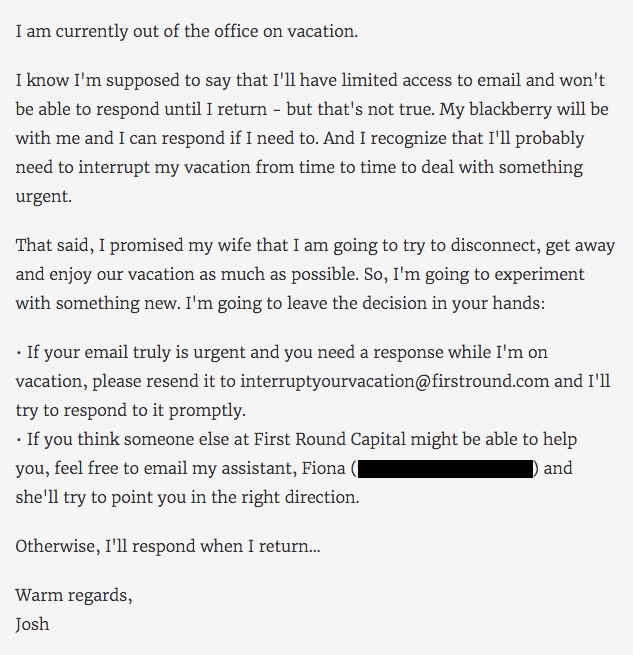
Josh Kopelman’s vacation email is a classic example of taking a blunt approach at OOO messages.
Not only did Kopelman manage to turn his out-of-office message into an epic poem of sorts, but also, he actually went through the trouble of creating a delightfully snarky, vacation-specific email address for his recipients.
Giving the option to contact an email address containing “interruptyourvacation” provides two things — 1) A dose of humor, and 2) discouragement from actually doing what the name suggests. Plus, he prefaces it with a request for empathy, by explaining that he promised quality time to his family.
Sure, Kopelman is truthful about the fact that he’s on vacation, but he also lets the recipient know that he or she would be interrupting important family time if the first option is chosen. It states a point simply and uses humor to avoid making it sound like he wants the reader to feel guilty.
Below is an example you can use for yourself.
Example
Hi there,
You got this email immediately (classic autoresponder behavior), which means I’m out of office on vacation.
While I hypothetically could reach my email, while I hypothetically do have my phone on hand, and while I hypothetically do have access to WiFi, I’d rather enjoy time with my family. My kids are growing up at the speed of a supersonic jet, and if I blink one more time, they’ll be 35. And I’ll be 73. And I don’t want that.
If you still need to reach me, you can email interruptingfamilytime@example.com. Or you can email my assistant at assistant@example.com. They can point you in the right direction.
Looking forward to reconnecting once I’m back.
6. “Hi, I’m Troy McClure.”
When one of my colleagues is out of the office, he doesn’t mess around. In fact, he’s turned his auto-responses into a running series of commentary from fictional cartoon character Troy McClure.
Each time McClure makes an appearance in these out-of-office messages, he “speaks” on behalf of my colleague and alludes to the previous auto-responses in which he starred. It’s a mild form of self-deprecating humor — as if to say, “I know, I’m out of the office again” — made only funnier by the made-up teaser title included in the last line.
Don’t be afraid to use a pop cultural reference that the audience would recognize. Instead of bemoaning your absence, they’ll have something fun and familiar to laugh at.
Example

Hi, I’m Troy McClure. You might remember me from such out-of-office messages as Avenge My Death if I Don’t Return from DMEXCO and Bye Now, I’m on an Absurdly Long Cycling Trip.
I’m here to talk to you about someone you know. Catalina Wong is out of office until September 27. She wanted me to let you know that she’ll get back to you after her return.
That’s all for now. Watch for me in the upcoming out-of-office message, It’s Not a Hangover, It’s Food Poisoning — I Swear! And be safe out there.
7. “The bad news is that I’m out of office. The good news is that I’m out of office.”
You can show just how thrilled you are about your vacation while still providing an apology (of sorts… not really).
Example
Hey there — I’ve got good and bad news for you. Let’s go with the bad first.
The bad news is that I’m out of office. The good news is that I’m out of office and enjoying elotes in Cancún.
If you can’t wait for a response, my colleague will be happy to take care of you. Just email them at someone@example.com.
I’ll be back on February 7th.
8. “I am currently out of the office and probably chilling on the beach. Enjoy your work week.”
That’s it. That’s all. Simple and to the point, this message will let people know that you can’t respond to messages.
That said, be careful with messages that are this curt. Make sure you’re familiar enough with your audience — and your boss, for that matter — to know that this sort of out-of-office message will be met with a snicker, and not with annoyance.
9. “Can you guess where I am?”
There’s a term that we like to use around here called “snowbirds,” which is used to describe those who once resided in the northern part of the U.S., only to flee to warmer parts of the country during the winter.
And although my colleague had mixed feelings about her own parents joining that population in Florida, she couldn’t be too upset when her dad suggested flying down from Boston for a Red Sox spring training game.
Naturally, she had to take the day off — and couldn’t let folks know with any old generic auto-response. Instead, she made a guessing game of it in her out-of-office email, which you can use for yourself, below.
Example
Hello there,
I’m currently out of the office, enjoying some peanuts and Cracker Jacks with my family. Can you guess where I am? That’s okay, you’re busy.
If your message is urgent, fear not — we’ll get it addressed. Try doing one of two things:
- Send me an email at TheresNoCryingInBaseball@example.com.
- Just kidding. That’s not a real email address.
- Reach out to my manager at manager@example.com in my absence.
I’ll be back in the office on 7/19 and will happily respond then. Have a great weekend!
Holiday Out-of-Office Messages
10. “Holiday revelry and debauchery ahead. Proceed with caution (if you dare).”
When you’re out for the holidays, how can you express your thrill for the season without sounding, well, cheesy?
How about warning people of what’s to come? Take a look at an example you can use below.
Example
Hey there,
Careful. Holiday revelry and debauchery ahead. Proceed with caution (if you dare).
By which I mean to say: I’m on holiday, I’m definitely sunburnt, and I’m sorry I missed your email.
Don’t you worry: while I pretend to be Santa in front of my kids, my colleague, Hannah, will cover for me. Just email her at hannah@example.com if you need urgent assistance.
Take care, and don’t get too carried away with the sunbathing!
11. “Thank you so much for your email. I love it already.”
This holiday out-of-office email is definitely on theme, if not a little passive aggressive. If you’re getting emails during the holidays, why not treat everything you receive that season like the present it is, and send a thank you note?
My snarky colleague sure did in his out-of-office message below. We send thank-you letters in response to holiday gifts, so it’s only natural to expect the same gesture in our work inboxes …
Example
Hey there,
Thank you so much for your email. I love it already. It’s wrapped so nicely in its charming subject line that I just knew this message was going to be something special. Gifts like these just don’t come around every day.
Unfortunately, I’m going to have to return your message. As it’s the holiday season, I’m currently away from the office. When I return, I’ll give your email a good solid read and find that your request is exactly what I needed after all! But until then, I’m going to keep it in the inbox so it doesn’t get damaged and revisit it after the holidays are over.
Happy holidays!
12. “Die Hard Quiz.”
Check out this message from a HubSpot employee that certainly turns the tables on the email sender. Right when you thought you were the one requesting action, the recipient sent back an assignment — a fun one, at least.
While the sender waits for your response to their email, take the sting out of your absence by involving them in a holiday survey, like the one below.
Example
Sorry I missed you. I’ll be out of the office and slow to respond until after the break. While I have you, though, help settle an argument among my colleagues and me:
Die Hard Quiz
What was the best Die Hard movie?
- Die Hard 1: The Office Christmas Party Gone Wrong.
- Die Hard 2: Airport Conspiracy.
- Die Hard 3: Samuel L. Jackson. Enough said.
- Die Hard 4: Cyberthreat.
- Die Hard 5: You should probably not pick this one.
- Impossible! It’s like choosing a favorite child!
Submit
13. “Here are 10 things I’m thankful for.”
This email comes from another one of my colleagues. The purpose of this email is to intercept messages during Thanksgiving, and the way in which it does so is, well, with thankfulness.
The funny and charming email template below keeps the confidence of your colleagues with a list of things anyone who works in an office is thankful for. Of course, feel free to customize this list according to the quirks of your own workplace. Thanksgiving is the perfect time to reveal them.
Example
Since I’m out of the office for the Thanksgiving weekend, I’ll respond to your email with a list of 10 things I’m thankful for:
- Copiers that collate
- Co-workers that brew more coffee when they empty the pot
- Donuts on Mondays AND Fridays
- When IT surprised me with a new laptop AND remembered to transfer my files
- When You-Know-Who died at the end of book 7
- Dry-erase boards that actually erase
- The brave soul who cleaned out the refrigerator
- When I’m early to an all-staff meeting and score a table near the door
- HR finally sent a memo telling people to STOP clipping their nails at their desk
- OOO autoresponders
Have a great Thanksgiving, and I’ll get back to you Monday.
14. “I’m busy watching Christmas movies. Catch ya later.”
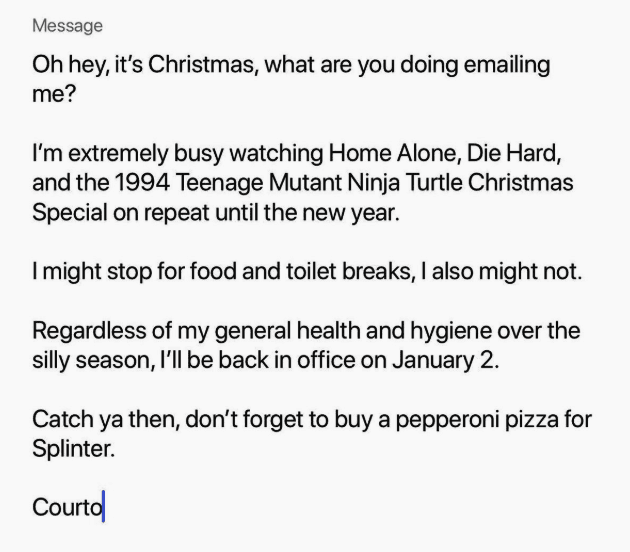 There’s no shame in using Christmas to indulge in your childhood movie tastes, but there is shame in not sharing that adorable side of yourself when people are trying to reach you during the holidays.
So, take a lesson from @courtwhip, editor at PEDESTRIAN.TV, who wrote the above hilarious out-of-office email, fully stocked with mentions of the best movies from the 1990s. (By the way, “Splinter” is from Teenage Mutant Ninja Turtles, and as we all know, he loves pizza.)
Below is an example you could use for yourself. Well, it’s the same email.
Example
Oh hey, it’s Christmas, what are you doing emailing me?
I’m extremely busy watching Home Alone, Die Hard, and the 1994 Ninja Teenage Mutant Ninja Turtle Christmas Special on repeat until the new year.
I might stop for food and toilet breaks, I also might not.
Regardless of my general health and hygiene over the silly season, I’ll be back in the office on January 2.
Catch ya then, don’t forget to buy a pepperoni pizza for Splinter.
15. “Thank you for your consideration during this festive or not-festive time.”
Scared of offending a coworker who may or may not celebrate the holidays? Worry not — I’ve got the perfect email for you. If this OOO message does anything particularly well, it’s that it respects the differing views, religions, traditions, and opinions of your coworkers — while amusing so many others.
It’s also a great impersonation of a robot. So if that’s up your alley…
Example
Hello,
You’ve reached Michael Abioye’s inbox. This is a general notice informing you of Michael Abioye’s absence until January 2nd, 20XX. He is currently partaking in the traditions of a certain holiday, which may or may not be denominational or non-denominational. Example Company is in no way endorsing or not endorsing said holiday, nor encouraging or discouraging employees of all demographics to engage in celebratory activities. Thank you for your consideration during this festive or not-festive time.
Sincerely,
Management
Out-of-Office Messages When Working from Home
Working from home? Try these OOO messages to let people know you’re taking a break.
16. “I’ll get back to you once I’m back from my long-awaited trip to the fridge.”
If you’re taking a vacation and staying home, your clients or coworkers may still expect you to pop into the office and answer their email. Use this autoresponder to let them know you’re really not available — even if you’re bumming around on the couch.
Example
Hey,
Thanks for your email. I’m on vacation. On the couch. Eating chips. And bingeing Stranger Things for the eighth time (don’t tell anyone).
Unfortunately, I can’t answer your email (even though my office is three feet away). I’ll get back to you once I’m back from my long-awaited trip to the fridge. Bought tickets on TripAdvisor and everything.
I’ll be back in the office on the third and will get back to you then.
17. “Alexa, play Vacation by Dirty Heads.”
Do you own an Alexa? This might be the email for you.
Example
“Alexa, play Vacation by Dirty Heads.”
And… it’s playing in the background as I write this email. Guess what? I’m on vacation! And I do love my occupation.
Your email has been received and I’ll get back to you as soon as I get back to my home office. Now, how do I turn off this Alexa thing?
18. “The doorbell just rang. It’s the UPS driver. He’s loading me onto the truck.”
In this email, you’re a UPS package getting delivered to your vacation destination. Ah, I wish UPS offered this service.
Example
Hey — you’ve reached my inbox, but hold on, the doorbell just rang. It’s the UPS driver. He’s loading me onto the truck. Dang, it’s stuffy in this truck with all these boxes. He’s taking me down to… Oh! Florida! And now I’m on the beach. Thanks, UPS driver!
The UPS driver is scheduled to pick me back up on the eighth. He should deliver me back to the office by the ninth (assuming he’s not late like he was this time).
Don’t worry — I’ll wrap myself in bubble wrap so nothing breaks.
Funny OOO Messages Never Fail
Are you fully inspired by the creative out-of-office messages above? It’s time to write your own — your upcoming vacation depends on it. Try HubSpot’s OOO Email Generator if you’re feeling stuck, and remember, an out-of-office email doesn’t need to be boring. On the contrary, it should inform and entertain. You don’t want people hating on you because you took a much-needed break.
Editor’s note: This post was originally published in December 2018 and has been updated for comprehensiveness.

The 201 Best Instagram Captions for Every Type of Post
If you’re anything like me, you take about four minutes choosing a filter for your Instagram photo, and about four hours deciding on a caption.
Worst of all, after much creative effort and advice from friends, I’m usually barely able to write a caption that goes beyond, “Had a fun day with friends!”
And I’m a writer — go figure.
Next time you’re contemplating a witty line of text to go with your Instagram photo, take a look at our complete list of captions that suit any mood or occasion you’ll be sharing with the world. You can also customize these captions to make them perfect for your feed.
Want more inspiration? Check out our Instagram page to see how we incorporate fun, witty, and engaging captions into our social media content.

You can incorporate many of these captions into an Instagram business strategy (just make sure your audience would find your caption funny, clever, or the right amount of sassy.)
Click one of the following links to jump to a section:
- Funny Instagram Captions
- Clever Instagram Captions
- Sassy Instagram Captions
- Song Lyrics for Instagram Captions
- Business Instagram Captions
- Holiday Instagram Captions
- Seasonal Instagram Captions
- Selfie Instagram Captions
- Vacation Instagram Captions
Funny Instagram Captions
- [Employee]’s favorite exercise is a cross between a lunge and a crunch … S/he calls it lunch.
- I need a six-month holiday, twice a year.
- We tried to be normal once. Worst two minutes of our lives!
- There are 16-year-olds competing at the Olympics and some of us still push on “pull” doors.
- That awkward moment when you’re wearing Nike’s and you can’t do it.
- I’m just a girl, standing in front of a salad, asking it to be a cupcake.
- What if we told you … you can eat without posting it on Instagram?
- We know the voices in our heads aren’t real, but sometimes their ideas are just too good to ignore.
- We don’t know what’s tighter: Our jeans or our company culture.
- Friday … Our second-favorite F word.
- We don’t care what people think of us. Unless they’re our customers. We definitely care what customers think of us.
- All you need is love … and investors. All you need is love and investors.
- Hi, we’re [company name]. We build amazing apps and eat amazing apps.
- They say “Do what you love and money will come to you.” Let’s see what happens, I just ordered tamales.
Clever Instagram Captions

- Patience — what you have when there are too many witnesses.
- Maybe she’s born with it, maybe it’s the Clarendon filter.
- “Life is short.” False — it’s the longest thing you do.
- Happy Sunday! There may be no excuse for laziness, but [I’m/we’re] still looking.
- Rejection is just redirection.
- Better an “oops” than a “what if.”
- You have stolen a pizza our hearts.
- The world is changed by your example, not your opinion.
- Seven billion smiles and these are our favorite.
- Stop working hard and start working smart.
- When life gives you lemons, you make lemonade. When [company name] gives you [type of product], you make money.
- Imposter complex is just a byproduct of success.
- Life is simple. It’s just not easy.
- The best times begin at the end of your comfort zone.
- When nothing goes right, go left.
- “Success is making those who believed in you look brilliant.” — Dharmesh Shah
- “If you can’t convince them, confuse them.” — Harry Truman
- The world changes by your example, not your opinion.
- It’s always a good idea to be on the right side of history.
- When you learn, teach. When you get, give.
- Don’t quit your daydream.
- Legend has it that if you look hard enough you’ll see the weekend approaching!
Sassy Instagram Captions

- What’s a queen without her king? Historically speaking, more powerful.
- Be a little more you, and a lot less them.
- We’re an acquired taste. If you don’t like us, acquire some taste.
- Well-behaved people don’t make it into history books.
- Be sunshine mixed with a little hurricane.
- We got 99 problems, but an awesome marketing team ain’t one.
- Sometimes you just need to do a thing called “what you want.”
- You can’t do epic stuff with lame people. And we got the best in the biz.
- It’s not called being bossy, it’s called having leadership skills.
- You did not wake up today to be mediocre.
- A bad attitude is like a flat tire. You can’t go anywhere until you change it.
- We’re entrepreneurs. They call us dreamers, but we’re the ones who never sleep.
Song Lyrics for Instagram Captions

- “I’m gonna live like tomorrow doesn’t exist.” — Sia, “Chandelier”
- “I live for the nights that I can’t remember, with the people that I won’t forget.” — Drake, “Show Me a Good Time”
- “I hope you never lose your sense of wonder.” — Lee Ann Womack, “I Hope You Dance”
- “You may say I’m a dreamer, but I’m not the only one.” — John Lennon, “Imagine”
- “If you give, you begin to live.” -Dave Matthews Band, “you Might Die Trying”
- “Outlining my findings, using life as a stencil.” — Kero One, “In All the Wrong Places”
- “Feeling good living better.” — Drake, “Over My Dead Body”
- “Say oh, got this feeling that you can’t fight, like this city is on fire tonight.” — OneRepublic, “Good Life”
- “Time makes you bolder.” — Fleetwood Mac, “Landslide”
- “If I fail, if I succeed, at least I’ll live as I believe.” — Whitney Houston, “The Greatest Love of All”
- “The rest of the world was in black and white, but we were in screaming color.” — Taylor Swift, “Out of the Woods”
- “Lightning strikes every time she moves.” — Calvin Harris, “This Is What You Came For”
- “We aren’t ever getting older.” — Chainsmokers, “Closer”
- “Sing with me, sing for the years, sing for the laughter, sing for the tears.” — Aerosmith, “Dream On”
- “Life is good.” — Future & Drake, “Life is Good”
- “Life without dreaming is a life without meaning.” – Wale, “Aston Martin Music”
- “But like the sun, know you know I find my way back ‘round.” — J. Cole, “Crooked Smile”
- “I will overcome any hurdle or obstacle that’s in my path.” — OutKast, “Knowing”
Business Instagram Captions

- Good evening, [city]! We’re in town for [event] at Booth [#]. Stop by and say hi!
- “If you’re offered a seat on a rocket ship, don’t ask what seat. Just get on.” -Sheryl Sandberg, COO of Facebook
- Our [#]-person squad completed the [road race name]! And we did it all for the post-run sneaker selfie. 👟
- We got product in the pipeline … check back for an exciting announcement on [date]!
- Diversity isn’t a recruitment metric — it’s an ingredient for success. At [company], we thrive on the unique backgrounds, experiences, and perspectives of our people.
- Spot the CEO. 😉
- At [company name], our best asset is our people.
- We had a great time with our customers at [meeting/event]! @[client/partner], you guys rock.
- Thrilled to have [customer] at our office today! Come back any time. 😊
- [Company name] is off for [holiday]! We hope you all have a safe long weekend.
- Big things have small beginnings. [Company]’s HQ began right here.
- “It is better to fail in originality than to succeed in imitation.” -Herman Melville
- How many [company name] employees does it take to spell “TEAM”?
- Want to work with these awesome people, working on a lot of awesome things? We’re hiring! Click the link in our bio to see our current openings.
- Check, check, one, two … is this thing on? [Company name] is now on Instagram! Follow us to learn about our culture, product, and (awesome) people.
Holiday Instagram Captions
New Year’s
- “Always bear in mind that your own resolution to succeed is more important than any other.” — Abraham Lincoln
- Didn’t make it to midnight.
- Resolutions are made to be broken.
- Ringing in the new year — like a bell.
- “Tomorrow is the first blank page of a 365-page book. Write a good one.” — Brad Paisley
- New year, same me.
- Time to show off my bubbly personality.
- Any excuse to wear glitter.
- Starting off the year on the right foot.
- There are 12 months ahead of us to make a difference.
- Day 1 of 365
- Sip, sip, hooray!
Valentine’s Day

- Roses are red. Violets are blue. Consider this post my Valentine to you.
- Don’t tell me you love me. Tell me you’re outside with pizza.
- All I need is you. (And maybe wine + chocolate too.)
- “You can’t blame gravity for falling in love.” — Albert Einstein
- 99% of my socks are single, and you don’t see them crying about it.
- I will do anything for love. Except that. And that. Or that. Or…
- Sorry, I’m in a relationship with tacos.
- “All the single ladies…” — Beyonce, “Single Ladies”
- In love with my best friend.
- I’m better when I’m with you.
Halloween
- Creepin’ it real.
- I brake for Reese’s Peanut Butter Cups.
- “When the spooks have a midnight jamboree, they break it up with fiendish glee…” — The Legend of Sleepy Hollow (1949)
- You’re just my (blood) type.
- How to eat candy corn: don’t.
- #squadghouls
- Double, double toil and trouble; Fire burn and cauldron bubble.
- Driving me batty.
- “Scary hours” — Drake
Thankgiving
- I’m wearing my elastic pants.
- “For those of you who cannot be with family this Thanksgiving, please resist the urge to brag.” — Andy Borowitz
- On a veggie diet this Thanksgiving: Carrot cake and pumpkin pie.
- “Be thankful for what you have; you’ll end up having more. If you concentrate on what you don’t have, you will never, ever have enough.” — Oprah Winfrey
- I think, therefore I cran.
- Bad day to be a turkey.
- Need fuel for Black Friday.
- “Okay, guys. I have exactly 28 minutes before I have to baste again.” — Monica
- Grateful. Thankful. Blessed.
- Who made the potato salad?
- There’s always something to be thankful for.
Christmas & Hannukah
- You sleigh me.
- Fa la la la llama.
- “O Christmas tree, O Christmas tree, your ornaments are history.” — The Cat
- “It’s not what’s under the Christmas tree that matters. It’s who’s around it.” — Charles M. Schulz
- Dear Santa, let’s not talk about this.
- Rebel Without a Claus
- Doesn’t Santa have anything better to do than watch us while we’re sleeping?
- All I want for Christmas is you (and wine would be nice).
- To all you cotton-headed ninny-mugginses out there.
- Drop it like a top.
- Wishing you a latke love this Hanukkah.
- I want to eat 8 latkes for the calories of one.
- One little candle can light up an entire room.
- Keep calm and spin that dreidel.
- Deck the halls with matzo balls!
- It’s Christmas time and I’m the gift.
- The best gift is to be present with the ones you love.
Seasonal Instagram Captions
Spring
- Hello, spring!
- “And I think to myself, what a wonderful world.” — Louis Armstrong
- April showers bring May flowers.
- I think I just experienced all the seasons in a single day.
- I love allergy season, said no one ever.
- Currently soaking up the sun and smelling the roses. Please leave a message after the beep.
- I owe a lot to the inventor of flip-flops.
- “Here comes the sun, and I say… It’s all right.” — The Beatles
- “Warm winds in the springtime” — SZA, “Warm Winds”
- Springing into the new season.
Summer

- “Live in the sunshine. Swim in the sea. Drink in the wild air.” — Ralph Waldo Emerson
- Life’s a beach.
- School’s out, sun’s out, guns out.
- “A little bit of summer is what the whole year is all about.” — John Mayer
- 90% happy, 10% burnt.
- Girls just want to have sun.
- “Summer lovin’ had me a blast, summer lovin’ happened so fast.” — Grease
- Happiness is a cold popsicle.
- Life is better by the pool.
- “Summertime and the livin’ is easy.” — Ella Fitzgerald, “Summertime”
- “Here comes the sun, and I say… It’s all right.” — The Beatles, “Here Comes the Sun”
Fall
- My favorite color is October.
- “Wild is the music of autumnal winds amongst the faded woods.” — William Wordsworth
- Sweater weather.
- It’s never too early for pumpkin spice.
- Meet me in the corn maze.
- Crisp air. Apple cider. Flaming foliage.
- Pumpkin spice and everything nice.
- “Anyone who thinks fallen leaves are dead has never watched them dancing on a windy day.” — Shira Tamir
- Leaves are falling, and autumn is calling.
- “Days in the sun and nights in the rain. Summer is over, simple and plain.” — Drake & Majid Jordan, “Summer’s Over”
- Falling never felt so good.
Winter
- “In the depths of winter, I finally learned that within me there lay an invincible summer.” — Albert Camus
- If it’s snowing, I’m not going.
- Cozy nights. Good books. Hot chocolate.
- Do you want to build a snowman?
- Running on caffeine and holiday cheer.
- “Winter is not a season; it’s a celebration.” — Anamika Mishra
- Merry and brrrrrrright.
- Having snow much fun.
- ‘Tis the season to be freezin’.
- “Timb’ laces get tighter and parka hoods flip up.” — Drake, “Come Winter”
Selfie Instagram Captions

- Me, myself, and I.
- Be yourself, there’s no one better.
- It’s the happiness for me.
- Smile! The happiness is right under your nose.
- My favorite filter is reality.
- Self-care selfie!
Conquer the world one smile at a time. - It’s a great day to have a great day.
- The greatest gift you can give someone is a smile.
- Self-love is the best love.
Vacation Instagram Captions

- A chance to get away from the everyday.
- Work. Save. Travel. Repeat.
- Staycation loading…
- Collect the moments, not the materials.
- Another destination off the bucket list.
- An adventure to fill the soul.
- The scenic route is always better.
- I need a six-month vacation, twice a year.
- Be back never.
- Catch flights, not feelings.
Capture the Feeling with an Instagram Caption
Even though an image is worth 1,000 words, a well-written caption couldn’t hurt. These days, the caption can make just as much of a statement as the image! For all of the occasions that are worthy of a post to your feed, use one of the quotes from this list and customize it to make it your own.
Editor’s note: This post was originally published in June 2020 and has been updated for comprehensiveness.

Editor’s note: This post was originally published in June 2019 and has been updated for comprehensiveness.


Definitions for 44 Twitter Terms You Were Too Embarrassed to Ask About
This morning, when I scanned my Twitter feed, I did a few MTs and PRTs, asked a follower to TMB, and left SMH at some trolls I found, so I said BFN to Twitter.
Didn’t understand what I just said? Don’t worry — that used to be gobbledygook to me, too.
Twitter has become a social network with its own unique language — and rightfully so. After all, when you only have 280 characters to say what you mean, every word counts.
And don’t just take our word for it. For the best engagement results, Twitter recommends keeping tweets short and conversational, too.
This, my friends, is why marketers need to be well-versed in the language of Twitter.
When I found myself heading for Google every time I checked out my Twitter feed, I knew it was time to start writing some definitions down so I could learn the language myself, so that’s exactly what I did. And what kind of inbound marketer would I be if I didn’t share this great content with you too?
Here are some of the most popular Twitter slang terms you should know. As you find a few to sprinkle into your next batch of scheduled Tweets for your Twitter marketing campaign, try to avoid the temptation to use them all at once — a little goes a long way.
@mention
When you want to “tag” someone in a tweet or direct message on Twitter, you can do so by mentioning them using their Twitter username. Add this mention in and they’ll get a notification that you’ve done so in the “Mentions” section of their account. Essentially, this is used to have conversations with people on Twitter.
#
While known as the pound key on your phone, on Twitter, this symbol is a hashtag, and it’s used in front of other words in a tweet to provide context or to make it easy for users to search for specific topics on Twitter. But be careful not to over-hashtag your tweets — one or two is probably enough.
Bots
Forbes defines bots as “a social networking account powered by artificial intelligence.” Bots are different from trolls because they aren’t people — they’re scripts written by people, waiting to pounce. But every once in a while, you’ll stumble across bots that are created to do some pretty cool stuff.
DM
A “DM,” or “direct message,” is a private message between two Twitter users. It’s different from a public @mention because, in order to send a DM, the recipient must follow you.
Feed
Your Twitter “feed” (HubSpot customers know it as their “Timeline”) is any list of tweets that constantly updates when new tweets that fit the specified criteria pop up. Your home feed updates every time someone you follow tweets.
FF or #FF
#FollowFriday started as a way to recommend other Twitter users to your followers. It happens on Fridays, and you can search Twitter for the hashtag on Fridays to watch the kudos pour in.
Follower
A “follower” is someone who follows you on Twitter and sees your updates on their home feed. Just because someone follows you doesn’t mean you have to follow them back, the way some other social networks work. But if you want to find some insightful marketers to follow, here’s a helpful list to get you going.
Period before @mention
This is the one mistake almost everyone makes on Twitter. If you tweet @username without a period, only your mutual followers (in other words, people who follow both you and @username) and the person your tweeting to
will see it in their streams. Add a period before @username, though, and all of your followers will see your tweet in their streams.
PRT
A “partial retweet” is similar to a modified tweet, but it lets the reader know you’ve taken out some of the original ideas of the tweet, either to save space or to add your own two cents.
Reply
When you reply on Twitter, you’re responding to a particular tweet someone has tagged you in with a @mention. Unless it’s a direct message (DM), a reply can be seen by anyone and everyone, regardless of whether they follow you or not.
RT
A retweet is the basic form of currency on Twitter. When you see “RT” in front of a tweet, it means the person found the content valuable enough to share with their followers. If the original tweet is yours, way to go!
Trolls
Beware! Trolls are people on Twitter who abuse the service by spamming users with off-topic tweets and other erratic behavior. Trolling is a form of internet harassment, so if you think someone is trolling you on Twitter, you can learn how to take action here.
Tweeps
Tweeps are Twitter folks that follow each other from one social network to another. It’s not uncommon for the people you’re friends with on Facebook to also follow you on Twitter — they would be your Tweep. It’s a Twitter-ized version of “peeps.”
Tweet
Arguably the most common Twitter term. Every update you post to your followers on Twitter is called a tweet. Every tweet has a 140-character limit, and remember: Your tweets are public and searchable by anyone on Twitter, even if they don’t follow you. Heck, even CEOs may be listening to your tweets.
Trends or Trending Topic
Any person, place, thing, or idea that a lot of people are tweeting about at once is considered a trend. You can find trends on the left side of your Twitter homepage, and you can even tailor what trends you see based on your location and who you follow.
Tip: Are you a local business? Connecting with users who are in your same geographic location is a great way to get more business value out of Twitter.
Tweeple, Twerson, and Twitterverse
Literally, the people (or person, in the singular) that make up the vast Twitterverse (universe!) of Twitter users.
Unfollow
Just like someone can unfriend you on Facebook, people can choose to unfollow you on Twitter so your tweets stop showing up in their feed. Be careful about aggressively following or unfollowing users, though — it’s a great way to get yourself banned from Twitter.
Via
This term is sometimes used in place of “RT” as a way to let people know where your content is from and to give credit to the original content creator.
Twitter terms are helpful for anyone who’s new to the platform or building a profile for their business. Twitter slang, however, is helpful to be aware of so that you can connect with your audience better. By knowing some common slang terms used in tweets, you can join the conversation with your followers without sounding out of place.
atm
Giving status updates is a common reason for many of the tweets we see on our timelines. As a result, you may have seen the acronym “atm” used in the context of something other than money. This stands for “at the moment” and shouldn’t be confused with an automated teller machine.
atp
Some Twitter users enjoy telling stories on their timelines and a transitional phrase used in those narratives is “at this point”. Of course, with just a limited number of characters per Tweet, users abbreviate words anywhere they can, so “atp” might take the place of that phrase.
BFN
If you’re having a Twitter conversation, one polite way to sign off is to say this, which stands for “bye for now.” It lets the other person know you’re signing off and that any further tweets may go unanswered for a period of time.
BR
Just like in email, there’s something to be said for social media etiquette, and “best regards” is another nice, commonly used sign-off when leaving a conversation on Twitter.
Canceled
Cancel culture has been around for nearly half a decade and it’s very popular on Twitter. It’s usually reserved for high-profile members of society like celebrities, politicians, and influencers. If these individuals behave in a way that disturbs expectations (whether reasonable or unreasonable) they can be canceled by “cancel culture twitter.” There are varying opinions about cancel culture.
Crank Tweet
Remember when you used to make prank phone calls? (C’mon, don’t be shy — everyone’s done so at one point or another.) Well, crank tweets are the new prank calls, except in written form. They’re misleading tweets, tweeted on purpose.
EM
This one’s simple enough: It’s short for “email me.”
FTW
When someone comes in to save the day on Twitter, they might get praised with tweets that mention them directly followed by “FTW!” This stands for “for the win” and is derived from sports games where the commentator announces the name of a player who scored the game-winning point.
Fub free
Fub free means “follow, unfollow, block” free. Some Twitter users add this phrase in their Twitter bio to let followers know that they won’t be upset or retaliate if a follower unfollows or blocks their account. This is commonly used for Twitter accounts that tend to post spoilers to movies or temporarily post content their followers may otherwise not want to see. These followers might block or unfollow the account for a period of time and return later when the undesirable content has ceased.
HAND
You should smile if you see this tweeted at you. Why? Because someone on Twitter is telling you to “have a nice day!”
HT
A “hat tip” is usually followed by someone’s Twitter username. Using HT means you aren’t quoting or retweeting them directly, but instead acknowledging that the user gave you the idea for the content you’re tweeting.
ICYMI
This acronym for “in case you missed it” can be used when someone is tweeting about big news or a trending topic a few days after the fact, or they’ve already tweeted about it. Searching “ICYMI” on Twitter is a great way to catch up on what you’ve missed if you’ve been off the Twitter radar for a few days.
IDK
When 280 characters is your limit, shortening words is a must. Thus, typing “I don’t know” is sometimes too long to include in a tweet, believe it or not.
IFYKYK
“If you know, you know” is a term used by people who want to maintain some exclusivity to their Tweet. An underground artist, a hole-in-the-wall restaurant, or even another acronym may all be adorned with a tweet that reads “IFYKYK”. And if you didn’t know, well now you know.
IJS
“I’m just saying” might seem redundant, but the acronym gives some tone and context to a tweet. Perhaps the user wants to introduce a difference of opinion to the conversation, or maybe they don’t want to be held responsible for the consequences of what they just said. Regardless, you might see “ijs” pop up on your timeline every once in a while from an opinionated Twitter user.
IMO or IMHO
You’ll usually see “in my opinion” or “in my humble opinion” when someone wants to agree or disagree with a piece of content they’re sharing. That way, the reader knows it’s opinion, not fact.
MT
This means “modified tweet,” which is a retweet that you had to clip to save space. However, it should still hold the meaning of the original tweet.
NTS
“Note to self” is a good way to mark tweets that you want to go back to later. It’s also used when someone is trying to be sarcastic or funny. For instance, I might tweet: “NTS: Pizza is way better cold — especially when it’s for breakfast.” (Which we all know is true, of course.)
OOMF
If you don’t want to mention one of your followers directly, but you want to say something about them, you might use the acronym OOMF which means “One of my followers.” This term can be used in a neutral way or in a passive-aggressive tone if you’re subtweeting your follower.
SMH
“Shaking my head” usually accompanies a tweet when someone can’t believe or doesn’t understand the content they’re sharing. It’s a total mimic of real-life body language.
Stan
If you’re familiar with fans of celebrities, you’ll catch on quickly to Twitter stans. These are overzealous and slightly obsessed fans of celebrities or influencers. The term is a combination of “stalker” and “fan.” There are mixed opinions about whether stan culture is healthy for the stan or the celebrity.
Subtweet
Occasionally, people Tweet about other Twitter users without mentioning them using the @ symbol. This can be done passive-aggressively or even in a flirtatious manner. There are two types of subtweets: overt and covert. An overt subtweet may still mention the person by name but without mentioning their Twitter with the @ symbol so that it is tied directly to them. A covert subtweet won’t mention names at all, but will instead give subtle hints about who the subject of the tweet might be.
TBH or TBQH
This is shorthand for “to be honest.” You may see a “Q” pop in there, for “to be quite honest.” (Fancy, we know.)
TFTF
You always want to say thank you, so “thanks for the follow” is a nice way to recognize that someone has decided to add you to their Twitter feed.
TMB
If you see “tweet me back” when someone mentions you on Twitter, they want you to literally tweet them back with an answer to or your opinion of their tweet.
Twitterati
The “Twitterati” is a group of A-list Twitter users that have a big number of followers and are famous in Twitter circles (and sometimes outside too).
Should your business use Twitter slang?
Twitter slang isn’t a good fit for every tweet, but just about every business can benefit from shortening a word or phrase to meet the character limit. Before you rule out Twitter terms and slang altogether, take a look at this list to see how you can make your statement short and sweet. After all, people want to hear from people, not brands, so speak like your followers do and start a genuine conversation on Twitter ASAP.
Editor’s note: This post was originally published in October 2013 and has been updated for comprehensiveness.

Build a Better B2B Website in 3 Steps
Today’s B2B buyers rely on digital channels through every stage of their journeys — even long after in-person sales interactions with reps.
As a result, commercial organizations’ efforts to identify, nurture, and pursue opportunities “serially” — first through digital engagement via marketing, followed by a hand-off to sales for in-person interaction — is failing to support the way customers actually buy.
Instead, the best companies must evolve a “parallel” commercial engine, where digital and in-person strategies complement each other at every stage of the buyer’s multi-channel journey.

In other words: We have all worked hard to create for our organization a “seamless view of the customer.” Now, it’s time to build a seamless view of our organizations for customers.
To get there, most suppliers will have to re-think — and ultimately, re-design — their websites, as customers aren’t just buying digitally. They’re relying heavily on suppliers’ websites to do so.
In fact, we found suppliers’ websites to be the most frequently-consulted digital channel for customers at every stage of the purchase process.
And yet, the vast majority of B2B websites aren’t designed to support that kind of buying behavior. Instead, they’re primarily designed to “broadcast.”
Specifically, we’re all seeking to tell the world three things: (1) who we are, (2) what we do, and (3) how we help.
To help buyers buy, however, B2B websites will have to meet three critical — and very different — design principles moving forward.
For inspiration on how the best B2B websites are built to impress, check out this video.
Build a Better B2B Website in 3 Steps
- Give customers an entry point on their terms.
- Signal your solutions in customers’ language.
- Help customers do what they are on your site to do.
1. Give customers an entry point on their terms.
After reviewing hundreds of B2B websites across every major industry, we found only a handful that purposefully invite customers into a conversation. To do that, suppliers need to stop talking so much about themselves.
Rather, they should provide customers with an opportunity to share something about who they are, and what they’re looking to do — on their terms.
Really, it’s no different than common courtesy at a cocktail party. No one wants to be stuck talking to the person droning on about who they are and what they do. Yet that’s precisely what the vast majority of B2B websites do.
Not only is that kind of self-centered approach disengaging, but it also leaves the buyer wondering, “Do they even know who I am? Or what I actually do?” Or worse, “Do they even care?” It’s impersonal at best, and off-putting at worst — fostering questions rather than connections, and distance rather than assistance.
That said, we found a handful of websites that do, in fact, actively invite customers to engage on their terms. Square, for example, asks customers to identify their business sizes and types as a first step to entering the site. It’s the first — and nearly only — thing a visitor encounters upon landing on the home page. That information allows Square to offer customers what feels like a much more customized web experience.
Another example is vAuto.com. A division of Cox Automotive, vAuto sells enterprise software to auto dealers around world. Among those dealers are both used and new car sellers, along with wholesalers — some franchise-based, and some independent.
Those distinctions matter — not only for finding the appropriate vAuto solution, but they help to identify how that customer thinks about themselves.
vAuto has designed the front page of its website to allow buyers to self-identify along the dimensions most important to them, prior to going any deeper. The customer’s first choice upon landing at vauto.com is declaring, “I’m New Car,” “I’m Used Car,” or “I’m Wholesale.”
Notice that even the pronouns are specifically chosen to position the website as a learning and buying tool for customers, rather than a broadcasting tool for the supplier.
Questions to ask yourself:
- How do our customers define themselves?
- In their minds, which aspects of their identity most affect the way they look at suppliers like us?
2. Signal your solutions in customers’ language.
Just as the best websites invite customers into a conversation, they also guide buyers to supplier solutions using the language of customer outcomes — rather than supplier capabilities.
The best companies take the time to understand the specific business objectives customers are seeking to achieve, then organize their sites using language immediately recognizable to customers along those particular outcomes. That way, customers don’t have to translate.
Here’s another place where vAuto excels. The company employs actual customer-articulated business problems as the organizing framework for diving deeper into their broad solution set. It organizaes this information around headings like, “No one’s buying my inventory,” and, “The internet is killing my profits.”
At every step, the goal is to make online learning and buying as easy and as resonant as possible — all through an easy-to-follow path of breadcrumbs leading directly to vAuto’s unique solutions.
Questions to ask yourself:
- What help are customers seeking from a supplier in your category?
- What specific language would best resonate with your customers to describe that help?
3. Help customers do what they are on your site to do.
Finally, the best websites identify and then facilitate the specific tasks that customers come to your website to complete.
Take something like a cost calculator embedded directly into a website. A tool like that enables customers to independently calculate the costs of (in)action, rather than relying on sales reps to make the case for change. It’s a simple, practical idea, but it’s deployed with single-minded purpose: to allow the buyer to easily progress along the journey, while remaining in her preferred channel of choice.
Questions to ask yourself:
- What specific buying tasks are your customers coming to your website to complete?
- How easy is it to find support for those tasks on your site right now?
There’s a great deal to be learned from the handful of world-class websites we found as part of our work. For a more detailed discussion, check out this video, where you’ll also find examples and a practical worksheet to plan next steps.
![Blog - Website Redesign Workbook Guide [List-Based]](https://no-cache.hubspot.com/cta/default/53/4b5bb572-5d0e-45b8-8115-f79e2adc966b.png)

Why HubSpot is Launching a Podcast Network
We’ve built HubSpot on the belief that you earn attention by being of value. That belief is at the very heart of HubSpot’s success; creating remarkable content is what makes a remarkable brand.
We’ve spent the past decade investing in educational content to help all kinds of business builders be successful. Marketing, sales, customer support, customer success, product, engineering, entrepreneurs are all helping to build and grow businesses. And, we’ve provided free education through our blogs, YouTube, Academy, and podcasts to help.
With nearly 114,000 customers now using HubSpot to scale their companies, our ambitions around content have only gotten bigger.
It’s why we’re excited to announce the launch of HubSpot’s Podcast Network, a new audio destination that is home to six great shows that represent a wide range of business topics and backgrounds. Together, this collection covers the scope and mastery every company needs to find success. The inaugural members of the network are:
- Entrepreneurs on Fire, which delivers the inspiration and strategies you need to fire up your entrepreneurial journey and create the life you’ve always dreamed of.
- Business Infrastructure, which provides solutions and real-life stories to owners and operators of fast-growing small businesses seeking practical tips for creating the operations and business infrastructure needed to grow a company.
- Being Boss, an exploration of not only what it means, but what it takes to be boss as a creative business owner, freelancer, or side-hustler.
- The MarTech Podcast, which tells stories of marketers who use technology to generate growth and achieve success by unearthing the successes and pitfalls of industry experts and the tools and tips that they’ve learned along the way.
- The Salesman Podcast, which helps sales professionals learn how to find buyers and win business in a modern, effective, and ethical way.
- My First Million, where the hosts brainstorm new business ideas based on trends and opportunities in the market, and share the stories of how companies made their first million.
Why a Podcast Network?
We believe the popularity of audio will continue to grow. It’s a media format that is continuing to evolve and get better.
Companies like Apple and Spotify are investing more in podcasts, and companies like Clubhouse are innovating in how we consume and connect around audio.
More and more people are listening to podcasts. In fact, more than 116 million people in the USA listen to podcasts monthly — that’s over 61% growth in under three years. Each week more Americans listen to a podcast than have Netflix accounts.
But, one common challenge for people is how to discover great podcasts, ones that can help them unlock their problems and provide them with the inspiration to do better. As the number of podcasts grows, how do you find the ones that are best for you?
HubSpot’s Podcast Network brings together the best in class business shows that educate and inspire – all in one place. It will help introduce people to new shows, episodes and creators who can help unlock their next phase of growth.
The Podcast Network will help us to reach and serve millions of business builders, and we’re excited to keep adding new creators and shows so our audience can get the best content from whoever can serve them best.
What’s Next
We want to continue to be the premier source of education for business builders, but we also want to pair that education with stories that inspire.
We want to shine a light on the experts, brands, and leaders who’ve overcome their obstacles, disrupted their markets, and have remarkable things to say. We want to make sure our audience has the latest trends that matter to them and help them understand what those trends mean for their careers and business.
We want to ensure all business builders have the content they need in whatever medium they choose to consume it, whether it’s a blog post, newsletter, podcast, or video.
With the acquisition of the Hustle back in February, and by launching our podcast network, we’re working to ensure our audience gets the best content from HubSpot’s media team, and the creators who can educate and inspire them.
Learn more about the HubSpot Podcast Network here.

Why HubSpot is Launching a Podcast Network
We’ve built HubSpot on the belief that you earn attention by being of value. That belief is at the very heart of HubSpot’s success; creating remarkable content is what makes a remarkable brand.
We’ve spent the past decade investing in educational content to help all kinds of business builders be successful. Marketing, sales, customer support, customer success, product, engineering, entrepreneurs are all helping to build and grow businesses. And, we’ve provided free education through our blogs, YouTube, Academy, and podcasts to help.
With nearly 114,000 customers now using HubSpot to scale their companies, our ambitions around content have only gotten bigger.
It’s why we’re excited to announce the launch of HubSpot’s Podcast Network, a new audio destination that is home to six great shows that represent a wide range of business topics and backgrounds. Together, this collection covers the scope and mastery every company needs to find success. The inaugural members of the network are:
- Entrepreneurs on Fire, which delivers the inspiration and strategies you need to fire up your entrepreneurial journey and create the life you’ve always dreamed of.
- Business Infrastructure, which provides solutions and real-life stories to owners and operators of fast-growing small businesses seeking practical tips for creating the operations and business infrastructure needed to grow a company.
- Being Boss, an exploration of not only what it means, but what it takes to be boss as a creative business owner, freelancer, or side-hustler.
- The MarTech Podcast, which tells stories of marketers who use technology to generate growth and achieve success by unearthing the successes and pitfalls of industry experts and the tools and tips that they’ve learned along the way.
- The Salesman Podcast, which helps sales professionals learn how to find buyers and win business in a modern, effective, and ethical way.
- My First Million, where the hosts brainstorm new business ideas based on trends and opportunities in the market, and share the stories of how companies made their first million.
Why a Podcast Network?
We believe the popularity of audio will continue to grow. It’s a media format that is continuing to evolve and get better.
Companies like Apple and Spotify are investing more in podcasts, and companies like Clubhouse are innovating in how we consume and connect around audio.
More and more people are listening to podcasts. In fact, more than 116 million people in the USA listen to podcasts monthly — that’s over 61% growth in under three years. Each week more Americans listen to a podcast than have Netflix accounts.
But, one common challenge for people is how to discover great podcasts, ones that can help them unlock their problems and provide them with the inspiration to do better. As the number of podcasts grows, how do you find the ones that are best for you?
HubSpot’s Podcast Network brings together the best in class business shows that educate and inspire – all in one place. It will help introduce people to new shows, episodes and creators who can help unlock their next phase of growth.
The Podcast Network will help us to reach and serve millions of business builders, and we’re excited to keep adding new creators and shows so our audience can get the best content from whoever can serve them best.
What’s Next
We want to continue to be the premier source of education for business builders, but we also want to pair that education with stories that inspire.
We want to shine a light on the experts, brands, and leaders who’ve overcome their obstacles, disrupted their markets, and have remarkable things to say. We want to make sure our audience has the latest trends that matter to them and help them understand what those trends mean for their careers and business.
We want to ensure all business builders have the content they need in whatever medium they choose to consume it, whether it’s a blog post, newsletter, podcast, or video.
With the acquisition of the Hustle back in February, and by launching our podcast network, we’re working to ensure our audience gets the best content from HubSpot’s media team, and the creators who can educate and inspire them.
Learn more about the HubSpot Podcast Network here.
Clubhouse vs. Podcasts: Which Should Marketers Use? [Data + Expert Tips]
Ah, Clubhouse versus podcasts — an age-old debate.
Just kidding. But, while both of these audio tools are relatively new to the business world (in fact, Clubhouse is less than two years old), they’ve both attracted large, engaged audiences.
And, even though each audio tool is vastly different, they serve similar purposes.
Hear me out: Podcasts, at their core, are meant to inspire and provoke interesting conversations around a variety of topics, including crime shows, celebrity interviews, health and fitness, or business and entrepreneurship (to name a few).
Clubhouse operates on a similar principle: to encourage lively conversations and debates around a variety of niche topics. As Clubhouse Founders Paul Davison and Rohan Seth have said, “The thing we love most is how voice can bring people together.”
That message — of the importance of voice to bring people together — is just as true for podcasts as it is for Clubhouse.
Which leaves many marketers wondering: Which one is more worth my time?
Here, we’ll explore the pros and cons of investing your time and resources into podcasts vs. audio chat rooms like Clubhouse, and which is ultimately a better long-term decision for your brand.
Since I’m no podcast or Clubhouse expert, I’ve collected the wisdom of various experts on both sides to paint the full picture.
Let’s dive in.

Clubhouse vs. Podcasts: Which Should Marketers Use?
To start, let’s explore a recent survey I conducted on which audio activities people prefer — listening to podcasts, listening and participating in conversations on Clubhouse, or neither:
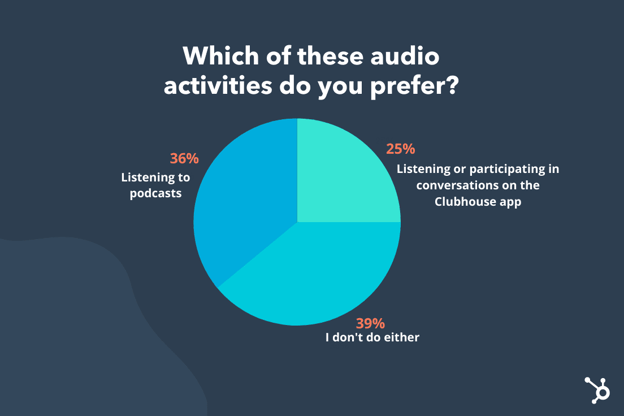
As you can see, the majority of those polled — 75% — prefer listening to podcasts, or doing neither. That leaves Clubhouse as a preference for only one quarter of respondents.
To be fair, podcasts have been around longer than Clubhouse. In fact, the first podcast was created back in 2004, and as of April 2021, there are now over two million podcasts available.
Additionally, one of the major benefits to listening to a podcast is that the content is available on-demand, meaning I can choose when to download and listen — it isn’t live, like Clubhouse. This enables listeners to have complete control over what topics they consume, and when.
A listener might pick-and-choose one pre-recorded crime show episode on her drive to work, for instance, and another episode about parenting on her drive home.
There are a few major benefits to using podcast as a brand awareness or lead generation strategy. Let’s dive into a few of those, now:
- Podcasts enable you to reach a younger audience. 49% of U.S. citizens between 12 and 34 listened to a podcast in the previous month — followed by 40% of people ages 35 to 54, and 22% of people ages 55 and above.
- Podcast advertisements are powerful. A Nielsen report found podcast ads generate 4.4X better brand recall than display ads, and 61% of consumers who heard a podcast ad were more likely to purchase the featured product.
- Podcast provides you with a major reach. 55% (155 million) of the U.S. population has listened to a podcast – up from 51% in 2019.
- Podcast is long-form content. Some of the most popular podcasts are well over an hour long — Morbid: A True Crime Podcast (currently #8 on Apple’s Top Charts) episodes range between one hour and one hour, 45 minutes; Armchair Expert with Dax Shepard (currently #18 on Apple’s Top Charts) episodes are roughly one hour, 30 minutes each. This provides you with a ton of opportunity for increasing brand loyalty and, ultimately, conversions.
While these statistics help demonstrate the power of podcast, I wanted to ask a few podcast experts to hear more qualitative insights regarding the “Clubhouse vs. podcast” debate.
Let’s dive into that, now.
Podcast Experts Weigh In: Why is Podcast Better?
To start, I spoke with Matthew Brown, HubSpot’s Senior Podcast Producer.
Brown told me, “One of the key differences between live audio and podcasts are listener behaviors. Live audio is typically a passive engagement, while podcasts are more of an active engagement.”
“On Clubhouse, something might happen at any moment. On a podcast, something should happen at every moment.”
Of course, there’s something tantilizing about listening to live audio — perhaps it’s the authenticity, or the sense that you’re a fly-on-the-wall for a private conversation happening between two people in real time, without the option to edit out any uncomfortableness. But, similar to watching a long, unedited scene of The Real World, it can also get boring. Quickly.
Brown adds, “Clubhouse, and other live audio platforms, just cannot equate to highly-produced and edited podcasts. They’re too dissimilar in almost every way. You know … aside from the whole both involving audio thing.”
Ultimately, if you’re interested in testing out Clubhouse as its own potentially powerful marketing channel, Brown encourages you to consider the needs of that platform as entirely separate from podcasting: “Clubhouse is to podcasts as Twitch is to YouTube. A Twitch streamer takes the best moments of their live stream and packages it up for their YouTube channel.”
“There’s serious benefits in repurposing content. But each channel — and the expectations of creators and audience alike — is fundamentally different. So you need to understand those limitations, and make the best content you can for that given platform.”
There are also some long-term revenue benefits to podcasting. For instance, I asked Zachary Ballenger, CRO at Casted, whether podcasts can ultimately impact a company’s bottom line.
He told me, “Podcasts have the ability to drive real results in terms of leads and revenue. [But] podcasts need to be fully incorporated into your marketing campaigns and amplified across every channel to be effective — including blog posts, social media, landing pages, and ad retargeting.”
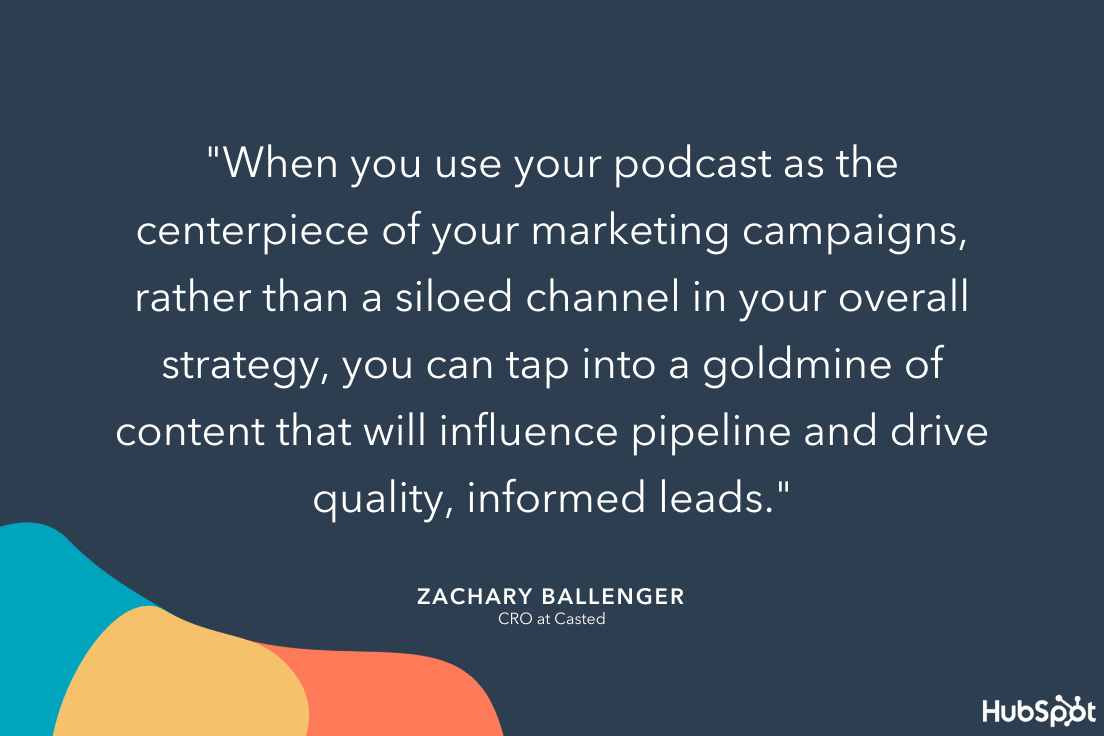
Jacob Penn, a Corporate Analytics Manager at iHeartMedia, agrees that podcasting is a more proven strategy for long-term ROI. He says, “Being trustworthy has allowed podcast hosts to build long-term connections with listeners and turn host-read ads into a very native experience. That’s why 53% of podcast listeners actually enjoy hearing ads.”
“Businesses can use podcasts as a vehicle to reach listeners who are in a mindset to new messaging.”
Penn adds, “As of today, Clubhouse is still in their infancy phase and we don’t know how users will interact with this platform in the long term. With podcasts, they have been around for over 20 years and brands are beginning to realize their potential as an advertising platform. That is why over $1 billion in ad revenue is expected in podcasts in 2021.”
Simply put: Podcasts have a proven track record of success for business growth, but only when done effectively. (Interested in starting your own? Take a look at Everything You Need to Know About Starting a Podcast in 2021.)
Holly Shannon, Producer & Host of the Culture Factor 2.0 and author of the book Zero To Podcast, says that podcasting is a fantastic opportunity for businesses to reach new audiences. She told me, “The question I ask leaders is, Are you your industry’s best-kept secret? If the answer is yes, then podcasting could be a way to create content that serves your business in many ways.”
“For one,” She says, “It can highlight you and your team as thought leaders. This allows you to speak authentically and bring your value to the table for all to hear globally, which can result in other keynote speaking opportunities and lead generation.”
Shannon is also a fan of podcasting as an opportunity for content repurposing. She suggests using the podcast transcripts as SEO-optimized blog posts on your website after-the-fact, as well as using pieces of that audio for subsequent social media posts.
A podcast is also a good opportunity to create a sense of community — and you can engage with that community offline, as well. As Shannon suggests, “Podcasting enables you to create a community of listeners, subscribers, and followers. This community can be served later with virtual or live conferences — thus creating a pathway to monetization.”
Can the same be said for Clubhouse? Let’s dive into that perspective, next.
Clubhouse Experts Weigh In: Why Is Clubhouse Better?
HubSpot’s Marketing Manager Chris Eberhardt is in charge of HubSpot’s Clubhouse programming for the HubSpot Marketing Club, so he’s seen first-hand the power of Clubhouse for business.
Eberhardt told me, “Clubhouse can be a good option for a company that wants to create a presence in audio but wants to avoid the saturation and production quality involved in podcasts.”
He adds, “But it’s important to understand that the use case for Clubhouse is actually different than the use case for podcasts. Podcasts are on-demand, whereas Clubhouse is live social audio. It’s an important difference: Podcasts can be scripted and highly-produced, whereas Clubhouse is closer to a live radio show.”
Eberhardt would recommend using Clubhouse for the following reasons:
- You don’t have enough bandwidth/resources to create a high-quality podcast.
- You want to more easily differentiate your brand on Clubhouse (since the podcast marketplace is more heavily saturated).
- You want to form a space to connect with your audience directly, and open up the rooms for audience questions and engagement.
- You want one of your leaders to build their brand in the space.
Eberhardt says, “It’s important you use Clubhouse as a live space for authentic conversation and connection — not to lecture. For instance, perhaps you start a reaction room for a big announcement or product launch, develop a format for a live show that you run on a consistent basis, bring on guests with large followers early to build a presence, or start a club that your brand hosts.”
Benjamin Shapiro, host of the Martech Podcast, agrees that Clubhouse is a potentially powerful option for brand growth.
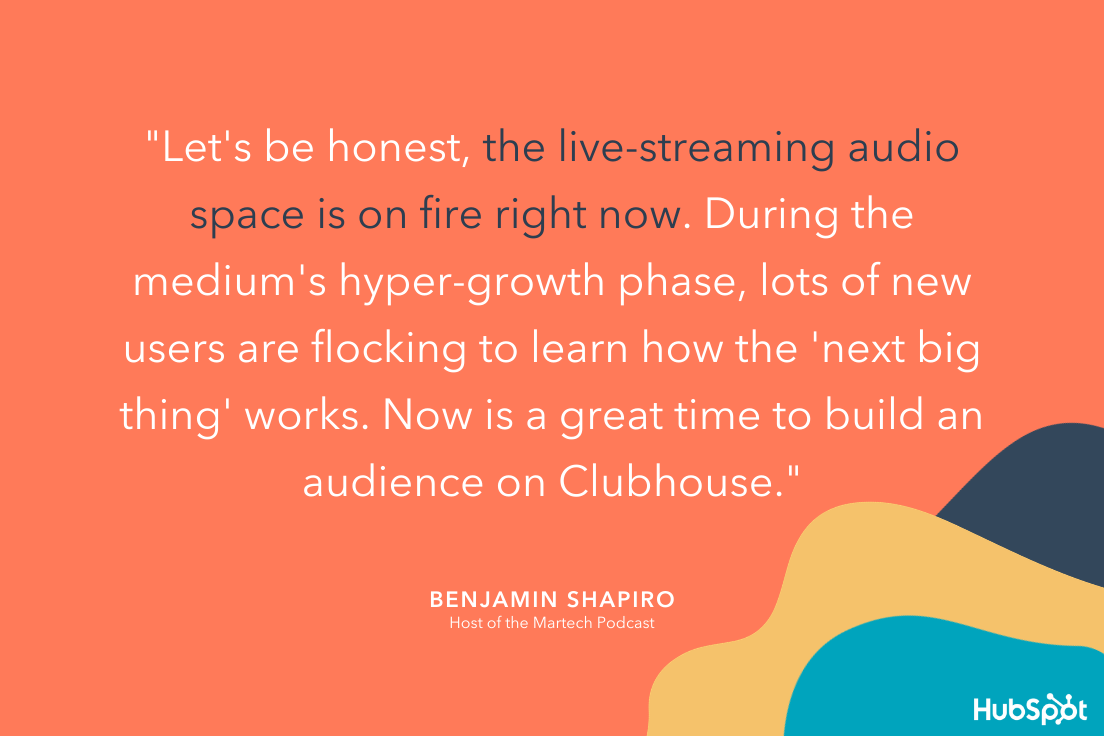
He adds, “While the interactive social features are unique to the times, my belief is that live-streaming audio services will settle into a medium of content distribution that is most relevant during real-world events.”
Additionally, Krystal Wu, HubSpot’s Social Community Marketing Manager, is a fan of audio spaces as the host of a weekly Twitter Space, and she does see plenty of benefits to audio spaces over podcasts.
Wu told me, “I host weekly Twitter Spaces to connect with marketers. I love it because it’s more of a feature to an enhance a product, versus a product in itself. I’ve found I can have short, random discussions or longer, more in-depth discussions.”
“Either way, it’s real, in-the-moment content that podcasts otherwise can’t offer.”
Wu adds, “I think podcasts is more of an opportunity to educate and listen to other people’s stories while multitasking on other things. Looking to clean my house for 30 minutes? Great — I’ll play a podcast for that 30-minute timeframe so I can match it up … Spaces, on the other hand, is more in-the-moment communication — you don’t exactly know what you’ll get, and that’s what’s neat about it.”
If you’re interested in testing out Clubhouse for your own business, take a look at How to Use Clubhouse: A Step-by-Step Guide.
Why not both?
Of course, there’s one other option we haven’t yet considered: Should you try both?
Any good marketer knows the importance of testing out various channels and iterating on a marketing strategy over time based on those results. So, if you’re unsure whether your audience prefers Clubhouse or podcasts, you might want to test both.
You might even find that both tools work well together to create a more cohesive, powerful marketing strategy.
For instance, Asad Zulfahri, a Principal Marketing Manager at HubSpot, told me: “I run a weekly room on Clubhouse, and then that session gets recorded to form a podcast. Those who attend live can also participate in the Q&A at the end. I then summarize the Clubhouse content into a blog post as well, for an additional distribution option.”
“Clubhouse can be an easy entry-point to those who are thinking about podcasting. You can practice speaking publicly and then record the session (with permission, of course).”
For instance, take a look at Asad’s Clubhouse live room:
… And then, Asad’s post-Clubhouse podcast episodes:

You might try this for a few weeks, and then iterate if you feel the majority of your audience prefers one channel over the other.
Shannon agrees, saying, “Clubhouse to me does not have to be a zero sum game. I believe it’s highly complementary.”
For instance, she suggests trying to record your podcast interview live on Clubhouse, which enables you to host a Q&A post-interview and engage with your community. (Plus, if you’re not happy with the Q&A portion, you can always cut it post-production.) Alternatively, she says you might do a pre-show where you speak with your audience to crowdsource questions for your podcast guest.
Shannon told me, “Today, you need to be open to where you can find your audiences. Algorithms within each platform fluctuate, and thus change when your followers see your posts. So if you can jump onto new platforms as an early adopter, you get traction. I’m a big advocate of cross-pollinating audiences, and diversifying where your brand shows up.”
Ultimately, Clubhouse and podcasts serve different purposes and meet the needs of vastly different audiences.
As Shapiro asserts, “There will be scenarios where live broadcasts are going to be the most relevant way to engage a community (i.e. interact with a MarTech conference live from your desk). There are also scenarios when on-demand content will be the more relevant medium (i.e. learn about MarTech by listening to a podcast on your morning commute).”
“There is going to be a place in the world for both live and on-demand content in audio, just like with text (blogs versus Twitter) and video (TV versus Netflix).”
If you’re unsure which is best-suited for your brand, consider a few important factors — including your team goals and priorities, the amount of resources you have available for audio recording, and whether you can test Clubhouse or podcasting on a small scale before going all-in on your audio tool of choice.
Listen, learn, and grow with the HubSpot Podcast Network. HubSpot Podcast Network is the audio destination for business professionals who seek the best education and inspiration on how to grow a business.

