Welcome to My Blog
How to Map Your Ecommerce Customer Journey [Template Included]
We’ve talked a lot about the customer journey — how it impacts sales, service, and marketers.
But one segment that feels a little different is the ecommerce customer journey. The customer journey is different from service based companies, because it can be much quicker (buying from Amazon or an Instagram ad).
However, if you work at an ecommerce company, it’s important to understand the customer journey: all the touch points and stages.
Below, let’s learn how to map your ecommerce company’s customer journey. Plus, you can download some templates to help you get started.

Touch points can include when someone sees a social media ad, when a friend tags them in a post online, when they come across your website, when they read a blog of yours, when your product shows up on Google, when they search on Amazon, etc.
The journey from when they first come in contact with you to when they purchase your product to if they reach out for a return is included in the ecommerce customer journey.
Writing down these touch points might make you realize that the journey on your website isn’t ideal. If that happens, you can look for solutions to help you, like WooCommerce (a WordPress plug in).
Now, let’s explore the various stages of the ecommerce journey.
1. Awareness
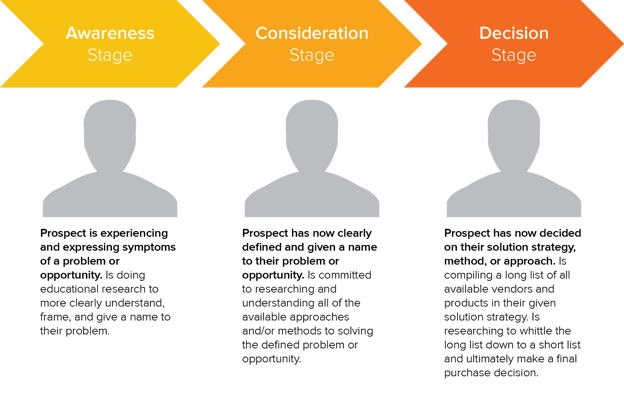
The first stage of the ecommerce customer journey is awareness. During this stage, a potential customer is experiencing a problem and is doing research to understand their problem.
During this stage, customers are researching the issue they’re having, seeing if it has solutions, overcoming misconceptions, and prioritizing solutions.
2. Consideration
In the consideration stage, potential customers are researching products and methods to solve their problem.
For example, let’s say that I want to start a morning routine. I do some research on Google and see a few ads on social media and realize I want a morning routine journal.
Now that I know what I want to buy and how to fix my problem, it’s time to research solutions. I’ll go to Google and Amazon and see what morning routine journals are available and which ones have the best reviews.
3. Decision
During this stage, potential customers are now narrowing down their list to the top products they want to buy.
This is when they’re learning what makes your product stand out from the competition, and why your product is the one they need. During this stage, it’s important to understand the various touch points so you can communicate what makes your product unique.
4. Retention
For ecommerce, I decided to add one more stage to the customer journey. That stage is retention. After a customer buys your product, their experience and decision to buy from you again relies solely on the quality of your product and customer service.
Let’s say the package was missing, delivered to the wrong address, or they want to return the product. If that experience doesn’t go well, they won’t buy from you again. If it does go well, they’ll probably consider leaving a positive review.
Additionally, during the retention stage is when you can consider retargeting marketing and social media ads so more of your products show up for them online.
Once you’ve delighted your customers, they start to see you show up online, and want to engage with you, they’ll buy from you again and again.
To learn more about ecommerce marketing, you can check out HubSpot Academy’s free ecommerce marketing course.
Now that we understand the ecommerce customer journey, let’s visualize it with a customer journey map.
Essentially, this map will be a visualization of the start-to-finish customer journey. The point of creating this map is to not only understand the customer journey, but also to plan how you’re going to improve the customer experience at every touch point.
For example, HubSpot customer, CODE41, was able to optimize their ecommerce customer journey through HubSpot’s Marketing Hub, Sales Hub, and Service Hub.
With Marketing Hub, CODE41 sends millions of emails (yes, millions) to their lists. With Sales Hub, they have the customer support team automate reminders to minimize the customer support failures: not following up on client requests, not forgetting to check payment status, etc.
Lastly, the company uses Service Hub to generate reports for how many tickets they have that were returned, complaints, repairs, etc. This helps them improve their customer experience and retention in the process.
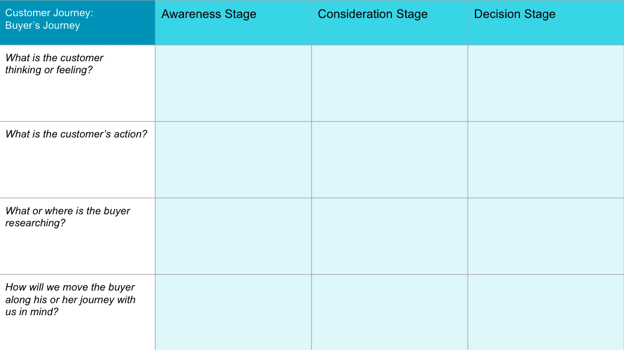
If you want to get started with your own ecommerce customer journey map, you can use HubSpot’s customer journey map template, where you’ll brainstorm what the customer is thinking or feeling, what their actions are, what they’re researching, and how they go from consideration to decision.
For more information, you can check out this post on customer journey thinking, and watch the video below to learn more:
Now, you might be wondering, “How do I create an ecommerce customer journey map?”
Well, first you’ll create your buyer personas, and then envision what your ideal customer goes through when they’re seeking your product.
Once you do that, take HubSpot’s ecommerce marketing course, and download our templates, then you can just fill out the template and brainstorm how to improve the journey at every touch point.
Ecommerce customer journey mapping is an essential part of understanding your target audience and improving the customer experience. Focusing on providing the best customer experience will help retain customers and drive more leads and sales.

What Is Last Click Attribution and How to Use It
For your team’s marketing efforts to be effective, you need to know which marketing channels and touchpoints are resonating with your audience most — you must understand which channels and touchpoints are so successful at whatever it is they do that they make leads want to convert.
Last click attribution can help you with this — it assists in identifying which marketing touchpoint prompted a conversion in the final part of the buyer’s journey.

Last Click Attribution Model
In this blog post, we’ll cover all things last click attribution including how it’s defined, what makes it unique, how your marketing team can use it, and more.
Pros and Cons of Last Click Attribution
Last click attribution is helpful if you want to know which of your marketing channels and touchpoints have the most influence in the final stage of the buyer’s journey.
While this is helpful information, it doesn’t account for the numerous other channels and touchpoints that impacted a customer from the very start of the buyer’s journey. This is important to note since there are a variety of touchpoints, across numerous channels, that impact a lead throughout the buyer’s journey — which is why most marketers today refrain from only using last click attribution. Rather, they’ll use multi-touch attribution or include last-click as part of their other marketing attribution efforts.
For instance, say a lead received an email from your email campaign, clicked through to your website, read a blog post, and then decided they wanted to buy your product. Well, last click attribution would only account for that last touchpoint — the blog post. Meanwhile, the other touchpoints throughout the buyer’s journey that contributed to this lead’s decision are dismissed.
That’s why multi-touch attribution has become such a popular attribution model among today’s marketers. Multi-touch attribution accounts for all of these touchpoints and channels and assigns them credit based on their influence.
In addition to last click and multi-touch attribution, you may have heard of first click attribution.
First Click vs. Last Click Attribution
FIrst click attribution differs from last click attribution because it assigns all of the credit for a conversion to the first touchpoint or channel (e.g. interaction on your website or with a marketing campaign) that a customer had before a conversion.
First click attribution is helpful if you want to know which of your marketing efforts are generating initial traffic in the awareness stage of the buyer’s journey.
Similar to last click attribution, this is a helpful attribution method on a small scale — combining it with other attribution methods is recommended in order to get a clear picture of your marketing attribution efforts.
Now, let’s talk about how your marketing team can use last click attribution.
How to Create a Last Click Attribution Report
If you choose to create a standalone last click attribution report, you’ll likely find yourself using an attribution tool.
If you already use an attribution tool, there’s a chance it has a specific report that focuses solely on the last click. There’s also a chance that it offers customizable attribution reports which would also allow you to create a last click report.
Either way, here are a few available options for your consideration as you look to create marketing attribution reports of your own.
1. HubSpot Ads Attribution
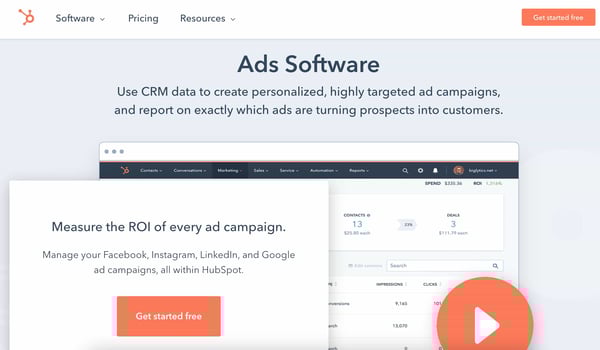
HubSpot Ads Software offers five attribution models — you can filter your ad campaigns by attribution report to determine how your ads influence contacts throughout buyer’s journey, all from within HubSpot.
If you create a custom multi-touch attribution report, you can hone in on last click/ last interaction data — you can also customize the group of contacts you want to report on, the status of your campaign (“active,” “paused,” or “deleted), and the date range.
2. Google Ads Attribution
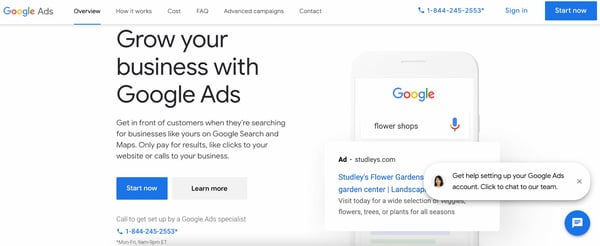
Google Ads Attribution gives insight into cross-channel attribution so you have a solid understanding of how your Google Ads perform among your audience — this insight allows you to improve all marketing interactions and touchpoints throughout the buyer’s journey.
Google Ads offers six attribution models, one of which is last click — it gives all of the credit for a conversion to the last event/ last-clicked Google ad and its corresponding keyword.
3. Facebook Attribution
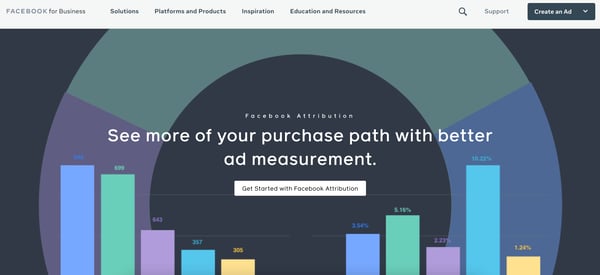
Facebook Attribution gives you a complete look at how prospects and customers are interacting with your business throughout the buyer’s journey via Facebook (including the final stage of the buyer’s journey, when the last click occurs).
Facebook manages giving all of the credit for a conversion to the last click for you — no impressions or earlier touchpoints are credited. If a click occurs within 60 seconds of a visit, Facebook will credit the click.
Get Started With Last Click Attribution
Last click is a great addition to your attribution strategy. By determining what the last customer touchpoint in the buyer’s journey is prior to a conversion, you’re able to understand which interactions and content are likely to heavily influence your customers.


How Apple’s iOS 14.5 Release Could Impact Advertisers
Imagine this: You run a successful online store and have a sleek app that makes shopping a breeze.
Most of your sales come from paid ads on Facebook and Instagram, and your usual process involves retargeting customers who open your app but leave without purchasing anything.
The more app installs you get, the more sales you log. This process is seamless because you’re able to track user activity across apps and optimize your ad spend as you see what works and what doesn’t.
But, with this week’s release of IOS14.5, the data you collect from Apple mobile devices will change. Here’s how.

Apple’s New Privacy Policy
Apple has confirmed that along with the launch of iOS14.5, there is also a change coming to Apple’s AppTrackingTransparency (ATT) Framework, which is essentially its data sharing and privacy policies.
Apple will now require that all mobile app advertisers gain opt-in from users to track their web and app activity.
While this provides consumers with the ultimate privacy, security, and control over the ads they see across their web and mobile devices, it’s expected that not all users will accept this prompt to opt-in. This could make it more difficult for businesses to reach their target audience, and deliver relevant ads.
From now on, whenever an Apple user downloads your app, they’ll be shown a prompt, asking if it’s okay for the app to track them. Additionally, with limited app user data, companies like Google report that ads could show poorer performance and returns than before the change.
While Apple’s pivot might seem shocking, it is not the first major tech giant to take action when it comes to data privacy. Just in the last year, Google, another major player in the advertising world, announced that it will phase out third-party cookies on Chrome and will be offering replacement tracking tools, such as its Privacy Sandbox, after 2022. You can read more about that news here.
What will happen to Apple’s IDFA (Identification for Advertisers)?
To better understand what’s happening with Apple’s new update, let’s take a moment to learn about Apple’s identifier for advertisers (also known as IDFA). IDFA is tied to each Apple device and is used by advertisers to identify users.
Typically, the IDFA code is visible to advertisers, and it enables them to retarget consumers. Now, it will only be provided to advertisers if users give them the go-ahead and permission to track their usage across apps.
To prepare app owners, Apple has laid out the instructions for gaining proper tracking permissions on its website:
“You must also include a purpose string in the system prompt that explains why you’d like to track the user. Unless you receive permission from the user to enable tracking, the device’s advertising identifier value will be all zeros and you may not track them,” Apple explains.
How this Affects MMPs (Mobile Measurement Partners)
Traditionally, MMPs have been able to pull data from mobile apps and serve up data such as installs, views, and ad clicks, in an organized and insightful fashion. They provide advertisers an understanding of where their consumers come from, and what the results of a mobile campaign are, within their platform. With the changes coming to ATT, their ability to have access to all this could be diminished.
However, some MMPs, like AppsFlyer, are leaning into Apple’s SKadNetwork to glean insights for their mobile advertisers.
The SKadNetwork is a secure way for MMPs and advertisers to understand app installs and campaigns, without connecting those installs to specific user identities. Apple coordinates this attribution, and while using the SKadNetwork is a good alternative, it does not take into account view-through attribution and only provides data 24 to 28 hours after the first launch.
The Early Response to Apple’s Privacy Pivot
As you can imagine, this new update has caused ripples across the mobile advertising ecosystem, and brands like Facebook have already responded.
“Apple’s policy will prohibit certain data collection and sharing unless people opt into tracking on iOS 14 devices via the prompt. As more people opt-out of tracking on iOS 14 devices, ad personalization and performance reporting will be limited for both app and web conversion events,” says a Facebook for Business statement.
Meanwhile, Google, which has also been taking on its own privacy initiatives, provided information for developers and advertisers about how the change will impact them while also reminding readers of the importance of user privacy:
“At Google, we’ve always put users and their privacy first. Transparency, choice and control form the bedrock of our commitment to users, and advertising is no different. We remain committed to preserving a vibrant and open app ecosystem where people can access a broad range of ad-supported content with confidence that their privacy and choices are respected,” the Google post explains. “That’s why we’ll continue to invest in privacy-preserving technology ― including aggregated and on-device solutions ― like what we’re developing for the web, along with ecosystem partners, in the Privacy Sandbox.”
Quick Tips for Navigating Apple’s Privacy Changes
While this change will likely impact your current ad campaigns, and the size of its impact is still somewhat uncertain, there are a few areas you can still lean into and optimize your content for the right audiences:
- Don’t forget about Android campaigns: the iOS 14.5 update only affects Apple devices and users, so you can still segment your audiences by Android users and target them.
- Turn to your website: Use your website’s tracking capabilities or analytics tools to understand where your visitors are coming from, and create audiences based on those visitors.
- Amp up organic efforts: take a closer look at your organic social media and content strategy. Then use that data to strengthen your brand.
While the times ahead are uncertain and may not seem as ideal for marketers and advertisers, the industry is likely to evolve and find ways to reach prospective customers. As Apple rolls out this update, we’ll be paying close attention to how advertisers respond and will continue to update this post in the future.
Disclaimer: This blog post is not legal advice for your company to use in complying with data privacy laws like the GDPR. Instead, it provides background information to help you better understand current privacy shifts. The tips provided are not the same as legal advice, where an attorney applies the law to your specific circumstances, so we insist that you consult an attorney if you’d like advice on your interpretation of this information or its accuracy.
In a nutshell, you may not rely on this as legal advice, or as a recommendation of any particular legal understanding.

The True Impact of Social Analytics on B2B Funnels
For B2B sales and marketing teams, few metaphors are as powerful as the sales funnel.
It’s a near-supernatural, multi-layered vortex that pulls in leads from the wider world, then draws them down toward closing. At the top of the funnel (TOFU) are fresh new leads who are just discovering your offerings. In the middle of the funnel (MOFU) are leads who are interested to learn more. Finally, at the bottom of the funnel (BOFU) are those leads who are poised and ready to make a purchase.
Modeling your sales funnel so you can better target and nurture leads at each layer is critical to increasing your conversion rate. But for accurate modeling, you need a lot of reliable data. And one major opportunity for collecting that data lies in your social media tools.
The importance of social media in marketing is unquestionable. In fact, businesses that market on social media are 40% more likely to hit their sales goals. Plus, a whopping 95% of buyers purchase from sellers who provide content that addresses their concerns and questions at each sales funnel level — and, nowadays, a lot of that content is posted on social platforms.
But the question remains: How can you measure and analyze the true impact of social activity on your sales funnel?
Here, we’ll explore what social media data is, and how you can use that data to strengthen your B2B sales funnels.
![→ Free Download: Social Media Calendar Template [Access Now]](https://no-cache.hubspot.com/cta/default/53/3e56e15d-47bd-46c9-a256-99fde52abfe7.png)
What is social media data?
Social media data (or social analytics — the terms are interchangeable) includes any information gleaned from the activity of visitors, prospects, and leads on your social media channels. Any data you obtain when someone interacts with your profile or content on LinkedIn, Facebook, Instagram, Twitter, or any other social media channel counts as social data.
Specific metrics can vary from platform to platform. However, the following social data points are common to all of them:
- Shares/reposts
- Likes
- Comments
- Mentions
- Impressions
- Conversions
- Clicks
Clicks can be the most revealing of all social data points. Many outside factors can determine what post a visitor might choose to comment on or share. Click metadata can tell you what types of content they would like to explore further.
Why is social media data important to B2B funnels?
You can’t analyze the efficiency of your B2B social media marketing efforts without raw data. With so many marketing activities and steps in the buyer’s journey taking place on social media, analytics without social data won’t yield many useful insights.
With social analytics, you can answer some crucial questions about whether your social media activities can help you meet your goals. Analytics help answer questions such as:
- Which social media platforms are generating the most leads?
- What kind of content is making our audience click, share, and convert the most?
- What are our top-converting posts?
- Are our audiences more interested in engaging with TOFU, MOFU, or BOFU content?
By analyzing the right social data, you can learn what is and isn’t working — and then tailor your social media marketing strategy accordingly.
How Social Media Data Impacts Your B2B Funnels
Many aspects of the marketing, sales, and product development processes feed into modeling your sales funnel. The goal is to create a funnel that effectively addresses your buyer’s needs and brings them closer to closing a sale. Within this process, there are two critical areas where social data analytics are especially beneficial.
1. Lead Enrichment
Lead enrichment involves supplementing, correcting, and normalizing your data on a lead. The goal is to establish a more in-depth, up-to-date, and accurate picture of who your leads are and what they want. You can automate lead enrichment by importing third-party data into your CRM. You can also accomplish the same outcome by conducting manual research and verification on leads.
Lead enrichment makes it easy to perform several associated functions that will improve your sales funnel’s efficiency. These are:
Lead Scoring
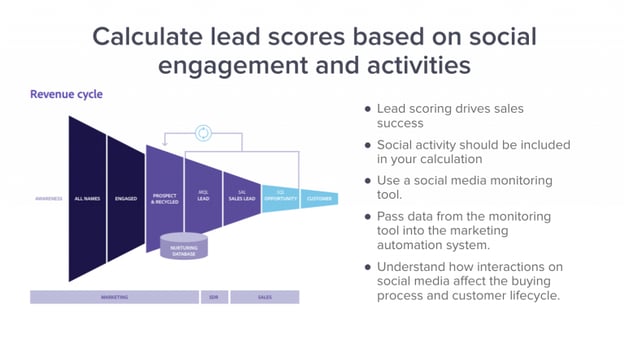
How do you know which leads are eager to buy and which ones are just looking? The solution is to quantify their signs of interest, assign them a score, and rank them.
The process of lead enrichment ensures you aren’t missing essential information about your lead, such as whether they are a decision-maker at their company. Social data can provide evidence of their signs of interest, as shown through their social media page interactions.
Lead Segmentation
A lead with a low score isn’t necessarily one you should ignore. However, a low-scoring lead might need different levels of attention or types of content.
The same goes for leads showing the same level of interest. If they’re in different industries or countries, the same approach might not work on all of them.
Social data can enrich your lead profiles with these details. Then you can segment your leads into separate audience groups, which enables you to target each group with custom-made content to address each group’s top concerns.
Lead Nurturing
You move a lead from one level of your sales funnel to the next by nurturing them.
Lead nurturing is accomplished by providing leads with content that answers their questions, addresses their concerns, and builds interest in your offers. The more data you have on your leads, the more hints you have about creating content most likely to engage them.
Lead Attribution
It’s great when your latest lead steps up engagement within your sales funnel. But if you don’t know what motivated them to provide their contact information, download that ebook, or request pricing, you’re missing out. That kind of knowledge is vital to improving your sales processes.
Enriched leads and social data analytics strengthen your attribution models. Lead attribution gives you the best chance of finding out which content deserves credit for the conversion.
2. Perfecting Your Messaging
The second key area impacted by social data is your messaging. Ultimately, all of your content is just a form of communication between you and the buyer.
When your messaging is perfect, it strikes the right tone, and speaks to your lead’s most pressing concerns — while also entertaining and educating. That’s when you know you’re putting your best effort into closing the sale.
When your messaging falls short on these fronts, leads can lose interest and drift away.
So, how do you perfect your messaging? The two easiest ways are through personalizing your sales outreach, and creating more engaging content.
Personalize Sales Outreach
Social data can tell you what your leads are most interested in and which channels are best for reaching them. This information allows you to personalize your sales outreach.
Let’s look at how this works in practice. Say you have a lead who consistently likes your tweets about a specific function of your product.
From that small piece of data, you can create a personalized outreach. A Twitter DM might be a great way to make a “sales call” — and now you have an even better idea for a good conversation starter.
Create More Engaging Content
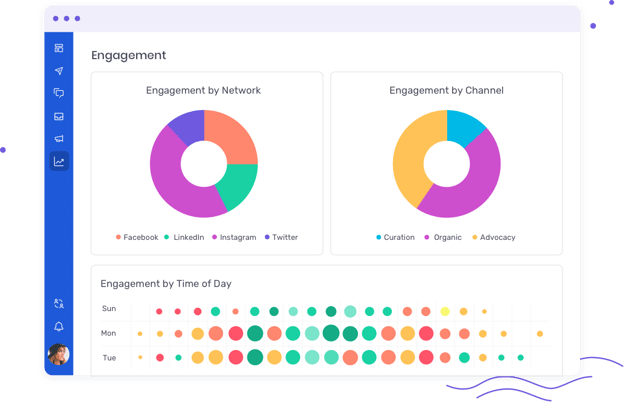
Content that engages is critical to move leads toward conversions. But what content should you be making to engage more leads?
First, step back to take a broader view of what your social data is telling you. Measuring how and where your leads engage with your sales funnel allows you to create more engaging content at all levels.
Let’s say you’re doing well at moving leads through the MOFU and BOFU, but many of them seem to get stuck in the TOFU. The leads who spend the most time in the TOFU aren’t converting their way further through the funnel at high enough rates.
Through careful parsing of your social data, you discover that the leads that slowly escape the TOFU heavily engage with your video content. This data tells you that you probably want to have video as a more significant share of your TOFU content.
It’s true that collecting, organizing, and analyzing raw social data can be overwhelming at the outset, but having the right resources can take a lot of the difficulty out of this endeavor. Tools like Oktopost can help you automate and optimize your social data processes, making it easy to finetune your content at every level of the sales funnel.
By leveraging social data to create better B2B sales funnel models, you will reap the benefits of its true impact with higher engagement rates, more conversions, and better ROI.

The Ultimate Guide to IGTV
In recent years, we’ve seen the power of video on the internet — Facebook alone gets eight billion average daily views, and YouTube’s video platform has enabled young teens to become national superstars (Justin Bieber, anyone?). Also, a Cisco report estimates that, by 2022, watching video will account for 82% of internet traffic.
There are various channels for marketers to consider when sharing videos, like the above-mentioned YouTube and TikTok or Snapchat. There’s also Instagram TV (IGTV) which, launched in 2018, is different from Instagram Stories.

Additionally, IGTV is primarily meant for smartphones, as the videos are vertical, and users don’t need to rotate their devices to watch. If you’re interested in testing out the app for your own business or simply want to know which brands to follow on the app, you’re in luck — here, we’ve compiled all the tips and information you need to get started with IGTV.
There is also a standalone IGTV app that you can download from the app store. To get it, simply go to the App Store or Google Play, search for IGTV, and click Get or Install.
IGTV Video Length
Anyone with an Instagram account can upload an IGTV video.
Unlike Instagram Stories’ 15-second video limit, IGTV videos can be up to 15 minutes long when uploaded from a mobile device and 60 minutes when uploaded from the web.
How To Make IGTV Videos
To upload and edit your IGTV video title and description, follow these steps:
1.Open the IGTV app and click on your profile icon. Then, click Upload Video. If you haven’t yet given permission, you will be asked to allow IGTV access to your video library.
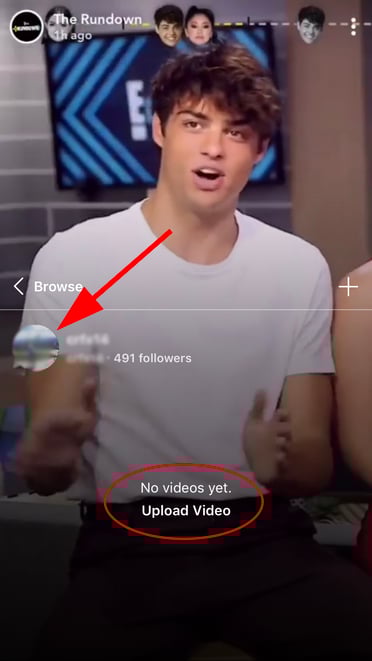
2. Select the video you want to upload.
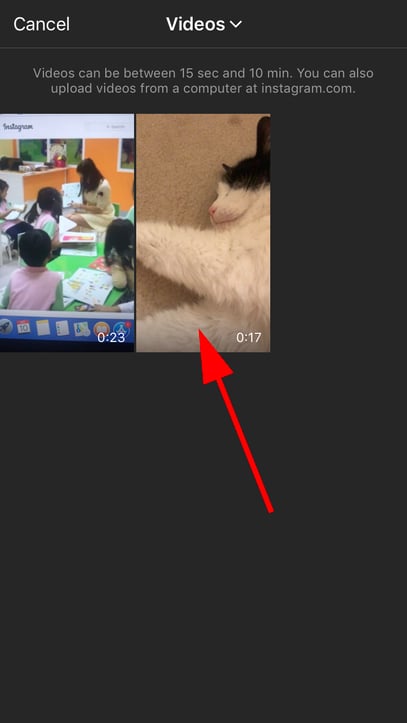
3. Click Next in the top right-hand corner.

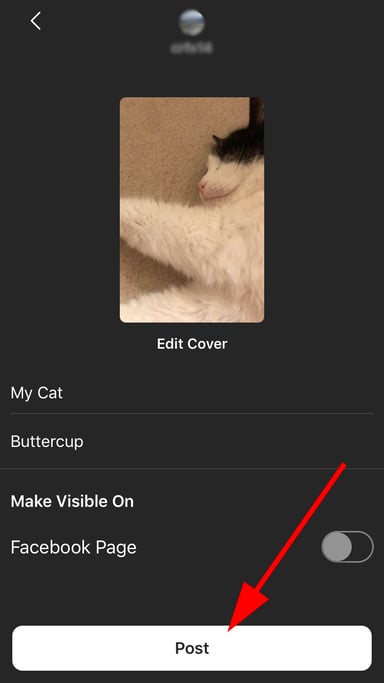
4. Add your preferred video title and description, and edit the cover image, which users will see before the video begins playing.
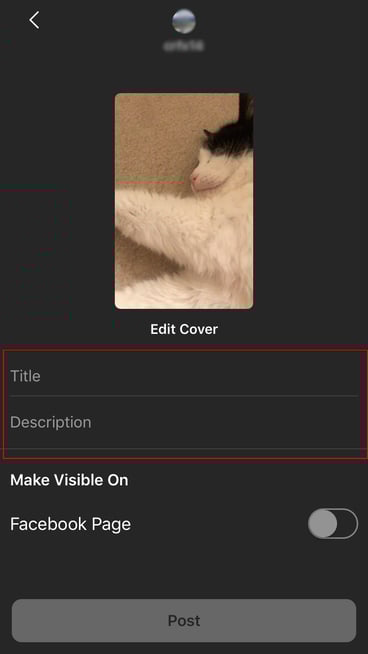
5. Click Post to publish your video.
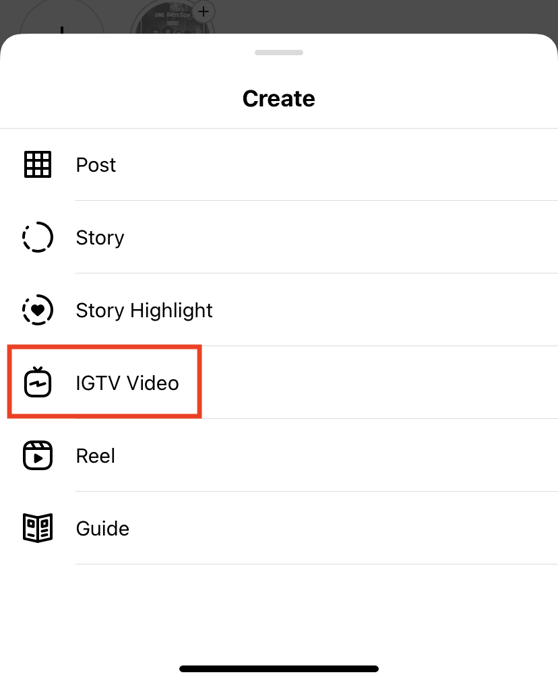
You can also upload a video to IGTV from the native Instagram app. Here are the steps:
1. Navigate to your profile and select the plus sign icon on the top right-hand side of the screen.
2. When the Create menu pops up, select IGTV video.
 3. Select the video you want to upload, choose your preferred cover, and add a title and description.
4. Click Post to IGTV.
IGTV Analytics
IGTV provides the following in-app analytic insights for your videos: views, likes, comments, average percentage watched, reach, saves, and interactions.
To get these insights, open your IGTV app and click on one of your published videos. Then, follow these steps:
1. Open your video, and then click the “…” icon at the bottom.

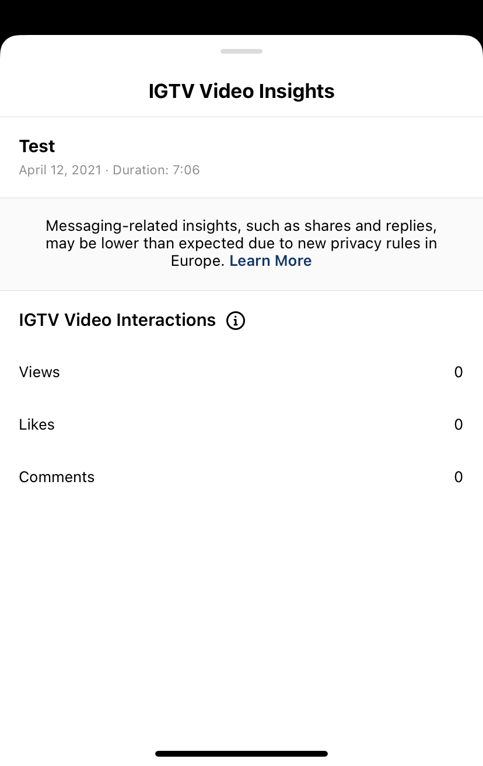
2. Select View Insights.

3. The IGTV Video Insights menu should appear and contain your audience analytics info. As this video is just a test, there is no analytics data for the video.
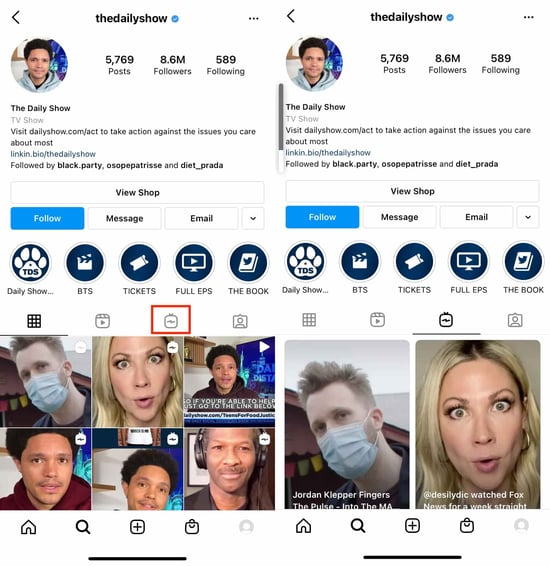
The image below displays the IGTV channel preview from popular internet show The Daily Show.
Watching Videos on IGTV
As soon as you open the IGTV app, a video will immediately start playing — presumably with the hope that users will become immersed in the content.
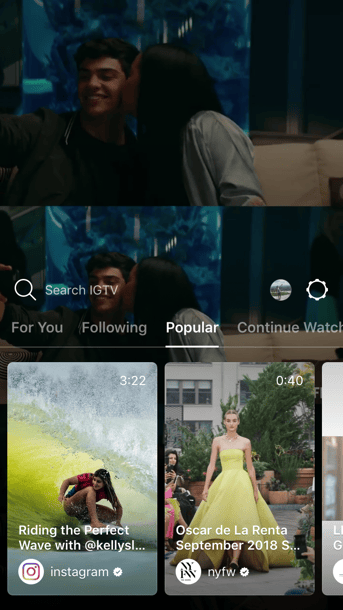
To watch a video, simply click on it. If you’re not interested in watching it anymore, you can scroll up to see other options.
There are four video categories: For You, Following, Popular, and Continue Watching. You can scroll left and right to view your options and select the one you want to watch. As mentioned above, you can also use the search bar to search for channels you’re already familiar with or to see if someone you’re interested in has a channel.
To watch an IGTV video within the Instagram app, navigate to a user’s profile, select the IGTV icon, and pick the video you want to watch.
Best IGTV Channels and Brands to Follow
There are hundreds of brands and channels that create impressive and unique IGTV content. If your business is starting from scratch and looking for inspiration, here are a few channels and brands you’ll want to check out:
- Netflix
- NAACP
- The Daily Show
- National Geographic
- Food Network
Top Influencers on IGTV
While IGTV doesn’t have the same audience reach as Instagram or YouTube, it is still a worthwhile platform to use to reach your audience members, especially if they don’t use other video sharing apps you’re on like TikTok, Snapchat, or YouTube.
Below is a list of IGTV content creators using the platform to create content that appeals to their specific niche.
- LaBeautyologist
- Hannah Stocking
- AskDrJess
- Huda Kattan
- David Chang
Ultimately, it’s up to you to decide whether IGTV offers valuable benefits for your business. It’s critical you consider your audience’s preferences when deciding — would they prefer to watch your brand on IGTV, or are they consuming content elsewhere?
If you feel your brand does well in relatively unmarked territory, perhaps you want to give IGTV a try. Get out your camera, record some unedited behind-the-scenes looks at your company, and press Post. Your audience insights will tell you soon enough whether it’s an avenue worth pursuing.


How to Create a Writing Style Guide Built for the Web [Free Guide]
Businesses pump out content at a staggering rate these days — and as that volume increases, more inconsistencies are bound to creep in. Whether due to lack of clarity about the style in which you’d like to write or disjointed communication across the multitude of content creators in your organization, failure to decide upon and document accepted editorial guidelines is a recipe for inconsistent messaging.
That’s why at some point, most companies accept that they’ll need to develop a writing style guide.
![Free Download: How to Create a Style Guide [+ Free Templates]](https://no-cache.hubspot.com/cta/default/53/76520ae5-1a3b-4055-9e8e-95e150b90965.png)
In short: a document that indicates the basic rules of writing we’ll all agree to follow to ensure consistency across all our content — like whether I should’ve capitalized the “a” after the colon in this sentence.
Answer: If you write content for HubSpot, you should not capitalize the “a.”
But wait… if that’s the case, why would I capitalize the “If” in that last parenthetical? Because “If you write content for HubSpot, you should…” is a complete sentence, thus warranting the capital “If.”
These conventions are specified in our writing style guide.
If you found that train of thought terribly banal, you might think writing style guides are the most boring things in the world and have a burning desire to click away right about now. Au contraire, mon frère.
Why Writing Guides Are Important
The existence of a writing style guide is what saves you from finding yourself embroiled in a debate about whether there should be spaces before and after an ellipses, whether you capitalize “for” in a title, or when a number must be written out in full.
If the writing style guide bores you, just imagine how insipid that debate will be. The existence of a style guide means you can simply have the style guide handy as your little writing rulebook without having to sit through debates about blockquotes.
Writing Style Guide Example
If you want to see a writing style guide in action, check out the one created by HubSpot Partner Yokel Local. Their writing style guide (or “editorial style guide” as they call it) was made to keep both their in-house contributors and their freelancers on the same page when writing and editing marketing content for clients.
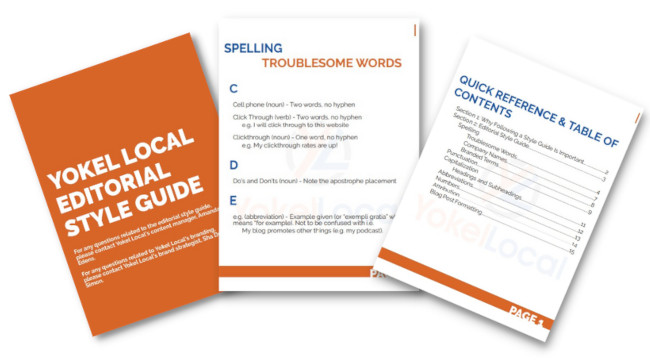
Source: Yokel Local
You’ll notice that they didn’t go too far in the weeds, either. The whole guide is 15 pages in large, attractive lettering, and anything not explicitly stated in the guide is left up to the AP Stylebook and the Merriam-Webster dictionary. The simplicity is effective, and they clearly had fun designing the document to be cohesive with their brand guidelines.
In an effort to help you get started with your own style guide, this blog post will walk you through the essential elements of a brand writing style guide so you can create one for yourself.
What to Include in Your Writing Style Guide
Style Manual
Style manuals are reference books that tell writers how to handle grammar, punctuation, and any special use cases. Most businesses adopt either the AP Stylebook or the Chicago Manual of Style. It’s up to you to decide which manual you’d like your company to follow.
You can purchase online subscriptions to these manuals for your employees to reference, the login for which you should also include in this section of the editorial style guide to make access simple. You might find employees are more likely to reference these tools when provided with an online subscription that contains a search function instead of a paper book through which they have to flip to find their answers.
While these style guides provide a good reference point for basic grammar rules, you’ll probably want to make some exceptions to the rules therein for the sake of branding, tone, and style. Use this section of your editorial style guide to outline those exceptions and also to highlight some of the rules that commonly arise when writing for your company that people should commit to memory — regardless of whether it is aligned with or against house style. For example:
- What do you capitalize? Do you capitalize the name of your product? Are there certain prepositions you want capitalized in your title despite your stylebook’s recommendations?
- What do you abbreviate? How do you punctuate those abbreviations? Would you type “a.k.a.” or “aka”? “Okay” or “O.K.”? Or “OK”?
- Do you use an Oxford comma?
Listing answers to common questions like these in the first part of your editorial style guide will give people an easy resource to reference that will save you time and encourage consistency. Feel free to continue adding to this list as more confusions arise and get resolved during the content creation process. You’re creating your own style guide, so feel free to borrow different rules from different style guides. The important thing is that you use the same rules consistently throughout all the content you create.
Commonly Troublesome Words
Most companies have terminology that’s specific to their industry, and not all of that terminology has a universally agreed-upon spelling. For instance, if you write a lot about digital marketing like we do here at HubSpot, you’ll find a lot of inconsistency around the spelling and capitalization of words like these:
- ebook vs. Ebook vs. e-book
- ecommerve vs. e-commerce
- internet vs. Internet
- website vs. web site
- Facebook Like vs. Facebook like
- Retweet vs. re-tweet vs. reTweet vs. ReTweet
… And on and on and on. Instead of debating how to spell, capitalize, or hyphenate these words, include a section in your style guide called “Commonly Troublesome Words” so writers can easily look up the proper spelling of these words according to your house style guide.
Advice for Global Companies
If you have global readership and create content for specific, same-language markets, you should include notes on whether you change spelling for those markets or retain your house style.
For example, if marketers from HubSpot’s Dublin office write a blog post, should American editors change their spelling of “favour” to “favor”? “Internationalise” to “Internationalize”? These questions should be answered in your style guide, and the “Commonly Troublesome Words” section is a logical location to do that.
Similarly, if you are creating content in different languages, style guides should be created for each different language.
Style and Tone
This section of the editorial style guide should address something less concrete than grammar rules but arguably more important: how your content should sound to the reader.
Can writers use the first person? How do you feel about the use of industry jargon? Think about the words you would use to describe your content in an ideal world. Which of these adjectives do you want your content to evoke?
- Conversational?
- Educational?
- Academic?
- Funny?
- Controversial?
- Irreverent?
- Artistic?
- Objective?
- Sophisticated?
You might think you want your content to be all of the above, but force yourself to prioritize just a few. Explain why it’s important to achieve this style and tone in your content, and provide examples of content (excerpts are fine) that are successful in doing so — particularly if those excerpts exist on your own site already. If there are stylistic characteristics your content absolutely should not have, this is the section in which to include that information, too. Again, examples of what not to do are helpful here for the sake of comparative illustration.
When deciding on style and tone, be sure to consider your target audience and buyer personas in the process. Which style and tone would resonate best with them? This brings us to our next section…
Personas
Buyer personas are inextricably tied to style and tone, so it’s important to include this section either before or after the “Style and Tone” section of your style guide. Why is it so important to include personas? Because the style and tone you adopt should be informed by your target audience, i.e. the people that will be reading all this stuff you’re writing.
That being said, the personas in your editorial style guide don’t need to go as in-depth as the personas created by your sales and marketing teams. (Those might include detailed information like objections that arise in the sales process and how to overcome them, or tips on identifying these personas “in the wild” or when you get them on the phone.)
The personas in your editorial style guide should be more brief, simply pulling out the highlights that concisely explain who your target audience is, their pain points, how they like to be communicated with, the value your company provides, and a picture to give writers a visual to keep in mind when creating content.
Including personas in your style guide really comes in handy when you’re working with freelance writers. If you’re doing a good job with freelance writer management, you’ll provide ample context to inform the content they’re writing. A persona, and how that informs tone and writing style, should always be included when kicking off a new freelance writer engagement.
Graphics and Formatting
I know, I told you earlier not to get into the nitty gritty with visual guidelines. This is still true. Your design team or agency should create a separate brand design style guide that addresses more nuanced visual… things. (Can you tell I’m not a designer?)
You should, however, add a little information to your written style guide if your writers are ever responsible for creating visual assets and/or copyediting visual assets created by designers. Here are some common questions that may come up that will impact writers or editors:
- Where can writers source images, and how do they properly attribute them?
- When should images align to the right, to the left, or in the center?
- Should text wrap around images?
- What are the RGB and hex codes for your text and headers?
- What typefaces can be used?
- Can writers use italics, bold, or underlining? If so, is usage limited to certain occasions, like bolding headers and hyperlinks?
- Which kind of bullets should be used (square, round, or other), and how should they align with the rest of the text?
- How should numbered lists appear: “1”, “1.” or “1.)”?
Many of these graphical elements can be preset in your content management system, but they can be easily overridden when writers copy and paste content from elsewhere with formatting attached — or by an overzealous writer with a flair for design. Outline these expectations in your editorial style guide, and refer those with more advanced needs to your brand style guide.
Approved and Unapproved Content
Great content often cites research and data from third party sources. Make your writer’s job easier by providing approved industry resources from which they can draw — and, even more importantly, resources from which they cannot draw. Break up this section of your editorial style guide into two sections: recommended and approved industry resources, and “do not mention” resources.
The information in the “do not mention” section should include competitors and unreliable resources, and it should also mention controversial topics and opinions that should be avoided at all costs. For example, many companies strictly prohibit any mention of politics or religion in their content, or have provisions that explain when it is acceptable to include and how to frame the discussion. Similarly, many companies work within certain legal restrictions, in which case this section of the style guide might provide instructions for receiving legal approval before publishing a piece of content.
This is the section of your editorial style guide to explain the intricacies of such controversies as they relate to your brand so you can prevent reputation management catastrophes.
Sourcing
With great research comes great responsibility… and a lot of choices, unfortunately. Clear up the confusion around how to properly cite research by deciding on one methodology and documenting it in your editorial style guide. Explain how to create footnotes, references, links to external sites, or even bibliographies if they are relevant to your company.
This section of your editorial style guide doesn’t need to be long. Just write down the rules and provide some examples of proper citations so writers can easily attribute their sources properly.
Examples to Show What’s Right and Wrong
Every section of your editorial style guide can benefit from real life examples of the concepts you’re explaining, whether you include those examples on the same page or as an appendix at the end of the guide.
For example, when talking about proper formatting, include a visual example of a well-formatted blog post with callouts that detail why the elements therein are successful. If you’re discussing grammar usage, provide an incorrect example, and then mark it up to show how a writer could fix it to align with your editorial style guide.
Bridging your requirements with proper executions from your actual website will help illustrate these concepts more clearly and cut down on follow-up questions and instances of exceptions to the rules you’ve laid out.
What Not to Include In Your Style Guide
It can be tempting to create the most comprehensive style guide of all time. But when documents get incredibly long, it can become a little hard to use on a day-to-day basis. Aim for “comprehensive, yet usable” by intentionally cutting some sections. The most common sections that people are tempted to include, but which I recommend exist in another document, are:
- Notes on content operations. Things like submitting content to your editorial team, requesting a slot on the editorial calendar, or revision cycles.
- Recommendations for creating SEO-friendly content.
- Nitty gritty rules around logo usage or other visual style guide elements. With some basic exceptions, these would be saved for a separate brand or visual style guide.
Your editorial style guide will simply guide writers by providing a set of standards to which they must adhere when creating content for your website. It eliminates confusion, guesswork, and debates over what boils down to a matter of editorial opinion among grammar and content geeks. If you’re ever unsure whether something should or should not exist in your written style guide, fall back on usage to inform your decision. If it’s too long to be usable, cut it down; if it’s too short to answer the most common questions, beef it up.
How to Get Others to Use Your Style Guide
If you put in all this work to create a comprehensive style guide, it’d be a real bummer if no one used it.
Here’s the truth: Some people just aren’t going to use it, no matter how easy you make it for them to do so. So just… accept that. But after you’re done grieving, there are a few things you can do to increase the likelihood of adoption:
1. Involve other people in its creation from the get-go.
No one wants to be the Grammar Czar. And if you do, I promise you no one you work with thinks its cute. Instead of mandating the rules your entire company must use when writing, get a few people together to help create the style guide as a group. Ideally, this little committee will span more than one department to increase the likelihood of widespread adoption.
2. Make it easy to find and use.
Our style guide is available on our internal wiki so it’s easy for people to find, bookmark, and Ctrl+F to get answers to questions quickly. Make yours similarly easy to access and use.
3. Keep updating it.
Your style guide is intended to be a living document. As new questions arise, make it easy for writers to ask questions about proper usage and get a resolution — and make sure that resolution is reflected in an updated version of the style guide.
Editor’s note: This post was originally published in May 2015 and has been updated for comprehensiveness.

Outsourcing a Design Project? Here’s How to Write a Design Brief
During my career, I have freelanced on and off. The biggest lesson I’ve learned in working with clients was the importance of setting expectations from the very beginning.
It helps both parties get on the same page and can prevent miscommunication down the line. That’s why you often have initial discovery calls, set meetings, and draft contracts.

Another way to set expectations is by creating a design brief. It’s essential in the early stages of your design project, whether you’re working with someone in-house or outsourcing it to an agency or independent contractor.
Here’s everything you need to know about what to include in a design brief and the templates that will help you create one quickly.
Think of this brief as a blueprint: It lays out all the information your designer will need to complete the project and helps align both parties on the expectations. Typically, the client (or brand) will fill out most sections in the brief once they know what they’re looking for.
The assigned designer will then complete it based on conversations with the client. It serves as a baseline from which to build the project.
So when would you use a design brief? For:
- A website (re)design
- A logo (re)design
- A (re)branding package
- Creative assets for social media or ad campaign
- Video assets
What to Include in your Design Brief Template
1. An Overview of Your Brand
The first thing you’ll want to outline in your design brief is information about your brand. This gives a big-picture understanding of your business and helps frame the rest of the brief.
Here’s what to include:
- Your industry
- Your products and/services
- Your unique selling position (USP)
- Your mission and your values
- Your competitors
In this section, you can also list your direct and indirect competitors, depending on the project.
If you already know who you will be working with on this project, list the decision-makers for the project and any key stakeholders involved. Outlining the points of contact right from the beginning will streamline the workflow and prevent communication silos.
2. Your Project Overview
As one of the most important sections in your brief, spend time figuring out what you’re looking for before writing this section.
Don’t know where to start? Answer this question: What problems are you trying to solve? This provides context for the intention behind the project and can also help the designer generate new ideas. It’s like going to the doctor. You have to say where it hurts for them before they can prescribe something for relief.
For instance, let’s say you want to redesign your website. The reason could be your users aren’t converting, or because the company has recently shifted and needs a website to reflect this change. Knowing the reason behind the project is equally as important as the project itself.
Next, state your goals and objectives. What do you want to accomplish through this project? Is this a part of something larger? Are there any roadblocks that could hinder your project?
The more detailed you can get, the better. Your goals could include improving website conversions, reducing bounce rates, and/or increasing traffic. It all depends on the project.
Answering these questions will be instrumental in aligning your vision with the designer and creating the space to address any potential issues.
Finally, this section should list your deliverables, such as:
- Required assets (illustrations, photos, videos, mockups, wireframes)
- File formats
- Dimensions
3. Your Branding Guidelines
Unless your design project is for branding, list your branding guidelines in your design brief. This breaks down the rules your designer will need to follow and keep in mind for your project. Rules relating to your:
- Color palette
- Brand voice and tone
- Typography
- Logo
For any design project, you want to make sure your designer creates something that aligns with your brand identity. If you’re in the process of developing your brand identity, you can also provide mood boards to help the designer understand your vision and the direction you’re heading in.
4. Your Target Market
Every design project is developed with the end-user in mind. In this section, dive into who that user is.
Describe your user persona and how you imagine them interacting with this project once it is completed. If you have already done some market research, you should list your target audience’s demographics, behavioral habits, values, interests, and online behavior.
For instance, let’s say you’re an affordable shaving cream brand for men and your current branding and messaging aren’t resonating with consumers. After running a few experiments, you’ve realized that your target market doesn’t see your brand as approachable, inviting, or relatable.
For your design project, you’ll want to revamp your branding package to reflect your consumers. By knowing more about your target market, your designer can use their knowledge of design principles and studies to create a product suited to your audience’s needs.
5. Your Budget and Timeline
These are the nitty-gritty details that are necessary to determine the right partner for your project. You may find a designer who’s great but cannot meet your expectations in terms of timeline.
Similarly, you may find out during a discovery call with a design agency that they cannot work within your budget.
Outlining your budget and timeline will help to weed out people who aren’t the best fit for your project. While timelines can be flexible, it’s important to set an ideal timeframe from the beginning and adjust later, if needed.
Once you select a designer or agency, together you’ll decide on milestones or deadlines during the length of the project.
A Design Brief Example
Your design brief should be detailed, providing as much context as possible to facilitate your designer’s understanding.
This video creative brief template presents the key questions you’ll need to answer to write an effective brief.
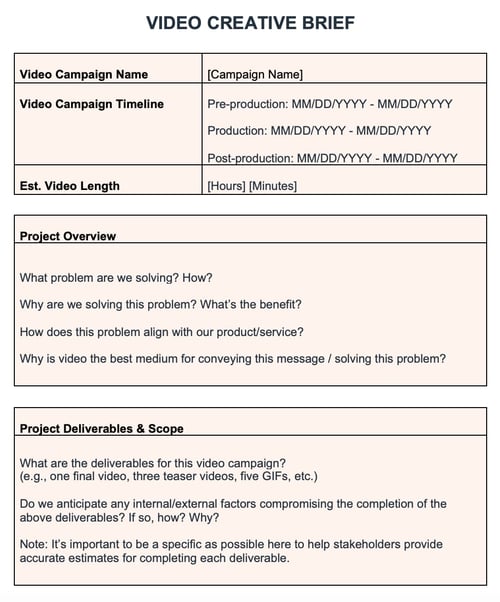
Having templates for each type of design project saves time and can ensure that everyone on your team follows the same process.
Design Brief Generators
1. HubSpot’s Creative Brief Template
If you’re looking for a set of design brief templates to use for future projects, HubSpot’s got you covered.
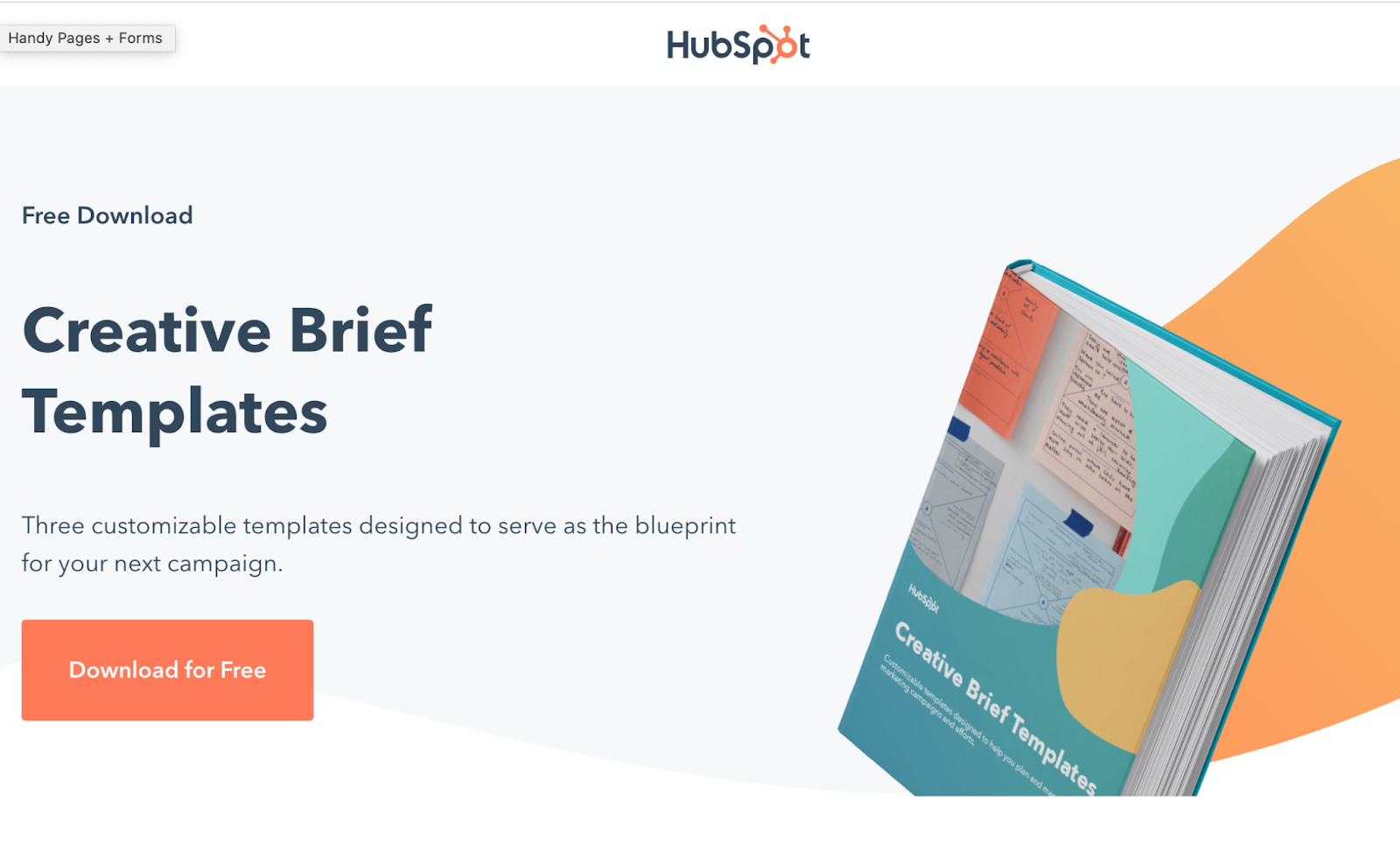
The document includes three creative brief templates designed with different goals in mind:
- A campaign template for when you’re launching an ad campaign and need to outsource the creative assets.
- A video template for a video project that involves ideation, production, and distribution.
- A client template for both designs and marketing managers who are working on a design project.
Each template includes detailed sections to help you flesh out the key elements of your project and build an effective design brief for every situation.
The best part? It’s free.
2. CreateBrief
Createbrief is a great place to start if you’ve never created a design brief before.
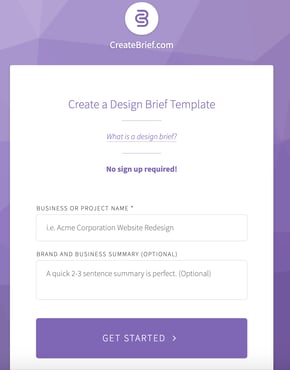
The tool is designed like a survey, asking you key questions about your brand to understand what you’re looking for and your requirements.
Once you answer all of the questions, you get a design brief that you can share with others through a custom URL. While it isn’t very in-depth, it can be useful during the initial process of building your brief.
There’s no sign-up required and you can use the tool as soon as you land on the webpage.
3. Bonsai’s Design Brief Generator
Bonsai is a freelance management app that helps freelancers manage their clients. If you’re a small business looking to outsource your design work, you can build a design brief template right on the platform.
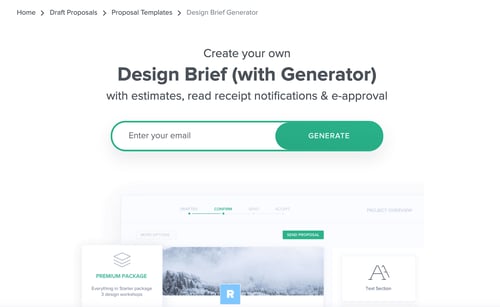
Once you create it, you can also send it via email for approval and get read notifications.
What’s great about Bonsai is that its templates are typically reviewed by experts, ensuring that it will have everything you need for your project.
To use the template, you must enter your email and sign up for the software.
4. TemplateLab
The TemplateLab offers hundreds of free customizable templates you can sift through and download. 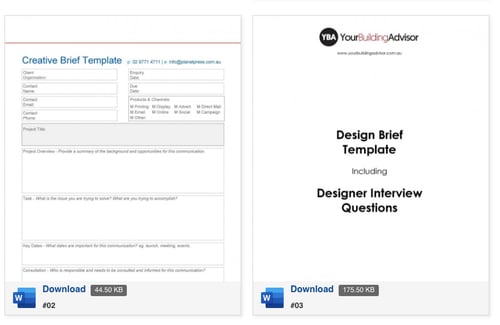
The site currently has 50 design brief templates, ranging from website briefs to interior design briefs. A standout feature on the website is the ability to see exactly what’s included in the template before you download it.
Once you download it to Microsoft Word, you can customize it to meet your needs.
While you could start your design project without a brief, fleshing out the details ahead of time ensures everyone is on the same page. It’s a short, but important step that will save you time (and money) down the line.

The Ultimate List of HR Interview Questions
As a job seeker, you can often expect to speak with an HR professional before moving onto interviews with employees within the department for which you’re applying.
It’s critical you prepare well for your HR interview. Oftentimes, a company uses their HR department to screen candidates and decide which candidates are most qualified to move forward in the interview process.
![→ Click here to download our free guide to hiring and training a team of all-stars [Free Ebook].](https://no-cache.hubspot.com/cta/default/53/c42148d7-13dd-4c38-b907-cff1602ee62f.png)
But an HR professional has different goals when interviewing than your direct hiring manager does. While your hiring manager will ask questions specific to the role (for example, in a marketing interview), the HR professional is interested in gaining broader insights regarding culture fit and whether you demonstrate the company’s values.
With that in mind, let’s go over the definition for this interview and what you can expect.
It’s easy to underemphasize HR interviews in comparison to interviews with, say, your potential manager. There’s even a misconception that the HR round is only a formality. But the truth is that this interview is critical to the hiring process.
It allows you to establish a positive first impression. Your HR contact decides whether you get to move forward, so you’ll want to make sure you exhibit your competencies and establish rapport.
I spoke with Alexa Matthews, a senior recruiter here at HubSpot, who pointed out some additional benefits to the screening process — “It’s an opportunity for a great first impression. In the first call, a candidate can often convey things that are not written on their resume. We take that information so that we can be their advocate and make recommendations to hiring managers throughout the process.”
Additionally, Alexa mentioned initial interview screens help candidates learn more about the role and evaluate their interest in the company. At the same time, these initial interviews help HR professionals set a candidate up for success by learning what is required of the role and providing the candidate with feedback throughout all stages of the interview process.
Let’s go over a few of the questions you might have about the HR interview.
What can I expect from an HR interview?
During an HR round, you can expect high-level, general questions about you, your past work experience, and your motive for looking for a new position. Expect to receive questions that allude to your aptitudes and competencies, but that don’t go too in depth about role-specific responsibilities.
You can expect to be asked about:
- What you expect for your salary
- Why you’re looking for a new role
- Why you’re leaving your current company
- What you’re looking for in a new opportunity
- How you could function in a new environment
- How you’ve functioned in your former environment
- How you’ve handled conflict with coworkers
- How you’ve handled high-pressure situations
The HR interview can also cover the company’s benefits, work hours, and organizational structure.
Is HR round just a formality?
No. HR round isn’t a formality. It’s a highly important step in the hiring process and often the piece that determines whether you get to move forward in the recruitment process.
This is especially true for big firms, where your HR representative becomes an ally during the hiring process. They’re your point of contact for every question and concern you might have as you move from round to round. At HubSpot, recruiters give you feedback to help you successfully move forward.
To help you prepare for any questions you might receive from an HR professional, I’ve curated a list of top questions, along with the best sample answers.
1. Tell me about yourself.
One of the more traditional questions in this list, “Tell me about yourself” is nonetheless a helpful question for HR professionals to get a sense for how this conversation will go, and in which direction they should steer future questions.
Ultimately, you’ll want to be prepared to describe past roles, how those roles demonstrate your strengths, and what you want in a company and role moving forward. Additionally, make sure to include why you believe this role is a good match for your talents.
Sample Answer
“I graduated from ABC University in 20XX. Since then, I’ve worked my way up at Company X, from an intern blogging on the content team to an Associate SEO Strategist. Along the way, I’ve learned I work best in collaboration with a team, as opposed to more solitary roles. As an SEO strategist, I’ve discovered I enjoy the analytical side of marketing, and possess strengths that allow me to excel in those types of roles — in fact, as a result of my SEO efforts, traffic to our site has increased 13% over the past two years. I’m now looking for new challenges and believe your company, and this role, is a fantastic next step.”
Tips
- Focus on your prior accomplishments.
- Provide an overarching overview of your career up until this point without being long-winded.
- Try to use words from the job posting in your answer.
- End with the type of role or challenge that you’re looking for and why this company is a great fit.
- If you’re switching careers, provide a brief reason why.
Things to Avoid
- Don’t summarize your resume.
- Don’t start with where you were born or where you’ve lived (unless it’s related to the role. Say, you lived in Japan for a few years, and the role requires Japanese fluency).
- Leave out personal information.
2. Why are you interested in this position?
This question is a critical indicator as to whether you’re interested in this company and role in particular, or whether you’re simply applying to any role in the field. For instance, it’s not a good sign if you say, “Well, I’m interested in social media, so this role seemed like a good fit.” Instead, you want to mention specific qualifications of the role itself, and demonstrate how those qualifications align with your personal strengths. Additionally, it’s important you mention how you can help drive results for the team.
Sample Answer
“Through my last role, I’ve learned I’m passionate about creating content for social media. I’ve managed to grow our Instagram audience by 7%, and with my team I created a successful Facebook campaign that cultivated an increase in sales by 12%. I’ve followed your business on Instagram and Facebook for a few years and appreciate your brand — more importantly, I see this role as one in which I’d truly be challenged and able to use my strengths. In particular, I believe I’d excel in the client-facing aspect of the role. Meeting with clients to collaborate on social media marketing objectives and goals is something I find exciting and purposeful.”
Tips
- Be as specific as possible — mention how your interest in the industry, your prior experience, or your love for this company make you want to assume the role.
- Bring in information about the company’s culture into your answer.
- Express enthusiasm for the company and its offerings, especially if you’ve used its products before.
- Remember, use words from the job posting to emphasize your interest.
- If you’re switching careers, use this question to go more in depth into your motive for switching.
Things to Avoid
- Don’t mention money or benefits in your answer.
- Don’t be blase (“Oh, I’m just looking for a new role in this field”).
3. Why are you leaving your current job?
This is an opportunity to outline positive benefits you hope to gain by transitioning into a new role. However, one of the biggest mistakes you can make when answering this question is focusing on negative aspects of your current employer, rather than discussing positive aspects of the new company.
An HR professional will mark it as a red flag if you talk poorly about your current employer or company. It illustrates someone who isn’t very professional, has a negative attitude, and could bring toxic energy into their new work environment.
Sample Answer
“I appreciate everything my current employer has done to help me grow, and I believe working for a small startup over the past year has helped me develop leadership skills earlier than I could’ve at a larger corporation. However, I am now interested in transferring the skills I’ve acquired here to a larger organization, where I believe I’ll find more growth opportunities in the future.”
Tips
- Focus on career growth and skill development as a reason for looking for a new role.
- Express appreciation for your current employer without being overly positive (then they’ll wonder why you’re actually leaving).
Things to Avoid
- Whatever you do, don’t complain about your current employer, your boss, or your work environment.
4. Can you describe a work or school instance in which you messed up?
This is an intentionally tricky question. It’s meant to glean insight into whether you can learn from past mistakes. If you can’t think of any past errors, it could be an indicator you aren’t capable of accepting responsibility for your own mistakes. However, creating a long list of past mishaps could make you look unqualified for the role.
You’ll want to answer this question succinctly, and point out an error that doesn’t represent a lack of character. Consider one, well-intentioned error you’ve had in the past, mention it, and then talk about how you grew from that experience.
Sample Answer
“In my prior role when I first became manager, I took on too many tasks myself and quickly became both overwhelmed, and less efficient in my role. Additionally, my team members were frustrated because they felt there was a lack of collaboration on our team. I quickly recognized I needed to learn to delegate tasks and collaborate on projects with teammates, and became a more successful manager as a result.”
Tips
- Only focus on one incident.
- Close your answer with how you’ve improved or grown as a result of the incident, or what you’re currently doing to improve.
- Own the mistake you made without over-criticizing yourself.
- Be brief but earnest.
Things to Avoid
- Don’t shift the blame to a coworker or to the company.
5. Tell me about a time when you experienced conflict with a co-worker and how you dealt with it.
The HR professional isn’t interested in hearing about that time your co-worker said something snide about you in the kitchen, or when your manager overheard you gossiping about a client to a friend.
Instead, this question is asked to gain insight into how you handle professional conflict. At the office, conflict is bound to arise, particularly when you’re working closely with many different people. It’s critical you know how to handle conflict without pointing fingers. Your answer should primarily focus on the solution, and should show a level of empathy towards your colleagues, rather than focusing on the problem.
Sample Answer
“I had a deadline I needed to meet, and I was working with a designer who promised me her designs in time. When the deadline approached, my designer wasn’t ready. It made us both look poorly in front of our clients. To resolve the issue, I discussed the problem privately with my designer. She told me she was stressed out and overwhelmed, and simply needed another week on the project. I told her that was fine with me, but in the future, we needed to be transparent and honest with each other. Moving forward, we established guidelines and became more efficient teammates.”
Tips
- Like in the previous question, only focus on one incident, especifically one that has a positive outcome.
- Always close your answer with the steps you’ve taken to improve or how this incident resulted in positive change.
- Be balanced in your answer — don’t make it seem as if the conflict was entirely your coworker’s fault.
- Show empathy.
Things to Avoid
- Don’t blame-shift.
- Don’t focus on what you did right and what your co-worker did wrong (it’ll make you sound entitled).
6. What do you know about our company?
This is a fantastic opportunity to impress the interviewer. Ultimately, this question aims to gauge your level of interest in the company. The more you’ve researched prior accomplishments, company values, and basic information regarding the product or service, the more you can demonstrate a genuine desire to work there.
Sample Answer
“I know your company is ranked the number one web design firm in Massachusetts. Your mission statement in particular appeals to me. I also know your company emphasizes continual learning and growth, two aspects I find incredibly exciting. I’ve spoken to Jen and Mark, two marketers at your company, and they’ve described the work environment as one full of passion and innovation — which is something I hope to find in my next role.”
Tips
- Mention the company’s culture and your prior experience with its product.
- Be positive in your answer.
- Connect your answer with your desire to work for the firm and assume the role.
Things to Avoid
- Don’t unearth potentially controversial information, such as a company scandal.
7. How would you improve our current product or service?
An HR professional wants to know whether you’re innovative, whether you’re a quick-thinker, and whether you’ll bring new ideas to the role. There isn’t necessarily a wrong answer, here — you just need to show some creativity, and planning in advance will help. Consider potential problems they might be experiencing with their product or service, and how your unique skillset can fill that void.
Sample Answer
“I’ve noticed your product is in English, without current translation options. I believe your product could benefit from multilingual translations, which would help you appeal to a wider demographic. This could help you become more of a global leader. As someone who is fluent in French and Spanish, I’d like to potentially help spearhead a project that moves the product in that direction.”
Tips
- Be honest but brief about the product’s limitations.
- Focus on how you can help the company make the improvement.
- Mention how this change can help the company grow.
- Prepare for this question by using the product or service before the interview.
- Tastefully mention competitors and their products — it will show that you’re informed about the industry.
Things to Avoid
- Don’t “hate” on the product. (“Ugh, I used it once, and the UX was really buggy. I couldn’t get to X page…” )
- Don’t sing too many praises for the competitor’s product.
8. How would your current manager describe you?
It can be awkward to brag about yourself, so while this question may seem weird, it’s really the HR professional’s tactic for hearing how your current boss views you in a work environment. To feel less uncomfortable answering this question, thoughtfully consider your last performance review, and use direct quotes from your boss in your answer.
Sample Answer
“During my last performance review, my current manager told me she appreciates how quickly I take constructive feedback and use it to improve in my role. She’s grateful that she never needs to repeat areas of improvement to me — once she gives me feedback, I take it seriously and make sure she never needs to bring it up again. She has also described me as diligent and trustworthy, two aspects I believe are critical for excelling in any role.”
Tips
- Quote your manager directly.
- Be clear about your strengths — this is really your moment to shine.
- Focus on a single characteristic you’d like to highlight.
- Try to connect the strength to the role you’re applying for.
Things to Avoid
- Don’t focus on a specific accomplishment, but rather on a soft skill that can lead to sustainable growth in the role.
- Don’t start with “Well, I’m really good at…”
9. Where do you see yourself in five years?
This question allows the HR professional to understand your career aspirations — and gauge whether this company is the right place for you to grow. In many ways, this question works as a temperature check to ensure that this is a field you’d like to stay in for the foreseeable future.
Sample Answer
“In five years, I see myself driving organic growth at a medium or large company, overseeing the SEO strategy and potentially managing a team in a leadership role. In the past, I’ve focused on the execution side of SEO, but as I get further along in my career, I’ve wanted to get more into strategy, which helps drive sustainable growth. After working for a few years in X role, I want to lead a company’s SEO strategy to meet acquisition targets and exceed revenue goals.”
Tips
- Connect your answer to the role and how you feel you can grow in the company.
- Be realistic and specific.
- Mention words from the job description.
- Hint at how you can help the company grow later down the line.
Things to Avoid
- Don’t be blase or noncommittal.
- Don’t indicate that you’re hoping to leave the company for a better one, or that this role is just a stepping stone.
10. What questions do you have for me?
When an HR professional asks you this question, you might be eager to end the call and say, “Nope, no questions.” This would be a mistake. Having thoughtful, smart, strategic questions demonstrates your interest in the role, as well as your potential value as a future employee. They want to hire candidates who will ask questions and move the company forward, and this can’t happen if you accept everything as-is.
At this stage, you should consider what your genuine concerns are regarding the role. You might ask the interviewer, “What are the company’s values? What characteristics do you look for in candidates in order to represent those values?” Or, perhaps you’ll say, “What do you enjoy most about working at Company A?”
Ultimately, an interview isn’t just about allowing an HR professional to form an opinion of you — it’s also a chance for you to get a strong sense for whether you even want to work for the company. So use this last question to your advantage.
How do I prepare for HR round?
The HR interview is your only chance to make a lasting first impression. Because it determines whether you get to move forward, it’s important to prepare for the interview as if the HR professional gets to make the final decision. (They likely won’t, but they do determine whether you get to move forward.)
Luckily, it’s easy to prepare. Aside from knowing the questions you might be asked, you’ll want to research the company, reread the job description multiple times, practice your answers beforehand, and compile a list of questions to ask the HR rep.
Let’s go over these one-by-one.
1. Research the company.
Researching the company is a no-brainer, yet many of us walk into an interview with only a surface-level understanding of the company and its product offerings. In your research, seek to not only understand what the company sells but who it sells it to. Use the product beforehand if you can. Take a look at the firm’s competitors. Last, try to get a thorough understanding of the company’s culture.
2. Reread the job description multiple times.
I know that it’s difficult to keep track of job postings, especially if you’ve applied to tens upon tens of jobs. Try to find the original posting (or a copy of it on a job search site) and reread the description. If possible, print it out and highlight sections that you feel most match with your qualifications. Underline key terms, then bring those terms into your answers.
3. Practice your answers.
Practice, practice, practice. Practice in front of the mirror, in front of your camera, and in your room. But don’t memorize your answers — simply go over them a few times so that they’re eloquent, enthusiastic, and brief without feeling wooden or scripted. Use the STAR method to structure your answers. Don’t forget to focus on positive results.
4. Compile a list of questions.
These questions should be general enough that an HR professional can answer them (you wouldn’t want to ask something too team- or role-specific), but targeted enough that they feel tailored to the company.
You might ask general questions regarding the role, like “Are there opportunities for professional development within the role and department as a whole?” If they can’t answer these sorts of questions because they’re not acquainted with the team, you can ask about their experience and what it’s like to work at the company.
Prepare for Your HR Interview to Ensure Success
While the HR interview gets a bad reputation for being a formality, it’s arguably the most important step in the hiring process. Prepare beforehand, practice your answers, and research the company and its culture. The HR professional is your ally during the process. You want them to know that you’re the perfect fit for the role, which will get you closer to a job offer.
Editor’s note: This post was originally published in October 2018 and has been updated for comprehensiveness.


How to Sell on Instagram Using Shoppable Posts
After months of testing, Instagram announced a big change to its user interface (UI) in late 2020: replacing the user “Activity” tab with the “Shop” tab, the social platform’s latest move to be more business-friendly.
It’s a big evolution from where the feature was just a few years ago. Today, it’s infinitely easier for users to shop products from brands without ever leaving the app.
So, how exactly does the tool work and how can you leverage it to generate revenue? Find out everything you need to know in the sections below.
Why Your Business Should Sell on Instagram
Thanks to the Instagram shoppable posts feature and other supportive tools (like the product wishlist, product launch reminder, and shopping stickers on Instagram Stories), users can go through the entire buyer’s journey, from discovery to checkout.

Social media platforms are typically seen as great brand awareness tools. However, Instagram’s new integrations have made it a big revenue driver.
A 2019 Facebook study revealed that 54% of respondents purchased items in the moment or some time after seeing a product or service on Instagram.
And it’s not only direct-to-consumer brands that can benefit from using Instagram’s shopping features. A Q4 2020 report by HootSuite revealed that 36.2% of B2B decision-makers use the app to source new products and/or services.
Shoppable posts are marked with a clickable shopping bag icon that displays the product information and the “View Products” call-to-action to visit the brand’s Shop page.

This creates a seamless experience for the user and allows you to advertise your products without being too promotional.
1. Meet the eligibility criteria.
There are a few eligibility requirements you must check off before you start selling on Instagram. You must:
- Be located in one of these markets.
- Have an Instagram business or creator account.
- Sell physical goods that comply with Instagram’s merchant agreement and commerce policies.
- Connect your Instagram account to a Facebook Business Page.
Once you meet the above requirements, follow the steps below.
2. Upload your product catalog.
Your catalog is a file that contains the products you want to sell along with their information, such as pricing and description. There are two ways to upload your product catalog:
- Take the do-it-yourself route through the Facebook Business Manager by manually adding the items.
- Connect to an ecommerce platform partner, such as Shopify or BigCommerce. Find a full list of compatible partners here.
How to Upload Your Products Manually
To create a catalog through Facebook, you must first have a Facebook Business Manager account, which is different from a Business page. From there, head to the Commerce Manager and set up your catalog.
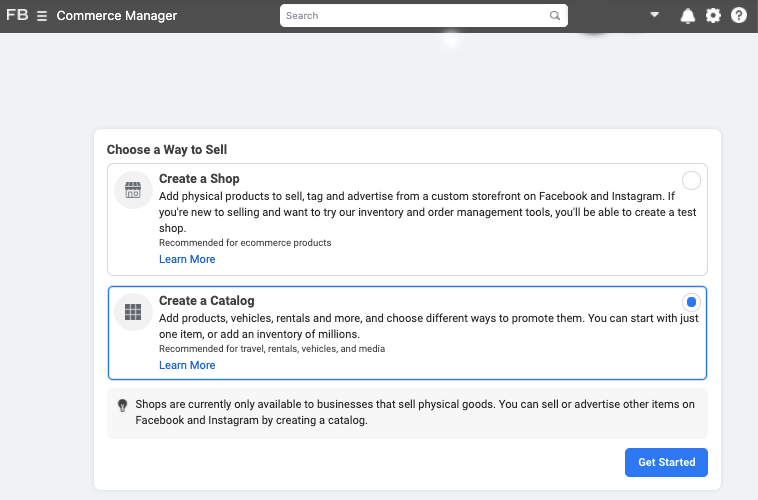
Here’s a step-by-step guide on how to do it.
It’s very important to keep your product catalog synced with your Instagram Page, and that your product descriptions and prices are accurate. If you’re running a sale or promotion, be sure to update your product catalog to reflect it.
How to Upload Your Products through an Ecommerce Platform
A second way to connect your Instagram Business Profile to a Facebook catalog is to do it through an ecommerce platform. Here are the steps using two popular platforms.
Shopify
Before you get started, you need to have the Facebook sales channel (included in all paid Shopify plans) installed on your Shopify store, which creates a Shop tab on your Facebook page.
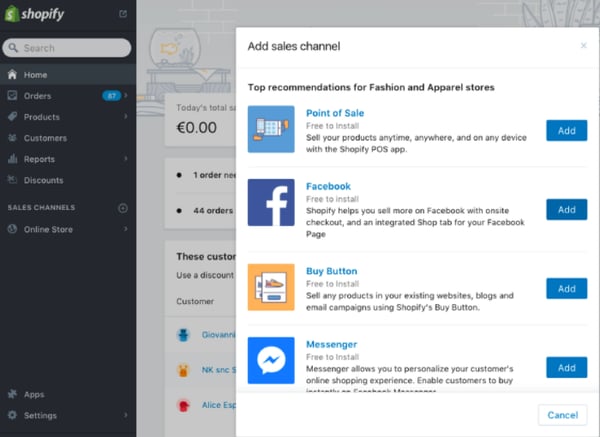
For specific details on how to connect your Facebook page to your Shopify account, you can view the Shopify guide here.
Once you’ve done the above, you can easily add the Instagram Sales Channel to your Shopify store, which connects the products from your Shopify page to your Instagram business profile.
To do this, head to your Shopify admin and click on the “+” button located beside the “Sales Channels” heading.
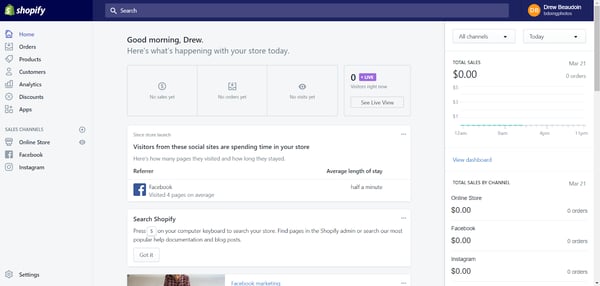
Next, on the “Add sales channel” dialogue, click “Instagram” and then “Add channel.”
You’ll need to log into your Facebook account page to authenticate your Instagram account in the sales channel.
Once the Instagram Sales Channel is installed, you can enable the feature in your settings on Instagram.
BigCommerce
Start by opening Channel Manager on your BigCommerce account and click “Get Started” next to Facebook.
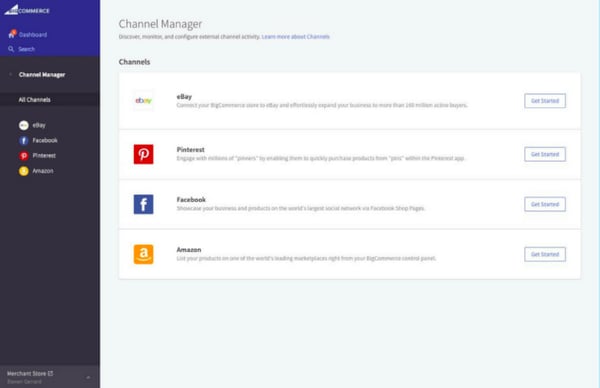
On the next screen, confirm that you’re using a compatible currency, sign up for a Facebook account (if you don’t have one), review the product requirements, then click “Get Started.”
Next, fill out your details on the Configuration page, including your business’ contact email, phone number, and the Facebook Page you’d like your shop to appear on.
Here’s the complete BigCommerce guide on how to do it.
Once Facebook approves your catalog, head back to Channel Manager, click “Get Started” next to Instagram, and confirm that your store meets the requirements.
3. Submit your account for review.
Once you’ve connected your product catalog to your Instagram account, you can submit your account for approval.
1. Go to your professional dashboard. Once there, click on “Set Up Instagram Shopping.”
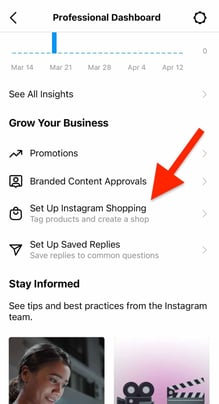 2. On the setup page, click on “Get Started.”
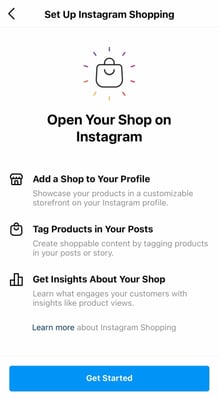 3. Select your catalog.
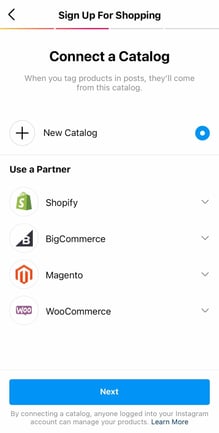 4. Review the details and click “Submit for Review.”
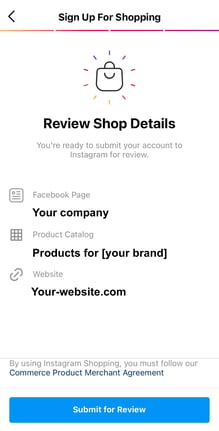
The approval process can take a few days. You may also need to provide additional information, such as domain verification.
How to Tag Products with Instagram Shoppable Posts
Once you get access to shoppable posts on Instagram and you’ve completed all the steps listed above, adding tags to your posts is quick and easy.
1. Upload your image and once you’re done editing, hit “Next.”
2. Click on “Tag Products.”
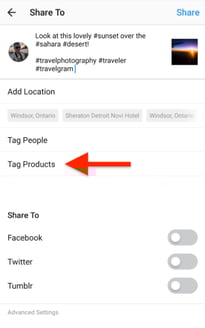
3. Tap on the item in your image you want to tag.
4. Search for the product and select it.

5. Click on “Done” and share the image.
Have an older post that still gets good traction, but doesn’t have a shoppable tag? You can tag products in both new and existing posts from your Instagram Business Profile, up to five products per single image post or 20 products per multi-photo (or carousel) post.
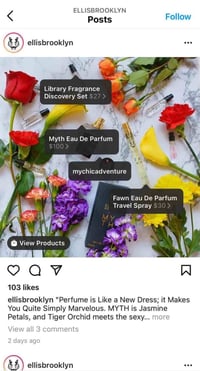
How to Optimize Your Posts for Shoppable Purchases
1. Create posts that feel natural to the Instagram feed.
While selling on Instagram is easier than ever, remember that your audience shouldn’t feel like they are being sold to. You should maintain their current content strategy, incorporating shoppable tags on photos that are a natural fit for your profile.

2. Leverage influencer content.
A great way to organically add shopping tags to your post is by leveraging posts from consumers. Studies show consumers trust influencers much more than brands and these posts serve as social proof, i.e., credibility and validation for the brand.
For example, Fe Noel recently reposted this post from a fashion influencer and added the product tag.

You can also optimize your Instagram sales strategy by using influencer posts. Influencer collaborations and sponsorships have nearly replaced traditional ads and are a huge part of social media strategies today.
55% of fashion shoppers have purchased a fashion item after seeing it promoted on the platform, according to a 2020 post from Instagram’s creator account.
Below, popular fashion model Michelle Dee is shown sporting a Herschel Supply suitcase on the brand’s profile:

An Instagram influencer’s stamp of approval goes a long way and is a great strategy to drive sales from your Instagram shoppable posts.
3. Optimize your post with multiple tags.
Lastly, including multiple shopping tags in your photos will help your audience explore and browse through your products quickly. You can also try adding shopping tags to carousel posts to test their performance against single-photo posts.
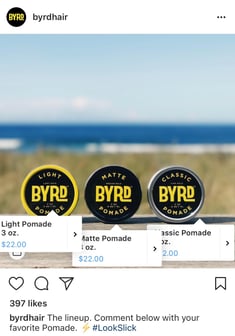
4. Activate the Shop page on your Instagram profile.
Create at least nine shoppable posts to activate the “Shop” tab on your Instagram profile. This will group all your shoppable posts under one tab for easy shopping and product discovery.
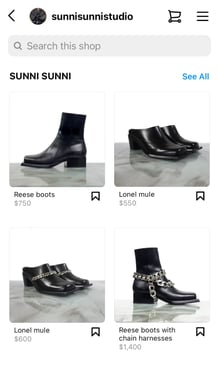
Measuring the Results of Your Shoppable Posts
Instagram business accounts have access to analytics for their shoppable posts, including data on how many people viewed product information and clicked through to the product page. This information helps determine what type of products resonate with your Instagram followers and identify gaps in the buyer’s journey.
As with all of your social media marketing efforts, you should measure performance data to see what drives the best results (and why) and use that to inform future posts.
Once your business begins selling on Instagram, keep experimenting with images, copy, shopping tags, and other factors that may contribute to your sales.
No matter what type of products you sell, delving into your analytics allows you to understand your audience’s wants, improves your content, and ultimately helps you drive more traffic and sales.
Selling on Instagram is a unique opportunity to reach users in all stages of the buyer journey through a seamless experience.

Top Presentation Design Trends of 2021, According to Creative Experts
In early 2020, the world as we knew it was flipped upside down. Businesses were forced to pivot in the face of the pandemic, and as a result many companies adopted a remote work culture.
Remote work changed the way organizations and teams worked — and even how companies communicated to prospective customers and acquired new business. Employees leaned into virtual designs, presentations, and events to communicate both internally and externally.
The graphic design landscape, as a result, has changed dramatically over the past year.
Now, presentations need to work harder than ever to connect, engage, and inspire audiences into action. In fact, over 35 million PowerPoint presentations are given each day to over 500 million audiences — but 79% of those audiences believe most presentations they see are boring.
To help you crush your next presentation deck, we’ve rounded up the top presentation design trends of 2021, as predicted by creative industry experts and presentation power-users.
Here, learn from three creative experts from leading companies in the tech space on the four biggest presentation design trends that will emerge in 2021.
![→ Free Download: 4 PowerPoint Presentation Templates [Access Now]](https://no-cache.hubspot.com/cta/default/53/2d0b5298-2daa-4812-b2d4-fa65cd354a8e.png)
1. There will be increased empathy found in design.
Marissa Latshaw, Founder of Latshaw Marketing, says: “Impactful, inspiring design starts with empathy.
Empathy is one of the most powerful tools in the creative toolbox. The good news is that empathy — the ability to feel, understand, and respond to the feelings of others — is innate in us all. Our job as creators is to harness this empathy for better design, marketing, and storytelling.
Empathy boosts creativity. The empathy/creativity connection is strong — as shown in many studies over the past decade. One study asked participants to create and name a potato chip product for pregnant women. Before beginning the task, half of the participants were told to envision how the consumer would feel while eating the snack. The other half were asked to imagine what the consumer would think. An independent jury found the product concepts of the first, feelings-focused, empathy-activated group to be more original than the control group.
Empathy is also vital for inclusivity. More than ever, we want to communicate with others in a way that is genuinely inclusive. An empathetic approach ensures we understand the goals, needs, fears, and values of all the people we wish to engage (beyond just the way they relate to our brand or product). This is a call for us all to become proactive about inclusivity, and it starts with empathy.
Empathy creates connection. From in-home fitness giant Peloton to the new voice-based, social network Clubhouse, we are constantly finding new and innovative ways to connect with one another.
Both brands demonstrate empathy as they address the palpable and growing need for connection. They re-imagined how we work out and share conversations in a more socially-connected way.
Designing anything — from a presentation to an ad campaign — is no different. Each is an opportunity to reimagine and innovate how we engage and connect with the world.
Empathy helps us to stand out by standing in another’s shoes. Creating one-of-a-kind, empathy-driven experiences ultimately brings us closer together and inspires action.”
2. Designers will lean into radical simplicity.
Eliot Garcia Weisberg, Creative Director at Airbnb, talks to us about all things radical simplicity.
He says, “Despite its incredible power to connect us, teleconferencing stunts audience energy and empathy. Attention — already a fleeting resource — is further divided between the screens, speakers, slides, and sounds of the virtual landscape.
The feedback loop from audience to presenter is nearly dead. The impact of environmental design is lost. In our new world, the value of a single pixel on the cluttered screens of remote audiences is immense. And the screens themselves— their quality and colors— vary wildly from member to member.
The key to designing for the ‘new normal’ is embracing radical simplicity. A designer must reduce a slide to its core idea, then push to simplify even further. They musk ask themselves — ‘Do I really need to show this?’ Then challenge themselves every time the answer is ‘Yes.’
Slide counts will be drastically reduced. Superfluous icons will fade away. Bullets will become a distant memory. Subtle textures will be replaced by solid colors. We’ll see a shift away from image masks and bold text over photos. Instead, we’ll see full-screen photographs or simple statements that make their point obvious and drive core concepts home.
We’ll spend more time on the speaker— full screen— than ever before. Their delivery, from tone to inflection, will become a design element. Rehearsals will replace design reviews.
The end result will feel much more human. And, if successful, radically simple.”
3. Great design will hold the viewers’ attention.
“For decades, the job of creative designers, writers, and videographers was to get attention. Cut through the noise. Deliver ads that stand out. Use creativity as a hook,” Adam Morgan, Adobe’s Executive Creative Director, says about holding an audience’s attention.
He adds, “But in today’s ultra-connected digital world, that hammer and nail approach isn’t always the answer. People choose what they want. The trend I’m seeing today is to hold attention. Less push and more pull. We have to create experiences that provide real value to an individual — not just catch their attention with shock value or clickbait.
“We have to create communities where people want to consume our brand experiences. We have to know those individuals and groups, what they care about, and provide new information wrapped in an emotional blanket. We have to stand for things they value.”
Rather than a hard sell, we have to share a story that they believe in and be open and transparent with why it matters to them.
What this means for creative teams is that you can’t just make it pretty or funny. You have to think deeply about what your brand means to customers and then create immersive experiences that connect. It’s no longer just about the creative craft of colors and fonts and icons. It’s about stories and meaning and authenticity and purpose. Don’t just get attention with your work. Hold attention. So that you can build brands that grow and last.”
4. Designers should use clean, minimalistic fonts and calming colors.
Lastly, we tapped into Beautiful.ai’s Creative Director Anuja Kanani’s expertise to unravel one more presentation design trend for 2021.
Kanani says, “Choosing the best colors for a presentation, and good presentation fonts, are two of the most important elements of deck design. Each design decision— shapes, words, and images— affect the way your audience feels about the presentation, but colors hold the most influence.
Taking the place of bold, bright primary colors, 2021 has warranted more relaxed, muted colors following the chaos of 2020. Not only are low-saturated and pastel colors more calming, they’re more organic and natural, perhaps making audiences feel more at ease and confident in the presentation in front of them.
Using a consistent, complimentary color theme strategically can help position your brand in the mind of your customers,” adds Kanani. She recommends limiting your presentation to 3-4 colors in your palette, with one accent color to highlight key points and bring balance and harmony to your presentation.
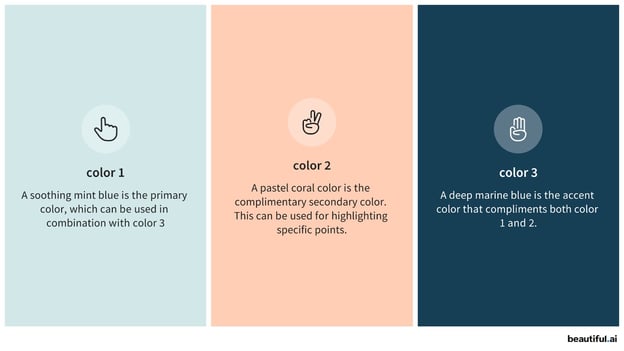
The trend of minimalism extends to good presentation fonts, too. Seasoned presenters are opting for clean minimal fonts, such as Open Sans or Jost, and rejecting traditional fonts like Arial or Times New Roman in 2021.
Kanani adds, “Custom typography improves your brand recognition, while selecting different weights or styles can help control the narrative on each slide.”
Presentation Graphics
You’ve probably caught onto the fact that over-complicated slides are a thing of the past. Studies show that 35% of millennials say they will only engage with content they feel has a great story or theme, so to avoid boring them into a snooze, use visuals to control your narrative.
Presentation graphics, or rich visuals, can help you paint a picture in bite-sized chunks so that your audience can digest the information you’re presenting to them.
Kanani says, “Engaging, inspiring visuals in presentations make your content compelling, eye-catching, and helps convey your story beautifully.”
Choosing rich icons, diagrams or infographics, and quality photos are powerful tools to help make your presentation more memorable and impactful.
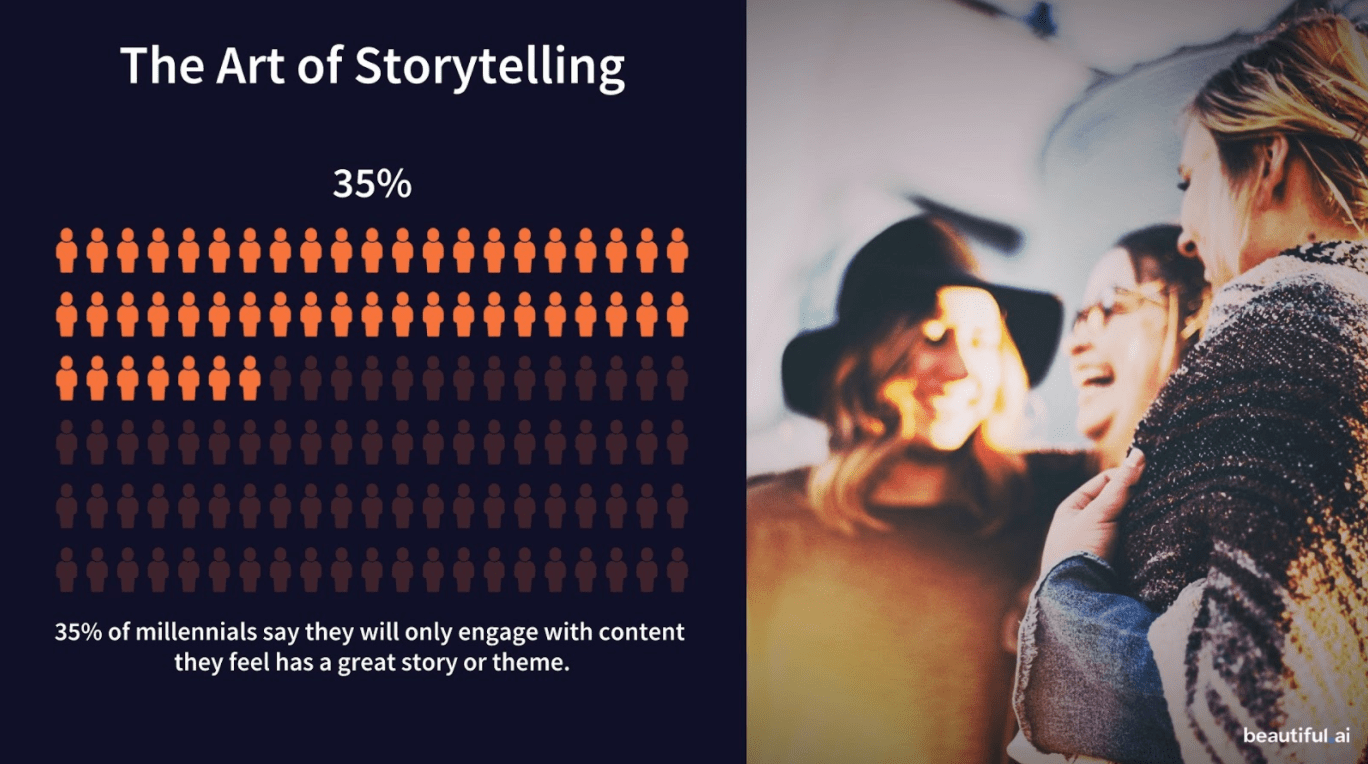 Ultimately, design is an art, not a science. However, ideally you can use these trends as inspiration for your own branded designs in 2021 and beyond.

Top B2B Content Marketing Trends to Watch This Year, According to Experts
If you’re a B2B marketer who isn’t investing in content creation, you’re in the minority — 79% of B2B marketers surveyed by Content Marketing Institute and Marketing Profs said their organization used content marketing to further their goals in 2020.
Developing a sound content marketing strategy is worth it: We found that blogs are among the primary three forms of media used in content strategies today.
In fact, 24% of marketers increased their investment in content marketing last year.
As 2021 is in full swing, we wanted to talk with more B2B content marketers to see what trends they’re looking out for in H2.

1. Content-supported ABM.
According to Brooklin Nash, the head of content at Sales Hacker, “B2B brands are getting better about connecting their ABM plays to content that’s hyper-relevant to the target account.”
For example, Nash says Intricately serves up industry reports with mentions of key accounts.
“ABM ads are starting to point more to content and less to landing pages,” Nash adds.
2. More comprehensive content to support multiple channels.
Nash also reports that he’s seeing companies focus on providing more comprehensive content that supports multiple channels.
“Repurposing content isn’t new, but it definitely seems like there’s been an increase (to the benefit of everyone),” he says. “Instead of a blog post on ABM, you can run a survey and turn it into a downloadable asset, social media images, an article, podcast mentions, and a recap webinar.”
3. Increased reliance on contractors.
Due to the uncertainty of last year, 29% of content marketers had to decrease their budgets.
Additionally, 49% said their organization outsources at least one content marketing activity, with large companies being the most likely to outsource.
Nash noticed the same thing. He says, “I haven’t seen the employment data, but I do know quite a few tech companies that laid off (large) parts of their (large) content teams in the midst of the pandemic.”
That means that bringing those full time functions back will probably take time.
“It’s going to take more time than content demands will allow for, so freelancers need to be ready,” Nash adds.
4. Focusing on original content rather than keywords.
Kelly O’Hara, the founder of Copy Goals, and B2B content marketing specialist, says, “I’ve seen successful bloggers talk about how they don’t optimize some of their content for SEO at all. *Gasp* I know.”
This idea might not be as outrageous as you think on first glance.
O’Hara says this might become the norm in the near future.
“We know that readers are demanding greater authenticity from content,” O’Hara adds. “It’s difficult to be authentic and optimize the heck out of your content at the same time. Plus, I imagine that Google will continue to find ways to give credit to sources that are legit, show their expertise, and genuinely help their readers.”
All that to say, don’t be surprised if content marketers start to focus more on originality rather than keywords, semantically-linked words, getting H2s in the right place, etc.
5. Emphasizing digital marketing.
This might not sound new since the digital revolution has been happening for the last couple of decades, but content marketing itself is just now starting to boom.
This year, there was an increase in those whose organizations used content creation/collaboration/workflow technologies. This isn’t surprising considering the work-from-home world we now live in.
While the type of content (blogs) remained the same, 67% of companies are now focusing on using virtual events, webinars, online courses, and building an online community.
Additionally, the use of livestreaming increased to 29% from 10%.
One of the survey respondents says, “We’ve had to expand out network via digital marketing strategies such as webinars and podcasts, as we relied mostly on in-person events and conferences for brand awareness and networking.”
6. Expanding budgets and expertise.
While there was a decrease in some content marketers budgets in 2020, this year, companies are focusing on increasing expertise with content creation and website enhancements.
Additionally, companies will need to increase their staff to keep up with the demands of the content marketing world.
A survey respondent says, “We’ll be looking to increase staff and ramp up our inbound strategy through content marketing.”
With expanding budgets and growing content marketing teams, companies are becoming more media fluent and are focused on creating a media brand, on top of their company brand.
Content marketing is in the middle of a huge evolution. From focusing on SEO and blogging to becoming a full-scale media company, brands are seeing huge differences when they scale their content marketing efforts.

How to Create a Pie Chart in Excel in 60 Seconds or Less
At the beginning of 2021, I was tasked with an assignment: Create a pie chart showcasing which types of content performed best on the Marketing Blog in 2020.
The question was an undeniably important one, as it would influence what types of content we wrote in 2021, along with identifying new opportunities for growth.
But once I’d compiled all relevant data, I was stuck — How could I easily create a pie chart to showcase my results?
Fortunately, I’ve since figured it out. Here, let’s dive into how you can create your own excel pie chart for impressive marketing reports and presentations. Plus, how to rotate a pie chart in excel, explode a pie chart, and even how to create a 3-dimensional version.
Let’s dive in.
![Download 9 Excel Templates for Marketers [Free Kit]](https://no-cache.hubspot.com/cta/default/53/9ff7a4fe-5293-496c-acca-566bc6e73f42.png)
How to Make a Pie Chart in Excel
1. Create your columns and/or rows of data. Feel free to label each column of data — excel will use those labels as titles for your pie chart. Then, highlight the data you want to display in pie chart form.
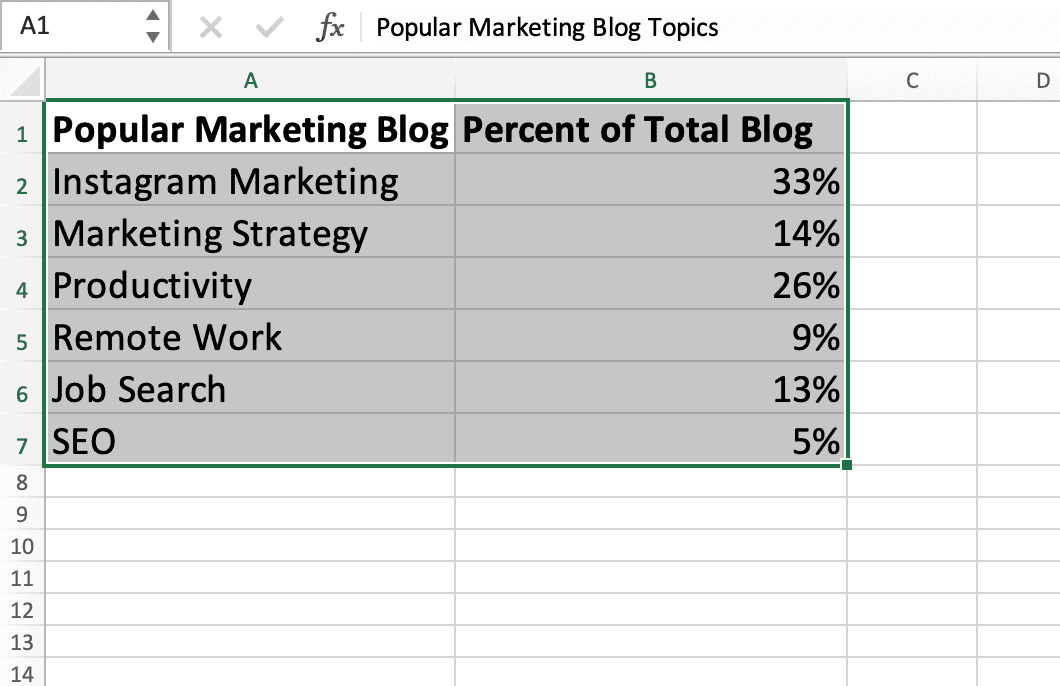
2. Now, click “Insert” and then click on the “Pie” logo at the top of excel.
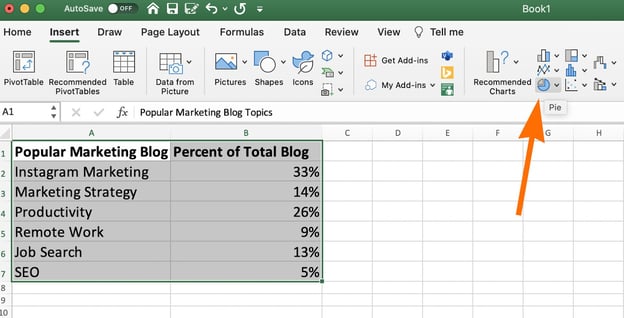
3. You’ll see a few pie options here, including 2-dimensional and 3-dimensional. For our purposes, let’s click on the first image of a 2-dimensional pie chart.
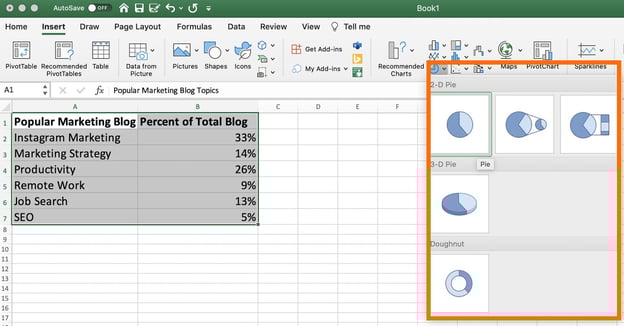
4. And there you have it! A pie chart will appear with the data and labels you’ve highlighted.
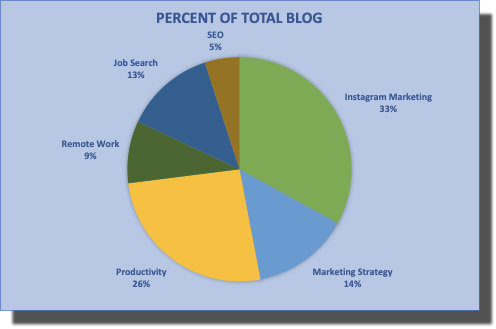
If you’re not happy with the pie chart colors or design, however, you also have plenty of editing options.
Let’s dive into those, next.
How to Edit a Pie Chart in Excel
Background Color
1. You can change the background color by clicking on the paint bucket icon under the “Format Chart Area” sidebar.
Then, choose the fill type (whether you want a solid color as your pie chart background, or whether you want the fill to be gradient or patterned), and the background color.
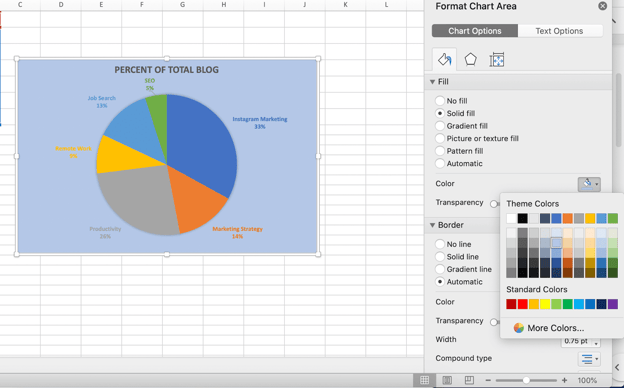
Pie Chart Text
2. Next, click on the text within the pie chart itself if you want to rewrite anything, expand the text, or move the text to a new area of your pie chart.
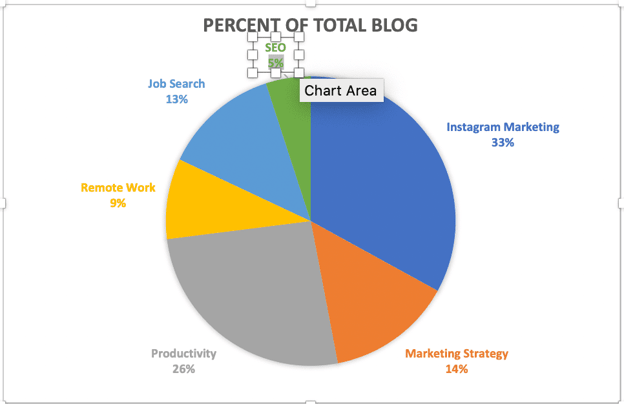
Pie Chart Border
3. Within the Format Chart Area, you can edit the border of your pie chart as well — including the border transparency, width, and color.
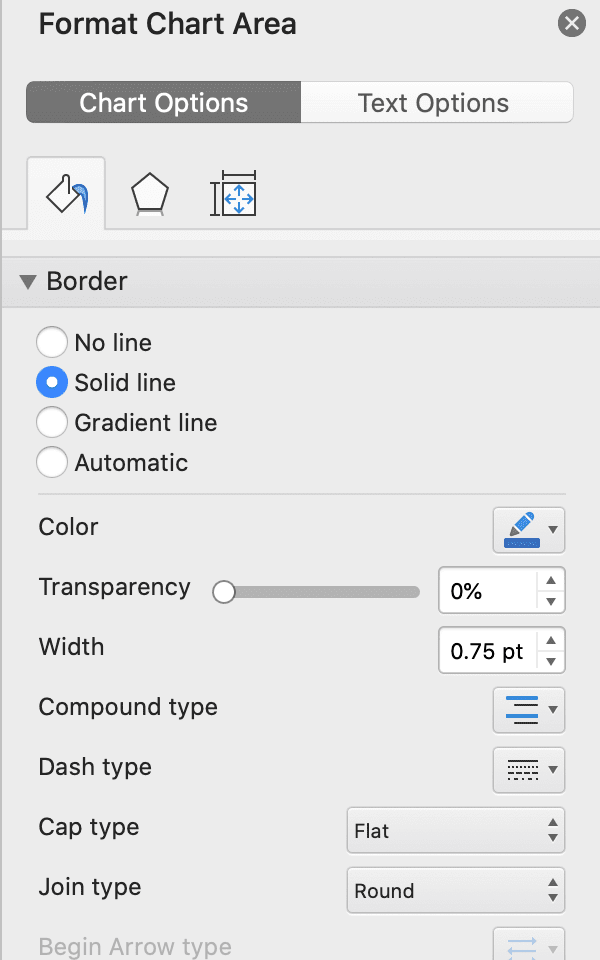
Pie Chart Shadows
4. To change the pie chart box itself (including the box’s shadow, edges, and glow), click on the pentagon shape in the Format Chart Area sidebar.
Then, toggle the bar across “Transparency”, “Size”, “Blur”, and “Angle” until you’re happy with the shadow of your pie chart box.
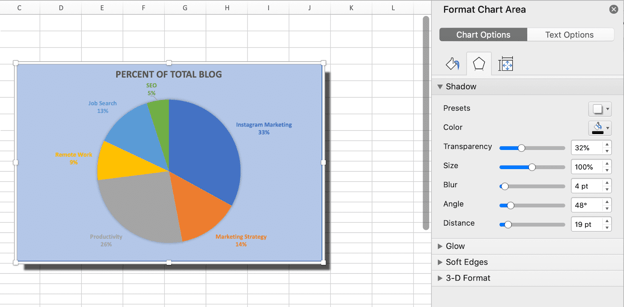
Pie Chart Colors
5. Click the color paint palette, at the top left of excel, to change the colors of your pie chart.
Excel offers a range of complementary colors — including a few presets under “Colorful”, and a few presets under “Monochromatic”. You can click between the options until you find a color palette you’re happy with.
(Alternatively, if you want to change the colors of your pie chart pieces individually, simply double click on the pie chart piece, toggle onto the paint section of the Format Chart Area, and choose a new color.)
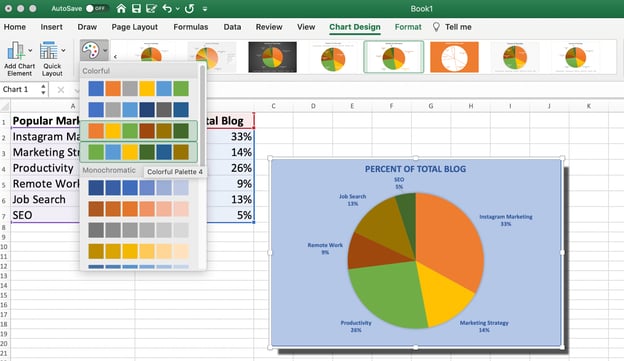
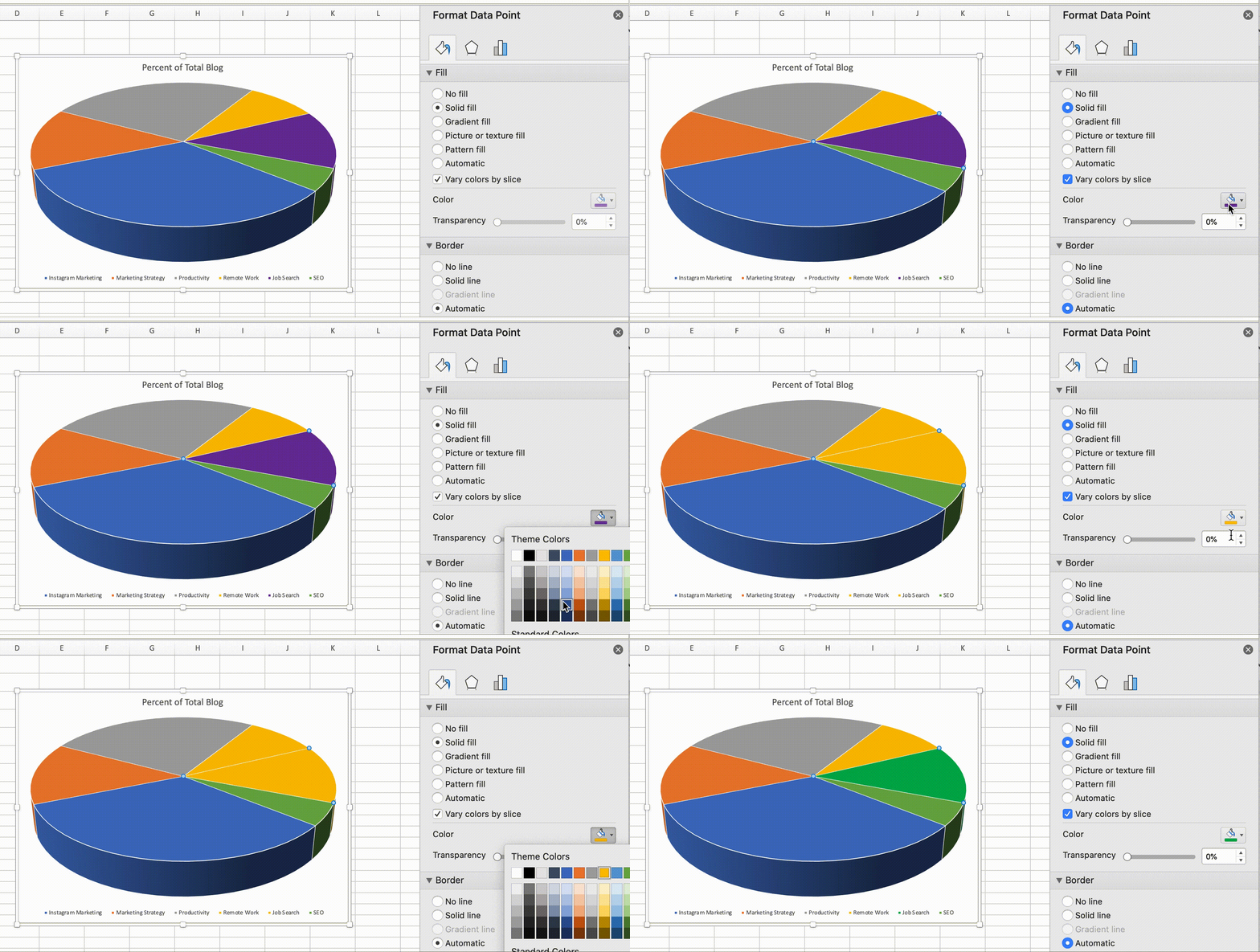
Chart Title
6. Change the chart title by clicking on the three bars graph icon in the top left of excel, and then toggling to “Chart Title > None”, “Chart Title > Above Chart”, or “Chart Title > Centered Overlay”.
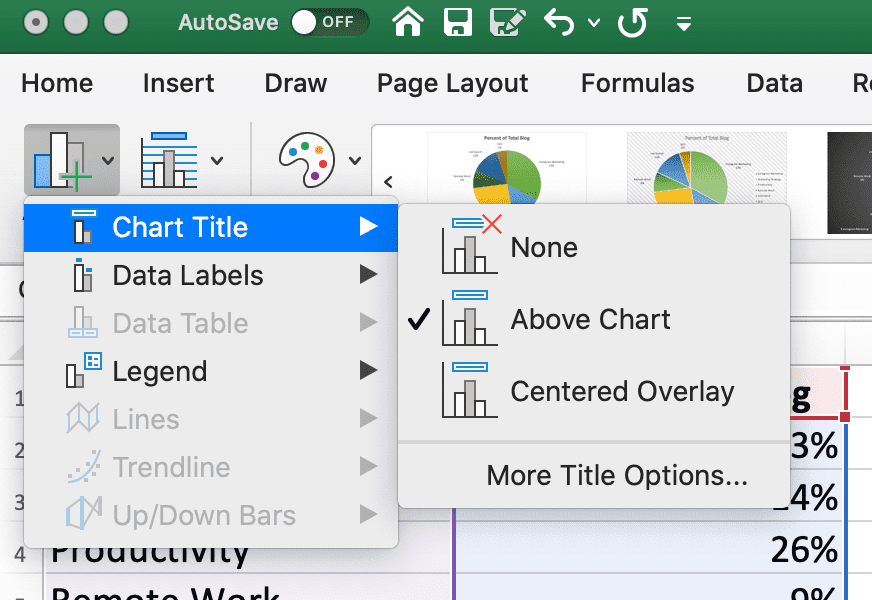
Change Location of Data Labels
7. On the same three bar graph icon, click “Data Labels” to modify where your labels appear on the pie chart. (For instance, do you want the pie chart pieces labelled in the middle of each pie chart portion, or on the outside?)
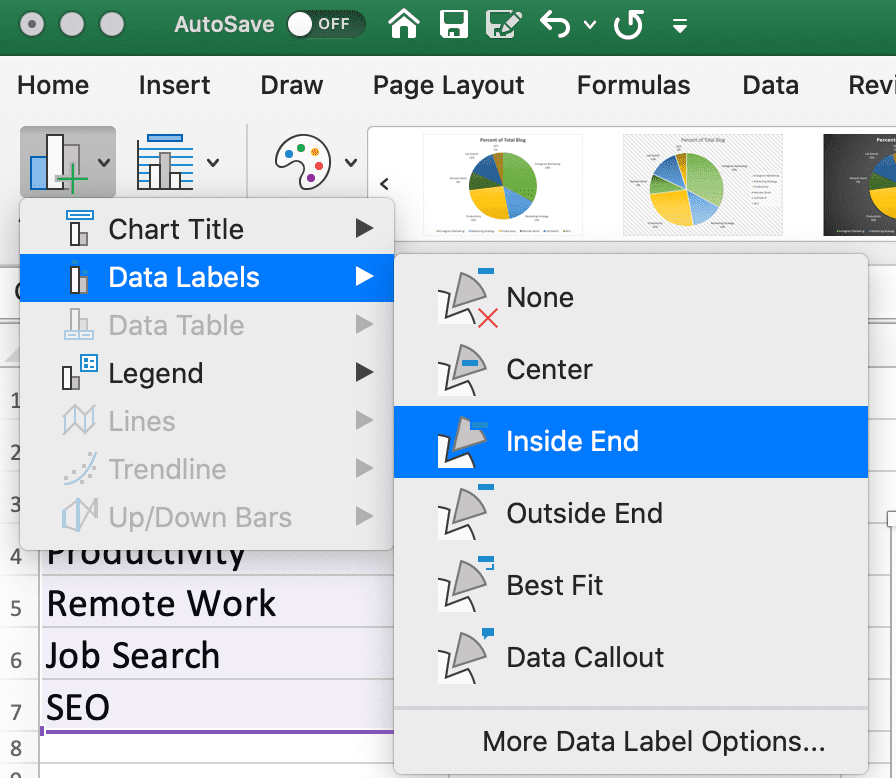
Switch Row/Column
8. If you’d prefer to switch which data appears in the pie chart, click “Switch Row/Column” to see alternate information aligned from your original data set.
How to Explode a Pie Chart in Excel
1. To explode a piece of your pie chart (which can help you emphasize or draw attention to a specific section of your pie chart), simply double-click on the piece you want to pull away.
Then, drag your cursor until it’s the distance you want it, and you’re all set!
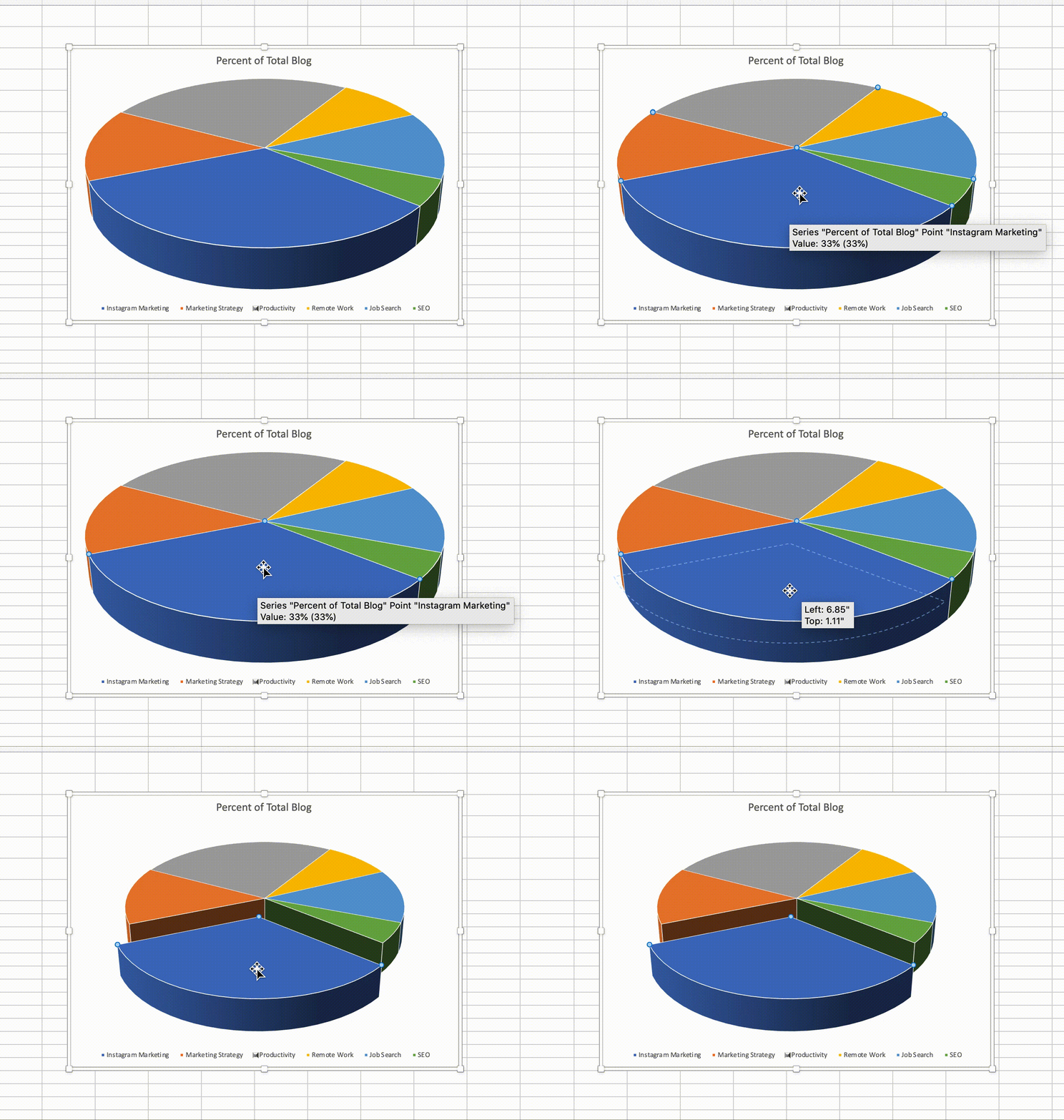
How to Create a 3D Pie Chart in Excel
1. To create a 3-dimensional pie chart in excel, simply highlight your data and then click the “Pie” logo.
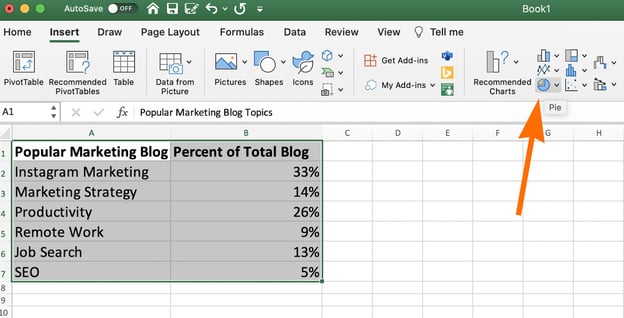
2. Then, choose the “3-D Pie” option.
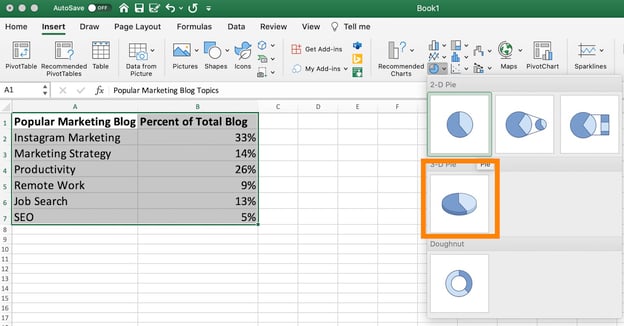
3. Finally, choose the design option you like at the top of your screen.
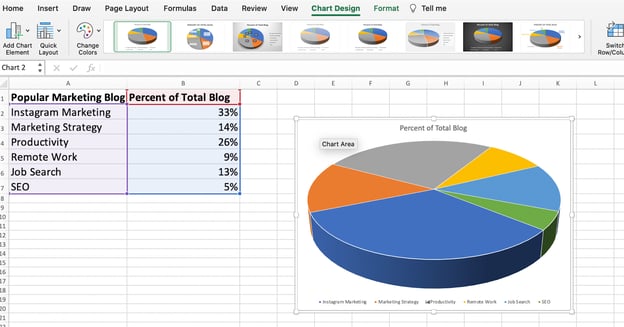
How to Rotate a Pie Chart in Excel
Finally, to rotate your pie chart, double-click on the chart and then click on the three-bar icon under “Format Data Point”.
Then, toggle the “Angle of first slice” until you’ve rotated the pie chart to the degree you want.
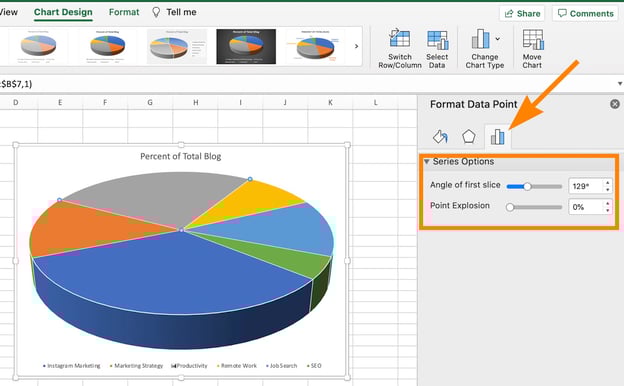
And there you have it! You’re well on your way to creating clean, impressive pie charts for your marketing materials to highlight important data and move stakeholders to take action.
Ultimately, you’ll want to experiment with all of excel’s unique formatting features until you figure out the pie chart that works best for your needs. Good luck!


How to Create a Pie Chart in Excel in 60 Seconds or Less
At the beginning of 2021, I was tasked with an assignment: Create a pie chart showcasing which types of content performed best on the Marketing Blog in 2020.
The question was an undeniably important one, as it would influence what types of content we wrote in 2021, along with identifying new opportunities for growth.
But once I’d compiled all relevant data, I was stuck — How could I easily create a pie chart to showcase my results?
Fortunately, I’ve since figured it out. Here, let’s dive into how you can create your own excel pie chart for impressive marketing reports and presentations. Plus, how to rotate a pie chart in excel, explode a pie chart, and even how to create a 3-dimensional version.
Let’s dive in.
How to Make a Pie Chart in Excel
1. Create your columns and/or rows of data. Feel free to label each column of data — excel will use those labels as titles for your pie chart. Then, highlight the data you want to display in pie chart form.
2. Now, click “Insert” and then click on the “Pie” logo at the top of excel.
3. You’ll see a few pie options here, including 2-dimensional and 3-dimensional. For our purposes, let’s click on the first image of a 2-dimensional pie chart.
4. And there you have it! A pie chart will appear with the data and labels you’ve highlighted.
If you’re not happy with the pie chart colors or design, however, you also have plenty of editing options.
Let’s dive into those, next.
How to Edit a Pie Chart in Excel
Background Color
1. You can change the background color by clicking on the paint bucket icon under the “Format Chart Area” sidebar.
Then, choose the fill type (whether you want a solid color as your pie chart background, or whether you want the fill to be gradient or patterned), and the background color.
Pie Chart Text
2. Next, click on the text within the pie chart itself if you want to rewrite anything, expand the text, or move the text to a new area of your pie chart.
Pie Chart Border
3. Within the Format Chart Area, you can edit the border of your pie chart as well — including the border transparency, width, and color.
Pie Chart Shadows
4. To change the pie chart box itself (including the box’s shadow, edges, and glow), click on the pentagon shape in the Format Chart Area sidebar.
Then, toggle the bar across “Transparency”, “Size”, “Blur”, and “Angle” until you’re happy with the shadow of your pie chart box.
Pie Chart Colors
5. Click the color paint palette, at the top left of excel, to change the colors of your pie chart.
Excel offers a range of complementary colors — including a few presets under “Colorful”, and a few presets under “Monochromatic”. You can click between the options until you find a color palette you’re happy with.
(Alternatively, if you want to change the colors of your pie chart pieces individually, simply double click on the pie chart piece, toggle onto the paint section of the Format Chart Area, and choose a new color.)
Chart Title
6. Change the chart title by clicking on the three bars graph icon in the top left of excel, and then toggling to “Chart Title > None”, “Chart Title > Above Chart”, or “Chart Title > Centered Overlay”.
Change Location of Data Labels
7. On the same three bar graph icon, click “Data Labels” to modify where your labels appear on the pie chart. (For instance, do you want the pie chart pieces labelled in the middle of each pie chart portion, or on the outside?)
Switch Row/Column
8. If you’d prefer to switch which data appears in the pie chart, click “Switch Row/Column” to see alternate information aligned from your original data set.
How to Explode a Pie Chart in Excel
1. To explode a piece of your pie chart (which can help you emphasize or draw attention to a specific section of your pie chart), simply double-click on the piece you want to pull away.
Then, drag your cursor until it’s the distance you want it, and you’re all set!
How to Create a 3D Pie Chart in Excel
1. To create a 3-dimensional pie chart in excel, simply highlight your data and then click the “Pie” logo.
2. Then, choose the “3-D Pie” option.
3. Finally, choose the design option you like at the top of your screen.
How to Rotate a Pie Chart in Excel
Finally, to rotate your pie chart, double-click on the chart and then click on the three-bar icon under “Format Data Point”.
Then, toggle the “Angle of first slice” until you’ve rotated the pie chart to the degree you want.
And there you have it! You’re well on your way to creating clean, impressive pie charts for your marketing materials to highlight important data and move stakeholders to take action.
Ultimately, you’ll want to experiment with all of excel’s unique formatting features until you figure out the pie chart that works best for your needs. Good luck!
How to Make an Instagram Business Account
Instagram is an undeniably powerful tool for businesses.
In fact, 83% of people say they’ve discovered new products or services on Instagram, and roughly 80% say Instagram helps them conduct research on a product and ultimately decide whether or not to make a purchase.
All of which is to say: If you’re not using Instagram to reach new audiences, increase brand awareness, and ultimately grow sales, then you could be missing out.
In this post, we’ll review how to make an Instagram business account, and the benefits of having one. Plus, how to switch back-and-forth between a business and personal account.
1. Download the Instagram app.
To get started, you’ll need to download the Instagram app on your phone or go to the Instagram site.
If you don’t already have an Instagram account, you can either download the app and click “Create New Account”, or open the desktop version (www.Instagram.com) and follow the same steps:
 2. Sign up.
Next, you’ll fill out the form with your email address (make sure you choose a business email address), company name, username, and password.
You can also sign up with Facebook. If you already have a business Facebook account, this could be a good option.
It’s important to note that your username should most likely be your company name, and your password should follow all recommended guidelines (include a number, special characters, etc.).
3. Switch to a business account.
Now that you’re set up with a profile, it’s time to switch it to a business account.
To do so, go to your profile and click the three lines in the top right corner:
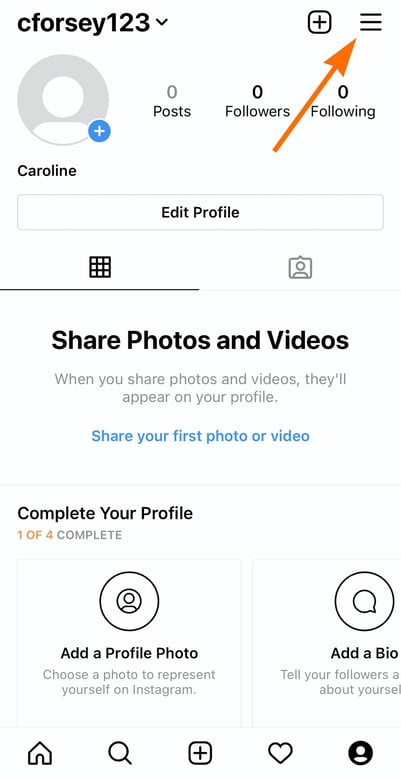
Then, click “Settings” in the navigation menu that appears:
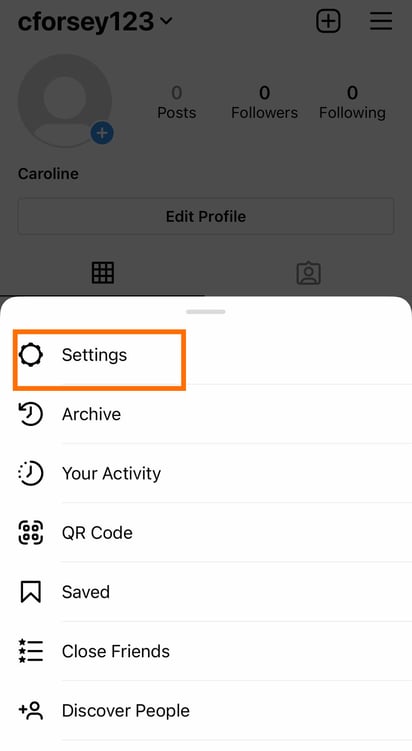
Now, click “Account” from the Settings page:
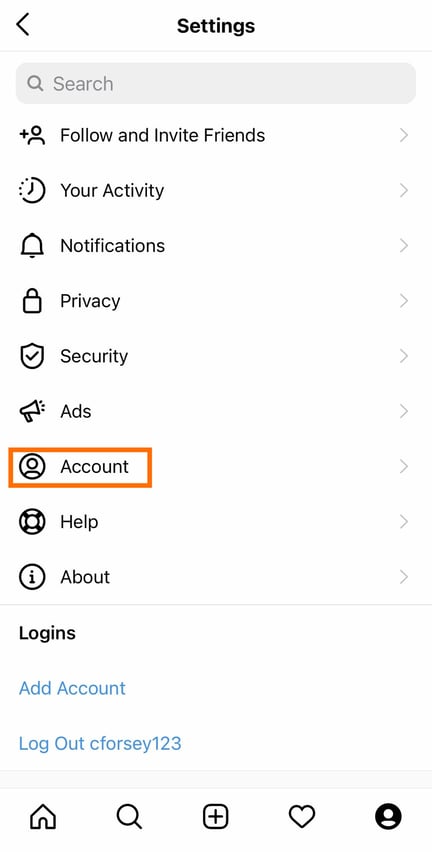 Finally, click “Switch to Professional Account”:
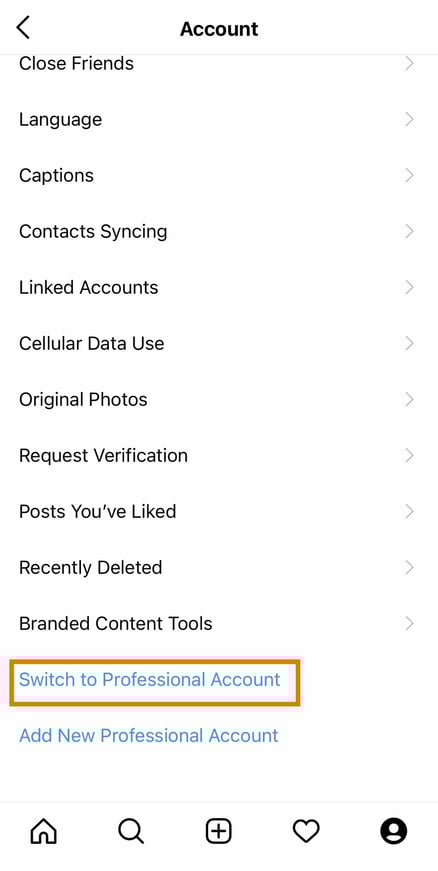 When you get to this point, you’ll see another option to switch to a “Creator” account. Creator accounts are meant to be used by influencers, public figures, or content creators.
If you’re a business that sells a product or service, then a business account is the right option.
4. Complete your profile.
At this point, you’re all set up with a business account, but you’re not done yet.
Before you can start promoting your social media, you’ll need to complete your profile:
 To do this, choose a profile photo. Your profile image will typically be some variation of your logo so your audience can easily recognize it.
Next, you’ll need to write your bio and fill out your company info. This will include your website, store hours, and contact information.
5. Post some content.
Before you can promote your account, it’s important to post a few images first. Perhaps you can write an introduction or hello post.
When you start interacting with people and following people, they’ll likely visit your account. You want there to be something to see that explains who you are as a company.
6. Link your business Facebook page.
If you didn’t choose to sign up with your business Facebook account, then it’s time to link your account here.
This is an important step because you need to have a Facebook business page to use some of Instagram’s business tools.
To link your account, click the three lines in the top right corner (like you did for step one). Then, click “Settings” and “Business.”
Now, you can click “Connect a Facebook Page”:
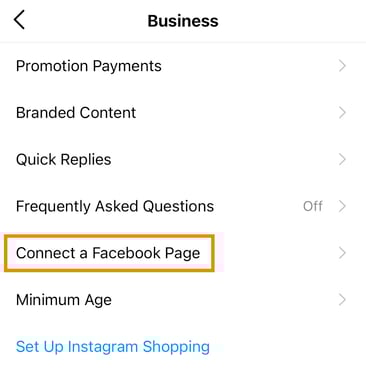 It’s important to note — You’ll need to be logged in to Facebook to do this.
7. Start following people.
Your profile is essentially ready to go. To get started on Instagram, invite your Facebook followers to follow you on Instagram.
You should also start following people to get the ball rolling. However, make sure that you’re strategic. The people you follow should make sense for your brand.
8. Develop a strategy.
Starting your Instagram business account is just the beginning. Once you’re all set with your page, it’s time to learn how to use Instagram for marketing.
You’ll want to think about the hashtags you’ll use, the accounts you’ll target, and who you’ll engage with.
To get started, you can learn how to use Instagram for marketing with HubSpot Academy’s Instagram Marketing Course.
Now, what if you have a creator account and you want to switch to a business account? Or what if you have a business account that you want to switch to personal? Or perhaps you have a personal account you want to switch to business?
To do this, follow the steps below.
1. Go to your profile.
The first step to switch your account is to go to your profile.
2. Tap the Settings cog.
Next, click the three lines in the top right corner …
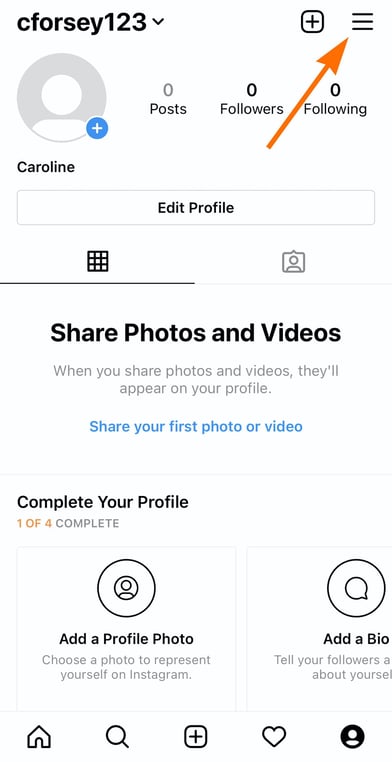
… Then, click “Settings”:
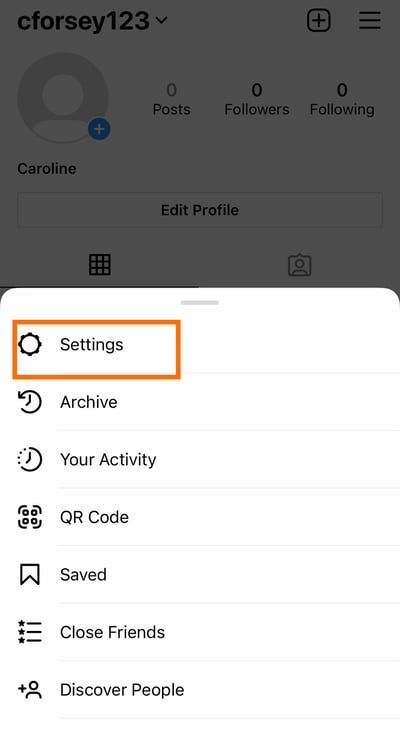
3. Click Account & Switch to Business Profile.
Now, click “Account” and then “Switch to business profile.” If you’re a business page and want to switch to a personal account, this button will become “Switch to personal account.”
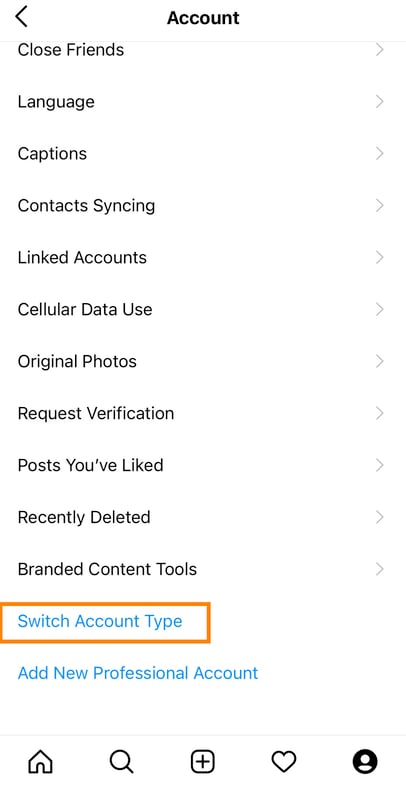 No matter what account you have or what you want to switch it to, this is the process to go through.
Interestingly, you can also do this by just clicking on your profile, and clicking “Edit Profile.”
At this point, you might be wondering, “Why do I need a business account?” Below, let’s review some of the top benefits of having a business account on Instagram.
1. Action buttons.
With an Instagram business account you can add action buttons to your profile, such as “Book an Appointment,” “Make a Reservation,” or “Get Tickets” depending on your needs.
In fact, plenty of scheduling software integrates with Instagram, so you can attach your Instagram business account to your scheduling software.
Additionally, you can add CTAs on your profile, including “Call” or “Email” so it’s easier for your audience to get in touch with you.
2. Auto-scheduling posts.
A major perk of having a business account is the ability to schedule posts in advance. This is helpful because you can implement and execute your strategy without needing to spend every day on the app.
3. Access to analytics.
With a business profile, you’ll gain access to insights about your followers. You can see a demographic breakdown and how your audience interacts with your posts.
4. Ability to manage ads.
This is one of the best features of Instagram business accounts.
You’ll be able to promote posts and can easily select your audience, set a budget, and get rolling with advertising.
You can even work with influencers by directly promoting their branded content (if you’re tagged as a business partner).
To get more in depth, your Facebook account will need to be linked so you can use the Facebook ad’s manager.
5. Swipe up feature.
Another great feature of a business account is the ability to include swipe up links if you have more than 10,000 followers.
Since Instagram is one of the only platforms where you can’t include any clickable links in your posts, this is an excellent way to get your content out there.
Getting started with Instagram marketing can be hugely beneficial for your company. And it’s even an easy process. If you aren’t sure where to get started, we suggest taking free courses on Instagram Marketing (like HubSpot’s).

11 Creative (But 100% White Hat!) Ways to Earn Backlinks in 2021
If you want to drive organic traffic to your website, you must understand two critical aspects of SEO strategy:
- Relevance
- Authority
With relevance, the key is knowing what your audience is searching for and providing the highest quality and most relevant content so it’s a no-brainer for Google to serve it up to them.
But this isn’t an exact science.
![→ Download Now: SEO Starter Pack [Free Kit]](https://no-cache.hubspot.com/cta/default/53/1d7211ac-7b1b-4405-b940-54b8acedb26e.png)
You could create the best content out there from your perspective, but it’s a competitive landscape, and Google takes myriad other factors into account when ranking pages on the SERPs. One of those being… how authoritative (or trustworthy) the provider of that content is.
You might think that “authority” is subjective, but Google has one critical way to measure it: backlinks.
Why are backlinks important?
While there are 200 known Google ranking factors, backlinks counts as one of the most important for Google search.
That’s because a link to another website is more than just a link — it’s a vote of confidence, a recommendation, a way for publishers to say to their readers: “Here’s a source I trust. Go check it out yourself.”
It’s incredibly difficult to get that kind of endorsement, especially for small businesses or startups. But if you want to boost your SEO performance, you need to make sure you consistently earn high-quality backlinks to your website, better and faster than your competition.
Additionally, Gabi Theard, Director of Marketing at Trujay, says, “A link building strategy doesn’t just increase your SEO score and visibility on Google. It also shows readers where your company falls in relations to other brands — and reminds readers that there is, in fact, a human behind the screen. Backlinks can demonstrate a relationship between two sites and how each site is working to help the other grow.”
“Plus, backlinks help readers get the highest degree of information that answers their questions.”
High-Quality Backlinks
Keep in mind, though, that not all backlinks are created equal. If you think of a backlink as a vote of confidence, it only makes sense to also evaluate the credibility of that vote.
In the past, tactics such as link farms, PBNs, and comment spam allowed black-hat SEOs to create vast backlink profiles and successfully game the system. However, these black-hat link-building techniques no longer work because Google has gotten savvy to them. In fact, too many “unnatural” links may even earn your site a penalty.
In other words, quality matters just as much as quantity when it comes to backlinks.
Earning high-quality backlinks is probably the most challenging part of SEO. You’ll want links that are:
- Authoritative – The site has an authoritative backlink profile (many votes of confidence), generates a lot of traffic, and even ranks well in the SERPs itself. In addition, .gov and .edu sites tend to carry more weight, as do industry-leading sites.
- Relevant – The referring page tackles a similar topic or niche. e.g. If your technology company’s homepage gets a backlink from a blog post on “how to golf,” this would not be seen as a relevant or quality backlink.
- Unique – You will get an edge if the site refers to you but does not refer to your competitors. Otherwise, the backlink may be good to have, but it’s table stakes.
- Natural – The link is not sponsored, the anchor text is not branded or spammy, and the referring page has a natural number of links on it.
As an SEO strategist specifically focusing on link building at HubSpot, I’m no stranger to the challenge of finding high-quality sources that will link back to your site. To help you improve your company’s SEO ranking, I’ve cultivated this list of creative and unique ways to earn backlinks.
1. Reclaim Unlinked Mentions
Reclaiming unlinked brand mentions is probably the easiest, quickest way to build high-quality backlinks.
All you need to do is keep an eye on who is mentioning your brand, on blogs or in the news. You can do that using something as simple (and free) as Google Alerts. If you want more insights into your mentions, like the number of shares or the domain authority of the website where the mention comes from, you can opt for tools like BuzzSumo, Ahrefs Content Explorer or Mention.
%20Ways%20to%20Earn%20Backlinks%20in%202019-2.png)
Oftentimes, you’ll notice the author hasn’t included a link back to your website when they mention your brand, product, or service. That’s when you can send them a quick note, asking for a proper link attribution. This also allows the publisher to give their readers a better experience, letting them click through and learn more about the brand mentioned. It’s a win, win.
The creative part of this tactic is that you can use the same method to reclaim links for other mentions that are related to your brand — including events you organize, employees names, research reports, etc.
For example, you can keep a lookout for interviews that feature your company’s executives and ask for a link back to their profile page on your website. Or, you can look for mentions of reports or statistics you’ve published, and ask for a proper link attribution to the original source.
2. Get Contextual Links
Have you noticed how some articles feature additional resources, either recommended in text or inside a “Read more” section?
Here’s an example of a “read more” section from SEJ, where they link to a related piece:
%20Ways%20to%20Earn%20Backlinks%20in%202019-1.png)
These links embedded in the text of an article are called contextual links.
The key to getting contextual links is to find the right link prospect to reach out to. You can find them by researching articles that are related to the content you’re promoting and already have a “Read more” section.
For instance, let’s say you have a new study on email marketing. Try looking for articles that speak about marketing trends and recommend other articles.
Here’s how to find them using search engines like Google:
- marketing trends inurl:blog intext:”Read more”
- marketing trends inurl:blog intext:”Recommended articles”
- marketing trends inurl:blog intext:”Recommended reading”
When you reach out to the author to pitch your study, don’t forget to mention why your content is worth getting featured. A persuasive boilerplate and a personalized email will go a long way.
Additionally, Theard says: “Once you get into the habit of earning backlinks, you may start to notice that other publishers come to you directly. With the right relationship-building strategy, publishers come to you rather than you inquiring to them.”
She adds, “Relationship-based backlinks are critical, as opposed to simple (and frequent) link exchanges. Google can, and will, pick up on backlink publications that are whimsy; a backlink for a backlink is not a good backlink. A relationship-based backlink is accepted by Google through relevant keywords, the credibility of websites, and genuine effort to have website referrals be at the top of calibers.”
3. Get “Best X” List Mentions
Today’s consumers look for all available options before making a purchasing decision. They often use comparison websites or articles, like “The 13 Best Free Email Marketing Tools in 2021” to see what others recommend.
To get a sense of how popular these Best X articles are in your industry, use a keyword research tool and check for monthly search volume. For instance, there are more than 3,400 searches per month for the query “best CRM for small businesses” (according to data from Ahrefs).
Getting mentioned on articles that list the best products like the one you offer is a fantastic way to reinforce your brand, get more people to try out your product and, of course, earn high-quality backlinks.
Alex Birkett, Senior Growth Marketing Manager at HubSpot, explains why getting featured on these lists is so important for your business: “If you look at these search results in terms of pure click-through rate, there’s an upper limit on how much traffic you can bring to your own product page by ranking on your own site’s listicle.”
Birkett continues to say — “As Nick Eubanks has mentioned, if you can broaden your view from trying to rank #1 to trying to monopolize all of the sites on the first page of a search query, you can multiply the amount of click-throughs to your site, your website traffic, and, down the line, your sales volume. And that’s not even factoring in the less trackable aspects, such as social proof and brand awareness.”
“In other words, this tactic goes beyond just link building and taps into acquisition and brand awareness potential, too.”
To get your product or service included in a list round-up, start with a simple Google search to find high-ranking blogs that write about your product or industry.
Here are some useful search terms to help you find relevant prospects:
- Best [X]
- Best [X] for [Y] e.g. Best CRM for entrepreneurs
- Top [X]
- Top [X] for [Y] e.g. Top 10 CRM for small businesses
Collect the most relevant prospects in a list and prioritize them based on domain authority (or Domain Rating if you’re using Ahrefs), backlink profile, ranking, and referral traffic potential.
Once your final list is ready, write a short pitch for the author to show them why your product or service deserves to be included in their list.
As per any outreach campaign, a short, persuasive pitch and a customized email will help you stand out.
4. Become a Source for Other Publishers
By using your expertise and unique data, you can become a source for other bloggers and journalists.
Every time someone quotes you, you’ll earn a backlink. But high-domain authority backlinks aren’t the only benefit of this tactic (although they are a huge benefit on their own). By becoming a trusted source, you’ll also increase your brand awareness and drive referral traffic to your website.
Best of all, it isn’t as difficult as you may think.
To start, simply subscribe to HARO (Help A Reporter Out). This is a free service that connects expert sources (like yourself) with bloggers and journalists who are looking for contributors.
Here’s how it works — every day, HARO will send you an email with queries from writers in your industry. You can pick the ones that resonate with your business and respond via email, including your credentials.
Speed is very important here, as most of these writers get many submissions. If you’re among the first to respond, you have a bigger chance to be seen and selected for the final piece. If you’re selected, you’ll likely receive an email from a journalist or blogger letting you know the article is live.
For instance, here’s an email I got a few days after I submitted a quote on HARO:
%20Ways%20to%20Earn%20Backlinks%20in%202019-5.png)
From my experience with HARO, it takes about four weeks for an article to get published after you send your response. Even if you don’t receive a follow-up email from the writer, keep an eye on the publication to see if your quote ends up making it into the piece.
I found that, on average, two out of 10 answers get picked up. That isn’t too bad, but if you’re like me, you don’t want to waste those eight other answers that don’t get to be published.
To ensure you still use those quotes elsewhere, I suggest you create a backlog of content and use it to answer similar questions on Quora, LinkedIn, or even your own blog or social channels.
5. Reach Out to Journalists
Bloggers and journalists are bombarded with emails pitching them information that is too promotional and doesn’t add value to their readers. That’s why many outreach emails don’t get any responses.
However, there are effective methods to make your pitch stand out. Paddy Moogan, Co-Founder of Aira, explains how his team uses this tactic successfully to earn high-quality backlinks for their clients:
“We take an individual from a client’s company, usually the founder, Managing Director, or CEO (although it can be anyone, really) and get them to provide us with their views and opinions on a set of topics.
These topics should be a sweet spot between what their company is credible to talk about, and general newsworthy topics. Classic examples at the moment are things such as what Brexit means for the X industry or what the future of X industry is in the world of AI or automation.
These broader topics are being talked about a lot in the press, so tying it to a topic that your client can talk about allows you to approach journalists and offer their comments for any upcoming articles. They often link to you because of this, and will also often link to profile pages on your client’s website, as well.”
Jeff Previte, Content Manager at Bluleadz, also shared with me a tip on how their agency stands out when pitching journalists: “When we conduct outreach for new link building opportunities, we like to use HubSpot video in our emails. We record a short video introducing ourselves and our company. After the introduction, we briefly explain how our content can deliver value to their audience and make some suggestions of what they can link to. This lends a human element. Most link building outreach comes from cold email templates. With a video, we give recipients a name, a face, and a voice they can associate with our company. That small touch helps us stand out.”
6. Update Old Content
If you find an article or a research report that hasn’t been updated in a while, check how many backlinks the piece has. If there are many publications referencing that content, then you found yourself a real gem.
You can simply go ahead and create a better, fresh piece, with more relevant data.
Once the content is live, you can then reach out to bloggers or journalists who’ve linked to the old content to let them know about your updated version.
Oftentimes, you’ll see the results of your outreach in a matter of days or weeks in the form of backlinks or social media shares. But there are also other benefits that come out of building that relationship in the first place. For instance, you might end up collaborating on other projects that can help you grow your brand, and your traffic.
Ultimately, when building your email outreach list, have a long-term benefit in mind and try building a relationship — instead of just focusing on the backlink.
7. Build Free Tools
Creating free tools, like calculators or template generators, is an effective method for earning links and even generating new leads.
In a nutshell, here’s how to get started:
- Start with keyword research and see what comes up for “templates”, “tools”, or “generator” in your industry.
- Check out what tools appear in Top 10 search results for those keywords.
- Try to figure out which tool or generator receives the most backlinks right now.
- Build something similar but way better, e.g. better design, more customizable options, etc.
For example, take HubSpot’s Email Signature Generator. There are over 29,000 searches for “signature generator” on any given month on Google, and our tool offers a very simple, aesthetically-pleasing solution.
Since we launched it, it’s been highly used and recommended, having earned over 5,520 backlinks from 1,168 referring domains.
8. Publish Ultimate Guides
An Ultimate Guide is a piece of content designed to be the best, most comprehensive resource on a given topic. It covers enough information that you don’t need to go elsewhere to learn more about that subject.
Here are two examples from our own blog:
The reason why these Ultimate Guides attract inbound backlinks is because they help bloggers and journalists reference a concept they mention.
For instance, if someone writes an article titled “How to get started with SEO”, they can focus on a few tips and tactics without explaining, in-depth, what SEO is — instead, they can simply link to an SEO Ultimate Guide, if their readers have further questions.
Here’s an example:
%20Ways%20to%20Earn%20Backlinks%20in%202019.png)
Alex Birkett, Senior Growth Marketing Manager at HubSpot, uses this approach with his personal blog, as well. Here’s how he explains it: “An Ultimate Guide doesn’t have to explicitly tell you it is an Ultimate Guide. It simply has to go above-and-beyond in its utility or perceived value.”
“For example,” Birkett continues, “I recently wrote a 6,500 word guide on A/B testing. It ranges from beginner issues all the way through advanced topics and fringe cases. Basically, it’s a bookmarkable article for anyone who runs A/B tests. Not only did it get a really solid initial spike of traffic from social shares, but it consistently gains organic links month-by-month.”
%20Ways%20to%20Earn%20Backlinks%20in%202019-4.png)
9. Use Images to Earn Links & Mentions
Infographics are probably the most common visual asset used to earn backlinks. It’s always good to experiment with them, if you haven’t done it before.
However, if you feel infographics don’t work well for your brand, here are a few other visuals you might consider creating:
- Charts and graphs with original data
- Diagrams to visually explain complex concepts
- One-page templates
- Free photo galleries for others to use
To give you an idea of how other brands use free photo galleries, check out this creative campaign from LinkedIn: The Real Face of Sales. The brand has created a free downloadable library of photos that feature real, non-cliche salespeople.
The photos are also available on Unsplash and Pexels (where they got over 35 million views), which helped with distribution.
%20Ways%20to%20Earn%20Backlinks%20in%202019-3.png)
10. Use Directories (yes, Directories!)
Despite what you may have heard, directories aren’t dead. In fact, they are probably one of the best ways to improve your local SEO and help potential customers find your business.
Of course, I’m not talking about spammy directories that are there just for the sake of links. Those are more likely to harm your SEO performance than anything else.
The directories you need to be on are the ones people actually use — like Google My Business, Yelp, and TripAdvisor. Beyond these famous ones, there are many other general and niche directories that can help your rankings and traffic.
Here are a few resources to help you find relevant directories:
- 21 Web Directories That Still Have Value (Search Engine Journal)
- Top Local Citations by Business Category (BrightLocal)
- The Ultimate List: 57 Online Local Business Directories (HubSpot)
- 600+ Directory Sites and How To Do Directory Link Building (Linkio)
11. Use the Broken Link Building Method
This tactic involves reaching out to a website that has a broken outbound link (a link to an external source) and suggest they update it with a link to one of your pages. Of course, your page has to be a good resource on the topic to which they were originally linking, so it makes sense to swap the broken link with yours.
The reason this tactic works so well is because it’s adding a ton of value to the webmasters — it helps them fix an error on their website and it improves the experience for their readers.
The challenge with this tactic is, of course, finding these broken links.
You have a couple of options here:
- You can look for websites with broken links and find relevant resources on your website that you might suggest in its place.
- You can look for one dead page (404) that used to get a ton of links, recreate that article or offer with better, more relevant content, and then reach out to those who linked to the initial piece.
Either way, you’ll need a good SEO tool to help you identify broken links. You can try Siteliner, which is free if you have under 250 pages to review, or Ahrefs, which also published a guide on how to use the broken link building method using their tool.
Once you identify the target websites and have your content ready, you can start working on your outreach. Make sure to keep your email short and sweet and focus on being helpful, rather than just getting a backlink.
Make Sure You Have The Right Backlink Checkers in Your SEO Toolbox
Now that you have a list of tactics to try out in your next link building campaign, it’s time to make sure you also have the tools you need to succeed.
Because there are so many options out there, I thought I’d end this article with a list of my top free, tried-and-tested backlinks checkers.
To make it easier for you to pick the right tool for your next project, I went ahead and tested each tool to see how many backlinks they can find, as well as other unique features they each offer.
I used our domain (www.hubspot.com) to test the capabilities of each tool and here’s what I found:
1. Ahrefs Backlink Checker
With the second most active crawler besides Google, Ahrefs has the most comprehensive backlink database, giving you up-to-date data. In the free version of the tool, Ahrefs shows you Top 100 backlinks, Top 5 anchors, and Top 5 pages. That’s enough to get a birds-eye view of your website’s backlinks.
If you’d like to get into more details, the paid version offers far more extensive data and access to other tools that might be useful in a link building campaign, like Content Explorer or Broken Outbound links, to name a few.
2. Backlinks by Neil Patel
It may not pick up as many backlinks or referring domains as Ahrefs, but this tool gives a lot of value in the free version. For one, you can export to CSV up to 5,000 backlinks and see the Source Page Title, URL, and anchor text. You can also filter the view by including or excluding domains, anchors or zones (.es, .de etc.). All in all, I’d definitely recommend checking out this free tool.
3. MonitorBacklinks
MonitorBacklinks picks up almost as many referring domains as Ahrefs. Additionally, what’s unique about MonitorBacklinks is that it offers details on the top backlinks that you can see based on Trust Flow or Citation Flow. However, to access more of their database, you need to switch to their paid version.
4. OpenLinkProfiler
OpenLinkProfiler is a great tool for analyzing your backlink profile. The downside is that their database of links is fairly limited compared to Ahrefs or MonitorBacklinks. Still, there’s a lot of insights you can gain (for free) by filtering the available backlinks by categories such as industry, TLDs, anchors, or LIS (Link Influence Score). That’s something I haven’t seen in other free tools.
This tool also provides charts to show you which pages get the most links, or which countries link most to your website.
5. RankWatch
RankWatch has a great Dashboard feature where you can visualize your backlink profile. Among other things, you can see your link acquisition trend for the past three months, referring domains acquisition, and anchor distribution. The overall summary charts are available for free. However, if you want to see the exact list of backlinks or referring domains you’ve earned, you need to switch to the paid version.
6. CognitiveSEO
CognitiveSEO is great for getting an overall view of the total backlinks and referring domains — and, most importantly, checking your link velocity. You can see the link acquisition trend for the past 6 months for free, even without creating an account. Another interesting visual report is the Top 5 website pages, where you can see how your website performs by backlinks or referral domains.
All of the above tools provide valuable insights that can help you get started with link building. They all give a macro view on your backlink profile, but each one comes with different additional information. Try them out and see which one is best for you.
Editor’s note: This post was originally published in September 2019 and has been updated for comprehensiveness.


7 Incredible Answers to “What Is Your Greatest Weakness?” — That Aren’t “Perfectionism”
So, you’ve finally got your foot in the door at your dream company. You’ve submitted the perfect resume and made a lasting impression during the phone screen. All there’s left to do now is to win over the hiring manager in the face-to-face interview.
As a well-informed candidate, you’re doing your research on the company and preparing your answers to the most important interview questions you can think of — the most notorious of them all being: “What is your greatest weakness?”
You don’t want to respond, “I tend to work too hard,” or “I am too much of a perfectionist.” That can easily come across as scripted and insincere at best and lacking in self-awareness at worst.
Alternatively, you don’t want to respond with weaknesses that will prevent you from succeeding in the role. For instance, if you’re applying to be a project manager, you don’t want to admit that you’re, “not very good with time management.”
Fortunately, there are ways to answer this question that will help you demonstrate your value as a candidate. Here, we’ve cultivated some incredible answers to the mainstay, “What is your greatest weakness” question — and don’t worry, these answers aren’t “perfectionism”.

1. Choose a weakness that will not prevent you from succeeding in the role.
When an interviewer asks, “What is your greatest weakness?” they want to find out:
- Whether you have a healthy level of self-awareness
- Whether you can be open and honest, particularly about shortcomings
- Whether you pursue self-improvement and growth opportunities to combat these issues, as opposed to letting these weaknesses hold you back
Ultimately, you’ll want to use this question to demonstrate how you’ve used a weakness as motivation to learn a new skill or grow professionally. Everyone has weaknesses — your interviewer doesn’t expect you to be perfect.
If you’re applying for a copywriting position with little necessity for math skills, you might admit, “I struggle with numbers, and don’t have much experience with data analytics. While math is not directly tied to my role as a writer, I believe it’s important to have a rudimentary understanding of Google Analytics to ensure my work is performing well. To tackle this weakness, I’ve been taking online courses in data analytics.”
An answer like this shows the hiring manager that you recognize your areas for growth and are able to act on them without being told to do so. This kind of self-starter attitude is a plus for virtually any team.
2. Be honest and choose a real weakness.
The answer “perfectionism” won’t cut it when talking about your biggest weakness is simply because it’s not a real weakness. Perfectionism can never be attained — it’s a fear-based pattern that leads to short-term rewards like getting the job done early and exceeding expectations. However, in the long-term, trying to attain perfectionism leads to burnout, low-quality work, and missed deadlines. Burnout is one of the biggest contributors to decreased productivity, turnover, and low employee engagement — all of which cost a company money, time, and talent.
Instead, choose a real weakness. Underneath the desire to do perfect work may lie a weakness of trust. Perhaps you don’t trust that you’ll be able to make mistakes on the team, so you strive to do everything perfectly. That’s a real weakness that you can definitely overcome.
3. Provide an example of how you’ve worked to improve upon your weakness or learn a new skill to combat the issue.
Hiring managers don’t expect you to overcome your weaknesses completely overnight. Everyone has areas they must constantly work on to keep them sharp. Think of it this way — if you’ve dedicated six months to working out, you won’t be able to stop one day and maintain your progress. It’s an ongoing process that you have to work at.
By providing an example of how you’re working to improve your area of weakness, you’ll give the interviewer a glimpse into a few positive attributes about your work style:
1. You know how to identify and mitigate issues that come up.
2. You’ve found a helpful solution to a problem that you and perhaps others on the team face, which means you can be an immediate resource to the team.
4. You demonstrate self-awareness and an ability to look to others to provide you with resources necessary for growth.
More often than not, you’re going to need to look outside of yourself to overcome a weakness. Whether you look to your supervisor, the HubSpot Blog, or a mentor for help, the simple act of asking for help demonstrates self-awareness and resourcefulness — two skills that are hard to teach, but valuable to learn. Tapping into your resources shows the interviewers that you can solve problems when the answer is not yet clear. That’s a character trait that has a place on any team.
Briefly share an example of a time where you asked someone for help in an area that you’ve identified as a weakness. This gives the hiring team a clear picture of how you’ll work with the team to balance out that weakness.
5.Don’t be arrogant and don’t underestimate yourself.
The most important thing you can do when responding to the question “What is your greatest weakness?” is exhibit confidence in your answer. (If confidence is your weakness, keep reading.) Even if you’re not the most confident person, I’m going to assume you’re at least honest with yourself. If you’ve identified an area of weakness and you’re sure about it, let that assurance shine through in your answer. There’s no need to feel embarrassed about something you’re genuinely not good at as long as you’re working to get better.
Before you start expressing a genuine weakness to your interviewer, get comfortable with the types of answers that make hiring managers want to work with you. Take a look at the following examples and find a few that fit your personality and work style. Then, practice reciting them aloud so they come naturally to you.
Here are seven examples of how you might answer “What is your greatest weakness?” and why they work.
Here are seven examples of how you might answer “What is your greatest weakness”, and why they work.
1. Patience
“I don’t have much patience when working with a team — I am incredibly self-sufficient, so it’s difficult when I need to rely on others to complete my work. That’s why I’ve pursued roles that require someone to work independently. However, I’ve also worked to improve this weakness by enrolling in team-building workshops. While I typically work independently, it’s nonetheless important I learn how to trust my coworkers and ask for outside help when necessary.”
This answer works because the weakness — the inability to be patient when working with a team — doesn’t hinder your ability to perform well in the role since it’s a job that doesn’t rely on teamwork to succeed. Additionally, you display an eagerness to develop strategies to combat your weakness, which is a critical skill in the workplace.
2. Organization
“I struggle with organization. While it hasn’t ever impacted my performance, I’ve noticed my messy desk and cluttered inbox nonetheless could interfere with my efficiency. Over time, I’ve learned to set aside time to organize my physical and digital space, and I’ve seen it improve my efficiency levels throughout the week.”
Plenty of people have messy desks. This answer works because it’s a relatable and fixable weakness. You note that disorganization doesn’t interfere with your ability to do your job, which is critical, but you also acknowledge it might make you less efficient. To ensure you’re performing at 100%, you mention personal steps you’ve taken to improve your organization skills for the sake of self-improvement alone, which suggests a level of maturity and self-awareness.
3. Delegation
“I’m incredibly self-motivated, and I sometimes find it difficult to delegate responsibility when I feel I can finish the task well myself. However, when I became manager in my last role, it became critical I learn to delegate tasks. To maintain a sense of control when delegating tasks, I implemented a project management system to oversee the progress of a project. This system enabled me to improve my ability to delegate efficiently.”
This answer allows you to demonstrate an ability to pursue a new skill when a role calls for it and suggests you’re capable of flexibility, which is critical for long-term growth. Additionally, you are able to showcase a level of initiative and leadership when you mention the successful implementation of a new process that enabled you to succeed in your past role, despite your weakness.
4. Timidity
“Oftentimes, I can be timid when providing constructive feedback to coworkers or managers, out of fear of hurting someone’s feelings. However, in my last role, my coworker asked me to edit some of his pieces and provide feedback for areas of improvement. Through my experience with him, I realized feedback can be both helpful and kind when delivered the right way. Since then I’ve become better at offering feedback, and I’ve realized that my empathy can be used to my advantage to provide thoughtful, productive feedback.”
This answer works because you’ve explained how you were able to turn a weakness into a strength through real-world experience. Typically, timidity can be seen as a flaw in the workplace, particularly if a role requires someone to provide feedback to others. In this case, you’re able to demonstrate how timidity can be used as a strength, through thoughtful reflection and practice.
5. Candidness
“My blunt, straightforward nature has allowed me to succeed over the years as a team manager, because I’m able to get things done efficiently, and people often appreciate my honesty. However, I’ve recognized my bluntness doesn’t always serve my employees well when I’m delivering feedback. To combat this, I’ve worked to develop empathy and deeper relationships with those I manage. Additionally, I took an online leadership management course, and worked with the professor to develop my ability to deliver feedback.”
Oftentimes, facets of our personalities can help us in certain areas of our work, while hindering us in others. That’s natural. However, you must demonstrate an ability to recognize when your personality interferes with the functions of your role, and how you can solve for that.
In this example, you first explain how your blunt nature allows you to be successful in certain situations. Then, you mention that you understand your bluntness can be seen as a lack of empathy and provide examples of how you’ve attempted to solve this issue. Ultimately, your awareness of how you might be perceived by others shows a level of emotional intelligence, which is a critical asset for a team leader.
6. Public Speaking
“Public speaking makes me nervous. While I don’t need to do much public speaking in my role as a web designer, I still feel that it’s an important skill — especially when I want to offer my opinion during a meeting. To combat this, I spoke with my manager and she recommended I speak at each team meeting for a few minutes about our project timeline, deadlines, and goals when developing a website for a client. This practice has enabled me to relax and see public speaking as an opportunity to help my team members do their jobs effectively.”
In this example, you mention a skill that isn’t applicable to the role, but one which you nonetheless have been working to improve. This shows your desire to meet more business needs than necessary in your current role, which is admirable. Additionally, it’s impressive if you can show you’re willing to reach out to your manager with areas in which you want to improve, instead of waiting for your manager to suggest those areas of improvement to you — it demonstrates a level of ambition and professional maturity.
7. Data Analysis
“I’m not great at analyzing data or numbers. However, I recognize this flaw can prevent me from understanding how my content is performing online. In my last role, I set up monthly meetings with the SEO manager to discuss analytics and how our posts were performing. Additionally, I received my Google Analytics certificate, and I make it a point to analyze data related to our blog regularly. I’ve become much more comfortable with data through these efforts.”
In this example, you’re able to show your desire to go above and beyond a job description and actively seek out skills that could be helpful to the success of your company as a whole. This type of company-first mentality shows the interviewer you’re dedicated to making yourself a valuable asset, and try your best to understand the needs of the whole department, rather than just your role.
There’s Strength In Every Weakness
Regardless of whether you’re bad with numbers or you tend not to speak up in group settings, there’s a strength behind every weakness. The strength is in how you work to overcome it. Leaning on your teammates who excel in those areas is a great way to show that you’ll work well on the team and that you know how to use your resources to solve problems. Taking professional development courses shows that you’re willing to work toward improvement. No matter which of these answers you share with the hiring team, they’ll be more than happy to help you grow and exceed the expectations of the role.
Editor’s note: This post was originally published in December 2018 and has been updated for comprehensiveness.

Facebook Advertising Myths to Leave Behind in 2021
Every day, there’s a new article on Facebook Ads. Case in point, this one right here.
Given how powerful the advertising platform is, there are tons of recommendations out there aiming to steer you in the right direction for your next campaign.

However, not all recommendations are worth implementing.
Let’s revisit some of the most common Facebook Ads assumptions out there and get to the truth. It won’t be as dramatic as an episode of The Maury Show, but it will do.
Myth 1. Facebook Ads don’t work for B2B brands.
Truth: Facebook is a great platform for B2B advertising.
When it comes to advertising to businesses, the first place people think of is LinkedIn, a network known for fostering professional relationships. Facebook has always been seen as a strictly direct-to-consumer (DTC) advertising platform.
Facebook wasn’t designed to be a business networking app, said Rex Gelb, paid ads director at HubSpot, and thus, wasn’t a top consideration for B2B lead generation. He argues it should be.
“To some extent, people are always open to business-related content, even if they’re just mindlessly scrolling through their Facebook and Instagram feeds after a long day at the office,” said Gelb. “If you work in B2B, don’t hesitate to give Facebook a try – you might be surprised by the results.”
Based on HubSpot’s 2020 Not Another Marketing Report, brands see the most return on investment (ROI) on Facebook compared to other social media platforms.
SaaS companies like Honeybook say Facebook is their largest acquisition channel, according to the social network. And they’re not the only B2B company that relies on Facebook Ads to generate leads.
“We find it to be successful for B2B companies like ourselves to promote content and signups,” said Nicole Ondracek, paid ads marketing manager at HubSpot.
If you want to ensure you reach the right audience, Facebook Ads’ lookalike audience feature allows you to target users based on their job title, industry, and employer – similar to LinkedIn.
Myth 2. You need a lot of money to get started.
Truth: You only need $1 a day to compete with the big brands.
While some advertising channels require a decent budget to compete, brands can reach Facebook users for as little as $1 a day.
“There’s no big upfront commitment required and no large minimums,” said Gelb. “You’re free to take things as slowly as you’d like and only scale when it makes sense to do so.”
He adds that while one dollar will limit the ad inventory you have access to, you’ll be on an even playing field with everyone else.
Ondracek echoes this sentiment.
“While it’s nice to have a large budget to bring in enough conversions and learnings to optimize your campaigns,” she said, “sometimes all you need is a small daily budget to start bringing in leads and customers.”
On Facebook Ads, a little can go a long way.
Myth 3. You should create small, targeted audiences.
Truth: Build your target audience but leave some wiggle room.
Facebook Ads’ targeting capabilities are impressive. You combine that with the idea that the more targeted your campaign, the better the results, and you run the risk of getting too narrow.
“It’s all about testing,” said Ondracek. “In some cases where we’ve tested large audiences (20M+), we’ve seen better success than narrowed audiences [and] going after a specific list of contacts.”
Creating exclusions during your audience creation process makes sense most of the time. For instance, excluding users located outside of a specific region. However, when your targeting gets too narrow, you can miss out on opportunities to reach audiences who would convert on your ad.
“Within your target audience, don’t restrict Facebook too much by layering on dozens of filters such as age, device, placement, and gender,” said Gelb. “Facebook’s ad serving algorithm was designed to find the most qualified audience at the cheapest cost.”
“If you give Facebook the freedom to go find those people,” he adds, “in many cases, you’ll end up with more scale and at a cheaper cost.”
Essentially, let the algorithm do its job. Define the key characteristics of your target audience and leave some room for your ad to reach those you may not have considered.
Myth 4. You should retarget all of your website visitors.
Truth: Not everyone should be retargeted.
The Facebook pixel allows you to track user behavior on your website and retarget those same users on Facebook to guide them down the funnel. However, not every person who visits your website should be retargeted on Facebook Ads.
You should still segment which website visitors to focus on, as not everyone who visits your site is ready for retargeting.
For instance, let’s say someone visits your “About Us” page. There are many reasons for this: They could be interested in your products, but they could also be looking for a new role. With that in mind, retargeting users based on any action taken on your website may not be valuable or cost-effective.
Instead, focus on visitors who exhibit high-intent behaviors and will be more likely to convert. For instance, visitors who add products to their shopping carts, visit your pricing page or read your testimonials.
Being selective will not only help you manage your budget better (especially if you have a small one) but it can also help you yield better results.
Ondracek highlights that sometimes, you should re-evaluate if retargeting is even the right strategy.
“When retargeting works, it’s great,” she said, “but we’ve found, in some cases, that retargeting site visitors is actually more expensive than prospecting.”
It’s all about finding what works for your brand. Just because Facebook is known for retargeting, doesn’t mean that’s the strategy that will work for your company every time.
Myth 5. Boosting a post will yield the same results as a campaign.
Truth: Boosting may not always align with your goals.
When you boost a post on Facebook, it’s a quick and easy way to expand your reach and gain some quick exposure. However, boosting a post won’t necessarily convert users in the same way a campaign would.
Why? Well, if your post isn’t already designed to drive a particular action and you boost it, you may gain more impressions but no conversions.
Depending on your goals, you may yield better results for less by creating an ad campaign. With the manual bidding feature, you can monitor how much you spend. You can also optimize your campaign based on your conversion goal.
So, while boosting a post may seem like the best solution for a brand with limited Facebook Ads experience and a small budget, it may be quite the opposite.
If you are going to use that strategy, be sure to consider the following:
- Does this post have a clear call-to-action (CTA)?
- Will boosting this post help you reach your goal?
- Could this work better as part of a larger campaign?
Answering these questions will help you determine when to boost and when to go in another direction.
The biggest takeaway here is that there aren’t hard-and-fast rules when it comes to Facebook Ads. Some strategies may work for some brands and not for others. The only surefire way to figure out what works is by experimenting with various strategies.
Ever wonder what’s fact or fiction when it comes to Facebook Ads? In this article, we debunk some myths about the social network’s advertising platform.

Everything You Need to Know About Starting a Podcast in 2021
I’ve become a morning walking companion to people I may never meet.
How is this possible? They take me along in their earbuds as they stream my podcast, Build a Better Agency
It’s a wonderful sign of things to come for marketers willing to venture into the podcasting universe.
Once a fringe platform, podcasts are now surprisingly mainstream. According to Nielsen, six out of 10 people understand what they are, and 112 million Americans — 40 percent of the nation’s population — have listened to at least one. Though podcast listeners lean male, it isn’t by much: 56 percent are men, while 44 percent are women.
Marketing professionals must not only be aware of these statistics, but they must also leverage them in their own campaigns. When 67 million men and women are monthly podcast consumers, it’s a niche that deserves serious contemplation. Add to that fact the amazing statistic that 63 percent of podcast listeners made a purchase based on something the host recommended, and you have yourself a veritable gold mine.
Of course, you have to crawl, then walk, then break into a steady trot to glean the benefits.
A no-nonsense primer from a podcast experimenter.
In my case, I’d written blog posts, conducted webinars, and published articles in places like Forbes and Fast Company for some time. These content producers worked, but I felt a different portal would help connect with more agencies and leaders in an accessible, easy to find, on-demand format.
As a longtime podcast listener myself, I recognized that the podcasting platform was the next logical step for me — especially if I wanted to reach a narrow audience of mid-sized agency owners and leaders as an authority in my field for more than 23 years. And as a long-time professional, I hired Predictive ROI, an Agency Management Institute agency, to produce the podcast so I wouldn’t make as many rookie technical mistakes.
Still, opening yourself up to podcasting is a little like breaking the lid on Pandora’s box. Until you do it, you have no idea what to expect. Still, that doesn’t mean you can’t head off issues before you go live.
Expect a certain amount of learning as you go, but be ready to explore the technology before fully launching your podcast. You wouldn’t open a bakery with your very first pie, so don’t hit “publish” until you get the lay of the land and make a plan. (Being a podcast guest prior to launching your own is a smart idea, too.)
Podcasting in the beginner’s circle.
Even if you’ve never been in front of a mic before, you can map out the first phase of a solid podcast schedule. From there, you’ll be able to branch out.
1. Create a checklist to keep yourself on task.
I asked myself tons of questions repeatedly before committing to podcasting. They included everything from the niche audience I wanted to reach to whether being the host of a podcast was a short-term fad or a long-term interest. I also considered what podcast style I preferred to offer the public, including a show prep and publishing schedule.
Obviously, your checklist will be individualized, but be sure it includes a section on technical elements. Setting up audio, iTunes, accounts, and interviews can be tricky if you haven’t done your homework.
2. Set up your basic show format.
Every interviewer prefers to run his or her podcast in a particular way. Many podcasters ask guests the same questions, but as a listener, I find that gets stale in a hurry. Sure, it’s less prep work, but it makes the host look lazy. I preferred interviewing subject matter experts but wanted to occasionally keep the door open to produce a solocast. My compromise was a 4–1 ratio of interviews to solocasts.
I was reasonably confident that I could have a few questions on hand and then launch into a conversation on the fly from there. A big risk? Maybe. But I believed I could pull off a 45-minute to 60-minute conversation without a safety net.
3. Leverage the heck out of your network.
The first 10 episodes set the tone for any podcast launch, so make sure you line up high-profile, interesting, engaging guests who won’t be turned off if you have very few — or no — listeners. My friends came through in a big way for me, offering me rock stars from day one. Not only did they help publicize the podcast, but they also generously allowed me to ride on their social media coattails.
4. Track your downloads.
Rob Walch was one of my recent podcast guests who offered an important consideration for any podcasters: You have to stay on top of your downloads. Rob’s suggestion is to hit at least 500 downloads an episode to feel sure you’ve broken the cycle of only having people in your inner circle tune in.
What’s a reasonable download number for your, quote, “success”? Only you can determine this, but it helps to keep a steady eye on the numbers. Starting to see a downward trend in listenership? Go back to square one and ask those tough questions again so you can pivot before your podcast loses traction.
5. Produce great content consistently.
Does everyone have a bad episode once in a while? Sure. And if you’ve planned in advance and have great content in the bag, you can simply not release it in lieu of a better one. Before you release your podcasts publicly, try to have several on hand. That way, you get the relief of a buffer zone.
Don’t try to start too quickly. You can always ramp up your delivery later. With my travel schedule that sees me on no fewer than 200 planes a year, I decided to get 10 episodes in before I proved to myself I could sustain the effort. August and September 2015 were a flurry of set-up and recordings, and we opened our podcast doors — virtually — in October 2015. Since then, we’ve published a new episode weekly without fail.
6. Prepare to become a podcast promoter.
Your target personas won’t find your podcast without a little help, so promote it like your life depends on it. I utilized our company’s email list, my personal social channels, and myriad other platforms. In addition, I requested that each guest promote his or her episode.
We were fortunate to get on iTunes New and Noteworthy, landing us in the top five of several of its subject-specific lists during our first month.
7. Learn how to monetize your podcast.
Finally, it’s important to figure out how to earn an income based on your podcasting. One way is to promote your book, workshop, or online course, creating thought leadership at the same time.
If you have a narrow audience lacking depth or width and you just can’t sell advertisements or sponsorships, you can still make numbers work in your favor.
Sound like hard work? It is, but it’s totally worth it if you strategize. Two years after unveiling my first episode, we have 110 five-star reviews, and episodes are downloaded in more than 125 countries. I’m pleased to say we’ve also earned a presenting sponsorship from HubSpot. Podcasting hasn’t just been a feeder for the business, but a phenomenal marketing opportunity as well.
Have you thought about taking the podcasting plunge? The water’s a bit choppy at first, but there’s plenty of room for another swimmer!