
Welcome to My Blog
Announcing Our Investment in OneSignal
A widening set of engagement channels are leveling the playing field for businesses of all sizes to bring customers back to their products.
This is particularly true for modern software companies. Their products are increasingly reliant on non-product communication channels to drive awareness, engagement and customer success.
For data-driven teams, this is particularly powerful: increases in personalization, content optimization, and customized deliveries have become a force multiplier in a company’s ability to reach and maintain a loyal audience of customers.
Some of the world’s best brands have taken notice, differentiating through an integrated messaging approach that reaches users across devices at the right time.
Enter OneSignal. Founder George Deglin and his team began as a small crew of app and game developers solving their own problems with reaching their users in a unified way. They built OneSignal to initially power push notifications.
Today, they are a customer engagement platform of choice implemented by over 1,000,000 developers across 500,000 live apps and almost 4% of sites on the internet. They’ve built a web and mobile SDK that developers install and marketers use to offer omni-channel messaging across web-and-mobile push, in-app messaging, SMS, and email.
HubSpot worked closely with OneSignal to develop an integration (in Beta) that’s now available in our marketplace, and we’ve been steadily impressed by the power of their product and the considerable value it can bring to our customers’ core HubSpot experience.
In addition to our integration, we are thrilled to announce HubSpot’s investment in OneSignal as we continue to collaborate with their team in powering a remarkable messaging experience for our customers.
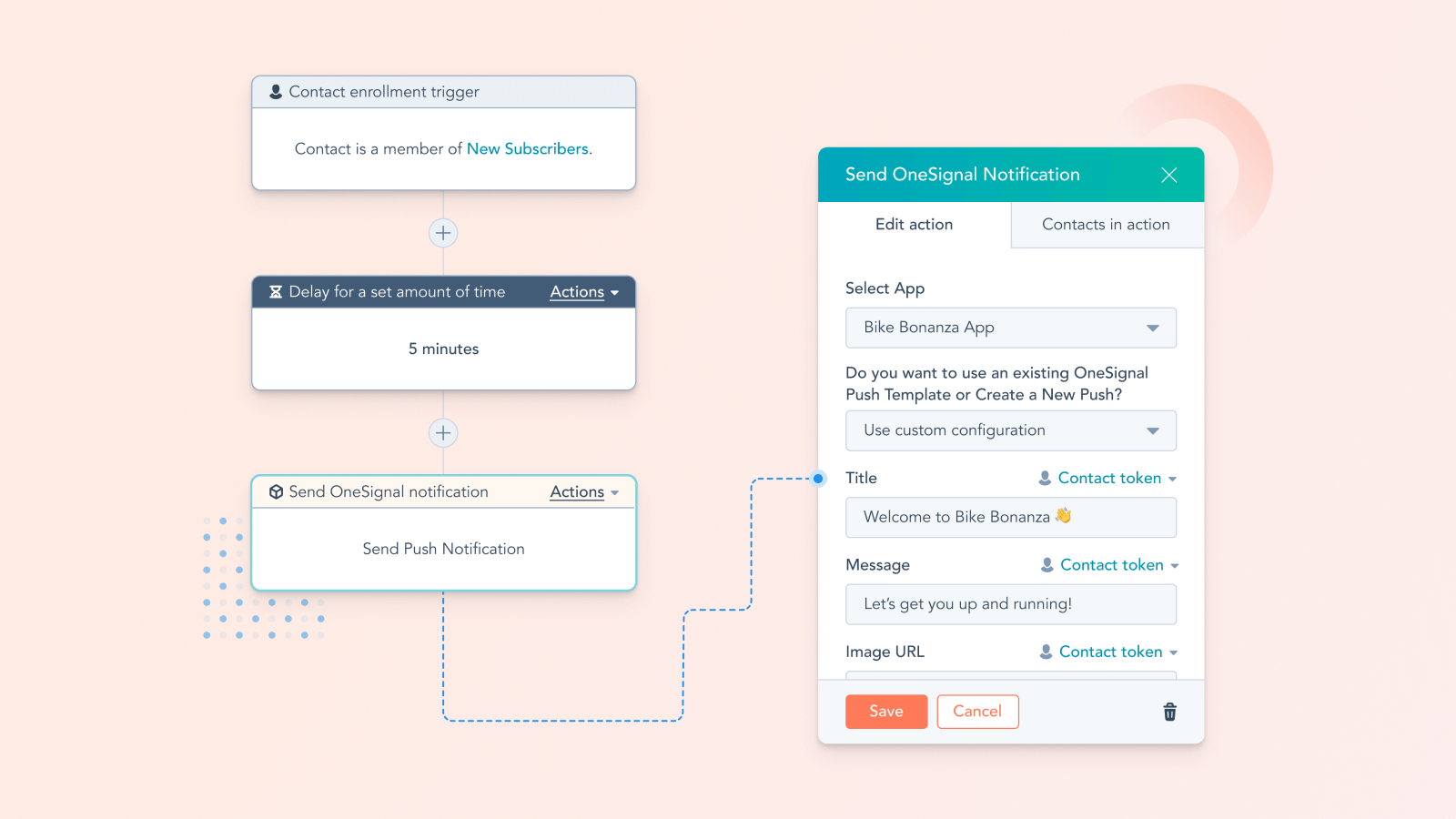
One of HubSpot’s product leaders, Will DeKrey, shared a bit more about the collaboration between the two businesses after spending many months working with their team:
“Through HubSpot’s Marketing Hub, we want to help marketing teams craft remarkable customer journeys across all the channels where their audiences spend time. This integration combines the ease of use and deep power of HubSpot’s marketing automation capabilities with reach into critical channels where OneSignal has honed specific expertise, like web and mobile push. Marketers are going to be thrilled with the ability to tap into these channels, align their push messages with the rest of their marketing, and leverage CRM data along the way to power personalization.”
On top of a great product, OneSignal has built a wonderful team, and we are excited to support them in their next phase of growth. We have no doubt that the OneSignal journey is just getting started, and we are honored to be a part of that story.

What Is Strategic Marketing?
Marketing is the actions you take to attract an audience to your business. You aim to get people interested in what you have to offer and share content with them to help them decide to do business with you.
However, since marketing helps you attract people to your business, it’s essential to know how to attract them, and even more so who the people are that you want to attract to begin with. Without this critical information, it will be challenging to be successful in your marketing processes.
The way you can get this information is through strategic marketing. In this post, we’ll define strategic marketing and explain the different phases of the process that will help you effectively market your business, attract customers, and drive revenue.

This process is beneficial as it helps you be more intentional with your marketing. You’ll be able to ensure that you’ve targeted the right audience, entered the right markets, and used the correct mediums.
You can think of it like this: strategic marketing is the butter you spread on toast. You can have plain toast as it is, but the butter enhances the flavor and makes it better. Strategic marketing ensures that your marketing campaigns are well-planned, effective, and shown to the right people.
Essentially, strategic marketing is the act of uncovering the information you’ll need to create an effective marketing plan and execute successful campaigns.
Strategic Marketing Process Phases
Given that strategic marketing directly influences many elements of your overall marketing strategy, it’s important to approach the process carefully. Below we’ll discuss the different phases of a strategic marketing process.
1. Planning Phase
The first stage of strategic marketing is the planning phase. It’s the most critical step, as it is the basis of your efforts. You’ll want to identify your business purpose, needs, and the goals and objectives you want to accomplish, as the entire process will help you achieve them.
Without this information, it will be challenging to progress to the next steps as you won’t understand the purpose behind your marketing efforts, which makes it even harder to create a solid plan that helps you succeed.
2. Analysis Phase
The analysis phase involves taking an outward look at how your company measures up to your competitors and your industry. During this stage, many businesses will conduct market research and competitor analyses.
Market research will give you an understanding of what your industry looks like, like current trends, market share, and an overall sense of the playing field. The information you discover should also validate your goals and objectives and let you know if they’re achievable. For example, if your overall business goal is to bring a new type of fork to market, but there is no industry or consumer demand for this new type of fork, your efforts won’t be worthwhile.
A competitor analysis will teach you the ins and outs of how your competition works, their position in the industry, and any possible gaps in the market that you can take advantage of to out-perform them. You can look at competitors’ customer testimonials to get a sense of what your target audience is looking for that they don’t provide and use that insight to build a product that your ideal customer already wants.
You’ll also want to take time to study your target audience and create buyer personas. Aim to gain a well-rounded understanding of who your customers are, their needs, desires, interests, and where you’ll find them within the market.
All in all, your analyses should give you an understanding of how competitive you are, and how competitive you’ll need to be in your final strategy to outshine similar businesses and become a viable market competitor.
3. Development Phase
Once you have a clear picture of your industry and how you should present yourself in the market, the next step is to develop your marketing plan. This stage is more closely related to the aspect of marketing you may be most familiar with, as you’re establishing the marketing tactics that are informed by your strategic marketing process.
This stage involves defining your marketing mix, which is how you’ll meet the objectives from phase one concerning the information you discovered during phase two.
A marketing mix is composed of four Ps: product, price, place, and promotion. Let’s go over some brief definitions of each:
- Product: This is what your business is selling. Product marketers or managers typically do this work, but it involves researching (from phase two), development, and creating a product launch timeline.
- Price: The price point at which you’ll sell to consumers. Pricing should also be informed by market research and reference to different pricing strategies.
- Place: Where your product or service will be sold, like online or in-store.
- Promotion: How you’ll advertise your product and introduce it to the market. For example, the different promotional channels (like social media) you’ll use to get your audience excited and entice them to do business with you.
You can think of it like this: say your end goal, developed during phase one, is to create a full-service CRM. Your discoveries in phase two have shown you that the current CRM your customers use isn’t scalable, which is a consistent pain point. They also want a more reasonably priced option.
This current phase would help you create, price, market, and promote your full-service, scalable, and affordable CRM to the correct audiences that are ready and eager to purchase what you have to offer.
4. Implementation Phase
The final phase of the process is when you begin to act on your marketing efforts. As the name suggests, you’ll start implementing the strategy you’ve developed based on your planning and market research. You’ll launch your product and begin seeing sales.
After implementation, it’s also important to take time to review your processes and make changes as necessary. As the market is constantly evolving, you may need to re-address certain things from phase two due to new trends or changing consumer interests.
Strategic marketing is a full circle process.
Although each phase has its unique requirements, it all comes full circle; the marketing mix you created during phase three is based on research from phase two. And, if you’ve put time and effort into your overall strategic marketing process, you’ll attract customers, drive revenue, and meet the goals and objectives you identified in phase one.


The 21 Best Conference Website Designs You’ll Want to Copy
A conference is a powerful opportunity to establish authority in your industry, increase brand awareness, and inspire or entertain both prospects and your existing consumers.
Best of all, a conference can help you meet your team’s objectives. In fact, 95% of marketers believe in-person events can have a major impact on achieving their company’s primary business goals.
In 2020, the majority of events were hosted virtually — and this likely isn’t going to change in 2021 or immediately beyond.
And, in a world of digital-first, a website is many people’s first introduction to your event. A conference website can influence whether someone clicks “Buy Ticket Now”, or abandons the page entirely.
No pressure, right?
Here, we’re going to explore 21 of the coolest, most inspiring conference websites we’ve found. Use these examples as inspiration as you’re designing your own.
Conference Website Design Best Practices
Before we dive into the examples we’ve collected, let’s explore some best practices to keep in-mind when you’re designing your own conference website.
A good conference website design should include:
- Put your location and date above-the-fold: People should know immediately where, and when, your event is taking place. If they can’t find it easily, they could abandon your website completely. Before you dive into speakers or any other information, ensure your visitors know whether they can even attend in the first place.
- Use interactive elements: Videos or animated graphics can go a long way towards making your website look sleek and professional. Plus, video is a good opportunity to showcase events from years past.
- Center the page around your visitor: What’s in it for them? Great speakers to inspire their work? A chance to network with industry leaders? Ensure your copy outlines, clearly and concisely, how your website visitor will benefit from your event.
- Have a clear call-to-action: Your page is ultimately meant to convert web visitors into event attendees — so make this easy to do. Create a bold “Register Here” or “Buy Tickets” button so your visitors can easily convert when they’re ready.
- Include fun visuals: One thing that’s apparent in all the conference web designs we chose is interesting, unique, fun visuals. I wasn’t impressed by conference websites with too much white space. Use visuals to grab your visitor’s attention, and communicate through images what your event is all about.
- Create time-pressure by including a countdown feature: In a few of the websites we’ll look at, below, you’ll see a countdown that outlines how many days, hours, or minutes visitors have left to sign up for the event. This is a fantastic way to create momentum and encourage visitors to sign up immediately, or risk missing out.
Now that we’ve covered some conference website best practices, let’s see how these 21 conferences put those ideas into practice.
![Download free resources for executing your best event yet. [Free Kit]](https://no-cache.hubspot.com/cta/default/53/7ad084e3-bb2d-429e-9cbd-2b09416729f1.png)
1. Leading Design Festival
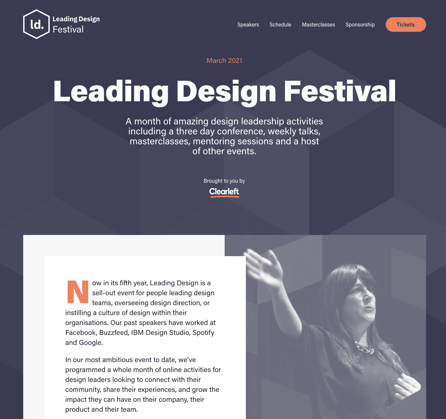
Color is an important factor to consider when designing any webpage, and this homepage for the Leading Design Festival does a good job using complementary colors to evoke a sense of warmness. Additionally, you have everything you need at the top of the page — including a button to purchase tickets, the date of the festival, and what you’ll get for attending (a month of design leadership activities). This page proves oftentimes, less is more.
2. Canvas Conference
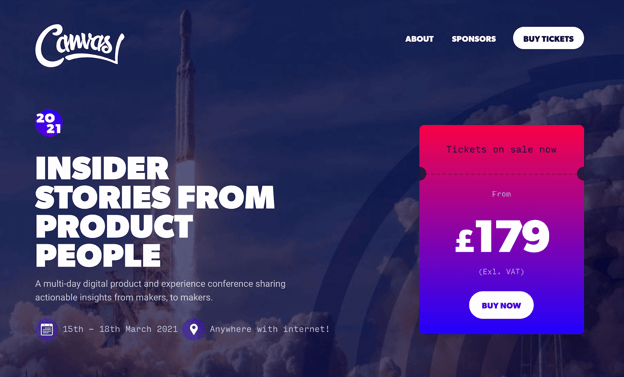
I can’t think of many images more inspiring than an image of a rocket taking off for outer space, which serves as Canvas’ backdrop image for the conference homepage. Additionally, the page doesn’t shy away from bright, vibrant colors — like purples, pinks, and blues — to attract the visitors’ attention.
Plus, the price is clearly stated front-and-center, which helps visitors know whether they can afford the event before exploring anything further.
3. London’s UX Fest
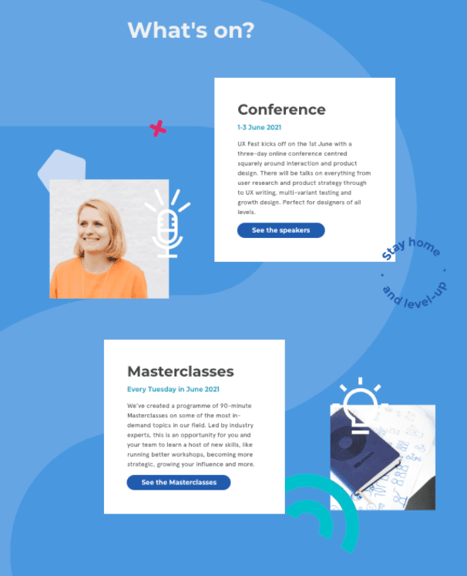
This scroll-triggered, interactive page is so fun, I scrolled it a few times. As you move down the page, you’re introduced to new information about the conference, with fun, unique design elements, like the “Stay Home and Level Up” image to the right of the first Conference box. Best of all, the page is incredibly simple, with plenty of blue space on either side, to evoke a sense of calmness as visitors learn about the conference.
4. GOTOpia Chicago
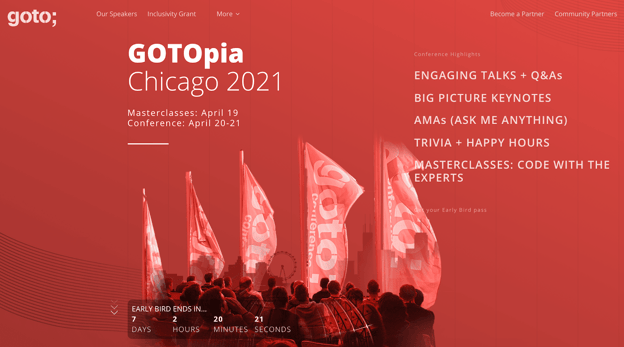
One of the best features of this conference page is the “Early Bird Ends In…” countdown that appears above-the-fold as soon as a visitor enters the site. The sense of urgency encourages visitors to sign up immediately, or risk losing out on a good deal. The page also does a good job outlining all the critical information you need to know in just a few words — including “Engaging Talks”, “Keynotes”, and “Trivia + Happy Hours”.
Plus, who doesn’t love the bright vibrancy of a red-and-white color scheme?
5. Consumer Technlogy Association 2021
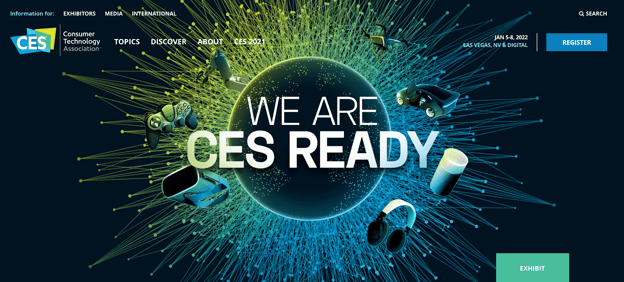
The CES conference page uses 3D visuals to grab a visitor’s attention immediately, with a simple “We Are CES Ready” tagline. The design is vivid and dynamic, and looks high-tech — undeniably the goal of CES. The page offers all necessary information, including date, location, and a CTA, from the very top of the page, ensuring CES-fans can sign up immediately.
6. Affiliate Summit East
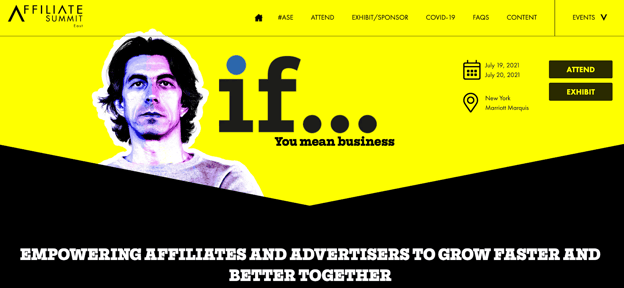
“If … you mean business” is a compelling statement that hooked me from the get-go. The entire page does a good job explaining how a visitor will benefit from the conference, including the state of the ecommerce industry in 2020, and how ASE can help you. This is a powerful page that makes the most of the real estate to demonstrate why ASE is an important conference for anyone in the retail industry.
For instance, on the homepage, they write: “Right about now you are probably asking yourself, ‘How on earth do I reach and convert buyers in the most competitive retail environment ever?’ We asked ourselves the exact same question and have built ASE21 to help you.” This page successfully keeps attendees’ needs and challenges at the forefront of the messaging.
7. Digital Design Days
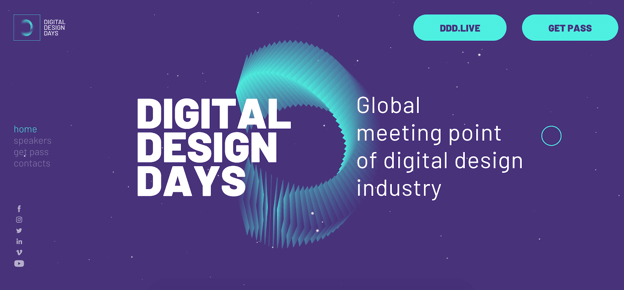
This colorful, sleek-looking homepage uses purples and greens to evoke a futuristic vibe. What I loved most about this conference website was the moving, interactive elements they’ve used to keep your interest as you scroll the page, including exploding visuals and continuously-moving debris. Give it a try for yourself — it’s more entertaining than you might think.
8. Circles Conference
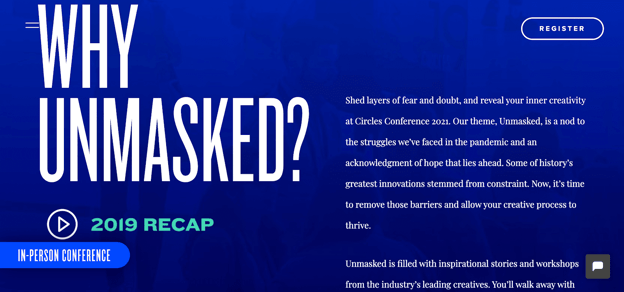
When attendees are choosing which conferences are worth their time and resources, one of the first questions they’ll ask is, “Why this conference over all others?”
This question is answered immediately on the Circles Conference homepage, and it’s answered using powerful, engaging text. For instance, the first sentence you’ll read in response to “Why Unmasked?” is “Shed layers of fear and doubt, and reveal your inner creativity” — convinced yet?
9. Collision Conference
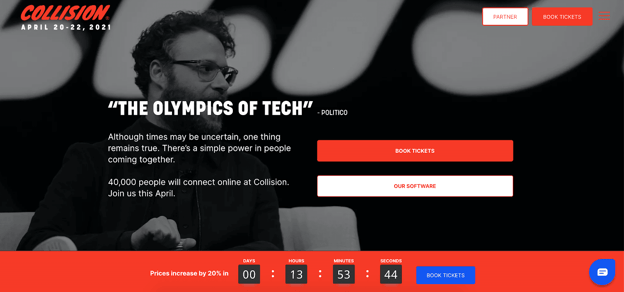
Seeing Seth Rogan at the top of the page is undoubtedly reason enough to pause on the site for anyone who’s a fan. Plus, “The Olympics of Tech”, a quote from Politico, does a good job demonstrating the value of the conference.
But what impressed me the most was the “Prices increase by 20% in…” countdown, right beside a bright blue “Book Tickets” CTA. For anyone whose eager not to lose money, this is a compelling argument for booking tickets immediately.
10. An Event Apart
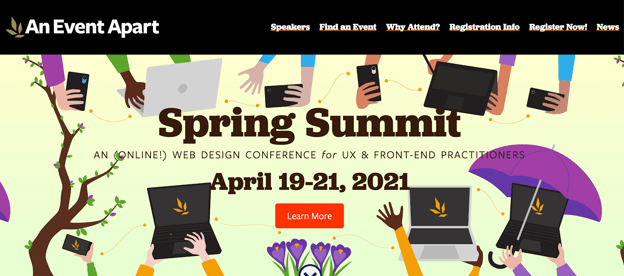
Consider standing out from the crowd by using in-house designs on your homepage, like An Event Apart does. The page is cheerful and colorful, and provides all critical information in only a few words. Before a visitor has even scrolled, they’ve learned where (online), when, and for whom the conference benefits.
11. Startup Grind Global Conference
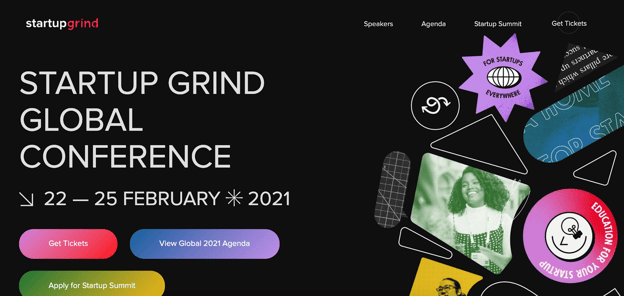
Using a mixture of photography and unique design shapes works well in this case, and the bright purple, pink, and green colors you see at the top of the page contrasts well against a simple black backdrop. The page is sleek and uses three bold buttons to provide all information a visitor will need to learn more, or purchase tickets.
12. The Martech Summit Singapore
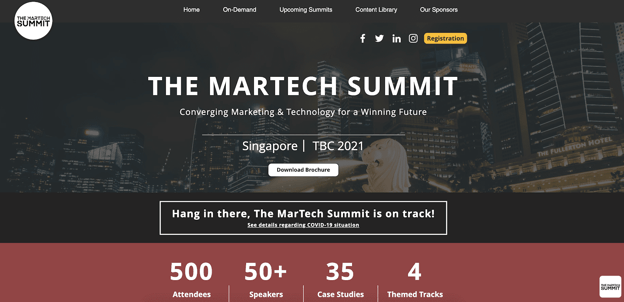
If you’re hosting a conference in a unique or exciting location, consider using an image of that location as a compelling backdrop. In this case, The Martech Summit used an image of Singapore to remind website visitors of the other benefit they’ll get if traveling from another location for the conference — a trip to a vibrant city. Plus, the attendee count helps persuade hesitant buyers who likely don’t want to feel like they’re missing out.
13. React Day New York
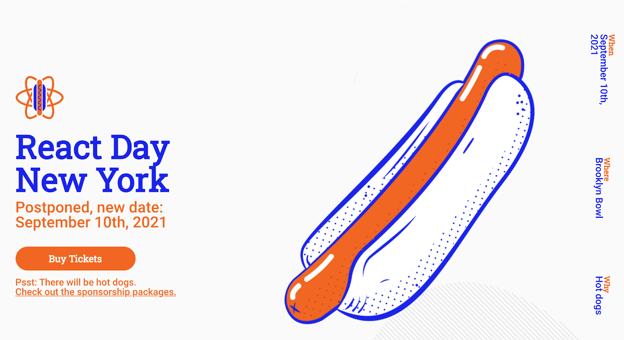
First off — who doesn’t love hot dogs?
This React Day page does a great job using humor to stand out. Not only is there a big illustration of a hot dog — which hooked me immediately — but there are multiple mentions of hot dogs, including below Buy Tickets (“Psst: There will be hot dogs”), and used in response to “Why” to the right of the page.
Consider how you might use humor on your own conference homepage to surprise and delight new audiences.
14. INBOUND 2021
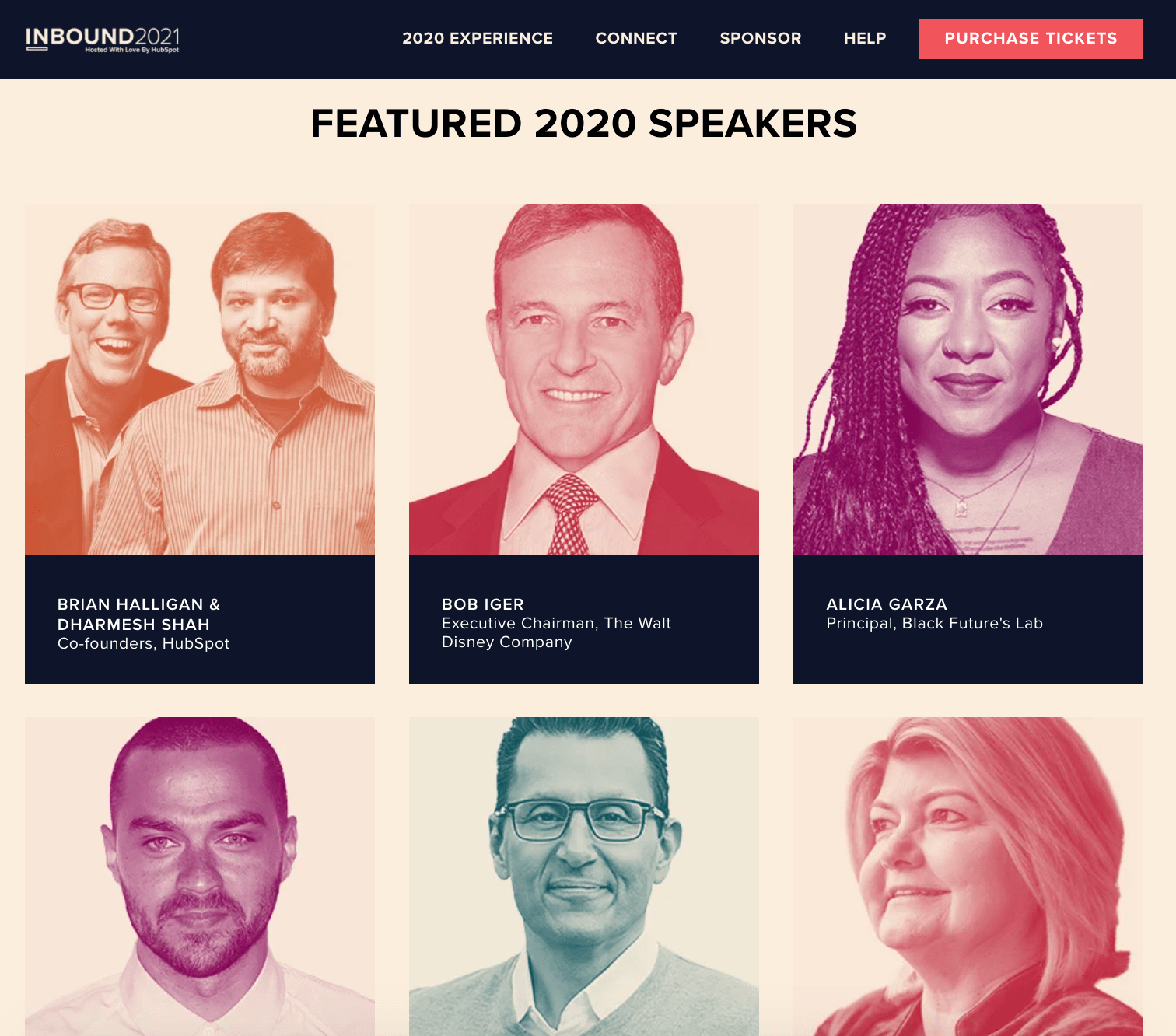
Okay, okay — I might be biased, but hear me out.
This INBOUND page demonstrates the speakers from INBOUND 2020 to excite and impress visitors with the possibilities of similar popular speakers in 2021. This is a good idea if your conference has pulled in some big names in conferences’ past, to give visitors a sense for what they can expect at an upcoming conference if you haven’t officially released upcoming speakers.
The top of the page also effectively outlines all necessary information, including sponsorship opportunities and a prominent “Purchase Tickets” CTA.
15. ProductCon
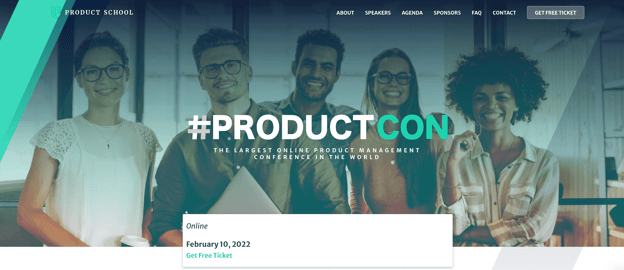
One element that made this #ProductCon page, a conference held by the Product School, stand out to me was the easy-to-find “Get Free Ticket” box, which is front-and-center for new visitors. Particularly if your conference is online and free — which creates minimal barriers to entry — it’s a good idea to make it easy for prospects to sign up instantly.
16. IBM’s Think
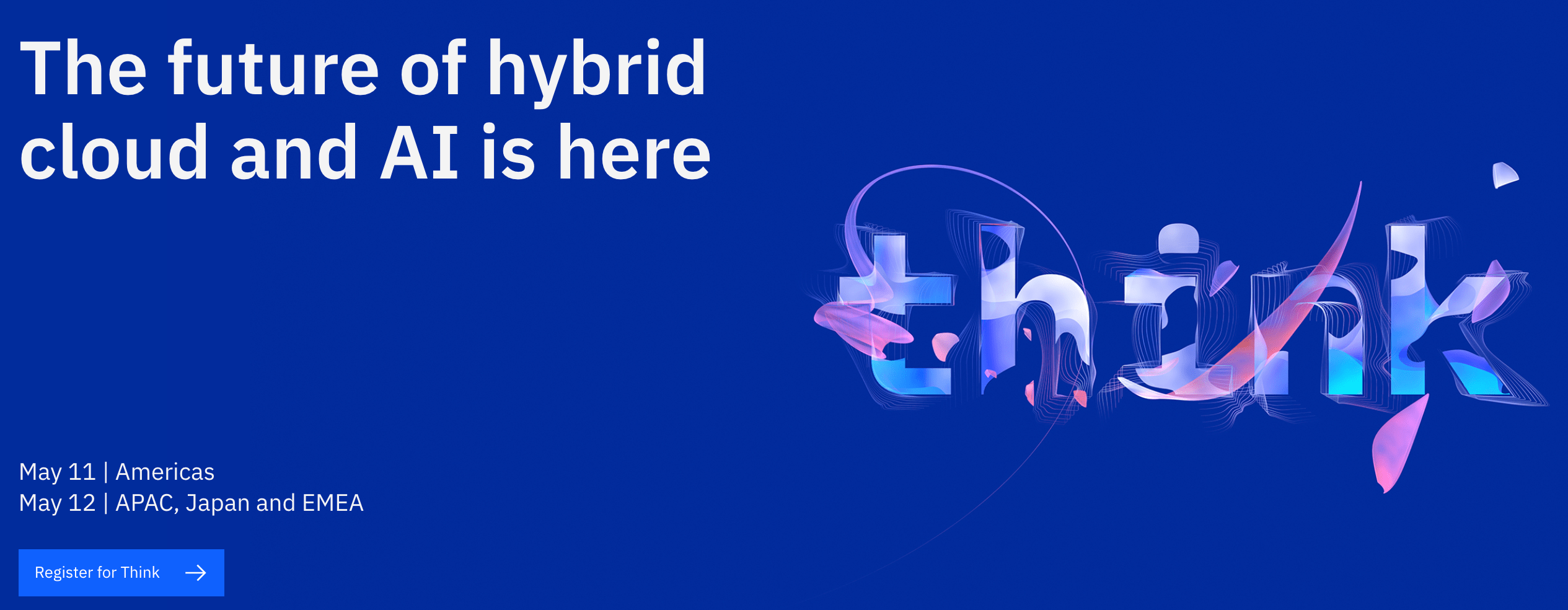
One of the cleaner, sleeker designs in this list, IBM’s Think page employs a bright blue background and minimal text to simplify the user experience. You’ll find everything you need to know at the top of the page — including the topic of the conference, dates, and how to register.
Consider how you might use similarly powerful and concise language to tell new visitors what your conference is all about.
17. AdWorld Conference
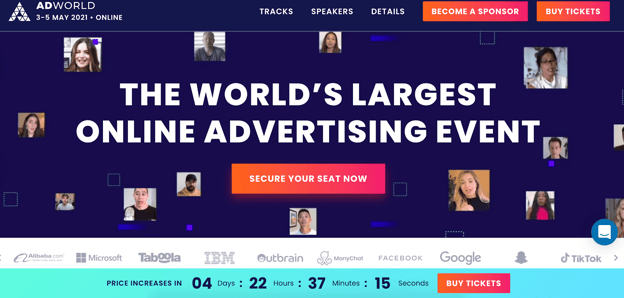
If you’re going to have some impressive companies in attendance at your event — including Google, Facebook, and IBM — it’s a good idea to showcase them on your conference’s homepage, like AdWorld does in the example above. Plus, what really stands out about this example is the small videos of various speakers that move across the page, creating a dynamic and unique experience.
18. Growth Marketing Summit 2021
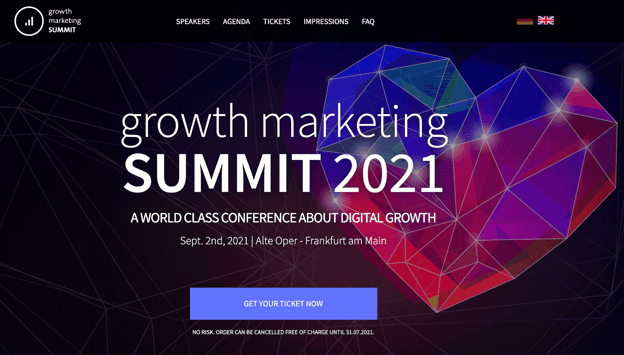
One element I appreciated about this page was the clear, “No Risk. Order Can Be Cancelled Free of Charge…” text right below the CTA, which helps dissuade any visitors’ concerns over being unable to attend and losing money. The page effectively leverages bright colors and a futuristic-looking heart to grab visitors’ attention from the get-go.
19. NPR’s How I Built This Summit 2021
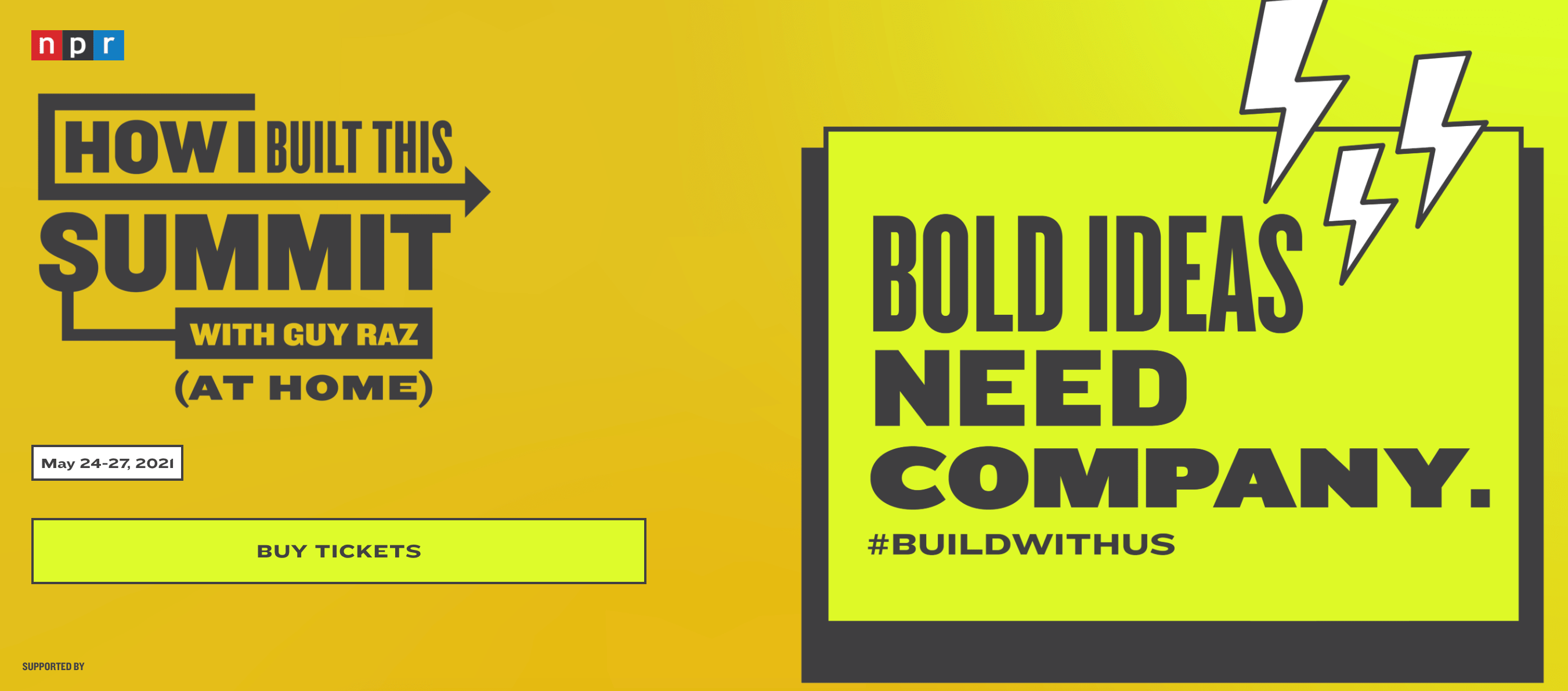
NPR begins its How I Built This Summit conference webpage with one large, compelling statement: “Bold Ideas Need Company.” The bright yellow page is simple and retro-looking, particularly with the cartoon lightning bolts in the corner.
Additionally, NPR displays an original hashtag for the conference, #buildwithus, so hestitant buyers can search for the conference on social platforms, and hear reviews, before purchasing tickets.
20. From Business to Buttons
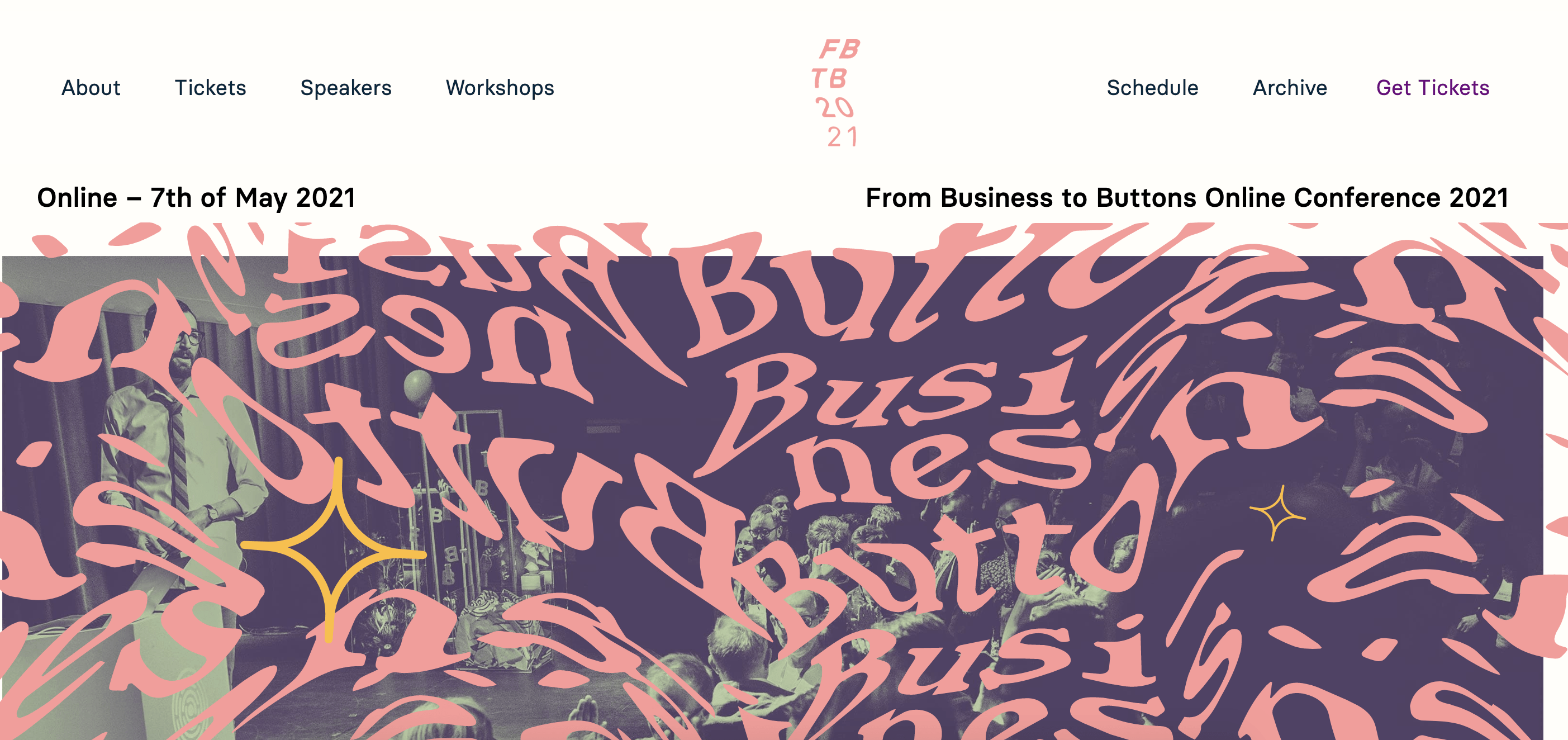 This theme, which reminded me a little bit of a carnival ride, uses bright colors and an unusual typography to stand out. The page is fun and unique, and has a clean navigation menu at the top to help visitors find exactly what they’re looking for.
21. Red Hat Summit
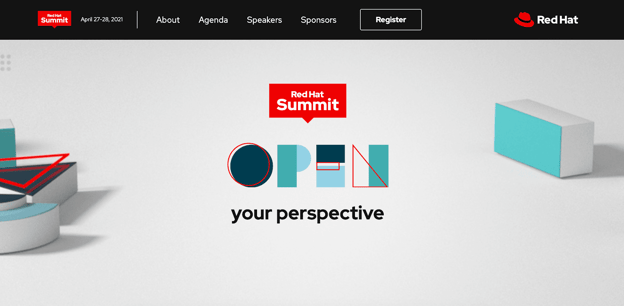
We round out this list with an incredibly simple yet sleek page from Red Hat Summit, which says only “Open Your Perspective” above-the-fold. The use of white space and minimal design elements helps to highlight this one phrase, which piqued my interest in the conference. Plus, the “Register” button is clear and easy-to-find.
Conference Website Templates
Ready to create your own?
Fortunately, there are plenty of templates available to help you craft a compelling conference website.
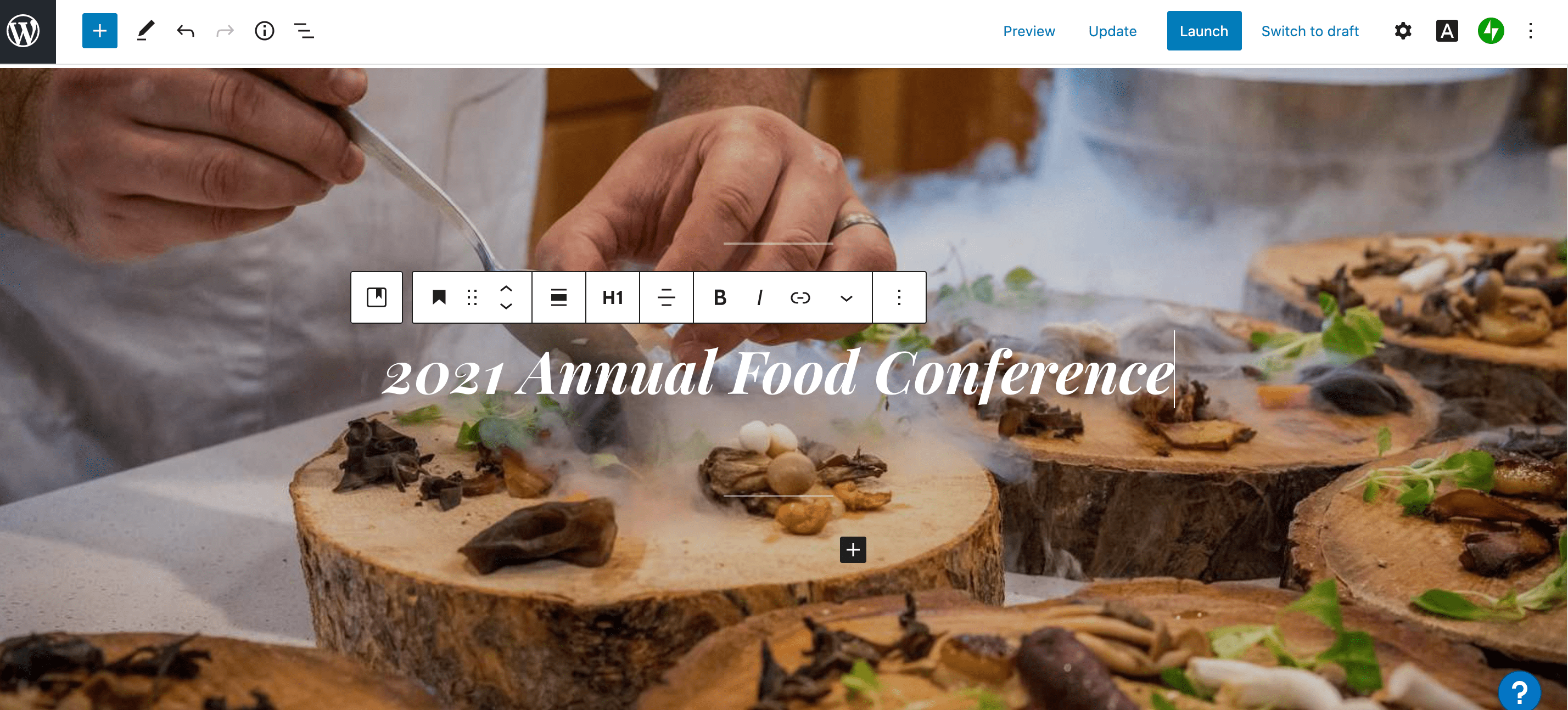
1. WordPress Conference Templates
If your website is hosted on WordPress, for instance, you can use one of WordPress’s themes to create an inspiring, sleek, professional website to attract and convert event attendees.
Best of all, you can start with a pre-designed theme, and then use WordPress’s easy website builder to add unique features to make your conference stand out. WordPress offers a free version, and the Business plan is $25/month.
Take a look at 21 Best Conference WordPress Themes of 2021 for more WordPress theme inspiration.
2. Wix Conference Templates
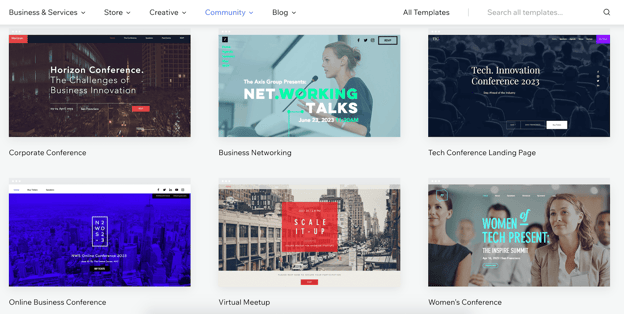
Another great option is Wix, which has a large compilation of clean, interactive conferences and meetups website templates. Wix has a free option available, and the Professional version is relatively inexpensive at just $23/month.
You can also edit your site for mobile, ensuring your mobile site visitors will want to attend your conference just as much as your desktop visitors.
3. Canva Conference Templates
Finally, take a look at Canva’s conference and event program templates. Canva is incredibly easy-to-use, with drag-and-drop features, color schemes, and high-quality stock photos, illustrations, and graphics.
Best of all, if you’re designing with your team, you can easily share your editable file from Canva and then place your colleagues’ suggestions right into Canva.

And there you have it! Now you’re ready to begin creating your own conference website to attract visitors and increase attendees to your own branded event. Who knows — maybe your company will make it on this list in the future. Good luck!

A Simple Guide on How To Conduct Backlink Analysis
Link building is an invaluable part of SEO. In fact, it’s one of the top factors search engines look at when determining your ranking.
Whether you’re developing a new link-building strategy or revising a current one, it’s important to look at where you currently stand. That’s where a backlink strategy comes into play.
![→ Download Now: SEO Starter Pack [Free Kit]](https://no-cache.hubspot.com/cta/default/53/1d7211ac-7b1b-4405-b940-54b8acedb26e.png)
Let’s cover what a backlink analysis looks like and the tools needed to conduct one.
Backlink Analysis
What is backlink analysis?
Backlink analysis is a comprehensive review of a website’s backlinks to analyze the site’s performance and identify issues that could affect its search engine ranking.
Backlink analysis is like the SEO version of going to the doctor for a check-up. You should do it regularly to ensure everything is in order, but you also do it when you notice something is wrong.
Completing this process is one of the best ways to understand your site’s health and understand what factors are contributing to its ranking. Perhaps you’ve noticed a sharp dip in your ranking, or you’re simply not seeing the progress you were expecting.
A backlink analysis will also show you how your website measures up against your competitors. You’ll gain some insight into what strategies your competitors are using and what you could implement in your own process.
Lastly, it’s a chance to identify new growth opportunities that you haven’t yet explored.
1. Choose the sites you want to analyze.
While it’s obvious you’ll be analyzing your own website, you’ll also want to narrow down the competitor sites you want to review.
You may already have a few top of mind, but if you don’t, you’ll want to pick sites that:
- Offer similar products or services.
- Are currently outranking you for your target keywords.
2. Select an auditing tool.
Although you could conduct a manual backlink audit, it’s likely more efficient to use a backlink tool that already has the key features you’re looking for.
There are several backlink checker tools out there, ranging in price and capabilities. You’ll usually find them as a section within an SEO tool, like Majestic and SEMrush.
Need help finding a backlink analysis tool? Find a few suggestions here.
3. Get a quick overview.
Once you select your auditing tool, it’s time to start the analysis.
Enter your domain name into the search bar and look at the results.
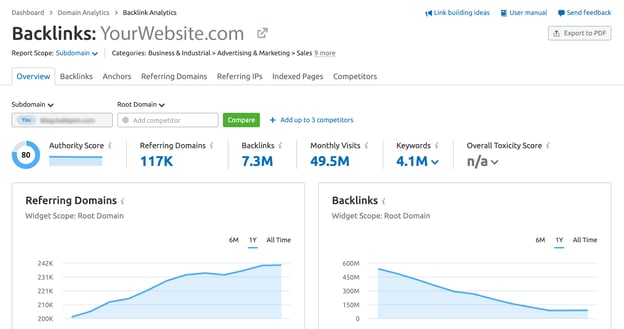
You’ll start with a ton of data. To get a quick idea of how your site is performing, focus on these metrics:
- The total number of backlinks: The total number of links pointing to the site. For instance, if website A writes a blog post and hyperlinks to a page on website B, that is a backlink. If this number is very low, it may be the reason why your page isn’t ranking well.
- Referring domains: The total number of websites that are pointing to your site. Website A pointing to website B counts as one referring domain. Sorting these domains by authority can tell you how valuable these pages are to your ranking and give you ideas for outreach later on.
- Top linked pages: The pages on a website that get the most backlinks. This can indicate the type of content that’s best for link building.
Repeat this step with your competitors to set a benchmark and learn where you fall. Depending on the tool you use, you may be able to compare these metrics on the same page without going back and forth.
4. Analyze the details.
Now it’s time to get into the nitty-gritty details and look at metrics that will answer the “why.”
Begin by looking at your anchor texts, the words used to hyperlink your webpage. This is a great way to identify spammy backlinks that could be hurting your ranking.
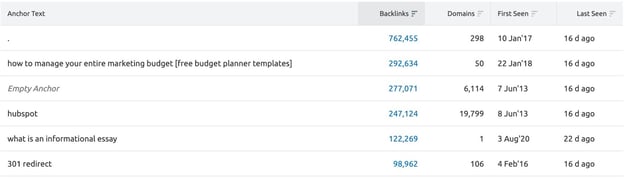
If you’re not sure how to know if the referral domain is spammy, see if the anchor text relates to the content on your site. If it looks like the junk section of your email and includes crude language, it’s likely spam.
Once you identify these links, you could reach out to the websites to ask to be removed. It’s a long shot but could work in some instances. Disavowing those links is the more realistic option, which is basically telling Google to ignore those backlinks.
Speaking of spam, you’ll also want to look at your country code top-level domain (ccTLD) distribution. ccTLD refers to the last portion of a URL, which designates the country it originates from.
This is another way to identify websites that could be the source of your negative SEO (i.e. malicious practice meant to negatively impact your ranking).
If your website gets a lot of traffic from Haiti, for instance, it wouldn’t be a red flag to see a lot of .ht backlinks. However, if you start to notice links like .cn or another unfamiliar TLD, you may want to look deeper into this.
Next up: broken or lost links. It’s important to identify your broken and lost links as you miss out on “link juice,” the potential to rank higher from a backlink. In addition, it can make your website harder to crawl.
How do you fix it? There are several ways to do so:
- Reach out to the referring domain and ask that it be fixed.
- Redirect the broken page to a new webpage on your website.
- Redirect the broken page to another page on your website with similar content.
5. See what your competitors are doing.
As you dive deeper into your domain, be sure to compare your findings with your competitors.
For instance, look at the referring domains for the website that’s outranking you. If there’s little overlap between your list and theirs, this could give you direction into which domains to aim for.
It’s also helpful to compare your backlink acquisition rate against your competitors. Are they growing at a much faster pace than you? It could highlight another section worth investigating.
Top Backlink Analysis Tools
1. Google Search Console
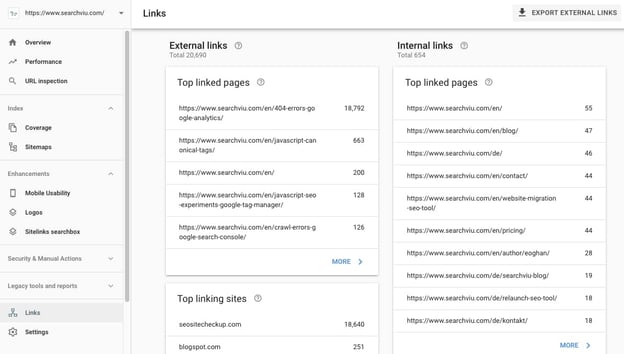
Google Search Console is a free tool to do an initial backlink check. You can see top metrics, like your total links and referring domains.
The downside to this platform is that you cannot compare your site to your competitors. However, it is a good place to start to gain a big-picture view of your site’s performance.
2. Ahrefs
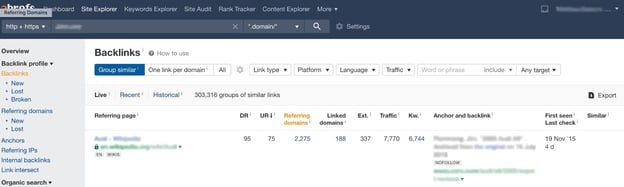
Ahrefs is an SEO tool with extensive features to help companies optimize their websites.
The backlinks checker is easily accessible through the “Site Explorer,” and allows you to quickly export the data for further analysis. You can also access the sections on the left sidebar to explore each backlink feature more in-depth.
Ahrefs is a paid tool with pricing starting at $82/month and up to $832/month for agency-level capabilities. You can also take advantage of their free trial for seven days at $7.
3. SEMrush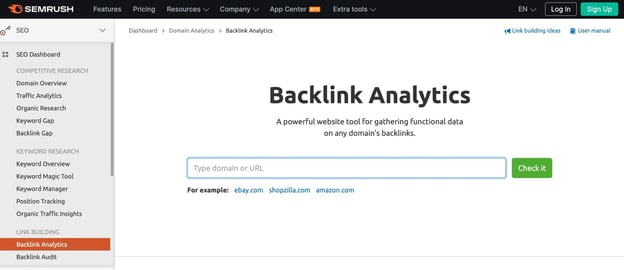
SEMrush is another top SEO tool with a backlink tracker available to subscribers.
You can easily compare your report to three competitors at a time and use the graphs for a visual understanding of the data.
To get a peek into how it works, SEMrush allows free users to make 10 requests a day. While you will only get a limited view of the feature, you can get an idea of how the dashboard functions.
For full access, you must obtain a subscription. Pricing starts at $99/month and goes up to $449.
4. Moz
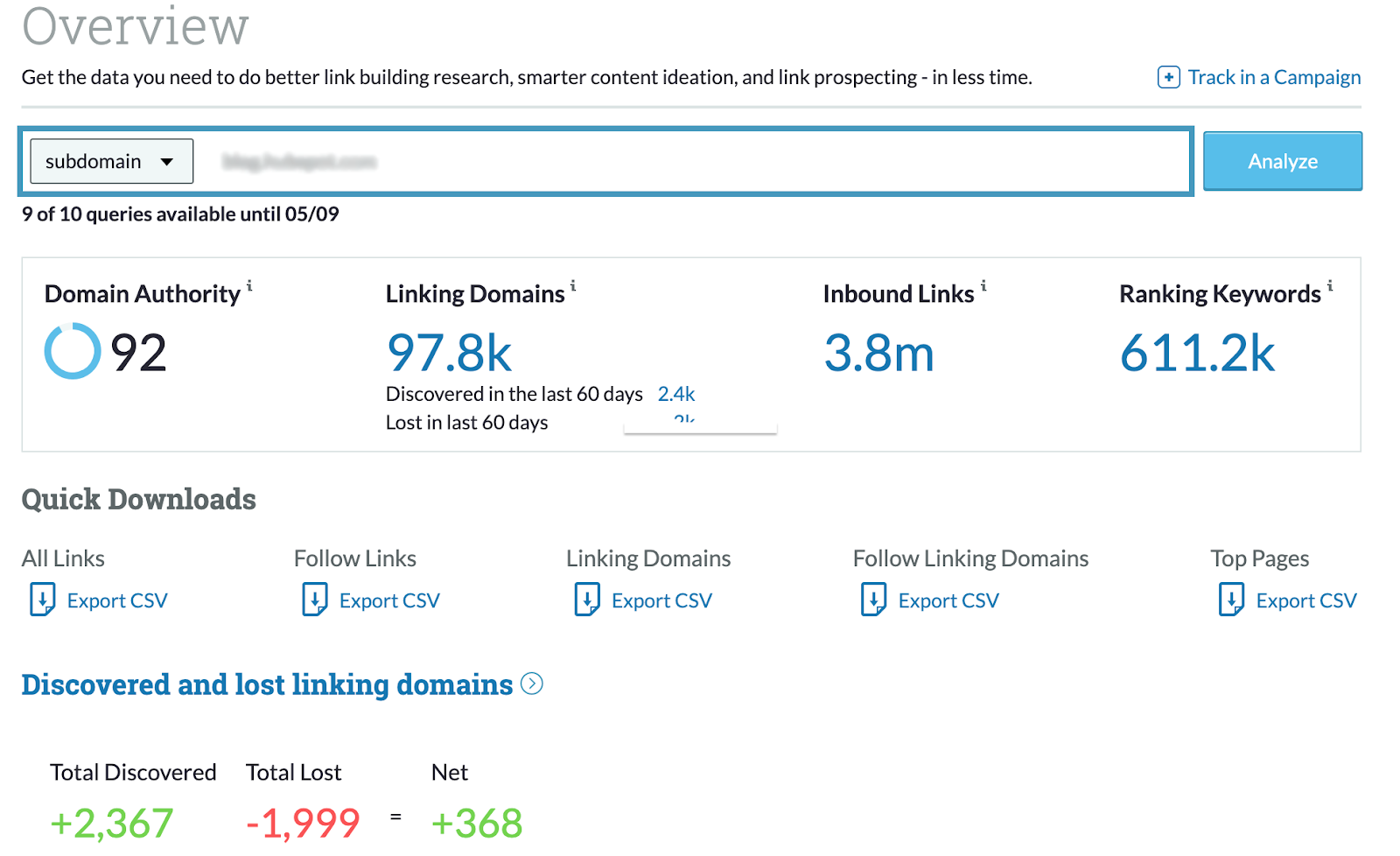
Moz is one of the top backlink tools in the market.
The dashboard makes quick downloads easily accessible to focus on key areas of interest.
The “Spam Score” feature provides some insight into which links may be damaging your SEO efforts and how to reduce them. Another standout feature on the site is the “Discovered and Lost” section which shows you the linking domains you’ve gained and lost within a specific date range.
You can use Moz using a free 30-day trial or subscribe to one of their monthly plans, starting at $79.
Backlink analysis is an essential part of your SEO strategy and will require continuous maintenance. However, Once you know what to look for, it should be a painless process.


The 3 Best Evergreen Webinar Software You Need Now
Initially launched in the 1990s, webinar caché once relied heavily on live events. In 2020 however, we saw the webinar space pivot towards the on-demand space.
Lower cost per acquisition, ease of automation, and building trusted archives of useful content has proven to be an effective means of moving customers through the sales funnel.
While not as flashy as their live counterparts, evergreen webinars have proven to be the tortoise to live webinar’s hare: slow and steady sees the highest ROI.
Read on to find out our favorite evergreen webinar strategies, platforms, and the features that make all the difference.

When businesses first started producing webinars the focus skewed towards live events. Shiny and new, the promise of a live webinar meant capturing highly engaged leads and collaborating with top talent in the industry.
But live webinars are also a ton of work to produce: weeks of coordination, marketing emails, practice sessions, and script revisions, building slide decks… all for an hour of learning, and a few days of follow-ups.
Tons of information was lost every time a webinar ended because there wasn’t a simple way to re-watch it. Until we got savvy and started recording them.
Hosting your recorded webinars is an excellent, low-cost way to create resources for potential or existing customers about how to get set up with your software, walking through common blockers customers face, or demonstrating new tools and integrations.
There are many different content streams you can explore with automated webinars, including:
- Training videos: Record your account executive’s run-through of your software and make it work harder by offering it as an on-demand webinar.
- Lectures and thought leadership: Get the most out of guest-speaker and C-Suite time by offering a thought-leadership section of on-demand webinars in your archive.
- Tutorials: Make it simple to learn how to use and explore new product integrations or updates with quick, evergreen webinar content.
- A case study walk through: Make your case studies come to life, and then automate the recording to make your witticisms and insights go the extra mile.
When done well, a library of on-demand webinars can act as an automated sales engine, driving customers through the funnel as they engage with and learn more about your product. It’s a great example of working smarter rather than harder.
Evaluating the Best Evergreen Webinar Software
It’s tempting to outsource your software search to Google. While you might end up with a good product, you may be missing key features that will make your presentations really hum. You may even end up over-investing. The first thing to do? Understand your limits.
A webinar program can be a simple automated recording … or it can be as complicated as producing live television. Understand the complexity of your program by asking yourself the following questions:
- How many attendees do I expect per session? Most platforms have tiered pricing tied to how many guests can attend a given webinar. If you’re just starting your webinar program, look for an option that will allow you to scale up but doesn’t demand a huge investment right away.
- What resources are available to me? Training and implementation take time. A lot of time. As you’re researching platforms, consider what kind of support is available. Will you be given a dedicated account manager? How robust is the platform’s resource library? Remember: The best software is the software you actually use.
- Always take advantage of a free trial … and if you are considering purchasing the product, but need more time, ask for an extension.
The Best Evergreen Webinar Software
On-demand webinars don’t have the same immediate converting power as their live counterparts. Instead, they excel at customer education and establishing brand trust.
Think of your on-demand webinars as a way to educate your existing customer base, and as an ambassador of your company’s willingness to help.
Here are two of the best software for hosting, recording, and delivering evergreen webinars:
1. DEMIO
Demio is a best-of-both-worlds option. While its focus is on producing live webinars, Demio makes it simple to build out your webinar library. We love how Demio:
- Offers automated recordings, which make it easy to record and archive live events into an easily searchable content library.
- Has a “Stay Registered” feature, which allows participants to sign up once for an ongoing series and captures valuable emails for future marketing efforts.
- Boasts an excellent analytics dashboard to give you insight into how your live and on-demand webinars are performing — a great opportunity to let your learnings inform your live and evergreen webinar content.
2. EverWebinar
The OG in evergreen webinar technology, EverWebinar is all about the on-demand life. If you’re looking to set it and … well, not forget it, but not be beholden either, this is the software for you.
- EverWebinar allows users to schedule their webinars to play at set intervals throughout the day, week, or month. This has the double benefit of mimicking the live experience (which does tend to get higher engagement). It also lets your marketing team run tests as to what time of day is best for your audience.
- A list of unique features makes it easy to drive home the “live” illusion and cut back on the stress of managing a big roster of scheduled webinars. Options like “Block dates,” which stop your webinars from playing on specific days, or “Block nighttime viewing,” which keeps your analytics from being skewed by background streaming. “Time-zone auto-detection” makes it easy to globalize your offering with the click of a button.
- A bonus for super-users: if you’re looking for a platform to help you organize your collection of recorded webinars, EverWebinar and WebinarJam are designed to function together. *Insert handshake emoji*
3. WebinarGeek
A great option for a company new to the webinar game, WebinarGeek is a simple software that makes it easy to host and record live webinars and turn them into a library of evergreen, on-demand content.
Along with standard features like customizable waiting rooms and robust analytics, we also love:
- WebinarGeek’s intuitive interface: It’s easy for someone brand new to the webinar world to orient themselves in the WebinarGeek platform.
- The monthly pricing plan, making this option accessible for businesses looking to explore the webinar space without a deep financial commitment.
- The pre-record function makes it simple to test presentations, rehearse with multiple presenters, and explore other features. Pre-recording your webinar also leaves you with a “clean” version to upload as your evergreen content.
Build an evergreen webinar funnel with these top tools.
As we all get more literate in live and on-demand educational content, the need for simple and sleek webinar platforms will continue to grow.
By determining your needs early and taking the time to test various platforms, your team will be ready to educate, inspire, and get a better understanding of your customer base so you can help them make great decisions.

How to Get a YouTube Community Tab [+ How to Use It]
With nine in 10 marketers planning to use YouTube in their 2021 marketing strategy, it’s more important than ever to capture your audience’s attention. One of the best ways to do this is by creating a connection with your viewers through fostering community.
YouTube’s own creator academy says it best: “A loyal community of viewers can help promote your videos to new viewers through their own social networks, and give you instant feedback on what they do and don’t like.”
While building these relationships doesn’t happen overnight, it’s rewarding to see your channel grow.
![→ Free Templates: How to Use YouTube for Business [Download Now]](https://no-cache.hubspot.com/cta/default/53/b33cfd44-133a-49e3-a943-086c5679d485.png)
The community tab is one important way that YouTube helps creators build relationships with their audience. Read on to learn how to get your own YouTube Community Tab, and how to use it to build relationships, increase subscriptions, and boost watch time.
Fans can comment and like or dislike posts, and share them with their friends. And just like that, a functioning community is created.
Community is an important part of our human experience. With the COVID-19 pandemic, the way we participate in our communities has changed.
According to SproutSocial, YouTube has stepped into this position. “Viewers are connecting with YouTube content in a way that helps them feel like they’re living what they’re watching. After a year in a global pandemic, this is a necessary way to help people still feel connected to their passions, hobbies, and normal life activities. “
How to Get a Community Tab on YouTube
To get a Community tab on YouTube, your channel will need to have over 1000 subscribers, and it can take up to one week after passing that number to see the Community tab appear.
Note that if your channel has over 1000 subscribers, but the Community tab option is not yet visible on your channel, you’ll need to enable custom channel layouts to display the tab.
How to make a Community post on YouTube
Once you have access to the Community tab, it’s time to start posting and engaging with your audience. Creating a post is simple and similar to posting on any other social media feed.
To create a Community post:
- Sign in to YouTube.
- At the top of the page, select ‘Upload’ and then ‘Create post.’
- Type a message to create a text post or choose to add a video, poll, gif, or image to the post. You can also mention other channels using the @ symbol followed by the channel name.
- Click ‘Post.’
Once your post is published, your subscribers will see it in their feed. They may also get a notification that you’ve posted something new.
Where is the YouTube Community Tab?
You can find each creator’s Community tab on their homepage, if they have it enabled.
On desktop, click on a channel name to go to their home page.
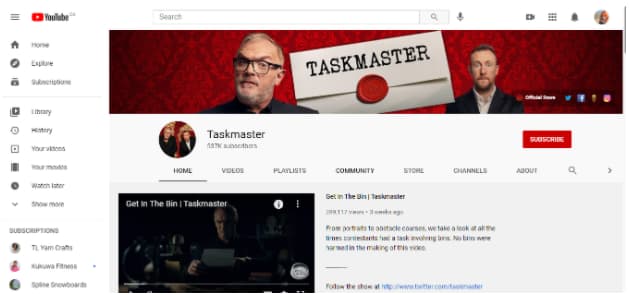
From there, click on Community in the middle of the screen. Here, you’ll find all their most recent posts where you can comment and interact with them.
On mobile, you’ll need to use the official YouTube app to see the Community tab, as it won’t show up in the mobile browser. Once you’ve opened YouTube, visit a channel’s home page. You’ll be able to click on the Community tab on the top of their page.
7 Ways to Use the YouTube Community Tab
Engagement is one of the most important YouTube channel analytics. When your audience is more engaged they will watch more videos, share more, and keep coming back. If you use the Community tab to its full potential, you can grow your audience and build a community around your content and brand. Here’s how.
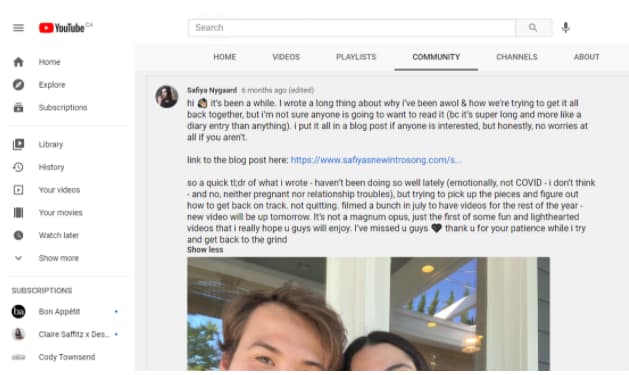
1. Post behind the scenes footage and updates.
While your videos might be carefully produced, scripted, and put together, many viewers crave authenticity from creators. Your Community tab is where you can show more casual updates. Use this format for sneak-peaks or personal updates.
2. Heart ❤️ and respond to comments.
When reviewing your community comments, use a heart ❤️ to show appreciation for a viewer’s comments.
The viewer may get a notification (depending on their settings), and they’ll be able to see that you liked their comment.
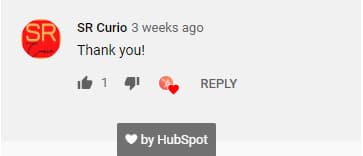 Responding to comments starts a conversation, and builds a stronger connection with your viewers. Don’t get too caught up in replying to all of the comments on your channel, but taking the time to heart and respond to a few will show that you’re paying attention.
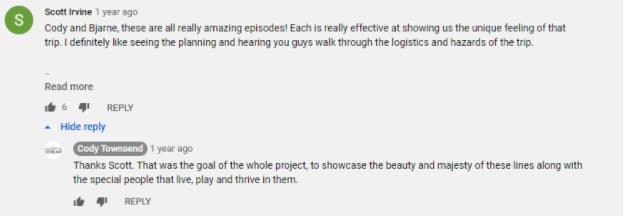
3. Pin a top comment.
When a comment really tickles your fancy, it’s from a VIP, or just something that you want to promote, you can pin it to the top of the comments. It will be the first thing other viewers see when they check out your community posts.
4. Promote a collaboration video with a fellow creator.
Are you really a YouTuber until you’ve done a collaboration with another creator? Once you’ve uploaded your shared creation, make sure both of you post about it on your Community tab. It’s a great way to drive traffic to your channel and expand your audience.
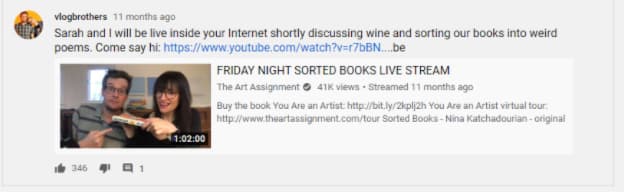
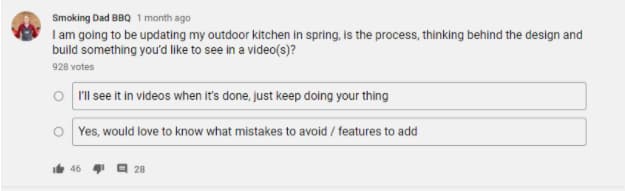
5. Poll your audience on what type of video they want to see next.
Find out what your audience wants from your channel. Ask them for feedback on your upcoming videos, or poll them about an upcoming competition.
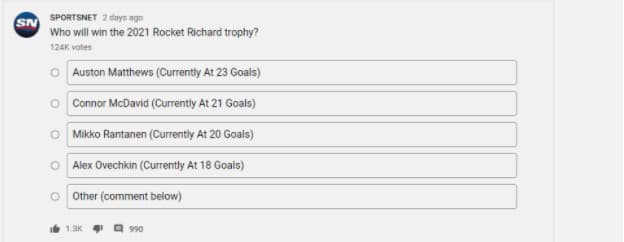
Sportsnet has over 124,000 votes on their latest poll about the 2021 Rocket Richard Trophy.
6. Shoutout to a fan or fellow creator using an @mention.
Mention a fan or another creator to share the love or get more eyes on your videos. Popular channels will often select a fan to shout-out to at the end of their video. The Community tab is another place where you can make these connections.
7. Share ‘members only’ posts.
If you offer Channel Memberships (a paid subscription to your channel where “viewers make monthly payments in exchange for access to exclusive badges, custom emojis, and other perks”), you can choose to create posts that are exclusive to your channel members.
This is a great way to thank them for their support and give them even more opportunities to engage with your channel.
Building a Community on YouTube
One of the things I noticed when trying to find examples for this post is that many creators aren’t using the Community tab to its full potential.
The power of being able to post updates and notify subscribers is huge! You’ve got a captive audience, so make sure to update them regularly, even when you don’t have time to upload a full video.
Stay engaged with what your fans want, and you’ll build a loyal following quickly.


How Does YouTube Count Views? We Break It Down
If you visit YouTube on any given day, you’ll be sure to find a recently-published video that’s been viewed millions of times in mere days.
Or how about YouTube Records? There, you’ll find the videos with the most view counts in YouTube history — and the videos that reached one billion views in the shortest amount of time. (Adele’s “Hello” reigns on top, taking only 88 days to reach this mindboggling view count.)
Where do those views come from? What exactly counts as a ‘view’ and what doesn’t? For those who are curious, or if you’re a marketer looking to expand your strategy onto a platform with over 2 billion users, YouTube has the answer.
Admittedly, YouTube hasn’t always been the most obvious choice for marketers. Sure, there are guides and explanations, even statistics on how to crack the YouTube code. Yet there’s still uncertainty about what does and does not count as a view. For a site that’s no stranger to regular changes, what’s the baseline?
![Sign up for HubSpot Academy's YouTube for Marketers Course [Free Online Course]](https://no-cache.hubspot.com/cta/default/53/8c86a8cf-3857-41c3-b88d-f4d3b084b0cc.png)
More than that, there’s a magic number of views: 300.
Once a video reaches 300 views, YouTube temporarily “freezes” the view count to confirm that those are indeed legitimate plays by real humans. Its system begins to track incoming views, as well as the first 300. It can delete fraudulent views as they’re identified. Once the initial screening process is over, the view counter goes back to normal, but YouTube will continue monitoring for fake views on every video.
Why 300? Numbers below that don’t have the power to crowd the YouTube homepage and throw the website off its algorithm.
So, wait. If there’s no secret formula to what counts as a view, can’t anyone refresh their video to gain views? Not anymore. In the early days of YouTube, monetization wasn’t a thing. It was an assumption that almost every view fit into the original definition: a viewer-intended play of a spam-free video. It didn’t take the platform long to get wise to the fact that creators could cheat the system. This is loosely referred to as an “artificial” view.
Luckily, YouTube has gotten pretty good at spotting artificial views. Some of the signs they look for include:
- Views, reloaded: This is the classic case of a single user constantly refreshing the video to bring those numbers up.
- Viruses: If a video looks like malware — software designed to harm your computer, server, or network — it gets deleted.
- Website autoplay: If the video is set up to autoplay on a website, that doesn’t count as a view.
Software in YouTube’s security system has the ability to detect malware – a computer program that assists in sending spam messages from your computer – and spambots. YouTube automatically deletes them to make the screening process go more smoothly.
Now, let’s go over some questions you may have about YouTube video views.
Do your own views count on YouTube?
Yes, your own views count if you play your own YouTube video — but only if you do it once or twice, not if you constantly refresh the page.
Why does YouTube count my own views?
YouTube’s algorithm sees you just as it sees any other user, so your view will be counted.
Do replays count as views on YouTube?
Yes, but only if the replays seem natural. If you replay a video once, it will count as a view. However, if you constantly refresh the page to artificially up the view count, YouTube will pinpoint this as a spamming practice (see the Views, reloaded definition above).
Are YouTube views unique?
No. YouTube’s views aren’t unique; replays and re-visits are counted in the view count. You can see your number of unique viewers in your YouTube analytics dashboard.
How often does YouTube update view count?
Though YouTube doesn’t publish this information, we know that it updates views approximately every 24 to 48 hours. It does not update views instantly.
Do embedded YouTube videos count?
Yes, embedded YouTube video views count when the video is embedded into the content of the page and a user purposefully clicks on the video to play it. An autoplay embed video may not count. A background video (that is, you placed the YouTube video in the background of your website) will not count.
Do Facebook views count on YouTube?
Yes, Facebook views count on YouTube. They don’t count, however, if you manually download the video from YouTube and upload it to Facebook.
YouTube Guidelines for Videos and Views
If you’re thinking of implementing a YouTube marketing strategy, it’s critical to adhere to YouTube’s guidelines. If you don’t, your videos will be deleted. Viewership has its own set of guidelines and is taken very seriously.
If a video reaches a certain number of views and falls within the guidelines, it’s eligible to make money. YouTube’s account monetization allows a single video to earn thousands of dollars as it creeps into the territory of having millions of views. Accounts that give themselves fake views are, in essence, making money unfairly. YouTube’s policies here aim to make sure every creator works hard on every video they produce.
That said, algorithms change — sometimes at the drop of a hat. For the most updated information on proper video protocol, review YouTube’s guidelines regularly, especially when they announce changes for creators.
Another reason viewership is taken so seriously is users’ ability to find videos they’re interested in. It would be soul-crushing to sift through tons of spam videos in order to get to the one that you want to get to.
All of this talk of algorithms and homepages may seem a little overwhelming, when the main question is actually, “How do I use this stuff to get views?” Don’t worry, as long as you optimize videos for search, you’ll find ways to get people clicking on your content.
It can be a bit tricky to decipher the mechanics of YouTube. But YouTube uses a system that carefully and cleverly monitors viewership so it can deliver the most authentic experience to its creators and users. By counting views before fake views turn into a real problem, YouTube keeps its platform clean from spam.
Count Your YouTube Views to Measure Performance
Knowing how many people view your video is important. You can tell whether your title is compelling, whether your thumbnail is effective, and whether your content is watch-worthy based on views alone. By measuring your YouTube views, you can successfully pivot your strategy to grow your YouTube channel.
Editor’s note: This post was originally published in April 2019 and has been updated for comprehensiveness.

33 Free Online Design Tools for Creating Stunning Visual Content for the Web
Who doesn’t love free stuff?
If I can find a free tool to do something I’d otherwise have to pay for in my marketing, I’m going to try the free one first. As long as I can achieve the same quality result from the free tool, there’s no need to waste budget.
And in my quest to find alternatives to fancy computer programs, I’ve come across a lot of free tools that help take my marketing up a notch. In particular, I’ve adopted a ton of free tools for creating visual content that don’t cost my team a dime. From templates to browser extensions to online photo editors, keep reading to see some great, free web design tools to use.

Free Online Design Tools for Creating Stunning Visual Content for the Web
Free Font Tools
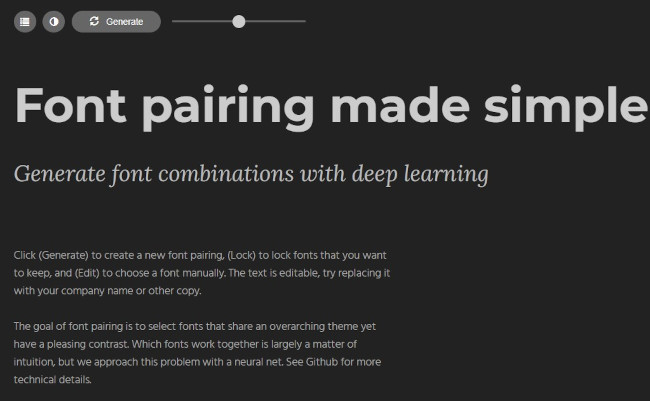
1. Fontjoy
Need to find the perfect font combination for your next project? Type Genius makes it easy for users to find great combinations of fonts. It uses a neural net to provide font suggestions, displaying them in live time to help you get a better sense of how they look paired together.
2. Google Fonts
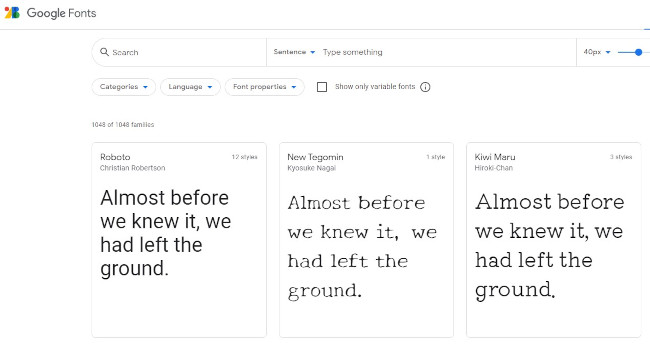
If you’re looking for quality typography for your next design, check out Google Fonts. This directory of web fonts makes it easy for users to add a font to their website in seconds or download it to their computer to use later.
All of the available fonts are open source, meaning users can customize, improve, and share them as they see fit.
3. WhatFont
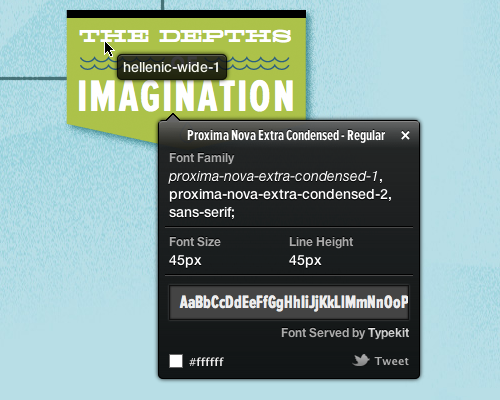
Ever come across a font on a particular web page and think to yourself, “I need that.” With WhatFont, users can quickly and easily identify the name of the fonts used on any web page in just one click.
Available for download as a bookmarklet, Google Chrome Extension, or Safari Extension, you’ll never be left feeling stumped about a font name again.
4. DaFont, 5. 1001 Free Fonts, and 6. Font Squirrel
Looking for an extra special font to help your design stand out? While there are a ton of free font resources out there, we’ve narrowed down our favorites to: DaFont, 1001 Free Fonts, and Font Squirrel.
These sites offer up an extensive library for fonts that are high quality, easy to download, and clearly defined in terms of licensing.
7. Tiff
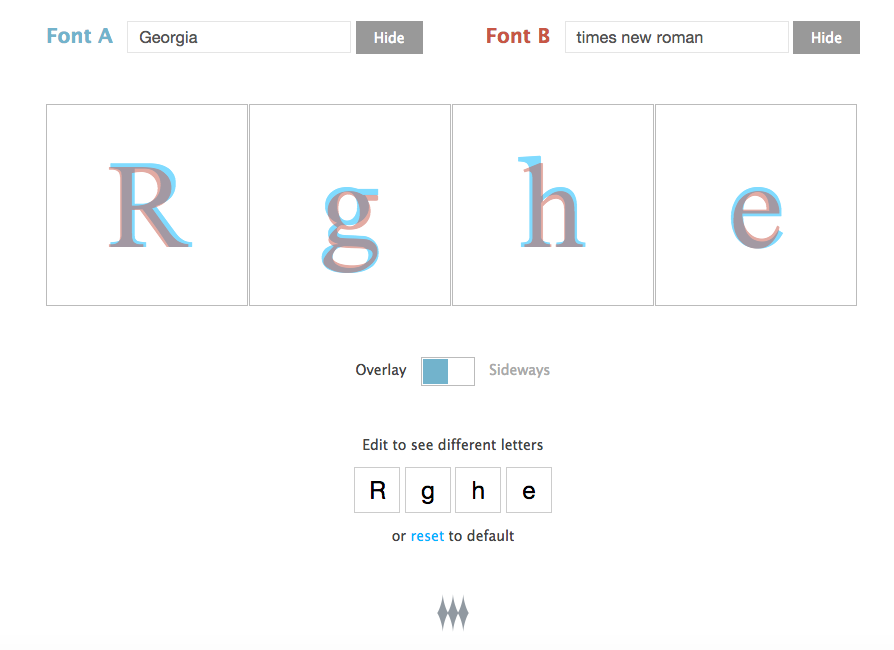
Ever find yourself stuck between two fonts? With Tiff, users can select two different fonts to overlay against one another, making it easy to spot the differences. You can even choose which letters you’d like to compare — both capitalized and lowercase.
Tiff currently supports all Google Web Fonts and any system fonts. For best use, the site recommends viewing the contrasts on the latest version of your browser.
Free Templates
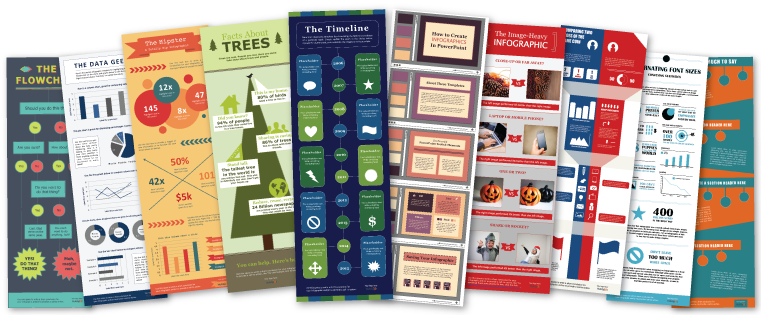
8. HubSpot’s 10 Infographic Templates
We all know we need to create visual content. Trouble is, creating graphics can often feel like a huge undertaking — especially if you don’t have a design background.
With this pack of free infographic templates, you can create professional-looking infographics and save hours of time in the process. The best part? You can easily customize them to fit your company’s branding.
9. Canva
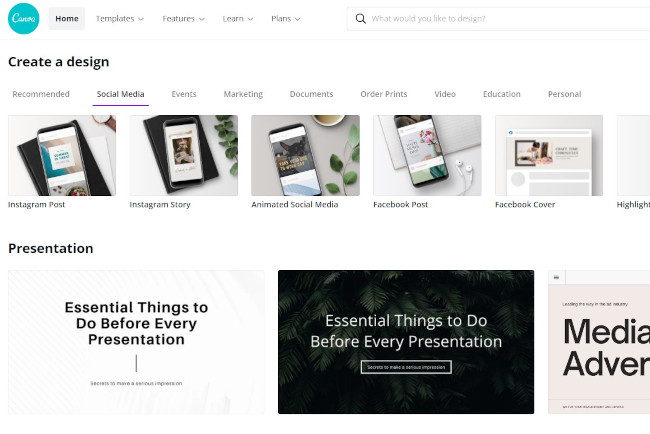
Whether you’re looking to create an ebook, infographic, business card, or email header, Canva has a template to simplify your process. In fact, the free web design tool offers professional, easy-to-customize templates for just about any design need you can think of.
The best part? The tool is built with non-designers in mind, making it easy to drag-and-drop objects and images until you like the way it looks. Change the images, switch up the fonts, adjust the colors, and voilà: You’ve got yourself a design you can be proud of.
10. HubSpot’s 50 Customizable CTA Templates
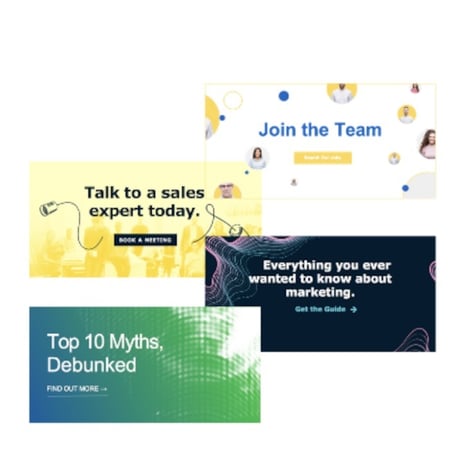
If you want to drive your website visitors to take an intended action, you need to make it easy for them to do so. That’s where CTAs come in.
But not just any old design will do. In fact, factors like color, size, and shape, all play a role in the performance of your button. So to help you encourage more visitors to become leads, we’ve created 50 pre-designed CTA templates to employ on your website. These templates are customizable, and we encourage you to test different colors and placements until you find what works best for you.
11. PlaceIt
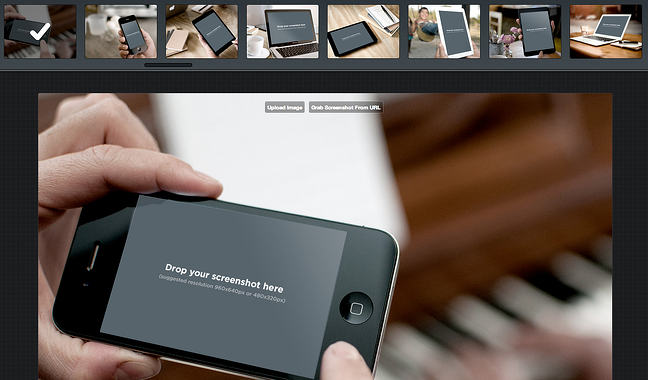
Sometimes, you need a photo of your website, blog, or Twitter profile with a little polished flair. While you can try manually customizing your screenshot to fit into a stock photo you already have, PlaceIt is an even better alternative. Upload photos directly into Creative Commons-enabled stock photo templates and watch your screenshots come to life.
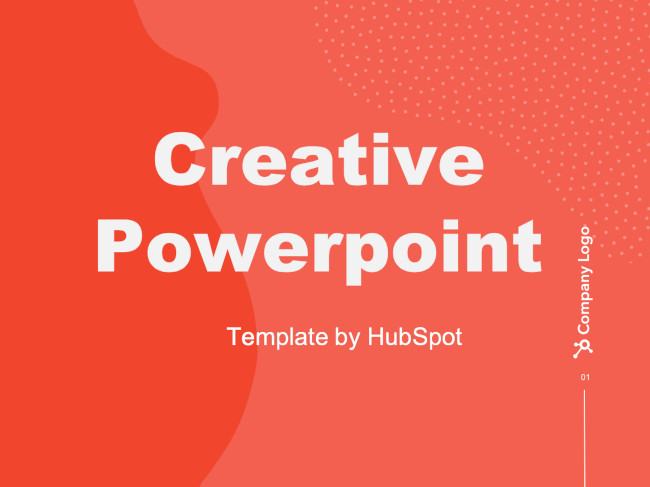
12. HubSpot’s 5 PowerPoint SlideShare Templates
Love the concept of SlideShare but don’t have a lot of experience designing in PowerPoint? No problem.
With our free PowerPoint templates, you can create beautiful SlideShare presentations without the heavy lifting. Simple plug in your content, adjust the colors to match your branding, and swap out images as you see fit. These templates range from clean and simple to a bit more intricate, so you’ll have no problem finding one that suites your content.
 Free Color Tools
13. Coolors
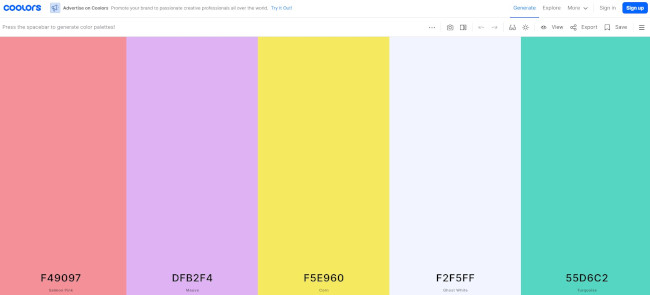
One of the most important elements of web design is your color palette — you want to make sure your images, graphics, and font colors all help convey your message and maybe even drive conversions. But often, it’s hard to find the right color combination for a design — which is where Coolors comes in. Press the spacebar to instantly get recommendations for colors to use, including their respective HEX codes. Your color palettes will never be uncoordinated again.
14. ColorZilla
ColorZilla is a great tool for your most basic to your most advanced color-related needs. Whether you’re looking to pull up the HEX code for a specific pixel on a page, analyze DOM element colors, or uncover element information such as tag name, class, id, and size, this tool can handle it all.
Available as either a Google Chrome Extension or a Firefox add-on, we’re willing to be that ColorZilla will quickly become one of your favorite go-to design tools.
Free Annotation Tools
15. Awesome Screenshot
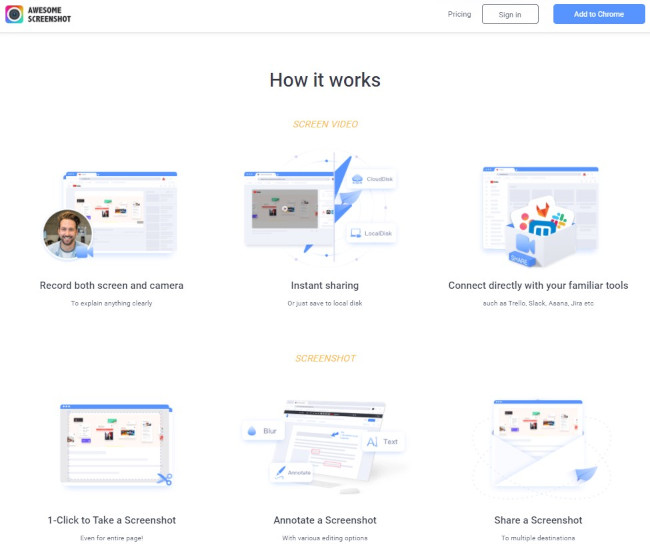
Ever find yourself drowning in 20 different programs to crop, edit, and annotate screenshots? With Awesome Screenshot, a browser extension for Firefox and Chrome, you can easily screenshot anything on the web and edit it directly within your browser. This extension has become a staple of my own browser — I can’t go back to regular old screenshots anymore.
16. Skitch
Skitch, a handy screen capture program from Evernote, is a functional, free tool for helping marketers and designers “get their point across with fewer words.” Users can use shapes, arrows, text, and doodles to annotate existing or freshly captured images — and file them away to their Evernote account for later use.
Free Photo Editing Tools
17. PicMonkey
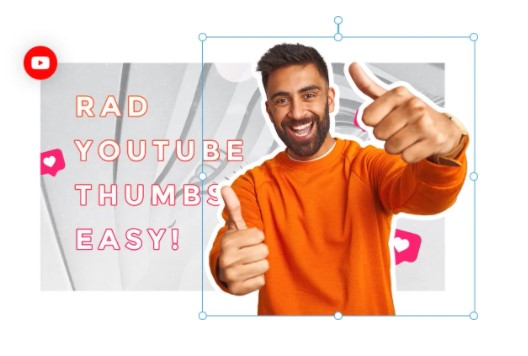
Okay, let’s say you don’t have the budget for Photoshop and feel somewhat limited by PowerPoint’s visual editing capabilities… what are you to do? If you want to spruce up your images — re-color them, add borders, add text, and even insert graphics on top — all without downloading yet another program to your computer, check out PicMonkey. The whole photo editing process is intuitive, which means you can spend more time optimizing your blog posts instead of sprucing up its accompanying featured image.
18. BeFunky
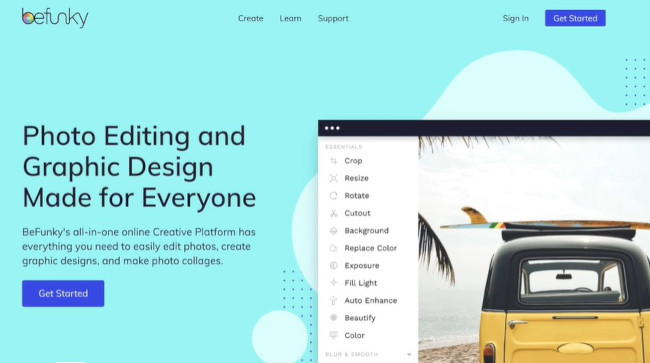
If you love the look of cool, vintage Instagram-esque photo filters, you’ll love BeFunky. This free photo editor boasts a ton of awesome features, including effects, frames, graphics, and textures.
Whether you’re a seasoned designer or just getting started, the interface is super straightforward and approachable. All it takes is a few clicks to enhance an ordinary photo or create a collage worthy of sharing on your social accounts.
19. Giphy
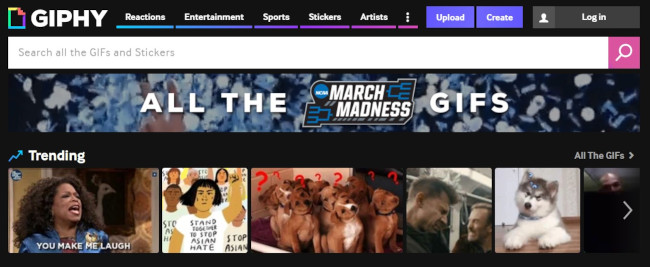
Giphy is a tool that you can use to convert portions of video into looping gifs. You can also use other user-generated gifs on the platform. All of this is in the effort of adding personality to presentations, emails, and blog posts.
20. Adobe Spark
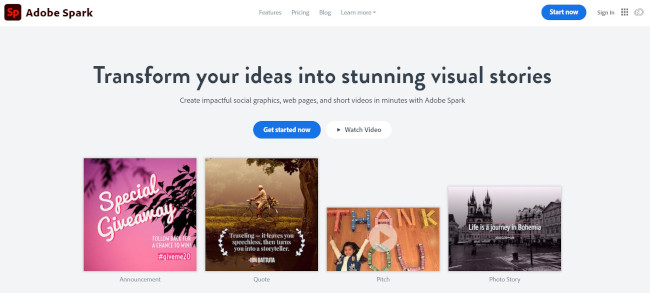
Adobe Spark is a free online design tool that allows you to create and share graphics, web pages, and videos. You’ll have access to thousands of free images and icons plus a ton of branded templates, themes, fonts, and other design assets. You’ll also be able to animate your designs and create gifs.
21. VSCO Cam, 22. Snapseed
Just imagine: You’re at an event. You’re laptop-less. And you just took an awesome photo with [insert esteemed thought leader here] that you want to share on social media… but it’s a little dark. Bummer.
With a mobile photo editing app like VSCO Cam or Snapseed, you can tweak your photo to perfection and share it on the fly. Both apps are available free for iOS and Android and come equipped with impressive, professional looking filters and functions.
Free Stock Photo Resources
23. Vecteezy
If you’re looking for a Creative Commons image, but are finding terrible options through its native search engine, check out Vecteezy. While it often surfaces similar content, Vecteezy has an algorithm that places the gorgeous images right at the top — cutting my image hunting time down by a ton.
24. Death to the Stock Photo
All it takes is an email address to start receiving Death to the Stock Photo’s high-quality photography straight to your inbox every week. From office shots to drool-inducing food plates, this free stock photo service has a batch of photos to meet almost anyone’s needs.
These images can be used on your website, social channels, mockups, etc. To get familiar with their terms of service, check out their licensing page.
25. Stock Photos From HubSpot
If you’re looking for stock photos to use in your next design but don’t want to worry about all that attribution stuff, well, look no further. HubSpot offers a ton of free stock photos that you can use literally anywhere. All you need to do is download the batch and then be on your merry way to create engaging, visual content. Seriously… just do it.

26. 250 Holiday Stock Photos From HubSpot
Us again. In case you can’t find what you need in that resource up there, we’ve also created a holiday-specific set of stock photos for you to use as you please. This set includes photo packs for Halloween, Thanksgiving, Hanukkah, Christmas, and New Years.
27. Unsplash
If you’re looking for more “do whatever you want” photos with a scenery or inanimate object tilt, check out Unsplash. Just like our own stock photos, no attribution is needed. The pictures speak for themselves — so go check out the website for more.

Free Design Tools for Infographics, Charts, and Mockups
28. Infogr.am
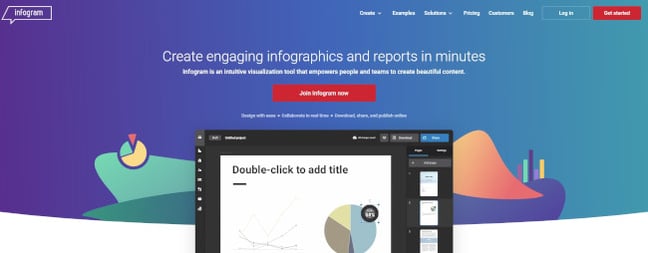
If you’re looking to make interactive infographics — not just plain visuals — check out this online design tool. Easily add graphs, maps, text, and even playable videos without diving deep into a design program. It also has social sharing tools built right into the infographic, so you don’t have to worry about creating a custom Pin-It button. It’s a pretty nifty tool if you want to create and ship an infographic — fast.
29. Venngage
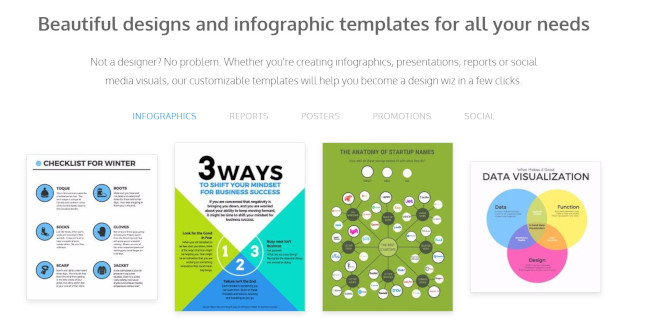
Venngage is a free infographic maker that has the capability to produce charts, reports, and stunning data visualizations. You can start with a template and easily customize the look to fit your brand. Under the free plan, you’ll be limited to the number of image uploads and designs you can do, but there are more advanced plans with premium feature sets.
30. Visme
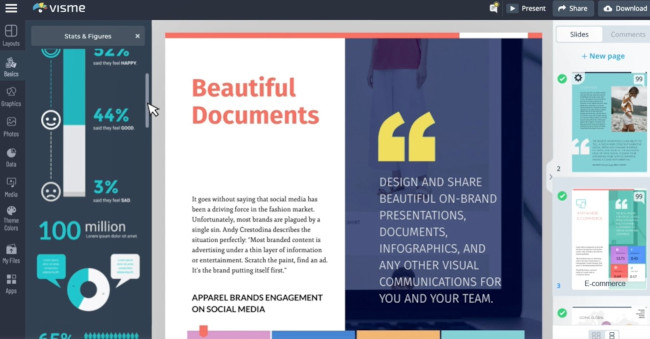
With Visme, you get a whole platform for creating digital content with capabilities for presentations, data visualization, infographics, social posts, and even short videos. You can have up to 5 projects and 100 MB of storage in the free version, plus access to a library of free templates for projects such as ebooks, flyers, and logos.
31. InVision, 32. Marvel
Depending on the sophistication of your design needs, you may find yourself in need of a prototyping app. This type of software can be used to turn your ideas — whether it be an app or a website that you’ve cooked up in your head — into a more tangible reality.
While there are many free options available, we’ve selected two that really deliver in terms of ease of use and functionality: InVision and Marvel. Although both of these options offer more advanced, paid plans, you can get started with a free plan.
Free Drawing Tools
33. Google Drawings
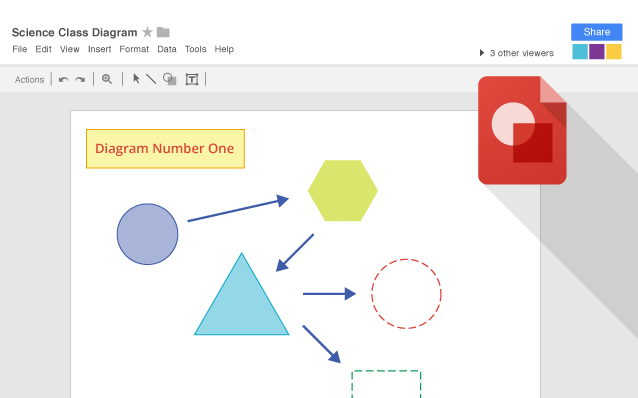
Say goodbye to your weird Microsoft Paint drawings and say hello to polished, professional Google Drawings. If you have a personal Gmail or your company uses Google Apps, you can use Google Drawings to create custom visual content. One of my favorite features about it is that it comes with an invisible background right off the bat so you can create custom shapes that can easily be pasted on top of your other marketing collateral — the perfect way to spruce up an updated ebook call-to-action or even customize a stock photo. And the best part of all is that you can collaborate with your co-workers on the drawing by sharing the document, just like you would any other Google Document.
And that’s just a few possibilities out there of the tools and templates that can help streamline your workflow as you create content for your audience.
Editor’s Note: This post was originally published in September 2013 and has been updated for freshness, accuracy, and comprehensiveness.

The 11 Best Live Webinar Software of 2021
If you’re looking to attract highly engaged leads, interact with your audience, get real-time feedback, and capitalize on exciting guest speakers, the live webinar format is for you.
In a blind test run by the team at Business2Community it was discovered that a live webinar not only got 2.3x the number of registrants than an on-demand video, but the live webinar’s attendance also exceeded that of its on-demand counterpart by 23%.
The live attendants were also more … well … attentive. Participants viewed an average of 80% of the live webinar content, whereas the on-demand version captured 35%.
To take full advantage of these benefits, you need to choose the best software for live webinars. Read on to discover our favorite candidates for a live webinar platform, divided by category for easy research. Oh, and once you’ve found the right webinar platform, make sure you check out our ultimate guide to creating compelling webinars.
The Best Live Webinar Software
Best Webinar Software for Marketers
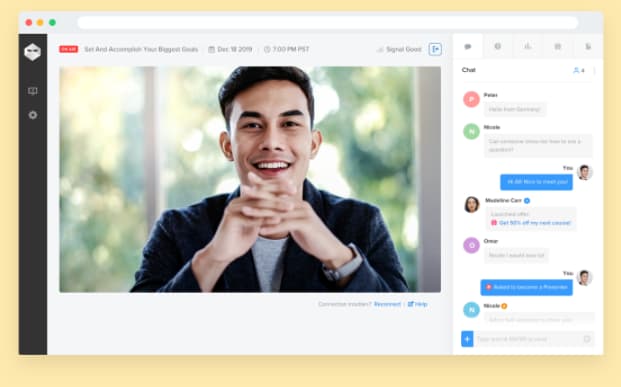
1. WebinarNinja
Optimizing for the customer journey is crucial and WebinarNinja knows it. The team of WebinarNinja focused their tool development on making it easy to track and customize according to a prospect’s position in the funnel. We love how this platform:
- Integrates with CRMs such as Salesforce and Hubspot so you can easily track your leads.
- Offers a gated landing page option to charge for events, which is a great option for hosting online conferences or other high-value content alongside regular webinar programming.
- Provides more targeted, customized tracking with a Facebook Ad tracking pixel on webinar attendees.
2. WorkCast
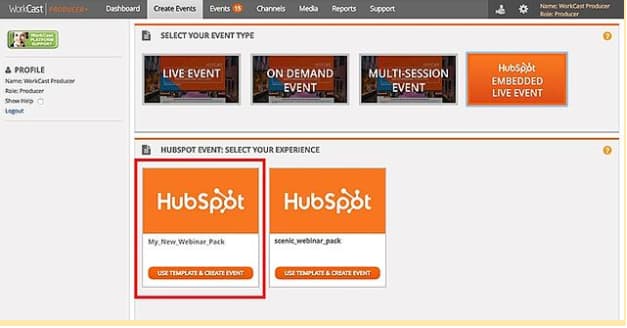
As the webinar platform that brands itself as “created for marketers,” WorkCast is simple to use and has a multitude of helpful features. Whether you’re offering live or on-demand webinars, creating evergreen content, or a combination of all three, WorkCast has your back with:
- Integrations with all of the most popular CRMs, including HubSpot, so you can track your leads and follow up automatically.
- No downloads or plugins required to host, attend, or present at webinars.
- The option for simulive webinars using pre-recorded video combined with a live Q&A session or presentation. All of the benefits of viewer engagement, without the stress of organizing a live webinar.
Best webinar software for small businesses
3. WebinarGeek
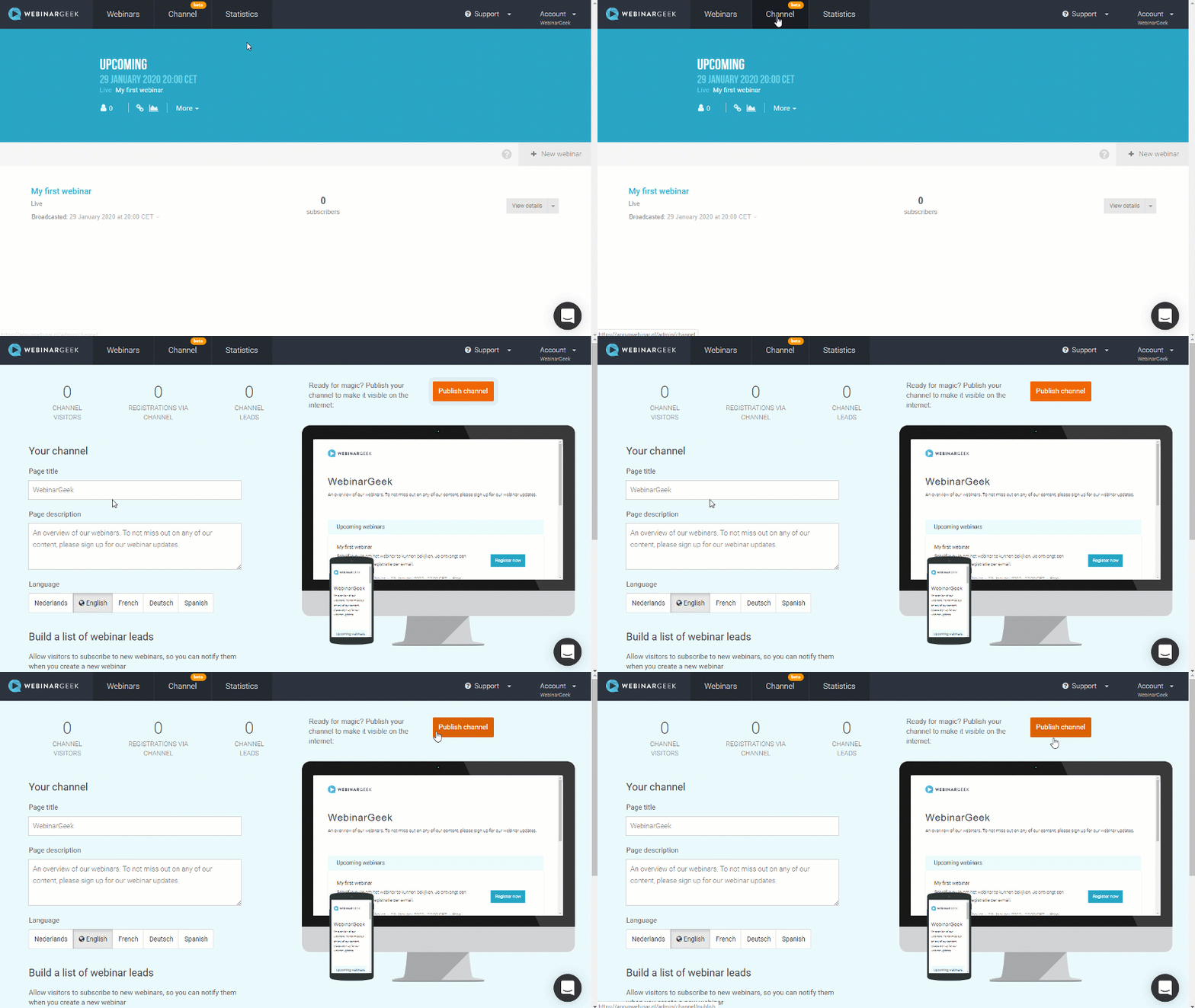
An easy-to-use platform that provides live, on-demand, and hybrid webinar features. With their smart marketing features, you’ll be able to attract viewers and convert them to customers within the same platform. Priced reasonably for small businesses, WebinarGeek has a number of great tools, including;
- No downloads required for your audience, which makes it easy for non-tech audiences to attend.
- Create your own webinar channel to showcase all your on-demand and future webinars in one place.
- Highly rated customer support (9.8/10 on G2) that will help you set up and deliver seamless webinars.
4. WebinarJam
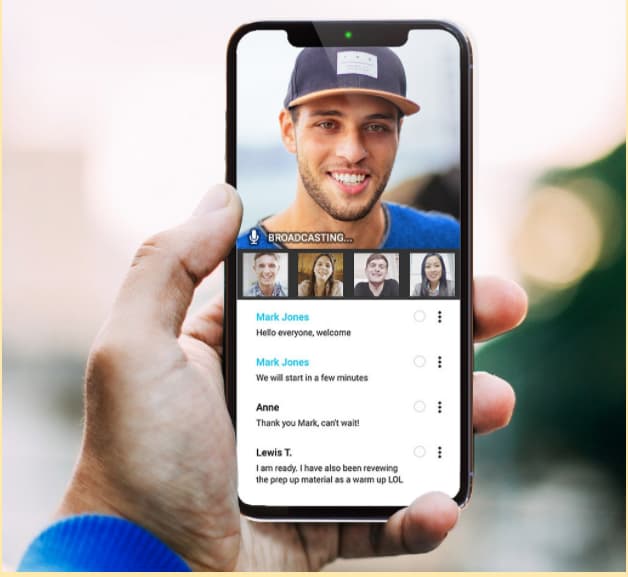
Marrying a simple interface with comprehensive tools makes WebinarJam an easy favorite for small businesses looking to run live webinars, even on the go. We love their:
- Customizable templates, such as waiting room graphics and emails, for an on-brand experience.
- Ability to add up to six co-presenters, making it easy to produce a collaborative and high-value presentation. You can even inject pre-recorded video for additional presentation options.
- Trifecta of engagement tools: a virtual whiteboard, poll options, and an attendee chat.
- Automatic recording function, which makes it easy to follow up with registrants who missed the live recording.
Best Webinar Tools for Training and Classroom Sessions
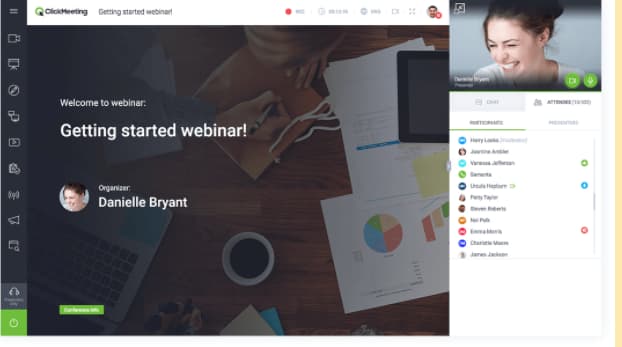
5. ClickMeeting
ClickMeeting offers webinars and video conferencing in one tool. Schedule meetings or webinars easily, and scale your webinar program with ClickMeeting’s 5000 attendance capacity.
ClickMeeting is particularly useful for running training and classroom-style presentations because of its:
- Customizable waiting rooms with agenda layouts, file delivery, and presenter information.
- Full suite of webinar tools including additional rooms, whiteboards, and polls.
- Ability to join and deliver webinars on-the-go with the ClickMeeting mobile apps.
6. Adobe Connect
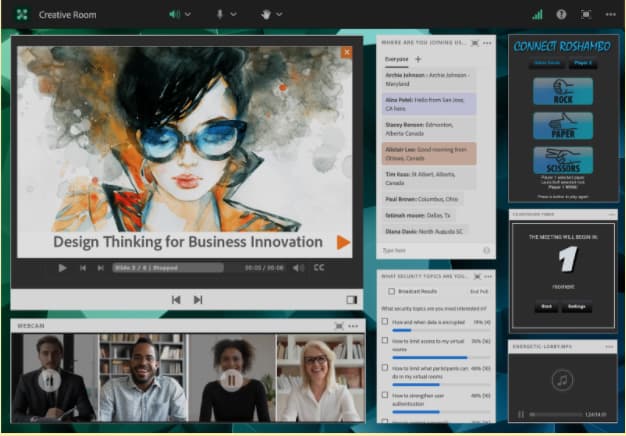
Adobe Connect is ideal for guided training and seminars where you need to “set the stage” for your audience. Their classroom tools enable students to work together effectively. You can also:
- Create breakout sessions, whiteboards, and teaching aids to help you deliver your message effectively.
- Set up multiple “topic chats” to keep discussions on track.
- Read your audience’s digital body language with advanced analytics to help you improve your delivery.
Best Free Webinar Software
7. Zoom
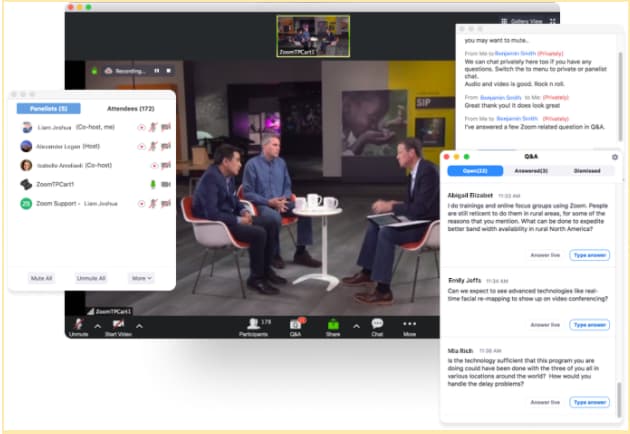
While many of us may have used Zoom for meetings, it’s also a great choice for webinars.
Because so many people are familiar with Zoom, hosts, and attendees both find it easy to use. Plus, if you’re on a tight budget, you can use Zoom’s video conferencing platform for small, free webinars (up to 100 participants).
Some of the benefits of Zoom include:
- Keeping the focus on the presenter’s video, rather than slides, making for a more human interaction.
- Leveraging virtual backgrounds, studio effects, and background noise suppression.
- Dedicated live event support, including monitoring and moderation.
8. Freeconferencecall.com
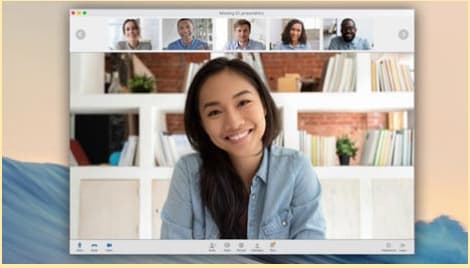
One of the only completely free webinar platforms, Freeconferencecall.com is still a powerful solution. It’s completely browser-based (which means no downloads for you or your guests), and:
- Offers one-click recording so you never miss out on saving your webinar.
- Has screen- and file-sharing capabilities so you can share your presentation materials effectively.
- Allows you to host up to 1000 guests.
Best Live Webinar Software
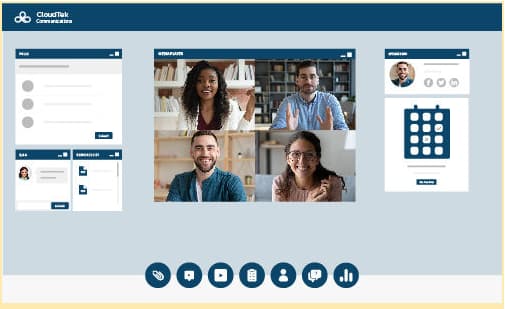
9. On24
On24 is the enterprise platform that does it all, as noted in their positive reviews on G2: “We had a wide variety of needs for a service like this — internal training, external publications, panel forums, expert-led seminars, and more. We felt that ON24 checked every box.”
On24 specializes in live broadcasts and has a host of features designed to increase customer engagement with your video presentations. We love their:
- Enterprise-level streaming quality. They’re built for big events that need to stream smoothly.
- Engagement analytics that integrates with your business intelligence platforms for better audience segmentation.
- Engagement hub that stores past webinars for an “always-on” experience.
10. GoToWebinar
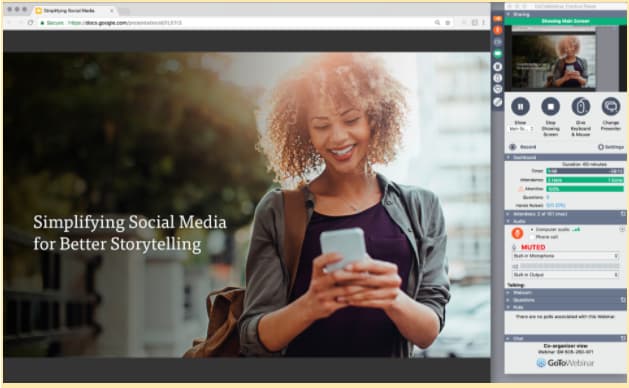
A best-in-class option that makes running a live webinar feel positively smooth. Equipped with the greatest hits of live webinar management like engagement tools, automatic recording, and excellent integrations, GoToWebinar goes the final mile by offering:
- 24/7 customer service, which is essential in times of live webinar panic.
- Source tracking to help determine the most effective sign-up strategies.
- Truly excellent analytics that help you to keep iterating and improving.
11. Webinar.net
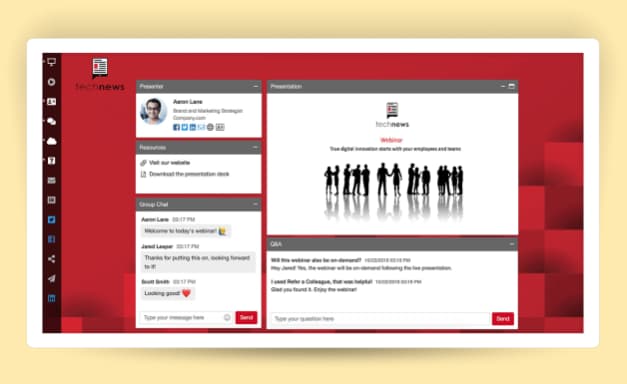
This is an easy-to-use webinar platform that looks good. Webinar.net might be one of the newest platforms on the market, but they’re starting strong with a 4.8 out of 5 stars rating on G2.
Their customers love them because:
- They’re browser-based, so there are no downloads required for presenters or attendees.
- You can upload a background template and pick your colors and font so that your webinar matches your company’s branding.
- Broadcasts can be launched in under 60 seconds with their five-step wizard.
The Best Webinar Platforms in 2021
There are so many different webinar platforms available. Choosing the right one for your needs depends on your budget and your goals.

The Straightforward Guide to RFIs
If you’re looking to invest in a new tool for your business, you’ll need to do your research.
In many cases, that research will start with a Request for Information (RFI).
Not sure what an RFI is? We’ve got you covered in this quick guide.

What does RFI mean?
An RFI or Request for Information is an educational tool used by procurement teams to understand the options available for solving a problem or completing a task.
For example, if a business needed a new server solution, they’d send out an RFI, and companies that offered servers would respond to share more information about their products and services to educate the procurement team.
RFIs are important because they reduce blind spots and empower your team to make better decisions. With more information at your disposal, you can understand the marketplace and get a better sense of the questions you’ll need to ask as you move forward in the procurement process.
RFI vs RFP
Both RFIs and RFPs are tools used when procuring new tools, services or vendors. However, a Request for Proposal (RFP) is different from a Request for Information (RFI) in a few ways, including the timing and the type of information required.
An RFI is the initial step a company takes to solicit information from potential vendors, as described above. Its main objective is to obtain information, not to make a final decision. Once the RFIs are submitted, the company will review them and shortlist the best options, armed with more insight. Then, they’ll usually send out an RFP.
A Request for Proposal is a formal request for the selected vendors or suppliers to respond to a specific contract opportunity. The document specifies the scope and price so potential vendors can put together a bid for the work.
These bids are then compared to understand each vendor’s strengths and weaknesses, and the best fit is chosen. RFPs are a decision document, so the questions are more targeted and specific.
After an RFP, the company may be contacted with an RFQ or Request for Quote that breaks down the project even further into specific cost structures and deliverables.
Best Practices for RFI Documentation
The more thoughtful you are about your RFI document, the better quality responses you will get back. Instead of casually emailing a sales rep and asking for information, creating RFI documentation will ensure that you get exactly the information you need. In that document, be sure to:
- Be clear about the information you’re requesting, in a way that will make it easier to review all the responses you receive.
- Be specific about how and when you want to receive vendor responses.
- Be open-ended so that vendors can provide information that they think is relevant, but you may not know to ask. That’s what RFIs are great for.
- Be brief and respectful of vendors’ time.
RFIs are usually presented as a PDF or posted on a website to make it easy for vendors to read and respond to.
Request for Information Template
Creating your first RFI can be overwhelming. What should you ask for? What information does the vendor need to know? To help answer those questions, use this simple template to get the most out of the RFI process.
1. Overview or Statement of Need
Outline your goals and objectives, along with some general information about your company. This section should be short and provide an overview of your project to someone with no background information.
2. Context about Organization
Including additional information about your organization can help the vendor tailor their response to your needs. You may want to mention which department is leading the project, who your customers are, and what your company values are, among other things.
3. Details of what’s needed
What problem are you looking to solve? What information do you need? Here’s where you can detail what you’re looking for. Include any additional information a vendor might need to know to develop a thorough RFI response. That may include:
- Any necessary skills and credentials the respondent may need to be successful
- Timelines or general scope
- What you’re not looking for
4. Information about the process
Explain how interested parties should respond to the RFI. Attach a response template if you have one, outline any deadlines, and note if and when you’ll reply to respondents after the RFIs have been gathered. You may want to mention any evaluation criteria you’ll use when creating the shortlist for RFPs.
3 RFI (Request for Information) Samples
Need more inspiration? Read through the following examples of RFIs for more ideas on what to include in yours. These three RFIs all come from different industries and have different needs, so they are a good overview of the options available to you.
1. NASA
When NASA retires parts of their space shuttles, they like to display them at museums or other educational institutions. To gauge interest and understand the potential options for an upcoming retired part, they opened up an RFI. Here’s a sample of the document:
“This RFI is being used to gather market research for NASA to make decisions regarding development of strategies for placement of Space Shuttle Orbiters and Space Shuttle Main Engines (SSMEs) for public display after conclusion of the SSP. NASA is seeking information from educational institutions, science museums, and other appropriate organizations about the community’s ability to acquire and display a Space Shuttle Orbiter after the vehicles are retired from flight status.”
We like this RFI example because it provides a straightforward overview of the purpose of the RFI, and outlines what NASA wants to learn from the process.
2. Government of Canada
Government websites are a great place to find RFI examples because they are required to make all procurement processes publicly available. The following example is from an RFI for financial planning software.
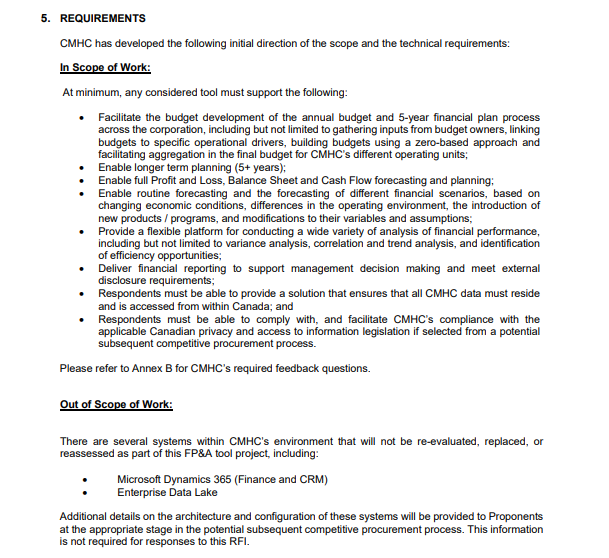
The requirements section of this RFI is a great example of how to explain what you do and don’t need in the responses. While the government of Canada is looking for financial planning software, they will be keeping their CRM and data lake provider.
3. University of Ottawa
In the following RFI except, the University of Ottawa is looking for an ERP integration solution. What’s unique about this RFI is how they want to receive responses. Rather than collecting written responses or documents, the U of O is scheduling strategy discussions with suppliers. This is a unique way to gather information, but helpful when you don’t have enough knowledge in the area to put together a scope of work yet.
“The University of Ottawa (University) is issuing this Request for Information (RFI) to schedule strategy discussions (via a conference call) from interested Suppliers with experience in ERP Integrations.
The intent of these discussions is to obtain feedback from Suppliers to assist the University in developing a more accurate Scope of Work and overall approach for an upcoming Request For Proposal (RFP) for ERP Integration solutions.”
Request for Success
Every RFI will be unique to your organization and the information you require. Use the template above as a guide to creating an RFI that will save you time in evaluating potential solutions.
With the right information being sent your way, all you need to do is read up! You’ll be well on your way to procuring the best solution for your team’s needs.

Marketing vs. Advertising: How to Maximize Your Acquisition Efforts
In the beginning of my marketing career, I remember being confused that I was tasked with writing ads or creating ad materials.
Since I fell into this industry accidentally (as one does), I didn’t study marketing in school. I wasn’t aware that advertising and marketing work together and aren’t mutually exclusive.
Now, as a marketing professional, you understand that. But that doesn’t mean that you’ve never been unsure about how these two industries interact.
In fact, marketing and advertising have a lot in common. They even have the same goal: increase awareness of your company and products, and then make a sale.
While they share the same goal and have a lot in common, there are differences between marketing and advertising that can help you organize your strategy and maximize your acquisition efforts.
Below, let’s explore the similarities and differences between marketing and advertising.

Overall, marketing and advertising share the same goal. But marketing has a bigger scope than advertising. Marketing creates the tone, personality, and voice of a brand or company as a way to attract its target audience. This can be done through paid, owned, or earned media channels.
Advertising, on the other hand, has a much more narrow goal, which is to get the word out about a specific product or service.
To visualize the differences, marketing is the umbrella term for brand positioning and awareness, while advertising is just one of the tactics that’s used to get that done.
With advertising, you can use social media, search engines, TV or print, podcasts, radio spots, billboards, and more. Depending on your audience, you’ll probably use a mixture of the best channels that will bring success.
As you can see, advertising is a step of marketing. Marketing prepares products for the marketplace, works on overall brand messaging and positioning, while advertising then gets the word out about specific products or services.
Most successful marketing strategies use advertising at different levels of a campaign, in various types of media.
While marketing can be paid, owned, or earned media, advertising is the component of marketing that focuses solely on the paid media aspect.
Marketing will convince potential customers that you’re the brand they want to use, that this product will help them, and advertising focuses on communicating a product exists and is the best way to achieve a goal.
You can think of marketing as the strategic decision making process that helps companies understand how a product or service will align with the target audience. This helps companies figure out how they want to sell the product and position it in the market. And then advertising makes a product or service known to the target audience through paid means.
These two concepts aren’t at odds with each other. In fact, advertising is almost always meant to benefit a marketing plan and communicate the marketing message.
Additionally, the way you calculate success for these two industries is different as well.
With advertising, you might focus on return on ad spend, and actual sales. Marketing success can be measured differently. Brand awareness and impressions are just some of the ways that companies measure success of a marketing campaign (in addition to return on investment).
Now, let’s get into the nitty gritty details about different types of advertising and marketing and how they’re similar or different.
Native Advertising vs. Content Marketing
Native advertising is a way to make paid ads appear more organically in a person’s day-to-day. Ads, in general, are interrupters. They interrupt your day and say “Hey, look at me.” However, people have ad blindness, and might not even notice an ad, especially in the digital space.
That’s why native advertising became popular. With native advertising, you can purchase ad space online and work in collaboration with a media network to make an ad not interrupt, but work in tandem with other organic materials.
For instance, this might look like a promotion or collaboration, which is definitely paid, but appears more native in someone’s feed. It could be a paid post on Instagram, or a paid blog article.
Content marketing, on the other hand, isn’t paid, and is usually the process of creating your own media materials and publishing them yourself. For instance, a company blog is content marketing. Your email newsletter is content marketing. But, a paid collaboration for a blog on someone else’s site is native advertising.
The main difference between these two is that one is paid and one is not. And that content marketing is usually used by your own company, while native advertising will take place on another site.
Now that we understand more about that niche, let’s dive into another area of marketing and advertising that might be confusing.
Mobile Marketing vs. Mobile Advertising
Mobile marketing is the process of creating marketing materials that are meant to be used in the mobile space. That could be an app. It could be location-based services, text marketing, or messenger marketing. It could be making sure your marketing assets are mobile responsive and are designed for the mobile experience.
On the other hand, mobile advertising, again, is the process of paying for ad space that will specifically show up in the mobile space. That could be an ad that comes up in an app or an ad that shows up when people are searching on their phone online.
The difference between these two concepts is similar to the overall difference between marketing and advertising.
Mobile marketing is the process of creating strategies that will reach audiences and increase brand awareness in the mobile space. Mobile advertising is a tactic to get that done.
This framework can be applied to any area of marketing and advertising, whether that’s content marketing, mobile marketing, or social media marketing.
Ultimately, you’ll need both marketing and advertising to have an effective strategy. If advertising is all you’re doing, then you’re missing out on a lot of other marketing tactics you can use to increase brand awareness, connect with your audience, and drive sales.


15 Ideas to Promote Your Next Event
You know the saying, “If a tree falls in a forest and no one is around to hear it, does it make a sound?”
Well, event promotion is similar. If you put on an event but don’t promote it, will it even happen? Without promotion, you probably won’t get any attendees because no one will know it’s happening.
While event promotion is simple in theory, actually planning a successful marketing strategy and promotion plan is not.
Of course, you’ve seen large-scale event promotions. But you’re probably thinking, “We don’t have that kind of budget” or “What are more creative ways to increase brand awareness and lead generation?”
Well, that’s what we’ll discover in this post. Let’s review some of our favorite ways to creatively promote your event without breaking the bank.
Free Event Promotion
1. Offer early bird registration.
A great way to promote your events is to offer early bird registration. This will incentivize your audience to sign up for your event early.
Additionally, this will give you a good idea of how to continue promoting your event — are people interested? What are their objections? Is your current marketing plan working?
With early bird registration, you’ll be able to gauge your audience’s interest and your marketing tactics. Plus, it incentivizes people to buy tickets as soon as possible for the discount.
2. Place a sign outside your business.
Of course, good old-fashioned banners are a great way to increase local awareness of an event.
You can post these outside your business or if you don’t have a brick-and-mortar business, then you can post banners throughout the local area where you’ll be holding the event.
3. Product a creative landing page.
The landing page for your event is the primary way to communicate information about your event. You should post all the details about the event — the day, time, location, topic, goals, etc.
Additionally, you can post an agenda so people know what the content will be like at the event. You can also use this page to post about speakers or influencers you have attending.
It’s also a good idea to include photos or videos from your last event and have an FAQ page that answers any repeating questions.
And of course, you’ll want to link to your social media pages and place a call to action on the page for people to purchase tickets.
4. Participate in content marketing.
Before your event, it’s a good idea to start posting about it throughout your content marketing channels.
You can post CTAs in your YouTube videos, discuss the event in your blog posts, talk about it in a podcast, or post on social media.
Whatever channels you use to post content marketing assets can be used as a way to promote your event.
5. Have event-specific branding.
Another great way to get the word out about your event is to have event-specific branding. Make your event a brand in and of itself. This is the way that HubSpot promotes the INBOUND event. INBOUND is a separate brand from HubSpot. It’s not just an event for our customers. It’s an event for any marketer, sales, or service professional who wants to learn more and educate themselves.
To do this, separate the event brand from your company brand. Have a different website, different colors, different messaging, etc. This will help attract people who don’t know about your company and are just coming across the event.
6. Use email marketing to reach your audience.
Of course, email marketing is a major way to reach your current audience. You should promote your event via email to different segmented audiences.
This will help let everyone who knows about your company know about the event. Plus, you can offer email subscriber discounts to incentivize current fans of your company to attend.
Social Media Event Promotion
7. Post pre-event behind-the-scenes posts.
Social media is another major way that you can promote your events.
One of my favorite event promotion strategies to follow as a consumer is to watch behind-the-scenes posts. I love a good BTS Instagram story or post showing how a company is preparing for an event.
Leading up to your event, post about it on social media. Post about the people you have coming to your event, or any cool decor items. This will get your followers excited about the event and could persuade them to buy a ticket.
8. Retargeting ads on social media.
We all know that social media is where people spend a lot of their time. If they’ve come across your company or other event promotion, social media retargeting ads are a great way to stay top of mind.
You want people to come across your brand continuously and to remind them about the event. Even if someone thinks an event is a good idea, they might not buy a ticket right away. Retargeting is a great way to get those customers at a later date.
9. Create an event hashtag.
While you’re promoting your event, a great way to talk to attendees or people who are thinking about registering is through an event hashtag. This will help you track mentions and stay in the conversation with people who want to attend your event.
This could also help get you trending and increase the number of people who are aware of and see your events.
During the event, again, this is a place for people to ask questions and for you to interact with attendees.
10. Work with keynote speakers, influencers, other brands, and sponsors.
Collaboration is one of the best ways to promote your event. Consider having event sponsors that will want to promote the event for you.
You can also have brand partnerships where you work with other companies who will tell their audience about your event.
Additionally, promote the heck out of your keynote speakers or any influencers that you’re working with. This is a great way to tap into their audiences to get the word out about your event even more.
It’s important to take advantage of other people’s following so people outside of your audience hear about your events.
11. Run a social media contest.
If you’ve run social media contests before and have had success, a social media contest or giveaway might be a good way to get the word out about your event.
You can host a contest where the winner will get tickets. Maybe they have to like your posts or comment and tag some friends. Either way, social media contests will help you garner awareness.
12. Create a social media filter.
A fun way to promote your event is to use a social media filter. You can create one especially for your event and showcase it on your social media.
If you get other people to use the filter, then you’ll be promoting your event to their audiences automatically.
13. Advertise on social media.
We can’t discuss event promotion without talking about social media ads. Again, people spend a lot of time on social media. Running ads with lookalike audiences on Facebook is a great way to advertise to a cold audience.
14. Post on Facebook and community groups.
Social media communities and groups are also fantastic places to promote an event. It could be a Facebook group or a subreddit.
Additionally, you’ll want to create an event page on social media so that you can share it in different groups or communities.
15. Host a social media challenge or takeover.
Social media challenges and takeovers are a fun way to engage your audience. With a social media challenge, your audience can directly engage with your company or brand. If you host a social media takeover with an influencer, again, you can reach their whole audience.
Social media posts, challenges, live streams, and takeovers are excellent ways to promote your events.
Now that you have a few ideas for how to promote your event, it’s time to start thinking about the timeline. When will you do these things? How close to the event should you promote? Let’s discuss below.
Event Promotion Timeline
3-4 months before your event
- Email marketing: Email previous attendees, give an early bird discount, etc.
- Post in social media groups
- Create a Facebook event
- Promote influencers/speakers/sponsors
- Launch website/landing page
- Create event-specific branding
- Post banners locally
6-8 weeks before your event
- Promote influencers/speakers/sponsors
- Set up search engine campaigns and any online ads
- Produce content marketing assets
- Run a social media contest
- End early bird promotions
3-5 weeks before your event
- Email marketing drip campaigns
- Retargeting ads on social media
- Have partnering brands/sponsors post about your event
- Create a social media filter
1-2 weeks before your event
- Create social media hashtag
- Post behind-the-scenes content on social media
- Use “last call” messaging
2-6 days before your event
- Send an email reminder to those who are interested
- Promote on social media
- More BTS content
Day of your event
- Run your hashtag
- Be active on social media
- Take photos/videos and post them online
- Engage with your attendees online
After the event
- Thank everyone for coming
- Look at the success of your event promotion
- Were people talking about your event? Did content marketing help? Did social media traffic result in ticket sales?
- Send a survey — to employees and customers alike — ask how they liked the event, what they liked, what they think could be improved, etc.
Promoting an event is a lot like juggling. There are a lot of moving parts to manage. This list, although it’s not exhaustive, should help you get started brainstorming about the best ways to promote your event.

Why You Might Want to Start a Membership Blog
How can you make your blog more profitable? This is a question most of us are searching for an answer to. And while advertising and affiliate links will bring in some money, what if you could generate more?
If you have a loyal following and are producing great content, you might consider creating a membership site to offer your audience exclusive content and perks while also boosting your profits.

Membership sites can be customized in a myriad of ways, but here are some of the most common models you’ll come across.
1. Paywall
If you often read the news online, you’ve likely come across a paywall. A paywall blocks content until a reader is logged into their account and has a paid membership to access the content.
You can offer some of your most premium content behind a paywall to earn more money and create better engagement with your most loyal audience members. After all, they are paying to access exclusive perks, meaning they are likely to be invested in what you are offering.
2. Communities
Most of us love finding a group of people online with common interests or goals. If your audience is always engaging with your content, and with each other in the comments, consider creating a community membership model where users can create profiles and have a platform to interact with one another.
This could mean access to an exclusive app, a Facebook group, or a forum on your website.
3. Courses
If your audience can’t get enough of your content, they might also have an interest in learning about your topic of expertise from you directly. By creating membership courses, you can offer some of your knowledge for a fee.
You can offer courses for a one-time, upfront payment or an ongoing subscription for access to a library of courses that generates a steady stream of profit from your membership site.
4. Products
Outside of knowledge, what do you have the talent to create and sell on your website? Perhaps you can create WordPress plugins or blog templates, or maybe you can offer social media graphic templates or unique budgeting spreadsheets.
Whatever you’ve decided to create, you can earn money for your creativity and hard work. You can sell products individually to members, or offer them via a subscription model where users can access the product as long as they have an active, paid subscription.
5. All-in-One
The all-in-one model is exactly as it sounds. This means your membership site includes most, if not all, of the standard membership model options.
While this could mean multiple streams of income from people subscribing to various parts of your site, it can also become a lot of extra work for you.
Creating exclusive content and perks for varying memberships could be hard to do alone, meaning you might need to spend more money hiring others to help you. Also, it might be off-putting for a user to visit your site and see they have to sign up — and pay — to access nearly anything on your site.
Pros of Starting a Membership Site
Starting a membership site can create a secure, steady stream of revenue for your blog. If your audience already enjoys your content, it’s a logical next step to offer them more for a fee.
Once they’ve started investing money to access your content, you might also find them engaging more, too.
Cons of Starting a Membership Site
Because memberships are so customizable, there aren’t many negatives to starting one. But if you are already strapped for time creating your normal content and managing your site, you might find it hard to create exclusive content as well. This will also add another component to your site to maintain.
Once you’ve decided to turn your blog into a membership site, you can follow these simple steps to get started.
1. Choose your model.
Select the model that works best for your site from the list above. With an active and engaged audience, a community model might be the perfect fit. If users are always asking for your advice, you might consider creating products or courses with a subscription attached.
Or maybe your content is increasing page views so you want to create more in-depth content to offer behind a paywall. Weigh these options carefully to find the right fit for your brand.
2. Find a membership plugin.
If your blog is operating on WordPress, you can add a membership plugin to make your work easier. There are many options available, and you’ll want to find one that will work with the model you’ve chosen. Some of the top picks by bloggers include MemberPress, Restrict Content Pro, and Teachable.
Once your plugin is downloaded, you can configure it by visiting your WordPress dashboard menu, selecting your plugin, choose ‘Options,’ and adjust settings as needed.
3. Set up payments, levels, and rules.
In your WordPress dashboard, go to the menu and select your plugin. From there, you can find payment, levels, and rules settings. Under ‘Options’ > ‘Payments,’ set up the payment amounts and types (such as credit cards and PayPal) for each membership level.
To set levels, go to the plugin, select ‘Memberships’ then ‘Add New’ for each level. You can name each level as well as define prices and restrictions.
Finally, it’s time to set the rules. Go to the plugin in the WordPress menu, then select ‘Rules’ and ‘Add New.’ This is how you shield your exclusive content from non-paying members. Just be sure to mark your exclusive content as ‘paid’ in WordPress as you create it.
Save all of your settings as you go before moving on to the next step.
4. Create content for launch.
Your paid subscribers will likely expect immediate access to some exclusive content right after signing up. Be sure to prepare whatever written content, videos, audio books, templates, or other perks you’ll be offering before launching your membership site to avoid frustrated subscribers.
5. Add a membership page to your site.
This can also be easily handled via the plugin settings on your dashboard, but you’ll need to create a page where your website users can view pricing and membership models, sign up, and log in to access the content.
Once this page is ready, you’ll be ready to launch, and users can start signing up and accessing your content or products from your blog.
Boost Blog Revenue By Adding a Membership Site
A membership site can be tailored to fit your needs and generate more money for your blog. Once you’ve evaluated whether or not a membership site is right for your brand, you can review the different models to find which path is the best for your blog.
Plus, you’ll be able to exercise your creativity and offer the best content possible to your most loyal and engaged followers.

9 Mistakes to Avoid When Marketing or Hosting Your Next Webinar, According to Experts
Do you remember the last time you signed up for a webinar? Were you on the edge of your seat waiting in anticipation for the event?
If you’re like me, it’s more likely that you signed up and attended the first ten minutes, and then started flipping through emails or answering Slacks. Or, worse — you signed up for the event and totally forgot about it.
Let’s be honest: most webinars aren’t great. They’re certainly not inducing Netflix cliff-hanger levels of anticipation and excitement.
But they’re also an effective form of lead generation, nurturing, and sales enablement. In fact, if you do webinars right, you can attract new prospects to your business, establish your brand as a thought leader in the industry, and increase business revenue.
This article will cover the biggest mistakes to avoid if you want to build a world-class webinar program.
Here, I’ve included some lessons based off my own experience launching and revamping the webinar program at CXL, as well as insights and quotes from other successful marketers.
Let’s dive into the top nine webinar mistakes — and what to do, instead.
1. Your webinar isn’t valuable.
People will forgive a bad slide deck design.
They’ll forgive a webinar hosted at an inconvenient day or time. They might not notice if you don’t introduce your speakers properly — and you can even get away with forgetting to send a link to the recording afterwards.
But if you’re not providing value, you can’t possibly succeed with your webinar.
There’s simply no point in hosting a webinar if it’s not delivering something useful, or entertaining.
What is value? That’s tough to answer universally. The best way to determine if your webinars are valuable is through qualitative feedback and quantitative proof.
On the quantitative side, are your webinars growing in attendance over time? If not, while there could be other reasons (such as lazy marketing), it’s often because interest and trust is waning in your content. Ideally, you want not only new attendees, but repeat attendees. That’s how good your content should be.
Qualitatively, if you’re not getting any emails thanking you for your amazing content, that’s cause for concern. At least one person should be raving about the content by the end of the presentation.
If you’re not hitting that level of sentiment and response, it’s time to go back to the drawing board and make sure you actually have something worth saying. You can collect feedback deliberately as well, using a survey like NPS or CSAT.
Examples of valueless content include:
- Pure sales pitches
- Basic, superficial information
- Misaligned content (i.e. the substance doesn’t match the title of the webinar)
- Boring, long-winded presentations
- No actionable takeaways for your attendees
What to Do Instead
A good rule of thumb for me is to ask, “Would people pay for this?” If the answer is no, then I don’t want to publish or promote it.
Granted, the webinar is going to be free. But the point is you want it to be good enough that people say to themselves, “How is this free? It’s amazing.”
If you’re not creating value, your webinars won’t deliver the results you’re looking for.
2. Your webinar is too sales-y.
Your webinar should not be one big sales pitch. If it is, you’re doing it wrong.
This is a poor way to interact with an audience, but it’s still remarkably prevalent.
According to Virginia Zacharaki, Marketing Communications Associate at Moosend: “One of the main keys of a webinar is to raise awareness for a brand, feature, or technique using valuable content.”
“The sales-y tone of your speaker can lead to the audience’s loss of interest, whereas focusing on finding actual solutions and giving insights makes you a trusted expert.”
“It is only logical that awareness enhances the consideration stage of decision-making and moves the prospect further along the buyer’s journey.”
In other words, people sign up for webinars to learn things — not to receive a hard sales pitch from a vendor.
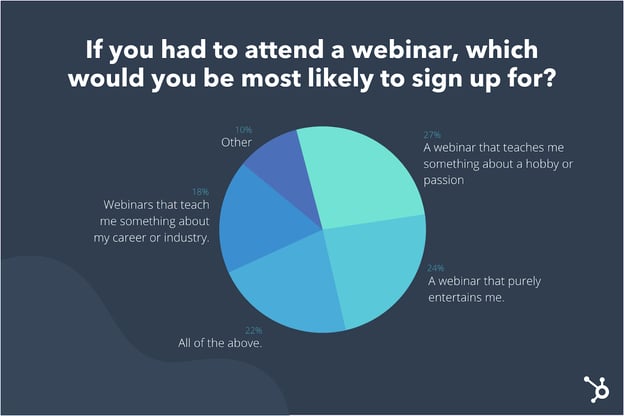
Granted, you can, and should, use webinars as an opportunity to increase sales. You just want to make sure you’re leading with unique value first.
What to Do Instead
When I began designing webinars to promote CXL Institute, I made sure the content was product-relevant, but not a product pitch. Since CXL Institute sold expert-led courses, this was a relatively easy transition — we simply asked those same experts to lead our webinars.
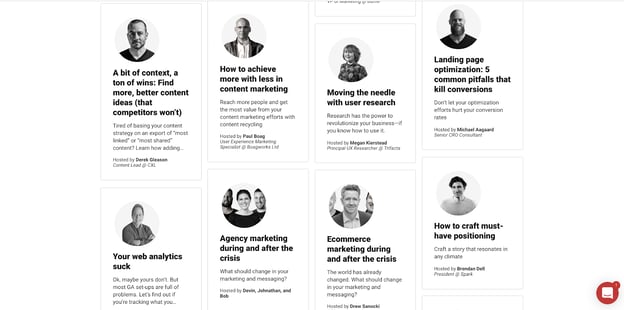
We chose to construct the webinars to be completely tactical. There were no slides — only screen shares. I didn’t do a lengthy introduction of the speaker. Instead, they dove in and provided their valuable insights.
We only pitched their upcoming course at the end of the webinar by offering a 20% discount to attendees.
It’s okay to pitch a product, but you’ll want to do so in a way that blends educational content with a subtle product nudge.
A framework I like to use for this is “Product-Led Content.”
You want to design your content (and webinars) to center around a problem that your product or service solves, and weave your product throughout genuinely instructional content. This way, your solution is an obvious consideration, but the audience still gets value even if they aren’t interested in your product.
3. You’re marketing your webinar to the wrong audience.
How you construct a webinar is important — and so is the audience to whom you promote it.
How you approach your audience targeting depends on your company and webinar goals. For instance, if you’re using your webinars for customer education, then you’ll want to target your webinars to, well … customers.
In many cases, though, webinars are used as a lead generation tool to attract new customers to your product or service. In this case, many of the same general marketing best practices (customer research, buyer personas, customer journey mapping, and segmentation) apply.
Andriy Zapisotskyi, Growth Manager at Mailtrap, puts it like this: “Pay attention to where you distribute your webinar and focus only on your target audience. Irrelevant audiences may harm your email list, and an email with the invitation to the webinar will end up in the spam folder instead. Warm-up and validate every signed-up lead to improve email deliverability.”
Beyond the simple hit to your attendance rate and open rate, if you market to the wrong audience, you’ll find it hard to generate sales and ROI from your program.
What to Do Instead
First, take a step back and ask yourself where you’ll be promoting your webinar and how you’ll get attendees. When I host webinars, my team and I promote them on our Twitter and LinkedIn profiles, on our co-hosts’ social media channels, and through our email lists. It’s a limited audience, but the point is to slowly build trust and repeat attendees over time.
Many companies do paid advertising to get webinar attendees. In this case, you need to ask yourself if you’re truly attracting the right attendees.
This can be deduced quantitatively. If you’re getting sign-ups but no attendees, something is misaligned. Similarly, if you’re getting attendance, but your attendees aren’t becoming leads, you need to change your approach.
4. You’re not making your webinar engaging and interactive.
If you’ve ever learned a second language, you know that immersion and interaction is more effective than passive consumption.
When you participate, you get to make mistakes or learn lessons in real-time. You get instant feedback, and you also use different parts of the brain when you trigger active participation.
Most webinars are one-sided. The attendees sign up and passively listen to the presentation (or, more likely, check their emails or scroll Instagram).
If you can disrupt that, you can drive greater engagement, learning, and retention. All of this helps to build trust, and yes, increase sales and ROI from your program.
What to Do Instead
The easiest way to trigger participation is to ask people to introduce themselves and where they’re from at the start of the webinar.
I also like to give homework before the webinar, and a summary quiz after it’s over. This ensures attendees will come prepared and excited to the webinar, and they’ll also retain knowledge when it’s over.
Chris Schelzi, Head of Growth at AppSumo, gives this sage advice: “Ask for what you want! Many people hosting webinars are demoralized by the lack of engagement — but so few people ask for it.”
“I recommend, at the beginning of the webinar, starting with a few simple engagement questions for the audience: ‘Where are you joining us from today?’ ‘What’s the #1 thing you’re looking to get out of this session?’ etc. These questions will prime the audience to use the chat.
“Additionally, make sure to do this throughout the presentation. Don’t be afraid of pausing while you wait for people to respond. A few seconds can feel like a few minutes, but people love to see and hear you interacting live with their questions.”
5. You’re ignoring the holistic marketing system.
A webinar doesn’t exist in isolation.
Instead, you want to look at a webinar as being one piece to the larger puzzle of your entire marketing strategy.
Where does your webinar fall in your customer journey? Is it top of the funnel — and if so, what steps will follow this webinar to push the prospect further down the funnel? Or is it bottom of the funnel, in which case, what touchpoints preceded this one?
Mapping this stuff out is uncommon but absolutely essential. Similar to how you ensure there are CTAs on your blog posts, it’s critical you use your webinar as an opportunity to move prospects further along the funnel.
What to Do Instead
This tip is less tactical, and more strategic. The number one thing I would do is map out your customer journey and define which webinars fit in at which stages of the journey.
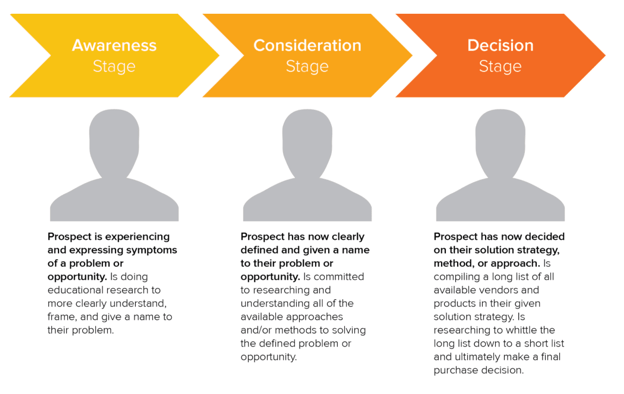
Adam Enfroy, blogger at AdamEnfroy.com, gives this advice: “Did you warm up your leads via consistent emails? Did you ask them to join a VIP list to prove they will take action? Are you matching the webinar offer to what your readers actually want?”
“While there are a lot of tips and tricks to running an effective webinar, don’t forget that everything you do leading up to the webinar is just as important.”
6. You’re pursuing too many goals with one webinar.
One single webinar cannot possibly serve every business or marketing need you have. Webinars can be used for onboarding, customer education, support, lead generation, and lead nurturing — but not all at once.
This same principle applies to many areas of marketing. For instance, you can write a blog post that serves one or two purposes, but it shouldn’t seek to serve all audiences at once.
Juliana Nicholson, Principal Campaigns Manager at HubSpot, gives this advice: “It’s tempting to try to use one webinar for every part of your flywheel. Marketers want the biggest audience exposure possible, a tool for reps to use in their sales process, and a way to delight customers. This is hard to pull off.”
“Unless you are putting on a multifaceted event, I recommend marketers focus on one goal at a time, and let that drive their strategy from start-to-finish, rather than attempting to boil the ocean.”
What to Do Instead
Reverse engineer a webinar, starting with your goals. What’s your KPI — new leads, total customers attending, increased NPS of attendees, or something else? Narrow the scope.
Choose one of these goals and construct your webinar with that purpose in mind.
7. You’re not acknowledging the realities and limitations of the format.
Despite your best intentions, you have to realize that a webinar is a webinar.
It’s not a live workshop, and people’s attention will be scattered. You can do your best to keep people engaged through interactivity and high-value content, but you still have to acknowledge that most people will do the video equivalent of “skimming.”
Shane Hedge, co-founder and CEO of Air, calls this the importance of “script-to-screen alignment.” Essentially, it means highlighting the important stuff and making your presentation “skimmable.”
Here’s his advice: “A webinar is not an in-person meeting. It’s not a standalone video. The audience likely has multiple tabs open and may only pay attention during key moments where the content draws them in.”
What to Do Instead
Summarize your presentation before you begin and after you finish with key points. Draw people in periodically with engaging questions and interactive workshop moments. Include multimedia and screen-sharing instead of just sharing slide-after-slide.
And make sure to send an email recapping the main points and linking to further resources.

8. Your webinar is poor-quality, or you don’t have adequate equipment.
If you’re serious about webinars, you’ll want to boost the quality of the presentation. This comes in three forms:
- Video quality
- Audio quality
- Presentation quality
To start, presentation quality is the easiest to upgrade with little extra investment. Either work with a designer to spruce up your slides or use a platform like beautiful.ai to design them. Then, make sure your slides are publicly accessible to the webinar audience.
Video quality is the toughest to improve. For starters, make sure your webinar software is solid. I personally like Zoom, but there are other alternatives you can consider.
Here’s an article on how to run webinars with HubSpot to help you with the tactical specifics.
Finally, almost all quality complaints will inevitably be about the audio. If you’re going to invest in equipment, I recommend a good microphone (the Blue Yeti is popular). Any good USB microphone will be better than the default option on your laptop.
What to Do Instead
Don’t skimp on quality, especially when it comes to audio and the details of your presentation.
Poor video quality — at least to a point — can be forgiven (remember, many people are going to be checking email in-between slides).
Get a good microphone and invest in a designer for your presentations.
The latter also helps if you want to publish the slides afterwards on a platform like Slides by HubSpot.
9. You don’t follow-up with your attendees.
Finally, a common mistake companies make is put all this effort into a webinar — creating it, finding partners, writing copy, designing a landing page, promoting or advertising it, and delivering it — and then skimping on the follow-up.
First off, most people who sign up for a webinar won’t attend. That’s just the nature of the game.
But even those who do attend likely want to get a recording of the presentation. That’s the bare minimum, but many companies fail to deliver that.
What to Do Instead
The magic is in the follow-up. Very few people will be ready to buy your product or services immediately after one webinar.
It’s vital you schedule a nurturing sequence to execute immediately after the webinar is complete. The first email should be a recap with resources, notes, and a recording of the presentation. The second and third can be education or promotional, depending on the stage of the funnel at which you’re delivering the webinar.
No matter what, don’t make your webinar be the last touchpoint. You’ll get much higher ROI if you think carefully about the follow-up.
Webinars don’t have to be boring. In fact, they can be fun, valuable, and tremendously effective. Some marketing programs have been built on the backs of webinars.
While this article covered nine discrete tips to creating better webinars, at the heart of it all is good judgement and keeping in mind the value you’re providing. If you do that, the minutia won’t matter as much.

How to Create an Audience Profile, And Why You Should [+Examples]
Determining your audience profile is a critical step in ensuring your campaign is successful.
An audience profile can help you personalize your campaign’s messaging to reach those most likely to convert, and limit the amount of spend you might’ve otherwise wasted on underperforming ads.
Here, we’ll explore the information you need to include in an audience profile, how to write an audience profile, and audience profile examples.
Plus, we’ll dive into a media audience profile and how that type of profile can help you increase the success of your paid ads campaigns.
But first — what is an audience profile, anyway?

What information should I include in an audience profile?
When creating an audience profile, you’ll need to include the following:
- Demographic information: This includes personal attributes like geography, age, education, occupation, and income.
- Psychographic information: This includes attributes related to personality traits, interests, attitudes or beliefs, and lifestyle.
- Goals, challenges, or pain points: For this section, determine your audience’s goals, challenges, or pain points as it relates to your product or service. How can your product or service meet your audience’s needs? What search queries does your audience use to find your product or service? For instance, if you’re selling an 8-week mindfulness program, then your fictional character likely has a big challenge with focusing and finding time to ground himself in the present moment.
- Values: What does your target audience value? This includes bigger-picture values and motivators, such as “nature”, “socializing”, “a sense of belonging”, or “autonomy at work”.
- Preferred channels: What channel(s) does your audience spend the most time? This could be social channels, such as YouTube or Instagram, or search engines like Google. The preferred channel depends on the type of campaign you’re running. If you’re running a paid advertising campaign, for instance, you’ll want to determine if your audience spends most time on Facebook, Google, or somewhere else.
- Preferred content type(s): Once your audience finds your content, what format would they prefer it in? E-books, blog posts, or case studies? Or podcast? Video? Determining the format will help you best serve your audience.
- Buying behavior: Is your audience impulsive, or do they need weeks — if not months — before making a purchase? Are they open to your product or service anytime during the year, or only during a certain season? If you sell beach chairs, for instance, your target audience is likely relatively impulsive during the summer months, when a beach chair is most necessary.
It’s important to note — an audience profile is different than a target market, or buyer persona.
A target market includes every single prospective buyer for your product or service. For instance, perhaps you sell software that can be used for different use cases in different industries. In this case, a target market includes the prospects in each industry who could benefit from your product — all with different needs, goals, challenges, and beliefs.
An audience profile, on the other hand, is one fictitious person who you’re targeting with an upcoming campaign.
An audience profile also isn’t a buyer persona. A buyer persona is the final person who will ultimately purchase your product or service, but in many cases, you’ll want to market to anyone who can influence the final buyer. For instance, your audience profile might be a social media manager, even though the buyer persona is a company’s CMO, since she’ll have final sign-off.
Next, let’s dive into how you can write an audience profile.
How to Write an Audience Profile
1. Determine the goal(s) of your upcoming campaign.
Before writing your audience profile, you want to know who you’re targeting with your marketing campaign.
For instance, are you creating high-intent advertisements to target buyers with your products or services? Or, alternatively, are you hoping to increase attendees at an upcoming marketing event?
You’ll make a different audience profile depending on your goals. If you’re hoping to increase sales for your product via a social media advertising campaign, then your audience profile will look similar to your buyer persona.
If, instead, you’re hoping to increase views to your YouTube channel, then your audience profile will look like a fictional character based off your YouTube analytics to determine who enjoys watching your content.
2. Dive deep into analytics.
Once you’ve determined your campaign goal, use data and analytics to create a prototype of your persona.
Start with Google Analytics to explore demographic information related to your website visitors. Take note of age, gender, location, and types of device — additionally, figure out from which channels your audience arrives. Is it typically organic search, a social channel, email, or paid advertising?
You can also use CRM data to further explore what customers convert at the highest rate. For instance, you might use your CRM to determine which industries convert the most, or which pages have the highest conversion rate, to refine your audience profile depending on existing customers’ behavior.
Finally, use channel-specific metrics to fill in the missing pieces. If you’re planning on running a Google ads campaign, you might dive into past high-performing ads and who clicked on those ads.
Alternatively, if you’re running a Facebook campaign, you can use Facebook’s lookalike audience feature to reach people who are similar to your best existing customers.
3. Use qualitative metrics to determine your audience’s biggest challenges.
To fill out the challenges/goals/pain points section of your audience profile, it’s a good idea to take a look at customer reviews or focus group intel to determine the biggest challenges your prospects and customers face.
You can also use keyword research to find high-intent keywords related to your products or services, which might help you determine your audience’s biggest challenges, as well.
For instance, let’s say you’re creating a new advertising campaign related to a social media listening and scheduling tool.
You might first leverage Ahrefs or another keyword explorer tool to determine questions people ask related to a given search query. In this example, I searched “social media tools” to find similar questions related to the search keyword:
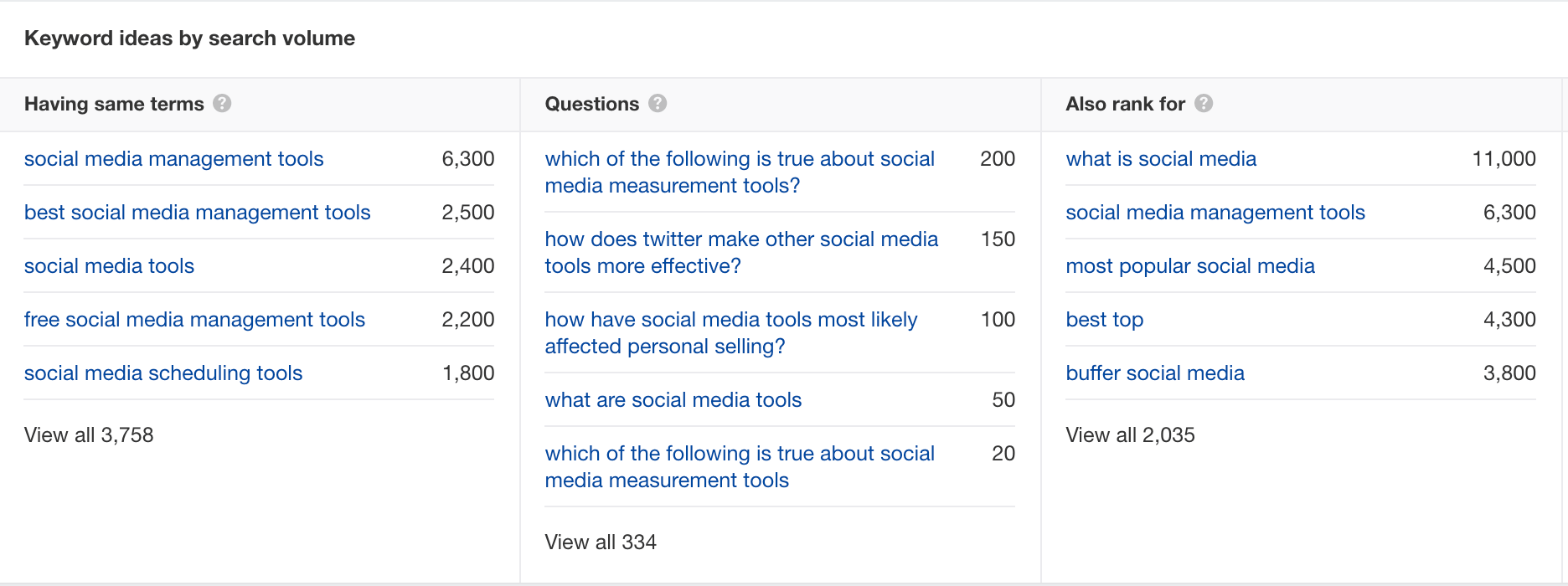
I also searched “social media tools” on Google and looked at the People Also Ask feature to dive deeper into questions, pain points, and challenges related to social media tools:
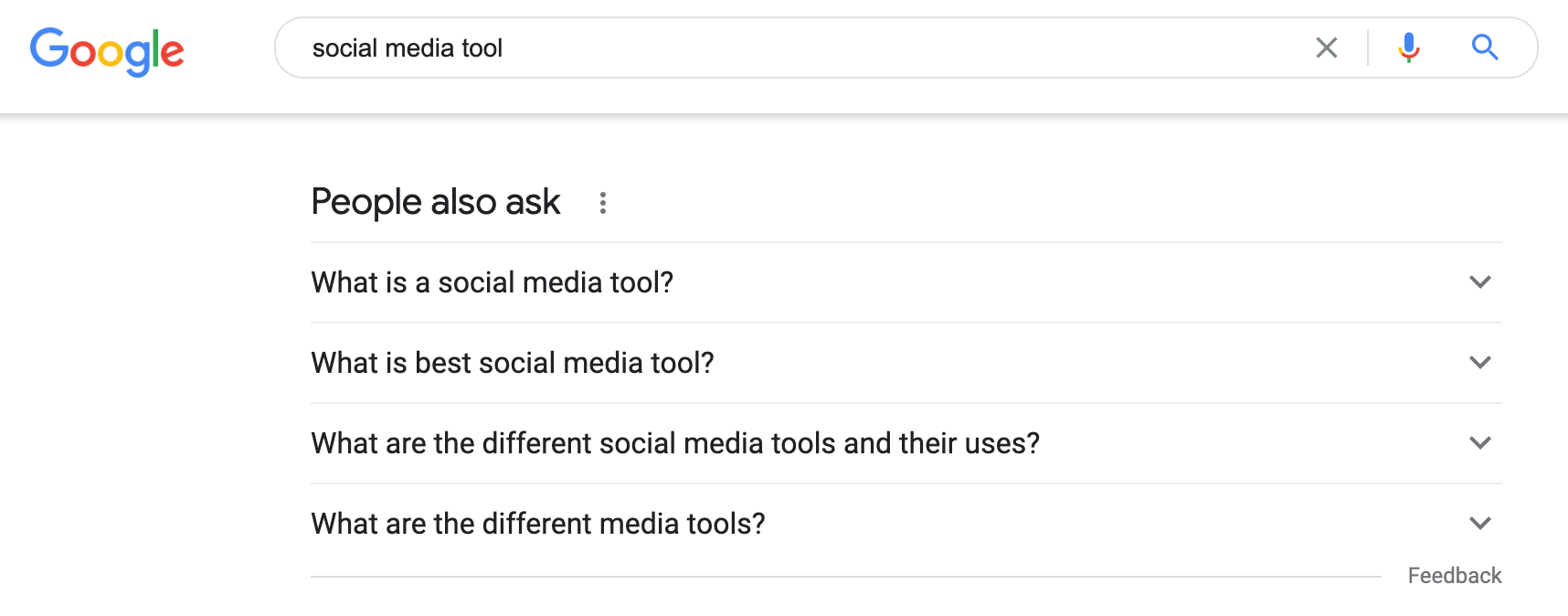
Combined with your qualitative, customer-focused research, you’ll be able to uncover the biggest challenges of your audience, and how you should tailor your campaign to target those pain points.
4. Collect psychographic data using Google Trends or influencers in the industry.
If you work for a B2C company, consider consuming content from top influencers in a given industry to determine psychographic data for your audience profile.
For instance, if you’re selling fitness gear, take a look at the social profiles and blog posts of top fitness influencers. What do they care about? What do they value? What activities do they do in a given day? These characteristics can help you round-out your audience profile.
If you’re working for a B2B company, you might read industry case studies, reports, or join webinars to determine the interests, values, and behaviors of your target persona within a given industry.
An example of this might be reading “2020 Trends in Sales Management” if you’re hoping to target sales managers at your target companies.
Ready to get started creating your own audience profiles? Let’s take a look at two examples you can use for inspiration before you create your own.
Audience Profile Examples
1. B2B Audience Profile Example: Marketing Maria
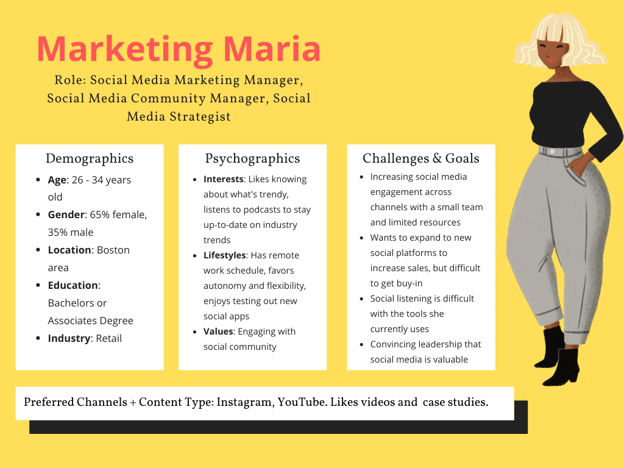
2. B2C Audience Profile Example: Athletic Andy
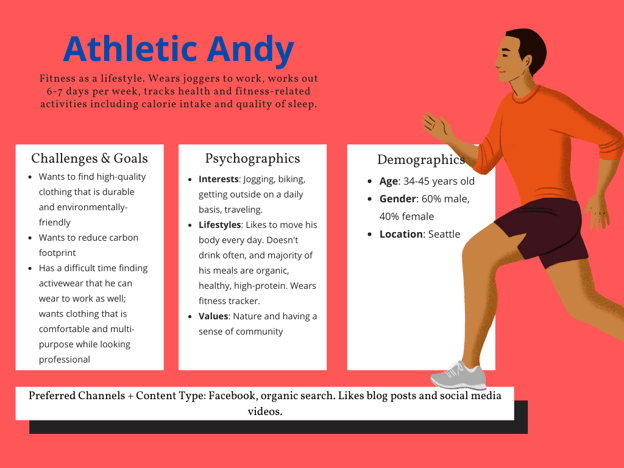
Media Audience Profile
Media planning and buying can’t happen without an audience profile.
For instance, media buying — buying campaign or advertising space on various channels, or sharing targeted campaigns and ads — can’t happen without media planning.
And media planning, at its core, is “determining how, when, where, and why your business shares media content with your audience. The process includes deciding what media will be shared on what channels to boost reach, engagements, conversions, ROI, and more.”
Ultimately, then, both media planning and media buying need pre-defined audiences to be successful. If you haven’t taken the time to create an audience profile before purchasing ad space, you risk wasting money and resources on audiences who ultimately won’t convert anyway.
An audience profile can affect where you place your advertisements. Once you’ve created an audience profile, for instance, you might find your audience persona spends most of her time on LinkedIn. LinkedIn advertising solutions, then, can help you best reach your target audience.
An audience profile also influences the design of your ad. You’ll want to design ad copy around your audience’s interests, pain points, and preferences — something you can only do once you’ve created an audience profile.
For instance, The Economist might’ve created an audience profile and determined their audience likes education and knowledge, but doesn’t like getting bogged down with too much negativity, particularly from news outlets. As a result, a simple tagline, “Brighter days ahead”, helps attract and convert the right audience through their ads.
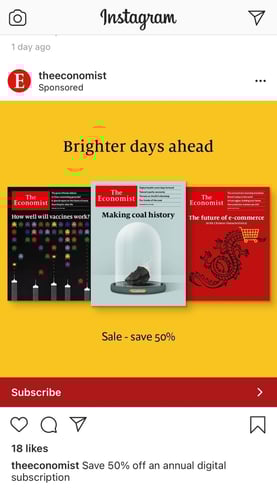
Ultimately, your audience profile is a vital foundation for ensuring you’re effectively attracting and converting those best-suited for your brand.
However, an audience profile can vary depending on each individual campaign — so feel free to keep this post bookmarked for the next time you need to alter your audience profile for a new advertising or marketing campaign.

Here’s How to Secure A Corporate Sponsor For Your Next Event
When I only worked from home occasionally, I would spend all day shifting around in my uncomfortable dining chair. Once work from home (WFH) became an everyday thing, I knew my current setup wouldn’t cut it, so I bought a great office chair.
I didn’t pay the extra money for assembly – a decision I’m convinced furniture companies want you to regret – and three installation attempts later, I have my chair.
Yeah, the backrest is a tiny bit crooked, but it still works as intended, giving me the extra support and comfort I need to do my job. That’s what I imagine corporate sponsorships feel like, minus the crooked part.

When your business needs additional support and resources for events and projects, corporate sponsors can make a huge difference. But it’s not as easy as just reaching out to companies you want to collaborate with.
Find out how a corporate sponsorship works, how to secure one for your next event, and how to write a sponsorship proposal.
While financial support is usually synonymous with sponsorship, that’s not the only way a company can contribute to your event. Here are three main types of sponsors:
- A media sponsor will help your event or project gain the publicity needed to attract attendees. The sponsor may invest in ads in the local newspaper, TV commercials, or other marketing efforts to help you gain exposure.
- An in-kind sponsor will offer things other than money. Looking for a venue? They may provide that. Need food vendors or prizes? That’s another way they can contribute. They could even help you secure a keynote speaker. This type of sponsor provides the resources you need to accomplish your event goals.
- A digital sponsor will assist in the execution of tech-related activities for your event. This can be providing the hosting platform or an app.
So, what’s in it for the sponsors? For one, associating with a company that has a positive brand image can be an effective way for a brand to improve its market perception. It’s also an opportunity to gain more exposure and reach audiences they may not yet have access to.
On the sponsored side, attaching your company to an established brand can also boost your credibility and help you reach more consumers in your market.
Examples of Corporate Sponsorships
1. Essence’s “Dear Black Men” event
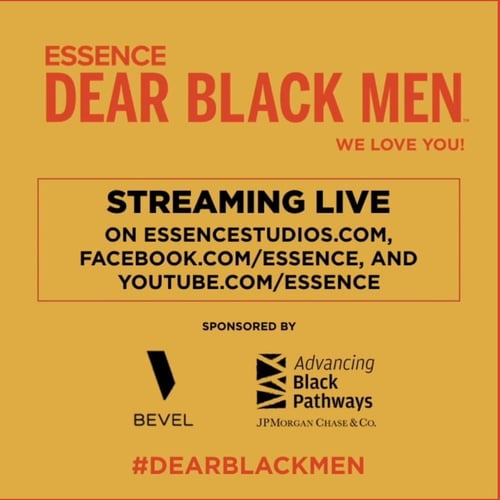
In June 2020, Essence held a virtual summit designed to celebrate the Black community and Black men in particular. The “Dear Black Men” event was sponsored by Bevel, a consumer goods brand whose target audience reflects the event attendees.
The second sponsor was Advancing Black Pathways, JP Morgan Chase & Co.’s fellowship program that centers its work around empowering members of the black community.
Given the topic and the target audience, these sponsors were a great match for this event.
2. A Free Bird, Org
Storage Mart is a nationwide storage company that’s core values include supporting philanthropic initiatives. A Free Bird is a nonprofit organization helping children battling cancer find joy in the arts.
One thing to note is that A Free Bird has a webpage dedicated to sponsors. In addition to reaching out to sponsors, your company can also proactively set up a page to attract and direct companies interested in supporting you.
3. Victoria Film Commission
Both companies have more in common than just the name “Victoria,” and that’s locality.
The Victoria Film Commission is a nonprofit with a mission to promote Southern Vancouver Island as a film destination.
In a statement, Chateau Victoria Hotel & Suites revealed that supporting local businesses is a part of their mission, given that it is owned and operated by a local.
How To Get Corporate Sponsorship for an Event
1. Plan internally.
Before you reach out to sponsors, there’s a lot of prep work to complete. Start by gathering all the information you’ll need to attract sponsors.
The first is the vision for the event or project: What is the purpose, and what do you want audiences to gain from it?
Say you’re the newest affordable office supply company in the market. You may want to host an event to solidify your brand as a go-to store for office items.
Next, what are the goals of your event? How will you measure success? This is an important factor to consider, as it will inform which sponsor you choose. You’ll want to work with a sponsor with event goals in sync with your own.
What comes after is figuring out your attendees. How many attendees do you expect, and who are they? This is arguably the most important factor for your sponsors, because they’ll want to know if your audience aligns with the persona(s) they’re targeting.
As a furniture company, you may expect professionals between 20 to 30 years of age who have recently entered the workforce and are looking for affordable supplies to stock in their office. A brand that also targets young professionals would be a great sponsor.
If you’re a nonprofit fighting world hunger, for instance, you’ll want to find a company with a mission that includes philanthropic efforts like these.
Another big selling point are your event assets. How are you attracting consumers to your event or project? This could be a well-known speaker, interactive activities, or innovative presentations.
And lastly, based on these factors, what resources are you missing? This will help you determine the type of sponsorship your brand needs so you can draft your proposal using the right language.
2. Build a nurturing workflow.
Getting a sponsor can be a long process that requires a lot of relationship management.
You can’t just send an email to your sponsor and consider it done. It may take a few (or more) conversations to secure an agreement. While that may seem tedious, both parties need to ensure it’s the right fit.
Before you even reach out to your sponsors, build a workflow to streamline the communication process. Here’s an example of the automation you could set up in your CRM:
- Reach out to X sponsor and include a link to schedule a call with Y team member. If scheduled, the team member will receive an email with the details of the sponsor and preliminary screening questions.
- Send follow-up email in three days if contact has not responded to initial reach out.
- After the initial call, send event details over to the sponsor.
- Follow-up with X sponsor to ask thoughts on event details if no response after three days.
These are processes you can automate in your CRM platform to facilitate communication between you and potential sponsors.
3. Decide what brands to reach out to.
Now that you’re ready for outreach, decide who is the best fit for your brand.
Don’t know where to start? Look at brands that have already sponsored other businesses in your industry. This creates an easier point of entry. You can also look at your competitors. What type of brands are they collaborating with?
Once you have an idea of who to contact, do some research. Look at the company’s mission and values to see if they align with your own. What about its audience? Is there an intersection between your target audience and theirs? That’s a selling point you’d want to highlight in your sponsorship proposal.
Track the company’s current brand perception – you can leverage this information to convince them why partnering with you would be positive for their image.
You’ll also need to evaluate their local presence. If your sponsor has no presence in your region, they may not be the best fit, as you’ll want your sponsor to bring more exposure to your event.
In addition, be sure to check that the companies you’re considering have sponsorship guidelines. Some brands have strict eligibility rules, and you wouldn’t want to waste your time reaching out if you don’t meet their requirements.
4. Find out what your sponsors are looking for.
Learn everything you can about the company to see if it will be a good fit for your event. This means reaching out to the company and asking questions like:
- Who is your target audience?
- What are your marketing goals?
- What do you look for in a company you sponsor?
- How do you measure the success of a relationship with your sponsor?
These questions will help you get to the heart of what your potential sponsors are looking for and write a proposal that speaks directly to that.
5. Prepare your sponsorship proposal.
Your sponsorship proposal can make or break your chance of getting a sponsor. So, you want to take your time tailoring it to each sponsor you’re reaching out to. Every proposal should have:
- An overview of your brand
- Event details
- A breakdown of what you need from the sponsor
- Incentives
- A personal touch
Let’s dive into each of these points here.
6. Start your sponsor search.
It’s time to reach out – where do you go?
The easiest place to start is online. Websites like SponsorMyEvent are designed specifically to bring brands and sponsors together. You can start there during your initial search to narrow down potential companies.
If you’re going the traditional offline path, use LinkedIn to identify the right employee to call or email. You don’t want to waste any time reaching out to employees who aren’t in a position to discuss the sponsorship.
Corporate Sponsorship Proposal
By including the following elements in your proposal, you will make sure your proposal stands out and get one step closer to securing your sponsors.
1. Brand Overview
When reviewing your proposal, the first thing your sponsor will likely ask is, “Who’s this brand?” This is your opportunity to make a great first impression and WOW your sponsor.
Tell a story about your brand, your mission, your values. You can dive into how your company got started or focus on your company’s recent path. Either way, you want to aim for emotional appeal.
You can get into the nitty-gritty later. This is where you capture their attention and make them want to sponsor you.
2. Event Details
This section is where the meat of your proposal starts.
Describe your event or project. What is the goal, and what does success look like?
Then, cover your attendees. Who is the target audience for this event? Your sponsor will want to know if your event will allow them to reach their key demographic. If not, focus on how your event will help them accomplish the marketing goals they outlined during your initial conversation.
3. Required Resources
When it comes to asking for what you need, don’t beat around the bush.
Describe exactly what resources your team will need from the sponsor and how they will be used.
Let’s say your team has determined that you need a $10,000 contribution for your upcoming event. You’d include that along with a breakdown of the cost allocation, as follows:
- Location rental: $2,000
- Keynote speakers fees: $5,000
- Decor: $1,000
- Food vendors: $2,000
If your team needs a non-financial investment, outline what you’ll need and why it’s important for the execution of the event.
4. Incentives
One question potential sponsors may have when reviewing your proposal is, “What’s in it for us?” This is your turn to highlight how they can benefit from working with you.
During your initial research and preliminary contact with the company, you should have learned what the company is looking for. This could be a better brand image or exposure to a target segment. Use your proposal to highlight how this event will help them accomplish their goals.
Many brands can also be incentivized by being included in the event in the follow ways:
- Adding their logo to all event marketing collateral
- Giving them a designated booth at the event
- Offering a presentation slot
5. A Personal Touch
Finally, your proposal won’t be complete without adding a personal element to your presentation that ties right back to the sponsor.
There’s nothing worse than a generic pitch. Make sure to include elements in your proposal that connect you to the sponsor. Whether that’s their market entry story, their values, or their latest initiatives. Include anything that can help close the gap and convince your sponsor you’re meant to work together.
Securing a corporate sponsor requires a lot of planning and strategy. But if done right, not only will you gain a partner for your next event, but you’ll foster a relationship with a brand that can continue to support you in the future.

22 Stats that Make a Case for Using Webinars in Your Marketing Strategy
A webinar is a video presentation, seminar, lecture, or workshop delivered over the internet.
Although once declared dead and outdated, webinars are very much still relevant. Many businesses are now rethinking the benefits of a virtual event, especially during the time of social distancing. In fact, ON24, a virtual platform, hosted 19,292 webinars in April of 2020 alone, which amounts to roughly 640 webinars per day.
Given their popularity, you may be interested in getting on board. In this post, we’ll give the most heavy-hitting statistics about webinars that make a case for using them in your marketing strategy.
Webinar Stats To Know
General Webinar Stats
- 67% of marketers in 2020 were increasing their investment in webinars. (LinkedIn)
- The global webinar market is estimated to reach 800 million by 2023, up 253 million from 2015. (MarketWatch)
- Marketers say that webinars are cost-effective as they help lower the cost-per-lead. (ON24)
- 95% of survey respondents said webinars play a key part in their marketing efforts, and 38% consider webinars critical to their digital communications. (ON24)
- 53% of marketers say webinars are the top-of-the-funnel format that generates the most high-quality leads. (Demand Gen Report)
- Professionals say that video-based learning is their preferred learning format, and 85% prefer the video to be webinars. 94% of respondents also report viewing webinar content monthly. (BrightTALK)
- Viewers in 2020 watched three times more webinar content than they did in 2019. (ON24)
- 91% of webinar marketers in 2020 say they’ve been successful, which is a 10% increase from 2019. (Wyzowl)
Webinar Conversion Stats
- 76% of marketers say that webinars help them reach more leads, 75% say it extends brand reach, 69% say it helps scale marketing efforts, and 49% say that it helps them reach targeted accounts. (ON24)
- A survey from April of 2020 found that webinars had a 61% registration to attendee conversion rate, up from 55% in 2019. (ON24)
- Webinars hosted on a company domain generate 3x more audience participation. 91% of professionals who watch webinars say their next step is to visit a website for more info. If they’re already on your site, you’re increasing the probability of conversion. (BrightTALK)
- Communication webinars have the highest conversion rate (67.05%). (ON24)
- Email is the top promotional channel for webinars. Up to 57% of registrations come from that channel, and the conversion rate is 27% higher. (GoToWebinar, BrightTALK)
Webinar Content Stats
- 81% of marketers use Q&A as an engagement tool during webinars, 69% provide resources for download. (ON24)
- When asked what they’d most like to see in their webinars, consumers reported that they would most like (22%) to see a host or presenter that takes questions from the audience. (HubSpot)
- Survey respondents rate webinar video integrations as a 7.8 in importance on a scale of 10. (ON24)
- 60-minute webinars attract more attendees than 30-minute webinars, and the average attendee viewing time is 57 minutes. (WorkCast, GoToWebinar)
- Thursdays are the best days to host a webinar. (MegaMeeting)
- Marketers prefer webinars that are live and on-demand. (Statista)
- Consumers reported being most likely (27%) to sign up for a webinar that teaches them something about a hobby or passion, and 18% would attend a webinar that taught them something about their career or industry. (HubSpot)
- Consumers report that the most engaging webinar format is a presentation that teaches them how to do something specific. (HubSpot)
Webinars Are Here To Stay
As these statistics demonstrate, webinars are not dead; they are here to stay. Case in point, 53% of marketers say that they plan to include webinars in their 2021 video strategy, up 11% from the previous year.
If you’re interested in learning more about using the channel in your marketing, read this guide to understand how to create compelling webinars and learn from experienced marketing HubSpotters on their best practices for taking webinars from good to great.

What Are Core Web Vitals? + How to Improve Yours
Long gone are the days of dial-up internet when web pages loaded line by line.
Today’s internet users expect an instant response, with 93% of people leaving a website because it didn’t load properly. No one wastes time on a poor experience.
To elevate the online experience, Google released Core Web Vitals — a set of metrics to help site owners measure the speed, responsiveness, and visual stability of their pages.
The Core Web Vitals report gives you insight into page performance, so you can improve your site experience and let the Google bots know it’s worthy of a high search ranking.
But why does speed and user experience matter for your business?
- If page load time increases from 1 second to 3 seconds, bounce rate increases 32%.
- If page load time increases from 1 second to 6 seconds, bounce rate increases by 106%. (Google)
A high bounce rate hurts your bottom line. Potential customers will simply jump to a competing site if yours is slow to load.
But if you learn what metrics to hit and start to improve your pages, Google will reward you with better rankings — and you’ll create a more enjoyable experience for potential customers.
To do so, you need to understand the metrics that make up the Core Web Vitals:
- Largest Contentful Paint (LCP) measures the loading performance of a page. It considers the amount of time it takes to load the largest piece of content (typically a video, image, or text block) from when a user requests the URL. Google recommends sites keep LCP under 2.5 seconds for 75% of their page loads.
- First Input Delay (FID) measures the interactivity of a page. It’s the time between an action (think, clicking a button or a link) to when a browser responds to that action. The FID measurement comes from whatever element is clicked first, turning the page from a static to interactive. Responsiveness is crucial to making a good first impression with visitors by showing your site is reliable and running smoothly. Google recommends sites keep FID under 100 milliseconds for 75% of page loads.
- Cumulative Layout Shift (CLS) measures all of the layout shifts that occur across a page. It’s scored from zero (no shifting) to a positive number (more shifting). Common causes of shifting are dropdown banner ads, buttons that appear, or images that cause a text block to move. These all contribute to a negative user experience, which is why it’s important to reduce the shifts that happen across your site. Google recommends sites aim for a CLS score of 0.1 or less.
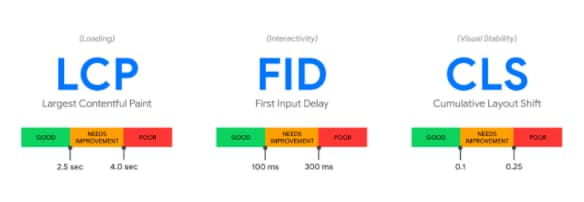
By analyzing millions of pages, Google found that users are 24% less likely to abandon loading pages when a site meets the above requirements. If you’re itching for more details, check out the research behind Defining the Core Web Vitals metric thresholds.
How to Improve Core Web Vitals
First thing’s first, you need baseline metrics for your site. Walk through these steps to learn your starting point:
- Plug your URL into Google’s PageSpeed Insights tool.
- Click ‘Analyze.’
- Check your performance. The labels “Poor,” “Needs improvement,” and “Good” are given to your URL on both mobile and desktop. Toggle between the two in the upper left-hand corner of the page.
Here’s what it looks like when I ran an analysis on HubSpot.
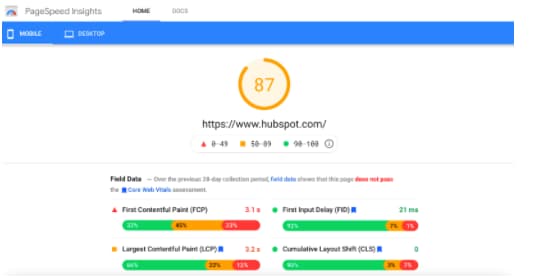
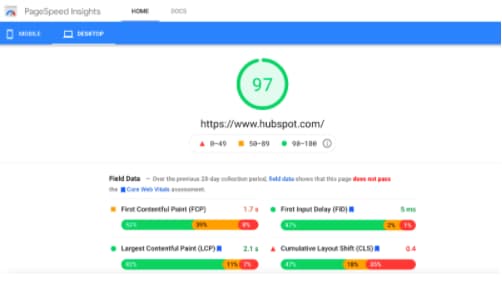


You can see the desktop version performs better than mobile, which is common. In a study of five million pages, Backlinko found that the average web page takes 87.84% longer to load on mobile versus desktop. A few major factors that affected speed: the type of CMS, CDNs and hosting, and page weight.
If your URL doesn’t have enough data for a specific Core Web Vitals metric, you won’t see that metric appear on the report. Once your URL has enough data, your page status will reflect the metric that performs the worst.
Fixing Issues in Core Web Vitals
It will take work to improve the performance of your pages, but you can begin tackling issues with a step-by-step approach.
- Prioritize issues by label: Tackle everything labeled “Poor” first. Then, choose your work based on the large-scale issues that affect the highest number of URLs or the most important URLs. Next comes issues with the “Needs Improvement” label.
- Make a list: Create a prioritized work list for the team that will be updating the site. Include these common page fixes for reference:
- Reduce page size to less than 500KB.
- Limit each page to 50 resources for optimum mobile performance.
- Consider optimizing your page for fast loading using AMP.
3. Share common fixes: Each Core Web Vitals metric has a dozen ways to improve the threshold. Below, I’ve outlined the basic reasons for a “Poor” status and how each can be fixed.
Improving LCP is affected by slow server response times, client-side rendering, render-blocking JavaScript and CSS, and slow resource load times. You can aim to improve LCD by optimizing each of the following site elements:
Improving FID is all about measuring how fast your site responds to user actions. Here, you want to fix any bad first experiences people have on a page. To see how to improve your FID threshold and check how users interact with your site, you can run a performance audit with Chrome’s Lighthouse tool. You can also try the following tweaks to boost your score.
- Reduce the impact of third-party code
- Reduce JavaScript execution time
- Minimize main thread work
- Keep request counts low and transfer sizes small
Improving CLS and reducing unexpected shifts comes down to following a handful of best practices. Say goodbye to jumpy banners and those accidental ad clicks.
- Include size attributes or CSS aspect ratio boxes for images and videos. These numbers tell the browser how much space to allocate for the page element while it’s loading, which prevents shifts as elements become visible.
- Don’t add content above existing content. The only exception is if it’s in response to a user action where a shift is expected.
- Provide context for transitions. All animations and transitions within a layout need to have context and continuity if you’re moving users from one part of the page to another.
When you think a specific issue is fixed, you can check if your thresholds have improved on the Search Console Core Web Vitals report. Click “Start Tracking” to launch a 28-day validation session that monitors your site for any signs of the issue. If it doesn’t pop up during that time, consider it fixed.
Like all ranking factors, the devil is in the details. If you’re a developer or techie hungry for more information on optimizing the Core Web Vitals, take a look at Google’s guides to optimizing LCP, FID, or CSL.
Timeline for Core Web Vitals Ranking
Core Web Vitals will be included in Google Search ranking beginning May 2021. They originally announced plans for the update in May 2020 but pushed off the release due to the global impact of COVID-19.
And, as Dave Brong, CTO of WebMechanix, points out, “Core Web Vitals is the ‘web 3.0’ that our generation of SEO and web development experts are facing.”
“By shifting focus away from flimsy server-level metrics and more to the user experience (UX), Google is paving the way for a better accessible web in the future.”
As you prepare your site for the Core Web Vitals, remember that these are just a part of Google’s existing search signals. Search also considers mobile friendliness, HTTPS security, secure browsing, and intrusive interstitial guidelines.
Part of the Core Web Vitals will include several changes important for site owners:
“The change for non-AMP content to become eligible to appear in the mobile Top Stories feature in Search will also roll out in May 2021. Any page that meets the Google News content policies will be eligible and we will prioritize pages with great page experience, whether implemented using AMP or any other web technology, as we rank the results.” (Google)
Deciding to improve your site’s Core Web Vitals may not seem like a simple task. But by prioritizing the most problematic pages and coordinating with your web team, you can work toward a “Good” label and give everyone visiting your site a great experience.
