
Welcome to My Blog
Paid Social Media: Worth The Investment?
Social media advertising spend is expected to top $47.9 billion in 2021. That’s nearly 20% of the total expected advertising spend by all North American businesses this year.
The amount of money spent on paid social media ads has been steadily climbing since 2019, and now, with businesses preparing to spend nearly a fifth of their ad budgets on this pay-to-play promo, it’s clear that social media ads are becoming a staple in marketing strategies across small and large businesses.
Ultimately, paid social media helps with targeting audiences and driving sales just as organic social media does. The advantage to paying for this type of value? Speed to market, campaign sustainability, and good old fashioned message frequency.
Organic social media traffic can take days to build due to the algorithms at work behind the scenes of the most popular social media sites. If you’re running a short campaign, that ramp up time can cost you visibility and leads. With paid social media, your campaign can get started with an extra boost at a speed that organic posts just can’t match. In addition to sustaining views, traffic, and engagement for as long as your credit card can stand, you’ll have the benefit of retargeting consumers with your ads to achieve an advertisement frequency that you can control.
In this article, we’ll discuss what paid social media is, the components of a paid social media strategy, and the top social media platforms for running paid ads.

Pay-per-click advertising, branded or influencer-generated content, and display ads are all examples of paid social media. You’ll know a paid social media advertisement when you see one based on the “sponsored” or “promoted” tag near the post.
Every social media channel is different. Twitter offers short-form content, Instagram focuses heavily on visual content, Facebook has its own marketplace for shopping enthusiasts, and LinkedIn is the home of networking professionals.
As such, paid social media on each platform differs, and should, depending on the campaign and audience.
Here, we’re going to explore some quick strategies that will help you decide how to use paid social to the benefit of your brand.
Having a paid social media strategy can optimize a marketing budget that might not be substantial enough to promote a large brand through traditional media channels. If your business is working with a limited budget to reach hefty ROI goals, look no further. We’ve gathered the important things you’ll need to know about using paid social media ads.
To create a paid social media strategy, you’ll want to start with two critical items: An objective and a budget.
Paid Social Media Strategy Objective
Setting the objective for your paid social media strategy gives your subsequent tactics a direction to work with and a goal to achieve. Think of this strategy as a road trip. You start your journey at your house with the goal of making it to your destination by a certain time. Paid social ads work the same way — your audience is starting their journey with your brand on their newsfeed and your goal is to lead them to the destination — a content offer on your website, an email subscription form, or even your social media profile itself.
To establish where your audience is starting their journey, you’ll use filters, settings, and other criteria to narrow down your audience so that everyone you target is starting from a similar place. This doesn’t have to be a physical location (although it can be). You can target people by their age, their hobbies, and even their occupation.
Once you have your starting point, it’s time to define your destination. Different social media ad platforms have their own conversion tools, but the end goal is almost always the same — get people to share their contact information with your business. You might do this with a form fill or a visit to a landing page on your website. Either one works to reach the destination, but depending on your business’s needs, you might prefer one or the other.
Paid Social Media Strategy Budget
Paid social media advertising is one of the least expensive types of advertising available in the traditional and digital market. The pay-to-play model for these channels makes them flexible enough to target only the people your business wants to attract, therefore you only have to pay for those you have the ability to reach.
Unlike TV or radio ads that are priced based on the length of the spot and the time the ads will air, social media ads are priced based on the length of the campaign and the potential number of impressions you’ll be working toward with your ads. This gives these types of ads a much more favorable KPI to track — cost per acquisition — as opposed to traditional ads that can only vaguely track cost per million impressions.
Paid social media ads can start as low as $1 because of the bidding model and lottery system some platforms use to bring ads onto users’ newsfeeds. Spending for this type of advertising is virtually unlimited, but you can set a limit that will stop the campaign from spending more money than you’ve allowed.
You’ll need to keep an eye on your credit card balance as you reach the spending limit you’ve set as these campaigns are programmed to stop running when the money runs out. That might sound helpful, but it can be annoying at best and detrimental to your campaign at worst. If you’re running a large campaign that needs a budget that exceeds the limit of your credit card, even just a few hours of downtime to pay the balance down can mean lost leads and momentum for your campaign. If your credit card needs to be paid in full each day due to a high spending limit you’ve set for the ad campaign, a lucky person or people on your team will have the honor of creating several expense reports for the duration of the campaign.
To avoid this problem, consider raising the balance on your business credit card so that you have plenty of time to pay it off before the ads max it out, or try setting a lower daily spending limit for your campaign.
Each paid social media platform has unique features that set it apart from competitors. However, there are three key characteristics of a converting paid ad that you’ll want your platform of choice to support: visual content, easy access to lead capture forms, and enough space to include enticing ad copy.
When advertising on Facebook, it’s a good idea to use Facebook Targeted Ads. It’s the most robust ad platform available by far and that’s not for nothing. This feature is run on a bidding system — a type of advertising buying process where advertisers bid on a number of ads based on their preferred target audience. Then, that bid will be put into a lottery for a chance to be picked and displayed to that audience. Facebook ads can narrow an audience down to just a few hundred people based on geography, interests, demographics, and more. And while that may not be beneficial for most large corporations, it can be the difference between a slow month and a sold out day for a small business.
Other than the lottery, Facebook Ads lets you show advertisements to your customers based on their behavior. This is helpful because you can keep advertising to your existing Facebook customers based on what Facebook tells you about their use of the app.
Using Facebook Ads helps you build new leads and generate brand awareness. Facebook provides reports and analytics that are perfect for experimenting with variables like post time and content type, so try using different ad formats and see what your audience engages with most.
Facebook Ad Example: Network for Good
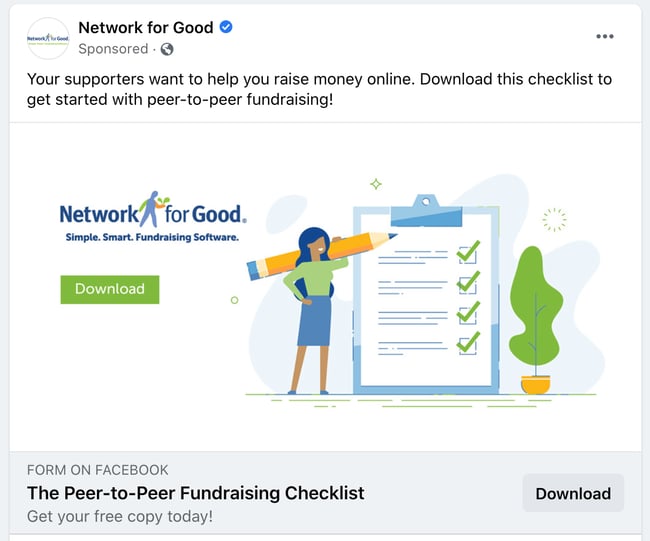
Network for Good has a strong paid social media strategy and has for a few years. As a servant leader in several nonprofit organizations, I’m targeted often with their checklists, templates, and guides on Facebook. Here’s why this ad works:
- It keeps users on the platform. When a user clicks through to download the checklist, they’re not redirected to an external website. Facebook offers businesses the option for in-app form fills (that’s a lot of words to say that users remain on Facebook while they convert on the ad.) That means the user doesn’t experience much disruption when they interact with the ad and can finish their Facebook session as soon as they’re done downloading the checklist.
- There’s a prompt to drive conversation. There’s no question about what this ad wants me to do — download the Peer-to-Peer Fundraising Checklist. Simple, clear copy like this makes it easy for the user to convert on this ad because they don’t have to think about what their next step should be. They can either keep scrolling or download.
For more information about running your own Facebook Ads that can convert just like this one, check out this checklist for lesser-known tips about running successful ad campaigns on this platform.
As a consumer, paid ads on Twitter tend to sneak up on me. I barely know I’m looking at a sponsored tweet because they look so similar to regular tweets. As a marketer, this is fantastic news; it means more eyes on your ads because they’re not as blatant as ads on other social channels.
Why Twitter Ads? Well, Twitter reports having 192 million monetizable daily users (the number of people who can see your ad on any given day), and when using their Ad software, you can target your ad to a specific demographic.
Twitter Ad Example: The Penny Hoarder
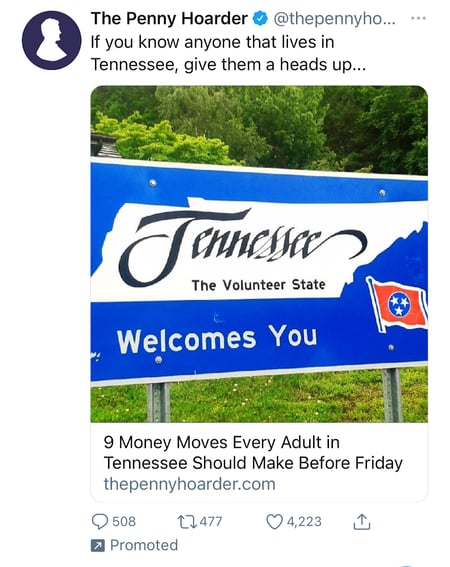
As a Tennessee native, The Penny Hoarder can deduce that I might like seeing imagery and copy about my home state. Geographically targeted ads can be successful for businesses in a broad market category — like The Penny Hoarder. Financial advice is applicable to anyone anywhere, but by positioning the content in a way that affects my life, I felt intrigued to click on the ad and learn more. Here’s why else this ad works:
- It brings more traffic to this blog article. The original article was published in August 2020, but the continuous advertising on Twitter brings in more views than it might receive organically. Unlike Facebook, which has devised ways to keep people on the site longer, Twitter allows users to visit the Penny Hoarder Website and read the article with just one click.
- It’s visually appealing. Geography is just one way to evoke emotions and resonate with consumers in an ad. By framing this ad (and the article it’s promoting) with an identifier like Tennessee, people who live in the area or are from the area will instantly say “this has to do with me and my community — I need to care.”
Twitter provides ad settings based on your budget —like how frequently your ad will be seen, where it will be seen, and the ad type to run. When you’re ready to run your social ads on this platform, Twitter offers different formats for you to choose from based on your goals.
84% of people discover new products on Instagram — up from 64% just four years ago. With growth like this, it probably isn’t a bad idea to pay for a spot in front of the 1.16 billion accounts in the platform’s advertising reach.
To run ads on Instagram, you’ll need a business profile — this allows you to set up an ecommerce store right on the app. (That’s a plus if you don’t have a website prepared to accept payments or if you’re testing out ecommerce for the first time.)
Since Facebook owns Instagram, you’ll be running ads concurrently on both platforms and they’re all managed on Facebook.
Using Instagram Ads, you can choose an amount of ad spend that works for your budget starting as low as $1. This amount is tied to the timeline of the campaign and the size of your audience.
I compare Instagram ads to filling up a gas tank — you get the amount of gas you pay for. On Instagram, your ad campaign runs during the amount of time you pay for.
Instagram Ad Example: Aveeno
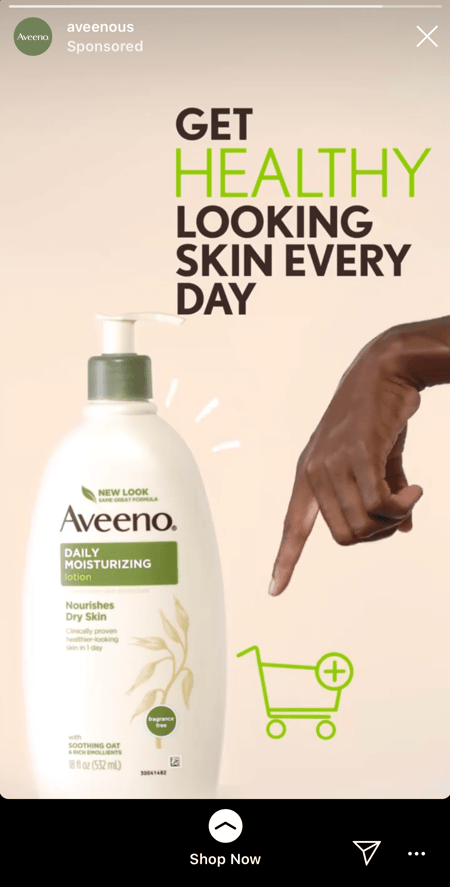
Aveeno utilized Instagram’s ad platform to target consumers with their product. The simple design is eye-catching without becoming overwhelming and distracting. Here’s why it works:
- It’s visually appealing. The neutral colors and clean design draws our eyes to the product. (The pointing hand is a bonus that keeps our eye on the CTA — the shopping cart!)
- The call to action is simple. One of the great features of Instagram ads is the ability to swipe up to see more about the product or make a purchase. When you’re done, it’s easy to close out of the Aveeno website and continue consuming other Instagram content.
On LinkedIn, millions of professionals have found a wealth of professional connections, their dream job, or both. The platform lets you reach thousands of people in your industry including thought leaders, hiring managers, and decision-makers.
Fortunately, as a marketer, LinkedIn’s paid ads let you reach those same individuals on behalf of your business.
There are 740 million professionals on LinkedIn, and four out of five of them drive business decisions —like business purchase decisions. This is a B2B advertiser’s dream come true. With the potential to reach 60 million decision-makers on the most popular social platform for lead generation, it’s good to consider LinkedIn as an optimal platform for B2B advertising.
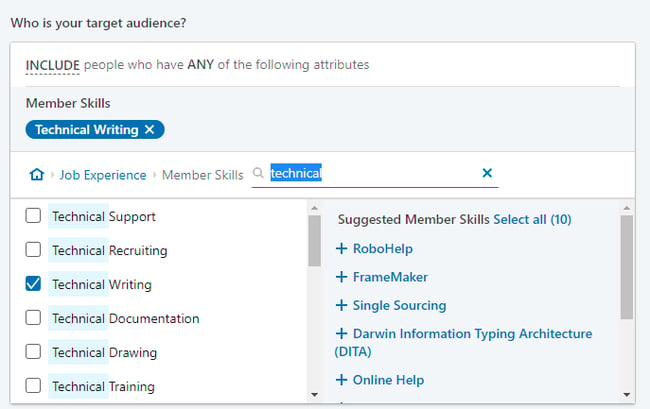
LinkedIn’s targeted ads let you type in keywords and select audiences by category. So, if you’re posting a job for a certain role, LinkedIn can help you find a pool of diverse candidates with relevant experience.
LinkedIn Ad Example: ON24
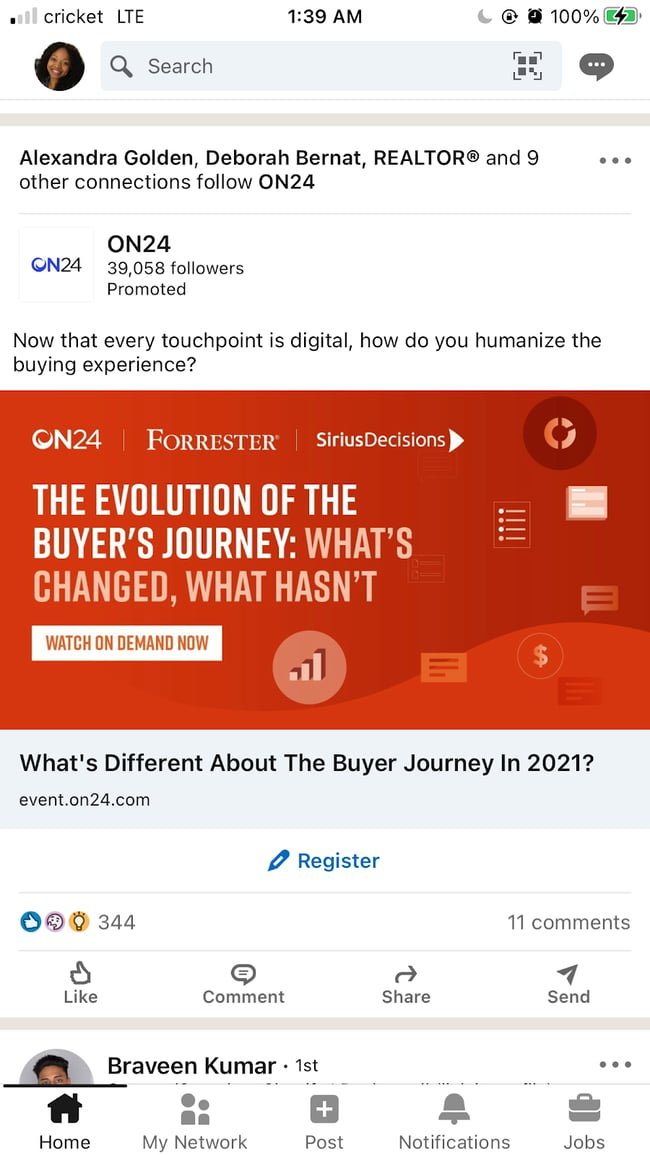
On24 uses short and sweet copy to start a dialogue with its target audience. By focusing on business use cases for its product, the ON24 can position itself as a thought leader on the topic of buyer journeys to entice LinkedIn users to register for the event. Here’s why it works:
- It keeps users on the platform. Similar to Facebook, LinkedIn uses in-app form fills to make the exchange between businesses and LinkedIn users who register for the event. That way, after they’re done registering, they can continue seeking their next opportunity, networking, or engaging with other content creators.
- There’s a prompt to drive the conversation. No matter how much money you spend on ads, there isn’t a way to buy engagement on those ads. Comments, likes, and shares still need to come organically which means the captions, copy, and headlines you choose for your ads should make the most of the limited space available. ON24 does a great job of this by asking a question that everyone has an answer to in the caption of this promoted post.
You can also play around with ad formats on LinkedIn to find which one is most effective. To find out more about the ad types on LinkedIn —such as sponsored, message, text, and dynamic — check out our post about creating an awesome LinkedIn Ad campaign.
Scaling Your Paid Social Media Strategy
When you put money behind a campaign, no matter how much or how little, you’ll want a sustainable ROI that shows the budget, effort, and resources you expended were all worth it. That ROI growth means you’ll be able to scale your campaigns in the future, and paid ads can fuel your success.
Now that you have a solid understanding of the most popular paid social media ad platforms on the market, you’ll need to track all of your hard work to realize that ROI. The native platforms we mentioned earlier do offer reporting and analytics, but what happens when you run a campaign across several different social media sites? I’ll give you a hint — it gets very messy very quickly.
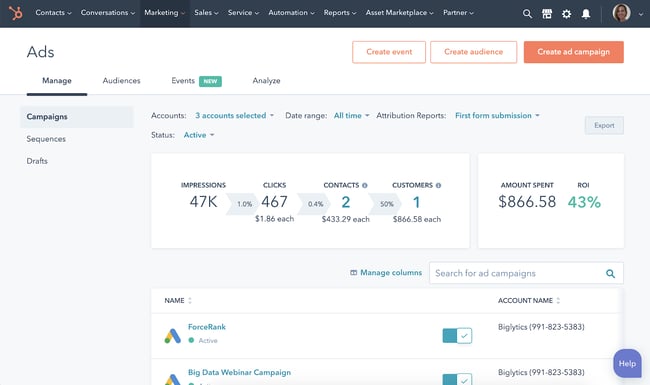
HubSpot’s free ad tracking software gives you one hub in which to manage all of your social media paid ads. That means you can report the success of your campaigns in just a few clicks rather than spending an entire day hunting down the information in each native platform. You’ll also have one source of truth for the combined total impressions, reach, and clicks. That’s paid social media at scale.
Investing in paid social media — the verdict is in.
It’s easy to think ad spend is just for the big brands, but making informed purchase decisions benefits every business.
The truth is, social media channels are making advertising accessible to large and small businesses alike. Once you learn how to plan, create, and position your ads to your target audience, you’ll have a much smoother time proving the ad campaign’s ROI to your stakeholders.
Editor’s note: This post was originally published in February 2020 and has been updated for comprehensiveness.

10 Benefits of Consistent, High-Quality Content Marketing
In this competitive B2B marketing landscape, businesses make substantial investments in building content marketing programs.
Why? Content marketing has been proven to deliver resounding success.
As one of the most effective methods of growing audience engagement, developing your brand presence, and driving sales, content marketing is a mission-critical growth method for most businesses.
Below, let’s review content marketing — the benefits of producing consistent, high-quality content, and how to measure success.

According to the State of Inbound report, content creation is a top priority for 53% of marketers. Moreover, on average, content marketing accounts for 29% of B2B marketing budgets.
Consistent, high-quality, and engaging content impacts audience decision-making more than any other technique.
Consistency in brand messaging is one of the many factors that determine the growth and success of your business. Big brands know how to portray their brand consistently and at every customer touchpoint.
The same reasoning applies to content marketing — your content needs to carry a unique and identifiable voice, style, and pitch across all distribution channels.
Content consistency establishes your credibility, builds trust, and strengthens your reputation.
So, we know the content you create has to be consistent. However, why is content marketing so beneficial in the first place? Here are the top benefits of content marketing.
Benefits of Content Marketing
1. Your audience will stick around longer.
Great content is an important asset. It has the ability to create positive experiences for your potential customers and compel them to come back for more. It’s your ticket to capturing your audience’s attention and continually reinforcing a positive brand impression.
2. You’ll have better traction on social media.
It’s one thing to increase your social media followers across channels, but it’s quite another to create trendy content. If you’re one of those businesses that doesn’t see much traction despite having a huge following, it’s time to use content marketing to your advantage. Quality content can help your business gain traction on social media.
Track the performance of your content campaigns using HubSpot’s analytics software.
3. Your audience will trust you.
Creating content helps your business build a relationship with your audience. You can answer their questions and interact with customers. When you create value without taking anything in return, your audience is more likely to trust your advice and recommendations.
Ultimately, when your content shows up at the right place and the right time with the right audience, it’ll improve your brand’s reputation.The more quality content customers see, the more likely they are to have a positive association with your company.
4. You’ll generate more and better leads.
Content marketing can also generate leads. When your audience views your content, they’re more likely to purchase from you in the future. Additionally, calls-to-action (CTA) placed directly in your content can generate new leads for your sales team.
So, how can content generate leads?
According to Lindsay Kolowich, the team manager of the HubSpot Academy Acquisition Content Team, “content is a great way to guide users to a landing page. Typically, you create content to provide visitors with useful, free information. You can include CTAs anywhere in your content — inline, bottom-of-post, in the hero, or even on the side panel. The more delighted a visitor is with your content, the more likely they are to click your call-to-action and move onto your landing page.”
5. Original content can improve conversions.
The content you post influences conversions. It helps your audience connect with you and gives them information needed to make educated purchases.
Even more, if you’re using blog content to bring in traffic, consider using unique images rather than stock photos for a potential 35% increase in conversions.
Additionally, your content should always include a CTA and guide your reader on what they should do next.
6. Your business will become more visible thanks to SEO.
The more consistent, high-quality content you produce, the better it’ll be for your SEO efforts.
For example, your content should help your business become visible online and build trust and authority with your audience. With a developed content strategy, such as the pillar/cluster model, your content should help you rank higher in search engines.
7. Great content can position your company as an authority in your industry.
Creating quality content will also help build your authority online. If your business is established as a credible place to get information, you’re more likely to rank higher in search engines.
Plus, your customers are more inclined to trust you if they view you as an industry expert. Your content should demonstrate your expertise in your field and provide valuable answers to your audience’s questions.
Overall, content marketing is important. But, how can you be successful at it?
One way to tell is to assess the quality of your content. One particularly beneficial assessment of quality is content scoring.
As more businesses are increasing their content marketing budget, there’s never been a better time to incorporate content scoring metrics into your marketing campaign.
With the help of content scoring, you can measure and improve your content marketing performance and offer great value to your audience.
8. Quality content can build brand awareness.
Sure, anything can build brand awareness, but content marketing can do it in a unique way.
Our HubSpot marketing experts have written about something called Surround Sound strategy.
In a nutshell, this content strategy does more than just rank your blog article on page one. It makes your content (and therefore your brand) appear everywhere your potential customers are looking for your product.
To execute this strategy, write about topics your customers are interested in so they begin to associate your great content with your brand.
9. You’ll cultivate loyal brand fans.
Taking brand awareness a step further, all the people who raved about your content and associated all those great feelings to your brand are very likely to become brand advocates before ever purchasing your product.
Wait, what?
It’s true, brand fans can be just as loyal and influence their friends’ and family’s buying decisions as much as a current customer can. This happens when potential consumers see that a business provides value to its current audience. One of the more successful ways businesses can do this is through content marketing.
For example, while I may not be in the market for children’s meal plans because I don’t have children yet, I am obsessed with the Kids Eat In Color blog and Instagram content. I recommend it to my friends and family who have children with picky eating habits. See how well that can work?
10. You’ll save money on your marketing strategy.
Since HubSpot first assessed the cost of content marketing ten years ago, the practice has remained the most cost-effective marketing strategy available.
Upfront costs for content appear steep, and that’s a fair point.
Estimates for blog content range from $150 a post to $3,000 for a freelance writer, but you could go the route of hiring a full-time staff writer to create content for you on a regular basis.
In the long term, when compared to paid advertisements, video marketing, and traditional marketing, content wins the battle with Frank from finance every time.
What is content scoring?
Content scoring is the process of assessing and quantifying the true potential of content by tracking how individual content pieces perform in generating and converting leads.
As an innovative content marketing metric, content scoring helps marketers prioritize only the assets that have a higher probability of generating and converting leads.
In addition to delivering a scientific method of assessment to writing, content scoring is a reliable and predictive method of evaluating the engagement potential of an individual piece of content before it’s published.
Improving the quality of your content is pivotal to the success of your marketing campaigns.
The quality of your content is relative to your audience’s profile. With a better understanding of your customer’s needs, you can offer content with higher resonance. But improving your content is a gradual process, and you need to continually measure and analyze your audience’s responses to understand and improve on the elements that matter most.
How to Score Your Content
Writers and content creators often find it difficult to quantify what recipe works for their content and their audience. By scoring your content, you’re able to objectify that process and use the same recipe repeatedly to create similarly successful content.
Here’s how to score your content:
- Establish scoring criteria. To develop an effective content scoring system, you need to establish a foundation built on whichever engagement metric has the greatest impact on your content. For some, it may be page views, for others it could be shares on social media.
- Create a campaign. Once you’ve identified which metric matters to you most, create a campaign and add the successful content that meets your threshold. For example, if you decide that 1,000 page views is high performing, include all the content assets that meet said criteria.
- Monitor content performance. Measure how each new piece of content you create is performing. As certain content assets meet your success metric — 1,000 page views, for example — add them to the campaign. Continue adding content to build a small sample size of high-performing content. Use HubSpot Analytics to track the performance of this content.
- Evaluate what works. Now that your high-performing content is segregated, you can further analyze what makes your content perform. Although it’s difficult to quantify, you can discover patterns within your content that you can then replicate.
- Rinse and repeat. Although these patterns are always changing, this manual process is an effective way to score your content and take action on your insights in the future.
This can be a tedious process, and it only scrapes the surface of a true content scoring system, but it’s a thorough and important process to implement. For more effective and efficient results, you can use an automated tool like Atomic AI to help you score your content in more granular patterns.
Content scoring helps your brand set a benchmark for itself, moving you closer to understanding customer’s buying stages and expectations. When you’ve established the content types that work for a specific customer segment, you can easily replicate your success over and over again.
Start Creating Consistent Content
Creating a content marketing strategy is one of the most important steps you can take for your marketing team. To do so, take an audit of your current content and figure out what works for your business.

21 Ways To Get More Followers on Facebook
On social media, your follower count gives you an idea of your brand awareness and reach.
That’s why gaining followers is often an important goal for brands, especially as they scale.

So, how do you gain followers? We know buying them doesn’t work because it rarely translates to engagement. The good news is that there are at least 20 ways to gain them organically.
Let’s cover them below.
1. Develop your Facebook marketing strategy.
Having a social media strategy for your Facebook Business Page is the first step in attracting followers to your brand. A robust strategy gives your team direction and a playbook from which to develop new ideas. It also helps you assess your performance from the right lens.
When developing your playbook, here are a few questions to consider:
- What does success look like?
- What does our audience want to see?
- How should we engage our audience?
- What tactics are our competitors using on Facebook?
Once you are clear on your approach, it will be easier to explore the growth methods outlined below.
2. Post often.
Your posting schedule is undoubtedly linked to your followers. Why? The more you post, the more visible you are to your target audience and the more likely you are to reach new users.
Here are two tools to streamline your publishing process:
- A content calendar – This is used to plan out what content you will post to your social media platforms and when they will be published. It’s especially helpful to have a content calendar to align your social media content with upcoming events, such as product or service launches.
- A social media publishing tool – Manually publishing to your Facebook Page can be time-consuming and take you away from more important tasks. With a publishing tool, you can schedule your posts to go live at a specific time and date, and have the peace of mind that your page will always be active.
3. Host giveaways.
Giveaways can be an effective and low-cost way to build brand awareness and attract new Facebook users to your Facebook Page.
To maximize the impact of your giveaway, set rules that encourage audience participation. For instance, your giveaway can require each user to tag a friend in the giveaway post and make a post of their own to qualify to win.
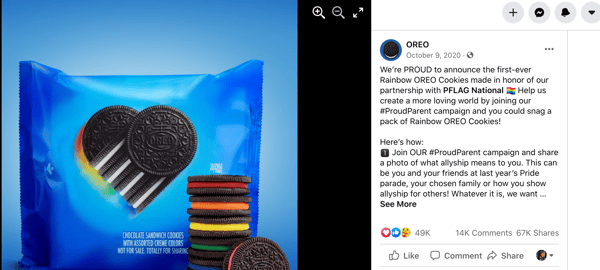
The more engagement you can get from your followers, the better chance your giveaway will reach new users.
4. Vary your posts.
One of the reasons why your follower count may have plateaued is because your content isn’t connecting with consumers.
Start experimenting with various types of posts to see what garners more shares, comments, and other forms of engagement. You may find that videos perform much better than images, or that covering certain topics get more shares than others.
As you notice trends in what’s working and what’s not, tweak your strategy, observe, and keep experimenting.
5. Post at the right time.
If you post something on Facebook but no one’s around to see it, does it make an impact?
With social media, visibility is key. The first part of increasing your visibility is posting regularly, but you also have to align your posting schedule with your audience’s scrolling habits.
If your users are most active on Facebook between 5:00 and 9:00 PM., that’s your time to publish your content. Publish outside of that window and you risk your content being missed altogether.
6. Create shareable content.
Whenever you see something that’s informative, entertaining, inspiring, or just interesting, what’s your first instinct nowadays? Mine is to hit the “share” button and send it to other people.
Making shareable content is one of the best ways to get followers because it expands your reach.
What makes something have that shareable quality? It varies, depending on the audience you’re targeting, but one common thread is that it has to resonate. Maybe your content addresses a concern they have, or it discusses a topic they’re interested in.
This viral video from HubSpot garnered over 760K views and shows how to take a buzzy topic, like Game of Thrones, and apply it to your brand.
Shareable content is also easy to digest – there’s a reason why the most viral videos are typically from TikTok and Instagram Reels. They’re short and get to the point.
For instance, this 40-second video by ASOS is weird, funny and has over 300K views.
Lastly, make sure your content is visually appealing. If your team doesn’t have the bandwidth to invest internal resources to create these creative assets, consider outsourcing them through independent contractors.
7. Interact with your audience.
Facebook users, like most social media users, like to feel seen and heard by the brands they engage with. Your brand should make it a priority to interact with your followers regularly, whether it’s answering a direct message or responding to a comment under your latest post.
These interactions not only boost your engagement rate but can also build brand loyalty. And we all know that a consumer who is loyal to a brand will spread the word and bring on more brand promoters, serving as unofficial influencers.
8. Promote your Facebook Page everywhere.
If your goal is to gain more followers on your business page, you should direct traffic to your page whenever possible. There are a few ways to do this:
- Add a Facebook plugin to your website.
- Include a CTA in your email newsletter to encourage your subscribers to visit your Facebook Page.
- Embed your Facebook posts whenever relevant in your blog posts.
- Host your giveaways only on Facebook.
- Promote your Facebook Page on other social media platforms.
9. Add your Facebook social link to all digital platforms.
Your Facebook link should be accessible everywhere you have an online presence. This includes your website, email, and social media platforms.
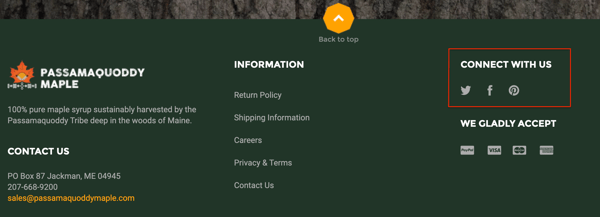
It’s as simple as putting “Follow Us,” or “Connect With Us” with the social icons, as shown in the business above.
The easier it is to find you, the better your chances of gaining followers.
10. Work with influencers.
Working with influencers is great for many reasons, the main one being the credibility they give to your brand. When an influencer promotes a brand, it’s social proof (i.e., a stamp of approval).
You can work with influencers to target an audience you haven’t yet connected with and drive traffic to your Facebook Page.
Beyond that, studies show consumers tend to trust the word of an influencer more than a brand’s word. So, by collaborating with influencers, you can earn new followers who already have a certain level of trust in your brand.
11. Partner up with another brand.
Co-marketing is a collaboration between two brands with similar audiences and marketing goals who team up for marketing efforts.
A co-marketing campaign on Facebook could look like a video series released over a month or week-long Facebook Live events hosted with your partner.
This strategy allows brands to use their individual distribution channels to reach new people and share the results of the campaign.
12. Offer a coupon.
In addition to giveaways, there are other ways to incentivize your audience to promote your brand, including offering coupons.
With a plugin like Shopify’s Facebook Likes Popup, for example, you can offer a discount code to consumers who like your Facebook Page as they are completing a purchase on your site.
You can also offer discount codes to encourage Facebook reviews, which serve as social proof and can help you gain more followers.
13. Join Facebook Groups.
Joining a Facebook Group can give you direct access to your target audience.
You can get direct insight into your audience’s needs, concerns, likes, and dislikes. In addition, it’s another channel to connect with them more intimately.
But keep in mind, it’s not a place for selling – use it as a way to introduce yourself to your target personas and build authentic connections.
14. Create your own Facebook Group.
Having your own Facebook Group is arguably the second-best channel you can have behind an email list.
Similar to email subscribers, a Facebook Group user has opted to join your group and stays in because it adds value to their lives.
It’s another way to attract your target audience, build a strong community, and provide value to your user personas.
15. Learn from your Facebook Insights dashboard.
Your Facebook Insights dashboard is where your page’s analytics live.
It tells you how users are behaving on your Facebook Business Page and how your posts are performing.
Use it as a resource to identify which strategies are earning you followers and what’s worth changing.
16. Use hashtags in your posts.
Hashtags are a great discoverability tool on Facebook. You can use them to help your target market find your post and increase your follower count.
It’s important to use a mix of popular and niche hashtags to ensure that your posts are getting enough visibility without disappearing in a sea of posts.
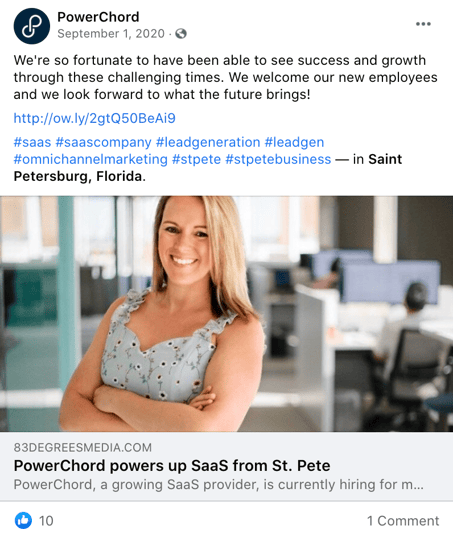
For instance, PowerChord used a mix of geo-specific hashtags to reach local Facebook users and topic-specific hashtags to reach audiences interested in the subject.
17. Make your page easier to find.
The last thing you want is someone who wants to follow your page but can’t seem to find it. While some may be persistent, others may give up once their initial search is unsuccessful.
To avoid this issue altogether, optimize your Facebook Page for search to ensure you’ll always be easy to find. Here are some ways to do so:
- Use the same username on all your social media profiles.
- Add your logo to your profile picture and add a cover photo that reflects your brand.
- Have a complete “About” section.
- Keep your contact information and business hours updated.
18. Don’t over-promote.
Your Facebook Page should be used to connect with your target audience and publish content that resonates with them.
While a certain level of promotion is expected, it shouldn’t be the majority of what you post. Depending on your industry, pushing your products and services could repel your audience and lead to high unfollow rates.
19. Authenticate your page.
Social media is rampant with bots and fake business pages aiming to deceive consumers. This can make Facebook users a little reluctant to follow brands they don’t recognize.
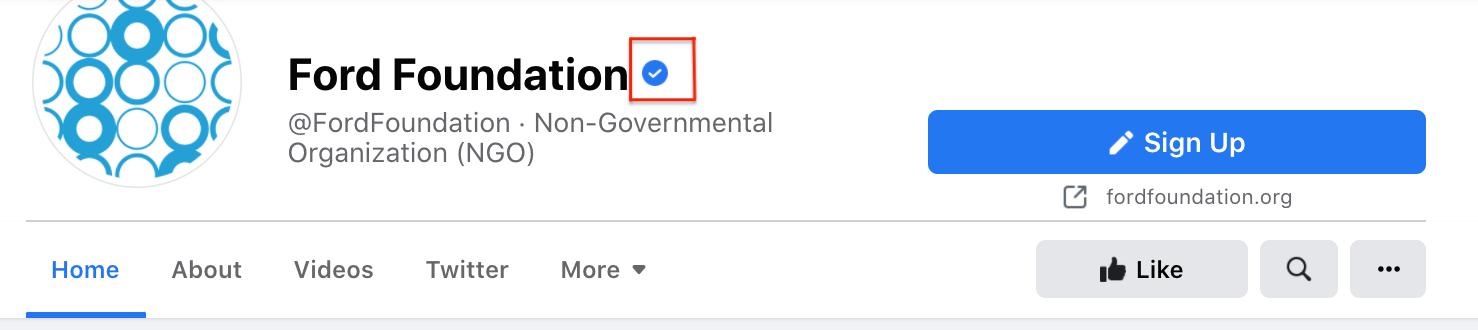
Authenticating your page can give your brand the credibility needed to both protect your audience against fraudulent pages and give them the reassurance they need. To request a verification badge on Facebook, you must fill out this form.
20. Create original content.
As new social media platforms gain popularity, it’s easy to recycle content from one platform to another. While that does make posting regularly easier, it may be hurting your engagement.
Every social media platform is different and so are its users. For instance, Facebook users tend to prefer videos over other forms of content, according to a 2019 Buffer study. The best performing content on Facebook is funny, entertaining, or practical.
With this in mind, it’s important to customize your content to the platform. Repurposing can stretch the life of your content. However, it shouldn’t be your only strategy. Be sure to listen to your audience and build content around their needs.
21. Run ads.
In addition to all the steps mentioned above, you can also run ads to reach more Facebook users.
Facebook Ads allows you to target users based on demographics, behaviors, and interests. This guarantees that you reach users who match your user persona and are more likely to convert.
Getting more followers on Facebook requires more than just posting regularly. You have to tap into what attracts your audience – through data analysis and community engagement – to develop sustainable strategies.


Five Lessons I Learned About Scaling a Business With Reid Hoffman
How great would it be if you had a panel of successful entrepreneurs and business leaders you could turn to whenever you needed help getting unstuck, or needed a daily dose of inspiration?
Fortunately, that’s exactly what the new Masters of Scale Courses App offers — expert advice from some of the world’s best and brightest minds, guided by Reid Hoffman.
The first course is all about The Mindset of Scale. Here’s what I learned from the first two lessons.

1. Ask “Why not?” and “What if?”
Start by asking two important questions — “Why not?” and “What if?” — whenever you encounter something that makes you feel a strong emotion.
For instance, think about the last time you experienced sticker shock or frustration over waiting in a long line. Those simple questions have sparked countless successful products and businesses — including Virgin Airlines. In his own words, here’s Richard Branson:
“35 years ago, when we started [Virgin Airlines], the big carriers were dreadful. And on one of those flights coming to the Virgin Islands, I got bumped, which is a sort of typical thing that airlines did in those days.”
Of course, being Richard Branson, he didn’t pass the time by staring woefully at the departures board. Instead, he asked one of those powerful questions: What if? What if he didn’t have to wait for the next flight? What if he created a flight of his own?
“So I hired a plane and filled it up with all the people who had been bumped and called it Virgin Airlines as a joke. And we arrived in the BVI, and during that flight, I just thought, ‘Airlines do bump people, maybe I should ring up Boeing the next day.’ Which I did, and asked if they had any secondhand 747s for sale.”
As you can probably guess, they did, and Virgin Airways was born. Now, you may not be in the market for used 747 jets, but that doesn’t mean these questions can’t create similarly impactful results for you. So next time you find yourself feeling any powerful emotion, pause for a second, think about the situation, and ask yourself, “What if?”
2. Have an idea, act on it, and never look back.
Even though many people talk about the power of ideas, what the world actually rewards is action.
Generating ideas is often the easy part — and with the right mindset, it’s a process that can become second nature. But, what separates daydreaming from living your dream is taking action.
Richard Branson has been an entrepreneur since he was 14 and launched his first business: a student magazine. After the magazine, he went on to found a record label, a video game publisher, and many other ventures — each one a product of taking action.
If you’re like me, even just reading that list of accomplishments sounds daunting. To overcome that feeling, Reid Hoffman offers this helpful advice: “Next time you have an idea that you can’t stop thinking about, act on it immediately.”
After asking yourself “Why not?” or “What if?”, identify the smallest or most immediate action you can do right now to act on your idea.
By starting small and taking action right away, you can avoid the dreaded “analysis paralysis” and start building momentum towards your goal instead.
3. Need a big idea? Get intentional about looking for one.
Before founding Spanx, Sarah Blakely was stuck in a dead-end job — making door-to-door fax machine sales were far from fulfilling. She knew she wasn’t on the right path, but she just wasn’t sure what that right path looked like.
After a challenging day, she decided to try something different. In her journal, she wrote down, “I want to invent a product that I can sell to millions of people that will make them feel good.” According to Blakely, “This was something that I set an intention for; I had really asked the universe to give me an idea that I could bring to the world.”
Blakely kept asking herself, “Is this my big idea?” until the answer was “Yes.”
With her newfound intention, Blakely began finding the opportunities and ideas all around her. One night, after getting frustrated with her undergarment options, she cut the feet off of her pantyhose and discovered that her DIY solution was exactly what she was looking for — in more ways than one.
4. Fill knowledge gaps with the people around you.
After discovering her big idea for Spanx, Blakely faced a new challenge: How to build a business in an industry she knew almost nothing about. It wasn’t an easy problem to solve, but Blakely wasn’t about to let a lack of domain expertise get in her way.
Instead, she started digging deeper. In the words of Reid Hoffman, “She knew that to succeed, she had to be continually open to information and ideas — always in search of the insights and people who could help her turn her idea into a reality.”
It’s okay not to know everything about your business, as long as you get help from people who can fill in your knowledge gaps. You’ll go faster and further with the help of other people.
Ask lots of questions to find your idea — and then keep asking them.
5. Find a place or time where you do your best thinking, and set aside time to be in that space.
Creating a successful business, launching a new product or campaign, or just keeping up with a highly demanding job all require a lot of decision-making. And good decision-making rests on a foundation of good thinking.
According to Hoffman, “Wherever, whenever and however, the point is this: an idea won’t come looking for you, and it won’t perfect itself. You have to put yourself in spaces and places and frames of mind, where you can find and shape the idea.”
For more lessons about scale, download the Masters of Scale Courses app for 50% using the code HUBSPOT at join.mastersoscale.com/hubstpot. Offer is valid through 5/15/21.

A Marketer’s Quick Guide to Dynamic Ads
Remember when you’d go to the mall, see something you liked, but then leave without it? Then you’d leave the mall and think about it the whole drive home, wondering if you made the right decision until you forgot about it. That was until you saw someone else with the exact item we wanted. Ah, the good ol’ days.
Today, you can’t leave an item in your cart without it following you everywhere online. Who do we have to thank for that? Technically, a lot of people – marketers, retargeting tools, Al Gore’s internet – but for the purpose of this article, we’ll focus on one: dynamic ads.

Dynamic ads allow brands to change the ads shown to users based on their behavior.
Let’s dive into what exactly dynamic ads are, their benefits, and how to use them on social media platforms like LinkedIn and Facebook.
Dynamic ads are often used in remarketing campaigns to reach users who have already interacted with a brand. More on that here.
Static ads, on the other hand, do not adapt based on external data, so they tend to target broader audience groups for brand awareness or product launches.
A banner ad can look like this:
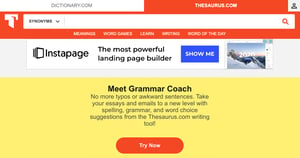 Or like this:
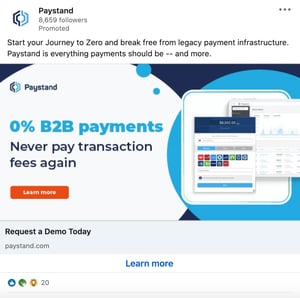
They range in size and placement depending on the platform on which they’re displayed.
The Benefits of Dynamic Ads
Ad personalization is one of the biggest advantages of using dynamic banner ads. In a 2020 study by Innovid, 43% of respondents agreed that ads should be personalized.
What’s more, 30% of respondents said they liked brands more when ads were personalized. It’s easy to understand why – there’s nothing more annoying than getting an irrelevant ad that doesn’t relate to you or your interests. In fact, it’s a major reason why people get adblockers.
In 2020, AudienceProjects surveyed people in the US, UK, Denmark, Sweden, Norway, and Finland and found that avoiding offensive or irrelevant ads was the second most popular reason why they got adblockers.
The more personalized the ad, the better the chances it will resonate with the audience. This brings us to the next benefit of dynamic ads: relevance.
While an ad may be personalized, it may not be relevant to that user’s current stage in the buyer’s journey.
For instance, imagine you’ve heard of a brand but aren’t exactly sure what they do or what they offer. Getting an ad to request a product demo may be too big of a jump. You may need more nurturing before you reach that level of interest in their products.
With this in mind, dynamic ads can help you only present ads that will meet the user where they are. Doing so can move them further down the funnel and help generate more revenue for your brand.
This brings us to return on investment (ROI). Because of the reasons outlined above, your dynamic ads can optimize your return on ad spend (ROAS) because they are more targeted and relevant to each user.
How Dynamic Search Ads Work
What are dynamic search ads?
Dynamic search ads (DSAs) are dynamic ads that show up on search engines like Google and Bing based on the content of your website, not keywords.
When marketers set up search campaigns, they bid on specific keywords and create ads that match the intent behind the keywords. For instance, let’s say you’re a website operations company and you want to rank for the keyword “best WebOps platforms,” you’ll need to bid on it and win to show up on the search engine when a user searches that keyword.
With dynamic search ads, you don’t have to bid on the keywords. The search engine will analyze the user’s search query and scan your website for relevant content. If the search engine determines it’s a match for what the user is looking for, it will automatically generate the ad with a headline and text based on a relevant landing page from your website.
The main benefit of using DSAs is that it allows marketers to target audiences who may fall outside of the keywords they’re already targeting in their campaign.
Think of a dynamic search as a safety net; even a well-designed search campaign won’t target all of the keywords your user persona might search for. The dynamic ad identifies new targeting opportunities and fills that gap by aligning your content with the right users – earning you extra traffic and more reach.
It’s also a time-saver. With dynamic ads, you don’t have to go through the process of mapping out keywords, setting up bids, and creating copy for every single ad.
My latest browsing sessions have involved a lot of furniture and home decor websites. This is why my Facebook feed includes ads like this:
 And why I see ads like this when browsing online.
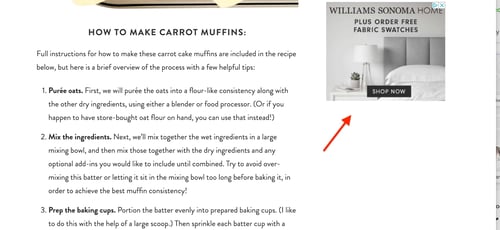 They work just as regular dynamic ads do, adapting their content to the user for better results.
You can take your display ads one step further by creating responsive dynamic display ads. It’s a mouthful, I know but the concept is simple to understand: A responsive ad adjusts its size based on the space on the page.
For example, you’re on a website and you minimize the page to make space for another window. A responsive ad would adapt its shape based on that new space – just like a responsive website.
This creates a better user experience and ensures your ad will be displayed correctly no matter the screen size.
Dynamic Remarketing Ads
Let’s say I visit the Sabai Design website to look at furniture. Then, I put a beautiful emerald green couch in my cart but don’t complete the purchase.
If the brand sets up dynamic remarketing ads, I’d see that couch, and similar styles, as I’m scrolling through social media or browsing through websites over the next few days or weeks.
The way dynamic remarketing works is by pulling the product feed from your website and leveraging user data to show your visitors ads that will move them down your funnel.
You can target various ad groups, ranging from visitors who’ve only visited your product pages to those who have already purchased items from you.
Then, once you generate the ad copy and the offers, the ad platform you use will do the rest. This means pulling the relevant product information to show that specific user.
LinkedIn Dynamic Ads
When creating a dynamic ad on LinkedIn, you will target users based on their profile, including demographics such as location, work experience, company, and job title.
There are three main formats to use when creating ads on the professional network:
Follower Ads
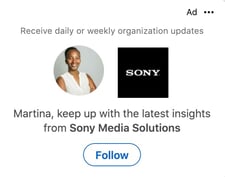 If you want to gain more followers on your LinkedIn Company Page, create a Follower Ad. This will encourage users in your ad group to follow your Page and learn more about your brand.
Spotlight Ads
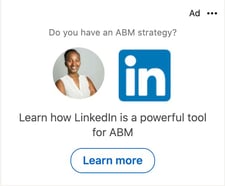
Want to drive traffic to your website or landing page? Use a spotlight ad. You can also use it to promote upcoming events, highlight your products or services, or gain new email subscribers.
Content Ads
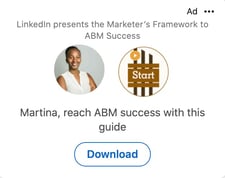 Content offers are great lead magnets. This dynamic ad format allows you to generate leads through downloadable offers. You can manage those leads in the LinkedIn Campaign Manager or export them to a CRM like the HubSpot Marketing Hub’s Ads Software.
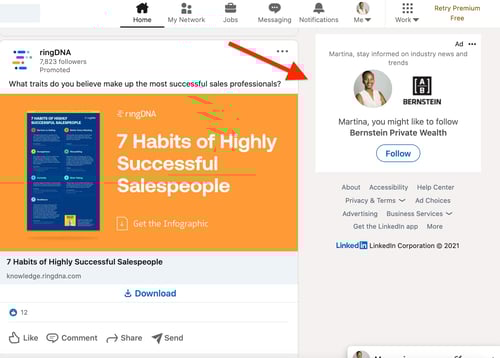
You’ll notice that none of these ads show up as a carousel image, single image ad, video, or text ad. That’s because dynamic ads on LinkedIn are only formatted to show up on the right sidebar on desktop view. Like this:
Facebook Dynamic Ads
On Facebook, things work a little differently. In this case, dynamic ads are ideal for brands with a large inventory of products and/or services. Unlike LinkedIn ads, when creating a dynamic ad on Facebook, you can choose any ad format, including single image, carousel, stories, or collection.
Here’s how Facebook dynamic ads work: You can create a retargeting campaign to reach consumers who’ve had previous interactions with your brand, or reach a broader audience that matches your user persona and may be interested in your products or services.
To set up a dynamic ad on Facebook, you’ll need:
- A catalog – This contains the products and services you want to promote, with descriptions, prices, images, availability, and other relevant information.
- Facebook pixel or DSK – You must install a Facebook pixel on your website or SDK for your mobile app to capture how your users are behaving on your webpages or app.
From there, you will set up your campaign in the Ads Manager to outline your ad objectives, ad format, copy, and calls-to-action (CTA) by product set.
Every time a user fits your targeting parameters, the machine learning program will use the pixel to gather user data and pick relevant products or services from your catalog to display the ad on mobile, tablet, or desktop.
This saves marketers time, as they don’t have to create an ad for every single product or ad group.
You may no longer need those drives home from the mall to decide if you really should have bought something. With dynamic ads, you get multiple chances to reconsider your decisions.
Whether that’s a good thing varies from person to person, but from a marketing standpoint, it’s another opportunity to win over a consumer. Why not take it?


A Marketer’s Quick Guide to Dynamic Ads
Remember when you’d go to the mall, see something you liked, but then leave without it? Then you’d leave the mall and think about it the whole drive home, wondering if you made the right decision until you forgot about it. That was until you saw someone else with the exact item we wanted. Ah, the good ol’ days.
Today, you can’t leave an item in your cart without it following you everywhere online. Who do we have to thank for that? Technically, a lot of people – marketers, retargeting tools, Al Gore’s internet – but for the purpose of this article, we’ll focus on one: dynamic ads.
Dynamic ads allow brands to change the ads shown to users based on their behavior.
Let’s dive into what exactly dynamic ads are, their benefits, and how to use them on social media platforms like LinkedIn and Facebook.
Dynamic ads are often used in remarketing campaigns to reach users who have already interacted with a brand. More on that here.
Static ads, on the other hand, do not adapt based on external data, so they tend to target broader audience groups for brand awareness or product launches.
A banner ad can look like this:
Or like this:
They range in size and placement depending on the platform on which they’re displayed.
The Benefits of Dynamic Ads
Ad personalization is one of the biggest advantages of using dynamic banner ads. In a 2020 study by Innovid, 43% of respondents agreed that ads should be personalized.
What’s more, 30% of respondents said they liked brands more when ads were personalized. It’s easy to understand why – there’s nothing more annoying than getting an irrelevant ad that doesn’t relate to you or your interests. In fact, it’s a major reason why people get adblockers.
In 2020, AudienceProjects surveyed people in the US, UK, Denmark, Sweden, Norway, and Finland and found that avoiding offensive or irrelevant ads was the second most popular reason why they got adblockers.
The more personalized the ad, the better the chances it will resonate with the audience. This brings us to the next benefit of dynamic ads: relevance.
While an ad may be personalized, it may not be relevant to that user’s current stage in the buyer’s journey.
For instance, imagine you’ve heard of a brand but aren’t exactly sure what they do or what they offer. Getting an ad to request a product demo may be too big of a jump. You may need more nurturing before you reach that level of interest in their products.
With this in mind, dynamic ads can help you only present ads that will meet the user where they are. Doing so can move them further down the funnel and help generate more revenue for your brand.
This brings us to return on investment (ROI). Because of the reasons outlined above, your dynamic ads can optimize your return on ad spend (ROAS) because they are more targeted and relevant to each user.
How Dynamic Search Ads Work
What are dynamic search ads?
Dynamic search ads (DSAs) are dynamic ads that show up on search engines like Google and Bing based on the content of your website, not keywords.
When marketers set up search campaigns, they bid on specific keywords and create ads that match the intent behind the keywords. For instance, let’s say you’re a website operations company and you want to rank for the keyword “best WebOps platforms,” you’ll need to bid on it and win to show up on the search engine when a user searches that keyword.
With dynamic search ads, you don’t have to bid on the keywords. The search engine will analyze the user’s search query and scan your website for relevant content. If the search engine determines it’s a match for what the user is looking for, it will automatically generate the ad with a headline and text based on a relevant landing page from your website.
The main benefit of using DSAs is that it allows marketers to target audiences who may fall outside of the keywords they’re already targeting in their campaign.
Think of a dynamic search as a safety net; even a well-designed search campaign won’t target all of the keywords your user persona might search for. The dynamic ad identifies new targeting opportunities and fills that gap by aligning your content with the right users – earning you extra traffic and more reach.
It’s also a time-saver. With dynamic ads, you don’t have to go through the process of mapping out keywords, setting up bids, and creating copy for every single ad.
My latest browsing sessions have involved a lot of furniture and home decor websites. This is why my Facebook feed includes ads like this:
And why I see ads like this when browsing online.
They work just as regular dynamic ads do, adapting their content to the user for better results.
You can take your display ads one step further by creating responsive dynamic display ads. It’s a mouthful, I know but the concept is simple to understand: A responsive ad adjusts its size based on the space on the page.
For example, you’re on a website and you minimize the page to make space for another window. A responsive ad would adapt its shape based on that new space – just like a responsive website.
This creates a better user experience and ensures your ad will be displayed correctly no matter the screen size.
Dynamic Remarketing Ads
Let’s say I visit the Sabai Design website to look at furniture. Then, I put a beautiful emerald green couch in my cart but don’t complete the purchase.
If the brand sets up dynamic remarketing ads, I’d see that couch, and similar styles, as I’m scrolling through social media or browsing through websites over the next few days or weeks.
The way dynamic remarketing works is by pulling the product feed from your website and leveraging user data to show your visitors ads that will move them down your funnel.
You can target various ad groups, ranging from visitors who’ve only visited your product pages to those who have already purchased items from you.
Then, once you generate the ad copy and the offers, the ad platform you use will do the rest. This means pulling the relevant product information to show that specific user.
LinkedIn Dynamic Ads
When creating a dynamic ad on LinkedIn, you will target users based on their profile, including demographics such as location, work experience, company, and job title.
There are three main formats to use when creating ads on the professional network:
Follower Ads
If you want to gain more followers on your LinkedIn Company Page, create a Follower Ad. This will encourage users in your ad group to follow your Page and learn more about your brand.
Spotlight Ads
Want to drive traffic to your website or landing page? Use a spotlight ad. You can also use it to promote upcoming events, highlight your products or services, or gain new email subscribers.
Content Ads
Content offers are great lead magnets. This dynamic ad format allows you to generate leads through downloadable offers. You can manage those leads in the LinkedIn Campaign Manager or export them to a CRM like the HubSpot Marketing Hub’s Ads Software.
You’ll notice that none of these ads show up as a carousel image, single image ad, video, or text ad. That’s because dynamic ads on LinkedIn are only formatted to show up on the right sidebar on desktop view. Like this:
Facebook Dynamic Ads
On Facebook, things work a little differently. In this case, dynamic ads are ideal for brands with a large inventory of products and/or services. Unlike LinkedIn ads, when creating a dynamic ad on Facebook, you can choose any ad format, including single image, carousel, stories, or collection.
Here’s how Facebook dynamic ads work: You can create a retargeting campaign to reach consumers who’ve had previous interactions with your brand, or reach a broader audience that matches your user persona and may be interested in your products or services.
To set up a dynamic ad on Facebook, you’ll need:
- A catalog – This contains the products and services you want to promote, with descriptions, prices, images, availability, and other relevant information.
- Facebook pixel or DSK – You must install a Facebook pixel on your website or SDK for your mobile app to capture how your users are behaving on your webpages or app.
From there, you will set up your campaign in the Ads Manager to outline your ad objectives, ad format, copy, and calls-to-action (CTA) by product set.
Every time a user fits your targeting parameters, the machine learning program will use the pixel to gather user data and pick relevant products or services from your catalog to display the ad on mobile, tablet, or desktop.
This saves marketers time, as they don’t have to create an ad for every single product or ad group.
You may no longer need those drives home from the mall to decide if you really should have bought something. With dynamic ads, you get multiple chances to reconsider your decisions.
Whether that’s a good thing varies from person to person, but from a marketing standpoint, it’s another opportunity to win over a consumer. Why not take it?
Facebook Ads vs. Google Ads: Which is Better for Your Brand?
If you’re reading this article, it’s likely because you’re considering running digital ads.
You’ve heard about Facebook Ads and Google Ads but you’re still unclear on the difference between the two platforms.

In this article, we’ll cover each platform’s unique features, the key differences to keep in mind, and the factors to consider when deciding which ad platform to use.
Let’s get started.
These platforms are often pitted against each other but in fact, Facebook Ads and Google Ads are complementary, each offering unique benefits to marketers.
If your team can only focus on one, there are a few things you’ll want to consider.
Your Campaign Goal
What do you want to accomplish with your campaign? Is it brand awareness, leads, sales, or something else? Knowing this answer can already steer you in the right direction.
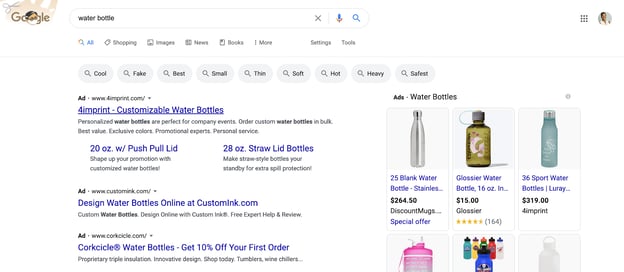
Google Ads is ideal for demand capture – meaning reaching users who have high purchase intent. For instance, if I’m looking up the keyword “water bottle,” this may signal an interest in purchasing one.
With that in mind, the ads below align well with search intent and can lead to sales.
Facebook Ads, on the other hand, is ideal for reaching consumers who are near the top of the funnel, (i.e., great for brand and product awareness). 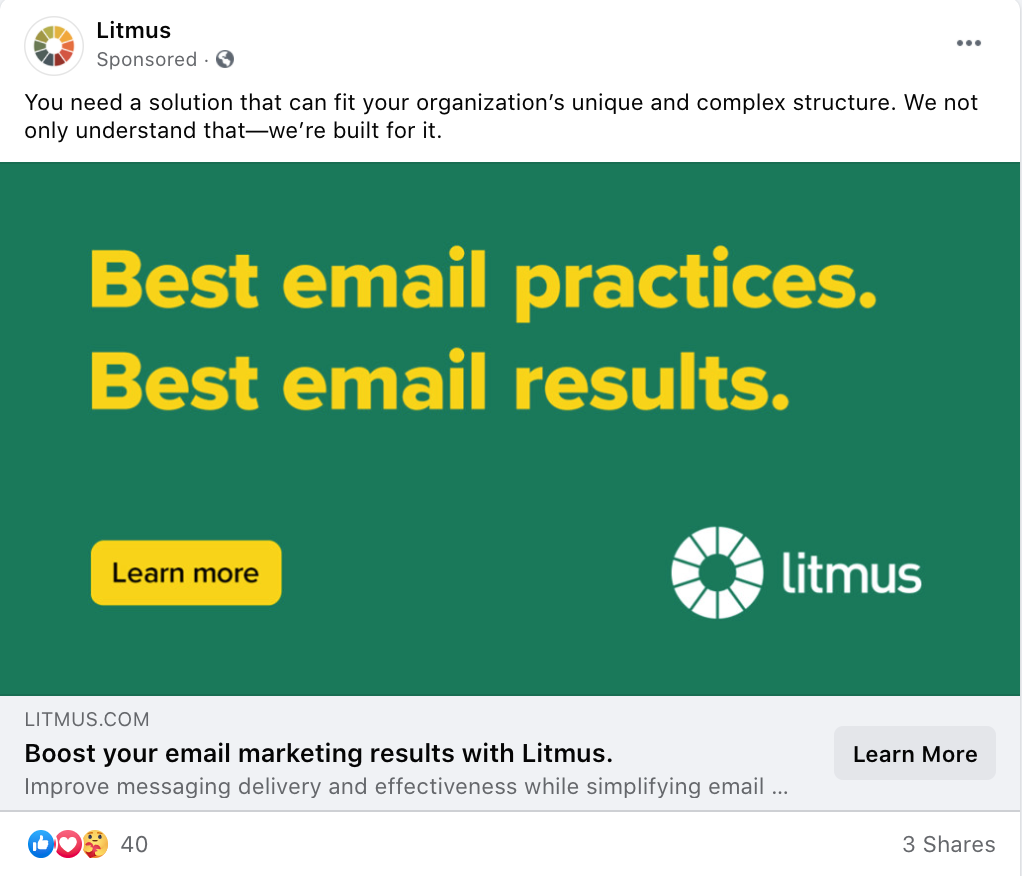
So, you could use both platforms at the same time to target users at every stage of the journey. But if that doesn’t align with your broader objectives, knowing the main goal of your campaign will help you determine which platform is better suited to achieve it.
Your Budget
With any ad campaign, your goal is to maximize your return on ad spend (ROAS). It’s easier to do that on some platforms than others.
With Google Ads, you’ll have to look at keyword competition and keyword price. If the keywords you’re targeting have high cost-per-click (CPC) and you have a small budget, it may not be the best place for you to invest your money.
For instance, let’s say you have a $100 daily budget. You want to rank for “hardware store” in your local area but the cost for that keyword is $20. This means that you’d get a maximum five clicks per day – pretty limiting.
With that same $100 budget, you could potentially reach more people on Facebook Ads and conduct experiments to learn more about which strategies work for your target audience.
It’s all about finding where your dollar will go the furthest in relation to your goals. Tools like HubSpot’s ads software can help you measure your campaign’s ROI and allow you to make adjustments to optimize its performance.
Stages in the Buyer’s Journey
As mentioned above, certain platforms align better with certain stages in the buyer’s journey.
With Facebook being a social media platform, most users are not actively looking to purchase products. However, they do explore and share their interests on the platform. With that in mind, it’s a great place for users to discover your brand, especially if you don’t think it relates to a topic users will be searching.
In contrast, it’s estimated that Google receives over 5 billion searches every single day. These searches can fall anywhere on the buyer’s journey stage, but certain keywords indicate a high purchase intent.
For example, if I search “best water bottle” or “water bottle price,” this suggests that I am interested in purchasing this item. With this approach, marketers can reach users they know are near the bottom of the funnel.
Historical and/or Competitor Data
As you develop your playbook for your next campaign, it will be helpful to look at historical data to inform your strategy. Knowing what has worked in the past, what hasn’t and what is left to explore can serve as a reference and benchmark.
If you’ve never run a campaign before, look at your competitors. What ads are they running? Where are they running them? What do their creative assets look like? What’s their messaging?
This competitive intel may highlight some areas for opportunity and give you insight into the strategies your competitors are using.
Benefits of Facebook Ads
In a 2019 HubSpot State of Marketing Report, marketers revealed that the paid channel offering the highest ROI was Facebook. Let’s dive into some of the reasons why.
For starters, Facebook is the number one social media platform with over 2.7 billion monthly active users, according to a 2021 Statista report. In addition to its large audience base, the platform offers granular targeting capabilities, allowing marketers to reach users based on demographics, behaviors, life events and interests.
Before launching a campaign on the platform, you can create a “lookalike audience,” which is essentially your user persona. Facebook Ads will then show your ads to audiences who match your description.
That’s one advantage the platform has over Google Ads – it’s much more detailed in who you’re able to target for your ads.
Beyond that, you may also be able to reach more users and get a better clickthrough rate (CTR) through Facebook Ads. Smart Insights reported found that in Q1 of 2020, the median CTR for a Facebook ad on the newsfeed was 1.11% – compared to .47% for Google Display ads in the same time period.
Benefits of Google Ads
In 2019, Google estimated that for every dollar a business spends on ads, it earns $8 in profit. Let’s see why that may be and how the platform can be useful for brands.
Google Ads, formerly known as Google Adwords, initially offered only very simple text-based ads on the search engine. Now, it’s evolved to include features that can drastically improve clickthrough rates, such as reviews, detailed contact information, a shopping function, and mobile optimization.
In Q1 of 2020, Smart Insights found that Google search ads had the highest CTR at 1.55% when compared to display ads and Facebook ads. This is likely because Google prioritizes ads based on relevance.
While you do have to bid on keywords, the highest bid doesn’t necessarily always win. Your bid gets your foot in the door, your ad’s relevance to the keyword the user’s search intent gets you in the house.
Remarketing, which is reconnecting with users who have interacted with your brand before, is now much easier using Google Ads. So, let’s say someone visited your site and added something to their shopping cart but didn’t complete their purchase. You can now re-engage users as they search on Google, watch a YouTube video or navigate a site within Google’s Display Network.
In addition, the platform’s simple interface and advanced features like search term report, ads editor and auction insights make it easy to build, launch and track campaigns.
With Facebook Ads and Google Ads, one isn’t inherently better than the other. Once you account for your goals, budget and target audience, you will find that each one offers unique features that can be useful to your brand at various points in its growth.

How the News Feed Algorithms Work on Facebook, Twitter & Instagram
You’re connected with hundreds of people — maybe even thousands — on Facebook, Twitter, and Instagram. But when you log in to each of these social networks, it’s likely that you don’t want to be bombarded by every single update from every single connection. That’d be pretty overwhelming, wouldn’t it?
That’s how the folks from each of these social networks feel — and they’ve done plenty of user research to validate that feeling. In fact, that’s exactly why the news feeds — and the algorithms behind them — exist.
All three of today’s most popular social networks have gravitated toward an algorithm-based feed in the effort to create better experiences for their users. The trouble is, each algorithm works differently. What’s worse, they’re constantly changing, making it hard for marketers like us to keep up.
To help get it all straight, we’ve put together this simple guide on how the news feed works on the three most popular social networks: Facebook, Twitter, and Instagram. Let’s dive in.
Note: Keep in mind that the algorithms are constantly changing. We’ll continue to write about major social algorithm changes as they happen.

Facebook’s News Feed Algorithm
Since the inception of the largest social media platform to date, Facebook’s news feed has been focused on personalizing the social media app’s user experience. According to eMarketer, we spend about 34 minutes each day using the platform.
To give users the best experience possible, Facebook’s team of engineers are constantly studying user behavior and picking up signals that show what kind of content each user is most interested in.
How It Works
The Like button has always been the epicenter of Facebook’s user experience — not only because we see it on everyone’s posts, but because it allows us to personalize our experience (and influence everyone else’s). Since it was first introduced in November 2007, it’s helped Facebook’s engineers figure out which posts were delighting users, boring them, offending them, and so on.
Nowadays, the algorithm that governs Facebook’s News Feed has become much more sophisticated. It isn’t just about the Like button anymore — and not just because reaction buttons are now in the mix. In fact, Facebook’s algorithm is by far the most complicated of the three social networks covered in this post.
Here’s a quick rundown of the most important things Facebook’s algorithm takes into account.
Relevancy Score
When picking posts for each person who logs on to Facebook, the News Feed algorithm takes into account hundreds of variables — and can predict whether a given user will Like, click, comment, share, hide, or even mark a post as spam.
More specifically, the algorithm predicts each of these outcomes with a certain degree of confidence. This prediction is quantified into a single number called a “relevancy score” that’s specific both to you and to that post.
Once every post that could potentially show up in your feed has been assigned a relevancy score, Facebook’s sorting algorithm ranks them and puts them in the order they end up appearing in your feed. This means that every time you log in, the post you see at the top of your News Feed was chosen over thousands of others as the one most likely to make you react and engage.
Ads are given relevancy scores, too, so that Facebook can show users the ads that could matter most to them. Again, this is supposed to give users a better experience — but it’s also helpful for the businesses that are paying for the ads. It’s calculated based on the positive feedback (video views, conversions, etc.) and negative feedback Facebook expects an ad to receive from its target audience. (Learn more about relevancy score for Facebook ads here.)
Prioritizing Friends
Before 2015, Facebook was predicting what users want to see on the News Feed based on more indirect signals, like Likes, comments, and shares of others. Eventually, it added options for users to filter out posts they don’t want to see. But what about helping boost the posts users do want to see?
Through studies and surveys, Facebook found that many users were concerned about missing important updates from friends they cared about the most. In response to these concerns, the social media platform began changing the News Feed algorithm to give more control to the users themselves.
It started in April 2015, when the company began giving priority (in the form of higher relevancy scores) to posts from friends over the Pages they follow and promotional posts. Later that year, in July, Facebook introduced the “See First” feature, which lets you actually hand-pick which accounts — whether friends or followed Pages — you want to see first at the top of your News Feed.
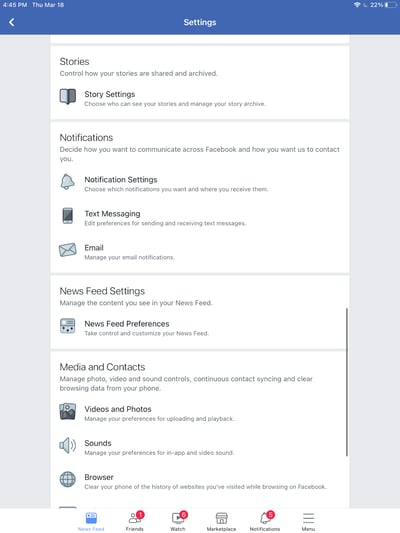
Now, when you want to prioritize a person or page to “see first,” their posts will appear at the top of your News Feed. To prioritize the people or pages you want to “see first”: click the downward facing arrow in the top-right corner of any Facebook page and select Settings.
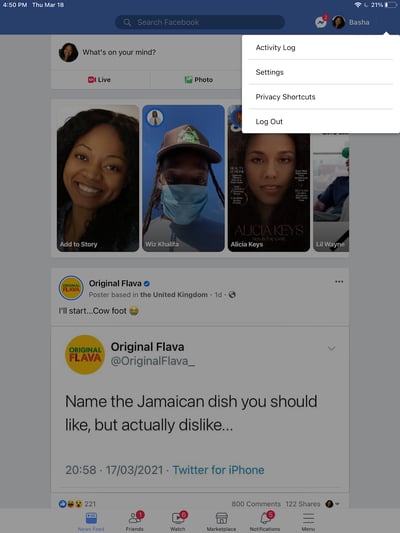
In the window that appears, scroll until you find News Feed Preferences and select it.
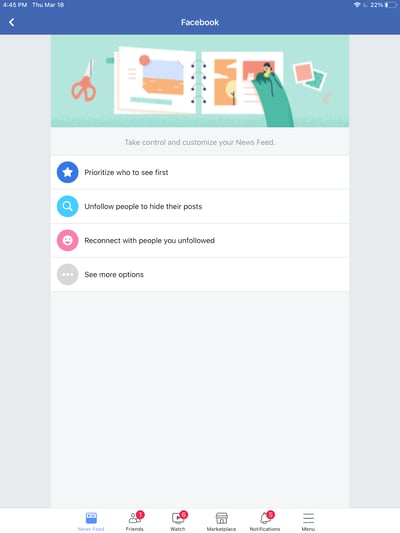
Next, select Prioritize who to see first.
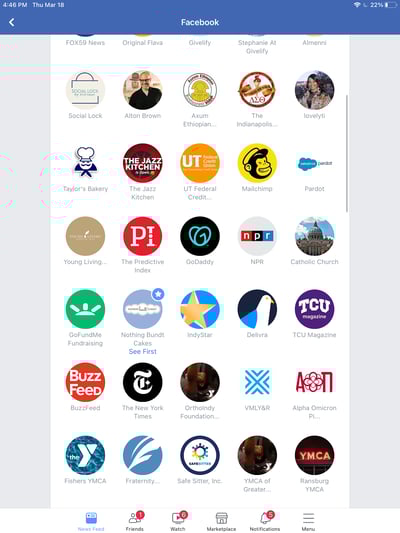
Finally, select up to 30 of your Facebook friends to add as favorites. You’ll now see posts from these individuals first.
Time Spent on a Post
Facebook started monitoring how much time users spend viewing certain posts. Of course, the time you spend on a post can vary depending on your internet speed, the length of the post, and so on — and the folks at Facebook are aware of that.
However, the platform’s strategists found that dwell time, the act of spending a lot more time on a particular post in their feed compared to the majority of other posts they look at, is a good sign that the content was relevant to them.
How does this play out in the feed? If you spend more time on a particular post, Facebook is more likely to show that post on your friends’ News Feeds.
Video Engagement
In summer 2015, Facebook surveyed users on how they interacted with video on their News Feeds and found that that many people who were interested in a given video didn’t necessarily Like it, comment on it, or share it with their friends. Since engagement is one of the primary ways Facebook measures people’s interest in posts, it had to come up with other ways to figure out whether people enjoyed the videos they were seeing.
To do that, the company started monitoring other forms of video engagement — like turning on the audio, switching to full-screen mode, or enabling high definition. So if you turn up the volume on a video or make it full-screen, the algorithm will interpret that as you enjoying the video, and will show you similar videos higher up in your feed.
The update doesn’t mean users will see more videos in their News Feed — only those who already engage more with video-related content.
Facebook’s algorithm is very, very complex, but we hope that gives you a good idea of what it considers important so you can tweak your Facebook marketing strategy accordingly. Now, let’s move on to Twitter.
Twitter’s Timeline Algorithm
Whereas Facebook makes most of the decisions about what will show up in your Facebook News Feed, Twitter’s historically taken a very different approach with what it calls the “Timeline.”
Your Timeline is the stream of tweets from the users you follow that shows up on your account home page when you first log in. It used to be that your Timeline was made up of every single tweet from every user you follow, in chronological order. But the folks at Twitter found that, similarly to what was happening on Facebook, users felt they were missing all the best tweets from the people they care about most.
The changes made to the Twitter algorithm aren’t nearly as platform-changing as the ones Facebook have made, but they are somewhat of a departure from the real-time element that has defined Twitter since the beginning.
How It Works
The engineers at Twitter have attempted two different approaches for surfacing the “best” tweets first on your Timeline: the “While You Were Away” feature and the even newer “Show me the best Tweets first” feature.
The “While You Were Away” Feature
This feature was added as an attempt to rid users of whatever FOMO (fear of missing out) they might have been feeling from the chronological nature of the original Timeline.
Basically, it’s a recap of some of the best tweets you may not have seen otherwise. How do these tweets make the cut? It’s determined by “user engagement”.
You can’t turn off the feature, but how often you see it depends on how often you use Twitter. The recaps pop up more frequently for users who check the app less often.
The “Show Me the Best Tweets First” Feature
The “Show me the best Tweets first” feature is a little more similar to Facebook’s News Feed. Why? Because it actually changes the content on your Timeline based on a tweet’s relevancy, rather than listing tweets chronologically.
By default, Twitter’s algorithm puts the tweets it thinks you’ll find most interesting at the top of your Timeline, these posts are still recent and in reverse chronological order. These tweets are chosen based on accounts you interact with most, tweets you engage with, and much more.
The “Best Tweets” Feature
The rest of the tweets will be displayed right underneath, also in reverse chronological order. Unlike the “While you were away” feature, these “best tweets” won’t be highlighted or indicated in any way — so you won’t be able to tell where the “best tweets” stop and the rest of the tweets begin.
There are two ways to remove these “best tweets” from the top of your Timeline. One is a quick fix: You can always refresh your Timeline to see all new tweets at the top in the live way you might have been used to seeing in the past.
But if you want to always see your Timeline live, then Twitter does allow you to opt out of this feature if you’d like — unlike Facebook’s News Feed.
To opt out of this feature: Tap the three-star iconin the top right corner of your screen. Then tap Switch to latest Tweets.
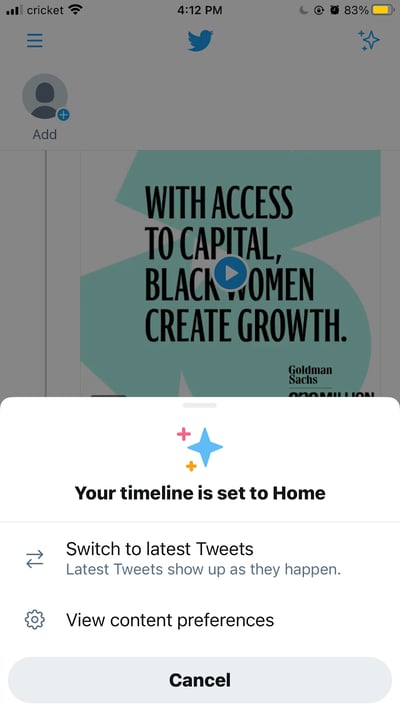
Is Twitter Moving Away From a Real-Time Timeline?
There’s no reason to believe so — at least not right now. One of the three sections of your Twitter timeline is composed of tweets displayed in reverse-chronological order. After you scroll through the “While you were away” Tweets and “Best Tweets” you’ll be left with the tweets from your followers starting with the most recent.
What might be an emerging trend on Twitter is the opportunity to subscribe to people’s tweets. While this feature wouldn’t disrupt the timeline’s mostly reverse-chronological order, it could add just one more section to your feed that you’ll need to scroll through before seeing the latest updates from your followers.
Twitter isn’t the only social media platform iterating its algorithm to show the most interesting content first — Instagram’s algorithm is giving Facebook and Twitter a run for their money.
The Instagram Feed’s Algorithm
As of January 2021, Instagram has more than 1.2 million active users on the platform making it a hotspot for marketers in nearly any industry. However, it’s a newer platform compared to the other two on this list, so many of us marketers are still trying to figure it out. The best place to start is from the bottom up — with the algorithm.
Instagram’s algorithm has evolved since 2016 when it first began sorting users’ news feeds in order of relevance rather than recency. Now, the algorithm works similarly to its parent company’s — Facebook. Using machine learning to aggregate six factors, Instagram can determine what content you’ll appreciate the most and influence your news feed to prioritize that content.
These six factors shared by TechCrunch are:
Interest: This is a prediction Instagram makes about how interested you’ll be in a particular post.
Frequency: How often you use the app that will determine what posts you see first when you open the app again.
Following: The more people you follow, the less likely you’ll be able to see everyone in your news feed.
Recency: How recently was a post published? This impacts when you’ll see a post in your news feed.
Relationship: Who shared the post and your connection to them will be a significant factor in how often you’ll see their content. This is influenced by tagged photos, engagement, and even how often you direct message them.
Usage: The time you spend on Instagram affects the content you see as well.
What about the Reels, Shop, and Explore pages?
With the advent of Reels, Shop, and the Explore page, there are several opportunities for Instagram users to naturally affect the factors listed above by interacting with content outside of their news feeds. If you enjoy cooking videos, for example, you may see more of those types of videos and reels in your news feed.
Is Instagram removing likes?
We’d be remiss if we didn’t mention the latest Instagram algorithm update in the works — removing likes. Removing one of the most popular features of the app is being tested right now as a measure against bullying and increased pressure to post content that garners more and more social approval for young Instagrammers.
The change has already taken effect in several countries including Canada, Brazil, and Australia. While it hasn’t made its way to the United States in a widespread way yet, don’t get too comfortable with your news feed engagement appearing for all to see. There could soon come a time when only you will see how many likes your posts receive.
It’s All About Content Quality
The key takeaway for brands and individuals alike is this: Quality is Queen.
These algorithms are meant to filter out irrelevant and poor-quality posts so that the highest-quality content gets through. Control over what users see and don’t see is a collaboration between the social platform and the user. The user interacts with what they find interesting and the social media platform takes note and shows you more of that the next time you open the app.
The big lesson for Facebook, Twitter, and Instagram marketers like us is to remember that it’s our job to post content to social that’s interesting, entertaining, helpful, and/or relevant to our audiences. This means picking relevant topics, writing delightful copy, and posting compelling images and videos.
By following these best practices, your posts will have a better chance of getting shown to users — so you can continue to inspire, delight, and educate them.
Editor’s note: This post was originally published in April 2016 and has been updated for comprehensiveness.

How to Embed a Facebook Feed On Your Website [Quick Tutorial]
Facebook is an undeniably powerful channel for marketing purposes. In fact, 91% of B2B and 96% of B2C marketers currently use it for advertising and marketing.
The success of your social media marketing strategy depends on engagement, typically in the form of Likes, comments, or shares. But high engagement rates are easier said than done.
One opportunity to increase engagement on your business’ Facebook Page is by embedding your Page on your website — which could increase likes and comments on your posts without driving viewers away from your site.
Here, we’ll explore how to embed a Facebook feed on a website. Whether you host your website on HubSpot, WordPress, Squarespace, or Wix, we’ve got you covered.
How to Embed a Facebook Feed on a Website
1. HubSpot
If you want to embed a Facebook feed on your HubSpot-hosted site, it’s incredibly easy to do.
1. First, go to Facebook’s Plugin Page.
2. Copy-and-paste your business’ Business Page into the “Facebook Page URL” box.
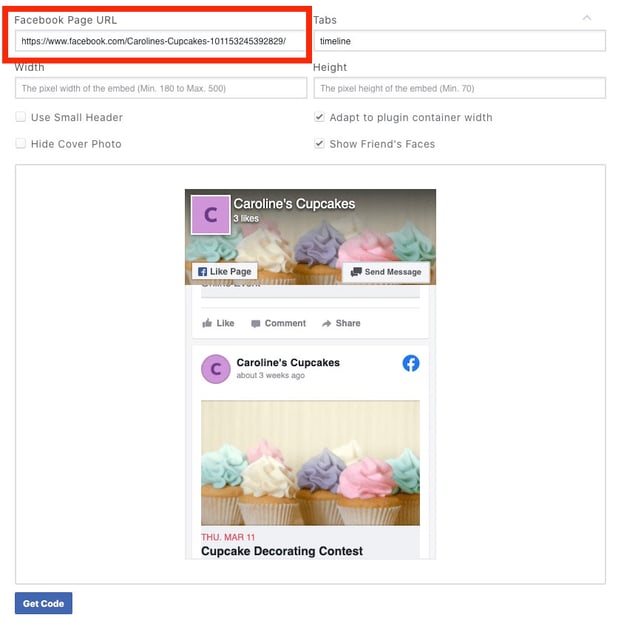
3. Then, adjust the width and height to suit your preferences depending on your website and placement. Once you’ve adjusted the timeline, click the “Get Code” button.
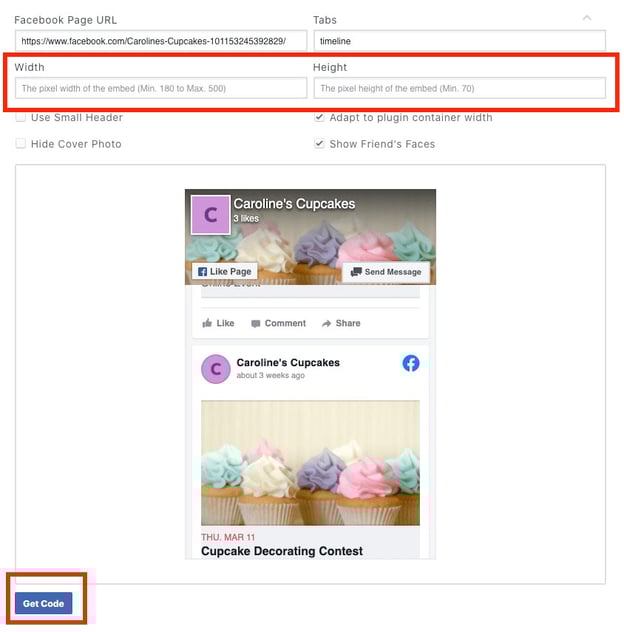
4. Switch to the IFrame tab, and copy the custom module.
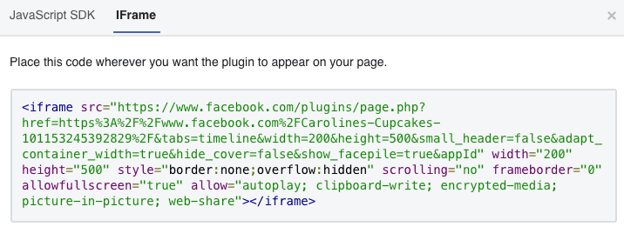
5. Next, open the Editor tool on your HubSpot Landing Page, and select “Source Code”.
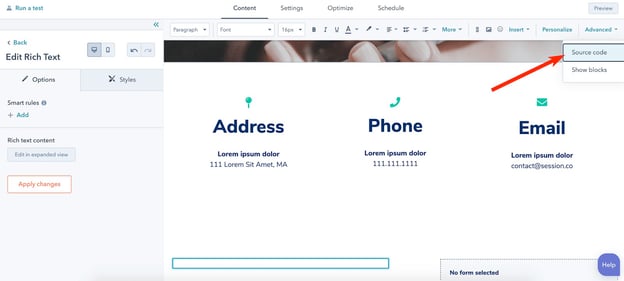
6. Now, paste your IFrame code into the Source Code section of your page. Then click, “Save Changes”.
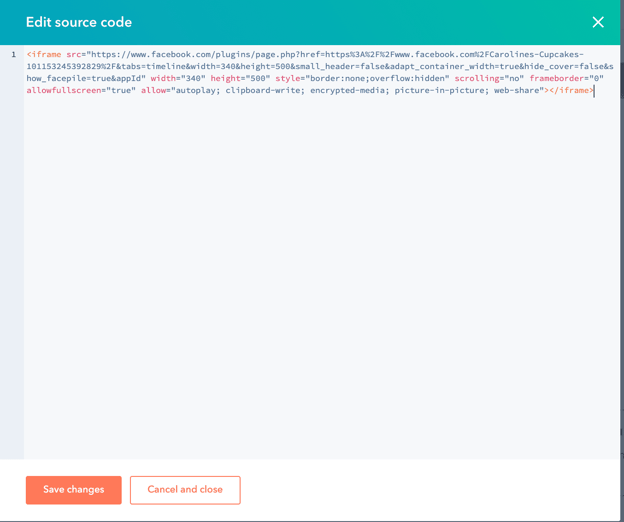
And voila! Your timeline is officially embedded on the HubSpot landing page of your choosing.
2. Squarespace
If you host your website on Squarespace, you’re going to follow most of the instructions listed above. However, the third step varies for this website hosting platform.
Let’s explore how to embed a Facebook feed on Squarespace. It’s important to note: Adding JavaScript or IFrames to Code Blocks is a Premium feature available in Business and Commerce plans, so you’ll need a Premium account to proceed.
1. First, go to Facebook’s Plugin Page.
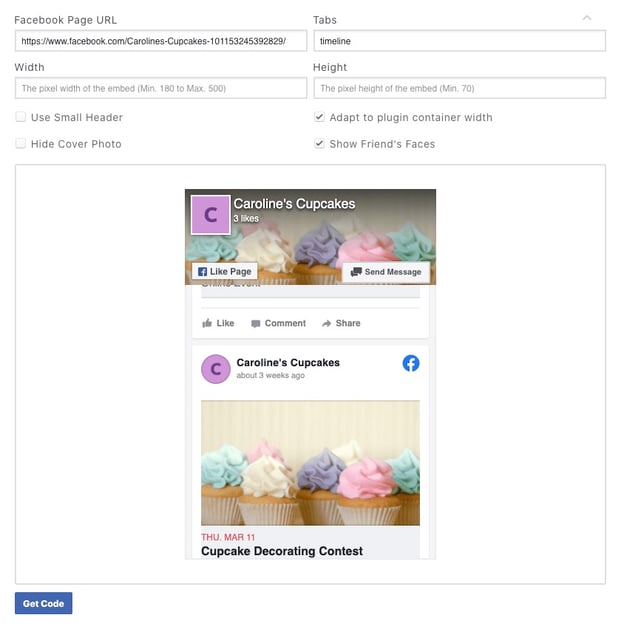
2. Copy-and-paste your business Page URL into the “Facebook Page URL” box. Then, adjust the width and height to suit your preferences depending on your website and placement.
Once you’ve adjusted the timeline, click the “Get Code” button. Copy the code in JavaScript form.
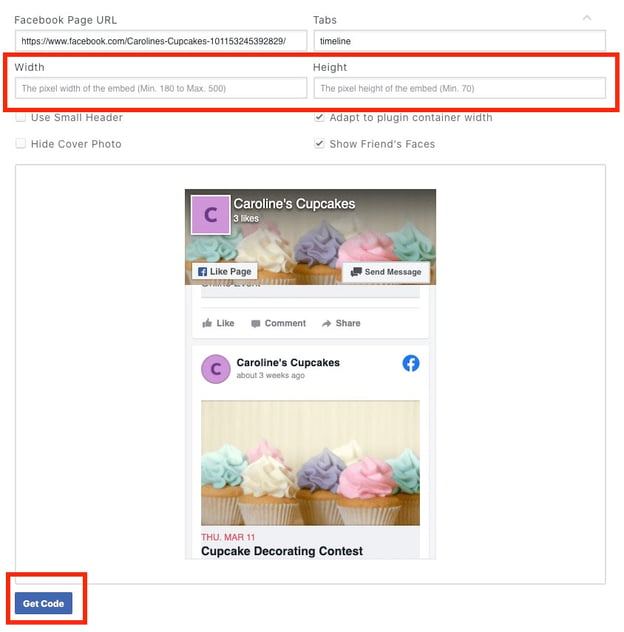
3. Next, click “Edit Post” on a Squarespace page, then click an Insert point and choose “Code” from the menu:
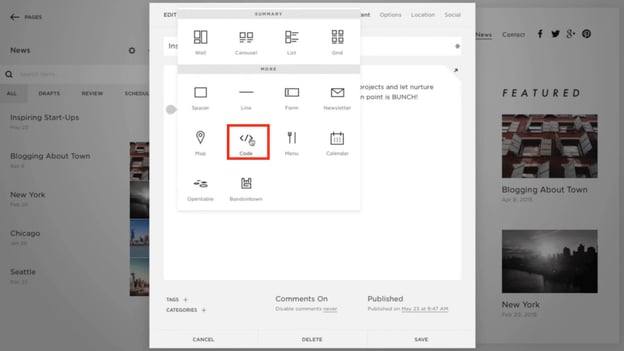
4. Next, choose Javascript from the dropdown menu, and then copy-and-paste your Facebook code into the box. Then click “Apply”.
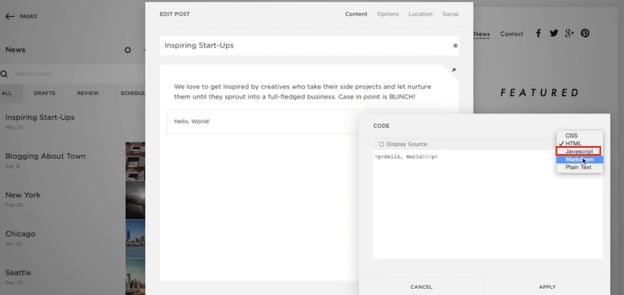
If you have additional questions on adding unique code into your Squarespace page, take a look at Squarespace’s Code Blocks FAQ page.
3. WordPress
WordPress varies slightly from the instructions listed above.
Instead of using Facebook’s custom code, you can use a WordPress plugin. (Note: You will need to upgrade to the Business plan on WordPress to use this plugin feature.)
For our purposes, let’s use this Smash Balloon Social Post Feed plugin, which is 5-star rated and has over 200,000 active installations.
Before proceeding with the following steps, ensure you install the plugin on your Business plan WordPress account. You can install either via the WordPress plugin directory, or by uploading the files to your web server (in the /wp-content/plugins/ directory). Then click “Activate”.
1. Navigate to the ‘Facebook Feed’ tab within WordPress to configure your feed. Then click “Connect a Facebook account” and choose your Business page.
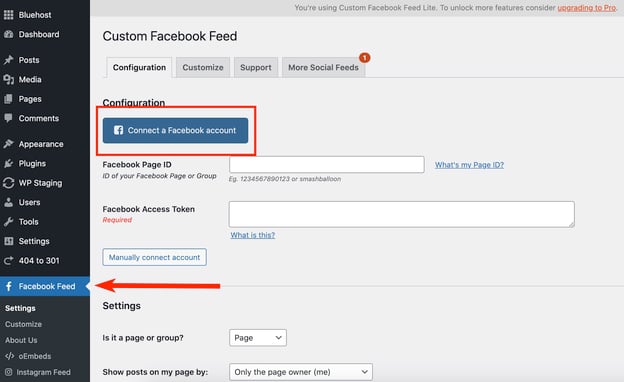
2. Next, copy the shortcode [custom-facebook-feed] to embed your feed on your site. (You can also display multiple feeds of different Facebook pages by specifying a Page ID directly in the shortcode: [custom-facebook-feed id=smashballoon num=5].)

3. Paste it into the body text on your new or existing WordPress page.
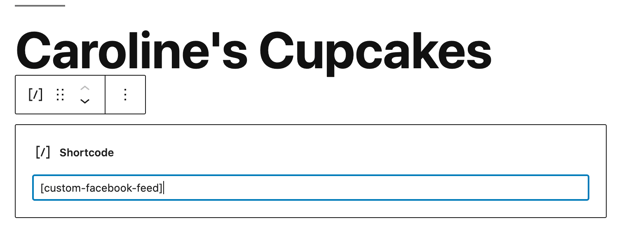
4. All set! Once you preview your page you’ll see how the timeline looks in Live mode.
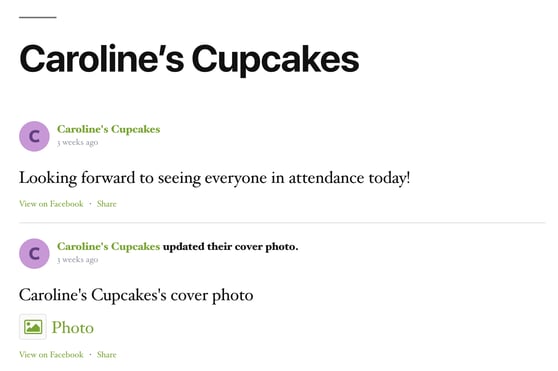
4. Wix
For Wix customers, you’ll use a third-party tool — Elfsight — to create the unique code that you can use on your Wix website, which is why there are a few additional steps in this list.
1. Create your own Elfsight Apps account, or login to your existing account. (It’s free to embed one Facebook feed code. If you need to use Elfsight often, consider the Basic plan, which is $18/month for startups and new businesses.)
2. Click on the “Facebook Feed” application, under the Social Tab.
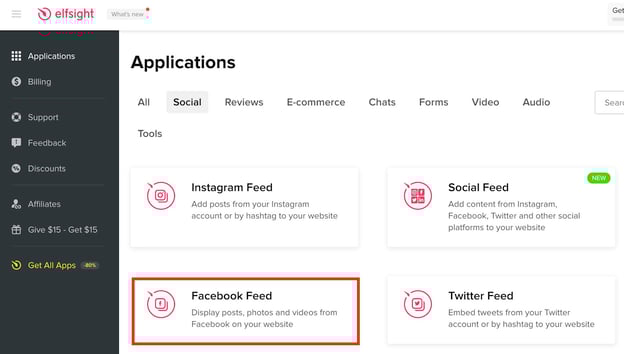
3. Select the template you want to use, which will determine how your Facebook feed looks on your Wix site. For instance, you can choose to have a small-widget Facebook feed, or a full-screen Facebook feed. Click “Continue with this template…” when you’re ready.
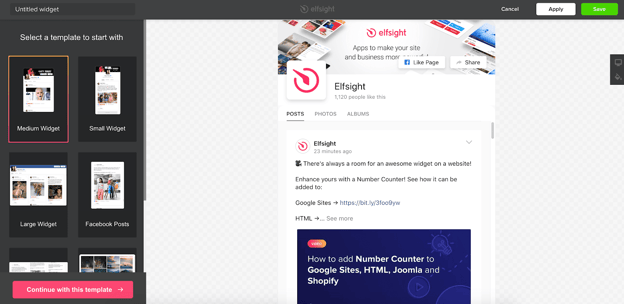
4. Next, click the “Connect to Facebook” button to connect your business’ Facebook Page with Elfsight. You can also click on the “Layout” tab to change the height and width of your widget.
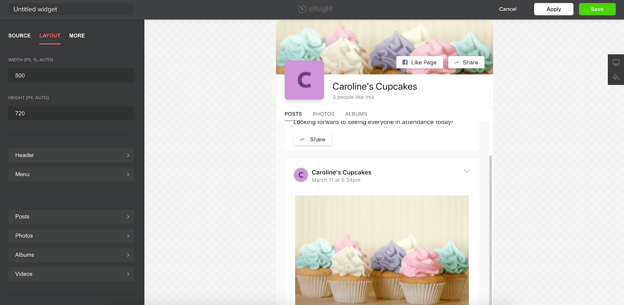
5. When you’re ready, click “Save”. A pop-up will appear that provides you with the code you need to embed your page on your Wix website.
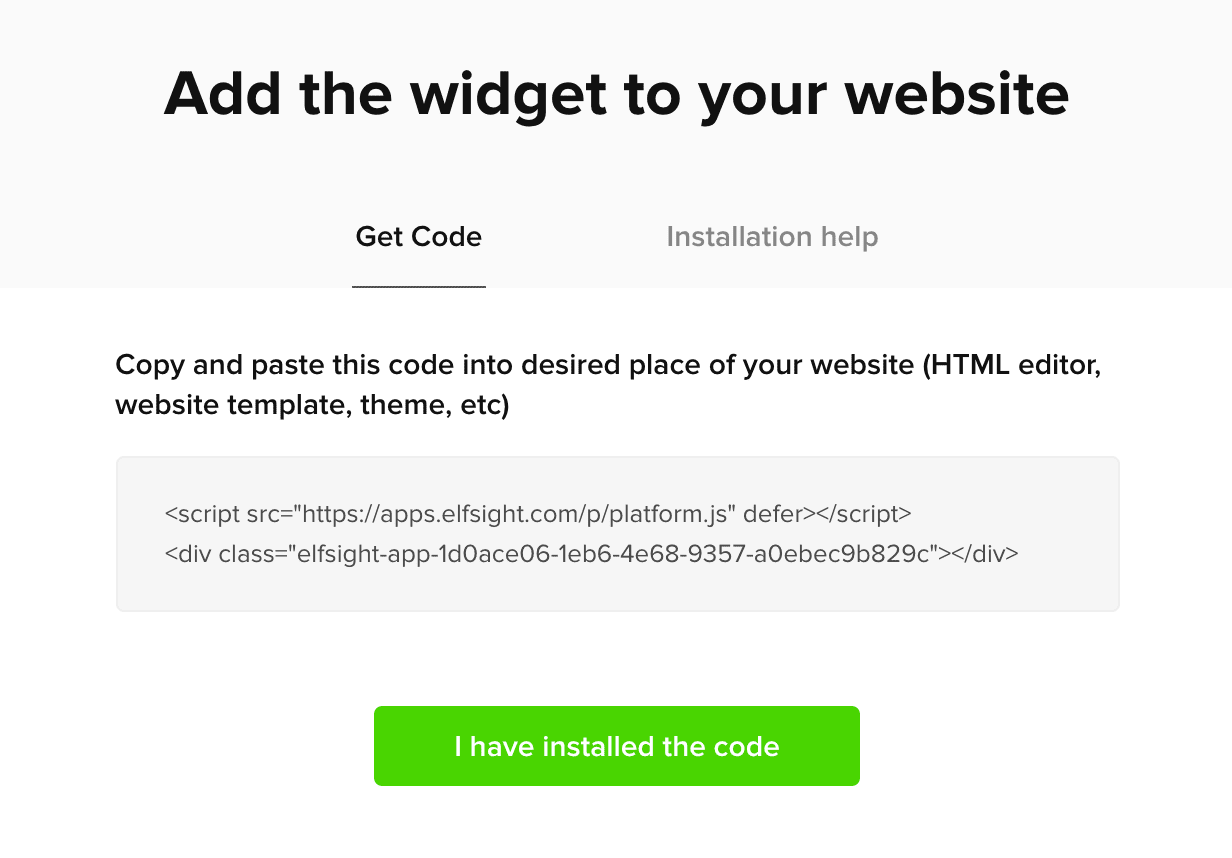
6. Now, open your Wix ADI and select “Add” at the top of your Wix page. Click “Section to Page”.
7. Choose “HTML Embed” in the navigation bar.
8. Now, click on the section design you prefer. Then fill in the title, subtitle, and paragraph. When you’re ready, click the blue “Settings” button on HTML.
9. Choose the embed type — in this case, you’ll want “HTML code”. Then, paste the HTML code you got from Elfsight into this section.
10. Finally, click “Publish” on your Wix page to add your Facebook feed to your live Wix site.
How to Embed Facebook Event Feed on Website
To embed a Facebook Event Feed on your website, go to the Page Plugin and paste your Facebook Page URL into the box. Then, type “events” into the Tabs section.
Now, click “Get Code” and copy-and-paste that code into your existing site using the steps outlined above.
 And there you have it! You’re now ready to embed any post, timeline, or event onto your website to increase engagement to your social pages.

Why P2P Marketing Might Be a Good Alternative to Influencer Marketing
To understand what peer-to-peer (P2P) marketing is, let’s start with an example.
Recently, I was looking for a new face moisturizer. Of course, I could’ve trusted the numerous influencers I follow on Instagram, all with strong opinions regarding the “best, most effective” options available.
But I wasn’t convinced these influencers had my best interest in-mind. Yes, most influencers’ (and micro-influencers) are successful because they promote valuable products. But they’re getting commission off those posts, too.
So I handled my problem the old-fashioned way — I texted my friends and asked what products they use.
This isn’t to say influencer marketing is ineffective. Quite the opposite: When done right, influencer marketing is a fantastic opportunity to expand your brand’s reach and increase sales.
But depending on your team’s budget, influencer marketing could be limiting. Plus, influencer marketing inhibits your brand from reaching those consumers who still trust their peers above all else.
Enter: P2P marketing.

Given 93% of consumers trust friends and family over all other influences (including review sites, blogs, and social media platforms), it makes sense why P2P marketing works.
And P2P marketing, a form of word-of-mouth marketing, isn’t new. People have been giving personal opinions about their favorite — and least favorite — brands, products, and services long before social media.
Some older forms of P2P marketing include Yelp, reviews on personal business’ websites, and good old-fashioned conversations between your consumers and their friends and family.
However, there are some new tools that help businesses leverage P2P marketing on a broader scale. Amazing Brands, for instance, helps businesses generate customer reviews and referrals, guarantee event attendance, or even increase in-store foot traffic.
The tool ultimately relies on the premise of P2P marketing, which is that there’s nothing more powerful than peer recommendations.
Other tools, like Higher Logic, work to establish a sense of community among existing consumers, and increase brand loyalty — a critical component of P2P marketing. (Since consumers won’t refer products or services towards which they don’t feel loyal.)
However, if you’re learning about P2P marketing for the first time, you might be wondering — why invest in P2P marketing, instead of more traditional forms of influencer marketing?
And what’s the difference, anyway?
What’s the difference between P2P marketing and influencer marketing?
Over the past couple years, influencer marketing has been one of the most popular and effective opportunities for brands to reach new audiences by leveraging those influencers’ built-in communities.
However, as mentioned above, consumers still trust their own peers more than anyone else. And influencers can often feel like celebrities to the general public — in fact, sometimes, they are actual celebrities, like George Clooney with Nespresso. This removes a level of authenticity you might be striving for as a brand.
Additionally, many small and medium-sized businesses can’t afford the typical influencer cost. Celebrity or macro-influencers charge between $3,000 and $500,000 for a single post — and while micro-influencers are undoubtedly cheaper, they can also charge upwards of $500 per post.
Ultimately, P2P is a form of marketing that can feel increasingly trustworthy and authentic through real, genuine reviews from peers who have no incentive to promote businesses they don’t care about.
To further explore the difference between P2P marketing and influencer marketing, let’s consider an example.
Jessica Alba’s business, The Honest Company, has a referral program in which they credit existing customers $20 for each invited friend who makes a purchase.
This is an example of P2P marketing.
Influencer marketing, on the other hand, refers to the influencers on Instagram (as well as other social platforms) who tag posts with #honestambassador, signifying the post is sponsored by The Honest Company.
These are both equally valuable marketing options, but they achieve different goals. The P2P marketing initiative (in this case, the referral program), aims to tap into The Honest Company’s existing consumers to reach new prospects.
The P2P program is likely more narrow in reach, but has the potential to convert more quickly than influencer marketing, since it’s leveraging the power of an existing relationship between customers and their friends or family.
The influencer marketing program, alternatively, is meant to spread brand awareness about Honest Company to a wider audience.
P2P marketing can take many different forms depending on your brand and business goals — including creating a referral program, encouraging reviews on your site in exchange for a small discount or prize, or organizing events meant to increase brand awareness to the larger community.
Ultimately, P2P marketing comes down to increasing the incentive for your consumers to share your product or service with friends and family, which is undoubtedly one of the best long-term strategies for success.


How 7 Brands Use Facebook Stories for Business
Whenever a new feature comes out on social media, I am usually a late adopter.
Back when Instagram launched Stories, a worthy Snapchat opponent, I thought, “Hm, I don’t know about this.” Perhaps it’s because change, even if slight, is uncomfortable or just because I’m naturally a cautious person.
But here we are a few years after its launch and I barely look at my newsfeed. Where am I? You guessed it, endlessly swiping through Stories.
The feature gained steam on Instagram but was then integrated on Facebook. Now, every brand with a Facebook Business Page has gained another marketing tool to reach users.
So, what exactly can you post on Facebook Stories? Get inspired by these eight brands.
Examples of Facebook Stories for Business
A Look Behind the Scenes
Back when Facebook only allowed brands to publish posts, brands were probably more selective about their content, knowing it would stay there permanently.
Now that Facebook Stories is here, brands can have a little bit more fun with what they post knowing the content will only be available for the next 24 hours.
That’s why behind-the-scenes content is perfect for Facebook Stories. It’s not necessarily important enough to be featured on the news feed but it can be a great way to create some buzz around an upcoming release. In this example, Woven Nook, a home decor company, posts a Story to tease an upcoming project. The Story allows the brand to create some anticipation around the project and also gauge the audience’s interest in this type of content.
Another important element in this Story is that it features one of the founders of the company. In recent years, studies have shown that consumers connect more with brands who pull back the curtains and show the faces behind the business.
Woven Nook could have posted the sneak peek without the founder. However, having a human featured in the image can leave a stronger impression than just a setting.
Polls and Surveys
Facebook Stories isn’t just another publishing channel, it also has great features that help brands connect with and engage their audience. Engagement is vital for building brand loyalty and understanding your consumers.
The better you understand them, the better equipped you are to deliver content that resonates.
The grocery delivery company Instacart hosted its own trivia game on Facebook Stories to test its audience’s food knowledge.

While this may not necessarily give the brand valuable insight into their audience, their engagement with the post may tell them a lot about the type of content their followers enjoy.
Want another way to use polls? Tie them to a product or service.

Alaffia posted a simple poll asking its audience about its product.
This accomplished two things at once: It introduced followers to a product they may not yet know and it had an interactive element that encouraged audience engagement.
User-Generated Content
One of the most popular uses for Facebook Stories is user-generated content (UGC). UGC provides what’s known as social proof, a psychological phenomenon where we tend to look to others for guidance on what to do.

Adjourn Teahouse leverages UGC to show the various ways in which consumers use its products. Because of the Facebook Stories repost feature, the brand can fill its Stories with content already created by others, saving both time and money.
One thing to note is that because Facebook now owns Instagram, you can repost another user’s Instagram content to your Facebook Stories – something that’s not available between other social media platforms.
The brand Curls uses this same approach to promote its products.

What brand doesn’t love free promotion? This type of UGC helps brands gain credibility and earn new customers.
Direct to Website Traffic
Have an article on your website you want your Facebook followers to read? Take advantage of the “‘See More” feature on Facebook Stories.  Blavity, a news and media company, often uses this feature to lead Facebook users to its blog posts.
While this brand mostly directs traffic to its blog posts, businesses can use this feature to lead their followers to landing pages, product pages, or any other webpage.
What’s great about this tool is that it makes it easy for users to navigate to other channels from the brand without ever leaving the Facebook platform.
Giveaways
If you’re hosting a giveaway, you’ll likely create a Facebook post so that users can access it beyond the 24-hour window. However, it’s important to promote the giveaway on other channels to give it more visibility.
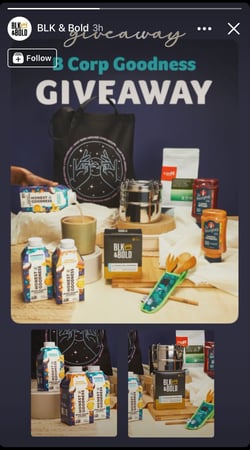 Note how beverage company BLK & Bold promoted its giveaway on Facebook Stories. Instead of posting all of the giveaway details, like the rules and eligibility requirements, the brand highlighted what its audience is most excited most: the giveaway itself.
If your giveaway is hosted on another social media platform – say Instagram or Twitter – you can still promote it on your Facebook Story and use the “See More” feature.
There’s no right or wrong way to post on Facebook Stories. It’s all about finding what stories resonate best with your audience.
Every Story you post is an opportunity to connect with your audience and learn more about them.
While some of these strategies may not work for your brand, they’re worth trying out. Because even stories that don’t perform well give you as much insight as those that do.

7 Tips for Designing a Social Media Page That Stands Out
At least once a month, I discover a new brand and take a quick peek at their profile. Within a few seconds, I decide if I’ll hit that “follow” button or exit the page.
In those few seconds that I’m assessing the brand’s profile, I’m asking myself two questions: Is their content visually appealing and am I interested in the type of content they will be posting?

I’d bet many social media users take a similar approach. This is why social media design is an instrumental part of your social strategy. So much of social media is about perception and design plays a big role in determining that.
How can you make sure your design attracts the right audience? We’ll cover that and more below.
Nowadays, social platforms are often the first place consumers discover brands. As such, making a great first impression is the first step to building a robust social media presence.
Your social media design will also impact your brand perception. Every post you create and publish tells a story and contributes to your brand image. You want to make sure that story aligns with your overall messaging and builds a connection with your audience.
This is particularly important on platforms that prioritize visuals, like Instagram, TikTok, and Facebook. But you’ll still need to make sure your designs are consistent on all platforms.
What to Consider For Social Media Post Designs
Before you start working on your design, you’ll want to consider a few things. The first is your brand identity – your social media platform will be the visual representation of it, so you and your team must have a clear idea of what it is.
The next step is conducting market research to understand your audience. Questions to answer include:
- What are they looking for in a brand?
- What are their values?
- What are they interested in?
- What are they concerned about?
- What do they like to see on social media? What do they like to see on X platform?
This will serve as your frame of reference to drive your design approach.
You’ll then want to look at your competition’s designs. While you have your unique approach, it’s useful to know what visual strategies they’re using and how consumers are responding. The more information you have, the better equipped you will be to design creative assets that resonate with your audience.
Tips For Designing Social Media Posts
1. Aim for consistency and cohesion.
Consistency is key when designing your social media page. Why? Because it helps with brand recognition.
Imagine if every time you saw a brand, they changed their brand colors and logo. You would probably confuse it for another brand or forget it altogether. Brand recognition is important for building trust and loyalty with your audience.
Beyond posting regularly, consistency on social media also means sticking to a visual theme. Is it dark and moody or light and airy? Do you want your page to evoke calm, excitement, balance, focus, or something else?
Whatever your answers are to those questions should be reflected in a cohesive design. One way to do this is by using the same filter or editing style on all of your images to ensure they all fit within your branding.
2. Use colors to mirror your brand identity.
It’s no surprise that colors affect how consumers perceive your brand. That’s why popular food brands are usually associated with the colors red and yellow, and financial institutions with blues.
There are a few ways to incorporate color into your social media design. The first is in your templates. If you plan to use templates when posting graphics, you’ll want to incorporate your colors to increase your brand recognition.
For your images and videos, you can also highlight certain colors to stand out.
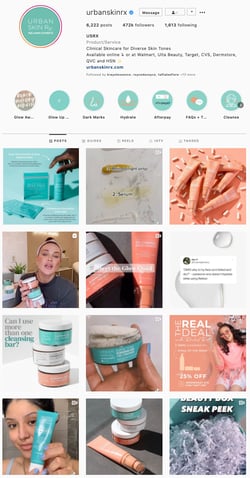
In the example above, Urban Skin consistently uses two main colors in its design: peach and turquoise. While they may have other colors in their images, these two are always front and center.
Another strategy is designing your social media posts to align with a particular theme and color. For instance, let’s say you’re a fashion brand and you’re planning February content. Given the association of February with Valentine’s Day and the color red, you could build your creative assets around that theme for the month.
3. Use social media design templates.
If you want to scale your social media strategy, you’ll likely need to have templates.
They’re a huge time saver and ensure consistent branding. Platforms like Canva make it easy for teams to create and share templates that have been approved by the branding team and align with your strategy. Jump to that section [here].
Be sure to have a diverse set of templates that can be used for various content types, such as infographics and videos. For instance, this brand Mateo New York likely uses templates that produce a sleek and attractive layout that stays consistent.
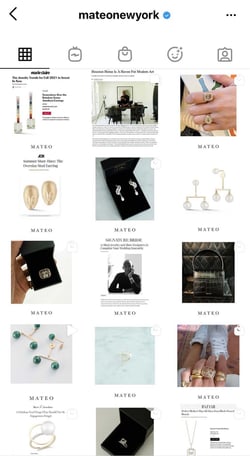
4. Adapt your design to the platform.
Every platform has different sizing and content guidelines.
For example, Instagram Reels are formatted to be viewed on smartphones, which means videos must be filmed in portrait orientation. Facebook, on the other hand, is formatted for landscape videos – similar to YouTube.
For videos in particular, you want to avoid having content with black sidebars, as that isn’t visually appealing.
Beyond sizing, you also have to consider which platforms are appropriate for certain designs. For instance, an infographic probably wouldn’t do well on Twitter. Breaking that content down into a text thread is a better strategy.
Following these guidelines will make your content more likely to perform well.
5. Follow design best practices.
The main goal of your social media design is to create visually appealing content that captures your audience’s attention and encourages them to engage.
While several factors influence this, there are general design rules that are known to create appealing visuals. The first is white or negative space, which is when an area in your frame is left empty. Using white or negative space helps draw the eye to what you want your audience to focus on.
Yvonne Koné uses white space in its social media design, which reflects the brand’s simplistic and minimalist identity.
Here are a few other design principles you’ll want to consider when developing your creative assets:
- Hierarchy – Arranging your visual elements by order of importance. You can do this by playing around with sizing, contrast, space, and other elements.
- Balance – Having equal visual weight in an image, which creates harmony, like in this example.
- Contrast – Putting elements with opposite colors, sizes, or textures to make them stand out.
6. Don’t forget about your profile.
While the main focus will be on your social media posts, don’t forget to design your social profiles.
Your profile picture, cover photo, and other visual elements should be a top priority when designing your social media. Here are some tips to follow:
- Be sure to use the same profile picture, i.e. your logo, on all social platforms.
- Use a cover photo that aligns both visually and contextually with your brand.
- Only update your profile to highlight events or holidays that are important to your brand. For instance, some brands add a rainbow pride flag to their logo in June in solidarity with the LGBTQ community.
7. Rely on creative professionals.
Your social media design will only be as good as your investment.
When it comes to images and illustrations, it’s worth consulting professionals who specialize in creating high-quality content. They can guide you through the creative process and make suggestions that will elevate your design.
If your team cannot invest in a full-time creative, consider independent contractors. With this approach, you can work on a project-by-project basis and experiment with different designers.
How To Find Social Media Design Templates
If your team wants an easy way to source templates, there’s a cost-effective way to do so without sacrificing quality. Many online branding companies offer customizable templates that have been designed by professionals. Here are a few to consider:
1. Canva
Canva is a graphic design platform with over 250,000 free templates available for personal and commercial use.
In addition to templates, Canva also has an extensive stock library with photos, animations, and videos for brands in any industry. The platform is free for individual users and has professional and enterprise options for larger companies, with pricing going up to $30/month.
2. Lucidpress
Lucidpress is a brand templating platform that makes it easy to create everything from social media posts to ebooks.
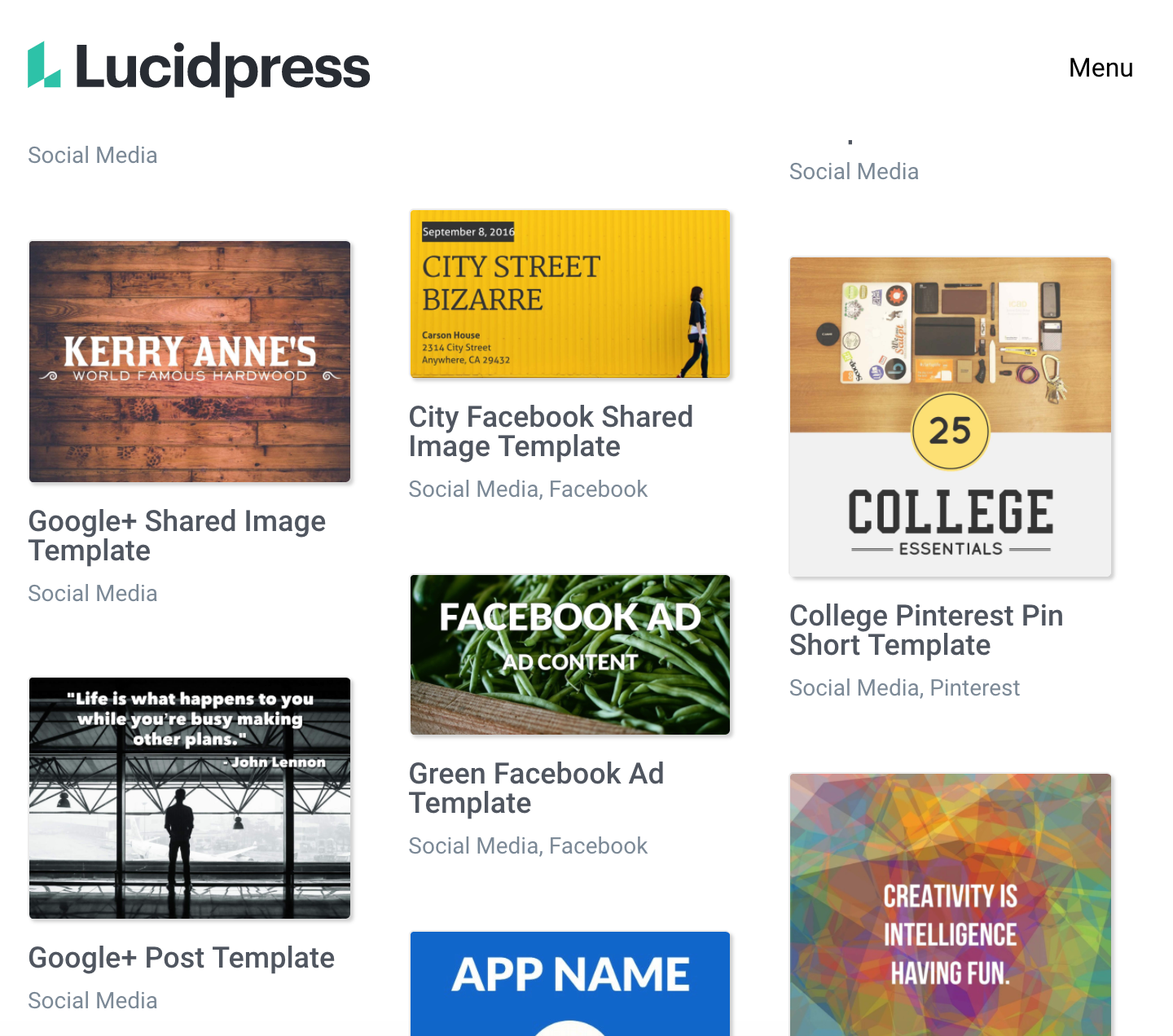
The platform is free to start using. To gain access to unlimited templates, pricing starts at $10 a month and can go up depending on your business needs.
Your branding doesn’t stop at your logo or website. It also extends to your social media. By investing time to develop a brand-specific social media design, you will get one step closer to connecting with your target audience.

10 Best Video Editing Software Tools for YouTube
People watch almost 5 billion videos every day on YouTube. It’s no wonder content creators choose this channel to share their ideas, products, and skills — they know there’s potential to earn a great following and potential customers. Given the multitude of videos that live on the platform, it’s important to make yours stand out if you want the same.
The quality of your video will rely on your filming equipment and the editing software you use. A video with high resolution, proper lighting, and seamless video editing will set the foundation for masterful and professional-looking content.
To help you accomplish this, we’ve created a list that features the best (free and paid) video editing tools on the market. All of these tools make it possible for you to create engaging, standout content for the world’s most popular streaming service.
![→ Free Templates: How to Use YouTube for Business [Download Now]](https://no-cache.hubspot.com/cta/default/53/b33cfd44-133a-49e3-a943-086c5679d485.png)
1. Shotcut
Shotcut, a free open source video editor that is available for Windows, Mac, and Linux, offers a variety of impressive features comparable to Windows Movie Maker. For instance, the tool allows you to cut video footage to a certain length before converting it, and offers filters and effects to make your video look sleeker. Shotcut can handle streaming in a variety of formats, ranging from HTTP to RTSP and UDP.
While the interface is minimalist, the tool is actually very comprehensive, and all of its video and audio filters are fully customizable. Best of all, you can add, remove, or alter your changes at any time, since editing on Shotcut is non-linear; or able to be edited out of chronological order.

Price: Free
Available for: Windows, Mac, and Linux
2. VSDC Free Video Editor
VSDC allows you to either import existing clips or record directly from your webcam, making it an excellent option for YouTube vloggers. The interface is simple, and the tool provides options to apply “Instagram-like filters”, voiceovers, titles, shapes, and other impressive visual and audio effects. Additionally, VSDC lets you export straight to YouTube or another social network.
It’s important to note, if you want to export your videos from the free version, you’ll select the cog icon in the top right, click “Acceleration options” and then uncheck the box marked, “Use hardware acceleration for encoding video”.
Price: Free, or $19.99 for Pro Version
Available for: Windows
3. DaVinci Resolve 15
Matti Haapoja, a YouTuber with a channel that focuses on the filmmaking process, reviewed this tool and compared it in quality to Final Cut Pro and Premiere Pro (unlike those programs, DaVinci Resolve 15 is completely free). DaVinci Resolve 15 provides tools for both offline and online editing, color correction, post-production audio effects, and visual effects. Additionally, the software lets you collaborate with others during the editing process, which could be particularly helpful if you have multiple video editors on your team.
Best of all, DaVinci Resolve 15 offers impressive features to help your video rank for SEO — for instance, you can use Smart Bins to automatically sort and display footage based on metadata criteria (you can also sort manually). Additionally, you’re able to enter custom keywords and tags.

Price: Free for DaVinci Resolve 15, or $299 for DaVinci Resolve 15 Studio
Available for: Windows, Linux, Mac
4. LightWorks
If you’re looking for an extensively customizable, professional software, then look no further than LightWorks. While it’s available for free trial, investing in this software will offer a much more extensive user experience. LightWorks offers media production features that you can use to edit film nonlinearly, with over 100 special effects. Not only that, it has support for up to 4K resolution and is compatible with both HD and SD formats. Users can also enjoy a range of royalty-free audio and video content suitable for YouTube’s copyright guidelines. The software features new social media templates for smooth transitions, thumbnails, and more that can prove beneficial for uploading to many different channels.

Price: Free, $24.99 monthly or $174.99 annually for full access
Available for: Mac, Linux, Windows
5. Magisto
Magisto is a software that simplifies video editing for those intimidated by more technical processes. Designed for novice and beginner video editors, this interface uses AI to create video content in minutes. Users only have to upload footage and audio files and the software does most of the work based upon the style of video requested. Editors can use its professional auto-editing abilities that include facial recognition, filters, and more on a PC or smartphone. Magisto’s easy-to-use streamlined process is an efficient way to create videos for business at scale on iOS and Android devices.
Price: Free for basic plan, $4.99 to $34.99 monthly
Available for: iOS, Android
1. Wondershare Filmora9
Referred to as “a video editor for all creators”, this tool is incredibly easy to use whether you’re a novice video editor or a professional. With Filmora9, you’re able to use filters, overlays, transitions, and custom titles to spruce up your content for YouTube and engage your audience.
Additionally, the tool offers audio features for key-framing and background noise removal, as well as an audio equalizer. If you have multiple clips you’re hoping to combine into one cohesive video, this is a good tool for you — it allows you to import up to 100 layers of media and offers features so you can layer your clips.

Price: Free trial, $59.99 one-time fee or $44.99 annually
Available for: Windows, Mac, or app version for iOS or Android
2. Premiere Pro
Premiere Pro is one of the highest-quality video editor tools you’ll find. Used by Hollywood filmmakers, TV editors, and YouTubers, the software offers all the creative features you need to craft polished videos. Premiere Pro provides features for color grading, data visualization, and audio tools to remove background noise. Additionally, Premiere Pro now comes with Premiere Rush CC, which is an app you can use to edit footage on your phone, then share directly to your social networks, including YouTube.
Leticia De Bortoli, a HubSpot Senior Video Editor, shares what takes her videos to the next level. She uses Premiere when editing her team’s videos, as well as Audition for sound, and DaVinci for color correction. Bortoli cites this software, great lighting, and audio tools as the secrets to her sharp videos.
Price: As a standalone app, Premiere Pro is $239.88 per year
Available for: Mac, Windows
3. VideoStudio
VideoStudio is an excellent video editing software that is intuitive even for the beginner editor. This software has all the standard features to storyboard and sound editing for footage up to 4K. Users can benefit from VideoStudio as it has individual auto movie creator features like Highlight Reel creator to assist in simplifying the editing process. Starting your YouTube channel with the help of VideoStudio would be a smart way to build your content.
Price: One time payment of $59.99 to $79.99 depending on package
Available for: Mac, Windows
4. Pinnacle Studio 24
Pinnacle Studio 24 is an editing software that is made for video enthusiasts looking to build unique and eye catching content. Not only does this software offer high end features like fast rendering performance, motion tracking, and color correction, but it can support 360 camera and VR footage in its Studio Ultimate package. Pinnacle’s range of effects goes beyond previously mentioned softwares by letting users create frame by frame edits for enhanced masking or warping of footage for astonishing visual effects. Dynamic features aside, it can also simplify screen recording or multi-camera editing perfect for a variety of YouTube series formats.

Price: One time payment of $59.95 to $129.95 depending on package
Available for: Windows
5. CyberLink PowerDirector 365
Users who subscribe to PowerDirector can enjoy video and audio software with new effects, music-samples and general improvements added monthly. The difference between this software and others is that this editing software offers you features similar to Photoshop, for your recordings. You can enjoy creating vector shape designs in the same interface used for desirable YouTube titles and transitions in the same interface as where you edit frames of footage. While there is a learning curve with CyberLink PowerDirector, the possibilities are endless when you begin.
Additionally, David Guerrera, a HubSpot Senior Video Creator and Animator, mentioned the YouTube channel Film Riot for further inspiration when making unique videos with powerful software. “Film Riot is a great resource for filmmakers of all skill levels who are looking to learn new techniques to use on their next low budget or big budget video project.”

Price: $19.99 monthly and $69.99 annually
Available for: Mac, Windows
Ultimately, you’ll need to choose a software that works for your team and your budget, but creating high-quality YouTube videos doesn’t have to break the bank. In fact, you can find plenty of tools that are either free or fall under $100.
The hardest part about starting a YouTube channel is, starting. There’s a lot of competition on the platform, but there are ways to break through the noise. Building a channel with videos featuring smooth video editing, high-resolution picture and clear audio recording will set the standard for your channel’s success.

Editor’s note: This post was originally published in March 2019 and has been updated for comprehensiveness.

17 Tools & Resources for Conducting Market Research
We are creatures of habit, especially when it comes to buying behavior. We know the location of our favorite products in the store, and we trust that they’ll work year after year. According to McKinsey, nearly 3 out of 4 Americans stick with the same brand — and 8 out of 10 stay with the same retailer.
People don’t like change. It’s a battle to get someone to switch to an unknown brand, especially during times of crisis.
When a client wants to launch a new product, get into a different market, or open a new store location, the odds are stacked against them. It’s commonly known that most product launches are destined to fail — and that’s because they do.
![→ Download Now: Market Research Templates [Free Kit]](https://no-cache.hubspot.com/cta/default/53/6ba52ce7-bb69-4b63-965b-4ea21ba905da.png)
In part, we can blame lack of research for why there are so many unsuccessful product launches and ill-conceived new feature additions. Founders and brand managers “know” it will be successful — they run on their instincts, not the facts. (It was this instinct that led Clairol to release Touch of Yogurt Shampoo, which some people thought was a breakfast food option.)
Finding out if a product will be successful beyond the initial curiosity is just good business. With market research, you determine whether the opportunity exists, how to position the product or service, or what consumers’ opinions are after the launch.
If you’re sensitive to the high costs of failure and need to gather facts and opinions to predict whether your new product, feature, or location will be successful, start by investing in market research using these tools and resources.
Featured Resource: Market Research Kit
Helpful Market Research Tools & Resources
1. Think With Google Research Tools
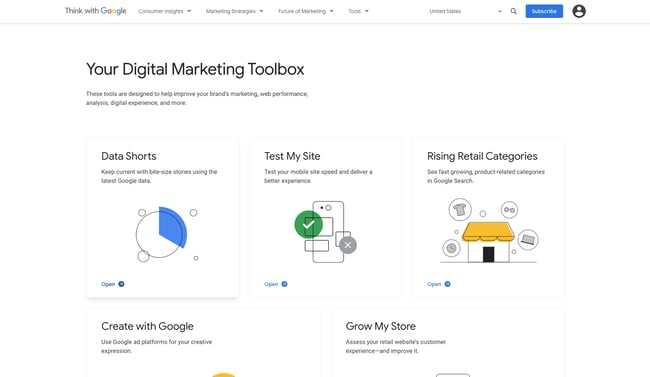
Wish you had information on your product’s likelihood of success? Think With Google’s marketing research tools offer interesting insights on whether anyone is looking for your product (Google Trends), which markets to launch to (Market Finder), and what retail categories rise as the months and seasons pass (Rising Retail Categories).
If you’d like to market your product through YouTube, the Find My Audience tool allows you to investigate what your potential viewers are interested in and what you should discuss in your brand’s YouTube channel.
Pricing: Free
2. Census Bureau
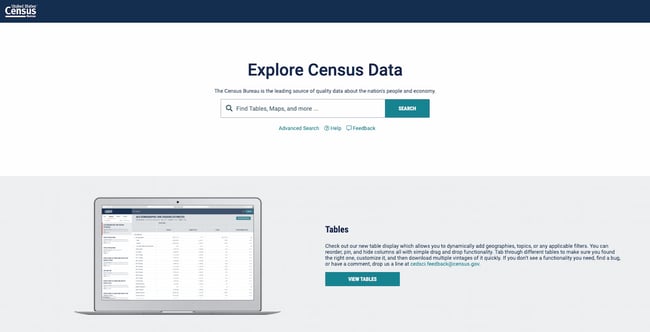
The Census Bureau offers a free resource for searching U.S. census data. You can filter by age, income, year, and location. You can also use some of its shortcuts to access visualizations of the data, allowing you to see potential target markets across the country.
One of the best ways to use this tool is by finding the NAICS code for your business, then accessing the Tables tool, then clicking Filter on the sidebar and searching for your industry. Easily find out where your target industry is most popular — or where the market has been oversaturated. Another helpful tool is the Census Bureau Business and Economy data, where you can also target premade tables depending on your industry.
Pricing: Free
3. Make My Persona
Make My Persona is a proprietary tool that allows you to create a buyer persona for your potential new product. Defining who might benefit from your product is key to marketing it in an effective way. In this tool, you pick a name for the persona, choose their age, identify their career characteristics, and identify their challenges, allowing you to pinpoint both demographic and psychographic information.
This tool is most suited for B2B product launches, because you’ll be prompted to document your buyer persona’s career objectives and role-specific challenges. As such, your product would ideally solve a problem for them in the workplace or help their company achieve revenue goals.
Pricing: Free
4. Tableau
Tableau is a business intelligence suite of products that allows you to “connect to virtually any data source.” But the data isn’t presented in unreadable tables. Rather, Tableau helps you visualize this data in a way that helps you glean insights, appeal to external stakeholders, and communicate the feasibility of your product to potential investors.
You can visualize data on anything from corn production in tropical climate zones to office product sales in North America. With Tableau’s tools, you can take as granular or as general a look you’d like into potential marketplaces and supplier regions.
Pricing: $12/user/month (Tableau Viewer); $35/user/month (Tableau Explorer); $70/user/month (Tableau Creator)
5. Statista
Statista is a data visualization website that takes data from reputable reports across the web and makes them easy and digestible for researchers, marketers, and product creators just like you.
It helps you find even the most specific data relating to your industry. Are you planning on launching a new video game and want to know how many hours people spend playing video games? There’s a chart for that.
One neat aspect of using Statista is that the same chart is updated as the years pass. Say that you want to allude to the value of the beauty market in your proposal. If your investor accesses that same graph a year from now, it will reflect updated numbers, as Statista always finds the most recent research to update their visualizations. (Note that Statista doesn’t carry out original research.)
Pricing: Free; $39/month (billed yearly); $1,950 (one-time 30-day access)
6. Claritas MyBestSegment
Claritas MyBestSegment provides product researchers with tools to understand an area’s demographic information and the area’s inhabitants’ lifestyle habits. By finding out what a segment of the population does — without having to go out and survey them — you can find out which areas would be most receptive to a campaign or launch, which competitors are located nearby, and which lifestyle trends have shifted or are on the rise.
A snapshot of an audience segment gives you basic information on their household income, lifestyle traits, employment levels, and education levels. If you want more specific data relating to these topics, you’ll have to contact Claritas’ sales team to become a customer.
Pricing: Free; Pricing available on request
7. SurveyMonkey
SurveyMonkey is a powerful tool for creating in-depth market research surveys that will help you understand your market and consumer preferences.
With this tool, you can create targeted, uber-specific surveys that help you collect answers that pertain specifically to your product. While using a data source can give you a general overview of your target audience and market, SurveyMonkey can help you get more granular insights from real consumers.
SurveyMonkey offers dedicated market research solutions and services, including a global survey panel, a survey translation service for international research, and a reporting dashboard option that allows you to easily parse through the results.
Pricing: Free, $32/month (Advantage Annual), $99/month (Premier Annual), $99/month (Standard Monthly); $25/user/month (Team Advantage, minimum 3 users), $75/user/month (Team Premier, minimum 3 users), Enterprise (Contact for pricing)
8. Typeform
Like SurveyMonkey, Typeform allows you to run research surveys to get direct answers from your target consumers. It’s an easy-to-use, mobile-optimized form-builder that’s great for market research.
Typeform’s distinguishing factor is that it shows viewers one form field at a time. In its templates, it encourages a more conversational, casual approach (like in its market research survey template). This makes it a better fit for product launches that target a younger demographic. If you’re targeting C-suite executives at established firms, consider a more formal option such as SurveyMonkey or keeping your tone more formal in your questions.
You can create a wide range of question types, including multiple choice questions, short-form questions, and rating scale questions. Other features include the ability to recall answers from previous questions and create logic jumps.
In a survey, you’d want to collect both demographic and psychographic information on your customer, seeking to understand their purchasing behaviors and the problems they encounter. The goal is to find out if your product is the solution to one of those problems — and whether, before launching, you should add more features or rethink your product positioning strategy.
Pricing: Free; $35/month (Essentials); $50/month (Professional); $70/month (Premium)
9. Upwave Instant Insights
Upwave Instant Insights is a consumer research tool that’s part of the Upwave brand marketing platform. While it isn’t advertised as a survey creation tool, it allows you to launch market research surveys specifically to get consumer insights.
Instant Insights allows you to target audiences on Upwave’s partner ecosystem and visualize the data for easy scanning by key stakeholders and investors. One pro of using this platform is that Upwave distributes your survey to real people — not just people taking surveys for the money, which could skew the results.
To create a survey, you sign up on the Upwave platform, click your name in the upper right-hand corner, and click “My Surveys,” where you can create as many surveys as you want. For the Basic option, you have a 6-question limit, while the Advanced option allows you to include unlimited questions.
Pricing: $2/study participant (Basic); $3/study participant (Extended); $4/study participant (Advanced)
10. Loop11
Loop11 is a user experience testing platform that allows you to test the usability of your website, study user intent, test the information architecture of your site, and examine how the user experience changes based on the device they’re using.
This tool is useful for market research because you can find out whether your target consumers find your site easy to navigate. You can also identify snags that prevent conversions.
Loop11 tests your site by making users perform tasks. They then complete a short question about how easy or difficult the task was to complete. Your product may be phenomenal, but unless consumers can buy it through your site, you won’t launch it successfully.
You can use Loop11’s participants or bring in your own.
Pricing: $63/month (Rapid Insights), $239/month (Pro), $399/month (Enterprise)
11. Userlytics
Like Loop11, Userlytics allows you to test the usability of your website, mobile app, and site prototype. You can target different devices, define a buyer persona, and disqualify participants based on screening questions.
Testing is based on tasks that your test-takers carry out. They then answer a simple question about the difficulty of the task. You can structure the question in various ways; you can leave it open-ended, provide multiple choices, or ask for a rating. Other formats you can use include System Usability Scale (SUS) questions, Net Promoter Score (NPS) questions, and Single Ease Questions (SEQ).
Userlytics performs both a webcam and a screen recording. You can compare the user’s answers with their reactions on video to understand how they feel when they’re interacting with your assets.
12. Temper
Sometimes you need a no-frills test to take the pulse of consumers. Temper allows you to create a question, grab a snippet of code, and pop it onto your website. The smiley face, “meh” face, and frown face make it easy for viewers to make a snap judgment.
One great way to use this tool is by adding the widget on a blog post announcing the launch of your new product. That way, you can find out general sentiment on the product before launching it. You can also add it to a product page, an email, or a landing page.
When you include the widget, you can change the question to something that’s tailored to your offerings.
Pricing: $12/month (Hobby), $49/month (Pro), $89/month (Business), $199/month (White Label)
13. NielsenIQ
NielsenIQ is a retail and consumer intelligence consultant that works with you to collect consumer insights, identify the best distribution channels for your product, and create a range of products that addresses the needs of your target buyers.
This service helps you look at your product launch from all angles and delivers forecasting data that predicts how your sales will perform upon launch. NielsenIQ can also run consumer insights surveys on their list of panelists and partners.
Because it operates like a consultant and not as a self-service software, NielsenIQ is a better option for established firms with a bigger product launch budget.
Pricing: Pricing available on request
14. Ubersuggest
Ubersuggest is a simple tool for doing keyword and content research. You can input a phrase, and it’ll create a list of keyword suggestions. You can also see top performing articles and pages so that you get an initial understanding of the type of content that ranks for the keywords.
This tool is useful for market research because you can see who your top competitors are, how often your product is searched for, and whether there’s enough space in the market for the type of product you’re launching. You can also find out the questions your target audience asks in relation to the product. Each of these questions can be turned into a blog post that can inform your audience, increasing your brand authority and driving conversions.
Alternatives to Ubersuggest include Moz, Ahrefs, and SEMRush.
Pricing: Free; $29/month (Individual); $49/month (Business); $99/month (Enterprise / Agency)
15. Pew Research Center
From economic conditions, to political attitudes, to social media usage, the Pew Research Center website has a ton of free research that you can use to better understand your target market. Best of all, the site has interactive articles that allow you to filter and sift through the data for more granular, targeted insights.
Topics include U.S. politics, digital media, social trends, religion, science, and technology.
Pricing: Free
16. BrandMentions
BrandMentions is a social media monitoring platform that can help you understand what your prospective customers are buzzing about online. Search for a keyword, and BrandMentions will show you recent social posts that contain that keyword, along with the context of its usage. After subscribing to the platform, you can also get sentiment analysis on the keyword.
You’ll also get other metrics such as Reach (how many people view the keyword per day), Performance (how many people engage with the keyword per day), and Mentions by Weekday (when people are mentioning the keyword).
You can use this tool for market research by finding out when people are looking for your product on social media sites. When you start announcing the new product, you can use insights from this tool to post about the launch at exactly the right time. It also allows you to find out how people are generally feeling about the type of product you’re launching. That way, you can better refine the tone of your campaigns.
Pricing: $99/month (Growing Business); $ 299/month (Company); $ 499/month (Enterprise/Agency)
17. Qualtrics Market Research Panels
Qualtrics takes the pain of finding respondents for your market research surveys through an online sample service. After identifying your target audience, you can go to Qualtrics for access to a representative sample. You can either use your chosen survey software or use Qualtrics’ built-in platform for insights and feedback.
Pricing: Pricing available on request
Conduct Market Research for a Successful Product Launch
Conducting market research is essential to successfully launch a product to market. With the tools we’ve shared, you can find out who’s looking for your product, why they need it, and how you can better market it upon launch, ensuring that it’s a success.
Editor’s note: This post was originally published in April 2016 and has been updated for comprehensiveness.

61 Best Free Online Courses For Whatever You Want to Learn
Benjamin Franklin once said, “An investment in knowledge always pays the best interest.”
That’s never been truer than it is today. With new technology emerging at breakneck speeds, there’s a palpable pressure to continuously upskill.
Whether you want that job promotion or to sidestep into a new field, you’ll need to commit to learning new skills.
However, learning new skills can be both time-consuming and challenging. In fact, according to Josh Kaufman, international bestselling author of The Personal MBA, it takes 20 hours to go from knowing nothing about a particular subject to being pretty good at it. Of course, if you want to become an expert — well, that takes even longer.
Blog posts and podcasts are great starting points for exploring a particular topic. But online business courses will provide you with the time and space you need to go deep and truly master a new skill. Plus, most courses are made up of on-demand videos and exercises that you can progress through at your own pace.

Below, we’ve gathered 61 of the best free online business courses. These cover the main business skills you’ll need to advance in today’s rapidly changing workplace — from digital marketing and coding to selling, leadership, and more. Keep reading to become an expert in whatever subject you feel can best help you succeed.
If you’d prefer, click on one of the following topics to jump straight to courses regarding that topic in particular:
- Fundamental Marketing
- Content Marketing
- Social Media Marketing
- Email Marketing
- SEM
- Sales
- Ecommerce
- Coding & Developer Courses
- Personal & Professional Development Courses
- Design
- Business & Finance
Free Online Courses
Fundamental Marketing Courses
1. Inbound Marketing Certification by HubSpot Academy
Length: 4:12 Hours
From attracting leads to engaging prospects and delighting customers, this course covers the fundamentals of what inbound marketing is all about.
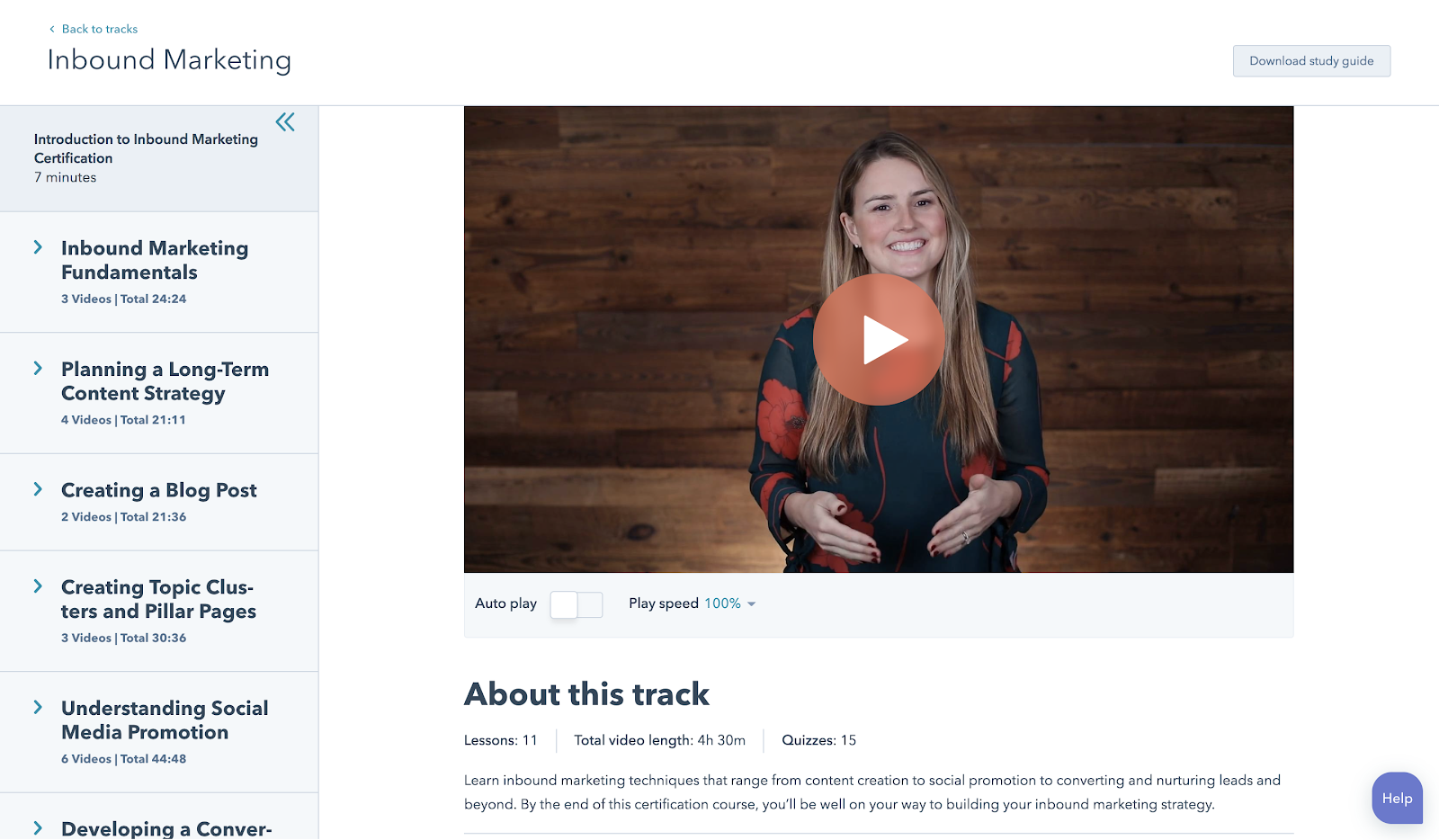
2. Marketing Fundamentals: Who Is Your Customer? by EdX
Length: 4-6 Hours / Week (4 Weeks)
Discover how to acquire the right customers and grow your business.
3. Build Your Web Presence by Google Garage
Length: 40 Minutes
Learn the basics of websites, local business listings, review sites, social media, mobile apps, and more.
4. Google Analytics for Beginners by Google
Length: 4-6 Hours
This course shows new Google Analytics users how to create an account, implement a tracking code, and set up data filters. You’ll learn how to navigate the Google Analytics interface and reports, and set up dashboards and shortcuts.
Content Marketing Courses
5. Content Marketing Certification by HubSpot Academy
Length: 6:20 Hours
Power your business with remarkable content. This course will teach you how storytelling, content creation, repurposing, and promotion come together to build a content marketing machine that grows your business, and your career.
6. Viral Marketing and How to Create Contagious Content by Coursera
Length: 4 Hours
Ever wondered why some things become popular, while other things don’t? This course explains how things catch on, and can help you apply those ideas to become a more effective marketer.
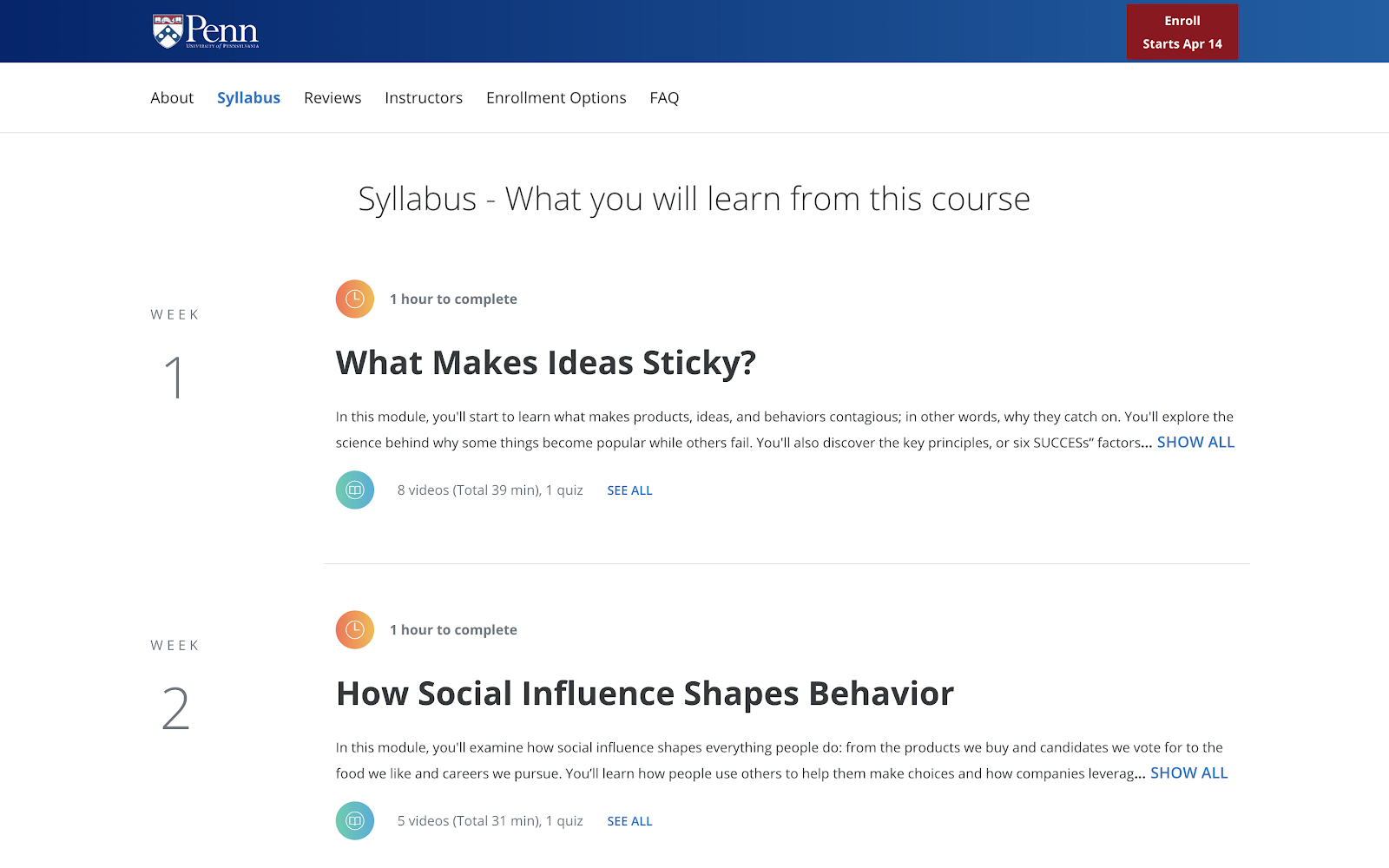
7. Business Blogging by HubSpot Academy
Length: 1:57 Hours
Business blogging is more than just writing and publishing content in the hopes you’ll attract customers. In this course, you’ll learn how to craft a blogging strategy that drives business growth, create quality blog content that customers love, and build a guest blogging strategy that’s powered by SEO.
8. Online Video Marketing Course by HubSpot Academy
Length: 2 Hours
This online video marketing training will teach you how to get started with online video marketing to better attract, engage, and delight your audience.
Social Media Marketing Courses
9. Social Media Course by HubSpot Academy
Length: 5 Hours
This course provides you with everything you need to build a social media strategy — including tools to help you attract new customers, build loyalty, and shape a positive conversation around your business. The course is free, but it’s $199 to take the exam.
10. Introduction to Social Media Strategy by Skillshare/Buffer
Length: 45 Minutes
Whether you’re looking to foster brand awareness, increase website traffic, or drive sales, this course can teach you how to craft a social media strategy to achieve your goals on Facebook and Twitter. From finding your voice to paid advertising, Brian Peters (Digital Marketing Strategist at Buffer) walks through his process for custom social strategies.
Note: Skillshare offers community members 14 days of Skillshare — you’ll need to sign up as a member to access the class for free.
11. Facebook Blueprint by Facebook
Length: Various
This huge resource of free, self-paced social media classes will cover best-practices and top strategies used by some of the world’s largest brands.
12. YouTube Marketing by HubSpot Academy
Length: 1:20 Hours
HubSpot’s course in YouTube Marketing is an in-depth, expansive set of tools and lessons that offer successful strategies to grow a monetizeable, optimized YouTube channel.
13. Video Storytelling for Social Media by Social Creators
Length: Self-Paced
This crash course is set up like a challenge. The goal? Help you make high-quality videos with your iPhone or Android device so you can start vlogging and share engaging videos on your social media accounts.
14. Developing an End-to-End Facebook Marketing Strategy by HubSpot Academy
Length: 1:18 Hours
Facebook is a huge platform, ripe with marketing opportunity…and can be confusing. Learn how to develop an effective marketing strategy using Facebook that covers all the bases.
15. How to Build an Advanced Twitter Strategy by HubSpot Academy
Length: 2:04 Hours
You know Twitter beyond the basics, now it’s time to bump it up a notch. In this course from HubSpot Academy, you’ll learn the advancements in building and launching a successful Twitter marketing strategy.
16. How to Create an Instagram Content Plan by Later
Length: Self-Paced
This video series is a great introduction to the Instagram world. You’ll learn how to gain more followers, build a community, and create content that drives true engagement.
17. Free Social Media Analytics Course for Beginners by Quintly
Length: 10-11 Hours
This class will cover the basic principles of social media analytics, and is helpful both for beginners and for marketers who want to refresh their knowledge. It aims to help anybody involved in social media analytics, whether you’re working for a brand, an agency, or the media.
18. Flight School — Video Ads on Twitter by Twitter
Length: Various
Whether you’re a traditional TV Buyer, a Digital Buyer, or a Social Strategist, these two courses will help you build the knowledge and skills you need to meet your clients’ video advertising goals. The courses have been designed to help you level up your expertise with video advertising on Twitter, so that you and your clients can succeed.
19. Developing an End-to-End Instagram Marketing Strategy For Your Business by HubSpot Academy
Length: 1:35 Hours
Social media advertising is one of the most powerful ways to connect with customers and drive marketing impact. This course takes you from the beginning to the end of planning an Instagram marketing strategy.
Email Marketing Courses
20. Cold Email Masterclass by Mailshake
Length: Self-Paced
Whether you use cold email to connect with influencers, build your personal brand, find mentors, or grow your network, there’s no underestimating its power. Sujan Patel reveals eight lessons that will show you how to turn theory into practice, tapping into existing cold email best practices and deploying them in a way that’s both efficient and effective.
21. Email Marketing Certification by HubSpot Academy
Length: 3:18 Hours
Email marketing is a necessity to learn. By completing HubSpot’s course, you’ll walk away with an expansive knowledge in all things email marketing, from templates to testing, as well as a certification to add to your resume.
SEM Courses
22. Paid Ads by Google
Length: Various
If you don’t know where to start with Google’s ad products, Academy for Ads may be for you. You’ll figure out where to get started in mini, bite‐sized lessons. Topics include programmatic ads, Google Ads, double-click and video ads.
23. SEO Training Course: Building Sustainable Traffic for Business by HubSpot Academy
Length: 1 Hour
Interested in building traffic, but unsure about a successful strategy? Our SEO crash course eliminates the pains of navigating a concrete SEO strategy and provides you with the tools to implement a winning one.
Sales Courses
24. Inbound Sales Certification by HubSpot Academy
Length: 2:11 Hours
In this certification course you’ll learn how to grow your sales pipeline, close more leads, and grow your career.
25. The Art of Sales: Mastering the Selling Process Specialization by Coursera
Length: 6 Months
This course is designed to make you more effective and efficient as you pursue your sales goals. Understand how to stand out in the crowd, attract customers, and build support for initiatives within your company.
26. Sales Enablement Certification by HubSpot Academy
Length: 4:29 Hours
In this self-paced online course and exam, you’ll learn how to align marketing and sales for optimal efficiency. Bridge the gap between marketing and sales teams with strategies and tactics from over 25 world-renowned leaders.
27. Sales Manager Training by HubSpot Academy
Length: 2:59 Hours
Learn how to define your target market, create a scalable sales process, and build training, coaching, hiring, and on-boarding programs to help your sales team grow.
28. Sales Prospecting Advanced Techniques by SalesScripter
Length: 21 Modules
This program is designed to give you a strategy-backed process. It covers building a value proposition, asking the right questions, closing more effectively, and more. You’ll sell more, and even better — selling will become more fun.
29. The Art of Sales by Coursera
Length: 3 Hours / Week (4 Months)
Perhaps the most important art in sales is knowing how to get a “yes.” This course teaches this as well as methods to improve efficiency as a salesperson and earn buy-in for your initiatives.
30. Sales Courses by Class Central
Length: Various
Class Central offers over 50 sales courses and MOOCs from a variety of institutions and organizations. You’ll be able to hone your skills from prospecting to sales management.
Ecommerce Courses
31. Dropshipping 101 by Shopify Academy
Length: 1:33 Hours
Corey Ferreira shares his methods for finding a product to sell, testing its popularity, and building an unforgettable brand. 
32. Product Photography for Ecommerce by Shopify Academy
Length: 1:58 Hours
In this course, you’ll learn how to set-up your own home studio and take product photos with your smartphone or digital SLR.
33. Learn Ecommerce Marketing and Sell More Online by HubSpot Academy
Length: 34 Minutes
If you work for an ecommerce business and want to implement an inbound marketing strategy, this is a good course for you. In this 30 minute crash course, you’ll learn the basics about selling more online, and how that fits into an inbound strategy.
34. Email marketing for Ecommerce by Skillshare
Length: ~26 Minutes
Learn how to use automation, optimization, and personalization to boost your business through email.
Coding & Developer Courses
35. Learn to Code by Codecademy
Length: Various
Online coding tutorials with easy-to-follow instructions, immediate feedback, and a tested curriculum that can help anyone learn how to code.
36. Intro to Computer Science by Udacity
Length: ~5 Weeks
Get to grips with key computer science concepts in this introductory Python course. You’ll learn by doing, and will build your own search engine and social network.
37. Intro to HTML and CSS by Udacity
Length: ~3 Weeks
In this course, you’ll learn the fundamentals of web development, along with best practices and professional problem-solving techniques using Developer Tools.
38. App Development for iPhone by Alison
Length: 10-15 Hours
This iPhone app development course will give you all you need — from how to use Objective C programming to creating multi-touch functionality. With clear video tutorials that are easy to follow, this course will get you up-to-date with the latest in iPhone app development trends.
39. Algorithms, Part I by Coursera
Length: ~53 Hours
This course by Princeton University covers the essential information that every serious programmer needs to know about algorithms and data structures, with emphasis on applications and scientific performance analysis of Java implementations.
40. Self-Driving Fundamentals: Featuring Apollo by Udacity
Length: ~4 Weeks
Through this course, you’ll be able to identify key parts of self-driving cars and get to know Apollo architecture. You’ll be able to utilize Apollo HD Map, localization, perception, prediction, planning and control, and start the learning path of building a self-driving car.
41. Machine Learning by Coursera
Length: ~60 Hours
Machine learning is the science of getting computers to act without being explicitly programmed.
Personal & Professional Development Courses
42. Conquering the Fear of Public Speaking by Udemy
Length: 37 Minutes
Understand the fundamental techniques to get over the fear of public speaking.
43. Learning How to Learn: Powerful Mental Tools to Help You Master Tough Subjects by Coursera
Length: ~15 Hours
This course gives you easy access to invaluable learning techniques used by experts in art, music, literature, math, science, sports, and many other disciplines.
44. Communication Skills – Persuasion and Motivation by Alison
Length: 1.5-3 Hours
This course will introduce you to the essential communication skills that aid persuasion, guide you through the differences between persuasion and manipulation, and show you how to use strong communication to motivate the people around you. These abilities will be a great boost for both your career and personal relationships.
45. Successful Negotiation: Essential Strategies and Skills by Coursera
Length: ~16 Hours
In the course created by the University of Michigan, you’ll learn about and practice four key steps to a successful negotiation.
46. The Manager’s Toolkit: A Practical Guide to Managing People at Work by Coursera
Length: ~29 Hours
This course gives you a practical guide to managing people at work. It doesn’t matter whether you are a first time manager in a shop or a middle manager in an office environment — the same skills apply to every work place.
47. What Great Leaders Do by Alison
Length: 1.5-3 Hours
Professor Bob Sutton outlines the hallmarks of great leaders, why leaders need to hear the truth, and how to deal with team disagreements. You will learn the types of habits practiced by those who fail to lead, and gain a strong understanding of how to become a better group leader.
48. Introduction to Project Management by Udemy
Length: 1:37 Hours
This course offers essential project management tools and techniques.
49. Conflict Resolution Skills by Coursera
Length: ~4 Hours
Learn listening skills, verbal and non-verbal communication skills, and how to assemble a conflict management plan likely to yield positive resolutions.
50. Career Success Specialization by Coursera
Length: ~1 Hour / Week (11 Months)
Build essential skills for the workplace. Improve your employability and advance in today’s dynamic workforce.
51. The Science of Happiness by EdX
Length: 4-5 Hours / Week (11 Weeks)
A free eight-week Science of Happiness course that will offer practical, research-backed tips on living a happy and meaningful life.
52. The Science of Wellbeing by Coursera
Length: ~19 Hours
The purpose of this course is to not only learn what psychological research says about what makes us happy, but also to put those strategies into practice.
53. The Mindset of Scale by Masters of Scale Courses App
Length: 30 days
This new program was created by the team at Masters of Scale alongside Reid Hoffman for courageous founders and business owners. It’s designed to help users cultivate an entrepreneurial mindset through a 10 minute daily practice of learning.
Also in the app, you can get access to the full-length, uncut, previously unreleased conversations between Reid and Masters of Scale guests. Take notes, set reminders, and connect with peers about key takeaways.
Best of all, from now until April 30, 2021, Masters of Scale is offering a 50% discount to the HubSpot community. Redeem at join.mastersofscale.com/hubspot using code: HUBSPOT.
Design Courses
54. Graphic Design Essentials by HubSpot Academy
Length: 44 Minutes
Need to become a graphic designer? Have less than an hour? This course by HubSpot Academy offers basic concepts in graphic design that have proven to be excellent marketing strategies.
55. Adobe Illustrator for Absolute Beginners by EduOnix
Length: 5 Hours
Learn how to master Adobe Illustrator with real world examples.
Business & Finance Courses
56. Free Online MBA by Smartly
Length: 5-15 Hours / Week (11 Months)
Designed with business professors from top residential MBA programs, Smartly’s proprietary curriculum combines a self-guided software approach with collaborative online case studies and group projects. It’s flexible, yet structured for the modern professional.
57. Foundations of Business Strategy by Coursera
Length: ~9 Hours
Develop your ability to think strategically, analyze the competitive environment, and recommend firm positioning and value creation. In this course, you’ll explore the underlying theory and foundation of a successful business strategy, and gain the tools you need to understand that strategy.
58. How to Build a Startup by Udacity
Length: ~1 Month
In an introduction to the basics of the famous Customer Development Process, Steve Blank provides insight into the key steps needed to build a successful start-up.
59. Alison Free Diploma in E-Business by Alison
Length: 6-10 Hours
This course is designed to boost your understanding of what e-business involves and how to implement a successful e-business strategy, so that the website you manage truly delivers.
60. Stock Market Investing for Beginners by Udemy
Length: 1:29 Hours
Learn the basics of the stock market through comprehensive, interesting and fun lectures.
61. Corporate Finance by New York University by iTunes
Length: Self-Paced
Corporate Finance is a big picture class. It looks at the financial principles that govern how businesses raise funds, invest those funds in assets and projects, and return those funds to investors.
Learning is an investment that continues to pay
We hope you find the online business course you need to take the next step in your career — whether you’re looking for a promotion or a sidestep into an entirely new field.
Whatever your reason, learning new skills will give you a competitive advantage in today’s rapidly changing workplace. Plus, the more you invest in your learning, the better you’ll grow.
If you’re looking for one single place to learn how to take your career to the next level and/or grow your business, check out HubSpot Academy. It contains tons of free certified courses on everything from inbound and content marketing to social media and sales.
Editor’s note: This post was originally published in January 2020 and has been updated for comprehensiveness.

30 YouTube Channel Ideas to Help You Choose Your Own
Starting a YouTube channel is a lot of work. Not only do you have to spend time scripting, producing, and editing videos, but you also have to find a topic you’re passionate about and make sure it resonates with people.
To help inspire you, we found thirty popular YouTube categories that you can start a channel about. Read on to learn why viewers love to engage with these types of YouTube videos, and start ideating your YouTube channel today.
YouTube Channel Ideas
- Comedy Sketches
- Web Series
- Music
- Album Reviews
- Tutorials
- Software Tutorials
- Photography
- Video Editing
- Self Help
- Cleaning and Organization
- Minimalism
- Style
- Cooking
- Baking
- Fitness Training
- Home Workouts
- Yoga
- Strength Training
- Dance
- Travel
- Product Reviews
- Movie Reviews
- Show Reviews
- Gaming
- Game Playthroughs
- Information Based Gaming
- Channel Ideas For Beginners
1. Comedy Sketches
When you’re in the midst of a two hour YouTube binge fest, you can probably blame the endless amount of funny videos that flood the platform. Some of the most successful YouTubers create comedy sketches, like Jenna Marbles, a blogger turned YouTube sensation who has over 19 million subscribers, and Jimmy Tatro, a college kid who made hilarious videos for fun, but ended up turning it into a career, amassing over 3 million subscribers to this day.
Jenna and Jimmy both built their YouTube followings with low-production videos, but they completely nailed the humor and storytelling in most of their videos, too. With this in mind, if you can write a funny script, building a successful comedy channel with a low budget is definitely possible.

2. Web Series
The human brain is wired to respond to well-crafted narrative. Neuroscience proves that storytelling is the best way to capture people’s attention, bake information into their memories, and forge close, personal bonds. We’re programmed to crave and seek out great stories — that’ll never change.
If you can structure your YouTube channel like a season of television and weave your videos into a narrative-driven series, then you can get viewers hooked on your content — just like your favorite Netflix show.
3. Music
Covers of songs are some of the most entertaining videos on YouTube. People love listening to aspiring artists’ personal twists on their favorite songs. So if you can sing or play instruments, consider covering your favorite, trending, or hit songs and upload them to YouTube. Who knows, maybe you could even get discovered and become the next Justin Bieber or Tori Kelly.
4. Album Reviews
This highly popular channel idea is full of endless possibilities as new music is made everyday. Famous YouTuber Anthony Fantano has been consistently reviewing both prominent and underground albums over a wide range of music genres for the past decade and earned a cult following for sharing his opinions. While his videos have reached millions, they are relatively easy to record yourself. If you have an ear for music, you’d be surprised to find just how many people would like to hear what you have to say.
5. Tutorials
Whether they’re guitar lessons, beauty lessons, or how-to videos about making popsicle stick houses for your hamster, people love learning how to enjoy their lives more. If you can cover topics that people are passionate about and teach them how to get better at these things, they’ll be able to live better lives. This’ll grow your channel’s brand loyalty and sentiment, retaining your viewers’ attention and attracting their friends’ attention by way of word-of-mouth marketing.
6. Software Tutorials
You don’t have to be a software engineer to make software tutorials, but having a good grasp on how to use them can make for some good YouTube tutorials. Software can encompass subjects like application and system software, YouTube viewers could benefit from learning how to accurately put theirs to use, or how to install newer versions of it.
8. Photography
Photography is considered an artform that takes many different forms. Photos can capture a landscape, family portraits, or more creative editorial content. YouTube is a great website to share tutorials on how to take the best photos for different purposes and equipment. Likewise, you don’t even need expensive cameras or software to create great photos as some photography videos teach people how to take great iPhone photos.

8. Video Editing
There are dozens of editing software available to users, but many may be overlooked as videographers may not know how to use them to their full capability. If you know how to use Premiere Pro or other quality softwares, posting a tutorial could engage your viewers to experiment with their content in ways they haven’t thought of before.
9. Self Help
Another way you can grow your channel’s brand loyalty and sentiment is by helping people solve their personal problems. Whether it’s about their career or personal life, you can give people advice about common issues that you’ve experienced or that they ask about. But make sure you have extensive knowledge, education, or personal experience surrounding these topics. Otherwise, people will think you’re a quack and lose trust in you.
10. Cleaning and Organization
Usually marketed toward large family households, even single living people can enjoy the benefits of house cleaning tips and reorganization to make a home more attractive. Making videos tackling tough to clean messes or untidy clothing bins can motivate viewers to the the same.
11. Minimalism
The world dealt while immense change last year, among those changes were increased time periods spent at home. The rise of decluttering and minimalism skyrocketed as people strived to make their houses more enjoyable, and filming your minimalist tips could help people in their own journeys. Corey Jones shares minimalism tips from home decorating, wardrobe, and even down to the equipment he uses to film his content.
12. Style
Everyone wants to look good. And by evaluating new clothing, keeping people updated on new trends and styles, and teaching them how to always look their best, you can build a dedicated YouTube following. If your YouTube channel is popular, you can also attract sponsors who will pay you to review their clothing and offer deals to your audience.
13. Cooking
Humans’ love for cooking is primal. I mean, we need food to survive, so it makes complete sense that people are always trying to master certain dishes and learn about new ones. To help them do this, guide them through your recipes, delve into the techniques you use, and show them what their food should look like at each stage of your recipe. This will help them make the best dish possible. When sharing your techniques, don’t be afraid to add a little humor into your cooking like Joshua Weissman.
14. Baking
Another part of YouTube that has significantly gained popularity are baking videos. As people scrambled to look for ways to use their freetime in 2020, many found ways to make baked goods a fun and enjoyable pastime. You don’t have to be a professional chef to share a recipe you’ve adapted, and chances are if it’s simple or quick, people will be more inclined to tune in because they can see themselves trying it out.
15. Fitness Training
Personal trainers are expensive. Fortunately, though, you don’t need one to stay in shape. People are starting to resort to free personal trainers or yoga instructors on YouTube to stay active. So if you have a lot of expertise on weight lifting, yoga, or other fitness methods, consider creating workout videos for specific goals, like losing weight, gaining muscle, or improving cardiovascular health.
16. Home Workouts
For many people, the idea of going into a gym may leave them feeling nervous because they don’t know how to use the equipment, or don’t know what a fitness routine includes. By making home workout videos, you make fitness more accessible and feasible for the everyday viewer.
17. Yoga
Another form of fitness to explore is guided yoga videos. Yoga is a wonderful way to actively engage your body and mind, and sharing your expertise on how to properly do it will benefit viewers. By demonstrating how to do different versions of yoga like Ashtanga or Hatha, you’re helping people to calm and stay fit during their busy lives.
18. Strength Training
Strength training videos are great for people of all backgrounds who are looking to build muscle and learn how to do it the right way. If you have a solid routine that others may want to learn and follow, sharing it on YouTube would be a good idea.
19. Dance
Whether you’re a professional dancer, or just somebody who likes to move, making dance videos to your favorite songs can make great entertainment. Choreographed numbers or freestyle moving to the latest charting hits can keep your content relevant and inspire others to dance along. Or get even more creative like the Kukuwa Fitness channel and embrace your cultural heritage, dancing to African beats.

20. Travel
Humans are biologically driven to investigate the world rather than respond to it. That’s why people love exploring so much. But before they shell out thousands of dollars to travel someplace they saw on Instagram, people like to do a little research first. So if you have the funds to travel, consider recording your adventures in destination cityscapes or landscapes. Your viewers can actually get an inside look at the location, helping them decide to take a vacation they’ll never forget or save money on a trip they’d regret.
Reviews
The category of review videos is incredibly expansive. Review category videos can cover different forms of media, items and experiences of your choosing.
21. Product Reviews
With websites like Amazon selling millions of different products, a good way to help consumers pick the right products would be to create product reviews. YouTubers can demonstrate the functionality, versatility, and their overall satisfaction with any product they find. While most websites have sections for written reviews, many prefer watching and listening to a trustable consumer like themselves for advice on which product they should choose.
22. Movie Reviews
If you just watched the latest action movie, or smaller indie film, you can take your thoughts straight to YouTube and be amongst the first to share your viewing experience with the world. Movie review videos give viewers the opportunity to see if it’s worth the money to buy a movie that’s been buzzing through social media through YouTubers they can trust.
23. Show Reviews
Similar to movie reviews, with the prevalence of streaming services and their constant new series releases, reviewing seasons of highly favored television is a good route to go on YouTube.
24. Gaming
Some people still think that video games are just for children, but the reality is that it’s projected to become a $256.97 billion industry by 2025. With fans of all ages, gender and backgrounds, it’s no wonder why YouTube is full of gaming related videos.
25. Game Playthroughs
If you’re already an avid gamer, why not record your game playthroughs? Whether it’s a classic franchise or the newest storyboard, chances are that someone is on YouTube looking for a playthrough. These videos help gamers decide whether they should purchase a game themselves, get past a tough quest, or just enjoy it like any other web series. Don’t be intimidated by the most popular gamers, because smaller channels like Narcissa Wright have a steady stream of subscribers tuning into her playthroughs weekly.
26. Information Based Gaming
Much like those who enjoy watching playthroughs, there is a large audience of gamers who go to YouTube for gaming guides. People that find themselves stuck in a tough quest, or unsure how to reach achievement know they can go to YouTube for visual, instructional videos to help them beat the games they enjoy.
If these channel ideas seem a bit intimidating, then don’t feel discouraged! For those who are just starting out and want to begin making simplistic and fun videos, then keeping reading.
YouTube Channel Ideas for Beginners
1. ‘Favorites’ Video
People that use YouTube on a daily basis are all consumers of some form. Beginning your channel with something as simple as showing off your favorite games, collectibles, or more could help viewers choose what they invest their money into. These videos are particularly good for small channels as there is more trust in the YouTuber honestly sharing versus making sponsored content for brands.
2. Trending News Discussion
long as there’s news in pop culture or world events, making a channel solely for news commentary can grow rather quickly if done consistently. D’Angelo Wallace became a famous YouTuber in under 3 years for sharing his interpretation of headlining news or culture happenings. If you have a camera and a good microphone, beginning a channel on trending news discussion could be a good start.
3. Reaction Videos
you’re watching the latest sporting program or the grand finale of a suspenseful television series, chances are you’re not the only viewer brimming with excitement. This video category is popular because viewers want to connect or feel like they’re sharing the experience with someone else. So if you’re looking for an easy way to start a channel, look into filming your initial reaction to a media you enjoy.

4. Food Reviews
Foodies have the opportunity to share all their favorite restaurant orders to a wide audience on YouTube. People are always on the lookout for the best food in town, and starting a channel with honest reviews of places worth visiting can both help you get views and help the businesses you love gain new customers.

17 Truly Inspiring Company Vision and Mission Statement Examples
Think about those brands you purchase from over and over, even when there are cheaper options out there. Why do you choose the ones you choose?
Do you usually fly on a particular airline? Do you buy your coffee from the same place every morning? Do you recommend a specific restaurant whenever out-of-towners ask for suggestions? Well, there’s a good reason for it.

The reason we stay loyal to brands is because of their values. The best brands strive to combine physical, emotional, and logical elements into one exceptional customer (and employee) experience that you value as much as they do. Nowhere are those values more visible than in the company’s mission statement.
When you successfully create a connection with your customers and employees, many of them might stay loyal to you for life. This helps you increase your overall profitability while building a solid foundation of brand promoters.
But achieving that connection is no easy task. The companies that succeed are ones that stay true to their core values over the years and create a company that employees and customers are proud to associate with.
That’s where company vision and mission statements come in.
What is a Vision Statement?
A vision statement describes where the company aspires to be upon achieving its mission. This statement reveals the “where” of a business. Below are some vision statements from well-known companies to give you a sense of how a vision represents a brand.
Vision Statement Examples
- Alzheimer’s Association: A world without Alzheimer’s disease.
- Teach for America: One day, all children in this nation will have the opportunity to attain an excellent education.
- Creative Commons: Realizing the full potential of the internet — universal access to research and education, full participation in culture — to drive a new era of development, growth, and productivity.
- Microsoft (at its founding): A computer on every desk and in every home.
- Australia Department of Health: Better health and wellbeing for all Australians, now and for future generations.
- LinkedIn: Create economic opportunity for every member of the global workforce.
- Disney: To entertain, inform and inspire people around the globe through the power of unparalleled storytelling, reflecting the iconic brands, creative minds and innovative technologies that make ours the world’s premier entertainment company.
- Facebook: Connect with friends and the world around you on Facebook.
What is a Mission Statement?
If the above examples are vision statements, what’s a mission statement? A mission statement is, in some ways, an action-oriented vision statement, declaring the purpose an organization serves to its audience. It often includes a general description of the organization, its function, and its objectives.
As a company grows, its objectives and goals may be reached, and in turn they’ll change. Therefore, mission and vision statements should be revised as needed to reflect the business’s new culture as previous goals are met.
Both mission and vision statements are often combined into one comprehensive “mission statement” to define the organization’s reason for existing and its outlook for internal and external audiences — like employees, partners, board members, consumers, and shareholders.
With that in mind, what does a good mission statement look like? Check out some of the following company mission statements for yourself — and get inspired to write one for your brand.
Mission Statement Examples
- Life is Good: To spread the power of optimism.
- sweetgreen: To inspire healthier communities by connecting people to real food.
- Patagonia: Build the best product, cause no unnecessary harm, use business to inspire and implement solutions to the environmental crisis.
- American Express: We work hard every day to make American Express the world’s most respected service brand.
- Warby Parker: To offer designer eyewear at a revolutionary price, while leading the way for socially conscious businesses.
- InvisionApp: Question Assumptions. Think Deeply. Iterate as a Lifestyle. Details, Details. Design is Everywhere. Integrity.
- Honest Tea: To create and promote great-tasting, healthy, organic beverages.
- IKEA: To create a better everyday life for the many people.
- Nordstrom: To give customers the most compelling shopping experience possible.
- Cradles to Crayons: Provides children from birth through age 12, living in homeless or low-income situations, with the essential items they need to thrive – at home, at school and at play.
- Universal Health Services, Inc.: To provide superior quality healthcare services that: PATIENTS recommend to family and friends, PHYSICIANS prefer for their patients, PURCHASERS select for their clients, EMPLOYEES are proud of, and INVESTORS seek for long-term returns.
- JetBlue: To inspire humanity – both in the air and on the ground.
- Workday: To put people at the center of enterprise software.
- Prezi: To reinvent how people share knowledge, tell stories, and inspire their audiences to act.
- Tesla: To accelerate the world’s transition to sustainable energy.
- Invisible Children: To end violence and exploitation facing our world’s most isolated and vulnerable communities.
- TED: Spread ideas.
Best Vision and Mission Statement Examples From Real Companies
1. Life Is Good: To spread the power of optimism.
The Life is Good brand is about more than spreading optimism — although, with uplifting T-shirt slogans like “Seas The Day” and “Forecast: Mostly Sunny,” it’s hard not to crack a smile.
There are a ton of T-shirt companies in the world, but Life is Good’s mission sets itself apart with a mission statement goes beyond fun clothing: to spread the power of optimism. This mission is perhaps a little unexpected if you’re not familiar with the company’s public charity: How will a T-shirt company help spread optimism? Life is Good answers that question below the fold, where what the mission means is explained in more detail, with links to programs implemented to support it: its #GrowTheGood initiative and the Life is Good Kids Foundation page. We really like how lofty yet specific this mission statement is — it’s a hard-to-balance combination.
2. sweetgreen: To inspire healthier communities by connecting people to real food.
Notice that sweetgreen’s mission is positioned to align with your values — not just written as something the brand believes. We love the inclusive language used in its statement, letting us know that the company is all about connecting its growing network of farmers growing healthy, local ingredients with us — the customer — because we’re the ones who want more locally grown, healthy food options.
The mission to connect people is what makes this statement so strong. And that promise has gone beyond sweetgreen’s website and walls of its food shops: The team has made strides in the communities where it’s opened stores as well. Primarily, it provides education to young kids on healthy eating, fitness, sustainability, and where food comes from. The sweetlife music festival attracts 20,000 like-minded people every year who come together to listen to music, eat healthy food, and give back to a cause — the sweetgreen in schools charity partner, FoodCorps.
3. Patagonia: Build the best product, cause no unnecessary harm, use business to inspire and implement solutions to the environmental crisis.
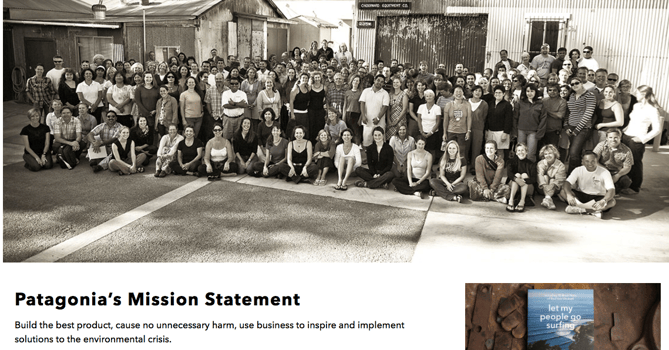
Patagonia’s mission statement combines both the values that bring them market success (building safe, high-quality products) and the values that contribute to a better world (philanthropic efforts to help the environment). For the people behind the brand, “a love of wild and beautiful places demands participation in the fight to save them.” In the name of this cause, the company donates time, services, and at least 1% of its sales to hundreds of grassroots environmental groups around the world.
If your company has a similar focus on growing your business and giving back, think about talking about both the benefit you bring to customers and the value you want to bring to a greater cause in your mission statement.
4. American Express: We work hard every day to make American Express the world’s most respected service brand.
Customers will never love a company until the employees love it first.
— Simon Sinek (@simonsinek)
April 16, 2014
The tweet above is from Simon Sinek, and it’s one that we repeat here at HubSpot all the time. American Express sets itself apart from other credit card companies in its list of values, with an ode to great customer service, which is something it’s famous for.
We especially love the emphasis on teamwork and supporting employees, so that the people inside of the organization can be in the best position to support their customers.
5. Warby Parker: To offer designer eyewear at a revolutionary price, while leading the way for socially conscious businesses.
Speaking of quirky, this “objective” statement from Warby Parker uses words that reflect a young and daring personality: “rebellious,” “revolutionary,” “socially-conscious.” In one sentence, the brand takes us back to the root of why it was founded while also revealing its vision for a better future.
The longer-form version of the mission reads: “We believe that buying glasses should be easy and fun. It should leave you happy and good-looking, with money in your pocket,” which further shows how Warby Parker doesn’t hold back on letting its unique personality shine through. Here, the missions statement’s success all comes down to spot-on word choice.
6. InvisionApp: Question Assumptions. Think Deeply. Iterate as a Lifestyle. Details, Details. Design is Everywhere. Integrity.
These days, it can seem like every B2B company page looks the same — but InvisionApp has one of the cooler company pages I’ve seen. Scroll down to “Our Core Values,” and hover your mouse over any of the icons, and you’ll find a short-but-sweet piece of the overall company mission under each icon. We love the way the statements are laid out under each icon. Each description is brief, authentic, and business babble-free — which makes the folks at InvisionApp seem like trustworthy, B.S.-free types.
7. Honest Tea: To create and promote great-tasting, healthy, organic beverages.
Honest Tea’s mission statement begins with a simple punch line connoting its tea is real, pure, and therefore not full of artificial chemicals. The brand is speaking to an audience that’s tired of finding ingredients in its tea that can’t be pronounced, and have been searching for a tea that’s exactly what it says it is.
Not only does Honest Tea have a punny name, but it also centers its mission around the clever company name. For some time, the company even published a Mission Report each year in an effort to be “transparent about our business practices and live up to our mission to seek to create and promote great-tasting, healthier, organic beverages.”
8. IKEA: To create a better everyday life for the many people.
The folks at IKEA dream big. The vision-based mission statement could have been one of beautiful, affordable furniture, but instead, it’s to make everyday life better for its customers. It’s a partnership: IKEA finds deals all over the world and buys in bulk, then we choose the furniture and pick it up at a self-service warehouse.
“Our business idea supports this vision … so [that] as many people as possible will be able to afford them,” the brand states.
Using words like “as many people as possible” makes a huge company like IKEA much more accessible and appealing to customers.
9. Nordstrom: “To give customers the most compelling shopping experience possible.
When it comes to customer commitment, not many companies are as hyper-focused as Nordstrom is. Although clothing selection, quality, and value all have a place in the company’s mission statement, it’s crystal clear that it’s all about the customer: “Nordstrom works relentlessly to give customers the most compelling shopping experience possible.”
If you’ve ever shopped at a Nordstrom, you’ll know the brand will uphold the high standard for customer service mentioned in its mission statement, as associates are always roaming the sales floors, asking customers whether they’ve been helped, and doing everything they can to make the shopping experience a memorable one.
10. Cradles to Crayons: Provides children from birth through age 12, living in homeless or low-income situations, with the essential items they need to thrive – at home, at school and at play.
Cradles to Crayons divided its mission and model into three sections that read like a game plan: The Need, The Mission, and The Model. The “rule of three” is a powerful rhetorical device called a tricolon that’s usually used in speechwriting to help make an idea more memorable. A tricolon is a series of three parallel elements of roughly the same length — think “I came; I saw; I conquered.”
11. Universal Health Services, Inc.: To provide superior quality healthcare services that: PATIENTS recommend to family and friends, PHYSICIANS prefer for their patients, PURCHASERS select for their clients, EMPLOYEES are proud of, and INVESTORS seek for long-term returns.
A company thrives when it pleases its customers, its employees, its partners, and its investors — and Universal Health Services endeavors to do just that, according to its mission statement. As a health care service, it specifically strives to please its patients, physicians, purchasers, employees, and investors. We love the emphasis on each facet of the organization, by capitalizing the font and making it red for easy skimming.
12. JetBlue: To inspire humanity – both in the air and on the ground.

JetBlue’s committed to its founding mission through lovable marketing, charitable partnerships, and influential programs — and we love the approachable language used to describe these endeavors. For example, the brand writes how it “set out in 2000 to bring humanity back to the skies.”
For those of us who want to learn more about any of its specific efforts, JetBlue’s provided details on the Soar With Reading program, its partnership with KaBOOM!, the JetBlue Foundation, environmental and social reporting, and so on. It breaks down all these initiatives really well with big headers, bullet points, pictures, and links to other webpages visitors can click to learn more. Finally, it ends with a call-to-action encouraging website visitors volunteer or donate their TrueBlue points.
13. Workday: To put people at the center of enterprise software.
Workday, a human resources (HR) task automation service, doesn’t use its mission statement to highlight the features of its product or how it intends to help HR professionals improve in such-and-such a way.
Instead, the business takes a stance on the state of enterprise software in general: There’s a lot of great tech out there. But at Workday, it revolves around the people. We love how confident yet kind this mission statement is. It observes the state of its industry — which Workday believes lacks a human touch — and builds company values around it.
14. Prezi: To reinvent how people share knowledge, tell stories, and inspire their audiences to act.
If you know Prezi, you know how engaging it can make your next business presentation look. According to its mission statement, the company’s clever slide animations and 3-dimensional experience aren’t just superficial product features. With every decision Prezi makes, it’s all about the story you tell and the audience that story affects.
15. Tesla: To accelerate the world’s transition to sustainable energy.
A car company’s punny use of the word “accelerate” is just one reason this mission statement sticks out. The main reason Tesla makes this list is because of how its mission statement describes the industry.
It may be a car company, but Tesla’s main interest isn’t just automobile sales — it’s promoting sustainable energy. And sustainable energy still has a “long road” ahead of it (pun intended) — hence the world’s “transition” into this market.
Ultimately, a mission statement that can admit to the industry’s immaturity is exactly what gets customers to root for it. And Tesla does that nicely.
16. Invisible Children: To end violence and exploitation facing our world’s most isolated and vulnerable communities.
Tenacity is hard to come by in the non-profit sector, and that’s what makes this mission statement so distinguished. Invisible Children is a non-profit that raises awareness around the violence affecting communities across Central Africa, and the company takes quite a confident tone in its mission.
The most valuable quality of this mission statement is that it has an end goal. Many companies’ visions and missions are intentionally left open-ended so that the business might always be needed by the community. Invisible Children, on the other hand, wants to “end” the violence facing African families. It’s an admirable mission that all businesses — not just non-profits — can learn from when trying to motivate their customers.
17. TED: Spread ideas.
We’ve all seen TED Talks online before. Well, the company happens to have one of the most succinct mission statements out there.
TED, which stands for “Technology Education and Design,” has a two-word mission statement that shines through in every Talk you’ve seen the company publish on the internet. That mission statement: “Spread ideas.” Sometimes, the best way to get an audience to remember you is to zoom out as far as your business’s vision can go. What do you really care about? TED has recorded some of the most famous presentations in the world, but in the grand scheme of things, all it wants is to spread ideas around to its viewers.
Here are 22 companies with really catchy slogans and brand taglines.
Editor’s note: This post was originally published in August 2014 and has been updated for comprehensiveness.


A Marketer’s Short & Sweet Guide on Diversification
To consider the potential payoff of product diversification, let’s start with an example.
Lululemon, an athletic apparel company, was founded in 1998 with one core product: yoga clothing for women.
If you’ve been to a store recently, you’ve likely seen how far beyond women’s yoga-clothing Lululemon has grown.
For instance, my brother now buys all his button-down shirts and work pants from Lululemon.
Additionally, last week I bought a bathing suit from the shop.
On their Our Story page, Lululemon states: “Our first designs were made for women to wear during yoga. Through plenty of feedback from our guests, ambassadors and elite athletes, we now design for yoga, running, cycling, training and most other sweaty pursuits for women and men.”
This is an example of effective diversification in-action. Here, we’ll explore what diversification marketing is, and how it pertains to your marketing strategy.

Why diversify your product offerings?
There are three reasons a business might choose to diversify its existing product line:
- You’ve reached the ‘limit’ on the amount of people you can convert in a market segment.
- You’ve identified a new product or service that complements the needs of your existing customers.
- You’ve decided a new level of growth can only be achieved through addressing new market segments.
Let’s dive into the difference between the three of these reasons, now.
First, perhaps you’ve reached the limit of the amount of people you can reach in a market segment. If you created a niche product or service, you might’ve spent the last few years marketing your product to your core audience demographic.
Eventually, you’ll reach your limit of potential people you can reach and convert within that audience segment.
For instance, GoPro started out selling HD cameras for sports and adventure. However, there are only so many people they can target with GoPro cameras — which is likely why they expanded to camera accessories, and even lifestyle gear, including backpacks and clothing.
With an expanded product line, GoPro can now target audiences who are looking for outdoor gear, along with audiences who are searching for HD cameras.
Second, perhaps you’ve identified a complementary product or service to the one you currently offer. To identify complementary products or services, consider what goal(s) your products help your customers achieve, and what other tools or services they need to achieve those goals even faster.
Mailchimp, as an example, started as an email marketing tool. Now, the company has diversified its product offerings and expanded into social media tools and even website builders.
Mailchimp created an email marketing tool to help customers reach new audiences and convert those audiences faster. Social media tools and website builders, then, are natural extensions of that primary goal.
Finally, a third reason you might diversify your product offerings is simply to reach and convert new segments of customers. This is less of a brand-new product or service, and more of a tier-method in which you have the same product with varying features depending on audience segment.
An example of this is a software company that initially targeted small businesses, and is now expanding into the enterprise audience segment.
To successfully expand, you’ll need to ensure your new product features accurately address enterprise users’ needs — which will be drastically different from your small business clients’.
Another example is a sports shoe company that continues to create sports shoes, and doesn’t diversify its products or services beyond sports shoes. However, the company does start creating different lines of sports shoes to address different audience segments: including tennis players, golfers, and joggers.
Advantages and Disadvantages to Product Diversification
There are a few major benefits to diversification, including:
- Minimizing losses: Ever heard the term, “Don’t put all your eggs in one basket”? That’s the premise of this advantage. Basically, if one of your products underperforms, you’ll be able to minimize company revenue loss if your other products are performing well or better than expected.
- Increasing brand recognition: If Apple only sold computers, it probably wouldn’t be the well-known brand it is today. But since the company has expanded into smartphones and music players, it’s expanded the amount of customers who use an Apple product. As customers increase, so does brand recognition.
- Increasing customer lifetime value: By expanding your offerings, you’re increasing opportunities for customers to find value in your brand — which could increase brand loyalty. For instance, if Lululemon just offered yoga pants, I probably wouldn’t be such a big fan. But since I can get workout clothes, work clothes, and even swimwear from them, my loyalty towards them is high.
If you create a tier-program in which you offer additional product features for varying phases of a business, you’re minimizing the risk that your customers will outgrow you.
However, there are also risks associated with diversification. A few major risks include:
- Brand dilution: People no longer associate your brand with the product or service you your were initially known for, and they’re unsure how your new products relate to your business mission or values.
- Resourcing limitations: You don’t have the budget or headcount to effectively create new products or services, or your marketing team doesn’t have the resources to properly target a new market audience.
- Inconsistent support for additional products: If your support team isn’t prepped to handle the new complaints or challenges prospects and customers are facing with your new product, the industry’s overall satisfaction with your brand could decrease.
Marketing’s Role in Diversification
If your company is diversifying its product portfolio, your marketing team plays a major role in the success of that expansion.
Among other things, your marketing team is likely in charge of market research (including your new segment’s unique challenges and pain points), product development (i.e. ensuring your product successfully meets your target audience’s needs, especially as those needs evolve over time), and creating a successful product launch.
Ultimately, your marketing team needs to learn how to target your new market segment — which might be difficult if your brand hasn’t targeted that audience in previous marketing campaigns. (To learn more about audience segmentation and targeting, take a look at The Marketer’s Guide to Segmentation, Targeting, & Positioning.)
And, just as importantly, your marketing team needs to mitigate some of the risks associated with diversification.
For instance, marketers can minimize brand dilution by telling a comprehensive story to the public that outlines why these new products or services make sense to your business’ vision, goals, or overall mission.
Lastly, when marketing your new products, services, or expanding into new market segments, consider how you might diversify your marketing strategy to achieve growth with these new product offerings.
A marketing strategy that worked well for one product won’t necessarily work well for another — so it’s critical, as a marketer, you remain flexible and open-minded to pivoting to properly address the needs of these new customers.
When done properly, diversification is an incredibly exciting opportunity to fuel long-term growth … Just consider the growth Lululemon has seen since making the courageous leap into apparel beyond women’s yoga clothes.

