
Welcome to My Blog
Media Buying 101: What It Is and How It Works [+15 Platforms to Use]
Ever wonder who is behind those banner ads on the sites you visit the most? Or the Super Bowl ads we talk about for weeks after they’ve aired? The answer is media buyers.
When a brand gets a marketing budget, a portion of that typically goes to paid advertising. That’s where media buying comes in.

It doesn’t get much buzz in the marketing industry, but this process is responsible for the targeted ads we see today.
Let’s dive into this process of which so many of us are on the receiving end.
Whether they’re watching a TV show or scrolling through a website, media buyers get brands in front of their target market.
It’s not like social media where users come and find you. It’s an outbound strategy that is only effective if you have a well thought-out strategy. Rex Gelb, director of advertising and analytics at HubSpot, says one of the biggest mistakes brands make is not thinking through their marketing goals.
“Some ad placements might be good for one set of goals, but bad for another. Let’s say you’re an airline and your focus is impressions and awareness, rather than an immediate sale, you can buy a placement that is known to get cheap impressions,” he said.
Gelb continued,”Now, let’s say you’re a CEO who wants to promote a ‘letter to our customers.’ In this instance, what you’ll care about is cheap clicks. Buying cheap impressions, which made sense in the previous example, no longer helps you accomplish your goal.”
That’s why media planning is such an important step, as it helps you get the most out of your ads.
Nowadays, media buying is done in one of two ways:
- Direct buy – Media buyers forge relationships with publishers to negotiate ad inventory, e.g., working with a newspaper to have an ad placed in the upcoming issue.
- Programmatic buy – The buying process is done using automated technology.
Media Buying vs. Media Planning
Media buying and media planning fall into the same category but are two different processes. While media buying focuses on getting the most impressions from the right audience at the lowest cost, media planning focuses on the strategy behind the campaign.
During the planning phase, you determine what media will be most effective to reach a particular audience. So once media planning is complete, media buying follows. It’s also important to note that media planning isn’t solely for advertising, it’s for any media a brand puts out there.
However, in a small to medium-sized business, the job may be done by the same person or team.
How Digital Media Buying Works
With digital media buying, or programmatic buying, buying impressions is automated. The negotiation still technically happens but it’s done at a much quicker rate through open and private marketplaces.
The traditional approach, on the other hand, involves negotiations and relationship building with publishers.
There are three components to this automated buying structure:
- Demand-side platforms (DSP) where advertisers and ad agencies set up their campaigns, bid on ad inventory, and optimize their ads based on performance.
- Supply-side platforms (SSP) where publishers sell their ad inventory. It’s the publisher version of the DSP.
- The ad exchange marketplace where advertisers and publishers buy or sell ad inventory through real-time bidding (RTB).
RTB is not the only way to purchase impressions, you can also use private marketplaces, in which publishers limit who can participate in the auction. Another option is called programmatic direct, in which ad inventory is sold at a fixed cost per thousand impressions (CPM) with no bidding.
So what about ad networks? Well those platforms aggregate ad inventory from various publishers and match them to advertisers’ needs, serving as intermediaries. Think Google Adsense and Facebook Audience Network.
Digital media buying can be more cost-effective and allow teams to focus on ad performance instead of back-and-forth negotiations. However, with the latest restrictions on cookies and Apple’s AppTrackingTransparency (ATT) rollout on iOS 14, it’s unclear how that will affect the media buying space.
“With the upcoming release, Apple will be asking all of its users for permission to track when they open an app, and big ad networks like Facebook won’t be exempt,” said Gelb. “Needless to say, a lot of iOS users are going to opt out, which will have negative implications in terms of targeting and conversion tracking.”
“Nobody knows exactly what the impact will look like yet,” he added, “but we, in the industry, are crossing our fingers and hoping for the best.”
Media Buying Tips
1. Strategize.
Before you launch your ad campaign, you’ll have to figure out a few things.
The first question is, what’s the goal of your campaign? Do you want more website traffic, brand awareness, social engagement? Aligning your team on one goal will help focus your efforts and better track your campaign’s success.
This leads us to key progress indicators (KPIs). You’ll need them to monitor your campaign and determine if any adjustments need to be made. Lastly, your campaign will need a budget. If it’s a long-running campaign, you may set a daily budget.
These steps are typically completed during the media planning phase. However, in some cases, media planners are also responsible for buying ads as well.
2. Identify your target and where to find them.
Your next step is determining who the campaign will target and which networks will be most appropriate to reach them.
For instance, let’s say a health-focused vegan dessert company wants to run an ad campaign next quarter and they want to target health-conscious, vegan consumers. The marketing team may want to advertise on YouTube videos with vegan-friendly content, fitness and nutrition websites, or even cooking and recipe pages.
When buying media, you can target audience by device, location, behaviors, interests, web browser, and more.
3. Set up your campaign.
This step will vary depending on which media buying platform you are using.
However, when typically using a DSP, you will input your campaign details, such as campaign type, creative assets, budget, target audiences, and bidding strategies. So, once that process is complete, all there is to do is launch and wait for results to come in.
If you’re taking a direct approach, this will likely be a collaborative process between your team and your publisher’s account manager.
4. Track the results and optimize.
The most exciting (and possibly scariest) part of launching an ad campaign is tracking its performance.
As soon as it launches, you can start gathering data on how your ads are performing. In this stage, it’s important not to make decisions too quickly. You’ll want to gather enough data to get a full picture before switching gears.
Using the same vegan dessert company, let’s say they launched an ad campaign through Google’s ad network. They are using two static image ads and one video ad. After one week, they notice that the video ad is significantly outperforming the banner ads. The media buyer can decide to reallocate funds to that ad type and placement as it is generating better results.
A media buyer’s job is to maximize ad potential while staying within the budget. As such, if the ad isn’t delivering on expectations, adjustments can and should be made during the length of the campaign.
1. Google Display & Video 360
Inside the Google Marketing Platform, you’ll find Display & Video 360. Originally DoubleClick Bid Management, DV360 integrates seamlessly with Google Analytics and other Google products. So, if your team is already using those tools, this may be the right media buying tool for you.
There are five modules in DV360 to build your campaign, manage your audience and creative assets, analyze your data, and access ad inventory from top publishers. It also offers automated bidding and custom targeting using first and third-party data, making it easier to reach the right audience.
Lastly, the platform allows advertisers to not only reach users on websites and YouTube but also TV.
2. The Trade Desk
If you want access to premium publishers, the Trade Desk is one place you’ll want to look.
The platform has ad inventory from some of the biggest publishers, including Spotify, ABC, Wall Street Journal, and ESPN.
One of the platform’s key features is the AI-driven “Koa,” which uses data from over 600 billion daily queries to determine the smartest and most cost-effective way to run your digital campaign. The Trade Desk also has cross-device targeting capabilities to optimize your campaign’s reach.
3. AdColony
AdColony helps brands reach mobile app users on both IOS and Android.
The platform offers multiple video formats and placements, including full-screen, interactive, banner, and interstitial. This allows marketers to test various formats to see which garners the best results.
AdColony also has over 90K direct app integrations and a reported 450 million supply of app users.
4. Amazon DSP
Every time you think Amazon has capped, it comes out with another vertical.
Amazon DSP is one of the most used DSPs by brands and ad agencies, according to an article by Ad Exchanger. With this DSP, you can reach users on Amazon-owned websites like Audible and IMDb, and other Amazon partners.
They also make brand safety a top priority to ensure ads don’t appear in risky or unsuitable environments.
5. AdCritter
AdCritter is a DSP made for small to medium-sized businesses.
The platform has an ad builder and a library of pre-designed templates for businesses that may not have their own creative assets.
With AdCritter, media buyers can even hand-select the websites they’ll appear on to ensure their ads reach their intended audience. They can also reach consumers based on demographics and behavior.
6. Adobe Advertising Cloud
In 2017, Adobe launched a powerful DSP to tie with Adobe Audience Manager and Adobe Analytics.
Similar to Google, Adobe’s platforms integrate seamlessly, which makes collaboration easier and cross-data analysis simpler.
Adobe also has powerful performance optimization features to maximize return on ad spend (ROAS).
7. Verizon Media
If you’re like me, any mention of Verizon automatically brings “Can you hear me now?” to mind.
Well, turns out, Verizon does offer way more than just cell phone coverage. In 2019, they reported that their DSP generated a 71% higher average conversion rate from campaigns compared to third-party segments.
Their platform uses omnichannel strategies to engage consumers, such as digital out-of-home ads (i.e. billboards and on-car ads), audio streaming platforms, and connected TVs.
8. Criteo
This platform has access to a large network of premium retailers, making it a great DSP for brands who want to reach online shoppers. Think Best Buy, CVS pharmacy, Macy’s, and Kohls.
They rely on first-party data, instead of third-party cookies, to optimize ads and determine the right time and place to engage shoppers.
Criteo’s flexible attribution models also make data analysis easier for teams.
9. StackAdapt
If your brand is in the alcohol, cannabis, gambling industry, it can be difficult to navigate ad regulations and compliance guidelines. StackAdapt helps brands strengthen their messaging and maneuver around those challenges.
Some of their key features include dynamic retargeting, machine learning optimization, and cross-device capabilities.
10. AcuityAds
AcuityAds’s best feature is its intuitive interface.
With this DSP, your team can build an ad storyboard for any campaign and visualize the customer journey.
There is a drag-and-drop feature that streamlines the media planning process. AcuityAds also has a journey map that allows brands to quickly visualize how a campaign is performing.
11. Simpli.fi
Some DSPs offer pre-segmented audiences for ad campaigns, which can be limiting depending on who your team wants to reach. Simpli.fi offers custom targeting options to guarantee accuracy.
The platform also promotes cost and analytics transparency. Marketers can see a detailed breakdown of where their ad dollars are going and how much of it goes toward platform fees.
Another standout feature in Simpli.fi is the localization capabilities to reach audiences at the most granular level.
12. Adelphic
If customer support is important to your team, consider Adelphic. This omnichannel DSP reports consistently having a client satisfaction rate above 95%.
Unlike other DSPS, Adelphic offers a flexible pricing model, offering a subscription-based structure. This means media buyers pay one set monthly fee for unlimited media.
Additional features include advanced reporting tools and data integrations.
13. Amobee
With Amobee, you can design digital campaigns on various platforms and across multiple browsers and devices.
This DSP identifies potential consumers on a person-by-person level using their proprietary identity graph called “Amobee ID.” Using this tool, brands can forecast their campaign’s performance across multiple devices and channels.
The platform can also access APIs from social channels, such as Facebook and Instagram, for social campaign automation.
14. Basis by Centro
With over 9,000 vendors and 11,000 contacts, Basis has one of the largest inventories in the market.
Its artificial intelligence (AI) tool can also review over 30 campaign parameters and make optimization suggestions to get the best results. Basis also has scalable features, catering to both small and large businesses.
15. Xandr Invest
Zandr Invest specializes in reaching audiences through connected TV advertising.
The platform is built on AT&T’s first-party data, giving brands unique insight to deploy targeted campaigns. Marketers can segment users by lifestyle, interest, intent, demographic, and viewership.
Xandr also offers a sleek user interface to plan, launch and track campaigns.
When buying media, no ad placement is accidental. It does involve some trial and error as you get started and the optimization process will last throughout the campaign. However, once you have a strategy to follow and an intuitive platform to track performance, this will result in effective ads that meet your marketing objectives.

How to Make Quotes for Instagram: 9 Apps to Try This Year
When you come across a beautiful sight — be it a beach, a mountain, or your pet’s face — sometimes, it inspires you to think bigger about what certain sights and experiences mean.
For those moments, you might consider posting a photo on Instagram with an equally inspiring quote as the caption. But you could take it even further — and save characters — by posting the photo with the quote.
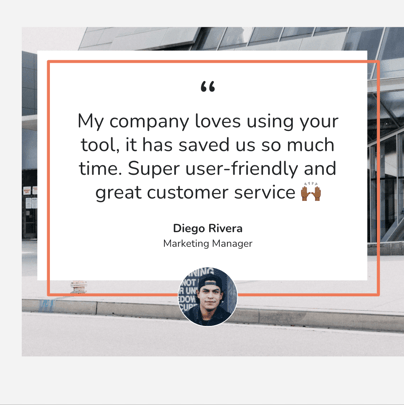
You’ve likely seen quotes on Instagram posts before, but you may never have created one for your brand’s account. Here’s a recent Instagram quote we shared here at HubSpot:
See what we mean?
Posting quote images on Instagram can diversify your content on the platform and humanize your brand a little, too. Everyone could use a motivational quote during a busy Monday morning or a slow Tuesday afternoon, so try out an Instagram quote for your next post with the help of these free apps.
9 Instagram Text Apps to Make Inspiring Quotes
Featured Resource: 9 Instagram Quote Templates
 HubSpot created a collection of 9 Instagram quote templates for posts and stories – in addition to 13 more free Instagram posts for business. Download the collection of templates today to make Instagram quotes right in Google Slides for free.
1. FaceGarage
Web App

FaceGarage is a browser tool that helps you create Instagram images with quotes overlaid in just a few simple steps. You can upload an image of your own or use one of the site’s stock background images, type in your quote, adjust the font, text size, color, and formatting, and voila — you generate your image and download it to post on Instagram.
Our favorite thing about FaceGarage is the images don’t come with a watermark, so you can create more beautiful posts that don’t have a logo in the corner.
2. Canva
iOS, Android, or Web App

Image via Google Play
Canva’s many features extend beyond text-based pictures and, for that matter, social media. But the mobile app and its gorgeous pre-made templates make it perfect for Instagram quotes.
Using the Canva’s social media post setting, you can draft banners, flyers, cards, and posts of all shapes and sizes using one of hundreds of pro-level backgrounds. Of course, feel free to snap a photo on the go, as well. One you select your image, you can choose from more than 100 fonts, adjust the size and color, and publish.
3. ReciteThis
Web App
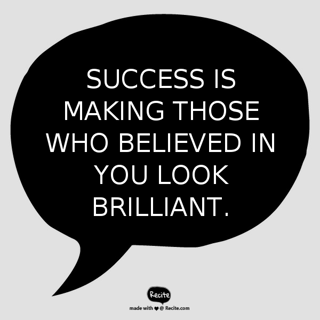
ReciteThis is another quick and easy browser tool you can use to create quotes for Instagram. Its two-step process involves selecting one of the ready-made background themes, typing in your quotation, and pressing “Create.” From there, you can upload the image to a variety of social networks (not including Instagram) or download the image to upload and post on Instagram.
The downside to ReciteThis’s ease of use is the highly visible watermark in the bottom-center of each image, but you might be able to crop it out using your phone’s photo editor before uploading to Instagram, depending on the design you choose.
4. Word Swag
iOS or Android

Image via Word Swag
Listed in iTunes’s top 100 apps in the Photo & Video category, Word Swag helps you create text images that are as edgy as the app’s name sounds. The app uses a special typing engine to create fresh quote designs based on the background picture you’re working with.
Just select (or shoot) your picture, type your quote into the app’s plain text editor, select one of nearly 50 styles, and shuffle through the diverse choices that appear. Word Swag has literally thousands of quote and image options to choose from through a handy integration from Pixabay, a free image gallery.
5. InstaQuote
iOS or Android

This free app offers a lot of options to customize your quote image, font styles, and color schemes. You can use your own photos or one of InstaQuote’s, and it allows you to automatically upload your image to Instagram so you don’t have to download it and then upload it.
The downsides to many free apps — including InstaQuote — are the prevalence of ad interruptions, and that many features are locked unless you upgrade to the paid version.
6. Text2Pic
iOS or Android

Text2Pic stands out from the crowd in a couple of ways. It has the widest variety of font style and formatting options — including 3-D and shadowing capabilities to add more effects to your text. It also auto-connects to Instagram for seamless uploading and posting on the platform.
The biggest downside we’ve noted is the inability to upload your own photo as a background image, but Text2Pic makes up for that with a ton of different background options to choose from.
7. Quotes Creator
iOS or Android

Quotes Creator has a neat feature that suggests quotes to use — including their attributions — to take the work out of creating an inspirational post for you. We also like how subtly transparent the watermark is to make it as distraction-free as possible. This is another easy-to-use app that creates quotes for Instagram in just a few simple steps — with an easy tap to upload to the platform.
Quotes Creator’s stock background options are a little cheesy, so we recommend finding your own and uploading them.
8. Quote Maker
iOS or Android

Quote Maker is another free app that tries to upsell its Pro version to unlock more background and style options, but you can always upload your own background if you feel too limited. Where Quotes Maker takes the cake is its cool font styling and effects. You could add neat decals to your brand’s name or a stamp-like effect to a company motto or mission statement.
We recommend exploring the app, but another warning — it can be glitchy if your design and editing actions get more complex. It’s best for simple images, like the one above.
9. Text on Photo Square
iOS only

Text on Photo Square is only available on iOS devices (for now), but its distinction from the rest of the pack is that users can add quotes to videos, in addition to photos. You can upload your videos and add quotes to create a neat audio and visual experience for your Instagram followers. A cool quote-video might distract from the watermark, which is admittedly one of the larger ones on this list.
Some of these apps might be worth investing in the paid version to create more unique images — without the watermarks — to post quotes on Instagram. But for now, try out these free options during the next social media holiday to see if your audience is ready to be inspired.

The Definition of SEO in 100 Words or Less [FAQs]
Search engine optimization (SEO) seems pretty straightforward. You pick a few keywords, and voilà! Your page is optimized for SEO, right?
Not yet.
Many people understand the basic principles of SEO, but a lot has changed in the last decade.
The SEO that we know and love today is not the same SEO that we knew and loved (or hated) 10 years ago. And that’s why SEO is something marketers should continue to define, and redefine. Here’s a brief definition in under 100 words:
![Download Now: State of Marketing Report [2020 Version]](https://no-cache.hubspot.com/cta/default/53/6baeae42-e710-4ecd-beb9-ceb2fb9f0877.png)
What Is SEO?
SEO stands for search engine optimization — that much has stayed the same. It refers to techniques that help your website rank higher in search engine results pages (SERPs). This makes your website more visible to people who are looking for solutions that your brand, product, or service can provide via search engines like Google, Yahoo!, and Bing.
What hasn’t stayed the same are the techniques we use to improve our rankings. This has everything to do with the search algorithms that these companies constantly change.
Here are some other frequently asked questions about this critical practice today.
How Does SEO Work?
SEO works by optimizing a website’s pages, conducting keyword research, and earning inbound links. You can generally see results of SEO efforts once the webpage has been crawled and indexed by a search engine.
Looking deeper: There are a ton of ways to improve the SEO of your site pages, though. Search engines look for elements including title tags, keywords, image tags, internal link structure, and inbound links (also known as backlinks). And that’s just to name a few.
Search engines also look at site structure and design, visitor behavior, and other external, off-site factors to determine how highly ranked your site should be in their SERPs.
What Is an Organic Search?
Organic search refers to someone conducting a search through a search engine and clicking on a non-paid result. Organic search is a search marketing channel that can be used as part of inbound marketing to increase website traffic.
Looking deeper: In present-day SEO, you can’t simply include as many keywords as possible to reach the people who are searching for you. In fact, this will actually hurt your website’s SEO because search engines will recognize it as keyword stuffing — or the act of including keywords specifically to rank for that keyword, rather than to answer a person’s question.
Nowadays, you should use your keywords in your content in a way that doesn’t feel unnatural or forced. There isn’t a magic number — it all depends on the length of your keyword and article — but if you feel like you’re forcing it, it’s better to ignore it and continue writing naturally.
What Is SEO Strategy?
An SEO marketing strategy is a comprehensive plan to get more visitors to your website through search engines. Successful SEO includes on-page strategies, which use intent-based keywords; and off-page strategies, which earn inbound links from other websites.
Looking deeper: Before you create a new site page or blog post, you’ll probably be thinking about how to incorporate your keywords into your post. That’s alright, but it shouldn’t be your only focus — or even your primary focus. Whenever you create content, your focus should be on the intent of your audience, not how many times you can include a keyword (whether it’s long tail or short tail) in your content.
To satisfy intent and rank well in the long term, build your SEO marketing strategy around topics, not keywords. If you do that, you’ll find you can naturally optimize for important keywords, anyway. Understanding your target audience (aka buyer personas) and what interests them is key to attracting relevant visitors to your website through search engines.
What Is Organic Traffic?
Organic traffic is unpaid traffic that comes from search engines such as Google or Bing. Paid search marketing does not increase your organic traffic numbers, but you can optimize your website using inbound marketing software to gain more visitors.
Looking deeper: One of the biggest changes in the last decade is the way other user behaviors shape the SERPs a user sees on search engines. And today, social media can have a big impact on your organic traffic trend line. Even just a few years ago, it didn’t make a difference who was finding your content through social search. But now SEO takes into account tweets, retweets, Google+ authorship, and other social signals.
Social search also prioritizes content and people that are connected to you. That could mean through a Facebook friend, Twitter follower, or connection through another social network. Sometimes social search will even prioritize content that has been shared by an influencer. Social search understands that you may be interested in content that your network feels is important to share, and therefore it’ll often get surfaced to you.
This all means when you’re thinking about your SEO strategy, you need to think about how your social media strategy fits into the puzzle, too.
What Is Direct Traffic?
Direct traffic consists of website visitors that come to your website by typing the URL into their browser, rather than coming from another website, a search engine, or social media.
Looking deeper: Think of search engine optimization as “search experience optimization.” It’s not just important for your users to find your website — it’s important for them to stay on your website, interact with your content, and come back later. Direct traffic doesn’t just increase your “page authority” in the eyes of Google; it creates more opportunities to turn someone, who first discovered you organically, into a customer.
SEO actually takes into account whether or not your visitors are staying on your website and engaging with other content. If you rank well for a keyword and attract a visitor who isn’t relevant, it won’t actually help your website.
Think about your visitors and the content they are looking for more than how many people you can attract to your website.
The Importance of SEO
SEO is important because it helps people find information and discover pages on the world wide web. SEO is especially important for businesses as it ensures they’re answering their audience’s biggest questions on search engines, while driving traffic to their products and services.
Looking deeper: In the past, SEO success was measured by whether or not you were ranked high on the first page of Google. But even if you ranked well for a term, does that actually mean you’re going to see results?
Not always. You might rank really well for terms that aren’t ideal for your business. So you appear high on search engines, get a ton of traffic, but then your website visitors realize your company isn’t what they were looking for. You don’t convert customers from this traffic, and ranking high for this particular keyword is essentially fruitless.
Also, you don’t necessarily need to be in the top three slots to be successful. In fact, if you rank well on subsequent pages, you may still have a high clickthrough rate, albeit less traffic. That’s great news for marketers who can’t seem to bring pages into those top slots or off the second page.
We said it before and we’ll say it again: The amount of traffic to your page is less important than how qualified that traffic is.
How Much Does SEO Cost?
SEO can cost between $100 and $500 per month if you do it yourself with a keyword research tool. It can cost between $75 and $150 per hour for a consultant, and up to $10,000 per month if you hire a full-service marketing agency. Small businesses generally spend less on SEO than big brands.
Looking deeper: An SEO cost can mean one of two things: the investment in your organic search strategy, or how much you pay for paid search engine marketing (SEM) services like Google AdWords. If you’re paying for a tool, consultant, or marketing agency to help you optimize your web content, your bill can vary wildly with the depth of the services you’re receiving.
Yes, $10,000 sounds scary, but 40% of businesses today are actually spending less than $1,000 a month on SEO.
What Is Paid Search Engine Marketing?
Paid search engine marketing refers to pay-per-click (PPC) advertising. This enables you to pay a search engine for text ads shown at the top and bottom of search engine results pages after someone conducts a search. It is used to increase website traffic and gain more customers.
Looking deeper: You can actually pay for top rankings on Google SERPs by registering for a free account on Google AdWords. You’ll then select various keywords you’d like to rank under, and pay Google each time a user clicks on your result. This is called PPC search engine marketing, and your ads will be noticeably different in their appearance than the organic results below them.
The average cost of a paid search campaign on Google can be less than $1 per click, but, naturally, the more popular the keyword, the more you might pay.
How to Do SEO
- Conduct an audit of your website content.
- Use keyword research tool to identify the keywords with which people are finding you.
- Target new keywords you’d like to rank for.
- Develop new content and optimize existing content.
- Monitor your website’s performance.
- Purchase inbound marketing or SEO software.
- Examine the web pages that are performing well.
- Look for opportunities to earn inbound links from similar websites.
- Monitor your change in rankings and traffic.
It’s still the same thing it was 10 years ago — a bunch of tactics that, if you employ them, will help you rank better in search engines. It’s just the tactics we now use that have changed. If you’re new to SEO or would like a refresher course, you might be interested in our free SEO training.
It’s up to us to stay on top of the rapidly changing trends, and remember that ultimately, the goal of search engines is to deliver the best experience possible to their end-user — searchers. If you keep that goal in mind with your SEO strategy, you’ll find your choices pay off, even if you’re not totally up to date on every single nuance of search engine algorithms.


How to Size & Design Your Facebook Cover Photo or Video [Templates]
When people arrive at your Facebook Page, where do you think they first look?
I’ll give you some hints. It’s a visual piece of content that sits at the top of your Page. Its dimensions are 820 pixels wide by 312 pixels tall. It takes up almost a quarter of the screen on most desktop browsers.
That’s right — it’s your Facebook cover photo.
Sometimes called your Facebook banner, this graphic is one of the most noticeable parts of your Page. It’s therefore crucial that you follow Facebook cover photo best practices and optimize your cover photo for the right dimensions.
A cover photo can take your Facebook Business Page to the next level. Whether you’re using Facebook to generate leads, close your next sale, or create a customer community, knowing how to make and optimize your cover photo is very important. And when you consider the Facebook cover photo dimensions above, it can be tough to balance creativity with the requirements of the platform.

As you can see from the figure above, there’s a lot of space that you can risk cutting off of your final cover photo design depending on where your audience is viewing the page — mobile or desktop.
Therefore, it’s best to focus the brunt of your content in that green space, where everyone can see your cover photo regardless of the device they’re using.
Need help getting started? Below, you’ll find Facebook cover photo templates, and just as many best practices to guide you when designing your brand’s banner artwork. At the bottom of this post, find out how to turn your cover photo into a cover video, and check out a few examples to see what others have done.
Facebook Cover Photo Best Practices
1. Do abide by Facebook’s cover photo guidelines.
It seems like a no-brainer, but obeying Facebook’s cover photo guidelines is crucial to your Facebook Page existing in the first place. I’d highly suggest reading through the full Page Guidelines, but here are a few important things to keep in mind for your Facebook banner:
- Your cover is public.
- Covers can’t be deceptive, misleading, or infringe on anyone else’s copyright.
- You can’t encourage people to upload your cover to their personal timelines.
If you get caught violating the above terms, Facebook could take action against your Page. And while Facebook doesn’t explicitly say what will happen if you violate their cover photo guidelines, it’s probably not smart to get your Facebook Page taken down over a cover photo infraction, so read the guidelines in full and adhere to them.
2. Do make sure your Facebook cover photo size is right.
As stated at the beginning of this article, the best Facebook banner size is 820 pixels wide by 312 pixels tall for computers, and 640 pixels wide by 360 pixels tall on mobile devices.
You don’t want to spend all this time designing a cover photo only to have it look weird when you upload it to Facebook.
If you upload an image smaller than those dimensions, Facebook will stretch it to fit the right size, as long as it’s at least 399 pixels wide and 150 pixels tall.
If you want a no-hassle way to make sure your cover photos are the right size, download our pre-sized template for Facebook cover photos.
Featured Resource: Facebook Cover Photo Templates

3. Don’t worry about the old ‘20% text’ rule, but still try to stay visual.
Back in 2013, Facebook removed any reference to the 20% rule on text in cover photos … but that doesn’t mean you should go wild with using text in your design. The previous rule said that only 20% of your cover photo could be text. Personally, I thought that was way too restrictive for marketers, but the sentiment behind the rule was a good one.
If you’re going to use text in your cover photo, keep that text concise. Your photo will be much more informative and engaging. You can see how we’ve tried to strike that balance on HubSpot’s Facebook Page below.
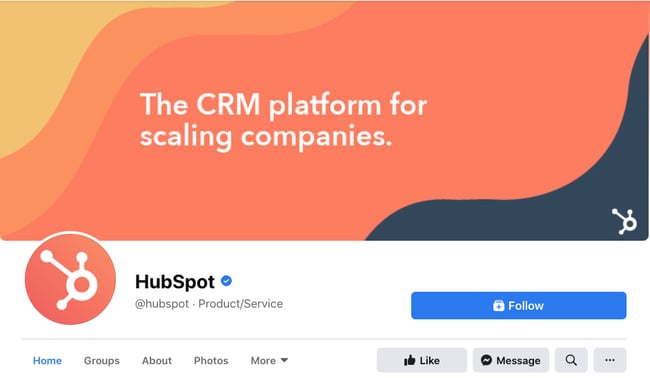 Want to see how HubSpot uses Facebook? Like our Facebook Page here.
4. Do give your cover image a focal point and colors that match your brand.
Think of your cover photo as the portion of your Page that’s “above the fold.” If it’s distracting or confusing, people will be more likely to click off the Page.
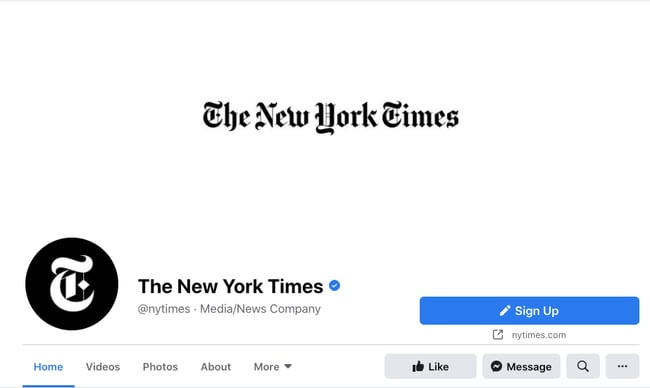
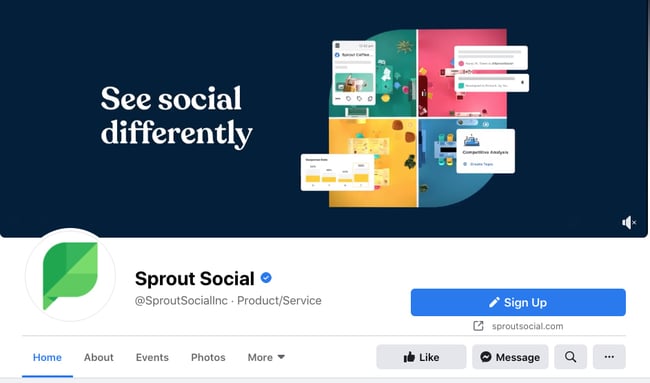
Many of the best Facebook cover photos include a centerpiece to focus visitors’ attention, along with a color scheme that aligns with the rest of their brand. Remember, your social media accounts are extensions of your business, and should give that impression to visitors right away.
They also use negative white (i.e., empty) space as an advantage to make the subject, the copy, and the elements unique to Facebook (like the CTA button on Facebook business Pages) stand out even more.
Here’s an example from The New York Times:
And one from social media management platform Sprout Social:
5. Don’t try to blend the contents of your cover photo with your profile picture.
With some clever design tweaks, you used to be able to manipulate your profile picture and cover photo so they appear as if they’re two parts of the same canvas.
One of Paris’ old cover photos is a great example of this:

You can still do this on your personal profile, but Facebook no longer sets up Business Pages this way.
Now, as shown in the examples earlier in this article, the profile picture is completely separate from the cover photo.
We admire your creativity, but don’t prepare your design this way if you haven’t yet launched a Business Page.
6. Do draw attention to the action buttons on the bottom right.
You might’ve noticed in a few of the cover photo examples above that their primary call-to-action (CTA) buttons were different. HubSpot’s says “Send Message,” while Sprout Social’s says “Sign Up.”
Depending on your business, you can launch a Page on Facebook with a unique CTA button to the bottom right of your cover photo. Take this button into consideration when designing your cover photo, and make it clear in the photo that this is a visitor’s next step.
LinkedIn Learning does this in a subtle way below, placing the graphic of a man on a laptop over the “Sign Up” button, drawing your eye to that call-to-action.
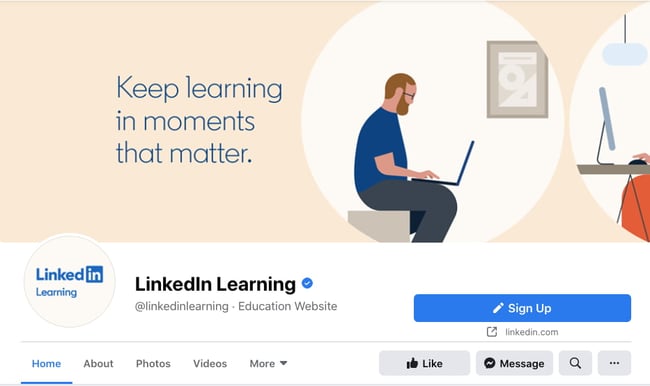
Note: While it might seem like a good idea to add directional cues like an arrow to get people to click on the CTA buttons, note that those CTA buttons don’t appear the same way on the mobile app. In other words, it might be confusing to mobile users if you directly integrate the cover photo design with the buttons.
I’ll show you how Business Pages look on mobile devices in just a minute.
7. Do right-align the objects in your cover photo.
Since your profile picture is on the left, you want to add some balance to your Facebook cover photo design by having the focus of the image be on the right.
Take a look at these cover photos. Which one looks more aesthetically pleasing?
Right-aligned focus:
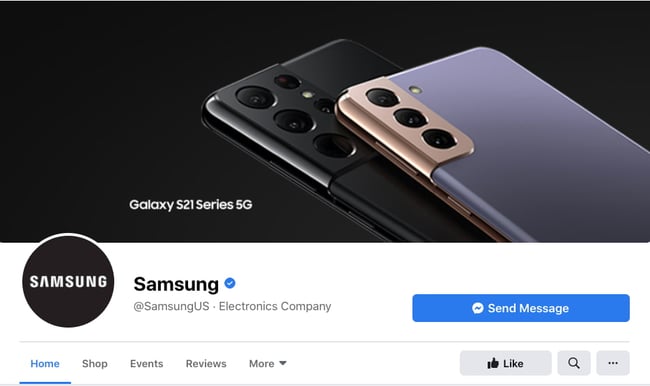
Left-aligned focus:
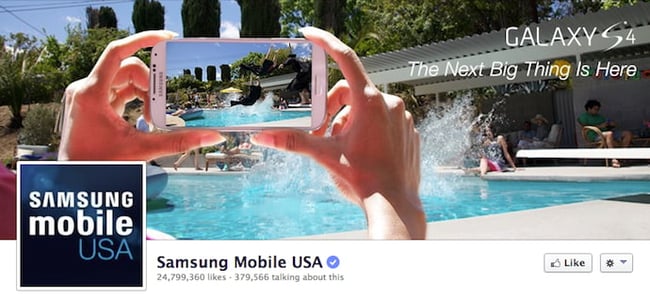
Doesn’t the right-aligned cover photo look better? In Samsung’s new cover photo, the biggest design elements (the profile picture, the text, and the two phones) are evenly spaced. In Samsung’s old cover photo, your attention goes immediately to the left side of the page, completely missing the name of the product on the upper-right side.
Not only is adding balance a crucial element of design, but it also allows for your cover photos to be more visually effective on mobile. Which brings me to my next point …
8. Do keep mobile users in mind.
Statista reports that 98.3% of Facebook’s user base accesses the social network from mobile devices like smartphones and tablets. That’s huge — and it’s exactly why it’s so important to keep mobile users top-of-mind when designing your Facebook cover photo.
On mobile, a much larger portion of your cover photo is blocked out. The right side is typically cut out entirely.
Let’s take a look at a real-life example. Below, check out what Cisco’s Facebook Page looks like in a desktop browser versus on Facebook’s mobile app.
Desktop:
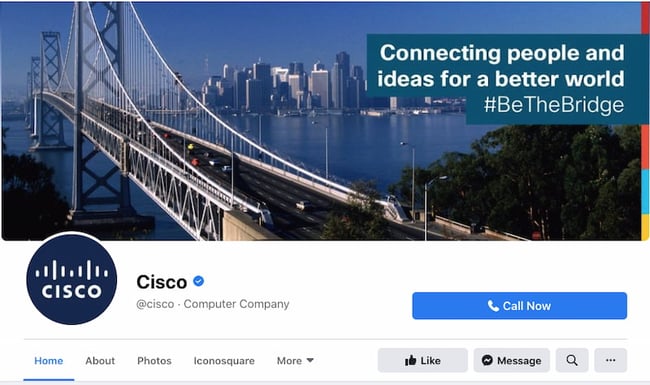
Mobile:
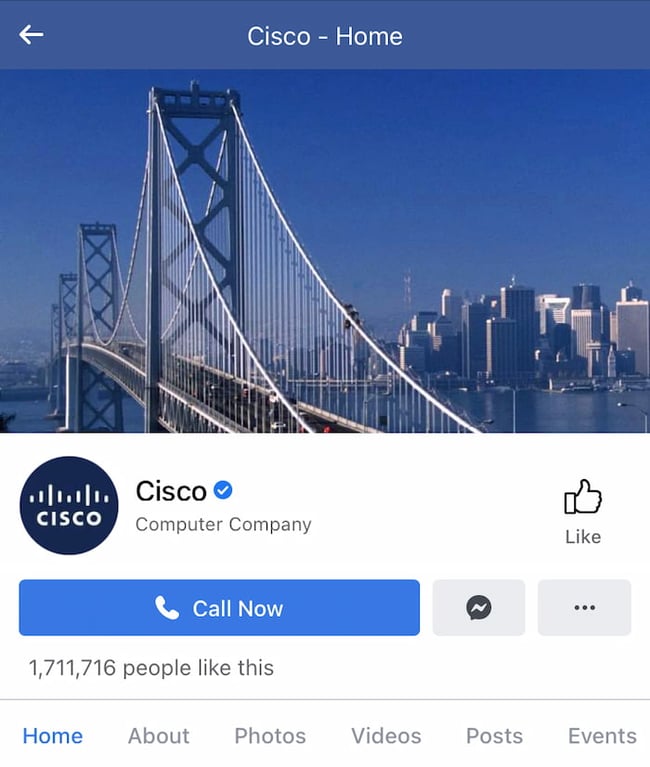 Whereas your cover photo displays at 820 pixels wide by 312 pixels tall on desktop, it displays only 640 pixels wide by 360 pixels tall on smartphones. Take a look at this Facebook help document for more information.
It’s important to note that the text in Cisco’s cover photo is completely cut off. While it looks best to right-align your visual elements, be careful not to put important content so far to the right that it gets cut off on mobile.
9. Do include a shortened link in your cover photo description that aligns with your page CTA.
If you want to use your cover photo to support a Page CTA, make sure your cover photo description also includes a text CTA and link to the same offer. This way, any time people view your cover photo directly, they can access the link.
Here’s this practice in action on the Adobe Creative Cloud Facebook Page:
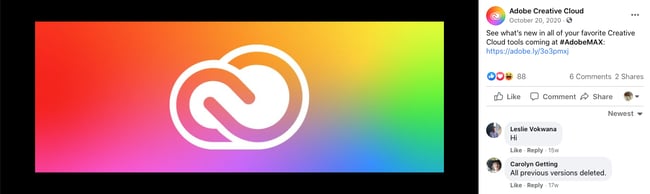
Make sure you shorten your links and add UTM codes so you can track clicks on them. Shortening and tracking features are available in Marketing Hub and in tools like bitly.
(If you want to learn more about how to write effective call-to-action copy for your cover photo description, click here to download our free ebook on creating compelling CTAs.)
10. Do pin a related post right below your Facebook cover image.
Have you ever “pinned” a post to your Facebook Page’s Timeline? Basically, pinning a post allows you to highlight a typical Facebook post on the top of your Timeline for seven days. It’s signified by a “PINNED POST” title on the top right of the post, like on Behance’s Page below:
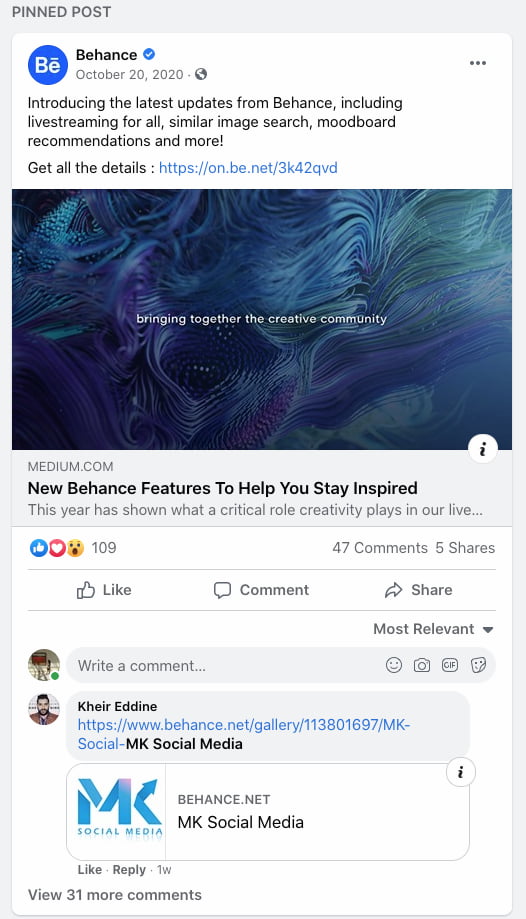
How does this relate to optimizing your Facebook cover photo? Well, if you’re spending time aligning your Facebook Page CTA, your cover photo design, and your cover photo description copy, you should also make sure to post about the same thing directly to your page, and pin that post to the top of your Timeline.
That way, you’re giving people one very clear call-to-action when they arrive to your page (albeit in several different locations) — which should help conversions.
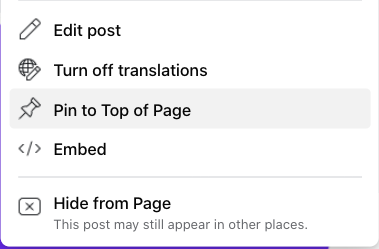
To pin a Facebook post: Simply publish the post to Facebook, then click the three dots on the top right corner of the post and choose “Pin to Top of Page.”
11. Do consider publishing a Facebook cover video.
You read that right. Facebook Business Pages now have the option to add a video in lieu of a static cover photo, provided they meet certain requirements.
Let’s go over how you can do that.
Post a Facebook cover video by first saving a video file at 820 pixels wide by 312 pixels tall to your desktop.
Next, upload that video to your Page’s video library.
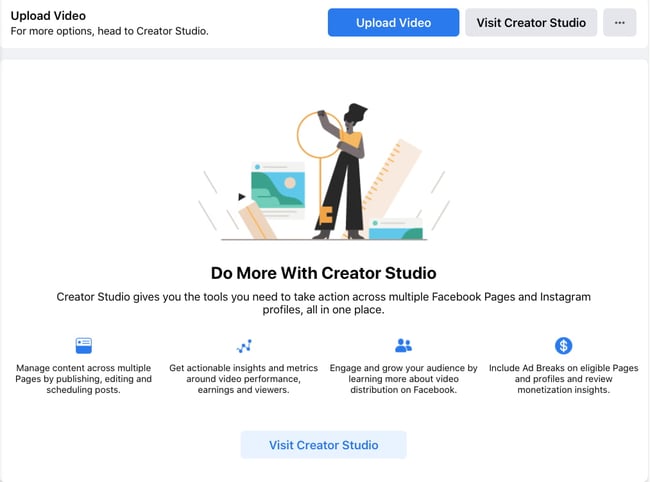 Facebook will only let you choose a video that fits its dimension requirements. The platform currently supports cover videos that are between 20 and 90 seconds long, and a minimum of 820 pixels wide by 312 pixels tall. The maximum (and recommended) size is 820 by 462 pixels with a video resolution of 1080p.
After uploading the video, click “Edit” at the bottom right of your cover photo, and select “Choose from Videos.”

Pick the video you’ve just uploaded and reposition it so that it focuses on the element you’d like to highlight.
When you click “Next,” you’ll be asked to select from 10 thumbnails for your video. Choose the one that works best.
Keep in mind that Facebook cover videos play on a loop — once it ends, it automatically starts over if the viewer is still on your Facebook page. With that in mind, make sure whatever you post is pleasant if seen more than once. Extreme, action-packed videos might appear exhausting when played over and over.
Facebook Cover Video Examples
Cover videos are a terrific option for the video-inclined, and brands across numerous industries have already taken advantage of it to hold their visitors’ attention.
Here are some great cover videos to inspire you.
REI
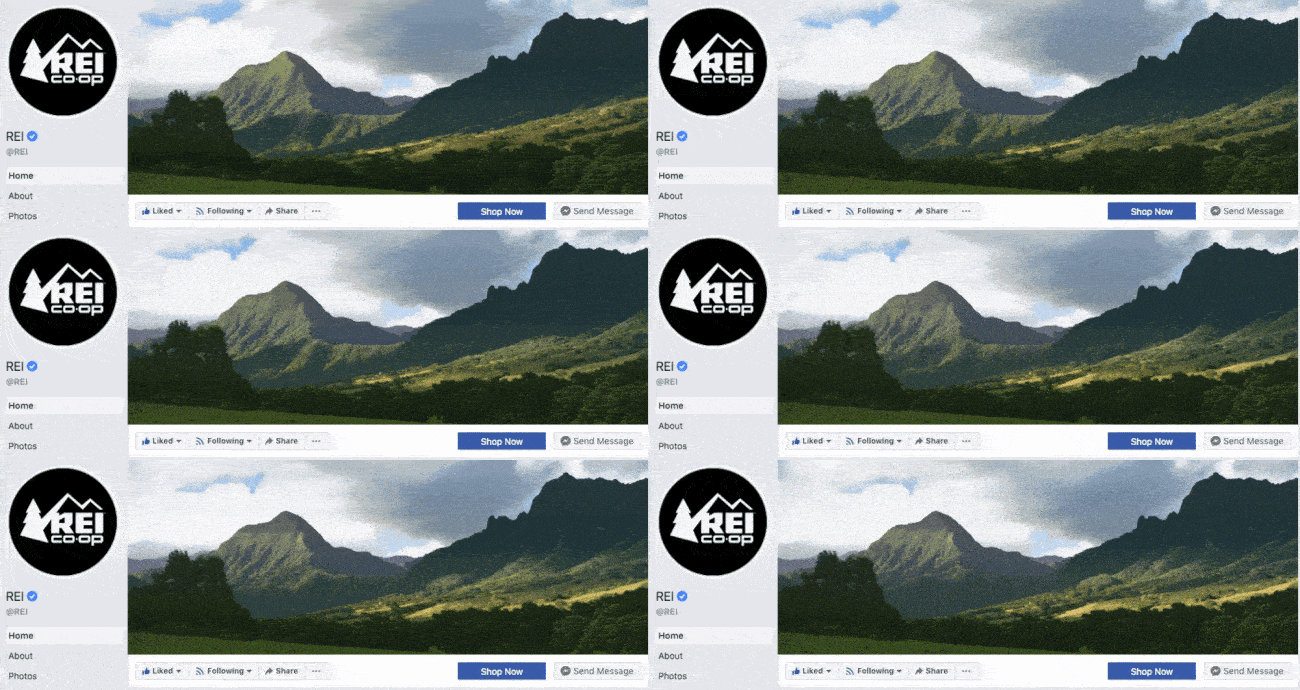
REI sells outdoor equipment for activities like camping, hiking, running, boating, and biking. The company’s subtle cover video reflects its products, all in one peaceful time lapse of the scenery it knows its audience craves.
Nokia
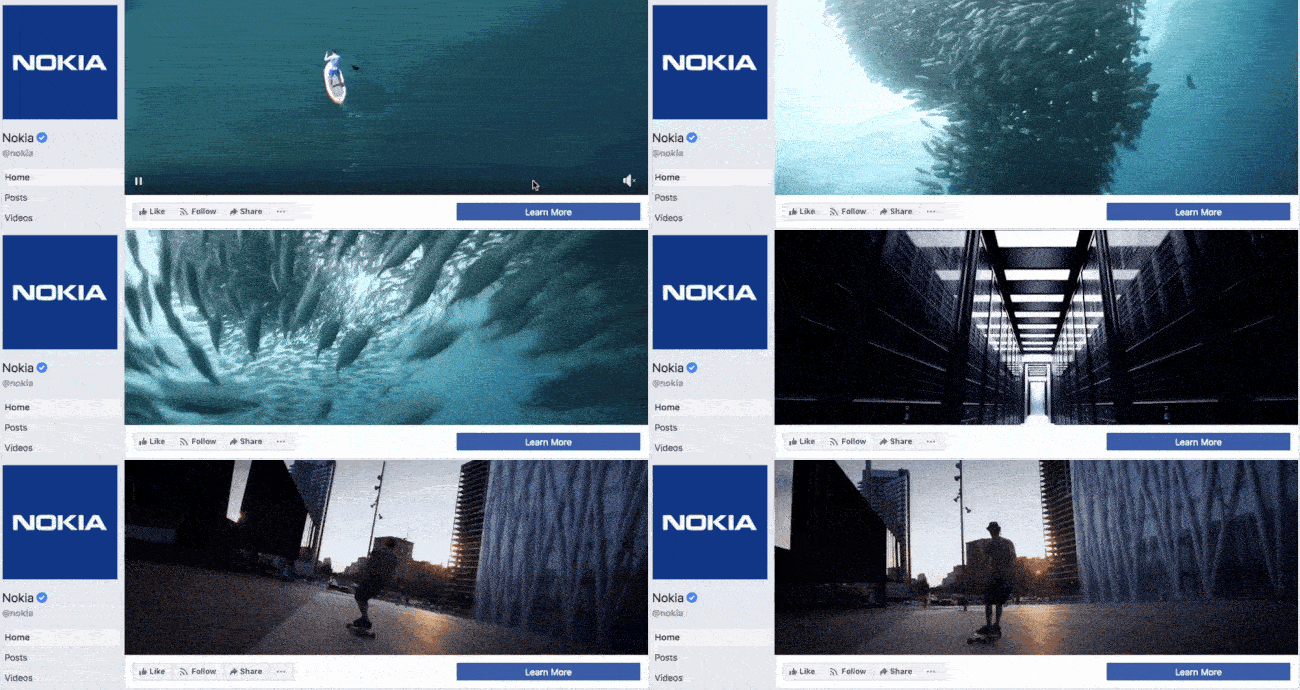
Nokia wants to be everywhere its users are — whether they’re paddle-boarding, scuba diving, skateboarding, or working. Its Facebook cover video embodies its core customer in a visually pleasing way.
WIRED Magazine
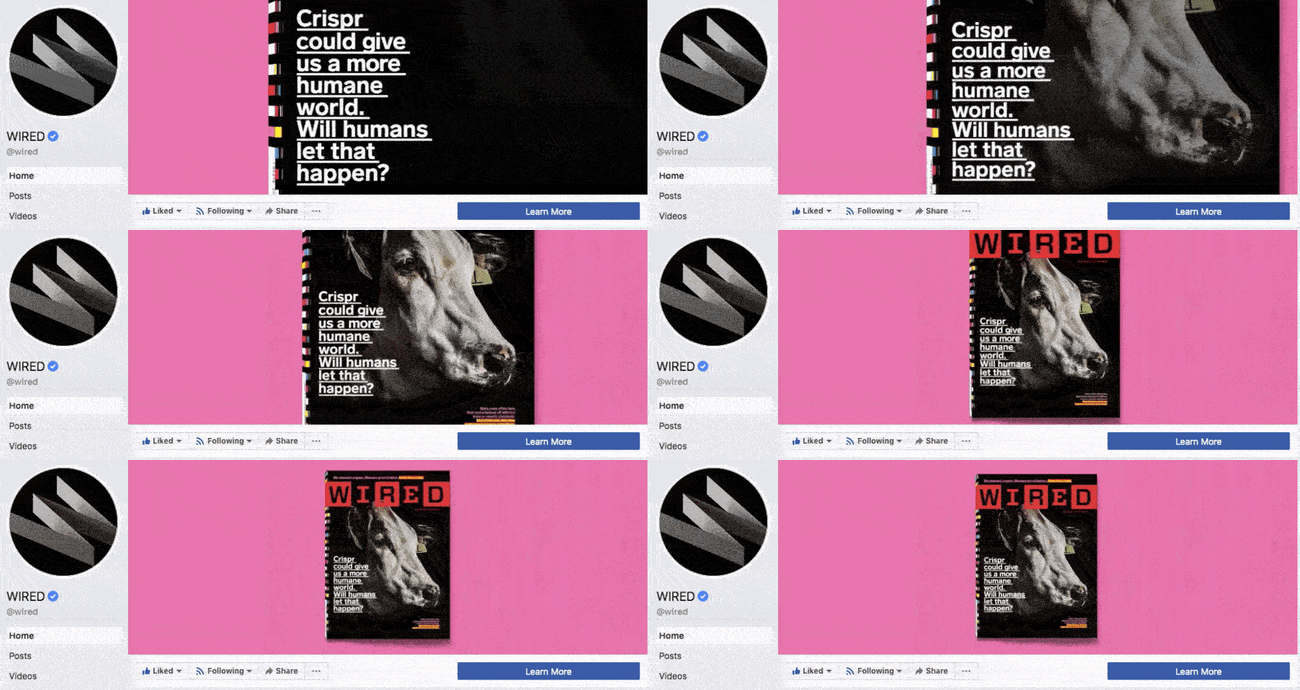
When your publication changes as fast as the news cycle, it can be hard to keep your readers focused on the stories you feel deserve extra attention. WIRED Magazine uses its Facebook cover video for just this purpose, as shown in the example below.
HubSpot Academy
Alright, maybe we’re biased, but our brilliant creative team crushed it with the video below, made for HubSpot Academy. Sometimes, animation is the best way to capture the essence of your brand.
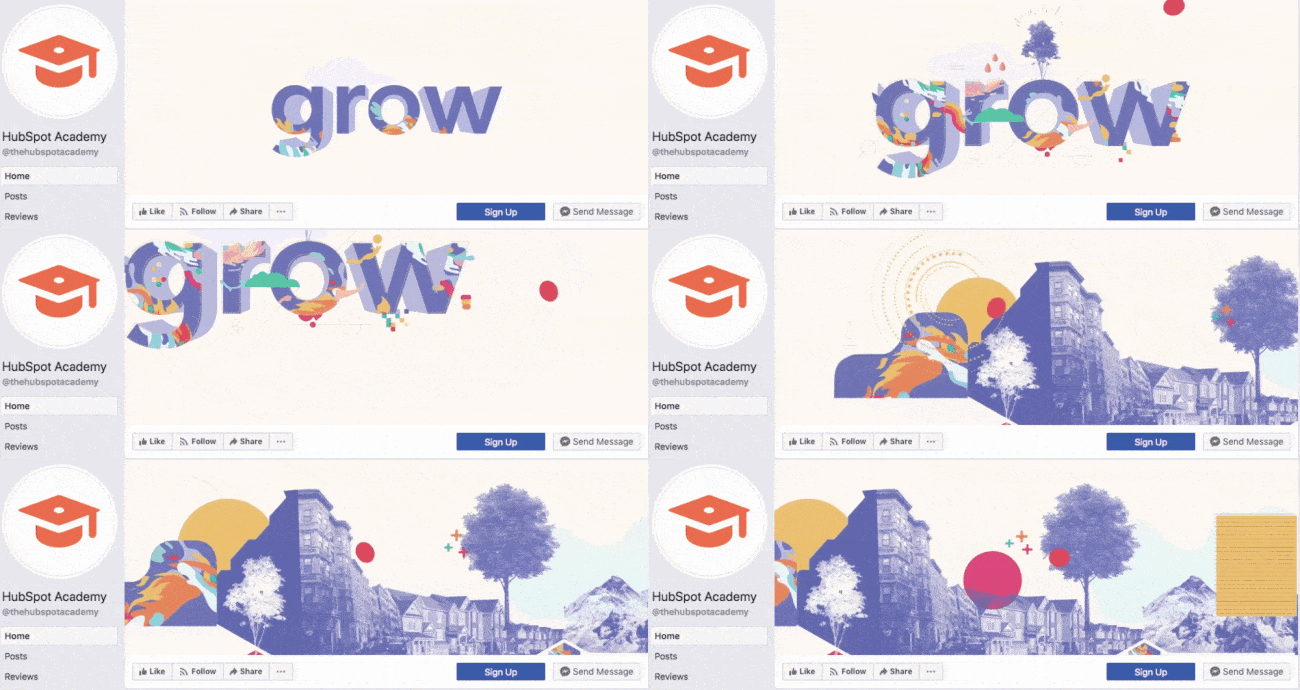
Next, let’s look at some examples of what Facebook cover videos look like when you’re logged into the platform.
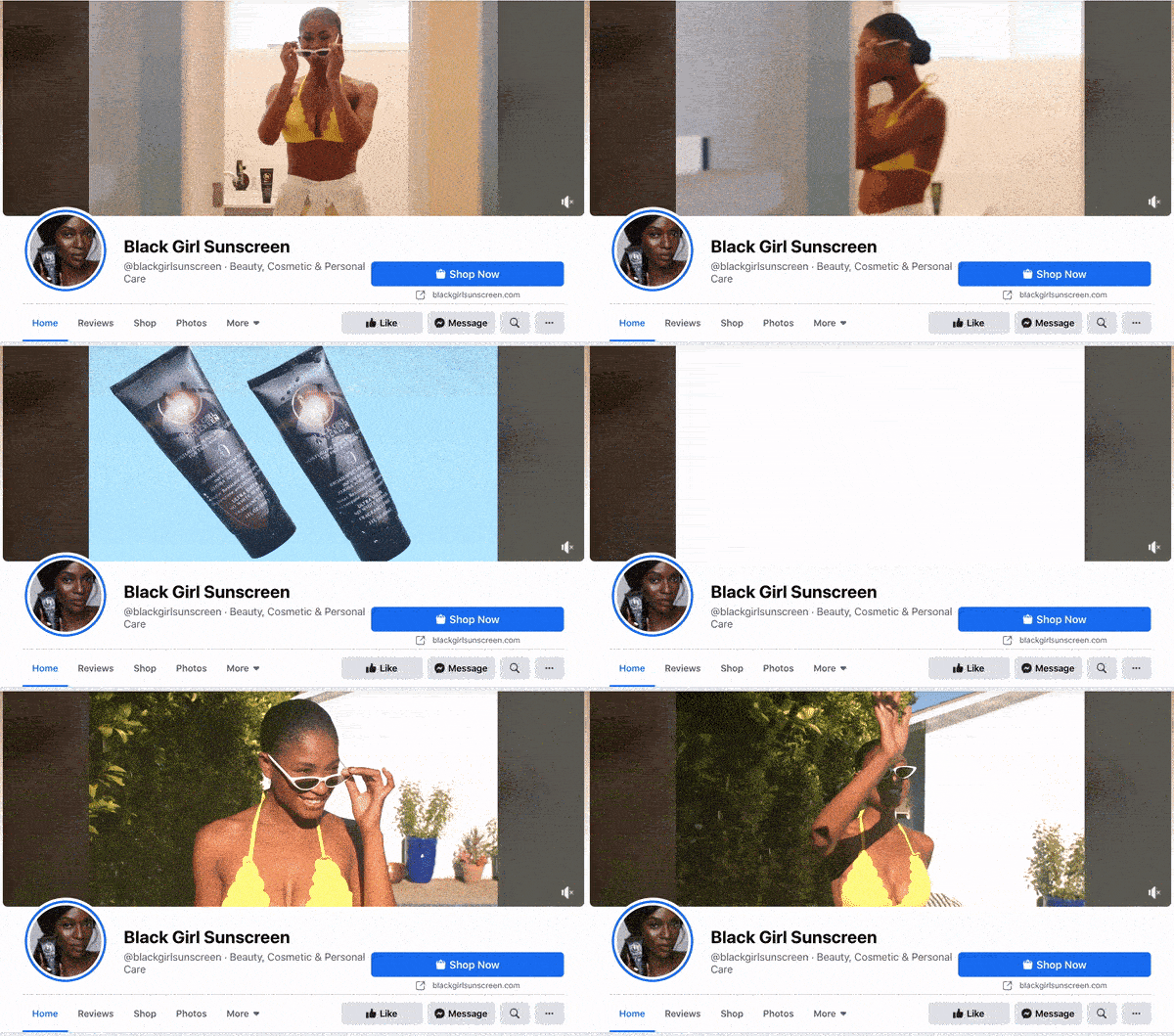
Black Girl Sunscreen
Black Girl Sunscreen makes us feel all the good things with its Facebook cover video. In it, the brand shows its customers enjoying the sun, making us wish that summer were here (or that it would last forever).
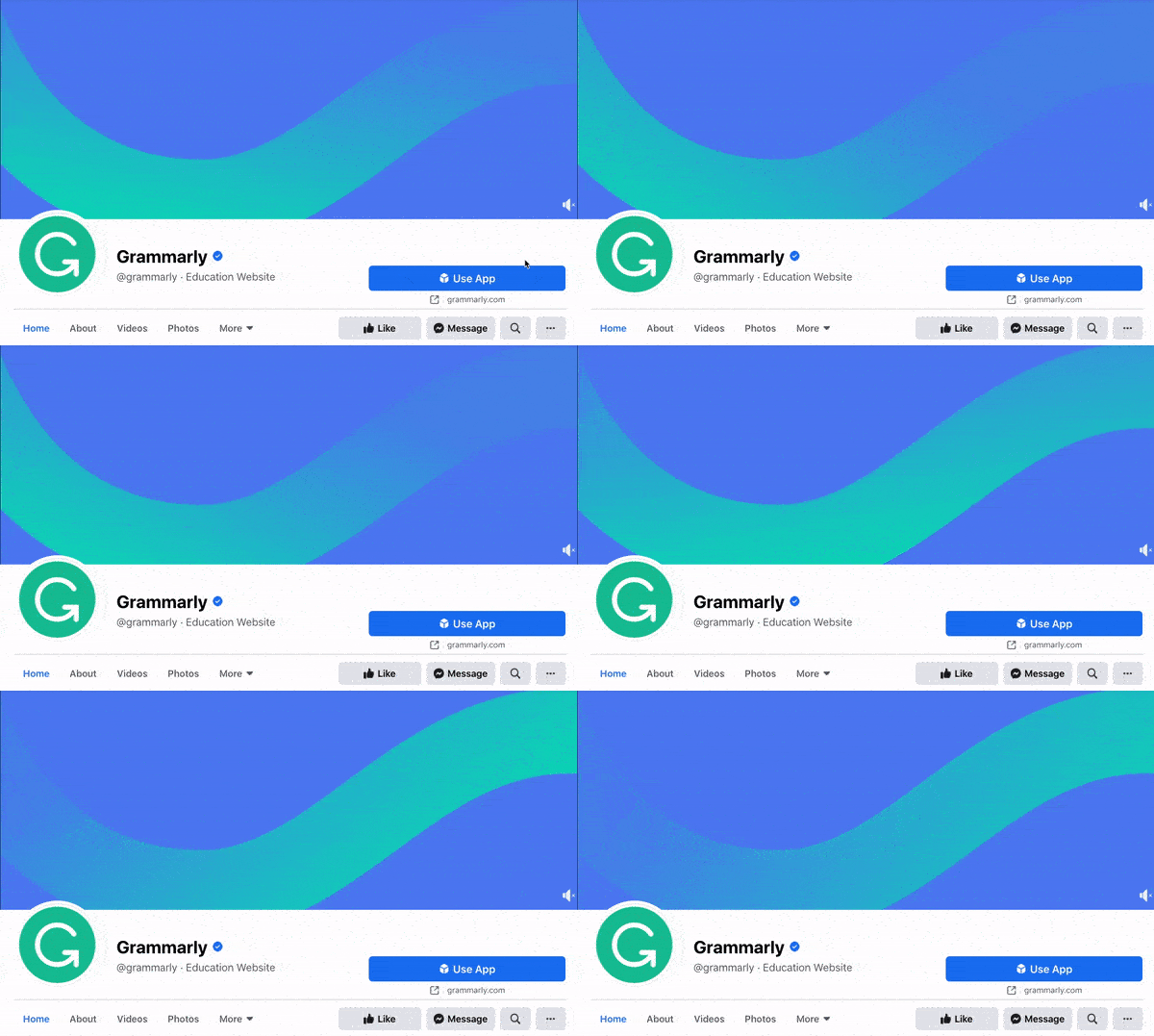
Grammarly
Grammarly is a tool for error-checking articles, emails, and any other written documents. The company’s subtle cover video reflects how smooth its customers’ writing will be after they run it through the Grammarly program.
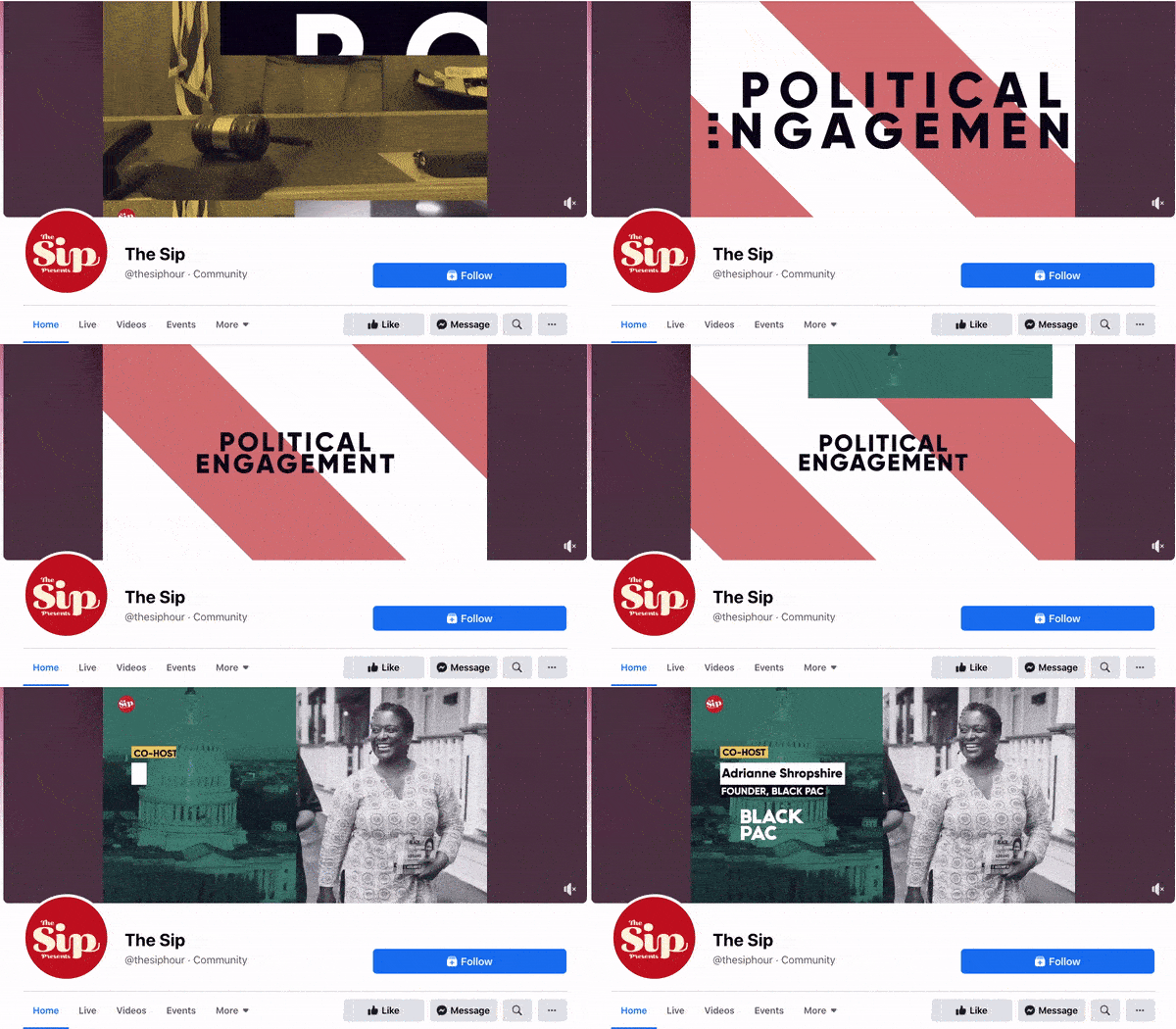
The Sip
The Sip is a Black-run and woman-owned Facebook community dedicated to promoting self-care and social awareness. The brand uses a video to present the topics that they cover in their platform, which invites users to stay on the page and engage.
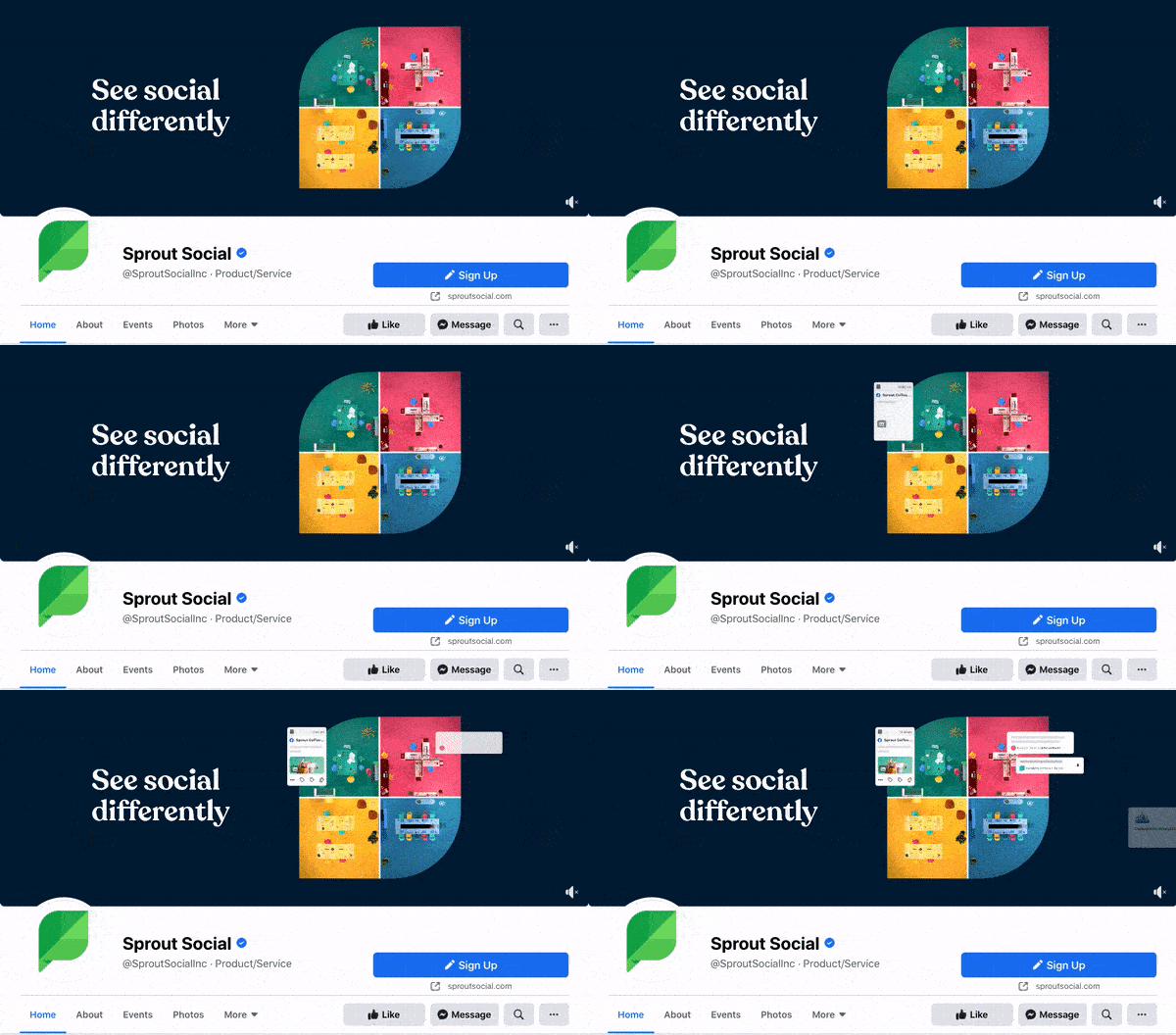
Sprout Social
Sprout Social allows brands to manage their social media profiles in one platform. Its Facebook cover video shows four different bubbles that signify the writing, posting, reporting, and analyzing of social media posts in a single box. In this way, Sprout Social shows exactly how its tool works.
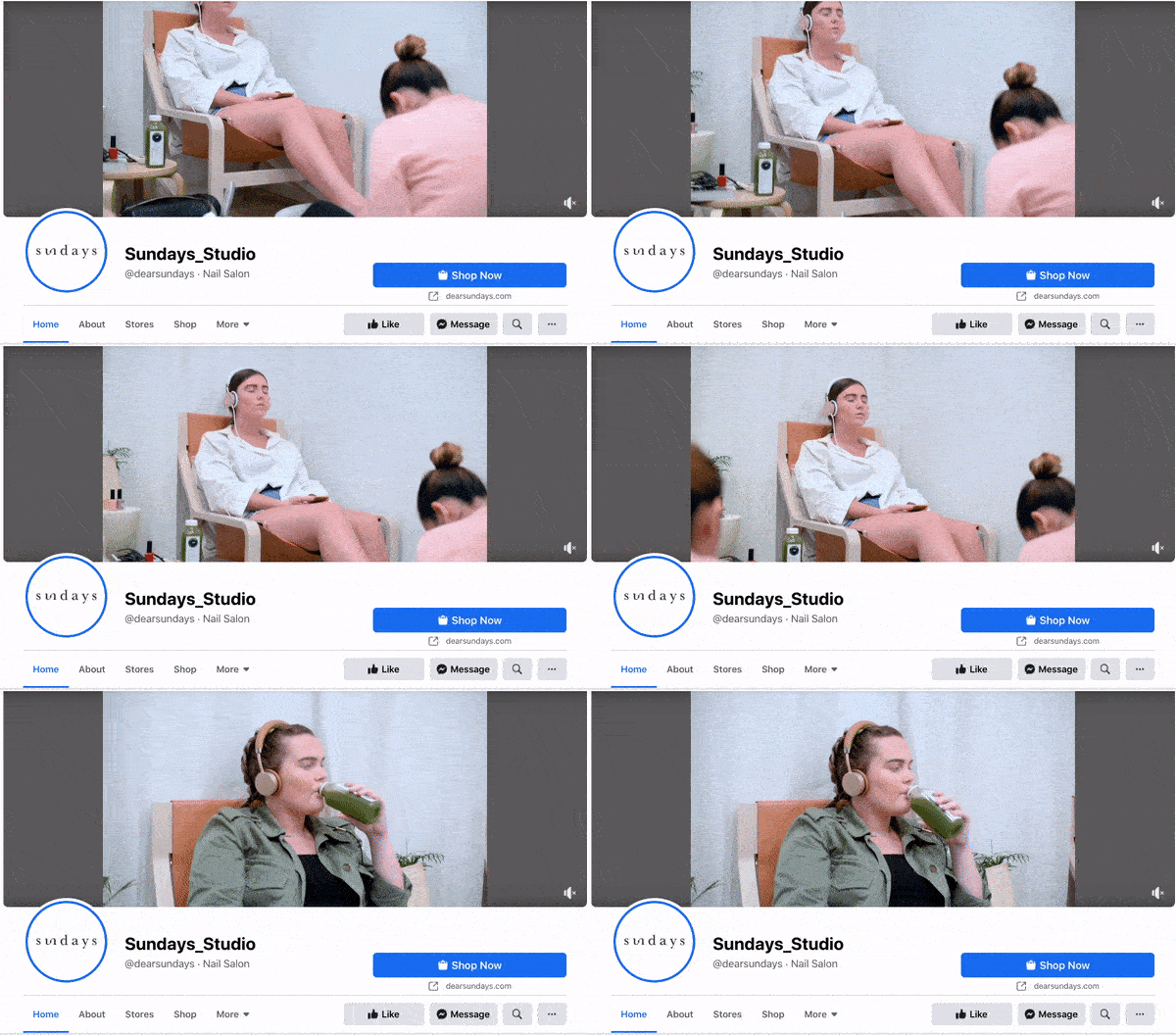
Sundays Studio
This woman-owned nail care brand uses its cover video to show how customers feel once they step into a Sundays salon — or wear Sundays nail polish.
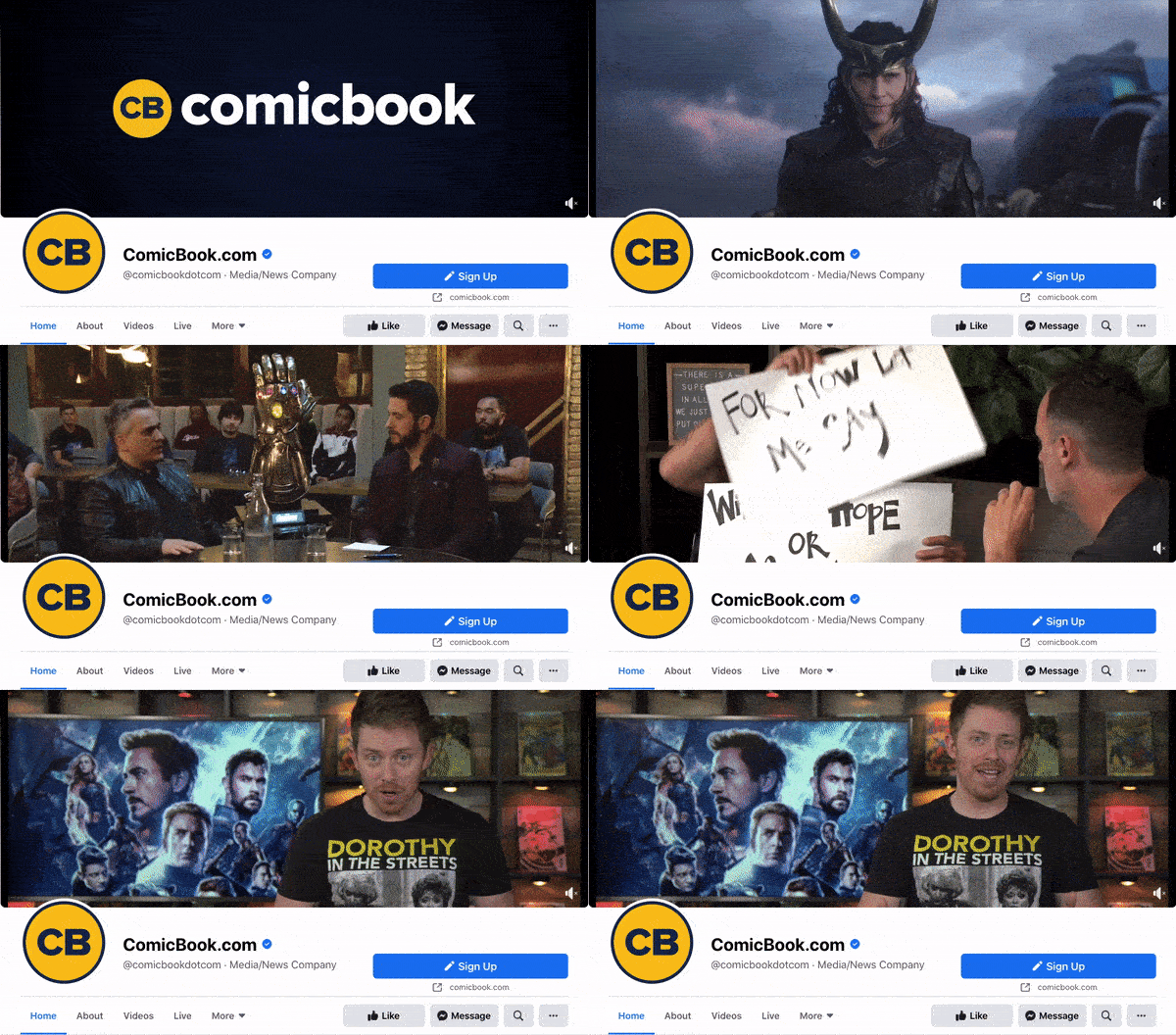
ComicBook.com
ComicBook.com is a news website covering everything that’s related to movies, shows, and pop culture. In its Facebook cover video, it gives viewers a taste of the topics, movies, and actors the publication covers on a daily basis.
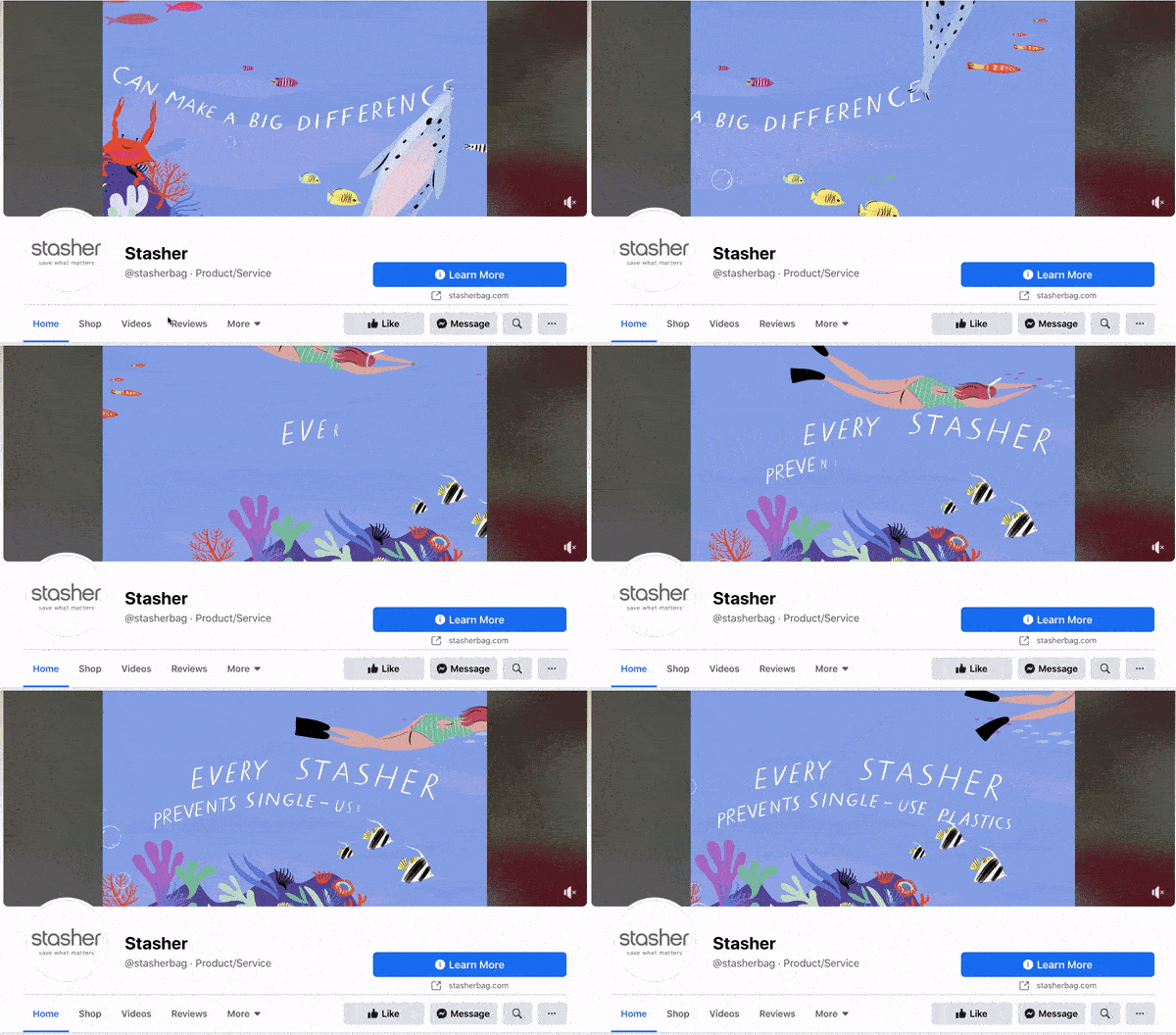
Stasher
Stasher appeals to eco-conscious buyers with a fun, animated Facebook cover video that shares how your purchase impacts the planet.
As you can see from these examples, your video should be just as simple as a cover photo. Keep in mind that the same guidelines outlined in best practice #1 apply to cover videos as well.
Facebook Cover Photo Sizes that Work for Your Business
Choosing the right cover size for your Facebook Page may seem simple, but it can have a huge impact on users and prospects visiting your Page. An ill-fitting cover photo or video can look unprofessional and give the wrong impression about the quality of your products or services. With the tips I’ve shared, you’ll be sure to choose a Facebook cover photo that embodies your brand, conveys quality, and engages users on the platform.
Editor’s note: This post was originally published in July 2020 and has been updated for comprehensiveness.

How to Verify Your Facebook Page in 5 Steps [+ Why You Should]
The other day, I searched for “Taylor Swift” on Facebook.
I was shocked to find hundreds — if not thousands — of Taylor Swifts in the United States alone.
Fortunately, I was able to find the mega-pop star’s page easily, with the help of a small blue badge:

When searching for a business (or person) on Facebook, a verified badge is often the easiest and most reliable way to ensure the page you’ve found is authentic.
As a business, it’s critical you use a verified badge so that prospects and customers can easily find your true page and access up-to-date, accurate information about your brand. Without a verified badge, it can be difficult to trust whether the page is legitimate.
However, the process for securing a verified badge is different for a business’ Page than it is a personal profile. Here, we’ll explore the steps you need to take to obtain a verified badge — plus, why it’s important for your brand in the first place.

How to Verify a Facebook Page
Note: The following steps outline how to verify a Facebook Business Page — if, instead, you want to verify a profile, you’ll fill out the same form, but you’ll need to upload a copy of your official government-issued photo identification, instead. (You only need to verify a profile if you’re a public figure or celebrity.)
1. You’ll need to fill out this form to request a blue verification badge from Facebook. Since this is for business purposes, you’ll want to click “Page” rather than “Profile” …
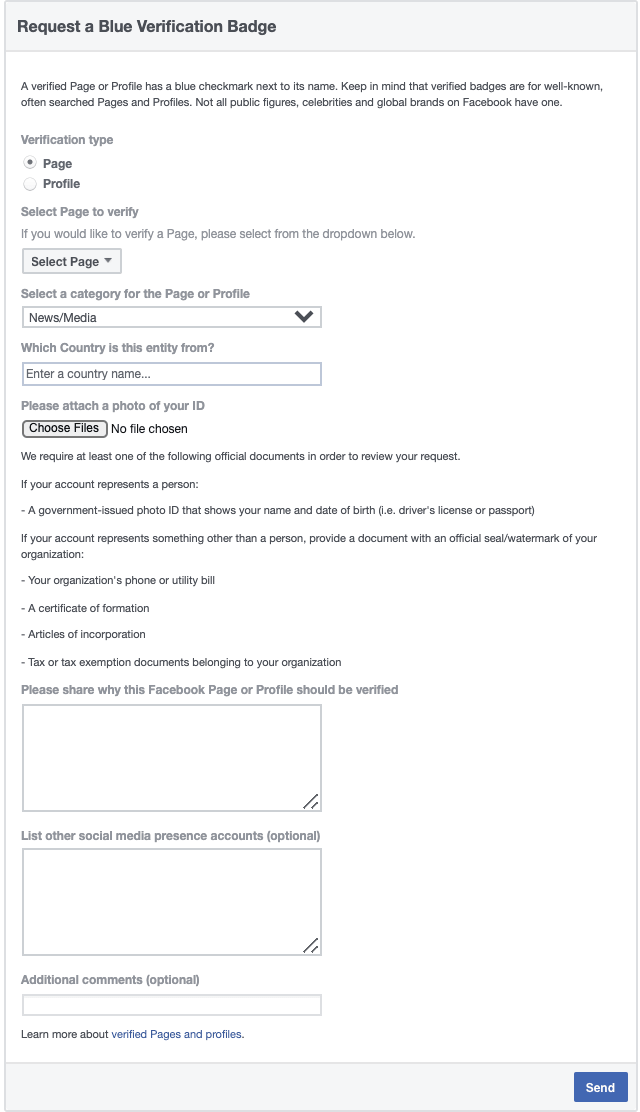
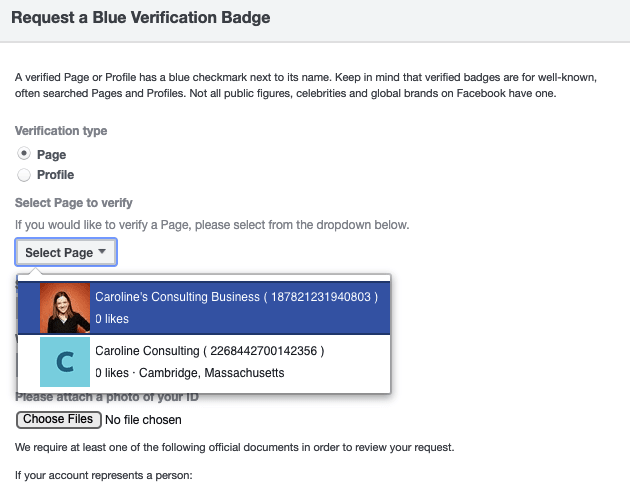
… and then click the “Select page to verify” drop-down menu to find your business page in the list. (Note: You must be an admin of the Business Manager account to submit this form.)
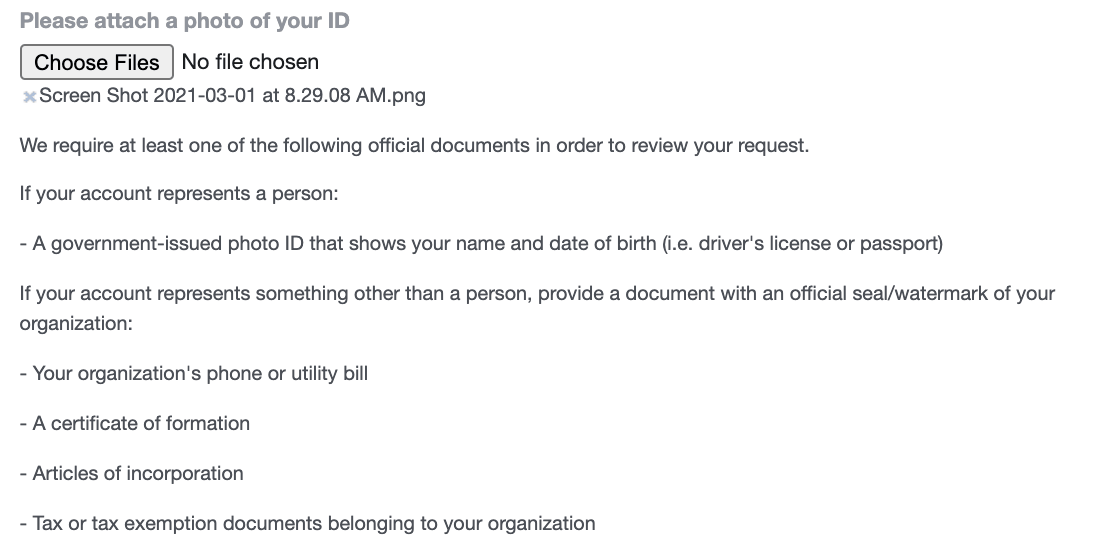
2. Since this is a business page, you’ll need to attach a copy of a phone or utility bill, certificate of formation, articles of incorporation, or tax exemption documents.
3. Fill in the box explaining why the account should receive a verified badge. You’ll need to include a minimum of 10 characters.
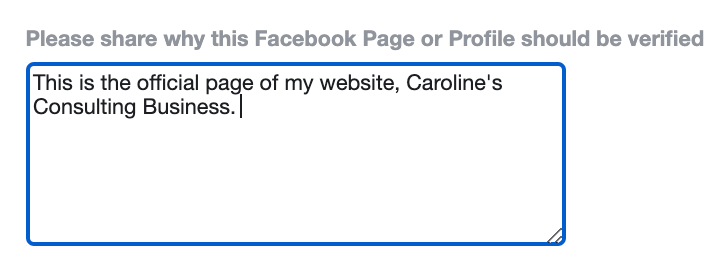
4. Add other social media account URLs if possible, as well as any additional comments.
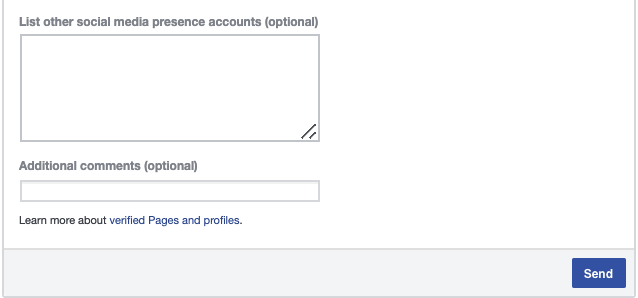
5. When you’re ready, click “Send”. You’ll be re-directed to the following page, where you can watch the status of your request:
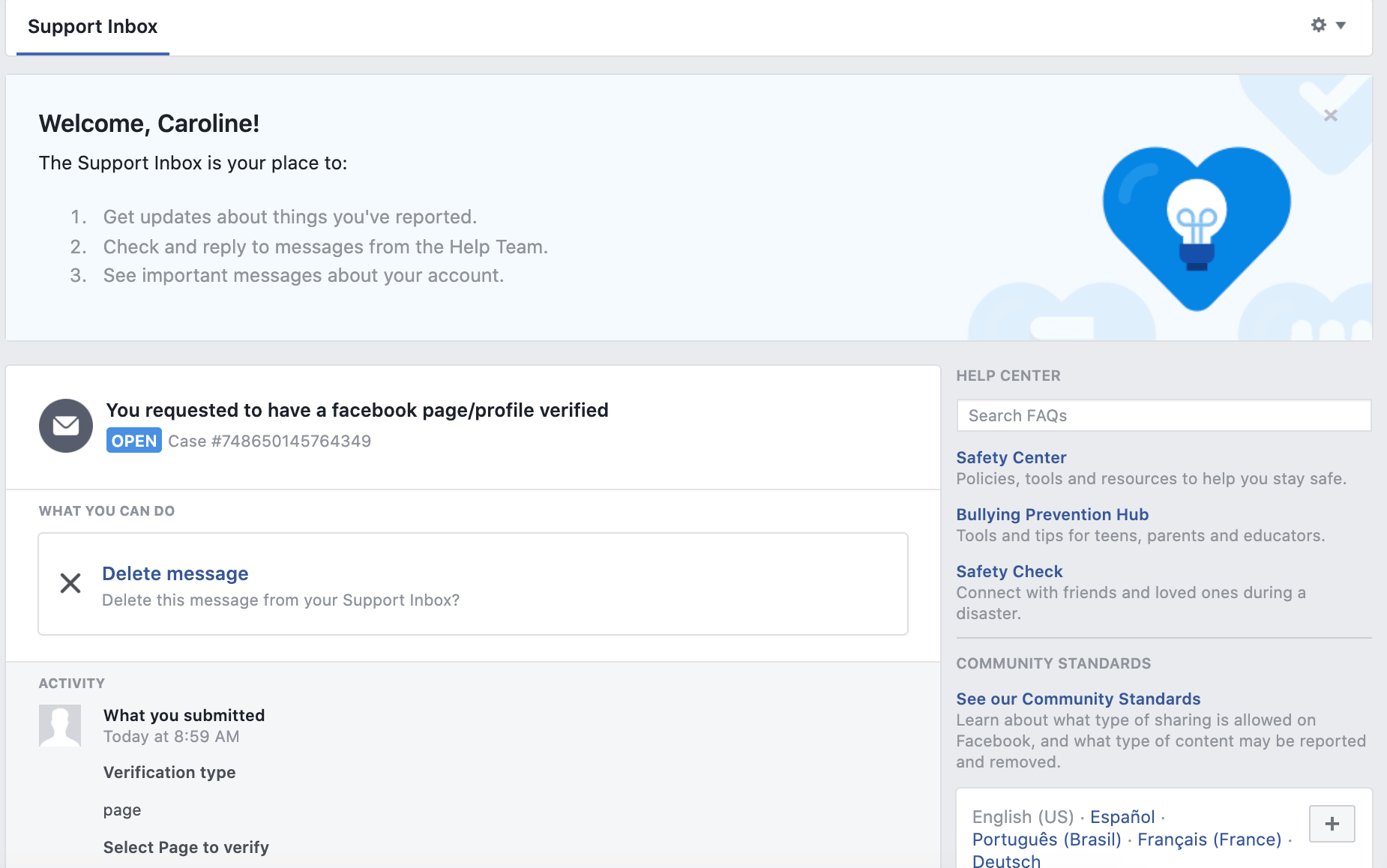
(Facebook notes: “You’ll receive a notification once we review your request. Please don’t submit more than one request for your account. For denied requests, you can submit a new request after 30 days.”)
Why can’t I verify my Facebook Business Page?
There are a few reasons Facebook might deny your request. Let’s explore two common ones, and how you can fix them.
1. Something is wrong with your submitted documents.
Facebook outlines a few primary issues you might have with the documents you submitted in the request form. If your document doesn’t align with Facebook’s requirements — or is low resolution or low-quality — consider re-uploading a new document that fits Facebook’s standards.
For instance, your document:
- Might not be the type of document Facebook accepts (more on that here).
- Might be a self-filed document. Facebook needs to see a document with an accompanying official signature or seal.
- The document is blurry, low resolution, or corrupted. Ensure you’ve scanned your document at a high resolution or format.
- The document is expired.
- The document you submitted doesn’t contain your full business address.
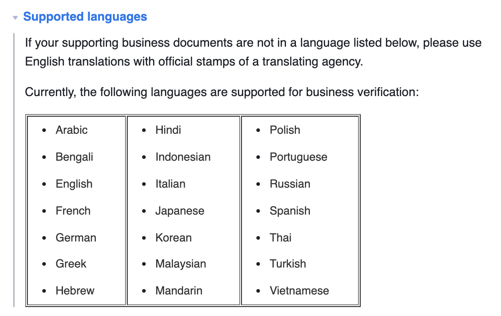
- The document’s language is unsupported (supported languages are shown in the image, below):
2. Your information — including business website, business address, and your business’s legal name — doesn’t match up.
When it comes to requesting a verified badge, accuracy and attention to detail is key. For instance, your request might be denied if your company’s name listed on your Facebook Business Settings is different from the name that appears on your submitted documents.
Here are a few considerations to keep in mind:
- The legal business name on your submitted document needs to match the name that appears in your Business Settings. (To fix this, update your business name in Business Settings or submit a new document that includes the business name that appears in your Business Settings.)
- Your document needs to include your business’s full address and business phone number. (A partial address won’t be accepted.)
- Your email domain and website address need to match, and your website should feature your company’s name or logo.
- Your business name needs to be listed on your submitted document. For instance, if a utility bill has your business’ phone number but your business name isn’t included, it won’t be accepted. (More information on acceptable documents here.)
Why Its Important to Verify My Facebook Business Page
A verified badge tells prospects and customers that they can trust your Facebook Page as the true, authentic presence of your brand. Additionally, it’s often critical for differentiating your brand from other, similar terms that might make it difficult for users to find your business on Facebook.
However, there are a few other major benefits to having a verified Facebook Business Page, aside from increased visibility.
For one, Facebook’s algorithm automatically places verified badges at the top of search results when someone is looking for your business. This is especially important if your brand hosts a few groups on Facebook.
For instance, HubSpot has a few dedicated groups for various, niche purposes like HubSpot education or HubSpot marketers. It’s critical Facebook users are able to find the more general, official HubSpot Page when searching “HubSpot”, which is why it’s good HubSpot’s Page has a verified badge, which enables it to rise to the top of search results:
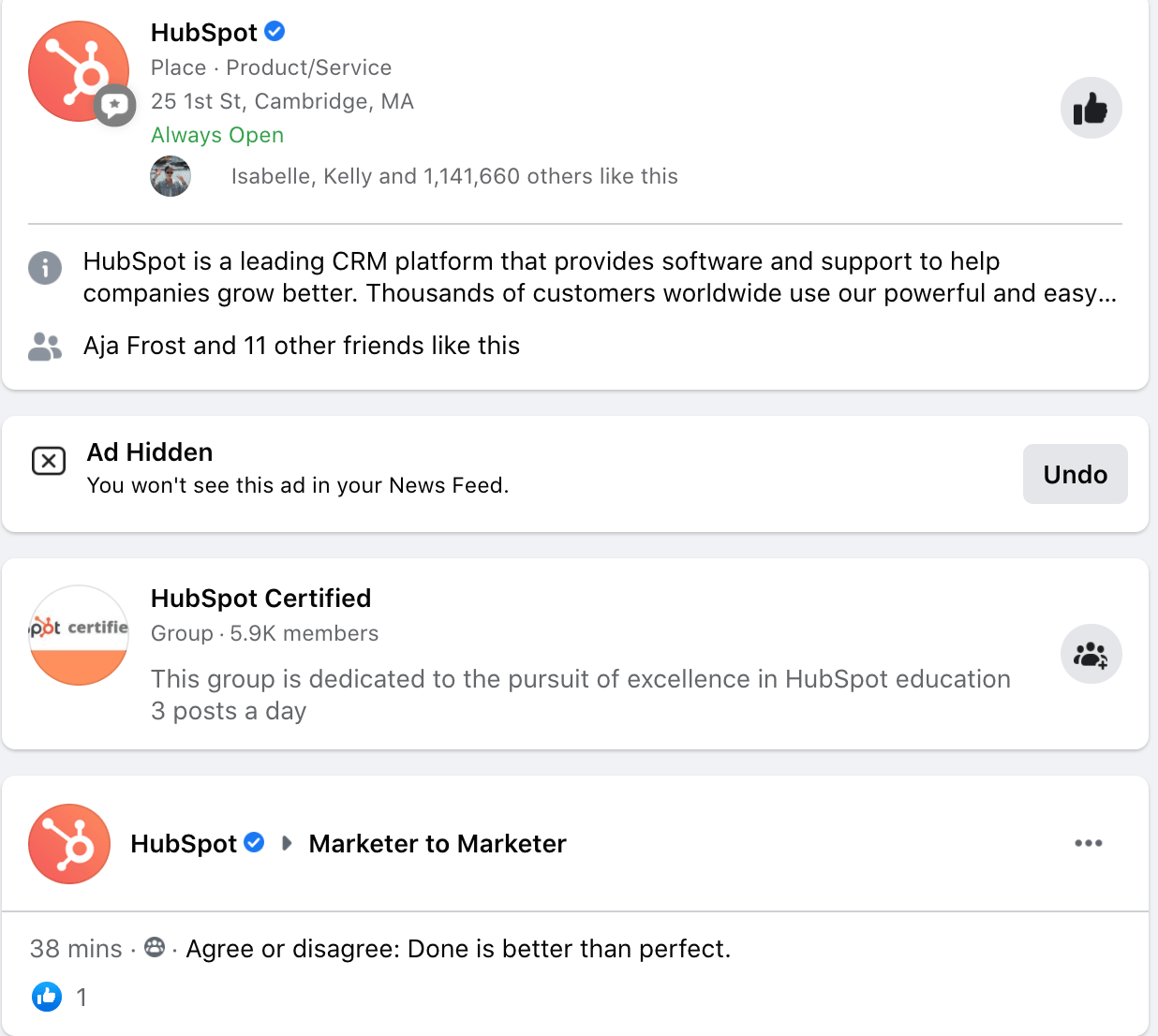
Since the verified badge will help surface your brand to the top of search results, you’ll ideally increase followers and leads as a result of having a verified badge — a major benefit of the symbol.
Additionally, a verified badge earns you early access to new Facebook features that aren’t yet available for all users. This can help you level-up on competitors who might not have the same access.
And that’s it! You’re all set to request a verified badge for your own business’ Page. Next, take a look at the Ultimate Guide to Facebook Marketing for more tips on driving demand and growing your business on Facebook.

The Plain English Guide to Writing a Business Case
Have you ever heard the age-old classic story of a company that got its start from a back-of-the-napkin idea? Or about the start-ups that started in someone’s garage?
While all those stories are, of course, inspirational, a huge element that they leave out is that every business started because someone felt the project justified spending time and money on it.
That’s why some projects require you to write a business case. Whether you want to start a company, pitch a new product, or perhaps you just want your business to use a new project management tool. Either way, a project that requires time and resources will also require justifying those expenses in the form of a business case.
Below, let’s review what a business case is, plus an example and template to inspire your own business case.

In a business case, you might include the background on a project, expected benefits, costs, risks, and opportunities. This document will justify taking on a certain project. So, how do you develop a business case? Let’s dive in below.
Business Case Development
To develop a business case, you’ll need to write several key components, including a proposal, strategy, budget, SWOT analysis, and project plan. With these documents, you should be able to prove that the project you’re pitching is worth doing.
Let’s dive into the steps for how you’ll develop a business case below:
1. Research
Before you can write a business case, you need to do your research. First, you should have a goal in mind for your project, whether it’s to create a new product, help drive more traffic/leads, or improve user experience.
Write down your goal and then conduct research to prove that your project is the way to achieve your goal.
You can begin by researching what competitors are doing and look for gaps that your project solves.
Start to brainstorm what this project’s strengths, weaknesses, opportunities, and threats are. Additionally, you’ll want to learn about your market — whoever will be the consumer of the project, even if that’s your own team.
Finally, you should start to look into what a budget would look like for your proposed solution.
2. Focus on one component at a time.
A business case will usually include several documents. Focus on one at a time, while keeping your notes organized.
Start with your proposal, then move on to your SWOT analysis, the competitive analysis, the project plan, overall strategy, and then the budget. It can be easy to get lost in just one of these tasks, so focus on one thing at a time to complete the bigger picture business case.
3. Write an implementation plan.
Once you’ve gathered your research and you’re working through each component, it’s time to start thinking about implementation.
How will you implement your project? Once you’ve made the business case that your project should be done, stakeholders will wonder how you’ll execute it.
To do this, write an implementation plan that discusses how you’d complete the project and metrics that you’d track to measure success.
Once you’re done writing your business case, look at the whole document and ask yourself whether it’s comprehensive, measurable, and adaptable.
A business case doesn’t need to be an entire business plan for a new product. Sometimes it will be less formal due to the size of the project. Either way, you want to make a strong case for your project, so it should be easy to understand and implement.
Now, let’s look at an example of what a business case might look like.
Business Case Example
Now that you’ve seen what it takes to write a business case and what the process looks like, let’s look at an example for inspiration.
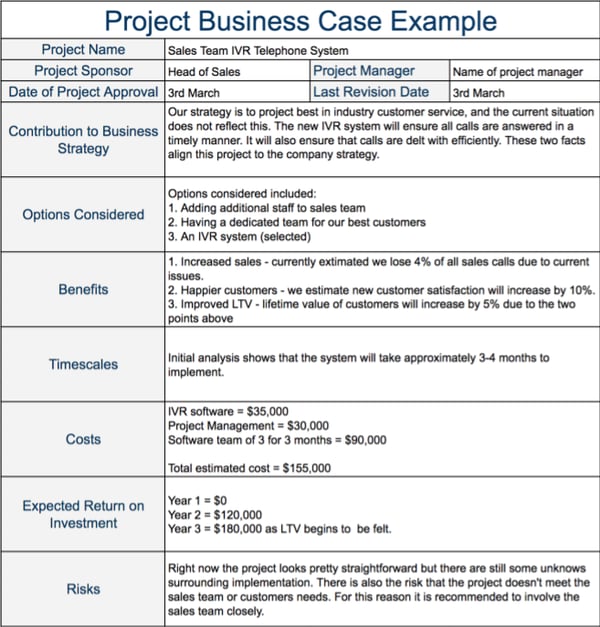
In the example below, the project is about getting a new phone system to help the sales staff. Because this is a fairly small project, the business case isn’t several pages long with exhaustive research.
However, it’s important to keep in mind that while your business case might look something like this for a small scale project, it might include several pages of information if you’re pitching something like a new product or a new UI to improve user experience.
The point in the business case is that it’s adaptable to be whatever you need. However, the components of the business case will be the same regardless of how long it is. Every business case should include why a project should be done, the benefits, costs, risks, and budget.
Simple Business Case Template
Proposal
- Project details
- Strategic context
- Vision, goals, objectives
- Benefits
SWOT (Strengths, Weaknesses, Opportunities, Threats)
Competitive Analysis
- See if competitors are doing the same thing
- Look for gaps in their offerings, if applicable
Risk Analysis
- What risks are involved?
- Will these risks present opportunities?
Market Assessment
- Do your consumers want this?
- How will this help your stakeholders?
Budget
- Economic analysis
- ROI
Implementation/Project Plan
- Roles/Team
- Duties/Responsibilities
- Stakeholders
- Specs and Requirements
- Timeline
If you have a new project idea for your company that requires a budget and resources, it might be a good idea to develop a business case to show your superiors that the project is worth taking on.

25 Post Event Survey Questions to Ask
Just like Joey from “Friends,” we recognize the importance of giving and receiving in marketing. One of the best things to give and receive is feedback.
Without feedback, we would never be able to improve. And even though it’s hard, feedback is a great way to measure success.
With a post event survey, you’ll learn what attendees thought about the event, how they heard about it, and what they enjoyed most. Measuring attendee satisfaction will help you improve your event marketing and figure out what’s working and what isn’t.
In fact, 90% of virtual event organizers use surveys to measure attendee satisfaction. And 80% report that attendee engagement and satisfaction were KPIs used for measuring event success.
To design a post event survey, you’ll want to ask several types of questions — from Yes/No, rating, to open-ended questions.
Below, let’s review the best post event survey questions to ask.
![Download free resources for executing your best event yet. [Free Kit]](https://no-cache.hubspot.com/cta/default/53/7ad084e3-bb2d-429e-9cbd-2b09416729f1.png)
1. How satisfied were you with the event?
First and foremost, it’s important to ask attendees about their overall satisfaction with an event. You can also ask participants to rate specific things including the venue, date, speakers, vendors, catering, quality of sessions, amount of sessions, and more.
This will help you gauge specifically how well you did in each area, but also the overall satisfaction of attendees.
This is probably the first and most important question that is asked on most surveys. It’s a great starting point for the specific questions that follow next.
2. What was your favorite experience or moment of the event?
This question should be open-ended and let the participants describe what they liked most about the event and why they liked that moment.
This will help you discover what you did right and what experiences are most valuable to your event attendees.
With this information, you can get an idea about how to plan events in the future and figure out if there’s anything that a majority of your attendees agree with or want to see again.
3. What could we improve on?
Again, this will be an open-ended question that lets your participants give constructive feedback. While it’s hard to hear sometimes, this will help you figure out what resonates with your audiences and what doesn’t.
By tracking what audiences don’t like, you can then improve and iterate future events so people don’t have those barriers about attending your next event.
The point of getting feedback isn’t just to receive positive feedback, but to figure out what isn’t working as well.
4. How useful was the event?
This is a great question for figuring out how actionable the event content was. Did your attendees find the information useful? Did they learn anything? Were they able to apply something they learned from your event into their work flow?
Depending on the type of event you’re holding, this can be a great way to figure out if people felt they got their money’s worth.
5. Did the event meet your expectations?
Similar to the question above, this question measures if people got what they thought they were going to get. This answers the question, “Did my audience achieve their goal by attending this event?”
This should be an open-ended question that allows users to expand and explain why the event met their expectations, or why it didn’t.
6. How likely would you be to attend our events in the future?
With this question, you’ll learn how many people plan to keep up to date with your events. If they were generally satisfied, they’ll say yes. If they weren’t, they’ll say no.
This does a good job of figuring out how well you marketed and sold your company as an authority and trustworthy leader in the industry.
7. Would you recommend our events to a friend or colleague?
Given that people are more likely to purchase a product their friend has shared with them and the importance of customer reviews, referrals are a great way to measure how satisfied your event attendees are.
Liking your event or products isn’t enough — do they like you enough to talk about you with their friends? That’s the true mark of success for an event.
8. Did you have an opportunity and place to ask questions and participate?
Whether you provided online support or you had event helpers around the building, it’s important to note whether attendees noticed that help and if they felt supported. When you run an event, there are bound to be questions about registration, access to certain workshops, and more.
This question lets you know that your audience knew where to go if they had a question. If they didn’t feel like they had a space to ask questions, then you can do better about promoting your support channels.
9. What would have made this event better?
This is a great question to crowdsource event ideas from your target audience. What do they want to see? What gaps did they see in your event from competitors? With this question, you’ll be able to brainstorm ways to improve your next event.
10. Why did you attend this event?
You can use this question as a way to inform your pre event marketing. This will let you know what your audience liked about your marketing and what they expected from you. This open-ended question will give you a chance to show up for your audience and give them what they want.
11. How did you hear about this event?
Again, this is a great way to evaluate your pre event marketing. Where are attendees learning about your event? What marketing channels are working best? What marketing channels aren’t working at all?
This will tell you where to focus your pre event marketing for your next event and let you know places where you need to pay more attention and improve on.
12. Have you attended this event before?
A great metric to keep track of is how many repeat attendees you have coming to your regular or annual events. This will let you know how many people see the value in your event and want to continue attending.
Again, this metric will let you know where to focus your marketing efforts. Do you want to increase repeat attendance? Then perhaps you need to focus on the customer experience during the event. Do you have great repeat customers but not enough new acquisitions? This will let you know that you need to focus on pre event marketing channels.
13. Would you want to attend this event again in the future?
This question, while similar to one of the above, measures how likely someone is to attend the same event in the future. Do they see value in attending this event every year? Or do they feel like they got everything they needed?
Again, just like it’s easier to retain customers than get new ones, it’s easier to convince former participants to attend the same event again. This will reveal if your audience is excited about coming to your event in the future and then you can compare with the number of attendees who actually came back the next year.
14. Have you attended our other events before?
This question will let you know how many loyal followers you have. Are the people coming to your events in your community? Or are these new people who haven’t heard of your brand before? This will help you measure where you’re acquiring event attendees.
15. Were you satisfied with the amount of activities/workshops?
This is a specific question that measures satisfaction with the quantity of activities or workshops available to attendees. Essentially, was there enough for your participants to do during the event. Or was there too much? Either way, this question is important to figure out if you and your audience are aligned on what content they want.
16. Were you satisfied with the quality of the content?
Once you know how much content to offer your audience, it’s time to ask about the quality of the content. Did they find the information helpful? Was this worth paying for? This will help establish trust with your audience that you can present high quality content and information that they find valuable and useful.
This will also help you gauge what content your audience is interested in. If they were not satisfied with the quality, it could be because the type of content, the speakers, or the way it was presented.
17. How helpful was the staff at the event?
This is an excellent question that will help you figure out how your staff performed during this event. When attendees asked questions or used support, was the staff friendly and helpful? Or was there a staffing issue?
This will help you figure out how quickly issues were resolved and if participants enjoyed their experience.
18. What was your biggest takeaway from the event?
Again, this helps you determine what people were able to learn from your event and what they got out of it. Does that align with your goals for the event? If not, this is a great way to learn what people took away from your event and what they expected.
19. How satisfied were you with the virtual experience?
If you’re holding a virtual event, it’s important to add post event questions that measure the success of the virtual experience.
You can leave this as a rating and/or an optional open-ended question to let people explain why they were or were not satisfied with the virtual experience. Attendees might comment on the ease of navigation or the audio quality, for instance.
20. What were your favorite virtual features?
If you offered any special online features or an event app, this is the place to figure out what your attendees thought about those features. This lets you measure the success of your virtual platform overall — did this platform provide features that your audience liked? Or were there other features they wished were available?
21. How easy to navigate was the platform for the event?
Similarly, this question is meant to measure the effectiveness of your online platform for your virtual events. If the platform isn’t intuitive or easy for participants to use, then they probably won’t consider coming back for your other events. This will help you gauge if improvements need to be made to the online experience.
22. How satisfied were you with the networking opportunities provided?
Lots of marketing events are meant to allow networking and a lot of people attend these events to network with other professionals. If networking is something that your audience wants from you, it’s important to measure the success of your networking opportunities.
This can be a rating question or an open-ended question so your attendees can elaborate on what they liked about the networking opportunities or didn’t like.
23. What topics would you want to see more of at future events?
Again, it’s always a good idea to learn what content your audience wants to see. How can you figure that out? Just ask.
In your survey, you can ask what type of topics they’re interested in learning about in the future. This will also give you new perspectives and content ideas for your next event.
24. How did this event impact your perception of our company?
This is a great question for learning how effective your brand story and messaging is at your event. Is your branding clear through your event marketing materials? How does it fit in to the larger strategic picture? This question will let you track how effective your event was in terms of branding.
25. Please share any additional comments, thoughts, suggestions for future events.
Of course, ending with an open-ended question where participants can leave feedback on any area is a best practice. You want your attendees to feel like they can tell you their overall thoughts and opinions.
Hopefully the questions in your survey got your attendees thinking and they might also feel like there are other topics to cover. Since you can’t ask every question you’d probably like to, this helps you figure out what’s important to your audience.
Post event surveys are mainly used to measure how successful an event was. These surveys will give you information that you need to improve future events.
Now, post event survey questions aren’t the only type of surveys you’ll want to send out. You might consider also sending a pre-event survey. A pre-event survey will help you measure your current event marketing, see what got people excited about the event in the first place, and how to tailor the event to the actual attendees.
Here are some examples of what that might look like.
1. How did you hear about this event?
This question is great to ask either before or after an event. You could send this in a pre event survey to figure out what marketing channels are working the best. This will help you make changes to your budget and priorities when you continue marketing the event.
2. What are you most excited about?
With this pre event question, you can gauge what people are most looking forward to. Again, this will help inform your marketing budget and priorities so you can fulfill any customer expectations.
3. Have you attended this event before?
Similar to the first question, this can be asked before or after an event. The reason to find this out before an event is to see if you are getting a lot of repeat attendees or if you need to do more marketing to previous attendees.
4. Why did you choose to attend this event?
This is a great question to ask before an event because it will tell you what people are most looking forward to. This will help you prepare for an event so you can deliver on what people are expecting.
5. Do you have special accommodations you would like us to be aware of?
Logistically, this is important to know. If you don’t have a lot of attendees, and accommodations need to be made, then you should be aware of what those accommodations are. If you’re holding a larger event, you need to consider the type of accommodations you’ll need to make for various attendees.
6. Was there any event information that was difficult for you to find?
Again, this will help you make adjustments to the pre event and registration process while it’s still going on. This should help you get more registrants, ultimately, because you can pivot your strategy in real time.
7. Which social media platform do you use the most?
If you don’t have a plan for how you’re going to communicate with your attendees during the event, social media is a great option. But what platform would work best? You can use a pre event survey to learn what social media platforms your audience uses the most, so you can provide helpful information during your event.
Conducting pre or post event surveys is an important part of measuring the success of your event team and marketing team. To do this, you can use a survey tool, like HubSpot. Regardless of the tool you use, remember that the goal of sending a survey is to receive both positive and constructive feedback so that you can improve your event marketing and events.

13 Things NOT to Do on Facebook
These days, most businesses know they need to have a presence on Facebook. Searching for a business on Facebook and seeing they don’t have a page garners the same reaction from users as searching for a business on Google and seeing they don’t have a website: They just don’t look legitimate.
But once you’ve created your business page, navigating the waters of building a Facebook presence is another matter entirely. How often should you post? When should you post? Why are your images all pixelated, and how can you fix them? Do you really have to respond to that troll?
Many mistakes businesses make on Facebook are entirely preventable. To help you avoid these pitfalls and operate your Facebook page smoothly, we’ve listed some of the most common mistakes businesses make with their Facebook marketing. Here’s what not to do.

13 Facebook Mistakes to Avoid
1. Don’t create a profile instead of a page for your business.
This may seem elementary, but you’d be surprised by how many people make this mistake. Before we get to more advanced tips, let’s set the record straight: Facebook profiles are meant for people, while Facebook pages are meant for businesses.
2. Don’t have multiple Facebook accounts.
This advice applies to both your personal and professional activities on Facebook. You might think having more than one Facebook account helps you separate your personal life from your work, family, or school life. Let’s be real, you can’t have your great Aunt Debrah commenting on your embarrassing college photos from ten years ago causing them to resurface in people’s timelines.
On a more practical note, Facebook does limit personal accounts to 5,000 friends. After that, people will need to follow you which limits the type of engagement they can have with your content. As a fix, you might think a second or third account might be a good idea.
However, there are two reasons why you wouldn’t want to have two accounts. The main reason is that Facebook doesn’t allow users to have more than one personal account — it’s against their Terms of Service. So if they find out you have two personal accounts, they’ll shut them down.
The second reason is that, even if it weren’t against their terms, having two personal accounts would be a pain to maintain. Do you have enough content going up on both to round out your presence? Where do you draw the line between the two? Which account will you show to your friend who works in your industry? Instead of having to delineate between two parts of your life, you should instead take advantage of Facebook’s robust privacy settings.
On the professional side, there are no such restrictions from Facebook. You can make several pages for your business without the social network even noticing. But should you?
For most businesses, we don’t recommend it. You’ve only got so much time in the day to devote to Facebook — why spread yourself thin just to maintain several pages?
Plus, there are lots of other great options for you. First, you can take advantage of Facebook’s targeting options — you don’t need to pay to send updates to certain segments of your audience. Instead of creating a page for one segment of your audience, you can just post tailored content to be shown only to them.
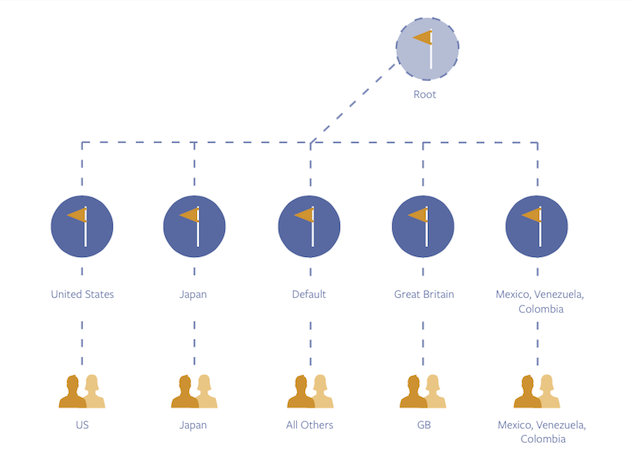
Second, if you have a huge audience that lives all over the world, you can think about implementing a global page. If you’d like to get your global page set up, you need to get in contact with Facebook directly. (Full disclosure: You’ll probably already need to have a hefty Facebook ad budget in place to make this happen.)
In short: Keep it simple. Don’t create more accounts and pages than you need.
3. Don’t neglect the posts or comments on your page.
JetBlue’s manager of customer commitment Laurie Meacham once told me, “We’re all about the people, and being on social media is just a natural extension of that. It’s no different than any other part of the airline.”

No matter your industry, that couldn’t be more true. The point of business accounts on Facebook is to interact with your customers and prospects who are already engaging there. (And considering as of Q4 2020, Facebook had just under two billion active users, it’s likely that they are engaging out there.)
Ignoring comments and interactions is like saying to your customers, “I don’t care what you have to say.” To avoid this, start by making sure that the desired publishing options for your Timeline are turned on. While some businesses allow users to post and leave comments on their page without review, others prefer to manually approve them, and some don’t allow publishing permissions at all.
Although the choice is entirely up to you, we recommend that you treat your page like a two-way street rather than a channel to broadcast your voice, and your voice only.
Once you’ve got that straightened out, be sure to monitor the comments daily and respond when appropriate.
4. Don’t ignore negativity.
What if customers complain? What if they troll?
You can’t stop people from saying things about your brand, good or bad. What you can do is respond respectfully and with helpful information based on the comments that were shared. Responding not only shows people you’re concerned about their happiness but it also shows that you’re engaged and listening.
5. Don’t leave the meta description as is.
When you paste a link into a new Facebook post, the metadata from that post (an image and a short description) gets pulled in automatically. But that doesn’t mean you should just press “Publish.” Instead, add some relevant post copy like a quote or statistic from the article you’re linking to.
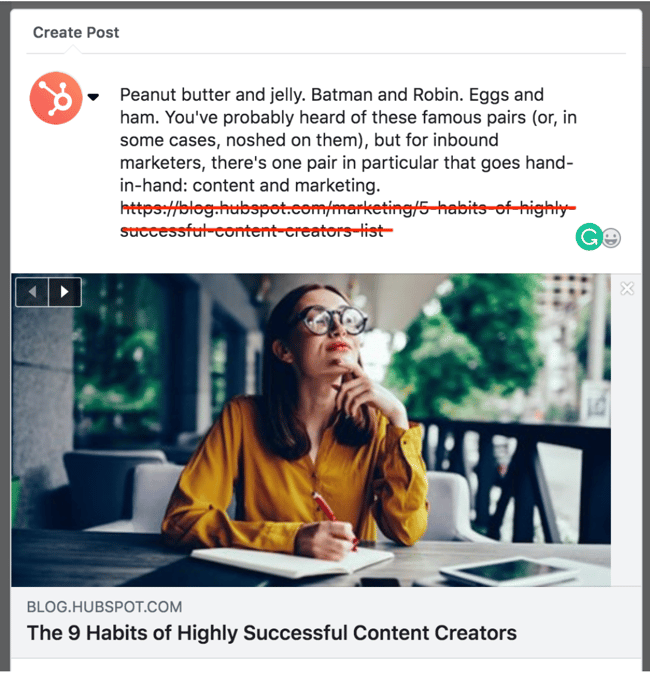
In addition to editing the post copy, you’ll want to remove the URL from the box before posting. Knowing that Facebook automatically populates metadata when you paste a link, deleting the extra URL will help to reduce visual clutter without messing with the post.
6. Don’t just post photos.
Video is now consumers’ favorite type of content on Facebook. As of 2020, 17% of all content on the platform is video content..
Instead of sticking to one or two content types, experiment a little bit. Facebook is a place where you can let your brand’s personality shine. Post company culture pictures and have people tag themselves. Consider having Facebook Q&A discussions. Post links with one-word copy, and others with several paragraphs of copy. Find out what works best for your audience, and remember that your audience is always changing — so test continually.
7. Don’t make your posts too long.
Again, testing post length is the best way to gauge what your audience likes. The optimal length of your Facebook Timeline posts will vary from company to company. For some, longer, informative Facebook posts perform better. For others, like BuzzFeed, short ones work perfectly.
While it’s important to experiment and see what your audience responds to best, here’s what we will say: There is some solid evidence that shorter posts generate the highest engagement — in fact, a HubSpot research experiment found that posts with about 40 characters in length received more engagement than longer posts.
8. Don’t post images of just any size.
Pixelated, cluttered, or difficult-to-read visuals will not only frustrate users, but they’ll also give you a bad reputation.
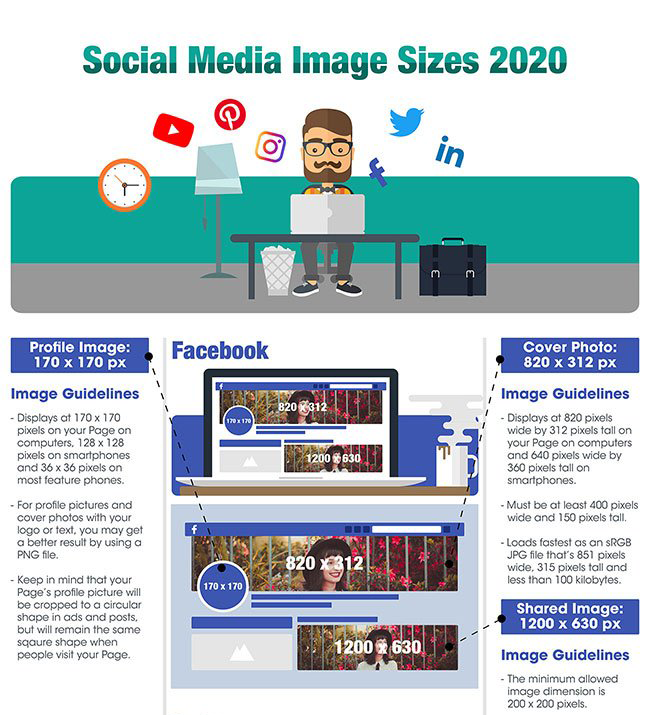
Not only does Facebook have specific image dimensions for profile photos and cover photos, (although those are important, too), it also has ideal image dimensions for images you post on your timeline, the ones you use in sponsored posts, sidebar ads, and so on. To help you keep everything straight, bookmark this handy cheat sheet.
9. Don’t post click-bait.
When you link to a web page in a Facebook post, the platform tracks dwell time on the page to see how much time people spend looking at it. The lesson? Don’t post click-bait headlines that don’t deliver on your promises.
If you’re looking to meet the needs of your audience on Facebook, consider posting links to clear, informative blog articles. When the headline sets the right expectation for what a user can expect from the content, it’s easier for them to see the value in what you’re offering and remain on the page to read the article. When it doesn’t, they bounce off the page and Facebook takes note.
10. Don’t assume you should only post during business hours.
A Sprout Social study found that the best times and days to post on Facebook vary by industry. However, the common theme across industries using Facebook to generate engagement is that activity on the platform hits a peak on Wednesdays and the best time to post is early afternoon.
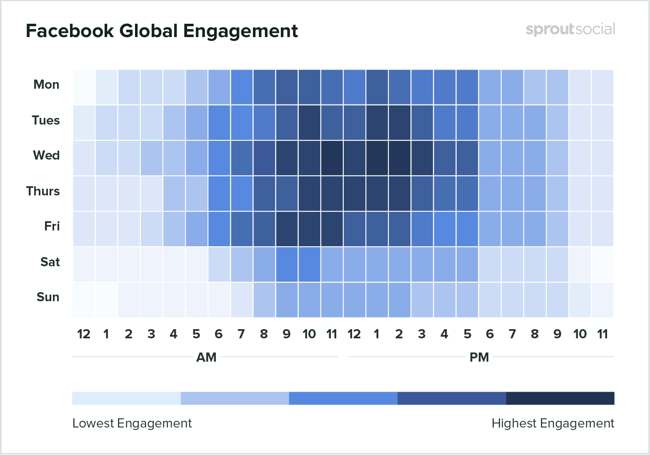
What about weekends? Sprout Social also noted that Sundays are, across the board, the worst days to publish content to Facebook. In summary, stick with publishing posts during the middle of the week, right before engagement and activity wane heading into the weekend.
11. Don’t post too often (but do post regularly.)
Yes, you should post regularly to keep your audience engaged, show them you’re present and listening, and answer their questions and concerns.
However, what you don’t want to do is overwhelm them with tons and tons of posts. We even ran a few experiments to figure out how often businesses should post on Facebook. Our research included posting frequency benchmarks by industry and company size based on Facebook data from thousands of our customers.
What we found was this: Companies that are selective about what they publish — i.e. they take the time to craft a smaller number of high-quality Facebook posts instead of a lot of Facebook posts — performed best.
12. Don’t forget to experiment with targeting and ads.
As a result of the recent decline in organic reach on Facebook, many companies are turning to Facebook advertising to capture the attention of a more qualified audience. With Facebook advertising, you can target people who’ve visited your website, used your app, or signed up for an email list. You can also target similar or “Lookalike” audiences or set up campaigns aimed at getting likes on your page.
But you can’t just throw money at Facebook advertising and expect everything to work. It’ll only work if you’re smart about it — which means experimenting and tweaking your advertising plan to see what works.
Where should you start? We created this step-by-step guide to digital advertising to help marketers learn how to create successful Facebook ads. And if you want to check out examples of real Facebook ads that have worked really well for brands, check out this blog post.
13. Don’t forget which account you’re posting from.
The Facebook News Feed looks basically the same whether you’re logged in to your personal account or your company’s account, making it all too easy for Page administrators to forget which one they’re posting from. You wouldn’t want to respond to commenters from your personal account when you meant to respond from your business account or vice versa.
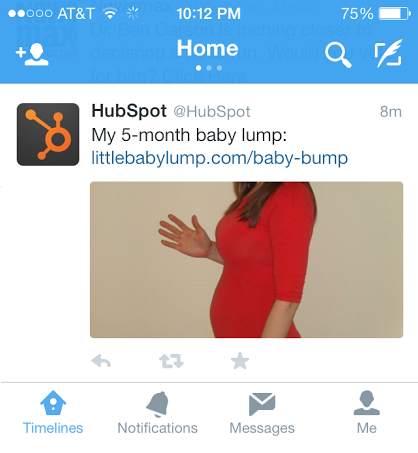
However, the truth is sometimes accidents happen. In fact, one of my colleagues accidentally posted a picture of her baby bump from HubSpot’s Twitter account. While it was a harmless mistake, she wrote up a blog article to provide businesses with the advice they need to overcome a social media slip-up.
Do This Not That On Facebook
Facebook is one of the longest-standing social media platforms that businesses rely on to reach their audiences. And it makes sense — more than a third of the people on earth use Facebook. With such a large audience watching for the latest and greatest social content to connect with, you must be certain that you put your best foot forward when publishing posts. I hope this list gives you more than enough ideas for what not to do on Facebook so you aren’t caught off guard by even the wildest faux pas.
Editor’s note: This post was originally published in June 2015 and has been updated for comprehensiveness.

The Ultimate Guide to B2B Marketing in 2021
Effective marketing is difficult to get right. Between creative demands, budget limits, and channel decisions, marketers have a lot to juggle when developing their marketing strategy.
The biggest determinant of effective marketing, however, is your audience.
If you’re not properly targeting your buyer persona, your promotions and advertisements will likely fall on deaf ears. You might as well not be marketing at all.
Where target audiences vary the most, though, is between individual consumers and businesses. Some companies serve individual shoppers, while others cater to companies and organizations.
Marketing to businesses is very different than marketing to individual consumers. That’s why an entirely different marketing method — B2B marketing — exists, and that’s why we built this guide. By the end of this article, you’ll have a better understanding of B2B marketing, the most effective B2B marketing strategies, and how you can tap into and convert your business audience.
![→ Download Now: Free Product Marketing Kit [Free Templates]](https://no-cache.hubspot.com/cta/default/53/08b5e1f4-5d26-405b-b986-29c99bd0cb14.png)
HubSpot is an example of a company that engages in B2B marketing. HubSpot’s customers are other businesses, not individual consumers. Therefore, all of our marketing efforts can be classified as B2B.
B2B vs B2C Marketing
B2B and B2C (business-to-consumer) marketing are very different. B2B and B2C marketing differ in their respective strategies and applications, as well as in their audiences and how they communicate to them.
B2B marketing targets the needs, interests, and challenges of individuals who are making purchases on behalf of, or for, their organization (rather than for themselves), thus making the organization the customer. Here are a few examples of B2B companies:
- A coworking space that leases office spaces to remote teams and freelancers (like WeWork)
- An on-demand order fulfillment, warehousing, and screen printing service (like Printful)
- A marketing software company that sells social media management tools, lead generation software, and other marketing tools to businesses and organizations (like HubSpot!)
B2C marketing targets the needs, interests, and challenges of individual consumers who are making purchases on behalf of, or for, themselves, thus making the individual the customer. Here are a few examples of B2C companies:
- An e-commerce company that sells office supplies to remote or self-employed individuals (like Poppin)
- A store that sells t-shirts and other clothing and accessories (like Target)
- A music platform that sells streaming subscriptions (like Spotify)
Take a look at this chart comparing B2B and B2C customers.
| for b2b marketing | for b2c marketing | |
| Goal | Customers are focused on ROI, efficiency, and expertise. | Customers are seeking deals and entertainment (which means marketing needs to be more fun). |
| Purchase Motivation | Customers are driven by logic and financial incentive. | Customers are driven by emotion. |
| Drivers | Customers want to be educated (which is where B2B content marketing comes in). | Customers appreciate education but don’t always need it to make a purchase decision. |
| Purchase Process | Customers like (if not prefer) to work with account managers and salespeople. | Customers like to make purchases directly. |
| People Involved in Purchase | Customers often have to confer with decision makers and other members of their chain of command before making a purchase decision. | Customers rarely need to confer with others before making a purchase decision. |
| Purchase Purpose | Customers make purchases for long-term solutions, resulting in a longer sales cycle, longer contracts, and longer relationships with companies. | Customers aren’t necessarily looking for long-term solutions or long-term relationships. |
As much as they differ, though, B2B and B2C also intersect in many ways. While Poppin sells office supplies to remote or self-employed individuals, they also design corporate office spaces and branded supplies. On the flip side, Printful not only offers order fulfillment and warehousing to businesses; they also fill e-commerce printing orders for individuals.
As distinct as the B2B and B2C marketing audiences can be, B2B marketers can always learn from B2C campaigns, too.
B2B Marketing Strategies
As I said above, marketing depends on its audience. While B2B and B2C marketing vary, not every piece of B2B marketing material is alike, either.
In this section, we’ll talk about various B2B marketing strategies you can implement to reach your specific business audience. Before we dive in, though, make sure you understand the B2B buyer’s journey. Take note of how each of these stages may affect your marketing strategies and how you implement them.
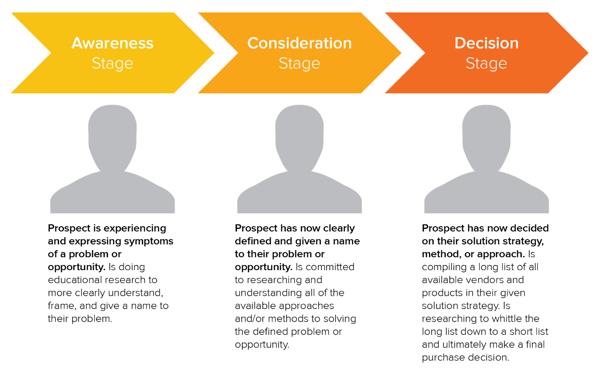
B2B Email Marketing
Email marketing is a tried and true method of reaching both individual consumers and business customers. Did you know that 93% of B2B marketers use email? Are you one of them? You should be. Emails lead to engagement which turns subscribers into leads … and then customers.
Download our guide to optimizing email marketing for conversions and learn how to grow your email list, ensure deliverability, and increase engagement.
Unlike B2C customers who respond best to emotions and entertainment, B2B customers look for logic and positive ROI. Essentially, they’re asking themselves, How can your business help my business grow? Because of this, your email marketing must consistently resonate with your business customers and focus on things that matter to them — like time, money, and resources.
Email marketing is also a powerful vehicle for sharing your brand’s content. 83% of B2B companies use email newsletters as part of their content marketing program, and 40% of B2B marketers say these newsletters are most critical to their content marketing success.
With the constant barrage of emails flooding our inboxes today, it’s more important than ever to create and send out effective marketing emails.
B2B Email Marketing Best Practices
- Write enticing subject lines. Think about your email subject lines as a Netflix trailer — if you can’t hook your audience with a two-minute clip (or, in this case, a few dozen characters), don’t expect them to open and watch (or read) the whole thing. We recommend spending almost as much time on your email subject lines as you do on the emails themselves.
- Stick to one call-to-action (CTA) per email. If you think the number of emails you receive is a lot, take a look at the CTAs in those emails … some are packed with two, three, and sometimes up to 10 different CTAs. Don’t make this mistake, which can leave your recipients’ heads spinning, asking “What should I click on first?” and ultimately clicking on nothing. With one CTA per email, you allow your audience to focus on your email content and ultimately one action … a welcome reprieve from today’s frequent decision-making and analysis paralysis.
- Segment your email to reach the most relevant audience. Not every email you send will be appropriate for everyone on your list. Your subscribers may be at different stages of the buyer’s journey or be seeking different solutions. That’s where email list segmentation comes into play. Not only does this help you relate to your audience better, but it gives your emails that personal feel that says “Hey, I’m listening and I know what you’d like to see.” Consumers prefer email quality over quantity anytime.
- Make sure your email designs are responsive. Over 80% of email users access their inbox on their phones, and emails that don’t show up correctly on mobile devices are often deleted in three seconds. Ouch. Don’t let your email be one of those.
- Don’t be afraid of the cold email. As uncomfortable as it is, the right email can convert new customers — like this cold sales email that won 16 new B2B customers.
👉🏼HubSpot Tip: You can’t send marketing emails without any recipients — these people make up your lists. There are plenty of easy ways to grow your email list. Begin with opt-in forms on your website homepage, About page, and blog. Check out HubSpot’s Free Form Builder tool to get started.
B2B Digital Marketing
Every business, whether B2B or B2C should have a digital presence — which is comprised of paid ads, search engine optimization, a website, and any other place your B2B company is active online. Let’s walk through a handful of tactics that can strengthen your B2B digital marketing strategy.
Define your target audience
A strong B2B digital marketing strategy starts with defining your target audience, or buyer persona. This demographic and psychographic information will inform almost every other marketing activity thereafter, ensuring your content and digital material is absorbed by the right eyes and ears (and that no resources go to waste on your end).
Create your website
Secondly, digital marketing can’t quite function without an informative, engaging website. Over 80% of buyers visit a website before making a purchase. Moreover, since the typical B2B sales cycle often involves many key players (such as gatekeepers, decision makers, and other folks who have to buy into a purchase), websites are easy, straightforward ways for influencers to share information about your product or service.
Optimize your digital presence
Your website needs to be more than informative and engaging, though … it needs to be discoverable. You can do this with on-page SEO and technical SEO tactics. These include everything from image alt-text and meta descriptions (what your visitors can see) to structured data and site speed (what your visitors can’t see). Off-page SEO is also at play here, which refers to external linking strategies and social sharing — SEO tactics that take place off your website.
Run PPC campaigns
Finally, round out your digital presence with pay-per-click (PPC) advertising, which allows you to get your content and brand in front of new audiences via search engines and other advertising platforms. I recommend maximizing your PPC investment by advertising more than your specific products or services — such as your brand personality, blog or social media content, or company tagline.
The best way to see an ROI from your paid ads is by 1) incorporating your buyer persona data and 2) boosting content that they can relate to. For example, it’s highly unlikely a brand new consumer who’s never heard of you is searching for your exact product. They may be searching for a location-based solution or product feature. To reach the greatest number of potential customers, pay to target relevant categories within your brand vs. promoting your product or services.
B2B Content Marketing
We’ve talked about how B2B customers are focused on expertise, driven by logic, and desire to be educated. What better marketing tool to satisfy these priorities than B2B content marketing?
Whereas a traditional PR marketing strategy interrupts a consumer’s day-to-day with promotional material, a content marketing strategy adds valuable information and informs the consumer — which is precisely what B2B customers are looking for. Not to mention that content marketing supports SEO efforts, which involves anticipating what your audience is searching for, helping them discover your website and content … and potentially converting them to customers.
It’s important to note, content marketing is most effective when you align your content to various stages of the buyer’s journey. As Jonathan Franchell, CEO and Founder of Ironpaper, points out: “Effective content in the awareness phase educates the buyer on their pain points.”
“A frequent mistake B2B organizations make is educating the buyer on their own company, product, or service. The buyer isn’t ready for that; they are just beginning to understand their problem.”
Franchell adds, “Additionally, B2B companies should test content. Run a test on an incentive and vary the type of content – use a webinar, an eBook, or a video. Understand what format of content attracts the right types of buyers and measure it down to an individual human level.”
Download our free guide and learn what topics convert at the highest rate with insight from 175,000 B2B & B2C blog posts.
In fact, 80% of business decision makers prefer to get information from an article than an ad. Knowing this, I’d say you should be putting the same (if not more) resources into your content marketing than your traditional advertising strategy.
Because the B2B buyer’s journey is slightly different than the B2C buyer’s journey (which has shorter sales cycles and fewer decision makers involved), the content you create for your B2B content marketing strategy may vary more than the content you’ve seen as a consumer yourself, as illustrated in the below graphic.
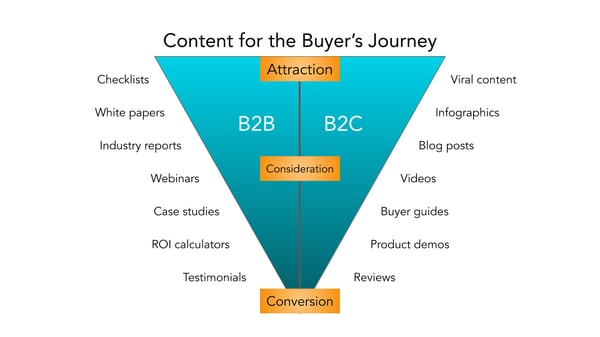
Before you start creating content, though, I recommend creating a business blog. (Don’t worry, growing your blog readership is easier than you think.) Your blog will house all the content you create and serve as a home-base for readers to visit and subscribe to.
B2B Social Media Marketing
Did you know that 75% of B2B buyers and 84% of C-Suite executives use social media when making a purchase? That’s right — social media marketing isn’t just for brands targeting individual consumers.
Many B2B companies struggle with social media marketing, though. It can be harder to use social media to connect with business customers, especially because (as we mentioned above) there’s typically a lengthier sales cycle and longer chain of command.
Honestly, B2B social media marketing might not be where you convert the greatest number of leads, and that’s OK. It likely comes into play near the beginning of your customers’ buyer’s journeys.
Social media is a powerful tool for building brand awareness, giving your company an online personality, and humanizing your business — all very powerful factors when it comes to marketing and connecting with potential customers. Like email marketing, social media is also a highly effective channel for sharing your content and enhancing your brand expertise, the latter of which we know B2B customers appreciate.
While your social media accounts might not convert as frequently as your content or email marketing, they’re just as important. In this case, followers are just as valuable — you never know when they might convert to leads or customers.
👉🏼 HubSpot Tip: Why? Content shared by employee advocates receives over eight times more engagement than content shared by brands. So, involve your employees in your B2B social media marketing strategy. Encourage them to create their own social media channels and share about life at your company. Create a culture account (like our @HubSpotLife Instagram) to show what’s going on at work, not just what you’re selling. You never know — this might attract strong talent, too.
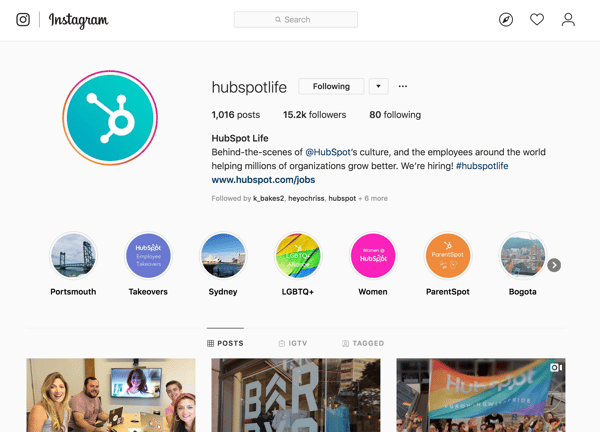
B2B Marketing Examples
A B2B marketing approach that works for one business may not work for another, but that’s not to say we can’t learn something from the pros. Here are four B2B marketing examples of businesses who did it right.
Email Marketing: Mattermark, Raise the Bar Newsletter
Raise the Bar is a daily digest newsletter from Mattermark that features insights from leaders in sales, marketing, and growth engineering. It’s hand-picked by Mattermark executives and easy to scan, which is valuable in a world of elaborate, complicated newsletters and daily digests.
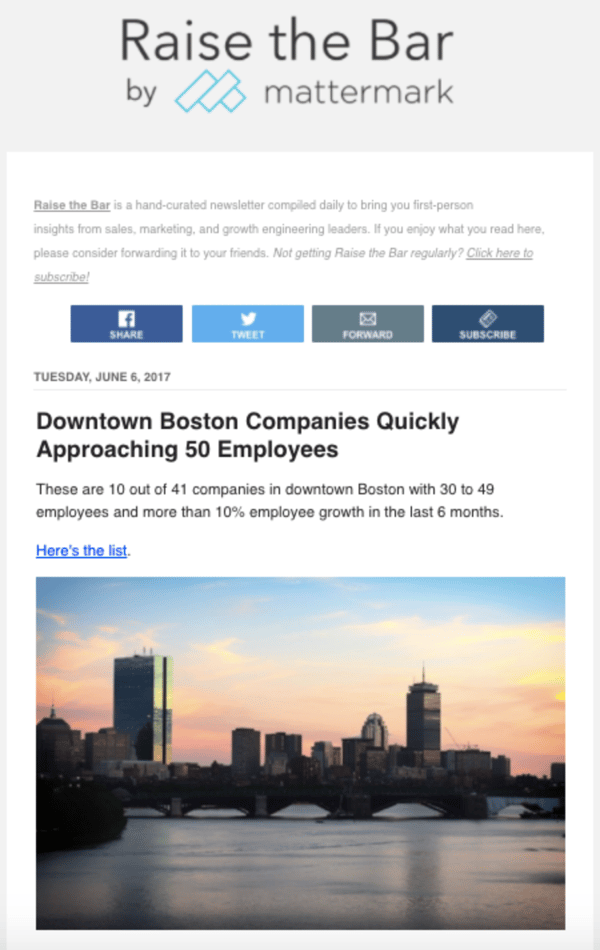
This is a good example of B2B email marketing because Mattermark takes the time to educate their subscribers without blatantly selling to them. This action builds trust with their audience while also equipping them with everything they need to know to make a purchase and become a paying customer.
Digital Marketing: Maersk, Website Homepage
It’s nearly impossible to know the intent of everyone who lands on your website, but Maersk’s homepage design makes it easy for visitors to find their way around.
By offering three main options (“Become a Customer,” “Access Your Account,” and “Start a Career”), Maersk clearly segments their audience and allows visitors to easily navigate to the site content that corresponds with their intent.
This small design tweak also helps Maersk build trust and authority within each of these niche audiences — potential customers, current customers, and even employees.
Content Marketing: LeadPages, Blog + Resources
LeadPages has been bootstrapped since its inception in 2012 … yet it hit over $16 million in revenue just three years later. Its owner attributes its rapid success to its content strategy, which makes it a great example of B2B content marketing.
LeadPages produces many different types of content resources, such as a blog, customer stories, a podcast, and a webinar. The variety in these resources allows the company to reach customers where they are using the method that best resonates with them.
LeadPages offers a blog that covers themes such as A/B testing, lead generation, and other topics that relate to the product and brand, a weekly podcast that chats with everyday entrepreneurs, and even a definitive guide to landing pages, which equips its customers to properly use and optimize the LeadPages product — all for free.
Social Media Marketing: MailChimp, Instagram
Social media is an effective channel on which to engage with your audience. It’s also a fun place to post gorgeous graphics and show off your brand personality. On Instagram, MailChimp has excelled at both.
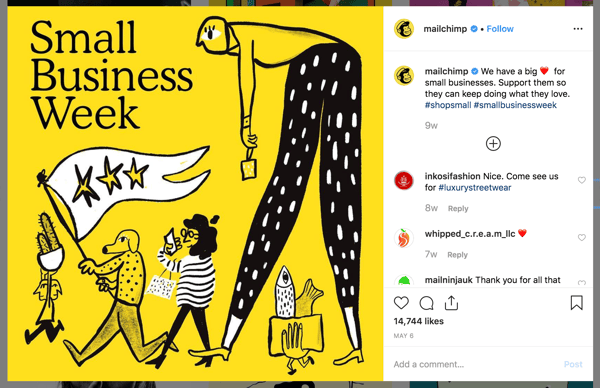
Fewer than half of its Instagram posts have to do with email marketing or the MailChimp product, but the MailChimp team always finds a way to make the posts relevant to its audience and followers — all while featuring fun, engaging, on-brand graphics and videos.
MailChimp also uses its Instagram to feature real customer stories and testimonials, which can have a big impact on potential consumers in the Consideration and Decision stages. Finally, MailChimp makes use of a took called LinkinBio, which allows Instagram users to click-through to its homepage or other digital content (since Instagram doesn’t offer live links on its platform). This creates a clear conversion path for consumers who discover or research MailChimp on Instagram and want to learn more on its website.
Invest in B2B Marketing and Reach Your Business Customers
Marketing isn’t effective unless you keep your audience in mind, and no other audience is as fickle and critical as business customers. Your marketing should communicate how your business can help theirs … and if it doesn’t, you may as well not be marketing at all.
Use these tips and strategies to understand your B2B audience, round out your buyer personas, and effectively use B2B marketing strategies that reach them. When you’re focused on your audience, your marketing will do the same.

What is Comparative Advertising? [+ Examples]
Advertising is the process of creating messages that raise awareness of your brand.
These messages can have various purposes like attracting potential customers, promoting upcoming sales, and introducing new products to market. Most advertisements center around one business, but a unique type, called comparative advertising, centers around two.
When done right, comparative ads can successfully convince consumers to do business with one brand over another. But, when done wrong, companies may find themselves in the middle of a lawsuit. Given this, using comparative advertising requires care and attention.
In this post, we’ll explain what comparative advertising is, give examples from real-life businesses, explain the legality of using the strategy, and present pros and cons that you can use to make the best decision for your business.

These ads can directly or indirectly mention a competitor, but consumers can typically deduce who the other business is through product features and call-outs. Comparative ads also give customers a direct point of comparison between two companies, as they can view products and assess features all at once, rather than needing to seek out information from multiple sources.
Although they may feature two businesses, it is important to note that one company creates the ad for their benefit, so its tone is swayed in their favor. That being said, businesses aren’t allowed to make false claims about their competitors, so consumers are presented with factual information.
There is no set template for comparative advertisements; they can be digital or print, videos or images, humorous or serious. Many businesses take advantage of 21st-century viral culture and share ads on social media platforms and capitalize on the traffic from likes, retweets, follows, and shares.
Comparative Advertising Examples
Below we’ll go over some real-life examples of comparative advertising to help you understand the practice.
Popeyes
Popeyes is an American fast-food chain that serves fried chicken. Chick-fil-A is their direct industry competitor, well known for being closed on Sundays.
Popeyes capitalized on this and created a comparative advertisement that emphasized that their restaurant is open on Sundays, ready and able to serve consumers every day of the week, especially while Chick-fil-A takes a day off. The video is shown below.
Sprint
Verizon, a cellular provider, used the same actor as the face of their commercials for nine years. Sprint, an industry competitor, poached the actor in 2016 and used his switch to their service to take a unique approach to comparative advertising.
In the video below, Sprint essentially says, if a long-time, loyal Verizon actor can switch to Sprint, why can’t you change as well? The business positions itself as a qualified competitor by saying that their cell phone service has a 1% difference in coverage than Verizon.
Cocoon by Sealy
Casper is a well-known mattress brand that has managed to garner significant hype and recognizability for its products.
Cocoon by Sealy, a direct competitor, uses comparative advertising in search engine result pages (SERPs) to target Casper’s intended audience. The company placed a paid ad in a SERP for the term Casper mattress (shown below), with the headline “Don’t Buy the Hype, Shop Cocoon & Save Hundreds.”
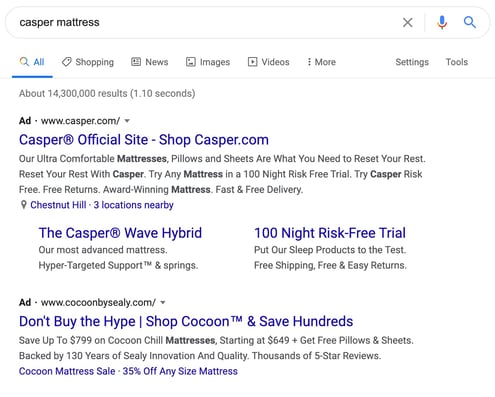
Cocoon claims that its competitor is only a competitor because people buy for the name-brand hype. If a curious consumer clicks on the ad, they learn that Cocoon offers mattresses that are worthwhile because they are conducive to peaceful sleep and are affordable (displayed in the image below).
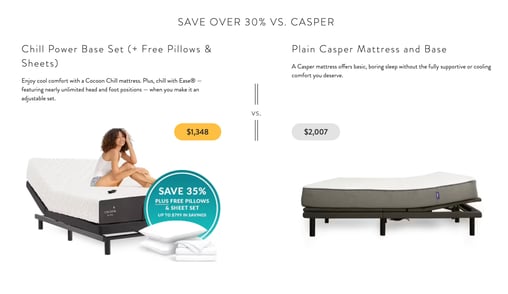
Adidas
Adidas is a well-known sports apparel brand that is only outshined by Nike. Adidas created a comparative video (shown below) that features a person running in the desert wearing Nike shoes.
Runners know outdoor terrains are challenging to run in. Still, the most impressive thing in the video is that the cameraman carrying a 50-pound camera can keep up with the runner because he’s wearing Adidas shoes.
Kroger
Kroger is a grocery store chain that took out a full-page comparative advertisement against a local competitor (Publix) in a Tennessee newspaper.
The advertisement, shown in the image below, features two long receipts from both stores that are the same length, but costs were cheaper, and savings were higher at Kroger. The brand essentially says that, even if you buy the same products, Kroger offers lower prices, savings, and additional perks that consumers cannot find at Publix.
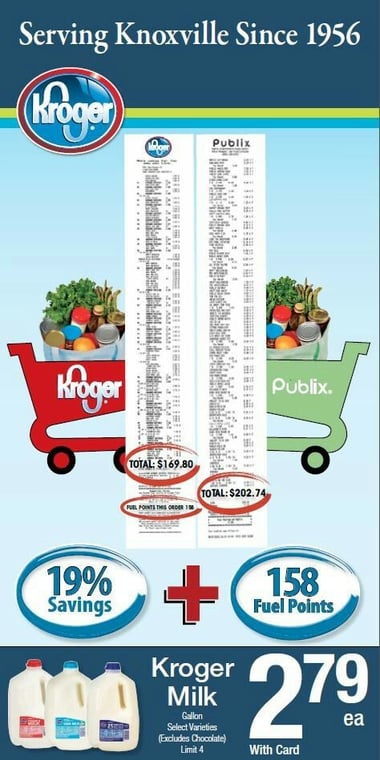
Bounty
Bounty is a paper towel brand that created a comparative ad to display the benefits of using their paper towels versus the leading generic brand. While they don’t explicitly name a competitor, they make a dig at whoever it may be by calling them the “ordinary brand” because they can’t clean up messes as well as Bounty can.
Essentially, they’re saying Bounty is premium, and any other option is just regular.

While all of these businesses used comparative advertising, it’s essential to understand that it’s only that — comparative. Each company believes it is the best option, but they say that through comparison, not false or misleading claims.
However, given that the line can be vague, many countries have laws that dictate how comparative ads can and can’t be used.
Comparative Advertising Law
Below, we’ll discuss the comparative advertising laws from three different countries and the explicit language they use to explain what advertisers are allowed to do.
United States Comparative Advertising Law
The U.S.’s Federal Trade Commission (FTC) protects consumers from being deceived, defrauded, and manipulated by businesses. It also protects companies from unfair practices and activities of competitors.
The FTC ruled on comparative advertising and said, “Comparative advertising, when truthful and nondeceptive, is a source of important information to consumers and assists them in making rational purchase decisions. Comparative advertising encourages product improvement and innovation, and can lead to lower prices in the marketplace.”
In brief, the FTC supports comparative advertising, as it benefits consumers by giving a well-rounded view of product offerings. What they don’t tolerate is advertising that disparages competitors and is deceptive as a means to get consumers to do business with one company over another. Companies can use the FTC ruling to file claims if they feel as though they are being discredited.
Australia Comparative Advertising Law
The Australian Competition and Consumer Commission says that “Businesses may use comparative advertising to directly promote the superiority of their products over another.” Like U.S. law, businesses must follow general advertising best-practices of not being deceptive or misleading in an attempt to entice consumers to do business with them.
Hong Kong Comparative Advertising Law
Hong Kong has no specific legislation intended to limit comparative advertising. Still, the Trade Descriptions Ordinance prohibits false trade descriptions and misleading or incomplete information advertisements, and the Association of Accredited Advertising Agencies of Hong Kong has the authority to investigate instances of violation.
All in all, regardless of your location, it’s important to understand the laws and regulations of comparative advertisements, so you don’t find yourself in the middle of a lawsuit.
Comparative Advertising Pros and Cons
The reality of choosing to use comparative advertising is up to your individual business needs.
Suppose you have an industry competitor that owns most of the market share. In that case, comparative advertising can be beneficial as you’re letting your target market know that there are other options out there. If you’re a new business, comparative advertising can also help generate awareness around the fact that you exist.
However, if you’re unable to support your claims of superiority and your advertisements seem more berating than comparative, you can stand to lose business. Overall, as mentioned above, the decision to use comparative advertising depends on your goals.
We’ve compiled a list of comparative advertising pros and cons that will help you make a comprehensive decision about whether you should opt to use the strategy.
|
Pros |
Cons |
|
Explicit product emphasis. Comparative advertising specifically focuses on a single product or feature that makes you better than a competitor, which is helpful advertising for your products in general. Even if you don’t sway your audience, they are still becoming aware of its direct specifications, benefits, and features. |
You can face legal action. As mentioned above, many countries have laws protecting consumers and other businesses from comparative ads. If you don’t follow legal requirements, you may face legal action from your competitors that requires significant legal fees. If you’re a big name brand, publications will likely report on it, which can also negatively impact your reputation. |
|
Raise awareness. Comparative marketing can help you raise awareness for your business, especially if you’re new to the industry or a small business standing up to a competitor. Mentioning their name gives you exposure to their market share and an entirely new audience that may be ready to make the switch. |
Can create brand name confusion. Just as comparative ads can generate brand awareness, they can also spur confusion. Mentions of multiple competitors in the same ad can lead consumers to become confused about which business offers the features they prefer or which company proved to be the best option to meet their needs. |
|
Gain new followers and attract new clients. Comparative advertising can help you gain new followers and attract new clients, primarily when these ads are widely distributed and placed in high-volume consumer traffic areas. For example, many businesses in the United States create humorous comparative advertisements to share during the Super Bowl because they know the event has significant viewership. |
You may lose integrity and look bad to your audience. Suppose your advertisements don’t align with your countries comparative advertising rules and are flat-out disparaging of your competitors. In that case, you may look bad to your target audience, which is the opposite effect you’re trying to have. In addition, even if you follow the laws, some people just don’t appreciate ads that pit two companies against each other. It’s best to first understand your target audience before electing to create and share comparative advertisements. |
|
Inform consumers about what is important. As comparative ads focus on a specific feature or experience that comes with a product or service, you’re informing consumers about the factors they should keep in mind when making purchasing decisions. Essentially, you’re showing them that they should consider more than just the brand name of the product they’re interested in. |
Comparative Advertising Can Help Your Business Grow
Should you opt to use it as part of your business’ marketing strategy, be mindful of comparative advertising laws in your country, ensure that you’re providing benefit to the consumer, and that you’re not simply disparaging your competitor and claiming superiority.
If done successfully, you can stand to raise significant brand awareness, drive revenue, and even capture a higher portion of your industry market share and position yourself as an industry leader.


What is LinkedIn Live? [+How to Leverage It in Your Marketing Strategy]
Every week, I use LinkedIn to talk about current events and connect with other content creators.
And I’m not the only one. In fact, LinkedIn has nearly 700 million active users and has become one of the top social media platforms.
In the last year, companies have started to use the social network’s new live-streaming technology.
While Facebook and Instagram launched live streaming features in 2016, LinkedIn just recently decided to join the live streaming platforms.
In February 2019, LinkedIn Live was launched to individual users. In 2020, it was announced that LinkedIn Live would also become available to business pages.
With this announcement, LinkedIn decided “to bring you a tighter integration between LinkedIn Events and LinkedIn Live, by turning these two products into a new virtual events solution that enables you to stay connected to your communities and meet your customers wherever they are.”
Live streaming continues to gain popularity among audiences. In fact, in 2019, internet users watched 1.1 billion hours of live video.
Additionally, according to Go-Globe, live streaming is expected to account for 82% of all internet traffic.
Plus, LinkedIn Live streams have increased by 158% since February 2020.
Although LinkedIn Live isn’t available to all businesses right now, it might be time to start thinking about live streaming.
To get started with LinkedIn Live, you can complete an application online to become a Live broadcaster.
In this post, let’s review how you can leverage LinkedIn Live in your marketing strategy to attract new audiences.

LinkedIn Live
LinkedIn Live is the live streaming feature that allows you to stream live video to your audience so you can drive engagement and build deeper connections.
In fact, LinkedIn Live videos get, on average, seven times more reactions and 24 times more comments than native video produced by the same broadcasters.
LinkedIn, known as the professional social media network, is a great place to stream live videos because you can truly get to know your audience and engage with them in a way that companies haven’t been able to do before.
Now that you know what LinkedIn Live is and why you should use it, let’s dive into the logistics.
1. Apply for LinkedIn Live.
To get started with LinkedIn Live, you’ll need to apply to have the feature added to your profile.
The application will ask you where you want to live stream (from a personal profile or a business page) and the link to the page you want to stream from.
If you want to stream from a business page, you’ll also need to include the profile URLs of the page admins. Only up to three page admins can have the ability to stream from your business page.
Once you’ve applied, it’s time to wait for approval. Be sure to keep checking on this, because you don’t want to miss the notification that you’ve gained access to LinkedIn Live.
2. Sign up for a third-party streaming tool.
Before you can go live on LinkedIn, you’ll need to sign up for a third-party streaming tool because LinkedIn doesn’t offer native streaming currently.
You can use tools like StreamYard or Socialive. These tools are also helpful for going live on a desktop computer. They can make it easier to see comments and actually interact with your audience during the stream.
3. Connect LinkedIn to third-party tool.
Now that you’ve signed up for your streaming tool and you’ve received approval for LinkedIn Live, it’s time to connect the two platforms.
To do this, log in to your third-party tool and navigate to the area where you can add streaming destinations (this will change depending on the tool you’re using).
Once you find the right place to add a streaming destination, you should be able to click LinkedIn profile and connect from there.
4. Write a title and description for the stream.
After the tools are connected, you’re ready to go live. Just click the button that says go live or start streaming. Before the platform actually starts live streaming, you’ll see an area to write a title and description for the stream.
Be sure to accurately describe what’s going on in the video and what users can expect. This will help get your audience interested in the live stream.
5. Go live on your third-party tool.
Now all you need to do is go live. Before you do, make sure your camera and mic are all set up. You’ll also want to double check the camera position, lighting, camera quality, audio, and background. It’s important that your set up looks professional, especially given that LinkedIn is the professional social network.
So, we know what LinkedIn Live is and how to get started, but you might be wondering, “How can I use this tool?” Let’s dive in below.
1. Virtual Events
With the recent integration of LinkedIn Live and LinkedIn Events, the social media platform is a great place to host your virtual events.
LinkedIn virtual events allow you to meet your audience where they are and host your event in a trusted environment.
Additionally, hosting a virtual event on LinkedIn Live will help you attract the right professional audience.
You can share your events with your business page followers, plus you can send event invitations to your first-degree profile connections.
Instead of taking videos during your virtual conference and posting them on LinkedIn later, LinkedIn Live allows you to connect with your audience in real-time.
According to LinkedIn, LinkedIn Live is seeing 23 times more comments per host and six times more reactions per post than native video.
With LinkedIn Live, you can engage and connect with your followers in real-time during your virtual events.
2. Recruiting
LinkedIn is one of the main hubs for recruiters and job-seekers alike. In fact, recruiting is one of the top benefits of having a LinkedIn profile for individuals and brands.
With LinkedIn Live, you can support your recruiting efforts by showing off your workplace culture, introducing team members, and answering questions from your audience.
Additionally, you can host a live panel with employees on what it’s like to work for your company. Team members can discuss what their hiring journey looked like and give tips to people who want to work for your company one day.
You can also host a Q&A with different people on your team to highlight their specific roles. For example, you can have them introduce themselves and their role, and then take questions about their day-to-day tasks and duties.
If you want to use LinkedIn Live to support your recruiting efforts, think about other social media tactics you’ve implemented, and then strategize how those can convert into a live stream.
3. Thought Leadership
One of the central LinkedIn strategies for most companies is to use the social media platform to position yourself as an industry leader.
To do this with LinkedIn, you can discuss current events in your industry and boost your content creation strategy.
Using LinkedIn Live, you can host a panel for industry thought leaders, including those at your company, to talk about industry trends and issues.
Additionally, you can host a live stream dedicated to interviewing industry professionals and experts.
Amplifying thought leaders and participating in industry discussions is a great way to use LinkedIn Live to attract new audiences.
4. Showcase Expertise
Not to be redundant, but becoming an authority in your industry is an important part of your marketing strategy.
LinkedIn Live presents an excellent opportunity to showcase your expertise.
Using live streaming technology, you can share your tips and tricks with your audience. To do this, brainstorm how-to topics that your audience is interested in.
If you’re struggling to come up with ideas, consider repurposing old content like blog posts or YouTube videos.
Producing live streaming content will help you boost your content marketing strategy.
5. Announce a New Product or Partnership
As a professional social media platform, LinkedIn is a great place to announce a new product or partnership.
In fact, you might consider doing this on LinkedIn Live. You can bring on representatives from your company and partner company to discuss what the new partnership entails.
This is also a great opportunity to educate and interact with your audience.
By launching a product during a live stream, you can get immediate feedback from your audience, answer questions, and conduct a live demonstration.
The announcement of LinkedIn Live proves that live streaming will continue to be an important tactic in your marketing strategy. In fact, this feature shows that consumers are interested in interacting with brands in real-time.
If you’ve already used Facebook and Instagram Live, LinkedIn Live might be another platform to use and experiment with — especially if your audience is more likely to be on LinkedIn than other platforms.
To learn more about how real brands are using LinkedIn Live, check out this blog post on LinkedIn Live examples.
Editor’s note: This post was originally published in June 2020 and has been updated for comprehensiveness.

19 SEO Tips Straight From the Mouths of HubSpot’s SEO Team
Back in 2017, HubSpot experienced something that had never happened before — our blog’s monthly traffic flattened. Even worse, it started to decline. So, after months of stressing over the mysterious cause of our blog’s traffic plateau, we decided to sit down, chug a bunch of coffee, and find the culprit.
We discovered that our editorial strategy of brainstorming topics and relying on our intuition to determine our audience’s content preferences was no longer enough. We decided to pivot and focus our energies on the channel that has consistently generated most of our blog’s traffic for its entire existence — organic search.
Today, years after we adjusted our organic strategy, we’ve exceeded the majority of our monthly traffic goals and even broke some monthly traffic records. Needless to say, we’re thrilled (and relieved) that our organic strategy fueled our traffic boost and shattered the great traffic plateau of 2017. In this post, we’ll outline the essential tips that helped us drive our organic strategy, with insight from HubSpot SEO experts.
![→ Download Now: SEO Starter Pack [Free Kit]](https://no-cache.hubspot.com/cta/default/53/1d7211ac-7b1b-4405-b940-54b8acedb26e.png)
Download this checklist and save it to your desktop to check-off an SEO tip every time you complete it.
1. Spend as much time on the SERPs as you do in tools.
Even though an algorithm dictates a search engine’s results page (SERPs) rankings, the algorithm rewards web publishers that craft the best content on the internet.
Because of this, it’s important to understand search intent. To accomplish this, we analyze a keyword’s SERP and determine the problems users are trying to solve when searching for this query.
Aja Frost, the Head of English SEO at HubSpot, says, “Yes, tools offer us a ton of information. But that information is often based on incomplete, out-of-date, or biased data sets. I encourage SEOs to combine the insights they’re getting from their tools with real-time clues on the SERPs. Every time you decide to target a new keyword, refresh a piece of content, or diagnose a page or section of pages with irregular traffic, take a look at what’s coming up for the main queries on Google.”
Depending on your goal, Frost says to pay attention to:
- Search features,
- The type of content that’s ranking (product pages, listicles, tutorials, etc.),
- The websites that are ranking (databases, businesses, media sites, directories, etc.),
- How far down the page the first organic result appears,
- How your page shows up (title, meta description, date, jump links, schema if applicable, etc.).
When you conduct these kinds of searches, “Don’t forget to use an incognito window, frequently clear your cache, cookies, and history, and run your searches on both a desktop and phone,” Frost adds.
2. Master the SERP overlap test.
While in SERPs, Frost conducts a SERP overlap test. She says, “I use this test all the time to determine whether to target two-plus queries with a single piece of content.”
Now, you might be wondering, what is the SERP overlap test?
Frost details the steps below:
- Do a quick search in incognito for Keyword A and a separate search for Keyword B.
- If the SERPs look fairly different (i.e., the top-ranking pages are different, or the first result for Keyword A is the ninth result for Keyword B), Google treats those queries as separate searches with different intent.
- However, if the SERPs have a lot of overlap, you can treat them as the same query.
3. Aim for the featured snippets in SERPs.
Featured snippets are what search engines use to display an answer to a query directly on the SERP, so a user doesn’t need to visit another page to get the answer to their question. The image below is an example of a featured snippet for the query “What is inbound marketing?”
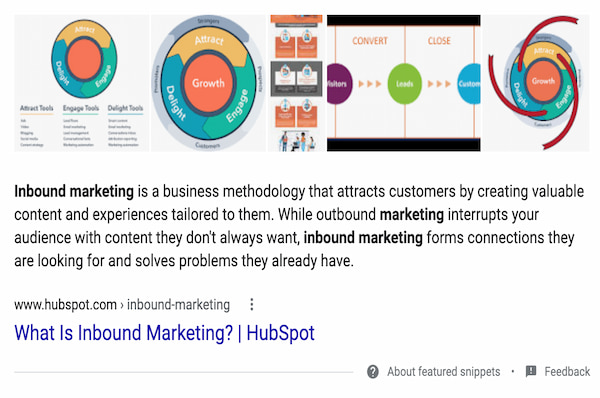
As you can imagine, featured snippets impact organic search results, which is why it’s also essential to try and rank with as many featured snippets as possible.
To do so, create posts that answer specific questions users have. The content within your featured snippet must be semantically relevant to the keyword a user searches for. This means that you can’t answer the question of “What is inbound marketing?” with unrelated content as the algorithm knows enough to detect relationships between the keywords and descriptions you give.
Additionally, your blog post should be organized and formatted in a way that lets Google know you’ve answered a question. For instance, this could mean using specific coding, so your featured snippet stands out on the page.
According to Karla Cook, the Senior Manager of HubSpot’s blog team, “Targeting featured snippets with consistently formatted sections has removed some (but definitely not all) of the guesswork when it comes to ranking for featured snippets.
Matthew Howells-Barby, Vice President of Marketing at HubSpot, has stressed that clean and consistent code is a significant factor in winning snippets.”
4. Consider on-page SEO, but not everything you publish has to be search-friendly.
On-page SEO is the process of optimizing a page on your site with front and back-end components that help you rank higher in search engines. These components include:
- High-quality page content
- Page titles
- Headers
- Meta descriptions
- Image alt-text
- Structured markup
- Page URLs
- Internal linking
- Site speed
For this example, let’s focus on the copy-oriented elements like high-quality content, page titles, headers, meta descriptions, and image alt-text.
You should prioritize creating optimized page copy to improve your SERP rankings. What you write should include your target keyword, be contextually relevant to your target keyword, and answer questions your users may have. Ultimately, the goal is to indicate to search engines that you’ve answered questions a user might have about a query.
However, Victor Pan, Head of Technical SEO at HubSpot, says that not everything you publish has to be search-friendly.
“This could be ad landing pages, thank-you pages, internal sales enablement pages, and login pages. Prioritize optimizing for search when the opportunity is greater than the time invested, and leave the rest on the back burner. Tackle the back burner once you’re able to build a process to reduce the amount of time needed to optimize,” he adds.
5. Target a variety of high and low-volume keywords.
With an organic search strategy, it’s important to target keywords that span an entire buyer’s journey, including a variety of high and low-volume keywords.
Braden Becker, a Senior SEO Strategist at HubSpot, says, “Broad, early-interest keywords tend to be higher in volume, while later-interest or even purchase-ready keywords tend to be lower in volume because the audience is more specific. Therefore, you shouldn’t be afraid to target low-volume keywords if they have a higher likelihood of turning traffic into leads or customers.”
At HubSpot, the SEO team conducts in-depth keyword research for our four onsite blog properties (Marketing, Sales, Service, and Website). They first look for search volume, some as high as 120,000+ and some as low as 50 searches per month.
According to Frost, it’s important to get creative with the high-volume keywords you’re targeting.
For example, when she was the editor on HubSpot’s Sales blog, she assigned content that may have strayed from our usual topics but boasted significant search volume. However, all posts answered our audience’s questions, aligned with our values, and were well-researched and comprehensive.
6. Consider pruning content after long periods of growth.
Pruning your content is the process of reducing the number of indexed pages by deleting old, low-quality content that doesn’t add value to your site.
Becker says, “Consider ‘pruning’ content after long periods of growth. As websites grow and scale, you’ll find some content fails to perform as expected. As that pile gets bigger, it can have adverse effects on the rest of your site’s speed and performance. Audit your site for pages that aren’t driving a certain level of traffic, backlinks, or conversions, and unpublish them.”
You can learn more about the content pruning process here.
7. Consolidate website pages using redirects and canonical tags.
When you conduct a site audit, you may find multiple pages containing similar content. If that happens, you should consider consolidating website pages using redirects or canonical tags.
Becker says, “Nobody wants multiple pieces of website content serving the same purpose because it can cause you to cannibalize your traffic in SERPs.” To fix this, you can redirect low-performing pages to a page on your site containing related information.
Becker adds, “Besides redirecting, if you have exact duplicates, you may even add a canonical tag from the duplicate to the core page, which keeps the duplicate visible but tells Google to prioritize the core page when ranking your website. Be careful when deciding to canonicalize or redirect — these are delicate decisions and should only be made when it makes perfect sense to.”
Google explains more about this process here.
8. Implement a historical optimization strategy.
In 2015, Pam Vaughn, Principal Marketing Manager of HubSpot’s Web Strategy and former Editor of HubSpot’s Marketing Blog, made a revolutionary discovery about HubSpot’s organic blog traffic — the overwhelming majority of it came from posts published before that month. In fact, 76% of our monthly blog views came from these old posts.
Today, Vaughn’s groundbreaking revelation rings louder than ever — 89% of our monthly blog views come from posts published at least six months prior, and we’ve developed an entire strategy dedicated to refreshing and republishing these historical pieces of content. We call these types of blog posts updates, and they comprise 35-40% of our editorial calendar.
By refreshing them with new information, SEO tactics, and effectively republishing them as new blog posts, we can build upon their existing organic value and user engagement and double or even triple their traffic. This process also helps us optimize our blog for efficiency, decreasing the amount of new content we have to create while simultaneously increasing our organic traffic and conversions.
Historical optimization isn’t for everyone, though. It’s a strategy catered for a blog that:
- Generates a significant amount of organic traffic,
- Has a considerable amount of blog subscribers,
- Has social media followers that can supply a surge of traffic, shares, and backlinks to your updates,
- Owns a substantial repository of old posts that are worth refreshing and republishing.
If you have all four of these things, we recommend implementing a historical optimization strategy. To learn about specific types of historical content you should update and the exact process of updating them, check out this blog post written by Pam Vaughn herself.
9. Train your website visitors to search for your brand.
SEO is used to increase the number of unbranded searches for your business.
Pan says, “The logic was that these were potential customers that would not have otherwise converted. This logic is good for a young business, but for mature businesses that have a good relationship with their customers, branded traffic is just as important.”
For example, platforms like Amazon have trained their customers searching on Google to append “amazon” to their searches for site-specific results.
Pan says you can encourage and inspire users to do this by becoming the go-to expert on topics related to your brand. Since Amazon is one of the leading shopping sites, customers refer to the platform for their shopping needs. To become an expert, you have to develop page authority.
10. Develop page authority.
Page authority is one of the factors search engines use to determine rankings. For example, if you’re a seasoned blog with a reputation as a go-to industry expert, your site will likely rank higher than pages on a more recent site.
Given this, it’s important to build your brand and authority within your niche. Blogging regularly, posting on social media, guest posting on other sites, and simply being active in your industry are valuable ways to build your reputation.
Additionally, you should write about tangential topics your customers are interested in, helping you provide them with the most relevant information while also signaling to search engines that you write about your industry in-depth.
All of these strategies will give your website authority and indicate to search engines that they need to pay attention to your domain.
11. Leverage the pillar-cluster model.
Since people heavily rely on Google to provide accurate and relevant answers to their questions, search engines need to understand every search’s intent and context.
To do this, Google has evolved to recognize topical connections across user queries, monitor similar queries users have made in the past, and surface content that they deem the most authoritative on the topic. To help Google recognize our blog content as a trusted authority, we decided to implement the pillar-cluster model (further explained in the video below).
By creating a single pillar page that provides a high-level overview of a topic and hyperlinks to cluster pages, we effectively signaled to Google that our pillar page is a source of authority on the subject.
Another benefit of the pillar-cluster model is that it provides site visitors with a better user experience. Not only is it easier for Google to crawl our blog and identify semantic relationships between posts, but it’s also easier for our audience to find the content they’re looking for.
12. Create a link-building strategy.
Earning high-quality inbound links from websites and pages with high-authority is crucial for boosting your domain authority. Unfortunately, as nice as it would be, “If you write it, they will link to it” is not a viable SEO tactic.
The primary method we use to earn high-quality links is networking with other sites with a higher domain or page authority and requesting links to our content. We also make sure our content is relevant to the referring website’s content. Another way to earn quality backlinks is by following Backlinko’s skyscraper method.
The skyscraper method involves identifying content that ranks well for keywords you want to rank for and creating content that is of better quality than the top-ranking posts. Then, you use SEO tools to find the sites that link to your competitor’s content and ask the most authoritative source to replace your competitor’s link with your links.
Backlinko tried this strategy and asked 160 websites to link to their post about
Google’s 200 Ranking Factors. As a result, they earned 17 backlinks from referring sites with high domain authority, and the posts’ organic traffic increased by 110% in only two weeks.
13. Don’t change URLs.
The inventor of the internet, Tim Berners-Lee, once said, “Cool URIs don’t change.”
In fact, it’s a popular saying — “What makes a cool URI? A cool URI is one which does not change. What sorts of URI change? URIs don’t change: people change them.”
As a refresher, URI stands for Uniform Resource Identifier and it is meant to identify a resource, whereas a URL gives information about how to locate a resource. For example, a URI would be your name, and a URL would be your home address. Your name simply identifies you, and a address shares where to find you.
Pan says, “URLs, a subset of URI’s, should change as little as possible. The history of ‘why a URL changes’ is filled with good intentions that often get lost with time, so be sure to add a note the same way you should when you notice traffic anomalies.”
Note: You can do this within HubSpot’s constantly evolving URL Mapping tool.
14. Compress and optimize your multimedia files.
Compressing multimedia files may not seem like a high priority for your SEO strategy, but it should be. According to Becker, your video, image, and gif file size directly affect your site’s page load speed, which is one of the ten most important ranking factors.
“The bigger an image’s file size, the longer it takes your web browser to load that image, which increases your website’s loading time as a whole. And the longer your website’s loading time, the more likely it is that Google will penalize you,” he says.
The act of compression blends similarly colored pixels into single pixels to reduce the image’s resolution and, in turn, file size. These changes are undetectable to the human eye, as it is more sensitive to details between light and dark than colors. Compression does not diminish the impact your images will have on your audience, and your pages will load faster.
High-quality tools for multimedia file compression are:
- Squoosh
- TinyPNG (supports batch compression)
- You Compress
- Clipchamp
15. Use image alt text.
Search engine crawlers that scan your site can’t understand your images unless they include alt text descriptions. Because of this, adding these descriptions to your pictures is a priority for SEO, as bots will strike against you if they can’t understand what’s on your site pages. Image alt text is also helpful for ranking your site pages in image-based SERPs.
Also, alt text is a best practice for creating an accessible website. Screen readers can pick up on alt text when converting screen elements, ensuring that all of your site visitors have a consistent browsing experience.
All alt-text should be descriptive, contextually relevant to the page content, and short. Consider the following example from Becker:

Low-quality alt text would read “Baseball player hitting a ball at a baseball field,” while descriptive and contextual alt text would read “David Ortiz of the Boston Red Sox batting from home plate at Fenway Park.”
16. Leverage CTAs as often as possible.
Optimizing your page to rank in search engines doesn’t do you any good if your pages aren’t optimized to convert visitors. Aim to maximize conversion opportunities by using calls-to-action with content offers relevant to page content and the different stages of the buyer’s journey.
The image below is an example of a CTA on our SEO Writing: 12 Tips on Writing Blog Posts That Rank on Google blog post.
Every page on your site is an opportunity for conversion, so every page on your site should include a CTA that aligns with visitor search intent. Since you can assume that page visitors are there to learn something, CTAs are exciting as they offer more insight and educational information.
17. Form good relationships with your developers and designers.
Hitting your SEO goals isn’t a marketing-specific effort — you’ll also need to collaborate with our developers and designers. Because of this, Frost suggests forming good relationships with these teams.
She says, “Get to know these people, learn their language, figure out what motivates them (usually it’s cool projects), and, most importantly, teach them important SEO concepts. This could entice them to come to you before deleting an older page that has 500 backlinks.”
18. Conduct a technical SEO audit.
When a search engine bot crawls your site for indexing, it needs to understand what your site is. That refers to content but also how your site is set up. Unorganized websites are difficult to index because contextual relationships are hard to discern, and, as a result, these pages won’t rank in SERPs.
Because of this, your site’s technical set-up is a critical component of SEO. These technical aspects can include, but are not limited to:
- Page speed
- XML site map
- URL structure
- Site architecture
- Pagination
To avoid strikes from bots, we recommend conducting a technical audit of your web pages.
19. Check, double-check, and triple-check your data.
To truly succeed in your SEO strategy, you need to measure your success by checking standard data metrics like organic traffic growth, conversion rate, bounce rate, and keyword rankings.
Becker says, “Growing organic traffic takes time, but it also takes a village. When performing keyword research, traffic analysis, or any performance-related audit, always have more than one source of data to guide you.”
If you see traffic drop in your content management system, check Google Search Console to see which pages that drop has affected. If the decline is concentrated to just a few pages or articles, use a rankings tracker to determine if you’ve lost position for any high-volume keywords. The smarter your diagnostics are, the better your decisions are in response.
SEO Is An Ever-Evolving Landscape
This post uncovered tactics that helped us devise an SEO strategy that allowed us to shatter a year-long traffic plateau and break monthly traffic records. However, as SEO is continuously changing, it’s entirely possible that these practices could become obsolete one day.
The moral of our blog’s story isn’t to glom onto these SEO tactics for the rest of your content marketing career; it’s to keep adapting, no matter how well you’re performing.
Editor’s note: This post was originally published in March 2019 and has been updated for comprehensiveness.


21 Ways To Build Your Social Media Presence, Like HubSpot Marketers
I was a lazy natural for most of my life. I had natural hair but I never took care of it in the way I should have.
I slicked it back in tight – albeit very cute – top buns, laid down my edges and kept it moving.
Then, I discovered a natural hair stylist on Instagram who changed my outlook. She was active on the platform every day, often giving hair care advice, and spoke directly to my concerns. Within a few weeks, I was sold and ready to book an appointment.
![→ Free Download: Social Media Calendar Template [Access Now]](https://no-cache.hubspot.com/cta/default/53/3e56e15d-47bd-46c9-a256-99fde52abfe7.png)
Not every social media interaction is like that, but it’s what every brand wants. To draw its target audience in, create content that resonates with them and build a connection, i.e.: social media presence.
Let’s dive into what social media presence is and how to build it.
For brands, there’s no single metric tied to social media presence. However, it can translate to a high engagement rate, a growing brand awareness, and a positive brand perception.
Krystal Wu, social media community manager at HubSpot, highlights that visibility and presence are different.
“A social media channel has no presence if there is no audience who values it. Use social media to listen, monitor, and analyze your audience behavior,” said Wu. “That information will allow you to gain consumer feedback, improve new or existing relationships, and expand your brand’s social presence.”
So, while visibility comes with having a strong presence, it’s not the measure of success – resonance is.
Importance of Social Media Presence
Having a social media presence goes beyond having a profile with content. It means creating content tailored to the interests and needs of your target audience.
Doing so builds trust, and once you have that, you’re one step closer to earning your audience’s business.
Having a strong social media presence also allows you to better understand your audience.
“While there are a ton of growth ‘hacks’ to boost a brand’s social presence, I think the greatest value goes back to knowing your audience,” said Ariel Boswell, social media analyst at HubSpot. “The ability to know your audience so deeply to where you understand what captivates their attention and pair that with content that provides value in that moment is a recipe for success.”
Connecting with your community on this level helps you get to the core of their needs so you can better serve them with your product or service.
How To Increase Social Media Presence
1. Engage your audience.
Social media is arguably the closest contact you have with consumers on a regular basis. Within a few hours after publishing, you can gauge your audience’s response and learn something new with every post.
Take it one step further by creating opportunities for your followers to connect with your brand on a deeper level. This can be inviting them to participate in discussions in the comment section, answering fun “This or That” quizzes, creating polls, answering Q&As and doing live videos.
You can gain invaluable insight into your audience’s likes, dislikes, challenges and concerns through these activities. This will then arm you to create targeted campaigns that convert.
2. Manage your community.
Having a social media account without community management is like having a car that is always nearing empty (a.k.a my car in college). You won’t make it very far.
Community management is a major driver in building your social media presence. In fact, Wu says it’s fundamental to a brand’s growth, its image, and social success.
“Being proactive by reaching out to other brands, fans, customers and followers in similar industries really helps build that community around your brand,” said Wu. “People start to recognize the name, the types of conversations that brand is having and its level of knowledge in that specific market.”
This aspect of social media management requires brands to be proactive and seek out conversations that will draw audiences in.
Think of it like going to a party. You showed up, but now you’ll have to talk to a few people and start making some friends.
“Without doing these proactive pushes, just putting a brand on social and not tying in the community efforts won’t get it very far,” Wu added. “Community management is the center of the customer journey, like the flywheel model, crafting the relationship between the brand and customer.”
3. Stay active and be consistent.
Have you ever scrolled past a brand and done a double take, and thought “Oh you! I forgot you even existed.” No brand wants that kind of reaction.
Social media is a game of visibility and with brands. It’s often out of sight, out of mind, so it’s crucial that you are active on your social media platforms and post consistently.
Many brands start off strong, posting everyday and then less and less until they’re only posting once in a while.
“Success doesn’t usually happen on your first, second or even third try. Social media is playing the long game and once brands realize that it doesn’t usually blow up overnight, that’s when consistency comes into play,” said Wu. “In social, you need to test, experiment, analyze, and even take risks to learn what strategy your brand should move forward with to connect and build an audience.”
If you find yourself running out of content or ideas, start with a lower posting cadence and limit the platforms on which you are active. It’s also helpful to plan out your content at least a month ahead of time and have your creative assets ready so that you’re never left scrambling.
4. Understand that it’s a long game.
A lot of the mistakes brands make on social media stem from a desire to grow quickly.
You get impatient and want to generate results fast. So, you might try the social version of get-rich-quick schemes to build your following. However, those strategies are only valuable on the surface.
But you soon realize that they don’t actually bring you closer to meeting your goals and connecting with your audience.
“Don’t take the ‘easy’ way out by paying for views and followers,” Wu said, “because you’ll eventually run into a wall where you have this audience but no engagement, no one converting or signing up for your content.”
Organic growth is the most authentic and effective way of building a sustainable presence. Why? Because you’ll be getting real data from your target audience and that will help you tailor your approach to serve them better.
5. Stick to your brand voice and aesthetic.
Consistency isn’t only about your posting schedule, it also encompasses your brand as a whole.
Your brand identity should be the same across all marketing channels. It can be confusing for consumers to understand your brand if its messaging and identity seems to switch from one day to the next. How can your audience connect to something they can’t figure out?
So, once you design your brand strategy, make sure it aligns with your social media strategy.
6. Track your competitors.
Your competitors are like your neighbors. It’s fine to be a little nosy and see what they’re up to from time to time.
“When I think of conducting a competitive analysis I go in with the expectation to be both challenged and inspired,” said Boswell. “The biggest thing you should look for when evaluating a competitor’s social media presence is how they are positioning themselves in the market and how shared or overlapped audiences are perceiving their efforts.”
While it’s good to be aware of your competitive landscape, Boswell emphasizes that it shouldn’t influence your entire social strategy. What works well for one brand may not be suitable for yours, so be selective about what ideas you’re adapting.
7. Leverage trends and buzzy content.
Trends make social media go round.
Every few weeks or even days, there’s a new trend making its way around platforms like Twitter and TikTok. Brands often ask themselves two questions: “Should we join in on this? ” and “How do we make this our own? “
Trends can boost your brand awareness and help you generate bursts of traffic. It’s an opportunity to think outside of the box and join in on something you already know your audience will enjoy.
When in doubt, always refer back to your brand strategy. Is this in alignment with your overall brand identity and messaging? If not, treat it like a school dance you’re chaperoning and sit it out.
8. Adjust your posts based on current events.
These days, consumers hold brands to a higher standard.
Companies are expected to be more vocal about social issues and be more transparent on their stance. This approach should also be reflected in your social media strategy during times of social unrest, cultural events and news.
Sometimes, it can be as simple as not posting anything for the day and pausing paid social ads. In other cases, it can require releasing a statement.
In any case, you have to be flexible and work quickly to determine how to proceed.
9. Invest in high-quality creative assets.
Social media is one of the main sources of brand discovery.
Your target persona is scrolling through Instagram, your post shows up and it garners their interest. What’s one of the first things they’ll do? Visit your profile.
You often only have a few seconds to make an impression on a potential customer and you don’t want them turned away because of bad content. This can include low-quality images, copy with grammar mistakes and use of non branded content.
Your social media profile tells a story, so make sure it’s the one you want to tell.
10. Listen to your audience and adjust as needed.
Social monitoring and listening can be your cheat sheet to success on social media.
They give you insight into not only your industry and competitors but also how your audience is perceiving your brand. Using that as leverage to inform your brand strategy can make you stand out among your competitors.
“Where we once used to live in the marketing age of brand innovation, we now live in a consumer first era. This is an exciting time, particularly on social media where brands have a direct line of communication with their audience,” said Boswell. “Brands that not only actively engage with but seek to deeply understand their audience are winning at social.”
Not sure where to start? Begin by searching topics relating to your brand and seeing how audiences are responding to it. Then, search your company name and see what’s the general sentiment surrounding your brand.
11. Optimize your profiles for SEO.
As mentioned before, social media has made it easier than ever to discover new brands. But just because it’s easier, doesn’t mean there’s no work to do on your end.
When thinking of SEO, it’s easy to assume it’s website optimization. However, you’ll also want to optimize your social profiles to make it easier for your target audience to find you.
One of the easiest ways to optimize your posts is with hashtags. Beyond that, you’ll also want to optimize your bio page in a few ways:
- Include a few keywords (identified through social media tools) in your company description bio.
- Have working links that lead your followers to other channels, like your website or YouTube channel.
- Use the same profile image and handle on all social media platforms.
12. Own your mistakes.
If you’re posting regularly on social media, you’re bound to make a mistake. Not to mention, the landscape itself is always changing and evolving.
Whether it’s trying a strategy that didn’t quite work out or writing copy that was misunderstood by your audience, it’s a normal part of growing your social media presence. Wu says that it’s an opportunity to discover areas for improvement.
“Strategies in social are built by experimentation and taking chances to find what fits and what doesn’t. If you found out that you’ve made a mistake, own up to it, learn from it and evolve into something better.”
It’s OK to make mistakes, as long as you take note of the experience and use that to inform your next course of action.
13. Treat each platform as its own.
What works on one platform won’t necessarily work on another.
One thing you may be tempted to do with social media is duplicate your own content. There’s an important difference to note between repurposing and duplicating.
The former refreshes the content to extend its value while the latter keeps it the same, simply transferring it to another platform.
When duplicating your content, you run the risk of missing the mark with your audience. While they may love your videos on YouTube, they may not like them on TikTok, as the context is different.
With this in mind, be sure to customize your approach to the platform you’re posting on.
14. Balance promotion and adding value.
There’s a time to promote your product or service, and a time to add value. Find the right balance and you’re golden.
Most users don’t go on social media to see ads. Social media is usually a place to be entertained, whether that’s through funny videos or informative threads.
While a certain amount of promotion is expected, you’ll quickly lose your audience if the only thing you push is product. You’ll have to balance this with content they can relate to.
Once you’ve earned their trust and gained credibility, they’ll be more open to trying your product or service.
15.Use tools to publish, monitor and track posts.
Social media is not a set-it-and-forget-it marketing play – it requires constant monitoring.
This is where social media tools come in handy. Software like Content Studio and Later allow you to schedule your posts on various platforms, track your analytics and competitors, conduct audits, and get data-driven recommendations for future posts.
Social media tools become indispensable when building a sustainable presence, especially as you scale your business.
16. Prioritize accessibility.
When it comes to accessibility online, the progress on social media is slow moving.
Things like captions and alt text may seem superfluous, but they actually hold more weight than you may think. Accessible social content:
- Makes it easier for deaf, hard of hearing and visually impaired people to engage with your content.
- Helps you reach audiences who may not be native speakers of your language.
As you reach users who may have otherwise not had access to your content, you can grow your brand awareness and generate more engagement.
17. Let the data guide you.
Analytics aren’t just there to tell you how your posts are currently forming, they’re also meant to inform your future ones.
To grow your social presence, you’ll have to understand not only what is performing well but also why.
“Seek to understand what captivates and engages your audience depending on where they are in their lifecycle,” said Boswell. “This can be auditing historic posts to establish quantitative performance benchmarks or looking at qualitative data to understand what types of content, topics, or media formats resonate best.”
You can start finding those answers in your analytics dashboard. As you track your posts’ performance, you will start to notice trends and can use them to guide your strategy.
18. Invest in the right platforms.
It’s easy to assume that you should be visible everywhere to increase your social media presence. However, if your audience doesn’t live on certain platforms, it’s a waste of time and resources.
That’s why you should do some research to narrow down exactly where your audience is, so you can meet them where they are. You can find this information through surveys, interviews, competitors, and perusing the platforms.
19. Leverage user-generated content (UGC).
Your own content can only take you so far on social media. The great thing is, you can reach audiences beyond your community through influencers, partners and your own followers.
Influencer marketing is one of the best ways to attract an audience that falls within your target market but may be currently out of reach.
What’s more, influencers and UGC come with social proof, which sets up a solid foundation on which to build your relationship with newcomers. It’s like your friend introducing you to their friend. You already trust them so naturally, there’s some built-in trust with the person they’re introducing you to.
20. Promote your social accounts on other platforms.
You’ve got awesome social media accounts. So, you’ll want to make sure your audience can find them.
For instance, you might have a dedicated list of subscribers who may not yet follow you on social media. As such, be sure to include links to your social platforms across all channels – both digital and offline.
This includes the following:
- Business cards
- Emails
- Website
- YouTube videos and your channel homepage
21. Embrace new features.
In recent months, Twitter introduced “Twitter Spaces,” YouTube released a new feature called “Shorts” and Instagram launched “Guides.”
Social media platforms come out with new features all the time, and brands are often apprehensive to try them. However, don’t be afraid to be an early adopter.
“Social media is an ever changing space, every few months there’s a new feature, placement, or algorithm change,” said Boswell. “Always test assumptions and keep an eye on your performance metrics to see how these changes impact your strategy and be prepared to pivot.”
Boswell adds that you should be open to these new additions while still investing in strategies your audience already responds well to.
Companies With the Best Social Media Presence
There are countless companies who are building strong communities on social media – here are a few of them.
1. Night Owl Cookies
This local Miami cookie shop has audience engagement on lock.
Given the nature of the industry, visual content is crucial to this brand’s success on social media. As such, they deliver high-quality images that definitely catch your attention.
Night Owl Cookies is mostly active on Instagram, posting almost everyday. The brand engages its audience with delicious pictures of fresh cookies, funny memes, and fun copy. They also host giveaways on a regular basis, which is a great way to expand their reach.
2. Fanm Djanm
Fanm Djanm is a lifestyle brand whose identity is rooted in the concept of strength, femininity and self-love. The brand keeps this messaging consistent in every post and on every social platform.
Despite having a strong base on Instagram, the brand is also highly active on Twitter as well as Pinterest where they garner 2.5 million monthly views.
3. Robert Half
Being a staffing firm, Robert Half targets both businesses and job-seeking individuals.
The brand’s social team has struck the right balance by creating valuable content for both audiences.
Job seekers can find discussions surrounding pressing topics like salary negotiation and interview prep. Hiring managers can learn about everything from employee retention to hiring mistakes.
On top of that, the brand is constantly engaging its audience with thoughtful questions and polls that give them an insight into their needs, interests and pain points.
4. Valence Community
As we’ve covered in the previous section, social media requires businesses to pinpoint what content their audiences want and deliver it. Constantly promoting products or services just won’t work – Valence Community gets that.
The brand’s social platform reflects the audience it wants to reach. Valence Community also tailors its content to match the platform. While its Instagram page is filled with inspirational and motivational content, its Twitter page highlights its added value resources, like events and webinars.
Building your social media presence is always a work in progress but at the root of it, it’s all about staying in tune with your audience.

A Beginner’s Guide to Web Analytics
Views, new visitors, returning visitors — they sound similar but these metrics are not the same. If you don’t know the difference, you could be misinterpreting your website data and making some ill-informed decisions.
We’re going to cover everything you need to know about web analytics so you can truly understand what’s what, interpret your website analytics correctly, and make well-informed, data-backed decisions for your website and business.

In this post, we’ll cover the following. You can click on any of the jump links to skip to that section:
- what web analytics is and why it’s important
- web analytics examples
- web analytics best practices
- web analytics tools
- web analytics api
There is tons of data you can collect to understand how people interact with your website and identify opportunities for improvement. You can track overall traffic, bounce rate, traffic sources, new and returning visitors, time spent on site, and much more.
The amount of data can be overwhelming at first. That’s why it’s important to identify a few key metrics, particularly as you’re getting started. For example, you might start by focusing on bounce rate on a few key pages on your site. If visitors are quickly bouncing from your homepage, then that indicates they’re not finding the information they’re looking for quickly or easily enough. From there, you can identify possible next steps, like redesigning your website navigation.
Let’s take a closer look at why web analytics is important below.
Importance Of Web Analytics
Web analytics is critical to the success of your business. It enables you to better understand your site visitors and use those insights to improve the experience on your site. For example, if you discover that the majority of users on your site are using a mobile device, then you can focus on making your website more mobile-friendly.
Web analytics can also shape your content and SEO strategy. Looking at your top viewed posts, you can begin to identify what types of content and topics perform best with your audience. If you notice how-to WordPress tutorials make up the majority of your top viewed posts, for example, then you might shift and narrow your focus from definition articles about anything web-related to how-to WordPress tutorials. Or maybe you look at your site’s traffic sources and notice that organic and email traffic are your top drivers and paid channels are your lowest. In that case, you might shift resources to invest more in your organic strategy than paid.
Now that we have an idea of what web analytics is and why it’s important, let’s look at some key metrics you might track to measure progress against — and eventually meet — overarching business objectives, like increasing website traffic, leads, and revenue.
Before you read on, it’s important to note that various analytics tools may have slightly different definitions of the following terms. It’s best to consult your particular tool’s documentation to understand exactly how each is calculated.
Pageviews
Pageviews is the total number of times a page was viewed on your site. A pageview (or view) is counted when a page on your site is loaded by a browser. So if a person were to view a page on your site and reload the page in their browser, that would count as two views. If a person viewed one page, viewed a second page on your website, and then returned to the original page, that would count as three views.
Pageviews can give you an idea how popular a page on your site is — but it’s important to look at in context of other metrics. A page with a high number of views for a post isn’t necessarily popular since a small group of visitors could be responsible for a lot of those views. A high number may also indicate that a page was confusing and required visitors to return to it multiple times.
Unique Pageviews
Unique pageviews is the total number of times a page was viewed by users in a single session. In other words, a unique pageview aggregates pageviews that are generated by the same user during a session (which we’ll define below). So if a person viewed the same page twice (or more times) during an individual session, unique pageviews would only count that pageview once.
Since this metric discounts instances in which a user reloads or visits the same page in the same session, unique pageviews help you get a better understanding of how many visitors are viewing pages on your site and how popular individual pages are.
Sessions
A session is a group of interactions — including not only page views, but activities such as CTA clicks and events — that take place on your website within a given time frame.
The timeframe of a session varies by web analytics tool. For example, sessions in Google Analytics and HubSpot’s traffic analytics tools last 30 minutes by default. A session ends and a new session starts for a user when either A) there has been 30 minutes of inactivity and the user becomes active again, B) the clock strikes midnight, or C) a user arrives via one traffic source, leaves, and then comes back via a different source.
That means, if a user lands on your site, leaves, and returns within 30 minutes, Google Analytics and HubSpot will count it as one session, not two. On the other hand, if a user is inactive on your site for 30 minutes or more but then clicks on a CTA or takes another action, Google Analytics and HubSpot will count it as two sessions, not one, even if the user never left your site.
New Visitors
New visitors — also termed new users, unique visitors, or new visitor sessions, depending on the web analytics tools — is the number of unique visitors on your website.
As the name implies, a new visitor is an individual who visits your site for the first time. These individuals are identified by a unique identifier. For example, when using HubSpot, the HubSpot tracking code is installed on your site. Then, visitors on your site are tracked by the cookie placed in their browser by this tracking code.
Two important notes to keep in mind. A single visitor can have multiple sessions and pageviews on your site. And unique visitors is not an entirely accurate metric. That’s because most web analytics tools use cookies to track visitors, which doesn’t always distinguish new visitors from returning ones (which we’ll define below). For example, if a person visits your site via their mobile phone and then on their personal computer, they’ll be counted as new visitors on both occasions.
Returning Visitors
Returning visitors (or users) is the number of visitors on your website who have visited before. Not all web analytics tools include this metric, but some — including Google Analytics — do. In Google Analytics’s Audience reports, you can look at behaviors to see the ratio of new to returning users on your site.
Looking at both new and returning visitors metrics are great for getting a sense of how well you’re retaining your visitors, and how effective you are in attracting net new visitors at the top of the funnel.
Again, just keep in mind that this metric won’t be completely accurate if the web analytics tool uses cookies to track visitors.
Traffic Sources
Traffic sources is a metric that shows where your site visitors are coming from. Like visitor information, this metric is usually collected via the tracking code on your site.
The number of traffic sources you can track will vary depending on the web analytics tool. HubSpot’s traffic analytics tools tracks multiple categories, including:
- Organic Search
- Referrals
- Organic Social
- Email Marketing
- Paid Search
- Paid Social
- Direct traffic
Ideally, you want to increase all sources of traffic. But your biggest focus should be organic search, which is traffic that comes from non-paid search results in search engines like Google. That’s because this source has potential to drive huge amounts of traffic to your site. Plus, improving this channel often improves other channels, like referrals and social, as well.
Bounce Rate
Bounce rate is the percentage of visitors that leave your website after viewing a single page. You can look at bounce rate as a site-wide metric, or a page-level one. If your site’s bounce rate is high, then it might help to identify pages with high average bounce rates.
At the page level, average bounce rate is the percentage of sessions that started on the page and did not move to another page on your site. A high average bounce rate might indicate there’s a problem with the page’s loading time, or that external links are not opening in a new tab or window, among other reasons.
To learn what actions you can take to reduce bounce rate in WordPress or another platform, check out How to Reduce Bounce Rate in WordPress.
Web Analytics Best Practices
Many aspects of web analytics are specific to your business: what metrics you track, how you build out reports, what tools you use. But there are some best practices that can help anyone collect, analyze, and report website data in a more consistent and effective way. Let’s look at a few.
1. Pick metrics that align with your business objectives.
Focusing on only one or two metrics won’t provide enough insight into how visitors are interacting with your site — but tracking every single metric might provide too much information. To make sure you’re focusing on the right metrics, start by plotting your business objectives. Think: what are the top priorities for your site? Then, think of specific strategies you’ll implement to achieve these objectives, like fixing broken links and images. You’re now ready to identify what metrics will help you track your progress for achieving your goals and ultimately your business objectives.
2. Use data to drive decision making.
After collecting and reporting your data, figuring out whether or not you met your goals is only the first step. The next — and arguably more important — step is to use that data to test, experiment, and make changes on your site. For example, say you identified some high-value content — like your Services and Pricing page — through user testing and feedback in your web design process, but these pages aren’t getting much traffic. In that case, you might move these navigation links from your footer to your header or implement other changes to make these pages easier to find.
3. Don’t limit your focus to traffic.
Understanding and reporting traffic data — including pageviews, top traffic sources, and most viewed pages — is important. But it’s just one piece of your website performance. High traffic doesn’t necessarily mean success. If you’re getting millions of pageviews but no conversions, then you’re probably not meeting all your business objectives.
4. Always pair data with insights.
If you report that your website got one million unique pageviews and four hundred thousand new visitors in a month, that doesn’t mean all that much. Only reporting the numbers provides an incomplete picture of your website performance. It’s essential that you pair this data with insights. If you report that your website got one million unique pageviews, which exceeded last month’s unique pageviews and showed a percent increase year over year, then the data is much more meaningful.
5. Look at your data in context.
While collecting and analyzing data, think about it in context. What variables or larger forces could be impacting the numbers? For example, seasonality, algorithm updates, and bots can all have a major impact on your traffic and other metrics. Say, a few pages on your site saw major spikes in traffic. These posts weren’t recently updated so you look where this traffic came from. If the traffic mostly came from one country where you usually don’t see much traffic, like Ukraine, Thailand, Vietnam, Turkey, or Russia, then this was likely bot traffic. Looking at your data in context can help you better understand, analyze, provide insights, and make informed decisions with your data.
6. Share and ask for feedback from stakeholders.
You want to provide information to stakeholders in a consistent and understandable way. You also want to ask for information and ideas from these stakeholders. They can provide valuable feedback on how they use the data, what else they want to see or understand about their users or website, and how they think they can improve the user experience or other issues the data uncovers.
Web Analytics Tools
Measuring organizational success requires more than one metric — and more than one tool. Let’s take a look at three web analytics tools you could use together.
HubSpot Marketing Analytics & Dashboard Software
With HubSpot’s free marketing analytics and dashboard software, you can measure the performance of all your marketing assets — from website and landing pages, to emails, blog posts, social media accounts, calls-to-action, and more — in one place. You’re able to track the complete customer lifecycle, measure traffic overall or on a page-by-page basis, and add multiple reports to your dashboard so you’re tracking your most critical metrics in one easy-to-access place.
HubSpot’s free tool is ideal for anyone looking for built-in analytics, reports, and dashboards so they can make smarter, data-driven decisions.
Google Analytics
Used by over 28 million websites, Google Analytics is one of the most popular web analytics tools. With this tool, you can track pageviews, unique pageviews, bounce rate, traffic channels, user retention, average session duration, sessions by country, sessions by device, and more. You can also build out reports about your audience, acquisition channels, website performance, and conversions in Google Analytics.
Understanding the value, flexibility, and popularity of Google Analytics, some platforms offer unique integrations with this tool. Analytics Amplifier, for example, is a HubSpot app that allows users to match HubSpot customer behaviours — including “hot leads” and “deal amount” — with real-time Google Analytics data.
The sheer amount of metrics, reports, and integrations that can be tracked or created using Google Analytics can be overwhelming. Users without SEO or technical expertise, like content creators, may find it difficult and prefer an alternative.
Crazy Egg
Used by over 300,000 users, Crazy Egg is a unique web analytics tool that provides heatmaps, scrollmaps, and other visual reports to show you exactly how your visitors are interacting with your site. Thanks to Crazy Egg’s tracking code, you’ll be able to watch what visitors are hovering over and clicking on in real time via heatmaps.
Crazy Egg also also offers comprehensive A/B testing so you can test various content variables like color, copy, and content placement, to see how it affects the user experience and conversions. This makes Crazy Egg an ideal alternative or supplement to Google Analytics for users interested in conversion optimization.
For example, Google Analytics offers several APIs that you can use to automate complex reporting and configuration tasks. One such API is the Google Analytics Reporting API. With this API, you can build custom dashboards to display your Google Analytics data, automate complex reporting tasks to save time (like getting data in two date ranges with a single request), and integrate your GA data with other business applications.
Another popular example is Chartbeat’s Real-Time API. This API consists of data that is updated every three seconds so you can see how your visitors are interacting with your content in real time. You can use this data to improve audience engagement, inform editorial decisions, and increase readership, which is why Chartbeat is used by bigwig news organizations including The New York Times and The Washington Post.
To understand what APIs are and how they work in general, check out The Ultimate Guide to Accessing & Using APIs.
Using Web Analytics to Improve Your Website
Whether you’re a small business, ecommerce site, or enterprise company, web analytics can help you and your company grow. By collecting, reporting, and analyzing data about your website, you can improve the user experience on your site and meet larger business objectives like increasing online sales.
Editor’s note: This post was originally published in July 2014 and has been updated for comprehensiveness.

How To Choose the Right KPIs for Your Business
How can you tell if your company is growing?
Sure, you can speak to a few team leads and get regular reports on their performance. But if you’re not measuring that information against something else, how will you know when you’ve met the mark or fallen short?
As they say, what gets measured gets improved. Quantifying your current performance through key performance indicators (KPIs) will give you a framework from which to assess your progress.

But how do you choose the right KPIs to focus on for your business? The short answer is that it really depends.
While there isn’t a hard-and-fast rule for choosing the proper KPIs, there are a number of factors you should always take into consideration.
In this post, we’ll walk you through some of the factors that influence which KPIs you should focus on and help you hone in on the metrics that matter the most for your business.
Let’s get started.
One thing to remember about KPIs is that they’re meant to measure your most impactful indicators.
For instance, your social media team may have a ton of data points that can serve as KPIs. However, they should only choose the ones that align with the broader business goals. Let’s say it’s brand awareness. In this case, follower count, post reach, and impressions will likely be the social media KPI metrics to measure.
With that in mind, having KPIs means narrowing your focus on a few vital metrics that will influence your business the most.
OKR vs. KPI
Objectives and Key Results (OKR) and KPIs are often used interchangeably because both terms refer to goals that are tracked and measured. However, where they differ is intention.
Put simply, KPIs indicate if your business is hitting its targets. They are often called health metrics as they tell you how the company is doing to meet an objective that’s already set.
OKRs, on the other hand, are broad objectives for your business with the key results that will signify achievement in meeting those objectives. They are aggressive and ambitious goals that speak to the business’s big-picture vision.
For instance, let’s say a technology company has the objective of becoming one of the top 10 providers in their industry in 2021. Their key results could be:
- Acquire 1,000 new customers by Q3.
- Generate 3,000 leads every month.
- Increase annual membership sales by 30%.
While KPIs are ideal for scaling, OKRs are designed for dramatic growth. They’re more ambitious and push teams to stretch their capabilities.
It’s also important to note that while KPIs can be the key results in your OKR, the opposite is generally not true.
For example, your marketing team could have a KPI of 3,000 leads as mentioned in the example above. However, it’s unlikely that any department would list the “Top 10” goal as their KPI as that speaks to a broader vision and has a more flexible timeline.
What is KPI reporting?
A KPI report is a visual dashboard used to track your metrics and assess how your team is performing against the targets. You can display your report using charts, graphics, and tables depending on the data you want to display and the needs of your team.
As a business, you’ll likely have data coming in on a daily basis that may or may not relate to your KPIs. Having a reporting tool does a few things, including:
- Allowing you to track your most impactful metrics and filter out irrelevant data
- Making the data easily accessible to decision-makers and collaborators
- Giving you a quick and digestible snapshot of your team’s performance
- Aligning everyone on the goals
How To Measure KPIs
Before you can measure your KPIs, you’ll need to determine which metrics to track. This will greatly depend on your goals and your team.
Once you narrow that down, set your targets. They’re usually based on a combination of factors, including historical performance and industry standards.
You’ll also have to answer the who, when, and why. Who is responsible for this KPI? Identify the person on your team who is managing this KPI, so they can be the go-to when addressing roadblocks that may affect performance. They will also be responsible for reporting on progress.
As for the “when,” you’ll need to know the timeline to reach these targets. Many businesses set them on a monthly or quarterly basis, but your timeline can be shorter or longer depending on your team.
Lastly: the why. It’s the most important thing to keep in mind when measuring your KPIs. Having your goals clearly identified can help motivate your team and make sure everyone is aligned on the direction you’re going in.
Types of Key Performance Indicators
KPIs can be set on a team basis. Sales’ KPIs will be completely different from HR’s KPIs. Beyond those differences, there are also variations in the types of indicators you can measure.
Here are a few of the most common types of KPIs:
- A quantitative KPI relies on numbers to gauge progress. E.g., “Sales team to generate 100 sales-qualified leads every month.”
- A qualitative KPI looks at opinion- or feeling-based data. E.g., “Brand sentiment.”
- A leading KPI can predict future performance. E.g., “Website traffic.” More traffic can mean more conversions, more leads, and more revenue.
- A lagging KPI describes a past result. E.g., “Turnover rate.”
- An input KPI measures the assets, time, and resources needed to complete a certain action or project. E.g., “Employee count, budget.”
- A process KPI assesses efficiency and productivity within the business. E.g., “Average sales call time.”
KPI Examples
Your organization’s business model and the industry in which you operate will influence the KPIs you choose.
For example, a B2B software-as-a-service (SaaS) company might choose to focus on customer acquisition and churn, whereas a brick-and-mortar retail company might focus on sales per square foot or average customer spend.
Here are a few examples of some industry-standard KPIs:
|
SaaS KPIs |
Professional Service KPIs |
|
|
|
Online Media / Publishing KPIs |
Retail KPIs |
|
|
While you will most certainly want to consider industry standard KPIs, it is more important that you choose the KPIs that are relevant to your specific company and the goals you are working toward.
How To Determine KPIs
Choose KPIs directly related to your business goals.
KPIs are quantifiable measurements or data points used to gauge your company’s performance relative to a goal. For instance, a KPI could be related to your goal of increasing sales, improving the return on investment of your marketing efforts, or improving customer service.
What are your company goals? Have you identified any major areas for improvement or optimization? What are the biggest priorities for your management team?
Answering these questions will bring you one step closer to identifying the right KPIs for your brand.
Focus on a few key metrics, rather than a slew of data.
As you begin to identify KPIs for your business, less is worth more. Rather than choosing dozens of metrics to measure and report on you should focus on just a few key ones.
If you track too many KPIs, you might become overwhelmed with the data and lose focus.
As you can imagine, every company, industry, and business model is different so it is difficult to pinpoint an exact number for the amount of KPIs you should have. However, a good number to aim for is somewhere between two to four KPIs per goal.Enough to get a good sense of where you stand but not too many where there’s no priority.
Consider your company’s stage of growth.
Depending on the stage of your company – startup vs. enterprise – certain metrics will be more important than others.
Early-stage companies typically focus on data related to business model validation while more established organizations focus on metrics like cost per acquisition and customer lifetime value.
Here are a few examples of potential key performance indicators for companies in various stages of growth:
|
Pre-Product Market Fit |
Product Market Fit |
Expansion |
|
|
|
Identify both lagging and leading performance indicators.
The difference between lagging and leading indicators is essentially knowing how you did, versus how you are doing. Leading indicators aren’t necessarily better than lagging indicators, or vice versa. You should just be aware of the differences between the two.
Lagging indicators measure the output of something that has already happened. Total sales last month, or the number of new customers or hours of professional services delivered, are examples of lagging indicators. These types of metrics are good for purely measuring results, as they solely focus on outputs.
On the other hand, leading indicators measure your likelihood of achieving a goal in the future. These serve as predictors of what’s to come. Conversion rates, sales opportunity age, and sales rep activity are just a few examples of leading indicators.
Traditionally most organizations have solely focused on lagging indicators. One of the main reasons for this is they tend to be easy to measure since the events have already happened. For instance, it is very easy to pull a report of the number of customers acquired last quarter.
But measuring what happened in the past can only be so helpful.
You can think of leading indicators as business drivers because they come before trends emerge, which can help you identify whether or not you are on track to reaching your goals. If you can identify which leading indicators will impact your future performance you will have a much better shot at success.
With every business, growth is the goal. KPIs help you track your progress and scale progressively to grow in whichever way that matters to your company.


The Beginner’s Guide to Cost Per Acquisition (CPA)
In the paid acquisition world, clicks can seem like the holy grail. But if you really think about it, clicks only tell you if people arrive to your content. They don’t reveal whether they stayed or not.
But how do you know if your content is engaging and emotionally resonant enough to persuade your audience to stay and ultimately buy your product or service? A metric that’s arguably the most indicative of this is conversions — if your creative convinced someone to download or even buy something, then it was worth consuming.
In your advertising campaigns, the best way to measure your content’s converting capabilities and, in turn, its resonance is cost per acquisition. Read on to learn more about what exactly it is, the formula for calculating it, how its bidding process works, and some principles for crafting creative and convincing ad copy.

Most acquisition marketers prefer the cost per acquisition pricing model because they can set their definition of an acquisition before they start advertising and only have to pay when their desired acquisition or action happens.
AdRank is calculated by multiplying your maximum cost per acquisition bid with the quality score of your ad, which is calculated by measuring your page’s relevance to the keyword, user experience, and click-through-rate. This means organizations can’t acquire the top ranking for any keyword they want just because they have the biggest ad budgets. Their content has to be engaging.
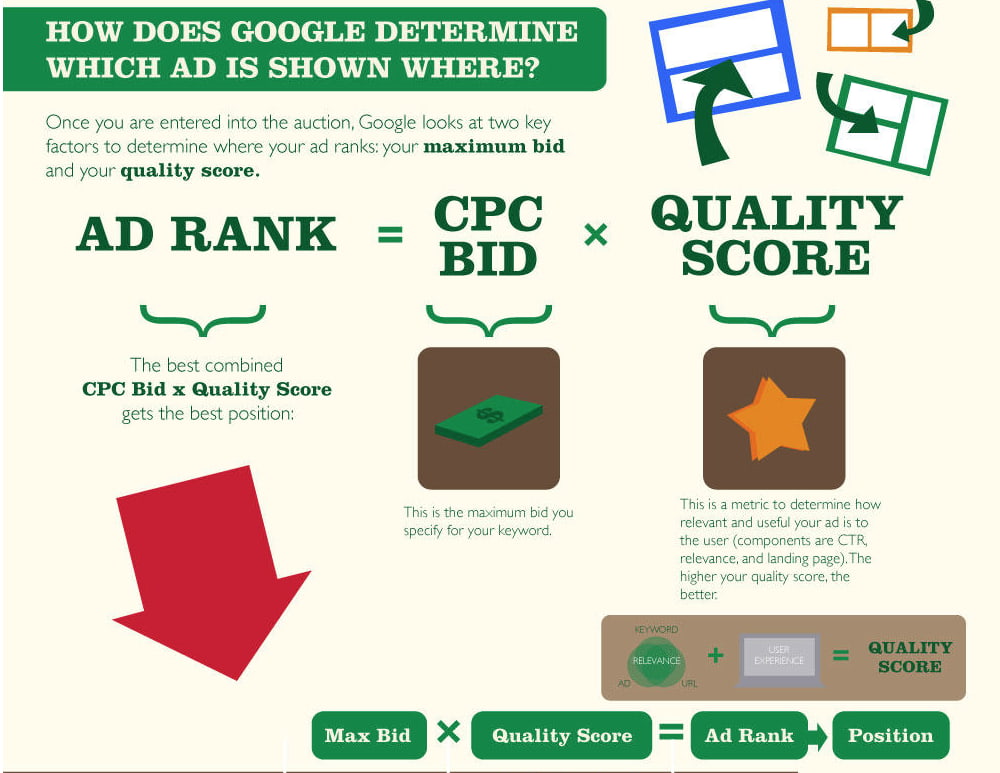
Google wants to incentivize the best advertisers to advertise the best content on their search engine results pages, so they reward ads that have high quality scores with higher ad rankings and lower cost per acquisition.
In the same vein, they also want to discourage bad advertisers from advertising bad content, so advertisers with low quality scores will usually only acquire a high ad position if they pay a huge cost per acquisition bid. If they want to pay lower a cost per acquisition bid, they’ll have to settle with stooping at the bottom of the ad rankings.
To generate as many conversions as possible within the limits of your advertising budget, consider using Google’s target CPA bidding. Target CPA bidding leverages machine learning to analyze your campaign’s historical conversion data, recommend an optimal average target CPA, and automatically optimize all your eligible bids to meet the average target CPA you set for all your campaigns.
If you use target CPA bidding, some of your conversions may cost more than others because your quality score or the competition in your ad auction might fluctuate, but Google will try its hardest to keep your cost per acquisition as close to your average target CPA as possible.
How to Optimize Your Cost Per Acquisition Costs
Since your quality score, which is a metric that measures how positive and relevant of an experience your content provides, is the most influential determinant in securing a top ad ranking and, in turn, generating more conversions, the best way to optimize your cost per acquisition costs is crafting compelling ad and landing page copy.
When you sit down to write ad or landing page copy, your goal should be to write something so captivating that it can grab the attention of a distracted millennial slouched in front of the TV, with their smartphone in one hand and a slice of pizza in the other.
So what’s the process for persuading your audience to ignore that pizza, click on your ad, and convert on your landing page? Check out this three-step process for crafting compelling ad and landing page copy.
1. Pique your audience’s curiosity
A little intrigue goes a long way in marketing. Humans are biologically driven to investigate our world rather than respond to it. And if you can evoke enough curiosity in your audience so they can’t help but satisfy it, they’ll click on your ad. So don’t reveal too much about your offer — but make sure to highlight its benefits in a clear and convincing way.
2. Sell a feeling
Psychology tells us that emotions drive our behavior, while logic justifies our actions after the fact. Marketing confirms this theory — humans associate the same personality traits with brands as they do with people. Choosing between two alternatives is like choosing your best friend or significant other. The people we decide to live our lives with make us feel something.
This is also the reason why pitching a product’s features is a lousy attempt at persuasion. Features only appeal to the logical part of your brain, which science suggests doesn’t drive action nearly as well as appealing to the emotional part of your brain does. So don’t just get creative with your copy — get emotional too.
3. Design a simple yet convincing landing page.
Just because you’ve grabbed someone’s attention with your ad doesn’t mean your work is done. You still need to design a compelling landing page that clearly conveys the value of our offer.
In order to do this, consider piquing your audience’s curiosity with an intriguing headline and subheading, scrapping any external links from your landing page so visitors can only leave your paid acquisition funnel if they exit the page or convert, and test out video, which can explain the value of your offer in a more engaging way than text can.
If you want to learn how HubSpot creates landing pages that convert at 35% rate, check out this blog post.
Instead of chasing clicks, pursue conversions.
Marketers will chase vanity metrics until the end of time, and you might feel pressured to do the same, especially when your peers clamor on about their astronomical growth in views or clicks.
But if you ever feel tempted to jump on that train, remember, in marketing, the goal is to persuade someone to take your desired action. So incentivize your brand to resonate with your audience — that’s the thing that actually keeps people on your content and prompts them to act. And make conversions, not clicks, your carrot.

Do Blog Posts Actually Lead to Purchases [New Data]
In our 2021 Executive Marketing Leadership Survey, 20% of marketing leaders described company blogs as one of their “most important channels” for hitting goals.
The enduring importance placed on blogging isn’t shocking. Not only can blogs boost your SEO, overall site traffic, and online presence, but they can also help prospects learn more about your industry, brand, product, or service.
But, starting and running an effective, traffic-generating blog requires a lot of time and energy. And, if you’re a marketing manager on a tight budget, you might only be interested in tactics that directly benefit your bottom line.
As you determine how you’ll invest your time, effort, and money in 2021, you might ask yourself, “Will my blog posts actually lead to purchases?”
To help marketers answer the question above, we surveyed nearly 300 consumers using Lucid software to learn if reading company blog posts had ever led them to make purchases from that brand.

Do Blog Posts Lead to Purchases?
While the growth of other content strategies, like video marketing, might have you thinking that consumers will only buy products after seeing them on other platforms, you might be surprised by how consumers responded to our survey question.
When we asked, “Have you ever purchased something from a company after reading a blog post from them?”, a whopping 56% said, “Yes.”
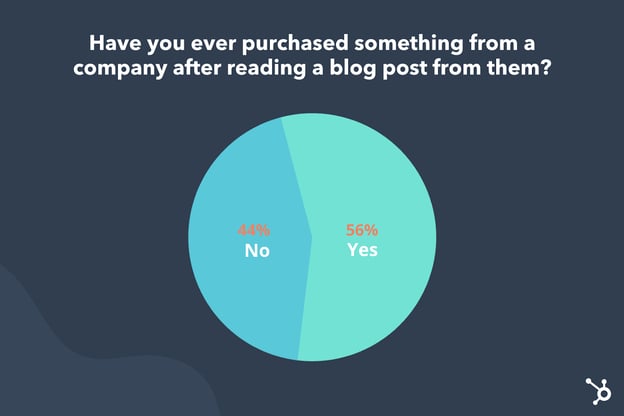
While blogs are no longer the most commonly used type of marketing content, data like the small survey above reaffirms that blogging is still an effective way to market your brand and even sell products.
Why Blogs Lead to Purchases
If your company has a blog that discusses your industry or how your offerings can help with the average reader’s everyday pain points, your audiences can discover and gain trust in your brand’s expertise. That trust and credibility could ultimately lead to purchases.
Why? If a prospect trusts the advice or information given in your blog posts, they might trust that your offerings are better quality than your competitor’s because your brand knows the industry, what customers want, and the pain points that your product or service solves.
Even if you prefer video, social media, or visual marketing strategies, it’s important to remember that blogs can help you sell products in ways that other content types can’t.
For instance, while videos and images might only give prospects a glimpse of how a product or service works in real life, blog posts can offer extensive information that a visual content editor might need to cut to avoid overwhelming a viewer on social media or other platforms.
And, while blog posts offer more chances to provide in-depth information than some content types, they also could increase your search ranking and allow more opportunities to link directly to a landing or purchasing page. Because of this, consumers could find your content via search, read your post, and click straight to a product purchasing page with low friction after your content has persuaded them to buy a product.
Additionally, because most blog sites allow you to embed videos, podcasts, and imagery, your company blog can also be a great place to promote your other marketing assets while still informing prospects about your brand.
In the next year, consider a mix of content marketing that includes blogging. Not sure how to persuade shoppers with your blog posts? Here are a few quick tips.
How to Lead Readers to Purchases
Strategically place product page links and CTAs.
Aside from mentioning your brand, product, or service where it feels natural in your blog posts, you can also use hyperlinks to link out to product pages, or CTA buttons that draw slightly more attention to a product or offer without directing reader attention too far away from the blog post.
At HubSpot, we usually place at least three CTAs related to a blog topic in each post: a text-based CTA in the introduction, a larger banner image at the bottom, and a slide-in CTA that shows up to the side of your text as you’re scrolling through the middle of the post. This allows three mentions of a product or offering without interrupting the reader’s experience.
Offer a free resource:
If your brand sells a subscription, service, or product that’s on the pricier side or needs leadership approval from your company, blog readers might need more than a few blog posts to trust your brand and invest in your product. In that case, you might need to focus on lead-nurturing rather than sending blog readers directly to a purchasing page.
HubSpot and many other blogs have grown their contact and qualified lead lists simply by creating a free downloadable resource, such as an ebook, template, or research report, and offering it through CTAs at the end of blog posts.
Below is an example of a recent free research report resource we offered at the end of one of our Sales Blog posts:
To access free — but gated — offers, readers must give basic information about themselves and their company. From there, they receive an automated email or instant download of the resource while also becoming a contact — or lead — and enter our lead-qualification process to see if they could be a good prospect to reach out to.
The HubSpot Blog’s free resource strategy results in thousands of qualified leads per year that could potentially convert into HubSpot customers. You can learn more about how to implement it on your blog here.
Remember, quality beats over-promotion.
In another recent Lucid survey, one-third of our group of general consumer respondents most commonly read blog posts to “learn something new.” Meanwhile, roughly 20% read blog posts for the sake of entertainment.
As a content creator, it’s important to remember that readers will likely find your blog because they’re looking for information related to an industry they work in, want to learn something related to their hobbies, or need solutions for a pain point they deal with in their daily or professional lives.
Odds are, they’re not looking solely for promotional content. If a reader visits your blog site and finds nothing but blog posts filled with product shots and cheesy advertorial language, they might lose interest in your content and might not develop the sense of trust needed to make a purchase.
While it’s wise to place a few unintrusive CTAs in your blog posts, and even mention your product or service when it feels relevant, be sure your content primarily offers valuable guidance, advice, and information that will help your reader and fulfill their needs.
For example, in this post about AI social media tools, we give valuable information about how to implement AI-based technology in a social media process while listing HubSpot as one of the tools readers can use. While we still mention our offerings, the post’s goal is to show readers how multiple AI tools can streamline a marketing process.
Creating Your Blog Nurturing Process
Ultimately, every brand has a target audience with different interests and content needs. While one blog strategy, such as free resources, will work well to generate qualified leads for a B2B company, other tactics, like simply linking to a product in blog posts, might be more lucrative for consumer-facing brands.
As you focus more on turning your blog traffic into revenue, keep these questions in mind:
- What information is valuable to my audience?
- Does my product require lead nurturing such gated offers?
- Will the tactic I’m using seem over-promotional or disengaging to my audience?
Want to learn more about how the HubSpot blog generates leads? Check out this post from one of our content acquisition managers. Or, take down these tips on how to make money blogging.
Before you check out those pieces, be sure to download the free resource below.

The Plain-English Guide to Integrated Marketing Communications
I fly Southwest Airlines almost exclusively. They offer reasonable prices, make it easy to rack up points, and always have fun and kind flight attendants.
One thing I’ve noticed about Southwest is their branding is on point. Whether I’m booking a flight on their mobile application, being served my go-to in-flight ginger ale, or walking through the terminal at Midway Airport, I’m surrounded by Southwest’s consistent brand colors, messaging, and imagery.
This is an example of integrated marketing at work. If you’re interested in presenting a cohesive, consistent brand experience that leaves your products or services top-of-mind — like Southwest does — this guide is for you. Read on to learn more about integrated marketing and how to create a campaign of your own.
Imagine discovering a new brand on Instagram and visiting the company’s website to purchase one of their products. If their website promoted a different message or campaign than the one you found on their Instagram account, you’d have a hard time understanding the gist of the brand, right?
Integrated marketing exists to eliminate these disparities and differences regardless of how or when a customer interacts with your brand. It’s similar to multi-channel marketing, except integrated marketing is what aligns the message you’re sharing on all of those channels.
Speaking of channels, integrated marketing doesn’t apply to just your inbound or digital marketing channels; traditional media channels are also included. Many of the integrated marketing examples we’ll review below incorporate traditional marketing channels such as print, radio, and TV ads.
Now, let’s talk about integrated marketing campaigns.
Why are integrated marketing campaigns effective?
While integrated marketing campaigns can differ in their goals (e.g. converting views, building brand awareness, etc.), they should all have one component in common: to align your marketing channels to present a united marketing “front”.
If your marketing channels are players, consider your integrated marketing campaign the coach in charge of running plays and helping your channels work as a unified system — not disparate ones.
It’s also more effective to run integrated marketing campaigns as compared to campaigns on individual channels. Integrated marketing campaigns are impactful for a few reasons:
- They reach a wider audience than a single marketing channel.
- They have a greater chance of being seen on multiple channels, thus keeping your brand top-of-mind and pushing visitors closer to conversion.
- They build trust with visitors as they see a consistent message on multiple channels.
- They save you money since assets can be shared between and repurposed for different marketing channels and, depending on your campaign, customers can help you market your product or service for you.
So, how can you build your own integrated marketing campaign? Follow these steps to get started.
1. Establish your overarching campaign goal.
Before you consider what channels will be part of your integrated marketing campaign, you must consider the goal of the entire campaign.
Maybe you’ve launched a new product, service, or initiative and want to get it in front of customers — like Southwest’s Transfarency. Maybe you’ve completely rebranded and want to broadcast your new message — like Old Spice’s Smell Like a Man, Man. Perhaps you’ve simply chosen a new positioning tagline and want your audience to start associating your brand with it — like Snickers’ You’re Not You When You’re Hungry.
(Don’t worry, we’ll dig deeper into these examples later.)
Whatever your campaign goal may be, always remember to make it SMART. This will help you stay focused, track your campaign success, and learn how to improve the next time around.
These goals should also relate to at least one of the following key performance indicators (KPIs) and their subsequent metrics, which you can track when you launch your campaign.
| KPI | related Metrics |
| Traffic/reach | Unique page views by channel and source |
| Engagement | Bounce rate; average time on page |
| Top (and falling) content | Top page views; top exits |
| Impact | Click-throughs; conversions; backlinks |
| Sentiment | Comments; social shares |
| Lead generation | Total leads; total sessions; session to lead conversion rate |
| Sales | Lead to marketing qualified lead (MQL); MQL to sales qualified lead (SQL); customer purchase/closed-won business |
Also, while increased engagement and new leads are always exciting, a multi-channel campaign should also consider the bigger picture: how your campaign impacts sales opportunities and business revenue. Take a moment to map out how you want your campaign to impact your bottom line, too.
2. Choose your marketing channels and set goals for each one.
Now that you know your overarching integrated marketing campaign goal, you probably have a better idea of what channels (if not all of them) can help you reach that goal.
For example, if your goal is to roll out a new logo and branding suite, you don’t necessarily need to leverage radio ads. On the other hand, if you’re extending your audience to target a new geographic region or city, radio ads, billboard ads, TV ads, and other local channels may come in handy.
When choosing your channel(s), it all boils down to what you’re trying to achieve through your integrated marketing campaign. There are 10 major marketing “channels” that you can use to distribute your campaign content.
- Advertising (both print and PPC)
- Direct marketing
- Email marketing
- PR
- Personal selling
- Sales promotions
- Digital marketing (e.g. website, content marketing, and SEO)
- Social media
- Events and sponsorships
- Packaging
Your integrated marketing campaign should include a variety of marketing channels in order to reach the widest audience and drive home your campaign message. If you see one or more channels plateau, don’t hesitate to add, remove, or test new ones.
3. Define your buyer personas by channel.
Every marketing channel targets its own specific buyer persona. For this reason, instead of defining a broad persona for your campaign, you must define your audience by channel.
There will inevitably be some overlap, but it’s wise to understand exactly who you’re talking to on each medium and how you can tailor those specific assets to be the most successful.
Note: With some campaigns, you may be targeting a specific audience. In this case, steps 2 and 3 would be flipped — you’d define your buyer persona(s) first and then decide which channels can help you reach that audience.
4. Identify your channel managers.
Depending on the size of your marketing team, you may have different people (or entire teams) in charge of different channels. When running a multi-channel marketing campaign, you must determine who specifically will be in charge of ensuring their channel(s) is aligned with the campaign.
This is important for two reasons: 1) that manager is the expert on their channel (e.g. audience, posting cadence, optimization tactics, reporting strategies, etc.) and will know how to tailor the campaign content to be the most successful; and 2) putting one person in charge of all channels may be overwhelming and will cause the content and campaign to suffer.
Perhaps you have a smaller marketing team where one person handles multiple channels. Regardless of your team size, do your very best to share channel management responsibilities across a few people — ideally with one person handling one or two channels.
5. Create adaptable marketing assets and messaging.
At this point, you have your campaign goal, target audience(s), and marketing channels. It’s now time to create your integrated marketing campaign content. This stage is where copywriting, graphic design, and other creative processes come into play.
Before I dive into how, let’s talk about an important component of integrated marketing content: adaptability. To keep your campaign consistent (and ease your workload), you should be able to repurpose any content to be used on different channels.
For example, let’s say your integrated marketing campaign is focused on the launch of a new 3-minute brand video. You could repurpose this video into:
- 30-second and one-minute “trailer” videos
- Still images
- Quotes
- GIFs
- Hashtags
- Blog posts
- Soundbites
As you develop and repurpose these creative assets, keep them aligned with your brand guidelines and consistent with each other. In fact, it may be helpful to create your own set of brand guidelines for your integrated marketing campaign to share with your team and any channel managers.
This documentation could include a few things:
- Visual guidelines (logo, color palette, typography, etc.)
- Any developed and repurposed assets in multiple file formats
- Voice and tone guidelines (taglines, preferred language, words to avoid, etc.)
- Messaging guidelines (pain points, goals, types of content, resources, etc.)
- Buyer persona information and guidelines
Integrated marketing is all about a consistent brand experience. Be sure your campaign assets reflect that, regardless of what channel your audience visits or sees.
6. Establish your plan for collecting leads.
Whether or not you intend your campaign to collect leads, you should always be prepared to receive them. You don’t want to leave this as an afterthought once you launch your campaign. Even if you’re simply campaigning to raise awareness of your brand, consider how your visitors might convert to leads — and, eventually, customers.
First, consider how a visitor might convert to a lead. Would they subscribe to your newsletter? Input their information to download a content offer? Create an account on your website? Ensure these conversion aspects of your campaign are also on-brand with the rest of your visual and messaging assets.
Next, consider how your leads will be nurtured once they convert. Would they roll into an automated email workflow? Would you pass them along to Sales? However you go about this step, make sure your leads aren’t forgotten once they willingly give over their information.
As always, communicate with Sales to confirm that they’re aware of your campaign and on-board with your plan for new leads and customers.
7. Launch, measure, and iterate your campaign.
Ready to launch your integrated marketing campaign? It might be time to put your campaign to work … but it’s not time to rest just yet.
Remember those KPIs and metrics from step one? Whichever KPIs relate to your overarching campaign goal (e.g. boosting brand awareness, rebranding, new product, etc.), start tracking those subsequent metrics each week, month, and quarter (depending on how long your campaign is running) to see how successful it is at reaching your goal.
As always, take what you learn from each integrated marketing campaign and apply it to future campaigns. With the right strategies, managers, and tools in place, you can create a never-ending cycle of integrated marketing campaigns — and wins.
Integrated Marketing Strategies and Best Practices
As you construct your integrated marketing campaign, there are a few key strategies and best practices to keep in mind. We’ve detailed them here, and they apply regardless of what media, channels, or goals you’ve chosen.
Align behind the scenes.
In order for you to successfully implement an integrated marketing approach, it’s imperative that you not only choose marketing channel managers but that all your marketing managers also communicate often about projects and campaigns.
While not every integrated marketing campaign or promotion needs to be on all of your channels, they should at least complement each other to avoid a fragmented brand experience for customers.
Consider the channel transition.
Integrated campaigns receive traffic from a number of sources — and pass along those sources like a game of Hot Potato. Consider how a visitor may view/experience each marketing channel 1) if it was their first visit and 2) if they transitioned from another channel. Think about how each channel can help others convert.
For example, say a customer saw your new billboard on their way to work and, once they arrived, visited the website that was on the billboard. Imagine if, on your website, the customer couldn’t easily find whatever your billboard was marketing. How confusing would that be? That customer would likely drop off immediately.
Don’t neglect the small overlaps.
When preparing to launch your integrated marketing campaign, it’s tempting to separately think about each channel and its respective media assets. But this thought process inherently goes against the ethos of integrated marketing. Integrated marketing exists to eradicate the silos of traditional marketing and bring together a cohesive campaign experience.
For this reason, don’t neglect the places in which your campaign overlaps. Here are a few examples:
- Your email signature, where you can plug your social media handles, website URL, or video links
- Your social media bios and posts, where you can include links to your website, blog posts, content offers, or other digital content
- Your blog and website, where you can incorporate social sharing buttons
- Your standalone landing pages, where you can optimize for relevant keywords and SEO
- Your PPC copy, where you can test subject lines to see what your audience responds to
While these overlaps might not directly support your campaign goals, they help your audience transition seamlessly between channels, enjoy that consistent, cohesive brand experience, and ultimately find their way to a page that converts them.
Every marketer knows just how much you can learn from those who’ve come before you. In this section, we’ve pulled together a handful of well-executed integrated marketing campaigns to give you an example of just how successful this tactic can be.
1. Smell Like a Man, Man by Old Spice
For years, I associated Old Spice with something only my dad or grandfather would wear. I can remember the old, white bottle of aftershave — the one with the faded pirate ship — that used to sit in my dad’s cabinet.

The initial campaign launch featured one 30-second TV spot, The Man Your Man Could Smell Like, that was so beloved that Old Spice launched a handful of others.
But Old Spice didn’t stop at the TV commercial. They also included their website, product pages, Instagram, YouTube, and other channels in their campaign.
No, they don’t all feature the specific characters or taglines from the original TV spots (remember, the campaign launched almost 10 years ago), but they do reflect the same tone, theme, and brand, thus giving customers a consistent brand experience across all media.
2. Transfarency by Southwest Airlines
I discussed Southwest Airlines’ consistent branding at the beginning of this article. One campaign that stands out is their Transfarency movement, which introduced a brand new word that marketed Southwest as an airline with straightforward pricing and no hidden fees.
The campaign originally launched in 2015, but Southwest has since been rolling out phases to release new elements and introduce more themes and stories. This tactic has helped elongate the campaign message and truly solidify the association between flying Southwest and saving money on fares.
Southwest has used almost every possible marketing channel to broadcast this campaign: a dedicated landing page on which you can purchase tickets, print advertisements posted along airport walls and tucked behind airplane seats, a slew of video spots, and plenty of user-generated content on their social media.
3. You’re Not You When You’re Hungry by Snickers
Snickers is one of my favorite chocolate bars, so I paid close attention when I started to see commercials for their You’re Not You When You’re Hungry advertisements.
Launched at the 2010 Super Bowl, this Snickers campaign has remained top-of-mind for chocolate and candy lovers everywhere.
One reason for this is the campaign’s humor, but the other, more pertinent reason is that Snickers pasted this movement everywhere … on its website, social media, TV, print ads, and more, and they included plenty of celebrities to boot. By presenting an aligned, cohesive integrated marketing campaign, customers now think of Snickers when craving a sweet snack — and the company has benefitted as a result.

4. Share a Coke by Coca-Cola
Coca-Cola’s Share a Coke campaign was unique in that the company put their customers front and center by featuring names and fun phrases on their product. Not only did this create endless advertising angles, but it led to endless user-generated content from customers wanting to share products with their own name. The #ShareaCoke hashtag was shared via 500,000+ customer photos.
When this campaign was at its height, I found myself taking pictures of and even buying Cokes featuring the names of my friends and family. It seems that others did the same — the campaign resulted in an increase in Coke consumption from 1.7 billion to 1.9 billion daily servings.
5. Grow Better by HubSpot
HubSpot has countless digital properties — its blog, website, social media channels, and SaaS products. This level of variety requires a lot of consistency in messaging and marketing.
HubSpot recently set its ultimate vision to help customers grow better — all customers, on all channels. To promote this messaging, it updated all content to reflect this vision.
The message may be short, but the impact is big. However and wherever customers interact with HubSpot, its integrated marketing has ensured that they know how HubSpot operates — and why they should become a customer.
Integrated Marketing Helps You Grow Better
Integrated marketing turns your marketing campaigns into multi-channel movements. In today’s omnichannel world — with consumers encountering your brand online, on social media, and on their daily commutes — integrated marketing is more important than ever to capture new customers and build brand recognition and loyalty.
Implement these steps and strategies for your next integrated marketing campaign, and it will surely be a success.
Editor’s note: This post was originally published in October 2019 and has been updated for comprehensiveness.
