Welcome to My Blog
How to Generate Leads on LinkedIn, According to LinkedIn’s VP of Marketing
As a marketer, you’re undoubtedly aware of some of the major social media sites you can use for lead generation. I’m willing to bet you’ve already heard about the importance of Instagram, Facebook, and Twitter — and if you use all three as part of your lead generation strategy, you might think you’re all set.
However, if you’re not using LinkedIn you could be missing out on a major opportunity to grow both brand recognition and revenue, especially if you’re a B2B business. In fact, studies have shown that LinkedIn is the top paid and organic social channel for B2B businesses, and 82% of B2B marketers report finding the greatest success on the platform.
These statistics make sense, especially if we consider platform-specific demographics. The average Instagram user scrolls through their feed, like photos of their friends, watches their favorite celebrity’s Story, and occasionally uses the platform to find and purchase products.
Alternatively, the average LinkedIn user is on the site specifically for professionally-geared content. They’re already seeking out information to help grow their businesses, so you should meet them where they are.
Of course, it’s easier said than done. Without a clear strategy in mind, the task of lead generation on LinkedIn can feel challenging. Justin Shriber, Vice President of Marketing at LinkedIn, was interviewed as part of HubSpot’s campaign, “Advertising, a Look Behind the Screens.” Take a look at the full interview series here, or keep reading to learn some of his key insights, as well as additional tips on how to use LinkedIn for lead generation.

LinkedIn Lead Generation Strategy
As a refresher, lead generation refers to all of the activities and strategies you use to attract potential customers. Generating leads is important because, with nurturing, potential customers can become paying customers that use your products and drive revenue.
LinkedIn’s typical audience comprises professional decision-makers with purchasing power, helping you speak directly to the potential customers that can become paying customers. Below, we’ll discuss how you can use LinkedIn for lead generation.
1. Make sure your executives have a strong LinkedIn presence.
When you’re first getting started on LinkedIn, it can be tricky to know how to dedicate your initial efforts. Should you create a compelling LinkedIn Page and immediately begin posting content to your business’s feed? Or should you start by posting all your job openings to attract new talent?
Shriber suggests another strategy: “We definitely want to fuel the growth of small businesses that have aspirations to grow to become larger, and we put together a playbook that allows them to do that. The playbook always starts with the individual LinkedIn profiles of the employees at the company, and in particular, the executives at the company.”
“[Executives are] trendsetters. They can make statements about what they stand for, and in many cases, develop a strong following in relatively short order.”
Consider the leaders at your company and their current LinkedIn presence. Could they contribute more thoughtfully to LinkedIn groups within your industry or post more often to their feeds? More likely than not, your executives could be doing more to grow their LinkedIn following.
For instance, let’s take a look at Sallie Krawcheck’s, CEO and co-founder of Ellevest, LinkedIn activity:
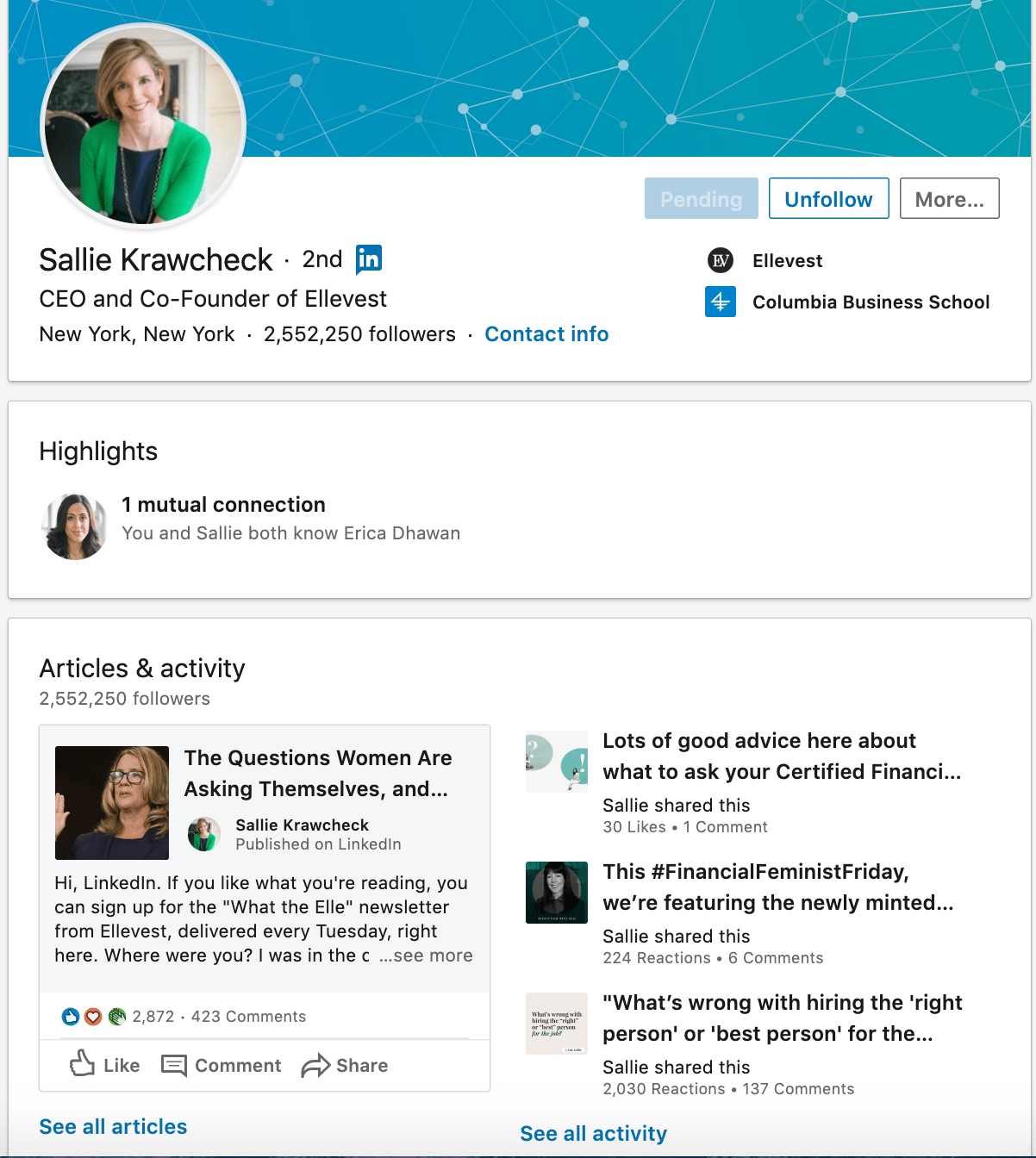
Krawcheck uses LinkedIn wisely, leveraging the platform to promote content from her own investment company while also liking or sharing other relevant financial content geared towards women. Ultimately, Krawcheck uses LinkedIn to build a personal brand and help her followers find valuable content related to investing and women in finance. Ideally, your executives should be doing the same.
2. Create a powerful LinkedIn Page for your business.
Once you’ve ensured your own executives have a strong LinkedIn presence, it’s time to cultivate an impressive page.
You’ll want to ensure your page is active, with thought-provoking content and contributions to conversations already happening on LinkedIn.
Shriber notes — “Once you’ve got a strategy related to your executives and their presence on LinkedIn, step two is to think about the presence of your company on LinkedIn. We have a product called LinkedIn Pages, which has been incredibly powerful for businesses that want to establish their place in the world’s professional community.”
“[LinkedIn Pages is] a free product,” Shriber adds, “and really, at the end of the day, it’s a place for you to stage the content that you have to offer, and really promote all of the benefits that you have for people that want to follow you.”
He continues, “So, when you come to a good LinkedIn Page, you’ll find information about what the company does, but beyond that, some of the thought leadership that’s happening. There will be video content as well as the written word, commentary from executives, but also in many cases, information that’s curated from other sources. It doesn’t just need to be from the marketing group or from an internal source.”
3. Post relevant content and updates.
To ensure your LinkedIn page and profile are strong, consider posting various content types, including video. Featuring this industry-relevant content can help you position yourself as a knowledgeable source and establish relevance and credibility with potential customers.
When you’re recognized as an insightful, valuable source, you’ll begin to develop connections with like-minded professionals that fit your ideal customer profile. If you post often, you’ll become a regular on their feed, and familiarity makes it easier to initiate further conversations.
If you assume that the connections you have on LinkedIn are professionals within your industry, they can expose you to new audiences with the content you post. When your connections click ‘Like’ on a post you’ve made, it may show up on the feed of a new lead. This lead will see that your shared connection has liked your post, vouching for your credibility and authority, and possibly prompting them to send a request to connect.
To ensure that you’re creating content that people want to see, follow your page analytics to figure out what resonates with them the most and create accordingly.
4. Join LinkedIn groups your clients and customers are in.
LinkedIn, at its core, is a social platform like any other. Just as you can on Facebook, users can create groups centered around industry-relevant interests, and you should join these groups and have conversations with other professionals.
You can post content and updates to encourage discussions about relevant topics or simply talk about the services you offer. If you’ve joined groups wisely, your potential customers can see what you say and begin to recognize you as a source of valuable information.
You can also use groups to learn more about your audience. If members are active, learn from what they say and discover common industry pain points and how leads want these issues addressed. Use this information to your advantage, and create hyper-targeted value propositions when you reach out that speak directly to your customer’s needs.
5. Use paid products to ensure your content reaches your intended audience.
Businesses with small marketing budgets may be wary of putting money behind paid campaigns on LinkedIn. They often ask — We have a small marketing budget, and we want to use it wisely. Where should we spend it? Given that LinkedIn is the top paid and organic channel for B2B businesses, spending your money on the platform would be worth your while.
Shriber told me, “Once you’ve built that strong LinkedIn Page, companies tend to realize that that audience that’s consuming information is incredibly valuable, and it’s different than what they’re finding on other platforms.”
He adds, “We have a series of paid products that you can then move into that allow you to insert content into the LinkedIn feed. Now you’ve got a series of followers or you’ve got a set of targeted members that you care about. Suddenly, they’re seeing your content appear in the feed itself and there are some really rich ways to turn that engagement into actual activity.”
While LinkedIn has a native ads management service, you can also use HubSpot’s ads management tool to create, organize, and execute advertising campaigns on LinkedIn. You’ll also get access to high-quality reports that explain ad performance, helping you optimize a strategy to meet your customers’ needs.
6. Ensure you have strong sales and marketing alignment.
You’re likely all too familiar with the recent shift in consumer buying behavior. Nowadays, customers are researching online ahead of time and typically use marketing content to inform their purchasing decisions before even reaching out to a sales rep.
Shriber describes the shift like this: “What you’re seeing now, is consumers are becoming more savvy about learning about products and services that they need and progressing deep into the sales process before they reach out, raise their hand, and say that they need help.”
He adds, “It’s becoming incumbent upon marketing to really meet the needs of customers that are investigating and exploring, and then seamlessly handing that off to salespeople so sales has context on the journey customers have already traveled.”
“I’ve got a number of customers that have come to me and said, my salespeople know my target customers better than my marketing group. They’ve been in the business for 20 years, and they know all the key people, so I’m going to use them to create awareness, build a brand in a way that historically has been reserved for marketing.”
On the flip side, of course, marketers play a heavier role in closing a deal. Shriber told me, “Imagine, for example, that you’re procurement and you’re trying to negotiate a contract. Historically, that’s been the domain of a sales professional, but today, savvy marketers know that that’s where you are in the sales process.”
Shriber adds, “They’re able to target that procurement person, send in some relevant content related to validation of the solution, why it’s valuable, what other customers are saying about it, and all of a sudden, that marketer has played a key role in getting the deal closed.”
All of which is to say — it’s critical you align your sales and marketing teams since they play equally valuable parts in finding prospects and closing deals, and they overlap more heavily now than ever before.
To figure out strategies for better aligning your sales and marketing departments, take a look at this Ultimate Guide to Sales and Marketing.
7. Leverage connections with current customers and clients.
LinkedIn’s main draw is networking, and you should use this feature to your advantage for lead generation.
Connect with current customers and clients on LinkedIn and learn from who their industry connections are, as they may be relevant to you as well. If you have relationships with existing clients you connect with, ask for referrals, references, or simply learn how to get in contact with a connection they have that matches your customer profile.
As LinkedIn is a professional network, such requests are less pushy, spammy, and salesesque than cold calling someone after finding their number online. Leads can receive your request to connect, browse your profile, and see your shared connection as a guarantee of trust.
In addition, when you connect with new leads, you’re using warm outreach. This means that you already know a bit about them and can immediately make propositions that relate to their interests, providing value to them off the bat.
8. Maintain a consistent presence on the platform.
Just like all of your other social media sites, LinkedIn requires consistency. If you post an article once a week and then log out, you’re not establishing yourself as a consistent presence with your connections. You also want to communicate consistently with your leads. Disappearing in the middle of a conversation is not a good look and does the opposite of furthering their interest in doing business with you.
As mentioned above, use platform analytics to learn about your audience’s interests, when your posts get the most traction, and create a strategy that will keep you consistently present and visible on LinkedIn.
LinkedIn Can Help You Attract Your Ideal Customers
Ultimately, if you aren’t using LinkedIn or using it often enough, you’re likely missing out on significant opportunities to grow your business.
As Shriber told me, “We’ve really tried to think through the full spectrum of what you might care about, from building a brand to generating leads, whether you’re a small business or a large enterprise — and we built playbooks that address you where you are, and help you to get where you’re going.”
Learn more from Justin Shriber and other advertising leaders by accessing an exclusive interview series with LinkedIn, Google, and Facebook.

SEO Writing: 12 Tips on Writing Blog Posts That Rank on Google
If you’ve ever written a blog post before, you know how much time it can take.
From topic selection and gathering research to writing the post and pressing “Publish,” the process often demands hours. That’s why, if your post doesn’t earn the traffic you expected, it can be a major letdown.
![→ Download Now: SEO Starter Pack [Free Kit]](https://no-cache.hubspot.com/cta/default/53/1d7211ac-7b1b-4405-b940-54b8acedb26e.png)
Fortunately, there’s a way to combat low traffic: search engine optimization. As marketers, we’re always aiming to write content that’ll rank highly on Google, and SEO is the bridge that’ll help you get there. That begs the question: How do you incorporate that into your content?
Don’t worry — we’ve got you covered. In this post, we’re going to dive into 12 ways to master SEO writing.
A 2020 Search Engine Journal study found that the clickthrough rate for websites in position one on the search engine results page (SERP)is 25%. This number drops drastically to 15% for websites in position two and then down to 2.5% for websites in position 10. When you get to page two of Google, that number gets even lower.
This means that if your website is not on the first page, there’s a small chance consumers will find your website organically. Fewer visits to your site mean fewer opportunities to generate leads, and ultimately, revenue.
Your next best option is investing in advertising to get those users to your site. But that costs money, and if you’re on a tight budget, why not invest time in SEO writing? It’s free and will likely bring you traffic for much longer than a campaign would.
12 Tips on How To Incorporate SEO in Your Writing
1. Use headings to your benefit.
Headers help Google’s web crawlers understand your blog post and the sections within it.
Think of the crawlers as readers who are skimming your blog. They want an overview of what your article will cover, that’s your H1. Then your H2s, H3s, H4s break down the subtopics within the piece.
So, your subheaders should reflect the content in the body and include high-intent keywords. When you use the right keywords, meaning the ones your target audience is using, you have a much higher chance of ranking on the SERP.
2. Optimize your content for featured snippets.
Featured snippets on Google are the most direct answers to search queries. For instance, if I were to search, “How do you write a blog post?” Google might use a featured snippet to show the best answer.
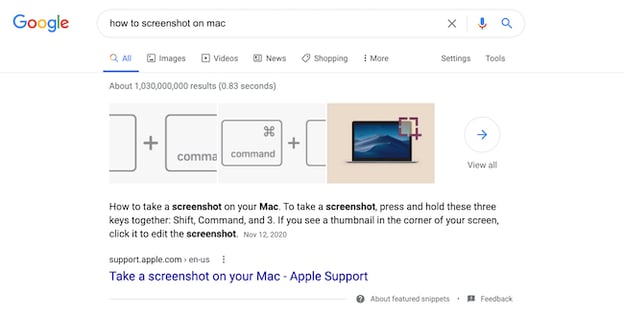
To earn a featured snippet on Google, you’ll need to answer the question thoroughly and succinctly.
For instance, if the search term is “How to screenshot on mac,” you can put “How to Take a Screenshot on a MacBook Computer” as your H1 or H2, followed by the steps in a numbered or bulleted list.
Once you’ve done that, be sure to include part of the question in your answer. Using the example above, you would start the paragraph with the following: “To take a screenshot on your MacBook, here are the steps…”
Additionally, start each sentence with an actionable verb, like “click” and “select.”
If the keyword for which you want to capture the featured snippet requires a definition, write an answer that’s no more than 58 words.
3. Write for humans, not search engines.
With all these SEO guidelines, it can be easy to forget that when a user searches on Google, they are looking for an answer. The best way for you to improve your chances of ranking is by writing high-quality blog posts.
What does that look like? Thorough answers, scannable sections, organized subheaders, and visual aids.
Keep your buyer personas, their motivations, challenges, and interests in mind. It’s also important to choose topics that will resonate with your potential customers and address their pain points.
4. Include keywords in your meta description.
Are you adding meta descriptions to your post? If your answer is “no,” then you’re probably not giving your post the most exposure possible. Let’s get into why they’re important.
By now, we’ve talked about a couple of the ways a blog post can communicate with Google: subheaders, keywords, and snippets. However, that’s not an exhaustive list.
Meta descriptions are another area Google crawls to determine search rankings. Meta descriptions are the one- to three-sentence descriptions, you’ll find underneath the title of a result.
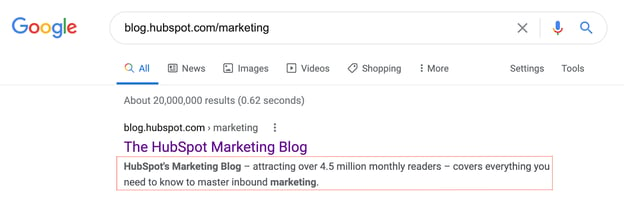
Use meta descriptions to sum up what your post is about, and remember to:
- Keep it short.
- Use one to two keywords.
- Make it compelling. After all, there are going to be other posts similar to yours so you’ll want your description to stand out above the rest.
Most content management systems (CMS) have meta description boxes built-in, so you likely won’t have to look far to use the function.
5. Add alt text to images.
With any image you add to your post – featured or body images – you’ll want to add alt text.
Alt text describes what’s happening in the photo and it helps Google (as well as those who are visually impaired) understand why the photo is in your post.
For instance, let’s say your article is about virtual events and you include the following image:

The alt text should read something like, “Business man attending a virtual event sits at a desk while holding a pen.”
This sentence is descriptive and includes the main keyword “virtual event.” So, even if the reality is that this is a stock image, you can create a narrative that aligns with your blog post.
6. Start with keyword research.
It’s estimated that Google processes over 70,000 search queries a second. Staggering, right?
If you want to cut through SERP clutter and outrank your competitors, you need to target the specific keywords and phrases your potential customers are searching for. Otherwise, how else will they find your content and website?
Start with a keyword research tool. Sites like Ahrefs and Google Keyword Planner give you details on what users are searching for and how popular those queries are.
Google Trends can also give you a feel for what keywords are popular at any given time. If you see searches are steadily declining over time for a specific keyword, you know that’s probably not the right keyword to target for your marketing. The opposite is true for rising trends.
If you’re ever running low on keyword ideas, get inspiration from your competition. Use competitive intelligence tools to see what keywords their domains currently rank for. If these keywords are relevant to your business, consider using them too.
However, keep in mind that the most obvious keywords don’t always align with your strategy. Additionally, your focus keywords will evolve over time as trends shift, terminology changes or your product/service line grows.
Be sure to conduct keyword research periodically to ensure you’re still focusing on the right keywords for your target audience and not missing out on vital ranking opportunities.
7. Resist the urge to keyword stuff.
The goal is to make your page fully optimized, not overbearing. Find natural fits for keyword additions, but don’t force them to the point where your content is illegible.
For example, if your keywords are “account-based marketing,” “startups,” and “sales,” avoid a meta description like this: “Sales for account-based marketing startups.”
Instead, try focusing on one or two keywords to make the description more natural: “Are you looking for killer strategies to boost your account-based marketing game? Discover our research-backed techniques in this post.”
With this approach, you’re still using keywords, but you’re not oversaturating the post. Remember, your goal is to solve for your audience. If your users have a poor reading experience, that will signal to Google that your post may not be meeting their needs.
8. Link to high-authority websites.
As you build out your blog post, don’t be afraid to link externally.
Linking to reputable websites not only offers blog readers additional reading material to expand their knowledge, but it also shows search engines that you’ve done your research.
Nothing strengthens a blog post like research-backed statistics from influential websites. Compelling stats help you build a more convincing and concrete argument that will help you gain trust from your readers.
9. Aim for scannable, longer posts.
In an age of short attention spans, you would think shorter blog posts are the way to go. But in fact, search engines like Google actually prefer longer, in-depth blog posts.
Think about it: the more content on the page, the more clues search engines have to figure out what your blog is about. At HubSpot, we’ve found that the ideal length is between 2,100 and 2,400 words.
The downside to longer blogs is that they may overwhelm your readers. One way to combat that is by breaking down your content into bite-size, scannable chunks.
Turn a long-winded sentence into two and keep your paragraphs to three sentences or less.
Don’t forget about bullet points – they’re great attention grabbers and easily digestible, especially on mobile devices.
10. Link to other posts on your site.
Linking to other pages or blog posts on your website helps search engines create an accurate sitemap. It also helps your audience discover more of your content and get to know you as a trustworthy, credible source of information.
On the user side, Internal links to other valuable content keep readers on your site longer, reducing bounce rate and increasing your potential for a conversion. Isn’t that what it’s all about?
When linking to any pages on your website, or even outside sources, use natural language for your anchor text. Avoid using spammy or generic calls to action, such as “top-rated cheap laptops” or “click here.”
Instead, use descriptive keywords that give readers a sense of what they will find when they click on the hyperlink, like “Download your SEO guide.”
Never force-feed links to your top webpages, featured products, or discounted items. Include links that enhance the points made in your posts and naturally tie in with the subject matter.
11. Compress images for fast page load speed.
Google rewards pages with fast loading speeds, as it improves the user experience.
One of the leading culprits of page lag is large, heavy images. If you have several images in your post and each one is over 100KB, that can drastically impact your page speed.
Luckily, there are free apps, like Squoosh.app, that compress images without sacrificing quality.
If you suspect that your low ranking is due to slow page speeds, head over to Google’s PageSpeed site for a free analysis and recommendations.
12. Design a link-building strategy.
Link building is crucial to your search ranking.
Why? Think of search results like a competition where the winners get the most votes. Each webpage that links back to you is considered a vote for your website, which makes your content more trustworthy in the eyes of Google. In turn, this will make you rise further up in ranking.
So, it’s good to write posts that other websites or publications will want to hyperlink within their own posts. To make your website’s blog post more linkable, include high-value assets in your posts, such as original data and thought leadership.
Conducting interviews with experts is another effective way of leading traffic back to your website.
How to Title Blog Posts for SEO
Even with a great, SEO-friendly post body, a bad headline could hurt you in the SERP.
To title your post with SEO in mind, write something compelling that also incorporates your main keyword. Here are a few tips:
- Incorporate numbers. E.g.: “5 Ways to Rock a Matte Lipstick.”
- Include your offer in the title. E.g.: “How to Write a Cover Letter [+ Free Template]”
- Add a teaser. E.g.: “We Tried the New [Insert App Name] App: Here’s What Happened”
You know how to write content audiences will love. Now, it’s time to include elements that Google will love too. It can sound tricky at first, with these SEO tips, you’ll be on the first page of Google in no time.


16 Examples of Twitter Brand Page Backgrounds to Inspire You (Clone)

Although none of us really like to admit it, let’s be honest: first impressions matter. So if you’re trying to build a remarkable social media presence, you can bet that the look and feel of your brand pages in social media will make an impression on new visitors who know nothing or little about you. It’s no secret that people will judge a book by its cover. And if that’s the case, wouldn’t you want to make sure the first impression of your brand page is one that captures visitors’ attention, making them inclined to stick around and learn more about you?
Take Twitter brand pages for example. The background of the page literally provides businesses with a blank canvas to decorate, so to overlook the marketing potential of this valuable Twitter real estate would be a disadvantage to marketers. Smart marketers are using this space to visually and creatively capture visitors’ attention, emphasize their value proposition, promote offers and campaigns, and provide more information than the character limit in their bios allow. Are you?
If you could use some inspiration, here are some great examples of how real brands are painting their Twitter landscapes. And to get started designing your own Twitter background, check out our handy guide (with a video tutorial) on how to create a custom Twitter background.
1) Etica Wines
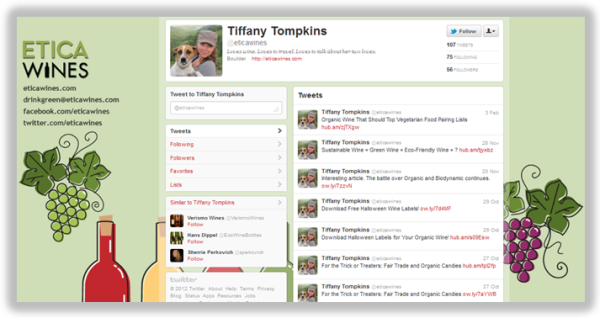 The Etica Wines Twitter page is a perfect blend of interesting design, branding, and links for visitors to learn more about the company, a wine guide and resource, as well as connect with them on Facebook or via email.
2) Spotify
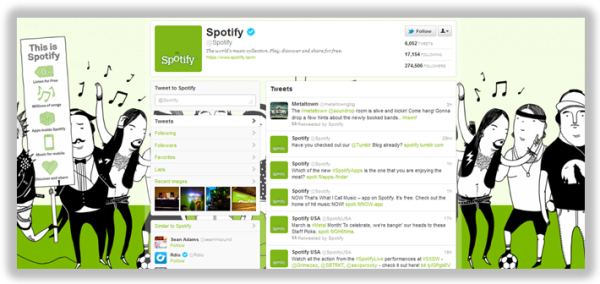 The Twitter background design for Spotify, a music discovery and sharing application for all genres, effectively demonstrates Spotify’s value proposition, both in its imagery as well as its minimalistic copy.
3) IdeaPaint
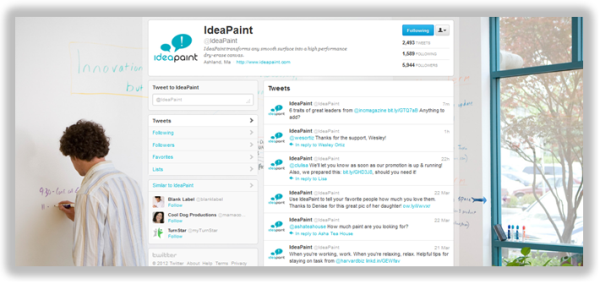 IdeaPaint’s Twitter background cleverly features the brand’s signature product — paint that transforms walls into whiteboards — in action. After all, a picture is worth a thousand words!
4) Dropbox
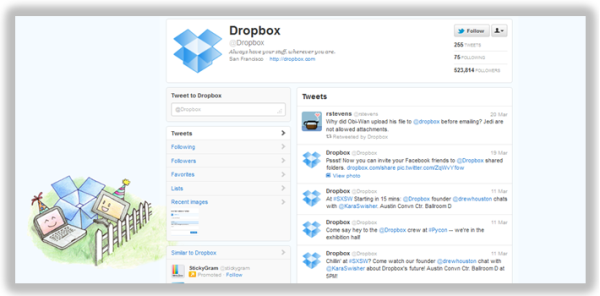
The Twitter background design for Dropbox, a file and folder sharing service, features a cute and clever cartoon that embodies its brand/product. Your first impression? Dropbox is such a likable brand!
5) Adrants
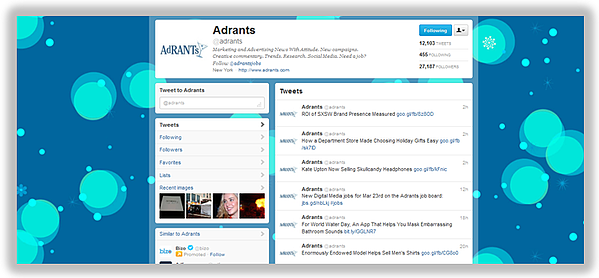 Adrants, a quirky marketing and advertising publication, uses its Twitter background to mimic that of its website, simply and consistently extending brand recognition.
6) The Sales Lion
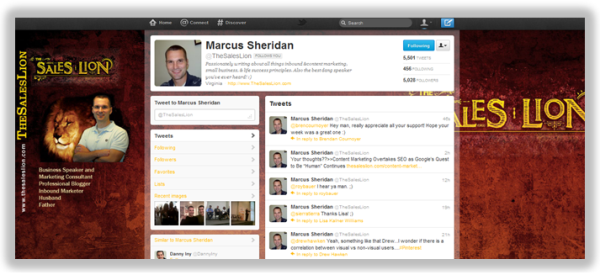 Similarly, The Sales Lion’s Twitter background perpetuates the branding elements of its website’s masthead while also providing visitors with a quick snippet of information about what The Sales Lion is and what it offers.
7) Snapple
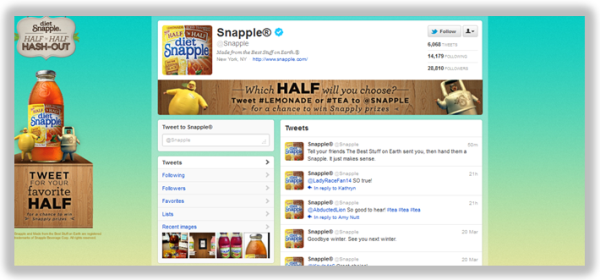
Snapple uses its Twitter background as a call-to-action to promote its latest Twitter campaign, which encourages Twitter users to tweet at the brand using either the hashtag #lemonade or #tea (depending on Twitter users’ preference for which part of the popular Half & Half flavor is their favorite) for a chance to win ‘Snapply’ prizes.*
8) Salesforce
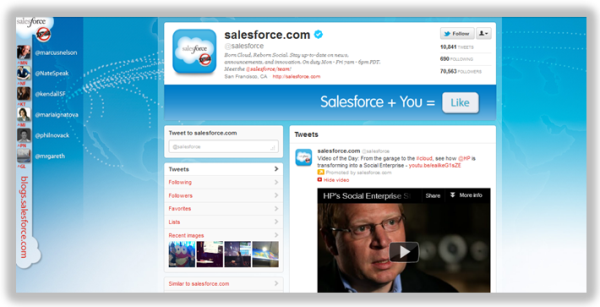 Salesforce uses its Twitter background real estate to emphasize its cloud branding and also show the faces behind the brand’s tweets. (Note: Using ^ followed by a person’s initials is a way for brands to show who authors individual tweets when Twitter is managed by multiple contributors).*
9) Target
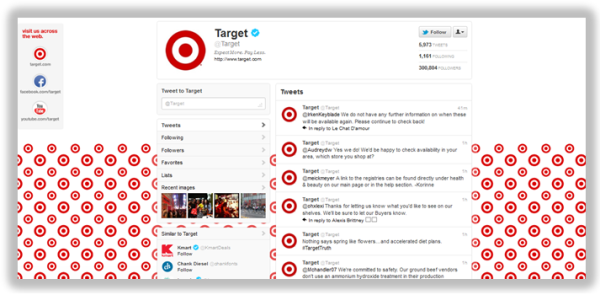
While we usually find patterned backgrounds to be a little bit on the distracting/annoying/headache-inducing side, Target strikes a healthy balance between pattern and white space on its Twitter background, while also providing ways for Twitter users to connect with the brand on other social networks.
10) Zendesk
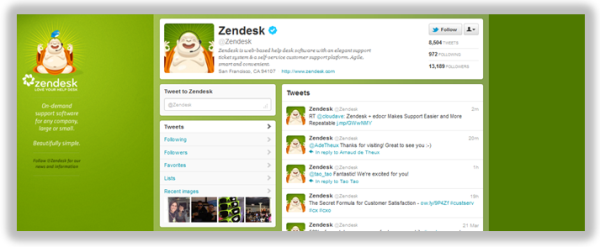 There’s nothing wrong with a simple, clean design, and Zendesk’s background definitely demonstrates that, along with an unobtrusive call-to-action to follow the brand — and what you’ll get if you do.
11) Livestrong
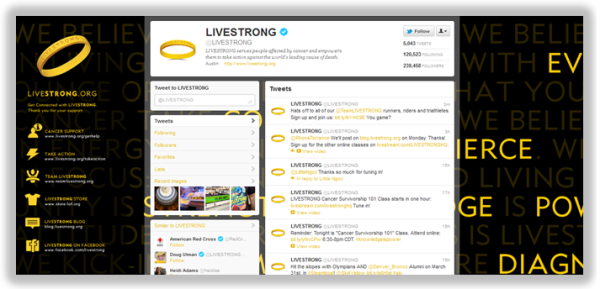
Livestrong’s fierce Twitter background also inspires, empowering visitors to connect with the foundation in a number of ways to appeal to each of the brand’s different personas.
12) MLT Creative
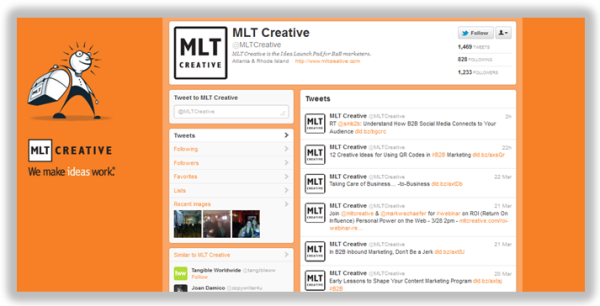
MLT Creative, a B2B marketing agency, uses its page to feature its mission, to “make ideas work,” and emphasize its agency’s creativity. Clean, professional-looking, and intriguing!
13) Zipcar
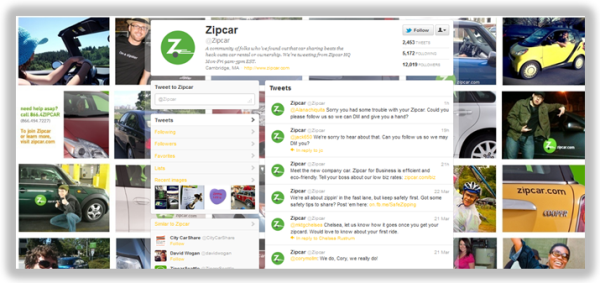
Zipcar’s background creatively showcases its happy users, putting customers at the forefront of its Twitter marketing strategy. The page also includes a call-to-action to learn more and sign up for Zipcar on its website.
14) IMPACT Branding
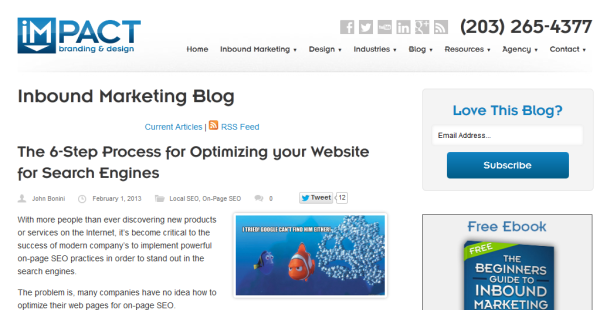
Inbound marketing agency IMPACT Branding’s Twitter page proves that looking professional and appealing doesn’t have to mean complicated designwork. With its sleek design, the page highlights IMPACT’s value prop and where Twitter users can find more information.
15) McDonald’s
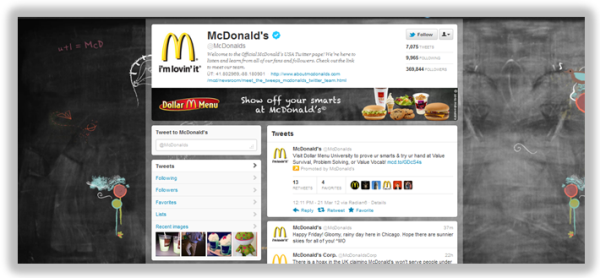
Like Snapple, McDonald’s uses its Twitter background to reflect its current marketing promotion, Dollar Menu University, an interactive game that it also promotes using its banner image and the pinned tweet at the top of its page.*
16) HubSpot
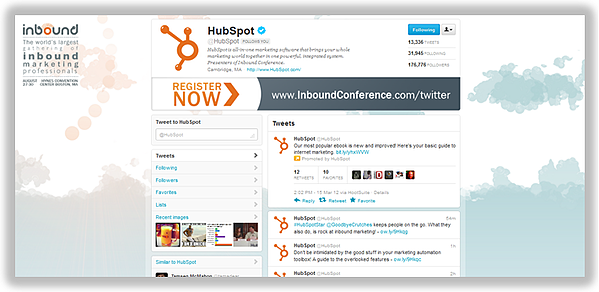
While we didn’t find many examples of businesses using their Twitter backgrounds to feature calls-to-action for particular promotions, offers, or events, we’re currently using HubSpot’s very own Twitter background to promote our upcoming marketing conference, Inbound 2012. Don’t be afraid to use your Twitter background to highlight your campaigns and drive Twitter users to action. Remember: you can update your background as often as you’d like!
(*Note: Use of features such as page banners/pinned tweets you see on pages like Snapple, Salesforce, McDonald’s, and HubSpot is available only to businesses with Enhanced Brand Pages, currently only available to select brands.)
What other creative business uses of Twitter backgrounds have you come across? Feel free to share them in the comments below!

7 Effective Ways to Promote an Event on Facebook
An event is a fantastic opportunity to delight existing customers, while also reaching new audiences and increasing brand awareness.
Consider, for instance, how I first came across Southcoast Open Air Market — a local, Massachusetts-based market featuring handmade goods, fresh produce and meats, and live music — by searching “Events near me” on Facebook.
I never would’ve found the company if not for an event they posted recently:
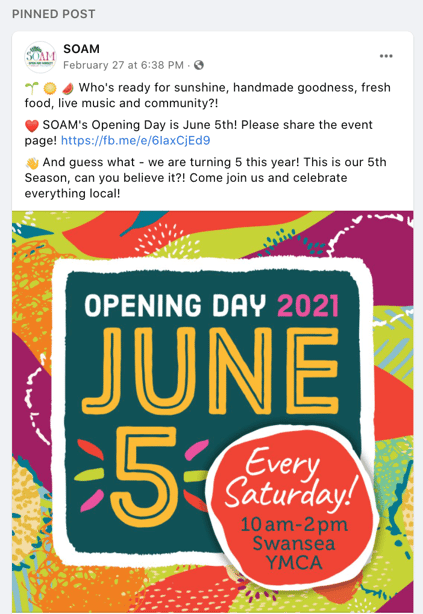 And, thus, the ultimate power of online events: The ability to attract new customers to your business.
Fortunately, an event doesn’t have to be expensive. You can set up virtual events and webinars with Facebook Live for free, or create small events at your company’s physical location to encourage new local visitors.
Of course, one of the biggest challenges when hosting a Facebook event is spreading awareness of the event to both new and existing audiences.
If you’re going through the trouble of hosting an event, you want people to show up — and, better yet, you want people to continue spreading the word about your business even after the event is over.
Here, we’ll explore some creative opportunities you can use to promote an upcoming event on Facebook.

How to Promote an Event on Facebook
To demonstrate how to effectively promote an event on Facebook, let’s walk through an example.
Let’s say I recently started a business — Caroline’s cupcakes — and I want to host an event to drive new traffic to my page.
But, once I’ve created the event … how do I promote it? Let’s explore how to do that, next.
It’s important to note — in this section, we’ll explore how to formally promote your event using Facebook advertising features, which means it costs money to run these promotions. If you’re looking for cheaper or free alternatives, skip to the next section in this post, Best Ways to Promote an Event on Facebook.
Additionally, take a look at Facebook’s instructions if you’re new to creating a Facebook event. You’ll need a Facebook event to continue with these steps.
1. As soon as you’ve created your event, Facebook will serve you a pop-up that reads, “Boost Your Online Event”. Click “Boost Event” to promote your event to new audiences.
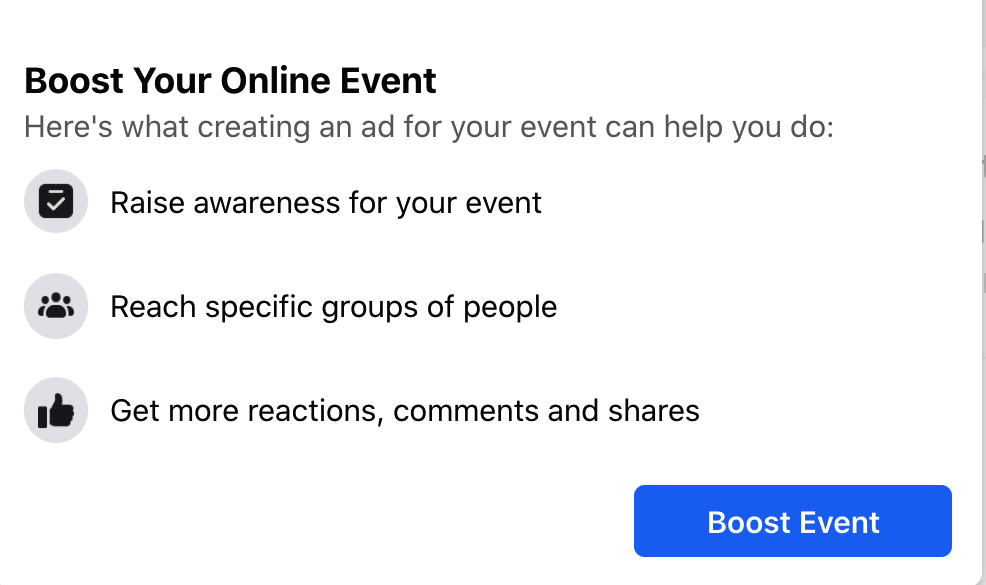
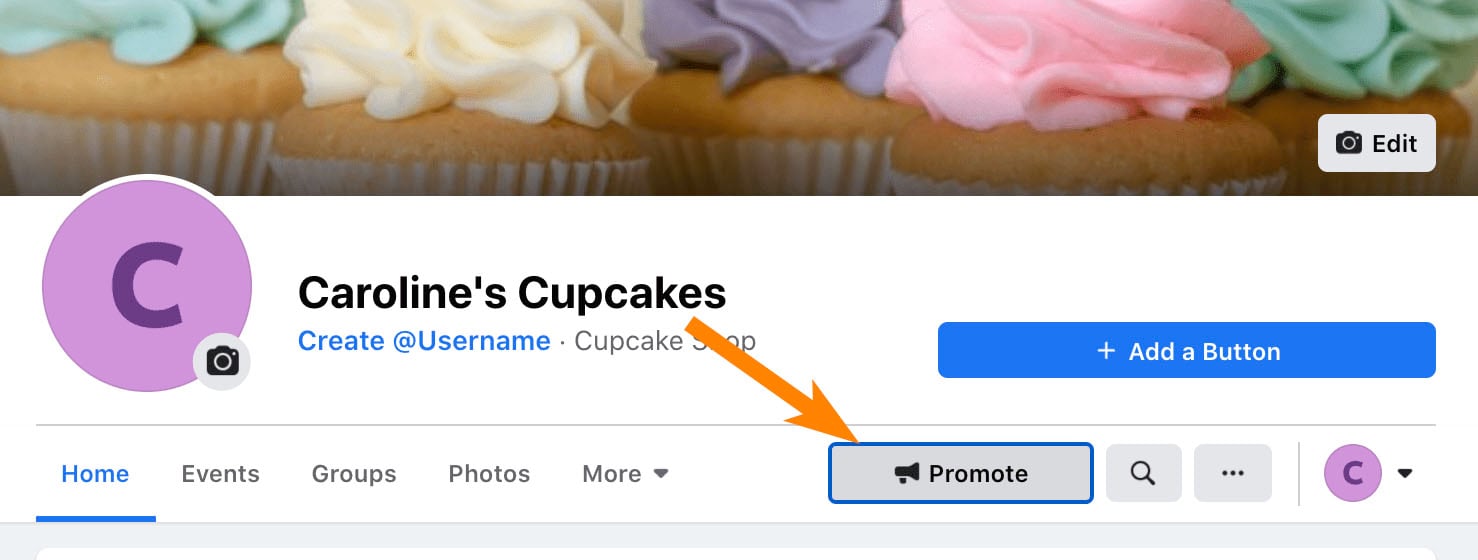
Alternatively, if you clicked away from the pop-up or created the event a while ago, simply return to your company’s page and click the “Promote” button displayed there:
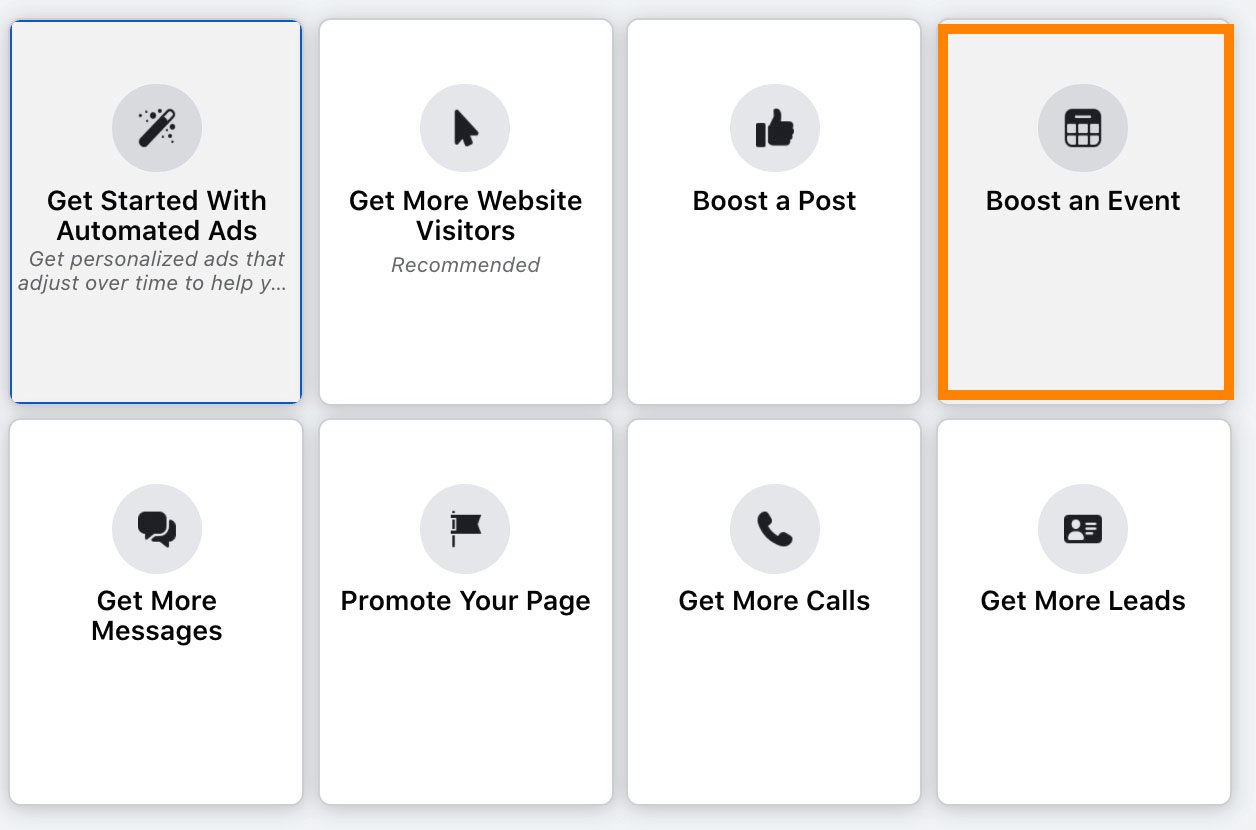
And then click the box that reads, “Boost an Event”.
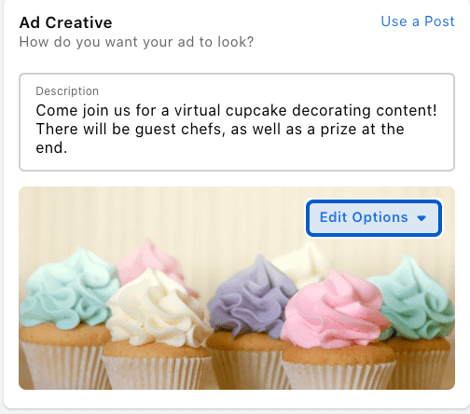
 2. Next, fill in the Ad Creative you want to use when you promote the event, including an event description, image, and Ad Category. Here’s where you want to use advertising best practices to ensure your copy and image attract new audiences when they come across your event.
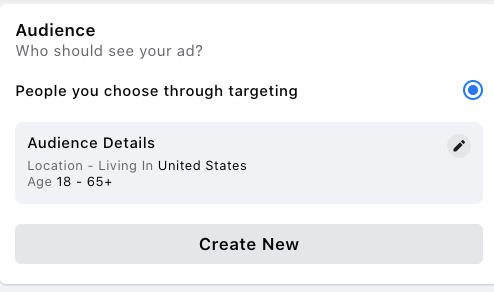
 3. Once you’ve filled out the Ad Creative, you’ll want to choose the Audience you want to see your event. Plug in certain key audience factors related to your target audience, or consider using Facebook’s lookalike feature to find similar people to those who already follow, Like, and engage with your content online.
 4. Finally, choose the duration for which you want to promote your event. We’d recommend promoting a few weeks before the event, so your audience has time to schedule it into their calendars and even invite friends or colleagues. Additionally, you’ll want to choose your budget here, as well.
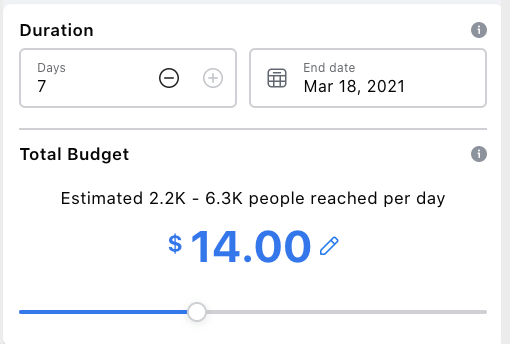 5. Once you’ve finalized your ad, click “Boost Event Now” to ensure your event is shared with new, interested audiences.
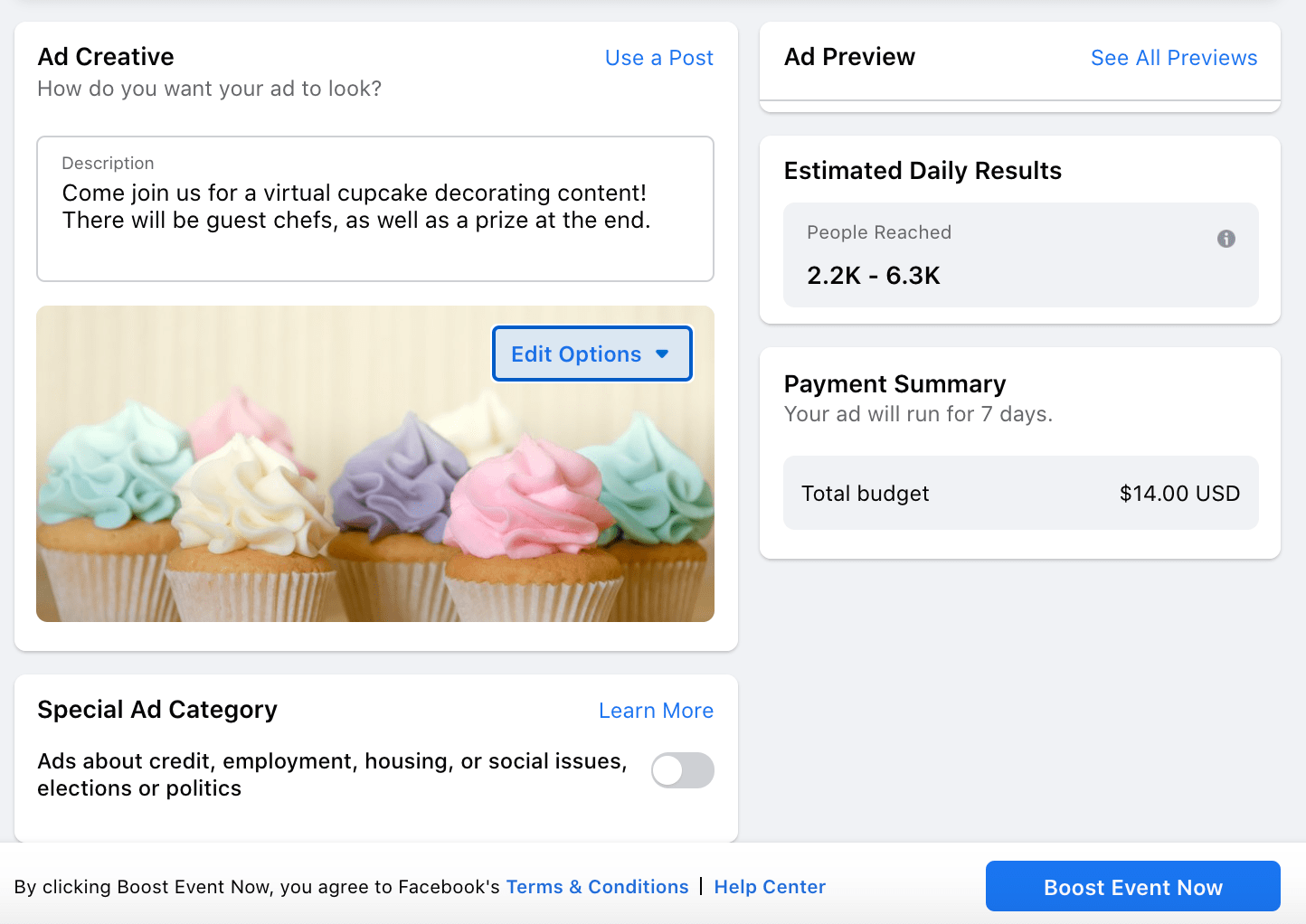 Of course, these steps can help you promote your event through advertising. But if you’re on a strict budget, you might not have the resources to officially promote it.
Fortunately, there are a few alternative best practices to promote your event — which I’d recommend doing even if you’ve officially boosted your event, as well.
Let’s explore those, now.
Best Ways to Promote an Event on Facebook
1. Change your business’ page settings so your Events are listed first when people find your business page.
When visitors find your business page, they’ll see a few tabs at the top, including “Home”, “Group”, “Photos”, etc.
To increase traffic to your events page, consider re-organizing these tabs so an “Event” tab is listed first on your business page.
To do this, click the “More” dropdown on your company page, and then select “Edit Tabs”:
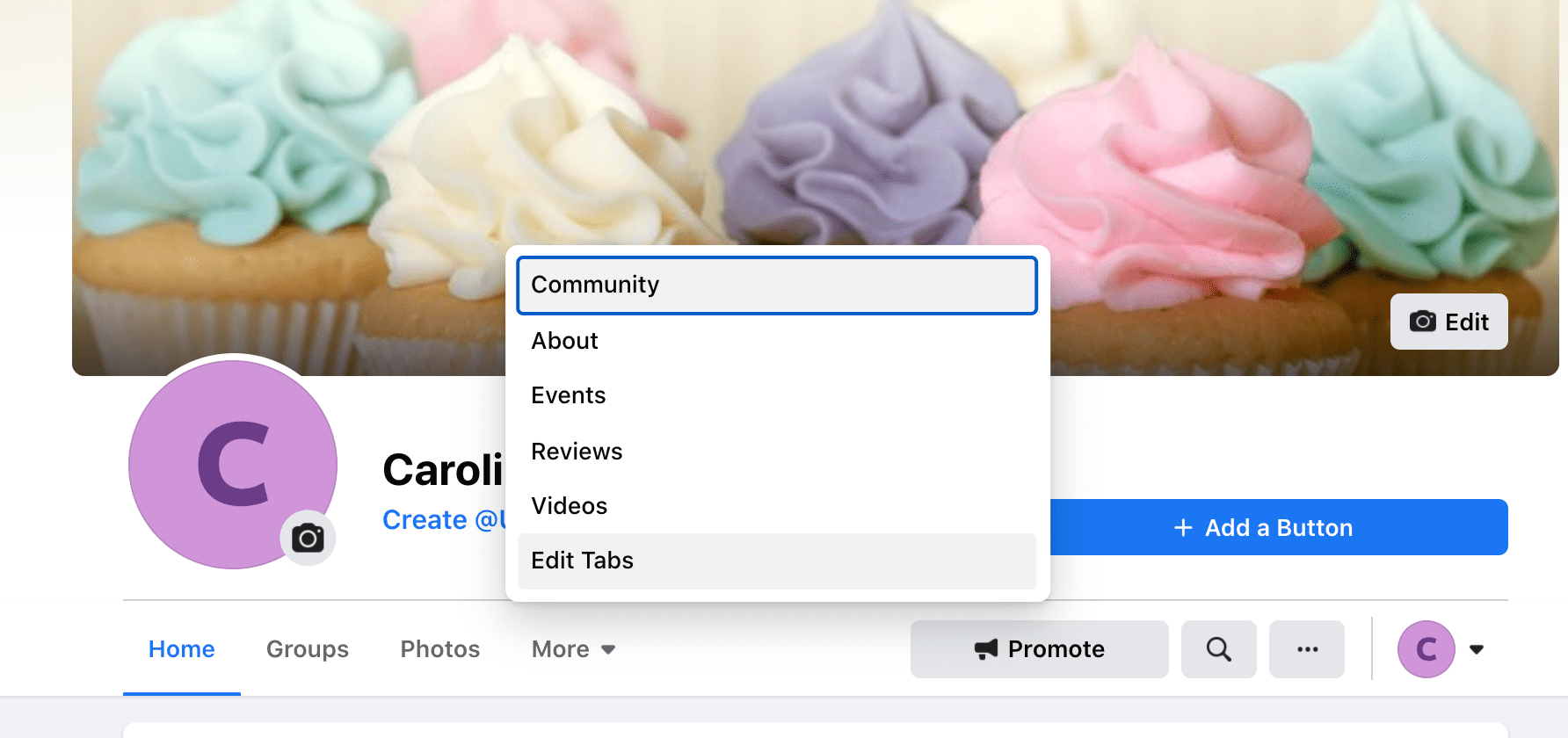
Next, drag the “Events” tab to the top, right under “Home”:
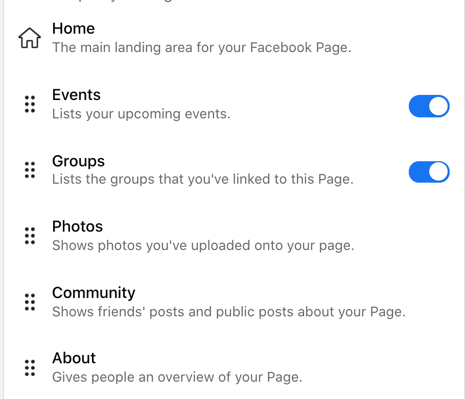
This is a small detail, but it could go a long way towards encouraging new page visitors to click and view upcoming events.
2. Share and pin your event to the top of your business page.
Even though you have a different page for your event invite, there’s no reason you shouldn’t be broadcasting the event on your business’ official Facebook page, as well.
To do this, share a post highlighting details about your event — including where people can sign up, when it is, and what content you’ll cover. Then, right-click the three dots at the top right-hand corner of your Facebook post, and select “Pin to Top of Page“:
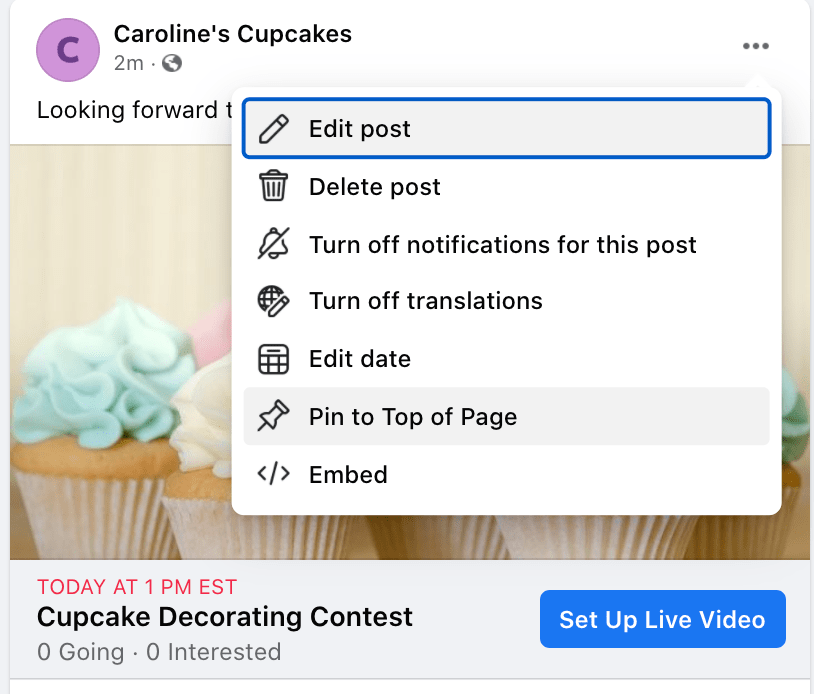
This is another easy opportunity to promote your event. When both new and existing audiences come across your business page they’ll see, front and center, a pinned post about your upcoming event.
3. Post a status highlighting the event from your business page.
A few days before the event, reach out to your page followers with a quick reminder status. Use images, emojis, and other fun, interactive elements to remind your audience about the upcoming event and increase excitement for it.
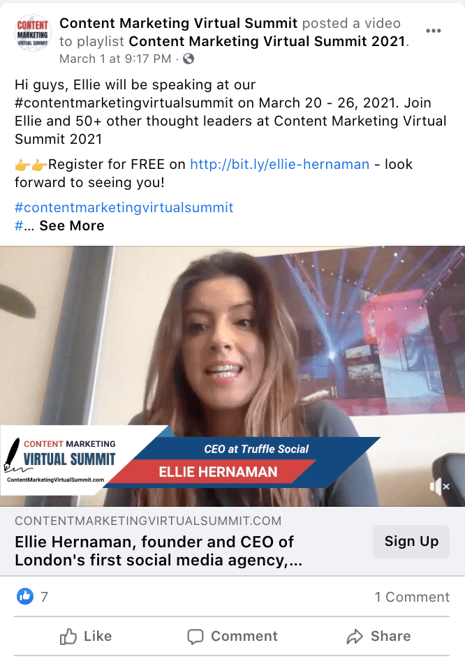
If you can, publishing a short, promotional video could help raise awareness and excitement, as well. For instance, take a look at how Content Marketing Virtual Summit published a short video from one of its webinar speakers, Ellie Hernaman, to remind followers of the upcoming event:
4. Optimize your event page for wider reach.
If you’re going through the trouble of promoting an event page, you’ll want to make sure the event page itself is ready to attract and delight new viewers.
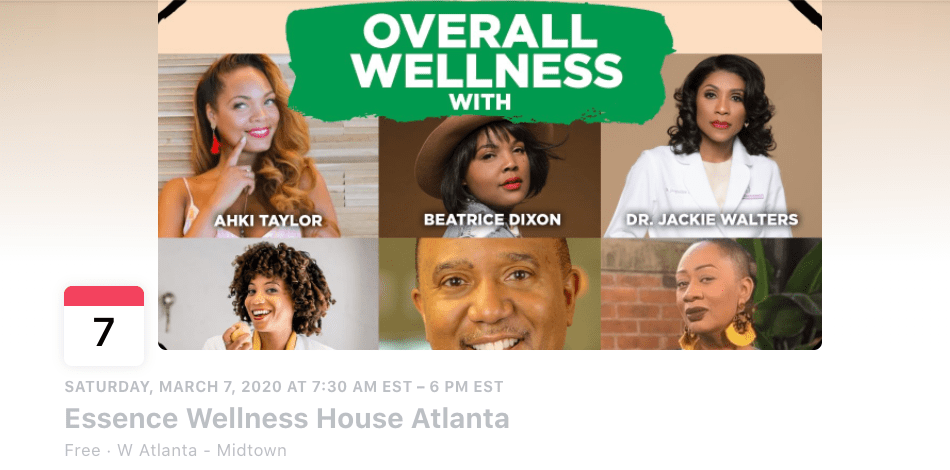
A few small details can go a long way, here. For instance, consider using a unique, original image as your cover photo, as The Honey Pot Company did with its Essence Wellness House Atlanta event:
Additionally, use relevant tags related to your event — such as “startup” and “technology” — to ensure the event gets shared and viewed by the right channels.
5. Share your event to relevant Facebook groups.
If you’ve created a Facebook group for your business, this could be a good opportunity to broadcast your event to audiences who’ve already proven an interest in your brand.
Additionally, if you’re a member of a Facebook group made up of people you believe would truly find an interest in your event, go ahead and share your event there as a member post.
However, a word of caution: This can easily feel promotional and can backfire, particularly if members feel you’re only sharing content related to your own business.
Instead, you’ll want to ensure it’s authentic and helpful to the topic at-hand. For instance, if you’re part of a Tech Startup Facebook group and your company is hosting a webinar, “8 Impressive New Tech Startups to Watch”, then by all means — go ahead and post with a quick, “Hey fellow members, feel free to join this webinar on Tuesday.”
Just be careful not to overdo it, particularly if it doesn’t feel relevant to the other topics being discussed.
6. Copy the link and paste it into an email newsletter, or alternative channels to broadcast it to existing leads.
On your event page, you’ll see a “Share” option (the arrow pointing to the right) — when you click on it, Facebook gives you an option to copy-and-paste a specific URL link, or share to a Page or group:
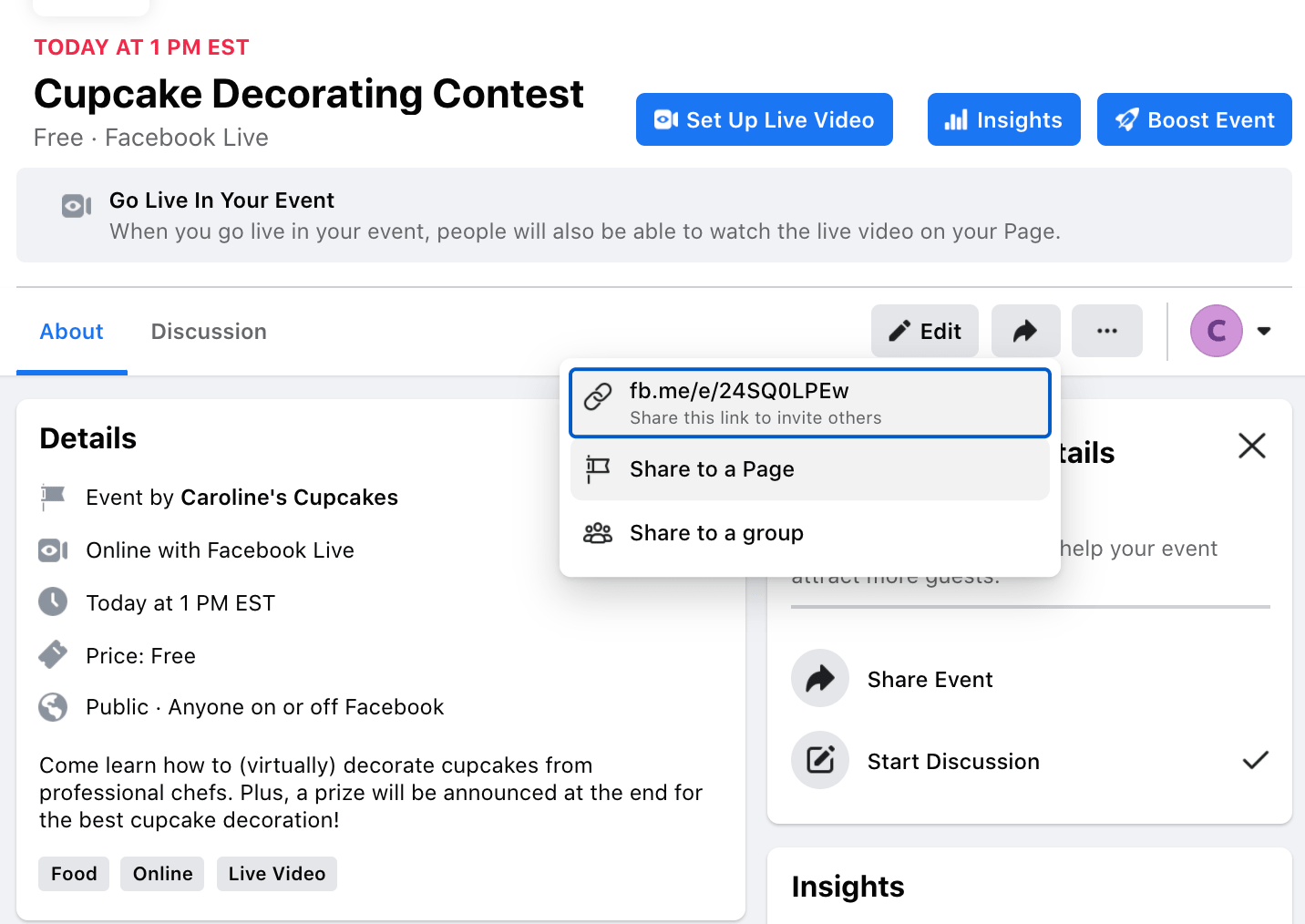 If you feel many of your prospects and customers engage with your brand outside of Facebook, it could be a good idea to copy-and-paste the URL into other channels and share with engaged followers on other social platforms.
Additionally, you might consider opening your event for “pre-access” to an exclusive email subscriber list — like those who’ve purchased your product or service, or your Blog subscribers — on a “first come, first serve” basis. Here’s an example of how that might look in practice:
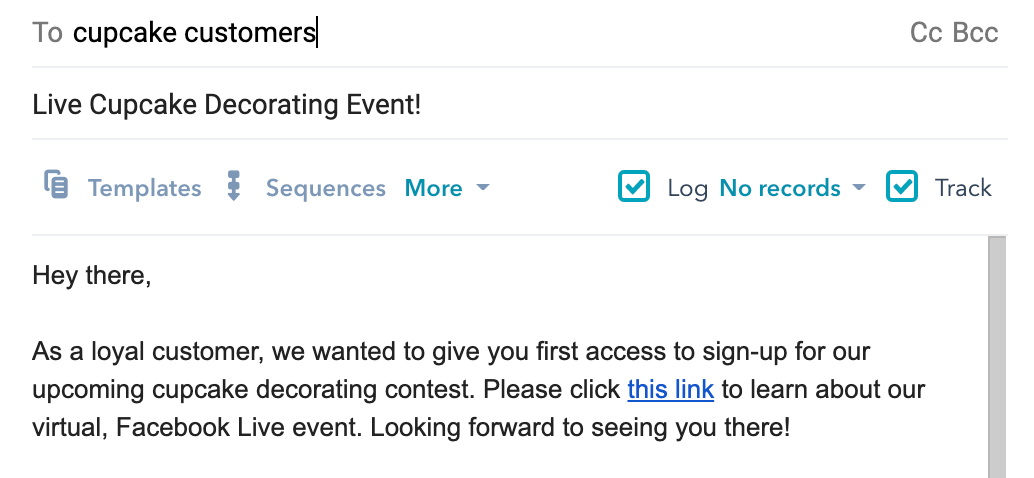
Ultimately, it’s a good idea to paste the URL into other content channels to expand your reach. For instance, if you have a dedicated Instagram following, you might paste the URL into your Instagram bio.
7. Ask other businesses or influencers to co-host or sponsor your event so they can share your event with their audiences.
One sure-fire opportunity to reach new audiences is by asking another business or influencer in the industry to co-host or sponsor your event.
This can help you increase the amount of people who hear about your event, and it can also make the event itself more valuable by including unique, original thought leadership content.
For instance, M&M BBQ, a Boston-based barbecue restaurant, partnered with Dorchester Brewing Company to host events like Sunday brunch and combine its barbecue with Dorchester Brewing Company’s popular beer.
Recently, Dorchester Brewing Company posted about the event with a link directly to M&M BBQ:

This serves two purposes: First, any Facebook followers or customers of DBC might take an interest in M&M BBQ as a result of the Facebook post (or an in-person experience of testing out the barbecue).
And, second, Dorchester Brewing Company has increased value of its own event by providing its loyal customers with the option to eat delicious barbecue as they test out beers. A win, win.
Ultimately, you’ll need to figure out which promotional methods work best for your brand, your event, and your audience. Fortunately, the sky’s the limit when it comes to promoting an event on Facebook — both on, and off the social network.


What is a Marketing Plan & How to Write One [+Examples]
You did it.
You’ve been spearheading your organization’s content marketing efforts for a while now, and your team’s performance has convinced your boss to fully adopt content marketing. There’s one small problem, though.
Your boss wants you to write and present a content marketing plan to them, but you’ve never done something like that before. You don’t even know where to start.
Fortunately, we’ve curated the best content marketing plans to help you write a concrete marketing plan that’s rooted in data and produces real results.
In this post, we’ll discuss what a marketing plan is and how some of the best marketing plans implement strategies that serve their respective businesses.
The purpose of a marketing plan is to write down your tactics and strategies in an organized fashion. This will help keep you on track, and measure the success of your campaigns.
Writing a marketing plan will help you think of each campaign’s mission, buyer personas, budget, tactics, and deliverables. With all of this information in one place, you’ll have an easier time staying on track with a campaign, noticing what works and what doesn’t, and measuring the success of your strategy.
Featured Resource: Free Marketing Plan Template
Looking to develop a marketing plan for your business? Click here to download HubSpot’s free Marketing Plan Template to get started.
Types of Marketing Plans
Depending on the company you work at, you might want to leverage a variety of different marketing plans. Here are just a few:
- Quarterly or Annual Marketing Plans: These plans highlight the strategies or campaigns you’ll take on in a certain period of time.
- Paid Marketing Plan: This plan could highlight paid strategies, such as native advertising, PPC, or paid social media promotions.
- Social Media Marketing Plan: This plan could highlight the channels, tactics, and campaigns you intend to accomplish specifically on social media.
- Content Marketing Plan: This plan could highlight different strategies, tactics, and campaigns in which you’ll use content to promote your business or product.
- New Product Launch Marketing Plan: This plan will be a roadmap for the strategies and tactics you’ll implement to promote a new product.
Keep in mind that there’s a difference between a marketing plan and a marketing strategy.
Marketing Strategy vs. Marketing Plan
A marketing strategy describes how a business will accomplish a particular mission or goal. This includes which campaigns, content, channels, and marketing software they’ll use to execute on that mission and track its success.
For example, while a greater plan or department might handle social media marketing, you might consider your work on Facebook as an individual marketing strategy.
A marketing plan contains one or more marketing strategies. It is the framework from which all of your marketing strategies are created, and helps you connect each strategy back to a larger marketing operation and business goal.
Let’s say, for example, your company is launching a new software product it wants customers to sign up for. This calls for the marketing department to develop a marketing plan that’ll help introduce this product to the industry and drive the desired signups.
The department decides to launch a blog dedicated to this industry, a new YouTube video series to establish expertise, and an account on Twitter to join the conversation around this subject — all of which serve to attract an audience and convert this audience into software users.
Can you see the distinction between the business’s marketing plan versus the three marketing strategies?
In the above example, the business’s marketing plan is dedicated to introducing a new software product to the marketplace and driving signups to that product. The business will execute on that plan with three marketing strategies: a new industry blog, a YouTube video series, and a Twitter account.
Of course, the business might also consider these three things one giant marketing strategy, each with their own specific content strategies. How granular you want your marketing plan to get is up to you. Nonetheless, there are a certain set of steps every marketing plan goes through in its creation. Learn what they are below.
1. State your business’s mission.
Your first step in writing a marketing plan is to state your mission. Although this mission is specific to your marketing department, it should serve your business’s main mission statement. Be specific, but not too specific. You have plenty of space left in this marketing plan to elaborate on how you’ll acquire new customers and accomplish this mission.
For example, if your business’s mission is “to make booking travel a delightful experience,” your marketing mission might be “to attract an audience of travelers, educate them on the tourism industry, and convert them into users of our bookings platform.”
2. Determine the KPIs for this mission.
Every good marketing plan describes how the department will track its mission’s progress. To do so, you’ll need to determine your key performance indicators, or “KPIs” for short. KPIs are individual metrics that measure the various elements of a marketing campaign. These units help you establish short-term goals within your mission and communicate your progress to business leaders.
Let’s take our example marketing mission from the above step. If part of our mission is “to attract an audience of travelers,” we might track websites visits using organic page views. In this case, “organic page views” is one KPI, and we can see our number of page views grow over time.
These KPIs will come into the conversation again in step 4, below.
3. Identify your buyer personas.
A buyer persona is a description of whom you want to attract. This can include age, sex, location, family size, job title, and more. Each buyer persona should be a direct reflection of your business’s customers and potential customers. Therefore, it’s critical that business leaders all agree on what your buyer personas are.
You can develop buyer personas for free right here.
4. Describe your content initiatives and strategies.
Here’s where you’ll include the main points of your marketing and content strategy. Because there are a laundry list of content types and channels available to you today, it’s critical that you choose wisely and explain how you’ll use your content and channels in this section of your marketing plan.
A content strategy should stipulate:
- Which types of content you’ll create. These can include blog posts, YouTube videos, infographics, ebooks, and more.
- How much of it you’ll create. You can describe content volume in daily, weekly, monthly, or even quarterly intervals. It all depends on your workflow and the short-term goals you set for your content.
- The goals (and KPIs) you’ll use to track each type. KPIs can include organic traffic, social media traffic, email traffic, and referral traffic. Your goals should also include which pages you want to drive that traffic to, such as product pages, blog pages, or landing pages.
- The channels on which you’ll distribute this content. Some popular channels at your disposal include Facebook, Twitter, LinkedIn, YouTube, Pinterest, and Instagram.
- Any paid advertising that will take place on these channels.
5. Clearly define your plan’s omissions.
A marketing plan explains what the marketing team is going to focus on. However, it also explains what the marketing team is not going to focus on.
If there are other aspects of your business that you aren’t serving in this particular plan, include them in this section. These omissions help to justify your mission, buyer personas, KPIs, and content. You can’t please everyone in a single marketing campaign, and if your team isn’t on the hook for something, you need to make it known.
6. Define your marketing budget.
Your content strategy might leverage many free channels and platforms, but there are a number of hidden expenses to a marketing team that need to be accounted for.
Whether it’s freelance fees, sponsorships, or a new full-time marketing hire, use these costs to develop a marketing budget and outline each expense in this section of your marketing plan.
7. Identify your competition.
Part of marketing is knowing whom you’re marketing against. Research the key players in your industry and consider profiling each one in this section.
Keep in mind not every competitor will pose the same challenges to your business. For example, while one competitor might be ranking highly on search engines for keywords you want your website to rank for, another competitor might have a heavy footprint on a social network where you plan to launch an account.
8. Outline your plan’s contributors and their responsibilities.
With your marketing plan fully fleshed out, it’s time to explain who’s doing what. You don’t have to delve too deeply into your employees’ day-to-day projects, but it should be known which teams and team leaders are in charge of specific content types, channels, KPIs, and more.
Ready to make your own marketing plan? Get started using this free template and take some inspiration from the real examples below.
6 Marketing Plan Examples to Help You Write Your Own
1. HubSpot’s Comprehensive Guide for Content Marketing Strategy
Main objective: Content Marketing Plan
At HubSpot, we’ve built our marketing team from two business school graduates working from a coffee table to a powerhouse of hundreds of employees. Along the way, we’ve learned countless lessons that’ve shaped our current content marketing strategy, so we decided to illustrate our insights in a blog post to teach marketers how to develop a successful content marketing strategy, regardless of their team’s size.
In this comprehensive guide for modern marketers, you’ll learn:
- What exactly content marketing is.
- Why your business needs a content marketing strategy.
- Who should lead your content marketing efforts.
- How to structure your content marketing team, based on your company’s size.
- How to hire the right people for each role on your team.
- What marketing tools and technology you’ll need to succeed.
- What type of content your team should create, and which employees should be responsible for creating them.
- The importance of distributing your content through search engines, social media, email, and paid ads.
- And finally, the recommended metrics each of your teams should measure and report to optimize your content marketing program.
2. Shane Snow’s Marketing Plan for His Book Dream Team
Main objective: Content Marketing Plan
A successful book launch is a prime example of data-driven content marketing. Using data to optimize your content strategy spreads more awareness for your book, gets more people to subscribe to your content, converts more subscribers into buyers, and encourages more buyers to recommend your book to their friends.
When Shane Snow started promoting his new book Dream Team, he knew he had to leverage a data-driven content strategy framework. So he chose his favorite one: the content strategy waterfall, which is defined by Economic Times as a model used to create a system with a linear and sequential approach. To get a better idea of what this means, take a look at the diagram below:
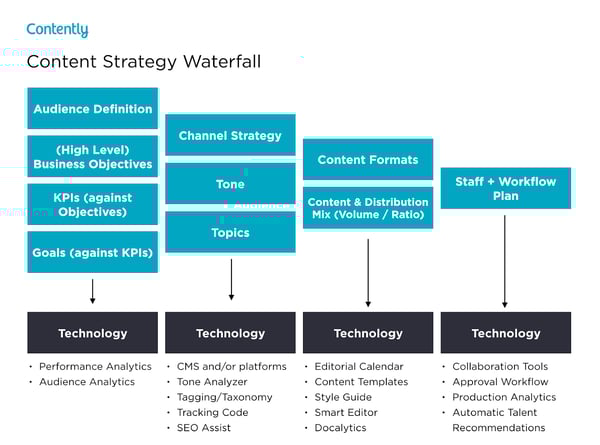
Snow wrote a blog post about how the content strategy waterfall helped him successfully launch his new book. After reading it, you can use his tactics to inform your own marketing plan. More specifically, you’ll learn how he:
- Applied his business objectives to decide which marketing metrics to track.
- Used his ultimate business goal of earning $200,000 of sales or 10,000 purchases to estimate the conversion rate of each stage of his funnel.
- Created buyer personas to determine which channels his audience would prefer to consume his content on.
- Used his average post view on each of his marketing channels to estimate how much content he had to create and how often he had to post on social media.
- Calculated how much earned and paid media could cut down the amount of content he had to create and post.
- Designed his process and workflow, built his team, and assigned members to tasks.
- Analyzed content performance metrics to refine his overall content strategy.
You can use Snow’s marketing plan to cultivate a better content strategy plan, know your audience better, and think outside the box when it comes to content promotion and distribution.
3. Chief Outsiders Go-To-Market Plan for a New Product
Main objective: New Product Launch Marketing Plan
When you’re looking for a marketing plan for a new product, the Chief Outsiders template is a great place to start. Marketing plans for a new product will be more specific because they’re targeted to one product versus an entire company’s marketing strategy.
After reading this plan, you’ll learn how to:
- Validate a product
- Write strategic objectives
- Identify your market
- Compile a competitive landscape
- Create a value proposition for a new product
- Consider sales and service in your marketing plan
4. Buffer’s Content Marketing Strategy Template
Main objective: Content Marketing Plan
Writing a content plan is challenging, especially if you’ve never written one before. Buffer decided to help out the content marketing community.
By sifting through countless content marketing strategy templates and testing the best, they crafted a content marketing plan template with instructions and examples for marketers who’ve never documented their content strategy.
After reading Buffer’s marketing plan template, you’ll learn how to:
- Answer four basic questions that’ll help you form a clear executive summary.
- Set SMART content marketing goals.
- Create highly accurate audience personas by interviewing real content strategists.
- Solve your audience’s problems with your content.
- Do competitive research by analyzing your competitors’ and industry thought leaders’ content.
- Evaluate your existing content strategy by examining the topics and themes of your highest and lowest performing pieces.
- Determine which types of new content to craft, based on your team’s ability and bandwidth.
- Establish an editorial calendar.
- Develop a promotional workflow.
Buffer’s template is an incredibly thorough step-by-step guide, with examples for each section. The audience persona section, for example, has case studies of real potential audience personas like “Blogger Brian”. If you’re feeling overwhelmed by the process of creating a marketing guide, this can help ease you into it.
5. Contently’s Content Plan
Main objective: Content Marketing Plan
Contently’s content methodology works like a flywheel. Instead of applying an entirely new strategy to each new marketing campaign, they leverage the strategy of their previous marketing campaign to drive the next one. Similar to a flywheel, their content methodology needs an initial push of energy to get the gears in motion.
What supplies this energy? Their content plan.
Contently fleshed out their entire content plan in a blog post to help marketers develop a self-sustaining marketing process. After reading it, you’ll learn how to:
- Align your content objectives and KPIs with your business goals.
- Create highly detailed buyer personas using psychographics instead of traditional demographics.
- Craft content for each stage of your marketing funnel, based off your prospects’ pain and passion points.
- Identify your most effective marketing channels.
- Discover the content topics your audience actually craves.
- Assess your organization’s need for resources.
By applying a flywheel-like strategy to your own marketing efforts, you essentially take away the burden of applying new strategies to each individual marketing campaign. Instead, your prior efforts gain momentum over time, and dispel continual energy into whatever you publish next.
6. Forbes’ Marketing Plan Template
Main objective: Content Marketing Plan
An oldie, but a goodie — Forbes published a marketing plan template that has amassed almost four million views since late 2013. To help you sculpt a marketing roadmap with true vision, their template teaches you how to fill out the 15 key sections of a marketing plan, which are:
- Executive Summary
- Target Customers
- Unique Selling Proposition
- Pricing & Positioning Strategy
- Distribution Plan
- Your Offers
- Marketing Materials
- Promotions Strategy
- Online Marketing Strategy
- Conversion Strategy
- Joint Ventures & Partnerships
- Referral Strategy
- Strategy for Increasing Transaction Prices
- Retention Strategy
- Financial Projections
If you’re truly lost on where to start with a marketing plan, this guide can help you define your target audience, figure out how to reach them, and ensure that audience becomes loyal customers.
These marketing plans serve as initial resources to get your content marketing plan started — but to truly deliver what your audience wants and needs, you’ll likely need to test some different ideas out, measure their success, and then refine your goals as you go.
Editor’s Note: This post was originally published in April 2019, but was updated for comprehensiveness.


7 Creative Company Profile Examples to Inspire You [Templates]
We all know about the infamous rivalry between Dunkin’ Donuts and Starbucks. At the end of the day, they both sell coffee — but they’ve each cultivated strong, unique brands, and have attracted very different audiences as a result.
You can often overhear heated arguments regarding the topic, with people vehemently claiming one coffee chain to be better than the other.

But let’s say you didn’t know about the rivalry, and you’d never heard of either Starbucks or Dunkin’ Donuts before.
Instead, you stumble across these two very different company profile statements:

Image courtesy of Dunkin’ Donuts

Image courtesy of Starbucks
From their opening paragraphs alone, I’m willing to bet you’re persuaded to check out one brand in more detail over the other. It isn’t just the language itself that gives you a sense of their business — it’s the design, the font, and the color.
Ultimately, your company profile matters. It can intrigue a new visitor to check out your products or services in more detail, and nudge potential customers into choosing your business over competitors.
In this article, we’ll discuss:
- What a company profile is
- Company profile examples
- How a company descriptions fit in
- Company description examples
- How to write a company profile with all this in mind
- Company profile templates to help you out
What’s a company profile?
A company profile is an introduction to your business, and aims to tell an audience about your products or services. However, a company profile shouldn’t just tell your audience what you sell — it should also tell viewers why you sell it. A company profile often includes a compelling story about how the company began, as well as the company’s vision and values.
Here, we’ll explore some of the most creative company profile examples, to ensure you’re able to create a company profile that will attract and engage the right audience. Once you’re done perusing these impressive examples, take a look at our template to get started designing your own.
Company Profile Examples
1. Starbucks
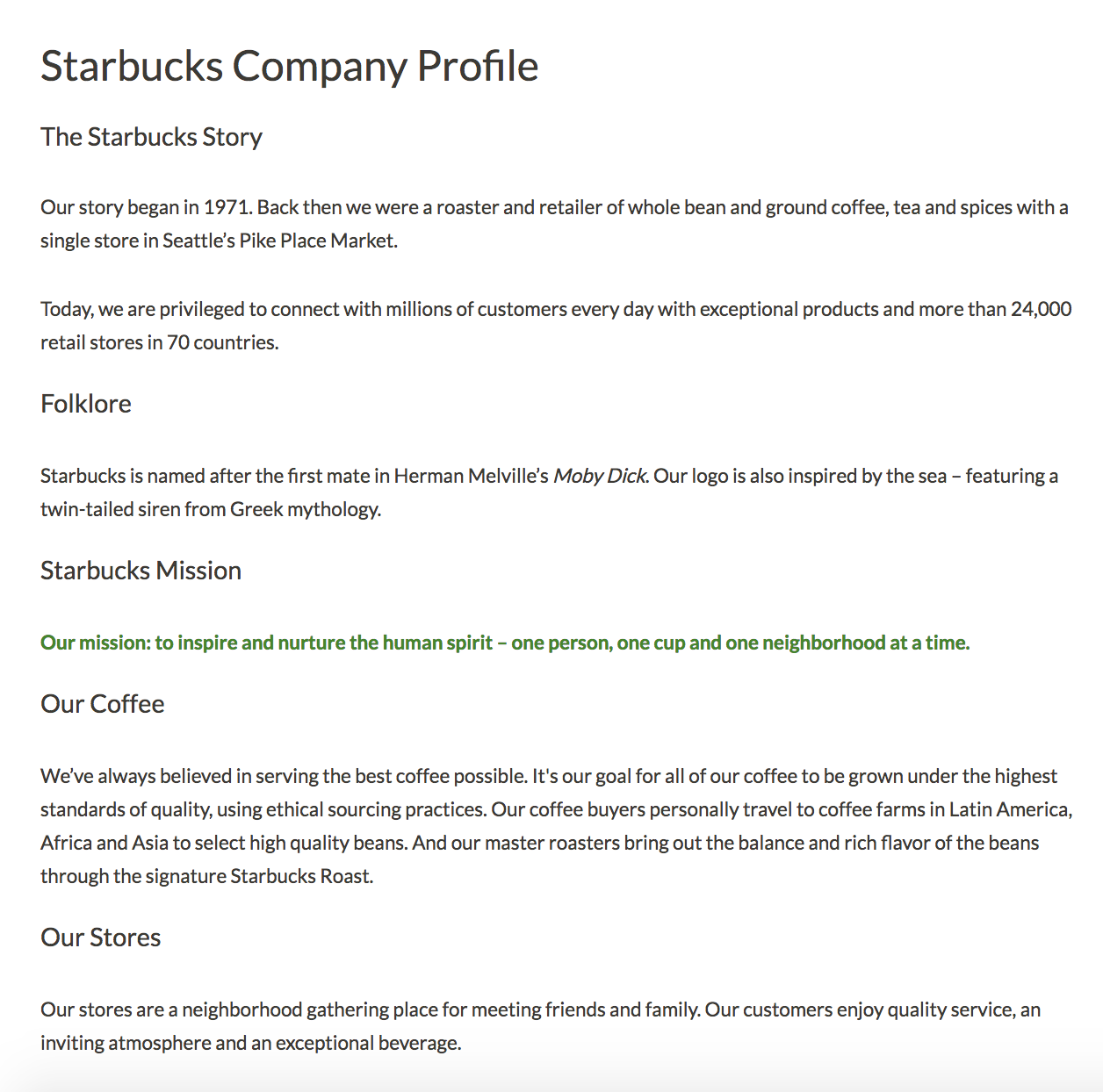
Starbucks’ company profile has it all — the company’s mission, background story, products, store atmosphere, and even folklore regarding the name. Best of all, they somehow manage to pull off sounding both genuine and grandiose. I don’t know many other coffee stores that could claim, “our mission: to inspire and nurture the human spirit”. Starbucks’ company profile is a fantastic example of a store with a common household product — coffee — managing to stand out from the competition through their mission and values.
2. Nordstrom
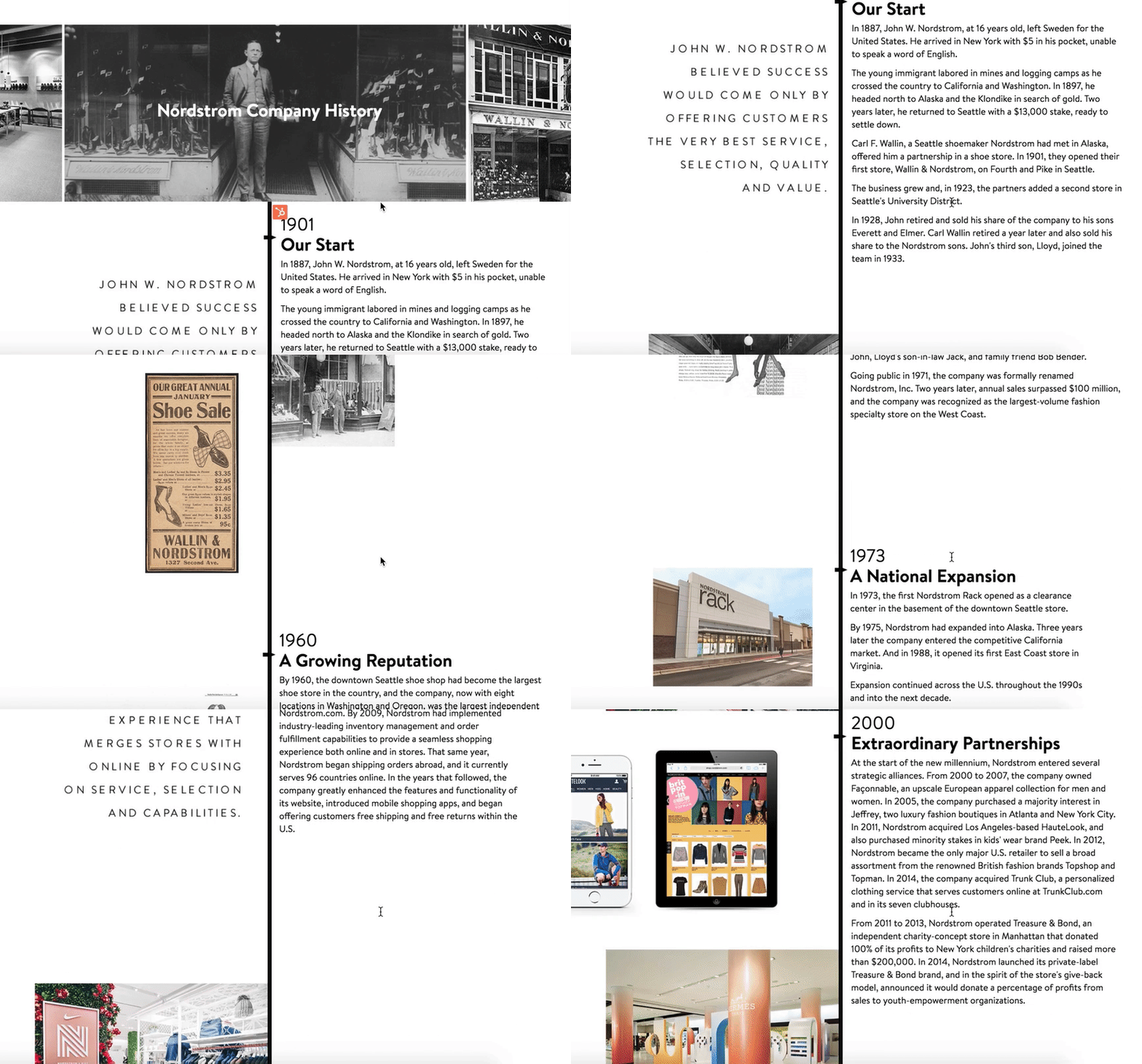
If your company has an interesting and lengthy history, you might consider creating a visual timeline, like Nordstrom did on their company profile. The profile reads like a creative story from the very first line — “In 1887, John W. Nordstrom, at 16 years old, left Sweden for the United States. He arrived in New York with $5 in his pocket, unable to speak a word of English.” With a good balance of image and text, the timeline serves as a reminder of Nordstrom’s stability and growth.
3. Diehl Group Architects

For both cleanliness and ease-of-use, take a look at Diehl Group Architects’ company profile. The web page uses clickable boxes to separate topics, allowing users to choose which subject they’d like to learn more about. Additionally, the entire design — including the page’s background, which displays a floor-plan — mirrors the company’s purpose.
4. Bloomberg
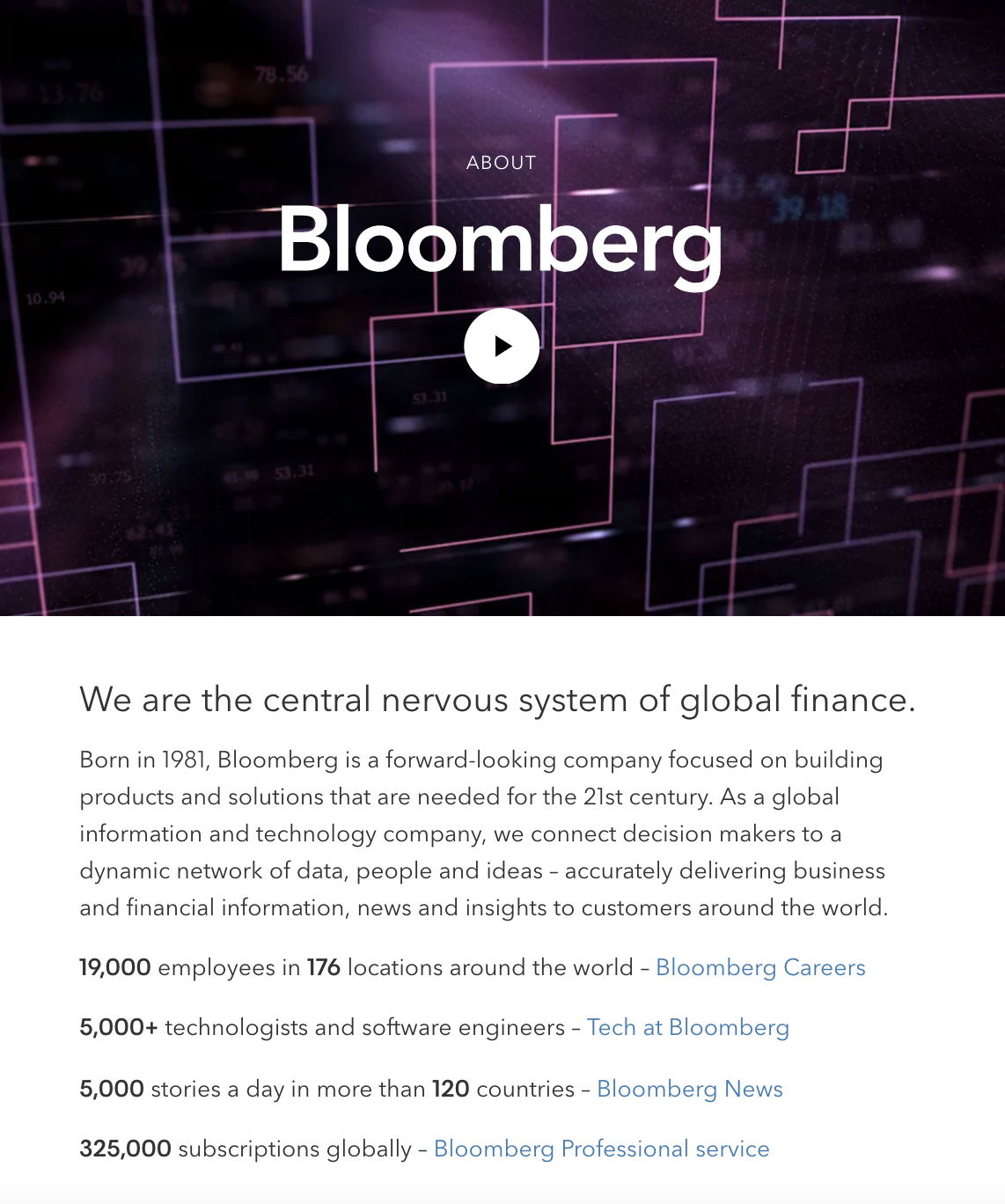
Nearly nine out of ten people report wanting to see more videos from brands, so you might consider using a compelling video to convey your company’s story, like Bloomberg does in their company profile.
Additionally, Bloomberg’s profile proves the company knows its audience — they offer a few quick statistics, and then link to other areas of the site, such as Careers and Tech. While another business might do well offering a creative, long-form story, Bloomberg’s typical demographic is likely more analytical.
5. Nike

You can get a sense for Nike’s two primary purposes almost instantly — fitness, and people. When you first open their company profile you’re greeted with videos of people of different ages, gender, and nationalities playing sports.
Additionally, their initial introduction is this: “Bring inspiration and innovation to every athlete* in the world”. Below, beside the asteric, it says, “If you have a body, you are an athlete”. As you scroll, you’ll see information on their internal diversity and inclusion initiative, their global community impact, and their sustainable business program, with very little mention of their products.
Nike’s company profile portrays a larger, grander vision, compelling an audience to believe in their brand even before they purchase a product.
6. Seattle Cider
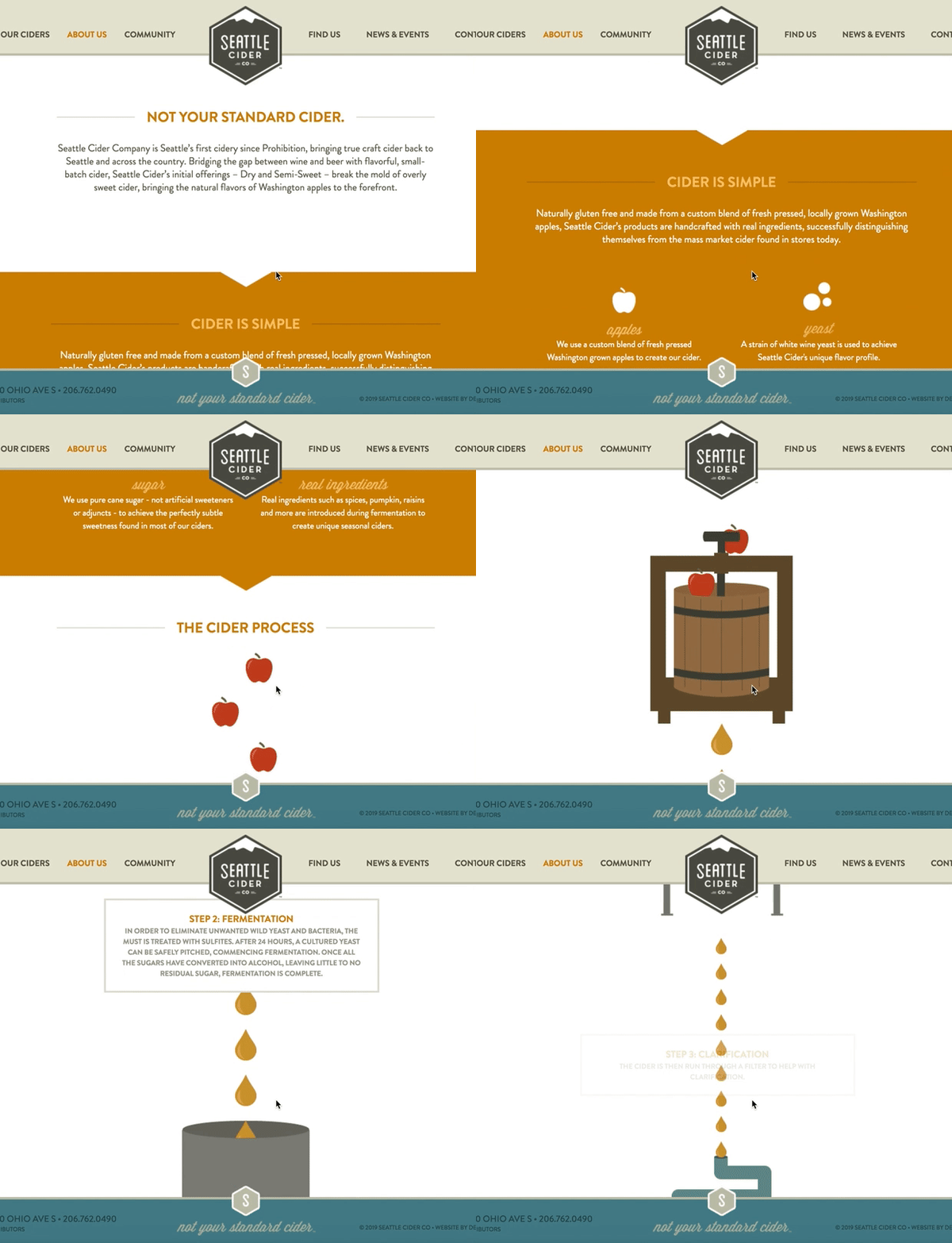
Seattle Cider Company’s profile is fun, and engages the user through compelling graphics that demonstrate the company’s cider process. The page flows seamlessly, and provides critical information regarding the product before displaying the company’s mission and values. This profile is a good example of a company that understands its users’ concerns (in this case, quality ingredients), and addresses those issues while still displaying personality and flair.
7. Delta

Delta’s page is well-organized by topic, and showcases the company’s values, including efforts to engage with the community and promote sustainability. They’ve included brief meta-descriptions below each category. The design allows for users to click-through if they want to learn more. Overall, Delta’s company profile is simple and uncluttered, but includes all the necessary information to demonstrate why Delta is unique.
With this in mind, the description serves to align with the prospect as they are evaluating which providers are right for them. By leaning into a strong brand voice and providing the details that makes your company unique or superior to the prospect’s alternatives, customers will believe in your brand and want to do business with you.
Examples of Company Descriptions
Here are some examples of company descriptions that enhance their organizations’ company profile.
1. HubSpot
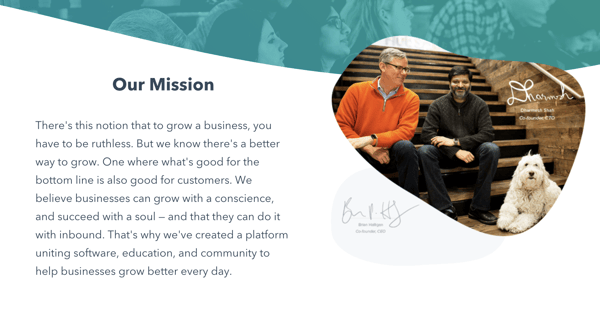
On HubSpot’s company profile page, you can find a quick description of the company’s mission and what it does. In just a few words, HubSpot explains that the company’s goal is to help businesses grow through its specialized inbound software.
2. Landed, Inc.
Landed, Inc.’s About Us page starts with their vision statement: “If we want stronger schools and safer communities, we need to support those who make it possible.” From there, they talk about their history before launching into their mission statement and company description. The latter is summarized succinctly in bullet points in its own separate section, making it easy for prospects to find and understand:

3. H&H Wealth
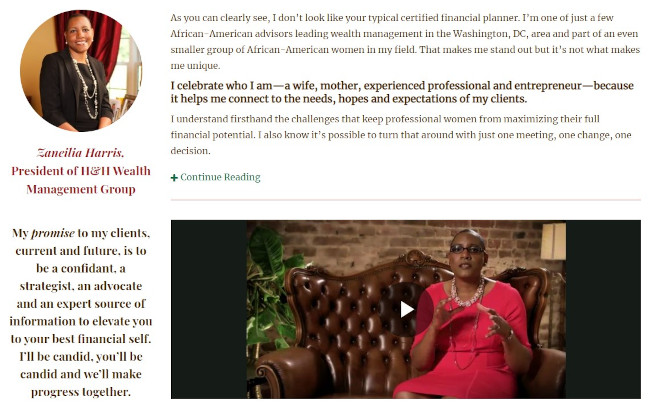
In the “Why Us” page of their website, the founder of H&H Wealth calls out what makes her different from other certified financial planners and leans into why her customers benefit from her unique perspective. She also makes a promise to her clients, which sets the expectations and the tone for the service being delivered. As a result, the tone comes across as that of a partner rather than a vendor.
4. Tesla
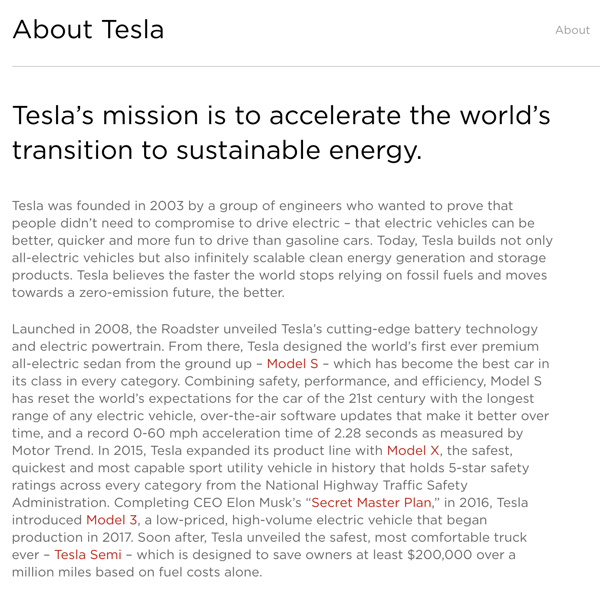
In this description, Tesla explains when it was founded, the company mission, and what types of products it specializes in. It also gives added information about the history of the company and how it has continued to grow with the same values.
5. Yokel Local
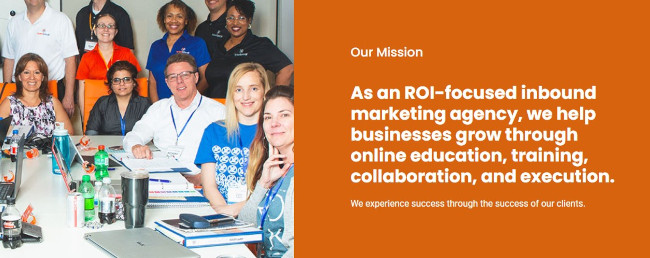
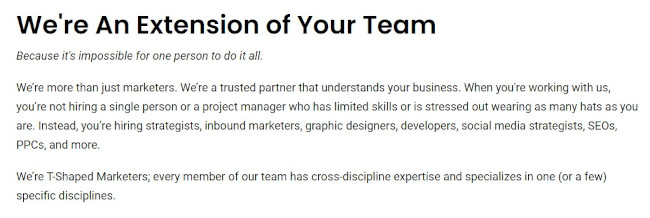
Yokel Local provides a lot of information up front for their customers because they know that partnering with an agency (and choosing which one on top of that) is a big decisions for scaling businesses. For that reason, they split it up into two pages.
First, there’s an About page that includes the mission, vision, and history:
Second, there’s a “Why Us” page that talks through the outcomes and process that a customer should expect:
6. The Cru
The Cru is a service that connects members with like-minded women to fuel personal and professional growth. They use an “Our Story” page as a company profile, where the founder details how the organization was formed and how has her own “Cru,” which is a testament to the value of the service. The “letter from the founder” style also feels very personal and welcoming.

How to Write a Company Profile
- Focus on a high-level overview of your company.
- At the beginning of your company profile, include important information such as your company name, your business’s physical location, a website URL, contact information, and an established date.
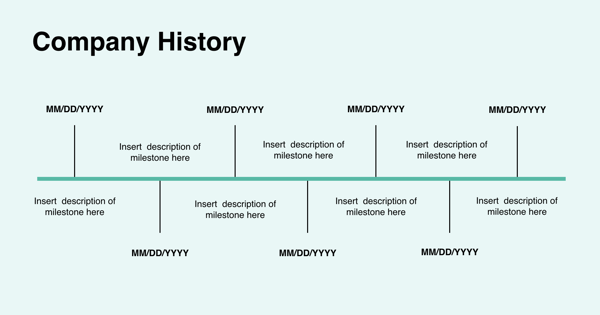
- Consider adding a timeline or synopsis of your company’s history, including information regarding expansion or growth.
- Aim to express your company’s values or mission in your company profile, rather than just your products or services. A user won’t care about what you’re selling until they believe in your brand.
- Include any awards or recognition you’ve received, and highlight what makes your company different from your competitors.
- Depending on your audience, you might choose to include graphics, visuals, or video.
- Add statistics to back up your claims.
Company Profile Templates
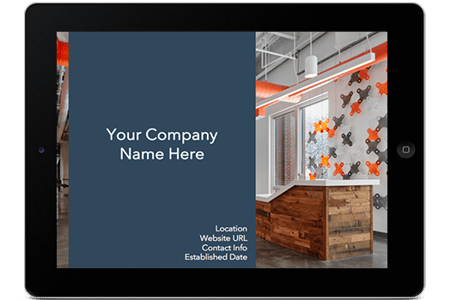
Download These Templates for Free
- Company name
- Established date
- Physical address per location
- Contact information
About Us / Our Story / Our Beginning
Here, you’ll want to include a brief introduction to your company, including where, when, and by whom the company was founded, the company’s mission statement, and/or the company’s vision and purpose. In this section, you don’t necessarily want to include products or services — instead, focus on your bigger meaning, and how you stand out from competitors. Tell your story in a compelling way — for instance, HubSpot starts their About Us section with, “More than ten years ago, we had a vision — an inbound world”. HubSpot doesn’t mention their products until further down the page.
If you want to add your company history in a more compact way, consider adding a company timeline, like this one:
Our Mission / Values
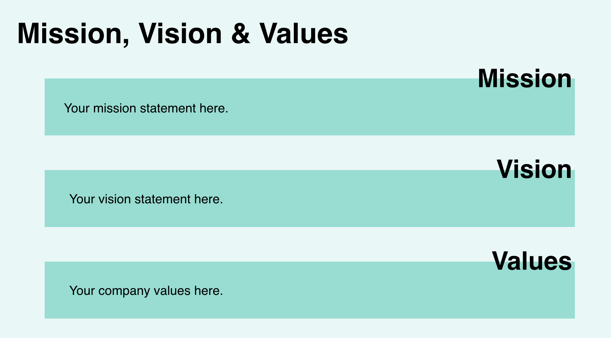
Here, you’ll want to say what your company stands for on a larger scale. What is your ultimate goal, and what do you hope your products or services will give people? Take a look at these inspiring company vision and mission statement examples for ideas. Here’s an example:
Our Team
Provide a picture or brief paragraph describing your team — you might focus on leadership, or provide an explanation of your company’s culture. Ultimately, this section should help users understand how your employees can uniquely serve them.

Our Product / Services
Describe a high-level overview of what your product is, and how you hope it will positively impact the user’s life. You can link to a Product page if necessary, so keep this section relatively general.
Start Your Company Profile Today
There are a few elements that can contribute to a stellar company profile, and by adhering to a template, you can build one quickly and effectively.
Editor’s Note: This post was originally published in January 2019 but has been updated for comprehensiveness.

11 Sample Business Plans to Help You Write Your Own
Ask any successful sports coach how they win so many games, and they’ll tell you they have a unique plan for every single game they coach. To have a fighting chance against any of their opponents, they need to prepare a specific game plan tailored to each of their opponents’ strengths and weaknesses. Otherwise, they’ll get crushed.
The same logic applies to business. If you want to build a thriving company that can pull ahead of the competition, you need to prepare yourself for battle before you break into a market. Because companies who can find gaps in your business model will quickly learn how to fill those gaps and solve your customers’ problems better than you can.

The business world moves fast, and it’s full of ambitious companies scrambling to gain the majority of their industry’s market share. So how do you keep up? Writing a viable business plan and following it religiously is one of the most important first steps. Learn more about what a business plan is and how it’s used in this article.
Business plans guide you along the rocky journey of growing a company. Referencing one throughout your voyage will keep you on the path toward success. And if your business plan is compelling enough, it can also convince investors to give you funding.
But how do you actually write a viable and convincing business plan?
Below, let’s review the format of a business plan and sample business plans you can use to inspire your own.
Business Plan Format
Before you get started on your business plan, you might be wondering, “Where do I start? How should I format this?”
Typically, a business plan is a document that will detail how a company will achieve its goals.
Most business plans include the following sections:
Executive Summary
The executive summary is arguably the most important section in the entire business plan. Essentially, it’s the overview or introduction, written in a way to grab readers’ attention and guide them through the rest of the business plan (which may be dozens or hundreds of pages long).
Most executive summaries include:
- Mission statement
- Company history and leadership
- Competitive advantage overview
- Financial projections
- Company goals
However, many of these topics will be covered in more detail later on in the business plan, so keep the executive summary clear and brief, including only the most important take-aways.
Here’s an example:
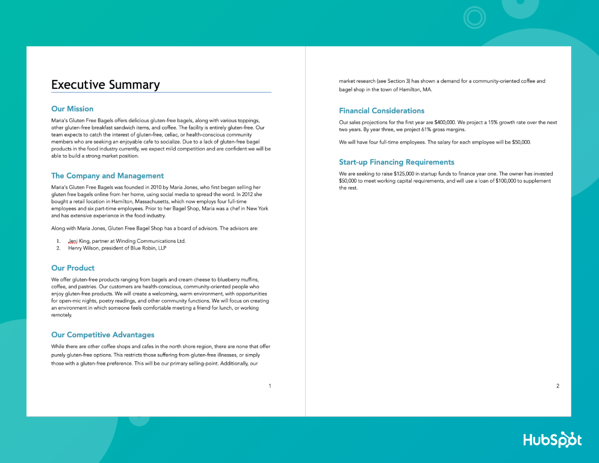
Check out our tips for writing an effective executive summary for more guidance.
Market Opportunity
This is where you’ll detail the opportunity in the market. Where is the gap in the current industry and how will your product fill that gap?
In this section, you might include:
- The size of the market
- Current or potential market share
- Trends in the industry and consumer behavior
- Where the gap is, what has caused the gap, and how you intend to fill it
To get a thorough understanding of the market opportunity, you’ll want to conduct a TAM, SAM, and SOM analysis and perform market research on your industry. You may also benefit from creating a SWOT analysis to identify some of the insights for this section.
Competitive Landscape
Speaking of market share, you’ll need to create a section that shares details on who the top competitors are. After all, your customers likely have more than one provider to choose from, and you’ll want to understand exactly why they might choose one over another. Performing a competitive analysis can help you uncover:
- Industry trends that other providers may not be taking advantage of yet
- Strengths in your competition that may be obstacles to handle
- Weaknesses in your competition that may help you develop selling points
- What unique proposition you bring to the market that may resonate with customers
Target Audience
This section will describe who your customer segments are in detail. What is the demographic and psychographic information of your audience?
If your immediate answer is “everyone,” you’ll need to dig deeper. Ask yourself:
- What are the demographics of the people most likely to need/buy your product or service?
- What are the psychographics of this audience? (Desires, triggering events, etc.)
- Why are your offerings valuable to them?
It can be helpful to build a buyer persona to get in the mindset of your ideal customers and get crystal clear on why you’re targeting them.
Marketing Strategy
Here, you’ll discuss how you’ll acquire new customers with your marketing strategy. You might consider including information on:
- The brand positioning vision and how you’ll cultivate it
- The goal targets you aim to achieve
- The metrics you’ll use to measure success
- The channels and distribution tactics you’ll use
It can help to already have a marketing plan built out to help you inform this component of your business plan.
Key Features and Benefits
At some point in your business plan, you’ll review the key features and benefits of your products and/or services. Laying these out can give readers of your business plan an idea of how you’re positioning yourself in the market and the messaging you’re likely to use. It can even help them gain better insight into your business model.
Pricing and Revenue
This is where you’ll discuss your cost structure and various revenue streams. Your pricing strategy must be solid enough to turn a profit while staying competitive in the industry. For this reason, you might outline:
- The specific pricing breakdowns per product or service
- Why your pricing is higher or lower than your competition’s
- (If higher) Why customers would be willing to pay more
- (If lower) How you’re able to offer your products or services at a lower cost
- When you expect to break even, what margins you expect, etc.
Financials
This section is particularly informative for investors and leadership teams to determine funding strategies, investment opportunities, etc. According to Forbes, you’ll want to include three main things:
- Profit/Loss Statement – This answers the question of whether your business is currently profitable.
- Cash Flow Statement – This details exactly how much cash is incoming and outgoing to provide insight into how much cash a business has on hand.
- Balance Sheet – This outlines assets, liabilities, and equity, which gives insight into how much a business is worth.
While some business plans might include more or less information, these are the key details you’ll want to include.
Keep in mind, that each of these sections will be formatted differently. Some may be in paragraph format, while others will be in charts.
Sample Business Plan Templates
Now that you know what’s included and how to format a business plan, let’s review some templates.
1. HubSpot’s One-Page Business Plan
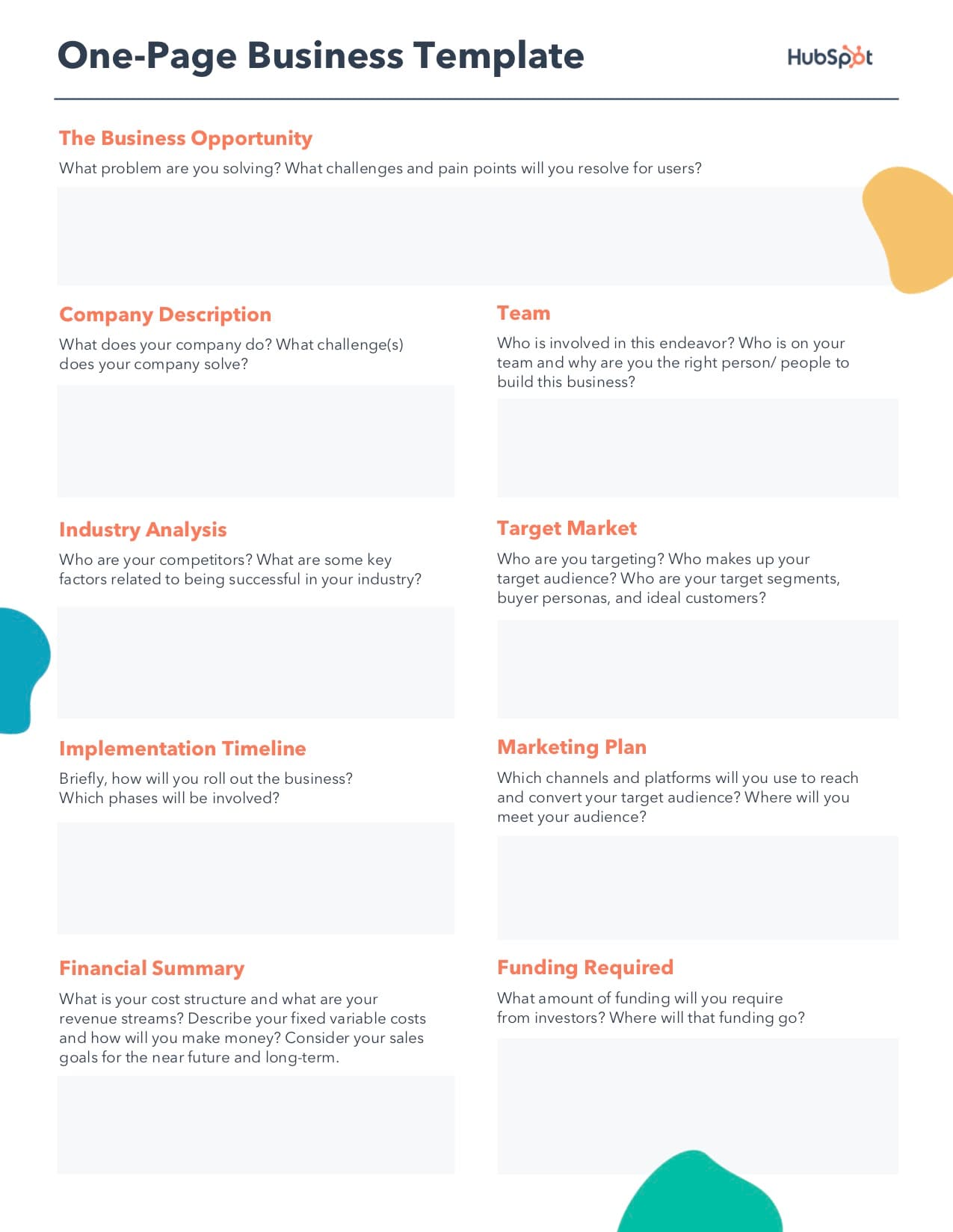 Download a free, editable one-page business plan template.
The business plan linked above was created here at HubSpot, and is perfect for businesses of any size — no matter how much strategy they still have to develop.
Including fields such as Company Description, Required Funding, and Implementation Timeline, this one-page business plan gives businesses a framework for how to build their brand and what tasks to keep track of as they grow. Then, as the business matures, it can expand on its original business plan with a new iteration of the above document.
2. HubSpot’s Downloadable Business Plan Template
We created a business plan template for entrepreneurs.
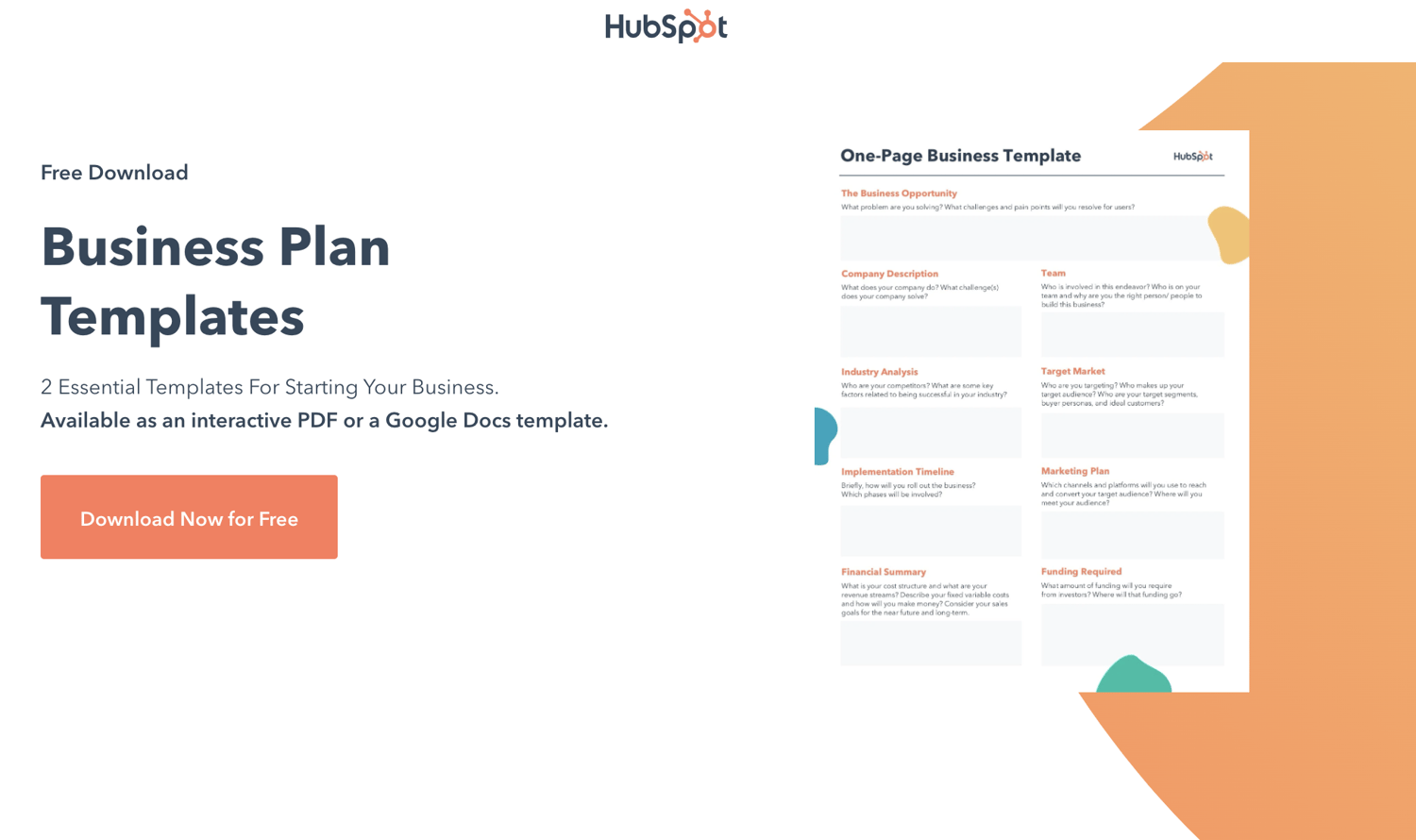
Download a free, editable one-page business plan template.
The template is designed as a guide and checklist for starting your own business, so you’ll learn what to include in each section of your business plan and how to do it. There’s also a list for you to check off when you finish each section of your business plan.
Strong game plans help coaches win games and help businesses rocket to the top of their industries. So if you dedicate the time and effort required to write a viable and convincing business plan, you’ll boost your chances of success and even dominance in your market.
3. ThoughtCo’s Sample Business Plan
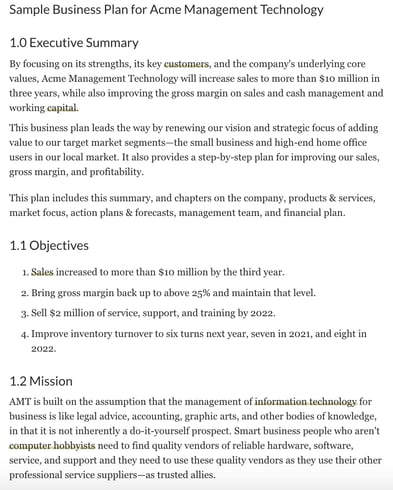
If you want to reference an actual business plan while writing your own, ThoughtCo’s got you covered. They created a fictional company called Acme Management Technology and wrote an entire business plan for them.
Using their sample business plan as a guide while filling out your own will help you catch and include small yet important details in your business plan that you otherwise might not have noticed.
4. BPlan’s Free Business Plan Template
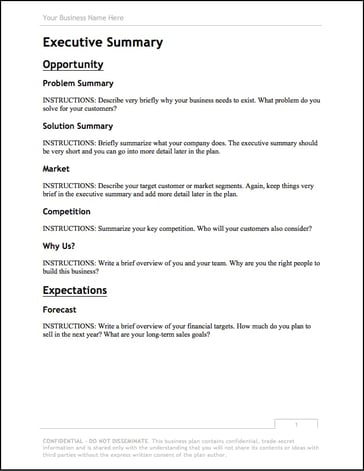
One of the more financially oriented sample business plans in this list, BPlan’s free business plan template dedicates many of its pages to your business’ financial plan and financial statements.
After filling this business plan out, your company will truly understand its financial health and the steps you need to take to maintain or improve it.
5. Harvard Business Review’s “How to Write a Winning Business Plan”
Most sample business plans teach you what to include in your business plan, but this Harvard Business Review article will take your business plan to the next level — it teaches you the why and how behind writing a business plan.
With the guidance of Stanley Rich and Richard Gumpert, co-authors of Business Plans That Win: Lessons From the MIT Enterprise Forum, you’ll learn how to write a convincing business plan that emphasizes the market demand for your product or service and the financial benefits investors can reap from putting money into your venture, rather than trying to sell them on how great your product or service is.
6. HubSpot’s Complete Guide to Starting a Business
If you’re an entrepreneur, you know writing a business plan is one of the most challenging first steps to starting a business. Fortunately, with HubSpot’s comprehensive guide to starting a business, you’ll learn how to map out all the details of your business by understanding what to include in your business plan and why it’s important to include them. The guide also fleshes out an entire sample business plan for you.
If you need further guidance on starting a business, HubSpot’s guide can teach you how to make your business legal, choose and register your business name, fund your business, gives information about small business tax, and provides marketing, sales, and service tips.
7. Panda Doc’s Free Business Plan Template
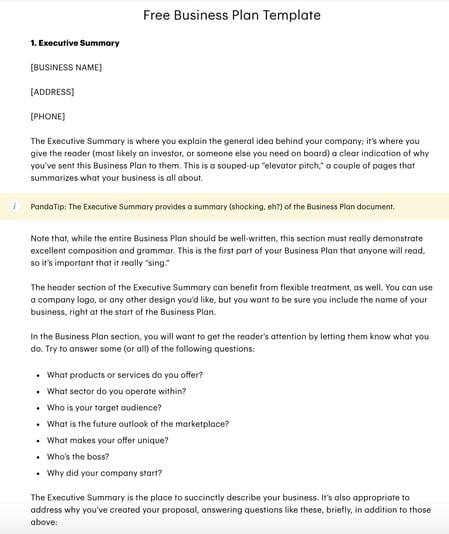
Panda Doc’s free business plan template is one of the more detailed and fleshed out sample business plans on this list. It describes what you should include in each of its sections, so you don’t have to come up with everything from scratch.
Once you fill it out, you’ll fully understand your business’ nitty gritty details and how all of its moving parts should work together to contribute to your business’ success.
8. Small Business Administration Free Business Plan Template
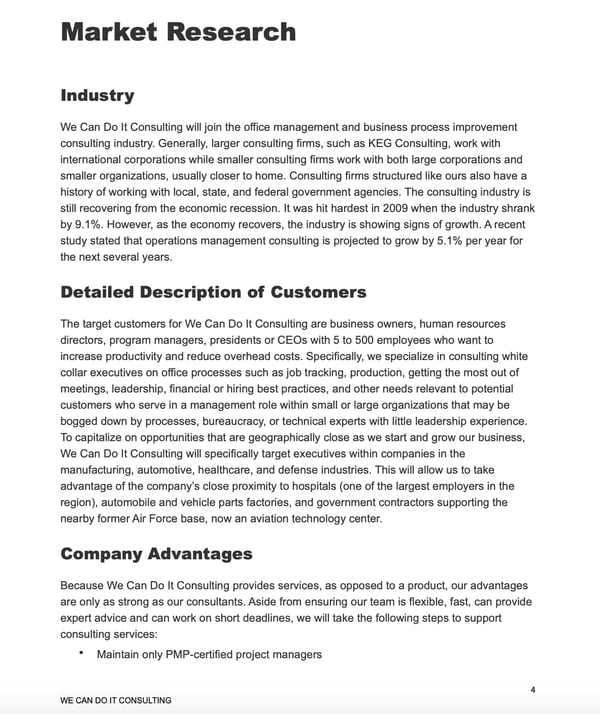
The Small Business Administration offers several free business plan templates that can be used to inspire your own plan. Before you get started, you can decide what type of business plan you need — a traditional or lean start-up plan.
Then, you can review the format for both of those plans and view examples of what they might look like.
9. Culina Sample Business Plan
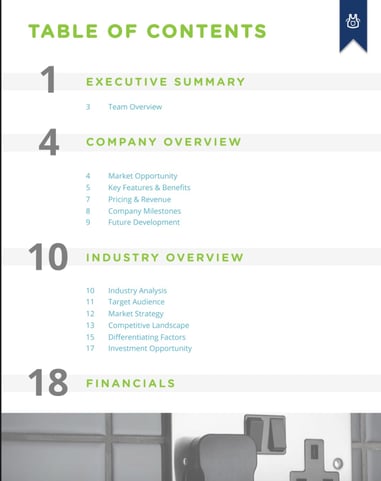
Culina’s sample business plan is a great template to use if you just want to fill in your information. You can also use this template as a guide while you’re gathering important details. After looking at this sample, you’ll have a better understanding of the data and research you need to do for your own business plan.
10. Plum Sample Business Plan

This is one of my favorite sample business plans, because you can see how implementing visuals can help tell the story of your brand. The images in this template are cutting edge, which makes sense for an innovative company like Plum. When you create your own business plan, make sure that the pictures and design you use make sense for your branding.
Additionally, the financial charts included are incredibly helpful if you’re not sure what financial information to include.
11. LiveShopBuy Sample Business Plan
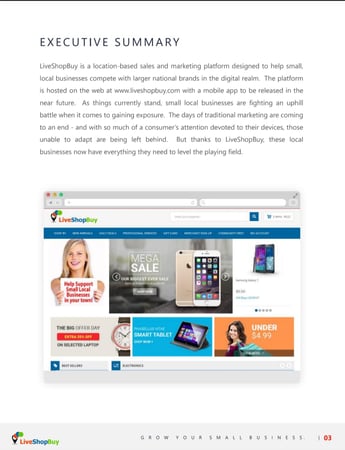
With this business plan, the focus is the investment opportunity. This is an excellent template to use if you’re going to use your business plan as a means to receive funding. The investment opportunity section is placed right up front and is several pages long. Then, the plan goes into more detail about the company synopsis industry analysis.
When you’re first getting starting on your business plan, it can be daunting. That’s why it’s important to make sure you understand the format and information you’ll want to include. Then, you can use a template to guide your process.
Editor’s note: This post was originally published in November 2018 and has been updated for comprehensiveness.

How Much Should Your Marketing Team Budget for 2021? [By Industry]
When I was hired for my first marketing role, I got really excited to pitch new, exciting ideas to my team.
And I thought — as long as I had data to support the potential success of a project — that my team would be thrilled to hear these ideas.
Which they were. But they were also cautious, and one of their biggest concerns was, “Okay, this sounds great … but how much is it going to cost?”
Ultimately, being a successful marketer isn’t just about thinking strategically. It’s also about adhering to a strict budget, and achieving new levels of growth while simultaneously choosing the most cost-effective option for your business.
Here, we’ll explore typical marketing budgets, as well as marketing budgets by industry, so you can determine how your budget matches up against competitors.
Plus, we’ll explore how much of your yearly revenue you should re-invest in marketing materials to see stronger long-term growth.

What’s a typical marketing budget percentage?
As of February 2021, Deloitte’s annual CMO Survey reports that marketing budgets are now roughly 11.7% of total company-wide budget — a slight decrease from the 12.6% marketers saw in June 2020, but still a record high that most marketers haven’t seen over the last four years.
(It’s important to note, we saw record-high marketing budgets over the course of the pandemic as companies relocated some budget towards digital marketing strategies, rather than more offline tactics.)
Gartner’s 2020 CMO survey confirms most marketing budgets rest around 11% of total company budget.
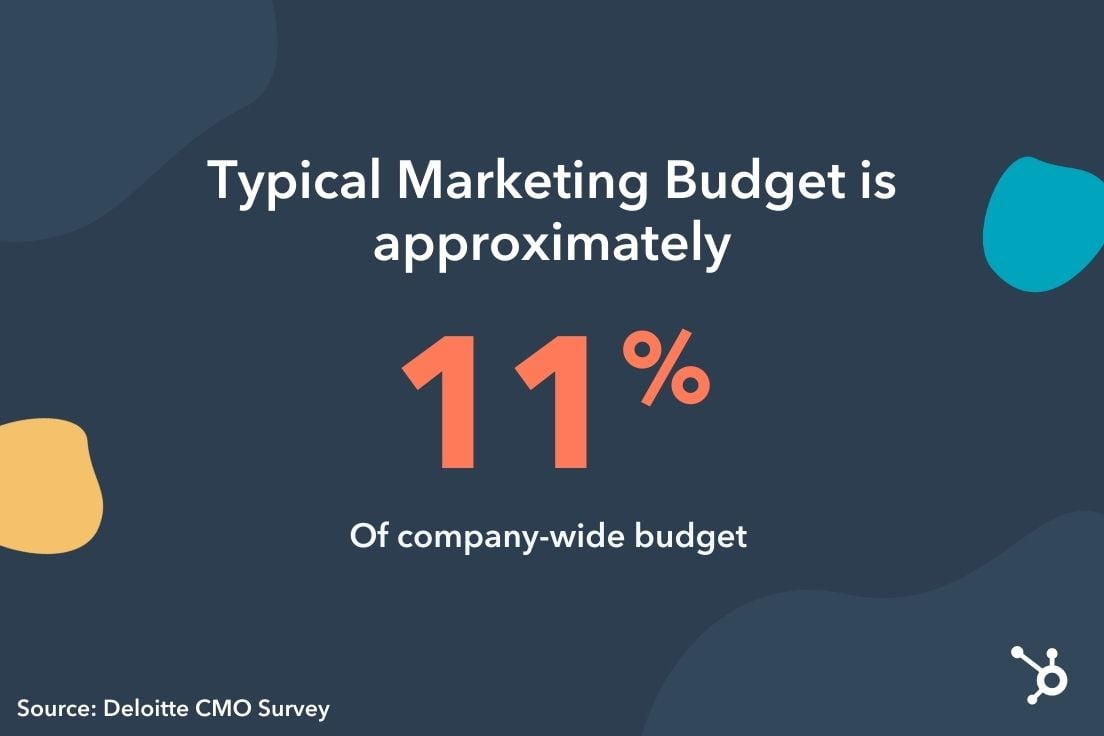 While your own marketing department’s budget depends on a variety of factors — including industry, company revenue performance, and business needs — this should help you ballpark a reasonable percentage of your total company-wide budget that you should allocate for your marketing teams.
Of course, what strategies/channels marketing teams choose to invest in varies depending on individual company goals. For instance, while 73% of companies invested in website optimization in 2020, only 20% invested in machine learning and automation.
Web optimization, digital media and search, and digital marketing were the top three priorities for companies when determining budget allocation in 2020 — with roughly 73%, 65%, and 57% of companies (respectively) investing in each.
These trends are predicted to continue into 2021 and beyond.
However, the data we’ve reported so far pertains to marketing budget percentage of overall company budget — but what about marketing budget as it pertains to overall company revenue? Let’s dive into that, next.
Marketing Budget Percentage of Revenue
The U.S. Small Business Administration recommends small businesses (businesses with revenue less than 5 million) allocate between 7% and 8% of total revenue to marketing — assuming your business has margins in the range of 10-12 percent.
The amount of revenue businesses allocate to marketing has increased steadily over the past 10 years, with average marketing percentage of revenue landing around 13% in 2021, compared to just 8% back in 2011.
B2B Product industries allocate, on average, roughly 10% of revenue to marketing, which is similar to B2C Services (10.1%). B2B Services and B2C Product allocate higher numbers of 15% and 18%, respectively, of total revenue.
Of course, decisions related to marketing budget allocation remain largely industry-specific. To determine more accurate, industry-specific insights, let’s explore marketing budgets by industry, next.
Marketing Budget Percentage by Industry [2021 Data]
Deloitte’s 2020 CMO Survey found B2B (product-focused) companies attribute roughly 9.4% of overall budget to marketing efforts, while B2B (services-focused) companies attribute 11.4%.
Alternatively, if you work for a B2C (product-focused) company, Deloitte reports 15.9% of overall budget is the average given to marketing teams — for B2C (service-focused) companies, this is closer to 12%.
Of course, the type of business you work at (B2B or B2C) is only one factor when determining marketing budget percentage. Industry is a major factor, as well.
For instance, marketing expenses are highest in the Education sector at 19.4% of total budget — and they’re lowest in the Energy industry, at roughly 4%.
If you work in the healthcare industry, you might expect to see a marketing budget around 7% of total budget.
Alternatively, consulting services typically attribute 13%. Lastly, technlogy/software platforms attribute 12% of total company budget to marketing.
If you’re unsure how to manage your marketing budget, you’re in luck. We’ve covered marketing budgets extensively in How to Manage Your Entire Marketing Budget [Free Budget Planner Templates]. Take a look at that post to create a marketing budget that works for you — and use templates and samples to get you started.


31 LinkedIn Stats That Marketers Need to Know in 2021
With more than 740 million active users in 2020, LinkedIn’s expanded from a networking site for professionals to one of the top social media platforms.
By now, most of us have used LinkedIn to market our brands, post industry thought leadership, or look for our dream jobs.
As LinkedIn’s continued to evolve by adding new features, like LinkedIn Stories, it’s steadily grown its user base. While the LinkedIn audience still skews towards career-minded professionals, the industries, interests, and demographics represented on the platform have become much broader since its launch.
Aside from LinkedIn’s user growth, it’s also continued to expand on advertising opportunities, which has helped make it one of the most important channels for B2B marketing.
Today, it’s becoming quite clear that LinkedIn isn’t just for people in executive corporate roles. With millions of company pages and individual members, there’s a discussion, post, or professional network for almost anyone on this channel.
But, despite LinkedIn’s growth and advertising opportunities, many marketers or brands still worry that the platform is still too formal or corporate for their audiences.
The truth is — LinkedIn could very well be one of your most underrated marketing channels.
If LinkedIn’s growth has caught your attention and you want to determine if its audiences and ad offerings are right for you, it’s important to do some research before devoting more time and resources to this network.
To get you started on your LinkedIn research, here are some need-to-know stats about the platform’s audience, growth, and most common marketing tactics.
LinkedIn Stats to Know in 2021
General LinkedIn Stats
- In Q1 of 2021, LinkedIn revenue increased 23 percent year-over-year (LinkedIn)
- In 2020, LinkedIn made $181 billion in revenue. (LinkedIn)
- LinkedIn has more than 740 million active users. (LinkedIn)
- In Q3 of 2020, the amount of content shared on LinkedIn increased by 50 percent. (LinkedIn)
- Marketing Solutions is growing 40 percent year-over-year in Q4 2020. (LinkedIn)
- Nearly 40 million people searched for jobs on LinkedIn each week in Q4 2020 (LinkedIn)
- In 2020, LinkedIn was voted the most trusted network. (Business Insider)
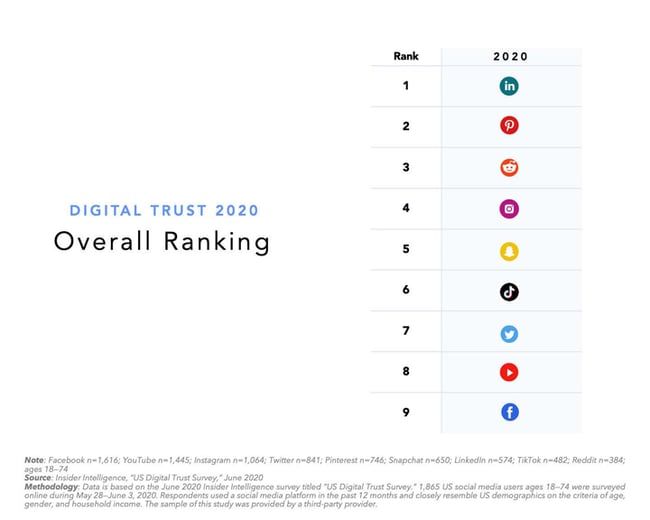
- In Q4 of 2020, professionals watched 2X more LinkedIn Learning content than the year before. (LinkedIn)
- LinkedIn Live streams have increased by 158% since February 2020. (LinkedIn)
LinkedIn Demographics
- 57% of global LinkedIn users are male. (DataReportal)
- While 44% of those between 25 to 30 and 37% of those aged 30 to 49 say they use LinkedIn. (Pew Research Center)
- 49% of internet users who make more than $75,000 annually use LinkedIn while only 26% of those in the $30,000 to $74,999 range use the platform. (Pew Research Center)
- 51% of internet users with a college degree or higher use LinkedIn. (Pew Research Center)
- Four out of five LinkedIn members drive business decisions at their companies. (LinkedIn)
- 174 million U.S. Workers have LinkedIn profiles. (LinkedIn)
- 30% of LinkedIn users live in urban areas. (Hootsuite)
Marketing Tactics and Lead Generation
- LinkedIn is the most popular platform of B2B marketers, followed by Twitter. (Content Marketing Institute)
- As of January 2020, 663.3 million users have been reached by LinkedIn Ads. (We Are Social)
- Data shows that the most engaging LinkedIn posts are published on Wednesdays between 8 a.m. to 10 a.m. and noon, Thursday at 9 a.m. and 1 p.m. to 2 p.m., and Friday at 9 a.m. (Sprout Social)
- LinkedIn’s lead conversion rates are 3X higher than other major ad platforms, including Google Ads. (LinkedIn)
- Roughly 15% of marketers are creating content for LinkedIn. (HubSpot)
- Only 10% of marketers say they’re investing in LinkedIn. (HubSpot)
- In a study of over 5,000 businesses, HubSpot found that traffic from LinkedIn generated the highest visitor-to-lead conversion rate at 2.74%, almost three times or 277% higher than both Twitter (.69%) and Facebook (.77%). (HubSpot)
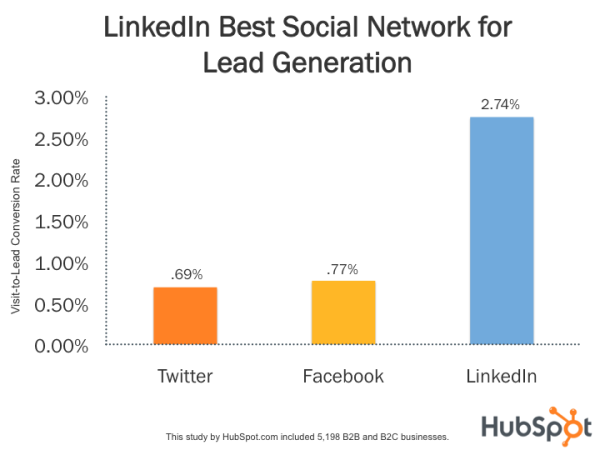
LinkedIn User Statistics
- 40 million people look to LinkedIn for job opportunities every week. (LinkedIn)
- Three people are hired each minute on LinkedIn. (LinkedIn)
- There are more than 55 million companies listed on LinkedIn and there are 14 million open jobs on the platform. (LinkedIn)
- For companies who are active on LinkedIn, 30% of their engagement comes from their own employees. They’re 14x more likely to share their employers’ content on the platform compared to other types of content. (LinkedIn)
LinkedIn Advertising Statistics
- LinkedIn Ads accounted for more than a third of LinkedIn’s total revenue in Q4 2020. (LinkedIn).
- Marketing Solutions increased 50%. LinkedIn predicts the jump was caused by advertisers choosing the platform as the trusted way to source warm leads. (LinkedIn)
- Hootsuite and We Are Social report that 727 million people can be reached through LinkedIn advertising. (DataReportal)
- Quarter-over-quarter in 2020, LinkedIn’s advertising reach has increased 3.5%. (DataReportal)
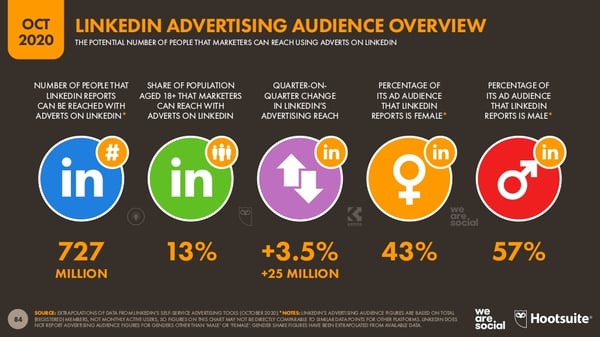
Mastering LinkedIn Marketing
Because LinkedIn has a slightly different audience from other major platforms like Facebook, Twitter, or Instagram, you’ll want to understand whether your consumers are engaging there before investing time or resources into a campaign or advertisement. Be sure to keep the stats above, as well as emerging research about the platform and its audiences, in mind as you prepare your next social media strategy.
Editor’s note: This post was originally published in May 2020 and has been updated for comprehensiveness.

How to Post on Instagram: A Step-by-Step Guide
With over 1 billion active users, Instagram is undoubtedly one of the most far-reaching social media networks you can use for marketing purposes.
Instagram has proven a viable advertising option for businesses today, and shows no signs of slowing down — in fact Instagram ad revenues will exceed $18 billion in ad revenue in 2021.
If you’re not already using Instagram for your business, you’re missing out on a ton of opportunity to grow brand awareness and reach a wide audience. Fortunately, adopting an Instagram strategy can be relatively easy with enough time and effort.
However, if you’ve never used the app, you might be daunted by the first question likely to cross your mind — How can I post my first image?
If you’re ready to post an image to Instagram, we’ve got you covered. Here, we’ve cultivated a quick-and-easy guide to posting on Instagram, to ensure you can begin attracting the attention of your audience with Instagram marketing.

Posting to Instagram consistently can help businesses find resonance with their audience and grow better, but doing it right is just as important. Here’s how to post to your Instagram account step-by-step.
1. Tap the + icon at the top of your screen.
![Instagram Post Icon on Home Screen [+]](https://blog.hubspot.com/hs-fs/hubfs/Instagram-Post-Icon-1.jpg?width=300&name=Instagram-Post-Icon-1.jpg)
See that plus sign [+] in the image above? That’s your starting point. See that post from our culture account? That’s your end point. Click that plus sign and you’ll be ready for the next step, below.
2. Choose a photo or video from your library or shoot one in the app.
Instagram will show you the photos already saved to your phone. Choose one of those to post. Alternatively, you can click on the camera icon to take a photo or video within the Instagram app itself, if you don’t already have an image you want to use.
Once you select and crop an image (or carousel of multiple images), click the arrow button in the top right corner of the app.

5. Try a carousel post of multiple images.
Do you have multiple photos and want to highlight them all? Instagram allows you to do this with its carousel feature.

As you go to tap a photo or video, first tap the icon just above your photos to the right that looks like stacked squares. Once you tap this, you’ll see a number on the corner of every image or video you tap. This number notes where the content will show up in the carousel.
4. Crop the image.
You aren’t limited to just a square image on Instagram. You can actually share horizontal or vertical images as well. To get more of your image seen, pinch the screen of the photo you’ve selected on the Library screen.

However, while Instagram does allow vertical and horizontal options, the images still need to fit into some specific dimensions. So, you might still need to crop a tiny bit of your photo to get it to fit.
3. Pick a filter.
Instagram offers 24 filters — scroll to the right to peruse your options, and click on one to preview how it will look on your photo.
By default, the filter will be applied by full strength. However, if you want to scale back the intensity of the filter, double click the filter tile once it’s been applied, and a scale selector will appear, allowing you to downplay the effect.
You can also tap the magic wand at the top of the screen to adjust the photo further.

(Take a look at our Ultimate Guide to Instagram Filters to learn more).
6. Edit your photo.
You can also click “Edit” at the bottom right to adjust the image to your specifications.

Here are the editing options that come built in to Instagram for you:
- Adjust – This helps subtly rotate the image along the center plane, giving it a tilt either to the left or right according to the linear scale at the bottom of the screen.
- Brightness – This helps lighten or darken the image. All you have to do is pull the selector to the left to darken or to the right to lighten.
- Contrast – This helps to increase or decrease the intensity of the image’s colors. Pull the selector to the left for less contrast (a dulling effect) or to the right for more contrast (a higher intensity effect).
- Structure – This helps to add an HD-like effect to the image, bringing out specific details in your photo. Drag the selector to the right to help the image “pop.”
- Warmth – This helps you adjust the temperature of the photo. Drag the selector to the left to increase cool tones in the image, or drag the selector to the right to increase the warm tones in the image.
- Saturation – This helps you adjust the saturation of the colors in your image. Drag the selector to the left to desaturate the image (all the way to the left if you want a monochrome look), or drag the selector to the right for extremely saturated colors.
- Color – This gives you a number of color options to overlay over your image for interesting color effects. Simply select your color choice and see how it changes the image in the preview box.
- Fade – This softens the intensity of the blacks in your image to create an “aged” photo effect. Simply drag the selector to the right for a higher degree of fade.
- Highlights – This helps you control the intensity of the highlights in your image. Dragging the selector to the left will darken the highlights in your image while dragging the selector to the right will lighten the highlights in your image.
- Shadows – This helps you control the intensity of the shadows in your image. Dragging the selector to the left will darken the shadows in your image while dragging the selector to the right will lighten the shadows in your image.
- Vignette – This darkens the corners of the image, leaving a circle shape in the center. Drag the selector all the way to the right for the most dramatic vignette.
- Tilt Shift – This helps blur the edges of the image in a radial or linear way, drawing focus to the details in the center of the image.
- Sharpen – This helps sharpen certain details of the image, bringing a more dramatic look to subtler elements in the photo.
When you’re ready to move on to the next step after editing, click the arrow button in the top right corner.
7. Type your caption.
Get creative and write a nice, interesting caption to go with your photo. Since text can help optimize your post in Instagram’s search, writing something can only benefit you.
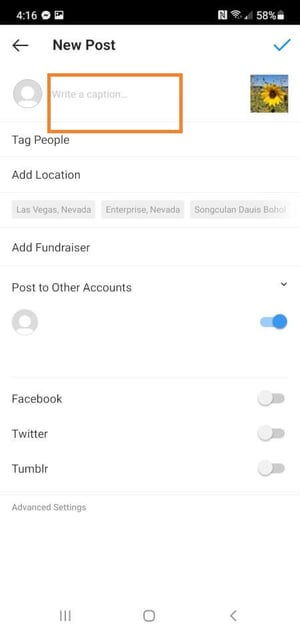
8. Use hashtags for post optimization.
With Instagram’s search feature, users can search by hashtags. So, you should make sure to write relevant hashtags in your caption. If someone does a search of a hashtag you placed in your caption, they might find your post as well as others that included the same one.
9. Tag friends.
Want your friend or their followers to see a photo that you posted of the two of you? Tag them!
On the post page, you can click “Tag People” to tag other Instagram accounts in your post. Alternatively, you can include their handle (or their username beginning with an @ symbol) in your caption.
10. Add your location.
If you’re on a fun vacation or at a neat event and you don’t feel like including that information in your caption, you can mark where you are in another way. On the post page, tap “Add Location” to put a location on your image (which makes it easier for people to find your post).
When you post an image or video with a location, it will show up between your name and the block of content on the feed.
11. Play with emojis.
Emojis are fun and can make your caption more eye catching. If you know of a few relevant emojis that could fit with your post, stick them in the caption area. For example, if you’re posting a vacation photo, you could include a palm tree 🌴 or a plane ✈️ to show you flew somewhere.
Here are the top Instagram emojis you can use:
- ❤️
- 😍
- 😘
- 😂
- 😊
- 😎
- 💕
- 😉
- 💋
- 👍
However, keep in mind that there’s a multitude of choices to add flair to your posts, from keeping it real 💯 to the cringe face 😬.
Be sure not to go overboard and post emojis just for the sake of posting them. If you post a bowling emoji along with a photo of a beach, that obviously won’t make sense to people. Similarly, if you post 20 emojis that loosely relate to a post, you might just annoy your followers or come off as desperate.
12. Share the post on other social media platforms
Finally, if you want to share your content on your other, connected social media sites (like Facebook or Twitter), simply slide the bar from the left to the right.
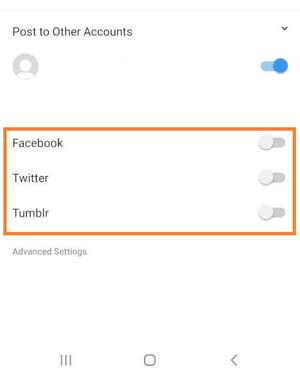
Instagram Saved Drafts
If you’re not ready to post right away, you can also save it to your Instagram Saved Drafts. Simply go back to the filtering and editing step, tap the back arrow in the top left, and select “Save Draft.”
13. Edit the post.
Typos happen to everyone! If you just posted something and notice a glaring spelling error, don’t panic. Simply tap the three dots that appear on the right across from your name, then tap “Edit.”
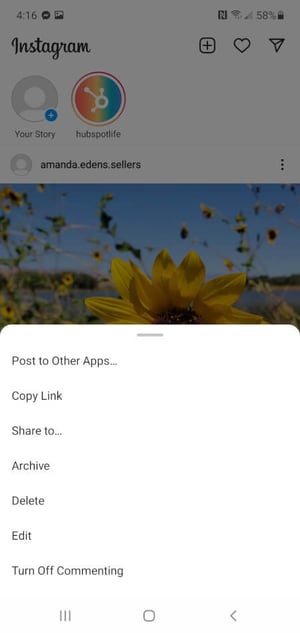
Now that you know how to post to Instagram, you can begin creating content for the platform and connecting with your audience. If you’re a business or brand, you’ll want a solid strategy for earning engagement and awareness.
Editor’s note: This post was originally published in November 2019 and has been updated for comprehensiveness.

How Primary Colors Help HubSpot Build a CRM That Customers Love
At HubSpot, customer experience comes first. Always.
Whether our marketing team is selecting a time at which to send an email or our web team team is choosing the size and location of a button on our homepage, the question we always go back to is: “Will this be a good experience for our customers?”
As HubSpot’s Chief Product Officer, this customer-first principle is my guiding light when it comes to product development. And it’s the reason why we don’t buy technology when we want to deliver a new product to our customers. We build it.
This build-first approach is becoming increasingly rare in our industry. Traditional SaaS companies tend to acquire other companies when they want to significantly expand their product offerings or quickly increase their customer base. This can sometimes lead to a quick uptick in revenue — after all, when a company buys another, it acquires all of its customers — but it’s often a very negative experience for the customer.
When two completely different systems are cobbled together after an acquisition, the burden of making them work together is foisted onto the customer. Each company probably took a completely different approach to product development, resulting in different underlying technology, different processes, and different user interfaces.
Reconciling these differences without causing friction for customers is an almost impossible task. And when SaaS companies apply this approach over time, the friction accrues, technical debt goes through the roof, and the customer experience steadily degrades as a result.
This approach solves for the company implementing it, not the customers it’s supposed to serve. That’s why we do things differently at HubSpot. After all, it isn’t like us to follow the crowd.
When most companies were doubling down on the old outbound playbook, we championed inbound approaches instead. When most businesses were wondering whether remote work could ever work, we saw the percentage of HubSpotters working from home hit double digits long before 2020 forced everyone’s hand. And while our industry was still furiously focused on funnels, we embraced the flywheel.
We’re different. It’s in HubSpot’s DNA. It’s even reflected in our company mission: we help organizations grow better. Not grow according to the status quo. Not grow by adhering to age-old playbooks. Grow better.
Just as we believe there’s a better way to grow, we also believe there’s a better way to build. That’s where the Primary Colors come in.
Meet the Primary Colors
Our approach to product development is simple, and it allows us to create multiplicative benefits for customers that no other CRM platform offers. We focus on five foundational elements that span all of our products, and we work at improving each one of them, all of the time. Those elements are: Automation, Content, Data, Messaging, and Reporting. We call them “Primary Colors.”
Every one of our Hubs – CMS Hub, Marketing Hub, Sales Hub, and Service Hub – comprises a different blend of the five Primary Colors, meaning that every product on our platform is built on the same underlying foundation.
So when the product team shows up to work every day, the question we ask ourselves isn’t “Which Hub or feature will we work on today?” It’s: “Which Primary Color will we enhance?”
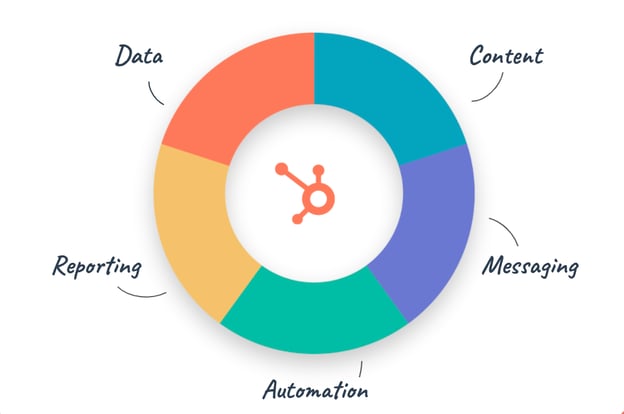
As a result, when we add value to one area of HubSpot, value is automatically added across the entire CRM platform. And that allows us to deliver a steady stream of delight to all of our customers on an ongoing basis.
Here are three ways in which this approach allows us to offer unique value to our customers in the crowded CRM market:
1. Continuous improvement across the platform.
“HubSpot is the perfect, always-improving marketing software” – review on G2
The same five Primary Colors go into building each HubSpot product, so when we improve one Primary Color, we improve every Hub. And every customer of every HubSpot product sees an immediate benefit, whatever part of the platform they use.
For instance, when we invest in making Reporting in Sales Hub more robust, this robustness ripples out to every Reporting tool across the HubSpot CRM platform. So Marketing Hub customers who use our Reporting tools benefit, Service Hub customers who use our Reporting tools benefit, as do CMS Hub customers — all because we invested in improving just one Primary Color.
2. Easy adoption of new products.
“We quickly adopted the Sales Hub Pro and Marketing Enterprise for our growing needs. It has been one of the best decisions we have made” – review on G2
Since all of our Hubs are built on the same Primary Color foundation, our customers can expect a familiar, fast, and friendly user experience every time they add a new feature or product to their tech stack. This means customers can enjoy the benefits of each new addition right away, with no time lost to training, integration, or new-system frustration.
As HubSpot’s co-founder, Dharmesh Shah, puts it: “Our customers’ time-to-joy is reduced.”
Once a customer learns how to use Automation in, say, Marketing Hub, they instantly know how Automation works in all of HubSpot’s products across the CRM platform. So as their company scales and adds new products, features, and integrations to their tech stack, they can expect consistency, not complexity.
They don’t have to relearn how Messaging works or how Data is stored every time they add a new Hub — something they would likely have to do if they were working with a system that had been cobbled together through acquisitions or if they use different tools for different customer-facing teams.
3. The ability to run an entire business on a single platform.
“I can manage the website, CRM, email marketing and all other efforts in one single place. This allows me to have a single location for all my data Reporting and have a single source of truth” – review on G2
With HubSpot, fast-growing companies can run their whole business on a single system, because HubSpot offers the same insights and power to marketers, salespeople, and service professionals alike.
And when all teams at a company are working out of the same familiar system, silos crumble, data is centralized, and information flows freely. The whole team has access to the same valuable insights, allowing them to understand their customers better and deliver a seamless experience across every touchpoint.
For example, when a company’s marketing team uses Marketing Hub and its sales team uses Sales Hub, both teams gain access to the same customer data in a centralized CRM. And because both Hubs offer identical functionality for recording and storing Data, it becomes equally easy for each team to access not only the data they generate, but also Data the other team generates.
This gives marketers and salespeople a holistic view of the customer, enabling each of them to tailor their tactics and personalize their outreach. If a prospect is showing particular interest in marketing content about a certain feature, the sales team can see this information in the shared CRM and will know to focus on that feature on their next call with the prospect.
They don’t need to wait on a marketing report or rely on an impersonal script – they can personalize their outreach and hone in on a prospect’s specific areas of interest, all as a result of both Hubs being built on the same foundation.
Building Differently, Growing Better
The challenges that companies face in 2021 are new, so our approach to building our products needs to be new as well. With the rise of the hybrid workplace, we’re all finding our work lives intersecting our home and family lives, too. That raises the bar on what we expect from business software.
People use HubSpot to power their businesses, to provide for their families, to help their communities thrive, and in many cases, to make the world a better place.
It’s now more important than ever that our CRM platform experience feels like something you’d use on the weekends, not just Monday morning.
That’s why we’re fiercely committed to building software that has enterprise-grade power combined with consumer-grade intuitiveness and an experience as delightful as that offered by the apps we all use in our personal lives.
At HubSpot, our bar is set by what our customers need, not what our competitors have done in past decades. With the five Primary Colors powering our platform and our unwavering commitment to never compromise on customer experience, we are excited to continue to help our customers grow better in 2021 and beyond.

10 Common Virtual Meeting Mistakes to Avoid, According to Remote HubSpot Employees
Whether it’s with a single client, a large internal team, or external stakeholders, hosting successful, engaging meetings is an art form.
It takes skill to know how to simultaneously capture attention, inform, be interactive, and leave a lasting impression — it’s really not an easy feat.
The prospect of holding a meeting may become even more stressful when the session is online. As meetings are new to the virtual world, there is no roadmap to hosting a successful one.
However, as nice as it would be, a roadmap is not always the key to success. Sometimes the key can be learning from people who have experience hosting virtual meetings and understanding what they think makes them successful. In this post, we’ll discuss common virtual meeting mistakes and get insight from experienced HubSpotters on how to avoid them.

1. Not acknowledging mistakes.
Nobody’s perfect.
Although many people know that, an all-too-common moment in virtual meetings is pushing mistakes under the rug and acting like they haven’t happened. Unfortunately, when everyone is looking at their screen, most people notice mistakes, and ignoring them can create a sense of awkwardness.
In these moments, it’s important to remember that an increasingly virtual world is new to everyone. We’re all aware that adapting to new processes can be difficult, so of course, there will be unexpected issues.
Jon Dick, Senior Vice President of Marketing at HubSpot, agrees, and his advice is relatively straightforward: “As the old saying goes, ‘If you can’t hide it, feature it!’ Slides not sharing? Children bursting into the room? Not on mute? Don’t stress out — just laugh, relax, and acknowledge it.”
2. No backup plan for faulty technology.
A dysfunctional microphone or PowerPoint won’t derail your in-person meeting, but it will effectively shut down a virtual one. Given this, Ashley Ladd, Manager on the Diversity, Inclusion, & Belonging team at HubSpot, says that not having a tech backup plan for your virtual meeting is a mistake.
Ladd says, “Our internet connection is always stable until we need it to be, so having a backup plan ensures flawless execution of your events and less worrying about your connection or having the meeting dropped.”
She says that your plan B can include things like a designated co-host, teammate, or friend to take over if something goes wrong, or while you troubleshoot any issues: “The worst is when you have to spend time fussing with your connection and it interrupts the flow of your meeting.”
3. A lack of discussion and collaboration.
One of the greatest aspects of meetings is the collaboration and discussion that stems from audience engagement. Virtual meetings notably make this harder, and they’re often marked by the opposite.
Becca Stamp, Senior Global Learning and Development Onboarding Specialist at HubSpot, says that a common mistake is not making space for conversation. Her solution is to make a special effort to encourage it: “It’s important to give everyone space to come off mute and contribute throughout the session. Participants can add so much value, both through discussion and chat.”
.png?width=1012&name=Twitter%20-%20Quotes%20-%20506x253%20(1).png)
Jill Noonan, Senior Facilitator at HubSpot, seconds this tip and says: “Create interaction whenever possible. Whether in person or virtual, listening to one person present without any interaction or conversation can be draining for those listening. If you’re presenting in a virtual environment and someone asks a question, open it up for group discussion.”
4. Leaving inclusion and accessibility by the wayside.
Whether your meeting is in-person or virtual, it’s crucial to be mindful of and prioritize inclusion and accessibility.
Opt to use software that adds captions for speech transcription, write alternative descriptive text of images for screen reading devices, and be mindful of the differing experiences that attendees may have.
Ben Perreira, Diversity, Inclusion and Belonging Program Manager at HubSpot, says that an easy way to show you care about DI&B is to encourage attendees to put pronouns in their profile names. He says, “Add pronouns to your Zoom name as a way of showing up for inclusion during virtual meetings, and encourage your teammates to do so as well.”
.png?width=1012&name=Twitter%20-%20Quotes%20-%20506x253%20ben%20(1).png)
5. Trying to multitask.
It’s never been easier to join a meeting, and it’s also never been easier to lose focus during a meeting.
If you’re using a personal computer, it can be especially difficult to stay focused because everything you enjoy is right there in front of you. A quick check of your email can accidentally turn into ten minutes of distractions that take you away from meeting content.
That’s why a common mistake is, or at least trying, to multitask during meetings. Dick says: “Multitasking during your meetings is a sure-fire way to feel uninformed and unaccomplished at the end of the day.” His solution? Easy — “Mute notifications and close email.”
6. Not encouraging speakers and hosts.
Don’t assume that someone may be more comfortable during a virtual meeting because they’re not in front of an in-person audience. It can still be just as nerve-wracking to face a screen full of faces as it is to stare at a room full of people.
However, the support that people receive from attendees during in-person meetings, like applause, can be encouraging and make hosts feel more comfortable. Unfortunately, this support is often missing from virtual meetings.
Even if you can’t clap, Dick says that it’s still essential to show encouragement virtually, as it can feel strange to present without any human reactions. He says, “Hop in the chat window to cheer people on and encourage them when they’re presenting. It’s encouraging and helps people feel like you’re listening.”
7. Leaving no space for networking.
As virtual meetings occur on a digital device, attendees have no further interaction with their peers when they end. Stamp says that forgetting about the hallway chat aspect of meetings can be detrimental, as this time often gives people a chance to network, make connections, and decompress.
She says, about HubSpot employee onboarding, “We have seen incredible value in spending five to ten extra minutes on Zoom at the end of each session. It creates the hallway environment of in-person sessions, and these conversations help us build more community among the cohorts.”
8. Being impersonal.
You may feel pressure to display a more polished side of yourself during virtual meetings. In some cases, like when business executives speak to their teams, it makes sense and is expected that the experience is more corporate and clean cut.
However, being too polished can sometimes dehumanize you, which affects relatability between you and your audience.
Robotic meeting environments can also feel boring and disengaging, which is the opposite of what you want. Noonan’s tip is to display humanity through personalization. She says, “Humanity is extremely important. Knowing when and where to use personal examples or display vulnerability builds trust and shows that we’re all on the same page.”
.png?width=1012&name=Twitter%20-%20Quotes%20jill-%20506x253%20(1).png)
9. Not using the mute button for all it’s worth.
Nobody wants to accidentally leave their microphone on so everyone can hear them yell to a roommate or ask a pet to stop making noise. It’s not a huge faux pas, but there are easy ways to avoid this short-lived but all-too-common mistake of not using the mute button for all that it’s worth.
Perreira says, “When you’re not talking, mute yourself. The mute/unmute can also serve as a signal to indicate you’re ready to contribute and serve a [sic] helpful way for group members to ensure that those who are looking to speak are given the opportunity to be heard.”
10. Not having fun.
Although hosting can be stressful, Ladd and Stamp say that it’s essential to have fun.
Ladd recalls a BLACKhub community check-in where attendees played a game called This or That. She says, “We did a Black History Month edition, so our game featured Black leaders in sports, film, entrepreneurship, and more. We had about eight different slides, and it was a fun, quick, and easy way to get everyone interacting and participating.”
Stamp makes space for these moments during onboarding meetings as well: “Schedule optional coffee, lunch, or afternoon hang-outs to help attendees connect. This gives our new hires a space to get to know each other in an authentic and more personal way.”
Virtual Meetings Can Still Be Successful, Engaging, and Fulfilling
Although there are quite a few mistakes on this list, they are exactly that — mistakes. They aren’t the end of the world, and nobody will penalize you for them.
Consider the advice from experienced HubSpotters, and you’ll likely find yourself hosting engaging virtual meetings that are just as impactful as those you can have in-person.

Buyer Beware: The Truth About Buying Instagram Followers
You might know your Instagram content is good, but imagine how much better it will seem if it looks like 10,000 people agree.
Whether you’re trying to become a social media celebrity or simply looking to spread brand awareness on Instagram, it can be tempting to take shortcuts wherever you can in order to expand your audience, including ‘buying’ Instagram followers.
Here, we’ve gone ahead and covered all the questions you might have about buying Instagram followers to give you a better idea of how it actually works. We’ve also explored the pros and cons, so you can decide for yourself if it’s a good move for your brand.

1,000 followers seems like a good deal for the price of a small Starbucks latte. But of course, if it really was that cheap and easy, everyone would be doing it. So what’s the catch? Is buying Instagram followers legal and safe for your business? Is it a worthwhile investment?
The main reason buying Instagram followers can prove to be a wasted investment is because the accounts you follow often aren’t real.
How to Buy Instagram Followers
The vast majority of purchasable followers are either bots or inactive accounts. Here’s how it works:
The Fake Follower Vendors
Buying fake followers on Instagram is much harder now than it was a few years ago. Why? Instagram has been cracking down on accounts that violate their terms of service. What used to be fairly above-board is now an enigma. In order to buy Instagram followers these days, you’ll need to know someone who can put you in contact with a vendor who will actually deliver the bots — I mean followers — they say they will (you’ll also want to choose someone that you trust with your credit card information).
But what happens once you’ve paid for your followers? Assuming the vendor is legitimate (as legitimate as can be for this type of service) you’ll wait anywhere from a few minutes to a few days for your followers to trickle in. The sellers roll out your followers over time so as not to alert Instagram that something fishy is going on. Once you have your brand new automated followers, don’t expect much. These followers won’t do much for your engagement metrics.
When you buy Instagram followers, you’re paying for a number alone. Engagement is not guaranteed, or even likely.
When you buy Instagram followers, you’re paying for a number alone. Engagement is not guaranteed, or even likely.
Instagram Bots
Instagram bots are everywhere — you’ve likely come across several of them today alone. There are companies out there who have automated the process of creating bots so well that they can then sell these bots as followers. In some cases, the bots may even assume the identity of a real person, using stolen images and names.
Depending on the service, these dummy accounts may even seem organic, running on automation to share and like content. Some can even be programmed to produce content. However, because they’re not real people, they will not have an organic-looking following-to-follower ratio. As a result, the engagement they do produce will have little impact.
Without real followers to engage with your content, your posts are essentially hidden from everyone except your inauthentic audience. Plus, your bot followers won’t discuss your brand in real life with friends or family, because, well … they don’t exist in real life (no offense, bots).
Inactive Accounts
However, not all fake followers are bots. There are some companies that sell followers that are genuine accounts.
In this situation, the accounts are created either because they’re managed by users whose only goal is to get followed in return or for the sole reason to offer this service. And while these followers might show early engagement, they’ll ultimately become a drain on your Instagram account’s performance metrics when their accounts go dormant.
After all, if their account was created for the sole purpose of fulfilling sponsorship requests, the real person behind the account has little reason to dwell on the newsfeed, interact with content, or purchase the goods and services being advertised.
Without that interaction, your follower numbers are inflated with none of the value that organic followers would bring.
In addition to buying followers directly, you can also pay services to strategically follow other accounts on your behalf based on your preferences (location, hashtag usage, account type, and gender). Ideally, those followed accounts will then follow you back.
With this option, your followers are more likely to be real people, but engagement is still unlikely. Since you can’t even guarantee these accounts will follow you back, it’s a risky investment. Most accounts won’t follow you back, and even if they do, they probably aren’t going to be long-term, loyal, or active followers.
You’ll get early engagement that tapers off over time.
Purchased Instagram followers also provide no long-term value to your profile’s content. The followers you buy might give you views, likes, and comments early into acquiring them as a follower, but the attention they throw you now won’t be there later — when you start reporting on how your Instagram account is performing.
And how helpful, really, are 10,000 followers that don’t engage with you? Engagement is key to how Instagram’s algorithm displays posts to users. Without likes or comments, your post probably won’t show up on your audience’s newsfeeds, and it also won’t show up on any Explore Pages.
You could hurt your credibility.
Having a lot of followers could convince users to follow you organically, but it’s not a guarantee.
Remember the risks: these followers will probably never like or comment on a post, and if you’re caught with a ton of fake followers, you could ruin your credibility with your real audience.
Users might notice you don’t have a ton of engagement on your posts, which could deter them from following you. If you have 10,000 followers but only four likes per post, it won’t take people long to realize something is up.
Think of it this way: would you keep following an account if you saw that most of their “loyal audience” were inactive accounts or bots? I’m guessing not. It could seem deceitful, and lead you to believe the brand couldn’t get authentic followers through good content alone.
Bought Instagram followers can distort your performance metrics.
It’s practically impossible to measure how well your target audience is connecting with your brand if a high percentage of that audience isn’t real. How will you measure posts that do well with your real audience if those bots and inactive accounts skew the ratio?
If you don’t know how well your posts are doing or what your real audience thinks, you’ll never convert your Instagram followers into real customers. And isn’t that the point?
Ultimately, if you pay for Instagram followers, you aren’t paying for quality, real-life followers. You’re paying for a blank number. And since Instagram’s algorithm is largely tied to engagement, not followers, buying followers isn’t a long-term solution. In fact, it isn’t really a solution at all.
Take the time, energy, and money that you would’ve dedicated to buying followers, and focus instead on building genuine relationships with a real audience. If your content is engaging and authentic, your loyal followers will spread the word and engage with your brand without needing any bribes.
Instagram identifies and purges fake followers.
Recently, Instagram has updated its terms of use to identify and remove inauthentic accounts from its platform. Instagram is removing any likes, follows, or comments from third-party apps that are designed to artificially grow accounts’ audiences. By buying followers, you violate Instagram’s community guidelines and it may trigger a reaction from Instagram moderators.
Instagram is looking to maintain genuine interactions on its site, protecting real accounts and experiences. Fake or bought activity infringes upon this mission and might result in consequences, so it’s better to grow your audience organically.
Alternatives to Buying Instagram Followers
Instagram’s new algorithm rewards engagement more than follower count, displaying content similar to posts users engaged with in the past. In order to drive engagement, there are many different actions you can try on the platform to get in front of your ideal audience.
By using good Instagram marketing practices — whether you are building your personal brand or a company account — you can better reach the nearly 800 million monthly Instagram users and build an authentic audience.
1. Make your account public.
First, make your account public so that users can see your profile and content. This way, you can grow your audience organically when your content pops up on users’ explore pages, attracting and delighting your target viewership.
2. Give users a reason to follow you by publishing quality content.
Next, publish a variety of posts to your feed: you can post images, GIFs, videos, Boomerangs, quizzes on your story, how-tos, user-generated content, and so much more. Build trust and excitement among your followers by using high-quality photos, writing catchy captions, posting consistently, and keeping up a unique style overall to differentiate yourself from other accounts. Do your research on which hashtags generate a lot of buzz and which are aligned with your brand — hashtags can be a great way to reach new audiences if done correctly.
Depending on your brand personality, it can help to be funny or witty in your content. Having an acute awareness of how your brand is perceived and the trends going around Instagram will serve you when choosing content to post and how to interact with your Instagram community.
3. Use Instagram to its fullest capability.
Lastly, utilize the many different channels on the platform, like Instagram Live, IGTV, Instagram Stories, or Shopping on Instagram. There are so many different ways to connect with users, and by driving engagement through these features, you can drive engagement and traffic organically and authentically.
4. Use Hashtags
Hashtags are like goldmines for finding new audiences. Users follow hashtags for updates about specific topics that interest them. If you use them intentionally in your captions, you have a great chance of showing up on the newsfeeds of people who’ve never seen your content before.
But don’t start adding random hashtags to all your content. You’ll need a hashtag strategy to ensure you’re targeting the right people. Moreover, the sweet spot for Instagram hashtags is 30. That might seem like a lot, but if you have a strategy for how you’ll use them, you’ll likely find more than 30 that would work for you. The key for hashtags is to be intentional with them. The reward will be well worth the effort.
5. Engage with Other Instagram Users
A good rule of thumb on Instagram is to engage with other users. Whether you like, comment, save or share their posts, every interaction counts for you and them. Instagram’s algorithm favors engagement which means the more you interact (and the more people interact with you) the more likely it will be that your content appears on more and more news feeds. That means more visibility and growth for your page.
Before you go overboard, remember that Instagram does have a limit to this “rule.” There have been cases where the social media platform blocked users from engaging with content if they liked and commented on more than a few hundred posts in an hour.
6. Use Instagram Stories
500 million daily active Instagram users used Instagram stories in 2019. Needles to say, the audience for this feature is simply waiting and watching for the next viral video or meme to slide across their screens. What makes stories arguably even better for growth than the traditional Instagram feed is the ability for users to interact with the content in a story. Polls, quizzes, and questions are engagement magnets — the more people interact with those elements, the more people Instagram will share your story with.
There’s a Better Way to Grow on Instagram
Instagram has been one of the fastest-growing social media platforms for several years and it’s showing no signs of slowing down any time soon. The pressure to keep up and with the growth can make buying followers tempting, but don’t succumb to that pressure. Between repercussions from the platform itself, lower engagement metrics, and the risk of spamming well-meaning users with bot comments, buying Instagram followers is simply not worth the trouble. The alternatives in this article can help you navigate a path toward organic follower growth that will be worth more than 10,000 fake followers could ever be.
Editor’s note: This post was originally published in March 2020 and has been updated for comprehensiveness.

The Best Forum Software for Creating an Online Community in 2021
Forums provide the opportunity to build an online community that allows your audience to connect in a place where they know their interests are shared. This sense of connectedness is more important than ever in a time where more work, communication, and socialization is being done online.
Online communities are particularly beneficial for businesses because they allow customers to interact with each other in a smaller circle than they could via social media, which increases engagement and brand affinity.
For instance, let’s say one of your customers has a very unique problem with your product or service, and posts about it on your forum. That post is much easier to find than it would be on social media, where millions of users are talking about a million different things.
Even better, maybe another forum user has faced that same problem and can answer their question before your service reps even see it.
There is an incredible amount of value in reaching and building your community using a forum. Here, we’re going to explore the best forum software to get you started.

1. WordPress (With Plugin)
Price: Free (plus the cost of hosting)
Using a multi-purpose platform like a CMS to power your online community allows you access to many different software options in the form of plugins and applications. For instance, you might use the bbPress plugin to create multisite forums, and maintain them from one dashboard within your WordPress site. This is a great option if you want to set up a regular website and forum together.
There are many options to choose from using WordPress, all of which will provide you with the basic forum features you need, plus plenty of useful extras.
2. Joomla!
Price: Starts at $99 per year (plus development and hosting costs)
Joomla! Is a CMS software like WordPress, but requires more attention to detail and management. This is a robust CMS that will power your forum plugins like Kunena or EasyDiscuss, which are specifically created for Joomla!’s system. The price point comes from the open-source content management system, which will allow you to build powerful online applications alongside your forum software.
3. Discourse
Price: Starts at $100 per month (plus cost of hosting)
Discourse is open-source forum software that you can in tandem with your existing website and CMS platform. Not only can community members use it on their mobile devices, but they’ll also get dynamic notifications, badges, emoji, and more. Best of all, there’s a built-in moderation system to help you protect your community from spam and abuse.
4. Vanilla Forums
Price: Variable based on your needs
Vanilla has an abundance of features — one of the most notable being the intuitive dashboard that lets you manage every aspect of your community forum. You can view stats, manage users, and use an advanced editor that recognizes HTML, BBCode, and Markdown using this software.
Additionally, Vanilla gives you the ability to adjust permissions of forums or members if you’re looking to control access. The software enables customers to submit, view and vote on ideas to drive innovation for your business, or use the Q&A option to connect with and help each other get more out of your products or services. Best of all, Vanilla offers an on-boarding process with useful checklists, training materials, and help from one of their support reps.
5. Codoforum
Price: Free
Codoforum is forum software that has a fresh UI with modern design. It’s simple, clean, and easy to use. Codoforum is built with PHP using the latest coding patterns and is fully compliant with new PSR standards. This software provides a responsive layout structure for mobile and desktop, SSO and integration, as well as mention notifications for users.
Since it’s free to use, Codoforum is a good option if you’re still testing out forums or aren’t sure whether they’ll be useful for your own website and community.
6. phpBB
Price: Free
PhpBB is a forum platform that has a typical and intuitive board set-up where users can post public or private messages. With phpBB, you can create as many internal messaging boards as you want without any additional costs.
Additionally, you can use extensions to add new options to your forum community. This makes the software very customizable, and allows you to adapt the software to the growing needs of your audience.
Among other things, phpBB lets you create password-protected forums for added security, sub-forums, the option to display active topics at the top of your forum, and the ability to add forum rules at the top of a forum to ensure your community abides by set guidelines.
7. VBulletin
Price: vBulletin 5 Connect $249, $15/month
Over 100,000 websites are built on vBulletin — including NASA, EA, and Sony Pictures — so it’s a popular option for hosting your forum. The software includes tons of great features, including built-in SEO, security, and responsive web design. With VBulletin you can have an unlimited hierarchy of forums as well as private forums.
Best of all, VBulletin provides fun and unique features for your community members, including private messaging, a friends list, member birthdays (shown on the Forum homepage), and the ability to see who’s online.
VBulletin is not known for being the fastest forum, but its design is clean and it offers quality support for its users.
8. Invision Community
Price: Varies for forum size/data needs, but starts at $45/month for 65 online visitors
IP Board was a very popular forum software that has since expanded to Invision Community, which includes a forum application in addition to its other offerings. According to the Invision Community website, the forums module powers thousands of message boards around the web, and Invision Community has many other community management apps to help you interact with your audience.
The software allows your users to take control over their own online communities, which you can monitor at your discretion. For instance, Invision Community lets users create and manage their own communities, called “Clubs”, which are fully integrated with your website — these clubs get designated Club Leaders, who can add new forums, calendars, or galleries to the community.
9. Flarum
Price: Free
Flaurm has a streamlined design that is extremely easy to navigate. Forums using this software are fully responsive, and features include smooth animations and available swipe features for mobile optimization. Flarum was built by the developers of esoTalk and FluxBB, two of the fastest forum platforms, and has great performance reviews.
10. MyBB
Price: Free
MyBB is a free and open-source forum software that powers thousands of communities. It features hundreds of plugins and themes for you to customize, and the users that exist on the forum will help you establish your own community. Users have also contributed to the translations available for the content on the software. Now, forums are available in over 30 languages to help you grow a more global community.
11. inSided
Price: Variable based on your needs
inSided is a full-featured Community Platform aimed at Customer Success and Community professionals looking to increase engagement, advocacy, and effectively gather product feedback.
They have a killer combination of a customer community platform, a knowledge base, and in-app support. What sets them apart from other platforms are integrations with software like Zendesk, Salesforce, Mixpanel, and Gainsight so that you can connect your community to your entire tech-stack and create a 360 degree view of your customer.
Ways to Build Your Community Using Forum Software
People notice when brands listen to and converse with their customers, and they especially notice when brands foster their own communities. How? Through the power of word-of-mouth marketing. Customers who view themselves as valued members of your community are much more likely to talk about your brand to their friends.
Here’s how you can build a strong community using your forum software.
1. Spread the word.
Nobody will join your online community if they don’t know it exists. Spread the word about your new forum by including CTAs to join your forum in email newsletters or social posts. Ask your brand ambassadors or loyal fans to start posting about the forum, and post content on the forum so when other users join, you already have an established presence on the channel.
2. Listen to and check on your community regularly.
Reviewing your forum and responding to what your audience has to say is a crucial part of community building. Your customers are far less likely to continue to interact and engage on your forum if they feel as though they are being ignored. Responding to their feedback shows your users that you value their opinions and care about their experiences with your product.
Additionally, it’s your job to make sure everything is running smoothly on your forum. Checking on your community regularly will help you dissolve any service escalations, and give people the support they are seeking.
3. Foster a helpful discourse.
A forum should be a safe place for your customers, prospects, employees, fans, and audience to interact, ask, and answer questions. By establishing a helpful ethos early on, or creating community guidelines that prioritize patience and kindness within responses, your community will grow without the need to constantly monitor it 24/7.
Editor’s note: This post was originally published in June 2019 and has been updated for comprehensiveness.

Affiliate Marketing for Beginners: What You Need to Know
If you’ve ever came across Tim Ferris’s iconic book on how to just work four hours per week, you’ve probably dreamed of sipping a Mojito on a beach while your money worked for you in the background. One of the main ideas he constantly talks about is the concept of passive income.
After all, having an income chart like this is the main goal of many online entrepreneurs:

For many entrepreneurs looking to build an online business or marketers looking to monetize their web traffic, affiliate marketing is often how they got started with generating income.
Affiliate marketing is one of the world’s most popular methods of generating passive income online, and it continues to grow. In fact, affiliate marketing spend is reported to increase to $8.2 billion by 2022 — up from $5.4 billion in 2017.
If you’re looking for a complete guide to affiliate marketing, read more to find out how you can promote products as an affiliate to create an additional source of income.
There are typically four parties involved in affiliate marketing:
- Affiliates: The promoters of the product
- Product creators: The creators of the product
- Networks: The networks managing the affiliates
- Consumers: The end users of the product
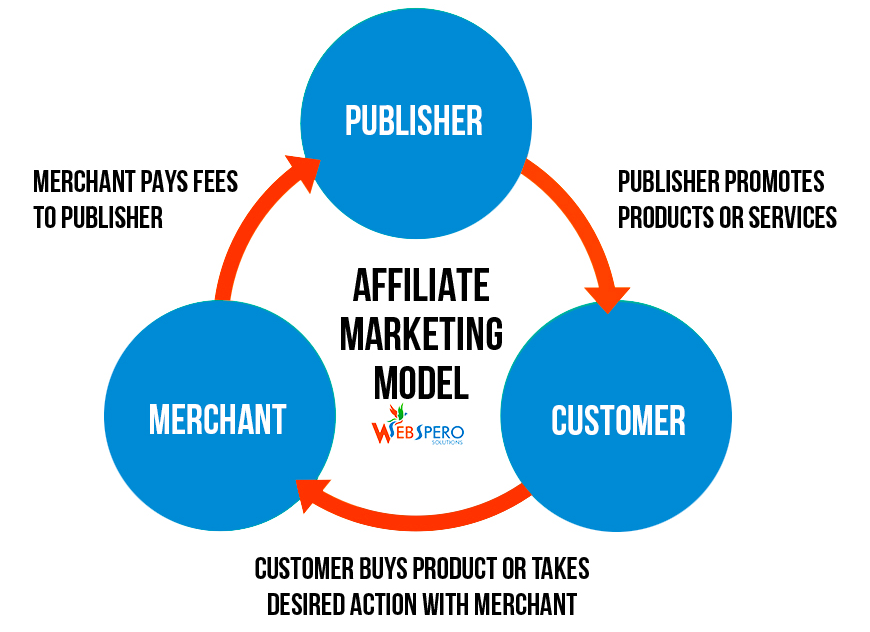
You don’t always need a network to become an affiliate, but the other three parties (the affiliates, the product creators, and the consumers) form the core of an affiliate program.
Who are the affiliates?
An affiliate, also known as a publisher, can be an individual or a company. Typically, these are other bloggers or content creators operating in the industry of the product they are creating.
They help promote the product or service by creating content like blog posts, videos, or other media.
They can also promote their content to get transactions by putting up ads, capturing search traffic from SEO, or building an email list.
When one of their visitors creates a transaction, which could be a purchase or submitting a lead form, the affiliate gets a commission. How much commission is structured depends on the affiliate program terms.
Who are the merchants?
A merchant, also known as the product creator or advertiser, is typically the creator of the product or services. They offer revenue sharing and commissions to people or other companies (affiliates), which have a significant following on their brand.
The merchant can be a company like HubSpot, which offers a commission to every affiliate who’s able to get their visitors to make a purchase.
Or it can be an individual like Pat Flynn, who offers an affiliate program with his podcasts.
The merchants can be anyone from a solopreneur to a big company, as long as they are willing to pay their affiliates to help them gain a transaction.
Sometimes the merchant does not even have to be the product creator, as in the case of the Amazon Associates Program.
Who are the affiliate networks?
An affiliate network acts as an intermediary between the merchants and their affiliates. In some cases, a network is not necessary, but some companies choose to work with a network to add a layer of trust.
The network manages the relationship and provides third-party checks and balances. Third-party checks can be important because they bring down fraud rates.
Some popular networks include ClickBank and ShareASale.
Some merchants choose to work with an affiliate network because they lack the time or resources to track, report, and manage payments to the affiliates. They might also choose to work with multiple affiliates or publishers within the affiliate network.
Who are the consumers?
The consumers or customers are the ones who makes the transaction. They are the ones who purchase the product or submit the lead form in order for the affiliate to gain the commission.
Let’s say you owned a popular knitting blog that saw 100,000 hits per month, and a knitting supply company contacted you about promoting their needles and yarn on your website. As an affiliate, you’d place links to their products throughout your blog content. In this case, you’d receive affiliate income if a visitor landed on your blog and took an action — either a click, form submission, or purchase.
We’ll talk more about getting paid in the next section. In the meantime, here are some common affiliate marketing models:
Pay-Per-Click (PPC): The affiliate gets paid for all clicks that were generated, regardless of whether a lead or sale happened. This is fairly rare since all the risk is on the product creator.
Pay-Per-Lead (PPL): The affiliate gets paid for every lead they generated. This could be an online form submission, trial creation, or any pre-purchase. This is a shared risk on both the merchant and the affiliate.
Pay-Per-Sale (PPS): The affiliate gets paid for every sale they generated. This is the most common model since all the risk is on the affiliate.
Now, let’s talk about how to get started with affiliate marketing.
When it comes to affiliate marketing, most people think it’s a process of earning a commission by promoting other people’s or company’s products.
While affiliate marketing can seem straightforward — just find a product you love, promote it, and earn a piece of profit with every sale you make — there are actually a few moving parts you need to a monitor.
1. Choose a platform and niche.
To be an affiliate, you need to have influence. Establishing a website or blog that specializes in a niche is the best way to establish influence. Whether you focus on finance, personal health, business, or even cats, a niched blog or website will help you gain influence and build an audience.
Affiliate marketers build audiences through blogs (on WordPress or HubSpot),via newsletters, or even on YouTube or other social media channels.
2. Build an audience.
A large, engaged audience is a highly valuable asset for any blog or website. Having people who read, view, and engage with your content can help you make affiliate income.
The best way to build an audience is to first establish who your target audience is, and you can find your target audience by researching competitors, monitoring your traffic, and conducting first-hand research by talking to subscribers and customers.
Once you establish this group, grow and cultivate your loyal online audience through targeted content and emails. Give your audience a reason to read and engage with your content, and they’ll find a reason to purchase your recommended products, too.
3. Sign up for an affiliate program.
The best way to get started with affiliate marketing is by signing up for an affiliate program like the Amazon Associates or HubSpot Affiliate Program. After signing up, you will get an affiliate link that contains a unique ID. You can then use this link in your content.
There are typically no upfront costs when it comes to joining an affiliate program, but your variable ongoing costs will depend on how you want to promote the products. If you choose to outsource content or run ads, those are costs that will come out of your pocket.
4. Choose which products to promote.
Choosing the right product to promote, working with the right company, fostering relationships, and updating content are all core essentials of excelling at affiliate marketing.
According to Pat Flynn, one of the pioneers of creating passive income through providing value to his audience, there are two important rules when it comes to affiliate marketing:
- Only recommend products as an affiliate that you’re extremely very familiar with. If you are not confident in the product and do not feel it will help people, do not promote it.
- Never tell anyone to directly buy a product. Always recommend products based on your experience and in the context of what you’ve done.
When it comes to choosing the right products, David Gonzalez — founder of an affiliate management agency, suggests that you should think about these three components when choosing a product to promote:
- Your audience: Will the product resonate with them and make them grateful you promoted it?
- Product quality & value: Would you advocate your best friend buying it?
- Profitability: Does the offer have highly competitive conversions & payouts?
After reading these recommendations, do any products come to mind?
5. Create remarkable content that promotes your affiliate products.
To see the best success with affiliate marketing, you need to create genuine and remarkable content that promotes your chosen products. Write a roundup blog post of your favorite products. Create comparison charts that discuss the merits of similar products. Interview other users and fans of the products to showcase different opinions.
Regardless of what kind of content you create, ensure it features authentic reviews and mentions of your affiliate products. Avoid discussing and promoting products you haven’t used yourself.
6. Optimize and track.
Whenever your visitor clicks on your unique affiliate link, a cookie is inserted in their browser to track actions.
When they make a transaction that is a qualified action (could be a sale or lead form submission, depending on the terms of the program), the merchant is able to record this action and attribute it to you as an affiliate so they can make a payout.
You should track your own affiliate content, too, to see what has performed well and what you can improve and promote. Understanding what content resonates best with your audience will show you what to focus on for future affiliate marketing opportunities.
7. Get paid.
There are different structures when it comes to payout, which varies based on affiliate program terms.
Commission payouts by the company are usually given on a monthly basis, but this varies depending on the affiliate program terms.
It could be a weekly payout or a monthly payment for all the leads or sales you’ve made.
You’ll want to pay attention to the payout structure when choosing an affiliate program to join, which ultimately depends on the goals you have.
You might want to understand the commission structure of the company or product creator. Are you looking for a commission per sale or commission per lead generated? Are you looking at a recurring commission or a one-off payment?
Depending on your goals, this will affect which product you choose, how you plan to promote the product as well as how much time & resources you want to invest.
For instance, if you choose to promote your content via paid ads, then that’s a cost you have to account for. You will have to compare how much you’ve spent to promote each piece of content or to generate each purchase against how much commission you’re getting for each referred sale.
Or, if you have a blog and website, then you will have to pay for hosting. In this case, this should be a flat fee spread out across all your referred sale.
Use this marketing plan generator to calculate how much you need to invest to get a basic marketing plan up and running.
How much can you make from affiliate programs?
You might be wondering, what are established affiliates earnings? (established affiliates are those working full-time.) Well, that varies. I’ve seen super affiliates earn upwards of $100,000 per month.
Making money from an affiliate program is more about the profits than the revenue you’re getting.
An affiliate making $5000/day might be worse off than another affiliate making $500/day with no cash outflow because the former might be spending most of his revenue on paid acquisition.
At the end of the day, before becoming an affiliate, you have to align your expectations to your earning potential. What kind of industry or niche you operate in, and what kind of work you do depends a lot on how much you want to make.
If you focus on ads like Adwords or Facebook to promote your affiliate products, how much money you invest is as important (if not more) as how much you make.
Affiliate Marketing for Beginners
Too often do I hear this misconception: affiliate marketing is dead.
In today’s landscape of online marketing, people often mention that some variant of X is dead — SEO, email, mobile, etc.
The test of time is a pretty good test; if something has stayed around for a while, there’s a better chance of it sticking around for a while.
Everything evolves, and there are tactics that don’t work the exact same way as they did before. Affiliate marketing, of course, is no exception to that rule.
Affiliate marketing has evolved from a get-rich-quick scheme into something that requires you to build real trust with you audience to reap the rewards of the work that you put in.
At the end of the day, becoming a successful affiliate marketer as a beginner requires you to nail down the fundamentals of marketing. Authenticity is hard to fake, especially when it comes to building your own personal brand.
A brand that promotes products incessantly without any regard for bring real value to its audience will find affiliate marketing to be a short-lived source of income. Choosing the right products to promote, stemming from a true passion for what the product does, forms the basis of all your promotional activities.
While there are many tactics to scale your promotion, the golden rule of affiliate marketing stays the same: only promote products you love and treat your audience like humans.
Build your own brand, choose products that you love, create authentic content and you will be on your way to building a real source of passive income.
Editor’s note: This post was originally published in December 2018 and has been updated for comprehensiveness.

5 YouTube Description Templates That Have Helped Our Videos Go Viral
YouTube is the second largest search engine, with over 2 billion users per month — so it’s an undeniably powerful channel for your marketing efforts.
However, if you don’t use YouTube for your current marketing strategy, you’re not alone. In fact, businesses choose Facebook as a channel over YouTube, even for video content.
In 2018, the HubSpot Academy team didn’t take advantage of YouTube, either. But in the latter half of the year, the team feared the major losses in traffic they could face if they didn’t hop on board — so they implemented a strategy that enabled them to grow YouTube subscribers by 25% in just two months. Because YouTube is a search engine, part of that strategy relied on optimizing the videos to increase the chances of discoverability.
One of the most important tactics for optimizing your YouTube channel is writing descriptive YouTube descriptions.
![→ Download Now: 7 YouTube Video Description Templates [Free Prompts]](https://no-cache.hubspot.com/cta/default/53/0b51489d-5d5c-4054-b30c-86008871e5f1.png)
YouTube Channel Description
A YouTube channel description is similar to the “About” page of a website. In fact, it even appears under the “About” tab of your channel’s YouTube page.
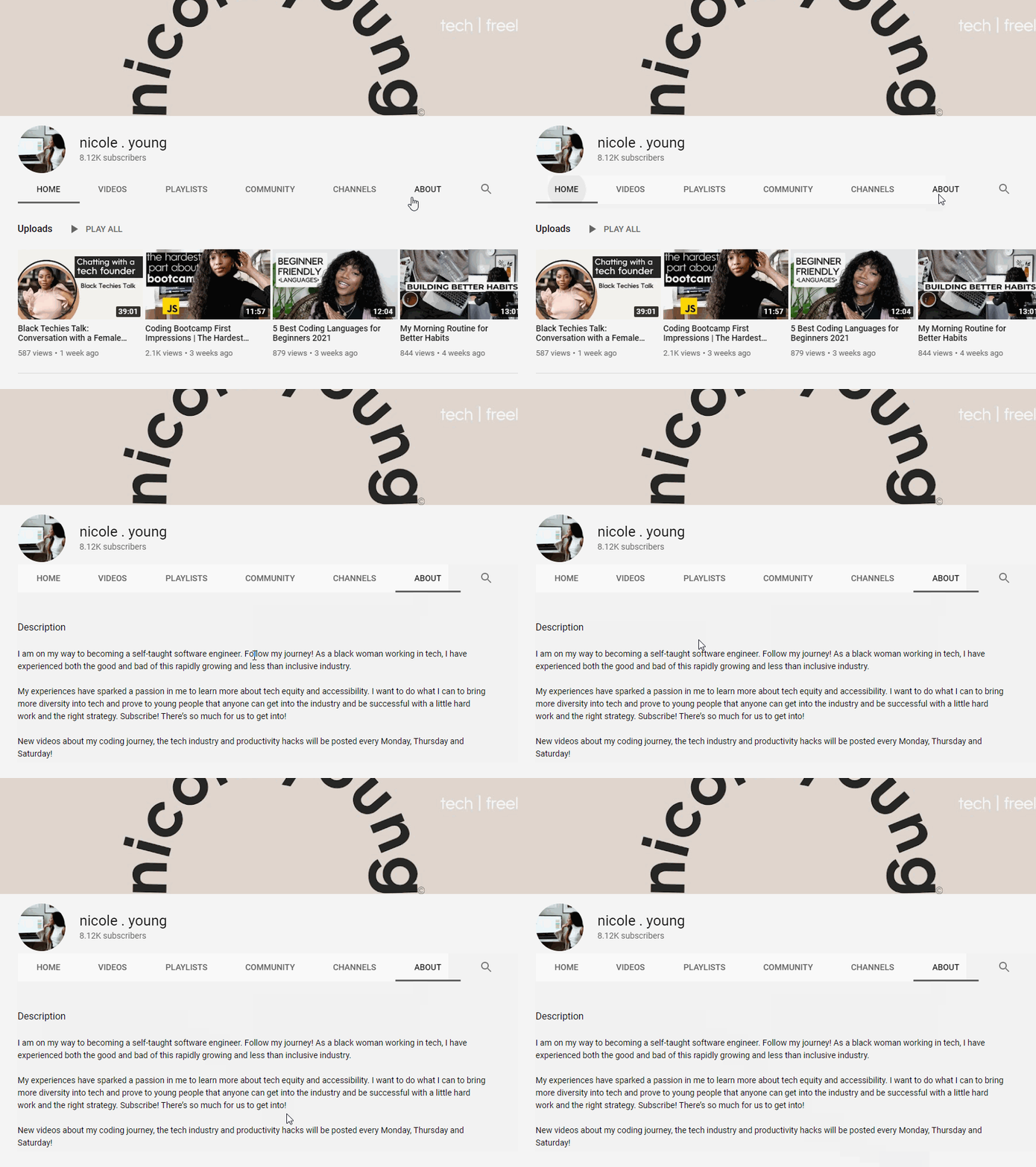 The YouTube channel description is meant to convey to potential viewers what your content is about: the topics you cover, the themes you tackle, and why. You’ll not only need to convey what you discuss but also what you bring to the discussion and why they should listen to you. The goal here is to turn a one-time viewer into a long-term subscriber and consumer of your content. You’ll be able to add this when setting up your YouTube channel.
In addition to its primary goal of turning viewers into subscribers, this text can also be crawled by YouTube and could help your channel get found by people who are looking for channels like yours. With that in mind, be sure to use the terms that you think people would use to search for your content.
YouTube Video Description
The YouTube video description can be found underneath the viewport of the video itself.
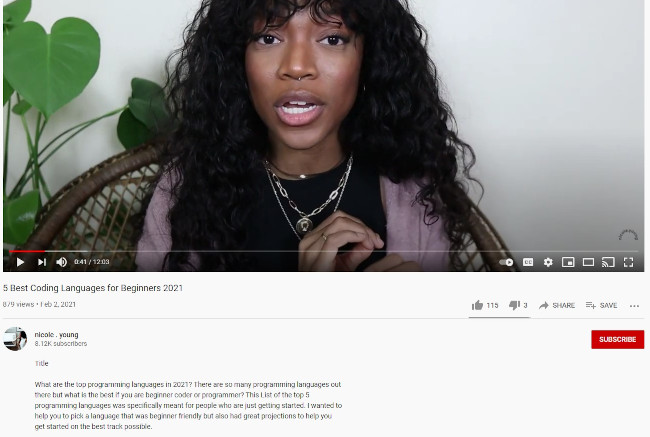 While the YouTube channel description talks about the body of video content that you upload, each video will also need a unique description to increase the likelihood of your video getting found when someone is searching for a particular topic.
In this video, the creator summarizes the question being asked and specifies the audience that the video is meant for. This text will help audiences (and YouTube) understand what the video is about. In addition, it’s also prime real estate to include contact information and calls to action.
Ultimately, if you’re ready to begin using YouTube to attract and convert an audience, it’s critical you optimize your video descriptions for SEO. If you’re unsure how to start crafting compelling YouTube descriptions, keep reading — here, we’ll explore various tactics you can employ, and provide templates to ensure you have everything you need to excel on YouTube.
How to Create Compelling YouTube Video Descriptions
1. Use YouTube Description Templates [Free Prompts]
HubSpot has compiled seven YouTube video description templates to help your business provide context to your viewers, rank better in search, organize your team, and link out to relevant webpages on your site.
-2.png?width=1140&name=Untitled%20design%20(88)-2.png) Download These Templates for Free
Download These Templates for Free
2. Explain what your video is about.
To explore the best tactics for writing YouTube descriptions, I spoke with Eric Peters, a Senior Growth Marketing Manager on HubSpot’s Academy team. He told me, “[YouTube descriptions] is one of the primary ways YouTube knows what your video is about. Include links, additional resources, links to other videos and playlists, etc. Make sure the description box is easy to read.”
As Peters notes, explaining your YouTube video and incorporating keywords into your description doesn’t just help with SEO rankings — it also helps with accessibility for people who are deaf and hard of hearing. For that reason, adding closed captions to your videos is an absolute must, too.
For instance, take a look at one of HubSpot Academy’s YouTube video descriptions:

As you can see, a YouTube description is incredibly different from a web page meta description. In a YouTube description, you have the space to go in-depth and explain what your entire video is about, and even link to external resources.
Peters told me, “You get 5,000 characters total, so make use of it. A lot of creators use asterisks or all-caps to differentiate titles from body copy because it’s all plain text. Consider writing up a text version of the key points from the video, or even copying the transcription of the video into the description.”
3. Include a CTA.
Your YouTube description is a fantastic opportunity to ask viewers to continue to engage with your channel or find additional resources that will help them learn more about a topic of interest.
For instance, let’s say you create a brief “How to add filters to Instagram” YouTube video, but you also have an in-depth, “How to Use Instagram for Marketing” blog post — why not link to it in the description? More than likely, anyone who is watching your Instagram video on YouTube would be equally grateful for the opportunity to learn more via a blog post.
Alternatively, perhaps you simply want to ask viewers to subscribe, turn on notifications, or share your content with their networks. These are all acceptable CTA’s for your description.
Additionally, it’s critical you format your description to ensure you put the most important information first — as Peters advises, “The first 200 characters are above the ‘more’ fold on the description box, so if you want your CTA/link to be seen by the most people, keep it within the first 200 characters.”
After the first 200 characters, your text will be cut-off, and viewers will need to click “Show more” to see the rest — so it’s vital you make your first 200 characters count.
4. Add your personality.
A YouTube description should be fun, and demonstrate your brand’s personality or unique voice to an audience. Unlike more traditional forms of advertising, this is an opportunity for you to instill creativity and humor into your content.
Brian Dean’s YouTube channel is a great example of this — his YouTube descriptions often mirror the way he speaks. The descriptions are candid and casual, and he makes it feel like he’s writing to a friend.
To learn more about using YouTube for marketing purposes, consider checking out HubSpot Academy’s comprehensive YouTube Marketing course.
YouTube Description Templates
Now that we’ve covered the basics, take a look at a few templates you can use to craft compelling YouTube descriptions today.
Templates for Your Channel Description
You might create a playful, easy-going channel ‘About Me’ description, like this one:
Hi, I’m [Name]. This is my channel about X, Y, and Z that you can use to grow your business.
If you’re a marketer who wants to learn X to get [result, i.e. more traffic to your site], subscribe to my channel.
My channel publishes videos that focus on X, Y, and Z. If that sounds like it could be helpful for you, please join me!
Alternatively, you can craft a YouTube description that describes what your company does from a third-person point of view, like this one:
Company A is the worldwide leader in X, Y, and Z. Since 2010, Company A has been on a mission to [insert company vision or purpose here].
To learn more about A, B, C, subscribe to our channel to stay informed.
Templates for Your Video Descriptions
If you’ve conducted an internal interview, you might keep your description short-and-sweet to describe your conversation and why it matters to your audience, as well as a CTA:
Hear how our CEO explains the difference between X and Y, and learn best practices for implementing your own strategy.
Learn more about X and Y in our course: www.XY.com
Alternatively, if you want your description to help new viewers find your various channels, try crafting a description like this one:
Hi there! New to [name of channel]? If so, here’s what you need to know — I like [interests related to channel] a LOT, so I use this channel to explore X, Y, and Z, to help you [desired result for viewer].
Where else you can find me:
INSTAGRAM: http://instagram.com/[accountname]
TWITTER: http://twitter.com/[accountname]
LIFESTYLE CHANNEL: http://www.youtube.com/[accountname]
Join our growing community for new videos every Tuesday and Friday!
BUSINESS INQUIRIES
Please contact [PR representative] at [email or phone number].
Finally, if you want to focus on crafting a description that explains what your video is about and incorporates a keyword description, try this:
Hey there! This lesson is part of a free online course. Take the full course here: www.company.com/course1
Some people are unsure what X is — at its most basic, X is [brief definition of keyword]. In this video, you’ll learn how to X, Y, and Z, to ensure you’re able to grow your brand online.
Additionally, we’ll explain how you can avoid doing A. Sometimes, A is all it takes to lose a customer.
Ultimately, YouTube description templates can help you reduce the amount of time it takes to upload and optimize your YouTube videos, getting them out to your audience quickly and with less effort. Just be sure to customize the text to enhance the reading experience because you want to be as helpful as possible for your audience.
Editor’s note: This post was originally published in March 2019 and has been updated for comprehensiveness.

How to Use Facebook for Business: 25 Facebook Marketing Tips and Tricks
Although some of the younger demographics are passing up Facebook in favor of tools like Instagram and Snapchat, Facebook still dominates the market.
With 1.85 billion people logging in daily (a 16% increase year-over-year), it’s still the most popular social network around. Not to mention, Facebook owns 60% of all social logins.
If you want your business’ content to reach consumers, having a presence on Facebook is a given. But to make the most of your Facebook Page — to attract and engage visitors, drive them to your website, and convert them into leads (and, eventually, customers) — you need to optimize your Facebook presence.
We know that learning all the nuances of various social networks can be a tricky and time-consuming feat, especially considering how frequently they add, remove, and modify features.
To help you stay ahead of the curve, we’ve put together a handy cheat sheet that businesses can use to make the most of Facebook marketing. The list is divided into three main categories depending on your goals for using Facebook:
Even with new social media platforms popping on the scene, Facebook is still the most popular social network. That’s why it’s important for your business to be on Facebook and use it to connect with your audience. With over a billion people on Facebook every day, your audience is probably on the site daily.
So, how can you use this tool to connect with your audience? Let’s dive in below.
How to Use Facebook for Marketing
1. Engage with your audience.
Social media is best known for its ability to help you connect with your audience. On Facebook, you can enter direct conversations with your target audience through comments, reactions, and even messages. By engaging with your audience, you’ll increase brand awareness and help tell your brand story.
2. Listen to your audience.
Now, when you’re on social media, it’s important that you don’t just use the tool to talk at your audience without listening when they respond. To really leverage Facebook for marketing, you should use social media listening tools and track what people are saying. You can track mentions of your company and follow hashtags so you always know what’s trending and going on with your customers.
3. Develop a contest and giveaway strategy.
A great way to use Facebook for your marketing purposes is to run contests and giveaways. Now before you dive in, make sure you develop a strategy. What kinds of things will you giveaway? How will your audience participate? It’s important to think this through and make sure your decision aligns with what your audience wants from you.
4. Promote your events.
Of course if you’re running any online events, it’s important to market that. Facebook is a great place to do that because you can create an event and invite your followers. This is a great way to get the word out about your events.
5. Use Facebook Ads.
Facebook actually might be most popular among businesses for its advanced ads tool. If you’re running online ads, Facebook is one of the best places to do it.
Now that you know how to use Facebook for business, let’s dive into some tips and tricks to help you succeed.
25 Tips and Tricks for Marketing on Facebook
Learn Facebook Marketing in HubSpot Academy
Tips for Your Facebook Business Page
1. Create a business Page, not a personal profile.
First thing’s first: You need to create a business Page — not a personal profile — to represent your brand. Pages look similar to personal profiles, but they include unique tools for businesses, brands, and organizations. Your fans can Like your Page to see updates from you in their News Feeds, which is something they can’t do for personal profiles.
Not only will this maximize Facebook’s business potential for you, but it’s actually against Facebook’s Terms of Service to use a personal account to represent something other than that person, like a business. If you’ve already created a profile for your business, you’ll want to convert it into a business Page, which you can learn how to do easily here.
Setting up a page is simple. Just visit this page and follow the step-by-step setup instructions.
2. Claim your Page’s vanity URL.
Once you’ve created your business Page, it’ll get a randomly assigned number and URL, like facebook.com/pages/yourbusiness/123456789. To make your Page more shareable and easier to find, you’ll want to create a recognizable vanity URL (e.g., http://www.facebook.com/hubspot).
To create a vanity URL, visit this page, then follow the instructions.
3. Add a great cover photo.
Facebook’s page design lets you feature a 820 x 312 pixel cover photo at the top of your business Page. You’ll want to optimize that cover photo to capture the attention of new visitors, encourage them to explore and learn more, and provide an effective mobile experience — all the while ensuring you’re following Facebook’s Page Guidelines.
Learn all about do’s and don’ts for your Facebook cover photo in this blog post.
Here are some more awesome examples of business Page cover photos to get your creative juices flowing.
4. Add a recognizable profile picture.
Pick a profile picture that will be easy for visitors to recognize — like your company logo, or a headshot of yourself if you’re a solopreneur or consultant. Being recognizable is important for getting found and Liked, especially in Facebook Search. Your profile image is pictured at the top of your Facebook Page and is also the thumbnail image that gets displayed next to all your Facebook Page updates, so choose wisely.
When choosing a photo, keep in mind that Facebook requires your profile picture dimensions to be 170 pixels by 170 pixels.
5. Optimize your “About” section — especially the preview.
Your “About” section is one of the first places people will look when they arrive on your Page. A preview of it is located on the left-hand side of your page beneath your profile picture, and people can also navigate to the full section by clicking on the “About” tab at the top of your page.
Be sure to optimize the preview section on the left side of your page with brief yet descriptive copy to give visitors a sense of what your Page and your business is about before they decide to Like you. This copy will get pulled from the “Short Description” you provide within your full “About” tab.
Here’s an example video marketing software company Wistia:
And another from a restaurant called Tahaza Hummus Kitchen:
To edit your own “About” tab, click on it, hover over the section you’d like to edit, and click the pencil icon.
6. Earn the “Very responsive to messages” badge.
If you respond quickly to most users who send you messages on Facebook, then you can earn what Facebook calls a “Very responsive to messages” badge. You’ll earn a “Very responsive to messages” badge below your Page’s cover photo if you have a response rate of 90% and a response time of 15 minutes over the last seven days.
If you’re responsive to messages but haven’t quite earned the badge, Facebook will still show off how responsive you are to visitors. Here’s an example from Zappos’ Page:
If you’re not very responsive to messages, nothing will appear. So, while it’s not the end of the world if you don’t respond, having that badge lets users know your business is listening and cares about their needs.
By the way, there’s a lot you can do with Facebook’s “Messenger” tool for businesses. We recommend you explore and make the most out of Facebook as a communication and support tool.
7. Add milestones.
The “Milestones” feature lets you highlight some of your business’ biggest accomplishments, like award wins, product releases, major events, or other accolades. Recent milestones will be posted to your Timeline, and users will be able to find them later under your “About” tab.
To add milestones, click on the “Timeline” section of your Page, and click the “Offer, Event +” option in the page update composer near the top of your page.
9. Choose a call-to-action button.
Facebook’s option to place a simple call-to-action button at the top of your Facebook Page is another handy feature. You can learn how to add a CTA button to your business’ Facebook Page here.
You can choose from seven pre-made button options (“Sign Up,” “Shop Now,” “Contact Us,” “Book Now,” “Use App,” Watch Video,” and “Play Game”) and link it to any website that aligns with your business’ goals. It could link to your homepage, a landing page, a contact sheet, a video, or somewhere else.
10. Create custom page tabs.
By default, your page tabs are set as Timeline, About, Photos, Likes and More. But Facebook lets you create and leverage custom tabs — which are basically like landing pages within your Facebook Page, or calls-to-action where you can feature anything from case studies to marketing offers to other promotions you’re running.
They’re right at the top of your page and let you give visitors specific path to do what you want them to do on your Page. For example, if you’re hiring a lot of people, you might create a custom tab for “Jobs” that links to your jobs site, like Zendesk does on their Page:
You can create custom tabs by signing in, visiting your Page, clicking the “More” tab and choosing “Manage Tabs” from the dropdown menu.
Tips for News Feed Visibility
11. Prioritize quality over quantity.
Here are two questions we hear a lot: How often should I post to Facebook? Will posting more frequently will help me reach more people?
In short, the answer is no. At the end of the day, how visible your posts are in people’s News Feeds all comes down to the quality of your posts. These algorithms are meant to filter out the irrelevant and the poor quality posts so that the highest-quality stuff is what gets through and gets shown to users.
So don’t overwhelm your customers with content on Facebook, and be selective about what you’re publishing. Spend more time crafting better Facebook posts, and less time crafting a lot of Facebook posts. Remember: It’s a marketer’s job to post content to social that’s interesting, entertaining, helpful, and/or relevant to the audience. This means picking relevant topics, writing delightful copy, and posting compelling images and videos.
12. Post at the best times for your audience.
Another common question: When’s the best time to post to Facebook? Unfortunately, there’s no perfect answer — different businesses may find different days and times work best for them. Timing often depends on what your target audience uses Facebook for, the region(s) you’re targeting, the content of your post (e.g. funny or serious), and your goals (e.g. clicks versus shares), and so on.
That being said, there is data out there on optimal times to post on Facebook:
- The best time to post on Facebook is Wednesday, 11 a.m. and 1–2 p.m. Other optimal times include Tuesday through Thursday, 8 a.m.–3 p.m.
- The worst times to post on Facebook on Sundays, or every day either before 7 a.m. or after 5 p.m.
Think of this data as a general guideline, and use it to help you find the optimal posting times for your business.
13. Post your best blog content.
For businesses, social media continues to be driven by content. It’s a marketer’s job to post content to social that’s interesting, entertaining, helpful, and/or relevant to our audience. Start populating your Page’s timeline with content by handpicking your best, most helpful blog posts.
If you’re strapped for resources but maintain a business blog, you can try connecting your blog to auto-post links to new blog content you publish. Many blogging platforms (like HubSpot) automatically offer this feature within the software — you’ll just need to turn it on and sync it with your Page. You don’t want to put too much emphasis on automation, though. It’s OK to auto-publish some content, but make sure a real human is posting and engaging with your fans, too.
14. Make sure your blog posts’ meta descriptions are complete.
Have you noticed that when you post a link to Facebook, it pulls in a brief description as well as an image?
The description gets pulled from the page’s meta description, which refers to the HTML attribute that explains the contents of a given web page. It’s the short description you see on a search engine results page to “preview” what the page is about, and it’s also the copy Facebook will automatically pull in the populate the description of a post.
Without a meta description, Facebook may pull in the first text they can find, which doesn’t make for a very good user experience. Plus, meta descriptions are your chance to sell your visitors on what you have to offer: informative, valuable content.
Your meta description should be compelling enough to get people to click, and it should be 155 characters or fewer in length. Read this blog post to learn more about writing effective meta descriptions.
15. Remove links from your post copy.
Keep your copy succinct by removing the horrendously long URL you’re sharing from the text in your post.
Your post real estate is precious, and you want to ensure any characters employed are purely for the sake of sparking a reader’s attention. Plus, any user can click on the generated thumbnail or title for that URL to navigate to the blog post, web page, or any URL you’re linking to — so no need to include it in the copy of your post as well.
16. Post your most compelling visual content.
Facebook’s timeline page design places more of an emphasis on visual content like images and videos. After all, Facebook posts with images see 2.3X more engagement than posts without images. One study found that Facebook posts with photos saw the most engagement over any other type of post, accounting for a whopping 87% of total interactions.
That’s why posting compelling visual content is one of the most important things you can do to improve your Facebook strategy. Use this to your advantage posting your best visual content to your Facebook Page, or making more of an effort to make the content you already create more visual. (Click here to download 50 social media image templates for free.)
A successful social strategy will often include photos, videos, and screenshots of infographics or other graphs. In addition to being fun to look at, it’s important that your visual content be compelling and relevant to your audience.
Another reason to post lots of visual content? It’ll help auto-populate the “Photos” and “Videos” tabs, which are automatically added to every Facebook Page. You want those to be rife with visual content when people click on them.
17. Make sure your images are properly formatted.
Don’t just post images for the sake of posting images. To give your users the best experience possible, you need to optimize your images for Facebook so that they’re the right sizes and dimensions. (Click here to download pre-sized cover photo templates for Facebook and other social networks for free.)
Below are a few of the most common Facebook image sizes, but you can find a more detailed guide here.
- Cover photo: 820 px wide by 312 px tall
- Profile image: 170 px wide by 170 px tall
- Shared image: 1200 px wide by 630 px tall
- Shared link thumbnail image: 1200 px wide by 627 px tall
18. Post videos, especially live videos.
The folks at Facebook know that people like watching videos on Facebook. The number of people watching video content is rapidly increasing. In fact, there are more than 4 billion video views on Facebook every day.
Facebook is continuing to tweak how the algorithm measures people’s interest in video content on Facebook, but the main takeaway is to make your videos as visually engaging as possible — especially in the first few seconds.
Why? Because although all videos on Facebook autoplay in people’s News Feeds, they’re on mute until the viewer manually turns the volume on. The more visually engaging your video, the more you can entice people to stick around. Getting people to spend more time watching your video will help your video rank higher in the News Feed because to Facebook, signs of user engagement with a video include spending time watching the video, turning on the audio, switching to full-screen mode, or enabling high definition.
In their continued effort to promote video content in the News Feed, Facebook launched Facebook Live, a live video streaming service that lets anyone broadcast live videos from their mobile device straight to their Facebook News Feed.
19. Use Facebook Insights.
Facebook Insights is Facebook’s internal analytics tool right that helps you measure and analyze your Facebook presence. The tool provides Facebook page administrators with analytics data about Page visits and engagement, which can help you understand which content is and isn’t engaging to your fans.
Access your page’s Insights here, or by clicking into the ‘Admin Panel’ on your Page. We’ve also published an informative blog post and video that walk you through how to analyze Facebook Insights to improve your content strategy.
20. Schedule posts in advance.
Scrambling for Facebook content is not a new phenomenon. We have meetings. We run late. Things come up. That’s why you’ll want to use a third-party Facebook application like HubSpot’s social media publishing tool to schedule your Facebook posts (and other social media posts) in advance.
First, download our free social media content calendar template to help plan your posts in advance. You can fill it in at the same day and time every single week to prep for the following week’s social media content. Then, use that third-party Facebook application to actually schedule out your posts.
However, just as we advised against too much Facebook automation with blog auto-posting, the same holds true for scheduling. Don’t get caught in the trap of turning your page into a robot, and make sure you’re actively engaging with your fans, too.
21. Add Facebook social media buttons to your blog and website.
Adding Facebook social media buttons will help encourage visitors who are on your website to also connect and interact with you on Facebook, as well as spread your content and expand its reach.
The Facebook Follow Button lets you expand your Facebook reach by making it easy for your site visitors to Like your business’ Facebook Page with just one click. It displays your page’s number of Likes, as well as faces of people who already like your page, using social proof to amplify its effectiveness.
The Facebook Like Box lets you promote your business’ Facebook Page on your website and blog, highlight other users who have already Liked your page, display your follower count, and feature recent posts on your page. With just one click, people can Like your business Page — without leaving your site.
The Facebook Like Button lets people easily Like your content. When a user Likes a piece of content, it may show up in your friends’ News Feeds because the algorithm takes it as a signal your friends will find it relevant.
(Note: This button doesn’t allow them to add personalized messages to links before sharing them. To allow users to add a personalized message, use the Facebook Share Button, explained below.)
To customize your Facebook Like Button, visit this page and follow the instructions.
Facebook Share Buttons act similarly to the Like Button by sharing your content on their Timeline and in friends’ News Feeds, except they also let people add a comment or message to the link when sharing it.
To generate a Facebook Share Button, visit this page and follow the instructions.
22. Subscribe to Facebook’s Official Blog for future announcements from Facebook.
Give yourself a competitive edge by staying on top of the latest announcements from Facebook such as new features and tools by subscribing to the official Facebook Blog.
Tips For Advertising on Facebook
23. Choose the right advertising tool.
Facebook offers users the Ads Manager. Facebook’s Ads Manager works great for most companies. Figure out which is best for your business based on your company size and the number of ads you plan to run at once.
24. Use Audience Insights to learn about your audience.
The best Facebook ads are high-quality, relevant ads that fit seamlessly into the user’s environment on Facebook. Learn more about your customers and prospects using Audience Insights, which you can find inside the Facebook Ad Manager in the left-hand navigation.
The tool will help you target your ads more effectively and learn about your audience — even if you are not advertising to them. How? The data can help you build stronger buyer personas, create more compelling content, and uncover some gems for your competitive research.
25. Test multiple versions of a single ad.
Running a single campaign won’t give you much to work with in terms of finding your audience, optimizing your ads, and determining if Facebook advertising works for your business. You need to be able and willing to run multiple campaigns to test and experiment with different parts of a single campaign.
Test your targeting first, using a simple advertisement and basic image. In order to reach and test on a wider audience, you’re going to have to invest a reasonable amount of money on your campaign. The folks at BuzzSumo suggest that number be in the thousands. The reason for this? Facebook ads reward you for testing more ads and targets. Whereas cost-per-click doesn’t change much when you’re advertising on Google or LinkedIn, Facebook ads cost a lot less if you’re diligently testing them.
Then, you can test the creative side of the ad, including images, headlines, and body text. Try testing 20–25 variations on your proven targets.
Facebook is still a great tool for your business and it’s important to figure out how it can work for your company.
Want to learn more? Read this blog post to learn more about creating, optimizing, and analyzing your Facebook ads.

The 10 Best Video Conferencing Tools for Small Businesses
Over the past year, marketers got a crash course in remote work.
As 2021 approached, many of us had already invested in at-home desks, workout equipment, and other tools meant to make work-from-home a little easier.
At the top of that list? Video conferencing software.
Video conferencing tools saw a 500% increase in demand in 2020 as a result of the worldwide pandemic. And, as the workforce continues to shift to a more flexible, hybrid model, it’s critical your business invests in equipment designed to foster collaboration regardless of an employee’s location.
But video conferencing software isn’t always cheap, and the fancy bells-and-whistles aren’t always necessary for small businesses looking for a simple, effective solution.
Here, we’ve compiled 10 of the best video conferencing tools for small businesses, ranging in price and features, to help you find the best fit for your needs.
But first — what are the benefits of video conferencing software, and do you need it, anyway?
Video Conferencing Benefits
Video conferencing offers opportunities for collaboration, productivity, and increased engagement with colleagues, stakeholders, and customers — all without the hassle (and cost) of traveling to an in-person location.
I could write a whole blog post about the benefits of video conferencing, but for our purposes, let’s focus on four:
- Video conferencing is a cost-effective opportunity to have face-to-face interactions with colleagues, prospects, stakeholders, or customers. It’s more personal and engaging than a phone call, and it’s much cheaper and more efficient than paying to commute — or fly — to a physical location to meet someone for an in-person conversation.
- Like mentioned above, video conferencing offers an opportunity for more personal connection. Eye contact, facial expressions, and body language are cues we use to effectively communicate with one another on a daily basis — and those cues are all lost in a phone or email conversation.
- Video conferencing can increase your team’s productivity, since it limits the amount of time you spend running to conference rooms in-between meetings, driving to meet a client, etc.
- Video conferencing can foster increased collaboration, as opposed to email or Slack. For instance, if I hear an interesting project a colleague is working on, I’ll ask them to join a quick Zoom call with me so we can discuss opportunities for collaboration — which is much more efficient than emailing about it.
However, video conferencing software can be expensive, and if you work for a small business with limited resources, it can be difficult to persuade leadership that it’s a worthwhile investment. Fortunately, you don’t have to break the bank to test it out — in fact, a few of the tools in this list are free forever, and others offer free trials.
Let’s dive into the most impressive video conferencing tools we’ve found for small businesses.
10 Best Video Conferencing Tools for Small Businesses
1. Zoom
Pros: If you’re on a tight budget, you can’t beat the free option you get with Zoom, one of the highest-rated video conferencing tools available. The tool offers clear audio with background noise suppression, an option to share your screen, and a recording function to save and send the meeting to those unable to participate.
Additionally, Zoom has a few fun, engaging tools for increased participation among attendees — including filters, reactions, polls, hand raising, and chat. Plus, you can schedule a Zoom meeting right from your Outlook, Gmail, or iCal email calendar.
Zoom is also part of the HubSpot ecosystem and connects seamlessly with your CRM.
Cons: Outside of meetings, Zoom doesn’t offer any collaboration tools such as file sharing or messaging to follow-up with colleagues — additionally, the links you might’ve shared in the Zoom chat aren’t saved anywhere for later viewing. You also can’t add a meeting agenda to the invite from the app itself.
Overall, Zoom is a great option for small teams, but as you scale, there are some growing pains. For instance, you can get 100 participants in a meeting for 40 minutes with the free version, but if you have a company of 100+, you’ll need to pay more to increase participants.
Price: Free for Basic, which includes the ability to host up to 100 participants, up to 40 minutes of group meeting time, and unlimited one-on-one meetings. $149.90 per year for Pro version, which is recommended for small teams, and $199.90 per year for Small & Med Businesses version.
2. Jiminny
Pros: Jiminny offers a ton of unique, impressive features that can be particularly useful if you’re hoping to use your video conferencing tool for your sales team or for client-facing purposes.
For instance, the software offers a “Themes” feature, which means your meeting recording will be automatically broken up into important parts like “Next Steps” — for anyone who’s ever scanned an hour-long meeting recording looking for a two-minute conversation right in the middle, this can greatly increase efficiency with follow-up materials.
The recording feature can integrate with your CRM to automatically input data from your recordings, enabling you to reduce the time-consuming task of manual note-taking. The software also offers metrics such as ratio of talking versus listening to improve your sales reps conversation (and listening) skills.
Cons: The company is in the early-stages, so as they continue to iterate and improve on their product, you might experience some growing pains. Additionally, if you’re not planning on using the video conferencing tool for prospect/customer-facing purposes, some of these features might be unnecessary for your internal marketing team.
Price: Pro plans starting at $75/month per user if you sign up for a full year; that goes up to $95/month per user if billed monthly.
3. Google Meet
Pros: Google Meet is an incredibly cheap and easy-to-use video conferencing tool for small teams. In fact, if you’re not interested in recording or storing meetings, the tool is free forever for up to 100 participants.
Google Meet integrates with other apps and even lets you build a custom app using Apps Script. The tool also comes with unlimited Google Drive storage.
Additionally, the tool offers a speech-to-text real-time captioning feature for video chats and meetings — ideal for hearing impaired participants, non-native speakers, or participants with noisy backgrounds.
Cons: The free version doesn’t offer the ability to record or save your meetings, which means you’ll need to upgrade if you need either feature.
Google doesn’t offer personalized setup or training, and it doesn’t offer the same robust features as some of the other options in this list. It also can’t support more than 250 participants, so it won’t work if you plan on hosting larger webinars or conferences.
Price: The app is free for up to 100 participants and an unlimited number of meetings. However, if you want to record or store meetings, pricing starts at $8/month per user.
4. Bluejeans

Pros: Bluejeans, a video conferencing software created by Verizon, offers impressive features such as the ability to use AI and voice recognition to automatically take notes, create action items, and identify key moments for later follow-up. Additionally, engagement is a breeze from within the tool with features such as screen sharing, polling, Q&A, and chat.
Bluejeans integrates with messaging, scheduling, and productivity tools, and offers impressive security and scalability requirements.
Cons: Bluejeans doesn’t offer file sharing capabilities, and if you only purchase the Me plan, you’re limited to 25 hours of recordings. Additionally, support is limited.
Price: $13.99/host per month, up to 75 participants and 25 hours of recordings.
5. GoToMeeting
Pros: LogMeIn’s video conferencing software has some impressive features, including a “Smart Meeting Assistant” transcription service that automatically transcribes the meeting so you can search through and share detailed notes with others.
You can record the meeting and store the recording locally or in the cloud, and participants can join the meeting on desktop or through a mobile app.
Overall, GotoMeeting’s HD video and audio software is high-quality and integrates easily with Google Calendar or Chrome for increased efficiency.
Cons: GoToMeeting requires an error-fee data connection to work well, and some reviewers have noted the mobile app isn’t as user-friendly as they’d like. Additionally, the Professional plan doesn’t offer the transcription, note taking, or drawing features.
Price: $16/user per month, for up to 250 participants, for Business plan.
6. Skype
Pros: If you have a tight budget and you’re often calling people from across the globe, Skype could be a great option for you. The software is free to use, and doesn’t charge users for calling anyone from anywhere in the world. Video calls can also include up to 50 participants at once. The tool is easy to install and use.
Cons: The audio quality isn’t always great with Skype, particularly since Skype’s audio quality is based on bandwidth, so if users have a slow speed ISP, then audio quality will be negatively affected. Additionally, since Skype calls occur over the internet, there’s always a possibility that data will be intercepted. This makes it a less secure option than some others in the list.
Price: Free
7. Microsoft Teams
Pros: If you’re planning on hosting large webinars or conferences with over 250+ attendees, Microsoft Teams is a good tool for you to consider. The software allows up to 10,000 participants to meet at once, and lets you host with anyone inside or outside your organization.
Additionally, Microsoft Teams enables you to organize different departments or groups into “Teams” (which can be up to a few thousand people) — within those Teams, you can have separate channels of conversations and focus on different projects.
Microsoft Teams provides a few impressive features for increased engagement, including notifications, mentions, comments, GIFs and emojis in chats, and the ability to chat one-on-one or in groups. The software also offers advanced security features.
Cons: Microsoft Teams is an inclusive option for ensuring everyone within a given “Team” automatically has access to all the files, notes, and channels in the Team. Unfortunately, that means you don’t have permission settings to inhibit certain users from accessing files within a group, and you also can’t invite guest users to selected channels.
Price: Microsoft 365 Business Basic is $5/user per month (annual commitment) and allows for 300 participants, but doesn’t include the advanced security and compliance features, administration, or support. Microsoft 365 Business Standard is $12.50/user per month (annual commitment), and Office 365 E3 is $20/user per month (annual commitment) and includes everything Microsoft Teams has to offer.
8. RingCentral Video
Pros: RingCentral offers HD video and high-quality audio, and it’s a cost-effective option for an unlimited number of users, video meetings with up to 100 participants, and up to 24-hour meeting duration. The software enables you to hop easily between mobile and desktop devices, and provides seven layers of security.
Additionally, RingCentral provides personalized onboarding training and 24/7 live support, so if you feel your team might need support getting set up or in the future, this is a good option to consider.
Cons: RingCentral offers a recording feature but it’s only available as an offline option, meaning you need to download the recording as a local hard disk rather than a publicly available folder like Dropbox. The software also doesn’t come with its own calendar and task management function to integrate video meetings with your calendar events — for that, you’ll need to download the company’s Glip app.
Price: $24.99/user per month for the standard version.
9. Zoho Meeting
Pros: One of the most cost-effective options in the list, this is a good, user-friendly video conferencing software for small businesses. Users don’t need to download and install any software, since Zoho is hosted on a web browser, and the software offers all the basic features you’d need in a video conferencing tool, including screen sharing and meeting recordings.
Aditionally, you can use 100+ local dial-in numbers and 55+ toll-free numbers to join from different countries. Best of all, the interface is easy to navigate and use.
Cons: Zoho Meeting limits attendees to 100. If you need more participants than that, you’ll need to switch to Zoho Webinar. You also need to purchase an add-on if you plan on storing over 10 recordings.
The tool doesn’t offer some of the fancy features we’ve seen elsewhere in this list, including a smart assistant or cloud video recording. Still, this is a good option for smaller teams who don’t need all the bells and whistles.
Price: $2.50/host per month for 10 participants, $5/host per month for 25 participants, and $10/host per month for 100 participants.
10. Intermedia AnyMeeting
Pros: Intermedia AnyMeeting has a clean, easy-to-use interface and offers an impressive array of features — including an AI-powered smart assistant for meeting transcriptions, and screen annotations so participants can direct attention to key points on a shared screen — for a relatively low cost.
The software integrates with plenty of popular office tools including Outlook, G-Suite, and Slack, and offers unlimited recording storage and sharing capabilities. With the Pro version, you’re also able to create custom branded meetings with a company logo and personalized background.
Cons: Intermedia AnyMeeting doesn’t have end-to-end encryption of ongoing calls, which could raise privacy and security concerns. Additionally, some G2 reviewers have mentioned the audio quality could be better.
Price: $9.99/user per month for the Lite version, which enables up to 10 participants. $12.99/user per month for the Pro version, which enables up to 100 participants.
Remember — when choosing video conferencing software, it’s critical you keep your own team’s needs, resources, and requirements in-mind. If you’re still unsure after reading through this list, consider testing out a few demos or trial versions to see which feels best-suited for your brand.