
Welcome to My Blog
How to Identify Your Core Marketing Message
As a marketer, you know how important it is to have a marketing strategy.
You also know how important it is for your strategy to align with your audiences’ needs and interests, and the required approach for each channel you use, whether it’s social media or email. Having a marketing strategy also helps you create the content your audiences want to see and share it where they’re most likely to see it.
But, when you have this strategy, how do you figure out what to say in the content you share with them? What you need is a marketing message, and it’s just as important as your overall strategy.
You can think of it like this: if you know you want to post about a new product launch on Instagram, how will you prove to your audience that they need to buy this new product? Your marketing message. Essentially, no marketing message means no way to execute your strategy.
In this post, we’ll define what a marketing message is, give real-life examples from businesses, and explain how you can create your own.

Because of this, you should craft your marketing message with care, specifically for the audiences you’re trying to reach. It should also address their pain points and present your business as a solution.
When your message speaks to their needs, you’ll build trust with your audience and inspire customer retention.
Every business engaging in marketing needs a marketing message, whether you sell B2C or B2B, software as a service (SaaS), or clothing.
Marketing Message Examples
Successful marketing messages attract leads and convert them to paying customers. Below we’ll go over some real-life examples of effective marketing messages.
Nike
As a clothing and apparel brand, Nike is committed to providing equipment to everyone who needs it, regardless of the sport they play and who they are.
Their marketing message is “Where All Athletes Belong,” and it speaks to their target audience and lets them know that they have something for everyone —from professional athletes to first-time players.
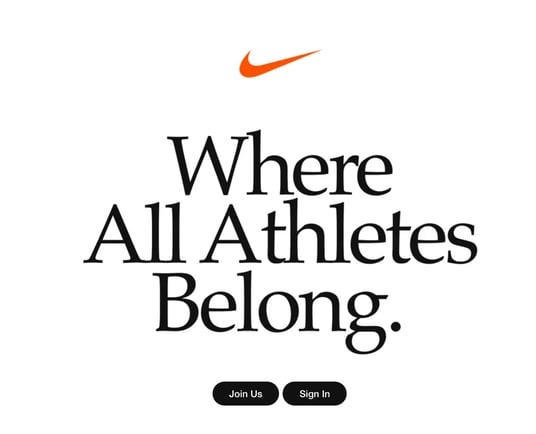
Image Source
Black Girl Sunscreen
Black Girl Sunscreen targets an audience often left out of sun safety discussions: women of color. Their message lets that market know they’re there for them: “Protect your melanin. Sunscreen is always in season.”

Chipotle
People with dietary restrictions or food preferences that don’t align with mainstream ideas of nutrition are often unable to find food they can eat at fast-food restaurants.
Chipotle’s marketing message, shown in the image below, reads “Find your plant power.” The brand is speaking directly to those with diverse needs, inviting them to try their expanded menu with plant-based options and letting them know that they recognize the gap in the market for their needs.

Lab Muffin
Ingredients in beauty and cosmetic products can be hard to understand if you don’t have a scientific background or relevant experience. Lab Muffin’s marketing message speaks to those who want to understand the chemistry behind the products they use: “The science of beauty, explained simply.”

Zoom
Zoom is a virtual meeting tool that allows users to connect virtually. It markets to an audience who wants to continue having fulfilling conversations, regardless of their physical location: “Meet OnZoom. A marketplace for immersive experiences.”
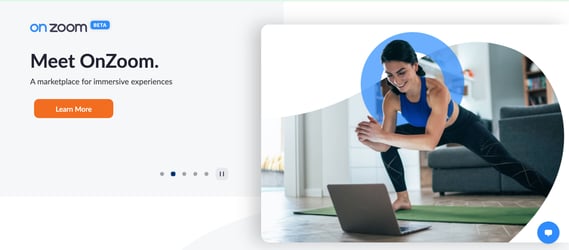
All in all, these marketing messages capture attention and, in just a couple of words, explain why their business is the best fit to meet their audience’s needs.
How to Craft a Marketing Message
As mentioned above, a well-crafted marketing message converts your audience into customers. All businesses should aim to have one, and below we’ll discuss how to create a compelling marketing message for your own business.
Know your target audience.
Just as with most marketing practices, you can’t begin creating your marketing message without identifying your target audience. When you know who they are, you’re not marketing to customers you think are interested in you, but rather to those you know are interested in you.
In brief, your target audience is a group of consumers with similar characteristics and purchasing intent, and stand to gain the most value from your products. While your overall target audience is probably defined by the industry you’re in, it’s important to have a deeper understanding.
To learn more about your target audience and narrow down who they are, you can conduct buyer persona research, analyze your competitors, practice social listening, and invite people to participate in focus groups or interviews.
Overall, what you want to learn from identifying your target audience is understanding what they “look” like. This can be simple demographic information, like age and location, to what they like, desire, and want from the businesses they buy from.
Having this information then makes it easier to personalize your strategies and create a marketing message that will resonate with them, especially when addressing their pain points.
Understand your audience’s pain points.
Your persona research should tell you about your audience’s pain points and challenges.
As a refresher, pain points are issues that affect your target audience’s day-to-day routines, business tasks, or general life desires. These challenges are typically things that your audience is actively seeking solutions for.
For example, if you’re a business selling marketing SaaS, you may discover that your audience has trouble managing their campaigns because they use multiple platforms throughout their process. When you create your marketing message, you should speak to your ability to streamline their efforts with your easy-to-use, all-in-one platform.
If you’re a B2C business that sells eco-friendly clothing, a customer pain point could be that they struggle to find brands without significant environmental impact. In your marketing message, you should speak to their desire to minimize environmental pollution through sustainable shopping opportunities.
When you understand pain points, you don’t have to guess why your customers need you — you’ll know why they need you. As a result, you can create a marketing message that addresses their needs.
The first two steps on this list involve gathering the necessary background information, and the following steps will help you begin crafting your message.
Make value propositions.
Value propositions highlight your product or service’s unique value and tell customers that your brand is tailor-made to meet their needs. It clearly says why they should do business with you instead of a competitor, and that is precisely the point of a marketing message.
When creating your message, present your product or service as a cure for their pain points, and prove it. Continuing with the eco-friendly business example, you can specifically mention that your clothing is locally produced, separating you from the competition that mass produces its goods abroad.
This message tells consumers that you’re solving their pain point, which is a lack of sustainable clothing brands, because you design ethically produced and environmentally friendly products.
Prioritize clarity and concision.
Even though your marketing message needs to say a lot, you need to say a lot while saying a little. You shouldn’t beat around the bush. Instead, get to the point and explain how your product is a solution.
Customers should read your message and find answers to their questions without needing to overanalyze your statements. Prioritize being clear, concise, and easily understood, as you want your words to speak for themselves. To reiterate, get to the point.
You can think of it like this: I said a lot in this explanation just to tell you to get to the point. If this were a marketing message, you would’ve moved along already. However, if I wanted to follow the tips I’ve mentioned, I would simply say, “Tell me why you’re the best – no ifs, ands, or buts.”
Use familiar, conversational language.
Even though your customers are in your industry, you shouldn’t assume that they know or understand the technical jargon related to what you sell. Therefore, it’s important to sound conversational and use language that is familiar and palatable to most audiences. Your message copy should be simple, straightforward, and not require an industry-specific dictionary.
For example, you can use technical terms to describe the features in your latest automobile model. Still, car enthusiasts would be the only ones that genuinely understand what it means to have a 600 horsepower engine and AAA uniform tire quality grading (I certainly don’t know what this means).
Aim to write as people speak during conversations, maintain a friendly tone, and make customers feel welcomed. Robotic and technical language may be confusing and lead them to think that doing business with you will be complicated and confusing as well.
In sum, by being conversational and familiar, you’re reaching everyone, from first-time industry customers to seasoned CEOs.
Showcase your brand’s originality.
Your marketing message’s overall intent is to attract your target audience, but it’s also to set you apart from your competitors. Given this, a key pillar of your final message is originality.
Run-of-the-mill marketing messages seem like they could belong to any of your competitors, and original ones showcase what makes you unique. This can be your brand’s personality, the features that set you apart from your competitors, or a combination of the two.
Your marketing message is unique to your business, your solutions are unique to your business, and your words should prove that.
Use user-generated content (UGC).
Consumers are 14% more likely to trust recommendations from someone like them (another consumer) over a brand employee. With that in mind ,using UGC in your messaging, like testimonials and reviews, can help you support your products’ value.
As your target audience likely shares the same challenges, seeing that someone like them has benefited from your product can help them make their final decision. For example, you could say, “95% of our customers love [xyz], and you will too.”
Appeal to customer emotions and logic.
There are a variety of consumer behavior models that explain how people make purchasing decisions. Some models say that it’s through logical reasoning, and others say that it’s purely emotional. In reality, it’s probably a combination of the two, and you should use this to your advantage.
Through tactics like humorous copy, you can showcase your brand’s uniqueness to appeal to customer emotions, and use value propositions to appeal to logical reasoning and show customers how you’ll solve their problems.
Use Your Marketing Message to Speak to Your Customers
The key takeaway here is that your marketing message should convince your audience to do business with you.
Focus on showcasing your brands’ individuality, creating an emotional connection, and clearly showing your customers what’s in it for them. If you do this, you’ll likely find yourself with a marketing message that speaks directly to your target audience and helps you grow your list of clients.


8 Image SEO Best Practices to Make Your Content More Discoverable
To consider the importance of visual search in 2021, let’s start with an example.
The other day, I Googled “how to conduct a vlookup in Excel”. I skimmed a few articles but still felt dissatisfied — I didn’t want to read about vlookups, I wanted to see it.
Enter: The power of images.
Once I clicked on “Images”, I found what I needed quickly:

I know I’m not alone. In fact, nowadays, half of all Google searches end on the search results page, without the user clicking through to any results.
In 2021 and beyond, it’s critical marketers begin paying attention to the importance of visual images as a powerful opportunity to reach new audiences on the SERPs.
Plus, as HubSpot’s Marketing Manager Kristen Baker told me, “After running an image experiment on the HubSpot Blog, I discovered that ranking in Google’s image packs increases impressions and clicks to our content.”
But … easier said than done, right?
Here, let’s explore what image SEO is, and the best practices you’ll want to follow to make your webpages more discoverable in image search results.
![→ Download Now: SEO Starter Pack [Free Kit]](https://no-cache.hubspot.com/cta/default/53/1d7211ac-7b1b-4405-b940-54b8acedb26e.png)
Image SEO Best Practices
1. Use relevant, accurate alt text for user accessibility and SEO.
As a quick refresher: Alt text is written copy that describes an image. For instance, if you click on Pipcorn’s popcorn product and inspect the page, you’ll see the alt text describes the product image accurately as “Popcorn Family Pack Popcorn Pipsnacks LLC”:
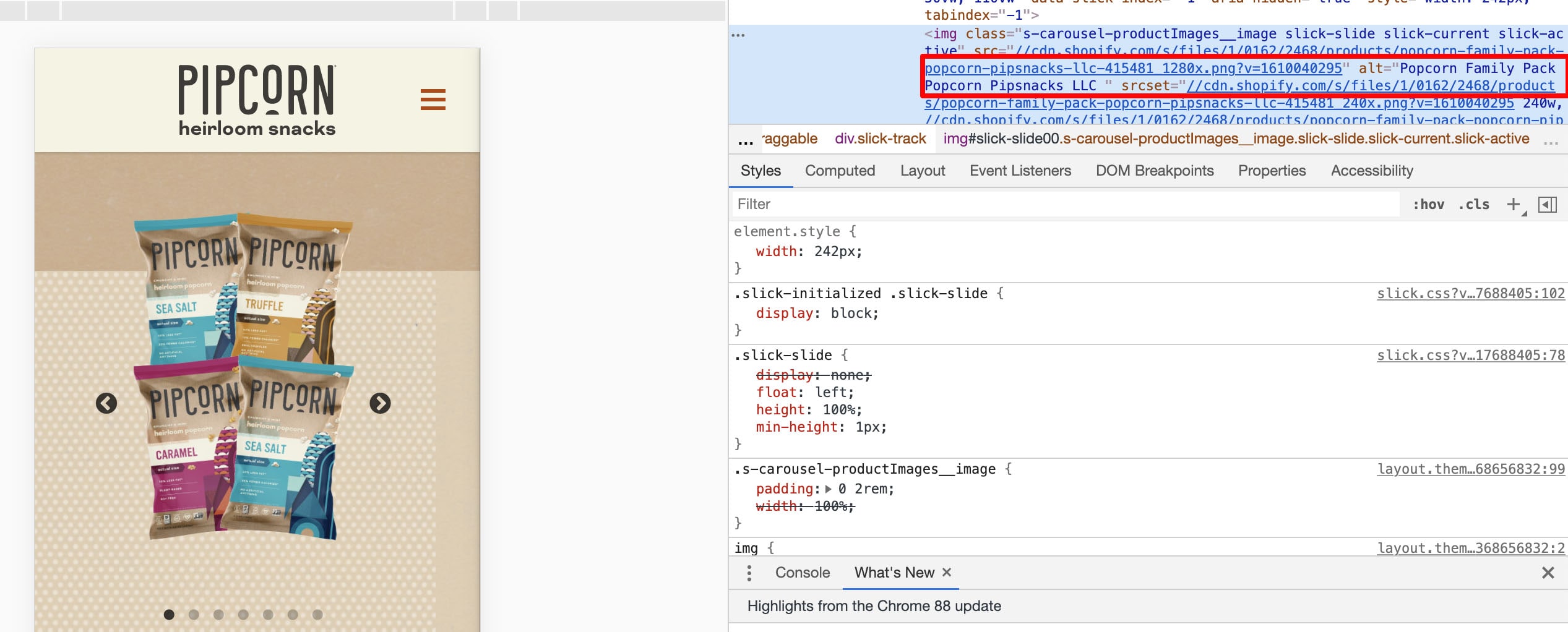
Alt-text plays two critical roles in SEO.
First, alt text — also known as alt tags, or alt descriptions — helps search engine crawlers index your website more effectively, which has a positive effect on search results.
In fact, Google states on its Developers page, “You can aid in the discovery process by making sure that your images and your site are optimized for Google Images … [and] increase the likelihood that your content will appear in Google Images search results.”
Second, alt text improves the user experience. Alt text can describe an image to a visually impaired reader, and also helps if a reader can’t load or see the image correctly on their device.
To get a full run-down of how to write high-quality alt text, take a look at Image Alt Text: What It Is, How to Write It, and Why It Matters to SEO.
2. Consider using captions to describe an image.
Captions aren’t typically necessary if the context of the page can help readers understand what the image is depicting — for instance, in this blog post I haven’t used any captions because I’ve used text to introduce each image I’ve shown.
However, if you have a visual-heavy website, consider using captions to help readers understand an image in context. For instance, on Tom Hull’s photography portfolio, he captions his images so viewers can contextualize where, or what, the image represents:

Use good judgment when it comes to adding captions, but if you feel it can help readers (and bots) better discern an image, then it might be a worthwhile addition to a page.
3. Compress images for faster load time.
Compressing images is a vital component of any good website optimization strategy.
Why?
Because, simply put, it helps your web pages load faster, which provides a better user experience and also helps boost your website’s search engine rankings.
To compress your images effectively, try a tool like Compress JPEG or Squoosh.
Typically, less than 100 KB is ideal in terms of good file size.
However, it’s important to note — Google doesn’t look at each individual image size. Instead, it looks at total page size.
So, if you have a small image where quality differences are less substantial, then you might try compressing that image to 30-50 KB … which gives you extra room to keep another image 30 KB bigger, particularly if that image loses quality after compression.
If you’re still worried about image quality after compression, take a look at How to Ensure Your Images are High Resolution.
4. Post original images — not just stock photos.
Ultimately, Google (and readers) prioritize original content — which means, if you’re hoping your images will rank on image results pages, it’s vital you use original, unique images.
This is particularly important if you work for an ecommerce website and you’re posting visuals of your product. Many shoppers use images to shop for consumer goods. In fact, 50% of online shoppers say images helped them decide what to buy.
If your image doesn’t accurately demonstrate your product, it will get buried under better, higher-quality images from competitors.
Consider using products like Canva to design in-house infographics, graphs, or animated images to help your brand stand out on search results pages and make your images more shareable.
5. Name your file images before uploading them.
Your file name can impact how easy it is for search engine crawlers to interpret your image, so it’s helpful to rename your file before uploading it onto your webpage.
Rather than keeping the name a generic “IMG_0883”, try using relevant keywords to describe what’s in the image, similar to your alt text. This can also help ensure your image appears on the image search results page, which will increase traffic to your site.
6. Use responsive images.
Responsive images are critical for ensuring your readers can see your images on any type of device. Nowadays, it’s vital your pages are optimized for mobile to impact search engine rankings, as well as user experience.
If your images aren’t responsive, the page won’t appear as clean on mobile as it does on desktop — which negatively affects SEO, as well as your reader’s perception of your brand.
Fortunately, some website hosting services, including HubSpot, automatically ensure your images are responsive.
However, if need be, you can make your images responsive by using quick code. For instance, you can add this code to your HTML:
<img src=”nature.jpg” alt=”Nature” class=”responsive”>
Or this code to your CSS:
.responsive {
width: 100%;
height: auto;
}
7. Leverage images as a backlinking opportunity.
Creating high-quality, unique, original images isn’t just great for your own website — it’s also a fantastic opportunity to earn backlinks when other websites use your image for their own pages.
For instance, consider the following graph created by Broadband Search:
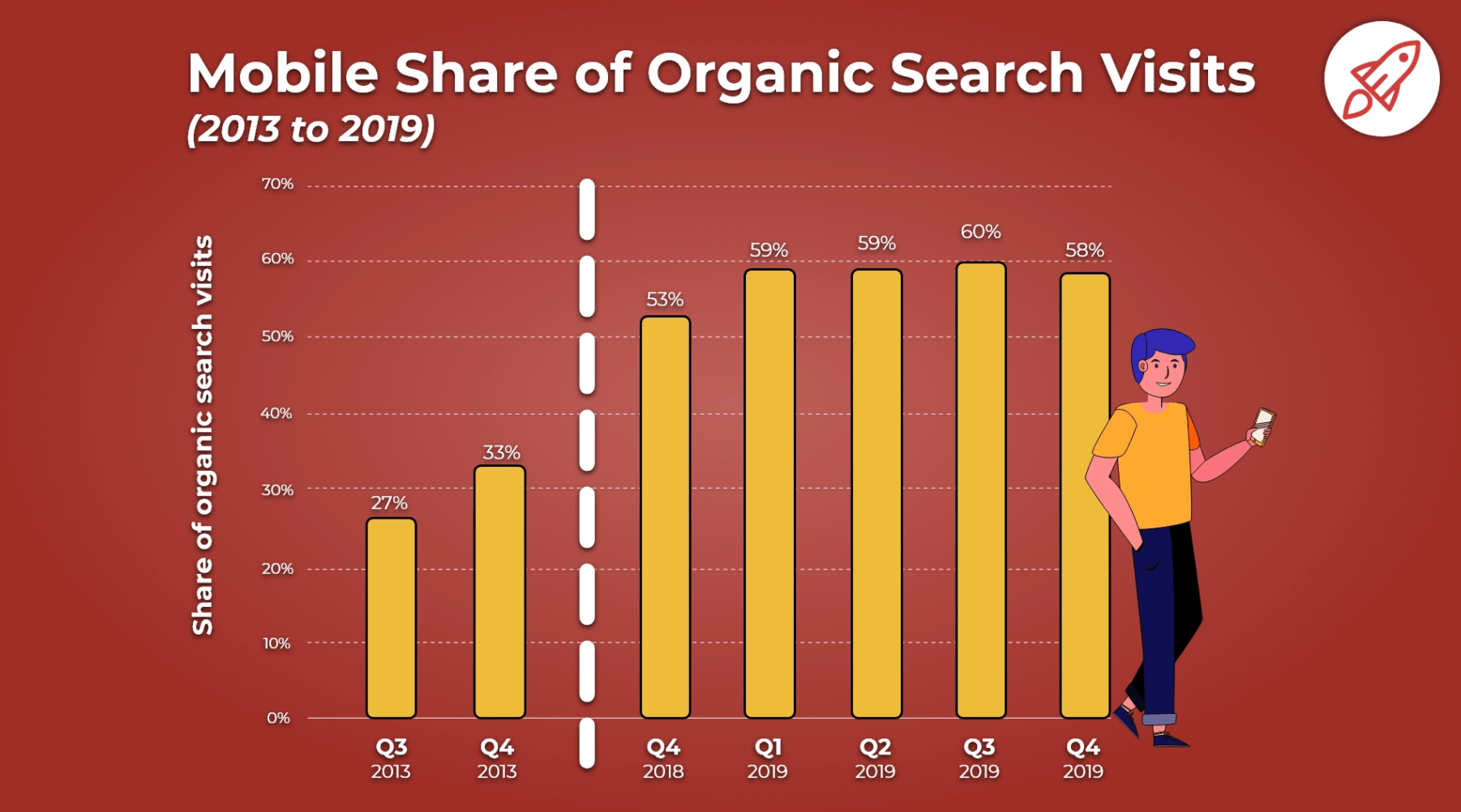
The image currently ranks in the first spot on the image search results page for the keywords, “how many people use mobile to search”.
Additionally, according to Ahrefs, this blog post has over 3,000 backlinks. I’m willing to bet that those backlinks are, in part, due to other companies wanting to use Broadband Search’s unique graphs for their own content.
If you create high-quality images, other companies may want to showcase those images on their own sites — with links back to your business. This means, ultimately, images can have a direct impact on the amount of traffic, leads, and customers you get for your business through your marketing efforts.
8. Add images to an existing sitemap.
Google suggests adding images to an existing sitemap — or creating a separate sitemap just for images — to help search engines discover your images. In particular, this is helpful for images Google can’t find through crawling, such as those accessed via JavaScript forms.
Here’s a sample sitemap, with two images included:
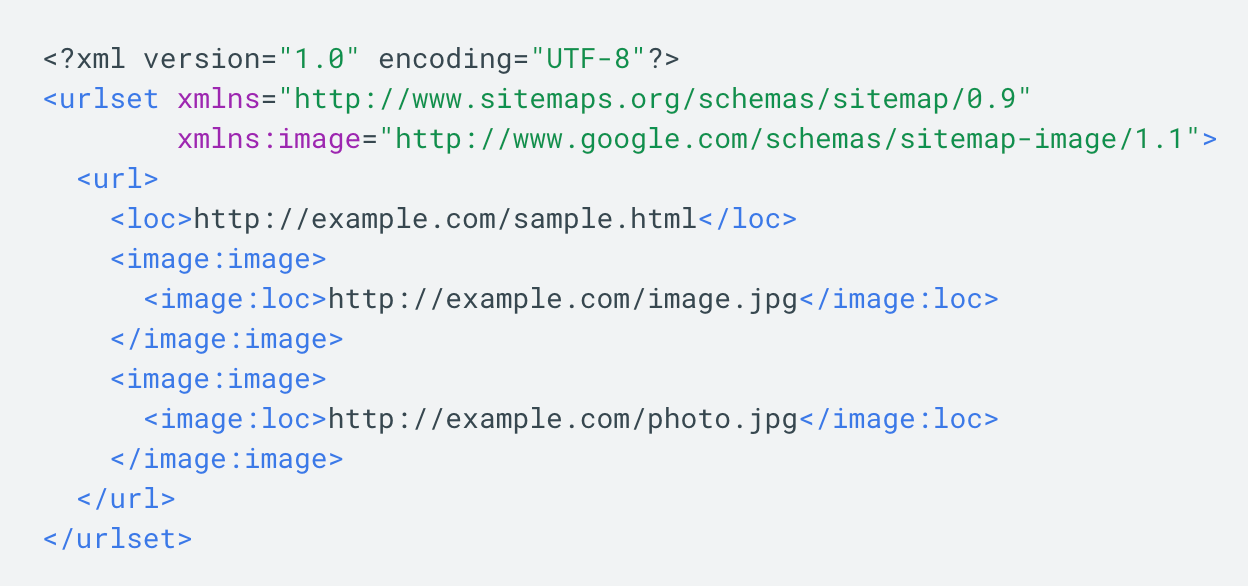
Fortunately, if you don’t want to add images to a sitemap manually, you’re in luck — there are tools, such as Angeldigital.Marketing (one of the only free ones available!), that will automatically generate an image sitemap once you input a URL.
Hopefully, you can use these best practices to level up and earn new traffic through search image results pages. Remember, a picture is worth a thousand words … so just imagine the value of an SEO-optimized picture.


How To Use Hashtags on LinkedIn [Step-by-Step Guide]
Even though LinkedIn has been around since 2003, the platform didn’t allow the use of clickable hashtags until 2016.
Social media platforms like Twitter and Instagram have encouraged hashtag use for years as a way for users to connect with their communities. They even offer analytics, allowing content creators and influencers to gauge their impact.

Now that LinkedIn has fully embraced the use of hashtags, brands can too.
Let’s get into the basics of using hashtags on the platform and dive into how to find the top trending ones in your industry.
Do hashtags work on LinkedIn?
Yes, hashtags do work on LinkedIn. You can add them to your status update, your published article, and your business page to reach an audience beyond your network. You can also browse through hashtag feeds to see what conversations are happening surrounding those topics.
How To Use Hashtags on Your LinkedIn Status Update
There are a few ways to add hashtags to your status update.
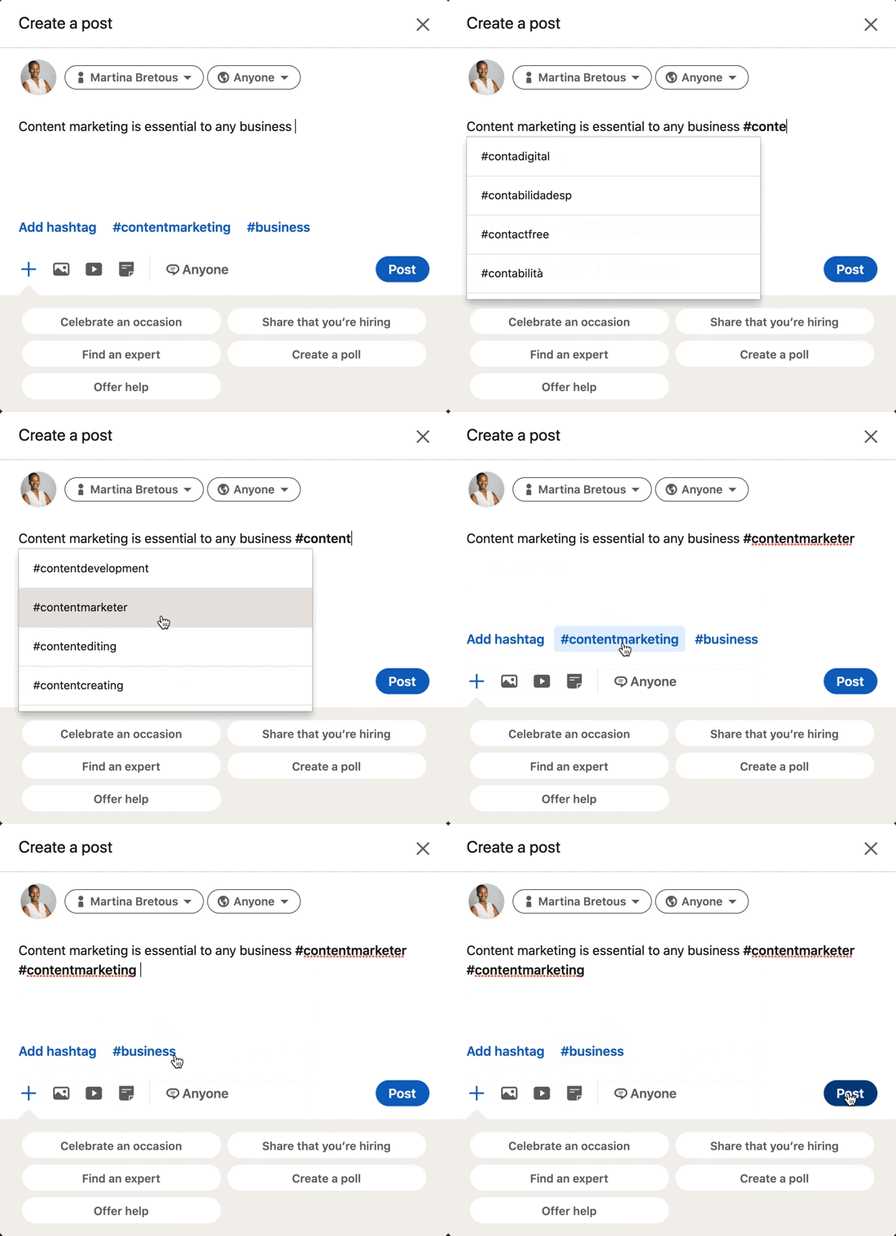
As the GIF illustrates, you can add a hashtag by:
- Typing out the pound sign followed by the word or phrase. As you type out your hashtag, LinkedIn will auto-generate hashtag suggestions based on what’s trending and popular.
- Clicking on the “Add Hashtag” button located on the bottom left of the box.
- Selecting one of the related hashtags next to the “Add Hashtag” button.
Pro-tip: Don’t add spaces or symbols in your hashtags, as they will no longer be clickable.
How To Use Hashtags on Your LinkedIn Article
As it currently stands, users cannot add clickable hashtags in the body of their articles published on LinkedIn. However, they can make it discoverable by adding hashtags to the article description box.
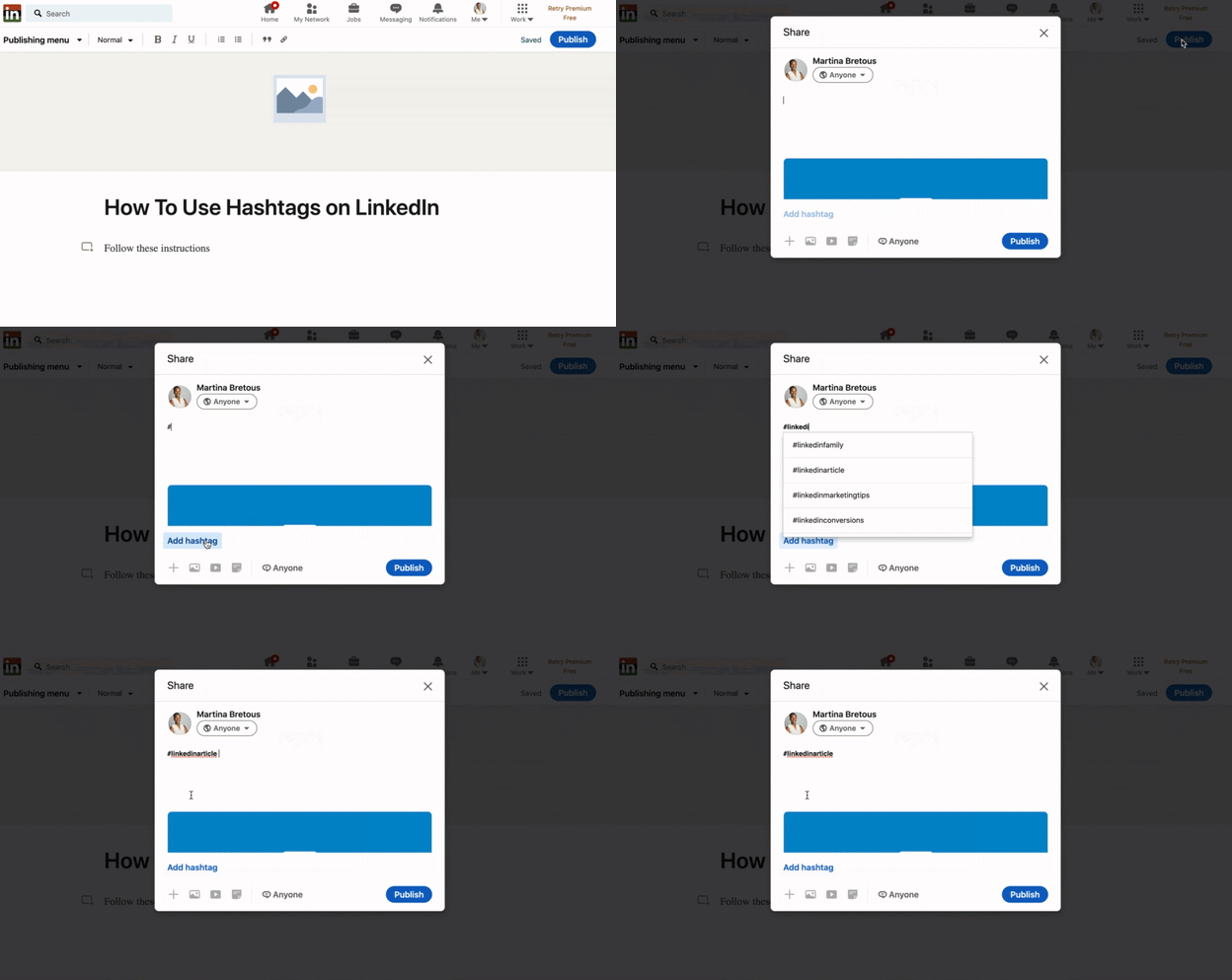
How To Use Hashtags on Your Business Page
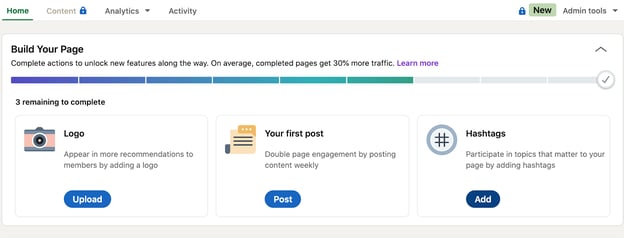
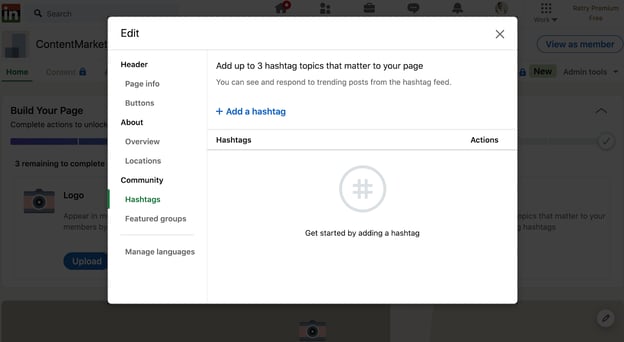
If you have a business page on LinkedIn, you can associate it with relevant hashtags. This will put you right in the center of conversations surrounding those hashtags and allow you to connect with relevant audiences. Here are the steps to add them:
-
Start on your business page’s homepage.
-
Click on the “Add” button on the bottom right under “Hashtags.” A smaller page will open up.
-
Click “Add a hashtag” and select up to three hashtags.
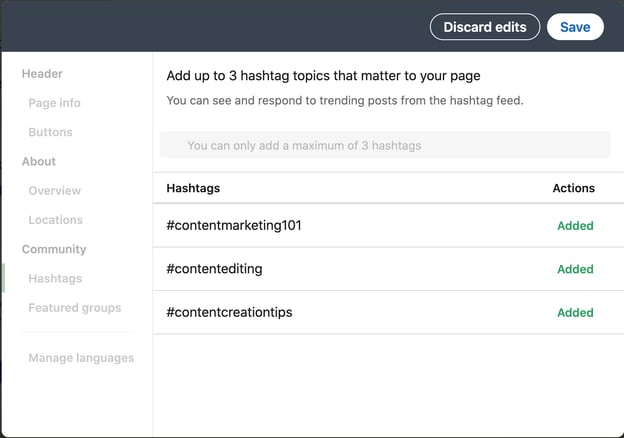 You’re all set.
Should I use hashtags on LinkedIn?
The short answer is yes, hashtags are a great way to reach audiences beyond your direct connections on LinkedIn.
Let’s say you only have 200 connections on LinkedIn. You publish an article on SEO and don’t use any hashtags. For it to make a substantial impact, you’ll need a lot of post engagement from second- and third-degree connections.
Why place such limits on your content? By using hashtags, you maximize your post’s reach potential. If the SEO hashtag has 100,000K followers and you use it, your post engagement can easily triple what it was without hashtags.
With that said, here are a few things to keep in mind when using them:
- Don’t go overboard – LinkedIn’s former senior director of product management, Pete Davies, recommends sticking to three hashtags. That should be enough to target the main keywords without looking spammy.
- Hashtags don’t replace copy – Hashtags don’t provide context, they should only be used to improve your discoverability. You should still have descriptions in everything you post.
- Mix the popular with the niche – When you only use popular hashtags, your content can get lost. If you go too niche, you may not reach enough people. Using a little bit of both strikes the perfect balance.
Once you get comfortable with the use of hashtags, you can start identifying which ones are performing the best. You may find that some lead to higher engagement rates than others. If so, those are worth reusing.
How to Find Top LinkedIn Hashtags
There are three types of hashtags that LinkedIn recommends to its users based on their network and industry: recommended, popular, trending. LinkedIn’s ‘Discover More’ page is the first – and best – place to look when considering which hashtags to use in your posts.
To access this page, follow these steps:
- Click on the “Discover More” button.
- On the mobile app, this will appear when you click on your profile picture on the top left corner of the page.
- On desktop view, it will be at the bottom of the left sidebar.
- On this page, you’ll see trending pages, recommended connections and pages, and hashtags toward the bottom of the page.
As a marketer, LinkedIn recommends me many marketing-related hashtags, such as #digitalmarketing, #seo, and #contentwriter. However, this list will vary from one user to the next.
LinkedIn Trending Hashtags
In 2020, LinkedIn released data on the top trending hashtags for Q1 in 2020.
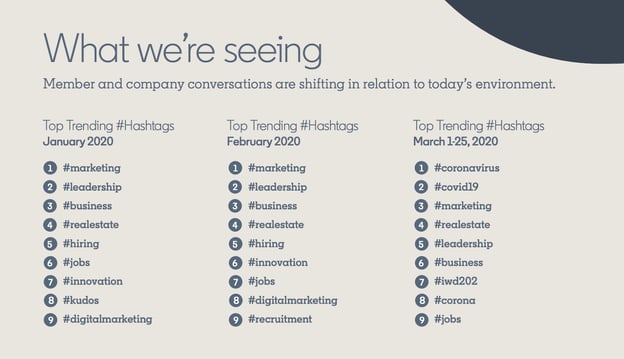
In January and February, the list was virtually identical. However, conversations shifted in March when the pandemic started. Searches for topics on remote working tripled and the #remotework hashtag also started trending.
The best way to optimize your hashtag use is by referring to your recommended hashtags and analyzing their performance on your posts.
How To Follow Hashtags on LinkedIn
Following hashtags will allow you to see what other content creators are posting, how users are responding, and get ideas for future posts.
- Head to the search bar and type the hashtag you want to follow.
- Select an option from the dropdown menu.
- That will take you to the hashtag’s feed where you can see all content published with this hashtag. Click “Follow” at the top of the page.
See the GIF below to see the steps in action.
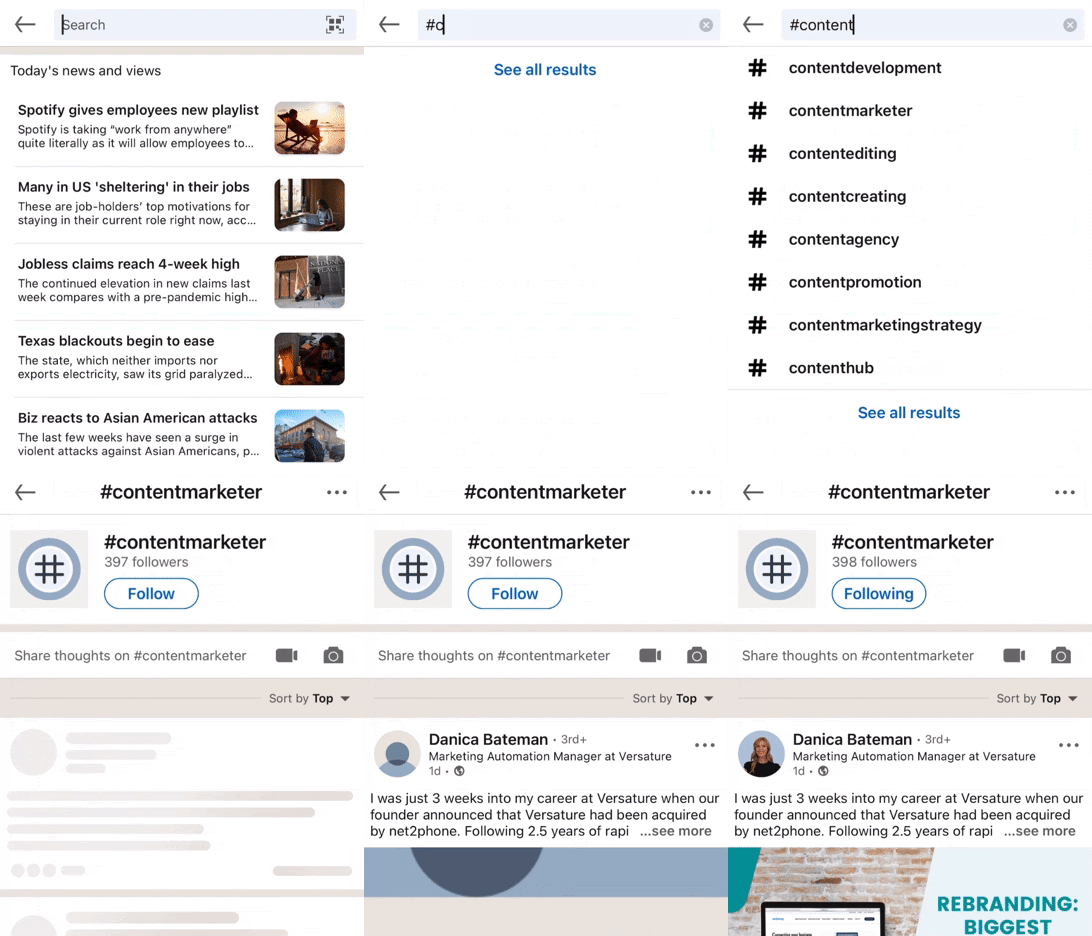
Now that you’re following the hashtag, you’ll see it on the left sidebar under “Followed Hashtags” when navigating on a computer. When using the LinkedIn mobile app, you can access the hashtags you’re following by clicking on your profile picture on the top left of the window and scrolling down to the “Followed Hashtags” dropdown menu.
Hashtags are integral to the success of your content. By relying on LinkedIn’s hashtag recommendations and your analytics, you can ensure your posts are reaching the right audience.

The 20 Best Marketing Articles of All Time, According to HubSpot’s Marketing Team
One of the best ways to tell if a show or movie is worthwhile is if people never get tired of re-watching it. Whether it’s the hit television show Friends or the classic movie Forrest Gump, most people never turn down an opportunity to watch Ross pivot his couch or witness Forrest develop into a ping pong celebrity — even if they’ve already watched it 27 times.
Content marketing is in its infancy compared to television and film, but some of the best writers and publications in our industry have already crafted articles that we revere as the Friends or Forrest Gump of the space.
![Download Now: State of Marketing Report [2020 Version]](https://no-cache.hubspot.com/cta/default/53/3d0bc27a-898d-40d5-aa46-8696ed81c4ee.png)
To pinpoint some of these articles and share them with you, I asked nine marketers at HubSpot what their favorite marketing article is and why. Check out the ones they read on repeat.
To pinpoint some of these articles and share them with you, I asked a few marketers at HubSpot what their favorite marketing article is and why. Check out the ones they read on repeat, plus a few articles that HubSpot’s marketing, content, and blog teams refer to time and again.
1. What Creativity Looks Like in Marketing Today | Harvard Business Review
Recommended By: Caroline Forsey, Editor at HubSpot, Marketing Blog
Why She Loves It:
“It’s tricky to choose a single marketing article as my favorite, but the one that has had a lasting impression on me is HBR’s ‘What Creativity in Marketing Looks Like Today’. Mark Bonchek and Cara France do a great job distilling the wisdom of senior marketing executives from dozens of top brands, varying from Old Navy to OpenTable. One of my favorite lines is this one — ‘People are the new channel. The way to amplify impact is by inspiring creativity in others’. Ultimately, I’m a fan of anything HBR, and this piece in particular is a good one to check out if you want to learn more about what top brands are doing to stand out in the industry today.”
2. We Analyzed 11.8 Million Google Search Results. Here’s What We Learned About SEO | Backlinko
Recommended By: the HubSpot SEO Team
Why They Love It:
“Part original data and part SEO guide, this is one of Brian Dean’s best articles. The algorithm has changed since its publication, but this article helps new marketers understand how SEO works and why. It’s a how-to guide on SEO, only without the how-to in the title, with data that supports each component of an SEO strategy. We love this article because it reminds us that while the Google algorithm changes every day, one factor never changes: search engine optimization must be human-first above all else.”
3. SEO Is Back. Thank God. | New York Magazine – Intelligencer
Recommended By: Braden Becker, Senior SEO Strategist at HubSpot
Why He Loves It:
“This article took a brilliant position on search engine optimization (SEO) and how search engines have stood the test of time as new channels break into a marketer’s arsenal. Lots of articles assert the importance of SEO, but few of them consider the implications sites like Google have on how the public finds, consumes, and expects to see information online. The piece boldly defends the positive role ranking algorithms play in an industry that is often saturated with manipulation and clickbait. It’s something both consumers and marketers can learn from, and I gained a ton of respect for New York Magazine after reading this.”
4. How Google Analytics Ruined Marketing | TechCrunch
Recommended By: the HubSpot Blog Team
Why They Love It:
“In our field, we tend to uphold data above emotional appeal, relatability, and empathy (well, maybe those are all the same thing). As a result, marketing has become less and less human. This article is one of our favorites because it takes us back to the roots of marketing and tells us why it’s critical to take a holistic look at a brand’s performance across different channels. Most important, creativity reigns over numbers and hard data. People will remember a creative, targeted campaign that appeared once more than they’ll remember — and like — a spam-like campaign that appears everywhere.”
5. How to Create 10x Content | Moz
Recommended By: Amanda Sellers, Marketing Manager at HubSpot, Historical Optimization
Why She Loves It:
“This is a content marketing classic — probably the first post you’ll ever read as a content marketing professional. If you’re familiar with Moz at all, you’ve likely watched one of its whiteboard Fridays. Rand Fishkin’s guide for creating what he calls ‘10X content’ came about after the rise of the ‘Content is king’ industry adage. Even years after its initial publication, this guide will tell you how you can write strong, authoritative content that will draw in more readers and improve in rankings as a result.”
6. ‘We want these platforms to be healthy’: Why top marketers won’t quit Facebook | Digiday
Recommended By:Amanda Zantal-Wiener, Senior Content Strategist at HubSpot
Why She Loves It:
“This is an oldie but a goodie — still relevant years after it was written, especially as we continue to be wary toward Facebook. As someone who lives a ‘double life’ as a marketer and a tech writer, I found this article both intriguing and valuable. It explores Facebook’s rocky year from an interesting lens: one that’s of interest to those who live in the trenches of the tech industry and those who cover it alike. I studied and reported on the consumer sentiment toward and use of Facebook, despite these events. But it’s important to ask an audience of marketers and growth companies the same questions. This article does a great job of that.”
7. Marketing in the Age of Resistance | Harvard Business Review
Recommended By: the entire HubSpot Marketing Team
Why We Love It:
“‘Being about it instead of just talking about it’ is a huge priority not just for the marketing team, but for HubSpot as a whole. We love this article because it tells us that our blog, advertising, and website campaigns don’t exist in a vacuum that’s separate from societal injustices. In our team, we often begin with representation — but that’s only the precursor to more institutional and large-scale change within our organization. Marketing teams everywhere will benefit from saving and rereading this article.”
8. How to Become a Customer Acquisition Expert | Brian Balfour
Recommended By: Christina Perricone, Content Marketing Manager at HubSpot, Pillar and Acquisition
Why She Loves It:
“Marketing has expanded into a field with countless designations — simply calling yourself a marketer is no longer a sufficient response to the question, ‘What do you do?’ Balfour explains how to build yourself into an indispensable, T-shaped marketer by layering your skills as you progress. This evergreen piece teaches us that marketers are experimenters, risk takers, and problem solvers, proving that nearly anyone has the propensity to be successful in this field if they have the patience to build and stick to a plan. It’s a gem for any marketer who is struggling to determine their path.”
9. 7 Ancient Archetypes Your Brand Storytelling Should Use | Content Marketing Institute
Recommended By:the HubSpot Blog Team
Why They Love It:
“Writing a blog post is like writing a short story. The introduction is the exposition, the bulk of the post is the rising action, and the conclusion is the denouement. Seems pretty straightforward, right? But without establishing emotional stakes and placing your reader as the hero, you risk your messaging falling flat. We love this post because it’s like a condensed version of Donald Miller’s Building a StoryBrand. Easy to refer to as we write posts.”
10. An Incomplete Guide to Inclusive Language for Startups and Tech | Buffer
Recommended By:Karla Cook, Team Senior Manager at HubSpot, All Blogs
Why She Loves It:
“This article is a must-read for anyone who creates content. It’s a reminder that the seemingly inconsequential choices we make about language on a daily basis actually hold a lot of power. Creating content with inclusive language in mind can seem tricky or even silly to some (especially when the word choices seem minor), but this article poses the question: why not just try?”
11. Why Be Everywhere is Bad Advice | Racheal Cook
Recommended By:the HubSpot Sales Blog Team
Why They Love It:
“Being everywhere and being in front of everyone is very, very bad marketing and sales advice. We have no idea how this became such an accepted stance in the industry. This blog post is a great guide for both marketers and budding entrepreneurs on how to hone messaging so that it appeals to the one buyer who’ll actually buy, use, and appreciate your product. It’s especially useful to content writers, too. Our pieces don’t have to be everywhere. Simply in the right place at the right time. ”
12. Why Marketing Analytics Hasn’t Lived Up to Its Promise | Harvard Business Review
Recommended By: Josh Chang, Manager at HubSpot, Acquisition Analytics
Why He Loves It:
“I love this article because while everyone knows marketing analytics is important, it’s challenging to do marketing analytics right so that it has a significant impact on the overall business. Many companies suffer from having too much data and not knowing what to do with it. But if you have the right data, systems, processes, and people in place, you can better ensure that marketing analytics isn’t wasted and has a tangible and positive impact.”
13. How Redesigning HubSpot’s Website Doubled Conversion Rates | HubSpot
Recommended By: the HubSpot Website Blog Team
Why They Love It:
“‘Not another HubSpot plug,’ you might say, but this post is one of our best ones — we constantly refer to it to remind ourselves how small changes can create a lasting impact. You can see, process-by-process, how the new website came about. Written in a case study format, this article is a great primer for marketing teams everywhere on how and why they should consider a website redesign and what to take into consideration. While the post was published a few years ago, its relevance stays high.”
14. 4 Lessons We’ve Learned, Sometimes the Hard Way, About Inclusive Marketing | Think With Google
Recommended By: Sammi Kim, Marketing Manager at HubSpot, HubSpot Research
Why She Loves It:
“Written by the SVP of Global Marketing at Google, this article speaks to the importance of inclusive marketing. I was impressed by how the first lesson was that the diversity among marketers at Google directly impacted their marketing campaigns. And based on the article’s third lesson on the importance of excluding stereotypes from marketing campaigns, I strongly believe that having diverse marketing teams will help run more nuanced, empathetic campaigns.”
15. 20 Types of Evergreen Content that Produce Lasting Results for Your Business | Copyblogger
Recommended By:the HubSpot Blog Team
Why They Love It:
“Most, if not all, blog posts should try to be evergreen. We took ideas from this article and continue to take ideas as we create an editorial calendar each quarter. Though published a few years ago, this article is still highly relevant and useful. Numbered lists, how-to lists, and original research will always do well. This article has never failed us and it should be in every content marketer’s arsenal.”
16. Reflecting on My Failure to Build a Billion-Dollar Company | Medium – Startups
Recommended By: Nate Medina, Product Marketing Manager at HubSpot
Why He Loves It:
“I love this article because it tells the intimate story of a founder who had ambitious dreams, but ultimately, his plans didn’t pan out the way he expected. In the pursuit of trying to create a billion dollar company, however, he learned that success isn’t just about money. It’s about creating something you’re truly interested in rather than something that you chase revenue with.”
17. How We Used the Pillar-Cluster Model to Transform Our Blog | HubSpot Marketing Blog
Recommended By: Basha Coleman, Marketing Manager at HubSpot, Historical Optimization
Why She Loves It:
“This article is a stellar introduction to a new and improved way of doing content marketing — not just on blogs, but on websites as well. Before the pillar-cluster model, we truly built blogs like a tree, with a multitude of branches that didn’t interconnect. Relevance, authority, and organic traffic all suffered. But the pillar-cluster model changed everything, and we swear by it to this day. Our team constantly refers to the establishment of the pillar-cluster model as the turning point for the HubSpot blogs.”
18. What I Learned From Developing Branding for Airbnb, Dropbox and Thumbtack | FirstRound
Recommended By: the HubSpot Content Team
Why They Love It:
“We love this article because it gives us a close look at how some of the world’s best-loved brands become so well-loved. This post is part original think piece and part how-to guide. While none of us work in brand management directly, we come back to this article again and again for its helpful insight on how we can play a part in making HubSpot a better brand. All marketers would benefit from alluding to this article again and again during their campaigns and positioning efforts.”
19. Will Marketers Return to Offices in 2021? What Companies Need to Know | HubSpot Marketing Blog
Recommended By: Ivelisse Rodriguez, Associate Marketing Manager at HubSpot, Historical Optimization
Why She Loves It:
“This article takes everything that happened in 2020 and turns it into actionable feedback that marketing leaders can use to manage their new hybrid workforce. The trends and data indicate that remote work is here to stay — and while some companies may resist it, they may sacrifice their marketers in doing so. In an industry that’s always changing, adaptability is key and will continue to be key in 2021 and beyond. I love that this post drives that point home for marketing teams and leaders.”
20. The Strange Thing That Happens In Your Brain When You Hear a Good Story — And How to Use It to Your Advantage | HubSpot Marketing Blog
Recommended By: the HubSpot Content Team
Why They Love It:
“Joe Lazauskas and Shane Snow, marketing executives at Contently, wrote a book called The Storytelling Edge. They promoted it by releasing one of the book’s chapters on our marketing blog. This is one of our favorite marketing articles because it uses neuroscience to prove that storytelling is much more than a trendy buzzword. In their excerpt, Joe and Shane weave in compelling psychological and neurological evidence into a narrative about how storytelling is the best way to capture people’s attention, bake information into their brains, and forge close, personal bonds. And in an industry where 5% of branded content attracts 95% of attention, their article makes you realize that content marketers can’t just write listicles and ultimate guides anymore. We must tell gripping stories.”
Editor’s note: This post was originally published in February 2019 and has been updated for comprehensiveness.


Here’s Why People Click Out of YouTube Videos [New Data]
With more than 2 billion active users — or nearly one-third of the global internet audience — YouTube has become a vital platform used within most video marketing strategies.
But, as one of the biggest online platforms, YouTube is also one of the most competitive for brands. For every YouTube channel related to a specific industry, there are a handful of others churning out similar content.
To rise above YouTube’s fierce competition, you’ll need to regularly create content that grabs your viewers’ attention and keeps them engaged.
Ultimately, if viewers disengage with your YouTube videos, they’ll click out of them before they end and find better content from another channel.
Before you begin producing content, it’s important to ask yourself, “Why do consumers click out of YouTube videos?”
To help video marketers answer the question above, I used Lucid software to ask nearly 300 consumers why they disengage from YouTube videos.

Why Consumers Click Out of YouTube Videos
After taking time to film, edit, upload, and optimize videos, it can be frustrating to see a heavy viewer dropoff before the content ends. Not only can this trend hurt your YouTube engagement metrics, but it’s also a sign that you’re wasting valuable time and money making content that people aren’t even going to finish.
But, while higher dropoff rates are often a sign of content disengagement, it’s important to note that — sometimes — video exits aren’t a creator’s fault.
When I asked consumers, “Why do you most commonly click out of YouTube videos before they end?”, more than one-third of respondents, or 36%, said they drop out because “too many ads” play before or in the middle of videos.
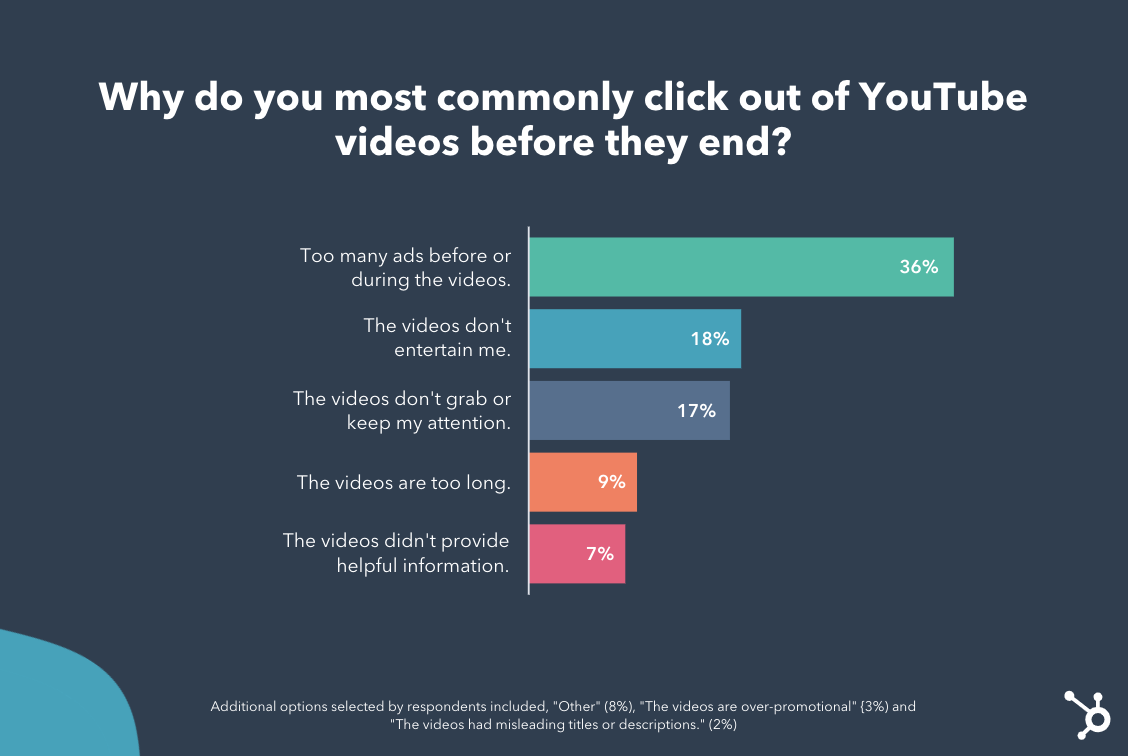
Below, we’ll dive into the top response, like the one noted above, to help you create the most engaging YouTube video viewing experience.
1. Too many ads appear before or during videos.
While there’s not much some creators can do about ad placement at the very beginning and end of their YouTube videos, mid-roll ads — which appear by default in videos that are eight minutes or longer — can be turned off in your YouTube settings.
If you’re trying to monetize your content by enabling more mid-roll YouTube ads, you’ll want to weigh the pros and cons of this type of ad. While you might earn more money for your content, this ad placement could also be a major friction point that causes your viewers to click out of your video.
Additionally, if you do opt to include mid-roll ads, you should take steps to make sure your video is intriguing, valuable, or exciting enough to keep the viewer watching — even with a short ad break.
To create engaging videos that will be less vulnerable to ad-related dropoff, keep reading to see the content-related reasons people click out of YouTube content.
2. Videos aren’t entertaining or attention-grabbing
While 18% of respondents tune out of videos that “don’t entertain” them, 17% click out of content that fails to “get and keep” their attention. While the respondents’ need for entertainment lines up with YouTube’s research showing consumers watch videos to relax or “escape” from their daily lives, the need for attention-grabbing content lines up with countless video and social media data.
While most audience’s don’t expect B2C or B2B brand content to be as entertaining as videos from musicians, television studios, or influencers, you should still test out video storytelling approaches that place your viewers into an action-packed, intriguing, or funny scene to get them to invest their attention. Then, once you hook them, you can continue to include interesting information or scenes in your content to keep them watching.
But how can you entertain and intrigue your audience while still highlighting the selling points of your brand, product, or service? Here’s a great example of a brand that does this incredibly well.
In this episode of Purple’s video series, “The Purple Boys,” two mock talk-show hosts, played by comedians Tim Heidecker and Eric Wareheim, tell an over-dramatic story about the “Sunday Scaries.”
The video begins with Heidecker waking up in his host chair. He then abruptly starts screaming due to the Sunday Scaries — or the stresses felt on Sundays before a workweek begins.
As the video continues, viewers learn what the Sunday Scaries are, hear one man tell his story of them, and learn how the Purple mattress helped him sleep even when dealing with the stresses of the upcoming week. To prevent any dull moments, the editors also added strange sound and visual effects to represent what the Sunday Scaries feel like.
This is a great example of how a brand used video to tell an intriguing, dramatic, yet still relatable, story related to a common consumer pain point. At the same time, Purple’s video also explains how its product could help. Not only will this content keep viewers watching, but it might also cause them to remember the Purple brand next time they need a sleep accessory or mattress.
3. Videos are too long.
Sometimes, even if you have great content, viewers can only pay attention for so long — especially on a fast-paced platform like YouTube. That’s why nearly 10% of respondents cited length for tuning out of a YouTube video.
While some people might be watching videos during a break at work, others might watch on their smartphones during a daily commute. Aside from this, research shows that each new generation has seen a slightly shorter attention span when it comes to online content.
If you feel like you’re creating genuinely compelling content, but see viewer dropoff, take note of when the biggest chunks of viewers tune out of your videos.
If viewers regularly drop off at around the same minute-mark for each video, consider adjusting your strategy to create shorter, more concise videos. You can also find some helpful guidelines in this blog post.
Creating Engaging Long-Form YouTube Videos
While length can be the culprit of video dropoff, the small segment of consumers that cited it shouldn’t scare you away from testing long-form content. Although the data above hints that some consumers dislike long video content, data directly from YouTube shows that certain age groups, such as Gen-Z, are watching more long-form content on the platform than they did in previous years.
Additionally, a number of successful brands, Including HubSpot, regularly embraces long-form content on platforms like YouTube,
If you want to leverage long-form content, but still worry about video dropoff, consider placing the most valuable information towards the beginning of the video — or give viewers a tease of what they’ll see if they continue watching. This way, if viewers don’t have time to watch your whole video, they’ll get to see your expertise in action and they’ll have a motive to come back later if they need to pause.
One example of a brand that knows how to draw viewers into the action of a long-form video and then keep their attention is Patagonia.
For example, the 27-minute Patagonia documentary below opens with clips of a mountain climber in action and a brief narration from him saying, “As a veteran, you feel like ‘I’ve really narrowed that gap and I can perceive what nature’s telling me. I can read the signs around me.'”
Suddenly, after the hiker’s initial narration, you see an intense clip — shot from his perspective — of him yelling as he gets caught in an avalanche.
When the screen fades to black, and viewers see the film’s title, along with “Full Film Starts Now,” they realize they’ve only gotten a glimpse of the action they’ll see later on.
Patagonia’s branded documentaries and video teasers are a great example of how a brand can persuade viewers to stick through even the longest types of YouTube videos. When the video reopens, viewers will likely want to continue watching so they can hear the full story and get the context behind the intense scene they just saw.
4. Videos don’t provide helpful information.
Although only 7% of respondents primarily click out of videos that aren’t providing helpful information, this is still important to call out.
While consumers might use YouTube to learn how to do something, study up on a hobby or interest, or learn more about their favorite influencers, others use it to get more information about companies or industries. In fact, YouTube research shows that consumers increasingly use YouTube to learn about products, services, and brands.
Regardless of what kind of content you make, consider providing valuable or educational information in it so users feel like they’re learning something new. If you do this, viewers might continue watching your videos until the end with the assumption that they’ll continue to gain valuable insight from you. Additionally, your viewers might also identify your brand as a thought leader they can go to for more helpful videos in the future.
Need an example of how to offer viewers valuable or educational information in a video?
Check out the HubSpot video below which highlights Instagram hacks for businesses. While the video serves as a detailed list of tips related to the trendy social platform, it also naturally mentions one of HubSpot’s free Instagram templates:
5. Other reasons people click out of YouTube videos.
While 8% of consumers said, “Other,” 3% said “The videos felt over-promotional,” and 2% said, “The content isn’t consistent with video headlines or descriptions.”
Keep YouTube Viewers Watching
While you might not have been shocked by some of the responses above, they reaffirm that video marketers need to take extra steps to engage their viewers while also promoting their brand. Although you might like to think that commercials or heavily promotional videos might be the best way to sell products, they might not yield high engagement or YouTube audience growth.
As you create your next video, keep these tips in mind to help prevent high dropoff:
- Hook your viewers: Start with intriguing information or an attention-grabbing scene, or tease viewers about what’s to come.
- Provide value: Be sure to provide interesting information, educational dialogue, or points of action throughout the video as well as at the beginning to keep viewers engaged.
- Don’t draw things out: If you can concisely get your point across in a short amount of time, opt for a shorter rather than longer video.
To learn more about how to succeed on YouTube, check out this recent research, or this ultimate guide. You can also click below to download a helpful free resource.


34 of the Best Office Pranks & Practical Jokes to Use at Work
If you’ve watched the TV show “The Office” as religiously as I have, the classic “stapler in Jell-O” trick surely sounds familiar. It’s pretty much what the name describes: Simply make a batch of Jell-O, but make sure your colleague’s stapler is hidden inside the mold.
It’s a classic prank. But what other, less conventional pranks are out there to add some kicks to an otherwise average day at the office?
We asked our friends and combed the internet for more examples of some of the funniest office pranks, and pulled together this list to serve as inspiration for your own work pranks.![Download Now: Company Culture Guide + Templates [Free Kit]](https://no-cache.hubspot.com/cta/default/53/3f403048-fd8e-426f-bddd-4fce020ae24b.png)
Every company has a story about that funny office prank of yore. Whether you’re doing some early April Fool’s Day research, or just feeling a little tricksy, it’s time to get a prank of your own in the books. Here are some ideas.
Funny Office Pranks to Pull on Your Coworkers
1. Caramel Onions
When Halloween is around the corner, these caramel onions are no match for other tricks (or treats). Dip each onion in caramel — maybe some red food coloring first, if you need to further disguise them — and stick popsicle sticks down the center. Your colleagues won’t know the difference, but they will wonder why these caramel apples are making them cry so much…

Source: Instructables
2. Nicolas Cage Toilet Seat
Speaking of Halloween, here’s what nightmares are truly made of. Nicolas Cage is easy to come by in the meme community these days. Print a picture of him at his most, well, enthusiastic — and allow him to greet everyone who takes a bathroom break.

Source: Pinterest
3. Fish Drawer
There’s something fishy about this office prank… Just be sure to include fish food; experts suggest you should feed this prank twice a day.

Source: Reddit
4. Pants in the Stall
Usually, when you see feet underneath the stall, you just have to wait your turn. In this case, you might be waiting forever. Set this guy up in your office bathroom and see how long it takes for people to start talking. We just hope nobody called the paramedics on this poor, empty suit.

Source: BuzzFeed
5. Febreze for Days
Tighten the zip-tie, throw it, and run for your life. Or, leave it in your coworker’s office when they’re on break. They’re sure to return to a potent workspace.

Source: Emlii
6. Vehicular Sticky Notes
This is the perfect use for those sticky notes that keep piling up — especially if they’re all for someone who just won’t finish his or her tasks. The prank below is a wonderful way to remind them before they take off for the day.

Source: Reddit
7. Misspelling Macro
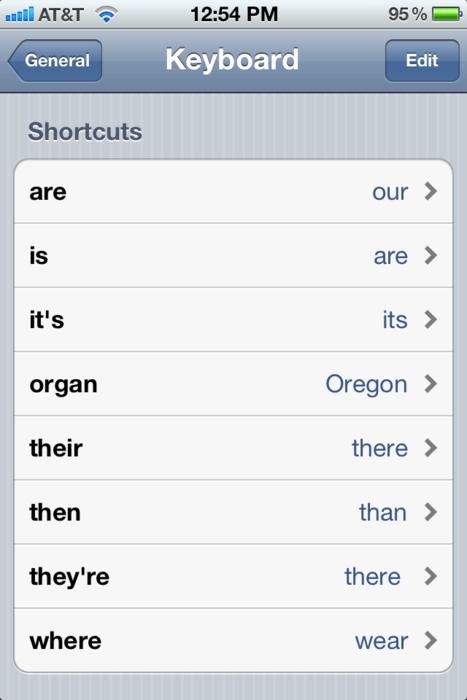
Never ask your work buddy to unlock your iPhone for you, or they’ll make you look like the worst speller of all time when you go to type a text or email. Settings > General > Keyboard > Add new shortcut will make this prank a reality against your most detail-oriented colleague.
Source: Gottabemobile
8. Foghorn Entrance
Haven’t you ever wanted to get a room’s attention the second you walk through the door? Well, the prank below will even get the person entering to stand up straight. This is certainly one way to make sure everyone’s alert before a meeting.

Source: Reddit
9. Ballooned Conference
Hey, at least it’s not glitter? This prank works two ways: You can either surprise the next team who reserves this room, or have a day-long meeting in here without anyone knowing your business. You will of course have some static electricity when you exit the room.

Source: Reddit
10. Desk Trolls
For trolls, by trolls. Luckily, you can buy many of these trolls in bulk. Click here if you’re serious about trolling your coworker’s workstation — just keep in mind you will have to buy more than one pack of trolls to make this stunt worth it.

Source: CollegeHumor
11. Water Works
Oh look, a budget trip to the beach. This prank gives a whole new meeting to the term, “staycation.” Surprise your coworker when he/she comes back from a beach getaway with, well, another beach getaway. The downside is it’ll be nothing like where they were. The upside is they won’t need a towel.

Source: Imgur
12. Anti-Gravity Desk
“That’s it — you’re suspended.” Just make sure the person who arrives in the morning to a floating desk doesn’t try to sit down…

Source: Daily Mail
13. Nailed the Cake
Hey everyone, there’s cake up for grabs in the kitchen! The prank, however, is written in frosting. This is a good gesture to someone who loves the expression, “needle in a haystack.” Happy hunting.

Source: Reddit
14. Psychedelic Supervision
“I don’t know, I feel like my boss is always watching me,” your coworker might say. Change their perception of micromanagement when this colorful prank. Suddenly a “quick checkin” doesn’t seem all that bad.

Source: Imgur
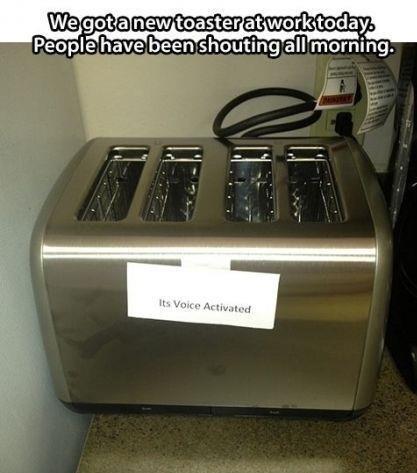
15. Voice Toast
Simple, yet brilliant. Change the terms of breakfast ever so slightly, and the kitchen becomes the most confusing room in the office. This little note pranks the entire office — a true masterpiece of prank-dom.
Source: Tumblr
16. Work From Home
As Ron Burgundy from Anchorman says, “I’m not even mad. I’m just impressed.” Help your coworker who loves taking his/her work home, take their home to work instead. As you can tell, you might need to stay late the night before to get this prank just right.

Source: Reddit
17. You’ve Been ‘Felined’
This could actually make your cat-loving coworker’s day. Or, it could make for the greatest prank of all time against the coworker who’s violently allergic to cats (that is, as long as they’re not allergic to photos of cats, too).

Source: Reddit
18. The Seedboard
Work with your IT department to fertilize this prank perfectly. Soon enough, its user will wonder why their keyboard is growing. We suggest targeting someone who sits close to the window — some pranks just need some sunlight. “You said you wanted to spend more time with nature,” you might say in your defense.


Source: BoredPanda
19. Healthy Creme
Who said you couldn’t be helpful while also being a prankster? “The bad news is we’re out of donuts. The good news is you have all these nutritious alternatives to help your immune system cope with the lack of donuts.”
20. The Ceilings Have Eyes
You could freak out just looking at the photo of this horrifying prank. It might be a little too much for your jumpiest colleague, but for the person who can’t stop talking about scary movies, it’s just the revenge you deserve. (Hint: paper mache, white paint, and a black wig. Done.)

Source: Tumblr
21. Chair Scare
Similar to the Entrance Foghorn (prank #8, above), this prank will probably scare more than just the person who sits down. Of course, it’ll be a lesson to anyone who, I suppose, tries to sit too low at their desk.

Source: Reddit
Funny Pranks to Pull on Your Boss
22. No Stalling
For the employee who never has enough time. Or, for the coworker who takes way too many bathroom breaks during the day. Prank them with their very own throne the next time nature calls.

Source: 22words
23. Glitter Bomb
About that whole, “At least it’s not glitter” thing in prank #9? Well, this prank can’t make that promise. For the coworkers who don’t yet know the permanence of getting glitter on yourself, this prank is sure to set them straight.
24. Substitute Worker
Sometimes, you’re not sure how to ask for another day off. For those days where you simply can’t come into work, but don’t have the heart to call out again, the doll who looks just like you is the perfect substitute. Or, just put ’em at your colleague’s desk and give them a much-needed identity crisis.
25. Crushed It
When you finally learn about your colleague’s celebrity crush, make sure they know how much you care.
26. World’s ‘Best’ Boss
When words just aren’t enough to express your sentiment, give your manager the perfect way to say “thank you” every time they go to take a sip of coffee.
27. Cup o’ Spiders
“Hey chief, I found a spider on your desk, but don’t worry, it’s been handled.” This prank doesn’t have to have an actual spider in it — the mystery, alone, is all you need to prank your employee.
28. That’s a Wrap
For the boss who has everything, it’s the gift that keeps on giving.
.gif?width=480&name=giphy%20(9).gif "giphy (9).gif")
Source: Giphy
Remote Pranks for Virtual Teams
The above pranks are awesome, but what about pranks that are inclusive for remote employees or teams that are 100% virtual? These pranks are ideal for the digital office:
29. Flash Mob
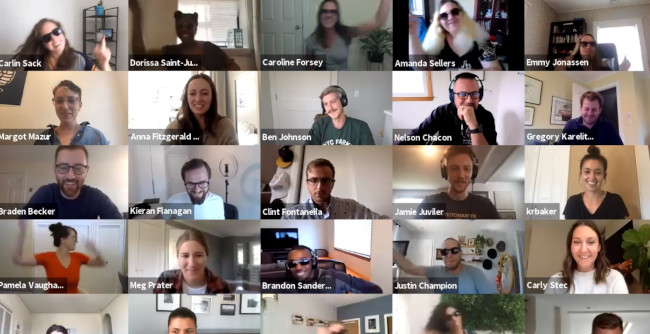
Here at HubSpot, we love flash mobs. That’s why Head of SEO Aja Frost and Blog Manager Christina Perricone jumped at the chance of organizing a virtual flash mob for one of our quarterly meetings.
This is a perfect prank for a large gathering but requires a bit of prep — from choosing a song, selecting the dancers, and teaching the choreography. However, the end result is worth it for the shocked and delighted expressions on coworkers’ faces alone.
30. Virtual Background Shenanigans
There’s a lot of pranking potential using the virtual background feature in Zoom and other video conferencing platforms. For example, one Twitter user creates a virtual background with the shocking appearance of a doppelgänger… or maybe a time warp?
So, I made a custom Zoom background for my next meeting where I bring myself a cup of tea. pic.twitter.com/DJBxrH5Cqv
— Graham/Jaws 19 (@Jaws19show)
May 7, 2020
31. Jump Scare
One way to take the virtual background prank to another level is by impersonating a horror movie director and relying on one of the oldest scary movie tricks in the book: the unexpected jump scare. The video below walks through the steps for executing this prank successfully:
Just make sure that you know who you’re presenting to. The wrong audience may not appreciate the humor in this one!
32. You’re Not on Mute
We’ve all heard the horror stories of users who thought they were on mute and went on to say something embarrassing. One prank would be to stage this situation and make your coworkers think that you think you’re on mute. You could enlist someone in your household to say really embarrassing or completely outrageous, the goal being to see how long your coworkers will watch in horror before letting you know you’re on mute.
33. Stolen Identity
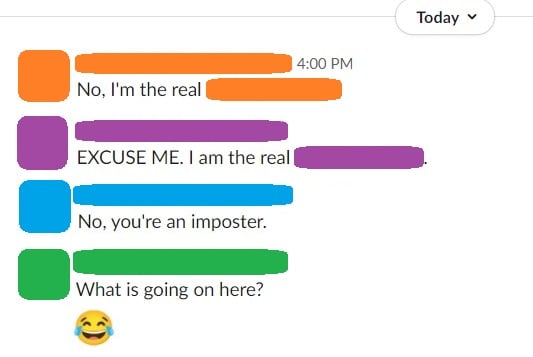
If you have a workplace chat system, a simple and effective prank is to “steal” someone’s identity by changing your display name and picture to match theirs. The more coworkers you get to follow suit, the more effective, hilarious, and chaotic this prank becomes. Best of all, it’s easy to reverse at the end of the day: Just revert back to your original display name and photo.
34. Think Outside the Box
With video conferencing apps, we’re limited to our own little square of digital real estate… or are we? This Twitter user subverts expectation by dumping water on a coworker in another square, surprising all the other meeting attendees:
I pulled off my own lil #AprilFools prank today in our daily virtual meeting 😂☔️ pic.twitter.com/RjGW2RhgRT
— Phang (@PhilaUnionPhang)
April 1, 2020
All you have to do is find someone who will be in on the joke with you.
Pranking can be extremely good for morale and company culture. After all, why not have a little fun to break up the workday?
Editor’s note: This post was originally published in October 2018 and has been updated for comprehensiveness.


The Social Media Content Calendar Template Every Marketer Needs [Free Template]
“We have a 9 a.m. meeting? Hold on — let me just click around the internet like a maniac to find something for the morning tweet.”
Sound familiar? Scrambling for social content is nothing new. We have meetings. We run late. Things come up. And it’s really hard to get any meaningful amount of work done when you have the next social media update looming over your head every 30, 60, or 90 minutes. It all moves so fast that you might periodically feel a case of the vapors coming on, which is why pre-scheduled social media content should be your new best friend.
To make social media content easier for companies to plan and schedule across the accounts they manage, we created a social media content calendar template. And recently, we updated to be better, faster, stronger, and just generally prettier.
.png?width=2760&name=Copy%20of%20Memo%20Templates%20(4).png)
![→ Free Download: Social Media Calendar Template [Access Now]](https://no-cache.hubspot.com/cta/default/53/3e56e15d-47bd-46c9-a256-99fde52abfe7.png)
But first…
What is a content calendar?
A content calendar organizes your publishing schedule by date so that you can keep track of deadlines, better manage your content creation team, and create transparency with all parties.
What’s in this content calendar template?
Every content calendar is different and should be adjusted for your unique process. However, in this one, you’ll find a general schedule tab, your monthly planning calendar, a repository for website content, and updates for each of the top social media platforms:
This blog post will walk you through exactly how to use the template to stay on top of your social media content planning for each one.
Note: HubSpot customers can also schedule content through Social Inbox, or use this spreadsheet to organize their content and subsequently upload it to Social Inbox. Detailed instructions for doing this exist in the cover sheet of the template.
How to Use the Social Media Calendar Template to Plan Your Content Schedule
When you open up the social media content calendar template, you’ll notice the bottom of the Excel spreadsheet has several different tabs, most of which are dedicated to a specific social network.

The reason you’ll want a different worksheet for every social network is simply that every social network is a little bit different. You can’t just craft one, single social media update and use it across LinkedIn, Facebook, Twitter, Instagram, and Pinterest.
You can certainly promote the same piece of content across those networks, but that doesn’t mean you’ll craft your update in the same way for every single one of them. (In fact, you may even want to add additional tabs if you’re active on other networks, like Quora or YouTube.)
This following sub-sections will walk you through how to fill out each of the tabs you see in this template — the updates for Twitter, Facebook, LinkedIn, Instagram, and Pinterest. But before we get to that, let’s just walk through the “Monthly Planning Calendar” so you know what that’s for.
Monthly Social Media Schedule
The tab “Monthly Planning Calendar” provides an overall snapshot of your monthly social media campaigns. It’ll help you coordinate better with other stakeholders, not to mention keep all the moving parts straight in your own mind. Here’s what it looks like:
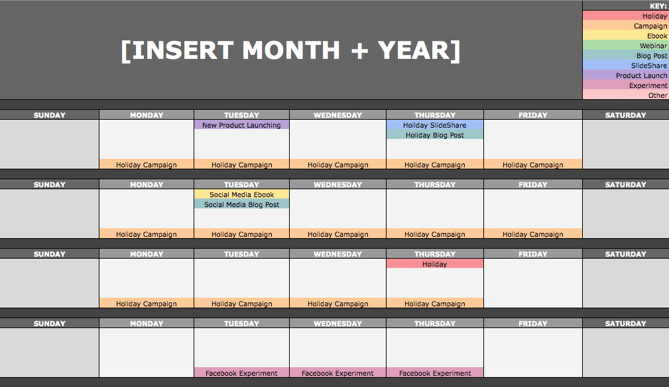
There are three sections to take note of when you edit this template for your own purposes. First, the color-coding key: These are the types of content or campaigns around which you might coordinate, like ebooks, webinars, blog posts, product launches, and so on. Though only some of these might be relevant to you, they’re there to indicate what you may want to put in there — so be sure to edit these categories to align with your own campaigns.
The other two sections you’ll need to edit are the Month and Year at the top of the calendar (duh), as well as the cells below each day of the week. In those cells, you should enter the type of content you’ll be promoting that day and color-code it to align with the campaign it’s supporting.
Instead of deleting all the content in this spreadsheet each month, I recommend copying this worksheet twelve times over, and creating a separate sheet for each month. (If that gets to be too overwhelming, you can always save those tabs as a separate file.)
Planning Your Twitter Content Calendar
Alright, now let’s get to the social media content. This section will be the lengthiest, because all subsequent sections will draw on the instructions we go through here. So if you read one section in this whole post, make it this one.
Let’s say you want to add some tweets to your scheduling template. Skip over to the “Twitter Updates” tab, where you’ll see this:
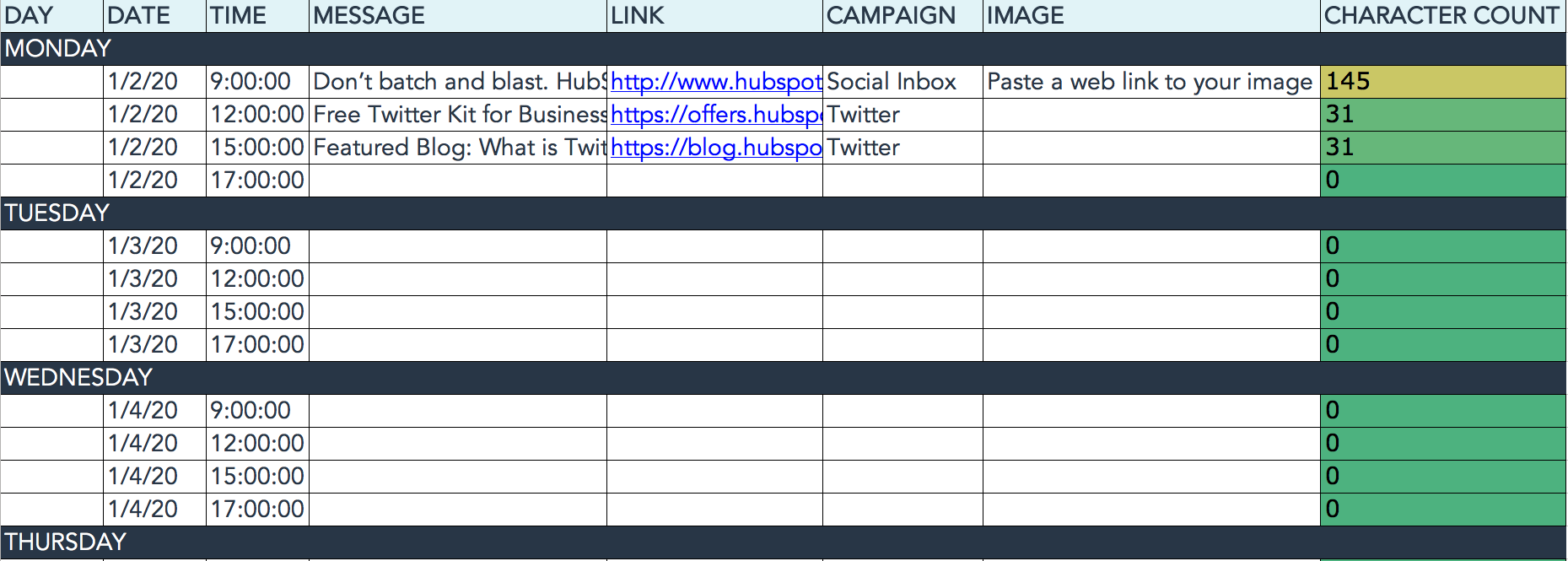
The first four columns, “Day,” “Date,” “Time,” and “Date & Time” are there for your convenience, and if you choose to use a third-party app for pre-scheduling your tweets (like HubSpot’s Social Inbox), then these columns will be useful. For now, just fill in the date on which you’d like your updates to publish to Twitter, and the time at which you’d like them to go out. The “Date & Time” column will automatically change based on what you input in the previous two columns.
Now, let’s move over to the “Message” column. Here, input the copy you’d like to appear in your tweet, bearing in mind you should cap it at 116 characters to allow enough room for a link, and at 115 characters to allow room for an image. (Read this blog post for a full character count guide.) This spreadsheet will auto-calculate the number of characters you’ve entered to keep you on-point, turning yellow when you’ve reached 95 characters, and red when you’ve reached 116 characters.
After you’ve composed your tweet, paste the URL you’d like to include in your tweet in the “Link” column. Be sure to include UTM parameters so you’ll know whether all of these tweets are actually driving traffic, leads, and customers. This is an important step to remember if you’d like to be able to demonstrate ROI from social. You can also use the “Campaign” column to add an associated campaign, which helps which more robust tracking and reporting.
Finally, in the “Image” column, attach the tweet’s image (if you have one). For Twitter, we recommend images that are 1024 x 512 pixels. (Click here for a full cheat sheet of social media image sizes.) If you’re having trouble attaching your image to the spreadsheet, follow these steps:
Step 1: Right-click the cell in which you’d like your image.
Step 2: Click “Hyperlink,” then click the “Document” button, and finally, click “Select” to choose your image.
Step 3: In the “Choose a File” window, select the image from your computer and click “Open.”
Step 4: You’ll now see the image attached to the “Insert Hyperlink” screen. Feel free to edit the “Display” text to change the file name, then click “OK.”
Note: This process is simply for organizational purposes. If you decide to upload the spreadsheet to your social media publishing software, it will not attach — you’ll have to do that with your marketing software. If you’re a HubSpot customer, details for how to bulk upload your Twitter content to Social Inbox can be found within the downloaded template.
Planning Your Facebook Content Calendar
Now, let’s talk about how to plan your Facebook marketing in advance with the template. Navigate on over to the tab in your template labeled “Facebook Updates.”
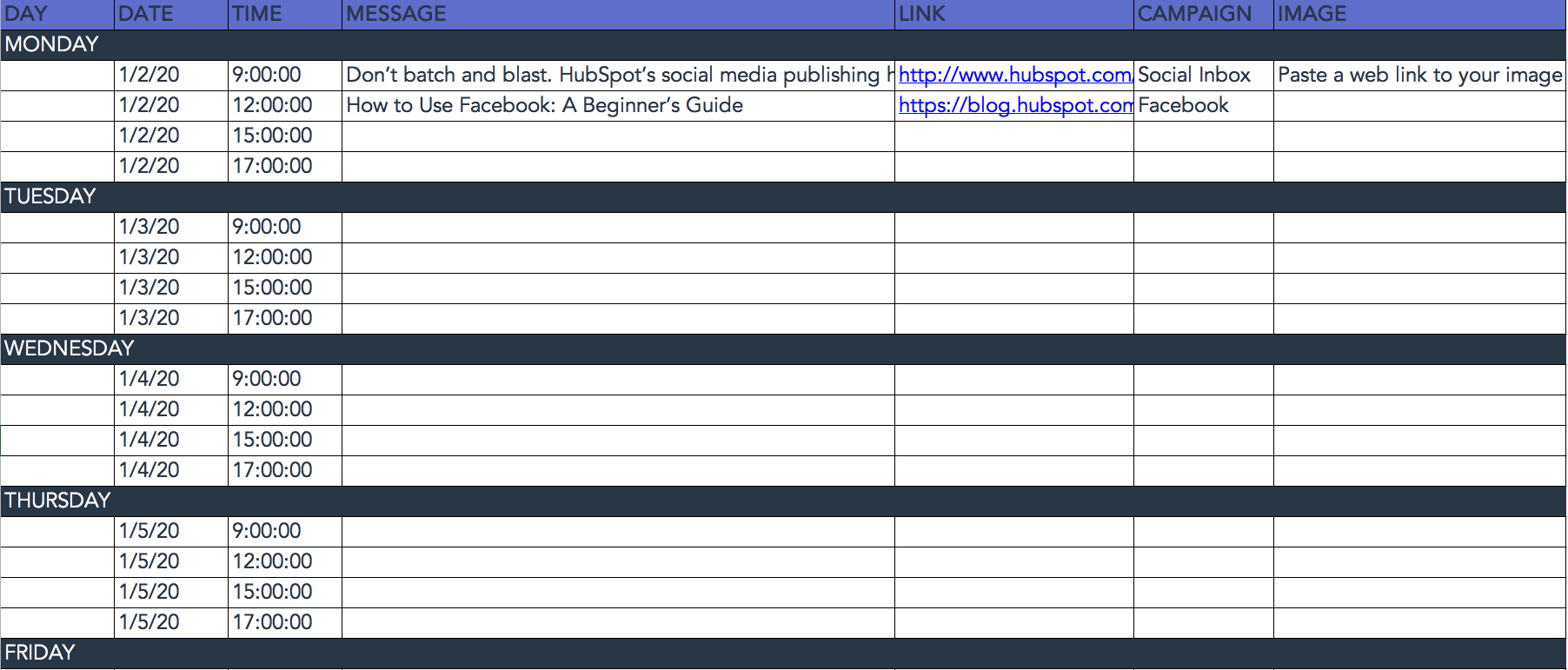
Facebook updates work similarly to Twitter updates, with the exception being bulk uploading your content is not possible in Social Inbox.
The first three columns, “Day,” “Date,” and “Time” are there for your convenience. Head on over to the column labeled “Message” and input the copy you’d like to appear in your status update, corresponding to the days and times you’d like those updates to run. Then, move to the “Link” column and input the link you’ll be, you know, linking to in the update. (Don’t forget that tracking token.) If you’d like the update to be tagged to a certain campaign, include this in the “Campaigns” column. Finally, attach an image just like you did with your Twitter updates — if you’re using one, we suggest you edit it to be 1200 x 900 pixels. (Click here for a full cheat sheet of social media image sizes.)
Planning Your LinkedIn Content Calendar
LinkedIn updates are the most unique, because you have both Company Pages and Groups to consider. To demonstrate the difference between Company Page updates and Group updates, let’s navigate over to the column labeled “Title (For Group Discussions Only).”
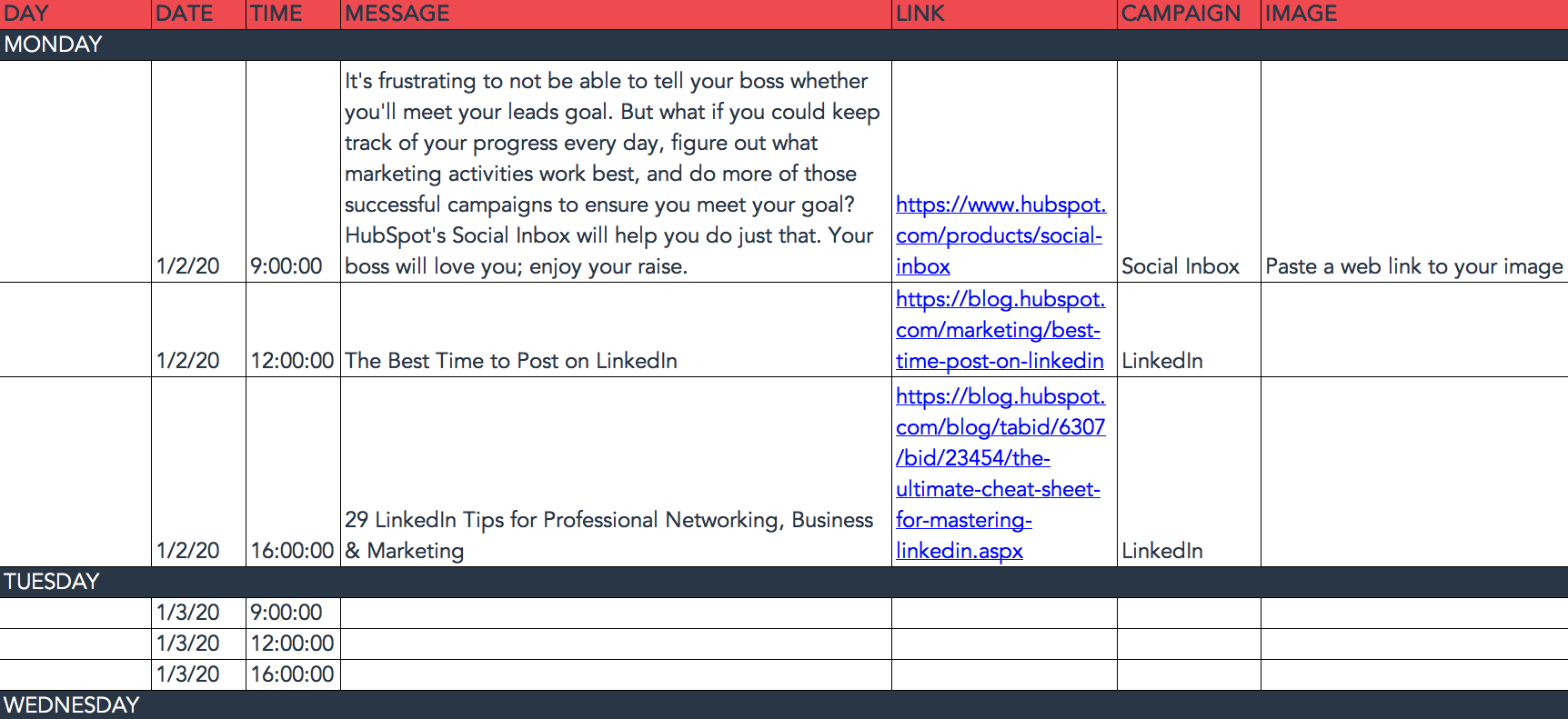
LinkedIn Groups let you post a few kinds of updates, one of which is called a “Discussion.” You will only fill out the “Title (For Group Discussions Only)” column if you’re looking to post a Discussion to your LinkedIn Group — because Discussions are the only update you’ll be posting that requires a title. If you’re not posting a Discussion to a LinkedIn Group, you don’t need to fill out this field, because your update will not have a title.
You’ll fill out the next column, “Message,” for every type of update you post, whether it’s for a Company Page or a Group. Simply input your copy into this column, and then navigate to the next two columns, “Link” and “Campaign” to input the URL to which you’re directing readers with the tracking token you’ll use to track activity, and the associated campaign if one exists. If you’d like to use an image for an update, attach it per the instructions laid out in the “Twitter” section. We recommend editing the image to 700 x 520 pixels.
Planning Your Instagram Posting Calendar
Now, let’s move on to how to set up your Instagram photos and videos in advance with the template. Navigate on over to the tab in your template labeled “Instagram Updates.”
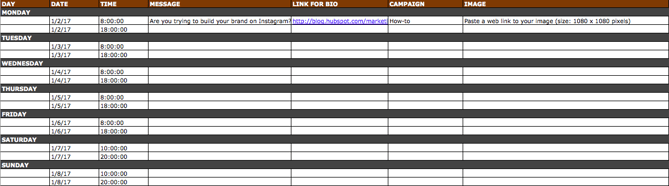
Instagram updates work similarly to Facebook updates, in that content can’t be uploaded in bulk to Social Inbox like it can with Twitter.
The first three columns, “Day,” “Date,” and “Time” are there for your convenience. Head on over to the column labeled “Message,” and input the copy you’d like to appear in your post’s caption, corresponding to the days and times you’d like those updates to run. Keep in mind that although Instagram captions can be up to 2,200 characters long, they cut off in users’ feeds after three lines of text. The exact length of these three lines depends on the length of your Instagram handle. (Read this blog post for a full character count guide.)
Next, move to the “Link for Bio” column and input whichever link you plan to put in the bio when you publish the accompanying Instagram post. (The reason you’d put a link in your bio and not the photo caption itself is because clickable URLs aren’t allowed anywhere except the single “website” box in your bio.) Oh, and don’t forget that tracking token.
If you’d like the update to be tagged to a certain campaign, include this in the “Campaigns” column. Finally, attach an image just like you did with your other social media updates — we suggest you edit it to be 1080 pixels x 1080 pixels. (Click here for a full cheat sheet of social media image sizes.)
Planning Your Pinterest Content Calendar
Alright, now let’s go over how to set up your Pinterest pins in advance with the template. Navigate on over to the tab in your template labeled “Pinterest Updates.”
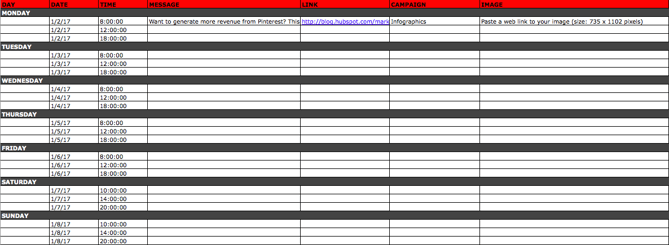
Pinterest updates work similarly to Facebook and Instagram updates, in that content can’t be uploaded in bulk to Social Inbox like it can with Twitter.
The first three columns, “Day,” “Date,” and “Time” are there for your convenience. Go to the column labeled “Message,” and input the copy you’d like to appear in your pin’s description, corresponding to the days and times you’d like those updates to run. Then, move to the “Link” column and input the link you’ll be, you know, linking to in the update. (Don’t forget that tracking token.)
If you’d like the update to be tagged to a certain campaign, include this in the “Campaigns” column. Finally, attach an image like you did with your other social media updates — we suggest you edit it to be 735 pixels x 1102 pixels.
Content Repository (Or, Where to Source Social Media Content)
This template also provides you with a tab called “Content Repository,” which should help you keep track of all your content and maintain a healthy backlog of fodder to make sourcing social media content easier.
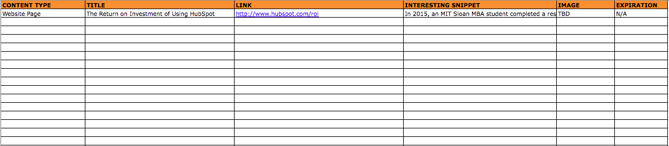
As you create more assets, you’ll likely want to resurface and re-promote those pieces down the line, too. To ensure you don’t lose track of all of that content, record it on this tab so you’re never at a loss for what to publish on social. If the content you’re promoting isn’t evergreen, be sure to include an expiration date in the column marked “Expiration” so you don’t promote it when it’s jumped the shark.
This tab will also help you maintain a healthy balance of content: A mix of your own content and others’, a mix of content formats and types, and mix of lead generation content vs. MQL-generating content vs. traffic-friendly content.
Don’t Forget to Interact With Your Followers
Whether you use this spreadsheet to plan your content out in advance or upload to a third-party app, you’ll still need to supplement these updates with one the fly content. Breaking news hits? Whip up a quick update to share it with your network. Someone in your network tweets something interesting? Give it a retweet with some commentary. Got a fascinating comment on one of your updates? Respond with a “thank you” for their interaction or an additional follow-up comment.
Coming up with and scheduling your social media content in advance is a huge time-saver, but it should go without saying that you still need to monitor and add to your social presence throughout the day.
Finally, we encourage you to experiment with your social media publishing. This template provides publishing dates and times for each social network, but you may find those are way too many updates for you to fill, or perhaps too infrequent for your booming social presence. You should adjust your social media publishing frequency as needed.

Editor’s note: This post was originally published in January 2020 and has been updated for comprehensiveness.

The Ultimate List of Email SPAM Trigger Words
Editor’s Note: Spam filters have become much more sophisticated than the subject line triggers listed in this post. For a more up-to-date guide to email marketing, check out our free guide to creating email newsletters people actually read here.
Writing the subject lines for your emails can be one of the most stressful steps of email marketing. Is it engaging? Too short? Too long? Too boring? Will people click ‘delete’ because of it? Or will they open it? Will it even get to them, or will it trigger SPAM filters? It’s the last of these concerns that we’re here to help with today.
SPAM filters can be triggered for a variety of reasons, causing your email to skip recipients’ inboxes and land straight in their SPAM box. One of easiest ways to avoid SPAM filters is by carefully choosing the words you use in your email’s subject line. Trigger words are known to cause problems and increase the chances of your email getting caught in a SPAM trap. By avoiding these words in your email subject lines, you can dramatically increase your chances of getting beyond SPAM filters.
Next time you sit down to write an email subject line, consult the exhaustive list below and make sure you aren’t using any words that will get you in trouble. In fact, you might want to bookmark this list so you can refer back to it every time you craft an email subject line. Back off, SPAM filters!
Email Spam Words to Avoid
Commerce
| As seen on | Buy | Buy direct |
| Buying judgments | Clearance | Order |
| Order status | Orders shipped by | shopper |
Personal
| Dig up dirt on friends | Meet singles | Score with babes |
Employment
| Additional Income | Be your own boss | Compete for your business |
| Double your | Earn $ | Earn extra cash |
| Earn per week | Expect to earn | Extra income |
| Home based | Home employment | Homebased business |
| Income from home | Make $ | Make money |
| Money making | Online biz opportunity | Online degree |
| Opportunity | Potential earnings | University diplomas |
| While you sleep | Work at home | Work from home |
Financial – General
| $$$ | Affordable | Bargain |
| Beneficiary | Best price | Big bucks |
| Cash | Cash bonus | Cashcashcash |
| Cents on the dollar | Cheap | Check |
| Claims | Collect | Compare rates |
| Cost | Credit | Credit bureaus |
| Discount | Earn | Easy terms |
| F r e e | Fast cash | For just $XXX |
| Hidden assets | hidden charges | Income |
| Incredible deal | Insurance | Investment |
| Loans | Lowest price | Million dollars |
| Money | Money back | Mortgage |
| Mortgage rates | No cost | No fees |
| One hundred percent free | Only $ | Pennies a day |
| Price | Profits | Pure profit |
| Quote | Refinance | Save $ |
| Save big money | Save up to | Serious cash |
| Subject to credit | They keep your money — no refund! | Unsecured credit |
| Unsecured debt | US dollars | Why pay more? |
Financial – Business
| Accept Credit Cards | Cards accepted | Check or money order |
| Credit card offers | Explode your business | Full refund |
| Investment decision | No credit check | No hidden Costs |
| No investment | Requires initial investment | Sent in compliance |
| Stock alert | Stock disclaimer statement | Stock pick |
Financial – Personal
| Avoid bankruptcy | Calling creditors | Collect child support |
| Consolidate debt and credit | Consolidate your debt | Eliminate bad credit |
| Eliminate debt | Financially independent | Get out of debt |
| Get paid | Lower interest rate | Lower monthly payment |
| Lower your mortgage rate | Lowest insurance rates | Pre-approved |
| Refinance home | Social security number | Your income |
General
| Acceptance | Accordingly | Avoid |
| Chance | Dormant | Freedom |
| Here | Hidden | Home |
| Leave | Lifetime | Lose |
| Maintained | Medium | Miracle |
| Never | Passwords | Problem |
| Remove | Reverses | Sample |
| Satisfaction | Solution | Stop |
| Success | Teen | Wife |
Greetings
| Dear [email/friend/somebody] | Friend | Hello |
Marketing
| Ad | Auto email removal | Bulk email |
| Click | Click below | Click here |
| Click to remove | Direct email | Direct marketing |
| Email harvest | Email marketing | Form |
| Increase sales | Increase traffic | Increase your sales |
| Internet market | Internet marketing | Marketing |
| Marketing solutions | Mass email | Member |
| Month trial offer | More Internet Traffic | Multi level marketing |
| Notspam | One time mailing | Online marketing |
| Open | Opt in | Performance |
| Removal instructions | Sale | Sales |
| Search engine listings | Search engines | Subscribe |
| The following form | This isn’t junk | This isn’t spam |
| Undisclosed recipient | Unsubscribe | Visit our website |
| We hate spam | Web traffic | Will not believe your eyes |
Medical
| Cures baldness | Diagnostics | Fast Viagra delivery |
| Human growth hormone | Life Insurance | Lose weight |
| Lose weight spam | Medicine | No medical exams |
| Online pharmacy | Removes wrinkles | Reverses aging |
| Stop snoring | Valium | Viagra |
| Vicodin | Weight loss | Xanax |
Numbers
| #1 | 100% free | 100% Satisfied |
| 4U | 50% off | Billion |
| Billion dollars | Join millions | Join millions of Americans |
| Million | One hundred percent guaranteed | Thousands |
Offers
| Being a member | Billing address | Call |
| Cannot be combined with any other offer | Confidentially on all orders | Deal |
| Financial freedom | Gift certificate | Giving away |
| Guarantee | Have you been turned down? | If only it were that easy |
| Important information regarding | In accordance with laws | Long distance phone offer |
| Mail in order form | Message contains | Name brand |
| Nigerian | No age restrictions | No catch |
| No claim forms | No disappointment | No experience |
| No gimmick | No inventory | No middleman |
| No obligation | No purchase necessary | No questions asked |
| No selling | No strings attached | No-obligation |
| Not intended | Obligation | Off shore |
| Offer | Per day | Per week |
| Priority mail | Prize | Prizes |
| Produced and sent out | Reserves the right | Shopping spree |
| Stuff on sale | Terms and conditions | The best rates |
| They’re just giving it away | Trial | unlimited |
| Unsolicited | Vacation | Vacation offers |
| Warranty | We honor all | Weekend getaway |
| What are you waiting for? | Who really wins? | Win |
| Winner | Winning | won |
| You are a winner! | You have been selected | You’re a Winner! |
Calls-to-Action
| Cancel at any time | Compare | Copy accurately |
| Get | Give it away | Print form signature |
| Print out and fax | See for yourself | Sign up free today |
Free
| Free | Free access | Free cell phone |
| Free consultation | Free DVD | Free gift |
| Free grant money | Free hosting | Free installation |
| Free Instant | Free investment | Free leads |
| Free membership | Free money | Free offer |
| Free preview | Free priority mail | Free quote |
| Free sample | Free trial | Free website |
Descriptions/Adjectives
| All natural | All new | Amazing |
| Certified | Congratulations | Drastically reduced |
| Fantastic deal | For free | Guaranteed |
| It’s effective | Outstanding values | Promise you |
| Real thing | Risk free | Satisfaction guaranteed |
Sense of Urgency
| Access | Act Now! | Apply now |
| Apply Online | Call free | Call now |
| Can’t live without | Do it today | Don’t delete |
| Don’t hesitate | For instant access | For Only |
| For you | Get it now | Get started now |
| Great offer | Info you requested | Information you requested |
| Instant | limited time | New customers only |
| Now | Now only | Offer expires |
| Once in lifetime | One time | Only |
| Order now | Order today | Please read |
| Special promotion | Supplies are limited | Take action now |
| Time limited | Urgent | While supplies last |
Nouns
| Addresses on CD | Beverage | Bonus |
| Brand new pager | Cable converter | Casino |
| Celebrity | Copy DVDs | Laser printer |
| Legal | Luxury car | New domain extensions |
| Phone | Rolex | Stainless steel |


A Marketer’s Guide To Competitive Intelligence
Across all industries, it’s gotten harder for brands to stand out among the competition. According to a 2020 survey by Crayon, businesses have, on average, 29 competitors — a 16% increase from 2019.
Small and large companies alike are fighting for consumers’ attention through targeted marketing campaigns, persuasive sales teams, and competitive pricing structures.
![Access Now: 10 Competitive Analysis Tempates [Free Download]](https://no-cache.hubspot.com/cta/default/53/b3ec18aa-f4b2-45e9-851f-6d359263e671.png)
The question is, how can a brand stay competitive as new companies emerge every day and threaten its position?
One solution is competitive intelligence (CI) – a process that can drive revenue and keep brands ahead in their industry.
Let’s get into what CI is, what it isn’t, and how brands can harness it.
In the past, it was primarily enterprise-level companies that had the resources to invest in CI, but that’s changing. In 2017, the Crayon study reported that only 37% of businesses had CI teams or dedicated CI employees. In 2020, that number grew by 20%.
Given how attainable information is online, it’s now easier for small businesses to implement CI tactics without shelling out on resources.
Another thing to note about competitive intelligence is that those insights are not only for C-suite executives. With the information gathered through CI, teams in:
- Sales are equipped to fight objections and address pain points.
- Marketing can adjust their messaging to better reach their user personas.
- Product can better understand competitors’ pricing and packaging models.
How to Conduct Competitive Intelligence Research
1. Identify your competitors.
With CI, you treat your industry as a game and your competitors as players. The end goal is to leverage key insights from their plays to determine your next move.
If you don’t know who your competitors are, it will make it that much harder to gather valuable information.
Start by narrowing down your top direct competitors. These are brands that offer a similar product or service and target the same user persona.
Then, compile a secondary list of indirect competitors. They’ll provide a different product or service but may still attract your target audience. It’s good to track for inspiration rather than for competitive advantage.
Once you have your list, rank them by threat level.
2. Set objectives.
Before you start conducting CI research, set your objectives. Ask yourself and your team: “What do we want to learn? ” This will help you determine which avenues to pursue and which data sources on which to focus.
Let’s say high-end handbag company Amore wants to better understand its competitors’ marketing strategy, specifically their messaging, campaigns, and content marketing. This is a very specific goal that gives a clear direction to your CI team. From there, the team can devise a plan to find that data.
3. Determine data collection strategies.
Now that your CI team knows the end goal, they can set up their data collection tools.
Staying with Amore’s goal of understanding its competitors’ marketing approach, the intel team will likely look at their websites, landing pages, blog posts, and downloadable offers – to name a few.
Social monitoring and social listening will also be valuable in understanding what content Amore’s competitors are putting out there and how consumers are responding.
Having a plan of action for data collection helps CI teams stay within the scope of the project. When you cast a net too wide, it can be difficult to know where to start.
4. Gather and analyze your data.
Now that you have your competitors, goals, and research plans outlined, you can get to work.
The data gathering process can take weeks or months, depending on your goals. As you compile your data, using a CI tool will be instrumental in categorizing your data for analysis later. Jump to that section here.
Once you have enough information, things get fun. You can start looking for patterns and discover strengths and weaknesses in your competitors.
5. Relay insights to key stakeholders.
Identifying themes in your research is the first part of the process, the second is presenting your insights to key stakeholders.
They can then harness this information to further the growth of the business and generate more revenue.
One thing to keep in mind is that just like for any data analysis, you are the storyteller. You are tasked with not only analyzing it but also framing it to explain why it matters. Without that key component, it can be difficult to understand where to go next.
You’ll also want to create reports tailored to the team. For instance, your sales team may find battle cards to be most useful while your marketing team may prefer a visual reporting breakdown. If you’re not sure what would work best, go straight to the source. Collaborate with your teams to determine the best way to communicate your findings.
Competitive Intelligence Examples
CI work can include anything from tracking your competitors’ pricing model to monitoring their social media activity. It all depends on how much time and how many resources your team is willing to invest. Here are the most popular sources and intel used for CI:
- Press releases
- Job postings
- Ad campaigns
- Lead magnets, such as ebooks, white papers, and templates
- Product and service updates (rollouts, updates to features, packages, etc …)
- Pricing changes
- Customer review sites
- Rebranding announcements
- Website changes or redesigns
- Sales calls and client communications
- Earnings reports (for publicly traded companies)
While some of this information will be gathered by the CI team, other departments can also submit their intel. For instance, sales representatives can be especially useful when gathering intel, as they have direct contact with leads and customers.
Competitive Intelligence Best Practices
1. Stay within legal limits.
This may seem obvious but a term like competitive intelligence can give the wrong impression.
When doing any sort of CI work, you must stay within legal limits. Accessing information through illegal measures, such as hacking or phone tapping, crosses over to “espionage” territory.
If there’s ever doubt on a CI approach, err on the side of caution and consult with your legal team. If you don’t have an internal team, reach out to a corporate lawyer who can offer some insight on the best route to take.
2. Be ethical.
Just because it’s legal, doesn’t mean you should do it.
Let’s say your team discovers a disgruntled employee from a competitor has recently quit and has key information on the business’ strategy over the next five years.
While it’s not illegal to reach out to the employee, it may be unethical as the employee may be tempted to reveal sensitive information.
Use good judgment. If it doesn’t feel right, it probably isn’t.
3. Share insights often.
One study by Crayon found that businesses that share CI at least once a week were twice as likely to have revenue increases than those who shared them less often.
With that in mind, sharing insights should be done often and regularly. CI is an ongoing process, not a one-and-done tactic.
As long as your company is growing, you’ll need to keep an eye on the competition.
4. Contextualize reports.
An important part of CI is sharing insights regularly.
Whether it’s through a newsletter, a monthly email report, or a meeting, context is everything.
For instance, let’s say the CI team at Amore reports that their direct competitor Abella has launched a collaboration with a luxury clothing brand. That report should also mention how it affects Amore’s positioning.
After all, the purpose of tracking competitors is to leverage that knowledge to improve your own positioning.
In this example, the collaboration with the clothing brand could solidify Abella as a luxury brand and help it move upmarket. This could weaken Amore’s position and require stronger messaging surrounding the product’s exclusivity and craftsmanship.
Also, insights don’t happen in a vacuum. They’re built over months or years of trends. As such, adding historical data can also help frame these insights and enable strategic decisions.
Competitive Intelligence Tools
1. Crayon
Crayon is one of the leading competitive intelligence platforms in the market. The software offers a centralized platform to store and analyze data from over 300 million sources and over 100 data types.
You can track your competitors’ digital footprint and easily filter through everything from social media and events to customer reviews and financial reports. The platform’s top features include:
- Daily and weekly digests – You can set alerts to receive updates every time there is a change in something you’re tracking, like a pricing page. Crayon also assigns a market analyst to your account to curate weekly custom reports.
- Sales battle cards – This makes battle cards easily accessible to your sales reps and has the power to analyze which plays are impacting revenue.
- Automated categorization – If your CI team is gathering data from multiple sources, Crayon automatically organizes that data for easy analysis.
To request pricing, you must contact the company.
2. Kompyte
Kompyte makes it easy to visualize the changes in your competitors’ pages. They have a before-and-after module that allows you to easily pinpoint changes on a page.
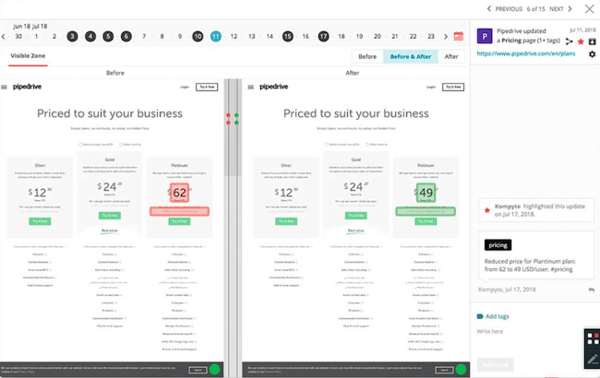
The tool provides details on the effectiveness of your competitors’ ads, giving you insight into which opportunities are worth exploring and which ones to avoid. This includes A/B tests and targeted keywords.
Beyond that, CI teams can also set KPIs and monitor them on the platform to ensure they’re on track to meet their goals and take action quickly based on performance.
To request pricing, you must contact the company.
3. SEMrush
SEMrush is the place to go for a deep dive into your competitors’ domain performance.
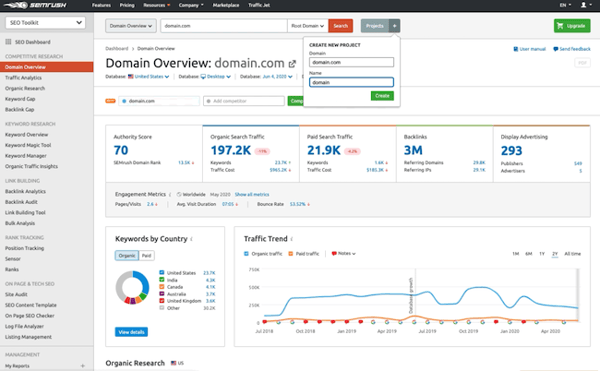
The platform allows brands to monitor other domains’ authority, their link-building efforts, paid search strategies, and more across multiple channels.
They offer a free version with some access to competitive research tools. However, the paid versions – ranging from $119 to $449 a month – unlock access to traffic analytics along with several toolkits for SEO, advertising, social media, and content marketing.
4. SimilarWeb
To get a more holistic view of your competitors’ online presence for free, consider SimilarWeb.

The platform has monitoring, benchmarking, and analytics capabilities to help scaling businesses better understand their market.
From SEO and web traffic to ad placement, the platform’s CI capabilities are extensive in both free and paid versions. For pricing details on the enterprise plans, you must reach talk to a SimilarWeb consultant.
5. Visualping
If you’re low on resources or don’t need an extensive CI program, Visualping is an easy and free way to keep track of your competitors and their website changes.
The site monitors website changes and alerts you via email, text, Slack, or API. You can specify what areas of the page you would like to track along with how often you’d like to be alerted.
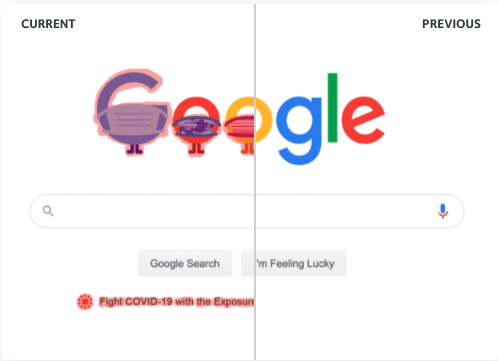
All you need to start is an email and a website to track. However, for business use, the monthly cost ranges from $20 to $135.
The key takeaway is that when running a business, staying in your lane is important but that doesn’t mean you shouldn’t look left or right from time to time to see what everyone else is up to. When done right, CI can be an incredible asset to every brand.

How to Create an Advertising Proposal [Free Template]
Whether you’re part of an internal marketing team or an agency developing an advertising pitch, it’s imperative to nail your advertising proposal to gain stakeholder clarity and secure their buy-in.
After all, advertising is expensive, and a poorly managed campaign results in wasted funds and resources that fail to deliver a return on investment – which could hinder a company’s ability to hit its awareness and sales goals.
Executives need to know that an advertising project has been well thought-out from all angles before they front the money to develop creative and buy advertising space. And the best way to inform and persuade these decision-makers is with a crystal clear and actionable advertising proposal.
In this article, we’ll outline the actions to take, templates to use, and questions to answer when developing your advertising proposal, so you can get moving on your advertising project faster and maximize revenue from it.


Follow along with HubSpot’s free Advertising Proposal Template for PowerPoint. The template is completely customizable to your business’s needs and makes developing an advertising proposal presentation simple, covering sections thorough proposals need to have such as:
- Project timeline.
- Project team.
- Project budget and fees.
- … And more.
While the template is best-suited for marketing agencies, it can easily be adjusted for in-house marketing teams for internal project management. Download the template now to get started.
How to Make Your Advertising Proposal
1. Plan your advertising project.
Preparing an advertising plan is an essential first step in an advertising pitch project. As a rule of thumb, it’s best practice to work off of an advertising plan template to ensure you check all the necessary boxes when it comes to the project.
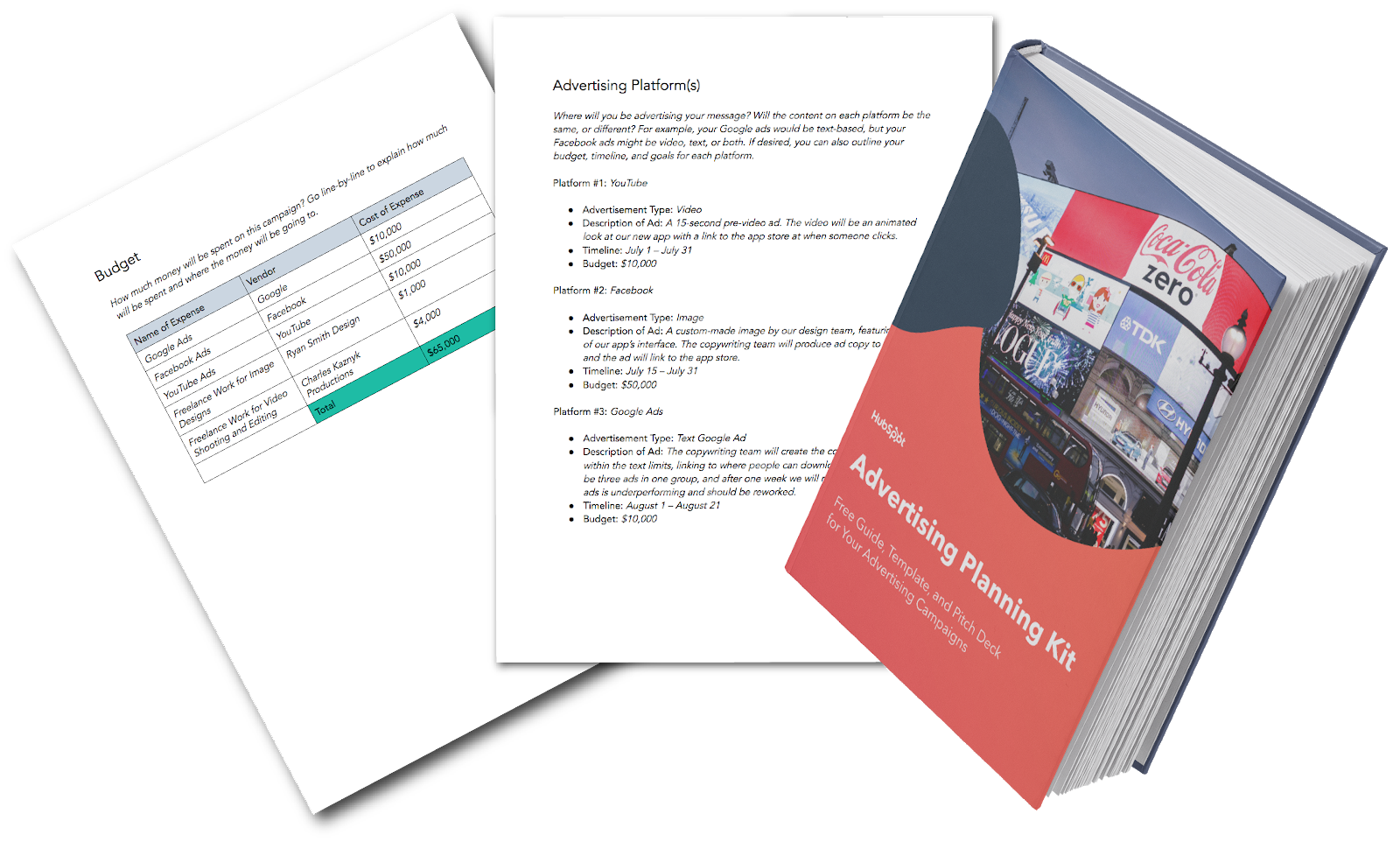
In the next few sections, we’ll highlight what you should include in your advertising plan and proposal, but the reason to start with this step is to ensure organization. By proactively setting up your framework, you’ll be better suited to prioritize your tasks down the road and understand which roadblocks you might face – and in the process, get ahead of them.
2. Specify your tasks and/or services.
So, you’re moving forward with your advertising proposal – but what exactly are you planning on doing?
The next step is to outline the scope of work for the project, including:
- Conducting market research.
- Choosing an advertising platform.
- Developing creative and copy.
- Working with media buying/selling vendors.
- Analyzing and presenting results.
Depending on the makeup of your team or agency, you might be responsible for some or all of these tasks – or perhaps some not even listed here.
The important thing to remember in this step is to make the expectations of what your team will be doing abundantly clear.
There should be no question from those to whom you’re presenting regarding what will or won’t be done by your team.
3. Pick your team members.
An advertising campaign requires contributions from marketing, sales, sales enablement, finance, and/or the product teams.
In your proposal, put faces to names by explaining who will be responsible for what. Naturally, this process might take more time if you’re combining the efforts of those within and outside of your company, or if there are different team members in the same department who need to decide which person will be responsible.
4. Establish a timeline.
When boiled down, executives need to know what is happening and when it is happening. Thus, the next step in the process is to build a timeline for your activities.
Now that you have a list of those who will be involved in your campaign, work with their schedules and areas of expertise to determine who will be doing what, and at what point.
Your timeline should be clear, efficient, and attainable. When presenting your proposal, you don’t want anyone feeling unsure about your team hitting its targets, but you also don’t want to give off the impression that you’re not moving as diligently as possible.
As such, be sure you can speak to why each step of the process will take as long as you’re suggesting and what contingency plans – if any – you have in-place.
5. Solidify your budget.
The key distinction between marketing and advertising is budget. Advertising requires an additional investment to buy space on a desired platform, and when asking for money, you’ll need to be transparent about how much you’re asking for, and why.
Your budget outline should speak to all funds required to execute the campaign, such as:
- Agency fees (if applicable).
- Creative development fees for video, imagery, and/or graphic design elements.
- Advertising placement costs on your intended platform(s).
- Additional headcount (internally or freelancers).
Alongside your budget, you should also speak to the projected monetary impact of your advertising campaign, including both revenue and profit, and, if available, the projected increase in customers and unit sales. Adding these elements can help make the budget more justifiable.
6. Share your presentation.
Once you have all of these elements laid out in your advertising proposal, it’s time to share your presentation.
If it’s via email, make sure to include relevant articles or resources in your messaging or in an appendix, and encourage the email’s recipients to promptly send any questions so you can address them and move forward with the project quickly.
If the presentation is in-person or over a video call, always be sure to rehearse your presentation – particularly if more than one person is explaining the proposal. As a best practice, you should leave ample time at the end of your presentation to answer any outstanding questions somebody may have before signing off on the proposal.
3 Tips for an Outstanding Advertising Proposal Presentation
1. Be creative.
You’re being tasked to work on this advertising project because you’re creative, so why would you allow your advertising proposal to be any less creative?
Make sure your proposal and presentation are filled with imagery and is well-designed. If appropriate, you might also want to consider throwing in some references, GIFs, or jokes to appeal to your audience’s more lighthearted side.
2. Be clear.
We’ve said this already, but advertising campaigns can require enormous investments of time, resources, and capital. Leave absolutely no stone unturned in your presentation, or you might risk setting false expectations about your team’s capabilities.
A lack of clarity might also convince your audience you haven’t fully answered all questions, which could result in the decision to not move forward with the campaign. When it comes to numbers, timelines, and processes, clarity is key.
3. Be concise.
Finally, always remember that we’re all pressed for time. While clarity is essential, there’s no point in redundancy or wasting your audience’s time. Some information is best suited to be clarified in the Q+A session after the presentation or in follow-up collateral if requested.
In your presentation, prioritize delivering the need-to-know information – but be prepared to follow-up on anything that needs clarification.
Delivering a Winning Advertising Proposal
With these steps and this template, you’ve got the foundation to bring your advertising campaign idea to life. Find the balance between clarity and creativity, know your numbers, explain your process, and you’ll be on your way to getting your advertising proposal approved.

The Ultimate Guide to LinkedIn Company Pages
A lot happens on LinkedIn. People post updates, professionals seek new jobs, salespeople pitch prospective customers, and LinkedIn members of all kinds connect, chat, and build relationships.
With almost 740 million members, this level of activity comes as no surprise.
The LinkedIn Pages launch in late 2018 equipped consumers to discover and vet their favorite businesses and for businesses, organizations, and institutions to connect with their audiences.
LinkedIn Company Pages provide a unique way for your organization to stand out from the noise — important noise, but noisy nonetheless. We developed this guide to help you master your LinkedIn Company Page.
LinkedIn Company Pages were developed to give your company a home base and reach your audience on the network.
If you haven’t built a LinkedIn Page for your business yet, you’re missing out on new connections, followers, employees, and customers.
What to Post on a LinkedIn Company Page
Creating a LinkedIn presence for your company expands your brand trust and awareness. Here are a few ideas for what to post on your LinkedIn page to maximize your ROI.
1. Share company updates and news.
LinkedIn, like any other social network, features a content stream on which people share and discuss important articles and updates. Your Page is a perfect place to post your company updates and news for customers, employees, investors, and fans to review and share.
2. Post open jobs and connect with potential employees.
LinkedIn is a professional social network, meaning users benefit from work and career-related updates, connections, and interactions. LinkedIn members are primed to discover and discuss job opportunities, including the ones at your company. If you have any open roles, LinkedIn is the perfect place to share them.
In fact, LinkedIn provides Career Pages — a space separate from your Company Page that’s dedicated to open jobs, recruiting, and employer branding.
3. Build a community.
Every social network boasts its own ability to foster a sense of community, and LinkedIn is no exception.
Your LinkedIn Company Page is a place to build a community of LinkedIn members who are interested in your business, updates, and jobs. Here, they can connect and collaborate on their shared interest in your company. Post interesting questions, behind-the-scenes information, and unique updates to engage your audience and build camaraderie on your Page.
4. Grow and keep your brand’s image consistent on social media.
If you’re active on other social networks, having a presence on LinkedIn can help you grow your audience elsewhere. Most social networks allow you to link to and from your LinkedIn page to boost recognition and increase your number of followers.
Additionally, some of your audience may only be active on LinkedIn, so creating a Page would give you a chance to connect with new potential customers and employees.
5. Improve your discoverability on search engines.
LinkedIn Company Pages rank on search engine results pages (SERPs) like any other website or social network. Creating a Page gives your company another opportunity to be discovered by those searching for your products, services, or brand.
LinkedIn Company Pages vs. LinkedIn Groups
Another popular feature on LinkedIn is LinkedIn Groups, where like-minded people digitally gather to discuss common topics, industries, or (in some cases) companies. Many users get these two features confused.
LinkedIn Company Pages are the equivalent to your “website” on LinkedIn; you create it on behalf of your company, and it belongs to you (as a business owner and/or marketer). You’re responsible for updating your Page and posting new content and updates. Other LinkedIn members can follow your Page and engage with your content.
On the other hand, LinkedIn Groups are collaborative networks that can be created and engaged with by any LinkedIn member. Some groups are private while Open Groups can be read or joined by anyone.
Now, a company can create a LinkedIn Group for certain internal teams or subgroups, but LinkedIn Groups can’t necessarily replace LinkedIn Company Pages.
How to Create a Company Page on LinkedIn
Whether you already have a LinkedIn account or are new to the platform, creating a LinkedIn Company Page is easy. Follow these steps to get started.
1. Create a new LinkedIn Page.
Head to LinkedIn and visit the LinkedIn Marketing Solutions site. Hover over the LinkedIn Pages option in the top menu and click Create a LinkedIn Page.
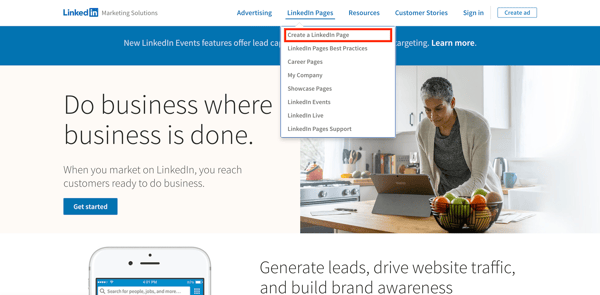
If you’re already signed into LinkedIn, tap the Work drop-down menu in the top right corner and click Create a LinkedIn Page+ from the very bottom.
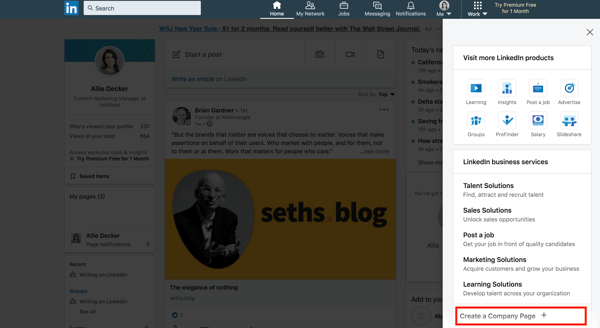
2. Choose your company size and type.
Choose the size of your business from the first two options. (Notice the other two options to create a Showcase Page or create a LinkedIn Page for an educational institution, both of which you aren’t required to provide this information.)
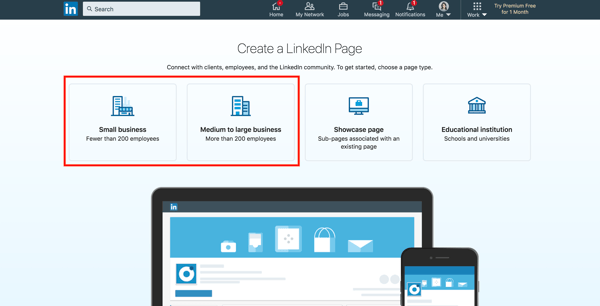
For the purpose of this guide, I’m going to choose Small Business.
3. Fill out your company details.
Next, fill out the details of your business. Only some of the details are required, but I recommend fully completing this step (as we’ll discuss in the best practices section below).
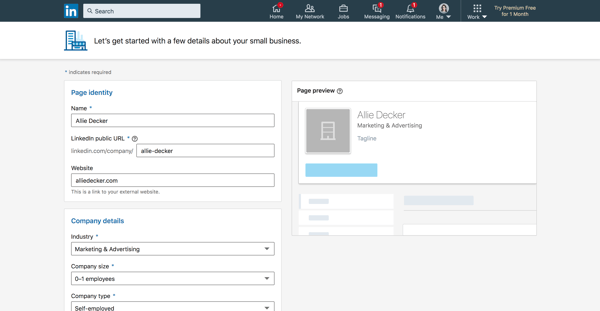
Let’s walk through the form fields.
- Name: Enter your entire company name to improve discoverability and searchability.
- LinkedIn public URL: As you fill out your Name, LinkedIn will automatically input your URL to match. Ideally, your URL will be your company name; this keeps your online identities consistent. For example, HubSpot’s LinkedIn Page URL is www.linkedin.com/company/hubspot/. If your company name isn’t available, choose a URL that’s similar and still identifiable, such as one of your social media handles and/or a shortened version of your brand name.
- Website: Enter your company’s website. Although not required, this information is critical as it connects LinkedIn followers to your company website.
- Industry: Choose this from the drop-down menu. This information helps LinkedIn categorize your company for Page visitors.
- Company size: Choose your company size from the ranges provided.
- Company type: Choose your company type from the options provided.
- Logo: Upload a high-quality logo that matches the logo on your other social media accounts. This is important so new followers can recognize your brand and Page. It must be 300 x 300px.
- Tagline: In 120 characters, briefly describe what your company does. Consider using the same tagline from your other social media accounts. You can change this information later.
When finished, check the checkbox at the bottom and click Create Page.
4. Complete your LinkedIn Page.
The final step should show you the Admin View of your LinkedIn Company Page. This is essentially the behind-the-scenes dashboard from which you can make changes to your Page.
If you’re building your Page from scratch, you’ll see that LinkedIn provides a helpful checklist of actions to complete. These tasks will also unlock new features such as Content Suggestions and Invite to Follow that can help grow your Page.
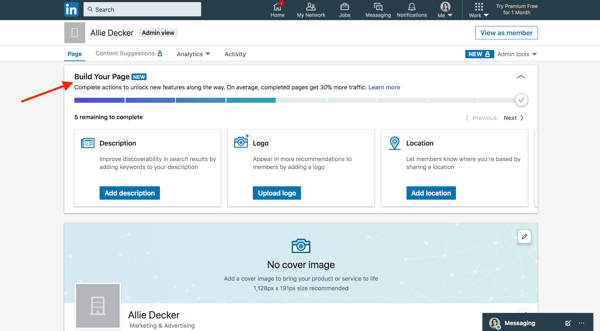
Let’s walk through the important tasks to complete in this step.
- Description: Add an About Us section that describes your company. It should be longer than your tagline. This is the place to include relevant keywords and phrases that can help people discover your Page on LinkedIn and through search engines. This section can be up to 2,000 words. LinkedIn also allows you to create taglines and descriptions in multiple languages.
- Location: Add at least one location for your company. You can add multiple locations and name each one. Consider at least adding your headquarters or central company location.
- Cover photo: Add a cover photo that will engage and entice visitors to check out your Page. Many brands upload another orientation of their logo or their latest marketing or advertising campaign graphics. This photo must be 1,128 x 191px.
- Hashtags: Although relatively uncommon on LinkedIn, hashtags on your Page provide a unique way to connect with followers and engage with posts. Add up to three hashtags that are related to your company, industry, and audience. They will be added as Community Hashtags to your Page.
You can also add a company phone number, the year your company was founded, and any LinkedIn Groups you want to show on your Page.
Voila! Your LinkedIn Company Page is now created and ready to share. Continue poking around your Page to complete all fields and features. The following section of LinkedIn Page best practices will help you use your Page to connect and grow.
How to Manage Your Company Page on LinkedIn
Once you create your LinkedIn Company Page, your work is done … right? Nope. Honestly, creating the Page is the easiest part. Managing and posting on the page is what takes more time, work, and creativity.
As we’ll talk about below, the first thing to do is determine your Page admin. This person will be responsible for creating (or delegating) the content posted on your Page.
Work with your team to plan much of your LinkedIn content upfront. Gather ideas from your other social media accounts, or chat with your leadership, product, and HR teams to get ideas for company, product, and job updates to share.
Encourage your coworkers to create LinkedIn accounts of their own, as their engagement and participation can help drive traffic to your Page.
Lastly, keep an eye on the LinkedIn Company Page analytics. See who’s visiting and engaging with your Page and what kind of content they prefer. Over time, this will help you determine where to best spend your creative energy.
LinkedIn Company Page Admin
Who is your LinkedIn Company Page admin? Answer this question before moving further in this article. You need at least one, although we’ll discuss in the section below how (and why) to add additional Page admins.
LinkedIn offers a variety of admin roles, and your Page should have at least one of each to avoid losing access to your Page. Moreover, this admin (or team of admins) are the ultimate managers of all content posted on your Page. They should ensure all content is on brand and consistent with your other social networks and website content.
Let’s talk about some more best practices for LinkedIn Company Pages.
Follow these tips and techniques to maximize the impact of your LinkedIn Company Page.
1. Complete all Page details.
According to LinkedIn, fully completed LinkedIn Company Pages get 30% more views. Take the time to fill out every Page detail, even those that aren’t required.
The more details you provide about your company, the easier it will be for people (a.k.a. potential customers) to discover and connect with you. It will also serve to educate those who are interested in working for or investing in your company.
2. Add important Page admins.
Maintaining a LinkedIn Company Page can be a lot of work, especially if your team is already manning multiple social networks and accounts. Once you create your Page, don’t forget to add more Page admins to give other people permissions.
Do add new Page admins, click Admin tools > Page admins in the top right corner of your Company Page.
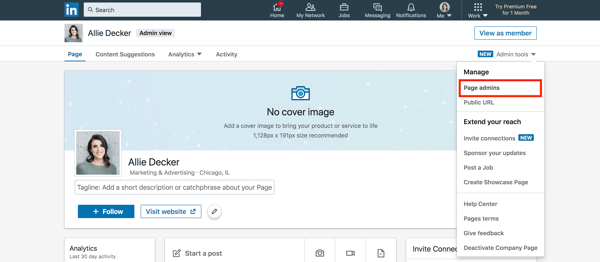
The following box will allow you to manage all your Page administrators. As you can see, there are five types of admins you can add to your Page. LinkedIn explains them in detail here.
You must be connected to your Page admins in order to add them. To do so, simply type in the person’s name, choose them, and click Save changes.
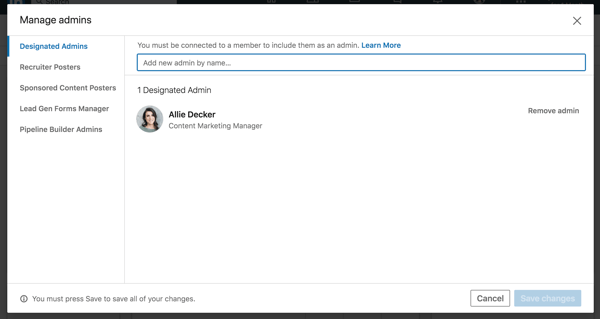
3. Keep your images up-to-date.
Your Page logo and cover photo are very important; they visually introduce and engage anyone who visits your Page. Keep these images up-to-date with your latest branding and marketing materials.
Not only is this critical for presenting a unified social presence, but it ensures your LinkedIn Company Page also matches your website, blog, and other digital marketing materials. Doing so will boost brand awareness and help new customers, employees, and fans discover your brand on LinkedIn.
4. Share engaging content with your followers.
Like any social network, you can’t expect to simply create your account and be finished. Building your LinkedIn Page is only half the battle; you must also consistently post content to successfully engage, inform, and market to your audience.
Consider posting updates to your products and services, job openings, trends or news that involve your brand, and behind-the-scenes content featuring employee life, product development, or other unique content.
LinkedIn also provides a handy Content Suggestions tool to help you discover topics and content your audience is already engaging with on the network. Tap Content Suggestions along the top menu of your Page, and update the filters as they apply to your audience.
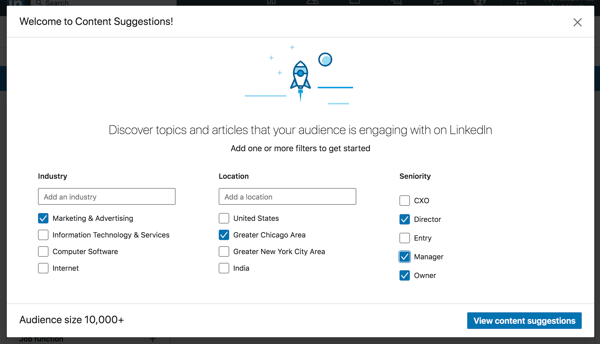
Tap View content suggestions, and you’ll see a content stream based on your chosen topic and audience parameters. You can edit the filters further in the left menu, and you can add or take away content topics along the top. This tool shows you the engagement rates of popular or trending content and makes it easy to share this content with your audience.
As always, don’t forget to engage with your audience, too. Like, comment on, and share things posted by your followers and connections. This will remind them there are humans behind your brand’s LinkedIn Company Page.
5. Post interesting, eye-catching visuals.
Text-only content is unlikely to engage all members of your LinkedIn Page. Be sure that at least 50% of your posts feature an engaging visual, whether an infographic, illustrated statistic, or quote graphic. Even a GIF or meme can be a fun addition to a text-heavy feed.
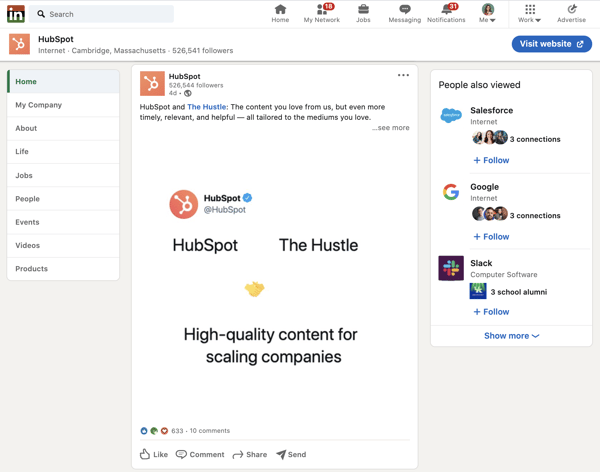
Also, consider adding short videos. Even if these videos repeat your text-based posts, they’ll engage with your more visual audience and keep folks engaged on your Page.
6. Customize your call-to-action.
On your LinkedIn Company Page, under your logo and next to the Follow + button, you’ll find a call-to-action (CTA). Mine says Visit website.
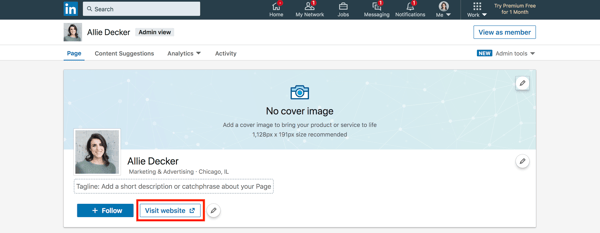
LinkedIn allows you to customize this CTA to better engage your followers and audience. To do this, tap the pencil icon next to your CTA. Make sure the Custom button option is turned on.
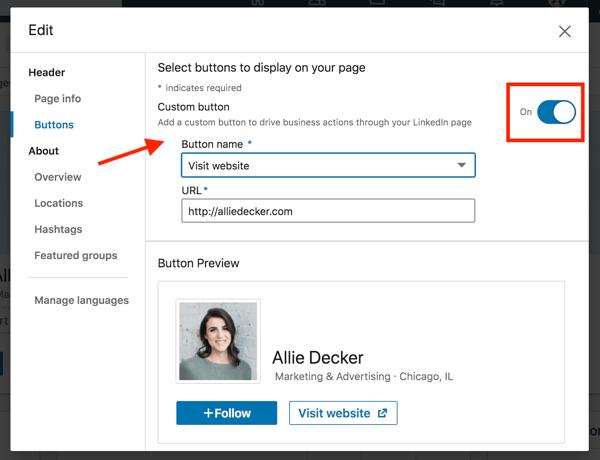
Choose a button name from the drop-down menu and enter a URL. Use this setting to direct followers to your website, landing pages, event registrations, and more.
7. Involve your employees.
Your employees are some of your best brand advocates. This is especially true on LinkedIn, where employees have an average of 10x more first-degree connections than a company has followers.
As you develop your Company Page, encourage your employees to follow and engage with it. Also, ask each employee to list your company as an employer, as this will link their profile to your Page and vice versa.
This is a helpful resource when growing a new Page audience of customers and potential employees.
8. Post content from (or mention) partners and other companies.
If you partner with other companies, such as for co-marketing campaigns, feature them on your Page often. Not only does this engage other companies and leaders, but it also promotes your content to your partner’s audiences.
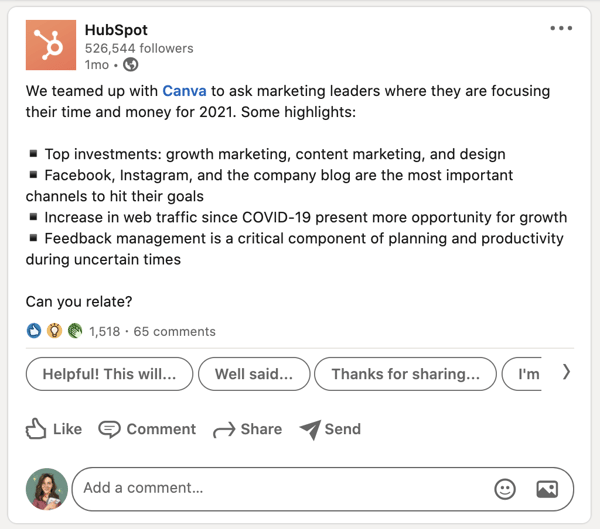
For every post that you share about your company, share one focused on another company, your employees, or even your customers.
Create Your LinkedIn Company Page Today
Nearly 80% of consumers trust social media over advertising — including social media for brands and companies.
Your LinkedIn Company Page contributes to this statistic, and, in turn, helps bolster your brand awareness, trust, and social activity. Use this guide to develop your LinkedIn Company Page and start engaging with new customers, employees, investors, and followers.
(If you’re looking for additional resources, LinkedIn also provides their own handy Playbook for optimizing your Company Page.)
Editor’s note: This post was originally published in August 2017 and has been updated for comprehensiveness.

How to Create a Comprehensive How to Guide [+Examples]
The irony doesn’t escape me that I’m currently writing a “How to” guide on … “How to” guides.
Fortunately, I’ve had my fair share of experiences writing How to guides for HubSpot over the years — some of my favorites include How to Give a Persuasive Presentation, How to Develop a Content Strategy: A Start-to-Finish Guide, and How to Write a Request for Proposal.
How to Guides are incredibly valuable opportunities to reach new audiences with useful, high-quality content. Plus, for both B2B and B2C businesses, How to Guides are often necessary components of a healthy lead generation strategy.
For instance, consider how many people search “How to [fill in the blank]” on Google each day:

These search queries demonstrate one of the primary reasons people turn to the internet — to learn how to do something.
If your business can reach those users with informative, relevant answers to their questions (related to your own products or services), those readers will begin to see your brand as an authority on the topic. Additionally, they’ll appreciate the value you’ve provided them.
Down the road, those same readers you first attracted with a How to Guide could become customers and loyal brand advocates who spread the word about your products or services to friends and family.
Suffice to say: How to Guides matter.
Here, we’ll explore the right structure to use when making a How to Guide and how to write a comprehensive How to Guide. We’ll also take a look at some impressive examples of How to Guides for inspiration. Let’s dive in.

How to Make a How to Guide
1. Conduct research to ensure your guide is the most comprehensive piece on the topic.
People read How to Guides to learn how to do things. And even if you know very well how to do something, it’s critical you conduct research to ensure you’re writing content that can help both the beginner and the expert who’s searching for your post.
Additionally, to rank on the SERPs, you’ll want to conduct keyword research and competitive research to ensure your How to Guide is the most comprehensive post on the subject.
For instance, let’s say you’re writing a blog post, “How to Make an Omelette.” Upon conducting research, you find Simply Recipe’s post is at the top of Google.
Diving into the post, you’ll see Simply Recipe has covered sections including “French Verses American Omelettes”, “The Best Pan for Making Omelettes”, and even “Ideas for Omelette Fillings”.
If you want to create your own How to Guide on omelettes, then, you’ll want to cover all (if not more) of the sections Simply Recipe has covered in its post.
Additionally, you should use Ahrefs or another keyword research tool to explore similar keywords or queries people ask when searching for topics like “Omelette”. This can help you create a well-rounded piece that will answer all your readers’ questions, and help you rank on Google.
Even if you know a topic incredibly well, research isn’t a step you should skip. In fact, knowing a topic well can make it more difficult to write a How to Guide on the topic, since it feels like second-nature to you. For that reason, you’ll want to rely on your research to ensure you’re including all relevant information.
2. Understand your target audience’s concerns and challenges.
For this step, you’ll want to use online community forums like Quora or internal data to identify all the various concerns or challenges your target audience might have that your How to Guide can answer.
If you’re writing “How to Create a Content Marketing Strategy”, for instance, you could start by looking at responses to “What is content marketing?” on Quora. These user-generated responses can help you identify common themes, misconceptions, or confusion around content marketing.
Next, you might reach out to your research marketing team to identify common pain points or questions they’ve seen in surveys or focus groups regarding “content marketing”. For instance, you might find that most of your audience says content marketing is a priority for them — but they don’t know how to do it on a budget.
Conducting qualitative research like this arms you with the information necessary to ensure your How to Guide answers all relevant concerns on a given topic.
3. Structure your steps in the correct order for your reader, and when possible, use screenshots.
Your readers will bounce from your page if it’s too difficult for them to quickly find the answer to their question, so you want to deliver all relevant information as quickly as possible — and in the right order.
Many readers will use your How to Guide as a list of instructions. For instance, if you’re writing, “How to Take a Screenshot on a Mac“, you’ll want to write down each specific action necessary to take a screenshot. When possible, images, screenshots, or videos can also help take your content to the next level.
For less tactical, more ambiguous topics, you should still list your tips for easy readability.
4. Tell the reader why it matters.
To write a high-quality How to Guide, it’s important you start by asking yourself: Why do my readers need, or want, to know this?
Understanding the high-level purpose behind a topic can encourage you to write with empathy. Additionally, it will help you create content that accurately meets your reader’s expectations and needs.
For instance, when writing “How to Create a Facebook Group for Your Business“, I took some time to identify that readers might search this topic if a) they are seeking out new ways to connect with customers or want to create a stronger sense of brand community, or b) they want to raise awareness about their products or services.
As a result, I wrote:
“A group is a good idea if you’re interested in connecting your customers or leads to one another, you want to facilitate a sense of community surrounding your brand, or you’re hoping to showcase your brand as a thought leader in the industry. However, a group is not a good idea if you want to use it to raise awareness about your products or services, or simply use it to post company announcements.”
In the example above, you can see I targeted a few different segments of readers with diverse purposes to help readers determine whether this How to Guide would even help them meet their own goals.
Ultimately, understanding the purpose behind your How to Guide is critical for ensuring you target all the various components or angles of the topic at-hand.
How to Write a How to Guide
Once you’re ready to start writing your How to Guide, you might wonder if your tone or writing style should differ, compared to other types of posts.
In short: Yes, it should.
When people search “How to …” they’re often in a rush to find the information they need, which means it’s critical you write in short, concise sentences to provide an answer quickly.
Additionally, How to Guides need to offer tactical, actionable advice on a topic so readers can begin implementing the steps immediately.
There’s a world of difference between readers who search “what is an RFP”, and those who search “How to write an RFP”. While the former group is looking for a definition of RFPs and maybe an example or two, the latter group likely already has a fair understanding of RFPs and needs to create one ASAP.
If you’re writing a How to Guide, there are a few best practices to keep in mind when it comes to writing:
- Use verbs when writing out steps. For instance, you’ll want to say, ‘Write a company background’, rather than ‘Your RFP should start with a brief background on your company.’
- Use numbered lists, headers, and bullet points to break up the text and make your content as easy to skim as possible.
- Use both screenshots and written text for readers who can’t load the image on their screen or don’t understand what you’re trying to tell them from the image itself.
- Link out to other relevant blog posts, pillar pages, or ebooks so readers can find follow-up information on certain topics mentioned in your How to Guide.
- Provide examples to show your readers what you mean.
- Write with empathy, acknowledging it can be frustrating when learning or refining a new skill.
How to Guides often attract a wide range of readers, all with varying levels of expertise.
“How to Create a YouTube Channel,” for instance, likely attracts YouTube beginners who are simply interested in creating a channel to watch and comment on friends’ posts — but it probably also attracts professional marketers who need to create a channel for their business to attracts and converts leads.
With such a diverse audience, it’s critical you write clearly, but not condescendingly, to ensure you retain readers regardless of skill level or background experience.
To explore what this looks like in-practice, let’s explore some examples of How to Guides next.
How to Guide Examples
1. The Recipe How to Guide

McCormick’s “How to recipe guide on french toast” is neatly organized so readers can quickly determine a) how long the recipe will take, b) the ingredients you’ll need, and c) instructions for cooking.
If a reader already knows the ingredients necessary for french toast, she can click to “Instructions” to get started right away. Alternatively, if a reader prefers viewing instructions rather than reading, she can click “Watch How-to Video”. This offers good variety when it comes to how readers’ prefer consuming How to materials.
Takeaway: When you’re structuring your own How to Guide, consider how you can best organize it so readers can jump straight to what they need. For instance, perhaps you put the most important information at the top, or include a jump link so readers can determine what they need to read — and what they can skip.
2. The B2B How to Guide
 Atlassian’s “How to write the perfect 90 day plan” provides important contextual details to the 90 day plan, including “What is a 90 day plan?” and “What should be included in a 90 day plan?” The piece is well-researched and empathetically-written.
Best of all, the guide provides a downloadable 90 day plan PDF, so readers can immediately download and use Atlassian’s plan with their own team.
Takeaway: Consider what ebooks, PDFs, charts, Canva designs, or Google Sheets you can make internally as an option for readers to download and use. Readers will appreciate the option to immediately apply what they’ve learned.
3. The B2C How to Guide
 This “How to Become a Freelancer” guide from FlexJobs does a good job providing relevant links and data to create a comprehensive overview of what freelancing is.
Additionally, the post uses action verbs to inspire the reader — for instance, under “How to Start a Freelance Business”, you’ll see tips such as “Do Your Homework”, “Create a Brand”, and “Plan Ahead”. The language used in this post goes a long way towards encouraging readers to get started immediately.
Takeaway: Use action verbs and concise language to keep a reader engaged. When possible, start with a verb instead of a noun when listing out steps.
4. The Product-related How to Guide
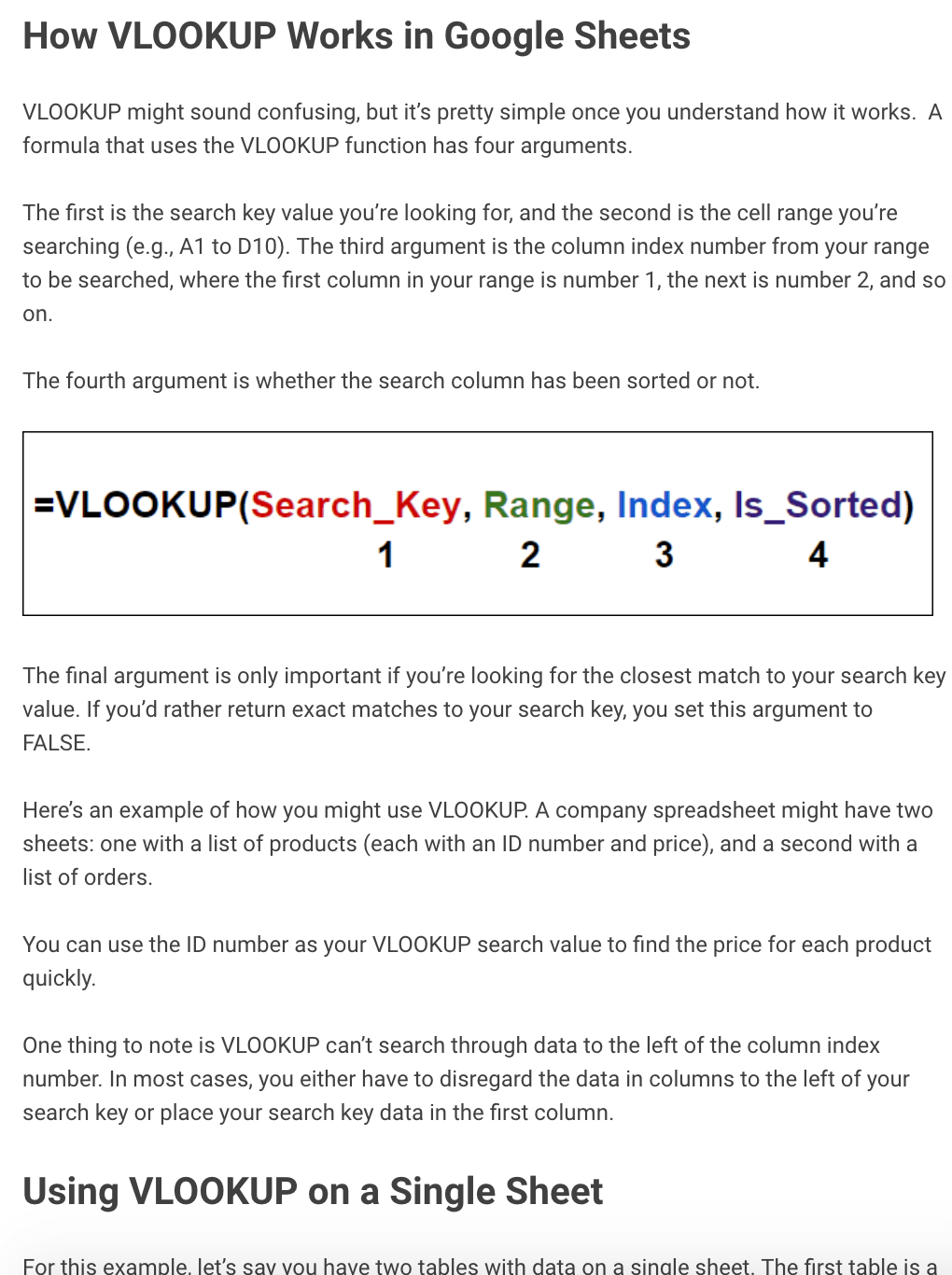 “How to Find Data in Google Sheets with VLOOKUP” isn’t necessarily the most interesting topic, but How-to Geek effectively keeps the content engaging with empathetic statements like, “VLOOKUP might sound confusing, but it’s pretty simple once you understand how it works.”
Additionally, How-to Geek includes useful, original images to demonstrate each tip they’re describing. These images don’t have to be state-of-the-art visuals created by a professional design team, either — as this post proves, a few simple screenshots go a long way towards helping the reader understand a complex topic.
Takeaway: When possible, create your own visuals/screenshots to walk readers through each step-by-step instruction.
5. The Lifestyle How to Guide
I recently saw this post in Medium titled, “11 Ways to Quickly Stop Stress in Your Life“. I clicked it expecting a few quick, easy tips for stopping stress — but, instead, I was engrossed in the first section of the post, “The Effects of Stress in Your Life”.
While I previously mentioned the importance of starting with a quick answer to the searcher’s How-to question, there are exceptions to that rule. In this case, it’s important readers understand why they should stop stress before knowing how. This Medium writer did a good job understanding the structure he should use to keep readers engaged throughout.
Takeaway: Play around with structure. Consider what your readers need to know in order for the rest of the post to matter to them. For instance, you might start with a section, “What is XYZ?” and “Why XYZ matters” before diving into, “How to do XYZ.” This way, your readers are fully invested in finding out how these tips can improve their lives in some small (or big) way.


The Beginner’s Guide to Share of Voice
If you’ve ever been in charge of gathering reports for your marketing team, then you know there are a plethora of metrics you can measure.
One metric that you might not think to use for several channels is share of voice. However, this is a versatile metric that you can use in a competitive analysis for social media, organic traffic, or even paid advertising.
As a marketer, share of voice is important because it helps you understand how well your brand is performing against the competition.
Below, let’s review everything you need to know about share of voice.
![→ Download Now: Market Research Templates [Free Kit]](https://no-cache.hubspot.com/cta/default/53/6ba52ce7-bb69-4b63-965b-4ea21ba905da.png)
While share of voice isn’t the same thing as market share (more on that below), share of voice tends to correlate with market share and revenue. For instance, the more you’re dominating in the conversation online, the more market share you’ll have and the more authority you’ll have among users.
This metric was mainly used as a way to measure success in paid advertising, however it’s much more than that now. You can calculate share of voice for organic traffic and social media, in addition to paid advertising.
By calculating your share of voice, you’ll have a better understanding of many people know about your brand, and you can identify areas to work on. For example, if you have a high share of voice in social media, but not as much in organic traffic, then you know you need to improve your organic traffic strategies.
Now, what’s the difference between share of voice and share of market?
Share of Voice Formula
To calculate share of voice, divide your brand’s measures by the total market measures. This could be your social mentions, paid advertising clicks, or website traffic.
To find these numbers, you’ll need to use some of your marketing tools. You can look at your social media automation tool, for instance, to count how many mentions your brand has. Then, you can calculate how many mentions your competitors have. After you add all those together, you can divide your mentions by the total to find the share of voice percentage.
Calculating share of voice should help you learn which channels need your attention the most and how you stack up against competitors. Now, let’s see which channels you should calculate share of voice for.
Share of Voice
Advertising
When it comes to advertising, it’s important to find your share of voice to see how much ad space you’re taking up compared to the competition.
To find this, you’ll divide how well you did in a paid advertising metric (such as impression shares), by the total number in the industry.
For PPC ads, you can look at impression shares, which represent the amount of times your ads were shown to users compared to the number of times your ads could have been shown, based on your keyword and campaign settings.
Share of voice is important in advertising because it will help you budget, measure campaign effectiveness, and give you a competitive advantage.
Social Media
Social media is one of the main channels where you can use share of voice as a measure of success since social media is where consumers go to be heard.
With social media, you can measure brand mentions, hashtags, reach, impressions, or even sentiment.
To calculate, use a social media tool to measure brand mentions. Calculate yours, your competitors, then add those numbers together and divide your mentions by the total.
Share of voice is important in social media because it will help you determine which competitors are getting mentioned more, so you can analyze what you do versus what they do. This will help you identify gaps in your strategy. Ask yourself, what platforms are working for your competitors, which influencers talk about them, and where they’re the most popular.
Now, you might be wondering, “How can I generate these reports?”
Share of Voice Reports
To create a share of voice report, you should be able to use your marketing automation tool to gather the numbers. You can simply create an excel sheet and begin calculating share of voice for several channels including social media, advertising, or organic traffic.
Calculating share of voice is a great way to learn how well you perform against your competitors. The best part is that you can use this metric for several marketing channels, from advertising to social media.


Why HubSpot is Investing in Pipe
We know that growing a business can feel like a constant juggling act: from driving sales and managing a team, to prioritizing product roadmaps and keeping customers happy. Founders are often forced to step away from building their business and consider the numbers behind their day-to-day operations, in order to fundraise, which can be a serious distraction.
The good news is that the world of alternative financing is evolving by the day. Founders have a growing set of options for accessing capital which can give them time back to focus on higher-impact work. This aligns well with our mission at HubSpot, which is focused on helping companies grow in a way that doesn’t come at the expense of customer delight or that sacrifices the culture a team has worked so hard to build.
That’s why HubSpot Ventures is thrilled to announce our investment in Pipe, a company that is changing the way companies access capital and one that shares our mission to help companies grow on their terms.
Founders Harry Hurst, Josh Mangel and Zain Allarakhia started Pipe with the idea that recurring revenue streams are assets in and of themselves. Historically, there hasn’t been a two-sided platform connecting companies that have monthly or quarterly recurring revenue with investors who could bid to purchase these revenues for their annual value, upfront.
-Mar-09-2021-02-22-10-00-PM.png?width=3364&name=image%20(10)-Mar-09-2021-02-22-10-00-PM.png) Pipe integrates with a company’s banking, payment processing, and accounting systems to rate a business almost instantly, without disrupting any existing workflows or customer relationships. The product tracks revenue streams automatically, and once companies are approved, they have access to the Pipe Trading Platform to see real-time bids for their full annual value.
Pipe integrates with a company’s banking, payment processing, and accounting systems to rate a business almost instantly, without disrupting any existing workflows or customer relationships. The product tracks revenue streams automatically, and once companies are approved, they have access to the Pipe Trading Platform to see real-time bids for their full annual value.
They’ve attracted buy side participants who are vetted institutional investors who bid to purchase monthly and quarterly paid recurring revenues at a small discount to their annual value, unlocking an entirely new asset class. What this means for companies is that founders can now access low-cost, non-dilutive financing conveniently without the drawbacks of traditional debt or the distraction of raising growth capital.
We were attracted to Pipe’s bold vision to be the go-to platform for companies seeking convenient, low-cost capital, as well as their unique positioning around using ecosystem partnerships to help drive their growth. The entire Pipe team is on a mission to change the game in how companies like HubSpot’s customers access capital, and HubSpot Ventures is honored to be part of their journey.
Learn more about Pipe here, and more about HubSpot Ventures here.

How to Create Content for Gen Z, From a TikTok-Influencer-Approved Marketing Agency
Gen Z has the fastest-growing buying power of any generation — but it’s still one of the most misunderstood and challenging age groups to market to.
While previous generations can be generally be persuaded to buy products through brand loyalty, fear of missing out, or high-budget ads from major companies, Gen-Z’s relatively modest spending habits and craving for authenticity has turned some traditional marketing tactics upside down.
Gen Z’s budget-consciousness became even more apparent during 2020 and the global pandemic. As physical stores closed, brands struggled to keep up with online sales demand, and as members of the young-adult workforce worried about job security, brands had to take even more steps to market to the age group.
Not only did marketing content have to establish that products were essential, worth purchasing, or readily available to Gen Z audiences, but brands also needed to prove that they were relatable, trustworthy, and shared values with them.
Because creating engaging content for Gen Z was no easy feat in 2020, Fanbytes — an influencer talent agency — began to host Gen Z TikTok influencers in a U.K.-based home where they lived full-time, created content, and collaborated during the 2020 lockdowns. This home was named, “Bytehouse.”
![Download Now: Social Media Trends in 2021 [Free Report]](https://no-cache.hubspot.com/cta/default/53/3dc1dfd9-2cb4-4498-8c57-19dbb5671820.png)
What the Heck is Bytehouse?
At the moment, Bytehouse — which BBC, The Guardian, and other news outlets referred to as a “TikTok house” — hosts influencers including KT Franklin, Lily-Rose, Sebbyjon, Monty Keates, and the duo Em and Loz. According to Fanbytes content manager Shelly Chadha, the group of influencers, known as the “Bytesquad”, have more than 10 million combined TikTok followers.
“Bytehouse was created in response to Gen Z consumer behavior, which has moved away from linear TV and towards social media,” Chadha explains.
By housing Gen Z creators together, Chadha says, “We have ensured that the content is not only relatable and entertaining to young people but reflects their beliefs and behaviors. It was extremely important to us that … [the influencers] are almost mirror images and can help answer any questions regarding identity, sexuality, and race.”
While the Bytesquad churned out many non-branded TikTok videos, they also helped market products to Gen Z. For example, here’s a Bytesquad demo of products from the skincare brand Starface:
Shortly after the success of Bytehouse, a U.S.-version, called “Hype House,” started housing YouTubers and TikTok influencers in Los Angeles. This house was also covered in publications like the New York Times and Cosmopolitan.
While influencer houses like these might seem more centered around entertainment than branding, these experiments have enabled content managers and agencies like Fanbytes to zone in on the Gen Z audience.
And while influencers might not be relevant to your marketing efforts now, you can still learn a great deal from the content they’re creating for the unique Gen-Z demographic.
Luckily, if you’re a marketer who can’t get top Gen-Z talent to make content for you, there are still plenty of ways your team can engage and reach this audience.
To help marketers in their quest to capture the Gen-Z audience, Chadha offered us a handful of great tips for creating engaging content for the age group.
How to Create Marketing Content for Gen Z
1. Remember: Gen Z and Millennials aren’t the same.
“One crucial mistake we see a lot of brands do is bundle up Gen Z and millennials into one category and create content that they believe will engage them simultaneously,” Chadha explains.
For example, “Despite both [millennials and Gen Z] looking for authenticity in the content they consume, Gen Z takes this to a whole new level and possesses unique consumer behavior,” Chadha says.
Additionally, because Gen Z was raised around revolutionary technology, like smartphones and IPads, “the content they choose to consume is always in line with the newest trends, whereas millennials may not be so picky,” Chadha explains. “It is compulsory for brands to be up-to-date with the newest innovations in the content they create if they want to win over Gen Z hearts.”
Lastly, since Gen Z grew up in times of recession, while millennials grew up in an economic boom, Gen Z tends “to not trust brands quite as readily as millennials do,” Chadha adds.
Chadha is not the only marketer to notice the key differences above. In a research-driven post, HubSpot dug into similar generational differences in spending, content consumption, and level of brand trust.
Ultimately, brands will need to leverage authentic, trustworthy, or entertaining content that demonstrates the value of a product to engage Gen Z. We’ll dive more into what this looks like with the following tips.
2. Pick the right platform.
One thing is certain about Gen Z. They love experimenting with the latest social and video creation apps.
But, if you’re marketing to young adults, it can be hard to determine which apps are just a trend, which have marketing potential, and which aren’t worth spending time on.
To ensure they’re telling brands and influencers to focus on the right platforms, Fanbytes does deep research and testing on viral apps before recommending them to clients.
“For each new app that comes to our attention, we create a strategy using members of our team by researching [the app’s] offerings. Not until we have completed thorough investigations into new platforms’ offerings will we advise which platforms are worth brands’ investments and which aren’t,” Chadha explains.
For example, two platforms Chadha’s team recently researched are Triller — a music video creation platform and Instagram Reels — a TikTok-like feature within the Instagram app.
Aside from spending time on Triller and Instagram Reels to learn how they work, as well as which influencers use them, “we look into the type of campaigns that can be run on these platforms and how other brands have used the platform,” Chadha explains.
“We also activate test campaigns with real brands ourselves to put our insights into action and see if the platform can really deliver,” Chadha adds.
Apps Fanbytes is Watching
TikTok
While TikTok saw astounding growth in its launch year, it received another burst in usage during the COVID-19 pandemic.
“The world saw a huge rise in the rate at which we consume short-form content, with Tiktok becoming the most downloaded app in a single quarter at the start of 2020,” Chadha says.
“TikTok provided a form of escapism to so many people that needed to tune out to what was happening in the world whilst stuck indoors,” Chadha notes. “It also offered a constant feed of short-form content, from comedy to dance challenges and everything in between.”
“TikTok has continued to rise in its numbers and other apps have risen or diversified their offerings to follow suit,” Chadha adds.
But what makes TikTok rise above its competitors? Chadha explains:
“Instead of the polished aesthetics that platforms like Instagram perpetuate, TikTok values personality, originality, innovation, and fun. Consequently, TikTok offers all types of brands the opportunity to reach users in a way that they can’t do elsewhere.”
Additionally, because TikTok’s algorithms aim to match viewers with videos they’ll enjoy based on data from the viewer and video-specific engagements, “brands and creators can go viral from a great piece of content regardless of follower count,” Chadha says. “If a brand can understand the platform’s algorithm, the behavior of its users, and the trends, even if they only have 200 followers, they’re already 75% there.”
If you choose to market your brand on TikTok, Chadha says it’s important to define your “niche” and create attention-grabbing content around it.
While knowing you’ll want to market to Gen Z is a good start to finding your TikTok niche, it’s important to remember that there are many subgroups of young adults with different interests on the app. As you determine what your brand niche is, Chadha suggests asking yourself the following questions:
- “What demographic do you want to drive traffic, sales, or clicks from?
- What content should you be creating to target those users?
- What influencers can you leverage to distribute the content?
“Noting these things down is a great first step in your TikTok marketing journey and can make all the difference,” Chadha says.
While TikTok can be a helpful tool for brands trying to reach Gen Z, you should still consider testing other similar apps as well. Although TikTok’s had historic app growth, it’s still vulnerable to bans, regulations, and censorship in certain countries which could impact marketers.
If regulations impact your TikTok strategy, staying in the know of other apps, such as those mentioned below, could help you smoothly pivot your content strategy elsewhere if needed.
Instagram Reels
“Instagram’s new Reels feature offers brands a more diverse and varied range of content on the platform and we’ve seen quite a few brands take advantage of this,” says Chadha.
For example, this Reel from Louis Vuitton creates seamless transition content,”
While Instagram Reels could have a promising outlook based on the success of other Instagram features, Chadha says Fanbytes is “still questioning” whether this alternative “will ever quite reach TikTok’s potential.”
Although Reels might not be as viral as TikTok, marketers should still check it out — especially if they’ve already gained Gen Z Instagram audiences. While TikTok has taken over app stores, Instagram Reels still allows you to reach Instagram’s audience of more than 2 billion users.
Triller
Right now, Triller — a music video creation app — might be more relevant to music industry companies. However, it might be a good app to keep on your radar for Gen Z research, especially if TikTok continues to see ban concerns around the world. To show you some of the similarities, here’s a video that demonstrates how to make a Triller video:
“From our research, we have seen campaigns taking off on Triller due to its well-deserved reputation in the music industry. With investors like Snoop Dogg and Lil Wayne, it’s no wonder musicians have jumped on the app to create music videos using Triller’s built-in AI video editing software.”
However, while Triller is seeing steady usage and campaign growth, Chadha notes that it still is more specific to brands and creators in the music industry, while TikTok is still more appropriate for brands with all sorts of niches.
“We believe that Triller is going to continue to grow after being downloaded 250 million times and reaching number one in the App Store in 50 different markets,” says Chadha. “However, we don’t see it as direct competition to TikTok as Triller will continue to cement itself in the music marketing world whilst TikTok has the potential to grow in all other areas.”
Catering your content to each platform.
Once you land on a platform, you’ll want to follow some of the tips noted above to determine which types of content will stand out and which opportunities you’ll have there.
For example, when ByteHouse launches branded content on TikTok, it’s short, entertaining, and to the point.
Meanwhile, the group’s YouTube page features longer-form videos that take more time to give detailed information about a brand. Here’s an example where the group went to a restaurant called FUWA FUWA:
While ByteSquad offers quick information and attention-grabbing storylines on TikTok, they use YouTube to create more in-depth discussion around a brand.
3. Prioritize video and audio content.
“It is always advisable to go with a video approach in the content you’re creating. Gen Z rejects traditional advertising with their mobile-first mindset, spending an average of about 3.5 hours of internet videos a day,” Chadha explains.
Chadha’s words are backed by a handful of research studies. In one of the most recent from YouTube, Gen Z respondents polled said they couldn’t “live” without YouTube content. The study also revealed that many members of Gen Z rely on video research when determining if they should make a purchase.
When it comes to Bytehouse, influencers there focused primarily on creating short-form videos, primarily for Gen Z platforms like TikTok. At the moment, Bytesquad‘s official TikTok account features hundreds of original videos targeted at Gen Z — many of which have more than 100 thousand views. The squad also creates videos for platforms like YouTube and Instagram.
Aside from video, Chadha says brands might also want to consider audio marketing as well. Examples of this could include creating podcast content and advertising on music streaming services that are popular to Gen Z.
“We also predict that audio marketing is going to be big in 2021. Audio within marketing enables personalized content and intimacy, which Gen Z loves,” Chadha says. “In a report by Pandora, the average daily audio streaming hours have increased by 32%. Digital audio now commands more listening time than traditional AM/FM radio, accounting for 53% of all daily audio consumption.”
4. Hook your audience quickly.
“[Gen Z marketing] content shouldn’t just be informative, it should also be fast,” Chadha advises. “Keep it snappy and to the point.”
Regardless of which content type you use, it’s key to remember that Gen Z only has an eight-second attention span. And, that span could be even shorter when surfing fast-paced social platforms with endless content.
To capture Gen Z’s attention, Chadha advises that marketing content has “to be super succinct and come with a great hook.”
Here’s an example of a TikTok the ByteSquad created with a great hook. In the video, one of the members entices mystery by walking up to her roommates and saying “Look what I got.” Because the video is shot from her point of view, you can’t see what type of product she’s holding but see her roommates’ jealous reactions. As the video continues, it’s revealed that everyone is jealous over the influencer’s bag of food from McDonalds.
5. Embrace advertainment.
Once you hook your audience, you’ll want to keep them entertained while continuing to differentiate your content from dull product placements.
Chadha says one of the biggest challenges Gen Z marketers face is creating entertaining content that still interestingly highlights a product or brand.
“If the campaign is intrusive with brand logos plastered everywhere, the users will know they’re being advertised to and the content won’t appear organic,” Chadha explains.
Ultimately, Chadha says the “only way” marketers can be successful on TikTok or other prominent Gen Z platforms is by naturally balancing attention-grabbing content with brand information.
“This means adopting our ‘advertainment’ approach; entertainment first, product-second mentality,” Chadha advises. “By studying [a Gen Z platform] and making use of its tools, features, and trends … you can successfully win the hearts of its users.”
One example of how Fanbytes has helped brands reach Gen Z is a recent campaign they did with Idahoan Foods
When food content was on the rise during lockdowns, Idahoan Foods wanted to drive Gen-Z awareness to their instant mashed potato products.
Instead of launching traditional ads, Fanbytes created a custom TikTok sound, “leveraged influencers, and created a dance challenge to draw users in to connect with the brand,” Chadha explains.
The video below highlights one example of an advertainment video Idahoan Foods published on TikTok. In the short-clip, an influencer named Nico Bisesi compares the taste of Idahoan’s instant potatoes to that of a butter knife.
While the video clearly shows an Idahoan Foods product placement, viewers might be more intrigued by the oddness of the story. For example, rather than getting bored by a video ad, TikTok viewers might ask themselves, “Why did he eat that knife?” or “What will happen next?”
Chadha notes that Idahoan Foods’ overall TikTok strategy has resulted in more than 14 million TikTok video views, 211 pieces of user-generated content, and 3,700 added Idahoan Foods followers.
When determining why the tactic was so successful, Chandra believes it was due to the brand focusing more on the level of content entertainment and less on intrusive product placement.
“We didn’t plaster [Idahoan Foods] everywhere, but instead found a way to connect [Gen Z] users with the product through an entertaining concept,” Chadha says.
6. Embrace retargeting.
“Gen Z’s quick attention span also means that they will most likely scroll past any ads quickly,” Chadha adds.
Because Gen Z speeds past ads, brands that leverage advertising will likely need to show their promotions to Gen Z more than once.
“[Gen Z is] bombarded with ads hundreds of times a day and so one ad is not going to win them over,” Chadha explains. “Utilising retargeting helps you keep front of mind and enables users to feel that they know you.”
7. Leverage influencer marketing (and it doesn’t have to be TikTok!).
While you don’t need influencers to take advantage of all the tips on this list, they can still be quite beneficial when you have access to them.
“A great opportunity to generate a lasting and meaningful impression on Gen Z is through influencer marketing. Gen Z is a group who buy into people rather than brands and autonomy rather than big corporations,” Chadha explains. “So, building relationships with influencers who have built strong relationships with your target market is a good way to go.”
Through leveraging influencer marketing at Fanbytes, Chadha says the agency has received “astonishing results” for its brand clients.
“Let’s take ACCA, the leading international accounting body as an example,” Chadha adds. “They approached us as they were looking to change perceptions of accountancy from ‘dull, boring and exclusive’ to ‘exciting, impactful and relevant’ amongst Gen Z.”
“We selected some of our best influencers who are reliable voices in the TikTok community to head to an accountancy firm for a day and film ‘day in the life’ content for their fans.
In the video below, captioned with “Work time vs LUNCH TIME 😂 Relatable?”, Sherice Banton, a TikTok creator with more than 1.7 million followers, pretends to work alongside actual accountants. After seeing a few clips of her working in a seemingly normal office, one clip — which symbolizes lunchtime — shows her dancing alongside the accountants.
The video not only allowed viewers to get a glimpse into the world of accounting, but also made the topic of working in an office funny, entertaining, and relatable to anyone who watched. Chadha notes that this campaign drove more than 6.2 million video views, 182,000 TikTok “hearts,” and over a thousand comments.
Some of the best places to leverage influencer marketing could be on short-form video platforms, such as Instagram Reels or TikTok. This type of strategy can be especially helpful if you want to leverage a viral video platform but haven’t mastered the hottest content types, trends, or audience yet. Because influencers have built a following on a given platform, they’ll likely know what content works and how to implement information about your brand or product in those videos.
While Fanbytes works with macro-level TikTok influencers, smaller brands don’t have to toss this strategy aside if they can’t access a big name or don’t know if TikTok is right for them. While it might be more challenging to access major influencers, there are plenty of micro-level creators across social platforms with large follower-bases and strong expertise in many niches.
For example, if you sell fitness products, you might consider working with a creator who posts their workouts regularly, talks about the products they use, and has thousands of engaged followers or regular comments on their content. Similarly, if you sell clothing, you could look for creators known for posting regularly about fashion trends.
8. Let Gen Z create content for you.
“Marketers who are targeting Gen Z also have the opportunity to supercharge their campaigns by inspiring [audiences] to create content for their brand,” Chadha explains. “Gen Z loves to be creative and really experience a brand through content creation. If the concept [of your campaign] is on-trend, you might be able to build an army of fans creating content for you without having to lift a finger.”
“Take the #davidstesla trend for example. It began with a collaboration between G FUEL, an energy drink brand, and David Dobrik, a popular creator on Youtube and TikTok. The collaboration was created as a contest where David would give away a Tesla to the user who creates the best video and follows the G Fuel page.”
Since launching this campaign, G FUEL’s TikTok page has grown to more than 863 thousand followers and received more than 12 million likes.
Aside from the high-priced prize, Chadha explains the campaign went viral “because it puts the audience in control by giving them the opportunity to vote on the best videos via the amount of views, shares, and engagement on a video submission.”
“Secondly, it merges our concept of ‘advertainment’ seamlessly by hardly mentioning the product. Instead, the product is integrated subtly but is still required to follow the page to be considered,” Chadha adds.
Even if you don’t have access to a top influencer — or a free Tesla — user-generated content can still be beneficial for your brand.
For example, you could host a smaller-scale version of a giveaway that asks audiences to create content for a chance of winning one of your products. Or, you could offer to share the best user-generated videos on your site or social media channels, which might encourage people to create videos in hopes of gaining online awareness.
9. Study and embrace Gen Z trends.
“A generation that grew up with fast-paced technological developments and social media, [Gen Z is] extremely digitally savvy and used to adjusting to new technology. Because of this, trends on platforms such as TikTok move extremely fast and the content that’s popular on social media platforms one minute may be out the window the next,” Chadha says.
“Brands need to be all over social media … and constantly check in with the latest and greatest trends so that they are always a part of the conversation,” Chadha explains.
“Our number one piece of advice would be to be active on the platform you’re trying to dominate. This means not only as a marketer — but as an interested user,” Chadha advises.
“You may hear about viral TikTok trends but you will never know the power [a platform] possesses and the many types of content forms and trends it circulates every week unless you are spending at least 15 minutes a day on there,” Chadha explains.
Surfing through content on the platform you’re most interested in, “Will teach you how to master the platform and build a strong strategy so that you’re not leaving anything to chance,” according to Chadha.
10. Don’t be afraid to share your values.
“Unlike millennials, who care more about what a brand can do for them, Gen Z looks for authentic messages and what a brand stands for,” Chadha explains. Growing up with the likes of Greta Thunberg, Gen Z is a generation that stands up for what they believe in and they expect the brands they invest in to do the same.”
“The content Gen Z is interested in should speak to what they believe in and have messages communicated to them as a friend would, rather than an intrusive corporation,” Chadha adds. “Leave the flashy advertising behind and tap into the real and raw side of your brand. Think entertainment first, product second.”
Chadha explains that branded content “shouldn’t be limited to advertisements or product placements. … By creating content that provides insight into [brand] stances on socio-political issues and the story behind the brand,” companies could gain more trust, loyalty, and potentially conversions from Gen Z.
Should You Target Gen Z?
Now that you know how much effort you’ll need to put into targeting Gen Z, you might be asking yourself, “Should I target this generation?”
Well, if you market for a B2C brand, or a B2B brand with products that solve for all age groups in the workforce, you’ll either want to start planning or zone in on a Gen Z strategy. While they might not have full purchasing power yet, many of them have reached adulthood, are getting jobs, and starting to make their own purchasing decisions.
As this generation inches closer to becoming one of your marketing targets, it will be vital to do as much research on them as possible. You can get started by diving into our content on how Gen Z differs from other generations, spends money, and other need-to-know Gen Z data.


Get Inspired By These Brands’ Instagram Reels
When Instagram Reels first launched, many users treated it like TikTok 2.0. They posted their videos on TikTok first, then reuploaded that same content to Reels. Now, Instagram is saying, “Hey, stop that.“
On its creators’ account, the company announced it would be on the lookout for recycled content and stop recommending it to users on the Reels tab.

I mean, they’ve got a point. Some videos lose their quality when they’re reuploaded and become blurry, which can dissuade viewers. With this new approach, brands can provide fresh content that generates more engagement, and Instagram can improve its Reels adoption rate.
So, now that you’re tasked with making Instagram Reels, get inspired by these examples below.
1. People’s Revolt
What better way to make your first Reels than by introducing your followers to your team? In this video, People’s Revolt does three things right. First, they use a viral sound in their video, which can help them reach more users.
That sound also includes a call-to-action to business owners and encourages them to engage with the post. Given that the company offers digital marketing and PR services, it’s a great way to connect with their target audience.
They also keep the video simple. No fancy props or design – just the sound, the team, and the copy. It’s really all you need for a good Reels video.
2. Sassy Woof
If you want another way to introduce followers to your team, take a page out of the ‘90s TV show playbook, like “Full House” and “Family Matters.” That’s what this brand did.
Sassy Woof introduced its staff (which included one furry boss) with the Full House theme song playing in the background – it’s the pawfect approach (don’t look at me, they started with the puns first).
3. Anima Iris
For your next Reels video, consider pulling the curtain back and showing your followers behind-the-scenes content. In this example, luxury purse brand Anima Iris gives followers a peek into the product shots for an upcoming campaign.
Consumers want brands to be more authentic, and content like this does can humanize your brand and help build a stronger connection with your audience.
It’s also an effective strategy leading up to a launch, as it builds anticipation and excitement within your following.
4. Glamnetic
Who said you need fancy lighting and equipment for product marketing?
In this video, Glamnetic uses a simple setup to market its makeup corrector pen, the latest product launch from the brand.
One benefit of using Instagram Reels is the music embed feature. As long as it’s available in Instagram’s library — which most songs are — you can use any song you want in your video. It doesn’t constitute an official advertisement, so you are not restricted by copyright laws.
5. Jumz.Accessories
Yes, this is an example of the recycled content that Instagram will now make less discoverable. You can clearly see the TikTok watermark, but that aside, this is a great example of the type of content brands should be embracing.
It’s product marketing but it’s a little more subtle. In this video titled “How to Style Our Mini Handbags,” a model styles the handbags with different outfits, showcasing the product’s versatility.
It’s unclear whether the video is produced by a Jumz team member or an influencer, but what we do know is that it checks off all the boxes for a good Reels video.
6. Apple
If your team doesn’t have the resources or time to dedicate to brainstorm Reels content, consider outsourcing it.
In this instance, Apple commissioned creative studio Incite Design to make a how-to video using the iPhone 12. The end result is a quick tutorial of two Apple products that highlights the phone’s slo-mo effect, a key product feature.
7. MissionRecruit
When in doubt, share some tips and tricks with your audience. They add value to your audience and present another opportunity to gain some credibility.
MissionRecruit executed this well with this video, which gives women three ways to dress for their next interview. As an employment recruitment firm, this type of content is in perfect alignment with the brand.
The best part? The Reels video also doubles as user-generated content (UGC), as they featured pictures from influencers.
8. Netflix
When it comes to social media, Netflix doesn’t take itself too seriously.
They’ve succeeded in tapping into what viewers want and how they want it. Their Reels content is no different.
This hilarious skit is meant to show the point of view (POV) of a plant looking at someone crying over a show on Netflix. It’s so simple but if the comments under the post are any indication, Netflix hit the nail right on the head.
Just as sounds go viral on short-form video platforms, so do special effects like this one. When the opportunity strikes, join in on the fun.
9. Skillshare
The time limit for a Reels video is 30 seconds. It’s also just the right length for a teaser video to create anticipation ahead of a new launch.
To promote a new course, Skillshare posted a snippet of the course where Kelis, recording artist and chef bringing all the boys to the yard, gives a tip on mixing flavors.
It’s a cooking show, so they could have just created a montage of what the course will cover. Instead, they took an interesting tidbit from the course and used that to attract viewers.
Another important detail to note here is the use of captions. Accessibility should always be top of mind when creating any content. Beyond their importance for deaf or hard-of-hearing people, non-native English speakers can also benefit from captioned videos. And let’s not forget those who regularly watch videos on mute or may be watching your Reels in a loud environment.
Captions broaden your video’s reach, so there’s never a reason not to use it.
10. Adobe
Creativity is a core tenet of Adobe’s brand identity. So their Reels, and most of their social media content, celebrate their users’ creativity.
This is another great example of user-generated content. For it to work, the UGC has to match your brand and audience.
In this video, the artist takes a trip back in time and shows how Adobe Photoshop has evolved over the years. One might look at this video and think, “What’s the point?“
Well, not every piece of content you make is meant to lead to a direct sale. Sometimes, a sale isn’t the goal. Sometimes, the goal is to build brand awareness, foster a community, or create stronger messaging. In this case, Adobe is already a household name, so these posts may inspire and celebrate, rather than promote.
11. HubSpot
I love a numbered list. I know exactly what I’m getting and there’s no surprise.
And from a marketer’s standpoint, this type of content is easily repurposed. Let’s say you had a listicle with this information. Well, now you can use that same information to create a 30-second Reels video.
You can also use this format to direct traffic to your blog post by introducing a few items from the list and inviting your followers to read the full list on your website.
There are so many ways to play with Instagram Reels. Try some sounds and effects and see what resonates with your audience. Once you get in a groove, you’ll see how easy it is to make short and effective video content.

How to Create an SEO Strategy for 2021 [Template Included]
Here’s a cliche among digital marketers: search engine optimization (SEO) isn’t what it used to be.
Here’s a true statement you don’t hear as often: your SEO strategy for 2021 shouldn’t focus on keywords.
These days, most businesses understand the basic concepts of SEO and why it’s important.
However, when it comes to developing and executing a sound SEO strategy for your business, just creating content for the keywords your customers are searching for is both arduous and, well, wrong.
In this post, we’ll explain what an SEO strategy is, and how you create your own to help you meet your content marketing goals.
Having an SEO strategy is important because it helps you stay on track when creating content. Instead of just creating what you think people are looking for, your strategy will ensure that you’re creating content that people are searching for.
For content marketing, an SEO strategy is a critical piece of the puzzle because it is how your content will come to be seen in the first place, especially in search engine result pages (SERPs). If your content is scattered and unorganized, search engine bots will have a harder time indexing your site, identifying your area of authority, and ranking your site pages.
Mobile SEO Strategy
Mobile SEO is an important factor to keep in mind when creating your overall strategy. Mobile optimization involves ensuring your site and site content is available and accessible to visitors on mobile devices, so they can have the same experience and receive the same value as desktop browsers.
Mobile optimization is incredibly important, as Google practices mobile-first indexing. This means instead of crawling a desktop site, the algorithm will use the mobile version of your site when indexing and ranking pages for SERPs. In addition, 61% of Google search queries in the U.S. occur on mobile devices. So, all things considered, your SEO strategy would be ineffective without prioritizing mobile optimization.
While it’s not an entirely separate process, there are distinct considerations for mobile SEO like monitoring page speed, responsive site design, local SEO, and creating content that is high-quality, regardless of device it’s viewed on.
What is an SEO?
Search engine optimizers (SEOs) are people who optimize websites to help them rank higher on SERPs and gain more organic traffic. In essence, an SEO is a highly specialized content strategist that helps a business discover opportunities to answer questions people have about their respective industries.
There are three types of SEO that an SEO strategist can focus on:
-
- On-page SEO: This SEO focuses on the content that’s actually on site pages, and how to optimize it to boost the website’s ranking for specific keywords.
- Off-page SEO: This SEO focuses on links directed to the website from elsewhere on the internet. The number of backlinks a site has from reputable sources helps you build trust with search algorithms.
- Technical SEO: This SEO focuses on a website’s backend architecture, like site code. Google cares just as much about technical set-up as it does content, so this position is important for rankings.
Bear in mind that every business has different objectives, so it is an SEO’s job to examine their industry, determine what their audiences care about, and develop a strategy that gives them what they’re looking for.
Below we’ll go over some steps you can take to ensure your SEO strategy sets you up for success.
1. Make a list of topics.
Keywords are at the heart of SEO, but they’re no longer the first step to achieving organic growth. Instead, the first step is to make a list of topics you’d like your content to address.
To start, compile a list of about 10 words and terms associated with your product or service. Use an SEO tool ( Google’s Keyword Tool, Ahrefs , SEMRush or GrowthBar just to name a few) to research these words, identify their search volume, and come up with variations that make sense for your business.
By doing this, you are associating these topics with popular short-tail keywords, but you’re not dedicating individual blog posts to these keywords. Let’s go over an example of this process using the image below.
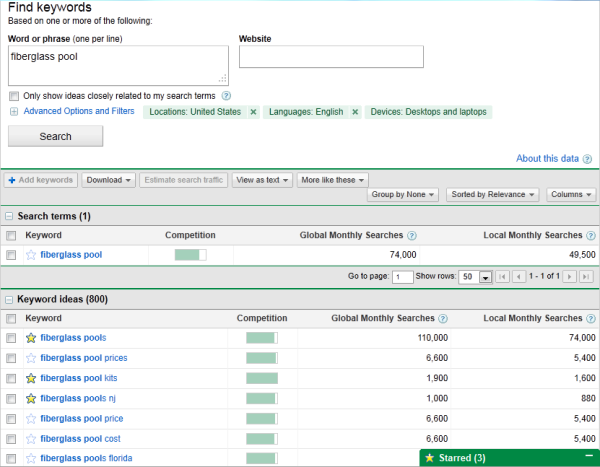
Let’s say a swimming pool business is trying to rank for “fiberglass pools,” which receives 110,000 searches per month. This short-tail keyword can represent the overarching topic for creating their content, but the business will also need to identify a series of related keywords to include in their content. For example, they could opt to use the “fiberglass pool prices,” or “fiberglass pool cost,” to achieve additional rankings for the overall keyword of fiberglass pools.
Using search volume and competition as your measurement, you can create a list of 10-15 short-tail keywords that are relevant to your business and are being searched for by your target audiences. Then, rank this list based on monthly search volume.
Each of the keywords that you’ve identified are called pillars, and they serve as the primary support for a larger cluster of long-tail keywords, which we’ll discuss below.
2. Make a list of long-tail keywords based on these topics.
During this step you’ll begin optimizing your pages for specific keywords. For each pillar you’ve identified, use your keyword tool to identify five to 10 long-tail keywords that dig deeper into the original topic keyword.
For example, we regularly create content about SEO, but it’s difficult to rank well on Google for such a popular topic with this acronym alone. We also risk competing with our own content by creating multiple pages that are all targeting the exact same keyword — and potentially the same SERPs. Therefore, we also create content on conducting keyword research, optimizing images for search engines, creating an SEO strategy (which you’re reading right now), and other subtopics within the SEO umbrella.
This helps businesses attract people who have varying interests and concerns — and ultimately create more entry points for people interested in what you have to offer.
Use your long-tail keywords to create blog posts or web pages that explain the specific topics within the pillars you’ve selected. Together, all of your long-tail keywords create a cluster around a pillar topic. Search engine algorithms depend on the relationships between clusters to connect users with the information they’re looking for.
Here’s a short video on this concept:
Think of it this way: the more specific your content, the more specific the needs of your audience can be, and the more likely you’ll convert this traffic into leads. This is how Google finds value in the websites it crawls — the pages that dig into the inner workings of a general topic are seen as the best answer to a person’s query, and will rank higher.
3. Build pages for each topic.
When it comes to websites and ranking in search engines, trying to get one page to rank for a handful of keywords can be next to impossible. But, here’s where the rubber meets the road.
Use the pillar topics you came up with to create a page or post that gives a high-level overview of the topic using the long-tail keywords you came up with for each cluster in step two. These pillar pages can essentially be a table of contents, where you’re giving a description of the main topic, and briefing readers on subtopics you’ll elaborate on in other posts.
Ultimately, the number of topics for which you create pillar pages should coincide with your business needs, like the number of products and offerings you have. This will make it much easier for your prospects and customers to find you in search engines no matter what keywords they use.
4. Set up a blog.
Blogging can be an incredible way to rank for keywords and engage your website’s users. After all, every blog post is a new web page and an additional opportunity to rank in SERPs. If your business does not already have a blog, consider creating one.
As you write each blog post and expand on your clusters, you should do three things:
- Don’t include your long-tail keyword more than three or four times throughout the page as Google doesn’t consider exact keyword matches as often as it used to. In fact, too many instances of your keyword can be a red flag to search engines that you’re keyword stuffing to gain rankings, and they’ll penalize you for this.
- Second, always link out to the pillar page you created for your topics. You can do this in the form of tags in your content management system (CMS), or as basic anchor text in the body of the article.
- Once you publish each blog post, link to it within the parent pillar page that supports the subtopic. By connecting both the pillar and the cluster in this way, you’re telling Google that there’s a relationship between the long-tail keyword and the overarching topic you’re trying to rank for.
5. Create a consistent blogging schedule.
Every blog post or web page you create doesn’t necessarily need to belong to a topic cluster. There’s also value in writing about tangential topics your customers care about to build authority with the Google algorithms.
With that in mind, make it a point to blog at least once a week. Remember, you are blogging primarily for your audience, not search engines, so study your target market and write about things that they are interested in.
It may be helpful to create a content strategy to remain consistent and focused on your goals.
6. Create a link-building plan.
The topic cluster model is your way forward in SEO, but it’s not the only way to get your website content to rank higher once it’s been created.
While our first five steps were dedicated to on-page SEO, link-building is the primary objective of off-page SEO. Link-building is the process of attracting inbound links (also called backlinks) to your website from other sources on the internet. As a general rule, sites with more authority that link back to your content have a more significant impact on your rankings.
Dedicate some time to brainstorming all the various ways you can attract inbound links. Maybe you’ll start by sharing links with local businesses in exchange for links to their own sites, or you’ll write a few blog posts and share them on different social media platforms. You can also approach other blogs for guest blogging opportunities through which you can link back to your website.
7. Compress media files before uploading them to your site.
This is a small but important step in the SEO process, especially for mobile optimization.
As your blog or website grows, you’ll undoubtedly have more images, videos, and related media to support your content. These visual assets help retain your visitors’ attention, but it’s easy to forget that these files can be very large. Since page speed is a crucial ranking factor, it’s important to monitor the size of the media files you upload to your site.
The bigger the file size, the more difficult it is for an internet browser to render your website. It’s also harder for mobile browsers to load these images, as the bandwidth on their devices is significantly smaller. So, the smaller the file size, the faster your website will load. But, how do you compress images and still retain quality?
It’s worth considering the use of a compression tool to reduce file sizes before uploading images, videos, and gifs. Sites like TinyPNG compress images in bulk, while Google’s Squoosh can shrink image files to microscopic sizes. However you choose to compress your media, keeping files in the kilobytes (KB) range is a good rule of thumb.
8. Stay up-to-date on SEO news and best practices.
Just like marketing, the search engine landscape is ever-evolving. Staying on top of current trends and best practices is an important strategy, and there are multiple online resources that can help you do so. Here are a few resources to check out:
9. Measure and track your content’s success.
SEO can take a lot of time and effort, and, because of this, you’ll want to know if your strategy works. It’s important to track your metrics to understand the success of your overall process, and identify possible areas for improvement.
You can monitor organic traffic using your preferred web analytics tool or create your own dashboard using Excel or Google Sheets. Also, tracking indexed pages, conversions, ROI, and your rankings on SERPs can help you recognize your success as well as identify areas of opportunity.
SEO Process
Once you’ve created your SEO strategy, you should also build a process to continue optimizing for new keywords and evolving search intent. Here are a few steps you can take.
1. Historically optimize your content.
Devote some time each month to updating old blog posts with new and up-to-date information to continue ranking in SERPs. You can also use this time to add any SEO best-practices that weren’t initially addressed, like missing image alt text.
2. Look out for changing keywords and new search intent.
After a few months, track how your blog posts are ranking, and which keywords they’re ranking for. This can help you adjust subheadings and copy to leverage new search intent that your audience may be interested in.
3. Add more editorial value to your old content.
Sometimes, you’ll find that a post is completely out of date. In this scenario, you should go beyond the average historical SEO update and give it a full refresh. You can do this by updating out of date information and statistics, incorporating new sections for added depth, and adding quotes or original data to give the post more referral traffic.
4. Create a monthly content plan.
To keep up with your SEO strategy, it can be helpful to create and refine a monthly content plan. You can place it into a spreadsheet, and your teams can track accordingly. The list below is an example of a content monthly content plan that takes the above steps into account.
With a monthly SEO plan like the one above, plus a tracking document like a search insights report, you can build out and execute on an efficient SEO strategy. You can also identify and leverage low-hanging-fruit topics to discuss related to your industry.
Create A Strategy That Supports Your Business Goals
Ranking in search pages can be difficult. While it may seem enticing to create content that is centered around high-traffic keywords, that strategy may not help you meet your business goals.
Instead, opt to create an SEO strategy that helps you address your individual business needs, like increasing customer acquisition, for greater marketing success. To learn more about SEO, check out our Ultimate Guide to SEO.
Editor’s Note: This blog post was originally published in April 2019 but was updated in February 2020 for consistency and freshness.

Do Consumers Actually Shop Directly on Social Media Platforms [New Data]
When the COVID-19 pandemic began, many consumers raced online to buy products they couldn’t get in-store. And, by July 2020, global retail ecommerce sites cumulatively saw a record 22 billion monthly visits.
As brands scrambled to offer more products and services online, social media platforms — such as Facebook, Instagram, and WhatsApp –began rolling out ecommerce tools to help businesses sell more items directly from their social pages.
Now, as social media networks continue to expand on in-platform shopping tools, it’s clear that social media ecommerce is gaining steam. But, as with any new marketing trend, you might wonder, “Are consumers actually buying products while surfing social media?”
The question above is worth asking. As a marketer, creating an online catalog or ecommerce process — even with the help of an intuitive social media platform — takes time and effort.
Not only will you need to determine which products will be sold online and how you’ll deliver them to customers, but there might also be a technological learning curve for your team. Odds are, you’ll want to know that consumers are actively using social media shopping tools before you enable them
To help you determine if social media shopping features are worth considering, I asked 467 consumers if they’d ever purchased products on social media platforms.
Do Consumers Actually Buy Products on Social Media?
There are now more ways than ever to buy products on social media. But, since some social media shopping tools are still rather new to shoppers and brands, you might think consumers have barely used them yet.
But, when we asked, “Have you ever purchased a product directly from a social media platform? If so which one(s)?” more than 50% of consumers had purchased a product on at least one platform.
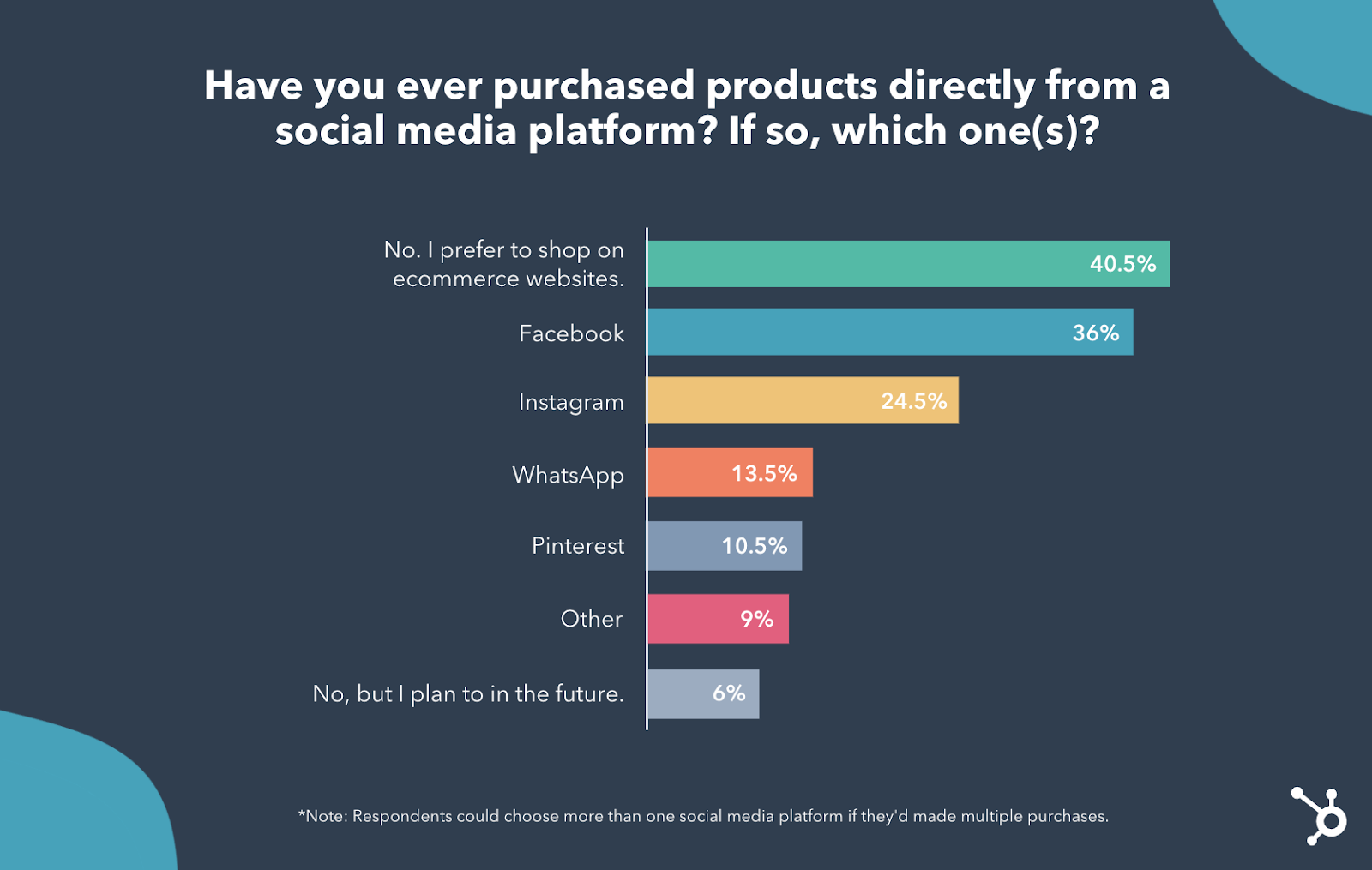
Of the 49.5% of respondents that haven’t purchased a product directly from a social media platform, 9% said they still plan to do so eventually, while 40.5% say they prefer to buy products from ecommerce websites. Although that 9% of consumers who plan to shop on social media one day seems like a small number, it could grow as social media shopping tools gain more use, popularity, or trust in the coming months.
Ultimately, while social media shopping features are still fairly new to consumers, they might make sense for brands that are looking for a scalable way to enter the ecommerce world.
Below I’ll dive into the four social media platforms consumers say they’ve purchased products from and how they could be useful for brands.
Which social media platforms are consumers really shopping on?
More than one-third of the survey respondents above have purchased a product directly from Facebook.
Facebook’s online shopping popularity isn’t surprising. Even before the 2020 launch of Facebook Shops, users flocked to Facebook Marketplace to find items or products being sold by residents nearby, independent sellers, or even local stores.
While Facebook Marketplace is more like Craigslist than an ecommerce store — and still requires you to contact a seller or go to their website before buying a product, its years of success likely helped justify the launch of Facebook’s newest shopping features.
Here’s a brief rundown of the newest ways people shop on Facebook:
Facebook Shops
Facebook Shops, which rolled out this summer, enables business page admins to create a “Shop” featuring a list of products or product collections.
Users who visit the brand’s Facebook Business Page can tap or click a View Shop button to see products, add items to their cart, and purchase them directly from a Facebook Checkout page.
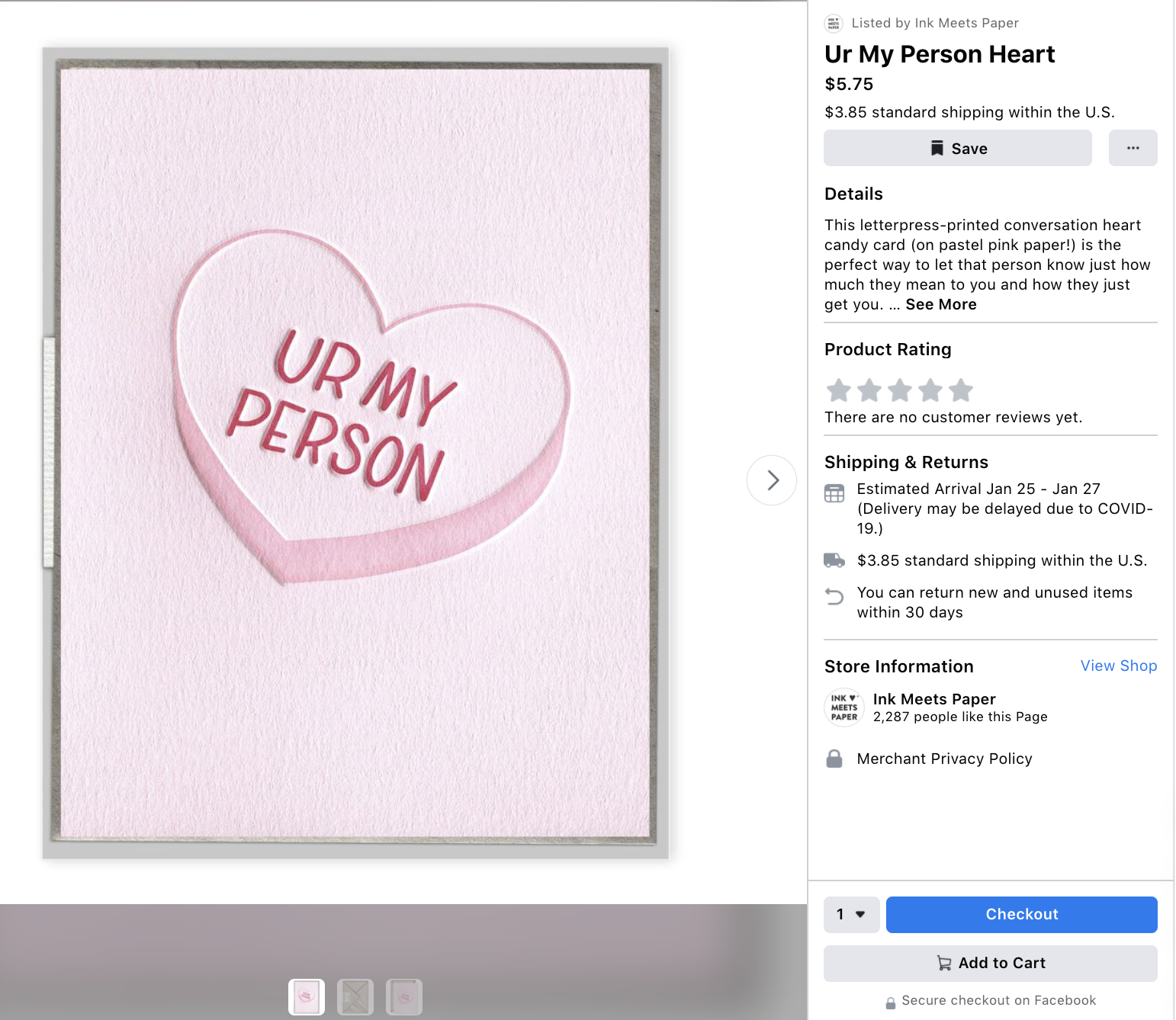
Facebook Messenger
Social media users who aren’t interested in sifting through a Shop’s list of products can also message brands on Facebook Messenger. Once a brand creates a Facebook Shop, they can integrate it with their Messenger account, WhatsApp account, or Instagram account for a smooth customer purchasing experience directly in their threads.
When customers message brands with Shop integrations to learn more about specific products, they’ll receive automated messages with product suggestions from the Shop owner — as seen in the image below.
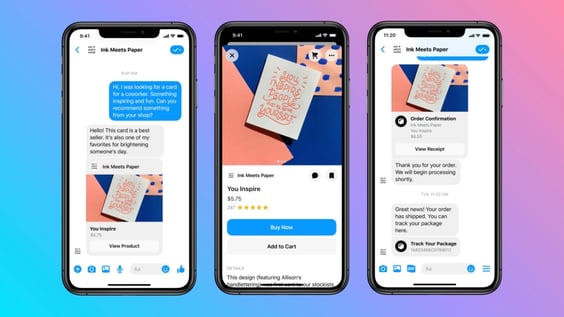
The Facebook Shops’ Messenger integration isn’t the first feature Facebook has offered that enabled consumers to shop via message thread. Between 2016 and 2019, Facebook allowed business pages to send messages that included a product shot, basic description, and a Buy Now button which allowed customers to buy products in the Messenger app via their phone’s payment feature. Here’s what this looked like:
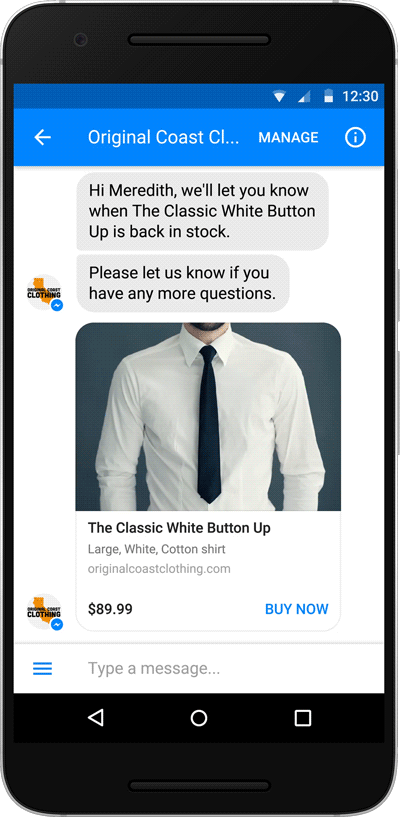
Takeaways for Marketers
Currently, launching a Facebook Shop might be one of the best ways to sell products on social platforms. Not only does Facebook have the largest and broadest reach of all the platforms on this list, but Facebook Shops can also integrate with Instagram and WhatsApp, allowing you to easily expand to multiple social media platforms when you’re ready.
Even if you already have an ecommerce site, Facebook Shops can still be beneficial if you have large audiences on social media who primarily use mobile phones and apps to surf the web. For example, if a new prospect comes across your brand on the Facebook app, they can simply click into your Shop, check out a few products, and even buy a few using their phone’s payment tool. This might create much less friction than they’d receive if they needed to leave their social media app to browse through a large list of products shown in your ecommerce store.
Ultimately, Shops’ versatile options could be a good fit if you sell to a broad audience, are interested in expanding to Instagram or WhatsApp, or are an experienced online seller who also wants to turn social media followers into customers.
Although most of Instagram’s shopping features were added after Facebook Shops launched, nearly a quarter of respondents have bought products on Instagram.
Below are Instagram’s most notable shopping features:
Instagram Shops
Instagram Shops essentially uses the same design, layout, and technology Facebook Shops, but is linked to Instagram Business Pages specifically. Like Facebook Shops, you’ll also need admin access to a Facebook Business Page and a Facebook Shop to use this feature.
To leverage this feature, you merely need to go to your Facebook Commerce Manager settings, link your Facebook and Instagram Business pages to each other, and enable your Shop on your Instagram Business profile so your visitors will see a View Shop button. Once this Shop is activated, your Instagram Shop’s viewers will see the same mini-online store they’d see if they entered your Facebook Shop on that platform.
Instagram Shoppable Posts
While you’ll still need a Facebook catalog that lists your products, you do not need a Facebook Shop to launch Instagram Shoppable posts. This feature allows you to link your Instagram feed posts and images directly to the product’s Instagram Checkout page.
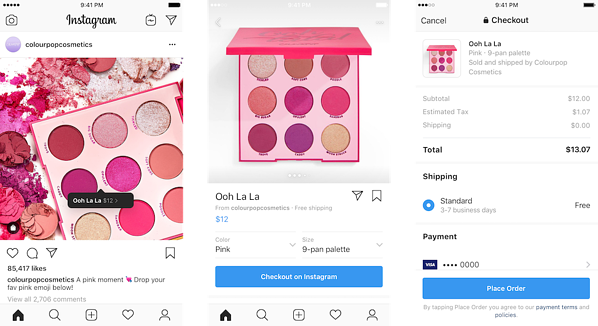
While this feature began specifically with feed-style posts, it has now stretched to Instagram Stories, Instagram Live (shown below), and — most recently — Instagram Reels.
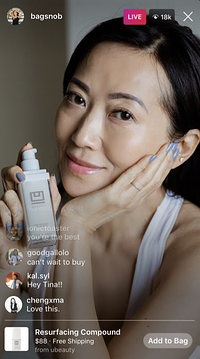
While an Instagram Shop allows your followers to see all the major products or collections your selling, Instagram Shoppable posts allow you to highlight your product with creative content, such as reviews or demos, while also linking directly to a purchasing page. This enables users to discover a product, watch it in action, and buy it almost immediately if they like what they’ve seen.
Instagram’s Shopping Tab
You can also optimize your Instagram product content to show up in the Shopping tab of Instagram’s app. With this tool, prospects that might not know about your brand might search for products, find items from your brand, and add them to their bag. From there, they can tap the bag icon in the corner and purchase these products directly from the Instagram app.
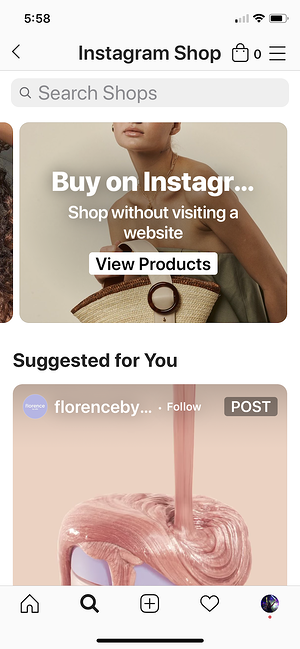
Takeaways for Marketers
Instagram’s shopping features might be useful to your brand if you already have a presence on Instagram, target the Gen Z or millennial audiences, and have engaging or intriguing photo or video assets to market your product, brand, or service.
If you already have a Facebook Shop and want to expand your social media ecommerce strategy to Instagram, it’s also scalable and easy. Because Instagram Shops are carbon copies of pre-created Facebook shops, you only need to take a few steps to place a Shops button on your Instagram Business Page. But, if you don’t have interest in a Facebook account, you can still leverage Instagram Live Shopping, Shopping Posts, and highlight your products in the Instagram Shopping tab.
To learn more about each of these tools, how they work, and how brands can leverage them, check out this post for more details.
While WhatsApp, also owned by Facebook, doesn’t have its own shopping platform, users can still chat with brands, request to purchase a product from the companies WhatsApp for Business catalog, and pay for it directly in the message thread.
The WhatsApp payment feature, shown below, is quite similar to Facebook Messenger’s older “Buy Now” feature, shown in the section above:
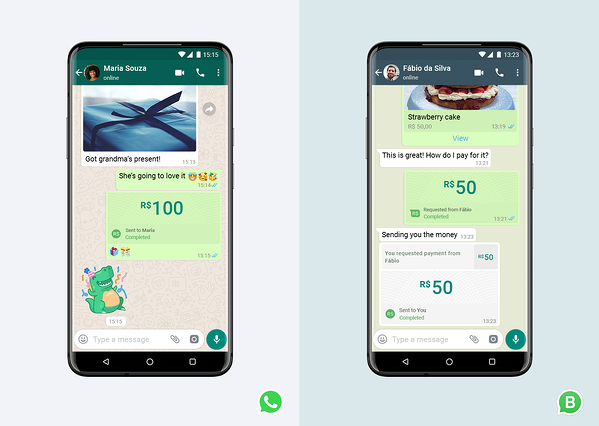
Takeaways for Marketers
While buying products might take a bit longer on WhatsApp than on a Facebook or Instagram Shop, roughly 13.5% of respondents have still done it.
As WhatsApp continues to grow and expand its business features, this app might be worth keeping on your radar if you are interested in building a chat-based community and social revenue stream at the same time.
While this app might be opportunistic for conversational marketers, this app might also be beneficial if you’re looking to sell internationally. While Facebook and Instagram also have audiences around the world, most of WhatsApp’s user base lives outside of the U.S. In fact, WhatsApp’s largest audiences are from India and Brazil.
Until recently — Pinterest users could buy some of the products they saw directly in the Pinterest app. Interestingly enough, it launched and discontinued its tool before Facebook and Instagram launched similar features.
From 2015 to 2018, Pinterest enabled brands to create Buyable Pins that allowed you to purchased pinned products directly from the app. Next to each Buyable Pin’s “Save” button was a blue “Buy It” button. When tapped, it sent users directly to a Pinterest purchasing screen.
While Pinterest offered its in-app purchasing feature for years, the brand converted Buyable Pins to more scalable Product Pins in 2018.
Product Pins, which the platform now uses, send app users to a company’s website checkout page rather than a Pinterest app page.
While the conversion to Product Pins prevented Pinterest from needing to manage millions of transactions a year, it was also more beneficial to the brands. In a 2018 statement to AdWeek, Pinterest revealed that Product Pins received 40% more clicks than Buyable Pins.
Although Buyable Pins are no longer active, 10.5% of respondents still say they’ve purchased products directly on the platform.
While respondents could have purchased items from Buyable Pins in the past, they also could have made purchases through Product Pins, which open an in-app browser to a brand’s checkout page without requiring users to leave Pinterest. Although the transaction itself isn’t happening on Pinterest’s servers, the feature still enables users to make a quick purchase without interrupting their social media experience.
Takeaways for Marketers
Although Pinterest no longer enables consumers to make purchases directly from the platform, you should still take its product marketing opportunities, such as Product Pins, seriously.
After all, many different audiences use Pinterest to create inspiration boards filled with products or items they might want to purchase. And Pinterest data shows that users like to search or learn about products on the platform
Aside from the brand-friendly nature of Pinterest’s platform, marketers should also take note of its consistent growth. By Q3 of 2020, Pinterest surpassed 442 million monthly active users, up from 322 million in Q3 of 2019. Even if it doesn’t seem like Pinterest is the right platform for your brand now, it might be useful to your strategy later as its audience continues to grow, evolve, and use the platform to look for products or inspiration.
Which Social Platforms Should You Sell On?
While many of the respondents above still haven’t purchased a product through a social media platform, this might change as shoppers continue to embrace online shopping.
Additionally, as more brands leverage social shopping tools in place of ecommerce stores, shoppers might become accustomed to using social media shopping options.
If and when you do decide to launch a social media shopping feature for your brand, you’ll want to look at your audience when determining the right place to start.
For example, if your audience is made up of many different age groups, Facebook might be the best place to set up shop. Meanwhile, if your audience is primarily Gen Z, you might want to embrace Instagram’s tools.
Additionally, you should prioritize social media shopping tactics on platforms you’ve already built a following on. For example, if you have a large, engaged WhatsApp audience, selling products there might be a scalable expansion to an already-strong social media strategy.
Ultimately, the best strategy will be to determine where your audiences are most likely going to shop or surf social media and then meet them where they are with your product listings or online shop
To learn more about where your target social media audience might be, check out this helpful post on social media demographics.
