
Welcome to My Blog
9 Ways to Deal With Imposter Syndrome Before It Hinders Your Success
“I got lucky.”
“I don’t belong here.”
“I’m a fraud, and it’s just a matter of time before everyone finds out.”
Sound familiar?
Most of us have experienced feelings of doubt and unworthiness at some point in our lives. But when your accomplishments are a result of your own knowledge, hard work, and preparation and you still feel inadequate … you’re probably suffering from impostor syndrome.
People who suffer from this syndrome often feel like frauds — despite being smart, skilled, capable professionals who actually deserve whatever commendations and praise they’re given. Rather than celebrating their accomplishments, they worry that they’ve somehow tricked people into thinking they’re good enough. As a result, they live in fear of being “found out” or “exposed.”
Impostor syndrome is actually fairly common: Researchers believe that up to 70% of people have suffered from it at one point or another. But that doesn’t make it any less damaging to a person’s confidence and career growth.
So if you feel like you’re suffering from impostor syndrome or something like it, know that there are ways to curb these feelings in a healthy, proactive way. Here are 11 tips to help you get started.
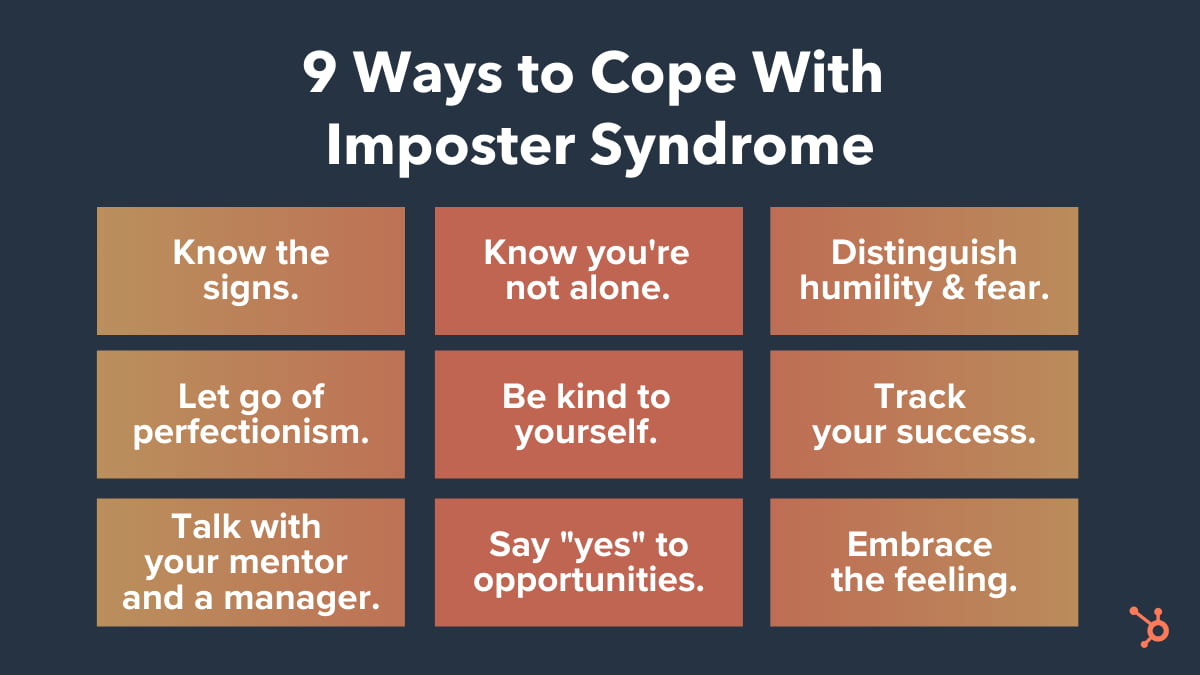
9 Tips for Coping With Impostor Syndrome
1. Know the signs.
We often overlook the signs of impostor syndrome that come up in our day-to-day lives. However, recognizing these signs is the first step toward overcoming them.
You might suffer from impostor syndrome if:
- You feel like you “got lucky” when you actually prepared well and worked hard.
- You find it hard to accept praise.
- You apologize for yourself when you didn’t actually do something wrong.
- You hold yourself to incredibly — sometimes impossibly — high standards.
- You find the fear of failure paralyzing.
- You avoid expressing confidence because you think people will see it as overcompensating or obnoxious.
- You’re convinced you’re not enough.
Pay attention to your language choices, both when you’re talking to other people and when you’re talking to yourself — especially when it comes to talking about work. If you find your own success or the praise others give you uncomfortable, do some reflective thinking on where those types of thoughts came from and what it means in your professional life.
2. Know you’re not alone.
When you have impostor syndrome, some of the most important encouragement comes from realizing how many hugely successful people, both male and female, have built amazing careers even while regularly coping with it.
Which highly accomplished people have spoken about their impostor syndrome? Here are some quotes from The New York Times and Forbes:
“I have written eleven books, but each time I think, ‘uh oh, they’re going to find out now. I’ve run a game on everybody, and they’re going to find me out.'” – Author, Poet & Civil Rights Activist Maya Angelou:
All I can see is everything I’m doing wrong that is a sham and a fraud.”
“All I can see is everything I’m doing wrong that is a sham and a fraud.” Actor Don Cheadle
“The beauty of the impostor syndrome is you vacillate between extreme egomania and a complete feeling of: ‘I’m a fraud! Oh God, they’re on to me! I’m a fraud!’ So you just try to ride the egomania when it comes and enjoy it, and then slide through the idea of fraud.” – Actress, Writer & Producer Tina Fey, from her book Bossypants
3. Distinguish humility and fear.
There’s taking humility in your hard work and accomplishments, and then there’s feeling overcome with fear because of them. Sometimes, simply being good at something can cause is to discount its value. But as Carl Richards wrote in a New York Times article, “After spending a lot of time fine-tuning our ability, isn’t it sort of the point for our skill to look and feel natural?”
It all boils down to feeling unworthy. I like how Seth Godin put it in a blog post: “When you feel unworthy, any kind response, positive feedback or reward feels like a trick, a scam, the luck of the draw.”
But it is possible to feel worthy without feeling entitled, and overcoming impostor syndrome is all about finding a healthy balance between the two. Godin goes on to write, “Humility and worthiness have nothing at all to do with defending our territory. We don’t have to feel like a fraud to also be gracious, open or humble.”
4. Let go of your inner perfectionist.
I recently wrote about how perfectionism, while helpful in certain contexts, can be a major roadblock for productivity. Turns out it can be a major roadblock for overcoming impostor syndrome, too.
Many people who suffer from impostor syndrome are high achievers; people who set extremely high standards for themselves and are committed to doing their best and being the best.
But perfectionism only feeds into your impostor syndrome. When you feel like a fraud, it’s usually because you’re comparing yourself to some *perfect* outcome that’s either impossible or unrealistic.
Not only can no one do everything perfectly, but holding yourself to that standard can actually be super counterproductive. At some point, you need to take a step back and ask yourself: When is good enough good enough?
Read this blog post to see what a formula for “good enough” might look like. And if you need further encouragement, read this article from The Guardian.
Bottom line? While striving for perfection is certainly noble, it’s usually not realistic — and often, it’s counterproductive and will only make you feel more like a fraud.
5. Be kind to yourself.
“Take the pressure off yourself and stop trying to be the expert on day one.” advises HubSpot marketing manager Jennifer Stafancik.
Impostor syndrome often manifests itself as a voice in our heads, berating us with negative messages like “you’re not smart enough” or “you’re a fraud.”
Negative self-talk is a bad habit, and it can heavily influence our stress and anxiety levels.
“Being kind to yourself” simply means changing the way you talk to yourself in your head by practicing positive self-talk. Not only can it help you become less stress and anxious, but it can also help you build the courage to do things that’ll bring you greater rewards.
Maria Klawe, the president of Harvey Mudd College, suffered from what she called “impostoritis” for most of her career. While she found it hard to silence the negative thoughts completely, she practiced hard to add positive thoughts to her inner voice. “Now I wake up most days with a voice on the left side of my head telling me what an incredible failure I am,” she wrote. “But the voice on the right side tells me that I can change the world — and I try to pay more attention to it.”
First, try to catch yourself whenever you have a negative thought. Then, turn around and challenge your own claim. For example, if you find yourself thinking, “I just got lucky,” challenge that by thinking, “What steps did I take and what work did I put in to get to this point?”
Then, you can answer your own question using affirmations, which are short, focused, positive statements about a goal you have. In this case, one might be as simple as, “I worked hard – and I always work hard.”
“For me, I put a lot of pressure on myself when joining HubSpot since it was a lateral move, which ended up sparking imposter syndrome — something I honestly thought I was immune to.” Stefancik explains. “Once I realized there was no reason to rush and to give myself more realistic milestones the imposter syndrome symptoms started to melt away.
Psychologists have found that repeating affirmations like this can improve stress and anxiety levels, perhaps because these positive statements build a bridge into your subconscious mind.
6. Track and measure your successes.
When you feel like an impostor, one of the hardest things to grasp is how much of a role you have in your own successes. You might default them to luck or others’ hard work, when in fact, your own work, knowledge, and preparation had a lot to do with it.
To help show yourself that you’re actually doing well, keep track of your wins in a private document.
There are a lot of different ways to track these successes, and the metrics you use will depend entirely on your job. If you’re a blogger, you might keep track of your posts’ monthly average page views and watch them go up, or compare them to the team average. You might also keep a separate tab to paste kind words people have written to you via email, Twitter, blog comments, and so on.
In the same vein as keeping track of your success metrics, keep a file on your computer of wins and positive reinforcement both at work and in your personal life. One of the best things I’ve done is created a folder on my personal Gmail account called “Happy,” where I’ve stored everything from my college acceptance email to praise from my colleagues and bosses. Whenever I need a lift, I open that Gmail folder and scroll through them.
You can create an email folder for these emails like I did, or create something like a “swipe file” (i.e. a digital file) on your computer or phone to store screenshots of emails, tweets, dashboard metrics … whatever makes you feel good about your hard work and preparation.
7. Talk about it with a mentor and your manager.
No one should suffer in silence. Sharing your thoughts and experiences with someone else will make you better equipped to deal with your impostor syndrome. We recommend sharing them with both a mentor and your direct manager.
Your mentor will be able to help you talk candidly about your struggles with impostor syndrome, while giving you a more objective point of view — especially if they work on a different team or at a different company. When you share your experience with them, you might ask if they’ve ever felt that way, or if they know someone who has.
The best mentors are forthcoming about the struggles they’ve gone through and the mistakes they’ve made in their careers, and you may find that they have some helpful stories or advice for how to deal with what you’re feeling.
We’d also suggest that you talk with your direct manager about your experiences, too. Why? Because they’re more likely to have the knowledge and tools to help you overcome your impostor syndrome in the context of your current job.
For example, you might ask them to help you find a system for tracking your successes, or figure out which metrics you should measure. Knowing what they know about both you and your role, they may also help you seek out more opportunities to shine and gain visibility on your team or at your company in general.
Finding a mentor or manager to talk to is a strategy that Krystal Wu, HubSpot’s Social Media Community Manager highly recommends.
“I’ve learned the best way to deal with imposter syndrome was to find a mentor to help guide me through my career choices,” Wu says.
As an example, Wu reflects, “I was new to my social community role and to marketing and I wanted to do my best work but I didn’t know what that meant all the time.”
“When I put myself out there to find people in roles similar to mine, attended events to learn more about my industry and learned from my mentor it helped me gain confidence in my career,” Wu explains. “The more confidence and education I had the more the imposter syndrome started to fade.”
“I won’t say it’s completely gone — because let’s be real, I’m always learning,” Wu admits. “But it’s not something hanging over my head all the time. It comes and goes and I know that surrounding myself with people that are more knowledgeable in my field has helped me grown.”
Speaking of opportunities …
8. Say “yes” to new opportunities.
It’s impossible to say “yes” to everything, especially when you’re feeling stressed or spread thin. But it’s all too common for people who have impostor syndrome to turn down career-making opportunities because they don’t feel like they’d do a good job.
When you’re presented with a new opportunity, it’s important to distinguish between the voice in your head saying you can’t do it because you’re not worthy and the one saying you can’t do it because you have too much on your plate. The former is your impostor syndrome speaking.
But remember: Taking on challenging new work and doing well at it can open a lot of doors for you. Don’t let your inner impostor turn down these game-changing opportunities. They can do wonders to help you learn, grow, and advance your career.
Keep Richard Branson’s famous quote in mind: “If someone offers you an amazing opportunity and you are not sure you can do it, say yes. Then learn how to do it later.”
While it might be intimidating to take on a role you’re not sure you can succeed in, know that you were asked to do it for a reason, and there’s nothing wrong with learning new things and asking questions along the way.
9. Embrace the feeling, and use it.
It’s really hard to get rid of impostor syndrome completely — especially if you’ve had it for years and years. The fact that hugely successful people like Maya Angelou and Don Cheadle feel that way after all they’ve accomplished is evidence that it can sometimes be a lifelong condition.
That’s why the best angle from which to tackle your impostor syndrome isn’t getting rid of it completely; it’s stopping it from hindering your success.
Taking on Imposter Syndrome
I like the way Richards put it: “We know what the feeling is called. We know others suffer from it. We know a little bit about why we feel this way. And we now know how to handle it: Invite it in and remind ourselves why it’s here and what it means.”
Richards says he’s been invited to speak about his work and career all over the world, and yet he still hasn’t been able to get rid of his impostor syndrome. What he has learned to do is think of it “as a friend.”
Whenever he hears that negative voice in his head, he pauses for a minute, takes a deep breath, and says to himself, “Welcome back, old friend. I’m glad you’re here. Now, let’s get to work.”
Editor’s Note: This blog post was originally published in January 2016, but was updated in March 2020 for comprehensiveness and freshness.

Your Blueprint to Create the Perfect Content Marketing Strategy
Creating content can feel discouraging.
For instance, you might spend hours producing something that’s amazing, only to get little engagement, traffic, or leads. What’s more, later, you’ll have to explain that ROI to your boss — talk about a dreadful workday.
If you’re feeling frustrated or burnt out with your content creation process, you’re in luck. Here, we’ve created a complete blueprint to a successful content marketing strategy.
In this post, I’ll walk you through the different aspects of the content blueprint and why each facet is so important for marketers to include in an overall strategy. For more information on content marketing strategies, we’ve created a content marketing workbook that’s free to download.
Otherwise, let’s dive into creating a content marketing strategy that will bring you that ROI you’re looking to earn.
How to Develop and Implement a Successful Content Marketing Strategy
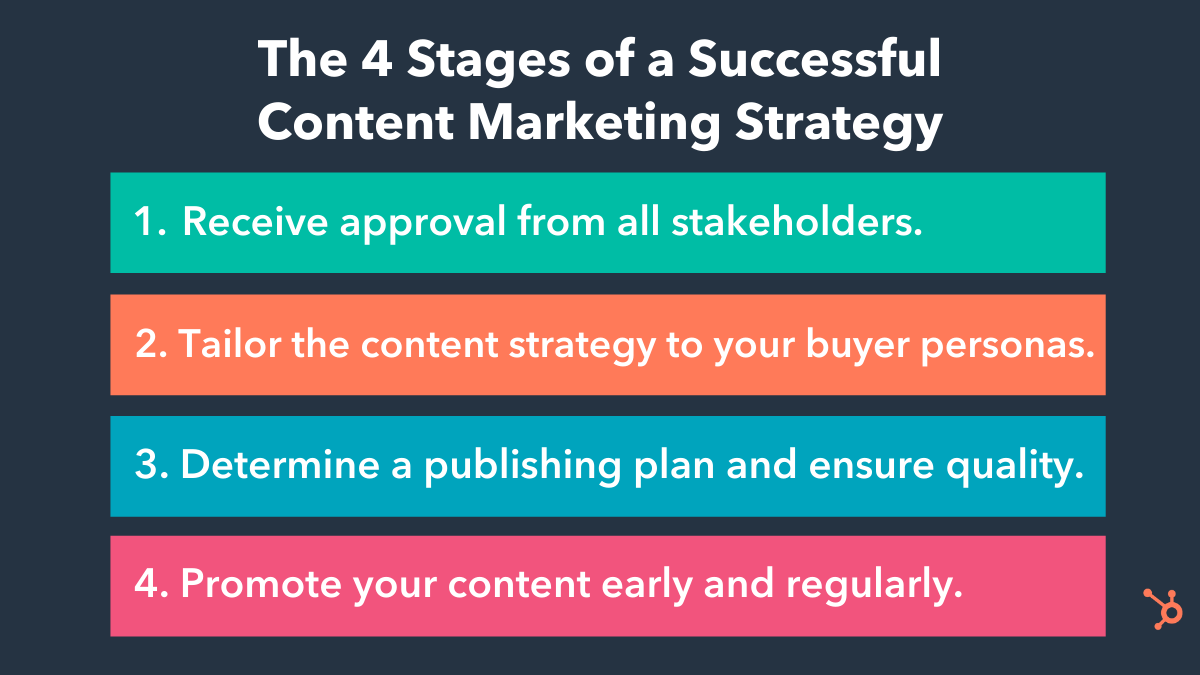
We’re going to look at three different stages that make up the blueprint. These stages will outline the main steps you can take to create your strategy. Then, we’ll go into depth with details about making that happen.
Let’s start with step one — getting decision-makers on-board with your strategy.
Stage 1: Getting buy-in from your stakeholders in order to green light your strategy.
All great content marketing plans start with getting people within the company to buy into your vision — basically, the people who can give you the resources, budget, or information that’s required to make your plans a successful reality.
For example, internal customer-facing teams, such as customer support, can share their expertise and help fuel your content creation efforts. Because they have regular contact with customers, they’ll know some of your audience’s biggest challenges or what they care most about — which comes in handy when you need to create content those customers care about.
Additionally, your marketing team likely has a limited budget. To implement certain strategies and forgo others, it’s vital you’re able to get leadership on board with your vision.
To make this happen, you’ll need a pretty awesome pitch. Generally, this pitch should do three things:
1. Talk about key challenges you will solve with your strategy.
You’ll want to give an overview of the key challenges your content marketing plan will solve. Instead of complicating this step with an overload of data points, keep it simple and concise. Summarize your key challenges in just a couple of charts so it’s more comprehensive.
For example, in this chart below, the marketer’s key challenge is that their overall CPL (cost per lead) is being inflated by the amount of money they are spending to acquire leads through paid programs.
 By implementing a solid content strategy, CPL can be reduced. Notice how this chart states the need for a strategy, presents key supporting data, and makes that information easy to comprehend.
2. Talk about how your strategy will relate to business metrics.
Try to always keep your audience in mind. Senior management will be focused on cost and revenue. How can your marketing strategy help with those metrics?
In the example above, the answer is clear: Reducing the CPL reduces the cost it takes to acquire a customer, which can increase profit down the road.
When you present your pitch to decision makers, make sure to outline how reaching your goal will also help reach the greater goals of your business.
3. Give high-level details on your strategy to achieve these goals.
Finally, you might consider talking through how your content strategy is going to help solve these key challenges and influence those business metrics. You can use this template generator to help you organize your ideas. The goal of this step is to prove to senior-level management that you’ve thought through your plan and what resources you need to make it a reality.
Now, you’ve created your pitch and you’re ready to present to upper-level management. Remember, this pitch will help you convince the right people that your content marketing strategy will be successful.
You should have a pitch before you begin planning your content strategy because you’ll stakeholders will be aware of what campaign you plan to run to achieve your business goals. However, while you don’t need to fully develop your strategy until you get support from leadership, it’s still critical you spend time reviewing metrics and making a tentative game-plan for when you do develop the strategy.
Next, we’re going to talk about how to develop that aforementioned winning strategy.
Stage 2: Develop your content strategy.
In a HubSpot report, it was found that 56% of survey respondents said they were doing content marketing without a plan. Content creation can definitely be difficult, but having a content plan helps. It takes into account key challenges, business goals, and metrics, which will make you more successful in the long term.
Let’s talk about what a winning content strategy should include.
1. Include the buyer personas you are targeting.
At HubSpot, we align content around different buyer personas. This allows us to stay really focused on for whom we’re creating content. We keep our buyer personas’ goals and challenges in mind so we can address these at each stage of the buying process.
As an example, here is a persona I’ve built for a company software company that provides tools that streamline day-to-day business processes, offers inbound marketing courses, and makes reporting easier.
Meet “Marketing Macy”:
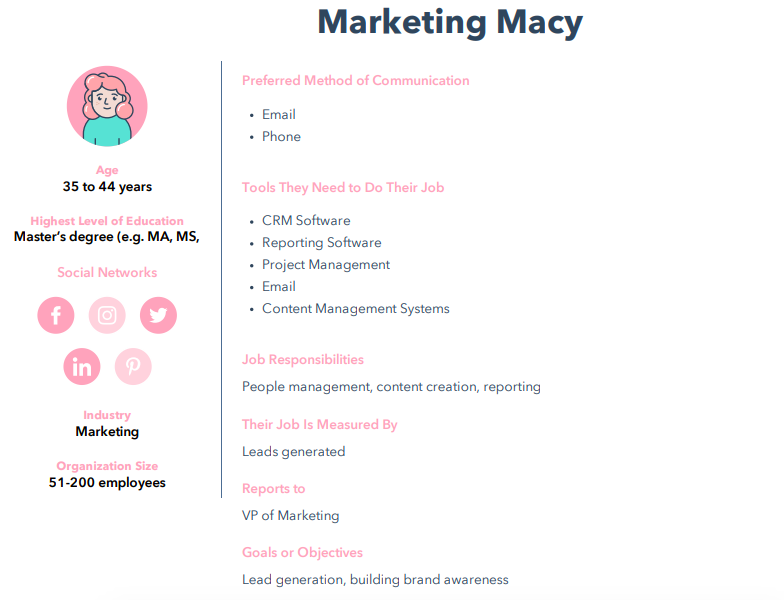
To make this persona, I used a free persona builder that made the process incredibly fun. In addition, I was able to point out exactly how to connect with a target audience by identifying why they would love a company and what challenges they were looking to solve.
To create content that’s going to be relevant to Macy at each stage of the buying cycle, we’ve included key information about her goals, challenges, and why she would love a company that offers CRM and CMS software. Knowing an ideal target customer like Macy makes it easier to connect with them.
2. Understand where the content gaps are in your buying cycle.
Make sure you understand where the content gaps are in the buying cycle for your buyer personas. To achieve this, you should conduct a content audit. Additionally, ask yourself if your buyer persona has the information they need at each point of the buying cycle.
For example, at HubSpot, content is created that attracts Mary to our site and helps her evaluate our software based upon what we know about her goals and challenges. We then ask ourselves if she has everything necessary to feel confident in purchasing our product based on those goals and challenges.
If you identify those gaps, you can focus on making sure that content is in your strategy. For instance, let’s say that you have a gap in content for the evaluation stage. Identifying that is the first step in creating helpful content for that stage.
Next, we’ll talk about how to create and push the content that will bridge those gaps.
3. Create relevant content ideas and stick to an editorial calendar.
Once you have identified your personas and understand what content you need to move them through the buyer process, it’s time to brainstorm content ideas to fill in those holes.
When you understand to whom you’re marketing, it can be easier to come up with relevant content. To ease the process further, check out our post about how to map out content. Ultimately, though, make sure every piece of content you create is engaging, delightful, and created with intent.
Ask yourself during the creation process if your content achieves those three things. Let’s look at this social media post as an example:
This post is engaging because it includes a graphic that attracts the attention of audiences. It’s delightful, because the graphic and supporting copy are easy to comprehend and uses emojis to illustrate a point. Additionally, it’s created with the intent to provide value to customers who may be looking for remote working tips.
Creating content is half the battle, though. Another thing to figure out is when to schedule the publishing of that content so it gets seen by the right people and is delivered consistently.
That is why all great content plans have an editorial calendar so that people within the company can see what content is being published and what dates that content is going live. Editorial calendars keep teams in sync and organized — as far as visual workflows go, it’s a necessity.
When you’ve identified your persona, created content for them, and have finalized a calendar-based schedule, this stage is complete. The next stage is to figure out the publishing details.
Stage 3: Determine a publishing plan for your content strategy.
One of the biggest shifts in marketing today is transforming our mindset from that of a traditional marketer to that of a publisher. Sometimes, as marketers, we think in terms of immediate wins, which is why we tend to prioritize our ad budget for paid media. We invest a certain amount of spend in return for an approximate number of leads and customers.
Moving to a publisher model means investing more upfront to start creating content assets that will have a far greater impact over a longer period of time. For example, the HubSpot blog generates most of its traffic from blog posts not published in that month. This is because the content we’ve created in the past has long-term value for the company in both the leads and customers they generate each month.
A lot of companies talk themselves out of publishing before they even get started due to a lack of immediate resources. However, a content team of one can be successful if they know how to source content effectively.
Here are two tips to keep in mind to become a publishing rockstar:
1. Think about scaling your content by repackaging in several formats.
Consumers today connect with brands across different channels, whether that be on social media, through email marketing, or on your website. When developing a new piece of content, think about how you can repurpose that content into various formats.
For example, if you’ve developed a series of blog posts, such as a series about customer retention, you could turn them into a comprehensive customer service ebook.
2. Make sure the quality of your content always remains high.
Whether you’re creating a single piece of content a week or several pieces a day, the quality of your content should always remain extremely high if you want it to pay off in the long run.
Creating an editorial checklist will help you manage this process. With a checklist, you can quickly check each piece of content for quality issues and educate your team on what it takes to publish content for your company.
In HubSpot’s content blueprint, you’ll find a range of templates that make scaling content really easy and provides an intuitive, ready-made editorial checklist.
Stage 4: Promote your content early and regularly.
So, you know about your target audience and you’ve created content specifically tailored to them. The task now is how to distribute that content to your audience effectively.
The key to effective distribution is to increase the number of distribution channels, such as blogs, email, and social properties. Additionally, you have to expand the reach of that content to a broader audience.
Promotion is a critical part of a content blueprint and something marketers should think about at great length during their planning phase.
To become an expert at promotion, you should:
1. Make promotion an essential part of the planning process.
When my team is planning out a content campaign, we put as much thought into the distribution of that content as we do into the campaign development. We want to know who that content is for and how can we make sure they get it.
For instance, if you are distributing content on social media platforms, discuss in great length how to prioritize budget, posting schedule, and using the tools offered by social channels to expand the reach of your content.
2. Make sure your team is equipped with promotional skills.
Being able to promote content to the right audience isn’t an easy job. Over time, the skills to distribute content effectively will be critical to long-term success.
If you want to learn more about how you can be effective at promoting your content, we have lots of information on outreach, seeding your content, and even the best way to repackage it for different networks to increase its exposure right inside — you’ve guessed it —our content blueprint.
Sometimes, learning the proper promotional skills comes with trial and error. You have to figure out what your audience responds to the most. For instance, you can create an A/B test with the content you want to push on social channels to see what types of messaging your audience prefers.
Additionally, you can experiment with multiple content types to get a gauge of what targeted content really resonates with your audience. To get an idea, check out what your competition is doing, and what works for them. You can also do some social listening to observe the patterns in web behavior of your target customers.
How are you doing with your content strategy so far in 2020? Where do you hope to improve your content marketing the most this year? With this guide, you’ll be fully prepared to take on the world of content marketing, and do it successfully.

Why You Should SEO-Optimize Your Content, Even if Your Goal Isn’t Organic Traffic
Nowadays, you can’t conduct a successful content marketing strategy without incorporating SEO methods.
Neil Patel explained it well when he wrote: “Good SEO … means consistent output of content. Consistent output means that you’re doing content marketing, and you’re doing it right. There isn’t any way around it.”
I can imagine you might be thinking — “OK, but my goal for content marketing isn’t just SEO. It’s also creating thought leadership content, and lead generation, as well.”
Of course, every marketer should consider more than organic traffic when analyzing success metrics. After all, SEO isn’t the only component of a successful marketing strategy.
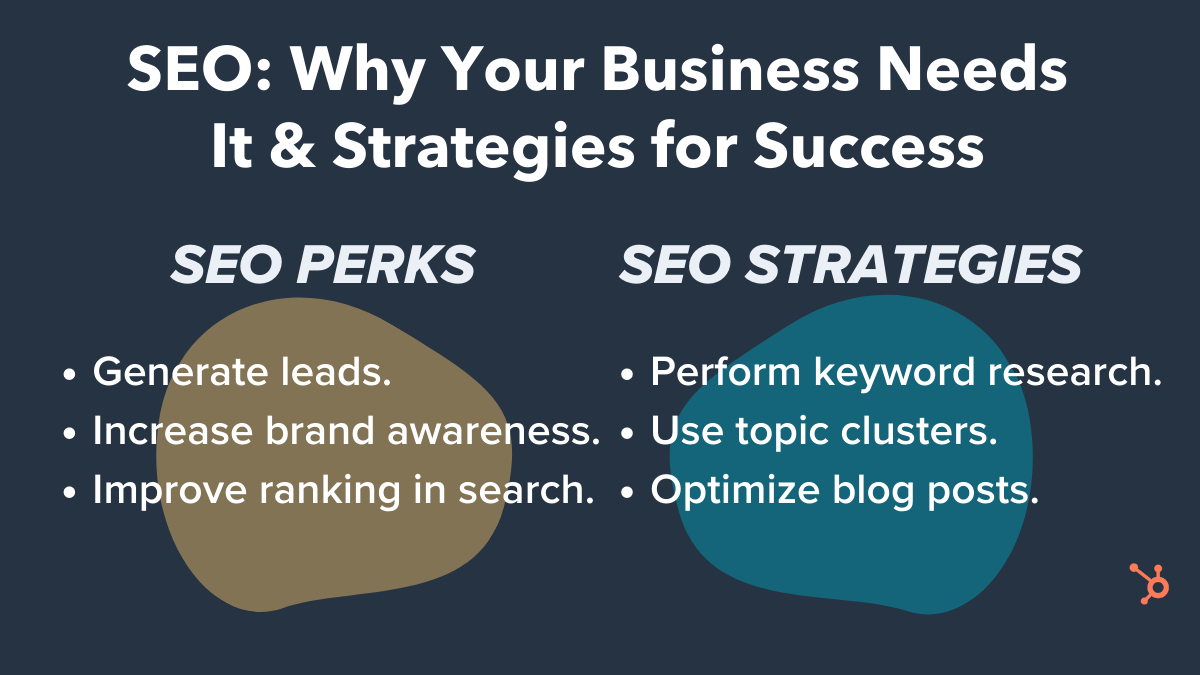
But SEO efforts don’t just help you reach organic traffic goals — they can also help you achieve your brand awareness and lead generation goals, as well.
Here, let’s explore how SEO can help you meet all your marketing goals, even if those goals don’t require organic traffic.
How SEO Can Help You Reach the 3 Main Content Marketing Goals
Before we dive into how marketers can use SEO strategies to reach their content marketing goals, let’s take a short detour and refresh ourselves on three of the primary reasons for doing content marketing:
- Lead generation. If you have salespeople ready to close sales but need to fill their pipeline with more qualified leads, the primary goal for your content marketing is probably lead generation. Lead generation is the process of converting people who’ve heard of your company into people who want to hear from your company more often. And then when those leads trust you and view you as an expert in your industry, they’re more likely to convert into customers.
- Thought leadership/brand awareness. If you’re hoping to position your company as a knowledgeable expert within your industry, your primary content marketing goal is probably thought leadership. Consistently getting thought leadership content published in trusted publications — whether through guest-contributed articles or press mentions — is a fantastic way to build credibility with your audience.
- SEO. If there’s a lot of competition in your space and you’re gunning for the top spot in your target audience’s mind, your primary goal for content marketing is probably SEO. SEO works to get your website to the top of the list when your audience looks for certain keywords in search engines. The content on your site and the pages that link to your site give your website a better score, boosting your overall credibility with the search engine.
If you didn’t have a specific content marketing goal in mind before you started reading, pick the one from the list above that’s most important to you right now. Keep that goal in mind as you keep reading.
SEO Strategies to Reach Any Content Marketing Goal
Now that you have a specific goal in mind, let’s take a look at a few SEO strategies that can help you improve your content marketing results, as well as how you can apply these SEO strategies to reach your content marketing goals.
1. Keyword Research
To put it simply, keyword research lets you see what search terms you’re currently ranking for, what others in your industry are ranking for, and which keywords could use more of your attention.
For example, you might discover that your audience is looking for “guides on creating a content marketing strategy.” While a certain publication you want to partner with might not be looking for an article that spells this out in a lengthy, detailed how-to guide, you could write a higher-level article for that publication that links to a white-paper on your site that dives deeper into the process of developing an effective content marketing strategy.
This would allow you to create content that your audience is looking for, while also publishing in an important publication that helps demonstrate your brand as a thought leader in the industry. Of course, researching your keywords will look the same regardless of your content marketing goal — but the way you use that information will differ.
If your primary goal is lead generation, keyword research can enable you to identify pain points or sales objections you might want to cover in your content. This will allow you to tailor your content to what your audience actually wants to know and strategically use keywords related to your audiences’ searches so you can reach them in search results. Once you reach them there, you can hopefully lead them to your site to engage with your company further.
Focusing on thought leadership? Keyword research can help you find out what questions your audience has so you can provide answers and position your company as authorities in your industry. You can include short-tail (e.g., “AI”) and long-tail (e.g., “what is artificial intelligence”) keywords in your content to rank for those keywords and further solidify your place as a thought leader online. After all, if your audience members don’t find you when they search for information related to your expertise, they probably won’t consider you a credible expert.
If SEO is your focus, keyword research lets you see how you stack up against the competition when it comes to ranking for important keywords in your industry. It will give you insight into what keywords your content initiatives should focus on so you can improve those rankings and be more competitive on search engine results pages.
To conduct keyword research, analyze your website’s current rankings, identify keywords your competition doesn’t rank for but that might be good opportunities, look for question-based keywords you can focus on to answer your audience’s queries, and cluster your findings so you can identify trends. Google’s autocomplete, similar searches, or Keyword Planner are accessible ways to explore what your audience is searching for. If you want to go deeper, you can use a keyword tool like Ahrefs, SEMrush, or Moz to get a more well-rounded picture.
2. Topic Clusters
Search engines’ algorithms favor topic-based content, so it can be beneficial to link related content under “topic clusters.” Basically, building topic clusters allows you to provide deeper coverage across a range of core topics and create an efficient information architecture.
You can develop a pillar page for each of your company’s main focus areas. Then you’ll build out more specific subtopics, or “cluster content.” These pieces of cluster content will provide more detail related to a specific long-form keyword that’s related to the main topic you covered on the pillar page. The pillar links to each cluster page, and each piece of cluster content links back to the pillar with the same hyperlinked keyword.
For example, at my company, Influence & Co., we created a pillar page titled “The Ultimate Guide to Content Marketing.” This is a longer piece of content that covers six ways readers can take their content marketing to the next level, diving deep into how to achieve the advice in each section. This pillar page links out to multiple cluster pages (and the cluster pages link back), which results in that solid architecture I just mentioned.
We also produced a couple of guest-contributed articles related to this pillar page to create a comprehensive content plan that provides a wide range of specific, tactical content to help our audience better understand content marketing — and how to do it well.
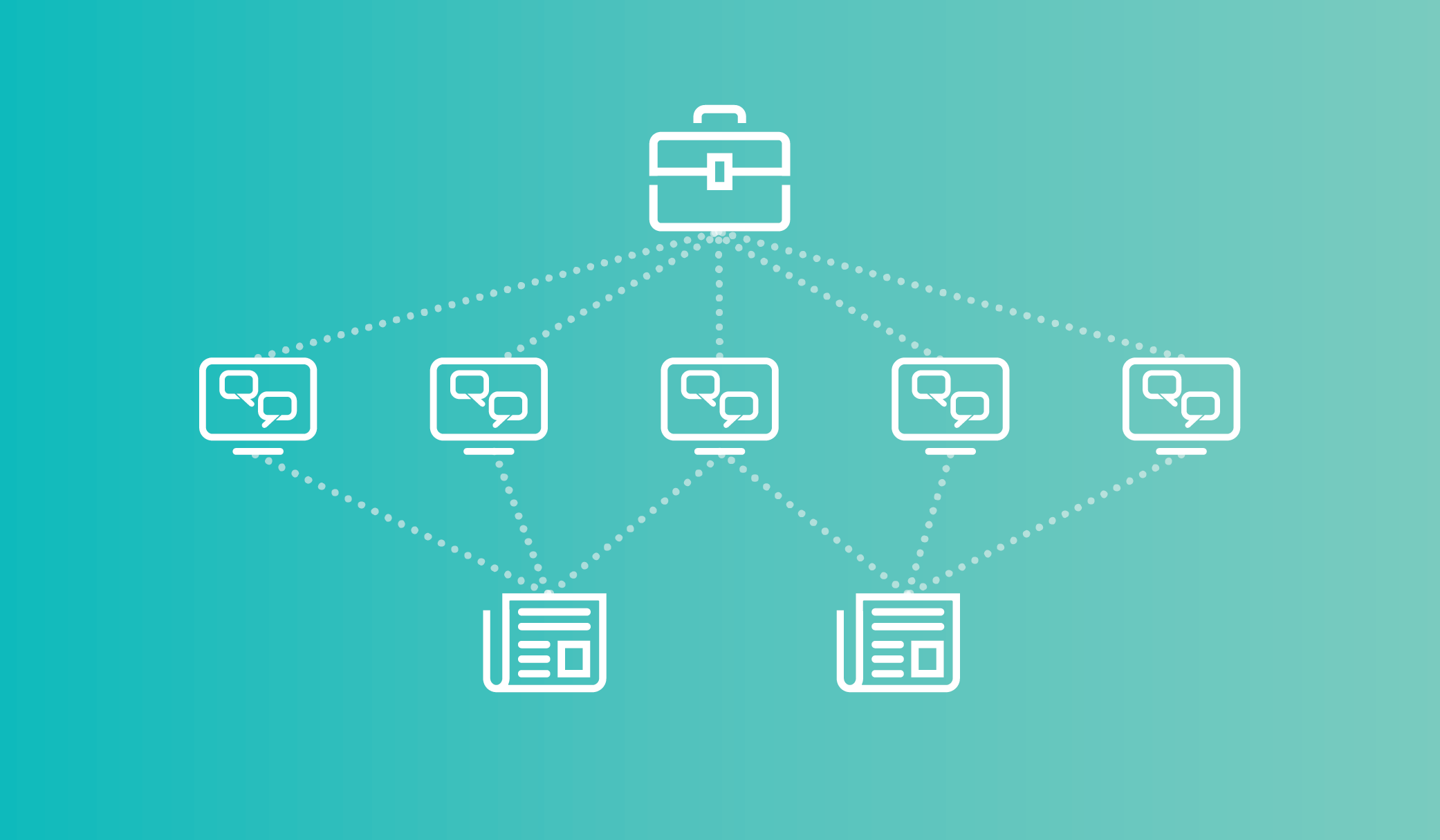
If you’re focusing on lead generation, this linking ecosystem enables you to keep your audience members engaged with your content longer, which boosts the likelihood that they’ll fill out a form or reach out to you. Plus, as your audience members spend more time on your site, they learn more about your company, making them more qualified leads once they do decide to take the leap and give you their information.
Topic clusters can benefit a thought leadership strategy as well, because this approach lets you create overview content and in-depth content, which positions you as a thorough expert on the subject matter that your audience is interested in and cares about.
Finally, working to achieve SEO goals? This model can help you organize your site’s structure.
Building a strong information architecture can lead to better rankings in organic search across a broad subject area. Those hyper-focused pieces of cluster content will allow you to work toward that strong architecture while also maintaining your focus on producing content that your audience cares about. Plus, creating one high-performing cluster page can elevate search rankings to all of the other pages that are linked to the same pillar.
A great way to plan out your topic clusters is to develop a content map. Before you even begin creating content, decide what your pillar page will focus on. Then nail down topics for a few cluster pages. You can even take it a step further and identify what subjects you’d like to cover in guest-contributed articles related to that overarching topic. We’ve put together a free content map template that you can use to get started.
3. Optimizing Blog Posts
Blogging can position your website as a relevant answer to your target audience’s burning questions. And optimizing those posts for search can help you actually reach your audience members so you can provide the value they’re looking for.
Blog post optimization can advance both thought leadership and lead generation goals because if the content you’re producing for your site isn’t ranking well, it isn’t showing up as a relevant answer to your audience’s questions. This means you won’t be perceived as an expert, and you most definitely won’t generate more leads.
If you’re focusing on SEO as your primary goal, optimizing blog posts is a given. Your content isn’t going to rank well if you’re not including relevant short- and long-tail keywords that your audience cares about.
To optimize your blog content, focus on one or two long-tail keywords that line up with the intent of your target readership, and include those keywords in your post where they fit in naturally. For example, if your audience has been searching for information on creating a predictive analytics strategy, you’ll want to publish a blog post about the strategy and techniques behind predictive analytics.
When writing that post, you’ll need to include long-tail keywords for which people are searching. Those might include “how to do predictive analytics,” “predictive analytics strategies,” and “predictive analytics techniques.” This way, your blog post will show up in search results for people who are looking for more detailed insights on developing a predictive analytics strategy.
In addition, make sure your blog is responsive and mobile-friendly. Creating a meta description that’s keyword-rich, optimizing your images with alt text, and linking to other pages on your blog whenever possible will also help you rank.
These are just a few SEO strategies that can help you reach your content marketing goals, whether you’re focusing on SEO itself, thought leadership, or lead generation. This certainly isn’t an exhaustive list, but it’ll get you started on your journey of optimizing your way to better content marketing results.

Everything You Need to Know About Starting a Podcast in 2020
I’ve become a morning walking companion to people I may never meet.
How is this possible? They take me along in their earbuds as they stream my podcast, Build a Better Agency
It’s a wonderful sign of things to come for marketers willing to venture into the podcasting universe.
Once a fringe platform, podcasts are now surprisingly mainstream. According to Nielsen, six out of 10 people understand what they are, and 112 million Americans — 40 percent of the nation’s population — have listened to at least one. Though podcast listeners lean male, it isn’t by much: 56 percent are men, while 44 percent are women.
Marketing professionals must not only be aware of these statistics, but they must also leverage them in their own campaigns. When 67 million men and women are monthly podcast consumers, it’s a niche that deserves serious contemplation. Add to that fact the amazing statistic that 63 percent of podcast listeners made a purchase based on something the host recommended, and you have yourself a veritable gold mine.
Of course, you have to crawl, then walk, then break into a steady trot to glean the benefits.
A no-nonsense primer from a podcast experimenter.
In my case, I’d written blog posts, conducted webinars, and published articles in places like Forbes and Fast Company for some time. These content producers worked, but I felt a different portal would help connect with more agencies and leaders in an accessible, easy to find, on-demand format.
As a longtime podcast listener myself, I recognized that the podcasting platform was the next logical step for me — especially if I wanted to reach a narrow audience of mid-sized agency owners and leaders as an authority in my field for more than 23 years. And as a long-time professional, I hired Predictive ROI, an Agency Management Institute agency, to produce the podcast so I wouldn’t make as many rookie technical mistakes.
Still, opening yourself up to podcasting is a little like breaking the lid on Pandora’s box. Until you do it, you have no idea what to expect. Still, that doesn’t mean you can’t head off issues before you go live.
Expect a certain amount of learning as you go, but be ready to explore the technology before fully launching your podcast. You wouldn’t open a bakery with your very first pie, so don’t hit “publish” until you get the lay of the land and make a plan. (Being a podcast guest prior to launching your own is a smart idea, too.)
Podcasting in the beginner’s circle.
Even if you’ve never been in front of a mic before, you can map out the first phase of a solid podcast schedule. From there, you’ll be able to branch out.
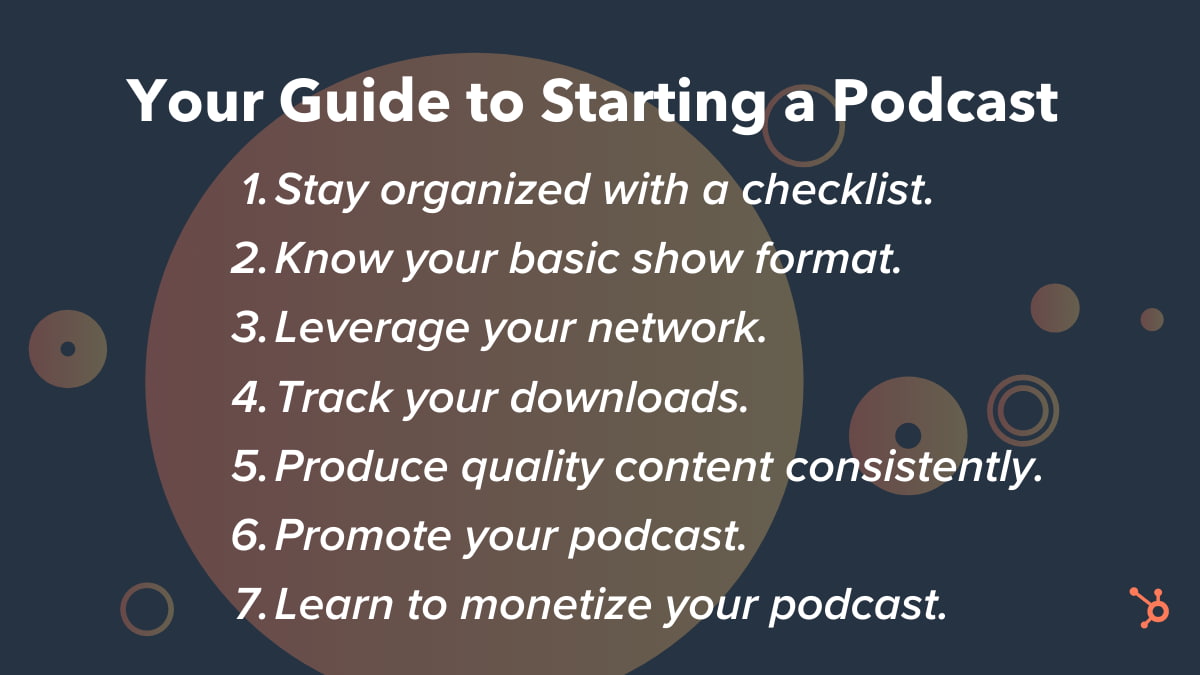
1. Create a checklist to keep yourself on task.
I asked myself tons of questions repeatedly before committing to podcasting. They included everything from the niche audience I wanted to reach to whether being the host of a podcast was a short-term fad or a long-term interest. I also considered what podcast style I preferred to offer the public, including a show prep and publishing schedule.
Obviously, your checklist will be individualized, but be sure it includes a section on technical elements. Setting up audio, iTunes, accounts, and interviews can be tricky if you haven’t done your homework.
2. Set up your basic show format.
Every interviewer prefers to run his or her podcast in a particular way. Many podcasters ask guests the same questions, but as a listener, I find that gets stale in a hurry. Sure, it’s less prep work, but it makes the host look lazy. I preferred interviewing subject matter experts but wanted to occasionally keep the door open to produce a solocast. My compromise was a 4–1 ratio of interviews to solocasts.
I was reasonably confident that I could have a few questions on hand and then launch into a conversation on the fly from there. A big risk? Maybe. But I believed I could pull off a 45-minute to 60-minute conversation without a safety net.
3. Leverage the heck out of your network.
The first 10 episodes set the tone for any podcast launch, so make sure you line up high-profile, interesting, engaging guests who won’t be turned off if you have very few — or no — listeners. My friends came through in a big way for me, offering me rock stars from day one. Not only did they help publicize the podcast, but they also generously allowed me to ride on their social media coattails.
4. Track your downloads.
Rob Walch was one of my recent podcast guests who offered an important consideration for any podcasters: You have to stay on top of your downloads. Rob’s suggestion is to hit at least 500 downloads an episode to feel sure you’ve broken the cycle of only having people in your inner circle tune in.
What’s a reasonable download number for your, quote, “success”? Only you can determine this, but it helps to keep a steady eye on the numbers. Starting to see a downward trend in listenership? Go back to square one and ask those tough questions again so you can pivot before your podcast loses traction.
5. Produce great content consistently.
Does everyone have a bad episode once in a while? Sure. And if you’ve planned in advance and have great content in the bag, you can simply not release it in lieu of a better one. Before you release your podcasts publicly, try to have several on hand. That way, you get the relief of a buffer zone.
Don’t try to start too quickly. You can always ramp up your delivery later. With my travel schedule that sees me on no fewer than 200 planes a year, I decided to get 10 episodes in before I proved to myself I could sustain the effort. August and September 2015 were a flurry of set-up and recordings, and we opened our podcast doors — virtually — in October 2015. Since then, we’ve published a new episode weekly without fail.
6. Prepare to become a podcast promoter.
Your target personas won’t find your podcast without a little help, so promote it like your life depends on it. I utilized our company’s email list, my personal social channels, and myriad other platforms. In addition, I requested that each guest promote his or her episode.
We were fortunate to get on iTunes New and Noteworthy, landing us in the top five of several of its subject-specific lists during our first month.
7. Learn how to monetize your podcast.
Finally, it’s important to figure out how to earn an income based on your podcasting. One way is to promote your book, workshop, or online course, creating thought leadership at the same time.
If you have a narrow audience lacking depth or width and you just can’t sell advertisements or sponsorships, you can still make numbers work in your favor.
Sound like hard work? It is, but it’s totally worth it if you strategize. Two years after unveiling my first episode, we have 110 five-star reviews, and episodes are downloaded in more than 125 countries. I’m pleased to say we’ve also earned a presenting sponsorship from HubSpot. Podcasting hasn’t just been a feeder for the business, but a phenomenal marketing opportunity as well.
Have you thought about taking the podcasting plunge? The water’s a bit choppy at first, but there’s plenty of room for another swimmer!

38 Free Online Marketing Classes to Take This Year
I don’t know about you, but I miss taking classes. I miss taking notes, studying, and most of all, learning a ton of new skills.
That’s not to say I don’t learn a lot on the job here at HubSpot — because I absolutely do. But sometimes, there’s nothing quite like listening to a lecture, taking notes, and doing homework.
Given the frequency at which new technologies and software are developed, it can be overwhelming to try to keep up your knowledge by only reading blog posts and ebooks. That’s where self-paced online learning comes in.
I’ve taken a few awesome courses and certifications through HubSpot Academy, including an inbound marketing certification and a content marketing certification. These classes helped me be better at my job, so I started making a list of other classes I could take to learn more skills. When I finished the list, I realized that you, dear readers, might have similar skill gaps, so I wanted to share it in a blog post.
Below is a long list of free online courses you can take to beef up your skill set. These offerings vary in time commitment, but many are self-paced so you can work on your own schedule. The topics these courses cover include:
- Content Marketing
- Social Media Marketing
- SEO Marketing
- Email Marketing
- Web Development and Site Design
- Online Advertising Courses
- Other Digital Marketing Courses
Want to learn more about brands and organizations that offer the courses on the list below? Scroll to the end of this post, or click here, to jump to a section on where to find affordable online marketing courses.
Free Online Marketing Courses
- Inbound Marketing Certification – HubSpot Academy
- Content Marketing Certification – HubSpot Academy
- Internet Marketing for Smart People – Copyblogger
- Viral Marketing and How to Craft Contagious Content – Coursera
- The Strategy of Content Marketing – Coursera
- Copywriting Blunders: Do You Make these 10 Common Mistakes? – Udemy
- Content Marketing for B2B Enterprises – Udemy
- Content Marketing – QuickSprout
- Social Media Certification – HubSpot Academy
- Developing an End-to-End Instagram Marketing Strategy For Your Business – HubSpot Academy
- Social Media Marketing – edX
- Diploma in Social Media Marketing – Alison
- Blueprint – Facebook
- Social Media Analytics – quintly
- Social Media Week of Webinars – Buffer
- Digital Marketing Course – Google
- SEO Training Course – HubSpot Academy
- SEO Training Course by Moz – Udemy
- Advanced SEO: Tactics and Strategy – Udemy
- SEO – Quicksprout
- Email Marketing Certification – HubSpot Academy
- Email Marketing – QuickSprout
- Make a Website – Codeacademy
- Learn Javascript – Codeacademy
- Learn Ruby – Codeacademy
- Learn Python – Codeacademy
- Learn HTML & CSS – Codeacademy
- Learn to Code Awesome Websites – General Assembly
- What Digital Advertising Is & How to Do It – HubSpot Academy
- How to Build a Paid Media Strategy – HubSpot Academy
- Paid Advertising – QuickSprout
- Wordstream PPC University
- Advertising Your Business Online – Alison
- Copywriting 101: Crafting Your First Ad Campaign – Skillshare
- Advertising Foundations – Lynda
- Basic Graphic Design Course – Canva
- Photoshop 2020: One-on-One Fundamentals – LinkedIn Learning
- InDesign 2020: Essential Training – LinkedIn Learning
Content Marketing Courses
1. HubSpot Inbound Marketing Certification – HubSpot Academy
2. HubSpot Content Marketing Certification – HubSpot Academy
3. Internet Marketing for Smart People – Copyblogger
4. Viral Marketing and How to Craft Contagious Content – Coursera
5. The Strategy of Content Marketing – Coursera
6. Copywriting Blunders – Udemy
7. Content Marketing for B2B Enterprises – Udemy
8. Content Marketing – Udemy
Social Media Marketing Courses
9. Free Social Media Certification – HubSpot Academy
10. Developing an End-to-End Instagram Marketing Strategy For Your Business – HubSpot Academy
11. Strategic Social Media Marketing – edX
12. Diploma in Social Media Marketing – Alison
13. Facebook Blueprint – Facebook
14. Social Media Analytics – Quintly
15. Social Media Week of Webinars – Buffer
SEO Marketing Courses
16. SEO Training Course – HubSpot Academy
17. Google Digital Marketing Course – Google
18. SEO Training Course by Moz – Udemy
19. Advanced SEO: Tactics and Strategy – Udemy
20. SEO – QuickSprout
Email Marketing Courses
21. HubSpot Email Marketing Certification – HubSpot Academy
22. Email Marketing – QuickSprout
Web Development and Site Design Courses
23. Make a Website – CodeAcademy
24. Learn Javascript – CodeAcademy
25. Learn Ruby – CodeAcademy
26. Learn Python – CodeAcademy
27. Learn HTML & CSS – CodeAcademy
28. Learn to Code Awesome Websites – General Assembly
Online Advertising Courses
29. What Digital Advertising Is and How to Do It – HubSpot Academy
30. How to Build a Paid Media Strategy – HubSpot Academy
31. Paid Advertising – QuickSprout
32. Wordstream PPC University
33. Advertising Your Business Online – Alison
34. Copywriting 101: Crafting Your First Ad Campaign – Skillshare
35. Advertising Foundations – Lynda
Other Digital Marketing Courses
36. Basic Graphic Design – Canva
37. Photoshop 2020: One-on-One Fundamentals – LinkedIn Learning
38. InDesign 2020: Essential Training – LinkedIn Learning
Where to Find Free or Affordable Courses
HubSpot Academy
HubSpot Academy offers certification and training courses to teach people how inbound marketing and HubSpot software work. Classes are often taught by marketers at HubSpot and are made up of video lessons, quizzes, and tests. Most HubSpot Academy classes are available free of charge, and if you pass the certifications, such as the two below, you get a nifty certificate and badge to share on your social media profiles. Check out mine on LinkedIn:
Copyblogger
Copyblogger is a content marketing company that creates content about content (so meta). Its blog provides a ton of great resources about digital marketing, and this class, “Internet Marketing for Smart People,” is made up of ebooks and emailed lessons and other course materials. Copyblogger espouses four pillars of content marketing success, which it delves into over the course of this class.
Coursera
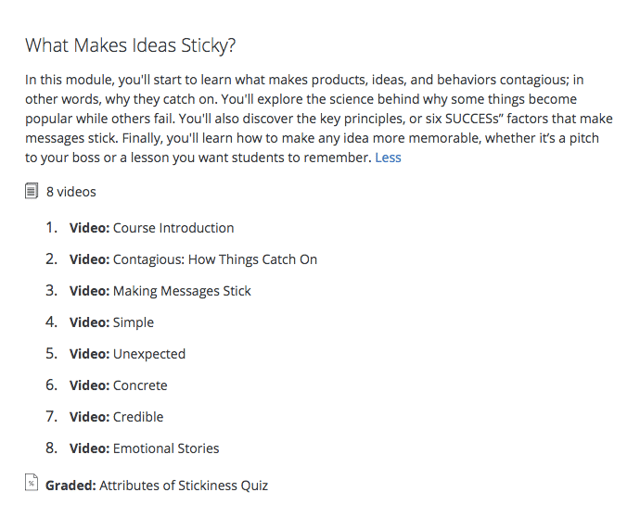
Coursera offers MOOCs (massive online open courses) created and taught online by universities such as Northwestern University, the University of Pennsylvania, and the University of California system. These courses start at various times throughout the year, so browse the catalog to see when one lines up with your schedule. Below are a couple courses that are perfect for content marketers — here’s what a module for #4 looks like:
QuickSprout
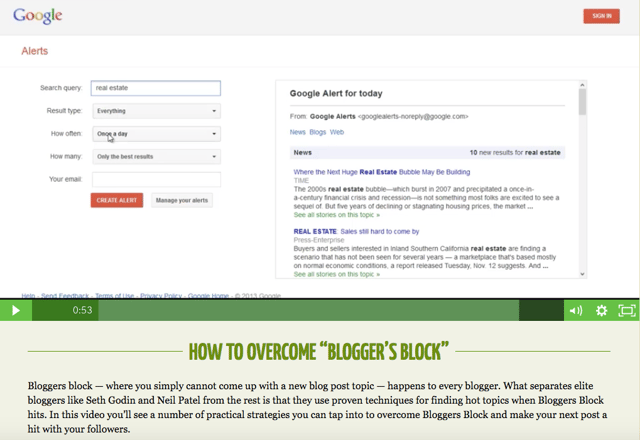
QuickSprout is Neil Patel’s content and business marketing blog, and QuickSprout University features a ton of helpful videos breaking down and explaining a myriad of concepts and best practices. Each video also includes a transcript in case reading is more your learning style than watching a video. Here’s what one course video looks like:
Udemy
Udemy is another online learning platform that focuses specifically on courses related to skill building for working professionals. One thing to note about Udemy: The classes we’ve highlighted are free, but it offers a myriad of other paid options for as little as $10, in some cases. If you have a good experience with a free course, it could be worth a small investment to deepen your skills, too.
Wordstream
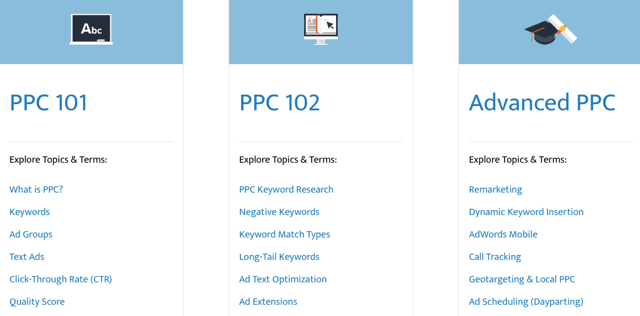
Wordstream is a search engine and social media marketing software company that helps marketers drive the greatest ROI from their paid search and social media campaigns. These free guides and ebooks distill learnings and best practices for users with varying levels of expertise running pay-per-click (PPC) campaigns. Here are some of its topics and offerings:
edX
edX is another MOOC provider that features courses offered by top-tier universities, including Harvard University, Massachusetts Institute of Technology, and Boston University. Like Coursera, classes are taught online and start at specific times throughout the year. Here’s a class we think you’ll find valuable:
Alison
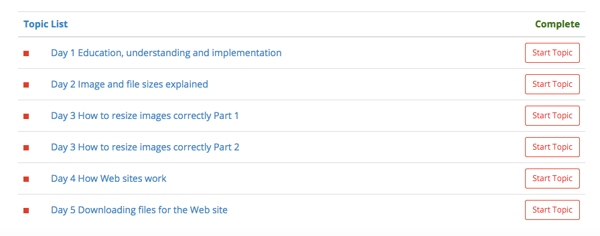
Alison offers free online classes in various professional skills users can take at their own pace. In the Diploma in Social Media Marketing course below, students can get into the nitty-gritty and big picture views of different skills of different topics — just check out one of the many modules:
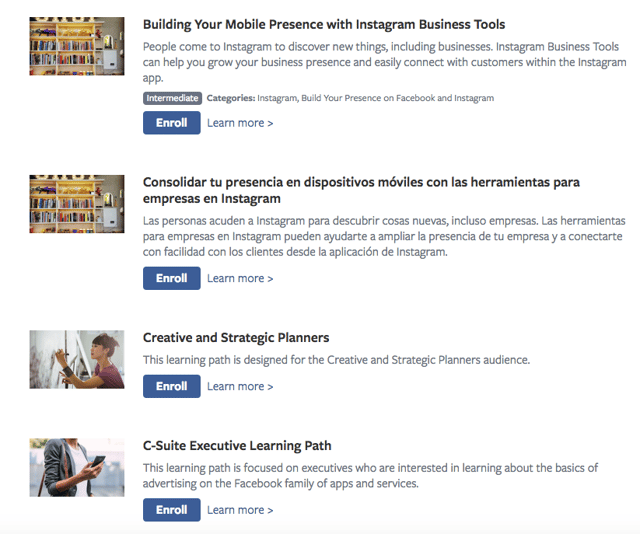
At this point, you probably already know what Facebook is and what it does. What you might not know? It has a training and certification program. Facebook Blueprint offers self-paced and live e-learning courses for marketers seeking to grow their organizations using Facebook. Blueprint offers classes in different languages on how to use Facebook and Instagram — here’s a peek at the course catalog.
quintly
quintly is a social media analytics tool that offers courses through quintly Academy. The self-paced course provides an overview of social media analytics, benchmarking, and goaling using downloadable written materials and video lessons.
Buffer
Buffer’s Social Media Week of Webinars isn’t exactly a course — it’s a series of live webinar recordings on YouTube — but the videos are chock-full of current and valuable information for social media marketers from the experts. Topics include Instagram and Facebook marketing and how to do public relations on social media.
Google is another company you’ve probably heard of before, and its digital marketing course offers a ton of valuable information if you plan to advertise and rank on the search engine. You can even take a Google AdWords certification at the end of the process that helps you beef up your resume (and your Google+ profile).
CodeAcademy
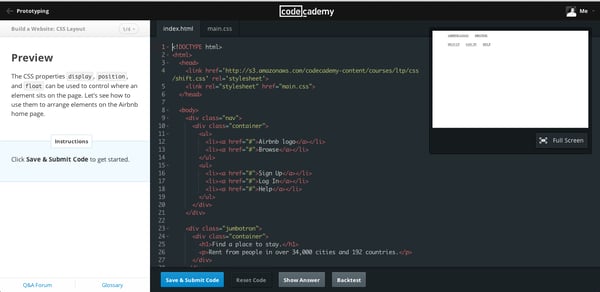
CodeAcademy offers free, interactive coding classes that take you from lesson one to building a fully-functioning website. The courses we’ve highlighted below are just a few of the courses; CodeAcademy offers many more, depending on your organization’s needs. CodeAcademy classes feature lectures and a workspace in the same browser window so you can see the effect of your work live, as it’s created.
General Assembly
General Assembly offers live and online paid and free courses for a variety of technical skills and disciplines. General Assembly’s Dash offers a free online coding class that teaches the fundamentals of HTML5, CSS3, and Javascript — watch the course overview below:
Canva
Canva helps people easily make beautiful images for web design, and Canva Learn offers design courses that are valuable for any kind of storyteller. The Creativity course explores the challenges of constant creation and innovation and how to do it well — with visuals, of course.
Editor’s Note: This blog post was originally published in May 2018, but was updated in July 2020 for comprehensiveness and freshness.

How Video Consumption is Changing in 2020 [New Research]
In 2020, video is more important to consumers than ever before.
Each day, we stream our favorite shows, watch explainer videos on YouTube to learn something new, or follow events, Q&As, and interviews via live video.
Unsurprisingly, video content’s current popularity is due in part to millennial and Gen Z consumers. These age groups are more connected to the internet than older age groups,, and prefer to be entertained or learn new things from online videos.
At this point, marketers know that they should be leveraging video in their marketing strategy. According to HubSpot’s 2020 State of Marketing report, video beat out heavyweight contenders like email, blogging, and infographics as the most used type of marketing content.
The interest in video isn’t surprising or new. Throughout the last century, we’ve seen video move from black and white televisions to smartphones and tablets. As consumers have seen this content become more available at our fingertips, brands have discovered a number of new ways to implement video in their marketing.
Now, rather than relying on a commercial during our favorite sitcoms to learn about a product, we’re inundated with marketing videos all over social media, streaming apps, and search result pages.
Video isn’t going anywhere, but it is always expanding, changing, and evolving to fit new consumer needs and new platforms.
As this content continues to evolve with each new generation, marketers should continue researching video consumers’ interests, hobbies, and behaviors.
In this blog post, I’ll highlight six research-backed ways video consumption habits are changing and how marketers can respond strategically.
How Video Consumption is Changing in 2020
1. Consumers are beginning to rely on marketing videos from brands.
In the past, consumers would visit websites, look at online reviews, watch commercials, and maybe search out a few YouTube videos to learn about a product. Now, with video being accessible on every major social media network, they are learning to rely more heavily on this type of content in their research phase.
While brands are seeing higher engagement than ever from video marketing, consumers increasingly expect to see this type of content from brands. Even back in 2018, a whopping 87% of consumers said they wanted to see more video from brands in the next year.
In 2020, it’s likely that the expectation of brands to provide marketing videos has gotten even stronger. Each day, consumers use product demos, video reviews, and unboxings to learn about products before they buy them.
What do increasing video content expectations mean for you as a marketer? Well, if a prospect is interested in a product or service in your industry, looks for video reviews or tutorials, and can’t find any related to your brand’s offering, they might buy a product from another brand.
Why? Videos give consumers the opportunity to see how a product or service works in real life, discover any flaws before purchasing the item, and identify perks that they might not learn about in the text-based description. This content might also appear to be more authentic than a heavily edited product shot, which can boost a consumer’s trust in a brand or offering.
2. Half of Gen Z and Millennials “don’t know how they’d get through life without video.”
To some, this isn’t that much of a shock. Each new generation has watched more online video than the last. However, when it comes to those under the age of 34, videos have more of an impact on daily life than ever before. In YouTube’s survey, 50% of people in both generations said they “couldn’t live” without video in their daily lives.
Aside from using video for entertainment, both millennials and Gen Z prefer to watch videos for information gathering purposes. Even when it comes to learning about a new brand or product, these age groups prefer video explainers, product demos, or other marketing videos to simply reading about a company online.
With millennials nearing 40 and Gen Z beginning to gain full purchasing power, there’s a good chance that these two age groups will take up a major portion of your audience soon if they aren’t already.
At this point, marketers aiming to attract these two generations should consider testing out video strategies on social media or their own websites. While these age groups might regularly use video for entertainment purposes, it’s also likely that they’ll use it to learn more about products or brands worth investing in. If there’s a great video recommendation or tutorial out there for a product they’re interested in, they might find it, watch it, and use that content to confirm that this purchase is right for them.
3. Video consumers want to relax — or escape — from daily life.
In the past, older generations might have turned on their favorite TV sitcom or gone to the movies to escape from the stresses of daily life. While the platforms have changed as younger consumers take over the video market, the instinctive need for relaxing or entertaining content hasn’t.
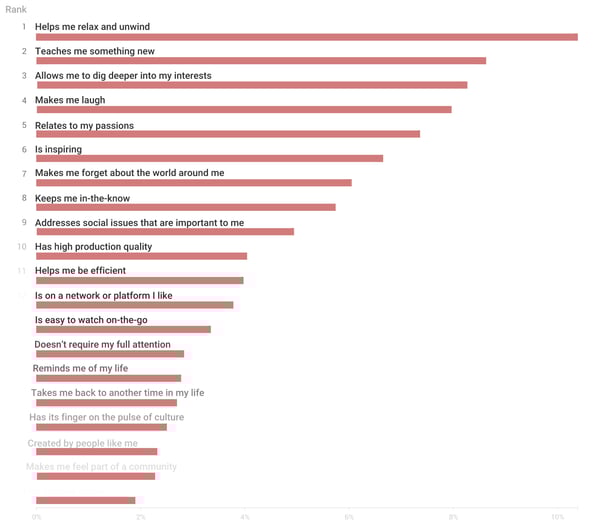
When asked to rank the reasons why consumers watch video content, YouTube survey participants said they primarily watch videos in order to, “relax and unwind.” Additionally, the fourth most common reason that people watch videos is that the content makes them laugh. Additionally, people cited, “Makes me forget about the world around me,” as the seventh most common reason for watching videos.
As a marketer, you shouldn’t put all of your time and money into just creating mindless content that will relax your viewers or give them a laugh. But, you can keep in mind that many viewers are still looking to be entertained or intrigued by your content.
Even when you’re creating an informative marketing video, you can consider experimenting with funny anecdotes or adding other entertaining qualities. Interested in adding fun elements to your next marketing video? Get inspired by major brands that effectively used humor in their marketing.
4. Consumers want to learn more about their niche and passions.
Aside from looking for escapism, YouTube viewers are motivated to watch content that teaches them new things, especially when related to their passions, interests, hobbies, or social causes. While the second most common reasoning for watching a video was it, “teaches me something new,” people also said they prioritize content that allows them to “dig deeper” into their interests or “relates to” their passions.
Odds are your product relates to someone’s interests, hobbies, passions, or career. This is the type of person you’ll want to watch and enjoy your videos.
Creating a buyer persona and target audience around this type of person will help you identify video topics that they’ll value, benefit from, and remember your brand for publishing.
5. Consumers don’t care if your video looks like it has a big budget.
There’s a common misconception that marketing videos need to feature the biggest Hollywood stars and must be shot in a high-priced studio. In 2020, as marketers are increasingly producing video remotely, this myth has definitely been debunked.
But, if the evolving video marketing workforce hasn’t convinced you that low-budget videos can still be effective, here’s what YouTube discovered in its survey:
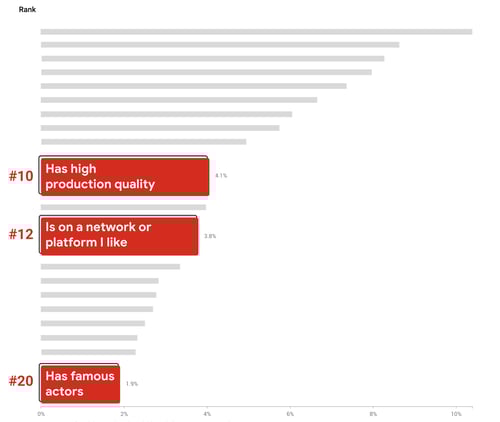
When asking consumers to rank the top reasons they watched videos, surprisingly “high production quality,” and “famous actors” neared the bottom of the list.
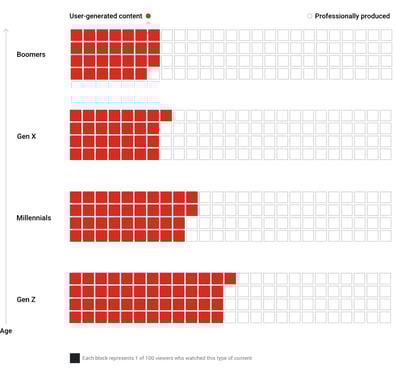
Aside from ranking high-budget video features as the least likely reasons for watching videos, millennials and Gen Z differ from older age groups in that they’re more accepting of user-generated content over professionally made videos. This might hint that brands can leverage content created by their own customers or fans when creating marketing videos:
At this point, there are plenty of ways to produce an affordable video with solid quality from any home or workspace. And, while it will still take time and money to launch this content, effective marketing videos made anywhere can boost your level of brand awareness.
6. Younger generations are watching longer content.
The average Gen Z member has an online attention span of eight seconds. That’s four seconds less than millennials. But although Gen Z’s attention span for general online surfing might be quite short, long-form videos that interest them can grasp their attention — and keep it.
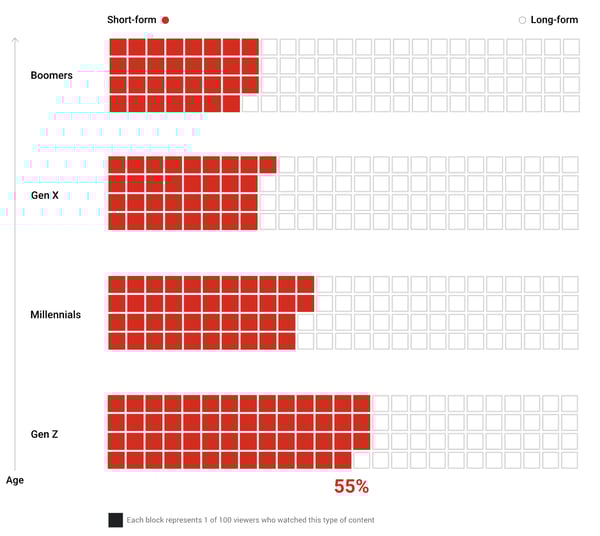
The adoption of long-form content with each new generation isn’t new. According to YouTube’s study, millennials also watched longer-form videos more often than their Gen X predecessors.
As a marketer, you’ll need to keep the attention spans of each new generation in mind as you set the pace for your video content.
Your video has mere seconds to catch a millennial or Gen Z member’s attention as they’re aimlessly scrolling through a social media feed. However, if your video captures viewers immediately and then continues to offer entertaining, valuable, or interesting information throughout, these age groups might watch the whole thing — even if it is on the longer side.
Before you put a marketing video online, re-watch it from the point-of-view of a somewhat busy consumer. Then, ask yourself, “Does this video pull viewers into the action quickly and keep their attention?” If you’re worried that parts of your video seem dull, you might want to shorten it. But, if your team thinks it’s entertaining or informative the entire time, you can experiment with publishing your longer-form video and learning from its results.
Navigating Video in 2020
With each new generation, the video world will continue to evolve.
However, at this point, the video landscape is changing in favor of marketers. Not only do consumers prefer to learn about brands via video content, but they use it as a necessary tool in the information-gathering phase of their buyer’s journey.
Additionally, the vast majority of video consumers now strive to learn something new about an interest or hobby, rather than just using video to entertain themselves. This means marketers can harness educational videos in their strategy and offer consumers content that relates to their niche, while also marketing a brand or product.
In 2020, you don’t need a high-priced video budget to succeed as a marketer. You just need to create content that engages, educates, and intrigues your audience.
To learn more about how to create a winning marketing video — even on a budget — check out this how-to post. For tactical promotional tips, check out The Ultimate Guide to Video Marketing.

How to Get More User-Generated Content on Instagram
Want to share more user-generated content (UGC) on Instagram? Wondering how to encourage your Instagram following to tag you in their content? In this article, you’ll discover how to get more people to create content about your products or services on Instagram. #1: Encourage Your Instagram Followers to Contribute UGC UGC is a potential goldmine […]
The post How to Get More User-Generated Content on Instagram appeared first on Social Media Examiner | Social Media Marketing.
from Social Media Examiner | Social Media Marketing https://ift.tt/3gdoYbi
via socialmediaexaminer
The Plain-English Guide to Brand Equity
Before I buy anything that goes on my face, like skincare or makeup, I pour over the reviews. The only exception is when I’m shopping from a brand I trust. In some cases, I don’t even question a new launch from those businesses — I purchase the new items knowing I’ll be satisfied.
It’s not that hard to trust a company that has never disappointed you. But today, I was skeptical.
A makeup company I like is releasing a skincare extension. I was on the fence, so I wanted to see what my favorite YouTubers were saying. Most of them had the same reaction: “I don’t care about the price. When it comes to this brand, I know it’s gonna be great.”
They will purchase from the new line, regardless of reviews.
This is known as brand equity. Consumers influence the public perception of businesses, building positive or negative brand equity. But let’s take a closer look.
If you’ve ever decided against buying from a specific company based on a review from your friends, you’ve seen negative brand equity at work. Negative brand equity might result from poor customer service, lack of transparency, or inaccurate pricing.
Think of that one product you don’t mind shelling out a few extra dollars to have because you know you’ll be satisfied. In your opinion, that business has positive brand equity. Brand equity determines value because positive brand equity can justify higher prices.
Now that you know what brand equity is, you’re probably thinking about how to find out your company’s. To save you that time, let’s talk about measuring brand equity.
How to Measure Brand Equity
Measuring brand equity involves customer knowledge, public perception, and finances. Customers are a no-brainer; Their opinion is the number one source of brand equity, but it shouldn’t be the sole indicator. Let’s look at a few others.
1. Focus on brand awareness.
We’ve gone over how important customers are to brand equity. It starts with awareness. If your audience doesn’t know about your company, they won’t be able to develop an opinion of it.
So if you haven’t already, take note of how you’re handling brand awareness. How are you communicating your company’s story? More importantly, how are they responding?
Leverage consumer response to your brand as an action to create more brand awareness. Content offers, web traffic, and social media performance will give you the data you need to assess brand awareness.
For instance, if you’ve found that you generate the most leads by making informative ebooks, create one about a topic that’s your company’s bread and butter. For a social media agency, that might be creating compelling Instagram stories.
That way, when a lead sees the ad on Facebook, they’ll have an idea of what your company does. The offer is an incentive for them to learn more, and the subject matter will keep them engaged.
2. Analyze your company’s overall finances.
Are you currently analyzing purchase metrics? These metrics will tell you what products are popular among customers and identify shopping patterns that could influence future campaigns.
Look at how your business interacts with audiences — this influences purchasing behavior. If a customer comments under an Instagram post about poor customer service, it can contribute to negative brand equity. To avoid this, make sure customer service protocol involves answering the consumer comments and concerns.
If you notice sales are dipping after a few negative comments, revisit customer service protocol. It might be contributing to a lower brand equity and decrease in sales. But by studying how your business interacts with its audiences, you’ll quickly identify ways to improve that messaging.
Make sure you’re telling your audience why your price is worth it. Alternatively, give your audience a chance to see for themselves. In your next ad, announce a sale, boost an offer, or create a free trial.
That way, your audience can give your company a test run before they commit, and you can begin to measure how this inbound marketing tactic performs among customers. If it increases brand equity, you might have a new winning strategy.
3. Identify the public perception of your brand.
So far, we’ve talked about why brand awareness is important to brand equity. But corporate image is also crucial.
Ask customers to leave reviews. Product reviews are extremely powerful in cementing brand equity. A sushi restaurant with 4.5 stars on Yelp will most likely get more business than the one down the street with 3.9, even if the food is more affordable.
Analyze what customers are already saying and if they’d recommend your company to a friend.
At this point, you know how to measure public perception. But it’s likely you’ve run into a problem … You have no idea how to build equity. Let’s get the ball rolling with a few ideas.
1. Research public perception of your brand.
Customers aren’t the only group that contributes to brand equity. Audiences are just as important.
Approaching public perception is going to look slightly different than reaching your customers. The audience you’re targeting doesn’t know as much about your company as the ones purchasing from your company regularly, so NPS surveys probably won’t do the trick.
However, your market contributes to brand equity from an outward perspective. So, researching their opinion is going to be helpful in figuring out a few things.
First, by understanding what your audience thinks of your business, you can learn why or why not people are buying your offerings. Second, you’ll understand the challenges your audience is looking for companies like yours to solve. This will inform better business and marketing decisions.
Public perception is essential to brand equity, but let’s face it: We probably don’t have the time to spend hours Googling our company to gain insight. So, what can you do to research public perception in a way that saves you time?
The short answer is software. For instance, Smart Watch looks at follower activity on social media channels. Then, you’ll get a customized report that breaks down comments, replies, and likes to tell you a response consensus.
Additionally, Brandwatch can point out where your branded images are appearing. For instance, if you upload a marketing photo into the tool, it’ll crawl the web for that image and pull out results. This can help you identify the spaces where your company is the most prevalent — and what people are saying.
If you’re looking for a couple more resources, say, 10 more, this sentiment analysis tool round-up is your answer.
2. Communicate your brand beliefs in marketing.
One of the biggest ways to begin building brand equity is to emphasize branding when you execute marketing campaigns. Every visual asset you make should speak to your brand in some way.
Use colors, images, and copy to your benefit, and introduce a tone that makes sense to your company and audience. If you can look across all customer-facing content and recognize patterns in those three areas, you’re likely communicating a strong brand message.
Customers and audiences will begin to pick up on the details that define your company. For instance, when you look at this Instagram feed, you can notice similar details, imagery, and tone:
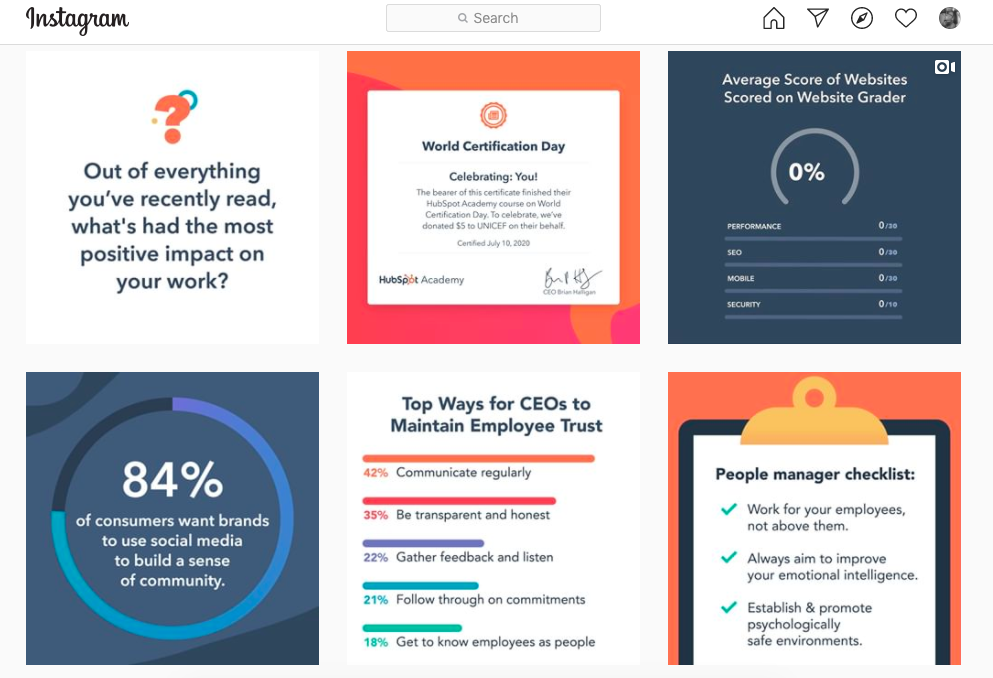
In the image above, you can point to colors, industries, and audiences that relate to HubSpot’s brand. Valuable content, like helpful statistics, make this account one to look for in terms of industry insights. As a result, a marketing professional is likely to associate this account with meaningful marketing-based content.
To build a positive brand equity, speak to what’s important to your company and audience.
3. Turn what customers say into action.
If you’ve been collecting customer stories and data, see how you can use that information to boost equity. For example, if customer reviews have been mentioning a new addition to your software, teasing its release could be a great way to earn positive reception. Customers that see they’re being listened to contribute to excellent equity.
It could also be a good idea to step up customer interaction. If your company doesn’t interact with customers on social channels or email, or reach out for feedback, you probably don’t know what they are expecting. Revamp how you get in touch with customers because they hold the most value when it comes to equity.
Maybe there’s a feature upgrade you know customers are really interested in, but you don’t have the bandwidth to build. In that case, focus on improving a customer favorite, or a much-anticipated restock of a bestselling product.
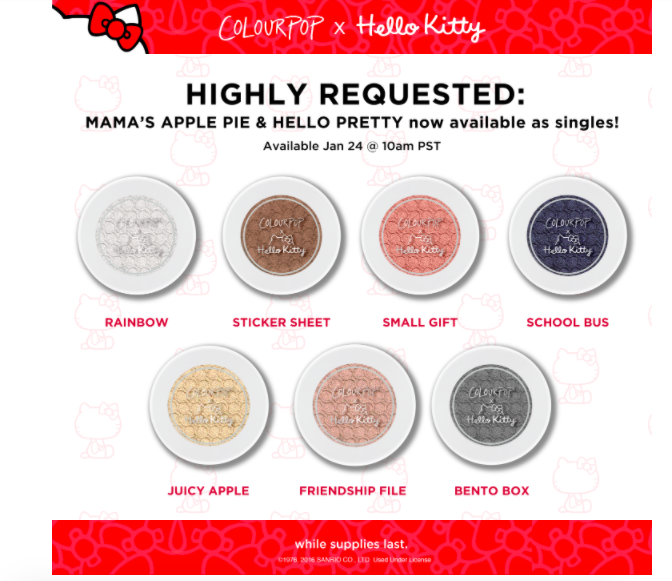
This is a marketing email I got a while ago. Instead of restocking the eyeshadow collection with these shades, ColourPop decided to split up the collections according to customer suggestions. This move was made to show customers that the company values their opinion — it also builds brand equity.
4. Emphasize how you’re different from competitors.
Do you remember the “Get a Mac” campaign? If not, how about the commercials with two actors introducing themselves as either a Mac or a PC? These clips sparked the infamous 2006 debate about which computer choice was better:
Apple released the commercials to emphasize why iMacs were the cool, modern, powerful choice for young adults. Commercials would show a hip, relatable actor talking about the different capabilities of the computer. Then, an older, out-of-touch actor would talk about why they love their limited PC.
The commercials were wildly successful and profitable for Apple. They also established brand equity against competitors. Apple’s team took the time to name computer specs in a way their audience would understand. They spoke directly to the customer about why Macs were the favorable option.
To gain that market edge, use campaigns to explicitly state why your product is the best suited for your customer. Maybe it’s because you offer a more streamlined way of doing things, like in the Apple commercial.
Remember not to attack your competition. The goal here is to build your brand without tearing another down. Tell your customers about the features others don’t offer, and use that feature to define part of your brand.
5. Keep up a helpful presence on social media.
This sounds like a no-brainer, but it’s so important to actively devote yourself to excellent customer service. I can’t count how many times I follow a company on Instagram because of a product, then ultimately decide against buying it because of poor communication from the brand.
I’ve seen comments about not receiving orders, trouble cancelling memberships, and misleading products. That’s a red flag, but if a company handles these comments in a negative way, that’s a deal-breaker. Not only that, but it reflects poorly on my opinion on the brand, as well as other audiences’.
Whether you’re talking to customers in person or online, make sure you’re handling concerns with urgency and care. Others take note of how you treat customers and make their own opinions based on what they see.
If you want a full-guide about how to ace social media customer service, check out this post.
As a consumer, I’m still unsure about the skincare launch I mentioned earlier, but that doesn’t mean I won’t buy the new lip gloss that launched today. I know and trust this company with cosmetics.
This company’s brand equity doesn’t hurt, either. If I need any more convincing, I can just look at the glowing reviews of other lip glosses on the website, on YouTube, and on Instagram. I’ll also take note of how others rave about the quick shipment and product quality.
Brand equity can be the make or break for your company, but after reading this post, you’re ready to make it a positive one for your entire audience. Good luck, and happy branding.

The Ultimate Guide to Managing Remote Marketing Teams
Behind many great teams are great managers.
Take my manager for example. Each day, she oversees a team of blog writers and editors, reports on the HubSpot Blog’s progress to stakeholders, and also manages many of the logistics and processes that keep our site running smoothly.
But, the blog’s editorial processes and traffic strategies aren’t the only things she focuses on. Most importantly, she takes time to empower each individual on our team. She mentors us as we lead projects that benefit the blog, plans team bonding activities, ensures that we’re getting the tools and training we need to do our jobs, and checks in with us regularly to make sure the work we’re doing is fulfilling.
It sounds like she does a lot, right? And the kicker? Half of the team she manages, mentors, and empowers isn’t even based in HubSpot’s Cambridge office.
By this point, you might know that managing a team, even isolated to one office, isn’t for everyone. On any given day, you need to balance your own workload, overall team success strategies, and working with individuals within your department. To do this, you must balance being a team player and a leader. You also must be highly organized, strategic, and have a high level of emotional intelligence.
In a company that’s primarily in-office, a manager can directly impact the success of their team. But, this role is even more important when it oversees a fully or partially remote team.
Why? When your team is widely dispersed, a manager is tasked with bringing together their employees and giving them the tools to work well together. In times of confusion, questions, or ambiguity related to remote work styles, the manager is expected to make calls or answer critical questions.
As the manager of a remote team, you need all the skills of an in-office manager — and more. Not only do you need to be tactical and organized, but you also need to take extra time to make sure that colleagues feel in the loop, included, and like they can succeed at your company. This takes added time, much more communication, and a strong sense of inclusion and empathy.
Whether you’re a new or experienced manager, moving from leading an in-office to a dispersed team can be a major transition. To help you, I’ve compiled a guide of 10 tips for remote team management. These tips relate to logistically planning your remote team’s processes, building an inclusive culture, and using emotional intelligence as a team leader.
How to Effectively Manage Remote Teams
Creating Processes Around Remote Work
1. Create an effective remote hiring and onboarding process.
Before you can manage a remote team, you’ll need to hire and onboard your talent.
To get started, use digital platforms such as Indeed or LinkedIn to announce and promote your new job position. Be sure to note that the position can be held remotely in any location. This descriptive language will make it easier for prospective candidates to find your listings via search engines, as well as your own promotions.
Our managers have seen that one of the best ways to interview and evaluate a remote candidate is through a virtual hiring process. While this process could include video interviews with hiring managers and the candidate, it could also include other steps such as a writing test to evaluate a candidate’s writing or other virtual tasks that allow a candidate to show off their level of skill in a given area.
If you can accept candidates in different locations and timezones, you should also take steps to accommodate them in the hiring process. This could include hosting an interview during their work hours.
When you interview remote talent, you’ll also want to put any judgments related to a candidate’s location aside and interview them in their natural work environment.
Additionally, “If you’re hiring for a position that is open to being remote or in office, conduct all interviews via video call to avoid any location biases in your hiring panel,” says HubSpot Marketing, Sales, and Service Managing Editor Meg Prater.
After you complete the hiring process, you’ll want to welcome your new hire with a smooth virtual onboarding process that teaches how the company works while allowing them to get to know their teammates remotely.
As you prepare an onboarding process for a remote employee, identify ways that you can digitize your current onboarding process. For example, if there are documents or resources an employee should read up on, make sure they are in a PDF, Google Doc, or online format. You might also want to create an internal training website, or knowledge base, where employees can find these documents even after they’ve completed a new-hire orientation.
If there’s an aspect of your onboarding that is too complex for a PDF format, consider doing a virtual training session where you walk your employee through various tasks. This will allow them to see a demonstration of a process they’ll do first-hand and ask you questions about it as they learn.
On the HubSpot Blog team, each employee’s onboarding process lasts roughly 100 days and can be fully virtual. During this process, remote employees receive virtual training sessions, links to blog posts, and digital resources that relate to their role, self-paced mini-online courses that familiarize them with our software, and informal virtual coffee chats which allow the new employee to get to know colleagues.
On top of virtual onboarding, every employee has regular check-ins, career chats, and ongoing training with his or her supervisor to ensure that they’re progressing in their role.
Ultimately, the goal any manager should have when onboarding remote employees is to make them feel supported, informed about how their company works, and more confident in their new role.
To start an employee off on the right foot, think about your current onboarding processes and where they can be improved to add more communication and decrease confusion. Then, determine how you can make these processes virtual.
As you identify elements of the onboarding process that can be made virtual, create an outline for your process. Then, to help you refine or improve on this process, ask new remote employees who undergo it for feedback at the end of their first few months. This will give you an idea of what’s working and what needs to be improved.
To learn more about the logistics behind onboarding, the paperwork you’ll need to have your employee filled out, and the things you can do to make their experience feel welcoming, check out this detailed onboarding checklist. If you’re looking to onboard an employee in a customer-facing role, you can also check out this remote onboarding guide.
2. Schedule and run effective virtual team meetings.
When you or your team members are remote, team meetings will be a crucial means of communication. Not only do they allow you to all join on one video call to talk about projects or goals, but they also enable teammates to get to know each other and stay visible.
Determining Which Meetings You Need
When you have a remote or global team, you’ll want to have at least one fairly regular meeting to regroup and get on the same page. For example, you might want a monthly meeting with your team and other stakeholders to discuss team performance and goals, and a weekly standup meeting to learn what your immediate team is doing.
“Conduct a weekly standup meeting for everyone on your team to be together in the same virtual room,” advises Prater. “It’s important to have that face-to-face time each week.”
“Our team starts by giving a one-word overview of how they’re feeling, followed by an ice breaker, a roundup of what everyone’s working on, and then a discussion article provided by a different member of the team each week.” Prater shares.
Preparing for a Virtual Meeting
If you haven’t already, you’ll want to designate a meeting software, such as Zoom or GoToMeeting based on your needs, budget, and how large your virtual meeting will be. Then, you’ll want to make sure that all of your team members have the program on their computers.
When you’re ready to schedule the meeting, be sure to pick a time that works for team members in different timezones. Stick to this meeting time and avoid canceling to ensure that remote employees who didn’t get a cancellation notice don’t tune in.
Send an email and calendar invitation to your team explaining why you’ve decided to hold the meeting and what they should do to prepare for it. You’ll also want to include meeting login information or a number they can call into if they aren’t near a computer.
If you’d like employees other than yourself to present at the meeting, it can also be helpful to create a slide deck ahead of time so each teammate asked to speak can submit and get their slides approved by you beforehand.
Allowing teammates to submit slides beforehand will help you ensure that each teammate will give the most valuable information to other remote employees in the time they have to present. Using one slide deck will also limit any issues related to switching screen-shares during the meeting.
Running the Meeting
Just before you launch the meeting, make sure that your computer’s sound and video are working and that you have a work-appropriate background. You should also ensure that the environment around you is quiet and not distracting to your teammates.
Once you launch the meeting, wait a minute or two before starting the discussion, just in case other remote employees are running late from another virtual meeting. During this time, feel free to mingle with teammates and get to know them.
If you have colleagues that can’t attend the meeting, plan to record it. This way, someone who wasn’t available or had technical difficulties can listen to the meeting discussion after to stay in the loop.
If the meeting includes a small group of people or a new employee, leave time in the beginning for everyone to introduce themselves and give a brief description of what they do at your company.
You can also consider a quick virtual ice-breaker. As Prater mentioned above, this is something that the blog team has embraced in our weekly meetings.
“Ice breakers might sound cringe-worthy, but they single-handedly transformed our meetings from transactional run-downs of everyone’s to-list to a fun, personal opportunity to get to know our teammates a little better,” Prater says.
Wrapping Up the Meeting
At the end of the meeting, leave time for questions. If you have some in-office employees and some remote employees, it can be helpful to invite remote employees to ask questions first to avoid teams accidentally speaking over each other.
Then, send the slide deck and meeting recording link to your team so they can reference these resources later on.
Refining Your Meeting Schedule
As you start to run multiple virtual meetings, Nataly Kelly, HubSpot’s VP of Localization, says you should continue to evaluate their effectiveness.
After each meeting, Kelly says you should try to answer questions like, “Are the right people in the meeting?”, “Is this the right frequency for meetings?”, “Is the meeting too long or too short?”, and “Is this the best use of everyone’s time?”
“Often, you only need to change one variable to make things work better for a remote team,” Kelly says.
While it might be tempting to book your team with tons of virtual meetings to stay on the same page, Kelly instead advises that you leave team members with some flexible calendar space each week.
“Make sure you’re not filling your calendar with eight hours of video calls per day. Encourage your team to block time to work on other projects,” Kelly adds. “Or, if the team lends itself to it, consider doing most of your meetings in the mornings and leaving afternoons for other work. Just make sure you give people time in their day that is unscheduled.”
To learn more about scheduling an effective virtual team meeting, check out this list of tips and strategies.
3. Check-in with individuals on your team regularly.
When you or your teammate is working remotely, you can’t easily turn to them to ask them a question, get to know them, or have a casual work conversation. This is why, on top of your roster of remote meetings, you should also consider booking one-on-ones or informal virtual coffee chats with people you don’t often see daily.
This will allow you to keep up with your employees, discuss their work with them, help them with any blockers they might be facing, and offer visibility so they can feel like you’re an accessible manager.
Aside from discussing work with each employee, Prater says you should also schedule times to discuss your employee’s career growth and progress.
“The biggest worry I hear from remote folks or those being managed by a remote manager is that they won’t have the same opportunities for advancement,” says Prater. “I over-communicate when it comes to career growth.”
“I have weekly check-ins with each of my direct reports where we talk about what they’re working on. But I also schedule quarterly career chats where I draw up a personalized growth plan for each of them, and we run through prompts to check their satisfaction in their current role and their aspirations for what’s next,” Prater explains.
Aside from scheduled one-on-ones, you should also consider leaving some areas of flexible time on your calendar. This way, if a remote colleague has a question or concern that’s easier to discuss in person than via text-based message, you’re able to quickly jump on a call.
“Be ready to jump on a phone call or video conference without having to schedule a time for it,” advises,” Susanne Ronnqvist Ahmadi, HubSpot’s VP of International Marketing advises. “Let your team know you’re available over your instant messaging software and build “air-time” into your calendar for check-ins and quick talks.”
4. Embrace and implement digital productivity tools.
On top of video call software, there are many helpful tools that you can use to manage remote or dispersed teams. Here just a few types of tools you should consider implementing:
Scheduling Tools
When everyone is remote, having an email or Slack discussion just to determine a good time for a meeting can be redundant and non-productive. Luckily, there are plenty of tools that allow you to request, manage, and schedule meetings with your team.
For example, if you have Microsoft Outlook or GSuite, you can see your teammate’s calendars, working hours, and availability. Then, you can send a meeting invite for a time that they’re free. From there, your teammate can accept, reject, or suggest a new time for an event.
Task Management Systems
With a task management system like Trello or Asana, you can create a joint team project and assign different team members to tasks virtually. You can also give tasks deadlines and check to see if they’re been marked as completed.
Instant Messengers
Ever got caught up in a giant email thread where multiple people were replying to the same message? An instant messaging app, such as Slack, will allow you to create group threads to discuss projects, upload assets within the conversation, and see when other team members have replied clearly. This is also a helpful way to communicate with your team about topics that don’t require a full video call to discuss.
Aside from quick conversations, you can also host mini-meetings on your instant messaging platform. For example, the HubSpot Blog has a weekly meeting where we submit blog titles to a group chat and request feedback on them virtually. This takes little time and provides us with an opportunity to work with in-office and remote employees.
To learn more about 35 remote work tools, check out this detailed guide.
5. Be mindful of timezones and remote employee boundaries.
Remote work options allow you to hire talent from every area of the world. This is a great way to boost the level of diverse thinking on your team and learn about different marketers.
However, one challenge global teams face is adapting to teammates in different timezones.
As a remote team manager, it’s important to navigate around your teammates’ differing work hours, while also encouraging teammates in your timezone to be mindful of other remote teammate schedules.
As you onboard employees or implement a team calendar, ask remote teammates to mark their working and non-working hours on their schedule. You can also have an intro conversation with teams to discuss timezones and preferred work hours, just to ensure that all team members are up to date with who will be working when.
If a large chunk of your team is in another timezone, you might also want to consider working on that timezone’s schedule one day a week or doing a split shift, where you complete half of your work hours when one chunk of your team is most active and another do another shift when a team in another timezone is online. This strategy could help you be more available to your global teammates and stay in the loop of what they’re up to.
6. Align with outside teams virtually.
At a company with remote or dispersed employees, you shouldn’t just focus on your own team. You should also be sure to communicate regularly with other departments to see where your team’s work can align with there’s and where you can benefit the bigger business.
One example of this is sales and marketing alignment. While marketers aim to reach goals related to traffic and brand awareness, salespeople are focused purely on the bottom line. While both teams are vital for their businesses, they can get disjointed due to their differing success metrics. However, when these two teams work well together, marketers can hit their KPIs while also benefiting the company’s overall sales.
As a marketing manager, you should try to plan virtual chats with sales managers and other teams to discuss goals and where your team can align with theirs. You can also use digital tools, like marketing attribution software, to get an idea of how your work impacts the greater company.
In the long run, these meetings will allow you to think of the company with a broader scope rather than just focusing on your team’s efforts all the time.
Creating an Inclusive Culture
7. Take steps to ensure all teammates feel included.
Commonly, remote employees struggle with feelings of disconnection and a lack of visibility.
Without an office filled with people, remote employees don’t have the opportunity to make small talk with colleagues, ask questions, or have a quick work-related chat. This can leave them feeling unincluded or out of the loop on team projects. They might also worry that it will be hard to excel at their company if they aren’t as visible as other employees.
To help each employee feel a sense of belonging, identify where you can make processes and group events more inclusive.
“We often remind managers that it truly is the little things that can make a difference in allowing a remote employee to feel included,” says Siobhán McGinty, a Principle Marketing Manager.
“That feeling of inclusion can make such a difference to employee retention, happiness, and performance — so the little things actually matter quite a lot,” McGinty adds. “During the remote week, we heard lots of examples of how managers and teams go above and beyond in ensuring that their remote counterparts are included in the day-to-day.”
In a recent post about the HubSpot marketing team’s experimental work-from-home week, McGinty offered a list of actions that could make remote teammates feel more included. These could include sending e-birthday cards, inviting remote teammates to in-person get-togethers via video call, or organizing a virtual gift exchange around the holidays.
Aside from making your remote employees feel included through simple actions, you can also schedule activities that allow them to offer ideas or work virtually with the rest of the broader team.
For example, you could host a campaign brainstorm where all remote members are invited to share their ideas. Or, before you leave for the holidays, you could expense your team’s dinners and host a virtual hack night where you work ahead to ensure the business still runs smoothly when everyone’s on vacation.
Not only do team bonding activities allow the team to work together, but they also allow remote members to feel included and get to know their colleagues.
8. Identify opportunities for virtual team bonding.
It can be easy to think that your team is bonding during business meetings and team celebrations. But, the truth is, your colleagues might only see each other during these times.
To build an even better team, consider virtual opportunities that allow teammates to get to know each other on a more human level.
Just the other day, my team took part in a virtual Pictionary-like game called Drawasaurus. While this meeting had nothing to do with work, it allowed us to chat, learn about each other, and have fun with teammates we don’t get to see daily.
If your schedule is incredibly limited, you can also make time for virtual bonding in regular team meetings. For example, as Prater, noted earlier each of our blog meetings begins with at least two icebreakers.
Aside from enabling teammates to get to know each other during virtual events, you should also identify opportunities where you can get to know the individuals on your team more personally. For example, rather than scheduling a one-on-one to discuss only work with a remote employee, you could schedule a remote coffee chat that’s just devoted to getting to know teammates.
“As with any relationship, time spent together is important. And if you’re remote, that time naturally is more limited. As a result, building rapport is even more challenging,” says Susanne Ronnqvist Ahmadi, HubSpot’s VP of International Marketing.
“I try and make an effort in getting to know the people I’m working with to understand how we can best work together, communicate, and interact with each other,” Ronnqvist Ahmadi explains.
Using Emotional Intelligence
9. Encourage empathy among in-office and out-of-office teammates.
When it comes to remote work, some of the biggest challenges that employees face are feelings of loneliness and disconnection. They also find it hard to unplug at the end of the day because their work is not clearly separated from their home life.
As a remote team manager, it’s important to recognize the challenges your employees might face and give them any other guidance when necessary. If you have any teammates who are in-office, you should also encourage them to consider the challenges a remote employee might go through on a regular basis.
Recently, to help in-office employees understand the benefits and challenges of working from home, HubSpot asked the entire marketing department to remote for one week. While some people really enjoyed the opportunity to work remotely, some struggled with staying focused, communicating with teammates, and finding an effective workspace. Although the experiment only lasted for a week, it gave in-office employees a taste of the workstyles benefits and challenges.
10. Use emotional intelligence at all times.
While you might be calm and collected when managing a team in the office, overseeing remote teams might feel different to you emotionally. Even though you can’t see a team and they can’t see you, you should still use emotional intelligence at all times.
Emotional intelligence, also called EQ, is a sought after skill that enables you to understand your emotions and train yourself to react in an appropriate way to certain scenarios.
For example, when managing a remote team, you might need to resist the urge to mistrust or micromanage colleagues that you can’t see every day.
In this scenario, leaders that lack emotional intelligence might panic about their team going off-course and begin to control every aspect of everyone’s work. Meanwhile, an emotionally intelligent leader might address this concern by scheduling check-ins with teammates to make sure a project is on the right track.
“Resist the temptation to micro-manage, even if you feel uncomfortable about having less visibility into the day-to-day,” says Kelly. “Autonomy and flexibility are hugely important for managing remotely.”
“Keep your team focused on the critical goals, and don’t worry about how they get there,” Kelly adds/ “Trust them to solve problems and make good decisions, but set a high bar to show you trust them to accomplish great things with the privilege of autonomy and flexibility.”
In another common team management scenario, you might find that your employee made a big mistake when you were offline.
While a less emotionally intelligent leader might send a long ranting email, someone who understands their emotions will take a minute to note what frustrated them about a situation and then plan a chat to discuss constructive feedback with the employee.
“No angry emails,” Kelly advises. “Trust and respect matter hugely for remote teams to operate well, and because email is more important for remote teams, it’s important to keep emotions out of it where possible.”
Kelly explains that email and other digital communication should be respectful and “not a place for venting.”
Emotional intelligence can also help you in scenarios when there’s a disagreement amongst your teammates, according to Kelly.
“When you sense someone is angry or disagrees with a decision on a remote team, jump on a call quickly to resolve it,” Kelly says. “Don’t let things fester.
“Sometimes, the lack of face to face interaction makes it easier for people to jump to conclusions or feel misunderstood. It’s important that you signal to your team that if they are upset or concerned, that you’re there for them,” Kelly advises.
While you should use emotional intelligence to manage your own responses, you should also encourage your team to use the skill in their work life, too.
For example, if you find that someone is inappropriately venting over a communication platform. “make it clear what people should do instead.” Alternatively, ask your teammates to schedule one-on-ones or send polite messages requesting a quick chat to discuss a situation.
“Give your team an option to vent about things that won’t be disruptive to others, and importantly, won’t lead to side chatter either,” Kelly says.
When you use emotional intelligence properly, your teammates will feel comfortable coming to you with questions and concerns more often. They’ll also develop a stronger sense of trust in you as their manager. Ultimately, a manager who understands their emotions and the emotions of others can manage teams in a number of different scenarios.
Navigating Remote Work
If you’ve never worked remotely or managed remote teammates, it might take time to develop the perfect dispersed team management strategy.
As you build up your management tactics, your most important goals should be to help the team to function smoothly, build an inclusive work culture that enables employees to succeed, and use emotional intelligence at all times. While building solid processes is key to ensuring work gets done, taking time to build a positive company culture will allow team members from every region to feel like they can contribute their diverse thoughts, ideas, and strategies.
Want to learn more about the remote work style? Check out this blog post on remote work stats or this post on work-from-home productivity tools. If you’re curious about how work styles like remote work could expand and evolve, this post will walk you through how the marketing workplace could change in the near future. You can also check out our Ultimate Guide to Management for more tips for running in-office and remote teams.

The 5 Key Components of a Killer Customer Marketing Strategy
It’s easy to see marketing as a process specific to attracting and converting prospects — the practice of generating and capitalizing on potential customers’ interest.
But once that potential has successfully been removed from the equation, and the prospect of winning a prospect’s business is no longer prospective, are you supposed to stop marketing to them altogether?
Absolutely not.
Your current customer base is a perfectly lucrative wellspring of new and sustained business opportunities that you should constantly be tapping into. That’s where the concept of customer marketing comes in — a school of marketing that allows you to get much more out of your customers than their initial business.
Let’s take a more thorough look at what customer marketing is and a picture of the five key elements of a successful customer-driven marketing strategy.
Customer marketing is, in large part, the art of building customer loyalty and enthusiasm in the hope that those elements will ultimately translate to new business. And in the context of the practice, the term “new” takes on multiple meanings.
“New” business could mean existing customers buying new products or services as you develop them. It could mean current customers upgrading the products of yours they currently leverage or upping the tier of your service they subscribe to.
Or, and perhaps most importantly, it could mean customers being enthusiastic enough about your business to evangelize to their friends and family about how awesome your company is to attract new customers for you.
Ultimately, a solid customer-driven marketing strategy is a way to leverage your current customers as marketing assets. The process is incredibly useful — but often tricky to navigate. Here are some of the key components of an effective customer-driven marketing strategy.
1. Leverage buyer personas to segment and understand your customers.
This point applies to virtually every kind of marketing, and a customer-driven marketing strategy is no exception. The success of these kinds of efforts inevitably leans on your ability to understand and approach the people you’re trying to appeal to. That’s why it’s in your best interest to use detailed buyer personas to guide your customer marketing efforts.
As per HubSpot’s own definition, a buyer persona is “a semi-fictional representation of your ideal customers based on data and research.” Who are your customers? Can you identify multiple segments with different interests and sensitivities? What kind of customer marketing will best suit those various bases?
For instance, say you’re in the B2B SaaS space, and various iterations of your software are consistently bought by both freelance developers and decision-makers at midsize businesses.
Those two groups would warrant the creation of two separate personas — ones that will probably be fundamentally different in how they approach your product and can be best appealed to.
Say you’ve recently released a new paid add-on to your program tailored to appeal to companies with over 100 employees and want to sell to established customers.
If you wanted to create an email campaign to support your customer-driven marketing efforts, you would refer to your midsize business decision-maker persona for cues on appropriate messaging and specific contacts.
That way, your customer marketing effort would be adeptly targeted. You would reach the most interested customers with appropriate content — all without bothering or alienating your other base.
One way or another, you have to know your customers before you can market to them effectively. Creating, maintaining, and referring to detailed buyer personas is central to that process. You can learn more about the nature and process of creating buyer personas here.
2. Provide exemplary customer service.
Two of the primary endgames of a customer-driven marketing strategy are garnering customer loyalty and facilitating customer evangelism. Those factors tend to hinge upon your customers’ experiences — their experiences with your product or service and their experiences with your company as a whole.
The latter tends to be easier to control than the former, so investing in customer service is always a must. Make sure your customer support infrastructure is sound.
Be thorough and responsive when addressing individual customers’ problems and concerns with your product — whether that be through email, over live chat, on the phone, or in person.
Have that structure in place and those resources on-hand to ensure that any potential problems your customers might have are immediately, patiently, and thoughtfully addressed.
They’ll help you delight your customers and provide specific insight into what you could be doing better — two actions that will inform your customer marketing strategy and allow you to maintain a happier customer base that will be more receptive to it.
3. Listen to and engage with your customers.
Customer feedback is central to the efficacy of any customer marketing strategy. How can you know what your customers want and expect out of your company if you don’t listen to them? If you ignore their thoughts and input, you’re undermining your ability to appeal to them as meaningfully as possible.
Pay careful attention to how customers are interacting with your brand on social media. Hear what they say over those platforms and be willing to adjust your product development, messaging, outreach, and customer-driven marketing strategies accordingly.
In many cases, just looking and listening won’t be enough. Engage with your customers online. Actively interact with them on social media. Ask for their feedback and insight yourself. Address issues and concerns that they might be raising personally.
Your customer-driven marketing strategy, at its core, is a means of cultivating and capitalizing on customer satisfaction. One of the best ways to do both is to let customers know that you care, are willing to listen, and will act on the feedback they offer.
Consistently demonstrating that you’re willing to do all that can be huge in the context of a successful customer-driven marketing strategy.
4. Incentivize loyalty.
Sustaining — if not consistently improving — impressive customer retention needs to be at the heart of your customer-driven marketing efforts. Your customers need to be loyal if you want to sell them on any new products or keep them on board as long as possible. But how can you help develop and foster that kind of loyalty?
The two prior points — providing exceptional customer service and engaging with your customers — are significant parts of that process. But there are certain programs and strategies you can implement to give your pushes for customer loyalty a little extra oomph.
Customer loyalty programs — incentivizing long term business with current customers through avenues like offering free merchandise, rewards, coupons, or even advance released products — are always worth considering when it comes to customer marketing.
Give your customers tangible, immediate reasons to remain loyal. Again, this point ties into the overarching theme this article keeps touching on — letting customers know you care.
The customers who have remained with your business want to know they’re not being taken for granted. And newer customers could always use a few extra reasons to plan on staying with you in the long run.
Customer loyalty programs are one of the better, more straightforward ways to supplement an effective customer-driven marketing strategy. So no matter the nature of your business, give some serious thought to incorporating one into your customer marketing efforts.
5. Have systems and strategies in place to generate referrals.
This point is where customer marketing and traditional marketing intersect. It’s one of the most clear-cut ways to translate general loyalty into new business — all while keeping current customers enthusiastic about your company.
There’s tremendous utility, versatility, and value in a well-constructed customer referral program. It’s essentially an official channel through which you can turn customers into evangelists — a program that incentivizes the projection of positive, customer-generated publicity.
If you can put together a referral program with simple instructions and attractive rewards, you can give your customers a personal stake in promoting your business.
It keeps them engaged, makes them articulate the value of your product or service to their friends, and ultimately wins you new customers while making the current ones that much happier with your business.
One of the main — or perhaps the main — endgames to implementing a customer-driven marketing strategy is to turn your customers into spokespeople. A customer referral program expedites that process.
Regardless of the size or nature of your business, you stand to gain a lot from carrying out effective customer marketing. Once you have customers on board, the last thing you should do is cast them by the wayside. There’s tremendous potential in meaningfully engaging with and appealing to them, so it’s worth your time to research and construct a solid customer-driven marketing strategy.

7 Tips for Working Remotely with Roommates or Family, From HubSpot Marketers
While working remotely offers challenges of low visibility, loneliness, and feeling out of the loop, the ability to work from home also comes with major perks.
For example, if you worked remotely in the past, you might have had the whole house to yourself, could pick the perfect workspace for your needs, and had almost total flexibility in your day.
As someone who worked remotely part-time before 2020, the pure silence was something I absolutely loved about remote workdays. While I’d still go to my office for in-person meetings during the first few days of the week, I’d usually work remotely on Thursdays and Fridays to avoid noise or interruptions while focusing on heads-down projects. These turned out to be some of my most productive days of the week.
But now, as more workplaces are going partially or fully remote, employees like me are finding themselves working with family or roommates nearby for the first time. At this point, this change of environment has become a surprising and unique challenge for even the most experienced remote employees.
Even when you get along with family or roommates, putting your professional needs before personal life needs during work hours can feel uncomfortable or tense.
Aside from dealing with this new sense of discomfort, your workday also changes in a number of logistical ways. For example, the house might get louder during the day, planning uninterrupted video calls might feel strenuous, you might have to share your precious workspace, and some roommates or family members might have trouble adapting to remote work boundaries.
In fact, no matter how well you plan out your daily household routine, there’s always room for unexpected mishaps.
Remember the viral video where a CNN correspondent’s children strutted into their father’s video interview? If not, here it is:
While the man in the video might have felt horrified at the time, many people who’ve been in similar situations actually found the incident to be adorable and relatable.
In 2020, a lot of us are thinking about the CNN contributor’s video call as we navigate working remotely with family or roommates.
To help you navigate a shared remote work experience, here’s a list of tips from HubSpot employees who’ve mastered working from home with loved ones or roommates in close proximity.
How to Work Remotely With Roommates or Family
1. Give roommates or working family members as much space as you can.
Remember, you should always have empathy and respect for your roommates or loved ones and their personal space. That doesn’t stop when you all have to work from home together. In this situation, you should start to think of your roommates and adult family members like co-workers.
Rather than sitting right next to a roommate, distracting them, or doing something loudly as you would after work hours, create an environment that allows everyone to work well at the same time.
If you have a desk in your room or your own office space already set up, try to work there as much as possible to prevent encroaching on the workspace of roommates that don’t have the same space in their room. If no one has a desk or a room they can work in, have each roommate designate where they’ll be working each day so that everyone is at a proper distance. You might also want to consider days where you’ll relocate to new workspaces in case anyone needs a change of scenery.
2. Communicate about your schedules and expectations.
Almost all the colleagues that I spoke to explained that communication is key when working remotely with roommates and family.
With strong communication, you can prevent someone from accidentally walking into the background of your meeting, two video calls happening in one room or other at-home issues that can impact your workday.
“Before each workday, have a conversation on what your roommates, partners, or family members schedule that day is going to look like. This way, you’ll have a good sense of when their day starts, ends, and when they will be taking a break so you can plan accordingly,” says Jennifer Stefancik, a marketing manager on our HubSpot Academy team.
If you have children at home, you can also use a morning conversation to talk with adult family members or partners to determine who’ll be watching them at different points of the day, helping them with schoolwork, or making them lunch while other family members are in meetings or tuned into work.
While you’re discussing schedules with family members or colleagues, you should also discuss your expectations and professional boundaries.
“If you don’t communicate your expectations for behavior during your meetings, they won’t know how to behave,” says Rebecca White, a junior staff writer for the HubSpot Blog. “For example, you can say something like ‘I have meetings from 8 a.m. to 9 a.m. and 10 a.m. to 11 a.m. tomorrow. During these meetings, please no cooking or TV. You can walk around, but no talking or sound. I’ll let you know when the meeting is over!’”
3. Avoid interrupting roommate or family-member meetings at all costs.
Think of your roommate or adult family member like a coworker. Would you barge into a colleague’s meeting to ask them a quick question? Would you walk into a meeting room when the door is closed and people are talking inside? I really hope not!
“To avoid interrupting (or potential embarrassment), always assume your roommate, partner, or family member is in a meeting before talking or making loud sounds. You can communicate with them via text or Slack. Or, my personal favorite has been waving my arms in the air to get their attention!) to check and see if they are on a call,” says Stefancik.
As Stefancik mentions, there are many ways to communicate with roommates aside from knocking on the door, yelling their name, or walking up and talking to them. For example, use Facebook Messenger, WhatsApp, or text messages to ask a roommate a question. Or, if it can wait, write it down in your phone’s Notes and plan to ask the question later.
Additionally, if your roommate or loved one is working in a common space, like a dining room or a kitchen, be quiet and remain out of the camera’s view if you must enter the room.
On the other hand, if you’re the roommate who’s been forced to work in the kitchen or living room, you should also set boundaries to ensure your housemates don’t cause any interruptions.
If you’re stuck working in a common space, you might also want to consider setting designated times where roommates can walk freely into common areas, cook, eat, or watch TV each day. However, try to be somewhat flexible. Your roommates are still human and might need to cook an early dinner, grab a quick snack, or watch a show to relax after they finish work.
4. Know when to make compromises.
Yes, your housemates should respect your space and try to avoid interrupting you at all costs. But, at the same time, you’ll want to make sure your schedule isn’t interrupting them too much.
For example, if one roommate is sitting at the kitchen table and the rest of the house is empty, find a place to sit where you can do your video calls far away from them rather than taking over their territory or interrupting their day.
As you approach your workday, remember that your roommate might be making compromises to make you comfortable, so you should also make compromises for them.
Being empathetic to housemates is something Anna Fitzgerald, a HubSpot Blog staff writer, strongly advises.
“I’m working in an apartment with three roommates where the Wi-Fi really only works in the living room and kitchen, so we’ve had to practice a lot of empathy,” says Fitzgerald
“One day, my roommate was on a Zoom call in front of our silverware drawer, so I ended up eating my lunch without a fork. The next day when she was on a call, I tripped over my computer charger, catapulting my laptop from a high-top table to the floor with a shockingly loud thump,” Fitzgerald shares. “We know we’re doing our best and are quick to forgive as we learn to be coworkers as well as roommates.”
To add to the sense of empathy and understanding, be sure to make time to bond with your roommates after you spend the day keeping your distance during work hours.
“We try to stay out of each other’s way as much as possible during the day and then eat ‘family dinner’ together. It’s a great way to make sure we stay productive during the day and disconnect at the end,” Fitzgerald adds.
5. Avoid overlapping meetings or presentations.
As mentioned above, communicating with your family and roommates will help you prevent embarrassing moments during meetings or interruptions that could affect your work. Aside from this, you should also communicate to make sure each roommate can participate in, host, or present in meetings successfully during the week. If you don’t have multiple rooms in your house, this also means making sure your meetings don’t overlap.
“We have a small space that isn’t easy to soundproof. Early in the week and at the beginning of every day, my husband and I go over our schedule to determine if we have meetings that overlap,” says Crystal King, a senior marketing manager. “If one meeting is really important — like a presentation for a webinar — we’ll shift schedules to accommodate. We’ve found that our colleagues are all pretty understanding.”
Stafancik echoed this statement by advising, “If you are sharing a working space, look at your schedule and see if you’ll be presenting or talking a lot in any meetings. If so, plan ahead to either work in a different space or see if your ‘coworker’ can move to another space during that time.”
6. Create a realistic daily routine.
When you’re working with family or roommates, having a household routine will help keep everyone aligned and allow everything to run smoothly.
If you have roommates, this routine could include things like cleaning times or roommate bonding times that prevent apartment messes or socialization from cutting into your work hours.
If you’re working with family or have children at home, a family routine can be even more important. For example, this routine could determine activities that your children will do while you are occupied in a meeting, or which parent will watch a child during different times of the day.
According to Nataly Kelly, HubSpot’s VP of Localization, “Kids thrive on routine. We all know this, but it’s hard to not have a schedule for them when you yourself are working on the clock and have scheduled meetings.”
While a routine can be an important guideline for each day, Kelly adds that it’s important to remain flexible if your daily plan goes off track.
“I believe a routine is great. But, don’t stress too much about sticking to a strict schedule with children, because they might not always want to move along.” Kelly shares.
To help her children stay on a schedule, and avoid interrupting her own work, Kelly provides them with visual signals to show that she’s focusing on work or in a meeting.
“I set up a timer in each major area of my house so that my kids can see the clock counting down without having to ask me how much time is left on my work calls,” Kelly explains. “Then, when the timer goes off (one minute after the end of my meetings), they know it’s time to change to their next daily activity.”
“This doesn’t always work. My kids are like everyone else’s and don’t always listen,” Kelly notes. “But, it helps.”
7. Don’t forget to bond with your roommates or loved ones.
Colleagues that work well together often take time for team bonding and non-work related activities. So, why shouldn’t you practice the same tactics with the roommates or family members you live with?
Being sure to tune out at the end of the day, planning activities with roommates, or spending time with family after you’ve clocked out will further help you communicate with them, work better alongside them, and maintain your work-life balance.
“It’s important to carve out mental separations between work and family time,” says Sherry Ng, a senior marketing manager. “I recommend always scheduling time to decompress after work so that you don’t jump right into time with family and friends while still thinking about emails or projects. It allows you to be more present with those you love.”
Embracing Your “New Coworkers”
Working in the same house with roommates or family can be a major challenge, especially if you’ve never worked in this type of environment before. As you continue to navigate this work style, keep these overarching tips in common.
- Be empathic: Remember, although you might be compromising to help your roommates, they might be compromising for you. Be sure to think about what you’re going through, their needs, and how you can both work well together.
- Set boundaries: Although you should be empathetic and respectful to your roommates or family members, it’s important to set boundaries such as when you need silence for meetings, how your roommates should behave to avoid disruption or your personal space needs.
- Maintain work-life balance: Even though you should think of your roommates like coworkers during the day, keep things casual like usual during the nights and weekends. This helps to prevent work from sucking the fun out of your family or roommate relationships and also leaves you time to pleasantly bond with them.
To learn more about successfully working from home, check out these tips from some of our remote staff. Interested in learning about how to achieve work-life balance? You might also enjoy this blog post.

How to Use Facebook Asset Customization to Tailor Your Ad Placements
Wondering how to easily fine-tune a single creative asset to Instagram and Facebook ads? Wish Facebook made this easier? You’ve come to the right place! In this article, you’ll discover how to use the asset customization tool to adjust one video or image for use in ad placements across Facebook, Instagram, and Messenger. Learn how […]
The post How to Use Facebook Asset Customization to Tailor Your Ad Placements appeared first on Social Media Examiner | Social Media Marketing.
from Social Media Examiner | Social Media Marketing https://ift.tt/32WPaTv
via socialmediaexaminer
Social Media Definitions: The Ultimate Glossary of Terms You Should Know
For many people, posting a tweet, hashtagging an Instagram caption, and sending out an invite for a Facebook event on Facebook has become common practice.
(In fact, if you’re highly experienced, you probably do all three at once.)
But with new social media networks and innovative software cropping up almost daily, even seasoned social media users are bound to run into a term or acronym that leaves them thinking, “WTF?”
For those head-scratching moments, we’ve created the ultimate glossary of social media marketing terms.
Whether you’re still hung up on the difference between a mention and a reply on Twitter or you just want to brush up on your social knowledge, check out the following roundup of social media terms to keep yourself in the know.
Social Media Terms to Know, Listed Alphabetically
- Social Media Terms – A
- Social Media Terms – B
- Social Media Terms – C
- Social Media Terms – D
- Social Media Terms – E
- Social Media Terms – F
- Social Media Terms – G
- Social Media Terms – H
- Social Media Terms – J
- Social Media Terms – K
- Social Media Terms – L
- Social Media Terms – M
- Social Media Terms – N
- Social Media Terms – O
- Social Media Terms – P
- Social Media Terms – Q
- Social Media Terms – R
- Social Media Terms – S
- Social Media Terms – T
- Social Media Terms – V
- Social Media Terms – W
- Social Media Terms – X
- Social Media Terms – Y
- Social Media Terms – Z
A
- AddThis – AddThis is a web-tracking technology company that offers a wide range of social media and content tools — from responsive sharing buttons to custom follow buttons to recommended content plugins — designed to help you increase engagement on your website and earn more followers on social media.
- AMA – AMA is an acronym for “ask me anything,” which originated in a popular subreddit where users will use the term to prompt questions from other users. Since its inception, the term has gone on to be used in other online social settings, such as this discussion on Inbound.org.
- Analytics – Analytics is data that helps you track the performance of your social media content. Analytical data could include page views, time on page, clickthrough rate, and engagement rate.
- Algorithm – An algorithm is a set of formulas developed for a computer to perform a certain function. This is important in the social sphere as the algorithms sites like Facebook and Google use are critical for developing content promotion strategies.
- Application Programming Interface (API) – An API is a documented interface that allows one software application to interact with another application. An example of this is the Twitter API.
- Avatar – An avatar is an image or username that represents a person online, most often within forums and social networks.
B
- Bitly – Bitly is a free URL shortening service that provides statistics for the links users share online. Bitly is popularly used to condense long URLs to make them easier to share on social networks such as Twitter.
- Bitmoji – A Bitmoji is an avatar or emoji that users can create to look like them. Bitmojis can then be added to your personal or Snapchat keyboards so you can send them to fiends or use them in place of profile pictures.
- Bio – A bio on social media refers to a short bit of explainer text that explains who the user is. To see some examples, check out this roundup of some of the most amusing bios on Twitter.
- Blog – Blog is a word that was created from two words: “web log.” Blogs are usually maintained by an individual or a business with regular entries of content on a specific topic, descriptions of events, or other resources such as graphics or video. “Blog” can also be used as a verb, meaning to maintain or add content to a blog.
- Blogger – Blogger is a free blogging platform owned by Google that allows individuals and companies to host and publish a blog typically on a subdomain. Example: yourblogname.blogspot.com
- Blog Talk Radio – Blog Talk Radio is a free web application that allows users to host live online radio shows.
- BoardReader – BoardReader is a free search engine that allows users to search for keywords only in posts and titles of online forums, a popular form of social networking.
- Bookmarking – Bookmarking online follows the same idea of placing a bookmark in a physical publication — you’re simply marking something you found important, enjoyed, or want to continue reading later. The only difference online is that it’s happening through websites using one of the various bookmarking services available, such as Pocket, or right within your browser.
C
- Canva – Canva is an easy-to-use design tool for non-designers and designers alike. The tool offers several templates that adhere to the required dimensions for sharable social images on Twitter, Facebook, Instagram, etc.
- Chat – Chat can refer to any kind of communication over the internet but traditionally refers to one-to-one communication through a text-based chat application, commonly referred to as instant messaging (IM) applications.
- Circles – Circles are clusters of a user’s friends, colleagues, family, or connections on the now-discontinued Google+. On the platform, you got to choose who went in what Circle, and what you shared with those individuals.
- Clickbait – Clickbait is a term to describe marketing or advertising material that employs a sensationalized headline to attract clicks. They rely heavily on the “curiosity gap” by creating just enough interest to provoke engagement.
- Clickthrough Rate – Clickthrough rate is a common social media metric used to represent the number of times a visitor clickthrough divided by the total number of impressions a piece of content receives.
- Collective Intelligence – Collective intelligence is a shared intelligence that emerges from the collaboration and competition of many individuals and appears in consensus decision-making in social networks.
- Comment – A comment is a response that is often provided as an answer or reaction to a blog post or message on a social network.
- Compete – Compete is a web-based application that offers users and businesses web analytics. It also enables people to compare and contrast the statistics for different websites over time.
- Community Manager – The community manager is responsible for building and managing the online communications for a business in an effort to grow an online community.
- Connections – The LinkedIn equivalent of a Facebook ‘friend’ is a ‘connection.’ Because LinkedIn is a social networking site, the people you are connecting with are not necessarily people you are friends with, but rather professional contacts that you’ve met, heard speak, done business with, or know through another connection. Connections are categorized by: 1st degree, 2nd degree, and 3rd degree.
- Conversion Rate – Conversion rate refers to a common metric tracked in social media that is the percentage of people who completed an intended action (i.e. filling out a form, following a social account, etc.).
- Craigslist – Craigslist is a popular online commerce site in which users sell a variety of goods and services to other users. The service has been credited for causing the reduction of classified advertising in newspapers across the United States.
- Creative Commons – Creative Commons is a nonprofit corporation dedicated to making it easier for people to share and build upon the work of others, consistent with the rules of copyright. It provides free licenses and other legal tools to mark creative work with the freedom the creator wants it to carry, so others can share, remix, use commercially, or any combination thereof.
- Crowdsourcing – Crowdsourcing, similar to outsourcing, refers to the act of soliciting ideas or content from a group of people, typically in an online setting.
D
- Delicious – Delicious is a free online bookmarking service that lets users save website addresses publicly and privately online so they can be accessed from any device connected to the internet and shared with friends.
- Digg – Digg is a social news website that allows members to submit and vote for articles. Articles with the most votes appear on the homepage of the site and subsequently are seen by the largest portion of the site’s membership, as well as other visitors.
- Direct Message (or DM) – Direct messages — also referred to as “DMs” — are private conversations that occur on Twitter. Both parties must be following one another to send a message.
- Discover (or Snapchat Discover) – Discover is a section of Snapchat’s app dedicated to large brands, influencers, and longer form story content.
- Disqus – Disqus is a comment system and moderation tool for your site. This service lets you add community management and social web integration to any site on any platform.
E
- Ebook – An ebook is an electronic version of a book. However, most ebooks are not actually available in print (unless you print them). These are typically published in PDF form. For marketers, ebooks commonly serve as lead generating content — people must fill out a form to receive their ebook copy.
- Employee Advocacy – Employee advocacy refers to the act of employees using their own social presence to increase the reach of the company and its content.
- Emoji – Emojis are small cartoonish images that can be sent along with text in social media and private messages.
- Endorsement – An endorsement on LinkedIn refers to an instance in which another LinkedIn user recognizes you for one of the skills you have listed on your profile.
- Engagement Rate – Engagement rate is a popular social media metric used to describe the amount of interaction — likes, shares, comments — a piece of content receives.
- Eventbrite – Eventbrite is a provider of online event management and ticketing services. Eventbrite is free if your event is free. If you sell tickets to your event, Eventbrite collects a fee per ticket.
F
- Facebook – Facebook is a social media platform founded by Mark Zuckerberg in 2004. The site connects people with friends, family, acquaintances, and businesses from all over the world and enables them to post, share, and engage with a variety of content such as photos and status updates. The platform currently boasts around 1.49 billion active users.
- Fans – Fans is the term used to describe people who like your Facebook Page.
- Favorite – Represented by the small star icon on Twitter, favoriting a tweet signals to the creator that you liked their content or post.
- Finsta – Short for “fake insta” this term describes one’s secret or fake Instagram page that’s hidden from their employers.
- Flash Mob – A flash mob is a large group of people who assemble suddenly in a public place, perform an unusual and pointless act for a brief time, then quickly disperse. The term flash mob is generally applied only to gatherings organized via telecommunications, social media, or viral emails.
- Flickr – Flickr is a social network for online picture sharing. The service allows users to store photos online and then share them with others through profiles, groups, sets, and other methods.
- Forums – Also known as a message board, a forum is an online discussion site. It originated as the modern equivalent of a traditional bulletin board, and a technological evolution of the dial-up bulletin board system.
- Follower – In a social media setting, a follower refers to a person who subscribes to your account in order to receive your updates.
- Follow Friday (#ff) – Follow Friday is a trend via the hashtag #ff every Friday on Twitter. Users select other usernames and tweet them with #ff in their post, meaning they recommend following those Twitter users. There is debate whether this trend is past its prime.
- Friends – Friends is the term used on Facebook to represent the connections you make and the people you follow. These are individuals you consider to be friendly enough with you to see your Facebook profile and engage with you.
- #FYP (For Your Page) – #FYP is a hashtag that TikTok users place in their videos to prioritize their content on other users’ “Your Page” feed. This feed algorithmically sends users content from people you follow or related to hashtags you might be interested in.
G
- GaggleAMP – GaggleAMP is a social media marketing platform that provides businesses with the ability to leverage its employee’s online presence to increase brand awareness and expand its reach.
- Geotag – A geotag is the directional coordinates that can be attached to a piece of content online. For example, Instagram users often use geotagging to highlight the location in which their photo was taken.
- GIF – GIF is an acronym for Graphics Interchange Format. In social media, GIFs serve as small-scale animations and film clips. (Check out this round up of reaction GIFs used to illustrate our excitement when Facebook announced that they were supporting their functionality.)
- Google Chrome – Google Chrome is a free web browser produced by Google that fully integrates with its online search system as well as its other applications.
- Google Documents – Google Documents is a group of web-based office applications that includes tools for word processing, presentations, spreadsheet analysis, etc. All documents are stored and edited online and allow multiple people to collaborate on a document in real-time.
- Google+ – Google+ is Google’s discontinued social network. It served as a platform for users to connect with friends, family, and professionals while enabling them to share photos, send messages, and engage with content. Google uses the “+1” to serve as the equivalent to a Like on Facebook or Instagram.
- Groups – Facebook and LinkedIn offer a Groups feature where people in similar industries or with similar passions can join a group and discuss topics related to it.
H
- Handle – Handle is the term used to describe someone’s @username on Twitter. For example, HubSpot’s Twitter handle is @HubSpot.
- Header image – A header image refers to the large photo displayed at the top of your profile on Twitter. The header image is also commonly referred to as the banner image on LinkedIn or the cover image on Facebook.
- Hangout – A Hangout is a video service on Google+ that allows you to video chat with up to 10 Google+ users are a time. You can name these chats, watch YouTube videos during them, open a Google Doc with colleagues, and much more.
- Hashtag – A hashtag is a tag used on a variety of social networks as a way to annotate a message. A hashtag is a word or phrase preceded by a “#” (i.e. #InboundMarketing). Social networks use hashtags to categorize information and make it easily searchable for users.
- Houseparty – Houseparty is an app that Gen Z has notably used to connect with friends over video calls.
- HTML – HyperText Markup Language (HTML) is a programming language for web pages. Think of HTML as the brick-and-mortar of pages on the web. It provides content and structure while CSS supplies style. HTML has changed over the years, and it is on the cusp of its next version: HTML5.
I
- IGTV – IGTV is where verified businesses and accounts can host long-form videos or place longer live streams after they’ve aired.
- Impressions – An impression refers to a way in which marketers and advertisers keep track of every time ad is “fetched” and counted.
- Inbound Marketing – Inbound marketing is a style of marketing that uses permission-based marketing techniques to get found by potential customers, convert them into leads, customers, and advocates, and analyze the process along the way. Inbound marketing leverages tactics and tools such as SEO, blogging, social media, lead generation, email marketing, lead nurturing, marketing automation, surveys, personalization, and CRM.
- Insights – Many social media networks, like Facebook or Instagram, offer insights pages to their business account holders. These pages often allow the user’s to see valuable analytics about their page and how they’re performing compared to similar pages.
- Instagram – Instagram is a photo sharing application that lets users take photos, apply filters to their images, and share the photos instantly on the Instagram network and other social networks like Facebook, Flickr, Twitter, and Foursquare. The app is targeted toward mobile social sharing, and has gained more than 300 million users.
- Instant Messaging – Instant messaging (IM) is a form of real-time, direct text-based communication between two or more people. More advanced instant messaging software clients also allow enhanced modes of communication, such as live voice or video calling.
- Instagram Live – Instagram Live is the platform where individuals and businesses on Instagram can share a live feed of what’s going on in their lives.
K
- Kik – Kik is a social media network where people can send short video messages to each other via the Kik mobile app.
- Klout – Klout is a measure of social influence. The service allows users to connect various social accounts such as Facebook, Flickr, YouTube, etc., and then provides every user with his or her Klout score. The score is out of 100 — the higher the score, the more influence it estimates you have in the social world.
L
- Like – A Like is an action that can be made by a Facebook or Instagram user. Instead of writing a comment or sharing a post, a user can click the Like button as a quick way to show approval.
- Link Building – Link building is an aspect of search engine optimization in which website owners develop strategies to earn links to their site from other websites with the hopes of improving their search engine ranking. Blogging has emerged as a popular method of link building.
- LinkedIn – LinkedIn is a business-oriented social networking site with over 380 million members in over 200 countries and territories. Founded in December 2002 and launched in May 2003, it is mainly used for professional networking.
- LinkedIn Publishing – LinkedIn’s publishing platform functions as a place where members can publish long-form posts that related to their professional interests and expertise. While this capability used to be limited to LinnkedIn Influencers only, the platform was opened up to everyone in 2014.
- LinkedIn SlideShare – LinkedIn SlideShare is an online social network for sharing presentations and documents. Users can favorite and embed presentations as well as share them on other social networks such as LinkedIn, Twitter, and Facebook.
- Listed – The act of being “listed” on Twitter refers to when a user curates a custom list of Twitter users to more easily keep tabs on their tweets.
- Live streaming – Live streaming is the act of delivering content over the internet in real-time. This term was popularized in social media by apps such as Meerkat and Periscope.
- Lurker – A lurker online is a person who reads discussions on a message board, newsgroup, social network, or other interactive system, but rarely or never participates in the discussion.
M
- Mashup – A content mashup contains multiple types of media drawn from pre-existing sources to create a new work. Digital mashups allow individuals or businesses to create new pieces of content by combining multiple online content sources.
- Meme – A meme on the internet is used to describe a thought, idea, joke, or concept that’s widely shared online. It is typically an image with text above and below it, but can also come in video and link form. A popular example is the “I Can Has Cheezburger?” cat meme that turned into an entire site of memes.
- Mention – A mention is a Twitter term used to describe an instance in which a user includes someone else’s @username in their tweet to attribute a piece of content or start a discussion.
N
- Native Advertising – Native content refers to a type of online advertising in which the ad copy and format adheres to the format of a regular post on the network it’s being published on. The purpose is to make ads feel less like ads, and more like part of the conversation.
- News Feed – A news feed is literally a feed full of news. On Facebook, the News Feed is the homepage of users’ accounts where they can see all the latest updates from their friends. The news feed on Twitter is called Timeline.
- Newsjacking – Newsjacking refers to the practice of capitalizing on the popularity of a news story to amplify your sales and marketing success.
P
- Pandora – Pandora is a social online radio station that allows users to create stations based on their favorite artists and types of music.
- Periscope – Periscope is a social video app that allows users to broadcast live video from wherever they are. App users also have the ability to engage with others videos, browse live or recent broadcasts, and follow users to receive notifications.
- Permalink – A permalink is an address or URL of a particular post within a blog or website that remains indefinitely unchanged.
- Pinterest – Pinterest is a photo sharing social network that provides users with a platform for uploading, saving, and categorizing “pins” through collections called “boards.” Boards are typically organized by theme, such as: Food & Drink, Women’s Fashion, Gardening, etc. Users have the ability to “pin” and “repin” content that they like to their respective boards.
- Podcast – A podcast is a series of digital media files, usually audio, that are released episodically and often downloaded through an RSS feed.
- Pocket – Pocket is an app that enables users to manage a reading list of articles they’ve saved from the internet to read later. Pocket has an open API that allows it to integrate with over 500 applications including social networks like Twitter.
- PPC – PPC is an acronym for pay per click. Pay per click is an online advertising model in which advertisers display ads on various websites or search engines and pay when a visitor clicks through. Bid-based PPC involves an auction in which advertisers compete with other advertisers by setting the max bid — or highest amount they’re willing to pay — for each click. Each time a visitor triggers the ad spot, the auction process pans out to select which ad will be displayed.
Q
- Quantcast – Quantcast provides website traffic and demographics for websites. The tool is primarily used by online advertisers looking to target specific demographics.
R
- Real-Time Search – Real-time search is the method of indexing content being published online into search engine results with virtually no delay.
- Real-Time Marketing – Real-time marketing is a strategy that requires marketers to publish timely content as news breaks. For example, Oreo tweeted this quick-witted response to the 2013 Super Bowl blackout as it was unfolding.
Recommendation – A recommendation on LinkedIn is a term used to describe a written note from another LinkedIn member that aims to reinforce the user’s professional credibility or expertise.
- Reddit – Reddit is a social news site that contains specific, topic-oriented communities of users who share and comment on stories.
- Reply – A reply is a Twitter action that allows a user to respond to a tweet through a separate tweet that begins with the other user’s @username. This differs from a mention, because tweets that start with an @username only appears in the timelines of users who follow both parties.
- Retargeting – Retargeting is an online marketing and advertising technique that allows marketers to display ads to people who have visited their website or are part of their contacts database. For more on how a retargeting campaign works, check out this beginner’s guide.
- Retweet – A retweet is when someone on Twitter sees your message and decides to re-share it with his or her followers. A retweet button allows them to quickly resend the message with attribution to the original sharer’s name.
- RSS Feed – RSS is a family of web feed formats used to publish frequently updated content such as blogs and videos in a standardized format. Content publishers can syndicate a feed, which allows users to subscribe to the content and read it when they please from a location other than the website (such as Feedly or other RSS readers).
- RSS Reader – An RSS reader allows users to aggregate articles from multiple websites into one place using RSS feeds. The purpose of these aggregators is to allow for a faster and more efficient information consumption.
S
- Search Engine Optimization – Search engine optimization is the process of improving the volume or quality of unpaid traffic to a website from search engines.
- Selfie – A selfie is a self-portrait that is typically taken using the reverse camera screen on a smartphone or by using a selfie stick (a pole that attaches to your camera). Selfies are commonly shared on social media networks like Instagram, Twitter, and Facebook using the hashtag #selfie.
- Skype – Skype is a free program that allows for text, audio, and video chats between users. Additionally, users can purchase plans to place phone calls through their Skype account.
- Snapchat – Snapchat is a social app that allows users to send and receive time-sensitive photos and videos known as “snaps,” which are hidden from the recipients once the time limit expires (images and videos still remain on the Snapchat server). Users can add text and drawings to their snaps and control the list of recipients in which they send them to.
- Snap Map – The Snap Map is a feature of Snapchat that allows you to see where your friends are as well as hot spots where people are publicly posting stories.

- Story – A Snapchat, Facebook, or Instagram story is a string of videos or images that lasts for 24 hours. Users can create stories to be shared publicly or just a customized group of recipients.
- Social Inbox – Social Inbox is an app in the HubSpot software that plugs into your contacts database and allows users to optimize their social monitoring, publishing, and analysis.
- Social Media Monitoring – Social media monitoring is a process of monitoring and responding to mentions related to a business that occur in social media.
- Social Proof – Social proof refers to a psychological phenomenon in which people seek direction from those around them to determine how they are supposed to act or think in a given situation. In social media, social proof can be identified by the number of interactions a piece of content receives or the number of followers you have. The thought is that if others are sharing something or following someone, it must be good.
- Social Selling – Social selling is a sales concept in which representatives leverage the power of social communication to engage with prospects by answering their questions, providing helpful content, clarifying information, etc.
- Spotify – Like Pandora, Spotify is a music streaming service with a social media twist. Not only can you share what you’re listening to with other social networks, but you can also see what your friends are listening to or listen to their playlists directly from the platform.
- StumbleUpon – StumbleUpon is a free web-browser extension that acts as an intelligent browsing tool for discovering and sharing web sites.
- Subreddit – Discussion board dedicated to a specific topic on reddit.
T
- Tag – Tagging is a social media functionality commonly used on Facebook and Instagram that allows users to create a link back to the profile of the person shown in the picture or targeted by the update.
- Thread – A series of comments or discussion posts on a post or in a subreddit.
- TikTok – TikTok is one of the fastest-growing social media platforms of all time, The app, beloved by Gen Z, is similar to Vine in that it highlights bitesized looping videos that can also have musical overlays.
- Trending Topic – Trending topics refer to the most talked about topics and hashtags on a social media network. These commonly appear on networks like Twitter and Facebook and serve as clickable links in which users can either click through to join the conversation or simply browse the related content.
- Troll – A troll or internet troll refers to a person who is known for creating controversy in an online setting. They typically hang out in forums, comment sections, and chat rooms with the intent of disrupting the conversation on a piece of content by providing commentary that aims to evoke a reaction.
- Tumblr – Tumblr is a microblogging platform that allows users to post text, images, video, audio, links, and quotes to their blog. Users can also follow other blogs and repost other users’ content to their own blog.
- Twitch – Twitch is a live streaming social platform which gained notoriety when gamers used it to stream their video game skills. Recently, brands have also begun to experiment with the platform.
- Twitter – Twitter is a real-time social network that allows users to share 140-character updates with their following. Users can favorite and retweet the posts of other users, as well as engage in conversations using @ mentions, replies, and hashtags for categorizing their content.
- Twitter Topics – A recently launched Twitter feature that allows users to follow specific topic categories from marketing, to politics, to birdwatching. Once users follow topics, they’ll see more content related to these categories on their feeds.
- Tweepi – Tweepi is a social media management tool that provides users with a platform for simplifying the way they manage their social following. It’s typically used for mass following or unfollowing a group of people based on certain criteria.
- Tweetdeck – Tweetdeck is a Twitter tool that provides users with a way to manage their Twitter presence through custom columns. The platform integrates with the Twitter API to allow users to both send and receive tweets.
- Twitterverse – Also referred to as the Twittersphere, Twitterverse is a nickname for the community of users who are active on Twitter.
U
- User-Generated Content (or UGC) – User-generated content is content — blogs, videos, photos, quotes, etc. — that is created by consumers. Marketers typically tap into their audience in an online setting to collect this type of content to support a campaign or initiative.
V
- Vine – Founded in 2012 and discontinued in 2017, Vine was a social video sharing service where users could create and engage with short-form, six-second video clips. Videos published through the service were easily shared across other social platforms such a Twitter and Facebook.
- Viral – Viral is a term used to describe an instance in which a piece of content — YouTube video, blog article, photo, etc. — achieves noteworthy awareness. Viral distribution relies heavily on word of mouth and the frequent sharing of one particular piece of content all over the internet.
- Vlogging – Vlogging or a vlog is a piece of content that employs video to tell a story or report on information. Vlogs are common on video sharing networks like YouTube.
W
- Webinar – A webinar is an online seminar or presentation that is hosted by an individual or a company. Most often, the host requires attendees to fill out a form before granting them access to stream the audio and slides. In marketing, webinars are held to educate audiences about a particular topic while opening up the floor for a discussion to occur on social media using the webinar’s unique hashtag.
- WhatsApp – WhatsApp is a messaging, phone, and social media app that allows people to connect internationally over a Wi-Fi network.
Y
- Yelp – Technically Yelp isn’t a social media platform. But, it is a great way to spread awareness if you’re a business owner. The platform one of the leading sites for online recommendations.
Z
- Zapier – Zapier is a software that leverages “zaps” to connect apps and provides users with a way to automate tasks. Zaps are automations that contain both Triggers and Actions. For example, you can connect your Twitter with your Evernote to save your favorited tweets to a folder, or connect Facebook and Twitter to tweet posts from a Facebook Page.
Editor’s Note: This blog post was originally published in July 2018, but was updated for comprehensiveness and freshness in July 2020.

33 of the Best Social Media Marketing Blogs of 2020
The great thing about the internet is that it’s full of brilliant marketers sharing great information — all for free.
Social media is no exception.
If you have some extra time in your week to add more blogs to your reading list, we recommend you consider subscribing to some of these 33 blogs specifically about social media marketing.
33 of the Best Social Media Blogs
1. HubSpot Marketing Blog
On the HubSpot Marketing blog, we strive to cover every topic that a modern-day marketer would need to know about. This includes social media. Not only can you find general posts about social media marketing, but you can also find content and original research about specific platforms, like Instagram.
2. Social Media Explorer
Social Media Explorer, founded by Jason Falls, is constantly pumping out great posts on social media’s impact on marketing and public relations.
3. The Future Buzz
Adam Singer’s blog, The Future Buzz, takes a clear approach to social media marketing and SEO topics, and isn’t afraid to take a stance against ideas and tactics he thinks are bad for marketers.
4. Duct Tape Marketing
If you’re a small business owner, Duct Tape Marketing is a must-read for strategic and tactical advice about leveraging online marketing and social media to grow your business.
5. Social Media Today
Social Media Today offers a diverse mix of news on social networks’ latest developments and cutting-edge tips to perfect your use of each platform. The blog also hosts live Twitter chats from its Twitter hashtag, #SMTLive, on various social media topics twice a month.
6. Small Business Trends
The Social Media section of Small Business Trends, a large news property for entrepreneurs, is filled with expert social media advice and multimedia content for the small business.
7. Web Ink Now
Author and speaker, David Meerman Scott shares great theories and real-life examples of social media’s impact on marketing, as well as easy-to-understand content that is great for non-marketing executives.
8. Rebekah Radice
Rebekah Radice is an award-winning social media influencer, and her blog is evidence of her expertise in this industry. Her blog packages common social media topics into solution-based content that tells marketers what they need to know. She also hosts a podcast called Brand Authority, further expanding on the challenges she examines on her blog.
9. Mari Smith
Mari Smith has been called the “Queen of Facebook,” and her Facebook-specific blog is a testament to this generous title. Smith uses the latest Facebook trends to create up-to-date insights for the modern social media marketer — with ample video marketing advice to boot.
10. The Social Media Hat
From social media to email marketing, this simple-looking property is an all-in-one resource for content marketers. The Social Media Hat also includes a recommended list of marketing tools, giving you opportunities to apply what you learn from the blog to your marketing operations.
11. Jon Loomer
Jon Loomer is a blogger and podcaster whose website offers both articles and video tutorials on all things Facebook marketing.
12. TopRank Online Marketing Blog
The TopRank blog has a long history of delivering a great blend of search engine and social media marketing information in easily digestible lists and posts.
13. SocialMedia.biz
This comprehensive blog breaks down its social media content into News, Business, How-To, and Marketing topics — providing a reader experience that is sorted according to the unique social media challenges you might face in your career.
14. DreamGrow
DreamGrow is dedicated to social media in the context of content marketing. The blog caters to both content creators and marketing strategists, showing readers how to use social media to grow as businesses and as individuals.
15. MarketingProfs Daily Fix
While MarketingProfs reserves some of its content for paid members, its Daily Fix blog offers great daily marketing content for free.
16. Social Business
Eileen Brown’s blog, a property of ZDNet, is an expansive resource for emerging trends relating to social media’s impact on business.
17. Ask Aaron Lee
Aaron Lee is a social media manager from Malaysia, who uses his experience as an entrepreneur to educate half a million readers worldwide on using social media to grow a business.
18. Altitude Branding
For thoughtful and honest commentary and advice on social media and conducting business on the web, check out Amber Naslund’s blog.
19. Dave Fleet
Dave’s blog provides valuable information regarding how social media has an impact on brands and traditional communications functions like public relations and advertising.
20. Social Media Examiner
With tons of great guest authors and consistent how-to content, Social Media Examiner offers a ton of free advice for marketers across industries.
21. Convince & Convert
Jay Baer provides actionable information about the best ways to use social media to improve reach and convert new customers.
22. Web Strategy by Jeremiah Owyang
For an analyst’s perspective on high-level social media concepts and emerging trends like social CRM, take a minute to check out Jeremiah’s blog.
23. Search Engine Land
Long-time search engine marketing resource Search Engine Land provides expert advice on search marketing.
24. ProBlogger
For those who are interested in improving and expanding their blog across all their digital channels, ProBlogger discusses the strategies and tactics needed to become a successful blogger.
25. Sprout Social
Sprout Social is a social media management tool whose Insights blog is always tuned to the latest best practices in social media marketing — from what content to post to using chatbots for better customer service.
26. Bad Pitch Blog
The Bad Pitch Blog points out mistakes other marketers have made so that you won’t make them, too. You’ll find some important perspective on media relations — across all digital channels — in these posts.
27. The Moz Blog
Moz is known for offering expert tools and advice on search engine optimization (SEO). What you might not know is that the famous Moz Blog also gives you social media advice from the unique perspective of SEO.
28. Peg Fitzpatrick
Peg Fitzpatrick is the author of the best-selling book, “The Art of Social Media,” and her blog is an equally creative take on social media marketing for today’s content producers.
29. RazorSocial
RazorSocial’s social media blog is one of nine content categories that shows you different ways of thinking about content strategy, as well as how to perfect your use of certain marketing tools.
30. Socially Sorted
This award-winning marketing blog comes from Donna Moritz, an Australian content strategist who writes about using social media to become a better storyteller.
31. Neil Patel
Neil Patel is a marketing expert, entrepreneur, and consultant who’s worked with a number of major companies like Amazon, NBC, and GM.
While Patel’s research and insights have been featured on our own blog a handful of times, he also publishes content on his own site. While many of his posts relate to SEO, you can also find content around other digital marketing topics, including social media.
32. Later
Later is primarily known for its Instagram scheduling platform. However, they also have a pretty comprehensive social media blog that HubSpot’s social manager, Kelly Hendrickson, personally loves to read.
33. Buffer
Similar to other blogs on this list, Buffer posts a handful of social-media related posts per day. Buffer, which is a personal favorite of our social media community manager, Krystal Wu, also use videos, original data, and infographics to tell visual stories about social media tactics.
Reading Up on Social Media Trends
The list of social media blogs is endless, and could be quite overwhelming to you. You might be asking yourself, “How do I keep up with all 33 blogs on this list?”
The truth is that you don’t need to read every single blog on this list every day. You just need to skim the ones that value your team and strategies most.
To eliminate the need for constant surfing, when you find a blog you love, subscribe to its email list for daily notifications in your inbox.
To learn more about social media marketing, be sure to check out our ultimate guide.
Editor’s Note: This blog post was originally published in September of 2018 but was updated in July 2020 for freshness and comprehensiveness.

Crear páginas web gratis: GrooveFunnels, el software que ha ayudado a CIENTOS de personas a crear Embudos de Ventas
¿Te gustaría crear páginas web gratis?
Sabes que para hacer negocios online hay herramientas que son totalmente indispensables:
Herramientas de creación de landing pages, embudos y sitios web. Para ello necesitas software como ClickFunnels, Leadpages, Optimizepress… por los que pagarás una suscripción mensual de varias decenas o incluso cientos de dólares al mes.
También necesitas una plataforma de ventas: una tienda o un escaparate en el que presentar tus oportunidades, productos o servicios de manera profesional y atractiva. Para ello debes pagar una suscripción mensual a Shopify o plataformas semejantes, y de nuevo varias decenas de dólares más al mes.
E idealmente también deberías tener tu propio programa de afiliados para disponer de un ejército de afiliados que promuevan tus productos y a los que pagues una comisión por cada venta. Es tu oportunidad para duplicar el impacto de tu negocio y, por tanto, tus ventas y tus ganancias.
Pero, de nuevo, para gestionar afiliados tendrás que recurrir a plataformas como ClickBank, Hotmart o tantas otras que te cobran tarifas o elevados porcentajes por cada venta y que te hacen esperar semanas hasta que te pagan tus ganancias (y son cientos o miles de dólares en sus bolsillos en lugar de los tuyos…).
La buena noticia es que la nueva plataforma GrooveFunnels para crear páginas webs con plantillas que podrás personalizar y crear tus propios funnels de venta así como también te permite acceder a herramientas de ventas (integración con carrito de la compra) y gestión de afiliación. Lo mejor de todo es que AHORA es GRATIS DE POR VIDA (sin requerimientos de tarjeta de crédito).
Uno de los creadores de GroovePage es Mike Filsaime, co fundador de WebinarJam, Everwebinar, Kartra… Y otras tantas herramientas. Así que la cosa promete…
Nosotros mismos estamos sorprendidos. Ya llevan 35.000 usuarios registrados.
Sin embargo, si quieres tener una suite completa de herramientas de marketing sin pelear con las integraciones de softwares, con GrooveFunnels puedes ampliar a más funcionalidades con un sistema de pago único y de por vida.
Pero no perdamos más tiempo y pasemos a las verdaderas funcionalidades desde dentro para que veas por qué esta herramienta ha convencido a tantos marketers y emprendedores. Tal vez el siguiente, puedes ser tú.
Demo en video para aprender todo del Creador de Páginas Web Gratis
Tal vez tú eres una persona visual, si prefieres ver en video las características del Creador de Páginas Web Gratis, haz clic es nuestra demo sobre GrooveFunnels.
Crear páginas web gratis: Alternativas Gratuitas ClickFunnels
La gran diferencia entre ClickFunnels y GrooveFunnels es que Groove tiene una licencia sin costo. Se trata de GroovePages, una suite que permite crear páginas web gratis como landing pages y embudos de venta.
Por el contrario, con ClickFunnels tendrías que pagar alrededor de 100 dólares al mes por un servicio similar.
Funnel marketing: comparativa entre ClickFunnels, GroovePages, MaxFunnels y Convertri.
GroovePages tiene dos licencias: la Lite y la Pro. Ahora te explicaremos cómo funciona cada una para crear páginas web gratis.
GroovePages Gratis (Licencia Lite)
La licencia Lite es la versión gratuita de GroovePages. No hay truco, no debes poner los datos de tu tarjeta de crédito y nunca tendrás que pagar nada.
Puedes crear páginas web gratis desde cero o a través de plantillas. Su editor funciona con un sistema de bloques que se arrastran y se sueltan. Esto lo hace muy fácil de usar, incluso para personas que no tienen conocimientos en programación.
Los rectángulos rojos de la captura de pantalla que compartimos son los bloques. Cualquiera de ellos puedes moverlos de lugar, cambiar el texto, tipografía, color, etc.
La versión gratuita te da derecho a lo siguiente:
- 1 plantilla de funnel de ventas.
- 3 proyectos para crear páginas web gratis.
- 3 embudos de ventas.
- Hosting gratuito (sí, leíste bien. No tendrás que pagar alojamiento de tu sitio web).
- En contraparte, no puedes personalizar los dominios y aparece la leyenda “Página creada por GroovePages”.
- También incluye GRATIS GrooveSell y GrooveAffiliate (después te explicamos a detalle en qué consisten esas herramientas).
GroovePages PRO, ¿por qué vale la pena pagar?
GroovePages tiene un montón de elementos para agregar a tus embudos de venta y landing pages. Por ejemplo, llamadas a la acción, características de productos, portadas y más. Sin embargo, si necesitas hacer varios embudos te convendrá pagar la versión Pro.
Dicha versión te da acceso a variados PopUps. También puedes dirigir hacia tus propios subdominios o dominios personalizados.
Si sabes programación HTML es posible modificar el código para personalizar aún más. Otra funcionalidad que nos encanta es que puedes guardar las plantillas para volver a usarlas.
La versión PRO te da derecho a lo siguiente:
- Acceso a una amplia biblioteca de plantillas y cada vez se irán sumando más.
- Sitios de proyectos, funnels, páginas y websites ILIMITADOS.
- Banda Ancha ilimitada y alojamiento gratuito.
- Imágenes libres de derechos.
- PopUps ilimitados.
- Dominios personalizados ilimitados.
- Sin la marca del sitio en el pie (o footer).
- Certificados SSL gratuitos.
No solo se trata de crear páginas web gratis: GrooveSell y GrooveAffiliate
Si te registras a GrooveFunnels desde nuestro enlace, no solo tendrás acceso a GroovePages Lite para crear páginas web gratis. También contarás con GrooveSell y GrooveAffiliate.
Estas son dos herramientas innovadoras que obtendrás sin tener que pagar un solo centavo. Ambas también están incluidas en la versión PRO.
GrooveSell: Software de programas de carritos de compra
GrooveSell es el equivalente a PayKickStart, una plataforma de carrito de compra con gestión de afiliados. Te permite comercializar infoproductos y productos digitales.
Está incluido tanto en la versión gratis como en la Platinum. ¿Cuál es la vuelta de tuerca?, que con GrooveSell no pagarás tarifa mensual ni costo por transacción.
Es decir, te ahorrarás el costo mensual del carrito de compra y las comisiones.
Mira este carrusel de fotos para conocer GrooveSell por dentro. Haz clic en la flecha para cambiar de imagen.
Esta herramienta es bastante interesante porque tiene filtros. Podrás ver todas las transacciones, las de afiliados, las de no afiliados o de afiliados específicos.
Podrás permitir que los usuarios descarguen facturas, cambien los datos de tarjeta de crédito o gestionen devoluciones.
Además, muy pronto agregarán la funcionalidad para dar cupones.
GrooveAffiliate para gestionar afiliados de tus productos
GrooveAffiliate es una plataforma para gestionar afiliados y conseguir mucho más ventas para tus infoproductos. Está integrada a GrooveSell.
Podrás ver los visitantes y puedes dejar links de promociones. Además, también podrás gestionar bonos y dar seguimiento a quienes los descargaron.
Por ejemplo, si te registras a GrooveFunnels desde Socialancer, incluso en la versión gratuita, obtendrás como un bono nuestro videotutorial en español.
¿No tienes nada qué vender? Este programa de afiliados te interesa
Cuando te decimos que GrooveFunnels es mucho más que un software para crear páginas web gratis, no estamos mintiendo. Con su programa de afiliados, esta herramienta es una verdadera oportunidad de negocio.
¿No tienes ningún producto digital para vender? Entonces es tiempo de que empieces a evaluar la posibilidad de comercializar GrooveFunnels.
En la versión gratis, por cada venta que realices recibirás un 20% de comisión. Honestamente, no es difícil concretar transacciones. Basta con tener algo de influencia en tu sector, difundirlo con conocidos a los que les podría interesar o puedes promocionarlo en tus redes sociales.
Pero la versión Platinum es mucho más interesante porque recibes un 40% de comisión por cada nuevo afiliado que sumes a GrooveFunnels. Esto quiere decir que con un par de ventas que realices, recuperarás el costo de tu inversión.
¿Qué es un programa de afiliados?
Por si no tienes experiencia en este tipo de ventas, te contamos: un programa de afiliados es aquel en el que vendes un producto digital a través de un enlace. Tú tienes un link que distribuyes y todos los que compren desde ahí te darán una ganancia.
Lo que viene: esto podrás hacer además de crear páginas web gratis
Crear páginas web gratis con GrooveFunnels es solo el principio. Ahora lo puedes conseguir sin costo o con un pago único por una razón muy sencilla: la herramienta está en construcción.
Poco a poco irán agregando funcionalidades y, en agradecimiento a la confianza de los compradores de la versión Platinum, dichas funcionalidades serán gratis para ellos.
Debes tener en cuenta que los que se registran a la versión gratis no tendrán dichas funcionalidades. Sin embargo, siempre podrás crear páginas web gratis.
Cuando GrooveFunnels esté terminado, se venderá a través de un pago mensual. Esto no aplicará para los que compren ahora.
A continuación te contamos el calendario y detalle de las herramientas que están por venir.
Lo que ya está disponible en la herramienta de funnel ventas
Actualmente ya está disponible y 100% funcional:
- GroovePages Lite y Pro: para crear páginas web gratis al estilo de ClickFunnels o LeadPages.
- GrooveSell: carrito de compra como Paykickstart.
- GrooveAffiliate: con comisiones de entre el 20% y 40%.
- GrooveKart: es una plataforma que compite con Shopify.
Lo que viene a finales del verano
- GrooveMail: herramienta de email marketing con capacidad inicial de 25 mil contactos + automatizaciones, competidor de ActiveCampaign.
- GrooveMember: plataforma de membresías para crear tu propia escuela online.
- GrooveVideo: plataforma de alojamiento de videos tipo Vimeo y Wistia.
Plataformas web que llegarán a finales de 2020
- GrooveBlog: un hosting más robusto que WordPress para alojar tu blog.
- GrooveDesk: plataforma de soporte que permitirá gestionar reembolsos.
Herramientas previstas para el primer trimestre de 2021
- GrooveWebinars: plataforma para realizar webinars en vivo y automáticos. Ten en cuenta que uno de los fundadores de GrooveFunnels es también uno de los creadores de WebinarJam.
- GrooveSurvey y GrooveQuiz: sistemas para captar leads.
- GrooveCalendar: sistema para reservar citas contigo, por ejemplo: clases de yoga, asesorías, etc.
Sistema de pago para GrooveFunnels Platinum
Como ya te mencionamos, GrooveFunnels Platinum es una opción de pago único. A diferencia de la versión para crear páginas web gratis, en algún momento la Platinum sí cambiará. Pasará a un sistema de pago mensual.
Si lo adquieres ahora, esto no aplica para ti, solo para los nuevos clientes.
Por lo tanto, si la herramienta te interesa, lo mejor será que la compres ya porque, cuando se termine la oferta, nunca más vas a tener la posibilidad de comprarla por un pago único.
Te contamos una anécdota, nosotros fuimos de los primeros en comprar y distribuir WebinarJam en noviembre de 2013. En ese tiempo, era de pago único. Tanto nosotros como nuestros referidos que compraron en esa oportunidad la utilizamos sin volver a pagar nada más.
Pero para hacer aún más accesible la herramienta, los creadores de GrooveFunnels han diseñado un sistema diferido de pagos. Te lo explicamos a continuación:
- Opción 1: recibes ahora y realizas 3 pagos mensuales de 497$. El primer pago se efectuará a partir de 14 días. Abonados los 3 pagos no volverás a invertir más.
- Opción 2: 6 pagos mensuales de 288$. Abonados los 6 pagos no volverás a invertir más.
- Opción 3: 12 pagos mensuales de 188$. Abonados los 12 pagos no volverás a invertir más.
- Opción 4: Un único pago de 1397$ que representa un ahorro del 35%.
Conclusiones sobre la herramienta para crear páginas web gratis
Hace incluso unos 10 años, vender algo por internet implicaba limar algunas barreras de los consumidores. No todos se sentían seguros, no todos confiaban. Ahora ese camino está bastante allanado. Los negocios online están en su momento.
Y con los hábitos de consumo que se modificaron con las cuarentenas para mitigar los contagios de la Covid19, los negocios en línea tienen frente a sí un área de oportunidad.
Ya sea que utilices herramientas para crear páginas web gratis o que te decidas por opciones de pago, las ventas por Internet son un modelo de negocio rentable.
Redactamos este artículo sobre GrooveFunnels porque estamos seguros de que con las herramientas adecuadas, puedes potenciar tu eCommerce o, incluso, comenzar un negocio que te permita asegurar tu futuro y el de tu familia.
¿Qué te pareció la herramienta para crear páginas web gratis?, ¿Te interesaría registrarte a GrooveFunnels?
from Socialancer https://ift.tt/3jDnOaR
via
The Ultimate Guide to Google Analytics in 2020
Are you confused — even intimidated — by Google Analytics? Good news: you’re not alone. GA is notoriously complicated.
In fact, when I first started to delve into GA’s waters, I wondered if I’d ever truly get it. There were so many concepts to learn and reports to run. How did people ever conquer this thing?!?!
Lots and lots of reading plus some trial and error, it turns out.
I’m not saying I’ve reached total mastery — there’s always something new to pick up — but I’m vastly more comfortable.
And I want you to be, too. So, here’s the cheat sheet to everything I’ve learned over the years. This guide might be long, but it’ll take you from zero to hero in ~6,000 words. And if you still have questions, let me know! I’m @ajavuu on Twitter.
What is Google Analytics?
Google Analytics, or GA, is an analytics tool that gives you an extremely in-depth look at your website and/or app performance. It integrates with Google’s marketing and advertising platforms and products (including Google Ads, Search Console, and Data Studio) making it a popular choice for anyone using multiple Google tools.
What other types of people is GA popular among?
Other marketing analytics options, such as HubSpot, can give you all the data you need with much less work. Oh, and here’s another aspect of GA you’ll want to take into consideration:
Is Google Analytics free?
There’s a free and a paid version of GA (the latter is called Analytics 360). Small and medium-sized businesses will likely get all the features you need from the free version. Enterprise businesses need to upgrade if you want:
- Advanced funnel reporting and attribution modeling
- Roll-up reporting
- More views, dimensions, and metrics per property
- Unlimited and unsampled data
Paying for 360 also gives you access to dedicated support, including your own account manager. This alone can make the subscription fee worth it.
And about that subscription fee? It’s not cheap. Analytics 360 begins at $150,000 per year (invoiced monthly) and increases after your site receives more than one billion monthly hits.
360’s cost will price out many businesses. However, if you have the budget for both the service and an agency or in-house analyst to manage your analytics operations, consider investing.
Now, what steps will you need to follow when setting up GA? Good question.
How to Set Up Google Analytics
Before you start using Google Analytics, you’ll have to set up a Google account. This means you must have a registered Google Account email address and password.
Once you’ve created a Google account, that doesn’t mean you automatically have access to GA — rather, you have to register for Analytics (which we’ll review how to do in the next section). But the important thing to note as you go to set up GA is that you can only access the tool by using a valid Google account.
Additionally, to set up GA properly, you’ll want to understand the various layers of the tool — specifically, the hierarchy.
Google Analytics Hierarchy
Here’s a look at the GA hierarchy:
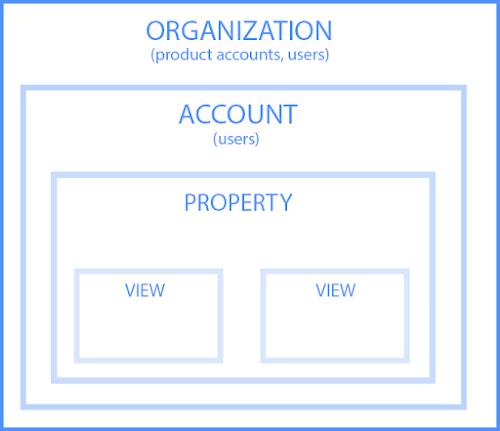
Let’s dive into each of the sections within the hierarchy.
1. Organization
The organization is the highest level. It represents a company. For example, our organization is HubSpot, Inc. One organization can encompass multiple GA accounts.
Organizations are recommended for larger businesses, but not mandatory.
2.Account(s)
Accounts are not optional. Using Google Analytics requires at least one (sometimes several) accounts.
An account doesn’t mean a user account. I can log into the HubSpot Google Analytics accounts using my Google email ID. HubSpot’s head of technical SEO can also log into the same account using his Google email ID. Our historical optimization specialist can also log into the same account using his Google email ID.
Important details:
- You can assign one property to each account or multiple properties to one account. Every account can hold up to 50 properties.
- You can give user permissions for an entire Analytics account, a property in an account, or a view in a property.
You might be wondering, “What’s better: creating a new account for every property or adding every account to the same property?”
It depends on your use case and goals.
For example, suppose you have one website — the Stark Industries corporate site — and five subdirectories, including the Stark Industries blog, careers section, media resources, case studies, and investor relations information.
You want to create separate properties for each subdirectory so the people on each team can look at how their portion of the site is performing, as well as the larger site.
But maybe you have another site that discusses Tony Stark’s work with S.H.I.E.L.D. You want the S.H.I.E.L.D. team to see data for this subdirectory, but you don’t want them to see data for the rest of the website. You create a new account and property for the S.H.I.E.L.D. site.
Property
A property is a website or app. Each property can support up to 25 views.
View
At the minimum, you need two views per property:
- One with zero configuration — essentially the “raw” version of the view
- One with filters set up to exclude any traffic from within your company (i.e. a filter for your IP address) as well as bots and spam traffic
A view only captures the information after your filters and configured settings have been applied. And once you delete a view, that data is gone forever. For those reasons, it’s critical to keep an unfiltered view of your data.
Now that you have completed the basis for how how to set up GA, here are the steps involved in using the tool.
Here are the steps involved in using your GA account.
1. Create a Google Analytics account.
First, you’ll have to create a Google Analytics account. Or, sign in to your current account.
2. Add the name, URL, and industry of the website you want to track.
Choose which account you want to add the property to. You should create and name your Property at this point and enter the website’s URL as well as industry and reporting time zone. Then you’ll be able to Create and Finish this step of the process.
3. Add a view to your property.
Go to the account and property you want to add a view to — use the menu to Create a View, name your view, select the type of view (web or app), and answer a few other questions. Remember, you can add up to 25 views to a property in GA.
4. Add your tracking code directly after the <head> tag of your site.
When you create a property, you’ll have access to a unique ID for tracking and a global site tag (code you need to add to each site page you want to measure). This is how you’ll be able to collect data in your property.
Then, paste your global site tag right after the opening <head> tag on each site page you plan on measuring.
You’ll be asked to choose your type of site (static, dynamic, web hosting, Google Tag Manager) so that you can set up the data collection accurately.
(For more, read our guide to installing the Google Analytics tracking code on your site.)
5. Visit your GA portal and verify the code is working.
Lastly, verify your code is working. You can do this by looking at the Real-Time reports section while clicking around on your site in a different tab or on your phone. The report should show at least one visitor to the site (that’s you!)
And that’s pretty much it! After that review, you may be wondering the following:
Do you need to add the GA code to every page of your site?
That’s a lot of manual work — especially if your website has more than 50 pages. Plus, what happens when you create new pages? Do you need to add the tag every time?!
Relax, because the short answer is: no.
The longer answer: you only need to add the tag to every page template. So, if you have one page type on your site (meaning every individual page uses the same header module), you only need to add it to that module — and it’ll be applied to every page.
If you have two page types, you’d need to paste the code into the two separate header modules. Three page types? Three header modules.
And if you use a CMS like HubSpot, this task is even easier. These tools come with a separate field where you paste your tracking code just once. HubSpot users can follow these simple instructions for adding GA.
Additionally, to use GA successfully, you need to understand dimensions versus metrics.
Google Analytics Dimensions and Metrics
I’ve found the easiest way to think about it is:
- Dimensions = categorical variables. Simple examples include names, colors, and places.
- Metrics = quantitative variables. Basic examples include age, temperature, and population.
Or as my Data Analytics professor put it, “Metrics are what you can do math on.” Not the most eloquent phrasing, but it works.
Dimension Examples
- Browser
- Location
- Landing page
- Device
- Customer type
Metric Examples
- Sessions
- Pageviews
- Conversions
- Bounce rate
- Session duration
In any GA report, your dimensions are your rows and your metrics are your columns.
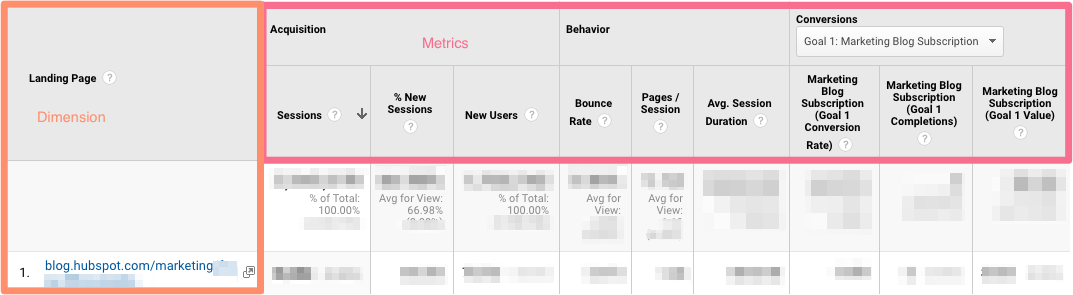
Custom Dimensions and Metrics
GA lets you create custom dimensions and metrics from Analytics data plus non-Analytics data. To give you an idea, suppose you track the membership type of customers who have created an account in your CRM. You could combine this information with page views to see page views by member type.
Or maybe you run a blog. If you want to understand how audience engagement impacts other metrics (like conversions, pages per session, etc.), you could create three custom dimensions for each type of reader:
- Advocate: user who shared one-plus posts on social media
- Subscriber: user who signed up for your email list
- Customer: user who purchased premium access
Using these dimensions will give you invaluable information.
What’s a Google Analytics audience?
An audience is a group of users that have something in common. That commonality could be anything: maybe you’re targeting consumers in Australia, so you have an “Australian audience,” or you want to sell to millennials, so you have a “25-34 audience.”
GA comes with several built-in audiences (including the two I just mentioned, location and age). You don’t need to do a thing to set these up — once you have the tracking code installed, GA will automatically break down your visitor data into these audience reports.
However, you can also create custom audiences. Perhaps you’re only interested in “Australian millennials”; you’d need to make a custom audience that only includes visitors who are A) in Australia and B) between the ages of 25 and 34.
Creating an audience is fairly easy. Honestly, the hardest part is figuring out what you’re trying to accomplish and then identifying the user characteristics that’ll help you do that.
Once you’ve done that, follow these instructions to create a new audience segment. From there you can import a segment to use as the basis for your Audience Report.
That brings us to the next question:
What’s a Google Analytics segment?
A segment is a subset of your data. I like to picture an entire pizza made up of all different slices — one slice has pesto and mozzarella, another has sausages and spicy peppers, another has ham and pineapple, and so on. Metaphorically speaking, each slice is a segment.
You can create segments based on:
- Users (e.g. users who have bought something on your site before, users who have signed up for a consultation, etc.)
- Sessions (e.g. all sessions that were generated from a specific marketing campaign, all sessions where a pricing page was viewed)
- Hits (e.g. all hits where the purchase exceeded $85, all hits where a specific product was added to the cart)
Like audiences, GA provides you with several segments. I wouldn’t stop there: you can get incredibly granular with your segments.
To give you some inspiration, here are a few of HubSpot’s segments:
- Users who viewed a specific product page and watched the demo video
- Users who viewed the same product page and didn’t watch the demo video
- Users who view a specific Academy course page
- Users who view a specific Academy lesson page
- Users who view a blog post and a product page
The sky is your limit — well, that, and GA’s segment cap.
Alright, now let’s look at GA Reports. Remember, you can apply up to four segments at a time to any report.
Google Analytics Reports
GA’s left-hand sidebar can be a bit overwhelming. You’ve got six reporting options (all with confusing, vague names), and clicking on any of those only gives you more options.
Let’s walk through each report together.
Google Analytics Real-Time Report
As the name suggests, the Real-Time report gives you insight into what’s happening on your site at this very moment. You can see how many visitors are on your site, which pages they’re visiting, which social platforms they’re coming from, where they’re located, and more.
While this report is fun to look at occasionally, it’s probably the least valuable. Here are some ways to use Real-Time:
- See how much traffic you’re getting from a new social or blog post
- Know immediately if a one-day sale or event is driving views and/or conversions
- Make sure tracking URLs and custom events that you’ve just set up are working as they should
These are useful, but as you’ll see, the other reports pack a far greater punch.
Google Analytics Audience Report
The GA Audience report gives you a high-level overview for the property you’re currently looking at. Check this report once a day to get a sense of how you’re trending overall.
Underneath “Overview,” you’ll see “Audiences,” as well as expandable menus for “Demographics,” “Interests,” “Geo,” “Behavior,” “Technology,” “Mobile,” “Cross-Device,” “Custom,” and “Benchmarking.”
Explore each of these sections to get a sense of what they can tell you about your visitors.
Every section describes an audience.
Active Users
Whoever named this report belongs in the same group as the person who named guinea pigs: “active users” doesn’t refer to users currently on your site — that’s the Real-Time report — and guinea pigs are neither pigs nor from Guinea.
The Active Users report shows you the number of users who visited in the last day (1-day active users), week (7-day active users), two weeks (14-day active users), and four weeks (28-day active users.)
What’s the value of this report, you ask?
If you have more one-day users than longer-term ones, you’re struggling with retention. People aren’t coming back to your site or app — you need to figure out why.
I’d also recommend looking at this report with various segments; for instance, perhaps you see that users in a certain age bracket have much better retention than the average.
Lifetime Value
First things first: do you need a refresher on Customer Lifetime Value (CLV) and how to calculate it? We’ve got you.
The Lifetime Value report gives you a sense of how valuable users are to your company. You can see lifetime value for, say, the users you generated from email marketing versus the ones you acquired from organic search. Armed with this information, you can decide which channel to invest more in.
A few notes: Lifetime Value is capped at 90 days. The Acquisition date range, however — which you can adjust — reflects all the users you acquired in that time frame.
Imagine you’re interested in looking at transactions per user for users you acquired in the week before Black Friday. You’d adjust the date range to that week specifically. Then you’d see the average transactions per user for that cohort over the following 90 days.
Because HubSpot is a SaaS company, not an ecommerce business, I look at goal completions per user, page views per user, and sessions per user by Acquisition Channel.
If my team has recently wrapped up a marketing campaign, I’ll look at the same metrics by Acquisition Campaign.
But if you are in ecommerce and want to see transaction and revenue data, you’ll need to have ecommerce tracking set up.
(By the way, here’s how to track revenue in HubSpot.)
Cohort Analysis
Some people have gone so far as to call Cohort Analysis “the single most powerful report in GA.”
So, how does it work? This report groups users by one characteristic — so far, “Acquisition Date” is the only “Cohort Type” you can use. By the way, Acquisition Date is the day a user first visited your website.
You have several options from there.
- First, pick your cohort size: day, week, or month.
- Next, pick your metric, or what you want to explore for this cohort. It can be further broken down into Per user, Retention, and Total.
- Per user means the total count of that metric divided by the cohort size. So if you choose Transactions per user, for example, you’ll see the average number of transactions per user for that cohort.
- Retention is simple: user retention, or the number of users who returned that day, week or month (determined by the cohort size you selected) divided by the total number of users in that cohort.
- Total: the total number of sessions, transactions, etc. that occurred for that cohort size.
- Choose your date range. GA lets you see up to three months of data.
Now let’s dive into reading the report, because it’s not obvious.

The left-hand column shows you the Cohort Type you picked — Acquisition date, by default — broken down by Cohort Size (day, week, or month).
The first row shows you the totals for all the users in that cohort. Each row underneath that represents the activity in that day, week, or month (in this example, we’re looking at month.)
The row outlined in light blue reflects the Cohort Size you’ve chosen. Remember that data only goes back three months at the max.
The row outlined in yellow shows you the values for the metric you chose (in this case, Goal Completions per User). In the eternal words of Calvin Harris: baby, this what you came for.
Look at the first row. This tells you the average goal completions for the entire cohort in the first month after they were acquired was 1.09. Average goal completions for the entire cohort in the second month after they acquired dropped to 0.09. By the last month, it’s 0.02.
Now look at the next three rows. It looks like average goal completions per user in the first month after they were acquired increased slightly from December to January and again from January to February.
This is pretty usual behavior. Let’s imagine that instead, this report tells us average goal completions per user for February 1-28, 2019 (the last row) was 4.07. Woah! That’s nearly four times as high as December and January.
We’d definitely want to investigate further. And to do so, all we have to do is right-click on the cohort we’re interested in.
Make sure you click on the column if you want the entire day, week, or month analyzed. Click on a cell if you want to analyze only the users who, for example, completed a goal three days after they were acquired on February 27, 2019.

When you right-click, this box will pop up:
Give this cohort a descriptive name. Change the views to “Any View” if you want to use this segment across your entire property (which I usually recommend), then click “Create.”
Voila — now you can compare this cohort to any other segment in any report you choose.
Google Analytics Acquisition Reports
The Acquisition report breaks down your traffic by source: organic, direct, referral, email, social, paid search, display, affiliate, and (Other). (GA uses the (Other) category when it doesn’t know how to categorize a subset of traffic.)
From All Traffic, you can click into Channels.
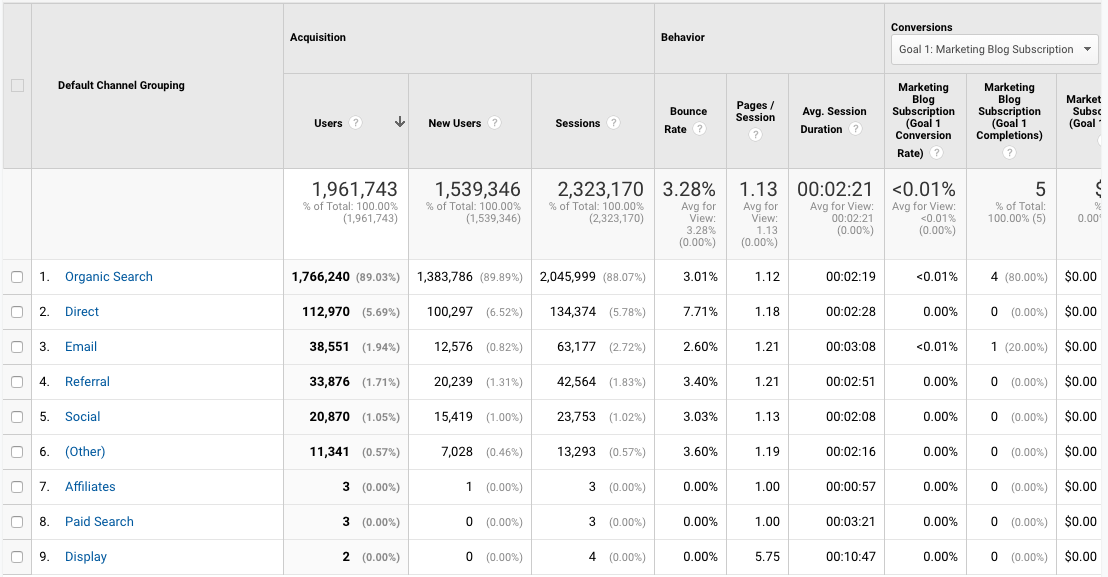
Click on any category to explore each source in detail.
Depending on the category, you’ll see landing pages (which URLs your visitors entered the site on), source (which website brought them to yours), or keyword (which query took them to your site.)
To see this information presented visually, click on All Traffic > Treemaps. This post walks you through how to read and adjust the Treemaps report.
The next report, Source/Medium, breaks down the general category of traffic (which you saw in “Channels”) into the search engine or domain.
It’s useful if you want to get more granular insight into the ways people are coming to your site. For example, you might notice that a whopping 70% of your referral traffic is coming from LinkedIn, while just 5% is coming from Pinterest. Depending on your marketing team’s priorities it may be time to shift focus.
The last report, Referrals, reveals the specific URLs that sent people to your site, e.g. your referral traffic.
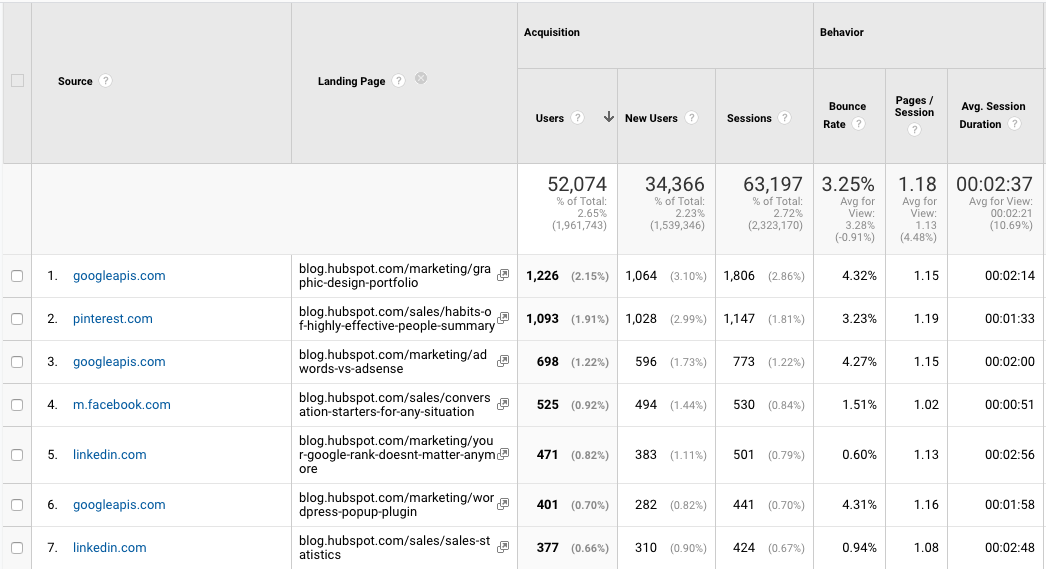
I like to add “Landing page” as a secondary dimension so you can see which pages on your site are receiving the referral traffic.
Google Analytics Behavior Reports
Out of all the reports in GA, I use the Behavior ones the most.
Site Content
This report gives you a review all of the blog posts, landing pages, web pages on your site.
All Pages
Let’s start with Site Content > All Pages. This shows the top-trafficked pages for your current view and/or segment. It’s useful in and of itself — you should always keep a careful eye on your most viewed URLs — but I especially like it when I’m analyzing traffic growth or declines.
To give you an idea, maybe total traffic to my website has dropped 10% month over month. I’d navigate to Site Content > All Pages and change the date range to this month compared to the last month (making sure the days of the week match up).
Then I can see the differences in page views by URL:
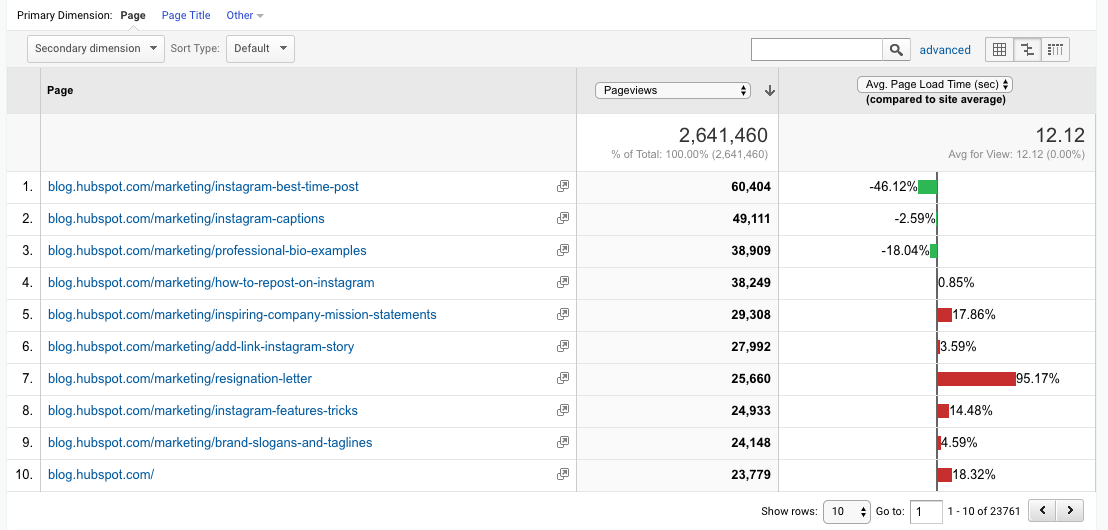
This helps me identify which pages received less traffic and contributed to that decline.
Helpful tip: I like to change the “Sort Type” from “Default” to “Absolute Change” so I see the results sorted by the greatest differences in percentage rather than total views.

I also add Page Title as a secondary dimension so I can see the name of each page alongside its URL.
Content Drilldown
This report breaks down the structure of your site by subdomain and then subfolder. To give you an idea, for HubSpot we can see data for each of our subdomains, including:
- blog.hubspot.com
- developers.hubspot.com
- community.hubspot.com
And so on. If I clicked into blog.hubspot.com, I could then see aggregated data for:
- blog.hubspot.com/sales
- blog.hubspot.com/marketing
- blog.hubspot.com/service
You get the drift. This report is probably most valuable for those managing highly complex properties.
Landing Pages
Landing pages is another one of my favorite reports. GA defines a landing page as the first page in a session — in other words, the visitor’s first interaction with your website.
There are a few ways to slice and dice this report.
First, if you’re interested in the sources (organic, paid social, direct, etc.) driving users to the landing page, you can add Source/Medium as a secondary dimension.
This is basically the opposite version of the report we added earlier.
Second, if you only want to see which landing pages users visited from a specific source, on a specific platform, or within a specific category, you can add the appropriate system segment:
Maybe you’re most interested in the landing pages that mobile and tablet users see — so you choose the Mobile and Tablet Traffic.
Or perhaps you’re curious about users who ended up buying something, so you choose the “Made a Purchase” segment. There are lots of possibilities here.
Exit Pages
This report shows the last pages users visited in their sessions before they left your site.
That’s a little confusing, so let’s use an example.
I want to find a place to grab dinner with my friends so I search, “Mediterranean restaurants near me.” A place that looks good pops up, so I click on it. First, I check out the menu. They have a hummus sampler — yum. Then I click on their press page. It links to a recent article on Eater, so I leave the site to read it. The reviewer loved the food. I’m sold.
The Press page would be my exit page.
You may hear that you should analyze your exit pages to understand why users are leaving your site — I think this example reveals why that strategy doesn’t always make sense. Just because someone has left doesn’t mean anything is wrong with the content.
Check this report out but take the data with a grain of salt.
Site Speed
This report is pretty self-explanatory: it tells you how quickly your site is loading for users. Obviously, the faster the better — not only do faster pages correlate with higher revenue, but Google’s algorithm takes page load time into account.
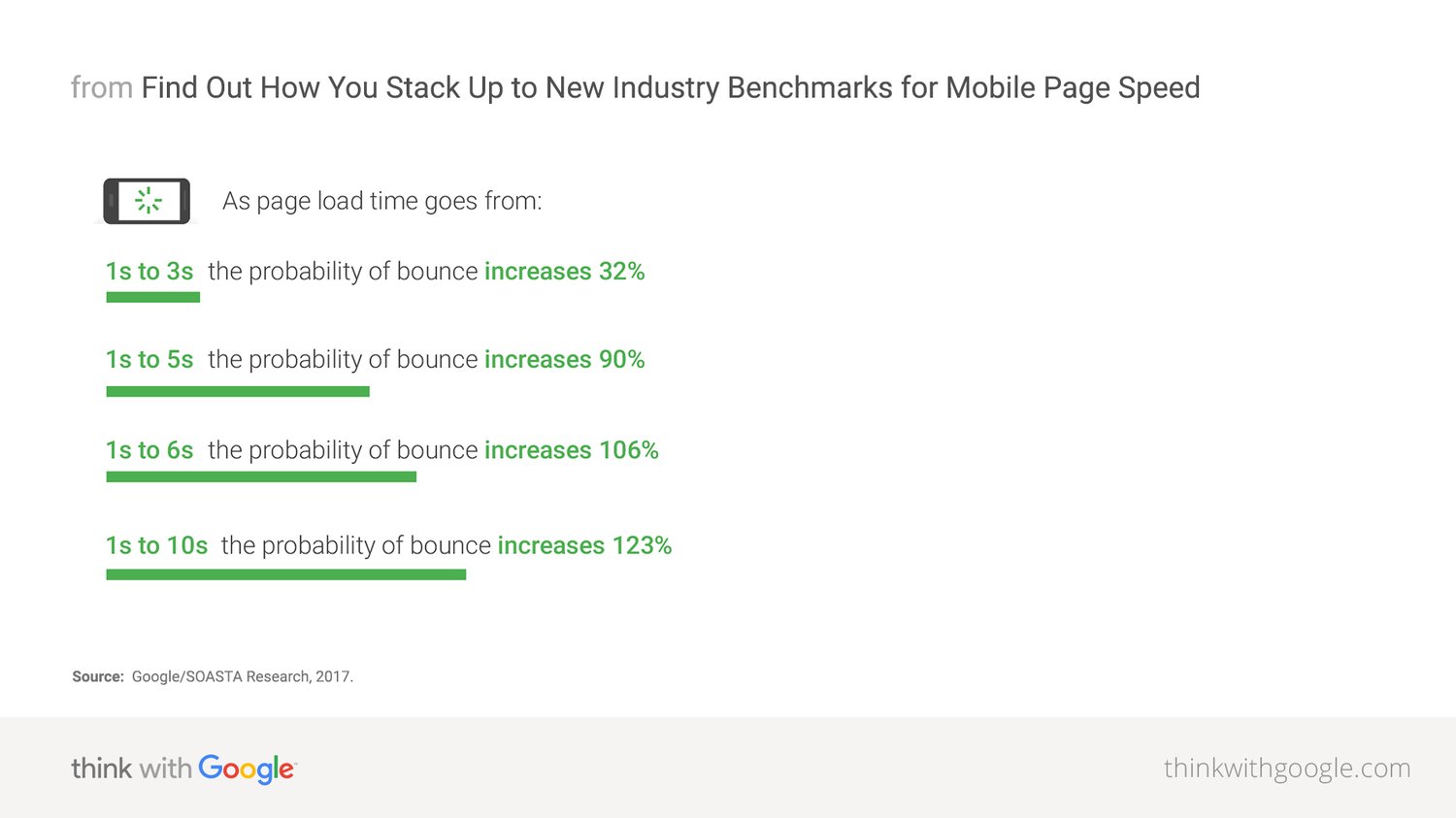
Site Speed Page Timings
This report delves into the average page load times for each URL. I use it to identify the slowest-loading pages on HubSpot’s site with the ultimate goal of figuring out why they’re taking their sweet, sweet time and how to speed them up.
The default metrics are page views and average page load time, but I also recommend looking at:
- Avg. page load time and bounce rate
- Change the Sort Type to “Weighted” so you see the blog posts with the highest page views first
- Avg. page load time and page value
- The latter gives you a sense of how much a specific page contributes to your total revenue
- Looking at these two together helps you find slow-loading pages that are valuable to your bottom line (even if they don’t get a ton of traffic), making them a high priority to fix
Site Search
First things first: if users can search your website, make sure you’ve set up Site Search in GA. You must enable it for every view separately (here are the step-by-step instructions).
Usage
I typically start with the “Usage” report, which tells me how many sessions occurred with and without one-plus searches. In other words, I learn how frequently people used site search for the view and time period I specified.
Search Terms
Here’s where you learn what people are searching for. Look for themes: if you see the same search terms coming up multiple times, there are a few conclusions you could draw.
Either you need to create new content that gives users the information they’re looking for, and/or you need to better surface existing content so it’s easier to find.
Pay attention to the “% Search Exits” column, as this tells you how many users clicked away from the search results page rather than choosing a result. You can usually infer there wasn’t a good answer for their question (or it wasn’t appropriately titled.)

Search Pages
This report displays which pages users are starting searches from. It’s important to think about this contextually. Maybe people are commonly beginning searches from your 404 page — that makes sense and isn’t anything to be alarmed about.
If, on the other hand, they’re starting searches from a product landing page, something’s wrong. The content clearly isn’t living up to the expectations they had when they clicked the ad link.
Loves Data provides a solid overview of GA’s Site Search reports if you want to explore them even further.
Events
A user clicks a button. Then they download a file. Next they watch a video.
No, this isn’t the world’s most boring bedtime story — it’s an example of a GA event. Three events, to be specific.
GA defines events as, “user interactions with content that can be measured independently from a web page or a screen load.”
Those user interactions are up to you; you’ll need to add special code to your site or app that tracks the specific actions you’re interested in. Here are the instructions.
If you’re not excited about events tracking already, I want you to get excited. There are infinite possibilities here: if you have an event set up for watching a product demo, and another for clicking a link to an external review of your tool, you can measure how many times each event happened.
Maybe you discover your video isn’t getting many plays. It’s probably time to optimize the current video, make it easier to find on your site, or create a new one. Or perhaps you see that way more users than you expected are checking out the third-party review of your product.
That tells you users want more social proof and testimonials. Since the review is favorable, you might want to put it front and center on your site.
Top Events
This report tracks the events taking place most frequently — pretty straightforward. You’ll see total events (e.g. how many times that event happened) and unique events (how many sessions included one or more occurrences of that event).
If you’ve set values for your events, this report also shows you how the total value of each event and its average value (or the total value divided by the frequency.)
Pages
In this report, you can see which pages generate the most actions. I typically add “Event Category” as the secondary dimension, then filter for the event I’m most interested in.
To give you an idea, my team tracks “Blog CTA.” This event fires whenever a user clicks a CTA embedded in a blog post. To get to the report below, I added “Event Category” as the second dimension, then filtered for “Page begins with blog.hubspot.com” (so I’d only see URLs on the blog) and “Event Category equals Blog CTA.”
Now I can see which posts generate the most CTA clicks. Hopefully you’re starting to see the power of event tracking!
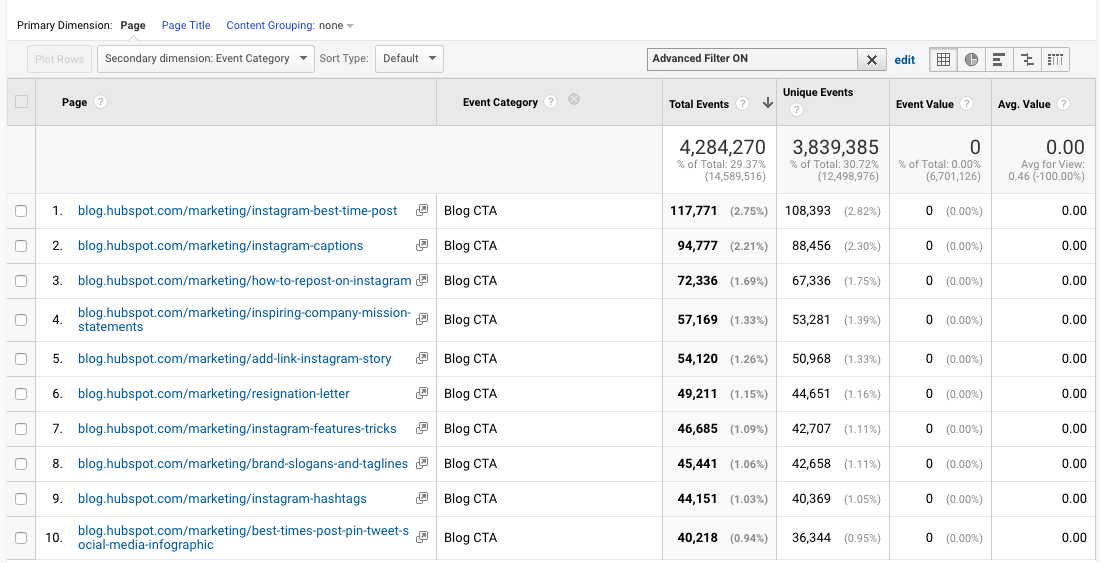
Events Flow
The Events Flow report tracks the order in which events take place on your site. It can tell you:
A) Whether particular events tend to happen first — and if they trigger other events
To give you an idea, maybe users frequently watch your demo video, then click the CTA to schedule a call with a salesperson.
B) Whether certain event categories are more common than others
Imagine you see that videos are played far more often than PDFs are downloaded.
C) Whether users act differently based on segment
For example, perhaps people coming in via organic scroll to the bottom of your pricing page far more than people coming in via social media.
Note: This report is very subject to sampling. (Read more about GA’s data sampling practices here.) Sampled data is usually pretty accurate, but it means the more important the conclusion you’re drawing, the less uncertainty you’ll be able to tolerate.
To reduce the level of sampling, make the date range smaller.
Publisher
If you monetize your website with Google AdSense or Ad Exchange, you can use the Ad Manager and Google Analytics integration to bring information on how your ad units are performing into GA.
I won’t go into any more detail here, but I recommend reading the following resources if you want to know more:
Google Analytics Conversion Reports
If you have a website, you have an objective — probably several — for the people who visit your site.
Ecommerce store owners want their visitors to subscribe to their mailing list, make a user account, add something to their cart, and/or complete the order confirmation process.
Media companies want their visitors to stay on their site for as long as possible and/or view a certain number of pages (all the better to maximize their ad revenue.)
B2B businesses want their visitors to download an ebook, sign up for a webinar, or book a call with a sales rep.
Google Analytics makes it possible to measure all of these things — plus many more.
A goal is essentially a conversion that you’ve defined (which is why this info shows up under the Conversion section.)
There are four main types of goals:
- Destination: This goal is completed when a user reaches a specific page, like a product page, order confirmation page, or thank you page
- Event: This goal is completed when a predefined event fires (like the Events you can set up as, well, Events — think watching a video or sharing something to social media)
- Duration: This goal is completed when a user’s session lasts longer than a pre-set time
- Pages/screens per session: This goal is completed when a user views a specific number of pages (or screens for an app) per session
The first two are insanely useful. The last two are pretty useless. (If you have an interesting use case for Duration or Pages/screens per session, let me know on Twitter @ajavuu. I’d love to be proven wrong.)
Once you’ve identified your goals, take a look at these instructions for creating, editing, and sharing them. This guide on choosing goal values is also quite helpful.
Overview
Head here to learn how you’re doing goal-wise across the board. I get the most from this report when I compare date ranges and/or look at goal completions by segment.
For example, quickly looking at goal completions by device reveals mobile visitors sign up for the blog newsletter much less frequently than desktop and tablet visitors. That could be because it’s hard to sign up for the newsletter on a phone — or it could be mobile users are looking for one thing and ending their session as soon as they’ve found it. I should dig in more to decide which case it is.
Goal URLs
Knowing a goal was completed isn’t helpful in and of itself; you also need to know where it happened. Suppose you’ve embedded the same form in three separate pages on your site.
It’s great that Daenerys Stark from Dragonstone, Blackwater Bay just filled out your form to get in touch with a consultant, but which page did she fill it out on?
The Goal URLs report shows you. It breaks down conversions by “Goal Completion URL” (read: where it went down.)
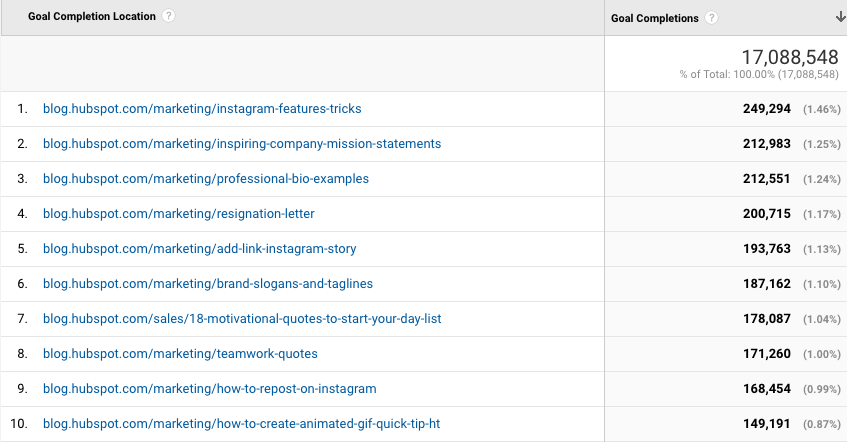
Reverse Goal Path
Reverse Goal Path is the unsung hero of the Conversion section. Well, I’m singing its praises now. This report allows you to see the last three pages a user visited before completing the goal.
It’s useful for goals that aren’t sequential. Maybe you have a contact form that appears in multiple places on your site, or there are two different paths that lead users into buying your ebook. Thanks to this report, you can understand the various ways people arrive at the end destination — and there’s no need to set up a funnel.
I usually filter down to a specific goal completion location or goal previous step 1, 2, or 3.
For example, since I’m interested in seeing which blog posts generated leads from content downloads, I added “Goal Previous Step – 1 containing blog.hubspot.com” to the filter.

Here’s what I got:
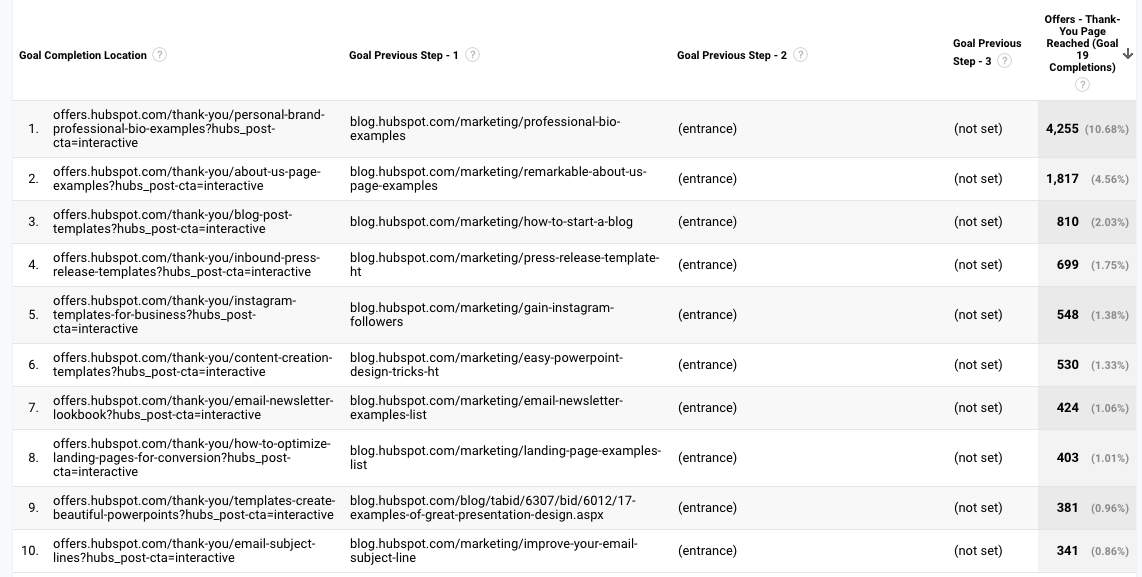
“(Entrance)” means the user came to the site on that step; “(not set)” means the user didn’t complete any steps prior to that one — because they weren’t on the website yet.
For a comprehensive exploration of Reverse Goal Path, take a look at OnlineMetrics’s guide.
Funnel Visualization
For sequential goals, Funnel Visualization is your go-to report.
Going back to the ecommerce example, the last goal would be “Arrived at the order confirmation page.” The goal before that, or goal #3, would be “Clicked checkout.” The goal before that, goal #2, would be “Added something to cart.” And the goal before that, goal #1, would be “Looked at product listing page.”
At each stage, you can see user drop-off. That lets you identify areas where you can improve conversion rates; for example, maybe you lose a lot of users during the checkout process. You change the flow so they can check out as a guest (versus needing to create an account), which dramatically reduces checkout abandonment.
To see this level of detail, you’ll need to map out your goals as a series. If all of your goals are simply the end objective, like “Arrived at the order confirmation page,” you won’t be able to reverse-engineer how users progress.
The Funnel Visualization report also requires you to mark the first step in the goal path as required or not. If you tell GA that yes, the first goal needs to be completed, Funnel Visualization will only show you the sessions where the user first finished goal #1. If a user skips goal #1 and goes straight to goal #2, their session won’t be represented here.
Goal Flow
If Funnel Visualization is the uptight relative who always made you take your elbows off the table and wash your hands before you ate, Goal Flow is the laid-back, fun relative who’d randomly take you out of school to go to the zoo.
All that to say: Goal Flow gives you a lot more freedom than Funnel Visualization. Unlike the latter, Goal Flow shows you all sessions that led to the completed end goal — regardless of whether the user completed the required goal #1 or not.
Another difference from Funnel Visualization: Goal Flow also shows you loopbacks — i.e. when a user goes back to a previous page or refreshes their current one.
If the user skips a step, Funnel Visualization “backfils” it. Goal Flow doesn’t.
If you edit an existing funnel or create a new one, Funnel Visualization will show you all your data from that moment onward. Goal Flow, on the other hand, can show you data from the past.
You can also toggle the Dimension and Level of detail of the report, as well as the segment, to get even more granular.
I recommend looking at various segments to see which convert at the highest and lowest rates — plus where they commonly drop out.
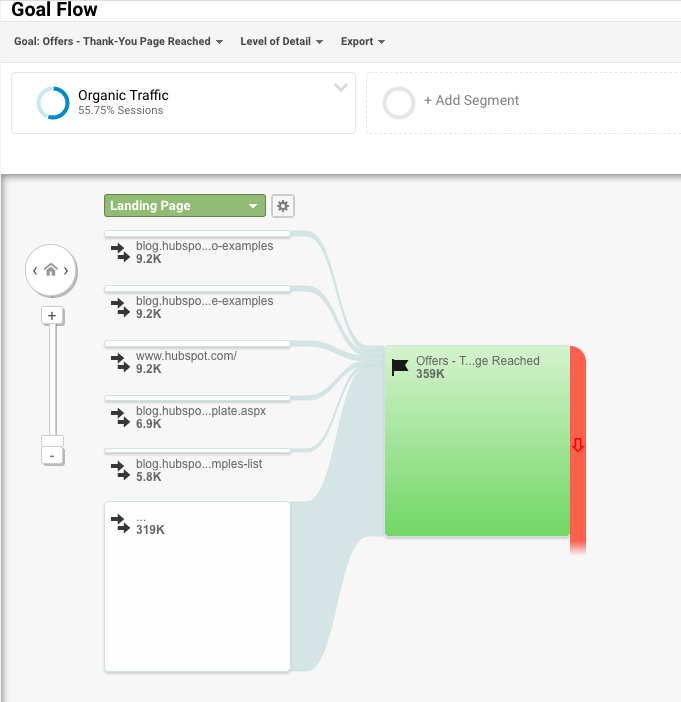
Note: This report is subject to sampling. (Read more about GA’s data sampling practices here.) Sampled data is usually pretty accurate, but it means the more important the conclusion you’re drawing, the less uncertainty you’ll be able to tolerate.
To reduce the level of sampling, make the date range smaller.
Smart Goals
This report is helpful if you’re A) using Google Ads and B) not measuring conversions. Basically, Google uses machine learning to identify your “best” sessions — or those likeliest to generate conversions — and then translates those themes into Smart Goals.
Once you have Smart Goals, you can use them in Google Ads to optimize your ads performance.
Smart Goals are controversial within the marketing community because the data is minimal and businesses will be far better served by setting up their own conversion tracking. Keep that in mind if you decide to use them.
Now You’re Ready to Track
Google Analytics is a highly valuable tool for any business as it gives you tangible data that you can apply to grow your business. Bookmark this guide and come back to it as your data tracking becomes more sophisticated.
Good luck on your Google Analytics journey.
Editor’s note: This post was originally published in August, 2017 and has been updated for comprehensiveness.

How to Gain Your First (or Next) 1,000 Instagram Followers
It’s no secret that business opportunities are quickly growing on Instagram.
In fact, approximately 90% of Instagram’s 1 billion active monthly users follow a business account on the platform. And, while Instagram hasn’t reported its current number of business users, the platform reportedly hosted more than 25 million of these accounts in late 2017.
As the platform continues to grow and develop more interactive features, such as Instagram Stories and Instagram Live, businesses are regularly using it as a tool to humanize brands, recruit future employees, showcase products and company culture, delight customers, and generate new business.
But here’s the deal: Unless you’re famous, it’s really hard to amass a huge following on Instagram without some hard work.
For the average person or business, growing your following takes time and attention on a daily basis.Luckily, there are a few things you can do right away to collect at least 1,000 quality followers for your personal or professional Instagram account. It’s all about knowing where to invest your time and effort.
Let’s discuss a few strategies that will help you gain those followers, from creating a follow-worthy Instagram profile, to using contests, to staying true to your brand. Whether you’re gathering your first 1,000 followers or you just want 1,000 more, keep reading.
1. Create and optimize your profile.
First things first: customize your Instagram profile to make it look good, tell your potential followers who you are, and give them a reason to follow you.
How? Start by making sure your username is recognizable and easily searchable — like your business name. If your business name is already taken, try keeping your business name as the first part of your username so that people searching for your business are more likely to come across you. For example, the Australian activewear line Lorna Jane uses the username @lornajaneactive.
Setting Up Your Account
Step 1. Make sure to add your full business name to the “Name” fieldin the “Options” section. To find “Options,” tap the three lines in the top right corner of the IOS app, followed by “Settings” which will appear at the bottom of the screen next to a gear. If you’re on Android, tap the three dots in the corner. Your business or name will appear under your profile picture and under your username in search.
Step 2. Make sure your profile is public. To make your profile public, open Instagram, open “Options,” and make sure “Private Account” is turned off.
Step 3. Choose a profile picture that’s on-brand with your other social networks, like your company logo.
Step 4. Fill your bio with delightful, actionable, and informative information about your brand. Information like this lets people know what you’re about and gives them a reason to follow you. Include who you are and what you do, and be sure to add a hint of personality.
Here are a few examples for inspiration:
- @WeWork: “Make a life, not just a living.”
- @Oreo: “Playful moments from your favorite cookie.”
- @CalifiaFarms: “Something different, something better. Let us show you what plants can do.”
- @Staples: “We help teams find fulfillment in Worklife by connecting people, ideas and solutions.”
Step 5. Add a link to your bio to make it easy for people to go straight from Instagram to your website if they want to. The space allotted for URLs is precious real estate. When you receive 10,000 followers, you can add swipe up links to your Instagram Stories. Until then, your bio is the only place within Instagram where you can place a clickable link, so use it wisely. We recommend using a shortened, customized Bitly link to make it more clickable.
Step 6. Finally, enable notifications so you can see when people share or comment on your photos. This’ll let you engage with them more quickly— just like a lot of companies do on Twitter. To enable notifications, go to “Options” and then “Push Notification Settings.” Select “From Everyone” for every category.
A word to the wise: We don’t recommend you link your Instagram account to Twitter and Facebook so your Instagram posts are automatically published on those other accounts. Post types are different.
2. Designate a content creator.
Just like there should be one (maybe two) people managing your other social media accounts, there should only be one or two people managing your Instagram account. If possible, choose someone who has experience using a personal Instagram account, and therefore “gets” the platform — and be sure they know all the handy features Instagram has to offer.
If you work for a large organization, you might find that a lot of people want to have a say in what’s posted. That’s when an organized request or guidelines document comes in hand. This document should inform people how to request a post on your Instagram account, when, the value of the post, and why.
3. Follow photography and editing best practices.
On Instagram, post quality matters. A lot. Your Twitter followers might forgive a few bad tweets, but a bad photo on Instagram is a big no-no.
Fortunately, you don’t have to take a photography course to be a good Instagram poster — nor do you have to practice for weeks before you start. But you should get familiar with basic photography tips and photo editing apps.
Photography Best Practices
Since Instagram is a mobile app, chances are, most of the photos you post to Instagram will be taken on your mobile device. That’s not just okay; it’s expected. While some brands use professional photography for their Instagram photos, most use smartphones — and that’s the vibe that Instagram is meant for, anyway.
Here are some highlights:
- Focus on one subject at a time.
- Embrace negative space.
- Find interesting perspectives.
- Look for symmetry.
- Capture small details.
- Make your followers laugh.
Edit photos before you post.
Instagram has some basic editing capabilities, but oftentimes, they aren’t adequate to make a picture really, really great. Most of your photos should go through at least one or two other photo editing apps on your mobile phone before you open them in Instagram for the first time.
Additionally, consider creating a cohesive Instagram theme across your feed, so anyone visiting your account for the first time can get a sense for your brand.
4. Set a regular posting schedule.
Once you’ve created and optimized your profile, have someone manning it, and know a thing or two about phone photography and photo editing, it’s time to start posting.
It’s a good idea to have a solid number of great posts up — maybe 15 or so— before you start really engaging people and working down this list. That way, when people visit your profile, they’ll see a full screen of photos instead of just a handful, so they know you’ll be posting great content regularly.
To start posting on Instagram, first download this social media content calendar template and start planning out your Instagram posts. Over time, you’ll want to build up a backlog of photos for times of need, like the weekends or when you go on vacation.
Keep your target persona in mind when you first start planning out your posting schedule, as that can drastically change your posting timing and frequency— especially if you’re targeting an audience in a different time zone. (Download this free template for creating buyer personas if you don’t have a few already.)
Optimizing your schedule for your specific audience might take time and experimentation.
Here are a few of our best practices:
- The very best times to post on Instagram seem to beMondays and Thursdays at any time except between 3:00–4:00 p.m.in the time zone of your target persona. (For a United States audience, your best bet is to combine Eastern and Central time zones, For audiences located outside the U.S., use whichever time zones your target audience uses.)
- Posting at 5:00 a.m. CDT from Tuesday to Friday generates some of the highest engagement. This is because people tend to check their phones when they wake up.
- If you post on weekends, try to do so around 11:00 a.m, CDT on Saturday.
Because Instagram is primarily an app for use on mobile devices, users tend to use the network all the time, any time. According to a recent Pew Research study, a majority of U.S. Instagram users are on the app daily, although many users engage with content more during off-work hours than during the workday.
Some businesses have also seen success with posting at 2:00 a.m., 5:00 p.m., and Wednesdays at 7:00 p.m. Experiment with these to see if they work with your audience.
5. Curate some of your content.
Although it’s best to have only one or two people manning your account, one or two people can’t be everywhere at once taking photos. What about that fun sushi night the engineers had last night? Or the event your head of sales spoke at earlier this week?
There’s a whole breadth of content you’ll want to post to Instagram, and more often than not, one person won’t be able to keep track of it all.
One solution? Create a system where you can curate photos and content from members of your team. There are a few ways to do this. One is to create a specific email address for employees to send their photos, short videos, memes, hyper-lapses, and so on.
Just encourage people to put a subject line on these emails so you can more easily sort through the photos they’re sending. While this doesn’t seem like the smoothest way to curate photos, it’s actually the easiest for the people sending you photos— and the easier you can make it for them to send content, the more content you’ll get.
If your team shares a Box or Dropbox account, you could also create a shared folder where people can automatically drop their photos and videos. This just makes a few more steps for the people sending you the content, and not everyone might have that app downloaded on their phones.
6.Use a consistent, platform-specific brand voice.
Photos and videos might be the most important part of your Instagram posts, but captions, comments, and other text should never be an afterthought. If you’re managing a channel for a brand or have more than one Instagram manager, consider developing a consistent voice that humanizes your brand.
This shows potential followers that you are credible and relatable, rather than formal or intimidating.
When developing a voice, you should keep the platform and your audience in mind. For example, many influencers and prominent accounts on Instagram have a very casual voice and style, but still remain professional and on-brand. Once you’ve got your voice down, make sure it stays consistent and natural in your captions, comments, messages and your bio.
7. Write engaging, shareable captions.
Captions are an essential part of your post—the icing on the cake, if you will. Consistently great captions can do wonders for humanizing your brand, winning over followers, and making your content more shareable— thereby giving you more exposure.
Here are a few things you might see in a winning Instagram caption:
- Clever or Witty Comments
- Calls to Action
- Relevant Emojis
- Hashtags
Clever or Witty Comments
Some brands and influencers have used clever or witty captions, or even audience-appropriate jokes to further humanize themselves on Instagram.
My colleague Kelly Hendrickson, HubSpot’s Social Media Manager, says that she loves Netflix’s account and sub-accounts, particularly because of the post captions: “They have such a clear brand voice, and you laugh along with them. They’re in on the joke, just like one of your friends.”
Here’s one example where Netflix makes a meme to describe what it’s like “watching my friends’ stories … [and] hoping to catch a glimpse of myself”:
 Netflix’s voice is casual, trendy, and humorous while still staying on brand. In the post above, the caption is funny, authentic, and relatable: who hasn’t flipped through a friend’s Instagram Story with the hope that you’ll be featured?
Calls to Action
Another way to increase the shareability of your caption and engage your followers is to ask questions or have some sort of call-to-action in the captions of your photos. For example, you might say, “Double-tap if you find this funny,” or “Share your story in the comments.”
In the example below, we asked followers of the @HubSpot Instagram account to leave a comment with a book that’s had a positive impact on their work, along with tagging the author:
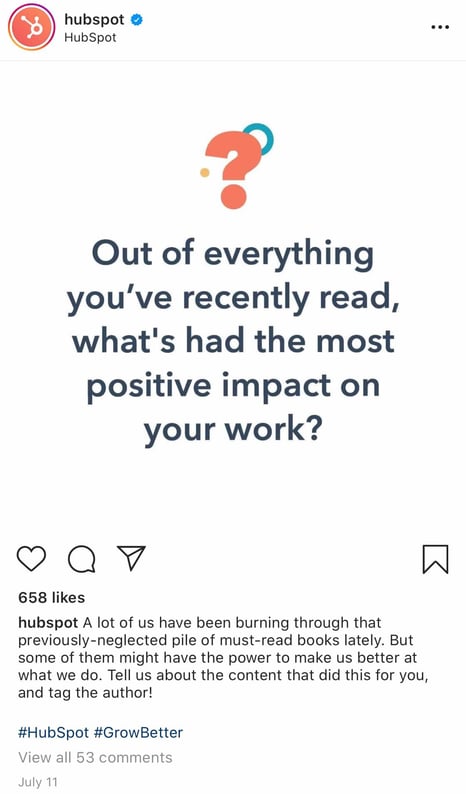
Relevant Emojis
According to a recent study, certain emojis can actually spike engagement such as likes, comments, and shares on platforms including Instagram.
Adding just a few relevant emojis can add even more personality to your posts. It could also make them even more noticeable on an Instagram feed. In the post below, Danielle Gray, a beauty expert with over 50K followers, (@Stylenbeautydoc) includes witty text with relevant emojis to make the post pop.

Along with the three items listed above, you’ll also want to include hashtags.
8. Optimize posts with relevant hashtags.
On Instagram, a hashtag ties the conversations of different users who wouldn’t already be connected into a single stream. If you use relevant hashtags, your posts will get exposure to a wider audience than the people who already follow you or know about your brand.
The key to using hashtags effectively is to use them smartly and sparingly. Try to limit the number of hashtags per caption to around three. Similarly, don’t use “like for like” hashtags, like #like4like or #like4likes. This is a dirty tactic that’ll leave you with a whole bunch of low-quality followers.
To find the hashtags your audience might be using, do a little research on relevant hashtags in your niche or industry. The easiest way to do this research is in the Instagram app itself, in the “explore” tab (i.e. the magnifying glass icon).
When you search for one hashtag, it’ll show you a list of related hashtags at the top of your screen. For example, when I search for #digitalmarketingstrategy on Instagram, it shows me relevant hashtags like #digitalmarketingexpert, #digitalmarketing, and so on.
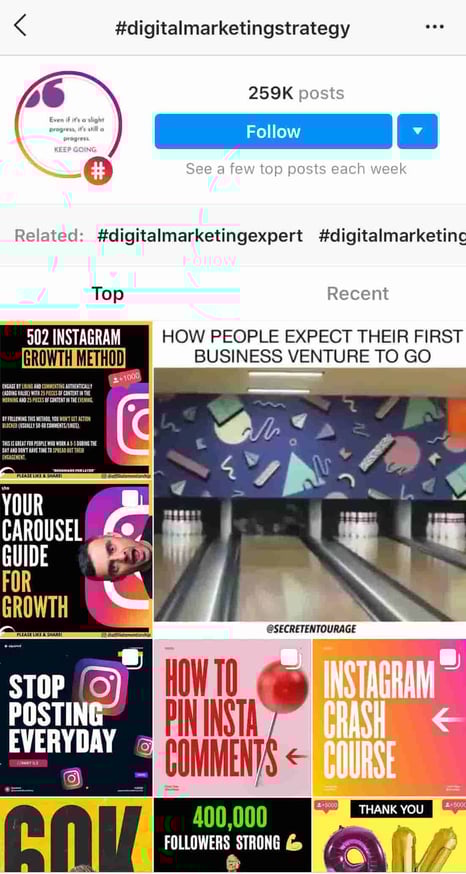 To help relate to your followers on a personal level, you might consider hopping on hashtag trends like #tbt (“Throwback Thursday”), #MotivationMonday, #TransformationTuesday, or hashtags that are trending at any given time.
Here’s a post from @updogkombucha, a kombucha company with over 10K followers on its Instagram account, using the #InternationalWomensDay hashtag:

Once you build up a bit of a following, you can try creating your own hashtags — like your company name or a slogan that applies to a lot of your photos. This is a great way to build up your brand on the platform and build a more cohesive presence.
1. Engage with users through follows, likes, and comments.
Instagram is very much a community, and one great way to get involved in that community is to find people who post pictures that interest you, and follow their accounts and interact with their content. It’s the most natural way to draw attention to your own Instagram account. It may also get your foot in the door in the platform’s community.
That does two things for you: for one, when they get the notification that you’ve followed them, they might check out your account and decide whether or not to follow you. (This is why it’s important to have some great content on there before you start reaching out to others.)
Secondly, it means you’ll be seeing their recent posts in your feed, so you can Like and interact with them if you choose to.
As you build a following, celebrate your followers and show you appreciate them by responding to their comments, and even following them and engaging with their own posts.
2. Cross-promote with users who have audiences similar to your own.
Once you build a solid relationship with some of the folks behind these accounts that have a similar audience to your own, you might ask to do some co-promotion on each others’ accounts.
The more natural and less spammy you can make the content of these cross-promotions— especially the captions — the better. It also helps to be picky about them, and don’t do them very often.
For instance, influencer @Belleoftheball45, who has more than 70K followers, posted a sponsored image of herself on the beach with Coppertone sunscreen. @CoppertoneUSA then re-posted the image. By cross-promoting, both Abigail and Coppertone can reach new audiences and grow their followings.


When someone searches for the hashtag #Coppertoneusa, or takes a look at Coppertone USA’s Instagram, they’ll find Abigail’s account and might choose to follow her. At the same time, any followers of Abigail might click on the post and send Coppertone a follow, as well, particularly since Abigail is promoting Coppertone products. It’s a win-win for both accounts.
3. Run Instagram contests to encourage engagement.
Another great way to expand your reach while increasing engagement on your photos is to publish a post promoting a contest, and then ask people to follow your account and Like or comment on the photo in order to enter.
I mean, come on … who doesn’t love to win free stuff?
You might add a UGC (User-Generated Content) element to the contest, too, where people post a photo of their own and use a specific hashtag along with following your account.
Here’s an example of a post from @PlayaBowlsNortheastern, where followers were asked to follow each of Playa Bowls’ three business accounts, and tag a friend to follow each account, as well. In exchange, follower’s have the chance to win a free bowl:

4. Use Instagram Stories and explore its interactive features.
Instagram has always offered the opportunity to post beautiful, curated photos to represent your brand. However, with the introduction of ephemeral Instagram Stories, brands can also share on-the-fly, behind-the-scenes looks for 24 hours that may not be as polished as a published photo, but give your brand more personality on the platform.
One look at Snapchat’s explosion in popularity demonstrates that social media users are clearly responding positively to ephemeral photo and video sharing. Instagram Stories let brands engage with users in different ways to cultivate brand loyalty and appeal.
Although Snapchat pioneered this feature, Instagram Stories now has over400 million daily users, which is double the amount ofSnap’s user base.
Along with sharing video clips and static images through Instagram Stories, users can also use interactive features like polls to gain more engagement and learn more about their Instagram audiences. Once a user is verified or has over 10,000 followers, they can even include a link to a webpage within a story.
How Brands Can Use Instagram Stories
Instagram Stories disappear after 24 hours, unless they are marked as a “Featured Story.” Featured stories will show up at the top of your profile between the photo feed and your bio. We can’t embed Instagram Stories just yet, but you can view HubSpot’s Instagram page to see what we’ve featured.
Here are a few other brands we recommend following to see what they’re sharing:
Rachel Brathen (@yoga_girl) is a yoga teacher and entrepreneur in Aruba who uses Instagram Stories to document the behind-the-scenes action of building a yoga studio. While her Instagram portfolio features beautiful, professional photos and videos of her in yoga poses, her Stories feature her dog sitting in on staff meetings, her team unwrapping amethyst crystals to decorate her studio, and artists painting the walls.
She uses Stories to showcase the other side of her brand to her 2 million followers in an authentic and unpolished way, and to keep her followers apprised of what she does every day (besides yoga, of course).
Dana Shultz (@miniamlistbaker) publishes easy vegan and gluten-free recipes on her blog. Her Stories feature neat how-to videos of her making breakfast and testing out new recipes in her kitchen. The behind-the-scenes aspect of her Stories provide a lot of human context for her blog’s brand, and everybody loves a good how-to video.
Casper (@casper) publishes quirky Instagram content to advertise their mattresses — without overtly doing so. The main theme of their content? Staying in is better than going out (because you can stay in and lay on a comfy Casper mattress, naturally).
They’ve even created a gallery for followers to use as backdrops for their Snapchat and Instagram stories to make it look like they’re out at a party, when they’re really laying in bed. One of their latest Instagram Stories featured someone watching “The Sopranos” in bed, with the caption:”Who needs plans when you have five more seasons?” This video supports Casper’s campaign to stay in bed with a very real look at what millions of people do when they’re hanging out at home.
Here are our tips for using Instagram Stories for your brand:
- Whether it’s funny, sad, or unique, be authentic. Your photo gallery is where content can be perfect and polished. Instagram Stories are for the raw, unscripted, and un-retouched. Use Stories to share the other side of your brand that followers might not be able to glean elsewhere. Do you have a dog-friendly office? Is your team trying out the Mannequin Challenge? Start filming to showcase the more human side of your brand.
- Go behind-the-scenes. These are by far our favorite type of content for ephemeral video sharing. Show followers what goes into the planning of an event or the launching of a product, and make it fun. Your followers want to feel included and in-the-know, and you could use Stories to cultivate a brand loyalty program that only rewards people who check out your content.
- Embrace interactivity. As mentioned above, Instagram allows you to add interactive stickers to your stories. For example, you can ask your audience to vote in a poll, rate something on a sliding scale, or send you burning questions.These features might help you learn about your audience while also engaging with them.
5. Use the Live Video feature.
Instagram also lets users record and share live videos, another content format that’s proven to be hugely popular on other social networks. What’s unique about live videos on Instagram? They disappear when users stop filming.
This authentic, bi-directional experience lets brands share unscripted, raw moments with their audience to incorporate human elements into a social media platform that’s highly edited and polished in its traditional use.
Since the Live feature launched, Instagram has added even more features that may enable more engagement or interactions from viewers. For example, users can now launch live video Q&As or add music to live streams.
6. Share your profile link on your website and social media channels.
Place a follow button on your homepage, your “About Us” page, and various other places on your website. Consider adding an Instagram badge to your website that hyperlinks to your account.
Here’s what the badge could look like:

If your brand has brick-and-mortar locations, put out a good ol’ print call-to-action letting people know you have an Instagram account and encouraging them to follow you.
Also, be sure to promote your Instagram account on your other social media accounts. Chances are, the folks who already follow you on Facebook and Twitter will also follow you on Instagram without much prodding. Let those followers know you’re on Instagram and encourage them to follow you there by including a link to your Instagram account in the bios and posts of those other social media accounts.
So give it a shot: Make a profile and start posting, testing, tweaking, and promoting your account. Garnering a following on Instagram won’t happen overnight, but the stronger of a foundation you create on your account in in your niche Instagram community, the higher quality your followers will be.
7. Post user-generated content.
Similar to cross-promotion, brands can publish user-generated content to show appreciation for existing customers, while appealing to that follower’s audience.
If I see a regular person endorsing a product on Instagram, I’m more likely to believe they actually really like the product — but if I see a celebrity on TV promoting the product, I’m more doubtful. Ultimately, user-generated content can be an excellent strategy when trying to increase brand awareness and trust in your products or services.
For instance, @Daveskillerbread posted an image of a customer holding one of the company’s products — but not just any customer. They posted an image of @Caitlynhunter_nutrition, a registered dietitian with 1,730 followers of her own:
 Posting an Caitlyn holding Dave’s bread is a smart move. First, she’s a dietician with an Instagram account full of actionable health-oriented tips. She’s unlikely to endorse a product she doesn’t truly believe will serve her audience, who are most likely looking for tips related to health and wellness — which means her audience is the perfect demographic for Dave’s Killer Bread to reach.
Plus, Dave’s Killer Bread’s audience, another group of health-minded individuals, will likely be interested in following Caitlyn for more health-related tips. Simply put, the two brands have similar audiences and brands that align well, which is why it’s a good opportunity for Dave’s Killer Bread to use Caitlyn’s content as content for their own account.
8. Diversify your audience to resonate with different types of users.
As your followers grow, it can be tricky to identify what types of content will appeal to them. This is why it might be a good idea to divide your audience into sub-groups and target your content to various demographics.
For instance, if you have 200K followers, those followers probably come from different regions of the world, have different interests and hobbies, and even different careers. Rather than trying to post all-encompassing content that will satisfy all your followers at once, consider conducting some analytics research to separate them into smaller sub-groups.
Take Starbucks as a good example of this. @Starbucks has 18 million followers. There’s no way the global coffee brand can post content to satisfy 18 million people at once — and it doesn’t try to. Instead, Starbucks regularly posts more exclusive content geared towards particular groups, such as this post they published recently celebrating #TeacherAppreciationWeek:
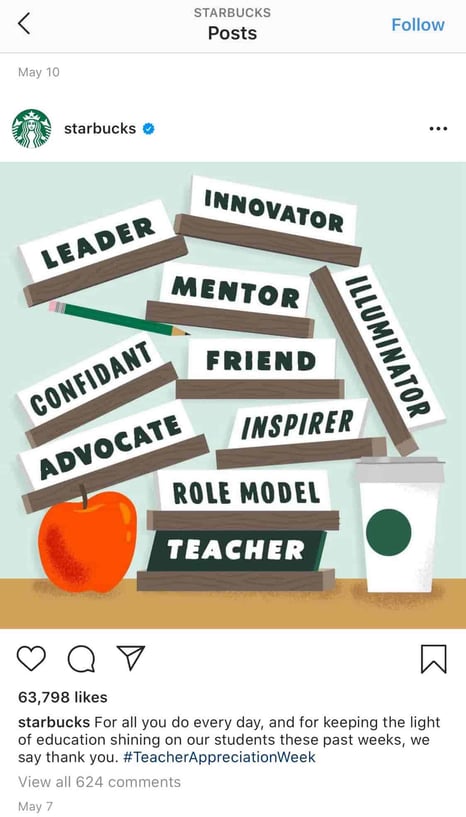
This post won’t appeal to the majority of Starbucks followers who aren’t teachers, but that’s okay. You don’t always need to post content to please everyone. Instead, you want to consistently demonstrate your brand’s ability to connect and engage with sub-groups and post what aligns with your own brand’s values.
Education is something that matters to Starbucks, so by posting about teachers, they’re doing more to demonstrate their own values than they are appealing to everyone. Which is kind of the point, isn’t it?
9. Apply for a verification badge.
When an account on Instagram is verified, it has a blue dot, called a badge, next to the username. When another user comes across this profile or finds the verified username in search, the blue dot confirms to them that the account is the business, individual, or brand that it’s claiming to be.
While Instagram has a list of eligibility requirements for the badge, the platform does allow users to apply for one. You can learn more about that process inInstagram’s help center.
Quality Over Quantity Still Matters
Ultimately, it’s important to focus less on the number of followers you have, and more on the quality of content you create. Your audience will grow naturally over the long-haul if you put effort and time into creating engaging, informative, or inspirational content without worrying about “quick fixes” for boosts in followers.
Plus, if you think about it, your followers don’t continue to follow you because of the size of your audience. They continue to follow you because of the content you create.
Sure, maybe I’ve initially followed an influencer because she had 200K followers, which signified to me that she was worth following — otherwise, why would 200K people be looking at her content?
But that doesn’t mean I’ve continued to follow influencers or brands because of the size of their audience. I’ve unfollowed plenty of mega-influencers or brands with thousands — if not millions — of followers, simply because I was no longer impressed with their posts.
You want to play the long game on Instagram, and that starts with focusing on what you can control — namely, the quality of the content you produce, the messages you promote, and the brand you build.
Ironically, I’m willing to bet the less you worry about the number of followers you have, the more community members you’ll attract.

Facebook Creator Studio: What Marketers Need to Know
Want to manage your Facebook and Instagram marketing tasks in one place? Are you taking advantage of all of the features of Facebook Creator Studio? To explore how to use Facebook Creator Studio, I interview Mari Smith on the Social Media Marketing Podcast. Mari is the leading expert on Facebook marketing and author of The […]
The post Facebook Creator Studio: What Marketers Need to Know appeared first on Social Media Examiner | Social Media Marketing.
from Social Media Examiner | Social Media Marketing https://ift.tt/2Br0jka
via socialmediaexaminer