
Welcome to My Blog
The Ultimate Guide to Account-Based Marketing (ABM)
Imagine a world where you could start the sales process by selling directly to your best-fit, highest-value accounts. No wasted time working to market and sell to unqualified leads who aren’t the right fit for your business. Meaning, you could move straight into the phases of engaging and delighting your target accounts.
Talk about efficiency, right?
With account-based marketing, all of this is made possible. The process allows you to align your marketing and sales teams from the get-go to promote long-term business growth, delight customers, and boost revenue.
This guide is here to help you make it happen. Let’s dive in.
Account-based marketing allows you to weed out less-valuable companies early on and ensure Marketing and Sales are in complete alignment — in return, your team can leap into the critical processes of engaging and delighting those accounts much faster.
ABM helps your business work and communicate with high-value accounts as if they’re individual markets. By doing this — along with personalizing the buyer’s journey and tailoring all communications, content, and campaigns to those specific accounts — you’ll see greater ROI and a boost in customer loyalty.
Before we take a look at additional benefits of account-based marketing and specific tactics you can implement at your company, let’s review its relationship with another important strategy: inbound marketing.
Often, these strategies are thought of as entirely different entities. However, they can be quite complementary.
Account-Based Marketing And Inbound Marketing
Batman and Robin. LeBron and D-Wade. Peanut butter and jelly. Arguably some of the strongest partnerships ever to exist 💪. These dynamic duos are forces to be reckoned with when they work together.
Similarly, when paired, account-based marketing and inbound marketing have the power to make waves (the good ones) for your business.
You might be wondering, “How exactly does this partnership work?”
Well, we just reviewed the definition of account-based marketing — as you learned, ABM is a highly-targeted strategy.
Meanwhile, inbound marketing is more foundational — the methodology and growth strategy allows you to attract customers through the creation of valuable content, SEO, and a delightful customer experience.
Rather than interrupting your target audience and customers (as you would with outbound marketing), inbound marketing allows you to more organically provide your audience with the information they want when they want it. Inbound lays the foundation for a strong ABM strategy by allowing for highly-targeted and efficient resource allocation of high-value accounts.
Here are a few more reasons to implement both ABM and inbound marketing:
- Inbound marketing helps you attract target accounts and ABM then accelerates the flywheel so you can win and delight those target accounts with a remarkable customer experience (and as a result, you’ll grow better).
- Inbound marketing lays the foundation for a strong ABM strategy — ABM builds off of inbound by allowing for targeted and efficient resource allocation of high-value accounts.
- With this combined approach, you attract a broader group of prospects than you would while using just one method and catch any opportunities the other strategy may have missed.
- Your content has a two-for-one value — you can create and use content that serves both an ABM and inbound strategy (e.g. create a personalized case study for a target account that you also share on your website).
- Software options, like HubSpot’s account-based marketing software, are available and make it easy to implement ABM and inbound strategies in a complementary way.
🧡TLDR: Combine ABM and inbound marketing to grow better.
Next, we’ll take a look at some of the definable benefits of account-based marketing.
There are a number of benefits associated with account-based marketing. We’ve compiled the following list of commonly-noted results that positively impact (all types of) businesses.
1. Keep Marketing and Sales aligned.
Cross-team collaboration and improved communication across any organization are beneficial to growth. In terms of account-based marketing, this transparency and alignment will ensure your marketing and sales teams are focused on the same goals, stick to the mutually-agreed-upon budget, and understand the specific roles of each internal stakeholder.
This alignment helps ensure all communications, interactions, and content (and more) are consistent for the accounts you work with. Meaning, no matter how long an account works with your company, your team members can pick up where others left off at any point in time without question — this creates a seamless and delightful customer experience.
🧡The easiest way to maintain internal account-based marketing alignment is with the help of software, like HubSpot, which makes connecting your marketing and sales teams exceptionally easy.
2. Maximize your business’s relevance among high-value accounts.
Account-based marketing requires you to personalize everything (e.g. content, product information, communications, and campaigns) for each account you invest your resources in. Through this personalization and customization, your relevance among these accounts is maximized.
That’s because your content and interactions are tailored in a way that shows them how your specific products, services, offerings, and team are what they need to solve their challenges and to grow better. Meaning, ABM allows you to angle your business in a way that makes it the most-relevant and ideal option for your target accounts.
3. Deliver consistent customer experiences.
As mentioned, account-based marketing requires you to deliver consistent experiences for your accounts — this plays a major role in your success. A large part of the reason for this is because ABM is a long process that often lasts several months or years.
So, for your ABM efforts to be remarkable, you must maintain a long-term sense of delight among your accounts. This is how you’ll make each account feel as though they’re your business’s market of one — and why would they ever want to stop doing business with you if that’s their experience?
Delivering these long-term, consistent experiences may seem a bit daunting. Although this is understandable, the good news is that ABM is a process that naturally encourages you to do so.
Think about it this way: We already discussed the way ABM requires Marketing and Sales to be aligned on all things related to each account (e.g. their goals, budget, unique needs, members of their team and buying committee).
When there’s a universal understanding of these factors within your organization, Marketing and Sales (and anyone else involved) will be able to effectively and naturally deliver that feeling of consistency through everything they communicate and share with each account (e.g. personalized content, targeted campaigns, pricing and product information, and more).
4. Measure your return on investment.
With account-based marketing, you can easily measure return on investment (ROI) for each account you invest your resources and time into. This is beneficial because you can confirm whether certain accounts you invested in were ideal for your business.
Then, you can nurture and delight those accounts long term as well as identify and target similar accounts in the future. If your ROI proves your ABM tactics worked, use those results as a motivator to drive your strategy forward as well as one you can count on to continually improve your bottom line.
5. Streamline the sales cycle.
Depending on your business, industry, and resources, the sales cycle typically looks something like this:
1) Prospect → 2) Connect → 3) Research → 4) Present → 5) Close → 6) Delight
With account-based marketing, this cycle is streamlined — by focusing your efforts on specific high-value target accounts, you save time and resources, and spend more time on the stages of the cycle that positively impact your bottom line:
1) Identify Target Accounts → 2) Present to Target Accounts → 3) Close Target Accounts → 4) Delight Accounts
ABM streamlines your sales cycle by helping you stay efficient. Rather than experimenting with different tactics to prospect and qualify a large pool of leads, ABM ensures your target accounts are ideal for your business so you can quickly dive into building relationships.
The sales cycle stage of closing is also streamlined through ABM. That’s because your chances of converting accounts and retaining them long term increase thanks to marketing and sales alignment, consistent customer experiences, and personalization.
6. Expand business through account relationships.
The saying “quality over quantity” applies to account-based marketing. The process requires you to invest significant time and resources in engaging and delighting a group of carefully-chosen, high-value accounts, versus trying to quickly close deals with less-qualified leads who may not be the best fit for your company in the long run.
By taking the time to build these trusting relationships with accounts, you’ll expand business by retaining those valuable customers longer. And considering it costs more to obtain customers than retain them, this will positively impact your bottom line.
Additionally, as a result of personalized, thoughtful, and consistent customer experiences, accounts will become loyal to your business over time — and loyal customers become your best marketers, promoters, and brand advocates.
In other words, your accounts will help you expand your business among their networks (e.g. partners, customers) through referrals, word-of-mouth marketing, testimonials, and more.
Now let’s cover some account-based marketing tactics you can apply to your strategy to improve the likelihood of success.
ABM tactics are the building blocks of your strategy — so, work through the following list to ensure your ABM efforts and investment are successful.
1. Secure organizational ABM alignment.
One of the most important account-based marketing tactics is arguably one of the most straightforward: Secure organizational ABM alignment.
This means getting all internal stakeholders on board with the various factors related to your account-based marketing strategy. In doing so, it’ll be easier for your business to create consistent experiences for accounts and make sure your strategy is as efficient and streamlined as possible.
For example, your VP of Marketing and VP of Sales should secure organizational alignment and spread awareness regarding:
- Marketing and sales team members who are directly involved in the strategy
- Account buying committee members and any other account stakeholders
- Your business’s point-of-difference for each target account
- ABM budget and resources
- ABM goals and KPIs
2. Build your ABM team.
Similar to the first tactic we reviewed above, VPs of Marketing and Sales will also likely be leaders in the discussion regarding how you’ll build your ABM team.
They, along with managers on their respective teams, will need to identify a minimum of one marketer and one sales rep who will be completely dedicated to the accounts you work with.
These people will create and publish content for accounts as well as work to manage and close business deals with each account’s buying committee. (As a rule of thumb, try to limit your team size to no more than ten sales reps and one marketer.)
In addition to the marketer(s) and sales rep(s), don’t forget to identify any other internal key players — such as customer success reps — who should be aware of and aligned on your ABM strategy.
3. Identify and pick your ideal set of target accounts.
Identify and pick your ideal set of high-value target accounts to invest your time and resources in.
Here are some recommendations on how you can do this:
- Set search alerts for your ideal customer profile on LinkedIn.
- Create a workflow that filters incoming qualified leads based on specific criteria (e.g. company size, industry, etc.) and tags them as an ideal customer type in your CRM.
- Ask, “If we could replicate one deal from last year, what would it be?” Then, use the characteristics of that deal (e.g. industry, company size, value) to help you identify other good-fit customers.
- Pick target accounts based on a particular industry or geographical location.
- Review major companies and leads who are using and engaging with your inbound content but don’t have a deal attached (yet!).
- Identify the lighthouse accounts you could use for reference.
- Stick to no more than 10 accounts per sales rep.
4. Encourage Marketing and Sales to create account plans together.
Throughout this guide, you’ve probably picked up on the fact account-based marketing is a team effort. That’s why ensuring appropriate marketing and sales team members are involved in account planning is so important.
Make sure Marketing and Sales ask the following questions while they work on account plans:
- Who will we need to know at each account (e.g. buying committee members and account stakeholders)?
- What content will we need to attract and engage account buying committee members (and any other stakeholders)?
- Which channels will we use to share content with the right people at each account?
- How will we (marketers and sales reps) provide the right type of support throughout each stage of the strategy and sales process — in other words, how will sales help at the outset and how will marketing support in the later stages?
🧡Store your account plans as pinned notes in your HubSpot CRM, Google Docs, Asana Boards, pinned messages in Slack, and more to allow for easy access and collaboration.
Here are a few other tips Marketing and Sales can use to make your account plans successful:
- Ensure Marketing and Sales align on your product or service’s value proposition and point-of-difference for every account.
- Create personalized content — or update existing content — so it’s tailored to each unique account.
- Customize your allocated resources and budget for each account.
5. Attract contacts from high-quality accounts.
Next, you’ll want to attract the buying committee members and stakeholders of your target accounts. Depending on how long you’ve been in business and any previous ABM work you’ve done, you may or may not already have contacts for specific accounts.
The key to successfully attracting high-quality accounts is to personalize content to those accounts — this will help you elevate brand awareness and maximize relevance among audience members.
Here are some GDPR-compliant recommendations for attracting high-quality accounts:
- Engage accounts on social media (e.g. determine which platforms they’re on, join the groups they’re in, contribute to conversations they’re a part of, and share helpful and relevant content you’ve created).
- Produce a podcast or video series and invite a leader from the account to be a special guest.
- Sponsor a booth at a target account’s conference or event.
- Send direct messages via social media and direct mail via email or post.
- Communicate through LinkedIn InMail outreach (do this simply and without ever leaving HubSpot with the LinkedIn integration).
- Build custom landing pages tailored to the needs, questions, and concerns of accounts.
- Offer gifts for engagement and interaction (e.g. prizes, swag, and discount codes).
- Distribute content such as blog articles across channels that are relevant to each account (e.g. website, social media, and magazines).
- Create ad campaigns and social ads to target different factors such as location, skill, and job title.
- Ask current contacts, accounts, and customers for referrals.
- Invite contacts to (physical or digital) events and ask attendees to invite their colleagues.
6. Forge strong relationships with the account’s buying committee.
Once you’ve attracted high-value accounts, it’s time to forge strong relationships with their buying committees. This is something your team will likely work on over an extended period of time — in fact, it often takes months and even years to develop these bonds. Think of this tactic as one tied to delighting your accounts — you never stop the process of delight.
Here are some thoughts on how you can forge strong, long-lasting relationships with an account’s buying committee.
- Provide education around the value your business — and your product/ service — brings accounts through tailored interactions and engagement.
- Create and share personalized content, such as case studies, to prove the ways you’ll exceed expectations and resolve the challenges of each account.
- Communicate one-on-one when possible to make buying committee members feel like they’re your only priority.
- Host events with and for account members (e.g. dinner) so they get to know your brand and team on a personal level.
- Stick to organized, well-timed meetings.
- Use email sequencing to enhance all communication, be professional, and maintain consistency.
7. Measure and analyze your ABM results (and make necessary iterations).
While working through and upon completion of the tactics above, it’s crucial you monitor your success. By reviewing and analyzing your ABM results, you’ll identify any gaps or parts of your strategy that need to be changed. This will allow you to make your strategy more effective for your business, marketing and sales teams, and accounts.
Here are some examples of common account-based marketing KPIs that provide insight into how you’re doing:
- Deal creation
- Account penetration (net new contacts added to an account)
- Account engagement
- Deal-to-close time
- Net-new revenue
- Percent of deals closed
🧡For support with your analysis, enlist the help of HubSpot’s library of 12+ ABM reports and pre-built ABM reporting dashboard to gain valuable insight into how to modify your ABM strategy for greater success.
Grow Better With Account-Based Marketing
Account-based marketing doesn’t have to be overwhelming. By working through the tactics we’ve listed above and implementing software — such as HubSpot’s ABM software — for your marketing and sales team to use together, you’ll identify valuable accounts more efficiently, reduce any friction impacting your flywheel, and grow better.

Wasn’t ABM Supposed to Fix B2B Buying?
Before my kids woke up this morning, I had ordered groceries for the week, subscribed to a digital news channel I’ve been meaning to read more, and signed up for an online workout class (that I’m likely to skip). All from my phone, and all with just a few clicks.
The purchase process for each was personal, quick, and easy — something I’ve come to expect from all my service providers.
It’s 2020 after all, and delivering an exceptional customer experience is the key to success. In recent years we’ve seen consumers flock to the companies that offer the best customer experience.
These ‘experience disruptors‘ have driven customer expectations to new heights, and in doing so, have raised the customer experience bar for business across all industries.
But if the importance of customer experience seems obvious to us as consumers, it begs the question: why is the buying experience for B2B companies still so bad?
According to a CEB poll, the words B2B decision-makers associate with their buying experience include “hard, awful, painful, and minefield.”
It’s a process that’s years behind the seamless B2C experiences we now expect. And when we look at high-value B2B deals — with longer sales cycles, more decision-makers, and stiffer competition — the experience seems decades behind the times.
How do we explain this? Aren’t B2B marketers aware of the importance of customer experience? Don’t salespeople have unbridled access to a supply of software tools that are supposed to help with this? And weren’t they all promised that ABM would solve this problem?
They were, but it wouldn’t be the first time enterprise software has left marketers and salespeople wanting.
Understanding ABM
ABM has long been heralded as a silver bullet for delivering personalized, contextual buying experiences for businesses, but many marketers and salespeople are still waiting to see the benefits.
Misconceptions about those three simple letters have taken hold in the market, giving rise to three myths that to this day hold companies back from putting a successful strategy in place.
At HubSpot, we’re on a mission to debunk those myths.
Myth #1: ABM is Exclusively for Marketers
Perhaps the most commonly held misconception about ABM is that it is a strategy for marketers alone.
Many businesses are sold ABM solutions with the assurance it’ll enable them to deliver B2C buying experiences to B2B companies, but in practice, the products often amount to little more than a set of advertising tools that allow marketers to slightly improve their targeting.
And while that can drive brand awareness among high-value accounts, it isn’t much help to the salespeople that are responsible for delivering an exceptional buying experience at later stages of the sales cycle.
To truly deliver a seamless B2B experience across the entire buyer’s journey, marketers and salespeople have to be equally invested in an ABM strategy from the get-go, and have a centralized system of record.
As General Manager of HubSpot’s Sales Hub, I’ve seen the importance of this first-hand. If marketers launch an ABM strategy in isolation, their colleagues in sales will quickly find themselves on the backfoot, scrambling to react to the new types of leads landing in their laps.
Similarly, if salespeople are the first to reach out to new contacts at a target account, marketers will be jolted into reactive mode and rushed into creating content and messaging to support the nurturing process.
Successful ABM strategies are rooted in transparency and trust across marketing and sales. There shouldn’t be hidden tools where marketing campaigns are born, nor secret spreadsheets where salespeople do their bidding — both teams should be looking at the same data, all of the time.
Achieving alignment is challenging at the best times, but when companies have to wrangle two separate systems across their sales and marketing organizations to simply access the most recent communication with an account, the task is virtually impossible.
A system of record is the foundation of sales and marketing alignment — it enables marketers and salespeople to build a common understanding of high-value targets, what success looks like, and how to hold each other accountable as they work together to make their ABM strategy a success.
Myth #2: ABM is for Big Companies Only
The second myth about account-based marketing builds on the first. With the explosion of technology solutions in recent years, there are now more players than ever in the space. But for many, ABM still implies heavy spending on advertising, which can sometimes make it feel like an approach reserved for large companies with big teams and bigger budgets.
The truth, however, is that companies of any size can get started with ABM.
There are now new tools arriving on the market that are affordable, easy to set up, and easy to use — with HubSpot, for example, businesses can get started with ABM for free. There is also mounting pressure on enterprise software providers to improve the accessibility and usability of their products.
For too long, the tools needed to run sophisticated campaigns have been so prohibitively painful to use that growing companies have been prevented from experiencing their benefits. This is finally changing, and marketers and salespeople can now approach ABM with confidence, regardless of the size of their team or depth of their budget.
Myth #3: ABM Can’t Coexist with Inbound Marketing
Another myth that has held countless companies back from getting started with ABM is the belief that it is incompatible with inbound marketing. Fundamentally, both inbound marketing and account-based marketing are remarkably similar.
In essence, they’re both about matching sales and marketing strategies to how prospective customers want to buy, and in many iterations, the same channels — and even the same content — can be used in both approaches.
Where inbound marketing attracts a wide range of interested consumers by providing helpful content, ABM helps businesses to offer a more targeted, personalized approach when delivering value. And when used together in the same organization, the two approaches become greater than the sum of their parts.
A well-executed inbound marketing strategy not only helps to deliver value to a broad audience, it organically surfaces high-value accounts that are naturally suited to an ABM strategy. And from there, marketers and salespeople can use their inbound assets to drive more targeted, personal interactions with those accounts.
The myths that ABM is exclusively for marketers, only accessible to companies with big budgets, and incompatible with inbound marketing tactics have deprived companies of its benefits for too long.
And at a time when working on high-value B2B deals is only growing more complex, it’s increasingly important that businesses are given the opportunity to make use of ABM’s full potential.
On average, there are 6.8 decision-makers involved in the B2B purchase process — an increase of 25% in just the last few years. Each of these people brings their own preferences, passions, and pet rocks to the table across the entire buying process, making it harder than ever to deliver a buying experience that’s consistent, contextual, and compelling.
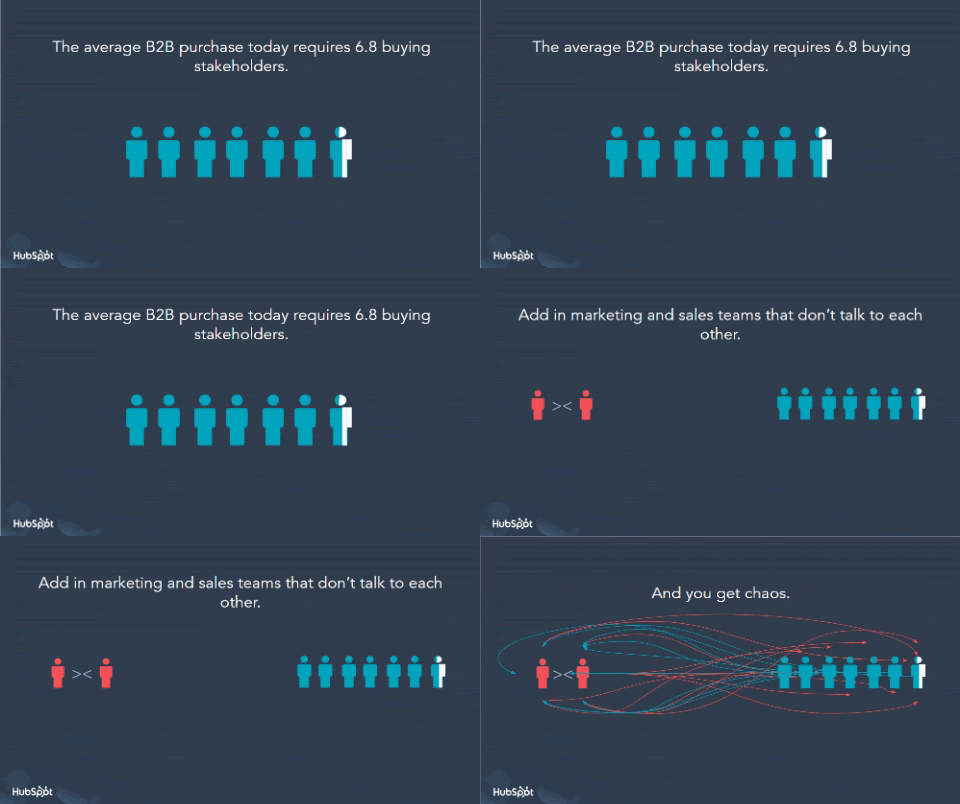
But with ABM tools that are powerful and easy-to-use, shared across a centralized system of record, and used alongside an inbound marketing strategy, marketers and salespeople can work together to overcome this complexity and deliver B2B buying experiences that can turn losses into wins.
Introducing HubSpot ABM
At HubSpot, we believe that ABM has become unnecessarily confusing and high-minded, prohibiting companies from even taking the first step. As one analyst put it, “the rapid and continued adoption of ABM programs will require significant investment in technology, media, data, and employees.”
It doesn’t have to be this way.
ABM should feel natural for every business, not like a special one-off campaign or like getting a PhD in Economics. It should be powerful, but also easy.
And it should be accessible to any company seeking to deliver positive B2B buying experiences.
That’s why we’ve launched a brand new set of ABM tools built natively into HubSpot, complete with shared sales and marketing features that are designed to empower companies to set up and execute an account-based strategy with ease.
Uniting Teams, Unlocking Potential
HubSpot’s new ABM offering includes tools that allow companies to get started quickly, including AI-powered target account recommendations, advanced company scoring, and user-friendly campaign templates.
And once up and running, sales and marketing teams can gain a unified view of target accounts, real-time reports, and the most recent communication with each contact at a company, giving them an all-important centralized system of record. This is what makes HubSpot’s ABM offering unique in today’s market, and is what can fuel the sales and marketing alignment necessary to deliver positive buying experiences for businesses.
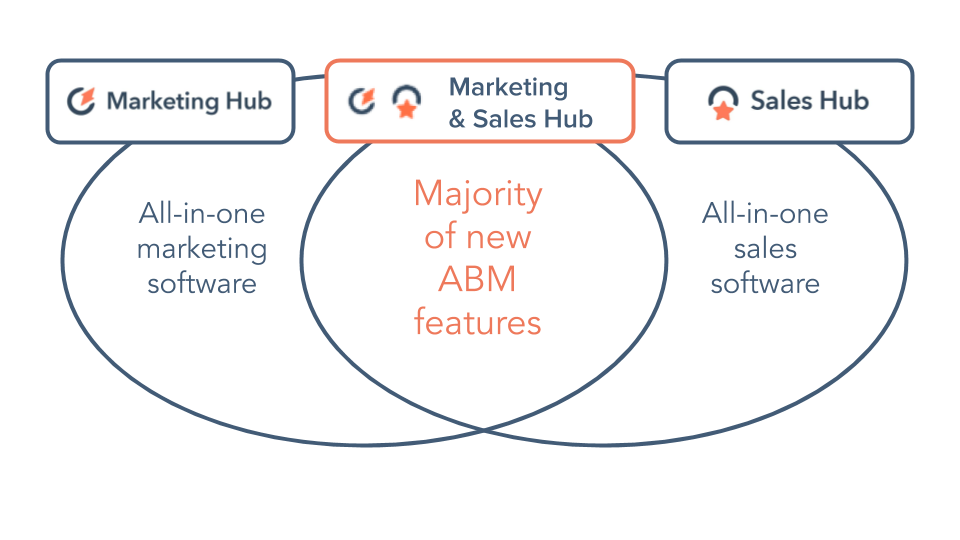
HubSpot ABM Packaging (May 2020)
As important as the ABM features we’ve built are the features we’ve chosen not to build. That’s where our rich ecosystem of app and strategic partners comes into play.
In HubSpot’s App Marketplace, companies can leverage tools like LinkedIn for advanced ad targeting, Bombora for company-intent insights, Engagio for multi-channel ABM automation, and Supermetrics or Demand Sage for deep ABM reporting. And with a newly enhanced Slack integration, teams can collaborate more closely as they work on high-value target accounts.
The updated integration now allows users to create Slack channels named after specific deals and accounts, easily share important KPIs, and add notes to deal and company records from Slack and vice-versa — all in the name of making it as easy as it should be for marketers and salespeople to move quickly in tandem as they unlock the potential of ABM.
Bringing B2C Buying Experiences to the B2B World
As consumers continue to benefit from the seamless buying experiences that are now standard across the B2C world, more and more B2B buyers are demanding the same.
At HubSpot, we’ve always believed that businesses that match the way they sell to the way customers want to buy will grow better. This principle applies whether it’s selling on-demand grocery delivery to an individual like me, or selling high-value services to large global enterprises.
With Sales Hub, Marketing Hub, and the array of new ABM tools that are shared across both, companies can launch account-based marketing strategies with ease, overcome the challenge of sales and marketing misalignment with a centralized system of record, and be empowered to deliver a seamless B2B buying experience to their most high-value target accounts.
ABM was supposed to fix the broken B2B buying experience. Now it can.

How to Retarget Facebook Ad Traffic for Conversions
Are you working with a new Facebook pixel? Wondering whether to use a traffic objective campaign or a conversion objective campaign? In this article, you’ll discover how to combine Facebook ads traffic and conversion campaigns to meet your goals. Understanding Facebook Ads Traffic and Conversions Objectives The objective you choose when you create your Facebook […]
The post How to Retarget Facebook Ad Traffic for Conversions appeared first on Social Media Marketing | Social Media Examiner.
from Social Media Marketing | Social Media Examiner https://ift.tt/36eF9R6
via socialmediaexaminer
How Webinars Can Help Your Customer Retention Strategy in 2020 [IG]
When you first think of webinars, you probably think they’re a great tactic for the first part of the flywheel — attract.
While you’d be right, webinars are also a way to delight and retain customers.
In fact, 75% of B2B buyers consumed webinar content last year, which makes it a good idea to include webinars in your marketing mix.
But I wonder, how are B2B companies using webinars? Do they focus primarily on lead generation? Or do they realize the potential webinars offer throughout the buyer’s journey and after the sale?
An answer began to take shape when I read this post. Bethany Cartwright says, “Webinars work across the entire customer journey. From thought-leadership panel discussions to weekly live demos, webinars are a dynamic and effective way to move prospects down the funnel from awareness to closed deal and beyond.”
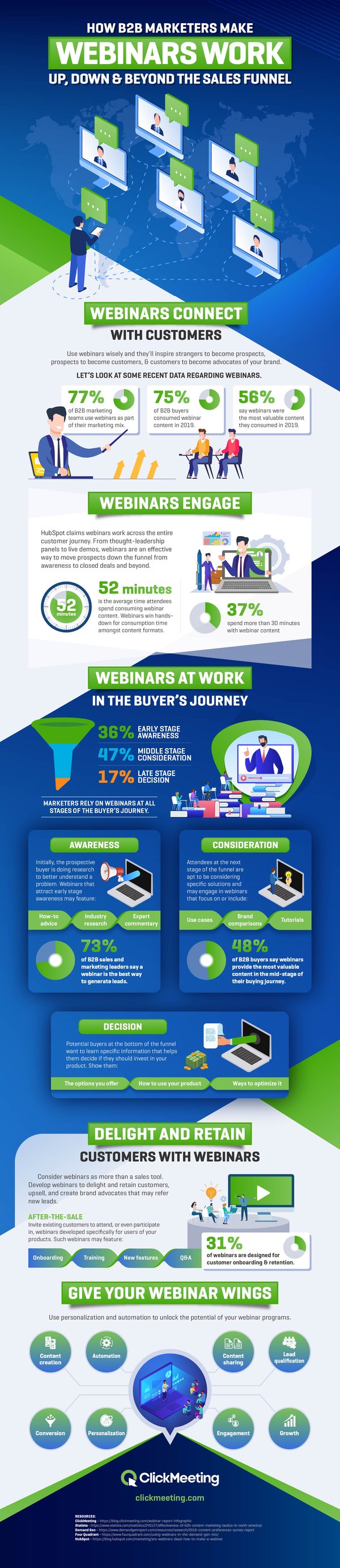
Then, working with ClickMeeting, who now publishes an annual State of Webinar Report, I set out to closely examine how B2B marketers can make webinars work up, down, and beyond the sales funnel.
In the infographic below, we see that webinars provide a way to connect and engage with customers throughout the buyer’s journey.

7 Tips for Making Dull Blog Topics Interesting, According to Our Blog Team
Sometimes, I’m assigned blog topics that are super exciting.
I’ve written about Twitch, Instagram marketing, exciting company cultures, and team building games. These post topics quickly engage me, and I always find myself empowered to write a highly valuable article for readers.
Other times, though, I’m assigned blog topics that aren’t as exciting.
I’ve written about highly technical topics, such as Why Website Indexation Is A Must-Have for Marketers and Header Tags: What They Are and How to Use Them. Topics like these aren’t as easy to write about, and sometimes I find myself stuck trying to make “duller” blog topics interesting to write and gripping for readers.
Even though it can be difficult to make a topic like photo event sizes a blast to write about, I’ve learned some tricks that can end up making those not-as-fun topics equally as exciting.
Below, we’ll go over some of my tips, as well as HubSpot’s blog team, that help us make blog topics compelling for everyone.
How to Make a Blog Topic More Interesting to Read About
Have you ever been assigned a topic and didn’t know where to start? Alternatively, have you ever procrastinated due to the dread of cranking out an article?
I’ve been there, and so have my colleagues.
The blog team at HubSpot likes to experiment with how content is presented. This has led to testing writing methods that inspire us as writers.
Let’s get into some ideas that have helped us when we get stuck.
1. Tie in personal events.
When I’m assigned a blog topic I want to make more interesting, I think about times in my life the topic came into play and use that to make the information relatable and valuable. This approach is also used by a few of my colleagues.
“Before writing at HubSpot, I was covering topics related to science, medical technology, and artificial intelligence at other publications,” says Audience Growth Writer, Pamela Bump.
“To avoid abrupt exits from readers when I’m writing a very technical piece,” Bump notes, “I use my introductions to tell a story about myself and address how the discussed topic has impacted me or a colleague. If I can’t personally relate to a topic, I might present a question or scenario, like ‘Have you ever been in this scenario? … This technology is aiming to fix that.’“
Bump’s ability to put herself in the reader’s shoes and tie in personal events shines through excellently in this post about third-party cookies, which begins with an entertaining “Sesame Street” reference.
2. Make a graphic or add multimedia.
One of the first thoughts that pop into my head when I write a post is, “How can I turn this into a visual?” I’ve found that making compelling graphics and visuals has a few benefits for me.
The first (and biggest) benefit for me is that making a graphic helps a visual learner like me understand a highly technical topic. Second, graphics improve the readability of a post and break up sections of the text to make my reader’s experience more enjoyable.
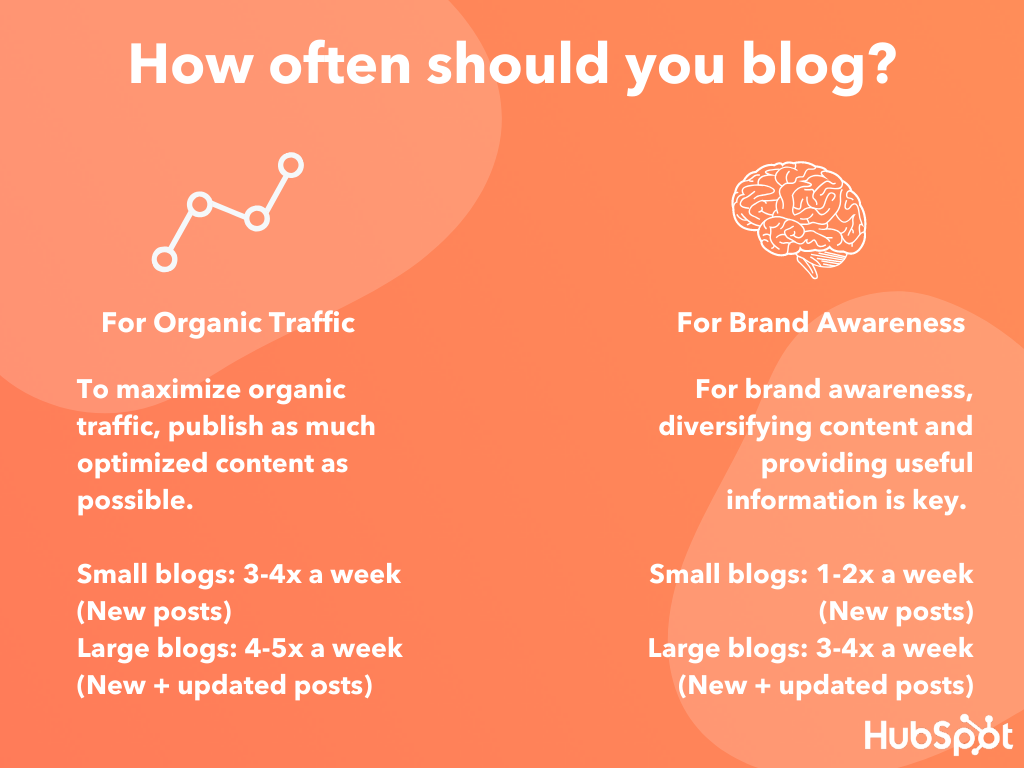
The final benefit is that multimedia elements offer a different outlet to flex my creativity. I have so much fun making graphics that I get excited to write the rest of the post.
For more inspiration about how graphics can spice up a “dull” blog topic, take a look at this post about creating follow up emails that includes a visual example that made me chuckle.
3. Use a loosely-related story.
“When I first started at HubSpot, I was assigned a blog post on the ins and outs of ROI. Given that ROI is pretty straightforward and most marketers know why they need it, I had to really think about how I’d make this post’s intro both entertaining and valuable,” Bump recalls.
“Ultimately, I decided to tell a story of one of the biggest ROI flops I could think of: ‘Evan Almighty’. While some writers would’ve just written a basic intro that reiterated why ROI was important, I decided to give the reader a story or anecdote they could visualize on a large scale,” she says.
Bump’s anecdote about “Evan Almighty” is one of my favorite introductions in a HubSpot blog post. Similarly, in this ultimate guide to search engine marketing, HubSpot’s Marketing Blog Editor, Caroline Forsey, compellingly relates Zappos’ SEO strategy to the topic.
4. Tie in current events.
“To make a dull topic more interesting, I usually try to come up with a pop culture anecdote for the introduction,” states Rebecca Riserbato, one of HubSpot’s staff writers.
Risberbato and I are avid pop culture fans, and I’ve found that introducing a topic with how the latest fast food Twitter battle relates to it makes me amped to dive into the details.
“Sometimes it’s relating the topic to a recent TV show or using song lyrics to hook the reader. Then, I always make sure to include information on how this blog topic will relate to the reader in the introduction so they understand why they’ll want to continue reading.” Riserbato suggests.
To see one of Riserbato’s pop culture music references in action, check out this engaging post about subdomains and subdirectories, which includes an entertaining anecdote about Taylor Swift.
5. Interview experts about your topic.
Sometimes, I’m assigned to write about a topic I’ve never heard of before — but I know of someone who does. For instance, when I write about extremely technical topics within the SEO field, I turn to HubSpot Senior SEO Specialist, Braden Becker, for an expert opinion.
Becker has a talent for talking about complicated SEO topics in a way that’s easy to understand and compelling for readers.
Similarly, Bump suggests, “Even if you think a writing assignment is incredibly boring, someone with an expertise in that topic likely has a passion for it and will discuss it with vibrance. This is why quotes can be a very helpful way to add color to a piece and insight from an expert.”
Alternatively, if you’re writing about a niche topic and don’t have any experts within your company, consider reaching out to external thought leaders to collect quotes.
As Forsey notes: “By connecting with industry professionals, you can recognize the very human angle of the topic, which can make anything more exciting. For instance, for my psychology series I’ve interviewed psychologists, researchers, and public speakers. These conversations have sparked my interest in an otherwise ‘dull’ topic, and best of all, they make the pieces more interesting for readers, as well.”
To illustrate, check out this awesome article by Bump about aligning with your sales team, in which she interviews HubSpot’s marketing experts for tips and tricks.
6. Take on a consistent narrative.
Staff Writer, Jay Fuchs, notes, “One way I try to make dull topics more engaging is by having a consistent, fun narrative to link together examples of a concept.”
If you enjoy creative writing and want to make the topic a little more similar to a short story, taking on a consistent narrative could inspire you to make comparisons throughout, rounding out the piece and making for a more engaging reader experience.
“In this article,” Fuchs continues, “I highlighted the differences between two types of consulting by demonstrating how each kind of consultant would approach a hypothetical, failing Applebees-esque chain restaurant’s problems.”
7. Draw in attention with stats or facts.
“A stat or research-based fact can be one of the quickest ways to demonstrate why the topic or point you’re making is important,” says Bump.
This tip is one I use regularly when writing. If I experience writer’s block or want to boost the value of a topic that might seem dull to readers, I search for a statistic that shocks me. Surprising facts drive me to relate the numbers to the importance of the topic.
“Stats and facts are also very shareable online and can be repurposed into infographics or images, which can also zest up your post,” Bump suggests.
If you want inspiration about how to tie factual, reputable information into a post, check out how Meg Prater, managing editor of HubSpot’s sales blog, included a Harvard study in a post about writing smarter sales goals.
Even though it may not seem like it at the time, “dull” blog topics make us better writers. They push us to learn about something new and present it to audiences in a way that relates to them and keeps them hooked.
Turn the post into something you’d want to read about repeatedly. Perhaps sales organization structures aren’t your favorite thing in the world, but they could be to readers. You could also be the writer audiences turn to when they want an entertaining take on highly technical topics.
Fully own what you write about, and your readers will notice.

3 Types of Marketing Videos That You Can Make Remotely
In our 2020 State of Marketing report, video beat out common tactics like blogging and SEO as the most heavily prioritized marketing strategy for businesses this year.
The growth in video marketing isn’t all that shocking. Today, video is dominating the internet — especially on social media. And, throughout the last decade, social media platforms like Reddit and Facebook have changed dramatically to favor video over other content.
At this point, while tactics like blogging and advertisements are still vital to success, many groups, such as millennials or Gen Z prefer to learn about products, topics, or people through video.
But, as the trend of video marketing continues to grow, so does the number of companies opting into remote work. If you’re in a company that is quickly taking its processes out-of-office or a video marketer who’s always wanted to try working remotely, you might be wondering, “Can I actually make a marketing video from remotely?”
The question of whether videos can be filmed anywhere is definitely valid. After all, high-quality videos do require you to film in an optimal location that’s quiet, looks aesthetically pleasing, and has good lighting. And, if you’re less familiar with the process of creating scalable videos, you might envision that you’d need a perfect film studio filled with a camera crew, makeup artists, and expensive equipment.
The truth is, marketing videos can cost you some time and money. However, many of them can be quite scaleable and filmed in all sorts of locations.
In 2020, we’re already seeing a number of brands and influencers market products or services through social media or online videos filmed in their own home or a remote location nearby.
But, what’s the best way to navigate filming marketing videos from home? The first step could be deciding on a video format that’s both scalable and feasible to create from multiple locations.
In this blog post, I’ll highlight three types of videos that marketers can easily film from home while showing you a few examples. In the conclusion of this piece, I’ll highlight a few tips for creating quality videos from anywhere.
3 Types of Marketing Videos You Can Film Remotely
Demos or Tutorials
For years, startup founders have been filming demos and tutorials in home offices, shared workspaces, or screen-share videos. Because the center point of a demo or tutorial is a product or process, viewers’ eyes will be locked on that. While you should film in an environment with a non-distracting background, limited noise, and good lighting so the viewer can properly focus on the demonstration, you can zoom in on the product for most of the video and don’t necessarily need studio lighting or a pricey background to please viewers.
One example of a brand that has embraced the at-home tutorial for years is Kylie Cosmetics. Although the company does have offices in Los Angeles, Kylie Jenner or members of her marketing team will often film makeup tutorials for Instagram in a home setting.
Here’s one example of a demo video Kylie Cosmetics published on IGTV.
In a way, these makeup tutorials make the brand and product feel more authentic. Because they’re filmed in natural, but still strong, lighting, the tutorials better highlight what the products will look like on a person in real life. This can be hard for customers to determine when viewing highly edited product shots of makeup.
If you’re trying to highlight something that isn’t a physical product, such as software or digital services, you can also consider an animated demo or screen-recorded video that shows how your product works or highlights the digital services you offer clients. This might add extra editing time to your video production, but it eliminates the need to prepare your workspace for a film shoot.
Here’s a great demo from SurveyMonkey, which combines screen grab images with animation to show the ins and outs of its survey products:
Within two minutes, SurveyMonkey demonstrates how easy it is to use its products and how it can integrate with other common office tools like Slack.
Explainers
An explainer allows you or a credible person affiliated with your business to explain a product offering or a topic related to your industry. For example, explainers could discuss a piece of industry news, a new trend, winning strategies related to your industry, or even tactics to avoid. Or, if your business is too complex for a basic demo or tutorial, you could film explainer discussing an important strategy and how your business could benefit it.
Explainers are slightly different from tutorials or demos in that they focus on explaining a complex topic or strategy, rather than just demonstrating how to use a product.
Although an explainer doesn’t need to specifically discuss your product, this format allows you to show your audience that you have expertise in the industry that your product is in. Additionally, if you have access to a known thought leader or influencer that can film an explainer for you, audiences of your brand and that person could see the video and think your brand is more credible because a well-known expert is associated with your content.
There are multiple ways to film an explainer. The most basic type could involve filming yourself or a thought leader talking to the camera about the topic while standing in front of a basic background or whiteboard. To add some depth to this type of video, you could then edit it to include text or visuals that note other facts not explained on camera.
While this explainer was filmed in HubSpot offices, those in it are simply speaking in front of casual basic backgrounds. To zest up the video format and further inform the viewer, the editor added simple transitions, related images, and data visualizations:
Although the explainer above’s primary goal is to explain email marketing to viewers, it also nicely wraps a shoutout for HubSpot Academy’s email marketing course. This makes the video informative and a solid marketing tool.
If you or someone on your team knows graphic design or how to animate videos, you could also consider an explainer that relies on only graphics. While this type of explainer will take more time, it will eliminate the need for prepping a home or remote location for a video shoot.
Here’s a great explainer on how artificial intelligence works from the emerging technology company Qualcomm:
Expert Q&As
Recently, a number of brands have been experimenting with pre-recorded or live Q&A videos. These videos allow an expert that’s part of the brand or an industry influencer or thought leader to answer questions either asked by a host or an audience of commenters — if the video is live.
Like explainers, these videos allow experts affiliated with the brand to share their knowledge, which can make the brand seem more credible. If the questions asked to the expert are commonly asked about the industry topic discussed, the audience will also get solid value from the content and consider the brand as a trusted resource. Additionally, if the video features an influencer or thought leader, their audiences might tune in and incidentally learn more about your brand.
Currently, there are a number of ways to do a Q&A that doesn’t require a stage and people sitting next to each other.
For example, HubSpot, which has over 300 full-time remote employees will collect questions from its audiences and ask its in-house experts to answer them via Instagram Stories. With this strategy, the expert can film themselves with a smartphone in a location they prefer and send their best clips to our social media team. Then, the social team can easily publish the content on Stories:


More recently, it’s also become more acceptable to perform pre-recorded interviews via video calls. This could allow a host and an influencer or a host and another expert on your team to perform an interview from separate locations.
Below is an example of a Facebook Live Q&A where a rep from Healthier Lifestyle 4 You, a company that sells wellness products, remotely interviews a health expert about alkaline water.
Although many brands are opting to do Q&A on live streams, you can alternatively pre-record your interview. This will enable you to edit the footage as needed, add transitions, and overlay useful text or captions.
Filming Remote Marketing Videos
Now that you’ve gotten a few examples of how brands filmed marketing videos affordably and remotely, you might be ready to get started on your own.
As you prepare to shoot your first video, keep these tips in mind:
Pick the right equipment: Although filming from home could save you more money than in a studio, you’ll still want to invest in equipment as needed. For example, if you’re filming an Instagram video and have a low budget, using a smartphone with a solid camera might do the trick. If you want to amp up the quality, you should consider purchasing a digital photo or video camera which will allow you to film with high resolution and adjust your environment’s white balance. You might also want to purchase a microphone if your home is in a noisy location or an affordable floodlight if your home doesn’t have strong natural light and you don’t have lamps or extra lighting fixtures to work with.
Leverage your software: You don’t need expensive software to edit a video, film a screen share video, or record a Zoom Q&A. The truth is, many apps that allow you to do these things are free, might already be installed on your laptop, or incredibly affordable. For example, Mac users have iMovie pre-installed while you can download a number of screen-recording apps out there.
To learn more about the ins and outs of marketing videos, check out this guide. For a list of affordable video editing software and apps, read this blog post.

8 Instagram Stories Hacks to Give You a Creative Edge
Want to give your Instagram stories a creative edge? Looking for hidden features to try out? In this article, you’ll discover eight Instagram Stories power tips including how to save your Stories effects for quick access, add multiple photos, add a custom GIF, and more. To learn how to make the most of the brush […]
The post 8 Instagram Stories Hacks to Give You a Creative Edge appeared first on Social Media Marketing | Social Media Examiner.
from Social Media Marketing | Social Media Examiner https://ift.tt/2AEvBn0
via socialmediaexaminer
How Digital Minimalism Helps Focus, Attention, and Productivity
How much time do you spend online each day?
If we’re honest with ourselves, we know it’s probably too much. In fact, one recent study found that we spend 6 hours and 42 minutes online every day.
Imagine if you could put that time toward accomplishing your goals.
That’s why we love the digital minimalism movement.
Below, let’s learn more about digital minimalism, from how to become a digital minimalist to the tools you need to improve focus and productivity.
In his 2019 book, “Digital Minimalism: Choosing a Focused Life in a Noisy World“, Cal Newport theorizes that to live a more purposeful life, we need to be intentional with how we spend our time.
For example, we all know that the internet can get in the way of other activities. We may spend hours on social media without talking to family members or meeting up with friends.
In general, minimalism seeks to simplify your life in some way. Digital minimalism can help you simplify the tech in your life.
This may simply mean spending less time on social media or deleting it from your phone altogether. Or you could choose to set specific hours each day for your online activities to free up time for more purpose-driven tasks.
Improving Focus and Productivity with Digital Minimalism
It’s no secret that interruptions impact your concentration. But today, we aren’t just dealing with an occasional ringing phone or a cubicle neighbor dropping by. Between chat, text, emails, and phone calls, notification overload is extremely limiting productivity.
The problem is that 43 percent of the country’s tech users never unplug. That means those notifications are finding you whether you’re working on a big project or having dinner with your family.
Work-life balance isn’t the only victim of this constant connectivity. One expert says every distraction takes our attention off our task for about 25 minutes.
Even if you think you’re better at shifting from an interruption to your work than others, you probably aren’t. Research has shown that multitasking can drop your productivity by as much as 40 percent.
If you look back on your day and wonder where all your time went, constant interruptions could be the culprit.
So now that we understand how digital minimalism can help improve focus, you might be wondering, “How can I implement this strategy in my day-to-day?”
How to Become a Digital Minimalist
Becoming a digital minimalist isn’t an overnight switch. It takes discipline and work.
To get started, try the tactics listed below:
- Participate in a digital fast, where you take a 30-day break from one or more pieces of optional technologies.
- Use the time you would put toward technology to engage in offline activities you enjoy.
- Refrain from liking social media posts.
- Delete social media from your phone.
- Treat online activities as work tasks, combining them with other to-do items each day.
- Use the right tools to maximize your productivity.
Tools to Help Achieve Digital Minimalism
Digital minimalism isn’t about staying off your devices altogether. It’s about maximizing the time you’re on them to make that time as productive as possible.
Below, let’s review some online tools that can help you eliminate digital clutter, boost productivity, and improve your overall work-life balance.
1. Shift
Switching between accounts and constantly logging in and out can kill your workday. With Shift, you can have all of your tools in one place. It functions as the operating system for all your work, by putting your email accounts, apps, and tools together in one productive, streamlined workstation.
2. Time Doctor
Before you can start streamlining your online activity, you need to first evaluate it. With Time Doctor, you can pull reports that show where you’re spending time each day. From there, you can set alerts to remind you when you’re on a specified site for too long.
3. Gmail
Many people aren’t aware of the productivity tools built into the email platform they use every day. You can set up canned responses for emails you send on a regular basis, set up Priority Inbox, or use one of the many plugins to help you take your Gmail game to the next level.
4. Trello
Trello is one of the most popular productivity tools for a reason. You can set up your projects and assign tasks all in one tool. You can use this alone or set it up for your team, adding team members to cards so that they can complete specific tasks.
5. Monday
To stay motivated, it can help to block out your time on your calendar every day using a tool like Monday. You can set aside a chunk of time for tasks like checking personal email and online shopping. Additionally, you should dedicate time blocks to getting work done, just as you do for meetings and appointments.
6. Zoom
Zoom lets you interact in real-time, whether via videoconference, phone, or instant messaging. You can even set up a virtual conference room that allows you to easily invite team members and clients to join you for a quick chat.
7. TimeHero
TimeHero pulls all your tasks, projects, and calendar events into one, visually-based chart to give you a picture of exactly what you need to do to get things done. Once everything is imported, you can see deadlines and juggle your tasks so the most pressing things get done first.
8. Hootsuite
Often when people refer to “digital minimalism” it’s in direct reference to the time they waste on social media platforms. But if you need to use them to promote your business, staying away from social networking isn’t an option. Hootsuite lets you schedule things in advance, and displays all your social feeds in one dashboard.
Just paying attention to how you spend your time online is a great start. Once you’re aware of how much time you spend and where you spend it (social media, email, etc.), the next step is to adopt some tools to help.
Then, you’ll be well on your way to becoming a digital minimalist as you start spending your workday with a clear purpose, and intention.

15 of the Best Facebook Ad Examples That Actually Work (And Why)
On average, Facebook is home to 3 billion daily active users — from CEOs to students to companies. And while the community is clearly there, connecting with them from a marketing standpoint isn’t always easy.
For brands, posting on Facebook alone isn’t enough anymore, especially for ones just starting out. Sure, you can throw money at your efforts to drive people to your Facebook Page and send them to your website, but that only works if you’re smart about it.
One way to get the most from your Facebook ad strategy is to create optimized Facebook Ads targeted at the right audience. Optimized ads can help you spend your PPC budget wisely and see a positive return on your investment.
Do Facebook Ads Work?
What makes Facebook ads really effective is the level of audience targeting, the number of users on the platform, and the level of analytics and insights. These advantages combined with a great strategy is why Facebook ads work for so many types of businesses. As with any type of advertising, it takes iteration and experimentation to see success with Facebook ads.
So, what does optimized Facebook advertising actually look like? If you’re looking for some great examples, you’ve come to the right place. In this post, we’ll quickly go over the following things about the best Facebook ads. Click a link below to jump to that section of the article:
- Facebook Ads Best Practices
- How do Facebook Ads work?
- Facebook Ad Templates
- Examples of the Best, Most Effective Facebook Ads We’ve Ever Seen (with some insights to apply to your own Facebook marketing)
Before we get to the Facebook ad examples outlined above, let’s discuss what makes a great Facebook Ad — regardless of the format and template the ad is using.
6 Facebook Ads Best Practices
Despite all of the advantages that Facebook offers advertisers, seeing success on Facebook ultimately comes down to your strategy and how well you implement it. Your ad will perform best if:
1. It’s targeted to a specific audience.
Audience quality is more important than size because, with Facebook advertising, the goal is engagement and/or conversions. Casting a wide net to individuals who are not your target audience will tank your relevance scores and give you bad data to work from.
The good news is that Facebook’s targeting capabilities are more robust than any other platform, including demographics, interests, location, and even behavior. That means you can get far more specific on who you want to see your ads. For example, you don’t have to settle for “women between ages 25 and 45” when you can target “women between ages 25 and 45 who like reading and whose favorite author is Suzanne Collins.” By getting granular, you end up excluding users who are not your target market, showing ads to only those who will find it most relevant and who are most likely to convert.
2. It’s relevant to the audience.
Relevance is critical for success when using Facebook advertising. Remember, you are spending money when someone views or clicks on your ad (depending on the settings you use). If you’re showing ads that aren’t relevant to your target audience, you’re wasting your time and money and will likely not see success with any kind of advertising.
Back in February 2015, Facebook launched a feature in the Facebook advertising platform that rates your ads and gives you a relevance score, similar to Ad Rank in Google Ads. The more relevant your ad image, ad copy, and destination page is to your audience, the higher your score is — and the more favorably Facebook will treat your ads.
3. It’s visual.
Visual content is not only treated more favorably in the Facebook algorithm, but it’s also more likely to be shared and remembered than written content. The lesson for Facebook marketers? No matter what type of ad you create, your image needs to be visually appealing.
Check out this blog post for a detailed guide to image sizes for various ad units on Facebook along with some tips on posting visual content.
4. The visuals and copy are closely aligned.
Let’s say you’re running an ad for astrological jewelry. You’re targeting people who like astrology and whose birthday is coming up.
You could use generic “buy a bracelet with your astrology sign” copy paired with an image/video of all the jewelry.
A better strategy, however, would be to target those whose birthdays are coming up, and create a more specific ad targeting that astrological sign (e.g. “All you Geminis out there will love this” paired with a video of a specific Gemini product).
Aligning copy and visuals in a way that’s relevant to the targeted audience provides a feeling of personalization which increases the likelihood of engagement and/or conversion. You’ll also see better ad performance due to higher relevance scores.
5. It includes an enticing value proposition.
A value proposition tells the reader why they should click on your ad to learn more about your product. How is your product or service different from any other? Why should the viewer click on your ad to see your website?
Your value proposition should be believable. For example, saying you have the greatest sandwiches in the world will not make people come to your business’s Page, but maybe offering 20% off will. Or, perhaps adding social proof will help — something like, “Sandwiches loved by over one million people every year! Come try yours today and get 20% off your order with this coupon.”
6. It has a clear call-to-action.
A beautiful and relevant ad is great, but without a call-to-action (CTA), your viewer might not know what to do next. Add a CTA like “Buy now and save X%,” or “Offer ends soon” and add a sense of urgency to your viewer. Your CTA should encourage people to click on your ad now.
To invest in Facebook Ads effectively, you first need to know whom your ads are directed toward. When creating a new ad on Facebook, you can create a new audience that includes many customizable characteristics. Among them are:
- Location.
- Age.
- Sex.
- Languages spoken.
- Interests and behaviors.
- Their connections to your other business-related pages on Facebook.
You can also create what’s called a Lookalike Audience, which permits Facebook to create an audience for you that best resembles a particular “source.” This source can include some or all the information listed above.
Facebook Ad Placements
After customizing your ad’s audience, you need to consider how the ad will look on both desktop and mobile. This ensures you design your ad for easy viewing no matter where it appears on Facebook. Here are three different places you can see your Facebook Ads show up:
Placement 1: Right Column
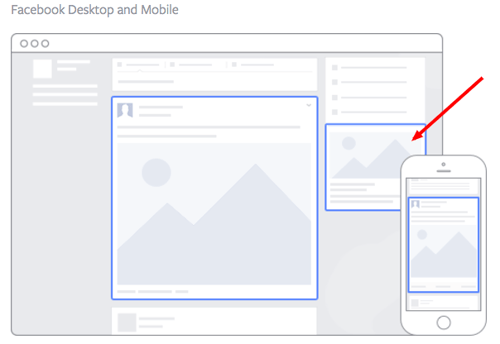
Image via Facebook
This type of ad is the most traditional on Facebook, it appears on the right side of a user’s Facebook News Feed. This is the first type of advertising Facebook had, and it still exists today.
Although ads in the News Feed are likely to get higher engagement metrics due to its native advertising features, right column ads shouldn’t be forgotten. We often see less expensive clicks and conversions when using these ads. In order for a right column ad to be successful, it needs to be relevant, have a value proposition, a good visual, and have a call-to-action.
Placement 2: Desktop News Feed
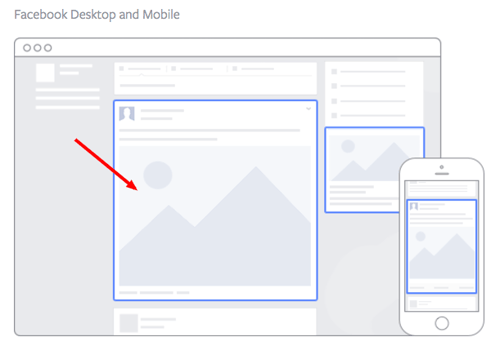
Image via Facebook
This type of ad appears directly in a user’s News Feed when they access Facebook on a desktop computer, and it looks more like native advertising. In our experience, these ads have a higher engagement rate than right column ads, but they can also be more expensive. These ads must follow organic Facebook posts best practices and be both engaging and visual.
Placement 3: Mobile News Feed
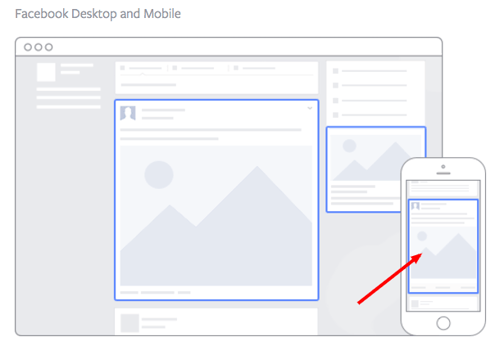
Image via Facebook
Like the desktop News Feed ad, this type of ad appears in the user’s mobile News Feed and displays like an organic post from the people and Pages they follow.
Facebook Ad Formats
Next, you’ll choose a format for your Facebook Ad, and there are eight options to choose from:
Format 1: Photo Ad
Photo Ads are still images that can help to promote a product or event you want to specifically call attention to. If you have a special promotion going on, for example, this ad format puts a crisp snapshot of your product or venue at the center of your ad.
For ads shown in a Facebook News Feed, the recommended image resolution is at least 1080 x 1080.
Format 2: Video Ad
Video Ads have a GIF or video as the centerpiece of the advertisement, and can be used to demonstrate a product or event. Video Ads help you form deeper connections with your audience by aligning your brand with a type of content online users are quickly consuming more of (nearly 80% of all data consumed on mobile devices will be in video form by 2021, according to a Facebook study).
There are six types of video ads you can invest in on Facebook:
- Short Videos and GIFs
- Vertical Videos
- Instagram Stories
- Video Carousels
- Video Collections
- In-stream Videos
Format 3: Stories Ad
Stories Ads are a part of Facebook Stories, one of the newest content types rolled out by Facebook that allows users to post temporary clips and images of their day for their friends to see. This type of ad is fitted to the dimensions of a mobile device, and can be played on both mobile and desktop.
As users browse their friends’ Stories, these ads can appear in the same format inside a stream of Stories. For this reason, it’s best to create Stories Ads that reflect the same candid and entertaining look and feel that people see from their friends. Stories Ads can be placed on Facebook, Messenger, and Instagram.
Format 4: Messenger Ad
A Messenger Ad appears as a direct message in a user’s message list when they’re inside Facebook’s Messenger app. These ads allow you to interact with your audience, showing them offers you think they would like and listening to their responses so you can better tailor your next message to their interests.
Let’s say your ad’s first message is “What product might you be interested in?” The user can then select from three different responses, triggering your ad to produce a more specific product offer directly in the message thread.
Format 5: Carousel Ad
Carousel Ads contain a series of images or videos that users can rotate through, all of them helping to describe a single product, service, or event the ad is promoting. Each Carousel Ad can contain up to 10 images or videos at a time and link to their own individual web pages. Because these ads carry so much media, according to Facebook, they’re ideal for:
- Endorsing multiple products.
- Promoting multiple features of the same product.
- Telling a story or sequence of events that unfolds over the course of multiple pictures or videos.
- Explaining a process to potential customers.
Format 6: Slideshow Ad
Similar to Carousel Ads, explained above, Slideshow Ads segment your ad into individual images that users view one after another. The difference between these two ad formats is that Slideshow Ads only play images (not videos), and the ad compiles these images into a slideshow that plays automatically in the form of a video. According to Facebook, Carousel Ads are ideal for:
- Creating a video-like experience for users quickly and with a small budget.
- Advertisers who want to choose from a library of pre-created images and music (a unique perk of Facebook’s Slideshow Ad).
- Simplifying an otherwise complicated concept or process for potential customers.
- Reaching people who have slower internet connections (Slideshow Ads use five times less data than video ads on Facebook).
Format 7: Collection Ad
A Collection Ad allows advertisers to bring the buying process directly into Facebook, so potential customers can move from “discovery” to “purchase” more easily when they see a product they like. This ad format features a central image or video promoting a product, with a collection of four smaller images below it that viewers can click on to learn more about the product. There are four types of Collection Ads you can invest in:
- Instant Storefront: This ad is ideal for displaying multiple products as part of the same ad campaign, and driving traffic to each product’s respective product page.
- Instant Lookbook: This ad is ideal for demonstrating or modeling a product in various contexts for your audience.
- Instant Customer Acquisition: This ad is ideal for driving traffic to, and prompting them to take a specific action on, a product’s landing page.
- Instant Storytelling: This ad is ideal for telling a story about your brand or helping your audience learn more about the business.
Format 8: Playables
Playables cater specifically to app developers. This ad format allows your audience to watch, preview, and even play an abbreviated version of your new app directly from inside the ad.
8 Facebook Ad Templates
Facebook Ads can be used to accomplish a number of different goals for your business. Here are a few real ads that you can use as templates of inspiration when creating an ad that targets the same goal:
Template 1: Video Product Demo Ad
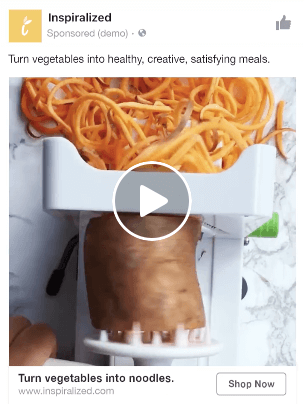
Image via Facebook
Video ads appear fairly large in the user’s News Feed and offer more engaging content than static posts. And with 8 billion video views being watched on Facebook every day, it serves as an interesting — and potentially profitable — ad type for marketers to try out.
How can you create your own video ad? First, understand Facebook video ad requirements including length and video size. We suggest keeping your video as short as possible, even though Facebook allows you to upload a much larger video. Create a video that displays your product or service, and upload directly to the Facebook ads manager by following these instructions.
Template 2: Photo Model Ad
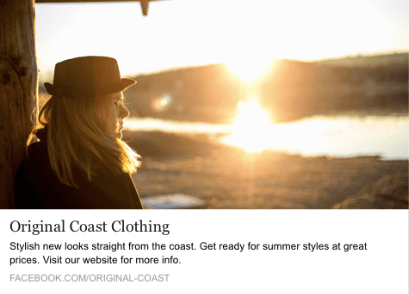
Image via Facebook
Another type of rich media advertising on Facebook is a post of an image. This is one of the most popular types of ads ever since Facebook began favoring visual content. The optimal size for News Feed photo ads is at least 1080 x 1080 pixels, otherwise your image will get cropped. Adjust your image based on the target audience’s needs and by what will appeal to them the most.
Template 3: Multi-product Ad
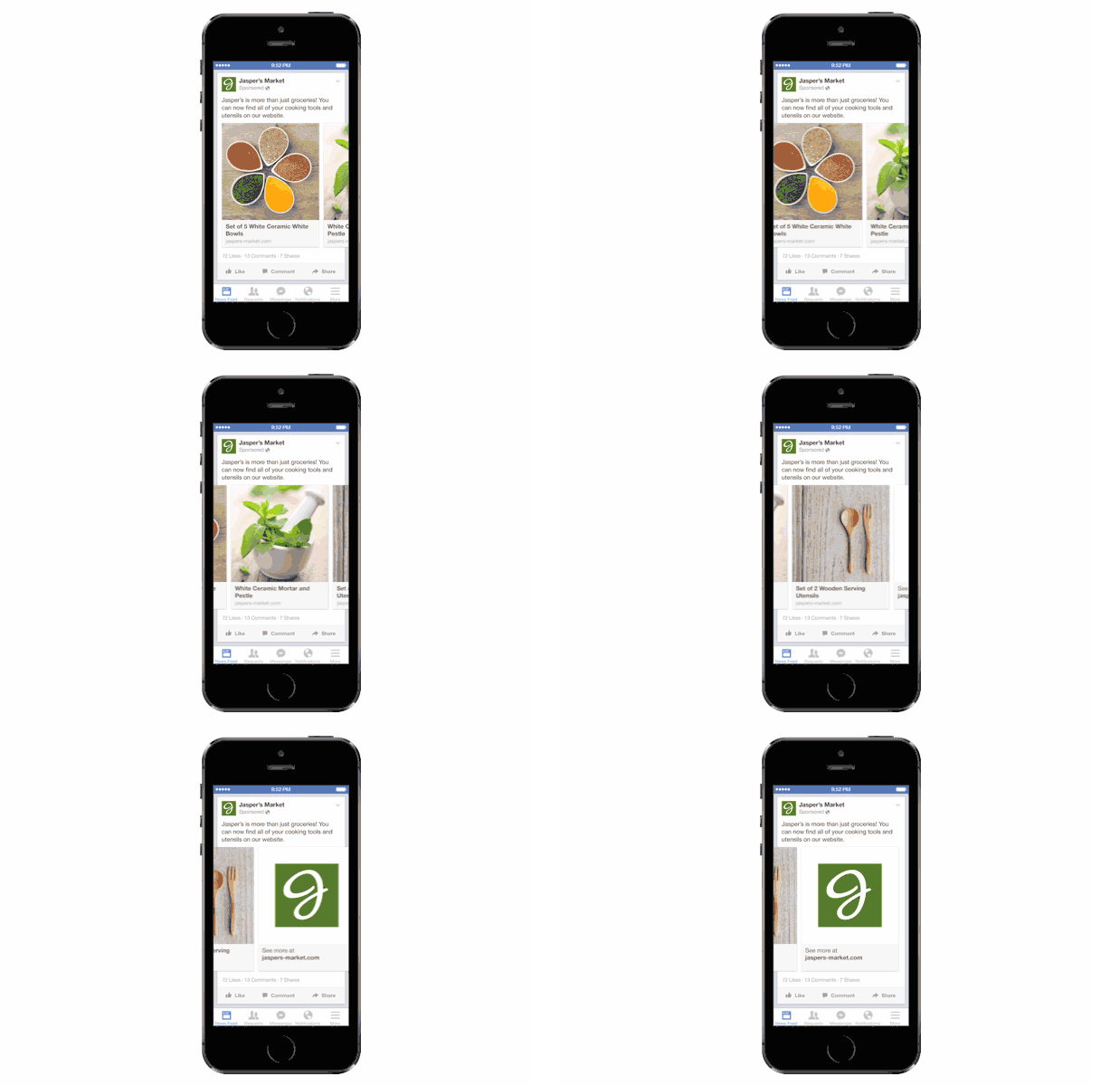
Image via Facebook
Multi-product ads allow advertisers to showcase multiple products within one ad. Viewers can scroll through the images and click on individual links to each product. You can promote multiple of anything, not just products — like different blog posts, ebooks, or webinars. These ads can be created in the Facebook Power Editor.
Template 4: Reach Ad
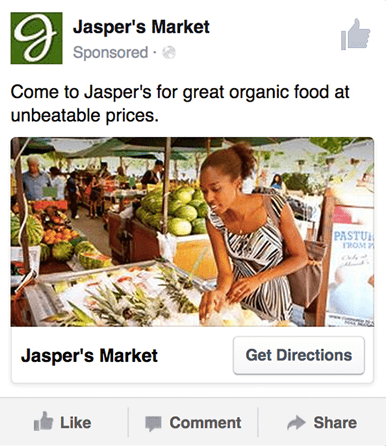 Image via Facebook
Reach ads on Facebook are designed to grow your local awareness. They only work if your business has a physical location to which you’re trying to drive real foot traffic. If you fall into this category, locally targeted Facebook ads might be a great fit for you, as you can hyper-target on Facebook down to the mile.
If your business has an offer or event going on at your store, set up a few Facebook Reach ads that appear only to people within a short distance of your store. Have these ads appear a few days prior to the event and on mobile devices while the event is happening. You may want to reach some people the day of the event who happen to be in the area and checking their Facebook account on their smartphones.
Template 5: Special Offer Ad
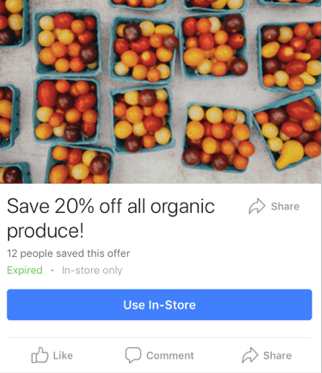 Image via Facebook
An offer ad is a form of Facebook advertising wherein a business can promote a discount on a product or service that can be redeemed on Facebook. The benefit of this? It eliminates one step in the buyer’s journey, which ultimately increases sales.
The offer ad has many benefits. First, it drives the user directly to the offer. The user claims it directly on Facebook, removing any added friction of needing to go to your website for the offer. You also can reach any type of audience that you want, as all the Facebook targeting options are possible.
Finally, you can include all the information needed for the user to decide if they want it or not, including the time period it is usable, the number of people who has already claimed it, and the exact amount the offer is. This will eliminate any unqualified clicks, which cost you money.
Template 6: Event Ad
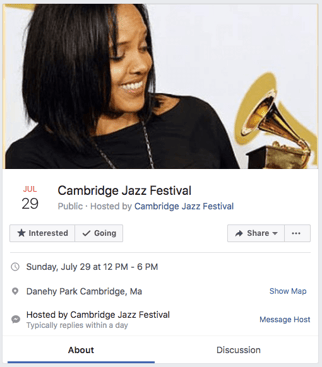
Event ads promote a specific event. The CTA on these ads usually send users directly to the ticket purchase page, wherever that happens to be hosted.
Using this type of ad will help drive a targeted group of people to attend your event. These will show up in the News Feed of the specific audience you’ve chosen. Events are a big part of most businesses, but getting people to attend even a small event, can be tricky. Promoting your event to a targeted specific audience on Facebook can help drive the right kind of attendees.
A good ad in this format will clearly show the benefit of attending the event: the price, dates, and a clear CTA to purchase a ticket.
Template 7: Boosted Ad
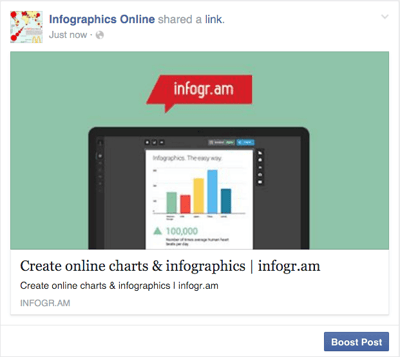 Image via Stealth Seminar
A boosted post is an organic Facebook post that was originally on the homepage of a company’s Facebook, and that later was boosted with advertising money.
This is different from the above ads because it’s not created in the Facebook Ads Manager. You can include more in the description, as there is no limit to word count on boosted posts like there is in ads. You can also have a link in the copy.
The cons? Boosted posts leave you fewer options for bidding, targeting, and pricing. You also cannot run any types of A/B tests because you’re promoting a post that has already been created; you’re not creating one from scratch.
Template 8: Retargeting Ad
A retargeting ad promotes an ad to a specific list of previously identified people. Have you ever seen ads follow you across the internet after visiting a certain website? Then you’ve seen a retargeting ad.
Facebook has the same capability. An advertiser can advertise to a list of leads or customers by uploading a list of email addresses it already has into the Power Editor to make a custom audience. A good retargeting ad acknowledges that the brand knows you’re already interested in its product. (Because let’s face it… retargeting can be a little creepy.)
Now that we’ve covered the main ad best practices, formats, and templates, let’s dig into a sampling of the best Facebook ads that embrace the above guidelines.
Best Facebook Ad Examples
- SofaLush
- Lume Deodorant
- Kay Jewelers
- Monday.com
- Amazon
- NatureBox
- Winc
- Shutterfly
- MU Campus Dining
- Boston Sports Clubs
- Allbirds
- The New York Times
- Tortuga Music Festival
- Adrianna Papell
- Bustle
1. SofaLush
Video Ad

Why This Ad Works
- It’s visual. The video in the ad clearly demonstrates how the product works. Also, the video opens with a pressure cooker that seemingly “disappears” during the course of the video. This Easter egg prompted a lot of engagement in the comments, which further improved the ad’s performance.
- It’s relevant. It’s relevant to me because I was recently looking for new couches. This product shows an alternative to replacing my couch, on the off-chance that I might want to get more mileage out of my existing couch before making a new purchase.
- It’s valuable. The “how-to” style of the video is meant to underscore the value proposition: making your existing furniture more stylish… without a lot of hassle.
- It has a solid call-to-action. The ad states that there is over 150 designs to choose from and has a button that prompts me to “shop now” and see if one of them would fit my style.
2. Lume Deodorant
Video Ad
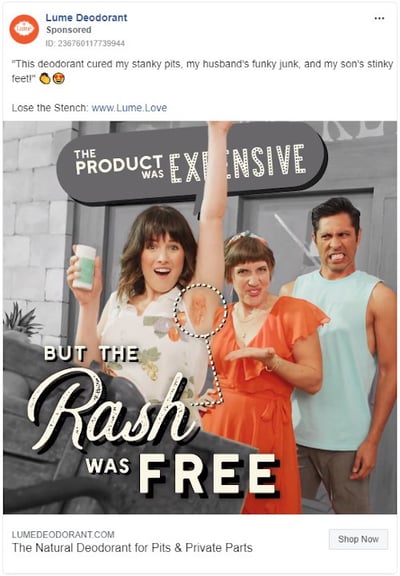
Why This Ad Works
- It’s visual. The beginning of the ad starts with a musical number. The singers are top-notch, the lyrics are hilarious, and they use visual and text cues to support the song throughout the ad.
- It’s relevant. I have been recently researching skin care products to being a new regime. With this behavior cue, Lume knows that organic deodorant is better for skin but many brands fall short of being able to block odor, and some even cause rashes.
- It’s valuable. Knowing where other organic deodorants fall short, Lume positions their brand without those drawbacks, and they do it in a clever and engaging way (the song).
- It has a clear call-to-action. The end of the video prompts the user to click on the link, and there’s also a “show now” button.
3. Kay Jewelers
Video Ad

This Facebook video ad from Kay Jewelers tells a quick but moving story — something Kay Jewelers is well-known for — using just a few seconds of your time. You don’t even need the sound on in the video above to know what’s happening and the message Kay is sending.
If you’re advertising a product with sentimental value, like Kay Jewelers, video ads are the way to go. Just be sure your video has a clear (and happy) ending — people view videos more passively on Facebook than they would on YouTube and don’t have time to interpret your ad if it’s too long or complex.
Why This Ad Works
- It’s visual. Even though this is a video, I have a general idea of what I will be watching, thanks to the screen capture it started with. Additionally, I can understand the gist of this ad without playing with the sound on, which is important given that 85% of videos on Facebook are now viewed without sound.
- It’s relevant. It’s relevant to me because I was recently scouring jewelry websites, specifically for necklaces like the one in the ad.
- It’s valuable. Kay shows potential customers the value of purchasing with the help of the happy reaction from the woman receiving the gift in the ad. Plus, who doesn’t love dogs?
- It has a solid call-to-action. This ad is set up to drive Page Likes, which is an easy, one-click way for me to get more relevant content served up to me.
4. Monday.com
Photo Ad
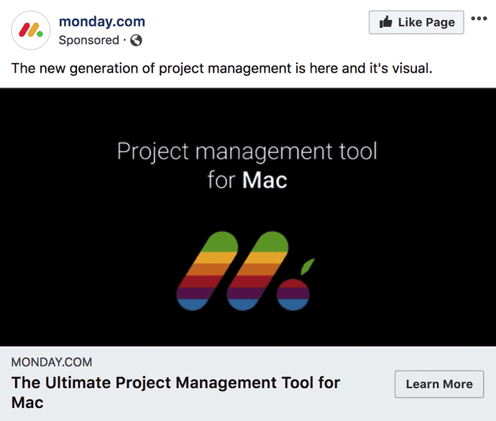
Monday.com is a task-management tool that caters to multiple operating systems, both desktop and mobile. But in the photo ad above, the company used its compatibility with Mac computers to remix its own logo in the original rainbow colors of the Apple brand.
For growing businesses like Monday.com, it’s a smart idea to pivot off the brand awareness of household names. By filling the Monday logo with Apple’s famous rainbow color-way, the ad above captures the attention of Mac users who’d recognize those vintage rainbow stripes anywhere (and could use a new task-management tool that works on their computer).
Why This Ad Works
- It’s visual. The rainbow colors filling the Monday logo are both eye-catching against the black background and familiar to any Mac user.
- It’s relevant. For Mac users, and those who need to organize their tasks on a regular basis, this ad is relevant to their lifestyle in more ways than one.
- It’s valuable. The ad calls attention to Monday’s compatibility with Mac computers, making the product’s user experience more valuable to Mac users as a result.
- It has a clear call-to-action. The “Learn More” CTA on the bottom-right of the ad is a clear invitation to find out more about this product’s usage on Apple hardware.
5. Amazon
Event Ad
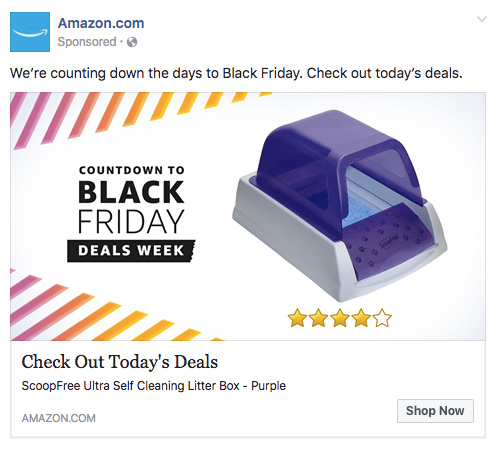
This is how an event ad from Amazon looks in the News Feed on a desktop. This ad works well on a few different levels: A sample product is clearly displayed, the ad shows an impressive (but honest) rating of that product, and you know which event Amazon is promoting right away — Black Friday.
Ecommerce companies like Amazon use event ads to boost sales at specific points during the year, and Facebook event ads make this easy. When investing in event advertising, build a list of the holidays, shows, conferences, and awareness months your business cares about. That way, you know exactly which marketing campaigns line up with these occurrences and when to promote it on your Facebook Business Page.
Why This Ad Works
- It’s visual. Not only is this image larger than the right column ad display, but it also uses warm colors, white space, and directional lines, which drew my eye towards the featured product.
- It’s relevant. As a cat mom, this offer is clearly tailored to my consumer needs.
- It includes an enticing value prop. Amazon has advertised a self-cleaning litter box here, which is of tremendous value for any cat owner. Additionally, it shared the strong customer ratings below an image of the product. (Social proof, anyone?)
- It has a clear call-to-action. Amazon instructs me to click on its ad today, after which point the deal for the litter box will presumably disappear. “Now” is strong CTA language that compels clicks.
6. NatureBox
Photo Ad
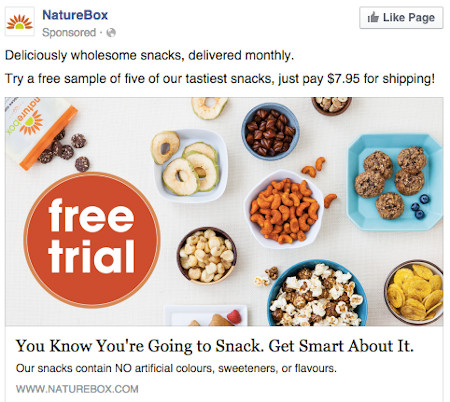
This photo ad by NatureBox features a creative point-of-view shot that is perfect for the angle at which you’d dive into the company’s various health snacks. The ad makes you imagine your next house party … I thought the peanuts spilling out onto the table was a nice touch.
In your next Facebook photo ad, play around with live-action photography and digital design in the same image. As you can see in the ad above, NatureBox was able to design a vibrant “free trial” icon right on top of an image that would’ve worked just as well on its own.
Why This Ad Works
- It’s visual. The image shows you exactly what you’re getting, and it calls out the “free trial” CTA well.
- It’s relevant. Everyone likes to snack. In all seriousness, the person who saw this is a fan of several lifestyle subscription companies, which is what NatureBox is.
- It’s valuable. This ad is full of value. First, the “free trial” callout is the first thing your eyes go to when looking at the image. Second, it clearly mentions the healthy aspects of the goodies in its product.
- It has a clear call-to-action. NatureBox is asking you to try its free sample. It couldn’t be easier to know your next step.
7. Winc
Retargeting Ad
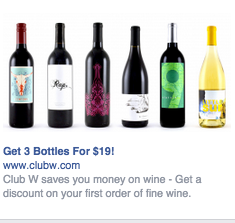
Here’s an example of a short and sweet (literally) retargeting ad from Winc (formerly known as Club W). This ad is displayed on the right column of Facebook specifically for users who browse wine-related content online. When your ad caters to people who you know would be interested, modeling the product the way Winc does above can be a home run for your brand.
Why This Ad Works
- It’s visual. The visual is clear, simple, and appealing to all types of wine-lovers.
- It’s relevant. This came up in my wine-obsessed colleague’s News Feed. Need I say more? Two thumbs up on relevance.
- It includes an enticing value prop. Three bottles for $19? What a steal. They also pull the viewer in with an additional value: a discount on their first order of wine.
- It has a strong call-to-action. The word “get” is strong call-to-action language, and it’s used twice here. A time limit on this offer would have made it even stronger.
8. Shutterfly
Multi-Product Ad
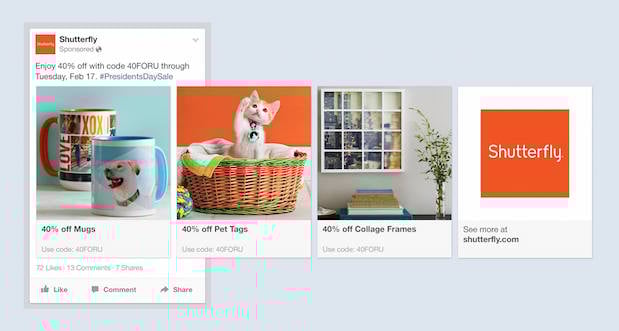
Here’s an example of a multi-product ad from Shutterfly, along with the additional images that are used in the ad. Each image has a different offer, to appeal to many different demographics in one ad.
In each image, the product being promoted is consistent in the look and feel of the Shutterfly brand — this an important quality of ads that showcase more than one item and picture.
Why This Ad Works
- It’s visual. This series of images leans on a consistent color palette, making it feel both cohesive and on brand. (Having a cute cat doesn’t hurt either.)
- It’s relevant. The person who saw this loves taking photos and creating sentimental gifts. Spot on, right?
- It’s valuable. There is a very clear value for the user, 40% off each of the products being advertised. The code and sale end date are also clear in the ad description. This ad also has an added level of value, it is showing the many different ways people can use Shutterfly, in ways many may not be aware of.
- It has a clear call-to-action. I know I need to use this before February 17th when this deal expires, so I would be encouraged to take action right away.
9. MU Campus Dining
Reach Ad
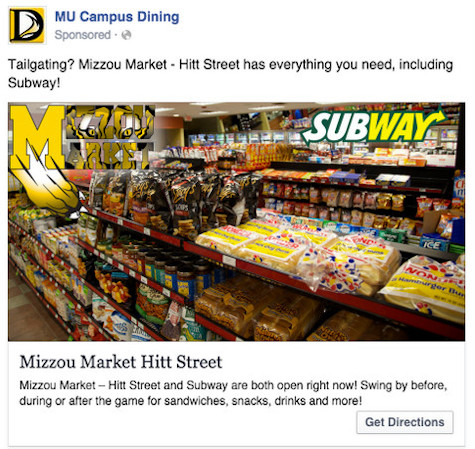
This Facebook reach ad from Mizzou Campus Dining promotes amenities at the University of Missouri, using two familiar logos and a marketplace that anyone on campus might recognize.
The ad copy beneath the image invites customers in “after the game” — a reference to campus life that helps Facebook users imagine when they might want to stop in for a sandwich.
Why This Ad Works
- It’s visual. This image has college pride, a variety of salty and sweet treats, and a well-known logo to attract hungry college students.
- It’s relevant. This ad is likely only being shown to students on campus who are in its target audience. It also mentions the sports game that was going on at the time and plays to the student’s current needs: snacks and Subway sandwiches.
- It’s valuable. Mizzou Market is telling hungry college students that it has everything students need for the big game.
- It has a clear call-to-action. This ad has the option to show directions, making it extremely easy for a college student on the go to follow the walking directions to this market.
10. Boston Sports Clubs
Offer Ad
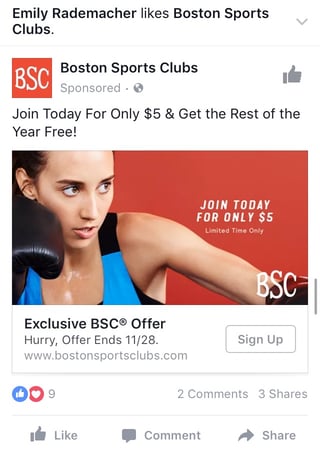
All consumers really need to see is the boxer pictured above to know what this ad by Boston Sports Clubs (BSC) is offering. The woman in the photo even looks like she’s staring at the text to her left, getting viewers to shift their attention to the promotion right away.
This Facebook offer ad makes it obvious what customers would be signing up for when they click the “Sign Up” CTA button below the picture. Offer ads can easily mislead viewers into pressing their CTA just to get them to click on it, but it ultimately doesn’t convert viewers into customers. BSC’s approach above is clear and upfront about what it’s offering throughout its conversion path.
Why This Ad Works
- It’s visual. The featured photo uses bold colors and clear typography to draw my attention to the details of the offer, and the woman exercising gives me an idea of what I could gain from purchasing the offer.
- It’s relevant. I recently moved to Boston and have been searching for gyms in my area online, so this ad is highly relevant to my recent Facebook and search activity.
- It’s valuable. Paying $5 for a monthly gym membership is a great deal. Even though the price may increase in the future, the low price definitely makes me want to click.
- It has a clear call-to-action. The CTA emphasizes that the discount offer is limited and should be claimed quickly using the word “hurry” and telling me when the offer expires.
11. Allbirds
Video Ad

This video ad by Allbirds, a shoe maker, uses simplicity and whitespace to its advantage. The video only lasts nine seconds, but Allbirds demonstrates the product in a way that catches your attention and resonates with the individual wearer.
There’s a lot of ad content on Facebook, and when Facebook users scroll through their News Feeds, that content start to blend together. Sometimes your best chance at sticking out on Facebook is by using subtle movements and details — like Allbirds did, above. Let every other video on Facebook be quick and flashy, and yours will be a breath of fresh air to your audience.
Why This Ad Works
- It’s visual. The video has a clear focus on a subject, and that subject is engaging in a movement that means something: These shoes are comfy. I subconsciously started wiggling my own toes as I saw this ad for the first time.
- It’s relevant. I’m always interested in finding new shoes — I probably search or click on something related to footwear once a week. This ad feeds that interest in a unique way.
- It’s valuable. The opening quote above the video is reason enough for me to want to learn more about why these shoes are so comfortable. Allbirds also sweetens the deal with “free shipping,” “free returns,” and a note below the video that the product is “machine washable” — all without taking the focus away from the video itself.
- It has a clear call-to-action. If I want these shoes, there’s a “Shop Now” CTA button to the bottom-right of the ad, waiting for me take a closer look at them.
12. The New York Times
Photo Ad

This photo ad by The New York Times is driving traffic to a written article with an intriguing illustration. The drawing literally depicts the article’s ideal audience — millennials. For young readers who are even a little interested in health and fitness, this cartoon (along with the enticing headline) pokes just enough fun at them to get their attention.
When publishers advertise on Facebook, they need to be especially creative with their featured images — if their main product is a reading experience, the photo they choose has to complement their written content perfectly. The New York Times’ ad above is an example of photo ads done right.
Why This Ad Works
- It’s visual. The quirky cartoon drew my eye as I scrolled on my mobile News Feed through lots of text and photography. The nontraditional illustration pulled me in for a closer look at the content.
- It’s relevant. I’m a person in my 20s, and I used to write about health care. This is an article I would definitely be interested in reading, and it helps that the ad appears like a native post promoting an article in my News Feed.
- It includes an enticing value prop. The ad shows me which of my Facebook friends also like, and presumably read, The New York Times. This social proof makes me more likely to click and read the article.
- It has a clear call-to-action. This ad is dedicated to increasing the page’s Likes, and by asking a question in the ad, the call-to-action makes me want to click the article to learn more.
13. Tortuga Music Festival
Event Ad
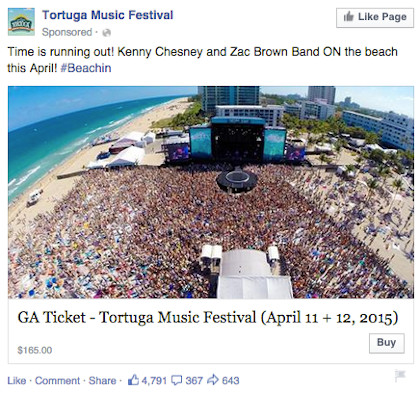
Successful event ads have at least two important qualities: the event’s schedule and something to justify why people should attend. The event ad above for the Tortuga Music Festival accomplishes both of those things — it displays the date and time and the bands playing, and shows you a picture of the amazing time you’ll have if you come.
Why This Ad Works
- It’s visual. The picture alone is worth a thousand words about how much fun this concert would be. Not only is it on the beach, it was also taken on a gorgeous day and the stage looks amazing. Also, it clearly represents what to expect during the event, and it catches the eye as someone scrolls through their News Feed. (The beautiful ocean water definitely helps.)
- It’s relevant. The person who saw this ad is a fan of Kenny Chesney and has been to his concerts before. They’re also originally from Florida, which is where this event takes place.
- It’s valuable. Since the image was taken on a beautiful day, it looks like an ideal place to be — especially to those of us viewing it from our office desks. It also clearly tells you the cost of the ticket so you know before you click. (This is also good for the advertiser: By including the price, the ad allows users to self-select based on whether they can afford the ticket. If they can’t afford it, they won’t click through, thus saving the advertiser money on unqualified clicks.)
- It has a clear call-to-action. The CTA is clear: “Buy.” The advertisers also add urgent wording with the title “Time is running out!”, encouraging you to purchase your ticket now before it’s too late.
14. Adrianna Papell
Retargeting Ad
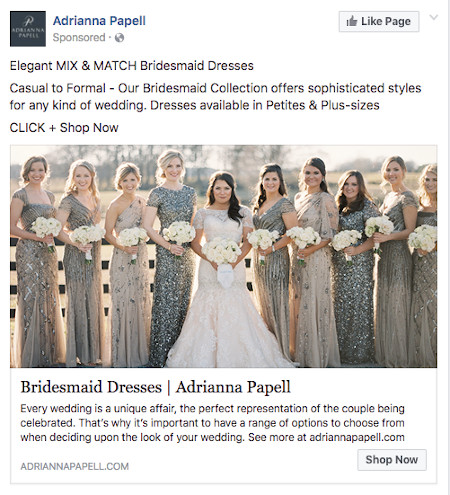
Last week, I started shopping around for a bridesmaid dress for an upcoming wedding I’ll be in. Today, the ad above appeared in my News Feed.
Retargeting ads enable you to get in front of those viewers who are already looking for what you’re offering. This retargeting ad by Adrianna Papell doesn’t just show me what I’m on the market for — it excites me about how beautiful our own wedding party pictures will look on my friend’s big day.
Why This Ad Works
- It’s visual. The image gives me a good idea of what to expect from the designer’s website, and it definitely helps that the gowns are both unique and stunning. Talk about a showstopper.
- It’s relevant. The ad called out that I was already shopping for bridesmaid dresses, and what’s more, I had previously looked at dresses on this exact website, so this ad is highly relevant to my search.
- It’s valuable. The variety of dresses in the ad’s image and in the description make this website worth a visit for someone trying to find the perfect gown out of thousands of options.
- It has a clear call-to-action. The CTA is “Shop Now,” which encourages me to click to purchase the beautiful dresses in the ad’s image.
15. Bustle
Boosted Post
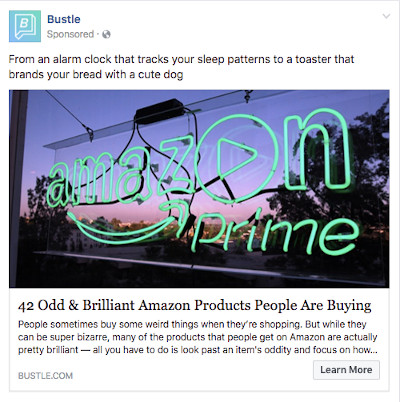
Here’s an example of a boosted post from Bustle, who promoted one of its articles on Facebook. Paying to “boost” a post you already posted organically to your Facebook Business Page can greatly benefit content that has mass appeal — versus a post that targets a specific segment of your audience. Bustle’s choice of boosted post here falls into that first category.
From Amazon’s vibrant neon sign in the photo, to the high number of examples included in the article (42, to be exact), Bustle’s boosted ad is sure to pique the interest of many Amazon and Bustle followers.
Why This Ad Works
- It’s visual. Lots of people are familiar with the Amazon Prime logo, but not in neon lights in a window display. It made me do a double-take while scrolling through Facebook.
- It’s relevant. As we’ve already learned from earlier examples, I like shopping on Amazon and also read Bustle, so this article is a combination of those two behaviors.
- It’s valuable. “Brilliant” is a strong adjective to describe products, which makes me curious to learn more about purchasing them.
- It has a clear call-to-action. The ad entices me with information about useful and “brilliant” gadgets I can get delivered to my door within two days, which I’m happy to click to learn more about.
There you have it: A list of all the different types of Facebook posts and a few examples of awesome ones from all different brands. The Facebook Ads Manager platform will walk you through how to set these up with simple, step-by-step instructions — so don’t feel overwhelmed. Or, watch this short video for tips on creating and optimizing Facebook ads.
You can
integrate Facebook Ads
reporting into the
HubSpot Ads
App to make reporting and analyzing your advertising ROI easier. You’ll be able to easily see which Facebook Ads generate leads and increase your ROI without having to analyze the data yourself. You can also use this integration to edit Facebook Ads from directly within your HubSpot portal. Customers can sign up to
test this integration here
.
Now, stop reading and start creating.

LinkedIn Live Streaming for LinkedIn Events
Welcome to this week’s edition of the Social Media Marketing Talk Show, a news show for marketers who want to stay on the leading edge of social media. On this week’s Social Media Marketing Talk Show, we explore LinkedIn live streaming for Virtual Events and LinkedIn Polls with special guest, Michaela Alexis. We also discuss […]
The post LinkedIn Live Streaming for LinkedIn Events appeared first on Social Media Marketing | Social Media Examiner.
from Social Media Marketing | Social Media Examiner https://ift.tt/2Z6UhP0
via socialmediaexaminer
How to Use Facebook Live: The Ultimate Guide
In April 2016, Facebook launched Facebook Live, a live video streaming service that lets anyone broadcast from their mobile devices straight to their Facebook News Feed.
Since its launch, live streaming video has exploded in popularity — particularly on Facebook Live, where according to Vimeo, 78% of online audiences are watching video on Facebook Live as of 2018.
It’s no mystery why Facebook Live is so popular: Videos see 3X the engagement of traditional videos shared on Facebook, and millions of users live stream on Facebook around the world.
What is Facebook Live?
Facebook Live is a feature of the Facebook social network that uses the camera on a computer or mobile device to broadcast real-time video to Facebook. Live broadcasters can decide who on Facebook can see their video and use this content to engage their audience during the moments and events that are important to them.
Why are marketers getting so excited about Facebook Live? Because it’s a fun and fairly simple way for them to use the power of video to communicate their brand stories, and build authentic relationships with fans and followers — in real time.
However, for such a simple concept, Facebook Live has a lot of little nuances that marketers will need to learn if they want to get the most out of the platform. This guide will help you learn the best tricks that can make a big difference in how many people see your live broadcast, how they engage with it, and how it performs.
In this post, we’ll walk through the following:
- How to broadcast on Facebook Live via your mobile device
- How to go live on Facebook from a desktop
- How to analyze your live video’s performance
- Tips and tricks for getting the most out of the platform.
Click here to skip down to our Facebook Live tips.
Facebook Live started as a mobile-only broadcasting feature, but now, Facebook Pages can broadcast from either mobile devices or desktop computers. We’ll go over how to broadcast from mobile and desktop devices in the sections below.
The following instructions will teach you how to go live on Facebook mobile. To get started, get out your mobile device and open up the Facebook app.
How to Use Facebook Live
- Tap the camera icon to the left of your search bar.
- Give Facebook access to your camera and microphone when prompted.
- Switch to “Live” on the bottom of your camera screen.
- Choose your privacy and posting settings.
- Write a compelling description.
- Tag friends, choose your location, or add an activity.
- Set your camera’s orientation.
- Add lenses, filters, or writing and drawing to your video.
- Click the blue “Start Live Video” button to start broadcasting.
- Interact with viewers and commenters.
- Click “Finish” to end the broadcast.
- Post your reply and save the video to your camera roll.
1. Tap the camera icon to the left of your search bar.
Open your Facebook mobile app and visit your News Feed. You’ll see a camera icon to the left of your search bar — tap it to open your camera. You’ll have to give Facebook permission to access your mobile device’s camera and microphone in order to go live.
You can also go live on your own Facebook profile. Open up the status bar by tapping the text that reads “What’s on your mind?” Then, select the “Go Live” option from the menu, as shown below.
2. Give Facebook access to your camera and microphone when prompted.
You’ll stop receiving these prompts after the first time you use it.
Once you permit Facebook to use your mobile camera, you’ll be asked to permit use of your phone’s camera content, as shown below. This will trigger your ability to switch from using your rear-facing camera to your front-facing camera — options that will come into play in step 7 of this guide.
3. Switch to “Live” on the bottom of your camera screen.
Once you’ve given Facebook access to your mobile device’s camera and microphone, you’ll be ready to shoot. However, your Facebook camera defaults to non-live photo shooting when you open it.
To switch your Facebook camera to live video, look to the bottom of your screen for the various types of visual content you can create. On the far left, as shown below, you’ll see the setting, “LIVE.” Tap it once. (Don’t worry, you won’t go live right away.)
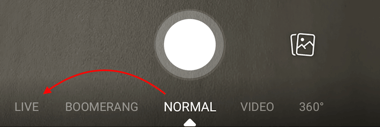
4. Choose your privacy and posting settings.
In the screenshot below, see how Facebook Live is set to “Only me” and “Post, Story” at the top of the screen? This means only I can see the live video — none of my Facebook friends or followers can — but it’s set to post the video as a regular Facebook post and as a Facebook Story if I want it to. You can change these settings by tapping on them.
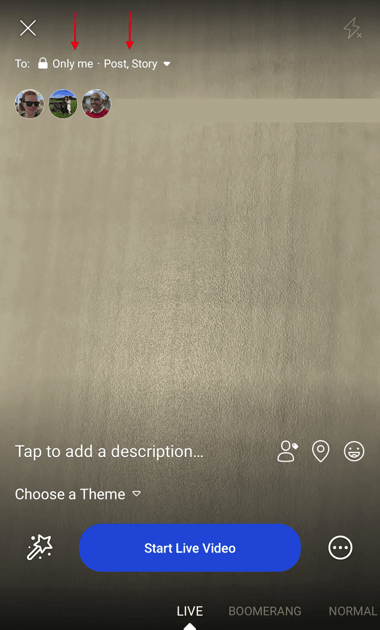
If you’re posting for a brand, you’ll probably want to make it public so it can reach everyone in your audience who’s currently on Facebook. If you’re posting as yourself, you might want to reserve your broadcast for friends — and then set where you want to post this video, as shown below.
But if you’re new to Facebook Live and want to test it out first, or want to prepare your shot before going live, switch your video’s privacy setting to “Only Me.” You can find the “Only me” option by clicking “See More” and tapping the last bubble, per the following screenshot.
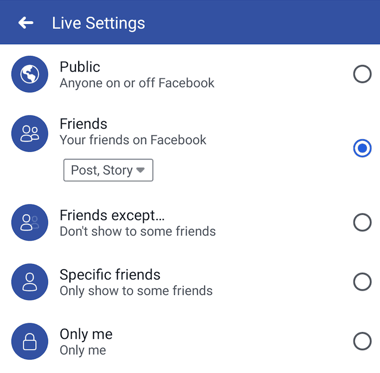
You might also see options to post your live video only to users in specific networks, such as a college or association you belong to. These options will appear below the “Only me” privacy setting.
5. Write a compelling description.
Give your broadcast a description, which will show up on people’s News Feeds like a status update above the video. To get people to tune in, write an attention-grabbing headline and help them understand what your broadcast is about.
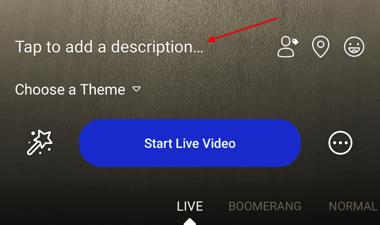
Check out the example below from The White House’s live broadcast. As you can see, your video description appears at the top of the live video when Facebook users view it, much like a Facebook photo caption or status update.
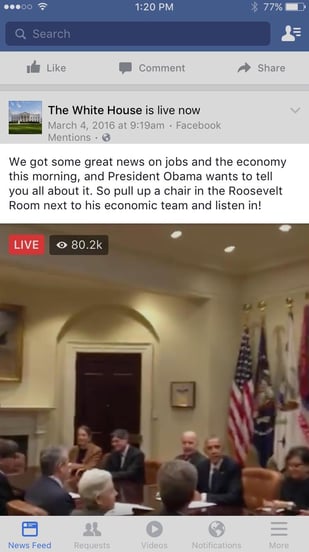
Source: Facebook
6. Tag friends, choose your location, or add an activity.
Tap the icons at the bottom of your screen to tag people who are in the Facebook Live video, add the location from where you’re shooting, or share what you’re doing in the broadcast. These touches can add more personalization to your video, increase discoverability, and make people want to tune in.
7. Set your camera’s orientation.
Before you click “Start Live Video,” be sure your camera is pointing in the direction you want it to point. In other words, do you want to go live with your front-facing camera lens, or your rear-facing camera lens?
The background of your setup screen will show you what your camera sees. If you want to change the camera view to selfie or vice versa, simply click the rotating arrows icon in the upper-righthand corner of your screen, as shown below.
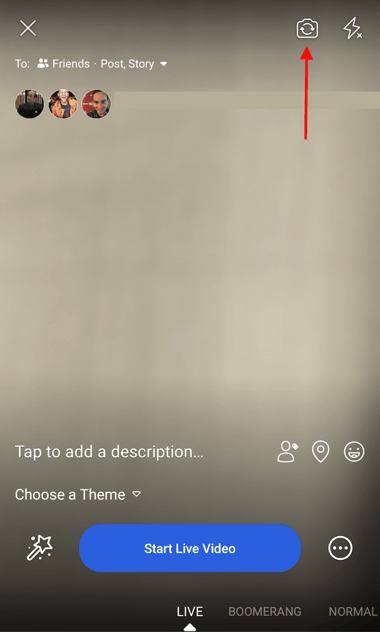
The video will be a square, so it doesn’t matter whether you hold your mobile device vertically or horizontally.
8. Add lenses, filters, or writing and drawing to your video.
Tap the magic wand icon to the left of the blue “Start Live Video” in the center of your screen, and choose if you want to add lenses to your face, change the filter of the camera, or write or draw to make the video more whimsical.
Depending on your version of Facebook mobile, some of your editing and filter options will look like the settings below.
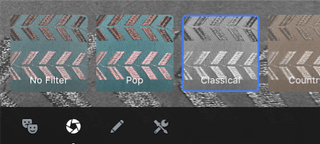
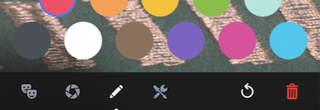
9. Click the blue “Start Live Video” button to start broadcasting.
Once you click it, Facebook will give you a countdown — “3, 2, 1 …” — and then you’ll be live. As soon as you start streaming, your live video will appear in your News Feed — and others’ News Feeds — just like any other post.
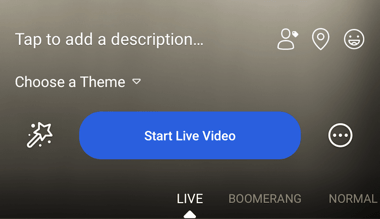
Your broadcast can be up to 90 minutes long. Keep in mind that the longer you broadcast, the more people who are scrolling through their News Feeds on Facebook will stumble upon your post.
10. Interact with viewers and commenters.
To keep your viewers engaged, encourage them to interact with your live video (which will help your ranking in others’ News Feeds). You can also interact with them both by speaking directly to them in your video and, if you want, by having someone else respond to comments from a desktop computer elsewhere.
Where can you see these comments? While you’re broadcasting, you’ll see the time elapsed on the top left along with the number of viewers, and comments will show up live on the bottom of your feed. They’ll appear in reverse chronological order, like on Twitter, so keep in mind that the earlier ones may be farther down.

Source: Facebook Newsroom
Note: You can also block viewers during a live broadcast by tapping the profile picture next to a viewer’s comment and then tapping “Block.” You can unblock someone you’ve previously blocked, too.
11. Click “Finish” to end the broadcast.
Once you do this, the video will stay on your Timeline or Page like any other video post.
12. Post your reply and save the video to your camera roll.
Once you finish your broadcast, you’ll be met with a screen similar to the one I’ve screenshot below. If you want to post it, that will enable others to view your video once you’ve stopped broadcasting. Then, tap the download button to save the video to your camera roll so you have a copy of the original for safekeeping.
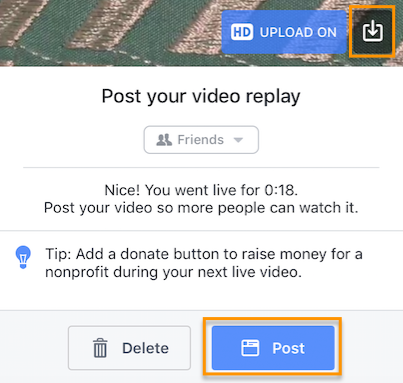
You can always go back to the post on your Timeline or Page and edit the description, change the privacy settings, or delete the video, just like you would any other post.
How to Go on Facebook Live From Desktop
If you’re an admin or editor of a Facebook Page for your brand, you can also broadcast live from a desktop computer. This isn’t as spontaneous as broadcasting from a mobile device (and, obviously, isn’t as mobile), but this could be a good option for filming more static broadcasts. For example, we recently broadcast a Facebook Live panel in celebration of International Women’s Day. The panelists and interviewer sat in place the entire time, an example of when broadcasting from a steadier device could be more effective.
1. Go to your Page and tap the “Write something” box, as if you’re writing a new post.
Tap the menu option to “See All,” and click on “Start a Live Video.”
2. Write a compelling description of your video that will appear on your Page’s Timeline and in the News Feed.
Choose a descriptive and enticing summary to draw viewers in and make them unmute your Facebook Live to start watching.
Then, click “Next.”
3. Give Facebook permission to use your computer’s camera and microphone.
You won’t be prompted for this again once you do it for the first time.
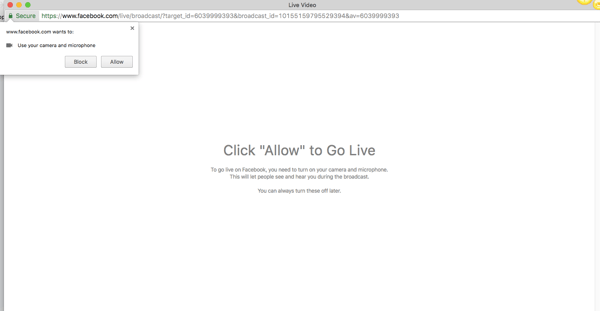
4. Check to make sure your description and video view are final before starting your broadcast.
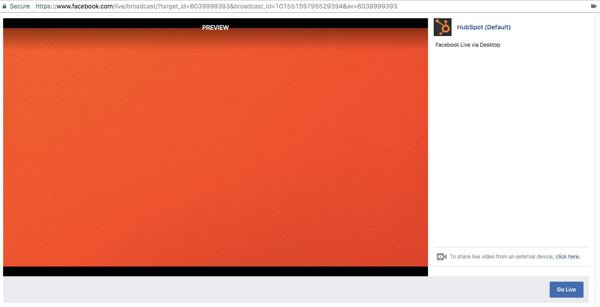
From here, you also have the option to share live video from an external device, such as a video camera or other recording device. Tap “click here” to set up that connection.
5. Press “Go Live” to start your broadcast.
Facebook will give you a “3, 2, 1 … ” countdown before going live. Tap “Finish” when you’re ready to end the broadcast.
6. The broadcast will appear in the News Feed and on your Page’s Timeline, where you can edit it by tapping the drop-down arrow in the upper-righthand corner.
From here, you can change the description, change the date of posting, or create a new Facebook post featuring the broadcast. If you want a video to garner more engagement, you can also pin it to the top of your brand’s Page so it’s the first post visitors see when they visit.
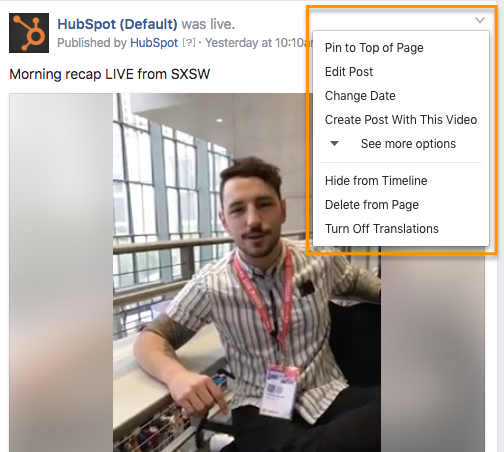
Now that you know how to broadcast from all devices, let’s dive into how to analyze Facebook Live videos.
How to Analyze Your Live Video’s Performance
How to Access Video Analytics on a Facebook Business Page
To get started analyzing your Facebook Live broadcasts, head to the “Insights” tab at the top of your brand’s Facebook Page:
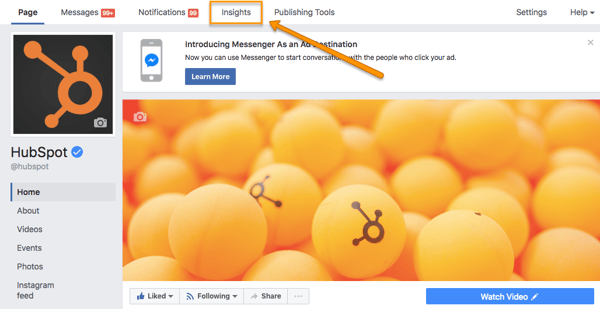
Then, head to the “Videos” section of your analytics on the lefthand side of the screen.
From there, scroll down to the “Top Videos” section, and either choose a video from that menu to look into, or tap “Video Library” to look at all of the videos your Page has ever posted.
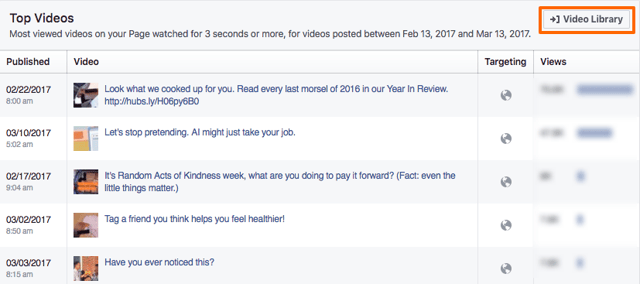
Now, let’s dive into the nitty-gritty.
The performance analytics available for Facebook Live videos are similar to those of normal videos on Facebook, with some neat additions.
- For Pre-recorded videos: Facebook lets you analyze minutes viewed, unique viewers, video views, 10-second views, average % completion, and a breakdown of reactions, comments, and shares.
- For Facebook Live videos: Facebook lets you analyze all the metrics listed above, plus peak live viewers, total views, average watch time, people reached, and the demographics of who watched your video.
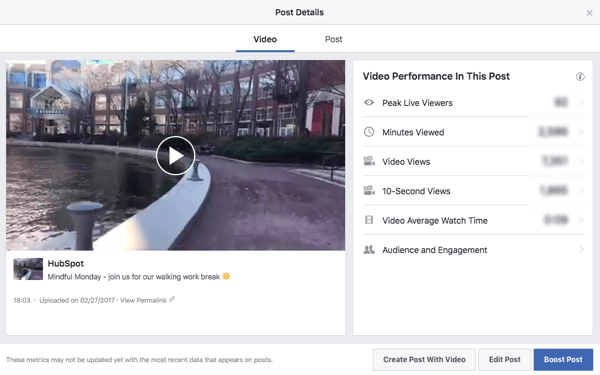
In addition to all of these static numbers, you can click into each metric to see how it changed over time when the video was live. For example, if we click into “Peak Live Viewers,” we’ll see this interactive graph of video viewers over time:
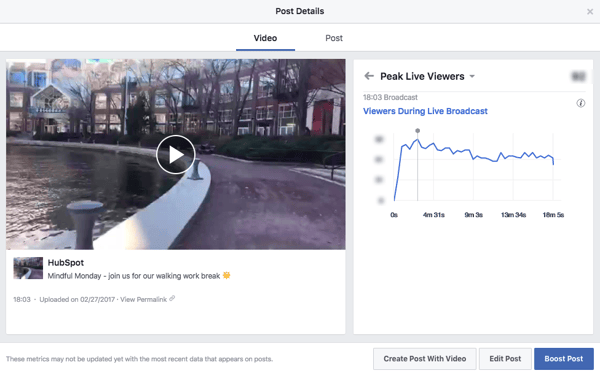
You can even see who your typical viewer was during your broadcast, based on their Facebook profile information:
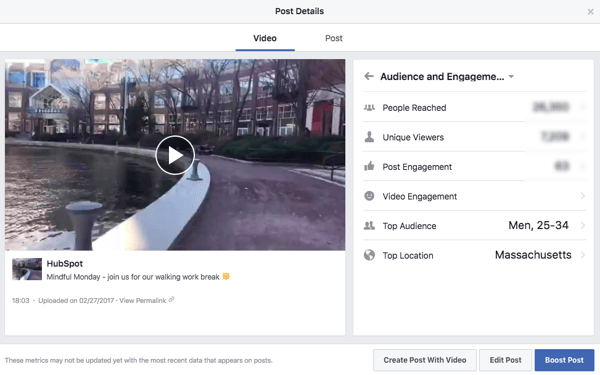
Now that you’ve got the steps down, let’s get into some tips and tricks.
Facebook Live Tips
- Test out live video using the “Only me” privacy setting.
- Space out live videos with other Facebook posts.
- Keep reintroducing yourself.
- Make the video visually engaging.
- Make it spontaneous.
- Don’t worry about mistakes or stutters.
- Encourage viewers to Like and share the video.
- Engage with commenters, and mention them by name.
- Have someone else watching and responding to comments from a desktop computer.
- Subtitle your broadcast in the comments section.
- Ask viewers to subscribe to Facebook Live notifications.
- Broadcast for at least 10 minutes.
- Say goodbye before ending your video.
- Add a link to the description later.
There are a lot of little things you can do to squeeze the most out of your Facebook Live videos. Below is an example of one of the earliest Facebook Live videos from Refinery29. This was the first video of a five-part live video series called “Chasing Daylight,” showcasing a typical night out for women in five different cities around the world. My colleague, HubSpot Marketing Manager Lindsay Kolowich, tracked this one down, and we refer to it in some of the tips below.
Warning: There is some language in the following video that is not safe for work (NSFW).
1. Test out live video using the “Only me” privacy setting.
If you want to play around with live broadcasting without actually sharing it with anyone else, you can change the privacy setting so you’re the only one who can see it — just like with any other Facebook post.
To switch the privacy setting to “Only Me,” follow steps 1–4 in the instructions above.
2. Space out live videos with other Facebook posts.
Because Facebook ranks Live videos higher than other videos and other types of posts, we recommend spacing out your Facebook Live videos with other Facebook content you post to maximize your organic reach.
3. Keep reintroducing yourself.
When you first start the video, take a minute to introduce yourself and what the video’s about. But keep in mind that when you first start live streaming, you may have zero people watching. Even a few seconds in, you could only have a handful of viewers. As people find your video on their News Feeds, they’ll join in — but that means you’ll want to reintroduce yourself a second, third, and even a fourth time to catch people up.
For example, in the Refinery29 video above, the host Lucie Fink introduces herself three times in the first few minutes, and several more times after that.
One second in:
“Hello, Facebook Live! Hey! Lucie Fink here. I don’t know if we have anyone on the broadcast yet, so I’m going to wait about one minute to see who joins us.”
One minute in:
“Hello to the 309 viewers in here right now. I’m Lucie Fink from Refinery29. Just to recap what’s happening right now, this is Episode One of Refinery29’s new global initiative, ‘Chasing Daylight.'”
A few minutes in:
“Just to give a quick recap on who I am, in case you guys don’t know — I’m Lucie Fink. I work at Refinery 29. Today, I’m doing this whole new series, and this is essentially giving you guys a glimpse into the lives of women all over the world.”
15 minutes in:
“So now that we have 3.5 thousand people in this broadcast, let me just start from the top because some of you might not know what is happening. I’m Lucie Fink from Refinery29, and you might know me from some videos, you might not. Either way, it is nice to meet you. Today, we are starting a new video series on Refinery’s Facebook Live platform. It’s called ‘Chasing Daylight,’ and it’s gonna be on every night this week.”
25 minutes in:
“That’s what I think is so cool about ‘Chasing Daylight.’ For the people who are new and don’t really get why I’m sitting on my toilet, the answer is, I am Lucie Fink, and [this is] Episode One, the New York version of ‘Chasing Daylight,’ which is Refinery29’s new live Facebook series that’s starting right now.”
4. Make the video visually engaging.
You have to be visually engaging — not just at the very beginning of your broadcast (although that’ll be important for when folks view the video later), but throughout the video as more and more people join in.
The more visually engaging you can be, the more you can entice people to stick around. That means keeping the camera moving and not just sitting in one place — something Lucie did really well in that Refinery29 video.
Not only will you get more viewers this way, but you’ll also get your broadcast ranked higher in other people’s News Feeds. Facebook started monitoring signals of video engagement — like turning on the audio, switching to full-screen mode, or enabling high definition — interpreting that as users enjoying the video. As a result, they’ve tweaked the algorithm so videos that are engaged with in these ways will appear higher up on the feed.
5. Make it spontaneous.
What makes a live video special? The spontaneous, interactive nature of it. People love the ability to interact, and they love the novelty of viewing someone in a live moment when anything could happen. In many ways, it’s the new reality TV.
A big part of what makes Refinery29’s live video so great is how much Lucie and her friends embrace the “live,” spontaneous nature of it. For example, at one point, Lucie calls on her friends to reenact a scene from the Broadway show Hamilton. It was scrappy, unrehearsed, and really funny. Her other friends were laughing at her. It reminded me of a fun night with my own friends. “This is literally what we do at the office,” Lucie said about the performance through laughs.
These moments are what make live video special, and they’re exactly what differentiates it from scripted, edited, or otherwise pre-recorded videos. Embrace the platform. Banter is always, always good.
6. Don’t worry about mistakes or stutters.
Spontaneity works — even if your Facebook Live doesn’t go according to plan.
Let’s face it, we’re all human. And when humans and technology mix, there can sometimes be technical difficulties.
If you’re recording a live video, things might go wrong — your equipment could malfunction, you could lose your train of thought, or you could get photobombed by a random passerby. You can’t call “cut” if things happen — you have to roll with them and keep filming and talking.
The good news? These things help keep your broadcast human and real. If you wobble your phone while filming, laugh and call it out. If you forget what you were saying, make a joke. The key is to keep the broadcast like a fun conversation, so if mistakes happen, keep it light and keep the lines of communication open with your viewers.
For example, if you make a mistake during your Facebook Live, ask viewers to write in the comments if they’ve made the same mistake, too.
7. Encourage viewers to Like and share the video.
One of the primary ways Facebook’s algorithm ranks a post is by how many people Like and share it. The more people who Like and share your live broadcast, the more it’ll show up in people’s News Feeds.
But when people are watching a video, they may be more distracted from Liking and sharing it than they would a text or photo post. (That’s something the folks at Facebook noticed about video content early on, which is why they began monitoring other video engagement signals as well, like turning on the volume.)
In Refinery29’s video, you’ll notice Lucie explicitly asks viewers to Like and share the video many times throughout. Here are a few examples:
- “If you like this broadcast and share it right now, you guys will be part of this brand new series that’s starting right now on Refinery29.”
- “If you guys share this broadcast, you’ll be part of history. And what’s better than being part of history?”
- “Thumbs up if you like Hamilton.”
- “Thank you guys for all these Likes. My screen is absurdly blue right now because I’m getting tons of thumbs up.”
- “Share this with your best girlfriend who you think is strong and powerful.”
I like the last example the best because she’s asking viewers to share it with a specific type of person — in this case, a best girlfriend. This might prompt viewers to think, “Hey, she’s right, my friend Stacy might like this” and then share it with that specific friend.
8. Engage with commenters, and mention them by name.
The number of comments on your broadcast is another way to get Facebook to give it a higher relevancy score, making it more likely to show up on people’s News Feeds. So encourage your viewers to comment, and engage with people who are commenting by answering their questions and calling them out by name. Not only will it get more people to comment, but it’s also a fun way to include your viewers in the live experience, which could make them stick around longer.
Plus, your audience will be thrilled to hear you mention their name and answer their questions when you are live.
In the Refinery29 video, Lucie was constantly engaging with viewers and commenters. At one point, for example, she said, “We’re so excited to see you guys! Do you have any questions for someone who lives in New York City?” Then, she read a few of the comments that came in and responded to them — using commenters’ first names.
We do this here at HubSpot with our Facebook Live broadcasts, too. Check out all the chatter in the comments — we used those questions to keep our discussion going.
9. Have someone else watching and responding to comments from a desktop computer.
When you’re the one holding the camera for a Facebook Live video, it’s really hard to see the comments popping up on the mobile screen. If the comments are coming in fast, it’s especially easy to lose sight of them as they disappear below the fold. Plus, you’re probably occupied by recording and entertaining viewers.
Because of this, it’s always a good idea to have an additional person logged into the primary account to monitor the comments on a desktop computer. That way, they can take care of responding so the person recording the video can concentrate on creating a great experience.
10. Subtitle your broadcast in the comments section.
Your viewers may be tuning in and out to watch your video during the work day, or they might simply be watching your video without sound. Either way, periodically subtitling the video in the comments section is a great way to keep people engaged. This also allows people who are tuning in late to catch up on what’s going on.
Take some inspiration from Refinery29 — it captioned the video with some of the most snackable one-liners and quotes from the broadcast in the comments section:
11. Ask viewers to subscribe to Facebook Live notifications.
In addition to asking for Likes, shares, and comments, ask viewers to subscribe to live notifications. To do that, all viewers have to do is click the small, downward-facing arrow in the top-righthand corner of the live video post, and choose “Turn On Notifications.”
You can also ask them to Like your brand on Facebook, which will make it more likely that they’ll be notified of your next live broadcast. Lucie does this in the Refinery29 video.
12. Broadcast for at least 10 minutes.
As soon as you begin recording your live video, you’ll start slowly but surely showing up in people’s News Feeds. The longer you broadcast — especially as Likes, comments, and shares start coming in — the more likely people are to discover your video and share it with their friends.
Because timing is such an important factor for engagement in these live videos, we recommend that you go live for at least 10 minutes, although you can stay live for up to 90 minutes for a given video.
13. Say goodbye before ending your video.
Before you end your live broadcast, be sure to finish with a closing line, like “Thanks for watching” or “I’ll be going live again soon.”
Lucie from Refinery29 checked a few other engagement requests off the list at the end of her broadcast:
“So, we are about to sign off. It’s been such an amazing first episode of ‘Chasing Daylight.’ . . . Don’t forget to share this to your friends right now so you can always find this series and go back to it. . . . We’re so happy that you tuned into our episode in New York. . . . Goodnight from New York City!”
14. Add a link to the description later.
Once you’ve finished the live broadcast, you can always go back and edit the description, change the privacy settings, or delete the video, just like you would any other post.
Here’s where you can add a trackable link to the description in the post, which can direct future viewers to your live video series page, the site of whatever campaign you’re using the video to promote, or somewhere else.
To edit the description of a video: Find the video on your Timeline or Page and click the downward-facing arrow in the top-righthand corner of the post. Choose “Edit Post” from the dropdown menu, and edit the description accordingly.
We hope this has been a helpful guide. We’ll keep you posted with any new developments and tips for connecting with your audience in more cool ways.

How to Create Infographics in Under an Hour [15 Free Infographic Templates]
Wouldn’t it be great if creating infographics was as simple as writing regular old text-based blog posts? Unfortunately, making visual content like this usually takes a lot more time, effort, and let’s face it — skill — than the written word. Usually.
But considering the popularity and effectiveness of visual content in marketing today, you can’t just afford to throw in the towel.
That’s why we decided to take all the pain and suffering out of infographic creation. Seriously — don’t give up just yet. You, too, can create infographics that are professional-looking, high-quality, and completed in under an hour. I’m going to prove it. First things first:
Download our 15 free infographic templates here.
Then, all you have to do is provide the content to use inside them. Easy as that. In fact, I’m going to show you just how easy it is to make your own infographic by demonstrating with one of our 15 infographic templates in PowerPoint (pictured above). Then, I’ll explain exactly what I did so you get a sense of how easy it really is.
How to Make an Infographic
- Identify the audience for your infographic.
- Collect your content and relevant data.
- Choose your desired infographic template.
- Download your template to PowerPoint.
- Customize your infographic.
- Include a footer with your sources and logo.
- Add an embed code and Pinterest button, and publish it.
***
1. Identify the audience for your infographic.
Infographics don’t sell themselves on design alone. You need to deliver “info” that’s just as compelling as the “graphic,” and to do that, you need to know the audience your infographic intends to reach.
According to Harvard Business Review, there are five possible audiences that can change how you choose and visualize your data: novice, generalist, managerial, expert, and executive. Start by comparing your infographic’s ideal reader with one of these five audiences — which one applies to your reader?
When thinking about the data you want to visualize, let the five audiences above dictate how advanced your data will be. A “novice” audience, for example, might need data whose meaning is more obvious at first blush. An “expert” might be more interested in getting into the weeds of your numbers and posing theories around them. An “executive” has more in common with a novice audience in that they only have time for the simplest or most critical information, and the affect it’ll have on the business.
2. Collect your content and relevant data
Using the audience you’ve chosen above, your next step is to organize all the content and data you’ll use in the infographic. You can either collect third-party data or use your own original data. If you use third-party data, just be sure you properly cite your sources — just like in any other good piece of content.
Organizing Your Data
When collecting your data, make sure you know what story you want to tell through this information. Data for the sake of data won’t add value to your infographic at all.
Compelling data needs to be “comprehensive” enough to give your readers proper context around the data you’re presenting. For example, a spike in website traffic from one month to the next doesn’t mean much — until, say, you reveal that traffic was on a steady decline over the previous three months. Suddenly you have a story of how you were able to reverse a downward trend.
Citing Your Sources
To keep your infographic uncluttered by a ton of different source URLs, a great way to cite your sources is to include a simple URL at the bottom of your infographic that links to a page on your site. You can also list the individual stats used in your infographic, and their sources — such as the landing page to the full offer on which you’re basing this free infographic. I’ll show you what this citation looks like in a minute.
That way, your infographic looks clean and professional, yet people will still be able to access the sources no matter where the infographic gets shared or embedded. It may also even drive visitors back to your site.
3. Choose your desired infographic template.
Your next step is to choose an infographic template appropriate for representing that data. The important thing is to choose a template that specifically works for the type of data set/content you want to present. As you saw pictured above, you can download our 15 infographic templates in PowerPoint and choose whichever template you’d like.
Some of your template options in the offer linked above include a timeline, flowchart, side-by-side comparison, and a data-driven infographic. Here are some basic ideas for choosing an infographic template that suits the story you want your data to tell:
- Side-by-side comparison infographic: This infographic design can help prove the advantage of one concept over another, or simply explain the differences between two competing entities.
- Flowchart infographic: This design is perfect for presenting a new workflow for your organization, or how a linear or cyclical process works across your industry.
- Timeline infographic: This design can tell a chronological story, or history, of a business, industry, product, or concept.
- Graph-based infographic: This design is suitable for content creators publishing a high volume of data and statistical information, making it a good fit for expert-level audiences, too.
- Image-heavy infographic: This design caters to content creators who are trying to reveal trends and information from shapes, designs, or photography — rather than just numbers and figures.
4. Download your template to PowerPoint.
For the sake of time (remember, our mission is to create an infographic in under an hour), I’m going to create an infographic based on a compilation of steps and best practices we’ve put together in our new guide, How to Run an Inbound Marketing Campaign in 2018. For this, I’ve picked the “World’s Greatest Timeline” infographic template from our collection of infographic templates, which is helpful for my data set since it outlines each step of the campaign creation process in order.
The timeline infographic template is pictured below, and full of opportunities to make it your own:
 5. Customize your infographic
Obviously, this is the most time-consuming part — but it’s also the most fun. Simply come up with a catchy title, plug in your data/content, and adjust your font sizes and formatting. Feel free to switch up the graphics and colors, too, so they’re relevant to your brand and the data you’re providing. For other templates, you can use the simple graphs and charts provided by PowerPoint to create things like the bar graph or the pie chart. (Note: Download our free infographic templates for a cheat sheet for using PowerPoint’s various features and tools.)
To customize the look of the infographic even more, you might add or change up the colors or font styles.
6. Include a footer with your sources and logo.
Finally, I included a link to my source (which can be found here), as well as the HubSpot logo so people know who created the infographic if it gets shared in social media or embedded on other websites — which is definitely something you want, since one of the main benefits of creating infographics is their shareability.
That’s it! This whole thing took me under an hour to put together — much shorter than it would’ve taken me if I’d started from scratch (not to mention more professional looking … and less expensive than hiring a designer). Here it is:

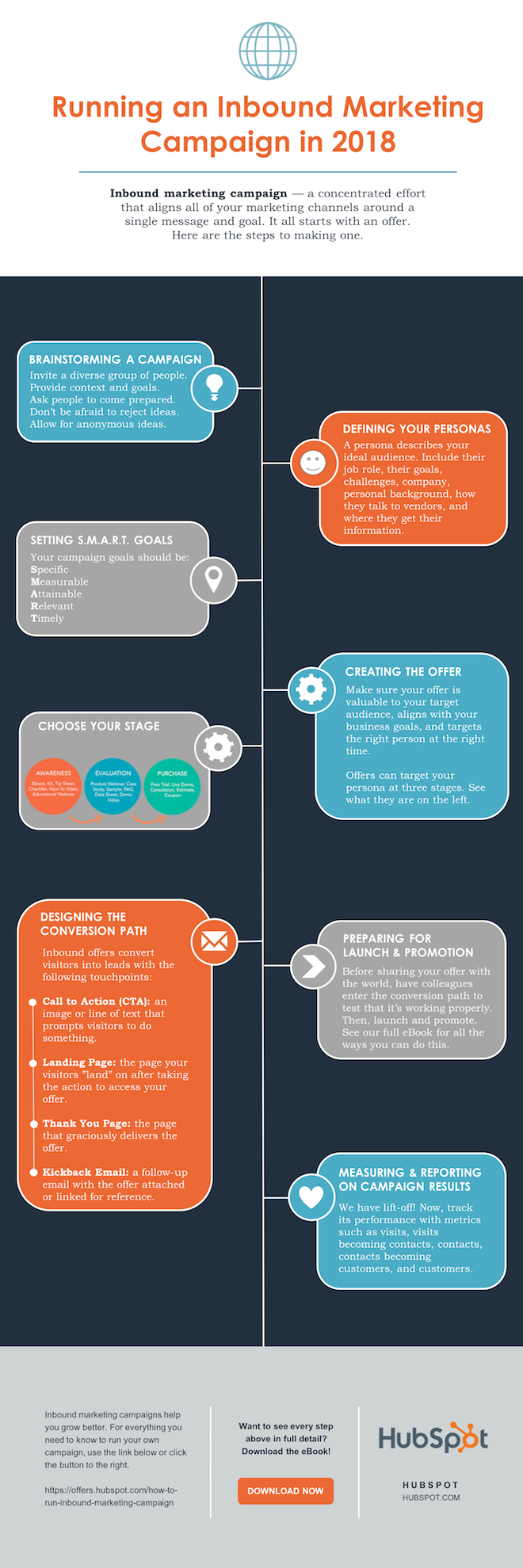
Share This Image On Your Site
<p><strong>Please include attribution to blog.hubspot.com with this graphic.</strong><br /><br /><a href=’https://ift.tt/2Hw9RZq src=’https://ift.tt/2oi2Lio’ alt=’free_infographic_template_custom-1′ width=’660px’ border=’0′ /></a></p>
7. Add embed code and a Pinterest button, and publish it.
The only thing left to do is to publish and promote your awesome new infographic. As I mentioned earlier, we recommend using your blog to publish it (including your list of sources), including a Pinterest button for visitors to easily “pin” your infographic on Pinterest, and create and add an embed code for visitors to share it on their own websites and blogs, as we did above.
Want more? Read How to Create Top-Notch Visual Content in PowerPoint [Tutorial].


What Is a Browser Cache? [FAQs]
So you’ve just finished redesigning your website. You’re excited, it looks great, and you’re patting yourself on the back. Before you start parading around this new great design like a kid showing off their new toy, you want to give it a whirl and see how it all looks from a visitor’s perspective.
And there lies your first problem: For some reason you can’t comprehend, your web browser is still showing the previous version of your site. What the heck’s going on here?
This is when your browser cache comes into play.
We’ve all heard this term before… but do we really know what it is? I’m willing to bet the majority of us have thought about our browser cache as some magical place that we have to go to and clear every so often so our site and others render as they should.
Show of hands? Yep — that’s what I thought.
Below, you’ll find a simple description detailing the ins and outs of browser cache that should clear up any misconceptions or questions about it you may have.
The Basics of Browser Cache
A web browser — such as Google Chrome, Mozilla Firefox, or Internet Explorer — is a software application that we use to fetch and see information living on the internet. In other words, a browser looks, finds, and presents to us websites and/or other pieces of information we look for via URLs.
A browser’s cache is its appliance or instrument through which it saves data, such as images and HTML, needed to see a website. The intent behind saving such data is to help with bandwidth.
So, the next time you go back to see a page, it takes less time to load as a cached version of the page has already been saved. In other words, because you have a cached version of a page, your browser will not need to send a new request to see that page.
How Browser Cache Relates to Cookies
Some of you may be wondering, “How does all this impact tracking cookies?” Let me explain.
Browser cache saves data like images and HTML, which are needed to see websites, right? Well, cookies are smaller pieces of data, such as names and email addresses, a website saves to your computer. This comes in handy because this is how a website knows who you are next time you visit.
Ever wondered how a website greets you by name? Yup, that’s cookies. A website picks up on the cookie it previously placed on your computer — therefore, it recognizes you.
The important thing to know is how a browser cache and cookies together can affect your work as it pertains to updating pages on your site, testing forms, and appropriately rendering pages. This is an easy variable to understand and usually one of the first ones to troubleshoot, as it can — in the vast majority of instances — resolve the issue(s) you’re experiencing with your site.
How to Clear Browser Cache
In order to eliminate browser cache as the culprit, you’ll need to clear it. The steps for clearing your browser cache will depend on the device and browser you’re using. Different browsers have different interfaces for accessing these settings.
Here are the steps for the most common desktop browsers:
Chrome
- Open Chrome.
- At the top right, click the three vertical dots.
- Click More Tools.
- Select Clear browsing data.
- Choose your time range for deletion.
- Check the boxes next to “Cookies and other site data” and “Cached images and files.”
- Click Clear data.
Internet Explorer
- Open Internet Explorer.
- Click on the cog symbol in the upper right corner of the browser.
- Choose the Safety submenu.
- Select Delete Browsing History.
- Check the boxes next to “Temporary Internet files and website files,” “Cookies and website data,” and “History.”
- Click Delete.
Safari
- Open Safari.
- Choose the Safari menu in the top left.
- Select Preferences.
- In the pop-up menu, click the Advanced tab.
- At the bottom of the window, check the box “Show Develop menu in menu bar.”
- This will add a Develop menu to your bar. Click that.
- Select Empty Caches.
- You can also delete your browsing history by selecting the History tab.
- Click Clear History.
- Choose your time frame and select Clear History.
Firefox
- Open Firefox.
- Click the hamburger menu (three stacked horizontal lines) in the top right corner.
- Click Options.
- Select the Privacy & Security panel.
- In the Cookies and Site Data section, click Clear Data.
- Check the boxes next to “Cookies and Site Data” and “Cached Web Content.”
- Click Clear.
Microsoft Edge
- Open Microsoft Edge.
- At the top right, click the three horizontal dots.
- Select History.
- Click “Clear history” at the top of the new menu.
- Check the boxes next to “Browsing history,” “Cookies and saved website data,” “Cached data and files,” and “Tabs I’ve set aside or recently closed.”
- Click Clear.
As you might agree, any good marketer is active and well-informed, and having basic knowledge on some of these topics, including HTML and CSS, can go a long way with impressing your colleagues or with a simple breakthrough in one of your projects.
After all, our inbound marketing world can be competitive, and these small nuggets of knowledge can make you more efficient, effective, and ahead of the curve.

Local Business Marketing in Uncertain Times
Wondering how to stay top-of-mind with your customers, even if you aren’t open? Looking for new, creative ways to continue to show up for them? To explore how local businesses can market during uncertain times, I interview Bruce Irving on the Social Media Marketing Podcast. Bruce is a local business marketing pro. He’s the host […]
The post Local Business Marketing in Uncertain Times appeared first on Social Media Marketing | Social Media Examiner.
from Social Media Marketing | Social Media Examiner https://ift.tt/2y3gT7Z
via socialmediaexaminer
Brand Logos: The Good, The Bad, and The Most Questionable Designs
When it comes to your business’ branding strategy, establishing your company’s logo is one of the most critical tasks.
Your logo will be pervasive throughout all of your marketing campaigns, and it’s one of the most prominent branding elements that people will think of when someone mentions your company.
Mounting research backs up how important a logo can be to your brand. In fact, a 2019 study from the Journal of Marketing Research found that an effectively designed logo can “influence brand evaluations, purchase intentions, and brand performance.”
Your brand’s logo should be memorable, versatile, and consistent, all the while giving your audience a sense of what your brand is all about.
Unfortunately, many companies haven’t exactly done a great job of keeping those goals in mind when establishing their logo, learning the hard way what it takes to create a positive brand experience through their logo.
Not sure what it takes to create a killer brand logo? To give you a better idea, here are 10 companies that have either failed or flourished in the logo department.
Memorable Logo Designs
KFC’s Unique Logo Redesign & Launch
In 2006, KFC launched a new logo, changing the Colonel’s appearance so he was pictured with a new, red apron. This was a big deal for the company, as its logo hadn’t been changed in over a decade.
So why did they make the decision to revamp their logo? They wanted the image of the Colonel to be clearer and more energizing. The new, rejuvenated logo demonstrated an excitement and readiness to cook and serve.
Even better, KFC launched its new logo with the help of a HubSpot customer, Synergy Events, who constructed the logo from 65,000 one-foot-square tiles laid out in the Mojave Desert, which can be seen from space.

Apple’s Perfect Logo Rebrand
Today, we think of the Apple logo as a simple but sleek design, representative of the Apple brand. But it wasn’t always that way. The logo originally had a picture of Isaac Newton sitting under an apple tree. Eventually, it was changed into a rainbow picture of an apple. And finally, it changed into the logo we know and love today.
To give you an idea of how the logo has gotten simpler, yet sleeker, here’s an image that shows its evolution up through 2015.
And today, this is the Apple logo we see regularly.

Apple is often the model for a great brand experience. The logo evolution demonstrates something that every company wants to convey: simple, inviting, and beautiful. All of the Apple products focus on giving its customers a great experience through a sleek interface.
Google’s Successful Rebellion Against Logo Design Best Practices
Surprisingly, some of the classic Google logos have gone against a few standard branding rules. They’ve used colors that seem to clash with each other. There were a slight drop shadows in older logos, which is something logos aren’t supposed to have. It one point, it used a serif font, which is hardly unique, and very rare for a logo to have.
However, Google’s logos have been incredibly memorable for breaking the mold and standing out. Here’s just one of Google’s logos, which was part of its branding til roughly 2015.

And, here’s what Google’s logo looks like today.

The rest of Google’s applications also have fantastic branding, and they really demonstrate what each different Google product means. Furthermore, the different logos closely resemble each other, so it is recognizable that they are all part of the same company:
To learn more about the history behind Google’s logo, check out this blog post.
PIXAR’s “Out of the Box” Brand Alignment
The 1986 short film Luxo, Jr. inspired the new Pixar logo, which shows the lamp (Luxo, Jr.) as the “I” of Pixar. The animated version of the logo appears at the beginning and end of most the Pixar movies and has become adored by Pixar fans. There is also almost always an animated short at the beginning of Pixar films, another signature experience of the brand.


Marketers can take an important note from the Pixar logo. If you create something that people love and admire, it’s memorable. Moreover, Pixar made its logo an experience for its audience by incorporating bonus animated shorts before its expected movie screenings.
FedEx’s Fantastic Double Meaning
The FedEx logo is genius, but many people don’t realize why. In fact, the FedEx logo says much more than the company’s name in purple and orange text. There is also a hidden arrow inside the logo that symbolizes the speed and reliability of the courier service.
Did we just blow your mind? FedEx’s logo is a great example of a simple, easy to remember logo that also expresses the mission of its brand. By creating a logo that has a dual meaning, such as the FedEx logo, it is a great way for your company to stand out against the competition and emphasize your value proposition.
Amazon.com’s Interesting Hidden Meaning
Amazon.com has created such a recognizable brand that, when anyone needs to purchase something, they will often go to Amazon first. Although they have strong brand recognition, they also have a logo that reiterates just how much Amazon sells. The arrow in the logo points from the “A” in Amazon to the “Z,” symbolizing that they sell everything from A to Z. It also looks like a smile!
Critically Panned Logo Designs
Gap’s Logo Redesign Disaster
In 2010, Gap decided it wanted to change its logo into a more modern version and abruptly announced a new logo.
The clothing company was greeted by backlash from thousands of angry customers in social media, who were attached to the recognizable blue box with ‘GAP’ written in the center.
For Gap, the saying, “if it ain’t broke, don’t fix it” would’ve been sound advice. Its customers were already loyal to the original logo.

As marketers, it’s important to include your customers in important decisions like changing your logo. Setting up a focus group can help companies view things from their customers; perspective and make more educated decisions. If Gap had taken some of these steps, they might have avoided the social media backlash.
Since this design faux pas, Gap has updated its logo back to the original on its branding.
Starbucks’ Potentially Confusing Logo
The Starbucks logo has always had the text “Starbucks Coffee” surrounding an image of a twin-tailed mermaid, also known as a siren in Greek mythology, which is indicative of the company’s heritage from the Pacific Northwest. For those who are unfamiliar with the Starbucks logo, the addition of these words has always helped to explain what the logo represents.
However, in 2011, Starbucks updated its logo to get rid of the words and leave the mermaid, in hopes that they had enough brand recognition.
Even though most people know the Starbucks brand, they do not always understand what separates it from other coffee companies. Having an image of a mermaid depict the brand might not enough to demonstrate what sets Starbucks apart. Before you read this post, did you wonder why the mermaid is Starbucks’ logo? Our point exactly.
Despite the concerns that the logo didn’t properly represent the brand, Starbucks has continued to keep this logo. And, it hasn’t majorly impacted their business.
Although Starbucks might have been unscathed from this logo change, it certainly took a major risk. Marketers should remember that no matter how big their company gets, there will still always be people who don’t recognize your brand or understand the brand sentiment they’re supposed to feel.
Pepsi’s “Boring” Logo
Over the years, there have been quite a few changes to the Pepsi logo. Most recently, Pepsi removed the company name altogether and left the image of the ball.
As a result, the company received a lot of backlash for the new logo, which was said to look like a fat belly more than anything else. And truthfully, as Pepsi competes against other, healthier beverages, it needs to get away from that image.
As a marketer, look at your competitors’ logos as inspiration. Pepsi has also received a lot of backlash because Coca-Cola has an elegant logo, whereas its logo doesn’t have as nice an appeal. Listen to your audience and see what they are looking for from your brand. Then use that inspiration to design your logo.
Animal Planet’s Poor Redesign
Animal Planet is known as the go-to place to learn about animals. But the 2008 logo didn’t imply that at all. Animal Planet’s logo got rid of the elephant and used text, with the letter “M” in animal oddly positioned on its side. Not only did this take away an important visual of an animal, but the new positioning of the “M” also looked awkward and didn’t seem to have much meaning to it.


In 2019, Animal Planet refreshed its brand in honor of the channel’s 2020 anniversary. The new branding is fun, fresh, sleek, and still demonstrates what the brand offers. It also brings back an elephant, which was in its earliest logo, shown above.
Creating an Effective Logo
One takeaway that we can gain from all of the brands above is that developing a logo can take time and multiple tries. Even brands with top designers, like Google and Apple, took decades to land on a truly memorable and modern logo.
Even if you think you’ve landed on a perfect design that’s classic, memorable, and valuable to your messaging, it can be helpful to look at what brands around you are doing to modernize, evolve, or improve their own designs. This way, when its time for your logo to get a refresher, you’ll be ready with some great ideas.
For more on logo design, check out this infographic on 2020 logo trends or this helpful guide to designing your first one.
Editor’s Note: This blog post was originally published in July 2012 but was updated for comprehensiveness and freshness in May 2020.

The Ultimate Guide to Instagram for Business
More companies are using Instagram than ever before — there are now over 25 million businesses on Instagram, most of which are small businesses.
To capture a new audience and engage with your existing customers, it’s critical you consider using Instagram for your business. With over one billion Instagram users, Instagram is one of the most popular social media tools at your disposal.Instagram has proven a worthwhile investment for marketing purposes. You’re able to market your products to a more targeted and engaged audience, and it’s cheaper than more traditional forms of paid advertising.
Plus, it’s an undeniably powerful tool to spread brand awareness — in fact, 90% of Instagram users follow at least one business on the platform.
But using Instagram for business purposes can seem daunting, particularly if you’ve only ever used it for personal use. Here, we’re going to explore how to leverage the power of Instagram for all your business needs.
How to Use Instagram for Business
Let’s delve into the six strategies you’ll need to employ to get the most out of Instagram.
1. Add Value With Your Content
First and foremost, Instagram is a visual platform. To attract an audience, it’s critical you spend time delivering high-quality, thoughtful content.
Instagram has the highest engagement rate, surpassing Facebook and Twitter. To succeed on Instagram, it’s essential you create valuable content that attracts an audience and encourages them to engage with your business. Consider how you can delight your customers while staying true to your brand.
You don’t need to just post images of your product to spread brand awareness and increase sales. In fact, in some cases, it’s better if you don’t. For instance, Hot Pockets sells microwaveable pocket sandwiches. Admittedly, I wasn’t much of a fan of Hot Pockets — until I began following their business’s Instagram account.
There are only so many times you can post a picture of a sandwich. Hot Pockets goes in a different direction. Instead, they appeal to their audience through humor, often posting relevant memes or funny quotes.
For instance, in response to @ShallowDivers’ claim that Hot Pockets aren’t sandwiches, Hot Pockets responded with this:
Ultimately, it might take trial and error to find the content that works best for your business.
While Hot Pockets relies on humor, other brands like The North Face use impressive adventure images to appeal to their demographic.
The point is, brands need to add value to Instagram’s community rather than using the platform for advertisements alone. This is critical for your long-term success.
2. Maintain a Consistent Theme
Imagine each Instagram post as an individual page of your website — while each post should be good on its own, ideally you’ll need to create a cohesive theme to maintain an audience’s loyalty.
It’s important to note, I mean “theme” in the broad sense, as it relates to everything from hashtags and captions to Stories and photos. You’ll need to create a consistent tone of voice and a unified feed aesthetic. Ultimately, the more specific and consistent you are with your posts, the more likely you are to attract your most authentic audience.
You might think it’s better to appeal to more people through various themes, but ultimately, staking your claim in a specific niche will help you create stronger, more genuine connections.
For instance, consider MVMT. Their feed is undoubtedly consistent, with similar filters and color palette, and an emphasis on darker, edgier images:
Their consistency is equally obvious in their captions, with phrases like “Create a life you can’t wait to wake up to,” and “Unexplored paths lead to undiscovered stories.” In every post, you’ll see the same hashtag: #jointhemvmt.
Undoubtedly, their followers both expect and prefer this type of content, or they wouldn’t have followed them in the first place. To continue delighting customers, it’s essential MVMT keeps true to their theme.
3. Engage With Your Audience
Engaging with your audience helps your followers feel valued and, as a result, more connected to your business.
There are plenty of ways to engage with your audience. You might reply to comments on your posts, participate in comment threads, run contests or giveaways, use Instagram Stories polls feature, or give shout-outs to followers on your Stories, particularly if they post something relevant to your brand.
Halo Top Creamery does a fantastic job of engaging with their audience. They frequently post cute ice cream pictures with the caption “Ice cream is better with friends. Tag a friend you’d like to eat this with.” A simple “tag a friend” caption is an effective strategy for growing your audience since your followers will then tag friends who might not know about you yet.
Additionally, Halo Top often does contests and giveaways, like this one:

By tagging winners in their posts, Halo Top incentivizes other followers to engage with their brand in the future. Additionally, Halo Top’s giveaways demonstrate their genuine commitment to connecting with their audience.
4. Consider Influencer Marketing
As a consumer, you’ve likely seen the recent influx of influencer marketers on Instagram — and for good reason. By leveraging the power of an influencer, who is already authentically connected with her audience and seen as a trusted source of information, you’re able to spread brand awareness and drive sales.
Micro-influencing in particular is a strong opportunity for brand endorsement. In fact, one survey found 82% of consumers are highly likely to follow a recommendation made by a micro-influencer. That surpassed the number of consumers who are willing to follow a recommendation from an average person, like a family member or friend.
You could use your budget and resources to invest in traditional advertising, but it’s often easier to create a more targeted, effective marketing campaign through influencer marketing. Ultimately, influencers have already cultivated an engaged, loyal following — by identifying the right influencers for your niche, you’re much more likely to find followers who will truly enjoy and support your products or services.
5. Implement an Instagram Ad Campaign
There are two reasons you might use Instagram ads — to spread brand awareness or to increase sales.
It’s critical you focus on one goal when creating an effective ad campaign. An Instagram ad aiming to sell a product will look vastly different from one intending to attract followers.
For instance, consider this Greenchef ad that showed up on my Instagram feed today. With various images of delicious food and an enticing “$40 OFF” discount, it’s likely a high-converting ad. It’s very clear what Greenchef’s goal is: to get people to buy their product.

YouTube, on the other hand, invested in Instagram ads for an entirely different reason. Their advertisements, featuring well-known singers like Camila Cabello, entice followers to simply follow YouTube Music’s Instagram channel (and, ideally, YouTube’s music channel itself).

To implement an effective campaign, it’s essential you decide what you’re hoping to achieve before you begin creating it.
Once you’ve chosen a goal, you’ll want to create the ad creative. Similar to what we discussed in strategy one, you’ll need to create high-value visual content if you want your ad to be successful. Take a look at other ads on Instagram and consider how you might emulate them.
Additionally, A/B test multiple variations of the same ad (changing the copy, image, or targeted audience for each version), to figure out what works best for your business.
When you’re ready to create your ad, you’ll need to use Facebook Ads Manager. Among other things, Ads Manager lets you narrow in on your target audience (including location, age, and various interests of your ideal demographic), choose your ad objective, and analyze ad performance.
6. Utilize Shoppable Posts
Shoppable Posts is an Instagram feature that makes selling on Instagram easier. You’ll be able to create posts that provide users with a seamless shopping experience directly on the platform. The advantage of this being less friction for turning your followers into customers.

Before you begin executing these strategies, you’ll need one thing: an Instagram Business Profile.
What Is a Business Profile on Instagram?
An Instagram business profile is a special account that Instagram offers to brands and organizations. With a business profile, you get access to additional features, such as Instagram Insights and the ability to run ads.
A business profile legitimizes your Instagram account and enables you to add critical information like your company’s business hours, location, and phone number.
Pros and Cons of an Instagram Business Profile
“Whoa, whoa, whoa,” you might be thinking. “I don’t know how I feel about committing to all that.
Here are some helpful pros and cons so you can determine if a business profile is right for you before jumping in:
Pros
- Access to metrics on how your posts and stories perform
- Ability to track how your followers engage with your content
- Access to features necessary to run ad campaigns
- Gain feature for adding URLs to Stories so you can send warm traffic to your site
Cons
- Being labeled as a business
- May experience less organic reach and visibility
- Must also have a Facebook account to access ad features
For most brands, the benefits of a business profile outweigh the cons due to the additional features and analytics. However, it’s important to consider your goals before taking action.
How to Create a Business Instagram Profile
In order to create a business profile on Instagram, you must first create a personal Instagram account and then switch it to a business profile. If you already have an Instagram account, skip to the next section for instructions on making the switch.
If you don’t already have an Instagram account, here are the steps:
From the Computer
- Go to instagram.com.
- Click “Sign Up.”
- Enter your email address and create a username and password. You can alternatively sign up through your Facebook account.
From an iPhone
- Download the Instagram app from the App Store.
- Open the app once installed.
- Tap “Create New Account.”
- Enter your email address or phone number. You can alternatively sign up through your Facebook account.
- If you signed up with your phone number, follow the instructions for entering the confirmation code.
From an Android
- Download the Instagram app from the Google Play Store.
- Open the app once installed.
- Tap “Sign Up With Email or Phone Number.” You can alternatively sign up through your Facebook account.
- If you signed up with your phone number, follow the instructions for entering the confirmation code.
How to Switch to Your Business Profile
When you have an Instagram set up, follow these easy steps when you’re ready to make the switch:
1. Go to your profile on the mobile app.

2. Click the hamburger menu (three stacked horizontal bars) in the top right corner.

3. Click the “Settings” gear at the bottom of the menu.
4. Select Account.
5. Choose Linked Accounts.
6. Choose Facebook and follow the prompts to connect your business’s Facebook page. If you do not have a Facebook Business Page, you will need to create one before completing this step. If your Facebook page is already linked, move on to the next step.
7. Once complete, return to the Settings menu.
8. Select Account.
9. Choose the new option “Switch to Professional Account.”
10. Follow the prompts to add any additional details.
11. Select Done.
You’re now ready to begin implementing your social media strategy on Instagram. From here, you’ll want to determine the audience you want to target, the aesthetic and tone you want to convey, and the content you want to create.

Account-Based Marketing vs. Inbound Marketing: What’s the Difference?
In a perfect world, B2B marketing begins with picking the right clients to market to and serving them the right message, every single time.
Think about how much easier marketing is when you know exactly which companies to target — and not only who your target clients are, but what marketing messages would best resonate with them. That’s the dream, right?
While we don’t live in a perfect world, we do live in a world where inbound marketing and account-based marketing (ABM) exist. And, when these two strategies work together, this dream can become a reality.
You may be pretty familiar with inbound marketing: creating content that delights customers.
You may also know a thing or two about account-based marketing: aligning marketing and sales to deliver a consistent, personalized buying experience for prospects. But, because of their definitions, perhaps you think you have to choose between the two.
Fortunately, you don’t have to choose. In fact, instead of thinking “ABM versus Inbound,” you should be thinking “ABM and Inbound.”
To clarify, let’s define and differentiate the two — and offer some tactics you can use to work these strategies into your existing marketing campaign. If you have no idea what account-based marketing even is, don’t worry — that’s what we’re going to cover next.
What is account-based marketing?
Account-based marketing is a highly targeted, focused growth strategy. It works by aligning marketing and sales functions to create a personalized experience for accounts, rather than an individual buyer.
Instead of treating each of those buyers as an individual entity, ABM is a strategy that says, “Let’s make sure we plan how to market and sell to all of those buyers as one account.”
This starts with alignment of sales and marketing teams to mutually choose a select set of accounts. Then, they’ll create targeted marketing and sales strategies for them. This saves time for marketing and sales, and it delivers a far more consistent buying experience for the account.
Businesses that are typically a good fit for using an ABM strategy are those that sell high-value products or services to other businesses, like B2Bs.
The alignment of Sales and Marketing when using an ABM strategy helps you make more streamlined business decisions. It eliminates the time you would spend trying to sort out the best accounts to target, and instead, speeds up the process of delighting those prospects.
ABM treats accounts as if they’re individual buyers, and because of this, you’ll be able to delight the key decision-makers with a personalized content strategy.
So, ABM is a go-to strategy for shortening sales cycles, increasing ROI, and effectively selling to your highest value accounts in the way they each prefer to buy — but how is it comparable to inbound marketing? Let’s talk about that next.
What do account-based marketing and inbound marketing have in common?
ABM allows you to delight high-value accounts with a focused approach. Inbound marketing is a methodology which lets you attract customers through the creation of valuable, SEO-optimized content. Inbound marketing provides audiences with the information that’s important to them in an organic manner.
But what do they have in common?
Both strategies require a deep understanding of your target buyer to inform what type of content you’re creating & how you choose to deliver it. This increases discoverability by that target.
According to HubSpot’s ABM Product Marketer, Ryan Batter, “Every growth story begins with the same foundational elements of inbound marketing — building great content, crafting a publishing strategy, optimizing search presence to enable discovery of your brand and generate leads.”
You can repurpose content and use the same channels for ABM as you’ve already put into place with inbound. ABM is often just taking that foundational content and personalizing it a level deeper.
Both inbound and ABM are focused on delivering a great buying experience across the entire flywheel. ABM helps accelerate the flywheel once inbound foundation is in place.
Additionally, the two strategies focus on targeted, personalized content. ABM hones in on delighting the right customers through content that is specifically created to cater to their challenges, an essential function of inbound marketing.
Finally, the two help with the happiness and retention of your customers. Because an ABM strategy focuses on a set of specific accounts, you’ll have more opportunity to focus on the happiness and retention of those clients, which is another essential part of the inbound marketing flywheel.
That’s not all, though — you can also use the two in a partnership to elevate your entire strategy.
“For some stories, companies benefit immensely by complementing their inbound foundation with account-based strategies that provide more personalized, tailored buying experiences for a subset of high-value leads,” Batter says.
Put another way: inbound marketing helps you attract the right customers. Then, account-based marketing uses marketing and sales to speed up the process of the flywheel and provide a valuable customer experience. In the end, both strategies enable you to win those target accounts.
It’s critical you approach your account-based marketing, the inbound way: provide valuable content and customer experiences to those high-value accounts.
Using the two together helps you offer a more robust strategy.. Plus, software, like HubSpot’s CMS, allows you to experiment with the creation of campaigns that align with your businesses’ goals.
For more information about how to align ABM with inbound, as well as some tactics for stellar account-based marketing tactics, be sure to check out this ultimate guide.
Next, we’ll go over how to conduct account-based marketing as part of your inbound strategy.
How can I do account-based marketing?
To ensure you keep customers at the center of your account-based marketing strategy, stick to the principles. Make your account-based marketing strategy center around tailoring the way you communicate with your target company.
There are five primary stages to account-based marketing that work hand-in-hand with inbound marketing. Let’s walk through each and detail how you can conduct ABM in a human-friendly way.
Identify
Account-based marketing begins with sales and marketing identifying and selecting relevant accounts. When beginning this selection process, data, such as company size, number of employees, location, and annual revenue, can give you an understanding of accounts you may want to target.
Similar to inbound marketing, you can also use buyer personas to understand the day-to-day lives and challenges of your target buyers, then determine content and channels to approach them.
Expand
In sales where ABM is typically used, buying decisions are generally made by numerous individuals within a company. ABM helps establish a relationship with each potential buyer and engages them in the purchase decision.
At the expand stage, creating unique, company-specific content that interests each potential buyer within the organization is important. Whether your product is for marketers, operations leaders, or anyone else, ensuring that you identify and engage with everyone in the buying decision is crucial to winning a customer.
Consider the challenges each of your stakeholders faces in order to create compelling content. For example, Finance may be concerned with pricing, while Operations might be focused on user access, ease of use, and security. With this context, you can create targeted content and interactions that match each individual’s concerns and challenges.
Engage
Here’s where sales and marketing come together and join the party to engage with stakeholders across various channels. For example, if one of your stakeholders prefers email, then equipping salespeople to reach out to that person with a helpful and relevant message can get a conversation started. This stage is largely about developing relationships with and getting to know all the buyers who will make the final decision.
Advocate
Next, you want to nurture bonds with a few stakeholders who can serve as advocates within the organization. The modern buyer can tune out information they don’t want to hear. So it’s up to both marketing and sales here to provide value — and talk about the product when and where necessary.
Measure
Finally, reporting at the account level can give you data on what’s working, what’s not, and how to improve over time. Within HubSpot, you can report on company growth, revenue, job titles, engagement levels, and much more — all at the account level.
So, where do you go from here? If you’re a company that sells into a smaller addressable market and has its sights on a handful of highly critical accounts, you can learn more about building an ABM strategy without abandoning your inbound philosophy in this webinar.

8 Ways That HubSpot Engaged Its Online Community with Employee-Inspired Content
This post is a part of Made @ HubSpot, an internal thought series through which we extract lessons from experiments conducted by our very own HubSpotters.
Consistent content creation is a cornerstone of community growth. To keep your community members returning regularly, they need to see new things each time they return.
Think about social media: the platforms remain addictive because you can refresh your feed and see new material any time you visit.
Different types of people want to engage in communities in different ways.
Some seek out one-to-one connections with like-minded people whom they can call on for advice or input. Others prefer to participate in large discussions and collect a variety of perspectives. Some love giving feedback because they’re invested in making your product or service better.
And, inevitably, there are lurkers: people who don’t like to engage actively at all, but who read and watch content to expand their knowledge.
Long story short, there should always be a variety of opportunities for engagement available. But community management typically falls on one person’s shoulders.
How can you feasibly create enough content to get your community members returning regularly when daily community management and moderation tasks could justify a full-time role themselves?
Here at HubSpot, one way we’ve scaled our community content creation is by leveraging internal teams’ expertise and time to provide value to the community members.
Getting buy-in from those teams is often a lighter lift than you’d imagine when you ensure there is something in it for them.
Here are eight ways you can leverage your internal employees’ time and expertise to generate varied, interesting content and engagement opportunities for your community.
Discover the best forum software for creating an online community for your business.
1. Text-Based AMAs with Your Product Team
Host an “ask me anything” (AMA) session with a member of your product team over a text thread. Alert your community a week in advance and allow them to submit questions about your product on that thread. On a specific day, have your AMA hosts come in to answer the questions.
Community members can ask about the product itself, where it’s headed in the future, and how the team developed it to the point where it is today. If you have multiple products or product lines, consider running specific AMAs for each one.
You may need to experiment to find the right scope — one where there will be enough questions to have a good discussion, but not so many that it becomes unmanageable to respond in a timely manner.
These are great opportunities to make your customers feel like they’re part of your company’s journey. Here at HubSpot, we’ve found that giving customers a look at what we’re building shows customers that we’re constantly considering their feedback and working to create a better product for them.
AMAs also gives your product team insight into what confuses your customers and what they’re most excited for. Your customers can also reveal product use cases you weren’t aware of.
Be sure to have the host tag in the users who asked the questions if your community platform doesn’t automatically send them a notification letting them know that someone has replied.
2. AMAs with Your Leadership Team
Run an AMA featuring one of your executives. Your customers will be delighted that the people at the top want to take the time to chat with them. Providing them access to an executive is particularly special because executives tend to be short on time.
Because executives have such packed schedules. when you pitch them, make sure to show them what’s in it for them: the chance to interface with many customers at once and get an unbiased pulse check on how your customer base thinks about a given topic, your company, or your product.
A text thread is a perfect format for executives because they can answer questions in the small pockets that come up between meetings — there isn’t pressure to carve out a large block of time within the day.
Consider pairing the executives with folks on your team as behind-the-scenes backups to help find the answers to questions, draft replies, or polish written answers before posting to lighten the load on the official host.
3. Strategic AMAs
You almost certainly have subject matter experts at your company, and those experts are often looking to build their personal brand. By providing thoughtful and honest responses to your community’s questions, they can build credibility as a thought leader in your space.
For example, we hosted a community AMA with an in-house expert on brand building who was looking to build his LinkedIn following. He enjoyed the process of answering the questions, crafted thoughtful responses that customers appreciated, and gained LinkedIn followers along the way.
4. Live AMA Sessions
Host any of the types of AMAs mentioned above in a webinar or virtual meeting format. Allow customers to submit questions on a thread or in a survey ahead of time and register to watch the host answer them on a certain date.
Provide your host those questions a day or more in advance to allow them time to prepare, and then interview them live on the specified day.
If it’s a small audience, host it over a virtual meeting software. If it’s larger, host with webinar software that allows attendees to submit questions through a chat pane.
The content produced can live on longer than the live session, too. Post written key takeaways one day and the recording the next. You can also repurpose sections of the recording for social media or blog content. If the host is an executive or subject matter expert, provide them with the key takeaways to post on their personal blog or LinkedIn.
5. Feedback Surveys
If your customers are taking the time to visit your community, they’re probably invested in your product and its future. Members of the HubSpot Community have provided thoughtful and thorough feedback through product feedback surveys. Experiment with asking for feedback in different formats, with different lengths of surveys, and on a variety of products.
We’ve found at HubSpot that community visitors also love engaging with simple, one-question polls. Pin the poll to the top of the community or, if your platform allows, float it in the bottom corner of the site.
Since the product feedback will directly benefit the team creating those products, ask them to create the survey or poll and spend your time tweaking the language to be community friendly and user-focused.
Don’t be afraid to push back if you think the survey is too long, not appropriate for your member audience, or not user-centric.
6. Virtual Coffee Chats
Some people will always prefer speaking with others to typing out their thoughts. Organize a virtual coffee chat on a particular topic that binds community members together to give those people the opportunity to spend time with each other.
To get started, put together a few icebreaker questions and collect additional questions that your customers have for one another through the registration process.
Equip a community manager or customer success team member with those questions and a set of best practices for facilitating conversation and give them license to run a 45- to 60-minute discussion.
You can post the recording in the community later and pass it along to any members of your customer success team or product team who might benefit from hearing how customers think about your product or what’s on their minds.
7. Adapted Support Tickets
Has your team been seeing an issue pop up again and again in customer support tickets that can’t fully be addressed by a knowledge base article? Anonymize and edit the content of existing support tickets on that issue.
If a couple of your customers mentioned it in support tickets, many more probably share the same question.
Ask your support team to send over several tickets that represent the hottest issues popping up. Make sure to edit out any details that would compromise your customers’ privacy if shared publicly, and then post the ticket itself as a question or the answer as a hack to share with the community.
8. Product Clinics
Most applicable for technology companies, product clinics are structured like AMAs but are less focused on the host and more on solving product issues.
What’s a particularly confusing or troublesome part of your product? Maybe you’ve identified that area from support volume, anecdotes from your customer success team, or poor reviews.
Host a product expert in your community and hold a skill-building or troubleshooting Q&A in that area. Promote the thread in advance and have the expert pop in every few hours over the course of a day or two to answer questions.
You’ll show your customers you care, surface more insight into what’s really confusing your customers, and help them overcome their roadblocks in a public forum that can help other users later.
Over to You
If you’re inspired by any of these ideas, remember: you should have a baseline understanding of who your community members are before you seek out team members who will partner with you to create content.
You don’t want to ask for your team’s time only to have it provide little value to both your community and your colleague.
At the same time, keep in mind that not everything you think will be a hit will end up resonating, and there are plenty of ideas you may not be considering right now that actually would succeed.
Plan a variety of content out for the future, including some experimental topics, and then pay close attention to what performs well, iterating to grow engagement and find the right cadence for each content topic as your community matures.

🧡HubSpot’s ABM Software Target Accounts Home and Account Overview features will help you forge these strong relationships.