
Welcome to My Blog
How to Protect Your Mental Health When Working Remotely, According to a Psychologist
2020 has brought with it unexpected levels of stress, anxiety, and fear for people across the globe.
And the workplace isn’t insulated from the realities of our global situation.
Some of my colleagues, for instance, are now working half-days — and essentially becoming elementary or middle school teachers while their children’s schools are closed for the other half.
Other colleagues are dealing with increasing anxiety as a result of tight living quarters. As we can all probably attest, the boundary between “work” and “home” life is quickly shrinking. (I’m currently typing this in the same spot I do my afternoon yoga, after-work ‘happy hour’ with friends, and nighttime movie-watching.)
Of course, many of our remote life challenges are insignificant compared to the pandemic sweeping the globe — but the risks posed to mental health aren’t minor at all.
For instance, 19% of fully-remote employees say loneliness is their biggest struggle when working remotely – and if that doesn’t seem like a big deal, consider that loneliness has been proven as dangerous as smoking 15 cigarettes a day.
Fortunately, there are strategies you can implement to decrease levels of anxiety or sadness when working from home. To explore options for protecting our mental health while working from home, I spoke with Dr. Willard, a psychologist, consultant, and author who specializes in mindfulness and positive psychology.
Let’s dive into Willard’s tips for practicing mindfulness during times of stress, avoiding burnout from too many virtual meetings, and finding moments of gratitude even in difficult circumstances.
How to Protect Your Mental Health When Working From Home
1. Practice mindfulness to focus on the present moment and feel calm during times of stress.
If you’re anything like me, meditation is on the back-burner at the moment. During times of stress and anxiety, I typically take the “white-knuckle and get through it” approach, focusing on happier future times rather than dwelling on the present moment.
Of course, that often lends itself to more stress and anxiety, not less.
Fortunately, it sounds like we don’t need to set aside 30 minutes a day to reach calm.
Instead, Dr. Willard suggests, “Between calls, give yourself a break by taking five breaths, or looking out the window and noticing a few beautiful things. Sip your coffee with all five senses. Notice five sounds you hear. All of these kinds of things really do settle us down and bring us into the present.”
Additionally, he says, “With more time, take a walk around the neighborhood without your phone in-hand, or do your calls standing or walking if possible.” You might also practice mindfulness when you’re lounging on the couch, or eating a meal.
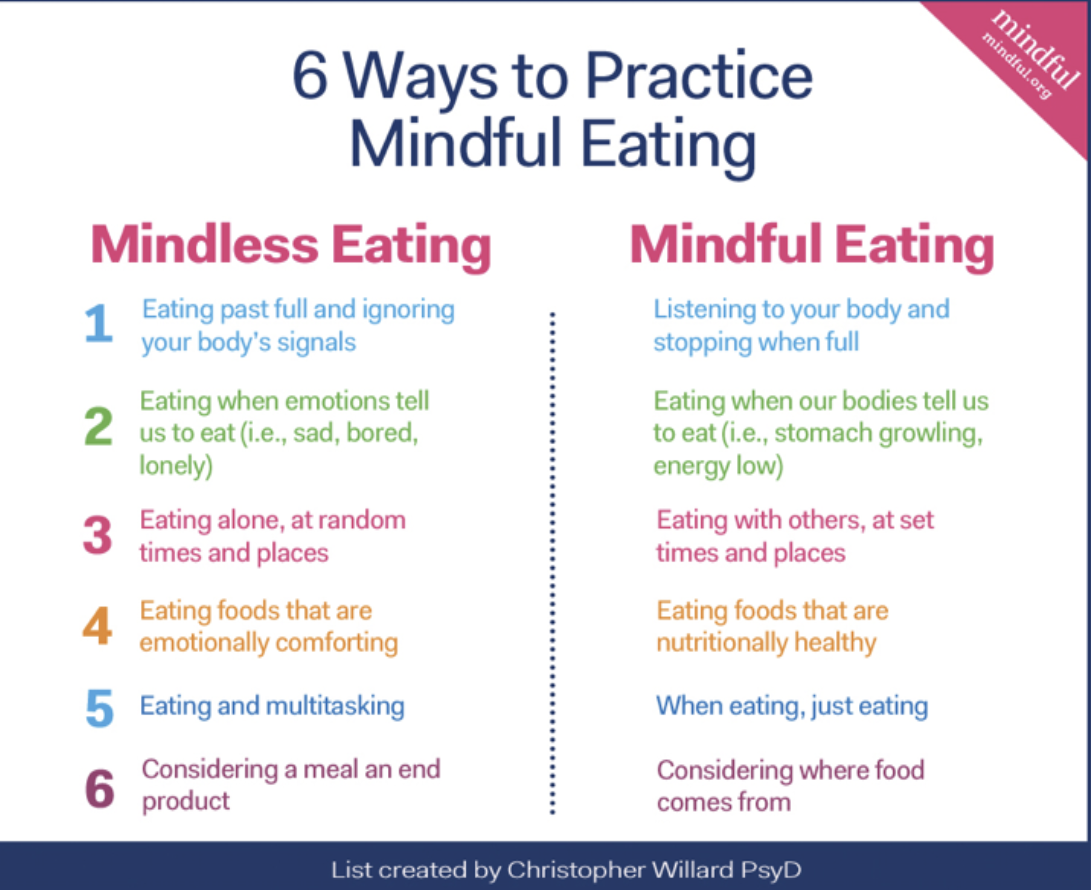
Alternatively, Dr. Willard mentioned that when we’re stressed, our perception is often distorted. If you find yourself overwhelmed with thoughts like “When will this end?” or “Will I get fired?,” try adding the statement, “I’m having the thought that ___.”
This can help you gain some perspective and understand that your thoughts might be driving you further into anxiety or stress — but they might not be grounded in reality.
Lastly, if you are interested in trying meditation, take a look at apps like Headspace or Calm, which break meditation down into easy-to-digest categories like “5 Minutes for Sleep” or “2 Minutes of Breathing”.
2. Combat virtual meeting fatigue by alternating with phone calls or reading actual books or newspapers.
We all know the feeling of back-to-back Zoom meetings that leave you, within 2-3 hours, absolutely exhausted in a way physical meetings never did.
If you feel like you’re alone in your exhaustion around virtual meetings, you’re not (I’d recommend reading this article for more information on ‘Zoom fatigue’ and how to minimize it).
Fortunately, Dr. Willard had a few key points he’d suggest for combating ‘virtual meeting fatigue’ — “I think getting out for a bit, or looking away from the computer — for instance, perhaps every 20 minutes, you take 20 seconds to look 20 feet in the distance — can be helpful for alleviating fatigue as a result of virtual meetings.”
Of course, we can’t always take breaks in-between meetings. If you don’t feel like you have much time to get outside or look away, try phone calls to switch things up, as Dr. Willard advises: “Alternatively, instead of all Zoom meetings, perhaps you try phone calls to connect with people, and take a walk as you do.”
He adds, “I’d also suggest reading an actual book or magazine … I got a newspaper yesterday, and I was surprised by how different and better it felt to read it rather than consuming all my news online.”
3. Practice gratitude, and reflect on positive moments with a journal.
If you’re doubtful of the effect of gratitude on happiness levels, I’d suggest giving this TED Talk a watch:
Ultimately, practicing gratitude can be critical for maintaining perspective and finding joy in difficult circumstances.
Gratitude can be found in minor details and seemingly trivial things, as well. For instance, when was the last time you paused to reflect on how lucky you are to have access to clean water, or a warm shower?
As Dr. Willard stresses, “Psychological health, perspective, and happiness can be found through practicing gratitude each day, and just reflecting on the few good moments in a journal or with friends or family.”
Additionally, if you’re feeling overwhelmed with a sense of When will this all end?, Dr. Willard says a little consideration for the future isn’t such a bad thing: “Setting reasonable goals in the morning, and thinking about what you’ll do after this, can help you raise happiness levels. Why not plan a vacation? Even if you’re unsure when you’ll take it, research shows it actually boosts your mood.”
4. Reach out to friends and family, limit social media consumption, and set boundaries with people in your life.
Whether you’re working at home for the time being or your full-time job is remote, it’s critical to figure out positive, healthy ways to maintain strong relationships without feeling pressure to over-maintain them.
For instance, while you’re likely craving social interaction, it can become burdensome to feel like you need to be a support system for all your friends and family. If that’s the case, Dr. Willard urges, “Set negative or positive boundaries with roommates, family, partners, parents, or others in your life.”
“Additionally, if you’re the average of the five people you spend the most time with, consider who that is.”
Here are some other tips Dr. Willard suggests for relationships:
- Get multiple text threads going, even with old college roommates or colleagues you haven’t spoken to in a while.
- Take a walk and call someone.
- Try writing postcards or starting a pen-pal relationship with a friend.
- Block unhelpful people on social media.
- Join online AA groups, support groups, meditation groups, spiritual gatherings, or partake in online yoga.
Finally, if you’re feeling overwhelmed in this moment, Dr. Willard suggests remembering the CALM acronym, which can help ground yourself and relax tension in your body — all you need to do is squeeze and release the muscles in your Chest, Arms, Legs, and Mouth, which are areas where we tend to hold a lot of tension.
Finally, it’s critical to remember that the stress and anxiety we feel due to full-time quarantine is temporary.
As Dr. Willard told me, “The people who cope best are those who maintain perspective and remind themselves, every day, that this will end. We don’t know when, but we know it will. This right now is the longest slog, and there will be more and different requirements in the future. And the world will look a little different, but this ‘stuck in our house, six-feet apart at the grocery store’ thing will end.”

How to Automate Your Account-Based Marketing Strategy
In today’s day and age, marketing is all about personalization.
It’s about reaching the right people in the right place at the right time. Account-based marketing (ABM) is no different and has been growing in popularity in recent years.
In fact, 87% of account-based marketers say that ABM initiatives outperform other marketing investments.
Plus, one in five accounts targeted through ABM becomes considered a qualified sales opportunity.
That’s why ABM is an important tactic to implement if you sell high value B2B products or services to a finite number of companies who have a multi-person buying committee and require personalized content and engagement.
As a marketer, that might seem like a daunting task, because you’ve probably felt the pain of tools that were hard to use, didn’t integrate with your systems, or made collaboration among teams hard.
That’s why using marketing automation and ABM software to make the process seamless is a good idea.
Below, let’s review how to automate your account-based marketing strategy.
1. Create your Ideal Customer Profile (ICP).
Before you can get started with ABM, you’ll need to define your ideal customer profile. This is similar to a buyer persona, except it’s built around targeting entire organizations, rather than individuals.
You’ll want to know what types of companies you want to target. For example, your ICP should include information on company size, revenue, industry, and location.
With software, like HubSpot’s ABM software, you can use ICP workflow templates to help you spot common traits that can be used to classify companies in your database by how well they match your ICP.
Ultimately, automation should help you identify and organize your target accounts. Once you’ve created your ICP, you should be able to use this information in your ABM software to manage your audience.
2. Set up your target accounts.
Once you’ve created your ICP, you should be able to set up your target accounts in your ABM software.
Target accounts will allow you to manage your audience. For example, with HubSpot’s ABM software, you can use the ICP Tier property to rank your accounts. Your priority accounts will be marked Tier 1, while lower priority accounts will be marked Tier 3.
Additionally, a great ABM software will use AI-powered target account recommendations to automate the process of researching companies that are a good fit.
These types of tools will help you manage and then segment your lists so you can deliver personalized content to your target accounts.
3. Integrate your ABM and marketing automation software.
Before you can build your ABM campaigns, you’ll want to integrate your ABM software with your marketing automation software.
For example, with HubSpot, you can use many of the ABM software features if you have Marketing and Sales Pro.
Integrating your marketing tools is important in the automation process. If your ABM software doesn’t interact with your email marketing software or your ads tools, then you won’t be able to automate the process.
By integrating these tools, you’ll have your ICP research, target accounts, and content all in one place.
4. Build your campaigns.
When you have your ABM software and marketing tools set up, it’s time to create your campaigns.
To start, you’ll want to decide what channels you want to use and what actions will trigger an automated workflow.
First, look at your target accounts and find out where they spend their time online. For example, you can build an ad campaign based on people’s job title or company on LinkedIn and Facebook.
Then, you’ll want to think about your customer journey and set up automated workflows. For instance, you can have a task created for a sales rep when someone who works at one of your target accounts interacts with an email, your website, or blog content.
5. Personalize your content.
You probably got started with ABM so you could personalize your marketing campaigns. To do this, you’ll want to create your content, and use your automation tools to segment your audience.
For example, with HubSpot’s ABM software, you can use company lists to create an ad audience or use company ad targeting for your LinkedIn ads.
With your ICP set up, it should be easy to create your content based on your target audience. The content in your ABM campaigns will be similar to other marketing content, except that you’re now targeting specific accounts and companies.
Ultimately, your messaging should address specific pain points, and appeal to solving your target account’s problems.
6. Set up a dashboard to assess ongoing efforts.
The last step to automating your ABM strategy is to track and measure your efforts. With your ABM software, you’ll want to see information at-a-glance.
For instance, on your dashboard, you might include information on your target accounts such as company score, open deals, total pipeline, and the number of decision makers identified.
If your ABM software has company scoring available, you should use it. This is similar to lead scoring, where you assign a score based on the properties in your software.
Additionally, you should consider running A/B tests when you get started with ABM automation so you can see what messaging appeals to your ICP.
While ABM might seem difficult to implement, when it works with your marketing automation software, you can collaborate with other teams and track your progress.
For more information on HubSpot’s ABM software, read about HubSpot’s Marketing Hub Enterprise.

Deal Pipelines Trending Upward in May’s Second Week [COVID-19 Benchmark Data]
For the last few months, businesses around the world have had to rapidly adapt to the impact of COVID-19.
In a time where it seems like things change every day, it can be difficult to gauge whether the challenges your business is facing are widespread.
That’s why we’re publishing week-over-week benchmark data for core business metrics like website traffic, email send and open rates, sales engagements, close rates and more. These core metrics are split by region, company size, and industry cuts so you can explore on your own to see data for companies most similar to your own. You can find the data, and more context on the dataset and sources, here.
Because the data is aggregated from our customer base, please keep in mind that individual businesses, including HubSpot’s, may differ based on their own markets, customer base, industry, geography, stage, and/or other factors.
These insights are refreshed every Thursday morning ET, and will be accompanied by this short writeup. You can find past writeups using this timeline. We hope to establish useful benchmarks to measure your business against, and serve as an early indicator of when short- or long-term adjustments may be needed in your strategy.
What We’re Seeing
Here are the three key takeaways from the most recent week’s data:
1. New deal creation is trending positively week-over-week, with some countries and industries trending above global averages.
The volume of new deals created globally increased 6% week-over-week. While this is 12% below pre-COVID levels, when compared to the previous low of 30% below pre-COVID benchmarks during the week of April 6, this metric is trending in the right direction. We hope the last few weeks of acceleration in deal creation will be reflected in closed-won deals in the second half of May.
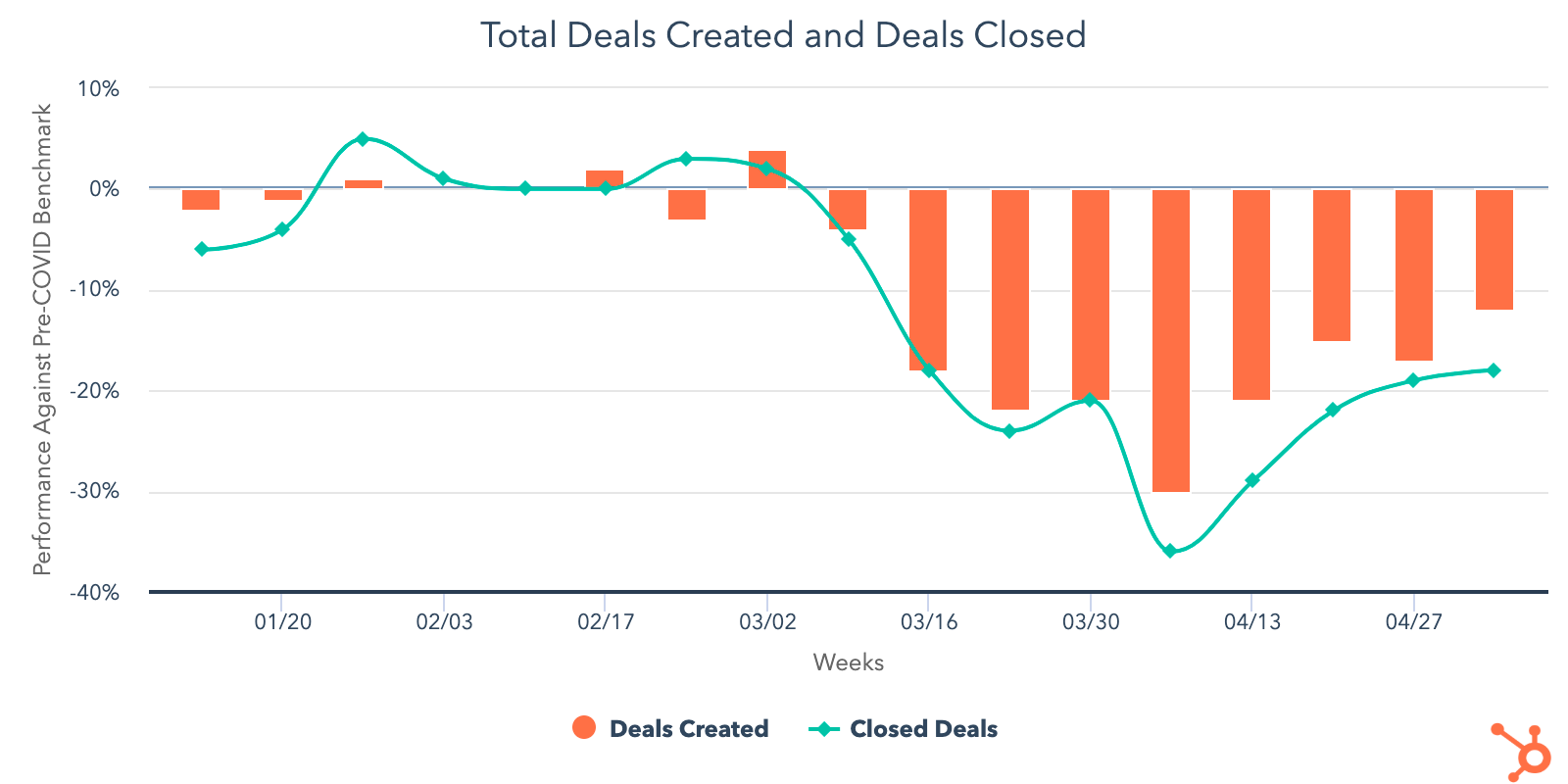
After last week’s drops in deals created, all industries we’re tracking experienced an increase the week of May 4. Interestingly, four out of the seven had deal creation volume close to or above pre-COVID levels. Computer software is slightly below pre-COVID averages, while manufacturing (+2%), consumer goods (+8%), and construction (+8%) have slightly exceeded pre-COVID levels. The other three industries — travel, human resources, and entertainment — have been structurally impacted by COVID-19 and are keeping global averages low. All industries are still trending below pre-COVID averages for closed-won deals.
There’s also some promising signs in countries that have begun reopening parts of their economy. Germany, Italy, and Spain are all seeing an acceleration in sales activity above global averages. In Germany, the volume of new deals created increased 14% and closed-won deals increased 16% last week. Italy saw a 23% increase in new deals created, and a 5% increase in closed-won deals. Spain had the largest week-over-week increases, with a 35% jump in new deals and 61% increase in closed-won deals. New Zealand and Australia largely held with global averages.
It’s important to note that with the exception of Australia, where deal creation has nearly recovered to pre-COVID averages, these countries are all still trending below pre-COVID levels. The accelerations seen in Germany, Spain, and Italy are anchored by significant drops in these metrics in March. Explore macro regional data here.
Deal pipeline metrics are also available by company size.
2. Prospecting continues to increase across the board, while sales engagement is holding flat.
After a dip the week of April 27, email prospecting increased 7% the week of May 4. Call prospecting saw a 10% increase. Sales response rate was flat week-over-week, and is holding at 29% below pre-COVID levels.
Last week, the data suggested that sales teams were replacing the time they spent calling prospects with emailing instead, which has been ineffective in converting interest to date. Call prospecting typically acts as a forcing function for doing better research and pre-qualification, so we hope to see this balance shift back toward calling.
The volume of meetings booked saw a 5% lift week-over-week. This is somewhat encouraging, but would be more so if this increase was proportional to the higher volume of sales emails. For now, sales teams are still emailing at levels far above pre-COVID levels, and the corresponding increases in deals created and meetings booked shows that only a small portion of these efforts are paying off. This will not be sustainable in the long term, and we’ll be watching closely over the next several weeks to see how downstream metrics like deals created and closed-won deals continue to shift as prospecting strategies evolve.
3. Newly available data on advertising spend reveals an opportunity for businesses that may have paused campaigns.
Globally, total advertising spend was 18% below pre-COVID levels the week of May 4, and has essentially been flat at that level since March 16. This trend held across all company sizes and most industries.
It’s understandable that advertising campaigns have been on pause for the last few months as businesses assessed their outlook. However, in that same time period, the volume of marketing emails has reached 33% above pre-COVID benchmarks, while engagement with those emails has exploded to 20% above pre-COVID averages. Marketers are putting a very small amount of money back into advertising campaigns, but we’re a little surprised that more investment hasn’t been made here at a time when marketing engagement has been steadily increasing, and when businesses seem to be regaining some sales velocity.
Perhaps unsurprisingly, consumer goods is the only industry trending above pre-COVID levels for ad spend. This makes sense given the transition from offline to online that many businesses have made out of necessity in the last few months.
What This Means for Businesses
Sales teams need to reinvent how they prospect.
While sales results are incrementally improving week-over-week, salespeople are still spending a great deal of time reaching out to poor-fit prospects. The deal pipeline metrics are an encouraging sign that more businesses are reentering buying processes, but it’s still too early to tell how much of this growth will be sustained. For now, it’s a safe bet that your sales team should continue prioritizing high-interest, good-fit buyers rather than indiscriminately prospecting.
Resources to Help
- Watch the replay of our Adapt 2020 webinar on selling through uncertainty
- Refresh your email outreach with these sales templates.
- Start using video in your sales outreach to engage more prospects.
- Use this guide to increase your sales close rates.
- Lead with empathy in sales emails to build rapport and increase response rates.
Consider whether online advertising is a fit for your business.
The significant dip in advertising spend tells us that many businesses have paused their ad campaigns either temporarily or indefinitely. There’s an opportunity for companies to enter a more affordable market. Whether or not this approach is right for your company entirely depends on your audience and offering, but if online ads work for your business, now may be a good time to un-pause campaigns.
Resources to Help
- Attend next week’s Adapt 2020 webinar on advertising with empathy during a crisis.
- Get up to speed on using Facebook Lead Ads with this beginner’s guide to building audiences and ads.
- Read our ultimate guide to online advertising.
- Plan your investment with this guide to budgeting for advertising.
- Set up and run campaigns using HubSpot Ads, Facebook Lead Ads, or Google Ads.
Free Software to Get Started
- HubSpot CRM is free and comes with included advertising and sales acceleration tools, including free 1:1 video, meetings, and chatbot tools.
- Gmail and Google Calendar integrations with HubSpot
- Zoom integration with HubSpot
- LinkedIn Sales Navigator integration with HubSpot
- Check out what HubSpot’s app partners are offering at this time with this list of relief initiatives.

A/B Testing on Facebook: How to Do It Right
According to HubSpot research, Facebook is the top distribution channel for content, and provides the biggest ROI for marketers.
In fact, over half of marketers agree that Facebook is where they see the most ROI, and Facebook Advertising is one of the top features for hitting those goals. Are you one of the marketers that can relate?
To illustrate, do you always have a tab devoted to Facebook Advertising efforts? Is one of your daily tasks to check the performance of your landing page ads?
Further, are you testing those ads before they get published?
Facebook offers so many ways to test the performance of your ads before they go live. One of the most popular tools Facebook offers is A/B testing.
A/B testing, or split testing, is a term used to describe the process of running marketing experiments to see which version connects better with your audience. Usually, they’re tested simultaneously, and the variables can be anything from layout, copy, or multimedia.
A/B testing is a very popular marketing method because it gives marketers an idea of what types of ads or UX visuals earn the highest conversion rates. Essentially, if you run an A/B test, you can begin to identify the performance of a piece of content before publishing.
Here, let’s dive into how you can A/B test your marketing ads on Facebook.
A/B Testing Facebook Ads
On Facebook, you can create A/B tests in multiple ways. This is dependent on the variable you want to test.
Fortunately, you can create an A/B test within the Ads Manager Toolbar. The Toolbar will let you use an ad campaign you’ve already created as a jumping off point for your new test.
Toolbar isn’t your only option, though — in the next section, we’ll cover all the ways you can A/B test your ads.
When A/B testing on Facebook, you can either access the Toolbar from your Ads Manager, duplicate a campaign or ad set, or use the Experiments tool.
First, let’s go over the Toolbar method.
How to use Toolbar to create Facebook A/B tests
Toolbar lets you quickly perform a test using a dropdown box located in Ads Manager. Here’s how:
1. Select “A/B Test”
When you access Ads Manager, go to the “Campaigns” tab. Under that tab, you’ll see an option for “A/B Test.” Keep in mind that you’ll need to have an existing ad campaign or campaign draft in order to complete the test.
When you choose that option, this is what you’ll see if you don’t have an existing campaign:
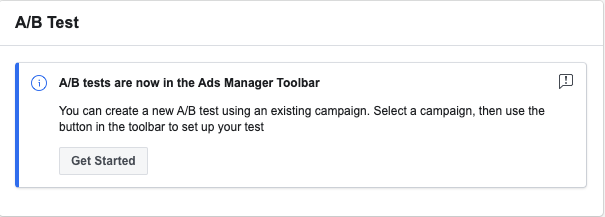 Select your desired campaign, and then you can choose which variable you want to test.
2. Choose A Variable
There are several different options for variable testing, and they’re categorized based on the goals of your campaign.
The variables are as follows:
- Audience —This variable will look at the effectiveness of your ads based on the audiences you aim to reach. For instance, you can test different audiences based on region.
- Creative — Creative A/B tests will focus on the visual assets of your ad. So if you want to test different images, videos, or carousel, you will choose the “Creative” option.
- Placements — If you want to test where on Facebook your ad will be most effective, you’ll want to pick “Placements.” This option allows you to test automatic placements.
- Delivery Optimization — This A/B test option is used to compare ads with budget optimization and without, in order to gauge the performance of both. For instance, if you are unsure if you should spend more to optimize a certain ad to gain more conversions, this would be the proper test to run.
- More than one — Let’s say you want to test multiple variables on an A/B test in order to compare a strategy that’s more complex. In this case, you’d want to choose a “More than one” test, which will allow you to test based on the same cost per result or cost per conversion lift.
- Product Set — If you want to test different sets of products, you’ll want to go with this choice. You can choose two product sets to run on Facebook.
All of these variables can be managed from the “Ad Set” tab in Ads Manager, which is right next to the “Campaigns” tab.
Once you’ve chosen your test type, you’ll be ready to perform your test. You can check the status of your test in Ads Manager, and choose how long you want your test to run. To find the progress or check the status of your ads, check your “Account Overview” tab, and look for the icon that resembles a beaker:
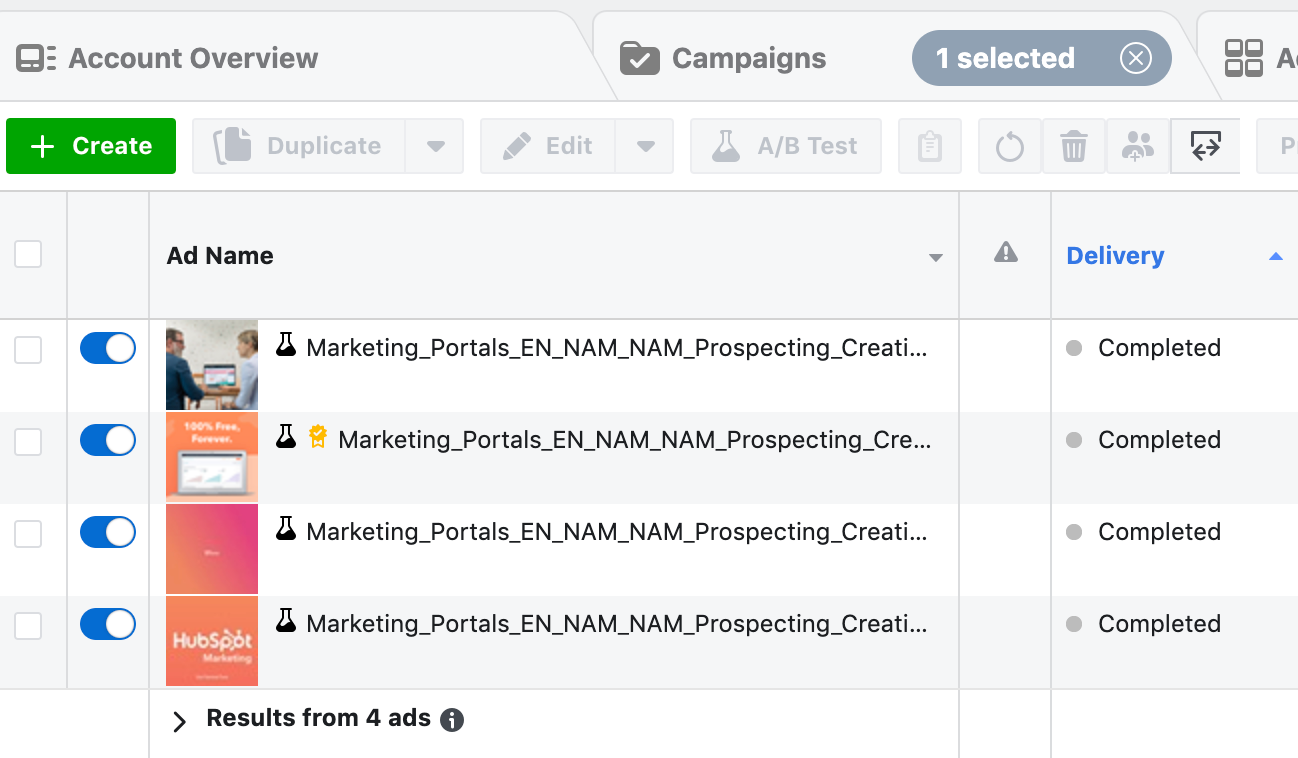 If you find that you want to go with a different route for your A/B test, there are also options to set them up differently. For instance, let’s talk about duplication next.
How to use Duplication to create Facebook A/B tests
When you choose this option, you can easily create a test by changing one variable in a nearly identical campaign or ad set. This is for ads or campaigns that have already been created.
1. Access Ads Manager
When you go to Ads Manager, go to your “Campaigns” tab. Here, you’ll see a list of your campaigns that are currently running. You’ll also see your drafted campaigns. You can choose either for duplication.
2. Select “Duplicate”
After you’ve decided which campaign or ad set you want to test, highlight the section under the title and you’ll see a “Duplicate” option. When you click it, this is what you’ll see:
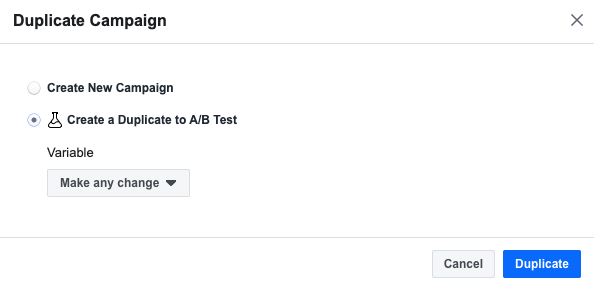
Select the option that notates creating a duplicate specifically for an A/B Test. Remember, this option will let you choose a variable to change to analyze performance, so choose a campaign that fits that criteria.
3. Choose A Variable
If you’re choosing an ad set to duplicate, Facebook will provide suggestions of which variable to change for you, and you can pick from there. I chose traffic, but you can choose based on your ad type or audience.
4. Publish To Test
After choosing your variable, you’ll see your tests next to each other in a preview. After making any necessary changes in this stage, you’ll be ready to publish. To do this, click the green button underneath the audience you’ve selected:
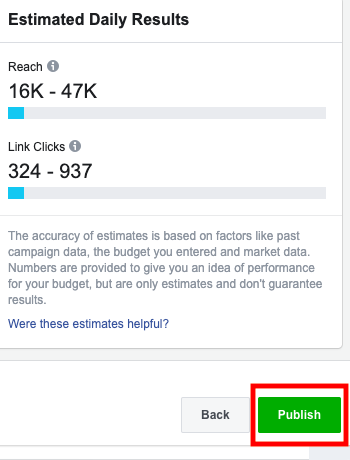 When you publish your test, audiences will be able to interact with them, so make sure you’ve ironed out all the details before finalizing. However, you’ll be able to check back on your test in Ads Manager to access the most current insights.
Next, we’ll cover my favorite option: Experiments.
How to use Experiments to A/B create Facebook A/B tests
The Experiments tool lets you create or duplicate ad campaigns to test. The difference between using Experiments to test instead of Ads Manager is the ability to fine-tune and learn more about the impact of your test while it’s running.
1. Access Experiments
This test won’t run in Ad Manager. Instead, you’ll go to the top of your Business account and select “Experiments” under “Measure & Report.” You can also search “Experiments” in the search bar. This is what you’ll see when you access the Experiments page:
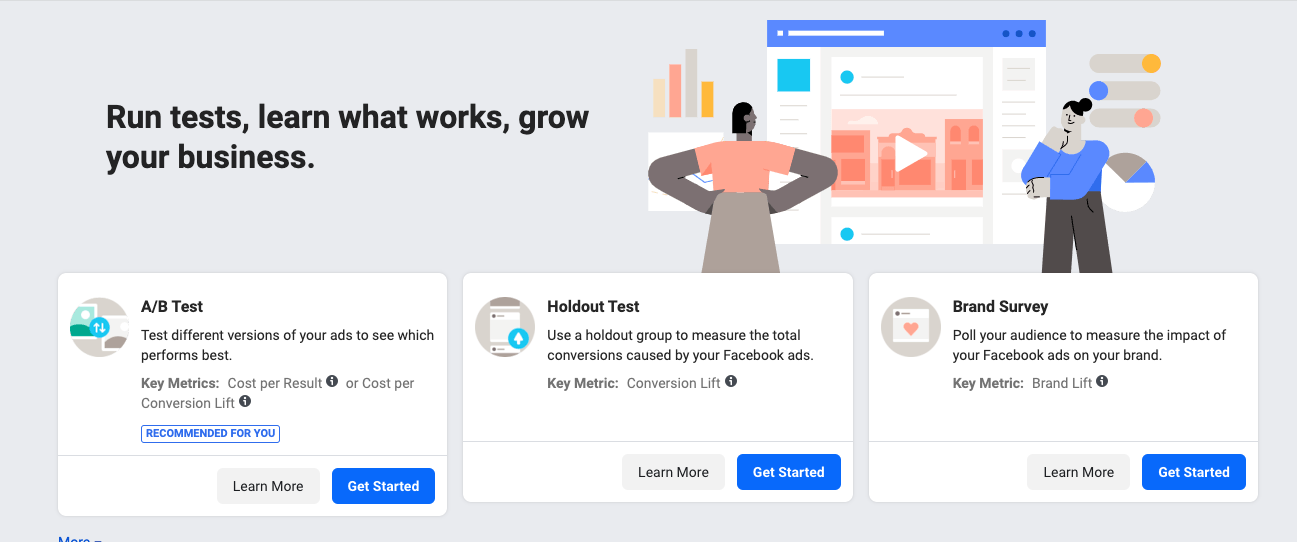
2. Select “A/B Test”
Click “Get Started” underneath the “A/B Test” option. When you do this, you’ll be taken to a menu that lets you fill in the ad details. For example, you’ll have to choose the campaign you want to test:
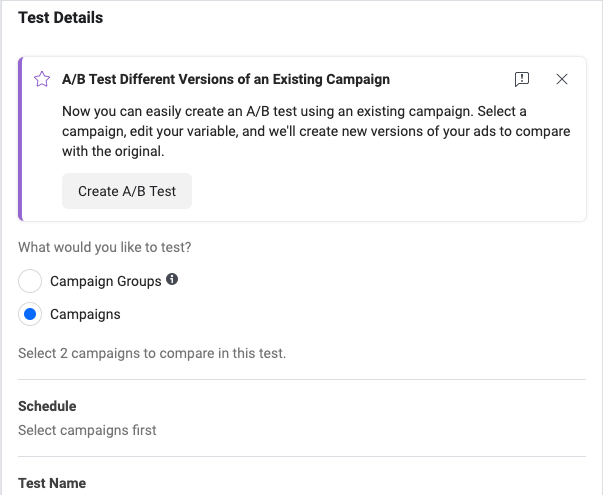
Here, you can schedule the run time of your test, fill in the test name, and even decide how you want Facebook to choose the winning campaign. You can either choose cost per result or cost per conversion lift:
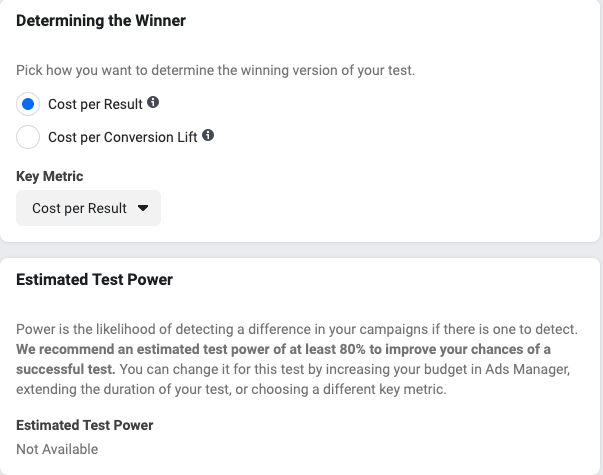 When you’re finished filling in the details, Facebook will show you how powerful your test is. Essentially, this is to make sure that your draft fits the criteria of an A/B test before you publish. After filling out this menu, you’ll be ready to push your experiment live.
Facebook uses the same base technology to run your A/B tests. The different versions of tests you can run help you make the best choices to optimize ad performance. No matter which test you run, however, you can see all of your results in “Test and Learn” when they’re finished.
Next, let’s go over some best practices for running your A/B test on Facebook.
Facebook A/B Test Best Practices
Keep these best practices in mind before you begin your split test — they’ll help you run tests that are valuable and applicable to your next campaign.
1. Choose one variable that’ll help you reach your goals.
When you A/B test on Facebook, make sure you’re only choosing one variable to test. There’s a separate multivariate test that you can run, but for A/B, one variable is key. Your test results will be more conclusive with only one variable.
2. Pick audiences that you want to reach with ads.
Choose a new audience for your test. They should be large enough to provide measurable results, but shouldn’t be the exact same audience as a campaign you’re already running. If they’re the same as a drafted campaign, that’s okay because they’re not published.
However, if you choose the exact same audience as a campaign you’re already running, Facebook’s system might mix up your ads and provide contaminated results.
3. Use hypotheses that are measurable and valuable.
In order to analyze your test results so they’re the most valuable to you, make sure your hypothesis is measurable. To put it another way: Make sure your hypothesis is clear, easy to understand, and able to be determined with an A/B test.
Your hypothesis can be as simple as, “Which method of delivery do my audience members respond the best to?” This question can be answered by using the Delivery Optimization A/B test on Facebook.
4. Make time frames that are ideal.
Recall that when you set up your A/B test, you can choose a time frame. You can choose to run your test for up to 30 days. Facebook’s Business Center suggests at least four days, which is enough time for the technology to produce accurate results.
5. Choose a budget that works for your business.
Facebook can provide an ideal budget for you based on your test details, or you can choose an ideal budget for yourself when you’re filling in test details. Setting an ideal budget will help you determine a winning strategy — it factors in Ad Spend into the success of your test.
According to one of HubSpot’s Paid Ads specialists, Nicole Ondracek, “A big value of split testing is being able to prevent audience overlap so you know that the same audience is not seeing multiple variants which could affect the results. That way, you can confidently say which one is the clear winner.”
A/B testing gives you a better understanding of audience behavior. Performing them on Facebook streamlines the process and gives you more comfortability with Facebook’s ad system.
Additionally, Ondracek mentions that depending on split testing results, advertisers can begin to shape what type of creative they need to use for the future.
How will you use split testing on Facebook to help your creative advertising efforts?

How to Make Videos People Will Watch on Social Media
Want your videos to make a bigger impact on social platforms? Wondering how to create videos that grab and hold people’s attention? In this article, you’ll discover three techniques to produce video people will watch on social media. Note: This article assumes you have the basics in place for filming and producing social media video. […]
The post How to Make Videos People Will Watch on Social Media appeared first on Social Media Marketing | Social Media Examiner.
from Social Media Marketing | Social Media Examiner https://ift.tt/3dEQnRr
via socialmediaexaminer
Marketing Without a Budget? Use These Tactics for Success
As a habitual spender bee, the day before payday is, sadly, one of scant spending.
Some of the marketing teams I’ve been on have had similar budget issues (although those weren’t brought on by online shopping like mine).
While having a tight marketing budget can make the job harder, there’s still plenty you can do.
Below, let’s review the top tactics to implement when you’re marketing without a budget.
1. Improve content marketing.
Content marketing is one of the top ways to market your brand when your team is on a tight budget.
For example, you can start a blog. Blogs are a great way to reach your audience and build organic traffic to your site. Plus, you can use this space to answer customer questions and attract leads.
If you run out of content ideas, don’t forget that you can repurpose old content. You don’t have to reinvent the wheel with every post. You can create an infographic or video to attract new audiences on different platforms, like YouTube.
Additionally, you can strengthen content partnerships by guest blogging on other sites and accepting guest submissions on your blog. This is an excellent way to expand your audience for free.
Vana Korrapati, a digital marketing strategist, says, “Identify your target audience and their pain points. Write blogs that address their pain points with at least one key takeaway. This helps you build a list of leads that could turn into sales. Content marketing is a powerful tool and if you don’t have the time, you can hire content marketing consultants or agencies at low prices.”
To help you get started, marketing software like HubSpot’s Marketing Hub can make this a seamless process.
2. Produce your own podcast.
Another cost-effective way to reach your audience is through podcasting. Plus, if you implement this strategy, you’ll diversify your content marketing plan.
When you’re first getting started, you can repurpose old blog content into a podcast topic. Then, you can promote it through your owned media channels.
Korrapati adds, “Having your own podcast will get you loyal followers and, ultimately, a lot of champions for your product. Not to mention the personal and brand reputation.”
3. Offer a free trial period.
While this might seem like a corporate or financial decision, offering a free trial period is actually a great marketing tactic.
When you offer a free trial, you’ll build trust with your customers and improve your brand reputation.
Korrapati says, “You should let the customer have one foot into your product to experience how amazing it is. You’ll pamper them so much they’ll never want to leave. Even if you lose a few people after the trial period, you’ll get valuable feedback.”
4. Arrange collaborative giveaways.
Whenever you can tap into someone else’s audience to market your own, you should. Running a collaborative giveaway is a win-win situation.
These giveaways should be helpful and enticing to potential customers, while also making sense for your business strategically.
With a collaborative giveaway, you’ll improve your brand reputation and reach an audience you might not have otherwise.
While you can expect some attrition immediately following the giveaway, you should still leave with more leads or followers than you had before.
5. Encourage user-generated content.
Have you ever wondered, “How can I get marketing content for free?” One way? User-generated content.
User-generated content is usually a part of a crowdsourcing campaign when a company asks users to submit ideas or content they can republish.
For example, Lay’s has done a “Do Us a Flavor” campaign for years, where their audience can submit new chip flavor ideas. Or perhaps you want users to submit photos of themselves using your product and a hashtag on Instagram.
Either way, this can improve your online presence and reputation for free and help your team make product and marketing decisions.
6. Dominate your social media presence.
Social media has continued to be a prevalent marketing tactic for any company. In fact, it’s one of the main ways that Gen Z learns about new products.
Plus, it’s free to get started and build your own online community.
To truly dominate the social media world, you can use your posts, live video, or stories to talk about your company culture, encourage user-generated content, interact with your audience, and build your brand.
To get started, consider using social media software like HubSpot’s Social Media Management Tools.
7. Increase community engagement.
When it’s possible, being involved in your local community can help you build your brand among local audiences and increase your online presence. You can sponsor community events or host an event for your community.
Being engaged with your community can be a cost-effective way to increase your brand awareness and overall audience.
8. Plan a webinar.
Inbound marketing is all about using helpful and holistic tactics to solve your audience’s problems and attract leads to your company.
One way to do this is through webinars. Kristen Baker, a marketing manager at HubSpot, says, “Webinars provide businesses with a way to host a digital, interactive event for members of their target audience and customers, no matter their location. They can be used to boost conversions, improve brand awareness, increase revenue, and establish yourself as an expert in your field.”
Additionally, you can use webinars to gather leads and build your email list. Ultimately, hosting a webinar and conducting email marketing drip campaigns afterward should be cost-effective. You can use free email marketing software like HubSpot’s to get started.
9. Review your online directory listings.
Having an online presence is one of the main goals of any marketing department. One way to help you do this is through online directory listings.
Online directories like Yelp, Google My Business, and Facebook provide your company information (name, address, phone, website) for consumers when they’re searching online.
That’s why you need to be listed on as many directories as possible. Usually, updating these listings is free to do and you can provide more information about your company to optimize your listing.
10. Enhance your SEO strategy.
SEO can be a daunting task, but in actuality, it’s one of the most cost-effective ways to increase traffic to your site and improve your organic reach.
To enhance your SEO strategy, consider conducting keyword research, setting up a blog, creating a link-building plan, and optimizing your website content.
These tactics should help you build brand authority, increase brand awareness, and improve traffic on your site.
To get started, consider using a marketing software that has SEO tools, like HubSpot’s SEO marketing software.
Ultimately, marketing doesn’t have to cost an arm and a leg. You can use several tactics with a tighter budget. In fact, most of the strategies above only require the staff it takes to produce the content.

How to (Easily) Make Perfect Content Calendars in Google Sheets
What do you use spreadsheets for?
If you’re anything like me, you likely use them for data collection, to track campaign or blog post analytics, or to keep track of weekly assignments.
But have you ever thought about using spreadsheets to make a calendar?
And, more specifically, have you ever thought about using Google Sheets to make a functional calendar?
If you often work on campaigns for a few different clients, creating individual calendars in Google Sheets to share with clients and track progress could be uniquely useful for ensuring the client understands when certain content will go live. Alternatively, perhaps you need to create an internal Google Sheet calendar for your team to keep track of upcoming projects.
Making a calendar in a tool that’s commonly used for spreadsheets sounds a little intimidating, but don’t worry, the process is actually pretty intuitive. And with the help of some formulas and tips, you can easily make a functional calendar that you can sync your schedule with.
Below, we’ll go over how to make a calendar in Google Sheets and include some tips that’ll help you elevate the design. At the end, your calendar will look something like this:
%20Make%20Intuitive%20Calendars%20in%20Google%20Sheets.png)
So start a new spreadsheet and get ready to create your very own calendar. 📅
1. Open a new spreadsheet and choose your month.
First, open a new spreadsheet. Then, delete columns H — Z. They won’t be needed and make grouped functions easier.
Then, choose your month. For this example, I decided to do January 2020, so I filled that into the first cell. What’s great about Google Sheets is that it automatically recognizes dates, so typing in a month, followed by the year in YYYY format will tell Google that you’re going to be working with dates.
2. Begin to format your calendar.
I took this step to format my calendar slightly. I selected the text, January 2020, in Column A, Row 1. I highlighted seven columns (A-G), and clicked Merge to make that cell span across the entire column. You can find this button to the right of the Fill tool.
%20Make%20Intuitive%20Calendars%20in%20Google%20Sheets.gif)
Here, I also center-aligned my text using the tool next to Merge. Then, I increased the font size and bolded the month.
3. Use a formula to fill in the days of the week.
Moving on, I began to fill in the days of the week in each column (A-G). You can do this manually but I decided to use a formula. Sheets has a function that lets you type in formulas to complete certain actions at once.
To fill in days of the week, in the cell where you want your first weekday to be, type: =TEXT(1, DDDD”). What this tells Google is that your number will be replaced by a date or time and the format you’re using is weekdays.
%20Make%20Intuitive%20Calendars%20in%20Google%20Sheets-1.png)
Highlight the number 1 in the formula and replace it with: (COLUMN(), DDDD”). Then, press enter and select your first day. You’re going to copy the formula in Sunday’s cell, drag the selector to the end of your row, (A-G), and press enter.
%20Make%20Intuitive%20Calendars%20in%20Google%20Sheets-1.gif)
Pressing enter should automatically fill in the rest of the week. Remember, if this doesn’t work for you, you can always fill in the days manually.
4. Use a formula to fill in the numbers.
So at this point, you have your days of the week. Now we’re going to fill in the numerical values. Before this step, I took the time to section off my top column with color.
For the numerical values, write an “if/then” statement in your first column to determine the day of the week. Jan 2020 started on the 4th day in my column, or Wednesday.
You’re going to type: =IF WEEKDAY($A1)=COLUMN(),1, “”
What you’re telling Google with this formula is, “If the weekday for the first day of the month starts on a (WEEKDAY), and is also equal to (=) the column (COLUMN) that we’re in, then display a number one (1). “
%20Make%20Intuitive%20Calendars%20in%20Google%20Sheets-3.png)
Next, you’re going to copy that blank Sunday spot, select the entire row, and paste. You should see a “1” in the correct column.
Because January 2020 doesn’t start on a Thursday, the statement is incorrect, so we’ll have to change it for the next day. I did this manually for Thurs-Sat.
5. Copy and paste to fill the spaces.
This step will fill in the rest of the numbers for your calendar using the formula. Remember, you can always format this by hand.
Note: In this step, I filled in the calendar numbers every other row to help with my formatting later.
The day, (=DAY), is your first column (A1), plus the value in your current column. For me, that’s (A5), so the formula looks like this: =DAY(A1=A5)
Then copy that value, drag the selector to the rest of the row, and paste. The rest of your rows should read consecutively. For example, Tuesday, January 7th’s value is =Day($A1+B5).
%20Make%20Intuitive%20Calendars%20in%20Google%20Sheets-4.png)
For the next row, the process repeats. But for the 12th, I had to change my values because the row and column changed.
So instead of =DAY($A1+B5), I changed the “B” to “G” to make it true that I’m adding one to the previous value, or going from the 11th to the 12th. Then, like washing your hair, you rinse and repeat. So for example, Wednesday, January 15th reads as =DAY($A1+C6).
To fill in the rest of the calendar, the process repeats itself. Make sure your values add to the last day. To fill them in all at once, copy the formula, drag to select the row, and press enter.
6. Reformat your calendar if necessary.
Everything is starting to look like a calendar, right? At this stage, I reformatted things to clean up the look of my calendar a little. For instance, I selected the row for the days of the week and highlighted them to make it stand out.
I also added a border, just to spruce up the functionality of my calendar.
Because I left space in between my numbered days, I could easily add tiny boxes, or spaces, into my calendar. To do this, I simply dragged the number of my row down an extra space to expand that cell.
I also positioned all my number values to the top right using the vertical alignment tool. This is the same tool that centered our month.
7. Add design elements to professionalize the look.
Finally, you can add in some fun design elements to personalize the look and feel of your calendar. If it’s for a client or upcoming project, you’ll want to incorporate necessary launch days here.
%20Make%20Intuitive%20Calendars%20in%20Google%20Sheets-2.png)
For this step, I added in a few fun images, hypothetical calendar events, and played with font sizes.
And then, you’re done!
It’s handy to use Sheets because you can open your calendar to the right of your sheet. You can also keep track of your schedule in a place that’s separate from your phone. If you’re handy with Sheets and want to give it a shot, try it — it can be a fun exercise to get more comfortable with using formulas in the tool, and is a good option if you need to create a clean calendar for an internal marketing campaign, or to organize a client’s upcoming projects and send along to key stakeholders.

How to Write an Effective Communications Plan [+ Template]
Remember the “Tide Pod Challenge?” That horrendous time at the beginning of 2018 when adolescents filmed themselves ingesting laundry detergent?
While it was a funny (albeit dangerous) start to the new year, this small boost of infamy was a PR mess for the detergent brand in question, Tide, whose crisis communication team had to figure out how to respond to America’s teens swallowing their toxic product. Tide’s parent company, Procter & Gamble, was swift in their response, thanks in large part to their communication plan.
Communication plans can help you clarify the purpose of a product launch or new initiative and officially determine the messages you want to deliver to your intended audience(s).
Additionally, a communication plan can help your business during a time of crises if a previous marketing message or business decision damaged your reputation with internal stakeholders or customers.
If companies don’t have a communication plan, they’ll be unprepared when disaster strikes. It may be unlikely that your company will find teenagers eating your product for internet fame, but not so unlikely that you’ll never find yourself needing a procedure to effectively handle difficult situations.
Now that we’ve gone over how a communication plan can be helpful, let’s learn how to write one that will be effective.
Featured Resource: Communication Plan Template [Download Now]
Need a free, easy-to-use communication plan template? HubSpot has 12. Check out this toolkit for everything you need to build your own.
This is part of a template offered in the toolkit. For this particular template, the organization is separated into phases, a description of that phase, and who needs to complete that action.
Communication plans can get tricky, but writing an effective one will prove itself with its longevity.
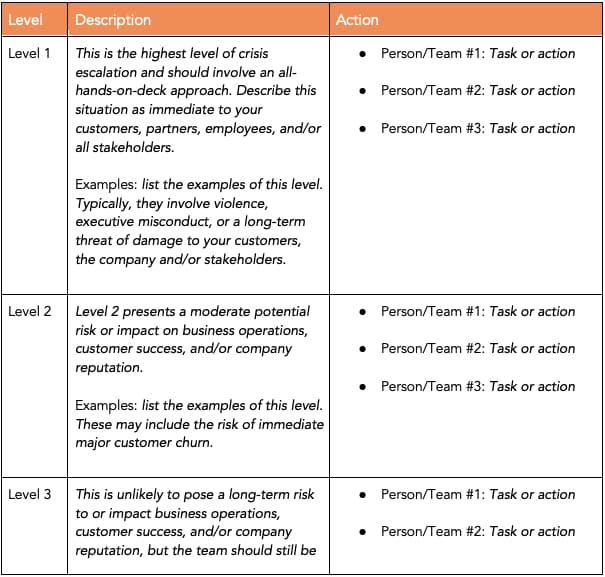 Download this Template for Free
This communication checklist below, by Prezly, gives a great overview of the details of a crisis plan from beginning to end. It can be used as an effective guide when drafting a crisis management strategy.
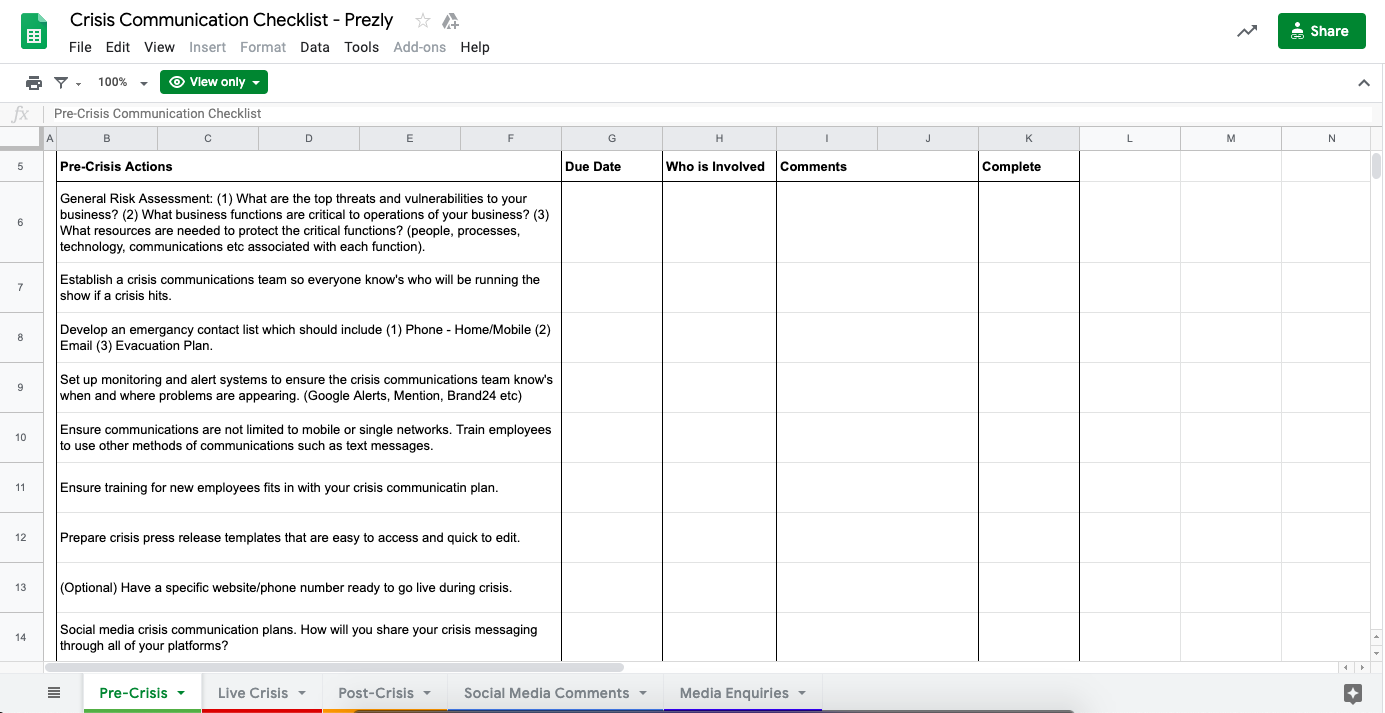
Image source: Prezly
1. Conduct an audit of your current communications materials.
Before sitting down to get rollin’ on your plan, you need to first decide where it’ll fit into your business. So it’s important you complete a “state of the union”, or an audit of the current climate of communications within your company. This can help you identify any problem areas.
For instance, let’s say you need to create a communications plan for a new product launch. To create your plan, you’ll first need to perform an audit to identify gaps in your current marketing approach.
After performing the audit, you might find there is a major gap in your marketing materials in which you rarely discuss a topic that aligns well with your new product. You’ll want to ensure this topic makes it into your communications plan.
To conduct an audit, you’ll need to carefully gather and interpret data on your current marketing plan performance and build a path forward based on those results. Additionally, you might consider hosting focus groups or sending surveys to your audience to find gaps in your current communications materials.
Of course, you’ll want to have the goal of your communications plan in-mind when conducting an audit. In the example above, noticing you’re lacking material on a certain subject only matters if your goal is to drive leads and conversions to a product that aligns with that subject.
For instance, if you’re launching a new email marketing tool and you notice you’re lacking content on Google Ads, this might not be relevant information for your communications plan. However, if you’re missing content on email marketing best practices, that’s important information you can use to tailor your communications plan appropriately.
2. Set SMART goals for your communications plan based on the results from your audit.
After your audit, you’ll want to lay out a few goals based on the data from the results. What do you want to achieve with this plan?
When in doubt, remember that your goals should be SMART: Specific, Measurable, Attainable, Relevant, and Time-based.
For instance, if a small agency is writing a communications plan for its client, they might write a goal along these lines: “We plan to increase employment applications for our client by 25% over the course of one quarter.”
Alternatively, perhaps your HR team needs to write a communications plan to pitch designing a new growth matrix for individual contributors who don’t want to become managers.
If that’s the case, your HR team will need to identify specific goals they hope to achieve as a result of their plan, even if the results are less quantifiable — for instance, their goal might be to “increase employee retention rates by 10% over the next year” or even “increase employee satisfaction, as indicated by their next NPS scores.” They’ll need to pitch these goals to stakeholders to get leadership on-board.
3. Identify the audience to whom you plan to deliver your communications plan.
Good communication starts with knowing and understanding your listener. In this case, if a crisis communication plan is for stakeholders, which one(s) are you writing for? Stakeholder examples include employees, investors, customers, local government officials, or media outlets.
If you’re writing for media outlets, a press release detailing your goals is a good idea for that audience. There should be a process for who will speak to the media outlets, an outline of what they will say, and an action plan put in place moving forward.
Alternatively, if your audience is your employees, you might want to create an up-to-date internal document for employees to refer to, as well as the contact information for the internal DRI if they have follow-up questions.
4. Outline and write your plan, keeping your audiences in-mind.
When you’re ready to outline and write your plan, it’s likely easiest if you start with a table or chart to identify the messages you need to promote, to whom you’re targeting those messages, and on which channel(s).
Once you’ve created a general outline, here’s how you’ll want to structure your communications plan (feel free to copy these sections into a Table of Contents for your own plan):
- Purpose (what is this communications plan for)
- Escalation Framework (including ‘first line of defense’ and ‘greater response team’)
- Roles and responsibilities of each employee
- Do’s and Don’ts
- How to maintain an effective response plan
(If you need help writing a communications plan, download our free, ready-to-use communications plan templates.)
When writing your communication plan, work with groups or representatives from your stakeholders to improve accuracy. Strategies should solve for goals or potential risks.
For instance, if you work for an agency aiming to promote a client’s product, a risk might be spending money on paid ads without a guaranteed ROI. To solve for that risk, the agency should detail different steps to ensure the ads are effective before going public.
5. Determine the channel(s) on which you need to deliver your messages.
The channels you choose to communicate with your audience depends on your message, and to whom you want to deliver that message. For instance, if you’re creating a communications plan for internal employees, you might send out your communications plan in a company-wide email, or use in-person team meetings to deliver your message.
Alternatively, if you’re communicating with customers, you might determine it’s best to communicate via an email newsletter, or via a press release.
Of course, the channel(s) you choose will depend on your goals, but it’s important as you’re writing your communication plan that you keep your distribution methods in-mind.
6. Decide which team members are responsible for delivering the message.
Once you determine your audience and channel(s) on which you’ll deliver your communications plan, figure out the DRI for delivering the message.
For instance, if your HR team is pitching a new growth matrix to leadership, you might ask your Director of HR to deliver the initial pitch in the first meeting. Once leadership is on-board, you might ask each HR representative to deliver one training session for each internal team to ensure every employee understands what’s changing internally, and why.
7. Estimate a timeline for how long each step should take.
You should have a ballpark estimate of how much time each step in executing your strategy will take. For instance, if your plan needs to go from the higher-ups down to the employees, it’s good to take into account how long going through the chain of command will take. It’s also smart to infer how long a media cycle will last.
For instance, for a minor slip-up on an ad campaign, the advertising agency might estimate the cycle for controlling the issue will take a month — including meeting with the client, stakeholders, and employees to discuss steps moving forward.
8. Measure the results of your plan after presenting to stakeholders, and determine successes and areas for improvement.
There’s always room for improvement. Measure the results of the plan after presenting it to stakeholders, and determine aspects that went well, and areas for improvement next time.
For instance, the ad agency might not have met its goal of increasing prospective applications by 25% within a quarter. They might rework their goals to give themselves more time or pivot their quarterly focus to fit those goals.
Alternatively, if you notice certain language in your communications plan evoked a level of stress or fear with internal stakeholders, consider how you can re-word next time to ensure your communications plan feels helpful, beneficial, and positive.
Some aspects of building a communication plan can be a “choose your own adventure” journey. The key is choosing aspects that best reflect what your business needs in times when effective communication is key. What do your stakeholders need to know, and how are you going to best communicate that?
Communication Plan Examples
A basic communication plan should include an analysis for the stakeholders you’d respond to and the procedures for what to include in those conversations. You might also include an overview of your business, potential communication challenges, and risk management strategy.
Bright Hub Project management has an example that includes how to put this information — and more — into your communication plan as a project manager.
This example is great because it details how communication managers write crisis plans and acknowledges that sometimes the busy marketer or project manager does as well.
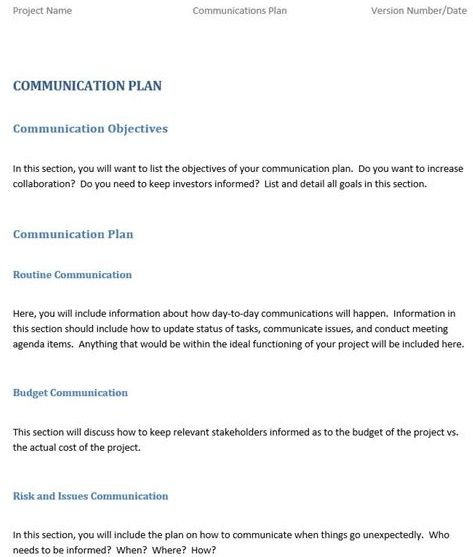
Source: Bright Hub
The National School Public Relations Association has a free version of a sample communication plan in PDF format. It’s a great example of how to format a crisis strategy and how to fit your budget into the plan:
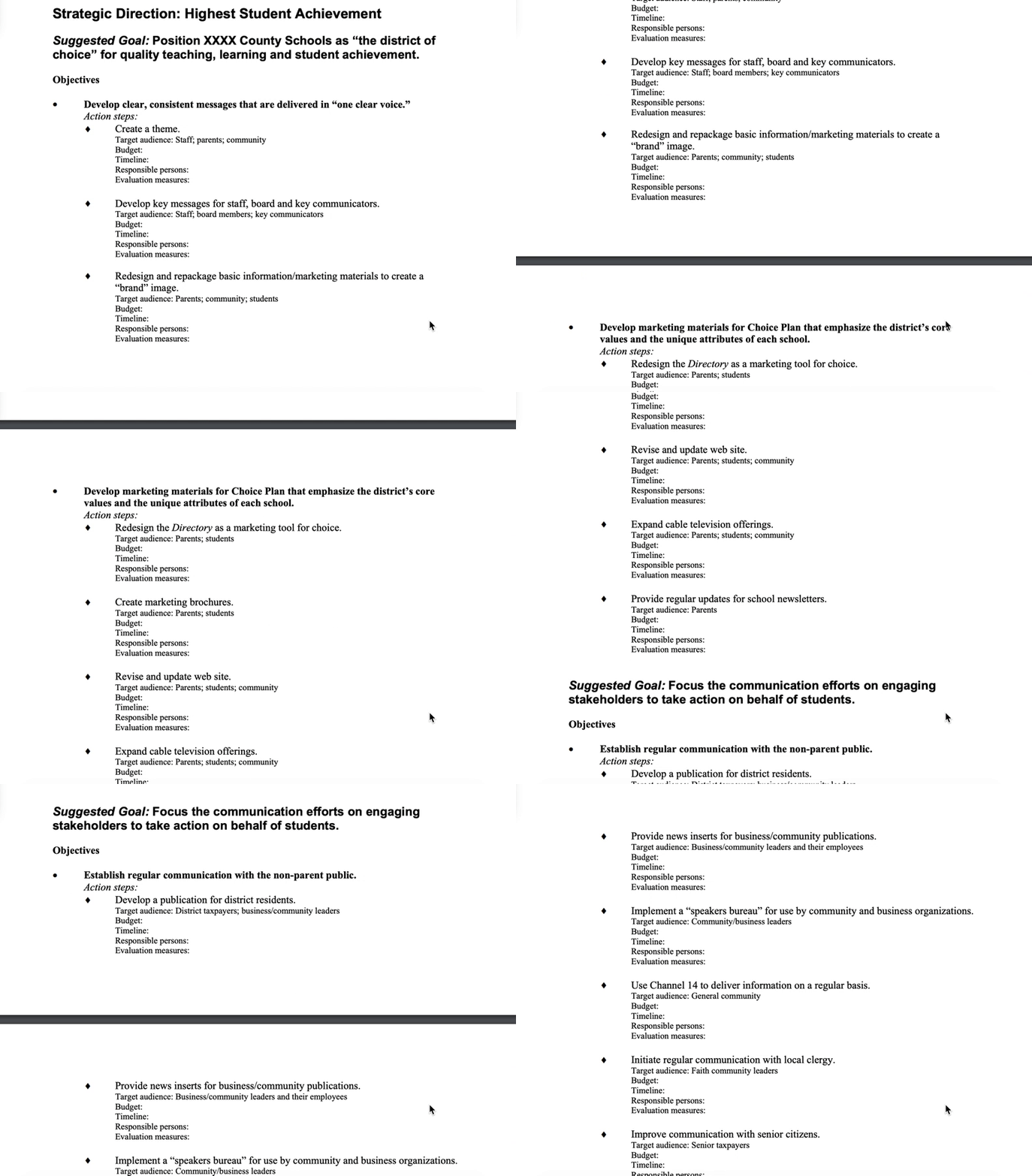
Finally, here’s an example of a Billing Upgrade Project from Simplicable. As you can see, the communications plan includes necessary sections including audience, goals, format, and DRI:
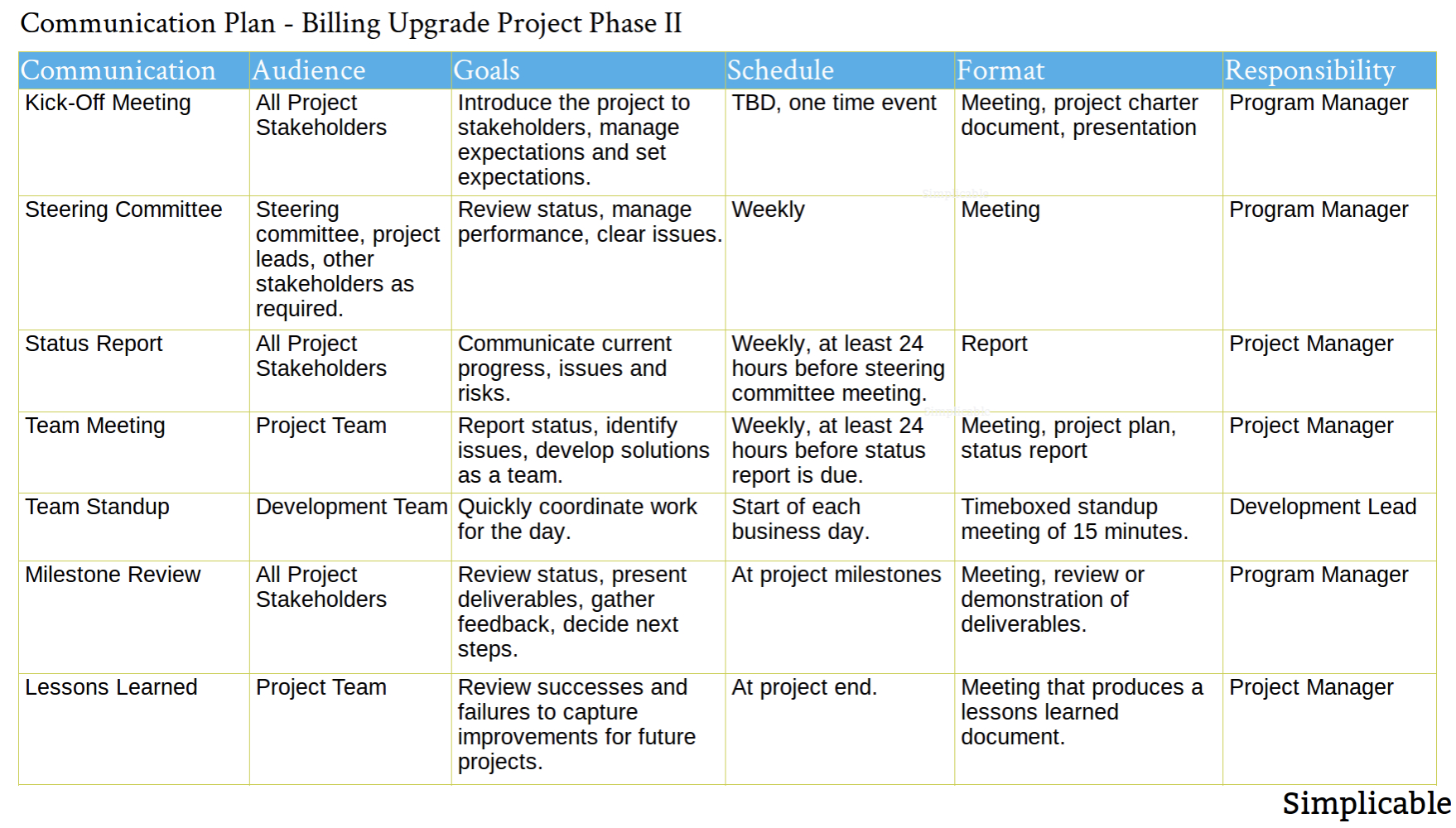 Source: Simplicable
Finally, here are some extra tips to keep in mind to help your plan shine: when describing procedures for handling crises, include who the situation involves. This lets stakeholders envision decision-making processes.
Additionally, if you’re part of a larger company with a broad stakeholder list, it’s okay to split up target audiences for your plan.
For instance, maybe your audience is more than just “consumers.” Split stakeholder groups for easier comprehension and more distinct solutions.
Ultimately, your communications plan needs to clearly and succinctly provide necessary information to everyone involved in the business decision, product launch, or PR crises. Use the strategy mentioned above, as well as our communication plan templates, to ensure yours is as effective as possible.

A Comprehensive Guide to Marketing on Quora, According to Quora’s Head of Product Marketing
B2B marketing has hit a wall. Audiences are getting harder to reach, campaigns are fractured across channels and, for many brands, performance is flatlining. Whatever audiences want, they want it now.
As marketers, we have an obligation to earn our audience’s attention. We already know that the B2B journey is powered by content. Channels never mattered to the consumer. Prospects want to self-educate, and content is how they choose to do it.
Increasingly, B2B companies are turning to thought leadership content to enhance brand reputation, build decision-makers’ trust, open the conversation, and help close business, according to research by Edelman and LinkedIn.
In fact, 56% of B2B marketing executives stated “positioning our company as a thought leader” as their top objective in a recent Economics Intelligence Unit study.
What exactly is thought leadership marketing? Simply put, it’s the art of using content to position your company as a leader in its field. The goal is to demonstrate domain expertise and offer a unique point of view.
If you want your brand to earn respect from your audience, you need to provide value. But what’s valuable? The short answer is offering your audience the content they want and need – when and where they’re looking for it.
Depending on your industry, demonstrating thought leadership can take different forms. However, if you’re looking to increase brand authority in 2020, Quora is a great place to start.
Here, let’s explore why Quora makes sense for thought leadership content, how to build brand awareness on the platform, and best practices for advertising on Quora.
Why Quora Makes Sense for Content Distribution
What makes Quora unique is why people come to the platform. It’s not search, and it’s not social media. It’s somewhere in-between, with over 300 million people coming every month to conduct research, evaluate products, ask for tips, and learn more about the world around them.
This knowledge exchange is conducive to people who are receptive to new ideas and looking to discover new products. This includes people looking for reliable information about your company, products, competitors, or industry as a whole.
Aside from a growing high-intent audience, Quora works to build a platform and ecosystem that is optimal for readers, writers, askers, and seekers of information. Unlike other platforms where content gets buried or disappears, the knowledge shared on Quora is evergreen. This means your answers aren’t just relevant for a day — they’re still easy to find months and years later.
Additionally, people aren’t one dimensional. We have multiple interests. Quora personalizes the content based on what people want to learn more about so it’s always relevant.
For instance, I’m learning how to surf, so I follow Surfing to understand the terminology and etiquette. I also have one-year-old at home, so Parenting helps me be a better father. Digital Marketing keeps me updated on the latest trends in our industry. And Personal Finance provides expert advice on how I can prepare for retirement and practical ways to start investing.
Plus, it’s a lot of fun reading analysis and opinions of the latest Star Wars: Rise of Skywalker movie, so I can keep up with what my nerd of a wife is waxing eloquent about.
Now that we’ve explored why Quora is a powerful channel for brand awareness and distributing content, let’s explore who you’ll find on Quora and how to know which audience(s) to target.
How to Find Your Audience on Quora
Quora has a greater concentration of P18+ users with a HHI > $100K than other publishers such as WSJ, LinkedIn, HuffPost, and Reddit.
Additionally, Quora users are highly educated, with 65% having a college degree and 28% having a graduate college degree. In addition, 54% report having a HHI > $100K annually.
Here are a few ways to find your audience on Quora:
- Start searching on Quora. Leverage existing high-performing keywords and topics, and look for question opportunities that offer a solid follower count on topics. This will give you a good idea of potential audience size for a given topic.
- Search your competitors. Are people talking about them? Are they active on the platform writing answers or running ads? If not, then take advantage of this by adopting the platform first. If they are utilizing Quora, you might be missing out on engaging conversions with potential customers.
- Create an ad account. https://www.quora.com/business
- Install the Quora Pixel. Add the pixel on your website and then create a website audience to understand how many of your website visitors are on Quora.
- Create a List Match Audience. Upload your email list in Quora Ads Manager to understand the match rate and overlap. Most Quora users use their personal email address when signing up so business email won’t work as well here.
Now that you’ve identified and targeted your ideal Quora audience, let’s dive into how you can create a robust marketing flywheel on the platform.
The Quora Flywheel Effect
The flywheel effect, described by Jim Collins in his book Good to Great, describes a massive, 5,000-pound metal disc mounted horizontally on an axle. He asks the reader to imagine pushing it, so that it turns around that axle. At first, getting it to move at all is extremely difficult. But with each push, it gets fractionally easier and the flywheel begins to pick up speed.
It’s a great metaphor for marketing, and Quora is one of the only platforms where marketers can create a robust marketing flywheel.

Here are three best-practices you can employ to create your own momentum on Quora:
- Share: contribute to the conversation by adding and answering questions. This is how you will demonstrate your expertise.
- Engage: interact with high-intent audiences and potential prospects by being an active participant on Quora. Upvoting, commenting, and resharing answers shows that you’re interested in being a part of the community.
- Thought leadership: gain authority and establish trust on topics by consistently providing valuable answers and a unique point of view. This leads to more followers and people asking you to answer their questions.
How to Get Started on Quora in 4 Easy Steps
The truth is, thought leadership doesn’t have to be costly or difficult. Remember 300+ million people come to Quora every month to learn more about the world around them, which includes your products or services.
According to the 2019 study of B2B content marketing from the Content Marketing Institute and MarketingProfs, 9 in 10 of the “most successful” B2B content marketers prioritize their audience’s informational needs over their own sales/promotional messages.
Since the questions on Quora are demand-driven, it’s an excellent platform for marketers looking to address the informational needs of their audience.
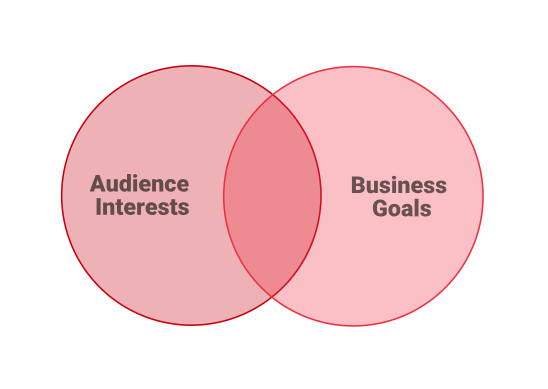
Step 1: Contribute to the Conversation
To turn the flywheel, you must contribute to the conversation. On Quora, that means answering questions. Your answers demonstrate your expertise, give you credibility as a thought leader, and position your voice in conversations about your industry or products.
They are seen by people actively looking for an answer and who are genuinely interested in what you have to say. Plus, your answers can lead to further exposure, since many Quora answers show up in Google searches, or sometimes get picked up by the media, like how Justin Kan‘s answer got featured in Apple News:

As a writer, your answers are algorithmically matched to people who are interested in the topic. This helps ensure that the right people see what you write — people who are genuinely interested in what you have to say.
These can range between a few thousand to hundreds of thousands or even millions of followers per topic. Because of the way Quora sends out your answer, you have the ability to reach these topic followers right away, before they’re even following you as an individual.
How to Map Question Intent to the Buyer’s Journey
According to CMI, 90% of top-performing B2B content marketers put audience’s informational needs first. This means producing content that directly addresses customer issues and intent.
On Quora it’s important to understand the intent of demand-driven questions as it relates to the buyer’s journey. Many marketers split the journey into three distinct sections.
- Top of the funnel (TOFO) focuses on brand awareness and site traffic. ToFu content grabs attention. “What is . . .” questions.
- Middle of the funnel (MOFU) focuses on lead generation and nurture. MOFU content educates and informs. “How to . . .” questions.
- Bottom of the funnel (BOFU) focuses on conversion to paid service or product. BOFU content is personalized and product focused. Product review and comparison questions.
Generally, the broader the question, the more views it will receive as it appeals to a larger audience. For example, “What does CRM stand for?” is a general question that has over 100 answers and 40k views.
In contrast, the more specific the question, the lower in the funnel it is thus receiving less views since it appeals to a smaller audience. For example, “What is a good CRM tool for a small e-commerce business, or alternatively, marketing software which includes a CRM function is a very specific question with 20 answers and over 4,600 views.
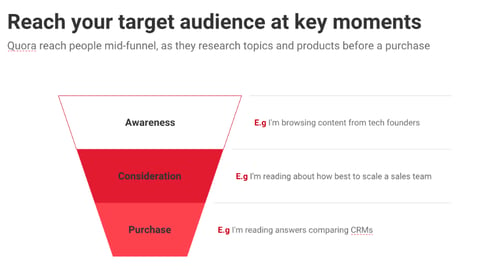
The middle stage of the funnel is the best place to influence and shape the buyer’s journey.
Which is why Quora is such an attractive platform for marketers. Since people come to Quora looking for answers and solutions, it only makes sense to have your brand present in order to capture this high-intent audience.
Winning on Quora with High-Quality Answers
Now that you have identified topics and questions related to your business, it’s time to answer them. Ask yourself, what makes you an expert or thought leader and why should others care?
To get started, simply answer questions relevant to your industry and expertise. Look for missing information in available answers and provide additional informational value. Authentic and credible answers will grow your following faster which, in turn, will increase answer views.
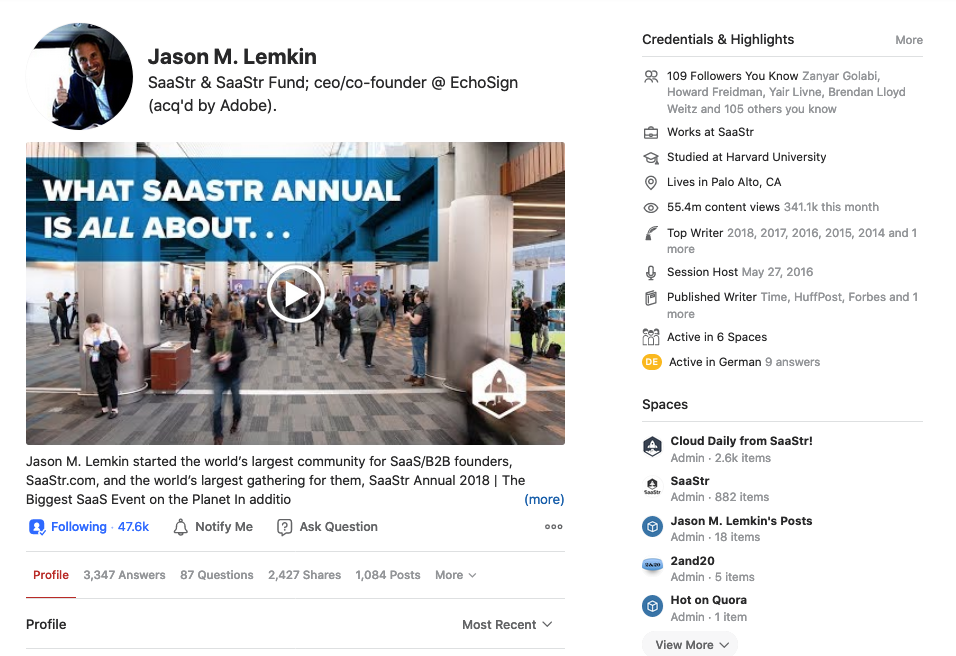
Jason Lemkin, SaaStr founder and former ceo/co-founder of EchoSign, is a great example of someone who has really invested in the Quora flywheel. He’s been a writer on Quora since 2010, and has written over three thousand answers on Quora, gaining 46k followers and over 54M answer views. Jason realizes the value of thought leadership on Quora, which has fueled the growth of his annual SaaS specific conference, SaaStr.
Content marketing on Quora looks a little different compared to a company blog or a social media post. Content on Quora is usually in the form of high-quality answers related to your industry and/or business. But what does high-quality mean?
On Quora, it means answering the question that is asked (don’t try to fit your answer into an existing question, if it’s not a good fit), being thoughtful and unique, using good formating, and providing your rational and experiences to back up points.
Providing the best answer is key for driving success on Quora. Remember, the primary goal isn’t the amount of views, it’s providing the best answer to your audience’s question.
Here are a few guidelines for what makes good content on Quora:
- Demonstrate credibility, and make sure you’re factually correct.
- Structure your answers clearly and ensure they’re easy to read (formatting, actionable items, images, etc … ).
- Include unique or interesting facts, personal stories of failures, mishaps, or successes.
- Bonus tip: Answer a question as quickly as possible after it’s posted. The question will be fresh in the mind of the person who posted it, and they’ll be more likely to upvote your answer or engage you further.
Plus, answers continue to be useful on Quora, even years after they are written. If you write answers that don’t “expire,” they will continue to be read and useful for future audiences.
Convey Expertise with Your Quora Profile
When you start writing answers, it’s important to convey your expertise and build trust by filling out your Quora credentials and bio. Unlike other user-generated Q&A sites, users on Quora create profiles based on their real identities.
Quora has active moderation policies in place to ensure that discourse is civil, content quality is high, and people feel safe sharing their knowledge.
By adding your title, company, bio, interests, and website links, you signal who you are and why readers should trust your answers. It also helps people find you when searching for experts and/or the best people to answer their questions.

Step 2: Engage with Your Audience on Quora
There’s a natural exchange of information that happens on Quora. People answer questions by sharing their knowledge and experiences and users upvote, comment, and share answers they find useful and helpful. Community engagement helps ensure the best answers surface to the top of questions and get more visibility in your home feed.
However, there are some marketers who only use Quora to write self-promotional answers and don’t engage with the community. Be better than that.
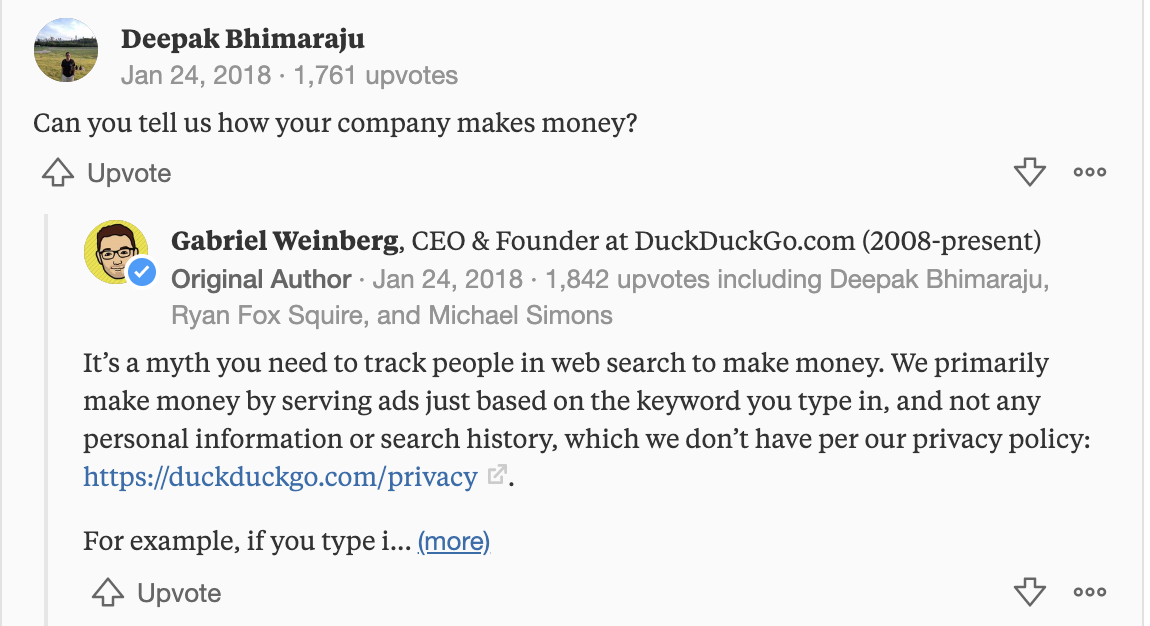
Engage with the Quora community and your target audience to establish yourself as a trusted member. For example, if someone comments on your answer, give a response rather than letting it go unnoticed. That’s what Gabriel Weinberg, CEO and Founder of DuckDuckGo, does in his answers, and the community rewards him for it.
A great way to start engaging on Quora is to follow influencers for topic areas of interests. Our influencers are the 10 writers with the most answer views in the last 30 days called “Most Viewed Writers.” For example, if you’re interested in Lead Generation then start following the Most Viewed Writers of this topic to get an idea of the types of questions they’re answering, how often they write answers, and their writing style.
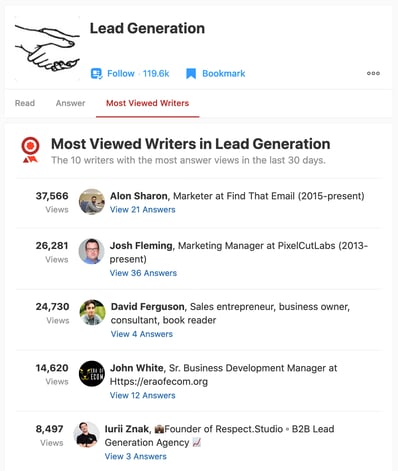
Then, take note of how the community responds by reviewing their engagement, which questions are getting the most views, and where information gaps exist to determine how your answer could provide unique value to a reader. And don’t forget to interact with them by upvoting and commenting on their answers.
Another way to engage with the Quora community is by asking questions. By asking questions, you can solicit ideas and experiences from an audience you’ve selected and quickly gain visibility.
Plus, you can perform market research to gauge audience interest about potential products or services by adding specific questions. If the question isn’t on Quora, add it and provide the answer. This is great for questions commonly asked about your company like FAQs.
Be an active participant on Quora, engage with the community, follow other thought leaders and top writers to grow your influence as a trusted member.
Step 3: Gain Authority and Establish Trust with Your Followers
You’re doing it. Your flywheel is picking up speed as you consistently answer questions and actively engage with the community.
If you’re an expert in productivity tools, don’t just write about how much you know. Write answers and provide a point of view tackling specific challenges in the world of team productivity tools. Not only will your audience be more interested in reading an answer that could help them, but you’ll earn their trust and gain credibility.
Let’s take a look at Asana, a web and mobile application designed to help teams organize, track, and manage their work. They built a presence on Quora through the voice of their co-founder and head of product, Justin Rosenstein. His answer to a 2015 question on top productivity tips has been viewed more than 456,000 times and was featured in Forbes, Inc., Time, and Quartz.
Content Distribution and Amplification
Distribution is often a neglected area of content marketing, but it’s crucial to success. Even if you write the greatest piece ever, it doesn’t mean much if no one sees it. If you have content you’ve already written on your blog or website, repurpose it into a helpful answer on Quora.
Get more mileage out of previously written content by sharing it to grow your audience and influence on Quora. Sharing your blog post as a Quora answer rather than a Quora blog post is preferable in most cases, since questions already have a following and are more easily discoverable by search engines.
Consider making Quora your one source of truth for FAQs related to your organization. Ask and answer your list of FAQs on Quora, and link to them from the FAQ page on your website. Or link to Quora answers that serve as testimonials for your business. If there’s content on Quora that helps people understand what you do and promotes your business, make sure they find it by linking to it.
If you’re looking to increase awareness of your Quora content consider these two ideas:
- Amplify distribution with other social media networks: Share your Quora answers with your existing social media audience. You can do this easily by clicking the Facebook or Twitter icons below the answer.
- Direct your customers to your answers: Share links to your Quora answers with visitors to your website, or email subscribers. It’s a great way to help them learn more about a question or topic without having to fit all of the information in a small text field.
Another key factor for consideration when you’re evaluating the ROI of writing on Quora is this: Your answers aren’t just available through our site. Quora pages consistently rank highly in Google searches, generally on the first page of results, and oftentimes, as the number one result. Quora’s strong SEO directs people from Google to your answers so more than just the established Quora community can read it.
Measuring Performance
How do you figure out where to spend your time on Quora? Quora offers a free analytics tool that allows you to track your questions, answers and blog posts by clicks, views, shares, and upvotes. Use this information to determine what works best on the platform so you can focus on sharing content that engages the community.

Step 4: Accelerate Growth with Promoted Answers
The research also revealed that 84% of respondents have used paid distribution channels in the last 12 months (91% among the top performers).
Businesses and individuals often want to reach a larger audience on the platform for their answers. With Promoted Answers, anyone with a Quora Ads account can extend the reach of their answers on Quora.
Promoted Answers have the same targeting capabilities that are available for all other ad formats on Quora, allowing both businesses and individuals to build a following that will be ready to engage with future answers they write.
How Promoted Answers Work
Promoted Answers allow you to share detailed information about your product or service that goes beyond the characters allowed in normal ad copy. They also facilitate engagement through upvotes, comments, and follows.
Promoted Answers are a great way for businesses to join and steer the conversation surrounding your brand.
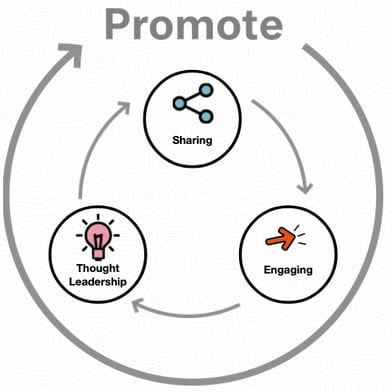
When it comes to the types of answers that one could promote, businesses can use Promoted Answers to share detailed information about their product or service. Thought leaders can boost their existing content on Quora to bolster their presence and build a following.
Here are some best practices on using Promoted Answers to boost your content:
- Establish thought leadership. Answers a business might promote are positive employee experiences or thought leadership answers by a company founder.
- Write answers that are useful. Provide knowledge that is reusable by anyone who is interested in the question.
- Choose high-quality answers. A good answer is credible, factually correct, and helpful to anyone who wants to know the answer to the question.
- Ensure that the answer isn’t too short. Clicks are measured when someone clicks on the preview of the Promoted Answer to read it in full.
Quora Ads enable your organization to:
- Reach a coveted audience. Quora has a worldwide audience of more than 300 million unique visitors. They give advertisers the opportunity to connect during the consideration phase of the buyer’s journey, making their ad platform ideally suited to influence future decisions.
- Target for greater efficiency. Reach and influence your target audience through contextual and behavioral targeting options. You can choose to target certain content on Quora or reach people signaling an interest in your product or service.
- Deliver your message in a premium environment. On Quora, your message will only appear alongside content that’s on par with your brand. Quora values content quality above all else. Users trust the platform to provide expert answers and surface topics relevant to their interests.
- Measurable results. Quora’s ads platform makes it easy to measure the ROI of your campaigns. View standard metrics in ads manager and track conversions using Quora Pixel or integrate with our third party measurement partners.
Lily Rouff, Social Media Strategist at DuckDuckGo, recognized early there were already several conversations happening about their service and competitors on Quora.
As a result, they decided to accelerate the flywheel by promoting answers written by their CEO and founder, Gabriel Weinberg, to augment their presence on the platform in an authentic way.
Rouff told me, “We’ve been really excited about the [Promoted Answers] CTR. I think it just goes to show how engaged the Quora community is.”
“When users are looking for answers already, they’re obviously going to be a bit more engaged. We’re investing in Quora because our Promoted Answers really seem to resonate with Quora’s audience.”
By leveraging both community content marketing and paid advertising, DuckDuckGo takes full advantage of Quora’s flywheel generating over 1.8 billion views on their answers.
Quora is a unique marketing platform where businesses can share knowledge to build their brand and engage their target audience with industry thought leadership and content marketing. Businesses can also influence high-intent buyers with relevant, highly targeted ads on the platform.
To review, here are three ways to get started on Quora:
1. Build Your Brand
- Get exposure to the more than 300 million monthly visitors to Quora, reaching a large audience from day one, without having to build up a large following.
- Leverage personalized content distribution to millions of users via the Quora Feed and the Quora Digest.
- Content written on Quora is evergreen, delivering leads and driving influence even years after being written.
2. Engage Your Audience
- Personal and Business Profiles can be used to answer questions about your product or service.
- Establish your brand and leaders within your organization as experts by answering questions about your industry or vertical.
3. Influence with Quora Ads
- Use Quora Ads to influence high-intent prospects during the research and consideration phase.
- People come to Quora to research important decisions. Questions on Quora are organized into topics and there is a wide diversity of topics on the platform today.
Ultimately, thought leadership on Quora can be a fun, interesting hobby or personally rewarding, but also is something that every business and leader should be investing time in.
Marketers focused on delivering high-quality, engaging, and inspiring content can positively influence the buyer’s journey to purchase.

17 Ways to Get Free Advertising for Your Business
When you work at a small business with a limited budget, it’s not really possible to shell out $340,000 for a 30-second TV commercial or $10,000 for an email marketing campaign.
It can be frustrating when your budget dictates how many people your business can reach.
Surprisingly, there are a lot of free ways to supplement your paid advertising efforts. By incorporating free advertising tactics into your strategy, you can remove some nonessential costs and dedicate your budget to deeper, more long-term plays.
In fact, we suggest some of these methods regardless of your budget.
To help you spread the word about your business without breaking the bank, we’ve compiled these 14 ways to get advertising for free.
1. Use Google My Business to optimize for local search.
One of the most powerful free ways to advertise your business is through Google My Business, which enables companies to manage their presence on Google Search and Google Maps. The tool can bolster your rankings in local search results.
Ranking high in local search shows you’re a legitimate and relevant company: you wouldn’t rank #1 in Google for “pizza places near me” if you’d closed down six months ago. Plus, if you rank high in local search, more consumers will choose your business over a competitor’s. In today’s fast-paced world, convenience is key.
Click here or scroll to the bottom of this post to learn how to advertise on Google for free.
2. Check out Yext.
The more places your business is listed online, the better your chances of showing up in search results, and the easier it is for potential customers to find you. To ensure great local SEO, the details of your listings on every website and online directory need to match up.
For instance, if your website lists your company’s new phone number, but Yelp lists your old one, this inconsistency could hurt your SEO.
Yext scans the web to find every place your business is listed, so you can tweak your listings to guarantee accuracy.
3. Write guest posts for other blogs.
There are a few major advantages to guest posting for a well-established blog. You can benefit from connecting to that blog’s audience, and you can also start establishing yourself as a thought leader in your industry.
Since guest posting on a popular blog allows you access to an established audience and high domain authority, this practice can sometimes be more beneficial than posting to your own blog. Plus, you can link back to your own website from your article, giving you an inbound link that boosts your domain authority and can increase your own website’s ranking in search engines.
4. Answer Quora questions.
Writing content for Quora can expose your business to a large audience: in 2018, Quora reported a worldwide audience of 300 million monthly visitors.
Besides the large built-in audience, your business can answer direct questions from prospective customers. This lets you interact with high-quality potential leads and establish yourself as an expert in the subjects that matter most in your industry.
5. Publish content on LinkedIn.
LinkedIn is a platform to connect with professionals, which is why it’s also a great place to share business-related content. LinkedIn’s blogging platform lets you demonstrate your expertise within your industry.
Your connections and other LinkedIn members will engage with your posts and share them, doing the free promotion for you. With almost half of all social media traffic coming to B2B company sites from LinkedIn, it’s a missed opportunity if you don’t publish and promote content on LinkedIn.
6. Offer to do interviews on other business’ podcasts.
To figure out which platforms your team should prioritize, it’s important to diversify your promotion platforms to discover where your audience is already consuming content. Some of your audience might prefer listening to podcasts over reading articles. To reach those people, contact a few businesses with podcasts and pitch interview ideas.
7. Promote your website on your email signature.
With all the emails you send every day, it’s a shame if you aren’t taking advantage of the promotional potential of your email signature. Your email signature can also be unexpected property to promote a sale, contest, event, or even a new blog post.
Add a link to your business’ website on your Facebook, Twitter, and Instagram profiles, as well.
8. Send email newsletters.
An email newsletter can be a useful vehicle to promote content, share business-related news, and build deeper relationships with both potential and existing customers. There are plenty of free tools out there that assist you in designing, sending, and optimizing your newsletter.
With the right time investment, an email newsletter can be the perfect place to share quality content with leads and potential consumers, establishing your brand as helpful and informative.
9. Network at in-person events when possible.
Connecting with fellow professionals at industry networking events is a great opportunity to meet potential consumers in a place where they are eager to discuss your business. The niche topics of networking events ensure you’re meeting high-qualified leads. For example, a “Best Technology Startups of 2020” event will primarily be filled with participants who are interested in technology and startups.
Particularly for small businesses looking to make their first connections, networking is a chance to get your name out there, meet potential partners, and find opportunities for growth. Plus, it’ll keep you up-to-date on trends in your industry.
10. Speak at an event when possible.
Similar to networking, speaking at an event about a topic related to your industry is another way to exhibit your expertise. Giving a thought-provoking and powerful speech will draw attention to you and, by association, your business, which can increase brand awareness and prove your business is qualified to tackle consumer’s challenges.
To start, brainstorm different topics and volunteer at various upcoming networking events and trade association conventions. If you’re afraid of public speaking (don’t worry, a lot of us are), you could enroll in a local Toastmasters chapter to improve your game.
11. Do a free product giveaway or contest
A product giveaway or contest is an easy way to incentivize new viewers to check out and subscribe to your social media channels or website. Plus, handing out inexpensive branded products like t-shirts or mugs is a good way to spread your brand name.
Word-of-mouth is alive and well — and a little swag can go a long way.
12. Put up brochures or flyers.
Putting up brochures or flyers in local libraries, coffee shops, and businesses is a unique way to market to offline locations where people spend a good deal of their time.
You can create free brochures and flyers on PowerPoint or Canva. Depending on your industry, it might even help you reach an ideal clientele: if you’re a physical therapist, for example, perhaps you could hand out brochures to local gyms or nearby hospitals.
13. Create YouTube videos.
YouTube has more than two billion active users, which accounts for almost half of everyone on the internet.
Moreover, in a recent study, 84% of people said they’ve been convinced to buy something after watching a brand’s video, and people reported being twice as likely to share videos with their friends than any other type of content.
Creating engaging, informative, and share-able YouTube videos is one of the most efficient ways to sell your brand. If done right, your YouTube videos will entertain viewers enough to share your content and seek out your website.
14. Take advantage of your partnerships.
Partnerships are an opportunity to offer supplementary services that you don’t provide. For example, a web design company and a copywriting agency might choose to partner together, so when a client requires written content for her web pages, the web design company can offer copywriting services from their partner.
This increases consumer satisfaction, and it also provides exceptional advertising opportunities. When your partner’s consumers need your services, your partner will point them in your direction.
15. Post on social media.
Nowadays, social media is crucial to most marketing strategies. Luckily, most types of social media platforms and posts are free — even to businesses. While many platforms will let you advertise, you can still post or tweet for no cost if you’re on a budget.
Pick the platforms that best suit your audience. Then, post links, photos, videos, or text posts about your company, product launches, or any other occurrence that you’d like to promote.
Facebook, Twitter, and LinkedIn are a suitable place to start for most businesses. They all offer a way to share video, text, photo, and link-based posts and have large user bases. To learn more about other forms of social media, check out this post.
16. Experiment with photo and video platforms.
While Facebook, Twitter, and LinkedIn could be great platforms to start on, expanding to platforms like Instagram or Pinterest will give you more opportunities to show product shots or embrace the heavily-visual strategy of influencer marketing.
Aside from spreading awareness with free images of your product or service, most social platforms, including Facebook, offer live video and story features which can allow you to create video promotion related to your products. For example, you might use Instagram Stories or Facebook Live as an outlet to publish tutorials of how to use your products.
Because these videos and photos are on social, you can also boost their shareability by hashtagging them, creating interesting captions, and encouraging fans to react with actions like “likes” or comments.
17. Encourage happy customers to give online reviews.
Word-of-mouth is still one of the best ways to market your product. Consumers trust the opinions of other consumers, especially when there are many great testimonies.
If you have happy customers, encourage them to write a review about their experience on popular review platforms like Google, Facebook, and Yelp. If you want great reviews on Facebook, be sure to create a Facebook Business page if you don’t have one already.
How to Advertise on Google for Free
As mentioned above, you can create a free page on Google My Business which can help you rank higher or first in search results. Here’s how it works.
Create your Google My Business account.
First, you’ll want to create a Gmail account for your business. Then you’ll want to register for Google My Business with that account.
Google will first ask you to enter the name of your business. Then, you’ll be asked to select a “Delivery Area.” In this form, note the mileage and area where your target audience lives.
Optimize your business page.
After your setup process is complete, you’ll be able to fill out your profile. As you do this, you ideally want to fill out all the information Google requests for the best search optimization.
A few key things you’ll want to include will be:
- Your address
- A phone number, email address, and other contact information.
- Your website
- Hours of operation
- Photos of your business and products
- A detailed description on what your business offers
- Pricing or menu information
- The year your company opened
- Other business attributes such as “free Wi-Fi.”
The above items are things locals might search specifically for. For example, if someone searches for a “cheap Mexican restaurant open after 8pm”, Google will examine the details in business profile and prioritize your restaurant if it seems like a great match.
Here’s an example of what it looks like when a Google business fills out all their information:
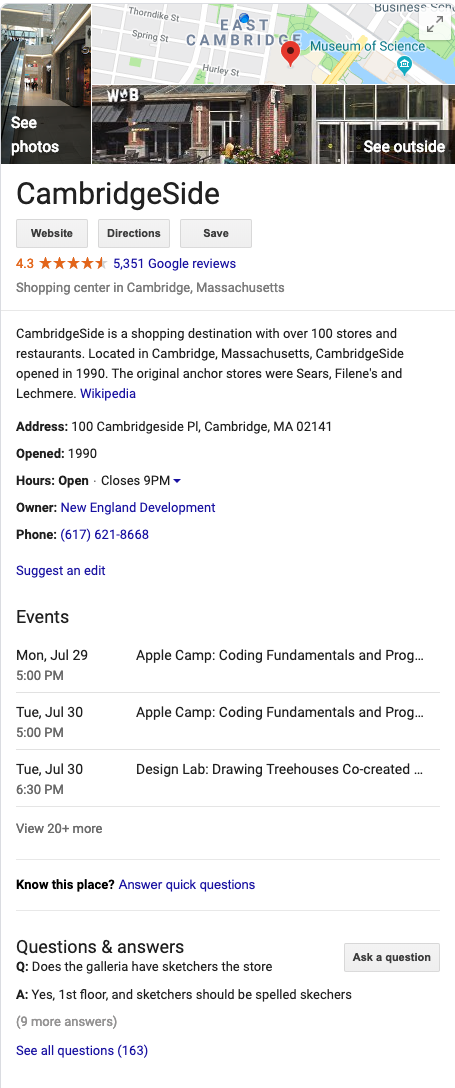
Verify and monitor your business page.
Once you’ve created your Google My Business profile, be sure to verify your listing so Google knows it’s a real, legitimate business. There are a few ways to do this including email, postcard, and phone verification.
You can also download the GMB app to monitor how your business is doing on a smartphone. This post walks you through the different verification processes.
Don’t forget about SEO.
Along with Google My Business, taking advantage of free SEO strategies can also help your website rise higher in search results. These tactics can be simple and easy to work into blogging, web design, or other processes. Download this template to help you plan your SEO strategy this year.
Don’t let your advertising budget dictate how many people your business can reach. Try these 17 free advertising tactic to promote your products and services and bring in new revenue.
Editor’s note: This post was originally published in March 2018 and has been updated for comprehensiveness.

6 Advertising Tips to Draw Customers In
Today, I was scrolling through the Bon Appetit website, and by the end of my visit, I’d signed up for their newsletter.
When I saw their newsletter advertisement, it was so effective that I just couldn’t help myself.
Good ads get consumers to stop and stare. Effective ads inspire engagement. And when I saw this, I stopped scrolling, laughed, and typed in my email:
This ad successfully combines humor and relatable language to compel me to subscribe — additionally, it solved a “problem” (learning how to cook pasta) I didn’t know I had. Those are three elements that can make an amazing ad.
Oftentimes, marketers assume a good ad can only be made with a big budget. They also believe ads are most effective if they’re busy or loud.
While these factors do contribute to an enjoyable ad experience, ads certainly aren’t limited without them. In fact, some of the most effective ads I’ve come across have none of them.
The ad above, for example, isn’t busy or flashy at all, yet it’s still an example of a good ad. In this post, let’s explore six components for creating a good, engaging ad.
These methods can include customer testimonials, a sense of urgency, data points, or a compelling, moving story.
Ads don’t need to employ every method to be successful. In fact, picking one to three of these components can still make a dazzling, engaging ad experience for consumers.
The basics every ad should have — like engaging graphics — are covered in this excellent post about ad creation.
The tips we’ve outlined below can help you elevate and refine your ads to ensure they delight your viewers and draw them in.
Use these tips as a reference when creating an ad or refining for finishing touches. They can be that last step before an A/B test, or a starting step when brainstorming content ideas.
1. Use keywords to rank on search.
Remember, keywords help rank highly on search engine results pages (SERPs). If a marketer wants to place an ad using Google, but doesn’t use any keywords in their ad, it can be ineffective.
For instance, let’s say I was Googling a laptop for professional use. I type “business laptop” into Google. This is the first ad that comes up:

From this ad, I can tell that business laptops are being sold at Dell, which is what I want. Using ambiguous language in an ad doesn’t bring much traffic. It also doesn’t help consumers know what’s being sold.
A small business would benefit using their industry or their product when advertising, especially if the product is in a niche market.
2. Solve a problem for your audience.
Your product or service solves a problem, and you probably know that advertising should tell the audience about how your product or service is a solution. If you’re thinking this method is outdated, it doesn’t have to be.
For instance, rather than taking out an ad in a newspaper or spending huge money on a billboard, you can use Twitter for Advertisers — a tool that lets users shop from the app by clicking on a link.
Take a look at Kohl’s ad, which was created on Twitter’s platform:
Shop comfy outfits for the whole family: https://t.co/S5Dv2UVMuC pic.twitter.com/XxKXcLesCf
— Kohl’s (@Kohls)
February 11, 2020
Copy such as “For the whole family” solves the problem of a busy parent needed to go to different stores for clothes shopping. This ad is effective, showing siblings of different ages modeling clothing in a comfortable home setting.
By clicking on the ad, consumers will be able to see every piece the models are wearing, the price, and even purchase items without leaving the app.
3. Ask your audience important questions.
Asking questions engages idle consumers. A question gets browsers thinking, much like the copy from this ad from BuzzFeed on Facebook:

The language in this ad is fresh, young, and personable. If I were idly scrolling Facebook, I’d pause on this ad because I’m always looking for an easier way to shop. Here, BuzzFeed recognizes a pain point of its readers and pulls readers into the article by identifying it with a question.
The way the relatable question is posed would make me look at the ad, while the no-frills design of the ad (a simple photo), coupled with the call-to-action, (“Get This Amazing Deal Today”) would make me open the ad.
That initial pull to the ad is possible due to the question. Ultimately, by beginning your ad by posing a question that piques interest, you’re inviting viewers to click.
4. Include a customer or user testimonial.
The reason consumers love websites like Yelp so much is that it’s an entire platform of customer reviews about a product or service that help consumers make more informed decisions.
For instance, check out this ad for TriNet:

“Learn how one CEO imagines passion in the people who work there.” — this copy effectively notates a powerful key player of business and caters to thought leadership.
The headline, “These Employees Know Their Work in Making a Real Difference in the World,” is a powerful sentence that plays to emotions — it makes readers think, “Am I making a difference in the world? How are they? I should click on the ad and find out.”
By letting satisfied customers speak for you, you can deliver an ad message that’s personalized and relatable. Additionally, having that boost of a real-world interpretation of your product or service makes you more reputable.
5. Evoke a sense of urgency in your copy.
Using a tone that’s urgent makes consumers feel like they need a product in their life. Take this ad, for example:

This copy carries a sense of urgency to download the whitepaper. The caption introduces the ad and says what the ad doesn’t, saving space for more copy, and making sure all the important things are included.
Notice how the ad copy mirrors a CTA. To create urgency in your advertisement, you might consider using call-to-action language, such as “Learn,” or “Discover,” which engages browsers in a way that’s professional and knowledgeable.
6. Use data points.
Numbers are informative. Statistics and data visualizations get the mind moving and bring numbers to life. And the best part is, numbers aren’t just for ads about sales or data points.
these are a few of my favorite things 👀
— 22 Words (@22Words)
September 19, 2019
For instance, this promoted tweet has nothing to do with statistics or data collection. It’s a blog post for an Amazon round-up of bags, plants, and more knick-knacks.
As a consumer trying to waste time on social media, a blog post about 30 A-plus purchases from Amazon sounds like music to my ears. The relatable language of “100x Again” is a clever way of including numbers that are convincing without confusing or boring the audience.
Ultimately, numbers make an ad seem impressive, show research, and also connect with a younger crowd, making an ad more clickable.
When planning out your ads, consider whether or not you would be engaged if you saw it, and use tools that help achieve that vision.
Editor’s note: This post was originally published in February 2020 and has been updated for comprehensiveness.

How to Prepare an Advertising Plan [Free Template]
Oftentimes, turning an idea for an advertising campaign into reality isn’t exactly simple.
Among other things, you must get buy-in from other teams, earn approval from leadership, negotiate your budget, and present a clear path for return on investment (ROI).
The best way to clearly share your proposal (and its costs, stakeholders, the amount you expect to earn, etc.) is with a concrete and detailed advertising plan.
Follow Along With HubSpot’s Free Ad Plan Template
An advertising plan will help you formulate and organize your thoughts and ideas so you can ensure your campaign is an effective one, too.
In this post, we’ll highlight the major sections you should include in your advertising plan so you can guarantee your next campaign is a success.
Pro Tip: HubSpot created the following advertising plan template for you to download so you can organize your advertising campaign — it’s broken down into relevant sections and can be shared with your stakeholders when it’s completed.
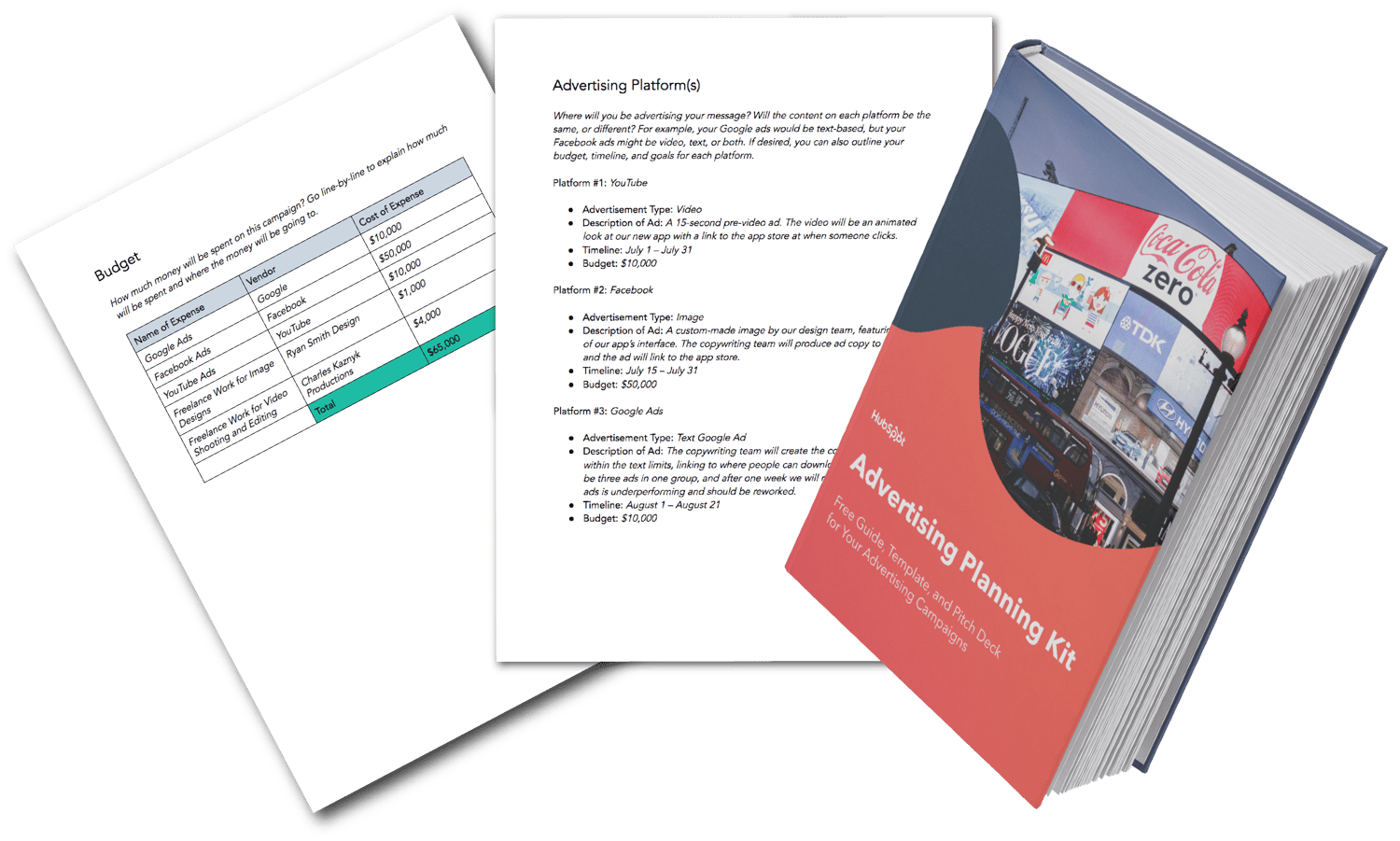 Download this Advertising Planning Kit
Now let’s dive into how you can prep your ad plan.
How to Prepare an Advertising Plan
Before you jump into your tactical advertising ideas, the first step in the process is to provide those reading your ad plan with a high-level overview of your initiative.
1. Provide an overview of your advertising plan.
Specify the following elements so anyone reading your plan will have a basic understanding of what your campaign is and what you’re trying to accomplish:
- Campaign Name: Make the campaign name catchy, unique, and easily identifiable so your team can get behind it.
- Campaign Description: What is the purpose of your campaign? Explain in 2-3 paragraphs what the inspiration behind your campaign is, how it aligns with your company initiatives, what customer problems you’re solving, and what the final deliverables of the campaign will be.
- Target Audience: Ideally, who’s on the receiving end of these ads? You can be specific to age, sex, region, or any number of demographics, or name which of your buyer personas you’re targeting.
- Advertising Platforms: How will you be getting your message across? Here, identify the platform you’ll be using, since you’ll get more into the details of what the actual ads will look like in a later section.
- Goals and ROI: Explain what the end goal of your campaign is. Most ad campaigns are intended to produce a direct profit or return on investment, so if that’s your goal, identify that number. If your campaign goal is something else — event sign-ups, product awareness, etc. — be sure to identify and quantify it.
2. Choose your platforms.
Here’s where you’ll provide more detail on the advertisements themselves and on which platform they will be promoted. For each ad you intend to run in this campaign, you should provide the following:
- Platform name
- Ad type
- Description of the ad
- Timeline
- Budget
For example, your content in this section might look like this:
Platform #1: YouTube
- Advertisement Type: Video
- Description of Ad: A 15-second pre-video ad. The video will be an animated look at our new app with a link to the app store at when someone clicks.
- Timeline: July 1 – July 31
- Budget: $10,000
3. Develop your timeline.
Working on an ad campaign takes a ton of time and resources, so everyone involved will want to know what tasks they’re responsible for, when they’re due, and how long they have to do them. In this part of your advertising plan, list the tasks that are due, when they are due, and who’s responsible for accomplishing them.
4. Outline your budget.
Because ROI isn’t guaranteed, the budget can be the toughest part of your advertising project to get approved — which is why it’s important to break up your requests by line item and present them in your plan.
Rather than simply stating, “We need $65,000 for this project”, organize your budget into a detailed visual, like the example below.
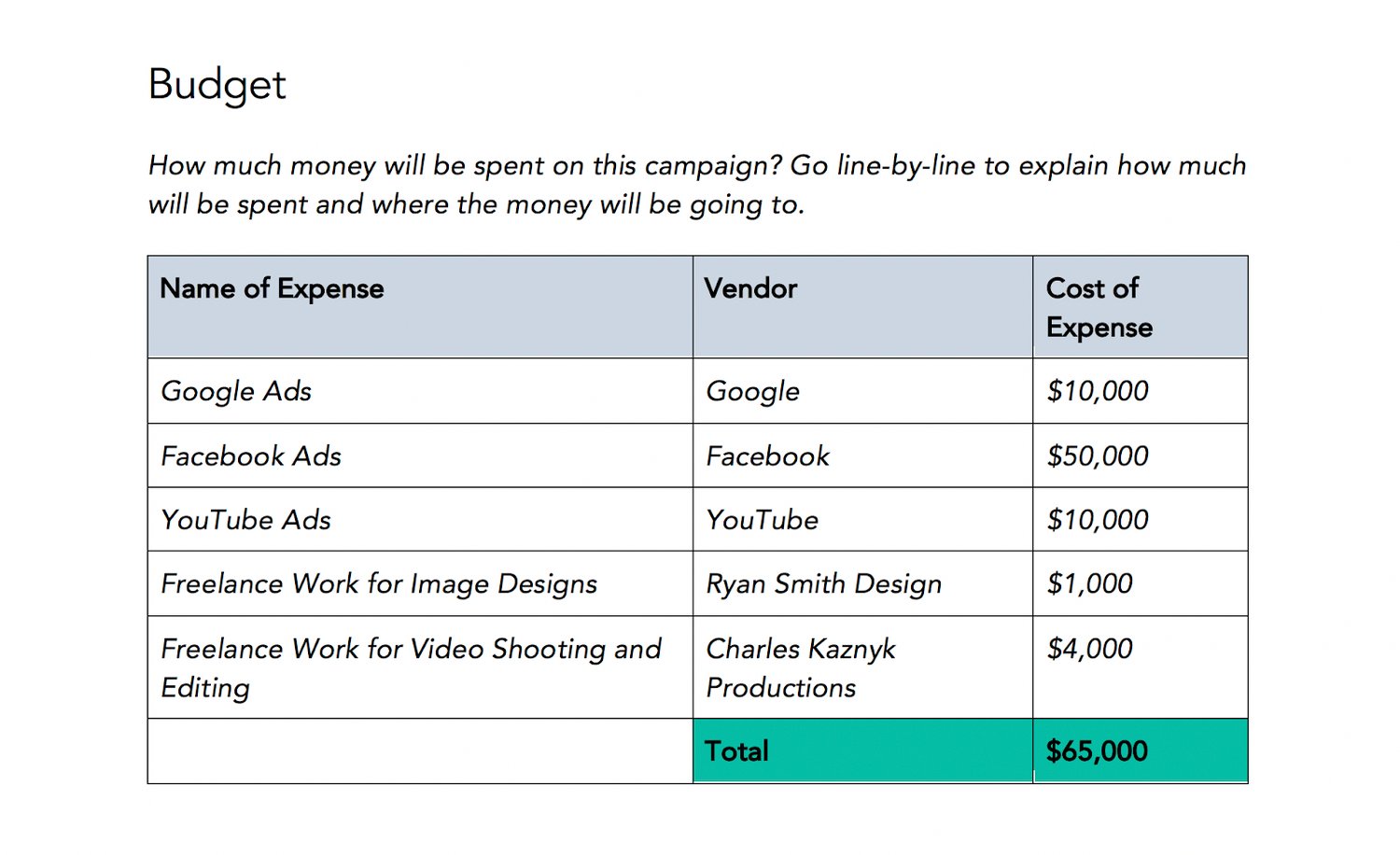
Download this Template for Free
Naturally, you can (and should) expect questions and pushback on certain line items.
For example, you may be asked to find another designer or video freelancing team who can complete the job for less money. So, arrive at meetings prepared to defend which costs are necessary for the campaign’s success and which expenses can be reconsidered.
5. Explain your DACI framework.
The DACI framework outlines who the key contributors in the project are and what each of their responsibilities entail.
Here’s how a DACI framework is broken down:
- (D)river: As you might have guessed, this person is the project’s main driver or directly responsible individual. (Chances are, this will be either you or your direct manager.) The driver will coordinate all of the moving pieces of the project, seeing it through from inception to wrap-up.
- (A)pprover: This will be the person who must approve a project and is typically a director, VP, or manager. They’ll give feedback, recommendations, or approval on the overall project and have a final say in all project deliverables.
- (C)ontributors: Contributors will be the individuals who are responsible for creating one or more deliverables for the project. In an advertising campaign, this can include copywriters, video producers, animators, designers, and digital advertising specialists.
- (I)nformed: These are employees who are kept in the loop as the project goes on. Examples include the department heads and the managers of project contributors. These people have no direct responsibilities but benefit from knowing about the project and its status.
Your DACI framework should include the name of each stakeholder, his or her contact information (email, phone, and/or Slack handle), and that person’s responsibility or deliverable.
This framework makes project delegation crystal clear for everyone involved.
6. Provide additional resources.
This will act as the appendix of your advertising plan. Share the ad campaign that inspired this one with your readers, link to the product page you’ll be promoting with this initiative, or link to your company’s brand style guide — this way, designers and writers get a refresh on how to create externally-facing content.
7. Host a campaign kickoff meeting.
After you complete the outline, hop on a call with your team to explain the campaign concept, timeline, and deliverables. Compile all of them in HubSpot’s advertising project pitch deck and present your advertising plan. Then, open up the floor for any questions and suggestions with project contributors.
Over to You
Now that you know how to write your advertising plan, it’s time to lay your ideas, budget, and timeline out in HubSpot’s Advertising Plan Template. Download it for free to get your advertising campaign project plan off the ground.
(For further inspiration, take a look at The 18 Best Advertisements of All Time.)
Editor’s note: This post was originally published in August 2019 and has been updated for comprehensiveness.

36 Account-Based Marketing Stats to Know in 2020
As marketers, we’ve become experts in our target audiences. We know their typical demographic, what they like, the platforms they spend time on, and what they value in a product.
But unlike sales reps — who talk to and learn from our biggest prospects each day — we don’t always know tiny, but crucial, details about the brands or people we most want to sell too. This might be why only 28% of salespeople say marketing is their best source of leads.
So, how do we bridge the gap to better help our sales teams sell to high-priority clients? The answer to this question could be account-based marketing (or ABM).
Rather than just marketing to a broad target audience and hoping someone calls your sales reps, ABM is a strategy where sales and marketing teams align from the start to create campaigns that cater to their most qualified leads and current customers.
For example, as part of an ABM strategy, sales reps might offer marketing teams data from customers, prospects, and those that didn’t buy a product so that the marketers can create a targeted campaign that amplifies why their product is valuable and how it can help targets navigate daily pain points.
While inbound marketing is vital for pulling general audiences and demographics to your site, service, or store, account-based marketing can help you to reel in prospects or qualified leads that are most likely to buy your product.
To show you just how beneficial account-based marketing can be, while also informing you of the challenges it comes with, here are 36 stats you should know in 2020.
36 Account-Based Marketing Stats to Know in 2020
General ABM Stats
- 67% of brands leverage account-based marketing. (HubSpot)
- “Researching Accounts” and “Identifying Target Contacts” are the top two tactics used by marketers within an ABM model. (HubSpot)
- Just one year ago, the top five account-based tactics were sales development rep outreach, digital advertising, direct mail, marketing email, and events. (TOPO)
- Additionally, marketers strongly agree that personalized content (56%) and advanced data management (43%) are keys to ABM’s success. (Forrester)
- Most organizations intentionally only pursue 38% of their target accounts at one time. (TOPO)
- By 2019, 55% of marketers rated their ABM strategy as “established” compared to just 43% in 2018. (Forrester)
- Companies dedicated 29% of their marketing budgets to ABM in 2019. (Engagio)
- It’s estimated that ABM budgets saw an average increase of 41% in 2019. (TOPO)
- 57% of professionals say their companies target 1,000 accounts or under with ABM. (TOPO)
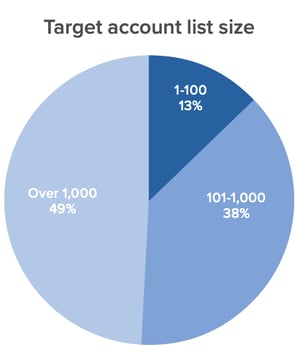
- At the beginning of 2018, only 18% of adopters had two years of experience in account-based marketing. (TOPO)
- In 2018, 18% of account-based programs were run against current customers (larger organizations with more than $1 billion in revenue ran about 50% of these programs. (TOPO)
- The most common metric marketers use to track ABM is revenue won. (HubSpot)
- Two other metrics marketers most commonly track to measure ABM efforts are the number of pipelines created and account engagement. (Engagio)
- In 2019, 7% of marketers reported a decrease in dedicated headcount for ABM teams, showing that this strategy is going mainstream and being implemented within regular processes. (Forrester)
- In 2019, 40% of the average marketing team was dedicated to ABM. (Engagio)
- 57% of marketers say their organizations have implemented ABM for more than one year. (TOPO)
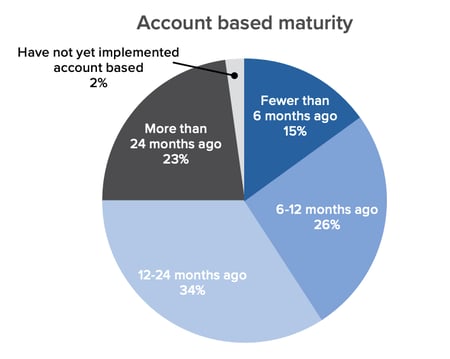
Benefits and Challenges of ABM
- Marketing and sales teams that take an ABM approach together can be up to six percent more likely to exceed their revenue goals than teams less ABM-advanced. (Forrester)
- 62% of marketers say they can measure a positive impact since adopting ABM. (Forrester)
- 80% of marketers say ABM improves customer lifetime values, while 86% say it improves win rates. (TOPO)
- 87% of account-based marketers say that ABM initiatives outperform other marketing investments. (ITSMA)
- One in five accounts targeted through ABM becomes considered a qualified sales opportunity. (TOPO)
- Organizations with a strong Ideal Customer Profile (ICP) — which is similar to a buyer persona — achieve 68% higher account win rates. (TOPO)
- More than two-thirds (69%) of top-performing account-based organizations now have a dedicated account based leader. (TOPO)
- 70% of companies that started account-based initiatives in the first six months of 2019 have dedicated ABM leaders. (TOPO)
- 42% of companies that missed their account-based objectives don’t have dedicated leadership. (TOPO)
- The most common challenge with ABM is delivering a personalized experience. (HubSpot)
- The top three challenges of implementing ABM are creating a scalable strategy for multiple accounts, producing customized content, and coordinating programs across marketing, sales development, and sales teams. (TOPO)
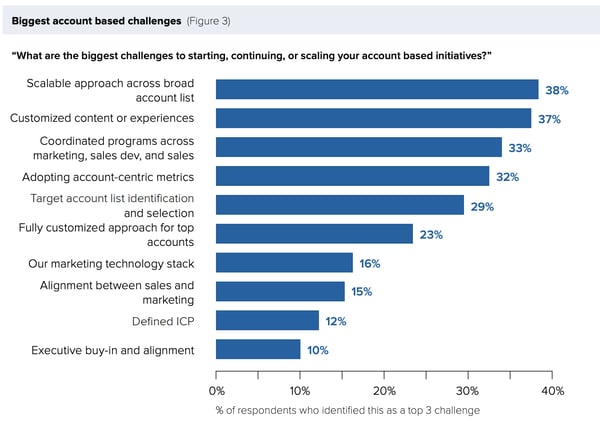
ABM Technology
- By 2021, over half of all sales phone calls will be analyzed by software. (TOPO)
- The conversational intelligence market was estimated to grow by 3x in 2019. (TOPO)
- Voice assistants will account for at least half of automated data entry by mid-2020. (TOPO)
- An estimated 55% of sales data entry was eliminated by automation by 2020. (TOPO)
Smarketing Benefits and Challenges
- Organizations with tightly aligned sales and marketing teams experience 36% higher customer retention rates. (MarketingProfs)
- The most common measurement of success for content marketing programs is Total Sales. (HubSpot)
- 85% of marketers with an SLA think their marketing strategy is effective. (HubSpot)
- Only 7% of salespeople said leads they received from marketing were very high quality. (HubSpot)
- Only 28% of salespeople said marketing was their best source of leads (HubSpot)
Creating an Effective ABM Strategy
As a marketer, it’s important to know what makes ABM techniques successful and how they differ from other target audience marketing tactics.
Additionally, you’ll want to learn about the companies you’re interested in marketing to, similar to how you learn about a target audience. For example, before creating an ABM campaign, you’ll want to learn about the pain points of companies in your industry, company missions, and what their top decision-makers value in a product or service.
Once you discover valuable data about the accounts you’d like to market to and feel ready to create a campaign, check out our Ultimate Guide to Account-Based Marketing.

Social Media Marketing Examples of What to Stop, Start, and Keep Doing in 2020
Social media is always shifting and changing, so if you are still running on the same strategy as you have in years past, now is the time to start thinking differently.
The social media landscape today is incredibly different than it was in 2019. Primarily, the global pandemic of 2020 has meant that more people than ever are online.
More people than ever are on social media, and additionally, they’re paying attention in ways that are unprecedented, as suggested by an April 2020 Statista report, which showed that global social media usage has increased by a whopping 44%.
This means there is a lot of opportunity, but also a need for additional caution during a time when emotions are higher and tolerance for brand mess-ups are likely lower. Here, let’s cover what still works when it comes to social media marketing, what’s working better than ever — and what you should leave behind in 2020.
1. First off, pause and re-evaluate your upcoming social media posts.
This is something you already should have done this year, but it’s also something you should keep doing as part of your strategy for any crisis. Take a hard look at what you have scheduled and see if the imagery, the voice and tone, and messaging are right for the current situation. If they aren’t, put those pieces of content on pause until it makes more sense. Then consider how you can revisit a campaign. Hotels.com did a great job with this.
The company needed to change everything in their approach to social media as a result of global bans on travel. The previous Hotel.com ad that they shared in social featuring their mascot, Captain Obvious, contained imagery of people getting close on vacation, a message that would not resonate well in the current climate:
The company quickly pivoted and developed a new video that makes more sense, and shares an important social message:
2. Next, think about how you can shift your messaging to be more helpful or human.
If you work for a brand that is used to a strategy heavily geared toward push marketing, this is the time to start being more human than product-centric. Some companies will be able to do this better than others. If you work for a company that sells yoga pants, your marketing may not need to change as much as a restaurant or an airline. But even then, the best companies aren’t doing the hard sell on their products.
Lululemon is a fantastic example of a company that understands that people need a few more virtual hugs and encouragement than normal, and they acknowledge that in their posts:

3. Adjust your messaging and stop campaigns that could come across as insensitive.
When basketball player Kobe Bryant died in an aerial crash in early 2020, Planters immediately paused their #RIPMrPeanut campaign, which featured Planters’ mascot, Mr. Peanut, falling to his death in an explosion. The company knew the backlash could be strong and halted the campaign to be sensitive to their audience:
Additionally, Google is well-known for its annual April Fool’s jokes, but they realized that this year there might be backlash that plays out in social media over what might seem flippant when much of the world is feeling more stress and fear than normal.
In general, make sure you are paying attention to current events and are ready to pull your posts at a moment’s notice if need be. That’s more important than ever in a climate where emotions are already high.
4. Start placing more emphasis on connection over content.
We are more connected than ever, but for the first time in modern history, as a global society, we’re more apart than ever before as well, with so many people working from home, far from their families, and unable to travel. Even an act as simple as going to the store might be impossible or feel harrowing to people in your audience.
This is a time when pushing content out may be less meaningful for your audience than connecting with them directly.
For example, HubSpot has shifted our Facebook strategy to embrace the method of asking questions that get people talking and thinking:
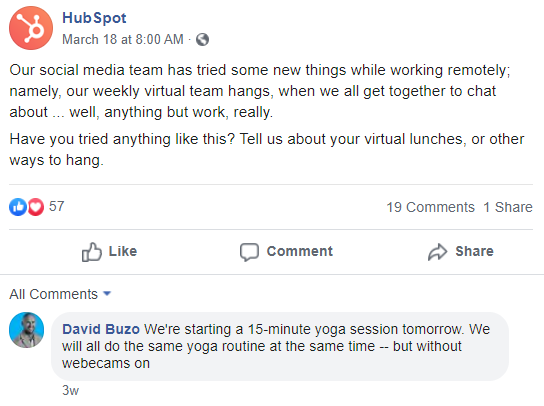
Additionally, Canva reshares and responds to their customers regularly, winning them even more love for their product:

5. Keep or start being more empathetic — in your messaging, your content, your responses.
In a time when people may feel more vulnerable, it’s important to adjust your brand voice to take that into account. Exploiting a crisis situation is never a good idea. Alternatively, you’ll want to ensure your brand comes across as friendly, helpful, and empathetic.
For instance, sustainable shoe company Allbirds donated shoes to workers on the front-lines of the healthcare crisis. Not only are they directly being helpful, but their messaging and interactions are empathetic and caring:
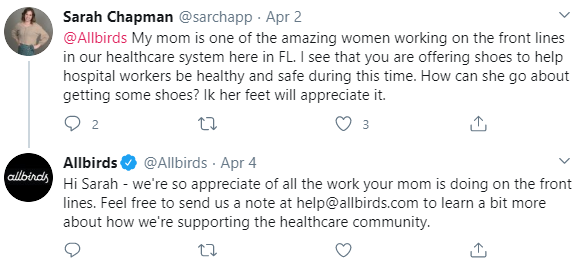
At a time when many hotels are closed, it’s somewhat hard to stay top of mind. The Sheraton Commander in Cambridge shared a photo on Instagram that is both heartwarming and and full of care:

Coca-Cola took a wildly different tactic altogether. They have a Twitter audience of 3.3 million followers, and are one of the largest brands on the platform. During this time, they’re choosing to avoid posting about their product at all, and are instead resharing tweets that will inform and help people:
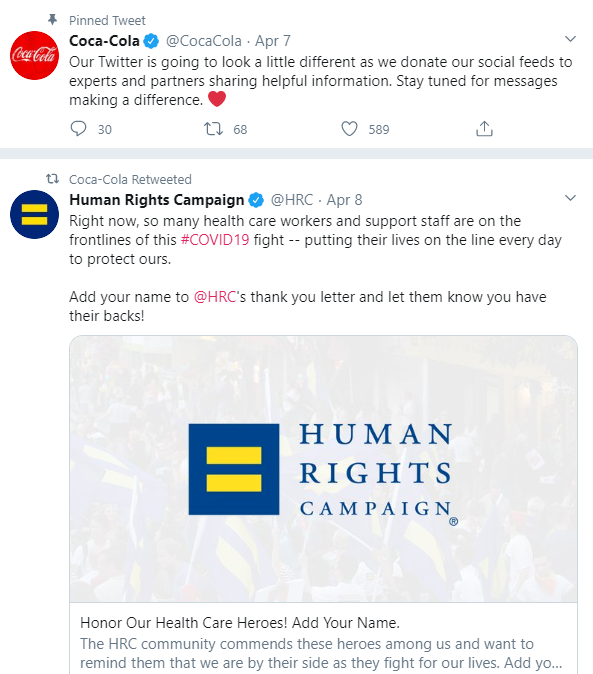
6. Stop being spammy.
This goes hand in hand with empathy and engagement. Brands that are using a push strategy for their marketing in social will not have the same results as companies that are taking a more engaging approach.
Be thoughtful of how often you are posting, and where you might have advertising that could be seen as intrusive. Adjust content to fit three main categories: how you can be informing, engaging, or entertaining your customers and fans.
7. Keep up the great social customer service.
Be cognizant of how your audience might be feeling when responding. They may need a bit more care and patience.
Nespresso has made adjustments to their customer care and are responding with well-wishes for customers as part of their customer service efforts:
While the nuances of social media today may be a little different, the foundation of your great social media strategy still remains the same. To learn more, you can take the HubSpot Social Media Certification course, which has been recently updated with new interviews and information to help build the best marketing strategy for your business.

How to Produce High-Quality Videos for Social Media

Need to do more with social video? Wondering how to increase the quality of your videos? In this article, you’ll discover practical tips to produce polished videos that perform well on social media. #1: Look Better on Camera I’m sure you’ve seen many social media videos where the person is looking down at the camera, […]
The post How to Produce High-Quality Videos for Social Media appeared first on Social Media Marketing | Social Media Examiner.
from Social Media Marketing | Social Media Examiner https://ift.tt/2Lmdcxf
via socialmediaexaminer
17 Fun (Not Cheesy) Ice Breaker Games Your Employees Will Enjoy
Asking “How is everyone?” at the beginning of every meeting isn’t always the best way to encourage connection and team bonding. Sometimes, you need to take it a step further with an ice breaker.
The best ice breakers have the power to strengthen coworker bonds, stimulate better brainstorming sessions, and create an atmosphere of inclusivity. But it’s easier said than done, and the wrong ice breaker questions can lead to awkwardness or even increased tension.
To get the most value out of your team bonding moments, we’ve compiled a list of the best ice breaker games for the workplace. Next time you get together with your team, use one of these games instead of asking “How is everyone”, and you’re sure to hear some better, more insightful responses than “I’m good.”
Ice Breakers for Meetings
1. One Word Game
The One Word ice breaker allows you to provide initial context into a meeting’s topic, and get everyone in the right mindset for discussion.
To play, you’ll want to divide meeting participants into smaller groups. Then, tell them to think for a minute or two, and then share with their group one word that describes X.
For instance, let’s say you’re leading a meeting on culture. Tell the groups to describe work culture, or your office culture in particular, in one word. Once they’ve shared with their groups, you can invite them to share their word with the entire room.
This game encourages everyone to think about a certain topic in smaller groups ahead of time, which could increase participation during the meeting.
2. Pop Quiz
To successfully loosen everyone up and get them in the right mindset for a meeting, you might consider putting a short Pop Quiz on the board.
If your goal is simply to encourage team bonding, your quiz can be more fun — like, “Match the lyrics with this 80’s song”. However, you might also use the Pop Quiz as an opportunity to introduce participants’ to the meeting’s theme.
If you’re discussing company changes, for instance, maybe you’ll start by quizzing team members on company history facts (i.e. “What year was this company founded?”).
3. Birth Map
Place a map and a set of pins at the front of a large conference room before a big meeting. As people walk in, ask them to place a pin where they were born or raised.
As the map fills up with pins, people will learn about how diverse their teammates might be. Allow some time at the end of the meeting for your colleagues to walk up and look more closely at the map.
Quick Ice Breakers
4. Would You Rather
A classic game played at summer camps everywhere, “Would You Rather” is actually an excellent, quick ice breaker for the workplace. Next time you’re settling into a meeting or team bonding outing, take turns going around the table and asking each person a “Would You Rather” question.
Here are a few “Would You Rather” questions to get you started:
- Would you rather only have summer or winter for the rest of your life?
- Would you rather go on a hike or see a movie?
- Would you rather never use social media sites and apps again, or never watch another movie or TV show?
- Would you rather have a horrible short term memory or a horrible long term memory?
5. 18 & Under
18 & Under is an engaging and unique way to encourage team members to share fun or interesting stories with one another. Before a meeting, simply go around the room, and ask each person to share one accomplishment they had before they turned 18.
Undoubtedly you’ll get some of lesser importance, like “I bought a skateboard,” but you never know what hidden skills you might discover in your colleagues.
6. Two Truths and a Lie
One of the more classic ice breakers in the list, Two Truths and a Lie can be used anywhere from family parties to company events. To play, you simply ask each person to brainstorm three “facts” about themselves — two of the facts will be true, and one will be a lie.
For instance, I might say, “I once auditioned for the TV show Zoom. I have three brothers. I ziplined in Switzerland once.” Coworkers can take turns guessing which is the lie. (FYI, I have two brothers, not three, so that’s the lie. Unfortunately, I did audition for Zoom.)
Two Truths and a Lie is a fun and engaging game, and more importantly, it can help your team learn facts about one another, so they can begin forming deeper bonds.
Ice Breaker Games for Small Groups
7. Fun Questions
Asking fun questions is an easy and effective ice breaker game. To play, simply go around the room and have each person provide an answer to a fun question. The questions are up to you, but if you’re stuck, here are a few ideas:
- If you’re stranded on a desert island and have the option of bringing three items with you, what three items would they be?
- If you could be any animal, what would you be and why?
- What was the first concert you ever went to?
- If you could have any celebrity over for dinner, who would it be and why?
These questions serve two purposes — first, they allow your coworkers to get into a sillier, more creative mindset. Second, they encourage conversation on topics typically reserved for outside the office, which enables members of your team to get to know one another on a deeper level.
Meg Prater, the managing editor of the HubSpot blog, says “When I first started including ice-breaker questions in our weekly team stand-up meetings, the experience was … cringeworthy. It felt like exactly what it was: organized fun. But we kept at it. I listened to feedback and tried to incorporate it into better ice breakers.”
She continued, “For example, some folks on our team don’t watch a lot of T.V. and felt a little excluded when we’d fall down a rabbit hole of shows we were binging. Keeping the ice breakers inclusive keeps everyone engaged. Now, our ice-breakers can take 15+ minutes to get through and yield some of our biggest laughs and revelations of the week.”
8. Personality Quiz
This ice breaker can promote team bonding, and it’s one of the easier options in the list. Simply choose a brief personality quiz on your phone or computer (if you’re stuck, here’s a list), and pull it up on a projector or send the link to everyone.
Once everyone has completed the personality assessment, have each colleague mention one thing they agree or disagree with in their results. This game allows your team members to gain a new perspective on their peers, and it’s also a fun and easy way to get an interesting conversation started.
9. Who is it?
Have everyone write a unique, strange, or unexpected fact about them on a piece of paper. Then, put the pieces of paper into a hat and mix them around. Pull from the hat and read each fact.
Allow the team to try and guess who wrote it. After they guess, ask the employee who wrote the fact to identify themselves and give any further context if necessary. This could be a great way to get to know surprising new things about your teammates.
10. Marshmallow Challenge
Tom Wujec, a business visualization expert, initially presented his Marshmallow Challenge at TED. To play, you simply divide your team into groups of four and give each group 20 sticks of spaghetti, one yard of tape, one yard of string, and a marshmallow. Whichever team can build the tallest structure, wins — the trick is, the marshmallow must be on top.
There are a few reasons this game works as both a great ice breaker and a team-building exercise. First, the most successful teams are the groups of people who don’t spend time competing for power.
The game forces your colleagues to work collaboratively when brainstorming potential solutions. Second, the Marshmallow Challenge encourages people to think quickly and offer alternative solutions when their initial idea fails.
With the Marshmallow Challenge, you can strengthen your team’s brainstorming and problem-solving skills, and your team can also have some fun. A win, win.
11. Scavenger Hunt
At HubSpot, we conduct a scavenger hunt for new hires on the first day of their training. It’s fun and encourages collaboration, but additionally, it can help employees learn their way around the office.
Fortunately, you can conduct a scavenger hunt for your team even if they’ve worked at your office for years.
Simply split up your team into groups, and give each group a short list of items to find — if you work in a smaller space, maybe you can hide some funny items around the office ahead of time. You might even provide incentive for the winning team, like a $50 Amazon gift card.
A scavenger hunt is also an exceptional opportunity for cross-department interaction. Consider reaching out to managers’ from other departments, and creating groups of employees who don’t often get to work together.
12. No Smiling
This game is simple and meant to energize your team. Get your colleagues in a circle and ask one volunteer to sit or stand in the middle. Tell the volunteer that they can not laugh or smile, regardless of what happens. Then have each other colleague take turns telling the volunteer a work-appropriate joke.
The goal of the volunteer is to hear a joke from every colleague around the circle, while the goal of the other team members is to make the volunteer laugh.
This icebreaker can be helpful in new-employee or management training to lighten the pressure of starting a new job. It can also be helpful as a way of lightening the mood on teams that regularly deal with stressful projects or situations.
13. This is Better Than That
Aside from being a fun team activity, this might be great energizer for sales employees or others that regularly pitch, market, and sell products.
Ask your team to find four to seven items around the office and bring them to one room. These items could be something they use daily, like a pen or a chair. However, you should encourage them to find items that are more odd or unique. This will make the game more challenging.
Line the items up and split the group into sub-teams. Task each team with picking an item they would use to survive if stranded on a desert island.
Tell team members that they cannot pick more than one and must assume it is the only item they will have on that island. Allow the teams time to deliberate and then ask them to present the item they chose and why.
Virtual Icebreakers for Dispersed Teams
14. Choose Your Favorite
For this icebreaker, all you have to do is answer the question about your favorite things. You’ll ask your team to choose their favorite movie, song, T.V. show, etc. The question can change every week.
This icebreaker helps your team get to know each other even when they work remotely and can spark conversation on what everyone likes or dislikes.
15. Trivia Game
If you’re looking for a remote icebreaker that’s more of a game, and less discussion based, you can host a trivia game.
Kahoot is a trivia platform you can use for free (hosts up to 10 people). To get started, all you’ll need to do is sign up for a free Kahoot account.
Then, you can choose a featured trivia game to play. To run this remotely, you’ll want to share your screen with your team. Everyone will need to have a separate device to use so they can enter the game and submit their answers.
16. Share an Embarrassing Photo
This is one of my favorite icebreakers because it’s a fun way to get to know your team. For this game, have everyone bring in an embarrassing photo and tell the story behind it.
Doing this is a great way to build connection remotely. To show the photos, you can have your team members share their screen or send a file to the team leader who will have them pulled up.
To make this more interesting, you can have people guess whose photo it is before your team member shares their story.
17. One Word Pulse Check
For this icebreaker, have everyone on your team go around and share a word or phrase that represents how they feel that day.
Christina Perricone, the HubSpot Website blog and Pillar Page manager, says this is her favorite icebreaker.
“The person sharing gets to decide whether or not to elaborate, and everyone listens without response. The purpose of the exercise is to give people a chance to release and/or reveal emotional setbacks, obstacles, wins, highlights, or anything else that might be impacting how they show up to work that day. It provides a space for participants to bring their entire self to work and it gives the team context for how to support that team member that day,” Perricone adds.
Icebreakers can seem cringeworthy, but are actually a great way to build trust within your team. Even if you work remotely, team bonding is an important part of running a productive, effective team.
Editor’s note: This post was originally published in September 2018 and has been updated for comprehensiveness.

How Much You Should Actually Spend on Digital Advertising in 2020
If you clicked on this post hoping to read something like “If you spend $1,000 dollars on digital advertising a month, you’ll hit your marketing goals easily!” I’m sorry to disappoint.
When it comes to ad spend, there just isn’t a perfect answer for every business. I know, it sounds like a cop-out, but I promise you it’s true.
Now, you might be thinking, So, why am I even reading this post, anyway?
While I can’t tell you how much money you should spend on digital ads this year, I can walk you through a framework to help you decide on your own optimal ad spend.
Ultimately, here’s what you should think about when deciding how much you should spend on digital advertising:
- How much investment is needed in order to hit my revenue goals?
- What percentage of my marketing budget can I realistically afford to spend?
- What is the lifetime value (LTV) of my average customer?
- How well am I converting website visitors into leads, and leads into customers?
- How much money am I spending on each bid?
At the end of this post, you’ll know how to use historical data to determine how much money you need to spend to hit your business goals and how to optimize your efforts to get the most out of each advertising dollar. Sound good? Let’s jump in.
1. How much investment is needed to hit revenue goals?
So — where do you start?
Well, the primary goal for most businesses is to generate sustainable long-term revenue growth. That’s why, when determining how much to invest in digital advertising, you should work backward from your company’s revenue goals.
Working backward can help you determine how much revenue your digital ads are responsible for bringing in, which can inform how much investment you need to make that goal reality.
Here’s what this might look like:
It all starts at the top with your business goal, which is most likely to increase revenue. You’ll have many departments working together to achieve this overarching goal, including marketing, sales, and customer service. By taking a look at historical performance across your business, you can identify what percentage of revenue each department is able to deliver.
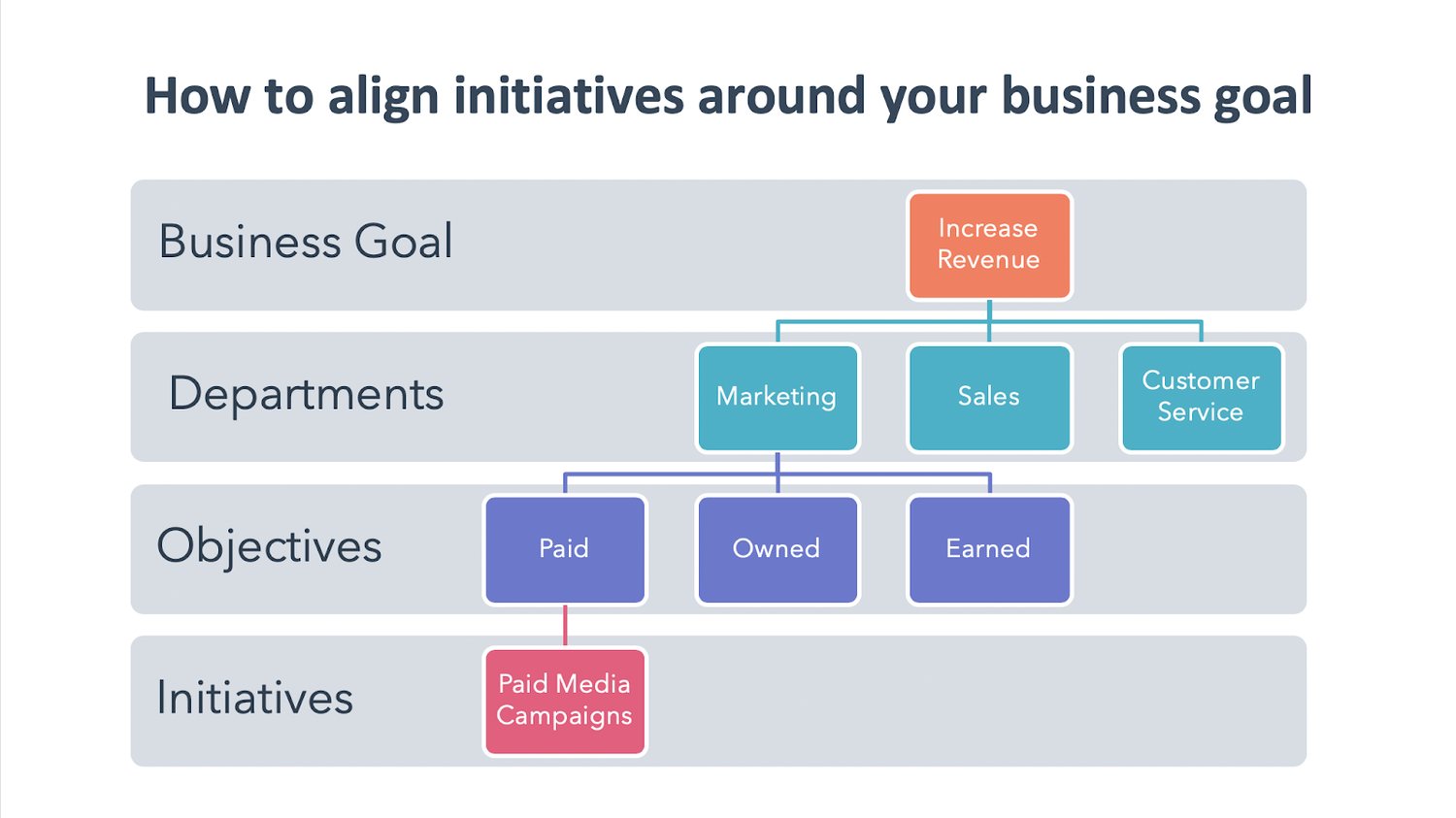
Within marketing, you’ll have multiple objectives that feed into marketing’s responsibility, including paid, owned, and earned objectives. You’ll launch a number of initiatives to support this business goal, including paid media campaigns.
To understand this concept, let’s walk through an example. Let’s say your business has the goal of increasing revenue by $100,000 this year. From historical performance, the business makes the marketing department responsible for 50% of this goal. Great — now, what initiatives are you going to launch to bring in that $50,000 revenue?
Well, digital ads are going to be only one of the many tactics you launch, all of which will need investment. Based on the historical performance of your ad campaigns, you know that you have an average $2.50 return on ad spend (ROAS). This means, for every $1 advertising dollar you invest, you make $2.50.
If you think that your other marketing campaigns on owned and earned channels can impact 75% of marketing’s overall goal, that leaves 25% for you to hit with ads, or $12,500. Divide this by your ROAS of $2.50 and you’ll find that you need to invest $5,000 throughout the year to hit your revenue goals.
2. What percentage of your marketing budget can you realistically afford to spend?
Now, do you actually have $5,000 to spend on your digital ads? If you do, then great — you can continue to sustain long-term revenue growth with your existing advertising strategy. But I wouldn’t be surprised if many of you simply don’t have the advertising dollars you need to make the impact you want.
Or, maybe you’re experimenting with digital advertising for the first time and don’t have historical data on ad spend and ROAS to inform your decision. What do you do then?
It’s a difficult question to answer honestly, but you need to ask yourself: “How much money do I actually have?” Take a look at your cash flow and profit to get a grasp on how much money is realistically available for digital advertising investment.
If you set a budget that you can’t afford, the long-term success of your campaigns, and sustainable growth, is doomed from the start. That’s why it’s important to start off with a budget that you’re comfortable with and can commit to in the long-run.
But don’t worry — even if you have a limited budget, that doesn’t mean you can’t use paid media as part of your greater marketing mix. Ultimately, before jumping right into ads, you want to further optimize other business metrics to get the most out of each and every advertising dollar.
3. What is the lifetime value (LTV) of your average customer?
Lifetime value is a prediction of the profit attributed to the entire future relationship with a customer. Simply put, LTV answers how much money you will make from a single customer over time.
To calculate LTV, take the average yearly revenue your average customer brings you and multiply it by the average lifespan of a customer.
For example, if your average customer pays you $500 a year, and stays with your company for six years, we can say the average lifetime value of a customer is $3,000. But let’s not forget how much it costs to service a customer. If you factor in that it costs you $50 to service that customer each year, or $300 over their entire lifetime as a customer, you can say the average lifetime value of your customers is $3,000 minus $300, or $2,700.
Now, the higher your lifetime value, the more money you can realistically spend to acquire a new customer. If you’re feeling strapped for advertising dollars, consider taking steps to increase your customer’s LTV.
There are a ton of best practices for increasing customer lifetime value which I won’t go into detail in this article. But to get you started, think about things like your business’s subscription and pricing models. Launching marketing initiatives to move the needle on LTV will, in turn, make your digital ads more successful and less costly.
4. How well are you converting website visitors into leads and leads into customers?
Now that you have an average lifetime value for your customers, you can work your way backward to see what your monthly advertising budget should be. We’re going to walk through this example focused on the value of a form conversion, but you can apply the same approach to whatever conversion points you’re optimizing your ads for.
You’ll want to consider two things to figure out your advertising budget:
- Your average conversion rate: The rate at which website visitors to your site convert on a form and become a lead.
- Your average lead-to-customer rate: The rate at which leads become paying customers.
Let’s say you run an IT Solutions company, and you want to advertise for your upcoming webinar on network security. You dig into the performance of your landing pages for past webinars and learn that you have a 7% webinar conversion rate and that your lead-to-customer rate is 10%. So if ten people sign up for your webinar, you can expect that one person will become a paying customer.
What are these numbers for your business? Are they lower than you’d like? If so, that means that your advertising dollars are not being spent as efficiently as they could. To increase your landing page conversion rate, consider testing your calls-to-action and adding social proofing.
And to convert more leads into customers, you could use email automation to nurture your potential customers towards making a purchase. There’s a lot you can do here, but for the purpose of this exercise, just know that if you have low conversion rates, pouring more money into your underperforming ads isn’t the best use of your resources.
5. How much money are you spending on each bid?
To make the most of your ad spend, you want to bid less than your expected return. LTV, conversion rate, and lead-to-customer rate can be used to determine what your maximum bid should be using this equation.
Maximum Ad Spend = LTV x Conversion Rate x Lead-to-Customer Rate
Let’s jump back to our webinar example to see this in action. If you divide one new customer by your lead-to-customer rate, you’ll see that we need 10 webinar signups to yield one new customer.
Next, divide the number of webinar signups we need by the average conversion rate. Using our 7% webinar conversion rate, we find that you need roughly 143 clicks on your ad to generate one new customer. If that customer is worth $2,700 to you, we can start to calculate how much you should spend per click on your ads.
If we ignored all the other costs of acquiring a new customer, then your break-even bid would be your customer lifetime value, divided by 143, the number of clicks you need to generate one new customer. This means you could bid $19 per click on your ad and break even.
Follow this process for your previous ad campaigns. Were you bidding too much? If you were, then that means that your advertising budget wasn’t being used effectively to reach your revenue goals.
Improving your ad copy, keyword strategy, targeting, and more all play a role in how much you’re spending. Here’s another helpful blog post to learn how to optimize your digital advertising costs.
Reevaluate Spend to Maximize Impact
Your advertising budget should bend and flex to meet the evolving demands of your business over time. Taking an experimental mindset when reevaluating your spend will help you identify the most profitable initiatives in your strategy and adjust the way that you budget.
Additionally, it’s important to keep in mind that there are plenty of free, organic-driven opportunities to increase brand awareness and sales on social media. If you’re strapped for cash but want to use social media for business growth, take a look at our Social Media Marketing: The Ultimate Guide for free alternatives.
Lastly, a word of advice: I’d recommend reevaluating your spend no more than on a quarterly basis. That way, your campaigns will have enough time to bring in reliable results, but you’ll still have enough time to adjust your investment accordingly to meet your end-of-year goals.
If you or your team want to level up their digital advertising know-how, check out this free Ads Training Course to learn today’s best practices for succeeding with digital ads on search engines and social media.
Editor’s note: This post was originally published in April 2020 and has been updated for comprehensiveness.

9 Ways You Can Improve Your Ecommerce Website Design
The other day I was shopping online for a Nintendo Switch, a popular handheld gaming console.
The popularity of the console has made it extremely difficult to find one — stores like Best Buy and Target were out of stock.
This meant that I had to reach outside of my comfort zone when browsing. I scoured Google to find an ecommerce option that carried the Switch.
Even though I was desperate to reach my goal, I was very selective about where to shop. As a consumer, website design is one of the biggest factors I take into consideration when choosing where to spend my money.
If the website design isn’t committed to user experience, I immediately deem the company as unprofessional. I’m not alone, either. In fact, 48% of people use website design as a deciding factor when determining the credibility of a business.
If you’re wondering about the usability of your ecommerce website, this post is here to help. We’ll go over some ways you can improve the design of your website, as well awesome examples that put these tips into practice.
Before you upload your next product page, take a look at these pointers below to help.
1. Make the website user-friendly.
When it comes to ecommerce websites, user-friendliness is a must. Customers have to be able to easily navigate through your website to make purchases.
Take the Daily Harvest website, for example. The homepage clearly states the purpose of their product and the CTA to “Get Started” is a quick link to explore purchasing:
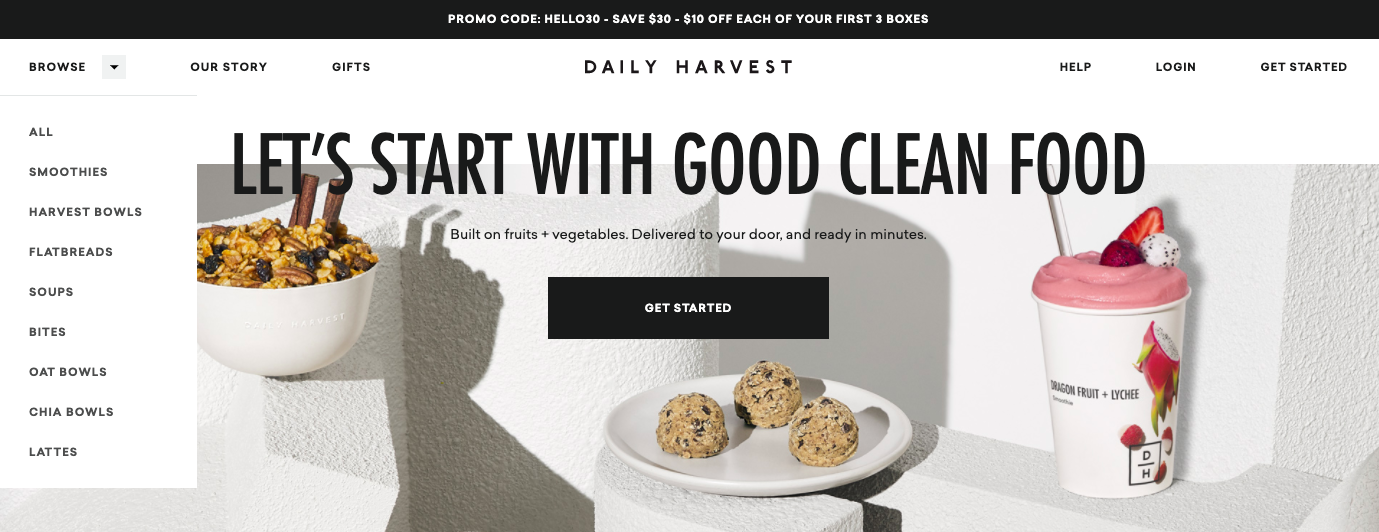
The homepage also has a dropdown menu so customers can easily navigate towards what they’re looking for. Dropdown menus keep a website organized and reduce the busyness of a homepage.
2. Ensure a secure checkout process.
If shopping is available on your website, make sure your customers know their credit card information is secure. There are a couple of ways you can do this. First, as shown on the website for beauty company Billie, you can include this in an “info” button:
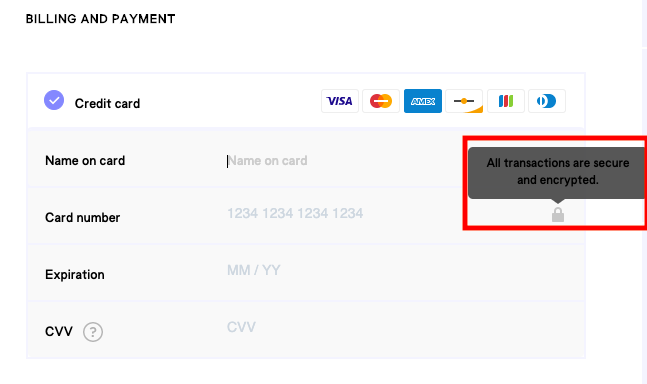
Info buttons are useful if you want to display secure checkout information but want to avoid crowding checkout pages. However, if you want to state checkout security more visibly on your website, like in a paragraph at the top of your “Place Order” page, that could be helpful to website visitors who may be wary of purchasing online.
3. Add filtering options for your products.
As a consumer, I love filtering options, which can help me easily find products or services. That’s why they’re a must for your ecommerce website: Customers who know exactly what they want can find it without having to sift through too many options.
Take this filter list from The Little Market, for example:
The fair trade home decor website has pages and pages of offerings, so this specific filtering system helps consumers find what they’re looking for based on multiple categories.
When you design your filtering system, make sure you make the categories broad enough to fit all of your products, but specific enough to be helpful to customers. For example, a website for a record company that sells merchandise might have filtering options based on artists, genre, or the label’s apparel.
4. Include customer service capabilities on your website.
Customer service capabilities can include an automated chatbot that answers FAQs about your product or service. Alternatively, you can have a fully-fleshed out support section of your website that offers more information about your products, like this one from camera company Fujifilm:
This section provides free information about how to use the various cameras the website has available, including downloadable manuals and software for photo editing. It’s helpful to provide resources like these to customers if you sell a product or service that might have features that need a little more explaining, like a camera, or automated software.
5. Have the right CMS.
Choosing the correct software to help you manage your ecommerce site is just as important as fine-tuning the customer experience. Software should be able to support all of the functions in this list and be easy to use for you and your team.
For instance, does your CMS allow you to create a responsive webpage, like in this screenshot below?
HubSpot’s CMS software is accessible for marketers, web designers, and IT specialists. It supports responsive designs, customer service chatbots, forms, and lets you manage all of those in one place.
If you’re in the market for a CMS, take a look at The 8 Best CMS Systems Today & How to Choose.
6. Jazz up product descriptions.
If you want to continuously delight customers, make your product descriptions fun and engaging. The thrilling website copy shouldn’t stop with your homepage — make sure you carry the personality of your brand throughout the content of the entire site. Take this tumbler product description, for example:
“No glass, no problem,” describes the appeal of the product right out of the gate in an appealing way. The description then goes to explain highlights about the product, and ends with a hook to really sell the anchor to customers: “Forego clunky coolers and bring perfectly chilled wine wherever life leads you.”
Feel free to use a similar method when describing your company’s offerings. First, start with an engaging introduction. Then, spotlight some essential features of your product that sets it apart from customers. Finally, give a visual about how the product will enhance the quality of the customer’s life.
7. Integrate social media on product pages.
Social media icons on your ecommerce website? Absolutely. Social media buttons improve the visibility of your brand.
For instance, if I wanted to share the print below on my Twitter account, the buttons make it easy for my followers to click the link if they’re interested in learning more:
Social media sharing options give shoppers the opportunity to share your products with their circle of friends and family, giving you exposure to a larger audience.
For more information about social media marketing, check out this ultimate guide.
8. Include the customer voice for your products.
The voice of the customer is important to display on your site. It gives prospects an idea of how the product or service can help them from other customers, which likely seems more trustworthy than a product description from the company itself.
This testimonial from a sales specialist gives HubSpot’s Sales Hub software credibility. It proves that the software works for SMBs and provides data about how. As a big plus to adding testimonials on your site, if you contact loyal customers about giving one for your product or service, they’ll feel like their voice matters to your company.
9. Make your website responsive for mobile devices.
Did you know that by 2021, it’s expected that smartphone purchases in the U.S. will increase to over $350 billion? This is up from $148 billion in 2018. This is why making sure your ecommerce site is responsive for mobile is imperative to delighting customers.
More and more consumers are completing purchases on their smartphones, so having a site that’s optimized for a phone screen makes purchasing easy and delightful for customers. For an example, let’s look at Chicago-based coffee retailer, Dollop Coffee Co. Here’s what the shopping tab looks like on desktop:
Products are labelled clearly, the photos are large and clear enough to be seen by desktop browsers, and the navigation is simple to understand. Comparatively, let’s look at the same tab on mobile:
 Notice how in the mobile responsive design, the photos are smaller, and four products are displayed in a different format than the desktop version. These small changes make navigation on mobile as easy as on desktop.
Now that you’re equipped with some tips for stellar ecommerce web design, let’s look at how some of these practices look in-action with some stellar examples of ecommerce website designs.
Best Ecommerce Website Designs
Let’s look at some websites that are using some of the techniques listed above to delight their customers and offer a well-rounded shopping experience.
1. Bandcamp
Tactic: User-friendly site design
Bandcamp is a website where record labels and independent artists can share and sell their music. On select Fridays, Bandcamp gives 100% of their profits to musicians. Bandcamp’s service calls for a website design that’s easy to use for consumers and artists:
.gif?width=600&name=ezgif.com-video-to-gif%20(11).gif)
This is the band page for Chicago-based band Frankie Cosmos. Notice how Bandcamp’s site design makes it easy for the page to be personalized to the group’s brand. Additionally, there’s multiple options to purchase the record using Bandcamp’s tools, as well.
Bandcamp’s user-friendly website encourages consumers to explore without having to learn the ropes.
2. Yelp
Tactic: Robust filtering options
Yelp’s website is expansive — it’s a platform for consumers to leave reviews about shopping experiences, and a chance for business owners to increase their visibility and connect with customers.
.gif?width=600&name=ezgif.com-video-to-gif%20(12).gif)
The filtering options on Yelp makes finding what’s intended an easy venture for customers. They can choose their own adventure, and look for options based on vicinity, business type, hours, price range, and more.
If your website hosts a multitude of services like Yelp, think about how you can expand your filter options to fit the needs of customers.
3. Scoop N Scootery
Tactic: Compelling product list
For Boston-based ice cream shop Scoop N Scootery, website design is a piece of ice cream cake. The website is an incredible branding tool. It keeps the spirit and personality of the business consistent, right down to the menu:
-1.gif?width=600&name=ezgif.com-video-to-gif%20(13)-1.gif)
This interactive and fun take on the menu engages a first-time visitor while giving them a taste of the business’s brand.
4. SimpliSafe
Tactic: Customer support options
SimpliSafe offers home security systems, and the company website is a helpful homebase for questions about home security, cameras offered by the company, and the features of each.
SimpliSafe’s website also boasts a Help Center:
This Help Center offers a form for more information about cameras, extra reading about products, and is organized in a clear format. If one of the goals for your website is to improve customer service capabilities, the SimpliSafe Help Center is a great place to look for inspiration.
5. Rothy’s
Tactic: Engaging product descriptions
Shoe company Rothy’s has fun with their product descriptions. Rothy’s footwear is made from recycled water bottles and boasts a heightened sense of comfort. For a new line of sandals, the team at Rothy’s focused on comfortability and warm weather:
This product description uses compelling copy to relate to the reader. Additionally, when mentioning the senses, the short paragraph helps users imagine the emotions owning the shoes will give: happiness, relaxation, and stylishness.
Evoke the emotions of consumers with your product descriptions. Chances are, many are visiting your ecommerce website for the first time, so give customers copy that makes them want to know more.
This afternoon, I’ll try my hand once more at purchasing the Switch. I’ll be looking at the design of websites for clear purchase instructions and secure checkout options. I’ll also be searching for a certain type of model, so having filtering options will be a huge plus.
When you think about your ecommerce website, what are some of the standout features? Where are some areas you can improve upon the design? Take these into consideration when you’re redesigning, and your customers will find themselves delighted by your website.
Happy website building!
