
Welcome to My Blog
The Evolution of Content Marketing: How It’s Changed and Where It’s Going in the Next Decade
A sound content marketing strategy is one of the better ways a business can help shape its brand identity, garner interest from prospects, and retain an engaged audience. It lets you establish authority in your space, project legitimacy, and build trust between you and who you’re trying to reach.
As you can assume, it’s well worth understanding. But that’s easier said than done. Content marketing isn’t static. The landscape of the practice is constantly changing. It doesn’t look the same now as it did ten years ago, and in ten years it won’t look the same as it does now.
It’s a difficult topic to pin down — one with a fascinating past and an exciting future. Out of both genuine interest and forward-thinking practicality, it’s important to understand both where it’s been and where it’s going.
Here, we’ll get some perspective on both. We’re going to take a look at how content marketing has evolved in the past decade, and how it’s going to evolve in the next one.
How Content Marketing Evolved in the Past Decade
Google changed the game.
In 2011, Google conducted its landmark Zero Moment of Truth (ZMOT) study. It found that 88% of shoppers use what’s known as a Zero Moment of Truth — a discovery and awareness stage in a buying cycle where a consumer researches a product before buying it. Google’s research also indicated that word of mouth was a definitive factor in swaying that moment.
The study provides a unique point of reference in the context of content marketing’s evolution. It captures the essence of how and why businesses needed to focus on content marketing at the beginning of the 2010s.
It was tacit evidence that companies’ stories were being told online — well beyond the control of their marketing departments — and it was in their best interest to help shape those conversations.
The ZMOT study highlighted the need for sound Search Engine Optimization (SEO). Ranking for relevant keywords on search engines became all but essential to bolstering a company’s online presence and holding up during consumers’ Zero Moments of Truth.
But that study wasn’t the only bombshell Google dropped in the early 2010s. Around the time the study came out, Google’s search ranking algorithm changed to discourage “keyword stuffing” — the practice of repetitively loading a webpage with specific keywords to try to sway search engine rankings.
The change represented what is still a continuous effort by Google to provide users with positive, helpful online experiences. And it did just that. The shift that set the stage for businesses to focus on producing more high-quality, meaningful content.
Social media rose.
But content marketing’s evolution wasn’t exclusively linked to search engines. Social media’s meteoric rise to prominence — one of the most disruptive trends in human history — also had a profound impact on the practice. As these platforms developed into mainstays of everyday life, they presented new challenges for content marketers.
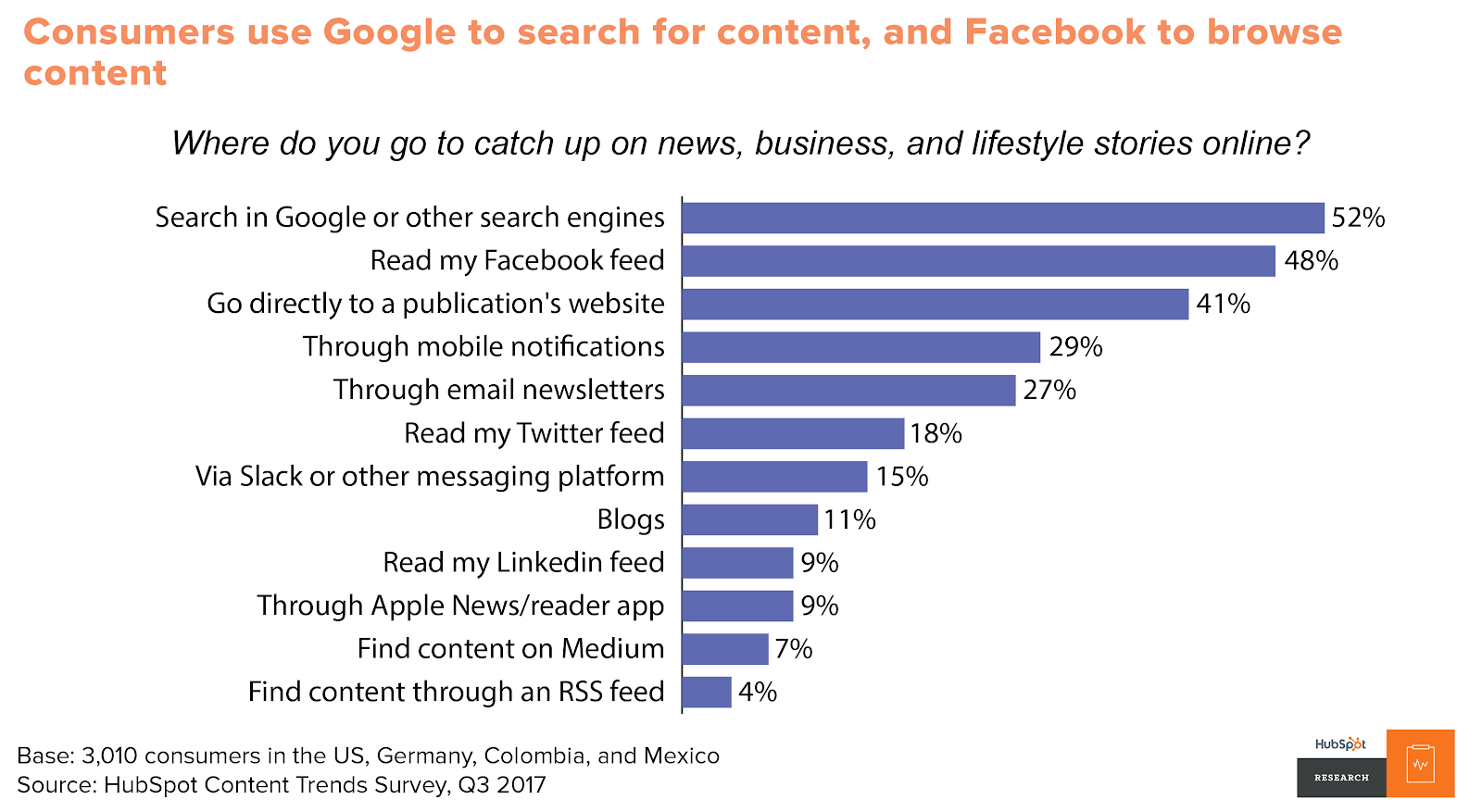
As social media evolved, it popularized a different kind of content consumption than search engines. The difference boiled down to a matter of “pointed versus passive.”
Consumers use search engines to find content more pointedly. Generally speaking, when you use a search engine, you’re looking for a specific answer or a specific subject. Social media allowed users to consume content more passively on their preferred platforms. The content you see on your Facebook feed is finding its way to you — not the other way around.
That trend incentivized the creation of more shareable, attention-grabbing content that could easily be spread across social media channels.
Video made a push.
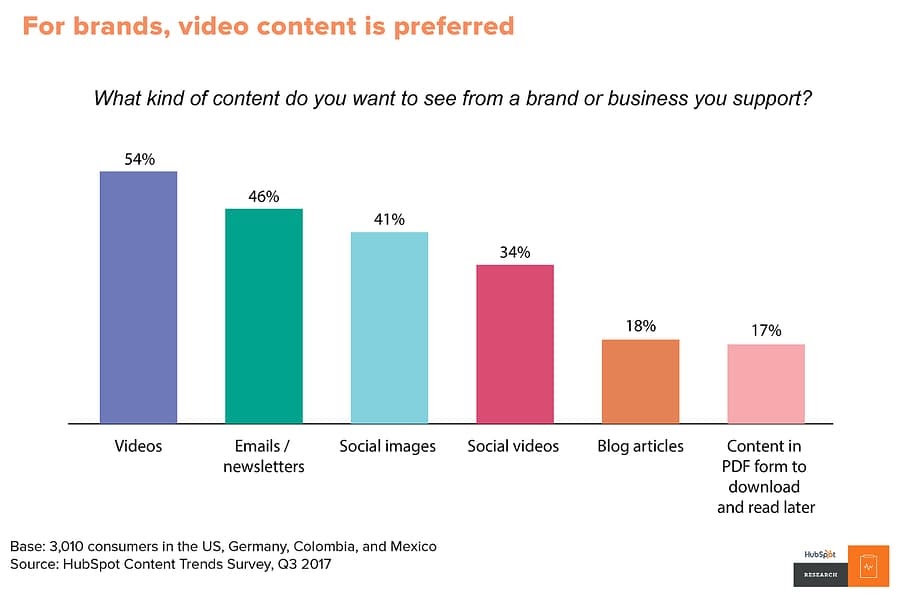
Video also emerged as one of the prevailing content marketing mediums as the decade progressed, particularly among younger consumers. By 2017, over 50% of consumers wanted to see videos from brands they supported — more than any other kind of content.
Video is inherently engaging. Generally speaking, it’s easier to follow than blog posts, email newsletters, or ebooks. Gradually, audiences took to it more and more as the decade progressed. By the end of the 2010s, platforms like YouTube were central to the landscape of content marketing.
Obviously, content marketing underwent several shifts in the 2010s, but as I said at the beginning of this article, the practice isn’t — and will never be — static. There are still plenty of changes to come.
How Content Marketing Will Evolve in the Next Decade
Video content will continue to rule.
As I just mentioned, video was emerging as one of the most — if not the most — important mediums for content marketing at the end of this past decade. There’s no indication that that trend is stopping anytime soon.
As of 2020, 85% of businesses use video as a marketing tool — up 24% from 2016. And 92% of marketers who use it consider it an important part of their marketing strategy. It’s already a staple in several companies’ content marketing operations, and research indicates that base is going to expand.
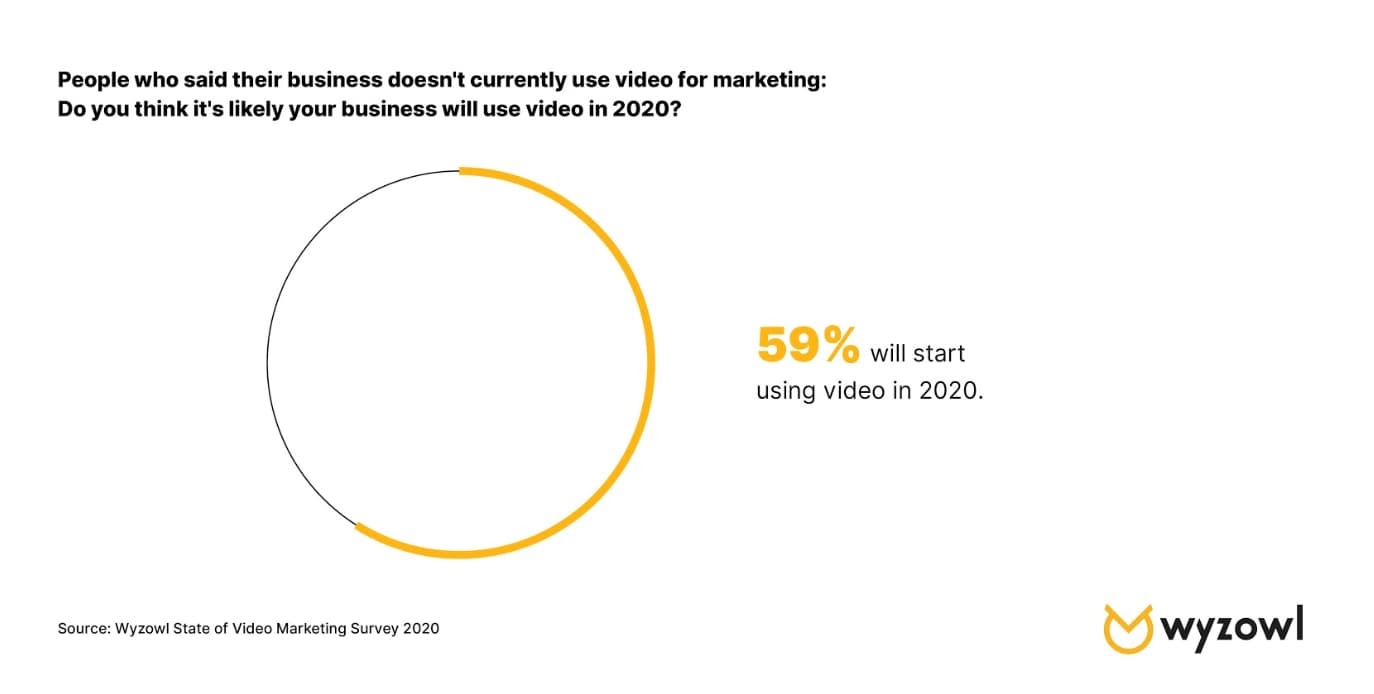
According to a survey by Wyzowl, 59% of marketers who weren’t using video in 2019 expect to be using it in 2020.
All told, it looks like the exploration and expansion of video as the preeminent medium for content marketing is going to continue. The priority for marketers is going to be a matter of standing out.
That could mean emphasizing the quality of the content you produce — ensuring it’s enriching, well-crafted, and relevant to viewers. You could also try looking to emerging platforms like TikTok.
No matter how individual producers and companies manage to innovate when it comes to video marketing, the medium is going to be a mainstay in the evolution of content marketing going forward.
Adjusting for mobile will be essential and present new opportunities.
According to Statista, global mobile data traffic in 2022 will be seven times larger than it was in 2017. Mobile device usage is increasing astronomically, and it’s in every content marketer’s best interest to keep pace with that trend.
In 2019, 61% of Google searches took place on a mobile device, and that trend is showing no signs of slowing down. Having a website optimized for mobile devices will be central to successful SEO efforts. And a lot of the content you create will need to fit that bill as well.
Blogs should be easily navigable on smartphones. Readily accessible video content that your audience can watch on mobile devices will be a big help as well. Prospects and customers will need to be able to get as much out of your mobile resources as your desktop ones.
This shift towards mobile will also present new opportunities through emerging kinds of media. More novel mobile technology — like virtual and augmented reality — will have a very real place in the future of content marketing.
As people continue to rely more on their mobile devices, content marketers will have to as well.
Successful content will be more empathetic, purposeful, and customer-first.
Google’s ranking algorithm aims to prioritize the content that will mean the most to searchers. Ideally, by Google’s standards, the first ranking search result for any keyword is the one that best addresses whatever users are searching for. And in all likelihood, they’ll keep tinkering with their process in pursuit of that interest.
While there’s no telling exactly how the algorithm might change going forward, one fact remains — marketers need to focus on high-quality content that will register with consumers. That means understanding your audience and putting considerable effort into how to reach them best.
As HubSpot Senior Content Strategist Amanda Zantal-Wiener puts it, “Where I’m starting to see content turning a corner is in the area of empathy. In the years to come, marketers are going to start creating more content that’s truly created in the mindset of putting themselves in the shoes of others — be it their customers, prospects, partners, or someone else within their audiences. They’ll ask questions like, ‘What does my audience need from me right now? What can I create that’s truly going to help them?’ That’s going to become a requirement for marketers when they begin brainstorming content.”
Research, outreach, and community engagement will become even more important in the context of content creation. Content marketing is trending towards audience enrichment as opposed to product promotion. If this shifting tide holds true, content marketing will continue to become more targeted, purposeful, and customer-centric as the practice evolves.
If there’s anything to take away from understanding the previous and upcoming evolutions of content marketing it’s this — don’t get too comfortable. New trends and challenges are always emerging, and it will always be in your best interest to stay abreast of them.
And above all else, focus on consistently creating high-quality content that your audience will always be able to get something out of.

How to Implement Affordable AI in 3 Steps, According to the Marketing AI Institute Director
Artificial intelligence is continuing to make an impact on the business world. In fact, McKinsey predicts that up to $2.6 trillion in value will be unlocked by AI in marketing and sales alone.
But, if you’re less tech-savvy, you might be intimidated by terms like “artificial intelligence,” “machine learning,” and “algorithms.” You probably also hear about these technologies and think to yourself, “My business definitely can’t afford that.”
This makes sense. As a good marketer, you should be skeptical about high-priced emerging technologies. After all, we hear a lot of hype about AI from all sorts of blogs, news outlets, and vendors. But, still, sometimes it’s hard to tell how a tool works and if it’s actually worth your money. Additionally, if you’re less familiar with AI, it might seem like it’s only a technology used only by industry-leading behemoths.
There are so many misconceptions about AI in marketing, that my colleagues and I launched the Marketing AI Institute. At the organization, we aim to make AI approachable and actionable for marketers. To date, we’ve vetted dozens of AI solutions and have monitored more than 1,500 sales and marketing AI companies with combined funding north of $6.2 billion.
As the Institute’s director, I’ve advised small and medium-sized companies on AI implementations. We’ve also piloted several AI tools in our own marketing operations at the Marketing AI Institute — often for no or extremely low cost.
While you might think that AI is totally out of your budget, there’s actually a chance your business is already using an app that relies on this technology to do its job.
Here’s a three-step process for implementing AI on a budget, as well as examples of affordable tools that can help you.
How to Implement AI on a Budget
1. Determine where AI tools could help you eliminate costs.
At some point, you’ll need to spend money to implement AI. But, how you structure an AI pilot project can help you defray some of the costs.
Although a successful AI implementation can definitely help marketers increase revenue and reduce costs, you’ll still want to start with a cost-reduction pilot before a revenue-increasing experiment.
Why?
While a cost-reduction pilot’s goal is to streamline or improve processes you already have in place, a pilot solely focused on revenue generation might require new processes — which could ultimately cost more time and money.
Cost-reduction use cases are often more immediately obvious in organizations. It’s also easier to justify investment in technology that can quickly reduce costs or time related to outdated marketing processes.
It’s usually not hard to identify time-intensive, or repetitive tasks that hold experts back from focusing on high-quality projects in your organization. And, once you identify these time-sucks, you can look for AI tools that can do these tasks more intelligently.
Start by making a list of your recurring responsibilities. Track everything you do every week or month, and list the amount of time you spend on each activity. Chances are, there are a ton of tasks that take way too much time each month. It’s likely they’re also pretty data-driven, too.
Good news, these data-oriented tasks can lead to successful AI pilot projects.
Next, explore vendors who have created more intelligent ways to do the tasks that are blocking your team.
For example, you might discover that tagging images on your website takes up too much time. AI software can probably free you up from doing that task. Or, you might spend hours each week managing paid advertising. AI can also help there, too.
In fact, there are dozens of ways you can apply AI to immediately free up team time and resources. And, depending on the cost reductions, these pilots may pay for themselves.
2. Research tools that work out of the box.
A handful of small to medium-sized businesses might worry about blowing their budgets when they hear the words, “artificial intelligence” because — at the moment — many AI solutions are built for corporate enterprise.
The truth is, many AI tools need access to quality data at scale to produce results. Enterprises are often the only source of this data. But this doesn’t mean you need to count out AI as a marketer for a smaller business.
In fact, a number of AI tools are affordable, work out of the box, and cut time on basic marketing tasks.
Additionally, you might not know it, but you might already be using popular office tools that are powered by AI.
Here are a few examples of popular and affordable AI-powered tools:
Grammarly
Price: Free; Premium plans to start at $11.66/mo for an annual commitment.
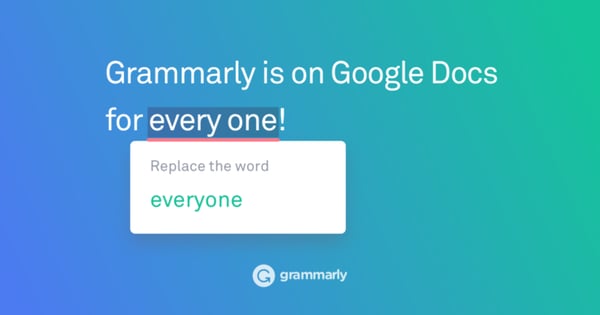
Grammarly is an intuitive copy-editing tool that uses machine learning to recognize and highlight spelling, grammar, and other phrasing errors on different platforms including Google Docs, email, and social media sites.
For an individual user, Grammarly allows you to track your writing performance and get edit suggestions based on your level of writing experience. The software will also send you emails that show you areas where you are excelling and where you need to improve.
Recently, Grammarly also added a feature where it could recognize and sense the emotional tone of your emails. For example, if you’re writing an email with “Thank you” in it, Grammarly will note that your message sounds “appreciative,” or “optimistic.”
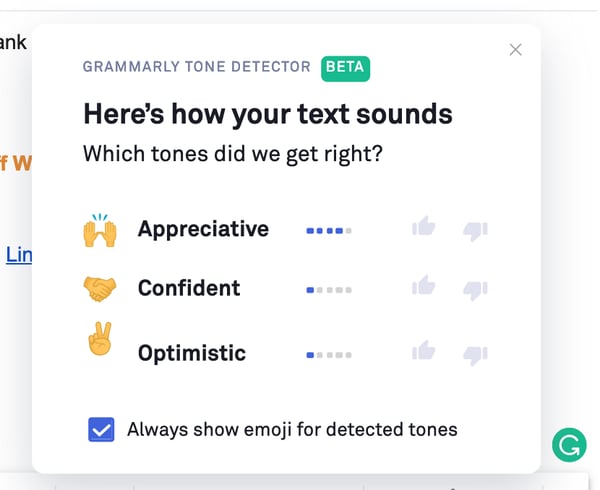
Grammarly is also available for teams. With the team version, you can unlock customizable editing features that allow the software to make suggestions with your company’s writing styles and branded words in mind.
To learn more about Grammarly and other productivity tools, check out this blog post.
Frase.io
Price: Trial available; Plans start at $24.99 per month.
Frase.io is an AI-powered research assistant and question answering bot that uses and analyzes search data on your site. The software can also help you optimize articles and other content for SEO by reading the text, comparing it with similar online content, and offering search and keyword-based suggestions.
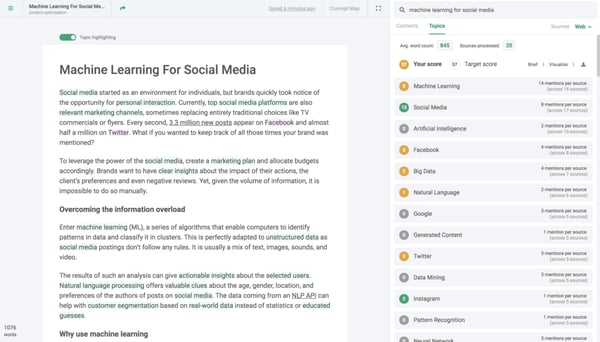
Aside from the SEO features, Frase.io also provides a bot feature. When a visitor is searching your site and would like to find something, they can simply type a question into the message box on your web page and receive an answer from a bot.
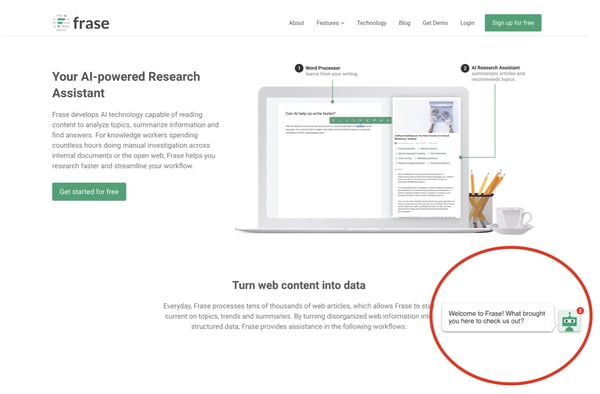
The bot uses machine learning to recognize the phrases given and match the words with content or pages related to those words. For example, if someone says, “I’m looking for a blog post on Instagram Stories,” the bot would reply with a link to one or more blog posts about Instagram Stories.
One company that benefited from this product was Embryo Digital, a small UK-based agency that used Frase to conservatively save 180 hours per month on research.
Google Analytics
Price: Free
By now, you’ve probably heard of or already use Google Analytics.
The leading analytics platform’s machine learning capabilities will answer questions about your website data.
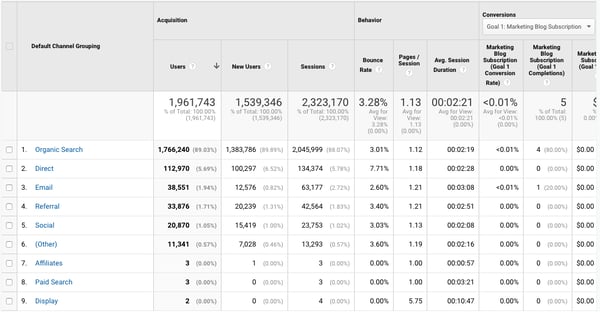
On top of giving you detailed insights on how your website is doing, GA also integrates with all of Google’s marketing products — including Google Ads, Search Console, and Data Studio.
Although Google Analytics is the leading analytics tool of marketers and already has many AI tools that work upon launching it, it will take marketers time to set up their GA dashboards so that data is understandable and organized for full teams.
To learn more about this platform and how to get started on it, check out this ultimate guide.
Ahrefs
Price: $99-$999/month depending on your number of users and features.
Ahrefs uses data from Google and other search engines to show you where your web pages rank for certain keywords. It also allows you to query words or phrases to see how common people are looking them up on search engines. This type of tool can quickly help you identify topics that you might want to blog about or see if your blog post or website is actually showing up on Google searches when people make queries related to your industry.
To give you more of an idea of how the software works, here’s a demo that walks you through how to do keyword research with Ahrefs:
https://www.youtube.com/watch?v=OMJQPqG2Uas&feature=emb_title
If you’d like to better your keyword research strategies, but can’t afford something as intuitive as Ahrefs, you can also check out these tools which similarly leverage AI algorithms to help marketers identify search opportunities.
HubSpot
Price: Free CRM; Plans start at $50 per month and vary based on team size and tier subscribed to.
HubSpot also incorporates AI in a number of ways. Here are just a few:
- SEO: HubSpot’s COS and CMS use algorithms to scour your posts for search optimization suggestions before you post.
- Emails and Workflows: When a customer does something such as engage with an email or landing page, this will trigger a canned email to be sent to them with their name and other personalizations in it.
- Social Media: HubSpot’s social media platform allows you to autogenerate post caption copy using machine learning. This technology recognizes sentences that you might regularly tweet or meta descriptions in a link you’re sharing, then crafts a caption that you can then edit or tweak.
- Deduplication features: If you upload a new list into a HubSpot CRM, or a pre-existing contact subscribes to your marketing newsletter, HubSpot will search the CRM to find matching contacts and prevent any duplicates from being added.
3. Ask these questions before investing in an AI product.
There are some vendors out there that claim to be AI but aren’t. If you don’t understand what to look for, you could waste time and money on lackluster solutions.
That’s why we encourage every marketer to establish a baseline knowledge of AI. (Our beginner’s guide will cut down your learning curve.)
Aside from familiarizing yourself with the technology, you also need to ask smart questions of AI vendors about the tools they sell.
Start with questions like:
- How does ____ use AI today?
- What AI capabilities are on the product roadmap?
- What type of data do I need for the solution to work?
- Is there any type of minimum size dataset I need to use the solution? (i.e. a certain number of emails sent, visitors to the site, etc.)
- What kinds of in-house capabilities do I need to use and maintain the solution?: Can anyone use it? Do I need dedicated data scientists, machine learning experts?
- My top use cases for AI are A, B, C, etc. Can ___ help?
Curiosity may have killed the cat. But it also saves marketers tons of money when buying new technology. So, don’t be afraid to ask questions and do deep research on each product you’re considering before you invest.
Familiarizing Yourself With AI
Artificial intelligence can sound like an intimidating or expensive technology. But, the truth is, it’s getting more and more prominent in our world and workplaces today.
Ultimately, the best strategy for vetting AI products, tools, and opportunities that may come your way in the future is to research credible sources and ask the right questions about the software you’re considering.
If you’re looking to take the next step with technology implementation, check out HubSpot Academy’s latest course, “Artificial Intelligence and Machine Learning in Marketing.” The course gives an introduction to AI and machine learning while also walking you through how to implement it in your company’s marketing department.
Still in the initial research phase, but want to learn how AI could impact marketing in the next year? Discover four predictions from marketing AI experts in this blog post.

2020 Social Media Trends, According to HubSpot’s Social Media Professor
If social media trends from 2019 taught us anything, it’s that personalized content is key for success. We also saw brands starting to listen more closely to their audience. I only expect this to intensify in 2020 with the world moving towards tighter data regulations and higher expectations from people for the content they consume. The world is numb to generic social media broadcasts.
On top of that, there are more social media channels than ever before, but the main three still lead the pack in regards to return on investment. In the most recent HubSpot Research survey, marketers reported that Facebook provides the biggest return on investment.
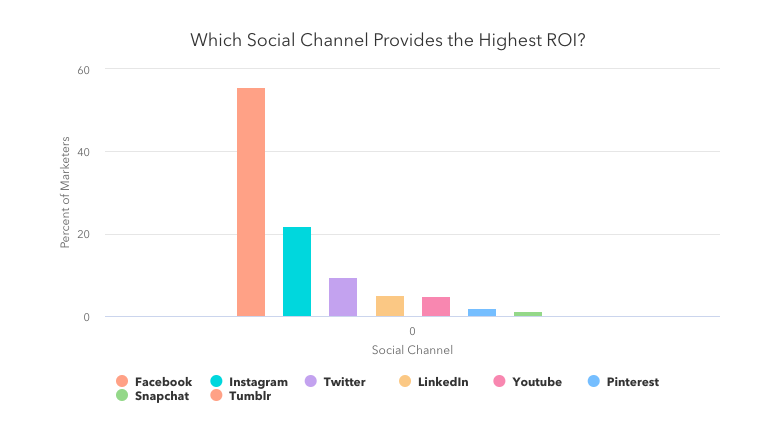
To fine-tune your social media strategy in 2020, we’ll explore doubling down on social listening, investing in private groups for your hard-earned audience, and staying away from using your social media as a broadcast channel.
Continue Investing in Your Audience (Your Best Content Consultant)
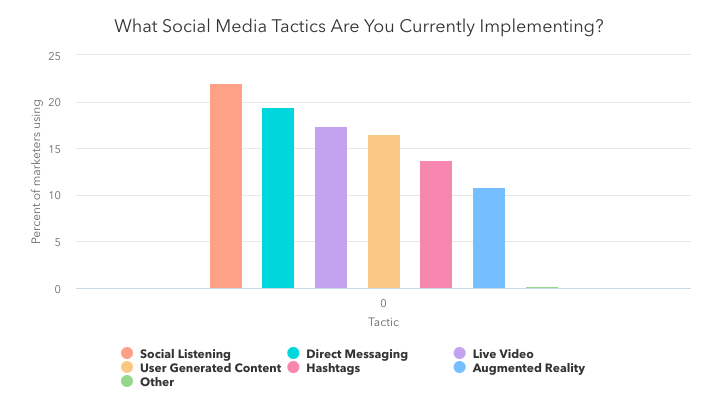
When we talk about social media tactics we often discuss great creative, influencers, and copy. But, in a recent HubSpot Research survey, marketers reported social listening as their #1 tactic in their social media strategy. This is a trend we have been seeing at HubSpot.
Start Building Private Groups for Your Passionate Audience
In its early years, the internet essentially was organized as online communities of people talking to each other about specific topics. Then, somewhere, it shifted. But to me, that’s where the magic was, and that connection is what people still crave.
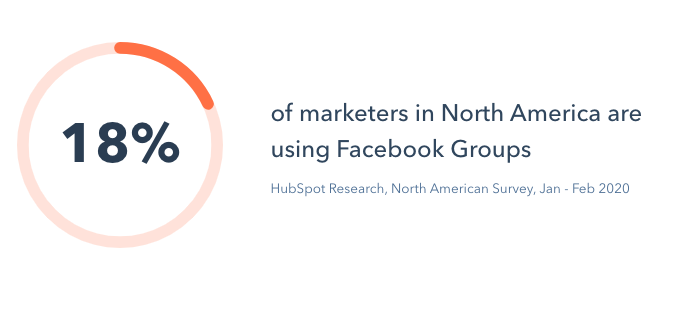
Our latest research shows that 18% of marketers in North America are using Facebook Groups. With 1.4 billion people using Facebook Groups globally, I can see this trend continuing to rise among marketers.

The Top 13 Best Email Marketing Services in 2020
Email marketing isn’t dead — in fact, it’s far from dead. Today, email marketing continues to be a critical strategy for marketing (and sales teams) across an array of industries and business types. As a result, at growing companies, an email marketing service provider (ESP) is one of the first additions to a marketer’s tool belt — and for good reason.
Email marketing remains a quick and effective way to engage and nurture leads into loyal customers. It’s also extremely cost-effective — some studies show an ROI of up to 4,400%!
Simply, email marketing services exist to make the process of email marketing simpler — they have features and capabilities that enhance and streamline email communication (among other things) to help you identify qualified leads, nurture those leads, and close more deals.
Many of these tools not only offer email support, but they may also help you organize and store contact information in your CRM — this helps you keep all of your data in a central location for members of your marketing, sales, and service teams to reference down the road.
But with so many email marketing tools available today, where should you start? Which tool meets your business’ unique needs, and how can you differentiate one tool from the next?
We’ll answer those questions and more in this guide to email marketing services — let’s dive in.
Before we look at the best email marketing services on the market today, let’s review what an email marketing service is and why it’s so important to have one that works well for your team.
What is an email marketing service?
Email marketing services and software streamline all of your email marketing efforts. They have a wide range of features depending on the service you choose — however, they often have functionality related to: Automation, subscription, general email communication, notifications, monitoring, campaigns, integration with other marketing, sales, and service software, and analytics.
Why is an email marketing service important?
Today, email marketing services continue to be an integral, strategic tool for businesses of all sizes across all industries — they help businesses build strong relationships with prospects and customers all while moving them through the buyer’s journey and maintaining strong communication throughout.
Not to mention, as ESPs continue to develop, features like A/B Testing, automation, and personalization have made the tools even more valuable to a marketer looking to engage with an increasingly fragmented audience.
Now let’s look at some of the best email marketing services today — one of which you might choose to implement at your company.
For each of the following services, we’ve listed notable features as well as pricing details but we still recommend reviewing the service’s product and pricing pages for greater detail.
1. HubSpot Email Marketing Software
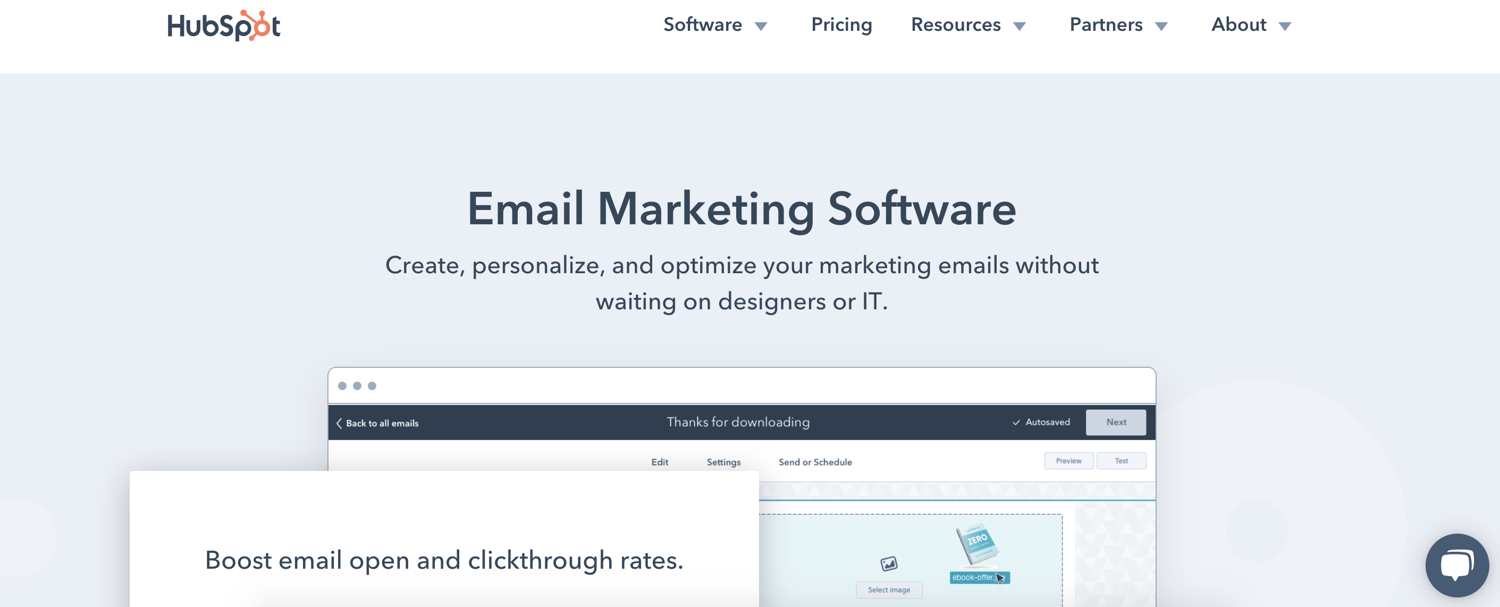
HubSpot’s free email marketing software is easy to use, has an extremely high deliverability rate, plus all the bells and whistles you’d expect to see within an ESP.
HubSpot Email Marketing Software Features
When creating an email, you can pick from one of many drag-and-drop email templates, or you can craft a custom template tailored to your brand. Once you’ve got your template, incorporating content is simple and intuitive.
You can also personalize and preview your emails for different recipients based on device type, country, or list inclusion — or use a simple personalization token to ensure that each email includes content that’s specific to each recipient.
When it comes time to send an email, using the smart send feature will ensure recipients receive your messages at an ideal time. Additionally, you can run A/B tests to compare different versions of an email to understand which one resonates the most with your audience. You also won’t have to worry about deliverability — HubSpot maintains a 99% deliverability rate across the network for all marketing email sends.
Outside of the email marketing functionality, HubSpot offers a wide range of reports on your email’s performance, letting you judge what’s resonating with your audience so you can optimize your strategy accordingly.
For instance, you can report on something as broad as your overall email performance in Q1 or you get granular and see how one particular lead is interacting with your emails.
Lastly, HubSpot’s automation platform makes it easy to scale your email marketing strategy, which will help you quickly turn leads into loyal customers.
HubSpot Email Marketing Software Price
Hubspot’s Email Marketing Software (and CRM for small to enterprise companies, for that matter) is free forever. However, if you need enhanced capabilities, it may be worth paying for one of the upgraded Marketing Hub plans.
2. Omnisend
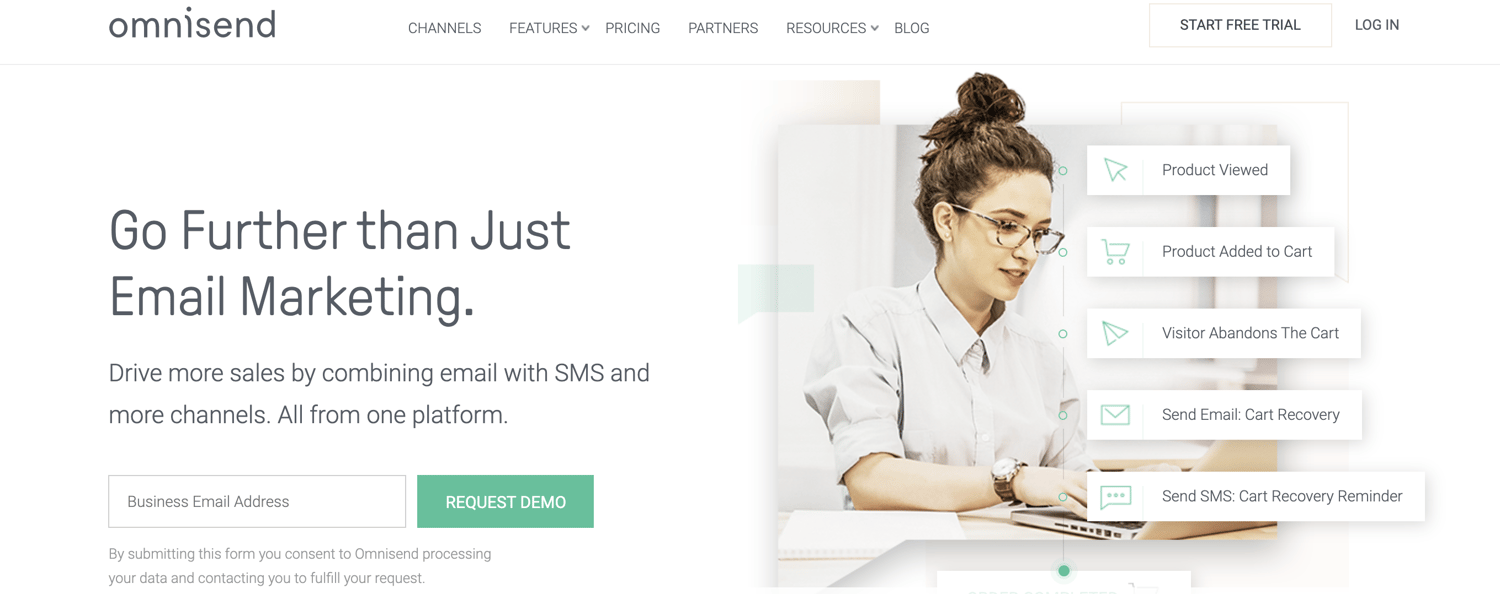
Omnisend is an easy-to-use platform that offers automation workflows for any stage of the customer journey.
Omnisend Features
What separates Omnisend from other email marketing tools is the omni-channel functionalities, which offer greater control over how and where you connect with your audience. In the automation workflow, you can add email, SMS, push notifications, Facebook Messenger, WhatsApp, and more.
If you’re trying to reach a specific audience that might not respond well to traditional email communication, using a tool like Omnisend can help you build and manage more customized, targeted communication workflows. This doesn’t just help you connect with your audience better — it also provides a less disruptive, more personalized experience for your contacts.
Omnichannel features combined with user-friendly segmentation mean you can send the right message to the right person, at the right time, on the right channel.
Omnisend also offers templates for email capture, campaigns, and automation workflows so you can get started quickly.
Omnisend Price
Omnisend has four pricing plans — one of which is free with very limited capabilities as well as a customizable enterprise-level plan. Their plans come with a free trial so you can experiment with the service to determine what works best for you.
3. Pabbly Email Marketing
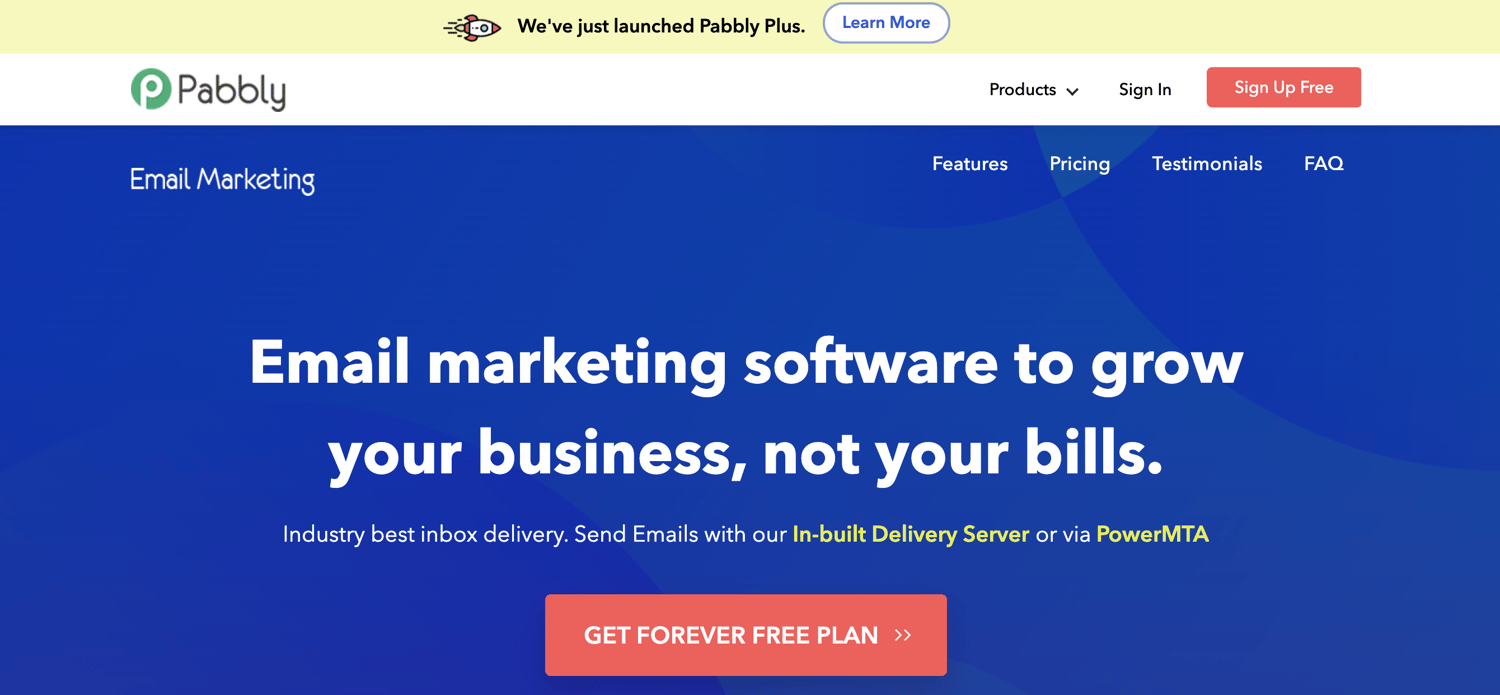
Pabbly Email Marketing is an email marketing software that enables you to send bulk emails either by connecting via SMTP or external SMTP.
Pabbly Email Marketing Features
Pabbly provides access to SMTP routing, workflow automation, email scheduling, and much more without any restrictions. With the help of marketing automation and autoresponders included in the tool, you can schedule emails in advance and create triggers to avoid manual follow-up responses.
Additionally, Pabbly offers responsive email templates and a drag-and-drop email editor for easy customization. The email tracking feature allows you to track data such as bounce rate, open rate, and click-through rate so you can improve upon your email marketing and campaigns.
Pabbly Email Marketing Price
Pabbly offers multiple plans based on your number of subscribers. They offer a free plan — with strict caps on the number of emails you can send and subscribers — as well as an enterprise-level plan tailored to websites with over 1 million subscribers.
4. Constant Contact
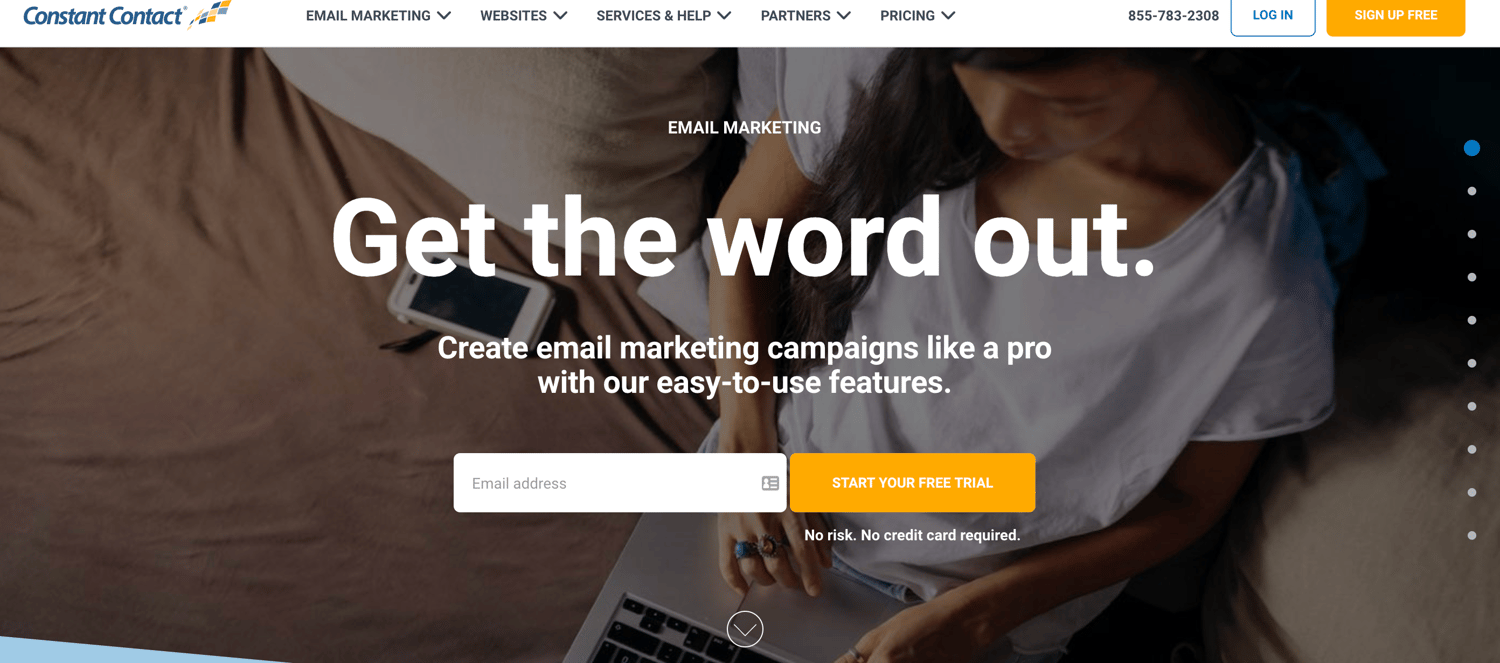
Constant Contact is a popular email marketing service that works well for many industries.
Constant Contact Features
The service comes with over 100 email templates that you can either use as-is or customize. Once your email looks good, you can easily schedule it to send to your contacts at any time you choose.
In addition to drip email campaigns, you can also have emails go out at a regular cadence to celebrate specific events — for example, you could have a regular email go out on each customer’s birthday.
Once an email contact list is uploaded, bounces and unsubscribes are automatically updated for you. Constant Contact also has “Plus” features that allow you to execute specific types of campaigns such as coupon offers, donation collections, or surveys.
Constant Contact Price
Constant Contact has two plans depending on the features you need that start at $20 and $45 per month. The price differentiation is related to your number of contacts. They offer a free trial so you can experiment with the service prior to committing to it.
5. Campaign Monitor
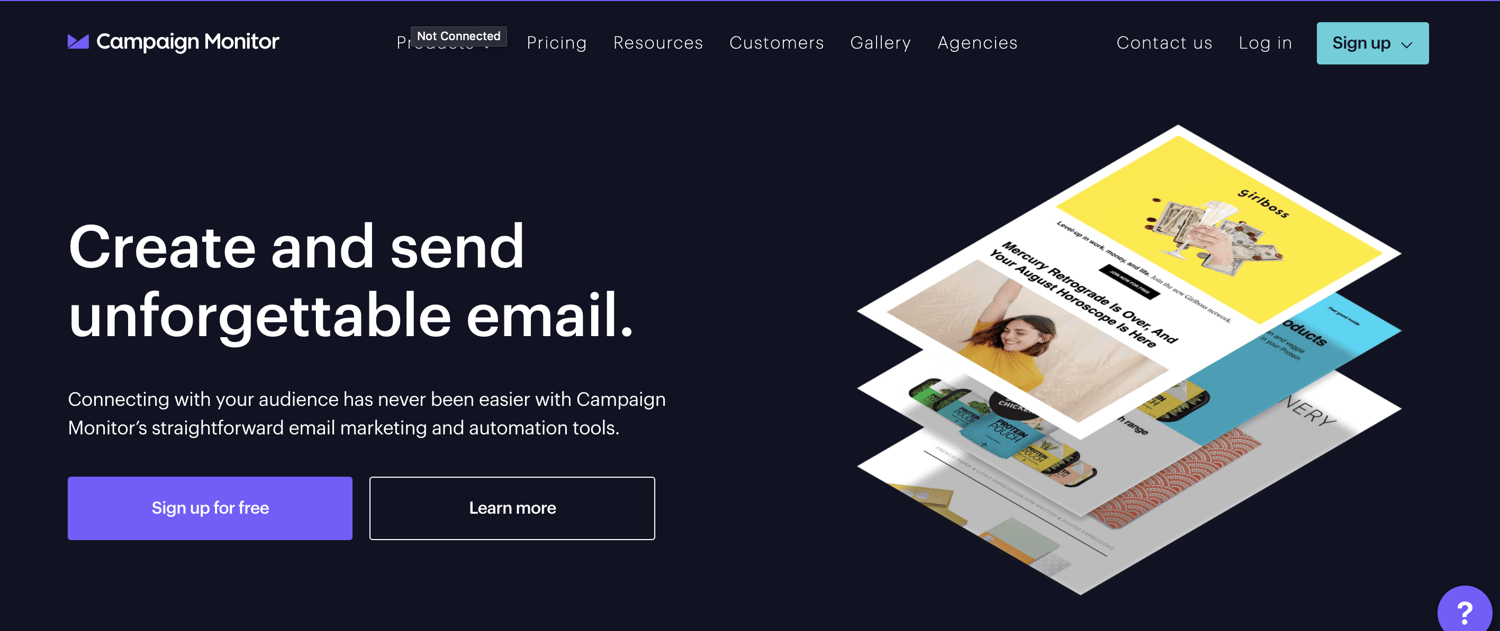
Campaign Monitor prides itself on providing powerful, personalized email marketing tools that are simple and easy to use.
Campaign Monitor Features
Their drag-and-drop email editor is intuitive, and the included analytics make it simple to optimize your email strategy and create targeted customer segments.
Personalization is key for campaign monitor. It uses data to increase personalized content and inform your list segmentation to boost your engagement. They also offer a visual marketing automation tool so you can create a unique customer journey at scale.
Not to mention, Campaign monitor has an extensive library of resources available to help you become an email marketing pro.
Campaign Monitor Price
There are three major plans you can choose from with Campaign Monitor ranging from $9 up to $149 per month. You can choose to pay annually rather than monthly as well as take advantage of the option to simply pay per campaign if that schedule works better for your needs.
6. iContact
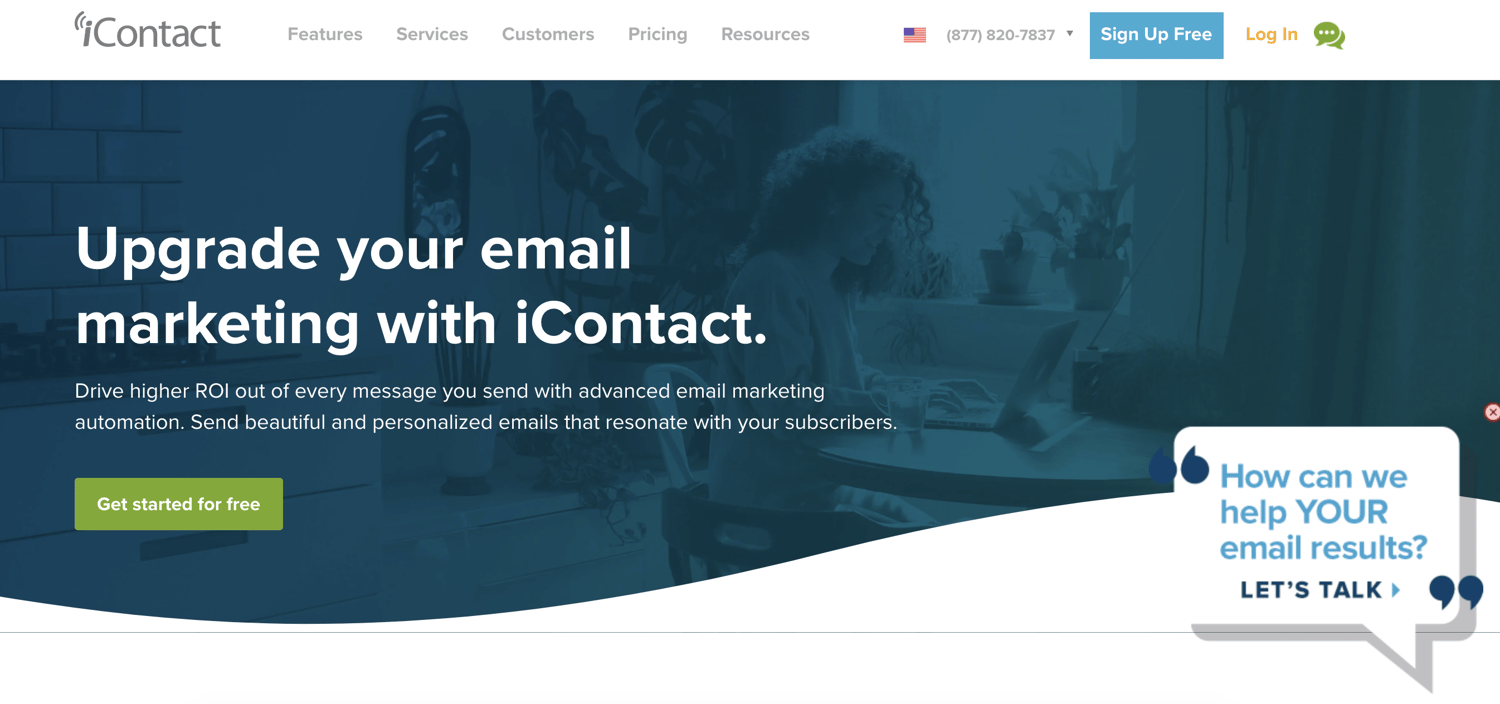
iContact has been providing one of the top-choice email marketing services since 2003, as it has an easy-to-use email marketing tool that helps you and your team see results fast
iContact Features
While iContact doesn’t necessarily stand out from competitors in terms of features, their customer support and service teams set them apart. Customers are paired with a strategic advisor to create an effective email marketing strategy right with the tool.
They also have Social+ marketing consultants who help boost your entire online presence through creative social posts that drive traffic to your site.
iContact Price
iContact has two main plans that vary in price based on your number of subscribers, each of which starts at $12.75 and $25.50 per month. You can choose to pay monthly or annually depending on your needs.
7. MailChimp
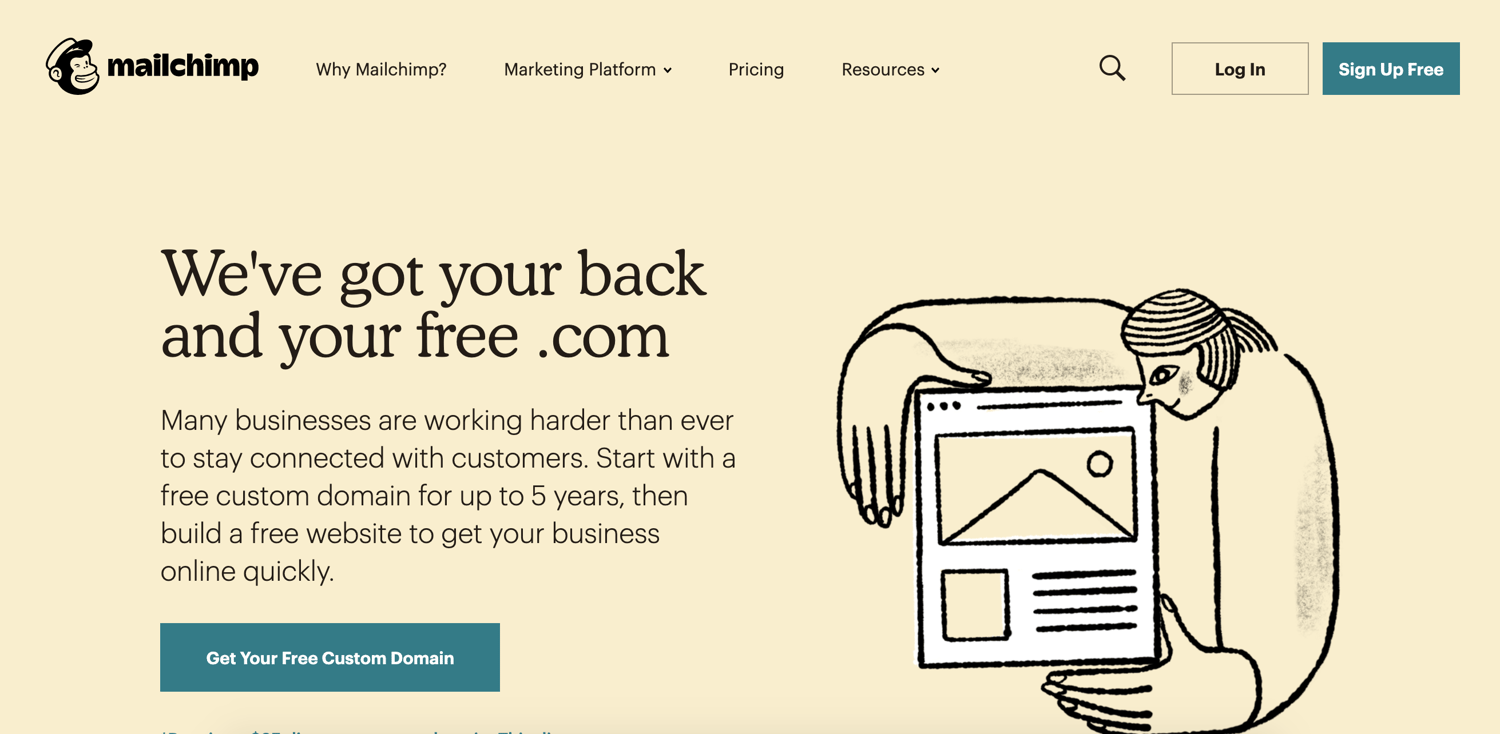
Over the years, MailChimp has added landing pages and various ads tools to their capabilities but, their email marketing service remains their claim-to-fame.
MailChimp Features
MailChimp has millions of customers in over 175 countries and they use the data they collect off those customers to provide you with actionable insights to improve your email strategy. The tool is flexible enough for an enterprise company, yet simple enough for someone just getting started with their startup’s email marketing strategy.
Best of all, MailChimp has over 300 integrations that help you customize the tool to your business. By using these integrations to further personalize your marketing, you’ll get the most out of your email strategy.
MailChimp Price
MailChimp has four plans to choose from that range in price from free to $299 per month. Aside from the free plan, depending on the option you go with, your monthly payment increases with the number of contacts you have.
8. AWeber
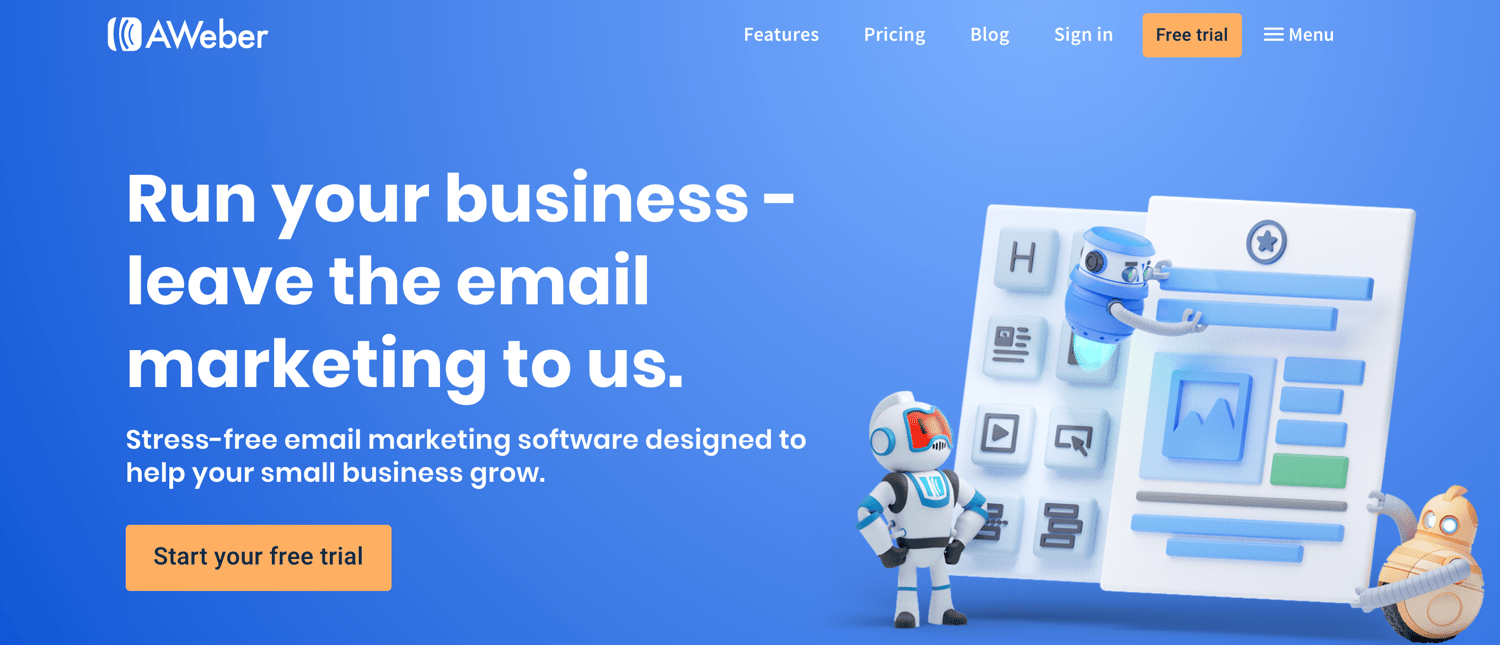
Aweber is an email platform built specifically for small businesses and entrepreneurs.
AWeber Features
The goal of AWeber is to make it simple for those who are just getting started with email marketing to segment their contacts, design a professional email, and start nurturing leads. Customers have praised AWeber for its deliverability — AWeber’s deliverability team monitors their servers around the clock to ensure your campaign consistently reaches the’ inboxes of your recipients.
Aweber Price
AWeber offers a total of six plans that vary in price and features based on your number of subscribers. Unless you’re looking to go with the top plan, pricing ranges between $19 and $149 per month. You can also choose to pay on a quarterly or annual cycle if that’s preferred over monthly billing.
9. SendinBlue
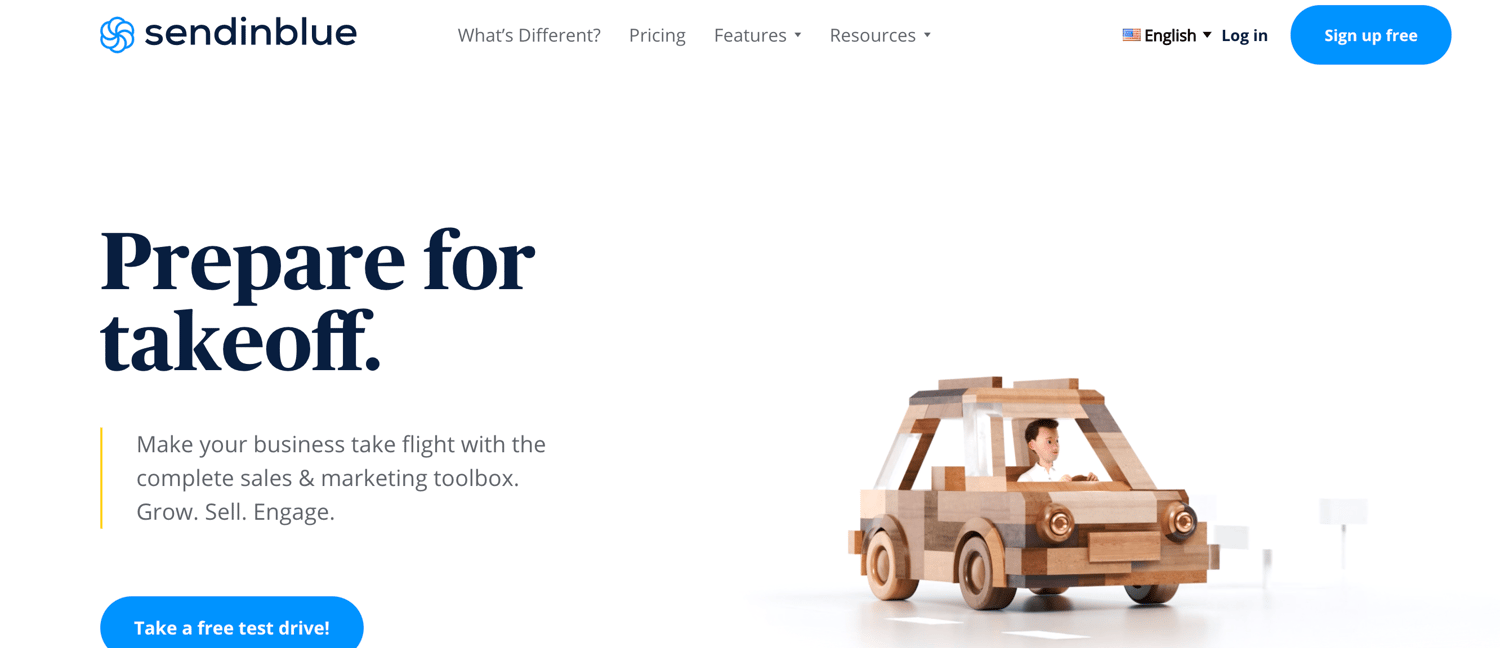
SendinBlue is an email marketing platform that helps customers send a total of over 30 million automated emails and text messages every day.
SendinBlue Features
On top of email, SendinBlue also has a forms tool that allows you to collect new leads, which you can then segment into specific lists and enter into email nurturing campaigns.
Not sure how to kick off your email nurturing campaign? No problem. SendinBlue has workflows that give you access to a number of pre-made automation campaigns tailored to your specific goals.
If you want to run a more nuanced email nurturing campaign, you can always create a campaign from scratch to meet your specific business needs.
SendinBlue Price
SendinBlue has five main plans, one of which is free, three of which range in price between $25 and $66 per month, and one that is enterprise and requires you to get a customized quote. The plans vary in cost based on the number of emails sent per day/ month.
10. ActiveCampaign
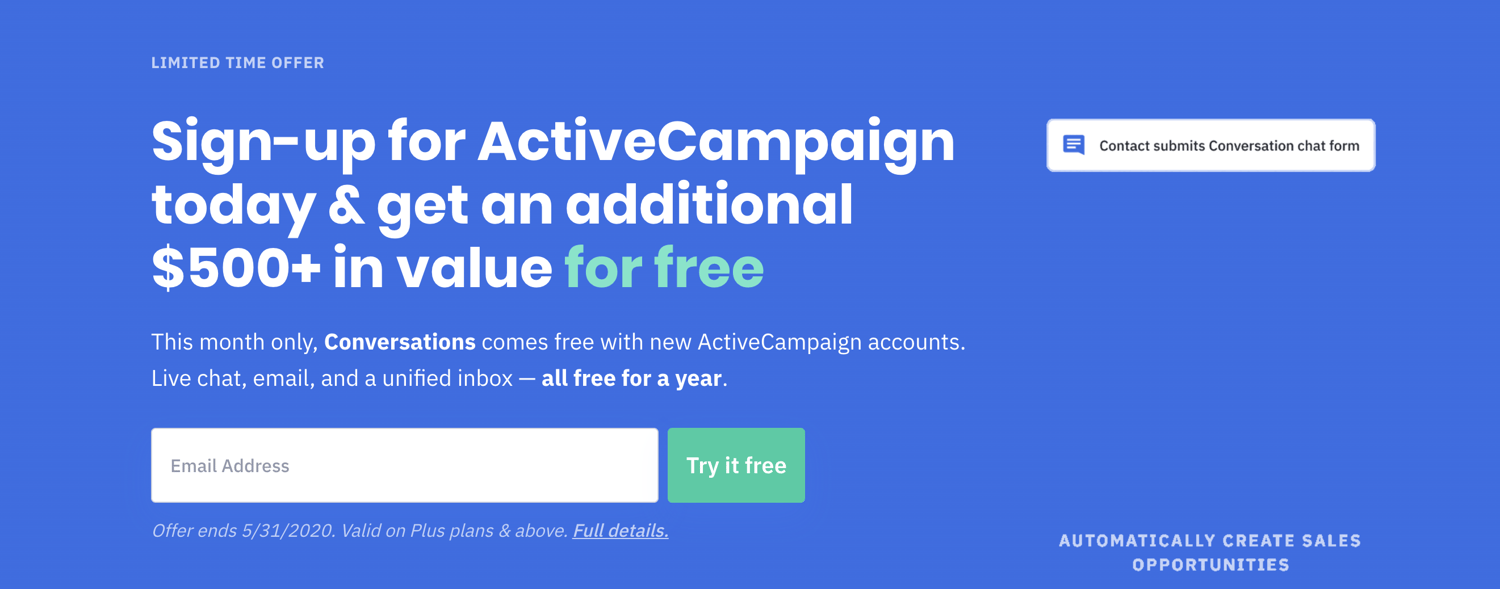
ActiveCampaign is a marketing automation platform that offers live chat and a CRM service in addition to email marketing capabilities.
ActiveCampaign Features
By adding a CRM to their functionality, ActiveCampaign can help surface the right leads to your sales team using features like lead scoring. The service also allows you to share dynamic content in your emails — this allows you to provide different experiences to your contacts based on the way you segment them.
ActiveCampaign Price
ActiveCampaign has four plans which you can choose to pay for monthly or annually. Their plans vary based on the number of contacts you have and range in price from $15 to $279. You can experiment with the service before buying it with a free trial, as well.
11. AutoPilot
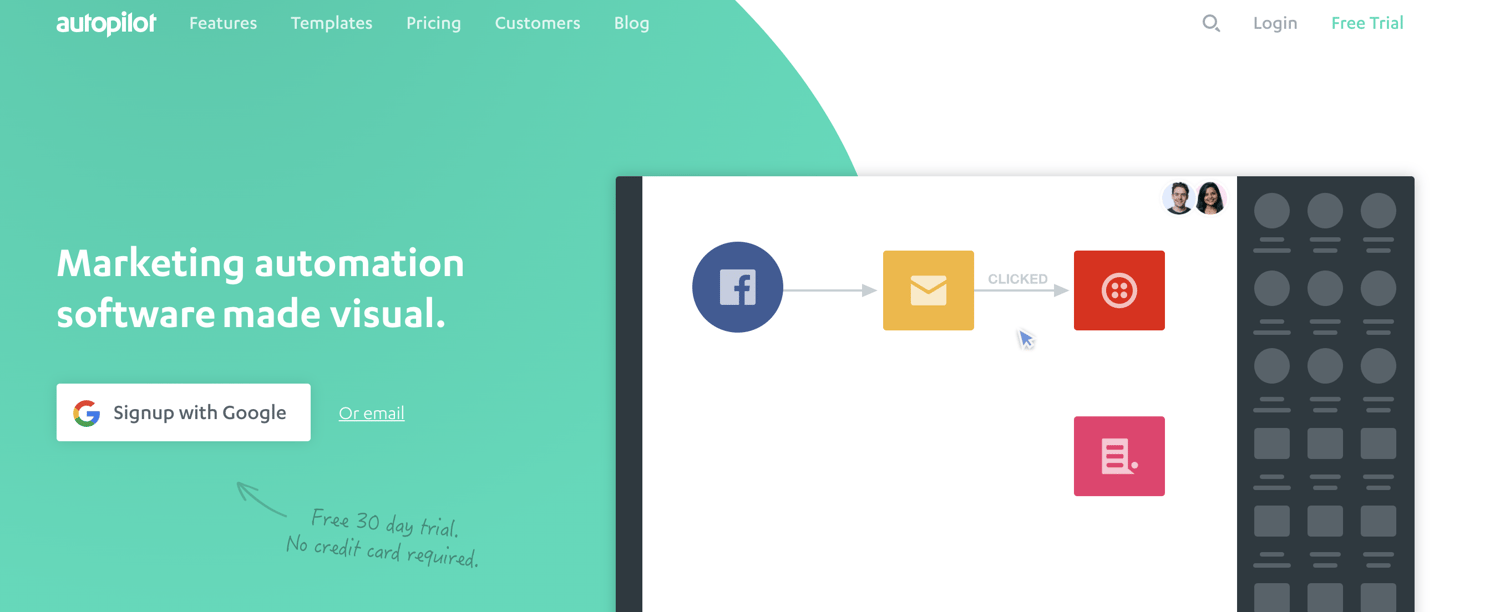
Autopilot differentiates themselves from the competitors with their visual marketing tools.
AutoPilot Features
Everything from AutoPilot’s email editor to their automation tool is set up to work via a drag-and-drop interface, making the system intuitive and easy to use.
AutoPilot offers collaborative tools to help your team work together effectively — it allows you to quickly share your work with your team, ensuring everyone is on the same page before you launch a campaign. And with the “annotate & collaborate” feature, you can quickly mark-up a customer journey and ask your team for feedback and assistance.
AutoPilot Price
AutoPilot offers three plans which range in price between $49 and $249 that vary based on your number of contacts. There are three types of billing cycles including monthly, monthly with an annual commitment, and annual.
12. GetResponse
GetResponse is a marketing automation service that’s available in over 20 languages.
GetResponse Features
On top of email marketing and automation, GetResponse also offers a CRM, landing pages, and a complete webinar solution.
The service offers over 500 templates to help you get started with email marketing and integrates with Shutterstock, giving you access to a creative library at your fingertips. Also, their drip campaign tool is managed through a calendar interface, allowing you to see exactly when you will be reaching out to your leads.
GetResponse Price
There are four GetResponse plans that you can choose from ranging in price from $15 to $99 per month (plus a customized enterprise-level option that requires you to reach out for a quote). Pricing varies based on your list size and you can pay monthly or annually. Each plan offers a free trial to you can test out the service before investing.
13. Ontraport
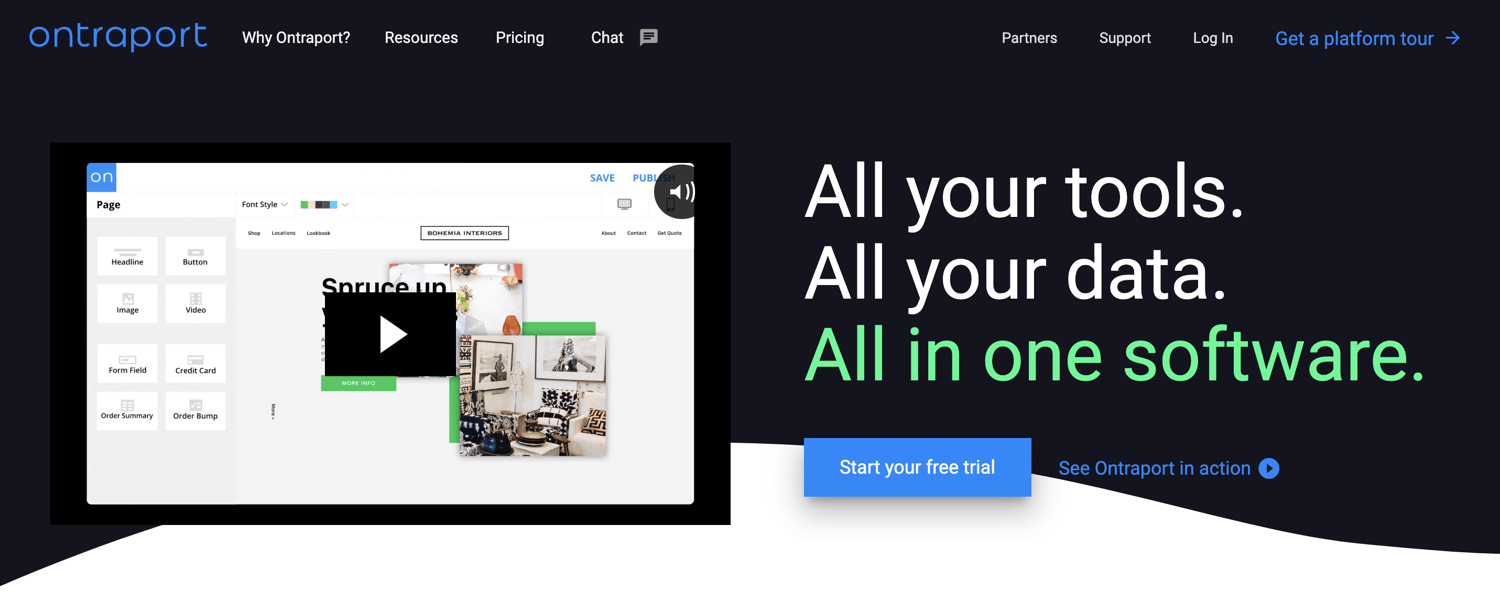
Ontraport offers a full suite of marketing automation tools including ecommerce functionality for businesses with online stores.
Ontraport Features
Ontraport’s visual campaign builder allows you to create detailed campaigns to engage your audience. You can create a campaign from scratch or tap into the marketplace where they offer dozens of the most common marketing campaigns to choose from, including abandoned cart nurturing or webinar sign-up and follow-up.
The service also provides insight into detailed reports so you can gain insight into your pipeline, traffic sources, and conversion timelines.
Ontraport Price
Ontraport offers four plans that range in price between $79 and $497 per month. No matter which plan you choose, you’ll receive one-on-one onboarding. The plans differ in price based on your number of contacts. You can cancel your monthly plan at any time and if you choose to pay annually, you’ll benefit from a discount.
Choose Your Email Marketing Service
Most email marketing tools offer the essentials needed to craft a basic email newsletter, but there are fewer options if you want a range of top-notch features such as complete customization, available support, and data analysis.
Not to mention, as a marketer, you might want to consider combining your email marketing service with a CRM to give you even greater functionality that can impact your email marketing as well as other marketing sales, and service efforts. But. ultimately, the best email marketing tool for you depends on your team’s goals and particular needs — so, review the options above as well as the services’ product and pricing pages to get started. .
Editor’s note: This post was originally published in April, 2019 and has been updated for comprehensiveness.

How to Host an Inclusive Virtual Meeting, According to HubSpot’s Remote Work Manager
As HubSpot’s remote population has grown from a handful of folks to over 300 in the past few years, we’ve learned a number of lessons on how to pivot in-person communications into a virtual environment.
When it comes to a team meeting, we’ve learned that while the content often remains the same, the way in which that content is presented and discussed often needs to be modified to ensure that the information resonates and all attendees are actively engaged.
We’ve all been on a conference call that goes something like this:
But, with remote working on the rise, conference calls are no longer the only option.
Today, there are loads of options available to host meetings over a virtual meeting platform such as Google Hangouts, Zoom, WebEx or Join.me.
While every business will have different needs to consider, if you’re just starting to think about virtual meetings, we recommend starting with a platform that allows video, audio, and screen sharing as these tools allow for better engagement and collaboration during the meeting as opposed to the standard conference call.
Here, I’ll dive into some of the best practices I’ve picked up along the way as HubSpot’s Remote Work and Inclusion Program Manager.
How to Host an Inclusive Virtual Meeting
1. Have ground rules in-place for your first meeting.
Whether it’s your first time managing a remote team or your team is suddenly working from home, virtual meetings are often a new environment for everyone. So it’s important to lay some ground rules for how meetings will work and what you expect from your attendees.
Here are a few things to consider:
- Video: Encourage attendees to use their video for meetings as this allows us to better engage with each other through non-verbal communication.
- Audio: Generally speaking, it’s best practice to stay muted in a virtual meeting unless you’re presenting or answering a question. This prevents background noise from becoming a distraction and creates a signal (unmuting) when someone has something to say.
- Engagement: Be clear about how you expect participants to engage in meetings (see Tip #3 for more details).
- Etiquette: Be intentional in calling out meeting etiquette expectations. Some common ones that come up are usage of phones, having to step away from your desk, checking notifications, or eating during meetings. If you have specific expectations around meeting etiquette, be explicit about this up front with your attendees.
- Set the Stage: If you’re meeting with a larger group, it can be helpful to set expectations on a starting slide that attendees will see upon entering the meeting.
For instance, at HubSpot, I often present with this slide at the beginning, so my attendees know ground rules for the meeting:
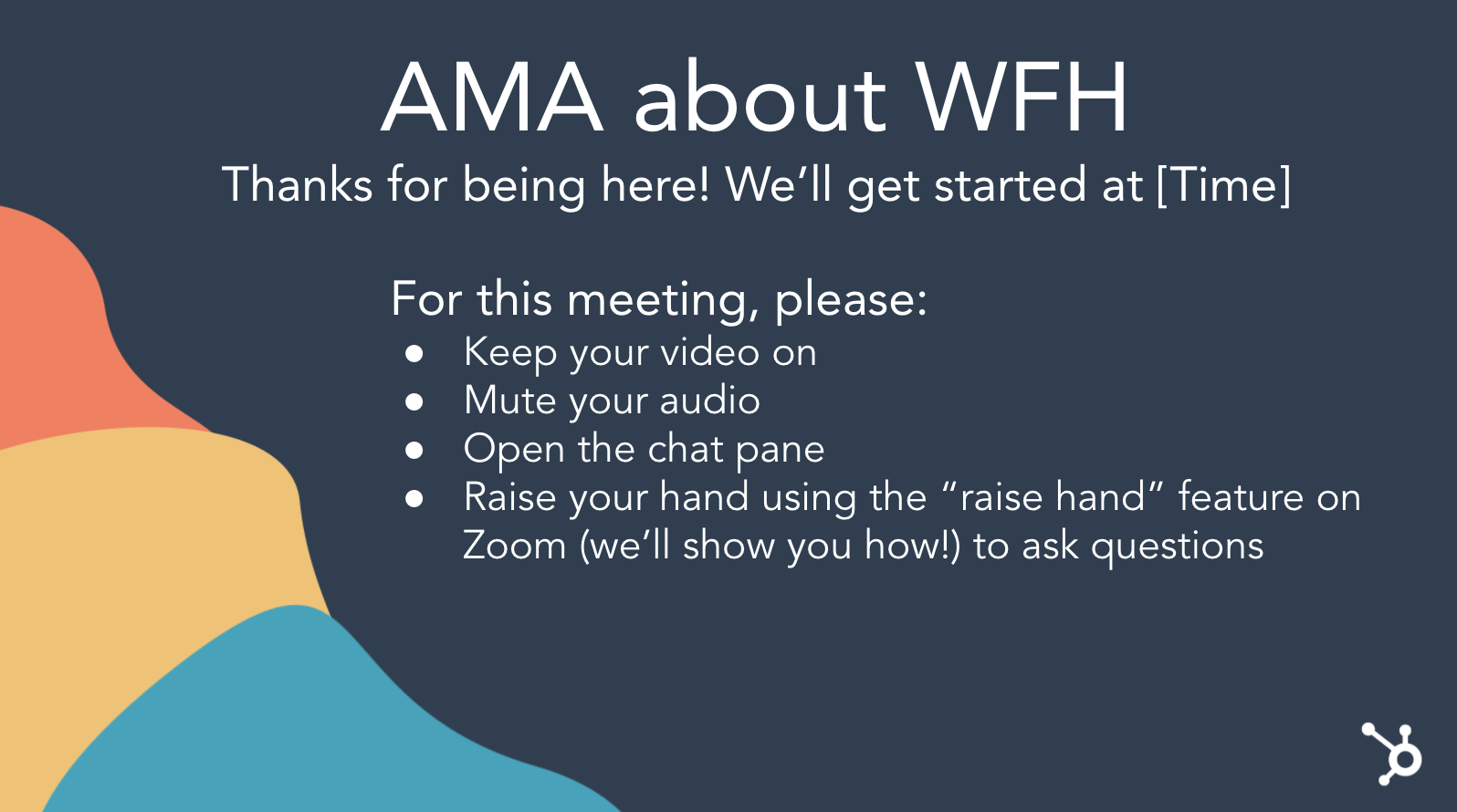 Additionally, you might consider including a slide that says, “Record the meeting”, as a reminder for yourself, in case anyone misses the meeting or wants to refer back to it later.
2. Take some time to break the ice.
Virtual environments can be intimidating, especially if you aren’t accustomed to them or if you’re meeting with folks you’re unfamiliar with. To warm things up, we recommend starting your meetings with an icebreaker. It’s a great way to test that everyone’s audio works properly and it’s an even better way to learn more about each other and get everyone feeling comfortable before jumping into the agenda.
To make this easier, we suggest:
Keep it simple: Depending on the meeting, it might make sense to start with a standard question such as “How are you feeling today?”
Mix it up: If you have the time, try mixing in some unique ice breakers to get to know each other better (take a look at some of our suggestions here).
Pass the microphone: We’re all likely familiar with that awkward silence that occurs when everyone is expecting someone else to jump in. To solve for this, encourage teams to “Pass the Microphone” to each other after their own answer.
If everyone is expected to provide an answer, have the host start and then pass the proverbial microphone to any participant. Once that participant answers, they’ll end their statement with “Next, I’ll pass the microphone to [name].” This keeps the conversation moving and prevents the awkward silence of waiting for someone else to jump in.
3. Determine a structure for how you expect participants to engage during the meeting.
It’s not always obvious how folks should provide feedback or answers during a virtual meeting. To keep the conversation flowing, determine a structure for how you expect participants to engage during meetings and be upfront about these expectations at the start of the meeting.
A few of our favorite strategies are:
Raise your virtual hand. Many virtual meeting platforms have non-verbal feedback tools that allow a participant to indicate they have a question — for example, Zoom’s “raise hand” feature. For large meetings, ask folks to use these tools to indicate when they have a question or input and the host can then call on them directly. This can also be a great way to have a quick yes/no question answered by the group and expanded upon.
Example: “Raise your hand if you have had a positive interaction with an external Support team.” Based on who raises their hand, you can then call on one person to expand on that answer if needed.
Use the chat feature: For quick questions, you may ask folks to enter their answers into the chat (for instance, Google Hangouts’ Chat feature). This allows you to quickly hear answers from a large group and allows everyone to learn from each other’s answer. In addition, as our APAC Customer Success Trainer, Mariel Argonza, points out, this is also a great way to be inclusive of attendees who use English as a Second Language.
Example: “How is everyone feeling today? Describe it in one word in the chat pane.”
Jump in: Depending on the size of your meeting and psychological safety of your attendees, you may opt to have folks simply jump in with their feedback and questions. As the facilitator, it’s important to be cognizant of participation in order to ensure that one individual isn’t dominating the conversation.
Example: “Can anyone tell me the definition of Inbound Marketing? Feel free to jump right in.”
4. Ensure every attendee is on the same page.
Depending on the nature of your meeting, you may need some additional tools to get on the same page with your idea, such as a virtual whiteboard or collaboration tool. Some of our favorites include:
- Virtual Whiteboard: Many of the virtual meeting tools have a native whiteboard tool built in that will allow attendees to whiteboard their ideas as well as save their whiteboard images for future use.
- Share Your Screen: Looking at an email you need help with or struggling to explain a glitch you’re seeing? Use a screen sharing tool such as Zoom’s Screen Share so that your attendees can see what you’re seeing from your point of view.
- JamBoard: Part of GSuite, JamBoard allows you to virtually whiteboard, insert pictures and text, and save/share your whiteboard for future use.
- LucidChart: Lucidchart is a visual productivity platform that helps individuals understand and share ideas, information, and processes with clarity.
- Miro: Miro is an online whiteboard tool that allows distributed teams to collaborate virtually from wherever they may be seated.
5. Stay on track with a clear agenda or slides.
Even with a clear agenda, it can be challenging to keep a conversation on track — and on time — in a virtual setting. To help your meeting stay on course, try:
Circulate the agenda: In the meeting invitation, make it clear what topics you’ll be discussing, what’s expected of attendees in terms of preparation, and what the outcomes of the meeting will be.
Pause: When everyone is on mute and staring at you on camera, it can be instinctual to race through your notes without coming up for air. However, in a virtual atmosphere, it’s more important than ever to slow down and pause often to ensure that folks have an opportunity to jump in, slower WiFi connections can catch up with a delayed sound response, and participants have the opportunity to digest your words.
Ask for questions: In a virtual setting, you may not always catch a confused look and folks might not feel as comfortable interrupting you for clarification. So, intentionally ask your participants – what questions do you have for me? Pause longer than you normally would to wait for questions.
Use slides to stay on-track: Having a visual to keep you on track will allow everyone to be more organized and focused during the meeting. You can choose to send slides out in advance of or following the meeting, but it’s a helpful way to have a record of what was discussed. In addition, sending out slides means that folks won’t have to take as many notes (and therefore won’t spend the meeting typing).
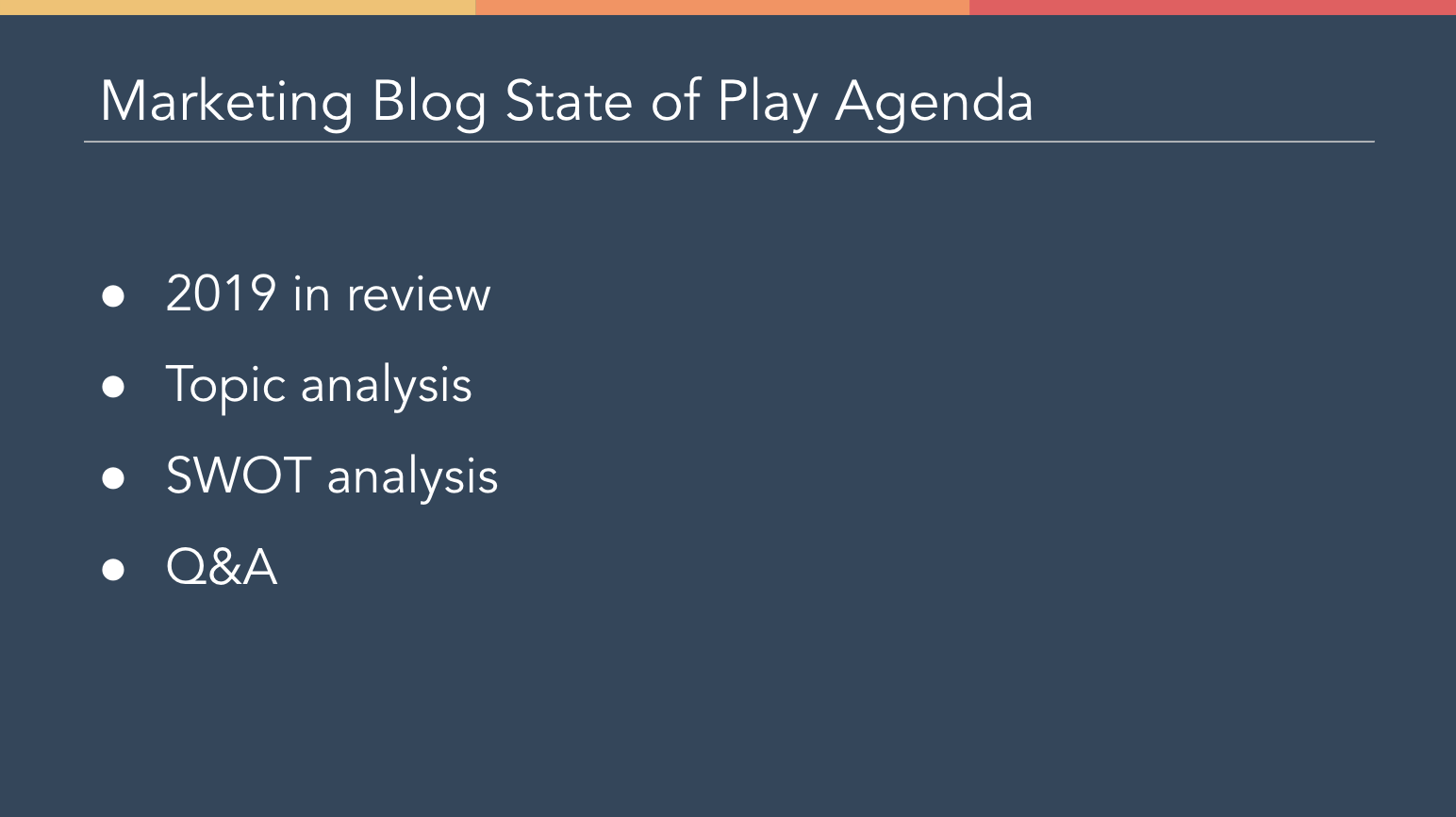
Even with preparation, you’re likely to encounter some awkward pauses, technical glitches, and uncomfortable moments. But, we encourage you to embrace these moments, learn from them, and move past them. We’re all in this together after all!
If you’re just starting out with virtual meetings, we encourage you to be honest with your team that this is a skill you’re working on. Practice different techniques to find what works best for you. Ask for feedback from your team on what’s working in the context of your meetings and what isn’t.
Plus, when you find something that works for you, share it with others so that we can all learn together.

9 Tips for Working With Teams in Different Timezones
As remote work and satellite offices become more common, marketers are discovering that global teams can be incredibly beneficial to a company’s culture and ability to hire diverse talent.
In today’s workplace, diversity breeds new and unique ideas, allows us to look at our campaigns from different points of view, and benefits companies financially. In fact, by 2022, Gartner predicts that 75% of businesses with diverse frontline decision-makers will exceed their financial targets.
But, despite all the benefits of having a diverse global staff, companies are still trying to figure out how to work successfully across different timezones.
As someone who’s managed marketing initiatives at companies with remote employees and offices around the world, I’ve seen what successful and unsuccessful international collaboration looks like first hand.
When you have a successful game plan, you’re regularly able to video chat with colleagues, hear their thoughts, and gain insight into what the workplace is like on the other side of the world. These benefits allow your team to work better together and can lead your international teammates to feel more included in your team’s day-to-day work.
When international collaboration is done poorly, you might run into frustration from colleagues, all sorts of misalignment, and a sense of personal and professional disconnection across teams. These negatives aren’t helpful for retaining employees or building a positive company culture.
While creating processes that allow employees to work in different timezones is logistically beneficial, on a deeper level, it also makes it easier for diverse global talent to join your team.
Tips for Working with Teammates in Different timezones
1. Communicate clearly about timezone boundaries with your team.
As a hardworking employee located farther away from your company’s office, you might find feel pressure to say yes to every meeting you’re invited to. Additionally, you might also find it hard to say no to meetings — or suggest other times — for meetings scheduled outside of your regular working hours.
However, many HubSpot marketers say that you should keep a dialogue going with your global counterparts to ensure that everyone’s boundaries are being respected and that there are equal odd-hour meetings for both teams.
“If you’re clear about why you can’t work every hour of the day across all timezones, teammates will understand that. Just make sure you propose alternatives,” says Nataly Kelly, HubSpot’s VP of Localization.
Whether you’re working in-office, remotely, or in a global office outside of your main headquarters, make sure you are open to discussing your own work hours and boundaries with your dispersed team. Similarly, invite your teammates to discuss their own work hours and boundaries so that way you all are familiar with the different timezones your everyone is working within.
If you’re based in your office headquarters, Kelly says you should “remember that your counterparts in most international offices are accustomed to working odd shifts all the time.”
Meanwhile, if you’re not working in the same country as your broader team, “don’t be afraid to ask for meetings that are outside of others’ timezones.”
“There’s a give and take. So long as you check with the person on their preferences, it’s fine to ask. Some might even prefer to work a non-standard shift anyway,” Kelly explains.
Even after having an initial conversation, you should also speak up if you’re having issues attending many meetings in multiple timezones. Likewise, you should also encourage colleagues to communicate when they’re running into timezone blockers. These discussions will better help your team learn how to strategize and identify respectful or empathetic solutions to timezone-related challenges.
Aside from specifically discussing timezone-related needs and boundaries as needed, you can also mark your standard work hours on a team calendar — while encouraging colleagues to do the same.
When you have a successful game plan, you’re regularly able to video chat with colleagues, hear their thoughts, and gain insight into what the workplace is like on the other side of the world. These benefits allow your team to work better together and can lead your international teammates to feel more included in your team’s day-to-day work.
The strategies above will give you and your team a better idea of when to schedule meetings or when you can respectfully send emails, questions, or task assignments to global colleagues.
2. Get specific when discussing dates and times with peers.
“When working with team members from different timezones regarding deadlines, I’ve found it helpful to explicitly state the deadline we are working to in both my timezone, and their timezone so there is no confusion on either end when the deliverable is expected to be complete,” says Lestraudra Alfred, a California-based marketing manager and staff writer for the HubSpot Blog.
Even when you’re working with a colleague in the same country as you, not getting as specific as possible about dates or times can cause confusion or slow your processes.
For example, if a Boston-based marketing manager gives a California-based blogger a deadline for “9 a.m. Monday,” it might be hard to determine whether the deadline was for 9 a.m. EST or PST. This could cause content to be published later than expected.
Similarly, if a hiring manager in California gives a Dublin-based job candidate an interview time without noting EST or PST, the job candidate might log on for a video interview at the wrong time.
While acknowledging a timezone seems like a no-brainer, many of us have forgotten to do it when working with international colleagues or even planning video calls with loved ones abroad. Because it’s such a common mishap that has the ability to totally mess with schedules, this tip is absolutely worth noting if you work with international teams
3. Be mindful of other teammates’ designated work hours.
Once you and your team establish timezones boundaries and preferred work hours, respect them. This means that if you need something from a global teammate, you determine how urgent the task is before sending it. Or, this could mean that you develop a virtual team meeting schedule that fits within everyone’s active work hours — rather than making some teammates call in late at night or in the early morning.
When your global teammates feel like their schedule is respected, they might feel happier at their job, less stressed, or have an easier time tuning out of work communication outside of their main work hours. Ultimately, these things will help boost job retention, productivity, and your team’s overall performance.
4. Test out split shifts or workdays that cater to different timezones.
If you work in an office within one country but half of your team is in another location, talk to your manager to see if you can do a half-day in the office and then work remotely at night or early in the morning one or more days per week. Working during one chunk of the day caters to your timezone, followed by another shift that caters to another team’s timezone, is often called a split shift.
Splitting your hourly schedule around your team’s timezones allows you to be more available for meetings or quick communication with your international colleagues without ignoring the colleagues in your office. It will also ensure that you’re available to your international department without needing to stay up all hours of the day.
“If you’re working two timezones that don’t overlap much, why not split your shift into two instead of doing the same number of hours consecutively?” asks Kelly.
“Because I often work during Asia Pacific hours, I’ll go into HubSpot’s Cambridge office for half the day. Then, later on, I’ll work another half of the day from home. Usually, this shift lasts from 8 p.m. to midnight, which happens to be my highest productivity time of day anyway.”
Alternatively, Kelly says you could also consider picking a few days per week where you’ll work on another international team’s schedule entirely.
When Kelly works on days that cater to European, Middle Eastern, and African regions (EMEA), she says, “I go into the office super early and leave early. To do this, I book a full-day event on my calendar that says “EMEA hours: 6 a.m. to 3 p.m. EST” so that people in my timezone won’t book me. I also mark 3 p.m. onward as “Busy” so I won’t get booked then.”
“Alternatively, you can also block the time at the end of the day with a private reminder that says, “Go home now, you’ve been here since 6 am,” Kelly adds.
“The hardest thing to do is to make sure you don’t end up working 12-hour days routinely,” Kelly notes. “Booking the times I mentioned helps you avoid that.”
5. Embrace virtual processes and project management tools.
With all of the technology at our fingertips, many teams are no longer required to work in the same location or at the same time.
To keep your team on task and working efficiently across the globe, leverage tools like instant messaging apps, task management software, and progress trackers which will enable anyone on your team to strategize and update teams on their progress at different times of day.
Aside from allowing people to work on the same projects in different timezones, these tools allow global employees to stay on the same page about what aspects of a project have been completed.
For example, if an employee in Australia is working while U.S. employees are offline, the U.S. team can see what the Australian team completed when they were logged in and identify which tasks need to be completed next.
To learn more about tools and software that can help global and remote teams, check out this helpful list.
6. Schedule less urgent emails to send at a time where international teammates are active.
“When you work in different timezones, it’s important to be aware of when you’re sending a message or email,” says Rebecca White, a junior writer for the HubSpot Blog.
“For example, if you’re expecting a response the day you send the message, you might need to send it early on in the day to ensure the recipient gets the message during their normal work hours,” White advises. “I recommend sending messages a day or two in advance of when you need a response. This gives people time to respond if they don’t receive your messages until the next day.”
If you have to send a message before or after your own work hours, some communication platforms, like Gmail, will allow you to schedule emails in advance. This can be especially helpful if you’re working late and don’t want to bother your team with a message. But, it can be helpful when you want to send a non-urgent message to global teammates without waking them up incredibly early in the morning or disturbing their nighttime routine.
To do this on Gmail, create the email as you would draft any other message. Then, when you’re ready to schedule the email, click the arrow on the send icon for the “Schedule message” option.
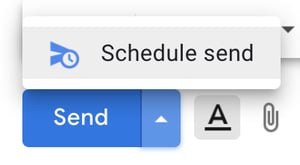
When it comes to quick communication some tools, like Slack, will even give you a notification before or after you send a message stating which timezone your recipient is in.
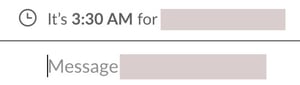
Timezone messages like the one above can help you be mindful of what to send when to send it, and if your message is urgent enough to send as soon as possible. For example, if you have a few messages you want to send, but notice it’s 9 p.m. in another employee’s timezone, you might either want to avoid sending til the morning or schedule an email.
7. If you must send an unscheduled message, be patient.
Colleagues in different timezones don’t want to be bombarded with messages and emails right when they wake up or as they’re going to bed. Because of this, many global employees will make an effort to tune out by snoozing their instant message notifications or turning off their work devices when they’ve finished working for the day.
Expecting your teammates to be “always-on” doesn’t create the best culture and might make them feel disrespected. So, to avoid this, minimize the messages you send after hours and be patient if you don’t immediately get a response back. Odds are, a great teammate will get back to you when they begin working the next day.
8. Be mindful of international employees when scheduling meetings.
Whether you’re aiming to book a standard meeting, a virtual water-cooler for team bonding, or even a coworker’s birthday celebration, you should try to schedule these events at a time that makes sense for all company employees. This may not always be possible, but being mindful of international schedules ensures that all employees feel included and that their time is respected.
In a previous blog post, Siobhán McGinty, a Principle Marketing Manager, explained that scheduling meetings or virtual events at times where all teammates can be included can be beneficial for both remote or global employees.
“That feeling of inclusion can make such a difference to employee retention, happiness, and performance — so the little things actually matter quite a lot,” McGinty said.
Sometimes, scheduling a meeting at a time that works for all timezones is easier said than done. For example, if you’re based in the U.S. and have teams in Asia and California, finding a time that fits into everyone’s schedules and usual work hours can be tricky.
If you must schedule a virtual meeting at a time that’s later at night or early in the morning for people on your team, try to make up for the inconvenience in some way to show that you’re being empathic to your colleagues.
On many HubSpot marketing teams, if we schedule a meeting that requires people in other timezones to wake up early or stay up late, we try to be empathetic to those colleagues in some way. For example, our managers might expense dinner for people working late in another timezone or they might decide that the next meeting will be before or after the U.S. office’s work hours and so it fits within a global teams’ workday.
9. Know when to be flexible.
When you’re working remotely or in a different location from other team members, you can’t easily turn to them, ask a question, or make conversation. This can make it hard to communicate and develop a relationship with your colleagues.
To avoid team blockers related to timezones, one thing Susanne Ronnqvist Ahmadi, HubSpot’s Vice President of International Marketing, says you should aim to have a flexible schedule at certain points of the day.
“Be ready to jump on a call/video-call without having to schedule a time for it,” Ronnqvist Ahmadi advises. “Let your team know you’re available over Slack (or whichever tool you use), and build in ‘air-time’ in your agenda for check-ins or quick chats.”
The Key to timezone Etiquette
Ultimately, most important things to embrace and keep in mind when working with team members in different timezones are respect, empathy, and inclusion.
All of the steps above will enable you to create a schedule that works for your global team, include everyone in virtual meetings, and allow your diverse global teammates to contribute great ideas during their own work hours.
To learn more about key aspects of working with international or remote teams, check out these blog posts on hosting virtual meetings, working with global teammates, and international communication tips.

7 Creative Ideas for Your Next Facebook Live Event, from HubSpot’s Social Media Campaign Manager
In 2016, Facebook released Live video on their platform. And in the past year, the time people spent watching Facebook Live has quadrupled. In fact, one in five videos on Facebook are now live streams.
As we came into a new decade, it seemed the initial live streaming frenzy on Facebook had calmed down. But today, remote work and digital events are the norm.
The effect: Live video is having its moment in the spotlight again.
In fact, Facebook says the number of people in the U.S. watching live streams has increased by 50% since January. This leaves many marketers again asking: Should I go live?
The answer will depend on your brand, goals, and resources. But for many marketers, streaming a Facebook Live is at the top of their to-do list. For starters, video consumption isn’t slowing down. On Facebook and Instagram, people look at video content 5X longer than static content.
Live videos are attention-grabbing — especially when the audience gets a push notification.
Plus, live videos present a unique opportunity to build trust with interactive, two-way conversations.
The immediate, authentic, and interactive experience of a livestream is a no-brainer for some marketers. But it’s important to note that not every tactic is right for every brand. Going live can be intimidating. And there are nuances that dissuade many marketers from taking the plunge. Some reasons a brand may choose not to go live: time, talent, content strategy, resources, and more.
Debating whether Facebook Live fits into your strategy? Consider these questions: Why are you creating Facebook Live? Do you have resources? Do you have the time? Does your target audience consume Facebook Live? Can you repurpose the live video content elsewhere?
You don’t have to use Facebook Live to be successful. But it’s worth exploring, especially now that live streaming is booming. Need some encouragement to take the plunge? Live streams are simple to set up. All you need to “go Live” is a smartphone and some creative ideas.
That’s where we come in — here, let’s explore creative Facebook Live ideas, as well as best practices to take your Live strategy to the next level.
7 Creative Facebook Live Ideas
1. Teach a class.
Once of the most valuable things you can do for your audience on social media is teach them how to do something. Free, live educational programming is a great way to position your brand as a thought leader. It also gives your audience a more robust understanding of your product and or services.
For instance, at HubSpot we often post educational content on our Facebook page, like the example below:

By going live, you’re adding an extra level of authenticity and connection. For instance, you might tell readers they can send along questions in real time, and they can watch their questions get answered on-the-fly. The live Q&A format might also help readers feel more engaged than they would with a pre-recorded video.
Additionally, you can save and upload your Live videos for viewers to consume after-the-fact. This enables you to reach a larger audience than you could just through live.
2. Raise money for a cause.
More than ever, consumers want to buy from companies with values. Use a live stream to support your values and raise awareness for the things your care most about.
During the live stream, explain the cause, why it’s important, and how the audience can help. You can even pin a comment to direct your audience to the right place to provide support. Additionally, some qualified Facebook pages will be able to add a Donate button to their live videos on mobile.
3. Host a weekly roundtable.
Take time to talk about topics your audience cares about with a weekly roundtable. Some of the most popular roundtables on Facebook now include Red Table Talk, STEVE on Watch, and more.
During a roundtable livestream the participants could field audience questions, give perspective on industry news, or entertain the audience. Of course, a live roundtable style will take more set-up than others. But, like a TV show, it can become content your audience tunes in for weekly.
4. Process-style workshop with a behind-the-scenes component.
Give your audience an exclusive look at what happens behind-the-scenes of your product. Your audience will have a deeper connection to a product or service if they know the process.
Think about what you can share that would be interesting or compelling for your audience to know. This tactic is especially great for brands who pride themselves on transparency.
For instance, take a look at this Dunkin’ Behind-the-Scenes Live video, in which you’ll see a “First store of the future concept”:
The Live video gives viewers the opportunity to deepen their connection to the brand, particularly since the video isn’t especially “polished”, instead showcasing a more authentic side to Dunkin’.
5. Hangout Live in a Facebook Group.
There are over 10M+ groups on Facebook, with 1.4B people using them every month. Consider going live in a group for an exclusive chat with your community. Groups are often smaller and more niche than company pages, so it’s likely the audience is more invested in a topic.
Consider keeping this style of live video very casual. For instance, you could set a discussion topic each week for the audience to ask questions around. Or, ask your group want they want to talk about and program around their interests.
6. AMA with a company expert.
Access to experts in-person is difficult — even before physical distancing. Host an AMA and give your audience access to your businesses’ most knowledgeable employees.
During the live stream, the expert can answer questions on the fly — or consider fielding questions from other social channels and promote a loose agenda.
7. Host an exclusive product launch or post-launch education session.
Want to make a splash with your next product launch? Consider launching it on Facebook Live. This tactic gives your audience incentive to tune in.
Alternatively, you might consider launching your product across all channels and provide a supplementary live stream. Then, during the live stream you can give the audience a first look at the product in action.
For more inspiration, take a look at 13 of the Best Facebook Live Videos We’ve Ever Seen.
Best Practices for Facebook Live
Once you have your ideas set, there are best practices to keep in mind. Below are some tips for before, during, and after you go live.
Before Going Live
Before your live stream, encourage your audience to tune-in. Do this by notifying them via social media posts and Stories.
In your promotional content, source questions from audience members. This will help guarantee the content you produce is relevant and timely. Next, grab a tripod or prop up your phone in a stabilized place. Check your Internet connection and get ready to start the show.
Pro-tip: Write a compelling description of your live video beforehand. That way there are no spelling or grammar errors.
During Your Live Stream
At the start of your live stream, be sure to build-in time to allow your audience to tune in. If filming on a phone, get the best picture possible and lock the focus and exposure.
Some live stream concepts require the talent to move further away from the phone. In that case, consider purchasing a wireless microphone that plugs into your phone.
Once you’re live, make it conversational and encourage your audience to participate. You can respond to and or pin fan comments. Get more exposure by sharing the live stream in groups or Pages you manage.
Additionally, although your audience isn’t there in person, try to make direct eye contact. Look at the lens and connect with the camera. When it comes to using music in a live stream you need to have the rights to it. Using commercial music without rights can be grounds for removal of your live stream. Try using music from the Sound Collection within Facebook’s Creator Studio.
Facebook recommends going live for at least 15 minutes or longer. But remember, the time limit for a session using the Facebook mobile app is four hours.
After the Live Stream
After the live stream is complete, save the live video to your camera roll. There will be a prompt once it ends. A great way to repurpose this content is to share it in your Feed, Stories, and even on IGTV. Repurposing a live video into supplementary social content can be even more rewarding.
So why go live on Facebook? It’s a unique content opportunity to help build brand awareness. The real-time, two-way conversations that happen on live also help build relationships.
There are so many options for live streaming so get creative! And don’t forget, you can repurpose live videos across social channels. Adding value for your fans and followers in real time has never been easier.

How to Use Facebook Lead Ads to Book Virtual Shopping Appointments
Does your business rely on foot traffic? Looking for a unique way to serve your customers and sell your products? In this article, you’ll discover how to use Facebook lead ads to book virtual shopping sessions with customers and prospects. Why Use Facebook Lead Ads to Promote Virtual Shopping Sessions? When marketers think of Facebook […]
The post How to Use Facebook Lead Ads to Book Virtual Shopping Appointments appeared first on Social Media Marketing | Social Media Examiner.
from Social Media Marketing | Social Media Examiner https://ift.tt/2YD7UW0
via socialmediaexaminer
How to Pass a Video Interview in Just 7 Steps
Congratulations!
If you’ve landed on this post, it’s likely that your resume has impressed the hiring manager(s) at the company you’re applying to work for, and you’ve now been invited to interview. That’s a huge accomplishment.
There’s just one catch — the interview is taking place over a video call, and you’ve never been in this position before. How do you complete a video interview? And, more than that, how do you pass one?
Never fear, we’ll go over all of that below.
If you’re looking for video interview tips, tricks, and best practices — or just want to know what in the world an automated interview is — you’ve come to the right place.
Passing Video Interviews
When you go into your video interview, what should you do to pass? How should you prepare? Above all else, prepare like you would for a traditional interview.
Video interviews are meant to be an accessible alternative for a traditional interview. Keeping that in mind will help you get into the right mindset. This is your moment to really sell yourself to the interviewer, and put a personality behind your amazing resume.
In fact, going beyond your resume is what impresses one of HubSpot’s senior recruiters, Shavon Bell. She says, “When recruiting senior talent, I look for the story beyond the resume. I recognize it can be challenging for a senior leader to fit all of their experience into a two-page document, so don’t leave anything to be assumed during exploratory conversations or an interview, tell your story the way you want it to be told — transparency is key.”
Telling your story is what will set you apart from others. But that’s not all. It’s also important to know the story behind the company you’re interviewing for.
Showing that you’ve done your research and have put thought behind how you would fit into the company, for instance, is something that impresses one of HubSpot’s campus recruiters, Kate Kearns.
Kearns says, “Make sure you’re doing your research before hitting ‘start’ on the video interview. You should usually have at least a couple of days before it needs to be submitted, so take some time to make sure you are prepared to answer questions testing your knowledge on the company and role.”
Using your time before the interview wisely will only help your interview. Think about what hiring managers want to know about you during your short time talking. They won’t get to know you on a level that’s as personable as an in-person interview, so making that connection seem natural will likely raise your interview score.
For example, explain how the role will help you reach your professional and personal goals. Identify what you can add to the company, and mention those superstar qualities about your talent that will make the hiring manager go to bat for you being the perfect candidate.
Next, we’re going to go over some tips you can follow for video interviews, but if you would like more information about preparing for an interview, check out this interview kit.
Traditional Video Interview Tips
It’s the big day. Or, as those in the theater call it, opening night.
The task at hand: sell yourself. Don’t let the screen interrupt the purpose of the interview. You know you have what it takes to land that role, and with these tips, you’ll knock that interview out of the park.
1. Dress to impress your interviewer.
As The Office character Michael Scott says, “I’m not superstitious, but I am a little stitious.” That’s where my lucky interview blazer comes in. Every time I have a video interview, so does my blazer: I never start one without it.
Even though your interview will be through a screen, dressing for the interview communicates to the interviewer that you still know how to maintain professionalism in a virtual setting. So, even though you might be in your bedroom, or sitting at your kitchen table, make sure you’re in your business best.
2. Keep your notes accessible.
If you’re someone who finds it helpful to refer to notes when interviewing, keep them in front of you. For me, it’s helpful to have my LinkedIn profile and resume open in another window, with sections I know I want to mention highlighted or bolded.
This helps to make a quick reference. Similarly, if the interviewer asks a question about a specific piece of content on LinkedIn or a resume, it’ll help to accurately explain that experience. By already having those reference points accessible, you won’t forget anything important.
3. Test your technology beforehand.
You will be notified of the software you need to have in order to successfully complete your interview well in advance. Maximize this time, download the software if you haven’t already, and make sure you understand the basics of how it works.
This is also a great time to test how your webcam interacts with the software. No two video technology services are the same. So, you’ll want to test your microphone, lighting, and camera to fix issues beforehand. You wouldn’t want to make it to your interview and find out your mic isn’t working.
4. Maintain eye contact with your interviewer.
Remember: The only difference between a video interview and a traditional interview is that you aren’t in the same room as your interviewer. That said, be sure to maintain eye contact with your interviewer.
You might have other distractions, things that are unavoidable when working from home, such as family or roommates. The best way to maintain professionalism regardless of the outside environment is to keep eye contact and make sure the interviewer knows you are engaged. After all, they will be keeping eye contact with you.
5. Minimize possible distractions.
Even though there might be uncontrollable distractions, there are distractions that you can control. For instance, keep your phone away from you. Turn it over and put it on silent or in another room.
Additionally, if you know the background of your video space is unkempt or tidy, take the time to fix it or pick another space. For instance, you wouldn’t want your interviewer to see half of your laundry hamper dumped on the bed behind you.
If you are in a room with a door, close it, as well as any windows. Make sure you’re taking the proper precautions to present the most professional space possible.
6. Set up proper lighting.
In college, I learned about the glory of three-point lighting. The general idea is that if you position different lights around what you’re shooting, you’ll deliver a properly illuminated message.
This isn’t to say that you should go out and buy a ring light, but do make sure that your face is visible to the interviewer. Don’t depend on natural light from windows — what if it’s raining on your interview date?
When I have a video interview, I turn the room light on as well as the lamp on my desk. Then, I make sure that the video software picks up the light the way I’d like. This helps eliminate another worry of video interviews: being seen in the first place.
7. Be early to each round.
This doesn’t mean that you have to sit around on Zoom or Skype 20 minutes prior to your interview start time. However, do try to be at least five minutes early to each round of your interview.
This is a chance to go over notes and take a few deep breaths to stay calm and motivated. It makes a big difference to go into an interview calmly and composed, rather than rushing to join the video call after a quick bathroom break.
8. Speak loudly and clearly enough.
If you have a soft voice, be mindful of speaking loudly enough so your microphone will pick up your voice. Video interviewers have a little less to go from, and if they can’t hear you, they won’t be able to assess your answers.
To prepare for this, record yourself saying the lyrics to your favorite song with the video software you will be using. Take time to separate the words, and listen back for volume control.
In essence, a traditional video interview is one that you can complete from your own space. Fixing up this space to be interview-ready can be a challenge, but you don’t have to completely alter the functionality of the room. Just be sure you’re communicating yourself and your professionalism.
But let’s say that the interview invitation in your mailbox doesn’t mention an interviewer. Instead, the invitation says the interview will be automated. Let’s go over what that means, and provide tips on how to master them.
These interviews take an in-person interviewer out of the equation. Instead, your interviewer will be a series of questions that you’ll have an allotted amount of time to read and comprehend. Then, you will record your responses via video or text, depending on the instructions.
How do you pass one? Let’s cover some best practices.
Automated Video Interview Tips
When the interviewer is merely represented by words on a screen, it can be an unnerving experience trying to prepare for the interview questions. But don’t fear, these tips will help you make sure you have all your bases covered to ace your automated interview.
1. Test your technology in advance.
When you receive your automated interview invitation, make sure you have the correct software needed. For instance, if your automated video is hosted using a third-party app that you have to download, make sure you have it beforehand.
Additionally, test your tools: Is your webcam working? Is your microphone turned on? Is your keyboard properly working?
All of these questions will be imperative to your success for an automated interview — there’s nothing worse than trying to complete a video interview with a webcam that’s not turning on.
2. Do a trial run beforehand.
Think about the questions you might be asked during the interview. Then, record yourself answering them on a time limit. Note: this will feel weird and unnatural.
However, timing your answers and analyzing your body language will help avoid those intrusive interview thoughts of, “Will I have enough time?” and “How am I coming across?”
Treat the trial as if it’s a real interview: dress for the occasion, and rehearse earnestly.
3. Speak steadily and concisely.
My biggest fear when I was interacting with my first automated video interview was having enough time to get all of my thoughts out. But trust the time limit. Chances are, most of your in-person interview responses take the same amount of time the automation allows.
That said, you’ll have more than enough time to speak steadily. When you practice, take note of your sentence flow and be mindful of how fast you’re speaking.
On the other hand, your answers should get to the point — avoid fluff so you can get to all the points of the question.
4. Be cognisant of body language.
During in-person interviews, you’re likely hyper-focused on body language. Automated interviews should be no different, especially if you are recording your answers with video.
Remember to treat these interviews as if they’re with another person (More often than not, real people will be grading your answers.) Make eye contact with the web camera or the screen in front of you and maintain a professional posture.
5. Don’t overthink the interview.
What? Now there’s another type of interview to master? That’s enough to make anyone nervous, right?
But don’t sweat it — automated interviews usually provide clear instructions and more than enough time to answer the question. In fact, automated interviews can be quite fun; you’ll have the opportunity to present yourself in a new way, and to do so within the comfort of your own space.
6. Make sure you understand the prompts.
Once you receive your prompts, you’ll have plenty of time to read them over and understand. Make sure you use the full extent of that time to read, comprehend, and form your answer before you record.
You won’t be able to ask the prompt for clarification on a question, and you won’t be able to re-record your answer once you send it in, so make sure you’re prepared before you record yourself.
On that same note, though, because your interview will be graded by hiring managers, they will take into account slight missteps. Just like in-person interviews, if you have to start a sentence over to clarify, or accidentally flub a word, don’t think you’ve killed your chances.
Mistakes are human, and they happen. 🙂
7. Always have an answer to the questions.
One of the biggest mistakes you can make during an automated interview is not answering a question. Even if you are unsure of what the question is asking, take your best shot. You can always restate what you believe the question is asking in the interview to clear up confusion.
If the prompt asks you to detail a situation you’ve never been in before, instead of leaving the answer field blank, or answering the question by saying, “I don’t know, I’ve never encountered that,” explain how you would approach the situation instead.
It looks way better hiring managers for an answer to start with, “I’ve never come across this situation in particular, but if I had, this is how I would approach it,” other than no answer at all. Remember, these situational questions are to demonstrate your problem solving skills in a work environment.
Overall, take a deep breath. Your resume has already impressed the company, and the purpose of the interview is to make sure you can back up your experience. Give the interviewer, whether automated or in-person, a chance to get to know you, your personality, and professionalism.
Good luck!

The Best Time to Post on LinkedIn in 2020
With the rise of marketing software and paid advertising, it’s no secret that social media platforms aren’t only a place for mutual connection and sharing among strangers — they’ve also grown into a place where companies can build a brand.
Marketing campaigns on social media can expose companies to expansive audience members that could turn into leads.
In fact, LinkedIn, a social media platform for professional engagement, has 303 million monthly active users.
Attracting an engaged audience on LinkedIn requires you to craft compelling content. But, if you don’t post your content at the right time, most of your followers will never see your updates. So how do you figure out the optimal time to post for your specific audience?
The truth is, there is no right answer. But you can use some research to make assumptions about the best times to post based on your audience. In the next section, we’ll go over the based time to post on the platform based on your industry or business goals.
The Best Time to Post on LinkedIn
Thinking about your audience’s behavior is key. It’s best to conduct some market research to learn more about how your audience uses the internet, or refer to your buyer persona if you’ve collected that information. If your ideal customer is someone who is a working professional, it’s safe to assume that during business hours, they won’t have time to check their social media feeds.
However, there are pockets throughout their day where professionals tend to check social media, like lunch hours and while heading to and from work. From there, based on your time zone, you can estimate when you’re expected to reach the most customers.
Also, think about the majority of LinkedIn’s audience: working professionals, higher education students, and college graduates. Typically, their web behavior would reflect being busy during regular business hours.
During the time periods above, people are usually getting ready for work, just starting their day, or taking an afternoon break.
But let’s say you want to post according to your industry. We’ll talk about how to come to the decision to post based on your business type, next.
Maybe you’re a higher education student thinking about the best time to reach out to thought leaders, or a marketer for a B2B company.
There isn’t a set answer here either, but fortunately, doing some research about the type of audience you’re trying to capture based on your industry can lead you to make an informed decision.
You can infer when your posts will earn the most engagement based on the behavior of competitors in your industry, as well as audience members.
- Software and Media Companies — It’s suspected that audiences of media companies tend to check their social media feeds in the morning, like some would read a newspaper. They’re likely to find success posting in the morning between Monday-Friday, while software companies are suggested to find similar success posting outside of work hours.
- Healthcare and Higher Education — Mid-morning, so around 10 a.m., to early afternoon, close to 2 p.m., are suggested for the best engagement. Higher education also seems to follow suit.
- B2B Businesses — For B2Bs, analyzing web behavior is the best indicator. Their audiences are most likely other professionals, so it’s best to catch them before they start working, during lunch hours, and during commutes.
- B2C Businesses — Similarly to B2Bs, these companies are likely to find success among audiences when posting outside of business hours, or during lunch breaks.
If you post content to LinkedIn when the majority of your audience isn’t online, you most likely won’t receive the amount of views and engagement you were hoping for.
So remember, if you want to build a brand on LinkedIn, it’s crucial to find out when your specific audience prefers to surf the site. You’ll have a better idea of how to nail the timing of your posts almost every single time you want to update your followers on the platform.

Email Deliverability: 5 Quick & Effective Ways to Increase It
As marketers, we spend hours planning every detail of each campaign, crafting the perfect copy and agonizing over fonts, colors, and spacing. We talk through our personas, target audiences, and messaging. We build emails from scratch, or lovingly modify templates to put our best foot forward with our email campaigns.scriber
With all the blood, sweat, and tears that go into our emails, there’s nothing more heartbreaking than finding out the message never made it to our subscribers. No matter how carefully we plan our campaign strategy, design, and development, if the email doesn’t reach the inbox, you won’t delight subscribers or see ROI.
Making it into the inbox is one of the more ambiguous, misunderstood elements of sending great email. Marketers often mix up a key distinction: delivery vs. deliverability. Though the terms are often used interchangeably, they have very different meanings. Let’s distinguish the two below.
Email Delivery vs. Email Deliverability
Let’s start with the basics: What are we even talking about?
When it comes to understanding the difference between delivery and deliverability, ask yourself these questions: Can a receiver accept your message?”, and, Does it get to the inbox?”
To further explain, we’re going to dive into both a little further, below:
Email Delivery
“Can a receiver accept your message?”
This term describes whether or not a receiver accepts your email, which comes before the inbox or spam folder distinction, so be careful not to mix up the two. If your email doesn’t make it into an inbox, that means delivery wasn’t successful, no matter which inbox it would be displayed in.
Delivery refers to whether or not a receiver accepts the message you’ve sent. Does the domain or email address exist? Is your IP address blocked?
Imagine that, instead of being an email, it’s personified in a busy business traveler on her way to a conference. Successful delivery would mean that the traveler arrived at the correct airport. She then proved her identity with a ticket and passport, and airport security verified her as safe to pass through security to her departure gate.
Similarly, when an email is successfully delivered, that simply means it made it to the intended recipient’s mailbox — and that could be in the inbox or the spam folder.
Email Deliverability
“Does it get to the inbox?”
Also known as inbox placement, this is a term that describes where that message ends up once it is delivered: In other words, deliverability decides if your email will land in the inbox, spam folder, or another folder.
Let’s return to our travel metaphor. Our traveler has made it through security to the correct gate and now needs to get to her destination.
Deliverability is akin to where the traveler’s flight ultimately arrives. While most travelers safely get to their departure gate (delivery), severe weather or other mishaps may reroute them, for example, from Dallas to Houston, instead of the conference destination (deliverability).
Deliverability consists of three parts:
- Identification — This defines the set of protocols that prove you are who you say you are when you send an email, such as Sender Policy Framework (SPF), DomainKeys Identified Mail (DKIM), and Domain-Based Message Authentication, Reporting, and Conformance (DMARC).
Each of these terms function like a passport, license, or background check. Are you Jane Doe, the hard-nosed lawyer from upstate New York? Or Jane Doe, the collegiate swim coach from southern California?
- Reputation — Your sender reputation is a score that signals how trustworthy your emails are. Each organization and internet service provider (ISP) might have different scores for you, but generating positive subscriber behavior, (which means users marking you as a trusted sender), is the best way to boost that reputation.
- Content — Is your message appropriate and relevant for your audience? Are you combining poor copy with poor formatting to deliver a less-than-inspired email experience to readers?
Using weird formatting can impact your email’s deliverability based on your previous sending patterns. Think about it from your subscribers’ perspective: Receiving an email with the subject line “MAKE MONEY TODAY!!!!”, isn’t enticing to open. Tailor your message to what your subscribers care about to make the most impact.
Identification and reputation account for most of the reason an email lands in the inbox or the spam folder. Think about waiting in line for an airport security screening. If you don’t have a ticket, you won’t make it past the first desk. And if you’re on the no-fly list, you’re not going anywhere.
Delivery issues mean that something may be wrong with your infrastructure, you’ve got faulty email addresses on your list, or you’ve received enough negative user interaction to warrant a block. Deliverability issues, on the other hand, indicate that your sending and permission practices might be out of date, aren’t legal, or your subscribers are disinterested in your content.
If these descriptions worried you a bit, don’t fear. In the next section, we’re going to talk about how to improve your email deliverability so subscribers will enjoy your emails with every delivery.
How to Improve Email Deliverability
Now that you know the difference between email delivery and deliverability, what does this mean for your marketing strategy? Here are some best practices to ensure your messages make it to subscribers’ inboxes.
1. Configure a clean email list.
Even though permission-based marketing is essential, when it comes to emails, permission can expire. A large number of inactive subscribers can dramatically impact your deliverability because they offset your engagement metrics. Consider removing or suppressing inactive customers after a set time or automating a re-confirmation campaign.
If you’re having deliverability issues, it’s possible your list includes spam traps, which look like real email addresses, but are used to identify spammers. Sending to one can indicate poor list hygiene or spammy acquisition practices, like buying and renting lists or scraping email addresses off the internet.
Removing invalid emails on a regular basis and re- confirming your inactive subscribers can help declutter your list.
2. Provide easy unsubscribe options.
It’s a common myth that unsubscribes are a bad sign, but there’s no evidence to prove that unsubscribe rates affect deliverability. In fact, it can actually help if you’re boosting your subscriber engagement and cleaning up your email list.
Sending targeted campaigns to people who want to receive your emails is likely to increase opens and clicks and decrease bounce rate. But, if users do want to unsubscribe, make it easy. It can be as simple as adding a link at the bottom of your emails, like this example:
Don’t hide your unsubscribe button. Make it a clear find in your email, whether that be in the footer or at the top. Streamline the unsubscribe process so that it’s one step — otherwise, you’re fighting a losing battle against the dreaded “report as spam” flag.
3. Make your emails personal.
Marketers and subscribers often define spam differently. Subscribers don’t think in terms of spam filter testing or algorithms, but in terms of relevance. Are you sending content that matters to them?
This is ultimately the most important question to ask yourself before hitting “send” on any email, so make sure to read your copy for errors and relevance.
Email is one of the most personal channels in a marketer’s arsenal. Sending emails that resonate with your audience and leverage the 1:1 nature of the medium won’t just positively impact your deliverability — it will also boost reader engagement won’t build better relationships with your audience.
4. Add engaging text to emails.
When you make your emails, make sure your copy engages the reader. Subject lines are your emails’ first impression: Are the witty and enticing, like these examples?
Your email subscribers are likely already fans of your company, so the email experience should be as enjoyable as everything else your customers love.
Odds are, you have a pretty good idea of the language that makes your customers feel connected to your brand. To keep them interested, that language should carry over to emails — it’ll show readers that you care about catering to their needs outside of promotions and sales.
5. Check to see your emails’ legality.
If you use email marketing software like HubSpot, you can breathe a sigh of relief. Most email marketing software makes sure the emails being sent are compliant with web laws, such as GDPR. But if you make your own emails in-house, it’s important to double-check that you aren’t breaking any laws.
With these tips, you’ll be ready to get going on improving the email marketing experience for you and your readers.
Knowing the distinction between delivery and deliverability might be the missing link you needed to revolutionize how you’re approaching email marketing. And, by following these practices, all the hard work you put into your emails will show up in inboxes and make them unforgettable to readers.

15 Compelling Above the Fold Content Examples to Inspire Your Own
Eight seconds — on average, that’s the length of a human’s attention span. This means that if you’re a marketer, your content has to inspire, delight, and be seen as useful by your target audience … in less than eight seconds.
Maybe social media-wise, your content is performing well. It’s resonating with audiences and earning you engagement. But it’s possible that when you look at website metrics, there’s a different story being told.
If your session time is low and your bounce rate is high, you may be taking more than 12 seconds to attract a visitor’s attention, which, for generating leads, isn’t the best.
You may be losing traffic because the content website visitors see when they first visit your page isn’t interesting enough to keep them there. Your landing pages might be compelling by the time browsers start scrolling, but if they aren’t dazzling and user-friendly right off the bat, browsers can easily click away.
This means that your content above the fold could probably be re-done to engage visitors.
If your website has compelling above the fold content, you’ll likely see higher conversion rates and lower bounce rates. If you’re unsure, try to self-test by looking at your website from a new perspective — if you were a new viewer, would you stay on your site at first glance?
If your answer is “I’m not sure,” don’t worry, we’re going to go over that, but first, let’s discuss what it means for content to be above the fold.
What does above the fold mean?
Above the fold content is what webpage visitors see when they land on a website. Clearly conveying what an organization does and its associated benefits, above the fold content can inspire web browsers to explore the rest of the website and its offerings.
Content that’s above the fold is what’s going to pull the browser into your website. A webpage that’s slow to load, is congested with information, and hard to use will probably not draw the reader in the same way a page with the opposite design would.
Let’s talk about some ways to make sure your above the fold content stuns web browsers.
Above the Fold Website Design Best Practices
When you design your webpage, keep these practices in mind. They’ll keep broswer attention and encourage them to explore the rest of your website.
1. Keep your design simple.
Above the fold content shouldn’t be extremely busy — if it is, readers might not know where to look first and click away from the page. Alternatively, if they’re not able to find the answer to their challenge quickly, they’ll likely choose another website.
To keep your page looking professional, organized, and user-friendly, try adding one featured image or multimedia, such as a GIF or video, to your fold. Then, add a short headline that introduces your webpage, and a sentence below it that describes your page in more detail.
2. Make the content engaging.
Simple webpages are one way to keep a browser’s attention. But when they get there, take opportunities to delight them. For example, when you write your headlines and body text, they should echo your brand voice.
You don’t have to make huge changes to delight the browser. For example, if there’s a CTA button on your page, instead of it reading, “Learn more,” try “Ready to get started?”.
If the featured photo on your webpage is static, see if you can deliver the same message with a GIF instead. Additionally, if all of your copy is one color, try adding one or two more — a good rule of thumb is to incorporate your brand colors for professionalism and consistency with the rest of your website.
3. Design your content for usability.
Above all else, your content should be easy to interact with. For instance, if you’re working on the above the fold content for a product page. make sure your above the fold content is functioning as it should.
Let’s say your product page’s above the fold content is a video. Does it load correctly, include captions, and sound options?
Additionally, think about the experience of the user. If your above the fold content features a video that autoplays, will it interrupt the user’s interaction with the page? To combat this issue, make sure the video plays on silent and includes subtitles, if needed.
4. Solve challenges for the reader.
Your content above the fold should answer the challenge of the browser. To illustrate, let’s say you work for an email marketing service provider, and a browser searches “email marketing software” and lands on your homepage.
Your content, then, should include a few, if not all, of the keywords “automated email marketing software” in some form. For example, your headline could read “Email Automation for Marketers,” and expand on that in the supporting text.
So, those are a few guidelines to keep in mind when designing your content. Next, we’re going to look at examples of some websites with great content above the fold.
15 Compelling Above the Fold Content Examples to Inspire Your Own
1. Wistia
Wistia lets its users create dynamic videos for marketing campaigns. Their above the fold content introduces Wistia’s services using a mix of multimedia: GIFs, videos, and short copy, to show off the capabilities of the service:
.gif)
The homepage video stops the browser in their tracks. They’ll likely spend more time watching the talk-show inspired clip that explains Wistia’s services. As a consumer, when I see real people on a webpage, it’s inviting, and compels me to explore further.
A simple homepage like Wistia’s feels casual. The welcoming atmosphere of the simplistic homepage conveys a professional vibe. And, after the video, browsers will have an idea of the software’s offerings, straight from the expert marketers.
2. Velocity Partners
Velocity Partners, a B2B marketing agency, doesn’t have a company overview video for their above the fold content. Instead, the homepage has a fascinating interactive slideshow that explains why innovative marketers should leverage new content formats to tell more refreshing stories:
.gif)
“Great marketing moves,” describe what the business is all about, and is short, simple, and to the point, letting the slideshow do the heavy lifting when it comes to attracting visitors. Velocity Partners’ above the fold messaging sparks curiosity, and in turn, the incentive to keep scrolling.
It’s important to note, however, that if you want to use above the fold content similar to Velocity Partners, make sure the first few seconds of your slideshow, as well as your copy, are the most engaging. If they aren’t, the browser probably won’t feel inclined to stay on the site past reading the headline.
3. VeryGoodCopy
VeryGoodCopy is a creative agency that crafts articles, landing pages, web pages, and emails for brands. Above the fold, the website lets the copy describe what the company can provide for users:

The headline conveys the opportunity for marketers to learn how to persuade by leveraging ample white space, an enticing headline, a brief description of their content topics, social proof, and a vivid call-to-action. This simple and engaging above the fold design ensnares their visitors’ attention and convinces them to check out their micro-articles.
4. Shopify
Images are how the above the fold content on Shopify’s website invite the reader to explore. Shopify allows entrepreneurs to begin their own ecommerce business, relying on them, rather than copy, to explain features of the software:
The homepage includes artistic images and an alluring video to make a lasting impression on the browser. And, even though copy is sparse, the tagline is packed with purpose and compels visitors to click that green CTA to start a trial.
5. Ann Handley
This Wall Street Journal best-selling author and partner at MarketingProfs, Ann Handley, used the homepage on her website to impress browsers by highlighting marketing prowess. Hyperlinking and linking are heroes here — linking to other pages on a website can earn more clicks on various pages on a site, like Handley’s headlines:
She also leverages white space, a welcoming picture of herself, a catchy tagline, compelling copy, and a vibrant call-to-action to persuade her visitors to consider working with her. From this homepage, the visitor knows what Handley looks like, what she has done and how to contact her. As far as above the fold content goes, it’s a home run.
6. Mint
Above the fold content can maximize on simplicity, like it does for Mint, a budget tacking & planning software. The simple, yet professional, homepage effectively conveys the company and how they can help customers.
Notice the copy in the headline — it emotionally connects to reader in two sentences, opening the door for them to explore the website of a company that knows them:
Mint also has a photo of their app in action to catch their website visitors’ attention. This helps the browser visualize how the app will look if they decide to sign up.
7. InVision
How do you show customer stories dynamically above the fold? Let’s take a look at InVision’s sleek example:
InVision is a digital product design company that helps users easily build sleek impressive websites, so the design team at the company knew the homepage had to impress visitors. It does, auto playing a silent version of the company’s overview video, complete with testimonials from decision-makers at companies such as Uber and Twitter.
The copy that’s layered above the video does a great job of concisely explaining what the company does for users, and the “Free Forever” CTA even entices me, a marketer who isn’t looking to design a website, to get started learning more about the software offerings. It also doesn’t hide the titles of those decision makers from the video — “Dantley Davis, Netflix Design Director” is a large enough lower third that can catch users’ eyes when they aren’t looking (Mine definitely were caught).
8. Animalz
Similar to VeryGoodCopy, Animalz is a content marketing agency whose website doesn’t bombard visitors with messaging about their services in the above the fold design. Instead, visitors are greeted with the headline, “The world’s best content marketing happens here,” which entices a marketer like me to read further to learn how: 
The CTA copy is different from run-of-the-mill CTA buttons. “Let’s talk,” rather than, “Click here to learn more!”, implies that when visitors click on the CTA, they will be taken to a real person who can offer them more information about the service.
The website also leverages white space, and uses simple, hand-drawn images to entice the reader to scroll down. The purple squiggle runs down the webpage to introduce Animalz’s top customers, and leads to a form to get in touch with the company.
9. Ahrefs
Maybe you work for a company that wants a no-nonsense homepage, that conveys the bells and whistles of the product without congesting page with an overload of information. If that description fits you, take a look at Ahref’s above the fold approach: 
The headline of the webpage describes what the service does: helps users improve their SEO. This is further supported by the smaller headline, and CTA communicates to browsers pricing information.
Satisfied customers are listed at the bottom, right before the fold, to give a rounded-out overview of how Ahrefs can be a benefit to successful companies. If you want your homepage to use more copy, rather than visuals, try presenting it in a simple way that doesn’t use more than 30 words, like Ahrefs did.
10. Twitch
After typing in Twitch.tv into your browser, you’re immediately immersed into what the website offers: live streams for gamers. This is because as soon as your browser accesses the website, a featured live stream begins autoplaying:
.gif)
While it can be a bit jarring to suddenly hear voices coming from your browser, Twitch’s above the fold design doesn’t use any copy to describe their services. Instead, users can jump right in and demo the content themselves, browsing streams without having to make an account or read anything. They can keep scrolling to see popular streams, click one, and explore the site’s capabilities from there.
Because of how the site works altogether, this above the fold approach works. Twitch offers visitors to trial their services without doing any reading. Visual platforms similar to Twitch can benefit from this method, pulling in visual learners and non-visual learners alike.
11. Skillshare
Skillshare uses video to explain the bulk of their services above the fold. Because the software offers online classes in a variety of subjects, the video displays an overview of what Skillshare can help you accomplish, learn, and feel:
.gif)
The video highlights confident-looking adults diving into their passions, which is what Skillshare helps users with. The layering text inspires visitors to explore their creativity with the software — and get started for free.
12. Flock
If you know that your company’s website will benefit from a media mix of content above the fold, consider approaching that like messaging app Flock does. The key to using a mix of content on a homepage is to design it so the information doesn’t interrupt the experience of a first-time visitor to your website:
-1.gif)
Notice how the gifs are used to highlight the changing text that displays the app’s features. The supporting hand-drawn image illustrates how Flock works, and the CTA text displays a little personality. Using a mix of media to spice up your homepage can be as simple as one moving image, a clickable button, and a drawing to display an overview of your company to visitors.
13. King Arthur Flour
The above the fold content of this Boston-based baking ingredient supplier, King Arthur Flour, is top notch. It gives visitors the choice to watch a video tutorial on how to make sourdough bread using the company’s offerings:

I could get a feel for the company’s offerings: a Facebook Page (which houses the business’ baking show), recipes, a baking FAQ, products for purchase, and even a “Baker’s Hotline”, which works as a Contact Us page.
The slideshow features, equipped with a glossy photo and their own CTA, gave me a complete overview of everything the company can do for aspiring bakers. It goes outside of just the business’s products, and instead, offers helpful information for bakers in general, which is welcoming to someone who may be intimidated about bread baking.
14. Clarkisha Kent
Are you a freelancer wondering how to make your above the fold content stand out among your competition? If so, when you design your homepage, make sure it accomplishes two things: displaying personality, and easy navigation.
This is because, while your work has to precede you, so does your personality, especially as a freelancer. If you’re a writer, like Clarkisha Kent, your copy has to sell it, like her website does: 
The inclusion of a headshot and interesting headline quickly displays more of who Kent is as a writer, and the angle she is likely to take as a contributor to websites. Her navigation bar includes links to viral tweets she’s made and clippings from other publications, so her homepage doesn’t have to.
Instead, her homepage serves as an introduction, which can precede her before the rest of her website. When browsers are drawn in by a minimalistic webpage with cliffhanger text, they’re likely going to be interested in exploring the website to fill in that gap. For instance, when I read, “Chaos bringer,” I instantly wanted to know how, which prompted me to look at her past work.
15. Good Witch Kitchen
This is another example of how to convey the personality of your brand if you’re a freelancer or small business owner. Good Witch Kitchen is the name of holistic nutritionist, Kristen Ciccolini’s, business. Right below the fold is a quick slideshow of publications that have featured Ciccolini’s work, before diving into an introduction:

Ciccolini’s logo, a bright image related to her craft, and copy accurately provide a quick view of the atmosphere Good Witch Kitchen conveys: A non-diet approach to nutrition management from an expert.
Now that you have some inspiration about how to keep your customers engaged on your landing pages, which strategy are you going to use for yours? I can’t wait to see what you come up with.

Your CMS Is NSFW
Marketers have a secret — we hate our CMSes.
Research from HubSpot found that the vast majority of marketers are unhappy with their CMS, with an NPS of -65.
No, that’s not a typo. Let that sink in — negative 65. What’s going on?
When businesses are just starting out, website management isn’t prohibitively difficult. CMSes designed for very small businesses allow marketers to own their company’s online experience without a developer or IT team’s help.
But as businesses grow, our needs — and our organizations — change. As we expand into new markets, launch new products, and introduce new brands, new challenges emerge. Marketing leaders must coordinate with developers and IT teams to manage their website’s ecosystem, while ensuring frontline teams can make content updates and build pages. Layered on top of these considerations are a plethora of new technical requirements:
- We need to connect our website with an ever-growing array of tools and technologies, via integrations, plugins, and custom development.
- We need to use roles, permissions, and content partitioning to create clean workspaces for our teams as they become more specialized.
- We need to ensure that site performance does not degrade as more visitors and more content expand our website’s footprint.
- We need to personalize a rich end-to-end online experience for all of our website visitors, with capabilities like membership logins for customers, contextual content for leads, and ungated content for customers.
- We need to be confident in our website’s security, incorporating functionality like SSO, SSL, and custom configured CDN to keep our business’s and our customers’ data safe.
The sheer weight of balancing these different priorities, teams, and workstreams makes it incredibly difficult for organizations to be as proactive in evolving their websites as they should.
Traditional CMS Is Failing Us
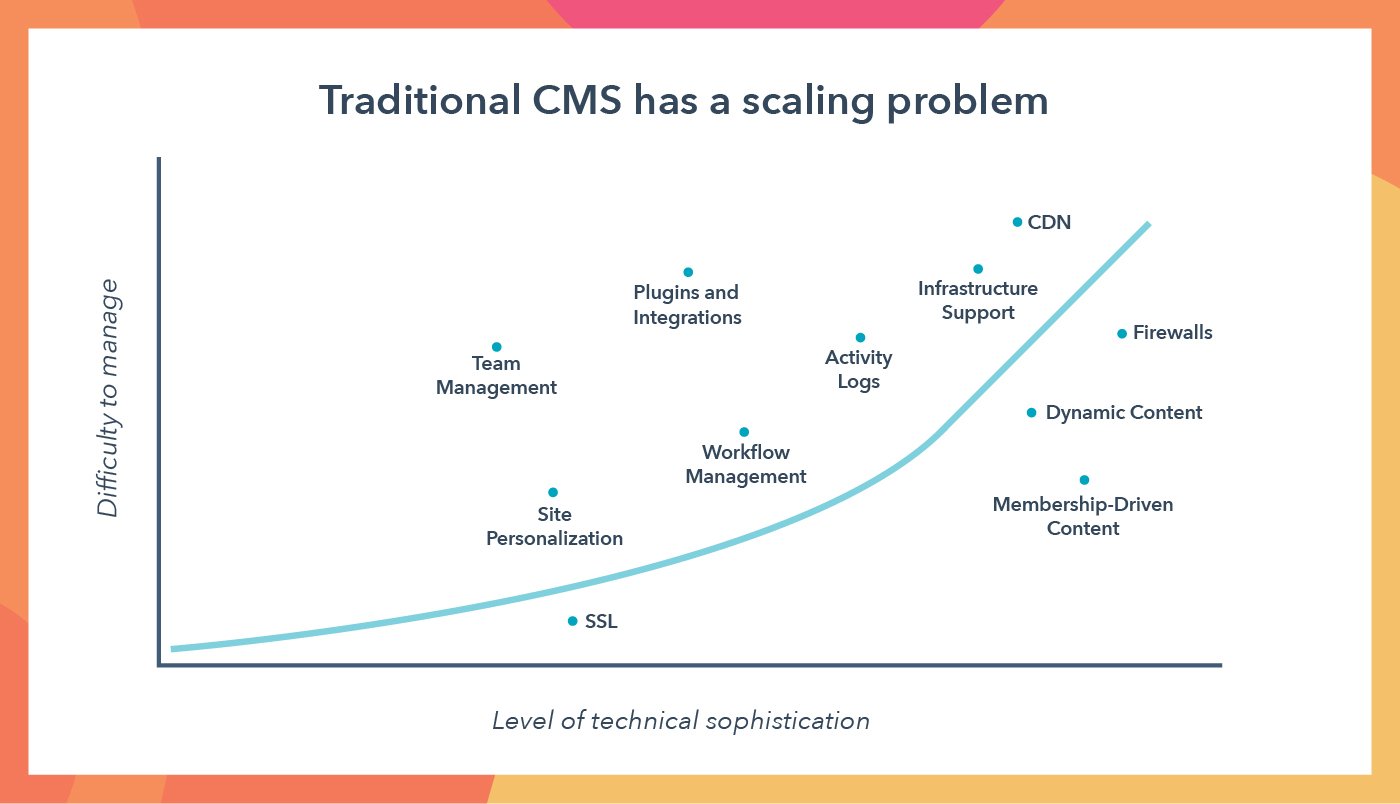
We need the CMS we’ve invested in to make our lives easier. But we’re consistently left disappointed. Not only do our systems fall short of supporting us as we scale, they often exacerbate the pain of website management, and in the most extreme cases, bring site evolution to a screeching halt.
Systems designed to be usable by marketers often lack the technological advancement scaling businesses require. Systems that do possess this functionality are limited by restrictive tools that make it remarkably difficult for marketers to make simple changes, and rigid processes that limit what’s possible for developers to build. And let’s not forget about IT teams, who are responsible for website maintenance and fixing broken site elements after other teams make edits, despite having their own projects to look after, according to research by HubSpot.
This tweet from co-founder and technical director Stephen Kenwright of SEO agency Rise at Seven sums it up all too well:
%20%7C%20KIPP%20BODNAR%20%7C%20042020%5D%20Your%20CMS%20Is%20Not%20Safe%20for%20Work.png)
Marketing leaders are often forced into an impossible choice.
Should your IT team spend time on site fixes and maintenance, at the expense of integrating new apps with your site?
Should your marketing team test new content and risk creating problems developers need to fix later, or should they wait in a weeks-long queue to make simple changes?
Should you delay a go-to-market play because it will take months to implement and test within the limitations of your CMS, or should you move forward knowing your processes are incomplete?
These are tradeoffs you should never have to make.
You shouldn’t have to choose which part of your customer experience you’ll have to neglect just to keep the trains running on time.
Any successful leader has to make big bets to grow their business. Some will pan out, and some won’t — that’s just the way the cookie crumbles. What’s frightening about traditional CMSes is that the way they’re built transforms website management itself into a big bet.
Marketers at scaling companies are being locked out of their CMSes — and that’s a huge problem.
The Necessity of Nimbleness
When we lose the ability to manage our CMS, we lose the ability to manage our customer experience.
Ten years ago, businesses won by selling products that were 10 times better than the competition. But it’s not what you sell, it’s how you sell. Today, businesses win because their customer experience is 10 times better than the competition. In fact, companies that build hyper-relevant experiences deliver 11% higher shareholder returns than their competitors.
Customer experience is anchored by your website — it’s what ties it all together. According to HubSpot Research, 90% of consumers expect immediate responses to marketing, sales, and service queries on your site. But companies have allowed their systems, not their buyers’ behavior, to dictate their customer experiences — the average lifespan of a website is 2 years, 7 months, a lifetime in marketing. Painful CMS management has created a massive gap between consumer expectations and the experience businesses are actually able to deliver.
You deserve a CMS that can support you and your customers. It should be easy to rapidly iterate so tomorrow’s website looks and performs better than what you have today, to continuously use data to improve your site, and to adopt new technologies and tools.
Your CMS can’t be a system you do battle with daily, just to ensure your business can function. It’s time for marketers to take back control of their websites and the customer experience.
Introducing CMS Hub
We don’t think any growing business should have to choose between power and flexibility. That’s why we’re launching CMS Hub Enterprise, a scalable CMS that takes the pain out of website management, so you can spend less time solving for your software and systems and more time solving for your customers.
Website page creation and management tools enable marketers to focus on creating amazing content, not managing the content creation process. Developers can create flexible content structures that give marketers the ability to make quick updates and optimize performance.
Other capabilities, like multi-language and multi-domain support, lay the foundation for growing companies to scale their brands across new product lines and regions.
Finally, the things that you need to make your site secure and reliable come built in — automatic SSL provisioning, 24/7 security and threat monitoring, and permissioning and audit logging so you have full control over the teams working in your CMS — so you can focus on improving the customer experience.
CMS Hub is for rapidly growing companies that are tired of being held back by their content management systems. It enables marketers to customize and personalize their site experiences, allows developers to work the way they want, and gives security teams peace of mind.
Because your website should adapt to your brand and your customers’ expectations, not the other way around.
CMS Hub is now available in Professional and Enterprise tiers.

The Bad Remote Work Habits You Should Avoid
A few years ago I was at one of those Big Group Dinners with my marketing team and our clients. There were about 15 of us.
I liked the group, but I do not like Big Group Dinners — because at Big Group Dinners you eat and drink too much and you have to pretend you’re not tired and you wouldn’t rather be in bed sleeping.
At this particular Big Group Dinner, I was exhausted. I’d been back and forth from NYC to Seattle a million times that month and had a ton of work to do after dinner. So wining and dining clients and schmoozing with my team was at the bottom of my list of priorities, even though it was technically a giant part of my job.
That’s when I decided to be, “That Person.”
That Person: The annoying person who deviates from the group order at a Big Group Dinner.
I know it doesn’t sound like a huge deal, but we were at a Mexican restaurant and if you know anything about Mexican food, it’s communal. So you look like a HUGE jerk if you deviate from the group-ordering plan (and Margaritas! Don’t forget the Margaritas!).
But I knew that if I had one more drink and another plate full of chips, my health was going to suffer.
And if my health suffered, my performance suffered. And while client management was part of my job, the other part was marketing strategy, which requires a sharp and well-rested brain (at least, it does for me).
So, like a jerk, I declined the pitcher of Margaritas and ordered a salad.
And I sat there waiting for the snide remarks about my weight or the fact that I was being “too uptight.”
But … they didn’t happen.
Instead, one by one, at least five different people came up to me privately to thank me for opt-ing out.
They told me I’d given them the courage to opt-out, too.
They also wanted to be “That Person.”
And that’s the story of how I learned that when you take care of yourself, you’re actually taking care of others, too.
If you find yourself working from home more often these days, or you’re in a fully-remote job, it can seem difficult to opt out of social invitations. However, choosing to put your colleagues’ and team bonding ahead of your mental and physical well-being isn’t just a problem for you … it’s a problem for the well-being of your team, as well.
Here, let’s explore the bad remote work habits that could be inhibiting your mental and physical well-being — and, as a result, impacting your overall performance.
The Bad Remote Work Habits You Probably Think Are No Big Deal
Socrates said, “Know thyself,” and I believe he was speaking specifically to navigating the transition from working in an office to working from home.
Knowing thyself means understanding what your limits are, how you work best, and what support systems you need in place in order to function optimally (and prevent yourself from burnout).
For me, I need excessive amounts of alone time, some daily cardio, and copious amounts of morning coffee (no coffee after 12 p.m., though, that’s a rule so I’m able to sleep that night).
Point is: I know if I violate any of these basic tenets, it’s a downward spiral into anxiety and I’m at high risk for depression and a slew of other fun psychopathological symptoms.
You are, too. But, of course, your triggers and support systems are different than mine. That’s why you need to know yourself — so you can set yourself up to perform optimally at work without experiencing burnout or other mental health stresses.
With your body, it’s easy to know something’s wrong if you start to run a fever — but with your mind, it’s a little tougher to read the signs, especially when so many of the “Hey, something is not okay here,” signs are socially acceptable. (For instance, when was the last time you turned to a colleague and said, “I’m exhausted; I’ve been up all night finishing a report. This is my fourth cup of coffee this morning,” and they’ve responded, “Yeah, I totally feel that. You do what you gotta do.”)
Feelings should be considered data that can tell you when you’re working too hard, or simply ineffectively. So if what you’re feeling is tired, stressed, burnt out, ashamed, sad, depleted, insecure, or terrified, then your job is to listen.
Of course, the risk when you’re working from home is that a lot of the common triggers for people are hidden, and even sometimes disguised as “normal”.
For instance, here are some pitfalls of working for home for ambitious high-achievers that significantly affect your mental health:
- 24/7 accessibility and availability
- Never taking breaks
- Fear of looking “lazy”
- Getting minimal sleep
- “Just checking your phone one more time” before bed/a workout, etc.
- Refreshing your email right before bed (You probably tell yourself, “It’ll make me feel better. I just wanna check.” No, it won’t — it never makes anyone feel better.)
- Eating in front of your computer
- Never seeing my friends (or family)
- Hustling harder
- Sending “just one more email” after you’re supposed to log off for the day
- Agreeing at inconvenient times to take calls, simply to seem agreeable
… And other things we all regularly do because we think we’re “supposed to.”
When you behave in ways you think you’re “supposed to,” it creates a misalignment between what’s called your “ideal self” and your “actual self.” And the bigger that gap, the more pain and suffering we feel.
Plus, when your ideal self is an unrealistic and unsustainable version of success (which can happen when working remotely and connecting regularly with other workaholics), you set yourself up for failure, pain, and a whole lot of mental health problems.
Finally, I spoke with a few HubSpotters to explore some bad remote habits we all might do on a daily basis.
For instance, Meg Prater, Managing Editor of the HubSpot Blog, says, “There are two bad remote work habits that stand out to me, which are:
- Dishes, laundry, “starting dinner”, etc … It’s so easy to think you’ll just do one thing and an hour later, you’ve deep cleaned your entire closet. If you’re going to knock out some chores as a mental break, set a timer and hold yourself to a strict “back-to-work” time.
- Holding yourself to the same high standard every day: It’s easy to feel guilty when you have an unproductive WFH day. Some days or weeks will be hyper-productive, some days or weeks will be a struggle. Don’t beat yourself up for those days when it’s all you can do to get through your inbox before noon. Allow yourself time to recharge, fail, or be distracted, decide what you can learn from those “off” days, and move on.”
Additionally, Pamela Bump, Audience Growth Marketing Manager and Staff Writer for the HubSpot Blog, provided two bad remote work habits of her own:
- “Not physically separating work from life enough. When I started working from home, I thought I wouldn’t get distracted because I had a desk area already set up. But, I found that working at a desk in my bedroom still caused many distractions. At times, I found myself looking at my unmade bed and wanting to make it, wondering when I should plan to do the laundry, or glancing at my TV and thinking about a TV show I enjoyed even though it was off. Although I can’t always work in the common areas of my house due to roommates, I now try to work outside of my room whenever I can.”
- “Letting your schedule get too flexible. When you work remotely, it can be tempting to say, ‘I’ll take a longer break and work later in the evening.’ Or, ‘Maybe I’ll work ahead during the weekend since I have no plans.’ Ultimately, when I’ve done this, it only stresses me out and messes with my work-life balance. Because of this, I’ve begun to create a more structured schedule for myself where my work and non-work hours are clearly marked on a calendar in advance.”
It’s important to remember, mental health affects more than just you — it can also affect your workplace performance, marriage, parenting style, or ability to connect with friends.
When it Comes to Your Health, the Insignificant Things Matter
The reason I opened this post with a story about the courage to order differently at a client dinner is because often the things that make the greatest difference to our mental health seem really insignificant and minor.
That’s what I want you to consider as you think about your mental health when it comes to remote work.
It’s often the insignificant things that are the most significant. Like not checking email after 9 p.m., or making sure you have a real-life conversation with someone during the day, even if it’s just the delivery guy (half kidding, but also not really?).
When you “know thyself,” you’re better able to set appropriate limits in order to maintain your sanity while working from home. For example, if you know you perform best when you’ve had a well-rested 8-9 hours of sleep, then engineering your work-from-home office habits so you can sleep better is one of the most responsible things you can do.
Alternatively, if you’re someone who is good on 5-6 hours of sleep, but needs an hour of exercise each day to alleviate stress, you’ll want to ensure you work that into your schedule, as well.
Paying attention to the little things that make you function and feel better — and honoring them — is what will prevent you from spiraling into anxiety, depression, or other mental health issues while working from home.
There Is a Trickle Down Effect to Taking Care of Yourself
When you take care of yourself it doesn’t just help you — it helps everyone else around you, too.
For instance, if your team expects that you’re immediately available every time they call you, they’re going to continue to call you whenever they want. And if you work from home, where the lines between “work time” and “home time” are extremely blurry, that “immediate access” is going to dip into your quality time with your kids or friends.
When you are suddenly unavailable from 5-8 p.m. on weekdays, you’ve now made it so your team is also unavailable during that time.
And they can start to distinguish between real emergencies and client emergencies (it might feel like the end of the world, but it’s only a PowerPoint deck, you’re fine).
It likewise gives colleagues the opportunity to take a leadership role and figure things out without you — or they get permission to start making their own families a priority. You’ve just given them a gift, by giving yourself a gift. Everybody wins!
Point is, there’s a trickle down effect to taking care of yourself. We all benefit when you are brave enough to face the status quo and say, “Yeah, I’m not doing that.”
By opting-out of the “supposed to” behaviors and replacing them with behaviors that optimize your well-being and your performance, you’re able to take care of your physical and mental health, while ensuring your colleagues feel comfortable doing the same.

How to Scale Valuable Facebook Lookalike Audiences

Want better results from your Facebook advertising? Wondering how to reach more people who look like your top customers? In this article, you’ll discover how to create and scale high-intent lookalike audiences with Facebook ads. Why Increasing the Lookalike Percentage Doesn’t Work for Scaling Facebook lookalike audiences let you reach a large number of people […]
The post How to Scale Valuable Facebook Lookalike Audiences appeared first on Social Media Marketing | Social Media Examiner.
from Social Media Marketing | Social Media Examiner https://ift.tt/2KXLhng
via socialmediaexaminer
4 Genius Tactics for Increasing Ecommerce Sales
Nothing about running an ecommerce business is straightforward or easy.
The goal is, of course, to present a product on your ecommerce website, entice buyers to purchase through ecommerce marketing, and then process payments.
This is how even the most basic ecommerce site should run.
But, unfortunately, goals are often easier said than met. To meet your goals, you’ve got to put in work — especially if you’re working to build and grow your ecommerce business.
Whether you’re an ecommerce veteran or are new the world of ecommerce, here are four genius tactics to entice buyers and increase sales.
4 Tactics to Increase Ecommerce Sales
The world of ecommerce is always changing. These tactics are some of the most impactful for boosting sales and attracting new customers to your ecommerce website.
1. A/B Testing
Absolutely every aspect of your site could be tested for improvement — including images, headlines, product descriptions, and even the overall design. Even if you think you’re already doing well with your current website collateral, there’s always room to A/B test your content.
Before you start changing everything on your website to see what works, stop and create a battle plan. If you change everything at once, you won’t know what’s effective and what’s not. Plan two weeks for each change so you can gather enough data to make a decision.
Then, start with one component at a time. You could test something every two weeks and still find room for improvement years down the road.
2. Social Media
Are you sure you’re using social media to the best of your ability? What if you could keep an eye on what people are saying about your company and your products on all your social media outlets? With HubSpot’s social inbox, you can.
You’ll receive a notice any time you’re mentioned, which then gives you the opportunity to follow up, start conversations with followers, and potentially attract them to your website.
Use this feature to provide stellar customer service when buyers have a complaint, or simply answer questions when visitors ask. If you really want to have some fun, respond to even the most ridiculous of mentions with your own special brand of humor. Your customers will love you — enough to check out your ecommerce products.
3. Heat Mapping
What if you could track the parts of your website where buyers hung out for a while? Would that help you provide better information for the next time they stopped by?
With heat mapping, you can keep an eye on the pieces of your website that visitors really love. Tools like Hotjar pull together your website’s scrolling and clicking information to give you a full picture of what your buyers want to see and buy.
You can also track where your visitors come from and how long they hang around. In other words, if you use your social media for marketing, you can discover how many clicked on your offer and how long they stayed. This helps you determine which social media outlets you should focus on.
4. Exit Calls-to-Action for Lead Generation
The truth is that 99% of first-time visitors to your ecommerce site have no intention of making a purchase. You can accept this statistic and hope to get them the next time they stop by, or you can do something about it.
An exit call-to-action (CTA) with one last offer can be added to your site for last-minute lead generation. Some sites generate a pop-up the moment a customer enters the site. The exit CTA instead pops up just before customers bounce.
By providing the possibility of later savings, you might just convince those visitors to give you contact information so they can stay on top of things. If they’re interested enough to stop by the first time, potential discounts could bring them back and finish the job.
As you can see, these tools go a lot further than just offering products and accepting payments. If you’re ready to step things up a bit, consider any of the tools listed above.
Editor’s note: This post was originally published in July 2015 and has been updated for comprehensiveness.

10 Simple Ways to Optimize Your Website for Lead Generation
Optimizing your website to generate leads is a no-brainer. But unfortunately, it’s not as simple as throwing a “Click Here” button on your home page and watching the leads pour in.
Instead, marketers and designers need to take a more strategic approach. In this post, we’ll go over some quick ways that actually work to optimize your website for lead generation.To understand how to optimize our website, we’ll have to first gain a basic understanding of the lead generation process.
What components are at play when a casual website visitor turns into a lead?
The lead generation process typically starts when a website visitor clicks on a call-to-action (CTA) located on one of your site pages or blog posts. That CTA leads them to a landing page, which includes a form used to collect the visitor’s contact information. Once the visitor fills out and submits the form, they are then led to a thank-you page. (Learn about this process in more detail in this post.)
Now that we’ve gone over the basics of lead generation, we can get down to the details.
10 Ways to Optimize Your Website for Lead Generation
Let’s unpack ten simple ways to optimize your site for lead generation.
1. Add forms to the pages that get the most traffic.
It’s important to benchmark your current state of lead generation before you begin so you can track your success and determine the areas where you most need improvement. Some of your pages might make excellent lead generators and you don’t even realize it.
To start, conduct an audit of where most of your online traffic and outreach comes from — your lead generators. Here are some common places a business might get visitors:
- Email Marketing: Traffic might come from users who click through to your website from one of your emails.
- Social Media: Traffic might come from users who engage in a campaign through one of your social media profiles.
- Live Chat: Traffic might come in the form of users who reach out to your customer service team through a live chat window on your website.
- Blog Posts: Traffic might come from your highest-performing blog posts.
Once you identify where your leads are coming from, you’ll want to make sure the pages they’re landing on are doing everything they can to nurture a visitor’s interest.
For example, if, through your analytics tool, you realize most of your potential leads are clicking on inbound links to your website from your Facebook page, your next step is to update the pages they’re visiting with content that keeps them on and engaging with your website. On your most visited website pages, add longer-form content that visitors can access through forms that solicit their contact information.
2. Measure the performance of each lead generator.
Test how each of your existing lead generators is contributing to your business using a tool like Website Grader, which evaluates your lead generation sources (including landing pages and CTAs) and provides feedback on ways to improve your existing content.
You can also compare landing pages that are doing well with landing pages that aren’t doing as well. For example, let’s say that you get 1,000 visits to Landing Page A, and 10 of those people filled out the form and converted into leads. For Landing Page A, you would have a 1% conversion rate. Let’s say you have another landing page, Landing Page B, that gets 50 visitors to convert into leads for every 1,000 visits.
That would be a 5% conversion rate — which is great! Your next steps could be to see how Landing Page A differs from Landing Page B, and optimize Landing Page A accordingly.
Finally, you could try running internal reports. Evaluate landing page visits, CTA clicks, and thank-you page shares to determine which offers are performing the best, and then create more like them.
3. Optimize each step of the lead generation process.
If your visitor searched “lawn care tips” and ended up on a blog post you published called, “10 Ways To Improve Your Lawn Care Regimen,” you’d better not link that blog post to an offer for a snow-clearing consultation. Make sure your offers are related to the page they’re on so you can capitalize on visitors’ interest in a particular subject.
As soon as a visitor lands on your website, you can start learning about their conversion path. This path starts when a visitor visits your site, and ends (hopefully) with them filling out a form and becoming a lead.
However, sometimes a visitor’s path doesn’t end with the desired goal. In those cases, you can optimize the conversion path.
How? Take a page out of Surety Bonds‘ book. They were struggling to convert visitors at the rate they wanted, so they decided to run an A/B split test (two versions of a landing page) with Unbounce to determine which tactics were performing better on each page. In the end, they ended up changing a link to a button, adding a form to their homepage, and asking different questions on their forms.
The result? A 27% increase in lead generation.
If you want to run an A/B test on a landing page, be sure to test the three key pieces of the lead gen process:
The CTAs
Use contrasting colors from your site. Keep it simple — and try a tool like Canva to create images easily, quickly, and for free. Read this blog post for ideas for types of calls-to-action (CTAs) you can test on your blog.
The Landing Pages
According to one HubSpot survey, companies with 30+ landing pages on their website generated 7X more leads than companies with 1 to 5 landing pages.
For inspiration, here are 15 examples of well-designed landing pages you can learn from.
The Thank-You Pages
Oftentimes, it’s the landing pages that get all the love in the lead generation process. But the thank-you page, where the visitor is led to once they submit a form on the landing page and convert into a lead, shouldn’t be overlooked.
Along with saying thank you, be sure to include a link for your new lead to actually download the offer on your thank-you page. You can also include social sharing buttons and even a form for another, related offer.
Bonus: The Kickback Email
Once a visitor converts into a lead and their information enters your database, you have the opportunity to send them a kickback email, i.e. a “thank-you” email.
In a HubSpot study on engagement rates of thank-you emails versus non thank-you emails, kickback emails doubled the engagement rates (opens and click-throughs) of standard marketing emails. Use kickback emails as opportunities to include super-specific CTA and encourage sharing on email and social media.
4. Start with a basic CTA on your homepage.
If your homepage’s design is what catches a person’s attention, the CTA is what keeps it. However, don’t bombard your visitors with an invitation to see the longest or most complex content you have.
Your homepage sits at the top of the marketing funnel, and should therefore offer either a free trial or subscription to a recurring campaign, such as a newsletter. Consider including one of the following CTAs on the front of your website:
“Subscribe to Updates”
In general, consumers want their browsing experience to be as non-invasive as their buying experience. Oftentimes they’re not ready to make a purchase when they first find your website.
To teach them about you with no effort or commitment on their part, invite them to subscribe to an email that notifies them of industry trends and product updates. Personally follow up with the ones who opt to stay on this mailing list to gauge their interest and eventually turn them into marketing qualified leads (MQLs).
“Try Us for Free”
Free trials and demos are a growing company’s bread and butter. They allow you to generate demand in your business and create a contact list of leads who are currently piloting your product.
On your homepage, have your product available to try for free for a limited time using a CTA and form where you can collect their names and email addresses. At the end of each active product demo, follow up with the user to see what they thought of it.
5. Offer e-books for download on specific blog posts.
Another non-invasive way to generate interest in your business is to create blog content that promotes an ebook or whitepaper, wherein your website visitors can learn more about the same topic they just read about on your blog.
This is where lead generation meets search engine optimization (SEO).
Blog content is your way of developing the page authority needed to rank your website on Google. Organic visitors who come from Google are often more intent on finding solutions to a problem you can solve — making this form of lead generation quite valuable.
To start, conduct keyword research on a topic that’s relevant to your industry, and create a group of blog posts around this topic. Then, draft a report that delves much deeper into this topic. Package this report into a PDF that your blog readers can download using their name, company, and email address.
Using the three-part conversion path described above, email each person their downloaded resource, following up with them through a kickback email that retains each lead’s interest in the content you’ve provided them.
6. Develop a live chat service for your website.
Live chat services are increasing not just in their sophistication, but in how many people expect them when learning about vendors they might want to buy from. This means you could be missing out on a major lead generator.
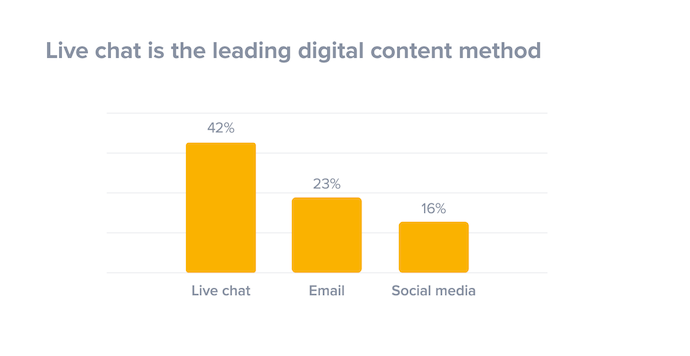
To generate leads through live chat, audit your website to see which pages your visitors spend most of their time on. With the right development resources, you can install a live chat tool on the pages where customers need the most assistance or information. This allows you to casually collect and log insight on their product needs while answering their questions.
Depending on who starts the chat and the questions your visitors have, you can even integrate your customer service team with your live chat feature. This ensures every website visitor has their needs addressed no matter where the conversation goes.
7. Personalize your CTAs.
Dynamic content lets you cater the experience of visiting your website to each, unique web visitor. People who land on your site will see images, buttons, and product options that are specifically tailored to their interests, the pages they’ve viewed, or items they’ve purchased before.
Better yet, personalized calls-to-action convert 42% more visitors than basic calls-to-action. In other words, dynamic content and on-page personalization help you generate more leads.
How does it work? Here’s an example of what your homepage may look like to a stranger:
And here’s what it would look like to a customer:
Notice the “Welcome Back” header? Visitors who see website pages that remember them from an earlier date a more inclined to stick around and start a conversation with you.
To get dynamic content (or “smart content”) on your site, you’ll need to use a tool like CMS Hub.
8. Test, test, test.
We can’t stress this part of the process enough. A/B testing can do wonders for your click-through rates.
For example, when friendbuy tried a simple A/B test on their calls-to-action, they found a 211% improvement in click-throughs on those CTAs. Something as simple as testing out the wording of your CTA, the layout of your landing page, or the images you’re using can have a huge impact, like the one friendbuy saw. (This free e-book has fantastic tips for getting started with A/B testing.)
9. Nurture your leads.
Remember: No lead is going to magically turn into a customer. Leads are only as good as your nurturing efforts.
Place leads into a workflow once they fill out a form on your landing page so they don’t forget about you, and deliver them valuable content that matches their interest. Lead nurturing should start with relevant follow up emails that include great content. As you nurture them, learn as much as you can about them — and then tailor all future sends accordingly.
Here’s an example of a lead nurturing email:
This email offers the recipient some great content, guides them down the funnel, and gets to the point. According to Forrester Research, companies that nurture their leads see 50% more sales-ready leads than their non-nurturing counterparts at a 33% lower cost. So get emailing.
You depend on leads to close sales and grow your business. Using the tips above, you can take advantage of every opportunity without letting unsatisfied website visitors slip away.
Editor’s note: This post was originally written in May 2018 and has been updated for comprehensiveness.

19 SEO Tips Straight From the Mouths of HubSpot’s SEO Team
Throughout all of 2017, HubSpot experienced something that had never happened before — our blog’s monthly traffic flattened. Even worse, it started to decline. So after months of stressing over the mysterious cause of our blog’s traffic plateau, we decided to sit down, chug a bunch of coffee, and find the culprit.
What we discovered is that our editorial strategy of brainstorming topics and relying on our intuition to determine our audience’s content preferences didn’t suffice anymore.
Coupled with almost every social media platforms’ unwillingness to direct users off their website and the ever-growing mountain of emails piling up in people’s inboxes, we decided to pivot and focus our energies on the channel that has consistently generated the majority of our blog’s traffic for its entire existence — organic search.
Today, years after we adjusted our organic strategy, we’ve exceeded the majority of our monthly traffic goals and even broke some monthly traffic records. Needless to say, we’re thrilled (and relieved) that our organic strategy fueled our traffic boost and shattered the great traffic plateau of 2017 — and we’d love to share the essential SEO tips that helped us devise this strategy.
1. Spend as much time on the SERPs as you do in tools.
Even though an algorithm dictates the rankings of a search engine’s results page (SERPs), the algorithm is meant to reward web publishers that craft the best content on the internet.
That’s why it’s important to understand search intent. To accomplish this, we analyze a keyword’s search engine results page and determine the problems users are trying to solve when searching for this query.
Aja Frost, the head of SEO content at HubSpot, says “Yes, tools offer us a ton of information. But that information is often based on incomplete, out-of-date, or biased data sets. I encourage SEOs to combine the insights they’re getting from their tools with real-time clues on the SERPs. Every time you decide to target a new keyword, refresh a piece of content, or diagnose a page or section of pages with irregular traffic, take a look at what’s coming up for the main queries on Google.”
Depending on your goal, Frost says to pay attention to:
- Search features
- The type of content that’s ranking (product pages, listicles, tutorials, etc.)
- The websites that are ranking (databases, businesses, media sites, directories, etc.)
- How far down the page the first organic result appears
- How your page shows up (title, meta description, date, jump links, schema if applicable, etc.)
When you do this search, “Don’t forget to use an incognito window, frequently clear your cache, cookies, and history, and run your searches on both a desktop and phone,” Frost adds.
2. Master the SERP overlap test.
While you’re on the SERP, Frost uses this time to conduct the SERP overlap test.
She says, “I use this test all the time to determine whether or not to target two-plus queries with a single piece of content.”
Now, you might be wondering, “What’s the SERP overlap test?”
Frost details the steps below:
- Do a quick search in incognito for Keyword A and a separate search for Keyword B.
- If the SERPs look fairly different (i.e. the top ranking pages are different, or #1 for Keyword A is, say, #9 for Keyword B), that tells me Google is treating those queries as separate, with separate intents.
- However, if the SERPs have a lot of overlap, then I feel comfortable treating the two queries as the same.
3. Aim for the featured snippets on SERPs.
Featured snippets are what search engines use to display an answer to a query directly on the search engine result page so a user doesn’t need to actually visit another page to get the answer to their question.
As you can imagine, this has impacted organic search results. That’s why it’s important to try and rank in as many featured snippets as possible.
To do so, you should write specific posts that answer questions users might have. The semantic relevance to the keyword a user searches for is the most important element in obtaining a featured snippet.
Additionally, your blog post should be organized and formatted in a way that lets Google know you’ve answered a question. For instance, this could mean using specific coding so your featured snippet stands out on the page.
This is the strategy we’ve used at HubSpot.
According to Karla Cook, the senior manager of HubSpot’s blog team, “targeting featured snippets with consistently formatted sections has removed some (but definitely not all) of the guesswork when it comes to ranking for featured snippets. Matthew Howells-Barby, HubSpot’s Director of Acquisition, has stressed that clean and consistent code is a significant factor in winning snippets.”
4. Consider on-page SEO, but not everything you publish has to be search-friendly.
On-page SEO is the process of optimizing a page on your site with front and back-end components that can help you rank higher in search engines.
These components include:
- High-quality page content
- Page titles
- Headers
- Meta descriptions
- Image alt-text
- Structured markup
- Page URLs
- Internal linking
- Site speed
For today, let’s focus on the copy oriented elements such as high-quality content, page titles, headers, meta descriptions, and image alt-text.
To rank in search engines, that copy should be optimized. That means it should include your target keyword, be contextually relevant, and answer questions your user might have.
Ultimately, the goal is to indicate to search engines that you’ve answered questions a user might have about a query.
However, Victor Pan, a technical SEO and principal marketer at HubSpot, says that not everything you publish has to be search-friendly.
“This could be ad landing pages, thank-you pages, internal sales enablement pages, and login pages. Prioritize optimizing for search when the opportunity is greater than the time invested, and leave the rest on the back burner. Tackle the back burner once you’re able to build a process to reduce the amount of time needed to optimize,” he adds.
5. Target a variety of high and low volume keywords.
With an organic search strategy, it’s important to target keywords that span an entire buyer’s journey, including a variety of high and low volume keywords.
Braden Becker, a senior SEO strategist at HubSpot, says, “Broad, early-interest keywords tend to be higher in volume, while later-interest or even purchase-ready keywords tend to be lower in volume, because the audience is becoming more specific. Therefore, you shouldn’t be afraid to target low-volume keywords if they have a higher likelihood of turning traffic into leads or customers.”
At HubSpot, the SEO team does in-depth keyword research for our three onsite blog properties (Marketing, Sales, and Service). The team looks for search volume — some as high as 120,000 or higher and some as low as 50.
Then, they take into account gaps in our existing topic clusters and emerging topics we haven’t yet thoroughly constructed content clusters around.
According to Frost, it’s important to get creative with the high volume keywords you’re targeting.
For example, when she was the editor on HubSpot’s Sales blog, she assigned topics that may have strayed from our usual topics, but boasted significant search volume.
All posts answered our audience’s questions, aligned with our values, and were well-researched and comprehensive.
6. Consider pruning content after long periods of growth.
Pruning your content is the process of reducing the number of indexed pages by deleting old, low-quality content that doesn’t add value to your site.
Becker says, “Consider ‘pruning’ content after long periods of growth. As websites grow and scale, you’ll find some content fails to perform as expected. As that pile gets bigger, it can have adverse effects on the rest of your site’s speed and performance. Audit your site for pages that aren’t driving a certain level of traffic, backlinks, or conversions, and unpublish them.”
You can learn more about the content pruning process here.
7. Consolidate website pages using redirects and canonical tags.
When you conduct a site audit, you might also see pages with similar content.
If that happens, you should consider consolidating website pages using redirects or canonical tags.
Becker says, “After long periods of content production, a common byproduct is similar (or even duplicate) content. Nobody wants multiple pieces of website content serving the same purpose, because it can cause you to ‘cannibalize’ your own traffic on search engine results pages.”
To fix this, you can redirect low-performing pages to a better page on your site that contains related information.
Becker adds, “Besides redirecting, if you have exact duplicates, you may even add a canonical tag from the duplicate to the core page, which keeps the duplicate visible but tells Google to prioritize the core page when ranking your website. Be careful when deciding to canonicalize or redirect — these are delicate decisions, and should only be made when it makes perfect sense to.”
You can learn more about this process here.
8. Implement a historical optimization strategy.
In 2015, Pam Vaughn, the current Principal Marketing Manager of HubSpot’s Web Strategy Team and former Editor of HubSpot’s Marketing Blog, made a revolutionary discovery about HubSpot’s organic monthly blog traffic — the overwhelming majority of it came from posts published prior to that month. In fact, 76% of our monthly blog views came from these old posts.
Today, Pam’s groundbreaking revelation rings louder than ever — 89% of our monthly blog views currently come from posts that were published at least six months prior, and we’ve developed an entire strategy dedicated to refreshing and republishing these historical pieces of content.
We call these types of blog posts “updates”, and they comprise 35-40% of our editorial calendar. And by refreshing them with new information and SEO optimization and then effectively republishing them as new blog posts, we can build upon their existing organic value that they’ve accumulated through backlinks and user engagement and double or even triple their traffic. This process also helps us optimize our blog for efficiency, decreasing the amount of new content we have to create while increasing our organic traffic and conversions.
Historical optimization isn’t for everyone, though. It’s a strategy catered for a blog that generates a significant amount of organic traffic, has a considerable amount of blog subscribers and social media followers who can supply a surge of traffic, shares, and backlinks to your updates, and owns a substantial repository of old posts that are worth refreshing and republishing.
However, if you have all three of these things, we definitely recommend implementing a historical optimization strategy. To learn about the specific types of historical content you should update and the exact process of updating them, check out this blog post written by Pam Vaughn herself.
9. Train your website visitors to search for your brand.
Traditionally, SEO is used to increase the number of unbranded searches to your business.
Pan says, “The logic was that these were potential customers that would not have otherwise converted. This logic is good for a young business, but for mature businesses that have a good relationship with their customers, branded traffic is just as important.”
For example, platforms like Amazon have trained their customers to search on Google to append “amazon” to their searches.
Pan says you can do this too, by becoming the go-to expert on the topic tied to your brand.
To become the expert, you have to develop page authority. Which brings us to our next tip.
10. Develop page authority.
One factor that search engines use to determine its rankings is page authority.
This means that if you’ve been blogging about a topic for a long time and have cultivated a reputation as a go-to expert in an industry, your web page might rank higher than a page published by a new site.
That’s why it’s important to build your brand and authority in your niche. Consider blogging regularly, posting on social media, and guest posting for other sites. Being active in your industry helps build your reputation.
Additionally, you should write about tangential topics your customers are interested in. This shows search engines that you write about your industry in-depth.
All of these things will give your website authority and indicate to search engines to pay more attention to your domain as you continue adding topics that you cover in-depth.
11. Leverage the pillar-cluster model.
Since people heavily rely on Google to provide accurate and relevant answers for most of their questions today, the search engine needs to understand the intent and context behind every search.
To do this, Google has evolved to recognize topical connections across users’ queries, look back at similar queries that users have searched for in the past, and surface the content that best answers them. As a result, Google will deliver content that they deem the most authoritative on the topic.
To help Google recognize our content as a trusted authority on marketing, sales, and customer service topics, we decided to implement the pillar-cluster model on our blog. By creating a single pillar page that provides a high-level overview of a topic and hyperlinks to cluster pages that delve into the topic’s subtopics, we could signal to Google that our pillar page is an authority on the topic.
Hyperlinking all of the cluster pages to the pillar page also spreads domain authority across the cluster, so our cluster pages get an organic boost if our pillar page ranks higher, and our cluster pages can even help our pillar page rank higher if they start ranking for the specific keyword they’re targeting.
Another benefit the pillar-cluster model supplies is cleaning up our site infrastructure and providing a better user experience for our website visitors.
Before we implemented the pillar-cluster model, we spent most of our time writing blog posts designed to rank for specific, long-tail keywords. This resulted in thousands of unorganized blog posts, and some were so similar that they competed with each other on the same search engine results pages.
Now, not only is it easier for Google to crawl our blog, identify semantic relationships between our posts, and boost our search engine visibility, it’s also easier for our audience to search for the content topics they’re looking for, find related content, and spend more time reading our blog posts.
To learn how to implement the pillar-cluster model on your own blog, take a look at the steps we took to do it.
12. Create a link-building strategy.
Earning high-quality inbound links from websites and pages with high authority is crucial for boosting your domain authority. But, unfortunately, “If you write it, they will link to it,” is not a viable SEO tactic.
The main method we use to earn high-quality links is by networking with other websites that have a higher domain or page authority to link to our top content. We also make sure our content is relevant to the referring website’s content.
Another way you can earn quality backlinks is by using Backlinko’s skyscraper method. The skyscraper method is an SEO strategy where you find content that ranks well for keywords you want to rank for and then create content that’s better than the top ranking posts. Then, you use SEO tools to find all the sites that have linked to your competitor’s content and ask the most relevant sites to replace your competitor’s link with a link to your improved content.
In 2016, Backlinko asked 160 websites to link to their post about Google’s 200 Ranking Factors and they earned 17 inbound links. You might be thinking that 17 backlinks isn’t that much, but a lot of those referring websites had high domain authority scores, so the post’s organic traffic increased by 110% in only two weeks.
13. Don’t change URL’s.
The inventor of the internet, Tim Berners-Lee, once said, “Cool URI’s don’t change.”
In fact, it’s a popular saying — “What makes a cool URI? A cool URI is one which does not change. What sorts of URI change? URIs don’t change: people change them.”
Pan says, “URLs, a subset of URI’s, should change as little as possible. The history of ‘why a URL changes’ is filled with good intentions that often get lost with time, so be sure to add a note the same way you should when you notice traffic anomalies.”
Note: You can do this within HubSpot’s constantly evolving URL Mapping tool.
14. Compress your images.
When you think about optimizing your content for search engines, compressing your images’ file size doesn’t seem like it should be a top priority. But, according to Becker, your images’ file size directly affects your website’s page load speed, which is one of the ten most important Google ranking factors.
“The bigger an image’s file size, the longer it takes your web browser to load that image, which increases your website’s loading time as a whole. And the longer your website’s loading time, the more likely Google will penalize you,” he says.
Compression blends similarly colored pixels into single pixels to reduce the image’s resolution, and in turn, file size. But since the human eye is more sensitive to light and dark detail than color detail, we’re not able to detect the color differences between an uncompressed and compressed image, so the perceived quality stays the same.
An uncompressed image’s file size could be four times bigger than the compressed image. Yet, the compressed image still has the same perceived quality as the uncompressed image, and it’ll load much faster.
To diminish our images’ file size as much as possible, boost your website’s page speed, and avoid risking a penalty from Google, we use Squoosh to compress individual images and TinyPNG to compress batches of images.
15. Add alt text to every image.
When search engines crawl your site, they can’t see images. For a search engine, your images are only text. They see the name of the file and the alt-text that you’ve added as a sort of caption to the picture.
This alt-text is one of the only ways to tell search engines what an image is about, which is vital if you hope to rank in image-based results. Additionally, alt-text is helpful for readers who can’t see your images.
Alt-text should be descriptive, contextually relevant to the page content, and short.
Ultimately, alt-text isn’t only helpful for your SEO, but also makes your site more accessible.
16. Maximize your CTAs.
Optimizing your page to rank in search engines is only helpful if that page is then optimized to convert.
You should plan for conversions by creating content offers for top of the funnel, middle of the funnel, and bottom of the funnel readers.
Then, you can match those content offers with blog posts that are well-aligned.
Each page is a conversion opportunity, so each page should include a CTA that matches a searchers intent.
17. Form good relationships with your developers and designers.
Hitting your SEO goals isn’t a solo effort. You’ll need to work with your developers and designers.
That’s why Frost suggests forming good relationships with these people.
She says, “Get to know these people, learn their language (to your best ability), figure out what motivates them (usually it’s cool projects!), and most importantly, teach them important SEO concepts so, for example, they come to you before deleting an older page that has 500 backlinks. SEO isn’t just about keyword research, code, and content. It’s also about your relationships.”
18. Conduct a technical SEO audit.
One of the main components of SEO is the technical set-up of your site. When a search engine finds your page and goes to crawl it, it has to understand what it’s about so it can add your page to its index. If search engines don’t understand your page, they won’t display it on the results page.
However, search engines don’t look at web pages the way we do. They look for things like page speed, duplicate content, and URL structure.
To avoid technical issues, we recommend conducting a technical audit of your web pages.
The most important elements to look for are:
- Website navigation and links
- Simple URL structure
- Page speed
- Dead or broken links
- Sitemap
- Duplicate content
You can learn more about these factors in our ultimate SEO guide here.
19. Check, double-check, and triple-check your data.
The world of SEO is constantly evolving. That’s why, to truly succeed, you have to measure your success and check your data.
You should measure things like:
- Organic traffic growth
- Keyword rankings
- Conversions from organic traffic
- Average time on page
- Bounce rate
- Link growth
SEO is always adapting, and you should too.
Additionally, you should always check your data.
Becker says, “Growing organic traffic takes time, but it also takes a village. When performing keyword research, traffic analysis, or any performance-related audit, always have more than one source of data to guide you. If you see traffic drop in your content management system, check Google Search Console to see which pages that drop has affected. If the drop is concentrated on just a few pages or articles, use a rankings tracker to determine if you’ve lost position for any high-volume keywords. The smarter your diagnostics are, the better your decisions are in response.”
Even though we uncovered 19 tactics that helped us devise an SEO strategy that shattered a year-long traffic plateau and broke monthly traffic records, it’s entirely possible that they could become obsolete one day.
The moral of our blog’s story isn’t to glom onto these SEO tactics for the rest of your content marketing career. It’s to keep adapting and never settle for the status-quo, no matter how well you’re performing.
That’s why we recommend using HubSpot’s website grader tool, to help you determine how strong your website is.
Because one day, your once thriving work might stagnate and even sputter. And the only way to recover is to take a leap of faith and overhaul your entire strategy.
Editor’s note: This post was originally published in March 2019 and has been updated for comprehensiveness.
