
Welcome to My Blog
The Future of Work Is in These 3 Things
People are changing the way they work. The root of this change is the growing acceptance of flexibility in the workplace. So, when we talk about the future of work, we have to focus on what’s influencing change.
Sitting in a cubicle from nine to five decked out in business casual is no longer considered the office norm. Did you know that 50% of the workforce has adopted a “casual dress” rule?
What has been found is symmetrical value between how customers want to connect with the businesses they support and employees who want to work for the businesses they support. This aligns with flexibility.
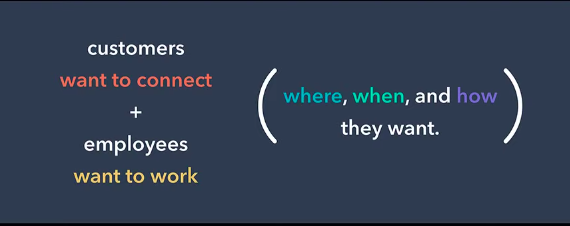
The future of work is finding that happy medium of meeting both employees and customers where, when, and how they want. Let’s look at how flexibility is going to assist in this concept impacting the workplace.
Why Workplaces Are Changing
Workplaces are updating some rules, such as dress codes, because employers recognize that being comfortable optimizes performance. A 2019 survey by Randstad found that 33% of workers would quit their jobs if they were forced to follow a strict dress code, in favor of prioritizing comfort at their jobs (even over a $5k increase in salary).
In his 2019 INBOUND keynote, HubSpot’s co-founder and Chief Technology Officer, Dharmesh Shah, touched on how workplaces are evolving and how to adapt as a company.
“If you want to attract that star talent, you have to make changes that are in high demand,” he said.
In the video above, Shah mentions that 200 of the world’s biggest CEOs have changed their mindsets from deciding that a company’s only purpose is to serve shareholders to a company having three purposes: delivering value to customers, generating value to shareholders, and investing in employees.
According to Shah, companies have two products: one for customers, and one for employees.
He explains “So, what’s one of the most valuable features people look for in this product? Flexibility.”
These changes are happening rapidly and showing up in worker demand for geographic, schedule and method flexibility, as shown in the slide below:
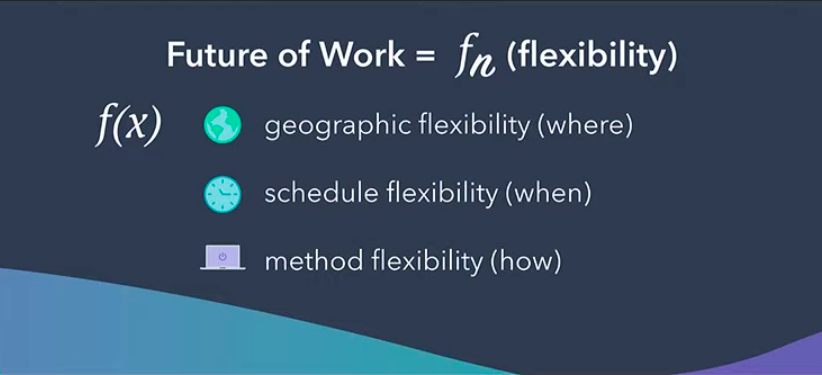
As long as employees are creating customer value, companies can adapt their culture to fit the needs of both. Shah explains that even though the changes are scary and unnatural, they’re essential to creating a company culture employees are excited to be in.
Areas Impacted by Flexibility
When looking at where work and workplace culture is shifting, we’re seeing more specialized job opportunities, thus, more specialized skill sets.
Instead of a marketing company hiring a marketer who will run email marketing campaigns, write website copy, and also contribute to a blog, they’re hiring a writer whose main function is to blog, run email marketing campaigns, or write website copy.
Startups or SMBs that don’t have the budget to hire a team of specialized workers are increasingly looking into freelancers, contractors, or virtual assistants who have that specialized skillet at a more attractive price. The number of people turning to freelance opportunities is growing as well; 57 million people are now freelancing, as opposed to 53 million in 2014. The increase could be due to the ease and normalization of virtual work.
Let’s look at a few of the factors that are increasing the popularity and adoption of remote work:
1. Location
Remote work is growing in popularity. 23% of the workforce is remote — a 4% increase from 2016 during which time people have reported spending at least some time working remotely. MarketWatch estimates that due to video, 50% of the workforce will be remote by 2020.
Services like Skype and Zoom allow remote employees to take part in their office culture by calling into meetings or holding virtual ones of their own. To illustrate, my team is comprised of remote and in-office employees, so about half of my weekly meetings happen through video. I haven’t found communication to be difficult or unreliable, which can be two common fears when incorporating the possibility of remote workers.
2. Schedule
The normal workday is typically 9 AM to 5 PM. But by including the possibility of remote workers — and employees whose best productivity are outside of those hours — fluid schedules are increasingly attractive to companies and workers alike.
To illustrate, I work best in the morning. I usually begin my workday at 8 AM and end around 4 PM. Some of my colleagues start earlier and leave earlier or start later and leave later. Either way, the work we’re assigned gets done.
Giving employees the option to choose their own hours relieves the pressure of having to shift personal preferences in order to fit into strict guidelines. It also relieves the pressure of coming in a little later if something goes wrong during the commute on any given day.
3. Method
This is the “how” aspect of the future of work. How is work getting done in the future of the workplace, with all this flexibility?
Well, the answer to that question is: virtually. Though the spirit of collaboration is still embraced by companies — and should be — it lives online. Online calendars provide ways for employees to schedule meetings that cater to the preferences of teammates.
Below, you can see that when I try to schedule a meeting with fellow HubSpotter Meg, I’m notified that this meeting falls outside Meg’s normal working hours.
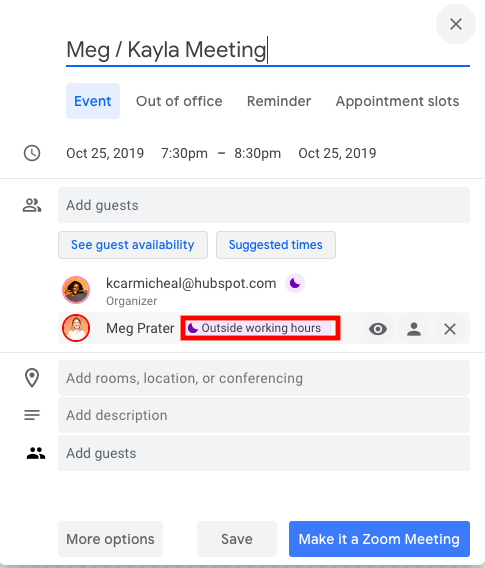
The ability to visualize when coworkers are available to meet, collaborate, and work is made possible with calendar apps, like Google Calendar, that integrate with video services.
With online meetings, software, and apps, work is more accessible than ever before, providing a flexible work environment.
Factoring in a relaxed work code into your organization means the future of work isn’t being run by technology but aided by technology. It’s run by what employees want for their ideal office culture to contribute the best work they can to customers who feel the same way.

Professional Invoice Design: 16 Samples & Templates to Inspire You
Invoices and infographics may seem like two entirely different business materials, but they actually have one key thing in common: they both exist to convey information.
However, while infographics are known for employing colorful designs and data visualizations, invoices are typically pretty straightforward.
Of course, conveying important payment information in a clear and concise way is the name of the game — but that doesn’t mean you can’t add a little brand personality to them.
To help you get a sense of the possibilities, we put together a collection of impressive invoice samples that may inspire you to rethink your current design. Many of them are free to download and customize.
16 of the Best Professional Invoice Samples and Templates
1. Pascale Dufour
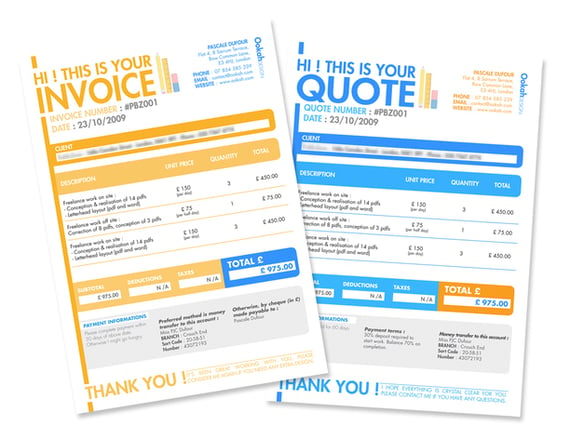
This bold invoice sample is perfect for brands that boast a playful personality. The friendly copy —“Hi! This is your invoice” — catches your eye and helps to lead you through the statement.
Not to mention, the color choices on the taxes, deductions, and totals line creates just enough contrast to ensure you can’t miss the end amount.
2. Basic Invoice
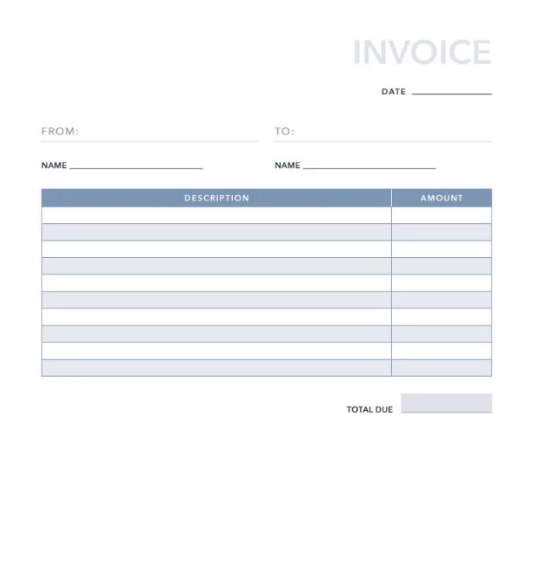 No frills, just business. This basic invoice template, developed here at HubSpot, gives you all the necessities of paper billing without the written fields that more complex business services might want distinguished.
The template above offers space for your name, your client’s name, invoice date, and a base of 10 itemized services. You can add more as needed.
3. Blue Service Invoice
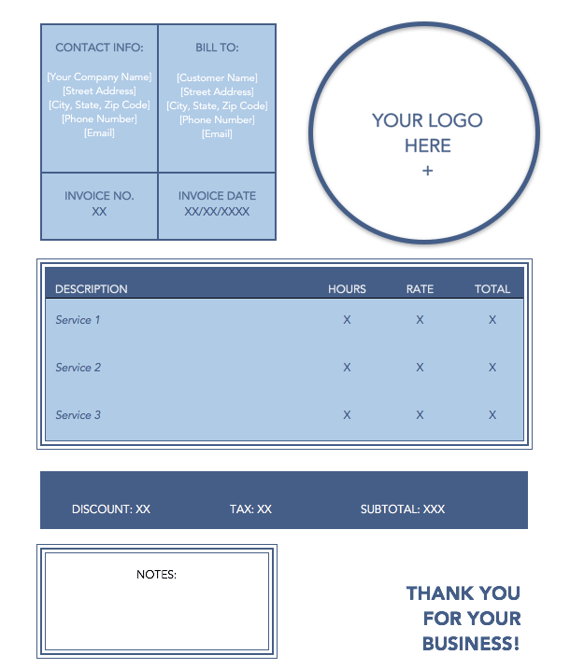
This soft-colored, service-based invoice template allows you to include multiple jobs and how much each one cost your client.
Download this template together with a pack of 10 free templates using the link in the header above the image — each design conveniently opens in Microsoft Word.
4. Fabio Basile
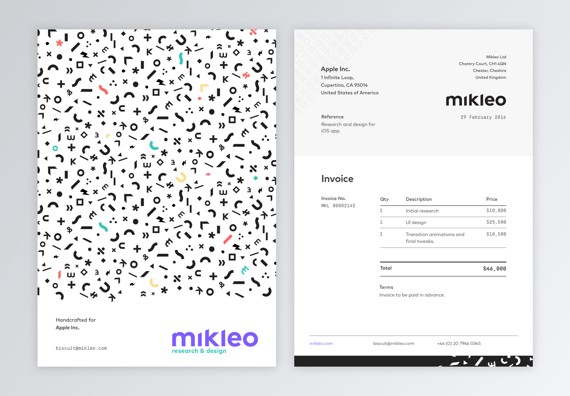
Business in the front. Party in the back.
This double-sided invoice sample offers an interesting twist on an otherwise standard design.
We especially love the “handcrafted for” language on the design side, which side helps to make the customer feel valued by the business they’ve worked with.
5. Commercial Invoice
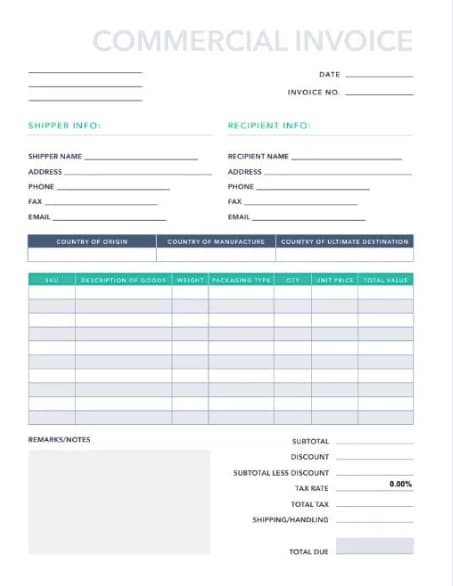
Selling a variety of products and services? The commercial invoice above might be just what you need. Developed here at HubSpot, this template allots space for product origin, manufacturing origin, discounts offered to your client, and more. Download it for free by clicking the header above.
6. Front and Center
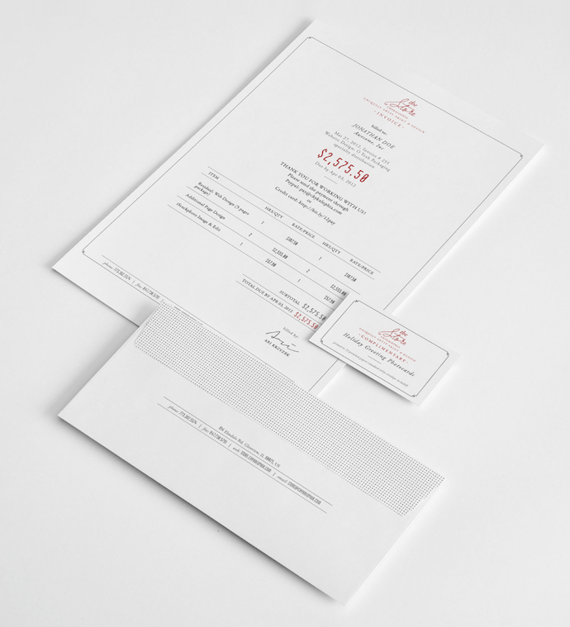
Put your final price to the client “front and center” using this design by Ari Krzyzek. Contact this designer using the link in the header — her project comes with matching letters and business cards. Or, simply use her concept as inspiration to create an invoice of your own.
The document makes great use of contrast in font color, allowing the red price to really pop against the thin black text surrounding it.
7. Green Shipping Invoice
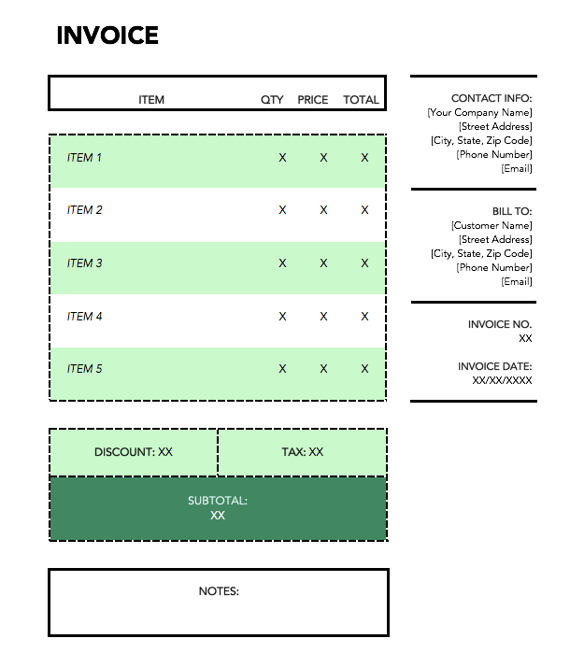
This green template can be downloaded using the link in the header above the image. Dedicated to shipping-based services, the vibrant document is perfect for transactions that involved the transportation of goods.
8. JPWTemplates
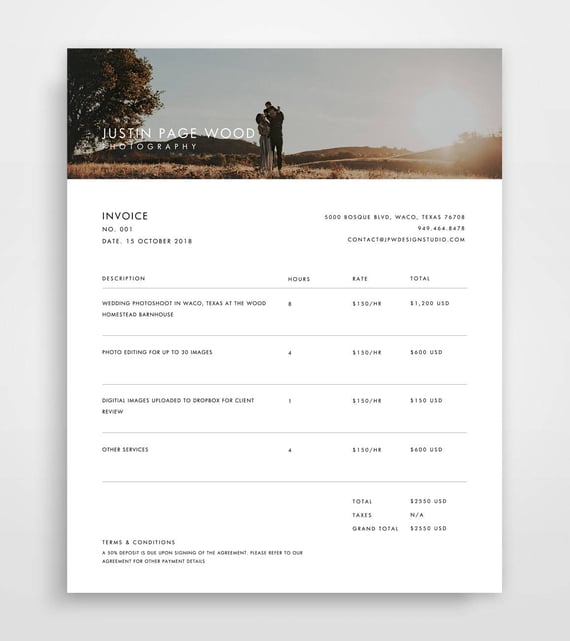
This is a more specific invoice sample, focused on billing for services — in this case: photography.
This invoice uses an actual photograph in the header to highlight the quality of their services. This is a clever idea that can be leveraged for multiple services such as graphic design, illustration, interior design, and so on.
If you want to further personalize your invoice, you can use a photo or design from the customer’s specific project to give it a custom look and feel.
9. Classic Designs
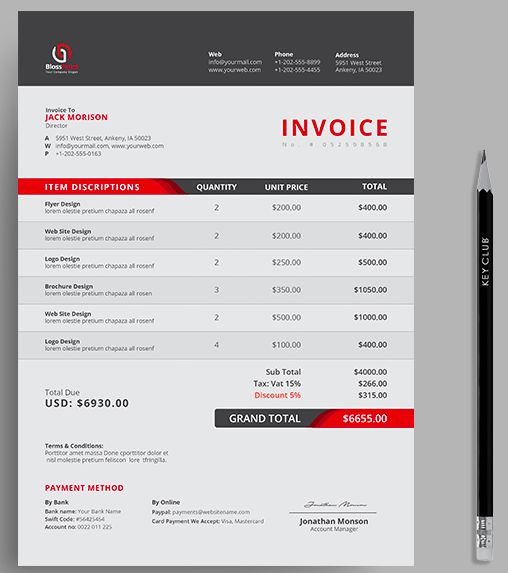
Here’s an example of a straightforward invoice design that clearly details all of the important invoice criteria — contact information, itemized purchases, payment information, and so on.
The design leverages pops of red to call out key pieces of information to make the statement feel less overwhelming.
10. Orange Standard
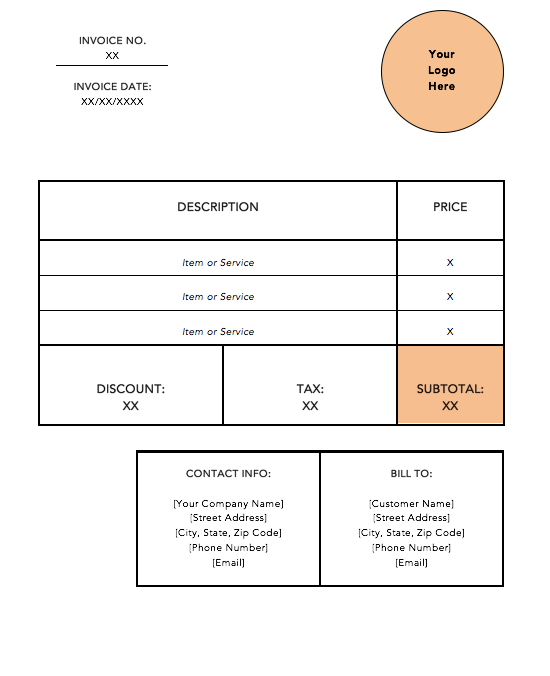
It doesn’t get much more basic than the orange standard invoice template, shown above. Download this template for free using the link in the header above the image. It opens in Microsoft word, allowing you to insert your logo in the top-righthand corner and add additional service rows to match how many services you provided your customer.
11. Bold Stationary
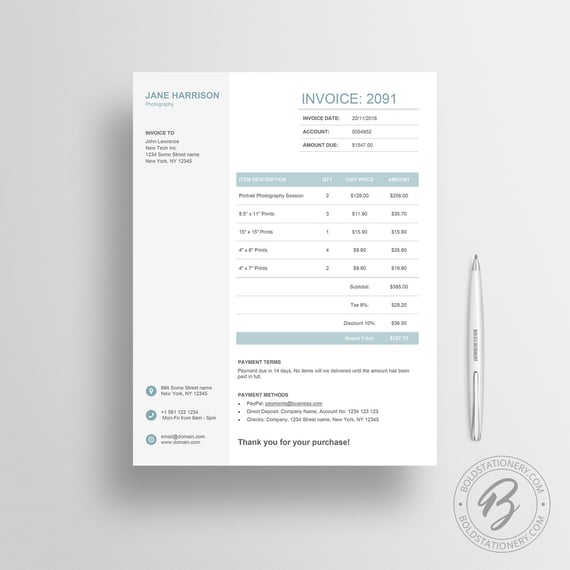
This invoice sample uses a split design to divide contact information and payment information. This approach is free of any distractions or fancy elements, yet it still feels intentionally designed.
If your business is a bit more traditional, this sample serves as a great guide.
12. Novomatic
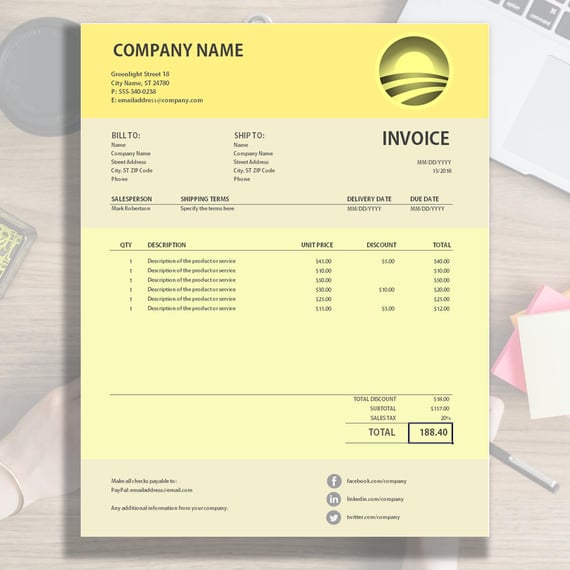
This invoice sample uses various shades of yellow to chunk out different parts of the invoices into digestible sections.
This invoice also leverages the footer of the statement to point customers towards the company’s social media channels as a way to offer a lasting connection.
13. Blue Minimal Standard
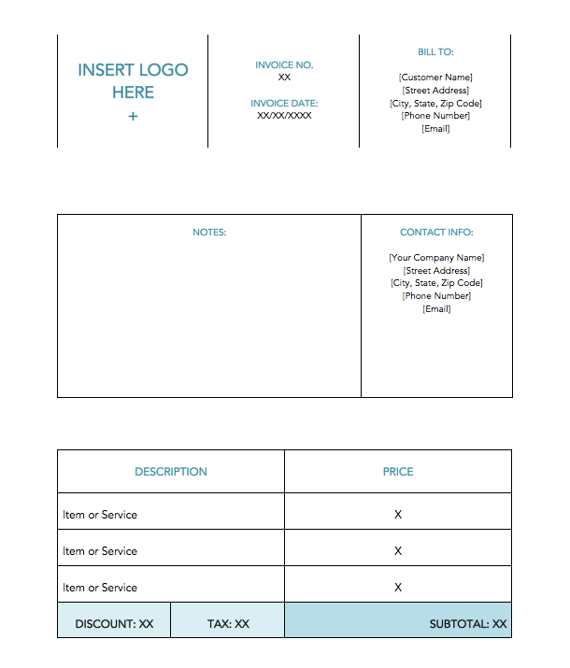
The minimalist invoice template shown above caters to services that are hard to describe in individual lines of services. Using the large “Notes” tile in the center of the document, you can put the focus on the nuances of your business, so it’s clear why you’ve charged your client the price you’ve charged. Download it for free using the link in the header above the image.
14. Yellow Minimalist
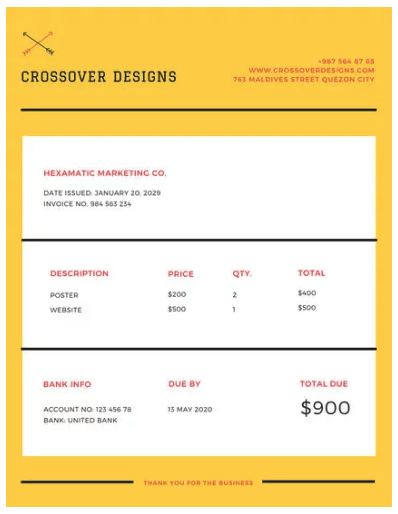
There’s something about yellow that makes a document friendlier. Vibrant but unaggressive, this template emphasizes your price in large font on the bottom-righthand corner, with a yellow border to make sure it doesn’t get forgotten in a pile of other white sheets of paper on your client’s desk.
15. Victory
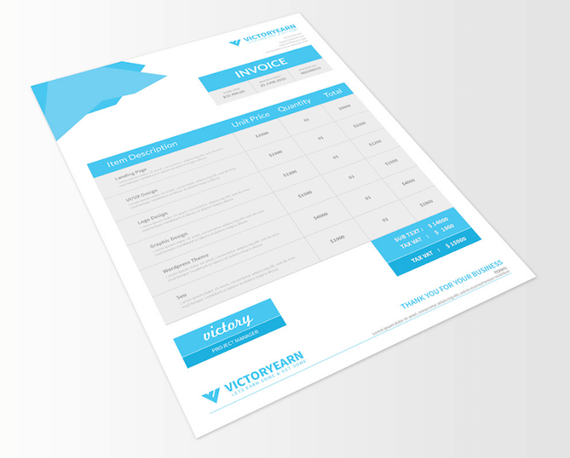
This invoice template offers space for a logo on the bottom-lefthand corner, rather than the top, for professionals who want to make it clear right away that this document is a bill to be paid (hence “INVOICE” listed on the top-righthand corner).
The invoice’s midsection allows the sender to include a thorough description of each individual service provided — a helpful billing format if your business spanned multiple projects over a long period of time.
16. Soft Banner
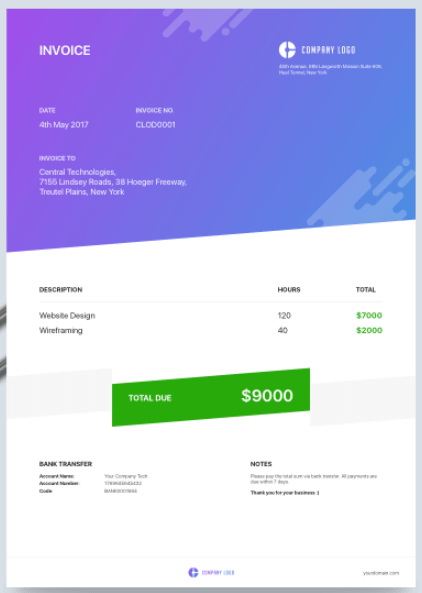
Professional designers, here’s an invoice concept just for you. Showing your clients a colorful, brand-aligned invoice is a surefire way to get clients remembering you and rehiring you for more work. The centered price banner in this design uses a soft green background to make steep costs look a bit less frightening to the customer.
How to Write an Invoice
Want to make your own invoice? We’ve got you covered. Check out HubSpot’s Invoice Template Generator to create a professional invoice PDF in just a few clicks. Here’s how to use it:
- Click this page to visit the Invoice Template Generator.
- Click the dotted square on the top-righthand corner of the template to upload an image file of your logo. Or, drag and drop this image file into the square.
- Use the circular wrench/paintbrush icon to the left of the template to change the invoice’s color scheme.
- Hover your cursor over the “Item Description” section to “Add More” rows if you’re billing your client for more than one product or service.
- Hover your cursor over each individual field to customize details such as invoice number, company name, item quantity, and relevant notes to the recipient.
- When you’ve finished customizing your invoice, click “Download Now” just below the template. Your invoice will download as a
The generator offers a ton of customizable elements, so you can be sure the design meets your exact business needs.


How to Do Market Research: A 6-Step Guide
Today’s buyers hold all of the power when making a purchasing decision. You’re also likely aware that they’re doing some of their research online.
But have you really adapted your marketing plan to match the way today’s customers shop and buy?
Consider three recent statistics about consumer behavior:
- 80% of Instagram users currently follow a business account..
- 87% of mobile consumers turn to search engines first to address their needs.
- Emails that display incorrectly on mobile may be deleted within three seconds.
What’s a marketer to do to make sure your buyers find you early and often? Go where they’re going.
That might sound obvious, but how deeply do you really understand exactly where your buyers are conducting their research and what’s influencing their decisions? This is where market research comes into play.
Whether you’re a newbie or experienced with market research, this guide will give you a blueprint for conducting a thorough study of your product, target audience, and how you fare in your industry.
What is market research?
Market research is the process of gathering information about your business’s buyers personas, target audience, and customers to determine how viable and successful your product or service would be among these people.
Market research tells you where these members of your audience and base of customers are conducting their own buyer research about products and services similar to those you sell. It also tells you what’s trending in your industry, what your target audience and customers want and need out of products and services like yours, and what’s influencing their decisions to convert and buy.
Next, let’s take a look at the five main types of market research there are.
For the sake of this guide, we’ll organize these five types of market research into two main categories: primary market research and secondary market research.
Primary vs. Secondary Research
There are two main types of market research that your business can conduct to collect actionable information on your products including primary research and secondary research.
Primary Research
Primary research is the pursuit of firsthand information on your market and its customers. You can use focus groups, online surveys, phone interviews, and more to gather fresh details on the challenges your buyers face and the brand awareness behind your company.
Primary research is useful when segmenting your market and establishing your buyer personas, and this research tends to fall into one of two buckets:
- Exploratory Research: This kind of primary market research is less concerned with measurable customer trends and more about potential problems that would be worth tackling as a team. It normally takes place as a first step before any specific research has been performed, and can involve open-ended interviews or surveys with small numbers of people.
- Specific Research: This kind of primary market research often follows exploratory research, and is used to dive into issues or opportunities the business has already identified as important. In specific research, the business can take a smaller or more precise segment of their audience and ask questions aimed at solving a suspected problem.
Secondary Research
Secondary research is all the data and public records you have at your disposal to draw conclusions from. This includes trend reports, market statistics, industry content, and sales data you already have on your business.
Secondary research is particularly useful for analyzing your competitors. Here are three types of secondary research sources that make this process so beneficial:
- Public Sources: These sources are your first and most accessible layer of material when conducting secondary market research. Being free to find and read — usually — they offer the most bang for your buck. Government statistics are arguably your most common public sources, according to Entrepreneur. Two U.S. examples of public market data are the U.S. Census Bureau and the Bureau of Labor & Statistics, both of which offer helpful information on the state of various industries nationwide.
- Commercial Sources: These sources often come in the form of market reports, consisting of industry insight compiled by a research agency like Pew, Gartner, or Forrester. Because this info is so portable and distributable, it typically costs money to download and obtain.
- Internal Sources: Internal sources deserve more credit for supporting market research than they generally get. Why? This is the market data your organization already has in-house. Average revenue per sale, customer retention rates, and other historical data on the health of old and new accounts can all help you draw conclusions on what your buyers might want right now.
Now, let’s take a look at how you can conduct your market research.
1. Define your buyer persona.
Before you dive into how customers in your industry make buying decisions, you must first understand who they are. This is the beginning of your primary market research — where buyer personas come in handy.
Buyer personas — sometimes referred to as marketing personas — are fictional, generalized representations of your ideal customers. They help you visualize your audience, streamline your communications, and inform your strategy. Some key characteristics you should be keen on including in your buyer persona are:
- Age
- Gender
- Location
- Job title(s)
- Job titles
- Family size
- Income
- Major challenges
The idea is ultimately to use this persona as a guideline for when you reach and learn about actual customers in your industry (you’ll do this in the steps below).
To get started with creating your personas, check out these free templates, as well as this helpful tool. These resources are designed to help you organize your audience segments, collect the right information, select the right format, and so on.
You may find that your business lends itself to more than one persona — that’s fine! You just need to be sure that you’re being thoughtful about the specific persona you are optimizing for when planning content and campaigns.
2. Identify a portion of that persona to engage.
Now that you know who your buyer personas are, you’ll need to find a representative sample of your target customers to understand their actual characteristics, challenges, and buying habits.
These should be folks who recently made a purchase (or purposefully decided not to make one), and you can meet with them in a number of ways:
- In-person via a focus group
- Administering an online survey
- Individual phone interviews
We’ve developed a few guidelines and tips that’ll help you get the right participants for your research. Let’s walk through them.
Choosing Which Buyers to Survey
When choosing whom you want to engage to conduct market research, start with the characteristics that apply to your buyer persona. This will vary for every organization, but here are some additional guidelines that will apply to just about any scenario:
- Shoot for 10 participants per buyer persona. We recommend focusing on one persona, but if you feel it’s necessary to research multiple personas, be sure to recruit a separate sample group for each one.
- Select people who have recently interacted with you. You may want to focus on folks that have completed an evaluation within the past six months — or up to a year if you have a longer sales cycle or niche market. You’ll be asking very detailed questions so it’s important that their experience is fresh.
- Aim for a mix of participants. You want to recruit people who have purchased your product, folks who purchased a competitor’s product, and a few who decided not to purchase anything at all. While your own customers will be the easiest to find and recruit, sourcing information from others will help you develop a balanced view.
3. Engage your market research participants.
Market research firms have panels of people they can pull from when they want to conduct a study. The trouble is, most individual marketers don’t have that luxury — and that’s not necessarily a bad thing. In fact, the time you’ll spend recruiting exclusively for your study will often lead to better participants.
Here’s a simple recruiting process to guide your efforts:
- Pull a list of customers who made a recent purchase. As we mentioned before, this is usually the easiest set of buyers to recruit. If you’re using a CRM system, you can run a report of deals that closed within the past six months and filter it for the characteristics you’re looking for. Otherwise, you can work with your sales team to get a list of appropriate accounts from them.
- Pull a list of customers who were in an active evaluation, but didn’t make a purchase. You should get a mix of buyers who either purchased from a competitor or decided not to make a purchase. Again, you can get this list from your CRM or from whatever system your Sales team uses to track deals.
- Call for participants on social media. Try reaching out to the folks that follow you on social media, but decided not to buy from you. There’s a chance that some of them will be willing to talk to you and tell you why they ultimately decided not to buy your product.
- Leverage your own network. Get the word out to your coworkers, former colleagues, and LinkedIn connections that you’re conducting a study. Even if your direct connections don’t qualify, some of them will likely have a coworker, friend, or family member who does.
- Choose an incentive. Time is precious, so you’ll need to think about how you will motivate someone to spend 30-45 minutes on you and your study. On a tight budget? You can reward participants for free by giving them exclusive access to content. Another option? Send a simple handwritten ‘thank you’ note once the study is complete.
4. Prepare your research questions.
The best way to make sure you get the most out of your conversations is to be prepared. You should always create a discussion guide — whether it’s for a focus group, online survey, or a phone interview — to make sure you cover all of the top-of-mind questions and use your time wisely.
(Note: This is not intended to be a script. The discussions should be natural and conversational, so we encourage you to go out of order or probe into certain areas as you see fit.)
Your discussion guide should be in an outline format, with a time allotment and open-ended questions allotted for each section.
Wait, all open-ended questions?
Yes — this is a golden rule of market research. You never want to “lead the witness” by asking yes/no questions, as that puts you at risk of unintentionally swaying their thoughts by leading with your own hypothesis. Asking open-ended questions also helps you avoid those painful one-word answers.
Here’s a general outline for a 30-minute survey of one B2B buyer. You can use these as talking points for an in-person interview, or as questions posed on a digital form to administer as a survey to your target customers.
Background Information (5 Minutes)
Ask the buyer to give you a little background information (their title, how long they’ve been with the company, and so on). Then, ask a fun/easy question to warm things up (first concert attended, favorite restaurant in town, last vacation, etc.).
Remember, you want to get to know your buyers in pretty specific ways. You might be able to capture basic information such as age, location, and job title from your contact list, there are some personal and professional challenges you can really only learn by asking. Here are some other key background questions to ask your target audience:
- Describe to me how your work team is structured.
- Tell me about your personal job responsibilities.
- What are the team’s goals and how do you measure them?
- What has been your biggest challenge in the past year?
Now, make a transition to acknowledge the specific purchase or interaction they made that led to you including them in the study. The next three stages of the buyer’s journey will focus specifically on that purchase.
Awareness (5 Minutes)
Here, you want to understand how they first realized they had a problem that needed to be solved without getting into whether or not they knew about your brand yet.
- Think back to when you first realized you needed a [name the product/service category, but not yours specifically]. What challenges were you facing at the time?
- How did you know that something in this category could help you?
- How familiar were you with different options on the market?
Consideration (10 Minutes)
Now you want to get very specific about how and where the buyer researched potential solutions. Plan to interject to ask for more details.
- What was the first thing you did to research potential solutions? How helpful was this source?
- Where did you go to find more information?
If they don’t come up organically, ask about search engines, websites visited, people consulted, and so on. Probe, as appropriate, with some of the following questions:
- How did you find that source?
- How did you use vendor websites?
- What words specifically did you search on Google?
- How helpful was it? How could it be better?
- Who provided the most (and least) helpful information? What did that look like?
- Tell me about your experiences with the sales people from each vendor.
Decision (10 Minutes)
- Which of the sources you described above was the most influential in driving your decision?
- What, if any, criteria did you establish to compare the alternatives?
- What vendors made it to the short list and what were the pros/cons of each?
- Who else was involved in the final decision? What role did each of these people play?
- What factors ultimately influenced your final purchasing decision?
Closing
Here, you want to wrap up and understand what could have been better for the buyer.
- Ask them what their ideal buying process would look like. How would it differ from what they experienced?
- Allow time for further questions on their end.
- Don’t forget to thank them for their time and confirm their address to send a thank-you note or incentive.
5. List your primary competitors.
Understanding your competitors begins your secondary market research. But keep in mind competition isn’t always as simple as Company X versus Company Y.
Sometimes, a division of a company might compete with your main product or service, even though that company’s brand might put more effort in another area. Apple is known for its laptops and mobile devices, for example, but Apple Music competes with Spotify — which doesn’t sell hardware (yet) — over its music streaming service.
From a content standpoint, you might compete with a blog, YouTube channel, or similar publication for inbound website visitors — even though their products don’t overlap with yours at all. A toothpaste developer, for example, might compete with magazines like Health.com or Prevention on certain blog topics related to nutrition, even though these magazines don’t actually sell oral care products.
Identifying Industry Competitors
To identify competitors whose products or services overlap with yours, determine which industry or industries you’re pursuing. Start high-level, using terms like education, construction, media & entertainment, food service, healthcare, retail, financial services, telecommunications, and agriculture.
The list goes on, but find an industry term that you identify with, and use it to create a list of companies that also belong to this industry. You can build your list the following ways:
- Review your industry quadrant on G2 Crowd. In certain industries, this is your best first step in secondary market research. G2 Crowd aggregates user ratings and social data to create “quadrants,” where you can see companies plotted as contenders, leaders, niche, and high performers in their respective industries. G2 Crowd specializes in digital content, IT services, HR, ecommerce, and related business services.
- Download a market report. Companies like Forrester and Gartner offer both free and gated market forecasts every year on the vendors who are leading their industry. On Forrester’s website, for example, you can select “Latest Research” from the navigation bar and browse Forrester’s latest material using a variety of criteria to narrow your search. These reports are good assets to save on your computer.
- Search using social media. Believe it or not, social networks make great company directories if you use the search bar correctly. On LinkedIn, for example, select the search bar and enter the name of the industry you’re pursuing. Then, under “More,” select “Companies” to narrow your results to just the businesses that include this or a similar industry term on their LinkedIn profile.
Identifying Content Competitors
Search engines are your best friends in this area of secondary market research. To find the online publications with which you compete, take the overarching industry term you identified in the section above, and come up with a handful of more specific industry terms your company identifies with.
A catering business, for example, might generally be a “food service” company, but also consider itself a vendor in “event catering,” “cake catering,” “baked goods,” and more.
Once you have this list, do the following:
- Google it. Don’t underestimate the value in seeing which websites come up when you run a search on Google for the industry terms that describe your company. You might find a mix of product developers, blogs, magazines, and more.
- Compare your search results against your buyer persona. Remember the buyer persona you created during the primary research stage, earlier in this article? Use it to examine how likely a publication you found through Google could steal website traffic from you. If the content the website publishes seems like the stuff your buyer persona would want to see, it’s a potential competitor, and should be added to your list of competitors.
After a series of similar Google searches for the industry terms you identify with, look for repetition in the website domains that have come up. Examine the first two or three results pages for each search you conducted. These websites are clearly respected for the content they create in your industry, and should be watched carefully as you build your own library of videos, reports, web pages, and blog posts.
6. Summarize your findings.
Feeling overwhelmed by the notes you took? We suggest looking for common themes that will help you tell a story and create a list of action items.
To make the process easier, try using your favorite presentation software to make a report, as it will make it easy to add in quotes, diagrams, or call clips. Feel free to add your own flair, but the following outline should help you craft a clear summary:
- Background. Your goals and why you conducted this study.
- Participants. Who you talked to. A table works well so you can break groups down by persona and customer/prospect.
- Executive Summary. What were the most interesting things you learned? What do you plan to do about it?
- Awareness. Describe the common triggers that lead someone to enter into an evaluation. Note: Quotes can be very powerful.
- Consideration. Provide the main themes you uncovered, as well as the detailed sources buyers use when conducting their evaluation.
- Decision. Paint the picture of how a decision is really made by including the people at the center of influence and any product features or information that can make or break a deal.
- Action Plan. Your analysis probably uncovered a few campaigns you can run to get your brand in front of buyers earlier and/or more effectively. Provide your list of priorities, a timeline, and the impact it will have on your business.
Begin Conducting Market Research
Conducting market research can be a very eye-opening experience. Even if you think you know your buyers pretty well, completing the study will likely uncover new channels and messaging tips to help improve your interactions. Not to mention, you’ll be able to add “market research” as a skill to your resume.
Editor’s note: This post was originally published in January, 2019 and has been updated for comprehensiveness.

Social Media Marketing: The Ultimate Guide
As I scroll through my Instagram feed every day (cough, cough…multiple times a day), I consistently notice new posts and stories by The Frye Company. I’ve always been a fan of their boots, clothing, and accessories, but I also love the content they share on their Instagram profile.
Their posts are on-brand, creative, and aesthetically pleasing. All of their photos have the same filter on them to ensure they match — this makes their Instagram profile look professional, artistic, and organized when visitors, like myself, browse their page.
Frye’s Instagram account also encourages interaction between the company and their followers by providing them with a specific hashtag to use so they can be featured on the account when they post a photo with a Frye product.
Frye’s Instagram account is a great example of successful social media marketing — it’s attractive, distinctly Frye, engages their 197K followers, and promotes their products.
But why is social media marketing so important? Why should you spend time creating social media accounts for your business? And how do you actually build a social media marketing strategy that’ll work for your specific type of business?
In this guide, we’ll cover the answers to all of these questions — but first, let’s define social media marketing.
Social media marketing is all about meeting your target audience and customers where they are and as they socially interact with each other and your brand.
While social media marketing as a whole is incredibly valuable and beneficial to your business growth (as you’ll see in the following section), your strategy will differ based on which social networks your audience spends their time on.
Before we dig deeper into social media marketing, let’s segment the strategy by platform.
- Users: 2.2 billion
- Audience: Generation X and millennials
- Industry impact: B2C
- Best for: Brand awareness; advertising
- Users: 335 billion
- Audience: Primarily millennials
- Industry impact: B2B and B2C
- Best for: Public relations; customer service
- Users: One billion
- Audience: Primarily millennials
- Industry impact: B2C
- Best for: Natural-looking media, behind-the-scenes, and user-generated content; advertising
- Users: 645 million
- Audience: Baby boomers, Generation X, and millennials
- Industry impact: B2B
- Best for: B2B relationships, business development, and employment marketing
YouTube
- Users: 1.9 billion
- Audience: Millennials, closely followed by Generation Z
- Industry impact: B2C
- Best for: Brand awareness; entertainment, and how-to videos
Snapchat
- Users: 300 million
- Audience: Primarily Generation Z
- Industry impact: B2C
- Best for: Brand awareness; advertising
- Users: 250 million
- Audience: Primarily older millennials and younger baby boomers
- Industry impact: B2C
- Best for: Visual advertising; inspiration
Now that we’ve detailed the fundamentals of each social media network, let’s discuss why social media marketing is beneficial for your business.
Benefits of Social Media Marketing
There are a variety of reasons why your company should use social media marketing. We’ve created a list of the four most beneficial reasons to consider.
Let’s dive in.
1. Increase Brand Awareness
In 2018, there were over 3.2 billion people on social media globally. Due to the sheer amount of people on social media, you can see why ensuring your business is sharing content related to your products as well as details about your company via a platform or two has the potential to help you improve brand awareness.
In fact, social media has been proven to boost brand awareness by driving up engagement. Social engagement includes things like comments, likes, shares, and re-posts. Social media also helps you increase brand awareness by directing traffic straight to your site. You can do this by including direct links to your website in your profile, bio, and posts.
Featured Resource
2. Generate Leads and Boost Conversions
Promoting and sharing your products on social media is a simple way to improve lead generation, boost conversions, and increase sales because you’re advertising to people who have opted to engage with you by following your account.
Here are some examples of ways you can use social media to generate more leads.
- Create contests for your visitors and followers to participate in on your social media profiles.
- Include links to your website and offers in the bio sections of your profiles.
- Host live videos to make announcements about products and provide updates or details about exciting news at your company.
- Implement a social media marketing campaign on one of your channels.
- Sell your products through your social profiles. For example, you can enable Facebook’s Shop Section or Instagram’s Shopping feature on your profiles. These features allow your visitors and followers to click on products you’ve shared in posts to view information such as price, material, and size. Then, visitors can easily proceed to checkout through the platform and buy the product directly from you.
3. Foster Relationships With Customers
By connecting and engaging with your social media followers, you’ll be able to build lasting relationships between them and your business. You can do this by interacting with them on your posts, responding to their questions and comments, and providing them with any help they may need.
You can also ask your followers questions about your products, their pain points, or create giveaways to help you build trust and show them how much you value their input and support.
4. Learn From Competitors
Social media is a great way to keep tabs on your competitors — whether that’s in reference to their social media tactics, the products they’re promoting, the campaigns they’re implementing, or their level of interaction with followers.
Social media allows you to get a look at what is and isn’t working for your competition, and therefore helps you decide what should or shouldn’t change in terms of your company’s approach. Lastly, reviewing the social accounts of your competitors can help you make sure your marketing stands out and is unique to your brand.
Learn how to conduct a competitive analysis to discover how you can beat the competition.
Now, let’s talk strategy — there are five steps to ensure your social media marketing plan is sustainable and positively impacts your business.
Let’s cover these steps in more detail so you can begin applying them to your business.
1. Research your buyer personas and audience.
The first step to creating a social media marketing strategy is to determine who your buyer personas and audience are so you can target their needs and interests appropriately. To do this, think about the people you’re trying to reach and why, and how you would classify them as a group. For example, if your company sells trendy leggings and joggers, you might classify your target audience as millennials who like to wear stylish athletic apparel regularly — a style known as athleisure.
By considering your buyer personas and audience, you’ll then be able to determine what content will attract the type followers and customers you hope to gain and how you can create engaging content to keep your followers interested.
Featured Resource
2. Determine which social platforms you’ll market on.
As a social media marketer, it’s crucial you determine which platforms you’re going to share your content on. There’s not necessarily a right or wrong answer when it comes to which social channels your business should use — it’s more about the needs of your target audience and where they tend to spend their time.
“It’s important to be where your audience of potential customers is today, and where they might be tomorrow. It’s better to be ahead of the curve than behind.” — Andrew Delaney, Social Media Marketing Manager at HubSpot
For example, if you are going for that target audience of athleisure-loving millennials, you may want to focus the majority of your social media efforts on Instagram — this is because millennials cover the largest portion of users on the platform.
Featured Resources
- A Marketer’s Guide to Snapchat for Business
- 50 Facebook Ad Examples We Actually Clicked
- YouTube for Business: A 30-Day Roadmap for Growth
- How to Use Twitter for Business (+ Follower Tracking Template)
- 12 Pinterest Templates for Business
3. Create unique and engaging content.
With the billions of social media users around the globe, there’s no question that at least some of your followers — or the people browsing your profile — have also seen your competitor’s content or that of other businesses in your industry. That’s why you must have engaging social media content that stands out and provides viewers with a reason to click that “Follow” button and interact with your brand.
To help you get creative, consider the content your competitors are sharing and how you can uniquely promote your products. Also, take advantage of the features offered by the platform you’re using. For example, you can create live videos on Facebook to share the latest details about a product launch or conduct a giveaway.
Lastly, use your current customers and promoters to help you generate content. You can do this by re-posting their content or encouraging them to use a hashtag to share their own experiences and pictures with your products (similar to Frye’s Instagram hashtag that I mentioned earlier).
4. Organize a schedule for your posts.
One of the easiest ways to ensure your content is shared as planned is to use a social media management solution. These tools allow you to write captions, prepare pictures and videos, and schedule posts in advance. They also automatically share your content on schedule and monitor all post interactions and engagement for you. Social media management solutions save you time and allow you to focus on your other tasks.
There are a number of solution options available — here are a few examples.
1) HubSpot
HubSpot offers a social media tool — as part of the marketing software — to help you publish and monitor your content and create real connections with your followers. You can schedule and publish your content in advance and compare in-depth reports on your posts’ engagement to understand the performance of various platforms, types of content, and posting times.
2) Sprout Social
Sprout Social is a social media marketing and management solution designed to help your team organize and plan content creation, manage campaigns, understand engagement, and review content reports and analysis.
3) Hootsuite
Hootsuite is a social media management platform for finding, scheduling, managing, and reporting on your content. You can schedule posts in advance on all of your channels at once and measure your ROI with comprehensive content analysis.
How often should you post on social media?
Now, you might be wondering how often you should post content on your social media channels.
As a rule of thumb, you should only post on social when you have quality content to share. Meaning, there’s a reason you’re posting the content. This is how you’ll strike the right balance when it comes to your posting frequency. If you post too infrequently, you’re bound to be forgotten by your followers. If you post too frequently, you’ll likely become annoying to your followers. Both situations could potentially lead to a loss in followers and a decrease in engagement.
To avoid this, there are plenty of studies and resources available explaining social media post frequency standards by industry and platform for you to follow. Every business is different, so find what works for your audience. Then, you can begin experimenting with more or fewer posts, as well as other factors such as the time of day you’re posting on social, to determine what provides the highest level of engagement.
5. Analyze your impact and results.
One of the most important aspects of social media marketing is ensuring your efforts are successful in helping you meet your goals. To determine this, you’ll need to keep track of all of your posts, on every channel. You can do this by reviewing and managing your social media metrics.
Social Media Metrics
Social media metrics are data related to the success of your posts and your impact on your audience and customers on various platforms. These metrics may include data about your level of engagement, likes, follows, shares, and all other interactions on each platform.
Here are 10 of the most important metrics for you to track:
- Engagement: This includes clicks, comments, likes, and replies on your social media posts. There are also platform-specific types of engagement such as “Saved” posts on Instagram and “Pinned” posts on Pinterest.
- Reach: The number of people who have seen any content associated with your page or profile is your reach.
- Followers: This is the number of people you have on your profile who have clicked your “Follow” button and see your content in their feeds regularly.
- Impressions: This is the number of times a post from your profile or page is seen, whether or not your audience members click on it. This is often what happens when someone is scrolling through their newsfeed, but not clicking on anything.
- Video views: On Facebook, Snapchat, Instagram, or any other social channel with video capabilities, this is the number of views each gets.
- Profile visits: The number of people who have opened your social media page is your number of profile visits.
- Mentions: This is the number of times your profile has been mentioned by audience members in their posts.
- Tags: This is when your audience adds the name of your company’s profile or your hashtag to another post.
- Reposts: This is when a member of your audience posts a piece of your content on their profile.
- Shares: These are the posts your followers and audience take from your profile and share with their network.
You can influence all of these metrics, increase your social following, and improve overall engagement on your profile by using the same tactics you would to generate leads and boost conversions. You can also interact with your followers more frequently by talking to them, tagging them in content, responding to their questions, liking their posts, encouraging them to use your hashtags, and share your content (and you can also repost user-generated content).
How to Measure Social Media Metrics
You can review social media metrics in a variety of ways, For example, you can use the analytics tools built into the various platforms you use. Here are a few examples:
You might also choose to use an analytics and tracking tool such as Google Analytics. This is a great option if you want to track your social media and website metrics. Lastly, many social media scheduling solutions — as we reviewed earlier — have monitoring and tracking features automatically built in. All of these metrics tracking tools will give you a better understanding of what your followers and audience respond well to and what you should consider modifying to improve engagement.
Now that we’ve reviewed the benefits of social media marketing and how to build your strategy, let’s talk about the various resources available to help you along the way.
Social Media Marketing Resources
There are a plethora of social media marketing resources you can use to build a social strategy for your company. You’re bound to feel more confident about working on your company’s social media marketing initiative with the help of the following courses, training, and books.
Social Media Marketing Courses and Training
Here are three ways to earn an education in the field of social media marketing if you feel it’s necessary for your specific business situation.
1. Earn a degree.
Although there isn’t necessarily a “social media marketing degree” for undergraduates, there are online courses offered at a number of different schools and institutions you can take to earn a certificate, MicroMaster’s or master’s degree in the field.
2. Use an online learning website.
Lynda is another great educational resource. This online learning website offers training, tutorials, and courses on a wide variety of topics within the field of social media marketing.
3. Earn a certificate administered by a company.
You might choose to earn a certificate from a company — such as HubSpot’s social media certification. This free certification teaches you how to engage with your customers and improve conversions. You’ll also get a better understanding of how to develop your strategy, extend your reach, and measure your social media ROI.
Social Media Marketing Books
Reading relevant content about social media marketing is another great way to learn more about the field. Here are a few examples of some highly-regarded books on the topic.
1. Likable Social Media: How to Delight Your Customers, Create an Irresistible Brand, and Be Generally Amazing on Facebook by Dave Kerpen
This New York Times Bestseller covers the reasons why being likable and engaging with followers on social media is one of the most powerful ways to grow your base of customers and promoters. The book teaches you how to make impactful content for your followers to interact with and share with their networks. Author Dave Kerpen also describes why you need to ensure you’re consistently delighting your followers to avoid losing them at any point in time.
2. Jab, Jab, Jab, Right Hook: How to Tell Your Story in a Noisy Social World by Gary Vaynerchuk
According to author Gary Vaynerchuk, the key to social media marketing success isn’t about pushing out a lot of content — it’s about pushing out specific content tailored towards your target audience and using the right platform to do so.
In his book, Vaynerchuk covers how to do this as well as connect with your followers and customers on a deeper level through social media. You’ll learn how to create memorable and unique content that stands out in comparison to competition’s content.
3. The B2B Social Media Book: Become a Marketing Superstar by Generating Leads with Blogging, LinkedIn, Twitter, Facebook, Email, and More by Kipp Bodnar
HubSpot’s CMO, Kipp Bodnar, writes about the ways B2B businesses can generate more leads and conversions through social media marketing. There are actionable methods you can take to increase your base of followers and drive leads as well as understand the ROI of various B2B social media marketing strategies.
Start Marketing on Social Media
Considering there are billions of people on social media today, it’s easy to see why so many businesses and marketers use the channel to promote their products and engage with customers.
Although determining your company’s social media course of action may seem daunting, you can avoid feeling overwhelmed by understanding social media marketing trends and using some of the many resources available about the topic. So, start working on your business’ social media marketing strategy today to increase your number of followers, improve engagement, and boost conversions.
Editor’s note: This post was originally published in March 2019 and has been updated for comprehensiveness.

The Ultimate Guide to Integrated Marketing
I fly Southwest Airlines almost exclusively. They offer reasonable prices, make it easy to rack up points, and always have fun and kind flight attendants.
One thing I’ve noticed about Southwest is their branding is on point. Whether I’m booking a flight on their mobile application, being served my go-to in-flight ginger ale, or walking through the terminal at Midway Airport, I’m surrounded by Southwest’s consistent brand colors, messaging, and imagery.
This is an example of integrated marketing at work. If you’re interested in presenting a cohesive, consistent brand experience that leaves your products or services top-of-mind — like Southwest does — this guide is for you. Read on to learn more about integrated marketing and how to create a campaign of your own.
Imagine discovering a new brand on Instagram and visiting the company’s website to purchase one of their products. If their website promoted a different message or campaign than the one you found on their Instagram account, you’d have a hard time understanding the gist of the brand, right?
Integrated marketing exists to eliminate these disparities and differences regardless of how or when a customer interacts with your brand. It’s similar to multi-channel marketing, except integrated marketing is what aligns the message you’re sharing on all of those channels.
Speaking of channels, integrated marketing doesn’t apply to just your inbound or digital marketing channels; traditional media channels are also included. Many of the integrated marketing examples we’ll review below incorporate traditional marketing channels such as print, radio, and TV ads.
Now, let’s talk about integrated marketing campaigns.
Why are integrated marketing campaigns effective?
While integrated marketing campaigns can differ in their goals (e.g. converting views, building brand awareness, etc.), they should all have one component in common: to align your marketing channels to present a united marketing “front”.
If your marketing channels are players, consider your integrated marketing campaign the coach in charge of running plays and helping your channels work as a unified system — not disparate ones.
It’s also more effective to run integrated marketing campaigns as compared to campaigns on individual channels. Integrated marketing campaigns are impactful for a few reasons:
- They reach a wider audience than a single marketing channel.
- They have a greater chance of being seen on multiple channels, thus keeping your brand top-of-mind and pushing visitors closer to conversion.
- They build trust with visitors as they see a consistent message on multiple channels.
- They save you money since assets can be shared between and repurposed for different marketing channels and, depending on your campaign, customers can help you market your product or service for you.
So, how can you build your own integrated marketing campaign? Follow these steps to get started.
1. Establish your overarching campaign goal.
Before you consider what channels will be part of your integrated marketing campaign, you must consider the goal of the entire campaign.
Maybe you’ve launched a new product, service, or initiative and want to get it in front of customers — like Southwest’s Transfarency. Maybe you’ve completely rebranded and want to broadcast your new message — like Old Spice’s Smell Like a Man, Man. Perhaps you’ve simply chosen a new positioning tagline and want your audience to start associating your brand with it — like Snickers’ You’re Not You When You’re Hungry.
(Don’t worry, we’ll dig deeper into these examples later.)
Whatever your campaign goal may be, always remember to make it SMART. This will help you stay focused, track your campaign success, and learn how to improve the next time around.
These goals should also relate to at least one of the following key performance indicators (KPIs) and their subsequent metrics, which you can track when you launch your campaign.
| KPI | related Metrics |
| Traffic/reach | Unique page views by channel and source |
| Engagement | Bounce rate; average time on page |
| Top (and falling) content | Top page views; top exits |
| Impact | Click-throughs; conversions; backlinks |
| Sentiment | Comments; social shares |
| Lead generation | Total leads; total sessions; session to lead conversion rate |
| Sales | Lead to marketing qualified lead (MQL); MQL to sales qualified lead (SQL); customer purchase/closed-won business |
Also, while increased engagement and new leads are always exciting, a multi-channel campaign should also consider the bigger picture: how your campaign impacts sales opportunities and business revenue. Take a moment to map out how you want your campaign to impact your bottom line, too.
2. Choose your marketing channels and set goals for each one.
Now that you know your overarching integrated marketing campaign goal, you probably have a better idea of what channels (if not all of them) can help you reach that goal.
For example, if your goal is to roll out a new logo and branding suite, you don’t necessarily need to leverage radio ads. On the other hand, if you’re extending your audience to target a new geographic region or city, radio ads, billboard ads, TV ads, and other local channels may come in handy.
When choosing your channel(s), it all boils down to what you’re trying to achieve through your integrated marketing campaign. There are 10 major marketing “channels” that you can use to distribute your campaign content.
- Advertising (both print and PPC)
- Direct marketing
- Email marketing
- PR
- Personal selling
- Sales promotions
- Digital marketing (e.g. website, content marketing, and SEO)
- Social media
- Events and sponsorships
- Packaging
Your integrated marketing campaign should include a variety of marketing channels in order to reach the widest audience and drive home your campaign message. If you see one or more channels plateau, don’t hesitate to add, remove, or test new ones.
3. Define your buyer personas by channel.
Every marketing channel targets its own specific buyer persona. For this reason, instead of defining a broad persona for your campaign, you must define your audience by channel.
There will inevitably be some overlap, but it’s wise to understand exactly who you’re talking to on each medium and how you can tailor those specific assets to be the most successful.
Note: With some campaigns, you may be targeting a specific audience. In this case, steps 2 and 3 would be flipped — you’d define your buyer persona(s) first and then decide which channels can help you reach that audience.
4. Identify your channel managers.
Depending on the size of your marketing team, you may have different people (or entire teams) in charge of different channels. When running a multi-channel marketing campaign, you must determine who specifically will be in charge of ensuring their channel(s) is aligned with the campaign.
This is important for two reasons: 1) that manager is the expert on their channel (e.g. audience, posting cadence, optimization tactics, reporting strategies, etc.) and will know how to tailor the campaign content to be the most successful; and 2) putting one person in charge of all channels may be overwhelming and will cause the content and campaign to suffer.
Perhaps you have a smaller marketing team where one person handles multiple channels. Regardless of your team size, do your very best to share channel management responsibilities across a few people — ideally with one person handling one or two channels.
5. Create adaptable marketing assets and messaging.
At this point, you have your campaign goal, target audience(s), and marketing channels. It’s now time to create your integrated marketing campaign content. This stage is where copywriting, graphic design, and other creative processes come into play.
Before I dive into how, let’s talk about an important component of integrated marketing content: adaptability. To keep your campaign consistent (and ease your workload), you should be able to repurpose any content to be used on different channels.
For example, let’s say your integrated marketing campaign is focused on the launch of a new 3-minute brand video. You could repurpose this video into:
- 30-second and one-minute “trailer” videos
- Still images
- Quotes
- GIFs
- Hashtags
- Blog posts
- Soundbites
As you develop and repurpose these creative assets, keep them aligned with your brand guidelines and consistent with each other. In fact, it may be helpful to create your own set of brand guidelines for your integrated marketing campaign to share with your team and any channel managers.
This documentation could include a few things:
- Visual guidelines (logo, color palette, typography, etc.)
- Any developed and repurposed assets in multiple file formats
- Voice and tone guidelines (taglines, preferred language, words to avoid, etc.)
- Messaging guidelines (pain points, goals, types of content, resources, etc.)
- Buyer persona information and guidelines
Integrated marketing is all about a consistent brand experience. Be sure your campaign assets reflect that, regardless of what channel your audience visits or sees.
6. Establish your plan for collecting leads.
Whether or not you intend your campaign to collect leads, you should always be prepared to receive them. You don’t want to leave this as an afterthought once you launch your campaign. Even if you’re simply campaigning to raise awareness of your brand, consider how your visitors might convert to leads — and, eventually, customers.
First, consider how a visitor might convert to a lead. Would they subscribe to your newsletter? Input their information to download a content offer? Create an account on your website? Ensure these conversion aspects of your campaign are also on-brand with the rest of your visual and messaging assets.
Next, consider how your leads will be nurtured once they convert. Would they roll into an automated email workflow? Would you pass them along to Sales? However you go about this step, make sure your leads aren’t forgotten once they willingly give over their information.
As always, communicate with Sales to confirm that they’re aware of your campaign and on-board with your plan for new leads and customers.
7. Launch, measure, and iterate your campaign.
Ready to launch your integrated marketing campaign? It might be time to put your campaign to work … but it’s not time to rest just yet.
Remember those KPIs and metrics from step one? Whichever KPIs relate to your overarching campaign goal (e.g. boosting brand awareness, rebranding, new product, etc.), start tracking those subsequent metrics each week, month, and quarter (depending on how long your campaign is running) to see how successful it is at reaching your goal.
As always, take what you learn from each integrated marketing campaign and apply it to future campaigns. With the right strategies, managers, and tools in place, you can create a never-ending cycle of integrated marketing campaigns — and wins.
Integrated Marketing Strategies and Best Practices
As you construct your integrated marketing campaign, there are a few key strategies and best practices to keep in mind. We’ve detailed them here, and they apply regardless of what media, channels, or goals you’ve chosen.
Align Behind the Scenes
In order for you to successfully implement an integrated marketing approach, it’s imperative that you not only choose marketing channel managers but that all your marketing managers also communicate often about projects and campaigns.
While not every integrated marketing campaign or promotion needs to be on all of your channels, they should at least complement each other to avoid a fragmented brand experience for customers.
Consider the Channel Transition
Integrated campaigns receive traffic from a number of sources — and pass along those sources like a game of Hot Potato. Consider how a visitor may view/experience each marketing channel 1) if it was their first visit and 2) if they transitioned from another channel. Think about how each channel can help others convert.
For example, say a customer saw your new billboard on their way to work and, once they arrived, visited the website that was on the billboard. Imagine if, on your website, the customer couldn’t easily find whatever your billboard was marketing. How confusing would that be? That customer would likely drop off immediately.
Don’t Neglect the Small Overlaps
When preparing to launch your integrated marketing campaign, it’s tempting to separately think about each channel and its respective media assets. But this thought process inherently goes against the ethos of integrated marketing. Integrated marketing exists to eradicate the silos of traditional marketing and bring together a cohesive campaign experience.
For this reason, don’t neglect the places in which your campaign overlaps. Here are a few examples:
- Your email signature, where you can plug your social media handles, website URL, or video links
- Your social media bios and posts, where you can include links to your website, blog posts, content offers, or other digital content
- Your blog and website, where you can incorporate social sharing buttons
- Your standalone landing pages, where you can optimize for relevant keywords and SEO
- Your PPC copy, where you can test subject lines to see what your audience responds to
While these overlaps might not directly support your campaign goals, they help your audience transition seamlessly between channels, enjoy that consistent, cohesive brand experience, and ultimately find their way to a page that converts them.
Every marketer knows just how much you can learn from those who’ve come before you. In this section, we’ve pulled together a handful of well-executed integrated marketing campaigns to give you an example of just how successful this tactic can be.
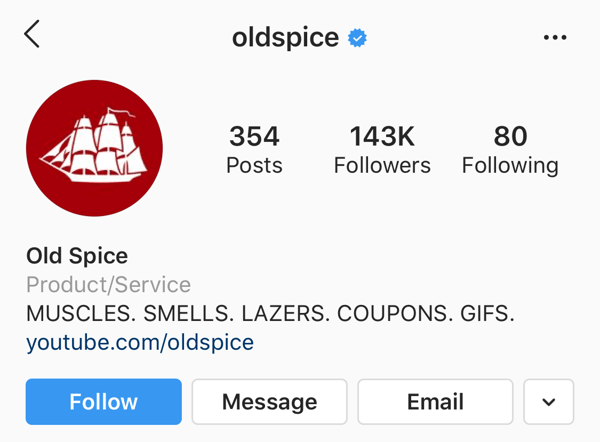
Smell Like a Man, Man by Old Spice
For years, I associated Old Spice with something only my dad or grandfather would wear. I can remember the old, white bottle of aftershave — the one with the faded pirate ship — that used to sit in my dad’s cabinet.

The initial campaign launch featured one 30-second TV spot, The Man Your Man Could Smell Like, that was so beloved that Old Spice launched a handful of others.
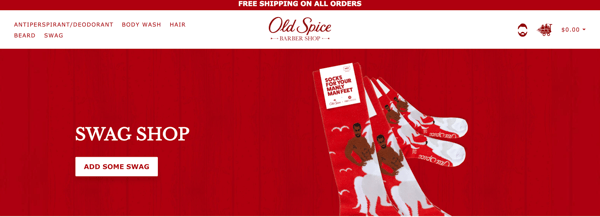
But Old Spice didn’t stop at the TV commercial. They also included their website, product pages, Instagram, YouTube, and other channels in their campaign. No, they don’t all feature the specific characters or taglines from the original TV spots (remember, the campaign launched almost 10 years ago), but they do reflect the same tone, theme, and brand, thus giving customers a consistent brand experience across all media.
Transfarency by Southwest Airlines
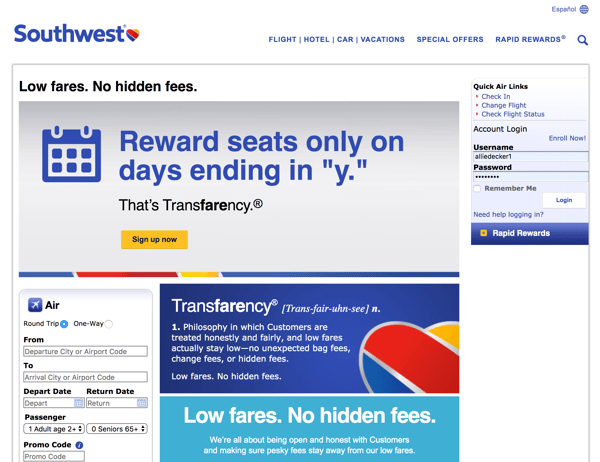
I discussed Southwest Airlines’ consistent branding at the beginning of this article. One campaign that stands out is their Transfarency movement, which introduced a brand new word that marketed Southwest as an airline with straightforward pricing and no hidden fees.
The campaign originally launched in 2015, but Southwest has since been rolling out phases to release new elements and introduce more themes and stories. This tactic has helped elongate the campaign message and truly solidify the association between flying Southwest and saving money on fares.
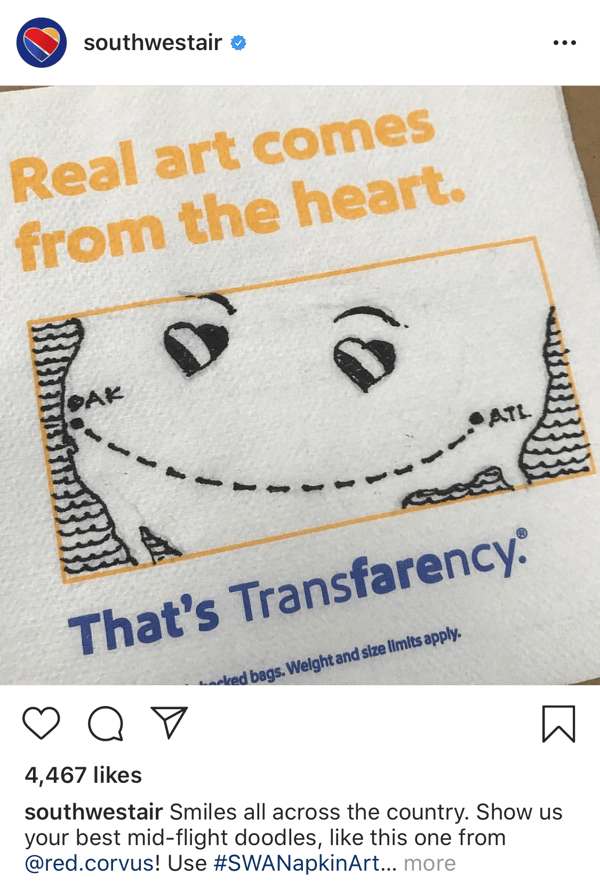
Southwest has used almost every possible marketing channel to broadcast this campaign: a dedicated landing page on which you can purchase tickets, print advertisements posted along airport walls and tucked behind airplane seats, a slew of video spots, and plenty of user-generated content on their social media.
You’re Not You When You’re Hungry by Snickers
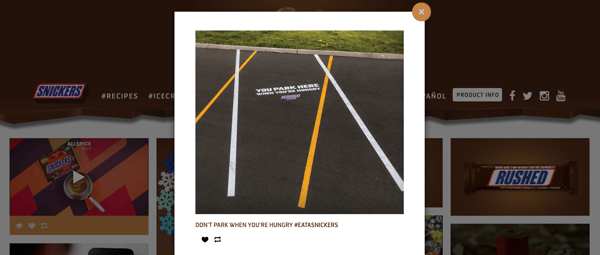
Snickers is one of my favorite chocolate bars, so I paid close attention when I started to see commercials for their You’re Not You When You’re Hungry advertisements. Launched at the 2010 Super Bowl, this Snickers campaign has remained top-of-mind for chocolate and candy lovers everywhere.
One reason for this is the campaign’s humor, but the other, more pertinent reason is that Snickers pasted this movement everywhere … on its website, social media, TV, print ads, and more, and they included plenty of celebrities to boot. By presenting an aligned, cohesive integrated marketing campaign, customers now think of Snickers when craving a sweet snack — and the company has benefitted as a result.

Integrated Marketing Helps You Grow Better
Integrated marketing turns your marketing campaigns into multi-channel movements. In today’s omni-channel world — with consumers encountering your brand online, on social media, and on their daily commutes — integrated marketing is more important than ever to capture new customers and build brand recognition and loyalty. Implement these steps and strategies for your next integrated marketing campaign, and it will surely be a success.

How Our Main Competitor Helped Chanty Increase Leads by 10K
In any industry, a competitive analysis is an important component of your marketing strategy.
However, particularly if you’re a small business, beating the market leader can feel impossible. Fortunately, with the right approach, you can actually benefit from having a well-known product in the same niche.
Christine White, an Acquisition Marketer at HubSpot, says to run a competitive analysis you’ll need to “identify gaps in the market, develop new products and services, uncover market trends, and market and sell more effectively.”
At Chanty — a simple Slack alternative — we’ve learned you can actually capitalize on the name of your rival to get into the populated market.
Here, we’ll show you six steps you can use to increase leads by the thousands while standing out against industry-leading products or services.
1. Check if people are looking for alternatives.
If enough people are searching for alternatives to your big competitor, then the onion is worth peeling. Use SEO tools like SEMRush or Ahrefs to identify the demand for these types of keywords.
Below is an example of search volume and keyword difficulty for “slack alternatives” — a keyword phrase that has become a game changer at Chanty for converting visitors into customers at 10%.
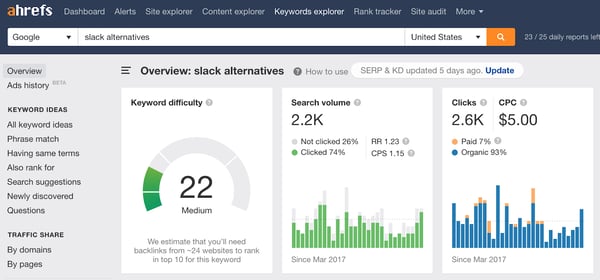
Moreover, look for comparison keywords. Queries like “Slack vs Flock” have been working well at Chanty in terms of conversion. If the leader in your industry is a well-known product, people will be looking to compare this tool and its lesser-known alternatives.
2. Write a high-quality human review.
With the right keywords in mind, you can create a piece of valuable content. If you Google for your competitor’s alternatives or comparisons, quite often you’ll see automated reviews on platforms like G2 Crowd, GetApp and Capterra. While they could be helpful at times, these are also hard to comprehend and, most importantly, lack human touch.
You can do better than this. Do your homework, take your time, and actually use alternative products to experience all the pros and cons. At Chanty, we wrote a series of high-quality, in-depth reviews and comparisons of our main competitors. We’ve made these posts honest, unbiased and helpful to our readers. When choosing where to put this content, a landing page or a blog post, we prefer the latter. I’ll explain why later in this post.
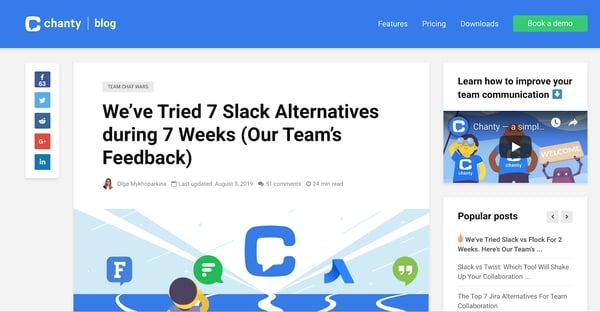
Below is an example of an alternatives blog post we published, comparing Slack, our biggest competitor, to seven alternative products:
3. Mention your product in a blog post.
The purpose of this review is to convert visitors to customers. Your competitors are doing you a big favor — the comparison and alternatives keywords are at the bottom of the funnel. This means people searching for them in Google are already looking for tools like yours.
With this approach, you can sidestep lead nurturing. People visiting these blog posts can become customers right away. To ensure conversions, include sign-up prompts, CTAs, and explain how your tool fits into the picture in your introduction.
Below is an example of one of our introductions and sign-up CTAs in a blog post:
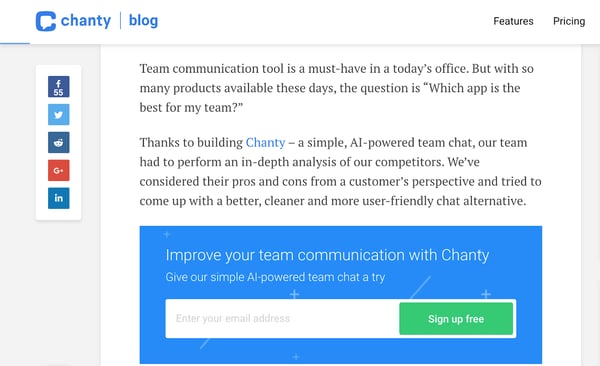
For instance, for comparison posts we mention our team chat and highlight how it compares to the tools in the post.
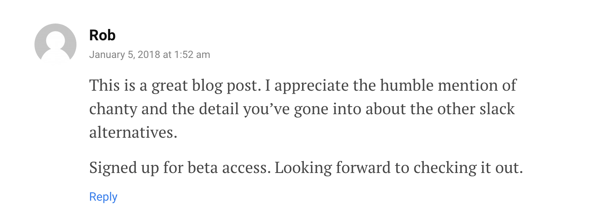
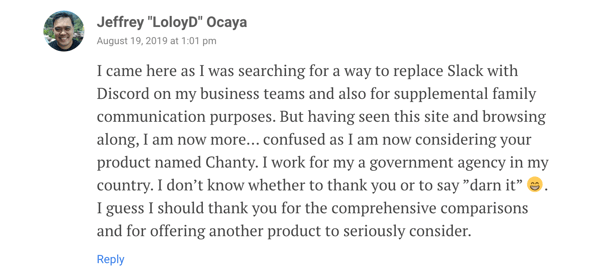
Additionally, make sure to balance the amount of self-promotion and keep your mentions humble – your readers will appreciate it. See an example of a reader commenting on this balance, below:
As a result, you can convert visitors who haven’t considered your product before reading the post. See an example, below:
4. Promote your content to rank higher on Google.
Putting together a review is just half the battle. The most important thing is to rank on Google. You can achieve this by attaining backlinks to your blog post. Backlinks are when other sites link directly to yours.
There are a few ways to attain these. The one that worked the best at Chanty has been the staircase guest blogging strategy. The staircase guest blogging strategy is about writing high-quality content for third-party blogs while gradually increasing the quality of the platforms for which you are writing (climbing the stairs).
Help-A-Reporter-Out (HARO) has also been a great source of backlinks at Chanty. However, there are quite a few other backlink building strategies a SaaS company can use.
As you get backlinks to your post, you’ll see your Google rankings going up. You can also experiment with your meta title and description to attract more clicks with your search snippet. On top of that, you shouldn’t neglect the rest of the SEO basics, of course. You don’t want to slow down your efforts with things like poor mobile optimization or excessive web page loading time.
Earlier, I recommended publishing your review or comparison as a blog post rather than a landing page. The reason for that is simple — it’s easier to get a backlink for a blog post compared to a landing page. Many blog editors don’t accept links to product landing pages, but don’t mind keeping links to blog posts.
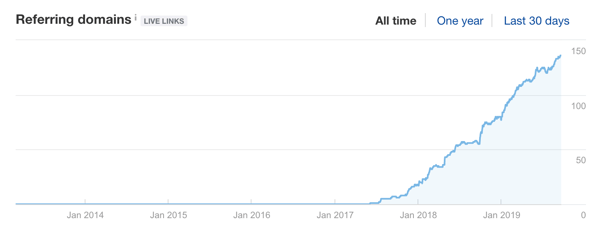
Below, you’ll see our growing number of referring domains as we’ve used these strategies to attain backlinks:
5. Guest post on top tier platforms.
Finally, your post got to the top of Google — it’s time to unwind and relax, right? Not quite. Ideally, you want people to see your brand in every Google search result for the alternatives keyword.
How can you make that happen? This is when guest posting on big platforms comes in handy. To do so, you can use the staircase guest blogging strategy we’ve followed at Chanty, I mentioned above. Generally, the better domain authority of the platform, the higher it will rank on Google. Writing new posts for big platforms covering the target keyword is more effective than trying to convince editors of existing alternatives posts to squeeze Chanty into their list. However, you should still consider reaching out to those existing lists.
Sometimes getting on alternatives lists that rank on the top five of Google can be as easy as sending one email.
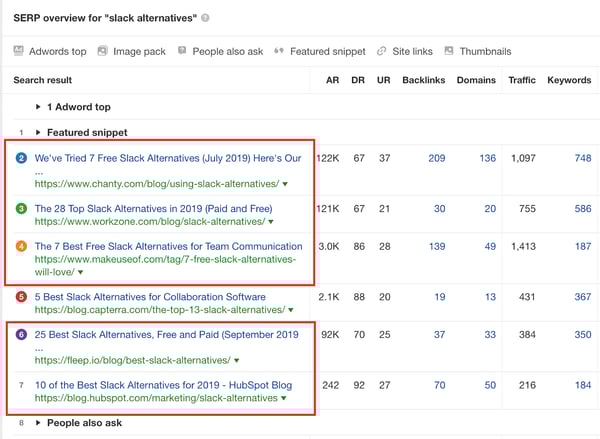
Below, you’ll see how Chanty is featured in five of the top six Google results for “slack alternatives”:
6. Be friendly with your competition.
Your competitors will pick up on this strategy after they see you doing it. All of our competitors started coming up with the same types of posts.
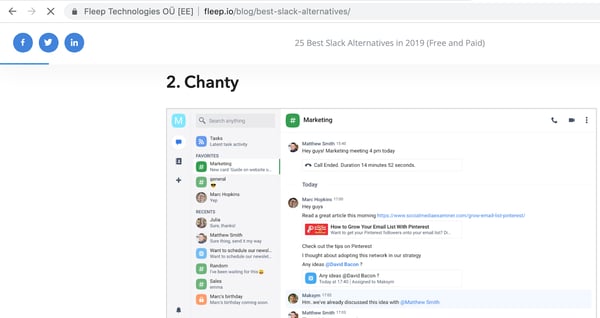
In fact, keyword difficulty of one of our major keywords has grown from seven to 22 in just two years. That’s why it’s important to be the first one who implements this strategy. When you notice your competitor’s articles, reach out to them and suggest cooperating. You can include their tool in your list if they do the same for you. This results in a win-win, with more leads for both products.
For instance, below, our competitor mentions Chanty in their alternatives blog post:
Ultimately, having a big competitor in your industry can work in your favor. It means there’s already an established market for the kind of product you’ve decided to build.
At the same time, there are always customers who aren’t satisfied with the existing market solutions. So, if people are looking for your rival’s alternatives, you have an opportunity to suggest your product. All you have to do is show up on Google. At Chanty, this strategy alone drove more than 10K teams to our business.

10 Clio Winning Campaigns That Marketers Can Learn From
When you’re building an advertising strategy, it can be difficult to come up with creative ideas that help you capture new audiences.
Not only are there hundreds of different advertising tactics out there, but there are also a growing number of online and social platforms to consider leveraging as you plan out your campaigns.
One helpful way to get inspiration for effective and memorable ads or multimedia marketing campaigns is to look at past campaigns that have been successful — or even award-winning.
Luckily, there are a number of award events each year that highlight the top advertising campaigns in multiple areas of media. One of the most prominent ceremonies that advertisers can learn from is the Clio Awards, which was held September 25th during Advertising Week New York
The Clio Awards program, founded in 1959, is an international competition that honors advertisers and creative businesses.
To win a Clio, advertisers must create a campaign that “pushes boundaries, permeates pop culture, and establishes a new precedent around the globe.” Campaigns that are nominated can fall within mediums including Branded Entertainment, Design, Digital/Mobile, Product/Service, and Branded Content.
In 2019, the ceremony honored dozens of campaigns that launched between January 1, 2018, and January 19, 2019. Along with pushing boundaries, setting new advertising precedents, becoming notable in pop culture, winning campaigns also must be paid for by a marketing firm client or an in-house marketing department — with the exception of pro bono campaigns created for non-profits.
To be eligible for a Clio, campaigns must also run publicly in their entirety, meaning that advertisers can’t submit special director’s cuts to the Clios — they have to submit the version that appeared on TV or wherever the ad originally run.
To help inspire your next big marketing campaign, I’ve compiled a list of advertising campaigns awarded a Clio Gold or higher at the 2019 ceremony. For each example, I’ll also discuss some insights that marketers can gain from each and explain how you can implement something similar in your next campaign.
Commercials
1. “The Truth Is Worth It: Perseverance” (New York Times)
The New York Times’ 2018 ad, “The Truth is Worth It: Perseverance,” focuses on the long, often challenging path towards verifying facts for a story. It also emphasizes the barriers reporters must overcome to complete and report on a thorough investigation.
This advertisement, which won both a Clio Gold and Grand award, creates a sense of tension by showing actual footage — primarily recorded by journalists — related to child separation and deportation in the U.S. As the footage, which includes imagery of fences and children letting go of their parents’ hands, plays, you can hear soundbites of immigration reporter Caitlin Dickerson making a number of calls to confirm family separations at the border.
In the stream of sound bites, Dickerson gets hung up on or disconnected from who she’s speaking to a number of times. Then you hear conversations between Dickerson and sources that confirm certain facts about the story she’s writing.
Along with intense soundbites and visuals that tell the story of a family separation investigation, you begin to hear typing sounds and see text overlays that look like typed notes. These notes, which you can assume are being typed by Dickerson, mirror the quick facts that a reporter might jot down as they’re quickly calling multiple sources and writing on a deadline.
As you near the end of the ad, after you’ve heard Dickerson make multiple calls and get hung up on by countless sources, Dickerson starts typing notes that are now closer to actual sentences. The last sentence, which is formatted as a headline, says, “Hundreds of Immigrant Children Have Been Taken From Parents at U.S. Border.” The statement is identical to the headline of an actual investigative article Dickerson published confirming child separation in 2018.
This New York Times commercial grabs your attention because it gives you a glimpse of how the publication searches for truth, confirms facts and aims to ensure accuracy in their reporting.
In “The Truth is Worth It,” The New York Times aims to show audiences why it is a trustworthy source by telling viewers a story about how its reporters go to extraordinary efforts to discover truths.
If your company wants to focus on building trust with a target audience, you could consider a video marketing strategy that offers viewers transparency into the inner-workings of your business.
For example, if you want to promote your organic restaurant, you could create a video marketing campaign that shows the process of how your food is grown, farmed, stored, and brought to a customer’s table. This will give your customers an inside look at how your organic meals are made and help them trust you more when they see that it’s produced in an ethical, safe, and organic way.
Gaming
2. “Making Fortnite Fresher” (Wendy’s)
In the past few years, audiences of primarily 18 to 34-year-olds have begun to use the website Twitch.tv to start live streams of themselves playing all sorts of different video games.
During a Twitch stream, viewers can see the game that a streamer is playing, as well as a small screen showing the streamer themselves. Streamers can also speak about the game and give commentary so viewers understand why they are doing a game strategy. Users who start streams on Twitch can also receive money if other users subscribe to their channel and watch their streams.
After the launch of Fortnite, an online video game, the Twitch streaming trend blew up. When playing Fortnite, you can team up with online friends or other virtual strangers to complete missions, battle others, or just explore the game’s variety of interesting lands. Because you can create characters, fight in wars, and cultivate communities online, many players decided to start Twitch streaming their Fortnite games like storylines.
Some streamers, like one man named Ninja, even began to earn major subscription dollars and brand sponsorships while playing Fortnite over streams.
At some point in Fortnite’s online storyline, players were given a mission where they were told to hunt cattle in the game, harvest the beef, and bring it to one of the nearby restaurants. Once they placed the beef in the freezer, players would receive coins that they could use to buy battle weapons, ammunition, and other gear for fighting other players.
Wendy’s, which claims to sell “Fresh, Never Frozen Beef,” has a company policy against placing beef in freezers because it makes the meat less fresh than it is when refrigerated. So, when the restaurant chain’s marketing team found out the Fortnite was prompting players to put beef in freezers, they decided to launch a nine-hour Twitch stream where a Fortnite avatar dressed like Wendy ran around the video game attempting to destroy all the freezers. As a Fortnite player, you could join Wendy and help her smash the appliance.
According to the Clio sizzle reel, this Wendy’s stream began to go viral as more people logged in to watch and post in the comment thread. Gamers also began to start attacking freezers to help Wendy’s avatar. People also began to tweet about the fast-food chain’s stunt. One tweet described the avatar’s freezer rampage as “Savage Marketing.”
Meanwhile, gamers who crossed paths with Wendy’s avatar while filming their own Twitch streams pointed her out to their viewers. One Twitch streamer who was playing Fortnite and saw Wendy destroy a freezer of unfresh meat said, “She’s making Fortnite fresher.” This comment led to Wendy’s making the formal title of this campaign, “Making Fortnite Fresher.”
This Wendy’s Twitch stream event, which one a Gold Clio, is a fascinating and innovative way of spreading brand awareness while entertaining your prospective customers.
The Twitch and Fortnite demographic is similar to that of most fast-food demographics. Like fast-food lovers, gamers are primarily between the ages of 18 and 34. While some people in this demographic might not respond well to other content, like ads related to professional services or B2B marketing, these young adults might enjoy or remember gaming ads related to fast-food brands.
This Wendy’s Twitch stream is a great example of how a brand can identify and leverage places where its demographic is already consuming content. This Fortnite-based campaign also shows marketers how they can use gaming and live-streaming as a new place for testing out interactive marketing strategies.
While placing an ad in a video game or on Twitch might be expensive, Wendy’s strategy is still a good example of how a brand can think outside the box, identify new or emerging platforms that their audiences might use, and learn how to interact with audiences on them.
As a small or medium-sized business marketer, you probably shouldn’t use all of your time or resources to manage a nine-hour Twitch stream. Instead, you can keep an eye out for other new or emerging platforms that might be more accessible to you. For example, you might find that a lot of people within your audience fit the demographic of — or are already on — TikTok.
Once you realize that TikTok or another new platform could be a good opportunity for you, research it by reading news or blog posts, learn what its users respond to, find out how similar brands use the platform, and then brainstorm creative ideas that will engage new audiences there.
Branded Content
3. “Big Mac vs. Big Mac” (Burger King)
Burger King is no stranger to sassing its fast-food competitors. If you follow Burger King’s official Twitter, you’ll see that the brand’s social media team regularly, and entertainingly, makes snarky comments at companies like McDonald’s and Wendy’s.
In a Gold Clio-winning 2018 video called Big Mac vs. Big Mac., the Burger King marketing team takes sass and snarky comments even further by getting their hands on McDonald’s Big Mac recipe, flame-grilling their own version, and feeding it to a handful of Big Mac lovers along with a real Big Mac to see if the McDonald’s fans can tell the difference.
The video is no longer on YouTube or embeddable, but you can watch it here.
At the beginning of the Big Mac-filled video, which was made in collaboration with BuzzFeed, a narrator says, “People love their Big Macs. But here at Burger King, we know the secret to a great tasting burger is flame grilling. How can we convince other people that flame grilling is the best way to cook a burger? — By convincing our toughest guests: the Big Mac lovers.”
The narrator introduces a taste-test experiment called “Big Mac vs. Big Mac,” explaining that Burger King replicated a flame-grilled version of the burger to see if its fans would notice the difference between the McDonald’s version and the copycat.
After the introduction, the video shows Burger King staff trying to track down the Big Mac’s secret recipe in order to recreate it as closely as possible. The video demonstrates how challenging getting the recipe is by showing footage of a non-uniformed Burger King employee asking an uncomfortable McDonald’s cashier if he can buy just the raw Big Mac meat patty.
Once the Burger King team tracks down the Big Mac recipe, they flame-grill the meat and serve it to the Big Mac fans. When asked which Big Mac is an older recipe and which is newer, the fans say that they think the flame-grilled version is new because it “tastes like a cookout” and is “one step above” the non-flame grilled burger.
As the video comes to a close, the Big Mac-eating participants are shocked to hear that the better Big Mac was actually from Burger King. One person sadly looks up the camera and says, “So I can never eat this again?” while another says, “So, is this on your new menu?” excitedly.
The narrator ends the video by saying, “The best Big Mac that money can’t buy!”
The Big Mac vs. Big Mac video is an example of how a company can make themselves look better than its competitors while still seeming confident rather than desperate.
While any brand can make content that says its restaurant is better than a competitor’s, people ultimately love to hear recommendations and criticisms from real people who’ve tried the food. By having real McDonald’s fans unsuspectingly explain why the Burger King Big Mac is better, the restaurant chain demonstrates that “flame-grilled is better.”
On a smaller scale, you could run a campaign that highlights the reasons why your product or service is different from a competitor’s. Because people love to hear recommendations from other real people, consider filming actual customers or product testers talk about why they’d buy from you over another brand.
By promoting a video that shows product testers analyzing your product over a competitor’s, you’ll be able to show audiences that you’ve gotten real recommendations from actual people or loyal customers. This might improve a prospect’s level of trust more than ads that say your product is “the best” without actual proof.
Here’s a real-world example of what this could look like. Say you sell dental supplies and you hear people saying that your toothpaste is better than a competitor’s. You could leverage these compliments by making a competitive analysis video where normal people brush their teeth with your product followed by another brand’s. At the end of the video, these people could explain why your product is better.
Showing that people prefer your product over another brand is obviously key to an effective competitive analysis video. But like Burger King, you should also show your product testers giving details about what makes your product unique.
Small comments such as taste descriptions might show viewers that a product tester is legitimately analyzing your product and is enjoying the experience of using it. If the testers seem realistic, viewers might trust that they’re actually recommending the product and not just getting paid to say nice things about it.
4, “Broadway the Rainbow” (Skittles)
Instead of putting millions of dollars into one short Super Bowl advertisement, Skittles made a full-fledged musical titled “Broadway the Rainbow” — which made fun of advertising.
The Skittles musical, which won a Gold Clio, was formatted as one large and obvious ad that told the story of how manipulative the marketing industry was. Throughout the musical, all of the characters regularly spoke and sang about how advertisements ruined their lives and how they were living in one giant Skittles commercial.
Even though Skittles charged $200 for each ticket, the musical sold out and went viral within days of its premiere. When the show was announced, USA Today called it, “the most inventive end run in the history of ambush advertising” because it capitalized on Super Bowl ads by immersing paying viewers into an obvious Skittles ad.
To make the show more exclusive for paying customers, Skittles never aired it on television or online. To give you a quick idea of what it was like, here’s a highlight video that was submitted to the Clios:
Yes, creating a musical to advertise your company might seem like an outlandish way to spend your advertising dollars. But at a higher level, this campaign does show how marketers can get creative with ambush marketing to cause a buzz that gains attention from a wide range of audiences.
Ambush marketing or advertising happens when one brand creates a campaign that capitalizes on or mocks another brand’s event or campaign.
While creating a musical to make fun of ads around the time of the Superbowl is a drastic example, other businesses have shown how smaller companies can take part in subtle ambush advertising.
One classic example was when a simple Rona billboard with only a French tagline translating to “We recycle leftover paint,” was placed under an Apple iPod Nano billboard where different colors of paint poured down the canvas from each Nano.
Need a more modern example? A few years ago, when launching its Photo app, Google set up a pop-up food truck in Austin, Texas where they’d give people cupcakes in exchange for photos taken on with the app. During the promotion, Zappos placed a box-on-feet near the truck. Text on the box said that when fed a cupcake, it will dispense a container with a free product. This strategy allowed both Google and Zappos to get some good exposure.
Unless you want to capitalize on the Super Bowl or an annual event, ambush marketing usually isn’t something you can plan out years in advance. If you want to try it out with your company, you’ll need to keep an eye out for local places or time periods where launching a pop-up or discount can capitalize on another business’s product launch or campaign.
For example, if you’re marketing an e-commerce store and realize physical store that sells similar products is opening at a mall, consider advertising with posters in that mall that highlight a discount on competing items or says something along the lines of, “Do the physical stores not have what you need? Order it here.”
In another example, if you sell products or services that are similar to other businesses in your neighborhood, consider offering a sale that occurs around the time another store is having a sale or grand opening. Then you could promote your sale by placing physical ads relatively close to the competing store.
When you’re planning an ambush campaign, make sure your company comes off as clever rather than desperate. For example, shaming a competitor’s store on social media every time they have a sale might look tacky. But creating an out of the box campaign that markets your product that rides on the coat-tails of someone else’s campaign might be considered funny or interesting.
Before you launch, try to visualize how your audiences and the other brand’s audience will react. Aim to engage the other brand’s audience rather than making them think you took a cheap shot at a rival.
Regardless of which route you choose, be sure to understand the legalities behind ambush marketing. For example, you must be transparent with your audience about which brands you’re affiliated with. For example, if you promote your business at an event, you can’t say you’re affiliated with that event if the organizers of it didn’t explicitly say so.
5. “Uncle Drew” (Pepsi)
Since 2012, Pepsi has been promoting an “Uncle Drew” campaign where they’ve released short films about an elderly uncle, named Drew, who defines himself as a “baller.”
Fueled by drinking Pepsi Max, Uncle Drew regularly dunks basketballs or wins games against teens in his neighborhood. Here’s the first film which shows Drew walking onto the basketball court for the first time when his nephew’s team needs another player:
Because the commercials were well-received for many years, Pepsi expanded the Uncle Drew campaign in 2018 by making Uncle Drew swag, such as Bobbleheads in his likeness, and even a feature-length film.
The “Uncle Drew” film was the number one comedy in America during its opening weekend and was the reason the overall campaign had been nominated for a Clio. Here’s the movie’s trailer:
A campaign that involves producing a full-length musical or feature film is pretty costly and unrealistic for most marketers. But, a marketing video series might not be out of the question.
Many marketers, like Purple Mattress, have also created a video series that highlights their product through funny or fictional storylines. Here’s one example of the Purple Mattress’s Purple Boys series where a fictional character discusses how he has the “Sunday Scaries” and then easily falls asleep on a Purple Mattress.
If you don’t have time to come up with an odd fictional storyline that centers around your product, you could still consider something non-fictional, like a podcast or video series that discusses topics related to your product or industry.
By crafting an online video series, people have even more chances of seeing a marketing video that relates to your content. If viewers enjoy the series, they might want to learn even more about your product. And, if your series provides them with interesting information about a topic, audiences might think your brand is incredibly knowledgeable and credible when it comes to your industry.
Social Media Campaign
6. “Insta Novels” (The New York Public Library)
The New York Public Library recently created an Instagram Story campaign aimed at proving that young people don’t need to miss out on literature just because they’re hooked on social media.
In the Insta Novels campaign, which took home a Gold and Grand Clio, The New York Public Library adapted entire novels into Instagram Stories to highlight the interesting literature that viewers could find at the library.
Novels that were displayed as Instagram Stories included “Alice’s Adventures in Wonderland,” by Lewis Carroll, “Metamorphosis” by Franz Kafka, and “The Raven” by Edgar Allan Poe. While pages and imagery were designed and animated specifically for the Instagram Stories format, the library still included the entire text of the book.
Posting entire novels and heavy text on pages of Instagram Stories is a bold move. Some brands have noticed that long Stories see a higher drop off rate as the platform’s users are more accustomed to tapping through bite-sized Stories.
However, the New York Public Library was awarded a Gold Clio because they created a design that didn’t make the text or long-form Instagram content feel overwhelming. In fact, each page would only have just a few sentences of the novel’s story on it. The library even added some nice animations on the sides of each page to make things more interesting to the viewer.
At the beginning of each Insta Novel, viewers were also instructed to place their thumb on each page’s animation to prevent the Story from moving to the next page before they’re done reading the text. This might be helpful to Instagram users who want to read the novel but are less familiar with using or navigating the Stories feature.
When Insta Novels were published, the library also used Instagram’s Highlight feature to present the Stories permanently on its profile page. Then, users who came across the New York Public Library’s profile could treat the Highlighted Stories like a virtual bookshelf.
While the New York Public Library is nailing social media design techniques, they’re also creatively using popular literature to highlight books that you might find in its catalog.
If you’re trying to spread social media brand awareness in new ways, Instagram Stories can be a great outlet for creative content marketing experiments, like Insta Novels. For example, if your company has a blog, you could use Stories to show people animated or visual excerpts of what you’re publishing. Then, if you’re verified or have more than 10,000 followers, you could even gain traffic by including a swipe up link to the blog post you’re promoting.
7. “Be a Follower” (Diesel)
Instead of hiring influencers to wear Diesel’s clothing and share purchasing links for various items on social media, Diesel launched the “Be a Follower” campaign which allowed fans to create a virtual Diesel store and share the links to it on social media.
To create a virtual store, a fan would go to Diesel.com/baf/sidebiz, which is no longer active. Then they’d enter basic contact information into a form and press “Create.” From there, they’d get a personalized link with their name on it that went to their own mini-Diesel website. When people clicked on a personalized link, they’d see a store that looked like Diesel’s but had the name of the follower who generated it at the top of the page.
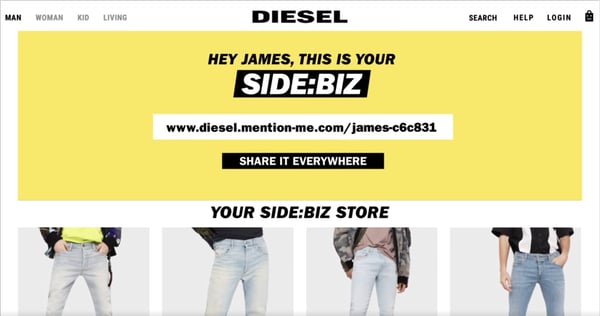
When someone purchased an item from a fan’s store, that fan would get points that could be exchanged for Diesel clothing discounts or other rewards.
As people began to share their store links in social media posts, Diesel re-shared them on its branded social channels to help those followers get more store clicks. Since followers wrote about or included photos of Diesel products in the posts they share with their individual links, the clothing brand marketed both the campaign and its own products through re-sharing posts from its fans.
Using your customers as influencers is a very clever and cost-efficient strategy that embraces word-of-mouth advertising. And, recommendations from friends, family, or every-day people are still much more trusted than the average ad.
If you’re on the marketing team for a company that can’t afford to hire an influencer, consider a strategy that leverages both happy customers and social media.
By creating a campaign that encourages customers and fans to talk about why they enjoy your company, or share online store links, like Diesel’s Be a Follower campaign, you could delight and reward your current customers while potentially gaining new prospects who trust the review they’re seeing.
Physical Campaigns
8. “Billie Jean King Your Shoes” (Adidas)
In 1973, Billie Jean King won a tennis match against male player Bobby Riggs, which was coined “The Battle of the Sexes.” The historic tennis game was the first time a female tennis player was matched against a male.
In and before the late 1950s, men were seen as superior athletes and breadwinners in society. Prior to the tennis match with King, who was only 25, even Riggs said that he could beat a woman at his age of 55.
King’s tennis match win proved Riggs wrong. It also proved that men and women could compete equally on the tennis field and in other sports. On a bigger scale, it further empowered women, who were often stereotyped as wives, homemakers, or secretaries at the time. With King’s win, it became harder to ignore that gender stereotypes were false and that women could win and even lead amongst men.
During the match, King wore an iconic pair of blue Adidas tennis shoes. Years later, to celebrate the 45th anniversary of King’s win, Adidas launched a limited edition line of BJK shoes with the female tennis legend’s face and initials on each pair.
To announce the shoe line, Adidas launched a series of simple commercials showing Billie Jean King spray-painting piles of shoes blue. Here’s an example of one of the ads:
To further promote the line, Adidas also had booths at the U.S. Open tennis match where fans could bring any brand of shoes and have an artist paint them blue with Adidas’ special BJK logo.
According to Adidas, the overall campaign led to a 20% boost in tennis shoe sales. And, now that the campaign is over, people are auctioning off these limited edition shoes on eBay for upwards of $1,000.
For example, you could launch a series of marketing videos that play up nostalgia by talking about how people in your community have used your store for decades. Or, as Adidas did, you could highlight stories of your most notable or well-known customers, such as a celebrity who visited or a member of local government, and show how they wore or used their products during. 9
9. “Beauty Unaltered” (CVS Pharmacy)
With unrealistic beauty standards being a cause for mental health issues across the U.S., CVS decided to change the way it presented photos of women. In the pharmacy’s “Beauty Unaltered” campaign, CVS presents images of women that aren’t retouched.
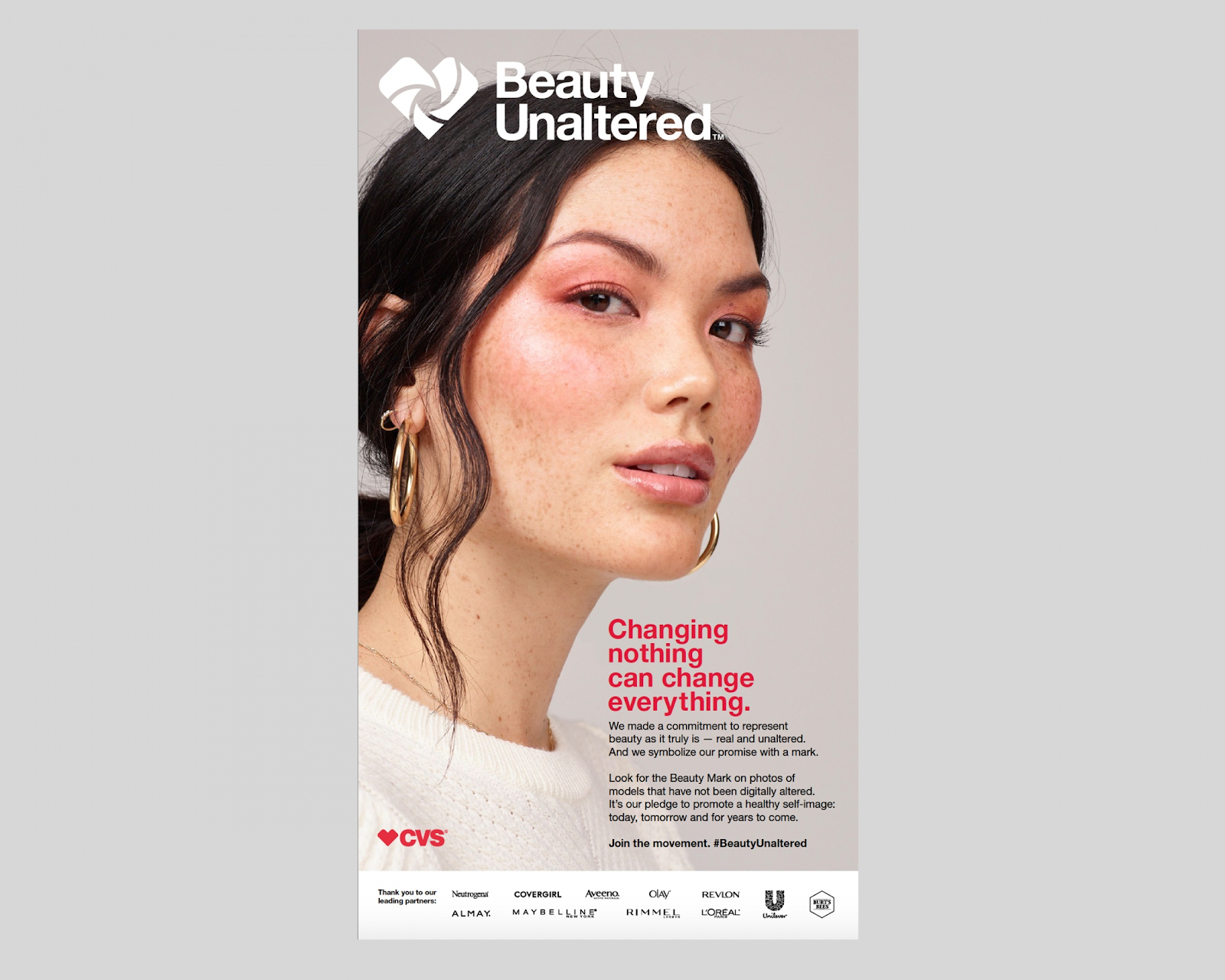
Photo from CVS Pharmacy
Photos on the pharmacy’s advertisements were either marked with a badge that said, “Beauty Unaltered” or “Digitally Altered.” These badges made each ad more transparent about when an image was or was not retouched.
Along with changing the imagery in all of its stores, CVS promoted the campaign with physical signage, such as billboards. On social media, the pharmacy chain also launched a #BeautyUnaltered campaign which encouraged women to share unaltered photos of themselves.
CVS said the “Beauty Unaltered” campaign received mostly positive sentiment on social media. After the campaign was well-received, other major beauty brands like L’Oreal followed suit by presenting more digitally unaltered photos of women in their marketing materials.
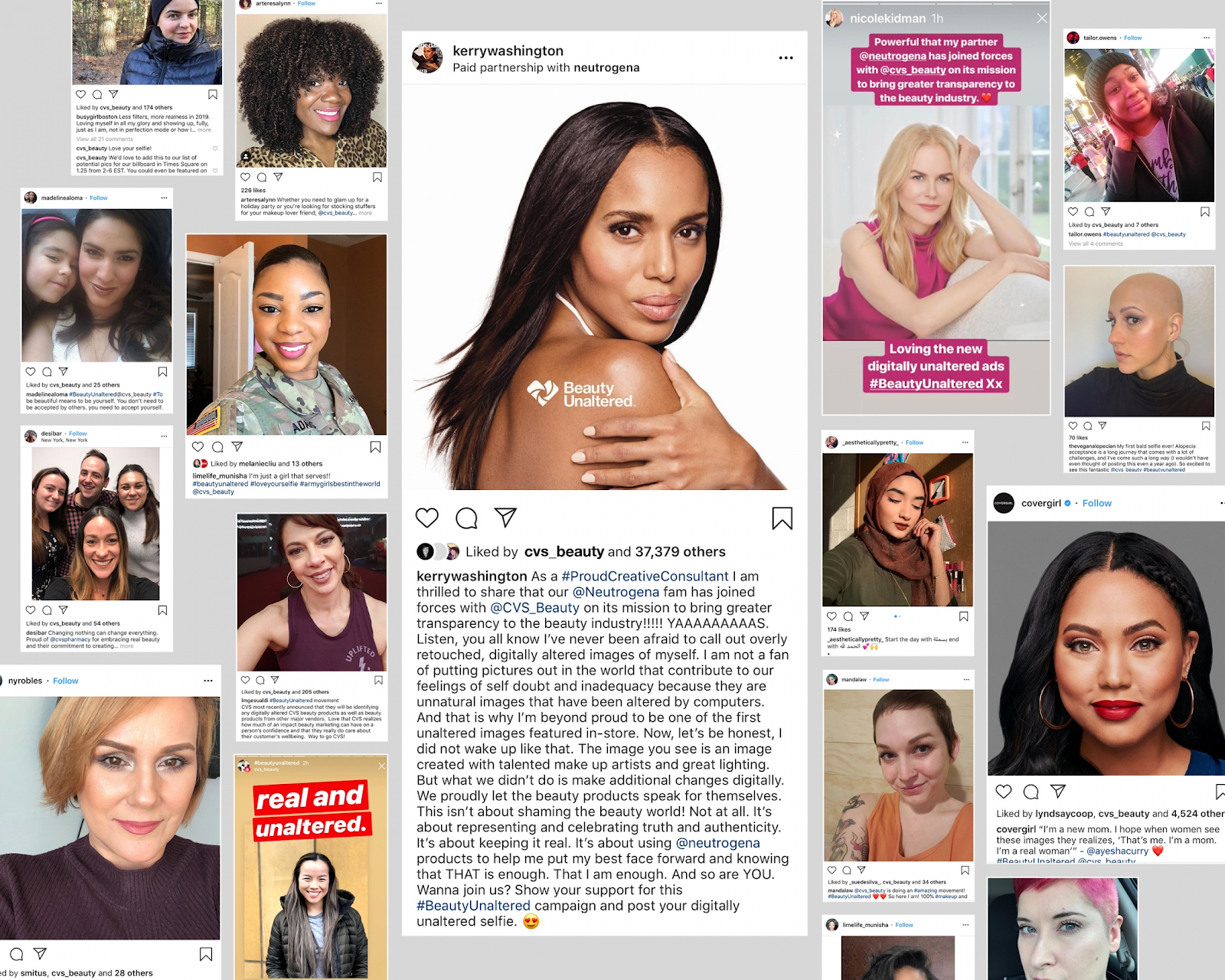
Photo from CVS Pharmacy
According to CVS’s sizzle reel, the #BeautyUnaltered hashtag received over 104 billion impressions
While you might think that you need aesthetically pleasing airbrushed photos to sell your products, the CVS’ campaign proves that showing real people can boost brand awareness and gain more trust and appreciation from your audience.
If you’re marketing for a small company, take a note from CVS and highlight images of relatable looking people using your product. Even if you aren’t selling beauty products, showing imagery or video of unedited, real-looking people will make the ad more relatable to other people.
For example, if you’re advertising a gym, promoting images of heavily-airbrushed athletes might scare less athletic people away from signing up. Instead, consider showing prospects a mix of imagery with people from all age groups or fitness levels. That way, you can demonstrate to prospective customers that your gym is for everyone.
10. “ThisBelgianCase is for you” (Budweiser)
In this physical marketing campaign, Budweiser aimed to make bars and gas stations “Weiser.” Get the joke?
During the campaign, Budweiser sponsored phone-charging stations in bars and electric car charging stations. Near or on each station, Budweiser included physical signage that said statements like, “This phone is being powered by Budweiser,” or “This charging station is powered by Budweiser.”

As part of the campaign, some of the signage said: “VOTE FOR YOUR BAR TO BECOME WEISER.”
After seeing the “vote” call to action, audiences could go online and vote for bars that they wanted to have charging stations added to. Budweiser then used those votes to pick bars that would get sponsored charging stations.
The beer company markets to a general audience at or above the legal drinking age. In this example, they placed advertising on electric car stations and bar charging areas that audiences who are over the legal drinking age might see. This signage placement is another great example of creating a campaign that meets your prospective customers or audience where they commonly are.
While phone or car charging station sponsorships have nothing to do with alcohol, placing Budweiser ads strategically in front of audiences gives the company a way to spread brand awareness.
As a marketer for a smaller business, you can also find scaleable ways to identify where your audiences are and create marketing strategies around those locations.
For example, if you want to advertise a makeup line or boutique, you could consider buying sign space on the wall of a building that has a salon in it. In this scenario, people going to a salon to improve their looks might see the ad for your beauty products and want to purchase them.
Getting Campaign Inspiration
The marketers who created campaigns on this list offered a variety of content that grabbed attention from viewers and felt less like the average every-day ad. If any of these examples have inspired you, here’s are a few scalable marketing tactics you can try next.
- Make a few marketing videos: Consumers prefer to learn about products through video. This might be why many Clio Gold Award winners decided to launch video-based campaigns. The good news is that you don’t need to have a big brand budget to make an effective video. If you have time to make a video, start brainstorming ideas and check out this step-by-step guide for more scalable advice.
- Embrace word of mouth marketing There are a number of ways to get your customers and fans talking about your product in-person or online. Here’s a great guide that walks you through where to start and how to run an effective campaign.
- Meet your prospects where they are: Budweiser sponsored charging stations in bars where people might order its beer. Meanwhile, Adidas offered Billie Jean King shoe designs at the U.S. Open tennis matches. If you’ve been inspired to do a physical campaign, these are prime examples of how companies can benefit from identifying where their major audience demographics are and creating strategies around those locations and trends.
Looking for even more award-winning marketing inspiration? Check out our rundown of Emmy nominated commercials.

Facebook Power 5 Ad Tools: What Marketers Need to Know
Want to improve your Facebook ads performance? Wondering how automated Facebook tools can help? In this article, you’ll discover how to use the Facebook Power 5 ad tools to scale successful Facebook ads faster by automatically optimizing them in real time. What Are the Facebook Power 5 Tools? Facebook launched its new Power 5 tools […]
The post Facebook Power 5 Ad Tools: What Marketers Need to Know appeared first on Social Media Marketing | Social Media Examiner.
from Social Media Marketing | Social Media Examiner https://ift.tt/2MTyzaX
via socialmediaexaminer
Facebook Page Verification: What Marketers Need to Know
Welcome to this week’s edition of the Social Media Marketing Talk Show, a news show for marketers who want to stay on the leading edge of social media. On this week’s Social Media Marketing Talk Show, we explore what marketers need to know about changes to verification badges, scheduling, and organic impressions for Facebook pages […]
The post Facebook Page Verification: What Marketers Need to Know appeared first on Social Media Marketing | Social Media Examiner.
from Social Media Marketing | Social Media Examiner https://ift.tt/2WcprkK
via socialmediaexaminer
21 Great Examples of PowerPoint Presentation Design [+ Templates]
We can all agree there’s more than one way of doing something.
For example, some people default to the “loop, swoop, and pull” method when they tie their shoes, while others swear by the “bunny ears” technique. Either way you swing it, your shoes get tied, right?
The trouble is, in some areas of life, different approaches don’t always return the same results.
When it comes to presentation design, for instance, there’s no shortage of avenues you can take. And while all that choice — colors, formats, visuals, fonts — can feel liberating, it’s important that you’re careful in your selection as not all design combinations add up to success.
We’re not saying there’s one right way to design your next PowerPoint presentation, but we are saying that some designs make more sense than others. Luckily, new versions of PowerPoint actually suggest ideas for you based on the content you’re presenting. In this blog post, you’ll learn how to create an awesome PowerPoint deck and then see 21 real presentations that nail it in exactly their own way.
PowerPoint Design Ideas
It’s impossible for us to tell you which design ideas you should go after in your next PowerPoint, because, well, we don’t know what the goal of your presentation is. But, as it turns out, PowerPoint can make these suggestions.
In PowerPoint 2016 and later, PowerPoint is filled with interesting boilerplate designs you can start with. To find these suggestions, open PowerPoint and click the “Design” tab in your top navigation bar. Then, on the far right side, you’ll see the following options:
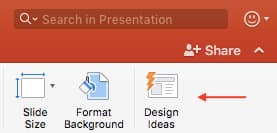 Click the “Design Ideas” option under this Design tab, as shown in the screenshot above. This icon will reveal a vertical list of interesting slide layouts based on what your slides already have on them.
Don’t have any content on your slides yet? You can easily shuffle this vertical list of design ideas by clicking various slides themes inside the color carousel to the far left of the Design Ideas icon, as shown below:

As you browse and select from the themes shown above, your Design Ideas pane to the right will interpret them and come up with layouts such as:
Paint Splash

Covering a more creative subject for a younger or more energetic audience? On behalf of PowerPoint, might we suggest the cover slide design above?
Artistic Curves
 This design doesn’t have the intensity of the first slide on this list, but it maintains a sense of informality that all PowerPoint presentations benefit from.
Wallpaper
 There’s an old-fashioned feel to the design above that sets a fun but relaxing tone for its audience.
Warm Tiles

This design idea focuses on warm colors, helping to emphasize the black title tile on top of it.
Textured Backdrop
 We’re particularly fond of this PowerPoint design style. By using real textures — like wood, as shown above — you add depth to your slides. This can help your content capture and hold your audience’s attention more easily.
To see some examples of the best PowerPoint presentation designs, check out the following decks.
21 Good Examples of PowerPoint Presentation Design
1. “The Search for Meaning in B2B Marketing,” Velocity Partners
We’ve said it once, and we’ll say it again: We love this presentation from Velocity Partner’s Co-Founder Doug Kessler. Not only is the content remarkable, but the design is also quite clever. While each slide employs the same background visual, the copy in the notebook unfolds brilliantly through a series of colorful doodles and bold text. This gives the presentation a personal feel, which aligns with the self-reflective nature of the concept.
2. “You Don’t Suck at PowerPoint,” Jesse Desjardins
If the contrast used throughout this PowerPoint presentation design were a human, we’d marry it. This skillful presentation from Jesse Desjardins employs the perfect color palette: balancing black and white photos with pops of florescent pink, yellow, and blue. The cheeky vintage photos work to reinforce the copy on each slide, making the presentation both interesting and visually appealing.
3. “Build a Better Entrepreneur Pitch Deck,” Center for Entrepreneurial Innovation
Balancing visual backgrounds with text isn’t easy. More often than not, the text is formatted in a way that winds up getting lost in the image. This presentation from the Center for Entrepreneurial Information combated this issue by combining a blurring effect with a shaded filter to create contrast between the bulleted text and the busy background. Well done.
4. “40 Tools in 20 Minutes: Hacking your Marketing Career,” Eric Leist
When you’re tasked with presenting a lot of information in a little bit of time, things can get sort of messy. To simplify this type of presentation, it’s a good idea to use a visual table of contents like the one shown above. This color-coded index clearly signifies the start and finish of each section to make it easier for the viewer to follow along and keep track of the information.
5. “How to Craft Your Company’s Storytelling Voice,” MarketingProfs
Do you love these hand drawn illustrations … or do you love these hand drawn illustrations? I mean, c’mon, this is amazing. Certainly it would have been easier to generate these designs online, but this approach highlights MarketingProf’s commitment to investing the time and thought it takes to create an out-of-the-box piece of content. And as a result, this presentation stands out in the best way possible.
6. “2015 Travel Trends,” Creative Lodging Solutions
If you’re going to go the minimalistic route, take note of this PowerPoint presentation example from Creative Lodging Solutions. This clean design adheres to a simple, consistent color palette with clean graphics peppered throughout to make the slides more visually interesting. Overall there are no frills or unnecessary additions, which allows the informative content to take priority.
7. “Healthcare Napkins,” Dan Roam
This presentation dates back to 2009, but the design is still as good as ever. The colorful, quirky doodles help tell the story while also serving as an interesting way to illustrate data (see slides 20 and 21). For visual learners, this approach is much more inviting than a series of slides riddled with text-heavy bullet points.
8. “Eco-nomics: The Hidden Costs of Consumption,” Josh Beatty
This presentation employs both powerful images and playful graphics to illustrate the point. While many of the slides contain numbers, they are broken up in a way that makes them easily digestible. Not to mention all of the text is crisp, clean, and concise.
9. “10 Powerful Body Language Tips for Your Next Presentation,” SOAP
This simplistic presentation example employs several different fonts, but instead of coming off as disconnected, the varied fonts worth with one another to create contrast and call out specific concepts. Also, the big, bold numbers help set the reader’s expectations, as they clearly signify how far along the viewer is in the list of tips.
10. “Pixar’s 22 Rules to Phenomenal Storytelling,” Gavin McMahon
This presentation by Gavin McMahon features color in all the right places. While each of the background images boasts a bright, spotlight-like design, all of the characters are intentionally blacked out. This helps keep the focus on the tips, while still incorporating a visual element. Not to mention, it’s still easy for the viewer to identify each character without the details. (I found you on slide eight, Nemo.)
11. “Digital, Social & Mobile in 2015,” We Are Social
Here’s another great example of data visualization in the wild. Rather than displaying numbers and statistics straight up, this presentation calls upon interesting, colorful graphs and charts to present the information in a way that just makes sense.
12. “6 Snapchat Hacks Too Easy to Ignore,” Gary Vaynerchuk
This wouldn’t be a true Gary Vaynerchuk presentation if it wasn’t a little loud, am i right? Aside from the fact that we love the eye-catching, bright yellow background (which aligns with the SnapChat theme), Vaynerchuk does a great job of incorporating screenshots on each slide to create a visual tutorial that coincides with the tips.
13. “20 Tweetable Quotes to Inspire Marketing & Design Creative Genius,” IMPACT Branding & Design
We’ve all seen our fair share of quote-chronicling presentations … but that isn’t to say they were all done well. Often times the background images are poor quality, the text is too small, or there isn’t enough contrast. Well, this PowerPoint presentation from IMPACT Branding & Design suffers from none of said challenges. The colorful filters over each background image create just enough contrast for the quotes to stand out.
14. “The Top 20 Facts About High Fructose Corn Syrup,” Corn Refiners Association
This is another great example of minimalistic design done right. There’s nothing overly complicated about this presentation’s design, which is why it works. The text is large and legible, the images are high quality and placed in a way that’s not obtrusive, and the facts are called out from the rest of the text.
15. “Creating Powerful Customer Experiences,” Digital Surgeons
This presentation offers up a lot of information in a way that doesn’t feel overwhelming. Different colors are used to differentiate one set of numbers from another (see slide eight), and colorful graphics are used to make the information seem less buttoned-up.
16. “All About Beer,” Ethos3
Not going to lie, it was the title that convinced me to click through to this presentation … but the awesome design kept me there once I arrived. This simple design adheres to a consistent color pattern and leverages bullet points and varied fonts to break up the text nicely.
17. “Digital Transformation in 50 Soundbites,” Julie Dodd
This design highlights a great alternative to the “text-over-image” display we’ve grown used to seeing. By leveraging a split screen approach to each slide, Julie Dodd was able to serve up a clean, legible quote without sacrificing the power of a strong visual.
18. “SMOKE: The Convenient Truth,” Empowered Presentations!
All of the elements are working together here to create a compelling, unified presentation. From the font choice to the color palette to the dark visual background images, this design aligns perfectly with the context of the copy.
19. “Fix Your Really Bad PowerPoint,” Slide Comet
When you’re creating a PowerPoint about how everyone’s PowerPoints stink, yours had better be terrific. The one above, based on the ebook by Seth Godin, keeps it simple without boring its audience. Its clever combinations of fonts, together with consistent color across each slide, ensure you’re neither overwhelmed nor unengaged.
20. “How Google Works,” Eric Schmidt
Simple, clever doodles tell the story of Google in a fun and creative way. This presentation reads almost like a storybook, making it easy to move from one slide to the next. This uncluttered approach provides viewers with an easy-to-understand explanation of a complicated topic.
21. “What Really Differentiates the Best Content Marketers From The Rest,” Ross Simmonds
Let’s be honest: These graphics are hard not to love. Rather than employing the same old stock photos we’ve seen time and time again, this unique design serves as a refreshing way to present information that’s both valuable and fun. We especially appreciate the author’s cartoonified self-portrait that closes out the presentation. Well played, Ross Simmonds.
Want more? Read How to Create Infographics in Under an Hour [15 Free Infographic Templates].

Designbundle, Plataforma con 10 Herramientas de Diseño PREMIUM
Qué es DesignBundle
Este es un software de diseño contiene 10 herramientas en uno. Te permitirá captar clientes con diseños de marketing para la empresa. Además trae la licencia de agencia con su paquete de diseño gráfico.
Entre las 10 herramientas de DesignBundle tenemos:
Diseñador de páginas de aterrizajeEn minutos, sin mover un fragmento de código, puedes tener una página profesional de aterrizaje. ¿Como? con solo arrastrar y soltar los elementos en el área de trabajo, podrás editar textos, colores, e imágenes a tu gusto en base a tus ideas |
from Socialancer https://ift.tt/2pdClmn
via
8 Little-Known Instagram SEO Techniques for Increasing Reach
Instagram is an undeniably viable platform for marketing in 2019. In fact, Instagram has officially reached more than one billion active monthly users — which means it’s now more popular than social media giants such as Twitter or LinkedIn.
That’s a lot of users sitting around, waiting to see your content. So, how can you reach all of those users and create opportunities for them to engage with your brand?
The answer might surprise you — SEO for Instagram.
I know what you’re thinking: Can I really employ the same SEO techniques I use to optimize web pages for a social media app?
Fortunately, you can. The trick isn’t shoe-horning Instagram into your existing SEO strategy, but rather to use what you already know about SEO to drive organic growth to your Instagram account. Think of Instagram as its own search engine. The platform has built-in search functions that act like its own mini-Google.
Here, we’re going to tell you eight little-known Instagram SEO techniques to expand your reach.
Instagram Optimization
1. Optimize your Instagram profile.
The first step you should take toward increasing your Instagram reach is optimizing your Instagram profile. Driving traffic to your Instagram account won’t benefit you in the long-run if your profile isn’t optimized for the best user experience.
Here are a few tricks for optimizing your Instagram profile:
- Make your profile public
- Choose a colorful, on-brand profile image
- Create a recognizable and searchable @Username
- Create an easily searchable business name
- Register for an Instagram Business account
- Include a trackable link in your bio
These steps might seem like a no-brainer, but it’s important to lay the groundwork before you make any other SEO changes. Once you’ve covered those basics, you can move onto the more technical optimization steps.
2. Include your primary keyword in your display name and @Username.
As we mentioned before, Instagram is its own self-contained search engine. In order to show up for the correct terms in the search bar, you need to work within the app itself to land that coveted top-of-search positioning.
To start, you’ll need to pinpoint your primary keyword. We’ll use a bakery as our example for this. When an Instagram user is looking to fill their news feed with baked goods, they’ll likely search the keyword ‘bakery’. When you have this keyword in your display name and @Username, you’re more likely to show up in the search results for suggested accounts.
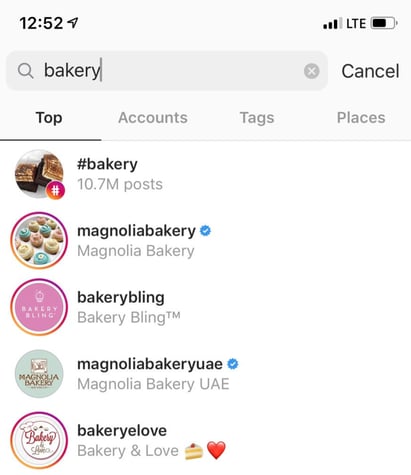
As you can see here, four of the top five search results for bakery have that keyword in both their display name and @Username. You should be using your primary keyword in both places to increase your chances of being picked up by the algorithm.
3. Use your secondary keywords in the bio.
Now that you’ve taken care of your primary keyword, it’s time to get the most out of your secondary keywords. Secondary keywords are the phrases and topics that orbit your primary keyword.
If your primary keyword is ‘bakery’, your secondary keywords might be things like ‘cupcakes’, ‘wedding cakes’, ‘baked goods’, etc.
Let’s take a look at Magnolia Bakery, the top result for this keyword — their primary keyword is highlighted in red, and their secondary keywords are highlighted in orange:
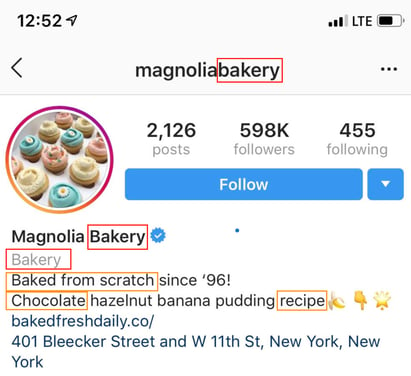
As you can see, Magnolia Bakery has done a great job of crafting an informative and fun bio, while still including a few very important search-optimized keywords. It’s no wonder they show up first when you search the term ‘bakery’ on Instagram.
Secondary keywords are perfect for catching people who might not be searching for your primary keyword but could still be interested in your product. A person looking for baking good recipes would likely follow Magnolia if they found them in the search, because it still matches the user’s search intent.
4. Treat your hashtags as keywords.
Once you’ve optimized your profile, it’s time to optimize your posts. This is an ongoing process that requires special attention. Most users aren’t going to look for you directly. They’ll likely discover you through a hashtag on a specific post.
That’s why each of your Instagram posts should have its own hashtag strategy. You should be treating these hashtags like secondary keywords. Check out the example from CorePower Yoga, below:
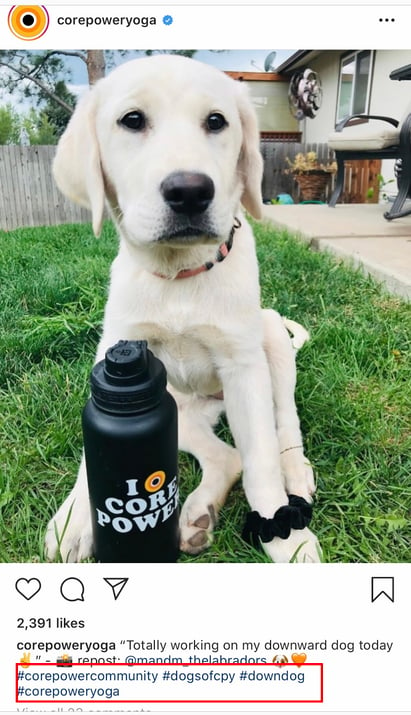
They include their own brand name in two of the hashtags — #corepowercommunity and #corepoweryoga. The other two hashtags, however, are specifically for this image.
By including a variety of post-specific hashtags, Corepower increases their chances of attracting a wider, more diverse audience — people who search for terms related to yoga, but also people who search #downdog.
This gives users a better chance of finding you than if you used the same five hashtags on every single post — the key is variety, and relevance.
5. Use secondary keywords in your image captions.
We’ve mentioned before that Instagram is a self-contained search engine, which means every part of your Instagram experience should be focused on keywords. Crafting a compelling, engaging caption is critical for attracting new followers while satisfying existing ones.
The right caption can do more than just catch a user’s attention — it can also help you show up in search results. The same way you optimized your bio and hashtags with secondary keywords, you should do the same for your Instagram caption:
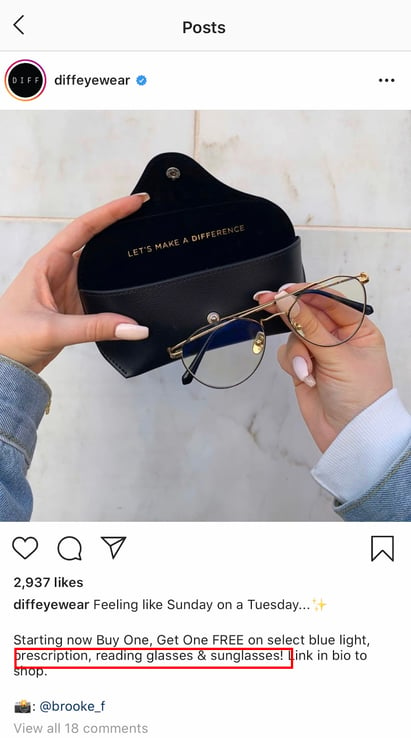
The example above shows how DIFF eyewear manages to use keywords in their caption that will bring in the right users. This helps create a complete picture for Instagram’s algorithm and tells it that you should be ranking high in their search for those terms.
6. Take advantage of Instagram alt text.
Instagram alt text is a relatively new feature that allows users to write captions for their photos.
This feature was designed to help visually impaired users enjoy their Instagram experience, but it can also be used for SEO, as well. Instagram will automatically populate alt text options for your photos if you skip this step — so it’s better to do it yourself to ensure the caption matches what’s actually in the photo.
To access your alt text options, advance to the screen right before you share your photo and click the “advanced settings” tab at the bottom:
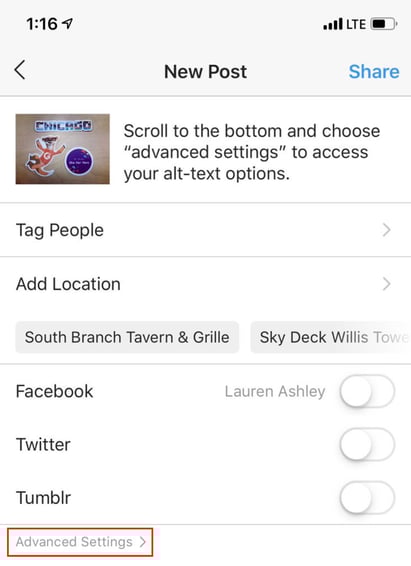
Once you’ve done that, scroll to the bottom and select the “write your alt text” option. From there, you can craft the perfect image description!
 Once you’ve crafted your own alt text, share your photo as normal. The benefits of changing your Instagram alt text are the same as when you use alt text on photos for your website. It can help your posts rank better in the algorithm, have your results pulled for voice search, and more.
7. Track everything with analytics.
If this is your first time using SEO techniques to grow, then you should be tracking how your new Instagram strategy is impacting your overall social media goals.
While Instagram does have an in-platform analytics feature, it only allows you to pull data from a certain date. Once that window closes, the data is lost and replaced. While that might be fine for the casual user, it’s not ideal for marketing purposes.
Social Media tools like Hootsuite, Sprinklr, or Sprout Social allow you to bypass this with robust data analytic tracking services, automated reports, and more. They allow users to analyze performance of posts and campaigns to optimize your content for the future.
As with any content marketing strategy, having hard data behind your content plan is key. Tracking the success of your new Instagram SEO strategy will help you refine your content as you go, gain buy-in from leadership, and improve the overall success of your strategy.
8. Avoid common black hat SEO techniques.
You might think that Google is the only website that is sophisticated enough to spot and punish users for using black hat SEO tactics, but that’s not true. Instagram has recently started cracking down on accounts that try and cheat the system. Most recently, they’ve implemented a shadowban for users that repeatedly break the rules.
Common Instagram black hat SEO techniques to avoid:
- Don’t steal content
- Don’t use bots
- Don’t keyword stuff
- Don’t follow too many accounts too fast
- Don’t buy followers
SEO is a long-term strategy and it can be frustrating when you don’t see results right away. The lure of using a quick-fix to see a boost in followers or organic reach can seem too good to pass up, but the results can be disastrous if you get caught. If you’re looking to build your Instagram account the right way, avoid these tactics at all costs.
Do It For the ‘Gram
SEO may be primarily used for website optimization, but that doesn’t mean you can’t use what you’ve learned for social media, as well. Take these tips and transform your Instagram presence in a way that puts the user first while also building your reach.

A Comprehensive List of HTTP Status Codes
One day I was scrolling through BuzzFeed (as one does … ), when, all of a sudden, I got the dreaded 404 error code.
As a user, I didn’t understand why I was getting an HTTP status code, or what it meant.
If you’re anything like me, you’re probably wondering, Wait…What’s an HTTP status code?
Simply put, HTTP stands for HyperText Transfer Protocol. Essentially, this is the protocol that facilitates communication between your browser and a web server.
Whenever you type a request in your browser, it sends a request to a web server to receive, process, and send back the requested information. An HTTP status code is sent to your browser with every request, but you won’t see them unless something goes wrong.
As a marketer or website owner, it’s important to know what HTTP status codes are so you can diagnose and fix problems on your website.
Below, let’s review the different types of HTTP status codes and what they mean for your site.
Types of HTTP Status Codes
Before diving into various status codes, let’s review the different types. There are five classes of HTTP status codes:
- 100’s — An informational code that communicates the request is continuing. This is what’s going on when the computer is still “thinking.”
- 200’s — A success code that communicates the browser request was processed correctly. You won’t ever see this on the front end, but it’s being communicated to your browser.
- 300’s — A redirect code stating that the information or resource has been substituted with another resource, either temporarily or permanently.
- 400’s — A client error code that communicates there was a problem with the request. This happens when the site or page can’t be reached.
- 500’s — A server error code indicating the request was accepted, but an error on the server prevented it from being fulfilled.
There are lots of different error codes. Below is a list of the most frequent you might encounter:
1. 200
This is an HTTP code that users never see. A 200 status code means that the request was a success and everything is working properly.
2. 301
A 301 status code means that a permanent redirect was set up. Essentially, this means the URL you want doesn’t exist anymore, but the website has redirected it to another page.
As a marketer, you might go into your website and set up a 301 redirect if you want to take down one of your blog posts and replace it with an updated URL. If you’re going to redirect a page, you want to use a 301 redirect (as opposed to a 302 redirect), because the new page will keep the same SEO link “juice” as the old page.
3. 302
A 302 status code is a temporary redirect. This means the page you want has been temporarily moved to another URL. As a user, you won’t notice a 302 redirect. Your browser should automatically send you to the new URL.
As a marketer, you should use a 301 redirect as opposed to a 302 redirect. With a 302 redirect you’ll lose the SEO link authority of the old page since search engine crawlers treat this as a temporary page.
4. 304
This status code communicates that the URL you want hasn’t been modified since the last time you accessed it. In other words, your browser pulls up a cached (saved) version of the page. Essentially, this code lets your browser act as an implicit redirect to the cached version in an effort to speed up page delivery.
304 codes, otherwise known as a 304 Not Modified code, could occur when it’s not supposed to. Fixing these can be a technical process, so it’s best to leave this to your IT department.
5. 401
A 401 code means that authorization is required to view the URL you searched for. This happens when a website is password protected. You would see this error if you enter the wrong credentials.
As a marketer, you might set up a password protected site for internal purposes. You could also have parts of your site that client’s need to log into to access.
6. 403
A 403 status code means access to the website is restricted. This is different from a 401 code because it means the server understood the request, but won’t fulfill it.
For example, with a 401 status code, authentication might be missing or inaccurate. On the other hand, a 403 error is more concrete. It means that a user is authenticated, but they don’t have access to the URL they want.
7. 404
One of the most common HTTP status codes is the 404 error. This means the page is not found. This could happen if you delete a page, it’s missing, or it doesn’t exist.
Some companies use humor to make these errors less disruptive for users. If you want to delete a page, you might consider setting up a 301 redirect so you don’t lose the authority of that page.
However, if you have a page that you don’t want to be indexed and crawled by search engines, you might keep the 404 page instead of redirecting.
8. 405
A 405 status code means that your server has decided to reject the HTTP method of the page you’re requesting. This means your web browser can’t access the URL.
When a 405 error shows up, it can be challenging to pinpoint the cause and correct the issue. As a marketer, you want to fix the problem as soon as possible to avoid losing brand trust. This can also be a technical process, so you may want to escalate this to your IT department.
9. 406
A 406 error means that the server can’t generate a response matching the URL. This means that the server can’t send the data back in the requested format.
Below is an example of what this would look like:
This is a rare error code, because servers tend to deliver the information they can as opposed to delivering a 406 code. If this error code does show up, you should consider calling your developer or IT department to take a look at it for you.
10. 408
A 408 error code means the server timed out while waiting for the request from the browser. These are typically caused by an incorrect URL, a slow connection, or connectivity issues.
Usually the user has to fix these issues themselves by checking their internet connectivity and internet speed. If the error is due to high traffic, users just have to wait until visitors leave the website.
If the issue is occurring because of the website itself, you’ll have to check your content management system and look for any changes. Have you updated it recently? Did you download any new extensions recently? Contact your developer or IT team to look into the issue.
11. 410
Similar to a 404 error code, a 410 code means the page is gone permanently. This means the page was deleted and no redirect was set up. If there are any 410 links on your site, you’ll want to remove any references or links to them from your content.
To avoid a negative experience for users that get to that page from a backlink, consider setting up a 301 redirect.
12. 429
A 429 error is when a user sends too many requests at once. Have you ever typed in a URL, then opened a new tab and typed in another while waiting for the first to load? Doing this too many times will cause a 429 error. There’s nothing you can really do to fix it, just limit the amount of pages you’re requesting at once.
13. 499
A 499 error occurs when the client closes the request while it’s still processing. If you’ve ever typed in a URL, and then clicked the “X” that shows up in the same space as the refresh button, you might encounter a 499 error.
Again, this is an error that occurs on the client side, and can’t really be avoided as a marketer.
14. 500
A 500 status code means there was an internal server error. These usually indicate an issue with the server, but the browser can’t pinpoint the specific cause. A 500 code is a general error code stating something went wrong.
To fix this, you’ll likely need to do a little troubleshooting or contact your developer or IT department.
15. 501
This status code indicates a problem with the web server. Typically, it means the server does not support the functionality required to fulfill the request. This requires the web developer to fix the issue.
16. 502
A 502 error code is a bad gateway error that means something went wrong with the website’s server communication. These could happen when the request takes too long or the connection to the database breaks.
To fix a 502 error code, take a look at this A Simple Explanation of a 502 Bad Gateway Error & How to Resolve It, which states — “You can reload the page, look for server connectivity issues, check for any DNS changes, sift through your logs, fix faulty firewall configurations, comb through your website’s code to find bugs, or contact your host.”
17. 503
A 503 error code occurs when the server is unavailable because it can’t handle the request at the moment. This could happen because a server is temporarily overloaded or there is maintenance on the server. Essentially, this happens when the site is down for a short period of time.
For example, this happened to me when I visited Kim Kardashian’s SKIMS site on the day of a launch — because so many people were on the site, it ended up crashing.
18. 504
A 504 error code is when the first server times out before the second server can gather the information and send it to your browser.
Fixing this on your site can be technical, so you might consider contacting your developer or IT team.
19. 521
A 521 error code occurs when the web server is down. Again, to fix this issue, you’ll want to contact your host, developer, or IT team.
As a marketer, you should understand the different HTTP status codes that are being communicated every time a user is on your site. That way, you can fix any issues with your website as they arise.

Becoming Indispensable: How to Become Important to Others
Want to become more valuable to your fans and followers? Join me (Social Media Examiner Founder, Michael Stelzner), as I share wisdom from 10 years of running Social Media Examiner. To share how I’ve grown Social Media Examiner, I recorded a special episode of the Social Media Marketing Podcast. You’ll learn how collaborating with others […]
The post Becoming Indispensable: How to Become Important to Others appeared first on Social Media Marketing | Social Media Examiner.
from Social Media Marketing | Social Media Examiner https://ift.tt/2BIMUk2
via socialmediaexaminer
Permalinks: What They Are & How to Structure Them for Max SEO Value
What comes to mind when you think of SEO? “Permalink” probably isn’t the first or second thing, maybe not even the tenth thing. The truth is, though, permalinks and SEO have a lot more in common than you may think, and — when done correctly — can only benefit your website in the long run.
Luckily, permalinks are fairly simple to master, which is good, and vital to SEO value. Let’s get into the details of permalinks, how to create them, and using them with WordPress.
What Is a Permalink?
Look at the URL of this post. That’s a permalink:
blog.hubspot.com/marketing/what-is-a-permalink
A permalink is the full URL of a website or webpage. But permalinks are comprised of a few parts, so let’s look at each one: The domain name, which is everything before the “.com,” and the slug, which is everything after the backslash.
Slugs are vital for SEO and permalinks because they tell search engines and web browsers how to index your site. A URL with a lot of random letters and numbers isn’t attractive to site visitors and isn’t optimized for search engines.
Let’s say you’re blogging about sponsored tweets and their value. Would you rather have the URL look like this:
yourdomain.com/sponsored-tweets-guide
Or like this:
yourdomain.com/post-id?=5726fjwenfkd
Probably the first one right?
Great slugs use keywords to describe posts. Keywords are words that have a lot of significance to them. When we talk about keywords in the context of SEO, we’re referring to words that tell the reader — and the search engine — what’s on your webpage. Take our good example above, “sponsored-tweets-guide.” From this permalink, the reader (and Google) know the page houses a guide to sponsored tweets and is targeting the keyword, “sponsored tweets.”
Keywords also have “search volume” behind them, which refers to the number of people searching for that keyword or phrase over a period of time. If you were writing a post titled, “How to Create an Instagram Story,” the keyword you’re targeting might be “Instagram Story.” If you’re targeting a long tail keyword (i.e., several words or a phrase), it might be, “How to create an Instagram Story.”
When using a content management system (CMS) like WordPress, permalinks make it easy for you or your readers to share your post, and they help you rank on Google.
So, you’re probably wondering how to optimize a permalink for WordPress. We’ll cover that next.
Using Permalinks with WordPress
When you create a post in WordPress, the permalink isn’t optimized. You can find the permalink underneath the post title when you’re editing. It should be the date your post is going live followed by the full name of your post.
This isn’t fully optimized, especially if your post title has a longer name. If the title of your post is more than three to five words long, it should be optimized by using only the keywords, an action that’s possible in WordPress.
Changing permalinks is a fairly simple process, and you won’t need to install plugins in order to do so. If you want to create your own permalink, this method is another simple process that involves just a few more steps.
1. Open ‘Settings’
The first step to structuring your permalink is to open the “Settings” section of your WordPress dashboard. This should bring you to a list of options with various subheadings.
2. Click on the ‘Permalink’ section
Once you click on this option, you’ll be taken to a screen with a variety of options to choose from. Depending on your preference of how you want your post to be archived and searched, you can pick the one that most aligns with your goal.
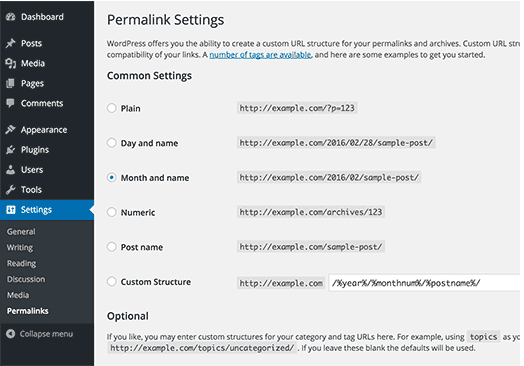
3. Choose an option
Here are the different choices you’ll have and what they mean:
- Plain — What you want to ignore if you’re looking for maximum SEO value. It’s the post identification number, with no other information. If you are blogging for no audience in mind, sticking with this method is a good idea.
- Day and name — This option sets up the slug to be the day the post went live and the name of your post. A good reason to use this is if you have multiple posts of the same name, but want the differentiator to be the date it was posted.
- Month and name — The same as the previous option, this time with the month being displayed. If you have a monthly column, such as a “Favorites” or something similar, this is a great option.
- Numeric — Numeric is another choice that’s safe to ignore, as this structure is all numbers and provides little SEO value. If you are archiving posts numerically, as a way to look back and see previous posts, numeric is the choice for you.
- Post name — Choosing this route is an okay method for SEO, but not the best, as Google likes to focus on strictly keywords when ranking posts. This setting is good if coming up with catchy titles is part of your niche.
4. Custom structure
The last option, “Custom Structure,” is what you’d use for a structure that will automatically set the permalink for you.
For example, if you wanted to set the structure to be the year of the publish date followed by the post name, here’s what you would put in the box:
/archives/%year%postname%/
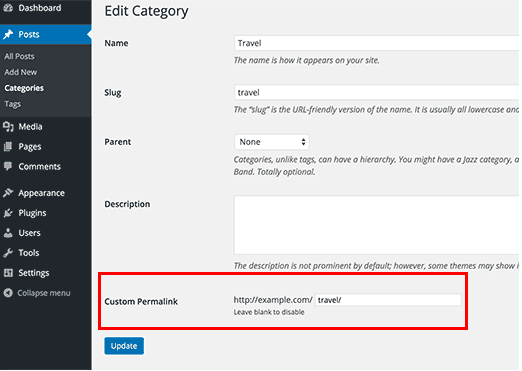
Each custom structure is separated by a backslash, and each tag starts with the percent sign. WordPress has a list of all of the structure tag options available to you, some options include author, hour, and category.
When creating permalinks, the main thing to keep in mind is focusing on keywords. They’re the virtual key (pun intended) to making sure your content is found by the people you want to reach. They make your URLs look clean and raise your engine ranking.
For more information on how to become a master at keywords, check out our guide for beginners here.

The Ultimate Guide to Creating Compelling Webinars
Have you ever considered holding a unique and fun business event for your target audience and customers? An event with engaging content, interactive exercises, and networking — all with the potential of improving your brand awareness, converting more leads into paying customers, and boosting revenue?
While the idea for and potential results of this event are great, you also may have thought, “… it’s impossible to host this event — our base of customers, colleagues, and members of our professional networks are spread out all over the world.”
What if I told you that you can host this event and do so live with all of these people who are critical to your business’s success included?
You just need to host your event via webinar.
What is a webinar?
A webinar is an online video presentation, seminar, lecture, or workshop delivered via the internet. Typically, webinars are shared live, or in real-time, but they can also be recorded before being shared with audience members. Whether or not a webinar is live, it must include an interactive element that allows viewers to participate, ask questions, make comments, or collaborate with the presenters and/ or hosts.
Let’s review the typical anatomy of a webinar.
Elements of a Webinar
- Main event
- Host and presenter(s)
- Attendees
- Desktop computer or laptop with a camera and microphone
- Presentation (usually in the form of slides)
- Interactive element for attendees to participate in (e.g. survey, poll, or discussion)
- Webinar software (we’ll review some of these options shortly)
What is the purpose of a webinar?
Webinars provide businesses with a way to host a digital, interactive event for members of their target audience and customers, no matter their location. Webinars can be used to boost conversions, improve brand awareness, increase revenue, and establish yourself as an expert in your field.
Webinar Benefits
Webinars are an effective way of reaching many members of your target audience at once through an engaging event that doesn’t require anyone to be in the same location. You can also include a variety of presentation features in your live or pre-recorded webinar — such as drawing tools, interactive activities, slides, surveys, chat, and more — to enhance the event.
Webinars are also budget-friendly. Think about it this way: If you’re hosting an in-person event for your target audience and customers, you’ll likely have to rent out space, order food and drinks, purchase presentation equipment, and more. If you have this event catered, you might need to organize wait staff and pay for clean up, too. Meanwhile, webinars are low cost and can even be hosted for free.
Let’s look at some more advantages to webinars: They …
- … demonstrate features of and updates to your product or service.
- … educate attendees on how your product or service meets their needs and solves their pain points.
- … instruct audience members on how to use your product or service (this may include teacher-led training sessions)..
- … establish your business as an industry authority.
- … increase conversions and boost revenue.
- … improve brand awareness among your target audience members and buyer personas.
You now have a general understanding of what a webinar is, why they’re useful, and the advantages they bring to the table. Now, let’s review how they work.
Whether or not your webinar is live, it should always be recorded. This way, you’ll have the recording for your files, future reference, and your website since webinars are often an excellent source of evergreen content. As you host more events, share your evergreen webinar content via a resource library — similar to HubSpot’s Free Webinars library — on your website. Your site visitors, loyal customers, and team members will be able to easily reference your webinars in a central location.
Whether live or pre-recorded, you’re probably wondering how to record your webinar — let’s cover that next.
Speaking of webinar software, let’s look at some of your options. Your software is how you’ll host the event, share it with attendees, analyze its performance, and more.
Webinar Software
Webinar software offers features that streamline all aspects of hosting your event. There are many webinar software options available with a range of features and pricing options. Here are four options to get you started.
1. GoToWebinar
GoToWebinar simplifies your event planning, promotion, engagement, and reporting. The software provides several webinar templates, custom registration, different presenter webcams, interactive surveys and polls, source tracking, and webinar analytics.
Note: GoToWebinar integrates with your HubSpot CRM.
Cost: GoToWebinar offers three plans starting at $89 per month.
2. ClickMeeting Webinars
ClickMeeting makes hosting and sharing your live or pre-recorded events easy no matter your webinar format (e.g. conference, group discussion, Q&A, or product demos). The software includes a feature to live stream your event via Facebook or Youtube to expand your audience.
Note: ClickMeeting Webinars integrates with your HubSpot CRM.
Cost: ClickMeeting is free for your first 30 days, and then you can choose to upgrade to one of their three paid options, which start at $25 per month.
3. Zoom
Depending on the Zoom plan you choose, you can share your webinar with over 10,000 people at once. The software offers HD video and audio, live broadcasting features, reporting, and analytics. There are also various participant engagement tools such as chat, attendee-raise-hand, and polling to ensure your webinar is interactive.
Note: Zoom integrates with your HubSpot CRM.
Cost: Zoom has a freemium option in which you can host a discussion-based webinar event where everyone can see and interact with each other. If you choose one of their paid options, which start at $14.99 per month, you can host your webinar in any format (e.g. lecture-based, single presenter, or multi-presenter).
4. EasyWebinar
EasyWebinar is a great option for anyone new to the world of webinars because the software has users work through a five-step campaign process to ensure event success. It includes customer tracking tools to learn more about who your attendees are and why your content is relevant to them. EasyWebinar integrates with WordPress and YouTube so you can expand your reach among your target audience and current customers.
Cost: There are three tiers of EasyWebinar which start at $78 per month.
How to Host a Webinar for Free
To host a webinar — and do so for free — you’ll need to combine all of the elements we’ve reviewed above. You might think about the following five steps to hosting a webinar for free as your webinar strategy.
1. Choose free webinar software.
The first step in hosting your webinar requires you to choose software that suits your specific needs. We reviewed some popular examples above, but for more options that are easier on your budget, take a look at these free webinar tools.
2. Invite your target audience to register for and attend your event.
It’s time to invite people to register for and attend your webinar. When you invite these members of your contact list and network to register, likely via email, clearly indicate the date and time of your event. This way they’ll know if they’re available or if they need to make time on their calendars to attend.
3. Send a confirmation email to anyone who’s registered to attend.
Next, confirm webinar registration is complete for each attendee who has signed up. You might do this by sending registrants to a new landing page with their confirmation details. Another option is to send a follow-up email to attendees shortly after they complete registration.
Either way, include details in your confirmation message about the equipment needed to participate in your webinar such as a laptop with stable Wi-Fi, speakers, a microphone, and a camera. You can also provide information about your presenters or the interactive element of the webinar to get attendees excited.
4. Provide a link for attendees to “Join” if the webinar is live or “Watch” if it’s pre-recorded.
One of the most important things you do pre-webinar is provide clear directions on how your attendees will join or watch the event. For example, you may include a link to Join or Watch your webinar on the confirmation landing page or in the follow-up email we mentioned above.
5. Set expectations for webinar participation.
Again, webinars must be interactive in some way. Set these expectations early on, and have your presenters reiterate them at the beginning of the event, so everyone is on the same page. If your event is live, facilitate participation and discussion throughout the event or set aside time for discussion and Q&A at the end.
If your event is pre-recorded, set a window of time after the webinar has been shared for attendees to send in questions. Then, presenters can either record or type their responses and send them back to the corresponding attendee.
6. Host the webinar, and follow up with attendees afterward.
It’s time to host your event! Explain the agenda to attendees at the beginning of the webinar so they know what to expect. (This is also a great time to reiterate those expectations for participation we mentioned above.)
Don’t forget to review all other details, like follow-up communication, any further inquiries, future webinars you’re hosting, and how attendees can learn more about your business. Feel free to email this information to your attendee contact list post-webinar so they can review it in greater detail later on.
Webinar Best Practices
Finally, let’s cover some webinar tips and best practices so your event is sure to be a success.
- Choose an intriguing, personable, and qualified presenter(s) to get your audience excited about attending and to hold their attention throughout the event.
- Determine whether the webinar is going to be live or pre-recorded based on factors such as topic, presenters, industry, and audience.
- Invite members of your target audience and your buyer personas to register (this will ensure your webinar content is shared with people it’ll be relevant and valuable to).
- Clearly set and share the event’s date, time, and other logistics so attendees can log on, view, and participate without experiencing any roadblocks.
- Stick to one major topic per webinar to avoid confusion and keep attendees engaged.
- Establish a format for the webinar (e.g. panel, FAQ, single or multi-presenter, demonstration, interview, or discussion).
- Complete a dry run (or several) before going live or recording the webinar.
- Find the right webinar software for your specific business needs.
- Allow ample time for attendee participation.
- Record and save your webinar —whether or not it’s shared live — to your webinar library.
Reach Your Target Audience With Webinars
Webinars have the power to propel you towards becoming a thought-leader and expert in your industry. They can also help you improve brand awareness, reach your target audience and buyer personas, and boost conversions. Determine which webinar software is right for your business, keep the best practices we reviewed in mind, and begin hosting your online events.

How We Grew Our HubSpot Academy Instagram Conversions by 475% for Only $6 per Month
Instagram allows brands to reach a massive global and engaged audience, humanize their content, showcase their products or services, and inspire their fans.
Over one billion people use the app monthly, and more than half log in daily. The facts are there: Instagram can be a key driver to business growth.
I’m on the HubSpot Academy Team at HubSpot, and not only have we read up on the facts, but we also teach them. Last January, we launched a new course on Instagram Marketing, where we brought together internal and industry experts to teach 10,000+ businesses how to develop an end-to-end Instagram marketing strategy for their businesses.
So, we’ve done the research and we have the internal expertise — there was just one problem: We weren’t practicing what we taught. Our HubSpot Academy Instagram had been laying dormant for months and didn’t have a clear strategy or owner.
We knew that we owed it to our community and to ourselves to fix this.
Why Instagram?
Despite its growing popularity, we know Instagram isn’t for every business. So, we made a list of why we thought that investing resources into growing the HubSpot Academy Instagram channel made sense for the HubSpot brand. Here’s what we found.
1. The fans are on Instagram.
HubSpot Academy, as a brand, has an amazing fanbase. Our growing audience loves learning from us and is proud of what they’ve been able to accomplish in their careers with HubSpot Academy.
If we created Instagram content that delighted our audience, we’d likely be able to bring that energy to that platform, too. Plus, our Instagram Marketing Course received great feedback — indicating that, if our audience wanted to learn how to create an Instagram strategy for themselves, it was very likely that they were on the channel themselves.
2. Instagram could help us reach our goals.
My job is to grow our HubSpot Academy community. While Instagram isn’t inherently set up as an acquisition channel (as there’s nowhere to link except for in the bio — unless you have 10,000 fans and can use the “Swipe Up” feature on Instagram Stories), there were acquisition opportunities that we weren’t yet testing or leveraging.
3. Our content worked for Instagram.
The HubSpot Academy courses are filled with actionable and visual content that would work well for the platform. We figured: If our audience didn’t have time to take a full course right now, why not learn part of a lesson while they’re scrolling Instagram?
How We Doubled the Size of HubSpot Academy’s Instagram Account for $6 Per Month
The next step to growing the HubSpot Academy Instagram account was coming up with a plan. Starting in April 2019, I set out to answer the question: “Does growing our Instagram following make enough of a positive impact on our goals to justify the amount of time that goes into running the channel?”
I then determined how many new followers (~10,000 — we wanted access to the “Swipe Up” feature!) and new HubSpot Academy learners we’d have to drive through the channel to make it worth our time.
Here’s how I set out to grow the channel.
- I established a consistent posting cadence. We only wanted to allocate two hours to content creation and scheduling per week, which resulted into two to three posts per week. (If we had more resources, we would increase this cadence to four to five times per week.)
- I added some variety to our editorial calendar. Prior to this project, we were just sharing content that highlighted HubSpot Academy culture. Now, we have expanded our content to include short video snippets of lessons, graphics announcing our new courses, educational tips from courses, and quotes from HubSpot Academy professors.
- I optimized our look and feel. By leveraging Canva, we can easily access our brand fonts and colors to create cohesive images.
- Most importantly, we added more links to our Instagram bio. Linktree, a “link in bio” solution, provided a link that allowed our audience to seamlessly go from Instagram to HubSpot Academy. Linktree gives Instagram accounts the ability to list out as many links as they want in their bios. Now, whenever we post about a course, we add it to our Linktree list and let users know they can find the course by clicking the link in our bio.
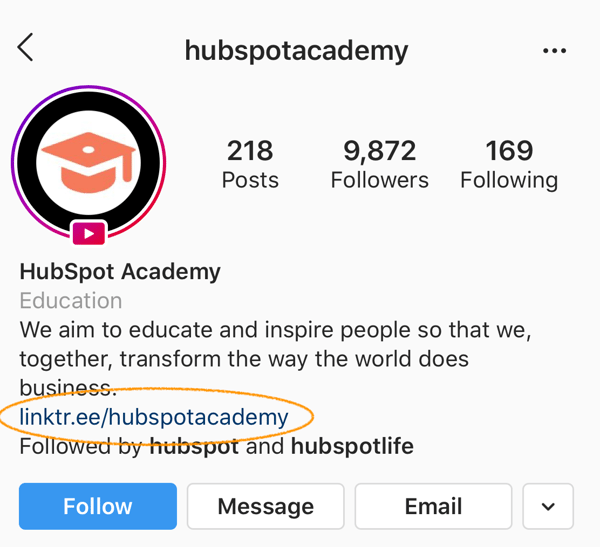
This is where the $6 per month came in — to be able to brand our Linktree account with our Academy logo and HubSpot colors. I’d say it was worth it.
What’s Next for HubSpot Academy’s Instagram
Since launching this experiment in April, we’ve seen 17% month-over-month follower growth, and we’re on track to hit our goal of 10,000 followers well before the end of 2019.
We’ve also increased the amount of new HubSpot Academy learners coming from Instagram by 475%. Since we are solving for both the customer and the business, we have decided that: Yes, Instagram is worth the investment for HubSpot Academy.
Here are some next steps we hope to introduce in 2020 and beyond:
- Start leveraging Instagram Stories more — especially when we can start linking out to content once we hit 10,000 followers.
- We have begun hosting quarterly Instagram Lives with our Academy Professors, and we’d love to increase the cadence to make it a monthly show for our audience to stay up to date.
- Right now, we’ve only been posting organically on Instagram, but we see an opportunity in paying to boost our most successful posts to reach a larger audience and continue to grow our community of learners.
If you are wondering whether or not you can implement the same Instagram strategies for your business, the answer is a resounding “Yes!” First, determine that it makes sense for your brand to be on Instagram. Then, check out the strategies in our free HubSpot Academy Instagram Marketing Course — we leveraged these for our own Instagram using low-cost or free tools like Canva and LinkTree.
Ultimately, we hit our goals without spending a lot of money, but it does take a good amount of resources to restart and maintain an Instagram channel. We recommend finding a social scheduling tool, like HubSpot, to help alleviate the time it takes to publish on a consistent basis. Happy ‘gramming!

The Anatomy of a Perfect Podcast Episode, According to HubSpot’s Podcast Expert
Over the past few years, podcasts have undeniably risen in popularity. In fact, almost a quarter of all Americans listen to a podcast each week — for reference, that’s nearly four times the amount of people who watched the Game of Thrones final season premiere.
But, ultimately, what makes a good podcast episode?
Why do some episodes leave a lasting impact on us, while others fall flat?
There’s no science to creating the perfect podcast episode, but we can still dissect the decisions producers make that result in a memorable podcast.
As HubSpot’s Senior Marketing Manager of Podcasts, as well as host of HubSpot’s podcast Weird Work, I’m undeniably familiar with the trials and tribulations of creating a good episode, and a good series.
Here, I’m going to share with you what I’ve learned about the anatomy of a perfect podcast episode, so you can create a successful, impactful podcast for your own brand.
To Edit … or Not to Edit
Many incredibly successful podcasters have mastered the art of unscripted and unedited interviews — but far more people have tried and failed miserably.
While unedited podcasts can sound authentic and personal, they can also sound like long-winded freewheeling conversations that go nowhere.
A good, unedited podcast minimizes dead air by seamlessly moving from one topic to another and keeping the conversation lively over an extended period of time.
It’s important to note — if you’re not going to edit your podcast episodes, the host needs to do an enormous amount of research on each guest or topic to ensure they aren’t scrambling for what to say next.
During really successful unedited interviews, the host will often reference articles the guests have written, critical responses to guest views, or personal stories.
For a masterclass in interview-prep, check out this interview with actor Shia LaBeouf on the YouTube series Hot Ones. The host has clearly done an enormous amount of research, which enables him to pull all the most interesting tidbits out of LaBeouf.
A good, unscripted podcast is rarely a host simply asking a guest to explain something to them.
However, here at HubSpot, we lean towards editing. Editing allows us to shape the conversations to be more impactful without significantly altering the content of the conversation. Editing is being kind to your listener.
As Roman Mars, creator of 99% Invisible, says, “If you have 100,000 listeners and you edit out one useless minute, you are saving 100,000 wasted minutes in the world. You’re practically a hero.”
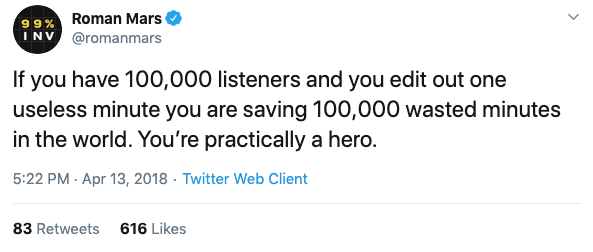
Hook ‘Em
The first few minutes of a podcast is the most important part of an episode. It lets listeners know what the episode is going to be about, and piques their interest.
There are many people who use the introduction to do absolutely nothing useful for the listener. Listing what episode number it is or doing general housekeeping only detracts from your goal of getting the listener interested in the rest of the episode.
One of the most powerful introductions I’ve heard recently is from 1619: How The Bad Blood Started. The episode starts out with a heart-wrenching story of how one woman’s uncle got sick and refused to get treatment. He ended up getting treatment, but ultimately received it a little too late. The episode is more broadly about healthcare for African Americans after the Civil War, and how it impacts healthcare today.
Ultimately, your introduction doesn’t need to have anything to do with your episode, as long as it hooks the listener.
For example, one of my favorite podcasts, Heavyweight, starts each episode with its host Jonathan Goldstein calling his best friend Jackie and inevitably getting hung up on because of something he says. It’s a very light, fun way to open each episode and it’s something I look forward to as a listener.
A Good Podcast Episode is Focused!
When you’re thinking about creating an episode, you want to be able to easily articulate what the episode is about. This sounds simple, but it’s easier said than done.
Many episodes are about “lots of things” and touch on “many different themes”. This is all well and good, but producers still need to succinctly explain what the story is about.
The book Out on the Wire: Story Secrets From the New Masters of Radio offers an excellent explanation of “focus sentences”. These are Mad Libs style fill-in-the-blanks that you should filter your episode content through to see if you have a good story.
Here are three example focus sentences:
Once you have a focus for your episodes, the next step is ensuring you have the right pieces in place.
Let’s explore those pieces, now.
The Pieces of a Good Episode
Hats off to Alli Torban, a podcaster and data analyst who evaluated the top two podcasts for every category in iTunes to identify the patterns of a successful episode.
One of Torban’s findings was this: good podcast episodes are a mix of educational, entertaining, and inspirational content that is arranged in a different way for each episode.
On my show Weird Work, an interview podcast in which we talk with people who have unusual occupations, all episodes contain three pieces:
- Nuts & Bolts (educational) where we explain the in’s and out’s of someone’s unusual occupation.
- Personal story (entertaining) where we talk about how someone got into the bizarre field they are in.
- Big idea (inspiration), this is where we discuss an overarching concept behind their work (like discussing the appeal of knighthood in the modern era with the head knight of Medieval Times).
The order of these pieces varies from episode to episode. Some episodes open with the big idea hooking the listener, or an interesting concept to consider. Other episodes may follow a more linear path by talking about the guest’s personal story, the work they are in now, and the implications of that work on a larger scale.
There is no award-winning pattern for how to arrange your content. How you structure your episode is going to depend on the story you want to tell. Laura Walker, former head of WNYC studios, said it best at the Podcast Movement conference in Orlando when she said — “Podcasts need to motivate you to think differently.”
If your episode is arranged in a way that motivates a shift in the way your listener sees the world, it will be a success.
All the Garnish, Please
If making a podcast episode is like cooking a meal, then sound design and music are the toppings and garnish that makes all the difference.
Let’s start with the basics — like, What is sound design? Sound design is anything you are doing to manipulate the way your content sounds. Sound design in podcasting can be any sort of music that plays while someone is talking.
Sound design can also be an alteration to the way people are speaking to help set the scene.
Just think how dull a horror movie would be without those ominous tones.
If you’re interested in exploring the importance of sound design, take a listen to the podcast Twenty Thousand Hertz. The show is all about the world’s most iconic sounds, produced by sound design studio Defacto Sounds. It’s truly incredible insight into the world of sound and the impact it has on our lives.
How Long Should Your Episode Be?
There is no ideal length for a podcast episode. It all depends on the content you’re creating and the type of show you’re producing.
In this incredibly in-depth analysis by Dan Mier of Pacific Content, he analyzed the average length of episodes over time:

This analysis provides some interesting insights — for instance, it demonstrates the average podcast is actually quite long, compared to other forms of media. Business podcasts tend to be shorter than several other podcasts, but there is nothing to indicate that shorter podcasts are destined to be more successful.
However, it’s still important to note — listeners can get bored easily. While there is no set number that is ideal for the length of a specific episode, try to make something that does not drag or waste listeners’ time.
At HubSpot, we try to keep ourselves within a general range of 20 to 40 minutes per episode for The Growth Show and Weird Work. Additionally, in our new season of Skill Up, we are going to be experimenting with much shorter episodes, around 10 minutes.
Ultimately, podcasts are still evolving. What worked yesterday may not work as well today, and what never caught on a few years ago may be the next big thing.
At the end of the day, you shouldn’t feel trapped by a format or set of guidelines. Instead, you should think about the unique story you want to tell and your unique angle on that story. The content should entertain, educate, and inspire in a reasonable amount of time.
Just remember — the perfect podcast episode will make your listener think differently about a topic. However that happens is up to you.
