
Welcome to My Blog
Social Media Marketing: The Ultimate Guide
As I scroll through my Instagram feed every day (cough, cough…multiple times a day), I consistently notice new posts and stories by The Frye Company. I’ve always been a fan of their boots, clothing, and accessories, but I also love the content they share on their Instagram profile.
Their posts are on-brand, creative, and aesthetically pleasing. All of their photos have the same filter on them to ensure they match — this makes their Instagram profile look professional, artistic, and organized when visitors, like myself, browse their page. Frye’s Instagram account also encourages interaction between the company and their followers by providing them with a specific hashtag to use so they can be featured on the account when they post a photo with a Frye product.
Frye’s Instagram account is a great example of successful social media marketing — it’s attractive, distinctly Frye, engages their 197K followers, and promotes their products.
But why is social media marketing so important? Why should you spend time creating social media accounts for your business? And how do you actually build a social media marketing strategy that’ll work for your specific type of business?
In this guide, we’ll cover the answers to all of these questions — but first, let’s define social media marketing.
Benefits of Social Media Marketing
There are a variety of reasons why your company should use social media marketing, but we’ve created a list of four of the most beneficial reasons to consider.
Let’s dive in.
1. Increase Brand Awareness
In 2018, there were over 3.2 billion people on social media globally. Due to the sheer amount of people on social media, you can see why ensuring your business is sharing content related to your products as well as details about your company via a platform or two has the potential to help you improve brand awareness.
In fact, social media has been proven to boost brand awareness by driving up engagement. Social engagement includes things like comments, likes, shares, and re-posts. Social media also helps you increase brand awareness by directing traffic straight to your site. You can do this by including direct links to your website in your profile, bio, and posts.
2. Generate Leads and Boost Conversions
Promoting and sharing your products on social media is a simple way to improve lead generation, boost conversions, and increase sales because you’re advertising to people who have opted engaging with you by following your account.
Here are some examples of ways you can use social media to generate more leads:
- Create contests for your visitors and followers to participate in on your social media profiles.
- Include links to your website and offers in the bio sections of your profiles.
- Host live videos to make announcements about products and provide updates or details about exciting news at your company.
- Implement a social media marketing campaign on one of your channels.
- Sell your products through your social profiles. For example, you can enable Facebook’s Shop Section or Instagram’s Shopping feature on your profiles. These features allow your visitors and followers to click on products you’ve shared in posts to view information such as price, material, and size. Then, visitors can easily proceed to checkout through the platform and buy the product directly from you.
3. Foster Relationships With Customers
By connecting and engaging with your social media followers, you’ll be able to build lasting relationships between them and your business. You can do this by interacting with them on your posts, responding to their questions and comments, and providing them with any help they may need. You can also ask your followers questions about your products, their pain points, or create giveaways to help you build trust and show them how much you value their input and support.
4. Learn From Competitors
Social media is a great way to keep tabs on your competitors — whether that’s in reference to their social media tactics, the products they’re promoting, the campaigns they’re implementing, or their level of interaction with followers.
Social media allows you to get a look at what is and isn’t working for your competition, and therefore helps you decide what should or shouldn’t change in terms of your company’s approach. Lastly, reviewing the social accounts of your competitors can help you make sure your marketing stands out and is unique to your brand.
Learn how to conduct a competitive analysis to discover how you can beat the competition.
Now, let’s talk strategy — there are five steps to ensure your social media marketing plan is sustainable and positively impacts your business.
Let’s cover these steps in more detail so you can begin applying them to your business.
1. Research your buyer personas and audience.
The first step to creating a social media marketing strategy is to determine who your buyer personas and audience are so you can target their needs and interests appropriately. To do this, think about the people you’re trying to reach and why, and how you would classify them as a group. For example, if your company sells trendy leggings and joggers, you might classify your target audience as millennials who like to wear stylish athletic apparel regularly — a style known as athleisure.
By considering your buyer personas and audience, you’ll then be able to determine what content will attract the type followers and customers you hope to gain and how you can create engaging content to keep your followers interested.
2. Determine which social platforms you’ll market on.
As a social media marketer, it’s crucial you determine which platforms you’re going to share your content on. There’s not necessarily a right or wrong answer when it comes to which social channels your business should use — it’s more about the needs of your target audience and where they tend to spend their time.
“It’s important to be where your audience of potential customers is today, and where they might be tomorrow. It’s better to be ahead of the curve than behind.” — Andrew Delaney, Social Media Marketing Manager at HubSpot
For example, if you are going for that target audience of athleisure-loving millennials, you may want to focus the majority of your social media efforts on Instagram — this is because millennials cover the largest portion of users on the platform.
Other examples of social media platforms you may choose to incorporate in your strategy include:
- Snapchat: Generation Z makes up the largest portion of the 300 million users.
- Facebook: Millenials make up the largest portion of the 2.2 billion users.
- Youtube: Millennials, closely followed by Generation Z, make up the largest portion of the 1.9 billion users.
- Twitter: Millennials make up the largest portion of the 335 million users.
- Pinterest: Older millennials and younger baby boomers make up the largest portion of 250 million users.
Discover how a social media strategy kit can help you improve your presence across all channels.
To help you choose the right platform or platforms for your specific type of business, buyer personas, and target audience, consider the differences between social media channels so you can make an educated decision.
3. Create unique and engaging content.
With the billions of social media users around the globe, there’s no question that at least some of your followers — or the people browsing your profile — have also seen your competitor’s content or that of other businesses in your industry. That’s why it’s crucial that you have engaging social media content that stands out and provides viewers with a reason to click that “Follow” button and interact with your brand.
To help you get creative, consider the content your competitors are sharing and how you can uniquely promote your products. Also, take advantage of the features offered by the platform you’re using. For example, you can create live videos on Facebook to share the latest details about a product launch or conduct a giveaway.
Lastly, use your current customers and promoters to help you generate content. You can do this by re-posting their content or encouraging them to use a hashtag to share their own experiences and pictures with your products (similar to Frye’s Instagram hashtag that I mentioned earlier).
4. Organize a schedule for your posts.
One of the easiest ways to ensure your content is shared as planned is to use a social media management solution. These tools allow you to write captions, prepare pictures and videos, and schedule posts in advance. They also automatically share your content on schedule and monitor all post interactions and engagement for you. Social media management solutions save you time and allow you to focus on your other tasks.
There are a number of solution options available — here are a few examples.
1. Sprout Social
Sprout Social is a social media marketing and management solution designed to help your team organize and plan content creation, manage campaigns, understand engagement, and review content reports and analysis.
2. HubSpot
HubSpot offers a social media tool — as part of the Marketing software — to help you publish and monitor your content and create real connections with your followers. You can schedule and publish your content in advance and compare in-depth reports on your posts’ engagement to understand the performance of various platforms, types of content, and posting times.
3. Hootsuite
Hootsuite is a social media management platform for finding, scheduling, managing, and reporting on your content. You can schedule posts in advance on all of your channels at once and measure your ROI with a comprehensive content analysis.
How often should you post on social media?
Now, you might be wondering how often you should post content on your social media channels.
As a rule of thumb, you should only post on social when you have quality content to share. Meaning, there’s a reason you’re posting the content. This is how you’ll strike the right balance when it comes to your posting frequency. If you post too infrequently, you’re bound to be forgotten by your followers. If you post too frequently, you’ll likely become annoying to your followers. Both situations could potentially lead to a loss in followers and a decrease in engagement.
To avoid this, there are plenty of studies and resources available explaining social media post frequency standards by industry and platform for you to follow. Every business is different, so find what works for your audience. Then, you can begin experimenting with more or fewer posts, as well as other factors such as the time of day you’re posting on social, to determine what provides the highest level of engagement.
5. Analyze your impact and results.
One of the most important aspects of social media marketing is ensuring your efforts are successful in helping you meet your goals. To determine this, you’ll need to keep track of all of your posts, on every channel. You can do this by reviewing and managing your social media metrics.
Social Media Metrics
Social media metrics are data related to the success of your posts and your impact on your audience and customers on various platforms. These metrics may include data about your level of engagement, likes, follows, shares, and all other interactions on each platform.
Here are 10 of the most important metrics for you to track:
- Engagement: This includes clicks, comments, likes, and replies on your social media posts. There are also platform-specific types of engagement such as “Saved” posts on Instagram and “Pinned” posts on Pinterest.
- Reach: The number of people who have seen any content associated with your page or profile is your reach.
- Followers: This is the amount of people you have on your profile who have clicked your “Follow” button and see your content in their feeds regularly.
- Impressions: This is the number of times a post from your profile or page is seen, whether or not your audience members click on it. This is often what happens when someone is scrolling through their newsfeed, but not clicking on anything.
- Video Views: On Facebook, Snapchat, Instagram, or any other social channel with video capabilities, this is the number of views each gets.
- Profile Visits: The number of people who have opened your social media page is your number of profile visits.
- Mentions: This is the number of times your profile has been mentioned by audience members in their posts.
- Tags: This is when your audience adds the name of your company’s profile or your hashtag to another post.
- Reposts: This is when a member of your audience posts a piece of your content on their profile.
- Shares: These are the posts your followers and audience take from your profile and share with their network.
You can influence all of these metrics, increase your social following, and improve overall engagement on your profile by using the same tactics you would to generate leads and boost conversions. You can also interact with your followers more frequently by talking to them, tagging them in content, responding to their questions, liking their posts, encouraging them to use your hashtags, and share your content (and you can also repost user-generated content).
How to Measure Social Media Metrics
You can review social media metrics in a variety of ways, For example, you can use the analytics tools built into the various platforms you use. Here are a few examples:
You might also choose to use an analytics and tracking tool such as Google Analytics. This is a great option if you want to track your social media and website metrics. Lastly, many social media scheduling solutions — as we reviewed earlier — have monitoring and tracking features automatically built in. All of these metrics tracking tools will give you a better understanding of what your followers and audience respond well to and what you should consider modifying to improve engagement.
Now that we’ve reviewed the benefits of social media marketing and how to build your strategy, let’s talk about the various resources available to help you along the way.
Social Media Marketing Resources
There are a plethora of social media marketing resources you can use to build a social strategy for your company. You’re bound to feel more confident about working on your company’s social media marketing initiative with the help of the following courses, trainings, and books.
Social Media Marketing Courses and Training
Here are three ways to earn an education in the field of social media marketing if you feel it’s necessary for your specific business situation.
1. Earn a degree.
Although there isn’t necessarily a “social media marketing degree” for undergraduates, there are online courses offered at a number of different schools and institutions you can take to earn a certificate, micromaster’s or master’s degree in the field.
2. Use an online learning website.
Lynda is another great educational resource. This online learning website offers trainings, tutorials, and courses on a wide variety of topics within the field of social media marketing.
3. Earn a certificate administered by a company.
You might choose to earn a certificate from a company — such as HubSpot’s social media certification. This free certification teaches you how to engage with your customers and improve conversions. You’ll also get a better understanding of how to develop your strategy, extend your reach, and measure your social media ROI.
Social Media Marketing Books
Reading relevant content about social media marketing is another great way to learn more about the field. Here are a few examples of some highly-regarded books on the topic.
1. Likable Social Media: How to Delight Your Customers, Create an Irresistible Brand, and Be Generally Amazing on Facebook by Dave Kerpen
This New York Times Bestseller covers the reasons why being likable and engaging with followers on social media is one of the most powerful ways to grow your base of customers and promoters. The book teaches you how to make impactful content for your followers to interact with and share with their networks. Author Dave Kerpen also describes why you need to ensure you’re consistently delighting your followers to avoid losing them at any point in time.
2.Jab, Jab, Jab, Right Hook: How to Tell Your Story in a Noisy Social World by Gary Vaynerchuk
According to author Gary Vaynerchuk, the key to social media marketing success isn’t about pushing out a lot of content — it’s about pushing out specific content tailored towards your target audience and using the right platform to do so.
In his book, Vaynerchuk covers how to do this as well as connect with your followers and customers on a deeper level through social media. You’ll learn how to create memorable and unique content that stands out in comparison to competition’s content.
3. The B2B Social Media Book: Become a Marketing Superstar by Generating Leads with Blogging, LinkedIn, Twitter, Facebook, Email, and More by Kipp Bodnar
HubSpot’s CMO, Kipp Bodnar, writes about the ways B2B businesses can generate more leads and conversions through social media marketing. There are actionable methods you can take to increase your base of followers and drive leads as well as understand the ROI of various B2B social media marketing strategies.
Start Marketing on Social Media
Considering there are billions of people on social media today, it’s easy to see why so many businesses and marketers use the channel to promote their products and engage with customers.
Although determining your company’s social media course of action may seem daunting, you can avoid feeling overwhelmed by understanding social media marketing trends and using some of the many resources available about the topic. So, start working on your business’ social media marketing strategy today to increase your number of followers, improve engagement, and boost conversions.

10 of the Most (& Least) Successful Brand Extensions to Inspire Your Own
After watching The Edge of Seventeen, a moving coming-of-age film starring Hailee Steinfeld as Nadine Franklin, a witty yet socially hopeless 17-year old girl who struggles to come to grips with her best (and only) friend dating her golden boy older brother, I was in awe of Steinfeld’s performance.
As fiery and smart as her character was, she was just as insecure and resentful, and the euphoric highs and heartbreaking lows she experienced throughout the movie triggered memories of the wholesome yet painfully awkward moments that high school was chock full of.
Steinfeld is one of the most talented young actresses in Hollywood today, earning a Golden Globe nomination for Best Actress for her performance in The Edge of Seventeen and even an Oscar nomination for Best Supporting Actress for her role in True Grit when she was only 13 years old.
But what amazes me about Steinfeld isn’t her acting prowess. It’s that she’s also just as accomplished as a singer. Steinfeld has collaborated with some of the most popular artists in the music industry, like Zedd, Florida Georgia Line, and Alesso, to produce three hit song that have all reached the Billboard Hot 100 record chart. After a quick search on Spotify, I even discovered that I had already saved these songs on a playlist — I had no idea she sang them.
Although Steinfeld is mostly known for her acting chops, her singing abilities bolster her esteem as a performer and stretch her brand and reach to more audiences and fans. And just like her venture into music, companies often extend their brand to develop new products in industries that they don’t have any market share in. These initiatives are called brand extensions, and they allow companies to leverage their brand awareness and equity to create more revenue streams.
What separates the best brand extensions from the worst?
Historically, the most successful brand extensions are the ones that closely tie to the company’s flagship product or core brand, like Gerber’s baby clothes and Dole’s frozen fruit bars. By entering tangential markets that can preserve their brand’s unique associations and perceived quality, companies can develop new products that consumers intuitively understand the benefits of, even though they’ve never seen them on a shelf.
On the flip side, a company can also exploit their brand, and, in turn, damage it. If they develop a product in a market that isn’t closely tied to their flagship product or core brand, like Zippo’s perfume for women, companies can attach undesirable associations to their brand, weaken its existing associations, and hurt its established products’ perceived quality.
So whether you’re a SaaS company or a consumer brand thinking about extending your product line, check out our list of the most and least successful brand extensions to help inspire your own.
Brand Extension Examples
- Reese’s Puffs Cereal
- Aunt Jemima’s Pancake and Waffle Syrup
- Colgate ‘sToothbrush
- Honda’s Lawn Mowers
- Sunkist’s Vitamin C Tablets
- Cadbury’s Instant Mashed Potatoes
- Levi’s Tailored Classics
- Pillsbury’s Frozen Microwave Popcorn
- Samsonite’s Outerwear
- Arm & Hammer’s Underarm Deodorant Spray
1. Reese’s Puffs Cereal (The Best)

Image Credit: General Mills
Reese’s Puffs was my favorite cereal growing up, so I might be a little biased here. But with all the chocolate-flavored cereal around in the mid-90s, Reese’s Peanut Butter Cup’s entrance into the cereal market was a smart and natural one.
Nowadays, with some aid from their advertising campaigns that highlight how kids can eat their favorite candy for breakfast, Reese’s Puffs has helped General Mills, its conglomerate, capture the second biggest slice of the cold cereal market share.
2. Aunt Jemima’s Pancake & Waffle Syrup (The Best)
-15.png?width=400&name=pasted%20image%200%20(1)-15.png)
Image Credit: Walgreens
Aunt Jemima’s pancake and waffle syrup might be the most successful example of a brand extension. Before I wrote this piece, I didn’t even know they started their company selling pancake mix. I honestly thought they only sold syrup.
When you think about it, they extended their brand to the most logical product category possible. I mean can you really eat pancakes or waffles without syrup? It was almost a necessity for Aunt Jemima to produce this complementary good for their flagship product.
3. Colgate’s Toothbrush (The Best)
-12.png?width=400&name=pasted%20image%200%20(2)-12.png)
Image Credit: Walgreens
Just like Aunt Jemima’s pancake mix and syrup, Colgate’s toothpaste and toothbrush are complementary goods. But unlike the former example, you literally need a toothbrush to use toothpaste. Otherwise, you can’t brush your teeth.
In my opinion, Colgate’s decision to enter the toothbrush market was a necessity and one of their best moves, helping them secure the third largest slice of the oral care market.
4. Honda’s Lawn Mowers (The Best)
-11.png?width=650&name=pasted%20image%200%20(3)-11.png)
Image Credit: Honda
Honda’s line of lawn mowers might not elicit the most enjoyable memories of my childhood, but their entrance and success in a saturated market speaks volumes for a company who is mostly known for selling cars.
By leveraging their expertise in small motors to enter the lawn mower market in 1978, they now boast the seventh largest slice of market share in the global lawn mower industry.
5. Sunkist’s Vitamin C Tablets (The Best)
-10.png?width=300&name=pasted%20image%200%20(4)-10.png)
Image Credit: Sunkist Vitamins
Featuring orange juice as their flagship product, Sunkist’s brand has associations with oranges, health, and energy. To both bolster and leverage this association at the same time, Sunkist produced vitamin c tablets that spawned an entire arm of business dedicated to vitamins and supplements.
6. Cadbury’s Instant Mashed Potatoes (The Worst)
-6.png?width=450&name=pasted%20image%200%20(5)-6.png)
Image Credit: Geek Goes Vintage
Cadbury is known for making high-end chocolate and candy, so when they started producing low-end food products, like instant mashed potatoes, it’s not surprising to learn that their association with the finest chocolates weakened.
Smash, their instant mashed potato brand, actually reached mainstream success, but it was at the expense of lowering their flagship product’s perceived quality. Cadbury eventually sold Smash in 1986, over 20 years after they introduced their instant mashed potatoes to the world.
7. Levi’s Tailored Classics (The Worst)

Image Credit: Pinterest
When Levi’s introduced their Tailored Classics in the early 1980s, they already owned a large share of their target market, so they wanted to enter some new markets to sustain their high growth rate.
One of these markets was men’s suits, but since their brand was heavily associated with a casual, rugged, and outdoorsy lifestyle, Levi’s new product line conflicted with their core identity and failed to catch on.
Consumers trusted Levi’s to produce durable clothing that could endure the wrath of mother nature, but, for that very reason, they didn’t trust them to produce high-end tailored suits.
8. Pillsbury’s Frozen Microwave Popcorn (The Worst)
-3.png?width=650&name=pasted%20image%200%20(6)-3.png)
Image Credit: YouTube
Even though Pillsbury is known for producing foodstuffs, their frozen microwave popcorn couldn’t compete with Orville Redenbacher or General Mills’ Pop Secret because their product positioning of being “frozen for freshness” didn’t offer enough value. Sure, sticking your popcorn in the freezer is convenient (I guess), but that benefit pales in comparison to enjoying a better-tasting popcorn.
9. Samsonite’s Outerwear (The Worst)
.png?width=500&name=pasted%20image%200%20(7).png)
Image Credit: Property Room
While Samsonite’s outwear is more fashionable than Levi’s Tailored Classics, it still suffers from the same exact problem as Levi’s failed product line — the brand extension doesn’t align with Samsonite’s core identity.
Samsonite is known for making high-end luggage, suitcases, and business bags. So unless they think their flagship product’s elegant traits can transfer to a completely unrelated product line, their venture into the clothing industry could diminish their brand equity. This is most likely the reason Samsonite doesn’t list their outerwear on their website anymore.
10. Arm & Hammer’s Underarm Deodorant Spray (The Worst)
.png?width=450&name=pasted%20image%200%20(8).png)
Image Credit: Target
Arm & Hammer has successfully extended its brand from a odor-neutralizing baking soda to laundry detergent, carpet deodorizer, and even cat litter. But one product line that isn’t the best fit for their brand is underarm deodorant spray. Applying a product that shares an ingredient with heavy-duty cleaning supplies to such a sensitive part of the body doesn’t jive well with consumers.

5 Ways to Figure Out What to Sell on Amazon
With nearly 50% of U.S. internet users starting their product searches on Amazon in 2018 (compared to just 35% who started on Google), it’s no wonder you want to sell a product on one of the internet’s most profitable sites.
But the wide assortment of products available on Amazon likely makes you apprehensive. Amazon sells over 12 million products — which products in particular are most likely to provide you with a high ROI? Clothing? Kitchen items? Cat-shaped socks … ?
Fortunately, choosing what to sell on Amazon, and how to sell it, isn’t as hard as you might think. In fact, most of your research can be done for free on the site itself.
To ensure you choose a low-risk, high-return product to sell on Amazon, we’ve created this guide — keep reading to learn about top selling items, what you should sell, and how to conduct research to ensure whatever you’re selling is a safe bet on the e-commerce giant.
Top Selling Items on Amazon
First, for inspiration, let’s take a look at some of the top-selling products on Amazon.
Amazon itself curates a list of current best-sellers, ranging from toys to books to video games — and the list is updated hourly. Here are some of the top picks of the moment:
1. Books
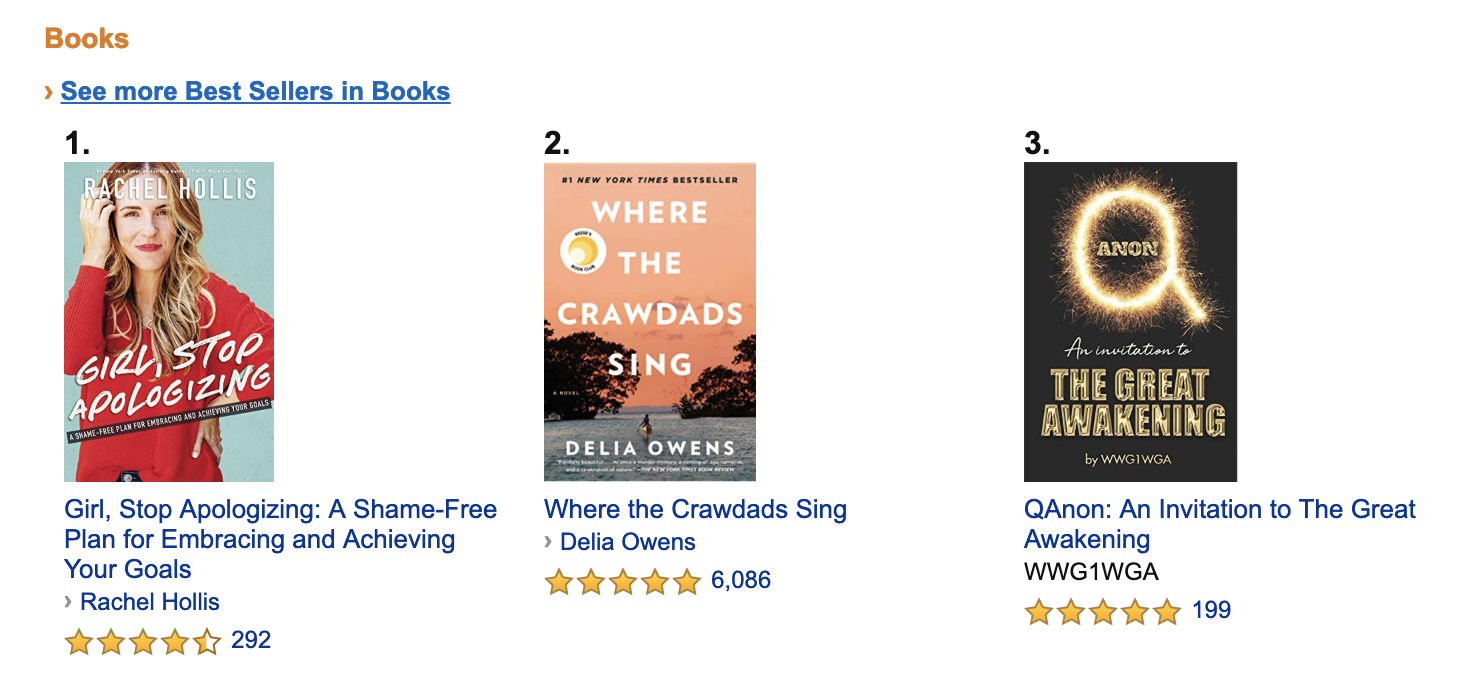
Books is an incredibly popular category on Amazon, particularly as physical book chains continue to go out of business. You’ll find new releases and best-sellers, as well as older classics, all typically on sale for less than $20. As a seller, books is a viable option because you can typically buy them in bulk and then sell them on Amazon for an impressive profit.
2. Clothing, Shoes & Jewelry

From exercise clothing to sunglasses to jewelry, the Clothing, Shoes & Jewelry category is undoubtedly a popular one — but it’s also oversaturated with items, so it’s critical you ensure you’re able to offer something unique, and for a good price. People don’t turn to Amazon for expensive brand items — instead, they look for the discounts. Right now, the top items are all below $17, and include a basic sleeveless tank top, blue-light blocking glasses, and high-waisted leggings in a range of 25 colors.
3. Electronics
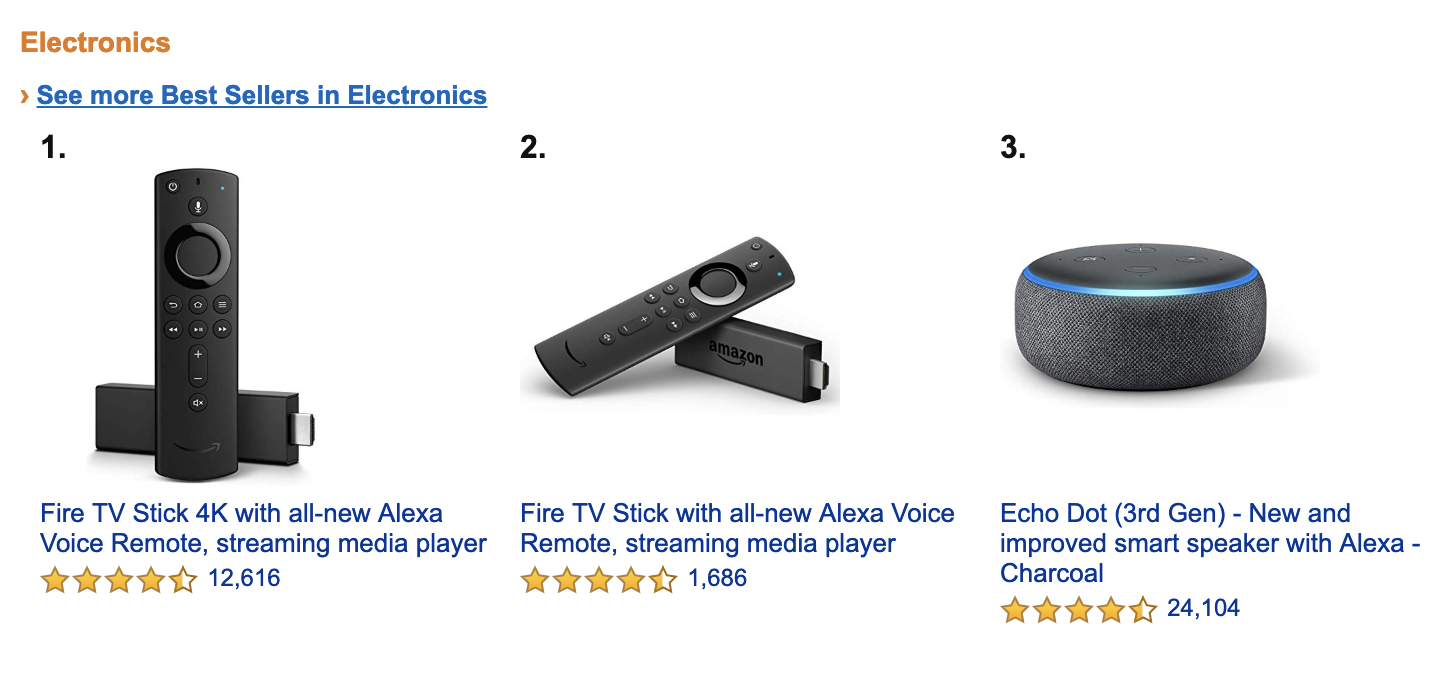
Electronics is another category on Amazon that displays impressive prices on some of the world’s most popular electronics, including a Fire TV Stick and an Echo Dot speaker with Alexa (both for under $50). Again, this is a promising category if you’re able to buy electronics in bulk.
4. Toys & Games
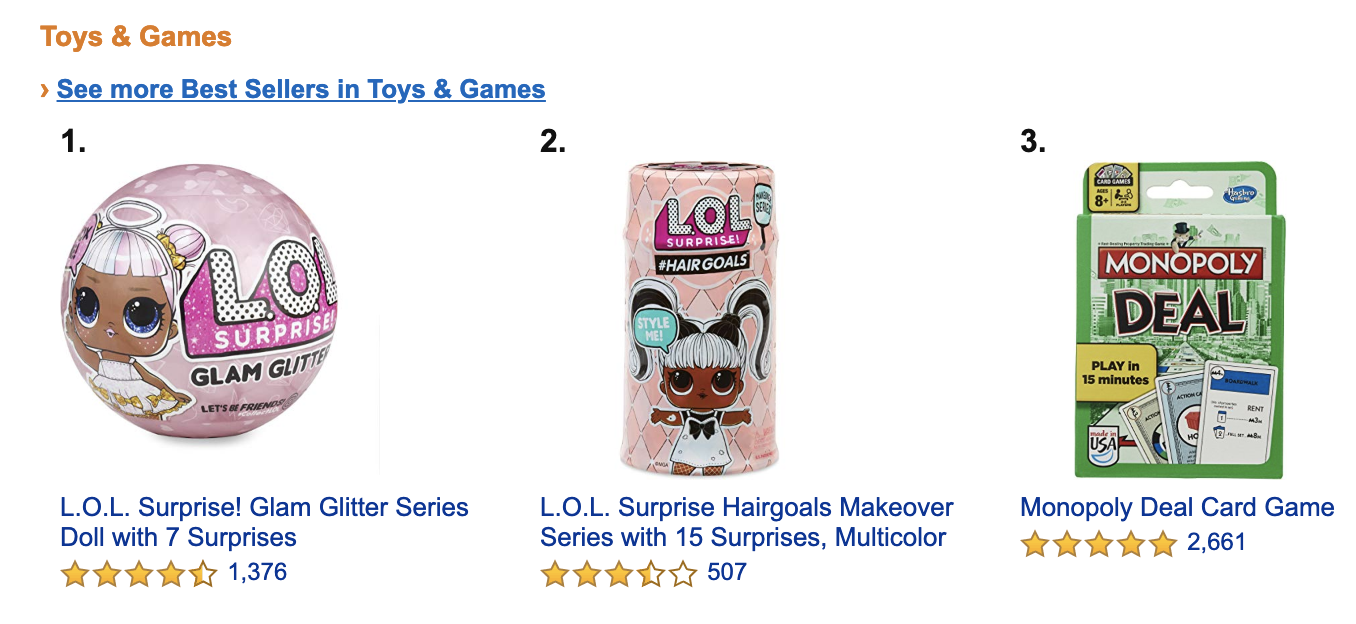
You might be surprised with the lack of sophistication of some of the top-selling games on Amazon — the third best-selling item, for instance, is a simple $6 deck of Monopoly Deal cards. Toys typically do well if they’re already popular, or if they’re offered in bulk — Play-Doh, for instance, is on the top-selling list in a 10-pack.
Along with individual items, you’ll also want to examine which categories perform best on Amazon. Here are three popular categories sold on Amazon and the Marketplace, in order of popularity:
- Home and kitchen — 64.3 million products sold
- Clothing, shoes and jewelry — 33.4 million products sold
- Tools and home improvement — 11.1 million products sold
Of course, like anything, the more popular the product category, the more intense the competition. It’s important you find your niche to ensure you’re not competing with the 300,000 other search results for “white t shirt”.
To narrow down your options, let’s explore how to know what to sell on Amazon.
How to Know What to Sell on Amazon
It’s important to note, you’ll want to do your research on shipping costs and Amazon seller fees, so you know how much you’ll need to spend depending on your item. This information can help you narrow your decision — for instance, a two-to-three pound item will be lightweight and easy to ship, which can help lower your shipping fees.
Along with weight, you’ll want to consider products that aren’t easily breakable when you’re transporting them.
Additionally, most products on Amazon vary between $10 and $50 — so you’ll want to choose items you can sell for relatively cheap, while still making a profit.
Once you’ve determined you’re willing to pay shipping costs — and that your product likely falls within a fair price range — here are five ways to figure out what to sell on Amazon:
1. Manually conduct research on Amazon.com.
To manually research popular products on Amazon — which can help you decide which product you want to sell — you’ll want to start with Amazon’s best-selling items in a certain category. Ideally, once you explore a category, and sub-categories, you’ll narrow down on a niche.
When you check out Amazon’s best-sellers list, you might also look at the “Customers also bought” section to get ideas for similar products.
Once you make a list of items, check Google keyword planner to see whether those products have search volume, which indicates a level of demand. Alternatively, you could use Sellerapp’s product intelligence tool specifically for Amazon. Sellerapp offers a seven-day free trial, which allows you to begin investigating popular products on Amazon via keywords to further narrow your list.
2. Use a chrome extension to research products in a niche market.
There are two popular chrome extensions to help you conduct keyword research on Amazon — Jungle Scout, which shows you monthly sales volumes on products, displays products with low competition, and allows you to save products to track them over time. Undoubtedly, Jungle Scout’s analytics can help you quickly and efficiently narrow down on a product or an industry in which you could excel. However, Jungle Scout is relatively pricey, particularly if you’re just starting out.
Unicorn Smasher is Jungle Scout’s free alternative — while the data isn’t as accurate as Jungle Scout, and it lacks some of Jungle Scout’s sophisticated features, it’s nonetheless a helpful free option to gather estimated monthly sales and estimated monthly sales revenue for Amazon products.
3. Find a gap in the market.
You might come across a gap on Amazon through simple organic search — for instance, when I search “women leggings” there are over 100,000 results, but when I search “cycling leggings women pink” there are only 1,000.
This is a simplified example, but sometimes you need to narrow down your product search to find a place to make an impact on Amazon. Plenty of people are already selling leggings, but there might be a certain style, color, or type of legging that is missing on the site.


Alternatively, you can find a gap in the market by reading customer reviews in your product market niche. Even if there are plenty of products similar to yours already, you might find that customers are unsatisfied by the current brands and want something you can provide.
4. Find products that don’t have too much competition.
If you’re trying to sell a product that currently has 100,000 search results, it’s likely going to be very difficult to stand out against the competition and achieve the sales you want. Fortunately, it’s relatively easy to find a niche within a larger market that has less competition, which ensures your product is more easily found by searchers — best of all, those searchers are likely more willing to buy your product, since they needed to search a more specific keyword.
For instance, let’s say you want to sell cookbooks. “Cookbooks”, as a search term, has over 70,000 results.
Alternatively, the search term “Cookbooks for instant pot cooking” has only 3,000 results. Not only is your product more likely to become a best-seller in this category, but it’s a more targeted keyword — if someone searches “Cookbooks” they could mean anything from “Kids cookbooks” to “Holidays cookbook”. If someone searches “Cookbooks for instant pot cooking”, however, they’re more likely to be satisfied with your product.
5. Search for categories with at least three results with Best Sellers Rank (BSR).
Amazon’s Best Sellers Rank (BSR) reflects both recent and historical sales of an item — so a high BSR indicates that the product is in-demand, which is critical. However, if you find just one product in a category has high BSR, and none of the other items are best-sellers, it’s not a good sign.
For instance, let’s say you want to sell sports products, but you find “soccer balls” has only one item with a high BSR. Upon further research, you find “basketballs” as a category has multiple best-selling products on the first page.
This is a good sign — it means there isn’t one “best” product, and demonstrates a user’s willingness to peruse different products before choosing one.
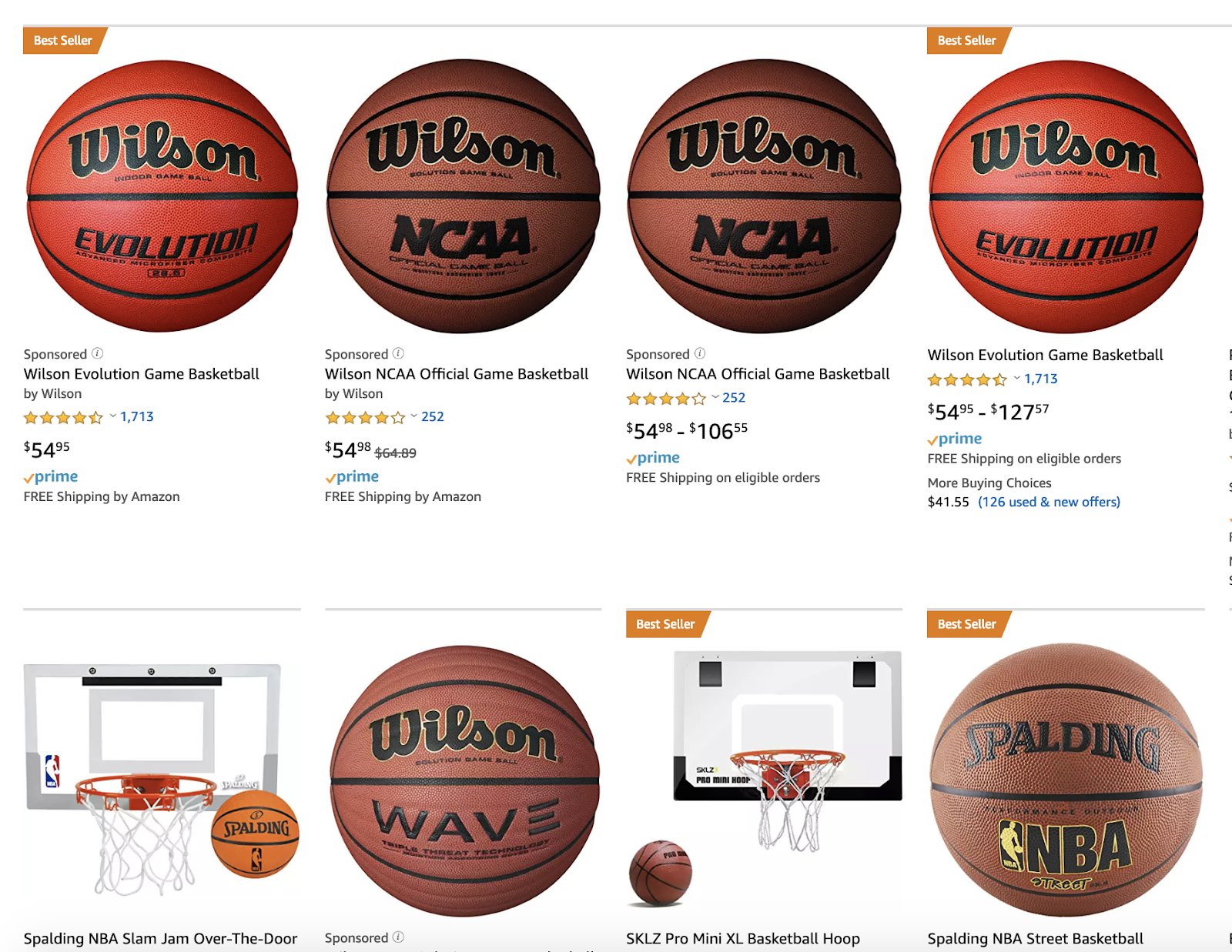
Ultimately, you want to see that a product has high BSR because it signifies a demand for that product — but you also want to see multiple items with high BSR in that category, which tells you that there’s still room for your product to succeed, as well.
What to Sell on Amazon
Undoubtedly, you can obtain an impressive profit from selling products on Amazon — but it’s critical you’re able to offer unique, budget-friendly products with minimal competition to truly succeed on the site.
Over-saturation on the platform proves it’s more difficult than ever to stand out, so it’s not smart to sell on Amazon for the sake of selling on Amazon. Instead, you want to ensure you’re truly able to offer something of value.
If you have a product in mind, follow the tips above to refine your strategy and find a niche segment within a larger demographic. If you don’t have a product in mind, start with the basics — what are the most-searched keywords on Amazon, and which products are most successful?
Once you have a list based on keyword research, consider similar products the user might find more compelling or useful than the ones currently listed on Amazon.
What does it cost to sell on Amazon
Amazon offers two selling plans — Professional and Individual. The Professional selling plan costs $39.99 per month, plus per-item selling fees, which vary by category. Alternatively, the Individual selling plan allows you to pay $0.99 per item sold plus other selling fees, which vary by category. The Individual selling plan doesn’t have a monthly subscription fee, so if you plan to sell less than 40 items, this is likely the smarter choice.

How to Improve Your Social Video Content: 10 Tips From the Pros
Want to create better social video content? Looking for tips and tools to try? In this article, 10 video experts share the tactics and tools they use to create successful video content. #1: Simplify Livestream Production Flow With Elgato Stream Deck One of my favorite live streaming tools is the Elgato Stream Deck, a video […]
The post How to Improve Your Social Video Content: 10 Tips From the Pros appeared first on Social Media Marketing | Social Media Examiner.
from Social Media Marketing | Social Media Examiner https://ift.tt/2XJ7Y3A
via socialmediaexaminer
Pinterest Catalogs and Shopping Ads Roll Out to More Businesses
Welcome to this week’s edition of the Social Media Marketing Talk Show, a news show for marketers who want to stay on the leading edge of social media. On this week’s Social Media Marketing Talk Show, we explore Pinterest Catalogs and Shopping Ads and new Twitter analytics tools with special guests Alisa Meredith and Madalyn […]
The post Pinterest Catalogs and Shopping Ads Roll Out to More Businesses appeared first on Social Media Marketing | Social Media Examiner.
from Social Media Marketing | Social Media Examiner https://ift.tt/2TygZ0g
via socialmediaexaminer
The Social Media Content Calendar Template Every Marketer Needs [Free Template]
“We have a 9 a.m. meeting? Hold on — let me just click around the internet like a maniac to find something for the morning tweet.”
Sound familiar? Scrambling for social content is nothing new. We have meetings. We run late. Things come up. And it’s really hard to get any meaningful amount of work done when you have the next social media update looming over your head every 30, 60, or 90 minutes. It all moves so fast that you might periodically feel a case of the vapors coming on, which is why pre-scheduled social media content should be your new best friend.
To make social media content easier for companies to plan and schedule across the accounts they manage, we created a social media content calendar template. And recently, we updated to be better, faster, stronger, and just generally prettier.
You can fill it in at the same day and time every single week to prep for the following week’s social media content. That means when you burst through the office doors at 9 a.m., you won’t be in panic mode looking for something to push out to your Facebook fans — you already took care of that last week.
This blog post will walk you through exactly how to use the template to stay on top of your social media content planning for Facebook, Twitter, LinkedIn, Instagram, Pinterest, and Google+.
Note: HubSpot customers can also schedule content through Social Inbox, or use this spreadsheet to organize their content and subsequently upload it to Social Inbox. Detailed instructions for doing this exist in the cover sheet of the template.
How to Use the Social Media Calendar Template to Plan Your Content Schedule
When you open up the social media content calendar template, you’ll notice the bottom of the Excel spreadsheet has several different tabs, most of which are dedicated to a specific social network.

The reason you’ll want a different worksheet for every social network is simply that every social network is a little bit different. You can’t just craft one, single social media update and use it across LinkedIn, Facebook, Twitter, Instagram, Pinterest, and Google+. You can certainly promote the same piece of content across all six of those networks, but that doesn’t mean you’ll craft your update in the same way for every single one of them. (In fact, you may even want to add additional tabs if you’re active on other networks, like Quora or YouTube.)
This following sub-sections will walk you through how to fill out each of the four tabs you see in this template — the updates for Twitter, Facebook, LinkedIn, Instagram, Pinterest, and Google+. But before we get to that, let’s just walk through the “Monthly Planning Calendar” so you know what that’s for.
Monthly Social Media Schedule
The tab “Monthly Planning Calendar” provides an overall snapshot of your monthly social media campaigns. It’ll help you coordinate better with other stakeholders, not to mention keep all the moving parts straight in your own mind. Here’s what it looks like:

There are three sections to take note of when you edit this template for your own purposes. First, the color-coding key: These are the types of content or campaigns around which you might coordinate, like ebooks, webinars, blog posts, product launches, and so on. Though only some of these might be relevant to you, they’re there to indicate what you may want to put in there — so be sure to edit these categories to align with your own campaigns.
The other two sections you’ll need to edit are the Month and Year at the top of the calendar (duh), as well as the cells below each day of the week. In those cells, you should enter the type of content you’ll be promoting that day and color-code it to align with the campaign it’s supporting.
Instead of deleting all the content in this spreadsheet each month, I recommend copying this worksheet twelve times over, and creating a separate sheet for each month. (If that gets to be too overwhelming, you can always save those tabs as a separate file.)
Planning Your Twitter Content Calendar
Alright, now let’s get to the social media content. This section will be the lengthiest, because all subsequent sections will draw on the instructions we go through here. So if you read one section in this whole post, make it this one.
Let’s say you want to add some tweets to your scheduling template. Skip over to the “Twitter Updates” tab, where you’ll see this:

The first four columns, “Day,” “Date,” “Time,” and “Date & Time” are there for your convenience, and if you choose to use a third-party app for pre-scheduling your tweets (like HubSpot’s Social Inbox), then these columns will be useful. For now, just fill in the date on which you’d like your updates to publish to Twitter, and the time at which you’d like them to go out. The “Date & Time” column will automatically change based on what you input in the previous two columns.
Now, let’s move over to the “Message” column. Here, input the copy you’d like to appear in your tweet, bearing in mind you should cap it at 116 characters to allow enough room for a link, and at 115 characters to allow room for an image. (Read this blog post for a full character count guide.) This spreadsheet will auto-calculate the number of characters you’ve entered to keep you on-point, turning yellow when you’ve reached 95 characters, and red when you’ve reached 116 characters.
After you’ve composed your tweet, paste the URL you’d like to include in your tweet in the “Link” column. Be sure to include UTM parameters so you’ll know whether all of these tweets are actually driving traffic, leads, and customers. This is an important step to remember if you’d like to be able to demonstrate ROI from social. You can also use the “Campaign” column to add an associated campaign, which helps which more robust tracking and reporting.
Finally, in the “Image” column, attach the tweet’s image (if you have one). For Twitter, we recommend images that are 1024 x 512 pixels. (Click here for a full cheat sheet of social media image sizes.) If you’re having trouble attaching your image to the spreadsheet, follow these steps:
Step 1: Right-click the cell in which you’d like your image.
Step 2: Click “Hyperlink,” then click the “Document” button, and finally, click “Select” to choose your image.
Step 3: In the “Choose a File” window, select the image from your computer and click “Open.”
Step 4: You’ll now see the image attached to the “Insert Hyperlink” screen. Feel free to edit the “Display” text to change the file name, then click “OK.”
Note: This process is simply for organizational purposes. If you decide to upload the spreadsheet to your social media publishing software, it will not attach — you’ll have to do that with your marketing software. If you’re a HubSpot customer, details for how to bulk upload your Twitter content to Social Inbox can be found within the downloaded template.
Planning Your Facebook Content Calendar
Now, let’s talk about how to plan your Facebook marketing in advance with the template. Navigate on over to the tab in your template labeled “Facebook Updates.”
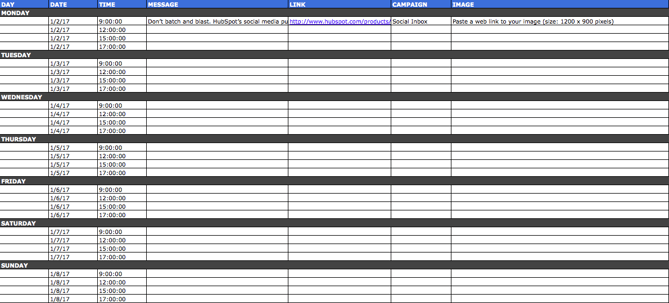
Facebook updates work similarly to Twitter updates, with the exception being bulk uploading your content is not possible in Social Inbox.
The first three columns, “Day,” “Date,” and “Time” are there for your convenience. Head on over to the column labeled “Message” and input the copy you’d like to appear in your status update, corresponding to the days and times you’d like those updates to run. Then, move to the “Link” column and input the link you’ll be, you know, linking to in the update. (Don’t forget that tracking token.) If you’d like the update to be tagged to a certain campaign, include this in the “Campaigns” column. Finally, attach an image just like you did with your Twitter updates — if you’re using one, we suggest you edit it to be 1200 x 900 pixels. (Click here for a full cheat sheet of social media image sizes.)
Planning Your LinkedIn Content Calendar
LinkedIn updates are the most unique, because you have both Company Pages and Groups to consider. To demonstrate the difference between Company Page updates and Group updates, let’s navigate over to the column labeled “Title (For Group Discussions Only).”
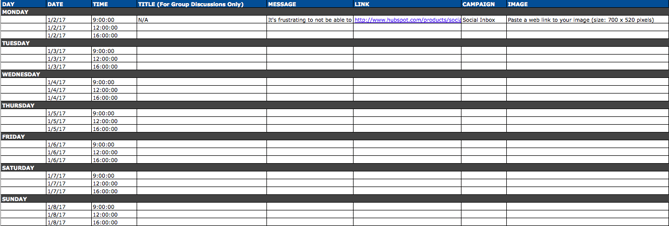
LinkedIn Groups let you post a few kinds of updates, one of which is called a “Discussion.” You will only fill out the “Title (For Group Discussions Only)” column if you’re looking to post a Discussion to your LinkedIn Group — because Discussions are the only update you’ll be posting that requires a title. If you’re not posting a Discussion to a LinkedIn Group, you don’t need to fill out this field, because your update will not have a title.
You’ll fill out the next column, “Message,” for every type of update you post, whether it’s for a Company Page or a Group. Simply input your copy into this column, and then navigate to the next two columns, “Link” and “Campaign” to input the URL to which you’re directing readers with the tracking token you’ll use to track activity, and the associated campaign if one exists. If you’d like to use an image for an update, attach it per the instructions laid out in the “Twitter” section. We recommend editing the image to 700 x 520 pixels.
Planning Your Instagram Posting Calendar
Now, let’s move on to how to set up your Instagram photos and videos in advance with the template. Navigate on over to the tab in your template labeled “Instagram Updates.”
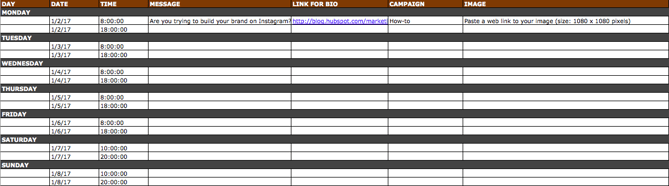
Instagram updates work similarly to Facebook updates, in that content can’t be uploaded in bulk to Social Inbox like it can with Twitter.
The first three columns, “Day,” “Date,” and “Time” are there for your convenience. Head on over to the column labeled “Message,” and input the copy you’d like to appear in your post’s caption, corresponding to the days and times you’d like those updates to run. Keep in mind that although Instagram captions can be up to 2,200 characters long, they cut off in users’ feeds after three lines of text. The exact length of these three lines depends on the length of your Instagram handle. (Read this blog post for a full character count guide.)
Next, move to the “Link for Bio” column and input whichever link you plan to put in the bio when you publish the accompanying Instagram post. (The reason you’d put a link in your bio and not the photo caption itself is because clickable URLs aren’t allowed anywhere except the single “website” box in your bio. See #13 in this blog post for more on how that works.) Oh, and don’t forget that tracking token.
If you’d like the update to be tagged to a certain campaign, include this in the “Campaigns” column. Finally, attach an image just like you did with your other social media updates — we suggest you edit it to be 1080 pixels x 1080 pixels. (Click here for a full cheat sheet of social media image sizes.)
Planning Your Pinterest Content Calendar
Alright, now let’s go over how to set up your Pinterest pins in advance with the template. Navigate on over to the tab in your template labeled “Pinterest Updates.”
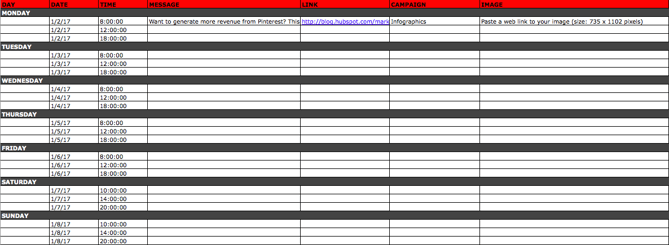
Pinterest updates work similarly to Facebook and Instagram updates, in that content can’t be uploaded in bulk to Social Inbox like it can with Twitter.
The first three columns, “Day,” “Date,” and “Time” are there for your convenience. Go to the column labeled “Message,” and input the copy you’d like to appear in your pin’s description, corresponding to the days and times you’d like those updates to run. Then, move to the “Link” column and input the link you’ll be, you know, linking to in the update. (Don’t forget that tracking token.)
If you’d like the update to be tagged to a certain campaign, include this in the “Campaigns” column. Finally, attach an image like you did with your other social media updates — we suggest you edit it to be 735 pixels x 1102 pixels.
Planning Your Google+ Posting Calendar
Finally, we come to Google+.
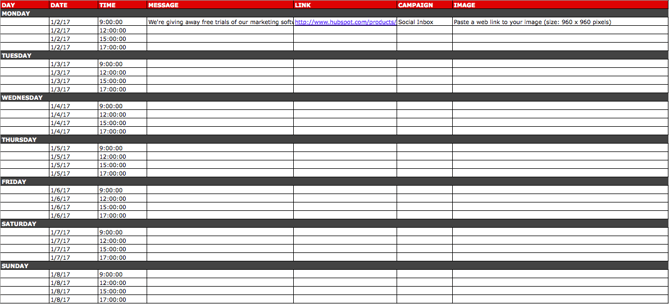
Update: Google recently announced it is shutting down its Google+ platform. Please consider using the template and instructions below for any potential social networking platform Google launches in the future, and check back with us for an updated template that reflects this rollout.
Start in the “Message” column, and input your status update. Then move over to “Link” column, where you’ll input the link to which you’re directing readers. If you’d like the update to be tagged to a certain campaign, include this in the “Campaigns” column. If you’re attaching an image, you could use multiple different sizes, but 960 pixels x 960 pixels works best. (Click here for a full cheat sheet of social media image sizes.)
Content Repository (Or, Where to Source Social Media Content)
This template also provides you with a tab called “Content Repository,” which should help you keep track of all your content and maintain a healthy backlog of fodder to make sourcing social media content easier.
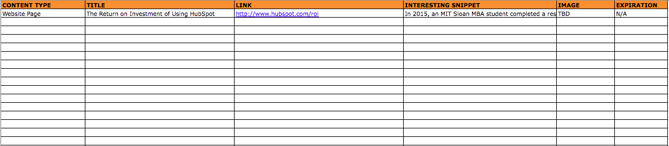
As you create more assets, you’ll likely want to resurface and re-promote those pieces down the line, too. To ensure you don’t lose track of all of that content, record it on this tab so you’re never at a loss for what to publish on social. If the content you’re promoting isn’t evergreen, be sure to include an expiration date in the column marked “Expiration” so you don’t promote it when it’s jumped the shark.
This tab will also help you maintain a healthy balance of content: A mix of your own content and others’, a mix of content formats and types, and mix of lead generation content vs. MQL-generating content vs. traffic-friendly content.
Don’t Forget to Interact With Your Followers
Whether you use this spreadsheet to plan your content out in advance or upload to a third-party app, you’ll still need to supplement these updates with one the fly content. Breaking news hits? Whip up a quick update to share it with your network. Someone in your network tweets something interesting? Give it a retweet with some commentary. Got a fascinating comment on one of your updates? Respond with a “thank you” for their interaction or an additional follow-up comment.
Coming up with and scheduling your social media content in advance is a huge time-saver, but it should go without saying that you still need to monitor and add to your social presence throughout the day.
Finally, we encourage you to experiment with your social media publishing. This template provides publishing dates and times for each social network, but you may find those are way too many updates for you to fill, or perhaps too infrequent for your booming social presence. You should adjust your social media publishing frequency as needed.


Total Addressable Market (TAM): What It Is & How You Can Calculate It
In college, I interned at a MarTech company that sold email marketing optimization software. With their software, brands could finally gain visibility into their email program’s deliverability rate or inbox placement, which almost all email marketing software, like MailChimp and Constant Contact, can’t do.
The business’ largest revenue stream was a channel partner program that enabled email marketing software companies to sell my old company’s software to their own customers. And one day, at an all-hands meeting, our CEO showed us a slide that listed every single email marketing software company we partnered with and the amount of customers they all had.
He told us this was our total addressable market. Then, he showed us a slide of how much of the market we had captured — it was a single digit percentage. Even though we were a $100 million business, we were shocked at how little of the market we had captured. But it also helped us realize that we still had plenty of room to grow, which motivated us to win as much of the market as possible.
Whether you want to start a new company and gauge its industry’s profit potential or forecast a realistic revenue growth goal for your business, measuring your total addressable market is a crucial first step you must take. To help you do this, we’ve put together a guide that’ll teach you exactly what total addressable market is and the best way to calculate it.
Total Addressable Market (TAM)
Total addressable market or TAM refers to the total market demand for a product or service. It’s the most amount of revenue a business can possibly generate by selling their product or service in a specific market.
Unless they’re a monopoly, most companies can’t capture the total addressable market for their product or service. Even if a company just has one competitor, it would still be extremely difficult for them to convince an entire market to only buy their product or service.
That’s why most companies also measure their serviceable available market to determine how many customers they can realistically reach with their marketing and sales channels. Additionally, they gauge their share of market to understand the size of their actual target market.
However, total addressable market is still useful because businesses can use TAM to objectively estimate a specific market’s potential for growth.
How to Calculate TAM
According to MIT’s Global Startup Labs program, the best way to calculate total addressable market is by running a bottom-up analysis of an industry. A bottom-up analysis involves counting the total number of customers in a market (which you can do by adding up the amount of customers each company in this market has) and multiplying that number by the average annual revenue of each customer in this market.

After you calculate your total addressable market, it’s time to determine whether it’s worth entering the industry or not.
According to MIT’s Global Startup Labs program, an industry with a market size ranging from $20 million to $100 million per year is worth entering. However, if the industry’s market size is under $5 million per year or over $1 billion per year, it’s probably not.
In both situations, it’d be challenging to persuade investors to back your company — an industry with a market size of $5 million per year would likely be too niche and an industry with a market size over $1 billion would likely be too saturated.
Know Your TAM Before You Take Action
Starting a business or projecting next year’s revenue growth is always thrilling. But if you want to follow a realistic path toward success, you need to first understand what’s actually possible. So let your total addressable market be your North Star and guide you through a journey that’s rooted in reality, not hype.

The Plain-English Guide to Meta Tags & SEO
In 2018, HubSpot found 61% of marketers said improving SEO and growing their organic presence was their top inbound marketing priority.
Undoubtedly, you already know the importance of SEO. SEO enables you to get on page one of Google, and helps you rank for the keywords that matter most for your business.
Good SEO can get you in front of the potential customers who are searching for your products or services — and great SEO can help those users become long-term customers, and even brand loyalists.
To excel at SEO, it’s critical you know how to incorporate meta tags into each one of your web page’s. Meta tags can help search engines correctly identify and categorize your pages — which will ensure higher rankings, and more exposure to the audience you’re trying to reach.
If you’re anything like me, though, you might be thinking, Wait … what’s a meta tag again?
Here, we’re going to define meta tags, identify some of the most important meta tags you need to worry about, and provide instructions so that you can begin incorporating meta tags into your HTML, today.
SEO & meta tags
Meta tags help tell search engines what your web page is about — which is undeniably critical for SEO, as it enables search engines to properly categorize and surface your content for the correct search terms. A meta tag is a snippet of descriptive text you’ll include in the web page’s code, so it doesn’t appear on the page itself. Meta tags can help you rank on the SERP’s for the right keywords.
What are meta tags?
At its most basic, meta tags are snippets of text that tell a search engine what a web page is about — meta tags don’t appear in the body of a page, but in the code itself.
Meta tags are undoubtedly useful from an SEO perspective, since they allow search engines to more easily categorize your web page’s content. Common examples of meta tags include canonical tags, meta content types, robots meta tags, or title tags.
Let’s dive into some of these, now.
1. Canonical tags
If you have a single page with multiple URLs, or different pages with similar content (such as a page with a mobile and desktop version), search engines see these pages as duplicate versions of the same page.
For instance, as a human, you know “www.google.com” and “https://google.com” point to the same page — if you search for either, you’ll land on Google’s homepage.
But Google sees “www” and “https://” as duplicate versions of the same page. If you don’t specify which page you want to be the “real” or “original” source, Google will choose which source it dubs original, and crawl the other pages less often.
This could mean that Google consistently crawls your mobile version of your homepage, and rarely checks your desktop version.
For this reason, it’s often important to include a canonical tag, which simply tells Google, “Hey, if you find this same content elsewhere — please disregard. This is the source I want you to see, and this is the version I want to appear in the SERP’s.”
This is especially important for pages like your homepage. To insert a canonical tag, simply put this code in your HTML:
<link rel=”canonical” href=”https://ift.tt/2TD2Z5p” />
2. Meta content type
The meta content type enables you to specify the media type (i.e. “text/html”) and character set for each web page — you’ll want to include this on all of your web pages. This information ensures your pages are displayed correctly on all browsers.
Here’s an example of the code you’d use for meta content type:
<meta http-equiv=”Content-Type” content=”text/html; charset=utf-8″ />
3. Robots meta tags
If you don’t specify a robot meta tag, search engines will obey the default index,follow command. However, there could be reasons you want to change the robot meta tag to influence the behavior of search engine crawling and indexing.
Here are a few common robot meta tags:
- noindex — Prevents the page from being indexed.
- nofollow — Prevents Googlebot from following links from this page.
- nosnippet — Prevents a text snippet or video preview from being shown in the search results. For video, a static image could be shown instead.
- noarchive — Prevents Google from showing the Cached link for a page.
- unavailable_after:[date] — Allows you to specify the exact time and date you want to stop crawling and indexing of this page.
There are various reasons you might use a robots meta tag. You might input the “nofollow” command, for instance, if your web page has a comments section. Since you can’t control which links are posted by readers in the comments section (which could be off-topic to your page’s content), it might be smart to tell search engines not to follow those links.
Alternatively, “noindex” is a popular tag for a few reasons — for instance, let’s say you’re planning to launch a website redesign, but want to test the redesign on a development server that lives in a subdomain on your website. You’ll want to use the “noindex” tag to ensure Google won’t release the site in search before it’s ready.
You might also use “noindex” if you have a gated content offer you don’t want users to be able to find on search engines — since you want them to fill out a form to access it.
Lastly, you might use “noindex” if your website creates unique web pages whenever someone does a site search. Search engines might think those pages are part of your website, which will hurt your SEO. It’s best if you incorporate “noindex” to ensure site search results aren’t displayed on the SERP’s.
To incorporate a robots meta directive, input this code into your HTML:
<meta name=”robots” content=”noindex, nofollow”>
4. Title tags
Title tags help readers initially understand what your content is about, and is also a major factor in helping search engines understand your content’s subject matter. Additionally, a title tag can ensure consistency, since the title tag will show up on your web page, on the web browser, and in social networks.
If you don’t include a <title> tag, Google will create one for the SERP’s for you — which can hurt your ranking. Ultimately, you want to create a compelling, click-worthy title that will intrigue readers while accurately portraying what your page is about.
Include a title tag on each of your web page’s by pasting this code into your HTML:
<head>
<title>Example Title</title>
</head>
Meta tags example
Examples of meta tags include canonical tags, meta content type, robot meta tags, meta descriptions, and title tags. You might use a canonical tag to tell search engines which page is the ‘master’ one. Alternatively, you might use robot meta tags to ensure search engines don’t index a page you don’t want on the SERP’s, like a search results page on your site.
It’s important to note, alt text is technically not a tag — it’s an attribute. However, you’ve likely heard the term “alt tag”, which is why you might think alt text is part of the meta tag family (I know I did …).
Regardless of its categorization, alt text is incredibly important for your overall SEO strategy, particularly since Google places more value on visual search nowadays. When a search engine crawls your page, it’s going to look for the alt text of an image as an identifier for what your web page is about — so it’s critical you correctly title your alt text.
Here’s a code example for alt text to incorporate in your HTML: <img src=”metatag.jpg” alt=”Meta tag picture”>.
Meta tags vs. meta descriptions
Meta descriptions are one example of a meta tag — simply put, a meta description is a 160 character-limit snippet of text a user can read on a search engine. A meta description tells the user what they’ll find if they click on your content — which, if done correctly, can greatly increase click-through rates.
The tag doesn’t influence ranking directly, but it’s nonetheless an important element of SEO — a good meta description can compel readers to click on your article, and if the meta description accurately describes your content, the user is more likely to stay on the page. Click-through rates do influence search engine ranking, so meta descriptions are important for SEO.
Here’s an example of the code you’d use to manually input a meta description into your web page’s HTML:
<head>
<meta name=”description” content=”This is an example of my meta description.”>
</head>
While meta descriptions are a subcategory of meta tags, there is a fundamental difference between the two — purpose. Meta tags are used to help search engines figure out the content of your site, but meta descriptions are used to help a user sort your content.
For instance, consider what happens when I search “what are meta tags”:

The meta descriptions for the following two articles are more than likely the primary reason I’ll choose one article over the other.
How to use meta tags with HubSpot
- In your HubSpot account, navigate to your landing pages or website pages.
- Locate and hover over your landing page and click “Edit”.
- Click the “Settings” tab at the top of the page editor.
- Click “Advanced Options”, and under additional code snippets locate the Head HTML.
- In the Head HTML editor, paste in <META NAME=”Keywords” CONTENT=”example1,example2″>.
- Replace “example1” and “example2” with your own meta keywords.
How to add meta tags to WordPress
- Go to “Settings” and then click “Meta Tag Manager”.
- On the Meta Tag page, insert your meta tags with reference names.
- Lastly, click the “Save Changes” button.
- Alternatively, you can add meta tags to the header.php template file in your WordPress Theme — at the top, you’ll see DOCTYPE tag and below you’ll see: <title><?php bloginfo(‘name’); ?><?php wp_title(); ?></title>.
- Below this line, you can add meta tag information including content, language, author, or contact.
- You might also try a WordPress meta tag plugin.

How to Become a Powerful Influencer: The Nathan Latka Story
Are you wondering how to grow your social influence? Do you have big dreams but need direction? To explore how to build powerful influence, I interview Nathan Latka. Nathan hosts The Top Entrepreneurs podcast and is the former CEO of Heyo. His new book is How to Be a Capitalist Without Any Capital, and his new TV […]
The post How to Become a Powerful Influencer: The Nathan Latka Story appeared first on Social Media Marketing | Social Media Examiner.
from Social Media Marketing | Social Media Examiner https://ift.tt/2EVUHgF
via socialmediaexaminer
The Compelling Case for Ethical Leadership
When the housing market crashed in 2008, my Dad lost $40,000 of his pension fund and his salary froze for two years. I never knew what caused my Dad’s financial stagnation or even the Great Recession, mostly because I was 13 at the time.
But after I read The Big Short and then watched its hilarious film adaption during college, I was astonished to learn that the greed and recklessness of a single industry cost the world tens of trillions of dollars and left 30 million people unemployed.
The Great Recession sparked a movement in the business world to start placing ethics over profit. In fact, about 20% of Harvard Business School’s 2009 graduating class took an oath to pursue their work in an ethical manner. Companies also started to take corporate social responsibility more seriously, allocating more resources and respect to their CSR programs.
Today, practicing ethical leadership is a requirement most companies need to meet in order to attract the best-fit customers and employees. To help you develop your ethical leadership skills, we’ll cover exactly what ethical leadership is and some of the most commendable examples of the leadership style below.
What is ethical leadership?
Ethical leadership is a leadership style that prioritizes the dignity and rights of a company’s customers and employees, which helps develop trust, transparency, empathy, and fairness between a company’s leaders and their constituents.
Placing your ethics before profits is a concept that most companies claim they live by. But when a lucrative contract or an opportunity to cut costs plops right in front of their faces, most companies can’t resist chomping down on such an enticing lure, even if it means compromising their ethics.
While focusing on profits can pay off in the short-term, being disciplined enough to follow your ethical compass can pay even bigger dividends in the long-term. According to Cone Communication’s millennial corporate social responsibility study, 88% of U.S. adults said they’d stop buying products from a company that uses irresponsible or deceptive business practices.
And in April of 2018, more than 3,000 Google employees protested the company’s military contract with the Pentagon, which involved developing AI technology that could cause physical harm to humans.
Now that you know the ramifications of neglecting business ethics, check out the following examples of ethical leadership at some of the biggest brands in the world and learn how it greatly benefited their businesses.
Ethical Leadership Examples
1. Marc Benioff | Closing Salesforce’s Gender Pay Gap
Salesforce CEO Marc Benioff hasn’t just closed his company’s gender pay gap once. He’s done it twice. In 2017, Salesforce audited their books to find any discrepancies between their male and female employees’ pay. They ended up finding unequal salaries throughout the entire company, so Benioff raised salaries by $3 million to correct the issue.
A year later, they discovered their pay wasn’t equal again because they acquired some new companies. Benioff decided to raise salaries by another $3 million.
By spending millions of dollars to correct an issue that has pervaded the workplace, Benioff has shown his employees that he actually cares about them, will fight for fairness, and truly wants to his company to be an equal opportunity employer. And this is a key reason why Salesforce is the 11th best place to work in the world, according to Glassdoor, and why they’ve beaten revenue-growth forecasts for three years in a row now.
2. Brian Krzanich | Bringing Intel’s Workforce to Full Ethnic and Gender Representation
With over 100,000 employees across the globe, it was going to be a challenge for former Intel CEO Brian Krzanich to bring his company’s workforce to full ethnic and gender representation. But in 2015, he announced a five-year, $300 million plan to do just that.
In addition to this investment, Krzanich also offered his employees a $4,000 bonus for referring diverse new hires and set up a $5 million partnership to develop a high school computer science curriculum in the Oakland Unified School District. His efforts helped Intel surpass their annual diversity hiring goal of 40% in only six months.
Kraznich’s dedication to diversifying his workforce as much as possible and supporting his community showed his employees and customers that he was passionate about building a company that can create equal opportunity, which is unique for a business that’s over 50 years old and brings in over $70 billion in annual revenue.
3. Howard Schultz | Offering Corporate Benefits to Starbucks’ Hourly Workers
There are over 28,000 Starbucks stores in the world, so most of their employees are low-wage, hourly workers. But that didn’t stop former CEO Howard Schultz from offering them comprehensive health care and stock options. Schultz understood that giving hundreds of thousands of workers these kinds of benefits would be expensive, but he also understood that working a low-wage, hourly job is tough to do, so he hoped these perks would boost his workforce’s morale.
Additionally, in 2015, Schultz announced that if their U.S. employees worked more than 20 hours per week and enrolled in an online degree program at Arizona State University, Starbucks would pay for their college tuition.
Committing to their company values is a major part of Starbuck’s business strategy, as it drives their employees performance and boosts their morale. But it’s also incredibly altruistic, attributing to Starbucks’ nine-year run on the most ethical companies in the world list.
Placing Ethics Over Profit
As a business, you obviously want to turn a profit. However, you must also realize your customers and employees are humans. Focusing on profits now will help you reap short-term gains, but prioritizing your customers’ and employees’ needs and rights before your business’ will ultimately develop the trust needed to earn even more of a profit — you just need to wait a little bit longer.

How Personality Can Determine Job Performance
Welcome to The Science Behind Success — a new blog series that explores the best ways to help our brains perform better at work. With psychological research and interviews with leaders in the field, we’re showing you how psychology can help you overcome workplace obstacles and excel in your career. Because a little mindset change could go a long way.
Oftentimes, it’s easy to recognize the importance of personality on job performance.
For instance, let’s say you work with an incredibly diligent, conscientious ad copywriter. She never arrives late to a meeting, rarely misses a typo, and is capable of performing extremely well independently.
Alternatively, your team manager is extraverted, passionate, and direct. She motivates your team during meetings, inspires you in one-on-one sessions, and finds job satisfaction through cultivating meaningful relationships with others.
Undoubtedly, these two people would likely perform less well if they switched roles, for personality factors alone.
At most workplaces, people’s personalities are not left at the door — instead, they are a key factor in whether someone succeeds in a role.
When you consider this, then, it makes sense why there’s a rising field of study regarding personality as a predictor of job satisfaction and success.
To examine the concept of personality assessments as a recruitment and on-boarding tool, I spoke with Dr. Greg Barnett, who has a PhD in Industrial/Organizational Psychology, has consulted almost half of the Fortune 500 companies in the personality assessment domain, and is now the Head of Science at the Predictive Index.
Here, let’s examine his take on the benefits of using personality as an indicator of job performance — and how you might implement it in your own recruitment process, today.
The Benefits of Personality Assessments
It might seem like the concept of using personality as a job performance indicator is both new and unfounded by research — in fact, neither are true.
Personality assessments have been around for a very long time. A quick Google Scholar search will show you plenty of research regarding personality and job performance dating back to the late 1970’s and early 1980’s.
However, as Dr. Barnett points out, “It wasn’t until the early 1990’s when two separate sets of researchers conducted meta-analytic research to find that personality had a more stable and generalizable relationship with job performance. It was the first time that research showed that certain characteristics really mattered for predicting job performance.”
For example, Dr. Barnett told me the research showed Conscientiousness had the most consistent relationship with job performance — which makes sense, when you consider someone who rates highly in the Conscientiousness trait is likely someone who is detail-oriented, and a rule-follower.
Research supports the notion that personality can be used as a job performance indicator — which led to the realization that perhaps when companies hire, they should consider other factors besides hard skills when filling a role.
Nowadays, personality assessments are becoming increasingly popular as a method used during a company’s recruitment and on-boarding process. Read on to find out the top four benefits of personality assessments.
1. Personality assessments can predict job performance.
Myers-Briggs, a questionnaire with the purpose of identifying someone’s personality type, strengths, and preferences, is used by 89% of the Fortune 100 companies either during the hiring process, in the workplace for team-building exercises, or for leadership coaching.
Additionally, psychometric assessments are used by many major corporations, including Citigroup, Ford Motor, and JPMorgan. Procter & Gamble even uses its own P&G Reasoning Test to systematically assess a candidate’s hard and soft skills, which enables the company to learn an employee’s work habits, ability to work within time constraints, and more.
All of which is to say — there’s corporate support behind the notion that personality can be an indicator of someone’s ability to do well in a role.
More than likely, this sounds true to you already. Imagine the variety of jobs that exist — from writer, to computer programmer, to teacher, to designer. I’m willing to bet you know, based on your personality alone, that you would be happier, and excel more, in some of these roles over others.
However, Dr. Barnett notes the importance of using personality assessments as one piece of the larger puzzle — “I believe the best use of personality assessments is part of a thoughtful talent optimization plan. That means thinking more broadly about the power of personality assessments and applying them not only for great hiring decisions, but to facilitate better team work, communication, and more.”
2. Personality assessments can help identify team fit.
People typically don’t work in silos in your company. In fact, quite the opposite. Oftentimes, you need incredibly different personality types and perspectives working together to produce the best work.
We’ve extensively explored the myriad benefits of diversity in the workplace before. And while it’s both unfair and illegal to hire someone based off personality alone, it’s certain going to affect whether your team performs to their highest degree — for instance, in a room full of extraverts, you might miss something an introvert would’ve picked up on.
Dr. Barnett stresses this — “What was once a salesperson … on their own has started to transform into a team-based approach, where a group of professionals all serve an important role in the sales process … Those sales numbers are not just dependent on one person’s effort, but instead really involve the interactive effect of many personalities. For this reason, I think personality assessments play a role beyond strictly predicting job performance. They should be used to hire for performance, but also for team fit.”
However, Dr. Barnett is smart to point out that there’s an important distinction between the word ‘team’ and the word ‘group.’ Oftentimes, as he explained to me, ‘a team’ is really just a group of people with highly specialized roles who each have their own objectives, and at most, rely on their colleagues for support and cooperation.
If this is the case for your team, Dr. Barnett mentions hiring for personality is not critical.
“However,” he told me, “When it comes to true, high-performing, highly interdependent teams, the need to build a diverse team is important. In this way, you are building a team that both compliments and supplements one another. When hiring for these types of teams, it becomes more of a balancing act.” If this is the case, a personality assessment might enable you to build a stronger, more diverse team.
3. Personality assessments can ensure a better on-boarding experience.
An often overlooked aspect of the hiring process, on-boarding can help you increase retention rates and overall employee job satisfaction. However, a good on-boarding process is going to look vastly different for different people.
Dr. Barnett told me, “A smart on-boarding program would be tailored to individuals on the basis of their behavioral drives, needs, and personality. In that way, you could give them the right experiences early on and make that great first impression.”
He continued with a few examples — for instance, let’s say you know your new employee is extraverted. To make them happiest, perhaps you should immediately get them around a group of people and begin introductions. However, if your employee is introverted, it might be better to give them time to settle in.
Alternatively, let’s say your new employee is a take-charge type of person. You might let them pick the lunch spot, or get their voice heard early in meetings.
Additionally, as a manager, you can use the information gathered in a personality assessment as an opportunity to learn your new employee’s conversation and work style and how they’d like to be managed. By understanding early-on your similarities and differences, you’re able to ensure a smoother transition into a productive manager-employee relationship.
Ultimately, Dr. Barnett told me, “Smart on-boarding is both an opportunity to do something structural (the right experiences tailored to the right person), but also create self-awareness for the new employee and everyone that they work around so they all have a better opportunity of working better together.”
4. Personality assessments can help you motivate others.
I often find motivation through positive feedback — the more I’m told, “You did great on this project,” the harder I want to work on the next one.
Alternatively, I have a coworker who is fueled by constructive feedback. When she’s told, “You could’ve done better on this,” she’s energized, and takes the feedback and runs with it.
Ultimately, our personalities influence how we like to be motivated — so you might use personality assessments as a clue into how you can motivate and inspire each employee.
Dr. Barnett supports this notion — “Performance is part ability (including personality) and part motivation (employee engagement, manager approach, rewards, etc). So to really get those things right, it is about hiring right, but it is also about motivating right. Smart companies who use personality assessment results to understand their people, their drives, motivations, and values, can really use that to tailor their work experience to them.”
How to Use Personality Assessments as Part of Your Recruitment Process
More than likely, not every position at your company will require personality assessments. As Dr. Barnett told me, “The more jobs are personality dependent, the more personality assessments will predict job performance. [However], if people work in a situation that constrains their personality a lot — think really high structure, not a lot of autonomy, tons of repetitiveness … in these cases, we may not see personality as strong of a predictor.”
If you think you might have a role that is personality dependent, here are a few steps you can take to implement personality assessments into your recruitment process:
1. Hire for the role, and define personality-based demands of the job itself.
Whether or not you want to implement personality assessments in your recruitment strategy, you still need to focus on hiring for the role.
Hiring for the job, first and foremost, is a necessity legally. As Dr. Barnett urges, “If an EEOC challenge were ever to arise, the law is about showing that your assessment is a requirement to do the job and requires statistical evidence.”
However, there are benefits to including personality assessments in your recruitment strategy — it can help you narrow the candidate pool, making the hiring process more efficient for your recruiters, HR team, and hiring managers.
Additionally, personality assessments could help ensure you hire a candidate who will be both professionally and personally happy in the role.
To do this, Dr. Barnett advises you start by defining the behavioral and personality-based demands of the role to ensure you’re truly hiring for suitability to do the actual job — not just because you like certain personality traits.
Additionally, there are multiple options, of varying levels of commitment, when considering implementing personality assessments.
For instance, you might ask people familiar with the role to complete a personality-based job analysis tool. “In this way,” Dr. Barnett said, “We are having people who know the job really well identify the characteristics needed for success in the role — and doing so in a systematic way. For example, with multiple experts you are able to remove some of the individual biases and errors that a single rater would have, and that helps to arrive at a better job profile.”
Additionally, and often done in-conjunction with the personality-based job analysis tool, you might look at the highest performers vs. lowest performers in the role. Then, incorporate aspects of the highest performers you’d like to find in candidates — for instance, perhaps you find your highest-performing customer support representatives are incredibly self-motivated. To find future top performers, then, perhaps you include that description in the job profile.
Finally, to most rigorously test personality fit, Dr. Barnett mentioned a process called criterion-related validation, where people already in the role complete the personality assessment, and those scores are compared statistically to job performance, including supervisor ratings and more objective data like sales numbers.
2. Screen potential hires with personality assessment tools.
“One of the best practices I’ve seen in using assessments,” Dr. Barnett noted, “is to use them early in order to screen or sort candidates first. The purpose of all pre-employment selection tools is to increase the odds of a good hire — and, in many cases, the earlier you use an assessment the better you achieve those odds.”
Of course, if you choose to use personality assessment tools for screening purposes, it’s critical you create a systematic, unbiased approach. You’ll need to test each candidate’s personality using the same questions and criteria, and ensure that the personality traits you’re testing are truly applicable and necessary for the role.
For instance, you might want to see if a candidate is a good multitasker. You can test for this trait fairly throughout the screening process.
3. Use the personality-based results in the interview itself.
Dr. Barnett told me, “Once [your] pool is narrowed down to generally equally qualified candidates, it’s very important to start thinking about things related to their communication, decision-making, and execution style and how that will help or hinder the team. I think this is best done by using the personality-based results during the interview to probe more specifically.”
“There are a lot of ways to do this, but the goal is to start to get to the next layer of the candidate’s personality — moving away from the scores and towards the subtleties.”
Ultimately, there are already plenty of interview methods you can use to ensure the candidate’s personality, as well as her strengths and weaknesses, are a good addition to your team — the STAR interview method, as one example.
You might choose to supplement your standard role-related questions with questions related to personality and performance. For instance, let’s say you’re hiring for an Account Manager role and have found “creative thinker” to be a major indicator of success in the role. You might ask your candidates, “In what ways have you used creative thinking in your past roles to succeed on a project?”
Personality and Motivation to Influence Job Performance
Although there’s been plenty of research to support the notion that there’s a correlation between certain personality traits and performance, there hasn’t been as much research that explores the why — although the most popular explanation is motivation.
There are three motivation factors that are thought to be critical links between personality and the workplace: ‘striving for success’, ‘striving for communion’ — which Hogan (Hogan and Shelton, 1998), describes as “getting ahead” and “getting along” — and the desire for ‘personal excellence’.
You might use motivation, then, as the final piece to the puzzle. First, because personality can influence intrinsic motivation. Second, because there are extrinsic motivations that vary depending on the role.
For instance, my personality makes me inherently a “getting along” type of person. Sales, however, largely requires a “getting ahead” mentality — which, in many instances, contrasts with my desire to “get along”. So, while my personality alone doesn’t make me ‘unqualified’ for sales, my personality is less inherently linked with the motivations that drive top sales performers.
Of course, I could overcome those challenges if need be — we all could. But if personality can be used as a tool for recruitment, it can also be used as an assessment for your own happiness at work. If your role consistently requires you to act disingenuously, perhaps it’s a sign you need to seek a role more naturally aligned with your personality — which will make you happier, and more successful, in the long-run.
Disclaimer: HubSpot doesn’t use personality assessments in its recruitment process. Ultimately, if you choose to use a personality assessment as part of your recruitment process, it’s critical you use it systematically, make sure you’re hiring for the role first, and use it as a supplement to your overall strategy — otherwise, you risk becoming biased and unfair in your recruitment process.

The Science Behind Success
As a psychology minor, I’ve always been interested in the science behind behavior and thought.
Asch’s conformity experiment, for instance, taught me the power and influence of groupthink.
Alternatively, the foot in the door technique (Freedman & Fraser, 1966), showed me the importance of asking for small requests first.
When I began working at HubSpot, I again noticed the extreme relevance of psychology in the workplace. I told a coworker about Amy Cuddy’s power posing technique, which enabled her to feel more confident before her marketing presentation.
Additionally, I used my DiSC analysis to better understand how my behavior might be perceived by coworkers, and used that information to communicate more effectively with each member of my team.
All of which is to say — psychology doesn’t just have a place in the liberal arts. It has a place in the workplace, as well.
Psychology tactics can help you become a more effective leader, a happier employee, or a stronger public speaker.
Simply put, learning about psychology can make you more successful.
Which is why we’ve created this series.
Here, we’re going to dive into a broad overview of what psychology can help you accomplish in the workplace. Additionally, we’ve linked resources at the bottom if you’re interested in reading individual posts from this series.
Incorporating Psychology At Work
All departments in the workplace can benefit from learning and using psychology-based strategies, but certain departments benefit from different aspects of psychology. Let’s break down some of those differences now.
Recruitment and psychology
Your HR and recruitment teams need to focus on psychology that suggests implicit biases may affect your hiring process. For instance, research has shown masculine language in a job description, including adjectives like “competitive” and “determined,” results in women often believing they won’t fit into the work environment. By ensuring gender-neutral language in your recruitment materials, you’re more likely to receive a higher number of equally qualified candidates from both men and women.
Additionally, it’s critical your recruiters are aware of any unfair judgments they might make against candidates based upon stereotypes. Doris Weichselbaumer, a professor at Johannes Kepler University Linz, in Linz, Austria, conducted research that showed when a fictitious character wore a headscarf in her resume photo, she needed to send almost five times as many applicants as the woman without a headscarf, to receive the same number of callbacks for interviews.
In general, psychology having to do with stereotypes, body language, implicit biases, language, tone, and emotion are most likely to improve your recruitment process, and help HR deal with mitigating internal conflict, as well.
Leadership and psychology
Anyone in a leadership position can benefit from incorporating psychology tactics in the workplace. At the most fundamental level, it’s critical as a leader that you’re able to develop empathy and a level of self-awareness that will allow you to engage and inspire your employees.
Research has found three areas where it’s critical for senior leadership to be aligned — energy and development passion, future-focused leader skills, and views on company culture. It’s important your executive team take the time to look into various strategies other leadership teams have used to be successful — and, what derails leadership teams from performing optimally.
In general, psychology having to do with motivation, empathy, people’s perceptions of challenges, and language are most likely to improve your ability to lead well.
Marketing and psychology
In 1975, researchers Worchel, Lee and Adewole conducted an experiment to evaluate how people would value cookies in two identical jars — as it turned out, the cookies from the two-cookie jar received ratings twice as high as the 10 cookie jar, even though the cookies were exactly the same.
This study supports the notion of the scarcity principle. Ultimately, you might use scarcity principle to create a sense of urgency or demand around your products.
In another study, three groups at a restaurant were compared:
- The first control group received mints, along with the check, with no mention of the mints. They tipped three percent.
- The second group received two mints by hand, separate from the check — for this group, the mints were explicitly pointed out. Their tips increased by about 14%.
- The third group received a few mints with the check — then, a few minutes later, the waiters came back with another set of mints and let the customers know they brought more ‘just in case’. Their tips increased by 23%.
The study’s results support the notion of reciprocity — the more a group is given, the more they feel they need to return. For marketing, you might take advantage of reciprocity by providing potential customers with free sweatshirts or an exclusive ebook.
In general, psychology having to do with consumer buying behavior, language, design, individual motivation, and basic wants and needs can help you become a better marketer.
Personal development and psychology
We’ve delved into this particular topic — how an individual employee can use psychology tactics to become a better worker — a lot in this series so far (including how to adopt a champion mindset, and how to adjust your body language to feel more powerful … check out the bottom posts to read more).
How you might use psychology as a personal development tool is an endless topic — you can use pyschology tactics to improve motivation and focus, become a more self-aware and empathetic employee, and ultimately perform better.
Most of this series will focus on how you can use psychology for personal development, so if you need further proof, check out the series posts below.
Science Behind Success Blog Posts
1. The Key to Productivity Isn’t Your Mind, It’s Your Body
Read this if you’re interested in learning about embodied cognition, and how our bodies can affect our productivity levels. Hear from Josh Davis, Ph.D., the Director of Research and Lead Professor at the NeuroLeadership Institute, who wrote the international bestseller Two Awesome Hours: Science-Based Strategies to Harness Your Best Time and Get Your Most Important Work Done.
2. How Job Crafting Can Make Your Job More Meaningful
Read this if you’re feeling uninspired or frustrated by your career, and need to learn how you can start enjoying your job more, today. Hear from Amy Wrzesniewski, a professor of organizational behavior at the Yale School of Management, who has conducted research on something she calls “Job crafting”.
3. How to Use a Winner’s Mindset to Become a Champion in the Workplace
Read this if you’ve always felt envious of champions like LeBron James or Taylor Swift, and if you’re curious about the core elements of a winner. Hear from Simon Hazeldine, bestselling author of The Inner Winner: Performance Psychology Tactics That Give You An Unfair Advantage and consultant in the areas of leadership, sales performance, and applied neuroscience, who offers advice on how employees can use performance psychology to perform better in their roles (or, seek new ones).
4. Why Our Formula for Success Is All Wrong
Read this if you’re interested in learning about the principles behind positive psychology, how to become happier in the workplace, and why our society’s current formula for success is all wrong. Hear from Shawn Achor, who’s been featured on Oprah, who’s Ted Talk is second most watched of all time, and who’s research has been published in Harvard Business Review, The Journal of Personality and Social Psychology, and in his own books, including The Happiness Advantage.
5. How Personality Can Determine Job Performance
Read this if you’re interested in learning about personality as a predictor of job performance, and how you might apply personality assessments to create a stronger recruitment process. Hear from Dr. Greg Barnett, who has a PhD in Industrial/Organizational Psychology, has consulted almost half of the Fortune 500 companies in the personality assessment domain, and is now the Head of Science at the Predictive Index.

The Ultimate Cheat Sheet for Mastering Mobile Marketing
As of 2018, there were 3.7 billion people who accessed the internet through a mobile device, according to Statista. That’s more than half the world’s population.
Aside from the astounding growth of mobile, many countries are witnessing people purchase smartphones first, bypassing PC ownership as their first means of internet connectivity. And marketers need to adapt.
How do inbound marketers leverage the power of the mobile device to provide a personalized experience for the user while not intruding in their day-to-day lives? The answer lies in not thinking of the mobile device as another PC, but rather another limb for your busy, active customers and prospects.

Here’s a comprehensive list of tips and tricks every marketer should know to master mobile marketing.
What is mobile marketing?
Mobile marketing uses any and all digital, social, and related content marketing channels to reach an audience via their mobile devices. In a sense, it takes a marketing strategy — its messaging, design, and target audience — and optimizes it for delivery through a smartphone or tablet.
While mobile marketing limits the use of some marketing channels you might focus more on outside of mobile, it also presents several new ones. The following is a list of marketing channels you can include in a mobile marketing strategy — we’ll go over each of them in more detail in this guide.
Mobile Marketing Strategy
A mobile marketing strategy uses a combination of marketing channels to connect with an audience through a mobile device, and generates leads through these channels. Which channels you use depends on where your buyers spend their time and what type of content they’re consuming on their smartphone.
Responsive Website
A responsive website is one that might’ve been developed originally for PC, but has been optimized for navigating to and from on a mobile device. This “responsive design” allows users to reveal buttons, text, and webpages within the website they might not be able to see on a mobile screen had it not been optimized correctly.
Making your website responsive allows it to remain a critical marketing channel when your audience switches from computer to mobile. Learn how to make your website mobile-friendly using this guide.
Mobile Search
More than 60% of Google searches take place on a mobile device, as opposed to a computer. With such a high percentage of searches done over a smartphone, search engine optimization (SEO) should be just as a big a part of a mobile marketing strategy as it would in a broader digital marketing strategy. Learn about some of the most important Google ranking factors here.
Email Marketing
Did you know mobile users check their email three times more often than non-mobile users? Not only that, but mobile is responsible for at least 50% of all email opens, according to data we collected from Campaign Monitor. Make sure the email newsletters you deliver to your subscribers are optimized for viewing on most mobile email platforms — we’ll go over how to do this in a few minutes.
Social Media
Not only is social media enjoyed on mobile at least as much as it is on PC, but some social networks are designed for mobile. Instagram, the mobile photo-sharing platform, has more than 1 billion monthly active users — and all of them are required to upload photos via their mobile device. Implementing an Instagram presence — in addition to social networks like Twitter and Facebook — into your mobile marketing strategy is a no-brainer (if your audience is on Instagram, that is).
SMS Marketing
SMS marketing is another term for text marketing, which uses text messages to reach an audience with messaging related to their business. Texts aren’t often associated with brands, and therefore texts from anyone other than a person’s known contacts can be dicey. Nonetheless, there are types of SMS messages that are appropriate coming from a business. I’ll elaborate later in this blog post.
Mobile App Development
It sounds like a big undertaking, but with just a few engineering resources, you can attract your audience through app marketplaces native to various smartphones. What sorts of apps should you create, you ask? That depends on what your goal is. Got an event coming up? Deliver the event schedule to attendees through a mobile app. Are you in the software business? Your customers might crave a mobile version of your product — you just don’t know it yet.
Virtual and Augmented Reality
Virtual and augmented reality are two of the newest opportunities in digital marketing, and in some cases, all a user needs is a smartphone to enjoy it.
Whereas virtual reality (VR) simulates entire environments through a smartphone, augmented reality (AR) literally “augments” the appearance of what’s in front of a user when they look through their mobile screen. Numerous companies have already taken advantage of this technology to offer branded experiences to their customers and even help them make better purchase decisions. Home decor vendor, Wayfair, for example, recently created an AR feature as part of its mobile shopping app that lets its customers see what an item might look like in a certain spot in their home.
How to Launch a Mobile Marketing Strategy
To launch a mobile marketing strategy through the channels outlined above, you’ll do three things right off the bat:
- Identify your mobile users. See if site visitors are indeed using mobile devices to visit your site and what devices they are using most frequently. Knowing the devices used to visit your site most frequently, such as an iPad, Android, Blackberry, or iPhone, will help you prioritize optimization efforts toward those devices.
- Set measurable and realistic goals. If you’re just getting started with mobile marketing, this will help you determine if your tactics are working. For example, if you’re looking to start an SMS campaign, a good first goal would be to build your opt-in database. If you’d like to optimize your site for mobile, consider starting with the content assets that drive the most leads to your site as a way to dip your toe in the mobile waters.
- Create a test base. Identify some loyal customers on which to test new mobile campaigns. Mobile requires customization, and a short test phase in which users can give you feedback will help catch glitches and create a better user experience before a large-scale rollout.
Mobile’s Limitations
As I mentioned earlier, optimizing a marketing strategy for mobile devices should take into account the things users won’t have access to when switching from PC to mobile. Here are a few of those things to remember when launching your mobile marketing strategy:
- Customize for mobile, not desktops. While mobile devices have capabilities beyond the desktop computer, also keep in mind their limitations when designing a mobile site or app. Create content and designs for a small screen, no mouse, and a device on which extensive typing is unwieldy.
- Don’t require users to sit through renderings of large images. Not only can it be expensive depending on their data plan, but it can also waste their time and will probably result in site abandonment.
- Create short forms. You can ask users to fill out forms, but pare down the fields as much as possible. Typing on a smartphone is a nuisance at best and difficult at worst, so shortened forms and those with pre-filled options the user can scroll through are ideal.
- Don’t hide content behind multiple clicks. If a user would click three times to get to a webpage on their desktop, they might only put up with two clicks on a mobile device before giving up.
Mobile’s Capabilities
- Use features specific to mobile devices. Take advantage of all the great features of today’s mobile devices when thinking of mobile marketing campaigns. For example, you can use GPS to let users check in at your establishment (you can even provide a reward for those who do), offer click-to-call functionality, and provide provide QR codes that lead to a targeted landing page. These features make for great mobile marketing because they address the needs of mobile users in a way traditional internet marketing cannot.
- Create content tailored to small screens. Shorter content that is formatted in bitesize chunks is ideal for the mobile experience. Be succinct, and embrace bold headings, bullet points, and numbered lists to break up longer paragraphs and make it easy for the reader to find what he needs.
- Add big buttons and calls-to-action (CTAs). You might’ve been told to make your product-focused website buttons a vibrant color to encourage visitors to click on them. Well, on mobile, size is just as important. People need to be able to easily tap on their phone’s screens when navigating a website, and thumbs come in all shapes and sizes. Enhance the size of your most important conversion points just a little bit so your visitors can easily select the button they intended to select.
Making Your Email Marketing Mobile-Friendly
Create plain text and HTML email versions.
Some email clients will default to plain text and give readers the option to show pictures, while others will load pictures automatically. Be prepared by ensuring your emails render quickly and clearly in either scenario.
Write descriptive alt text.
Alt text, or alternative text, is the text that displays in lieu of an image when graphics can’t render. If your email header is an image with a generic name, change the alt text to something that relates to the subject of the email.
Craft a crystal clear subject line.
When mobile users have a few minutes to check their email, they commonly divide their inbox into three categories: “read now,” “delete,” and “save for later.” With a vague subject line, you’re sure to end up in the “delete” category. Create a clear subject line to get your email read immediately, or at least starred for later.
Be an identifiable sender.
However your reader is most likely to know you, identify yourself as such in the sender field. This will help alleviate any confusion that would otherwise put you in their trash bin.
Integrate Mobile With Your Existing Inbound Marketing Strategy
If you already have a marketing strategy in full swing, how do you go about updating it to incorporate mobile? In addition to optimizing your website with responsive design, and enhancing your social media presence to include mobile-specific platforms like Instagram, you can also do the following:
Integrate mobile campaigns with your CRM.
As with any other campaign, you can and should track and nurture leads that come through mobile campaigns using your existing customer relationship manager (CRM). Don’t have a CRM? You can use ours for free.
Use mobile to move leads through your funnel.
They’ve opted in to your campaign or pulled up your site, so they’re already interested in you. Take advantage of that knowledge by providing content and a user experience tailored to their needs on a mobile device. For example, those in retail or ecommerce can optimize online checkout for mobile and provide easy access to reviews. B2B marketers can let users register for and listen to webinars on their mobile devices.
Include calls-to-action.
Mobile browsing should be more streamlined than desktop browsing, but calls-to-action are still a must. Compile the CTAs you’re using across all marketing campaigns, and select those that make sense to use in your mobile campaigns to create a congruent user experience.
Integrate paid search.
Your mobile marketing strategy can include a paid search component by posting Google Mobile ads through your Google Ads account. Be sure to use strong calls-to-action tailored to your mobile searchers.
Customizing the Mobile Experience
It’s one thing to take a marketing campaign mobile, but it’s another thing to make this campaign unique to your brand. Here’s how you can customize the mobile experience to your unique audience:
Use both mobile apps and mobile sites.
There’s a lot of debate around whether or not mobile apps are better than mobile sites, but there’s room for both. Think of mobile sites as a way to reach a wider audience and bring in people through the top of your funnel, and use mobile apps as a way to increase engagement among people in the middle of your funnel. Use your mobile site to encourage readers to download your mobile app.
Develop a mobile app.
The iPad floats somewhere between the PC and a mobile device. If you find tons of users are using an iPad to access your site, develop an app for them that is more robust than what you might offer someone on a smartphone.
Test different devices and browsers.
Just like you test your site in multiple browsers and check how emails render in multiple email clients, test your mobile campaigns on multiple devices and in multiple browsers to ensure the experience is consistent throughout.
Create content that addresses the needs of mobile users.
If you have a storefront and directions, then click-to-call functionality is important. If you sell products, make it easy to find a coupon code. Mobile users know what they are looking for, so anticipate those needs when creating content. And if you aren’t a mind reader…ask them!
Leveraging SMS Marketing
Like I said earlier, SMS marketing (a.k.a. text marketing) can be a difficult channel to get just right. Mobile users are receptive to branded text messages, but only in special circumstances. When done right, though, they can be a boon for your brand awareness across your industry. Here are a few examples:
Use SMS for voting and polls.
SMS stands for short message service, and it’s an easy way to receive feedback and increase engagement from your audience if you had a recent interaction with them or an ongoing relationship wherein you earned their phone number. Send your audience texts that allow them to vote or fill out a poll that helps you improve your service offerings.
Get a short code.
You know those screens that say “Text 12345 for your 10% off coupon”? That sequence of numbers is called a short code. Get your own short code for use in SMS marketing campaigns. Then, distribute them to your customers after they perform a certain behavior on your website, like claiming a reward or subscribing to updates from you. Here’s an example:
Use SMS for alerts.
If you don’t think the short code campaigns are up your alley, you can still use SMS for customer alerts. Give people the option to sign up for an alert when a product on backorder is available, or to receive a reminder when the webcast they signed up for is broadcasting.
Keep in mind text marketing, just like email marketing, is largely unwanted if you attempt to reach people by contact information they didn’t personally give you. Make sure all of your lead-generating campaigns request email addresses and phone numbers before using them.
Be Legit
With great power comes great responsibility. Mobile marketing channels like SMS and app development can give you more data on your customers, and that data must be protected. Here are a few ways to do so:
Make opting out easy.
Be as legit with mobile marketing campaigns as you are with everything else. If you’re using SMS or a multimedia messaging service (MMS), make it clear how to opt out and if any rates may apply if the user engages in your campaign.
Be secure with user data.
If users are submitting sensitive information over their mobile device — such as credit card information, email addresses, or physical addresses — ensure you’ve taken precautions to protect that data from unauthorized use or distribution. Learn how to comply with GDPR, Europe’s latest data privacy law, on this page.
Make terms and conditions clearly visible.
If a user has to agree to terms and conditions before participating in a mobile marketing program, ensure it’s easy for them to understand what those are. It is also illegal to automatically check that box for them, so there’s extra incentive to make the legalese crystal clear.
Implementing Mobile Marketing
Ready to get started? Here are some parting thoughts …
- Let people choose to use mobile browsing. There are some sites that have optimized for mobile, but the functionality we know and love from a desktop browsing session hasn’t made the cut. Make sure you give your users the option to switch to back and forth from mobile browsing so they can get back to a more familiar format if they feel confused or limited by their options.
- Train employees on mobile functionality. If other employees will be interacting with users of your mobile site, mobile app, or SMS campaigns, ensure they understand the campaigns so they can answer questions and understand their value proposition.
While mobile marketing is a widely accepted approach to business growth, not every channel will be right for you. Continue monitoring what works and what doesn’t, and refine your own best practices to fit the needs, interests, and location of your buyers.
Image credits: daryl_mitchell, dnfisher, ecastro, Wesley Fryer

Corporate Image: Why Your Brand’s Public Perception Matters More Than Ever Now
Yesterday, Contently, a content marketing software company that connects freelance creators with enterprise brands, tweeted a letter from their CEO that won over the freelance community just as fast as the issue they were addressing sparked backlash against them.
In a move to help them reach profitability, and, in turn, provide more creative opportunities to their freelancers, Contently announced last Wednesday that they would charge freelancers a mandatory service fee for every assignment they book.
But after the freelance community promptly pointed out how Contently’s new service fee could hamper their earning potential and end their freelance careers, Contently did something that some companies would never do — they listened.
In their letter, Contently’s CEO Joe Coleman announced they’ve decided not to implement the new service fee, and that they should’ve consulted their freelancers — who are the backbone of their company — before they even considered implementing the change.
Although there was a #NoContentForContently campaign trending on Twitter just hours before they released their statement, Contently’s decision to scrap their service fee has received an outpour of praise from the freelance community on the social media site.
Contently’s realization that they weren’t prioritizing the needs of the lifeblood of their company could potentially save their corporate image in the freelance industry. Because even though they made a crucial mistake that’s consequences seemed irreversible, the positive response to their correction proves that if you’re willing to listen to your customers, admit your mistakes, and remedy them, it can extinguish even the wildest of fires.
What Is Corporate Image?
Your company’s corporate image is your brand’s public perception. You can help shape it by telling the public what kind of company you are through marketing and advertising. But what really sculpts your corporate image is your company’s actions, like performing well financially, developing innovative products and services, following ethical business practices, actually operating by your values, appropriately responding to company criticism, providing tremendous customer service, treating your employees with dignity and respect, and attracting elite talent.
All of these actions fuel the flywheel of word-of-mouth marketing for your brand, which is the most effective and trusted form of marketing, especially when the internet has enabled every brand to scream for your audience’s attention today.
Developing a stellar corporate image also opens up more opportunities for customer testimonials, case studies, product reviews, and awards that can provide the social proof needed to earn new customers’ trust.
Why Corporate Image Is More Important Than Ever Before
Nowadays, most people support brands that share the same values as them. And by letting the world know about their beliefs, they can solidify an ideal image of themselves within their social circle and their own minds.
In fact, according to Cone Communications’ millennial corporate social responsibility study, 88% of U.S. adults said they’d stop buying products from a company that practices irresponsible or deceptive business practices.
Additionally, Opinion Research discovered that 87% of customers would choose a product from a brand with a better reputation, even if the competing brands’ product was identical.
3 Ways You Can Bolster Your Corporate Image
1. Identify your company’s purpose.
If you truly want to build a loyal following for your brand and, in turn, strengthen your reputation, your company’s core message should focus on your purpose — not how you make your product or what your product is. This notion, that people buy the “why” behind your organization — not the “what” or “how”, isn’t some idealistic trend catching fire in the business world today, though. It’s actually rooted in human biology.
To explain further, the most primal part of the brain is called the limbic system, and it controls all decision making. It also happens to control all of our emotions and feelings. So, resonating with your audience will also appeal to the part of the brain that’s responsible for action. In other words, if you can evoke emotion, you can drive behavior.
Conveying a clear and convincing purpose through all your brand’s actions will forge the emotional connection required to persuade an audience to support you. And the more people who support you, the stronger your reputation will become.
2. Make sure you can walk the walk.
Sometimes, brands that want to reap the rewards of being a mission-driven company don’t actually adhere to the values they claim they’re so passionate about, which has never jived well with consumers.
A Yale psychology study suggests that highlighting your morality is essentially a short-cut to high status. But if people realize you don’t actually possess the traits that shot you up the social ladder, they’ll lose trust in you and respond harshly to your hypocrisy.
So before you start boasting about your company’s dedication to putting the customer first, make sure your actions are actually aligned with these values, or that you have a plan in place to do so.
3. Own your mistakes.
Even the smartest brands make mistakes. But what separates the good companies from the great ones is their ability to admit that their wrong and change course in light of new information. Unfortunately, a lot of companies won’t admit their mistakes or change their minds, even if it’s the right choice, because they have too much pride or don’t want to seem weak.
However, admitting you’re wrong actually requires a lot more strength than sticking to something that hurts your customers just because you’ve invested a lot of time or effort into some initiative. By owning your mistake and correcting it — instead of blaming the issue on external factors — your customers will understand the rationale behind your decision and appreciate your honesty and humbleness.
Just like Contently, making a mistake that hurts you customers can spark harsh backlash and even start a trending Twitter hashtag that undermines your brand’s integrity. But, ultimately, you can still earn back your customers’ trust and support if you put your pride aside and own and correct your mistakes.

Getting Started With Adobe Creative Cloud
In college, I took a semester-long video editing course which required me to work in Adobe Premiere Pro. If you’re unfamiliar, it’s a video editing software for TV, film, and web. By the end of the semester, I realized my classmates and I had only mastered a small portion of the software. That’s because Adobe Premiere Pro has hundreds of features and capabilities to create virtually any type of video you could imagine.
And Premiere Pro isn’t the only software like this. In fact, Adobe sells over 20 more applications that cover a variety of skills, such as photography, design, and website development, each of which also has hundreds of features and capabilities. You can gain access to all of these applications— along with other creative tools — by becoming an Adobe Creative Cloud user.
So, what is Adobe Creative Cloud? Which apps and services are included with it? And what do each of them do?
We’ll cover the answers to these questions and more momentarily. But first, it’s important to note Adobe Creative Cloud is a detailed and complex software that is frequently updated with new features. This guide will help you get started with Adobe Creative Cloud and provide you with a broad overview of some of its features — it’s by no means an exhaustive explanation of the software.
Now — time to answer the most important question.
Although Adobe Creative Cloud is complex and has so many features,the software has capabilities for users of all levels, from beginner to professional. Meaning, you don’t need to be an expert in photography, videography, design, or web development to use Creative Cloud.
Now, let’s review a list ofAdobe Creative Cloud appsso you can learn more about the software’s functionality.
Here are some of the main features of each of these applications to help you get a better understand of what makes them unique.
Photoshop
Photoshop is an imaging and graphic design software ideal for working on, creating, and modifying photos, sketches, and illustrations. It allows you to simulate images, manipulate 3D artwork, and edit videos.
InDesign
InDesign is a layout design software for creating and publishing posters, books, magazines, and PDFs. The application can help you make simple animations.
Illustrator
Illustrator is a vector graphics software, which makes it ideal for creating illustrations for web, video, mobile, and print. You can make one of a kind drawings, logos, color swatches, and typography with the application.
Lightroom
Lightroom is a cloud-based photography software — meaning you can access your photo content from anywhere via any device. The application allows you to edit, share, organize, and store your photos.
Adobe XD
Adobe XD is a comprehensive website development software ideal for user experience (UX) designers. You can create and share web page prototypes throughout the design process to ensure you achieve the UX you envision for your site.
Adobe Rush
Adobe Premiere Rush is a mobile-friendly software for creating and publishing high-quality video content while on the go. The app has a built-in camera so you can shoot, edit, and share videos and then upload them to your social media channels all from your mobile device.
Adobe Premiere Pro
Adobe Premiere Pro is a video-editing software made for working on film, web, and TV content. The application includes features which allow you to improve your video’s audio quality, change its color grading, and implement motion graphics.
After Effects
After Effects is a motion graphics and visual effects software for creating unique transitions, film titles, and introductions. You can make text, logos, and characters move in virtually any way with the app.
Adobe Audition
Adobe Audition is an editing software for creating, mixing, and restoring audio. The app includes waveform, multitrack, and spectral displays so you can choose the option that’s compatible with your audio.
Adobe Spark
Adobe Spark is a storytelling software for creating social graphics, video stories, and web pages. The app allows you to brand any content you make and design images or videos for web and mobile.
Character Animator
Character Animator allows you to transform any piece of art, or one of the software’s built-in character templates, into an animation. You can also use your webcam to add your movements and expressions to the animation in real time.
Dimension
Dimension is built for graphic designers looking to create photorealistic images. The software allows you to make product mockups, package designs, and custom logos. Realistic 3D images can also be created by incorporating the right materials, backdrops, lighting, and perspective in any piece of work.
Acrobat Pro
Acrobat Pro is a cloud-based document-reading and PDF tool — meaning you and your team members can review, share, and organize important PDF files from anywhere and any device. You can have multiple reviewers on one document and easily collect everyone’s comments on the shared PDF.
Dreamweaver
Dreamweaver is a web design application. It’s ideal for building responsive websites — meaning your site is sure to look great no matter the device or screen size it’s being viewed on. The software supports HTML, Javascript, CSS, and other programming languages so you can code and design your site any way you want.
Animate
Animate allows you to create unique, interactive vector and bitmap animations for web, video games, and apps. You can sketch characters or draw animations and make them come to life with a variety of tools the app offers.
Lightroom Classic
Lightroom Classic is a cloud-based photo editing app for mobile and desktop. You can enhance colors, remove parts of an image completely, stitch photos together to create a panorama, and alter distorted images.
Bridge
Bridge is an organizational program for all of your Creative Cloud apps and work. It allows you to determine personal and team assets as well as browse, organize, preview, and make batch edits to files created within any of your Creative Cloud apps.
Media Encoder
Media Encoder is a media processing application used to manage your content across all of your Adobe applications. You can ingest, transcode, and output media in any format you need for your projects and designs.
In Copy
InCopy is a software made for working with copywriters and editors. You can track changes, make layout suggestions, style text, and share documents. You can also review a document simultaneously with other editors, without writing over each other’s comments and suggestions.
Prelude
Prelude is a video logging, metadata entry, and ingesting tool used for creating a rough cut of your content. Its integration with Adobe Premiere Pro makes it easy to transition into more thorough video edits whenever you’re ready.
Fuse
Fuse allows you to create 3D characters for Photoshop. The modeling app makes building human-like characters and models for your projects simple. You can then pose, animate, and continue to modify them once in your Photoshop project.
If you’re looking to access the Creative Cloud while on the go, check out this list of Adobe mobile apps which will allow you to do just that.
15 Things You Can Do With Adobe Creative Cloud
We’ve curated this list of 15 things you can do with Adobe Creative Cloud to give you an idea of the wide range of functionality it provides. As you read through this list, remember there are thousands more features that Creative Cloud offers.
1. Access the Adobe Creative Cloud mobile app.
As an Adobe Creative Cloud user, you may find yourself thinking of new designs, modifications to a current creation, or ideas you want to add to your project while on the go. If this is the case, you can always access your work through the Adobe Creative Cloud mobile app which allows you to view, sync, and modify your work via a mobile device.
The Creative Cloud app is available for download through iTunes and Google Play. However, there’s a catch — depending on your Creative Cloud plan, you may or may not have access to the app for free. If you have one of the less expensive subscriptions, you may have to obtain the Creative Cloud mobile app independently. Another option would be to purchase a mobile app for the specific Adobe Creative Cloud application you need, such as Photoshop or Lightroom.
2. Conduct real-time content reviews.
Whether it’s reviewing written content, photos, videos, or website design, you can receive real-time reviews and feedback from your team members in just seconds with Creative Cloud.
No matter what you’re creating or where you are in the process, the software makes it easy to collaborate and conduct content reviews in real time. This is because of the Creative Cloud’s synced, live editing feature which allows you to view changes, edits, and commentary immediately after they’re added. As previously mentioned, there are even ways to easily leave content reviews on PDFs, which is often a time-consuming, and sometimes impossible, task.
3. Use Adobe Fonts.
As a Creative Cloud user, you’ll have access to thousands of fonts you can download and use in any of your projects, in any app, with Adobe Fonts. You can browse, activate, or deactivate your fonts within your various apps whenever you choose. Once a font is activated, you can use it offline if needed — your edits will be reflected once you reconnect to WiFi.
4. Create animations for your designs and website.
There are a number of ways you can create animations with Adobe Creative Cloud depending on your needs. Start by sketching a figure or background in an app like Photoshop or Illustrator, or use a provided template. Then, you can turn it into a life-like character or a 3D object in After Effects or Animate. There are animation options within these apps suited for web, cartoons, TV, film, and mobile.
5. Create a website with Adobe Portfolio.
It’s safe to assume you’ll be working on various designs and projects once you get Adobe Creative Cloud. So wouldn’t it be nice if you had a place to display all of your efforts? Well, there is — it’s called Adobe Portfolio and you’ll have access to it once you download the Creative Cloud.
Adobe Portfolio is a digital portfolio-making website. You upload your Adobe work directly to Portfolio and display it in any way you want. With dozens of customization options, a responsive design, live editing, and custom domain options, you’ll be able to display your content in a way that makes you proud to share it with potential employers, coworkers, professors, friends, and family.
6. Access your Creative Cloud Assets.
As a Creative Cloud user, you’ll have access to Adobe Assets (which you can only view and use by signing into your account at assets.adobe.com). Adobe Assets include thousands of unique, royalty-free creative aids such as vector graphics, patterns, and icons. They’re used to enhance your work, add to your creativity, and help you build or design anything you desire.
7. Apply CSS to your site to style your web pages.
When using Dreamweaver to build your website, you may want to apply Cascading Style Sheets (CSS) to help you style your web pages. Although this feature is for more advanced Creative Cloud users, it works in tandem with HTML and is a great option if you want to have more control over the visual elements on your web pages.
8. Sketch images and backgrounds by hand.
With the Adobe Creative Cloud, you have the opportunity to hand-draw images and backgrounds in specific apps like Illustrator or Photoshop. Depending on your Creative Cloud plan, you may have access to one of the mobile apps, such as Illustrator Draw, which allow you to use your finger to draw images directly on your mobile device’s screen and implement them in your project immediately.
9. Create custom color swatches.
A color swatch saves and displays a variety of chosen colors, patterns, gradients, and tints. You can create and manage custom color swatches for your projects in various Creative Cloud apps like Illustrator, Photoshop, and InDesign.
While working on your projects, you may find yourself hopping between different Creative Cloud apps — meaning you might also want your custom color swatch to move between apps. Creative Cloud allows you to do this with the click of a button. For example, if you create a custom color swatch in Illustrator and you need to move over to Photoshop to continue working on an image, you can simply import your color swatch and use your custom palette there.
10. Build responsive website layouts.
These days, it’s critical for websites to have responsive layouts — meaning they automatically adjust in size to fit the screen they’re being viewed on, such as a desktop computer or mobile device. If you’re building a website with the Adobe Creative Cloud, ensuring your site has a responsive design is simple. This is because of the standard capabilities and features that come with software like Dreamweaver, which is the application you’ll most likely be building and coding your site with.
11. Turn your photos into vector images.
There are several ways you can take a photograph and transform it into a vector graphic — or a drawing — using Photoshop, Illustrator, or InDesign. This prepares the image you’re working with to be modified and scaled as much as you want, without causing it to lose any quality.
12. Use wireframing and prototyping techniques to design your site.
Wireframing and prototyping are major components of website, app, and software design. They provide designers with a simplistic view of what their site will look like and how their pages will be structured prior to it going live. Wireframing and prototyping also give you the opportunity to review some of the real content being created for the website so you can realistically envision how it’ll function. You can apply wireframing and prototyping techniques with Adobe XD, InDesign, or Photoshop.
13. Learn from the hundreds of free Adobe Creative Cloud tutorials.
When you get started with Adobe Creative Cloud, you may feel slightly overwhelmed by the vast amount of tools, features, and capabilities included with the software. This is expected — and it’s also why there are dozens of resources available to you — for free — to help you work through everything from the simplest, surface-level problem to the most specific, high-level roadblock. We’ll review a list of available resources and types of support shortly.
14. Identify and use fonts from your photos.
Have you ever seen a logo, billboard, or another piece of advertising with a font you just loved? Maybe you thought, “That font would be perfect for my project!”
Good news — with Adobe Creative Cloud, you can actually match the font from an image you import to Photoshop. This feature allows you to review the font options Adobe “matches” to the font in your imported photo. It also browses the Adobe Font library to find any other possible matches for you to choose from.
15. Adjust the color of your videos.

Many people adjust the gradient, saturation, and luminance of their photos every day, whether it’s on Instagram, their smartphone, or an editing app like Photoshop. But the Creative Cloud allows you to adjust the color of your video footage just as easily. With the help of the tools available in Premiere Pro and After Effects, you can correct the color and luminance of your video footage so it fits the look of your site, meets broadcast standards, or is simply easier for viewers to watch.
Now that we’ve reviewed just some of the many things you can do with Creative Cloud, let’s discuss the various plan and subscription options you have as a user.
Adobe Creative Cloud Plans and Pricing
Here’s a look at the Adobe Creative Cloud plans and pricing options. They’re based on type and number of users you have, as well as your specific needs.
Depending on the plan you choose, you may have the option to pay monthly or annually. We’ve created the following chart to give you an overview of your options. There are more specific customization options within each plan to consider, so be sure to review the Adobe Creative Cloud plans and pricing page in depth prior to making your decision.
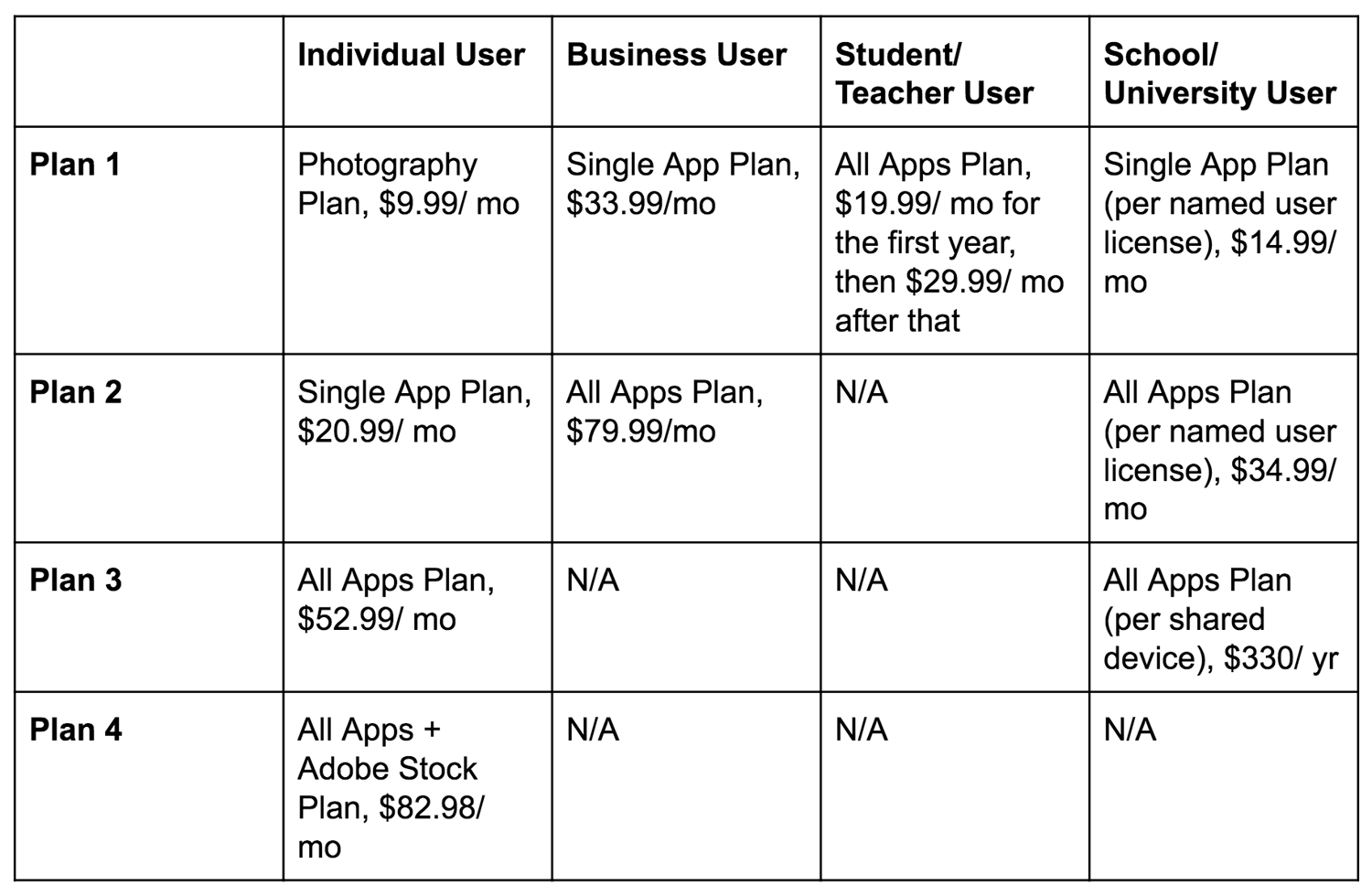
Note: If you’re buying Adobe Creative Cloud as an institution, you’ll have to use Creative Cloud Enterprise.
Adobe Creative Cloud Resources
As mentioned earlier, learning Adobe Creative Cloud may seem like an overwhelming task, considering the level of functionality and number of features the software offers. Don’t let this deter you from getting started — there’s no shortage of resources and tools to help you throughout your experience.
There are resources to help you determine which apps and services are ideal for your needs, including review sites like Capterra, TechRadar, and G2Crowd. You can use these sites to read customer and professional reviews about their experiences, likes and dislikes about the Creative Cloud. You can also learn about the individual applications and what makes the software unique.
Once you have determined your Adobe Creative Cloud plan of choice, you can use one of the many resources — created by Adobe — to help you become comfortable working in the applications. Here are a few of the tutorials Adobe offers:
- Adobe Creative Cloud Tutorials
- Adobe Creative Cloud User Guide
- Adobe Community Support and Forums
- Adobe Customer Help Center
- @AdobeCare Twitter
- Adobe Creative Cloud YouTube Channel
Lastly, online learning platforms, such as Lynda, offer access to a number of Adobe Creative Cloud training sessions, classes, and tutorials for you to browse and purchase.
Start Creating
Adobe Creative Cloud is an ideal software option if you’re in video, photography, design, or web development. It includes a wide range of tools and resources to help you reach your creative goals.
Determine how Adobe Creative Cloud can help you, choose a plan that meets your specific needs, and get started creating today. And when in doubt, review one of the many resources available to assist you through any challenges you may encounter along the way.

How to Market on Reddit: A Guide for Businesses
Are you looking to expand your marketing outside the traditional social platforms? Have you considered Reddit? In this article, you’ll learn how to market your business on Reddit. Why Marketers Should Consider Reddit For as much as we, as social media marketers, champion the deep potential of social media to engage and empower audiences, this […]
The post How to Market on Reddit: A Guide for Businesses appeared first on Social Media Marketing | Social Media Examiner.
from Social Media Marketing | Social Media Examiner https://ift.tt/2ETeMEF
via socialmediaexaminer
Your Google Rank Doesn’t Matter Anymore
For a long time, keyword rankings were a staple part of any SEO campaign. In a lot of cases they were a primary metric used to judge performance.
Today, your Google keyword ranking is just one of several reasons your traffic can increase or decrease.
Google Keyword Ranking
Google keyword ranking indicates where on Google’s search engine results pages (SERPs) an individual webpage is positioned when a user enters a keyword. Typically, 10 results comprise a SERP, and the higher your position on that SERP, the more organic traffic your webpage will get. Lately, however, there are other SEO variables marketers need to pay attention to.
Just six or seven years ago, we had so much more information on the keywords users were searching to reach our web content. All of this information was available transparently within Google Analytics, and you could get relatively accurate search volume estimates from within Google’s Keyword Tool.
appearance of “not provided” within Google Analytics. This means you can no longer find out which keywords are bringing in the organic traffic your website is receiving. The “not provided” tag looks a little something like this:
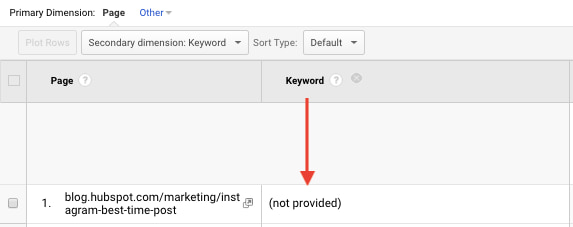
This created a ripple effect across many SEO software providers that made a lot of their tools less effective — or at least tougher — to measure the impact coming from organic search on a granular level.
Google’s next major change — a more recent one — was its decision to move search volume estimate within their Keyword Planner tool to show estimates in broad ranges. Instead of learning that a keyword was being searched for 1,400 times each month, we’re told that it’s searched between 1k-10k times per month. This isn’t overly helpful when developing your content strategy.
These changes have forced marketers to adapt their search strategy to focus less on individual keywords and shift to a topic-centric content strategy, especially for content sitting at the top of their marketing funnel.
Keyword Rankings are Inaccurate
One of the major criticisms of keyword ranking data is the fact that it is largely inaccurate. Many industry leaders and even software providers of rank tracking data have admitted that this is the case.
The reasons behind this can be broken down into three broad buckets:
- Personalization.
- Device.
- Location.
Personalization
Around the time of the launch of Google+, the SEO industry was talking a lot about personalization within search. Even after the death of Google+, personalization has remained a big consideration.

Bonus points if you remember Authorship snippets (circa 2012).
Ultimately, Google will deliver results that are personalized to a user based on their search history. This means that if I were to search for a query like “electric cars” and I’d previously been browsing the Tesla website, it’s a possibility that Google would tailor the rankings of the search results to show Tesla near the top.
This wouldn’t be the case for someone that hasn’t previously visited Tesla’s website, which makes it very tough to determine which website actually ranks #1 (because it can be different from one person to the next).
Device and Location
Whilst personalization plays a part in the ambiguity of keyword rankings, it’s nothing compared to the role of implicit query factors like device and location.
One of Google major advancements in search over the past five years has been its ability to take into account aspects of a search query that aren’t explicitly stated. To make sense of what I’ve just said, let’s take a query like, “Boston restaurants”.
Go back to 2010 and a search for “Boston restaurants” would yield a list of relatively generic websites that either talk about Boston restaurants or maybe are a restaurant.
Fast-forward to 2018 and a simple search for “Boston restaurants” will arm Google with a whole lot more information than before. They’re able to see which device you’ve searched from, where you’re located whilst you’re searching, even if you’re currently on the move.
Let’s say that you searched on an iPhone and you’re walking around in the center of Boston at 11:30 am. Here’s what this query would actually look like to Google:
“Which restaurants are currently open for lunch within walking distance of my current location in the center of Boston, MA?”
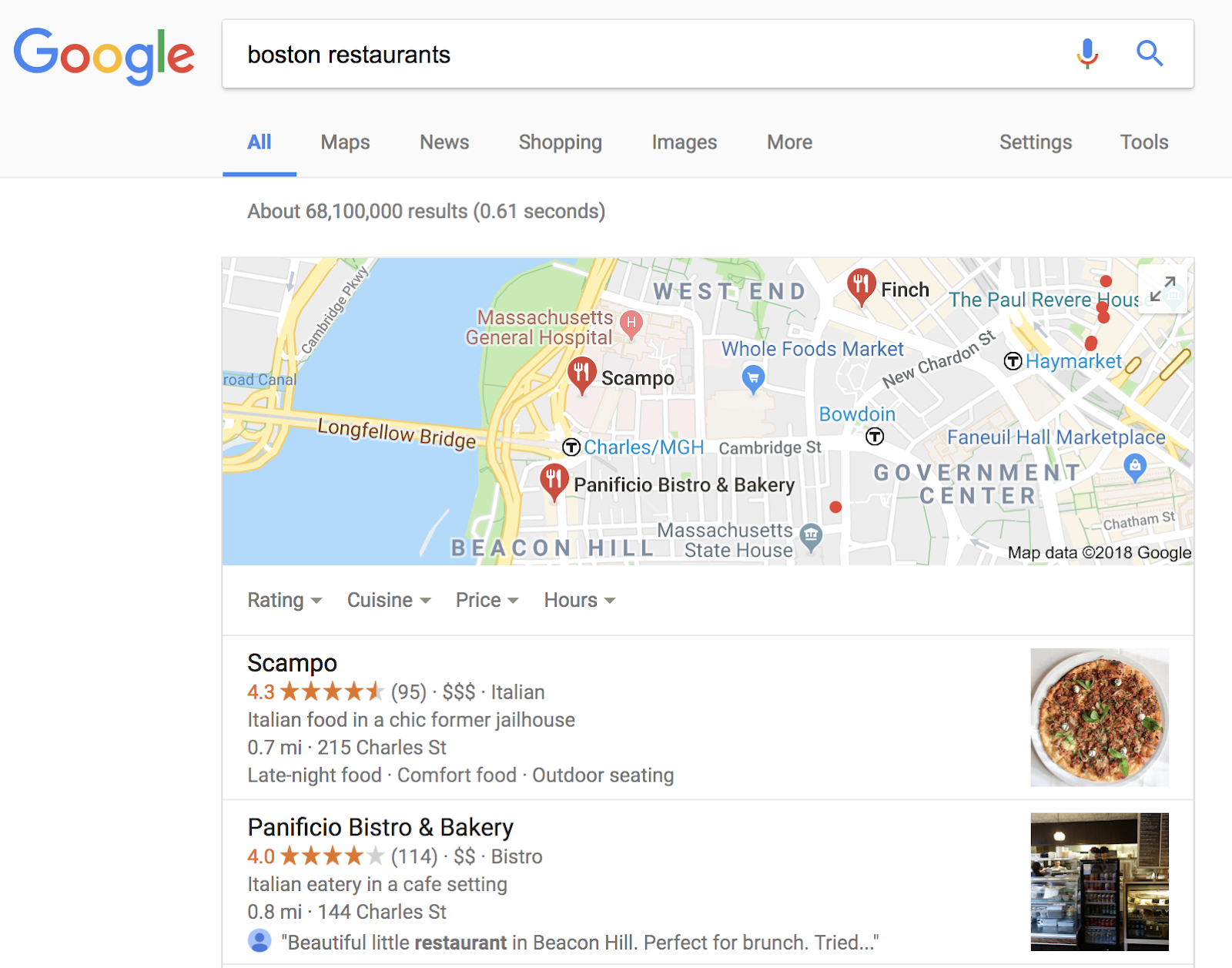
They’ve gathered all of this information without the individual even having to type it. As a result, they’re able to completely tailor the search results to this individual searchers’ current situation.
So … to answer the question of who ranks #1 for “Boston restaurants” becomes an even more challenging task.
Keyword Rankings are Directional at Best
Strong keyword rankings don’t always equate to high volumes of organic traffic, let alone improvements in revenue. As I mentioned at the beginning, we’ve lost a lot of visibility on search volume metrics, which makes it very difficult to accurately estimate the amount of traffic you can gain from an individual keyword. Factor in the changing appearance of the search engine results page (e.g. the widespread increase in featured snippets) and it becomes an even more daunting task.
If keyword rankings are your North Star, you may be traveling in the completely wrong direction.
Here are three search features that can interfere with your keyword rankings while presenting you with opportunities to capture traffic from Google in new ways:
Featured Snippets
Featured snippets are the enhanced search results that appear at the very top of Google SERPs. They’re a form of “rich snippet,” a grouping of structured data that Google has collected from a webpage. And due to their size, they can take an extraordinary amount of traffic away from the the results beneath them.

What makes featured snippet results so important? Publishers can earn them regardless of their Google rank. That’s right, it is entirely possible for a site below position #1 on the SERP to win this top-dwelling space, making Google rank noticeably less important for topics that are vulnerable to them. Check it out below — as you can see, the featured snippet is pulling in a result that technically ranks in position 3, allowing it to steal organic traffic from the results in positions 1 and 2.
Videos
Video is playing an increasing part in content marketing strategies, and not for superficial reasons. Videos published to any platform, not just YouTube, are now ending up on SERPs where Google has determined the intent behind a search query is best served in this medium.
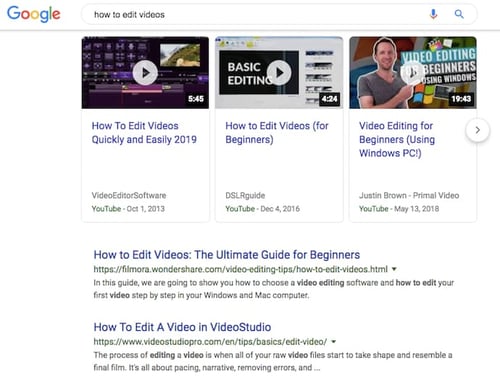
These video results might take away traffic from publishers, but they also allow you to “rank” for keywords you might not have written content to target.
Image Packs
Image packs are large groupings of images that Google pulls into its SERPs from the Images tab in a Google search. As you can see below, they can be so large that they take up all the space “above the fold” of a SERP. This makes results ranking in position 1 for a particular keyword hard-pressed to capture organic traffic from that keyword unless they’ve published images dedicated to (and optimized for) this keyword.
When all you’re obsessing over is where each page is tracking against a ranking goal, you’ll likely be misses a ton of other value that your content is bringing in. For example, what if you’ve built out some content with the primary goal of driving backlinks or social traffic, but it isn’t necessarily designed to rank for much itself (e.g. a research report)? Using keyword rankings as a determining factor of success could evaluate content in a completely inaccurate way.
Measuring Performance at the Topic Cluster Level
To combat a lot of the issues I raised above, we shifted the way that we measured content at HubSpot. For the past couple of years we’ve taken a step back from analyzing the performance of content on a page-by-page level and looked at the performance of content at the topic cluster level.
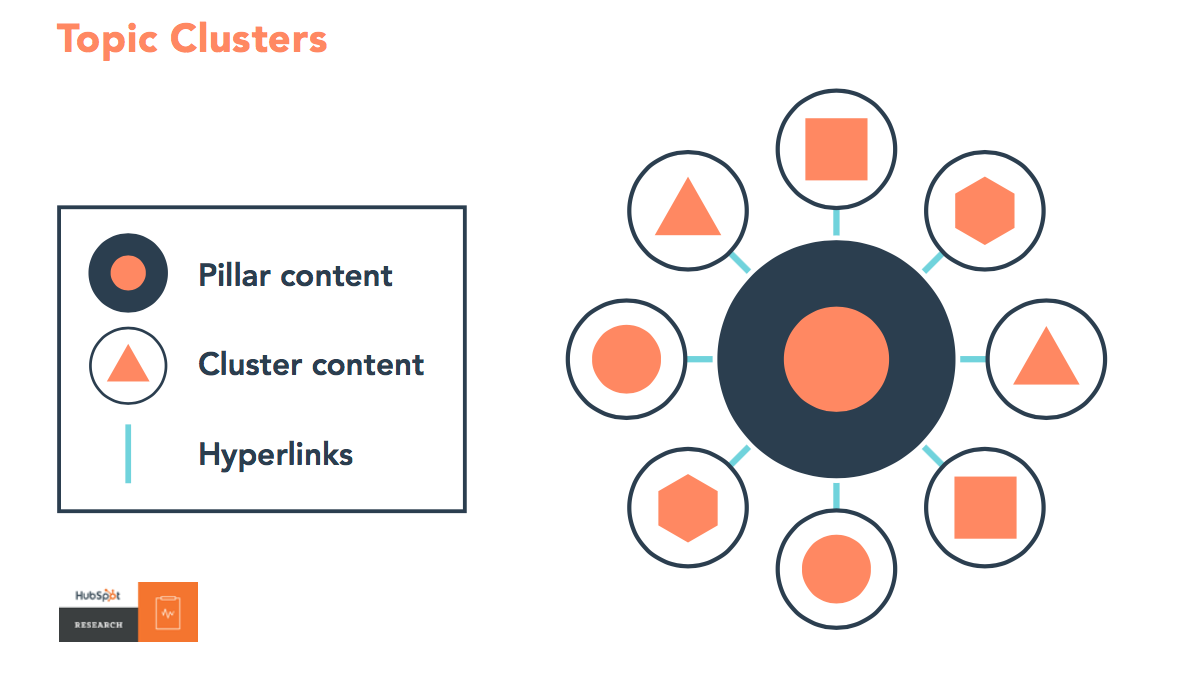
Organic search traffic and conversions are our primary search goals, so when we group our content into clusters to try and gain visibility for any searches related to a given topic, we look at the collective performance of these groups of webpages vs just the performance of individual pages.
This model of analysis helps us account for the varying goals of each individual piece of content. Also, running this analysis at scale tells us which topics tend to drive more traffic growth compared to others, and which topics tend to convert traffic at a higher rate.
This information tends to provide much clearer insights for the team as to what they should focus on next without obsessing over individual keyword rankings.
Is There Still a Place for Keyword Rankings?
Despite everything I’ve said above, I’m not actually saying that keyword rankings are dead (I can already see the tweets ready to be fired at me!). Keyword data can be useful for digging into any SEO problems that happen to your site, and also to look into the intent behind certain types of searches.
That said, the new version of Google Search Console that has just recently been rolled out should give you pretty much everything you need here.
More than anything, as a marketer you need to be aware that the data that you’re looking at related to keywords is not 100% accurate. As a result, this should never be your primary performance metric.


The Best Time to Post on LinkedIn in 2019 [Cheat Sheet]
With all the walk-and-talk videos and anecdotal status updates flooding LinkedIn nowadays, the professional social networking site isn’t just a platform for connecting with your colleagues anymore — it’s a place where companies can build a brand.
After Microsoft bought LinkedIn for $26.2 billion in 2016, LinkedIn released a new native video feature, a trending stories section, and a more robust analytics tool to help brands engage larger audiences for a longer amount of time. In fact, LinkedIn has 303 million monthly active users today, which is only 23 million users shy of Twitter’s monthly active user count.
Just like on every other social media network, attracting an engaged audience on LinkedIn requires you to craft compelling content. But if you don’t post your content at the right time, most of your followers will never see your updates. So how do you figure out the optimal post time for your specific audience?
The best way to determine your brand’s ideal post time on LinkedIn is by testing and uncovering the exact time and days your content generates the most engagement. However, if you don’t have enough resources or time to conduct your own tests, Sprout Social, a social media management platform with over 25,000 customers, has you covered.
Last year, they analyzed their customer data to see what time and day their customers’ social media posts generated the most engagement. And after examining their aggregate engagement data on LinkedIn, Sprout Social pinpointed the days and times — in Central Daylight Time (CDT) — that could generate the most engagement on the platform for your brand:
Best Time to Post on LinkedIn
On average, the best time to post on LinkedIn is between 3 PM and 5 PM CDT on Wednesdays. Other high engagement times on the platform are between 8 AM and 10 AM CDT on Tuesdays, 10 AM and 12 PM CDT on Wednesdays, and 1 PM and 3 PM CDT on Thursdays.
During the time periods above, people are usually getting ready for work, just starting their day, taking an afternoon break, or going home, so it makes sense that engagement on LinkedIn is high then.
If you want to know the best days to post on LinkedIn, the data in the snippet above suggests that the best day to post on LinkedIn is Wednesday. Other days of high engagement are Tuesday and Thursday. On the flip side, Friday, Saturday, Sunday, and Monday are usually the days with the lowest engagement.
Most people use LinkedIn during the middle of the week because that’s when they’re the most productive. On the other hand, people usually don’t use LinkedIn on the weekends or on Mondays because they take a break from work on the weekends, and Mondays are, well, Mondays.
Timing Is Everything
If you post content to LinkedIn when the majority of your audience isn’t online, will you receive the amount of views and engagement you were hoping for? Probably not. So remember, if you want to build a brand on LinkedIn, it’s crucial to find out when your specific audience prefers to surf the site. Because if you do, you’ll nail the timing of your posts almost every single time you want to update your followers on the platform.
