Welcome to My Blog
Rethinking Social Media Marketing: How to Use a Behavior Based Approach For Content on Social Media
Companies today are grappling with how to best market to consumers on various social networks. How can they better identify the types of content that will perform the best on each network? To answer that question (and better inform HubSpot’s own social strategy), HubSpot Research and the University of Virginia teamed up to survey consumers and analyze existing branded content to produce a framework that helps brands identify the types of content that performs best on a given social network. This post is an overview of a longer report published by HubSpot Research.
Understanding Behavior and Content Options
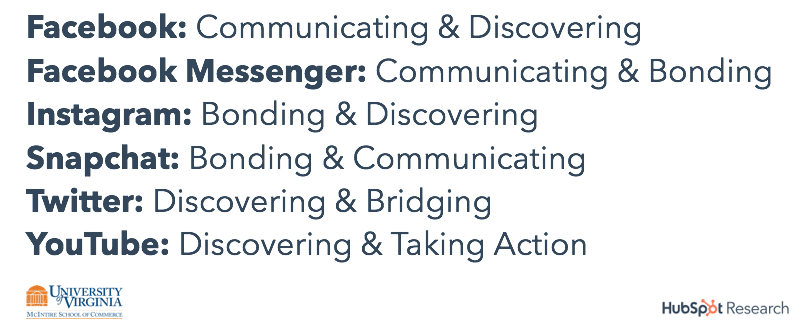
We first needed to understand the primary behaviors people take on each social network – after all, people use Twitter very differently from a network like Instagram or YouTube. Through consumer surveys, we identified five key behaviors: bridging, bonding, communicating, discovering, and taking action. Based on our data, we tied the most prevalent behaviors found on each of the six social network we studied (see figure 1).
Figure 1. Prevalent Behaviors on Social Networks
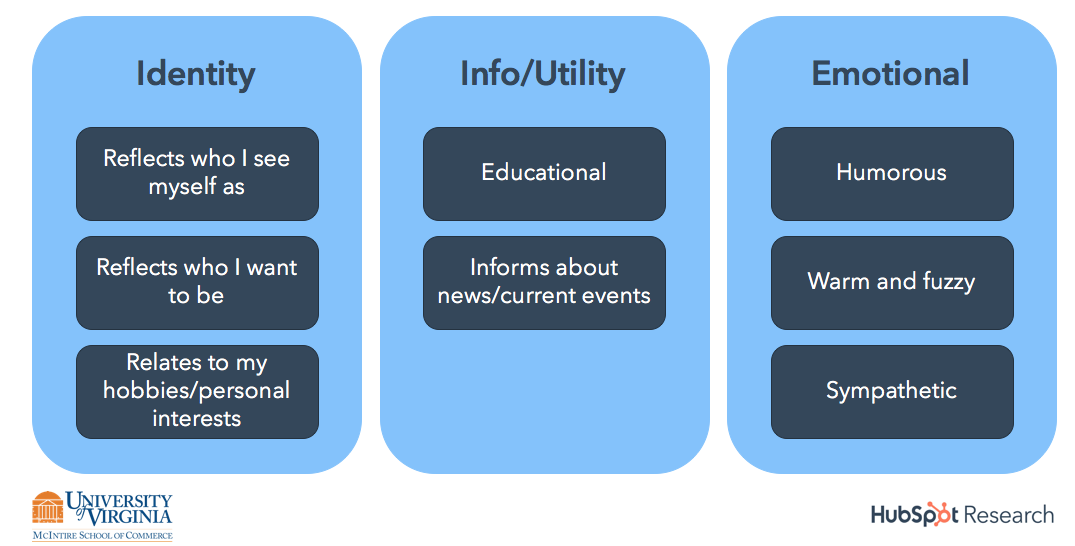
We understood behavior; now we needed to categorize the themes of content that we typically find on social media. Our research identified eight distinct categories of content commonly made by brands (see figure 2). These content categories build on HubSpot’s existing social content framework in which content broadly reflects consumers’ identity (Identity content), provides information to consumers (Info/Utility content), and elicits an emotional response from consumers (Emotional content). A given piece of content may have characteristics of multiple categories, but may be more associated with one of the eight categories than others.
Figure 2. Content Categories
Using the content category framework, the team at UVA tested various branded content on consumers to understand what type of content performed best for the five core behaviors exhibited on social networks. Our resulting guide below can help companies best orient the content they create for social networks, to better reflect the reasons why people are on the network in the first place.
Figure 3: Behaviors and the Content that Performs Best
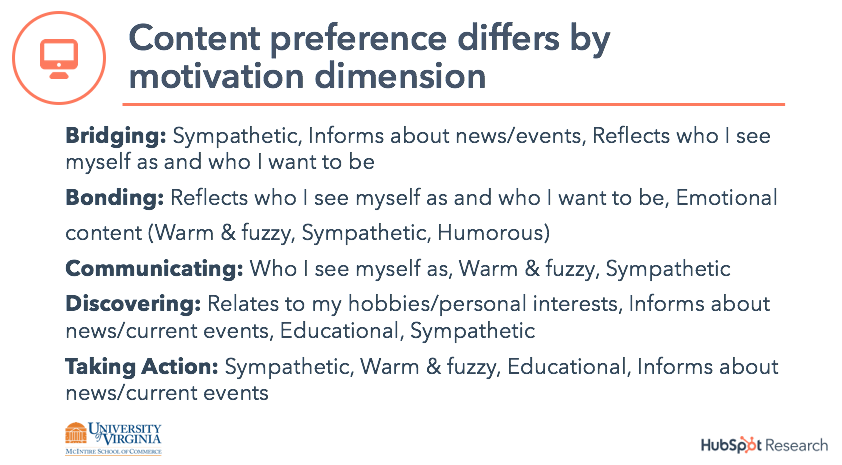
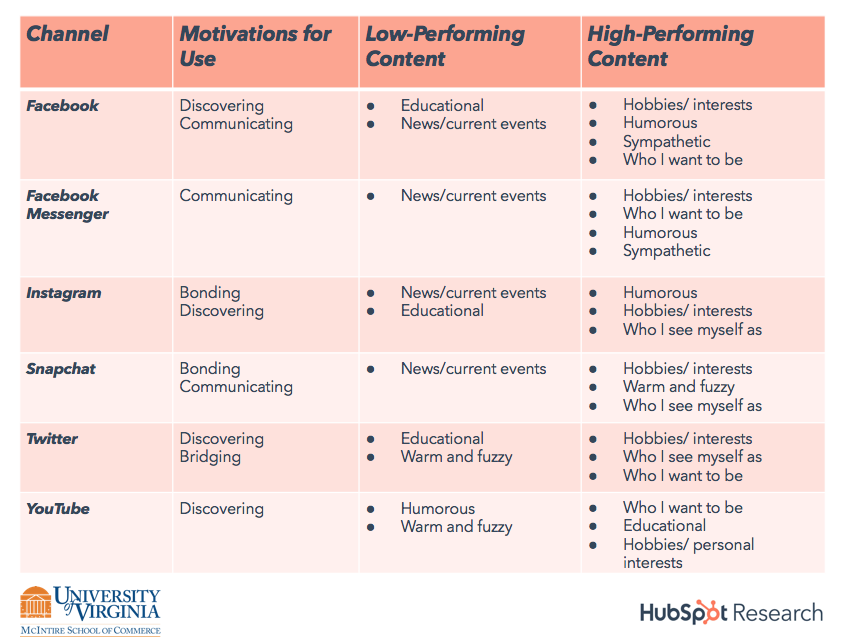
Our survey findings show that people not only generally prefer different types of content as a function of their reasons for using a platform, but their behavioral response to brand content is driven by these various motivations. Integrating the survey results with the actual performance of campaigns in market, we are able to assess the relative effectiveness of content categories for each channel and suggest the optimal content for driving intended behaviors. Consistent results across the HubSpot survey and the HubSpot campaign data, as well as survey results for the content from various other organizations and product categories, allow us to broadly identify patterns of content category effectiveness for companies across channels. For complete details on the best and worst performing content types on each network, check out figure 4 below.
Figure 4. Content Performance by Channel
Want to see the entire study? Click here to read more.

How to Style Your Instagram Grid Layout: 4 Planning Tools

Do you want an easier way to curate a stylish and cohesive Instagram profile? Wondering how to see what new images will look like in your profile before you publish? In this article, you’ll discover four Instagram grid layout planning tools that will help you create a visually attractive profile grid. Why Use an Instagram […]
The post How to Style Your Instagram Grid Layout: 4 Planning Tools appeared first on Social Media Marketing | Social Media Examiner.
from Social Media Marketing | Social Media Examiner https://ift.tt/2SX85Wg
via socialmediaexaminer
How to Quickly Check If a Link or Site Is Safe
Nowadays, most cybercriminals leverage a seemingly harmless staple of the internet to infect and ravage people’s computers with malware — links. In 2018, there were four times as many malspam emails with malicious links than malspam emails with malicious attachments. But malicious links don’t just lurk in emails. They also skulk around in social media, messaging apps, and even text messages.
Malware is the most expensive cyber attack on companies, costing them an average of $2.4 million for each attack. So to help protect your work computer, data, and funds from any malign viruses or worms, take a look at this overview of the best free online tools for quickly checking the safety of a link or site.
How to Check if a Link is Safe
To check if a link is safe, plug it into a link checker. Link checkers are free online tools that can analyze any link’s security issues (or lack thereof) and alert you if the link will direct you to a compromised website, malware, ransomware, or other safety risks. We’ve provided descriptions of the three best link checkers below.
3 Link Checkers That’ll Help Protect Your Computer, Data, and Funds
Run by Norton, a premiere antivirus and anti-malware software provider, Norton SafeWeb can analyze any link for its safety and security problems. Norton SafeWeb also gives you a summary of the website’s computer threats, identity threats, annoyance factors, and proof of eCommerce safety validation, which is crucial for protecting your personal and financial information when you buy products or services on the site.

By leveraging their own Safe Browsing technology, Google can examine billions of URLs per day to find unsafe websites. They uncover thousands of dangerous sites everyday, and they’ve discovered that many of these sites are actually legitimate but they’re also compromised. To check if a site is compromised or dangerous, just plug one of its links into Google’s free online tool.

3. URLVoid
URLVoid is a service that can gauge a website or link’s online reputation and website safety, detect any fraudulent or malicious behavior, and identify if its ever been involved in a malware or phishing incident. To do this, URLVoid filters links through over 30 blacklist engines and online website reputation services. They also provide you with a safety report that includes the blacklists used to check the link and its website’s details like blacklist status, domain registration, IP address, and more.


The Ultimate Guide to Bitcoin
Bitcoin celebrates its tenth birthday on January 9, 2019.
The first official purchase made with bitcoins was of two pizzas in Jacksonville, Florida — sold for 10,000 BTC. Today, that amount is worth about $33.7 million — and Bitcoin owners are purchasing a lot more than pizza.
Crazy, right?
Bitcoin has become an albeit invisible commodity in our society. It offers greater security and lower transaction fees for consumers and businesses alike and holds the potential to equip a global economy.
As business owners and merchants, we should be familiar with Bitcoin, and how to get it, store it, and use it.That’s why we built this guide.
Below, you’ll read about the history of Bitcoin, how to procure it, and how to store and use it. Use the chapter links to jump ahead.
It’s no coincidence that Bitcoin was invented so soon after the housing market crash in 2008. With no corporate middleman or closeted transactions, Bitcoin leaves little room for corruption — something that can’t be said about other financial institutions.
It also cuts out unnecessary fees and makes it easy to transfer bitcoin funds all over the world.
Think about it. When you transfer money through banks or institutions, you end up paying a lot of fees … such as currency conversion fees, bank service fees, and deposit or transaction fees to payment gateways like PayPal or Stripe. How else would these institutions and businesses make money?
Bitcoin, on the other hand, is transferred digitally, directly, and anonymously. It puts the power back into hands of the buyers and sellers.
Bitcoin to USD
To make sense of this whole “digital currency” thing, let’s compare it to the very well-known and sometimes well-loved US dollar.
Bitcoin has come a long way in the last decade. When it was created, one bitcoin (₿1)was worth $0.008 USD. In five days, the price rose by 900% to $0.08 USD.
Today, ₿1 is worth $3,377.67 USD.
Don’t have $3,300 to spend in one place? Bitcoins are divided into sub-units called satoshis; each satoshi is worth ₿0.00000001. (For reference, $1 USD is equal to 29,174 Satoshi.)
Bitcoin Terms to Know
Bitcoin is a complex technology and currency. (Yes — it’s both.) To better understand this guide, here are a few Bitcoin terms to know.
Blockchain
Bitcoin transactions are recorded on blockchain, a public record used to verify bitcoin transactions and prevent scams. Transactions are recorded on blocks; a new block is added to the chain roughly every 10 minutes. Learn more about blockchain in the video below.
Bit
A bit is a sub-unit of Bitcoin, formally known as microbitcoins. Where a satoshi is ₿0.00000001, a bit is ₿0.000001 … ₿1 equals 1,000,000 bits. 1 USD equals about 295 bits.
Bitcoin
Bitcoin capitalized refers to the currency and technology as a whole. When bitcoin isn’t capitalized, it’s in reference to the unit of currency. It’s also abbreviated using BTC or XBT.
Confirmation
Confirmation happens when a transaction has been processed by the network and is recorded onto a block. Multiple confirmations occur as transactions are recorded onto subsequent blocks, and each transaction decreases the risk of a reversed transaction.
Cryptography
Cryptography is the act of writing in or deciphering code. Its a type of mathematics and allows us to create secure transactions and online environments, i.e. “encrypted” accounts or wallets.
Mining
Mining is a metaphor for Bitcoin’s proof of work system — where miners solve the math problems that validate every bitcoin transaction in exchange for bitcoins. These complicated mathematical calculations also increase security and subsequently release newly created bitcoins. It’s not unlike physical mining for gold or jewels, except it’s done using various mining hardware and mining software. Mining is only one way — the hardest and most profitable way — for you to get bitcoins. The block reward for solving these math problems is 12.5 tokens — the equivalent of over $40,000 today. Like the US dollar, there’s a limited number of bitcoins floating around the economy. There are currently 15 million in existence … with a cap of 21 million, that leaves only 6 million more bitcoins to mine.
Private Key
A private key is a confidential piece of data that verifies your right to spend bitcoins from a specific wallet. It’s like a Bitcoin password. Each wallet is associated with its own private key.
Signature
A signature is a piece of cryptography that verifies your bitcoin ownership — it’s the public-facing side of your private key. But don’t worry, cryptography ensures that no one can guess or decipher your private key or other data.
How to Buy and Earn Bitcoin
There are a number of ways to get, earn, and buy bitcoins for yourself. But just because bitcoin is purely digital doesn’t make it easy to come by. The below methods require your time, money, or both in exchange for bitcoin. Consider diversifying your collection strategies to bring in more.
Exchange real money for bitcoin
Cryptocurrency exchanges allow you to buy bitcoin and other currency using credit cards, bank transfers, and even PayPal payments. The most popular online exchanges include Bitfinex, Bitstamp, and Coinbase. You can also exchange money for bitcoin in person at a Bitcoin ATM, retail store, bank, or directly with another person.
Accept bitcoin as payment
Simply share your bitcoin address with shoppers (in-person or online) and display a “Bitcoin accepted here” sign. Also, consider selling goods and services for bitcoin on sites like Purse.
Complete tasks for bitcoin
These sites are called “bitcoin faucets” and essentially exchange bitcoins for time — time playing games, watching ads, or writing about cryptocurrency. While this is a legitimate (and seemingly easy) way to get bitcoin, the return on the investment of your time is very little.
Earn interest from lending bitcoin
If you already own bitcoin, you can put it to work for more. Consider lending your bitcoin and receiving interest payments. You can do this with a peer or friend or through a site like Bitbond.
Get tipped with bitcoin
Sites like Bitfortip offer bitcoin incentives for all kinds of tasks and odd jobs. Some sites will tip in Bitcoin for taking surveys, answering questions, and sharing content.
Note: Bitcoin is extremely volatile. Its trading price can fluctuate hundreds of dollars in a matter of hours. While some people treat bitcoin as a daily currency, other people purchase bitcoin like they do stock, meaning they buy it, leave it alone, and only sell their bitcoins when the price skyrockets.
How to Store and Use Bitcoin
Bitcoin is unique in how it’s stored … you can’t quite tuck it under your mattress or toss it in a piggy bank. Instead, you use bitcoin wallets.
A bitcoin wallet is like a physical wallet. But instead of storing the currency itself, your wallet stores all your private key(s) which are linked to the bitcoins you can spend. Bitcoin wallets allow you to see your bitcoin balance and make payments to others.
Before you buy, earn, or collect any bitcoin, you first need to set up your bitcoin wallet. There are a few different kinds you can use. They differ by their storage method: “hot” storage is when your cryptocurrency is stored online, and “cold” storage is completely offline storage.
Software Bitcoin Wallets
Software wallets include desktop, online, and mobile wallets. They live on your device, with some being cloud-based — meaning they fall under hot storage. Hot storage is great for quick access and easy transfers, but it’s also more susceptible to cybercrime. Also, depending on the type of wallet, it could be compromised if the device is destroyed.
- Desktop bitcoin wallets are downloaded to a single PC or laptop and only accessible from that device. Multibit and Armory are examples.
- Online bitcoin wallets are cloud-based and accessible on any device. They’re the easiest to use — and the easiest to hack. It’s not recommended to store large amounts of bitcoin in online wallets. Coinspace and BitGo are examples.
- Mobile bitcoin wallets operate through an app and are the most convenient option as they are accessible on-the-go. MyCelium and CoPay are examples.
Hardware Bitcoin Wallets
Hardware bitcoin wallets live on an external device like a hard drive or USB. They’re accessible by plugging that device into a computer and logging in. These wallets are considered cold storage since data is stored completely offline.
Cold storage provides the best security and is best for large sums of bitcoin but can be intimidating to set up, inconvenient to use, and susceptible to physical damage, loss, or theft. Ledger, Trezor, and Keepkey are examples.
Paper Bitcoin Wallets
Paper bitcoin wallets are exactly what they sound like — pieces of paper containing your private keys. Instead of relying on software or hardware, which are susceptible to malware, cybercrime, and damage, you simply have to keep track of paper bitcoin wallets. These wallets are another type of cold storage and pretty easy to generate. Sites like WalletGenerator.net can help … all you need is an internet connection and printer.
How to Spend Bitcoin
When you set up your bitcoin wallet, you’ll create a public bitcoin address. It will look something like this: 1GV5Vye4LCfpkM9V5oFSQsZk8kq2vBxvCK.
A bitcoin address is similar to an email or physical address. It’s the only information needed for someone to pay you with bitcoin, and it’s the only public-facing data you’ll share as part of a transaction. Each transaction uses a unique bitcoin address.
To spend bitcoin, you simply share your bitcoin address for the recipient to decode using their wallet. At that time, the transaction is recorded on the blockchain for all other Bitcoin users to see.
Not sure where to spend bitcoin? There are over 100,000 merchants worldwide that accept bitcoin payments, including Expedia and Overstock.com. You can use bitcoin to do anything from booking luxury vacations to donating to charity.
Bitcoin Risks
Bitcoin is a largely unregulated, relatively unstable market and is notorious for scams. That being said, we recommend doing plenty of research before investing any large sums into Bitcoin.
Great opportunity and great risk go hand-in-hand. Bitcoin is no exception. Here are a few ways to secure your bitcoin amid the risks.
- Store only small amounts of bitcoin on cloud-based wallets and keep your larger amounts on offline wallets.
- Back up your wallet on a regular basis and keep your private keys and other data secure and offline.
- Use a variety of software to keep your bitcoins safe.
Keep an eye out for Bitcoin scams, which are becoming more sophisticated as the technology advances. There a few common scams of which to be aware.
- Wallet scams. Fake online wallets will ask for your money upfront or give you a bitcoin address that leads to the scammer, not you. Fake hardware wallets will have built-in vulnerabilities that make it easy for scammers to steal your bitcoins when digitally activated.
- Mining scams. Because bitcoin mining requires considerable time and resources, fake mining companies will offer to mine on your behalf — if you pay them. Others will “rent” server space on which to mine bitcoin. While some are legitimate, some are scams or Ponzi schemes.
- Exchange scams. There’s no regulatory body that monitors coin exchanges, making them susceptible to scammers and hackers. Scam exchanges often offer unrealistic exchange prices and operate on unsecured websites.
Lastly, lots of people have speculated whether Bitcoin will fail as a currency. Its volatility and instability have caused consumers and business owners alike to doubt its usefulness and global impact. Only time can tell if the currency will succeed and make major waves in our economy.
Bitcoin Resources
Bitcoin is a complex topic that’s still developing to this day. There’s plenty to learn and research about it online. To further explore Bitcoin, check out these resources.
Over to You
Bitcoin puts the power back into the people’s hands … although it confuses many in the process. If anything, the cryptocurrency is a sign of how progressive and tech-heavy today’s economy is.
Despite its volatility, Bitcoin holds a lot of promise — to decentralize our currency system and equip a global economy. But only time will tell. In the meantime, though, don’t forget to wish Bitcoin a happy birthday.

7 Incredible Answers to “What Is Your Greatest Weakness?” — That Aren’t “Perfectionism”
When an interviewer asks you, “What is your greatest weakness?”, you don’t want to respond, “I tend to work too hard,” or “I am too much of a perfectionist.”
Undoubtedly, these answers will come across as both insincere, and lacking true self-awareness.
Alternatively, you don’t want to respond with weaknesses that will prevent you from succeeding in the role. For instance, if you’re applying to be a project manager, you don’t want to admit,”I’m not very good with time management.”
Fortunately, there are ways to answer this question that will help you demonstrate your value as a candidate. Here, we’ve cultivated seven incredible answers to the dreaded “What is your greatest weakness” question — that aren’t “perfectionism”.

List of weaknesses
- Patience when working with a team
- Organization skills
- Delegating responsibility
- Can be too timid with my feedback
- Can be too blunt with my feedback
- Public speaking
- Analyzing data
When an interviewer asks “What is your greatest weakness”, they want to find out:
- Whether you have a healthy level of self-awareness
- Whether you can be open and honest, particularly about shortcomings
- Whether you pursue self-improvement and growth opportunities to combat these issues, as opposed to letting these weaknesses hold you back
Ultimately, you’ll want to use this question to demonstrate how you’ve used a weakness as motivation to learn a new skill or grow professionally. Everyone has weaknesses — your interviewer doesn’t expect you to be perfect.
However, it’s critical you avoid mentioning weaknesses that will prevent you from performing well in the role. For instance, if you’re applying for a data analyst role, you don’t want to say, “I’m not very good at math and struggle with numbers.”
Alternatively, if you’re applying for a copywriting position with little necessity for math skills, you might admit, “I struggle with numbers, and don’t have much experience with data analytics. While math is not directly tied to my role as a writer, I believe it’s important I have a rudimentary understanding of Google Analytics, to ensure my work is performing well. To tackle this weakness, I’ve been taking online courses in data analytics.”
To ensure you feel confident expressing a genuine weakness to your interviewer, take a look at the following examples.
7 Incredible Answers to “What Is Your Greatest Weakness?”
Here are seven examples of how you might answer “What is your greatest weakness”, and why they work.
1.”I don’t have much patience when working with a team — I am incredibly self-sufficient, so it’s difficult when I need to rely on others to complete my work. That’s why I’ve pursued roles that require someone to work independently. However, I’ve also worked to improve this weakness by enrolling in team building workshops. While I typically work independently, it’s nonetheless important I learn how to trust my coworkers and ask for outside help when necessary.”
This answer works because the weakness itself — inability to be patient when working with a team — doesn’t hinder your ability to perform well in the role, which doesn’t rely on teamwork to succeed. Additionally, you display an eagerness to develop strategies to combat your weakness, which is a critical skill in the workplace.
2. “I struggle with organization. While it hasn’t ever impacted my performance, I’ve noticed my messy desk and cluttered inbox nonetheless could interfere with my efficiency. Over time, I’ve learned to set aside time to organize my physical and digital space, and I’ve seen it improve my efficiency levels throughout the week.”
Plenty of people have messy desks. This answer works because it’s a relatable and fixable weakness. You note that disorganization doesn’t interfere with your ability to do your job, which is critical, but you also acknowledge it might make you less efficient. To ensure you’re performing at 100 percent, you mention personal steps you’ve taken to improve your organization skills for the sake of self-improvement alone, which suggests a level of maturity and self-awareness.
3. “I’m incredibly self-motivated, and I sometimes find it difficult to delegate responsibility when I feel I can finish the task well myself. However, when I became manager in my last role, it became critical I learn to delegate tasks. To maintain a sense of control when delegating tasks, I implemented a project management system to oversee the progress of a project. This system enabled me to improve my ability to delegate efficiently.”
This answer allows you to demonstrate an ability to pursue a new skill when a role calls for it, and suggests you’re capable of flexibility, which is critical for long-term growth. Additionally, you are able to showcase a level of initiative and leadership when you mention the successful implementation of a new process that enabled you to succeed in your past role, despite your personal weakness.
4. “Oftentimes, I can be timid when providing constructive feedback to coworkers or managers, out of fear of hurting someone’s feelings. However, in my last role my coworker asked me to edit some of his pieces and provide feedback for areas of improvement. Through my experience with him, I realized feedback can be both helpful and kind, when delivered the right way. Since then I’ve become better at offering feedback, and I’ve realized that my empathy can be used to my advantage to provide thoughtful, productive feedback.”
This answer works because you’ve explained how you were able to turn a weakness into a strength through real-world experience. Typically, timidity can be seen as a flaw in the workplace, particularly if a role requires someone to provide feedback to others. In this case, you’re able to demonstrate how timidity can be used as a strength, through thoughtful reflection and practice.
5. “My blunt, straightforward nature has allowed me to succeed over the years as a team manager, because I’m able to get things done efficiently, and people often appreciate my honesty. However, I’ve recognized my bluntness doesn’t always serve my employees well when I’m delivering feedback. To combat this, I’ve worked to develop empathy and deeper relationships with those I manage. Additionally, I took an online leadership management course, and worked with the professor to develop my ability to deliver feedback.”
Oftentimes, facets of our personalities can help us in certain areas of our work, while hindering us in others. That’s natural. However, it’s critical you demonstrate an ability to recognize when your personality interferes with the functions of your role, and how you solve for that.
In this example, you first explain how your blunt nature allows you to be successful in certain situations. Then, you mention that you understand your bluntness can be seen as a lack of empathy, and then provide examples of how you’ve attempted to solve this issue. Ultimately, your awareness of how you might be perceived by others shows a level of emotional intelligence, which is a critical asset for a team leader.
6. “Public speaking makes me nervous. While I don’t need to do much public speaking in my role as web designer, I nonetheless feel it’s an important skill to know when I want to offer my opinion during a meeting. To combat this, I spoke with my manager and she recommended I speak each team meeting for a few minutes about our project timeline, deadlines, and goals when developing a website for a client. This practice has enabled me to relax and see public speaking as an opportunity to help my team member’s do their jobs effectively.”
In this example you mention a skill that isn’t applicable to the role, but one which you nonetheless have been working to improve. This shows your desire to meet more business needs’ than necessary in your current role, which is admirable. Additionally, it’s impressive if you can show you’re willing to reach out to your manager with areas in which you want to improve, instead of waiting for your manager to suggest those areas of improvement to you — it demonstrates a level of ambition and professional maturity.
7. “I’m not great at analyzing data or numbers. However, I recognize this flaw can prevent me from understanding how my content is performing online. In my last role, I set up monthly meetings with the SEO manager to discuss analytics and how our posts were performing. Additionally, I received my Google Analytics certificate, and I make it a point to analyze data related to our blog regularly. I’ve become much more comfortable with data through these efforts.”
In this example, you’re able to show your desire to go above-and-beyond a job description, and actively seek out skills that could be helpful to the success of your company as a whole. This type of company-first mentality shows the interviewer you’re dedicated to making yourself a valuable asset, and try your best to understand the needs of the whole department, rather than just your role.
How to answer “What are your greatest weaknesses?”
- Choose a weakness that will not prevent you from succeeding in the role.
- Be honest and choose a real weakness.
- Provide an example for how you’ve worked to improve your area of weakness, or learn a new skill to combat the issue.
- Demonstrate self-awareness and an ability to look to others to provide you with the resources necessary for growth.
- Don’t be arrogant, but alternatively, don’t underestimate yourself or show lack of confidence when you answer.


How to Implement Social Listening for Your Business: 4 Tools

Do you need to do more than monitor and respond to mentions on social media? Looking for tools that also reveal strategic insights from those conversations? In this article, you’ll discover four social listening tools that deliver information you can use to make smart marketing decisions. What Is Social Listening? Social listening is the process […]
The post How to Implement Social Listening for Your Business: 4 Tools appeared first on Social Media Marketing | Social Media Examiner.
from Social Media Marketing | Social Media Examiner https://ift.tt/2ECSYOi
via socialmediaexaminer
The 13 Best Free Social Media Monitoring Tools for Every Marketing Team
Reputation is everything. And on the internet, that couldn’t be more true.
It’s important to always know what people are saying about you — whether it’s your customers, your competitors, or the press. And on any given day, it can be tricky to keep up with what your audience is sharing across a variety of social media platforms.
That’s why social media monitoring is so important today.
What is Social Media Monitoring?
Social media monitoring, sometimes referred to as social media “listening,” is the practice of examining what’s being said about someone or something — or the topics that entity cares about — by other social media users. The people who are conducting this monitoring can do so for their own personal profile or on behalf of a business’s social media account.
Social media monitoring can take many forms and track keywords, hashtags, and mentions of a specific user. It can also take place on one social network or across several.
Depending on the user and what their goal is in monitoring their social media presence, social media listening can offer all kinds of insight to help a business become more efficient. For example, if a brand is particularly controversial, or sensitive to how it’s defined by the public, it might want to monitor every social network on which the brand has an account to keep track of its reputation. Or, if the company has a talkative consumer base that it wants to interact with, the company might limit its monitoring to just the social networks where it knows its customers are most verbal.

No matter what your goal is when listening to a social network, checking out your newsfeed, timeline, or conducting a basic search through the network’s search bar simply won’t suffice. There are numerous social media monitoring and management tools out there that can tap conversations you won’t find by yourself. And each tool offers a different set of data to help you adapt your social media strategy over time.
So, we’ve rounded up some of the best free social media and brand monitoring tools from around the vast web of social networks.
Nearly all of these tools are free, but some offer paid versions with more features and capabilities. Let’s dive into each one — and see if you want to test them out today.
Free Social Media Monitoring Tools
- TweetDeck
- Social Mention
- TweetReach
- Followerwonk
- SumAll
- Mentionmapp
- Lithium (formerly Klout)
- Hootsuite
- Boardreader
- BuzzSumo
- Google Alerts
- Native Analytics Tools
- HubSpot
1. TweetDeck
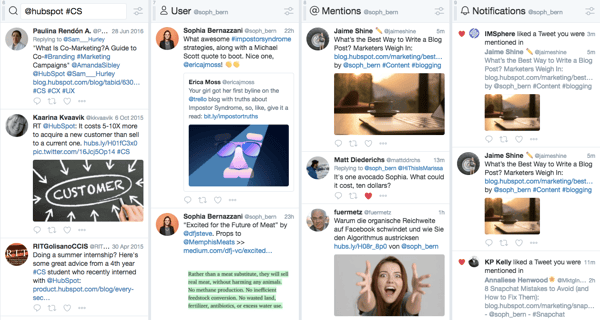
TweetDeck lets you create a more customized Twitter interface to monitor different users, hashtags, search terms, and lists. From one panel, you can look at Twitter content from the groups you want — whether that’s customers, competitors, or employees.
TweetDeck is a great tool to use during events or live-tweetstorms to keep up with live conversations — while also keeping an eye on you or your brand’s notifications and mentions.
2. Social Mention
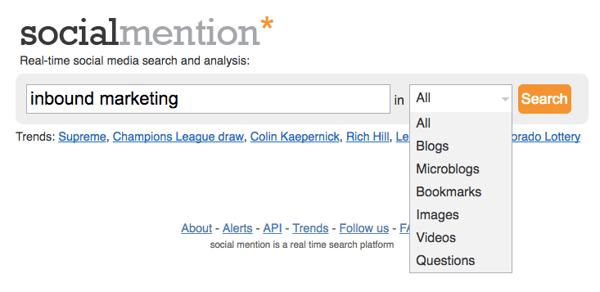
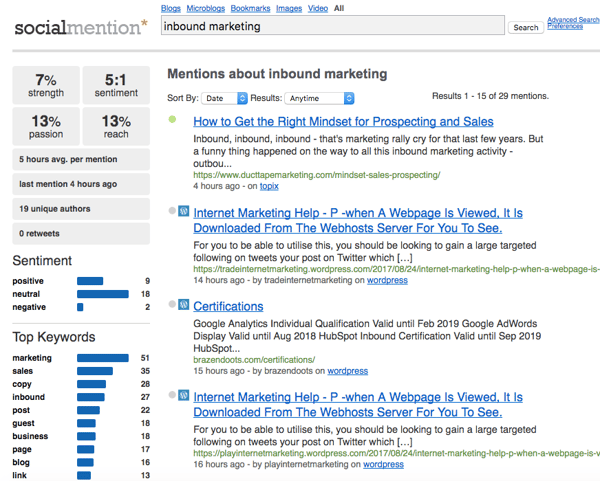
Social Mention aggregates all of the blog, microblog, image, and video content related to the search term you provide from a variety of search engines and social networks. This makes it easier to digest and view what’s being said about your brand in one comprehensive view.
3. TweetReach
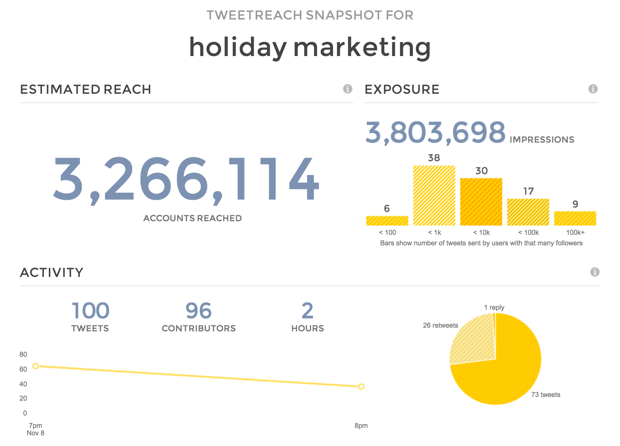
TweetReach gives you a free “snapshot” report on the potential reach of any tweet that includes a given hashtag, keyword, or username. With analytics provided by Union Metrics, the tool offers a free signup for which you’ll be able to see who’s talking about which topics, how many impressions you’d get on a post about that topic, and more. TweetReach’s snapshot reports are free for the first 100 tweets, and the company offers paid plans starting at $49/month thereafter.
4. Followerwonk
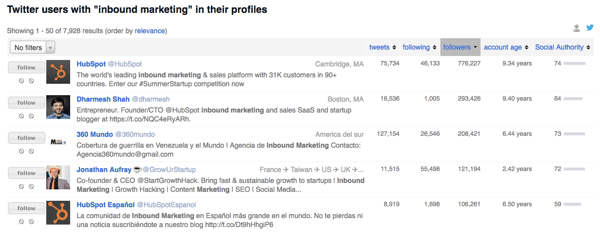
Followerwonk lets you quickly and easily search users’ Twitter bios and profiles for mentions of you or your brand. Log in with your Twitter credentials to check it out, or subscribe to the paid versions to get even more social insights.
5. SumAll
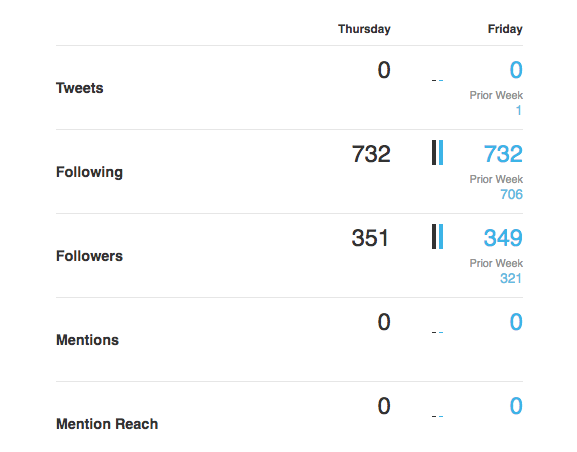
SumAll connects to a variety of different social accounts — including Twitter, Facebook, Instagram, and LinkedIn — to provide you with insights about your followers, interactions, and engagements. The paid version provides content recommendations and automatic post scheduling.
6. Mentionmapp
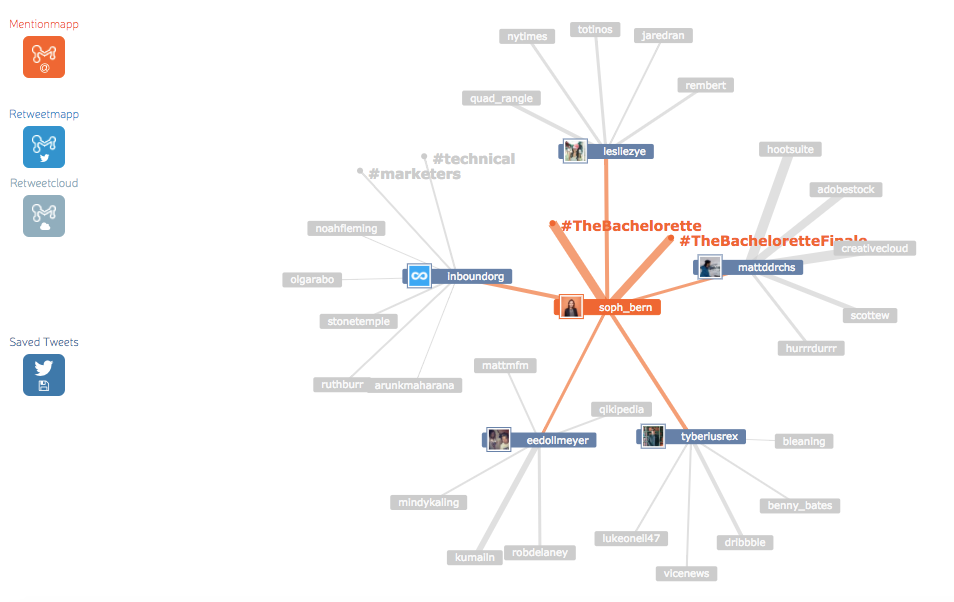
Mentionmapp connects to your Twitter API and see what’s going on in your Twitter network. You can see who mentions you the most, as well as who retweets you the most (using Retweetmapp). It’s interactive, too. That way, you can click through and see how your interactions are connected — if you want to keep an eye on the impact or reach a positive (or negative) tweet about your brand can have.
7. Lithium (formerly Klout)
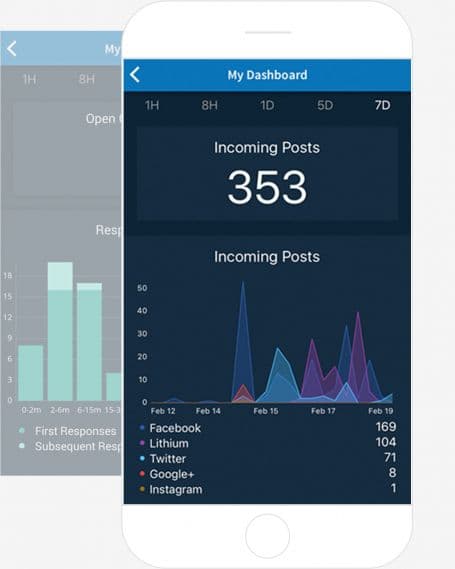
Lithium — which recently acquired the social media monitoring tool, Klout — offers a “social response” tool that allows you to manage, understand, and respond to the direct outreach you get from other users on social media. The tool integrates with Twitter, Facebook, Instagram, and more to help you visualize where people are talking to (and about) you the most, so you can focus your customer engagement in all the right places.
8. Hootsuite
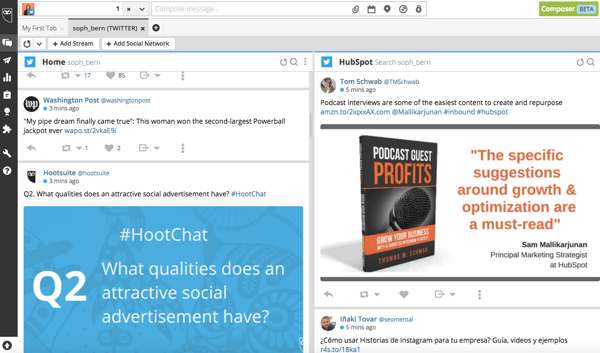
Hootsuite works like TweetDeck — but for all of your social networks. From your Dashboard, you can carry out social monitoring, scheduling, campaigns, and analytics — all in one place. Hootsuite integrates with Twitter, LinkedIn, Facebook, Instagram, YouTube, and Google+, and although it’s free for individuals’ accounts, businesses and enterprises have to purchase paid versions.
9. Boardreader
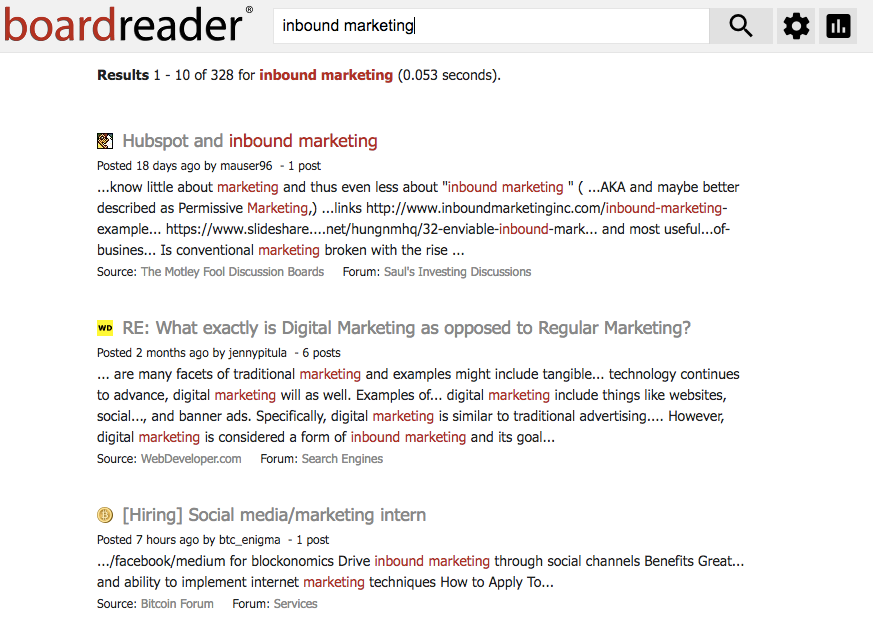
Boardreader does what its name suggests — it crawls message boards and discussion panels to see what people are saying about you and your brand in the dreaded comments sections, which otherwise seem impossible to parse through. Commenters often have stronger words than social media posters, so make sure you have a thick skin before diving in.
10. BuzzSumo
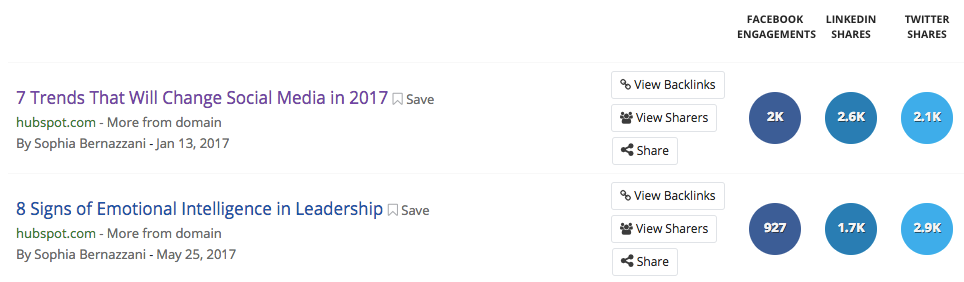
BuzzSumo aggregates data about the number of links to your domain and pieces of content receive — on social media, and via backlinks. These insights can help you determine which content formats perform best on each network, giving you ideas for web pages and pieces of content to replicate again. It’s freeup to a certain number of links, but after that, you have to pony up some cash for the Pro version.
11. Google Alerts
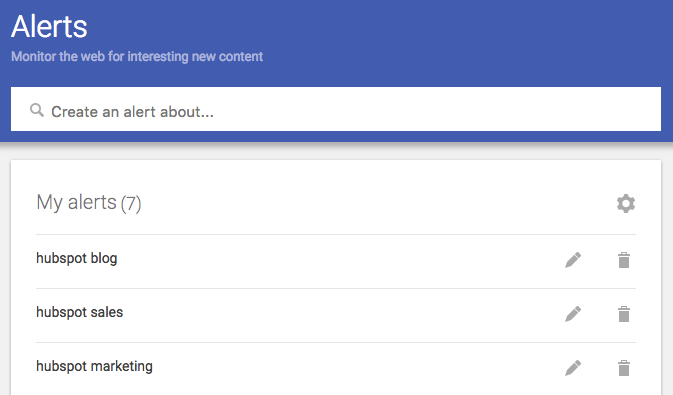
You can set up Google Alerts to see where people are mentioning you or your brand in search results, too. Enter specific terms that might be included in news story titles, and you’ll receive regular emails updating you to mentions from around the internet.
12. Native Analytics Tools
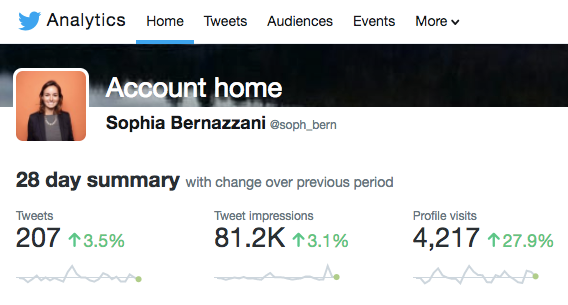
A few social networks provide free analytics to users — or, sometimes, analytics viewing is included in a business subscription for brands. Above is an example of what Twitter Analytics looks like for individuals, with more data and insights provided for business accounts.
13. HubSpot
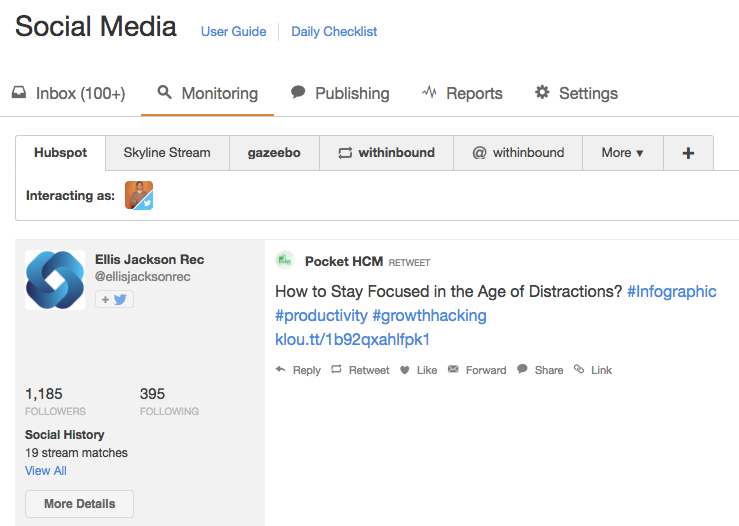
If you’re a HubSpot customer, HubSpot Social Inbox lets you set up specific streams for users and search terms you want to monitor. Check out this video tour of different HubSpot tools to get an idea of how it works.



2019 Tech Trends: Users Weigh In and Make Predictions
As we continue to wax nostalgic — or something like it — on 2018 and look ahead to the next year, we wanted to get a sense of how users feel about the past, present, and future of tech.
We’ve covered our top news stories of 2018, and looked back on which predicted tech trends for this year seemed to flourish the most. Now, we want to know what users think of the tech road ahead, and which trends show the most promise.
So, we surveyed over 2,400 people across the U.S., UK, and Canada, asking them about three key things:
- Which tech trends they understand the most
- Which tech trends they think will be the most successful or popular in 2019
- Which tech trends they’re most excited to experience next year
Here’s where users weigh in on 2019 tech trends.
Understanding Tech Trends
First, we wanted to know which tech trends users understand the most. We asked: Which of the following technology trends could you confidently explain or define? (Select all that apply.)
.png?width=600&name=Which%20of%20the%20following%20technology%20trends%20could%20you%20confidently%20explain%20or%20define%3F%20(Select%20all%20that%20apply.).png)
Out of the 16 options we listed, there were five top tech trends that about a third of users indicated they would feel comfortable explaining or defining.
Out of those five, the category of smart home topped the list. While this could include smart speakers — which ranked #4 on the list — the former outperformed the latter in terms of user understanding.
Smart home expands beyond just speakers, however, and also includes things like appliances and other home devices, like refrigerators, that use artificial intelligence to complete such tasks as letting you know if you’re out of a certain food item.
As for the relatively high awareness of smart speakers, that could be explained the launch of a few high-profile smart speakers this year, including the Google Home Hub and Facebook Portal — both of which have been advertised during primetime television and sometimes featured celebrities.
At the same time, fewer people indicated that they could confidently define what a voice assistant is — which is particularly interesting since that technology is what often powers these smart speakers. Our previous research has hinted at some confusion as to what exactly a smart speaker is, since formal vocabulary isn’t always associated with technology we use daily.
“I think voice is incredibly intuitive, and that lots of people don’t even think about using it,” says HubSpot VP of Marketing Jon Dick. “Asking Alexa [Amazon’s voice assistant that powers Echo speakers] for the weather doesn’t scream ‘voice assistant’ to me.”
User Predictions for 2019
Next, we wanted to see what sort of tech trend predictions users are making for the year ahead. We asked, “Which of the following technology trends do you think will see the most success or popularity next year? (Select all that apply.)“, using the same list of 16 trends from the previous question.
.png?width=600&name=Which%20of%20the%20following%20technology%20trends%20do%20you%20think%20will%20see%20the%20most%20success%20or%20popularity%20next%20year%3F%20(Select%20all%20that%20apply.).png)
Although there were a few discrepancies in these results from those where users were asked about their comprehension of tech trends — for instance, more users said they anticipate high success from artificial intelligence (AI) than those who said they could confidently define it — smart home once again topped the list, with smart speakers falling close behind.
Again, these results could be due to the high-profile nature and heavy advertising of certain smart devices launched this year. Where users see a higher prevalence of a certain type of technology within pop culture, it could add a sense of mainstream popularity. In turn, that could lead to predictions of smart home success in 2019, with more advanced and improved devices beyond smart speakers entering the market.
One trend that was particularly interesting to see in the top five was virtual reality (VR). We’ve covered that technology quite a bit over the course of 2018 — from what it’s like to use a wireless headset to what’s stopping VR from going mainstream.
When we surveyed another sample of users for the latter, the reason that most users gave for not wanting to buy a VR headset was that it “wouldn’t benefit” them. And while many users don’t see the direct impact or value-add of owning this type of hardware, it seems that many still see it as gaining momentum — or at least some semblance of popularity or success — in 2019. (Meanwhile, here’s a look at predictions for some of the top VR business use cases.)
What Users Are Most Excited About
Finally, we wanted to know what users are looking forward to the most in 2019. We asked: Which of the following technology trends are you most excited to experience or hear about next year?
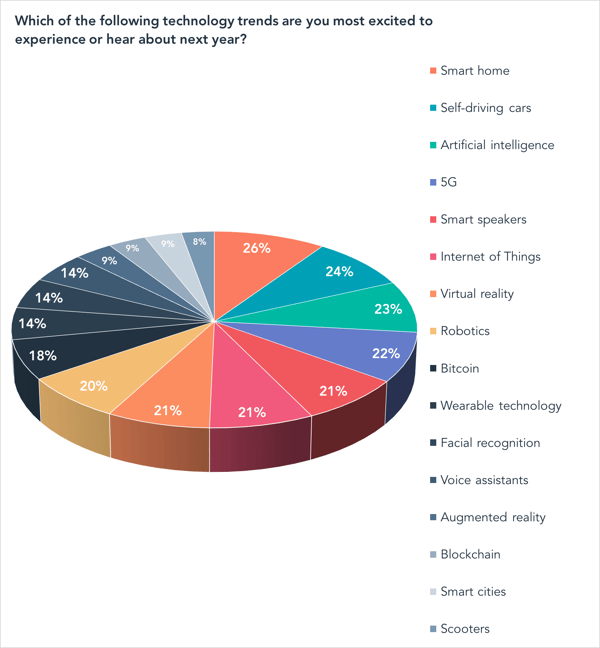
Again, smart home and smart speakers both made the top five. But when we asked users earlier this month about their plans to purchase a smart speaker, exactly half said they had no plans to buy such a device at all. But out of those who did indicate plans to buy a smart speaker, 17% said at the time that planned to do so fairly soon — within the next six months.
Self-driving cars, meanwhile, seem to be an area of excitement for users in 2019 — perhaps because this technology is rolling out quicker than some may have predicted. (A small fleet of Waymo autonomous vehicles, for instance, already hit the road this year.) And it’s a technology around which many companies are actively working to build consumer awareness, with a heavy emphasis on their presence at the 2019 annual Consumer Electronics Show (CES). We went for a spin at the 2018 edition of this event, and here’s how it went.
As for 5G and AI, these were two of the 2018 top tech trends predicted at CES in January.
Out of the two, 5G appears to have a longer road ahead, as it didn’t permeate the mainstream quite as much as some may have hoped in 2018. However, there continues to be quite a bit of industry excitement around this technology as well, with the topic dominating discussion and sessions at February’s Mobile World Congress event.
And while 5G may not have made quite the mainstream splash this year that some predicted, looking ahead to 2019, it could remain integral to the development of digital communication and connectivity — especially since it can help power such wireless technology as VR or self-driving cars.
AI seems to have played the most vital role in many of the other technologies appearing on this list, as it’s what powers many of them. In a nutshell, AI is a way of replicating the intelligence or thought process of humans that’s required of certain processes, like answering questions, navigating transportation, recognizing someone’s face, or even determining what’s in your refrigerator — which is where the smart home comes in.
So, as all of these areas of technology continue to expand and evolve, and power the new products and capabilities that have launched this year, it could be argued that AI was not only one of the most pivotal tech trends of 2018, but will continue to be in the next year — and, potentially, many years to follow.
“Tech season,” as it were, officially kicks of in early January 2019, and we’ll be there — where, once again, industry experts are scheduled to speak to their top predicted trends of the year to come.
Stay tuned.
Featured image credit: Google

How to Use Porter’s Five Forces to Outmaneuver Your Competition
In March of 1979, Harvard Business Review published an article about a business analysis model that countless MBA students still study to this day.
Coined by Michael Porter, a professor at Harvard Business SchooI, Porter’s Five Forces is a model that draws from industrial organization economics to identify and describe the fundamental economic forces that shape every industry. More specifically, it explains how these forces dictate every industry’s competitive intensity, potential for profitability, and attractiveness to other entrants.
Porter’s Five Forces has become a fundamental model that most businesses use to grasp the dynamics of their industry and, in turn, drive their business strategy. And it can help you do the same, too.
But the way you apply this model to your own business is totally dependent on the nature of your industry. Once you understand these economic fundamentals, though, you’ll be able to extract insights from the model that are specific to your unique situation and apply them to your business.
To help illustrate this, we’ve fleshed out the five fundamental economic forces at play in every market and provided an example analysis in each section, so you can see how each of these forces might play out in your specific industry.
Porter’s Five Forces Model
Porter’s Five Forces is a business analysis model that identifies and describes the economic forces that shape an industry’s competitive intensity, potential for profitability, and attractiveness. The five forces are competition in the industry, potential of new entrants into the industry, power of suppliers, power of customers, and threat of substitute products.
Porter’s Five Forces Examples
Competition in the Industry
Competition plays a huge role in your industry’s profitability — the potential to produce a high return on investment — and, in turn, its ability to attract new entrants. If there’s a lot of competition in your industry, it’s harder to turn a profit. Customers have a rich pool of options to choose from, so if your prices are too high, they can just strike a deal with a supplier who will sell to them at their preferred price.
In other words, customers typically wield more power than suppliers in competitive industries. This usually leads suppliers to undercut each other’s prices until their revenue barely exceeds their costs, plummeting their profits and discouraging new players from entering the market.
If there’s less competition in your industry, it’s easier to turn a profit. Customers can only choose from so many suppliers, so if they want to buy your market’s product or service, they must accept the higher prices or else they won’t be able to buy it. This potential for high probability encourages new players to enter your market.
To help you examine the competition in your own industry, here’s an analysis of the competition in the aluminum baseball bat industry.
From little league to college, baseball players all around the country primarily use aluminum baseball bats to train and compete. Louisville Slugger, Rawlings, Marucci, DeMarini, and AxeBat are the leaders in the high-end of this market. Their target customers are travel or college baseball players who are willing to pay a premium price for the best bats that can perform at a high level and stay durable for multiple seasons.
Easton, Mizuno, and Adidas serve the middle of the market, and Anderson, Combat, and Dirty South serve the low-end of the market. Their target customers are less competitive players who probably just play baseball for fun and friendships.
Potential of New Entrants into the Industry
If new players can enter your market quickly and cheaply, they can sell their minimum viable product, which is a product with just enough features to satisfy early customers, at a much lower price than you and your competitors can while still covering their product development, marketing, and sales costs. As a result, they can snatch established player’s market share and threaten incumbents’ position in the industry more easily.
The frequency of new players entering your market hinges on your industry’s barriers to entry. If it costs a lot of money and time to build a minimum viable product and cover essential overhead expenses, startups can only afford to build an unsophisticated product that’s sole differentiating factor is a slightly cheaper price. With these high barriers to entry, they wouldn’t be able to compete, discouraging them from entering your market.
However, if building a minimum viable product and covering essential overhead expenses don’t cost that much money or time, your market’s low barriers to entry will encourage most start-ups to enter.
To help you examine the potential of new entrants in your own industry, here’s an analysis of the potential of new entrants in the aluminum baseball bat industry.
The barriers to entry of the aluminum baseball bat industry are very high. You would have to spend a lot of money on research and development to figure out how to differentiate your product in a saturated market, purchase a bunch of raw materials to manufacture the bats, and build expensive facilities and machines to actually produce them.
You would also, at the least, have to hire a product, marketing, and sales team to run this startup’s daily business operations. This startup would have to charge close to an industry-average price to cover the initial overhead of creating a minimum viable product, crafting an enjoyable brand experience, and generating revenue. And since each incumbent in this industry would have a better, more trusted product than this start-up’s simple product, there’s no way they could compete with a slightly cheaper price as their only selling point.
Power of Suppliers
The number of suppliers or competitors in your market directly affects your company’s ability to control prices. When there are only a few suppliers in your industry, each supplier holds a ton of pricing power because if a consumer doesn’t accept your prices, you and your fellow suppliers can easily find someone else who will.
When there are a lot of suppliers in your industry, each supplier holds less pricing power. Your market’s customers have a rich pool of options to choose from, so if your prices are too high, they can just strike a deal with a supplier who will sell to them at their preferred price.
To help you examine the power of suppliers in your own industry, here’s an analysis of the power of suppliers in the aluminum baseball bat industry.
With 11 major suppliers in a massively popular industry — and five or less brands competing in each segment of the market — the suppliers hold a lot of pricing power. Almost every baseball player, from little league to college, needs an aluminum baseball bat to train and compete, so they’re very dependent on these suppliers, which gives them even more pricing power.
Power of Customers
The number of customers in your industry directly affects their ability to control prices. If there are only a few customers in your industry, they hold most of the power. Since suppliers depend on customers to generate revenue, suppliers must adhere to their customers’ pricing demands or their customers will just do business with one of the many other suppliers who are willing sell their product or service at a generous price.
On the flip side, if there are a ton of customers in your industry, the customers hold significantly less power. Since customers depend on suppliers to purchase necessary products or services, they must accept the prices suppliers set or else they won’t be able to buy any of the market’s products or services — the suppliers can sell to plenty of customers who are willing to pay a prettier penny.
To help you examine the power of customers in your own industry, here’s an analysis of the power of customers in the aluminum baseball bat industry.
Every single baseball player, from little league to college, needs an aluminum baseball to train and compete, so each supplier in the aluminum baseball bat industry has a huge potential customer base to market and sell to. Since there are such few suppliers and so many customers in this market, the customers don’t hold enough power to drive the prices down.
Threat of Substitute Products
Substitutes are products from different industries that consumers can use interchangeably, like coffee and tea, and they can significantly shape your industry. If your product has cheaper or superior substitutes, you not only have to compete with other players in your industry, but you also have to compete with businesses in other industries. This high multi-market competition can plummet your prices and profit.
If your product doesn’t have cheaper or superior substitutes, though, the businesses who produce these substitutes don’t pose as much of a threat to you or your direct competitors. This low multi-market competition might only drop your prices and profits slightly.
To help you examine the threat of substitute products in your own industry, here’s an analysis of the threat of substitute products in the aluminum baseball bat industry.
Instead of buying aluminum baseball bats, players could buy wood bats from suppliers who only manufacture wood bats, like Baum Bats, Old Hickory, and Sam Bat. But the odds of this happening are extremely low. Even though individual wood bats cost less than individual aluminum bats, wood bats break much more frequently.
For instance, one $250 aluminum bat can last longer than five $100 wood bats, so replacing aluminum bats with wood bats would actually cost more money. Players can also hit the ball farther with aluminum bats, which makes it the superior product. Additionally, wood bat manufacturers make the most money by focusing on a specific market of baseball players who only use wood bats, like professional baseball players, summer college league players, and top-flight travel baseball players. In sum, there’s a low threat of substitutes in this industry.

Emoji Meanings: How to Interpret and Use 17 Common (& Confusing) Emojis
An emoji is one of the most useful shorthand communication tools of the 21st century.
An emoji can be used to express personality in your email campaigns, or on social media. In fact, nearly half of all comments and captions on Instagram contain an emoji, and using an emoji on Twitter can result in 25.4% more engagement.
Ultimately, a properly-used emoji can make your audience smile and feel better connected to your brand.
For instance, take a look at this email I found in my inbox on Cyber Monday, from Influenster, a product review site:

Or this one, from CB Insights, a machine intelligence platform:

As you can see, emojis can take your messaging to the next level and allow you to stand out in a crowded inbox. Additionally, you can use them as a substitute for generic and overused words like “money”, making your content both fresh and enticing.
But emojis can be confusing, and it’s often difficult to discern the difference in meaning — like between a “🙄” and a “😳” face (trust me, there is one).
To ensure you use emojis to properly engage and delight your audience, we’ve compiled a list of the most common (and confusing) emojis, with examples of how to use them for any of your marketing purposes. At the end, we’ll also explain which emojis your business should likely avoid.
Sound good 👍?

Emoji Faces
To start, let’s take a look at some of the faces you might use to convey certain emotions, along with examples of how you might use each in your own marketing content.
1. Heart Eyes Emoji 😍
You might consider using a heart eye emoji to show your love for something, whether it be a new product or a blog article you want to promote on social.
For instance, SoulCycle uses a heart eye emoji in their email subject line, to convey their approval and love for the brands they’re now selling online:

2. Side Eye Emoji 😏
This side eye emoji is most commonly used to express a smirk after someone makes a sarcastic or ambiguous joke that could seem serious, out of context. Ultimately, it’s a good emoji to use if you want to demonstrate a playful side to your brand, or if you’re making a joke and aren’t sure whether your audience will know you’re kidding.
For instance, you might playfully insinuate you understand most of your readers will be offline over the weekend, by saying in an email, “While we understand you’re probably dying to do more work over the weekend 😏, we’ve put together a guide with suggestions for creating better work-life balance. Check it out here.”
3. Eyes Emoji 👀
The eyes emoji is a simple and fun way to draw attention to a link or image you want to share with an audience. Instead of saying “Look at this”, you might consider using the eyes as a silly substitute.
For instance, take a look at how GREATS, a footwear brand, uses the eye emoji to elicit excitement and suspense over an upcoming release:

In this case, the eye emoji playfully suggests to the audience, “Keep an eye out — something new is coming soon”.
4. Embarrassed/Flushed Face Emoji 😊
The flushed face emoji is a fantastic opportunity for your brand to demonstrate humility or gratitude for an achievement or award.
For instance, you might show the flushed face if you’re sharing an article that lists you as a top company in your industry. Perhaps you’ll tweet, “So grateful to have made it on Company A’s list of Best Workplace Culture of 2018 😊 Thank you!”
Alternatively, the flushed face emoji is often simply used to express happiness or joy.
5. Thinking Emoji 🤔
The thinking emoji is often used to demonstrate someone deep in thought, or pondering the validity of something. It can be used to express a level of doubt, like “Hmm … not sure about that“, in regards to a controversial issue.
For instance, take a look at how Monday.com responded with integrity to a Facebook user who questioned whether Monday.com bought fake social media likes:
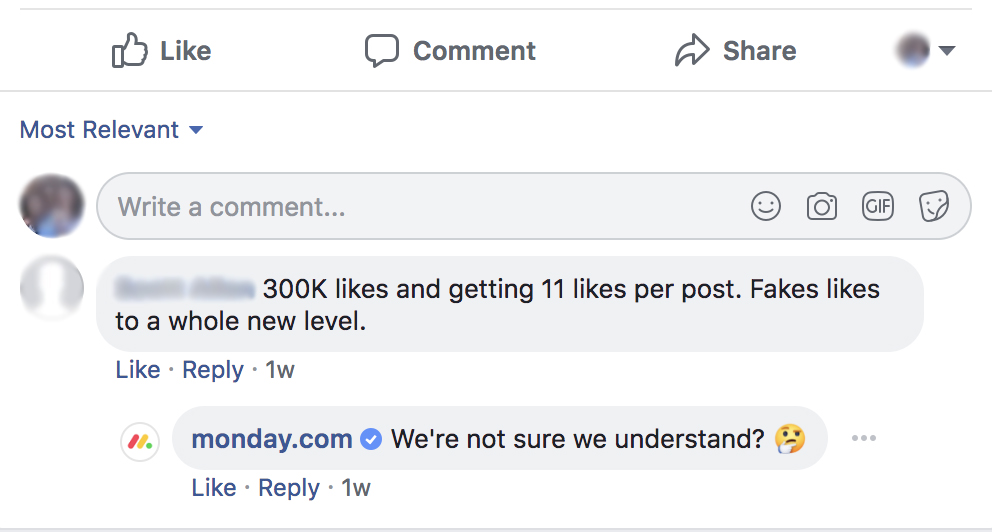
Rather than fighting with the user, Monday.com took the high road and used the thinking emoji to express a level of doubt over the accuracy of the user’s statement.
Alternatively, you might use the thinking emoji after a question or poll on social media, simply to create a visual that indicates you want your audience to think about something.
6. Sweat Emoji 😅
The smiling emoji with a sweat droplet is typically used to express a close call — while the sweat depicts a level of discomfort, the smile alludes to someone who’s thinking, “Phew! That could’ve been bad.”
For instance, if your coworker emails you moments before a meeting with an urgent, “Wait, where’s the most recent reporting deck with all our statistics?” You might send the deck back with a “Don’t worry — got it, right here 😅” response, alluding to the satisfaction you both feel over averting an issue.
7. Hand Up Emoji 🙋
Typically, businesses use the hand up emoji to suggest a level of enthusiasm or participation, like “Sign me up!” For internal purposes, you might use the hands up emoji to get a headcount of people willing to help out.
For instance, if you see your team leader is asking for volunteers to pass out microphones during the next company meeting, you might send back a simple “🙋” as your response.
Alternatively, you might use the hand up emoji to ask whether your social media audience agrees with you. For instance, you could post on Twitter, “Who thinks skittles are better than m&m’s? Give me a 🙋if you agree!”
8. The Laughing Emoji 😂
Allegedly 2017’s most popular emoji in the U.S., the laughing emoji is one of the easiest ways to express humor or amusement. Oftentimes, when a coworker makes a joke in a slack channel, I’ll use the ” 😂” emoji as an alternative to “haha” or “lol”.
Additionally, the laughing emoji is an effective opportunity to demonstrate your brand’s sense of humor. For instance, Honest, Jessica Alba’s company that creates safe and natural products for the household, uses the laughing emoji in this Instagram post:

In this instance, Honest demonstrates an ability to laugh at themselves and their own cheesiness (with their attempt to re-define BYOB’s acronym meaning) — and makes them seem more human, as a result.
Emoji Symbols or Objects
Along with faces, emojis offer your business the opportunity to use objects or symbols to express meaning, such as the heart symbol (❤️), a check mark (✔️), or a taco (🌮).
Here are some symbols or objects you might consider using in your marketing content:
9. Monkey Emoji 🙈
The hiding monkey face emoji is a cute opportunity to express a level of shyness or embarrassment. For instance, your brand might use the monkey emoji after making a mistake, like this — “Hope you enjoyed our tool, even though it didn’t work the first time 🙈.”
Alternatively, you might use the hiding monkey face emoji to suggest you wish you hadn’t seen something. This can be humorous, particularly if you share a funny prank video with a “Yikes, that was rough 🙈” caption.
10. Nail Polish Emoji 💅
As you might’ve guessed, the nail polish emoji can be used to demonstrate a level of casualness or indifference. Some people believe it means “I’m prettier than you”, or an expression of arrogance or confidence, but typically, it isn’t used for any other reason than to articulate nonchalance or relaxation.
For instance, I might use the nail polish emoji to engage an audience, by writing — “This weekend is all about rest and relaxation 💅😊 What are your weekend plans? Leave them in the comment section, below.”
11. Hand Emojis 👌👏👈🏿
HubSpot often uses various hand emojis to express emotion simply and effectively. For instance, the 👌 expresses the same message as it does in real life — “that’s a-okay,” or “fine by me”.
The clapping hands (👏) can be used to express congratulations or excitement, such as “Congrats to @CForsey on winning our giveaway contest👏!”.
Finally, the “👈🏿” pointing finger emoji is effective for pointing at a link. Particularly when there’s a word limit, it’s a good idea to use the pointing finger instead of writing, “Check out this link”.
12. Waving Emoji 👋
The waving emoji is a playful yet simple way to say “Hello” or “Goodbye”. Consider incorporating it into your welcome email to display a level of warmth to your new subscriber.
Alternatively, you might use the 👋 emoji to playfully introduce your audience to a new product or service. For instance, Drop uses the 👋 in their email subject line to introduce its email subscriber’s to Drop’s new app:

13. Thumbs up emoji 👍🏾
The thumbs up is relatively universal, making it a classic emoji to use to either express your business’s approval, or to ask for quick audience engagement.
For instance, you might write on Instagram, “What do you think of our new company logo? Give us a 👍🏾or 👎🏾”. This allows your audience to engage with your brand with very minimal effort on their part.
Emojis to Avoid for Business Use
I spoke with Krystal Wu, HubSpot’s Social Media Community Manager, about her stance on emojis for marketing purposes, specifically on social media. She suggested businesses use emojis to express a level of authenticity, and choose emojis they feel align well with the tone of their brand.
However, Krystal advises businesses be wary of using strong emotional emojis, like the kissy face. She told me those types of emojis might express emotions too intense for a business’s audience.
Here are a few emojis to be wary of using for business purposes, and the meaning behind them:
14. Kissy Face Emoji 😘
A kissy face emoji is slightly different than a heart eye emoji. While a heart eye emoji shows your love for something, a kissy face emoji demonstrates your love for someone.
Typically, a kissy face should be reserved for one-on-one conversations, such as a texting conversation between you and your friend in which you say, “Great job at open-mic last night! You killed it 😘”.
A kissy face, despite its innocent nature, is likely too emotionally-charged for your business to use with your audience, unless you truly believe it aligns well with the tone of your brand.
15. Angry Face Emoji 😠
While the angry face is undoubtedly a popular emoji to use with friends and family, it’s likely one you should avoid for business purposes. It is typically used to express strong disapproval or dislike for something, which is probably a negative emotion you want to avoid directing at your audience.
You should probably only use the angry face when communicating with a friend, one-on-one. For instance, you might text your friend, “Oh no! The movie is sold out 😠so mad!”
16. Bunny Emoji 👯
Dictionary.com defines the people with bunny ears as emojis used to express “a fun, party-loving spirit … [and used to] communicate festive and friendly sentiments”.
Ultimately, due to the ambiguous and party-loving nature of the bunny emoji, it’s likely one you should avoid for your marketing campaigns.
17. Hair Flip Emoji 💁
Until recently, I thought this was an image of a woman flipping her hair. But Emojipedia.org describes her differently, as an “Information Desk Woman” who is holding out her hand, asking how she might help.
Despite the innocent intent, the hair flipping girl is often used to demonstrate sassiness, sarcasm, or even to express disrespect for someone or something (at least, in the U.S.). To avoid any risk of offending or confusing your audience, you want to avoid it in your marketing emails and on social media.


How to Use the Instagram Close Friends List for Business
Want to send Instagram stories to a segmented list of followers? Have you heard of Instagram’s Close Friends feature? In this article, you’ll discover five ways to use your Instagram close friends list for your business. What Is the Instagram Close Friends List? While most users have long enjoyed the simplicity of Instagram’s interface, one […]
The post How to Use the Instagram Close Friends List for Business appeared first on Social Media Marketing | Social Media Examiner.
from Social Media Marketing | Social Media Examiner https://ift.tt/2rI1WBs
via socialmediaexaminer
Facebook and Twitter Upheaval: How Social Media Marketing Changed in 2018

Welcome to this week’s edition of the Social Media Marketing Talk Show, a news show for marketers who want to stay on the leading edge of social media. Join us for this special “year in review” episode of the Social Media Marketing Talk Show, we explore the major Facebook and Twitter marketing news of 2018. […]
The post Facebook and Twitter Upheaval: How Social Media Marketing Changed in 2018 appeared first on Social Media Marketing | Social Media Examiner.
from Social Media Marketing | Social Media Examiner https://ift.tt/2PFn4ll
via socialmediaexaminer
The 15 Best Restaurant WordPress Themes in 2019
If you’re a restaurant owner, or if you own any type of food-related business, it’s safe to assume you’re busy every day creating a mouth-watering menu, hiring staff, developing relationships with your customers, locating and ordering ingredients, and maintaining your online store (if you have one).
With all of these activities keeping you engaged, building your restaurant’s WordPress website may feel like an overwhelming and daunting task — especially if you don’t have any experience with web development. But without a great website, you’re bound to miss out on valuable customers.
WordPress restaurant themes make the process of creating your site quick and easy. Restaurant themes have menu templates, reservation-making integrations, photo galleries for images of your dishes, contact pages, online stores, and more to help you efficiently build a professional site that your customers will enjoy spending time on.
15 of the Best Restaurant Themes for WordPress in 2019
Whether you run a fine-dining restaurant, cafe, bistro, bakery, or bar, or if you own an online food business, there is a WordPress theme tailored to your needs. We’ve compiled this list of favorite 15 restaurant themes to help you find one that best suits your needs … so you can get back to connecting and entertaining your customers.
1. Seasons
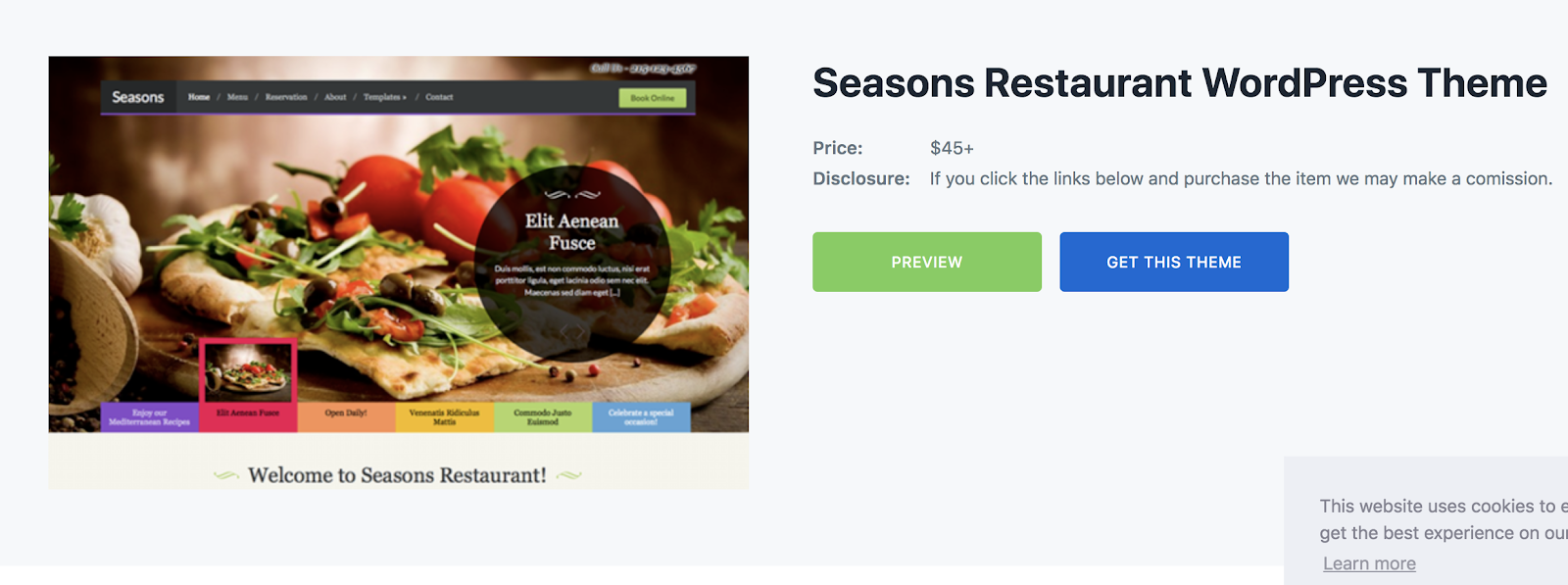
Seasons is a responsive WordPress theme, meaning it adapts to the type of device and screen it’s being viewed on, whether that’s desktop, mobile, or tablet. It’s a versatile theme that can be used for almost any restaurant type including cafes, food trucks, and catering companies. The theme’s homepage has a featured image slideshow where you can add your newest and most important content, such as menu items and featured dishes for your visitors to drool over. There’s also a pre-built menu page that allows you to quickly add, update, and edit available items for your potential customers.
Key Takeaways:
- Responsive theme
- Featured image slideshow on homepage
- Pre-built menu page
2. Resto
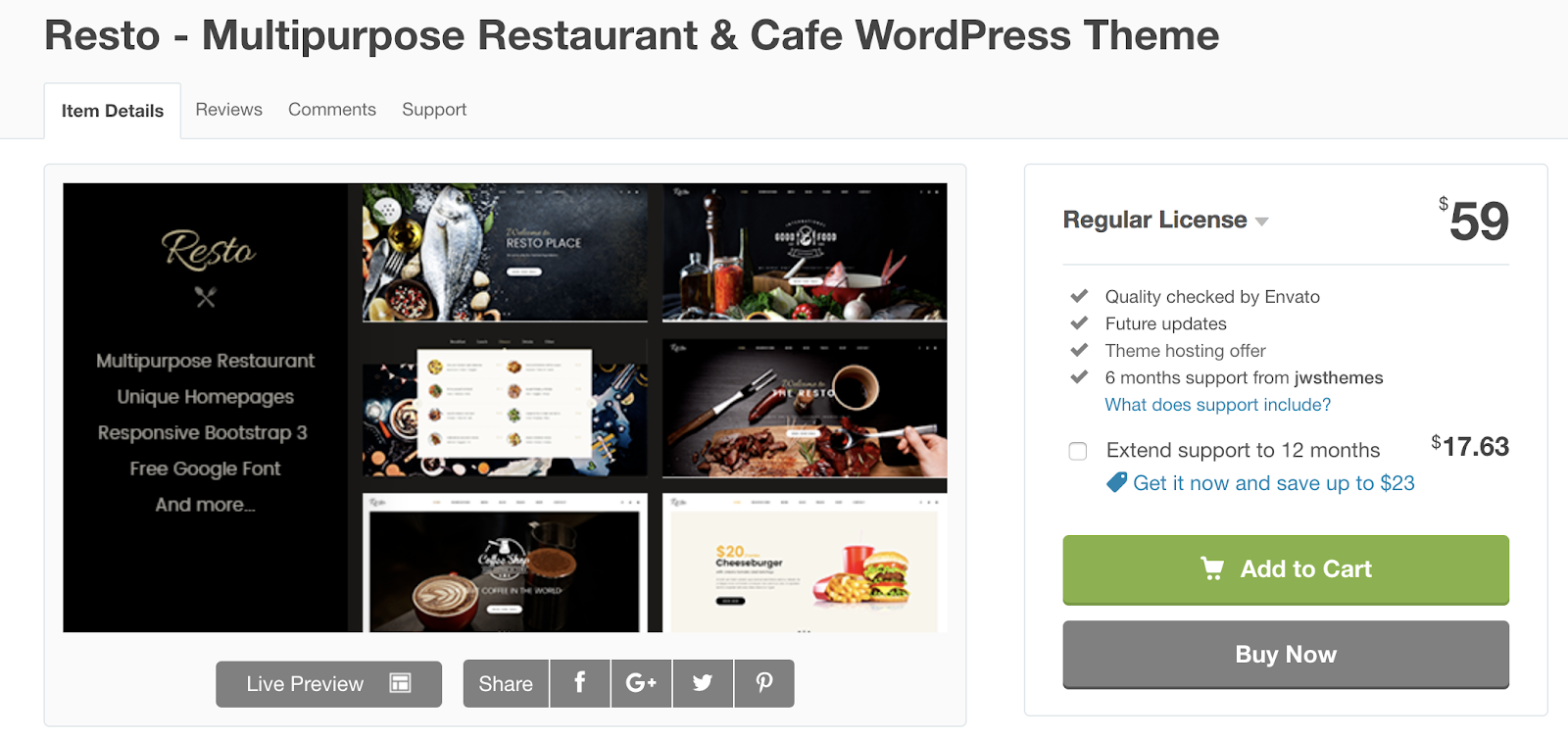
Resto is a theme flexible enough to be used for both restaurants and online food businesses. The theme allows you to customize different shopping pages so you can easily sell items and manage your store. Since Resto is SEO-friendly, it’s set up to help you rank on search engines like Google, get more visitors to your site and customers to your restaurant.
Key Takeaways:
- Online store
- Customizable shopping pages
- SEO-friendly
3. Butter
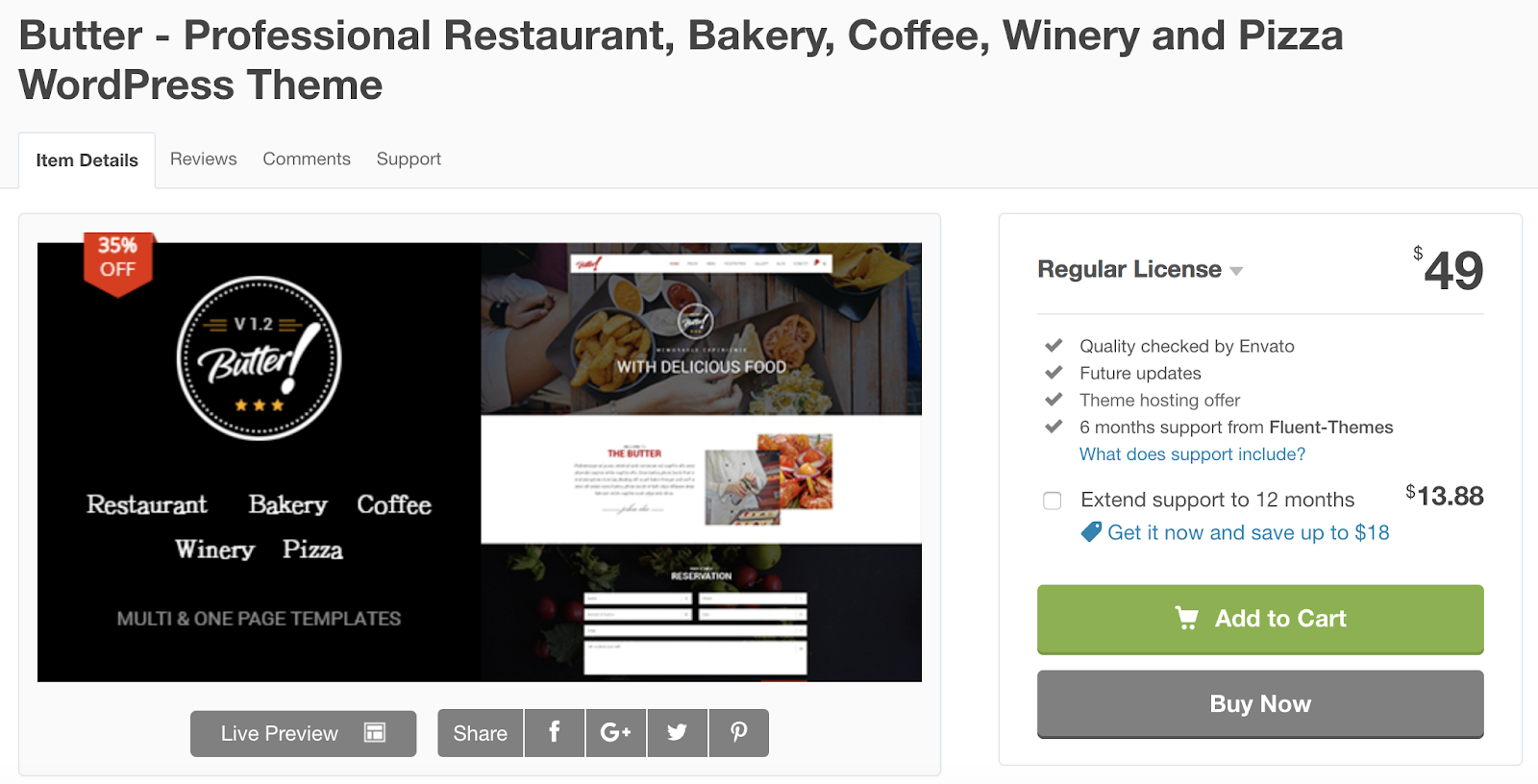
Butter is a restaurant theme ideal for any business that sells food online — it includes a WooCommerce integration which makes managing your e-commerce store simple. Butter also has a parallax scrolling effect feature that you can implement to create a 3D, interactive, video-like experience on your pages. There’s also a drag-and-drop page builder that you can use to quickly customize your layout, sections, and more to achieve any look or experience you’re going for.
Key Takeaways:
- WooCommerce integration
- 3D, interactive scrolling effect
- Drag-and-drop page builder
4. Igloo
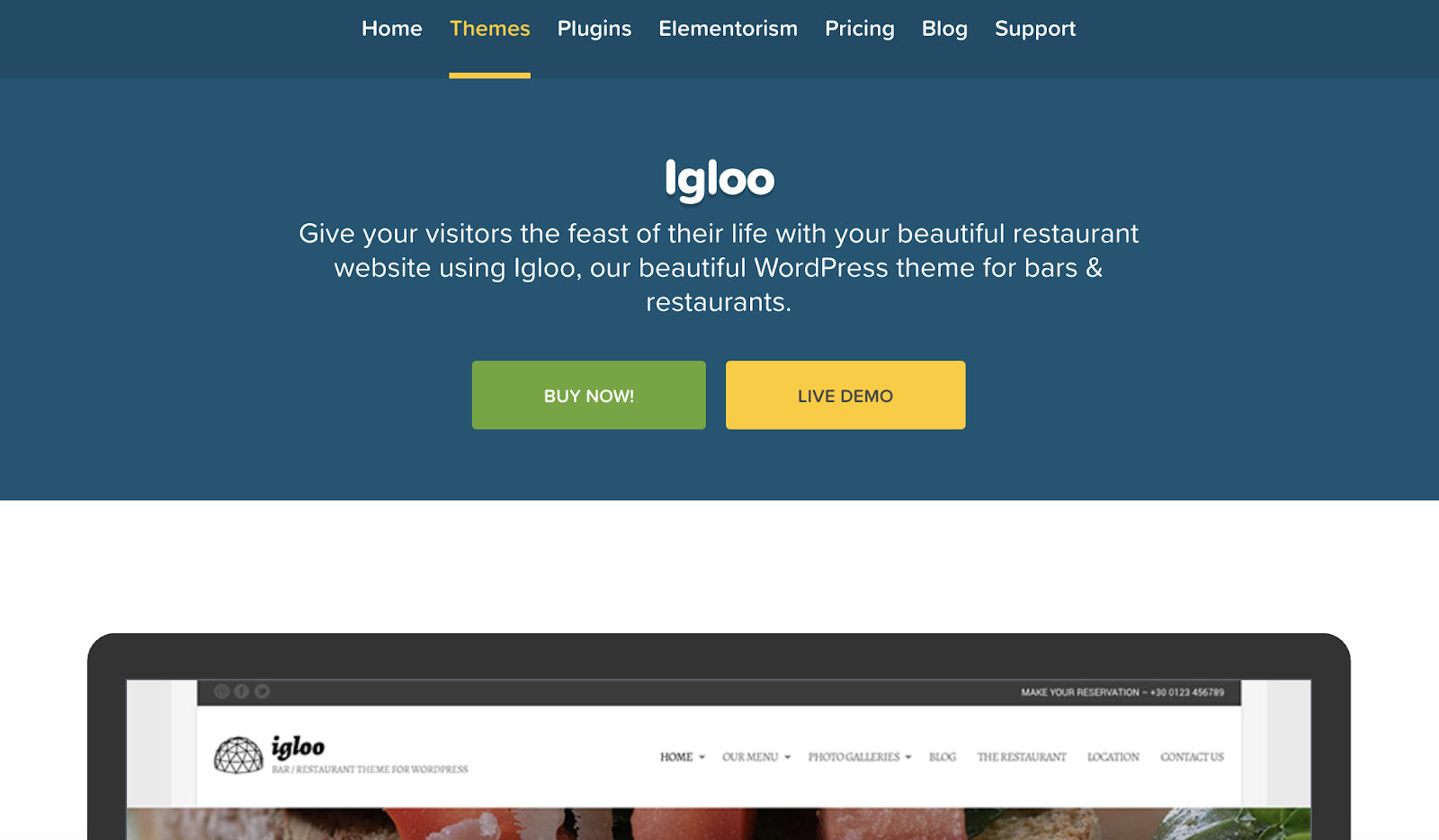
Igloo is a great theme option for restaurants and bars. There are customizable layouts for your menus so you can easily highlight your newest, specialty items. Igloo also offers other content layouts and features to add to your site, such as a testimonial page where your leads can learn more about the positive experiences customers have had on your site and with your products. The theme has several pre-made color schemes available to choose from.
Key Takeaways:
- Customizable menu layouts
- Testimonial page feature
- Pre-made color schemes
5. Italica
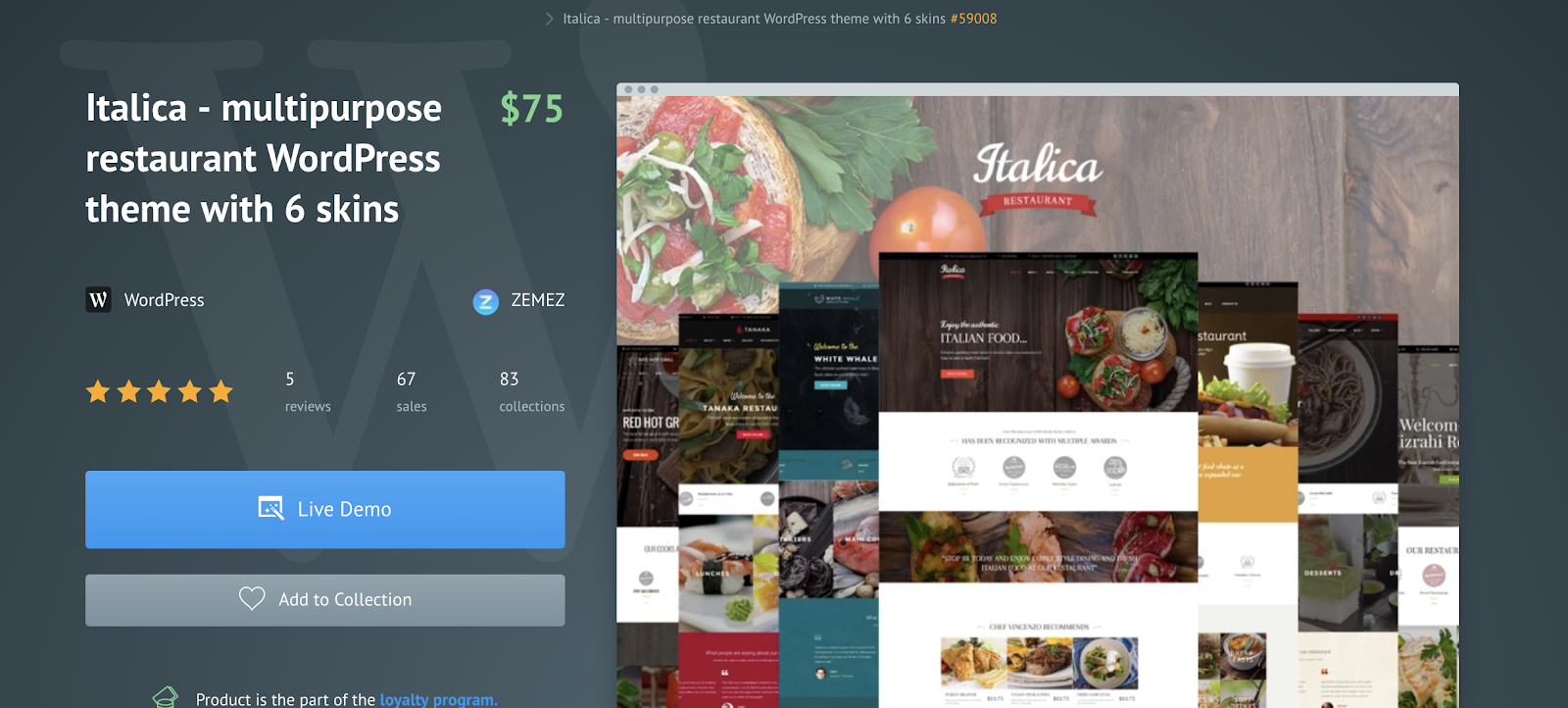
Italica is a flexible theme with six different customizable “skins” that work in a similar way to your WordPress templates to make your theme suitable for your specific restaurant type. You can apply the different skins to get a completely different look and feel. The theme offers a variety of demo content that you can review pre-install to make customization quick and easy. Italica also has an “Appointment Manager” feature that you can add to a site page so your customers can make reservations directly from your site.
Key Takeaways:
- Six different “skins” to customize your site
- Demo content available
- Appointment Manager feature to handle reservations
6. Benedicta

Benedicta is a multi-purpose theme that includes a variety of menu templates tailored towards several different types of restaurants. The theme gives you the option to include a photo gallery to share pictures of your favorite dishes. Benedicta also has site pages for your restaurant’s blog and news so you can share all of your latest updates with customers.
Key Takeaways:
- Creative menu templates
- Customizable photo gallery
- Blog and news site pages
7. Nigiri
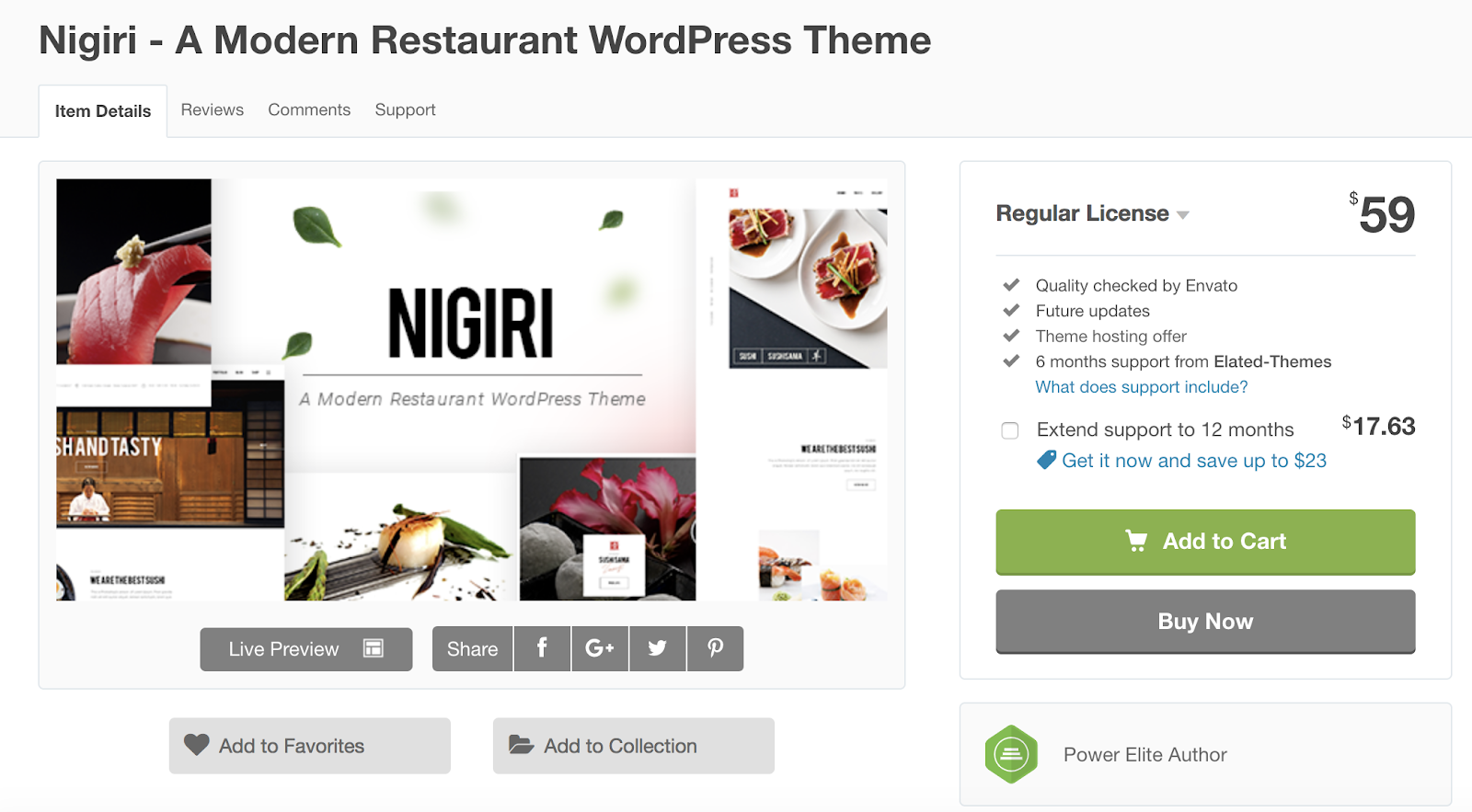
Nigiri is a theme specifically tailored towards seafood and sushi restaurants. The theme includes a modern, sleek, and minimalist design. There are a number of templates available that are sushi-focused and allow you to include menu item descriptions and images. The theme has an OpenTable integration so it’s easy for your customers to book reservations without having to call your restaurant.
Key Takeaways:
- Modern and sleek design
- Seafood and sushi-focused theme
- OpenTable integration
8. Sage

Sage is an ideal theme for bars, bistros, and cafes, as well as businesses that sell food products online. It has a number of pre-built elements related to these types of restaurants, and an easy-to-use drag-and-drop page builder, so you’re able to design your website with minimal effort. The theme also includes a WooCommerce integration so you can easily manage your online store and product sales.
Key Takeaways:
- Pre-built elements
- Drag-and-drop page builder
- WooCommerce integration
9. Bakes and Cakes
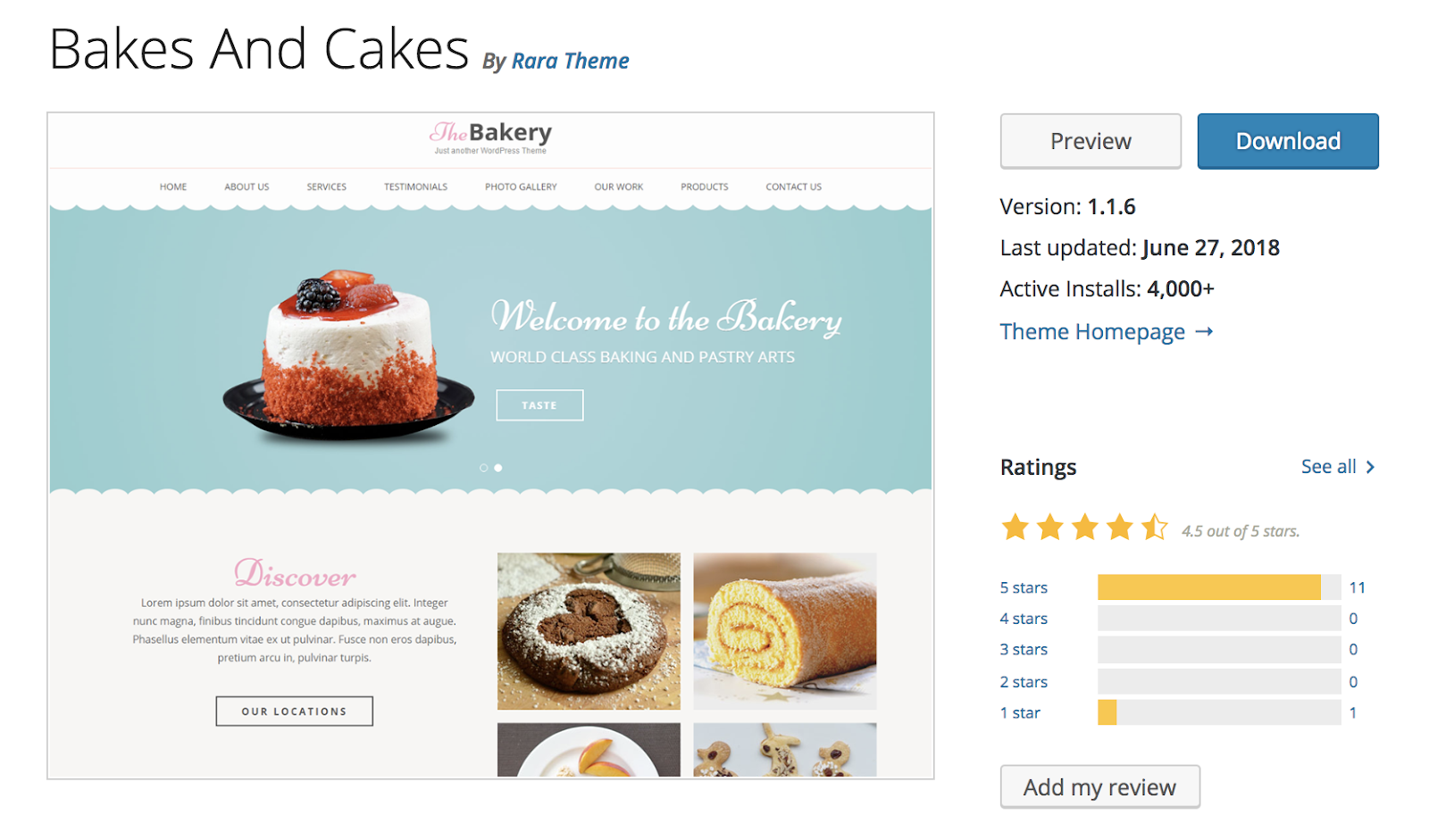
Bakes and Cakes is a theme created for — you guessed it — bakeries. It’s SEO-focused to help your site rank on search engines and drive more traffic. The theme has multiple gallery options and product pages so you can display your baked goods. Bakes and Cakes also has a template that allows you to include testimonials and rave reviews on your web pages.
Key Takeaways:
- Ideal for bakeries
- SEO-focused
- Testimonial page template
10. Resca
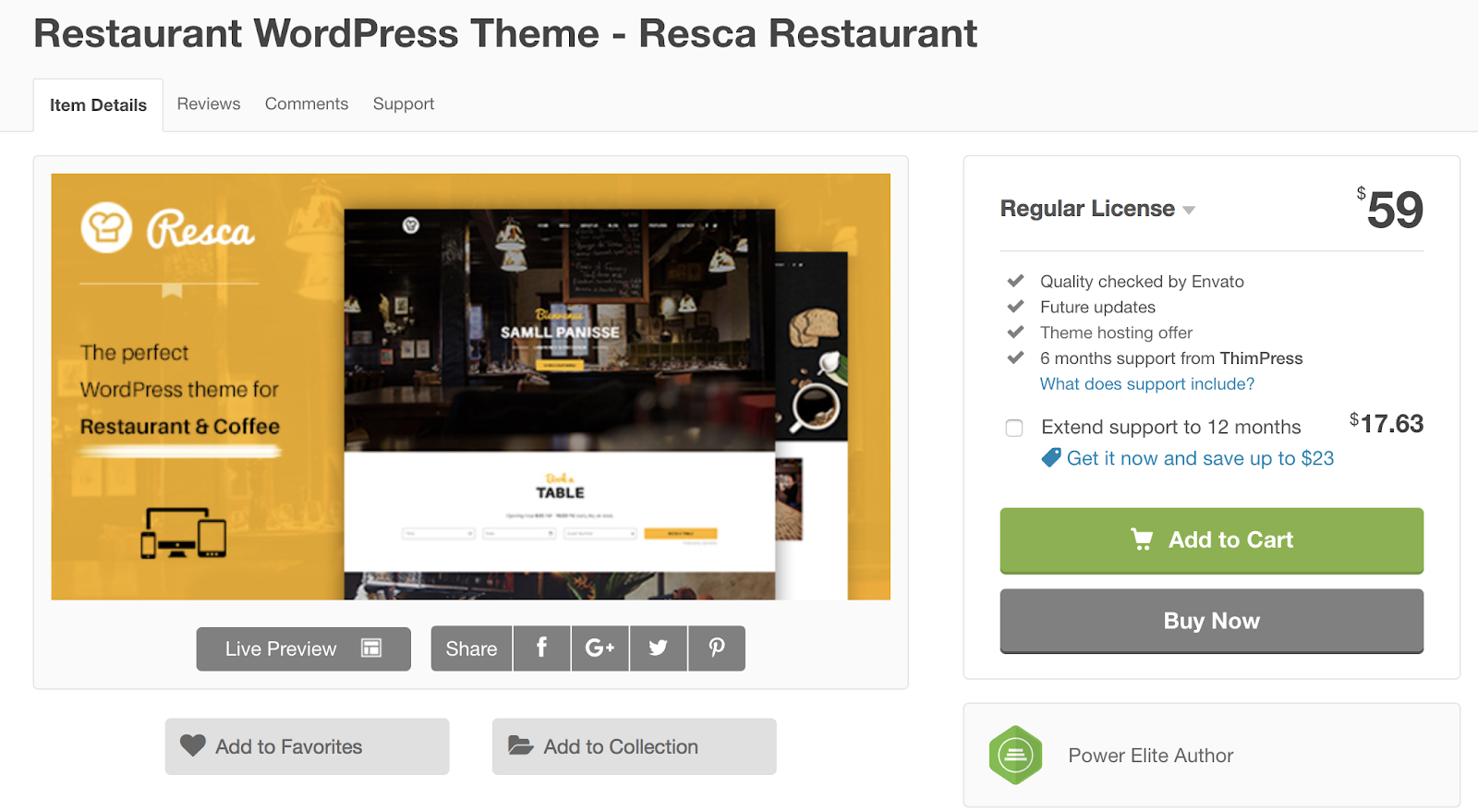
Resca is a multi-purpose restaurant theme. It offers a “one-page” feature that allows you to build your entire site on a single page for a minimalist design that features only your most important content. The theme is integrated with OpenTable to ensure reservations are easy to make for your customers. Resca also includes a contact form plugin so creating a custom form for your customers is simple.
If your theme does not come with a contact form plugin and you’re looking for a simple way to add a form to your site, check out HubSpot’s WordPress Contact Form builder.
Key Takeaways:
- Option to create a one-page website
- OpenTable integration
- Contact form plugin
11. Picante
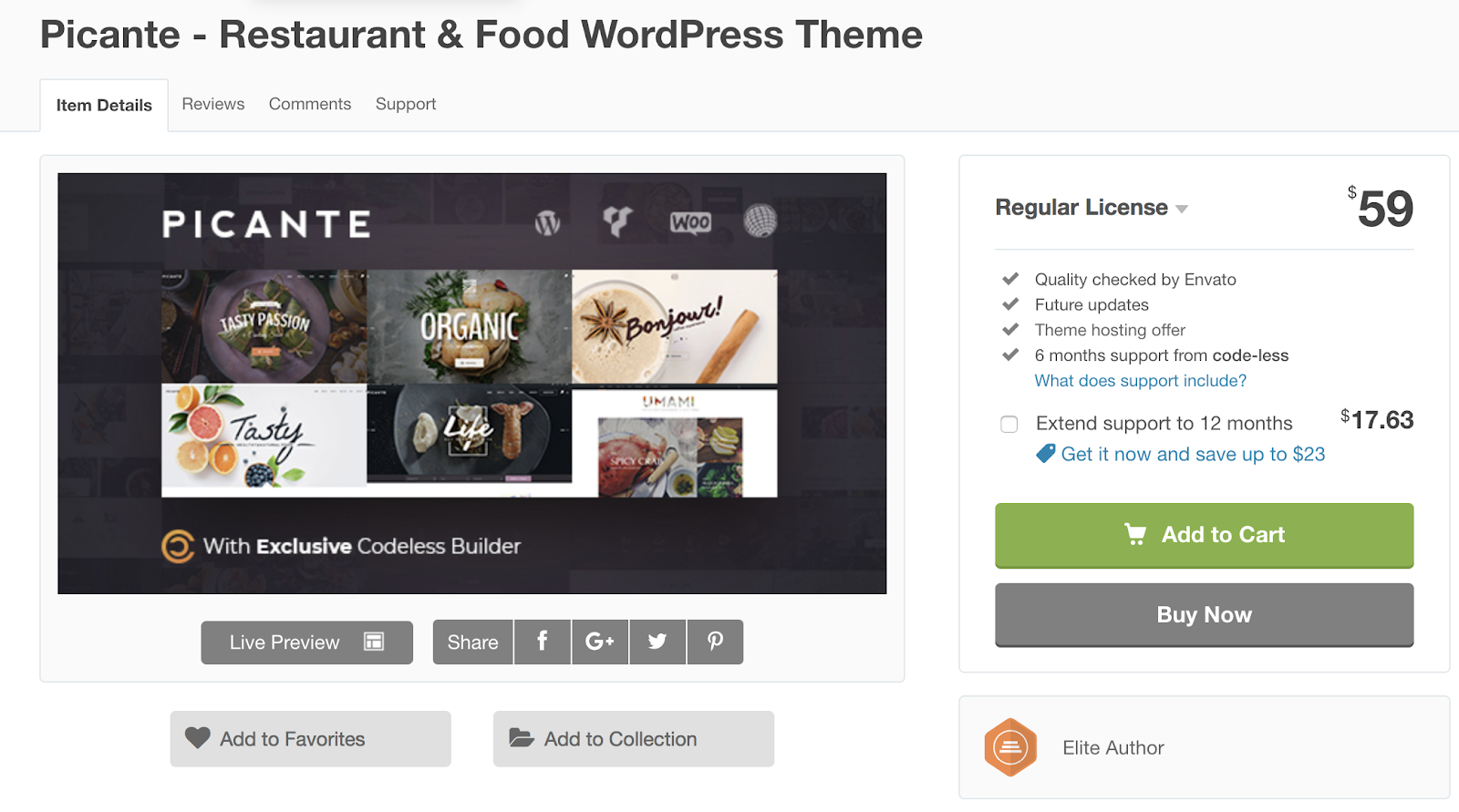
Picante is a multi-purpose WordPress theme with a “Live Visual Page Builder” feature that allows you to make changes or updates to your theme and view them in real-time. There are eight unique templates available so you can quickly begin designing (or re-designing) your site. The theme provides you with expert support so you can get the assistance you may need while working on your site.
Key Takeaways:
- Live page builder feature to make changes and view them in real-time
- Eight unique templates ready for installation
- Expert support available
12. Dine
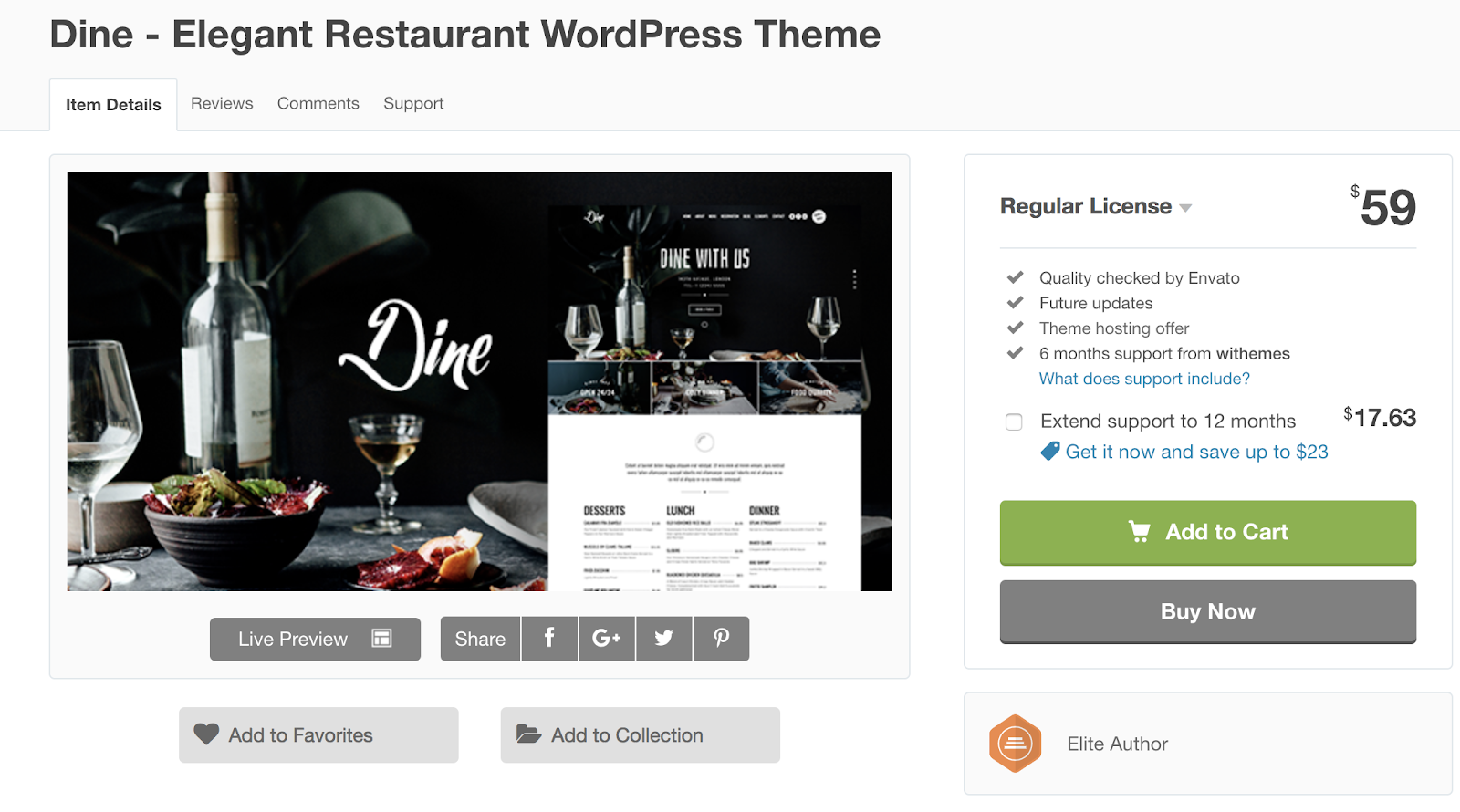
Dine is created for high-end restaurants and cafes. Each of the theme’s customizable templates come with an elegant, clean design. Dine also offers an “Off Canvas Menu” feature that provides your mobile website visitors with an easy-to-read, mobile-friendly menu. You also get access to the Google Fonts library when you become a Dine user, so you can implement any typography of your choice on your site.
Key Takeaways:
- Elegant, clean design
- Mobile-friendly menu feature
- Google Fonts library access
13. Tamarind
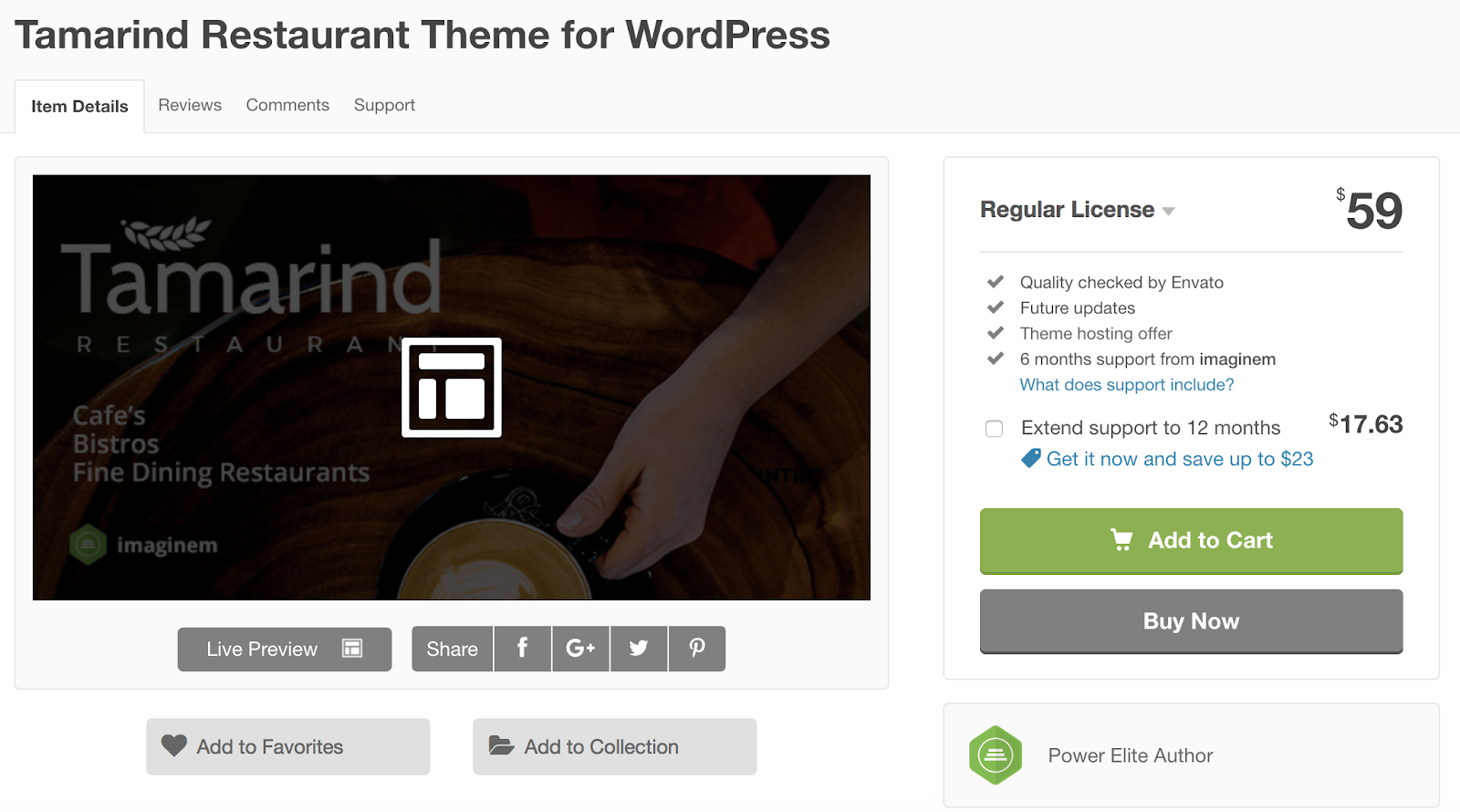
Tamarind is a multi-purpose restaurant theme with a variety of pre-made templates that you can choose from. The theme includes an OpenTable integration as well as the Contact 7 Reservation Forms plugin for you to manage your reservations. There are also a variety of presentation styles that you can add to your site to uniquely display your breakfast, lunch, and dinner menus.
Key Takeaways:
- Pre-made theme templates
- OpenTable integration and Contact 7 Reservation Forms
- Variety of menu presentation styles available
14. Tavern
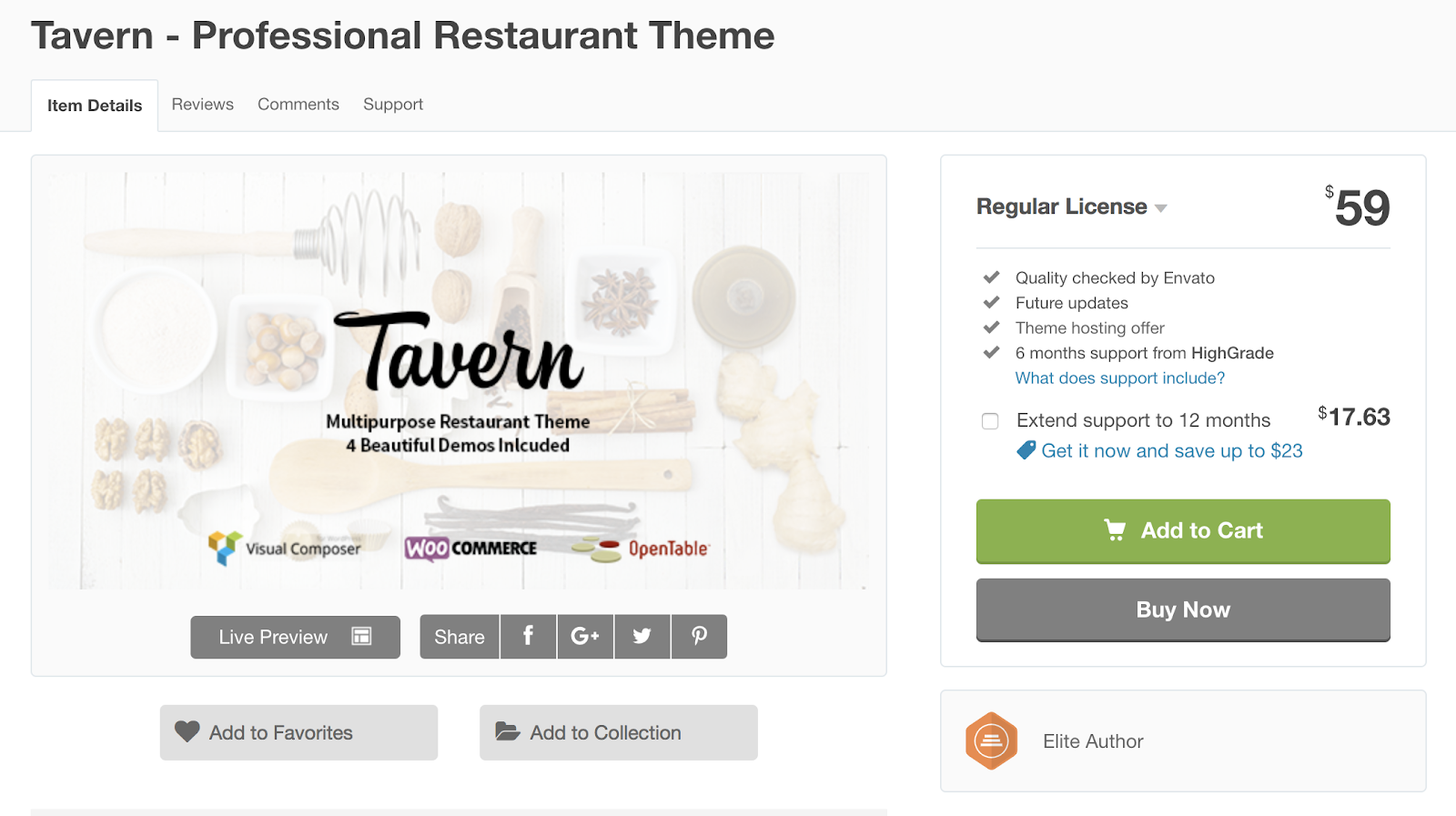
Tavern is a WordPress theme ideal for bistros, cafes, and bars. The drag-and-drop page builder requires no coding knowledge and includes over 60 pre-made elements that you can use to customize your site. The theme is approved by the Google Mobile-Friendly Test meaning your site will be responsive and functional for visitors browsing on-the-go.
Key Takeaways:
- Drag-and-drop page builder
- 60+ pre-made page elements available
- Google Mobile-Friendly Test approved
15. The Flavour
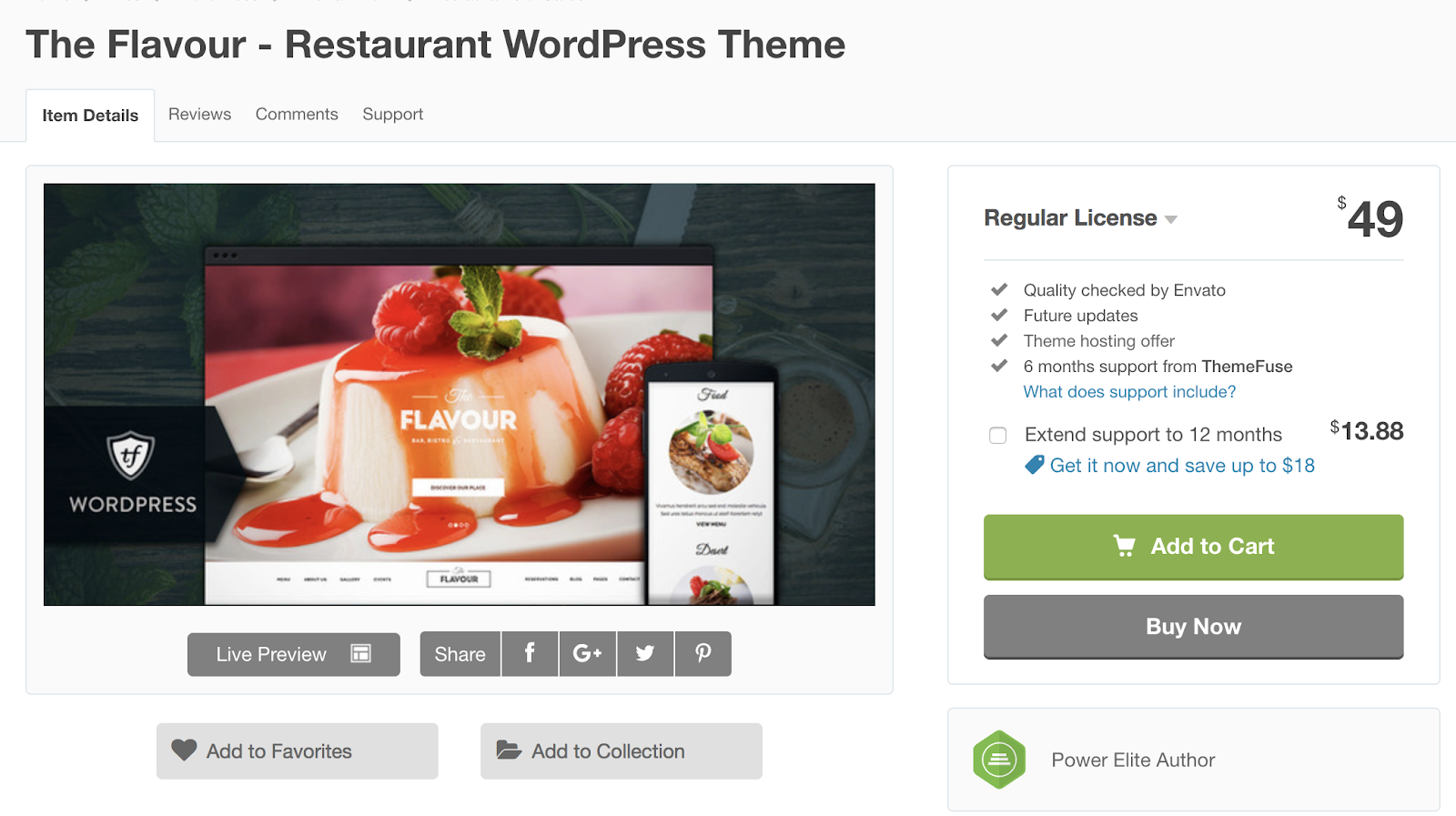
The Flavour’s responsive design automatically changes your site’s format to fit the screen it’s being viewed on, whether that’s desktop, mobile, or tablet. There are different image slider options that you can add to your site pages so visitors are able to scroll through full-width photographs of your menu items. There are also restaurant-specific icons (typically of different food items) that visitors can click on to be redirected to a different section or page, creating an interactive and unique experience.
Key Takeaways:
- Responsive theme
- Sliders to display multiple, full-width images
- Restaurant-specific icons for visitors to click
Back To You
No matter the type of food business you run, or the type of restaurant you own, you’ll need a WordPress theme to get your website looking and functioning the way it should to ensure a positive user experience. If, after reviewing our 15 theme recommendations, you’re still interested in considering other restaurant themes for your WordPress site, there are hundreds of options for you to browse in the WordPress theme library. Get started increasing traffic on your site, sharing your menu items, improving user experience, and easily managing your reservations by installing a restaurant theme and customizing it to your liking.

Looking Back on 2018 Predicted Tech Trends: Which Flourished, and Which Flopped?
Every January, the Consumer Electronics Association hosts the annual (and potentially largest) Consumer Electronics Show (CES) in Las Vegas, Nevada — where events often begin with a projection of the top tech trends to come that year.
At the start of 2018, it was predicted that a handful of trends would dominate the year. And as we look ahead to 2019 and prepare to return to CES next month, we’re taking a closer look at those that stood out to us the most over the past year.
Here’s what flourished — and which predicted trends didn’t make quite the splash that was anticipated.
1. 5G
5G is a type of wireless technology that you may have heard about over the course of 2018 — such as when Verizon selected Samsung as the provider for its 5G commercial launch.
The “G” stands for generation, in that this is the fifth generation of this type of connectivity. Currently, 4G powers cellular connectivity like LTE. The goal of 5G is to support the rising number of mobile internet users, by providing better speed, handling more data, greater responsiveness, and connectivity to smart devices.
That’s part of what makes 5G such a big deal — that it has the potential to provide significantly higher wireless speeds, capacities, and lower latency — which generally means that there will be far fewer delays or “technical hesitancies” in some of the things it powers, like wireless virtual reality (VR), or autonomous vehicles.
And as those latter two technologies have also continued to progress over the course of 2018, having the right wireless infrastructure to support them becomes increasingly important.
While 5G may not have made quite the mainstream splash this year that some predicted, looking ahead to 2019, it could remain integral to the development of digital communication and connectivity
Further reading:
- “At Mobile World Congress, 5G Is All the Rage. So What’s the Big Deal?”
- “4 Things We Want to Know After Reading Mary Meeker’s 2018 Internet Trends Report,” where we explore forecasts on the way people get and connect online.
2. Artificial Intelligence (AI)
If we had to identify one core reason why AI is such an important technology, it would be how many other technologies it informs and impacts.
AI continues to be an area where there’s still a bit of confusion among consumers and businesses alike — which could explain why a search for what differentiates AI from things like machine learning, deep learning, and bots yields a plethora of content.
In a nutshell, AI is what powers many of these other technologies, including some of those appearing on this list. It’s a way of replicating the intelligence or thought process of humans that’s required of certain processes, like answering questions, navigating transportation, recognizing someone’s face, or even determining what’s in your refrigerator.
“I’ve been impressed to see how artificial intelligence has spread into SMB software. In some areas like messaging and chat it has enabled companies to work more efficiently, reducing steps so marketing, sales and service professionals can there for customers in a more reliable way,” says HubSpot VP of Marketing Meghan Keaney Anderson. “In other areas it has made what wouldn’t have been previously possible possible, rapidly assessing huge volumes of data points to glean insights that would have taken significant human investment otherwise.”
So, as all of these areas of technology continue to expand and evolve, and power the new products and capabilities that have launched this year, it could be argued that AI was not only one of the most pivotal tech trends of 2018, but will continue to be in the next year (and, potentially, many years to follow).
Further reading:
- “Meet the People Building the TV Controlled by Your Brain”
- “And on the Second Day of F8, Facebook Said, ‘Let There Be AI Ethics’”
- “Why Should I Care About Amazon AI?”
- “Google Wants to Take Over Your Home (And the Rest of Your Life)”
3. Robotics
In the earlier part of 2018, it appeared that “bots were the future.” Notable brands across the broad spectrum of industries were launching their own chatbots, for example, in a way that allowed them to interact with audiences to provide support, surface content, or make appointments.
As we mentioned above — these capabilities are powered by AI.
But in some respects, bots may have peaked in the first few months of 2018, only to to lose some momentum, or at least some of the hype around them that started the year. Chatbots on platforms like Messenger, for instance, may have taken a bit of a hit when news of data misuse on its broader platform, Facebook, began to make repeated headlines this year.
But where chatbots may have had the most impact and carved a crucial path was the dialogue — no pun intended — they began around the importance of conversational capabilities in technology. While a text-based bot on Messenger or Slack might differ from a voice assistant (e.g., Alexa, Google Assistant, or Siri), at their respective cores, they’re all still bots, and they’re all powered by AI.
To that end, bots take on far more forms than just voice assistants and chatbots — with many categorizing things like autonomous vehicles and drones as robots. And let’s not forget: Throughout 2018, we began to note the growing presence of actual robots that such complete “human” tasks as preparing lattes and serving food.
Further reading:
- “Why Is Everyone So Obsessed With Bots?”
- “In a Land of Automated Milk and Honey, Marketers Are Presented With an Opportunity”
- “I Tried a Weirdly ‘Psychic’ Google Home App at SXSW So You Don’t Have To”
4. Voice
Voice technology continues to progress and appear on a number of different platforms, potentially making it one of the most prevalent tech trends of 2018.
Voice is yet another instance of crucial technology that’s powered by AI, especially when it comes to voice assistants: the digital personas that power smartphones, smart speakers, and more. (On Apple devices, for example, it’s Siri. On Google hardware, it’s simply named Assistant. On the Amazon Echo, it’s Alexa.)
Where AI also plays a pivotal role in this technology is the capacity of these machines for voice recognition — being able to differentiate the voices of multiple users within a single household, understand what that person says, and produce the information that person wanted.
Seeing as a number of voice-assistant-powered products launched in 2018, like video smart speakers — and considering that a growing number of search queries are conducted by voice — we wouldn’t be surprised to see this trend continue to evolve.
“I think voice is incredibly intuitive, and that lots of people don’t even think about using it,” says HubSpot VP of Marketing Jon Dick. “Long term, I think voice will dominate a ton of our transactional queries.”
Further reading:
- “The State of Voice: Looking Ahead to 2019”
- “25% of People Think All Searches Will Be Done by Voice in the Next 5 Years”
- “We Tested out the Google Home Hub so You Don’t Have To”
- “Marketers, Take Note: Samsung Is Going All-In on Voice and Now Is the Time to Prepare”
- “Why Voice Shopping Is Just Getting Started [New Data]”
5. Virtual Reality
Finally, we’ve arrived at virtual reality (VR): one type of technology that many developers, content creators, and certain businesses want to succeed — but when it comes to going mainstream, has faced numerous obstacles.
Nevertheless, it was a technology to which we paid close attention in 2018, attending industry events around it and observing the ways it can be used in a consumer and business setting alike. We tested out new headsets, collected data on user sentiment, and spoke with experts on the forecast for how it will grow in the years to come.
So, what VR one of the “biggest” tech trends of 2018? In terms of user growth, maybe not. But with so much attention paid to it this year, it shows some promise for 2019.
Further reading:
- “The State of Virtual Reality: Where We Are, and What’s to Come in 2019”
- “Here’s What’s Stopping Virtual Reality From Going Mainstream [New Data]”
- “What’s the Business Case for Virtual Reality? Here’s What the Experts Say.”
- “Here’s What Playing With a VR Headset Is Actually Like”
- “Why This New VR Headset Could Be a Game-Changer”

The 15 Best Free WordPress Themes for Bloggers in 2019
If you’re a blogger, it’s probably safe to assume you want a website that’s equally as stylish, unique, and high quality as the content you share. You also want visitors to have a positive experience navigating your site — reading posts with ease, searching for topics of interest, and discovering other content that makes them excited to return. A WordPress blogging theme can help you achieve the exact look, feel, design, and layout you envision … without the need for coding.
The 15 Best Free WordPress Themes for Bloggers in 2019
We’ve curated this list of our favorite 15 free WordPress themes for bloggers like yourself — not in any specific order — to consider using for your website. Each theme includes a description of the features that make them unique as well as a list of key takeaways in case you’re in a hurry.
1. Juno
Juno provides you with unique blog-style layout options that makes it easy to pair your written content with images and/ or videos. Juno is a simple WordPress theme that offers a minimalist and clean design without any clutter. The theme also has a masonry-style blog layout, which displays your content in a grid format to make it organized and easy to browse.
Key Takeaways:
- Gallery options to pair written content with photos and video
- Minimalist theme
- Grid-style layout
2. Kale
Kale is built for food bloggers. There are a number of feed displays to choose from so you can determine how you want to organize your written content and images of the dishes and menu items that you’re featuring. The built-in social media sidebar widget makes it easy for your visitors to locate, view, and follow your accounts.
Key Takeaways:
- Ideal for food bloggers
- Variety of blog feed displays
- Built-in social media menu buttons
3. Writee
Writee is ideal for photography or image-heavy blogs — the theme has a slider hero image feature which allows you to include several full-width images. Writee’s responsive design automatically changes your site’s format to fit any screen, whether that’s desktop, mobile, or tablet. You might also be a blogger who sells branded merchandise or other related items. If that’s the case, Writee makes managing your online store simple with their WooCommerce integration.
Key Takeaways:
- Responsive design
- Full-width image slider
- WooCommerce integration
4. Hemingway
Hemingway is a simple two-column blogging theme that keeps your content organized and easy to read. It includes a parallax scrolling feature which adds an interactive, 3D, and video-like experience to your blog pages. Hemingway’s translation-ready feature comes with pre-made language files so your website can be automatically translated into a number of other languages with the click of a button.
Key Takeaways:
- Simple two-column theme
- 3D, video-like scrolling feature
- Auto-translates into several other languages
5. Radiate
Radiate is a blogging theme that offers unique visuals, including a customizable, full-width hero image and primary color options so you can match your branding. If you have a WordPress.com Premium or Business account (that is, if you pay for WordPress), you can take advantage of custom Cascading Style Sheets, or CSS. CSS is a markup language that determines the look of your HTML so you can modify and customize the design of your web pages.
Key Takeaways:
- Full-width image background
- Multiple color options
- Custom CSS that allows you to modify and customize web page design
6. Flat
This blogging theme employs “flat”, or 2D, design principles, to give your site a minimalist feel all while using bright colors and unique typography to maintain a level of appeal. The theme has customizable sidebar navigation that allows you to build a clean and functional menu for your blog content. There’s also an easy-to-use “Theme Options Panel” in which you can update your site’s settings, add images and logos, include social links, and more from one, central location.
Key Takeaways:
- Flat, 2D design
- Customizable sidebar navigation
- Easy-to-use Theme Options Panel to customize site pages
7. Bulan
Bulan offers multiple homepage layouts for your blog including full-width, boxed, narrow, and multi-column options to provide your visitors with a unique experience when they enter your site. There are also a number of customizable sidebar and navigation configurations to enhance your user experience. Not to mention, you can install custom widgets to increase your site’s functionality.
Key Takeaways:
- Multiple homepage layouts
- Customizable sidebar and navigation options
- Custom widget options
8. Total
Total is a blogging theme with a masonry-style layout which places your latest three, six, or nine blog posts in a grid format to keep your content organized. There’s also a portfolio section if you want to share some of your artistic work. Total is SEO-friendly, which means it’s set up to help you rank in Google searches and get more traffic to your site.
Key Takeaways:
- Grid-style layout
- Portfolio section available
- SEO-friendly
9. Spacious
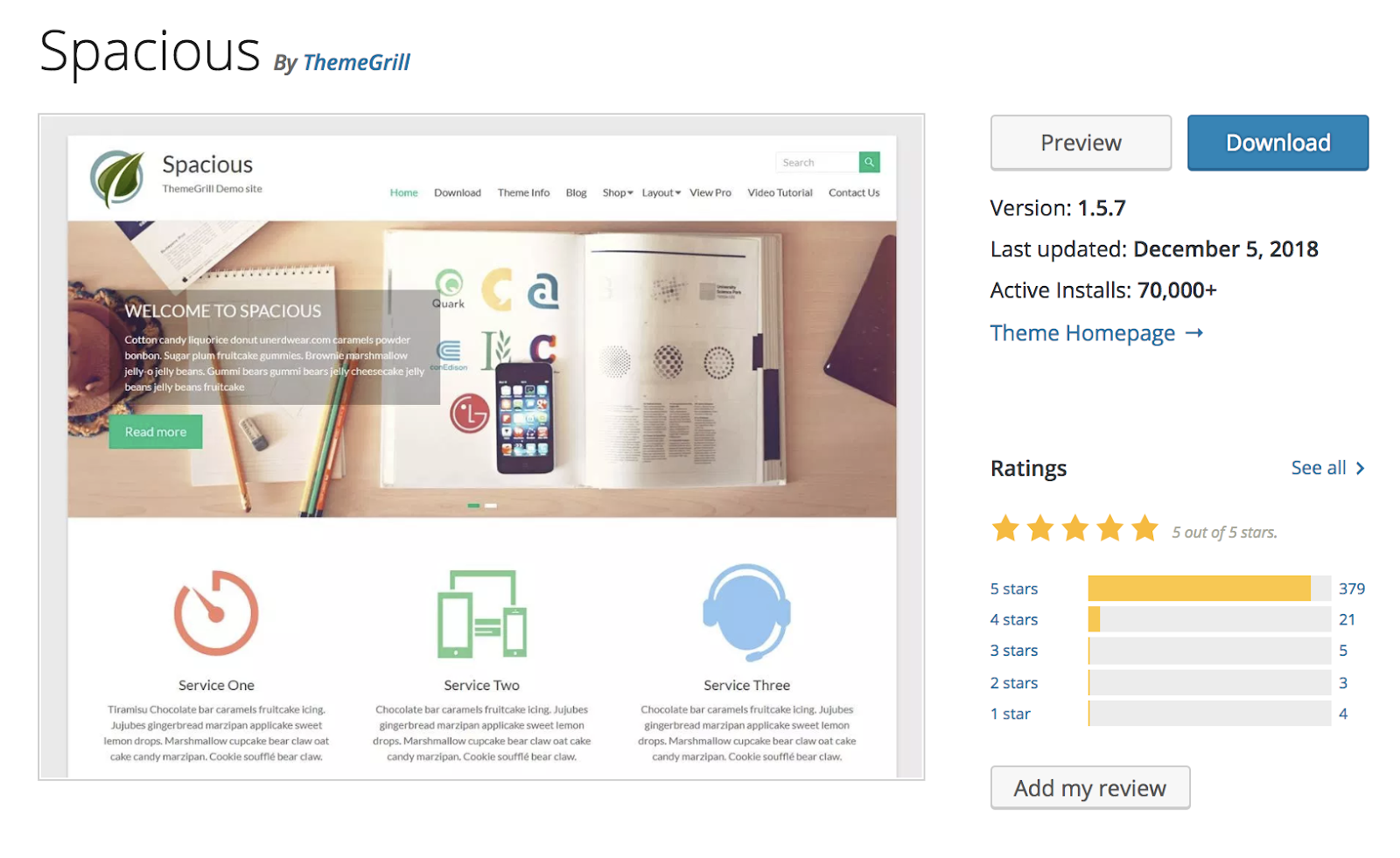
Spacious is a blog theme with four different page layout options and four blog display options to choose from. You can customize your theme’s primary color to match your site to your branding. Building your site with Spacious is a simple and painless process due to their downloadable demo sites that you can use for inspiration and support.
Key Takeaways:
- Four blog display options to choose from
- Customizable primary color for your theme
- Demo sites available
10. Revive
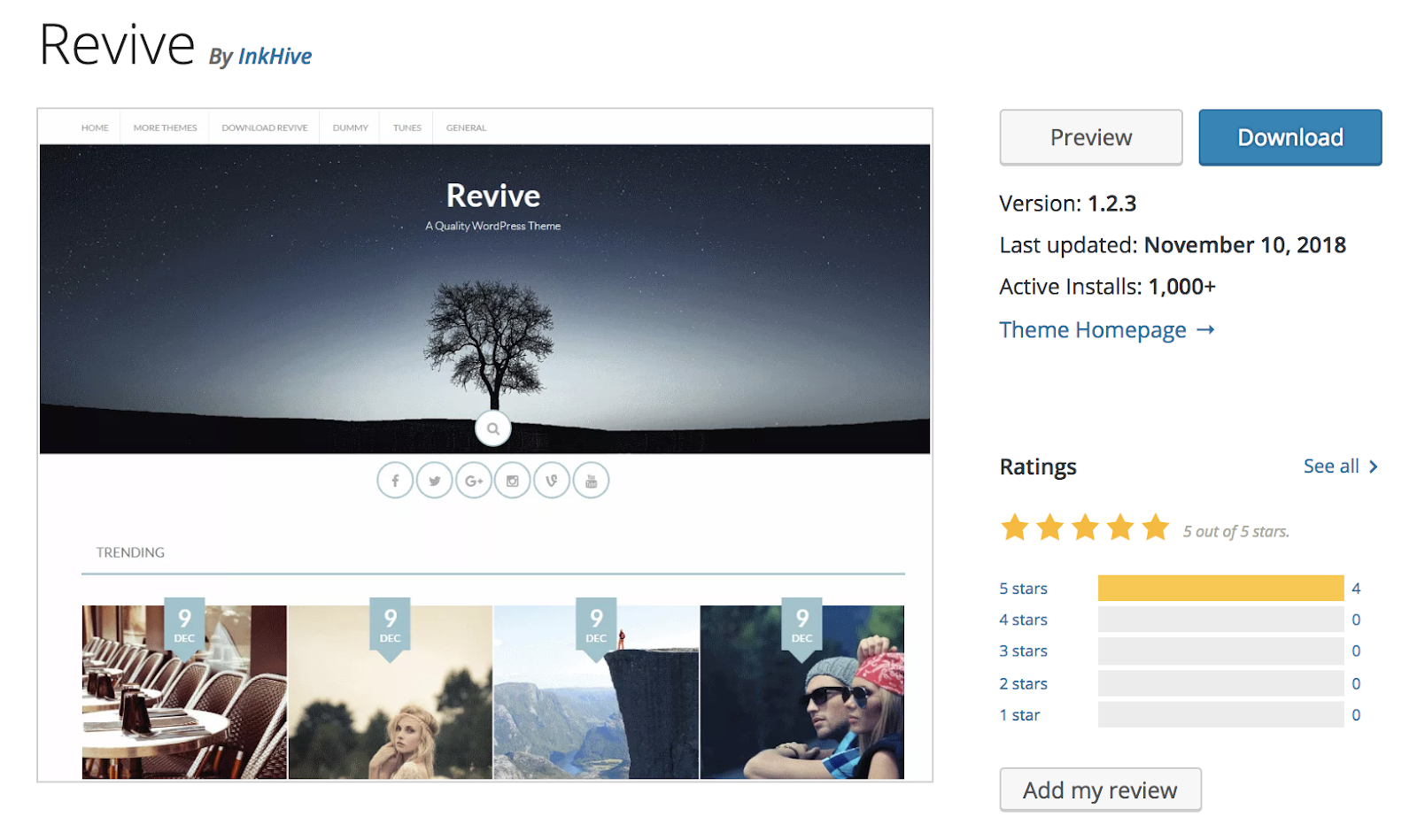
Revive is a blogging and magazine theme that’s ideal if you have a variety of photo content that you want to share on your website. The theme has a responsive design so your visitors can easily view your website from their desktop computer, mobile, or tablet. Revive also offers access to Font Awesome Icons that you can add to your theme to create a more interactive experience.
Key Takeaways:
- Blogging and magazine theme
- Responsive design
- Access to Font Awesome Icons to create an interactive experience
11. Wisteria
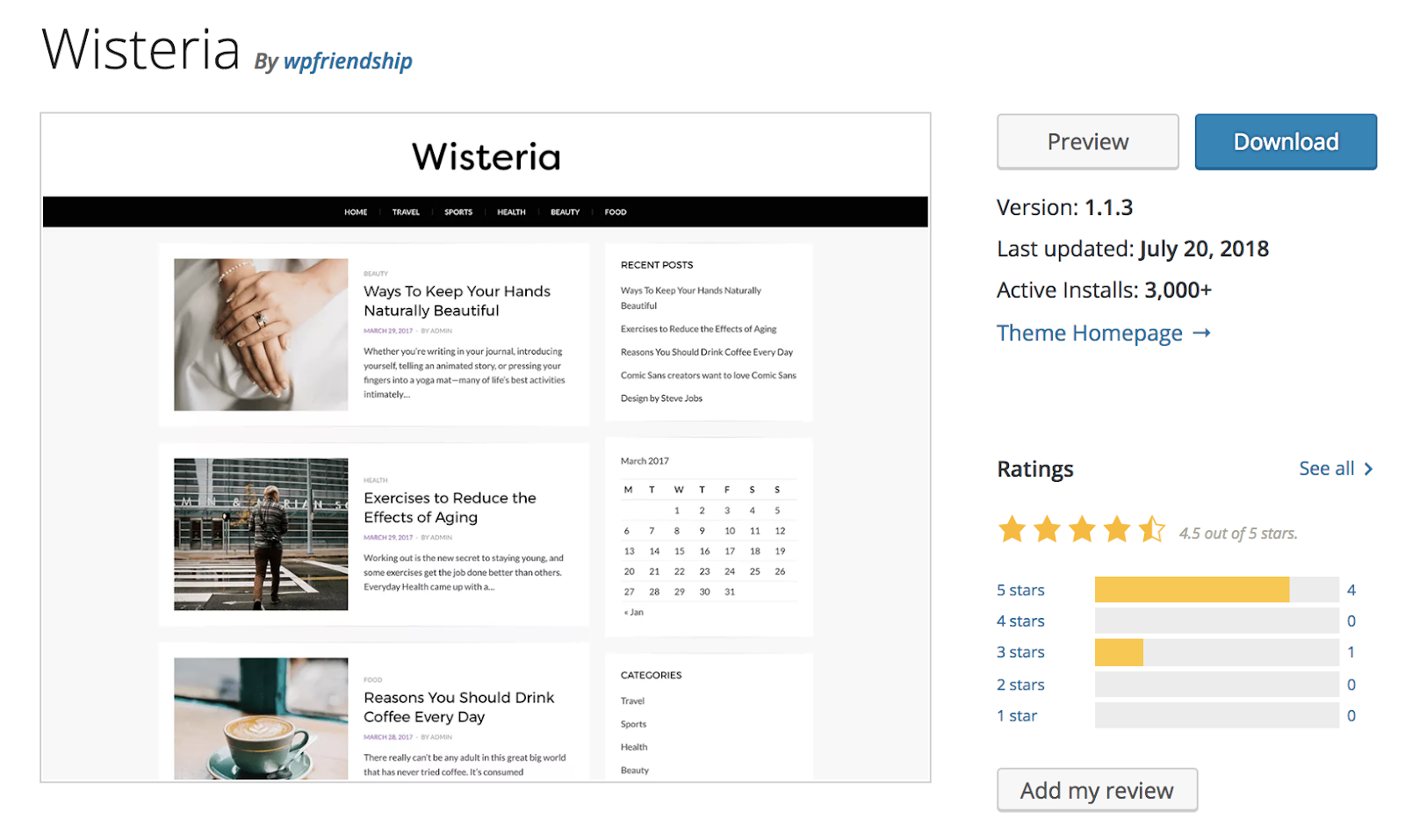
Wisteria is a blogging theme with a clean, minimalist, and straightforward design. The theme has layouts tailored to a variety of blogs including lifestyle, food, fashion, marketing, and more. Wisteria is retina-ready meaning all of your images and content will be high-definition to ensure your site has a professional look and feel.
Key Takeaways:
- Clean and minimalist design
- Created for a wide variety of blog types
- High-definition
12. Editorial
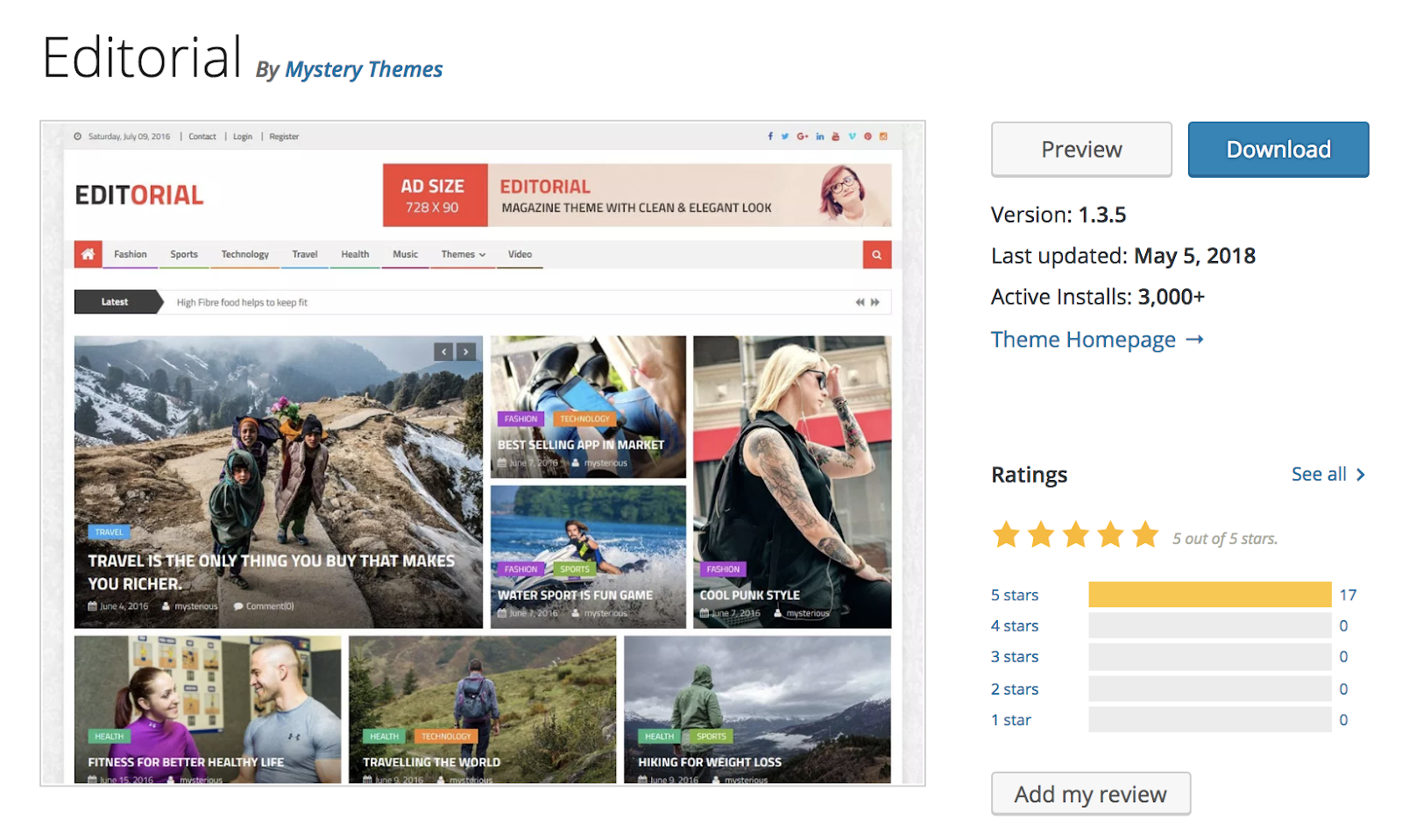
Editorial is a blog theme with a live customizer feature that lets you edit your site, move sections, add content to your theme, and view changes in real time. The theme is flexible enough to organize large amounts of editorial content in a way that doesn’t seem overwhelming to your readers. Editorial has a variety of easy-to-use widgets that allow you to customize several of your site page sections with the click of a button.
Key Takeaways:
- Live customizer feature to make and view edits in real time
- Easy to organize large amounts of written content
- Variety of easy-to-use widgets
13. Brilliant
Brilliant is a blog and online magazine theme that allows you to artistically pair your blog posts with photo and/ or video content. You can add or edit your own custom logo on your homepage as well as easily customize your theme’s accent colors to match your blog’s branding. Brilliant is also translation-ready so your visitors can read your content in a variety of different languages with the click of a button.
Key Takeaways:
- Easily pair blog posts with photo and video content
- Quickly add a logo and customize the theme’s accent colors
- Can be auto-translated into multiple different languages
14. Poseidon
If you want to include large, professional-looking photographs on your blog’s website, Poseidon is the option for you. This theme offers a full-width image slideshow on the homepage that allows you to display multiple photos. The layout is mainly white to create a clean, organized look that appears spacious and organized. Poseidon also has completely customizable navigation bars that you can implement on your site to enhance user experience and improve your site’s configuration.
Key Takeaways:
- Full-width image slideshow
- White background to create a spacious and clean design
- Customizable navigation bars
15. Author
Author is suitable for all types of blogs and includes a responsive design so your visitors can read your content from any device and still enjoy their experience. The theme’s minimalist look allows your visitors to easily focus on your content without any distractions. There is expert support available in case you run into any issues while designing your website as well as several tutorial videos to walk you through different customization tasks step-by-step.
Key Takeaways:
- Responsive design
- Minimalist appearance
- Expert support and tutorial videos
Back To You
A free blogging WordPress theme will allow you to create a unique, functional, stylish, and eye-catching website where you can share your content. Each theme has features, layouts, and styling that set them apart from the others — so, consider the overall design you’re going for on your blog to help you determine which option is ideal for you. Then, install your theme and begin adding your blog content and customizing it to your liking to create a great user experience for your visitors that will keep them coming back.

How to Take a Screenshot on Your Android Phone [Easy Guide]
Maybe you just made the transition to an Android, or maybe the process of taking a screenshot just slipped your mind. Either way, whether you want to include a screenshot in one of your blog posts or send a funny meme to a colleague, here’s a quick, easy guide for taking a screenshot on your Android phone.

How to Take a Screenshot on Your Android Phone
- Navigate to the screen you want to take a picture of.
- Hold the Power button down for a few seconds.
- Press “Screenshot” on your phone screen.
- If that doesn’t work, hold the Power and Volume buttons at the same time for a few seconds.
- If you see an animation of your screen shrinking, your phone has taken a picture of your screen and saved it in your photos app.

Image Credit: Gadget Hacks
To take a screenshot on your Android phone, hold down the power button for a few seconds and press “Screenshot” on your phone screen. If that doesn’t work, hold the Power and Volume buttons at the same time for a few seconds. If you see an animation of your screen shrinking, like the image below, your phone has taken a picture of your screen and saved it in your photos app.

Image Credit: Gadget Hacks

YouTube Ads: What Marketers Need to Know

Do you want to diversify your social media advertising? Wondering how to make YouTube ads work for your business? To explore how to reach more customers with YouTube ads, I interview Tom Breeze. More About This Show The Social Media Marketing podcast is an on-demand talk radio show from Social Media Examiner. It’s designed to […]
The post YouTube Ads: What Marketers Need to Know appeared first on Social Media Marketing | Social Media Examiner.
from Social Media Marketing | Social Media Examiner https://ift.tt/2Qvqlch
via socialmediaexaminer
13 of the Best Email Newsletter Templates and Resources to Download for 2019
If you had to guess, how many email newsletters do you think you’re subscribed to? Ten? Twenty? Fifty?
To be honest, I’ve lost count — and I know I’m not alone. Email marketers have a lot to compete with in their subscribers’ inboxes. That’s why a solid newsletter template is crucial to designing an email that people are encouraged to click through.
Best Email Newsletter Templates
- Pook by Litmus
- Sonata by Web Canopy Studio
- ZURB Ink
- Wire by HubSpot
- 99designs
- Webinar Invite by WorkCast
- ThemeForest
- Resonant by HubSpot
- Antwort
- Useful Notifications by TemplateMonster
- Themezy
- Email on Acid
- HubSpot Template Marketplace
If done well, though, email newsletters can do wonders to help you build an engaged subscriber base, keep your business top-of-mind, and nurture leads that are already making their way down the funnel.
However, “done well” means more than just serving up great content. In fact, an often overlooked component of the newsletter creation process is the design.
Don’t have time to build out a custom template from scratch? We’ve scoured the internet for the best resources for email newsletter templates and compiled them below. Once you find one you like, download the template and customize it to fit your needs.

1. Pook by Litmus
Price: Free
Litmus offers a free email template collection — from newsletter templates to account management templates. The marketing-specific theme, below — referred to as “Pook” — is modern and sleek, while still being kind of fun. All of the templates have been tested with Litmus, and you can easily check out how the email will appear in different email clients here.
While you are required to create a Litmus account with your email address to access the templates, the templates themselves are free of charge.
2. Sonata by Web Canopy Studio
Price: Free
Sonata is an email template by Web Canopy Studio, available on the HubSpot platform to any HubSpot user, free or paid, looking to promote a special offer or resource to their loyal subscribers. As you can see, the newsletter template below embraces a clean aesthetic with image slots to capture the essence of your brand in three separate tiles.
You can customize almost any component of the template below, from the company logo at the top of the email to the “Get The Checklist” CTA at the bottom. Get this template from the HubSpot Template Marketplace, which includes a full gallery of similar templates linked at the end of this article.

3. ZURB Ink
Price: Free
ZURB Studios has five responsive email templates available for free, including the newsletter one below. It has a great, fluid layout you can customize with your own colors, images, and wording. If you want to see how each template looks on different email clients, you can check out screenshots from each template’s email client tests, which are on available the site. These layouts are optimized for most email clients — except for Outlook 2007, 2010, and 2013.
The template comes with a separate CSS stylesheet and HTML file to ease the editing process, and most clients put the CSS inline with the HTML itself after both are uploaded separately. If you’re going to add images to your newsletter, keep in mind you’ll have to create a separate folder and compress with the CSS stylesheet when uploaded.
Image Credit: ZURB Studios
4. Wire by HubSpot
Price: Free
Wire is a HubSpot-designed newsletter template, catering to marketers who are rolling out a new product or service they want their prospects and customers to know about. The thin typeface and contrast between the dark background and vibrant product copy can add a sense of intensity to any new campaign.

5. 99designs
Price: Free
99designs is a growing online community and collaboration platform for designers and small businesses, and they have a great designer blog and business blog. As a free offering to their blog readers, they recently released a set of 45 free email templates — perfect for newsletters, promotional messages, and personalized responses. All of the templates are fully responsive and compatible with all major email clients.
Image Credit: 99designs
6. Webinar Invite by WorkCast
Price: Free
The email newsletter template below can promote anything from articles to new products, but it’s particularly useful for promoting a webinar you want people to register for.
Developed by WorkCast for the HubSpot platform, the template below offers a healthy balance of text and graphics so you can grab your recipients’ attention and give them the where and when of the webinar you think they’d be interested in attending.

7. ThemeForest
Price: $6-23/template
ThemeForest is an awesome resource for email templates if you have some budget to spend. Their library has over 460 newsletter templates in all different colors, styles, and themes. They’re rated using a four-star system, and you can filter by rating, price, recency, and popularity.
There are a lot to choose from, but here are four of our favorites:
Market – Responsive Newsletter with Template Builder ($19)
This template has eight prebuilt layouts, 24 color variations, 24 full-layered PSD files, and more. Plus, it’s supported by all major email clients.

FreshMail, Responsive Email with Template Editor ($18)
Want a more minimalist look? This is a great template with minimalist design that’s also flexible and repeatable, so you can easily arrange the layout and use it to build your own unique template. Even better, it comes with helpful documentation and video tutorials to help you make the most of the design. It works for all major email clients and is responsive to mobile.
FancyMail – Responsive Email Template ($19)
If you’re looking for something more elegant and sophisticated, this might be the template for you. It comes in seven layout options and eight colors, along with six, fully-layered PSD files so you can customize as you wish. It works with all major email clients, is responsive to mobile devices, and includes helpful documentation so you can make the most of the template.
Rocket Mail – Clean & Modern Email Template ($16)
This template is great for marketers who are going for something that looks like your classic, basic newsletter design. It comes with 72 variations comprised of six color themes with six layouts each, and two backgrounds (light and dark) for each color. It has well commented HTML code to make it easier to follow along and customize. It works for all major email clients.
8. Resonant by HubSpot
Price: Free
Resonant is another free email newsletter template by HubSpot. The template’s base design is perfect for welcoming new users to your service. At this stage in the customer journey, you don’t want to overwhelm your newest users with too much content right away — but you do want to give them a taste of who you are. The wide image space at the top and text blurb beneath it help you do just that.
Maybe you want to send this email to help new users complete their registration, or offer them the next tier of your product. The “Download” CTA at the bottom of the email template gives you a modest up-sell opportunity, which you can personalize with any links and copy you’d like.
9. Antwort
Price: Free
Antwort offers three newsletter templates: one single-column, one two-column, and one three-column. They’re all responsive to mobile devices, so columns on desktop automatically condense on mobile devices. You’ll notice they’re pretty minimalist in design, which helps if you want to do a lot of customization work. They were also designed with dynamic content in mind.
On desktop, they work for major email clients like Gmail, Yahoo!, Outlook, and AOL. On mobile, they work for Mail on iOS and Email on Android.
Image Credit: Julie Ng
10. Useful Notifications by TemplateMonster
Price: $14
TemplateMonster offers a variety of email newsletter templates, such as the Useful Notifications newsletter template pictured below, all of which are available for relatively low prices. Their templates are clean, customizable, and easy-to-use, and they’re compatible with most major email clients, such as Gmail and Yahoo Mail. Additionally, the templates come with built-in responsive layouts for screen adaptability, such as on the mobile phone pictured below, and PSD sources for a litany of customization options.
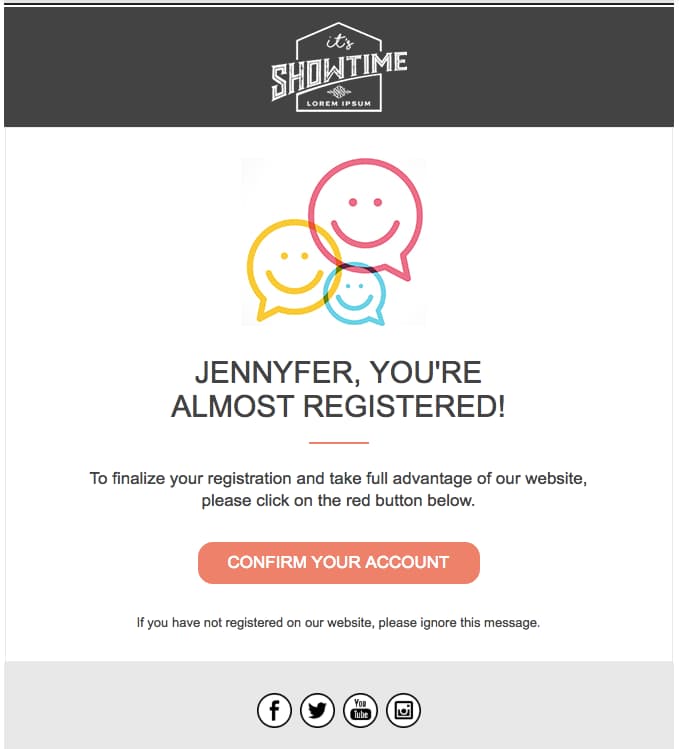
Image Credit: TemplateMonster
11. Themezy
Price: Free
Download sixteen free HTML, CSS, and PSD sources of customizable email templates on Themezy. You don’t have to submit an email address to get started, and there are various color schemes and layouts to meet your email list’s needs. Plus, they’re designed to be responsive across devices to ensure that your subscribers can read your newsletter.
Image Credit: Themezy
12. Email on Acid
Price: Free
Email on Acid offers a free template with a basic, fluid design that’s also responsive to mobile devices. In other words, the three different “layouts” you see below trigger based on the width of the recipient’s screen.
Although there’s only one template here, you can actually mix and match each section of the layout to fit your specific design needs. The layout supports one, two, or three columns, and recipients on mobile devices will see the version that converts to a one-column layout for easy reading.
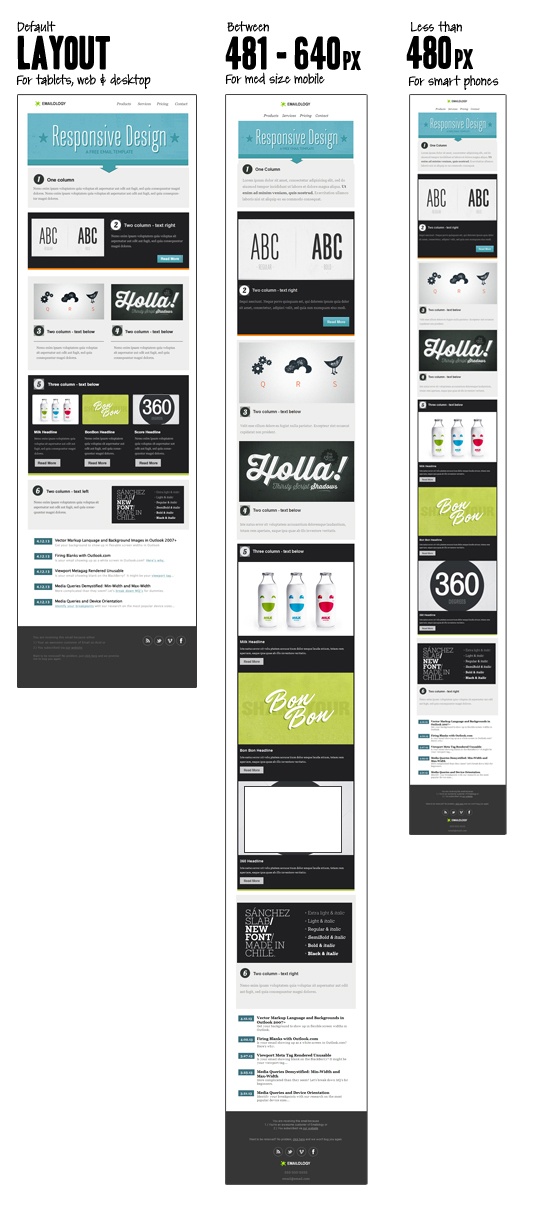 Image Credit: Email on Acid
13. HubSpot Template Marketplace
Price: Free & paid options available
If you’re a HubSpot customer, HubSpot offers a great collection of email templates you can download or purchase from our template marketplace. Paid templates are available for as low as $1, and once you buy a template, you can start using it immediately right in HubSpot — no HTML or CSS required.
The second, fourth, sixth, and eighth templates on this list all came from our Marketplace.
Ready to draft your next 2019 email newsletter campaign? Download one of the excellent newsletter templates from the template galleries and landing pages above. Then, grab your free guide below for creating an email newsletter your audience will want to engage with.