
Welcome to My Blog
20 Best Buyer Persona Questions to Ask Customers [Free Template]
Knowing your customers is a crucial component of successful inbound marketing. Get started with buyer persona questions that can help you understand customers’ mindsets.

We’ve gathered the best questions that can help you identify your audience. After you explore the answers, use this free buyer persona template to share your findings with the rest of your company. But first, let’s review the goals and benefits of carrying out buyer personal interviews.
The Goal of Buyer Persona Interview Questions
A buyer persona (or user persona) is a fictionalized representation of your target customer. But how do you know who that is unless you ask the right questions?
That’s where buyer persona interviews and surveys come in. Before creating your ideal buyer persona, it’s essential to choose a subsect of your existing customer base and deploy surveys that will help you understand their background and goals. You can also use a market research service, such as Qualtrics, to run panels and interviews with neutral participants.
Once you’ve decided whom you’re going to survey, you can use user persona questions to uncover the following information:
-
Demographics such as their age, education, occupation, and income
-
Psychographics such as their habits, beliefs, behaviors, and preferences (like shopping preferences)
This type of information can be endlessly beneficial to businesses and brands looking to convert more leads, personalize the customer experience, and improve their bottom line.
The Benefits of User Persona Surveys & Interviews
If you think you can guess at your ideal customer’s demographic and psychographic information, you may be right — after all, most of us are a buyer persona to another brand and can generally guess at the qualities of our customers.
However, if you’re looking to systematically convert more leads, then it’s essential to carry out formal persona interviews. Only then can you create a buyer persona profile that accurately depicts your typical customer.
These are only a few of the benefits of persona surveys:
Convert More Leads
Knowing your customers’ typical challenges and needs is key to appropriately targeting them and converting them. When you uncover your target audience’s descriptors and habits through persona interviews, you can more accurately target your sales and marketing campaigns to the users most likely to buy from you.
Personalize the Customer Experience
Personalizing the customer experience is one of the best ways to capture customers’ business and keep it for the long term. If they feel like you’re speaking directly to them, they’ll be more likely to buy from you. Get to know them first through persona interviews, and you’ll be able to make them feel like they’re the only customer you serve.
Improve the Bottom Line
When you convert more leads, you improve the ROI of your marketing campaigns and sales efforts. When you personalize the customer experience, you’re more likely to retain customers and increase repeat sales. These results improve the bottom line at your company, proving the effectiveness of your marketing and sales efforts.
Remember: you’ll need a content marketing strategy to reach your buyer personas. Find out how with HubSpot Academy’s free content marketing training resource page.
Download our free buyer persona template here to learn how to create buyer personas for your business.

Questions About Their Personal Background
1. Describe your personal demographics.
Collecting demographic information is a great place to begin drafting your personas. These questions paint a clearer, more personal picture of your customer.
Understand what communities they are a part of, and how those identities impact their interaction with your brand.
What to Look for in the Answer
Are they married? What’s their annual household income? Where do they live? What are their cultural and racial backgrounds? What is their gender identity? How old are they? Do they have children?
2. Describe your career path.
Having an idea of your client’s background tells you a lot about the type of information that they consume and the problems that they can face regarding their work. This can be especially helpful if you sell a B2B product.
What to Look for in the Answer
How did they end up where they are today? Has their career track been pretty traditional, or did they switch from another industry?
3. Describe your educational background.
Get specific here. “Boston University” is better than “liberal arts college.” Where a person went to school can impact their worldview. That includes both the size of the college, their major, and the location of the school.
What to Look for in the Answer
What level of education did they complete? Which schools did they attend, and what did they study?
Questions About Their Company
4. What is the size of your company?
Keep an eye out for specific details about the company. The size of a business impacts how many people use your product, as well as the way they use your offering. Understanding the amount of revenue can help you set appropriate pricing.
Knowing details about your persona’s company, like the number of employees, will help you when you’re building the fields for your landing page forms.
What to Look for in the Answer
How many people work at the company? How much revenue does the company generate? How many customers does the company serve?
5. In which industry or industries does your company work?
The answer to this question isn’t the department in which your buyer persona works. Your buyer persona’s industry is the type of service they deliver to their clients, and knowing this can help you measure your business’s impact in the markets you’re targeting.
Depending on the challenges your buyer persona faces, it might also be worth getting information on the industries your client’s business serves, not just the actual service they provide.
For example, if your buyer persona provides renewable energy plans for hospitals. They are in the environmental services industry for education and medical customers.
What to Look for in the Answer
What sector do potential buyers work in? Are they in a broad industry like healthcare or insurance? Are they in a more niche market?
Questions About Their Role
6. What is your job role? Your title?
The importance of your buyer persona’s job depends on the product or service you’re selling.
If you’re a B2C company, you may simply consider this information as another way to better understand the nuances of your persona’s life.
If you’re a B2B company, this piece of information becomes more crucial. Is your persona at a managerial or director level, and well versed in the intricacies of your industry? They’ll need less education than someone at an introductory level, who may need to loop in other decision-makers before making purchasing decisions.
What to Look for in the Answer
How long have they had this role and title? Are they an individual contributor, or do they manage other people?
7. To whom do you report? Who reports to you?
If you have a B2B offering, knowing your buyers’ seniority levels is especially important. This information can help your sales team understand who prospects might be.
For B2C companies, your users’ seniority level can give you insight into their lifestyles. Do people spend most of their time in the office? Are they often in meetings? That will impact when and where they use your product.
What to Look for in the Answer
How senior is your buyer? How many people work for them? Where are they in the larger organization?
8. Which skills are required to do your job?
If they were hiring someone to replace them and had to write a job description of what’s required, what would it say? Understanding your buyer’s skillsets can help you understand the level of training they need when using your product.
Or perhaps, your product is intended to supplement a skill they lack. Knowing where their strengths are can help you focus your product development efforts.
What to Look for in the Answer
What are the ideal skills for this job, and how good is your persona at each of them? Where did they learn these skills? Did they learn them on the job, at a previous job, or by taking a course?
9. What does a typical day look like?
This should include both the tasks they do for their job, as well as what happens during the day outside their job. Knowing your personas’ schedules can help you understand when they use your offering. That holds true for both B2B and B2C products.
What to Look for in the Answer
For their time in the office, look for the following.
- What time do they get to work and what time do they leave?
- What do they do when they’re most productive?
- What’s their “busy work” look like?
For time spent outside of the office, take note of the following.
- Are they spending more time at work or at home?
- Where would they rather be?
- What do they like to do for fun?
- Who are the people in their life that matter most?
- What kind of car do they drive?
- Which TV shows do they watch?
- Heck, what outfit are they wearing? Get personal here.
10. How is your job measured?
You should know what metrics will make your user successful, and what they might be worried about when it comes to “hitting their numbers.” This can help your marketing team identify which features to highlight.
What to Look for in the Answer
Which metric(s) is your persona responsible for? Which numbers or charts or waterfall graphs do they look at every day?
11. What knowledge and tools do you use in your job?
Understanding what products they love (and hate) to use can help you identify commonalities in your own product (and adjust your positioning accordingly). You can also understand how your product integrates with their pre-existing tech stack.
What to Look for in the Answer
Which applications and tools do buyers use every single day? Every week? How much do they like these existing tools?
Questions About Buyer Goals
12. What are you responsible for?
This goes beyond the metrics they’re measured on. Your team should know what their primary job responsibilities are. With this knowledge, you can better explain how your offering makes buyers’ lives easier.
You can also identify ways to help your persona achieve their goals and overcome their challenges.
What to Look for in the Answer
What’s their primary goal at work? What about their secondary goal? What are their daily responsibilities? Quarterly responsibilities? Annual responsabilities?
13. What are your biggest challenges?
You’re in business because you’re solving a problem for your target audience. How does that problem affect their day-to-day life? Go into detail, and focus on the nuances that illustrate how that problem makes them feel.
For example, let’s say your company sells personal tax software directly to consumers. One of your personas may be a first-time tax preparer. What are the pain points of first-time tax preparers? They’re probably intimidated by the prospect of doing their taxes by themselves for the first time, overwhelmed by a tax code they don’t understand, and confused about where to start. These pain points differ from those of a seasoned tax preparer.
Try coming up with real quotes to refer to these challenges. For example, “It’s been difficult getting company-wide adoption of new technologies in the past,” or “I don’t have time to train new employees on a million different databases and platforms.”
What to Look for in the Answer
What are the different challenges for demographics? How do pain points vary by seniority and experience level? How do these challenges affect their daily life?
14. What does it mean to be successful in your role?
Companies that take the time to understand what makes their personas successful will likely enjoy more effective communications from both the sales and marketing teams.
What to Look for in the Answer
What can you do to make your personas look good? What features of your product already help them achieve their goals?
Questions About How Buyers Learn
15. How do you learn new information for your job?
If you’re going to market and sell to these personas, you need to understand how they consume information. Dive into their required upskilling at work, as well as the professional development your buyer individual sought. Your goal should be to best understand their learning style.
What to Look for in the Answer
Do they go online, prefer to learn in person, or pick up newspapers and magazines? If they’re online learners, do they visit social networks? To Google? Which sources do they trust the most — friends, family, coworkers, or industry experts?
16. Which associations and social networks do you participate in?
You should already be investing time and resources in social media marketing. Identify the associations and social networks where your buyers spend their time. Then, you can prioritize which accounts to create and which conversations to participate in.
What to Look for in the Answer
What in-person or community-based gatherings do buyers attend? How are these gatherings promoted? What do they learn from these events?
What social media platforms do your buyers prefer? How much time do they spend on these platforms? What platform features do they actually use?
17. Which publications or blogs do you read?
To piece together a typical day in their life, figure out where they regularly go to stay informed. If you know how they prefer to gather information, you can make yourself present in those spots. The next step is to establish credibility in those communities.
What to Look for in the Answer
What magazines or news outlets do they read? Are there blogs they frequent? Which trusted thought leaders do they turn to?
Questions About Their Shopping Preferences
18. Describe a recent purchase.
You should understand your buyers’ evaluation process when making a purchase. How do they decide what they buy?
If you can anticipate the objections your persona will have, you can be prepared for them in the sales process. You will also be able to educate them in your marketing collateral to help allay fears right away.
What to Look for in the Answer
Why did you consider a purchase, what was the evaluation process, and how did you decide to purchase that product or service?
Is this their first time purchasing a product or service of your kind? If not, what caused them to switch products or services? What might make them reticent to buy from providers in your industry?
19. Do you use the internet to research vendors or products? If yes, how do you search for information?
These questions will help you determine which sources of information your buyer trusts. This can help you identify what type of reviews you would like to elicit. You can also plan your marketing collateral appropriately.
What to Look for in the Answer
Which avenues are they using to find new information? Do they search online, look at review websites, ask their friends and family, or do something else?
20. How do you prefer to interact with vendors?
You should know the best ways to get in touch with potential buyers. From there, you can understand how they want to interact with you — as well as how frequently. The experience of purchasing your product should align with your persona’s expectations.
What to Look for in the Answer
What should their sales experience feel like? Is it consultative? How much time do they expect to spend with a salesperson? Do they anticipate an in-person meeting, or would they rather conduct the sales process online or over the phone?
What’s next?
Once you’ve gone through this exercise and worked out any lingering questions about what makes your persona tick, browse through some stock imagery and find an actual picture to associate with your persona. Going through this exercise forces you to clarify an image of your target audience in your entire organization’s mind that will help keep your messaging consistent.
Another useful exercise is to practice being able to identify your buyer persona so you can tailor your communications. How will you know when you’re talking to this persona? Is it their job title?
Once you’ve established not only who your persona is, but also how you can identify them when you encounter one or another, your employees will be able to maintain a consistent voice that is still customized to each person they talk to.
Then, use our free, downloadable persona template to organize the information you’ve gathered about your persona. Share these slides with the rest of your company so everyone can benefit from the research you’ve done and develop an in-depth understanding of the person (or people) they’re targeting every day at work.
![Blog - Buyer Persona Template [Updated]](https://no-cache.hubspot.com/cta/default/53/36f0bd21-f25e-4906-9451-b84452a7ab7d.png)


How to Create a Pivot Table in Excel: A Step-by-Step Tutorial
The pivot table is one of Microsoft Excel’s most powerful — and intimidating — functions. Pivot tables can help you summarize and make sense of large data sets. However, they also have a reputation for being complicated.
The good news is that learning how to create a pivot table in Excel is much easier than you may believe.
We’re going to walk you through the process of creating a pivot table and show you just how simple it is. First, though, let’s take a step back and make sure you understand exactly what a pivot table is, and why you might need to use one.
What is a pivot table?
What are pivot tables used for?
How to Create a Pivot Table
Pivot Table Examples
![Download 10 Excel Templates for Marketers [Free Kit]](https://no-cache.hubspot.com/cta/default/53/9ff7a4fe-5293-496c-acca-566bc6e73f42.png)
In other words, pivot tables extract meaning from that seemingly endless jumble of numbers on your screen. And more specifically, it lets you group your data in different ways so you can draw helpful conclusions more easily.
The “pivot” part of a pivot table stems from the fact that you can rotate (or pivot) the data in the table to view it from a different perspective. To be clear, you’re not adding to, subtracting from, or otherwise changing your data when you make a pivot. Instead, you’re simply reorganizing the data so you can reveal useful information.
What are pivot tables used for?
If you’re still feeling a bit confused about what pivot tables actually do, don’t worry. This is one of those technologies that are much easier to understand once you’ve seen it in action.
The purpose of pivot tables is to offer user-friendly ways to quickly summarize large amounts of data. They can be used to better understand, display, and analyze numerical data in detail.
With this information, you can help identify and answer unanticipated questions surrounding the data.
Here are seven hypothetical scenarios where a pivot table could be helpful.
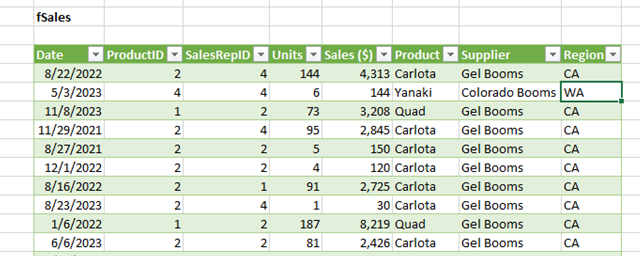
1. Comparing Sales Totals of Different Products
Let’s say you have a worksheet that contains monthly sales data for three different products — product 1, product 2, and product 3. You want to figure out which of the three has been generating the most revenue.
One way would be to look through the worksheet and manually add the corresponding sales figure to a running total every time product 1 appears. The same process can then be done for product 2, and product 3 until you have totals for all of them. Piece of cake, right?
Imagine, now, that your monthly sales worksheet has thousands upon thousands of rows. Manually sorting through each necessary piece of data could literally take a lifetime.
With pivot tables, you can automatically aggregate all of the sales figures for product 1, product 2, and product 3 — and calculate their respective sums — in less than a minute.
2. Showing Product Sales as Percentages of Total Sales
Pivot tables inherently show the totals of each row or column when created. That’s not the only figure you can automatically produce, however.
Let’s say you entered quarterly sales numbers for three separate products into an Excel sheet and turned this data into a pivot table. The pivot table automatically gives you three totals at the bottom of each column — having added up each product’s quarterly sales.
But what if you wanted to find the percentage these product sales contributed to all company sales, rather than just those products’ sales totals?
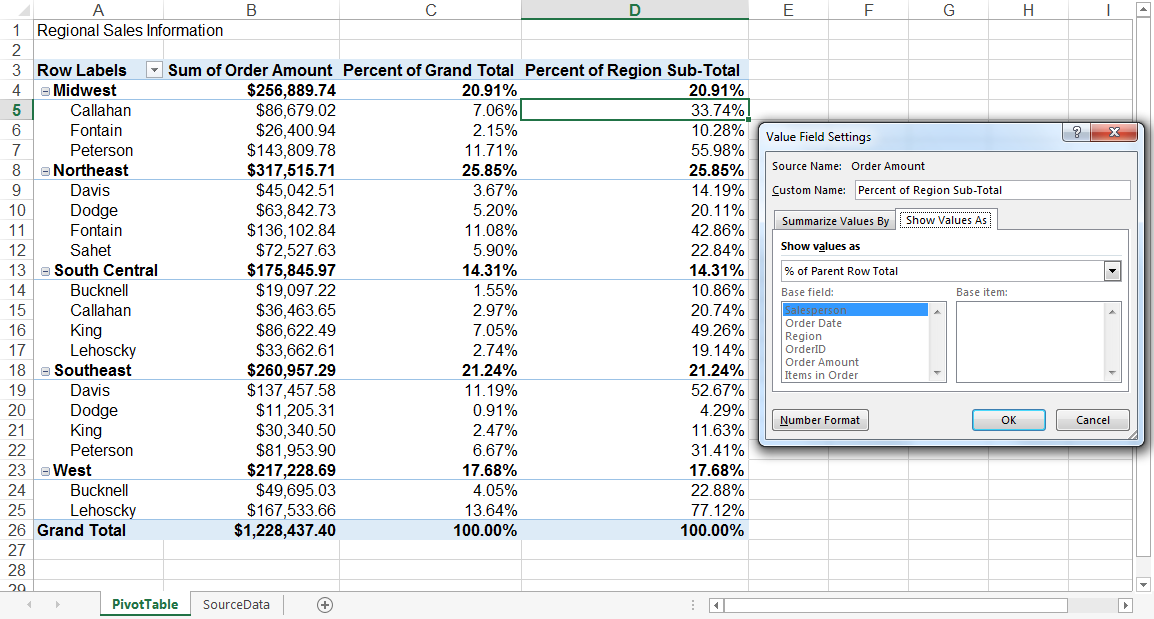
With a pivot table, instead of just the column total, you can configure each column to give you the column’s percentage of all three column totals.
Let’s say three products totaled $200,000 in sales. The first product made $45,000, you can edit a pivot table to instead say this product contributed 22.5% of all company sales.
To show product sales as percentages of total sales in a pivot table, simply right-click the cell carrying a sales total and select Show Values As > % of Grand Total.
3. Combining Duplicate Data
In this scenario, you’ve just completed a blog redesign and had to update many URLs. Unfortunately, your blog reporting software didn’t handle the change well and split the “view” metrics for single posts between two different URLs.
In your spreadsheet, you now have two separate instances of each individual blog post. To get accurate data, you need to combine the view totals for each of these duplicates.
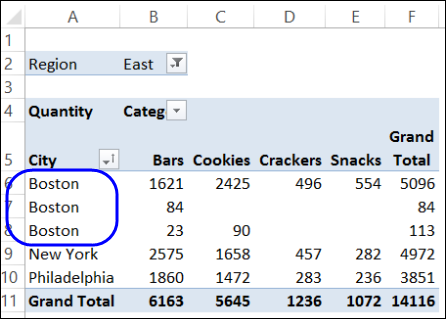
Instead of having to manually search for and combine all the metrics from the duplicates, you can summarize your data (via pivot table) by blog post title.
Voilà, the view metrics from those duplicate posts will be aggregated automatically.
4. Getting an Employee Headcount for Separate Departments
Pivot tables are helpful for automatically calculating things that you can’t easily find in a basic Excel table. One of those things is counting rows that all have something in common.
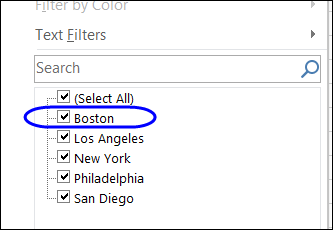
For instance, let’s say you have a list of employees in an Excel sheet. Next to the employees’ names are the respective departments they belong to. You can create a pivot table from this data that shows you each department’s name and the number of employees that belong to those departments.
The pivot table’s automated functions effectively eliminate your task of sorting the Excel sheet by department name and counting each row manually.
5. Adding Default Values to Empty Cells
Not every dataset you enter into Excel will populate every cell. If you’re waiting for new data to come in, you might have lots of empty cells that look confusing or need further explanation.
That’s where pivot tables come in.

You can easily customize a pivot table to fill empty cells with a default value, such as $0, or TBD (for “to be determined”). For large data tables, being able to tag these cells quickly is a valuable feature when many people are reviewing the same sheet.
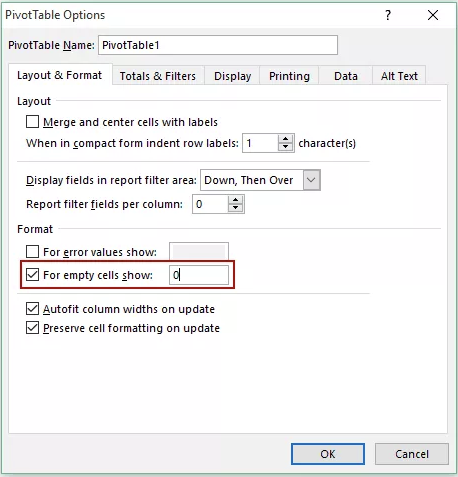
To automatically format the empty cells of your pivot table, right-click your table and click PivotTable Options.
In the window that appears, check the box labeled Empty Cells As and enter what you’d like displayed when a cell has no other value.
How to Create a Pivot Table
- Enter your data into a range of rows and columns.
- Sort your data by a specific attribute.
- Highlight your cells to create your pivot table.
- Drag and drop a field into the “Row Labels” area.
- Drag and drop a field into the “Values” area.
- Fine-tune your calculations.
Now that you have a better sense of what pivot tables can be used for, let’s get into the nitty-gritty of how to actually create one.
Step 1. Enter your data into a range of rows and columns.
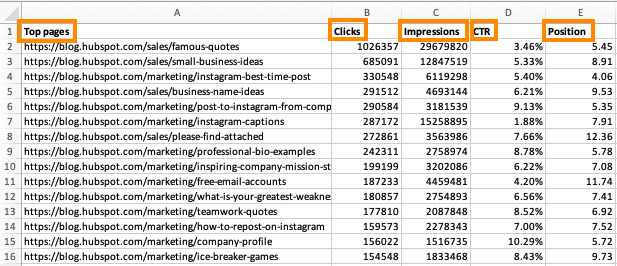
Every pivot table in Excel starts with a basic Excel table, where all your data is housed. To create this table, simply enter your values into a specific set of rows and columns. Use the topmost row or the topmost column to categorize your values by what they represent.
For example, to create an Excel table of blog post performance data, you might have:
- A column listing each “Top Pages.”
- A column listing each URL’s “Clicks.”
- A column listing each post’s “Impressions.”
We’ll be using that example in the steps that follow.
Step 2. Sort your data by a specific attribute.
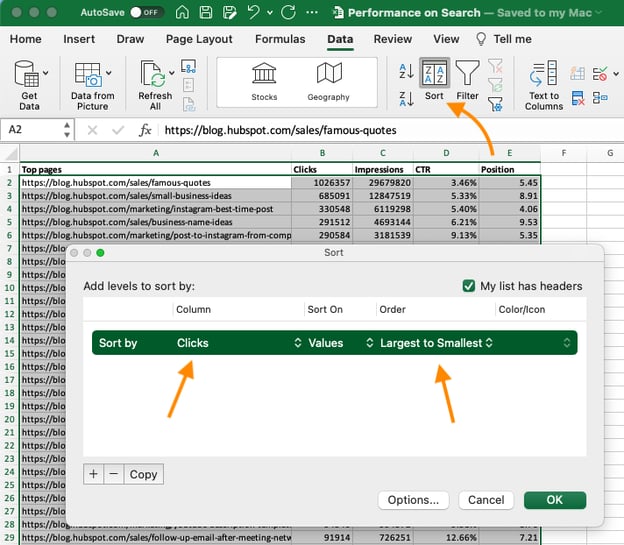
Once you’ve entered all your data into your Excel sheet, you’ll want to sort your data by attribute. This will make your information easier to manage once it becomes a pivot table.
To sort your data, click the Data tab in the top navigation bar and select the Sort icon underneath it. In the window that appears, you can sort your data by any column you want and in any order.
For example, to sort your Excel sheet by “Views to Date,” select this column title under Column and then select whether you want to order your posts from smallest to largest, or from largest to smallest.
Select OK on the bottom-right of the Sort window.
Now, you’ve successfully reordered each row of your Excel sheet by the number of views each blog post has received.
Step 3. Highlight your cells to create your pivot table.
Once you’ve entered and sorted your data, highlight the cells you’d like to summarize in a pivot table. Click Insert along the top navigation, and select the PivotTable icon.
You can also click anywhere in your worksheet, select “PivotTable,” and manually enter the range of cells you’d like included in the PivotTable.
This opens an options box. Here you can select whether or not to launch this pivot table in a new worksheet or keep it in the existing worksheet, in addition to setting your cell range.
If you open a new sheet, you can navigate to and away from it at the bottom of your Excel workbook. Once you’ve chosen, click OK.
Alternatively, you can highlight your cells, select Recommended PivotTables to the right of the PivotTable icon, and open a pivot table with pre-set suggestions for how to organize each row and column.
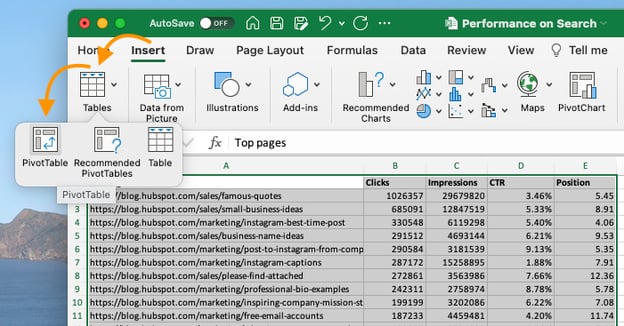
Note: If using an earlier version of Excel, “PivotTables” may be under Tables or Data along the top navigation, rather than “Insert.” In Google Sheets, you can create pivot tables from the Data dropdown along the top navigation.
Step 4. Drag and drop a field into the “Row Labels” area.
After you’ve completed Step 3, Excel will create a blank pivot table for you.
Your next step is to drag and drop a field — labeled according to the names of the columns in your spreadsheet — into the Row Labels area. This will determine what unique identifier the pivot table will organize your data by.
For example, let’s say you want to organize a bunch of blogging data by post title. To do that, you’d simply click and drag the “Top pages” field to the “Row Labels” area.
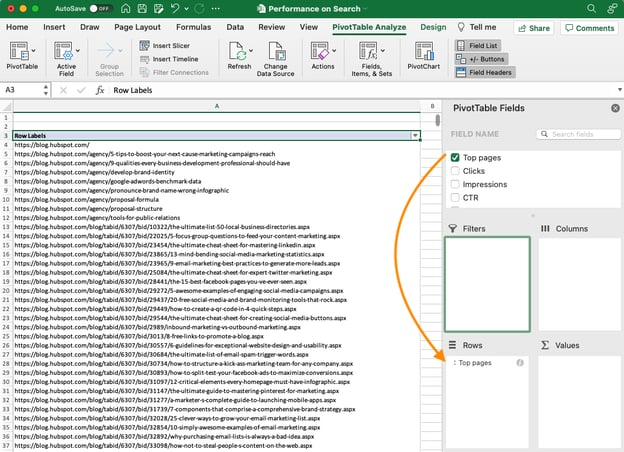
Note: Your pivot table may look different depending on which version of Excel you’re working with. However, the general principles remain the same.
Step 5. Drag and drop a field into the “Values” area.
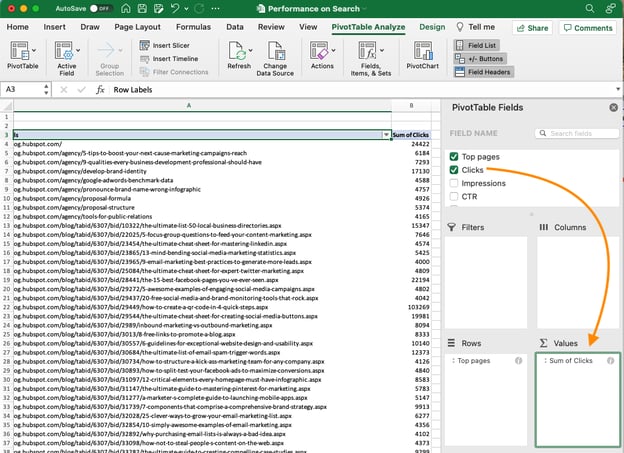
Once you’ve established how you’re going to organize your data, your next step is to add in some values by dragging a field into the Values area.
Sticking with the blogging data example, let’s say you want to summarize blog post views by title. To do this, you’d simply drag the “Views” field into the Values area.
Step 6. Fine-tune your calculations.
The sum of a particular value will be calculated by default, but you can easily change this to something like average, maximum, or minimum depending on what you want to calculate.
On a Mac, you can do this by clicking on the small i next to a value in the “Values” area, selecting the option you want, and clicking “OK.” Once you’ve made your selection, your pivot table will be updated accordingly.
If you’re using a PC, you’ll need to click on the small upside-down triangle next to your value and select Value Field Settings to access the menu.
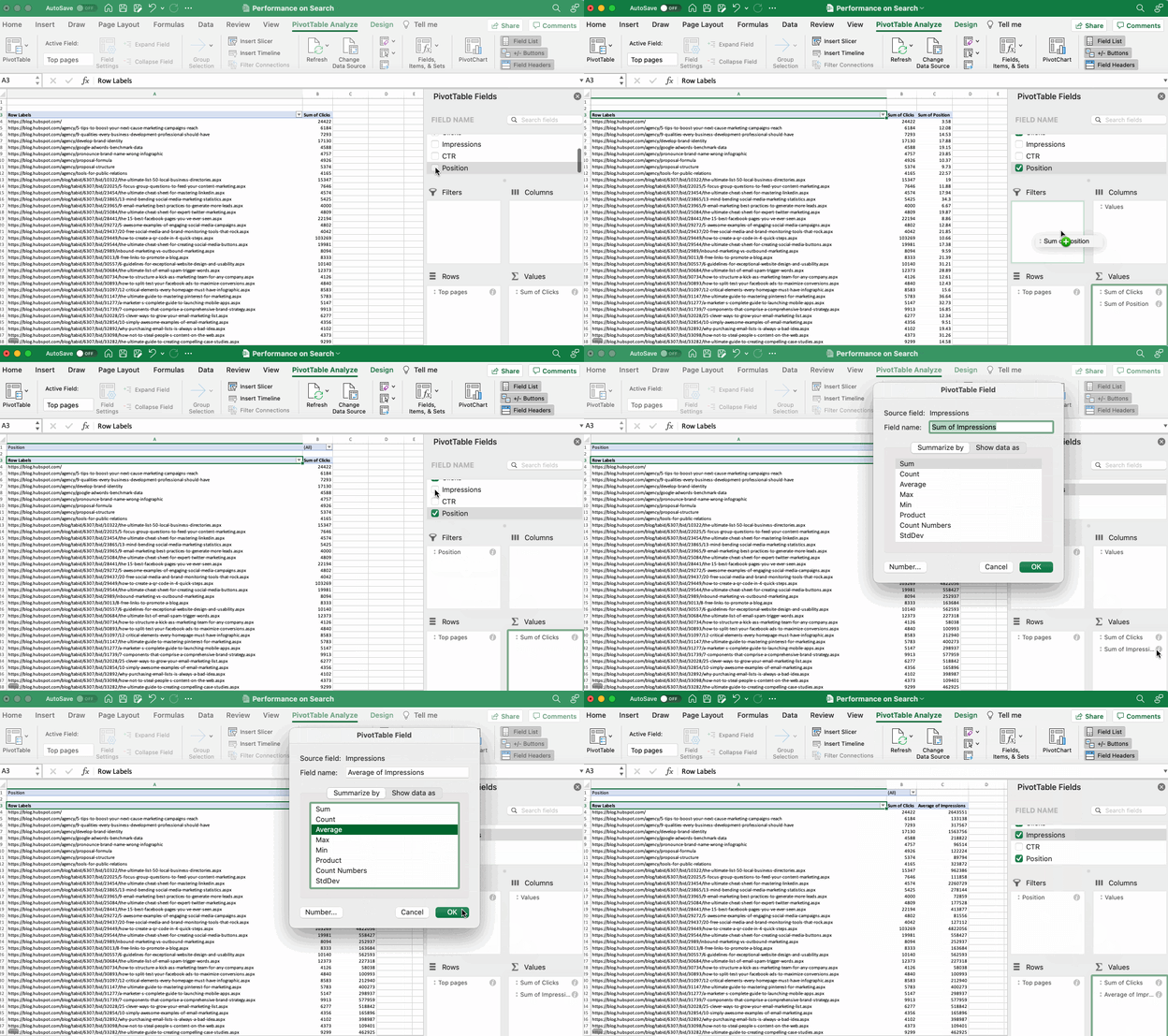
When you’ve categorized your data to your liking, save your work and use it as you please.
Pivot Table Examples
From managing money to keeping tabs on your marketing effort, pivot tables can help you keep track of important data. The possibilities are endless!
See three pivot table examples below to keep you inspired.
1. Creating a PTO Summary and Tracker
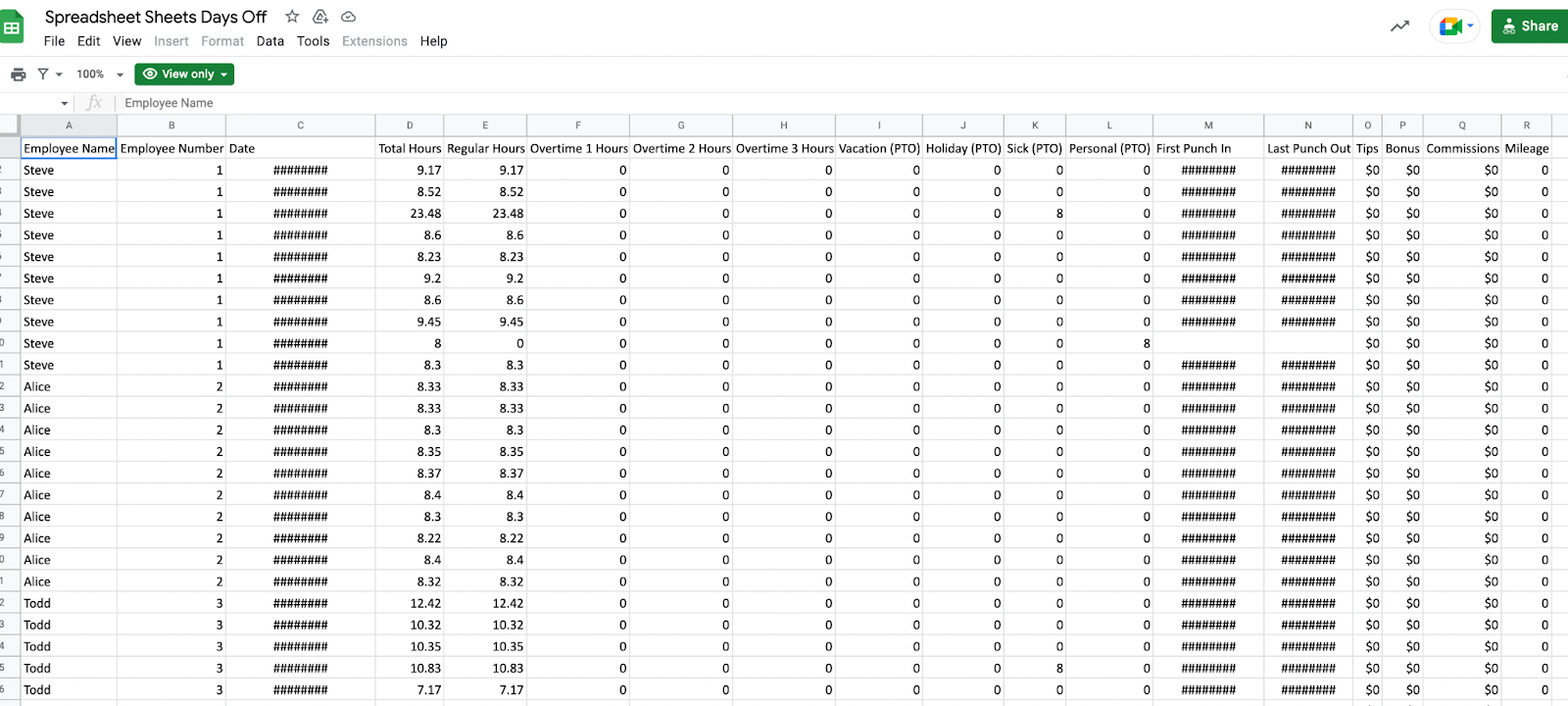
If you’re in HR, running a business, or leading a small team, managing employees’ vacations is essential. This pivot allows you to seamlessly track this data.
All you need to do is import your employee’s identification data along with the following data:
- Sick time.
- Hours of PTO.
- Company holidays.
- Overtime hours.
- Employee’s regular number of hours.
From there, you can sort your pivot table by any of these categories.
2. Building a Budget
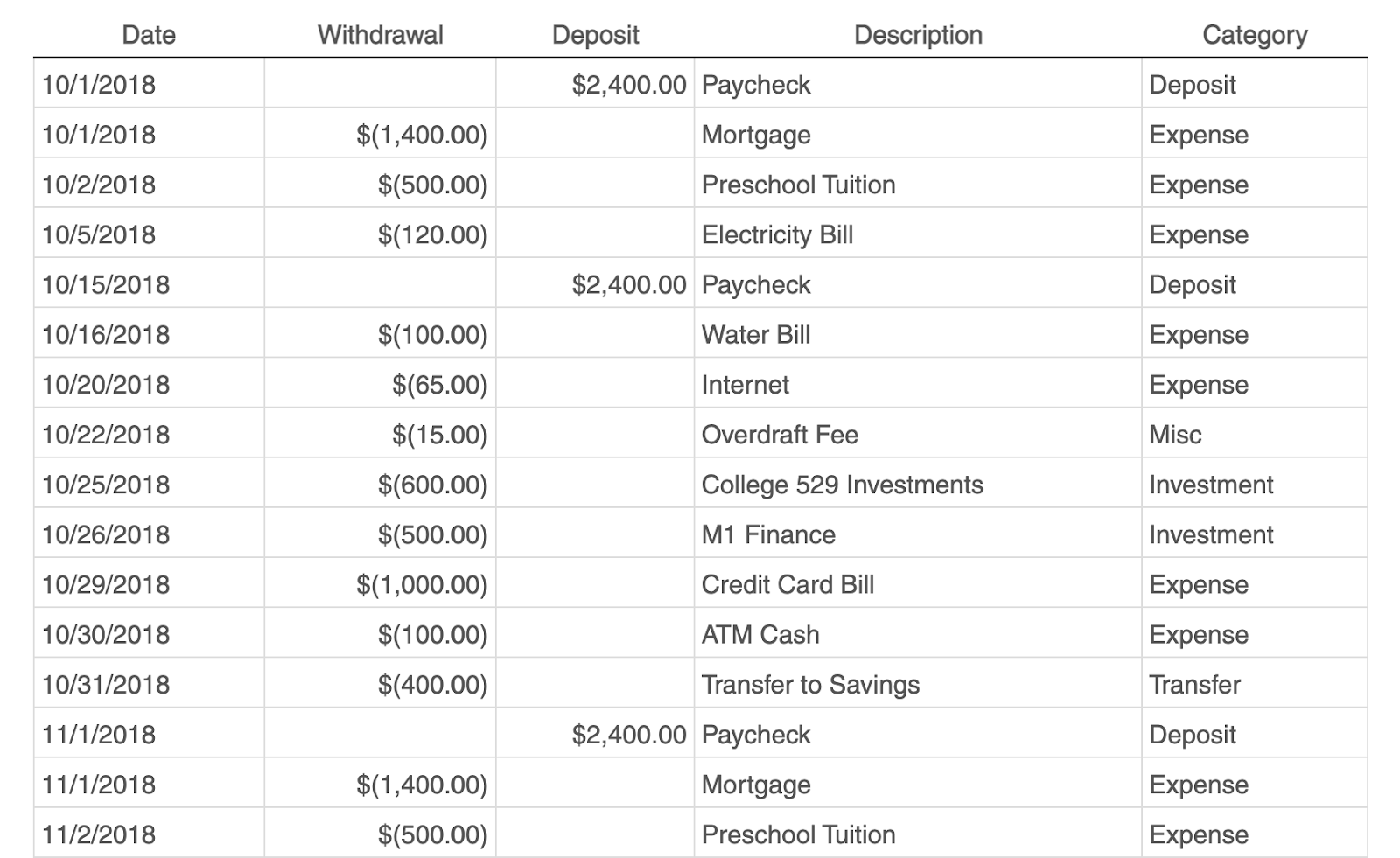
Whether you’re running a project or just managing your own money, pivot tables are an excellent tool for tracking spend.
The simplest budget just requires the following categories:
- Date of transaction
- Withdrawal/Expenses
- Deposit/Income
- Description
- Any overarching categories (like paid ads or contractor fees)
With this information, you can see your biggest expenses and brainstorm ways to save.
3. Tracking Your Campaign Performance
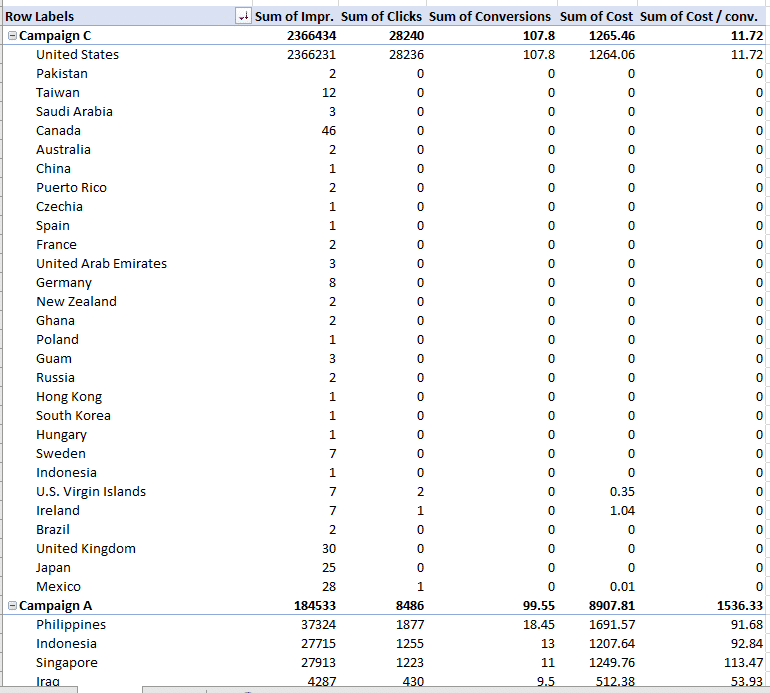
Pivot tables can help your team assess the performance of your marketing campaigns.
In this example, campaign performance is split by region. You can easily which country had the highest conversions during different campaigns.
This can help you identify tactics that perform well in each region and where advertisements need to be changed.
Digging Deeper With Pivot Tables
You’ve now learned the basics of pivot table creation in Excel. With this understanding, you can figure out what you need from your pivot table and find the solutions you’re looking for.
For example, you may notice that the data in your pivot table isn’t sorted the way you’d like. If this is the case, Excel’s Sort function can help you out. Alternatively, you may need to incorporate data from another source into your reporting, in which case the VLOOKUP function could come in handy.
Editor’s note: This post was originally published in December 2018 and has been updated for comprehensiveness.


The Ultimate Guide to Successfully Rebranding in 2020
When you’re first starting a business, branding is likely the last thing on your mind. After all, it’s hard to sit down and flip through fonts when you have so many priorities to juggle.
Whether your branding efforts started (and ended) with a logo jotted down on a napkin, or you whiteboarded your way through the entire branding process, somewhere along the way things stopped working.

If you’re considering a rebrand, keep reading to learn how to rebrand a company, plus examples of other brands who’ve successfully rebranded their website, name, logo, or entire company mission, and purpose.
Table of Contents
The Right (and Wrong) Reasons to Rebrand
Rebranding Strategies for 2023
Okay, now that we know what rebranding is, let’s make sure you have the right reasons to rebrand.
The Right (and Wrong) Reasons to Rebrand
Rebrands are complicated and carry big risks.
Even big brands aren’t immune — just look at Uber. After redesigning its logo, 44% of people were unsure of what its logo represented.
Ultimately, knowing the risks of rebranding can help you determine whether or not you’re jumping into a rebrand for the right reasons.
If you’re considering a rebranding because sales have been slow or brand awareness efforts don’t seem to be paying off, you might want to reconsider — these issues can potentially be solved by creating a new marketing strategy or conducting market research to identify the underlying cause.
But if you’re considering a rebrand because your company’s vision, mission, values, and market are no longer reflected in your brand, then a rebrand might be the right decision.
There are a few other major reasons you might consider a rebrand, including:
New locations
You might need to refresh your brand if you’re expanding to international markets that won’t identify with your current logo, messaging, and so on.
Market repositioning
Brands are designed to connect companies with their customers, so if you reposition your business to target a completely new customer profile — whether through product, place, price, or promotion — your brand will need to follow suit.
New philosophy
Your business’s mission, vision, and values should govern every decision you make — including brand decisions. If your MVV are shifting and pivoting the direction of your business along with them, you’ll need to reevaluate your brand.
Mergers and acquisitions
When two companies merge together, two brands come together as well. If your company was acquired or joined with another company, you can’t just let both brands battle it out. Finding a new brand that reflects the new entity will prevent confusion and build trust.
Additionally, here are a few reasons not to rebrand:
Boredom
Too often, people consider a rebrand because they’re sick of seeing the same logo and slogan every day. When you’re starting to feel restless with your brand, remember that your customers (who see it much less frequently) might love — or quickly recognize — that signature color you’ve come to loathe.
Covering up a crisis
Whether you’re working against internal issues or fending off bad press, a rebrand isn’t the answer. Most consumers and employees are smart enough to see right through your rebrand and recognize it for what it is — a cover-up.
Impact and ego
For new managers, a rebrand might seem like the fastest way to make your mark. But most new managers aren’t implementing the kind of institutional change that justifies a rebrand. More often than not, new leadership that insists on a rebrand is doing it more for themselves than the company.
Looking for attention
Maybe sales have been floundering, or perhaps brand awareness efforts aren’t picking up. Either way, jumping into a rebrand is the wrong move.
At best, you’ll generate some short-term buzz without any sales and marketing strategy to sustain it. At worst, you’ll lose whatever brand recognition you had and set back your sales and marketing efforts.
If you’ve determined a rebrand is still the right choice for you, keep reading to learn how to devise a rebranding strategy.
Your rebranding efforts may include:
1. Changing your logo.
One of the main strategies of rebranding is changing your logo. Using a new logo will let your customers know that your brand’s identity is different. You can make it sleeker, use different colors, etc. The main reason to change your logo is so it matches with the new identity that you’re marketing with the rebrand.
Pro Tip
Use your brand’s vision, mission, and values to inspire your new aesthetic.
For example, bath and body brand b.a.r.e. represents itself with a hand-drawn logo that gives an authentic, down-to-earth feel, just like the ingredients in its products.

If you need some logo inspiration, check out this helpful guide.
2. Shifting brand position.
After changing your brand logo, it’s important to also shift your brand positioning. You can’t just change your colors and logo and call it a day. The content that you’re marketing needs to communicate a certain message, whether that’s your mission, values, or vision. Shifting your brand positioning will let your customers know what your new mission, values, or vision is.
Pro Tip
Chances are, you’ll need to reestablish a unique selling proposition. Take stock of what distinguishes your brand from the crowd — even if means admitting that a competitor has a leg up in a certain area. This will help you better connect with you target audience and understand your position in the market.
3. Creating new ads.
Once you know what your logo and messaging will sound like, it’s time to create new advertisements and content with this messaging in mind. These ads should clearly communicate the changes to your brand and what they mean for customers. This can help you draw in a new demographic and reach larger audiences.
Pro Tip
It’s easy to forget all the places where your old branding appears. Before launch day, make a list of places to check, including landing pages, old email templates, search ad copy, and ad extensions.
4. Changing your brand’s voice.
Finally, when it’s time to rebrand, you’ll want to change the brand’s voice. Your brand’s voice is the perspective that you write all your marketing content from. Your voice is either formal, causual, witty, etc. If you’re rebranding, it makes sense to change your brand’s voice and announce your rebrand in your new tone of voice.
Pro Tip
It’s helpful to think of your brand as a person. If they walk into a party, are they cracking jokes and being the life of the party, or are they professional and no-nonsense? Use your brand personality to inform you brand voice.
Now, let’s remember that bot all rebrands are created equal, so let’s first consider whether a partial or total rebrand is the best option for your business.
Partial versus Total Rebrand
The more established your business and brand, the more you have to lose from a rebrand.
If your business is more mature, a partial rebrand can help you retain the brand loyalty you’ve built, while refreshing your image to keep up with changing times.
Think of a partial rebrand as an adjustment focused on your visual brand identity to suit new offerings or markets — as opposed to a complete identity crisis.
That’s not to say that a partial rebrand can’t be effective. Just look at Old Spice. The men’s deodorant company redefined its place in the market and has seen massive growth every year since repositioning the brand — all while retaining what made Old Spice cool in the first place.
However, if you’re undergoing a complete identity shift and your company’s mission, vision, and values are changing, a total rebrand might be in order. This option is typically suited to situations like mergers, product overhauls, and other similarly foundational shifts.
Here, everything is on the table — from your name to your purpose, your market, or your brand identity.
If a partial rebrand is a quick touch-up, the total rebrand is a complete makeover.
Once you’ve determined whether you need a partial or total rebrand, take a look at the following five steps you’ll want to implement to successfully rebrand.
1. Reestablish your brand’s audience and market.
After extensive market research, including focus groups and analyzing the data, you’ve noticed something startling — your customers (or competitors) aren’t who you thought they were.
Maybe it’s a demographic with which you never thought you’d engage. Alternatively, maybe there’s a new competitor on the market and its products or services are directly competing with yours.
And you have the data to prove it.
Take a look at who’s actually buying from you — and who they’re buying from, instead of you. Comparing this against your initial target market and audience might reveal some stark differences.
Once you’ve established your actual market and audience, you’re ready to start rebranding your company to connect with your customers (and outsmart your competitors).
2. Redefine your company’s vision, mission, and values.
What are you doing? How are you doing it? Why are you doing it?
When you’re re-evaluating your vision, mission, and values during a rebrand, these are the three questions you’ll need to ask yourself. While it’s easy to take your messaging foundations for granted, they can change as a company grows.
New products, priorities, services, or stakeholders can completely undo what once seemed like a given.
Here are a few major components of your company you’ll want to analyze to decide which part(s) of your company need a little TLC.
Vision
This is a big one. Vision acts as the North Star for every action your company undertakes, so it’s critical you have a firm understanding of your vision before moving forward.
additionally, perhaps over time your vision has changed. That’s okay, but it’s vital you redefine your vision as quickly as possible to ensure all your employees are making decisions with that vision in mind.
When you’re rebranding, company vision will affect everything from your website redesign to your hiring process.
Mission
If vision is your what, mission is your how. Maybe you’re still going in the same direction, but the way you’re getting there has changed. Ultimately, your mission is your company’s roadmap.
When your mission changes, your messaging needs to change as well — making it just as crucial as vision during a rebrand.
For instance, Sweetgreen’s mission statement is “To inspire healthier communities by connecting people to real food.” This motto will help define everything about Sweetgreen’s brand, from the images they use in advertisements to the language they use in press releases.
Values
Your values act as the why behind your brand. They’re why you’re working towards your vision, and why you’re dedicated to your mission.
But, as brands expand and change, some of their founding values might become unsustainable. If you can’t support your old values or you’ve come to prioritize new ones, you’ll need to update them to reflect what your company actually values today.
Brand Voice
As your vision, mission, and values change while rebranding, the way you convey these aspects of your company will also have to change. The vocabulary, tone, and voice you use for your brand have to match your message. So, if what you’re saying is changing, how you’re saying it will need to change, as well.
3. Rename your company during a rebrand.
Changing names is a big undertaking, one that can cost you brand recognition and organic search traffic in one fell swoop. So, if you’re renaming your company as part of your rebrand, make sure you have a plan for recovery as part of your post-rebrand strategy.
On the whole, if your name still fits, your best course of action is to keep it. But if your current name is a mismatch for your company identity, it might be time to go back to the drawing board. To help make that drawing board a little less daunting, here are some starter ideas for the renaming process:
- Make a new word
- Use an old word in new ways
- Say what you do (literally)
- Modify a word’s spelling
- Add a prefix or suffix
- Look to other languages
- Bring two words together
- Create an acronym
- Use a location
If you’re revisiting your name while rebranding, focus on alignment with your brand’s vision, mission, and values — more than just what sounds good. That way, your new name has a better chance of supporting your long-term growth and goals.
4. Reconsider your brand’s slogan.
A good slogan is catchy and captures your company’s mission and vision. It’s your company’s purpose, condensed. Unlike changing names, changing slogans is a little easier for your marketing efforts. But like changing names, you should still consider it carefully.
First, it’s critical you ask yourself, why do you really want to change your slogan?
It’s easy to fall into the trap of hating your slogan because you’ve heard it so many times. But it’s that same repetition that builds brand recognition. Even though you might have gotten sick of your slogan after seeing it constantly, your customers might love it.
If you’re on the fence, you can hold focus groups to see if the slogan is really resonating. If it isn’t, you can get some new ideas for slogans with these starting points:
- Make a claim
- Get metaphorical
- Use poetic language
- Provide instructions
- Leverage labels
- Compliment customers
5. Rebuild your brand identity.
The tangible elements you use to communicate your brand might have been in play for a few years by the time you start considering a rebrand. This means you’ve likely had plenty of time to reconsider their strengths and weaknesses before replacing them.
You might want to redesign your logo, use new colors in your brand material, or even create new brand guidelines. Here are a few common changes you might make as part of your rebranding strategy:
Your Logo
Maybe you loved your logo when you first started your company, but you’re finding your customers never really seemed to “get it”. Alternatively, perhaps your logo needs a refresh to reflect the other major changes you’ve made internally.
If you’re looking to do a logo redesign, going back to the basics of what makes a good logo will help you to get it right this time.
Stay simple. Jamming as much symbolism as possible into a logo generally doesn’t work out too well. But that’s a hard truth for young companies who are still trying to prove themselves. Now that you’re more established, show your confidence with a simple logo.
Make an impact. Maybe you went the opposite route in your original logo design and were too afraid to be bold, so you stuck with something safe. Your logo isn’t worth much if people can’t remember it, so when you’re redesigning your logo, don’t settle for something that won’t stand out.
Be adaptable. One thing you might have learned with your first logo is its limitations. Now that you know what shapes or styles might not be as versatile for the channels your business actually uses, bear those in mind during the redesign.
Aim for appropriate. As companies mature and get to know their customers better, a logo that might have made sense at launch could now be considered completely wrong for that company’s target market.
Look to the long term. As fun as rebrands might seem, you don’t want to do this every year, so really look at your vision, mission, values, and purpose and consider whether this new logo can support them in the long run.
Maintain through-lines. Like your name, your logo is one of your brand’s most memorable components. When you’re rebranding, avoid losing too much brand recognition by trying to maintain the parts of your old logo that worked. If you can maintain a sense of continuity, you’ll be able to carry over some of the brand recognition your old logo initially had.
If we look at a few logo redesigns from 2019, we can see this process in action. Take Zara and The Knot, for example, two companies that changed their logos in the last few years:

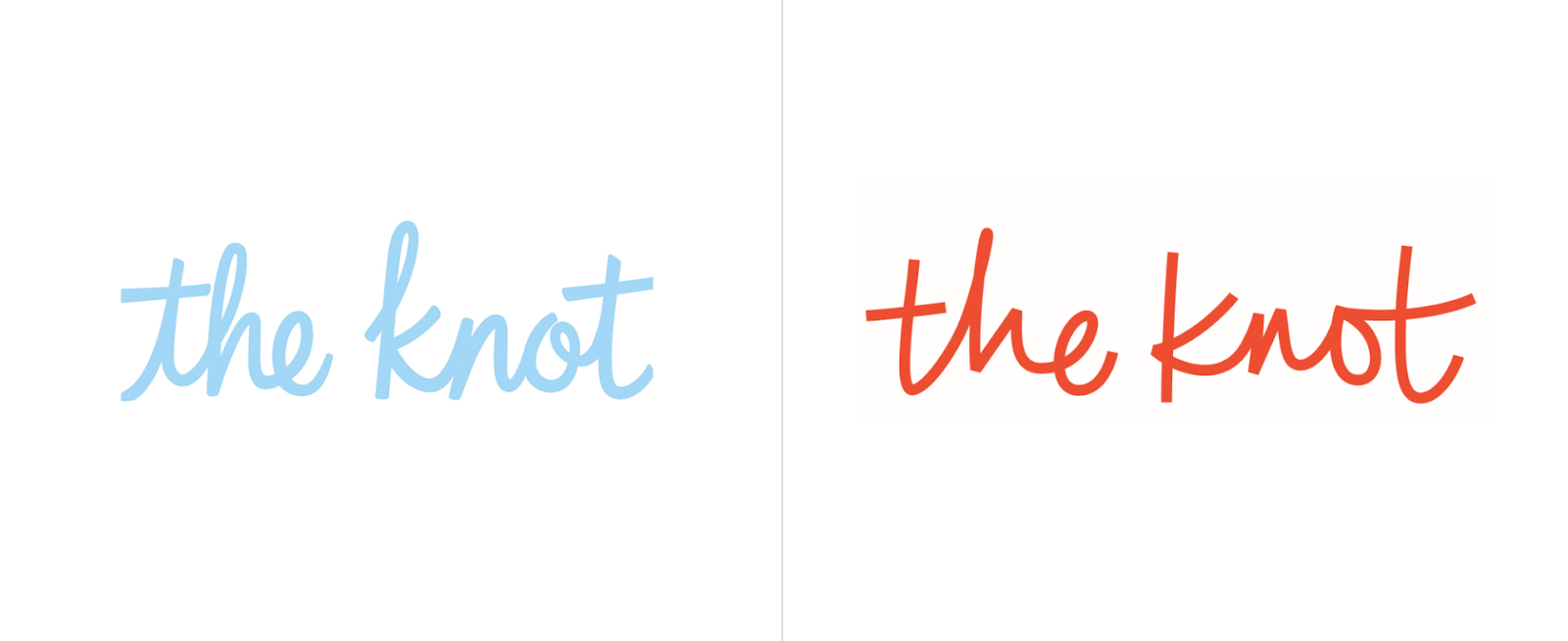
In these brand updates, elements of the old brand carry through. Zara kept its bold, black lettering, but pushed the kerning tighter and switched one Serif font for another. The Knot, on the other hand, stayed in the same typography family with a Script font, but swapped blue for orange in their color scheme.
Choosing Your New Color Palette
Color can have a huge impact on your brand — in fact, some colors are now synonymous with the brands that use them, like McDonald’s yellow. But choosing the right color can be difficult, and as your company develops, your color might need a brush up.
Looking at your brand colors with fresh eyes using color psychology and competitor research can help you evaluate whether they’re working with (or against) the brand image you’re looking to project.
Additionally, now that you’ve been working with your color(s) for a while, you may have noticed that the way your colors show up on-screen vs. in-print isn’t consistent. When considering colors during your rebrand, check to ensure the color looks the same on a variety of brand materials.
Typography
Like your color, your original font may have shown up differently in practice than in theory. When you’re reevaluating fonts, pay close attention to what worked and what didn’t with your old font, along with any difficulties you had — like accessing the font for web design or PowerPoints.
You might also want to consider whether your font is consistent with any markets or messages uncovered while rebranding. If your customers are more mature than you initially expected, that super hip Sans Serif font might be better off as a more traditional Serif font. After all, the medium is the message.
And now that you know your marketing channels, you’ll be able to make more educated decisions on weight and cuts — like which fonts show up well, and which leave your words looking wonky.
Shapes and Imagery Revisited
Like your logo, color palette, and typography, your imagery and shapes play a vital role in your brand identity. If you’re changing any of your brand’s other visual elements, it’s worth reconsidering your imagery and shapes to keep everything cohesive after you’ve rebranded.
But it’s not enough for your rebrand to look cohesive — it needs to support the core messages of your brand, as well. At every step in the branding design process, make sure the what, how, and why behind your brand are also behind your new brand identity.
Building New Brand Guidelines
If you’re going to go through all the trouble of creating a new brand identity for your business, you better make sure you use it correctly. Having (and actually using) brand guidelines will help you keep your brand consistent after the transition.
Brand guidelines are especially critical for logos. Logo guidelines are designed to make it as easy as possible for customers to see, recognize, and remember your logo — making up for any lost familiarity that comes with a rebrand.
Here are a few elements to consider when writing your logo guidelines:
- Logo elements. What visual elements make up your logo? When and how are each of them used?
- Color variations. What does the colored version of your logo look like? What about black and white? When are each of these used?
- Clear space. Also called padding, this is the space around your logo that prevents overlap or obscuring. Aim for at least 10% of width at all times.
- Unacceptable uses. What can never be done to your logo? What color variations, rotations, scaling, etc. do you want to avoid?
You’ll want to have your guidelines on hand if you’re doing a website redesign, creating a rebrand campaign, or creating other marketing materials.
6. Track brand sentiment along the way.
When you’re designing all the new elements to your rebrand, it’s important to get feedback from customers. You can conduct focus groups and see if the new branding images and messages communicate your new mission, value, and vision. If you don’t get positive feedback, it might be time to go back to the drawing board.
One of the most crucial steps in rebranding is tracking brand sentiment before, during, and after a rebrand launch. You can look at brand sentiment before a rebrand and see what customers feel negatively about. With this in mind, you can conduct your rebrand strategically, adding new messaging that aligns with your audience.
After you’ve evaluated the feedback before a rebrand, and tested your new rebranding elements in a focus group, it’s time to launch your rebrand.
7. Plan a successful launch.
Launching a rebrand isn’t as simple as changing the colors, fonts, or logo on your site. A rebrand is about communicating your new message: What is your new mission, values, and vision? To communicate this, it’s important to plan a successful rebranding launch.
This can include posting advertisements online, in print, on TV, on radio, etc. Then, you’ll want to announce the launch of your rebrand with a press release on your site and a post on your social media channels that says exactly why your company needed a rebrand and what this rebrand means for the future of your company.
At its best, a rebrand can act as an incentive to remain consistent and on-brand in all your marketing efforts moving forward — something that can slip in businesses over time.
Now that we’ve explored various aspects of rebranding, let’s take a look at examples for further inspiration.
1. Chobani

In 2017, Chobani made a few major changes to their brand in an effort to stand out in the crowded, oftentimes homogeneous-looking yogurt industry.
First, they shifted their identity from a yogurt company to a “food-focused wellness company” with a new mission — “Fighting for happily ever after.”
Under their Impact page on their website, you’ll see the statement, “The most important thing we make is a difference. It’s always been about more than yogurt.” You’ll see this focus on health and nutrition in their advertisements and their new products, including Less Sugar Greek Yogurt and Chobani Flip Yogurt.
Additionally, as shown above, Chobani changed its packaging — instead of using plain white cups with fruit photos, they redesigned their product packaging using 19th century American folk art with a variety of colors. Their rebrand helps their products stand out from the other plain white yogurt packages on the shelves.
2. Candid

Rebranding is often a good decision after two companies merge.
For instance, Foundation Center was the largest source of information about philanthropy globally, and GuideStar was the largest source of information on U.S. nonprofit organizations. In 2019, the two organizations joined forces to become Candid, enabling both foundations to enhance the services they offer to millions of people who rely on them to help make the world a better place.
If you visit Foundation Center’s website, you’ll see a message that reads: “Foundation Center and GuideStar are now Candid. You were redirected to candid.org from foundationcenter.org.” The old GuideStar website is still visible and usable, but there is an explanation of the new corporate entity and a link to Candid’s page.
Candid, the new merged foundation, now boasts a sleek website with a mission statement, guiding principles, and a vision that combines the best of both Foundation Center and GuideStar.
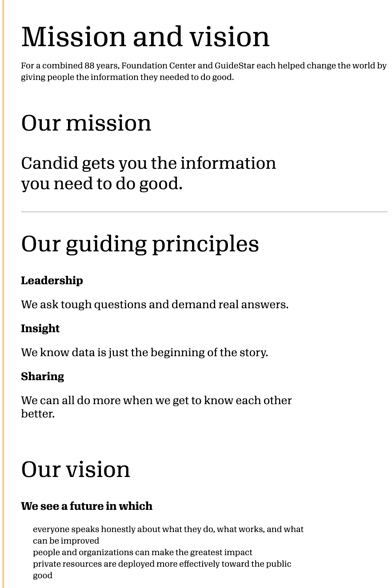
3. Dropbox
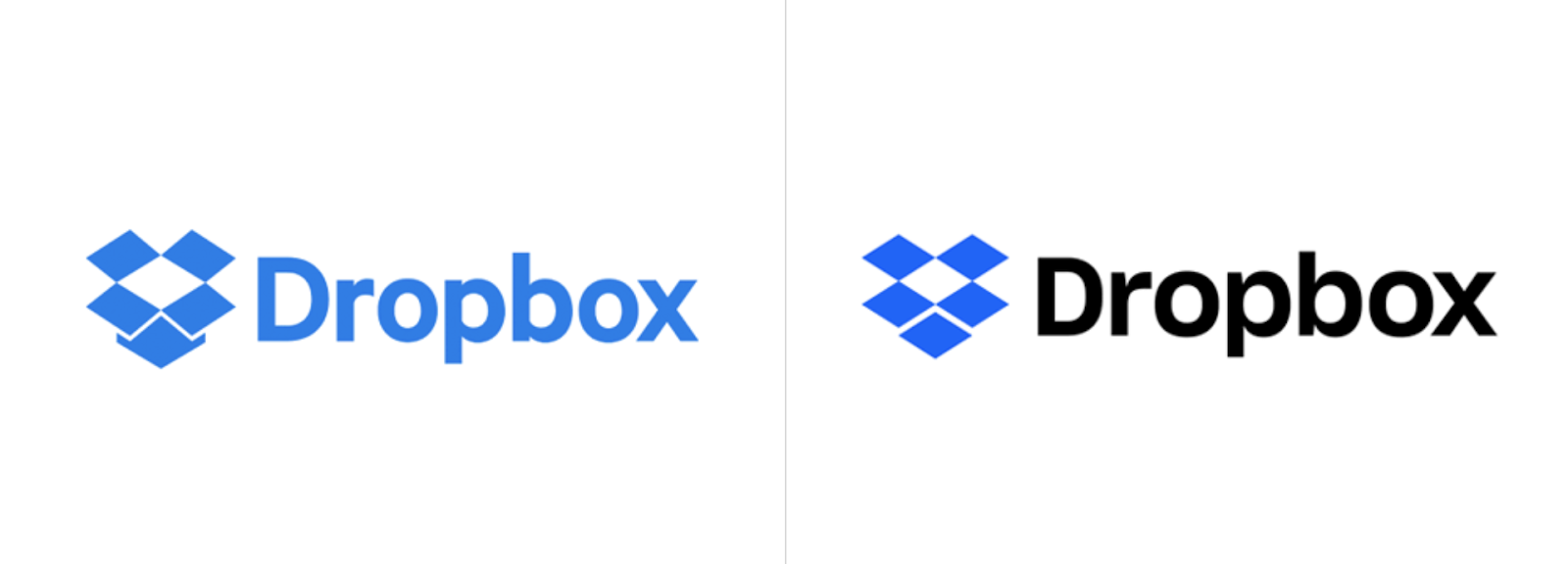
In 2007, Dropbox launched as a file-storage and file-sharing web service — but in 2017, the company now wants you to think of them as ” the connective tissue for teams and businesses of all sizes”. Instead of just a file-sharing service, Dropbox is now a full suite with APIs, tools, and integrations.
Along with the internal mission shift, Dropbox refreshed its logo to reflect its new products. In a statement regarding the new logo, the Dropbox design team said, “Our old logo was a blue box that implied, ‘Dropbox is a great place to store stuff.’ The new one is cleaner and simpler. And we’ve evolved it from a literal box, to a collection of surfaces to show that Dropbox is an open platform, and a place for creation.”
4. Pet Food Experts rebrand
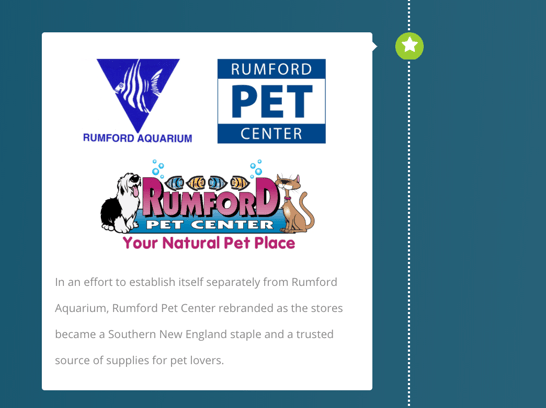
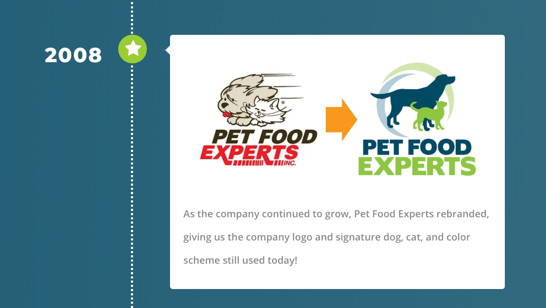
Pet Food Experts has a full timeline on their website that reflects all company changes since 1936, when the company first opened.
Among the most notable are the company’s name change from “Rumford Pet Center” to “Pet Food Experts” (in an “effort to establish itself separately from the Rumford Aquarium”), and the logo redesign in 2008. The 80-year-old company has grown significantly over the years, and is now a major distributor of pet products from coast-to-coast.
To reflect their change and growth over the years, the company has taken numerous successful steps to consistently refresh their brand to reflect their products and values as they change over time.
5. Dunkin’

Beginning in January 2019, Dunkin’ Donuts adopted a new logo that dropped the “Donuts” on their name — now, signs, logos, and marketing materials simply read, “Dunkin'”.
The new name signifies the companies focus on coffee — Tony Weisman, Chief Marketing Officer, Dunkin’ U.S., said in a statement, “By simplifying and modernizing our name, while still paying homage to our heritage, we have an opportunity to create an incredible new energy for Dunkin’, both in and outside our stores.”
Despite the change in name, Dunkin’ continues to use the same pink and organic colors and iconic font to ensure long-time customers continue to recognize the brand.
6. IHOP
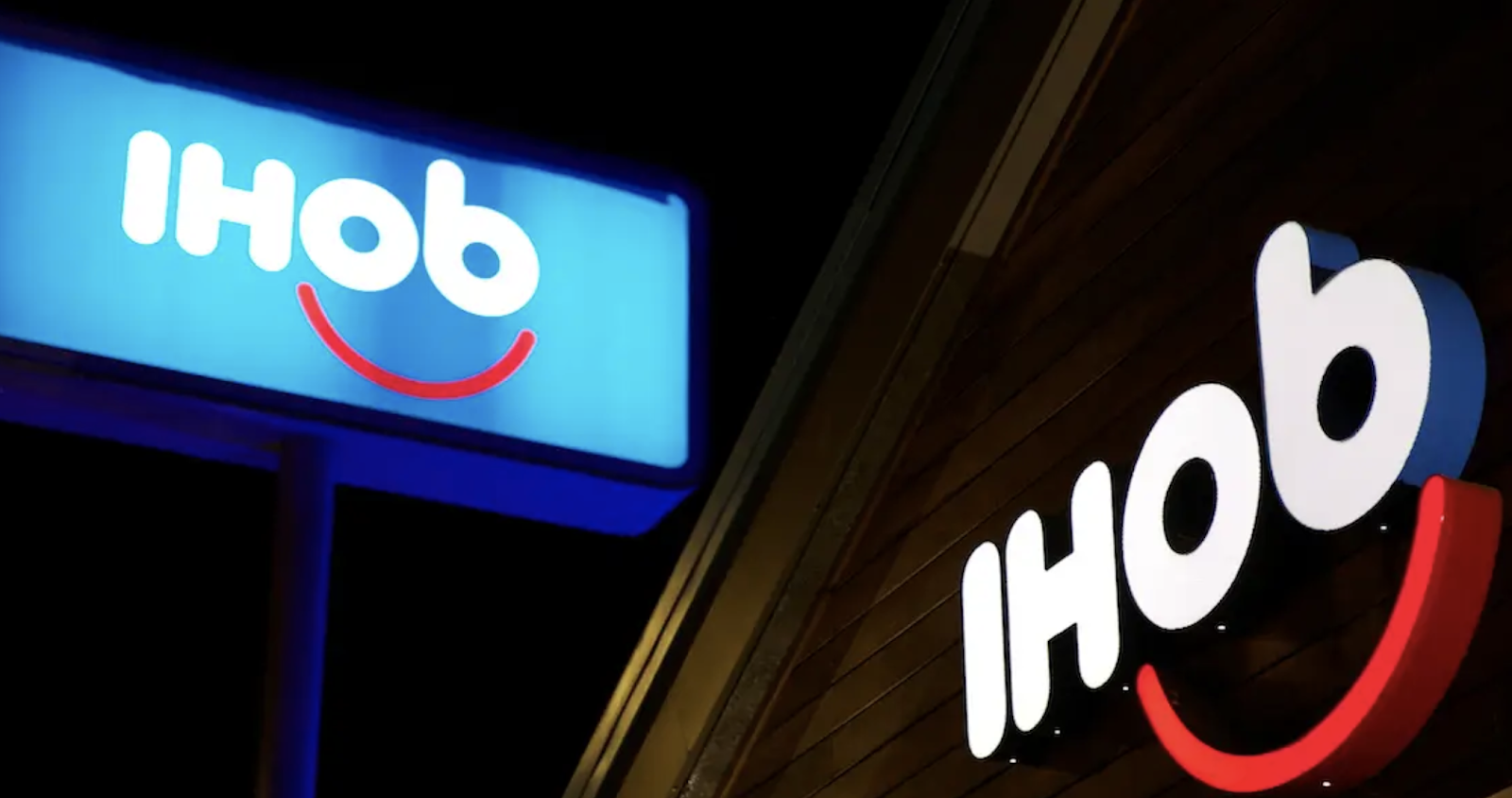
As you’ve likely gathered from this post, a rebrand is a fantastic opportunity to refresh your public perception and get consumers’ attention.
Which is exactly why IHOP used a rebrand as a marketing ploy to get people to pay attention to their new product — burgers. In 2018, IHOP announced that it was rebranding as IHOb, the International House of Burgers. It began using IHOb on social media, its website, and in-store promotions.
Eventually, IHOP admitted its rebranding was a joke to get people to pay attention to their new line of ground Angus ground beef burgers. And, sadly, IHOP has since switched back to its original name and logo.
Their “joke rebrand” was a smart play — it incentivized people to either vehemently fight for the importance of IHOP’s most important product (pancakes), while also calling attention to their other offerings.
Bad Rebranding Examples
1. Comcast
Comcast has been known to have the most hated customer services in the United States. So the company decided to change their name and rebrand their logo to xfinity.
However, the company didn’t change its history of bad practices. Superficial updates like a name change and logo change won’t help your company if brand identity and brand reputation doesn’t follow.
While the company could have worked on improving customer support, they spent money on a cosmetic upgrade, which didn’t help them earn the trust back from their customers. To earn your customers trust, you have to listen to them. You can’t just rebrand your visual identity while making no substantitve changes.
2. Gap
Remember that list of reasons to rebrand and reasons not to rebrand above? Gap made the mistake of rebranding for seemingly no reason. The company changed their logo and caused outrage among its customers. Only 6 days later, the company went back to the old design.
The new logo didn’t communicate anything about the brand, and in fact took the personality out of the brand’s logo. Additionally, customers had an emotional bond with their logo, and changing it for no reason caused upset customers.

3. Weight Watchers
Weight Watchers changed its name and logo a few years ago to shift its focus from weight-loss to wellness. However, with their new name “Wellness that Works,” customers weren’t sure if the product offerings were going to change.
The shift from weight-loss company to wellness company left customers confused. And this wasn’t a bad idea for a rebrand, however it’s important that your product offerings either change with your new identity or don’t rebrand at all.
Changing the name of your company shouldn’t confuse customers — it should make your offerings more clear.
Additionally, if you’re going to shift your name and product offerings, it’s important to communicate that message clearly. This rebrand failed because the message wasn’t clearly communicated and customers were confused.
Are You Ready to Rebrand?
Now that you know everything a rebrand entails, it’s time to consider if and how you want to rebrand your own business. Whether you end up going with a logo redesign, a website redesign, some refreshed messaging or a complete brand overhaul, these steps can help you to consider your best strategy for building a brand that gets it right this time.
Editor’s note: This post was originally published in August 2014 and has been updated for comprehensiveness.


What Video Marketers Should Know in 2023, According to Wyzowl Research
It’s well established that video has been one of the breakout trends in the marketing world for the past decade.
![→ Access Now: Video Marketing Starter Pack [Free Kit]](https://no-cache.hubspot.com/cta/default/53/8f27c677-d952-4663-8787-bf65c6a1ecf2.png)
But what’s happening in video marketing right now? And how does its growth and success stand up to the twists and turns of a global pandemic?
At Wyzowl, we’ve released an annual State of Video Marketing survey every year since 2015, charting usage, spend, channels, and opinions among video marketers and consumers.
We recently released our ninth State of Video Marketing report. During that time, usage, spend, and reported ROI have crept slowly upward – from an already high starting point.
But this year’s results suggest that, far from reaching saturation point, video marketing is actually continuing to grow in popularity – and achieving better results for marketers than ever.
Our research suggests:
- Video remains a key priority for business with its use as a marketing tool, and its perceived importance by marketers, reaching an all-time high.
- Marketers feel more positive about video’s return on investment than at any point since 2015, as they report an unprecedented level of influence on KPIs such as traffic, leads, sales, and audience understanding.
- More marketers credited video with increasing dwell time, traffic, leads, sales, and reduced support queries than in ANY of our annual surveys since 2015, – while an all-time high number of marketers (92%) told us they get a good ROI on video content, up from 87% in 2022.
- Driving all of this is the fact that consumers continue to use video as an integral part of their journey with brands. They expect to see video content from brands – and use it as a key part of their research and purchasing decisions.
About the Survey
Wyzowl’s State of Video Marketing Survey is an annual report, now in its ninth iteration. Every year, we ask a range of questions — many of them the same from year to year — to evaluate how the video marketing landscape is changing and growing.
This time around, our survey was taken by a sample of 528 unique respondents consisting of professional marketers and consumers, only around 8% of whom were Wyzowl customers.
You can check out the full report — with plenty more data points — and get a downloadable version by visiting Wyzowl’s State of Video Marketing 2023 page.
Key Findings
91% of businesses use video as a marketing tool – an all-time high since we started tracking this data and a significant jump from previous years.
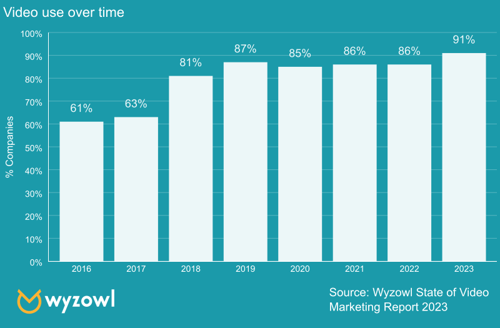
The usage of video isn’t the only data point that’s higher in 2023 than ever.
96% — more marketers than at any point in the past nine years — told us they see video as an ‘important part’ of their marketing strategy.
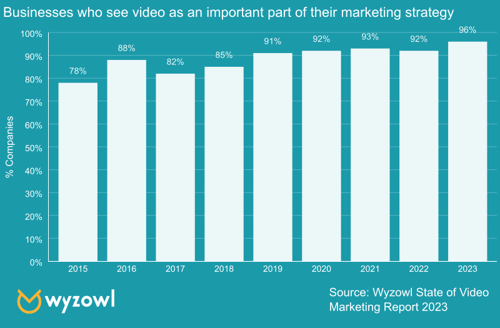
And perhaps most strikingly, 92% of video marketers reported that video gives them a positive ROI – you guessed it, another all-time high.
This could well be attributed to an ever-increasing understanding of how to use video, as well as how to track and quantify its impact.

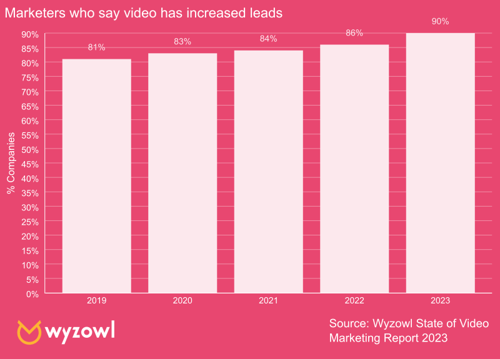
Digging into the specifics of what marketers have achieved using video, more marketers than ever before told us they’ve generated leads using video.
87% of marketers feel that video has a direct, positive impact on sales – another all-time high.

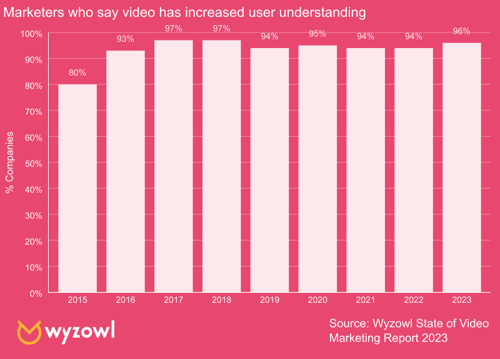
And 96% of marketers agree that videos have helped increase user understanding of their product or service.
This figure has never dropped below 93% since 2015, but this year’s data represents the highest figure in five years.
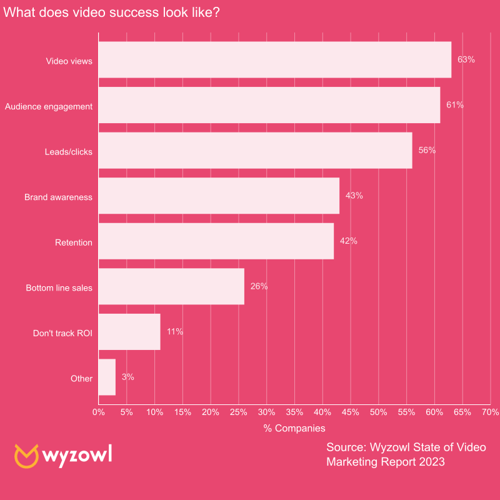
In terms of the metrics that marketers feel really matter to them when determining video marketing success, the number of video views remains the most popular at 63%.
This is followed by:
- Audience engagement (61%)
- Leads/click throughs (56%)
- Brand awareness (43%)
- Customer retention (42%)
- Bottom line sales (26%)
More than one in 10 marketers still say they don’t track video ROI at all.
Looking Ahead
All the signs suggest that usage and spend are on course to continue their growth in 2022.
For a start, 70% of the marketers who don’t currently use video as a marketing tool, told us they plan to start in 2023.
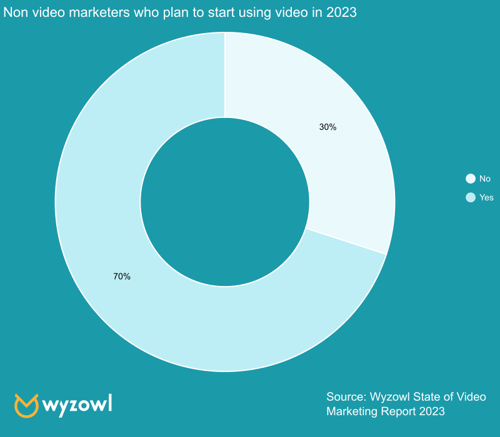
Add that to the 99% of current video marketers who told us they’ll continue using video in 2023, and the 96% who told us they plan to either maintain or increase their video marketing budget, you’ll see that there’s potential for these figures to continue increasing when we revisit this survey in a year.
The net result of this is, of course, that we can all expect to see more noise and competition for audience attention in the coming 12 months.
But while oversaturation is a challenge, it isn’t an insurmountable one. It simply raises the bar in terms of content quality. Your videos will need to be well-planned, and very well-executed.
The Big Opportunities for Video Marketing in 2022
The good news is that despite the noise and competition – big opportunities remain.
It’s notable that audiences continue to watch more videos. Our data suggests the amount of online video watched per week, per person, has almost doubled since 2018 – although it did see a fall this year.
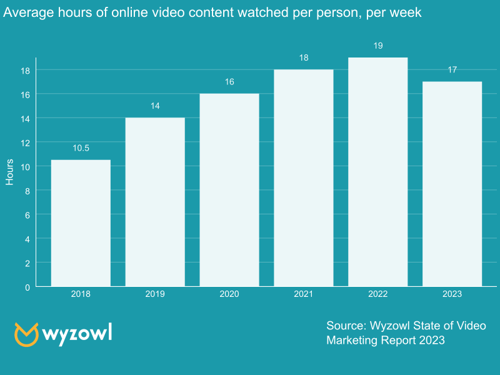
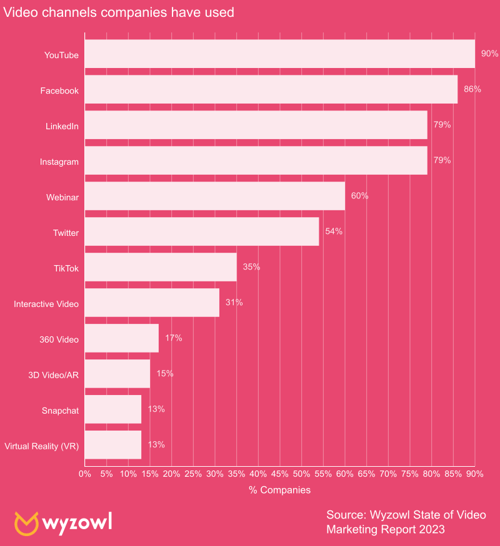
And what about where they watch it? Unsurprisingly, YouTube is the most widely-used platform — used by 90% of video marketers.
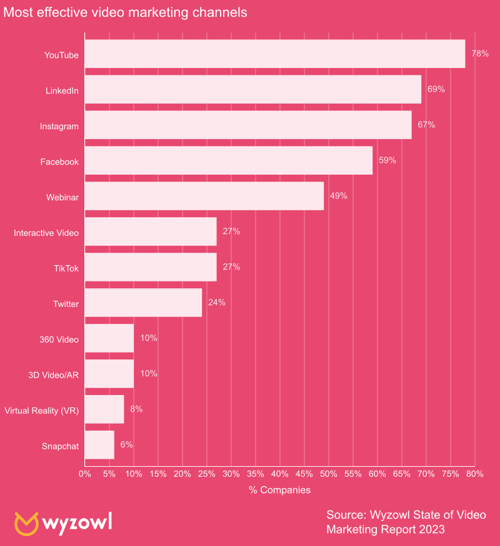
But some of the lesser-used video tactics also seem to reap real results for video marketers.
This year we asked people to tell us the purposes of the videos they’d created – what specific goals were they looking to achieve, and how were they planning to use them?
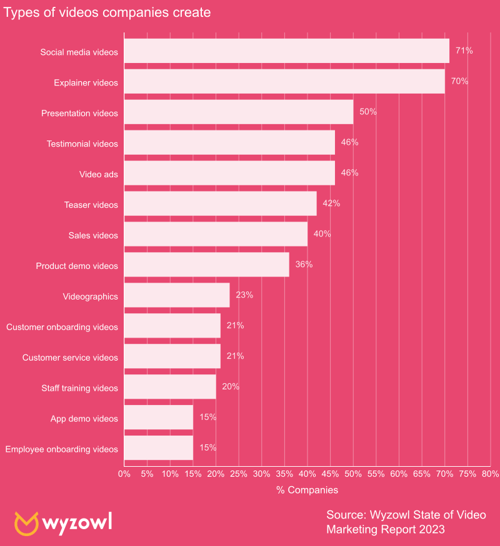
The most widely created types of videos were those to be used on social media.
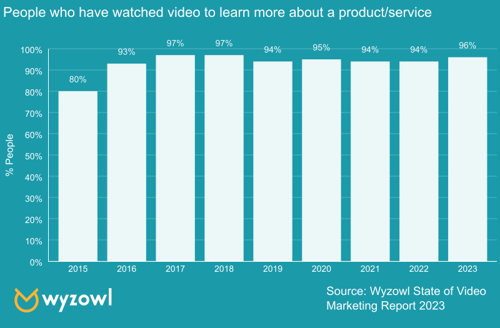
Explainer videos have seen tremendous success. As well as being the second most common ‘goal’ of a marketing video, an overwhelming majority of people (96%) report watching explainer videos to learn more about a product, with 89% being swayed to make a purchase.
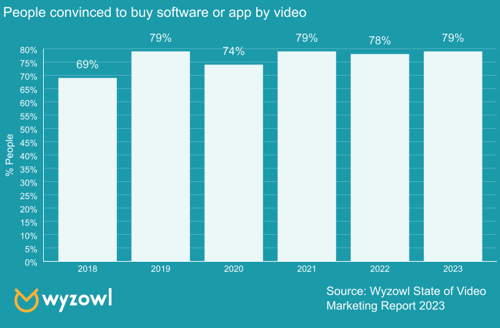
The product doesn’t have to be physical, either. 79% of people say they’ve been convinced to purchase an app or piece of software because of a video.
This means that, on top of everything else, video’s ability to inform purchase decisions is also at an all-time high.
To Sum Up
The rise of video as a marketing tool seems inexorable.
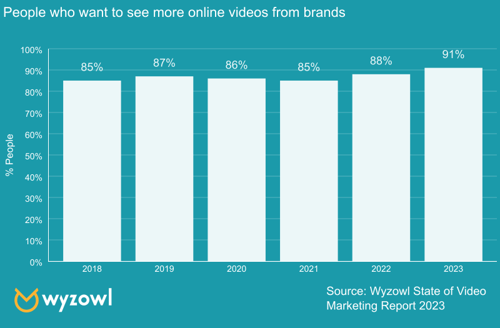
More than nine out of 10 people report wanting to see more videos from brands in 2023 – another data point that’s higher than ever – making video an excellent tool for lead generation and brand awareness.
Video has quickly become a non-negotiable thing for audiences looking to explore and make purchases.
Video looks set to continue its ten-year overnight success story into the coming decade.
These stats paint a picture of a media type that’s almost universally popular among both marketers and their audiences, helping achieve a number of incredibly important goals.
Editor’s note: This post was originally published in January 2018 and has been updated to reflect the latest data.

Facebook Engagement: Everything You Need to Know [+ Research]
Facebook engagement is something marketers shouldn’t overlook when crafting a social media strategy. Facebook engagement can expand organic reach and place your brand higher in Facebook’s News Feed. Your brand can also reach your audience’s extended network through likes, comments, and shares.
But what is Facebook engagement, and how can you boost your brand’s engagement to reach a broader audience? Here’s everything marketers need to know.
![Download Now: The State of Social Media Trends [Free Report]](https://no-cache.hubspot.com/cta/default/53/3dc1dfd9-2cb4-4498-8c57-19dbb5671820.png)
What is Facebook engagement?
How to Increase Facebook Engagement
1. Post interesting, entertaining, and valuable content.
2. Post when your audience is most active.
3. Post consistently.
4. Ask questions.
5. Respond to followers.
6. Use Facebook Reels.
7. Go live.
8. Focus on User Generated Content (UGC).
9. Create engaging Facebook Stories.
10. Add a Call-to-Action button.
If you’re a page admin, you can track Facebook engagement by viewing engagement metrics under Page Insights. According to Meta, Page Insights is a tool for brands, businesses, and public figures to:
- Learn what posts their audiences engage with
- Track total likes and other metrics to see what audiences like and why
- See the page’s total reach and analyze how many people saw/engaged with the post
However, you can also measure engagement by using a simple formula. Just take the number of engaged users, divide it by the total page reach, and multiply the result by 100.
So, let’s say your Facebook post received 10 likes, 5 comments, and 5 shares. If that post reached 1,000 people, your engagement rate would be 2%. According to recent research, the median engagement rate on Facebook is 0.07%.
Marketers should aim for at least a 5% engagement rate to build an authentic community on the platform and remain competitive in their market.
How to Increase Facebook Engagement
Now you know how to track and measure engagement. Now, let’s explore the ways you can boost your Facebook engagement.
1. Post interesting, entertaining, and valuable content.
Your audience will not want to interact with your content if it always reads like a sales pitch. Instead, opt to create educational, helpful, and entertaining content. For example, outdoor clothing and equipment company L.L. Bean often posts fun educational videos such as “Skiing Tips for Beginners” to delight users. The video below shows viewers how to get comfortable on cross-country skis quickly.
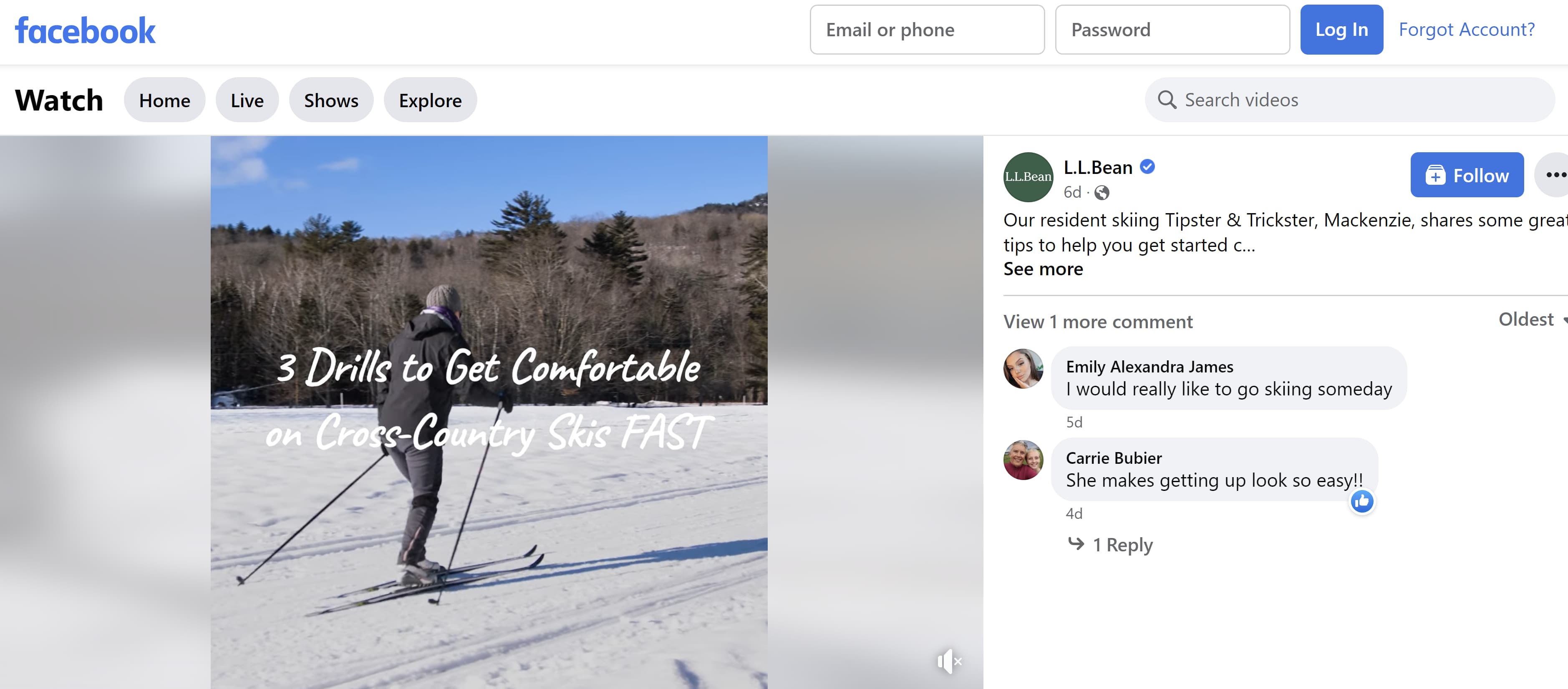
This video may inspire consumers to start skiing and turn to L.L. Bean for the necessary equipment.
What We Like: Educational videos like this help brands to be seen as an authoritative, expert voice in their market. Even better, it allows brands to show their products in use without coming across as an ad.
2. Post when your audience is most active.
Page Insights has a tab called “When Your Fans are Online.” The tab shows when your followers are most active on your page. Once you find out when they’re most active, you can start scheduling your posts to upload when they’re likely to get the most engagement.
What We Like: The feature takes some guesswork out of finding the most optimal time to post, and you can be sure your best posts won’t go to waste by uploading them too soon or too late.
3. Post consistently.
No one wants to engage with a dead account. To show your account is active, post consistently to boost your engagement — but how often should you post content to Facebook? We recommend posting two to five times per week and no more than once a day.
Facebook prioritizes fresh content and doesn’t want to overload someone’s feed with just one company. When you post too often, especially more than once a day, you’ll diminish your ROI — and your posts will get less engagement.
Pro Tip: If your posts are consistently bringing in high engagement, then you can test out posting more frequently. As long as your audience shows a great deal of interest in your content, Facebook will prioritize your page in its News Feed.
4. Ask questions.
Questions encourage users to comment, and more comments lead to high engagement. You can ask users to leave a comment about their favorite product from your brand. You can also ask them why they started following you or why they like your company. You can even ask users what kind of content they’d like to see from you, and then give them what they want.
On its Facebook page, Burger King asked users to name their sourdough starter.
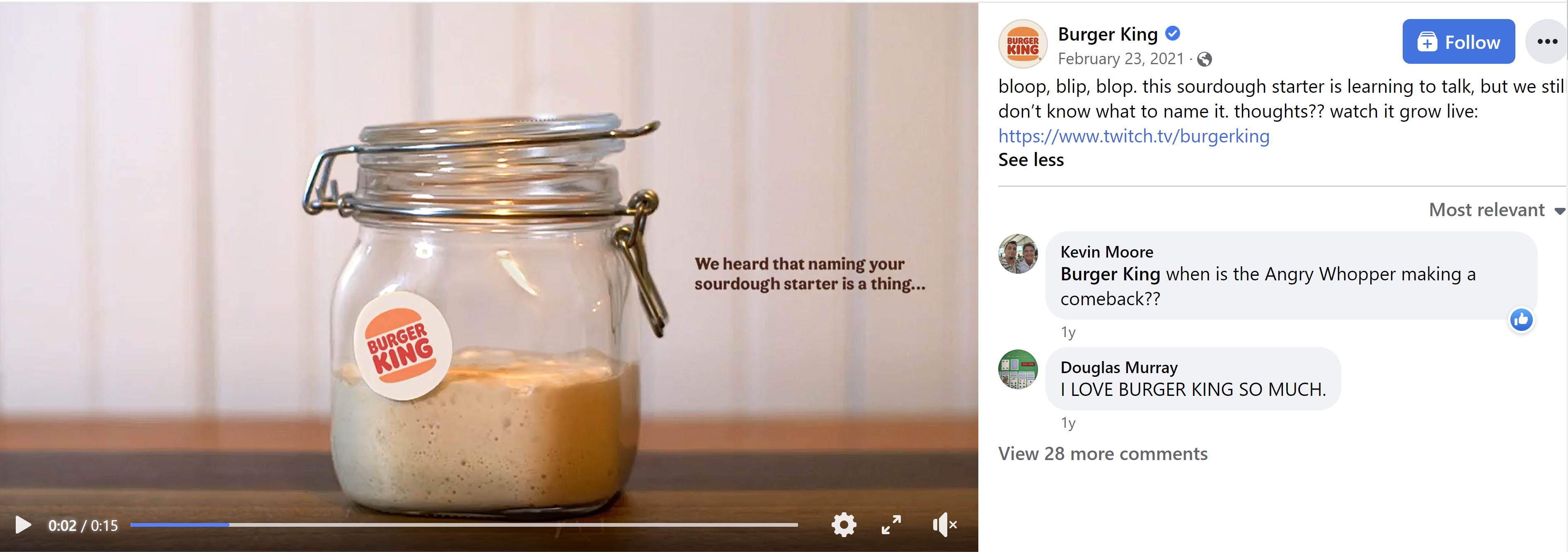
Pro Tip: Include a video, an eye-catching graphic, or a poll to make your questions stand out on users’ News Feeds.
5. Respond to followers.
Social media users love to know there is an actual human behind a brand’s account who sees and appreciates their interaction. Be sure to answer questions, thank followers for their interactions, and be a source of information when a follower needs help understanding a product or service.

What We Like: Responding to comments helps brands build a stronger bond with their followers, and they’ll want to engage with your content more — especially if they know there is someone behind the account who can answer questions.
6. Use Facebook Reels.
Use Reels to start a challenge, give a behind-the-scenes look at your brand, or educate your audience.
Facebook Reels are steadily increasing in popularity among users.According to Meta, over 140 billion Reels are played daily across Facebook apps as of October 2022. That’s a more than 50% increase from May 2022.
Pro Tip: Always film your Reels vertically. And if you don’t always have time to create a new Reel from scratch, repurpose your Instagram Reels to upload on Facebook.
7. Go live.
Facebook Live videos receive the highest engagement on the platform, so it helps to include live broadcasts in your social media strategy. Facebook Live can be used to:
- Host live Q&As
- Host live fundraisers
- Broadcast breaking news
- Give a behind-the-scenes tour of the company and processes
For example, Pinky Ma’s Cakes, Cookies & Candy hosted a Facebook Live showing viewers how to make cupcake bouquets.

What We Like: Facebook Live allows viewers and hosts to communicate in real-time, which builds trust between brands and followers.
8. Focus on User Generated Content (UGC).
You can encourage followers to send in photos or videos of themselves using your product for a chance to be featured on your platform. For instance, accessory brand Cluse encouraged followers to submit pictures of themselves wearing the brand’s watches to be featured on Cluse’s lookbook page. All followers had to do was include #Cluse in their posts.
Though the campaign took place on Instagram, the same can be done on Facebook.
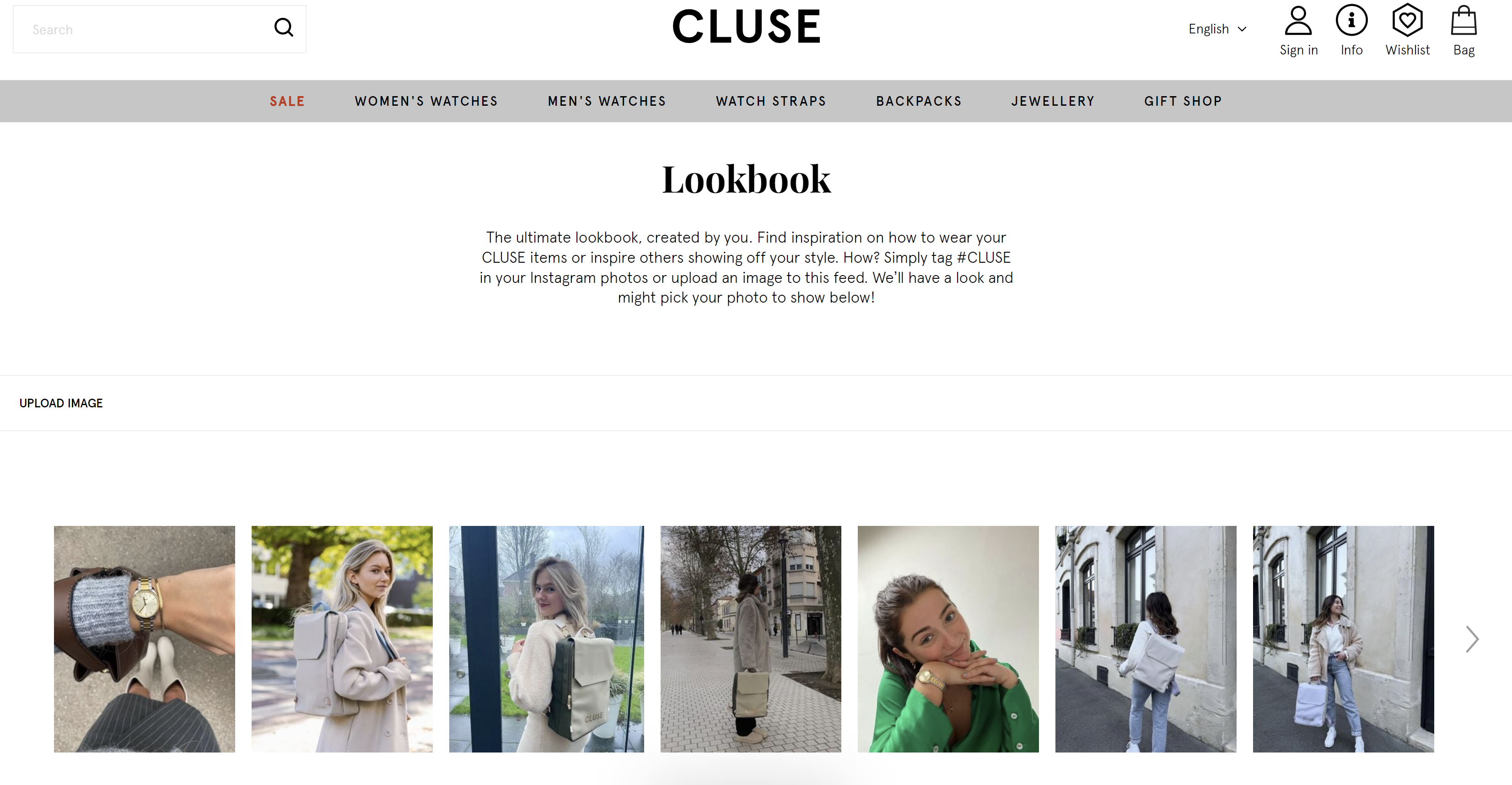
What We Like: Audience’s like to feel like they’re a part of the conversation, and user-generated content does exactly that and encourages participation.
9. Create engaging Facebook Stories.
With over 300 million people watching Facebook Stories each day, Facebook Stories is an excellent opportunity to connect with your audience and boost engagement. In fact, we found that 70% of consumers prefer Facebook Stories over Snapchat and Instagram stories.
One way you can use Facebook Stories is to make important announcements. In the example below, the punk band Dropkick Murphys used Facebook Stories to announce an upcoming festival performance.
You can also add links to your Instagram stories. In the same example, the band included a link to the festival where their followers can purchase tickets.

Pro Tip: Include links to your website or product to encourage your audience to purchase.
10. Add a Call-to-Action button.
A call-to-action button can generate engagement beyond likes, comments, and shares. Add a CTA button to:
- Book an appointment.
- Contact your business through Facebook messenger.
- Join your Facebook group.
- Shop on your website.
In the example below, Ipsy’s Facebook page includes a call-to-action button encouraging followers to sign up for their monthly subscription service.
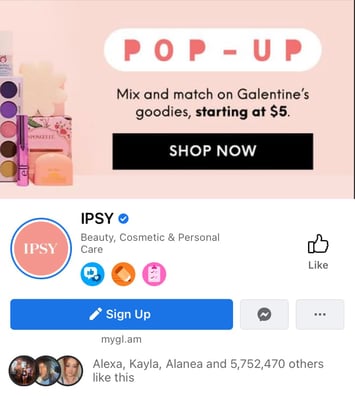
What We Like: Not only does a CTA button boost engagement, but it can also generate more leads by encouraging your audience to take action.
Over 200 million businesses use Facebook, so making your brand stand out on the platform can seem daunting. However, you’ll be able to find and delight your audience on Facebook by using the above tactics to boost engagement. The more engagement your page gets, the more Facebook will push your content to the right people.


45 Free Content Writing Tools to Love [for Writing, Editing & Content Creation]
Creating content isn’t always a walk in the park. (In fact, it can sometimes feel more like trying to swim against the current.)
While other parts of business and marketing are becoming increasingly automated, content creation is still a very manual job.
That being said, there are plenty of tools out there to make creating content much easier.

Below, you’ll find a list of 36 fantastic tools and resources to help you research, write, edit, and design content more easily. (You’ll notice there are a lot of design tools in here — that’s because visual content is often the part of the content creation process where people get the most nervous and frustrated. So don’t worry, we’ve got a ton in there for you.)
Let’s get started.
36 Free Tools & Resources to Make Content Creation Easier
For Researchers
1) Google Drive Research Tool
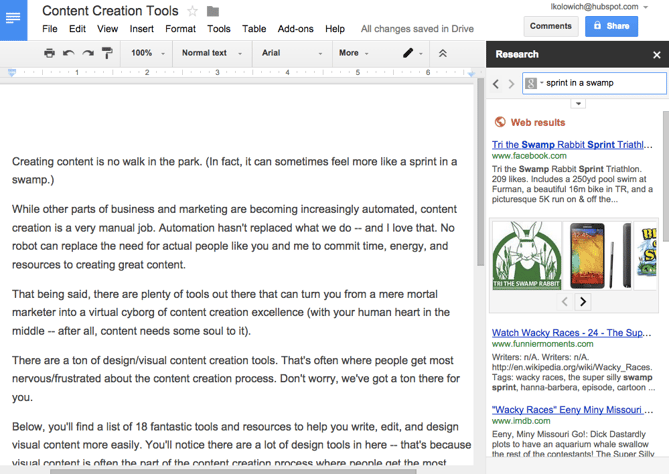
Google recently added a tool to Drive that allows you to conduct Google searches without ever leaving your Drive window. All you have to do is click “Tools” from the menu bar and choose “Research” from the dropdown menu.
2) Site:search
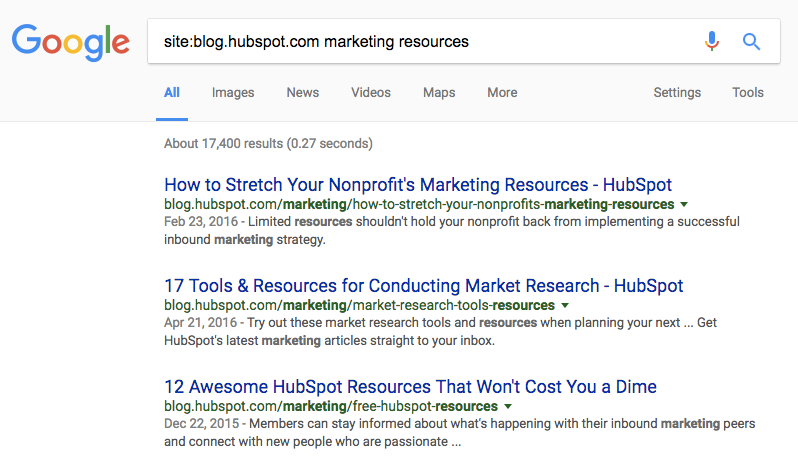
This is a handy Google hack I use every day. Basically, it allows you to do a Google search that’s limited to a particular website.
For example, if I wanted to search HubSpot’s blog for marketing resources so I can cite one of our old blog posts, I’d do a site:search for blog.hubspot.com with the search term marketing resources. The formula for site search is site:samplewebsite.com [search query]. So my example would be site:blog.hubspot.com marketing resources.
3) Google Webmaster Tools
Doing SEO and keyword research? Your marketing software should be able to help. But if it can’t (or you’d like to augment your data), Google’s Webmaster Tools can be a great help. You can check things like the number of indexed pages on your website, submit your site to Google so you’re getting crawled and indexed, and even disavow bad inbound links. It also can give you information on search queries that have a large volume of impressions but low clickthrough rate.
Within Google Webmaster Tools, go to “Your site on the web” and choose “Search queries.” You’ll see a table showing a search query, impressions, clicks, and clickthrough rate (CTR). Comparing this data to your other analytics data can help uncover some opportunities.
4) Percentage Change Calculator
I can’t even begin to tell you how useful this little calculator is when looking for and analyzing data. Ever want to know the percentage change of two values without having to remember the formula? Simply enter the two values into this calculator, and it’ll spit out the percentage change. Trust me, you’ll want to bookmark this one.
Here are a few other handy calculators:
- 3-Way Percentage Calculator – Calculates answers to these questions: What is X% of Y? X is what percent of Y? X is Y% of what?
- Conversion Rate Calculator – Spits out a conversion rate when you enter the total visitor count during a specific time frame and the number of times during that time frame those visitors took a specific action.
- A/B Test Calculator – Works for a basic scenario with two groups of people (A & B) who get to see one version of your website and for whom you track the number of conversions or goals (purchases, downloads, clickthroughs, etc.).
- ROI Calculator – Analyzes your website’s monthly sales and lead generation efforts to determine ways in which marketing efforts can be optimized.
5) Atlas
Atlas is Quartz‘s data center, and it’s chock-full of graphs, charts, and data visualizations. You can search for almost any topic or keyword, and Atlas will have a graphic based on recent research data for you. This is a great tool to get background information on a topic you’re researching, or to find fresh data to use in a project you’re working on. Here’s a chart based on data from early 2016:
 Source: Atlas
6) Search in a Giphy
You know that coworker who always seems to find the perfect animated GIFs for your social posts or internal chat client? With the free Giphy Chrome extension, you’ll be able to find great GIFs just as quickly.
To use the tool, all you have to do is open the extension in Chrome, search, choose a GIF, and drag and drop. So far, the tool works in Gmail, Twitter, Facebook, and more — and they’re constantly expanding support.
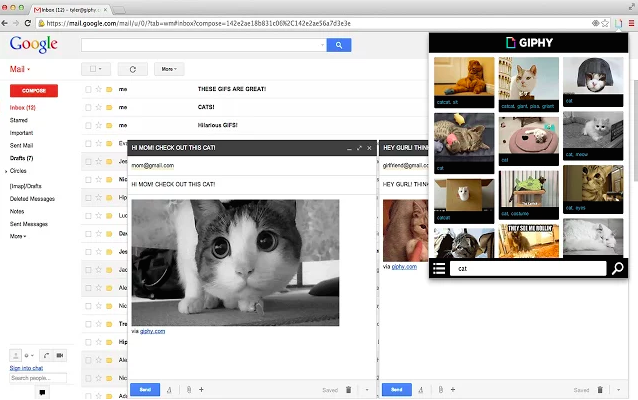
For Writers
7) Evernote
I use the free version of Evernote every single day. From to-do lists and research notes to writing entire chunks of articles, it’s proven helpful at every step of the writing and editing process.
One great feature? Its mobile, desktop, and web apps sync automatically as long as you have an internet connection. (And if you work offline, it’ll sync the next time you have internet.) Plus — and this is super important for content creators like us — it’s constantly saving and syncing your work automatically, making it a safe place to write and store ideas.
Use it to keep a running list of ideas, take notes, store inspiring articles or ebooks, or plan your editorial and social media publishing calendars.
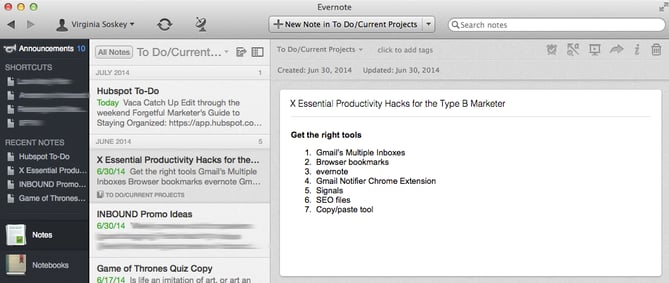
8) Word2CleanHTML
If you like drafting blog posts in programs like Microsoft Word, Evernote, or Google Drive instead of your content management system (CMS), then this simple tool can be your best friend. Why? Because when you copy a document from Microsoft Office and paste it into your CMS, lots of little, weird formatting issues can crop up in your HTML.
Word2CleanHTML applies filters to fix all those things added into the HTML, resulting in well-formatted HTML you can paste directly into a web page CMS. Simply paste in your draft, click one button, and then copy the resulting HTML straight from the tool. When you paste that into your CMS (most will have buttons reading “HTML” or “</>” in their tool bar above your draft), it will appear nice and clean. No hair-pulling or swimming through code required.
9) WordCounter
There is no “right answer” for how long a blog post should be. As long as it serves its purpose — whether that’s thought leadership, driving leads, explaining a new concept, or something else — length doesn’t matter. But although we don’t recommend writing blog posts with a word count in mind, sometimes word count can come in handy. WordCounter works exactly the way you think it does: Paste in your content and it’ll spit out exactly how many words you have.
10) Cofftivity
According to a study out of the University of Chicago, “A moderate level of ambient noise is conducive to creative cognition.” In other words, being the tiniest bit distracted actually helps you be more creative. That’s why for many people, myself included, white noise helps promote focus.
There are a lot of white noise generators out there, but my favorite is Cofftivity. This particular one offers non-stop café background sounds at varying intensities, from “Morning Murmur” and “University Undertones” to “Lunchtime Lounge” and “Brazil Bistro.” It’s available on the web and as an app on iOS and Android.
11) & 12) Zerys & eLance
Need to start creating content but don’t have the bandwidth? We hear about this roadblock a lot. One way to get around it is by hiring freelancers from reputable marketplaces like Zerys or eLance. These resources give you access to skilled freelance writers who can write blog posts, ebooks, whitepapers, and other pieces of written content for you.
13) HTML Hacks for Marketers
While this isn’t strictly a writing resource, basic coding knowledge is quickly becoming a must-have skill for the modern marketer — bloggers and written content creators included. But learning from scratch can be daunting. Where on earth do you start?
If you’re a total beginner, start with HTML Hacks for Marketers, which my colleagues at HubSpot created with Codeacademy. It’ll teach you quick but useful hacks anyone — regardless of coding knowledge — can use in their marketing. For example, you’ll learn how to make small changes to HTML like altering headers and spacing, creating text in block-quote form, and inserting social share links. My personal favorite is the hack to change font colors.
Once you’ve mastered these basic HTML skills, move on to Codeacademy’s free interactive courses. They found a way to make learning HTML and CSS actually fun — and you can go through each lesson at your own pace.
14) Blog Topic Generator
If you need to get to writing blog posts but aren’t sure of an angle or title to get your creativity moving, HubSpot’s Blog Topic Generator can do the work for you. Simply enter a few keywords that your blog focuses on, and the Blog Topic Generator will produce a week’s worth of titles and topic ideas for you. It might not produce the final title of your blog post, but it helps get you thinking about creative new angles for topics you’ve written about before.
Here are the blog post titles I received when I entered “content,” “inbound marketing,” and “blogging”:
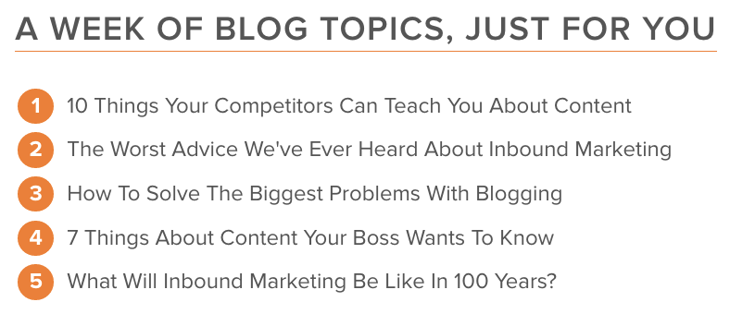
15) Blog Post Templates
All blog posts aren’t created equal, but we’ve found that there are steps you can take to make your posts comprehensive and shareable. With these blog post templates, we’ll walk you through an outline to write successful how-to, listicle, newsjack, and curation blog posts. Instead of starting from scratch, you’ll save time and, hopefully, nail your blog goals.
For Content Editors
16) Editorial Calendar Template
Creating a balanced editorial calendar can be tough, especially if you don’t have one centralized calendar that you and your team can refer to. To save you time and headache, we’ve created editorial calendar templates for Google Calendar, Google Sheets, and Excel that you can fill in and share with your team to start the next month or year off on the right foot.
17) & 18) Grammarly & Correctica
While human editors will be able to catch most grammatical errors, editing tools like Grammarly and Correctica are great tools for triple-checking before you press “publish” or “send.” Both free tools check for grammatical errors — and Grammarly even checks for plagiarism.
19) Hemingway App
Ernest Hemingway, admired for his succinct writing style, is the namesake for this handy editing app. Want to make your written content easier to read? Paste your content into this free web app, and it’ll assess your writing and identify opportunities to make it simpler.
My favorite features include identifying passive voice and hard-to-read sentences. Check out the right-hand side of the screenshot below, where the tool has summed up how readable my writing is with a grade. (Some room for improvement here.) Their suggestion to improve readability overall? Shoot for lower than a 10th grade reading level.
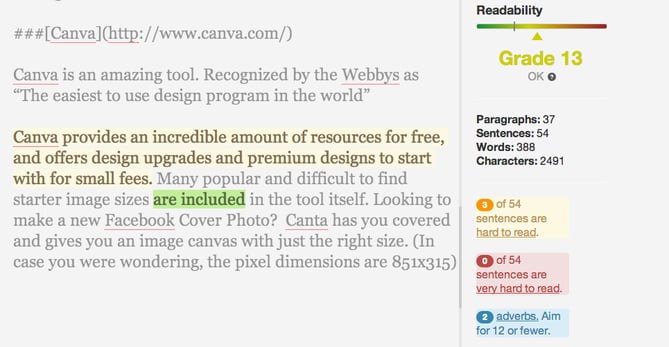
20) Headline Analyzer
Here’s a scary stat for you: Only 60% of people who click into an article end up reading past the headline. That makes your headline both the first and possibly the only chance for you to compel readers to keep reading — so it’s totally worth it to spend the extra few minutes coming up with a really good one.
What does a really good headline look like? The free tool Headline Analyzer by CoSchedule can tell you. It scores your headline quality and rates its ability to drive social shares, traffic, and SEO value. In my experience, its strength is helping you strengthen specific components of your title. For example, it reports on perceived sentiment and commonality of word types. It’ll even show you how it will appear in search results.
So although you should take these scores and grades with a grain of salt, you can use this to give your headlines a “once-over.” (And read this blog post to learn more about writing awesome headlines.)
For Designers
21) Nimbus Screenshot
This is another tool I use every day. Sure, you can capture a screenshot of your entire screen or part of your screen using the old keyboard shortcut method. But what if you want your screenshot to include stuff that’s not visible on your screen?
Nimbus Screenshot lets you capture the visible part of a web page, a selected area, a selected scroll (my personal favorite), the entire page, or the entire browser window — including everything below the fold.
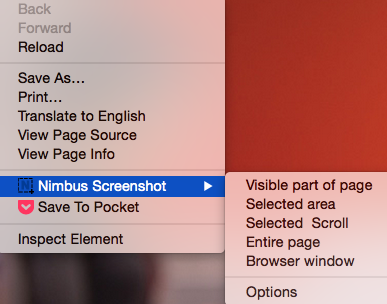
Once you’ve taken the screenshot, you can crop, edit (like adding notes and callouts), and choose to print or save to your desktop or Google Drive.
22) Canva
If you like creating beautiful visual content in a really short amount of time, you’ll love Canva. The time and resources it takes to learn design, pay for design assets, and/or get inspired to create beauty from scratch can be really difficult when you’re staring at a long list of to-dos — but Canva offers a huge library of pre-made templates and assets that you can manipulate while also adding your own imagery.
Best of all, they have so many assets and graphics available for free that you won’t have to pay a cent if you don’t want to. If you want to use more “premium” assets and graphics found through their image search, they’ll charge you $1 for each. But there’s plenty of value for free.
Here’s an example of something you could make:

23) ThingLink
Ever wanted to make an image (or infographic) clickable? ThingLink lets you upload an image and add little icons to it that appear when a person hovers their cursor over the image. These icons allow users to visit links, watch videos, or read messages you’ve written. Plus, it’s easy to share: Users can easily embed ThingLink images. (Click here for step-by-step instructions.)
Below is part of a a clickable infographic from Thinglink my colleague Ginny Mineo created for another post:

24) Skitch
Skitch is a free app by Evernote that helps you communicate more visually. It lets you mark up images, digital assets, PDFs, and other files with arrows, callout boxes, text, and more all in one place.
In the example below, I opened the program on my desktop and used the “Screen Snap” button to take a screenshot of a web page — which then opened right in Skitch for editing and exporting.
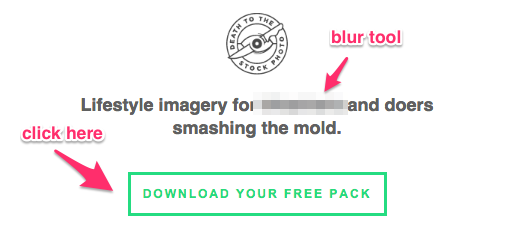
Although it’s free, it does require you to open an Evernote account — but that’s also free (see above).
25) Infogram
While similar to Canva, Infogram is a visual content tool that focuses on helping you create infographics, charts, and data visualization. If you like to create charts using Microsoft Excel, you’re in luck — it also offers compatibility with Excel through Infogram Charts. Also, their infographics are responsive with mobile devices.
26) Infographic Templates
As a content marketer, you might feel more comfortable creating written content than visual content, but that’s no excuse to exclude infographics from your strategy. Visual content is growing in demand from your audience, and infographics are particularly shareable. We’ve created the backbones of 15 different templates that you can easily play around with to customize for your content and audience — here’s a sneak peek of one template, and you can grab the rest here.
Source: 15 Free Infographic Templates in PowerPoint
27) Google Fonts
Want to spruce up your site pages, presentations, ebooks, and other content with cool and different new fonts? Little-known fact: Google has a directory of 600 free fonts ready for you to download and use.
Simply find and select the fonts you like from their directory, then click “Use” to get the HTML code you can copy and paste onto your site. Alternatively, you can download the fonts to your desktop and use them when making new marketing content by clicking “Add to Collection.” (Click here for step-by-step instructions for doing this in the HubSpot software.)
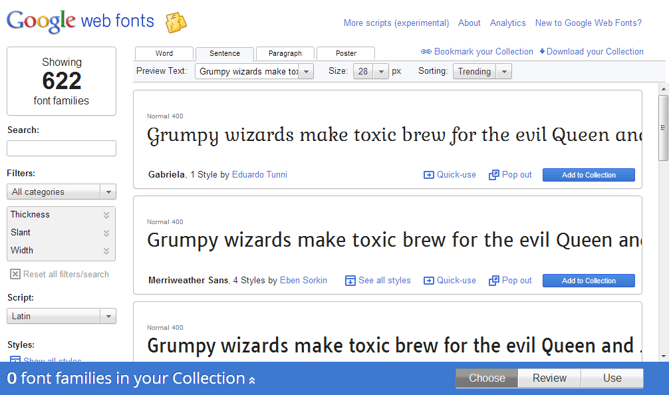
28) Image Color Picker
Remember that time you wanted to match your call-to-action design to that color you were using on all your event swag … but the one person who would know what that color was didn’t work at your company anymore? Next time that happens, snag a picture of that swag and upload it to ImageColorPicker.com, or use any image URL to do the same thing. Select any point of the picture, and immediately see its corresponding HEX, RGB, and HSV values.
29) PowerPoint Templates
Is there anything more boring than a PowerPoint presentation featuring black text on a white background? With the help of these templates, you’ll be able to put together compelling, visually appealing presentations. Whether you’re driving lead generation or reporting on your blog’s growth to your team, keep your audience’s attention with these eye-catching presentations.
30) SlideShare Templates
SlideShare doesn’t need to be daunting. You can easily create shareable, embeddable SlideShare presentations in PowerPoint with the help of these templates — no need to start from scratch or hire a freelancer. Once you’ve created your first presentation, check out our guide to marketing SlideShares successfully.
31) Haiku Deck
If you’ve ever had to create a PowerPoint or SlideShare presentation in a pinch, you’ll wish you knew about Haiku Deck. This tool helps you quickly find simple layouts, beautiful images, and great fonts. It’s available for the web and for iPad.
Want to see what one looks like? Below’s an example I pulled from their list of featured decks. Note the simplicity of the design — if you want to create super detailed slides, this may not be the right tool for you.
Snowed In? – Created with Haiku Deck, presentation software that inspires
32) HubSpot’s Free Stock Photos
Searching for and buying stock imagery can be a pain in the you-know-what — especially when it comes to deciphering legalese for different use cases. I have a liberal arts degree, and Nietzsche was easier to read than whatever legalese stock imagery companies tended to give me. All I wanted to know is whether to cite or not cite a stock image of a laptop. Why was it so hard?
That’s why our team decided to create a library of 550+ free and royalty-free stock photos. Whether it’s a unique image needed for an ebook or that perfect photo you want to add to a blog post, that collection should have you covered. Here’s one of our “around the kitchen” stock photos — yum.

Source: The Free Stock Photos You’ve Been Searching For
33) PlaceIt
PlaceIt serves a very specific purpose: It allows you to upload images of your site or product into real-world environments of people holding phones, tablets, and laptops. PlaceIt will automatically alter the image to make it appear natural with the angle of the phone’s screen — which will save you time learning and/or editing in more advanced software to get the angle right.

You’ll have to pay per image to get really large or high-resolution versions, though I’ve found free images work just fine for blog posts and product page content. The paid downloads also remove that PlaceIt watermark from the bottom right.
34) LICEcap
Looking for the perfect GIF to include in your blog post? If it doesn’t already exist on Giphy, you can make one yourself using LICEcap. Film a screenshot and turn it into a GIF using this handy, free tool — we use LICEcap for our blog posts, too.
35) & 36) The Noun Project & HubSpot’s Resizable Icons Collection
Like with stock photos, another challenge content creators face is finding elegant icons that resize without getting all fuzzy. There are a few resources out there for great, resizable icons.
The Noun Project is an extensive library of thousands of icons uploaded by contributors. With a free account, you can use icons as long as you either give credit to the creator or purchase them royalty-free for $1.99 apiece.
HubSpot has a library of resizeable icons, too, which you can download for free and without any licensing or attribution. The kit comes with a free guide for how to change the color of the icons using PowerPoint, Photoshop, and Illustrator.
To that, we say …

(From HubSpot’s Free Icon Collection.)
It’s Not the Wand, It’s the Wizard
The tools and resources listed above can help you create, but it’s ultimately up to you to control the quality of your content. You still need to know your customer incredibly well, understand what challenges they face that your product or service solves, and create content that helps them address those challenges.
The brains and heart behind the content creator trump the code behind any tools and technology — and that’s a good thing for succeeding in marketing today.
What other tools or apps do you use to create content more easily? Leave them in the comments so we can extend this list right here!
Editor’s Note: This post was originally published in December 2013 and has been updated for accuracy and comprehensiveness.



How to Use Black-Owned Banks to Start Your Business
Welcome to Breaking the Blueprint — a blog series that dives into the unique business challenges and opportunities of underrepresented business owners and entrepreneurs. Learn how they’ve grown or scaled their businesses, explored entrepreneurial ventures within their companies, or created side hustles, and how their stories can inspire and inform your own success.
Black-owned banks have been pillars of the Black community since the late 1800s when they were founded to fight against the economic inequality Black Americans felt in accessing financial services.
Despite being in a new millennium, these banks are still some of the few institutions that offer equitable support for Black business owners. Read on to learn more about the history of Black-owned banks and how you can use them to start your business.
The History of Black-Owned Banks
Freedman’s Savings and Trust Company was the first bank to serve formerly enslaved persons in 1865. Capital Savings Bank opened in 1888 in Washington, D.C., as the first bank organized and operated by Black Americans. A year later, The True Reformers Bank in Richmond, Virginia, became the first chartered Black-owned bank in the country.
Maggie Lena Walker became the nation’s first Black female banker when she founded The St. Luke Penny Savings Bank in Richmond, Virginia, in 1903. A few years later, nine businessmen founded Mechanics and Farmers Bank (now M&F Bank) in Durham, North Carolina, in 1907. They were among the 134 Black-owned banks that served the Black community from 1888 to 1934.
Unfortunately, the number of Black-owned financial institutions has decreased significantly, as Black-owned financial institutions declined over 50% from 2001 to 2018, and there are only 19 Black-owned banks today.
However, many Black entrepreneurs find the support they need with these businesses, and they are valuable tools for developing financial literacy and starting entrepreneurial ventures. Below we’ll discuss how you can use Black-owned banks to start your business.
How to Use Black-Owned Banks to Start Your Business
1. Open accounts
Black-owned banks offer many account options for business owners. You can open business accounts at banks like Alamerica Bank and Carver State Bank that offer in-person branches and online and mobile banking to access your accounts from wherever you are, whenever you need to.
2. Apply for loans.
Banks like OneUnited Bank and Harbor Bank of Maryland make it easier for Black entrepreneurs to access and grow capital with lending programs.
For example, OneUnited Bank offers lending programs in the form of small business or commercial real estate loans.
OneUnited Bank and Harbor Bank of Maryland were among some Black-owned banks that provided PPP loans for business owners during the early days of the pandemic. Harbor Bank of Maryland funded 694 PPP loans that totaled $66 million throughout the pandemic. Most of the loans were issued to Baltimore, Washington, D.C., and Virginia businesses.
3. Build credit.
Many entrepreneurs use credit to establish their businesses, but, unfortunately, financial institutions disproportionately deny Black Americans credit opportunities, or they receive less credit than they request, according to Federal Reserve data.
Given this, Black-owned banks are an essential source of credit for Black entrepreneurs. Many offer a range of credit card options, and some Banks, like Citizen Trust Bank, help customers learn about building and maintaining credit.
4. Receive financial education.
Black-owned banks offer opportunities outside traditional banking services, like education and financial literacy programs for underserved communities.
Industrial Bank, for example, works to strengthen the economy through partnerships and financial education seminars for Black-owned businesses. It reinvests over 60% of its assets into its communities every year, and teams of experienced bankers provide hours of financial education seminars for customers.
M&F Bank also offers a financial literacy course that helps small business owners learn how to partner with financial professionals, grow their businesses, and develop financial skills.
5. Get support.
Uplifting the community has always been a priority for Black Americans. Black-owned banks prioritize supporting their communities by providing training opportunities and jobs for their customers.
Carver Federal Savings Bank is a great example, offering community-focused banking for underserved neighborhoods. It focuses on developing reliable, long-term relationships with its customers, strengthening the overall economic advancement of Black Americans.
Black-owned Banks Lie at the Forefront of Change
Black-owned banks can be the best source of success for Black entrepreneurs, helping people develop financial literacy, build credit, and get the capital they need to pursue their ventures.

What Is a White Paper? [FAQs]
The definition of a whitepaper varies heavily from industry to industry, which can be a little confusing for marketers looking to create one for their business.
The old-school definition comes from politics, where it means a legislative document explaining and supporting a particular political solution.
In tech, a whitepaper usually describes a theory behind a new piece of technology. Even a business whitepaper can serve a variety of uses and audiences — some more product-focused than others. And although it is put together like an ebook, the two are written quite differently.

We’re here to arm you with the best definition of a whitepaper in the context of business and what to do (and not do) as you create one. This article covers:
What Is a Whitepaper?
A whitepaper is a persuasive, authoritative, in-depth report on a specific topic that presents a problem and provides a solution.
Marketers create whitepapers to educate their audience about a particular issue, or explain and promote a particular methodology. They’re advanced problem-solving guides. Typically, whitepapers require at least an email address for download (usually they require information more than that), making them great for capturing leads.
What Isn’t a Whitepaper?
A product pitch.
Although Investopedia defines a whitepaper as “an informational document issued by a company to promote or highlight the features of a solution, product, or service,” be warned that overtly shilling your own stuff could turn off your readers.
The goal of a whitepaper is to inform and persuade based on facts and evidence, not tell the world why people need to buy your product right now.
How Are Whitepapers Different From Blog Posts and Ebooks?
Speaking of what a whitepaper isn’t … if you’re looking for a quick and interactive way to present your value to the industry, a whitepaper is not your only option. There are also ebooks and blog posts — both of which have various differences from a whitepaper.
What really set these products apart are the size, appearance, and time commitment of each one. Whereas writing blog posts and ebooks can take anywhere between a few hours and a few weeks, a good whitepaper can take between a few weeks and a few months to write and polish. They’re less flashy, much more serious in tone, and more heavily researched than blog posts and ebooks.
Let me show you a comparison. The set below is one of our own ebook templates (which you can get for free here). It’s a thorough but simple read:


Now, here is a whitepaper based on our latest research on emerging tech for small to mid-sized businesses (a great report — see the web version here). You can see how much detail whitepapers can go into, both in text and in its images:
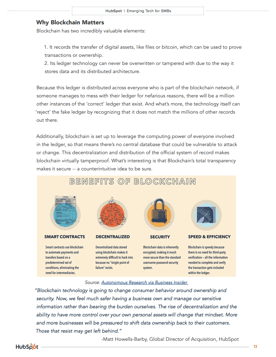 Images via HubSpot Research [PDF]
Ebooks and whitepapers can start on the same template. But ultimately, whitepapers are the academic papers of marketing content. Readers expect a high degree of expertise backed by solid research that is fully documented by references.
Ebooks, on the other hand, are often extensions of a subject you cover regularly on a blog. They can come out of diligent research, but they appeal to a wider audience when unpacking a business subject.
You can imagine this makes them kind of boring in comparison — truthfully, most people don’t actually want to read whitepapers, but they do it anyway to build their knowledge of an operation they need more insight on before making their next move.
For this reason, they tend to be particularly detailed and informative, authoritative, and written by industry experts. And these qualities can make some decision makers feel better about a future purchase.
What Makes a Good Whitepaper?
Technically, there are no minimum requirements for whitepapers. Anyone can call anything a whitepaper — this doesn’t mean you should, though. Without some boundaries on what is and what isn’t a whitepaper, we risk confusing our audience and losing credibility. Here’s what an A+ whitepaper looks like:
- Length: No fewer than six pages, including illustrations, charts, and references. Can be upwards of 50 if the topic requires that much detail. (Chances are, it won’t.)
- Structure: There is usually a title page, table of contents, short executive summary (optional but helpful), introduction, several pages educating the reader about the problem, several pages hypothesizing a solution, several pages offering an example of a company that used that solution to achieve results, and a conclusion.
- Density: Denser than an ebook. Whitepapers aren’t usually easy to skim — in fact, readers usually need to read them over more than once to get every morsel of information out of it.
- Format: PDF in portrait orientation (8.5″ by 11″).
- Style: Professional, serious, well written, and well edited. I’d recommend hiring a graphic designer to design page layout, images, fonts, and colors as well.
Whitepaper Examples for Lead Generation
So, if whitepapers are so boring, why do marketers create them? Well, they’re a great resource for your prospects and sales team, and they help you build credibility and trust with your readers. Also, people who choose to download whitepapers often are further into the customer buying cycle.
With that in mind, here are two use cases for a whitepaper:
A Technical Case Study
It’s been said that case studies, like ebooks, are very different from whitepapers. However, some case studies are long enough that they’re best packaged as whitepapers themselves.
A case study is essentially the story of a customer’s success reaching a goal as a result of their partnership with another party. This success is best conveyed through certain metrics the customer has agreed to be measured on. And depending on how technical or complex the service is that they received, the more research and detail other potential customers will want to see as they continue their buyer’s journey.
Therefore, case study-based whitepapers can be a terrific way of demonstrating thought leadership on a dense concept through a real-world example of how this concept helped someone else succeed.
A Reference Guide
Imagine you work for a company that sells kitchen cleaning equipment to restaurants and you write a whitepaper about the maintenance and inspection of commercial kitchens.
That whitepaper is probably chock full of information about legal requirements for exhaust systems, cooking equipment, and cleanliness documentation that could put even the biggest kitchen maintenance enthusiast to sleep if read cover-to-cover.
But it also serves as an incredibly useful reference for restaurant owners who want to know how to maintain their kitchens to pass inspection. Once they know how clean they need to keep their kitchens, they’ll likely buy some expensive cleaning equipment from you because they see you as a helpful, detail-oriented, credible source.
Many people create whitepapers for this purpose — a resource that their leads can take with them to become better at their trade. Ideally, the better they become, the more qualified they are to work with the organization that gave them the whitepaper.
Now that you know the purpose of whitepapers and how they differ from ebooks, it’s time to get started in creating your own. With the above best practices in mind, here’s the approach you can take to produce an excellent whitepaper for your audience:
How to Write a Whitepaper
- Identify your audience’s pain.
- Do your research.
- Create an outline.
- Put pen to paper and flesh out your outline.
- Use imagery to support your points.
- Get feedback.
- Invest in the formatting and design.
1. Identify your audience’s pain.
While you’re a subject matter expert in a unique position to provide content, you must consider your audience and what is going on in their lives. By creating a whitepaper that addresses (and solves) for their needs, you’ll better be able to generate demand for your whitepaper.
To do this, consider creating a buyer persona. This activity will help you put yourself in their shoes. Then, you’ll want to consider what kind of information would attract them, how they’d use the information, and how it would solve their pain or problem.
2. Do your research.
Whitepapers are informational in nature, and you’ll want to determine how to provide information your audience can’t get elsewhere. You can do that by:
- Running an original study/survey
- Putting together unique case studies
- Detailing a unique process or project
If you’re unable to do your own research, try drawing statistics from government and/or survey organizations and analyzing them in a unique way (and make sure you cite your sources).
3. Create an outline.
Because whitepapers are long-form in nature, an outline can help organize your thoughts. Consider sketching out your topic in the following format:
- Introduction and Synopsis – Introducing the topic of the whitepaper, explaining why it’s important (from the standpoint of the audience), and what the whitepaper sets to do, convey, or solve.
- Overview – Defining some some of the key terms you intend to use, detailing the variables or parameters involved, and summarizing what you’ll discuss.
- Body – Laying out all the key points and highlights you’ll hit.
- Conclusion – Explaining the key take-aways from the body and any action items the reader should take.
4. Put pen to paper and flesh out your outline.
Using an informational and fact-based tone, begin expanding on the ideas you have by using the outline as a guide. In addition, each paragraph should contribute to the overall goal of the piece.
5. Use imagery to support your points.
Because whitepapers go deep on research and analysis, visuals such as charts, graphs, and tables can help you present information in a visually interesting way and make the paper easier to read.
6. Get feedback.
It’s critical to present the best write-up you can for your readers. The higher quality it is, the more authority you’ll have in your audience’s eyes. Get feedback from someone you trust to catch typos or other issues with readability.
7. Invest in the formatting and design.
While it’s not necessary to get too flashy with it, color, layout, and imagery goes a long way to make your whitepaper appealing.
Whitepaper Examples
To provide even more inspiration, here are modern examples of whitepapers that are emblematic of great whitepaper execution (and why):
1. Not Another State of Marketing Report, HubSpot
HubSpot does an amazing job every year compiling data from experts and partners to convey modern trends in the marketing landscape. This is useful for marketers because they can use the statistics to create marketing and sales content as well as learn from the macro shifts that are happening in the industry. The whitepaper presents this information with attractive graphs and short editorial summaries along with links to more in-depth articles on each topic.
2. It’s Not You, It’s My Data, Custora
Custora created this whitepaper about customer churn, why it’s important, and how to prevent it. What makes this ebook great is that it promises concrete value to the reader (revenue savings from preventing attrition) backed by a wealth of data and actionable advice. Even better, the whitepaper is modern and attractive, so the reading experience is pleasant. This helps the reader consume the long-form content without friction.
3. Google Cloud’s AI Adoption Framework, Google
This whitepaper leverages Google’s authority to persuade the reader into adopting AI. By providing a methodology in the beginning, Google aims to give the reader the tools to think through the power of AI as it can be applied to their business. Then, the whitepaper dives into more technical information for advanced readers.

4. Employees and Cybersecurity, Excedeo
Excedo aims to educate about the security risks that employees may unknowingly pose to businesses when improperly trained. The whitepaper advocates about the types of internal IT policies and training that are essential in today’s world.
Whitepapers have a long history, and their uses have continued to change. Be sure to decide whether or not a whitepaper will actually serve your audience before spending the months-long process to produce it. Sometimes, an ebook will do just fine. On the other hand, long-form educational content has a place in your content strategy.
Editor’s note: This post was originally published in March 2018 and has been updated for comprehensiveness.

The 25 Dominating Web Design Trends for 2023
Experimental navigation, scrolling effects, and structured typography are just a few of the top web design trends you’ll see in 2023.

Regularly updating your website to ensure it feels modern, fresh, and engaging is essential, but without some insight on the latest web design trends, you might not know where to begin. We’re here to help. In this post, we’ve rounded up some of the most prevalent web design trends (+research) you’ll see all year long.
One major theme amongst these 2023 website design trends is motion, from scrolling effects to micro-animation. Check out this video which details some popular website design trends in 2023, and see for yourself what micro-animation and parallax scrolling look like.
1. Experimental Navigation
When we discuss experimental navigation, we’re talking about the navigation patterns that subvert the traditional, which is all-caps navigation on the top of the screen in a sans serif font.) Instead, experimental patterns move in a more creative direction, generating visual interest and guiding users to navigate the site in a specific manner.
Take Kim Kneipp’s portfolio site, for example. When you click the Menu button in the right corner of the homepage, a menu slides in from the bottom of the screen that looks like the table of contents in a book. Each page is numbered to suggest an order of reading. On the right side of your screen, the projects are numbered and categorized by type and color.
What we like: In 2023, you’re invited to turn your navigation into an extension of your website’s unique branding thanks to experimental navigation.
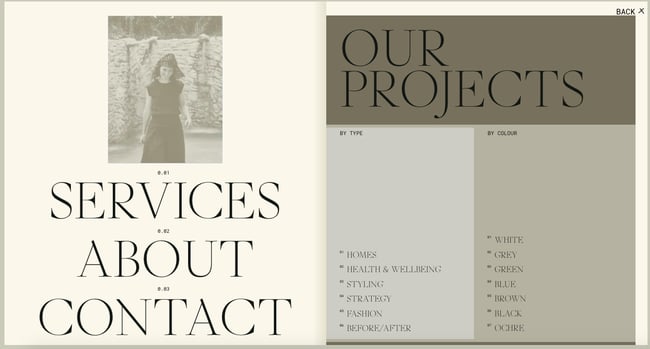
2. Scrolling Effects
Scrolling effects — animations triggered by scroll action — create more dynamic web experiences, which is why they’re arguably one of the most popular trending web design elements this year. These are increasingly used on interactive websites to intrigue readers to keep scrolling, signify a break in content, and create a three-dimensional experience.
Engineered Floors does just that, combining horizontal and vertical scrolling and other effects. When the user lands on the homepage, they see an image of what appears to be a chair on the right. As the user scrolls, this image zooms out to reveal a living room gradually covered in carpet. This 3D experience is delightful and informative.
What we like: Scrolling effects can stimulate visitors and encourage them to continue scrolling even below the fold.

3. Kinetic Typography
Kinetic typography — or moving text — is an animation technique that gained momentum in the 60s when feature films began using animated opening titles. You can use it for a similar purpose in website design to immediately grab the visitor’s attention once they land on the homepage.
You can also harness the power of kinetic typography to highlight important sections, guide the visitor as they scroll, and gradually reveal information, like on Arcadia.
What we like: Kinetic typography can delight visitors and help them digest your content. Plus, it’s visually attractive and engaging.
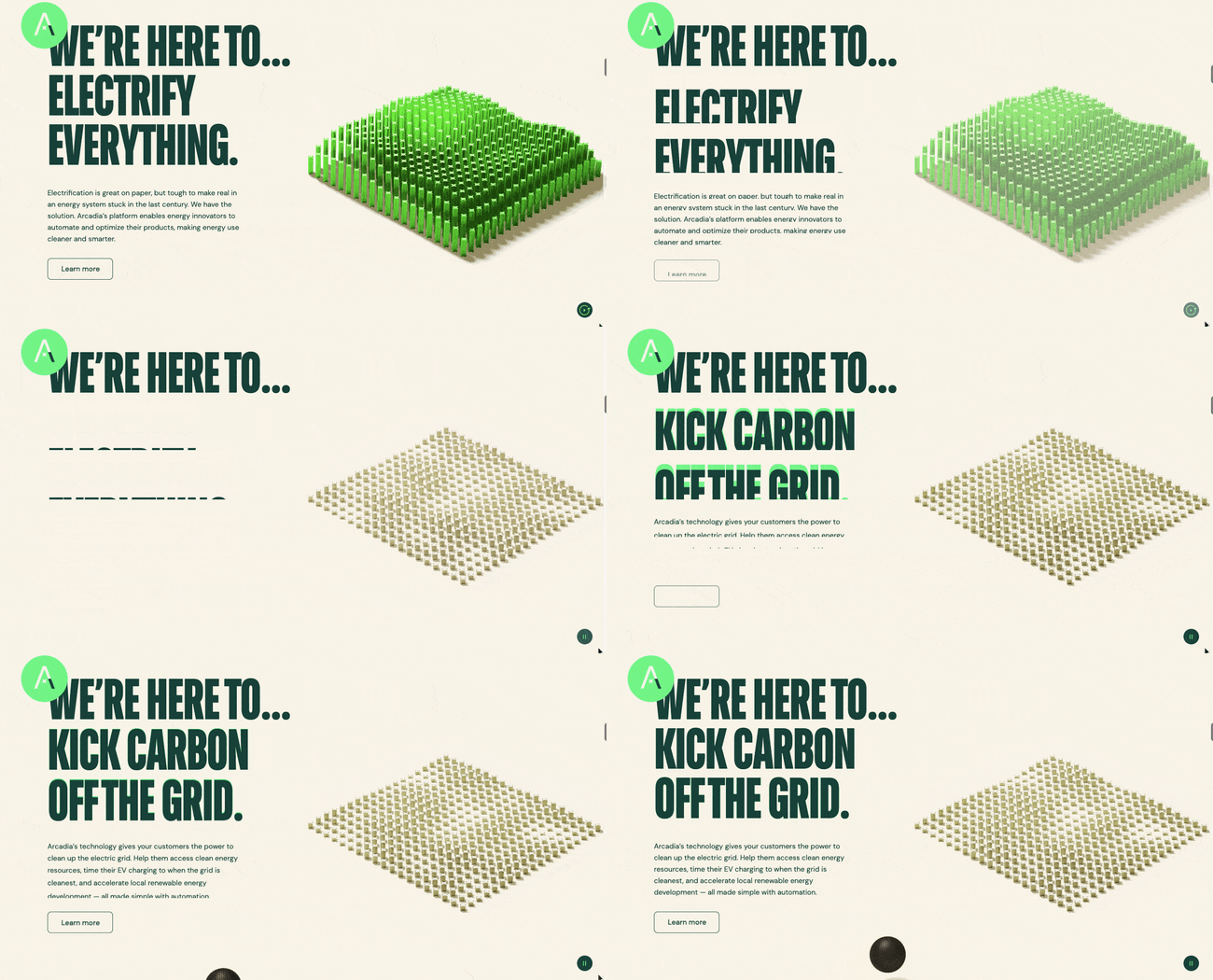
4. Drag Interaction
Gone are the days when users don’t have control over their experience on your website. Because drag interactions are designed to mimic an actual, physical action, they essentially allow visitors to pick up and move objects on the screen. This type of gesture interaction is gaining momentum with more websites. It’s an especially popular option if you have an ecommerce or portfolio site.
Take Robin Mastromarino’s portfolio site as an example. In addition to clicking on the controls of the homepage slider, you can drag and drop the different slides to browse his featured projects. The page transitions and animations are based on drag speed to give users a sense of control over these effects.
What we like: Drag interaction offers visitors a sense of customization and control over their experience on your site.

5. Structured Typography
More and more companies are using structured typography to headline their home pages. In a post-pandemic world, consumers crave structure and stability — both of which structured typography is reminiscent of. (Think: All capital letters and strong, solid shapes.)
Here’s an excellent example of how structured typography could look on your website. The Awwwards homepage reveals how much of an impression structured fonts can make.
What we like: Structured typography tells the visitors’ eyes precisely what they should be looking at.
6. Cinemagraphs
Motion is the name of the game in web design trends in 2023 — and cinemagraphics are no exception. Cinemagraphs, high-quality videos or GIFs that run on a smooth, continuous loop, have become popular to add movement and visual interest to otherwise static pages.
While full-screen loops were more popular in the past, this year you’ll see smaller animations sprinkled throughout complex layouts. The addition of these cinemagraphics draws the eye and helps your readers keep scrolling, like in this example from the design and technology studio Grafik.
What we like: Cinemagraphs can help ensure visitors see your entire page, even when it’s busy.
7. Brutalism
Some designers opt for more eclectic, convention-defying structures to stand out in a sea of tidy, organized websites. While it may seem jarring initially, many popular brands are now incorporating these aggressively alternative design elements into their sites.
Brutalism emerged as a reaction to the increasing standardization of web design and is often characterized by stark, asymmetrical, nonconformist visuals, and a distinct lack of hierarchy and order. In other words, it’s hard to describe, but you know it when you see it — like the below example from Chrissie Abbott.
What we like: Brutalism prioritizes simplicity and functionality — pillars of the user experience.
-1.jpg?width=650&height=352&name=Update%20website%20design%20trends%20(heavy)-1.jpg)
8. Colorful Gradients
From Instagram to websites to advertisements and beyond, chances are you’ve seen your fair share of gradients in the last few years. Gradients have been all the rage lately, and 2023 is no exception. Last year, gradients were largely monochromatic. This year, they’re getting a makeover: Multi-colored gradients are in.
Check out this gorgeous and visually appealing example by ROSE Wrapped for gradient design inspiration. It pairs a colorful gradient with kinetic typography for the ultimate visual impact.
What we like: Gradients are visually exciting and, when used properly, not distracting.

9. Layering
Layering images, colors, shapes, animations, and other elements adds depth and texture to a site that doesn’t have a lot of text. Below is a stylish example from the singer-songwriter SIRUP. The layering effect brings the website to life and makes it more eye-catching.
What we like: Layering can help add depth to a site and tell the brand’s story.

10. Text-Only
In 2023, web designers will be embracing minimalist design. Some are experimenting with cutting out images and prominent navigation sections altogether, relying on a few choice lines of straightforward text to inform visitors about their company.
Danish agency B14 uses the hero section of its homepage to describe its mission statement simply. It’s a modern, uncluttered approach to presenting information that contrasts sharply with its portfolio section, which uses cinemagraphs, hover animations, and an animated cursor effect.
What we like: This trending web design strategy ensures visitors see what matters most: The copy.
11. Animated Illustrations
More companies are turning to illustrators and graphic artists to create bespoke illustrations for their websites because it’s one of the latest web design trends. “Illustration works well to convey more complex ideas that lifestyle photos aren’t always able to capture,” Pembroke explained.
These illustrations are often animated to add interactivity. For example, if you hover over one of the illustrations on theNewActon site (designed by Australian digital agency ED), the illustration and those in the surrounding area will wiggle. Then, only the illustration you’re hovering over will continue to move in a small circle. This design is also functional: each illustration represents one of the categories from the navigation menu on the right.
What we like: Animated illustrations help convey complex ideas and add some personality to a site.
-2.jpg?width=650&height=454&name=Update%20website%20design%20trends%20(heavy)-2.jpg)
12. Ultra-minimalism
Taking classic minimalism to the extreme, some designers defy conventions of what a website needs to look like, displaying just the bare necessities. This trend, known as “ultra-minimalism,” can be significant for the user experience and load times.
The site from designer Mathieu Boulet is centered around a few choice links to their social profiles and information.
What we like: Ultra-minimalism can positively impact the user experience and website performance.
-Oct-06-2021-08-53-34-47-PM.png?width=650&name=Update%20website%20design%20trends%20(heavy)-Oct-06-2021-08-53-34-47-PM.png)
13. Mixing Horizontal and Vertical Text
Freeing text from its usual horizontal alignment and placing it vertically on a page adds some refreshing dimension. Take this example from action sports video producers Prime Park Sessions, which combines horizontal and vertical text alignments on a minimal page.
What we like: Mixing horizontal and vertical text defies convention and can delight and intrigue some users.
14. Geometric Shapes and Patterns
Whimsical patterns and shapes are popping up more frequently on websites, adding some flair to a landscape otherwise ruled by flat and material design. Canadian design studio MSDS uses daring, patterned letters on their homepage.
What we like: Geometric shapes and patterns can direct visitors’ attention to certain products or CTAs.
-1%20copy.jpg?width=650&height=445&name=Update%20website%20design%20trends%20(heavy)-1%20copy.jpg)
15. 3D Artwork
This year, website design is huge on creating an immersive experience for the site visitor. That’s why 3D artwork is gaining momentum. This example by Womp demonstrates how visually engaging the addition of 3D artwork can enhance your overall site experience. If your company considers itself future-forward, 3D artwork can enhance your branding.
What we like: This trend provides visitors with visual interest and catches their eye.
16. Overlapping Text and Images
Text that slightly overlaps accompanying images has become a popular effect for blogs and portfolios. Freelance art director and front-end developer Thibault Pailloux demonstrates how by placing overlapping text with a colorful underline beneath each title.
What we like: Overlapping text and images maximize the space on the page while adding visual interest.
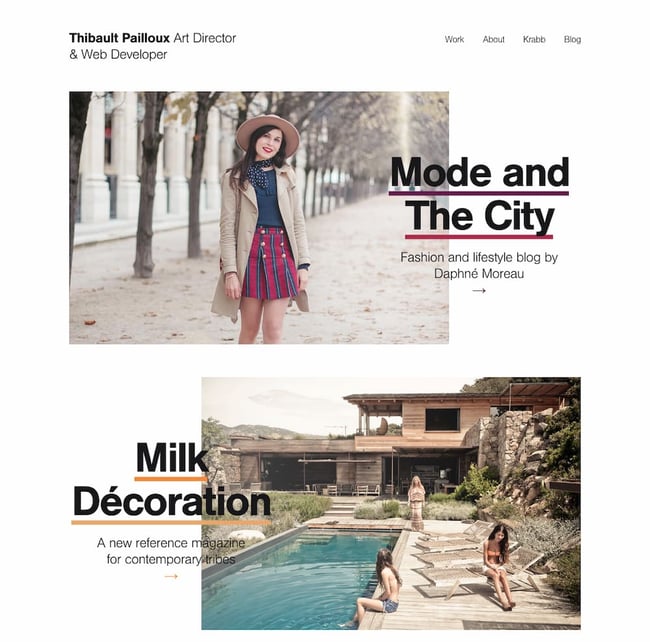
17. Broken Grids
While grids are arguably the most efficient way to display text and images, broken grids continue to make their way into mainstream sites and offer a change-up from the norm. Check out the website for HealHaus, for example. Its homepage features images and text blocks that overlap.
What we like: This convention-defying technique can make standard website pages or sections more interesting.
-Oct-06-2021-08-53-34-65-PM.jpg?width=650&height=385&name=Update%20website%20design%20trends%20(heavy)-Oct-06-2021-08-53-34-65-PM.jpg)
18. Organic Shapes
Sharp edges are out, and curved lines are in. Organic shapes are set to dominate web design in 2023. “Organic shapes can help add some playfulness without affecting the way the information is displayed,” Pembroke said.
In the example below from Spring Invest, the organic shapes in the hero section are decorative and functional. The yellow dots act like a cursor, drawing the teardrops that form the company’s logo. These shapes add a moment of delight and help reinforce the brand’s identity and value proposition to “shape the future of commerce.”
What we like: Organic shapes add personality without distracting from the content.

19. Web Textures
Web textures are background images that visually resemble a three-dimensional surface. When you use them right, you can use web textures to immerse visitors in your website by engaging tactile sense. Need proof? Just check out this example from the Color Of Change website — the background evokes a duct-tape-like texture.
What we like: Web textures draw attention to a particular section on a website.
20. Grid Lines
Grid lines began cropping up in 2022, and with good reason — they give site visitors a feeling of order and simplicity. Adding grid lines makes your website easier to digest while adding a modern, visually interesting aesthetic. On the Foundations for a Better Oregon website, grid lines are used to create a clear layout that looks futuristic.
What we like: This trend isn’t just visually engaging — it also gives your site a valuable sense of organization.
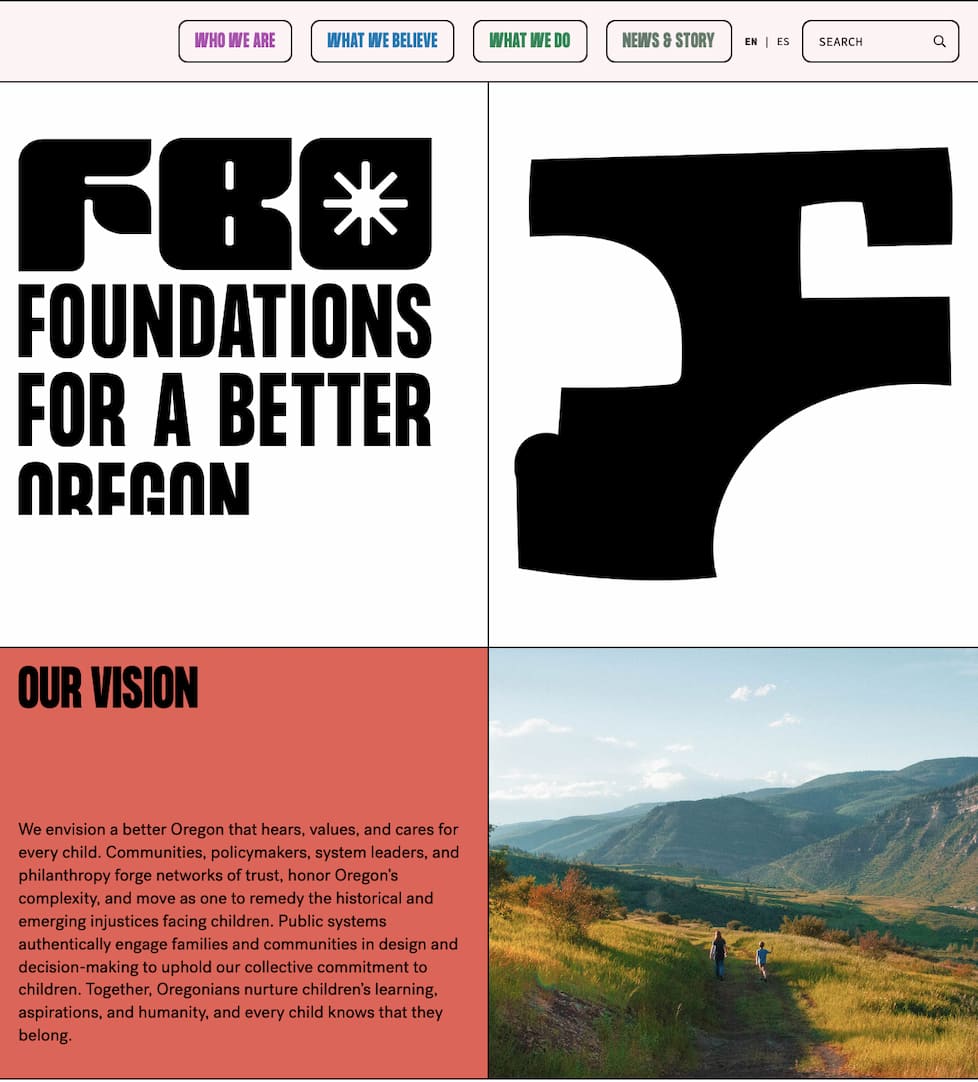
21. Y2K Inspired Design
The resurgence of the Y2K aesthetic that started in 2020 is here to stay for at least a bit longer. In 2023, you will see websites adding nods to the coveted Y2K style to evoke a sense of nostalgia. Even celebrities channel the aesthetic on their artist websites — look at singer and actress Olivia Rodrigo’s site for a healthy dose of inspiration.
What we like: This playful aesthetic doesn’t take itself too seriously.
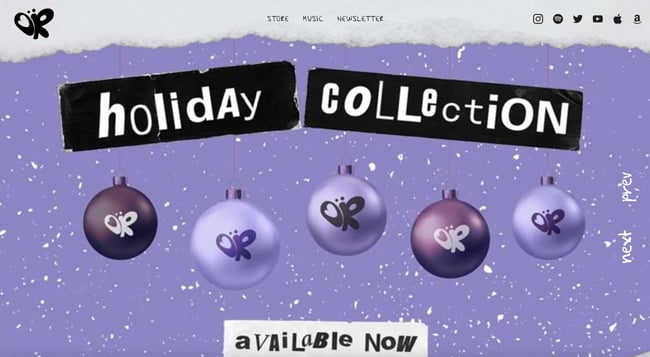 22. Scrapbook Aesthetic
If you need more proof that website visitors are leaning into nostalgia, consider that the scrapbook aesthetic is coming back in 2023. But this isn’t the same scrapbook aesthetic we saw popular in the early 2010s when this web design trend emerged. Today’s scrapbook aesthetic is an updated, buzzy version. In some cases, like this Gucci website, it’s interactive.
What we like: You can now bring your scrapbook-style site to life.
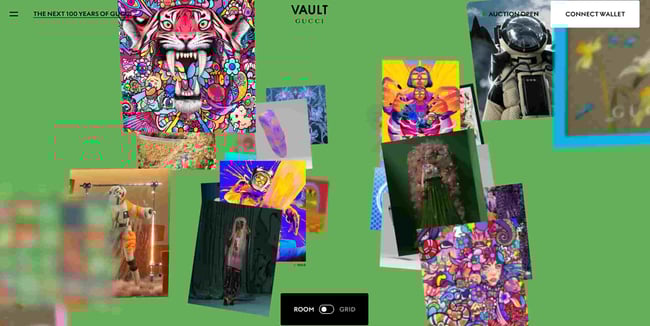
23. Gamified Design
Gamified design is everywhere in 2023, making it one of the most prevalent website design trends this year. Gamification is an excellent idea because it adds an element of human emotion for visitors. For instance, when they arrive on your site, they have the experience of engaging with your content in a unique, memorable manner. This example by PrettyDamnQuick demonstrates exactly what we mean.
What we like: This playful trend is more than fun — it’s genius from a user engagement standpoint.
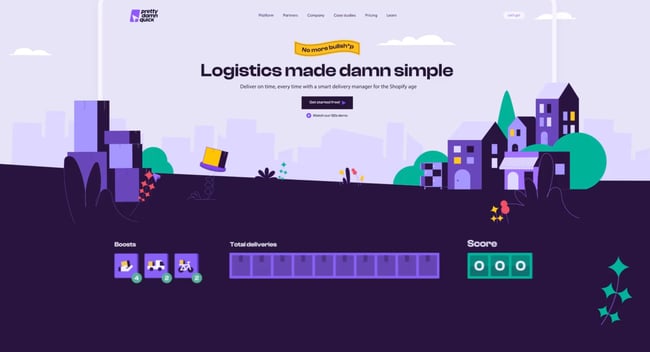 24. Emphasis on Product Photography
2023 is the year of product photography reigning supreme for ecommerce websites. From beauty companies to clothing brands and beyond, product photography will be front and center in 2023. This example from skincare brand BYOMA shows how impactful keeping your brand’s products centerstage can be.
What we like:Visitors don’t have to hunt down images of what you’re selling — they’re immersed in it from the moment they arrive on your website.
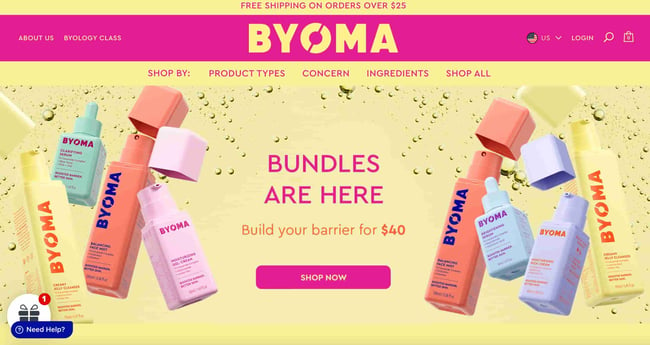 25. Pastel Colors
It is predicted that pastel colors will dominate 2023 website design. Pastels are bright, warm, and whimsical — a powerful reprieve from the bleakness of the early 2020s. This portfolio created by Cédric Pereira reveals exactly how visually impactful pastel colors can be.
What we like: Pastels add an element of levity to your website.
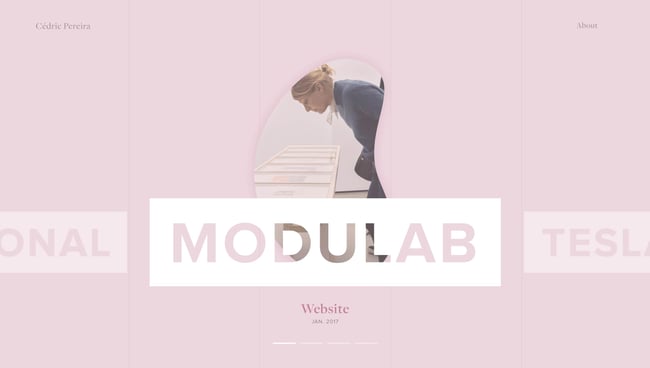
Design Trends You Can Use on Your Website
Of course, you don’t need to incorporate all of these trends to build one of the best website designs in 2023— we doubt that’s even possible anyways. However, even adding a couple as prominent components or subtler details can improve your site’s UX significantly, leading to higher engagement, more CTA clicks, and a better outcome for your online business.
Editor’s note: This post was originally published in January 2018 and has been updated for comprehensiveness.

The Best Times to Post on Social Media in 2023 [New Data]
Social media is one of the best ways to amplify your brand and the great content you’re creating. But it isn’t enough to just post content to social whenever you feel like it – posting at some times performs better than others.
So, what are the best times to post on each social media channel in 2023? We surveyed 1000+ social media marketers and got the answer.
Best Time to Post on Instagram
In 2022, Instagram surpassed 2 billion monthly users, with most of its base accessing the platform via mobile.
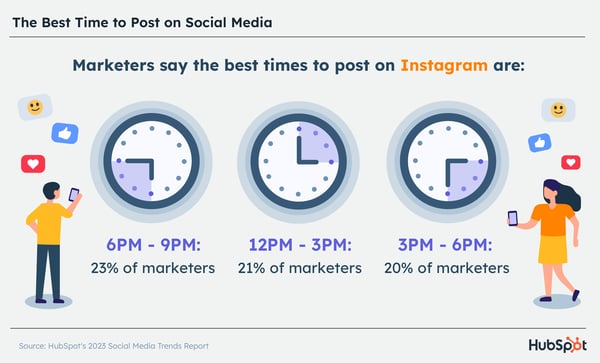
- On average, the best times to post on Instagram across industries are mid to late evening and mid to late afternoon, specifically from 6 PM – 9 PM, 12 PM – 3 PM, and 3 PM – 6 PM.
- The best day to post on Instagram is Saturdays. The worst is on Mondays.
- The worst times to post are:
- 6 – 9 AM.
- 9 – 12 AM.
Best Time to Post on Facebook
When it comes to best times to post, marketers report almost identical numbers on Facebook as they do on Instagram.
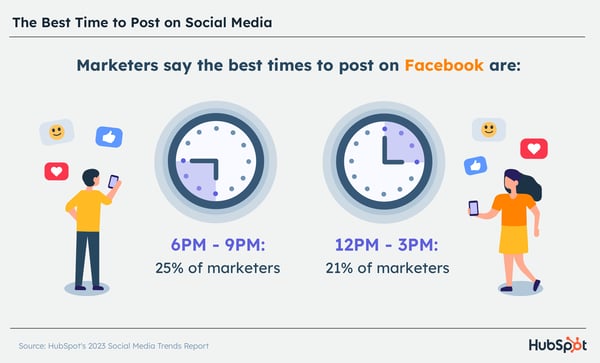
- On average, the best times to post on Facebook across industries are in the evening and mid-to-late afternoon, specifically between 6 and 9 PM and 12 PM – 3 PM.
- The best day to post on Facebook are Friday and Saturday. The worst is on Sunday.
- The worst times to post are:
- 6 AM to 9 AM.
- 9 PM to 12 AM.
Industries that have more success posting early morning are government and nonprofits.
Best Time to Post on Twitter
Marketers report that the best time to post on this text-based social media platform is between 9 AM and noon.
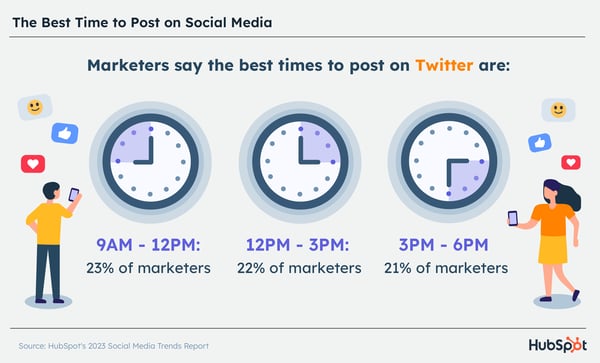
- 23% of marketers surveyed say 9 AM – 12 PM is the best time to post on the platform, followed by 12 PM – 3 PM, then 3 PM – 6 PM.
- Like Instagram and Facebook, Friday is the best day to post on the platform, and Wednesday is just as good.
- Worst times? Early morning. Specifically 6 – 9 AM.
Best Time to Post on LinkedIn
Roughly 31% of U.S. adults use LinkedIn to network and share their professional endeavors. It’s no surprise that it’s the only social platform to report a weekday as one of the top days to post.
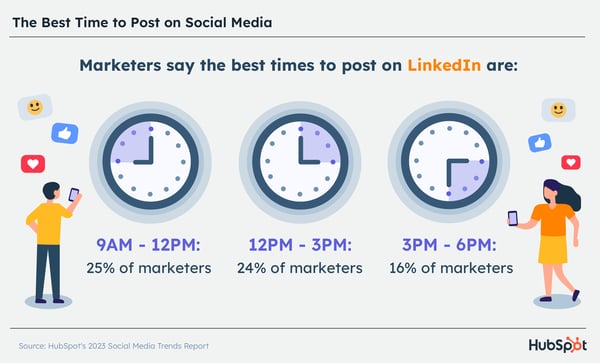
- Aim to post on LinkedIn between 9 – 12 PM, 12 – 3 PM, or 3 – 6 PM.
- The best day to post is Mondays, Wednesdays, or Tuesdays, in that order.
- The lowest-performing days are Sundays and Saturdays, respectively.
Best Time to Post on Pinterest
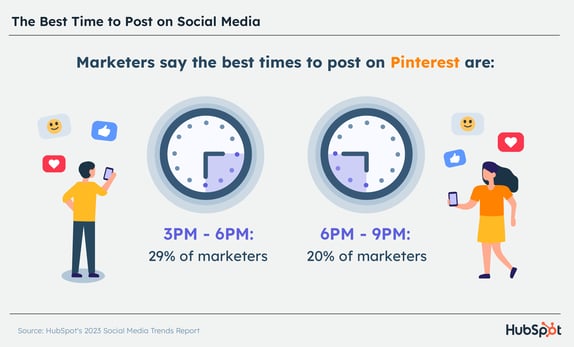
- The best times to post on Pinterest are between 3 PM and 6 PM.
- The second most popular time is 6 – 9 PM, selected by marketers surveyed in defense or aeronautics, chemicals and metals, and agriculture, food, and beverage.
- 29% of marketers say the best day to post on Pinterest is Friday, and the worst is Sunday.
Best Time to Post on YouTube
82% of U.S. adults use YouTube and data from a 2022 Pew Research study suggests that its reach is growing. So, how can you get the best reach on the platform? Let’s dive in.
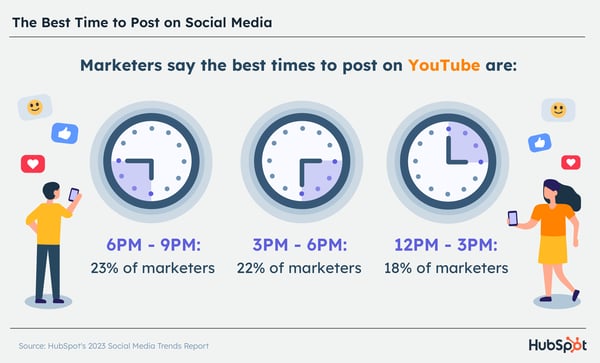
- Post between 6 PM and 9 PM (23%), 3 to 6 PM (22%), and noon to 3 PM.
- 18% of marketers surveyed recommend posting on Fridays, while 16% say Saturday is the best day to post.
- Tuesday is the worst day to post on the platform, along with early mornings from 6 – 9 AM.
The most popular time frame for emergency services, agriculture, food and beverage, and transportation businesses is 3 PM – 6 PM.
Best Time to Post on TikTok
Since 2020, TikTok has become the go-to short-form video platform for Gen-Z and Millennial consumers.
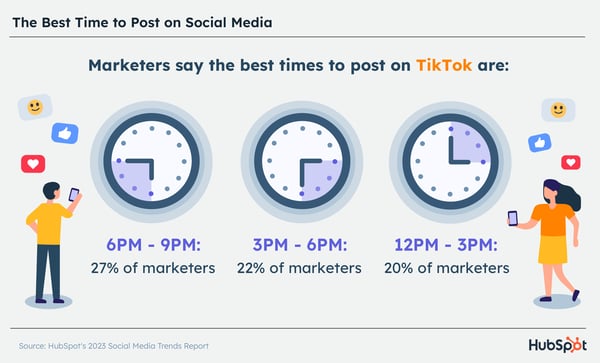
- The best times to post are 6 to 9 PM, 3 to 6 PM, and 12 to 3 PM.
- For B2B brands, Saturdays and Thursdays are the best days to post. For B2C brands, it’s Saturdays and Sundays.
- Although energy and utilities and manufacturing and materials brands seem to find success in posting between 6 to 9 AM, most marketers don’t recommend it.
- The best day to post on TikTok is Friday, and the worst days to post are Monday and Tuesday.
Creating an Effective Posting Schedule
Although each social network sees its engagement increase at specific hours and days of the week, you’ll still have to tailor your approach to your audience.
Use this data as a guide if you don’t have enough data yet. Once you start posting regularly and have collected data, review it to determine when your audience is most active on the platform and what posting schedule they respond to the most.
You may find that certain content types work better when posted at certain times. For instance, your videos may perform well when posting in the morning while your images may do better in the late afternoon.
Editor’s note: This post was originally published in 2017, but was updated for comprehensiveness.

How to Measure Social Media Marketing ROI [with Expert Advice]
When it comes to building effective social media ad campaigns, the biggest question isn’t “how much should I spend?”
It’s “for every dollar I spend, how much do I get back?”
In other words, it’s all about return on investment (ROI) — how are ad spending and customer conversion linked? Understanding this connection makes it less important how much you spend, and instead lets you focus on the impact of your social ads. In this piece, we’re taking a look at how to measure social media marketing ROI and offering a look at eight tools to help streamline the process.
Feel free to jump ahead to:
How to Measure Social Media Marketing ROI
Expert Tips on Measuring Social Media ROI, According to G2 and Dropbox
How Much Should You Spend on Ads?
8 Best Social Media ROI Measurement Tools

ROI is a measure of spend versus value: If I spend “X” amount, how much do I get back? The best-case scenario is an ROI greater than one, where companies get back more than they spent on an investment.
Consider a manufacturing company buying a new piece of production line equipment that costs $10,000 but brings in $20,000 worth of revenue each year. The result is a positive ROI and a worthwhile investment. While measuring social media ROI isn’t quite as straightforward since companies need to account for the reach and impact of specific ad campaigns, the underlying concept is the same: Over time, the goal is to get back more than you spend.
While specific measurement timelines and media metrics will differ, the role of ROI remains the same.
How to Measure Social Media Marketing ROI
One of the most popular and data-driven ways to measure social media marketing ROI is through paid advertising. The problem arises, though, when there isn’t a sound strategy in place to yield a positive return on investment.
How does this happen? Typically, social media marketers build an AdWords campaign to rank for important search terms. The campaign drives clicks, traffic, and leads, but ultimately the ad spend outweighs the impact of the ads which is bad news for ROI.
These marketers end up learning a really expensive lesson, one that could be easily prevented by following these simple steps:
1. Develop a Budget.
Ads aren’t right for everyone. Some industries have extremely high competition with astronomical CPCs. Some products have too low of an average sales price for the economics to work.
To determine if ads are worth your time, start by building a budget. This isn’t always an easy task, especially considering the hit many marketing budgets have taken over the past two years. According to Tequia Burt, Editor in Chief of the LinkedIn Marketing Solutions Blog, market knowledge is a key component of this process. “As marketing leaders evaluate their budgets and organize their plans for the year ahead,” she says, “a bit of context and clarity can lend helpful structure.”
Consider that 76% of companies plan to boost spending across areas such as branded influencer content, ads in social media stories and ads in social media feeds. Knowing where and when this spending makes the most sense is critical to drive ROI.
Featured Resource: Budget Templates To Manage Your 2022 Spend
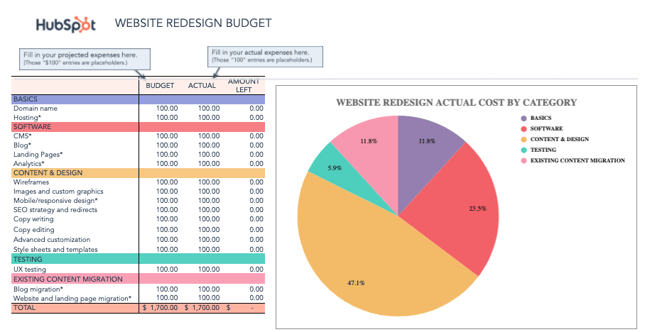
Download Free Marketing Budget Templates
2. Continually Evaluate Ad Performance.
Try not to look at ads as a shortcut. It’s possible to get to a place with ads where they become a recurring source of profit, but typically that’s not how things start.
Don’t be surprised when a week after your campaign launches your ads aren’t generating tons of profit. “Around 80% of businesses online feel that they deliver great assistance via social media, but only 8 percent of their customers agreed,” says John Kopanakis, professor of Business Intelligence at Hellenic Mediterranean University. “Despite putting in a lot of effort, many marketers hardly reach their targeted sales. It is because they struggle to measure the impact of their social media efforts on their sales.”
As a result, incremental improvements in clickthrough rates and conversion rates can have a huge impact on profit. Use the ads calculator to explore the impact these changes could have. Watch your ads like a hawk for the first month and you’ll avoid big mistakes.
3. Make Sure You’re Amplifying the Right Message.
Ads act like a megaphone to amplify your marketing campaigns and content. The more complete and well-developed your campaigns are, the better your ads will perform.
As noted by Samuel Bu, Marketing Director at FortuneNote Chinese Business Magazine in a recent LinkedIn Pulse post, it’s also critical to find the right channel for your business. While he highlights LinkedIn as a great way to generate leads and calls out Facebook’s huge impact on the social market, he also highlights challenges with platforms such as Instagram. Why? Bu says “Most likely, Instagram falls short of producing strong ROI due to its more intangible metrics — such as brand awareness, reputation, loyalty, and consumer engagement.”
Think about it: Which ads do you think perform better? Those promoting your homepage or those promoting a remarkable piece of content that helps someone?
Bingo. Those promoting awesome content.
Campaigns that use ads should be treated like other campaigns. Establish your goals first, build great content, focus your message and optimize your landing pages, then figure out how ads can help amplify your message. Taking this combined approach and only using ads as a strategic component of your marketing campaigns will pay off.
Expert Tips on Measuring Social Media ROI, According to G2 and Dropbox
To further investigate how to effectively measure social media ROI, I spoke with social media experts at G2 and Dropbox.
Let’s dive into their tips now.
1. Determine goals for each channel, and re-evaluate those metrics often.
Measuring ROI requires understanding how your social efforts contribute to the company’s bottom line — but this isn’t always a straightforward, one-to-one link.
For instance, the first time someone engages with a social post, they might not immediately purchase a product. Instead, maybe they decide to follow your brand on Instagram, and end up purchasing a product later on.
To accurately measure ROI, then, it’s vital you determine which social media metrics matter most to your team.
As Jenny Gardynski, Director of Communications at G2, told me, “When it comes to our organic social media presence, we look at metrics that demonstrate both our reach and engagement – in support of driving G2’s brand awareness. Key metrics we measure include follower count, impressions, and post link clicks.”
Already a HubSpot customer? Click here for 20% off eligible G2 plans, and receive a free tour of G2 Buyer Intent data for your business.
Identifying specific goals for each campaign will help you accurately measure your social ROI. For instance, if your goal for your upcoming organic social campaign is to increase follower count by 3%, then hitting or exceeding that number demonstrates positive ROI.
Gardynski continues, “To determine what the proper goal should be per channel, we spend time benchmarking where we’ve been in the past, what our typical growth rate has been, as well as thinking ahead to what content and assets we anticipate fueling our social calendar. Since social media platforms are constantly changing — with new features and algorithm updates — it’s important to re-evaluate these metrics often.”
Determining historical data is a vital component of measuring ROI. This enables you to measure how your content typically performs on a given channel, and determine which area(s) of your social strategy are most effective.
2. Identify which metrics best translate into success for your social team.
There isn’t a one-size-fits-all approach to measuring ROI because ROI depends on each social team’s individual goals.
Susan Chang, Dropbox’s Director of Social Media, told me, “Anyone that works in social media knows that there is no shortage of metrics to track, which means that there are many different ways to measure ROI.”
A couple common metrics you might measure include:
- Audience Growth Rate
- Social Media Impressions
- Social Media Conversion Rate
- Social Media Engagement Rate
- Customer Response Rate
- Influencer Campaign Metrics
- Traffic to Brand’s Website
… And many others.
Ultimately, each social team has its own unique objectives. For instance, Chang says, “It’s up to the social media team to design a program and set goals that are customized to their brand’s objectives and priorities. Sometimes, a brand will prioritize engagement rate, because their goal is to build community and create two-way conversations between their brand and their customers.”
“Other times,” she continues, “a brand cares most about conversions because they’ve invested in paid social as a viable source of revenue. Or, maybe the highest priority metric is traffic or CTR to an owned website because their goal is to educate their users and raise awareness about their brand’s capabilities.”
Chang adds, “The metrics we care the most about will change as the needs of our business evolve. The great thing about social is that you’re able to assess your brand’s needs and through analysis, identify the metrics that best translate into success for your team.”
3. Evaluate a paid campaign’s impact on Marketing Qualified Leads (MQLs).
To measure the ROI of a paid campaign, you’ll want to evaluate the leads or customers you converted through your ad.
Achieving positive ROI on a paid campaign can be difficult. Oftentimes, brands end up spending more money than they get back. That’s where intent-based targeting becomes critical.
Laura Grass, G2’s Senior Marketing Manager, Enterprise & ABM, says, “When it comes to paid social, our primary focus is evaluating a campaign’s impact on Marketing Sourced Pipeline — which is evaluated by measuring the number of Marketing Qualified Leads (MQLs) — as well as the MQL to Sales Qualified Lead (SQL), conversion rates, and later on, the number of open opportunities and their contract values.”
Grass adds, “We also look at metrics that reflect efficient campaign performance (including click-through rate, cost-per-click, and cost-per-lead or cost-per-conversion). Because we’re big believers in meeting people where they are in their buying journey, we leverage our own G2 Buyer Intent Data to retarget audiences that have engaged with our product page and other software in our categories on G2.”
You might also consider leveraging intent data in your next social media campaign to target a smaller, more qualified subset of people. This can help you minimize the chance of a negative ROI by ensuring you’re reaching people who’ve already shown interest in your brand.
As Grass puts it, “This tends to narrow the campaign audience to in-market prospects, thus often increasing CPC and CPL from the get-go. But we tend to see the payoff in the pipeline. We consistently see higher conversion rates and higher ACV on paid social campaigns as a result of intent-based targeting, making the investment upfront well worth it.”
Sync your G2 Buyer Intent Data with HubSpot to enhance your sales process and close new customers.
How Much Should You Spend on Ads?
Assuming you’ve run the numbers and now know what you can expect in terms of profit and ROI, it’s time to launch a campaign. To do this you’ll have to make two budget decisions, regardless of where you are advertising:
- Total campaign budget or duration: How much do you plan to spend in total? How long will the ads run for? Be aware that if you don’t set a limit there will be no maximum or end date.
- Daily budget: How much do you want to spend a day?
There are two ways most marketers use ads, short-term and long-term. Let’s take a look at both …
Short-term ads. Budget = at least a few hundred dollars over a month.
When marketers use ads for a short-term goal, it’s usually to jump-start a campaign or boost content that needs a bump. These ad spends are generally smaller and shorter, but can be large.
If you have a few hundred dollars to spend, spend it this way. Create a social post that promotes a piece of content and then use your ads to boost the post. Facebook, Twitter, and LinkedIn all have good solutions for this. Make sure you use the social network that gives you the best targeting for your persona and returns the most valuable leads. Measure this by assessing the quality of the leads generated after the campaign.
Long-term ads. Budget = at least a few thousand dollars over a quarter.
Ads can be a great solution in a pinch but if you really want to use ads strategically build them into your overall marketing strategy. This means more consistent, quarterly ad spends.
Consider how potential customers make purchase decisions and use ads to influence them. This may mean always relying on search ads or retargeting to make sure prospects find you when they are ready to buy. You’re more likely to accumulate better data taking this approach, which will allow you to get more sophisticated in how you optimize your ad spend.
Given the quickly-changing nature of social media platforms and posts, it’s worth considering social media ROI tools to help stay on top of spend and revenue measurements. Here’s a look at eight great options.
1. HubSpot
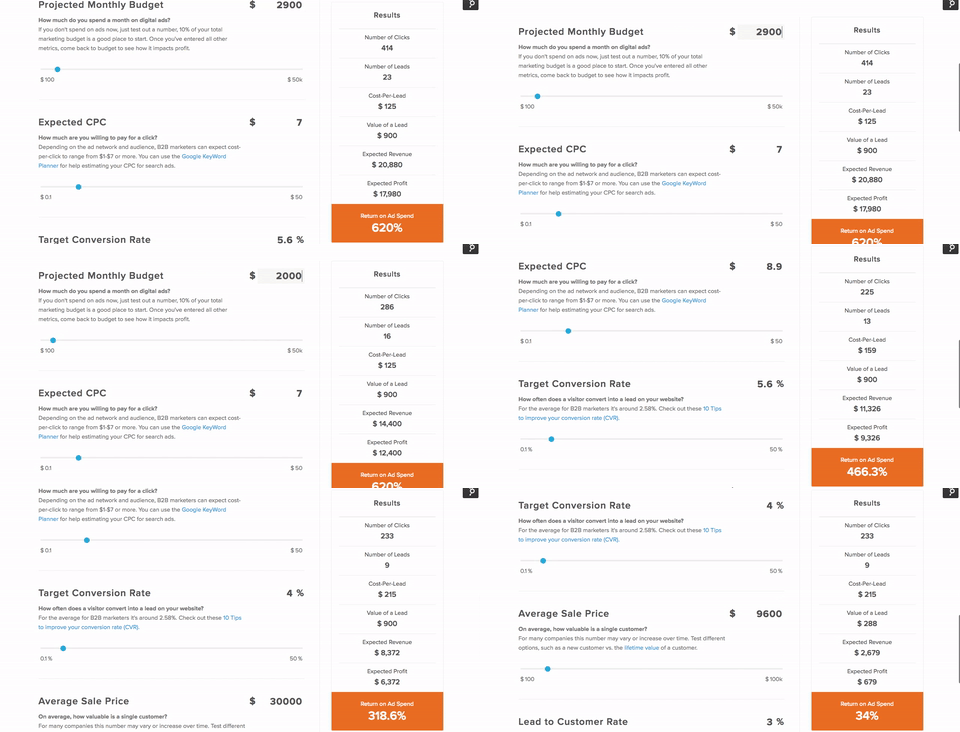
The HubSpot Advertising ROI Calculator makes it easy to narrow down when and where it’s worth spending on social ads.
Start by inputting your projected monthly budget, then your expected cost-per-click (CPC), target conversion rate, average sale price and lead to customer rate to get a general idea of your ROI on advertising spend. Use the calculator regularly to reevaluate your campaigns and make sure they’re delivering on key metrics.
2. Hootsuite
Hootsuite also offers a free Social ROI Calculator that lets you input ad spend data to determine potential ROI. While it uses slightly different metrics and has a different setup than the HubSpot version, the general function is the same: Input your data to see where it makes sense to spend on ads and where the return may not justify the investment.
While both offer a solid starting point for ROI, we’re naturally biased toward the HubSpot version.
3. Sprout Social
Next up is Sprout Social. Unlike HubSpot and Hootsuite, you’ll need to sign up for a free trial to access Sprout Social’s ROI calculator. After 30 days, it’s $99 per month if you want to keep using the tool.
Depending on your current ad campaign and ROI goals, however, the cost may be worth it. Sprout’s tool offers message-level insights to see which posts are proving their worth along with follower, engagement, and keyword analytics that cover the entire publishing process from draft to queue to posting.
4. Cyfe
Cyfe provides a set of all-in-one business dashboards that provide insights across key social platforms such as Twitter, Facebook, Instagram, and LinkedIn. Easily monitor what ads are being posted, how they’re performing, and how users are interacting with your campaign efforts.
Cyfe comes with a 14-day free trial. After that, it’s $19 per month for two dashboards and one user.
5. Google Analytics
Google Analytics is familiar, free, and functional. While it doesn’t have the same laser-focus on social media as some other offerings on our list, it comes with the advantage of access to massive data sets, and also helps inform social advertising SEO, which is critical to any effective campaign.
To see how your social ads are performing at a high level, first log into your Google Analytics dashboard. From there, select Acquisition, then All Traffic, then Channels. This will bring up a list of your traffic sources, including those from social sites, in turn helping you get a general sense of how social ads are working to drive revenue.
Featured Resource: The Ultimate Google Ads PPC Kit
.png?width=300&name=Image%20Hackathon%20%E2%80%93%20Vertical%20(59).png)
6. Buffer
Buffer is an all-in-one social media marketing and ROI tool that’s designed to simplify the process of measuring and managing ads. The tool streamlines the creation of social ad content and lets you measure impact in just a few clicks to see what’s working, what isn’t, and what needs to improve.
If you’re just getting started with social media ads, Buffer has a free plan that lets you manage up to three channels with basic tools. From there, plans start at $5 per month for “Essentials”, $10 per month for “Team” and $100 per month for “Agency”.
7. Keyhole
Keyhole lets you accomplish two key tasks: Listen to what people are saying about your brand in real-time and monitor the impact of your influencer marketing campaigns.
The first is critical because customer sentiment is a solid bellwether when it comes to ad effectiveness. If the number of people talking about your brand is going up — and if most of what they have to say is positive, you’re on the right track.
Influencer marketing reports, meanwhile, help keep tabs on influencer partners who exist outside your business ecosystem but offer potential benefits for your brand, as long as they’re posting consistently and in line with your messaging.
8. Social Mention
The simplest tool on our list, Social Mention lets you search any keyword or key phrase for recent social mentions.
In practice, companies can use Social Mention to see what’s currently trending and what opportunities exist to target specific keywords, and can then follow up after ads have gone live to see how campaigns are performing.
Getting the Biggest Social Impact for Your Spend
Bottom line? There’s no single way to spend your social marketing budget. Some companies may prefer to keep spending low and handle most of their ads through free platforms and word of mouth, while others are willing to spend top dollar for on-demand results.
Whatever budget you choose and whichever approach you take, however, there’s a common rule of thumb: Ask lots of questions about your ad spend, and make sure ads are performing as intended.
Why? Because even targeting the right market with the right approach, it’s easy to burn through money fast. Safeguard yourself by knowing what to expect, having clear expectations, and using the right tools to measure social ad ROI.
Editor’s note: This post was originally published in July 2016 and has been updated for comprehensiveness.


The Ultimate Guide to Branding in 2023
Coca-Cola is more than a soda. Starbucks is more than coffee. Apple is more than computers.
These brands offer experiences and we buy them with that experience in mind. And these companies know exactly what experience they want you to have when you make (or consider) a purchase. That’s why they cultivate their brands.
This branding guide will help you create and manage a strong brand that’ll entice customers to admire, remember and prefer your business. So, keep reading or use the links below to jump ahead to find what you need.
Brands are a simple way for companies to communicate their vision. A brand clarifies what a company stands for and why. A brand also refers to the overall experience a customer undergoes when interacting with a business — as a shopper, customer, social media follower, or mere passerby.
So, branding is the process of researching, developing, and applying a distinctive feature or set of features to your organization so that consumers can begin to associate your brand with your products or services.
Branding is in social media captions, billboard color palettes, and the materials brands use in their packaging. Companies that create strong brands know that their brand identity needs to live everywhere. They know their names extend far beyond the label and can entice consumers to choose their products out of a lineup of options.
For example, the Coca-Cola brand is one of the most recognizable logos and color stories around the world. The classic red and white lettering, vibrant artwork, and distinctive font have lasted for over a century.
Having stood the test of time, the Coca-Cola brand is a testament to the power of consistent, successful branding that consumers have come to love.
That said, branding is an iterative process and requires getting in touch with the heart of your customers and your business.
Branding vs. Marketing
While it’s easy to combine branding and marketing into one focus or idea, they’re quite distinct. It’s also common to hear branding and marketing compared in terms of priorities. The truth is, they are both essential to a successful business and must work in harmony for a business to grow.
Put simply, branding is the identity of a company, and marketing is the tactics and strategies that communicate that vision.
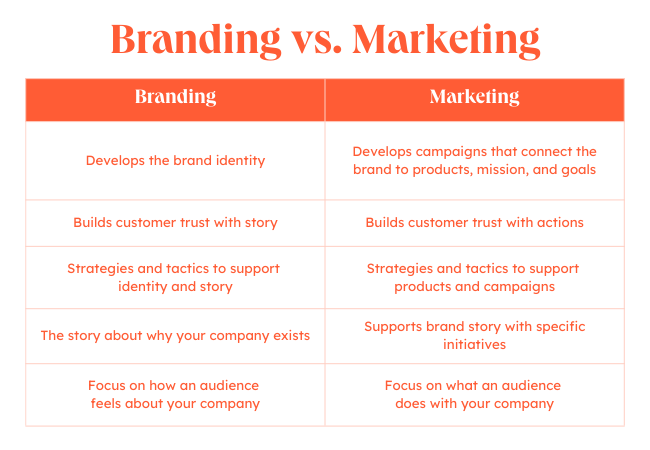
As a business grows, both branding and marketing get more complex. This growth often means that both areas of a business will develop strategies and tactics to support different goals. In branding, these actions usually support the business’s story and identity. In marketing, these actions usually amplify a company’s products, customers, or other initiatives.
Branding is important for a variety of reasons — and we’ll go through them below.
Other benefits of branding include:
1. Guides purchase decisions.
Branding can be the deciding factor for consumers when they make a purchase decision. In fact, a 2021 Razorfish study found that 82% of surveyed consumers buy from brands that stand for a greater mission or purpose. 67% say the brands they buy from make them a better person.
2. Creates an identity for your business.
Branding gives your business an identity. A brand extends beyond a company’s product or service. It gives consumers something to relate to and connect with.
3. Helps customers remember your business.
Branding makes your business memorable. It’s the face of your company and helps consumers distinguish your business across every medium.
4. Boosts advertising and marketing.
Branding supports your marketing and advertising efforts. It helps your promotion pack that extra punch with added recognition and impact.
5. Builds employee support.
Branding brings your employees pride. When you brand your company, you’re not only giving your business identity, you’re also creating a reputable, highly-regarded workplace. Strong branding brings in strong employees.
Brand Strategy Guide
Branding can be a complex process. It’s true, branding is creative work. It’s also a team effort, and there are many stakeholders who you’ll need to loop into the process. Everyone has an opinion, and navigating useful feedback and changes can make branding a challenge.
But you don’t have to invent your brand without help — many templates can help you create a powerful brand. To show you how a template can improve the branding process, let’s walk through a few HubSpot resources.
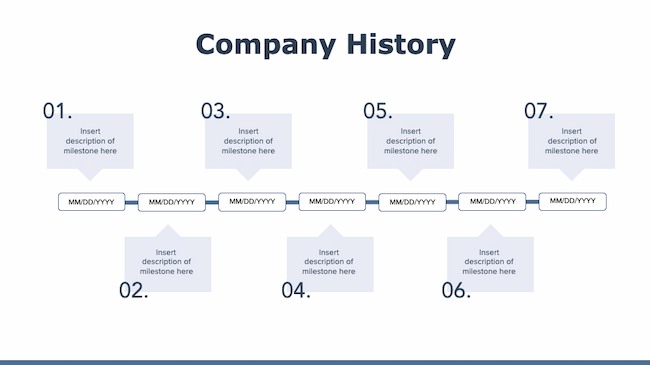
- Company Profile Templates: This resource can help you pull together the story of how your company began and how you want to continue. This makes it easier to refine your brand identity and strategy.
- Company Culture Code Template: The culture of your business and your brand should be intrinsically connected. This useful template makes it easier for your team to hone the core of your unique culture so you can use that knowledge to update your brand.
- Value Statement Templates: These templates can help you refine the value your company offers to customers. It includes over 30 pages of useful prompts and visual tools to hone your messaging.
Here’s how you can create a brand — or begin the process of rebranding your business.
There’s a lot that goes into a brand, and there’s a lot to consider when building a strong one. So, grab a notebook and jot down ideas as you move through this section. Recognize that branding is an iterative process. This means you might be repeating some of these steps as you brainstorm and build your brand.
Want to build an effective, measurable brand? Download our free guide on how to build a brand.
1. Determine your target audience.
Branding leads to awareness, recognition, trust, and revenue. We’ve talked about that. But let’s take a step back and understand where those stem from: consumers. And not just any consumers — your target audience and customers. 70% of consumers say that they want a personalized experience. But how can you offer that experience if you don’t have a clear idea of who they are?
If your brand doesn’t resonate with your audience, it won’t lead to that awareness, recognition, trust, and revenue. That’s where target market research comes in.
Before pressing pen to paper (or cursor to digital document), you must understand to whom your branding will be speaking. Who does your product serve? Who is your ideal customer? Why did you create your business in the first place?
What you learn about your target market and buyer personas will influence your branding decisions down the line, so make this step your first priority.
Download our free Persona Templates to easily organize your target audience research and strengthen your marketing.
2. Establish your mission statement.
Let’s return to a question I asked in the last step: Why did you create your business? Answering this will help you build your mission statement. This statement defines your purpose and passion as an organization.
Before you can craft a brand that your audience recognizes, values, and trusts, you must be able to show what your business has to give. Then, every part of your brand (logo, tagline, imagery, voice, and personality) can reflect that mission and vision.
Your mission statement is a building block of your brand manifesto. It encompasses why your organization exists and why people should care about your brand.
Download these free mission statement examples and templates and learn the ins and outs of two of the most valuable strategic planning elements for businesses.
3. Define your unique values, qualities, and benefits.
There are probably lots of businesses in your industry and niche. It’s easy to focus on your competition (and there’s a time and place for competitive analysis), but, for now, let’s focus on you.
What’s one thing that your business has that no one else can mimic (er, legally)? Your brand.
Because of that, you must make sure that your brand is made from and inspired by elements that are solely yours: the values, benefits, and qualities that make your company unique.
Take a moment to jot down a list of what sets your business apart from others. I’m not talking about product features (like appearance, components, or capabilities). I’m referring to how your products or services improve lives and contribute to success.
Real-Life Brand Example: Tower 28 Beauty
You may have heard of Tower 28; they’re a beauty company that went viral on TikTok in 2021. I order their skincare products because 1) they steer clear of harmful ingredients, and 2) I trust and respect the brand (and it’s gorgeous.). On their website, they’ve clearly and simply outlined their unique values and benefits as part of their overall brand. This makes it easy for customers like me to trust their products and choose them over competitors.
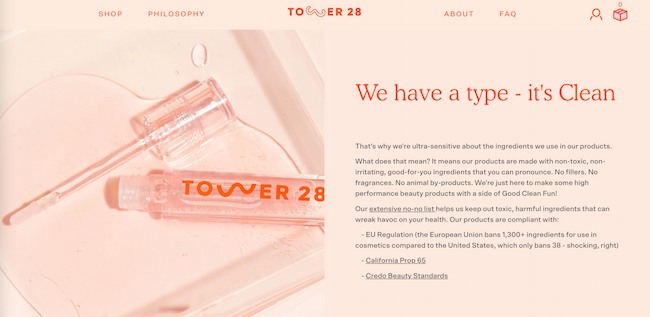
4. Create your visual assets.
At this point, you should understand your target audience, your mission statement, and the unique qualities that make up your business.
Can you say with confidence that you’ve finished these steps? If your answer is yes, it’s time to move on to one of the more exciting parts of branding — the visual design. We’re talking about your logo, color palette, typography (fonts), iconography, and other visual components.

As you create these elements, build a set of brand guidelines (or a brand style guide) to govern the composition and use of your visual assets. This will ensure that whoever uses your new branding does so accurately and consistently. Check out these examples of brand style guides for some inspiration.
Note: Design can be just as intimidating as it is exciting. Consider hiring a professional with logo and identity design experience or starting with a few helpful design templates.
Take your brand to the next level with these free templates for creating a brand style guide.
5. Find your brand voice.
Next, consider the voice of your brand. What would your brand sound like if you had a conversation with it, or if it texted you?
How you communicate with your target market is also considered part of your branding. You want to define a brand voice that connects and resonates with your audience — otherwise, they probably won’t pay attention. Because of that, don’t hesitate to return to step one to get familiar with to whom you’re speaking.
From your advertising campaigns and Instagram captions to your blog posts and brand story, your tone must be consistent.
So, give your audience a chance to get familiar with your brand and learn to recognize the sound of your voice. Better yet, create a fun, entertaining voice, and your customers will look forward to your social media and email updates.
Real-Life Brand Example: MailChimp
MailChimp is a great example of a brand that speaks with a clear, consistent tone. When I used their free plan for my small business, I always chuckled when receiving their emails and scanning their Instagram feed.
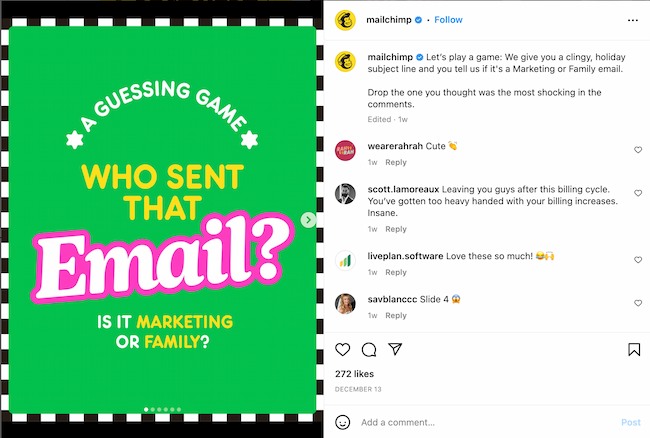
From its web copy to its social media posts, MailChimp has a clear brand voice that’s personable, fun, and accessible. It can be hard to explain the technical parts of a software product (like A/B testing), but MailChimp has finessed that, too.
6. Put your branding to work.
Your brand only works if you do. Once you finish designing and creating your new brand (or rebrand) integrate it throughout every inch of your business. Pay extra attention to make sure that it’s displayed anywhere your business touches customers. Here are a handful of tips for applying your brand across your organization.
Website
50% of consumers think that website design is crucial for a business brand. So, splash your logo, color palette, and typography across your website. Don’t use anything but your predefined assets in your brand guidelines.
Your website is a major part of your company identity — if it doesn’t reflect your brand, it will only create a jarring customer experience. Also, be sure that all web copy, calls-to-action, and product descriptions speak with your brand voice.
Try this website grader for a free evaluation of your website, with tips on how to make improvements.
Social Media
Increasing brand awareness is a top goal for social marketers, according to 2022 research. All profile photos, cover art, and branded imagery should reflect your brand. Consider putting your logo as your profile photo. This will make it easier for customers to recognize your business. As with your website, be sure all profile information, posts, and captions show off your brand voice.
Packaging
If you have a physical products business, your product is probably the most tangible way that customers interact with your brand. For that reason, your packaging should highlight your new branding — in its design, colors, size, and feel.
Real-Life Brand Example: Chobani
I love Chobani yogurt (confession: I’m eating it right now). Their branding immediately tells me that they produce authentic, healthy Greek yogurt. That’s one of the main reasons I buy Chobani. It makes its yogurt packaging with recyclable paper cups — an intentional decision that supports the overall experience they’ve paired with purchasing and eating the Chobani brand.
Advertising
Advertisements (digital and print) are often used to establish brand awareness and introduce consumers to your brand. In fact, according to HubSpot research, 33% of marketers use paid ads to increase brand awareness.
Because of this, it’s critical that they display your branding. In fact, your branding should make the ad creation process easier. With your brand style guide, you already know how your ads should appear and what type of copy to write.
Featured resource: Best advertising examples
Sales and Customer Service
A brand is only as powerful as the people behind it, and if your people aren’t putting your brand to work, it won’t work for you. Moreover, your brand applies to more than your marketing.
Inform your sales and customer service folks of your brand guidelines and tell them to use them, especially when they engage directly with customers. Whether they’re sharing a branded product demo or answering customer questions, encourage them to use your logo, tagline, imagery, and brand voice.
Check out these examples of small business branding for more inspiration.
Branding Terms to Know
Here are some other brand-related buzzwords you should know. They show the importance and value of branding your business.
Brand Awareness
Brand awareness refers to how familiar the general public and your target audience are with your brand. High brand awareness leads to brands being referred to as “trending,” “buzzworthy,” or “popular.” Brand awareness is important because consumers can’t consider purchasing from your brand if they’re not aware of it.
👉🏼 Strong branding makes your business known.
Brand Extension
Brand extensions are when companies “extend” their brand to develop new products in new industries and markets. Consider Honda lawnmowers or Martha Stewart bedding. Brand extensions allow companies (or individuals) to leverage brand awareness and equity to create more revenue streams and diversify product lines.
👉🏼 Strong branding brings in more money.
Brand Identity
Brand identity is the personality of your business and the promise you make to your customers. It’s what you want your customers to walk away with after they interact with your brand. Your brand identity is typically composed of your values, how you communicate your product or service, and what you want people to feel when they interact with it.
👉🏼 Strong branding gives your business more than a name.
Brand Management
Brand management refers to the process of creating and maintaining your brand. It includes managing the tangible elements of your brand (style guide, packaging, color palette) and the intangible elements (how it’s perceived by your target audience and customer base). Your brand is a living, breathing asset, and it should be managed as such.
👉🏼 Strong branding requires consistent upkeep.
Brand Recognition
Brand recognition is how well a consumer (ideally in your target audience) can recognize and identify your brand without seeing your business name — through your logo, tagline, jingle, packaging, or advertising. This concept goes hand-in-hand with brand recall, which is the ability to think of a brand without any visual or auditory identifiers.
👉🏼 Strong branding keeps your business top-of-mind.
Brand Trust
Brand trust refers to how strongly customers and consumers believe in your brand. Do you deliver on your marketing promises? Do your salespeople and customer service go above and beyond? These things can create trust among your customers, which is important in a world where a mere 14% of people feel confident in large businesses.
👉🏼 Strong branding builds trust with your customers.
Brand Valuation
Brand valuation is the commercial valuation of your brand derived from consumer perception, recognition, and trust. This concept goes hand-in-hand with brand equity. A powerful brand can make your business invaluable to investors, shareholders, and potential buyers.
👉🏼 Strong branding increases your business’s value.
1. Treat your brand as a person.
To best wrap your head around the branding process, think of your brand as a person. Your brand should have an identity (who it is), personality (how it behaves), and experience (how it’s remembered).
Ask yourself these questions about your brand:
- How would your brand introduce itself?
- If it had to describe its appearance, how would it do so?
- How would your brand talk about your products or services? Would it be serious and professional, or would it be humorous and edgy?
- What would someone say about your brand after “meeting” it for the first time? What are a few sentences they’d use to describe it?
The purpose of branding is to create relationships with your customers. The easiest way to do this is to treat your brand as a person and understand that you want your customers to do the same.
Featured resources:
2. Prioritize consistency.
88% of consumers are looking for authenticity from the brands they support. Consistency is essential for branding because it builds trust and shows customers that your values are authentic. Without it, you could accidentally undermine your brand and confuse your customers.
Recognizable, valuable brands focus on consistency — and they reap the benefits. So, make your brand a unified presence across mediums and platforms. This makes it easy for your customers to get familiar with, recognize, and come to prefer your brand over time. Brand guidelines can help with this initiative.
Take a look at this post for consistent brand examples and ideas.
3. Build and follow a brand strategy.
A brand strategy is more than your brand guidelines. It’s a plan with specific, long-term goals that your team can achieve as your brand evolves. These goals typically revolve around your brand’s purpose, emotion, flexibility, competitive awareness, and employee involvement.
Remember how I said that branding is a continuous process? There’s a lot that goes into it. A brand strategy can help you turn that process into a well-oiled practice that keeps your brand moving toward success and recognition.
4. Don’t let inspiration turn into imitation.
Competitive analysis is important. Not only does it educate you on where your competition stands and how they are excelling, but it can also give you ideas on how you can improve or further set apart your brand.
But be careful to not fall into an imitation trap. Keep your competitive research limited and focus on what your organization brings to the table. Just because a competitor (or two) has branded their company in a certain way doesn’t mean that you have to follow suit. New, unique, provocative brands are memorable brands.
5. Use branding to hire.
Strong branding makes your employees proud. I know I’m proud to be part of HubSpot. Leverage your branding to attract talented people. If hiring is a strong initiative for your organization, dedicate some of your resources to employer branding.
Employer branding is how you market your company to job seekers and current employees. If you’re publicly proud of your organization, others will be, too.
Ready, Set, Brand
Branding is your organization’s name, logo, color palette, voice, and imagery. It’s also more. It’s that intangible feeling your customers have when they interact with your brand. You know, that experience we talked about in the beginning.
That’s how powerhouse brands deviate from all the others. The tangible components contribute to this — a gorgeous logo, a clever tagline, an authentic manifesto, and a clear brand voice — but truly strong brands thrive when they focus on the big picture of their brand. Get to the heart and soul of your target audience and your organization, and a successful brand will follow.
Editor’s Note: This article was originally published in March 2021 and has been updated for comprehensiveness.

How to do a Website Audit to Improve SEO & Conversions
Website audit reports are the key to giving your site a comprehensive checkup. Maybe you’ve never audited your website before or you have a redesign planned for the future. Whatever your situation, use this post as your go-to website audit checklist.

Below, you’ll learn what a website audit is, the different types of audits, and how to use information from an audit to improve your SEO and conversions.
Table of Contents:
- What is a website audit?
- Types of Website Audits
- The Benefits of a Website Audit
- How to Conduct a Website Audit
- Assessments to Make When Auditing Your Website
- Website Auditing Checklist
- Website Audit Example
- Wrapping Up Your Website Audit
Before we dive into the things you should keep an eye out for, let’s review some of the different types of audits you can perform.
Types of Website Audits
Here are a few common audits among marketers.
1. Competitive Website Audit
A competitive website audit tracks your competitors and their online strategies to help you see what opportunities your brand could be missing out on. Essentially, a competitive audit allows you to see what’s working for other companies in your market so that you can incorporate those tactics into your own strategy.
Start by performing a SWOT analysis on a competitor’s website. In a SWOT analysis, you track the website’s strengths, weaknesses, opportunities, and threats. For example:
- A strength could be that their website is easier to navigate than yours.
- One weakness could be that their website has slower page loading times.
- Opportunities could be items or tools missing from their website that you can add to yours to give you an edge.
- A threat could be that their website ranks higher in search engine results pages (SERPs) than your own, resulting in your site losing leads.
During this audit, you also need to consider the tools and software they are using to streamline their processes. This can help you discover new ways to run your site more efficiently and make it more accessible for consumers.
2. SEO Link Audit
This type of audit processes the links pointing to your website to find potential issues or opportunities in your backlink profile. By evaluating your links, this audit will help optimize your site to rank for your target keywords.
Link audits consider the URL source, domain, and anchor text to see if value and equity (called “link juice”) are being passed on to your page. This will gauge how much a link is helping or hurting your website’s visibility in SERPs. Links from well-respected websites are much more valuable than links from smaller, less well-known sites.
To perform an SEO link audit, start by gathering all of your link data. You can do this with Google Search Console by entering your domain and then clicking on “Links to Your Site” under “Search Traffic.”
From there, you can download the latest links and create a link audit spreadsheet. Afterward, you manually evaluate your links by paying attention to factors like anchor text, IP address, and page content.
You can also tools like Ahref’s backlink checker to take the guesswork out of analyzing the value of the links you gathered.
3. Lead Conversion Optimization Audit
A lead conversion optimization audit analyzes a website’s conversion issues and opportunities. In this audit, you’ll need to analyze how traffic is coming to your website and where it’s coming from.
Google Analytics is an excellent tool for this step. Knowing where your traffic is coming from will help you better understand your audience’s behavior and will help you optimize your site’s content to suit their needs.
Speaking of content, you’ll also need to analyze the content on your website. Make sure the content is helpful, informative, and up-to-date.
Is the latest information about your business uploaded to the site and easily visible? Does your content contain keywords and phrases to boost its ranking in SERPs? Outdated or irrelevant content can hurt conversions and hurt your SERPs ranking.
Other aspects of your website you need to observe are:
- Forms. Do your forms collect enough information to contact a lead?
- The checkout process. If you notice a lot of shopping cart abandonment, customers are likely having issues with the checkout process on your website.
- Design and layout. Are CTAs clear and visible? Is the copy too small and difficult to read? Is the website easy to navigate?
- Overall user experience. Are there any sources of frustration for visitors to your site?
4. Social Media Audit
Your brand’s online performance can also be impacted by social media. If your social media presence isn’t pushing more traffic to your website, then it’s time to conduct a social media audit.
To start the audit, create a list of all your company’s social media accounts. Do some extra digging to make sure you don’t miss any you’re not aware of, such as accounts started by other departments.
From there, go through each account to determine if they’re all consistent with the company’s branding — using the same images, logo, tone of voice, etc.
Then you’ll need to evaluate each page’s performance. What kind of content performs the highest, and which content type performs the lowest? Are these pages being updated frequently?
Finally, use information from the evaluation to better understand your audience and optimize your social media to engage them. You’ll then be able to update your social media strategy to further delight your audience, more effectively attracting them to your website.
5. SEO Website Audit
While an SEO link audit analyzes the links associated with your website, an SEO website audit evaluates all the factors that can impact your site’s performance in SERPs. This includes links but also extends to other aspects such as keyword usage, content, metadata, page speed, user journey, and video optimization.
It’s possible to conduct an SEO audit on your own but you’ll likely get more thorough answers in less time by employing an agency.
Excellent! Now that you know about a few different audits you can conduct to improve your website, let’s discuss the perks of an audit.
1. You can compare your website to your competitors.
Conducting a website audit will allow you to compare your website to your competitors. You can analyze how well you’re ranking against competitors for keywords and determine potential new sources of revenue.
You can use tools, like HubSpot’s Website Grader, to perform an audit on your competitor’s websites to gather more insights. You can learn how your competitors are attracting visitors and see how they’re garnering conversions.
Ultimately, this will help you brainstorm new tactics and strategies for your site.
2. You can improve your SEO.
With a website audit, you will be able to identify any missed SEO opportunities and remedy any misguided or poorly executed SEO pitfalls (e.g. keyword stuffing, exact match anchor text links, etc.) throughout the content of your website. One great tool that can help keep your SEO details organized is HubSpot’s Free On-Page SEO Template.
An audit will also allow you to refocus your SEO efforts on users first and search engines second. This will safeguard you from constantly chasing changes to search ranking algorithms, meaning you won’t be applying misguided practices just to show up at the top of the SERPs.
3. You’ll optimize conversion rates.
Website audits also enable you to re-evaluate the effectiveness of your website in terms of lead generation and conversion. As a result, you’ll be able to spot any previously overlooked opportunities to convert visitors into leads so you can add relevant CTAs, as well as identify deficiencies in your landing pages so you can optimize them to boost conversions.
4. You can optimize your website performance.
Website audits, like the ones mentioned above, usually evaluate a site for its content and technical performance.
As a result, an audit will give you a chance to inspect the robustness of your website’s technical framework and infrastructure. It will also evaluate how friendly your website is to search engines and determine how easy it is for users to navigate your website to find the content they are looking for.
5. You can identify issues early.
Finally, a website audit finds issues that are hurting your SEO and conversions such as broken links, hidden content, and long page load speed times. Identifying these issues will help you address problems that are diverting traffic.
Assessing both the content and technical aspects of your website will open up opportunities to drastically improve the traffic and conversions your website generates.
Now that you know what a website audit is and why you should do one, let’s look at how to conduct one.
1. Run your website URL through a site audit tool.
Before you get started, you’ll need to find a website auditing tool that can help you analyze how your website is performing. When you use site audit software to run your site through, you can get specific recommendations and test how your page is performing.
2. Find technical errors.
Technical errors like ones related to performance, SEO, mobile, and security, can negatively impact your customers’ experience on your website. If you’re noticing visitors aren’t staying on your site for long, or you’re seeing a lot of abandoned shopping carts — a website audit is a great way to find out why.
3. Identify SEO problems.
Now, you’ll want to look at SEO-related issues so you can improve your ranking on search engines. This will mean looking at meta descriptions, reviewing image alt text, and more.
4. Analyze design and UX.
How is this design working for your customers? Some software has heatmaps of what parts of your design draw the most attention and what users are reading. This type of analysis will let you know how the overall design and user experience are impacting your visitors.
5. Assess website content.
A website audit will help you assess website content including blogs, website pages, etc. You’ll want to know how your current pages are stacking up. Ask yourself, “Is my content ranking well in search engines?” and “Is my on-page SEO and performance aligned with my traffic numbers?”
6. Create a website audit report.
Creating a website audit report that clearly communicates the site issues found (and what to do about them) is an easy job when you have the right tools. There are a number of choices available, and HubSpot’s Website Grader is one of the most user-friendly. It quickly and automatically generates the report by entering the web address you want to have crawled as well as an email address.
For those with more technical experience, SEMRush’s Site Audit Tool is a very thorough reporting option, but getting started for free does require jumping through a few hoops. You would need to create an account, answer some questions about yourself, and choose to skip a trial in order to create the free audit report. Their in-depth report can look overwhelming unless you’re coming to the game with some technical chops.
Whichever reporting product you choose, it should provide a clear display of important website categories — such as SEO performance and the effectiveness of your security measures — and then list the individual issues along with recommended fixes.
Having a full website audit report in your hands enables you to start making improvements yourself or to efficiently send the information to the appropriate teams within your organization.
Now let’s dive into even more detail so you know what to be checking for in this website audit.
Assessments to Make When Auditing Your Website
First, go ahead and enter your website into HubSpot’s Website Grader — this will give you a general overview of your website’s strengths so you can gauge your focus on each of the assessments that follow in this article.

How’d you do? Got an idea of which website audit benefits you need the most? Here we go.
1. Website Performance Assessment
In the first part of your website audit, you should be focusing on how users navigate your website — from your homepage to blog posts, to landing pages, and any related content in between.
Make a list of the pages on your website and ask yourself the following questions to evaluate them for optimization opportunities:
Is your website optimized for maximum usability?
The more visitors you can attract to your website, the more opportunities you’ll have to generate leads and, ultimately, customers. But only if your website performs well.
Just having a website does not guarantee results. As part of determining the overall efficiency of your website, your audit should check to make sure your site is designed with your visitors in mind.
The design and overall navigability of your website should correspond with what a person would come to the site to seek out, such as more information on a business-related topic, resources, product/pricing information, testimonials, etc. This will largely depend on your individual business.
The main goal here is to make it easy for people to get the information they’re looking for. As a result, you’ll likely see conversion rates improve on their own.
To audit your website for usability, consider the following:
- Are all the main value propositions of our business easily accessible via our main navigations/menu items?
- Do we have a simple yet intuitive website design and page layout? Make sure pages aren’t too cluttered; littered with ads, CTAs, or links; or void of internal links altogether.
- Are your conversion paths and/or shopping cart or checkout processes intuitive? Are there a ton of distractions along the way that could be creating friction for your site visitors?
Consider doing some user testing with members of your target audience to ensure you’re effectively surfacing the content they’re looking for and that they find it easy to navigate to the parts of your website they’re interested in.
How is your website’s overall speed?
Are there excessive page sizes or long page load and server response times? Does your site go down frequently? Site speed can be impacted when image files are too large or HTML and CSS needs to be cleaned up — all of which can drastically improve your site speed.
Ultimately, fast-loading and optimized pages will lead to higher visitor engagement, retention, and conversions. To quickly check a web page’s load time, download MozBar, a toolbar by Moz that you can attach to your browser for simple page analysis every time you visit a website.
2. SEO Assessment
Optimizing the performance of your website is crucial to holding onto visitors, but the above question isn’t the only one you should be asking. You should also audit the content you’re publishing to ensure it’s actually solving your visitors’ problems.
Is Your Website Content High Quality?
As you evaluate your content for quality, think about it from your target audience’s perspective:
- Did this information leave me satisfied? <
- Did it answer all of my questions?
- Does it give me all the resources relevant to this topic?
- Do I know what to do next?
Keep in mind quality content should appeal to the interests, needs, and problems of your buyer personas. Present them with interesting and well-written content. Always aim to leave the reader with immediately actionable next steps such as calls-to-action or links to resources.
Is Your Website Search Engine Optimized?
Make sure all your web pages are following on-page SEO best practices. To audit your content for on-page SEO, conduct a keyword analysis in which you do the following:
- Consult your analytics to review keyword performance. Which keywords are giving you the biggest gains in traffic and leads?
- Assess how well you’re factoring keyword performance into your content strategy. How much relevant content are you adding to your website to target those keywords?
- Review basic on-page SEO elements like URLs, page titles, meta descriptions, and copy. Make sure keywords are included where relevant.
To help you conduct an on-page SEO audit of your content, read The Ultimate Guide to On-Page SEO, which also includes a free downloadable on-page SEO template to keep you on track.
3. Conversion Rate Assessment
While high-quality, search-engine-optimized content is a great way to boost your traffic numbers, it’s what happens once those visitors are on your website that really counts.
This is where optimized calls-to-action (CTAs), marketing offers, and landing pages play a major role in the performance of your website. Not only do they offer you opportunities to capture visitors’ information so you can follow up with leads, but they also keep your visitors engaged with your content and your brand.
To audit your website for maximum conversion potential, ask yourself the following questions:
- How many marketing offers do I have in my content arsenal to gate behind landing pages?
- Do I have a variety of marketing offers that appeal to all my different buyer personas?
- Do I have any landing pages/conversion forms on my website to begin with?
- How optimized are those landing pages?
- Do I have conversion opportunities for visitors in varying stages of the funnel?
- Am I using CTAs effectively? Am I missing opportunities to include CTAs on various pages of my website?
Learn more about CTA selection to optimize the CTAs on your website.
4. Technical Assessment
Once you’ve addressed the three primary goals of a website audit, it’s time to loop in a developer or someone from your IT department for a technical evaluation. You could also hire an outside agency — just be sure to do your homework first.
Keep in mind that there may be some carry-over from the three assessments above — website performance, SEO, and conversion rate. The technical evaluation, however, addresses all three to maximize the user experience (UX).
Here’s what you should be looking for in the technical assessment stage of your website audit.
Is your website design responsive?
Does your website have a responsive design? Meaning, is it a mobile-friendly website? The usage of smartphones to access the internet is only growing. As a result, websites must be compatible with that growing demand.
Here’s more on mobile compatibility if this is an area you need to improve in.
Is your website error message free?
Are response code errors popping up all over your website where there shouldn’t be any? Calling out 302-, 404-, and 500-level response codes can be useful to tell users that something’s wrong.
However, having this happen is also an indication that someone isn’t cleaning up broken links and, as a result, leading users to dead ends. Find those error messages and clean up your broken links. Tools like Google’s Webmaster Tools or Xenu’s Link Sleuth can be very helpful for this.
Are your website URLs optimized?
Does your site have URLs of excessive length due to keyword stuffing? Do they contain session IDs and/or include tons of dynamic parameters? In some cases, these URLs are difficult for search engines to index, resulting in lower clickthrough rates from search results.
Does your website have too much Flash or JavaScript?
Identify areas of your navigation that are entirely Flash or JavaScript. Search engines have challenges with reading and accessing these, which could prevent your site from getting indexed.
These elements also present problems from a usability perspective. Visitors are often looking for a very specific piece of information when visiting your site. If they have to sit through a 10-second visual introduction before they can find your hours of operation, you’re going to have a pretty frustrated visitor on your hands.
Is your site structure optimized for search engines?
We already talked about site structure as it relates to accessing content and usability for users, but it’s also important to make sure your site structure is optimal for search engines. If pages on your site are not internally linked to other pages on your site, those pages are less likely to be indexed.
Are you defining how your web pages are crawled and indexed by search engines?
This can be done through various methods that include everything from robots files and tags to sitemaps. These tools help you guide search engines toward your website’s most useful content.
Robots Files or Tags
The robot meta tag lets you use a granular, page-specific approach to controlling how an individual page should be indexed and served to users in search results. These tags should sit in the <head> section of a given page.
The robots.txt file, on the other hand, is a text file that allows you to specify how you would like your site to be crawled. Before crawling a website, search engine crawlers will generally request the robots.txt file from a server. Within the robots.txt file, you can include sections for specific (or all) crawlers with instructions (“directives”) that let them know which parts should or should not be crawled.
Public and XML Sitemaps
Your website should also have public and XML sitemap files. The public sitemap is one that users can access to review the pages of your site, like the index of a book.
The XML sitemap is for search engines to review pages that get added to your site, all in one place. The usual location of a sitemap.xml file is https://ift.tt/5ZKFflw.
The XML sitemap is something every website should have. It offers an opportunity to tell Google and the other search engines which pages on your site you want to be crawled and indexed.
While search engines don’t guarantee they will abide by your sitemap, anecdotal evidence has proven time and time again that XML sitemaps help provide insurance that your pages are found, and found faster — especially if your sitemap(s) dynamically update your new web pages.
Are you defining the canonicalization of content?
The canonicalization of your website content is your final major technical consideration. To gain more control over how your URLs appear in search results — and to minimize issues related to duplicate content — you need to pick a canonical (preferred) URL as the preferred version of the page.
You can indicate your preference to Google in a number of ways. One such way is to insert the canonical tag (rel=”canonical”) in an HTTP header of a page. Be sure to have someone check that the canonical tag is properly implemented across the site by making sure it points to the correct page, and that >every page doesn’t point to the homepage.
Website Auditing Checklist
Before you get started, you might consider using this basic website auditing checklist to ensure you review all the necessary elements of your site’s performance, SEO, mobile, and security issues.
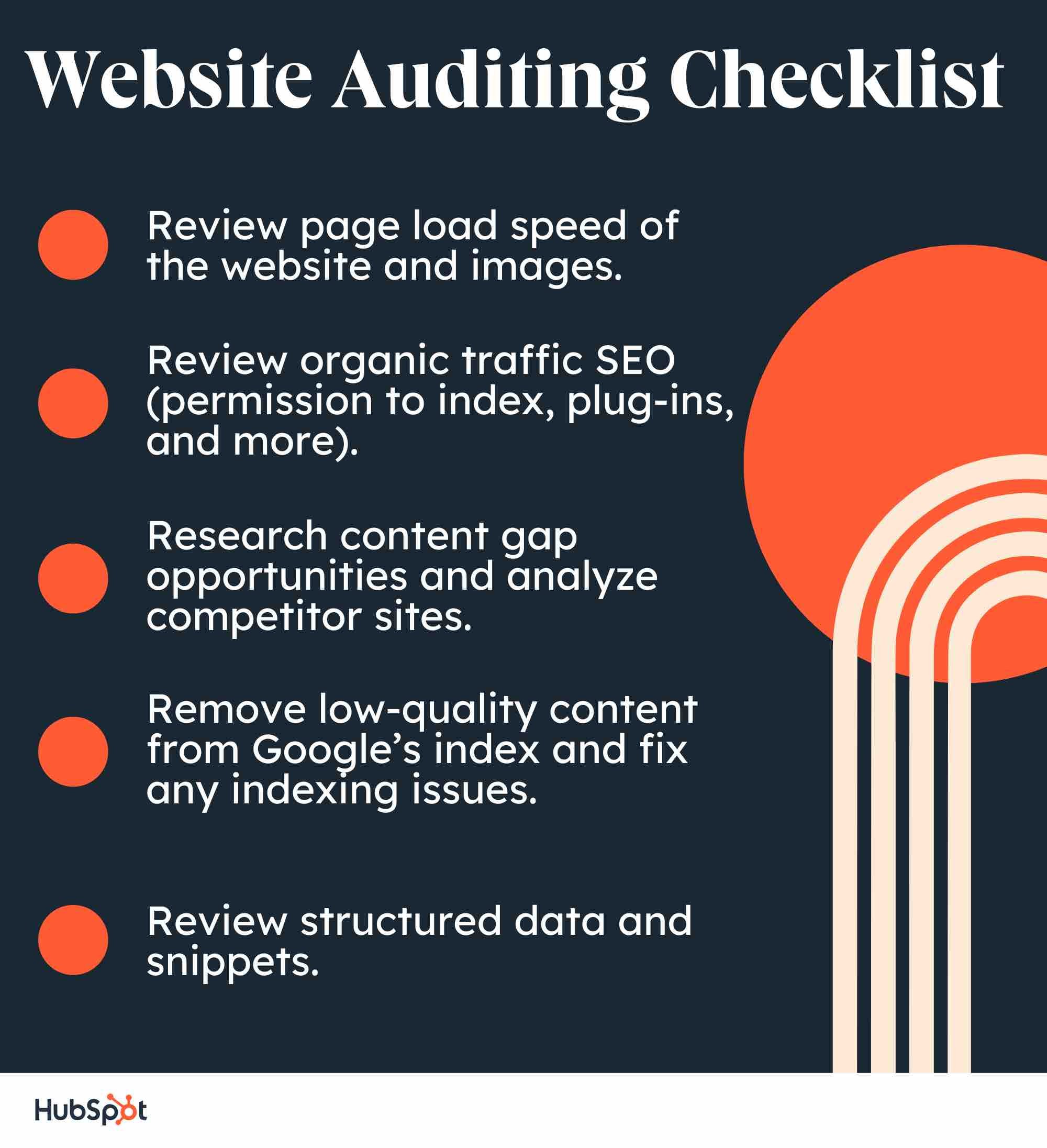
Website Audit Example
To pull all this together, I decided to run a website audit on one of my favorite bloggers, Christina Galbato.
This website is performing well. SEO and Mobile are scoring very highly. The main areas for improvement for this site would be performance and security.
You might be asking yourself, “What does that mean?” Well, let’s dive in a little deeper.
In each section, the website grader will let you know what you’re doing well and what you could improve on.
Then, the grader gives recommendations to improve your site overall.
Next, you’ll see a table to compare your current site to the recommendations.
Wrapping Up Your Website Audit
The last step is to prioritize and then perform the changes that are most critical to meeting your goals.
At the beginning of your auditing process you asked the important questions: “How am I doing?” and “How does my website compare to those of my competitors?”
As you wrap up your audit, you’ll know the answers to those questions and have actionable steps for improving your website — making it more competitive.
Editor’s note: This post was originally published in April 2018 and has been updated for comprehensiveness.

How to do a Website Audit to Improve SEO & Conversions
Website audit reports are the key to giving your site a comprehensive checkup. Maybe you’ve never audited your website before or you have a redesign planned for the future. Whatever your situation, use this post as your go-to website audit checklist.
Below, you’ll learn what a website audit is, the different types of audits, and how to use information from an audit to improve your SEO and conversions.
Table of Contents:
- What is a website audit?
- Types of Website Audits
- The Benefits of a Website Audit
- How to Conduct a Website Audit
- Assessments to Make When Auditing Your Website
- Website Auditing Checklist
- Website Audit Example
- Wrapping Up Your Website Audit
Before we dive into the things you should keep an eye out for, let’s review some of the different types of audits you can perform.
Types of Website Audits
Here are a few common audits among marketers.
1. Competitive Website Audit
A competitive website audit tracks your competitors and their online strategies to help you see what opportunities your brand could be missing out on. Essentially, a competitive audit allows you to see what’s working for other companies in your market so that you can incorporate those tactics into your own strategy.
Start by performing a SWOT analysis on a competitor’s website. In a SWOT analysis, you track the website’s strengths, weaknesses, opportunities, and threats. For example:
- A strength could be that their website is easier to navigate than yours.
- One weakness could be that their website has slower page loading times.
- Opportunities could be items or tools missing from their website that you can add to yours to give you an edge.
- A threat could be that their website ranks higher in search engine results pages (SERPs) than your own, resulting in your site losing leads.
During this audit, you also need to consider the tools and software they are using to streamline their processes. This can help you discover new ways to run your site more efficiently and make it more accessible for consumers.
2. SEO Link Audit
This type of audit processes the links pointing to your website to find potential issues or opportunities in your backlink profile. By evaluating your links, this audit will help optimize your site to rank for your target keywords.
Link audits consider the URL source, domain, and anchor text to see if value and equity (called “link juice”) are being passed on to your page. This will gauge how much a link is helping or hurting your website’s visibility in SERPs. Links from well-respected websites are much more valuable than links from smaller, less well-known sites.
To perform an SEO link audit, start by gathering all of your link data. You can do this with Google Search Console by entering your domain and then clicking on “Links to Your Site” under “Search Traffic.”
From there, you can download the latest links and create a link audit spreadsheet. Afterward, you manually evaluate your links by paying attention to factors like anchor text, IP address, and page content.
You can also tools like Ahref’s backlink checker to take the guesswork out of analyzing the value of the links you gathered.
3. Lead Conversion Optimization Audit
A lead conversion optimization audit analyzes a website’s conversion issues and opportunities. In this audit, you’ll need to analyze how traffic is coming to your website and where it’s coming from.
Google Analytics is an excellent tool for this step. Knowing where your traffic is coming from will help you better understand your audience’s behavior and will help you optimize your site’s content to suit their needs.
Speaking of content, you’ll also need to analyze the content on your website. Make sure the content is helpful, informative, and up-to-date.
Is the latest information about your business uploaded to the site and easily visible? Does your content contain keywords and phrases to boost its ranking in SERPs? Outdated or irrelevant content can hurt conversions and hurt your SERPs ranking.
Other aspects of your website you need to observe are:
- Forms. Do your forms collect enough information to contact a lead?
- The checkout process. If you notice a lot of shopping cart abandonment, customers are likely having issues with the checkout process on your website.
- Design and layout. Are CTAs clear and visible? Is the copy too small and difficult to read? Is the website easy to navigate?
- Overall user experience. Are there any sources of frustration for visitors to your site?
4. Social Media Audit
Your brand’s online performance can also be impacted by social media. If your social media presence isn’t pushing more traffic to your website, then it’s time to conduct a social media audit.
To start the audit, create a list of all your company’s social media accounts. Do some extra digging to make sure you don’t miss any you’re not aware of, such as accounts started by other departments.
From there, go through each account to determine if they’re all consistent with the company’s branding — using the same images, logo, tone of voice, etc.
Then you’ll need to evaluate each page’s performance. What kind of content performs the highest, and which content type performs the lowest? Are these pages being updated frequently?
Finally, use information from the evaluation to better understand your audience and optimize your social media to engage them. You’ll then be able to update your social media strategy to further delight your audience, more effectively attracting them to your website.
5. SEO Website Audit
While an SEO link audit analyzes the links associated with your website, an SEO website audit evaluates all the factors that can impact your site’s performance in SERPs. This includes links but also extends to other aspects such as keyword usage, content, metadata, page speed, user journey, and video optimization.
It’s possible to conduct an SEO audit on your own but you’ll likely get more thorough answers in less time by employing an agency.
Excellent! Now that you know about a few different audits you can conduct to improve your website, let’s discuss the perks of an audit.
1. You can compare your website to your competitors.
Conducting a website audit will allow you to compare your website to your competitors. You can analyze how well you’re ranking against competitors for keywords and determine potential new sources of revenue.
You can use tools, like HubSpot’s Website Grader, to perform an audit on your competitor’s websites to gather more insights. You can learn how your competitors are attracting visitors and see how they’re garnering conversions.
Ultimately, this will help you brainstorm new tactics and strategies for your site.
2. You can improve your SEO.
With a website audit, you will be able to identify any missed SEO opportunities and remedy any misguided or poorly executed SEO pitfalls (e.g. keyword stuffing, exact match anchor text links, etc.) throughout the content of your website. One great tool that can help keep your SEO details organized is HubSpot’s Free On-Page SEO Template.
An audit will also allow you to refocus your SEO efforts on users first and search engines second. This will safeguard you from constantly chasing changes to search ranking algorithms, meaning you won’t be applying misguided practices just to show up at the top of the SERPs.
3. You’ll optimize conversion rates.
Website audits also enable you to re-evaluate the effectiveness of your website in terms of lead generation and conversion. As a result, you’ll be able to spot any previously overlooked opportunities to convert visitors into leads so you can add relevant CTAs, as well as identify deficiencies in your landing pages so you can optimize them to boost conversions.
4. You can optimize your website performance.
Website audits, like the ones mentioned above, usually evaluate a site for its content and technical performance.
As a result, an audit will give you a chance to inspect the robustness of your website’s technical framework and infrastructure. It will also evaluate how friendly your website is to search engines and determine how easy it is for users to navigate your website to find the content they are looking for.
5. You can identify issues early.
Finally, a website audit finds issues that are hurting your SEO and conversions such as broken links, hidden content, and long page load speed times. Identifying these issues will help you address problems that are diverting traffic.
Assessing both the content and technical aspects of your website will open up opportunities to drastically improve the traffic and conversions your website generates.
Now that you know what a website audit is and why you should do one, let’s look at how to conduct one.
1. Run your website URL through a site audit tool.
Before you get started, you’ll need to find a website auditing tool that can help you analyze how your website is performing. When you use site audit software to run your site through, you can get specific recommendations and test how your page is performing.
2. Find technical errors.
Technical errors like ones related to performance, SEO, mobile, and security, can negatively impact your customers’ experience on your website. If you’re noticing visitors aren’t staying on your site for long, or you’re seeing a lot of abandoned shopping carts — a website audit is a great way to find out why.
3. Identify SEO problems.
Now, you’ll want to look at SEO-related issues so you can improve your ranking on search engines. This will mean looking at meta descriptions, reviewing image alt text, and more.
4. Analyze design and UX.
How is this design working for your customers? Some software has heatmaps of what parts of your design draw the most attention and what users are reading. This type of analysis will let you know how the overall design and user experience are impacting your visitors.
5. Assess website content.
A website audit will help you assess website content including blogs, website pages, etc. You’ll want to know how your current pages are stacking up. Ask yourself, “Is my content ranking well in search engines?” and “Is my on-page SEO and performance aligned with my traffic numbers?”
6. Create a website audit report.
Creating a website audit report that clearly communicates the site issues found (and what to do about them) is an easy job when you have the right tools. There are a number of choices available, and HubSpot’s Website Grader is one of the most user-friendly. It quickly and automatically generates the report by entering the web address you want to have crawled as well as an email address.
For those with more technical experience, SEMRush’s Site Audit Tool is a very thorough reporting option, but getting started for free does require jumping through a few hoops. You would need to create an account, answer some questions about yourself, and choose to skip a trial in order to create the free audit report. Their in-depth report can look overwhelming unless you’re coming to the game with some technical chops.
Whichever reporting product you choose, it should provide a clear display of important website categories — such as SEO performance and the effectiveness of your security measures — and then list the individual issues along with recommended fixes.
Having a full website audit report in your hands enables you to start making improvements yourself or to efficiently send the information to the appropriate teams within your organization.
Now let’s dive into even more detail so you know what to be checking for in this website audit.
Assessments to Make When Auditing Your Website
First, go ahead and enter your website into HubSpot’s Website Grader — this will give you a general overview of your website’s strengths so you can gauge your focus on each of the assessments that follow in this article.
How’d you do? Got an idea of which website audit benefits you need the most? Here we go.
1. Website Performance Assessment
In the first part of your website audit, you should be focusing on how users navigate your website — from your homepage to blog posts, to landing pages, and any related content in between.
Make a list of the pages on your website and ask yourself the following questions to evaluate them for optimization opportunities:
Is your website optimized for maximum usability?
The more visitors you can attract to your website, the more opportunities you’ll have to generate leads and, ultimately, customers. But only if your website performs well.
Just having a website does not guarantee results. As part of determining the overall efficiency of your website, your audit should check to make sure your site is designed with your visitors in mind.
The design and overall navigability of your website should correspond with what a person would come to the site to seek out, such as more information on a business-related topic, resources, product/pricing information, testimonials, etc. This will largely depend on your individual business.
The main goal here is to make it easy for people to get the information they’re looking for. As a result, you’ll likely see conversion rates improve on their own.
To audit your website for usability, consider the following:
- Are all the main value propositions of our business easily accessible via our main navigations/menu items?
- Do we have a simple yet intuitive website design and page layout? Make sure pages aren’t too cluttered; littered with ads, CTAs, or links; or void of internal links altogether.
- Are your conversion paths and/or shopping cart or checkout processes intuitive? Are there a ton of distractions along the way that could be creating friction for your site visitors?
Consider doing some user testing with members of your target audience to ensure you’re effectively surfacing the content they’re looking for and that they find it easy to navigate to the parts of your website they’re interested in.
How is your website’s overall speed?
Are there excessive page sizes or long page load and server response times? Does your site go down frequently? Site speed can be impacted when image files are too large or HTML and CSS needs to be cleaned up — all of which can drastically improve your site speed.
Ultimately, fast-loading and optimized pages will lead to higher visitor engagement, retention, and conversions. To quickly check a web page’s load time, download MozBar, a toolbar by Moz that you can attach to your browser for simple page analysis every time you visit a website.
2. SEO Assessment
Optimizing the performance of your website is crucial to holding onto visitors, but the above question isn’t the only one you should be asking. You should also audit the content you’re publishing to ensure it’s actually solving your visitors’ problems.
Is Your Website Content High Quality?
As you evaluate your content for quality, think about it from your target audience’s perspective:
- Did this information leave me satisfied? <
- Did it answer all of my questions?
- Does it give me all the resources relevant to this topic?
- Do I know what to do next?
Keep in mind quality content should appeal to the interests, needs, and problems of your buyer personas. Present them with interesting and well-written content. Always aim to leave the reader with immediately actionable next steps such as calls-to-action or links to resources.
Is Your Website Search Engine Optimized?
Make sure all your web pages are following on-page SEO best practices. To audit your content for on-page SEO, conduct a keyword analysis in which you do the following:
- Consult your analytics to review keyword performance. Which keywords are giving you the biggest gains in traffic and leads?
- Assess how well you’re factoring keyword performance into your content strategy. How much relevant content are you adding to your website to target those keywords?
- Review basic on-page SEO elements like URLs, page titles, meta descriptions, and copy. Make sure keywords are included where relevant.
To help you conduct an on-page SEO audit of your content, read The Ultimate Guide to On-Page SEO, which also includes a free downloadable on-page SEO template to keep you on track.
3. Conversion Rate Assessment
While high-quality, search-engine-optimized content is a great way to boost your traffic numbers, it’s what happens once those visitors are on your website that really counts.
This is where optimized calls-to-action (CTAs), marketing offers, and landing pages play a major role in the performance of your website. Not only do they offer you opportunities to capture visitors’ information so you can follow up with leads, but they also keep your visitors engaged with your content and your brand.
To audit your website for maximum conversion potential, ask yourself the following questions:
- How many marketing offers do I have in my content arsenal to gate behind landing pages?
- Do I have a variety of marketing offers that appeal to all my different buyer personas?
- Do I have any landing pages/conversion forms on my website to begin with?
- How optimized are those landing pages?
- Do I have conversion opportunities for visitors in varying stages of the funnel?
- Am I using CTAs effectively? Am I missing opportunities to include CTAs on various pages of my website?
Learn more about CTA selection to optimize the CTAs on your website.
4. Technical Assessment
Once you’ve addressed the three primary goals of a website audit, it’s time to loop in a developer or someone from your IT department for a technical evaluation. You could also hire an outside agency — just be sure to do your homework first.
Keep in mind that there may be some carry-over from the three assessments above — website performance, SEO, and conversion rate. The technical evaluation, however, addresses all three to maximize the user experience (UX).
Here’s what you should be looking for in the technical assessment stage of your website audit.
Is your website design responsive?
Does your website have a responsive design? Meaning, is it a mobile-friendly website? The usage of smartphones to access the internet is only growing. As a result, websites must be compatible with that growing demand.
Here’s more on mobile compatibility if this is an area you need to improve in.
Is your website error message free?
Are response code errors popping up all over your website where there shouldn’t be any? Calling out 302-, 404-, and 500-level response codes can be useful to tell users that something’s wrong.
However, having this happen is also an indication that someone isn’t cleaning up broken links and, as a result, leading users to dead ends. Find those error messages and clean up your broken links. Tools like Google’s Webmaster Tools or Xenu’s Link Sleuth can be very helpful for this.
Are your website URLs optimized?
Does your site have URLs of excessive length due to keyword stuffing? Do they contain session IDs and/or include tons of dynamic parameters? In some cases, these URLs are difficult for search engines to index, resulting in lower clickthrough rates from search results.
Does your website have too much Flash or JavaScript?
Identify areas of your navigation that are entirely Flash or JavaScript. Search engines have challenges with reading and accessing these, which could prevent your site from getting indexed.
These elements also present problems from a usability perspective. Visitors are often looking for a very specific piece of information when visiting your site. If they have to sit through a 10-second visual introduction before they can find your hours of operation, you’re going to have a pretty frustrated visitor on your hands.
Is your site structure optimized for search engines?
We already talked about site structure as it relates to accessing content and usability for users, but it’s also important to make sure your site structure is optimal for search engines. If pages on your site are not internally linked to other pages on your site, those pages are less likely to be indexed.
Are you defining how your web pages are crawled and indexed by search engines?
This can be done through various methods that include everything from robots files and tags to sitemaps. These tools help you guide search engines toward your website’s most useful content.
Robots Files or Tags
The robot meta tag lets you use a granular, page-specific approach to controlling how an individual page should be indexed and served to users in search results. These tags should sit in the <head> section of a given page.
The robots.txt file, on the other hand, is a text file that allows you to specify how you would like your site to be crawled. Before crawling a website, search engine crawlers will generally request the robots.txt file from a server. Within the robots.txt file, you can include sections for specific (or all) crawlers with instructions (“directives”) that let them know which parts should or should not be crawled.
Public and XML Sitemaps
Your website should also have public and XML sitemap files. The public sitemap is one that users can access to review the pages of your site, like the index of a book.
The XML sitemap is for search engines to review pages that get added to your site, all in one place. The usual location of a sitemap.xml file is https://ift.tt/5qxYSOX.
The XML sitemap is something every website should have. It offers an opportunity to tell Google and the other search engines which pages on your site you want to be crawled and indexed.
While search engines don’t guarantee they will abide by your sitemap, anecdotal evidence has proven time and time again that XML sitemaps help provide insurance that your pages are found, and found faster — especially if your sitemap(s) dynamically update your new web pages.
Are you defining the canonicalization of content?
The canonicalization of your website content is your final major technical consideration. To gain more control over how your URLs appear in search results — and to minimize issues related to duplicate content — you need to pick a canonical (preferred) URL as the preferred version of the page.
You can indicate your preference to Google in a number of ways. One such way is to insert the canonical tag (rel=”canonical”) in an HTTP header of a page. Be sure to have someone check that the canonical tag is properly implemented across the site by making sure it points to the correct page, and that >every page doesn’t point to the homepage.
Website Auditing Checklist
Before you get started, you might consider using this basic website auditing checklist to ensure you review all the necessary elements of your site’s performance, SEO, mobile, and security issues.
Website Audit Example
To pull all this together, I decided to run a website audit on one of my favorite bloggers, Christina Galbato.
This website is performing well. SEO and Mobile are scoring very highly. The main areas for improvement for this site would be performance and security.
You might be asking yourself, “What does that mean?” Well, let’s dive in a little deeper.
In each section, the website grader will let you know what you’re doing well and what you could improve on.
Then, the grader gives recommendations to improve your site overall.
Next, you’ll see a table to compare your current site to the recommendations.
Wrapping Up Your Website Audit
The last step is to prioritize and then perform the changes that are most critical to meeting your goals.
At the beginning of your auditing process you asked the important questions: “How am I doing?” and “How does my website compare to those of my competitors?”
As you wrap up your audit, you’ll know the answers to those questions and have actionable steps for improving your website — making it more competitive.
Editor’s note: This post was originally published in April 2018 and has been updated for comprehensiveness.
Google Docs Resume Templates: 10 Best Templates to Land Your Next Job
Creating a resume from scratch can be frustrating and tedious, especially when you have limited design experience. If you want a professional but interesting-looking resume, you’re in luck. In this article, we’ll explore different Google Doc resume templates you can use to nab your next job.
10 Google Doc Resume Templates
7. ResuStudio’s Google Docs Resume Template
10. ResumeGenius’ Chicago Resume Template
![→ Download Now: 12 Resume Templates [Free Download]](https://no-cache.hubspot.com/cta/default/53/4ec95757-585e-40cf-9189-6b3885074e98.png)
10 Google Doc Resume Templates
Google Docs offers five templates with impressive design elements to help you portray professionalism and originality in your resume. These templates are included in this list, as well as five additional templates from other sources that you can easily edit in Google Docs.
Even if you have the design all set, these templates provide formatting inspiration and fill-in-the-blank sections to ensure you don’t forget critical information, like your address or prior awards.
Take a look at these Google Doc resume templates to choose one best suited for your desired role or to get some inspiration before designing your own.
1. Swiss
The Swiss resume template is primarily traditional in style, but the color and bold lines make it appear more modern and impressive. The dark lines above and below each segment organize your sections effectively, and the small lines above each section title add some unique style.
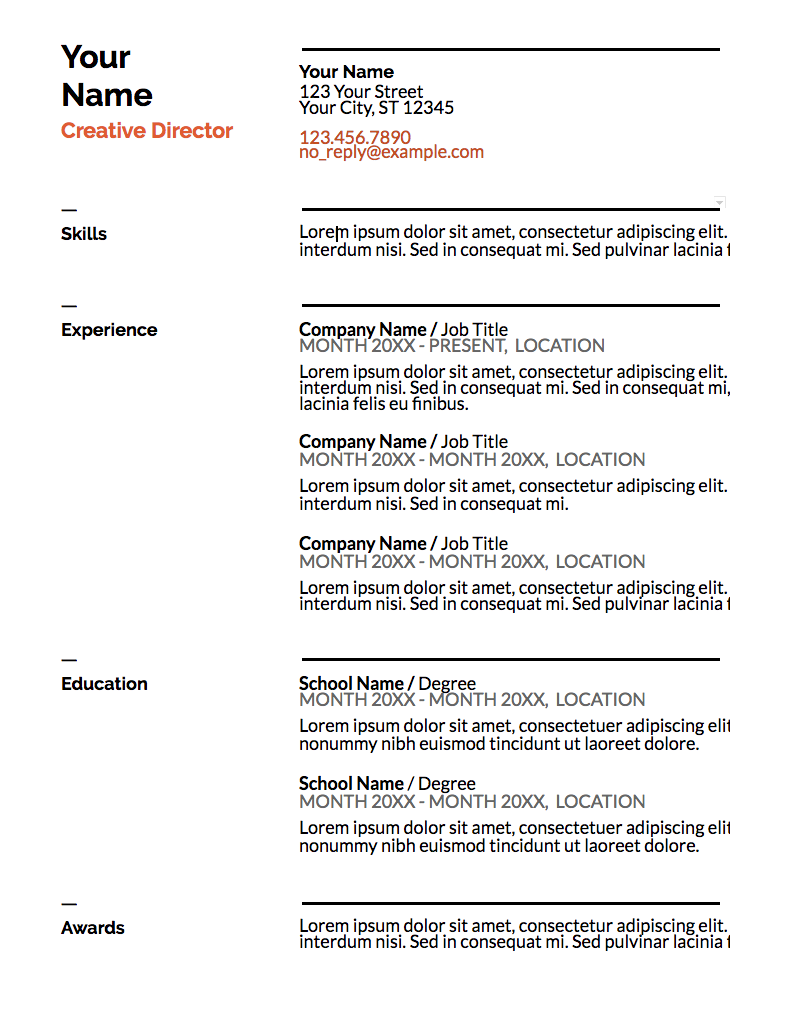
What We Like: The simple color right below your name suggests you’re someone who pays attention to detail. This template is a solid option if you need a resume for a conservative role but also want to showcase some personality.
2. Serif
The colors used for each headline and the two parallel columns with plenty of white space in between suggest that you’re organized and creative. This resume template is a good option for high school or recent college graduates with less work experience since the template provides categories to showcase accolades and accomplishments outside the workplace.
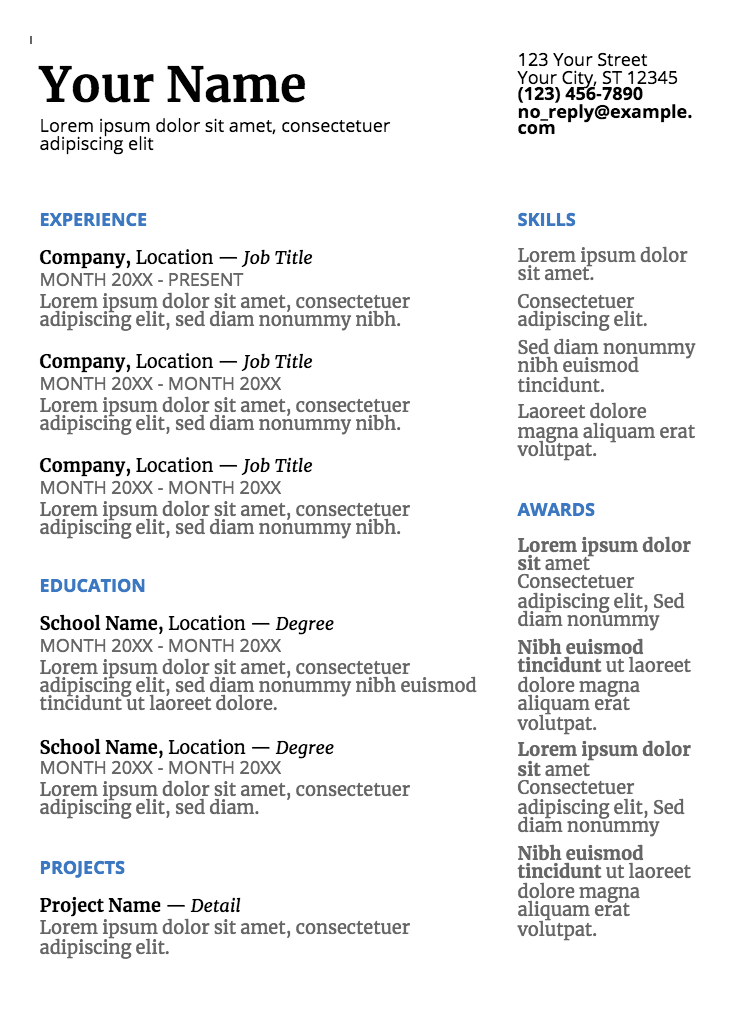
What We Like: This template allows young professionals to make up for their limited experience by highlighting their awards and projects.
3. Coral
The formatting, with all the information left-indented in one column, looks clean and straightforward. This option is ideal if you’re applying for a corporate job but want to seem fresh and unique.
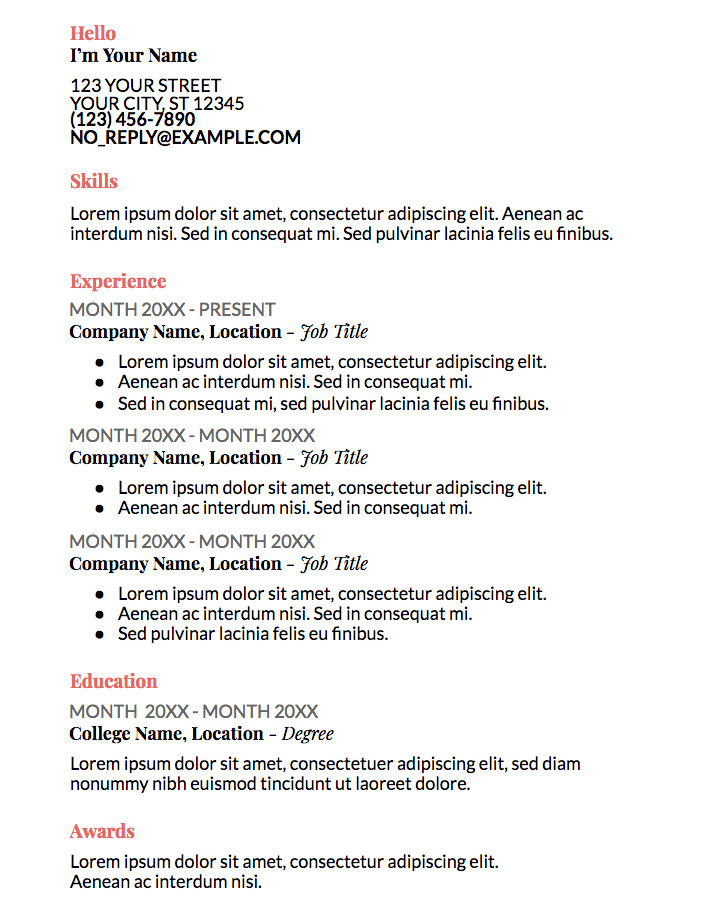
What We Like: The color used in the coral template isn’t overbearing or immature but still spices up an otherwise basic resume.
4. Spearmint
With the bold green line at the top of the page, this template conveys someone who’s spirited and artistic. Spearmint is a fantastic option for anyone applying for a creative role, such as a web designer or creative director.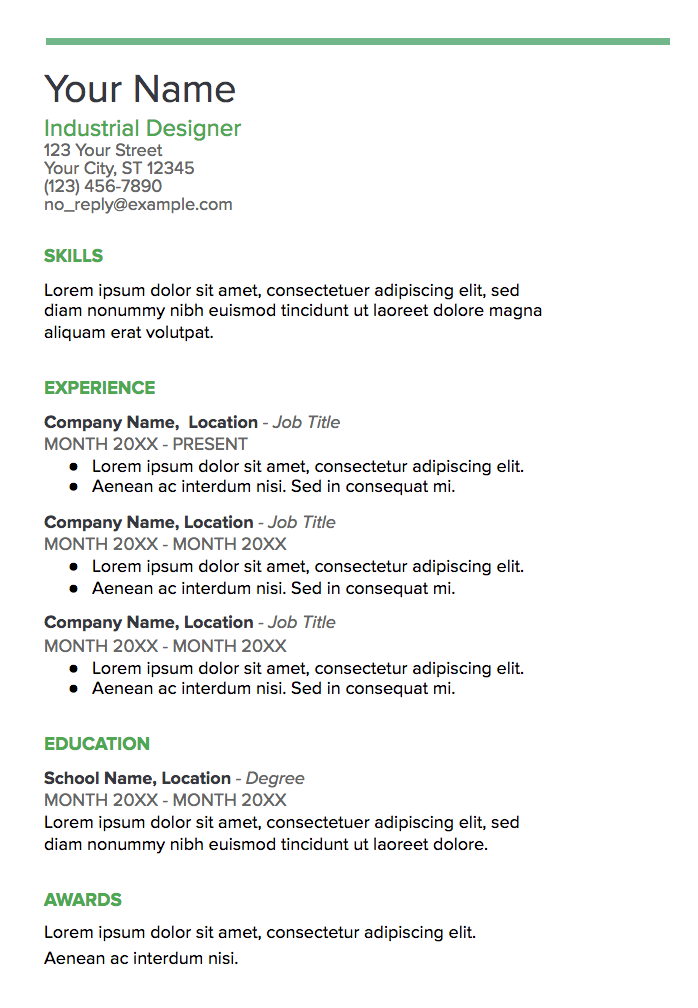
What We Like: The consistency of the title colors is appealing and polished.
5. Modern Writer
You’ll only want to choose the statement-making Modern Writer as your template if you’ve got a good reason for it — for instance, if you’re applying for a web developer role, the font (which looks a bit like code) makes sense. The bold pink and Source Code Pro font are less ideal for a traditional role, but Modern Writer is a good option if you’re applying for a role that applauds uniqueness.
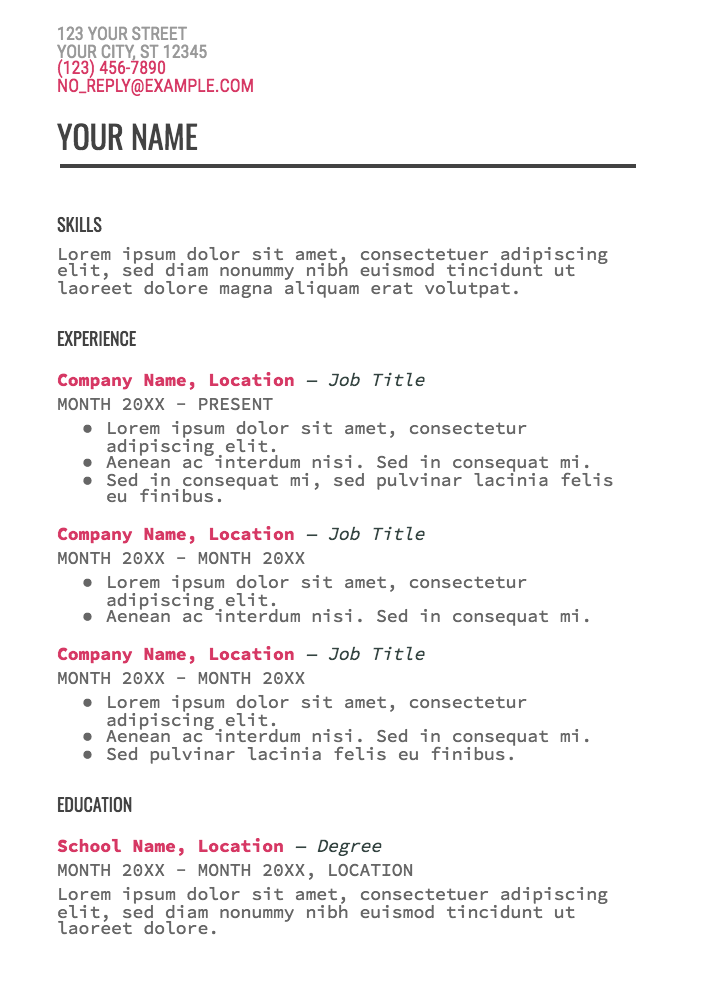
What We Like: The code-like font is a clever and unique touch that will capture the attention of recruiters.
6. The Muse’s Resume Template
The Muse made its own resume template on Google Docs for users to plug their information into. The template is very straightforward and shows users exactly what information they should plug in and where in the template it should go.
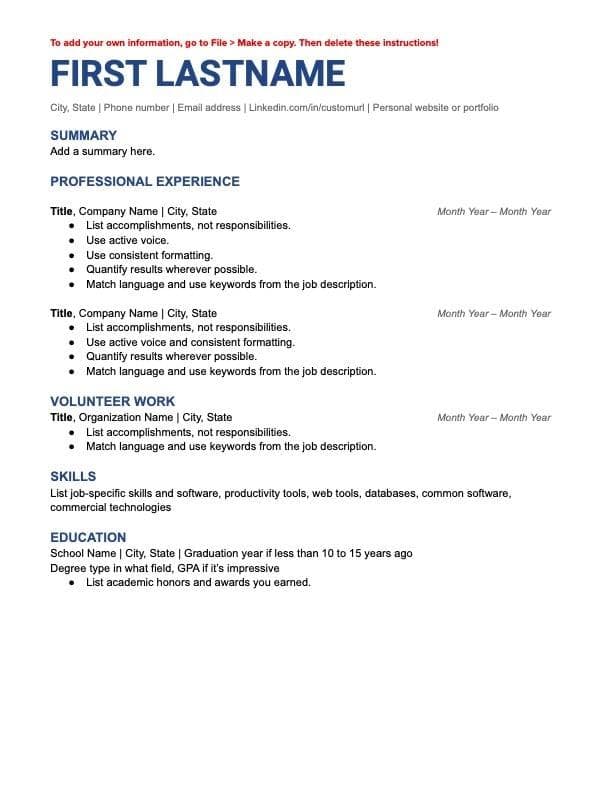
What We Like: The blue heading font is an eye-catcher.
7. ResuStudio’s Google Docs Resume Template
If you’re willing to pay a few extra dollars for a sleek, classy, and professional resume template, then ResuStudio’s template may be perfect for you. This template is also available in two pages for those further along in their career.
.jpg?width=633&height=634&name=ResuStudio%20Template%20(1).jpg)
Pro Tip: Make sure to remove the “References” section — employers know they can ask for references if interested, so a section like that only wastes valuable space.
8. Canvas Resume Template
This template neatly divides each section of your resume, making it easy for a recruiter or employer’s eye to follow along and read. This resume is excellent for anyone applying to a job at an office that is professional but enjoys a bit of creativity.
.jpg?width=615&height=808&name=canva%20resume%20template%20(1).jpg)
What We Like: This template is well-organized and includes a section to highlight any awards you received throughout your career.
9. Geometric Resume Template
This resume is clean, organized, and sure to make you stand out. Its distinct technical look is excellent for job seekers applying for opportunities in tech.
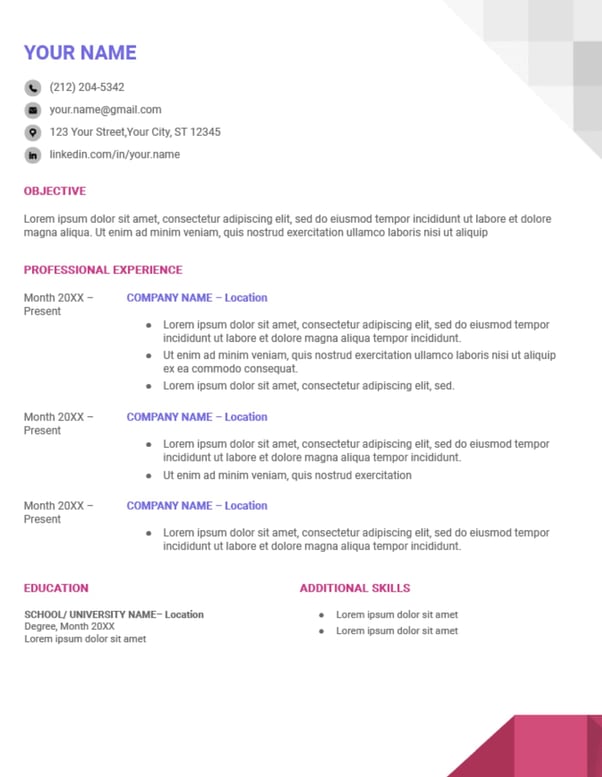
Pro Tip: While the pink and purple font colors combined with the geometric patterns make for a unique resume, it’s important to remember that these features can disrupt ATS scanners.
10. Chicago Resume Template
Sometimes less is more, and choosing to forgo bright colors and unique patterns can make it easier for employers to focus on the actual content of your resume. This resume may be your best option if you’re applying to a traditional office position or a Fortune 500 company.
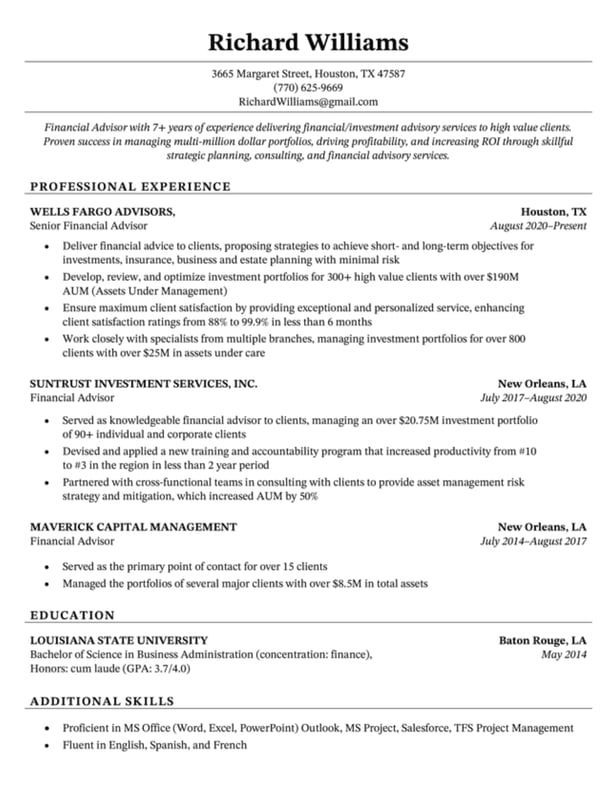
What We Like:This resume’s simple design gives ample space to flaunt your experience, especially if you’re a seasoned professional with a long career.
You’re ready to create an excellent resume to get your next big gig. Good luck with your job search!

What is an Advertorial? 8 Examples to Help You Write One
Have you ever read a post that you knew was an advertisement, but it was so interesting that you felt delighted anyway? Chances are that particular piece of content was an advertorial. In this article, we’re going to define what an advertorial is and how it can be an excellent marketing choice for you and your team.

Benefits of Advertorial Marketing
A good advertorial doesn’t clearly state that an advertiser made the post in the copy, but it also doesn’t hide that fact. An advertorial should provide the same high-quality content as a blog post or video but give a spotlight to the product being advertised.
For example, let’s say I’m on the marketing team for a company that offers social media services, and I’m in charge of writing an advertorial. I might write a listicle that talks about the top social media tools in the marketing industry and include my company’s software somewhere in the list.
This approach accomplishes promoting my company’s services but also provides valuable information to readers about other tools, like an editorial piece. Advertorials can be used as a valuable marketing technique for visibility and conversion, so let’s explore that next.
Benefits of Advertorial Marketing
In an advertorial, you’re using a marketing technique that’s often used for brand exposure, conversion, and lead generation. Here’s how:
1. You can convert leads.
If you have blog post ideas relating to your industry, consider sourcing out a publication interested in advertorials for your industry. For instance, if you run an eCommerce technology business, you’ll want to consider a publication like TechCrunch, which specializes in all things technology and commerce.
Your advertorial would be shown to audiences that are the most interested in your industry, so you can increase exposure to the right people. This method can convert quite a few leads.
2. Advertorials build brand awareness.
An advertorial can be an excellent investment if you want to build brand awareness with paid ads but are looking to advance your efforts past social media or TV ads. An advertorial post, unlike ads, is paid for less often but has the potential to be found by readers long after the publish date.
If you pay for an advertorial, you won’t have to keep paying to boost its visibility, like you would with other ads. Instead, you can earn organic traffic continuously with an advertorial post.
3. Retarget your existing customers.
When an advertorial is posted, how can you fit it into your content plan to provide value to your existing customers?
If your advertorial is a filmed interview with an industry thought leader, and your customers respond really well to video. You can post the advertorial on your social media accounts and boost the fact that you partnered with a publication to bring a new video to your audience.
Similarly, you can embed the advertorial into your email list. Your email subscribers are likely devoted customers, so sharing the post with that audience is most likely going to earn you some traffic.
Encouraging your customers to share the post on social media and tag your company is a great way to increase brand awareness online, promote your advertorial, and gain user-generated content from your audience. User-generated content is a fantastic content idea that gives a voice to satisfied customers to market your product from their point of view.
So, now you know the many ways an advertorial can benefit your brand. Now, let’s talk about writing an advertorial.
Advertorial vs. Editorial
Just like there are multiple ways to market products, there are multiple ways to create an advertorial. Ultimately, how you structure your advertorial is dependent on the brand voices of your company and the publication for which you’re writing.
If your brand voice is more formal, but you’re writing for a publication that uses a less-formal tone, blend the two harmoniously so your advertorial can speak to both audiences. (Alternatively, perhaps your target audience for this campaign supports a change of tone, which is 100% okay).
To make sure you write an effective advertorial that doesn’t sound too much like a blog post or too much like an ad, follow these tips:
1. Write for value, not to promote.
Your advertorial should include valuable copy. You don’t need to write a blatant ad for your product or company. Instead, advertorials should take the tone of a blog post.
Blog posts are meant to provide information that audiences can find value in. So, when you sit down to create the concept of your advertorial, think about how you can serve your target audience with educational content first.
Maybe your campaign goal is to increase the visibility of your new product. If that’s the case, think of writing a listicle that mentions competitive products and includes yours at the top. This provides valuable information to audiences you’re interested in, as well as the other way around.
2. Stick to what your title says.
When your advertorial pitch gets accepted by a publication, or after you’ve written a draft, read it for continuity: Does your advertorial accomplish what you said it would in the title?
For instance, if your post title is “Marketing Tips for a Team of One,” but you spend the advertorial talking about how wonderful your marketing agency is at building brand awareness, your post is going to sound more like a product page.
It’s important to align the information in your article with your title so readers know what they’re getting into. Additionally, you won’t lose credibility for false advertising, and you can be sure you’re serving your audience.
3. Solve for the customer.
Serving audiences should be one of your top priorities with an advertorial. Yes, advertorials help your company out, but ultimately, solving for the customer generates new ones.
Advertorials aren’t a chance for you to shout out how your company solves all of the challenges presented in your advertorial. Instead, this is a chance for you to reach a new audience with high-quality content.
If you want to place an ad for your company in tandem with an advertorial, discuss the possibility with the publisher. You may be able to purchase ad space that will separate the purposes of your content.
4. Inspire action.
Remember, your advertorial should still be some sort of an advertisement, and, with all ads, you should inspire action by the end of the post.
Instead of including a huge CTA button, weave action into the narrative of your advertorial. For example, if you are going to write one about your latest data report, include a link to read it or a screenshot of a compelling part of the report that links to the content offer for it.
Similarly, you can make an interactive advertorial, like a quiz, that tests your readers’ knowledge about the subject, then provide a resource where they can learn more about the subject by accessing one of your offers.
5. Avoid only talking about your company.
To ensure your advertorial doesn’t take the form of a long-form ad, avoid only talking about your company.
Even if your content includes a quiz, you can have a couple of the questions mention competitors and how they fit into the lives of your customers.
Similarly, if you’re writing a “How-to” guide, when you include your company as a resource, be sure to mention another option or two. To diversify your content, add value to the reader, and show your knowledge of the industry, mentioning other brands in the post is key.
6. Delight your readers with exceptional content.
An advertorial is a good chance to try something new to delight your customers — for instance, maybe include animations instead of photos, emojis instead of text, or even a different style of writing that’s different from your typical brand voice.
The chance to participate in something new will engage with those leads. If you’re writing for the needs of your audience, you want them to feel like their experience reading your advertorial was a delightful one.
You can also try out some new optimization techniques. You can create a content offer that’s specific to a campaign. You can experiment here and cater to new leads with your piece.
Now that you have some tips about how to create an advertorial, let’s go over some examples you can refer to if you get stuck writing, formatting, or finalizing your post.
Advertorial Examples
If you’re wondering about the effectiveness of your advertorial, we’re going check out these examples to get an idea of how to make one that’s stunning.
1. Adobe x New York Times
Adobe partnered with the New York Times to produce a paid post about virtual shopping. The advertorial provided insight into virtual shopping trends using statistics and in-depth research studies. Adobe used the advertorial to promote its brand while also giving valuable information readers can use when shopping online.
2. Metro Parent x Alpine Academy
Metro Parent is an online community giving parenting advice, support, and stories on trending topics and issues. Alpine Academy wrote an article for Metro Parent explaining the benefits attending of attending the school. Thought the advertorial is clearly an ad for Alpine Academy it also provides helpful information about what children need in a healthy educational environment.
3. Ikea x The Telegraph
Ikea advertises itself on The Telegraph website via a quiz that teaches readers how to have a sound sleep at night. To take the quiz, click here.

4. Cole Haan x Forbes
Forbes runs a series on their website called BrandVoice, which is a series dedicated to expert advice from marketers. This BrandVoice in particular is an advertorial from footwear company, Cole Haan, about exploring creativity:
At the top of this post is a banner ad for Cole Haan. Putting this ad at the top of the post, rather than the body, reinforces that the post is an advertisement, but doesn’t make the copy suffer for it.This advertorial supports balancing your mind, and moving productively inside your home. While the post itself doesn’t mention the words “Cole Haan,” or promote the company’s products, the content still relates to the concept of moving your feet, which aligns with what the company sells.
If you want your advertorial copy to be a little more low-key, but still include an advertisement for your post somewhere on the webpage, think about adding in a paid ad, similar to Cole Haan’s.
5. Sapphire x Thrillist
Sapphire is a credit card rewards card offered by Chase Bank. Cardholders can earn points and rewards based on how much they spend at restaurants using the card. This advertorial gives a spotlight to must-try restaurants, in efforts to get readers thinking about how to use the Sapphire card:
This advertorial shows how a listicle doesn’t need to include your product to be successful. Instead, you can write about keywords that reflect your company or industry. As long as the advertorial supports your company in some way, it’s still effective.What’s great about this advertorial is that it takes an intriguing angle. Diving into restaurants that offer unique and futuristic food is an exciting topic. And, in keeping in line with Thrillist’s laid-back, friendly brand voice, the post’s language isn’t as formal.
6. Captain Morgan x BuzzFeed
Similar to the last example, this advertorial for Captain Morgan, an alcohol company, is a listicle from BuzzFeed Germany (Non-native speakers have the option to translate the page). What’s not similar to the last example is that this advertorial mentions the company and its products by name. Even so, this advertorial provides valuable information to the reader, so the advertorial is still effective.
The advertorial’s structure and copy make it an engaging, helpful read, even though it mentions the product more than once. It contains drink recipes that you can make at home, along with pictures to use as a guide:
Recipes, along with guided pictures and ingredients, accomplishes two things. First, it gives plenty of ideas for fans of Captain Morgan, who may already have the products mentioned, but need inspiration for what to do with it. A simple Google query like “recipes with Captain Morgan” would bring the fan to this BuzzFeed advertorial.
This post can also catch the eyes of readers who want simple rum recipes to try out and need inspiration. It gives enough recipe variations to spark inspiration, and capitalizes on the seasonality, since this post went up during a summer month.
7. Love Beauty Planet x The New York Times
Sustainability is a big focus for beauty company, Love Beauty Planet. One of the company’s values is to produce their products ethically and with recycled materials to reduce their carbon footprint. This emphasis on going green is the focus for the company’s advertorial that was featured in The New York Times:
Creating an advertorial that’s a little more interactive than a text-only blog post is a strategy you could use to make your advertorial more engaging. If your quiz is shorter, like Love Beauty Planet’s, you can provide valuable, actionable takeaways at the end, to keep your brand in the reader’s mind as they implement the tips. This editorial is an interactive one, which first quizzes the reader’s knowledge of recycling and reducing waste. After answering the five questions, the post shares small things readers can do to reduce their carbon footprint.
8. PwC and RYOT Studio x The Huffington Post
For this advertorial, two companies collaborated to make a paid post that mixed copy with video. PwC and RYOT Studio worked together to produce an entry in PwC’s new series for diversity and inclusion for CEOs. The company offers business solutions for customers, so the angle keeps consistent with PwC’s industry:
What this advertorial does really well is provide readers with a video to go along with the blog post. The video presents the content really well, so those who don’t usually enjoy interacting with long-form content don’t have to read as much.
If you have a video that tells the story of your company really well, and want to build some brand awareness, consider submitting it along with a couple of paragraphs of supporting copy for an advertorial. It can expose your company to a new audience, and be awesome for generating leads.
Now, you know how to spot an advertorial and even write one of your own. Advertorials can spice up your content marketing strategy and bring a community of new audience members to your brand, so make sure to put your best foot forward and good luck!

8 Data-Backed Recommendations for Social Media Marketers in 2023 [Insights from 1,000+ Professionals]
Social media trends change fast.
Consider, for instance, how a few years ago, influencer marketing was a new and intimidating concept for many marketers.
Fast-forward to 2023, and 81% of social media marketers say most companies will have an influencer as the face of their brand this year.
A few other major trend-shifts: Building an active online community is now a critical component of a strong social strategy; social media is becoming the preferred channel for customer service; and funny and relatable content wins over more polished posts.
Here, let’s explore the 8 top data-backed recommendations for social media marketers to leverage in 2023 to continue to grow their audiences, increase customer loyalty and engagement, and achieve higher ROI.
*The following data comes from HubSpot Blog Research’s forthcoming State of Social Media Trends report, as well as HubSpot Blog Research’s State of Consumer Trends.
8 Data-Backed Recommendations for Social Media Marketers in 2023
1. Create a strong social media community.
A whopping 90% of social media marketers say building an active online community is crucial to a successful social media strategy in 2023.
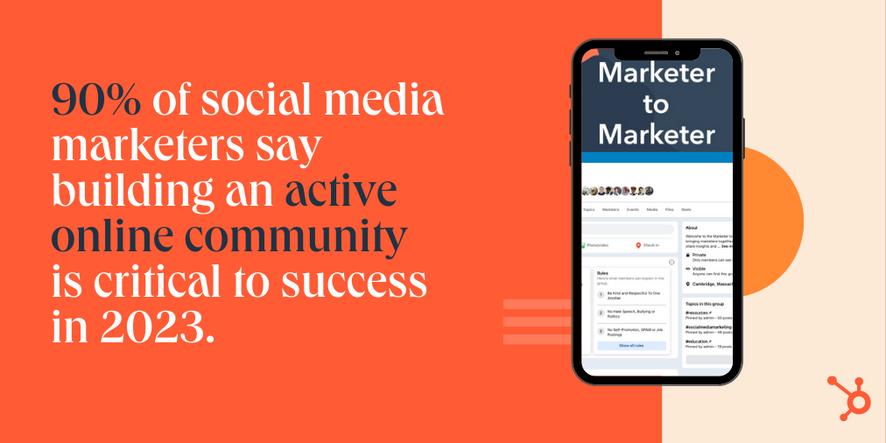
Online communities can help you cultivate stronger relationships with your prospects and customers, and ultimately deliver more value. They enable your audience members to connect with each other and share tips related to your industry, and helps showcase your brand as a leader in the space.
Social media communities are on the rise: Over the past three months alone, 20% of social media users joined an online community, while 22% actively participated in one.
If you’re interested in creating a strong community in 2023, consider leveraging either Facebook or Instagram, which are tied at #1 for the most effective platform for building a social media community.
Additionally, check out Why the HubSpot Social Team Developed a Private Facebook Group for more step-by-step instructions on how to successfully launch a Facebook Group.
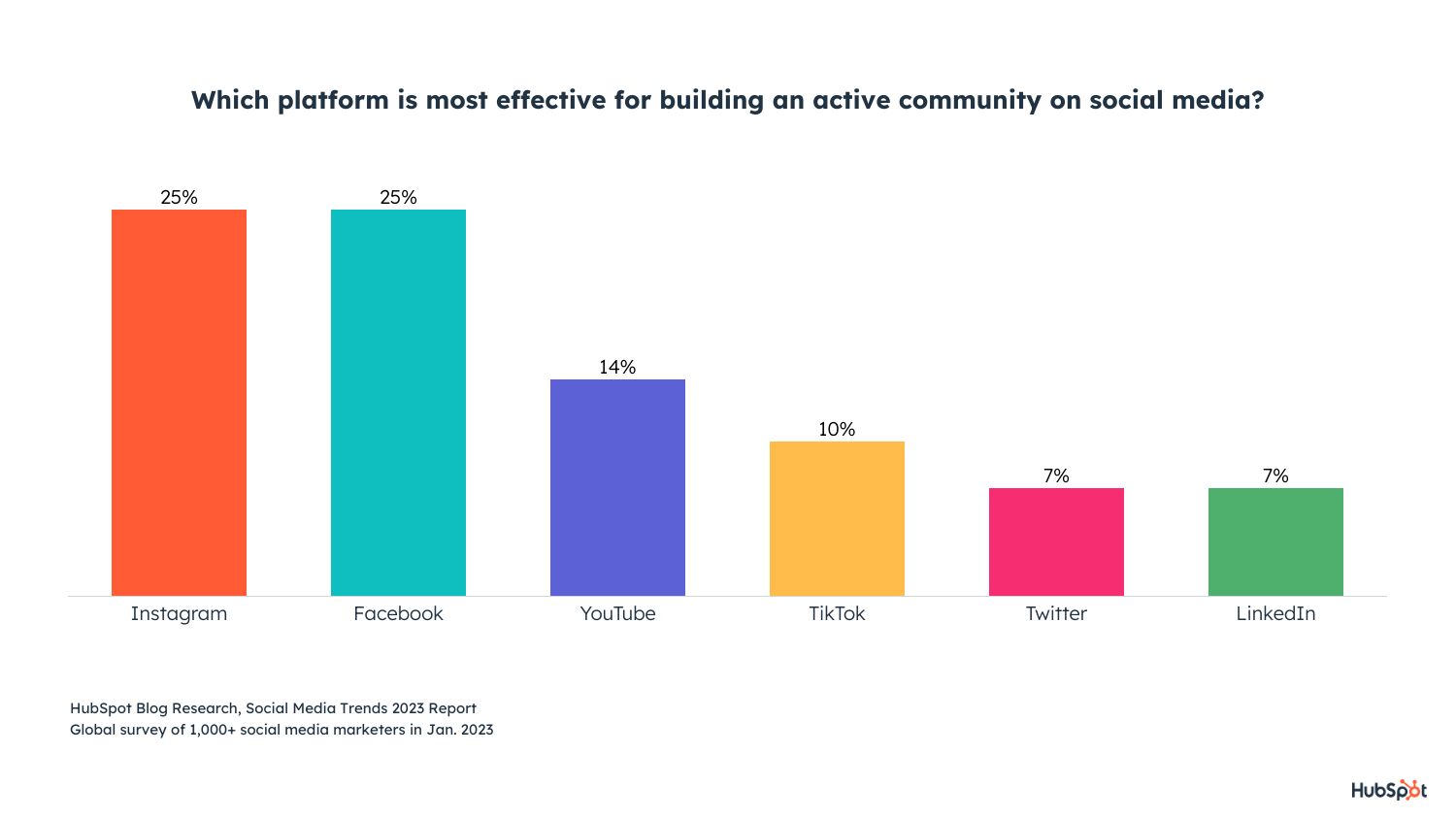
[COMING FEBRUARY 6] The State of Social Media in 2023: Click Here to Set a Google Calendar Reminder
2. Leverage social media as an e-commerce platform.
Social media is quickly becoming an e-commerce platform with all the capabilities to purchase products or services directly in-app.
For instance, 25% of social media users age 18-44 have bought a product on a social app in the past three months — and social is the preferred product discovery channel for consumers age 18-44.
This trend isn’t going anywhere, and will likely become increasingly popular in the new year. Roughly 80% of social media marketers even predict consumers will buy products directly in social apps more often than on brands’ websites or third-party websites like Amazon in 2023.
The biggest inhibitor to social selling is a lack of trust. Only 21% of social media users rate products sold in-app as high quality, and just 42% of social media users feel comfortable making purchases on social media platforms.
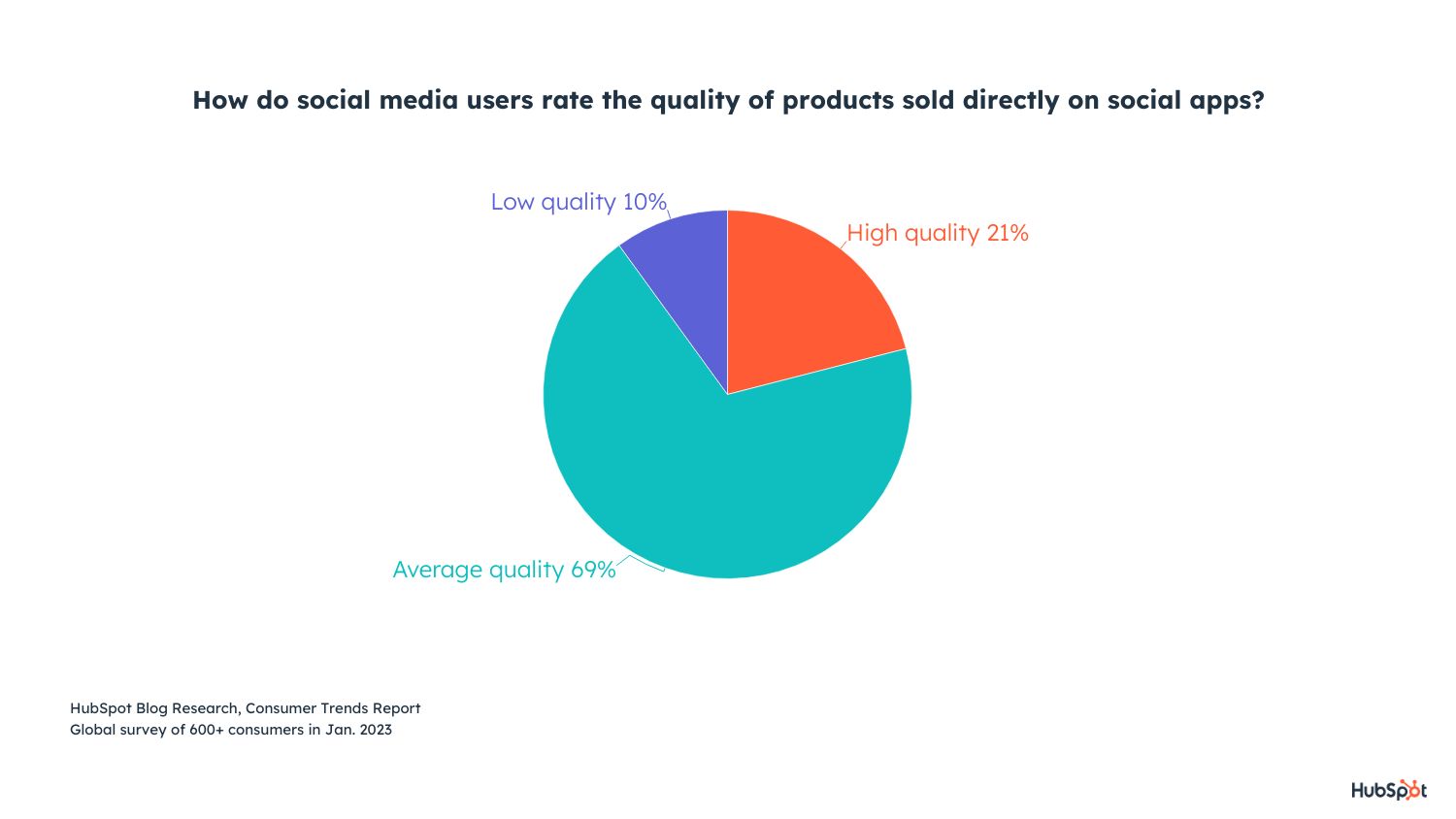
If you work at an e-commerce company, it’s vital you launch shopping features so followers can easily purchase your products without leaving the apps.
Additionally, to build trust with your audience so they’re more likely to purchase in-app, you’ll want to leverage the power of customer reviews. Alternatively, working with an influencer can help you build trust between their loyal following and your brand.
3. Build a customer service strategy for social.
Rather than calling and getting put on-hold for a customer service representative, many consumers nowadays prefer to get their questions or concerns answered on social media.
Social media is quickly becoming a customer service tool. In fact, roughly 85% of social media marketers say social media will become consumers’ preferred channel for customer service in 2023.
A few quick stats:
- 1 in 5 social media users age 18-44 have contacted a brand through DMs for customer service in the past three months.
- 42% of social media marketers list providing customer service through DMs as a primary responsibility of their job.
- 75% of social media marketers say their company offers customer service via social.
It’s vital that your company offers customer service on the platform(s) your consumers frequent and prefer. To incorporate a customer service process into your social strategy, you’ll want to run an audit to figure out where your customers are, set up monitoring streams, keep an eye on mentions, and build a system to get questions answered quickly.
You’ll also want to consider setting up a dedicated social channel for support.
Additionally, you’ll need to identify which employees should respond to customers’ queries. Right now, 43% of companies providing customer service through DMs have a customer service representative responding to customers, while 41% leave it to the marketer in charge of managing that platform. Another 13% use automation tools like chatbots.
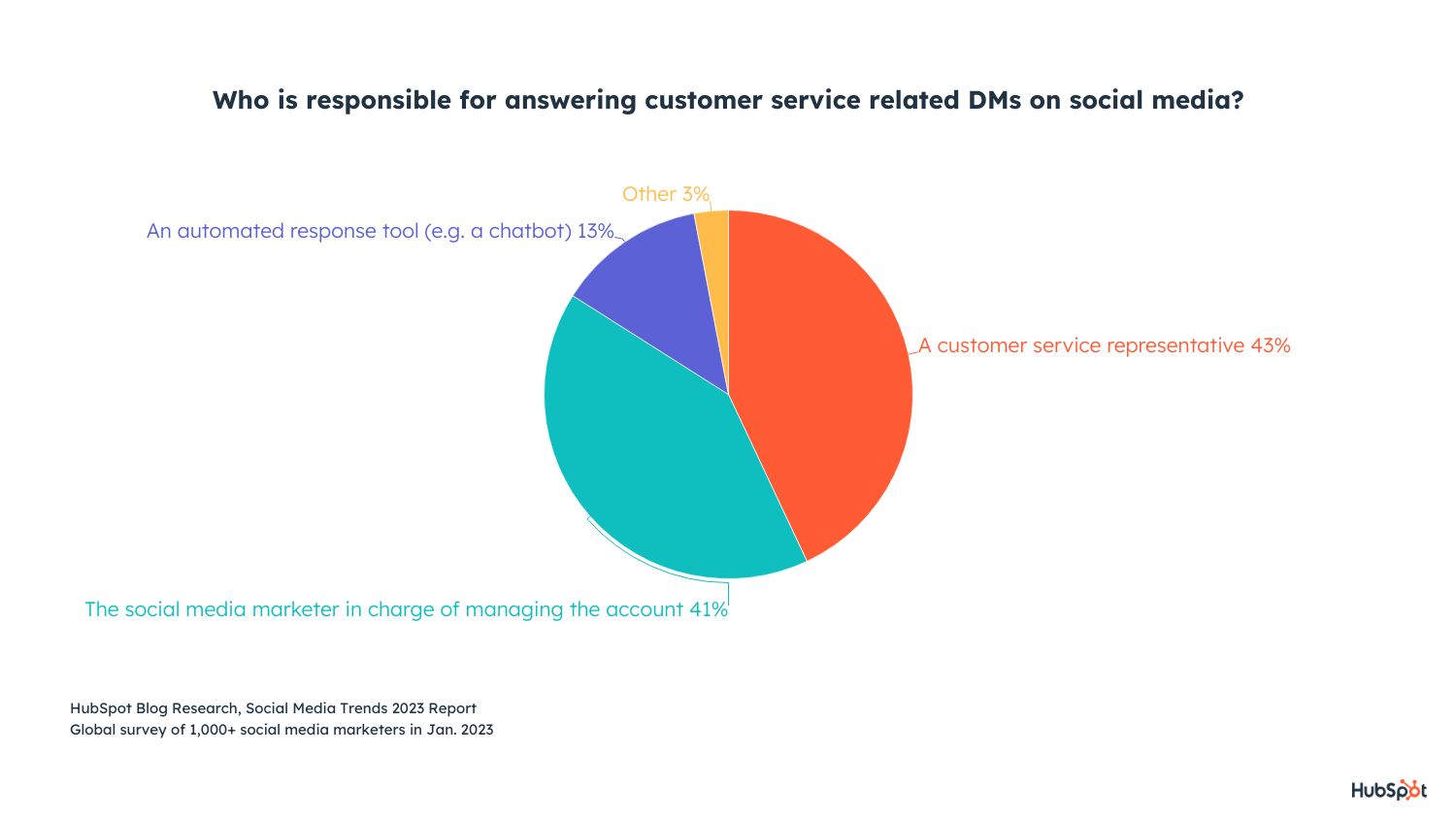
4. Shift your focus from search engines to social search.
A couple years ago, marketers were largely focused on SEO as the primary marketing strategy for generating leads.
Nowadays, things have changed. Almost 90% of social media marketers think consumers will search for brands on social media more often than through search engines in 2023.
I’m guilty of this: When I hear about a new skincare line, for instance, I don’t Google the brand — I find their Instagram page.
And I’m not alone. 22% of millennial consumers already search for brands on social media platforms more often than through a search engine. This shoots up to 36% among Gen Z.
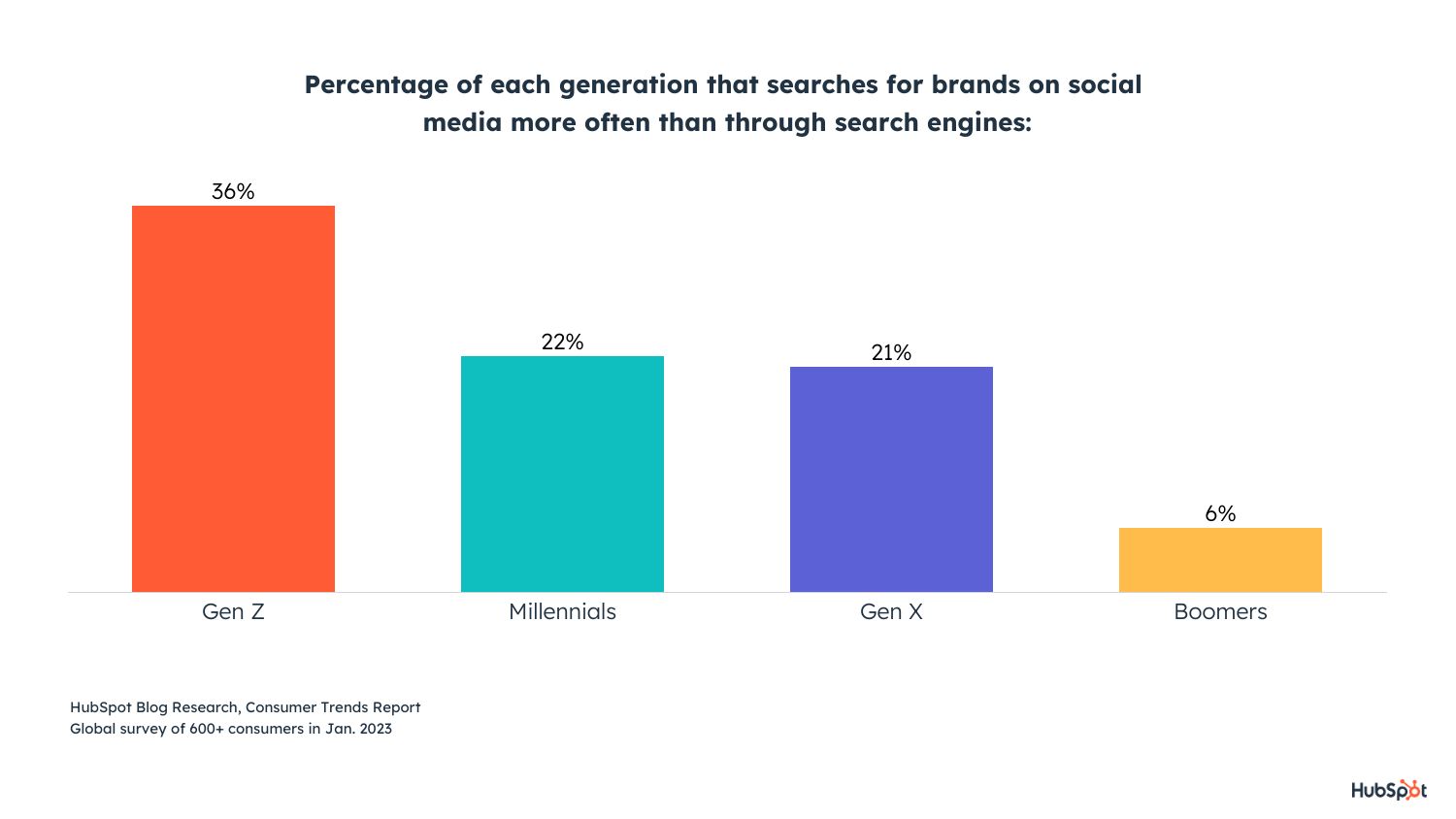
It’s critical, then, that you shift your efforts to focus on optimizing your profiles for social search. A few strategies for optimizing your profiles include using relevant keywords and hashtags in your posts and in your bio, making sure your username is easy to search for, and ensuring your usernames are consistent across accounts.
5. Ditch the celebrities — and focus on the micro-influencers.
If your business has the means, it can be compelling to work with a major celebrity to reach a large following — but it’s not necessarily the best strategy for high ROI.
Compared to celebrities, working with micro-influencers is less expensive, easier to establish long-term partnerships, and offers access to a micro-influencers’ tight-knit, engaged, loyal community.
Which is why 80% of influencer marketers work with small creators (1K to 99,999 follows/subscribers), while just 16% work with accounts over 1 million followers.
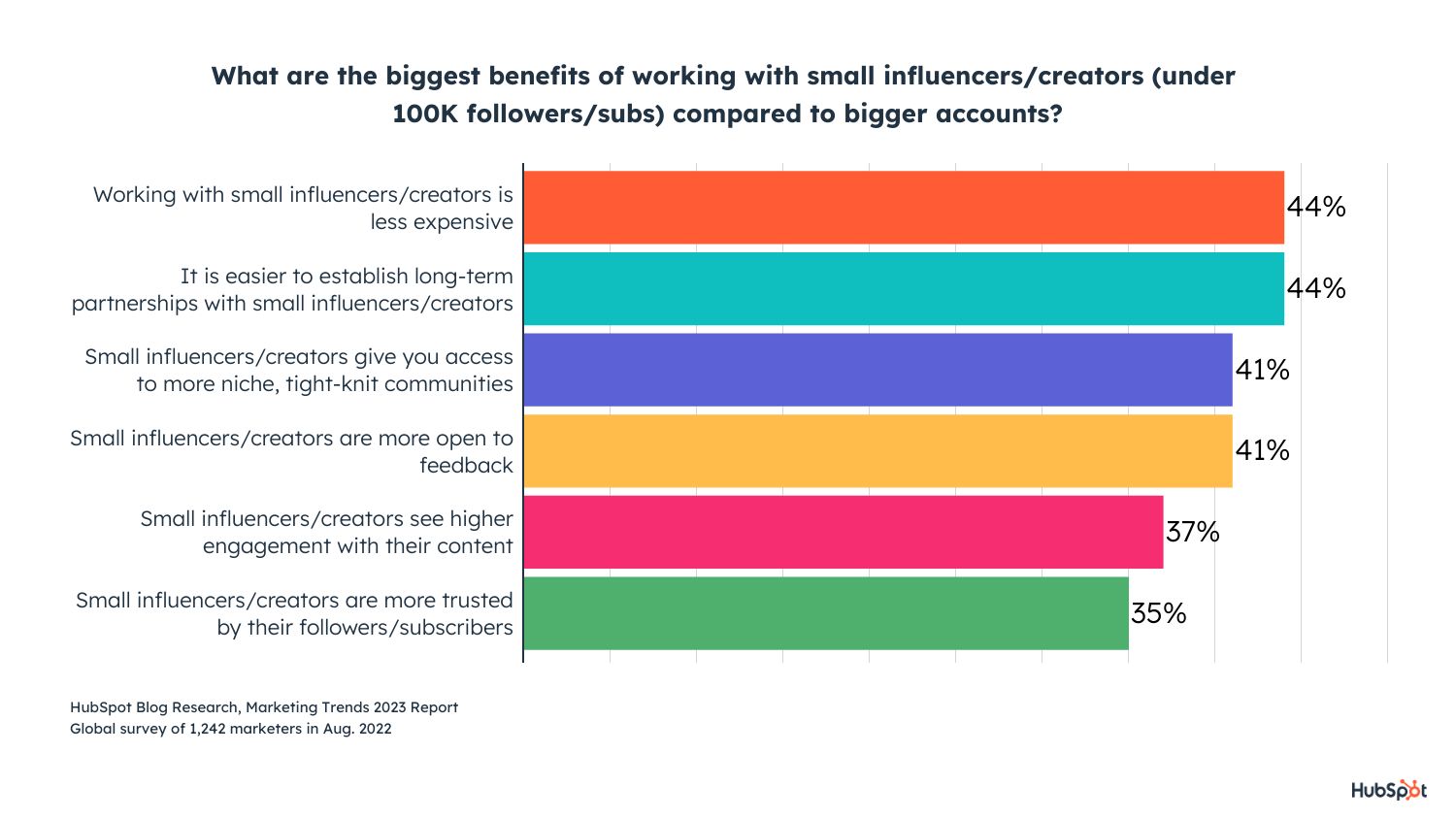
Investing in an influencer marketing strategy in 2023 is a good idea. Social media users often prefer to discover new products through an influencer, and influencer marketing can be an incredibly effective way to increase sales.
Influencer marketing has proven so effective, in fact, that 45% of social media marketers plan to increase their investment in influencer marketing in 2023.
6. Expect high ROI from short-form video.
Short-form video (typically considered any video under 60 seconds) has exploded in popularity in recent years.
Consider, for instance, this recent HubSpot YouTube Short video, which achieved over 8K views with just a quick one-minute explainer on Lil Nas X:
Whether your brand chooses to invest in TikTok, Instagram Reels, YouTube Shorts, or another video platform, it’s vital you test out shorter-form videos for increased engagement.
Short-form video will grow more than any other trend in 2023, with 32% of social media marketers planning to invest more in short-form video than any other format.
If you don’t test short-form video with your audience, you risk losing your audience’s attention before they can convert.
If you aren’t convinced, consider:
- 42% of social media marketers who don’t use short-form video yet plan on trying it for the first time in 2023, the highest of any format.
- 59% of marketers already using short-form video plan to increase their investment in 2023, while 39% will continue investing the same amount next year.
- Short-form video is Gen Z and Millennials’ preferred format to learn about new products, so creating short-form videos is also a powerful opportunity to reach Gen Z and millennials.
7. Be relatable and funny with your social content.
People crave content that makes them laugh, and that helps them recognize a real human behind the brand.
When it comes to brands posting on social media, a full 49% of consumers say relatable content is the most memorable for them, followed by funny content (36%).
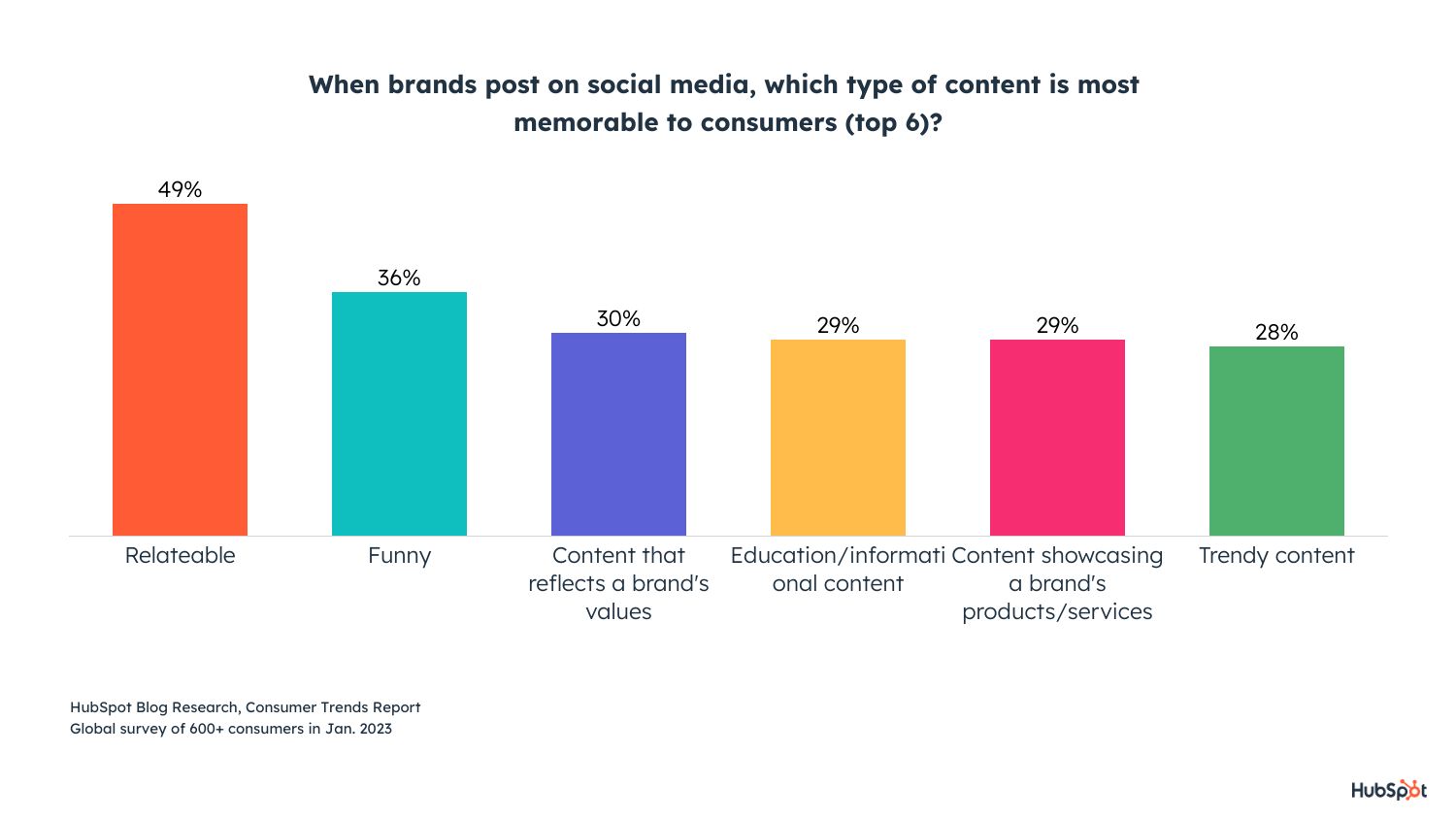
Additionally, 68% of consumers say social media content being authentic and relatable is more important than it being polished with high-production value.
Which is great news for brands: You don’t need to spend thousands of dollars creating polished and highly-edited videos; oftentimes, an iPhone can do the trick.
In 2023, the majority of social media marketers plan to invest heavily in relatable content, and funny content will see the second-most investment of any content type. To attract new audiences and compete in the space, it’s vital your brand consider how to create authentic and funny posts.
8. Invest in Instagram.
In 2023, Instagram will take the lead when it comes to ROI and engagement, with Facebook tying for highest-quality leads.
Instagram will see the most growth in 2023. In fact, 29% of social media marketers plan to invest more in it than any other platform.
51% of social media marketers using Instagram plan to increase their investment in 2023, while 39% will keep it the same. On top of that, 36% of those not yet using it plan to leverage Instagram for the first time this year.
All of which is to say: If you haven’t created a dedicated Instagram strategy, or you haven’t fully invested time and resources into growing your Instagram following, 2023 is a good year to do so.
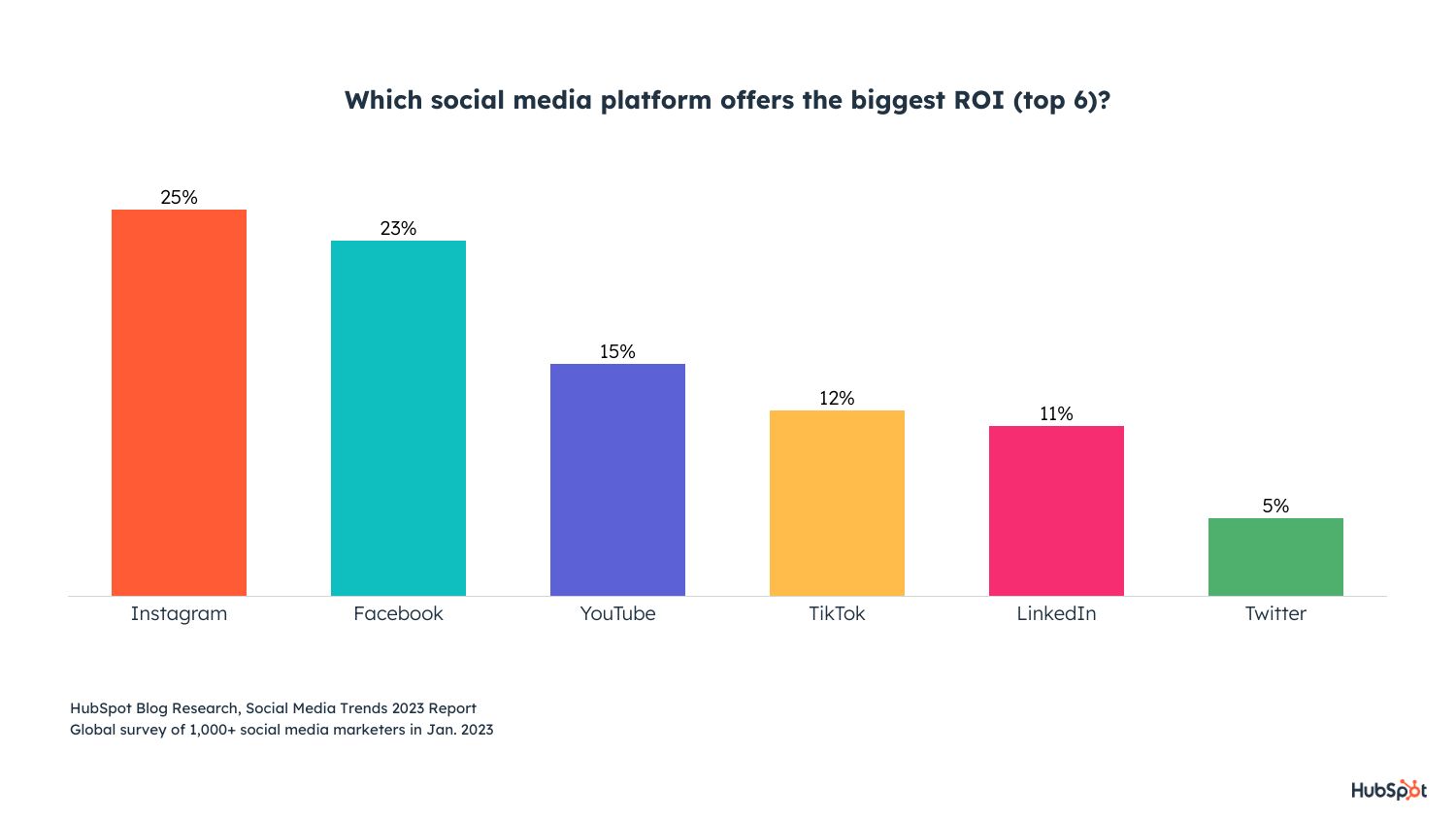
Choose the Insights That Make the Most Sense for Your Brand
Above, we’ve covered the biggest trends and shifts in the social media landscape in 2023 — but that doesn’t mean you need to follow all of them to see tremendous success.
Instead, rely on your own social analytics to determine what your audiences crave. Perhaps you find that, despite testing short-form video, your prospects and customers still click the long-form videos more often. Or, maybe you find that funny content doesn’t work well with your brand voice, and instead choose to invest more heavily in authentic content that matches your brand tone.
You know what’s best for your consumers, but hopefully, these recommendations provide you with the inspiration you need to start testing, iterating, and improving your social strategy for 2023 and beyond.
Interested in learning more about social media in 2023? Click here to set a Google Calendar reminder for the State of Social Media full report, coming February 6.

16 Free Project Management Software Options to Keep Your Team On Track
92% of U.S. workers feel that they could collaborate better with their colleagues.
Managing multiple projects at once, delegating tasks, and collaborating across teams is difficult on a good day — but can become downright impossible when unforeseen obstacles get in the way. The data proves that project management is no walk in the park for most of us.
When that impacts the business, it becomes an even bigger problem. Miscommunication and inefficiencies in your project management process can lead to confusing and stressful experiences for your employees. It can hinder your company’s ability to satisfy your clients’ needs or hit end-of-year goals.
Fortunately, there are plenty of free project management apps to keep your team on track without breaking the bank.

In a free project management tool, you’ll typically be able to create various projects, come-up with to-do lists, assign tasks to team members, and track a project’s progress until completion. Paid project management tools offer more storage, more projects, and more seats for the team. But for small teams, a free project management tool will do the trick.
The low buy-in makes it a natural choice. With free project management software, your team can collaborate much better, reducing the risk of miscommunications and keeping everyone up to speed on team-wide projects. It’s also helpful for individual team members. They can use it to boost their productivity and ensure they’re on track.
To streamline your process and ensure everyone on your team is on the same page, take a look at these exceptional free project management tools.
1. Project.co
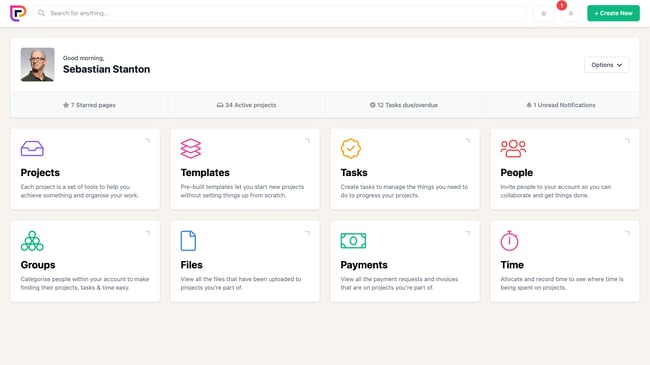
Project.co is a client-facing project management system that connects your team with your clients’ teams in one place. Each piece of work you do can be set up as its own project, with its own discussion feed, notes, tasks, team, and payments. You can also record time spent on each project.
A variety of different task and project views are available, including calendar, scheduler, and Kanban view — to give you an overview of the work that’s happening within your team.
Features include:
- Ability to quickly add/invite both internal and external users
- Discussion feed for each project — with email alerts (and the ability to reply by email without logging in)
- Variety of task views — which can be filtered — giving your whole team, each department, and even individual users their daily/weekly task lists
- Reporting tools that measure your most and least profitable or efficient projects
- Ability to integrate payment solutions and quickly, securely take card payments through the system
Pricing: Free for 14 days; $10/user/month
2. Wrike
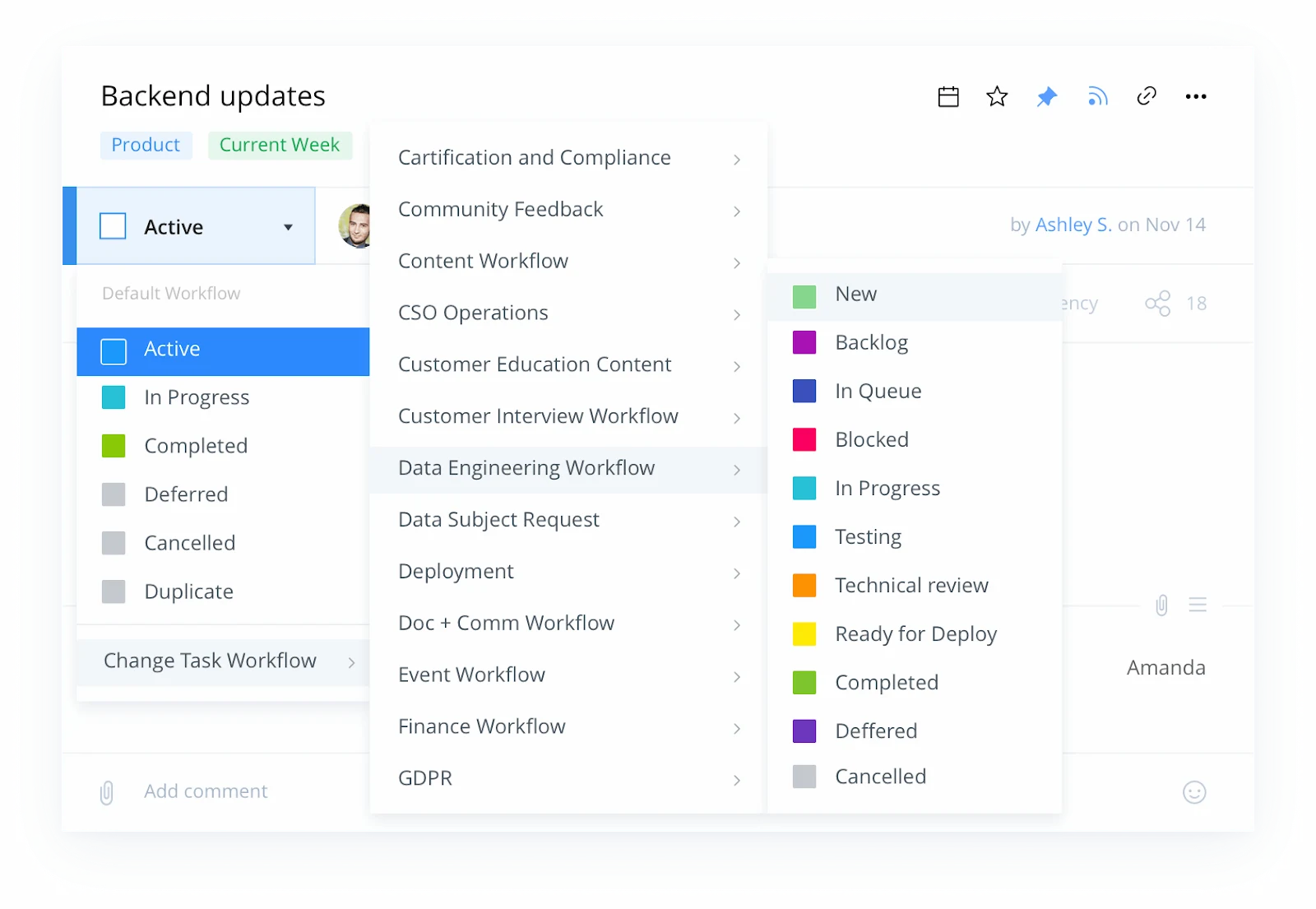
Wrike stands out as an exceptional project management tool for teams who want the option to customize workflows and edit and revise projects from within the platform itself. The tool offers the ability to color code and layer calendars, and its mobile app allows colleagues to update project information on-the-go. You can add comments to sections, videos, or documents, and create custom fields to export data most relevant to your company.
Features include:
- Security measures to ensure only authorized personnel can access information
- Activity Stream to allow project managers to micromanage small tasks, see activities in chronological order, and tag team members
- The option to unfollow activities to declutter your own personal Stream
- Email and calendar synchronization
- Built-in editing and approval features
Pricing: Free; $9.80/user/month (Professional); $24.80/user/month (Business); Custom (Enterprise)
3. Toggl Plan
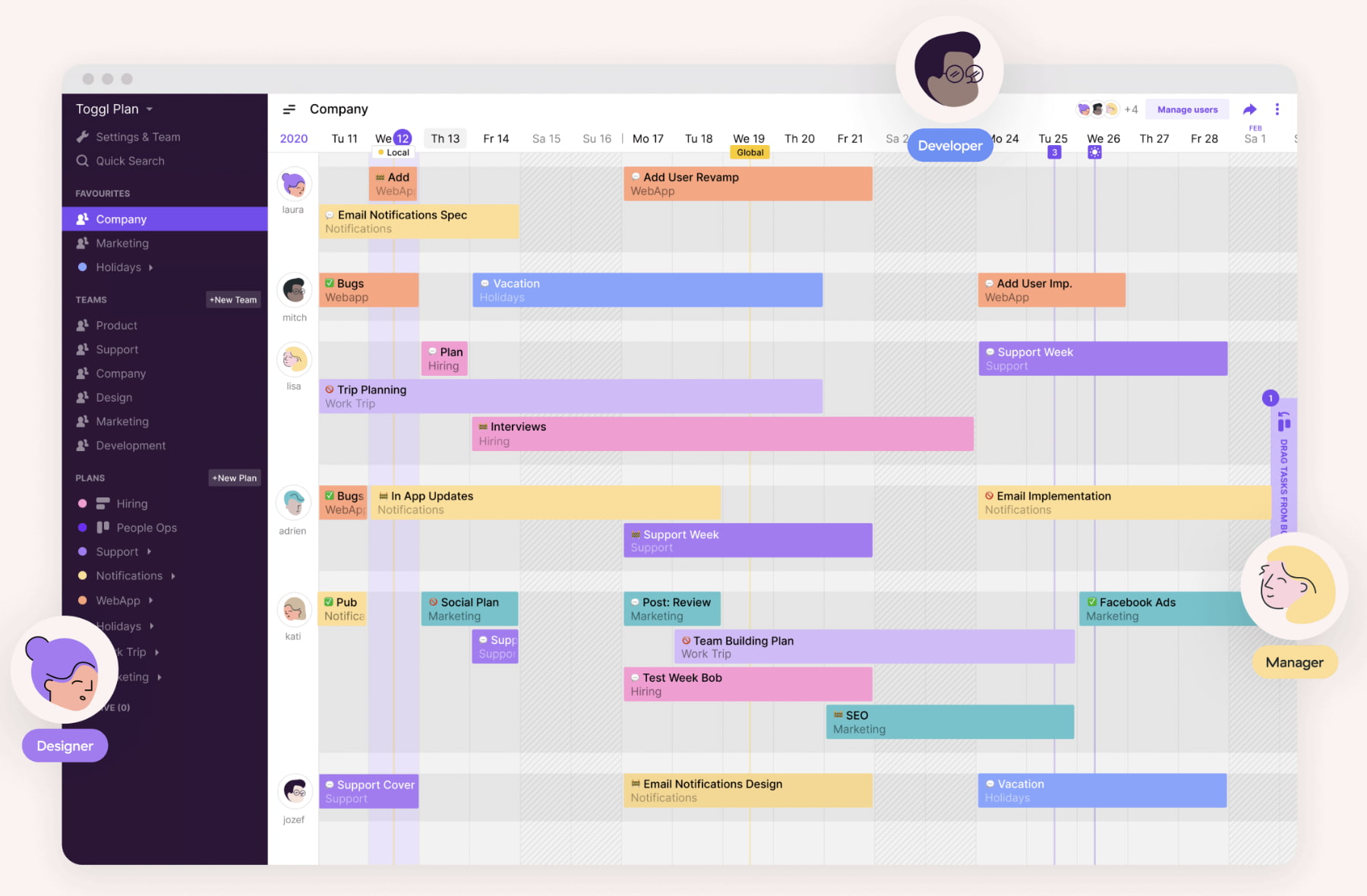
Toggl Plan is an effective project management tool to automate your task delegation process and visualize which project tasks have been completed, and which haven’t. If your team often collaborates with other departments on projects, this might be a useful tool for you.
Features include:
- Gantt-chart visualization to track important deadlines and projects
- Integrations with Slack, Github, Evernote, and others
- Team collaboration option through shared calendars and task notes
Pricing: Free for 14 days; $8/user/month (Team); $13.35/user/month (Business)
4. ClickUp
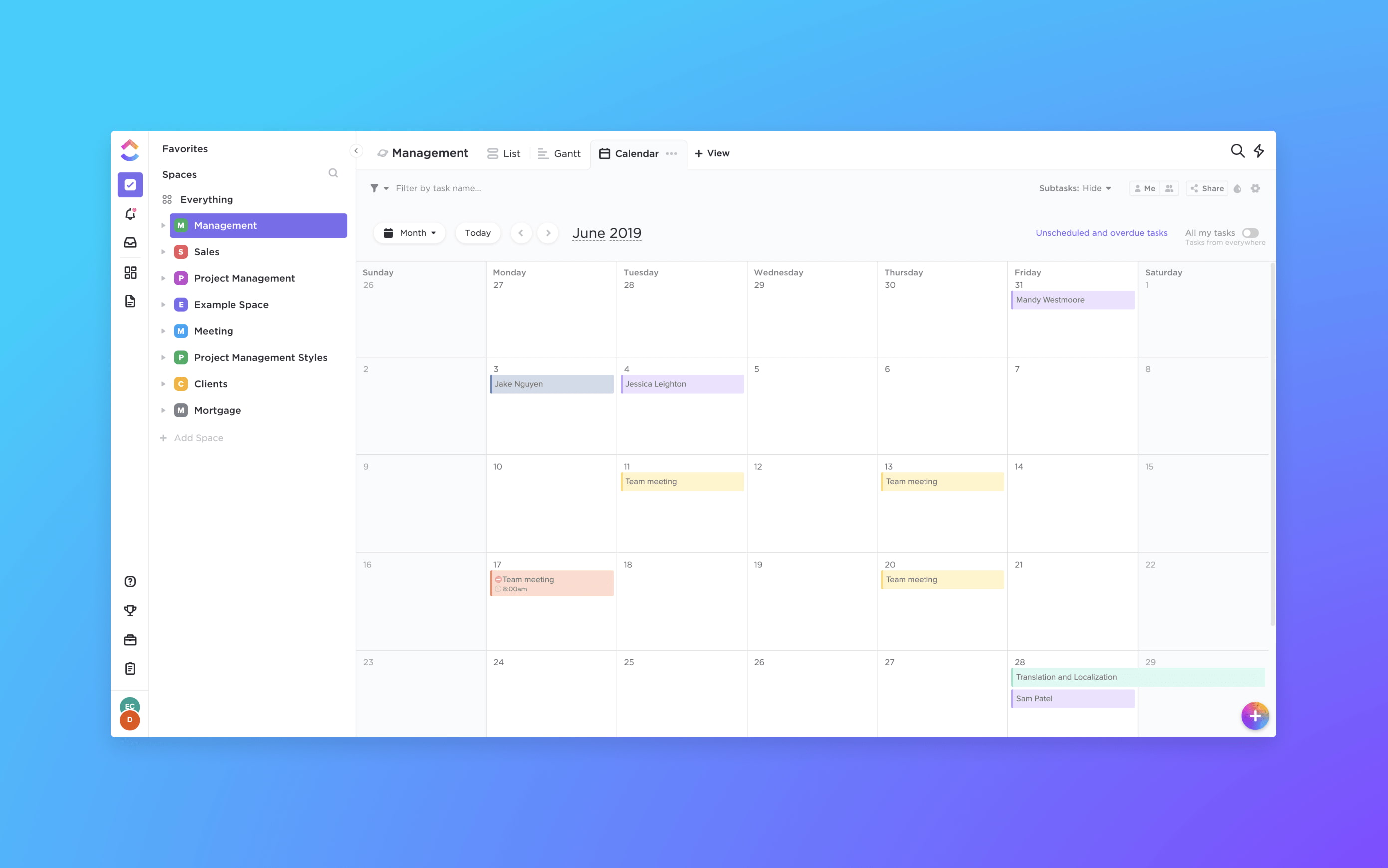
ClickUp provides a few impressive features to customize the all-in-one project management tool to suit your team members, including the option for each user to choose one of three different ways to view their projects and tasks depending on individual preference. If your marketing team overlaps with sales, design, or development, this is an effective solution, as it provides features for all of those four teams.
Features include:
- Integrates with HubSpot (May require a paid account)
- The ability to organize your projects based on priority, and assign tasks to groups
- The option to set goals to remind teams what they’re aiming to accomplish
- Google Calendar two-way sync
- An easy way to filter, search, sort, and customize options for managing specific tasks
- Activity stream with mentions capability
- Image mockups
- 57 integrated apps
Pricing: Free; $5/user/month
5. nTask
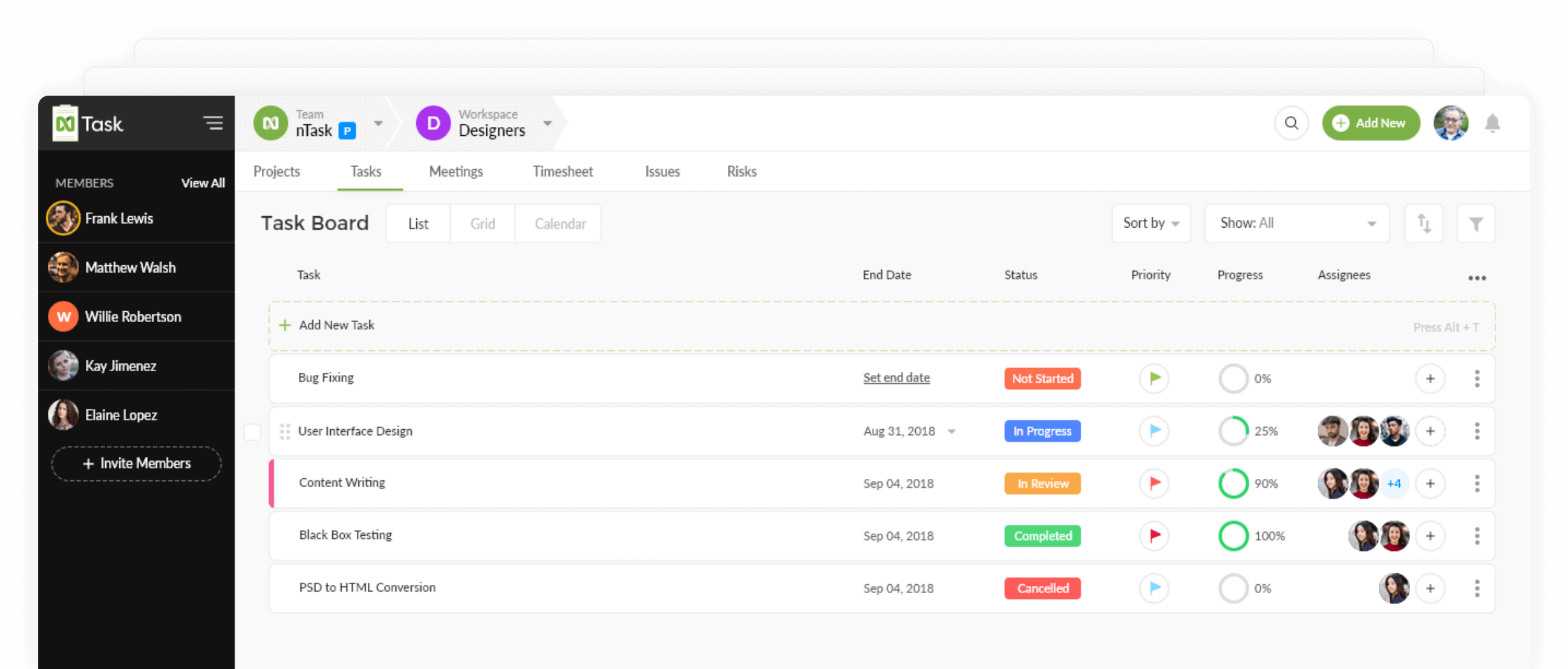
Another free software that comes with a variety of features for project and task managers is nTask. This program has a couple of free-range tools for anyone looking to work as an individual or a professional project manager.
nTask supports multiple projects and task creation. Users can also define team leader roles, budget, milestone and time tracking criteria that are specific to relevant projects. Understanding the needs of advanced project managers, nTask also offers an interactive Gantt chart feature. It can be personalized by a simple drag and drop mechanism to align the project to ongoing real-life changes.
Features include:
- A powerful in-app collaboration system
- Integration with Slack and many other third-party apps
- The ability to invite stakeholders to view ongoing projects
- Resource management
- Team management via an admin-controlled process
- Multiple workspaces dedicated to different projects and tasks
Pricing: Free (Basic); $2.99/user/month (Premium); $7.99/user/month (Business); Custom (Enterprise)
6. Teamwork
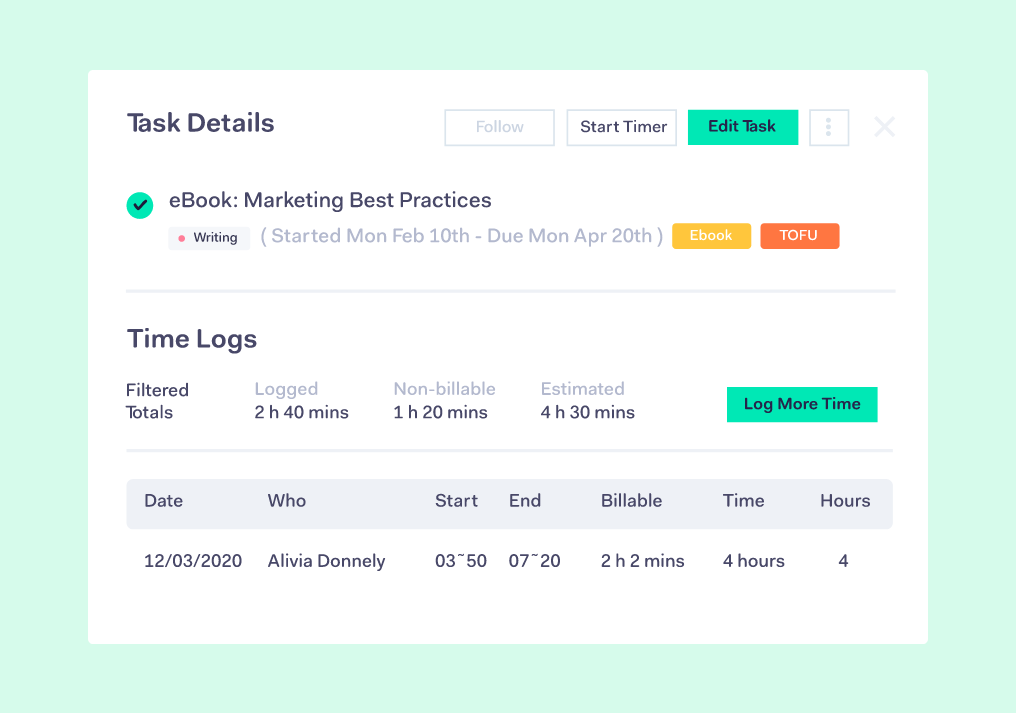
Teamwork is a project management software and collaboration platform that helps in-house and remote teams stay organized and productive. Each project lets you easily upload files, assign tasks and deadlines, and chat with teammates. By centralizing your project information, you can help eliminate more misunderstandings and missed deadlines.
Features include:
- Easy integration with HubSpot (May require a paid account)
- Teamwork Chat Instant Messenger to help you stay in your workflow and be most productive
- Time tracking to understand capacity and where a team spends their time
- Dashboards, Substasks, and Milestones to help track progress of projects
Pricing: Free; $10/user/month (Deliver); $18/user/month (Grow); Custom (Enterprise
7. Freedcamp
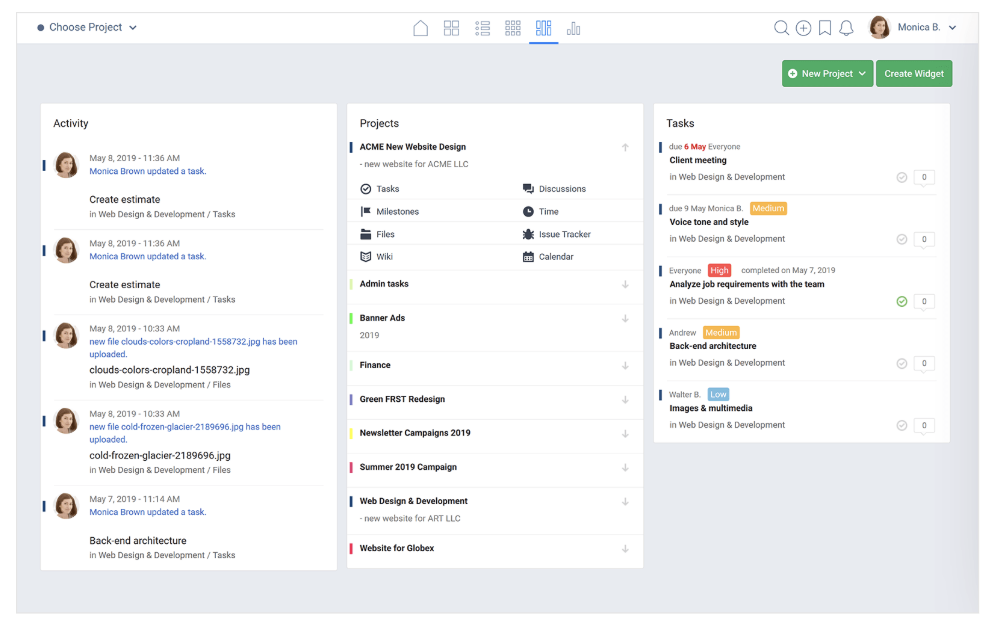
Freedcamp is a feature-rich project management tool that’s designed for personal and professional use. Each project has its own tasks, milestones, files, discussions, and timelines, as well as an issue tracker and calendar. The dashboard gives you a clear, concise overview of what’s going on in your team, including activity, projects, and tasks.
Features include:
- Message-board discussion feed, with the ability to create and carry out discussions on any topic
- Powerful calendar view that lays out all upcoming events
- Third-party integrations including Google Drive, Google Calendar, Dropbox and more
Pricing: Free; $1.49/user/month (MInimalist); $7.49/user/month (Business); $16.99/user/month (Enterprise)
8. Asana
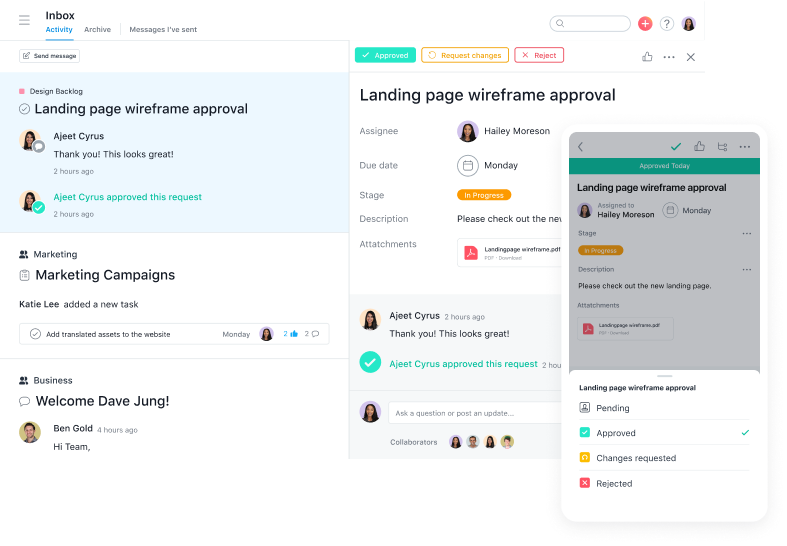
Asana, one of the most well-known project management solutions, has a clean and user-friendly interface. The all-in-one tool lets you create boards to visualize which stage your project is in, and use reporting to keep track of finished tasks and tasks that need your attention.
Features include:
- The ability to create templates to automate mundane tasks
- The ability to collaborate and share information across the team, privately and securely
- The option to set security controls and designate admins
- Over 100 integrations for a more efficient start-to-finish process
- The ability to create custom project fields, share documents, and filter tasks
- HubSpot integration for seamless syncing of workflows and contact activity
Pricing: Free (Basic); $10.99/user/month (Premium); $24.99/user/month (Business); Custom (Enterprise)
9. Monday.com
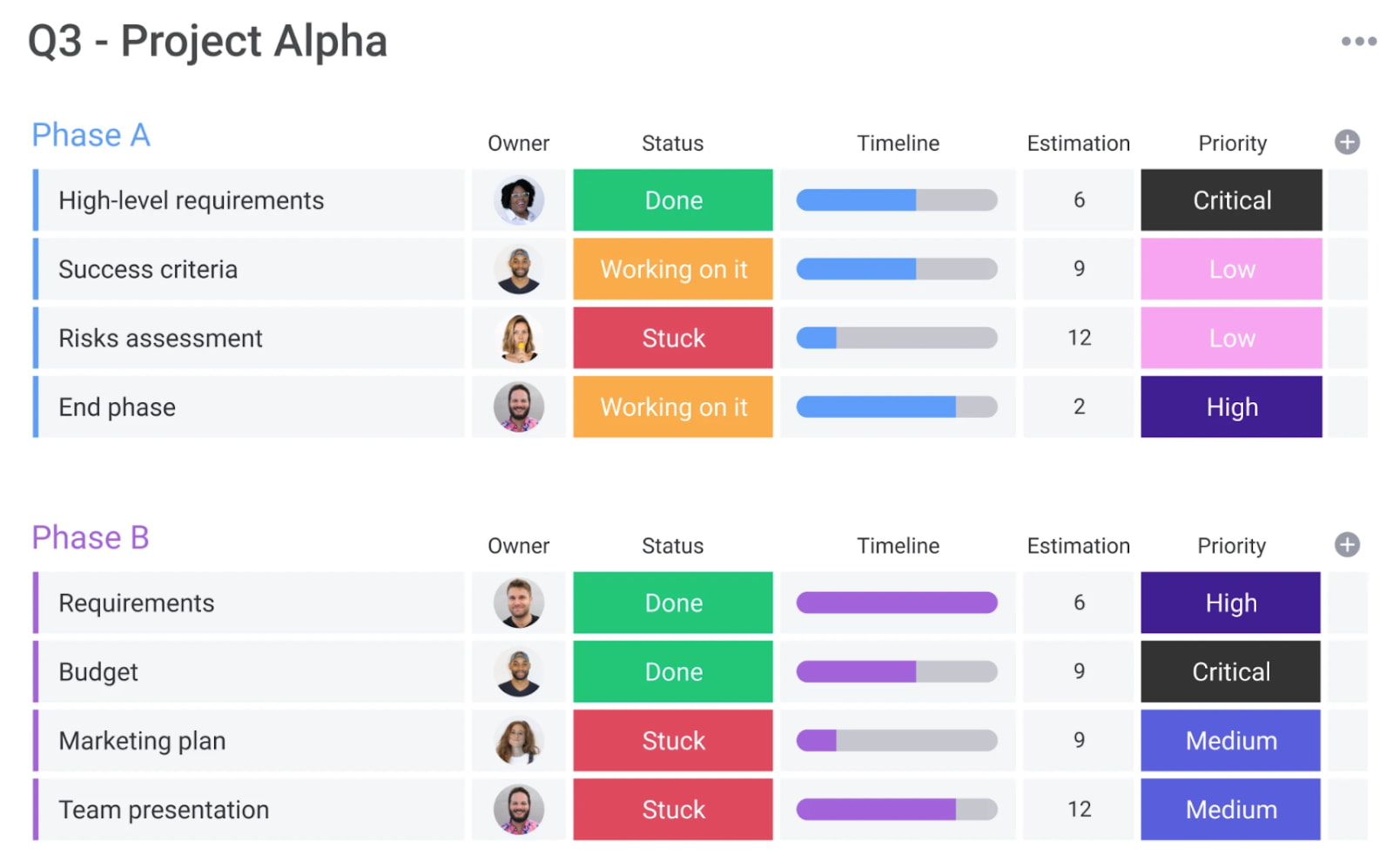
Monday.com, a project management tool that also offers HR and IT tools, allows you to create team member status updates so your remote and flexible teams know their coworkers’ schedules. It allows you to easily access project updates at-a-glance so that nothing falls between the cracks.
Features include:
- Customizable workflows to prioritize your team’s needs and take care of menial tasks
- Gantt chart for visualizing due dates and project timelines
- Integrations with popular tools such as Slack, Microsoft Teams, and Google Calendar
- Team member status updates for remote or flexible team members
- HubSpot integration so that everyone can collaborate on contact and deal management (May require a paid plan)
10. Paymo
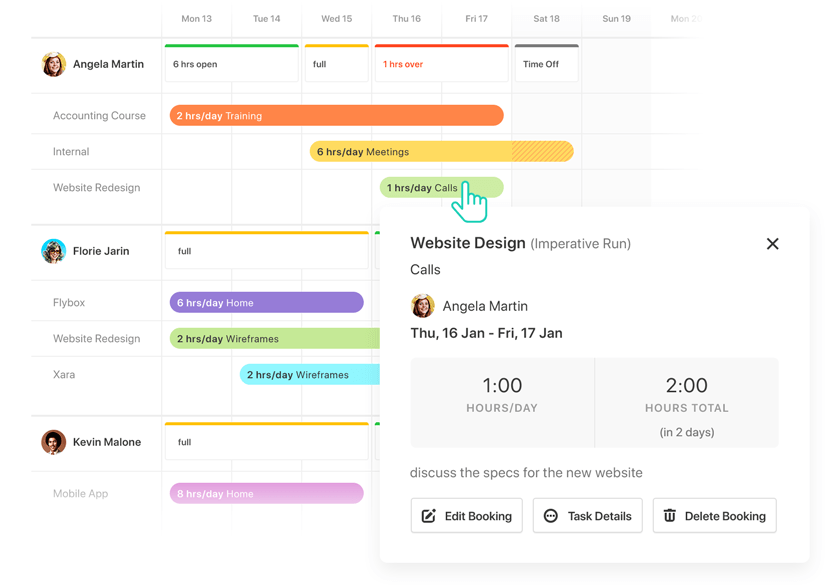
Paymo’s free version only allows access for one user, but if you’ve got a small team or you’re a freelancer, this could be an efficient option for tracking billable hours and invoicing clients. Along with tracking finances, Paymo also allows you to organize project timelines, create to-do lists, and stay on top of your budgets for multiple projects at once.
Features include:
- Kanban boards for easy, at-a-glance project updates
- Time tracking to keep everyone on the same schedule
- File sharing and Adobe CC extension for easy sharing of assets
- Timesheet reporting to keep stakeholders in the loop
- Project templates to jumpstart projects with a click
Pricing: Free; $9.95/user/month (Small Office); $15.79/user/month (Business)
11. Trello
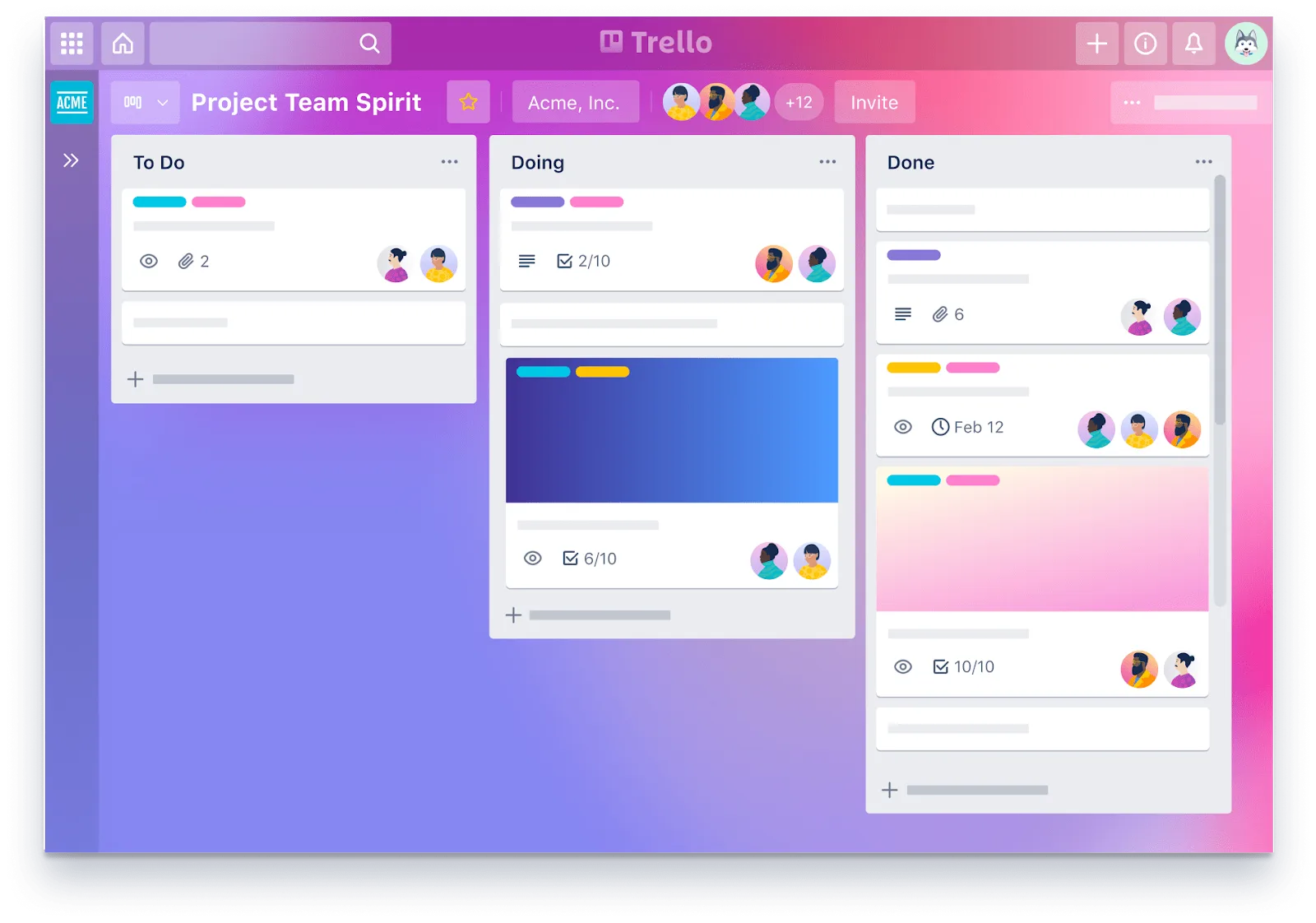
Trello is a drag-and-drop tool that lets you move projects — personal, or professional — through workflow stages, all the way to completion.
You define what those stages are — whether it’s work project statuses like ‘On Hold,’ or personal project categories like ‘Things to buy!’ — with tasks represented as ‘cards.’ Each card can be given a name, assigned to an individual, given a due date — and have files, such as images, attached to it.
Features include:
- Templates for a range of different project types, from business to education to personal productivity
- Ability to add attachments such as images to any card on any board
- Customise your workflow stages to reflect your actual process
- Simple drag-and-drop movement of cards through workflow stages
- HubSpot integration for syncing marketing, sales, and service workflows into to-do lists (May require a paid plan)
Pricing: Free; $10/user/month; Custom (Enterprise)
12. Todoist
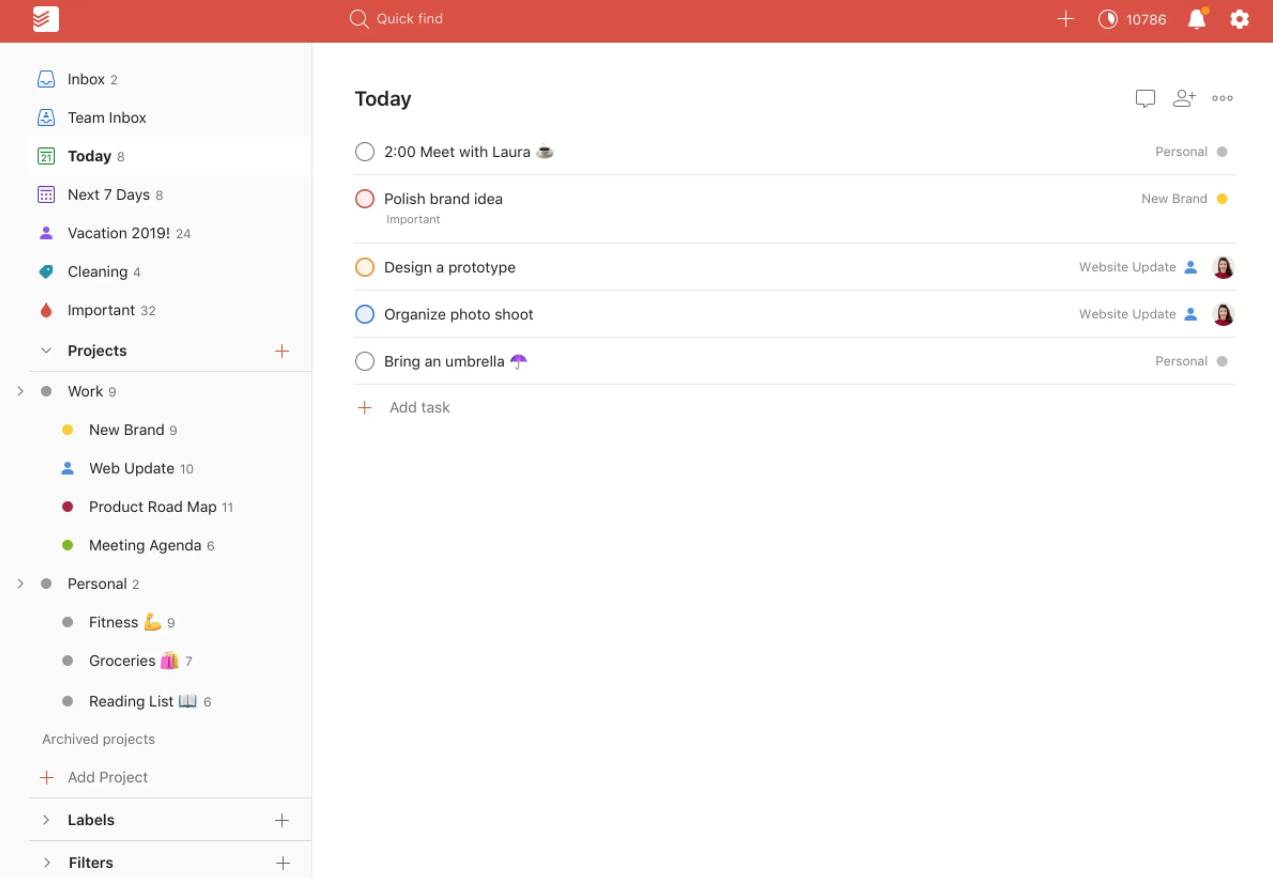
Todoist is a simple but powerful tool that lets you create powerful, interactive to-do lists. To-do items can be assigned priority levels, assigned to people in your team and flagged — with customizable reminders (although these are a premium feature). Actionable items can also be categorised into different projects, making a simple, easily understandable structure where each ‘list’ has a title (project name) and a series of actions. This all makes it an extremely flexible, customizable tool to get work done.
Features include:
- Template lists to inspire and guide you
- Recurring due dates for regularly recurring tasks
- Productivity visualizations and ‘Karma’ points for completed tasks and streaks
- Labels, notification and discussion feeds to keep you organized
- Integrates with HubSpot (May require a paid account)
Pricing: Free; $3/user/month (Pro); $5/user/month (Business)
13. MeisterTask
MeisterTask is a project management tool that allows you to create Kanban boards, set recurring tasks, track project times, and create custom fields. You can automatically import data from other tools such as Trello and Asana, allowing you to get immediately to work without losing time.
Features include:
- Up to 3 projects on the free version
- File attachments for projects
- Custom project icons to make tasks stand out
- Time tracking so that no deadlines fall through the cracks
Pricing: Free; $8.25/user/month (Pro); $20.75/user/month (Business); Custom (Enterprise)
14. Bitrix24
 Britrix24’s project management software includes Kanban boards, Gantt charts, task counters for easy prioritization, and reports for analyzing the time intensiveness of different tasks. You can also create to-do lists within tasks.
Features include:
- Recurring tasks for easy task creation and automation
- Integration with Billable Hours, which is especially useful if you work with freelancers
- Task statuses to easily keep track of progress
- Monthly reports on time spent on tasks
15. Airtable
 Airtable is a customizable spreadsheet and database app that can be used to create a project management tool for your team. Its project tracker template allows you to easily manage projects in a familiar spreadsheet-like environment, making it ideal for Excel and Google Sheets enthusiasts.
Features include:
- Subtask creation within tasks
- Ability to assign tasks and establish time estimates
- Additional templates for keeping remote teams aligned, such as a team hub and asset tracker
- Highly customizable for different teams
- Integration with popular tools such as HubSpot, Asana, Dropbox, Google Workspace, and Slack
Pricing: Free; $10/user/month (Plus); $20/user/month (Pro); Custom (Enterprise)
16. ProofHub
ProofHub is a project management and team collaboration software that allows project managers to maintain complete control over their tasks, teams, projects, and communication. Managers can assign tasks and deadlines to team members and easily maneuver between simple to-do lists and agile kanban boards that are customizable.
ProofHub has a notes feature and a dedicated discussions section to store your important information and carry out real-time conversations with your team members. Get real-time notifications whenever someone makes an update to a ticket.
Features include:
- Online proofing tool to review files and annotate design files using markup tools
- In-built chat application to connect with team members
- Various project views including Kanban boards, Table View, and robust Gantt charts
- Time tracker and timesheets to keep track of your team’s timelines
- Project reports with a detailed overview of overall project progress
- Me-view and an activity tracker to keep track of your tasks and team activities
- Project calendar with events, milestones, and deadlines
Pricing: $45/month (Essential), $89/month (Ultimate Control)
Project Management in HubSpot
If you’re a HubSpot user, you may already have what you need to manage your teams and to-do’s.
For example, our free CRM includes task management software that Sales and Service teams can use to track, manage, and report on ongoing activities.
Features include:
- A personalized dashboard with an overview of tasks, meetings, and contacts.
- Sync your calendar and contacts within your CRM.
- Add new tasks right from your to-do list, email inbox, or workflows.
- View insights on activity progress– including metrics like calls made, deals created, and activities completed.
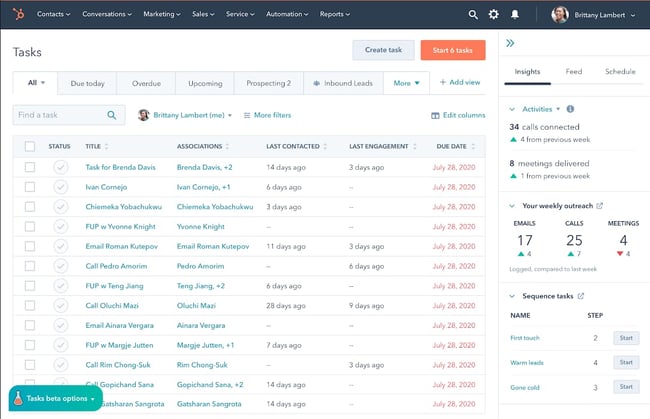 Get Started with the Task Management Tool
Marketers with Marketing Hub Professional or above can use the Campaigns tool to do similar management geared toward marketing tasks. You can create tasks, share comments, and track your work in a calendar view. The tool can be used to manage your campaigns, ads, events, and other customizable projects all from one place.
It can also help align your Sales and Marketing teams by giving both access to real-time reporting on campaign performance.
Lastly, many of your favorite project management tools can integrate with a CRM like HubSpot. (Depending on the tool, this may require a paid account.) This can supercharge your Sales, Service, and Marketing teams by automatically connecting your customer data to your projects and tasks.
Some ways that HubSpot users do this include:
- Automatically creating new tasks or events out of form submissions
- Generating follow-up reminders after live events
- Handing off projects between teams based on deal stage
Streamline Workflows with a Project Management Tool
Using a project management app will empower your team to work more efficiently and collaborate more seamlessly. With hurdles out of the way, you can guarantee that your team can focus on what matters: bringing in more leads, selling to more prospects, and empowering more customers to grow alongside your business.
Editor’s note: This post was originally published in August 2018 and has been updated for comprehensiveness.
