
Welcome to My Blog
PSA: If your 15-inch MacBook Pro claims it has an Intel Iris Pro 580 GPU, it probably doesn’t
Aside from the size, one of the biggest differences between the 13- and 15-inch MacBook Pro models with Touch Bar is the much beefier graphics on the larger machine. While the 13-inch versions have only Intel integrated graphics, the 15-inch models additionally have AMD Radeon Pro discrete GPUs.
Filed under: Apple
iFixit teardown of 15-inch MacBook Pro with Touch Bar finds hidden connector, maybe for SSD data rescue
iFixit has completed its third teardown of the new MacBook Pro models, following the entry-level and Touch Bar 13-inch units with the top-of-the-range 15-inch version. The tl;dr is that the machine’s innards are almost identical to the 13-inch model.
One interesting find, also present in the smaller version, is a ‘connector to nowhere’: a port on the logic board that isn’t connected to anything. Comments on the previous teardown speculate that this might be to pull data from the soldered-in SSD …
Filed under: Apple
Grammar Police: 30 of the Most Common Grammatical Errors We All Need to Stop Making
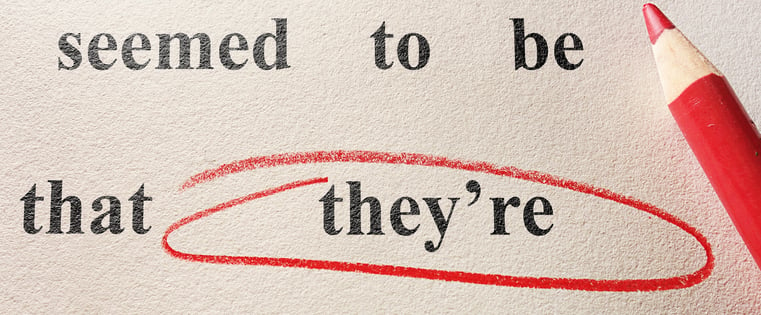
Even after years of education, there are some things that some people still mess up. For me, it’s algebra. For others, it’s the laws of physics. And for many, it’s grammar.
It’s not easy. Words and phrases that sound fine in your head can look like gibberish when written down — that is, if you even realize you made a mistake in the first place. It’s easy for little grammar mistakes to slip by, especially when you’re self-editing.
But how do you prevent grammatical errors if you’re not even aware you’re making them?
Well, you can start by reading through this post to see which common grammar mistakes resonate with you the most. (It’s okay — we’re all guilty of at least one.) Make a mental note to avoid that mistake in the future, or heck, just bookmark this page to remind yourself of them over and over (and over) again.
30 Common Grammar Mistakes to Check For in Your Writing
1) They’re vs. Their vs. There
One’s a contraction for “they are” (they’re), one refers to something owned by a group (their), and one refers to a place (there). You know the difference among the three — just make sure you triple check that you’re using the right ones in the right places at the right times. I find it’s helpful to search through my posts (try control + F on PC or command + F on Mac) for those words and check that they’re being used in the right context.
Correct Usage: They’re going to love going there — I heard their food is the best!
2) Your vs. You’re
The difference between these two is owning something versus actually being something:
You made it around the track in under a minute — you’re fast!
How’s your fast going? Are you hungry?
See the difference? “Your” is possessive and “you’re” is a contraction of “you are.” Again, if you’re having trouble keeping them straight, try doing another grammar check before you hit publish.
3) Its vs. It’s
This one tends to confuse even the best of writers. “Its” is possessive and “it’s” is a contraction of “it is.” Lots of people get tripped up because “it’s” has an ‘s after it, which normally means something is possessive. But in this case, it’s actually a contraction.
Do a control + F to find this mistake in your writing. It’s really hard to catch on your own, but it’s a mistake everyone can make.
4) Incomplete Comparisons
This one drives me up a wall when I see it in the wild. Can you see what’s wrong with this sentence?
Our car model is faster, better, stronger.
Faster, better, stronger … than what? What are you comparing your car to? A horse? A competitor’s car? An older model?
When you’re asserting that something should be compared to something else, make sure you always clarify what that something else is. Otherwise, it’s impossible for your readers to discern what the comparison actually means.
5) Passive Voice
If you have a sentence with an object in it — basically a noun that receives the action — passive voice can happen to you. Passive happens when the object of a sentence is put at the beginning of a sentence instead of at the end. With passive voice, your writing comes across as sounding weak and unclear.
Hold up. Re-read that last paragraph I just wrote — there’s waaaaaay too much passive voice. See how it seems kind of jumbled and not quite punchy? Let’s try that again.
Passive voice happens when you have an object (a noun that receives the action) as the subject of a sentence. Normally, the object of the sentence appears at the end, following a verb. Passive writing isn’t as clear as active writing — your readers will thank you for your attention to detail later.
Make sense? It’s kind of a complicated thing to describe, but active voice makes your writing seem more alive and clear. Want to get into the nitty-gritty of avoiding passive voice? Check out this tip from Grammar Girl.
6) Dangling Modifiers
I love the name of this mistake — it makes me think of a dramatic, life-or-death situation such as hanging precariously off a cliff. (Of course grammar mistakes are never that drastic, but it helps me remember to keep them out of my writing.)
This mistake happens when a descriptive phrase doesn’t apply to the noun that immediately follows it. It’s easier to see in an example taken from my colleague over on the HubSpot Sales Blog:
After declining for months, Jean tried a new tactic to increase ROI.
What exactly is declining for months? Jean? In reality, the sentence was trying to say that the ROI was declining — not Jean. To fix this problem, try flipping around the sentence structure (though beware of passive voice):
Jean tried a new tactic to increase ROI after it had been declining for months.
Better, right?
7) Referring to a Brand or an Entity as “They”
A business ethics professor made me aware of this mistake. “A business is not plural,” he told our class. “Therefore, the business is not ‘they.’ It’s ‘it.'”
So, what’s the problem with this sentence?
To keep up with their changing audience, Southwest Airlines rebranded in 2014.
The confusion is understandable. In English, we don’t identify a brand or an entity as “he” or “she” — so “they” seems to make more sense. But as the professor pointed out, it’s just not accurate. A brand or an entity is “it.”
To keep up with its changing audience, Southwest Airlines rebranded in 2014.
It might seem a little strange at first, but once you start correctly referring to a brand or entity as “it,” the phrasing will sound much more natural than “they.”
8) Possessive Nouns
Most possessive nouns will have an apostrophe — but where you put that apostrophe can be confusing. Here are a few general rules to follow:
- If the noun is plural, add the apostrophe after the s. For example: the dogs’ bones.
- If the noun is singular and ends in s, you should also put the apostrophe after the s. For example: the dress’ blue color.
- On the other hand, if the noun is singular and doesn’t end in an s, you’ll add the apostrophe before the s. For example: the lizard’s tail.
Simple, right? If you want a deeper dive into the rules of possessive nouns, check out this website.
9) Affect vs. Effect
This one is another one of my pet peeves. Most people confuse them when they’re talking about something changing another thing.
When you’re talking about the change itself — the noun — you’ll use “effect.”
That movie had a great effect on me.
When you’re talking about the act of changing — the verb — you’ll use “affect.”
That movie affected me greatly.
10) Me vs. I
Most people understand the difference between the two of these, until it comes time for them to use one in a sentence. They’ll say something like:
When you get done with that lab report, can you send it to Bill and I?
But that’s wrong.
Try taking Bill out of that sentence — it sounds weird, right? You would never ask someone to send something to “I” when he or she is done. The reason it sounds weird is because “I” is the object of that sentence — and “I” should not be used in objects. In that situation, you’d use “me.”
When you get done with that lab report, can you send it to Bill and me?
Much better.
11) To vs. Too
We’ve all accidentally left the second “o” off of “too” when texting in a hurry. But in case the mistake goes beyond that, let’s review some usage rules.
“To” is typically used before a noun or verb, and describes a destination, recipient, or action. Take these examples:
My friend drove me to my doctor’s appointment. (Destination)
I sent the files to my boss. (Recipient)
I’m going to get a cup of coffee. (Action)
“Too,” on the other hand, is a word that’s used as an alternative to “also” or “as well.” It’s also used to describe an adjective in extremes. Have a look:
My colleague, Sophia Bernazzani, writes for the HubSpot marketing blog, too.
She, too, is vegan.
We both think it’s too cold outside.
You might have noticed that there’s some interesting comma usage where the word “too” is involved. We’ll cover commas a bit more later, but when you’re using the word “too” to replace “also” or “as well,” the general rule is to use a comma both before and after. The only exception occurs when “too” is the last word in the sentence — then, follow it with a period.
12) Do’s and Don’ts
I’m not talking about the do’s and don’ts of grammar here — I’m talking about the actual words: “do’s” and “don’ts.” They look weird, right? That’s because of two things:
- There’s an apostrophe in one to make it plural … which typically isn’t done, and
- The apostrophes aren’t put in the same place in both words.
Unfortunately, it’s AP Style, so we just have to live with it. It’s a hot angle for content formats, so I wouldn’t shy away from using it. But when you’re checking your writing for grammatical errors, just remember that the apostrophes should be in different places.
Note: There are different schools of thought about how to punctuate this one depending on what style guide/usage book you’re using. The Chicago Manual of Style, for instance, recommends “dos” and “don’ts.” The important thing is to be consistent and stick to one style guide, whether it’s AP Style, Chicago, or your own house style guide.
13) i.e. vs. e.g.
Confession: I never remember this rule, so I have to Google it every single time I want to use it in my writing. I’m hoping that by writing about it here, the trend will stop.
Many people use the terms interchangeably when trying to elaborate on a point, but each one means something different: “i.e.” roughly means “that is” or “in other words,” while “e.g.” means “example given” or “for example.” The former is used to clarify something you’ve said, while the latter adds color to a story through an example.
14) Peek vs. Peak vs. Pique
This mistake is another one I often see people make, even if they know what they mean.
- Peek is taking a quick look at something — like a sneak peek of a new film.
- Peak is a sharp point — like the peak of a mountain.
- And pique means to provoke or instigate — you know, like your interest.
If you’re going to use one in your writing, stop and think for a second — is that the right “peek” you should be using?
15) Who vs. That
This one is tricky. These two words can be used when you’re describing someone or something through a phrase like, “Lindsay is a blogger who likes ice cream.” When you’re describing a person, be sure to use “who.”
When you’re describing an object, use “that.” For example, you should say, “Her computer is the one that overheats all the time.” It’s pretty simple, but definitely something that gets overlooked frequently.
16) Who vs. Whom vs. Whose vs. Who’s
Whoa. This one looks like a bit of a doozy. Let’s break it down, shall we?
“Who” is used to identify a living pronoun. If you asked, “Who ate all of the cookies?” the answer could be a person, like myself (“I did”), or another living being (“the dog did”).
Hey, both are realistic scenarios in my world.
“Whom” is a little trickier. It’s usually used to describe someone who’s receiving something, like a letter — “To whom will it be addressed?” But it can also be used to describe someone on the receiving end of an action, like in this sentence:
Whom did we hire to join the podcast team?
“Whose” is used to assign ownership to someone. See if you can spot the error in this question:
Who’s sweater is that?
Because the sweater belongs to someone, it should actually be written this way:
Whose sweater is that?
“Who’s,” on the other hand, is used to identify a living being. It’s a contraction for “who is” — here’s an example of how we might use it in a sentence here in Boston:
Who’s pitching for the Red Sox tonight?
See the difference? “Whose” is used to figure out who something belongs to, whereas “who’s” is used to identify someone who’s doing something.
17) “Alot” vs. A lot vs. Allot
I hate to break it to all of you “alot” fans out there, but “alot” is not a word. If you’re trying to say that someone has a vast number of things, you’d say they have “a lot” of things. And if you’re trying to say that you want to set aside a certain amount of money to buy something, you’d say you’ll “allot” $20 to spend on gas.
If you’re trying to remember to stay away from “alot,” check out this awesome cartoon by Hyperbole and a Half featuring the alot. That face will haunt you for the rest of your content marketing days.
18) Into vs. In to
Let’s clarify the “into” versus “in to” debate.
They’re often confused, but “into” indicates movement (Lindsay walked into the office) while “in to” is used in lots of situations because the individual words “to” and “in” are frequently used in other parts of a sentence. For example, “to” is often used with infinitive verbs (e.g. “to drive”). Or “in” can be used as part of a verb (e.g. “call in to a meeting”).
So if you’re trying to decide which to use, first figure out if the words “in” or “to” actually modify other words in the sentence. If they don’t, ask yourself if it’s indicating some sort of movement — if it does, you’re good to use “into.”
19) Lose vs. Loose
When people mix up “lose” and “loose,” it’s usually just because they’re spelled so similarly. They know their definitions are completely different.
According to Merriam-Webster, “lose” is a verb that means “to be unable to find (something or someone), to fail to win (a game, contest, etc.), or to fail to keep or hold (something wanted or valued).” It’s like losing your keys or losing a football match.
“Loose” is an adjective that means “not tightly fastened, attached, or held,” like loose clothing or a loose tooth.
A trick for remembering the difference is to think of the term “loosey-goosey” — both of those words are spelled with two o’s.
20) Then vs. Than
What’s wrong with this sentence?
My dinner was better then yours.
*Shudder.* In the sentence above, “then” should be “than.” Why? Because “than” is a conjunction used mainly to make comparisons — like saying one thing was better “than” another. “Then” is mainly an adverb used to situate actions in time:
We made dinner, and then we ate it.
21) Of vs. Have
I have a bad habit of overusing a phrase that goes like this: “Shoulda, coulda, woulda.” That basically means I regret not doing something, but it’s too late to dwell on it now. For example, “I shoulda done my laundry on Sunday.”
But “shoulda,” “coulda,” and “woulda” are all short for something else. What’s wrong with this statement?
I should of done my laundry on Sunday.
Since it’s so common for us to throw around fake worlds like “shoulda,” the above mistake is an easy one to make — “shoulda” sounds like a shortened version of “should of.” But really, “shoulda” is short for “should have.” See how it works in these sentences:
I should have done my laundry on Sunday.
I could have taken a shorter route.
I would have gone grocery shopping on Friday, if I had time.
So next time, instead of saying, “shoulda, woulda, coulda,” I should probably say, “should’ve, would’ve, could’ve.”
22) Use of Commas
There are entire courses on correct comma usage, but let’s go over some of the most common comma use cases here.
To separate elements in a series.
Each element in a series should be separated by a comma. For example: “I brought a jacket, a blanket, and an umbrella to the park.” That last comma is optional. It’s called an “Oxford comma,” and whether you use it depends on your company’s internal style guide.
To separate independent clauses.
You can use commas to separate independent clauses that are joined by “and,” “but,” “for,” “or,” “nor,” “so,” or “yet.” For example, this sentence is correctly written: “My brother is very smart, and I’ve learned a lot from him.”
An independent clause is a sentence that can stand on its own. Here’s how to test it: Would the second part of the sentence (following one of those coordinating conjunctions) make a full sentence on its own? If so, add a comma. If it doesn’t, leave it out.
To separate an introductory word or phrase.
At the beginning of a sentence, we often add an introductory word or phrase that requires a subsequent comma. For example:
In the beginning, I had no idea how to use a comma.
Or:
However, after reading an awesome blog post, I understand the difference.
Other common introductory words and phrases include “after,” “although,” “when,” and “while.”
To learn about more use cases for the comma, check out this blog post from Daily Writing Tips.
23) Assure vs. Insure vs. Ensure
All of these words have to do with “making an outcome sure,” which is why they’re so often mixed up. However, they aren’t interchangeable.
- “To assure” means to promise or say with confidence. For example, “I assure you that he’s good at his job.”
- “To ensure” means to make certain. For example, “Ensure you’re free when I visit next weekend.”
- Finally, “to insure” means to protect against risk by regularly paying an insurance company. For example, “I insure my car because the law requires it.”
24) Less vs. Fewer
You know the checkout aisle in the grocery store that says “10 Items or Less”? That’s actually incorrect. It should be “10 Items or Fewer.”
Why? Because “items” are quantifiable — you can count out 10 items. Use “fewer” for things that are quantifiable, like “fewer M&Ms” or “fewer road trips.” Use “less” for things that aren’t quantifiable, like “less candy” and “less traveling.”
25) Semicolons
Semicolons are used to connect two independent clauses that, though they could stand on their own, are closely related. For example, you could use a semicolon in the sentence: “Call me tomorrow; I’ll have an answer for you by then.”
Notice that each clause could be its own sentence — but stylistically, it makes more sense for them to be joined. (If there’s a coordinating conjunction between the two clauses — like “and,” “but”, or “or” — use a comma instead.)
You can also use semicolons to separate items in a list when those items contain commas themselves:
There are two options for breakfast: eggs and bacon, which is high in protein and low in carbs; or oatmeal and fruit, which is high in carbs but has more fiber.
26) Compliment vs. Complement
These two words are pronounced exactly the same, making them easy to mix up. But they’re actually quite different.
If something “complements” something else, that means it completes it, enhances it, or makes it perfect. For example, a wine selection can complement a meal, and two colors can complement each other.
The word “compliment” though, refers to an expression of praise (as a noun), or to praise or express admiration for someone (as a verb). You can compliment your friend’s new haircut, or pay someone a compliment on his or her haircut.
27) Farther vs. Further
People often use “farther” and “further” interchangeably to mean “at a greater distance.”
However, in most countries, there are actually subtle differences in meaning between the two. “Farther” is used more to refer to physical distances, while “further” is used more to refer to figurative and nonphysical distances. So while Paris is “farther” away than Madrid, a marketing team falls “further” away from its leads goal. (Note: The word “further” is preferred for all senses of the word in the U.K., Australia, Canada, and elsewhere in the Commonwealth of Nations.)
The word “further” can also be used as an adjective or as an adverb to mean “additionally.” For example, “I have no further questions.”
28) En Dash vs. Em Dash
Both “–” and “—” are versions of the dash: “–” is the en dash, and “—” or “–” are both versions of the em dash. You can use either the en dash or the em dash to signify a break in a sentence or set off parenthetical statements.
The en dash can also be used to represent time spans or differentiation, such as, “That will take 5–10 minutes.”
The em dash, on the other hand, can be used to set off quotation sources, such as, “‘To be, or not to be, that is the question.’ —Shakespeare.”
29) Title Capitalization
This one is tough, since so many different outlets apply different rules to how titles are capitalized. Luckily, I have a secret weapon — TitleCap.
The site outlines capitalization rules as follows:
- Capitalize the first and the last word.
- Capitalize nouns, pronouns, adjectives, verbs, adverbs, and subordinate conjunctions.
- Lowercase articles (“a,” “an,” “the”), coordinating conjunctions, and prepositions.
- Lowercase the ‘to’ in an infinitive (“I want to play guitar”).
Let’s use the title of this post as an example: “Grammar Police: 30 of the Most Common Grammatical Errors We All Need to Stop Making.” If left to my own devices — and remember, I write for a living — I would have left “We” lowercase. I always have to double-check, which is why guides like this one are so valuable.
30) Between vs. Among
Let’s clear this one up: The word “between” is used to refer to two (or sometimes more) things that are clearly separated, and the word “among” is used to refer to things that aren’t clearly separated because they’re part of a group or mass of objects.
So you choose between a red shirt and a black shirt, but you choose among all your shirts. You walk between Centre Street and Broad Street, but you walk among your friends.
Watch Your Language
English, like many other languages, has its own set of tricky rules and intricacies. But with a little bit of practice and help from guides like this one, you can become a grammar master.
These are just a few grammar mistakes we’ve picked up on. Which ones do you frequently catch? Let us know in the comments.
Editor’s Note: This post was originally published in August 2015 and has been updated and for freshness, accuracy, and comprehensiveness.
Comment: Given the ultra-low repairability of the new MacBook Pro, I’m getting AppleCare this time
I don’t generally bother with AppleCare. My usual view is that, like any other extended warranty, it offers poor value for money. You’re paying a lot of money upfront for coverage you’ll likely never need.
Most Mac faults are going to make themselves known well inside the first year of standard Apple warranty coverage. The likelihood of a major fault occurring in the interval between the standard warranty expiring and AppleCare doing the same is very low. (There’s an additional factor at play in the EU, which I’ll get to later as it won’t be relevant to U.S. readers.)
But I am opting for it this time. Because the MacBook Pro with Touch Bar is not only non-upgradable, but also pretty much non-repairable …
Filed under: Apple
Video: Stephen Colbert Late Show perfectly parodies Apple’s new design book, touts ‘touch page’ technology
Apple’s new design book ‘Designed by Apple in California’ is now on sale for $199/$299 at Apple Stores in a handful of countries — and it has already become the joke of Stephen Colbert’s late night TV show. In the fake Apple ad, the video mixes real shots of the actual book and shots of mock Apple executives, creating a pretty hilarious parody.
Filed under: Apple
How to Run a Competitor Analysis [Free Guide]
When was the last time you performed a competitor analysis for your brand?
Too often, a competitor analysis is reserved for the early days of a company or the launch of a new product. For others, analyzing the competition doesn’t go further than scrolling through their social media accounts every morning.
Whether it’s lack of time or understanding, many marketers are not taking full advantage of a proper competitor audit. Yet, knowing how your competitors are positioning their product and brand story is a key way to ensure your content remains compelling to your persona.
In our new ebook, How to Run a Competitor Analysis, we’ll show you how to compare your competitor’s weaknesses against your own strengths and vice versa. You’ll learn how to:
- Identify your direct and indirect competitors
- Analyze your competitor’s content strategy for quality and reach
- Grade your competitor’s SEO strategy and increase your own authority
- Equip your salespeople to compete during the decision stage of the buyer’s journey
Then, we’ll show you how to organize all of your research in a single document to align your entire team.
Fair warning, this is not the ultimate guide to replicating your competitor’s every move. But with our competitor analysis guide, you’ll discover how to run an efficient, on-going analysis that sets your brand apart.
Email Sales Funnels: How to Automate Your Sales
Do you have an automated way to market to your email list? Are you thinking of creating a sales funnel? To explore how to automate your email marketing, I interview Yaro Starak. More About This Show The Social Media Marketing podcast is an on-demand talk radio show from Social Media Examiner. It’s designed to help […]
This post Email Sales Funnels: How to Automate Your Sales first appeared on .
– Your Guide to the Social Media Jungle
from http://ift.tt/2fLxXS4
via socialmediaexaminer
Why Bots Are the Next Big Frontier for Agencies
Sixteen years ago, I was the founder and CEO of ActiveBuddy, the first commercial bot — or chatbot — company. Our uber human natural language bot SmarterChild grew to having over 20 million users across the AOL and Microsoft Instant Messaging networks.
There is a very good chance that you had one of our bots in your Buddy List.
SmarterChild proved that people liked having a conversation with a smart, opinionated computer. ActiveBuddy also built bots for commercial clients including Radiohead, Intel, Keebler, Microsoft, Comcast and Austin Powers.
We had a great run. But, we were way too early and eventually sold our technology to Microsoft.
Marketing Agencies and Bots
The good news for savvy marketing agencies is that due to advances in natural language processing, A.I. and the ubiquity of messaging platforms — including Facebook Messenger, WhatsApp, Telegram and Slack — bots are back and have become one of today’s most hyped marketing platforms.
The pitch to marketers that ActiveBuddy used in 2001 — “Now, your brand can have an active 1:1 conversation with a customer” — is a daily fact of life in 2016.
I think that there are three key reasons that agencies should consider getting into the bot space:
First, bots and related hot startup activity in the A.I. space are, well, hot. Here is a quote from the always-prescient research firm L2’s discussion of winners and losers:
“Loser: social apps. Looking at the most popular words startups use to describe themselves when trying to raise money, it appears that ‘app’ and ‘social’ have given way to ‘artificial intelligence’ and ‘machine learning.'”
The second reason that you should consider entering the bot space is that bots are more like traditional advertising than apps ever were. Bots are a conversational platform. Because of this, agencies have the right skill sets for bot development. You know how to write, create compelling content and can build out a conversational interface.
Apps are about technology and programming. Bots are about your understanding of human and consumer communications. Thanks to Facebook, you can use their API without the need for your own high-test programmers.
Finally, your agency’s being able to talk about bots and their future in marketing is an excellent new business strategy. In a world where there are simply too many agencies, having something new to say is a wonderful thing. Large marketers like Mondelez, H&M, Unilever and Sephora have already paid attention to this new category. Like lemmings, many more potential clients are following in their footsteps.
You should note that your competitor agencies — ranging from digital RG/A to creative CPB — are already in the bot game.
OK, one more big reason to consider bots: Large-scale messaging platforms including Microsoft’s Bot Framework and Facebook have embraced and are promoting bots. Do I have to say more?
Bots Are Not Easy
It is still early, but that is just fine. Getting in early is a good thing.
VentureBeat, one of the leading bot cheerleaders, recently ran a poll that indicated that consumers are not yet enamored with bots (note: despite my company’s past success, this is still a very new platform).
“Less than 14 percent (of consumers) will gravitate toward the chatbot as their primary choice when it comes to connecting with brands. Mobile websites score slightly higher, but the majority of users still cite apps as their primary choice.”
“That’s likely because the chatbot experience, right now, is lacking when it comes to engagement, user experience, and understanding the customer journey,” said Stewart Rogers, the director of marketing technology at VentureBeat. “We’re very early in the evolution of conversation user interfaces, and while it is clear that the vast majority of consumers use messaging apps — and consider them necessary — the bots themselves leave a lot to be desired.“
I am not surprised. The key takeaway that my team took from our ActiveBuddy and SmarterChild experience was that bots had to have a compelling personality to grab the attention and repeat usage of their human buddies.
A user had to want to talk with the bot. In addition to proving instant responses and information, our SmarterChild had personality in spades — just Google “SmarterChild conversations” to see what I mean. We had to make a human-type connection to succeed.
Remember, the great advantage of bots is their conversational interface. Not having a personality that a user will want to connect with will deliver certain failure. As I mentioned earlier, marketing communications agencies are perfectly positioned to create these new, highly communicative brand ambassadors.
Last point: bots are supported by databases. Your bots have to recognize past conversations and, without being creepy, need to be able to remember all the history of your special “bot relationship.”
Send in the Clones: If Apple doesn’t want to innovate the desktop Mac, it should let others
Seemingly neglected with the latest round of Mac refreshes are Apple’s desktop offerings. While the MacBook Pro was dramatically overhauled this year with a new design, faster internals, an all-new Touch Bar, and more, the desktop offerings, specifically the Mac mini and Mac Pro, were left untouched.
In fact, while the iMacs were last updated a little over a year ago, it has been since 2014 when the Mac mini saw even a speed bump and you have to go back over 1000 days to 2013 when the Mac Pro was updated with Apple VP of Marketing Phil Schiller rather ironically saying “can’t innovate anymore my ass.”
Apple’s inattention in this area has left many to question whether or not either standalone Mac has a future or if Apple could push the less lucrative desktop business into the hands of another company. Doing so could keep Apple’s customers happy and offer significant time and monetary incentives for Apple…
Filed under: Apple
Apple launches Multi-Touch Repair Program for iPhone 6 Plus display flickering issue
Apple today has launched a new repair program for iPhone 6 Plus users affected by the widely reported on “Touch Disease” hardware flaw. This flaw centers around an iPhone’s display becoming unresponsive and displaying a thin gray flickering line along the top.
As part of the new repair program, Apple will repair affected devices for a flat service price of $149.
Filed under: Apple
MacBook Pro w/ Touch Bar now available to order for in-store pickup via Apple’s website
Apple’s new MacBook Pro with Touch Bar has slowly been making its way into the hands of consumers gradually over the past week and many have already started to offer up their opinions on the new machine. While the new Touch Bar models first hit retail stores earlier this week, they are now available for pickup in store via Apple’s website, as well.
Filed under: Apple
Upthere cloud service will scan & upload 1000 4×6 photos free if you try it before 2017
Upthere is a relatively new cloud service created in part by ex-OS X chief Bertrand Serlet, and the company has a special promotion kicking off today. The company is partnering with ScanMyPhotos.com to give away 1000 free 4×6 photo scans for Upthere customers.
Filed under: Apple
How-To: Transfer files quickly between two MacBook Pros using Thunderbolt 3 and Target Disk Mode [Video]
Target Disk Mode isn’t a new technology, but the fact that you can now transfer files using Thunderbolt 3 is new. Target Disk Mode allows you to quickly share files between two MacBook Pros using Thunderbolt 3. Watch our video walk-through as we guide you through the process step-by-step. more…
Filed under: Apple
MacBook Pro external display support explained: 4K, 5K, adapters & other requirements
Wondering what adapter or cable you need to connect your display to your new MacBook Pro’s USB-C ports? Apple this afternoon published an updated support document offering specifics on requirements for connecting 4K and 5K external displays to its new MacBook Pro models, including supported adapters and cables for Thunderbolt, mini DisplayPort, HDMI, and other connections.
Apple notably unveiled new LG UltraFine monitors alongside its new MacBook Pros that use USB-C to connect to the new machines. But we’ve been getting a lot of questions from users about specifics on requirements for cables and adapters necessary to drive certain displays at 4K and 5K resolutions at 60 Hz refresh rate.
Here’s what you need to know:
Filed under: Apple
Apple releases ‘Bulbs’ TV ad featuring the new MacBook Pro with Touch Bar, a “tool for all the ideas to come”
Apple has just shared a new TV commercial to its YouTube page, called ‘Bulbs’. The ad shows a series of lightbulbs exploding around the world, ending with a tag line ‘Ideas push the world forward’ and a few short shots of the new MacBook Pro with Touch Bar.
The ad highlights human inventions like fire, harvesting, woodwork, trains, transport, television, robots and space travel, finishing with a few glimpses of Apple’s newest MacBook Pro which it calls “a tool for all the ideas to come”. Watch the minute and a half spot after the jump …
Filed under: Apple
PSA: Apple’s Thunderbolt 3 to Thunderbolt 2 MacBook Pro adapter doesn’t support your Mini DisplayPort displays
There is a bit of confusion over what displays are supported via the new MacBook Pro’s Thunderbolt 3/USB-C ports. If you don’t have a display that uses a Thunderbolt 3/USB-C port— like the new 4K and 5K LG displays being sold exclusively by Apple for the new MacBook Pros— then you’ll need an adapter to go from Thunderbolt 3 to whatever I/O your display has (DisplayPort, HDMI, Thunderbolt 2, etc). Something like Apple’s Thunderbolt 3 to Thunderbolt 2 adapter, for example.
But here’s where some users have been confused and accidentally purchased the wrong adapter:
more…
Filed under: Apple
Workflow for iOS gains redesigned actions gallery, easier automation discovery
Workflow for iOS is easily the best way to put automation to work for you on iPhone and iPad, and today the popular utility is out with a significant update that includes a cleaner look and better discovery. The gallery of automations within Workflow has been redesigned with search and profiles for finding new actions and seeing who created them.
Filed under: Apple