
Welcome to My Blog
The Underlying Principles of Project Management
Right now project management certification is a necessity. We know that we have been using the same model of principles for project management for some time and change is now required in order to take project management to the next level. After extensive research on project management data it is concluded that every project is based on some basic principles and these principles should be explained in detail so that everyone can have a general idea about project management. Here are some fundamental principles of project management which are an essential part of every project.
Principle 1: Aims and Objectives
For the successful execution of a project the end or outcome of the project should be in mind before the initiation of a project. Aims and objectives of a project should be clear to everyone who is involved in a project. Educate the team members and co-workers about the vision and mission of your project. Define a clear road-map to everyone for the achievement of goals of a project. Motivate co-workers and team members for better project outcomes.
Principle 2: Project Milestones
Accomplishing the aims and objectives within a project will assist you to increase the project efficiency, including the employee’s motivation, efficiency and loyalty to the project. Establish some milestones for the successful execution of a project. Keep monitoring the employees closely and their performance in accomplishing project milestones.
Principle 3: Standards of Meetings
This principle specifies the members of the project management team. It defines who will be the part of project. It also describes the ground rules for meetings and number of meetings to be held. Lastly, it specifies a person who will be responsible for taking notes and distribution of meeting decisions and details among project members.
Principle 4: Organizational Alignment
Keep everyone on-board who is involved in the project. Co-workers, project management teams, stakeholders and others who are directly or indirectly related to a project, must be kept aligned. This will help in the maintenance of new initiatives within a project. For organizational alignment be sure to use on-going communications and meetings. Keep in touch with staff members through e-mails, e-learning and through training. Engage the stakeholders with your project continuously otherwise they will hesitate or will lose interest for a new initiative in a project.
Principle 5: Intervention & Implementation plan
This principle is all about resolving the issues and determines the best possible solutions through gap analysis. A comprehensive root cause analysis can be used for quality management. Through comprehensive analysis you can select a best possible intervention for the resolution of an issue. On the basis of identified intervention you can draw a map for the execution strategy and can implement intervention with flexibility. This principle also states the responsibilities of project members and identifies the members for the implementation of an intervention and execution strategy. It identifies who will do what, when, how and why?
Principle 6: Measurement & Accountability
At the end of a project how will you determine if it was successful? A performance report of all team members must be documented for accountability purposes. A performance report is the best way for the accountability of employees, leaders and team members. Using this performance report reward the best performing employees or team members. Encourage and motivate the others with coaching and training to achieve the specific requirements and expectations from them. Rewarding will motivate the others and they will maximize their efforts for the success of a project.
By applying the above mentioned principles of project management you can successfully complete your project. These are the rules which are globally accepted and by following these rules you can successfully accomplish a project’s goals.
The post The Underlying Principles of Project Management appeared first on Project-Management.com.
from Project Management Articles – Project-Management.com http://ift.tt/1OEH9VB
via Project-Management.com
Poll result: 70% of 9to5Mac readers very excited by dual-camera possibilities, want Apple to go further
We asked you yesterday to tell us how exciting you found the possibilities opened up by Apple’s patent for twin rear-facing cameras, and the results were very clear: 70.4% of you selected either ‘very exciting’ or ‘take my money.’
In addition to the possible applications I outlined in the piece, some of you had additional ideas that might be made possible by the dual-camera tech which has been rumored for the iPhone 7 …
One thought was to take two photos at different exposures, giving the user the chance to choose between them afterwards – or even allowing HDR video, where you can ensure that both bright and dark parts of video footage are properly exposed in the same way as the iPhone does with HDR stills.
Others wondered whether the approach might allow simulated shallow depth of field, emulating photos taken by large-sensor cameras like DSLRs and high-end compact cameras with APS-C sensors.
3D photography was another suggestion, perhaps creating images which could be used as iPhone wallpaper in a similar way to the existing parallax wallpaper images.
If you have other thoughts on how the technology could be used, do keep them coming.
Image: fiftyfootshadows.net
Filed under: iOS Devices Tagged: Apple patent, Camera, Cameras, Dual cameras, iPhone, iPhone 7, iPhonography, Patent, twin cameras
For more information about iOS Devices, iPhone, and Patent continue reading at 9to5Mac.
What do you think? Discuss “Poll result: 70% of 9to5Mac readers very excited by dual-camera possibilities, want Apple to go further” with our community.
Analysts pile the pressure on AAPL saying company over-optimistic or “deliberately overstating” position
As if Apple’s management wasn’t under enough pressure from the stock falling below $100 yesterday, two firms of analysts have said that the company was either over-optimistic in its iPhone sales expectations or has even been guilty of “deliberately overstating underlying trends.”
Business Insider quotes excerpts from investor notes from Pacific Crest and UBS, each suggesting that Apple has over-estimated iPhone demand. Both point to apparent contradictions between Apple’s predictions of continued growth and supply-chain reports of reduced orders.
UBS says that it believes Apple has been taken by surprise with the relatively low numbers of people upgrading from older iPhones.
We think the most likely reason for a shortfall is that the upgrader portion of unit demand has stalled significantly in recent months and is failing to meet Apple’s own expectations.
The note from Pacific Crest goes much further.
Management’s confidence now looks highly likely to be misplaced, which suggests that it was either ignorant of the challenges it faced or deliberately overstating underlying trends. The former seems unlikely, which suggests that management has taken a much more aggressive tone as growth in the high-end smartphone market has slowed. This reduces our confidence in Apple’s commentary going forward.
Business Insider notes that the Wall Street consensus is for significant year-on-year fall in the current quarter, ranging from Stifel, Aaron Rakers and team forecasting an 8% drop in sales through to Pacific Crest at 18%. Even noted Apple bull Katy Huberty at Morgan Stanley is predicting a 15% fall this quarter.
As we noted earlier, Apple’s guidance for the current quarter will be issued when it reports its holiday quarter numbers on January 26th.
Photo: wallpapersfine.com
Filed under: AAPL Company Tagged: AAPL, Apple Inc, iPhone, iPhone sales, Morgan Stanley, Supply chain, Wall Street
For more news on AAPL Company, iPhone, and Apple Inc continue reading at 9to5Mac.
What do you think? Discuss “Analysts pile the pressure on AAPL saying company over-optimistic or “deliberately overstating” position” with our community.
iPad Pro at CES 2016: new keyboards, cases + more
Having launched only a few months ago, Apple’s new iPad Pro challenged third-party developers to quickly come up with new accessories worth showing this year at the 2016 Consumer Electronics Show. A bunch of companies rose to the occasion at CES, showing off new cases, keyboards, and batteries made to handle the 12.9″ tablet’s size and needs.
With nicer materials and more deluxe features than the basic (often $20-$30) iPad Pro cases that have appeared online, these new options are also a lot more expensive. Check out the best of the new iPad Pro accessories below…
Some of the biggest early iPad Pro accessory categories have been cases, keyboards, and keyboard cases, as early Pro users have sought the right balance between using the iPad as a pure tablet or converting it into a laptop-like computer. Third-party keyboard makers seem to be fine using Bluetooth wireless rather than the iPad Pro’s new Smart Connector, as you’ll see in the Brydge and ClamCase options below.
Brydge
Brydge debuted BrydgePro ($189), a backlit Bluetooth 4.0 keyboard attachment that weighs 1.60 lbs and is .27-inches thick — letting the combined keyboard and iPad Pro remain thinner than the MacBook Air. Multiple brightness levels are supported, and three-month battery life is promised. It will be available in gold, silver, or gray in April. More details are here.
ClamCase
Incipio’s ClamCase division unveiled ClamCase+ for iPad Pro ($170), promising a multi-brightness level backlit, full QWERTY keyboard inside a gray, silver, or gold housing. It uses Incipio’s 360-degree hinge to attach to the iPad Pro, and notably includes an Apple Pencil storage slot. ClamCase+ is expected in the second quarter of this year; more details are here.
Griffin
“Pro” uses of the iPad Pro may or may not require ruggedization. For people who need a lot of protection, Griffin has debuted Survivor Slim for iPad Pro ($90), an MIL-STD-810G drop-proof case with a rear kickstand, Apple Pencil holder, and Smart Keyboard compatibility. Black/black, blue/black, and pink/gray versions are available.
Hyper
The flash drive specialists at Hyper took the wraps off an accessory that could appeal to iPad Pro users in need of extra memory. iShowFast adds 16/32/64/128GB of flash storage to the iPad, transferring files between a USB 3-equipped computer at up to 140MB/sec (read) or 45MB/s (write) speeds. Read more here.
Incase
Based upon earlier versions for MacBook Airs and Retina Pros, Incase is offering a basic iPad Pro case called the Icon Sleeve with Tensaerlite ($70), which comes in black, heather gray, or blue colors. The material is shock-absorbing and completely covers the iPad Pro, flipping open on one edge to provide access to the tablet’s top or bottom.
Kanex
Finding a battery with enough power to recharge either the iPad Pro or a 12″ MacBook isn’t easy, but that’s what Kanex has done with its new GoPower 3-Amp Battery Pack with USB-C support. Bundled with a USB-C cable and possessing a 2.4-Amp USB-A port for use with the iPad Pro, the 15,000mAh battery has enough juice for a full iPad Pro recharge. The final price and release date are still TBD, but it’s coming “soon.” Read more here.
SwitchEasy
One of the iPad Pro’s biggest challenges has been to add protection without radically increasing the tablet’s already-substantial 1.5-pound weight. SwitchEasy’s CoverBuddy ($40) is an inexpensive 1.5mm-thick polycarbonate shell with a removable Apple Pencil holder on the back, and the ability to work with Apple’s iPad Pro Smart Covers. Three neutral colors are available — white, translucent black, and translucent clear.
More From This Author
Check out more of my reviews, How-To guides and editorials for 9to5Mac here! I’ve published a lot of different topics of interest to Mac, iPad, iPhone, iPod, Apple TV, and Apple Watch users, as well as a personal gift guide for Apple fans, a great gift guide for iPhone users, a detailed gift guide for Mac users, and a separate gift guide for Apple photographers.
Filed under: iOS Devices Tagged: CES, CES 2016, iPad Pro
Check out 9to5Mac for more breaking coverage of iOS Devices, iPad Pro, and CES.
What do you think? Discuss “iPad Pro at CES 2016: new keyboards, cases + more” with our community.
Over 200,000 people petition Apple to abandon rumored plans to ditch the 3.5mm headphone socket

Reports that Apple plans to ditch the 3.5mm headphone socket on the iPhone 7 in favor of Lightning headphones have been growing in number, and a recent poll found that 70% of you expect Apple to go this route. However, it appears some 200,000 people aren’t very happy about it.
A somewhat hysterically-worded petition calling for Apple to retain the 3.5mm socket had attracted some 204,000 signatures at the time of writing. The opening paragraph sets the tone …
Apple is about to rip off every one of its customers. Again.
Apple introduced MFi specs for Lightning headphones last year, and a few models are already available. The latest report, from Fast Company, suggests that Apple will also be introducing noise-cancelling technology, which it will be encouraging third-party headphone makers to adopt.
Filed under: iOS Devices Tagged: 3.5mm, 3.5mm headphone socket, Apple Inc, headphones, iPhone, Lightning connector, Lightning headphones
Continue reading more about iOS Devices, iPhone, and Apple Inc at 9to5Mac.
What do you think? Discuss “Over 200,000 people petition Apple to abandon rumored plans to ditch the 3.5mm headphone socket” with our community.
11 Testimonial Page Examples You’ll Want to Copy
When potential customers are researching you online, they’re getting to know you by way of the content of your website. Understandably, many of them might be skeptical or hesitant to trust you right away.
To prove the value of what you have to offer, why not let your happy customers do the talking?
Your testimonial page serves as a platform to show off how others have benefited from your product or service, making it a powerful tool for establishing trust and encouraging potential buyers to take action. Plus, having a testimonial page serves as yet another indexed page on your website containing content covering product features, pain points, and keywords you’re trying to rank for.
What are some examples of great testimonial pages? Here are 11 of the best examples out there to inspire you.
11 Examples of Awesome Testimonial Pages
1) Codecademy
Codecademy has nailed down the testimonials section of their website, which they call “Codecademy Stories.” They’ve even included a few customer quotes (along with pictures, names, and locations) right on their homepage above a link to the testimonial page.
We love the approachable format, and the fact that they chose to feature customers that users can really relate to. When you click into any story, you can read the whole case study in a Q&A format.
[Click here to see Codecademy’s full testimonial page.]
2) BlueBeam
Many companies struggle to grab people’s attention using their testimonial pages, but BlueBeam does a great job of catching your eye as soon as you arrive on the page. The first thing you see is a set of short customer quotes over large, bold images — a trademark of modern web design — that rotate on a carousel. Scroll down and you can click on video testimonials or read through simple quotations.
[Click here to see BlueBeam’s full testimonial page.]
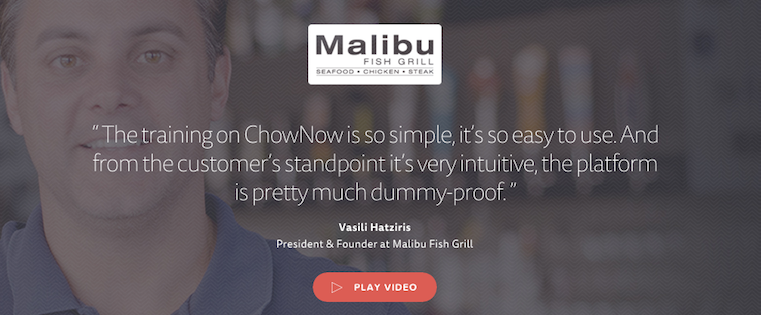
3) ChowNow
ChowNow does a lot right on their testimonial page, but the bread and butter is their collection of production-quality “client stories” videos. They have a whole bunch of these awesome, 2–3-minute videos that cover everything from the clients’ life before and after ChowNow to how easy the platform is to use. The videos feature some great footage of the clients, their offices, and their food.
Another really cool, unique thing they do? Each client story module links to the client’s website, Facebook page, and app in both the Android and Apple app stores. Now that’s loving your clients back.
[Click here to see ChowNow’s full testimonial page.]
4) Xero
Short quotes from happy customers can do wonders for social proof. On Xero’s testimonial page, they’ve placed these quotes alongside photos and videos interspersed in a comprehensive library. Similar to ChowNow, Xero’s videos are also very well done. To prevent visitors from clicking off the main testimonials page, the videos pop up on the existing page when you click them.
[Click here to see Xero’s full testimonial page.]
5) Decadent Cakes
Depending on the situation, reviewers may not particularly want their pictures to be available on the internet — like if they’re reviewing a cake for their son’s birthday party. This was the case for Decadent Cakes, who showcase their customer testimonials on a whimsically designed webpage along with names, locations, and sometimes pictures of the cakes made for those people. We love that they refer to their customers as “friends,” too.
[Click here to see Decadent Cakes’ full testimonial page.]
6) mHelpDesk
mHelpDesk’s testimonial page employs a powerful header text set over a large, faded graphic showing where in the world their customers are located. This is a great way to show that they’re a global brand. Below the header text and call-to-action for a trial, they offer videos and text testimonials equipped with pictures.
Their testimonial videos aren’t production quality, but they get the message across and cover useful and relevant information — which goes to show you don’t need to invest thousands in production to get some testimonial videos up. Finally, in the theme of earning trust, we love that they close out their testimonial page with awards and badges of recognition.
[Click here to see mHelpDesk’s full testimonial page.]
7) Clear Slide
Clear Slide’s testimonial page is nested within their case studies home page. It includes a smattering of videos and text-based quotes from customers — and from big names like Expedia, The Wall Street Journal, and CareerBuilder. If you have users that are celebrities or influencers within their community, be sure to include and even highlight their testimonials on your page.
[Click here to see Clear Slide’s full testimonial page.]
8) FreeAgent
The folks at FreeAgent did a great job formatting their testimonial page with emphasized text quotations along with pictures, names, and companies to add credibility. But what we really love about it is their “Twitter love” banner on the right-hand side of the page.
Social media is a great source of social proof, and many customers turn to places like Twitter and Facebook to informally review businesses they buy from. Be sure to monitor your social media presence regularly to find tweets, Facebook posts, Instagram posts, and so on that positively reflect your brand, and see where you can embed them on your website. (Click here for a step-by-step guide on embedding social media posts from all the major platforms.)
[Click here to see FreeAgent’s full testimonial page.]
9) FocusLab
FocusLab took a unique and very cool-looking design approach to their testimonial page — which is fitting, seeing as their trade is in creating visual branding systems. Instead of just listing out the quotes up front, they opted for a card-like design with interactive, rectangular elements you can click on to see the full case study.
What’s even cooler is what they included in each individual case study: Not only do they cover the challenges their clients faced and how FocusLab helped solve them, but they also include some of the steps in the design process between conception and final product. For example, in some cases, they included the evolution of the logo during the design process.
Finally, we love that they include a “quick, over-the-shoulder view of works in progress” section below the case studies. These cards aren’t clickable, but they give viewers a glimpse into the firm’s current projects.
[Click here to see FocusLab’s full testimonial page.]
10) Brainshark
Brainshark’s testimonial page is fairly simple in comparison to many others on this list, but there are two things I want to point out here: First, they give users the ability to sort testimonials by category so they can read the ones that are the most interesting and relatable to them. Secondly, once you click into a case, you’ll find they used their own software to display the client’s testimonial. In other words, they’re not only showcasing their happy clients — they’re also showcasing what a project looks like using their own software. Pretty cool.
[Click here to see Brainshark’s full testimonial page.]
11) 99designs
99designs includes all the major elements you’d want in a testimonial page: an eye-catching video at the top, customer quotes alongside pictures and names, and an idea of how good 99designs’ service and product is compared to others — which they accomplish by showing their five-star rating right on their page. Like Brainshark, they also give users the ability to sort through customer reviews by category so they can read the ones most relevant to them.
[Click here to see 99designs’ full testimonial page.]
Once you’ve created a testimonial page, don’t forget to promote it. Send it to the customer(s) you featured, your sales staff, and even to your other customers if you think they’d be interested. And don’t forget to add a link to your testimonial page on your homepage, in your “About Us” page, or as part of your overall navigation.
Which inspiring testimonial pages have you come across? Share with us in the comments.
Steve Jobs movie may pick up more consolation prizes after bombing at the box office
The Sorkin/Boyle movie Steve Jobs may have bombed at the box office once the opening weekend was over, but it at least looks like it may pick up the consolation prize of some awards.
The Daily Mail notes that the movie has been nominated for three BAFTA awards following four Golden Globe nominations last month. Michael Fassbender, who plays the title role, has already won the International Star prize at the Palm Springs International Film Festival.
The BAFTA nominations are for Best Adapted Screenplay, Best Actor (Michael Fassbender) and Best Supporting Actress (Kate Winslet). The earlier Golden Globe nominations were for Best Performance by an Actor in a Motion Picture (Michael Fassbender), Best Performance by an Actress in a Supporting role (Kate Winslet) and Best Screenplay (Aaron Sorkin).
Less enthusiastic were Apple execs like Tim Cook and Jony Ive, and Silicon Valley insiders like Walt Mossberg. Many of those close to Steve said that the movie bore little relation to real events, among them Steve Wozniak and John Sculley,
Filed under: iOS Devices Tagged: Aaron Sorkin, BAFTA awards, Danny Boyle, Golden Globe Award, Michael Fassbender, movie, Steve Jobs
Visit 9to5Mac to find more special coverage of iOS Devices, Steve Jobs, and Aaron Sorkin.
What do you think? Discuss “Steve Jobs movie may pick up more consolation prizes after bombing at the box office” with our community.
AAPL shares close below $100 for first time in 15 months amid China and ‘peak iPhone’ fears
Apple shares yesterday closed below $100 for the first time in 15 months, the WSJ noting that the value of the company has dropped by $100B in a little over a month, losing 7% this week alone.
The Cupertino company’s 4.2% drop on the day was greater than the overall market’s slide and the 3% slump in the Nasdaq Composite, which closed down 10% from its May peak. Since early December, Apple has shed $100 billion in market value.
The slide is being attributed to two factors: one (semi-)factual, one speculative …
On the factual side, the Chinese economy has been slowing for some time, with particular concern this week when regulators suspended trading in Chinese shares not just once but twice. The People’s Bank of China had also reduced the value of the Yuan eight days running.
The immediate crisis in China appears to have eased today, markets closing 2% up and the currency rate also rising, but longer-term fears remain.
I describe this as a semi-factual issue in Apple’s case, as nobody knows what impact – if any – this is having on Apple’s sales in the country. It’s perfectly possible for a premium brand to continue to sell well in an overall sluggish economy.
On the speculative side, there have been widespread suggestions from analysts and media alike that Apple is scaling back iPhone orders in the light of reduced demand, many analysts forecasting that Apple may see its first ever drop in iPhone sales in the current quarter.
As we noted earlier this week, Apple’s complex supply chain makes it notoriously difficult to use supplier reports to assess overall iPhone production levels. One analyst recently suggested that even if production has slowed, existing inventory means that won’t necessarily be reflected in reduced sales.
While some investors may be selling, Business Insider notes that none of the analysts tracked by Thomson Reuters advocate doing so, all of them rating AAPL as a hold or a buy. The report does, though, contain the caveat that some have not updated their ratings in the past month, so may do so later.
We won’t know this quarter’s iPhone sales numbers until sometime in April, when Apple reports its earnings for fiscal Q2 (calendar Q1). However, we’ll get a big clue from the forward revenue guidance the company offers on January 26, when Apple reports its holiday quarter earnings.
Photo: Reuters
Filed under: AAPL Company Tagged: AAPL, Apple, china, Chinese yuan, Inc, iPhone, iPhone sales, People’s Bank of China
Check out 9to5Mac for more breaking coverage of AAPL Company, Apple, and iPhone.
What do you think? Discuss “AAPL shares close below $100 for first time in 15 months amid China and ‘peak iPhone’ fears” with our community.
Social Media Evolution: What Does the Future of Social Marketing Look Like?
Are you amazed at how much social media has changed over the last few years? Want to discover what’s next? To explore the evolution of social media, I interview Brian Solis. More About This Show The Social Media Marketing podcast is an on-demand talk radio show from Social Media Examiner. It’s designed to help busy […]
This post Social Media Evolution: What Does the Future of Social Marketing Look Like? first appeared on .
– Your Guide to the Social Media Jungle
from http://ift.tt/1Jyyofc
via socialmediaexaminer
Business Etiquette 101: The Ultimate Guide to Surviving Your Next Business Dinner
Think people aren’t watching how you handle yourself at the dinner table?
Think again.
Whether you’re dining with a recruiter, prospective business partner, or your boss of several years, you should always follow the rules of dinner etiquette.
There’s a reason people conduct business over a meal: It’s a strategic way to get to know someone. How you conduct yourself before, during, and after the meal tells your host a lot about your character, your professionalism, and your social awareness.
When it comes to business dining, there are a lot of little tidbits to remember. Which bread plate is yours? What should you order to drink? How do you get rid of that pesky ketchup stain?
Don’t worry. We’re here to help. Follow this guide for 29 business etiquette tips so you can make a great impression at your next business dinner.
Note: This is a roundup of common business etiquette tips, but be mindful that there are places in the world where some of these tips don’t hold true. If you’re dining in a country that uses etiquette you’re unfamiliar with, take the time to look up the etiquette for that specific country, or ask a friend or colleague ahead of time.
Before the Meal
1) Eat a little something ahead of time.
You may be going to an awesome restaurant with delicious food, but you shouldn’t show up super hungry — otherwise you risk focusing more on your food than on the conversation. Have a little snack before you head to dinner, like a protein bar, a piece of fruit, or some cheese and crackers.
2) Dress appropriately.
I wish there were a simple answer to the question of what to wear, but it really does depend on the context. As with any work event, the culture of the company or industry hosting the dinner should be your first clue. Is your host from a financial firm? Lean towards the more formal side of business casual. Meeting with someone from a tech startup with a casual vibe? Stick to business casual, but relax your look a bit. For specific details, here’s a guide to what business casual entails.
Another clue is the dinner venue. Look up the restaurant’s website ahead of time and see what vibe you get. And when in doubt, overdressing is better than underdressing.
3) Silence your cell phone.
This should be a no-brainer. And keep in mind a vibrating phone is as bad as a ringing one. Turn it on silent, put it away, and don’t take it out while in the presence of your host.
4) Plan to arrive on time.
Plan your travel well in advance so you’re sure to arrive on time, or even a little bit early, just to be safe. If you’re going to be late — hey, it happens! — be sure to call your host and/or the restaurant to let them know. If your host is late, wait at least 15 minutes before checking in on them.
On Arrival
5) Shake hands with everyone.
6) Store your stuff under your chair.
It’s always awkward trying to figure out where to stuff your bag, sunglasses, cell phone, or briefcase. The number one rule here is to not place anything on the table — no matter how small it is. The proper place for your bags are either under your chair, or wedged between your back and the back of the chair. Place your coat on a nearby coat hook, over the back of your chair, or under your chair with the rest of your belongings.
7) Wait to sit until your host sits first.
In many countries, it’s polite to remain standing until your host has taken their seat. If there isn’t a host, then wait for the most senior or oldest person at the table to sit first.
Note: In some countries, the host never sits before the guests.
8) Place your napkin in your lap right away.
As soon as you sit down, take your napkin off the table, unfold it, and put it on your lap with the open end of the fold facing away from you. Never, ever, tuck your napkin into the front of your shirt.
Speaking of napkin etiquette, if you have to leave the table at any point during your meal, place your napkin on your empty chair instead of on the table in front of you. This tells the server that you plan to return.
9) Familiarize yourself with the place settings.
For the vast majority of meals, you’ll probably just be dealing with a fork, knife, and a spoon. But for the occasional fancy dinner, there’s a chance you’ll see a few more pieces — and it’s best to be prepared.
The general rule of thumb is that utensils are generally placed in the order of their use. So, when in doubt, start from the outside and work your way in. Another handy trick is to think of solids on your left, and liquids on your right. Wondering which bread plate is yours? It’ll be the one on your left. Your water, wine, and coffee cups will be on your right.
Below is a simple diagram showing the anatomy of a table setting. A few things to note:
- The salad fork will be on the outside of your place fork (for the main dish), and it’ll be smaller than your place fork.
- Forks usually go on the left, but if you ever see a small fork on your right, it’s an oyster fork.
- Your water glass will always be on the left-hand side of your wine glass.
Image Credit: the kitchn
Ordering Your Food
10) Avoid ordering alcohol.
In general, don’t order alcohol at a business meal. Instead, Ross McCammon suggests ordering a club soda with lemon because it indicates to the other people at the table that you’d likely have an alcoholic drink if they ordered one. Iced tea is another good, non-alcoholic option.
If you do order a drink at dinner — say, if your host encourages it — then limit yourself to one beer or glass of wine. Pay attention to how quickly your host is drinking theirs, too, and drink yours more slowly than they do.
Note: In some countries, like Russia, offering someone a drink is a sign of trust and friendship, so don’t turn it down if it’s offered to you. Again, if you’re unfamiliar with the local etiquette, look it up ahead of time or ask a friend or colleague.
11) Take note of what your host orders.
12) Be ready to place your order.
Order simply, and don’t make a scene. You can ask your server a question or two, but don’t ask them to explain everything on the menu or substitute ingredients — unless you have a food allergy. Not only is it annoying, but you’ll also appear indecisive.
13) Don’t order the most expensive item.
It’s rude to order the most expensive item on the menu. Save the lobster or the decadent red meat dishes for another time.
14) Don’t order “trouble” foods.
Some foods can be a little difficult to eat. Save yourself the trouble — and the embarrassment — by just not ordering those foods.
Foods that are easy to eat include chicken, fish, or salads. Foods that aren’t easy to eat are spaghetti, burgers, lobster, finger foods, anything with a lot of sauce, or anything that can get stuck in your teeth, like spinach, broccoli, and anything things with seeds.
If you do get something on your clothing, here are some tips for removing the stain on the spot:
- Sauce stains: Pour some club soda directly onto the stain and rub into it with a damp, clean cloth or napkin.
- Red wine stains: Wet the stained area with water, sprinkle it with table salt, and rub one half of the stain against the other to work in the salt and loosen the stain. Then, wash the stain quickly with soap and water — and throw it in the laundry as soon as you get home.
- Lipstick stains on dark fabrics: Remove the crust from a piece of white bread. Wad up the soft center with water, and rub it gently on the stain until it picks up all of the lipstick. Sweep away any leftover crumbs, and voilà.
How to Eat
15) Pour others’ water before your own.
Is the table sharing a communal pitcher of water? Before adding more to your glass, check and fill others’ glasses first. It’s a polite gesture that others will take notice of.
16) Eat and butter your bread properly.
If bread’s going to be served at your meal, you’ll typically find a small side plate on the left side of your place setting. If the bread comes in a loaf, tear off a piece with your fingers — never cut a piece off with a knife. When you want to eat your piece of bread, tear off a bite-sized piece with your fingers.
What about the butter? Since it’s polite to only get butter from the butter dish once, use your butter knife to slice off a large amount of butter, and place it on the side of your bread plate. Tear a piece of bread and butter each one as you eat it, as opposed to of butter it all up front and then tearing off pieces.
If you’re the first person to eat bread from the basket, the etiquette is to offer the bread basket to the person on your left and then begin passing the bowl around the table to the right.
Note: In France, bread is commonly used as a utensil instead of as a straight appetizer. When you’re not using your bread, it’s acceptable — even preferred — to place it on the table or tablecloth instead of the plate.
17) Wait for your host to begin eating before you start.
Don’t pick up your fork and start eating until the host does so first. Don’t start eating until everyone at the table has been served their food unless the host indicates that you can.
18) Hold your utensils correctly.
There is a “right” and a “wrong” way to hold your utensils, but it depends on the culture of the people you’re eating with. (Of course, holding your utensils in a fist is always wrong, no matter where you are.)
Beyond that, there are two main styles for holding a fork and knife: continental style (i.e. European style) and American style. In both styles, you hold your fork in your left hand and your knife if your right, and you use the fork to hold the food while you cut it with the knife in your right hand. Once you cut a bite, the main difference comes in.
Continental Style (i.e. European Style)
Use the fork in your left hand to hold the food down while you cut it with the knife in your right hand. Once you cut a bite-sized piece off, keep the fork in your left hand (even if you’re right-handed), and bring the piece of food to your mouth with the fork with the tines curving downward. In other words, the back of the fork will be facing upward as you bring it to your mouth.
Image Credit: WikiHow
American Style
Use the fork in your left hand to hold the food down while you cut it with the knife in your right hand. Once you cut a bite-sized piece off, place your knife down on the edge of your plate — blade at the twelve o’clock and handle at three o’clock — and transfer your fork from your left hand to your right. Then, turn your fork so the tines are taking upward, and take a bite.
Image Credit: WikiHow
Using Chopsticks?
Check out the diagram below for illustrated instructions on how to pick up and use chopsticks:
Image Credit: The Royal Garden
Keep in mind that it’s impolite to use your chopsticks to point, spear your food, or dig through your food to find something in particular.
19) Rest your utensils correctly.
Continental Style (i.e. European Style)
American Style
Using Chopsticks?
20) Cut your food one piece at a time.
21) Spoon shared sauces onto your plate.
22) Don’t blow on hot food to cool it down.
Turns out, it’s rude to blow on food to cool it down. Patience, my friend: Just let it cool down by itself.
23) Drink soup from the edge of the spoon.
Not slurping isn’t the only rule surrounding soup at the dinner table. In many countries, the proper etiquette is to dip the spoon sideways into the soup at the edge of the bowl closest to you, then skim from the front of the bowl to the back. Then, bring the spoon to your mouth and drink the soup from the edge of the spoon, instead of putting the whole spoon into your mouth.
To eat the last bit of soup from the bottom of the bowl, tilt the bowl away from you slightly to scoop it up with your spoon.
Note: In some countries, like Japan, slurping actually signifies your appreciation of your noodles and soups to the chef. You can also drink directly from the soup bowl, as spoons are uncommon.
24) Don’t salt your food before tasting it.
It’s considered an insult to the chef to salt your meal without tasting it first, because it’s assumed you shouldn’t know ahead of time which foods need salting and which don’t.
25) Eat at a medium pace.
In other words, keep the ratio of food eaten equal to the others at the table. If there’s a lot more food on your plate than the other person’s plate, you might be talking too much. If there’s less food on your plate than the other person’s, you’re not talking enough.
26) Don’t overeat or undereat.
27) When you’re done, place your utensils in the “I’m finished” position.
Continental Style (i.e. European style)
American Style
28) Make the “move” to pay, even if you don’t expect to.
Although the host who invited you to dinner is obligated to take care of the check, it’s still polite to make the “move” to pay. You know, the move where you tentatively reach for your wallet. At this point, the host should intervene and say they’ve got it covered — at which point you should not argue, nor should you offer to pay the tip.
29) Don’t forget to thank your host.
What are your tips for business dinners? Share with us in the comments.
Sprint continues the trend, announces end of two-year contracts for smartphones
The trend of carriers ending contract pricing continues today. According to an internal leaked document obtained by Android Central, Sprint smartphone subsidy options are now limited to customers who wish to add a line to an existing account or upgrade their existing phone. This move follows AT&T’s announcement that it will stop offering two-year contracts this week, as well as Verizon, who simplified its offerings last August.
Sprint’s move to end 2-year pricing follows a general trend in the industry of carriers switching focus towards monthly installment plans and device leases. T-Mobile was the first carrier to do this with the announcement of its UnCarrier offerings in 2013.
Instead of two-year plans, Sprint will pitch buyers on their Easy Pay and Leasing plans, which they claim offer the best value and most flexibility when compared to two-year contracts. Two-year agreements will, however, continue to be available for the purchase of tablets.
The shift in focus from two-year contracts has caused Apple to essentially stop marketing its iPhones with the $199/$299/$399 pricing scheme that it originally used. Instead, it has launched its own iPhone Upgrade Program which offers users an annual upgrade with a monthly device leasing fee.
Whether or not device installment plans save customers any money varies. Some users are better off with the installment plans, while some users have grandfathered deals that make the two-year agreements more plausible. The good thing is, Sprint is allowing existing customers to continuing purchasing phones on a two-year plan.
Filed under: Tech Industry Tagged: AT&T, carriers, Sprint, T-Mobile, two-year contract, Verizon
Visit 9to5Mac to find more special coverage of Tech Industry, AT&T, and T-Mobile.
What do you think? Discuss “Sprint continues the trend, announces end of two-year contracts for smartphones” with our community.
Tim Cook among tech execs meeting with White House officials tomorrow to discuss terrorism
According to a report from BuzzFeed News, a handful of tech executives are set to meet with White House officials to discuss measures that can be taken to prevent terror recruitment online. Apple CEO Tim Cook is among the tech executives that will participate in the meeting, which is set to take place in San Jose tomorrow, January 7th. Other companies that will be represented include Twitter, Facebook, Microsoft, and Google.
The meeting is said to be centered around the ability of terror groups to use social media and other online platforms to radicalize individuals. The White House officials are said to want to discuss how social media can be used to help others promote alternatives views “to undercut ISIS.”
Speaking to BuzzFeed News, a White House official stated that the United States government sees Silicon Valley as a critical part of fighting the propaganda from radical terror groups online.
“The White House sees Silicon Valley as an integral part of fighting the propaganda from ISIL and other groups. There needs to be a concerted effort to fight the ISIL propaganda,” the White House official explained.
The idea that tech companies should be doing more to aid the United States government in its fight against terror has been growing in wake of recent attacks around the world, including the ones in San Bernardino and Paris. Tim Cook has long argued that there should not be backdoor access to Apple’s servers by anyone, including the government, saying that there shouldn’t have to be a choice between privacy and national security.
Last year, Tim Cook was the only CEO to take part in a cybersecurity summit at the White House, with CEOs from Google, Yahoo, and Facebook all declining to attend. Cook gave a speech in which he again offered his opinion that there shouldn’t be a backdoor to user data.
Filed under: AAPL Company Tagged: Apple, terror, Tim Cook, White House
Visit 9to5Mac to find more special coverage of AAPL Company, Apple, and Tim Cook.
What do you think? Discuss “Tim Cook among tech execs meeting with White House officials tomorrow to discuss terrorism” with our community.
Report: iPhone 7 to feature noise-canceling headphone tech, waterproof design, wireless charging
We’re still a while away from the launch of the iPhone 7, but rumors have been running rampant recently concerning the design and features of Apple’s next flagship device. Fast Company has now published a new report in which it corroborates many earlier rumors regarding the iPhone 7, as well as offering up a few more details and tidbits.
First, the report claims that Apple will indeed drop the 3.5mm headphone jack on the device in favor of an all-encompassing Lightning port. This means that users will use the Lightning port for listening to wired headphones. This is a move that has been rumored in the past several times, with Apple’s goal presumably being to make the iPhone 7 even thinner than the current iPhone 6s.
Furthermore, the report adds that the audio system used in the iPhone 7 will feature new noise-canceling technology from U.K. audio company Wolfson Microelectronics. This tech will be built into the phone as well as into the headphones that are plugged into it. Apple is expected make a strong push for company’s that make Lightning-enabled headphones to implement the new noise-canceling technology, the report claims. Although, there will be a licensing fee to do so.
Fast Company says, however, that the EarPods included with the iPhone likely won’t adopt the noise-canceling technology, but Apple rather will sell a more expensive version of Lightning-connected EarPods separately that offer the technology.
The report goes onto claim that the iPhone 7 will support wireless charging, a first for the iPhone. It’s unclear what technology Apple will use to do so, but the report seems to suggest that it could be similar to the inductive charging technology used to charge the Apple Watch.
Finally, Fast Company reports that the iPhone 7 will feature a waterproof design, corroborating a report from late last year that suggested the same. Today’s report notes, however, that Apple is known for pulling features from new phones late in the developmental process, so it’s possible that wireless charging and/or waterproof capabilities could be pulled before the device is publicly unveiled.
Earlier today, a patent filed by Apple hinted at the possibility of a twin-camera system making an appearance alongside the iPhone 7. Other past iPhone 7 rumors have claimed that Apple is testing a new casing material for the device, with Apple ditching the metallic frame found on the iPhone 6s. Other reports have suggested that the iPhone 7 Plus will feature a 256GB storage option, as well as a larger battery.
Filed under: iOS Devices Tagged: Apple, headphones, iPhone 7, Lightning, waterproof, wireless charging
Visit 9to5Mac to find more special coverage of iOS Devices, Apple, and headphones.
What do you think? Discuss “Report: iPhone 7 to feature noise-canceling headphone tech, waterproof design, wireless charging” with our community.
Apple exec Eddy Cue reportedly speaking at Rupert Murdoch’s private CES event today
As is tradition, Apple is just about the only big consumer tech company not making a public appearance at the Consumer Electronics Show in Las Vegas this week. In fact, Apple hasn’t attended CES in any official capacity since John Sculley’s keynote introduction of the Newton in 1992. But Apple exec Eddy Cue, the company’s senior vice president of Internet Software and Services, is reportedly speaking at a super exclusive, private CES event being held by Rupert Murdoch today in Vegas.
Alongside Snapchat founder Evan Spiegel, Google CEO Sundar Pichai, and long list of other tech industry bigwigs, Quartz reports that Cue is scheduled to speak at the event hosted by executive chairman of News Corp. and 21st Century Fox, Rupert Murdoch:
Some of those who work for Rupert Murdoch, executive chairman of both News Corp. and 21st Century Fox, also have a special event to attend: A private annual confab in Murdoch’s hotel suite featuring some of the biggest names in business, which started yesterday (Jan. 6) and concludes today… This year’s speakers were scheduled to include Snapchat founder Evan Spiegel, Google CEO Sundar Pichai, the founders of news startup TheSkimm, Slack CEO Stewart Butterfield, venture capitalist/analyst-types Benedict Evans and Mary Meeker, actor and entrepreneur Jessica Alba, and Apple iTunes and cloud services executive Eddy Cue, according to an agenda viewed by Quartz and sources familiar with the event.
The event is usually attended by “an internal audience of Murdoch’s News Corp. and 21st Century Fox lieutenants,” according to Quartz, so it’s possible the content of Cue’s talk will be kept private.
While Apple doesn’t make a public showing at CES these days, it does send some of its people to Vegas each year to check out the competition.
Filed under: AAPL Company Tagged: 2016, 21st century fox, CES, Eddy Cue, news corp, private event, Rupert Murdoch
For more news on AAPL Company, Eddy Cue, and CES continue reading at 9to5Mac.
What do you think? Discuss “Apple exec Eddy Cue reportedly speaking at Rupert Murdoch’s private CES event today” with our community.
USB Type-C at CES 2016: hubs, displays, adapters & more for the 12-inch MacBook
With the new 12-inch MacBook sporting just a single USB Type-C port, an adapter to get back some USB ports and SD card slots will be necessary for a lot of users. With more and more devices adopting the standard, we’re seeing a lot of USB C accessories announced at CES 2016 this year, many of which are designed specifically with 12-inch MacBook users in mind. So, as we’ve already done for HomeKit and Apple Watch products, below we’re rounding up all of the USB Type-C products for MacBook announced at the show this week.
In addition to hubs, companies are also showing off new portable battery packs, cables, adapters, displays and more, all made possible thanks to USB-C and compatible with the new 12-inch MacBook.
When Apple made the switch to USB C for charging and everything else with its new 12-inch MacBook, it decided not to include its MagSafe technology, the magnetic charging connector it’s long included on its laptops. But we kick things off with a product that aims to offer a similar experience for people that were disappointed with that omission.
The BreakSafe USB-C adapter from Griffin is a magnetic charging solution similar to Apple’s own MagSafe technology, but in the form a USB-C adapter:
Griffin
Hyper
Belkin
- Belkin launches new USB-C accessories

Acer & Lenovo
Kanex
LaCie+ Seagate
Samsung
Incipio
Check back for more this week as CES unfolds and hit up our other CES 2016 roundups below:
–CES 2016 Roundup: The best iPhone, iPad, Mac, & Apple Watch accessories on show this week–
–Apple Watch at CES 2016: docks, battery packs, bands, and more
Filed under: iOS Devices Tagged: 12-inch, 2016, Acer, Adapter, Apple, CES, charging, Display, hub, Hyper, MacBook, passthrough, Type-C, USB-C
For more news on iOS Devices, Apple, and MacBook continue reading at 9to5Mac.
What do you think? Discuss “USB Type-C at CES 2016: hubs, displays, adapters & more for the 12-inch MacBook” with our community.
The Executive’s Guide to Effective Lead Nurturing Programs
Let’s start with some scary stats. According to SiriusDecisions 98% of MQLs never result in closed business. Additionally, 54% of sales reps won’t make quota. All this despite record investments in marketing automation and sales enablement tools.
Now consider that the top priority among B2B marketers is increasing the number of contacts/leads generated (Source, State of Inbound 2015). Of course, a close second priority is converting contacts/leads into customers. Over the last five years, I’ve seen the focus on lead generation increase significantly among small and mid-market businesses (SMEs). As recently as 2013, I would regularly engage executives who had reached out to me to discuss a sales problem in an effort to teach them that the cause of their sales problem was how they were (or more accurately weren’t) generating leads. Today I get to do much less teaching as more and more executives have increased their focus on lead generation.
While the focus on lead generation is great, there’s a huge difference between generating leads and creating bona fide sales ready leads that predictably turn into profitable customers. Simply look at the search difference between “lead generation” and “lead nurturing” and you’ll quickly see what I’m talking about.
So, while lead generation is certainly important, investing in generating more leads without building an effective lead management process is simply, well, foolish.
What Is Lead Nurturing & Why Is It So Important
Now let’s look at some exciting stats:
- Leads who are effectively nurtured produce a 20% increase in sales opportunities. (Source: DemandGen)
- Effective lead nurturing generates 50% more sales-ready leads at a 33% lower cost. (Source: DemandGen)
- Nurtured leads make 47% larger purchases than non-nurtured leads. (Source: The Annuitas Group)
- Relevant emails drive 18 times more revenue than broadcast emails. (Source: Juniper Research)
- 82% of prospects say lead nurturing content targeted to their specific industry is more valuable. (Source: MarketingSherpa)
I could go on.
Lead nurturing is the purposeful process of engaging a defined target group by providing relevant information at each stage of the buyer’s journey, positioning your company as the best (and safest) choice to enable them to achieve their objectives.
An effective nurturing process actively moves the prospects you’ve created through your marketing and lead generation efforts, through a sales development process to the point where they become paying customers. Lead nurturing utilizes both marketing and sales tactics to increase the predictability and velocity of revenue growth.
It should be noted that nurturing is far more involved than sending blast emails or monthly (or weekly) newsletters. Nurturing is more purposeful, following a clearly delineated process.
- Educate: In the beginning, a lead nurturing process focuses on educating customers and delivering your commercial teaching point-of-view.
- Inform: Teach your prospects how to make better decisions and advance their initiatives.
- Engage: By sharing relevant content, gain the engagement of your prospect and begin the conversation.
- Convert: Be clear about how your prospects can engage with you and how to start.
Types of Lead Nurturing
Lead nurturing is not a one-size-fits-all strategy. There are many types of nurturing programs geared to fit your prospects’ situations and your objectives. We’ve identified three types of programs that apply to the vast majority of situations.
- Engagement programs work to keep your leads engaged with your business by offering credible, straight-forward and uncomplicated content that is relevant to them and keeps their interest.
- Education programs challenge your leads to consider the benefits of your products or services and provide unique insights to how they can do their job better and more effectively.
- Active funnel programs are focused on leads that have actively entered their buyer’s journey. These campaigns are where the rubber meets the road…where marketing and sales must work in complete alignment to bring your work to the final goal – a paying customer.
Each of these programs have various types of campaigns that should be developed to meet the various objectives you have and to align with the context of your prospects.
How to Create Effective Campaigns
Here is the step-by-step process we use when creating lead nurturing programs for our clients:
Define buyer personas.
Understanding who it is you’re trying to reach provides a tremendous marketing and sales advantage. Creating buyer personas takes time, but once complete they focus and leverage your efforts. You simply cannot have consistently effective nurturing programs without clearly defined personas.
Progressive profiling.
The ability to gather information about the people visiting your website and downloading your content has never been easier. Through progressive profiling, your business is able to gather the right information about your leads to further focus your message and increase qualified conversation rates.
Create relevant content.
According to a recent study by the Content Marketing Institute and MarketingProfs, 70% of companies are producing more content than they were a year ago. Creating content isn’t enough. You must create relevant content. Here are some tips to make that a reality.
- Know your audience
- Consider the buyer’s journey
- Set a conversational tone
- Keep it simple
- Personalize your content
Decide what programs to implement.
As you decide, consider these questions.
- Which lead nurturing campaign(s) best fit your business needs?
- Do you have the “people” capabilities to effectively execute the campaign?
- What is still needed to make the campaign successful?
- Do you have the appropriate systems in place to support the chosen campaign(s)?
Establish clear goals.
Before you begin any lead nurturing campaign you need to clearly define goals so you know what is considered “success”. Without clear objectives of what you are trying to accomplish with your lead nurturing campaigns you will never know if you’re seeing success are not. Goals can be as simple as “X% open rate and X% click-through-rate” or “X% conversion”. These are completely up to you but need to be established up front.
Test, measure and adjust.
Never stop testing and learning what resonates best with your buyer persona. Use every touch point as an opportunity to A/B test, whether it be emails or landing pages, or something else entirely. You want to test items such as image or headline, positioning of the form on the page, or email subject line. By doing so you can see what brings you closer to your established goals.
Bringing it all Together
Effective lead nurturing can have a lasting and profound effect of your business’ success. The ability to create and manage a successful program requires dedicated people, a powerful and strategic approach, solid technology and a good process that aligns actions from the beginning to the end.
While the effort is certainly significant, the reward is well worth it.
Apple acquires ‘Emotient’ facial expression & emotion detection technology
The Wall Street Journal reports Apple has confirmed it has made an acquisition of artificial intelligence startup Emotient. The cloud-based technology developed by Emotient uses artificial intelligence to detect emotion by analyzing facial expressions.
An Apple spokeswoman confirmed the purchase with the company’s standard statement after an acquisition, saying Apple “buys smaller technology companies from time to time, and we generally do not discuss our purpose or plans.” She declined to elaborate on the deal terms.
The company’s website is still live following the news and describes the tech as ‘the leader in emotion detection and sentiment analysis based on facial expressions. The company is at the vanguard of a new wave of emotion analysis that will lead to a quantum leap in customer understanding and emotion-aware computing.”
Some of the specific applications the company has been using the tech for, according to its website, include “measurement of a customer’s unfiltered emotional response to ads, content, products and customer service or sales interactions.”
While it’s possible the acquisition could have been to acquire talent and or the technology itself, financial terms of the deal weren’t disclosed, and Apple as usual didn’t offer any information regarding its plans for Emotient following the purchase.
And today’s news also adds to a running list of AI-related technology buys for Apple in recent months. Back in October Apple acquired another artificial intelligence technology from startup Perceptio, a solution for running AI tech on smartphones with less reliance on the cloud, while that same month it confirmed a purchase of virtual assistant maker VocallQ.
Filed under: AAPL Company
Check out 9to5Mac for more breaking coverage of AAPL Company.
What do you think? Discuss “Apple acquires ‘Emotient’ facial expression & emotion detection technology” with our community.
How to Choose the Perfect Fonts for Every Project: A Detailed Guide [Infographic]
When it comes to delighting people with design, details matter — a lot. The fonts you choose every time you lay out an email, an ebook, or an image for social media end up giving your marketing a polish that makes a big difference.
Trouble is, with so many options to choose from, finding the right one isn’t always as obvious as we’d like it to be. Thankfully, there are a few guiding principles out there to simplify the selection process.
For example, headlines should be bold and engaging, while body text needs to be clear and easily readable. If you’re creating content for the web, you’ll want to use the fonts that have been adapted specifically for use online — meaning they’ll display the same on all modern browsers.
So, which are the best header fonts? The best body copy fonts? Which fonts do popular websites use, and what personalities do each of them reflect?
Check out the infographic below from Creative Bloq to learn everything from the best fonts for headers, body copy, and print, to the future of fonts in an increasingly mobile world. (And read this blog post to learn tips for choosing and using fonts.)
