Welcome to My Blog
The Straightforward Guide to the Google Display Network
Millions of dollars are poured into the Google Display Network (GDN) every day. But why? Google offers endless options for marketers to promote their products, so how is this network different?
Frankly — because it works.
When industry competitors’ congest search engines, the GDN can be a great alternative. With it, there’s less competition for inflated keyword bids, so you’re more likely to reach users actively searching for your products and services. Though the audience intent is not as strong, you get a much lower cost-per-click and many more impressions.
Here, we’re going to explore why you should use Google Display Network (GDN), how GDN differs from search ads, and how you can target your GDN ads to reach the right people in the right places.
Why Use the Google Display Network?
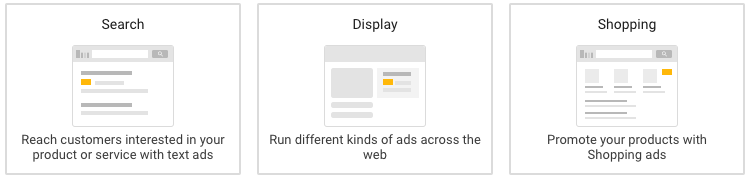
The value for GDN boils right down to reach and affordability. Prospecting, brand awareness, and remarketing can come with a hefty price tag when pursued for traditional search ads. GDN, by comparison, bypasses a lot of costly competition from other networks. There are also endless options for customizing your audience targeting.
Ultimately, you don’t need a fat wallet to set up a campaign through Google Display — you just need to choose the right targeting factors for your marketing goal.
With Google’s search ads, you’re essentially throwing out a wide net, which can be largely hit-or-miss, both with whom you’re targeting and with how you’re spending.
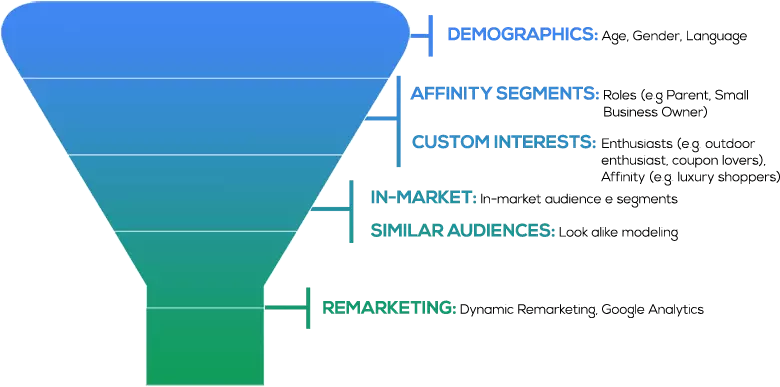
Google’s Display Network, on the other hand, allows you to define your audience in a way search engines can’t. Since you can target more than just keywords, you aren’t limited to the Google results page. Instead, GDN allows you to target websites by audience affinities, in-market segments, and custom intent keywords. You can even hand-pick website placements that fit your target audience.
The other differentiator is volume. Where do the fancy image ads appear when you market with GDN? Across millions of websites that your prospects are visiting every day.
But really — what’s the difference between GDN and a simple search ad? Let’s explore that, now.
Google Search vs. Display Network
You need a different mentality when using Google’s Display Network than when you’re using the search network and others available on Google Ads. Let’s define some use cases and expectations.
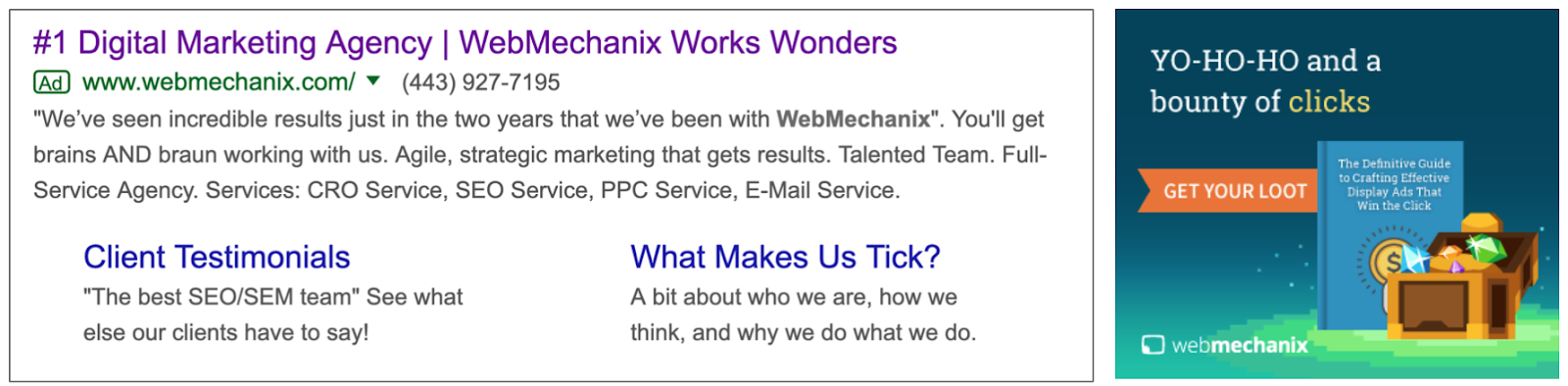
Your average conversion rate with GDN will be a minuscule 0.7%. Why? Because you’re targeting users that may not be familiar with your brand at all. The Google Display Network is first and foremost a tool for prospecting and brand awareness.
The standard CTR for this network is still under 0.5%. But, for targeting prospects outside of search engines and social networks, that’s still pretty good.

The next key differentiator is the fact that the user’s primary interest is the website content itself — the display ad has an indirect, secondary role in the website’s appeal to the viewer.
Marketers are hoping the prospective user will view their GDN ad along their journey to fulfilling another purpose. That makes the user intent different than when an ad appears at the top of a Google results page for a high-intent search phrase. It should be no surprise that the click-through rate and conversion rate for GDN are below 1%.
Unlike with search, there is a variety of targeting options outside of keywords that span across a network of millions of websites. You can access the majority of internet users through website placements. Your number-one goal with GDN is finding the right audience size with strict targeting criteria.
There are ways to approach this network with tighter, more relevant targeting. Ultimately, remarketing is limitless — but it involves audience development outside the Google Ads platform. Let’s start by exploring the default prospecting options Google provides and work our way toward opportunities customized for your brand and those who have engaged with your website.
Google Display Network Remarketing or Prospecting?
On the GDN, you can target in two ways. First, you can target prospects on the internet who may have no previous knowledge of your website, brand, products, or services. Second, you can remarket to users who have engaged with your website in some form. Option two allows you to leverage the audiences you find in Google Analytics for your website. If you don’t have any Google Analytics website audiences built, doing so is incredibly easy — simply set up an audience for a user that completes specific actions.
Some of the most common remarketing audiences include:
- General website visitors
- Users who have submitted a form
- Users who have downloaded content
- Users who have viewed specific product pages
- Users who have signed up for an account or trial offer
- Users who have completed a transaction or purchased a product
- Users who have begun any of the above actions but abandoned the page before completing it
Remarketing and prospecting are two vastly different initiatives that you can execute through GDN. Some businesses prefer to focus only on remarketing because reaching users familiar with one’s brand drives leads and sales for the most affordable cost. However, other businesses aren’t focused on the return as much as generating awareness of their products and services. It all comes down to your company’s marketing goals.
Google Display Ad Examples
Once you know how to target, you’ll want to create the collateral that gets the attention you need from your ad placements. Here are some great examples of Google display ads:
1. SEMrush

The copy of this ad does two things:
- States the value (“skyrocket your marketing”)
- Provides social proof (“like our clients did”)
It does this with large white font across an eye-catching blue background with bold oranges and pinks, making it colorful and stark enough to attract attention.
2. Conversica

Conversica utilizes the large vertical format, which takes up a lot of real estate space on a page, enough to hopefully stir any website visitors out of “banner blindness.” Their strategy is not to promote their company but rather an offer: research on virtual assistants in sales.
3. E*TRADE

This is one of the skinnier horizontal banners, and E*TRADE uses it to make a bold statement: “$0 commissions” in large letters across the center. The call to action (open an account) is much smaller than the value proposition so that they recognize the value first before taking action on it.
Google Display Network Audience Targeting
Here’s how to achieve success with prospecting and brand awareness GDN targeting:
1. In-Market Segment Targeting
In-market segments are Google users interested in broad categories of products and services, including real estate, education, home and garden, sports and fitness, and more. Google defines these segments based on users’ historical views, clicks, and conversions on previous content. There are sub-categories for specific types of each segment, but the criteria Google uses for these aren’t public. The size of each sub-category is easily millions — and sometimes billions — of users. It’s safe to say that testing a GDN in-market segment is a good starting point.
However, layering demographic qualifiers, device targeting, and other affinities is necessary to create a focused pool of users.
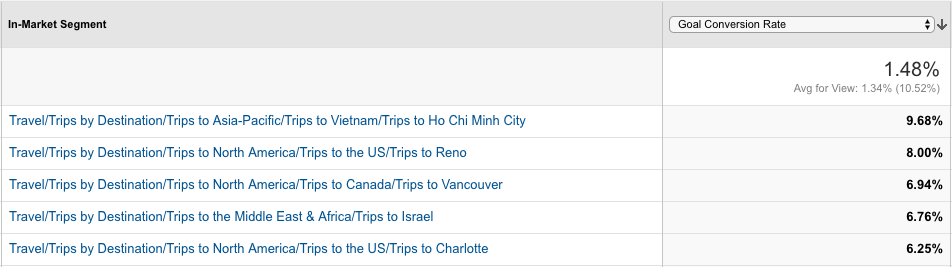
An easy way to control audience size for in-market segments is by comparing with Google Analytics data. The in-market segments on Google Analytics line up perfectly with those on Google Ads. Google Analytics should show you which in-market segments on your site have the highest conversion rates.
Educated guesses for targeting on the Google Ads platform can only go so far. Google Analytics has the tools for identifying and building data-driven audiences from which Google Ads can learn and optimize. Ultimately, using Google Analytics can help ensure you’re reaching highly qualified users.
2. Affinity Audience Targeting
Like in-market segments, affinity audiences are Google users with similar interests, including cooking, fashion, beauty, gaming, music, travel, and more. These are very expansive categories of internet users, so it’s equally important to find targeting criteria to narrow down the size of any one affinity interest, or its sub-categories.
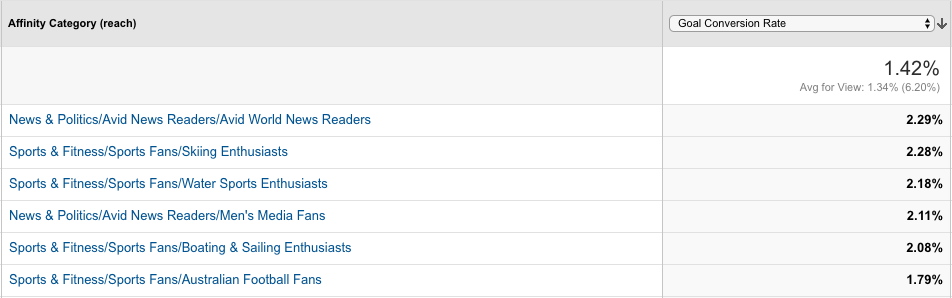
Strictly relying on the default options for in-market segments and affinity audiences within Google Ads can leave a giant dent in your budget for marketing spend. Google Analytics can be a huge help in pinpointing exactly which affinity audiences yield the highest conversion rates on your website.
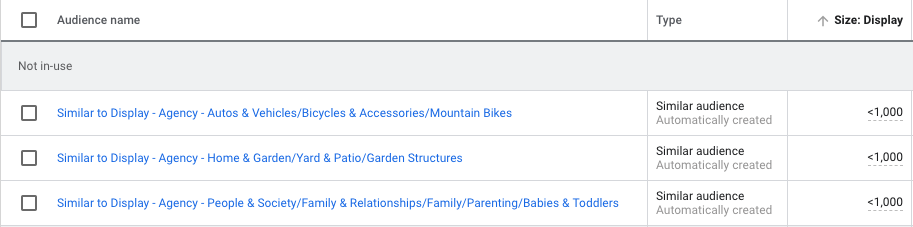
Google Ads will also create a “similar” audience based on the Google Analytics’ audience created. These audiences are usually more focused in size, making them ideal for testing.
3. Custom Intent Audiences
Custom intent audiences is another valuable contextual targeting method.
How does it work? Simply put, Google can show your ads to users who are “likely to be interested” in specific keywords and website URLs. It may also show your ads to people who have recently searched for your suggested keywords.
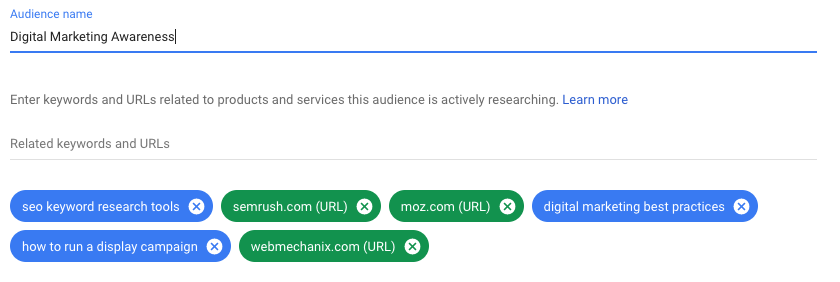
The key difference between custom intent audiences and other targeting methods is that you aren’t targeting websites that use these exact keywords, and Google is not placing your ad exclusively on specified website URLs. Rather, Google serves your ads to users on various other websites that have some contextual connection to the website URL or keyword given to Google.
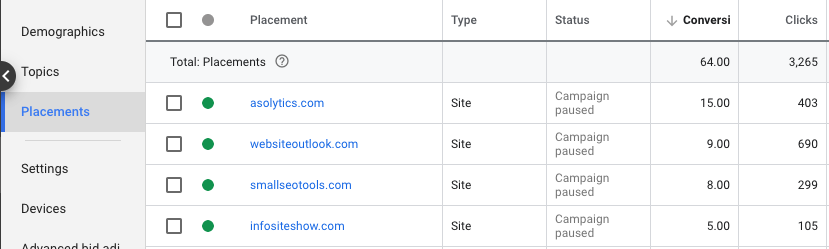
4. Placement Targeting
Google can show your ads on specific websites when provided with placement URLs. This option offers tighter, more controlled targeting because it limits display ad placements to custom websites selected by the marketer.
You could be saving money by being so specific, but you could also be missing out on mainstream websites that your target audience is more actively visiting.
Simply put, users who visit your website also visit other websites. With custom affinity (interests) and custom intent (keyword and URL) audiences, Google can target these users at other online destinations. Picture your specified website as the center of a digital spiderweb — Google uses the central URL to target the users in other URLs within the spiderweb, amplifying your reach to include websites you may not know about.
These websites may or may not have content related to your suggested keyword or URL, but Google knows that these websites are sites that users of your suggested keywords and URLs also visit.
5. Topic Targeting
Google can show your ads on web pages only about your specified topic. Some of these topics could be similar to interests or affinities, or they may fall outside the default categories that Google offers (e.g., they may be along the lines of hiking, camping, or agriculture).
This targeting is an alternative to researching and selecting website placements for one interest without knowing the impact of those placements.
Three Key Audience-Building Factors
Now that you know the basic mechanisms for targeting and creating an audience, let’s dive into three essential tips to ensure you build those audiences better. Here are some high-impact areas for tightening audience targeting where it counts.
1. Select the right devices.
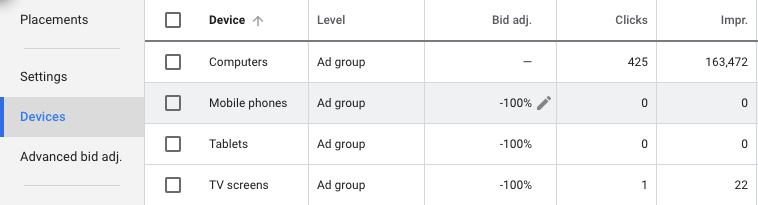
When setting up a display campaign, it’s important to consider where the target audience will be using the product and how they will be signing up. If the user experience is compromised or not nearly as good on a particular device, consider excluding that device altogether.
For example, is mobile really the right platform for your landing page offer? Can your products or services be used easily on tablets and other small devices? If your company produces games or apps, mobile is ideal. But if you’re marketing business software used on desktop computers, mobile targeting could be costly and unnecessary.
2. Choose the right demographics and locations.
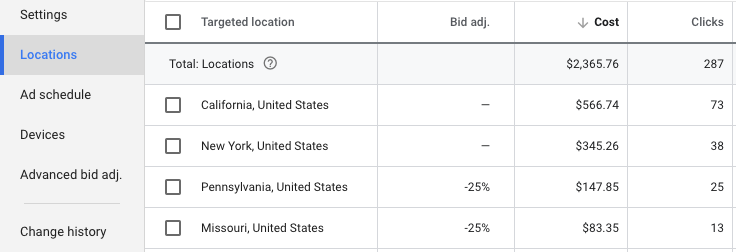
Google lets you customize several demographics when targeting for a display campaign. For example, age and household income are broken out into seven different ranges. If you know your audience is not within 18-24 years of age, or the top 10% of household income, you can easily exclude those users when creating ad groups.
There could also be some states in the U.S. or territories internationally to which your business prefers not to drive sales. The bids of these locations can easily be adjusted to redirect your budget to more profitable locations.
3. Mark the box for content exclusions.
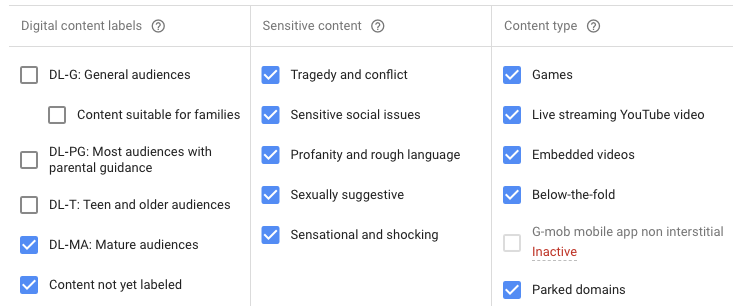
Before launching a campaign on GDN, it’s easy to make the mistake of skimming past the additional settings for websites with explicit content. Some advanced content settings are available for preventing your site from appearing on parked domains, sites with sexually suggestive content, sites with sensitive social issues, and more.
Google doesn’t mark these boxes by default, so they must be manually selected to prevent your ads from appearing on undesirable sites.
Optimizing Your Google Display Network Results
Now that we’ve explored targeting methods as well as specific audience-building factors, let’s dive deeper into how you might optimize your GDN results.
1. Assess demographic performance, and then recalibrate if necessary.
Some of your audience demographics may be ideal for traditional marketing but could perform poorly in a digital setting. Even after setting up specific demographic and location targeting, it’s important to review the performance of what hasn’t been excluded. For example, there are some demographic categories (e.g., “unknown”) and ages (e.g., “65+”) that can become costly after launch.
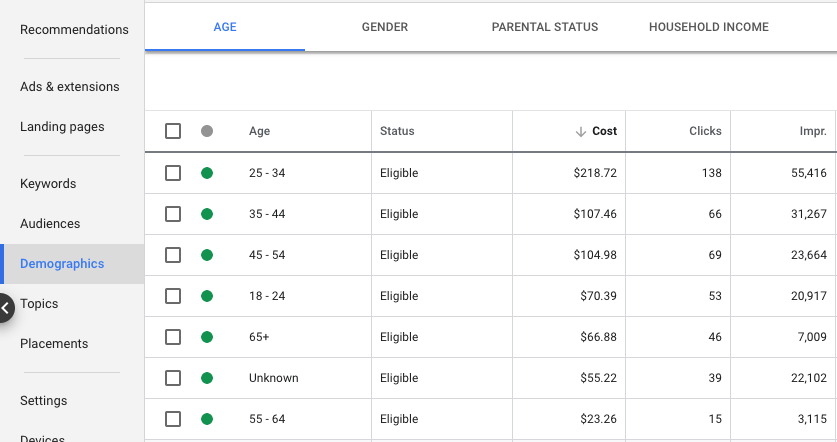
2. Assess placement performance and use those analytics to continually improve.
Google makes it easy to review where your ads are appearing on a daily or weekly basis after campaign launch. You can find this information under “Placements -> Where Ads Showed.”
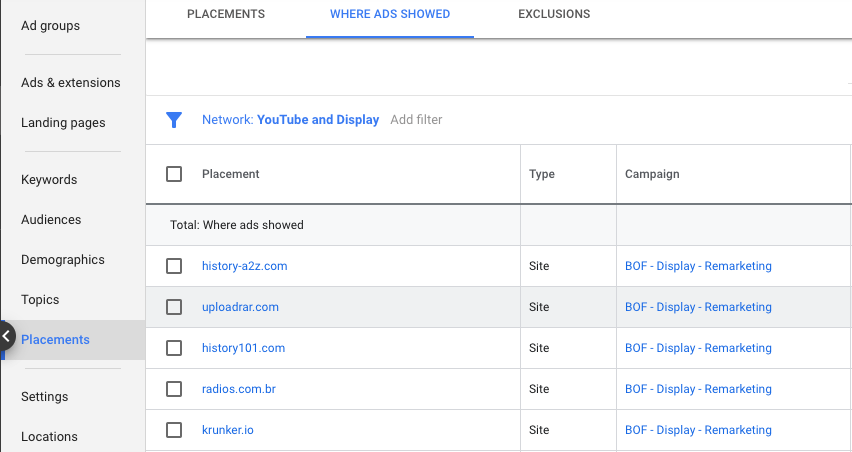
Filtering placements by unusually high spend or CTR can quickly identify websites that are more of an immediate threat to your campaign’s health. If you’re considering bulk exclusions, you may find it helpful to export web placements within the timeframe of “all time”.
Focus on blocking the duplicate placements that yield no results, since repeat offenders are a higher priority than websites that appear once with only a few impressions. After identifying duplicates, review the relevance of these sites, how much they have spent, and whether they have led to any conversions.
3. Consider which ad style and location will yield the best results.
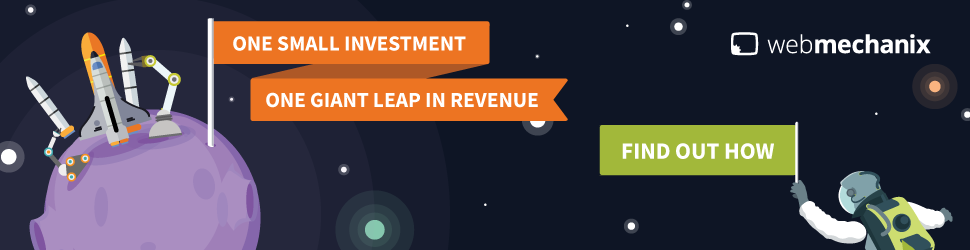
There are two main ad types available for a GDN campaign — standard image ads and responsive ads. Standard image ads have a number of formats, including square, rectangular, skyscraper, and banner. These ads are an image-only display option. Here’s an example:
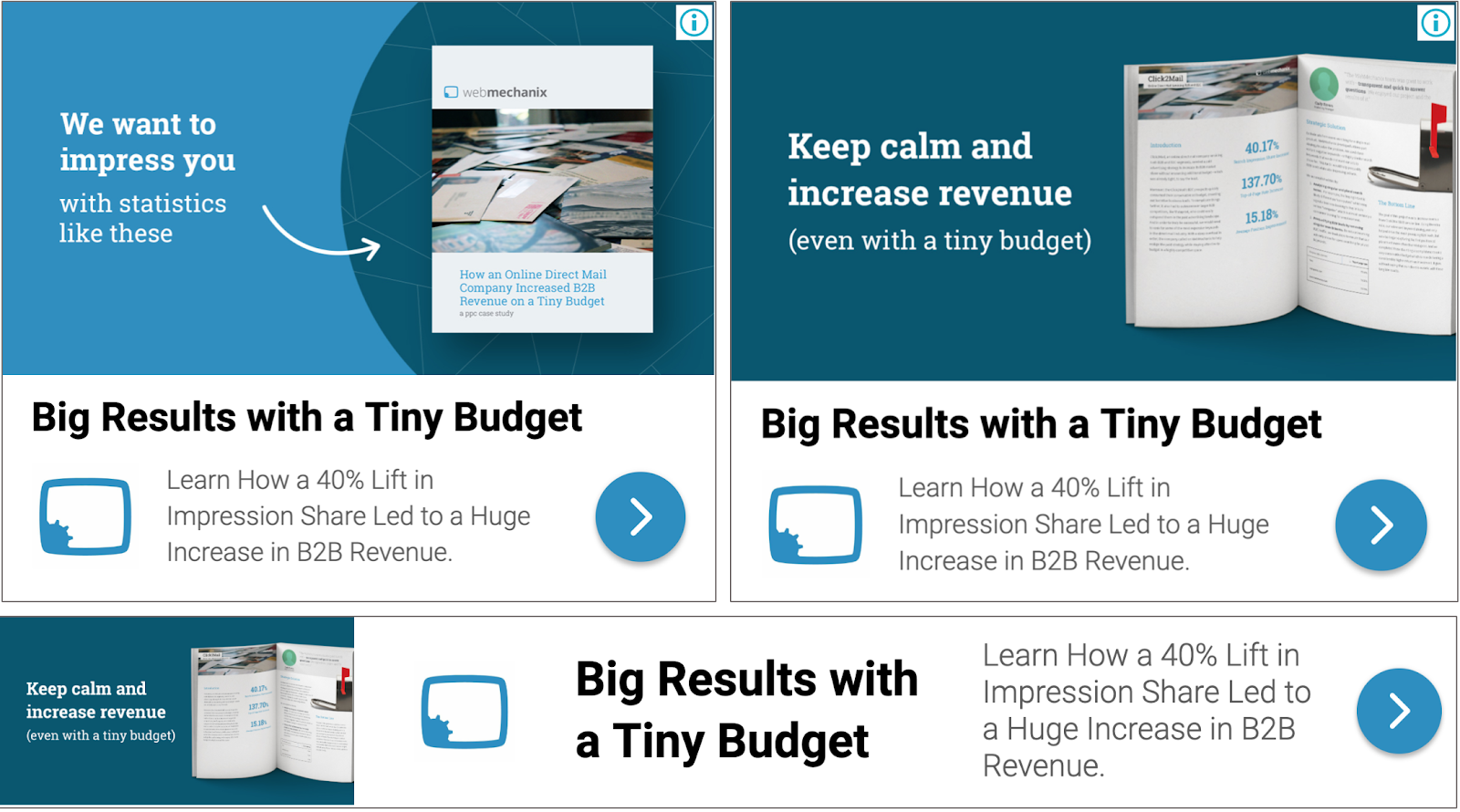
Responsive ads, on the other hand, offer a combination of text and image options that display in a variety of formats, depending on where the ad appears. The complete ad is composed of three image types, up to five short headlines, one long headline, up to five descriptions, and a business name. The short headlines and descriptions rotate to find and show the best-performing combination. Here’s an example:
If you’re limited on time, budget, or creative resources, it can be tricky to know which display ads will work best for your campaign, and you might not want to risk time testing different ones. If this is the case, it’s important to note studies have shown that 300 x 250 and 728 x 90 receive more impressions than other ad formats. Half-page ads and large rectangles receive higher CTRs than other ad formats, as well. So if you’re not sure where to begin, try out the rectangular formats and leaderboards!

Figure Out Whether Google Display Network Is The Right Choice For Your Business
You can amass a very powerful reach on the Google Display Network with the right attention to targeting. The network’s affordability, as well as the separation from the competition, makes it a viable marketing option.
This guide has covered several audience-building and optimization factors to help you hit the ground running with Google Display Network campaigns. Whether you’re just starting out or have some room for improvement, check out the custom audience capabilities to see if one might work for your next campaign.
Editor’s note: This post was originally published in May 2019 and has been updated for comprehensiveness.

20 Tools for Creating and Delivering Amazing Presentations
If you’re in business, you need to know how to create captivating presentations. Whether you’re trying to convince your boss to support a new campaign, talking with a prospect to close a deal, or building a new piece of marketing collateral, you need to know how craft a presentation that won’t put people to sleep.
The best (and easiest) way to do that? Use the right tools to create and deliver your presentation.
If you’re not sure which tools to use, look no further than this blog post. We’ve compiled our list of the top presentation tools for sales and marketing professionals. They’re listed below, in no particular order. But first …
Why You Should Use Business Presentation Templates
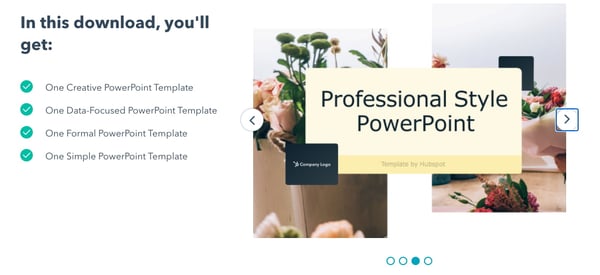 Using a professional presentation design ensures your content is conveyed in a clear, creative, and visually appealing way. To make it stand out further, try using HubSpot’s custom-build templates rather than utilizing one of the existing templates in in your presentation software. You can download them for free here.
Best Presentation Tools
1. Canva
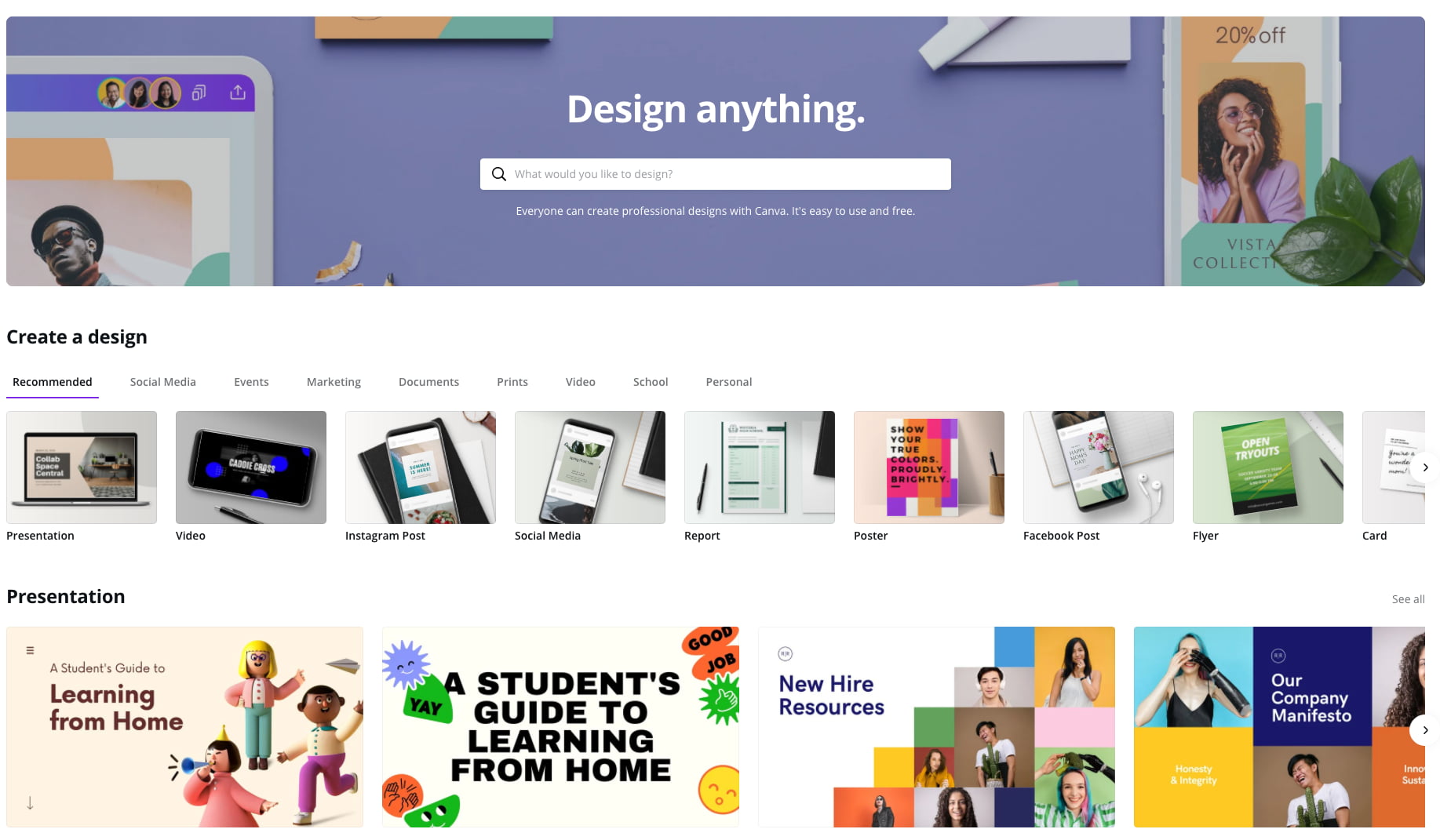
Canva makes design easy — even for marketers and salespeople who feel like they’re design-challenged. The platform gives you a bunch of presentation templates to use right away, and it’s very easy to customize them to your organization and presentation objective. Plus, a variety of apps that integrate with Google Drive, Instagram, and YouTube, to name a few.
Pricing: Free; Pro, $12.95/month for up to five people; Enterprise, $30/month per person
2. Powtoon
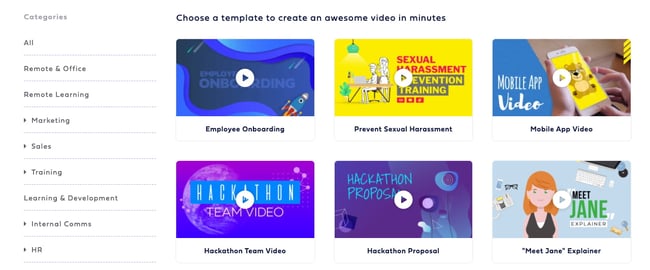
Often, being different is what attracts prospects, and Powtoon can help you do that in your presentations. Powtoon’s animation software lets you easily create videos with props, characters, and more — which can help you differentiate your company when talking with prospects.
Pricing: Pro, $19/month; Pro+ $49/month; Agency, $89/month
3. PowerPoint
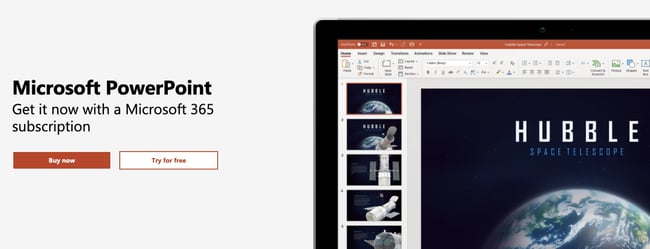
For years, PowerPoint has been the standard in presentation software, but it hasn’t remained static. PowerPoint is full of features to make sales and marketing presentations dynamic and engaging. (Here are just a few ways you can do that.)
Pricing: Business Basic, $5/user/month; Business Standard, $12.50/user/month; Business Premium, $20/user/month
4. Oomfo
A PowerPoint add-in, Oomfo helps sales and marketing pros create those oh-so-important interactive charts for presentations. Specialized charts, live charts from multiple files, data from cloud applications, interactive options, one-click conversions — it’s all possible, and more, with Oomfo.
Pricing: Free
5. Keynote
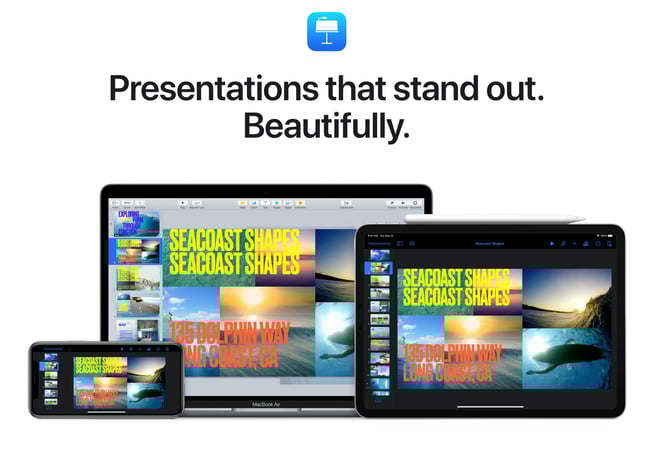
Apple’s Keynote allows users to work between their Mac and iOS devices, as well as with people who use Microsoft PowerPoint. With easy-to-use visual tools, drag and drop functionality, interactive charts, and more, Keynote is a popular choice among sales and marketing professionals.
Pricing: Free
6. Beautiful.ai
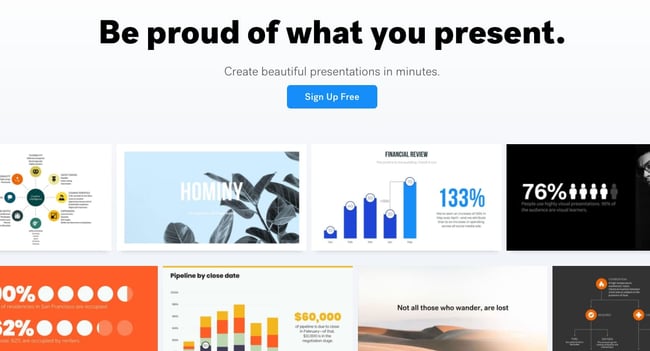
Create beautiful slides, pitches, and proposals without a team of designers. AI applies design rules in real time, and a library of free photos and icons are at your fingertips.
Pricing: Basic, $0; Pro, $12/month; Team, $38/user/month
7. Haiku Deck
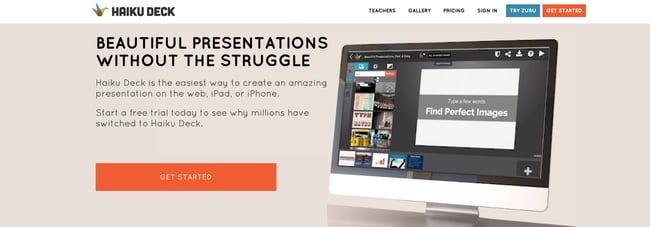
Available for the web or iPad, Haiku Deck has become a favorite of sales and marketing pros. With Haiku Deck, professionals can quickly create presentations that can be “easily projected, shared, posted, embedded on a website or blog, or viewed on any web-enabled device.” Though it’s another tool that helps you create presentations from scratch, its ease-of-use sets it apart from the rest.
Pricing: Pro, $9.99 – $19.99/month; Premium, $29.99/month
8. Vyond
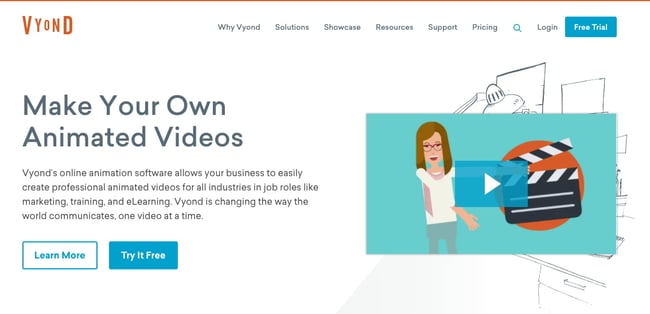
Vyond is an online animation software that allows you to create animated videos for marketing campaigns, sales enablement, or even human resources. Use their library of customizable templates or create your own from scratch.
Pricing: Essential, $229/year; Premium, $649/year; Professional, $999/user/year; Enterprise, contact for pricing
9. emaze
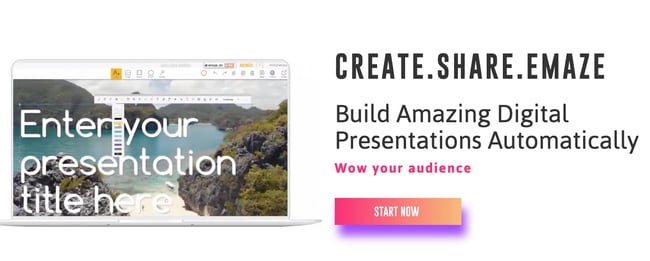
Busy sales and marketing pros choose emaze because it makes creating amazing presentations quick and easy. The options abound with emaze: Choose a professionally designed template and then create a slideshow, video presentation, or 3D presentation.
Pricing: Business Plan, contact for pricing; Executive Plan, $40/month; Pro Plan, $13/month
10. Camtasia
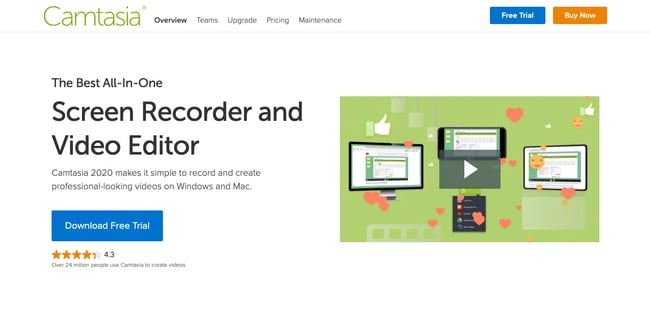
TechSmith’s Camtasia is an amazing tool that helps you create professional videos. You can record screen movements, import HD video from another source, customize and edit the video, and then share the completed video presentation on practically any device.
Pricing: Individual, $249.99/user/year; Business $249.99/user/year; Education, $169.99/user/year; Government and Non-Profit, $223.99/user/year
11. SlideShare
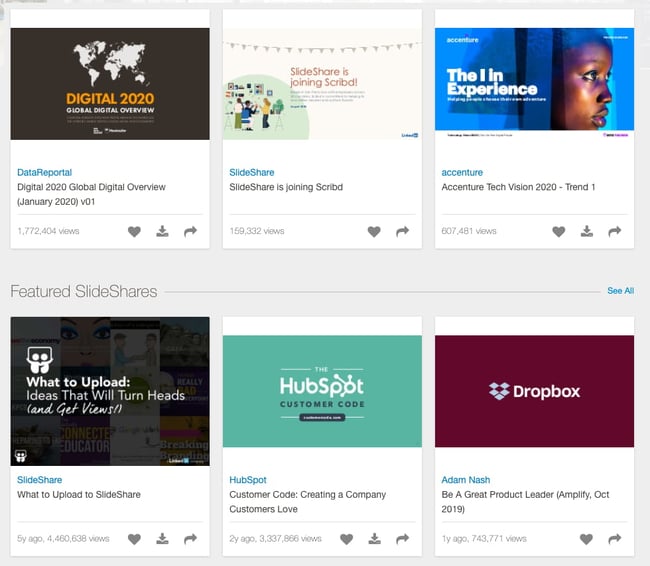
SlideShare is a popular choice for sales and marketing professionals looking for a way to share their content publicly. Because it already has a built-in audience, you can easily distribute your presentation out to lots of people — and those people can embed your SlideShares on websites and blogs, or share them on LinkedIn, Twitter, Facebook, etc.
Pricing: Free
12. SlideDog
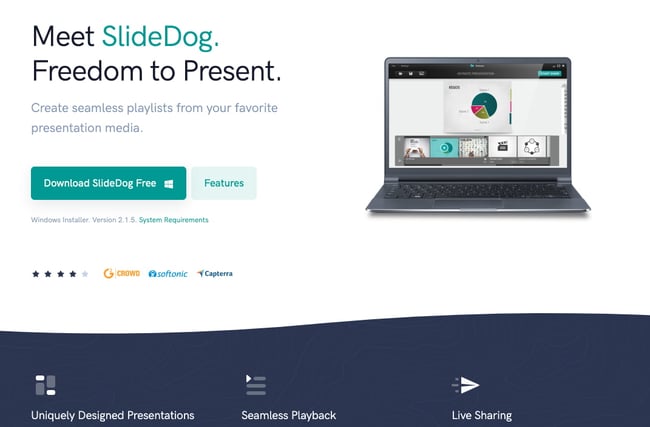
Sometimes, sales and marketing professionals need to be able to move between presentation tools, but it’s not always possible because of their technical limitations. SlideDog is the solution, as it enables users to switch between PowerPoint, Prezi, PDF, web pages and others.
Pricing: Free; Pro, $99/year; Pro Event, $49 for one-time payment
13. Presentation Assistant
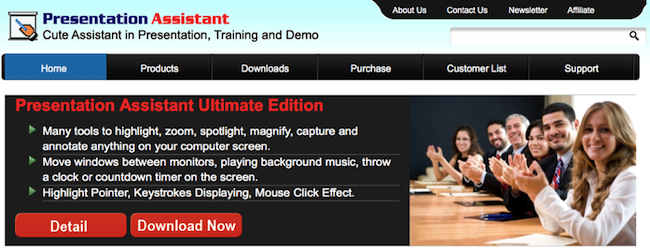
Presentation Assistant lives up to its name: It assists professionals by enabling them to annotate, zoom, and more during a presentation. Sales and marketing professionals can clarify and emphasize points more clearly to their audience with Presentation Assistant.
Pricing: Presentation Pointer, $29.95; Presentation Screen Master, $29.95
14. authorSTREAM
Sales and marketing pros choose authorSTREAM to make their presentations dynamic and engaging. authorSTREAM allows users to share their PowerPoint presentations publicly or privately, broadcast them, convert them to video, communicate and collaborate about them, and more.
Pricing: Free or paid plans start at $4.20/month
15. Zentation
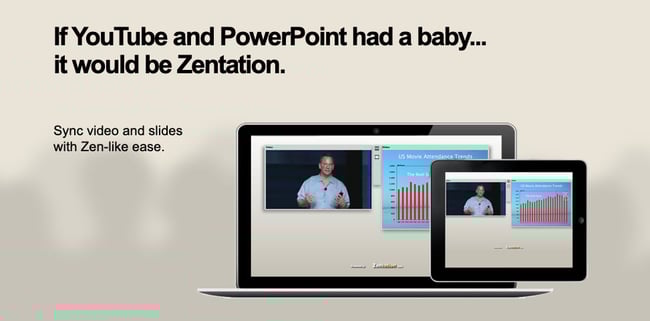
With Zentation, salespeople and marketers combine video and slides into a simulated live experience. Presentations created with Zentation become webinars, webcasts, and virtual events for prospects and customers — all great collateral for marketing and sales.
Pricing: Free; Premium, $10 – $45/month; White-Label, contact for pricing
16. Prezi
Sales and marketing professionals love Prezi because it is cloud-based. Prezi makes creating, editing, and presenting from your browser, desktop, iPad, or iPhone possible anywhere, any time.
Pricing: Standard, $5/month; Plus, $15/month; Premium, $59/month
17. Brainshark
 Sales reps and marketers often choose Brainshark, a cloud-based presentation tool, because it allows them to create and deliver presentations live or on-demand (even using their iPad or iPhone), use on-demand video content, polls, or surveys for increased engagement, and embed presentations in websites and blogs.
Pricing: Contact for pricing
18. Vcasmo
Vcasmo is a unique presentation tool — it’s a multimedia solution that enables users to synchronize a video and slideshow, side by side. Sales and marketing pros love Vcasmo because it supports playback in three forms: browser, mobile, and iPad.
Pricing: Free; Standard, $10.99/month; Professional, $16.99/month
19. ViewletBuilder
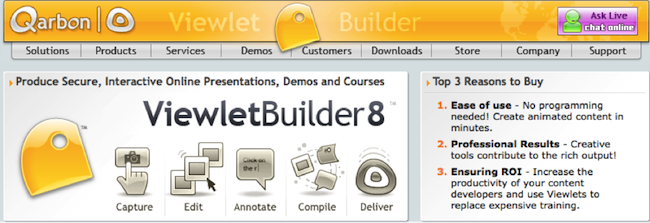
ViewletBuilder is a different presentation tool; it captures critical screen updates and cursor position changes so sales and marketing pros can create presentations detailing how their product or sites work. With a plethora of features, ViewletBuilder allows for editing and enhancing and includes a variety of publishing and sharing options, too.
Pricing: Pro, $399; Enterprise, $599
20. Zoho Show
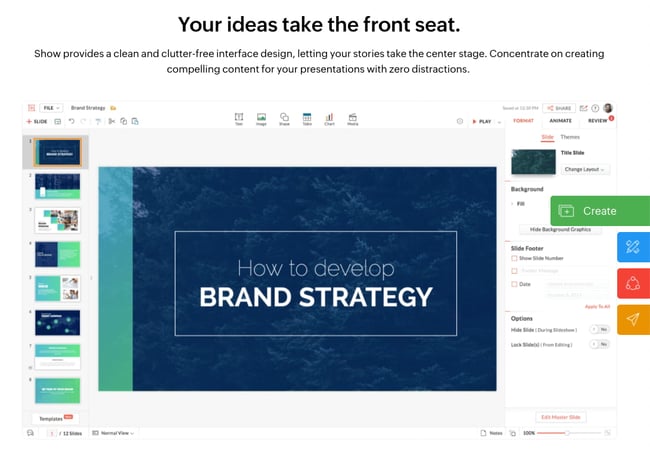
Zoho Show is a top pick for sales and marketing pros because it lives online, making it possible to create, access, present, and more from anywhere, any time. The simple, intuitive interface and collaboration features are just two of its beloved benefits.
Pricing: Contact for pricing
What are you waiting for? Pick a tool and start creating. Your prospects are waiting.
Editor’s Note: This post was originally published in October 2014 and has been updated for freshness and comprehensiveness.

How to Create Meaningful Engagement on LinkedIn: 3 Tips
Want to create deeper relationships with people on LinkedIn? Wondering how to encourage purposeful conversations with the people in your LinkedIn network? In this article, you’ll discover three tips to spark conversation on LinkedIn via connection requests and feed posts. #1: Compose Conversational LinkedIn Connection Requests If you want to connect with someone on LinkedIn […]
The post How to Create Meaningful Engagement on LinkedIn: 3 Tips appeared first on Social Media Examiner | Social Media Marketing.
from Social Media Examiner | Social Media Marketing https://ift.tt/3kk9lQi
via socialmediaexaminer
The 8 Best Social Media Analytics Tools for Marketers in 2020
These days, businesses across every industry are investing in social media marketing. But no matter how great your social media content is or how many people follow your accounts, you won’t be able to grow your audience, reach, and presence if you don’t understand the data behind it all.
In-depth knowledge about the status and success of your social media marketing will offer actionable insight into things like which strategies should remain in place and what you should change or experiment with in order to grow. Social media analytics tools are able to help you with just that.
Social Media Analytics
In this blog post, we’ll review the importance of social media analytics and some great options to help you measure your social media marketing success.
Get certified in social media strategy with this free course.
What is social media analytics?
Social media analytics is the process of gathering, analyzing, and applying data, information, and reports related to the content shared on your social profiles and the social profiles themselves.
Why use social media analytics?
With social media analytics, you can:
- Understand the metrics that matter most to your team and business such as engagement, reposts, shares, clicks, impressions, and sessions.
- Identify effective ways to boost brand awareness and reach.
- Resonate with your audience.
- Boost traffic to your other content and website.
- Increase conversions.
- Improve customer loyalty.
How to Track Social Media Analytics
Here are the steps involved in tracking social media analytics
- Identify which social media platforms you’ll be measuring impact on (e.g. LinkedIn, Facebook, Instagram).
- Determine which metrics you’re doing to track (e.g. clicks, impressions, likes, shares).
- Choose a time period to analyze (e.g. last quarter, last month, last week, duration of your campaign).
- Determine which tools you’ll use to track and measure success (we’ll cover your options in the next section).
- Review and analyze your data (depending on your tool of choice, there may be internal features to help you understand and analyze your data — such as this one with HubSpot).
- Apply your findings and conclusions to improve growth in the future.
1. HubSpot Social Media Software
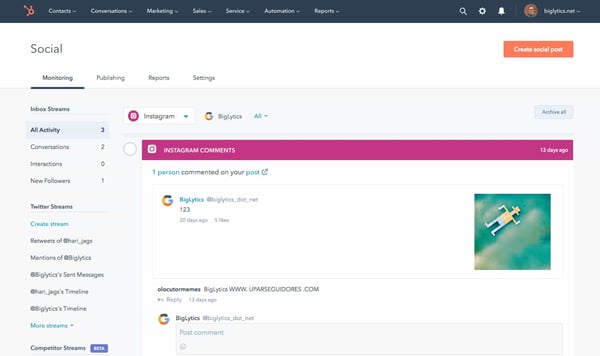
HubSpot provides a deep look into the way social media impacts your bottom line and gives you the ability to report on social media ROI. View and compare performance across different platforms, campaigns, and publishing times — all from a single tool.
Monitor your brand on social to understand how your target audience perceives your business and content. Additionally, YouTube Reports provide insight into how your audience and buyer persona’s engage with your videos. Lastly, effectively reach certain audiences by using data and context from the Contacts in your CRM (which this social tool integrates seamlessly with).
Get certified in social media strategy with this free course.
2. Sprout Social
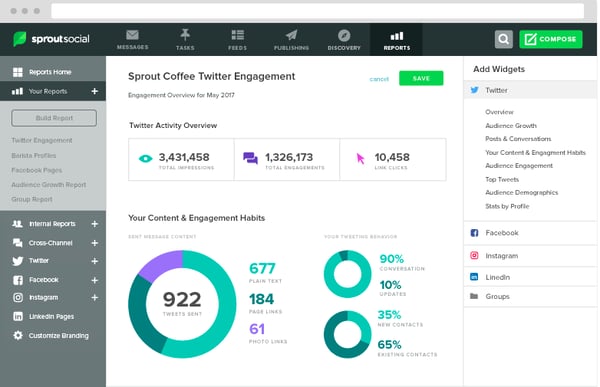
Sprout Social is a social media planning service with expansive analytics and reports that help you understand the performance of all of your social accounts.
Configure and customize reports and metrics to help you scale your your business’s presence on social. And if you’re a HubSpot customer, integrate your CRM with Sprout Social to collect and view accurate reports all in one place.
3. Falcon.io
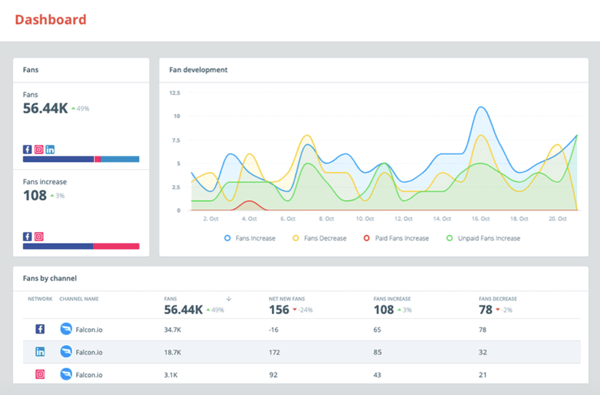
Falcon.io is a social media marketing platform for Facebook, Twitter, LinkedIn, and Instagram with analytics and community engagement capabilities.
Create an overview of cross-platform metrics and KPIs to determine which of your strategies are working best. Customizable dashboards update in real-time to give insight into your performance on your profiles. And with pre-existing templates, these customizable dashboards are easy to create and implement.
Lastly, integrate Falcon.io with your HubSpot CRM to sync customer data for your social campaigns, create custom and lookalike audiences, and offer customer service all via the tool.
4. Mailchimp
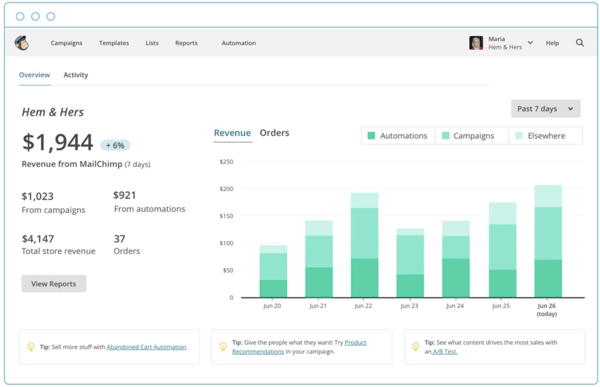
Mailchimp is a full-service marketing platform that offers analytics for social media ads. It’s easy to use for small marketing teams and requires little time to pour over the accompanying analytics.
With Mailchimp, you’ll have an audience dashboard, which is a page dedicated to understanding audience behavior. Additionally, the software offers tools to look into smart targeting and mobile integrations. These tools can diversify a social strategy and deliver higher engagement numbers by helping you create content that specific audiences will respond to.
5. Databox
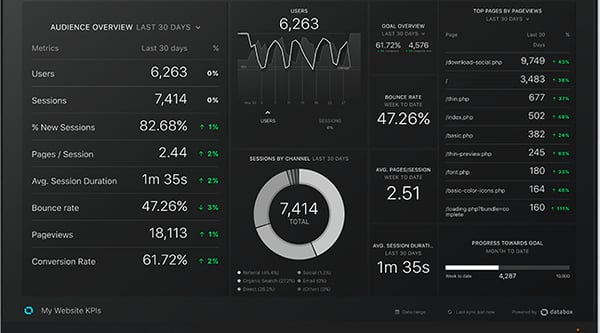
Databox is an expansive analytics platform that lets you set and track social media campaign goals. It’s a good choice for businesses that have many contacts, social accounts, campaign goals, and target audiences.
Customize metrics that matter most to your campaign or social channels for your reports. Any integration you have, such as HubSpot, will be visible from your dashboard as well.
6. Grow
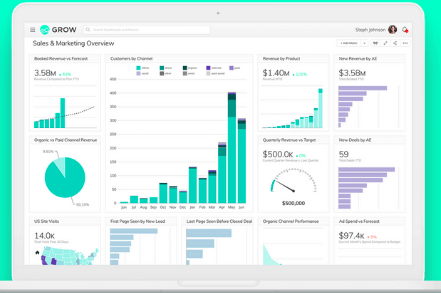
Grow users gain full visibility into engagement on all of the social accounts. The tool integrates with HubSpot, Salesforce, Google Ads, Facebook, Marketo, and Microsoft Office so you can view all data in one place.
Grow breaks down complex data into graphs and visuals, and your social reports are easily sharable which is helpful if multiple people are working on the same project. Grow’s reports are built with metrics chosen by the user — meaning, you can customize reports in a way that works for your needs.
7. ActiveCampaign
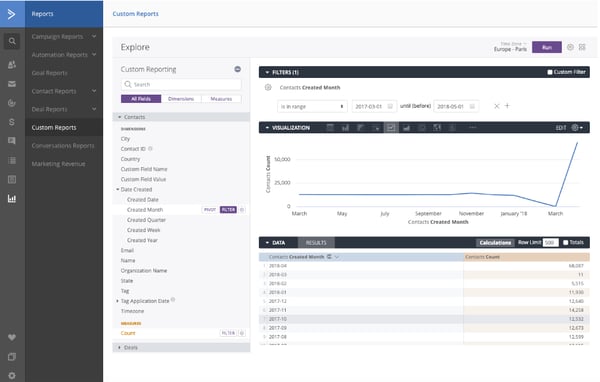
Source
ActiveCampaign is an email marketing software with social media features including reporting. You can connect Facebook, Twitter, Digg, and other platforms to gather insights related to performance.
Since you’ll have both social media and email metrics in one place, this is a good option for businesses with a heavy email marketing focus. Additionally, ActiveCampaign’s reports track what contacts do after they click through to your site. Further, if you’re a HubSpot customer, the software integrates with your CRM.
8. CoSchedule
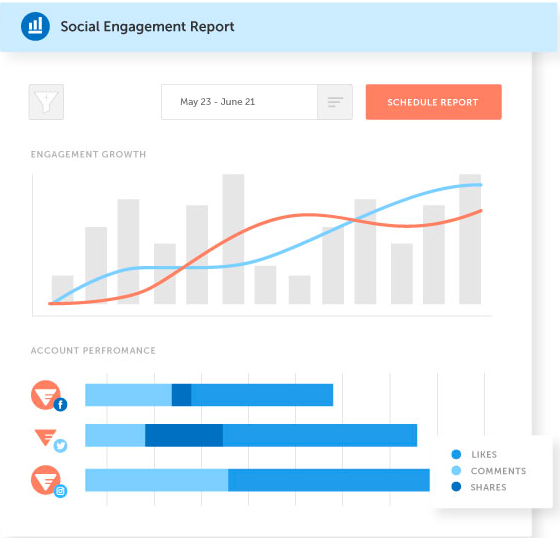
CoSchedule gathers social network, campaign, and engagement data for your profiles and compiles that real-time data into reports.
On your dashboard, compare multiple campaigns to determine the evolving ecosystem of audiences. You’ll also be able to see the top fans of your social accounts, making it easier to create targeted content for them (and followers like them).
Choose a Social Media Analytics Tool
Ultimately, choosing the right social media analytics tools for your business shouldn’t be a stressful process. The tools should align with your business goals and deliver the metrics you need to be successful. So review the options above and choose the right one for your business.
Editor’s note: This post was originally published in March 2020 and has been updated for comprehensiveness.

Lead Ads: inserta formularios en tus anuncios de Google con Lead Form Extensions
Sabemos que no todos tus anuncios en Google están destinados a vender. De hecho, algunas veces lo que necesitas es captar datos. En ese escenario, es importante pensar en una estrategia de Lead Ads.
Para ello, te servirá Lead Form Extensions, un servicio de Google Ads en fase beta. Lo que te permite es lanzar una campaña de anuncios con un formulario de captación de datos.
Puede ser para una llamada a la acción, invitar a descargar algo, hacer una reservación, etc.
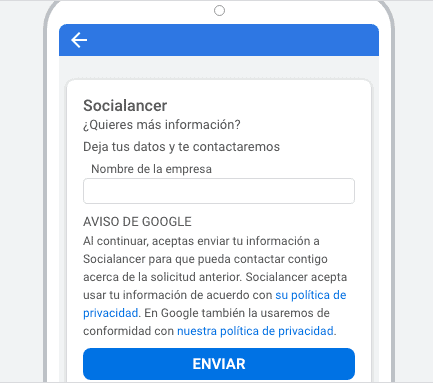
En este post te enseñaremos paso a paso cómo usar Lead Form Extensions y después te hablaremos de una herramienta muy potente para crear cientos de anuncios de Google bien estructurados en minutos.
Se llama PPCkit y es como tener una agencia disponible exclusivamente para ti en la computadora.
>>> Crea cientos de Google Ads en minutos y con más ROI.
Lo que debes saber antes de lanzar campañas de Lead Ads
El servicio de Lead Ads de Google llamado Lead Form Extensions está todavía en fase beta, lo que quiere decir ya es perfectamente funcional pero todavían podrían hacerle mejoras.
Su gran limitante hasta el momento es que solo funciona para campañas en dispositivos móviles. Trabaja sin problemas en sistemas operativos Android o iOS.
Lo cierto es que los teléfonos celulares y tabletas son grandes generadores de tráfico. Muchas veces las campañas de lead ads y las otras se ven más en móviles que en computadoras.
Ahora hablemos de lo que sí puedes hacer. Es posible crear campañas de Lead Ads en anuncios de búsqueda tando de texto como de video.
Lo que Lead Form Extensions te permite es insertar formularios de contacto. Podrás elegir entre 9 tipos de llamados a la acción:
- Consigue la oferta
- Contactar
- Descarga
- Más información
- Pide presupuesto
- Regístrate
- Reserva ahora
- Solicítalo ya
- Suscríbete
El usuario no tendrá que abandonar la página del buscador para dejar sus datos.
Lo mejor, en algunos casos, se sincroniza con su cuenta de Google, por lo que ni siquiera tendrá que rellenar los campos del formulario.
Eso facilita muchísimo la captación de leads.
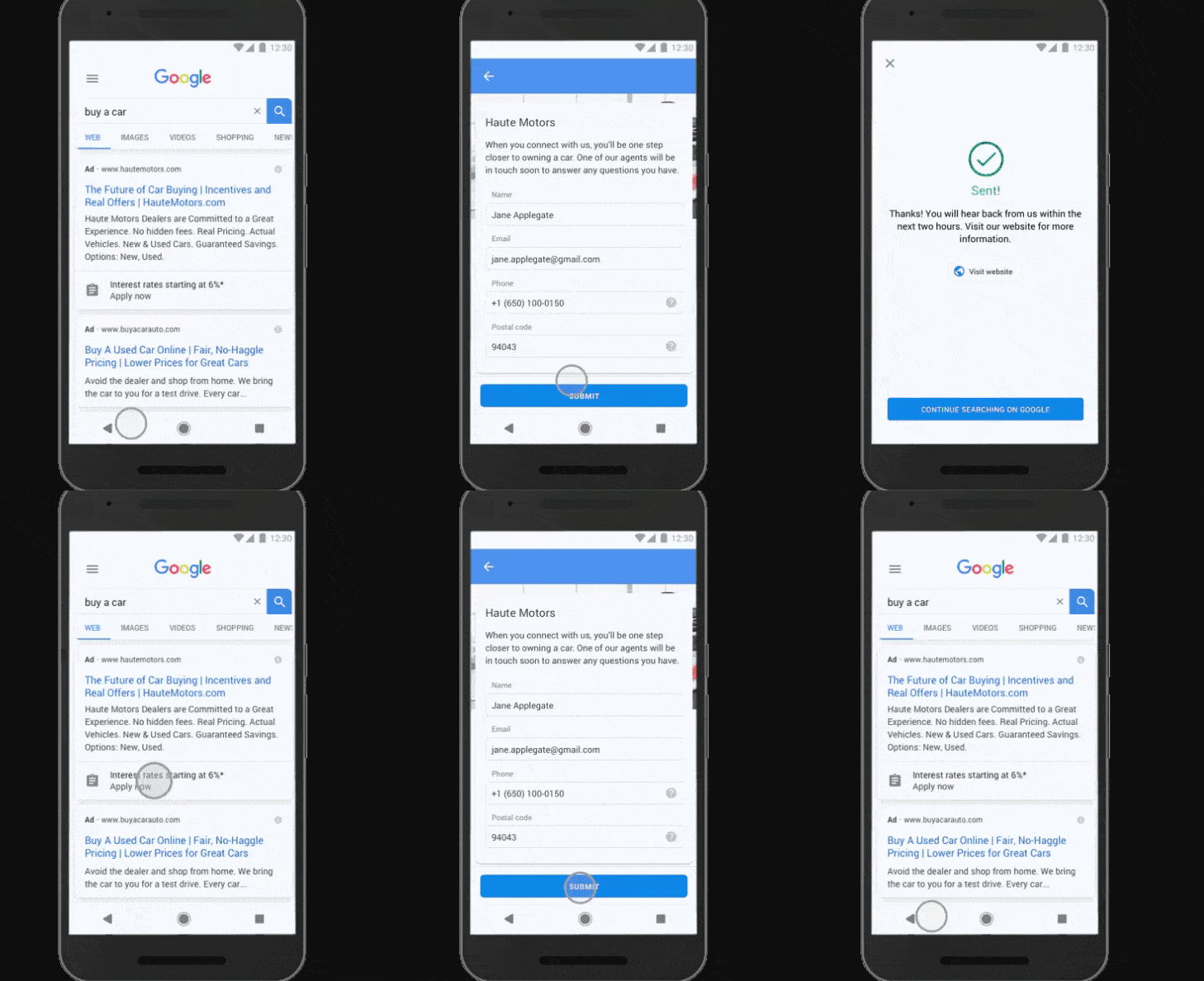
>>> Todo lo que debes saber para publicar anuncios de Google sin errores.
Pero Lead Form Extensions no se pueden utilizar en todos los tipos de campañas de Google Ads. En las que está prohibido es en las siguientes:
- Anuncios de Google promocionando contenido para adultos.
- Contenido relacionado con bebidas alcohólicas.
- Publicidad vinculada a juegos de apuestas.
- Red de afiliados.
- Cuidados de la salud y medicamentos.
- Contenido político.
Campañas de marketing exitosas: Analytics de Lead Ads
Las únicas conversiones que este tipo de campañas de Lead Ads va a contabilizar son los envíos de formularios que los usuarios hagan.
No es posible registrar otras acciones de conversión para esos clics con Lead Form Extensions.
Nos explicamos mejor: si un cliente hace clic en la extensión y después compra en tu eCommerce, no se atribuirá la venta al anuncio.
Dicho de otra forma, en las campañas de lead ads no sabrás cuántos de tus anuncios derivaron en ventas, si es que ese es el tipo de conversión final que buscas.
Primeros pasos para usar Lead Ads en Anuncios de Texto
Empezaremos por un paso a paso muy detallado para que aprendas a hacer campañas de Lead Ads desde Lead Form Extensions.
Lo primero que debes hacer, obviamente, es entrar al panel de Google Ads, antes Google Adwords.
#1. Selecciona Nueva Campaña.
#2. En los Objetivos de Campaña selecciona Clientes Potenciales.
#3. En Tipo de Campaña haz clic en Búsqueda.
#4. Cuando te pregunta cómo quieres alcanzar el objetivo, deberás cliquear la última opción: Envíos de Formularios por Parte de Clientes Potenciales.
#5. Da clic en Continuar.
Para ver todas las imágenes del paso a paso, cliquea en la flecha.


Ahí entrarás a la Configuración General. Deberás delimitarla como en cualquier otra campaña.
Escoge un nombre, selecciona el tipo de red (de búsqueda o de display), la segmentación, presupuesto, etc.
Después de eso haz scroll hasta encontrar la sección Extensiones de formulario para clientes potenciales.
Lo que sigue es cliquear en el signo de + donde dice Crear extensión de formulario para cliente potencial.
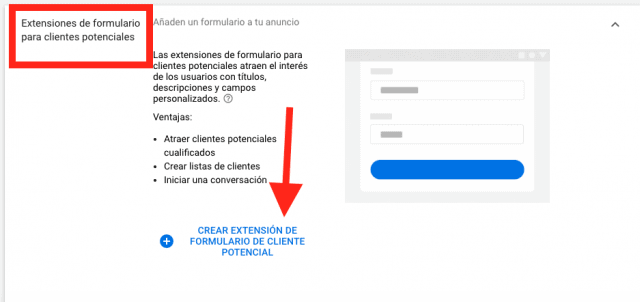
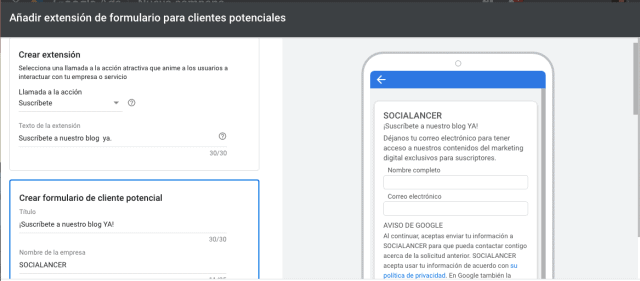
En este punto de la campaña de lead ads deberás configurar la extensión y el formulario.
Hay que determinar el tipo de llamado a la acción y los diferentes textos como título, descripción, nombre de la empresa.
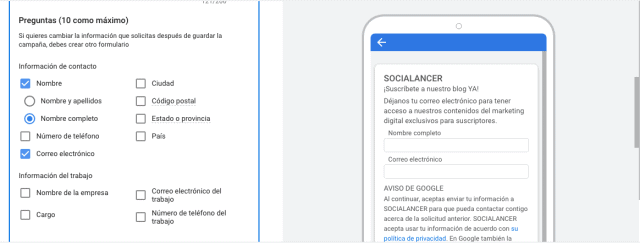
Después, agrega la información que quieres captar con el formulario y si quieres hacer preguntas. Puedes añadir un máximo de 10 y un mínimo de una, si no, no te dejará continuar.
Lead Form Extensions no te dejará seguir si no agregas una URL a tus políticas de privacidad.
También es obligatorio subir una imagen. Ten en cuenta que si es horizontal debe pesar mínimo 5120 KB.
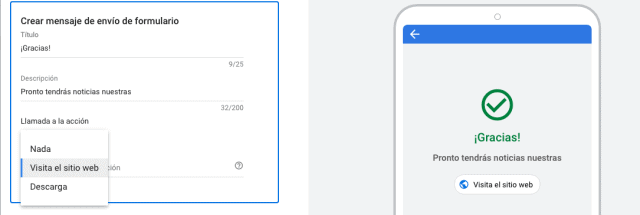
Por último, es necesario diseñar el formulario de salida, es decir, lo que los usuarios verán después de compartir sus datos.
Ahí puedes poner otro llamado a la acción. Puede ser visitar tu sitio web, descargar algo o nada.
Hay una cosa que debes saber. Las preguntas que agregas en tu campaña de Lead Ads ya vienen predeterminadas.
Como te comentamos antes, deberás elegir mínimo una.
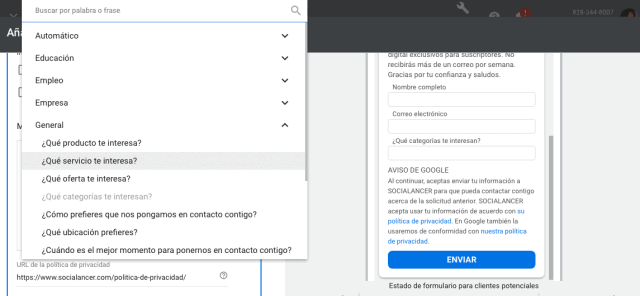
Haces clic en guardar y quedará como borrador. En cuanto estés preparado, publicas tu campaña.
Cómo descargar los datos de una campaña de Lead Ads en Google
Hay dos maneras de descargar los datos captes con tus campañas de Lead Ads en Google.
La más sencilla es descargar un archivo CSV. Puede ser:
- Básico: un archivo legible. El encabezado de las columnas son los nombres completos de las preguntas.
- CRM: las columnas están nombradas con los campos, no con las preguntas.
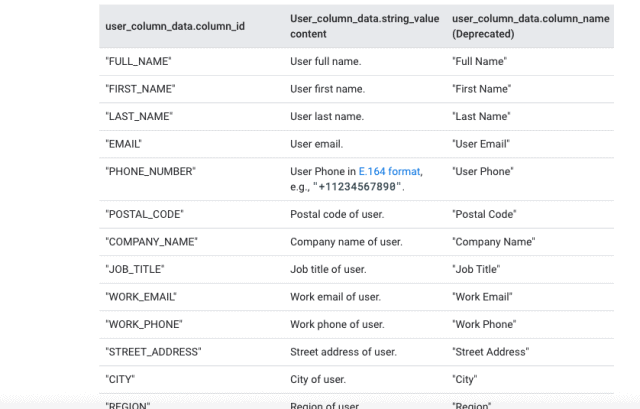
Debes hacer esto regularmente porque los datos solo se almacenarán durante 30 días.
La segunda opción para obtener los datos de Lead Form Extensions es un poco más compleja. La recomendamos para negocios con infraestructuras más sólidas, personal contratado o con un crecimiento más amplio.
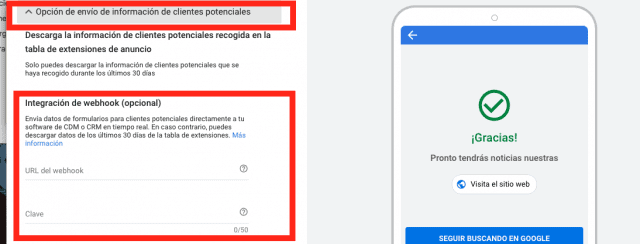
Puedes integrar la captación de datos a Webhook, una herramienta que te permitirá enviar la información directamente a tu CRM en tiempo real.
Esta integración se realiza cuando estás diseñando el formulario de salida.
Debes hacer clic en Opción de envío de información de clientes potenciales.
Conoce PPCkit para hacer cientos de anuncios de Google en minutos
Ahora queremos hablarte de una herramienta para crear en minutos anuncios en Google correctamente estructurados y con cientos de palabras clave de alto rendimiento.
Se trata de PPCkit. Gracias a que facilita la inserción de keywords te permite crear publicidad online más barata y con más posibilidad de conversión.
Si te interesa ver la herramienta en acción, aquí está nuestra demo.
Es como tener tu propia agencia de Google Ads. Trabaja a través de un asistente paso a paso en cada parte de la configuración de la campaña.
De hecho, en solo 5 pasos estarán listas tus campañas de alto rendimiento.
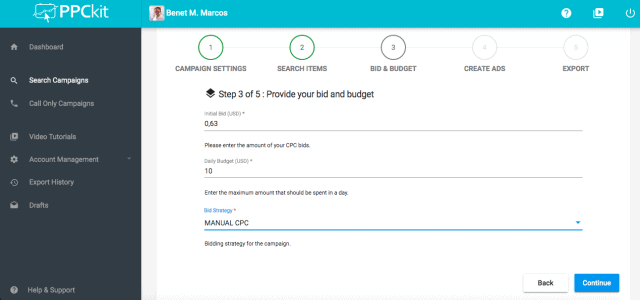
Uno de sus aspectos más interesantes es su herramienta de inserción dinámica de palabras clave.
Con esto, al usuario el anuncio le aparecerá con el término exactamente como lo buscó.
Es decir, si tienes una zapatería y alguien busca en Google “Botas estilo militar”, el anuncio de tus ofertas le aparecerá “Las mejores ofertas de botas estilo militar”.
Esto aumenta la posibilidad de que esa persona haga clic en tu anuncio.
Podrás trabajar desde cualquier dispositivo o lugar. Lo único que necesitas es tener bien claros tus objetivos y una conexión estable a internet.
Como oferta especial de lanzamiento, si compras PPCkit desde nuestro enlace, tendrás un descuento del 60%.
>>> Aprovecha el 60% de descuento de PPCkit.
Conclusión sobre campañas de Lead Ads
Utilizar campañas de lead ads tiene los siguientes beneficios:
- Generación de clientes potenciales para incrementar las ventas.
- Llevar a los clientes potenciales a tu embudo de marketing. Ideal para infoproductos.
- Atraer a interesados en tu producto y después hacer una lista de remarketing.
Sin embargo, queremos insistir en que Google es muy estricto con las políticas de tratamiento de datos.
Asegúrate de tener políticas de tratamiento de datos adecuadas y solo utilizar los leads para los fines que has estipulado previamente.
Por último, recuerda que los datos son una ventana de oportunidad para iniciar una relación con tus clientes.
Si sabes aprovechar Lead Form Extensions seguro te será de mucha utilidad en tus estrategias de venta, upsells y reventa.
Suerte y te leemos en los comentarios.
from Socialancer https://ift.tt/3p9Buxb
via
Made You Look! How to Make Headline Grabbers Work for You
Headlines are the first look (and sometimes, the only look) people give your content. Think of all the times you’ve scanned title after title before clicking on the one that stopped your scroll.
You’re not the only one who whisks by without reading. We found that 73% of people admit to skimming blog posts, while only 27% consume them thoroughly. Without a compelling headline, your content will never get the eyes it deserves.
But what exactly are headline grabbers? And how do you write one that stands out among the black-and-white sea of copy monotony? Most importantly, how do you make sure it works for your audience?
Fortunately, we understand the ups and downs of crafting catchy headlines. It takes time, thought, and a few simple tricks. So settle into your favorite note-taking mode, because it’s time to learn how to create headlines that reel in readers.
Thousands of articles exist on how to write an attention-grabbing headline. Every marketer has an opinion, from fixing horrible headlines to earning more clicks.
While most compelling headlines do pull from a similar bag of tricks, what works for one person may not work for someone else. That’s because your audience, brand, voice, and content strategy differs from the companies popping up next to you in search results.
How to Write an Attention Grabbing Headline
Here’s how to make sure your headlines spark interest and work for your brand.
1. Write a working title.
Remember when you were required to turn in a rough draft of your work? Well, thank your high school teachers, because this is a great first step to finding the perfect headline grabbers.
A headline draft is called a “working title.” It’s a specific statement that clearly indicates what your post will be about. Let’s say you write a blog about topics like “getting outdoors” and “staying active.”
You can write hundreds of posts about either of those topics. But with a working title, you narrow in on a specific headline. For instance, you could create the following working titles from the above topics:
- “Why Getting Outdoors Boosts Happiness and Long-Term Memory“
- “Anti-Aging Activity: 7 Science-Backed Reasons to Get Off the Couch“
Each headline clearly states what your post will be about, but they still need to go through a writing workshop. They’re called “working titles” because it will take time to make them perfect. But it’s the right start to create an attention-grabbing headline.
2. Steer clear of clickbait.
We’ve all fallen into this marketing trap. You can’t help but tap on headlines like these:
- “You Won’t Believe This Dog’s Dance Moves!“
- “Someone Gave This Kid Scissors. Here’s What Happened Next“
- “When You Read These 19 Shocking Food Facts, You’ll Never Want To Eat Again“
Oftentimes, the article you wind up reading is completely off-course from what the headline promised. Of course, carrot cake has a lot of sugar. So you get frustrated, leave the site, and vow never to return.
While clickbait can be effective for getting views, it can also annoy readers by exploiting emotional triggers like anger, anxiety, humor, inspiration, and surprise.
People won’t stick around long if you consistently overpromise and underdeliver through over-the-top headlines. But there is something to learn from the effectiveness of clickbait.
Using emotive language can resonate on a personal level and stir readers’ interest. For instance, these headlines nod to people’s emotional tendencies without being overly sensational:
- “Why You Shouldn’t Always Reach Your Goals“
- “Merriam-Webster Reveals What New Words Appeared the Year You Were Born“
- “12 Ways to Give and Get Customer Love“
If you find yourself overpromising on what’s behind your headline, pause. Reevaluate the benefit to your audience, and reel in the bait.
3. Stay on brand.
Maybe clickbait is part of your brand strategy. If so, bring on the outrageous headlines. The point is: your brand is the starting point of your content strategy. So you absolutely need to consider it when writing headline grabbers.
(To create a brand that attracts and inspires your audience, check out The Ultimate Guide to Branding in 2020).
Let’s take a look at how two major players in the outdoor industry — Patagonia and Outdoor Research — use their distinct brands to write attention grabbing headlines.
- Patagonia: “Will You Vote for Winter?“
- Outdoor Research: “How To Stay Warm While Moving Fast In The Cold“
Both headlines would personally make me click, but the difference between the two is clear. Patagonia is known for their environmental activism, which comes across through the use of “vote” and asking readers to take a stance. While Outdoor Research solves a pain point through its tried-and-true gear to help customers “stay warm…in the cold.“
As you brainstorm headline ideas, revisit your target market to consider what type of messaging will resonate with your audience.
4. Turn heads.
You know that person whose look is so on-point you can’t help but do a double-take? You can make that happen with a headline grabber — if you use these writing style tips.
- Build anticipation — This is all about creating intrigue so people need to find out what happened. Psychology professor George Lowenstein summed it up in the information gap theory, which states that a “curious individual is motivated to obtain the missing information to reduce or eliminate the feeling of deprivation.” Buzzfeed is known for reeling people in with headlines like “33 Amazingly Useful Websites You Never Knew Existed.” Click.
- Add numbers — Studies have shown that numbers ease the stressful paradox of choice, stand out when odd, and help our brains spatially sort information. Researchers have even found that people with a number-free language are able to count. So next time you’re typing up a headline grabber, try something like “27 Data-Backed Reasons to Personalize Your Marketing.” Humans can’t resist.
- Solve a problem — When we run into a problem, our brains work overtime to find a solution. Which is why headlines that offer answers are great attention grabbers. Feeling overwhelmed at work? “Quick & Easy Ways to Get Organized At Work” would immediately draw you in because it promises simple ways to solve your problem. Bonus points if you offer actionable, inventive advice.
5. Optimize for SEO.
Learning how to write an attention-grabbing headline and optimizing it for search doesn’t have to be a painful process. The key? Do your research, and sound like what you are — a human.
To find the right balance, dive into keyword research to discover what topics interest your audience. Once you have a list of relevant keywords, look at the search volume for each one to see how often it’s typed into a search engine. (If you’re new to SEO, or need to create a solid strategy, you can find helpful tips in our Ultimate Guide to SEO).
When you’ve chosen a keyword that interests your audience and has solid search volume, it’s time to incorporate it into your headline. We recommend putting your keyword as close to the beginning of your headline as possible so it’s recognized by the finicky search engine spiders. But remember to keep your headline under 70 characters so it doesn’t get chopped off in the SERPs.
Let’s say you’re putting together a blog post on branding, and your goal is to rank for the keyword “brand voice examples.” Your working title may look something like this:
“Get Inspired by These 9 Creative Brand Voice Examples“
While the sentiment is there, the keyword is at the end — and it’s lacking pizzazz. A few simple switches can turn it into a headline grabber.
“9 Brand Voice Examples to Break Out of Writer’s Block“
Moving the keyword to the front of the headline boosts SEO, and including “writer’s block” helps solve a problem that plagues every brand writer. Plus, the headline is 53 characters, so readers will see your complete headline handiwork.
While people will scroll past a perfectly optimized headline, a poorly optimized one will send you right to the bottom of search results. Try to strike a balance that works for your brand. And above all, be human. If you’re unsure whether or not your headline is strong enough to grab peoples’ attention, think: Would you click?

24 Quotes About Social Media to Inspire Your Marketing Strategy
With all the algorithm updates, changing content preferences, and memes sprouting up on social media, it can be more challenging to adapt your social media marketing strategy than it was acclimating to the awkwardness of puberty.
Despite its perpetual evolution, though, social media will always have one constant — people. For the most part, human behavior has stayed the same for thousands of years, which means the principles of psychology are unwavering. So if you want to succeed on social media, you need to focus more on the people using it than the trends changing it.
To help you develop an audience-centric social media strategy, we’ve compiled these insightful quotes about social media from executives, marketers, and even celebrities. Read on to get inspired.
Social Media Quotes
1. “People want to go on the Internet and check out their friends so why not build a website that offers that? Friends, pictures, profiles, whatever you can visit, browse around, maybe it’s someone you just met at a party. I’m not talking about a dating site. I’m talking about taking the entire social experience of college and putting it online.” – Jesse Eisenberg as Mark Zuckerberg in The Social Network
2. “It’s a dialogue, not a monologue, and some people don’t understand that. Social media is more like a telephone than a television.” – Amy Jo Martin, Author of Renegades Write The Rules
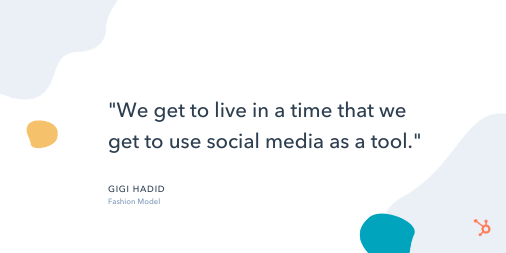
3. “We get to live in a time that we get to use social media as a tool. It’s not just a face on a piece of paper, and that’s what makes you someone’s favorite model. We can have a very similar sense of humor as someone, and that’s why we’re their favorite model, or our personal style, off the runway, is why we’re their favorite.” – Gigi Hadid, Fashion Model
4. “I’m very active on social media and see the huge impact it has on engaging with fans and being able to have a voice.” – Stephen Curry, Professional Basketball Player
5. “A lot of people who are ‘social media’ stars aren’t considered to be ‘real’ stars, and people underestimate the amount of work it takes to edit and upload a video every single day and document your life like that.” – Shawn Mendes, Singer
Positive Social Media Quotes
6. “Social media is not just an activity; it is an investment of valuable time and resources. Surround yourself with people who not just support you and stay with you, but inform your thinking about ways to WOW your online presence.” – Sean Gardner, Forbes Social Media Power Influencer, AI specialist
7. “Don’t use social media to impress people; use it to impact people.” – Dave Willis, Author and Speaker
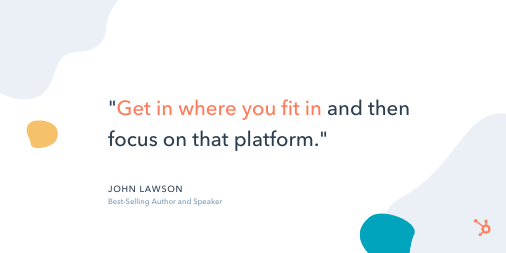
8. “Get in where you fit in and then focus on that platform.” – John Lawson, Best-Selling Author and Speaker
9. “You don’t need a corporation or a marketing company to brand you now: you can do it yourself. You can establish who you are with a social media following.” – Ray Allen, Professional Basketball Player
10. “A brand is no longer what we tell the consumer it is – it is what consumers tell each other it is.” – Scott Cook, Co-Founder of Intuit
Social Media Marketing Quotes
11. “When I hear people debate the ROI of social media? It makes me remember why so many businesses fail. Most businesses are not playing the marathon. They’re playing the sprint. They’re not worried about lifetime value and retention. They’re worried about short-term goals.” – Gary Vaynerchuk, CEO of VaynerMedia
12. “A large social-media presence is important because it’s one of the last ways to conduct cost-effective marketing. Everything else involves buying eyeballs and ears. Social media enables a small business to earn eyeballs and ears.” – Guy Kawasaki, Chief Evangelist, Canva
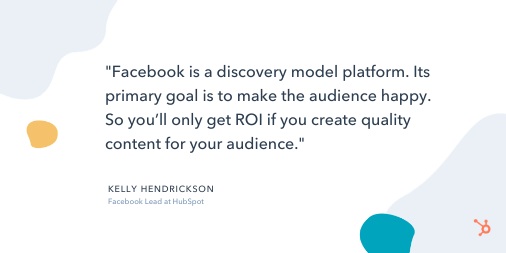
13. “Facebook is a discovery model platform. Its primary goal is to make the audience happy. So you’ll only get ROI if you create quality content for your audience.” –
Kelly Hendrickson, Facebook Lead at HubSpot
14. ‘Instead of getting discouraged when a promising tweet doesn’t rack up the likes and retweets, pay attention to the clicks and check how long people stay on the page after coming from social. If your post is generating strong engagement, don’t worry so much about the superficial stats.” – Tallie Gabriel, Producer at Unthinkable Media
15. “When pitching to press outlets, you need to help drive traffic through social to make it worth the effort of PR professionals. In addition to traditional outlets, publications are now generating traffic from native content within social platforms. So if you want to engage with members of the press and PR professionals today, you need to analyze their social media pages to learn what kind of content they’re sharing — before pitching.” – Ryan Bonnici, CMO at G2Crowd
16. “When it comes to social media marketing, you don’t have to post 3 times a day. It’s never about how often you post but the quality of your content.” – Janet Benson Amarhavwie, Social Media Manager
17. “You have to stop doing what everyone else is doing. Listen to your gut, go in a new direction, do something you’ve never done before. Learn from the best. Success is yours if you go in your own direction.” – Amanda Weinraub, Business Owner, Social Media Manager, Web Designer
Funny Social Media Quotes
Quick Note:
We found these quotes on Pinterest. The authors are unknown, but they’ll still give you a good laugh.
18. “What happens on social media stays on Google forever.”
19. “Being famous on Instagram is basically the same thing as being rich on Monopoly.”
20. “I do not have a fake social media personality. I am genuinely this ridiculous in real life.”
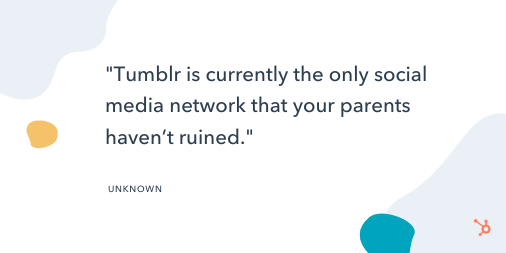
21. “Tumblr is currently the only social media network that your parents haven’t ruined.”
22. “I log off because I’m bored. I log back on in five minutes because I’m bored.”
23. “For every action, there is an equal and opposite reaction, plus a social media overreaction.”
24. “Thank God for Facebook or I’d have to call 598 people and tell them how far I ran today.”
Editor’s note: This post was originally published in February 2019 and has been updated for comprehensiveness.

21 Mind-Blowing Black Friday Statistics for 2020 [New Data]
Ah, Black Friday — the biggest shopping weekend of the year is around the corner.
In 2020, Black Friday is going to exist primarily online. Which means, as a marketer, it’s critical you prepare marketing materials ahead of time to ensure you’re able to break through the noise.
Additionally, a few major retailers — including Home Depot, Walmart, and Target — have chosen to redefine Black Friday as a couple of days or even weeks to cater to shopper’s changing buying habits. Consider following suite with your own re-imagined version of Black Friday.
To inspire your 2020 Black Friday advertisements, emails, and social media posts, take a look at some mind-blowing statistics and predictions around the use of mobile devices, online coupons, and email marketing this holiday season.
21 Black Friday Statistics for Marketers
1. In 2019, Black Friday beat Cyber Monday as the busiest online shopping day: 93.2 million shopped online on Black Friday vs. 83.3 million on Cyber Monday. (Source: National Retail Federation)
2. Amazon was the most-anticipated Black Friday ad in 2019 — despite the fact that it doesn’t release an official Black Friday ad, just a list of deals. (Source: BlackFriday.com)
3. 50% of 2020 holiday shoppers say the sales offered over the last six months have lessened their interest in Black Friday and Cyber Monday sales this year. (Source: NerdWallet)
4. Electronics typically have the best deals on Black Friday, followed by home goods and home appliances. (Source: Nationwide.com)
5. On Black Friday 2019, more people shopped online than in stores — 142.2 million shopped online, while 124 million shopped in-store. (Source: National Retail Federation)
6. 65% of shoppers will choose to buy products online instead of in-store to avoid crowds in 2020, while 64% choose to purchase online for the comfort of shopping from home. (Source: Deloitte)
7. 66% of shoppers will increase their online purchases this year. (Source: Brightedge)
8. Online holiday spend will surpass $189B in 2020 — up 33% YoY. (Source: Adobe)
9. As consumers make the most of being at home, they plan to treat themselves to beverages (33%), food (30%), and clothes (30%). (Source: Deloitte)
10. In 2020, 42% of all online shopping is done from smartphones (up 55%), and $28B more than last year will be spent on smartphones. (Source: Adobe)
11. Millennials were the biggest Black Friday spenders in 2019, shelling out an average of $509.50 on Black Friday purchases, compared to an average of just $382.40 in 2018. (Source: PYMNTS)
12. 75% of all retailers are offering discounts before Black Friday, and many major retailers are reinventing Black Friday deals to last days … or even weeks (including Home Depot and Walmart). (Source: Adobe)
13. 39% of consumers looked to emails from retailers for information on deals and promotions, and 38% used online search to find deals. (Source: National Retail Federation)
14. More than 50% of all Black Friday shoppers chose credit when checking out at the physical store or online in 2019. Roughly a quarter of all Black Friday online shoppers used PayPal to make a purchase, as well. (Source: PYMNTS)
15. Women make up the majority of Black Friday shoppers — but men are quickly closing the gap, with 45.1% male this year. (Source: Much Needed)
16. Small businesses can experience a +107% revenue boost over holiday season, and 38% of consumers will make a deliberate effort to shop at
smaller retailers throughout the holiday season. (Source: Adobe)
17. The five top states planning to spend money on Black Friday sales include Georgia at 52%, Wisconsin at 51%, Illinois at 50%, Virginia at 48%, and New York at 47%. (Source: Much Needed)
18. More than 201 million Americans (79%) plan to purchase gifts this holiday season, spending an estimated $167 billion — a little less than the $184 billion Americans planned to spend last holiday season. (Source: NerdWallet)
19. Mobile devices are used by 75% of shoppers to research products, compare prices, and make purchases — up from 66% last year. (Source: National Retail Federation)
20. Free or fast shipping expectations are increasing, with 64% of consumers refusing to pay extra for expedited shipping. (Source: NerdWallet)
21. 82% of consumers plan to finish purchasing holiday gifts after Black Friday, with 6% saying they will not be done until after Christmas. (Source: PYMNTS)
If you haven’t finished putting together your online coupons, your mobile site optimization isn’t quite complete, or your email marketing campaigns aren’t quite nailed down yet, ask your marketing elves to get hopping! Even if you miss the Black Friday shopping rush, the rest of the holiday season will still be busy for retailers, especially those who can cater to the last-minute shoppers.

How to Amplify Your Instagram Influencer Campaigns With Ads
Do you partner with influencers on Instagram? Want to maximize your visibility to their audience? In this article, you’ll discover how to target an influencer’s following with a shared custom audience for Instagram ads. Why Run Your Own Instagram Ads for Influencer Campaigns? Collaborating with influencers on Instagram can bring fresh eyes to your product […]
The post How to Amplify Your Instagram Influencer Campaigns With Ads appeared first on Social Media Examiner | Social Media Marketing.
from Social Media Examiner | Social Media Marketing https://ift.tt/2UlRsX3
via socialmediaexaminer
What Is a Focus Group in 100 Words or Less [+ Pros and Cons]
In an ideal world, you’d know just how your product or business idea would be perceived before it’s released. This knowledge could help you make alterations to what you’re offering for the best possible reception, and better inform your sales projections and marketing strategy.
Sadly, you’ll never know exactly how what you’re selling will be received by your target audience, which is why companies conduct market research.
But, while mass data collection through surveys provides you with necessary quantitative information, it doesn’t offer as much qualitative insight into your target market’s view or opinion of what you’re selling.
This is where a focus group comes in.
So, what is a focus group, and how can it help you navigate your market research? Let’s explore those two questions, next.
What is a focus group?
In the context of market research for businesses, a focus group is a cohort of individuals participating in a guided discussion about a business, brand, product, and/or service.
Typically, a focus group is facilitated by representatives from the business and is composed of individuals in the business’s target market who share their thoughts and opinions on the topic or offering in question.
A focus group is usually moderated by a representative or representatives of the company, who ask 5-10 questions to the participants over the course of 30-60 minutes, with another facilitator keeping notes on the focus group questionnaire.
Follow Along With a Free Focus Group Questionnaire Template
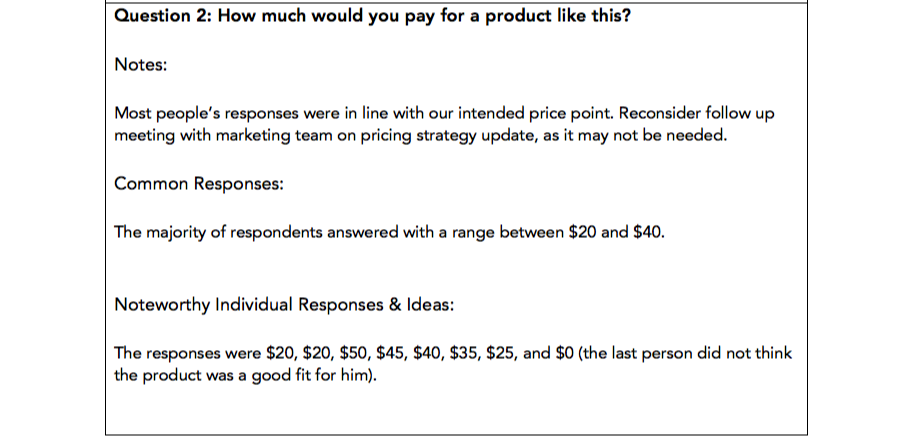
HubSpot’s Market Research Kit includes a questionnaire template to use in your focus groups, as well as four more templates to aid you in your market research efforts. You can download the kit here to help you plan your focus group and market research.
You can also read more about the process of conducting an effective focus group in our blog post, How to Run a Focus Group for Your Business.
Next, let’s explore the pros and cons of a focus group.
The Pros of a Focus Group
1. You get the story behind the data.
In focus groups, qualitative data takes center stage. Survey data is unbelievably powerful, but it’s hard to understand the rationale for the numbers without context. Focus groups are a way to understand how someone truly feels about your business and provide the why behind the data.
If someone answers a question in a way that interests you, you’ll have the chance to dig deeper. Ask “Why?” See how the other participants feel about the specific answer. Gauge facial expressions and tone of voice to see how people react to what you’re talking about. You’ll end up with the emotional input from your target market that your surveys may not be able to provide.
2. Focus groups are interactive.
Those responding to a survey or a questionnaire can’t pick up your products or use them, but they can in a focus group. If the subject of your focus group is tangible, observe and ask questions about how participants use the product and feel about the packaging and design.
Here, you’ll see your product through the end-users’ eyes, which can help you realize something you hadn’t before.
3. They’re more efficient than interviews.
Interviewing individuals can take much longer than running focus groups with the same amount of people. Say you want to interview 100 people, and each interview or focus group takes one hour. Getting the opinions of those 100 people would take 100 hours if interviewed, but only 20 hours if participants were broken up into groups of five.
This way, you can get qualitative feedback from multiple people in a shorter amount of time — an enormous time saver, especially if most of your participants think alike.
The Cons of a Focus Group
1. They’re not entirely representative.
What you gain from depth of opinion from focus groups, you lose in sample size.
Because focus groups take longer than surveys, you’ll hear from dozens or hundreds of people in more time than it could take you to hear from thousands of people through your own surveys or exploring secondary research, such as previously conducted studies or surveys.
This constricts the amount of people whose input you’ll receive, which means your findings may not represent the opinions of your entire target market.
2. They could encourage groupthink.
Have you ever been in a meeting where one or two people voice an idea you disagree with, but everyone else agrees with the idea before you have the chance to say your piece?
As a result, maybe you decide to go along with the idea … even though you’re not its biggest fan?
That’s called groupthink, and it happens when a group rallies behind a vocalized idea that not everyone believes is correct for the sake of moving on or attempting to avoid a conflict.
Focus groups can quickly turn into one or two participants providing the bulk of the answers while the other four or five silently nod in agreement. The problem is you’re now only getting input from two participants – not the entire focus group, as intended.
You can avoid this by calling on specific group members to answer in-depth, but some may be reluctant due to shyness or disinterest.
3. Your focus group moderators may have confirmation bias.
Focus group moderators are often attached to the project in question, and can come into the session with an idea of where they think it will — or want it to — go.
For example, one moderator may want a product to be priced, packaged, or colored a certain way, and can lead the discussion towards that conclusion. This is known as observer dependency.
For instance, let’s say one moderator wants a product to be colored blue, and poses the open question to the group: “What color should this be?”
After everyone responds — and no one says blue — she might ask, “What about blue, would that work?” Everyone silently nods, and she notes that the group agreed blue would be a good color, despite that being far from the perfect truth.
To overcome this, focus group moderators should be explicitly instructed to put their personal preferences aside and act as an objective group facilitator. You could also work with a market research firm, which typically has less interest in the product or subject than those from the business who are actually creating it.
Focus groups may not be the most efficient source of gathering data, but when used appropriately, they can put a face and an emotion behind the statistics and quantitative data you’ve gathered to better inform your business, marketing, and product development.
Remember, focus groups are most effective when moderators organize their thoughts ahead of time and take notes during the session on a focus group questionnaire — which you can access for free here in our Market Research Kit.

Instagram Content Strategy: Creating Content That Draws Customers to You
Want to create engaging content on Instagram? Looking for a content strategy to create conversion-focused content? To explore how to create Instagram content that attracts your ideal clients, I interview Alex Tooby on the Social Media Marketing podcast. Alex is an Instagram strategist who specializes in helping female entrepreneurs promote their businesses using Instagram. Her […]
The post Instagram Content Strategy: Creating Content That Draws Customers to You appeared first on Social Media Examiner | Social Media Marketing.
from Social Media Examiner | Social Media Marketing https://ift.tt/365gVt4
via socialmediaexaminer
Project Scheduling Templates
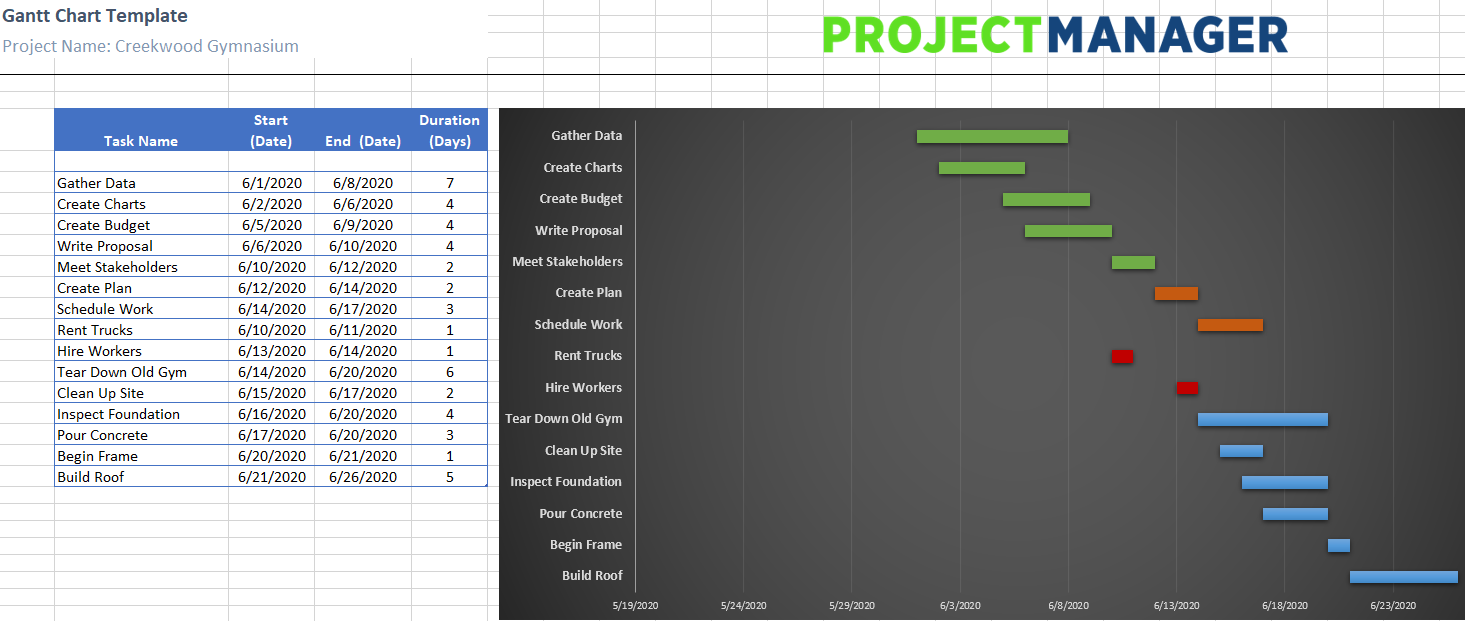
Project Scheduling Tips
The 7 Best Free Resume Builders We’ve Ever Discovered
A couple weeks ago, my brother Max sent me his resume in a text message, and asked me to ‘spruce it up a bit’ for him.
Undoubtedly, I needed to do more than copy-and-paste the text into a Word document. To truly stand out, I knew the resume needed to demonstrate a level of professionalism and effort — something content alone can’t always convey.
Fortunately, with the help of Zety, I was able to input Max’s resume information, choose a template, and have Zety design the piece for me, within a span of 20 minutes:
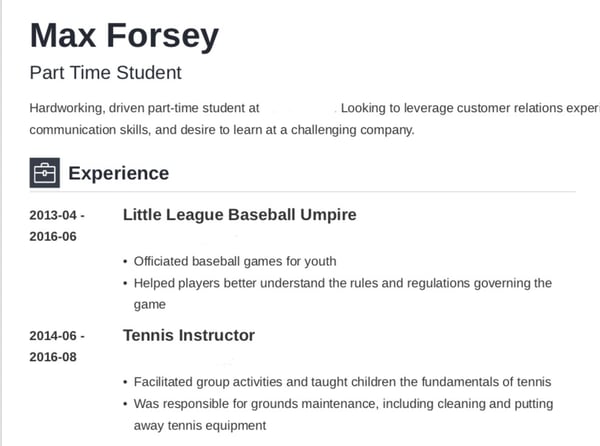
Looks a little better than a text message, doesn’t it?
Resume builders are incredibly helpful when creating a resume, and can help you showcase your unique personality. Best of all, they look a lot sleeker than whatever you can design in a Google Doc.
To ensure you can create a resume for free, we’ve compiled this list of the best free resume builders we’ve discovered. Keep reading, and then get to work designing your own — trust me, with these tools, it’s almost as easy as sending a text.
Featured Resource: HubSpot Resume Templates
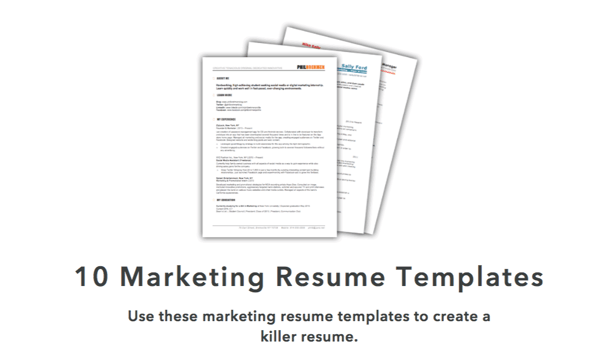
Download these free templates and plug in your experience and information for a custom, well-crafted resume.
1. Resume Genius
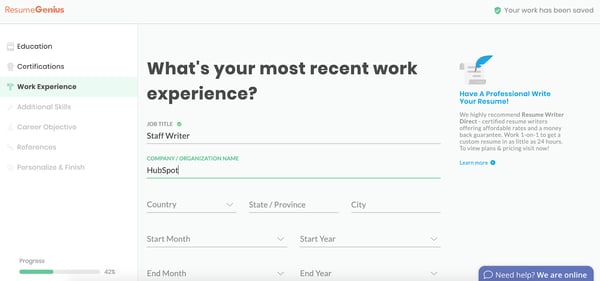
Resume Genius is undoubtedly one of the easiest and fastest free resume tools you have at your disposal. With a clean and easy-to-use interface, the tool walks you (speedily) through categories including education, work experience, and references, and offers eight different templates varying from ‘Taj Mahal’ to ‘Classic’. Resume Genius provides you with easy fill-in-the-blank sections, so you can have an impressive, comprehensive resume in no time.
2. My Perfect Resume
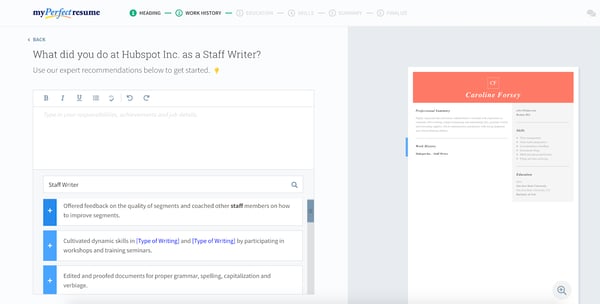
My Perfect Resume allows you to either start from scratch and input information into a blank template, or upload a pre-existing resume if you already have one. Additionally, the tool provides you with expert recommendations as you move throughout the process, including suggested phrases you can include for specific roles.
My Perfect Resume also enables you to include optional sections like certifications, accomplishments, and affiliations, which is vital particularly if you’re just starting out, or switching industries. This tool is particularly useful if you’re applying for a creative role and want to add color or a unique design to your resume.
To use My Perfect Resume for free, click “Download” on the left toolbar once you reach the final step of the builder — instead of selecting “Save and next”. Then, choose “Plain Text (.txt)” to download your resume for free.
3. Standard Resume
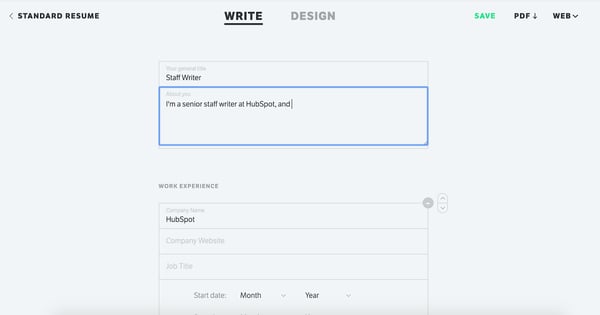
Standard Resume allows you to import your information straight from LinkedIn, making it an ideal time-savor if your LinkedIn profile is up-to-date. Plus, the white background and minimalist features enable you to focus on what really matters — your content. You can switch back and forth between “Write” and “Design” to see how your resume looks as you go along, and download as a PDF when you’re finished. Best of all, the tool also makes your resume mobile-responsive, so you can view it on your smartphone.
4. Canva
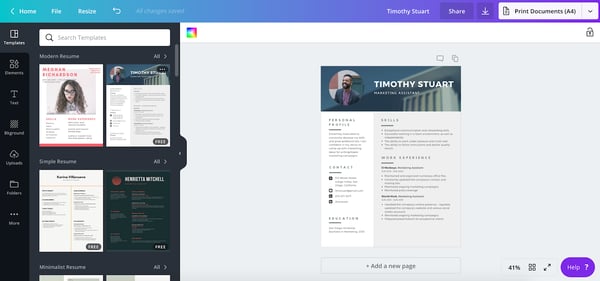
If you’re applying for a creative role or want a resume that truly lets you stand out, you might consider using one of Canva’s hundreds of free, designer-made templates. Canva’s selections are incredibly varied and unique, so you’ll undoubtedly find one you like, and inputting resume sections can be as easy as copy-and-paste. Additionally, the templates are separated into categories, such as ‘Graphic Design’, ‘Corporate’, and ‘Creative’, making it easier to choose based on your preferred industry.
5. Indeed
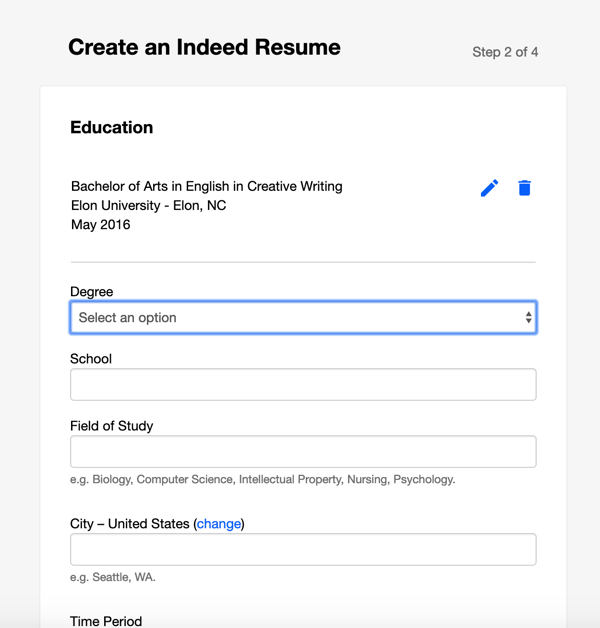
Creating an Indeed resume is an incredibly quick process, and best of all, the site allows you to automatically share your resume with employers on Indeed as soon as you’re finished. If you’ve already completed a resume, it’s still a good idea to upload to the site for exposure to potential employers. While it admittedly doesn’t offer as many options for creativity as some of the others in this list, Indeed is an impressive option if you want to create a more traditional resume and start sharing it immediately.
6. Zety
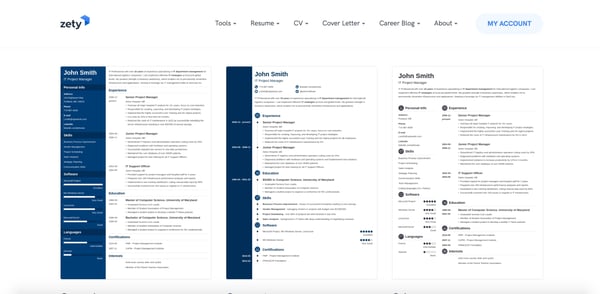
Zety is an excellent online resume builder because of the state-of-the-art templates. You can easily start from scratch and input your information. My favorite element of this tool is that the site will walk you through the process. All you need to do is fill out the information and then voila — you have a resume. While this tool is free, you will need to make an online account.
To use Zety for free, click “Download” on the left toolbar once you reach the final step of the builder — instead of selecting “Save and next”. Then, choose “Plain Text (.txt)” to download your resume for free.
7. Resume.com
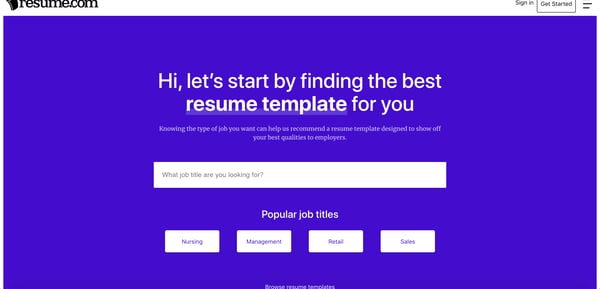
With Resume.com you can build a beautiful resume in minutes. This tool is a great option if you’re looking for recommendations on what to include in your resume. Additionally, the site has popular templates for various job categories to help you stand out among the competition.
To use this for free, when you’re at the last stage, you’ll see a pop-up that says to create an account — instead, just click “Skip for now.” Then, in the top right-hand corner, you can click the download button.
Building a resume can feel like you’re staring at a blank canvas. But with an online resume builder, you can get recommendations and build a beautiful document that will stand out without needing a graphic design degree.
Editor’s note: This post was originally published in March 2019 and has been updated for comprehensiveness.

Mi Marca Personal: cómo transformar tu nombre en una marca en Internet
Si algo he aprendido es que para crear mi marca personal hay que dedicar tiempo, paciencia, atención e infinitas actualizaciones.
No es ‘pecata minuta’ construir una marca por la que reconozcan una trayectoria profesional o provoque ventas por el reconocimiento.
Te cuento esto porque tras una búsqueda en Internet, justo antes de escribir este post, me he asombrado con cientos de contenidos que aseguran ‘éxito’ a corto plazo si construyes bien una marca personal.
Para mí, Ana Díaz del Río, como persona que hay tras estas letras, construir mi marca personal es como tener un bebé. Hay que criarlo, educarlo y enseñarle a andar.
Cuando apuestas por hacer una marca personal adquieres la misma responsabilidad que con tu pequeño. Has de estar siempre pendiente de que su crecimiento sea el adecuado.
En este post quiero contarte mi historia y las de algunas marcas personales que crecieron en un blog, una web o redes.
La idea es que, además de inspirarte, aprendas tips que aseguren pasos sólidos en tu construcción de marca personal.
>>> Aprende a hacer networking en tiempos COVID-19.
Ana Díaz del Río, así nació mi Marca Personal
Hace casi 10 años que puse el pie en el mundo online, pero tardé cerca de 3 en lanzarme finalmente a construir mi marca personal.
Tuve que trabajar en una marca que reflejara mi trabajo diario, además de que me ubicara en el mercado como un referente. Al fin y al cabo, ese es el objetivo de un branding personal.
Mi primera apuesta fue el nombre de mi marca personal. Opté por Marketiniana.
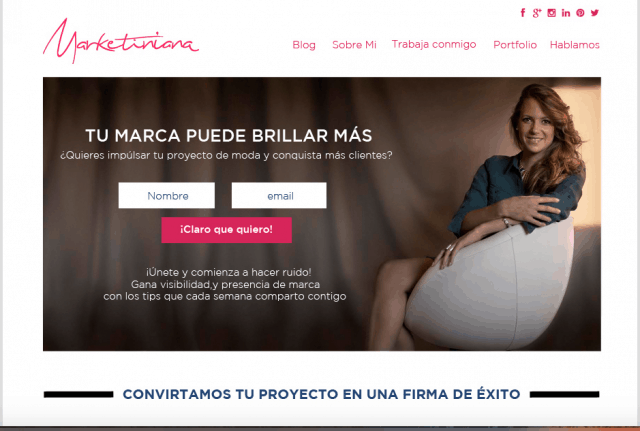
Curiosamente el dominio estaba libre aquella madrugada después de comprobar los más de 40 nombres que iba emborronando en mi libreta. Lo vi claro, era mi dominio y mi nuevo nombre artístico.
Doté a Marketiniana de sentido, de una historia. Yo me llamo Ana y me dedico al Marketing. MarketiniAna era perfecto.
Con ayuda de profesionales, monté una web donde lanzaba mis servicios de marketing para empresas, en su mayoría, de moda.
Ahí fue cuando todo empezó a rodar.
>>> Si necesitas una página web, debes investigar sobre el hosting.
Crear Blog: ¿Cuál fue el epicentro de mi Marca Personal?

Crear un blog me ayudó a reforzar mi marca personal. Tenía un calendario editorial ajustado porque publicaba prácticamente todos los días.
Esto me llevó a hacer colaboraciones con otras empresas o herramientas del marketing digital.
Lo anterior me permitió llegar hasta escenarios de eventos donde compartía micrófono con los punteros del sector.
El camino fue así:
Del blog a redes – de redes al email marketing y poco a poco mi marca personal fue cogiendo solidez.
>>> Las automatizaciones de email marketing te ayudan a establecer relaciones con tu audiencia.
¿Qué pasó después?
Que como toda marca, creció y cambió.
Te lo decía al inicio de este post:
Construir una marca personal es un trabajo al que dedicarle tiempo, paciencia, atención e infinitas actualizaciones.
Nunca somos lo que fuimos ayer y a las marcas personales les pasa lo mismo.
Por lo anterior, necesitaba una actualización de mi marca personal. De Marketiniana pasé a Ana Díaz del Río. Era, realmente, la marca personal que siempre había pedido mi negocio.
¿Cómo construí Mi Marca Personal: crear un blog, una web o redes sociales?
Ahora que conoces mi historia, podrás intuir por dónde voy a responder a la pregunta de cómo construí mi marca personal.
Para mi negocio, el blog es la fuente principal de tráfico, base de datos y ventas.
Es el auténtico epicentro del éxito de mi marca personal, quizás porque lo he mimado y cuidado desde que nació.
No voy a dar una lección de marketing de contenidos, no es el post indicado, pero sí te puedo decir cuáles fueron los ingredientes que hicieron, cuando creé mi marca personal, que pasara de 0 visitas a 5.000 diarias gracias a la gestión de contenidos:
#1. Escribir publicaciones a diario (esto fue clave).
#2. Utilizar temáticas que tuvieran conexión con mi trabajo diario utilizando ejemplos o casos que me surgían. Todo 100% real.
#3. Hablar de lo que mi cliente potencial quería. Hice una selección de sus principales inquietudes.
#4. Incluir ejemplos, casos reales (reflejos de éxito) para mostrar que todo era posible.
#5. Llenar mi contenido del blog con formularios de suscripción y/o botones por los que el usuario descargara contenido a cambio de un email.
Estos 5 ingredientes hicieron que mi marca personal despegara. Ya no solo por el tráfico o suscripción que consiguió, sino por el posicionamiento en Google.
La marca personal es dejar huella y yo opté por hacerlo a través del contenido del blog.
Más tarde lo moví a través de las redes sociales como Facebook, Twitter, LinkedIn y, en aquel momento, Google+ (que ayudaba a posicionar de maravilla).
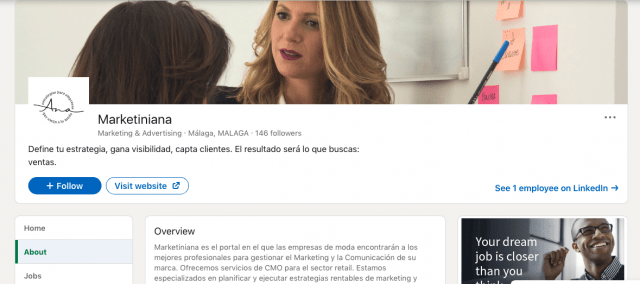
Marca personal, ejemplos en la industria de la moda
El caso de Silvia Navarro es muy curioso. Aproximadamente en el 2010 potenció su marca personal gracias a su blog llamado ‘Una silla para mi bolso’.
El nombre del blog hace referencia a la silla en la que siempre ponía su bolso Birkin (un modelo de Hermès).
Su contenido era una guía de estilo para saber cómo vestir en cada ocasión combinando prendas de lujo.
Dedicó un gran esfuerzo para que las imágenes publicadas fueran un auténtico reflejo de su personalidad.
Del blog nació un libro y del libro, Silvia Navarro dio el paso a su sueño: diseñar.
Ahí nació su web, con su nombre propio, donde comenzó a vender vestidos para fiestas.
Al día de hoy, ya ha hecho creaciones para novias. Haz clic en la flecha para ver todas las imágenes.
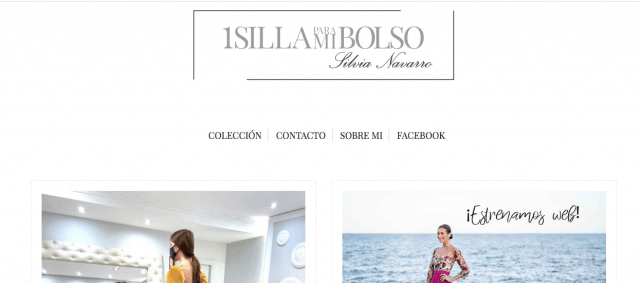

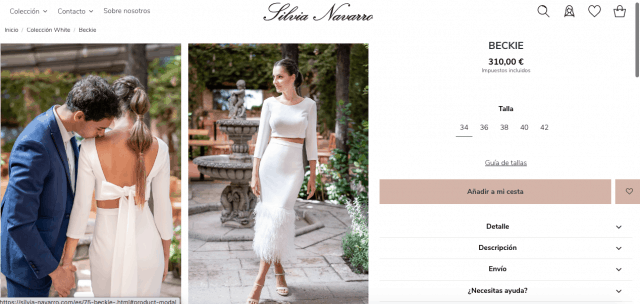
Sin duda, el éxito de su empresa de moda se lo debe, entre otros, a la fuerza increíble de su Marca Personal.
La gente quiere comprarle a ella por ser ella.
Una web y un blog te impulsan en RRSS: ideas para construir mi marca personal
Cuando hablo de mi marca personal y la de mis clientes, siempre he insistido en que la web o blog son el epicentro de las acciones digitales. ¡Es como tu casa!
El lugar donde invitar a amigos (el tráfico), donde compartir grandes momentos (contenidos, productos, servicios) y en el que sabes que volverás a coincidir con ellos, (base de datos).
Ya lo decía Alfonso Alcántara, de Yoriento:
“Quien no tiene una web es un sin techo digital”.
Cuando tienes tu casa preparada (tu web), entonces puedes empezar a invitar a todo el mundo.
Para hacerlo, nada como las redes sociales.
En mi caso, dentro de la construcción de mi marca personal, cuando lancé www.anadiazdelrio.com preparé una estrategia de contenido en imagen & video.
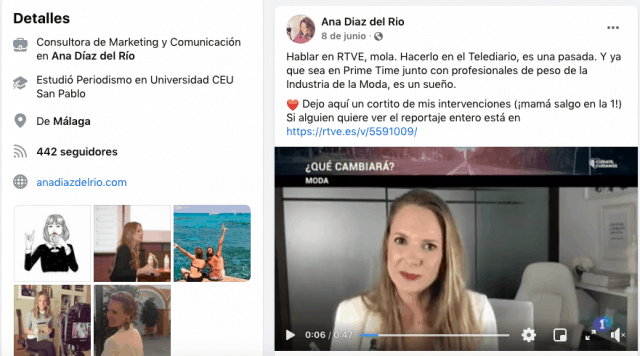
Te comparto algunos secretos, por si quieres replicarlos:
#1. Crear nuggets o videos pequeños para Facebook y/o Instagram. Debes hablar de algo muy intrigante de un post o una sección de tu web. El video dura segundos por lo que obligas al usuario a hacer clic en link para ver el final.
#2. Crear videos de navegación por web enseñando secciones, es decir, paso a paso de algo. Gusta mucho.
#3. Imágenes de shooting o del making of, del cómo se hizo. Nos encanta saber cómo ha sido todo el proceso de creación.
#4. Anuncios, nada como los Ads para generar tráfico. Sin ellos no somos nada porque así lo han querido las redes. Utiliza anuncios para reforzar post bien posicionados o páginas a las que quieres dirigir a tu público objetivo.
>>> PPCkit te ayuda a crear cientos de Google Ads bien estructurados en minutos.
Yo misma cumplí estos cuatro puntos en la construcción de mi marca personal. No tienen dificultad. Lo único que necesitarás es mucha creatividad.
El éxito de una web a través de un buen contenido
¿El buen contenido por sí solo me traerá éxito en la construcción de mi marca personal?
Me formulan mucho esta pregunta. Sinceramente te cuento que esto era más fácil hace años, cuando no había tantísima competencia.
En aquel momento con un buen contenido conseguías grandes cosas.
Hoy, un buen contenido no es suficiente y es necesario combinarlo con mucho branding e inversión en anuncios. Esto último es clave.
>>> Aprende un truco para gastar menos en anuncios y convertir más.
Lo cierto es que las redes sociales también ayudan. Te voy a contar otro caso de éxito.
Quien consiguió que su web fuera un éxito gracias a su marca personal en redes sociales fue Laura Corsini.
Antes, desde las redes de Biombo 13 (como se llamaba su marca, hoy conocida como BIMANI), hablaba a sus usuarios de sus looks, su estilo de vida, su taller.

Invitaba a miles de usuarios a conocer cómo era su vida.
Esto hizo que su contenido fuera orientándose hacia lo que hoy conocemos como Influencer, generando una gran comunidad a su alrededor.
Tal fue el impacto, que el relanzamiento de su marca fue todo un éxito a nivel nacional.
Creó contenido muy personal, muy auténtico. Muy ella. Esto hizo que su comunidad creciera, conectara con sus valores o su forma de ver la vida, de entender la moda.
Acto seguido, esta comunidad aspiraba a sentirse como ella y la mejor forma de hacerlo era accediendo a su web, su tienda y comprando sus productos.
Este es un ejemplo de éxito de una marca personal originada en redes y culminada en un eCommerce de moda.
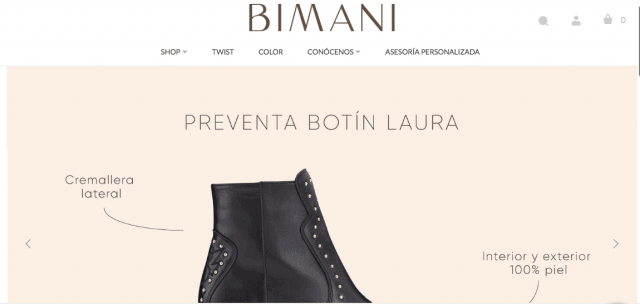
Las newsletters en mi marca personal: el nuevo canal de Personal Branding
Muchos levantan una ceja cuando hablo del impacto tan grande que provoca una newsletter a la hora de hacer mi marca personal.
Seguramente tú que me lees, pensarás lo mismo.
En mi marca personal, las newsletters han logrado una auténtica conexión con mis usuarios, con mi comunidad de suscriptores.
Con ellos hablo cada semana, les comparto cosas en exclusiva y me informo de sus principales preocupaciones.
Es nuestra ‘quedada virtual’ en forma de email.
Contado así, ¿a que no te suena tan mal esto de las newsletters?
Tú puedes hacer lo mismo para crear tu marca personal. Tu web, blog, y redes son vías por las que puedes dirigir tráfico hacia un formulario de suscripción en el que miles de personas confíen en ti y te den acceso a sus bandejas de entrada.
>>> Google Forms y otros formularios de suscripción para captar leads.
Si lo piensas, cada vez que una persona te deja un correo te está abriendo la puerta a su vida.
El email es algo que abrirá constantemente, que verá incluso varias veces al día. Una puerta que se abre para que tú, con tu contenido, entres a conquistarle.
Una maravilla.
Ejemplo de ello es Nazaret Escobedo. Es de los profesionales que han elegido a la newsletter como su mejor arma de marca personal.
Nazaret es diseñadora gráfica e ilustradora. Para ella, sus newsletters son un complemento a las publicaciones que realiza en redes sociales como Facebook o Instagram.
Conclusión: checklist para iniciar Mi Marca Personal
Hasta aquí este post donde he hecho un gran repaso a mi marca personal y otras del sector en el que me muevo para que tengas muchos ejemplos inspiradores que te animen a dar el salto.
Para facilitarte el trabajo, al igual que hago en mi blog, te dejo una estructura a seguir:
#1. Decide con qué temática quieres relacionarte. En qué quieres ser referente.
#2. Apuesta por un blog en el que compartir experiencias.
#3. Crea un listado de 10 temas para 10 días y publicalos en este blog.
#4. Nutre tus redes sociales con contenido relacionado a esos 10 temas, dales bombo y platillo. El objetivo será llevar a tu gente de redes a ese blog.
#5. Invita a que dejen sus emails en tu blog en algún formulario. De este modo, podrás conquistar también con emails.
#6. Busca blogs o webs de temáticas similares a la tuya y colabora con ellos. Poco a poco irás tejiendo una red de contenidos que te posicionarán como referente.
Espero que te haya gustado este post. Puedes conocer más sobre mí, en mi web.
Ahora te toca a ti ponerte manos a la obra, ¡a por ello!
Un abrazo,
Ana.
from Socialancer https://ift.tt/2TWnbh8
via
How to Market an Ebook: Don’t Let Your Content Offers Collect Dust
We all know that traffic alone doesn’t pay the bills. Ultimately, our traffic must do its job to convert prospects who have problems that we can solve. One way of getting the right people into the pipeline is by creating compelling content offers that practically beg for the opt-in. There’s just one problem: Making sure we generate enough demand for the offer to be successful.
So if your content is just sitting on your website not getting too many downloads or leads, your promotion might be the problem. That being said, read on to discover the best techniques for marketing your ebook, whitepaper, guide, or other lead-generating resource.
1. Consider a co-marketing campaign.
Before your create your helpful content offer, consider if there’s any partnerships that you can leverage. Co-marketing provides an opportunity for cross-collaboration on content so that two parties “own” that content and benefit from it.
Here are some reasons why co-marketing is a good idea:
- Sharing resources for the offer’s creation doubles the value of the content and diminishes the cost/effort of its production
- Promoting to two networks increases the reach of the campaign exponentially
- Both partners have vested interest in the results of the promotion because both reap the benefits (the leads generated from it)
2. Utilize industry influencers for their thought leadership and reach.
Whether you decide to do co-marketing or not, you can’t deny the power of good old-fashioned personalized outreach. Think through your existing partnerships as well as other major players in the industries or social circles you want to reach.
Consider these thought leaders’ goals: finding relevant articles to share with their fan base, increase their reach, and further establish themselves as an authority.
You can appeal to these goals by featuring them in your content offer. For example, ask them for a quote that you can incorporate into your content offer or link to another article they wrote. When you finish the piece, send them a complimentary copy. I’d suggest telling them how much you’ve appreciated their expertise and that you were delighted to include them.
Don’t forget to mention that you’ll be promoting the offer to your network. Because they’re featured in the content, this acts as an incentive for them to share your offer to their audience as well.
The key to this tactic is to make your personalized outreach unique and worth their while. After all, they likely get bombarded with messages asking them to share content.
3. Use email marketing to promote the ebook with your existing audience.
Admittedly, outreach is arduous. Don’t forget about the network you already have. Your email subscribers have already expressed interest in similar content offers, and if this new ebook continues to provide value for problems they need help with, this is another opportunity to continue engaging them.
As you continue to provide value, you’re establishing more credibility and authority in their eyes. As you stay top of mind in this way, you’ll be first on their list when they are ready to make a purchasing decision.
To achieve maximum success with this tactic, it helps to have a segmented audience so that you’re always providing relevant, timely, and personalized content.
You don’t want to email a specific ebook to your entire contact database because it probably doesn’t relate to all your contact lists. When you don’t segment emails, your engagement will be lower and your success will be diminished.
Here’s what I mean:
On one of your opt-in forms, you could have visitors identify what they need help with. For an inbound marketing agency, it might say, “What Does Your Business Want to Improve?” with options to select:
- Grow our web presence
- Rank higher on Google
- Generate more leads
That way, if an ebook was created around SEO, it could be sent to all the subscribers who have already shown interest in ranking higher on Google.
4. Promote your ebook on your highest trafficked (but still relevant) blog posts.
In addition to your other methods of promotion, you want to make sure that you’re converting organic traffic as well. But here’s the problem: A user can’t convert on a landing page they never land on. They can never be interested in a content offer they don’t know about.
Content offers aren’t an “If you build it, they will come” scenario. Instead, see how you can capitalize on the traffic you’re already getting for its promotion.
By putting the CTA (call to action) on new blog posts, all you’re doing is making a gamble. Mainly because you don’t know if that blog post will ever generate traffic. After all, it’s brand new.
However, you can put a CTA on an existing blog post that has proven success, pushing that ebook to a known source of demand.
Promote your offer on relevant blog posts that already get traffic to put your ebook in front of the audience you have.
5. Create a PPC campaign to advertise your content offer.
If you know your content offer has a clear path to revenue, organic plays alone are not always the best route for promotion, especially if there is clear demand as people search for resources just like yours.
PPC is a quicker tactic than SEO and is a great way to promote not just your company and its services but also campaigns to offers you create. A successful PPC campaign boosts visibility and downloads to your offer by driving high-intent users to the landing page.
6. Announce your content offer on social media.
Email is a great tactic for promoting to an existing audience, and so is social media. An additional benefit is that social media promotion can reach beyond that existing audience much more easily.
Be sure to post on your social channels once your offer is live, conveying the value it contains for the reader and including an image to attract their attention. Mix these posts in with your other content so that your readers aren’t put off by too much promotional content.
7. Consider putting advertising budget behind it.
On some social channels (I’m looking at you, Facebook), organic reach isn’t what it used to be. Boosting posts helps to increase reach to both your followers and beyond. Alternatively, you can also create an ad that promotes your ebook and do paid promotion to a targeted audience.
Just keep in mind that people don’t browse social media with buying intent, so you’ll have to ensure that the offers you promote and the way you promote them piques interest and conveys value. Otherwise, they’ll just see it as an ad and scroll on past.
8. Repurpose your content into different formats.
The first time they see your post, they may not click and convert right away. Like with anything, it can take multiple “impressions” to attract attention and pique interest. At the same time, if you continue posting the same thing over and over, your content gets stale.
Enter repurposing.
Your ebook can easily be turned into a slideshare, infographic, quiz, or other format. By having multiple “versions” of your content for promotion, your ebook can go farther while getting more eyeballs on it.
9. Connect with niche readers on social media.
Look on Twitter and LinkedIn for users that have been sharing similar content to what you have created. Just by searching on Twitter for #inboundmarketing, I can see who is sharing inbound marketing blogs, guides, and resources. Plus, I can see who is getting the biggest reach in terms of likes and retweets.
Reach out to these individuals with a simple message that encapsulates “Hey! I saw you shared [this article] and I thought you might like [this related content offer]”. This way you know that the individual is probably interested in what you’re writing because they’ve been interested in similar content before.
This tactic might not work as well as the influencer tactic in tip #2 since you’re not providing mutual value, but many of these individuals spend a lot of time curating content for their audience, and you might just be helping them out.
10. Submit to a content community or online group.
Chances are, search engines and their social feeds are not the only places your audience hangs out. If your ebook contains specialized or niche information, you might be able to target these niches through content communities and online groups. For example:
- Niche Facebook groups
- Niche LinkedIn groups
- Quora
- Slack groups
- NextDoor neighborhoods
- Industry forums
For example, if you’re a roofer in St. Louis, join your community group on NextDoor.com and offer your content there. When your neighborhood gets hit by a hailstorm, your infographic on “Assessing Storm Damage as a Homeowner” can come in handy to the community’s residents.
Content communities are also a great resource for getting feedback, starting discussion, and sharing your passion for your services with others.
11. Find other linking opportunities.
Using tools like Arel=”noopener” target=”_blank” HREFs, you can see other websites who have linked to content like yours. Reach out to them with your content offer link and see if they want to include a link to your resource. I find that this is most helpful when you can find a broken link that your new link can replace. Webmasters generally appreciate when someone lets them know of a problem with their website links, and if you can provide a link to replace the broken one, it might get placed.
Alternatively, use a tool like BuzzSumo or Mention.net to find mentions of your company online. You’ll be able to see who has mentioned you or your content offer and determine whether they have linked back to you or not. If they haven’t included your link, reach out to that website and explain it might provide their readers a better experience if they could find the article that is being mentioned.
If you’re looking for more backlink opportunities, I highly recommend Backlinko’s “17 Powerful (Yet Untapped) Backlink Sources” to find other places you could get a link from!
12. Guest blog on popular websites with your ebook as CTA.
You may also have an opportunity to capitalize on a third party website’s organic traffic and promotions through guest blogging. If your buyer persona goes to a popular website that provides solutions to the problems they’re experiencing, your content offer should be there too (as long as it’s similarly relevant and helpful, of course).
Once you nail down which websites your buyer persona is reading to get information, see if these websites offer the opportunity for industry leaders to guest blog. Some websites will require an application or an article proposal, but once you get accepted blogging for one website, it becomes much easier to get accepted on other websites.
When you write your articles, keep them educational and don’t self-promote. Remember, you’re trying to help the reader solve a problem with your expertise and industry knowledge. A the conclusion of the article, use your ebook as a next step CTA so if a reader finishes the article and wants more information, your content offer is there.
Content that just sits on your website can’t properly do its job and bring in leads. But worry not, by using these promotion tips you’ll see a little bit of extra effort can really take a content offer from zero to hero.
If you’re interested in creating attractive ebooks that capture attention and bring more leads to your business, check out the FREE resource below (see what we did there?).
Editor’s note: This post was originally published in September 2016 and has been updated for comprehensiveness.

The Surround Sound Series: How We Built a Bespoke SERP Tracker and Measured the Results of Our New Content Program (Part 3 of 3)
This post is a part of Made @ HubSpot, an internal thought leadership series through which we extract lessons from experiments conducted by our very own HubSpotters.
As our three-part series comes to an end, there’s one last question (or two) we need to address:
Does the surround sound strategy really work? And what results have we seen since we started using it?
The TL;DR answer is yes. It’s working and we’re sharing our preliminary results in this article.
So if you’re looking to use surround sound in 2021, the two of us (that’s Irina Nica and Alex Birkett) thought we’d end this short series with a handful of resources: the formula HubSpot uses to measure progress, our proprietary surround sound tracker (aka the SERP Tracker), and a sample of results to hopefully inspire your own endeavor.
What is the surround sound strategy?
At HubSpot, “surround sound” is the name Alex Birkett gave to a content marketing approach that aims to make HubSpot products visible every time someone searches for a product-related keyword (e.g. “best help desk software” or “best live chat software”).
The goal is for potential users to see HubSpot mentioned in all or most of the pages that rank in Google top results for those keywords. Check out the first two articles in the series for a deeper-dive into what is the “surround sound” effect and how we scaled the program at HubSpot.
Surround Sound vs. SEO
Here’s where a lot of people get confused: The definition of surround sound says its goal is to improve visibility in search engines, but isn’t that what SEO does, too?
The answer is surround sound includes SEO results, but doesn’t stop there.
Here’s an example: say we want to increase our visibility in search engines for the keyword “free CRM.”
A first step would be to make sure our own domain ranks well for that keyword. That’s the “job” of the SEO function.
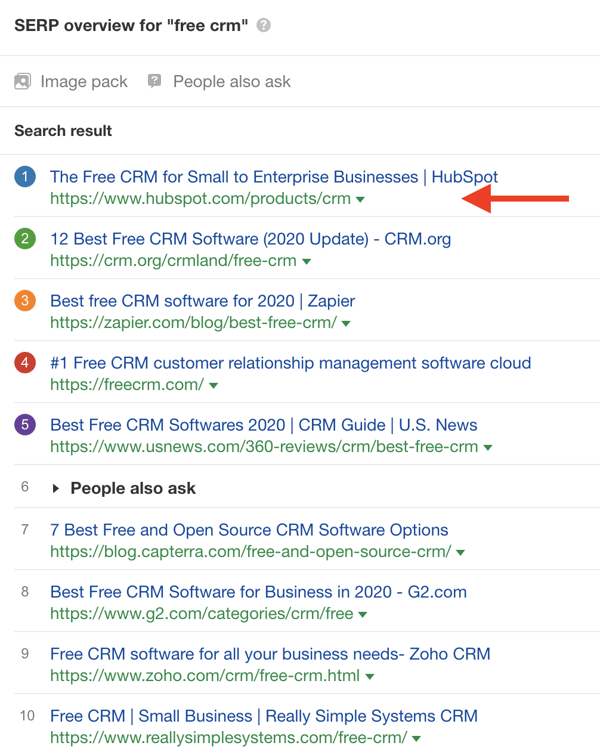
But visibility in SERP doesn’t stop there.
When potential customers are looking for a free CRM, they might not stop at the first results. Instead, they click through different suggestions of curated lists that they find in search results.
Our product awareness goal is to make sure HubSpot is visible in as many results as possible, especially on third-party domains. The level of SERP real estate that HubSpot is mentioned in (including owned and third-party domains) is what surround sound measures.
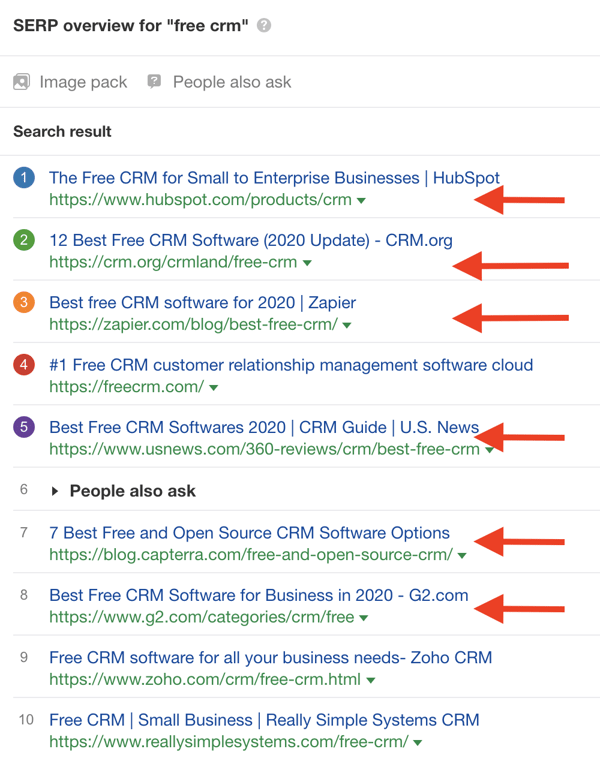
That’s why we say that in order to measure surround sound results, we need to measure our visibility in SERP, for a particular keyword or topic, beyond SEO.
But surround sound isn’t really a “mainstream” product awareness tactic — yet. So there are no methods or tools to measure visibility in SERP, beyond rankings (as far as we looked). That’s why, in order to scale our efforts, we had to build our own systems from scratch.
How HubSpot Measures Surround Sound Results
Let’s talk about scale.
If HubSpot were to have only one high intent keyword in our purview (say, “best marketing automation software”), it wouldn’t be insane to measure our visibility manually.
Once per month, you could simply open Google, search “best marketing automation software,” and count how many of the top 20 pages mention HubSpot.
This clearly becomes a problem when you add more than one keyword, however. Imagine the frustration of doing that for 600+ keywords per month.
In order to make this strategy “scalable” (a phrase I dislike, by the way, because it has been weaponized by curmudgeons who can all too easily shut down interesting ideas by saying ‘this won’t scale’), we needed to do a few things:
- Build custom tools and infrastructure to automate aspects of the strategy
- Educate others on the surround sound process and playbook
- Evangelize and excite others into buying into the idea
The latter was easiest; once you get some results, others can easily grasp the importance of an idea.
I’ll focus here on building custom tools. First, I want to explain the value of investing in custom tools, automation, and infrastructure, because I can already sense the objections:
- “We don’t have the technical resources to build our own tools and automations!”
- “Won’t building custom tools cost us a lot of money and time?”
To address the first point, there’s always a creative solution. If you don’t have internal resources to code up new tools, you can easily outsource this as long as you have good specifications. Sites like Code Mentor or even Upwork are great for this. Additionally, this is a good excuse for (mythical) non-technical marketers to build some new skills.
Second, building tools to reduce the marginal cost or effort in the long run increases the expected value of the program.
Lots of jargon in that sentence, so let me unpack that with an example from experimentation.
Why invest in tools, automation, and infrastructure?
Imagine the expected value (the “predicted value of a variable, calculated as the sum of all possible values each multiplied by the probability of its occurrence”) of an A/B test is $1,000.
Some proportion of A/B tests will fail, which means you only “lose” during the time of the experiment, some will do nothing, and some will win (and those that win will do so by varying levels). All in, if you averaged out these values, a given A/B test could be predicted at a $1,000 value.
Now imagine every time you wanted to run an A/B test, you needed to get two engineers, one designer, and an analyst not only to set up the test from scratch (you’ve got no testing tool here), but also, you have to do minimum one month of research, wait two weeks for approval after you submit your hypothesis, and then you have to sit through, on average, four meetings with this crew.
What’s the cost of all that? Over $1,000? Congratulations, the expected value of your A/B test is now negative.
But what if, on the other hand, you had a testing tool that made it easy to set up and analyze experiments (with trustworthy data), and also imagine you prioritize to focus on only high impact tests. Now you lower the upfront cost of each additional test you run (the marginal cost), which increases the expected value of each test (just slightly). On a program level, though, now you are rewarded for running more tests, since the expected value is positive, and you’ve got very low marginal costs. You spent a little time investing in tools and automation, and you’ve drastically increased the ROI of your program without even improving your win rate.
This is exactly what we needed to do to make the surround sound strategy economically viable.
The amount of effort to manually audit, measure, and store SERP visibility, as well as the manual cost of outreach and relationship management, would forever outweigh the positive benefits of the placements we could get on a SERP. That is, unless we could lower the costs of data collection and storage as well as outreach and relationship management.
Enter: the SERP Tracker
Now we have a functional tool that does all this for us! We call it the “SERP Tracker.”
Here’s the aesthetically-gorgeous interface:

(For any fellow nerds, it was written in R and it’s hosted and deployed with Shiny. We’re using serpapi.com to get Google’s search results, and we’re also using Bing’s API [free up to a certain number of credits]. I have an older version of the generic script here available for viewing — we’ve since updated it many times, but this version will still be functional.)
I’ll walk you through how it works, but you can also watch this Loom tutorial if you prefer video:
Here’s a quick tutorial on how you can use the tool and what kind of data it can give you.
First, you have to validate by entering a password. Since we use various APIs, we want to limit the usage to converse credits (again, we track some 600+ keywords, so it’s a weighty endeavor)
Then you can enter whatever keyword you’d like (like “best form builder” or “best help desk software”).
Then you can select a region and the number of search results you want to pull (up to 10 pages, or 100 results).
Finally, you need to enter the URL that you want to check the search results against.
In other words, if you want to check for the search keyword “best live chat software,” then you could enter “hubspot.com” or “drift.com” to see how many of the URLs that rank for the search keyword “best live chat software” mention that URL.
I have preset options for HubSpot URLs to check our product page, blog posts, or generic hubspot.com pages:
You can also enter a custom link by clicking “other.”
This allows for, among other things, competitor searches and custom HubSpot URLs (for example, if you just wanted to see who mentions our Forms product page or who mentions Academy pages – it’s also a workaround to check affiliate links, because they’re often structured like “affiliatesite.com/ref/hubspot” so you could just enter “hubspot” in the URL to check for those):
We use SEMRush’s API to pull keyword search volume, but there are times that SEMRush doesn’t have values for search volume. In this case, it just prints an error message:
If all information is entered correctly, click “Submit” and it will start computing. After some processing time, this is the report it will create:
You get a nice visual pie chart, beloved by analysts and data visualizers worldwide, representing how many ranking URLs contain the link (and how many don’t). This shows that, of the top 20 search results for the term “best live chat software,” our URL “hubspot.com” appears on 2 of them.
I also made it pull keyword level data as well (in the above example it shows that “best live chat software” gets 390 searches a month). This helps weigh the relative importance of a given keyword (ie if a keyword gets 10000 searches a month or 100, that matters strategically)
Then below that, you get a full data table that contains the domain and URL of all pages that rank for that keyword, whether or not the link you chose to check against is included (TRUE or FALSE), the keyword you searched (just for reference and if you want to pull the data to Excel), the number of links included, and the full link (so if you checked “hubspot.com” and the ranking page references “blog.hubspot.com/marketing/form-builder-tools,” it will pull that full link URL for you):
Like I mentioned above, you can use this to check other websites’ links as well. This one shows how many of the top 20 ranking pages for “mailchimp alternatives” mention appsumo.com (which makes SendFox, an email marketing tool):
And like I mentioned above, you can choose the region. Currently, I have options for Germany, France, Spain, and Japan, though we can add more regions fairly easily. This is going to be incredible for international expansion (more on that later)
This just changed the database to a different region (ie if you choose German, it will show what ranks in google.de). This report shows how many hubspot.com links appear on pages that rank for “marketing automation software” in Germany:
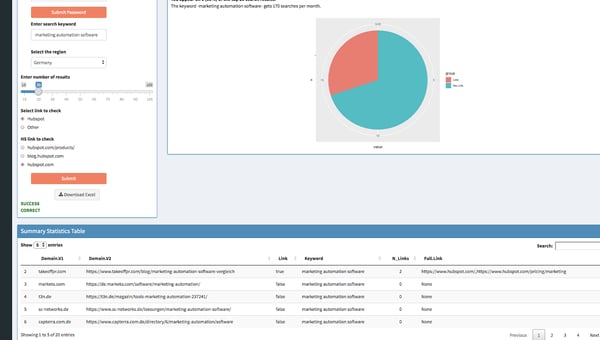
Next Level: Automating Report for 600+ Keywords with Google Data Studio and Scripts
This data from the SERP Tracker, on its own, is valuable. One can quickly audit the search results pages for product mentions, compare to other websites, and even do a bulk audit.
However, to truly get the wheels turning on the surround sound Strategy, it’s imperative to store and access data across time in order to track results and identify gaps and opportunities.
To do this, we extract data from the SERP Tracker, transform it and blend it, and load it to BigQuery so we can visualize it and create reports using Google Data Studio.
All of this is done automatically with an R script that runs once per month. It pulls all SERP data for our list of keywords, stores the data in Sheets (in the future we’ll write directly to BigQuery). BigQuery is connected to Sheets, so we filter, clean, and blend the data with a quick SQL script. This is then connected to Data Studio, where all filters are applied and we visualize our reports.
Our reports start with the way we map our target-keywords against the features, products and Hubs. This database is the source for the SERP tracker as well and the Google Data Studio reports which we use to track progress and communicate with stakeholders.
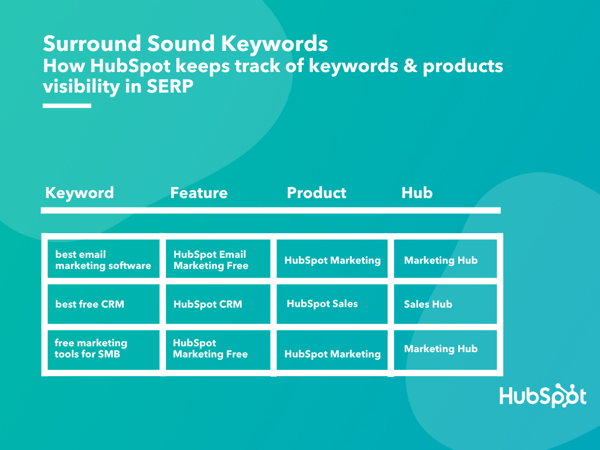
First, we use a birds-eye view of all of our product Hubs to understand overall progress and how each Hub stacks against the others. If you’re familiar with HubSpot’s products, it won’t come as a surprise that our Sales and Marketing Hubs lead the way when it comes to surround sound Visibility.
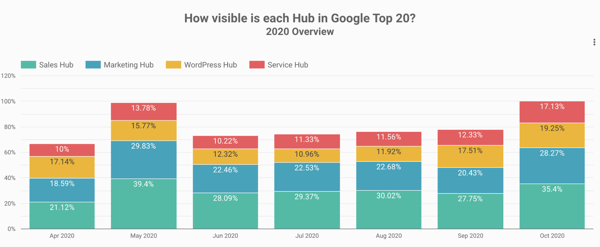
Our reports go one layer deeper and we can see in one chart how different features (e.g. HubSpot Email Marketing vs HubSpot Forms) perform against each other.
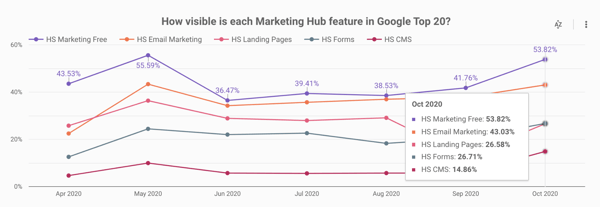
For a deeper analysis, we have feature-dedicated dashboards. In the example below, we see how one isolated feature (HubSpot CMS) evolved, as well as how our visibility changed for the most important keywords related to that feature.
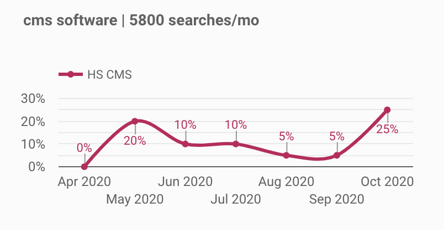
1. Surround Sound: The First 6 Months
The main thing that you need to accept before starting a surround sound program is that you can never be fully in control of your visibility.
There are many factors that play a role into how your visibility evolves:
- Search engine updates cause the Top 20 results to fluctuate (sometimes quite dramatically)
- New content appears in Top 20 for the keywords that you’re focusing, maybe outranking you or results that mention your brand
- Competitors and other third-party pages appear in Top 20 results, but don’t mention your brand
Even despite these challenges, the results we’ve seen in the first 6 months of our surround sound program prove you can make a change in your visibility by partnering with other websites.
If you want to learn more about how to execute a surround sound program, check out the previous article in this series.
In the chart below you can see how HubSpot’s visibility in SERP changed since April. The Google May 2020 core update changed the SERP landscape quite dramatically, causing a lot of articles that used to mention HubSpot to disappear from the Top 20. After that, our visibility started climbing gradually, as we built more partnerships (e.g. more websites joined our Affiliate program).
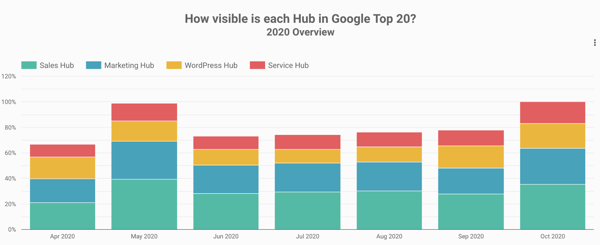
If we only look at all the pages that mention HubSpot, for the 600+ keywords we’re monitoring for surround sound, about 50% of these are now influenced by our surround sound program.
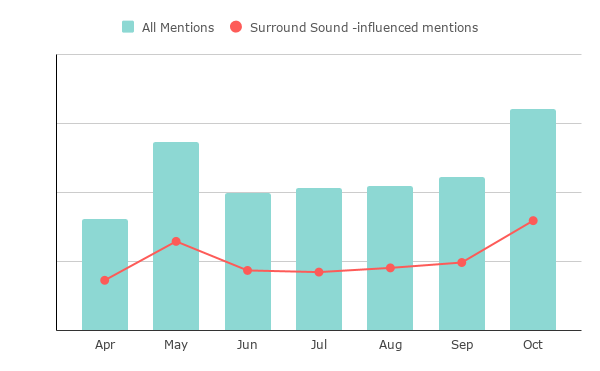
Conclusion: Final Thoughts
There is still a lot of work and opportunities to tap into for our product awareness program. But the most important learning we had so far is that surround sound is a marathon, not a sprint.
It takes time and effort to build genuine partnerships and, as Brian Halligan always “add value > extract value”.
Also, having a strong brand name helps a lot, at least when first reaching out to a potential partner. In fact, it’s fair to say that if HubSpot were a startup, this progress wouldn’t have been possible in just 6 months. It takes time to build a brand and get others to recommend it.
As with everything, there’s no silver-bullet solution. While we share a lot of our process and tools, the way we do surround sound at HubSpot might not work exactly the same for other brands. The main thing we hope you take away from this is: there’s another way of looking at your visibility in SERP that’s not just SEO.
Have you thought about adding surround sound to your content marketing and acquisition strategies in 2021?
Want to learn more about the strategy and execution behind the surround sound strategy? Read part one and two of this series.

How to Choose a Project Planner That’s Right for You