
Welcome to My Blog
These Two Simple Strategies Led to a 71% Increase in Qualified Leads for the HubSpot French Market
My role at HubSpot is the French Marketing Automation Manager — essentially, I’m in charge of the marketing automation for HubSpot leads and free users in our French market. This past January, we noticed that one of our key automation programs — our onboarding and nurturing email program for our free users — was dated and needed a revamp.
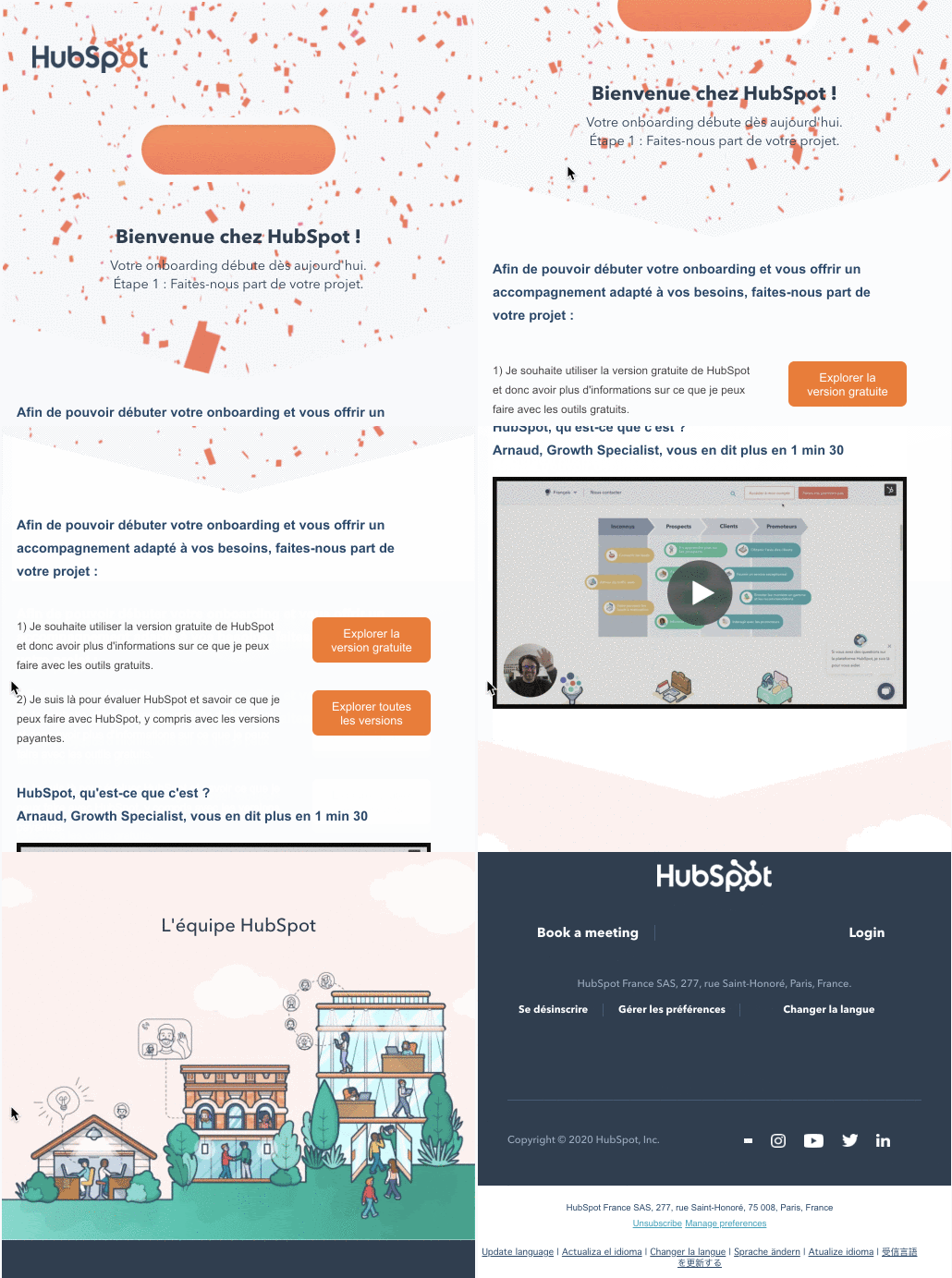
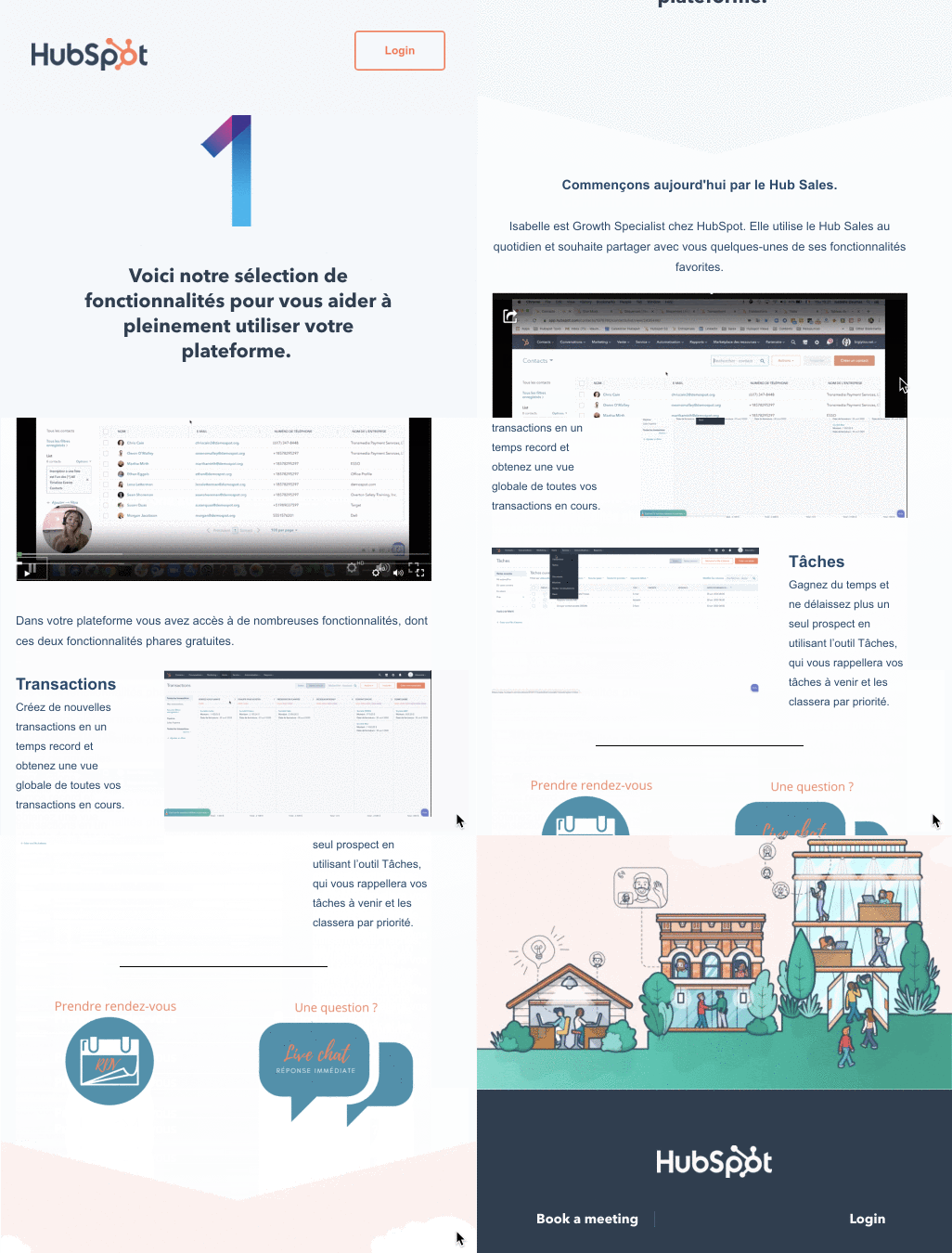
When our free users sign up, they receive a series of onboarding emails that helped them get set up and answered any potential questions. Here are some screenshots of the old onboarding emails:
As helpful as these emails were, we decided we could do better by our users and leads.
As we started brainstorming and creating proposals for this program revamp, we came across a core challenge: We didn’t really understand our users’ needs, challenges and goals.
At HubSpot, we do a lot of user research, but much of this research is focused on English users. Also, as marketers, we don’t talk to our customers as much as our sales and customer service teams do. Yet, we can all agree on one thing: The better you know your audience, the better you can serve them and help them.
Phase One: Researching our Free Users
Before working on our email program revamp, we decided to get to know our audience better. We chose to conduct research on our French free users. We did this by releasing one survey and holding several interviews.
The survey was first sent to two audiences: active free users and inactive free users (those who haven’t used their portal for more than 30 days). We were curious if there were differences between the two audiences, but we didn’t discover many.
When analyzing the survey results, we identified contacts with various job titles and different expectations when they signed up. Users that I named “end users” represent about 80% of our free users and signed up only to use the free tools. The other 20% represent what I call “evaluators,” and they signed up to discover HubSpot while thinking of buying a paid version. They are here to evaluate the tool and use the sign up as a trial.
For the interviews, I wanted to get a mix of evaluators and end users and also people from different job fields and departments to better understand their needs. So, I interviewed a wide variety of our free users. Here are a few responses that stood out when I asked “Why HubSpot?”
“[To] find a database, more automated and fluid and adapted than Excel.” — Marketing Manager
“The objective was to bring together [my] various contacts from different bases. [I] then discovered the other features of HubSpot. ” — CEO
The results of the survey and interviews were incredibly insightful. We learned a number of important things about our free users. Here are a few main takeaways:
- Most of our free users are part of small to medium-sized enterprises (SMEs) and therefore, wear multiple hats and do multiple jobs. For example, some folks were CEO and made sales.
- They mainly come to HubSpot for the free CRM. They want and need a CRM, and that’s why they signed up for HubSpot.
- Our free users are not aware of everything that’s included in their free plan, so they are even less aware of what’s included in the paid plans. For example, some users didn’t know they had access to the Form Builder or Email Marketing tools and were using external tools for these functions. Additionally, some users didn’t realize the Landing Page Builder and Workflows features were available with the paid plan. When discussing this during the interviews, they confirmed that they are interested in knowing more about HubSpot paid plans.
What we discovered about our audience and free users changed our thinking quite a bit. For example, before conducting this research, we weren’t promoting our paid plans and features to our free users. That was about to change.
Phase Two: Email A/B Testing
With our new research in mind, we were ready to address our onboarding and nurturing email program.
Before rolling out a new nurturing email sequence to our free users, however, we first wanted to test their reactions to the new content. They’d told us during the market research that they’d be interested in learning more, but how would that translate to reality?
We decided to run an email A/B test to measure how our audience responded to this new approach.
First, we set a hypothesis: Our free users were not aware of the possibilities and features included in their free plan and even fewer of those included in paid plans. If we provided more visibility into what they could do with a paid HubSpot plan and made an effort to educate them about how to try those premium features, they would be pleasantly surprised and sign up for trials — and eventually purchase.
We believed this because our free users mentioned they weren’t fully aware of what was included in the paid plan and why they should subscribe.
So, we developed an experiment to test this new approach. For this our A/B test, I didn’t want to target all of our free users — only the ones who’d been actively using the HubSpot free tools in prior few months. I assumed this audience would be interested in learning more about what they could do and achieve with a paid version since they were already so active in the free version.
Download our free guide on lead nurturing to learn how to use lead nurturing for smarter marketing.
We divided these active free users into two segments:
- Our control group didn’t receive any nurturing emails, as this was the case before the experiment.
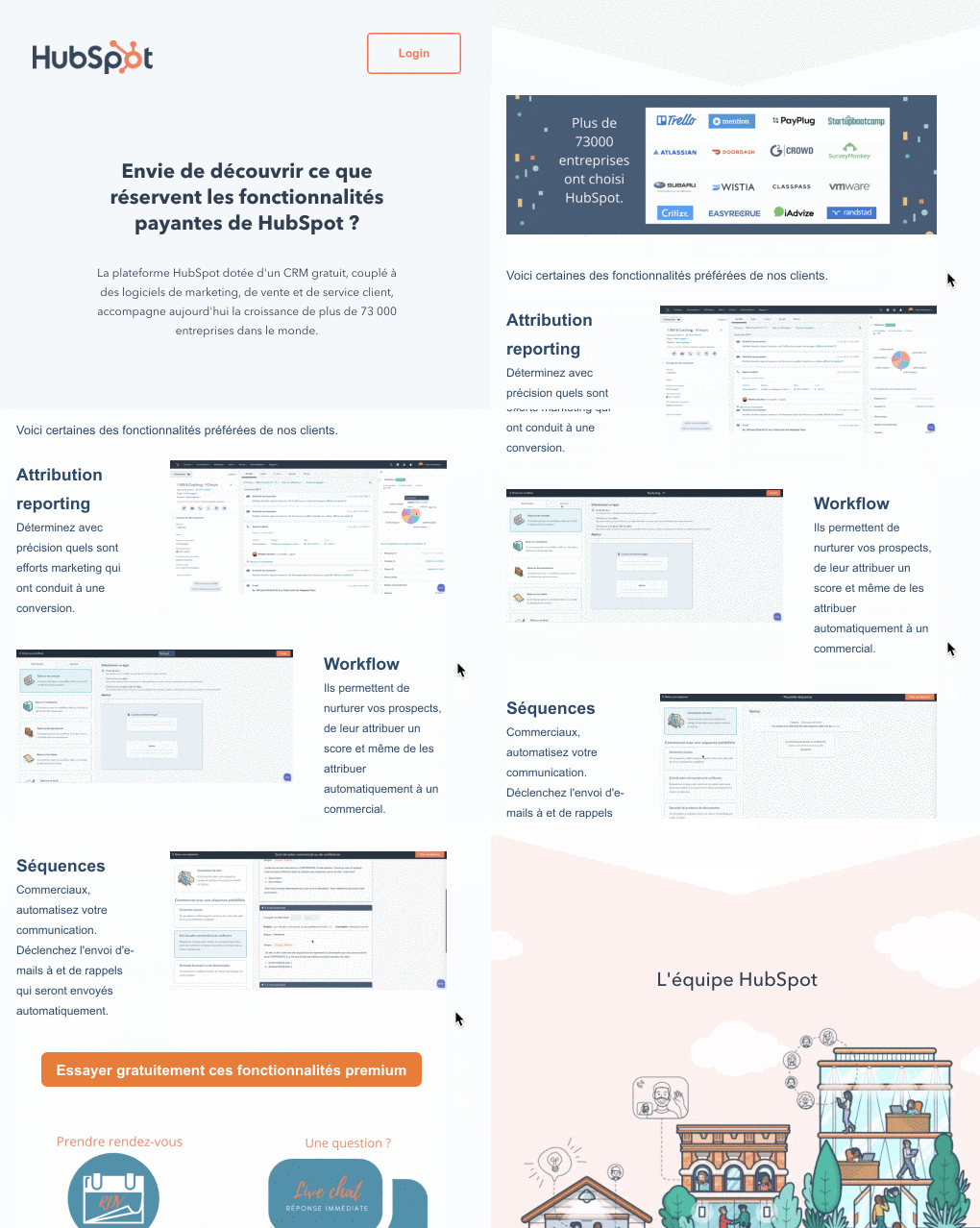
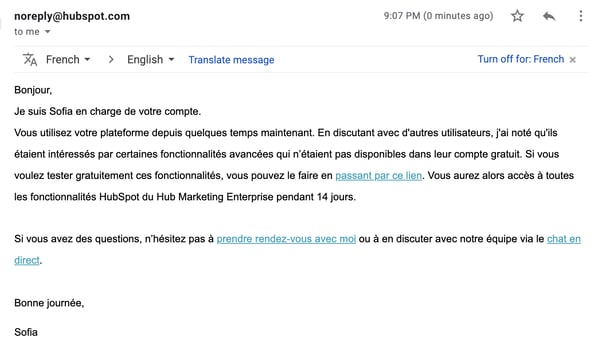
- Our variant group received a series of two emails promoting key paid features, including Attribution Reporting, Workflows, and Sequences, and offering them a trial to test out those features.
Here are some screenshots of the text emails:
Our Email A/B Test Results
We ran our email experiment over the course of four weeks and sent about 3,000 emails.
At the conclusion of the test, we were pleased with the results as they were highly conclusive and confirmed our original hypothesis. When we compared the control and variant groups after one month, we found that the emails sent to the variant group:
- Generated 71% more qualified leads
- Created 125% more deals
- Generated 12% more trials
- Generated 15% more revenue
Wow!
Learnings and Takeaways
Both the research and experiment we conducted yielded valuable insights and takeaways. Here are my top four:
First, get to know your audience. As marketers, we don’t often have the opportunity to discuss with our audience.
If you can chat with your target market and customers, I highly recommend it! This can be a gamechanger for your marketing strategies and alert you to insights and trends you otherwise wouldn’t have known.
Second, align with Sales. Sales talks to hundreds of prospects and free users per week, so they know what features and components of your product or service are most important for certain leads.
You probably can’t promote your entire product in one email and have to select some features. For this reason, you should better align with Sales to better understand who your audience is and what their goals, needs, and pain points are.
Third, test your content formats and information to know what your audience prefers.
For example, we’ve seen in France that doing short videos or GIFs of HubSpot tools was highly appreciated. For each feature or functionality of the tool, our emails included a text description, and, next to it, a video or GIF of it. This helped our readers see what the tool looked like in action.
Finally, experiment as much as you can.
Even if your experiment is not conclusive or doesn’t yield the results you were looking for, it’s not a waste of time if you’ve learned something new and valuable about your audience, content, or product.
Bonne chance!

The Ultimate Guide to Instagram Stories Ads in 2020
Ah, Instagram Stories — the one-stop-shop to find short, engaging content from high school friends, celebrities, and major brands alike.
With over 500 million daily active users, Instagram Stories is an undeniably powerful opportunity to connect with new audiences.
And, if you’re not using Instagram Stories as a marketing tool, you should be. In fact, Instagram reports that of the 500 million accounts using Instagram Stories, one-third of the most viewed stories come from businesses.
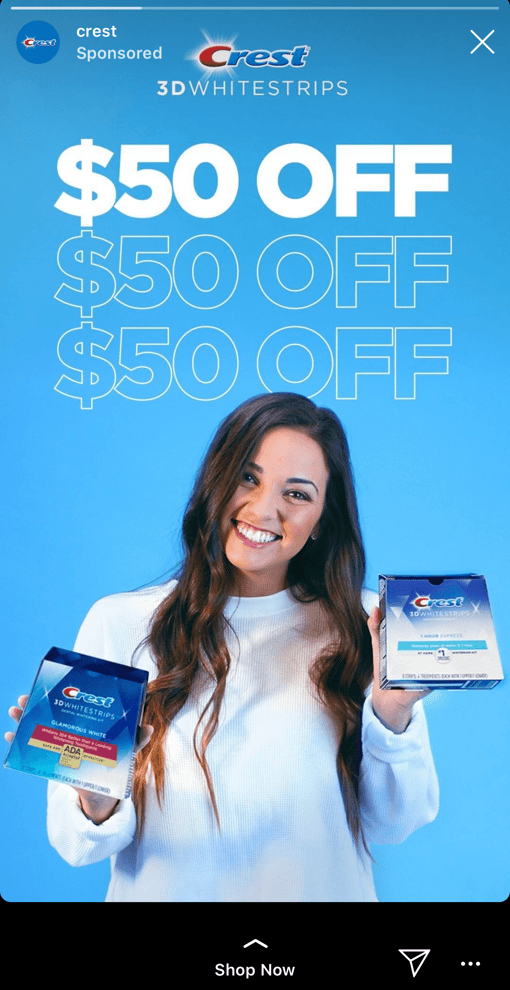
I can personally attest to the power of Instagram Stories to incentivize purchasing decisions. For instance, the other day I was mindlessly scrolling through Stories when I came across an ad for Crest 3D whitestrips — with a $50 off coupon attached. I swiped up to purchase without ever leaving the app itself.
Here, let’s dive into what Instagram Story ads are, and how you can run Instagram Story ads for your own business. Plus, we’ll explore examples of Instagram Story ads and best practices to ensure your ads are as powerful as they can be.
What are Instagram Story ads?
Instagram Story ads are vertical ads you can run on Instagram’s Stories feature. (To recap, Instagram Stories are photos and videos visible to an Instagram account’s audience for 24-hours, and is published separately from the content found on your Instagram profile.)
Instagram allows you to target your ads by reach, video views, traffic, conversions, app installs, and brand awareness. Additionally, unlike an organic Instagram Story, an Instagram Story ad doesn’t disappear after 24-hours — instead, you can choose the length of the campaign and frequency of ads on Facebook’s ad platform, like any other ad created for Instagram or Facebook.
An Instagram Story ad is immersed seamlessly into a user’s Stories viewing experience. Additionally, a user doesn’t have to follow your account to see an ad from your brand. For instance, I don’t follow Crest on Instagram, but I was still shown a Crest ad.
You have a few different options for ad formatting, including video, photo, or carousel. A video ad plays for up to 15 seconds, an image ad will play for five seconds, and a carousel ad lets brands play three separate pieces of content (video, photos, or both) within one ad.
If you aren’t sold on running ads on Instagram Stories yet, consider these facts:
- Ad spending on Instagram is 23% higher than on Facebook.
- Videos get 21.2% more interactions compared to images and 18.6% more interactions compared to carousels.
- 71% of U.S. businesses use Instagram. It surpassed Twitter in business users in 2017.
- 500 million Instagram users use the app daily.
If you’re convinced Instagram ads could be a good platform for you, let’s dive into how you can run your own Instagram Story ads, next.
How to Run Instagram Story Ads
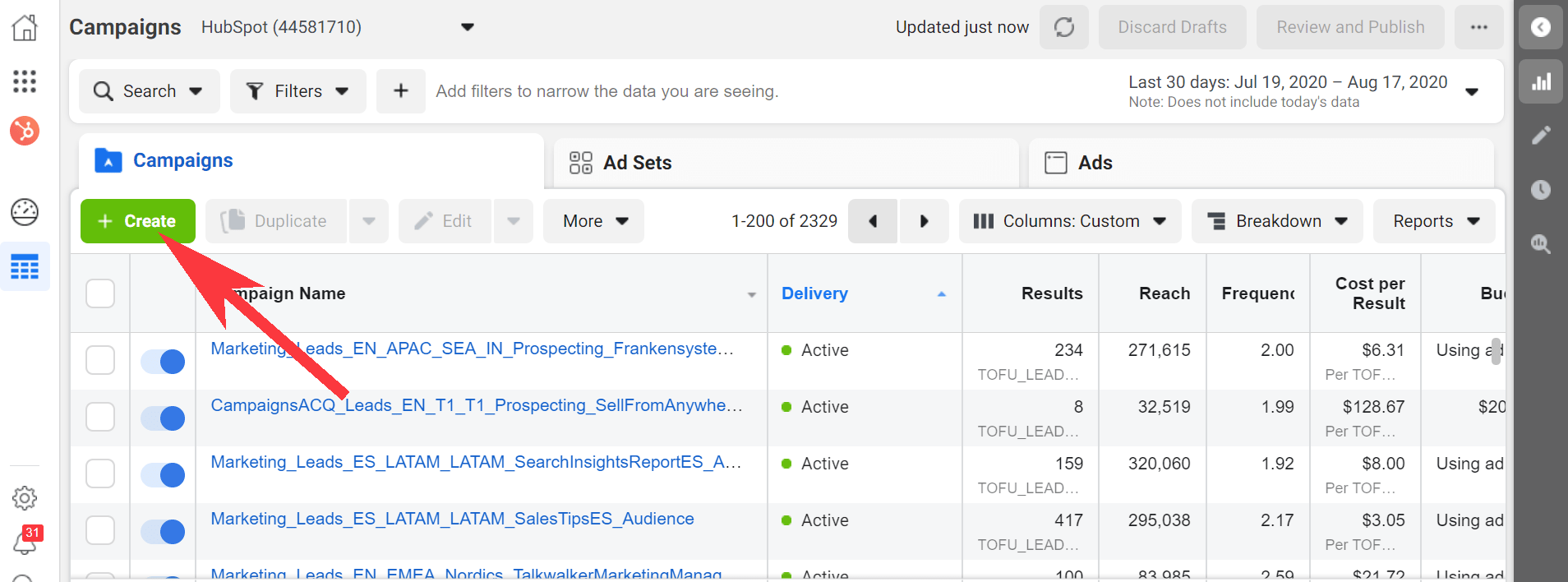
1. Go to your Ads Manager, and click “Create”, which will bring you to “Quick Creation”. If you’d prefer, you can switch to “Guided Creation”, instead.
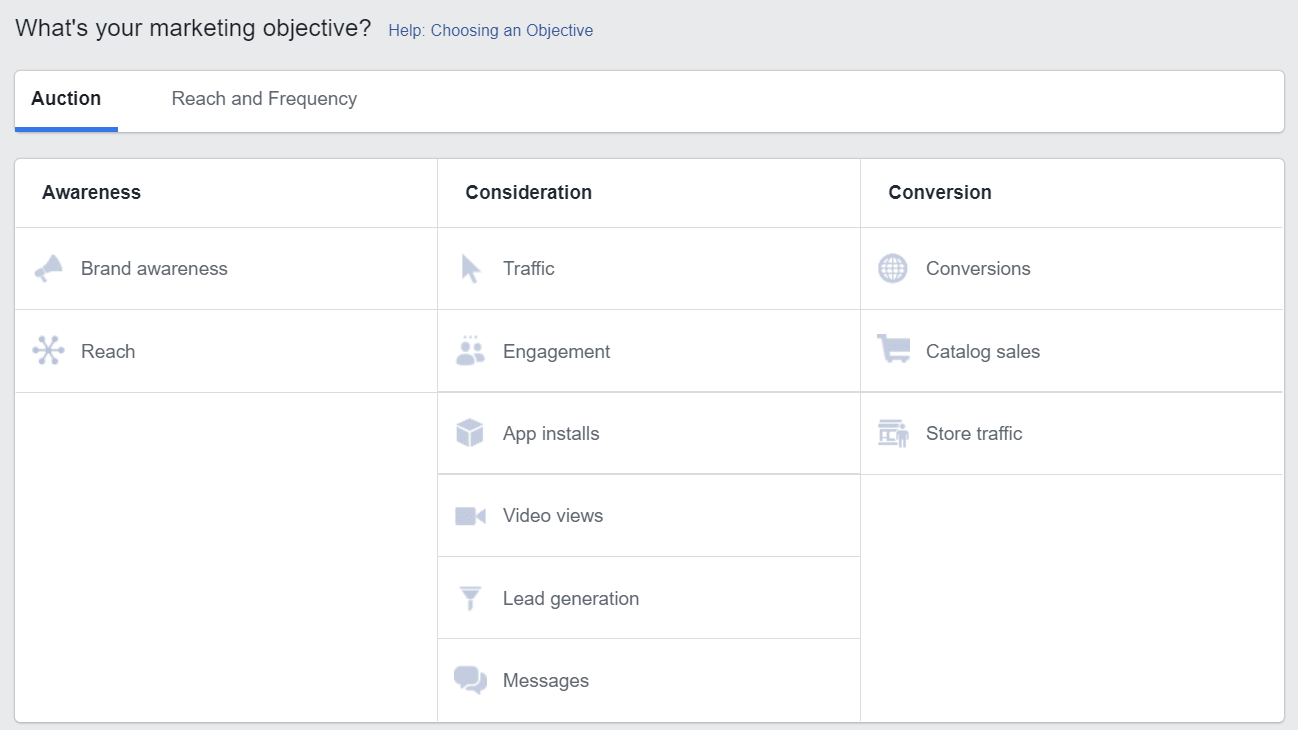
2. Next, select a marketing objective — your options for Instagram Stories include “Brand Awareness”, “Reach”, “Video views”, “Conversions”, “App installs”, “Lead Generation”, or “Traffic”.
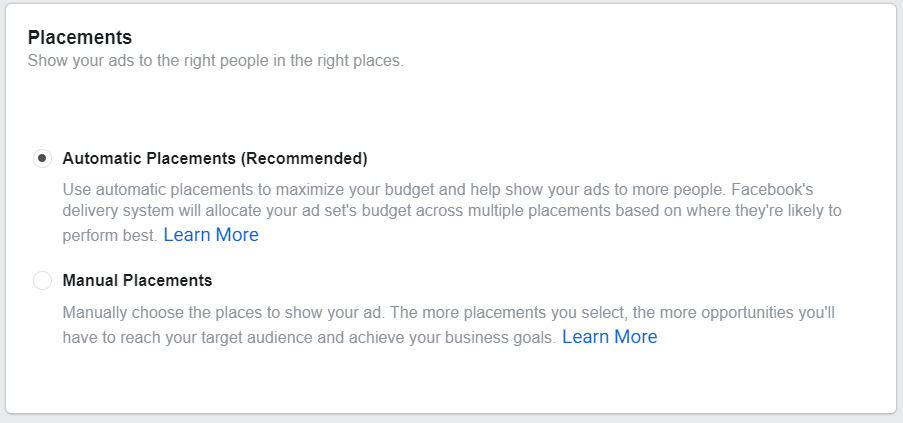
3. In the Placements section, you’ll want to select “Automatic Placements”, where Instagram Stories is selected by default. However, if you choose “Manual Placements”, check the box for “Stories” under Instagram.
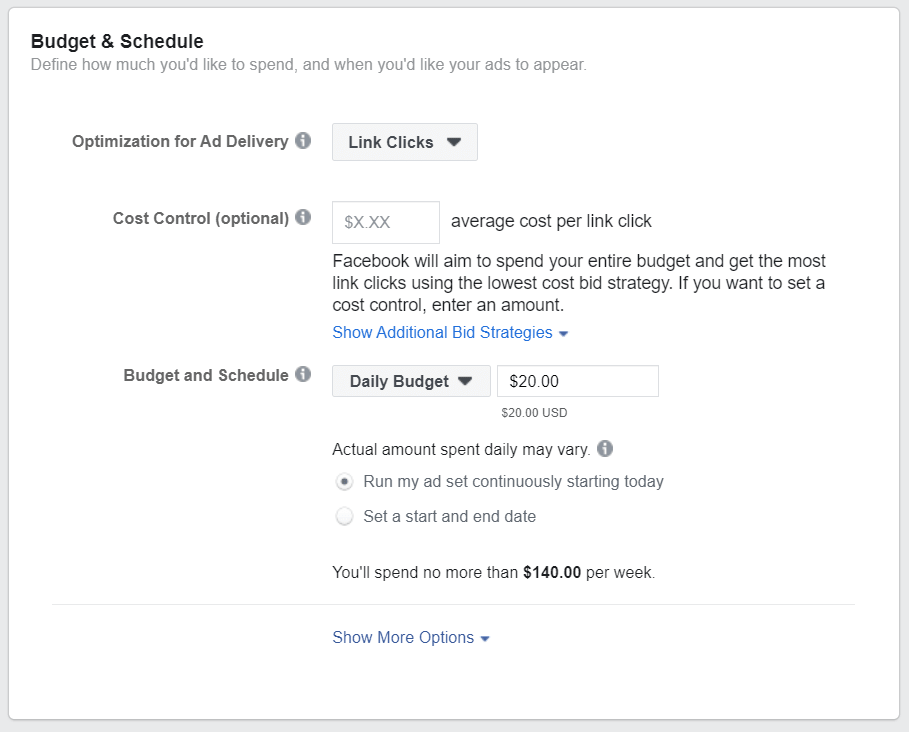
4. Next, set your ad’s budget and schedule.
5. Next, you’ll want to choose “Single Image or Video” or “Carousel” as your ad’s format.
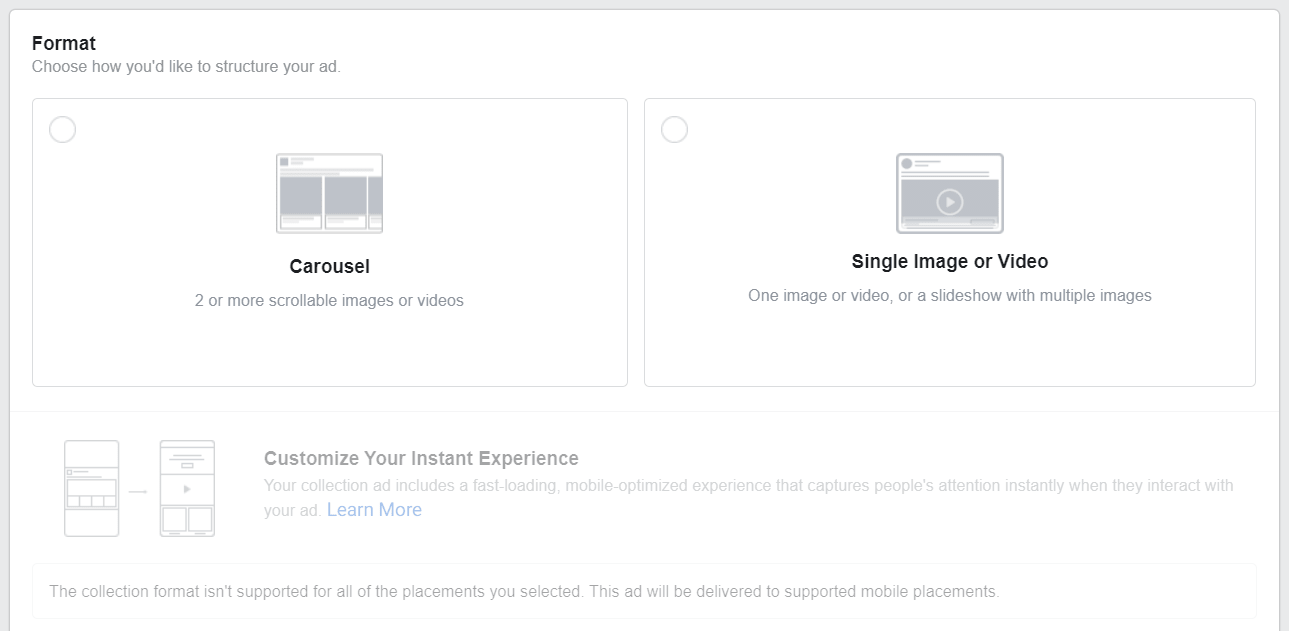
6. Add videos or images to your ad, and finish including any other details, including headline and description. If you’d prefer, you can use Stories Templates, which will transform your image into an ad automatically, and add movement to grab a viewer’s attention.
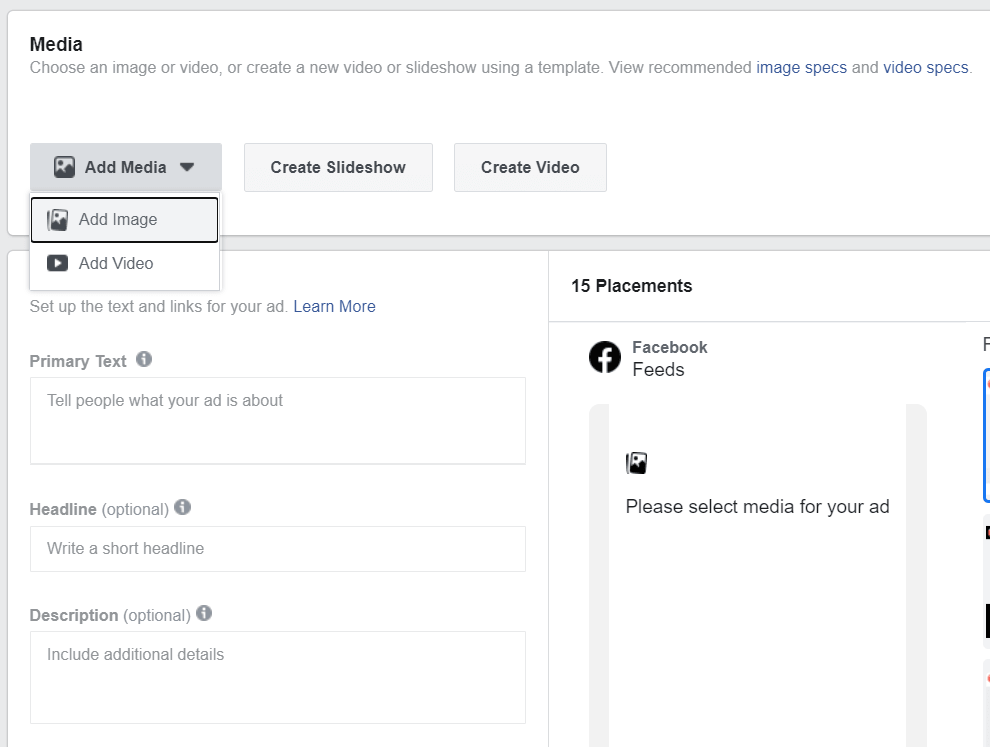
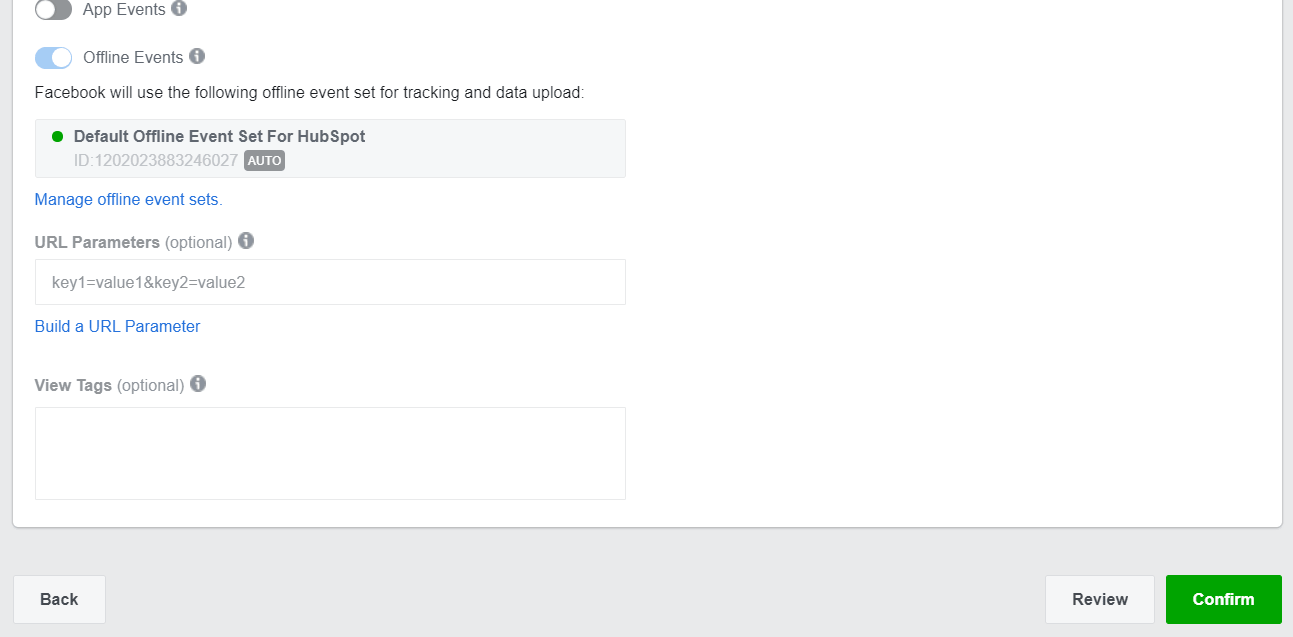
7. Once you’re happy with your ad, select “Confirm” to finish the process.
Instagram Story Ads: Cost, Specs, & Length
There are three separate areas you can place an ad on Instagram: Stories, Feed, and Explore.
For the purposes of this post, we’ll focus on the cost, specs, and length of an Instagram Stories ad.
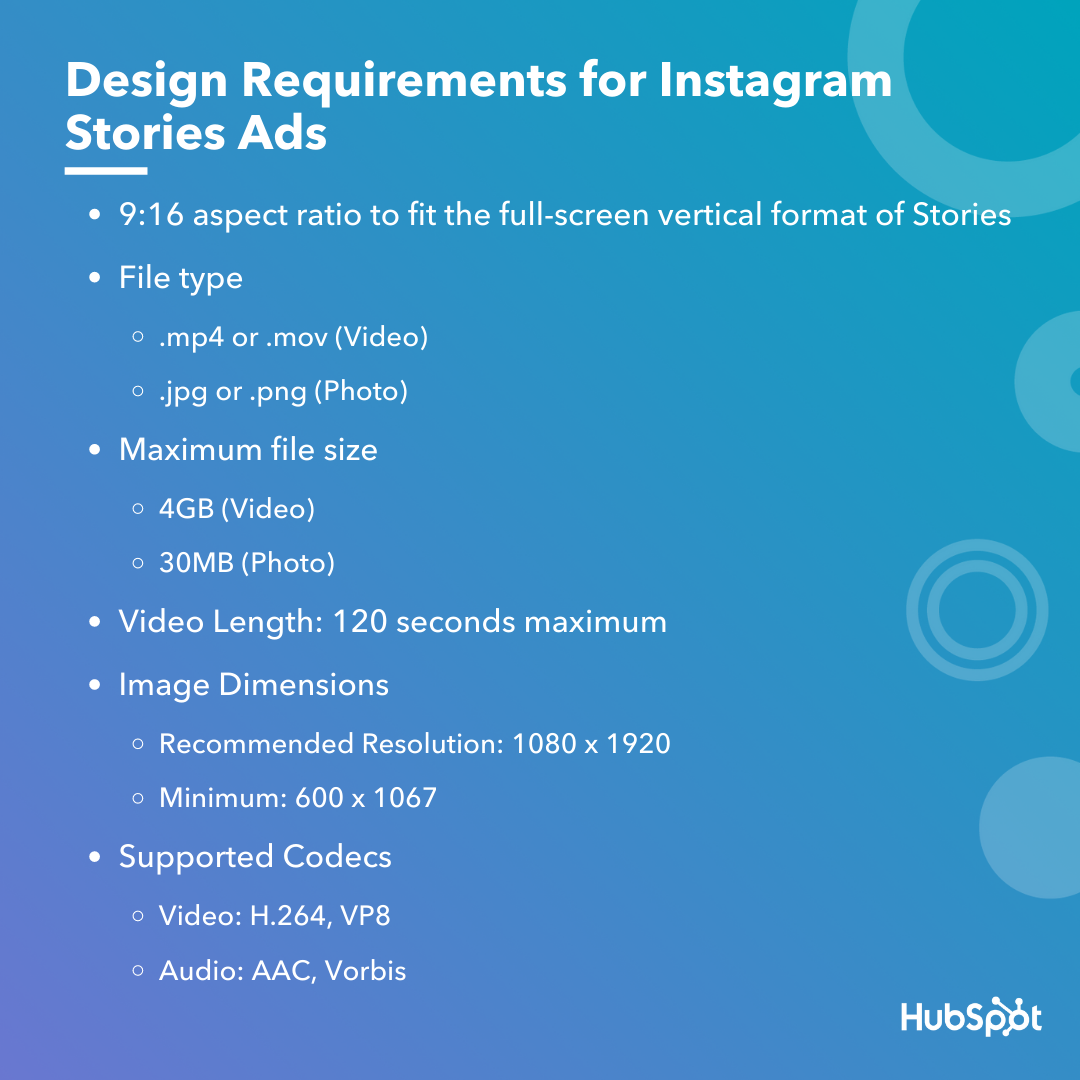
First, all feed photo and video dimensions are supported in Stories (anywhere from 1:91 to 4:5). However, 9:16 ratio is encouraged to fit the full-screen, vertical format of Stories.
Additionally, .mp4 or .mov is recommended for video ads, and .jpg or .png file type is recommended for photo ads.
If you’re creating a video ad, 4GB file size is encouraged — and, for a photo, 30MG file size is suggested.
If you’re creating a video ad, the length can’t surpass 120 seconds. For a photo ad, five seconds is the default for how long the image will be shown.
Finally, the recommended resolution is 1080 x 1920, with a minimum dimension of 600 x 1067.
Instagram ads, including Instagram Story ads, cost between $0.70 to $1.00 per-click on average — although cost varies depending on industry, days of the week, time of year, targeted ages and sexes, ad placement, and plenty of other factors. In some cases, Instagram ads can exceed $5.00 per-click.
Fortunately, you have plenty of control over how much your ads cost by setting a pre-determined budget. You can choose your budget based on how much your company is willing to spend daily, or the total cost you’re willing to spend over a campaign’s lifecycle.
Examples of Instagram Story Ads
Below, I’ve collected a few impressive examples I found on my own Instagram Story feed. While most of these examples are bigger brand names, there are plenty of small-to-medium sized businesses using Instagram
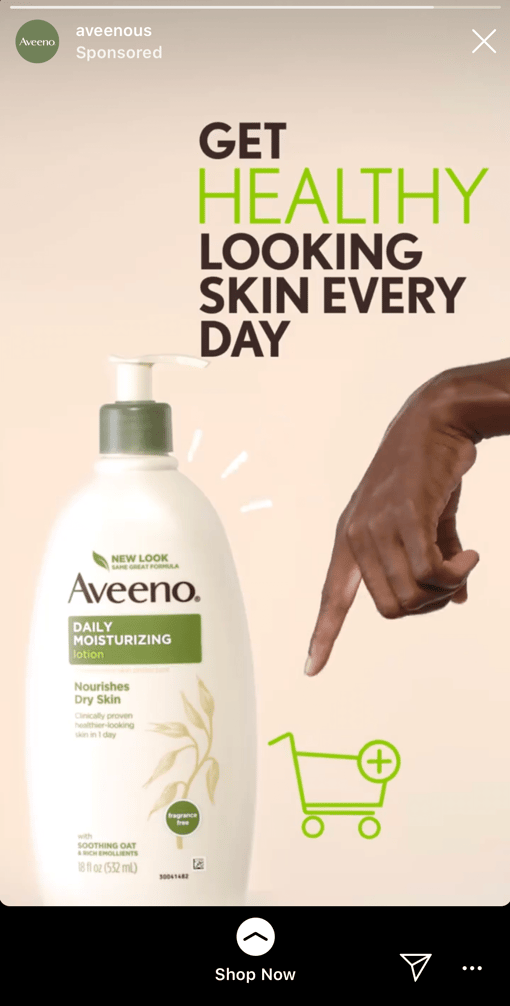
1. Aveeno
Aveeno’s Instagram ads are clean and simple, with neutral colors — apart from the brand’s signature green — drawing attention to the brand’s daily moisturizer. The ad features a short clip of a hand pointing to a shopping cart, with a “Shop Now” swipe-up link. The ad focuses on the brand’s product and doesn’t distract with people, making it effective for anyone scrolling who’s in the mood to refill their moisturizer.
2. Miller Lite
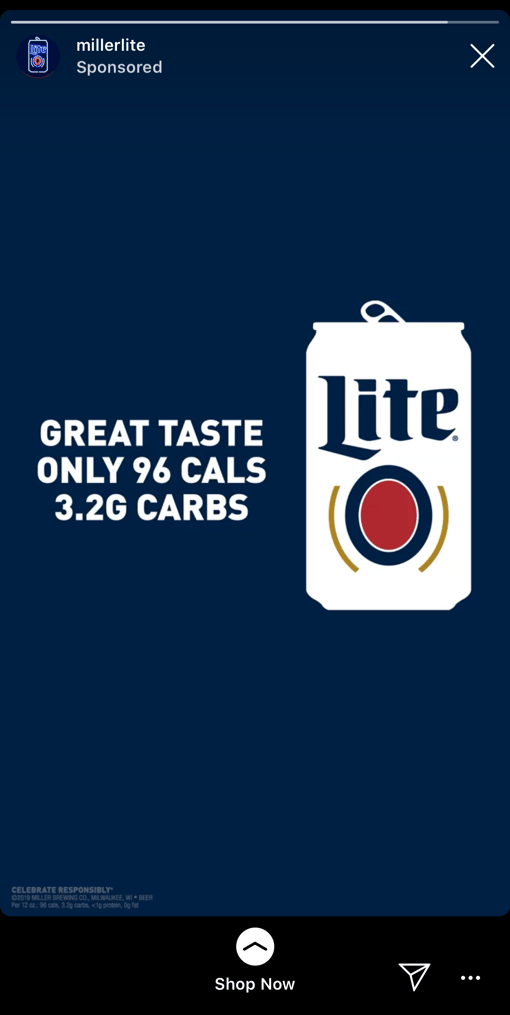
This is an example of an ad that felt tailored towards me, a 27-year-old female in the Boston area. First, the ad features a call-out to the Boston Celtics, immediately capturing my attention. Once I’m intrigued, the ad segues into a picture of their Lite drink, with the text, “Great taste, only 96 calories, 3.2G carbs”. In this example, the ad does a good job drawing my attention to the things I care about most: namely, low-calorie alternatives to beer (and Celtics).
3. Trunk Club
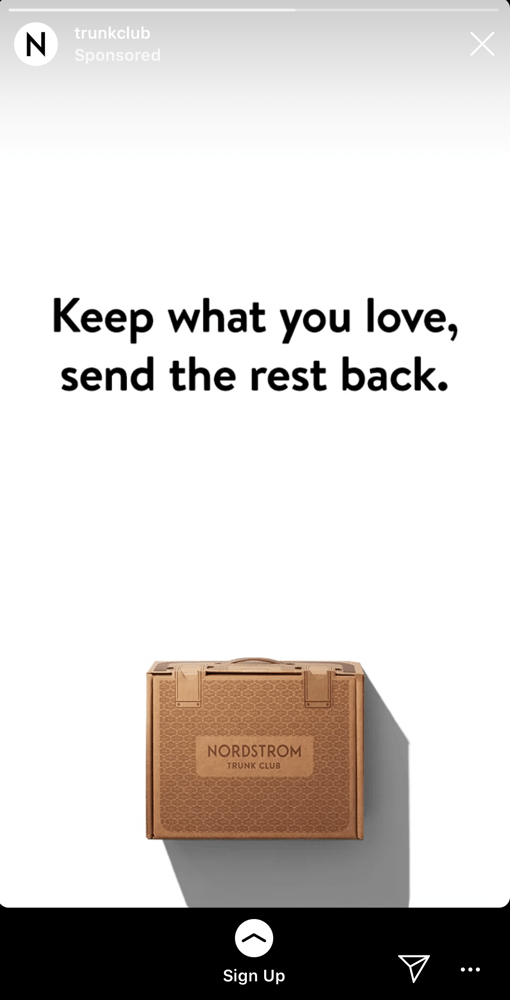
This engaging, fast-moving ad shows a few different outfit options on the screen with the text, “Keep what you love, send the rest back”. The ad shows a few different outfits, ranging from dresses and cardigans to dress pants and heels, to capture the attention of a wider range of people than it could if it featured only one style. With the plain white background and easy-to-read black text, it’s simple, clean, and hard to miss.
4. Febreze
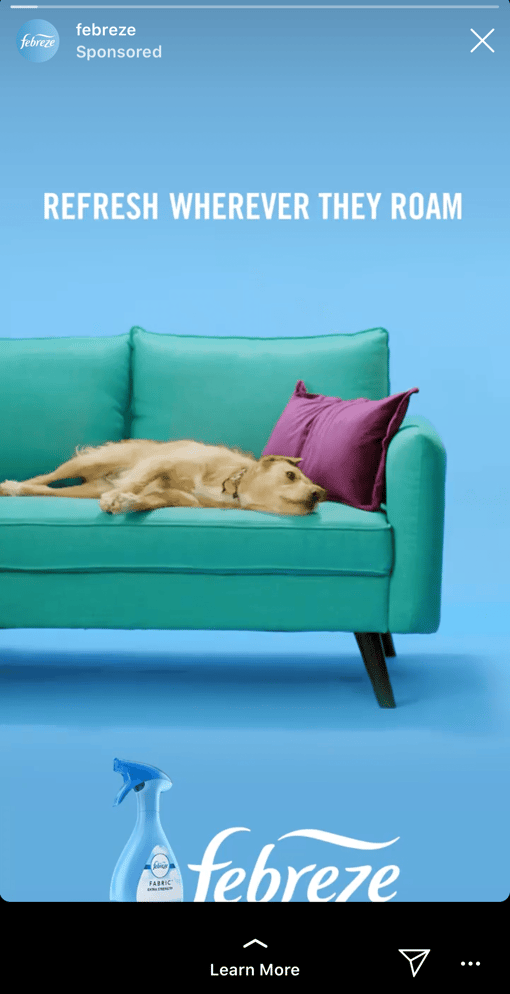
I mean, come on … who doesn’t love a puppy? This fun, clever Febreze ad shows an adorable puppy on a couch with the text, “Refresh wherever they roam”, with their Febreze product at the bottom of the screen. While most of the other ads in this list featured subdued, plain colors, Febreze goes all out with light blues, greens, and purples, inviting a sense of playfulness and fun into the user’s feed.
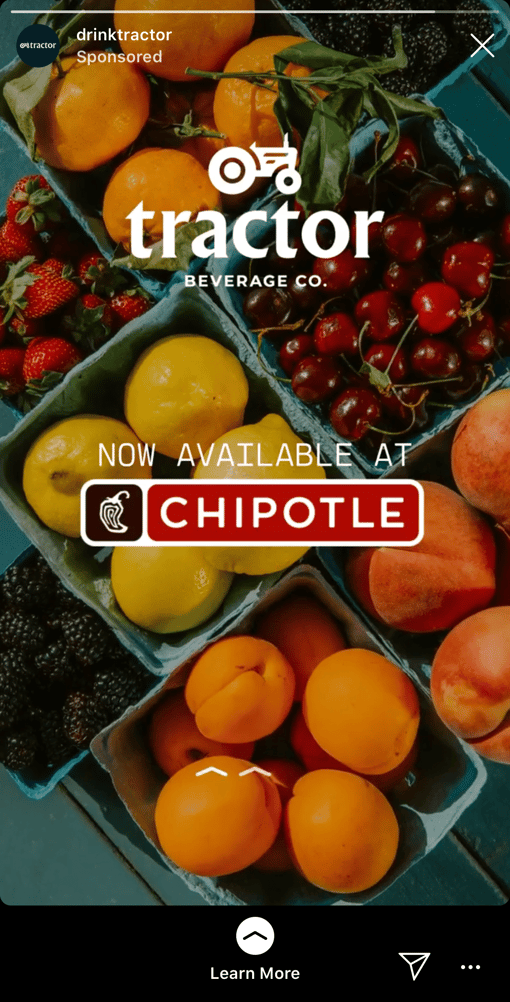
5. Tractor Beverage Co.
What I love most about Tractor Beverage Co.’s Instagram video is the end, which features a different call-to-action from most of the others in this list. Rather than “Shop Now,” this ad reads, “Now Available at Chipotle” with a “Learn More” swipe-up function. As a lesser-known brand, Tractor Beverage Co. wisely aims to use their ad space to increase brand awareness, so that next time you’re at your favorite nearby Chipotle, you might give their drink a try.
6. Crest
If you have the means, it makes a lot of sense to include a coupon or discount in your Instagram Story ad, like Crest does in its 3D Whitestrips ad. The $50 off encourages viewers to purchase immediately so they don’t miss out on the deal, and the fun, bright colors effectively capture viewers attention. With the limited time allotted in an Instagram Story, it makes sense for these brands to get straight to the point.
7. Kayak
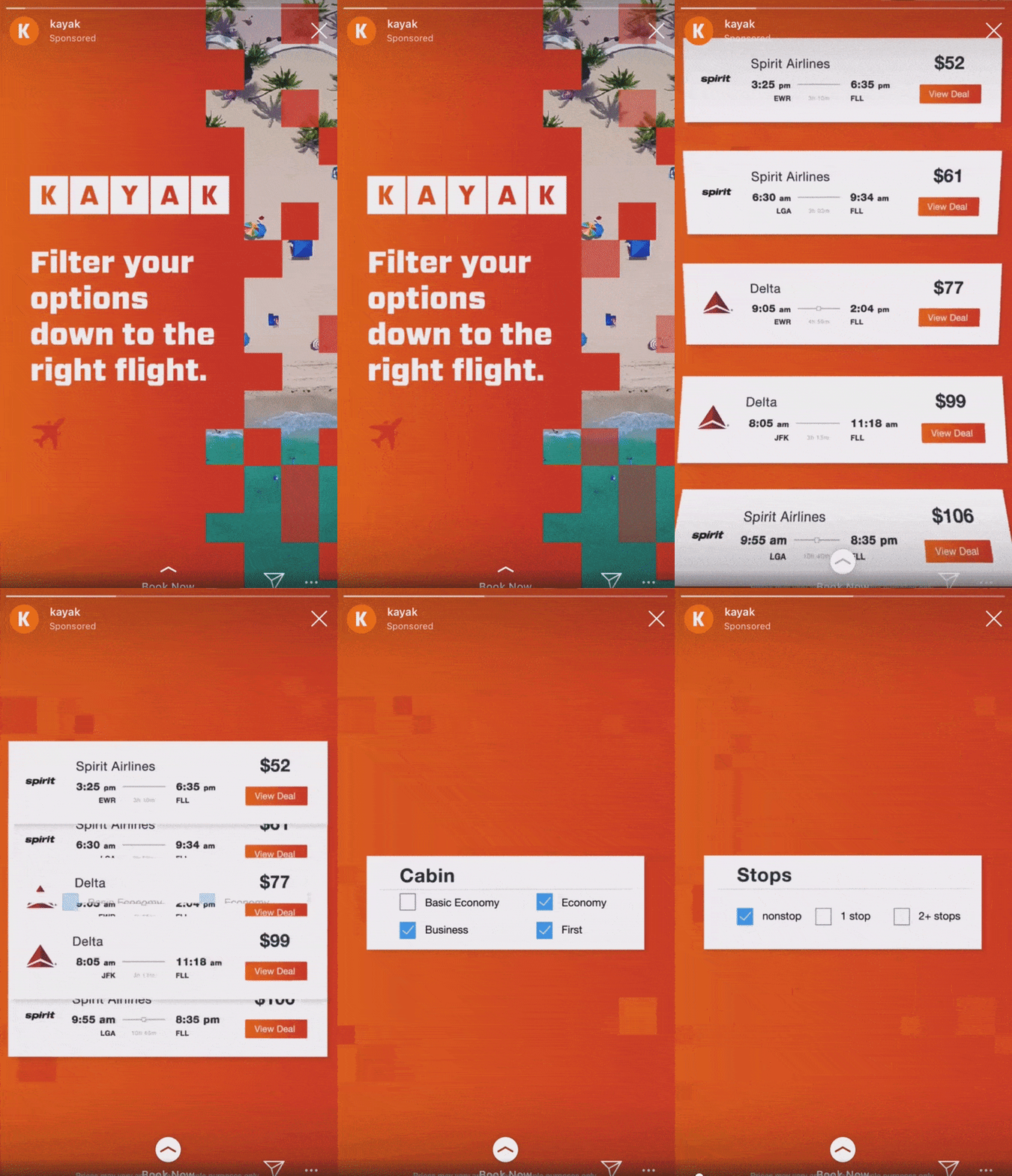
Kayak, a travel search engine, created this impressive, engaging Instagram Story video ad to demonstrate how easy it is for Kayak users to filter flights depending on airline, price, cabin seating, and destination. Kayak served the ads to lookalike audiences based on the characteristics of its current website customers, and saw 5X increase in sales conversions, as well as a 50% increase in overall ROI, with combined ad placements on Instagram Stories, Instagram’s news feed, and Facebook’s news feed.
Instagram Story Ads Best Practices
Now that we’ve explored a few impressive examples, let’s dive into some best practices to follow when creating your own Instagram Story ad. With four million active advertisers on Stories as of January 2020, it’s going to take a lot to ensure you’re able to stand out and drive results. Let’s dive in.
1. Pay attention to speed.
Facebook reports that Instagram Stories are consumed faster “tahn any other mobile format”. People’s attention is severely limited when perusing Stories, especially since the content has a 24-hour time limit before disappearing forever.
For that reason, you’ll want to ensure you get straight to the point and capture a viewer’s attention from the first frame. Unlike other forms of content, suspense isn’t usually effective here, especially since images can’t surpass five seconds, and videos have a 120-second limit. You’ll want to jump the viewer right into the message you’re hoping to deliver.
2. Include motion in your ad.
Facebook reports that “ads that use motion perform better.” Motion captivates the viewers’ attention and can help you tell a story faster than you could with a static image. Even if you’re using animation, consider how you might add motion to create more engaging content.
3. Ensure you’re using sound in your ad.
60% of Stories are viewed with the sound on, so you’ll want to ensure you use sound in your ad to provide optimal value to your audience. Consider how you might use music, sound effects, or voice-over to capture viewers’ attention in a new way. If you’re unsure which types of sound work best in your ad, try A/B testing to conclude what your audience prefers.
4. Create your ad for Stories first — rather than attempting to repurpose an existing ad made for another vertical.
It can be tempting to simply copy-and-paste the ad you’ve already created for Facebook or Instagram news feed, but that could result in a less-than-ideal experience for those viewing your ad in Instagram Stories. For one, your ad might not follow Instagram Story sizing best practices, resulting in key parts of your ad being cropped out. Additionally, you’ll want to play around with features exclusive to Stories to ensure your ad is as effective as possible.
5. Use your call-to-action wisely.
Ultimately, your Instagram Stories ad won’t be effective if you don’t include a clear call-to-action you want viewers to follow. You might use language like “Learn More”, “Shop Now”, or “Swipe Up” to encourage viewers to take action, depending on your goal — for instance, if your goal is brand awareness, “Learn More” tells viewers you simply want to educate them about your brand’s offerings, which is a very different CTA from “Shop Now”.
Take a look at the examples, mentioned above, for more CTA inspiration.
6. Include text to emphasize key message.
Including text is a best practice for accessibility in general, as it helps viewers’ who are hard-of-hearing decipher your ad’s message. Additionally, text can help emphasize your key points — for instance, Aveeno’s “Get Healthy Looking Skin Every Day” text illustrated their main point, and convinced me to purchase.
7. Test out mobile shots.
Facebook reports, “Mobile shots outperform studio shots for ad recall and intent, while studio shots tend to drive higher brand awareness.” For this reason, consider forgoing fancy studio equipment for video shot and edited straight from a mobile phone.
The majority of users consume Instagram’s content from their own smartphones, so you might as well try creating content on the same device. And, when in doubt, don’t be afraid to A/B test this theory for your own brand, as well.
For more best practices related to advertising in general, take a look at The Ultimate Guide to Mastering the Basics of Effective Social Media Advertising.
And there you have it! You’re all ready to begin creating an inspiring Instagram Story ad of your own. Just remember — you know your brand, and your audience, better than anyone. Use these best practices and examples as inspiration, but feel free to A/B test to figure out what works best for your unique business goals and social media objectives. Good luck!

Cultural Competence: What Is It and How To Develop It At Your Company
When I went to college, it was the first time I truly interacted with a bunch of people who were completely different from me.
I grew up in Orange County, an almost infamously undiverse, homogeneous place.
It was during college that I was able to broaden my horizons and I quickly realized how important diversity is to every area of life whether it be education, or even business.
In fact, did you know that companies in the top quartile for racial and ethnic diversity are 35% more likely to have financial returns greater than their industry mean?
Additionally, findings show that diverse teams make better business decisions 87% of the time.
As business leaders, it’s impossible to ignore those stats.
But, if you have a similar background (or lack thereof) in diversity as I did growing up, you might not know how to develop cultural competence and cultivate a diverse team.
To help, I talked to a wide range of experts on diversity, inclusion, and belonging, from both internal HubSpot employees to external thought leaders.
In this post, we’ll learn what cultural competence is, why it’s important, and how to develop it at your company.
It’s important to discuss that cultural competence isn’t about hitting a diversity quota. It’s about facilitating an environment of open and honest communication in a diverse setting. If you aren’t culturally competent, you might not attract the best talent for your employee base.
On the consumer side, cultural competence is important because customers might not support your company if they don’t think you’re inclusive.
So, what does cultural competence really mean?
According to Martin Tettey, co-chair of diversity and inclusion at PRSA-NY, “To be culturally competent in business, an organization must be fully aware of their surroundings to ensure that the contributions being shared are from a diverse group of people — differences in race, gender or sexual identity.”
Mita Mallick, the head of diversity and cross-cultural marketing at Unilever, says “While companies are focused on diversity of representation and who gets to sit around the table, they can no longer ignore how their products, services and content show up in the marketplace. Consumers are voting with their wallets and want to buy from inclusive companies and brands.”
Being a culturally competent company means that your organization actively and vocally invests in continued learning, listening, and change (when need be).
Your business should benefit all your customers and your employees, so people from all backgrounds and experiences can find success.
Additionally, Melissa Obleada, a previous diversity, inclusion, and belonging team member at HubSpot, says “Cultural competency positively impacts your company culture, which we know has a multitude of benefits for your employees as well as your bottom line.”
Being aware of the space you take up, and exist within, will allow you to navigate those differences with empathy and understanding.
Cultural competence should impact all areas of your business from hiring practices to company culture to marketing.
Lucy Alexander, a coordinator of a HubSpot discussion group focused on diversity and inclusion, says doing this will “Allow you to think about questions like, ‘How will this sales approach resonate with cultural norms of that country?’ or ‘How could this marketing campaign be perceived by this group of people?'”
She continued, “It’s about creating truly inclusive strategies from the ground up. Crucially, you need employees of all different racial, ethnic, and religious backgrounds who represent different genders and sexualities if you hope to apply this lens consistently — otherwise, you’ll come off as inauthentic and you won’t be walking the walk.”
1. Provide workplace bias training.
To develop cultural competence, Tettey suggests providing workplace bias training.
With bias training that’s focused on empathy through academic and experiential learning, you can create a more inclusive workplace.
The training strategy should help get the conversation started on implicit bias and how to minimize workplace bias through education and discussion.
Remember, this shouldn’t be the only thing your company is doing to become culturally competent. Rather, this is a good first step to lay the foundation.
Additionally, it’s important to keep in mind that implicit bias training should include conversations on systemic and structural issues at your company. This means that you might discuss company practices and hold the leadership team accountable for enacting change on a structural level.
Tettey says, “Companies shouldn’t do these things just to avoid lawsuits or fulfill a quota, but make it a part of the backbone that fuels the company and keeps it standing.”
2. Have an ethical hiring process that ensures opportunities are readily available to all.
Another suggestion from Tettey is to implement an ethical hiring process that ensures opportunities are readily available to everybody.
Think about it like this — how can you become culturally competent if your own employee base isn’t very diverse?
To attract a diverse pool of candidates, you should advertise jobs through diverse channels, like diverse job boards. Plus, your recruiters should proactively recruit from a diverse talent pool.
Alexander says, “If your employee base is not very diverse yet (and the vast majority of companies in America could do better), you must couple efforts to tangibly change the makeup of your organization with internal education efforts.”
For instance, “That means that while you’re improving your hiring process to bring more diverse talent in and setting up your employees from underrepresented backgrounds for success and promotion, you’re also running internal education initiatives like content discussion clubs or anti-bias training. Do not give up when you hit roadblocks. The work takes time, and consistent effort is key.”
3. Proper compensation that is based on experience.
Another way to develop cultural competence is to evaluate your compensation packages. You should ensure that people with the same experience and professional backgrounds are being offered the same compensation.
Doing this will help you attract the top talent, increase employee retention, and improve job satisfaction.
It might feel difficult to evaluate your own compensation packages, but it’s important to recognize that implicit bias could have impacted compensation offerings. If it did, you need to correct it.
4. Invest in meaningful cross-cultural relationships.
Cultural competence is really all about knowing your customer.
According to Mallick, “My job as a marketer is this: To surprise and delight a consumer with a product or service they never would have expected. In order to do that, I need to intimately know the consumer. But do I know their history, and the history of their communities? And the bigger question is, in today’s environment, how can I as a marketer afford not to know all of this?”
The answer is that developing cultural competence starts outside of work. That means that your leadership team should invest in cultivating meaningful cross-cultural relationships.
Additionally, you should encourage your employees to do this as well.
Mallick says, “How can we expect to show up and be culturally competent in our workplaces if we live the majority of our lives in communities surrounded by people who only look like us?”
5. Prioritize cultural competence learning and work on your leadership team.
To truly develop cultural competence, continued education in diversity, inclusion, and belonging is imperative.
Obleada says, “Your organization — particularly leadership — needs to make it clear to everybody internally that you prioritize this type of learning and work. Look into resources – blogs, podcasts, consultants, workshops, etc — that focus on building this particular muscle, and make sure that you’re making it possible for your colleagues to share their feedback (both positive and constructive) with those leading these initiatives.”
Essentially, this means that you should implement cultural learning into the fabric of your company culture. You could invest in resources to help cultivate culturally competent teams and practices.
“Rome wasn’t built in a day, so it’s not like you can flip a switch (or attend one training) and magically be culturally competent,” Obleada says. “It’s a process that involves being more open as individuals and bringing our learnings and empathy into each workplace interaction we have. Have patience with yourselves and one another as you work on developing your cultural competence.”
6. Be willing to listen.
A major part of cultural competence learning is listening. In fact, most cultural competence education is about listening to other people about their experiences.
Gabrielle Thomas, a program manager on the diversity, inclusion, and belonging team at HubSpot, says “Listen to those inside and outside of your organization and make sure those voices create a diverse group. You can’t build that awareness if you aren’t willing to listen. It means you have to truly be okay with hearing feedback that may not always be positive and to make progress you have to be okay with doing things differently.”
7. Evaluate where you stand.
Just like you did with your compensation packages, you should look at where your company currently stands in terms of cultural competence.
Alexander says, “Look critically at who gets opportunities to lead in your company (not just in official leadership positions, but who gets to lead projects? Lead meetings? Own initiatives?). Survey your employees anonymously and regularly solicit feedback, and create tangible action plans to address inequities. Then, revisit those plans to create accountability and ask where you could’ve done better and what needs to change.”
You can only get better when you know where you’re starting from and what needs to be done. It’s time to make space for this type of work in your business strategies.
8. Create a psychologically safe environment.
Psychological safety is essential in the workplace. This means that employees have the option to be included and feel safe to have conversations with their coworkers or managers when they don’t feel included.
Richard Ng, a coordinator of a HubSpot discussion group focused on diversity and inclusion, says, “To become culturally competent, you need to invest in psychological safety to enable day-to-day communication between employees.”
Creating psychological safety can help build true allyship among your employees. With allyship, the burden of speaking up is fairly distributed across everyone on your team.
To create a psychologically safe environment, it’s important to have solid guidelines and training for conflict and de-escalation.
So, you might be wondering, “Why are we talking about this?” Below, let’s dive into why cultural competence is important.
Why is Cultural Competency Important?
Cultural competence is important for both your bottom line and creating a workplace culture that employees are proud of.
Mallick says, “It’s not the job of your employees to lead diversity and inclusion efforts on top of their day jobs. You need a diversity and inclusion strategy, which then informs the structure you will need to implement your vision. You need to make a commitment to invest with headcount/resources, budget and time. If you don’t see the benefits of having a diversity and inclusion team, your organization will be left behind in the marketplace.”
Tettey would agree. He says, “Companies are nothing without a team that strategically helps with the D&I efforts.”
In that same vein, Obleada says that companies with leadership that don’t dedicate itself to diversity, equity, and inclusion are in the minority.
“A 2017 Deloitte study showed that over 75% of employees at all levels would consider leaving their current organization for a more inclusive one,” Obleada adds. “Exclusive and rigid company environments where only certain types of people are granted access and set up for success hurt everyone involved – your employees, your business, and your customers.”
Essentially, when it comes to diversity and inclusion efforts, you get what you give.
Thomas says, “We invest in what we value. If you don’t invest energy, money, or both into D&I then that makes it clear to your team and customers that you don’t value an experience based on an inclusively built foundation.”
This work is important because it’s essential to see your company and employees grow and thrive.
Alexander adds, “In a fair work environment that celebrates a variety of backgrounds and diversity of thought, employees will be more prone to share ideas, stay longer, and feel brought into the company’s mission and work. Most importantly, they’re more likely to feel valued as human beings, which is crucial for personal happiness and professional fulfillment.”
Additionally, cultural competence is important because it takes into account that minorities face a harder time when it comes to making a living.
Ng says, “We should also acknowledge that people’s value comes not from their ability to generate revenue for your company but from the fact that they are human. What happens when they don’t improve company numbers? Do they not matter then? They, like everyone else, deserve a chance at working and growing at a company that recognizes the steeper climb minorities face when making a living and supports them through it.”
Ultimately, cultural competence can benefit your company in many ways. You’ll have better employee retention, customer satisfaction, and attract the top talent and customers. Cultural diversity impacts every area of your business, and you should give it the attention it deserves when you’re developing your overall business strategy.

79 Marketing Tools and Software for Every Business & Budget
In the world of marketing, it seems like there are always new tools, tips, tricks, and trends to discover and incorporate into your marketing strategy. How is it possible to keep up with them all?
As a marketer myself, I often wish I had a better sense of all of the tools available to me — and what sets each of them apart — so I can make more informed decisions on how to create and optimize content.
Luckily, I have the privilege of working on a team of 150+ other marketers who specialize in different functions than I do. And because of that, I was able to curate this list of the top tools every marketer should know about and use.
The list of recommended tools below is sorted into different sections so you can get a better sense of what tools are available for different functions of the job.
Above lists the different types of tools for every part of your job. Below is our roundup of the best marketing tools in each category.
Marketing Tools |
| Customer Relationship Management (CRM) Tools |
| 1. HubSpot CRM |
| 2. Zoho CRM |
| 3. Zendesk |
| 4. Pipedrive |
| Online Advertising Tools |
| 5. AdStage |
| 6. HubSpot Ads Tracking Software |
| 7. Perfect Audience |
| 8. Google Keyword Planner |
| 9. AdRoll |
| 10. WordStream |
| Social Media Tools |
| 11. Iconosquare |
| 12. Buffer |
| 13. Hootsuite |
| 14. BuzzSumo |
| 15. HubSpot Social Inbox |
| Search Engine Optimization (SEO) Tools |
| 16. Ryte |
| 17. Ahrefs |
| 18. SEMrush |
| 19. Moz |
| 20. Keywords Everywhere Chrome Extension |
| 21. HubSpot Content Strategy Tool |
| Content Creation and Design Tools |
| 22. Adobe Spark |
| 23. Venngage |
| 24. Piktochart |
| 25. Canva |
| 26. Recordit |
| 27. Kap |
| 28. Adobe Color CC |
| Video Marketing Tools |
| 29. Wistia |
| 30. Vidyard |
| 31. Vimeo |
| 32. Loom |
| Event Marketing Tools |
| 33. Eventbrite |
| 34. Facebook Events |
| 35. AddEvent |
| Lead Capture and Conversion Tools |
| 36. HubSpot’s Free Marketing Tools |
| 37. HubSpot’s Free Pop-up Forms Tool |
| 38. Typeform |
| 39. OptinMonster |
| 40. Sumo |
| 41. Convertflow |
| Lead Generation Tools |
| 42. Unbounce |
| 43. Leadpages |
| 44. Instapage |
| 45. HubSpot’s Landing Page Builder |
| Website Optimization and CRO Tools |
| 46. Hotjar |
| 47. Optimizely |
| 48. Lucky Orange |
| 49. Google Optimize |
| 50. Clicky |
| Lead Nurturing and Email Marketing Tools |
| 51. HubSpot’s Email Marketing Software |
| 52. Constant Contact |
| 53. Campaign Monitor |
| 54. MailChimp |
| 55. AWeber |
| 56. ActiveCampaign |
| Marketing Automation Tools |
| 57. HubSpot Marketing Automation |
| 58. Drip |
| 59. Marketo |
| 60. Omnisend |
| Data Reporting and Analytics Tools |
| 61. Digital Marketing Tuner |
| 62. Google Analytics |
| 63. Google Search Console |
| 64. Databox |
| 65. RavenTools |
| Digital Asset Management Tools |
| 66. Dropbox |
| 67. Google Drive |
| 68. Box |
| 69. Shift |
| 70. Brandfolder |
| Team Communication and Collaboration Tools |
| 71. Slack |
| 72. Join.Me |
| 73. Zoom |
| 74. Skype |
| Project Management Tools |
| 75. Trello |
| 76. HubSpot Projects |
| 77. Asana |
| 78. Airtable |
| 79. Wrike |
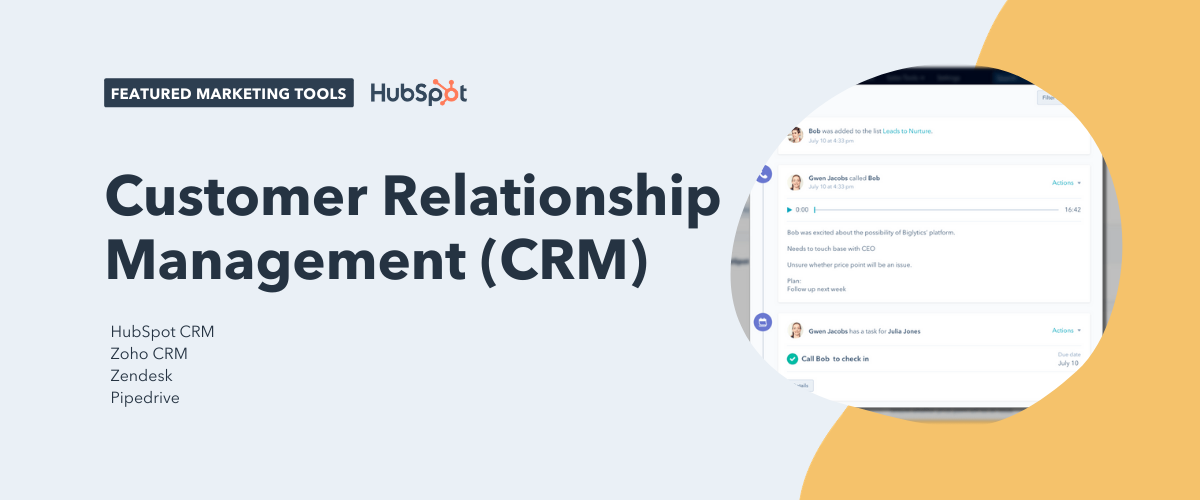
Customer Relationship Management (CRM) Tools
You and your sales team want to sell your product or service — not fight with messy spreadsheets, cluttered inboxes, or clunky tools that slow you down. That’s why using a Customer Relationship Management System — also known as a CRM — is essential. Not only will it help your sales team manage relationships, but a CRM will also give you a place to deliver those leads you generated to your sales team.
CRMs are such an essential part of any good marketing and sales team that we think everyone should have one. That’s why the HubSpot CRM is completely free.
Featured CRM Tool:
1. HubSpot CRM
HubSpot CRM automates the tasks salespeople hate and takes minutes to learn — not months. That means doing more deals and less data entry.
Other CRM Tools:
2. Zoho CRM
3. Zendesk
4. Pipedrive
Online Advertising Tools
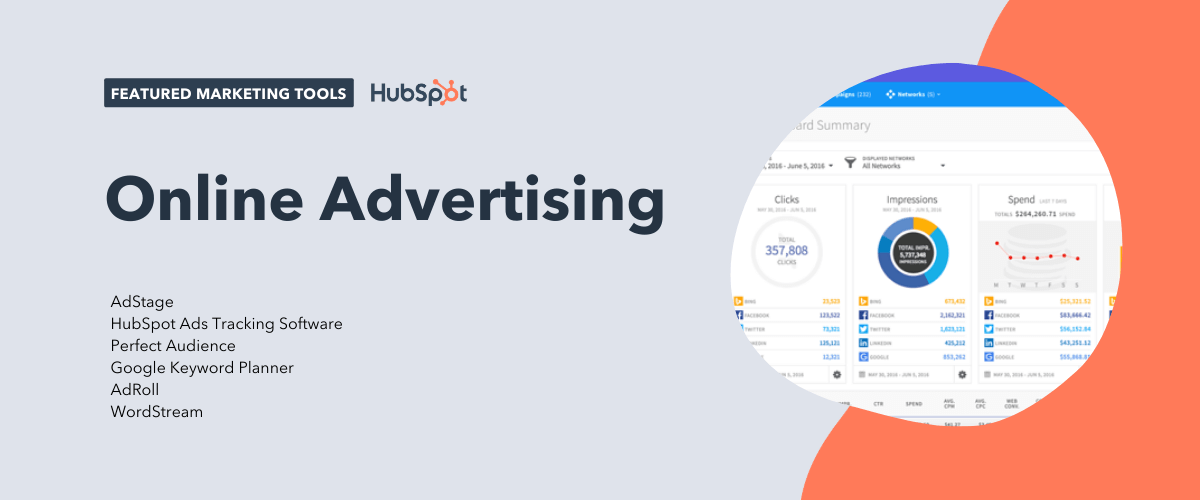
If your team is making investments into PPC ad campaigns on platforms like Google, Bing, Facebook, Twitter, or LinkedIn, it’s probably a bit of a hassle to manage all the different ad campaigns you’re running across each different network. Besides just managing them, you then have to try and report on the results of all of them. What a struggle. Luckily, there’s tools for that.
Featured Online Advertising Tool:
5. AdStage
AdStage takes the hassle out reporting on all of the PPC campaigns you’re running and puts it all in one place. AdStage helps you automate, create, and manage your campaigns across all of the major PPC platforms, then allows you to report on your results. With visual features and powerful automation tools, AdStage is a must for PPC experts and newbies alike.
Other Online Advertising Tools:
6. HubSpot Ads Tracking Software
9. AdRoll
10. WordStream
Social Media Tools
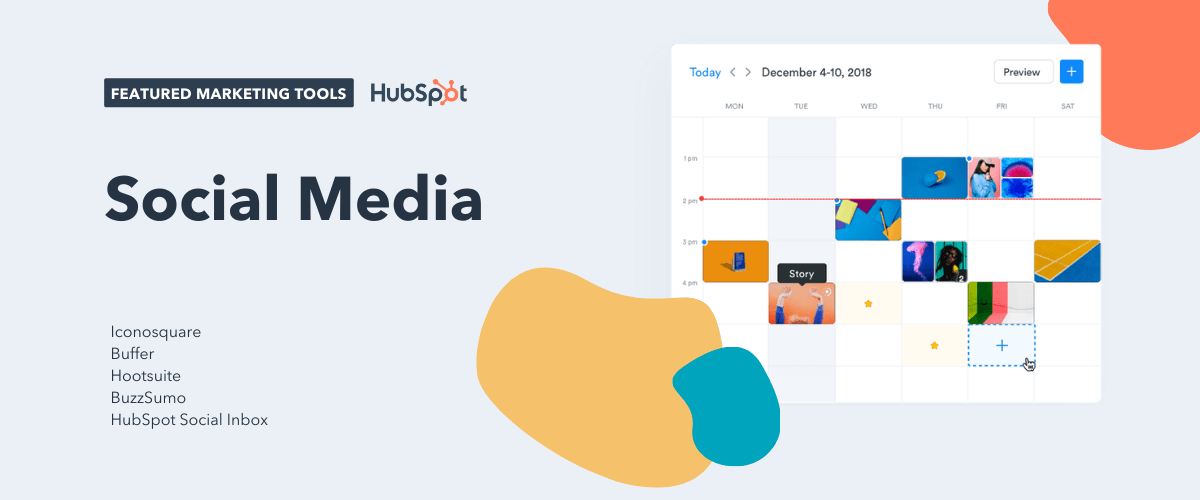
Social media managers know the pain of posting that perfect social media post only to have a follower find a typo a minute later and call you out. For marketers, using a social media tool to schedule all of your posts (so you catch those typos beforehand) is a must. But it also helps to get the right analytics from your social posts, especially on channels where it can be hard to get that information.
Featured Social Media Tool:
11. Iconosquare
Iconosquare is the perfect tool for marketers to grow their brand on Instagram with easy-to-use analytics. It’s not always easy to know what’s working and what’s not on Instagram. But, as the second most popular social channel and one that’s quickly approaching first most popular among some age groups, it’s a channel that marketers can’t afford to miss out on. Try Iconosquare now to maximize your Instagram analytics and optimize your brand Instagram channel for success.
Other Social Media Tools:
12. Buffer
13. Hootsuite
14. BuzzSumo
Search Engine Optimization (SEO) Tools
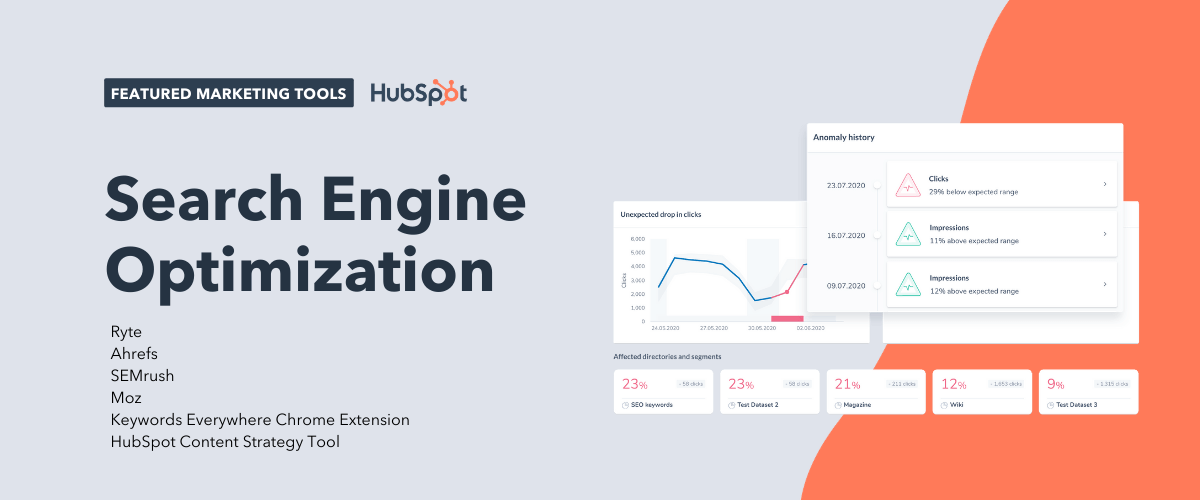
Whether its keyword research, content optimization, or checking your current page rankings, every marketer needs a go-to tool for planning what content to create and how to optimize it for SEO.
Featured SEO Tool:
16. Ryte
Marketers need tools to plan which keywords to rank for and making sure the content they create actually meets their goal once created. Ryte is the ideal tool marketers can use to make sure their SEO efforts are having a real impact on their marketing strategy.
Other SEO Tools:
17. Ahrefs
18. SEMrush
19. Moz
20. Keywords Everywhere Chrome Extension
21. HubSpot Content Strategy Tool
Content Creation and Design Tools
In the world of content creation, there are admittedly tons of different tools you could use to create various types of content. Whether it’s social images, logos, blog posts, or ebooks — the options and tools are endless.
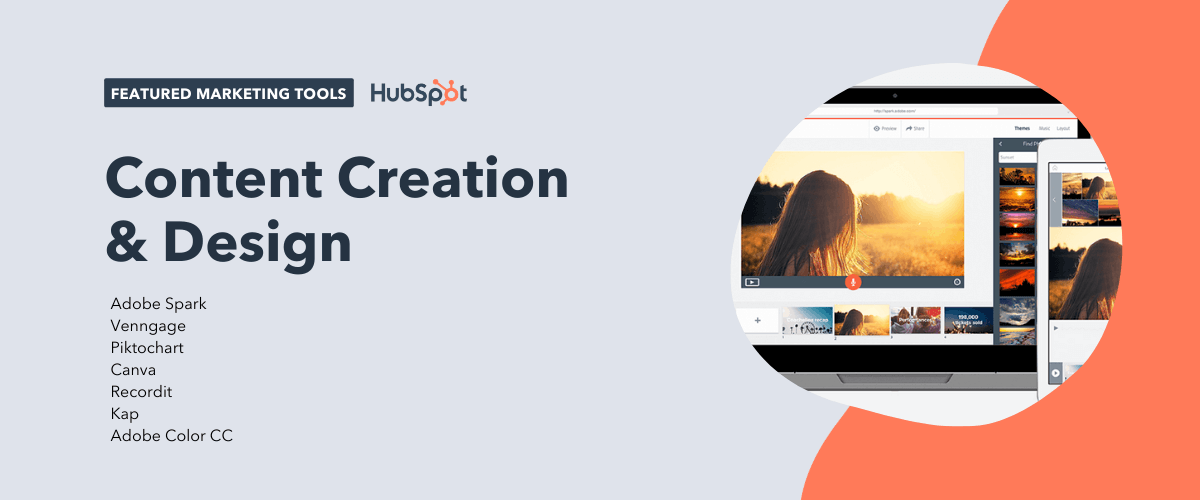
That said, a newcomer among the Adobe Suite of tools is winning the hearts of many marketers, including this one, for its ease of use to create stunning webpages, awesome videos, and eye-catching graphics. The best part? It’s completely free and impossibly easy.
Featured Content Creation Resource:
22. Adobe Spark
Adobe Spark is a suite of three web or mobile apps — Spark Page, Spark Post, and Spark Video — that allows marketers to easily create graphics, webpages, and videos in a variety of themes in minutes.
You can completely avoid the hassle of page layout, video editing knowledge, or a CMS and start creating content that looks remarkable immediately. For example, we use Spark Page at HubSpot to create some of our online guides and promote them with Spark Videos and Posts. You can too!
Other Content Creation and Design Tools:
23. Venngage
24. Piktochart
25. Canva
26. Recordit
27. Kap
28. Adobe Color CC
Video Marketing Tools
Haven’t you heard? Video is the thing everyone is talking about. But how do you actually implement it into your marketing?
Maybe your strategy is just to put a YouTube video embed on one of your blog posts or landing pages. But then what happens? Someone else’s ad plays on your landing page before your video even begins. That’s bad for your conversion rates, brand, and your user. Luckily, there’s a solution.
Featured Video Marketing Resource:
29. Wistia
Wistia is a powerful video hosting platform that allows you to host your videos on your website — ad free — with a guaranteed smooth playback and responsive player. Wistia also helps you prove the ROI of your video efforts by offering you video analytics and key metrics to fine-tune your video marketing efforts over time. Ready to take your video marketing to the next level?
Other Video Marketing Tools:
30. Vidyard
31. Vimeo
32. Loom
Event Marketing Tools
Whether your team holds monthly customer and prospect events, yearly conferences, or just occasional community outreach parties and events, it’s important to have the best event marketing tool up your sleeve when the time comes to use it. After all, in-person events are some of the best ways to interact with potential customers and create a brand experience that prospects, customers, and your community will remember.
Featured Event Marketing Resource:
33. Eventbrite
Eventbrite is an efficient, easy-to-use tool tons of marketers rely on not only to manage the logistics (like ticketing) of events but also to promote their events. Eventbrite lets you create an event landing page and allows you to set up your ticketing and payment for the event all within the same platform. The best part? Eventbrite is always free if you’re hosting a free event!
Other Event Marketing Tools:
34. Facebook Events
35. AddEvent
Lead Capture and Conversion Tools
When it comes to your bottom-line goals, you probably want a few tools for not only attracting prospects to dedicated marketing campaigns, but just as importantly, converting those visitors into leads and customers.
Featured Lead Capture and Conversion Resource:
36. HubSpot’s Free Marketing Tools
HubSpot’s free marketing tools can help do just that. The moment a lead shares their email, you’ll know who they are, where they work, and what pages they visited — all in real time. When they view an offer or check your pricing, you’ll be ready to follow up right away.
And with simple but powerful analytics, you’ll learn more about what’s working and what’s not — like which traffic sources or pieces of content are driving the most conversions. It’s a risk-free way to find out what inbound marketing can do for you. No budget necessary.
Other Lead Capture and Conversion Tools:
37. HubSpot’s Free Pop-up Forms Tool
38. Typeform
39. OptinMonster
40. Sumo
41. Convertflow
Lead Generation Tools
If you’re in the mood for demand generation, you probably have your eyes on the prize: converting anonymous website visitors into contacts with email addresses that you can successfully nurture. Landing pages are a must for capturing lead information on important offers and opt-ins.
Featured Lead Generation Resource:
42. Unbounce
Thanks to a drag and drop interface, Unbounce lets you quickly build mobile responsive landing pages without developer assistance. The tool also integrates with a number of different CMS platforms and software.
With Unbounce Convertables, you can also launch targeted overlays on top of any web page, each with a dedicated call to action. Customizable triggers and targeting rules give you control over who sees your offers and when so you can serve the most relevant offers to the right audience.
Other Lead Generation Tools:
43. Leadpages
44. Instapage
45. HubSpot’s Landing Page Builder
Website Optimization and CRO Tools
As marketers, sometimes it feels like we’re constantly making educated guesses about how our site visitors are going to interact with our content. While we might design a page to draw our user’s eye to a spot on a page, how do we ever really know where their focus is so that we can improve that experience?
Featured CRO Resource:
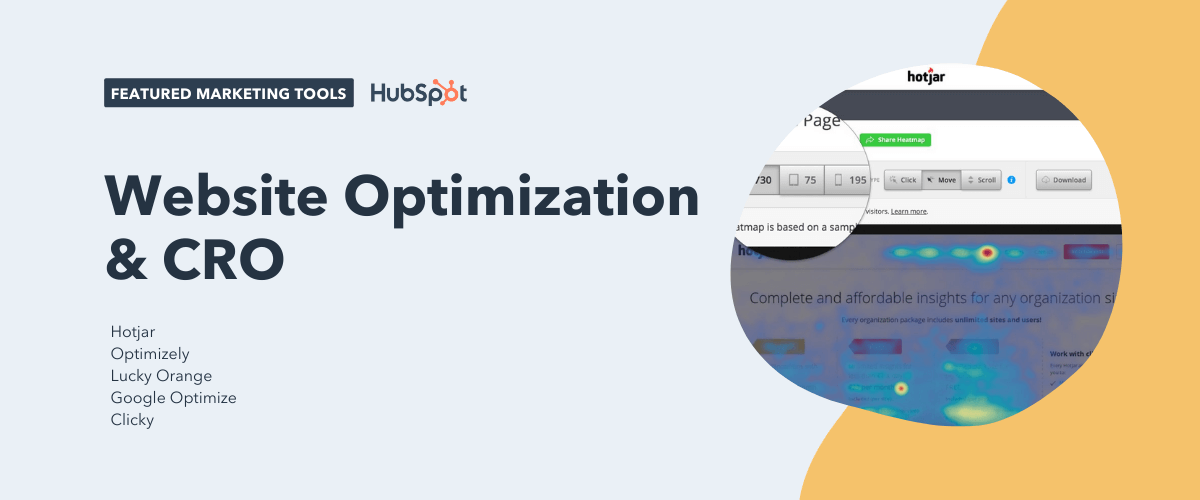
46. Hotjar
Hotjar is a new and easy way to truly understand what your web and mobile site visitors are looking at when they interact with your site. With its visual heatmap tools, you can understand what users want, care about, and interact with on your site. Hotjar visually represents visitors’ clicks, taps and scrolling behavior, giving you the ability to find hot areas for growth and conversion rate optimization.
Other CRO Tools:
47. Optimizely
48. Lucky Orange
49. Google Optimize
50. Clicky
Lead Nurturing and Email Marketing Tools
It’s not enough to drive traffic to your website and then convert them. Many of your website visitors may not be ready to buy, and that’s where lead nurturing comes in. Email marketing is a great way to nurture contacts toward a purchasing decision.
Featured Lead Nurturing Resource:
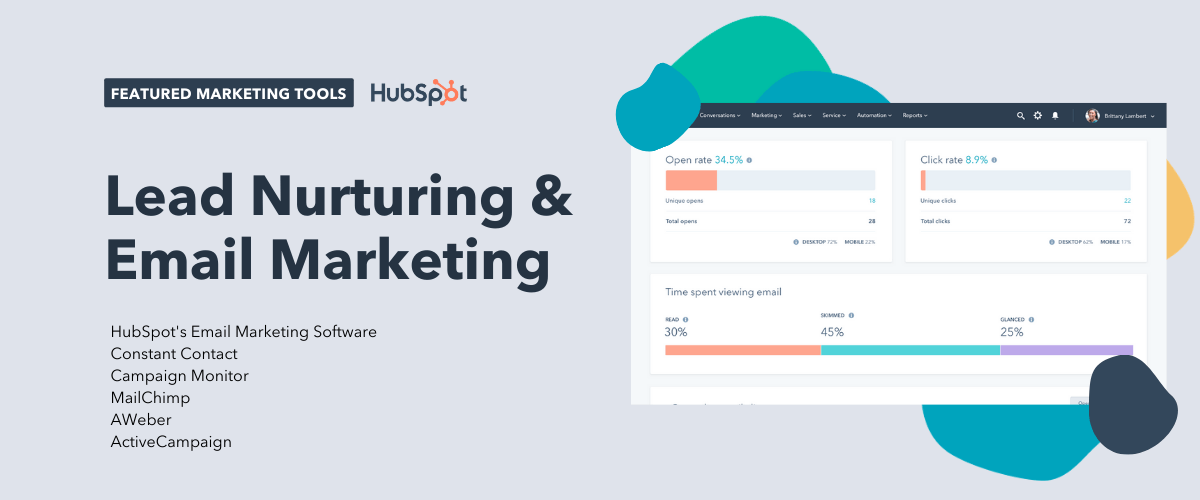
51. HubSpot’s Email Marketing Software
HubSpot offers robust email marketing software from free to enterprise. You’ll be able to create emails in a simple drag-and-drop interface, personalize emails for better experience and performance, and see email activity in your free CRM. HubSpot also offers automation solutions in their paid plans.
Other Lead Nurturing and Email Marketing Tools:
52. Constant Contact
53. Campaign Monitor
54. MailChimp
55. AWeber
56. ActiveCampaign
Marketing Automation Tools
Automation is nothing new to marketers. Whether you want to save time doing marketing tasks or simply cut time wasted doing those daily tasks like saving emails and files to spreadsheets, having a tool that makes your life easier and saves you time is ideal.
Featured Marketing Automation Resource:
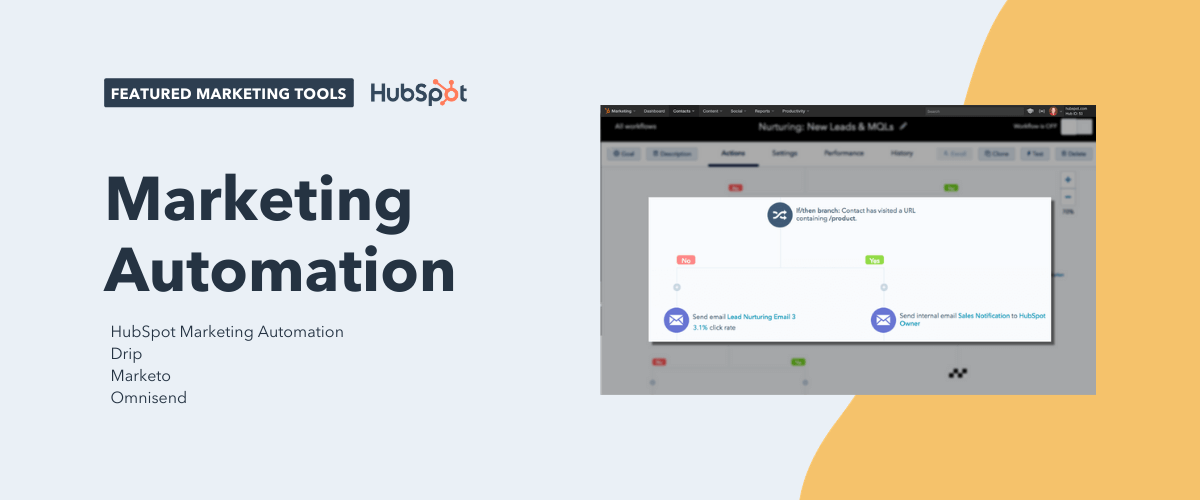
57. HubSpot Marketing Automation
As previously mentioned, HubSpot has a powerful automation tool included in its paid marketing tiers. It doesn’t just send drip sequences. You can also use it to trigger specific actions such as updating a contact record or adding a contact to a list when certain criteria is met.
Other Marketing Automation Tools:
58. Drip
59. Marketo
60. Omnisend
Data Reporting and Analytics Tools
Most tools that automate some of your marketing strategy will also provide reports that allow you to see and present your campaigns’ performance to other employees in your company. What if you want a more holistic look at the health of your marketing?
Featured Data Reporting and Analytics Resource:
From the efficiency of your content calendar to the effectiveness of your lead-generation methods, Digital Marketing Tuner offers a helpful overview of all of your latest marketing activities.
Developed by OverGo Studio, an inbound marketing agency and HubSpot Agency Partner, Digital Marketing Tuner guides you through a brief survey where you can submit basic information about your company’s content volume, email open rates, website traffic, and more. The tool then sends you a detailed report in which you can better visualize your team’s strengths and weaknesses so you can make even better decisions for your company moving forward.
Other Data Reporting and Analytics Tools:
62. Google Analytics
64. Databox
65. RavenTools
Digital Asset Management Tools
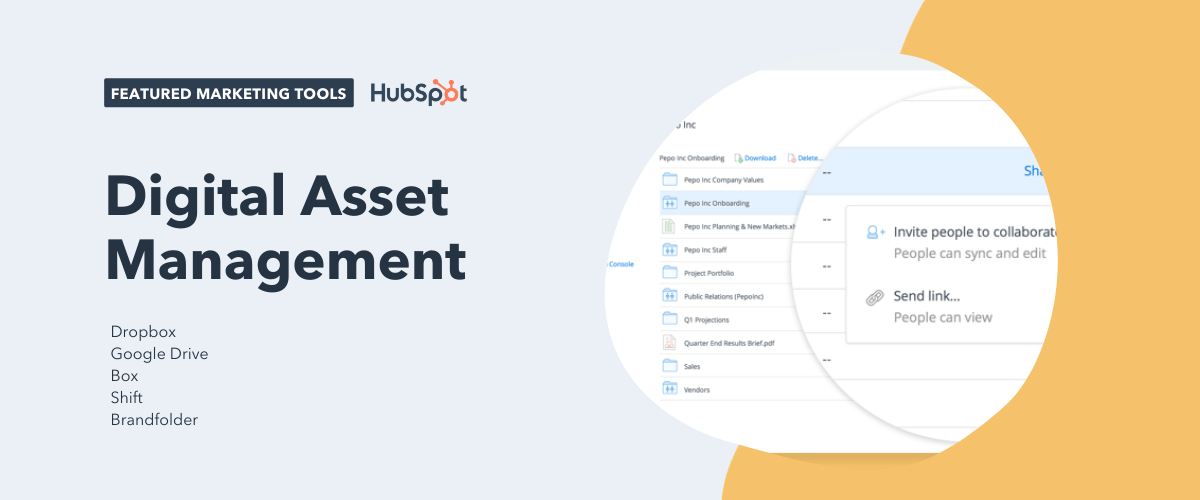
In any marketing team, the inevitable happens: there’s a million files and pieces of content between everyone on your team without one place to keep it all. Organization on any team — let alone a marketing team — is essential. That’s why it’s important to have a collaborative organization tool to keep you sane.
Featured Digital Asset Management Tool:
66. Dropbox
Dropbox is the perfect tool to keep your team organized and your files under control. With cloud-based software to keep your files accessible anywhere at anytime, Dropbox helps your team store all of its files in a central location. Dropbox makes it easy to collaborate, too. With tools like Dropbox Paper, which allows you to write and collaborate in real time on the same doc — and sharing tools for shared folders and files, you’ll be organized and ready for any project that comes your way.
Other Digital Asset Management Tools:
67. Google Drive
68. Box
69. Shift
70. Brandfolder
Team Communication and Collaboration Tools
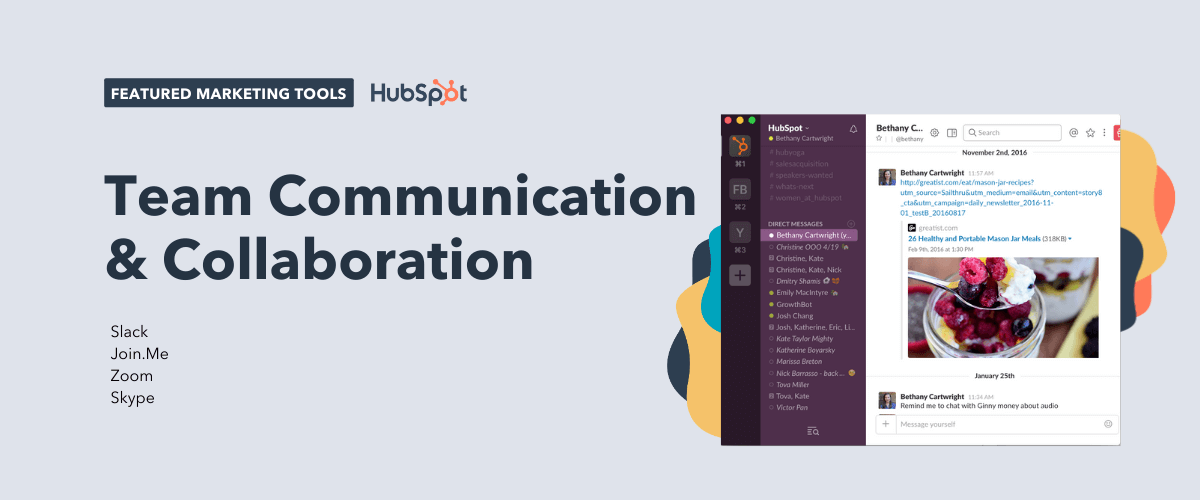
Where would your work day be without accessibility and communication between you and your colleagues? Probably pretty frustrating. Marketers can’t shy away from communication when it comes to aligning with team members and across the company, so having the right team communication tools is necessary every single day.
Featured Communication and Collaboration Resource:
71. Slack
I wouldn’t be given any slack if I didn’t make the world aware of this tool.
Slack is a powerful messaging app that allows you and your teammates to quickly message back and forth without the hassle of email. But it’s not just AOL instant messenger 2.0. Slack has powerful features and integrations that make it possible for you to integrate all of your other daily tools — like Trello, Gmail, Giphy, and so many more — right where you’re already communicating. You can start channels between different teams or just chat with specific colleagues. Slack makes remote and in-person work possible and easier than ever.
Other Communication and Collaboration Tools:
72. Join.Me
73. Zoom
74. Skype
Project Management Tools
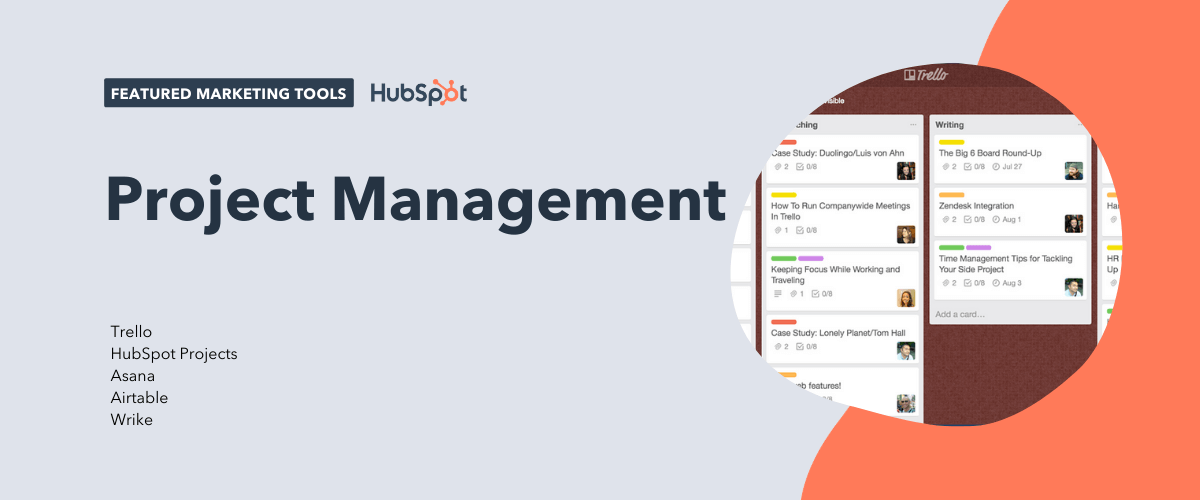
File management and organization is one thing, but how do you manage all of the moving pieces of a marketing campaign or project? There are many different tools you can use for project management, but only one sticks out when it comes to the number of integrations and features at the price of — oh yeah — free!
Featured Project Management Resource:
75. Trello
Trello is a great project management tool for small teams and individuals. With it’s Kanban-style setup and fun user interface, Trello lets you set up to-do lists and tag individual cards with due dates, members, labels, and more. You can attach files, links, images, and more to your cards and easily get a full-view of any project that you’re working on. At HubSpot, we use Trello daily to manage our team campaigns and individual to-do lists. Want an example of how we do this? Check out our guide to managing marketing campaigns in Trello.
Other Project Management Tools:
76. HubSpot Projects
77. Asana
78. Airtable
79. Wrike
You’ve got all the tools you need, but are you looking for a place to start putting them all together? Check out our free marketing plan. It’ll walk you through creating your own marketing plan and teach you how to use all of these tools together.
Editor’s note: This post was originally published in February 2019 and has been updated for comprehensiveness.

18 Webinar Promotion Tips to Guarantee Nobody Misses Your Next Webinar
Here at HubSpot, we know a thing or two about webinars. We set the Guinness World Record for largest online marketing seminar in 2011, hosted webinars with partners such as Facebook, LinkedIn, and Unbounce, and we’re able to host and promote in-house because of the modern marketing team we’ve built.
No matter how great the content of your webinar is, though, it doesn’t mean much if there’s nobody there to hear it. So what do you do to ensure people actually, you know … show up?
Turns out, there are at least 18 things you can do to get people aware of, excited about, and attending your next webinar. Here’s a guide to making your next webinar a rousing success.
What Is a Webinar/Webcast?
A webinar (also known as a webcast) is a live, online seminar or workshop that’s delivered over the internet. A host — that’s you — organizes the event and invites attendees. The beauty of a virtual event? The host and the attendees can be located anywhere in the world.
Make it educational.
Education is one of the most powerful tools you can use to make change happen. Webinars need to have some type of educational component to it — whether you’re educating your audience about a product, a service, a new piece of content, how to use a tool, and so on.
Communicate your content clearly.
Webinars are great ways to scale your communication. Provide value to your audience by communicating your message clearly. This includes how you organize the content of the webinar, how you present it verbally, and how you present it visually in your PowerPoint deck.
Entertain your audience.
Finally, a great webinar needs to be entertaining. Otherwise, your attendees might as well think of your webinar as 40 minutes to catch up on email. After all, that verbal component is what makes webinars so unique: There are few other mediums where you can deliver content that lets your personality shine through to such an extent.
It’s really easy to create webinar content with only your end goals in mind — that point you want to get across, or those things you want to talk about — but that won’t keep your audience engaged. Think carefully about who your audience is while crafting your webinar content. At the end of the day, your webinar is about building connections and relationships with your audience so they trust you that much more.
1. Choose a topic that straddles the line between broad and actionable.
It’s really, really hard to get people to attend your webinar if your topic stinks. Try to select a topic that’s broad enough to attract a large audience, yet targeted enough to provide actionable advice that attendees can implement the second they hop off your webinar.
For a webinar with Unbounce, for example, we decided that we wanted conversion rate optimization to be the overarching theme (because what marketer doesn’t want to optimize?) but with a focus on landing page copy and design.
When titling your webinar landing page, do some SEO research to see which keywords you want to rank for. Use that same title for subsequent blog posts and SlideShares, and you’ll end up with a slew of assets to back up that keyword ranking.
2. Set an attendee goal.
Having a goal will inspire you to hit it, and help you measure success. When we attempted to break the Guinness World Record for webinar attendees, for example, we knew we’d have to hit about 10,899 attendees.
World Records aside, there are many reasons why you should set a goal. In theory, you’re not putting on a webinar for the fun of it. You want it to contribute toward lead generation and brand awareness. For this reason, consider what your marketing goals are and then decide how you want this webinar to contribute toward it.
Note: Just because people register for your webinar does not mean they will attend your webinar. Which brings us to our next tip…
3. Set an registrant goal that will actually result in your desired number of attendees.
Webinars typically get 44% of pre-registrants to attend the live event. To determine how many registrants you need, you should think ahead to how many actual attendees you want.
Continuing with our Guinness World Record example in the previous tip, we knew we needed 10,899 attendees. So, with a little backwards math using the 44% figure above, we’d need to shoot for more than 24,770 registrants to meet the attendance goal.
You should track performance on at least a weekly basis to see whether your marketing efforts are moving the needle towards that registrant goal. That way, if you need to dial up your promotion due to low initial registration numbers, you’ll know what to do to fix it.
You will see the word “remind” quite a bit in the rest of this post. That’s because getting people to attend your webinar requires lots and lots (and lots) of registrant reminders. People often sign up for webinars weeks in advance, so it’s critical that you’re making an effort to keep your webinar top-of-mind during that time.
4. Give attendees something special.
Try to think of things that will get people excited, feeling special, talking with colleagues, and remembering their experience on your webinar in the future. Excited registrants turn into excited attendees.
At HubSpot, we’ve given away tickets to events, free marketing assessments, and ad spend coupons to Facebook and LinkedIn. We’ve also inspired the audience by asking them to be a part of something huge, like breaking a world record.
Another example of a contest you could run? Ask them to tweet something related to the webinar a week in advance, and pick the winner at the beginning of the webinar. At HubSpot, we held a #WorkRemote hashtag challenge to support our webinar on working remote effectively, and we built a landing page to explain the rules and how a winner would be picked. (Note: Be sure to work with your legal team when planning any challenge or contest.)
You could note in the promotional and reminder emails that “attendees are getting a special 25% discount on X,” and include that discount code in the final slide of your webinar.
To make things easy, consider using Rybbon, a system that can help gift rewards to participants on webinars.
5. Choose the right day of week.
Don’t host your webinar during the weekend. Okay, you probably knew that one. But did you also know that it’s best to host your webinars on Tuesday, Wednesday, or Thursday?
Monday and Friday always seem to get filled up with “catch-up” and “last-minute emergency” happenings around the office. According to GoToMeeting, Wednesday and Thursday are the days people are most likely to attend webinars. “Both Wednesday and Thursday attract 26% of attendees, making up more than half of all webinar attendance.” Tuesday comes in third at 24%, which validates the Monday/Friday hypothesis.
6. Choose the right time of day.
HubSpot typically runs webinars at 1 p.m. EST or 2 p.m. EST, because it’s the most convenient time for the largest chunk of our audience. But if you have a huge audience in… I don’t know… Jakarta, you might want to reevaluate your timing. Right? Right.
However, like any variable in marketing, the best time (and day) will depend on your audience. Which time zone(s) do they live in? Do they work nine-to-five jobs, or are their daytime schedules more open? To maximize attendance, experiment with different days and times, compare attendance rates and conversion rates, and tweak your timing accordingly.
If you’re just starting out or have no clue what time works best, you can always ask. Include a field on your registration form that asks attendees to confirm the time slots that work best for them, and schedule your webinar based on that feedback.
7. Create an informative landing page.
Be clear. Be honest. Set expectations. Take a look at the landing page we created for our webinar with Rajan Kapoor of Dropbox:
![Image of landing page: [live webinar] how to have success with a remote workforce](https://blog.hubspot.com/hs-fs/hubfs/hubspot-dropbox-webinar.png?width=726&name=hubspot-dropbox-webinar.png "hubspot-dropbox-webinar.png")
On this landing page, we’ve clearly outlined a few things:
- Who? Introduce presenters on the landing page, with brief bios that explain who they are and why they matter. (Well, why they matter for this webinar, at least.)
- What? Include an explanation of what the webinar is about and some of the topics it will cover. Bullet points are best. Pick a dedicated hashtag for your webinar and include it, too.
- When? Seemingly obvious, but ensure you provide a date and time so people can mark their calendars.
- Where? Clearly explain when and how the webinar will be accessible. Typically, webinars are accessible via links and can be joined 30 minutes prior to the start time.
- Why? Explain the value of your webinar. What will people be able to do after they leave your webinar that they weren’t able to prior to attending?
8. Send a thank-you email and registration confirmation.
Sending a thank-you email isn’t just good manners — it also gives you a chance to confirm your attendees’ registration (so they know that their form submission worked) and, you know, remind them about your webinar. Some people will delete it. Some people will save the email in their inbox, serving as a periodic reminder of your webinar. Some people will take the details in the email and input it on their calendar. If any of your registrants fall into those last two groups of people, you’re sittin’ pretty.
We recommend including a call-to-action to “Add this webinar to your calendar” as the #1 CTA in both your thank-you and follow-up emails. (More on this later.)
9. Send value-building reminder emails.
Send these two weeks in advance, and one week in advance on your webinar. They not only serve to remind registrants about the webinar’s date and time, but rebuild the value that you established with them on your registration landing page. Many of your registrants may have not only forgotten that they registered for your webinar … they may have forgotten why they registered in the first place.
Hi [REGISTRANT NAME],
We’re 7 days away from the [WEBINAR NAME], where you’ll learn to [GOAL/VALUE PROPOSITION OF EVENT].
Here’s a quick reminder of the details of this webinar:
[EVENT DETAILS IN BULLETS]
Before showing up, check out this resource [LINK] on [TOPIC], which will be informing our discussion. Attendees tend to get more out of the event with this knowledge in their back pocket.
Tweet us at [HASHTAG] if you have any questions.
We’re excited for you to join us on [DAY]!
Cheers,
[YOUR NAME]

Include relevant blog posts or previous ebooks or webinars that cover similar topics. You might frame this as content your team has recently updated, which they can learn more about in the webinar. Include the webinar’s hashtag and tell people to tweet if they have any questions.
10. Send two final reminder emails.
People forget. Things come up. Last-minute reminder emails — specifically, one the day before, and one the day of — give people enough time to finagle attendance around meetings and other items on their to-do list, but also not too much time that they’ll forget about the webinar. It’s only a day (or less!) away, after all.
Webinar planning is like any other event, with lots of things to do and stuff to organize. To ensure that you don’t forget this important aspect of promotion, marketing automation can come in handy. HubSpot’s Workflows tool includes a “Center on date property” that can help you build a drip sequence that leads up to the day of the webinar. This allows you to schedule all the emails at once and leave the worry behind once and for all.
11. Market your webinar using social media.
You know what’s awesome about social media? It’s much more difficult to oversaturate your social audience than your email audience. And there’s a really, really good chance much of your email audience is connected with you socially, too. That affords you the opportunity to use social media to remind your audience about your webinar.
If you’re using a social media publishing schedule, you can pepper in updates for every social channel that remind your audience you have an upcoming webinar. Increase the number of reminder updates as the date approaches, particularly the day before and day of. Make sure you pick a dedicated hashtag for your webinar and include it on the landing page, in your emails, and everywhere else you’re promoting it.
12. Market your webinar through your speakers.
Of course you’ll be promoting your webinar, but what about the presenters? You know, the ones with a different audience than yours right at their fingertips? Are they leveraging their personal connections, social accounts, and email lists to make sure they have a giant audience? If they’re not, they sure-as-shootin’ should.
13. Don’t be afraid of paid media.
If you’re looking to drive more attendees to your webinar and have the budget, a little paid media to supplement your organic efforts can always help. For instance, you might run a PPC ad on Google for a search term that aligns with your webinar content in order to get the word out and drive attendance.
By bidding on a long-tail keyword such as “aligning sales and marketing” you can also keep your PPC costs low, promoting your webinar in a cost effective way. Just make sure your paid media team and organic team are aligned, so your company is organically publishing terms like “aligning sales and marketing” while you bid on the same term, resulting in total dominance in the SERPs for that keyword phrase.
14. Blog about your webinar.
Use your blog (and other blogs if you have the relationships) to promote your webinar and the topic it covers. Create a “launch blog post” for your webinar indicating the excitement of new content/data in the webinar. Obviously, you’ll want to provide links to the registration landing page within the blog post, too — including a webinar-specific CTA to include at the end of your post.
You can also get your audience warmed up to the topic of the webinar by creating blog content that discusses that topic at different angles. Include the webinar CTA in these posts as well, but be sure to swap it out with a different CTA once the webinar is over.
Bonus: If you start writing posts about the webinar topic far enough in advance, you can use the questions readers ask in the comments section to beef up your presentation, too.
15. Set calendar reminders.
Some uber-organized people will put your webinar right on their calendar, but there are tools out there that let you take it a step further.
My colleague Christine White, manager of marketing acquisition here at HubSpot, uses AddEvent and WorldTimeBuddy to create add-to-calendar CTAs.
16. Partner up.
If you want more people to attend your webinar, you can always consider working with another brand. But while additional attendees is one benefit, it shouldn’t be the main focus of partnering up — relevancy, however, should be.
HubSpot has partnered with numerous partners specifically for co-marketing purposes because we believe that two well-aligned brands have the power to be truly amazing together — much more amazing than they can be apart. It’s also helpful for your audience if they can hear another perspective once in a while, particularly when that perspective comes from a specialist’s point of view.
17. Leverage your homepage.
Your homepage is likely one of the most visited pages on your website. So why wouldn’t you leverage your homepage real estate to promote upcoming webinars?
It’s a great way to show people that your entire company is behind the webinar and sees the value in it for site visitors. Don’t hide behind your webinars; get them out in public and show people that your company believes in the initiative.
18. Use the best video conferencing tools to ensure a smooth video experience.
If an industry expert reveals the secret to success, but their technology wasn’t good enough to record it, did they make an impact?
The content of your webinar might be unparalleled industry insight, but it isn’t nearly as valuable if your attendees can’t easily access and listen to the event. Picking the right video conferencing tool puts your webinar on the platform it deserves so people are encouraged to join in and listen to you.
What are some reliable webinar hosting services to choose from? Glad you asked …
Loom
Loom is a video recording software, compatible with Mac, Windows, and Chromebook computers. The tool offers a convenient desktop app and can record your screen activity in real time. Loom is particularly useful for pre-recorded webinars, slide presentations, and single-hosted experiences.
Zoom
Zoom is a cloud-based conferencing tool that offers live and on-demand video services. You can use a Zoom account to add a video chat option to group events listed on your online calendar.
GoToWebinar
GoToWebinar helps you create branded webinars with automated email invitations leading up to the event. It also makes it easy to follow up with attendees after the webinar, while reporting on who attended and who didn’t.
Customers buy from the companies they can trust, and broadcasting your industry expertise via webinar is one of the key ways of doing that.
Editor’s note: This post was originally published in July 2018 and has been updated for comprehensiveness.

26 Ideas for Your 2020 Small Business Marketing Strategy
Whether you’re in the process of launching a new business or already have one, having a strong online presence for your brand is extremely important.
In fact, 97% of people learn about local businesses online more than anywhere else.
Small business owners looking for a way to track ROI and brand awareness need digital marketing. Not only is digital marketing a must-have for promoting your products or services, but optimizing your online assets is also critical to your business’ overall success.
For local businesses, it’s equally as important to have essential and updated information readily available for potential clients.
If you’re a small business owner with little experience in online marketing, this might all sound like a foreign language to you. Have no fear — we’ll go through what all these words mean, and why you should care about them!
In this post, we’ll help you build and optimize your marketing strategy using inbound marketing, setting you up to attract new clients and ultimately grow your business.
Whether you’re struggling with budget, the time restraints caused by having a smaller team, or even lack of direction, a marketing plan that’s appropriate for your business can provide guidance as you scale.
Small Business Marketing Strategies
These strategies are fundamental as you generate awareness and revenue for your organization:
1. Know your audience.
A key mistake is thinking that “anyone” is your buyer. Larger companies may be able to appeal to a wide market, but they say, “the riches are in the niches” for a reason. A niche is where you’ll have the most leverage as a small business. And to develop a niche and appeal to buyers within the niche, you must understand their pains, problems, triggering events, and priorities.
What is pushing them to make a purchasing decision? What does it look like if they succeed? Knowing these things will help you craft messaging that resonates and makes a compelling case for your solution.
Start by thinking about your existing customers and who you’d like to work with. Then, create a buyer persona to start the process of getting into the head of your ideal client.
2. Emphasize your value proposition.
If there’s no difference between you and your competition, there’s no reason why a buyer would be compelled to work with you. Your value proposition is what will differentiate you from others in your space and make up your prospects’ minds that you’re the provider to go with. What do you do better than anyone in the industry? Conveying this makes a compelling argument.
3. Keep focus on singular goals and objectives.
If you’re exploring the world of marketing, you may have noticed that there are a gazillion directions you can go in. It’s tempting to do it all at once and craft a complicated machine in hopes that you covered all your bases, and it’s easy to take on too much.
Instead, identify where the biggest impact will be. Where is the biggest blind spot in your marketing that’s prohibiting your growth? Set a performance goal around that one key area and focus your resources on the activities and tactics that will achieve that one performance goal. You can expand your efforts or pivot to other initiatives when you’ve made more progress toward that singular goal.
4. Capitalize on short-term plays.
Start scrappy. As you scale, it’s critical to see ROI sooner. This will give you the momentum and cash flow to put toward larger projects, long-term plays, and more sustainable growth models.
Tactics that take time to build (such as SEO) are poor fits for your primary initiatives because you won’t see a return soon enough for your liking. If you have enough resources to start there, great, but don’t put all your eggs in that basket.
If you have evidence that people are taking to Google with purchasing intent for your particular solution, you may find that paid ads will give you that short-term ROI.
5. Double-down on what works.
Once you have your initiatives running and you’ve experimented with a few things, pay attention to the data. This can inform you of what’s working. As you scale, it’s a good idea to double-down on proven methods of generating revenue.
6. Understand the power of existing customers.
It costs, on average, five times more to acquire a new customer than close an existing one. This means you shouldn’t stop marketing once they’ve made a purchase.
Identify your opportunities for repeat purchasing, upselling, and cross-selling. Because your existing customers have already made a purchase, they already know, like, and trust you. If you’ve provided a good experience, you’ve given them a reason to do business with you again should the need ever arise.
Even if the need doesn’t arise (in cases where it’s a one-and-done purchase with no upsell opportunities), you should still delight your customers. Word of mouth is a powerful (and free) promotional tool.
7. Use free promotional tools.
Speaking of free promotional tools, it’s important to note that since you’ve committed to a limited goal and scope, there’s no need to inflate your overhead with gadgets. Use free promotional tools where possible, and only commit to paid tools if you know they will drastically improve existing operations or performance. Here’s a helpful list of marketing tools (some free and paid).
1. Create a website to own your online presence.
Having a professional-looking website is one of the most important assets you will create for your small business. This is where you will show who you are, what you offer, where you are, and how a potential customer can get in touch with you.
It is a channel you will always own (unlike other platforms which may change policies or go in and out of style), and it has the capability of generating organic traffic in addition to being a place to send traffic from advertising and other marketing initiatives.
Your website isn’t just a simple brochure, either. You have the capability of turning it into a 24-7 salesperson by understanding how to convert traffic and turn them into leads (more on that later).
For one of the best website tools, check out HubSpot’s CMS.
2. Consider blogging to attract prospects for your website.
Blogging is a great way to generate organic traffic, particularly those prospects who have not reached a purchasing decision yet. In addition, it can establish credibility in your space and position you as a thought leader.
To start a blog, you can use an inexpensive or free website tool to make a free site and use one of their templates. Even if you only publish once a week, it will improve your website’s visibility online and help educate your potential customers on why they should trust your company. If you’re planning to write your posts yourself, check out this beginner’s guide to writing.
Once you start writing, you can add a call-to-action on your posts for visitors to subscribe to your blog and receive emails This is a great way to start collecting leads and offering potential customers a way to get information if they aren’t ready to buy anything from you yet.
3. Promote yourself on social media.
Social media might seem like it’s just a fun platform for people to socialize and connect, but it’s actually a powerful business tool. Social media can help you increase traffic, improve your search engine rankings, and engage with potential customers. Why wouldn’t you want to be seen where your potential customers spend their time?
4. Invest in ads.
Organic traffic takes a while to build, and as a small business, you want to invest in short-term plays. Pay-to-play type of tactics targeting buyers with high intent are great for short-term wins to jump start other objectives.
Google Ads are perfect if you know that your target audience is searching the web for your product or solution. If they aren’t, you might consider social media ads instead. Individuals on social media have less buying intent, but with highly targeted ads and enough impressions, you’ll gain the interest of your audience.
5. Make sure you’re capturing web prospects’ information.
We’ve been talking a lot about visibility and traffic but haven’t really covered how these will help drive revenue yet. One simple way to start generating leads or customers from your website is to implement a conversion tool.
A simple, free option is HubSpot Marketing Free. By using this tool to add a pop-up widget to your website, you can start collecting email addresses of potential customers. From there, you can send out promotions and offers and convert them into paying customers. You can also implement any of these 24 conversion tools to help you optimize your website and use it to drive leads.
6. Use email marketing to nurture leads.
Just because you’ve converted website traffic into leads doesn’t mean those leads are ready to buy yet. It’s important to stay top of mind and move them closer to a purchasing decision.
Email marketing is a critical part of your marketing toolkit. In fact, 73 percent of millennials prefer communications from businesses to come via email.
This strategy is an easy, free, and scalable way to communicate with both new and existing customers.
Once you have an email marketing tool in place (many are inexpensive or even free), experiment with emailing out newsletters (with your sleek new blog posts), and other promotions to your database. We know small business owners don’t have tons of free time to devote to digital marketing, so consider using marketing automation to make this process even easier for yourself.
To get started planning your email marketing strategy, check out this guide and template from HubSpot.
7. Manage relationships with a CRM.
Email marketing works best when you’re sending personalized, targeted emails. This begins with a customer database or customer relationship management (CRM) system.
Your CRM stores information about your leads, prospects, and customers so that you can keep track of customer interactions and identify sales opportunities more effectively.
HubSpot has one of the best CRMs (and best of all, it’s totally free).
8. Lean into word of mouth as a promotion channel.
As mentioned previously, delighting customers can have a big impact on your business, primarily in repeat purchases and word of mouth. If you provide a great experience, your customers will be more inclined to leave reviews, give testimonials, and tell their friends about you.
That’s why it’s a good idea to measure customer satisfaction and encourage customers to spread the word.
1. Determine your brand’s identity.
Having a consistent brand identity to promote your business will make you look more professional and help you attract new customers. According to a study from Facebook, 77% of people are loyal to brands.
Jeff Bezos, founder of Amazon, has described a company’s branding as “what other people say about you when you’re not in the room.” In other words, your brand is the feelings and emotions people have when hearing your company name. It’s is a combination of your brand name, logo, aesthetic, and the design of all your assets.
2. Identify your buyer persona.
When you imagine a customer searching for your product or service, what are they like? What are their pain points? What is their job? Creating a buyer persona that tells a story of your ideal customer can help you make a website that’s optimized for them.
By learning more about your target customer through creating a buyer persona, you can better figure out what types of things they may be searching for so you can include those terms on your website.
3. Design a logo and other assets.
To start getting the creative juices flowing, consider your color scheme and peruse palettes with Adobe Color or Coolors. You can create your own or look through pre-made or customized color palettes.
To create a logo, I’d recommend checking out Upwork and Freelancer, or reaching out to a marketing agency. There are free and less expensive options for designing your own logo online, although using a freelancer or agency can give you a higher quality product and connect you with a designer who can change and update your brand assets as your company grows.
4. Build your website with a CMS template.
If you’re a fairly tech-savvy small business owner, you’ll probably want to build your own website. If you choose to do this, you can use a CMS (content management system) to do so.
Most CMSs offer pre-made templates for your site that you can get for free or purchase, then customize to your brand (we’ll get to branding later). There are a handful of inexpensive and even free options for various skill levels — from beginner all the way to advanced.
Once you’ve created your website, most CMS platforms offer plugins to help you optimize your content for search (look for SEO plugins). This will help you rank better in Google — which we’ll discuss more in depth in a bit.
5. Track your site with analytics tools.
If you’ve never made a website before and aren’t entirely comfortable with the technical elements, there are a variety of free tools and services to help you get started. When you create your website, make sure you implement Google Analytics or HubSpot Marketing Free (both of which are free products) so you can easily track who’s looking at your site.
6. Consult agencies or freelancers for web design help.
If you aren’t on the technical side and want a website built for your small business, you can use a freelancer or a marketing agency that specializes in web design. This is a great option for businesses that already have a website but need it to be updated and revamped for SEO (search engine optimization) to help improve your Google ranking.
To find a freelancer or marketing consultant in your area, you can use Upwork (filtering by design/creative), Codeable (for WordPress experts) or Freelancer. To find a marketing agency, try looking through HubSpot’s Agency Partner directory. All HubSpot Partners are SEO experts and will help you rank in search engines and be found online.
7. Boost your Google ranking with SEO.
If you already have a business, have you ever searched for yourself or your product/service online? If so, did you think, “Why isn’t my website showing up on Google?” If so, you probably thought, “How do I rank on Google?” or “How can I improve my Google ranking?”
There are a lot of factors that play into why a certain site or page appears in the top spots on the Google (or other search engine) search engine results page (SERP). Backlinko reports some of Google’s top factors, which include having relevant keywords (and their placement on your site), the length of your content, having high-quality content, how fast your page loads, how often you post content, and more.
When it all boils down, Google essentially tries to find the best piece of content to present to the person searching. For example, if I’m searching for the best salon in Newport, Rhode Island, it wouldn’t be helpful for me to find a web page of a salon that has closed down and is located in Newport, Kentucky. It would, however, be helpful for me to find a salon in my area with great Yelp reviews, an easy-to-navigate website, and contact information readily available. Google always wants to surface the most relevant, highest-quality piece of content.
To rank higher on Google, you can leverage the power of SEO, or search engine optimization. To start learning everything there is to know about this powerhouse marketing tactic, check out The Ultimate Guide to SEO in 2017.
HubSpot explains SEO as “techniques that help your website rank higher in organic search results, making your website more visible to people who are looking for your brand, product, or service via search engines like Google, Bing, and Yahoo.” In other words, it’s the basic concept of structuring your website and blog posts to be in the best shape for appearing first on search engines.
SEO strategy usually consists of a few things. These include buyer persona research, keyword research, and on-page SEO research. These three areas can help you learn how your target market is searching online, and position your business to get discovered by the right people.
8. Research keywords opportunities.
Keyword research is an extension of buyer persona research. You can use the personas you’ve created to search for the best keywords for your brand, then use a tool like KW Finder to find related keywords for your target audience.
Then, you can do some on-page SEO research and optimization. This is where you put those keywords in the correct places on your website — like in the meta-description, page titles, and H1 tags.
9. Optimize you website for mobile devices.
Most Google searches are done on mobile devices, so it’s important to have a site that looks clean and easy to navigate when someone enters it on their smartphone. A mobile site can also be beneficial for SEO, with search engines like Google announcing that they will reward you with a higher ranking if you have a mobile site.
You don’t have to be a tech expert to build a site that looks good on mobile. In fact, most CMS platforms like HubSpot already offer mobile-optimized templates.
Write optimized blog posts.
Content and blogging are extremely important when it comes to your search engine ranking. The more often your desired keywords appear in your high-quality and helpful content, the more likely you are to appear in search results. A great way to become an authority on your topic, product, or service is to blog. For HubSpot, most of our traffic comes from our blog and content marketing campaigns.
Make sure you’re writing with SEO in mind — use this SEO checklist for bloggers, or a WordPress plugin like Yoast.
Experiment with photo and video content.
According to HubSpot Research, more than 50% of consumers want to see videos from brands. Additionally, most social media apps, like Facebook and Instagram are embracing more visual layouts. To keep up with these trends, it’s a good idea to make a few marketing videos. If you use these tips, producing a few can be quite inexpensive.
Hire a freelancer to help you scale your content.
If you need some help creating regular blogs or promotional content, consider hiring a freelancer over investing in a full-timer. Try Upwork for a freelance blogger, videographer, or photographer. You could also consider hiring a marketing agency for a larger project.
Launch business pages on Facebook and Yelp.
If your business is focused on a local area, the most important accounts for you are Facebook, Yelp, and Google’s business feature. Having high Yelp reviews improves your authority online and helps your search ranking. You can claim your business on Yelp for free, customize your profile and add pictures, and start asking for reviews.
The same thing goes for registering your Google business page. You can register your business with Google (for free) and add pictures. (If you’ve ever searched for your business in Google Maps and been disappointed not to see it, it’s because you haven’t claimed it yet!)
On Facebook, you can create a Facebook business page so that people can find your location and hours.
For any business, having up-to-date social media accounts will help you be found and engage with prospects. Create a Twitter account for your business, Facebook page for business, learn how to use Instagram for business, create a Pinterest page for your business (if relevant), and use them as a way to discover new clients. You can also try your hand at using Snapchat for business if you’ve already mastered the basics.
10. Build out your social media strategy.
While Facebook and Yelp will be great tools for local searches and reviews, platforms like Instagram, Pinterest, and Twitter will offer you even more opportunities to share your posts, content, and promotions.
If your customers can purchase your products or services online, these platforms will also give them another way to find you.
Be sure not to spread yourself too thin by joining too many platforms at once. To make strategizing easier, here’s a guide to the five types of social media platforms and the pros and cons of each.
11. Use social media for customer service.
Once you’re on your chosen platforms, be sure to answer customer or follower questions when they ask them through post comments or direct messages. This will make your company look responsive and credible. Here are some great examples of how brands have used Twitter for customer service.
If you have the means, consider hiring a social media manager with community management experience. On top of posting content on a regular schedule, community managers are charged with responding to questions or concerns of followers. Interested? We just published a guide on what it takes to be a great social media community manager.
Build interesting landing pages.
A landing page offers your potential customers a free resource in exchange for filling out a short form of contact information. When they receive the resource, they might be even more pleased by your company and more interested in buying the full product.
Because landing pages raise your chances of customer conversion, you want yours to look enticing. To get started, read this landing page guide to learn more about what makes this strategy successful. Then check out these free and professionally designed templates.
Plan an email marketing strategy.
Once you start creating regular content and building out landing pages, you’ll want to share them with the prospects who seem most interested in learning more about your product. For this reason, we suggest building an email marketing strategy.
While you want to be careful not to bombard those who sign up for your email list with too many emails, you want to send just enough to keep your prospects informed and engaged. Here’s how our metrics improved when we streamlined our email marketing strategy.
If you’ve never sent regular newsletters before, you can use HubSpot or a number of other affordable tools to create and send an email with a professionally designed template. Many email tools also offer basic analytics that allow you to track open and click rates.
Offer coupons in newsletters or on landing pages.
Placing a coupon in your marketing emails can engage and delight your audience. After buying a product or service at a discounted rate, they also might be more willing to pay for it in full price. If you have a subscription service, it can also be helpful to offer prospects a code for a free trial so they can test it out.
Share your distribution channels on your website.
Once you have a few social media accounts and can allow people to sign up for your newsletter, highlight this on your website so your visitors can follow you. One way companies do this is to display all of their linked social icons and a newsletter sign-up call to action on all pages of your website. A good place to include these are on the top right corner or on the footer of each page. This way they are visible, but aren’t distracting from any content.
Offer a free webinar.
A webinar allows potential customers to sign up for a short online course hosted by you. These courses are usually between 30 minutes to an hour and allow you to give tips and answer questions related to a topic your brand is familiar with. While this strategy can help you boost your credibility in your field, they can also offer you potential leads and sales opportunities.
Consider PPC Advertising.
If you’re working hard on SEO, but are still looking for an extra boost, consider PPC — or pay-per click — advertising. With this search engine marketing technique, you use Google AdWords or Bing Ads to show up higher. and as an advertised listing, in search results. Before you dive in to PPC, you’ll want to make sure your landing page is as optimized as possible. If you are paying by the click and those who click on the page don’t convert, you will lost advertising dollars.
To help you get started, read this ultimate guide. Then, use this PPC planning template to plan an optimized campaign. You can also use a few handy tools and software to edit, track, and report on your campaigns.
Advertise on social media.
Most of the major social media platforms offer affordable advertising options that can help you target your posts to a specific audience. While many small businesses have been advertising on Facebook, Twitter, and LinkedIn for years, Instagram now allows brands to advertise through its Shoppable tool.
Experiment with influencer marketing.
Is there someone in your area with a high social-media following who’s considered an expert in a field your company exists in? If you’re able to reach out to them, see if they’d be willing to share an experience they’ve had with your product or service social media. This will alert their follower base of your product. These followers may also trust your product more because an expert is endorsing it.
If you can’t find an influencer to volunteer, you can also consider paying one or two on a freelance basis. To learn more about this strategy, check out our Ultimate Guide to Influencer Marketing.
12. Try co-marketing.
Is there a local business in your area that isn’t a direct competitor but offers a product or service to a similar target audience? Consider working with them on a cobranded campaign where you promote each other on social media, via email, or in your blog. While you’ll give your partnering company added promotion, it will also allow their fanbase to learn more about you.
Draw up a go-to-market strategy.
Once you’ve activated all the tools you need to promote your product or service, you’ll need to create a promotional plan that aligns with the customer journey. Consider which content will attract, engage, and delight your prospects and how you will convert them into a customer.
To help you plan out this process, use this template.
Encourage happy customers to share their experiences.
When a happy customer talks about how great your company is on social media or a review site, your product or service looks like a good investment. Even on social media, word of mouth is still a huge factor in someone’s purchasing decision. If a prospect sees a friend raving about you on Facebook, or photo post of a meal from your restaurant on Instagram, they might be more likely to go.
If customers are telling you they love your product, encourage them to share about the experience on Yelp, Google, or social. If you have a physical business, you might also want to place signs up with your account handles so customers know who to tag if they post a picture of your product.
Try out marketing experiments.
If there’s a new social platform you’re interested in, or a new marketing trend, don’t be afraid to experiment. If an experiment goes well, you could be considered ahead of the game.
When you experiment a new marketing strategy, be sure to have a solid hypothesis or question in mind. Also prepare for what your next steps will be if you get good or bad results. Here’s a quick guide to leading a successful marketing experiment.
Well, there you have it. Here’s a round-up of the key take-aways from this article:
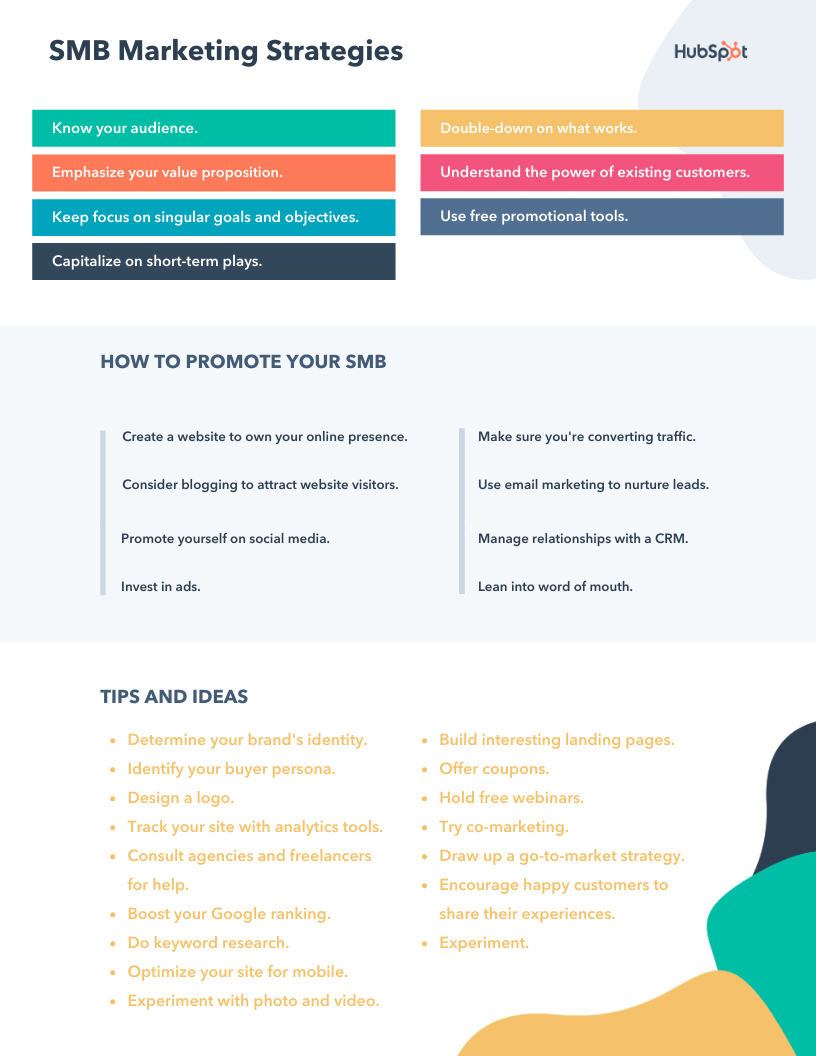
You probably have a long road ahead to build your online presence, but any steps you can make will have a huge impact on your business. Some things like blogging definitely take a few months to start kicking in and sending you traffic, but social media accounts and posts can have immediate effects.
Editor’s note: This post was originally published in July 2019 and has been updated for comprehensiveness.

The 13 Best Marketing Automation Software Tools Available to You
A majority of businesses are using some form of marketing automation nowadays — in fact, studies cite around 51% of businesses currently use the technology, and that number continues to grow.
According to a 2018 Forrester report, 55% of marketing decision-makers plan to increase their spending on technology, with one-fifth of the respondents expecting to increase by 10 percent or more.
All of which is to say — if you’re not using marketing automation software in 2019, you might want to reconsider.
Despite the necessity of automation software, it’s a complicated space, full of different software solutions with various features, and use cases.
What is the best marketing automation software?
Some platforms only offer email actions, drip sequences, and CRM updates. Others may help with lead scoring, sales lead rotation, SMS, and more.
A more niche product may be better for SMB and B2C environments, but B2B and enterprise may need a platform with wider capability. Here are some key areas to consider as you evaluate marketing automation software products to choose the one that’s right for you:
Ease of Use
Automation isn’t a simple thing to implement as it is, so make sure the interface of the software will work with you, not against you. See if you can find screenshots of the UX so you can determine if it looks simple and easy to navigate.
Analytics and Reporting
You’ll want to be able to measure the success of any drip campaigns you have running, so your automation software should be keeping track of the metrics that matter most to you.
In B2B and enterprise environments with many stakeholders, you may also need advanced reporting abilities such as personalized dashboards or automatic reporting via email.
Support
“I wonder if my software has the capability to…”
As you explore the benefits of marketing automation, you will end up thinking this one day. Automation can be technical, so look for providers that have robust knowledge bases, tutorials, and other customer support options.
Limitations
Some automation software platforms may limit the number of actions in a month or the database size you’re allowed.
Going into any evaluation, know how many contacts you have, how many emails you send on average, and what you want the software to accomplish. This will prevent you from underestimating the cost of your automation software.
Pricing and Scalability
If automation’s benefit can be summed up with one statement, it’s this: It will make you more efficient so you can focus on the tasks you enjoy and that have the highest return. With that in mind, you’ll want to evaluate price as you consider capability.
For SMBs and B2C organizations focusing primarily on email, a scaled-down system might be sufficient. However, with more advanced needs, enterprise (and thus higher ticket) software is more cost-efficient in the long run.
Be sure to choose a provider that’s reasonably priced but can also grow with you as your needs change. After all, reducing bloated operations is critical to scaling effectively.
Integrations
How well does the marketing automation software play with your existing stack? Integrations allow you to manage data and get more from your tools.
Here, we’ve cultivated a list to help you sort through your options and feel confident choosing the best marketing solution for you and your team.
Best Marketing Automation Software
- HubSpot Marketing Automation
- ManyChat
- Omnisend
- Ontraport
- SendinBlue
- ActiveCampaign
- Prospect.io
- InfusionSoft
- Autopilot
- Marketo
- GetResponse
- Drip
- Mautic
1. HubSpot Marketing Automation
HubSpot’s marketing automation functionality is one of the most powerful tools in this list in terms of features. It’s also one of the most popular in terms of customer sentiment, occupying the upper right portion of the G2 Crowd quadrant:
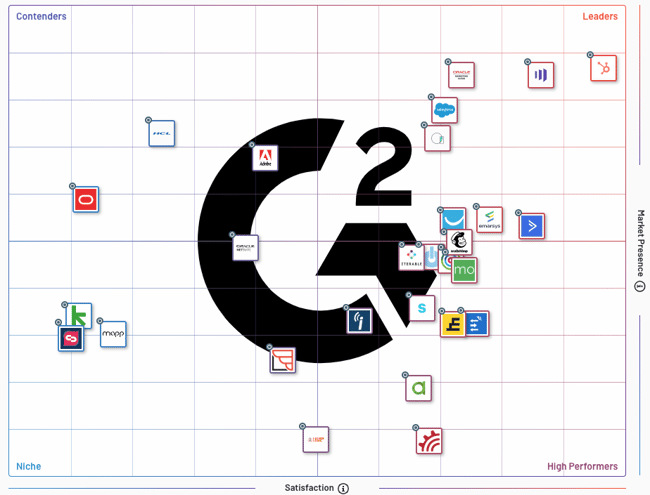
Of course, HubSpot has a full growth suite that includes sales software, marketing software, and support software, which all integrate automatically with HubSpot’s CRM. The combination effect of having all of your data and growth activity in one place can unleash tons of creative automation possibilities that would be difficult or impossible if you use separate tools.
As a standalone, HubSpot’s marketing automation functionality includes an easy-to-use visual board where you can craft simple or highly sophisticated conditional workflows:
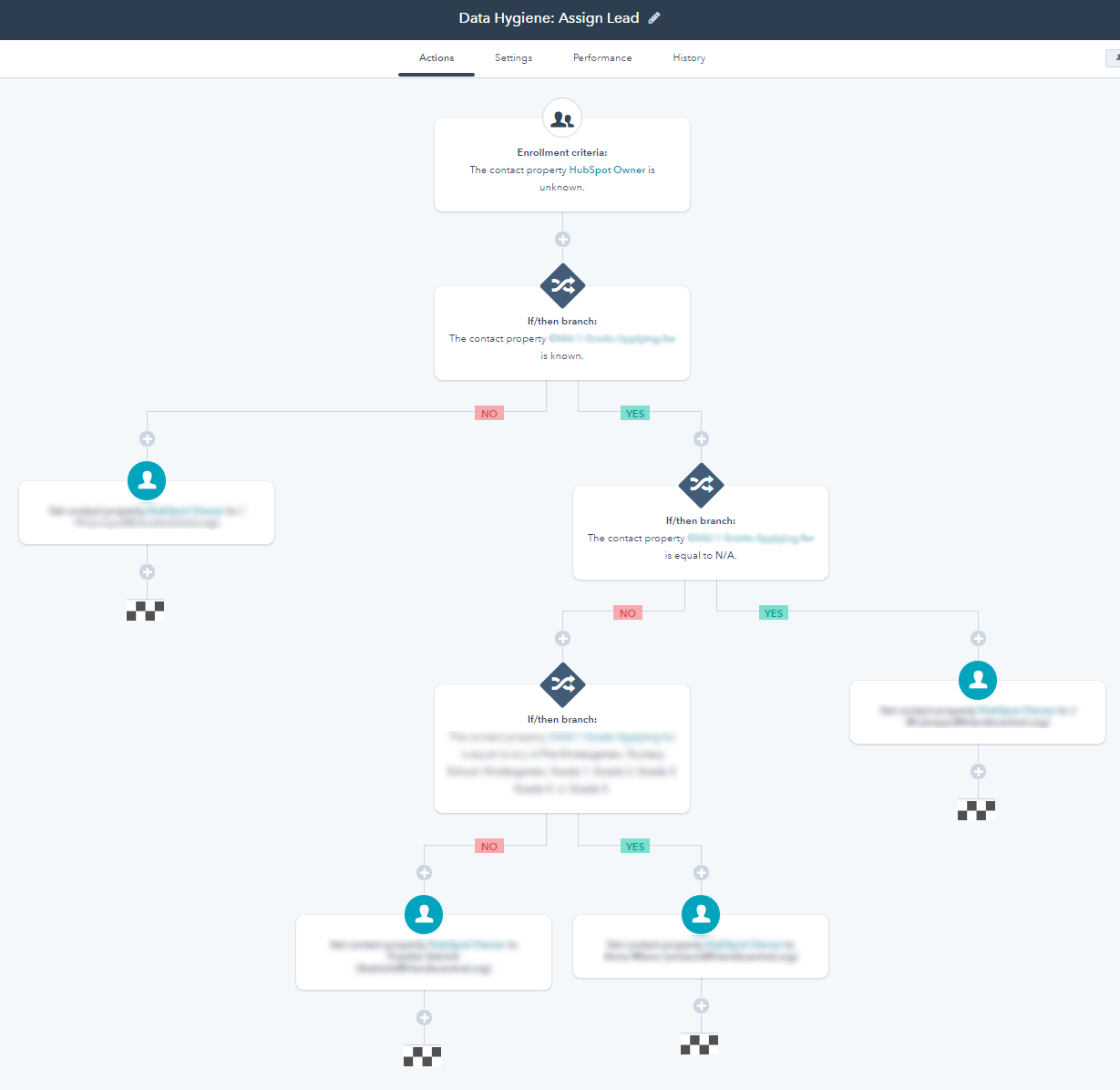
It can take time to master the tool (you’ll scale-up more quickly with the help of HubSpot Academy), but once you get a grasp on it, the creative possibilities are endless. You can set up simple email list autoresponders, or build a smart and complex network of rules designed to target specific users with the exact right email, live chat, website experience, and more.
Basically, the workflows tool is automation beyond email, so you can scale your growth and spend less time on repetitive tasks.
2. ManyChat
Marketing automation isn’t just about email. Imagine automating some of the more repetitive conversations on other platforms. ManyChat functions as a chat bot that can do just that on Facebook Messenger and through SMS.
A bot can be built in minutes with their templates and easy-to-use interface with drag-and-drop capability. In addition, the information you learn about your users can be synced to your CRM and other tools.
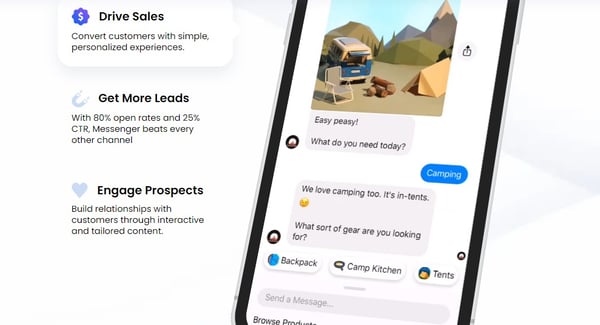
3. Omnisend
Omnisend is an omnichannel marketing automation platform built for ecommerce. Offering powerful automation workflows, you can get started quickly with pre-built templates that keep online merchants in mind.
With Omnisend, you can add several channels within the same automation workflow: email, SMS, Facebook Messenger, push notifications, and more. Omnisend also uses a user-friendly WYSIWYG visual builder and templates which make creating workflows, forms, landing pages, popups, and emails quick and easy.
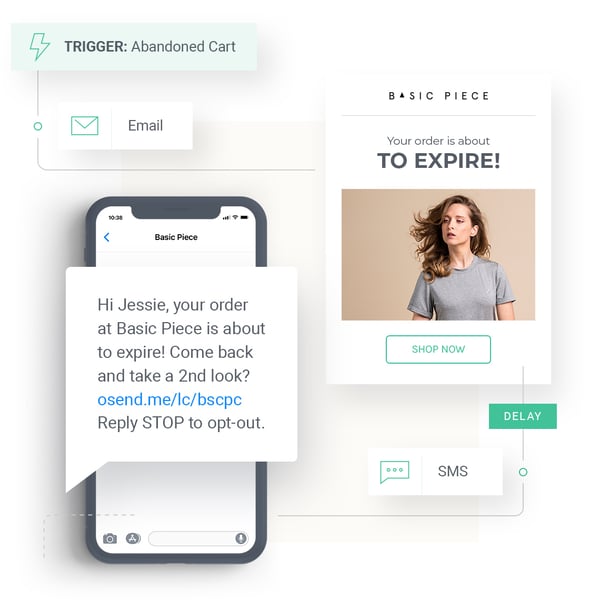
Omnisend offers a free plan for basic email marketing, and three paid plans with various features that scale across them. However, medium to larger sized merchants will likely get the most out of Omnisend’s channel management features.
4. Ontraport
Ontraport is a business automation software for entrepreneurs, solopreneurs, and small businesses.
While they have a CRM and marketing automation functionality, they also have several other features to run and grow a small business, including but not limited to:
- Email marketing
- Landing pages
- Reporting
- Ecommerce
One of the most valuable things Ontraport offers is their focus on reporting and insights. While some tools can be a bit of a black box, Ontraport gives you a clear look at the performance of your campaigns.
5. SendinBlue
SendInBlue started as a digital agency but ended up building quite a powerful email marketing tool, which, with time, transformed into a well-liked marketing automation software.
They have some advanced features, such as their reporting and lead scoring. Additionally, SendinBlue offers a pretty impressive free plan, which includes basic marketing automation functionality, phone support, and up to 300 emails per day.
You can also run SMS campaigns from SendInBlue.
6. ActiveCampaign
ActiveCampaign is an integrated email marketing, marketing automation, and small business CRM.
The strongest point of ActiveCampaign is their powerful and flexible marketing automation functionality. It’s one of the most comprehensive solutions on the market. Their deliverability is rated as one of the top on the market, as well.
This probably isn’t a good tool for beginners, or those with low technical capabilities. It takes a bit more time and effort to learn — but when you do learn the platform, it’s pretty powerful.
7. Pardot
Pardot, part of the SalesForce empire, is a cloud automation solution that mostly serves enterprise clients that have the technical resources and time to learn the platform.
They have a ton of features to automate communication to existing contacts, from CRM integration to email marketing, lead nurturing, lead scoring, and an ROI reporting functionality to make sure your campaigns are working.
You can track all interactions on your website and build predictive lead scoring based on the parameters you set. All of this helps improve marketing efficiency and remove wasted time and effort from your sales team.
It’s important to note, Pardot is a powerful enterprise, but lacks lead generation functionality and may not be as accessible or affordable for smaller businesses, or entrepreneurs.
8. InfusionSoft
InfusionSoft (now Keap) has been around for a while (15+ years, I believe) and has helped thousands of marketers deliver on leads, revenue, and customer acquisition targets.
They really flourish in the small business and solopreneur crowd, and in my experience, I’ve noticed they have a pretty sophisticated user base.
You can set up relatively complex decision trees depending on which lead magnet someone signs up for, how many (and which) emails they open and click, or other contact property data.
9. Autopilot
Autopilot is one of the most visually appealing marketing automation solutions on the market.
They make an email marketing, messaging, and automation platform, and they bill themselves as the easiest marketing automation platform to use. As mentioned above, their visual editor is clean, easy-to-understand, and frankly fun to use.
Of course, their platform is typically used for more sophisticated messaging and targeting, but you can also create a simple autoresponder based on a time-sequence.
10. Marketo
Marketo has been around for a while, and was recently acquired by Adobe and incorporated into their enterprise marketing cloud.
The Adobe integration means that, if you use Adobe Analytics for data measurement and Adobe Target for experimentation and personalization, you’ll have a powerful enterprise marketing automation and optimization suite.
The tool is typically geared towards enterprise customers — it’s a bit out of range for most small business owners.
11. GetResponse
GetResponse is a marketing automation software that has many different layers and features. They start out very affordably, at around $10 per month (which includes basic autoresponders and a list size of 1,000), but their more expensive plans include powerful features like:
- Email marketing
- CRM
- Landing pages
- Autoresponders
- Ecommerce tools
- List building tools
GetResponse is easy-to-use and you’ll typically find good results from the tool, although it works best with the simpler features, like email newsletters. It can become trickier to work with the platform if you plan on implementing complicated conditional logic and marketing automation.
12. Drip
Drip is one of the few marketing automation tools in this list that is primarily focused on e-commerce marketing automation. They provide one of the more “open” platforms, claiming that they play well with “pretty much any marketing strategy you want to put in motion.”
Additionally, email is one of their strengths. Some email marketing and automation features include:
- Email Builders
- Automation Workflows
- Multi-channel Marketing
- Email Campaigns
- One-off Emails
They also excel in personalization and analytics. Overall, Drip is a powerful tool for e-commerce marketing automation.
13. Mautic
Mautic is the only open-source marketing automation platform in this list. It’s also a relatively new player, only founded in 2014. They’ve grown quickly, though, and are seemingly picking up steam with high tech companies.
Currently, over 200,000 organizations use Mautic.
There are tons of options for marketing automation software. It’s all about choosing the right one for your business purposes, budget, and technical expertise.
Want something incredibly powerful and limitless? It may end up costing more, and taking time and effort to learn. The cheaper options, by comparison, might have too limited a scale. Ultimately, it’s a trade-off.
Editor’s note: This post was originally published in April 2019 and has been updated for comprehensiveness.

Where and How Often Do Consumers Watch Live Video? [New Data]
By 2027, the live video market is expected to surpass $184 billion. And brands are taking notice.
By the end of 2018, marketers were using live video as part of their social media strategy. Since then, this number has likely grown as brands continue to use a number of online platforms to stream virtual events, Q&As, and other content that their audiences will value.
Although brands are jumping on the live video bandwagon, you might still wonder if live video is really worth investing in. After all, creating any video costs your company time and money. Additionally, measuring the ROI of a live video can be tricky.
Before you decide to implement live video planning and production into your strategy, you’ll need to learn more about this content’s consumers, how often they watch this content, and which platforms they primarily use to stream it.
Learning about your prospective audience’s live video behaviors will allow you to consider a strategy that offers them valuable content while meeting them on the platforms they’re already on.
To give you insight on how often and where general internet users watch live video, I conducted a survey of more than 400 people using Lucid software. In the survey, I asked two questions: “How often do you watch live videos?” and “Where do you watch live video most often?”
How Often Consumers Watch Live
When I asked consumers how often they were watching live video, I didn’t expect a large percentage to say they were consuming it more than once or twice weekly. As a marketer and social media user, I was expecting that only a few people would regularly stop everything and devote time to watching streams on fast-paced online platforms.
However, when I looked at the results, I was surprised by how frequently consumers were actually watching live videos.
According to the data, 57% of those surveyed watch live video at least three times per week, while only seven percent said they never watch live video.
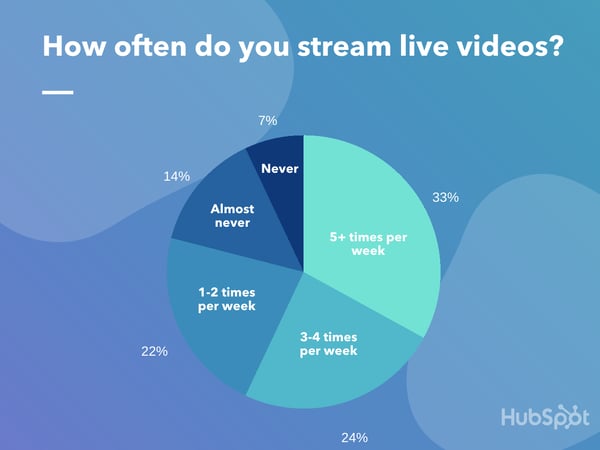
While the result above is fascinating to think about, you should keep in mind that this is just a survey of one small group of consumers rather than a representation of the global internet user population. Additionally, just because our pool of consumers regularly watches live content, this doesn’t necessarily mean they’re watching branded content.
Although you should take this result with a grain of salt, the data above, combined with mounting research that shows how live video is growing, signifies that this format might be more than just a trend. .
Although you should consider your budget, audience, and the time involved in a live video strategy before your create or plan content, this result indicates that you might want to keep this tactic on your radar.
Where Consumers Watch Live Video
Now that you know live video is capable of generating solid viewership, you might be wondering where the best place to stream your first video actually is.
You’ll want to pick a platform with a high user base, but you’ll also want to make sure that the site you choose has an audience that aligns with the audience you want to engage with..
When you start by picking the best platform for your brand and audience, you can learn what it takes to be engaging on this site, and adapt your content from there.
But, simply choosing a platform can be easier said than done.
At the moment, almost all of the top social media platforms — including Facebook, YouTube, Instagram, Twitter, LinkedIn, Reddit, and now even TikTok — have live streaming features. Additionally, emerging platforms like Twitch.tv have gained notoriety for primarily hosting live content.
To help you identify a few platforms worth looking into, I asked the same Lucid participants. “Where do you watch live videos most often?”
While the results about how often consumers watched live video surprised me, I wasn’t as shocked when I discovered where they were watching their content.
The platforms with the biggest audiences, and the most mature live streaming tools, took the lead. These platforms were YouTube (48%), Facebook (20%), and Instagram (13%).
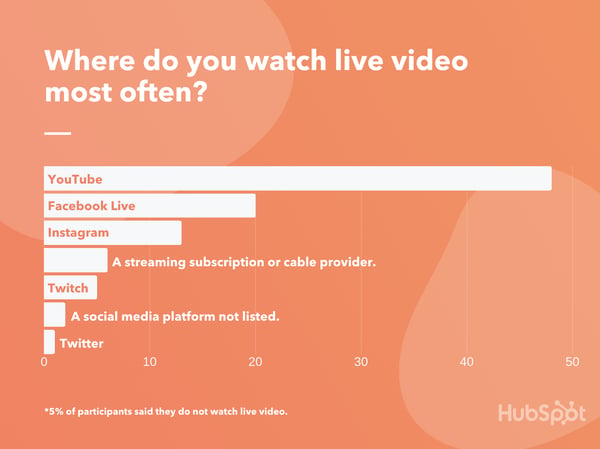
One thing that did surprise me was that fewer people were viewing live videos on Twitter. Although the platform isn’t primarily known for live streaming, Twitter’s company was one of the first to invest in it with the 2015 acquisition of Periscope.
Although some platforms were less popular than others in this poll, you shouldn’t necessarily rule them out. For example, if your most engaged audience is already on Twitter, or your followers love your B2B content on LinkedIn, you could consider testing those platforms first since you might already have a great sense of what those audiences will engage with.
Or, if you’re selling a B2C product, you might want to focus on the bigger, broader networks like Facebook or YouTube since they have a large range of audience demographics.
As you plan your next live video event, here’s a look at what other brands are doing on popular live video platforms.
The Top 3 Platforms Consumers Use to Stream Live Video
1. YouTube
As the world’s second-largest search engine, YouTube’s more than 2 billion-person user base is incredibly broad. This means that almost anyone will log on to YouTube and search its content for a number of different reasons.
Aside from being one of the oldest and biggest online platforms out there, YouTube’s also offered a live stream feature, called YouTube Live, since 2011.
YouTube Live allows users to broadcast live content to viewers. With this live video feature, you can share unfiltered moments, as well as allow the audience to participate with real-time comments and reactions. Live videos on YouTube are recorded, appear on profiles and feeds like any other video upload, and can be watched even after the stream has ended.
Below is a great example of a live video launched by Adobe as part of its Sketch Party series. During each Sketch Party stream, Adobe films a graphic designer sketching or designing something with Creative Cloud software, such as Adobe Illustrator. While the artist is sketching something visibly on screen, they read comments and answer questions from viewers.
This stream allows Adobe to engage with audiences, highlight the raw talent of graphic artists, and show off how its software works at the same time.
2. Facebook
Today, more than one-quarter of videos uploaded to Facebook are live. This, plus the fact that one in five of the consumers we polled watch videos on Facebook Live most often, show that this platform might be incredibly useful for live video strategies.
Like YouTube, Facebook has the benefit of having a giant global audience that represents different ages, interests, and cultural backgrounds. While this broad audience has allowed B2B and B2C brands to effectively grow audiences on the platform, many companies have also developed successful Facebook Live tactics, too.
In the branded Facebook Live example below, a clothing store called By Alexa Rae Boutique highlights some of the clothing products that can be purchased from the store’s website.
The video is formatted like a show you’d see on the Home Shopping Network as the host shows each clothing item to the camera, explains the perks of each, and notes when items are close to sold out to encourage urgency
3. Instagram
According to our survey above, 13% of people say they watch live video on Instagram most often, making it the third most popular live platform among the group we surveyed.
Instagram has been rising in popularity for years, especially to millennial and Gen Z audiences. The success of the overall app is due in part to Stories, live video, and IGTV.
Instagram’s Live feature allows you to film streams that show up in your following’s Stories feed for 24 hours before disappearing.
These videos are often filmed vertically, but have similar features as YouTube Live. For instance, those recording live video are able to see and respond to questions from viewers.
Before putting time and effort into creating an Instagram Live video, it’s important to keep a few things in mind.
First of all, although Instagram will show followers that you’re live through the Stories feed and via app notifications, the live symbol — as shown above — can be very subtle and easy to miss. This is unlike Facebook, which might prioritize a live video on your followers’ News Feeds.
Another thing to note is that your content will disappear within 24 hours. However, you can send your pre-recorded streams to the IGTV tab of your profile when you’re done with them. Although these videos would no longer be live, presenting them on IGTV might get them more additional views after they’ve aired.
Non-verified users can post a video between 10 seconds and 15 minutes to IGTV, while users who are verified or have more than 10,000 followers can publish videos or streams up to one hour long to this tab.
At this point, a number of brands have already gone live on Instagram and later added this content to their IGTV tab. Below is just one example of a live post that was later shared on IGTV. In the video, a representative from Providence, R.I.-based Bolt Coffee walks viewers through how to brew iced coffee with the brand’s products:
Other Platforms for Live Video Streaming
While Twitter allows you to connect with friends on its social network, many use the platform to follow news, trends, and topical discussions. This is why a large portion of the live videos you’ll see include news coverage, video of current events, or someone discussing a hot trend.
Despite much of the live video being dedicated to news or trends, some brands have experimented with streaming content on Twitter. One example of a brand that’s done this is Coinbase — a platform for storing and selling cryptocurrency. In a recent live stream, Coinbas’s CEO did an AMA — or Ask Me Anything — session where he answered questions submitted live by users.
I did a live AMA yesterday answering people’s questions on Twitter/YouTube https://t.co/Ifq7naVlA6
Let me know what you think. Maybe next time can add someone else from the Coinbase team, make it more conversational. Or just walk around the office and chat with folks!
— Brian Armstrong (@brian_armstrong)
April 4, 2019
Although Twitter owns Periscope, a live video streaming app, you can go live directly through the Twitter app. To do this, tap the “Compose” button, then tap the “Upload” icon which looks like a camera. Once you’re in camera mode, you can toggle from “Capture” to “Live” mode.
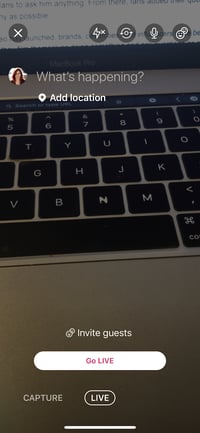
If you want to add a second video box where other Twitter users can stream with you at the same time, tap the symbol with two smiley faces in the upper right hand corner to invite guests.
Before you go live on Twitter, you should keep in mind that the platform doesn’t center around live video. While it algorithmically might show your content in a followers’ feed, Twitter does not have a specific home for past-recorded live videos like Facebook Live or YouTube Live does. This means that to see your video after it’s streamed, users will have to go to your profile or search for it.
You should also note whether one of the other platforms above might be better suited for your audience targets. While Twitter does have a large audience, consumers — such as those who took our survey — might think of Twitter as more of a general social media network rather than a live video platform.
While Reddit was later to the game by launching live video in 2019, brands have still leveraged it quite a bit to engage with the platform’s niche communities, or subreddits.
One way brands have leveraged live streaming is by hosting live AMAs with celebrities, company leaders, or thought leaders. The AMA format originally started as text-based discussion threads in subreddits. For example, to promote Microsoft and his non-profit organizations, Bill Gates has published a number of threads in technology-related subreddits that asked his fans to ask him anything. From there, fans added their questions and he tried to answer as many as possible.
Since live video launched on Reddit, brands have re-formatted traditional AMAs into video streams. For example, Audi recently posted a series of live streams called “Think Faster.” In each live stream, celebrities sped around in one of Audi’s newest cars while answering Redditor questions. Here’s a screenshot from one of the events which featured actress, Olivia Munn.
Twitch.tv
Twitch is one of the newest platforms on this list. However, the live-streaming site has notably gone viral as video gamers have been using it to stream their sessions.
But Twitch isn’t just for gamers anymore. At this point, a number of marketers and brands have identified ways to leverage the platform.
One major brand that won a Clio for its Twitch-based campaign was the fast-food chain, Wendy’s. In 2019, a mission set in the popular video game Fortnite, told players to harvest beef and place it in freezers of nearby restaurants to collect coins.
Because Wendy’s claims to sell, “Fresh, Never Frozen Beef,” its marketing team decided to launch a nine-hour Twitch stream where a Fortnite avatar dressed like Wendy ran around the video game attempting to destroy freezers. As a Fortnite player, you could join Wendy and help her smash the appliance.
According to the Clio sizzle reel, the Wendy’s stream began to go viral as more people logged in to watch and post in the comment thread. Gamers also began to start attacking freezers to help Wendy’s avatar.
Building a Live Video Strategy
Although live video might seem like a great opportunity to engage with your audience, it still could cost time and money to plan and produce. Like any marketing strategy, you’ll want to research the tactic before diving into it.
As you determine if live video is right for you, and identify the platforms you’ll experiment on first, it’s important to lay out what goals you’ll want to achieve with the content.
For example, if you’re interested in pulling in views or awareness from broader, more general audiences, YouTube or Facebook might be the perfect live platforms for you. Or, if you’re interested in pulling in a younger audience, you might want to consider Instagram, which has a slightly younger audience.
To help you learn more about the live video platforms and strategies out there, check out this list of live video stats.
Editor’s note: This post was originally published in June 2020 and has been updated for comprehensiveness.

How to Promote a Virtual Event, According to HubSpot Marketers
In 2020, as brands adapt to remote work, they’re also learning how to shift their in-person events to online-only programming.
When you surf the web on any given day, odds are you’ll see at least one social media post, email, video, or stream that promotes or covers an online event.
And, although some brands might be temporarily shifting their event tactics, this new adjustment has allowed companies to identify some of the great perks to online events. For example, unlike physical events, virtual events, such as live streams or webinars, enable your brand to gain awareness from international audiences, period.
At this point, it seems like online events aren’t going away anytime soon. But, with the popularity and necessity of online events in 2020, the landscape has become quite competitive. For any given event, there are a handful of competing webinars, live streams, or Q&As that discuss similar topics.
If you’re one of the many brands switching your in-person events to a virtual, how do you promote them to keep attendance up? And, in a sea of virtual events now being promoted all at once, how do you stand out?
HubSpotters Tell All: How to Promote Your Virtual Event
To answer those questions, I spoke with a handful of HubSpot marketers who have experience in these tactics. Here are their five go-to tips.
1. Be clear about what the audience will see.
Setting expectations about what your in-person event will entail is always an important promotion tactic, but it becomes especially important when you’re promoting a virtual event.
“Set expectations! Not all virtual events look the same and your audience likely wants more details on what they will get,” says Juliana Nicholson, the program manager of HubSpot User Groups.
“Will the audience be able to ask live questions? Is their camera going to be on? Is this event tactical or more high-level?” Nicholson asks. “Set the stage to make sure the right people are registering for your event, and then feeling satisfied with the experience they have when they show up.”
Aside from explaining what will happen at your event, Clara Landecy, an associate marketing manager in our Dublin office, notes that you should also send emails or messages to remind registrants of why they signed up for it in the first place.
“Have a strong purpose or “why” to the event,” Landecy says. “Leverage the ‘why’ in reminder emails about the event to remind people why they signed up in the first place.”
Reminding registrants why the event might be valuable to them will refresh their memory about it and increase the likelihood of them showing up to it.
2. Leverage co-branded opportunities.
Co-branding, also known as co-marketing, is another common and effective marketing tactic that also works well for virtual events. The strategy involves partnering with another brand or sponsor to create the event and jointly informing your audience about when and where they can attend.
“I’m a big believer in co-branded webinars,” says Emily Raleigh, Senior Marketing Manager of Brand & Strategic Partnerships. “We’ve seen major success in promoting live and virtual events with a three-pronged partnership approach: a brand partner, a community partner, and HubSpot for Startups.”
With this three-pronged approach, Raleigh says, “the brand partner adds credibility and can help us get some great speakers for the event. The community partner helps drive attendees because they have deep connections in the specific ecosystem we are targeting and our end-user trusts them, so if they say an event is worth their time, they are very likely to go.”
Another marketer who echoed this sentiment was Henni Roini, an EMEA marketing manager.
“If you have speakers from other organizations, make sure to ask the thought leader or brand to promote the event — or their session — on their channels,” Roini says.
Aside from asking brands affiliated with your event to market it on their channels, you can also incentivize event marketing through a lead-share agreement. A lead-share is when you allow a brand you co-market with to get the same list of leads you’ve gained from a co-branded event or campaign.
“A lead share will motivate your event partner to drive registrations. This will not only increase sign-ups, but you’ll likely be left with a lot more net new contacts,” says Roini.
3. Enable speakers and employees to promote your event.
Aside from working with other brands to promote your brand, don’t forget all of the individuals who can help too. These people could include speakers, those in your network, and your company’s employees. The more people post about an event, the greater the word of mouth marketing will be.
While you can simply ask your employees, colleagues, and speakers to share a link to the event signup page, it helps to go a few steps further and send them assets such as images, videos, tracking URLs, and coverage of the event to encourage a variety of different promotions and enable them to share it quickly.
“Whoever the speakers are, internal or external, offer them assets that they can use to promote their session. This will make them way more likely to go ahead with the promotion,” says Roini.
Aside from providing assets to your team and speakers, you can also create incentives, such as contests, which reward individuals for solid event promotion.
“If you’re able to create a buzz around the event or incentivize employees to promote the event, it’s a win-win for everyone,” Roini shares. “If you really want to invest in employee advocacy, there’s a ton of great software to automate the process.”
4. Segment event invitations for different audiences.
While a marketing executive might want to attend your event for one reason, a new hire at a company might be attending the event for another reason. If your event will touch on a number of broad topics, consider segmenting your marketing tactics by different groups and demographics.
One area where audience segmentation could be easy and effective is email marketing.
“If you’re planning on doing an email promotion, ask yourself, ‘Is the value proposition the same for the whole list?’ if not, you could segment and personalize the emails to better highlight the value this event is bringing to different groups of people,” Roini advises.
5. Track your promotional tactics.
Whenever you need to use time or resources to promote an event, you’ll want to track the results of your marketing tactics.
Why? If one time-consuming promotional tactic falls flat, while another simple strategy yields signups, you can embrace the stronger strategy to promote upcoming events.
To learn which tactics work best, Roini suggests using a number of tracking URLs to isolate where signups or event-related traffic came from.
“When you ask employees, sales, event partners, or anyone else to promote the event, ask them to use UTM links or otherwise make sure that you’re able to track the registrations. This will help you to determine where you should put your efforts the next time,” Roini explains.
Creating a Marketable Virtual Event
Promoting an online event is similar to marketing a physical event. However, there are a number of key differences. While you might be able to promote an online event to a broader audience than a physical event, you’ll need to remember that the online event landscape is competitive.
Even if your event is helpful and informative, there might still be a dozen similar events that offer similar content.
Additionally, while the goal of promoting a physical event is to get audiences to buy a ticket, the goals of most online events involve getting people to sign up for the event, reminding them to tune in, and getting them to follow calls to action — such as purchasing a product — after the event.
Since many online events are affordable or free, getting someone to sign up and watch the event without being locked in to a ticket purchase might take more time and effort.
Ultimately, the goal of promoting an online event is to highlight and remind audiences of the whos, whats, hows, and whys behind it. Noting these factors in your marketing will not only show audiences how and why it will value them, but it will also separate your event from those that might be similar.
Even in the event’s planning stage, thinking about how you will promote it could help you create a marketable virtual experience worth attending.
For example, if you choose well-known thought leaders to host an event, that will boost your promotional results and the success of your event. Or, if you take on a co-branded event, the content will be marketed to two audiences — rather than just your own.
For more tips on coordinating and planning a virtual event that people will actually want to attend, check out this helpful blog post.
Editor’s note: This post was originally published in June 2020 and has been updated for comprehensiveness.

How to Run a Successful Virtual Event [+ Examples]
Nowadays, plenty of business is done virtually.
For instance, you might begin your morning by answering emails and editing a colleague’s blog post via Google Doc. Your colleague is working from home today, so you Slack him to let him know when the piece is ready.
In the afternoon, you have a 1:1 via Zoom with your remote manager.
Then, around 4 PM, you log into a company’s webinar to learn more about Social Media Marketing in 2020. The webinar has a panel of experts, and you’re able to download the recorded webinar later for future reference.
Undoubtedly, online tools and experiences are an integral part of a modern marketer’s role.
However, there is one aspect of business that seems, until recently, almost entirely untouched by virtual experience: conferences.
Our historic mindset around conferences is that we board a plane to a conference, bring our business cards, and prepare ourselves for a week of keynote speakers, breakout sessions, and networking events that enable us to spread the word about our own products and services, while collaborating with other marketers who might have useful tools or suggestions of their own.
In 2020, there will likely be a rise of virtual conferences. Here, let’s explore the benefits of virtual conferences, take a look at some examples of successful virtual conferences to inspire you, and check out a few tools that can help you plan your own.
But first — let’s talk about why virtual conferences can benefit your business in the future.
Virtual Conference Benefits
There are plenty of major benefits to hosting a virtual conference.
For one, it can lower the price of admission, enabling smaller businesses with limited budgets to purchase tickets to your conference and offer their own unique insights.
It also lowers the cost your business would have to pay for conference space, on-hand staff, catering, security, and much more.
Additionally, it allows people from across the globe to interact with each other without needing to spend exorbitant amounts on flights and hotels. Imagine how much easier it is for marketers from India, Ireland, Australia, and the U.S. to collaborate virtually, rather than trying to gather in-person.
It also may help you attract high-demand speakers who don’t have the time to commit to an in-person conference, but are happy to share industry takeaways via a quick video call or pre-recorded presentation.
Additionally, an online conference enables you to create a product — recordings from your conference — that you can continue to share and use as a lead generation tool for months and years after the initial live launch.
And, finally, there’s the obvious: sometimes unforeseen circumstances can make in-person conferences in certain locations simply impossible.
Emily Raleigh, HubSpot’s Marketing Manager of Brand and Strategic Partnerships, provides some advice if you suddenly find yourself shifting your in-person event to a virtual one: “If you are shifting from a live event, try to add extra value to the viewers who are now tuning in online. Do an extra session. Offer more Q&A time. Give an extra special offer. Find creative ways to add extra delight moments.”
Additionally, Raleigh mentions, “Virtual events can easily lose one of the best benefits of live events: human connection. To mitigate that, keep the event engaging and get the audience involved.”
Now that we’ve explored a few benefits, let’s dive into tools that can help you create your own virtual conference.
Virtual Conferencing Tools
1. Hopin
Hopin is an all-in-one platform for planning online conferences, offering everything from a virtual reception to breakout sessions, a mainstage, and networking events.
The networking tool is particularly helpful, with a timer you can set for each attendee to mingle with another for just a couple minutes before moving onto the next conversation (and, if the conversation goes exceptionally well, they can click “Connect” to receive contact information of the other attendee to follow-up later).
Your event can include both webinars and live-streams, and a Live Chat function enables attendees to ask questions in real-time. Additionally, attendees can use virtual booths to promote their products or services, and offer discounts as well.
2. Whova
The Whova Event App has been a leader in attendee engagement and networking since 2014. For four years in a row, Whova has received both the Best Event App award and the People’s Choice Award from the Event Technology Awards.
Event organizers can use Whova to help make online events highly interactive, fun, and productive before, during, and after the event. The tool directly integrates with live streaming and video hosting tools such as Zoom, Google Hangout, YouTube, Vimeo, etc. It also provides live Q&A, attendee networking, a discussion board, meeting-matches, a virtual exhibitor hall, and even virtual meet-ups.
Many organizers provide access to the Whova app prior to their events to let attendees virtually socialize and discuss various topics, one-on-one or in virtual groups, making everyone feel more connected by the time the event comes around. Every attendee has a professional profile, allowing them to find others with whom they have common interests. The ice breaker and in-app chat, in particular, make it fun for strangers to get to know one another on a personal level and communicate with both new and old friends.
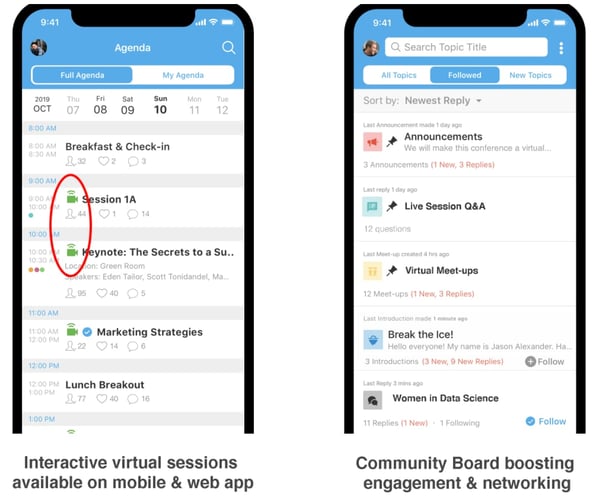
3. Run The World
Run The World is an all-in-one online conference platform with tools for livestream talks, discussions, and panels — additionally, Run The World ensures the social aspect of your virtual event is not lost, with a virtual “cocktail party” option, and an algorithm that matches attendees with other like-minded individuals based on questionnaires they fill out prior to the event.
Run The World is accessible to a variety of small and large organizations, including non-profits, startup and enterprise businesses, and individual experts who’d like to host online workshops or bootcamps.
Alternatively, if you don’t have the budget for a virtual conferencing tool or simply don’t need much more than a simple video and mic, you might consider video call tools like Zoom, Google Hangouts, or ezTalks.
Examples of Virtual Conferences
1. Game Developers Conference
The 2020 Game Developers Conference (GDC) switched its in-person conferences to streaming recorded versions on the GDC Twitch channel. The conference will still have ceremonies for The Independent Games Festival (IGF) and Game Developers Choice Awards (GDCA), and will stream session content starting 9 AM PT daily, March 16-20.
The GDC has a well-organized itinerary posted on their website, with breakout sessions led by influencers and experts in the Gaming industry.
Additionally, you’re able to pause Live sessions if you’re interested in watching at a later time, and the GDC has included “Recommended Channels” with headcounts on the left side of the screen. With some sessions evoking over 30,000 viewers, it’s safe to say the GDC has successfully launched a virtual version of their initially in-person event.
2. HubSpot’s Partner Day
On April 7-8, 2020, HubSpot launched its own virtual Partner Day. The Partner team used Zoom, a popular video conferencing tool, and sent each presenter a “video kit” with a mic, camera, lighting, and backdrop, so that participants could experience an optimal viewing experience from each of the day’s virtual speakers. Additionally, attendees used Zoom to network with other partners.
I spoke with Arden Brust, a Manager on HubSpot’s Partner Marketing team, to learn about some challenges you might experience when planning a virtual experience of your own.
Brust told me: “When planning an online event, it’s critical you remain flexible and open-minded. With a virtual event, you run the risk of technology issues, as well as scheduling issues you might not have considered if you had everyone in-person (including timezone issues). To combat this, continue to iterate with your team and plan on pivoting — don’t get too attached to plan A that you don’t consider how plan B might work out better.”
3. How I Built This, by Women In Product
With the help of the Run The World virtual conferencing tool, the non-profit organization Women In Product launched an entirely virtual event March 7-8, 2020. The Women In Product conference included participants from China, India, Canada, and Silicon Valley.
The conference featured 10 speakers who’ve built successful products — including the Director of Product at GoDaddy, a PayPal Product Lead, and a Senior Product Manager at Ebay. The virtual event included fireside chats, keynote speakers, and networking events that enabled women to hear about the challenges and successes of product launches in different markets.
4. Webinar Mastery Summit
Jon Schumacher had hosted webinars online for a while with minimal results when he launched the Webinar Mastery Summit, a virtual conference for people who wanted to advance their webinar skills.
His first virtual summit featured 25 experts, and generated 7,000 new email subscribers and over $55,000 in revenue with his All-Access Pass sales. With All-Access, his participants receive lifetime access to 17 expert video sessions, full MP3 recordings of all sessions, three months of course creation software, and access to a private community for additional networking.
Ultimately, with virtual conferences, you’re able to create recorded packaged content for future lead generation and sales even after the initial live launch — something in-person conferences, for all its networking benefits, is unable to do.
5. HubSpot User Groups (HUGs)
Meghann Keogh, a HubSpot Marketing Manager in charge of HubSpot User Groups and Events, has experienced circumstances in which she found it necessary to cancel in-person events and create virtual ones, instead. Keogh told me she’s hosted virtual HUGs events for San Francisco, NYC, Berlin, London, Helsinki, Paris, Bogota & Mexico City.
Additionally, she’s created virtual fireside chats, including an upcoming one with CEO & Co-Founder Brian Halligan & Christian Kinnear, VP of Sales & Managing Director EMEA.
When asked how to run a successful virtual event, Keogh told me — “Whether in-person or virtually, people are hungry to connect. The feedback we have received so far has been extremely positive. It’s not just cities that are connecting, it’s countries.”
“What’s made our virtual events a success so far? Our amazing speakers who inspire, educate, and innovate our HUG communities.”
Keogh adds, “We’re committed to bringing relevant content to our HUGs, whether that’s in-person or virtually. We want to make sure our communities still have that chance to engage with one another, and we’re devoted to making that happen.”

The Product Owner in Scrum: Responsibilities, Certifications & Tools
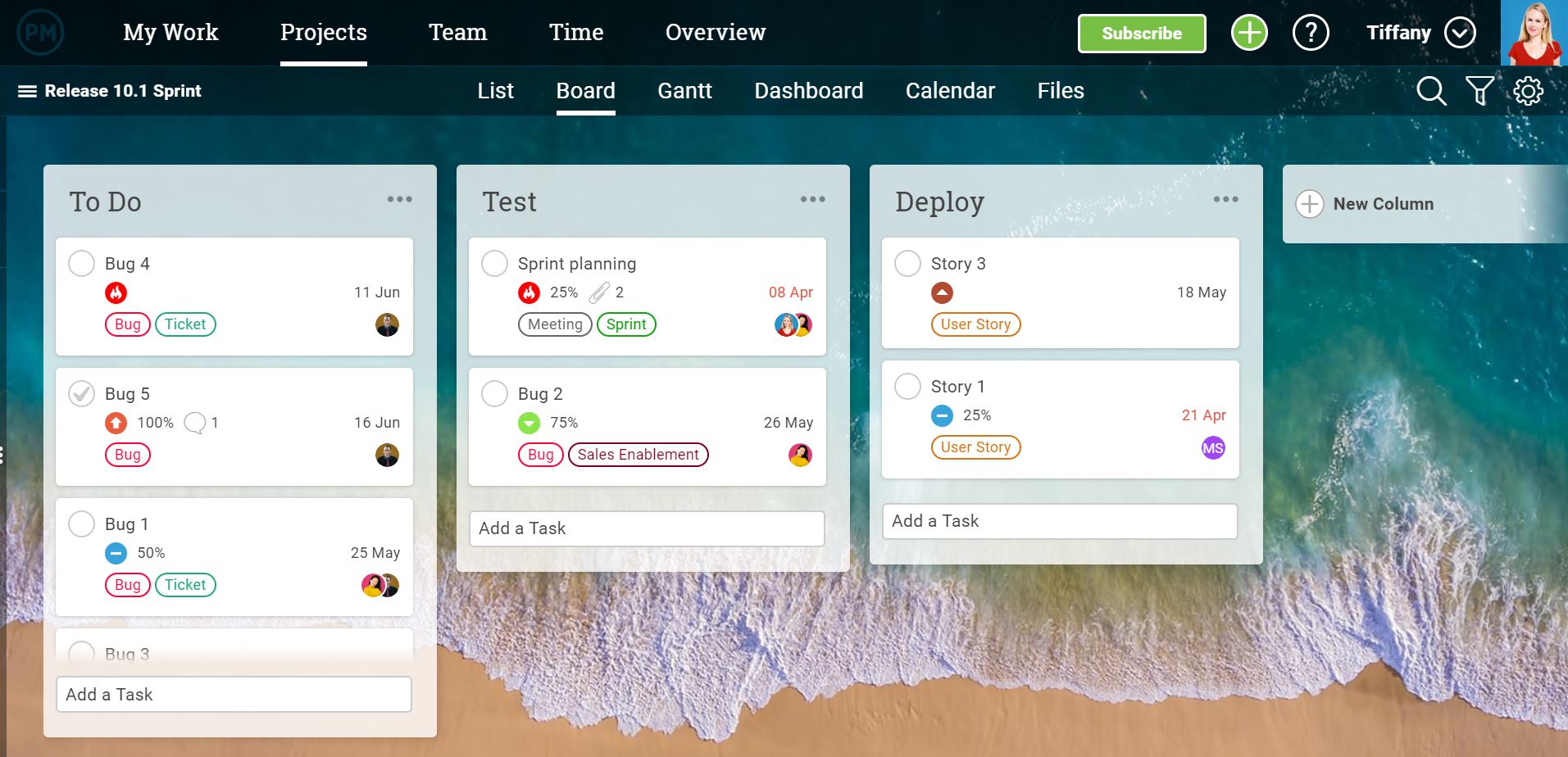
The Ultimate Guide to Creating Compelling Webinars
Have you ever considered holding a unique and fun business event for your target audience and customers? An event with engaging content, interactive exercises, and networking — all with the potential of improving your brand awareness, converting more leads into paying customers, and boosting revenue?
While the idea for and potential results of this event are great, you also may have thought, “… it’s impossible to host this event — our base of customers, colleagues, and members of our professional networks are spread out all over the world.”
What if I told you that you can host this event and do so live with all of these people who are critical to your business’s success included?
You just need to host your event via webinar.
What is a webinar?
A webinar is an online video presentation, seminar, lecture, or workshop delivered via the internet. Typically, webinars are shared live, or in real-time, but they can also be recorded before being shared with audience members.
Whether or not a webinar is live, it must include an interactive element that allows viewers to participate, ask questions, make comments, or collaborate with the presenters and/ or hosts.
Let’s review the typical anatomy of a webinar.
Elements of a Webinar
- Main event
- Host and presenter(s)
- Attendees
- Desktop computer or laptop with a camera and microphone
- Presentation (usually in the form of slides)
- Interactive element for attendees to participate in (e.g. survey, poll, or discussion)
- Webinar software (we’ll review some of these options shortly)
What is the purpose of a webinar?
Webinars provide businesses with a way to host a digital, interactive event for members of their target audience and customers, no matter their location.
Webinars can be used to boost conversions, improve brand awareness, increase revenue, and establish yourself as an expert in your field.
Webinar Benefits
Webinars are an effective way of reaching many members of your target audience at once through an engaging event that doesn’t require anyone to be in the same location.
Let’s dive into some of these benefits in greater detail.
1. Personalize your content and event.
Webinars are an easy way to create unique and personalized content for your brand. You can include a variety of presentation features in your webinar to enhance the experience for viewers and audience members. These include drawing tools, interactive activities, slides, surveys, chat, and more.
2. Stick to your budget.
Webinars are budget-friendly. Think about it this way: If you’re hosting an in-person event for your target audience and customers, you’ll likely have to rent out space, order food and drinks, purchase presentation equipment, and more.
If you have this event catered, you might need to organize wait staff and pay for clean up, too. Meanwhile, webinars are low cost and can even be hosted for free.
3. Educate prospects and customers on your product of service.
Webinars are a simple way to educate your audience. You might choose to explain the benefits of your product or service, review its capabilities and features, or even hone in on how it resolves the challenges of your buyer personas and current customers.
4. Demonstrate your product or service.
In addition to educating your webinar attendees about your product or service, you can also provide an instructional demonstration on how your attendees can use or implement your product or service.
5. Establish yourself as a thought-leader in the industry.
By hosting webinars, you can establish yourself as a thought-leader in your industry. If you’re regularly hosting educational webinars through which attendees are gaining actionable tips and learning from you and your guests, you’ll be more likely to gain more authority in your industry.
6. Improve your brand awareness.
And speaking of establishing yourself in your industry, webinars are just another way of improving your brand awareness.
You’re able to target your target audience and personas through this channel and encourage audience members to share your webinar, or invitation to your webinar, with their peers and coworkers.
7. Boost conversions and revenue.
You can use your webinar as a source of conversions and revenue. By establishing yourself as a thought-leaders, prospects will be more inclined to trust you and therefore, your product or service. Additionally, as you promote and share your webinar, your increased brand awareness will naturally lead to more conversions, too.
Another benefit to hosting webinars is the fact that you can choose the format that is most complementary to your goals and whatever it is you’re trying to achieve. Here are some of those formats to give you a better understanding of what I mean.
1. Industry Expert Panel
Invite an industry expert — internal or external — to discuss their niche, or whatever it is they’re known for. You’ll attract your audience and the experts’ audiences, too.
2. Interview
Host an interview with an internal or external thought-leader, a member of your team, a current and loyal customer, or even someone outside of your industry.
Think about the various topics your audience members want to hear about, and then find the right interviewer and interviewee for the discussion.
3. Product/ Service Pitch or Demo
Provide your audience with a product or service pitch or demonstration to clearly show people the benefits and applications of whatever it is you sell.
4. Q&A
Host a question and answer webinar between your brand and the audience. You might invite a member of your leadership board to host the Q&A and have employees (sales reps, service reps, marketers, product managers, etc.) sit in to answer questions that audience members have.
5. How To
Offer audience members an instructional how-to webinar — teach them how they can achieve a goal that many of your current customers have. Or, look to your buyer personas and review their challenges — choose one of those roadblocks and offer a how to that describes effective resolution.
6. Casual Chat
Whether it’s with a member of your team or an external thought-leader, have a casual chat during your webinar. This way, audience members can tune in, sit back, and enjoy wherever the conversation naturally goes — and they can ask questions to spark new directions for that discussion.
7. Case Study
Look at your past case studies — which one is most compelling or has the most views on your website or social platform?
Invite that client to come onto your webinar to talk about how your product or service resolved their challenges and why they’re advocates for your brand. You may also allow time for Q&A at the end if you and your client choose to — this way, audience members can ask your loyal client any questions they may have.
Now that you have an idea about possible webinar formats, let’s dive into how a webinar actually works.
The webinar should educate, demonstrate, instruct, or explain something to your attendees. Results of the webinar may include: your business being recognized as an industry expert, improving brand awareness, or boosting conversions and sales.
Whether or not your webinar is live, it should always be recorded. This way, you’ll have the recording for your files, future reference, and your website since webinars are often an excellent source of evergreen content.
As you host more events, share your evergreen webinar content via a resource library — similar to HubSpot’s Free Webinars library — on your website. Your site visitors, loyal customers, and team members will be able to easily reference your webinars in a central location.
A major part of understanding how a webinar works is also understanding associated best practices.
Webinar Best Practices
Let’s cover some webinar tips and best practices so your event is sure to be a success.
- Choose an intriguing, personable, and qualified presenter(s) to get your audience excited about attending and to hold their attention throughout the event.
- Determine whether the webinar is going to be live or pre-recorded based on factors such as topic, presenters, industry, and audience.
- Invite members of your target audience and your buyer personas to register (this will ensure your webinar content is shared with people it’ll be relevant and valuable to).
- Clearly set and share the event’s date, time, and other logistics so attendees can log on, view, and participate without experiencing any roadblocks.
- Stick to one major topic per webinar to avoid confusion and keep attendees engaged.
- Establish a format for the webinar (e.g. panel, FAQ, single or multi-presenter, demonstration, interview, or discussion).
- Complete a dry run (or several) before going live or recording the webinar.
- Find the right webinar software for your specific business needs.
- Allow ample time for attendee participation.
- Record and save your webinar —whether or not it’s shared live — to your webinar library.
Now, how do you actually record your webinar? Let’s review the answer to that question next.
No matter how you decide to format your webinar, simply click Record when your event begins and Stop Recording when your event ends (or similar commands).
Speaking of webinar software, let’s look at some of your options. Your software is how you’ll host the webinar, share it with attendees, analyze its performance, and more.
Webinar Software
Webinar software offers features that streamline all aspects of hosting your event. There are many webinar software options available with a range of features and pricing options. Here are four options to get you started.
1. GoToWebinar
GoToWebinar simplifies your event planning, promotion, engagement, and reporting. The software provides several webinar templates, custom registration, different presenter webcams, interactive surveys and polls, source tracking, and webinar analytics.
Note: GoToWebinar integrates with your HubSpot CRM.
Cost: GoToWebinar offers three plans starting at $89 per month.
2. ClickMeeting Webinars
ClickMeeting makes hosting and sharing your live or pre-recorded events easy no matter your webinar format (e.g. conference, group discussion, Q&A, or product demos). The software includes a feature to live stream your event via Facebook or Youtube to expand your audience.
Note: ClickMeeting Webinars integrates with your HubSpot CRM.
Cost: ClickMeeting is free for your first 30 days, and then you can choose to upgrade to one of their three paid options, which start at $25 per month.
3. Zoom
Depending on the Zoom plan you choose, you can share your webinar with over 10,000 people at once. The software offers HD video and audio, live broadcasting features, reporting, and analytics. There are also various participant engagement tools such as chat, attendee-raise-hand, and polling to ensure your webinar is interactive.
Note: Zoom integrates with your HubSpot CRM.
Cost: Zoom has a freemium option in which you can host a discussion-based webinar event where everyone can see and interact with each other. If you choose one of their paid options, which start at $14.99 per month, you can host your webinar in any format (e.g. lecture-based, single presenter, or multi-presenter).
4. EasyWebinar
EasyWebinar is a great option for anyone new to the world of webinars because the software has users work through a five-step campaign process to ensure event success. It includes customer tracking tools to learn more about who your attendees are and why your content is relevant to them. EasyWebinar integrates with WordPress and YouTube so you can expand your reach among your target audience and current customers.
Cost: There are three tiers of EasyWebinar which start at $78 per month.
How to Host a Webinar for Free
To host a webinar — and do so for free — you’ll need to combine all of the elements we’ve reviewed above. You might think about the following five steps to hosting a webinar for free as your webinar strategy.
1. Choose free webinar software.
The first step in hosting your webinar requires you to choose software that suits your specific needs. We reviewed some popular examples above, but for more options that are easier on your budget, take a look at these free webinar tools.
2. Invite your target audience to register for and attend your event.
It’s time to invite people to register for and attend your webinar. When you invite these members of your contact list and network to register, likely via email, clearly indicate the date and time of your event. This way they’ll know if they’re available or if they need to make time on their calendars to attend.
3. Send a confirmation email to anyone who’s registered to attend.
Next, confirm webinar registration is complete for each attendee who has signed up. You might do this by sending registrants to a new landing page with their confirmation details. Another option is to send a follow-up email to attendees shortly after they complete registration.
Either way, include details in your confirmation message about the equipment needed to participate in your webinar such as a laptop with stable Wi-Fi, speakers, a microphone, and a camera. You can also provide information about your presenters or the interactive element of the webinar to get attendees excited.
4. Provide a link for attendees to “Join” if the webinar is live or “Watch” if it’s pre-recorded.
One of the most important things you do pre-webinar is provide clear directions on how your attendees will join or watch the event. For example, you may include a link to Join or Watch your webinar on the confirmation landing page or in the follow-up email we mentioned above.
5. Set expectations for webinar participation.
Again, webinars must be interactive in some way. Set these expectations early on, and have your presenters reiterate them at the beginning of the event, so everyone is on the same page. If your event is live, facilitate participation and discussion throughout the event or set aside time for discussion and Q&A at the end.
If your event is pre-recorded, set a window of time after the webinar has been shared for attendees to send in questions. Then, presenters can either record or type their responses and send them back to the corresponding attendee.
6. Host the webinar, and follow up with attendees afterward.
It’s time to host your event! Explain the agenda to attendees at the beginning of the webinar so they know what to expect. (This is also a great time to reiterate those expectations for participation we mentioned above.)
Don’t forget to review all other details, like follow-up communication, any further inquiries, future webinars you’re hosting, and how attendees can learn more about your business. Feel free to email this information to your attendee contact list post-webinar so they can review it in greater detail later on.
Reach Your Target Audience With Webinars
Webinars have the power to propel you towards becoming a thought-leader and expert in your industry. They can also help you improve brand awareness, reach your target audience and buyer personas, and boost conversions. Determine which webinar software is right for your business, keep the best practices we reviewed in mind, and begin hosting your online events.
Editor’s note: This post was originally published in October, 2019 and has been updated for comprehensiveness.

21 Examples of Successful Co-Branding Partnerships (And Why They’re So Effective)
Everyone has loyalties to their favorite brands, but there’s a good chance your favorite products are the result of two separate brands working together.
One of my own beloved childhood memories was a product of co-branding: Betty Crocker partnered with Hershey’s to include chocolate syrup in its signature brownie recipe.
There’s something brilliant about that co-branded product: It’s a fun way to marry two classic brands into one delicious experience for fans of baking and chocolate alike. In fact, these brands still create new co-branded products to this day.
Co-branding is a strategic marketing and advertising partnership between two brands wherein the success of one brand brings success to its partner brand, too. Co-branding can be an effective way to build business, boost awareness, and break into new markets, and for a partnership to truly work, it has to be a win-win for all players in the game. Both audiences need to find value — like chocolate-loving fans of Betty Crocker and Hershey’s.
There are a ton of great examples of co-branding partnerships out there. To show you what makes them so successful, we’ve curated a list of 21 examples of great co-branding partnerships to inspire you.
Co-Branding Partnership Business Examples
- GoPro & Red Bull
- Pottery Barn & Sherwin-Williams
- Casper & West Elm
- Kanye and Adidas
- BMW & Louis Vuitton
- Starbucks & Spotify
- Apple & MasterCard
- Airbnb & Flipboard
- Uber & Spotify
- Levi’s & Pinterest
- BuzzFeed & Best Friends Animal Society
- Alexander Wang & H&M
- CoverGirl & Lucasfilm
- Amazon & American Express
- UNICEF & Target
- Nike & Apple
- Bonne Belle & Dr. Pepper
- Burger King & McDonald’s
- Warby Parker & Arby’s
- Taco Bell & Doritos
- Tim and Eric & Purple
1. GoPro & Red Bull
Co-branding Campaign: Stratos
GoPro doesn’t just sell portable cameras, and Red Bull doesn’t just sell energy drinks. Instead, both have established themselves as lifestyle brands — in particular, a lifestyle that’s action-packed, adventurous, fearless, and usually pretty extreme. These shared values make them a perfect pairing for co-branding campaigns, especially those surrounding action sports.
To make the partnership work, GoPro equips athletes and adventurers from around the world with the tools and funding to capture things like races, stunts, and action sport events on video — from the athlete’s perspective. At the same time, Red Bull uses its experience and reputation to run and sponsor these events.
“GoPro camera technology is allowing us to complement the programming by delivering new athlete perspectives that have never been seen before,” said Sean Eggert, Red Bull’s director of sports marketing. The collaboration allows exclusive GoPro content to enhance both companies’ growth.
While GoPro and Red Bull have collaborated on many events and projects together, perhaps the biggest collaboration stunt they’ve done was “Stratos,” in which Felix Baumgartner jumped from a space pod more than 24 miles above Earth’s surface with a GoPro strapped to his person. Not only did Baumgartner set three world records that day, but he also embodied the value of reimagining human potential that define both GoPro and Red Bull.
2. Pottery Barn & Sherwin-Williams
Co-branding Campaign: Color Your Room
One of the biggest benefits of co-branding campaigns is the opportunity to expose your product or service to a brand new audience. That’s exactly what home furnishing store Pottery Barn and paint company Sherwin-Williams did when they partnered together back in 2013.
Together, the two brands created an exclusive product line of paints, and then added a new section of Pottery Barn’s website that helped customers easily select paint colors to complement their furniture choices.
Source: Pottery Barn
Customers could coordinate paint colors with picture-perfect Pottery Barn furniture for a mutually beneficial partnership — and style assistance for both brands’ customers to boot. “Paint Landing,” Pottery Barn’s landing page for the partnership, contains helpful blog posts and how-to ideas for do-it-yourself painting and decorating.
3. Casper & West Elm
Co-branding Campaign: Test a Casper Mattress
You may have already heard of Casper — it’s an online mattress and bedding brand that sells mattresses in a box.
Casper mattress unboxing videos like this one have become a hit on YouTube, but despite the brand’s 100-day return policy, some shoppers might still be hesitant to buy a mattress without getting the chance to roll around in it first.
Enter West Elm, a high-end furniture company. Casper and West Elm partnered so shoppers could try out the comfy mattress before purchasing — and so West Elm could advertise its chic bedroom furniture.

Source: Casper
This is another example of a mutually beneficial co-branding partnership. It helps both brands appeal to a broader group of shoppers — after all, Casper doesn’t sell furniture, and West Elm doesn’t sell mattresses. It also provides shoppers with options — to try a mattress before buying, or to feel what it would be like sleeping in a bed frame.
4. Kanye and Adidas
Co-branding Campaign: Yeezy
Kanye West, best known for his Grammy-winning rap albums, partnered with Adidas to develop a high-end footwear line called Yeezy. The combination of Kanye’s personal brand and Adidas’ growing streetwear segment has made for robust company earnings and brand growth since it was introduced.
Kanye’s celebrity appeal benefits Adidas by creating buzz around its apparel, and the athletic-wear brand gives Kanye a well-established platform to build his high-end clothing line. One of the strongest draws of Yeezy — and most notably its shoes — is its exclusivity: Kanye’s celebrity status, extremely scarce roll-outs, and the high price tag make the lucky few to own Yeezy sneakers feel a little famous by association.
Adidas’ co-branding relationship with Kanye and the resulting cult-like Yeezy following led to a stellar year for the company: in 2019, Adidas’ net income climbed 19.5% to $1.9 billion.
Source: Yeezy
5. BMW & Louis Vuitton
Co-branding Campaign: The Art of Travel
Car manufacturer BMW and designer Louis Vuitton may not be the most obvious of pairings. But if you think about it, they have a few important things in common. If you focus on Louis Vuitton’s signature luggage lines, they’re both in the business of travel. They both value luxury. And finally, they’re both well-known, traditional brands that are known for high-quality craftsmanship.
These shared values are exactly why this co-branding campaign makes so much sense. In their partnership, BMW created a sports car model called the BMW i8, while Louis Vuitton designed an exclusive, four-piece set of suitcases and bags that fit perfectly into the car’s rear parcel shelf.

Source: Louis Vuitton
Although the four-piece luggage set goes for a whopping $20,000, the price is right for the target customer, as the BMW i8 starts at $135,700. A price like that kind of makes that luggage set seem like a drop in the bucket.
Not only does the luggage fit perfectly size-wise, but its design and appearance fit perfectly with BMW’s image: sleek, masculine, and high-quality. Turns out both the luggage and some parts of the car’s interior use carbon fiber, strong-yet-light composite material.
“This collaboration with BMW i epitomises our shared values of creativity, technological innovation and style,” said Patrick-Louis Vuitton, head of special orders at Louis Vuitton. “Our craftsmen have enjoyed the challenge of this very special project, using their ingenuity and attention to detail to create a truly made to measure set of luxury luggage. This is a pure expression of the art of travel.”
6. Starbucks & Spotify
Co-branding Campaign: First-of-Its-Kind Music Ecosystem
Starbucks scaled up a premium coffee shop experience into a massive global brand, using music to create an ambience around its coffee. Spotify, a music streaming platform, has powered almost 25 billion hours of listening around the world. Starbucks and Spotify forged an innovative co-branding partnership to build a “music ecosystem”, offering artists greater access to Starbucks consumers and giving Starbuck access to Spotify’s expansive discography.
Through the initiative, Starbucks employees get a Spotify premium subscription, with which they can curate playlists (that patrons can access through the Starbucks Mobile App) to play throughout the day in the shop. This music ecosystem is designed to expand the coffeehouse environment that Starbucks is known for while giving artists greater exposure to Starbucks customers.
The “musical-ecosystem” partnership is mutually beneficial, an opportunity for the companies to reach the other’s audience without sacrificing their brand.
Source: Spotify
7. Apple & MasterCard
Co-branding Campaign: Apple Pay
Sometimes, co-branding partnerships aren’t just cool projects between two companies — they actually have practical value when the companies work together.
When Apple released the Apple Pay app, the brand effectively changed how people perform transactions. This app allows people to store their credit or debit card data on their phone, so they can use them without physically having the card with them. But in order for this app to succeed, it needs credit card companies to integrate with this technology. By the same token, credit card companies also face more competition themselves if they aren’t compatible with the latest consumer purchasing tool.
To get out ahead of its competition, MasterCard became the first credit card company to allow its users to store their credit and debit cards on Apple Pay. MasterCard not only showed support of a major consumer tech developer in this partnership — it evolved along with its own customers in how they choose to make purchases at the counter.
 Source: MasterCard
8. Airbnb & Flipboard
Co-branding Campaign: Experiences
You’ve probably heard of Airbnb, the room-sharing application that allows you to find convenient lodging hosted by real people. But its newest partner, Flipboard, might not have been on your radar until now.
Flipboard is a news aggregator that collects news and topical content that users are sharing on social media, and allows you to “flip” through the material much like a social media feed. Well, Airbnb recently teamed up with Flipboard to create Experiences, which serve Airbnb users with lifestyle content tailored to their interests and shared by people with similar interests as the reader.
The ongoing campaign recently led to another co-created product called Trips, which allows Airbnb users to connect with hosts on common interests and actually book these experiences when traveling. This partnership is an impressive example of how businesses can connect their customers with information that caters to their individual interests and drive usage of the product as a result.
 Source: Flipboard
9. Uber & Spotify
Co-branding Campaign: Soundtrack for Your Ride
Music-streaming app Spotify partnered with ride-hailing app Uber to create “a soundtrack for your ride.” This is a great example of a co-branding partnership between two very different products with very similar goals — to earn more users.
Here’s how it works: When riders are waiting for an Uber ride, they’re prompted to connect with Spotify and become the DJ of their trip. Users can choose from their own playlists to determine what they’ll listen to.
 Source: The Verge
This smart co-branding partnership helps fans of Uber and Spotify alike enjoy better experiences thanks to the app. And they might be more interested in picking Uber and Spotify over competitors knowing they can enjoy their next ride listening to their favorite tunes.
10. Levi’s & Pinterest
Co-branding Campaign: Styled by Levi’s
Levi Strauss & Co. — one of the oldest and most recognized jean brands in the world — recently joined forces with Pinterest, a social platform where users pin posts they like to their user profiles.
People often turn to Pinterest for fashion inspiration, making a co-branding partnership with Levi’s a natural partnership. Styled by Levi’s is a new initiative between Pinterest and Levi’s offers a “personalized styling experience,” or style insights tailored to each user’s tastes and preferences.
The partnership offers an authentic and individualized brand relationship, which is difficult to come by in an increasingly digital environment. Pinterest offers Levi’s a leading social platform with millions of users interested in visual offerings, and Levi’s meets these needs with digital personalization and visual-focused boards.
Source: Styled by Levi’s
11. BuzzFeed & Best Friends Animal Society
Co-branding Campaign: Emma Watson + Kittens
Some co-branding campaigns are more complicated than others. This example from BuzzFeed and Best Friends Animal Society is one of the simplest ones out there — and it goes to show a great co-branding effort doesn’t have to take months of planning or millions of dollars.
For this campaign, the folks at Best Friends Animal Society wanted to leverage BuzzFeed’s readership of over 200 million people.
To do this, they partnered with the folks at BuzzFeed to set up and publish an article called, “We Interviewed Emma Watson While She Played With Kittens And It Was Absolutely Adorable,” which you can read here.
The article is exactly what it sounds like: Harry Potter and Beauty and the Beast star Emma Watson answered fans’ questions while she played with cute kittens.
Source: BuzzFeed
The article ends with a CTA advertising that the kittens featured in the video are, in fact, adoptable — a win-win for both partners.
12. Alexander Wang & H&M
Co-branding Campaign: High-End Fashion
Anyone who’s designer-conscious knows Alexander Wang and H&M aren’t exactly the same caliber when it comes to quality. Shoes by Alexander Wang tend to go for around $350 a pair, whereas shoes sold by H&M tend to go for more like $35 a pair. See what I mean?
But that discrepancy in pricing is exactly why the two brands decided to partner with one another. To support their brand positioning as trendy and fashionable, H&M has traditionally paired with high-end fashion brands to offer exclusive branded items for a limited time.
In exchange, those high-end brands — like Alexander Wang — can expose their brand name to “a new generation of potential consumers, who will increasingly aspire to owning more pieces from his high end collection,” writes Michelle Greenwald for Forbes.

Source: Snobette
13. CoverGirl & Lucasfilm
Co-branding Campaign: Light Side and Dark Side Makeup
Whenever a new installment of the beloved “Star Wars” series is released in theaters, it causes global pandemonium, and the release of “Star Wars: Episode VII The Force Awakens” in 2015 was no exception. The series’ parent company, Lucasfilm, partnered with CoverGirl to capture a broader audience to get fans new and old excited about the movie’s release.
You might be wondering, “What do “Star Wars” and makeup have in common?” And the cleverness of this partnership is evident in the answer.
In the past, the space-age action movies were almost exclusively advertised and targeted toward men and boys. But in this day and age, that’s nonsense — because people of all genders can be interested in space exploration and makeup contouring alike.
The line was designed by famed makeup artistPat McGrath, and it features two styles: the Light Side and the Dark Side, which loyal “Star Wars” fans will recognize as the sides of good and evil in the movies.
This co-branding partnership was a win for both brand. Lucasfilm captured more attention and got CoverGirl shoppers (many of whom are young women) excited about the film’s release. And CoverGirl hopped on the “Star Wars” advertising bandwagon that took over the internet, stores, and TV leading up to the film’s release.
14. Amazon & American Express
Co-branding Campaign: Amazon Business American Express Card
Ecommerce giant Amazon is a global enterprise with millions of users and almost two million businesses that sell on their platform. Amazon is looking to improve the way small businesses sell on their platform, so they’ve partnered with American Express on a co-branded credit card.
The card will help users buy goods and services, but also provide enhanced data insights on their purchasing activity. American Express and Amazon share a commitment to help small businesses grow in the U.S., and by combining their efforts, the two companies can enhance their performance while building brand trust.
Source: Amazon Business
15. UNICEF & Target
Co-branding Campaign: Kid Power
If you have the chance to partner for a not-for-profit cause, it can pay off in multiple ways.
In 2015, Target partnered with UNICEF on a campaign called Kid Power, which committed Target to one of UNICEF’s sustainable development goals (SDGs). The retailer sold kid-friendly fitness trackers encouraging the wearer to complete various fitness activities, which ultimately helped deliver food packets to underprivileged children around the world.
By selling this fun, inexpensive fitness product, Target encourages children to embrace a healthy lifestyle and uses kids’ successes to supply underserved communities with the resources they need. It’s an ongoing partnership that generates awareness of global malnutrition, helps UNICEF meet its demanding SDGs, and opens up Target to a demographic of giving families they might otherwise have had access to.
By the way, you can get your child a Kid Power band here.
16. Nike & Apple
Co-branding Campaign: Nike+
Athletic brand Nike and technology giant Apple have been working together since the early 2000s, when the first line of iPods was released.
The co-branding partnership started as a way to bring music from Apple to Nike customers’ workouts using the power of technology: Nike+iPod created fitness trackers and sneakers and clothing that tracked activity while connecting people to their tunes.
Source: Apple
The partnership has since evolved to become Nike+ — which uses activity tracking technology built into athletic clothing and gear to sync with Apple iPhone apps to track and record workout data. Tracking transmitters can be built into shoes, armbands, and even basketballs to measure time, distance, heart rate, and calories burned.
It’s a genius co-branding move that helps both parties provide a better experience to customers — and with the popularity of fitness tracking technology, Nike+ is ahead of the curve by making it easy for athletes to track while they play.
17. Bonne Belle & Dr. Pepper
Co-branding Campaign: Flavored Lip Balm
Dr. Pepper-flavored lip balm. I mean, it’s genius.
Bonne Belle first debuted Lip Smacker, the world’s first flavored lip balm, in 1973, starting with flavors like strawberry, lemon, and green apple. Just two years laterin 1975, they’d forged their first flavor partnership with the timeless Dr. Pepper brand. The result? A lip balm flavor that’s been famous for decades among teenage girls.
If you’re thinking the connection between lip balm and Dr. Pepper is a little thin, consider the copy on one of their vintage ads: “It’s the super shiny lip gloss with lip-smacking flavor… just like the world’s most original soft drink.” And later, “From Bonne Belle of course: the cosmetics company that understands your taste.”
Source:Click Americana
Most Surprising Brand Partnerships
Every so often, we hear about a brand partnership that we think doesn’t make any sense — but it leads to a few incredibly memorable, unexpected campaigns. If you want to broaden your horizons of who you should partner with, check out these surprising co-marketing successes.
18. Burger King & McDonald’s
Co-branding Campaign: A Day Without a Whopper
Yes. You read that right, Burger King and McDonald’s — two of the fiercest opponents in the fast-food industry — actually joined together for a co-marketing campaign in 2019. And, while we don’t encourage competing brands to do this — the campaign was for an amazing cause.
At the time, McDonald’s was donating $2 to childhood cancer charities for every Big Mac purchased. So, Burger King worked with the competing fast-food chain to host “A Day Without a Whopper.”
For one day, Burger Kings across Argentina and other countries took the Whopper off their menu in an effort to encourage people to buy a Big Mac from McDonald’s instead.

Although there were some criticisms of the campaign, due to the fact that it confused Burger King customers, it was an amazing example of two competing brands that worked together to help a charity. Because of how they partnered up for a good cause, audiences loved the campaign and buzzed about it all over the web.
19. Warby Parker & Arby’s
Co-branding Campaign: The WArby Collection
Warby Parker is known for selling affordable glasses at stores across the U.S., and through nearly fully virtual fitting platform. Arby’s is a restaurant chain known for it’s slogan, “We have the meat!”
Looking at the two companies, there’s not much that they have in common. But, this didn’t stop them from creating a co-branded April Fools Day campaign in 2018.
For the campaign, the two brands played up the one major thing they had in common — the fact that the word “Arby” was part of both their names.
On April Fool’s Day, Warby Parker visitors could buy Arby’s themed fashion items, which were part of the cleverly-named WArby Collection.
According to Nylon, items visitors could buy included a WArby’s T-shirt, baseball cap, and tote bag (which also said, “Nice To Meat You” on it). They could also buy a pack of sandwich-themed microfiber cloths and glasses with a raw beef pattern.

Meanwhile, Arby’s offered food with boxes that had the WArby’s logo on it as well as onion rings with a box that read “Onion Ring Monocle.”
This campaign goes to show that you don’t necessarily need a matching audience demographic or a partner in a similar industry to create a campaign that catches a large audience’s attention. Sometimes all you need is a sense of humor and creativity.
20. Taco Bell & Doritos
Co-branding Campaign: Doritos Locos Tacos
When the Doritos Locos Taco was first introduced, it quickly became one of the most popular and widely recognized items in the fast food industry. Frito-Lay took Taco Bell’s crunchy taco recipe and gave the Locos Taco its special, signature twist: a Doritos shell. The two companies wanted to keep the shell as close to the original cheesy chips as possible, using the original corn masa recipe and coating it in that distinctive nacho cheese dust.
The taco was an immediate and explosive success: Taco Bell sold an estimated 1 billion units the first year its was introduced.
Taco Bell and Frito Lay advertised the Doritos Locos Taco by wrapping the taco in a classic Doritos bag, reflecting the co-branding partnership and appealing to both brands’ audiences. The Doritos Locos Taco’s extraordinary success is yet another example of why co-branding can boost reach and sales for both brands.
Source: Taco Bell
21. Tim and Eric & Purple
Co-branding Campaign: Purple Boys
Tim and Eric (a.k.a. Tim Heidecker and Eric Wareheim) are the comedic duo behind Adult Swim shows like Tim and Eric Awesome Show, Great Job!, Check It Out! with Dr. Steve Brule, Tim & Eric’s Bedtime Stories, and Beef House.
Meanwhile, Purple, the company and HubSpot customer known for the popular Purple Mattress, often launches unique advertising campaigns which have caught the eye of millennial and Gen-Z demographics.
Although it makes sense for a company to team up with celebrities who can promote their product, Tim and Eric’s comedic style is incredibly random and unique. Although they’re pretty hilarious, as a marketer, you might wonder how this type of comedy style translates into a mattress marketing campaign that actually generates revenue.
While you might think Tim and Eric had dull down their iconic routine to sell Purple products, this is actually quite far from the truth. In a video series called The Purple Boys, they actually amped up their bizarre antics.
The storyline of Purple Boys episodes often relate to a sleep-related pain point, such as the “Sunday Scaries.” Although the script and special effects are incredibly random, the episodes almost always end with the Purple Boys supplying a sleep-deprived character with a Purple mattress.
To give you a visual of what this off-the-wall comedy series looks like, check out this episode that centers around a sleepy character named Joe Dunder:
Although hiring actors is technically more of sponsorship than a partnership, this large-scale campaign benefits both parties. While Tim and Eric are able to spread awareness of their comedy to Purple audiences, Tim and Eric fans might watch these videos for entertainment and learn about Purple’s products along the way.
Creating a Great Co-Marketing Campaign
Although you might not have the budget of the brands noted above, you can take a note from them in regards to their creativity, level of storytelling, how they pooled their resources to connect their separate brands in a mutually beneficial way.
As you search for the best co-marketing partner for your brand, and build out a winning campaign, be sure keep the examples above in mind. If you’re looking to learn more about brand partnerships and co-marketing, check out this helpful ultimate guide, or download the free resource below.

The Critical Role Ethics Plays in Modern Marketing
As much as it might be difficult to define what “ethics” is in relation to marketing, it’s easy to define what it isn’t.
Take, for instance, a product pricing landing page that gives incorrect information (or, hides the price entirely … ).
Alternatively, consider a social media advertisement that claims a product will do X, Y, and Z — but then, when you order it, you find it can only do X.
These types of disreputable, dishonest, and corrupt marketing strategies are what we mean when we say a company behaved unethically.
Ultimately, while unethical marketing can potentially succeed in the short-term, it’s not a good long-term strategy. Over time, customers will distrust your brand as a whole, and you’ll find it difficult to find brand advocates who are willing to spread awareness about your product or service through word-of-mouth marketing.
In short, unethical marketing will make your job as a marketer much harder in the long run, not easier.
Here, let’s explore the critical role ethics plays in modern marketing (and leadership as a whole), and how you can ensure you’re following best practices to create ethical solutions to all your marketing challenges.
The Role of Ethics in Leadership
To start, let’s define what ethics means.
While it’s easy to define ethics as “the difference between right and wrong”, the truth is a bit more complex than that.
For instance, the concept of “right” and “wrong” is typically a relatively subjective one. What’s “right” culturally in the U.S. might be frowned upon in Asia, and vice versa.
The Markkula Center for Applied Ethics defines ethics as two things: “First, ethics refers to well-founded standards of right and wrong that prescribe what humans ought to do, usually in terms of rights, obligations, benefits to society, fairness, or specific virtues … Ethical standards also include those that enjoin virtues of honesty, compassion, and loyalty.”
The Markkula Center for Applied Ethics adds, “Ethics [also] refers to the study and development of one’s ethical standards. As mentioned above, feelings, laws, and social norms can deviate from what is ethical. So it is necessary to constantly examine one’s standards to ensure that they are reasonable and well-founded.”
In the context of marketing, then, ethics refers to the practice of promoting fairness, honesty, and empathy in all marketing activities.
One of the easiest ways to promote ethics in a business sense, of course, is to ensure it’s instilled in your company’s culture and values.
However, it’s important to note, it’s not enough just to have a set of values and mission statement. Truly ethical companies need to live out these values every day (as noted in this article about core values by HBR).
To further investigate what this means in practice, I spoke with Joan Harrington, the Director of Social Sector Ethics at The Markkula Center for Applied Ethics.
Harrington told me, “The key to integrating ethics in organizations is leadership. The leadership must set the example by living the organizational values and incorporating them into all aspects of the business. So having a code of ethics or a set of values in a handbook is not enough to shape an ethical culture.”
Harrington adds, “Employees need to be trained on, or at least exposed to, how to make ethical decisions. Ethics is not about what you think is right versus what I think is right. It is how we — in all of our different relationships — ought to behave.”
Harrington suggests in an ideal scenario, an entire organization will go through an ethical decision-making training — but, she adds, there are some areas of an organization that are higher-risk for ethical issues than others (like, for instance, engineers working on projects involving AI that might affect millions of people). For those higher-risk groups, these ethical decision-making trainings should be mandatory, not optional.
As Harrington told me, “This is not to say that there may be more than one ethical response, but it is not purely subjective. In training, people need to be exposed to real life situations, relevant to their jobs, so they can really work through how to identify, approach, and decide ethical issues.”
To create a truly ethical culture, it’s critical leaders model ethical behaviors and values, create a strong community, and design ethical systems in which all employees can thrive.
To do this, Ann Skeet, Senior Director of Leadership Ethics at the Markkula Center, advises leaders to “use goals, mission, and values to make decisions about compensation and other rewards, like promotions.”
Ultimately, ethical leadership needs to be baked into the processes, not an “afterthought”. This way, it isn’t just one person’s sole responsibility to raise her hand and say, “That doesn’t seem fair to me.” Instead, the very foundation of the organization should be built upon ethical pillars, including honesty and fairness, so that each business decision is made with these values top-of-mind.
Next, let’s dive into how ethics plays into your role as a marketer.
The Role of Ethics in Marketing
Ethical marketing refers to a marketer’s responsibility to ensure all marketing activities adhere to core ethics principles, including integrity, humility, and honesty — both internally, and externally.
To further recognize the difference between internal and external marketing ethics, let’s consider an example.
Let’s say your marketing team hires a design agency for a new marketing campaign. Halfway through the campaign, your team discovers the agency doesn’t treat its workers fairly, and doesn’t align well with your values in terms of environmental and social responsibility.
Even if your customers don’t know about this alliance, it’s still in your best interest to discontinue a working relationship with the agency as soon as possible, and re-align yourself with agencies that uphold the same standards you’ve set for your own team internally.
Equally importantly, of course, is the public-facing component of ethical marketing. This includes ensuring you don’t stretch the truth or lie about your product or service (including pricing, functionality, release date, current customers, etc.) to try to attract new customers — lying about Beyonce’s use of your product might seem like a good idea in theory, but it won’t take long before you’re caught out.
Additionally, ethical marketing also means treating workers fairly, using sustainable materials, and doing your part to support environmental or social causes that feel important to your brand.
For instance, consider the brand Toms, which gives away $1 for every $3 it makes, and has given nearly 100 million pairs of shoes to people in need since 2006.
As Harrington notes, “Marketing has its own, built-in, ethical issues. For non-profits, do they do ‘storytelling’ about their clients in an ethical way when they are engaged in fundraising, i.e., how are they representing their clients? Have they included clients in deciding how to present them? Are they operating from stereotypes?”
Harrington adds, “For all organizations, to figure out whether marketing is ethical, you’ll want to ask whether marketers are operating transparently? Is the product accurately described? Is the marketing ahead of the actual product? And is there undue pressure on potential consumers?”
In 2020, ethical marketing is more important than ever.
Consider, for instance, that it costs five to 25 times more to acquire a new customer than to retain an existing one. Brand loyalty is critical for the long-term success of your company.
Additionally, did you know people don’t trust businesses nowadays as much as they used to? In fact, 81% trust their friends and family’s advice over advice from a business, 69% do not trust advertisements, and 71% do not trust sponsored ads on social networks.
Ultimately, there’s only one long-term solution to the ever-growing problem of a distrustful customer base: ethical marketing.
Of course, it’s important to remember, ethical marketing needs to influence every aspect of your marketing strategy, not just one or two areas. You need to show honesty, transparency, and integrity across the board — from the Instagram Stories you post, to the new product demos you promote.
To learn more about ethical marketing and how you might apply it to your own team, take a look at The Markkula Center’s framework for ethical decision making.

How to Convert More Prospects on Social Media: A 5-Step Plan
Do you use social media to promote your consulting services? Wondering how to attract and engage prospective customers? In this article, you’ll discover a strategic plan you can model to convert prospects into qualified leads and customers on social media. Why You Need an Engaging Sales Funnel on Social Media In the world of digital […]
The post How to Convert More Prospects on Social Media: A 5-Step Plan appeared first on Social Media Examiner | Social Media Marketing.
from Social Media Examiner | Social Media Marketing https://ift.tt/31RyoUM
via socialmediaexaminer
The Facebook 20% Rule: How to Check Your Ads With a Text Overlay Tool
The best billboards demand your attention with bold fonts, in-your-face messages, and bright, eye-catching graphics. The best Facebook ads take the exact opposite approach.
If you want to reach and engage with potential customers on Facebook, you need to create ads that blend as seamlessly as possible into the rest of the content on their newsfeeds. This means focusing on simple, high-quality images, straightforward messages, and most importantly: minimal text.
Facebook knows that the best performing ads include images with little to no text, which is why they created the 20% rule. This rule states that in order to run an image-based ad on Facebook, your image(s) must contain less than 20% text.
For a complete guide to creating Facebook ads, check out our article here.
It’s important to note that the 20% rule only applies to text that covers images attached to your ad. It does not include text on your ad outside of images, like the description copy or call-to-action button.
There are a few exceptions to the 20% rule, including images of book covers, album covers, event posters, video games, and some product images that contain text (e.g., a cereal box). Text-based logos are not an exception to the 20% rule, and will be counted as text when Facebook reviews your images.
So, why exactly does the Facebook 20% rule exist? It all comes down to what users want to see and engage with in their newsfeeds. Ads with less overlay text actually perform significantly better than images crowded with text, so the rule actually creates a better experience for both users and advertisers.
Facebook Text Overlay Tool
When Facebook reviews your ad images, they examine how much of your images are covered by text. While you’re creating an ad, it can be tricky to evaluate the exact percentage of text covering your image — fortunately, Facebook provides a tool you can use to check before you even submit your ad for review. You can access that tool right here.
1. Ad With Acceptable Text Overlay

Your best approach when creating a Facebook ad is to use little to no text.
In this example of an ideal ad image, there’s only a small text-based logo and no other copy.
An ad with a simple image like this will blend more easily into users’ newsfeeds and is much more likely to gain exposure and engagement among your target audience.
2. Ad With Minimal Text Overlay

In the next example, there’s an extra line of text.
This image technically passes the 20% rule, but the extra line of text means you risk your ad being seen by fewer people.
Instead of adding copy to your image, try adding it directly into the body copy of your ad.
3. Ad With Excessive Text Overlay
This final example is exactly what Facebook does not want to see:
 This ad contains too much text over the image. The information displayed here could easily be incorporated into the body copy of your ad, creating a much cleaner look in users’ newsfeeds.
While it’s tempting to throw important information onto your images like this, you risk having your ad rejected by Facebook or alienating users who are turned off by the busy copy.
Here’s a simple rule to remember: the best way to capture users’ attention on Facebook is to use an eye-catching image with no text. The 20% rule isn’t just an arbitrary standard — it helps advertisers reach their target audiences more effectively, and prevents users’ newsfeeds from becoming overwhelmed with disruptive advertisements.
Editor’s note: This post was originally published in June 2019 and has been updated for comprehensiveness.

7 Creative Company Profile Examples to Inspire You [Templates]
We all know about the infamous rivalry between Dunkin’ Donuts and Starbucks. At the end of the day, they both sell coffee — but they’ve each cultivated strong, unique brands, and have attracted very different audiences as a result.
You can often overhear heated arguments regarding the topic, with people vehemently claiming one coffee chain to be better than the other.
But let’s say you didn’t know about the rivalry, and you’d never heard of either Starbucks or Dunkin’ Donuts before.
Instead, you stumble across these two very different company profile statements:

Image courtesy of Dunkin’ Donuts

Image courtesy of Starbucks
From their opening paragraphs alone, I’m willing to bet you’re persuaded to check out one brand in more detail over the other. It isn’t just the language itself that gives you a sense of their business — it’s the design, the font, and the color.
Ultimately, your company profile matters. It can intrigue a new visitor to check out your products or services in more detail, and nudge potential customers into choosing your business over competitors.
What’s a company profile?
A company profile is an introduction to your business, and aims to tell an audience about your products or services. However, a company profile shouldn’t just tell your audience what you sell — it should also tell viewers why you sell it. A company profile often includes a compelling story about how the company began, as well as the company’s vision and values.
Here, we’ll explore seven of the most creative company profile examples, to ensure you’re able to create a company profile in 2019 that will attract and engage the right audience. Once you’re done perusing these impressive examples, take a look at our template to get started designing your own.
Company Profile Examples
1. Starbucks company profile
Starbucks’ company profile has it all — the company’s mission, background story, products, store atmosphere, and even folklore regarding the name. Best of all, they somehow manage to pull off sounding both genuine and grandiose. I don’t know many other coffee stores that could claim, “our mission: to inspire and nurture the human spirit”. Starbucks’ company profile is a fantastic example of a store with a common household product — coffee — managing to stand out from the competition through their mission and values.
2. Nordstrom company profile
If your company has an interesting and lengthy history, you might consider creating a visual timeline, like Nordstrom did on their company profile. The profile reads like a creative story from the very first line — “In 1887, John W. Nordstrom, at 16 years old, left Sweden for the United States. He arrived in New York with $5 in his pocket, unable to speak a word of English.” With a good balance of image and text, the timeline serves as a reminder of Nordstrom’s stability and growth.
3. Diehl Group Architects company profile

For both cleanliness and ease-of-use, take a look at Diehl Group Architects’ company profile. The web page uses clickable boxes to separate topics, allowing users to choose which subject they’d like to learn more about. Additionally, the entire design — including the page’s background, which displays a floor-plan — mirrors the company’s purpose.
4. Bloomberg company profile
If both video and text are available on the same page, 72% of people would rather use video to learn about a product or service. You might consider using a compelling video to convey your company’s story, like Bloomberg does in their company profile.
Additionally, Bloomberg’s profile proves the company knows its audience — they offer a few quick statistics, and then link to other areas of the site, such as Careers and Tech. While another business might do well offering a creative, long-form story, Bloomberg’s typical demographic is likely more analytical.
5. Nike company profile
You can get a sense for Nike’s two primary purposes almost instantly — fitness, and people. When you first open their company profile you’re greeted with videos of people of different ages, gender, and nationalities playing sports.
Additionally, their initial introduction is this: “Bring inspiration and innovation to every athlete* in the world”. Below, beside the asteric, it says, “If you have a body, you are an athlete”. As you scroll, you’ll see information on their internal diversity and inclusion initiative, their global community impact, and their sustainable business program, with very little mention of their products.
Nike’s company profile portrays a larger, grander vision, compelling an audience to believe in their brand even before they purchase a product.
6. Seattle Cider company profile
Seattle Cider Company’s profile is fun, and engages the user through compelling graphics that demonstrate the company’s cider process. The page flows seamlessly, and provides critical information regarding the product before displaying the company’s mission and values. This profile is a good example of a company that understands its users’ concerns (in this case, quality ingredients), and addresses those issues while still displaying personality and flair.
7. Delta company profile
Delta’s page is well-organized by topic, and showcases the company’s values, including efforts to engage with the community and promote sustainability. They’ve included brief meta-descriptions below each category. The design allows for users to click-through if they want to learn more. Overall, Delta’s company profile is simple and uncluttered, but includes all the necessary information to demonstrate why Delta is unique.
Company Description
While a company profile highlights many different aspects of your business, a company description is the piece of the profile that quickly and concisely describes what your business is or does. In place of a company description, businesses might also include a mission statement or summary of what the company does and what motivates it.
Here are two examples:
HubSpot
On HubSpot’s company profile page, you can find a quick description of the company’s mission and what it does. In just a few words, HubSpot explains that the company’s goal is to help businesses grow through its specialized inbound software.
Tesla
In this description, Tesla explains when it was founded, the company mission, and what types of products it specializes in. It also gives added information about the history of the company and how it has continued to grow with the same values.
How to write a company profile
- Focus on a high-level overview of your company.
- At the beginning of your company profile, include important information such as your company name, your business’s physical location, a website URL, contact information, and an established date.
- Consider adding a timeline or synopsis of your company’s history, including information regarding expansion or growth.
- Aim to express your company’s values or mission in your company profile, rather than just your products or services. A user won’t care about what you’re selling until they believe in your brand.
- Include any awards or recognition you’ve received, and highlight what makes your company different from your competitors.
- Depending on your audience, you might choose to include graphics, visuals, or video.
- Add statistics to back up your claims.
Company Profile Templates
- Company name
- Established date
- Physical address per location
- Contact information
About Us / Our Story / Our Beginning
Here, you’ll want to include a brief introduction to your company, including where, when, and by whom the company was founded, the company’s mission statement, and/or the company’s vision and purpose. In this section, you don’t necessarily want to include products or services — instead, focus on your bigger meaning, and how you stand out from competitors. Tell your story in a compelling way — for instance, HubSpot starts their About Us section with, “More than ten years ago, we had a vision — an inbound world”. HubSpot doesn’t mention their products until further down the page.
If you want to add your company history in a more compact way, consider adding a company timeline, like this one:
Our Mission / Values
Here, you’ll want to say what your company stands for on a larger scale. What is your ultimate goal, and what do you hope your products or services will give people? Take a look at 17 Truly Inspiring Company Vision and Mission Statement Examples for ideas. Here’s an example:
Our Team
Provide a picture or brief paragraph describing your team — you might focus on leadership, or provide an explanation of your company’s culture. Ultimately, this section should help users understand how your employees can uniquely serve them.
Our Product / Services
Describe a high-level overview of what your product is, and how you hope it will positively impact the user’s life. You can link to a Product page if necessary, so keep this section relatively general.
Start Your Company Profile Today
Ready to get your company profile started but still need some added guidance? Check out this free, downloadable collection of company profile templates.
Editor’s Note: This post was originally published in January 2019, but was updated for comprehensiveness in February 2020.

How to Enhance LinkedIn Marketing With Video
Want to stand out on LinkedIn? Are you taking full advantage of video on LinkedIn? In this article, you’ll discover four underutilized opportunities to use LinkedIn video in your everyday marketing efforts. #1: Introduce Yourself With Video via the LinkedIn Profile Featured Section The Featured section for LinkedIn profiles was introduced in 2020 and is […]
The post How to Enhance LinkedIn Marketing With Video appeared first on Social Media Examiner | Social Media Marketing.
from Social Media Examiner | Social Media Marketing https://ift.tt/32Hgnb6
via socialmediaexaminer