Welcome to My Blog
The Marketer’s Guide to Using Pinterest to Grow a Business
When I was getting married, one of the main tools that helped me in my planning was Pinterest. In fact, that’s usually the number one place I go to when I’m planning a party.
However, Pinterest isn’t just used for event planning. You can use the social media platform as a way to market your business, drive traffic to your website, and increase sales.
I’m not the only one who goes to Pinterest when I need new ideas. In fact, more than 200 billion pins have been saved on Pinterest. And 90% of weekly Pinners make purchase decisions on Pinterest.
That’s why it’s important for businesses and marketers to be active on the platform.
Below, let’s learn how you can use Pinterest to meet your business and marketing goals.
How to Use Pinterest for Business
If you’re new to Pinterest, then you’ll need to create a business account to get started. Don’t worry, this is a pretty simple process as outlined below.
- Create a business profile. Instead of using a personal page, you’ll need to get set up with a business account. With this account you’ll get access to analytics and ad services.
- Claim and link to your business website. This is an important step in verifying your business page.
- Connect your social media accounts. This is helpful so you can cross-share content and refer people to your other pages.
- Edit your profile. Add engaging profile and cover images and write a catchy (yet, optimized) bio.
Once your profile is set up, it’s time to start diving into the strategy of how you’re going to use your page to grow your business.
Let’s review some of our top ideas below.
1. Determine the type of content you want to post.
As with any social media site, it’s important to understand your target audience. What type of content do they want to see on Pinterest?
More importantly, think about the type of content that they’ll engage with. Is it infographics, tips and tricks, or perhaps blog posts? To find this out, do some research into the type of content they currently pin on their pages.
Additionally, make sure that you don’t sell yourself with every pin. You should share relevant and helpful information on your page as well.
When you have a good idea of what your audience wants or needs to see, creating pins will be easier.
2. Consider your design.
Now that you know what you want to post, it’s important to consider what your images look like.
Your designs should be pleasing to the eye and stand out in a sea of images on your audience’s page.
Additionally, your images need to follow your brand guidelines. If you don’t have a designer on hand, you can utilize tools like Canva to get started.
3. Optimize your pins.
When you’re ready to start posting on Pinterest, remember to optimize your pins. You might be wondering, “How do I optimize my pins?”
Use the following checklist to get started:
- Include a URL (could be a link to a blog post)
- Use keywords in titles, descriptions, and image file names
- Create boards that are aligned with your keywords
- Arrange your boards and choose a board cover image
- Use hashtags
- Add a call to action
- Add a Pinterest widget to your site
- Respond to follower comments
- Follow popular boards and comment
- Create a board dedicated to your blog posts
These tactics will help you grow your business with Pinterest and help your posts be discovered.
4. Learn about categories.
On Pinterest, you can assign each board to one of 36 categories. These categories help your pins become discovered.
For example, since I was interested in finding wedding ideas when I was engaged, most of the pins that showed up on my feed were pins that were tagged in the wedding category.
You can scroll through the categories and see which ones are related to your business. This could even help you come up with board ideas.
Once you’ve thought about this strategy, it’s time to create your boards. If you blog, think about blog topics and create boards surrounding those topics.
Let’s dive a little deeper into how to use Pinterest for your blog.
1. Create infographics.
A great way to use Pinterest to promote your blog is through infographics. If you have blog posts centered around an infographic, post it on Pinterest.
Additionally, you can repurpose old blog posts into infographics.
Pinterest is a great place to repurpose content and reach a new audience that might not have read your post.
2. Choose the best blogs to post.
You don’t need to promote every single blog post on your Pinterest. Instead, just choose the ones that make the most sense for the platform.
For example, choose blogs that have engaging images, great downloadable offers, or have an infographic.
Additionally, think about your board topics. You should promote blogs that relate to your boards.
3. Customize your images.
When you create a pin, it’s important to use engaging, custom images. To promote a blog, you can use your featured image and include customized text.
For instance, many pins that promote blog posts include the title of the blog on the custom image. The title is a great way to draw people in and get them interested in your blog post.
4. Write an optimized pin description.
When you write the description for a pin promoting a blog post, it’s important to tell people what to expect in the post.
While you want to leave some mystery and pique their interest without giving away too much, they need to know what it’s about.
Additionally, you should include the appropriate search terms and keywords in your pin description.
When it comes to marketing your business, capitalize on Pinterest. Inspire your audience to use your products and services in their lives, or just inspire them in general.
If you use Pinterest correctly, it could be your products and services that users are pinning – and purchasing.

How Facebook Ads Have Evolved [+What This Means for Marketers]
According to a recent study from Statista, Facebook has an estimated 2.7 billion monthly active users worldwide, including roughly two-thirds of the US population. There’s no social media platform more prominent or ubiquitous. No other online destination offers you more potential exposure to prospects.
A well-maintained Facebook presence is central to many — if not most — companies’ social media strategies. It’s a key factor in processes like conducting outreach, projecting legitimacy, generating interest, and driving traffic to other content and company resources.
One avenue businesses can leverage to make effective use of Facebook as a marketing tool is paid advertisements — a format that has moved through several iterations over the years.
Here, we’ll get a timeline of some of the most important, interesting milestones in Facebook ads’ evolution, a picture of what the future might hold for the medium, and what this all means for marketers.
The History of Facebook Ads
2004: Facebook first starts generating ad revenue with its “Flyers” project.
Roughly two months after Mark Zuckerberg and Eduardo Saverin launched Facebook in February 2004, the two took some minor steps to monetize the platform — just enough for a small financial cushion to help while the company got off the ground.
As Zuckerberg said in an interview with the Harvard Crimson shortly after the platform went live, “It might be nice to get some ads going to offset the cost of the servers.”
That April, Facebook started selling bits and pieces of ad space to companies promoting moving services, T-Shirts, job listings, and other offerings for students.
The ads themselves weren’t particularly sophisticated, and the founders didn’t have much of a firm grasp on digital advertising. Still, the project represented a milestone in the history of Facebook advertising.
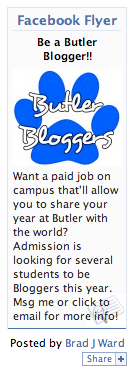
Image Source: Business 2 Community
It was the first time the platform tried to make money from the platform through ad sales. Unrefined and seemingly uncoordinated as it might have been, the Flyers project still helped keep the platform afloat during its early days and warrants a mention on this timeline.
2007: Facebook officially launches its Facebook Ads platform.
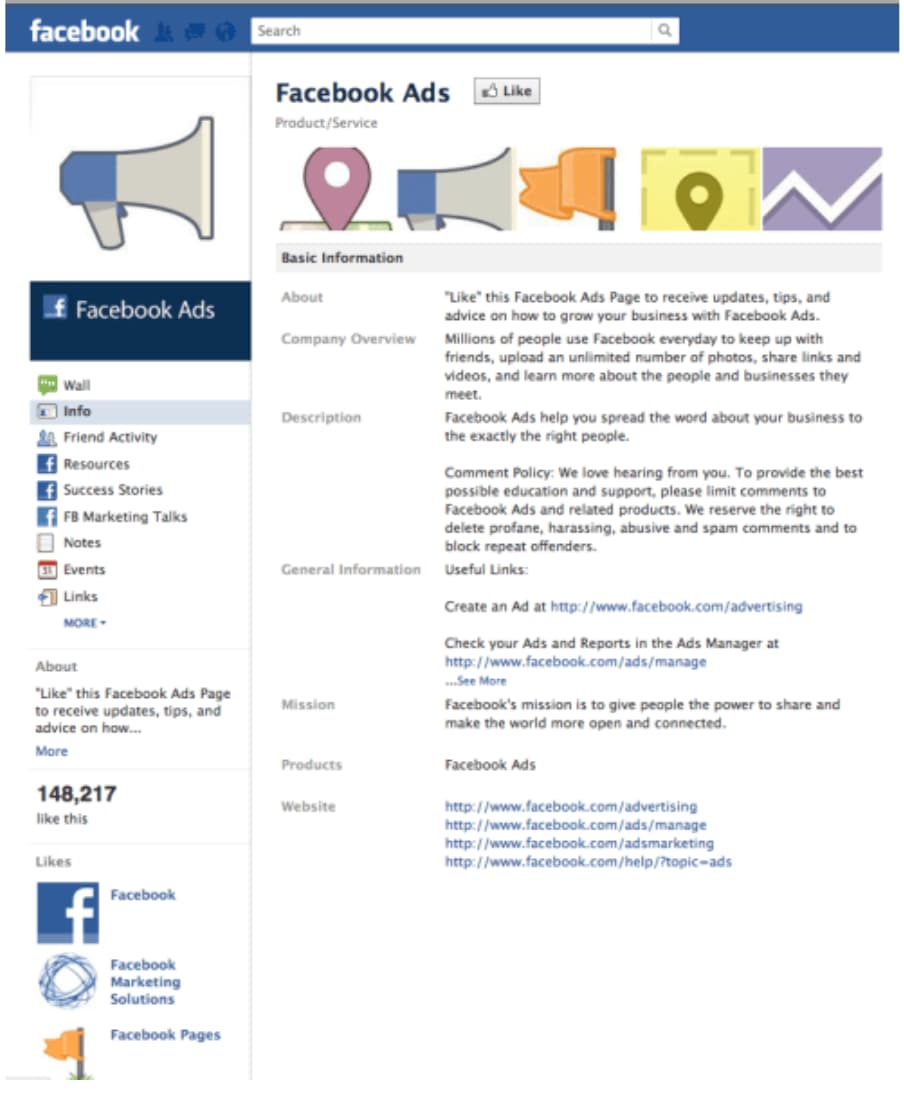
Some three years after Facebook’s initial launch, the company introduced a large-scale, official ads program to the platform. It gave businesses the space to create individual profiles — just like standard users — to post content, share photos, and engage with Facebook users.
As Zuckerberg put it, “The core of every user’s experience on Facebook is their page, and that’s where businesses are going to start as well…The first thing businesses can do is design a page to craft the exact experience they want people to see.”
The new program also introduced “Social Ads” — ads that combined social actions from a user’s friends, like a recent purchase or review of a business, with an advertiser’s message.
This allowed advertisers to deliver more specific, targeted ads to users that included information from their friends. These ads appeared either within a user’s news feed or in the site’s designated ad space.
At Facebook Ads’ official launch — 2007’s Facebook Social Advertising Event — Zuckerberg summed up his vision for the program, “Facebook Ads represent a completely new way of advertising online. For the last hundred years, media has been pushed out to people, but now marketers are going to be a part of the conversation.”
2011: Facebook launches its desktop ad program called “Sponsored Stories.”
In 2011, Facebook introduced its “Sponsored Stories” project — a program that placed paid advertisements directly on users’ news feeds. Initially, the company pledged to only show users just one sponsored story on their news feeds per day. Those stories also stemmed solely from friends or pages users already liked.

As a product manager from Facebook described it, “Anything that one of your friends is seeing as a sponsored story which features some of your content is actually something they would have already seen in their news feed. A sponsored story never goes to somebody who is not one of your friends.”
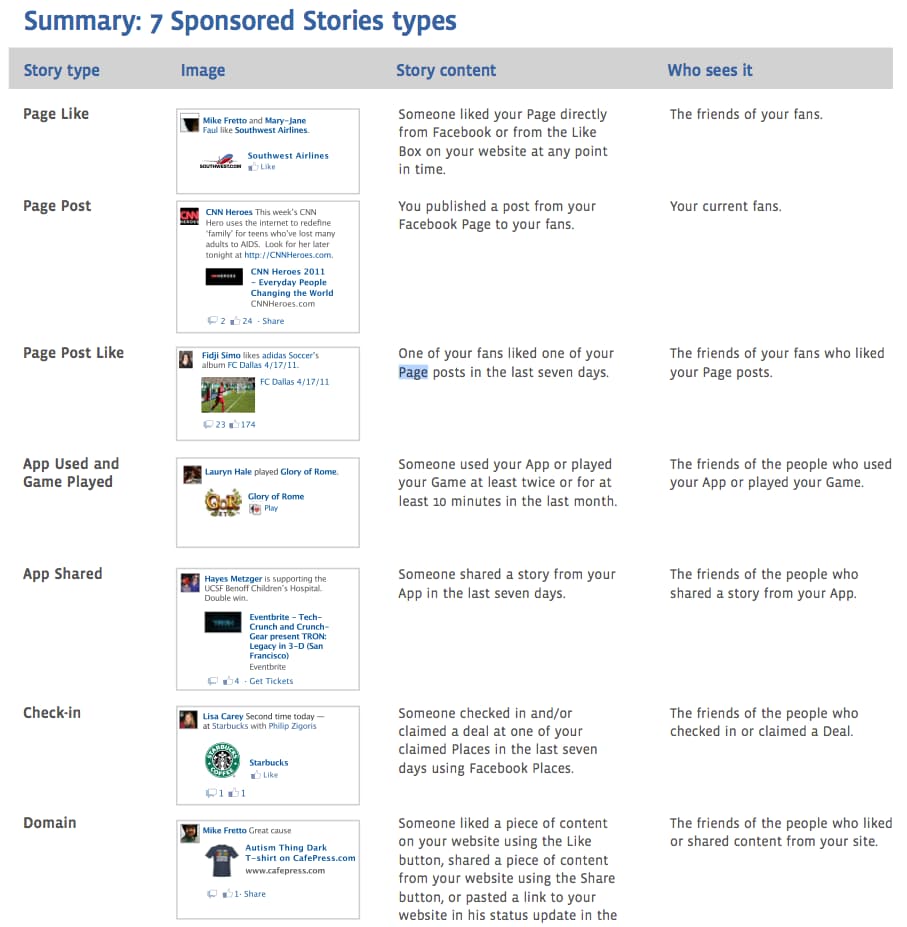
Though it was impossible for users to opt-out of the program entirely, they still had the option to close out individual ads. “Sponsored Stories” certainly rubbed some users the wrong way, but advertisers saw it as a big win. Finally, they had the space to display their ads directly in the mix of social content and consumers’ news feeds — a wildly valuable stretch of virtual real estate.
2012: Facebook launches its mobile ads program.
Up until 2012, Facebook’s mobile app didn’t actually make money. It didn’t feature ads, and the move to incorporate them was considered a risky play. Consumers weren’t exactly thrilled with the idea of having ads take up space on their mobile feeds.
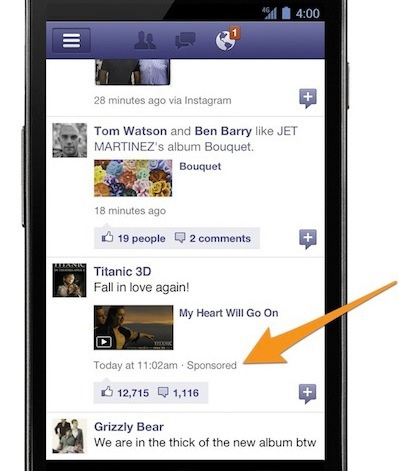
Facebook opted to subtly ease advertisements into users’ feeds. Its mobile ads plan borrowed heavily from the desktop platform’s “Sponsored Story” strategy — seamlessly blending in paid promotional content and having it look like standard statuses or other user-generated content.
The company’s mobile advertising strategy aimed to make ads as discreet as possible. It provided limited real estate to advertisers, pressing businesses to create engaging, interesting content to capture consumer attention within tight confines. The strategy ultimately proved successful and further drove advertisers’ collective need to optimize for mobile.
2014: Facebook rolls out its three-level advertising campaign structure, offering “campaigns” and “ad sets” — on top of standard ads.
In March 2014, Facebook introduced its new ad structure. Until that point, the platform’s campaign structure consisted of two levels: campaigns and ads.
Campaigns — the overarching plans that correspond to specific advertising objectives — were designed to help users optimize, and measure results of individual ads. With this new development in Facebook advertising’s evolution, a buffer was put between those two levels.
Ad sets — subsets of a campaign that could feature their own budgets and target separate audience segments — were introduced. Those sets gave advertisers a new level of structure for honing in on, best appealing to, and better understanding demographics of particular interest.
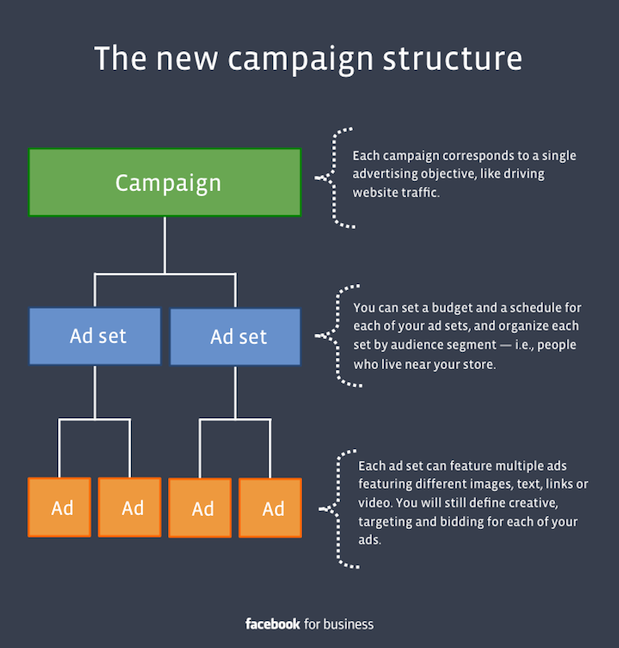
According to a Facebook press release, the program was designed to “make it easier for advertisers of every size to organize, optimize and measure their ads.” It was a game-changing milestone for the platform — one that made its advertising infrastructure more thoughtfully regimented and easier to navigate.
2016: Facebook introduces bots to its Messenger platform.
In 2016, Facebook made a push to capitalize on the tremendous advertising potential of its siloed mobile messaging function. One of the ways the company looked to take advantage of the system was through the incorporation of chatbots. Facebook offered businesses two paths for bot incorporation — “Sponsored Messages” and “Click-to-Messenger” ads.
“Sponsored Messages” are ads that appear directly in a user’s Messenger inbox — ones that allow users to automatically communicate with a chatbot by clicking them.
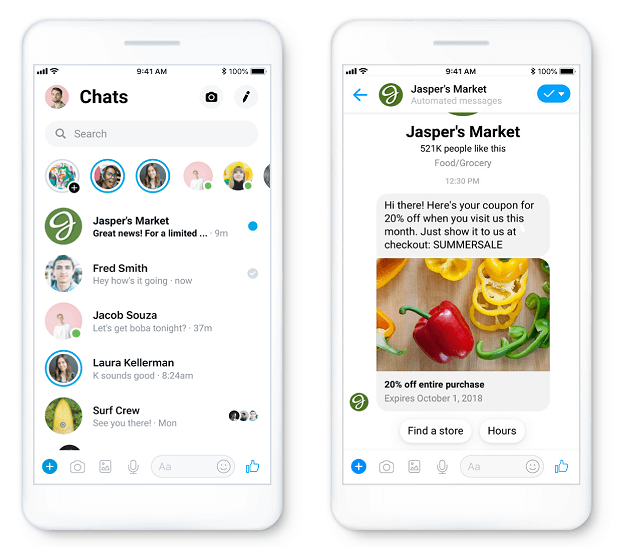
“Click-to-Messenger” ads leverage CTAs to place ads in users’ Messenger inboxes. A business will draw users in with some sort of incentive — like a discount or piece of content — on the original Facebook platform and automatically send them a message via chatbot once they click on the offer.
2018-2020: Facebook expands its ad formats, featuring eight separate advertising options.
Over its history, Facebook has consistently expanded its available advertising formats, aiming to effectively monetize the platform without compromising user experience. As of 2020, the company offers eight different advertising options:
As time goes on, you should expect to see this list expand and the nature of mediums it covers shift and progress. New technology and trends will bring new formats to explore and familiar processes to refine.
The Future of Facebook Advertising
If there’s anything to learn from Facebook advertising’s evolution, it’s that the processes and practices behind the concept will never remain stagnant. Mark Zuckerberg will never look at the platform’s advertising infrastructure and say, “Yeah, I think we nailed it. We’ll never need to change any of this ever again.”
Advertising on Facebook will continue to evolve and adapt as new ad formats emerge, privacy and data regulations loosen or constrict, its user base changes, and social media trends come and go. There are too many factors at play to expect anything but constant, likely significant changes in the practice as time goes on.
So, what can marketers take away from this article? Is there any recurring theme underlying success across every phase of Facebook advertising’s evolution?
As Facebook advertising has progressed, the companies that thrived in every stage were the ones that shared high-quality, engaging content that wasn’t too abrasive.
Consumers aren’t using the platform because they want to see ads. That’s why the content you share on the platform has to come across as natural, interesting, and not too jarring.
If you prioritize producing and sharing valuable, interesting advertisements that won’t overwhelm or frustrate your target audience, you’ll put yourself in the best position possible to thrive as Facebook advertising continues to progress.

Discover Your Writing Genius: 8 Tips for Doing Your Best Work in 2020
As marketers, it can be difficult to continue to produce high-quality content when we don’t feel creative or inspired.
And it can be especially challenging when we’re on a tight deadline.
Henneke Duistermaat, writer and founder of Enchanting Marketing, knows the feeling well — as she describes it in her latest infographic, we often believe writing simply means creating “great stuff”, when in reality, it entails research, multiple revisions, messy first drafts … and even time for procrastination.
Fortunately, there are strategies you can implement to relieve the pressures of writing, get outside your comfort zone, and befriend your inner critic.
If you’re in a writing slump or looking for some inspiraiton, take a look at Henneke’s hand-drawn infographic to learn 8 tips for creating your best work.


How to Use Instagram Tagging for More Exposure
Want more people to see your Instagram posts? Are you using Instagram tags effectively? In this article, you’ll discover the difference between @mentioning an account versus tagging an account, learn how and when to use each of these tactics, and find out how to remove your tag from someone else’s post. You’ll also learn why […]
The post How to Use Instagram Tagging for More Exposure appeared first on Social Media Examiner | Social Media Marketing.
from Social Media Examiner | Social Media Marketing https://ift.tt/32fDTvE
via socialmediaexaminer
11 Ad Design Tips to Help Your Brand Cut Through the Noise
Before your copy can persuade an audience to buy your product, your design must persuade them to buy your copy. In advertising, your design catches your audience’s eye and points their attention to your copy. Then, it’s your copy’s job to hold your audience’s attention.
To help grab people’s attention in your advertisements, we’ve put together a list of seven ad tips, supported by examples, that’ll help give you ad design ideas to your brand cut through the noise.
Advertisement Design Tips
Read on to learn how to craft creatively refreshing ads that will convert your audience into customers.
1. Stand out from the crowd.

In a world where countless brands fight for a limited amount of attention, the only way your advertisement can grab people’s attention is by being original.
As a marketer, though, it can be tempting to leap onto the latest trend that all your competitors have already pounced on. If everyone else is implementing the latest tip or trick, it must work, right? To captivate an audience, though, you must resist this urge.
Cliches repel attention. They sap your advertisement’s creativity and can’t activate the prefrontal cortex, which is the part of the brain responsible for experiencing emotions. But how exactly do you create an original advertisement? Consider one of Estée Lauder’s print campaigns from the 1960s.
Back then, Estée Lauder’s main competitors like L’Oréal, Revlon, and Helena Rubinstein all ran vibrant, colorful ads in magazines. Every makeup ad was beautiful and rich. But even though they seemed eye-popping at first glance, audiences became accustomed to these types of ads — they all looked the same. They started blending in with each other.
Realizing that no one could differentiate between the brands running full-color makeup ads flooding magazines during that time period anymore, Estée Lauder did something so controversial it was deemed “radical”, “stupid”, and even “ugly”: they ran their ads in sepia.
Estée Lauder’s print advertising move received its fair share of criticism, but they’re ability to be original helped them immediately stand out from the crowd and rake in 25% more responses than their previous color print campaigns.
2. Focus on benefits and not just features.
A feature is an attribute or aspect of your business that distinguishes it from others in the space. Features are important for consumers as they compare providers and make purchasing decisions. However, in advertising, you are often marketing to a wide audience, many of whom may not be familiar with your organization or know they have need for your goods or services.
For this reason, advertising features can be ineffective and overly salesy. The benefits of a product, on the other hand, can be far more persuasive and impressionable to a wide audience.
Tide exhibits this idea well with their Superbowl commercial.
They could have demonstrated the features of their product by showing a dirty shirt becoming clean again.
Instead, they focus on the advantage: clean and crisp shirts.
They even use a bit of humor while calling out this approach as #NotaTideAd.
3. Use humor.
Speaking of humor, it is an effective tool in advertising because it evokes positive emotion.
The best thing advertising can do is make your solutions memorable. The second best thing it can do is associate that memory with positive emotions.
Zola uses this in their wedding website ad. Weddings are already associated with love and happy times, but Zola differentiates their approach by flipping the script on audience expectation with a silly situation.
Instead of imagining somber heartfelt “I dos,” the couple talks through logistics, which Zola can help with.
4. Convey one message — and one message only.

Sometimes, marketers think the more benefits and features they include in their ads, the higher their conversion rate will be. But trying to read a jumbled ad requires a lot of thought and energy, so cramming an ad with a bricks of copy doesn’t actually grab people’s attention. It repels it.
To immediately hook people and persuade them to read the rest of your ad, consider conveying one message per ad. Spotlighting your product or service’s main benefit or feature will make it easy for your audience to understand its value and increase the likelihood of doing business with you because they’ll leave your ad remembering only one message: your product’s or service’s main feature will benefit their lives somehow, someway.
For example, in Citizen’s ad for their Eco-Drive watch, they only use a single line of copy and a simple image to convey their product’s value to their audience — a watch that never needs a battery.
5. Make it visual.

When we were babies, we relied on vision to associate objects with behaviors, like a ball meaning play time. Vision was the only way to learn about the world.
That’s why you can understand visual information in 250 milliseconds and why your visual system activates over 50% of your brain. Visual storytelling is the best way for people to grasp concepts and data easily.
For instance, in LEGO’s ad, they only use two images, a simple lego creation and a shadow of a dinosaur, but you can instantly form a concrete understanding of its core idea — with Legos, you can create anything.
6. Know your market.
You can’t hope to capture your audience’s attention if you don’t know who they are.
Pop Fit is a leggings company that makes apparel for all sizes and body shapes. A good portion of their target audience is women who are rarely represented by models, particularly in the health and wellness space, and have difficulty finding athletic wear. For these women, an ad that shows people who look like them is a show stopper.
7. Leverage hyperbole.
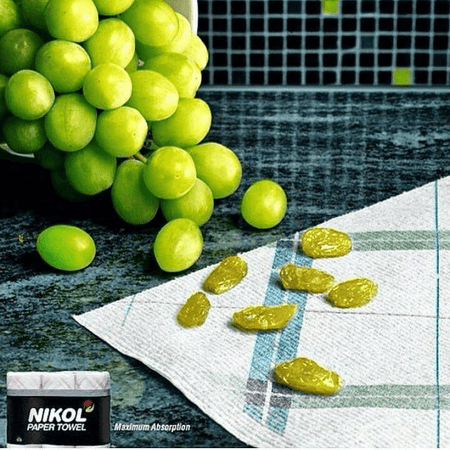
Exaggerating your product’s benefits, in a clever and obvious way, is one of the best methods for slipping some humor into your advertisement, which can capture your audience’s attention and trigger an emotional response from them.
For instance, Nikol’s paper towels obviously can’t turn grapes into raisins, but this ad highlights the product’s absorbent powers in such a clear and artful way, they didn’t need to write a single line of copy.
8. Show, don’t tell.
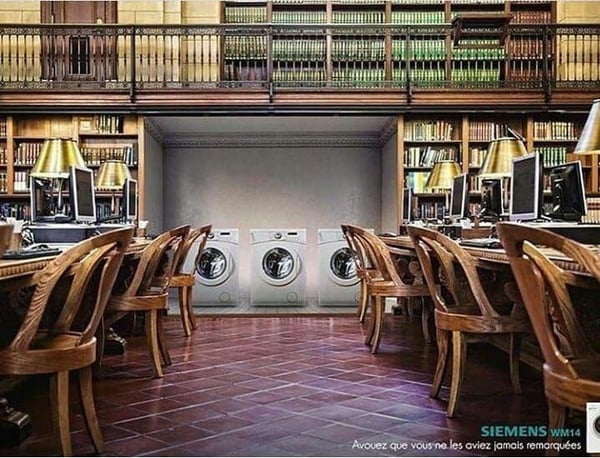
Showing your audience something is much more engaging and interesting than telling them it. Relying on implication to convey a message is mysterious, making it more fun for your audience to figure out.
For example, in Siemens’ creative ad, they show the benefits of their product by unexpectedly placing their washers and dryers in a library to show you that they’re so quiet, even a librarian wouldn’t need to shush them.
9. Swap connotations.
-9.png?width=328&name=pasted%20image%200%20(1)-9.png)
In relation to food, the word “hot” has multiple meanings: having a high temperature and being spicy. Heinz brilliantly used the connotation of high temperature to highlight the spiciness of their ketchup, and their creative method of communicating the value of their product helped them instantly attract people’s attention.
10. Be authentic.
Planet Fitness is a brand that has long worked to make fitness less scary and more accessible to people, as evidenced by their “judgment-free zone” policies.
Part of that mission means encouraging people to be themselves. True to form, as many of their facilities open with new sanitizing procedures, they released this video ad announcing their policies. In it, Planet Fitness employees dance with inhibition. This fun and authentic ad supports who Planet Fitness is as a company.
11. Turn your ad into a game.

The brain is wired to predict things. It’s an evolutionary trait that allows us to anticipate what’s going to happen next and quickly react to it. That said, advertisements that are predictable only require a shred of thought to understand, so they’re too easy to grasp and, in turn, too boring to engage anyone.
With this in mind, if you can scrap predictability from your advertisements, you force your audience into a deeper level of thinking to digest your message, compelling them to pay more attention to it.
One of the best ways to ensnare your audience attention and get them to interact with your advertisement is by turning it into a game. By framing your advertisement like a game that can be beat, just like Mazda’s ad, above, your audience has the opportunity to earn an intellectual reward if they spend just the right amount of mental energy playing your brand’s game and grasping your advertisement’s message, which is something most people won’t ever pass up.
1. Canva
Canva is one of the premier free design platforms, available on both desktop and via a robust mobile app.
As an online ad maker, Canva provides a large library of pre-designed templates, 1 million stock images, and drag-and-drop design building. It can also integrate with HubSpot so that you can access Canva directly within the CMS.
2. DesignWizard
DesignWizard is another great option with integration capability. With pre-made templates across multiple sizes and dimensions, you’ll find attractive designs for any need — print and digital. Unlike other online ad makers, Design Wizard also offers free easy resizing so you can quickly create across multiple formats with less hassle.
3. Bannersnack
If you’re creating ads for PPC display campaigns, Bannersnack is a must. Since display ads come in so many shapes and sizes, Bannersnack allows you to create one ad and then generate several more based on the original design but with different dimensions, taking “resizing” features to another level. The only downside is that the free plan limits the number of designs you can create. However, the premium upgrade is reasonably priced.
4. Visme
Step up your social ads game by tapping into Visme’s library of templates for ads and posts for:
- YouTube
Pick from millions of free photos, icons, shapes, and animations to convey what your brand has to say.
5. Snappa
If you’ve ever struggled to remove a background from a brand photo in an expensive photo editor, you’ll be relieved to know that Snappa can do it in one click.
Add this capability to a library of templates, 3 million quality stock photos, 100,000 shapes, and over 200 fonts — you’re on your way to unhampered creativity.
6. Lucidpress
Lucidpress is one of the more versatile platforms on this list, with capabilities ranging from graphic ad design to asset management and direct mail. The free version does limit functionality and the number of designs, though, but Lucidpress’s design environment includes layouts for every type of print and digital use possible from social media ads to flyers and coupons.
7. BannerBoo
BannerBoo is unique in that you can make animated banner ads with their easy-to-use HTML5 ad builder. All ads are responsive, and you can choose from their library of animation effects and transitions. The free plan does contain a watermark, however.
With the inspiration from this list and tools that can help you create amazing ads, there’s nothing stopping you from creating an advertising plan that will help you drive brand awareness and generate revenue for your business.
Editor’s note: This post was originally published in May 2019 and has been updated for comprehensiveness.

How to Run Microsoft Project on Mac
8 Really Cool Ways to Use Video in Email Marketing
This morning, as usual, I started my day by checking my emails.
While this process doesn’t usually excite me and is just my method for waking up, I came across a subject line that made my heart race with excitement:

Knowing that I would be starting my day with a new music video from one of my favorite bands made me smile. It also made me feel valued as a subscriber to their record label’s emails — with just one video, Specialist Subject Records strengthened the consumer relationship I have with them.
This is why video email marketing is such an effective strategy. With a simple embed and subject line, you can build stronger relationships with customers, generate leads, and strengthen the content behind your brand.
Let’s talk a little more about it.
What is video email marketing?
Video email marketing is simply including videos in email marketing. If you’re unsure about how to do that, we have a quick how-to post here.
Because video is an extremely popular medium in marketing, (in fact, 83% of marketers feel its importance is only growing) including it in your email marketing can engage your subscribers and increase your conversions.
Additionally, did you know that over 80% of businesses use video in their marketing efforts? This is likely because of the results video implementation gives them. While using video in email can seem like a taboo topic, it can be very effective.
By using video, you can tap into the imagination of an audience that absorbs information visually — sometimes text just doesn’t do it. With video, you have a chance to make dense topics more compelling for your audience.
Next, let’s talk about ways you can use it in your next email campaign.
How to Use Video in Email Marketing
Videos can dramatically increase click-through rate (CTR).
For example, B2B software company Igloo Software decided to show off their workplace culture by creating 200 videos in three months for future email content. This approach doubled their CTR.
This is one way to use video in email marketing — showcase your brand in email and use it to increase CTR. We have six more, which we’ll explore now.
1. Use video for bonus content to delight your subscribers.
Consider using emails to give subscribers bonus content. Email subscribers are likely to enjoy a variety of your content, so going the extra mile with a surprise bonus could delight your audience.
For instance, if you share weekly newsletters about Instagram content, you can add a link for early access to a live webinar you’re hosting about Instagram Stories at the end of the month. That way, you can build interest for the event, keep subscribers in the loop about things going on within your company, and give them an incentive to keep checking your emails.
Alternatively, you can use emails to alert subscribers about bonus material you offer through other channels. For instance, this is an email I received from creators I subscribe to on Patreon, a subscription-based content service:

The email served as a reminder to check my Patreon dashboard to see other offers. I could also play the video directly in the email, which is a great method for email deliverability and personalization. It was a wonderful surprise, and kept the email format readable.
2. Make emails a more personalized experience.
Do you have a backlog of video content on your website? Consider using that to your advantage and sending personalized emails.
For instance, let’s say someone watches a portion of a video on your website that they don’t finish, and you’re noticing this is a pattern when you analyze your website data. Marketo‘s formula is to automatically send that video in an email to remind that user to finish.
By doing this, Vidyard reported that Marketo raised their CTR by over 144% due to the personalization of that email. If I were sent a video I meant to finish in an email, I’d surely open it to complete that video. I’d also feel pretty important to the company as a customer.
From a business perspective, this means more clicks for you, a better relationship with the customer, and more views on videos.
3. Display company culture with a video.
If you’re struggling with thinking of out-of-the-box ideas for email content that shows off company personality, consider heading to YouTube.
Yes, you read that right: YouTube.
What better way to show subscribers the culture in your company than going straight to the source? Let’s look at this email from beauty company, Glossier, to illustrate:

This email embeds a simple video from a Glossier influencer, showing viewers her morning routine using the company’s products. If you click on the video’s image, you’re taken to a YouTube playlist that highlights the makeup routines of Glossier affiliates, celebrities, and employees.
Getting a peek into how Glossier employees use the skincare and makeup in their daily routines adds a sense of normalcy and relatability to the company. I got to see the people behind the marketing emails, and what I saw were employees who were just like me.
Framed as a fun, “TGIF!” email, this messaging also had a promotion. If you click on the CTA, you’re brought to Glossier’s main product page with a reminder to spend Friday’s payday at the company’s ecommerce store.
Email marketing doesn’t have to be a blatant show of products. Sometimes, you can subtly promote your products within a display of company culture. Try experimenting with a blend of public-facing content to promote your brand, like Glossier.
For example, let’s say you want to bring attention to that new advertising metrics tool you’ve just launched. You might consider asking your marketing team to film a short video of the product’s daily value. Then, you can embed the product page in the video’s thumbnail. (Consider giving employees a heads-up that their response might be part of a marketing email).
4. Announce an event with a video.
If your company hosts events, whether internal or external, take videos of the events for a recap to send subscribers. This way, you can give subscribers a taste of how your brand works in-action and build interest in your company’s events overall.
For instance, do you host or participate in quarterly industry mixers? Try including a video in an email about the most recent one, along with a CTA for subscribers to learn more about the next one. The video can also serve as social proof that these events are well-attended and informative for other people in your industry.
5. Announce a product line or launch with a video.
Confession: I’m a little obsessed with makeup company, Fenty Beauty. When it was first announced, I immediately signed up for emails. It seems fitting, then, that the team at Fenty Beauty teamed up with Fenty Skin for its initial launch.
Fenty Beauty subscribers were sent an exclusive video from CEO, Rihanna, about the new company and what it would entail. It’s a great strategy to market complementary products through email, since subscribers are already interested in what your company offers.

If you’re launching a new product in the upcoming quarter, maybe it’s a good idea to include email subscribers in the pre-launch phase. For instance, if you’re launching a chatflow bot as part of a CRM update, let email subscribers know first. That way, dedicated customers can express their interest in the product and bring in that word-of-mouth marketing.
6. Send out newsletters with videos.
If you’re giving subscribers scheduled newsletters with no video, you’re missing out! There’s a lot of ways to include video in newsletters so they can be effective. Video-heavy businesses can benefit from newsletter video embeds so subscribers can catch up on content they may have missed — especially if your subscribers prefer watching over reading.
Another way to use video in newsletters is to round-up popular videos in your industry. If your company doesn’t do many videos, this is an excellent avenue for you. Alternatively, if a member of your team is interested in a routine video schedule, try filming a round-up of weekly content in video-form.
For instance, if there was a commercial that rocked your industry recently, include that video in your newsletter with a corresponding blog post about your thoughts to increase traffic on your blog.
7. Move leads along their customer journey.
Email marketing isn’t just limited to loyal customers — you can also use it to nurture leads. Just use workflows in your CRM to automate videos that will move them along the customer journey. This works with forms you can add right into that video.
These forms might give your sales team enough information to follow up with interested customers. Or, give leads an opportunity to watch your latest crash course in SEO link building — in exchange for the completed form fields, of course.
If you’re currently thinking, “I’m no tech wiz, how do I do that?”, don’t worry. HubSpot’s integration with Wistia makes it easy to add this widget into your marketing emails. Check with your CRM software to see if it offers something similar.

With this integration, you can add HubSpot forms into a Wistia video for higher engagement. If a lead converts within the video, their viewing data will sync with their contact record. This can be useful for future customer research with video marketing campaigns.
Think about piloting a video email marketing campaign for conversion. If you download viewing data, you can see how to tweak video content to further delight your customers.
8. Include video in email subject lines.
Formatting is super important in emails and it starts with the subject line. As a consumer, if I see an email with emojis in the subject line, I’m immediately more interested in the email because emojis stick out to me and feel more inviting.
Try including “Video” or a corresponding emoji in your subject line to entice subscribers to open it. You’ll likely want to A/B test a variety of subject lines in the beginning to figure out what your readers prefer.
Another important formatting tip is to embed the video in the email in a place that keeps readers interested. Putting videos at the beginning of an email is a good idea, but placing it near the end invites readers to keep reading to better understand the video.
Video is an incredible way to engage subscribers, old and new. I just received a new one in my inbox, and I’ll prioritize that over other emails. If it sounds pretty hectic to produce new videos for email campaigns, think about using the ones you already have. You may be able to repurpose them into great content for your audience.

How to Make All Your Accounts Safer With Two-Factor Authentication (2FA)
Nowadays, account security is a major concern for companies and their employees.
It can pose a major threat to your employer if you’re hacked — if someone hacks your Gmail account, for instance, he will have access to company contacts, as well as your calendar, Google Docs, Google Sheets, and other private company information.
For this reason, Duo Mobile and other two-factor authentication apps have risen in popularity.
Two-factor authentication (or 2FA) is a safety process you can enable on any of your devices, including your iPhone, Mac, Gmail account, or social media accounts like Facebook.
Here, we’re going to tell you what two-factor authentication is, and how you can enable (or disable) it on any of your accounts, to ensure your information is protected.
What is two-factor authentication?
To understand what two-factor authentication is, let’s start with an analogy.
Imagine you live in a dangerous neighborhood, and you only have one lock on your door. Alternatively, your neighbor down the street has a top and bottom lock, and each lock requires a separate key — which means, to break into his apartment, you need to break into two locks, not just one.
Who’s safer?
Ultimately, two-factor authentication is your neighbor’s top and bottom lock — but for your online accounts. It significantly decreases the risk of getting hacked by combining two methods of protection.
Two-factor authentication uses two methods to ensure you’re the correct user. It combines something you know (i.e. a password), with something you have (i.e. a mobile phone), or something you are (i.e. facial recognition).
For instance, to access my online school account, I need to open the Duo Mobile app on my phone, and input my school account’s password — while a hacker might be able to guess my password, he’s going to have a tougher time hacking into my phone, as well.
How to Turn Off Two-Factor Authentication
It’s relatively easy to turn off two-factor authentication on any of your accounts.
On Facebook, for instance, simply go to “Settings” and then “Security and Login”. Find “Use two-factor authentication”, click “Edit”, and then switch to “Off”.
.jpeg?width=1500&name=How%20to%20Make%20All%20Your%20Accounts%20Safer%20With%20Two-Factor%20Authentication%20(2FA).jpeg)
Alternatively, on Gmail, you’ll want to go to http://myaccount.google.com. Then, select “Security”. Under the “Signing in to Google” section, you’ll see “2-Step Verification”. Click this section.
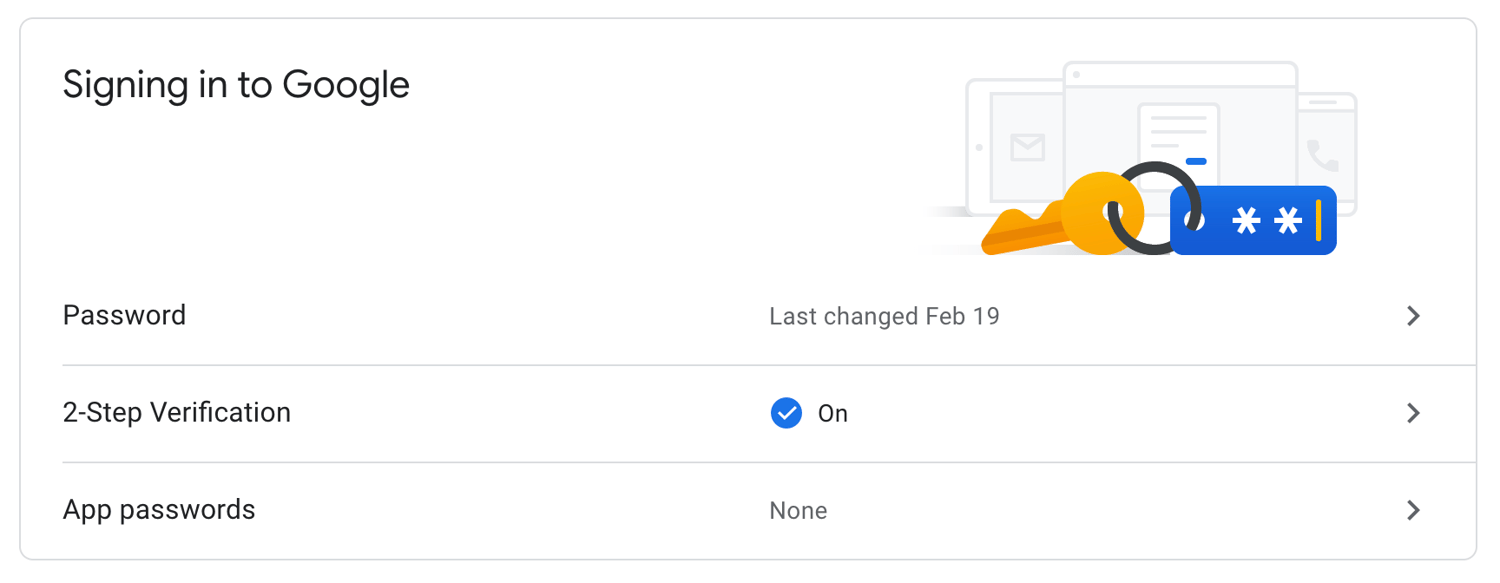 Next, select “Turn Off” to disable 2-Step Verification for your Gmail account.
.png?width=1500&name=How%20to%20Make%20All%20Your%20Accounts%20Safer%20With%20Two-Factor%20Authentication%20(2FA).png)
It’s important to note, Apple removed the option to turn off two-factor authentication for Apple IDs created in iOS 10.3 or macOS 10.12.4 and later.
However, you have a two-week period during which you can still disable the function. Simply open your iCloud email account and find the enrollment confirmation email, then click the link to return to your previous security settings.
Editor’s note: This post was originally published in March, 2019 and has been updated for comprehensiveness.

Personal Firewalls Explained and The 5 Best Ones for 2020
No two computer viruses are the same, but the worst ones can enable cyber criminals to steal your most personal information, destroy your data, and even damage your computer’s hardware.
Macs and PCs both have built-in firewalls that help shield your computer from malicious cyber attacks, but if you want an extra layer of protection, you can purchase and download a personal firewall.
Check out the following personal firewalls to figure out which one is right for you.
5 of the Best Personal Firewalls for Mac and Windows
1. McAfee LiveSafe
Price: $104.99 Per Year For an Unlimited Amount of Devices
Available On: Mac and Windows
McAfee LiveSafe is an antivirus software that protects your computer from viruses and ransomware.
It offers a safe web browsing tool that warns you about risky websites, links, and files, a multi-factor password manager app, a digital file shredder, and encrypted storage, which protects your most sensitive information on your computer with 128-bit encryption.
McAfee LiveSafe performed well enough in recent third-party tests to be considered one of the best antivirus software out there, and since you can use it on an unlimited amount of devices, it’s also one of the most affordable options on the market.
2. Norton Security Premium
Price: $54.99 Per Year For Up to Five Devices
Available On: Mac and Windows
Norton Security Deluxe leverages one of the largest civilian cyber intelligence networks to protect your computer from viruses, spyware, malware, ransomware, and other advanced online threats.
Norton Security Deluxe also offers a Smart Firewall, which can shield your personal and financial information from hackers that gain unauthorized access to computers from seemingly “broken” sites that actually download viruses once people visit it.
Norton Security Deluxe scored high on Top Ten Reviews’ in-house testing, so if you’re looking for a powerful firewall solution, it’s the personal antivirus software for you.
3. Kaspersky Internet Security
Price: $47.99 Per Year For Up to Three Devices
Available On: Mac and Windows
In addition to shielding your computer from viruses, ransomware, and cyber attacks when you surf the web or download anything, Kaspersky Internet Security can also protect your bank and card details when you bank or shop online and safeguard your personal information from malicious links on social media.
The software constantly scores high on independent laboratory tests that assess its capability of detecting and stopping malware, and the cheapest plan can protect up to three computers in your household, so if you need an affordable antivirus solution for your family, consider choosing Kaspersky Internet Security.
4. Intego Mac Premium Bundle X9
Price: 69.99 Per Year For Up to Three Devices
Available On: Mac
After purchasing and downloading the latest version of Intego’s Mac Premium Bundle, you can leverage a real-time antivirus protection software that automatically scans your Mac, and an intelligent firewall and a hotspot network protection tool that blocks cyber criminals from accessing your computer through the internet.
You also get access to a Cleaner Software that can remove unnecessary files from your computer, a parental control tool, and a data backup tool.
Ranked as the best personal firewall for Mac by Top Ten Reviews and earning perfect scores on their in-house testing for blocking spyware, ransomware, and phishing attempts specifically designed to infect Macs, the Intego Mac Premium Bundle is one of the best antivirus softwares for Mac users.
5. Bitdefender Internet Security
Price: $79.99 Per Year For Up to Three Devices
Available On: PC
By constantly testing different types of protection in malware detection tests run by independent labs, Bitdefender Internet Security has refined their solution enough to offer some of the best web attack prevention, ransomware protection, real-time data protection, anti-fraud, and anti-phishing tools out there. They also offer access to their own VPN, webcam protection, and vulnerability assessments.
Ranked as the best overall personal firewall in 2019 by Top Ten Reviews and the most expensive solution on this list, Bitdefender Internet Security is perfect for people who make shielding their computers from the most advanced cyber attacks a top priority in their lives.
Editor’s note: This post was originally published in January, 2019 and has been updated for comprehensiveness.

What Is Phishing and How Can You Protect Your Business From an Attack?
Staff at MacEwan University, a school in Edmonton, Canada, received an email from a major vendor stating they had recently changed their electronic banking information and needed payments to be sent to a new account.
Assuming their trusted business partner was just going through some changes, the university complied and transferred three payments to the new bank account within a span of 10 days.
But four days later, MacEwan University received a phone call from this same vendor asking them why they hadn’t paid their fees yet. Perplexed by the call, the university told them they had just transferred the payments to their new bank account.
The vendor had no idea what they were talking about.
Unfortunately, this bank account didn’t actually belong to MacEwan’s vendor. It belonged to cyber criminals in Canada and Hong Kong. And MacEwan University had just transferred them $11.8 million.
Eventually, the university discovered the email requesting them to transfer their payments to the new bank account was actually fraudulent and a prevalent form of cyber attack that thousands of businesses fall victim to every year — phishing.
Examples of these credentials include passwords, credit card details, bank login information, and social security numbers.
Most cyber criminals deploy phishing attacks through email, like the picture below, but some have also started to exploit social media, messaging apps, and text message to steal people’s personal information.
Phishing instances have rose in number over recent years — in fact, there were over over
60,000 phishing sites reported in March of 2020 alone. This cybercrime could wreak havoc on your brand and bottom line.
So how do you defend your customers and employees from phishing without making them your brand’s first line of defense?
Here are three shields you can leverage to protect your brand from these prevalent attacks.
How to Protect Your Business From Phishing Attacks
1. Build a DMARC record.
DMARC (Domain-based Message Authentication Reporting and Conformance) is a cutting-edge email authentication protocol that leverages two other authentication protocols, SPF (Sender Policy Framework), and DKIM (DomainKeys Identified Mail) to verify legitimate messages sent from your domain and block fraudulent emails that appear to be sent from your domain.
These email authentication protocols are rather technical, so in a nutshell, SPF is a record of IP addresses that are authorized to send emails on your behalf that email service providers check against, and DKIM is a verification process that leverages cryptographic authentication.
DMARC is the only technology that can ensure your “header from” address (what your users usually look at first when they see your emails) is trustworthy.
To do this, they’ll only authenticate email messages that pass SPF authentication and SPF alignment or DKIM authentication and alignment. If an email message fails SPF authentication or alignment and DKIM authentication or alignment, it’ll fail DMARC.
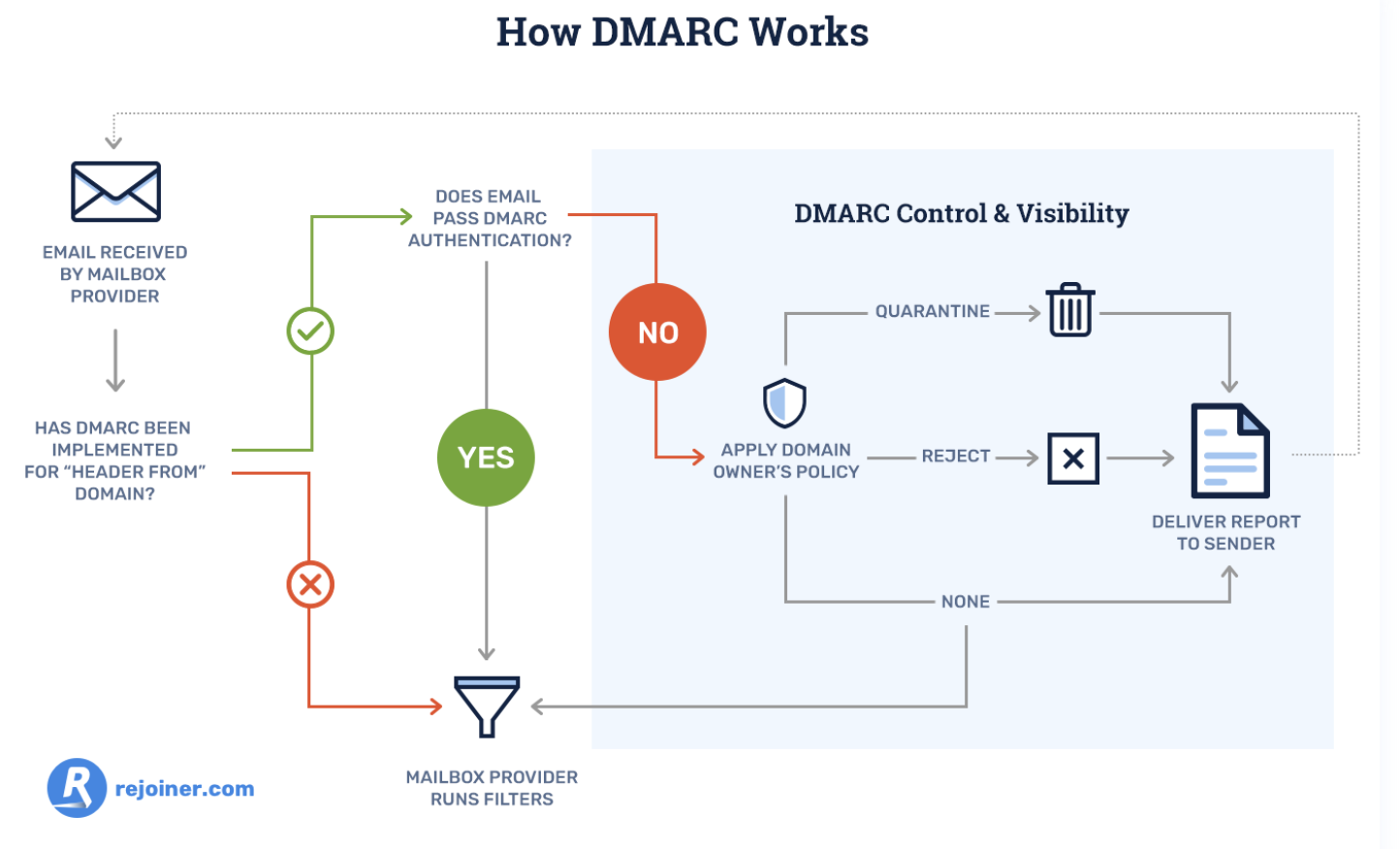
DMARC also allows you to tell email service providers what they should do with any fraudulent mail that appears to be sent from your domain. You can either monitor all of your emails, move unauthenticated messages to users’ spam folders, or decide not to deliver this type of mail at all to inboxes on your server.
Additionally, email service providers will regularly send you forensic DMARC reports, showing you which emails are authenticating, which ones are not, and why.
2. Train customers and employees to spot an attack.
According to PhishMe, a phishing defense solution, companies who train employees to identify and report attempted phishing attacks only have a 5% susceptibility rate to phishing.
To help employees and customers spot one of these attacks and better defend your business, teach them these common phishing markers:
Poor Spelling, Grammar, or Writing
A lot of amateur cyber criminals don’t take the time to craft clear and convincing emails, which brands always seem to do, and foreign cyber criminals will usually rely on Google Translate to translate their messages. So if you receive a poorly written email from a seemingly legitimate sender, take caution.
Suspicious URLs
Most phishing emails lure people into clicking through to a malicious or fake website. To do this, cyber criminals will usually spoof the website’s URL by creating a lookalike one, or they’ll mask their dodgy URL by shortening it.
Whenever you see a weird or shortened URL, make sure you hover your mouse over it to see if the landing page’s web address is different or fake.
Mismatched Sender Address
Even if a cyber criminal can perfectly imitate your brand’s voice, formatting, logo, address, and contact email address in their phishing email, there’s still a trait of yours they can’t copy — your sender address.
Cyber criminals will usually create a lookalike sender address or just use a string of characters in hopes that you won’t check it. To verify a brand’s sender address, check out the sender’s domain in the email’s “from” header and see if it matches the brand’s domain.
3. Invest in email security software.
If your company has the funds, email security software like Proofpoint and Barracuda are the most reliable and effective lines of defense against phishing.
Well-versed employees can still fall victim to cleverly-crafted phishing emails and cyber criminals constantly refine their malicious tactics, like sending phishing emails from the legitimate domains of compromised websites.
But since email security software can identify unusual traffic patterns and monitor fishy URLs, it can effectively detect, block, and respond to these sophisticated threats before they reach your customers and employees’ inbox.
Avoid Getting Snagged
Arm yourself with DMARC, thorough employee training, and the best-fit email security software for your specific systems and situation, to shield your customers, employees, and brand from phishing attacks — no matter how enticing the bait is.
Editor’s note: This post was originally published in December, 2018 and has been updated for comprehensiveness.


What Is Product Classification, and Why It Matters for Your Marketing Efforts
The other day, I roamed the aisles of CVS and picked up the same Crest toothpaste I’ve been buying for years.
I didn’t think twice about it. I made the purchase on auto-pilot. I didn’t consider testing out a different brand, or purchasing one from another retailer.
Toothpaste, as it turns out, is known as a “convenience good”, which matches my buying behavior.
Understanding product classification can help you understand your consumers’ general buying behaviors, which will help you market your product more effectively.
There are four types of product classification. Let’s dive into each type, so you can determine where your product falls in the list.
Consumer Product Classification
There are four types of product classification — convenience goods, shopping goods, specialty products, and unsought goods.
Let’s dive into each one in more detail.
1. Convenience Goods
Like the Crest toothpaste example, convenience goods are products that consumers’ purchase repeatedly and without much thought. Once consumers choose their convenience goods’ brand-of-choice, they typically stick to it unless they see a reason to switch — such as an interesting advertisement that compels them to try it, or mere convenience at the checkout aisle.
These products include toilet paper, soap, toothpaste, shampoo, milk, and other necessities that people buy over and over again.
To market a convenience good, you want to consider that most people will impulse buy these products. Placing your products near the checkout line at a store could be a good idea for these products — which is why you’ll often find candy and gum at the front of a store.
Since most convenience goods are low-price, pricing and discounting isn’t a major factor. I won’t switch my toilet paper brand just to save a few cents. For convenience goods, brand recognition is key, so you’ll want to implement wide-spread campaigns to spread awareness of your company if possible.
For instance, Charmin toilet paper is a popular brand in the United States — likely in part due to the company’s consistent and long-term advertising strategy, dating back to the 1960’s with the invention of “Mr. Whipple”, a Charmin character who appeared on TV, print, and radio.
2. Shopping Goods
Shopping goods are commodities you likely think of when you hear the word “shopping”. They might be higher-end items like cars or houses, or smaller items like clothing and electronics.
Consumers typically spend more time conducting research, comparing prices, and chatting with salespeople when they’re looking to purchase shopping goods. These are more one-off purchases, and are typically more important and higher economic-impact products compared to toilet paper or soap.
For instance, while you will buy toilet paper over and over again for the rest of your life, you’ll likely only purchase a house a few times at most. And, since it’s an expensive and important purchase, you’ll spend a good amount of time deliberating on it, attending different open houses, speaking with various retailers, and comparing pros and cons of your final selection.
The same can be said for smaller products. A nice t-shirt from the Gap, for instance, isn’t typically an “impulse” buy. Instead, you’ll want to try it on, consider whether the price is worth it, and even text a picture of it to a friend.
To market a shopping goods product, then, you’ll want to invest in content that helps persuade your buyer that your product is worth it. It’s important your marketing materials demonstrate how your product differs from the competition, and the unique value-add it provides consumers.
This will vary depending on your industry and product, but ultimately, marketing shopping goods entails helping consumers understand why they should choose your product over others in the marketplace.
3. Specialty Goods
A specialty good is the only product of its kind on the market, which means consumers typically don’t feel the need to compare-and-contrast or deliberate as much as they would with other products.
A good example of this? iPhones.
I’ve been purchasing new iPhones for years, and I haven’t paused to consider other smartphone models — not because an iPhone is an “impulse” buy, but because of the brand recognition and unique quality I feel I’m getting from an iPhone. It’s the same reason people buy Mercedes. There isn’t anything else on the market like it.
For this reason, if you’re marketing a specialty good, you don’t necessarily need to spend too much time convincing consumers that your product is different from competitors. They already know it’s different. Instead, your company should focus on constantly innovating on its previous products and producing the “next best thing”. This will ensure your customers will remain loyal to your brand.
For instance, if Apple stopped making impressive improvements on their iPhones and promoting new features, I might consider switching brands. But since they’ve continued to impress me over the years, I’ve continued to purchase from them.
4. Unsought Goods
Finally, unsought goods — a product that people aren’t typically excited to buy, and also don’t buy on impulse. Good examples of unsought goods include fire extinguishers, batteries, or life insurance.
People will typically buy an unsought good out of a sense of fear or danger. For instance, you wouldn’t go on the market looking for the “new and best” fire extinguisher. You’d only purchase one due to the fear of a potential fire. Alternatively, some unsought goods, like batteries, are bought simply because the old ones ran out.
When marketing an unsought good, you’ll want to focus on reminding consumers of the existence of your product, and convincing consumers that purchasing your product will leave them with a better sense of security.
For instance, Duracell’s Beach x Bear commercial encourages viewers to remember the importance of batteries in life-threatening situations, like impending bear attacks (as well as the everyday importance of batteries, like when using a metal detector … ).
Hopefully, you can find a clear fit with your product in one of these four classifications. Use consumers’ buyer behavior to inspire your next marketing campaign. How can you meet — and exceed — customers’ expectations of your product type?

How to Analyze Your Marketing: Google Analytics Strategy
Are your marketing efforts working? Wondering how to elevate your marketing? To explore how to strategically analyze your marketing using Google Analytics, I interview Julian Juenemann on the Social Media Marketing Podcast. Julian is a measurement expert and founder of Measure School, a popular YouTube channel and site for data-driven marketers. His membership site is […]
The post How to Analyze Your Marketing: Google Analytics Strategy appeared first on Social Media Examiner | Social Media Marketing.
from Social Media Examiner | Social Media Marketing https://ift.tt/3j0PN39
via socialmediaexaminer
Which Format Is Right for Your Next Blog Post?
Choices are hard.
And when it comes to choosing the right format for your next blog post, there’s quite the smorgasbord to choose from. Perhaps how-to posts are your forte. Or maybe you just can’t resist the list. But just because you have a signature format, doesn’t mean it’s necessarily right for the topic you’re blogging about.
Aah … decisions, decisions.
It’s okay though! We’re here to help you through it. So in this post, I’m going to break down some of the most popular blog post types and formats to help you determine which one is right for the blog idea you’ve got milling around in that head of yours.
That said, keep in mind that some posts may even straddle two or more formats. I’ve written thought leadership posts that could also probably be classified as list posts. And if I’d added a SlideShare to them? They would’ve straddled three!
The point is to recognize that there isn’t just one type of blog post you can create — and some formats are much more suitable for certain ideas than others. Another thing to consider is that a lot of times, it will all boil down to the angle you take on a topic. For example, if I wanted to write a post about social media, there is probably a different angle I could take that would work for each of the following formats. It will all depend on the angle I decide to take.
Blog Post Types and Formats
- The How-To Post
- The Listicle
- The Curated Post
- The Thought Leadership Post
- The Fun Post
- The ‘What’ Post
- The ‘Why’ Post
- The Feature Story
- The FAQ Post
- The Interview Post
- The SlideShare Post
- The Infographic Post
- The Newsjack
- The Comparison Post
1. The How-To Post
Format: Step-by-step guide that tells your readers how to do something.
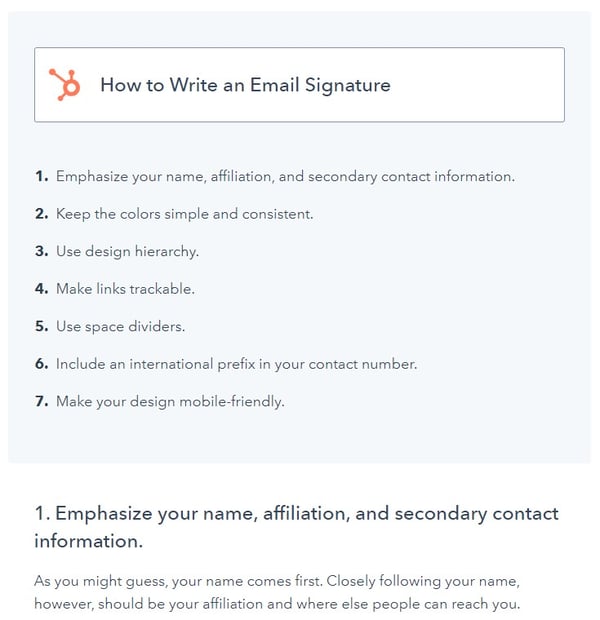
This is one of the most common blog post formats for business bloggers. It makes perfect sense, considering how-to posts are inherently educational and great for generating traffic from organic search. Use how-to posts when your topic has to do with educating your audience about how to do something they might not know how to do.
Oftentimes, how-to posts can also be strengthened by supporting visual components for concepts that lend themselves to visual explanations, like an instructional video or a visual aid.
Download a Free How-To Blog Post Template Here
Examples:
- How to Write a Great Email Signature [+ Professional Examples]
- How to Create a Social Media Report [Free Template]
- How to Write a Blog Post: A Step-by-Step Guide [+ Free Blog Post Templates]
2. The Listicle
Format: List of similar items or content.
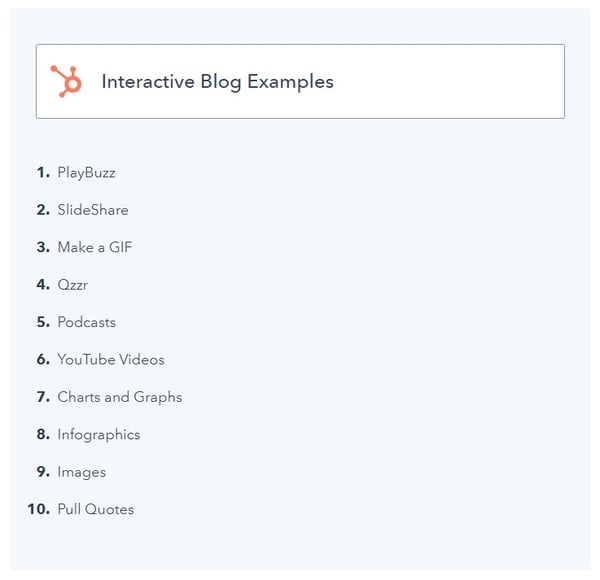
Another very popular blog post format, the list post (commonly referred to as a “listicle”), is characterized by content organized in a list. List posts are easily recognizable by their titles, since they usually include a number in headline, and they’re great formats for beginner bloggers since they’re very formulaic. Unfortunately, it’s for this reason that listicles have gotten a bad rap, and are often perceived as low quality pieces of content … probably because there are indeed a lot of crappy list posts out there.
But when done right, lists posts are great for posts that seek to aggregate tips, tactics, or ideas under a certain topic, and they can result in high-quality content. Plus, people love ’em! To learn about how to create a high-quality list post, check out this post. (Bonus: It also happens to be a great example of a list post in and of itself, in addition to the few below.)
Download a Free Listicle Blog Post Template Here
Examples:
- 10 Ways to Make Your Blog Post Interactive
- 10 Social Media Calendars, Tools, & Templates to Plan Your Content
- 12 of the Best Marketing Techniques for 2020
3. The Curated Post
Format: Highlights and curates (usually external) content around a certain theme.
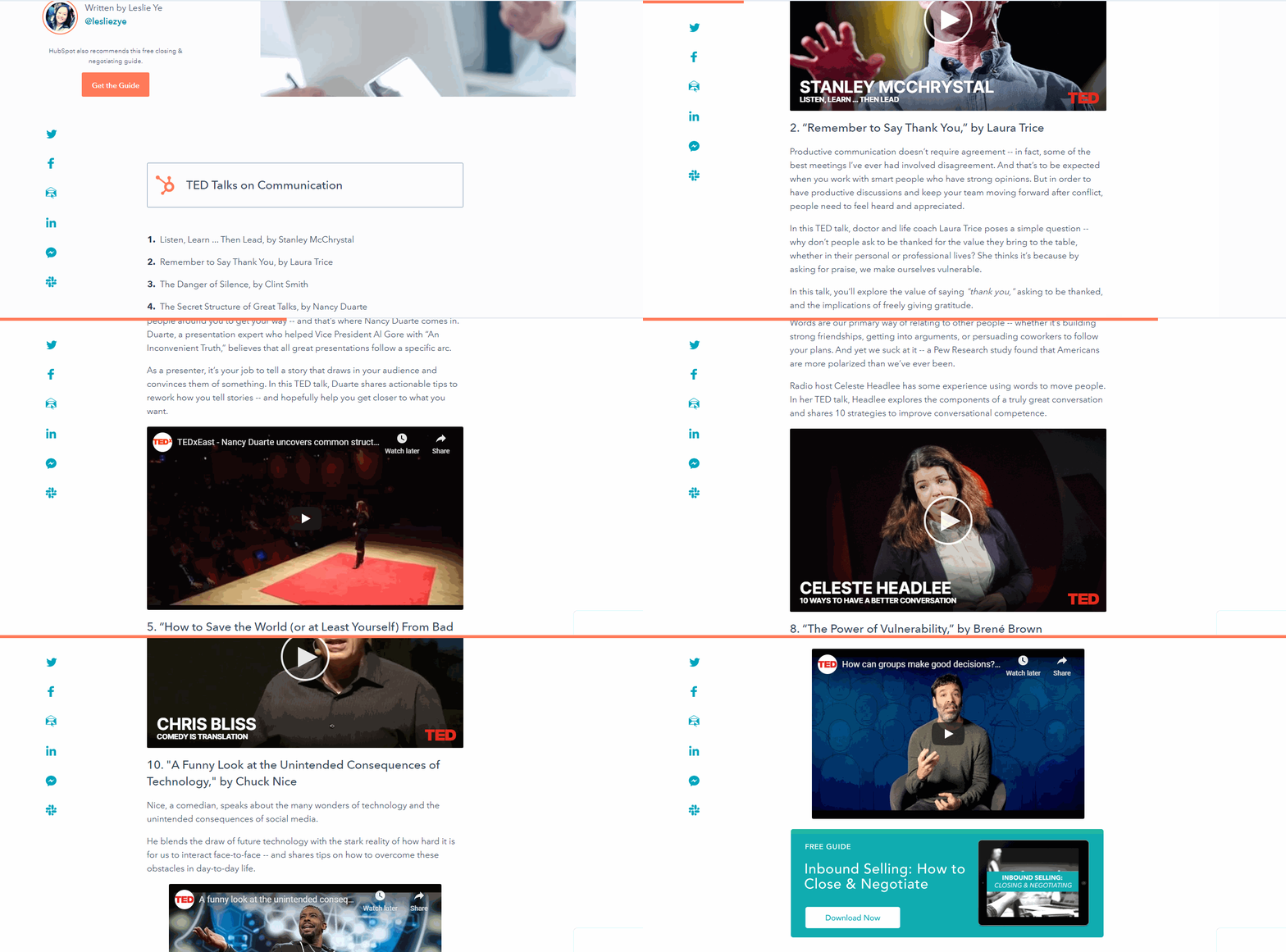 Another post that has historically (yet undeservingly) gotten a bad rap is the curated post. Although it’s sometimes perceived as lazy and unoriginal, curated content can actually be extremely helpful to readers, since the research component of them can be very time consuming, and the end result is a compilation of helpful resources all in one place.
The curated post is ideal for aggregating content such as industry examples, statistics, quotations, and videos — among other things. It’s also great for building relationships with the other bloggers and businesses you highlight within your curated content.
Examples:
- 15 Phenomenal TED Talks You Need to Watch Today
- 43 Messaging App Stats That Marketers Should Know
- 15 Examples of Brilliant Homepage Design
4. The Thought Leadership Post
Format: Original data or opinions intended to make the reader think.
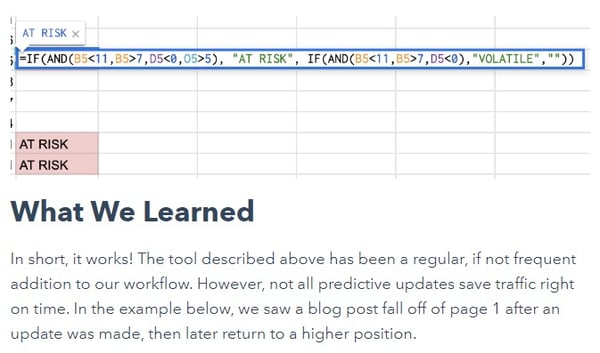
One of the more difficult types of posts to write, thought leadership-style posts usually take the form of pontification about things like where the industry is headed or industry trends that seem to be emerging and what they mean.
For this reason, they’re not really the type of post you can just decide to write at the drop of a hat, like, “I’m going to write a thought leadership post today!” Rather, they’re usually the result of thoughtful examination of things you’ve noticed or have been thinking about over time, and they tend to be speculative and sometimes controversial in nature. They also tend to spark some great discussions!
Examples:
- Predictive SEO: How HubSpot Saves Traffic We Haven’t Lost Yet
- Can B2C Marketing Succeed on LinkedIn?
- How Our Marketing Team Used Sprint Planning While Working Remotely
5. The Fun Post
Format: Entertainment.
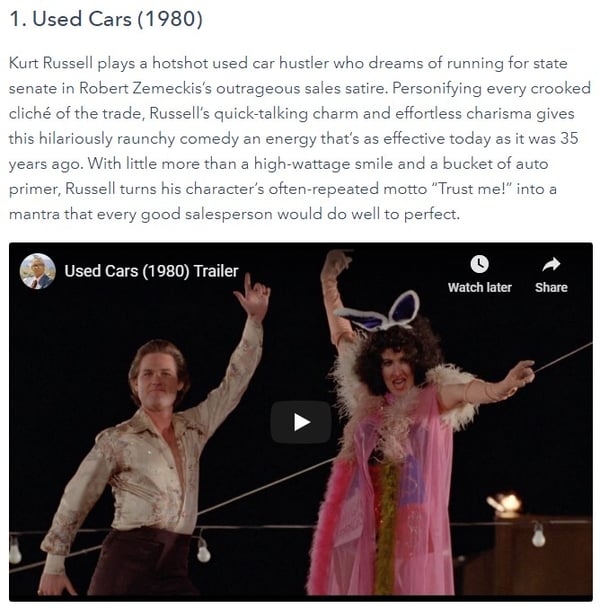
Because who doesn’t love to laugh, smile, or be amazed? Content whose main purpose is to entertain does have a place in your content mix, and it can be very refreshing to your audience — as long as it’s in moderation.
These types of posts are great for publishing during holidays, the end of the day, the end of the week, and other times when your audience is burnt out, winding down, or could use a break from some of the more, um, intellectual content on the web. Just make sure you stay true to the focus of your blog overall by ensuring the concept of your fun post has a relevant tie-in. For more on the benefits of entertaining content, here’s why you should publish content for entertainment value alone every once in a while.
Examples:
- The 20 Best Sales Movies of All Time [Updated for 2020]
- 15 Fun, Weird, & Unexpected Interview Questions (With Sample Answers)
- 26 of the Funniest Tweets About Social Media We’ve Ever Seen
6. The ‘What’ Post
Format: Explanation of a concept.
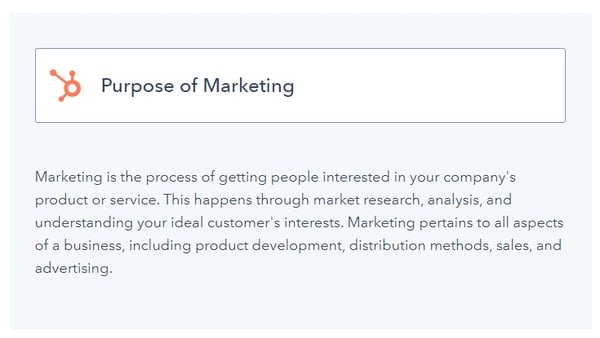
The ‘what’ post is perfect for introductory-style content geared toward a beginner audience. In general, the ‘what’ post serves to introduce and explain a concept, whether it be an industry trend, tactic, or tool; and it typically highlights what it is and why you should care. Linking to or including a call-to-action for more in-depth, intermediate content (like an ebook or another blog post) about the topic at the end of the post is a great best practice for ‘what’ posts.
Download a Free “What Is” Blog Post Template Here
Examples:
- What Is Context Marketing, and Why It Matters [Quick Guide]
- What Is a Blog, & Why Should You Create One
- What is the Purpose of Marketing? [FAQ]
7. The ‘Why’ Post
Format: Explanation of why a concept is important.
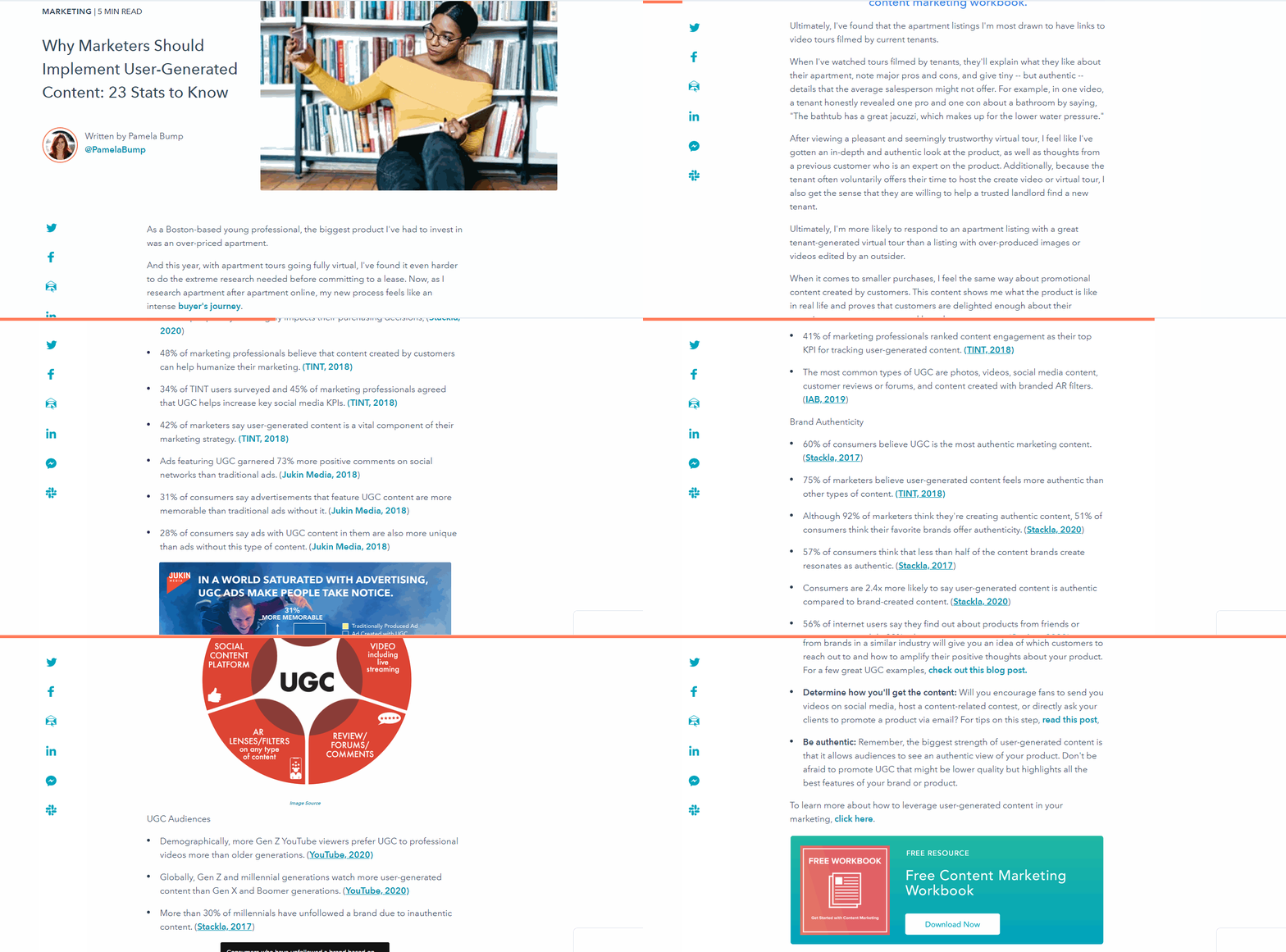
These posts are great when you’re trying to call attention to and emphasize the importance or significance of a certain topic, whether it be a trend, a tool, or a concept in general. Given their nature, these types of posts tend to be pretty introductory as well. In these posts, it’s smart to back up your why argument with supporting examples, facts, and statistics that will help convince the reader the topic is something they should care about. Think about it as something of a persuasive article.
Examples:
- Why Marketers Should Implement User-Generated Content: 23 Stats to Know
- Why HubSpot’s Director of Analytics Wants You to Make Data More Human
- Why Buying Email Lists Is Always a Bad Idea (And How to Build Yours for Free)
8. The Feature Story
Format: Mimicks the style of a human interest story, detailing concepts and ideas of specific market interest.
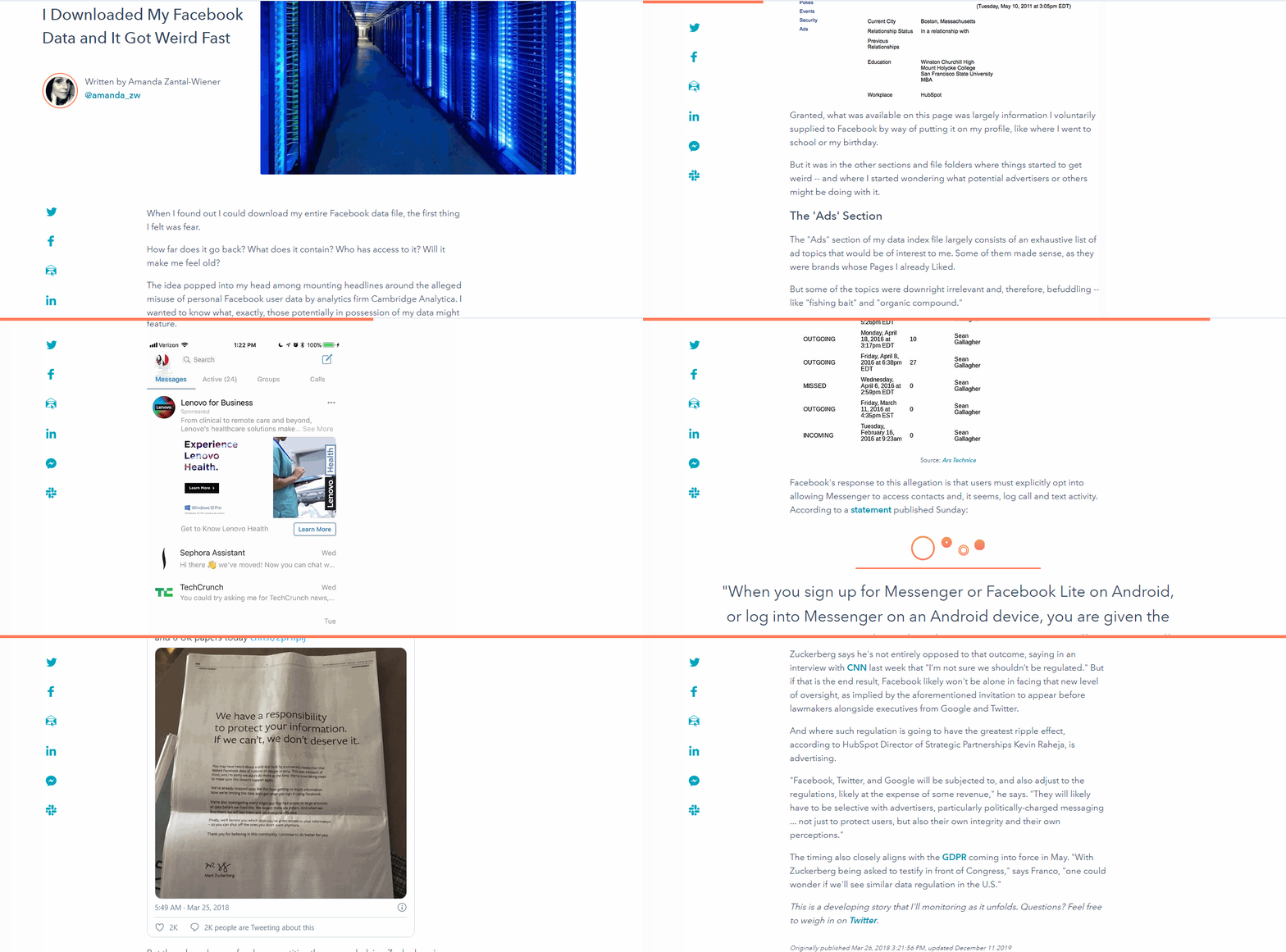
This type of post is great for topics, people, or trends that are worth more in-depth, detailed research and commentary. One of the more journalistic types of blog posts, these articles tend to be hard to define in a blanket statement and more of a “you’ll know it when you see it” kind of post.
Examples:
- I Downloaded My Facebook Data and It Got Weird Fast
- HubSpot’s Marketing Team Worked Remotely for One Week. Here’s What We Learned.
- The Death of the Third-Party Cookie: What Marketers Need to Know
9. The FAQ Post
Format: Question and answer (Q&A) format.
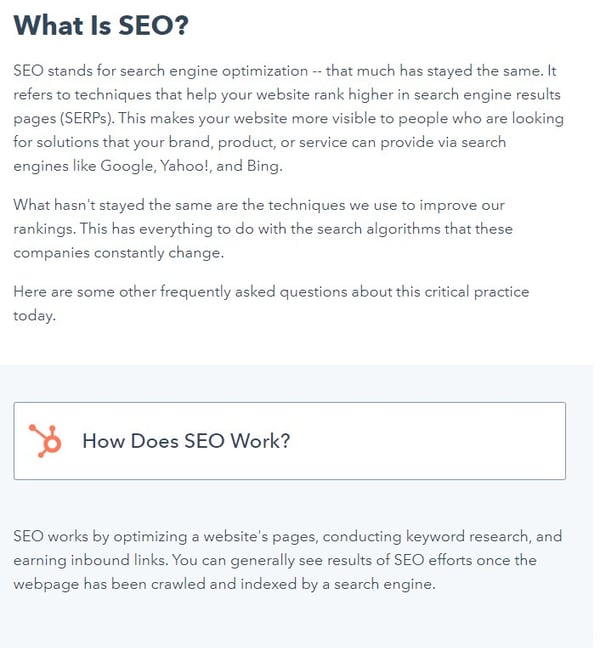
The FAQ post is another format that’s great for beginner bloggers, considering the Q&A format is a built in template. These posts are great for addressing common questions your audience has, grouped under a specific topic.
A great way to generate posts like these is to ask your sales and services departments — the people who are talking to prospective and current customers all the time — to write down any common questions they hear. You can also collect questions you get from blog and social media commentary, as well as attendee questions during webinars. These questions are great fodder for Q&A type posts, and as a result, they can become great resources for your sales and services teams as well.
Examples:
- The Definition of SEO in 100 Words or Less [FAQs]
- Answers to 18 SEO Questions You Were Too Afraid to Ask
- Answers to the 19 Most Frequently Asked Questions About A/B Testing
10. The Interview Post
Format: Quoted perspectives of a third party. May also manifest in Q&A format.
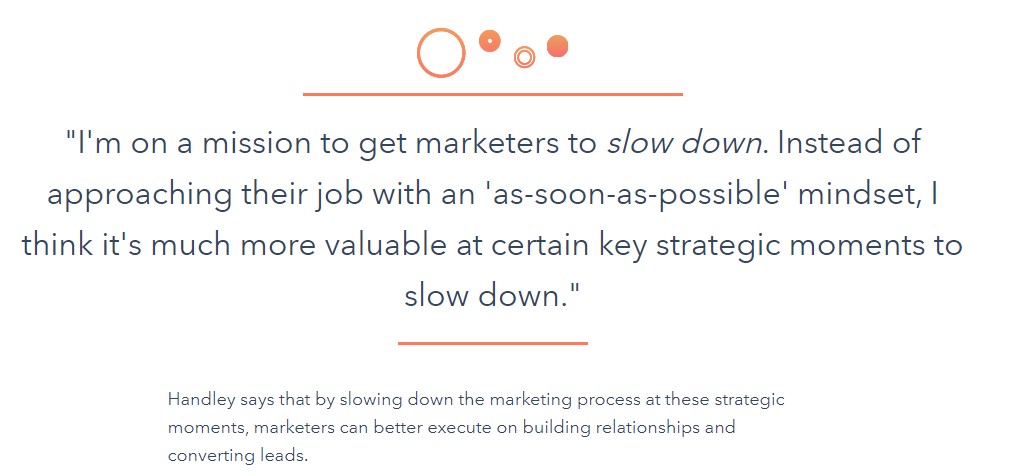 Similar to Q&A formatted posts — since these posts may also be formatted as Q&As — is the interview post. Fantastic for introducing the perspective of a third party on a particular topic, interview posts are also great for developing relationships with the industry experts or influencers you interview. They also open up the opportunity for greater reach, especially if the interviewee shares the resulting post with their networks.
Examples:
- How to Rise Above Marketing Mediocrity, According to Ann Handley
- How to Implement Affordable AI in 3 Steps, According to the Marketing AI Institute Director
- 2020 Social Media Trends, According to HubSpot’s Social Media Professor
11. The SlideShare Post
Format: Features an embedded SlideShare presentation.
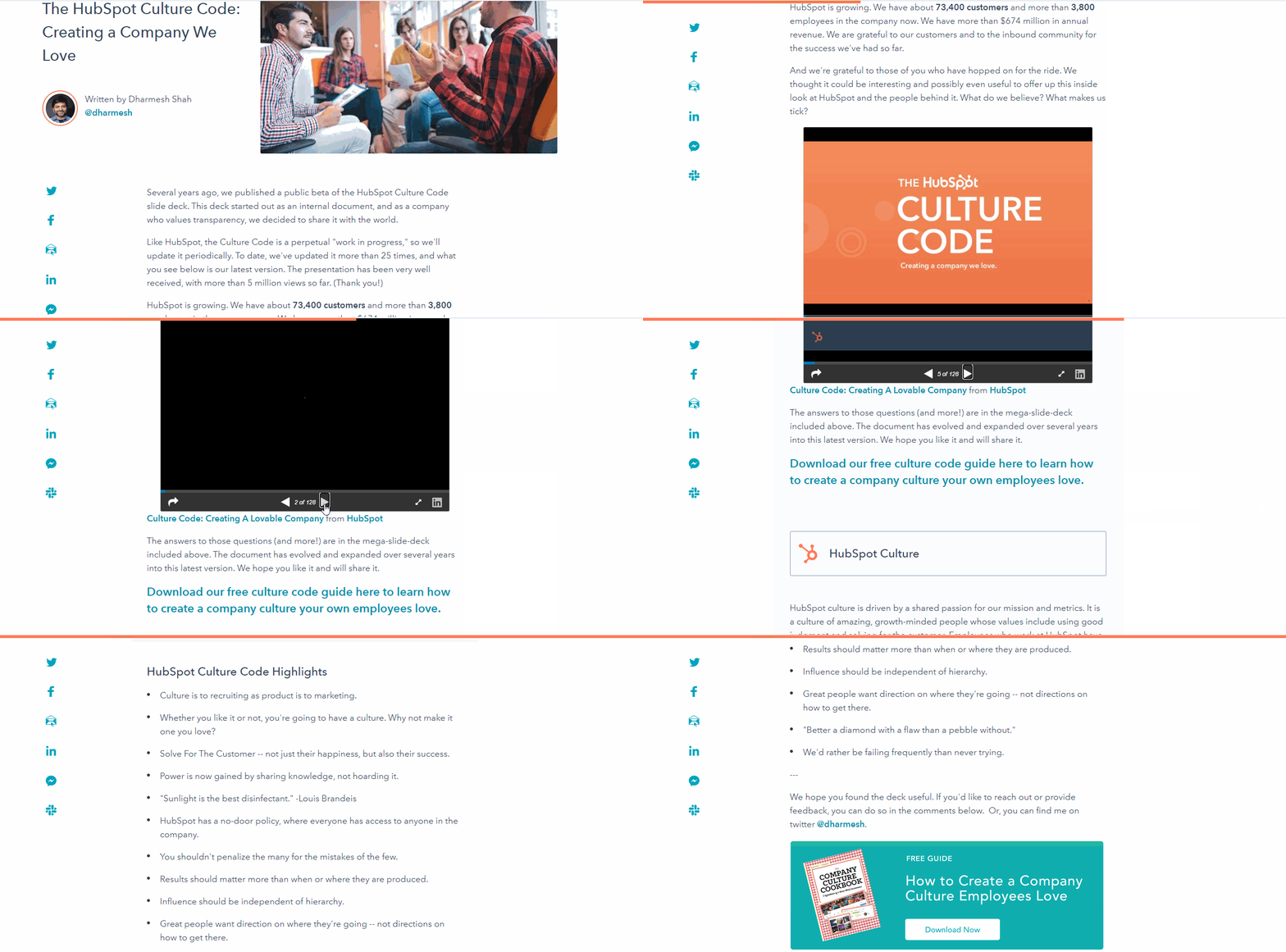 Posts that are built around a specific SlideShare presentation do require a little bit more time investment and design savvy than the average text-based post, but the results are usually worth it. Content that lends itself well (but isn’t limited) to SlideShare presentations include the curation of visual examples, quotes, charts, quick takeaways, and general storytelling. SlideShare-focused posts also make great social media fodder, since visual content is so shareable and social friendly (Hint: LinkedIn also owns SlideShare 😉 )
Examples:
- The HubSpot Culture Code: Creating a Company We Love
- 21 Hidden LinkedIn Hacks Revealed [SlideShare]
- 10 of the World’s Best Storytellers [SlideShare]
12. The Infographic Post
Format: Features an embedded infographic.
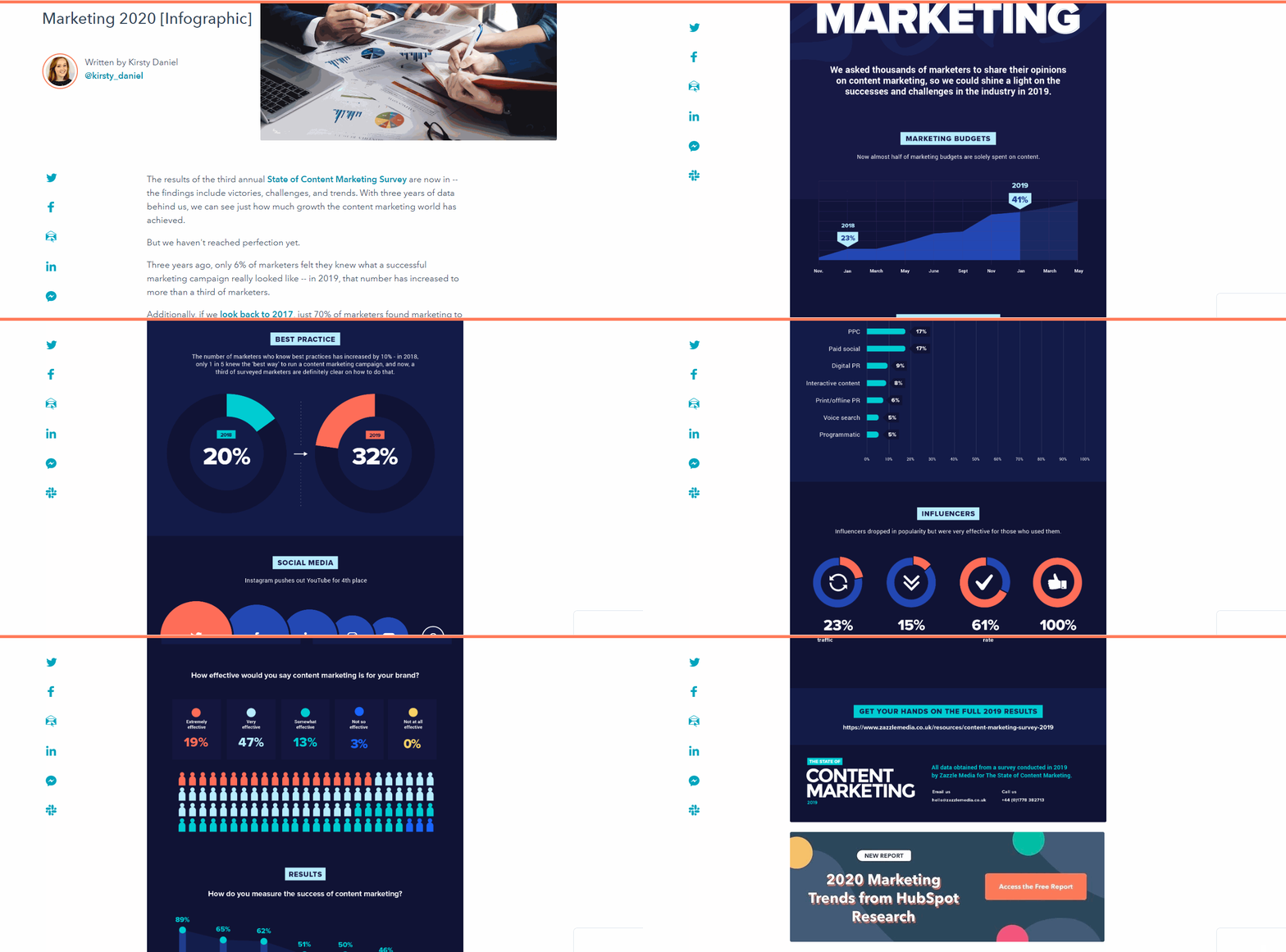
Similar to the SlideShare post, the infographic post is also one that is high commitment and high reward. Infographics, when done well, are very sharable and likely to generate inbound links, but you do need some design chops to pull them off — or the money to outsource their creation to a designer. Infographics are great for compiling data and statistics in a visual way. They’re also great for organizing information in a timeline format, or presenting visual tips.
Download a Free Infographic Blog Post Template Here
Examples:
- The State of Content Marketing 2020 [Infographic]
- Are You an Intelligent Marketer? [Infographic]
- 9 Ways to Make a Resume Employers Will Hate [Infographic]
13. The Newsjack
Format: Capitalizes on something in the news in a timely manner.
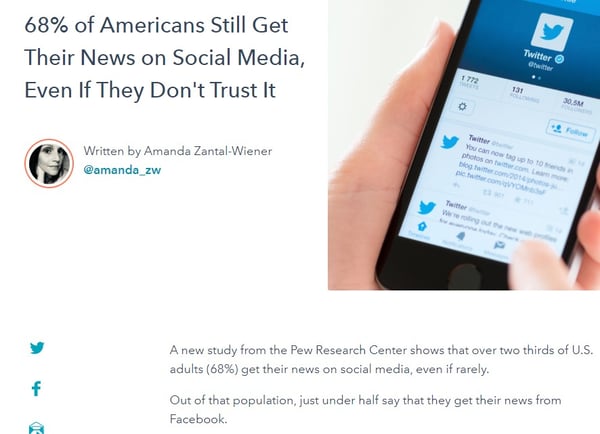
If you’re unfamiliar with the term, newsjacking refers to the practice of leveraging the popularity of a news story to support your sales and marketing goals. It requires the careful monitoring of news, and when done correctly, a newsjack post will relevantly tie the news to your industry in a timely fashion.
To identify and capitalize on newsjacking opportunities, load up your RSS reader with a combination of popular news publications and popular industry publications — anywhere you could potentially discover news relevant to what your audience cares about. Never jacked the news before? Check out these four simple newsjack formulas to follow.
Download a Free Newsjacking Blog Post Template Here
Examples:
- 68% of Americans Still Get Their News on Social Media, Even If They Don’t Trust It
- How Small Businesses Can Take Advantage of the Australian Stimulus Package
- Deals Closed Rise Significantly as May Comes to an End [COVID-19 Benchmark Data]
14. The Comparison Post
Format: Compares two things to help the reader make a decision.
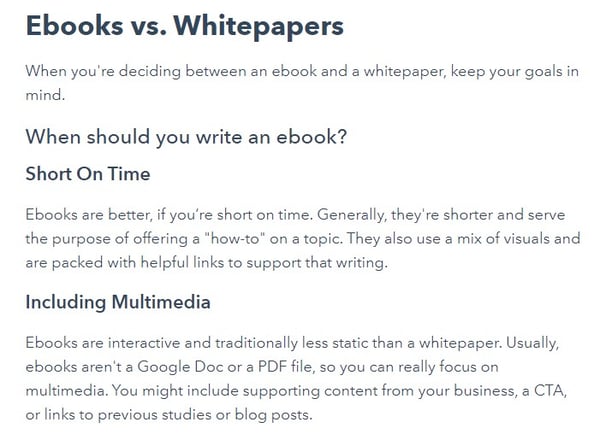
In the Consideration Stage of the buyer’s journey, your buyer persona might be comparing two different solutions to address their problem. In the Decision Stage of the buyer’s journey, your buyer persona may have already decided on the type of solution they want to buy, but they’re looking to compare competitors to decide which one is the right provider for them.
In either scenario, you can weigh in with your blog content and provide helpful information as they make a decision. Comparison posts that are not overly biased and contain situational breakdowns have the potential to provide a lot of value for your audience.
This type of blog post is also high-intent at decision-making turning poitns, so you want to do a good job and provide opportunities for conversion.
Examples:
- Ebooks vs. Whitepapers: Which One Should You Choose?
- Optimize or Advertise? Comparing Organic vs. Paid Social Media
- Account-Based Marketing vs. Inbound Marketing: What’s the Difference?
As you may have noticed, there’s even a ton of overlap among the most common blog types and formats. What matters is that you understand why your reader would land on the post, what they’d be looking for, and how you can best provide value once they arrive.
Editor’s note: This post was originally published in July 2020 and has been updated for comprehensiveness.

Filtros para fotos y elementos clicables: recomendaciones de uso en las imágenes de tu marca
Los filtros para fotos pueden ser usados en la comunicación gráfica de los negocios online. Hay que tener cuidado porque muchas veces lo que las marcas necesitan transmitir es credibilidad, sobre todo si te dedicas a vender por Internet.
La función de los filtros es modificar la imagen, lo que podría provocar que transmitas información que no sea precisa. Sin embargo, su uso no está prohibido para las marcas debido a que generan efectos que de otra forma tal vez no se podrían conseguir.
Empezaremos con un poco de teoría:
Tal vez ubicas los filtros para fotos a partir de las redes sociales. Su origen es un poco más antiguo, se remonta a la fotografía analógica: son lentes que se ponen frente al objetivo de una cámara para conseguir determinados efectos.
Lo que es cierto es que a partir de la digitalización se consiguen esos mismos efectos con algún editor de imágenes online. Incluso, es posible agregarlos desde plataformas como Instagram.
Ahora, como te comentábamos al principio, ¿es recomendable usarlos dentro de la comunicación visual de una marca o servicio? Sí, pero el trabajo tiene que estar bien hecho.
Nosotros recomendamos respetar las siguientes pautas:
- No mientas: no uses filtros para fotos que agreguen características a tu producto que no tiene. Esto aplica sobre todo si vendes a través de internet. Imagínate la reacción de un cliente que recibe algo que no se parece a lo que vio en la foto.
- No abuses: los filtros deben agregarle un plus o una ligera corrección a una foto bien tomada. Si la imagen de origen no tiene buena calidad, no se arreglará con un filtro.
- Destácate: debes usarlos para destacarte, por ejemplo: aumentar el contraste de los colores, dar un efecto vintage, agregar un desenfocado que permita darle protagonismo a tu producto.
>>> Conoce 8 herramientas de diseño gráfico para crear publicidad online
Los elementos clicables, por su parte, son íconos que se insertan en una foto. Al hacer clic, te llevan a un sitio determinado: proceso de compra, formularios, una página de internet, etc. Sigue leyendo para aprender a usar estos elementos en tu marca.
Filtros para Fotos más comunes y cuándo deben usarlos los eCommerce
Para este artículo usaremos los filtros para fotos disponibles en Adscrisp. Esta herramienta es un creador de video Ads para las redes sociales más populares.
Con solo 3 clics puedes crear piezas audiovisuales para Facebook, Instagram, Snapchat, Twitter y Pinterest.
La ampliación Professional (es decir, primero compras la básica y después amplias a la Professional) tiene un editor de fotos muy intuitivo y varios filtros que nos servirán para hablar del tema.
Filtros para fotos: qué es la Escala de Grises
No es lo mismo que el blanco y negro porque permite graduar los puntos de luz. Es decir, le quitas el color a la imagen, pero los elementos no son totalmente blancos ni totalmente negros, sino que hay matices.
Esto es bueno para aumentar o disminuir el dramatismo de una imagen, además, funciona para resaltar algunas texturas.
Mira cómo en la captura de pantalla, al pasar la imagen a escala de grises, las gotas de agua se notan más. Haz clic en la flecha para ver las dos imágenes.
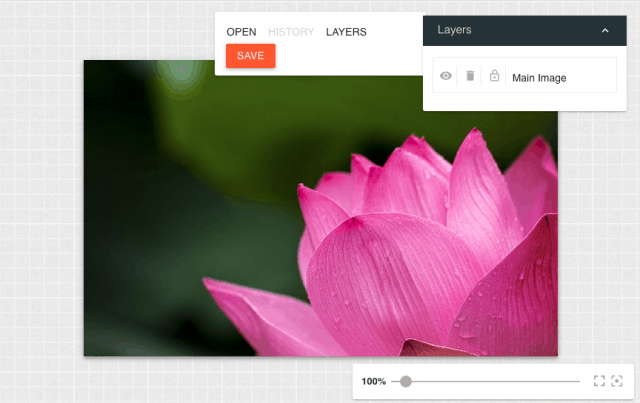
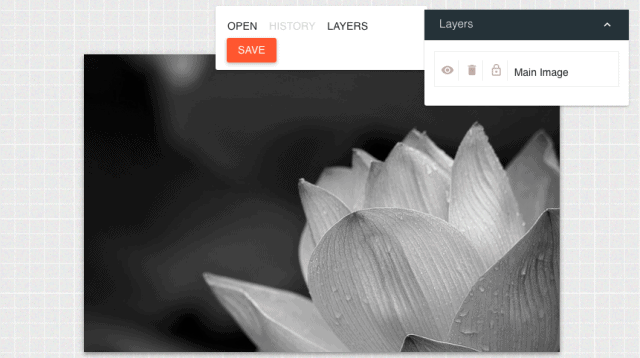
¿Cuándo usar Escala de Grises?
No es fácil usar la escala de grises en la comunicación de tu marca porque pierdes el color, para muchos productos eso es importante.
Te recomendamos aplicar este filtro en fotos de antes y después o cuando quieras despertar nostalgia resaltando algún elemento.
¿Qué es el filtro para fotos Invert?
Los filtros para fotos con efecto invert lo que hacen es invertir los colores de la imagen. Con esto le darás una especie de efecto psicodélico.
Te recomendamos usarlo en imágenes con colores contrastantes porque el efecto se notará más.
Si es una foto donde predominan dos tonos de rosa, por ejemplo, no observarás mucha diferencia. Haz clic en la flecha para ver la toma original y cómo queda con el filtro.
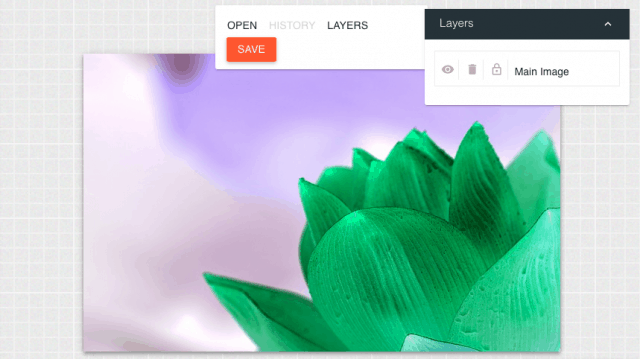
Invert se usa en estas situaciones:
- Quieres destacarte con una imagen en redes sociales.
- Cualquier contexto en el que quieras hacer que una imagen no pase desapercibida.
- En alguna portada de Facebook.
Aprende a hacer portadas de Facebook perfectas.
Evita Invert cuando
- Muestras tu producto porque podrías dar una idea falsa de lo que es.
- Si el filtro no queda con buen gusto, mejor no lo uses.
Sepia para un Efecto Vintage
La diferencia entre el filtro sepia, el blanco y negro y la escala de grises es la tonalidad. El sepia también elimina los colores pero imprime un tono café a las fotos, esto hace una referencia directa al pasado.
Lo debes utilizar cuando necesites comunicar algo vintage o con nostalgia. La herramienta Adscrisp permite una variante del sepia: lo que hace es pintar la foto del color predominante.
Haz clic en la flecha para ver las tres opciones: la foto original, la sepia tradicional y la sepia de Adscrisp.


¿Cuándo evitar el Filtro Sepia?
Nosotros no lo utilizaríamos para lanzamientos de productos precisamente porque el sepia hace una referencia al pasado. El lanzamiento es algo actual.
Al igual que la escala de grises, podrías aplicar el filtro sepia en comparaciones de antes y después.
¿Necesitas tridimensionalidad? Agrega filtros para fotos de Textura
Lo que este filtro hace es agregar volumen a la foto dándole un efecto de tridimensionalidad.
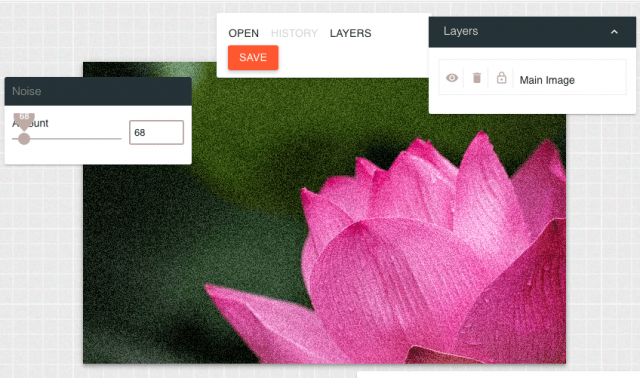
Ideas para usar la Textura en tu marca
Los filtros para fotos de textura son ideales en esos momentos en los que necesitas resaltar algo. Nosotros lo pondríamos, por ejemplo, en una buena foto de comida.
Otro ejemplo es si vendes un producto de limpieza, puedes resaltar algunas partes del producto o, incluso, acentuar la suciedad del sillón que tu jabón podría dejar impecable.
Filtros para Fotos: El Gradiente
Los filtros para fotos de gradiente lo que hacen es dar un efecto degradado, como si el color se fuera lavando. Esto quiere decir que van regulando la intensidad. Puede ser de menos a más o de más a menos.
Te lo explicamos con un ejemplo: si tienes una foto con un cielo demasiado brillante podrías aplicar un filtro de gradiente azul para aumentar ese tono sin afectar la parte inferior de la foto.
También puedes degradar los tonos de la toma, como es el caso de la captura de pantalla. Fíjate cómo de arriba para abajo, la imagen va desapareciendo.
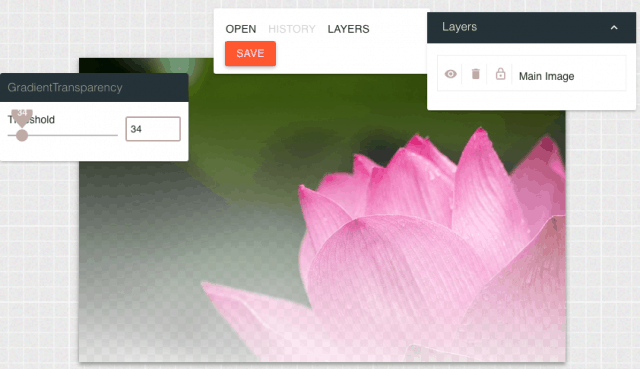
Tips para usar el filtro gradiente
Resaltar una parte de la imagen que no haya quedado suficientemente clara o destacada en la toma original.
¿Qué es el Sharpen en los Filtros para Fotos?
Este filtro te ayuda a corregir la nitidez. Si una foto o parte de ella quedó desenfocada, el sharpen corregirá el error. Ojo, si la toma original está muy mal, no servirá… tampoco es magia.
También te puede ayudar a desenfocar alguna parte de la imagen y con esto darle protagonismo a un elemento. Observa cómo en la captura de pantalla, el fondo quedó desenfocado y la flor destaca más.
En ese mismo sentido puedes utilizar los filtros blur (que desenfoca) o emboss (que realza). Para ver cómo quedan, haz clic en las imágenes.

Así se usa sharpen, blur y emboss
Quieres mejorar una toma o destacar tu producto de toda la imagen completa.
Filtros para Fotos: Agrega formas Interactivas a tus imágenes
Ahora vamos a hablarte de otra herramienta que, aunque no precisamente se trata de filtros para fotos, te ayudará a darles un plus a tus imágenes. Se llama ClickKosh y sirve para realizar fotos interactivas con ofertas clicables.
En la captura de pantalla, cada cuadrito rojo es un ícono clicable.

Esto te sirve porque a cualquier imagen que tengas le puedes agregar un ícono interactivo que, cuando el usuario le dé clic, lo lleve a un proceso determinado: página de venta, formulario para captar leads, a tu sitio web, etc.
Lo interesante es que la conversión sucede dentro de la propia imagen. Es decir, al hacer clic no se abrirá una ventana sino que aparecerá un PopUp y desde ahí el usuario realizará la conversión. Te agregamos una captura de pantalla para que la idea quede más clara.
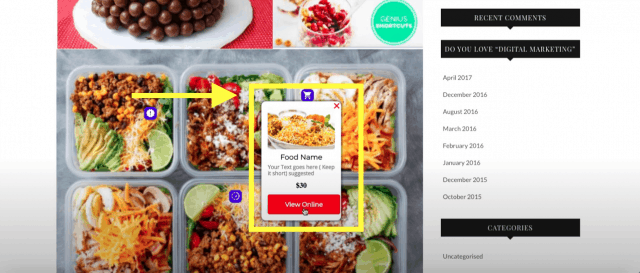
Si tienes una página web o eCommerce es una forma distinta de mostrar tu catálogo de producto. Las imágenes también las puedes insertar en una pestaña de Facebook.
>>> Lo último en imágenes interactivas e inteligentes con ofertas clicables.
Hemos creado un carrusel de fotos para que conozcas ClickKosh por dentro. Para ver todas las imágenes, haz clic en la flecha.
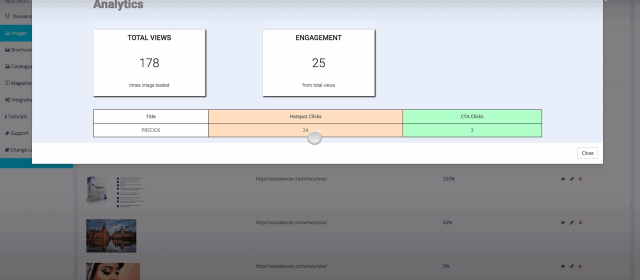
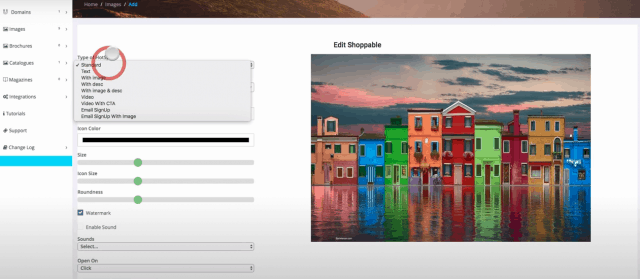
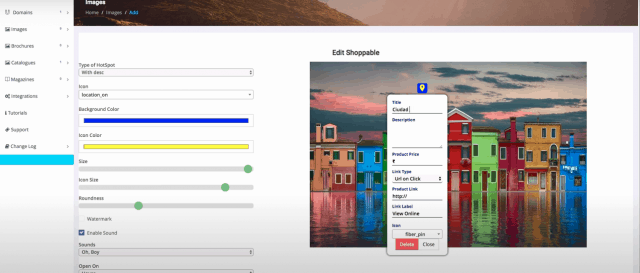
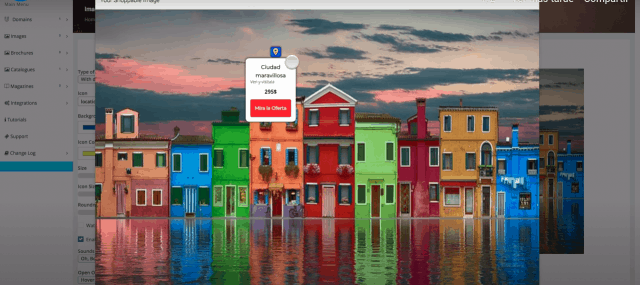
Conclusión sobre filtros para fotos y elementos clicables
Los filtros para fotos son un plus. Como comentamos al principio no repararán una imagen de origen mal tomada.
Una recomendación que nos gustaría darte es que si usas fotos de banco de imágenes, a esas sí agrégales un filtro para personificarlas. Piensa que así como la utilizaste tú, hubo otra persona que también la encontró útil.
Si estas buscando algún banco de imágenes, te recomendamos StockKosh, una biblioteca con más de 35 mil imágenes de stock libres de derechos y en HD.
Ahora te compartimos el criterio que usamos para modificar fotos:
Editar fotos es como lavarle los calzones a alguien: quieres dejarlos limpios tocándolos lo menos posible.
Cuéntanos, ¿cuál de los filtros para fotos te gusta más y por qué? ¡Te leemos con gusto!
from Socialancer https://ift.tt/2YeRLoI
via
Bringing Universities and HubSpot Clients Together: An Experiment in Applied Learning
This post is a part of Made @ HubSpot, an internal thought leadership series through which we extract lessons from experiments conducted by our very own HubSpotters.
At the end of 2019, the Education Partner Program team at HubSpot had the challenging opportunity of deciding our priorities for the coming year.
The HubSpot Education Partner Program — or EPP — is a community of educators who teach at colleges and universities worldwide that receive free software and support from HubSpot to train the next generation of marketing, sales, and service professionals.
 Supporting and empowering these students and professors is crucial in maintaining a healthy HubSpot ecosystem of future clients and users.
Like most teams at HubSpot, we focus maniacally on how to create a positive experience for those who rely on our program – in this case, university professors. To ensure that we were creating such experiences, we first had to identify what novel problems and pain points this audience faces.
Click here to learn more about the Education Partner Program and how you can join.
Identifying Our Audience’s Pain Points
The EPP’s focus is on college students who need to enter the working world with the tools and methodologies they need to help a business grow. We care deeply, and invest heavily in, business education.
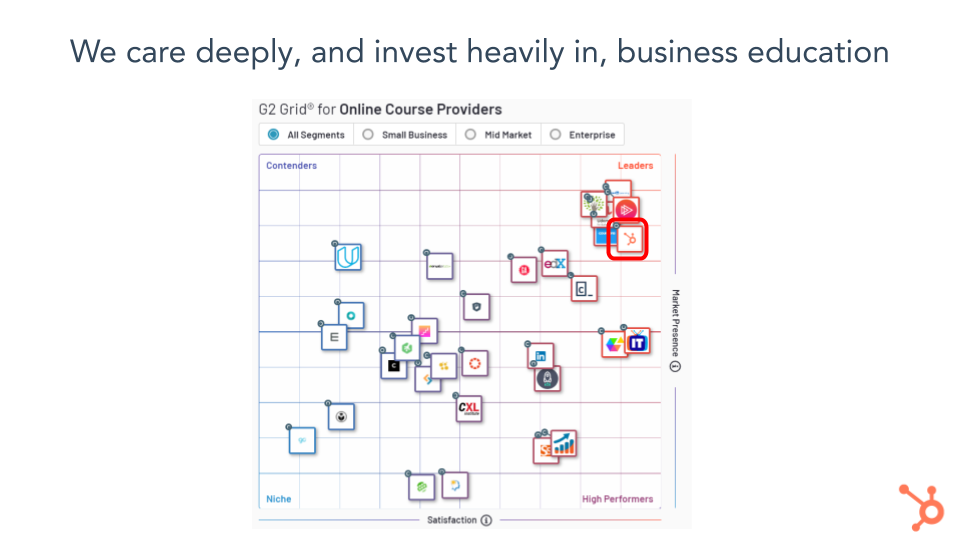
Although HubSpot Academy serves thousands of learners across the world, the EPP focuses on education within college and universities. Our team would be remiss if we didn’t acknowledge and adapt to the educational inequity that pervades higher education in the US.
Specifically, we wanted to address the problems below that these issues bring to light:
1. Students need to have experience applying the skills they learn in class to find employment after graduation.
Often, this means they pursue (sometimes unpaid) internships in expensive cities, which can add financial strain to an already expensive college experience.
If HubSpot could find a way that would allow students to contribute virtually to helping solve a real business challenge in their course – all with the added safety net of their instructor being there to answer questions – we prime them for success. Subsequently, if they put this work on their resume, these students demonstrate a work experience that they might have otherwise been unable to find.
2. Educators have a mandate to prepare their students for real business challenges, but this can introduce so many unwelcome variables in the classroom.
Educations only have so many businesses in their rolodex that are open to working with students in their personal or professional network. On top of that, awkward conversations about expectations and due dates on deliverables can turn professors off from the experience completely.
At HubSpot, we have over 78,000 customers, all of whom are hoping to grow their business using our software and many of which could use some help and fresh eyes when approaching new projects. However, we recognized that it wasn’t enough to simply offer our customers; we needed a way for both our customers and our professors to hold themselves accountable to creating fruitful relationships and learning experiences for the students they work with.
3. HubSpot customers don’t always have the bandwidth to complete their many projects.
Although the visible impact of the Education Partner Program is the support we lend professors, we also intend to embedding ourselves deeper into the company and work across the many teams at HubSpot that want their best for our users. As a small team of three, it’s important for us to make a large splash where we can. Working with other teams – and specifically, our Customer Success Team – to help HubSpot customers is mutually beneficial. We wanted to find a solution for our educators while also finding one for our customers. We needed to create safeguards that made sure that business didn’t exploit students’ free labor while making it easy (and pleasant) for a Customer to work with an Educator, and vice versa.
And so, in 2020, we decided to focus on …. applied learning.
Providing a Solution Through Applied Learning
Applied learning is the practice of alternating classroom learning with pre-approved practical, meaningful, and creative contributions of labor in a community or external organization, in a field related to a student’s academic and career goals. Has a HubSpot Customer not updated their lead-generation workflow since the early 2010s? Perhaps some students could come in and provide some suggestions. Does a HubSpot Customer not have the bandwidth to create engaging blog articles to promote their product or service? Have students in a Digital Marketing class provide some articles as their capstone assignment!
As higher education shifted to virtual or hybrid models in 2020, we had a unique value proposition to provide our educators with the opportunity to enhance their students’ employable skills while also providing free work for our customers — many of whom were adapting to the challenges of conducting business almost entirely online and could use the help.
Here’s how we did it.
1. We partnered with the best-in-class software for creating new applied opportunities in the classroom, Riipen.
We first explored what providers already had a foothold in this space. Riipen, a technology platform that facilitates micro-experiential learning opportunities by connecting students with industry partners through in-course assignments or competitions designed by instructors, came far ahead of any other options.
2. We tested, and then tested some more.
Shortly after we decided to work with Riipen, we enlisted some of our most engaged Education Partners and customers to test out the marketplace to see if this was something we could expand to the hundreds more professors in our network.
After a bit of research and conversation, we partnered with (and are eternally grateful for) Tim Marshall at Baldwin Wallace College and Elaine Young and Champlain College. These two educators’ students worked with six diverse HubSpot customers (three each), with much success.
- CAPA The Global Education Network (Boston, MA, USA): Students worked to develop lead-nurturing workflows to promote and encourage study abroad to freshmen college students.
- The Woods (Norway, ME, USA): Students worked to boost online ads and an ecommerce platform for a luxury treehouse in Maine.
- Run Away Travel (Miami, FL, USA): Students created marketing collateral and content for an all-inclusive travel agency.
- Cosmic Booth (Orlando, FL, USA): Students created marketing collateral and content for a commercial photo booth rental business.
- ETTCH (Dublin, Ireland): Students created marketing collateral and content for an educational company that design tools for children coping with anxiety and low self-confidence.
- AirWorks (Boston, MA, USA): Students doubled the amount of pillar pages for an AI start-up.
My colleagues and I attended final presentations that students made to their employers and were impressed with the level of preparation and professionalism from everyone involved.
The Woods saw tremendous growth (500%) in their apparel sales. Run Away Travel and ETTCH in particular had some great feedback on the maturity of the students and the innovative content they provided their businesses.
Given the success of the pilot program, we decided to continue our partnership with Riipen and create even more connections between our customers and educators.
3. We promoted our program internally and collaborated with other teams.
There were several considerations we took into account as we planned to launch our partnership with Riipen at scale.
We needed to make sure that our educators weren’t left without a HubSpot customer to pair with — and vice versa. This meant that our biggest obstacle was going both too fast or too slow in rolling this out. We needed to make sure we were recruiting at an even pace on both sides of the marketplace. For example, if we pressed the gas on recruiting educators to join, we could end up with more educators than we have customers. The opposite also applied. Since we could control the stream of educators who knew about and could sign up for this program, we also had to do the same for our customers.
Enter the Customer Success team at HubSpot. We relied on the Customer Success Managers, or CSMs, to hand-pick “good fit” businesses for this opportunity. We shared the “what” and “why” of our applied learning program through an internal “Applied Learning Resource Center” with small, actionable steps for CSMs that wanted their customers to participate in the program. CSMs then introduced me personally to businesses they considered a good match. We also built out public-facing pages for educators and customers that outlined the goals and responsibilities of each should they participate in the program.
Applied Learning in Times of Uncertainty
While we at HubSpot have always been excited about the prospect of matching customers with educators so that students can gain job-ready skills, these times of economic uncertainty have brought a new sense of urgency. When we experience fundamental changes to how we work and learn, we have to question how we can better prepare ourselves and others to respond to new challenges. The practice of remote-friendly learning has become the new normal for most colleges and universities worldwide, opening the horizons of what virtual leadership and project management looks like when it happens from your kitchen or bedroom desk.
The project-based learnings students undertake with Riipen are always completely virtual experiences. Thus, they’re more flexible and obtainable to a new group of students who could never commit to the tradition 9-5, in-office internship experience.
We have a long way to go to scale this from the highly-personalized, one-on-one outreach we have now to a more automated, self-identifying, opt-in process for customers and educators. Fall 2020 will present some interesting challenges as we prepare to launch this to our Education Partner Community during a time when many are questioning the ability to offer virtual learning — much less virtual applied learning opportunities.
We seek to create 15 more matches between Educators and our Customers (and even more in the Spring) and are confident that we can hit this number. Ultimately, we want to create opportunities for students to graduate with the skills and experiences they need to feel confident in interviews and at their workplaces.
Our partnership with Riipen is a major step in empowering these students and in building a customer base that appreciates the perspectives that these students bring.
Click here to learn more about the Education Partner Program and how you can join.

How to Write a Press Release [Free Press Release Template + Examples]
When it comes to content, sometimes old school can be a good thing (namely, when it comes to old-school rap or Throwback Thursday on Instagram). But when it comes to your company’s public relations strategy, being old school isn’t advantageous for your business or your brand.
Ten years ago, people still relied on morning papers for news. Today, the vast majority of your company’s customers and prospects scan headlines on Twitter or see what’s trending in their Facebook feed.
People now have control over where, when, and how they consume information. As a result, public relations is no longer about feeding into a traditional news cycle; it’s about providing relevant content when, where, and how your prospects, influencers, and customers will consume it.
Sounds pretty hopeless, right? Wrong. While relationship-building still helps you get into popular publications, we now have the opportunity to quit playing the waiting game and generate our own buzz. By turning your PR strategy into an inbound one, you create opportunities that weren’t there before and carve out a place for your company, building meaningful mindshare with your target audiences in the process.
One of the most crucial updates to make to your PR strategy is to think of opportunities to connect to the audiences you care about — including, but not limited to, reporters. And that starts with press releases. In this post, we’ll discuss:
- What Is a Press Release?
- Types of Press Releases
- Sample Press Release Format
- How to Write a Press Release
- Press Release Examples
- Tips for Publishing Press Releases
What Is a Press Release / News Release?
A regular cadence of meaningful news can help a company stand out and build mindshare with journalists over time. That’s where the press release (or news announcement) comes in.
A press release is an official announcement (written or recorded) that an organization issues to the news media and beyond. Whether we call it a “press release,” a “press statement,” a “news release,” or a “media release,” we’re always talking about the same basic thing.
While the heading should contain action verbs, the first paragraph should answer the “who,” “what,” “why,” and “where.” The press release should also contain understandable language and a quote.
Most press releases are succinct at just a page long — two pages, tops. Ultimately, companies want to provide enough information so that news outlets have sufficient material for publishing their own stories about whatever the company is announcing in the release.
And while it may be tempting to craft a press release that embellishes your company’s accomplishments or twists the facts to make a story sound more intriguing to the media, remember: Press releases live in the public domain, which means your customers and prospective customers can see them. So instead of thinking of a press release solely as a ticket to earning news coverage, you should also think of it as a valuable piece of marketing content.
While there’s no cut-and-dried formula for what a press release should include, here are a few types of occasions to help you carve out a focus for your press release and determine what content would help you broadcast your news in the best way:
New Product Launches
The product launch type of press release is valuable to get the word out about the new solutions your organization is offering to consumers. This release will emphasize the product’s specs, pricing, availability, and any other details that may be valuable to consumers.
Mergers and Acquisitions
Organizational change is noteworthy enough to warrant a press release, especially for informing current and future stakeholders about the growth and trajectory of a company. To announce an acquisition or merger, include details about all organizations involved, information about the merger or acquisition, and quotes from the leadership teams.
Product Updates
Similar to a new product launch, product updates and expansions are also ripe for promotion. Explain what the change is, why it was made, and how it benefits the user.
Events
Press releases are an important component of event marketing to attract promotion from news outlets and other media sources. You’ll want to include what the event is about, who should consider attending, when and where it will be held, pricing, and any other necessary details.
Grand Openings
Whether you opened up a new office, relocated, or are opening for the first time, announce the details with a grand opening press release. Announce the date and location the grand opening will be held, who is involved, how the grand opening is being celebrated, and the reason for the move (if applicable).
New Partnerships
Similar to mergers and acquisitions, a press release announcing new partnerships is a mutually beneficial marketing tactic. To effectively execute this type of release, be sure to write a summary about each company, why the partnership was created, who benefits, and any additional important details for current and future stakeholders.
Rebranding
Rebranding is a difficult thing for any business to do, and it can occasionally result in confusion and awkwardness. One way to make the transition smoother is by announcing the rebrand with a press release, including details on what is changing, the reason for making the change, dates the changes go into effect, and quotes from the leadership team.
Executive Promotions/Hiring
Executives often serve as faces of the company, and a press release functions to kick off this role. It may include biographical information to establish their credibility along with a photo and other pertinent details.
Awards
When it comes to business excellence, it’s okay to brag. Press releases about awards and accomplishments serve to cement your organization as an authority in your space. Such a press release includes information about the company and why they were given the award, information about the award itself, and details about the ceremony (if applicable).
Sample Press Release Format
When formatting a press-release, you want to write it in a newsy, straightforward way so a journalist who might write about it can imagine it as an article on their news site.
As noted above, you’ll want your format to include traditional press-release items like your contact information, the words “For immediate release,” a note about your location, and a quick bio about your company. Having specific spots for those elements will prevent you from needing to mention it in your body copy so you can focus on discussing the news at hand.
You also might want to include “###” or another signifier to show the journalist that the release has ended. In the past, this prevented busy journalists from waiting or flipping the page for more information when there was no more news. However, this tradition is still adopted and highly-respected today.
When it comes to formatting the body copy and headline, click here or scroll down for writing tips.
In this example, Catbrella Inc., a fictitious ad agency which just gained its 10th Twitter follower after two years of paid social media efforts, announces its achievement in a press release.
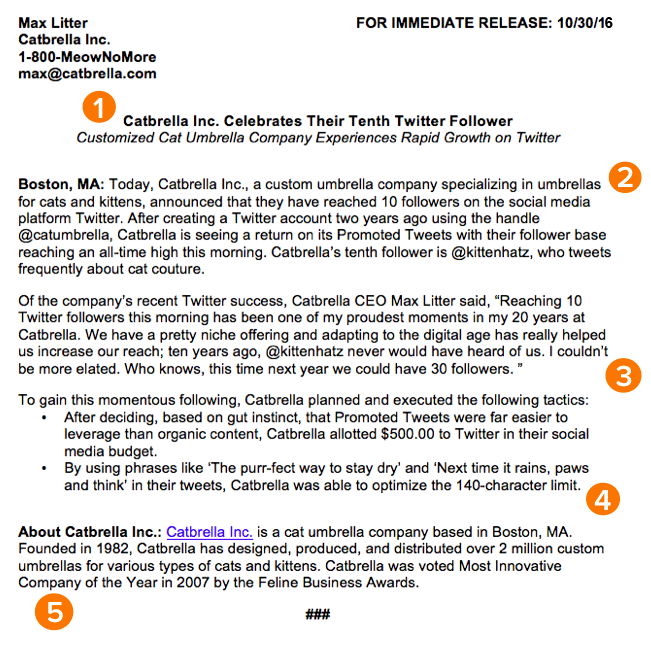
*Disclaimer: HubSpot is entirely responsible for the silliness of this faux announcement.
Rule 1: Make your headline irresistible.
You’ve got your announcement in mind, and now it’s time to get it down in words to share with your community, industry, and followers. Just like writing the perfect blog post title, setting up your press release for success starts with your headline. You only have one line to work with, which can seem scary, but consider diction carefully to make your headline captivating.
Use action verbs, clear, understandable language, and keep your headline simple and short — fortune (and search engines) reward the brief, so keep your title to one line to clearly focus people’s attention on your topline message.
Most importantly, make it interesting: Keep in mind that reporters get dozens, if not hundreds, of releases each day, so invest the time to write a compelling headline. It’s worth the time and effort on your part.
Rule 2: Convey the news value to the press.
For reporters, analysts, influencers, or followers to be inclined to share your announcement, you have to tell them upfront why they should care.
The first paragraph of your release should cover the who, what, why, where, and how of your new launch, update, or development. Reporters don’t have a ton of time to sift through details and fluffy background information — they just need the facts that’ll help them tell your story to someone else from a position of authority.
There shouldn’t be any new, crucial information covered after this section that the reader could potentially miss. A good way to ensure this is by using the reverse pyramid formula when writing your press release.
Rule 3: Offer a tempting quote.
Once you’ve set the scene, it’s time to bring your details to life with a quote that reporters can use for context around your announcement and help paint a picture of how your news affects the given industry, customer base, and landscape.
Ideally, quotes will be from key stakeholders in your company including your executive team, project leads, or those directly impacted by your announcement. Quoting key figures and authorities underlines the importance of your development. The chosen quote should shape your narrative and emphasize the core of the announcement. Don’t ask everyone in your office for a comment or feel compelled to quote all 25 people included in the acquisition — pick one or two critical spokespeople and focus the quotes around their unique perspective.
Rule 4: Provide valuable background information on the subject.
In this last paragraph, keep in mind that the reader already has all of the vital details and information they need to file a story or spread the word.
It can be tempting to provide superfluous facts and tidbits about your company or the development of your announcement — we sometimes think a piece of writing is lacking if it isn’t drawn-out and just shy of being a novella. However, a press release needs to be helpful and concise.
Offer details here that strengthen your narrative, like creative or noteworthy ways your company developed the project or announcement at hand. Or, when applicable, comment on future implications of your announcement.
Another good way to add value to your press release is by using newsjacking. A process of relating your press release to something currently going on to make it more valuable to the journalist and reader.
Rule 5: Summarize the “who” and the “what” in a boilerplate.
Twitter is chock-full of reporters lamenting press releases or pitches that don’t clearly explain what the company does or what the announcement is actually about, so instead of being the butt of a joke, make your release incredibly easy to reference.
Describe what your company does in clear, plain English, include a link to your company’s homepage early on, and make your boilerplate succinct and straightforward. If you cite data, include a reference link for the data source, and make sure every name in the release has an associated title and company as well.
To keep yourself honest on this front, ask a friend or colleague to read the release without context and ask if they can easily and readily explain why the announcement matters, what your company does, and why the executives included are quoted. If the answer to any of those questions is no, get back to the drawing board.
The key to keeping your PR strategy new school is forgetting preconceived notions of what public relations is and instead focusing on creating highly remarkable content. Traditional press releases can still be really valuable when executed well, so instead of ditching releases as a tactic, give them a modern makeover to make them more useful for your marketing.
Think about how you’ve used inbound methods to transform your marketing strategies to be more personalized, approachable, and build relationships. Those same principles apply to your PR strategy: Create content to craft your own story and use tactful outreach to get reporters and analysts familiar with your brand.
Press Release Examples
Many people think press releases have to be chock full of buzzwords and branded terms. “Big data,” anyone? Five-syllable words you have to look up on Thesaurus.com? Quotes from every executive on the planet that go on for pages? We’ve seen it all. Unfortunately, so have reporters — and they are not fans.
Instead of stuffing your next release with industry jargon, take a page out of our book (okay fine, ebook), The Newsworthy Guide to Inbound Public Relations, and brainstorm some creative approaches for your next announcement. Can you include new data? A remarkable graphic or video? A shareable SlideShare? If so, a creative angle can help carry your content and increase the likelihood of social sharing.
Now, to get you thinking on the right track, take a look at some creative press release examples below, the type of news each one is reporting on, and what makes the release unique:
ŠKODA at the World Rally Championship
Type of press release: Event

Škoda, a car manufacturer based in the Czech Republic, recently showed off its sponsored racing team in two big places: at the 2017 World Rally Championship, and in a sleek, image-based press release reporting on the event.
The news release, shown above, doesn’t have any trouble aligning the look and feel of the Škoda brand with the press release itself — which is a crucial aspect of any company’s press content. The release opens with a large feature image of one of its vehicles in the same vibrant green that covers the business’s website. The press release also begins with three helpful bullet points summarizing the news for readers, and ends the release with a couple of captioned actions shots to give reporters more context around the event.
ScribbleLive Acquires New Company
Type of press release: Acquisition
Yes, a video press release! This news item from ScribbleLive gave reporters nearly everything they’d need to republish this story, all in a thorough two-minute video about the company’s latest acquisition.
ScribbleLive opens the video press release above with the company’s logo and a clear header stating the news. This allowed the company’s CEO to jump right into his commentary on the acquisition, giving reporters plenty of quotable material on the state of the industry and why this merger was so important to them.
The press release also segments the video the same way a written press release would, breaking up the CEO’s commentary by the question he’s answering. This makes it easy for viewers to jump through the video and find the information they’re most interested in hearing about.
And, being on YouTube, a press release in this format allows reporters to embed the news content directly on their site, making ScribbleLive’s news that much easier to share.
Peapod’s New Headquarters
Type of press release: Opening a new office
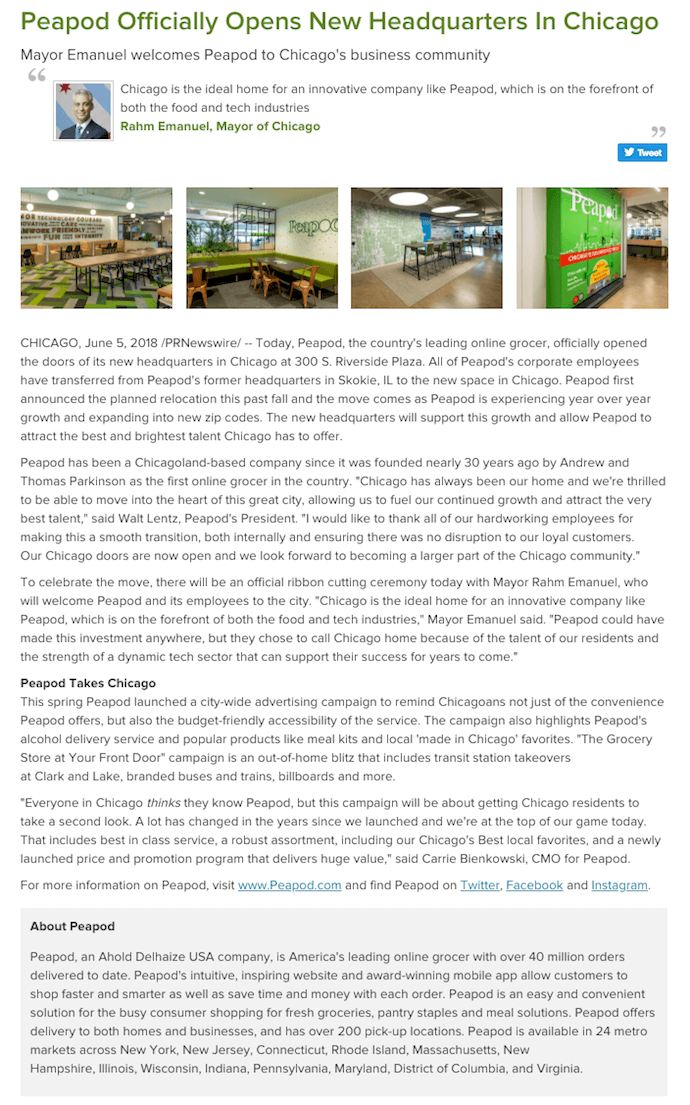
When you open a new headquarters, it can be hard to figure out what to say. People just want to get a look at the new digs! In the above press release by Peapod, an online grocery service, the company puts photos of its new office right at the top, immediately showing readers what makes this news so significant for Peapod.
The release even singles out a quote by the Mayor of Chicago just below the headline, hinting to reporters who are writing about Peapod’s new HQ that this is the remark Peapod is most interested in sharing with readers.
Check out the boilerplate text at the bottom of the above press release. “About [company]” text can too easily blend in with the actual news text, making the piece seem longer than it really is. By isolating this copy in a dark gray box, Peapod provides a smoother reading experience and ensures the story itself doesn’t get lost in an intimidatingly long wall of text.
HubSpot’s New Product Announcements
Type of press release: New product launches
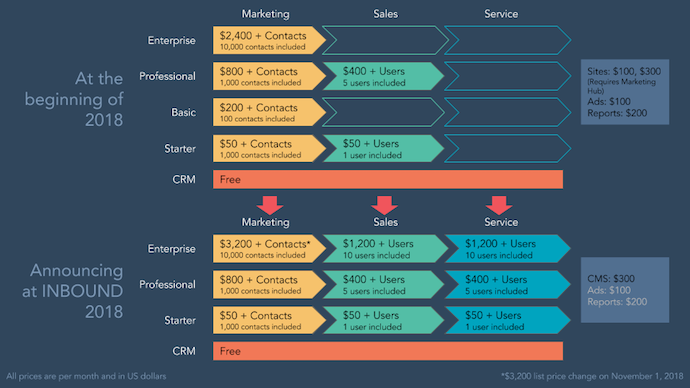
When you’re launching products or services, the information is often best expressed in written form. But when all you’re doing is writing about your new offering’s price and features, it can be difficult for others to refer to and report on it later. We at HubSpot know the challenge well.
The graphic above helped us to supplement our own product announcement — written by our fantastic Communications Manager, Ellie Botelho — with details that needed a visual aid. Using a combination of colors and shapes, this graphic allowed us to reveal important relationships between products, as well as their respective prices and when they’ll be available. (Interested one of our products? Take note! ^)
We’ve also crafted this comprehensive, easy-to-follow press release template complete with a promotional plan and considerations for your next announcement. We use these same guidelines when writing and formatting our releases here at HubSpot, and created a faux, sample release to illustrate what content goes where and why.
Tips for Publishing Press Releases
Writing a press release is really only half the battle. Once you’re finished with production, it’ll be time to focus on distribution.
Of course, we’re all familiar with the traditional distribution levers we can pull, which include publishing the press release on our website/blog, as well as sharing the press release with our followers/subscribers via social media and email. But for ensuring a press release gets the maximum amount of distribution possible, here are some tips you can follow.
1. Reach out to specific journalists.
Instead of blasting a press release out to every journalist you can find an email address for, focus on a few journalists who have experience covering your industry (and company, hopefully) and send them personalized messages. Connect the dots. Show why what you wrote connects to what they write.
2. Don’t be afraid to go offline.
Most journalists have mountains of emails (and press releases) to sort through. Try sending your release through snail mail or another offline channel to differentiate yourself.
3. Send the release to top journalists the day before.
Give journalists some time to craft a story around your press release by sending it to them — under embargo — the day before it officially goes live. (FYI “under embargo” just means they aren’t allowed to share the information in the press release until the time you specify.)
4. To avoid competition, don’t publish your release on the hour.
If you’re publishing your press release on a distribution service like PR Newswire or Business Wire, avoid publishing it on the hour (e.g., 1 p.m., or 3 p.m., or 5 p.m.). The reason? Most companies schedule their releases to go out on the hour, which means if your release goes out on the hour too, it’s more likely to get lost in the shuffle. Instead, try going with a more distinct time (e.g., 1:12 p.m., or 3:18 p.m., or 5:22 p.m.).
5. Share your media coverage.
If all goes according to plan, and your press release gets picked up by the media, your job still isn’t finished. To keep the buzz going, you can release a “second wave” of distribution by sharing the specific stories that news outlets write based on your press release.
Editor’s note: This post was originally published in November 2019 and has been updated for comprehensiveness.

How to Set Up Automated Email Marketing Workflows (+ Examples)
Are your contacts going with the flow, or are they just sitting dormant in your marketing database? If you don’t have any automated email workflows set up, your answer is probably the latter — which means you’re missing out on some major opportunities to nurture and engage your existing contacts.
Did you know that marketing automation can lead to a 14.5% increase in sales productivity?
Lead nurturing campaigns aren’t the only type of email marketing automation you can use to get more out of your contacts database. Think about the contacts who are already your customers. Email automation can not only help you convert leads into customers, but it can also help you delight your existing customers and encourage activity like greater product adoption, upsells, evangelism, and additional purchases.
Email marketing automation is useful because it eliminates small but time consuming tasks, such as preparing email lists, sending generic messages, or scheduling events manually. This allows marketers and salespeople more time to work on more productive projects or bigger deals.
Email marketing automation is centered around the workflow, which is essentially a blueprint of actions you’re directing your automation software to take. Software can’ t read minds, so one of the challenges is implementing a repeatable process that takes all use cases into account.
1. Identify who you’re sending to.
Personalization is critical when it comes to email, and if your CRM is set up effectively, you’ll be able to send automated emails to targeted segments of your database. It all comes down to the integrity of the data you’ve collected from your contacts and their behavior on your site and with your emails.
First, know who you want to send to. An upsell campaign might go to existing customers who have not purchased a particular product yet. For another campaign, you might want to promote a new feature to a specific type of prospect who finds it most useful.
Then, you want to translate the case you identified into criteria your software an understand. For the first example, you might use “Lifecycle Stage = Customer” and see if any of your custom properties can whittle that group down to only those who haven’t purchased the product yet.
For the second example, you’d need to determine if you have any properties that can segment the group you’re looking for. It might be a property/field for job title, customer type, or buyer persona.
Criteria can be as specific as the data you have in your CRM.
2. Determine your goal.
Your email marketing is only as good as your strategy, so ensure you know why you’re contacting these individuals. Do you want them to buy something? Learn something? Do something?
Once you know this, you can figure out the messaging you need to take them from where they’re at to where you want them to go.
You also have to plan for what happens when you succeed.
For example, imagine a 10-email series to get prospects to request a consultation. Prospect A converts within the first email. If Prospect A continues to receive emails telling them to do what they’ve already done, they’ll get frustrated. In HubSpot, if you define your goal, it will unenroll any contacts who meet the goal.
If your software doesn’t have this feature or you choose not to use it, you will need to consider this case as you build your workflow’s logic.
3. Set enrollment criteria.
“Enrollment criteria” refers to the qualities that must be met for a contact to be entered into a workflow. You’ll need to be intimately familiar with the types of data you have in your CRM (properties or fields) and be able to trust the accuracy of that data.
If you’re using HubSpot Workflows, for example, you can create personalized, automated email workflows that can get triggered in a number of different ways — when a contact gets added to a list, submits a form on your website, clicks a link in an email, views a page on your blog, clicks on one of your ads, or becomes a marketing qualified lead.
You can also set up email workflows based on any information you have about the contacts in your marketing database, such as page views, email or social media clicks, content downloads, contact properties, or any combination of these and more.
4. Identify the actions that must be taken.
If you were manually emailing these contacts, what would you do? Automation actions include the following and more:
- Email sends
- Time delays
- If/then branching
- CRM updates
You’ll need to map out the sequence of events according to “actions” that your software understands and specify when the actions need to be taken.
5. Create the necessary assets.
By this point, you know how many emails you want to send and the general messaging they should include. Before you begin creating your workflow, all assets should be created and loaded into the software.
In HubSpot, automated emails must be specified as such in the “email type” prompt.
5. Implement the workflow logic and attach email assets.
Automation software works in an overly literal way, so think of your workflow as a blueprint that outlines each action in order, no matter how minuscule those actions seem.
In HubSpot, you’d specify which actions to take in the “choose an action” window in the workflows tool.
6. Check your setup and do a test if possible.
Some things to consider implementing into your workflow publishing process:
- Looking at the list of enrolled contacts for errors
- Checking that the number enrolled matches what you’d expect
- Considering the workflow chart and use cases
- Checking the the send settings
In HubSpot, there’s also a way to “Test” the workflow by receiving the emails all at once (but in order).

This won’t cover all cases but is still a best practice.
8. Set live and monitor progress.
Once you’re happy with the workflow, set it live.
Mistakes can happen, so monitor for anomalies. Don’t be afraid to adjust as needed to resolve issues or improve performance.
And that’s just the beginning of what you can do with workflows. Workflows can also enable you to automate other actions besides email, such as setting or clearing a contact property value, updating a contact’s lifecycle stage, adding/removing a contact from a list, and other administrative tasks that allow for more targeted, effective marketing to your prospects and customers.
13 Examples of Email Marketing Automation Workflows You Should Try
Now let’s walk through some examples of automated email workflows you can set up to start getting more out of your contacts database and marketing automation tools.
1. Topic Workflows
Main Triggers: Page Views or Content Offer Downloads
Create a workflow for each of the industry-related topics you create content about. So if, hypothetically, you’re a unicorn breeder whose main content topics include unicorn diets, unicorn gear, and unicorn boarding, you could bucket your content marketing offers (e.g. ebooks, webinars, kits, etc.) and blog posts by these topics, create an email workflow for each topic, and trigger the appropriate workflow when one of your contacts views a page or downloads an offer centered around that topic.
You can trigger a content download workflow based on a form submission from a tool like HubSpot’s free conversion tool, HubSpot Marketing Free. (HubSpot customers: You can add Lead Flows, HubSpot’s pop-up forms, as an add-on by following the instructions here. To trigger an automated workflow in HubSpot, you can use the “Lead Flow Submission” option as the starting condition.)
So if a contact downloaded your ebook called 10 Tips for a Balanced Unicorn Diet, your “unicorn diet” workflow would be triggered, sending that contact other helpful content, like blog posts about unicorn dietary tips.
2. Blog Subscriber Welcome Workflow
Main Trigger: Subscription to Your Blog
Give your brand new blog subscribers a nice, warm welcome with a blog welcome email. You can use this email to thank contacts for subscribing, remind them what they’ll get out of reading your blog, review their subscription settings (and allow them to make adjustments), and promote your blog’s best-performing articles or other offers.
Get tips for creating a successful blog welcome email here, and learn more about optimizing welcome emails here.
3. New Customer Welcome/Training Workflow
Main Trigger: Lifecycle Stage
While we’re on the subject of warm welcomes, consider setting up a series of welcome emails when a contact converts into a paying customer, which you can trigger when a contact’s lifecycle stage gets updated to “customer.”
Not only is this a great way to kick off your new customer relationship on a positive note, but it can also keep your customers engaged after they buy. And if your product or service requires a little training on your customers’ part, use this workflow as an opportunity to introduce helpful training materials on an incremental basis.
4. Engaged Contact/Evangelist Workflow
Main Triggers: Visits, Clicks, or Form Submissions
Create a dynamic list (we call these Smart Lists in HubSpot’s Marketing Platform) that automatically updates to include contacts who are really engaged with you. To create this list, use trigger criteria such as a high threshold of visits to your website, clicks on your emails or social media posts, or form submissions. Then create an email workflow to leverage this list as a way to encourage evangelism of your top content in social media.
Because these contacts are highly engaged with you already, they’re more apt to share your top content. You can also consider adding list criteria to pull in contacts with a certain number of Twitter followers so you can leverage the power of those social media influencers in your database.
5. Lead Nurturing Workflow
Main Trigger: Multiple Top-of-the-Funnel Conversion Events
If a contact has downloaded several of your top-of-the-funnel marketing offers like ebooks and webinars, it might be a good sign they’re ready for a little bit more. Set up workflows that help to advance these contacts further down the funnel.
If the contact is a lead, try sending them emails containing more middle-of-the-funnel content that might upgrade them to a marketing qualified lead (MQL) or an opportunity in your sales process. This workflow could include content and web pages you’ve identified from an attribution report analysis as influential in converting leads into customers — perhaps content like customer success stories/case studies, free trial offers, or product demos.
(Bonus: If you’re using HubSpot’s Workflows, you could set up a condition that automatically upgrades these leads to a new lifecycle stage as a result!)
6. Internal Sales Rep Notification Workflow
Main Triggers: Bottom-of-the-Funnel Page Views/Conversion Events
On any given website, there are certain page visits and conversion events that indicate product interest more so than others. First, identify these pages and conversion events using an attribution reporting tool like HubSpot’s. You’ll notice that, more often than not, the pages you unearth will be your pricing page, your product pages, etc. — pages contacts view when they’re truly evaluating your products or services.
Use workflows here to trigger an internal email notification to your sales rep informing them of these high-value activities. Using personalization, give the rep all the information they need about the lead in question, including relevant mid- and bottom-of-the-funnel content that they can send to the lead in their outreach email. This allows you to connect sales reps with the best possible leads at the right time.
7. Re-Engagement Workflow
Main Trigger: Inactive Contacts
Reawaken inactive contacts with a re-engagement workflow, enrolling contacts once they’ve met certain list criteria. For example, you could set conditions such as the length of time since their last form submission, website visit, or email click, triggering the email when it’s been a while since a contact last engaged with you.
In your workflow, try sending them an exclusive offer or coupon to get them excited about your company again. For more tips about launching an effective email re-engagement campaign, check out this post.
8. Event Workflow
Main Trigger: Registration or Attendance
Hosting a live, in-person event? Or maybe an online event, like a webinar? Use email workflows to automate your communication to event registrants and attendees before, during, and after the event.
For example, create a workflow that delivers important information registrants should know leading up to the event, such as hotel accommodations and agenda information for live events, or webinar log-in information for online events. When the event ends, set up a workflow that gives attendees online access to session slides and continues to nurture them with additional content or promotion for future events.
9. Abandoned Shopping Cart Workflow
Main Trigger: Shopping Cart Abandonment
If you’re an ecommerce business, you’ll likely benefit from an abandoned shopping cart workflow. The concept here is simple: When someone adds an item to their online shopping cart but leaves your site without completing the purchase, you can trigger an email workflow that reminds them of their forgotten purchase and motivates them to complete the transaction by offering a special discount code or some other incentive to buy.
10. Upsell Workflow
Main Trigger: Past Purchases
Communication with your customers shouldn’t stop after they make a purchase. This is especially true if you sell a variety of different products and/or services. Use workflows as an opportunity to upgrade or upsell your existing customers, or sell them complementary products and services depending on what they’ve already purchased.
Create dynamically updating lists of contacts who purchase a certain product — or combination of products — and create workflows aimed at recommending other products/services or encouraging upsells or add-ons.
11. Customer Happiness Workflow
Main Trigger: High or Low NPS Scores
If you administer regular Net Promoter surveys of your customer base, you can use customers’ Net Promoter Scores as a property to trigger workflows.
Simply determine what your ideal customer happiness score is, and use that as the threshold for your dynamic list of happy customers. Then trigger a workflow for customers with “happy” scores and reward them with exclusive content, offers, or discounts.
Trigger a different workflow for your “unhappy” customers that includes content/offers aimed at helping to improve their happiness. We’ll give you a few bonus points if you segment those unhappy customers by the reasons they’re unhappy, and send them even more targeted workflows aimed at addressing the issues that are making them so grumpy.
12. Customer Success/Engagement Workflow
Main Triggers: Success Metrics or Product Usage
If you keep track of customer success metrics, you have a prime workflow opportunity on your hands. For example, if you’re trying to build up your arsenal of customer case studies, you could automatically trigger an email that asks customers if they’d be interesting in being featured as a success story once certain customer success metrics were met.
Furthermore, if you keep track of customers’ product adoption or feature usage, you could trigger a workflow for users who are exhibiting low product engagement, providing resources that educate and train them on how to use the product features they’re not taking advantage of.
13. Upcoming Purchase Reminder Workflow
Main Trigger: Purchases Made on a Cycle
Does your contacts database include customers who typically purchase on a cycle? Enter those people into a workflow that gets triggered when they make a purchase.
For instance, let’s say you sell eye care products, and a customer purchases a six-month supply of prescription contacts. Enroll that customer into a workflow that sends them an automated email five months later as a reminder that their six-month supply is about to run out, and it might be time to order a new batch of contacts.
14. Customer Service or Ticket Workflow
Main Trigger: A customer or prospect contacts customer service via email or an online form.
Sometimes, your customers or prospects might have trouble using your free or paid software. When this happens, fielding a bunch of customer service emails and messages can take tons of valuable time from your schedule.
One way to avoid this it to create a workflow that categorizes that makes customer concerns into tickets that can be categorized, labeled and assigned to customer service reps on your team. These tickets can also help you keep tack of ongoing problems as well as when issues with a customer or prospect are resolved.
15. Deal-Based Workflows
Main Trigger: When someone e-signs a quote or contract.
Sealing the deal is obviously key to successful sales. Automating small aspects of this process, like emails someone might get after signing a contract or quote page with you, can allow you to spend more time nurturing the client over the phone, during demos, or through other messages.
With a deal-based workflow, you can trigger confirmation emails when a prospect becomes a client or qualified lead by signing a quote or contract. With systems like HubSpot, you can also set the workflow to change the contact’s status to show where they are in the sales lifecycle.
Editor’s Note: This post was originally published in September 2012 and has been updated for freshness, accuracy, and comprehensiveness.
Editor’s note: This post was originally published in October 2016 and has been updated for comprehensiveness.

Strategic Planning Models: An Introduction to 5 Popular Models