Welcome to My Blog
10 Ways to Make Your Blog Post Interactive
Static marketing content is as outdated as print-only newspapers. Just as day-old newspapers become litter in the streets, static digital content is useless to the average reader. With such an inundation of static marketing content, one piece hardly stands out from others, meaning brands blend and ideas fade.
Readers crave the dynamic nature of interactive digital content. An ion Interactive study measured the success and general feeling from marketers regarding interactive content. In terms of effectiveness, 93% of marketers say interactive media is great at educating buyers; 88% say it’s effective at differentiating brands, whereas static was found to be only 55% effective. Not convinced yet? Did you know that interactive content also drives 2X more conversions than static content?
Despite these numbers, many marketers shy away from interactive content. It might be because it has a reputation for being expensive and labor-intensive. But that is an unfair reputation. Creating interactive elements is, in fact, easy, fast and even free.
These ten tools allow you to start immediately interacting with customers, which draws them in, converts at higher rates and gives feedback to improve your business.
1. PlayBuzz
The original PlayBuzz site is for the average Internet user interested in which Hogwarts house they belong to or testing their knowledge about 1990s TV shows. However, PlayBuzz’s business site is tailored to empowering companies to generate an interactive feature, embed it in their marketing content and watch user engagement rise and their network grow.
With PlayBuzz you can create free countdowns, polls, personality quizzes, flip cards, trivia, rankable lists, general lists, gallery quizzes and a swipe voting feature made popular by dating apps.
Each element has an appealing quality that catches readers’ attention and can communicate information quickly in a visual manner. It also keeps visitors on your page longer and is designed for social sharing.
When choosing from so many options, remember highly interactive features like quizzes and swiping are good for social platforms and visually driven posts, while flip cards and polls are good for text-heavy content.
When you are designing these embeddable features, keep in mind your company’s brand and voice, this will ensure consistency while adding that bonus feature that customers appreciate. The best way to track the success of PlayBuzz content is to monitor its social performance in shares, engagement and views.
PlayBuzz is also user-friendly, so you might forget you’re working while playing with the design tools and fun features. Check out these flip cards we made with it.
2. SlideShare
Slide presentations are something nearly every professional has seen or used, whether it’s from business trainings, college lectures or group projects. Putting information in a condensed, easily-digestible format is one of the most popular marketing, sales and proposal tactics because of its familiarity and logic.
SlideShare can be embedded into any blog post and breaks down a topic for readers in a more visual and attractive manner than static paragraphs of text. Try it with an existing post that needs more visits but provides valuable content.
Take text from the blog, simplify it for each slide, keep word count at a minimum, include a CTA on the last slide, and embed the feature somewhere in the post. If you put the slides near the top, you can include a friendly disclaimer such as, “Don’t have time to read the rest? We summed it up for you here.”
Readers appreciate options for taking in information and really appreciate when you understand their limits. SlideShare transforms already written content into powerful snippets of data.
Don’t think of SlideShare as a place to put all the information in bullet points; think of it as a place to present an idea in a visual and condensed manner. It might be a good challenge to fit a hefty amount of information into a slide show. This exercise will help you write succinctly and think about content in an out-of-the-box way.
Give the most important points priority instead of cramming an entire blog post into a slide show. Graphs, statistics and quick thoughts are especially effective on SlideShare.
In the example below, Orly Ballesteros, a business event organizer in the Philippines, created a SlideShare on easy digital marketing for your business.
3. Make a GIF
Regardless of how you pronounce it (“JIF” or “GIF”), these little graphics excel at entertaining and inserting some fun into your digital content. It shows you have a sense of humor and don’t take yourself too seriously. That said, make sure to use GIFs sparingly and only for appropriate topics.
Many websites have tools for creating your own animated GIF or have a domain of popular ones for every emotion and situation. This imagery also warrants the use of BuzzFeed-worthy titles and descriptions to accompany your chosen GIFs.
This type of interactive content performs excellently on social platforms because of the flashy element and viral qualities. These qualities lend themselves well to tracking social success easily by monitoring shares, likes and engagement.
When choosing or creating a GIF, make sure it is a reference your audience will understand. You wouldn’t want to use a GIF from a popular TV show if it’s not likely your customers are familiar with it. However, if pop culture references are common in your content, feel free to use GIFs as freely as you’d like.
Websites such as GIPHY make the art of finding the right GIF quick and entertaining, while at the same time providing you with everything you need to share with your audience.
Take the GIF below – I typed “content marketing’ into the search box, found this gem from Mad Men, and simply copied the embed code into the blog. Easy!
4. Qzzr
If the products or services you’re marketing lend well to quizzing your prospects, Qzzr is the right tool for engaging them further. This free quiz-making platform allows you to create a quiz in minutes, embed it into any post and track the results. It also comes with a WordPress plugin for easy integration.
Customers love to test their knowledge, if only to prove how much they know. They also love to reveal pieces of their personality and discover new sides of themselves. Giving your customers these opportunities through quizzes is the perfect gateway for interaction and connection.
Keep quizzes as short as possible so as not to fatigue your readers. Make sure the answers are pointed and don’t allow quiz takers to avoid questions. There is nothing worse than a vague answer and worthless results. And there is nothing better than seeing interactions with customers and the fruitful rewards of getting specific.
You might use a quiz if you’re trying to target specific products or services to your customers as they begin their buying journey. The fashion-delivery company Stitch Fix requires all first-time users to take a fashion quiz to determine which products will please them most.
You can emulate this model or use a quiz for testing your customer’s knowledge about your industry, current events or other relevant topics. Readers especially love quizzes that tell them which car, building, time period, scientist, politician, 1980s pop star, etc. they are most like.
The great thing about Qzzr is the ability to integrate with CRM systems. This feature allows you to track the success of each quiz, pull data from the results and target customers more accurately and personally.
5. Podcasts
Podcasts aren’t just for Serial fans or listeners of public radio. The audio format is a gold mine for the busy professional. It gives multitaskers a chance to consume your content on their terms. There might not be enough time in the day to read all the content circulating within certain industries or interact with specific companies.
But if marketers give professionals a way to gain all the benefits of static content during their daily commute without burying their faces in a screen, they might see a rise in interest and customer conversation. It’s also great for audio learners and is a much more casual and open environment for bringing guests and commentators to foster a fruitful discussion.
Before creating a podcast, study up. Listen to all different kinds of podcasts to figure out what works. It’s also good to pay attention to which length is appropriate. If you’re getting more downloads and listens for shorter episodes, your customers might want quick conversation. But if you see a demand for longer form podcasts, your customers probably appreciate deep dives into certain topics.
Bring in guests for fresh perspective. Try implementing different segments to break up the monotony of a single episode. But make sure to get into the groove of podcasting before you give up or count your early success.
As you develop your podcast and find what works, you will find you can adjust and evolve episode to episode based on listener feedback or performance statistics. The key is keeping your eyes and ears open. Podcasting is just as much about listening as it is about talking.
6. YouTube Videos
Similar to podcasts, embedding a YouTube video into your blog posts can make your post more interesting.
When you add a video, it gives readers the option to watch a video instead of reading the post. This means that you won’t lose any readers who are more interested in video content.
Additionally, it makes your post easier to scroll through and gives readers a chance to interact and engage with your post.
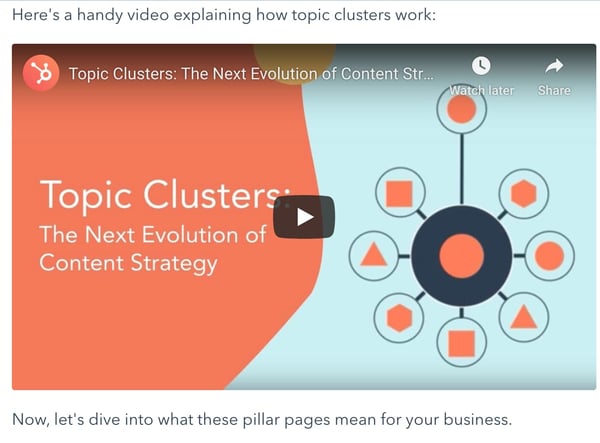
For example, in the post below, HubSpot embedded a YouTube video into a blog post explaining pillar pages and topic clusters.
7. Charts and Graphs
Another way to make your blog posts more interactive is to include charts and graphs. Adding visualizations to your blog posts helps your readers understand and analyze the information.
You can choose to make your own charts and graphs by using visualization tools or you can hire a graphics expert to do it for you.
While it may seem like a daunting task, creating a visualization can actually be easy. In fact, you can create charts in a simple program like Excel or Google Sheets.
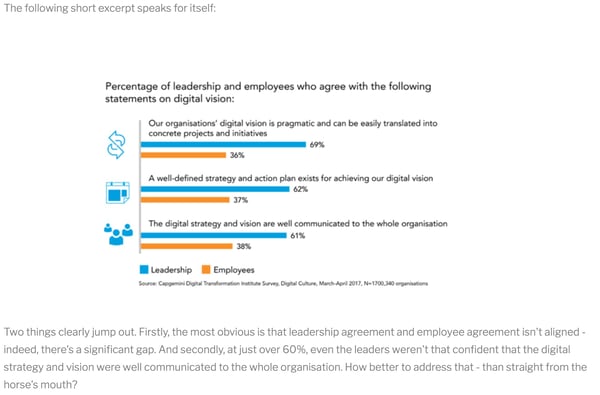
In the example below, UK firm Carvill Creative includes a chart to help readers visualize the expert opinions of leadership.
8. Infographics
Not to reiterate, but for your blog posts to be interactive, you should include multimedia elements throughout the post. As a bonus, those elements also make it easier to read, so users are more likely to read through the entire post.
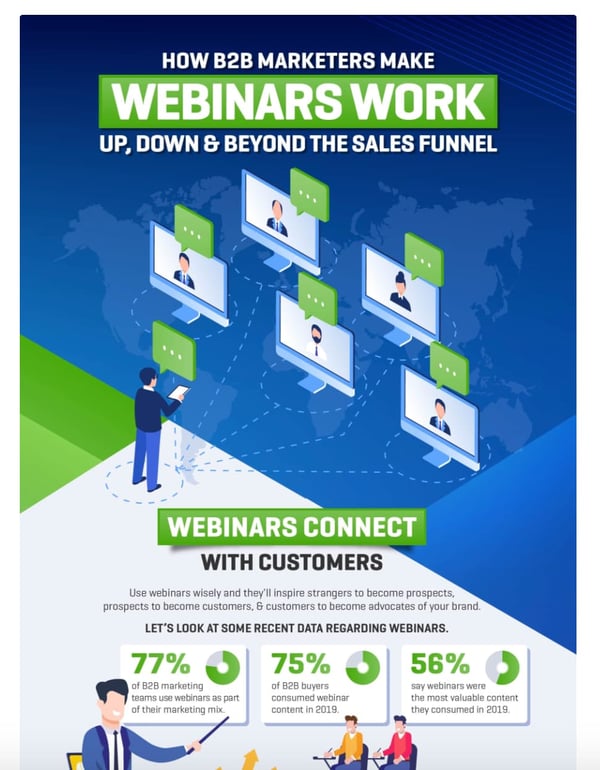
One element that can help you do this is infographics. In fact, sometimes you can create an infographic to communicate most of the information in a blog post.
For example, in this blog post by HubSpot, we included an introduction, and then let the infographic do the talking.
9. Images
Another great way to add interactive elements to your blog posts is to include images.
First, this helps readers visualize what you’re talking about. Second, images are just more interesting to look at.
For example, this post on The Verge, includes a moving image so readers can see a demonstration.

10. Pull Quotes
If you’re looking for a way to include a simple, interactive design element in your blog posts, look no further than a pull quote.
Pull quotes are just snippets of text from your blog post that relay the most important information.
Reading a pull quote should engage your reader and make them more interested in what you have to say. Hopefully, if they’re skimming a pull quote, they’re encouraged to dive in to the post because it’s so interesting.
Interactive content rules the marketing landscape for now and the foreseeable future. There’s no denying customers want more than some block text on a page. They want to dive in, learn more, give feedback and get to know the company.
Just ensure you’re balancing the message within the format and you should see success. Trying any of these methods should result in an increase of engagement and possibly even leads without the headache of a complicated tool and it won’t cost you a cent.
Editor’s note: This post was originally published in February 2016 and has been updated for comprehensiveness.

A Beginner’s Guide to Retargeting Ads
We’d all like to think that every single person that comes in contact with our business follows a very straight and orderly path to purchase. Someone visits our site for the first time, fills out a form to download an ebook, then becomes interested in talking with a sales rep, all in one session on your website.
Minutes later, the sales rep reaches out to this lead, and before you know it, the lead is becoming a customer, handing over their credit card to purchase something from your company.
But in reality, the buyer’s journey is probably not so linear. People pop over to your website, then leave. Two months later, they discover your latest blog article, and then decide to download that ebook.
A few days after that, they decide to check out another blog post. Maybe a week later they decide to get in touch with Sales, and it takes several more weeks of meetings and discussions to come to a decision to buy. Same end result, but the process is a little more convoluted.
So marketers need to be prepared to help their buyers through that convoluted process. One great way to do that is with retargeting ads.
If you’ve never used retargeting before, don’t worry — in the following post, we’ll go through the basics of how retargeting works, explain how you can use it to support your larger marketing goals, and even outline an example of a Facebook Ad retargeting campaign.
How Retargeting Campaigns Work
There are two main types of retargeting: pixel-based and list-based. The way each works is slightly different, and each has different advantages based on your campaign goals.
Pixel-Based Retargeting
Pixel-based retargeting is a way to re-display your material to any anonymous site visitor.
This is probably the most common type of retargeting. When someone comes to your website, an unobtrusive piece of JavaScript (often referred to as a pixel) is placed on their browser — making their browser “cookie-d.” When they leave your site to surf the web, that cookie notifies retargeting platforms to serve specific ads based on the specific pages they visited on your website.
The advantage of pixel-based retargeting is that it is timely (they can be retargeted pretty immediately after leaving your site), specific to a particular page on your site, and behavior-based. Downsides to this method are that there is a lower volume of people in the campaign at any given moment in time since it’s all based on how often people are coming to your website, viewing certain pages, and leaving. It also can be complicated or time-intensive to implement the JavaScript on many website pages.
List-Based Retargeting
List-based retargeting works after you already have someone’s contact information in your database.
You can also use lists of your existing contacts for certain types of retargeting ads. To do this, upload a list of the email addresses to a retargeting campaign (usually on a social network like Facebook or Twitter), and the platform will identify users on that network who have those addresses and serve retargeting ads just to them.
Though it’s a little less common than pixel-based retargeting, list-based retargeting allows you to have highly customizable criteria for your ads because it’s based on more than behavior — you’re choosing who goes in which list.
On the flip side, it’s possible that a person in your list gave you one email address and the social network another — and in that case, they won’t see your ads. Also keep in mind that because you are in charge of uploading and maintaining the list, list-based retargeting also is less automatic and timely than pixel-based retargeting.
If you’ve ever heard of the term “retargeting,” it’s likely it was in comparison to remarketing. And while the two are often mistaken for each other, they do have differences. Let’s talk about when you would use either.
Remarketing and retargeting are often confused with each other. Though they share similarities, retargeting allows you to reach new prospects with your ads, while remarketing focuses on re-sparking interest of your company to current or inactive old customers.
A retargeted ad helps those who’ve never heard of your company understand how your product or service fits into their lifestyle or solves a potential problem. Retargeting helps you make the message more personal.
When you analyze sales, you can determine what’s popular among the audiences you’re aiming to reach. For instance, if you find that a certain line of products perform really well among millennials, pull images of them into a carousel ad and use it to retarget customers. The personalization of a separate ad promoting a collection, aimed at a segment of your target market, is one example of how retargeting can be successful.
Take this ad I saw today. Despite never having purchased from Nasty Gal, this ad showed up on my News Feed:
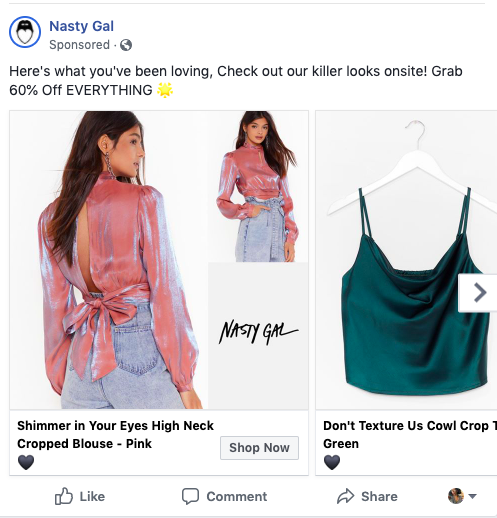
This ad introduces Nasty Gal to new leads (like me) by giving an overview of diverse clothes that are popular among target audiences.
It’s likely I saw this ad because I fit into Nasty Gal’s target audience set on Facebook, and because my previous behavior on the social channel involved looking for reviews of similar clothing retailers.
On the other hand, to re-engage a lost or inactive customer, you might decide to use remarketing. This tactic aims to improve customer relationships by utilizing marketing tactics that
Essentially, if you want to give customers an incentive to purchase again from your company, turn to remarketing.
For customers that are already acquainted with your brand and have shown a need for your product, create a personalized message to reignite their interest. For example, if your company offers a membership, remarket to those whose memberships are expiring and are up for renewal. This email I received is an example:
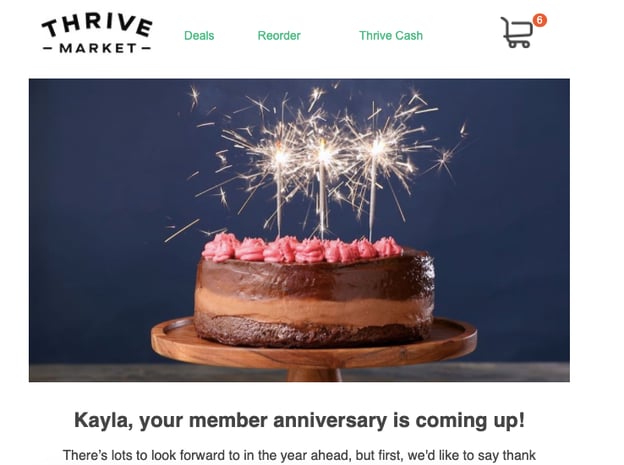
This marketing email not only served as a reminder to renew my subscription but was also Thrive Market‘s way of reminding me about the benefits of being a member. In the email, I got to see how much I saved by using the grocery service, where my membership money was being spent, and was offered a special promotion to renew.
Because I was already familiar with the brand, Thrive was able to use the email to add personal touches and provide a snapshot of what I can enjoy (again) as a member.
Like retargeting, this tactic is successful when messages inspire action. The email’s CTAs, like “Browse our options here!” told me that I could peruse my options in one click, so I did. Use remarketing efforts to remind customers of the perks that come with shopping with your brand, like easy shopping access.
Which Goals You Should Have for Retargeting
Now that we have the background for how retargeting works and the different types of audiences you can segment by, we can focus on goals. The main types of retargeting campaigns you should consider running are those for awareness and those for conversion.
Awareness
Awareness campaigns are useful when you want to re-engage website visitors and tell them about relevant products, features, or announcements. These ads are usually served to pixel-based lists.
The obvious drawback to awareness campaigns is that you’re serving less targeted content to people who haven’t engaged heavily with your brand. They’re not in your contacts database, and often, there are lower expected clickthrough rates than other types of campaigns.
However, since the goal is to make prospects aware of your business, impressions and engagement are acceptable metrics to track. Often awareness campaigns are precursors to a much more effective campaign goal: conversions.
Conversion
Conversion goals are just that — you want to get people to click on your ad and take a next step, such as filling out a landing page form. Conversion campaigns are best used to align a specific list with a clear next step in the flywheel, and can be measured with typical conversion metrics like website clicks, form submission, and cost-per-lead (CPL).
The best thing about a conversion campaign is that you can use it for multiple parts of the flywheel. Pixel-based ads, for instance, generate leads and will direct people to landing pages where they can give over their information.
List-based ads better qualify those leads. Ads will appear to contacts who gave you limited information and lead them to longer forms with additional fields.
Additionally, retargeting can be used to move those qualified leads further along their sales cycle. For example, you might use retargeting to send a list of contacts that have downloaded an ebook to sign up for a free trial of your product.
Regardless of your goal, it is important to align the positioning, creative, and next step in the conversion process — whether that’s an offer landing page, site page, or request for more information — with your audience list. List-based retargeting can have low match rates (users synced with accounts on each platform, usually by email address), so make sure you’re fueling your retargeting activities with inbound content.
Choosing a Retargeting Platform and Tool
Truthfully, you’ve got quite a few options for actually implementing your retargeting. There are tons of third-party platforms to do web and social retargeting, such as Perfect Audience, AdRoll, Retargeter, and Bizo. You can also do retargeting through specific platforms like Facebook, Twitter, and LinkedIn.
While email targeting can be effective, it’s important to note many of the other platforms that could also be beneficial.Although each platform you use to implement ads will be different, there are some advantages and disadvantages for choosing ones that serve up social media ads or elsewhere on the web.
Social media retargeting often works well since people are more likely to share, reply, and discuss your content on one of these well-known platforms. They can also see the ads are posted from a real account, as opposed to a small web banner ad with little text that could be posted by anyone. That being said, web retargeting works well for impressions since the ads follow your targeted audience throughout the internet, not just on a few specific social media sites.
Want to see how setting up a remarketing campaign is like? We’ll walk through a step-by-step process on setting up a retargeting campaign and measuring its success.
Facebook Retargeting
One of the oldest and most prominent platforms where you can remarket and retarget your ads is Facebook. On top of offering remarketing options, Facebook also allows you to launch ads to a large pool of mirror audiences with a number of ad objectives.
For this example, we’ll pretend we’re setting up a remarketing campaign for HubSpot. To drive qualified leads to a free trial, we’ll set up a mock Facebook retargeting campaign for leads in our database who we know are interested in marketing automation. Here’s how we would set up that campaign.
1. Create a list or existing contacts, or gather groups from pixel on your website.
First, you’d need a list of leads to retarget to. In your marketing software of choice, compile a list based on two criteria: lifecycle stage, interests based on the topic of their most recent download. If this list is sufficiently large, you can move on to the next step. If it’s not, you should revisit your segmentation properties and/or type of retargeting to implement.
2. Uploading the list to Facebook’s Audience Manager.
Once our list is processed, we can export the .CSV file and import it into Facebook’s Custom Audience manager to match email addresses with Facebook Profiles. (There are third-party platforms that also sync these lists on social media, so feel free to pick which upload/sync option works best for your company.)
Aside from Facebook retargeting, Audience Manager will allow you to do standard targeting, which allows you to set demographic, geographic, and other audience targets for an ad — even without a retargeting list.
Once you hit “Manage Your Ads” on Facebook’s advertising home page, click “Audiences” on the left toolbar. This will allow you to create a customer list by uploading a .CSV or .TXT file and options to sort by user ID, phone numbers, or emails.
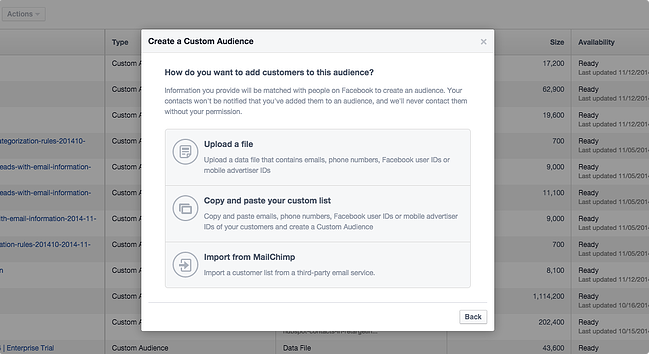 Give your list an appropriate name to easily find it later. Additionally, leave at least a few hours for it to populate. if you try to create an ad immediately, the audience may not be fully loaded.
3. Determine your destination URL.
To create a new campaign on Facebook, hit the green “Create Ad” button in the top right of the ad platform home screen. This will prompt you to choose an objective for your campaign. Whatever option you select, include a UTM tracking code — a snippet of text added to the end of your URL — to help you track success and attribute clicks and conversions from your campaigns. For example, we would create a campaign called “Retargeting” and our URL for the free trial would look like:
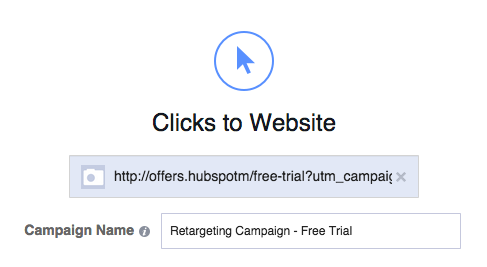
https://ift.tt/1AmMSc0?utm_campaign=retargeting&utm_medium=social&utm_source=facebook
Once you enter your URL to promote, the next step is to rename your campaign directly underneath the URL text box. Keep similar names for your campaigns to make it easier to track if you have multiple running.
4. Segment your ads.
Select your custom audience and set the geographic location you want to target. The location is an “AND” setting, meaning if your list contains leads from all over the world and you only select “United States,” some people won’t be shown your ads.
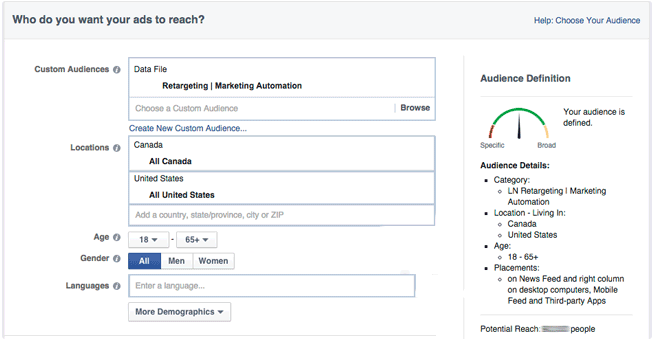 Depending on your buyer personas, you can also segment by interest, behaviors, age, and other demographic settings which can help ads become even more targeted. For conversion campaigns, you’re retargeting to a specific list of contacts already interested in your product, so including other Facebook categories might not make sense.
5. Set your budget.
Before even starting the campaign, have a set budget for paid tactics, broken out by channel. For Facebook campaigns, set a lifetime budget for the length of the campaign, then monitor and adjust accordingly. Most beginners should leave the bidding to “Optimize for Website Click.”
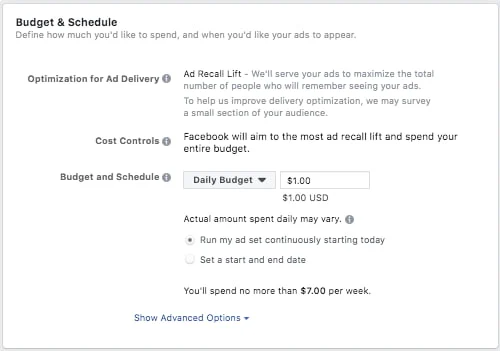 You can also name your ad set at this stage, which is helpful if you’d like to differentiate lists, creative, budget, etc. for different ad sets in the same campaign (i.e. leading to the same page).
6. Creating your ad.
Each ad can have up to six images associated with it, so you can test which ones perform the best. Be clear and concise with your positioning as the headline underneath the image can only be 25 characters long and the text above the image is capped at 90 characters. You can also include call-to-action buttons such as Shop Now, Learn more, Download, etc. on the bottom right of the ad.
Some important details on Facebook ads:
- Image size is 1080 x 1080 pixels.
- Images can only contain 20% text.
- Under “Advanced Options” you can write a News Feed link description up to 200 characters to better explain your ad.
By default, ads are shown on mobile newsfeeds, on the right column on desktops, and in partner mobile apps. Depending on where you’d like your customers to see these campaigns, you may want to turn one or all of those options off to only display in the desktop News Feed.
Once you have everything set up, go ahead and click the green “Place Order” button in the bottom right of the screen.
7. Tracking your progress.
Congratulations, you’ve now created a conversion-based retargeting ad on Facebook! Now you can track website clicks, reach, CTR, CPC, and total spend to match them up to your initial goals.
You can get a glance of how your Facebook retargeting campaigns are doing by going to your Facebook Advertising home page. If you want to dive further into the ad’s metrics, you can go into the ad set where you’ll see information like clicks and spending per day. It is also easy to make edits to your ad from this screen, such as extending the budget, schedule, and creative assets.
If you’re using a CRM, like HubSpot, most offer tools to look at the performance of your destination URL to track views, clicks, and submissions back to specific retargeting campaigns.
Retargeting is a great way to keep your prospects engaged and interact with people who have already shown interest in your company.
While it may sound like a simple enough concept, there are many aspects of a retargeting campaign that must be worked out before you make the ad copy and creative. Be sure to give enough time to make your lists, set goals and types of campaigns, determine the platforms your ads will run on, and tie the whole conversion path together.

What Is Context Marketing, and Why It Matters [Quick Guide]
In 2020, it’s undeniable how powerful content marketing has become for businesses of all sizes.
In fact, content marketing brings in 3X as many leads as traditional marketing — and costs 62% less.
But, while it’s fair to say most marketers are on-board with the importance of content marketing, there’s still an aspect of marketing that doesn’t get as much love: context marketing.
Whether you know what context marketing means or not, I’m willing to bet you’ve dabbled or wanted to dabble in context marketing for some time.
Here, we’re going to introduce the concept of context marketing and dive into strategies you can use to implement context marketing into your overall marketing strategy.
What Is Context Marketing?
At the most basic level, context marketing is … well, using context in your marketing.
Since that just sounds like circular reasoning though, let’s dive into the definition a little further.
My favorite definition of context marketing is delivering the right content, to the right people, at the right time.
Let me explain what I mean by context a little more, though.
Context marketing is like a spelling bee …
When you have context around something, you have a larger, more telling picture — you know, those little details that help lend more clarity to things that would otherwise be pretty general, unspecific, and, well, uninteresting.
Let’s use a spelling bee as an analogy here. If a judge asks a kid to spell the word “pour,” he might want to ask a host of questions to get more context before answering: What’s the part of speech? What’s the definition? Can you use it in a sentence, please?
Answers to those questions all provide context that helps paint a clearer picture of the word he’s trying to spell.
And it’s important context, too! Why? Because the word “pour” is different than the word “pore” — or “poor.”
Without getting more context around what the judge is asking, how could that kid possibly provide an accurate answer? Getting more context around that word would be pretty useful to helping our kid become a spelling bee champ!
Ultimately, the same goes for your marketing. Do you want to be a marketing champ like our spelling bee friend?
The marketing champs in every industry are the ones who are leveraging context about their audience, leads, and customers in their marketing. For example, a marketer using context would know more about a lead than whether she’s B2B or B2C, and her first name. They might also know what industry she works in, what kind of content she likes best, through which channel she prefers to consume content, whether she’s currently using another solution to meet her needs, and whether her company has budget at this time of year.
As a marketer, if you were asked to “market” to someone, and all you were given was a first name and the type of company your lead works at, wouldn’t your first question be … what else do we know about her? Probably, if you want to do your job way better.
That’s the idea behind context marketing: Using what you know about your contacts to provide supremely relevant, targeted, and personalized marketing.
Why Is Context Marketing Important?
Context marketing is important for many reasons, but here are the two that I think trump them all:
- When you have context around your relationship with a contact, you’re able to provide more personalized and relevant marketing content that’s targeted at their needs. Personalized and relevant marketing is the foundation for creating content people love! What’s more, personalized and relevant marketing is typically not the kind of marketing that annoys people into clicking “unsubscribe”. Win-win!
- When you’re creating marketing that’s targeted at people’s point of need, it stands to reason that marketing will perform much better for you, because you aren’t delivering marketing content that’s misaligned with their interests or stage in the sales cycle. Think about it: If you know that our B2B lead from the previous section is getting new budget in January, she’s downloaded a couple buying guides in the past two weeks, she’s visited your product pages, and it’s December, you’re able to send her insanely targeted content that addresses her needs — like, say, an offer for a custom end of year demo of your product with a rep that specializes in the finance industry. That’s content that she’s pretty likely to convert on.
Why not use the context around your relationships with your contacts to create marketing that they a) love, and b) convert on?
3 Areas You Can Incorporate Context Marketing
Alright, these ideas all sound lovely, but how does this “context marketing” theory manifest itself? What would it look like for you, as a marketer? With the help of integrated marketing software, here are some examples of where you’d actually use the principle of “context” in your marketing.
1. Dynamic Calls-to-Action
You have a bunch of offers you want to use to convert traffic into leads, leads into qualified leads, and qualified leads into customers.
To help strengthen your lead conversion rates, you probably don’t want leads visiting a case study webpage (typically an action you’d perform further along in your buyer’s journey), and finding a CTA leading them to a blog post (which is meant for people earlier in the buyer’s journey).
However, not everyone who visits a case study page on your website is necessarily ready to talk to a salesperson. You don’t want to turn them away, either, by offering a CTA that’s too pushy.
Fortunately, with dynamic CTAs that adjust depending on who is visiting the page, you can actually surface a CTA that automatically aligns with the visitor’s stage in the sales cycle … or any other host of criteria you want to set! Think industry, business type, location, past activity/behaviors, that type of thing.
2. Dynamic Email Content and Workflows
Your forms aren’t the only things that need to be smart.
Your email database — especially if you want to maintain your space in people’s coveted inboxes — needs to be segmented into highly targeted lists, as well.
Plus, beyond email segmentation, your email lists need to be smart enough to know when to pull in a contact, and certain information you have in your database about that contact, into your email marketing.
Remember, a great context marketer delivers the right content, to the right person, at the right time. So to send emails that are contextually relevant, you need the power of workflows — the tool that will put the right person into the right list.
3. Smart Forms
So you want to be a context marketer and see higher conversion rates.
Let me introduce you to your new best friend: smart forms.
Smart forms are just what they sound like — forms for your landing pages that are wicked smart.
So smart, in fact, that they know if someone has already filled out the form fields you’re asking for. If you use smart forms, for instance, your site visitors won’t see “First Name” and “Last Name” every time they fill out a form — instead, they’ll answer those questions once, and then never again.
This will help youglean more new information about your leads each time they fill out a form, instead of just more of the same stuff.
Ultimately, smart forms will help you gather even more context about your visitors, leads, and customers, and help increase conversion rates over time.

The Ultimate Guide to Content Distribution
Year after year, hundreds of marketers report increased efforts and spending on their content marketing — or the intention to do so.
But great content is a waste if your audience doesn’t know it exists.
Content distribution is an integral part — if not the most important part — of your content strategy.
This guide will equip you with the tools you need to distribute the content you create. By the end, you’ll be able to build a content distribution strategy that gets your content in front of — and consumed by — your audience.
Today, social media plays a huge role in content distribution — let’s take a moment to review what this actually entails.
No matter which type of content distribution you focus on, the process of distribution will happen after you create your content.
However, you should know where and how you’re going to publish and promote your content before you put the proverbial pen to paper. Otherwise, your time and resources could go to waste.
Take a look at these content distribution statistics:
- 60% of marketers create one piece of content each day.
- 952 posts are published on Instagram each second.
- 8,726 tweets are posted to Twitter each second.
- Google answers 3.8 million search queries per minute.
As you can see, in recent years, we’ve seen a rapid influx of content … met with dwindling demand. With almost 4.5 million blog posts published every day, there’s only so much content we can consume. Marketing influencer Mark Schaefer argues that, because of this “content shock”, content marketing may not be a sustainable strategy for every business.
While I won’t agree or disagree with this theory, I will outline everything you need to know to successfully distribute your marketing content.
Before we dive into the various content distribution channels through which you can share your content, let’s cover the different content types you can create for distribution.
Content Types for Distribution
There are many types of content you can create to market your business. But not all types of content are created equal (literally), and each type typically requires its own content distribution plan.
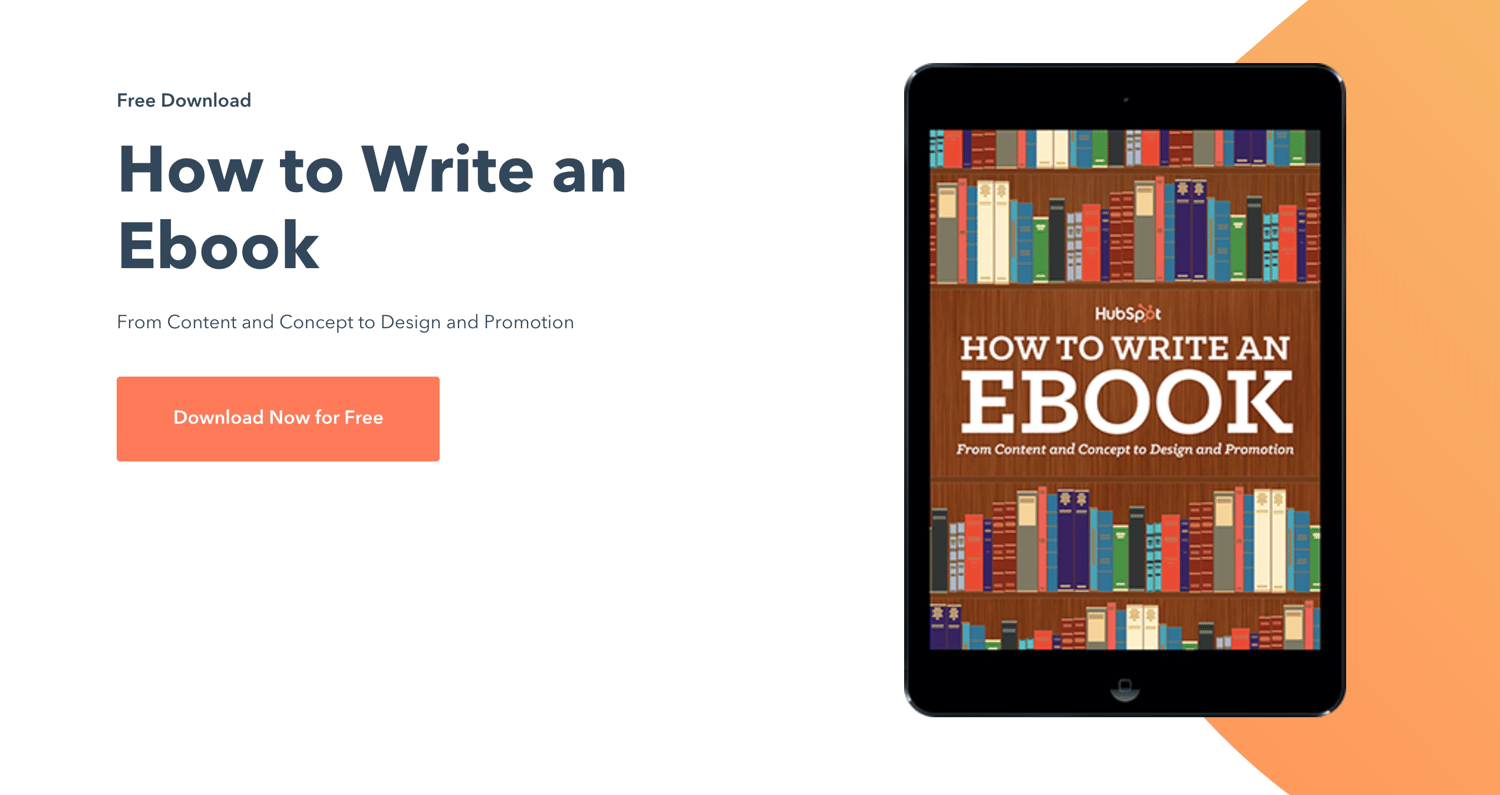
Ebooks
Distribute your ebook content through a gated form on a dedicated landing page. One example of this is HubSpot’s landing pages through which visitors can submit their information to access and read each ebook.
Podcasts and Interviews
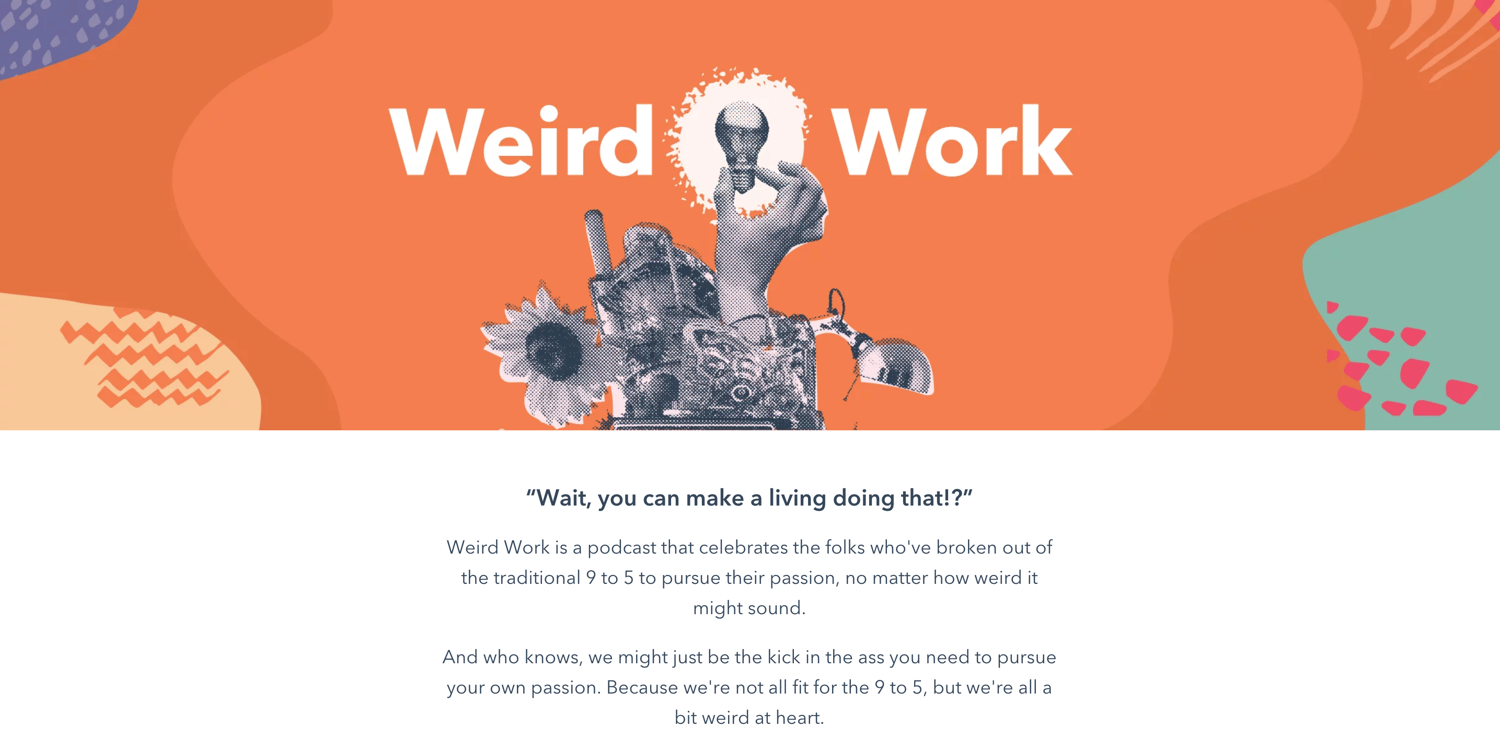
Distribute your podcast or interview content through Apple Podcasts, Spotify, or Google Podcasts. One example of this is HubSpot’s Weird Work podcast, available on all three podcast networks as well as SoundCloud.
Videos
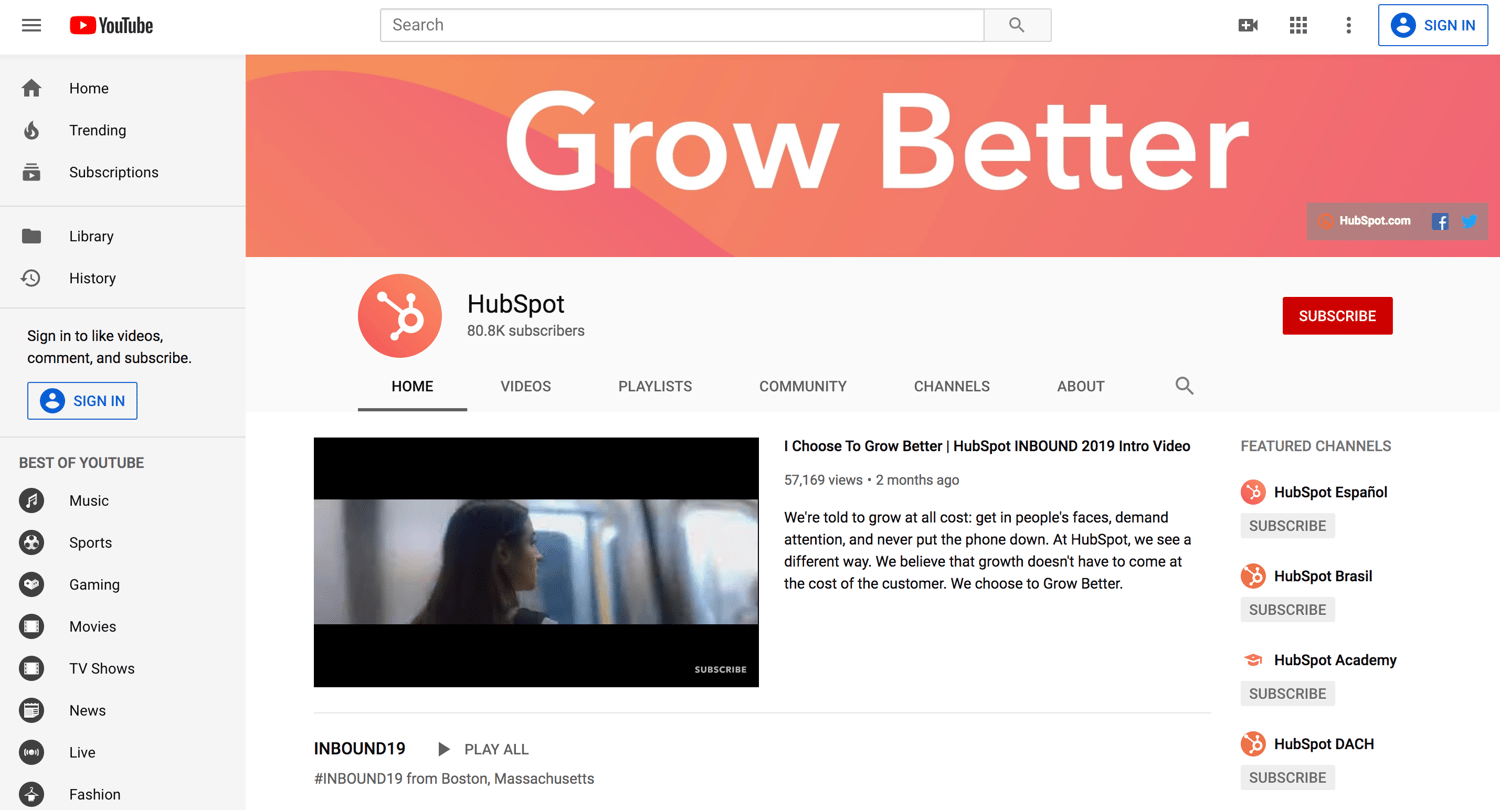
Distribute your video content through YouTube or Video. One example of this is HubSpot’s YouTube channel, which shares brand content, how-to videos, and written content in video form.
Infographics
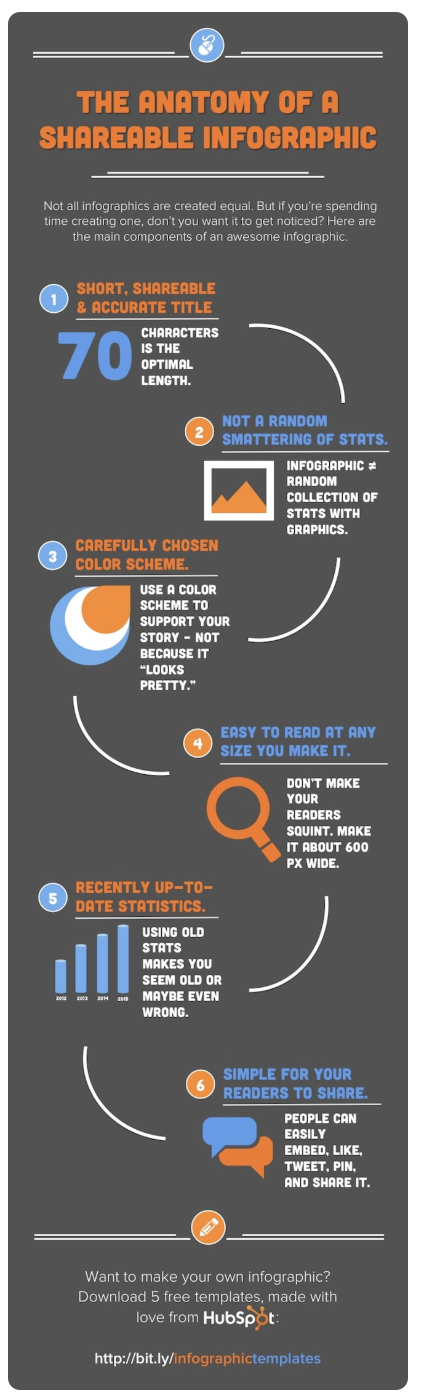
Distribute your infographic content through Pinterest, as well as on your blog. One example of this is HubSpot’s infographic blog posts that are shareable on Pinterest. HubSpot also has its own Pinterest account on which it shares its own infographics in addition to other brand’s.
Case Studies and Success Stories
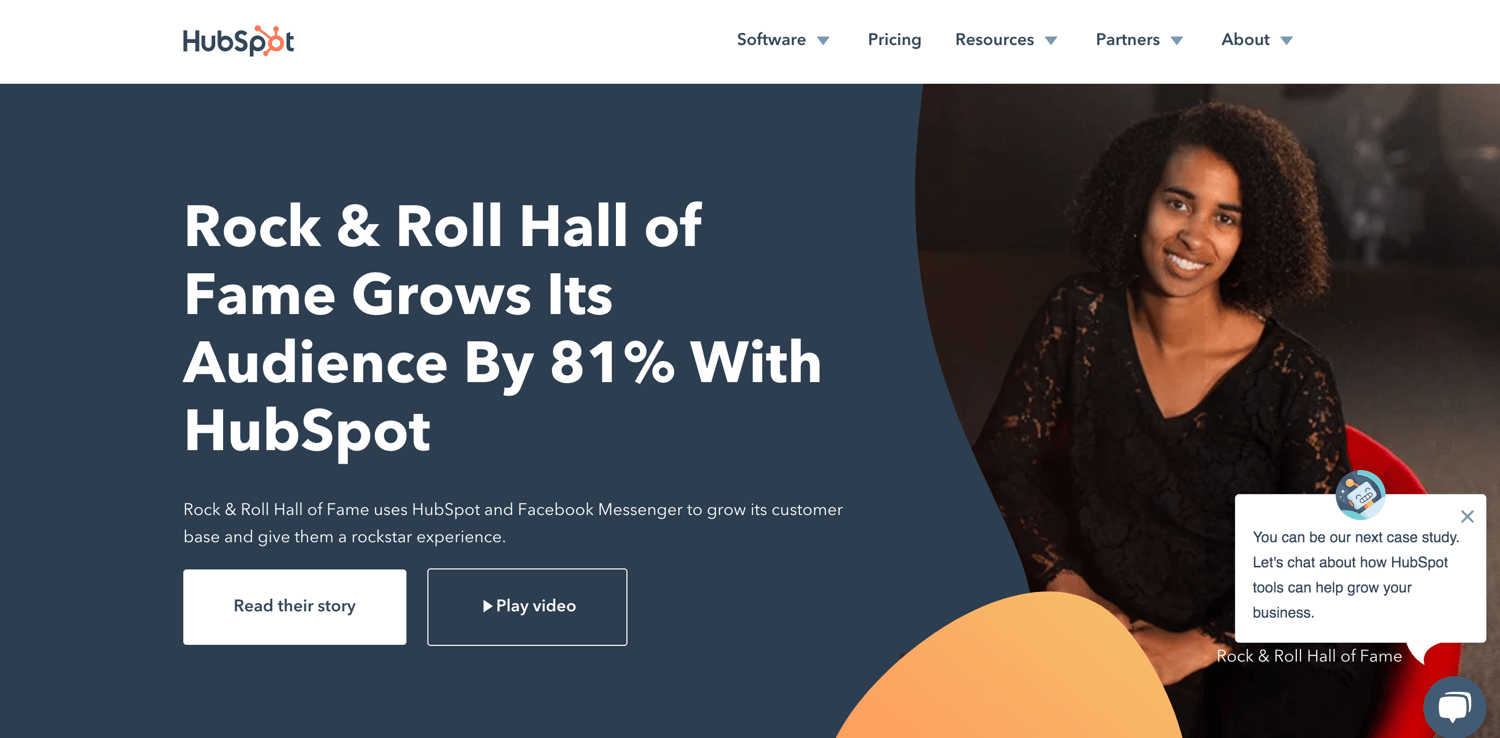
Distribute case studies and success stories through a dedicated page on your website. One example of this is HubSpot’s Case Studies page, where visitors can find all kinds of case studies featuring real HubSpot customers.
Webinars
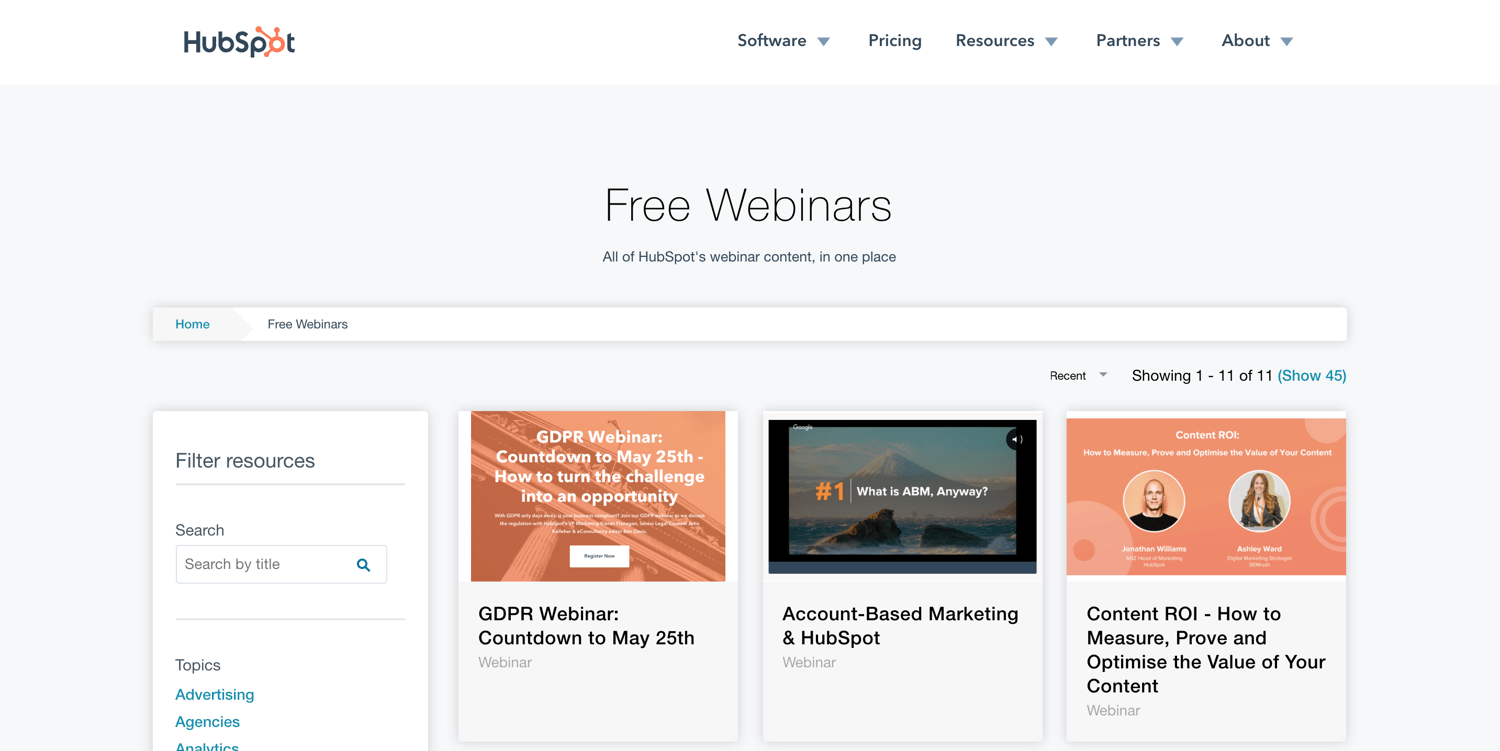
Distribute your webinar content through a dedicated webinar page on your website, as well as calls-to-action (CTAs) on your blog posts. One example of this is HubSpot’s Webinars webpage, where visitors can browse and access free webinar content.
Blogs
Distribute your blog content through — you guessed it — your blog. You can also send out a daily or weekly newsletter with a round-up of your best or recently published content. One example of this is the HubSpot Blog which contains various properties (Marketing, Sales, Service, and Website), each of which has a unique homepage and email newsletter.
Content Distribution Channels
Content distribution channels are the channels through which you share and promote the content you create. The channels you use to distribute your content will vary based on your audience and resources.
There are three overarching types of content distribution channels that cover a number of more specific distribution channels: owned, earned, and paid.
The following diagram illustrates how these three content distribution channels overlap and how you can combine them to enhance their impact and reach.
-1.png?width=1500&name=Untitled%20presentation%20(1)-1.png)
Owned Content Distribution
Owned channels are the content properties your company owns. You can control when and how content is published on your owned channels. These include your website and blog, your social media profiles, your email newsletter, or a mobile publishing app.
Earned Content Distribution
Earned channels (also known as “shared” channels) are when third parties promote or share your content. These third parties could include customers, journalists, bloggers, and anyone who shares your content for free — hence the name “earned”.
These channels include public relations, social shares and mentions, guest articles and roundups, and product reviews. They also include forums and communities like Reddit or Quora — while posting on these sites is free, the content is owned by these third parties and therefore falls under earned channels.
Paid Content Distribution
Paid channels refer to when your company pays to distribute your content on certain channels. This primarily includes pay-per-click (PPC), paid social advertisements, and paid influencer content.
Pay-Per-Click (PPC) Ads
With PPC, an advertiser pays when people interact with their ad through impressions or clicks. PPC falls under search engine marketing (SEM) and, when done right, helps you earn quality leads.
PPC ads are most common in search engine results pages (SERPs) but are also used on social channels. When paired with an SEO strategy, PPC can be an integral element of your inbound marketing efforts. One of the top platforms for PPC is Google Ads.
Sponsored Content
Sponsored content is promotional media, paid for by an advertiser, that’s created and shared by another person, brand, influencer, or publisher.
Sponsored content is most effective when it includes a person or brand that already targets your audience and buyer personas and, therefore, already aligns well with your brand.
As a result, sponsored content typically feels natural rather than invasive or disruptive. There are a variety of ways you can use sponsored content including images, videos, podcasts, social media, and any influencer content.
Paid Influencer Content
Paid influencer marketing requires you to employ leading content creators in your business’ niche to help you improve your brand awareness, traffic, and conversions among your shared target audience to your target audience.
Influencer marketing is effective because it taps into powerful strategies such as word-of-mouth marketing and social proof, which — for today’s buyers — may feel more trustworthy and believable than the marketing a company does for itself. In fact, brands are expected to spend up to $15 billion on influencer marketing by 2022.
Paid Social Ads
Paid social ads can include PPC, sponsored, or influencer content. Paid social media ads are a way of sharing your marketing messages and campaigns on social media platforms such as Facebook, LinkedIn, and Instagram, while targeting a specific sub-audience on those platforms.
PPC advertising, branded or influencer-generated content, and display ads are all examples of paid social media. A paid social media strategy will likely incorporate tools that are native to specific social media channels, like Facebook Ads or Instagram Ads, to create, schedule, and share ads to reach your target audience.
Next, let’s review what a content distribution strategy is and why it’s so important.
A content distribution strategy is important for a few reasons:
- It boosts your content impact past curation and creation. As I said above, great content is practically useless if nobody’s reading it. A content distribution strategy gets your gorgeous content in front of the right eyes.
- It aligns your team and the teams with which you collaborate to create and share the content. Depending on the size of your company, you may have several cooks in the content marketing kitchen. (I know we do at HubSpot.) A content distribution strategy aligns all these different parties and ensures you’re all collaborating efficiently.
- It sets goal benchmarks against which you can measure your distribution performance. Content distribution can be vague — a simple press of the “Publish” button, and you’re done. A content distribution strategy helps you set benchmarks and hard goals to chase while publishing and promoting your work.
Here’s how to build a content distribution strategy for yourself.
1. Research your target audience.
Content distribution is all about getting your content in front of your audience — not just any audience. You can’t do this properly if you don’t know where they are and what they like to read. Before you build your strategy any further, research your target audience so you know precisely who will be consuming your content.
Start by collecting demographic data from your website visitors, email subscribers, social media followers, and customers. Take a look at your audience’s gender, age, income, location, education, and related categories. You can pull this information from Google Analytics or your social media analytics tools.
Next, collect feedback directly from your customers, email subscribers, and social media followers. Ask them about their pain points and needs as well as how they feel about your current content and distribution efforts.
Use these two data points to create your buyer persona. Your buyer persona(s) act as models of your ideal customers and content consumers and represent their pain points, information preferences, and motivations as you build out the rest of your content distribution strategy.
2. Audit your content.
You may already have some published content out there, such as blog posts, videos, social media content, and more. While your new content distribution strategy doesn’t involve removing that content, you should perform an audit to understand if it’s helping or hurting your distribution efforts.
Auditing your current content will also remind you of which topics you’ve already written about and which ones you can expand on.
A thorough content audit is comprised of three main parts:
- Logging your content. Logging your content can be done manually or with a tool. (We recommend the latter, especially if you’ve been publishing content on multiple properties and channels.) Tools like Screaming Frog can help you crawl and collect your content, listing each URL, title, and description in a spreadsheet. The free version crawls up to 500 URLs. If you opt for a manual content audit, follow the steps in our blog post here.
- Assessing your content impact. If you crawl your content with SEMRush, the tool will also list content length, social shares, and backlinks. This information can help you assess the impact of each piece of content, alerting you to anything that needs to be updated, rewritten, or erased.
- Identifying your content gaps. You can also identify gaps in your content using the Ahrefs Content Gap tool or by performing keyword research to discover new keywords or keyword phrases to add to your content, thus helping it rank higher and for more terms.
Check out
this blog post
for 30+ more content auditing tools.
3. Choose your content distribution channels.
Your content distribution channels are arguably more important than your content itself, hence why this step comes before content creation and after target audience research. Once you know your target audience, you’ll have a much better idea of how to get your content in front of your followers and customers.
Depending on your analysis, you may post on forums and communities like Reddit or Quora — and pay to promote your content on those sites, too. Alternatively, you may choose to exclusively share content on social media channels, or perhaps you find that traditional PR is your best route.
Regardless of which content distribution channels you choose, ensure they align with your audience’s preferences and behaviors.
Also, be sure to optimize your owned distribution channels — your blog, email newsletter, and social media profiles — as these are relatively inexpensive and in your control. Even if research shows that your audience prefers forums to social media or news sites to company blogs, never neglect your owned properties as these reflect on your brand and product.
As you work through this step, set aside time to optimize your blog-to-gain readership, brush up on how to send email newsletters (or start sending them), and learn about organic social media marketing.
4. Decide on your content types.
After you determine your distribution channels, consider what types of content you’d like (and have the resources) to create.
Many companies choose to publish all of their content on their blog and then repurpose and re-publish it. Blog posts are universally consumed, easy to repurpose and localize (i.e. translate into other languages), and simple to share — not to mention that almost 50% of buyers read a company’s blog while making purchase decisions.
For these reasons, we recommend building a business blog and then expanding your content types from to share on other channels.
Consider the content types we discussed in the beginning of this guide, and think about how you’ll repurpose and distribute them.
5. Set your content distribution KPIs and goals.
Goals help us recognize where we’re going and what success might look like when we get there. Your content distribution strategy should involve setting goals for your content key performance indicators (KPIs) and their subsequent metrics:
| KPIs | related metrics |
| Traffic/reach | Unique page views by channel and source |
| Engagement | Bounce rate, average time on page |
| Top content (and falling content) | Top page views, top exits |
| Impact | Click-throughs, conversions, backlinks |
| Sentiment | Comments, social shares |
These metrics may vary based on your distribution channel (i.e. you can’t track comments on your email newsletter or top exists on your social media ads), so be sure to choose the metrics that correspond best to each channel. It might take a few months to establish a baseline for each channel, especially if you haven’t used it before.
Set SMART goals for your content using these metrics. Here’s an example:
- Specific: I want to increase our blog’s organic traffic by boosting backlinks from other reputable websites and blogs. This will increase our search engine ranking, thus bringing in more organic traffic.
- Measurable: I’d like 30 new backlinks to our blog.
- Attainable: We’re already generating 10 new backlinks each month without an intentional strategy, so I believe 30 new backlinks this month with our strategy is feasible.
- Relevant: This goal aligns with our broader organic content marketing strategy and could also boost our earned media as we get mentions from press outlets and third-party bloggers.
- Time-bound: I’d like to receive these backlinks within the next month.
6. Build an editorial calendar (and include distribution).
Content marketing and distribution require lots of planning to be successful. This is where an editorial content calendar can come in handy. You can create one in Excel or Google Sheets, or even use Google Calendar. Tools like CoSchedule, Asana, and Trello are helpful, too.
Your editorial calendar, like your content distribution strategy, helps your team stay aligned and work towards common goals. It also gives your writers and editors a roadmap for what they’ll be working on in the coming weeks and months.
Here’s what your editorial calendar may look like (using this post as an example):
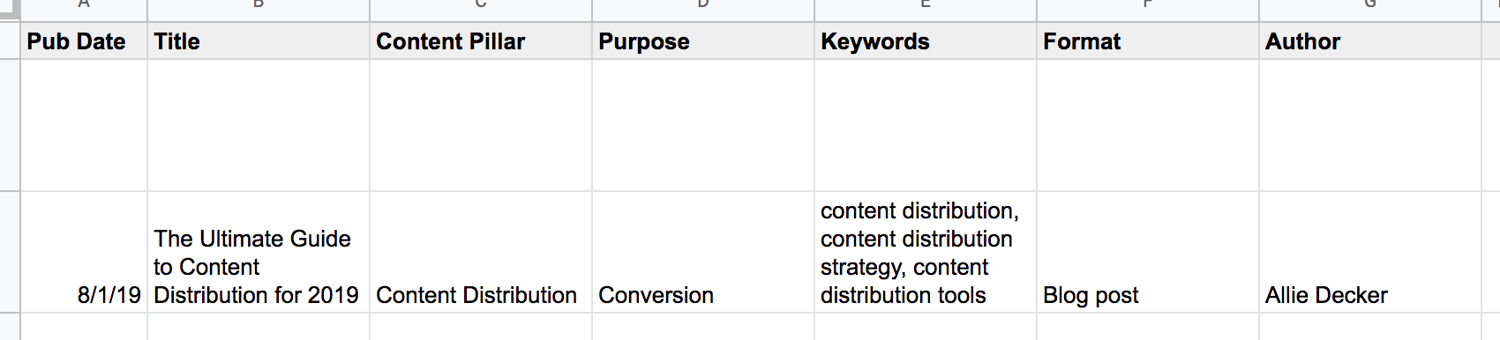
Your editorial calendar is the perfect place to include your content distribution plans and goals. Here’s what that may look like on your editorial calendar:

See how the right-hand columns now include categories like “Publish Destinations” and “Repurposing Plans”? Your editorial calendar should serve as your hub for all content creation and distribution plans.
Manage and plan your social media content with a free Social Media Content Calendar Template.
7. Create your content.
After you research your audience, audit your content, decide on your distribution channels and content types, and build your editorial calendar … it’s time to create your content.
Content creation will vary based on your resources, team size, industry, and brand, so to get the most pointed, applicable advice, check out our Guide to Content Creation.
As you work on your new content, check out these tools:
- AnswerthePublic, which can help you flesh out topics and understand what your audience is searching for
- Canva, which can help you build gorgeous infographics and images
- Vidyard, which is a video hosting and publishing platform made for marketers
- Anchor, which is a free podcasting tool for beginners
We’ll talk more about content distribution tools in the next section.
8. Distribute and market your content.
You’ve created your content … now it’s time to put it out in the world. Following your editorial calendar and chosen distribution channels, publish and market your new content. As for any marketing channel, be sure you follow rules to optimize your posts on each channel.
For example, our team at HubSpot paid for ads on Reddit and found that it was helpful to organically engage with Redditors as well as pay for ad space. Alternatively, if you’re posting on (or paying for) social media, be sure to follow the guidelines for the best times to post and share content — the same goes for sending emails.
9. Measure and analyze your results.
As always, be sure to keep an eye on your content distribution results. Remember those KPIs, metrics, and SMART goals you established in step five? Time to pull those out.
After you’ve published your content, take a look at Google Analytics, your social media analytics dashboards, and your blog performance — depending on where and how you distributed the content. Make sure you set a routine time to measure and analyze (weekly, monthly, or quarterly) so that you can establish a baseline and know which numbers you can beat the following week or month.
Whew! So, that’s what it takes to build a content distribution strategy. Be sure to iterate on this process; these guidelines may change as you expand your content efforts and scale your team.
Now, let’s talk about the tools you need to get it done.
Content distribution can be an arduous process, but thankfully there are many content distribution tools out there to help you get your work discovered and consumed.
These tools help you publish your content on additional networks and forums to reach broader audiences.
1. HubSpot
HubSpot is an all-in-one CRM for small to enterprise companies. It includes a Marketing Hub, meaning its useful for email marketing, analytics, content creation, social amplification, and more.
You can monitor, schedule, and post content to your social networks. You can also access information from your email marketing campaigns so you have the big picture of your readers and customers.
Price: Free and paid
2. Medium
Medium is a content platform that individuals and businesses alike use to publish content. You can use Medium in addition to or in lieu of your traditional blog. (We recommend in addition to your blog as this will give your content the broadest reach.)
Medium is where thousands of readers consume content. It’s a one-stop-shop platform for all kinds of content … kind of like Amazon is for products. For that reason, consider publishing to Medium to increase the number of people who see your content.
Price: Free and paid
3. PR Newswire
PR Newswire is a press release distribution network. The platform helps you target and contact journalists and outlets by specific industries, geographic areas, and topics. It offers packages for state and local, regional, and national press.
Price: Paid
5. HARO
HARO stands for Help a Reporter Out, which is an online platform that connects journalists and sources. In this case, you’d be the source.
When you sign up for HARO, you’re sent daily emails with journalist queries. Respond to these queries to be potentially featured in an article. This is a reactive content distribution tool, but it’s helpful for getting press mentions and backlinks.
Price: Free and paid
6. ClickToTweet
ClickToTweet is a tool that equips your readers to share soundbites of your content on Twitter with a single click. You create your content soundbites, and ClickToTweet provides a link. When readers click that link, the tool opens their Twitter with the content soundbite already ready to post.
It also links to your Twitter account and content — allowing your readers to distribute your content for you.
Price: Free
7. GaggleAMP
GaggleAMP is a social amplification tool that allows you to aggregate your employee’s social networks and post company content directly to them.
Employees have the option to review and improve content before its posted or allow it to go through automatically. This is a great alternative to constantly bugging your staff to post on about your business.
You can also use this tool to link to social networks from partners, customers, brand advocates, and more.
Price: Free and paid
8. AddThis
AddThis is an on-page social sharing tool. It allows your readers to share your content without bouncing from your page (and potentially getting distracted). You can also integrate AddThis share buttons into your email newsletter and other assets.
Price: Free
These tools help you measure and analyze the impact of your social posts and other distribution efforts.
9. Mention
Mention is a social media monitoring tool that provides social media listening, publishing, crisis management, and more. You can use Mention to monitor any mentions of your brand name, content, or social networks and respond accordingly.
This is a great tool for measuring the impact of and engagement around your content and see who is promoting it for you.
Price: Free and paid
10. SharedCount
SharedCount is a tool that helps you measure the engagement of your social media posts. Simply input a URL, and SharedCount will report on its likes, shares, comments, and other engagement measures.
While it can’t help you distribute your content, it can alert you to which pieces are performing well and which pieces may need to be updated or scrapped.
Price: Free and paid
11. Outbrain
Outbrain is a paid amplification tool that aggregates your content at the bottom of other articles. You can set up content campaigns with an RSS feed or specific URL(s), and Outbrain will place them under related content, encouraging readers to click and read yours.
Outbrain works with an impressive network, including digital publications like NYT and Mashable.
Price: Pay-per-click
12. WiseStamp
WiseStamp is an email tool that allows you (and your employees) to share your latest content in your email signature. Your email signature is often a forgotten but important piece of digital real estate that practically everyone who opens your emails will see. WiseStamp helps you make the most of that space.
Price: Paid
Distribute Your Content to Grow Better
Amazing content is a waste if no one is consuming it. Content distribution is a critical piece of the content marketing puzzle. It’s is also the key to boosting your brand awareness, collecting loyal followers, and encouraging your readers to click, act, and become customers.
Put these content distribution tips and tools to get your content in front of your audience.
Editor’s note: This post was originally published in July 2019 and has been updated for comprehensiveness.

How to Promote a Virtual Event, According to HubSpot Marketers
In 2020, as brands adapt to remote work, they’re also learning how to shift their in-person events to online-only programming.
When you surf the web on any given day, odds are you’ll see at least one social media post, email, video, or stream that promotes or covers an online event.
And, although some brands might be temporarily shifting their event tactics, this new adjustment has allowed companies to identify some of the great perks to online events. For example, unlike physical events, virtual events, such as live streams or webinars, enable your brand to gain awareness from international audiences, period.
At this point, it seems like online events aren’t going away anytime soon. But, with the popularity and necessity of online events in 2020, the landscape has become quite competitive. For any given event, there are a handful of competing webinars, live streams, or Q&As that discuss similar topics.
If you’re one of the many brands switching your in-person events to a virtual, how do you promote them to keep attendance up? And, in a sea of virtual events now being promoted all at once, how do you stand out?
To answer those questions, I spoke with a handful of HubSpot marketers who have experience in these tactics. Here are their five go-to tips.
1. Be clear about what the audience will see.
Setting expectations about what your in-person event will entail is always an important promotion tactic, but it becomes especially important when you’re promoting a virtual event.
“Set expectations! Not all virtual events look the same and your audience likely wants more details on what they will get,” says Juliana Nicholson, the program manager of HubSpot User Groups.
“Will the audience be able to ask live questions? Is their camera going to be on? Is this event tactical or more high-level?” Nicholson asks. “Set the stage to make sure the right people are registering for your event, and then feeling satisfied with the experience they have when they show up.”
Aside from explaining what will happen at your event, Clara Landecy, an associate marketing manager in our Dublin office, notes that you should also send emails or messages to remind registrants of why they signed up for it in the first place.
“Have a strong purpose or “why” to the event,” Landecy says. “Leverage the ‘why’ in reminder emails about the event to remind people why they signed up in the first place.”
Reminding registrants why the event might be valuable to them will refresh their memory about it and increase the likelihood of them showing up to it.
2. Leverage Co-Branded Opportunities
Co-branding, also known as co-marketing, is another common and effective marketing tactic that also works well for virtual events. The strategy involves partnering with another brand or sponsor to create the event and jointly informing your audience about when and where they can attend.
“I’m a big believer in co-branded webinars,” says Emily Raleigh, Senior Marketing Manager of Brand & Strategic Partnerships. “We’ve seen major success in promoting live and virtual events with a three-pronged partnership approach: a brand partner, a community partner, and HubSpot for Startups.”
With this three-pronged approach, Raleigh says, “the brand partner adds credibility and can help us get some great speakers for the event. The community partner helps drive attendees because they have deep connections in the specific ecosystem we are targeting and our end-user trusts them, so if they say an event is worth their time, they are very likely to go.”
Another marketer who echoed this sentiment was Henni Roini, an EMEA marketing manager.
“If you have speakers from other organizations, make sure to ask the thought leader or brand to promote the event — or their session — on their channels,” Roini says.
Aside from asking brands affiliated with your event to market it on their channels, you can also incentivize event marketing through a lead-share agreement. A lead-share is when you allow a brand you co-market with to get the same list of leads you’ve gained from a co-branded event or campaign.
“A lead share will motivate your event partner to drive registrations. This will not only increase sign-ups, but you’ll likely be left with a lot more net new contacts,” says Roini.
3. Enable speakers and employees to promote your event.
Aside from working with other brands to promote your brand, don’t forget all of the individuals who can help too. These people could include speakers, those in your network, and your company’s employees. The more people post about an event, the greater the word of mouth marketing will be.
While you can simply ask your employees, colleagues, and speakers to share a link to the event signup page, it helps to go a few steps further and send them assets such as images, videos, tracking URLs, and coverage of the event to encourage a variety of different promotions and enable them to share it quickly.
“Whoever the speakers are, internal or external, offer them assets that they can use to promote their session. This will make them way more likely to go ahead with the promotion,” says Roini.
Aside from providing assets to your team and speakers, you can also create incentives, such as contests, which reward individuals for solid event promotion.
“If you’re able to create a buzz around the event or incentivize employees to promote the event, it’s a win-win for everyone,” Roini shares. “If you really want to invest in employee advocacy, there’s a ton of great software to automate the process.”
4. Segment event invitations for different audiences.
While a marketing executive might want to attend your event for one reason, a new hire at a company might be attending the event for another reason. If your event will touch on a number of broad topics, consider segmenting your marketing tactics by different groups and demographics.
One area where audience segmentation could be easy and effective is email marketing.
“If you’re planning on doing an email promotion, ask yourself, ‘Is the value proposition the same for the whole list?’ if not, you could segment and personalize the emails to better highlight the value this event is bringing to different groups of people,” Roini advises.
5. Track your promotional tactics.
Whenever you need to use time or resources to promote an event, you’ll want to track the results of your marketing tactics.
Why? If one time-consuming promotional tactic falls flat, while another simple strategy yields signups, you can embrace the stronger strategy to promote upcoming events.
To learn which tactics work best, Roini suggests using a number of tracking URLs to isolate where signups or event-related traffic came from.
“When you ask employees, sales, event partners, or anyone else to promote the event, ask them to use UTM links or otherwise make sure that you’re able to track the registrations. This will help you to determine where you should put your efforts the next time,” Roini explains.
Creating a Marketable Virtual Event
Promoting an online event is similar to marketing a physical event. However, there are a number of key differences. While you might be able to promote an online event to a broader audience than a physical event, you’ll need to remember that the online event landscape is competitive, Even if your event is helpful and informative, there might still be a dozen similar events that offer similar content.
Additionally, while the goal of promoting a physical event is to get audiences to buy a ticket, the goals of most online events involve getting people to sign up for the event, reminding them to tune in, and getting them to follow calls to action — such as purchasing a product — after the event. Since many online events are affordable or free, getting someone to sign up and watch the event without being locked in to a ticket purchase might take more time and effort.
Ultimately, the goal of promoting an online event is to highlight and remind audiences of the whos, whats, hows, and whys behind it. Noting these factors in your marketing will not only show audiences how and why it will value them, but it will also separate your event from those that might be similar.
Even in the event’s planning stage, thinking about how you will promote it could help you create a marketable virtual experience worth attending. For example, if you choose well-known thought leaders to host an event, that will boost your promotional results and the success of your event. Or, if you take on a co-branded event, the content will be marketed to two audiences — rather than just your own.
For more tips on coordinating and planning a virtual event that people will actually want to attend, check out this helpful blog post.

How to Set Up Facebook Standard Events and Custom Conversions
Need to set up standard events and custom conversion tracking for your Facebook ads? Want a better way to retarget leads from Facebook? In this article, you’ll discover how to set up standard events and custom conversions to better track leads from your Facebook ads. To learn how to set up Facebook standard events and […]
The post How to Set Up Facebook Standard Events and Custom Conversions appeared first on Social Media Examiner | Social Media Marketing.
from Social Media Examiner | Social Media Marketing https://ift.tt/2Vb7vaP
via socialmediaexaminer
Can B2C Marketing Succeed on LinkedIn?
Almost every morning, I log onto LinkedIn. I like to stay updated about the changes in the marketing industry and congratulate my peers on their recent accomplishments. And, of course, I love looking at the new and exciting marketing campaigns brands roll out.
Traditionally, LinkedIn is a place for B2B marketing. The unique user base of professionals and students makes the social networking service a hub for business and networking. Plus, four out of five LinkedIn users hold decision-making positions within their company.
Naturally, a professional audience is going to be a great fit for B2B marketing.
Recently, however, LinkedIn has become the home of B2C marketing as well.
So now, every morning I log into LinkedIn, I’m greeted with a mix of company types advertising their brands and offers. Let’s talk about how — and why — B2C marketing can fit into LinkedIn, and other reasons why the channel is usually known as a place for B2B marketing.
For instance, I spend a lot of time in marketing groups on LinkedIn and tend to engage with content that relates to marketing topics. Earlier, I came across an ad for a video marketing business:
LinkedIn’s native and video ads, like the one above, allow advertisers to reach a large target audience by putting it on the news feed of their preferred target segment.
An ad like this is something I’d expect to see based on my LinkedIn behavior. Because I actively engage with content and video marketing posts in my feed, I was shown an ad that targeted those interests and my behavior on the platform. Using LinkedIn for B2B marketing is a popular choice because of the platform’s unique reach.
“LinkedIn’s Sponsored Content helps surface relevant content for quality prospects in our B2B market, effectively merging our inbound strategy with cost-effective lead generation,” says Kipp Bodnar, HubSpot’s Chief Marketing Officer.
Marketers for B2Bs can reach their goals with a tailored content strategy using LinkedIn’s offerings — like a sponsored main feed post. At every stage of the sales lifecycle, LinkedIn offers a way to nurture professional leads.
Can B2C Marketers Engage LinkedIn Audiences?
LinkedIn is a great platform for B2B marketing, but it’s increasingly popular for B2C marketers as well. For instance, the unique audience can be leveraged for stylized campaigns that work for the professional when they’re not working.
To illustrate, it’s likely that professionals have purchasing power within their homes. If your primary audience is children, a secondary audience, like their parents, can be reached on LinkedIn.
Additionally, promoted and sponsored content on LinkedIn is less easy to identify on main feeds. The posts are notated, but blend into news feeds so they’re not distracting. Plus, an imbalance of B2C material on the website suggests the opportunity for it to make an impact on users.
Generally, there is an audience for nearly every industry on LinkedIn. Not only are customers just customers — they’re also professionals. There’s a good chance a segment of that audience can be found and brought to the next stage of their journey.
1. Relate to the interests of your audience outside of work.
The content on LinkedIn is commonly centered around a professional environment. B2Cs can either highlight that atmosphere or use the lack of non-professional content to their advantage when thinking of a marketing strategy.
If you frame marketing messages outside of the traditional “work” landscape of LinkedIn, your content will stick out because it’s different. Your content could be that brain break your audience needs when they need a break from the day and browse social media.
Let’s look at entertainment company HBO. The corresponding LinkedIn account has posts that have little to do with going to work, but instead, supports their brand. For instance, for Mental Health Awareness month, the company posted a supercut of shows and movies that have characters living with mental illness:
HBO repurposes content they already have to create marketing messages that relate to the interests of their professional audiences. But they do this by catering to other interests, such as causes that are important to the brand and its users. They post trailers and release schedules, so segmented customers can keep up to date.
You don’t have to strictly adhere to the business atmosphere on LinkedIn — play around with different sources for content. You can make a huge impression on the channel, just by using what makes your brand special.
2. Drive engagement with content that fosters brand awareness.
What makes your brand stick out from competitors? Whatever it is, use that to your advantage on LinkedIn.
Many B2C company profiles on LinkedIn use the page to highlight business wins and people news. This lets customers see who is behind the companies they are thinking about supporting and clues them in to what’s important to that business.
Lululemon is an athleisure company with a LinkedIn page dedicated to championing team members. The content is work-related but gives a branded touch. Take this video, which illustrates life at the company from employees around the world:
This is a route to take, if you don’t want to stray too far away from the professional emphasis on LinkedIn, but want to etch out a company culture-based approach. Congratulating employees on a webinar they were featured on or announcing a business standpoint on topical issues sheds light on what’s important to your brand.
These types of posts can live anywhere on your LinkedIn profile , and let customers know more about your business beyond just the product. It’s a great mid-cycle tactic to retarget leads.
3. Use LinkedIn Audience Network to identify potential reach.
LinkedIn’s Audience Network is part of the Marketing Solutions tool set. Here, you can identify potential reach and who from your ideal audience is using LinkedIn. To use Audience Network, all you need is a sponsored campaign.
When you open Audience Network, you’re able to choose different categories of potential audiences, like “Arts and Entertainment” and “Education” to include or exclude from your campaign. You might notice that some categories, like “Family and Parenting,” are great for B2C markets.
Audience Network also gives you campaign performance details. There, you’ll find how well your campaign is performing among audiences. You’ll see metrics such as impressions, clicks, and views, in addition to conversion rates.
If you’re not ready to start a LinkedIn campaign, or want more data about who in your industry is using LinkedIn, check out these resources:
- The Ultimate List of Marketing Statistics for 2020
- Share of U.S. adults using social media, including Facebook, is mostly unchanged since 2018
- LinkedIn Industries List, Rankings and Statistics
4. Budget yourself for success.
If you’re using LinkedIn’s ads, have your budget identified. Ultimately, the amount you spend is up to you, but keep in mind that you’ll be participating in a cost-per-click, auctioning system.
You and advertisers with similar audiences will bid on an advertising slot to be shown. Choose between the bid types that will bring you the results you need. For example, if you want to increase brand awareness, the maximum pay-per-1,000-impressions (CPM) type is most likely going to be your winner.
In addition to bids, advertisers can set a daily and total budget. Total budgets are the absolute maximum you’re willing to spend, while daily budgets have a little more flexibility. They allow for the campaign to be running until you stop them.
LinkedIn ads can range from $2-$15, depending on your ad, bid, and campaign settings. Some ad and bid types are more cost-effective than others, so explore all of your options.
Set aside enough to run a full campaign. For instance, how much are you going to spend in a day as opposed to a month? Let’s say you’re using CPM ads and paying $5 for every 1,000 impressions a post gets for 30 days. Would you have the estimated $6,000 in ad spend for 30,000 impressions?
If you don’t necessarily have the budget to advertise using LinkedIn, don’t get discouraged. There are still plenty of other ways to get your messages seen by the right people, like making main post feeds really pop — we’ll cover that next.
5. Use main feed posts to market on a budget.
Use main feed posts to your advantage. This is an especially great move if your company has a Page and growing network on the channel.
If your company is followed by several thought leaders, what you post on your page shows up on their main feeds. If they interact with the post, like sharing or leaving a comment, that interaction will be shown to their network. If that thought leader is in your industry, your post will be exposed to a large ideal audience.
Video, photos showing company culture, and offers are great for LinkedIn marketing. An ebook offer, for example, provides something valuable and interesting for target customers.
This digital marketing thought leader used a main feed poll to grow his network and engage followers:
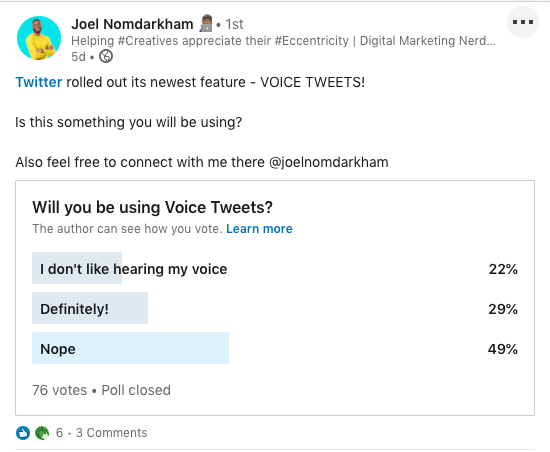
A poll like this is just one way you can use feeds to grow an audience that will engage with your content. If you post about their interests, like social media for marketers, you’re likely to boost engagement.
Main feed posts can be treated as a basic social media post — part of a larger goal. Perhaps that goal is to expand your company’s reach or convert more leads. Build your content strategy around that goal and you’ll be off to a great start.
6. Save money by having a company page.
If you have a business profile for any social media channel, like Facebook for Business or Twitter Business, Company Pages on LinkedIn are similar. They’re a space for businesses to have their own profile with personalization offerings for branding and networking.
For instance, if you’re in the healthcare industry, you can use your Company Page to grow a community of patients and other professionals. You can interact with the members you follow, post to engage your network, and use the CTA link for your website.
You’ll have customizable options for growing a network and audience. Additionally, you’ll be able to engage with employees and share posts that are directly related to your company.
Some unique features of having a Company Page include the option to update the community with news, an improvement in search engine discovery, and, if you choose, a Career Page to post new jobs and opportunities.
Career Pages are a separate entity just for recruiting and company branding, but they can be linked to your Company Page. Additionally, you can add a tab that showcases company culture and configure it to introduce what it’s like to work at your company:
LinkedIn users looking at Company Pages can get a feel for what a company is about, offerings, and available opportunities. Check out this ultimate guide to get started making your own.
In the meantime, let’s look at how some B2C brands are using their LinkedIn accounts for marketing.
1. Madewell
New York-based retailer Madewell’s LinkedIn is all about branding and culture. The account focuses on what makes up the Madewell brand and the culture of their community.
For instance, in support of Mental Health Awareness month, Madwell’s account has a post about how employees at the company take charge of their mental health, and it encourages followers to invest in what makes them happy:
When I came across this post, I saw that Madewell supports mental health as a company. Other causes I saw from photos and captions told me how Madewell takes steps to reduce their ecological footprint.
By looking at content that championed working moms and women-led local businesses, I got an idea of the company’s ideal audience. Women who see themselves in the culture Madewell has fostered with their LinkedIn account will be interested in what the brand has to offer.
Looking at the overview of Madewell’s LinkedIn presence, I was able to get a full view of how the channel is a perfect fit for brand awareness. As a professional, I felt connected interacting with content that was created to introduce me to the company’s atmosphere, like the “zen playlist.”
2. Spotify
Spotify has two Company Pages: One specifically for business, called Spotify Brands, and one for customers, which is the main Page. If you’re part of a larger B2C that also has a large business clientele, think of having a page just for B2B efforts.
Spotify does a great job of updating customers and introducing leads from an employee perspective. For instance, up until recently, the streaming service had a limit of 10,000 songs an account holder can “like”. When the limit was lifted, the company posted a blog written by a Spotify engineer that explained how it wasn’t an easy job:
This post informs their network about one of Spotify’s own explaining a company-wide decision. LinkedIn is where members learn about industry news, so picking it to promote the blog was a great choice. It connected professionalism and brand awareness with content.
For their B2C market, it’s important for Spotify to connect their network with company culture. They also host a series called “Quickfire Questions” where employees are followed around their respective offices answering questions about themselves.They also host “How It’s Made,” a series where engineers explain the inception of a product or feature, such as Spotify’s Mobile Web Player.
As a consumer, if I feel like I know how the products and services of a company are developed, and the people behind the business are relatable, I’ll feel a sense of community. I’ll regularly visit the website and page for updates.
3. Microsoft
Microsoft’s LinkedIn presence is built around how their products foster a community of collaboration and education. These themes tie together the bulk of Microsoft’s content on LinkedIn.
Let’s look at the above-the-fold video on their Company Page, as an example. The video highlights Microsoft employees based in France for Mother’s Day. It highlights and celebrates women working from home with their children, and sends a message that they’re a business that cares about their teams.
In a repost from Microsoft Education, the content introduced a Teams update centered around student and teacher success. An education and collaboration focus informs the community while tying it back into a scenario many are experiencing: The challenge of making a school atmosphere at home.
Microsoft’s ads share actionable offers, such as a series of free online classes, AI summits, webinars, and certifications. They inspire action in prospects as well as existing customers. Audiences who want to know how Microsoft’s products are valuable to them or explore extra educational opportunities are exposed to what the company can do to help.
4. FabFitFun
FabFitFun is a seasonal subscription box service that strives to empower customers to live happier and healthier lives through brand discovery. However, the corresponding LinkedIn page isn’t focused on the product as much as employee success and culture.
This company shows how leaning into the professional side of LinkedIn as a B2C is a possibility. FabFitFun’s posts consist largely of reposts of employees and organic content about staff accomplishments.
For example, one of their posts congratulates an employee on the design of the Summer 2020 box. The post talks about inspiration of the design and includes a photo.
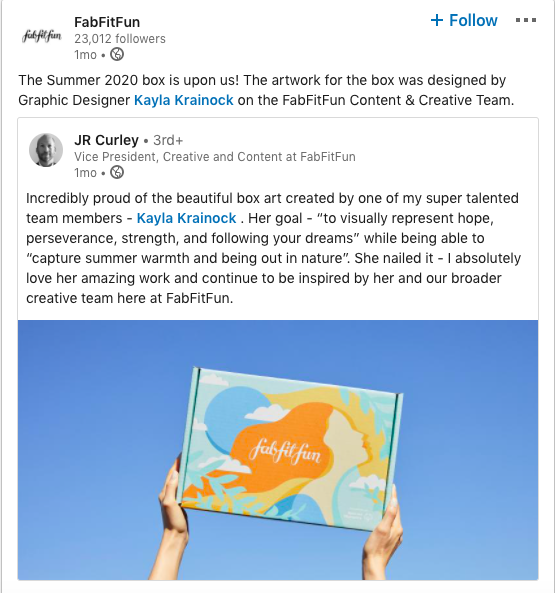
The post gives a visual of the FabFitFun product and tells the story behind how designs are conceptualized. Another post shares an article where the company’s Head of Influencer Marketing was interviewed about reality television influencers. Another post promotes a piece written by the VP of Marketing about how Los Angeles Tech Companies support their local communities.
FabFitFun’s approach to using LinkedIn involves building a network and sharing company stories. Network building comes from reposting outside sources when employees are mentioned, and company stories are shown to characterize the brand.
If someone came across a post from FabFitFun, like one that shared an award for “Best Subscription Box of 2019 for Women,” they would know right off the bat that the company is regarded as one of the best by their audience. Though the company hasn’t recently posted any ads, they still use their main feed posts to introduce leads to the business.
5. YETI
Consumer goods brand, YETI, takes a completely engaging approach to their posts. From scrolling through their LinkedIn content, the theme of exploration comes to life with visually compelling multimedia.
Their current above-the-fold video announces a collection inspired and forged by minerals from the Earth and shows how YETI creates products and how their products work. Someone who wasn’t familiar with the brand could look at the 15-second clip and learn that they sell a line of outdoor lifestyle products, like tumblers.
Posts like these quickly catch the eye of consumers and inform them about the brand. The language implies that the product is inspired by how “Mother Nature works best,” and leans into the professional culture on LinkedIn.
YETI also posts offers, like a limited-time, free streaming service where you can watch 10-minute videos of scenic places, like Colorado, Big Island, and Oregon. It’s the perfect piece of content for someone scrolling through LinkedIn looking for a distraction during their workday. For YETI, it’s a smart way to drive traffic.
6. Warby Parker
The eyewear company Warby Parker posts LinkedIn content that mostly centers around brand discovery. For instance, the headline informs customers how much their products cost, and some page posts are dedicated to product announcement videos.
Aside from those features, the brand also has a 15-slide presentation about optometry. It includes information about the company, its values and products, and some information about how to work for Warby Parker as an optometrist.
A recruiting document like this also gives prospects a compact document they can look through to get a feel for Warby Parker. In three slides, someone can learn about the business’s history, values, and products.
The company also has its own hashtag, #teamwarby, used by employees and fans. Hashtags are a way to build community among social media pages and their followers and help pages get noticed by an audience.
For instance, if I were an optometrist following the #optometrist hashtag on LinkedIn, it’s likely I would come across a couple of posts from Warby Parker and learn what it means to be a part of #teamwarby. As a consumer, the photos and videos posted by Warby Parker highlight a company that prioritizes employees and customers.
7. Away
Away is a retailer selling luggage, backpacks, and other travel accessories. Their LinkedIn Company Page is a fabulous example of how to turn a stranger into a lead.
Having known nothing about the company, one click on the “About” section told me a lot: the business’s history, why it was founded, and their values. After reading that Away has been recognized by Forbes, Fast Company, TIME, and even LinkedIn, I noticed a cool shiny badge that reads, “Recognized On LinkedIn’s Top Startups,” which is hyperlinked to the official article.
Away doesn’t have any ads or videos on their Page, but they do have engaging content, from announcing collections and partnerships, (like one with tennis champion Serena Williams). As I continued to scroll, I saw beautiful, modern collections that follow unique themes.
For example, this small line of luggage was inspired by Pantone’s Color of the Year:
I don’t know much about choosing the right luggage, but I know quite a bit about color theory, so this post pulled me in almost instantly. Away’s content does a great job of connecting household names to their product so audiences can follow suit.
Take the partnership with Serena Williams, for example. Some might not know about Away, but their cover story features one of the highest scorers in women’s tennis, someone more people know.
Before my visit to Away’s page, I was a stranger to their brand, but after interacting with just a few elements of their Company Page, I was more comfortable with the idea of purchasing from the company. I learned how their company can fit into my lifestyle from their content.
8. Fenty
Fenty is a global fashion brand that leverages captivating multimedia to tell their story and depict the brand. For instance, the current above-the-fold video is an overview of The 6-20 Collection styles, with the caption sharing the inspiration behind the collection.
What is interesting about nearly every Fenty post is that they each include a hashtag or link. These elements inspire action. For instance, in the product rollout video, the caption ended with a link to the website. Another post had an exclusive offer for half-off and a link to the landing page.
I love the idea of adding a linkable word or phrase in every post, like the sale offer. Buyers ready to make a purchase don’t have to search to find the website, which means there’s less of a possibility they’ll lose interest during that journey.
I also get an immediate idea of who their target customer is. The content reflects young adults in the high-fashion space who enjoy clothing based on neutral colors. Multimedia depicts the talent of young creatives, whether it be in models, photographers, or videographers, and shows how their creations speak to customers.
Fenty uses unique branding techniques to style their content. Almost every image is watermarked across the center with the brand’s logo, and every video has an endless scroll of the logo running along the bottom of the screen. If you want inspiration on how to market your brand in innovative ways, Fenty’s LinkedIn goes against the norm and tries new strategies.
9. Netflix
Streaming service Netflix also has an interesting approach to LinkedIn marketing. Their company image on LinkedIn is “doing the best work of your life,” with content built around community engagement.
For example, one of their posts is a poll:
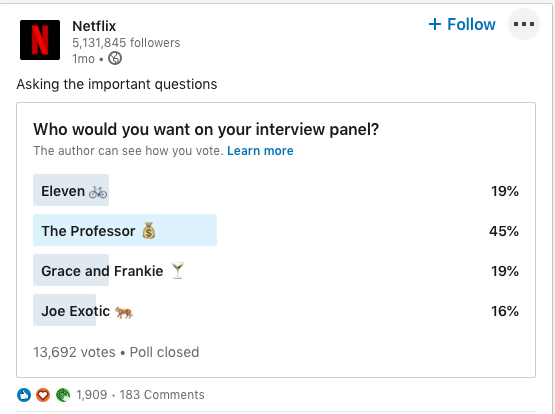
Followers of the Netflix Company Page recently voted on who they’d want on their interview panel and included characters from Netflix Originals. The company also asks their followers questions like “What corporate buzzword needs to be retired for-ev-er?” (That question has garnered over 2,000 responses).
Netflix’s LinkedIn presence has fun energy and encourages vibrant discussions. Hosting Q&A formats like polls and open-ended questions is a tactic that fosters a sense of belonging when visiting the page.
Additionally, Netflix keeps the LinkedIn community clued in about upcoming Netflix releases and partnerships (like their multi-year deal announcement with Nickelodeon). That way, current customers checking their feeds will be clued in about what’s going on and leads can find something related to their interests.
On LinkedIn, Netflix creates content that adheres to work-life balance. It sparks conversations about the workplace that might be brought up at a watercooler or virtual happy hour but also includes fun entertainment news about upcoming projects and events happening on the service.
At first glance, I was confused as to why B2C brands are popping up on LinkedIn. But when you think about it, professionals aren’t just professionals — they’re also parents, siblings, people with lives outside of work. Because of this, it’s totally possible to tap into those outside-of-work interests on a platform meant for sharing and connecting — focus on how and who when building those connections.

Everything You Need to Write a Marketing Plan [+ Examples]
You did it.
You’ve been spearheading your organization’s content marketing efforts for a while now, and your team’s performance has convinced your boss to fully adopt content marketing. There’s one small problem, though.
Your boss wants you to write and present a content marketing plan to them, but you’ve never done something like that before. You don’t even know where to start.
Fortunately, we’ve curated the best content marketing plans to help you write a concrete marketing plan that’s rooted in data and produces real results.
In this post, we’ll discuss what a marketing plan is and how some of the best marketing plans implement strategies that serve their respective businesses.
Featured Resource: Free Marketing Plan Template

Looking to develop a marketing plan for your business? Click here to download HubSpot’s free Marketing Plan Template to get started.
Types of Marketing Plans
Depending on the company you work at, you might want to leverage a variety of different marketing plans. Here are just a few:
- Quarterly or Annual Marketing Plans: These plans highlight the strategies or campaigns you’ll take on in a certain period of time.
- Paid Marketing Plan: This plan could highlight paid strategies, such as native advertising, PPC, or paid social media promotions.
- Social Media Marketing Plan: This plan could highlight the channels, tactics, and campaigns you intend to accomplish specifically on social media.
- Content Marketing Plan: This plan could highlight different strategies, tactics, and campaigns in which you’ll use content to promote your business or product.
- New Product Launch Marketing Plan: This plan will be a roadmap for the strategies and tactics you’ll implement to promote a new product.
Keep in mind that there’s a difference between a marketing plan and a marketing strategy.
Marketing Strategy vs. Marketing Plan
A marketing strategy describes how a business will accomplish a particular mission or goal. This includes which campaigns, content, channels, and marketing software they’ll use to execute on that mission and track its success.
For example, while a greater plan or department might handle social media marketing, you might consider your work on Facebook as an individual marketing strategy.
A marketing plan contains one or more marketing strategies. It is the framework from which all of your marketing strategies are created, and helps you connect each strategy back to a larger marketing operation and business goal.
Let’s say, for example, your company is launching a new software product it wants customers to sign up for. This calls for the marketing department to develop a marketing plan that’ll help introduce this product to the industry and drive the desired signups.
The department decides to launch a blog dedicated to this industry, a new YouTube video series to establish expertise, and an account on Twitter to join the conversation around this subject — all of which serve to attract an audience and convert this audience into software users.
Can you see the distinction between the business’s marketing plan versus the three marketing strategies?
In the above example, the business’s marketing plan is dedicated to introducing a new software product to the marketplace and driving signups to that product. The business will execute on that plan with three marketing strategies: a new industry blog, a YouTube video series, and a Twitter account.
Of course, the business might also consider these three things one giant marketing strategy, each with their own specific content strategies. How granular you want your marketing plan to get is up to you. Nonetheless, there are a certain set of steps every marketing plan goes through in its creation. Learn what they are below.
1. State your business’s mission.
Your first step in writing a marketing plan is to state your mission. Although this mission is specific to your marketing department, it should serve your business’s main mission statement. Be specific, but not too specific. You have plenty of space left in this marketing plan to elaborate on how you’ll acquire new customers and accomplish this mission.
For example, if your business’s mission is “to make booking travel a delightful experience,” your marketing mission might be “to attract an audience of travelers, educate them on the tourism industry, and convert them into users of our bookings platform.”
2. Determine the KPIs for this mission.
Every good marketing plan describes how the department will track its mission’s progress. To do so, you’ll need to determine your key performance indicators, or “KPIs” for short. KPIs are individual metrics that measure the various elements of a marketing campaign. These units help you establish short-term goals within your mission and communicate your progress to business leaders.
Let’s take our example marketing mission from the above step. If part of our mission is “to attract an audience of travelers,” we might track websites visits using organic page views. In this case, “organic page views” is one KPI, and we can see our number of page views grow over time.
These KPIs will come into the conversation again in step 4, below.
3. Identify your buyer personas.
A buyer persona is a description of whom you want to attract. This can include age, sex, location, family size, job title, and more. Each buyer persona should be a direct reflection of your business’s customers and potential customers. Therefore, it’s critical that business leaders all agree on what your buyer personas are.
You can develop buyer personas for free right here.
4. Describe your content initiatives and strategies.
Here’s where you’ll include the main points of your marketing and content strategy. Because there are a laundry list of content types and channels available to you today, it’s critical that you choose wisely and explain how you’ll use your content and channels in this section of your marketing plan.
A content strategy should stipulate:
- Which types of content you’ll create. These can include blog posts, YouTube videos, infographics, ebooks, and more.
- How much of it you’ll create. You can describe content volume in daily, weekly, monthly, or even quarterly intervals. It all depends on your workflow and the short-term goals you set for your content.
- The goals (and KPIs) you’ll use to track each type. KPIs can include organic traffic, social media traffic, email traffic, and referral traffic. Your goals should also include which pages you want to drive that traffic to, such as product pages, blog pages, or landing pages.
- The channels on which you’ll distribute this content. Some popular channels at your disposal include Facebook, Twitter, LinkedIn, YouTube, Pinterest, and Instagram.
- Any paid advertising that will take place on these channels.
5. Clearly define your plan’s omissions.
A marketing plan explains what the marketing team is going to focus on. However, it also explains what the marketing team is not going to focus on.
If there are other aspects of your business that you aren’t serving in this particular plan, include them in this section. These omissions help to justify your mission, buyer personas, KPIs, and content. You can’t please everyone in a single marketing campaign, and if your team isn’t on the hook for something, you need to make it known.
6. Define your marketing budget.
Your content strategy might leverage many free channels and platforms, but there are a number of hidden expenses to a marketing team that need to be accounted for.
Whether it’s freelance fees, sponsorships, or a new full-time marketing hire, use these costs to develop a marketing budget and outline each expense in this section of your marketing plan.
7. Identify your competition.
Part of marketing is knowing whom you’re marketing against. Research the key players in your industry and consider profiling each one in this section.
Keep in mind not every competitor will pose the same challenges to your business. For example, while one competitor might be ranking highly on search engines for keywords you want your website to rank for, another competitor might have a heavy footprint on a social network where you plan to launch an account.
8. Outline your plan’s contributors and their responsibilities.
With your marketing plan fully fleshed out, it’s time to explain who’s doing what. You don’t have to delve too deeply into your employees’ day-to-day projects, but it should be known which teams and team leaders are in charge of specific content types, channels, KPIs, and more.
Ready to make your own marketing plan? Get started using this free template and take some inspiration from the real examples below.
6 Marketing Plan Examples to Help You Write Your Own
1. HubSpot’s Comprehensive Guide for Content Marketing Strategy
Main objective: Content Marketing Plan
At HubSpot, we’ve built our marketing team from two business school graduates working from a coffee table to a powerhouse of hundreds of employees. Along the way, we’ve learned countless lessons that’ve shaped our current content marketing strategy, so we decided to illustrate our insights in a blog post to teach marketers how to develop a successful content marketing strategy, regardless of their team’s size.
In this comprehensive guide for modern marketers, you’ll learn:
- What exactly content marketing is.
- Why your business needs a content marketing strategy.
- Who should lead your content marketing efforts.
- How to structure your content marketing team, based on your company’s size.
- How to hire the right people for each role on your team.
- What marketing tools and technology you’ll need to succeed.
- What type of content your team should create, and which employees should be responsible for creating them.
- The importance of distributing your content through search engines, social media, email, and paid ads.
- And finally, the recommended metrics each of your teams should measure and report to optimize your content marketing program.
2. Shane Snow’s Marketing Plan for His Book Dream Team
Main objective: Content Marketing Plan
A successful book launch is a prime example of data-driven content marketing. Using data to optimize your content strategy spreads more awareness for your book, gets more people to subscribe to your content, converts more subscribers into buyers, and encourages more buyers to recommend your book to their friends.
When Shane Snow started promoting his new book Dream Team, he knew he had to leverage a data-driven content strategy framework. So he chose his favorite one: the content strategy waterfall, which is defined by Economic Times as a model used to create a system with a linear and sequential approach. To get a better idea of what this means, take a look at the diagram below:
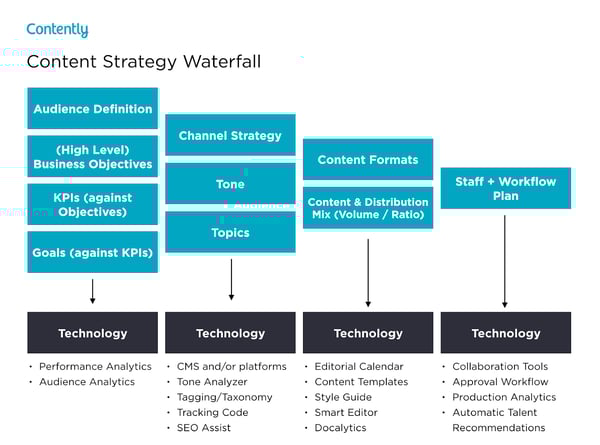
Snow wrote a blog post about how the content strategy waterfall helped him successfully launch his new book. After reading it, you can use his tactics to inform your own marketing plan. More specifically, you’ll learn how he:
- Applied his business objectives to decide which marketing metrics to track.
- Used his ultimate business goal of earning $200,000 of sales or 10,000 purchases to estimate the conversion rate of each stage of his funnel.
- Created buyer personas to determine which channels his audience would prefer to consume his content on.
- Used his average post view on each of his marketing channels to estimate how much content he had to create and how often he had to post on social media.
- Calculated how much earned and paid media could cut down the amount of content he had to create and post.
- Designed his process and workflow, built his team, and assigned members to tasks.
- Analyzed content performance metrics to refine his overall content strategy.
You can use Snow’s marketing plan to cultivate a better content strategy plan, know your audience better, and think outside the box when it comes to content promotion and distribution.
3. Chief Outsiders Go-To-Market Plan for a New Product
Main objective: New Product Launch Marketing Plan
When you’re looking for a marketing plan for a new product, the Chief Outsiders template is a great place to start. Marketing plans for a new product will be more specific because they’re targeted to one product versus an entire company’s marketing strategy.
After reading this plan, you’ll learn how to:
- Validate a product
- Write strategic objectives
- Identify your market
- Compile a competitive landscape
- Create a value proposition for a new product
- Consider sales and service in your marketing plan
4. Buffer’s Content Marketing Strategy Template
Main objective: Content Marketing Plan
Writing a content plan is challenging, especially if you’ve never written one before. Since only 55% of marketing teams have a documented content strategy, Buffer decided to help out the content marketing community.
By sifting through countless content marketing strategy templates and testing the best, they crafted a content marketing plan template with instructions and examples for marketers who’ve never documented their content strategy.
After reading Buffer’s marketing plan template, you’ll learn how to:
- Answer four basic questions that’ll help you form a clear executive summary.
- Set SMART content marketing goals.
- Create highly accurate audience personas by interviewing real content strategists.
- Solve your audience’s problems with your content.
- Do competitive research by analyzing your competitors’ and industry thought leaders’ content.
- Evaluate your existing content strategy by examining the topics and themes of your highest and lowest performing pieces.
- Determine which types of new content to craft, based on your team’s ability and bandwidth.
- Establish an editorial calendar.
- Develop a promotional workflow.
Buffer’s template is an incredibly thorough step-by-step guide, with examples for each section. The audience persona section, for example, has case studies of real potential audience personas like “Blogger Brian”. If you’re feeling overwhelmed by the process of creating a marketing guide, this can help ease you into it.
5. Contently’s Content Plan
Main objective: Content Marketing Plan
Contently’s content methodology works like a flywheel. Instead of applying an entirely new strategy to each new marketing campaign, they leverage the strategy of their previous marketing campaign to drive the next one. Similar to a flywheel, their content methodology needs an initial push of energy to get the gears in motion.
What supplies this energy? Their content plan.
Contently fleshed out their entire content plan in a blog post to help marketers develop a self-sustaining marketing process. After reading it, you’ll learn how to:
- Align your content objectives and KPIs with your business goals.
- Create highly detailed buyer personas using psychographics instead of traditional demographics.
- Craft content for each stage of your marketing funnel, based off your prospects’ pain and passion points.
- Identify your most effective marketing channels.
- Discover the content topics your audience actually craves.
- Assess your organization’s need for resources.
By applying a flywheel-like strategy to your own marketing efforts, you essentially take away the burden of applying new strategies to each individual marketing campaign. Instead, your prior efforts gain momentum over time, and dispel continual energy into whatever you publish next.
6. Forbes’ Marketing Plan Template
Main objective: Content Marketing Plan
An oldie, but a goodie — Forbes published a marketing plan template that has amassed almost four million views since late 2013. To help you sculpt a marketing roadmap with true vision, their template teaches you how to fill out the 15 key sections of a marketing plan, which are:
- Executive Summary
- Target Customers
- Unique Selling Proposition
- Pricing & Positioning Strategy
- Distribution Plan
- Your Offers
- Marketing Materials
- Promotions Strategy
- Online Marketing Strategy
- Conversion Strategy
- Joint Ventures & Partnerships
- Referral Strategy
- Strategy for Increasing Transaction Prices
- Retention Strategy
- Financial Projections
If you’re truly lost on where to start with a marketing plan, this guide can help you define your target audience, figure out how to reach them, and ensure that audience becomes loyal customers.
These marketing plans serve as initial resources to get your content marketing plan started — but to truly deliver what your audience wants and needs, you’ll likely need to test some different ideas out, measure their success, and then refine your goals as you go.
Editor’s Note: This post was originally published in April 2019, but was updated for comprehensiveness.

10 VR Marketing Examples to Inspire You in 2020
I won’t lecture you on the importance of incorporating virtual reality (VR) into your marketing strategy.
What I will do, however, is share a few fun facts about VR and show you nine examples of this technology used for marketing a product or a brand.
- This year, the economic impact of virtual and augmented reality is predicted to reach $29.5 billion.
- By the end of 2017, the number of shipped units of VR software and hardware from Sony, Oculus, HTC, and others totaled $2.4 million, up from $1.7 million in 2016.
- By the end of 2020, the number of VR headsets sold is predicted to reach 82 million — a 1,507% increase from 2017 predicted totals.
VR is being adopted quickly, and adding it to your marketing channels is something you should definitely think about for the coming year.
What Is VR?
VR, short for virtual reality, is a form of interactive software that immerses users in a three-dimensional environment — usually by way of a headset with special lenses — to simulate a real experience. Ideally, VR allows people to simulate the experience in 360 degrees.
Numerous industries are now finding uses for VR in order to transport people to places they might otherwise have to travel to, or simply imagine. While movie companies, for example, are giving audiences the opportunity to experience the movie as if they’re a character in the scene, conventional businesses are now using VR to demonstrate and promote their products to potential customers.
Before we dive into some of the businesses that have found success injecting their marketing with a dose of VR, it’s worth noting that virtual reality has a few key differences from another term you might’ve heard before: augmented reality. Find out what these differences are in the video below.
Seeking inspiration for your own VR marketing campaign? Look no further. Below are nine of our favorite VR marketing campaigns and how they served the company’s marketing strategy.
Virtual Reality (VR) Marketing Examples
- Wendy’s and VMLY&R: Keeping Fortnite Fresh
- Key Technology: VERYX Food Sorting
- Defy Ventures and Within: Step To The Line
- Limbic Life: Project VITALICS
- Lowe’s: Holoroom How To
- Boursin: The Sensorium
- Adidas: Delicatessen
- Toms: Virtual Giving Trip
- DP World: Caucedo Facilities Tour
- TopShop: Catwalk VR Experience
1. Wendy’s and VMLY&R: Keeping Fortnite Fresh
While some brands were making full out VR experiences from scratch, Wendy’s identified how it could engage with gamers in Fortnite’s virtual world. Although this example is not technically a VR experience requiring a headset, the brand still leveraged a virtual world to market its product and tall a story.
In Wendy’s first ever Twitch stream, which won a Gold Clio, followed an avatar dressed as Wendy who appeared on the online battle game.
At one point in Fortnite’s online storyline, players were prompted to hunt cattle and transport beef to freezers at nearby restaurants. Once they did this, the players would earn coins.
When the Wendy’s team heard that Fortnite players were being encouraged to put beef in freezers, the chain tasked its marketing agency, VMLY&R, in creating an avatar that looked like Wendy. Wendy’s and its marketing firm then launched a Twitch stream where the avatar began to break into restaurants and destroy freezers:
Like a commercial, native ad, or advergame, the goal of the campaign — aside from engaging new audiences — was to remind Twitch audiences that Wendy’s makes an effort to serve the freshest, best tasting beef to its customers.
During the stream, mentions of Wendy’s on social media went up by 119%. The stream was also viewed for a total of 1.52 million minutes with a quarter of a million viewers.
The campaign also allowed Wendy’s fans to interact with her avatar and the stream, which led other Fortnite players to start smashing freezers as well. Viewers of Wendy’s stream also began tweeting about it or posting in the feed’s comment thread. Because of engagement like this, it made Wendy’s company values, brand, and live stream incredibly memorable to gaming audiences.
Additionally, this campaign allowed the brand to engage and interact with gaming audience in a new and innovative way.
According to one Cannes Lions Jury Chair PJ Pereira, the creativeness of this campaign might have opened the door for new marketing opportunities in the future.
“[The campaign] was setting up a new trend instead of being the apex of a previous trend,” Pereira told Ad Age.
2. Key Technology: VERYX Food Sorting
Key Technology, a manufacturer and designer of food processing systems, created a Virtual Reality demo that would allow attendees of the Pack Expo food packaging trade show to experience a detailed, hands-on look at how the company’s VERYX digital food sorting platform works. It was part of a comprehensive B2B campaign to grow brand awareness among a target audience of food manufacturers, and VR gave participants a highly unique look at what exactly the process looks like inside of the machine.
While this 360-degree video doesn’t completely replicate the experience, it does indicate the differentiating way brands within such B2B industries as manufacturing can leverage VR to immersively demonstrate their sophisticated technologies and capabilities.
3. Defy Ventures and Within: Step To The Line
When my colleague attended Oculus Connect in October, the most memorable experience for her was, by far, the event’s VR For Good exhibit: a showcase of creative work that used Oculus and VR technology for social- and mission-focused ventures.
One such example of that work was Step To The Line: A short film (that was immersively viewed on a VR headset) documenting the lives of inmates at California maximum-security prisons. It was created by Within, a VR storytelling production company, in partnership with Defy Ventures, an entrepreneurship and development program for men, women, and youth who are currently or were formerly incarcerated.
With this unique watching experience, viewers were able to uniquely see what life is like within the walls of these correctional facilities, from the yard, to the cells, to the conversations that take place there.
4. Limbic Life: Project VITALICS
For far too many people, injuries, age, and disease can diminish mobility and equilibrium to the point where walking ranges from extremely painful to nearly impossible.
That’s why the folks at Limbic Life created the Limbic Chair, in partnership with the VITALICS research being conducted by RehaClinic. Pairing this special chair with a Gear VR headset allows users to more intuitively move their bodies (thanks to the chair’s combined neuroscience-based and ergonomic design) while virtually experiencing day-to-day experiences with a rehabilitative use of their hands and legs.
While the research is still underway and no definitive conclusions have been drawn, my coworker had the opportunity to use the chair at the 2017 Samsung Developer Conference and speak with the chair’s creator, Dr. Patrik Künzler.
“Patients enjoy being in the chair and the freedom of movement it allows. They enjoy VR a lot, especially the flying games,” he told Samsung Business Insights. And not only can the VR technology help them physically heal, but it also contributes to emotional rehabilitation.
“When they get up from the chair,” Künzler said, “they’re in a good mood and feel happy.”
Learn more about the conceptualization behind the Limbic Chair from Künzler’s TEDxZurich talk below.
5. Lowe’s: Holoroom How To
Anyone who’s gone through the existential angst of being a first-time buyer knows the unfathomable power of paperwork and finances to undermine the fun of designing or decorating a new home.
That is, until you walk into one of 19 Lowe’s stores that features the Holoroom How To VR experience.
Some homeowners are lucky enough to pay a professional to renovate their home when it needs to be. For others — Lowe’s core buyer — the next stop is the world of do-it-yourself (DIY) home improvement, which comes with its own hefty dose of stress.
That’s why Lowe’s decided to step in and help out homeowners — or recreational DIY enthusiasts — with a virtual skills-training clinic that uses HTC Vive headsets that guides participants through a visual, educational experience on the how-to of home improvement.
6. Boursin: The Sensorium
One of my colleagues recently pledged to give up dairy — okay, 48 hours ago — and she already claims to miss cheese, a lot.
You can imagine her happiness, then, when she discovered that the cheese brand Boursin once created a VR experience to take users on a multi-sensory journey through a refrigerator to shed light on its products’ flavor profiles, food pairings, and recipe ideas.
The goal: to raise awareness among U.K. consumers of Boursin’s distinct taste and product selection.
While the VR installment was part of a live experiential marketing campaign, the rest of us can get a taste — pun intended — of the virtual experience via this YouTube video.
7. Adidas: Delicatessen
In 2017, Adidas partnered with Somewhere Else, an emerging tech marketing agency, to follow the mountain-climbing journey of two extreme athletes sponsored by TERREX (a division of Adidas).
And what good is mountain climbing to an audience if you can’t give them a 360-degree view of the journey?
Viewers were able to follow the climbers, Ben Rueck and Delaney Miller, literally rock for rock and climb along with them. You heard that right — using a VR headset and holding two sensory remote controls in each hand, viewers could actually scale the mountain of Delicatessen right alongside Rueck and Miller.
This VR campaign, according to Somewhere Else, served to “find an unforgettable way to market TERREX, [Adidas’s] line of outdoor apparel & accessories.” What the company also did, however, was introduce viewers to an activity they might have never tried otherwise. Instill an interest in the experience first, and the product is suddenly more appealing to the user.
Check out the campaign’s trailer below.
8. Toms: Virtual Giving Trip
Toms, a popular shoe company, is well known for donating one pair of shoes to a child in need every time a customer buys their own pair. Well, this charitable developer found a new way to inspire its customers to give — wearing a VR headset.
The Toms Virtual Giving Trip is narrated by Blake Mycoskie, the founder and Chief Shoe Giver of Toms, and one of his colleagues.
As they describe the story of Toms’ founding, their VR experience takes viewers on a trip through Peru, where Blake and the shoe-giving team visit a school of children who are about to receive the shoes they need for the first time.
What Toms’ VR campaign does so well is something cause-driven organizations all over the world struggle to do: Show donors exactly where their money is going. Even without a VR headset, the video below gives you an experience that’s intimate enough to put Toms on your list for your next shoe purchase.
9. DP World: Caucedo Facilities Tour
DP World is a global trade company that helps businesses transport goods around the world. As the company opens new terminals, however, they need a way to show their customers what DP World’s property has to offer.
DP World’s recently opened Caucedo facility in the Dominican Republic is just one of several DP World properties that uses VR to promote its large and often mysterious ships and land masses as they suddenly appear in a community.
Is trade logistics a sexy industry? Not to everyone. But that’s exactly why a 360-degree tour of DP World’s terminal is so valuable here. Show people just how efficient, safe, and crucial these properties are to certain businesses — without making them put on a hardhat and walk through the port itself — and you can gain massive community support.
10. TopShop: Catwalk VR Experience
Just because you couldn’t attend TopShop’s fashion show during London’s Fashion Week doesn’t mean you couldn’t still “be there.”
TopShop, a women’s fashion retailer, partnered with Inition, an emerging tech agency, to give customers a “virtual” seat of their fashion show by wearing a VR headset connected to the event as it was happening.
The groundbreaking campaign put viewers right next to the fashion runway and the seats of the celebrities who were attending. Talk about making sure your brand is inclusive …
Check out the video below, recapping the experience.
Navigating VR in Marketing
As you read this, you might be thinking, “Why should a small-business marketer like myself be learning about high-priced VR campaigns?”
Well, although VR might be too costly for many. marketing budgets, it’s getting more and more abundant in society, As it grows, we’re seeing a handful of brands leverage it for product promotion and virtual storytelling. And, while you might not be able to create a VR-based campaign, you can gather some great takeaways related to marketing innovation, content marketing, or visual storytelling which can give you other ideas of how to better interact with your digital audience.
Want to see how other emerging technologies will impact your marketing? Check out A Practical Approach to Emerging Tech for SMBs: AI, Blockchain, Cryptocurrencies, IoT, and AR/VR.

Does your Website Make the Grade in 2020?
A while ago (as in 12 years ago) we created the first Website Grader. The goal was simple: help anyone with a website evaluate its effectiveness at attracting an audience of interested and relevant buyers.
We founded HubSpot in 2006 and created Website Grader in 2008 because we believed that the inbound methodology — building meaningful, lasting relationships with prospects and customers — was not only a more effective way to grow a business, it was the right way to grow a business. And we knew how important it was for people to leverage their websites to attract visitors and connect with customers to grow.
Fast forward to 2020, and websites do a whole lot more than attract visitors.
Your website is a sales rep, providing prospects with the features and pricing of your offering. And helping them book a meeting to learn more.
Your website is part of your customer service team, answering questions about your products and services through a knowledge base or chatbot.
Your website is a member of your HR team, sharing information about your company culture and open positions.
The list goes on…
To put it bluntly: your website is really freaking important! Today, 86% of people will find your business online (Small Business Trends). Your website is your first impression, your primary spokesperson, your around-the-clock inbound sales team … you get my point. It’s one of the most important assets to your business.
It’s no wonder we see businesses invest so much in their websites. In a recent HubSpot Research study, 63% of marketers indicated that they were going to upgrade their website this year.
Website upgrades can include:
- Performance: Page speed, load time, page requests, page size, and more.
- Search Engine Optimization (SEO): Page index, meta descriptions, content plugins, and descriptive link text.
- Design: Responsive design, legible font size, and tap targets.
- Security: HTTPS and secure javascript libraries.
Since 2008, we’ve graded over 1 million unique websites on the above four factors. With all this investment, are they actually getting better? Are businesses focusing on the right website upgrades? For example, are websites providing better security for their visitors. Are they offering faster load speeds for quick access? What about mobile accessibility and SEO best practices?
Let’s take a look at average performance in 2015 compared to this year to see what’s changed.
Website Performance Data (2015 vs 2020)
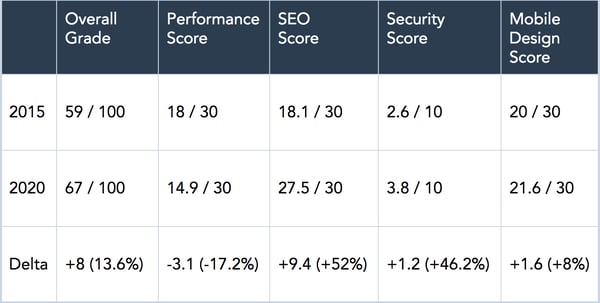
Source HubSpot Research in 2015: data from over 1M unique websites graded. 2020: new data from over 250k unique websites graded.
What surprises me the most about this data is that the improvements in technology over the past five years haven’t led to the same improvement in website performance. The overall grade average has only improved 16% in five years, and performance has actually decreased by 17%. The average website grade in 2020 is a D+ (67 out of 100). My mother wouldn’t be happy if I came home with that kind of grade.
We also found that only 3.8% of websites have an overall score of 90 or more. If your website scores above a 90, pat yourself on the back. Here are the percentile ranges from our data:
- 80 overall score: 82nd percentile
- 85 overall score: 91st percentile
- 90 overall score: 96th percentile
Here are some of my observations of the individual benchmark scores:
Website performance has decreased over the past five years.
Websites should load faster in 2020 than they did in 2015. But the exact opposite is true. Performance was the only benchmark metric that decreased in five years. It includes tests for page size, page requests, page speed, and five additional tests that offer a holistic performance grading. Websites are slower today than they were in 2015.
This is a risk for businesses: 40% of visitors will leave your page if it takes longer than three seconds to load (Think With Google).
For every second that your website takes to load, people are leaving your business. Good performance should be a priority when improving your website. How does your website’s performance compare?
Search engine optimization is the biggest winner.
In a 2020 survey, we found that 64% of marketers are actively investing in search engine optimization (SEO) and growing their organic presence (HubSpot Research).
Marketers care about SEO, and this has led to significant progress in the SEO benchmark since 2015 — a 52% improvement. Search engine optimization is essential to getting found online. It’s good that so many websites are following SEO best practices to improve the discovery of their business. How does your SEO compare?
Security had the second-biggest gain, but the total average falls short.
Our security benchmark shows that websites have improved their security by 46.2% over five years. This is a nice gain but there’s still a lot of room for improvement — the 2020 average score is only 3.8 out of 10.
Security is essential to have on your site to protect customer data. If your website isn’t secure, your visitors can lose trust in your business, especially when shopping on your site. We found that 85% of people won’t visit a site if it’s not secure (HubSpot Research).
Additionally, security improves discoverability. Starting in 2019, Google prioritized displaying websites with HTTPS in search results (The Next Web, 2015). Website Grader checks that your website uses HTTPS and has secure JavaScript libraries.
These two security factors are critical for delivering a secure experience for your visitors. How does your website security compare?
Mobile optimized websites improved marginally.
In the mid-2010s, it felt like every website was going responsive — that is, investing in mobile-first website design. It made sense.
Everywhere I looked, people were heads down on their phones, reading the latest Facebook post or watching the latest viral YouTube video. And, things haven’t changed much. Well, they have, but now people are scrolling through Instagram or browsing the latest TikTok dance challenge.
Responsive wasn’t just a trend — today, mobile devices, excluding tablets, generated about half of all website traffic globally (StatCounter, 2020). So how do websites stack up on small screens?
We found that our mobile design benchmark average improved by 8% over five years. Today, average websites score 21.6 out of 30 on mobile design. A great improvement, though I’d love to see that number go up even more.
One study by Google found that 59% of shoppers surveyed said that shopping on mobile is important when deciding which brand or retailer to buy from (Think with Google, 2019).
That’s a huge portion of people looking at your website on mobile to make a decision of whether or not to buy from you. Mobile design will not only impact the experience that people have with your site but it also influences social media posts and your rankings in search engines.
Check your mobile design score on Website Grader.
Where do we go from here?
Our goal with the original Website Grader was to help anyone with a website —developer, marketer, or entrepreneur — to quickly grade their website’s performance. We’ve received good feedback from our users, but we are always growing and evolving.
So we asked ourselves, how could we make Website Grader better?
Our users’ comments had a common thread. They graded their site. They saw where their websites fell short. But we stopped short of teaching them how to improve:
- “More information about how to solve website problems“
- “Instructions on how to get better performance and SEO to get our score higher“
- “How about putting explanations and guidelines for beginners?“
Introducing the New Website Grader
You talked. We listened. Not only have we updated Website Grader’s grading system and foundational technology to get you a more accurate score, we’ve also created a five-lesson video course that helps you improve your grade. All for free.
You can find the Website Optimization course inside Website Grader starting today.
One last question: How did HubSpot.com score?
HubSpot’s score has not historically been the best. We averaged 70-80 on Website Grader. Years of marketing updates had slowed things down over time. We’ve worked hard to improve HubSpot.com’s design and performance over the last five years for our visitors and customers.
Powered by HubSpot CMS Hub, our website now scores a 100 out of 100 on Website Grader — no kidding. It’s something I’m extremely proud of.
Run your site through Website Grader. And let me know you did!

20 Mobile Apps to Create Stunning Social Media Visuals
Ultimately, most of us find it much easier to remember content we’ve seen when it’s accompanied by visuals — which is why visuals are so widely used in marketing.
For instance, nowadays, 80% of marketers use visual assets in their social media marketing content.
But creating and adding visuals isn’t always easy, especially if you don’t have access to a designer or animator.
Fortunately, there are plenty of apps you can use to create visual content on-the-go from your mobile device.
Whether you want to tell your story through spacial photography, animated videos, or multi-image posts — you’ll find an app here that will help you take your content to the next level.
1. Chant
Create short promo videos and tutorials on your phone in a couple of minutes.
There are many templates to choose from and the app allows you to filter templates by purpose, such as building brand awareness, increasing sales, engaging users, or attracting new customers.
You can also sort templates by your industry such as service, business, beauty or fashion. The options available will help you mix things up and allow you to create dynamic content.
Chant is currently available on the App Store and offers monthly and annual subscription options.
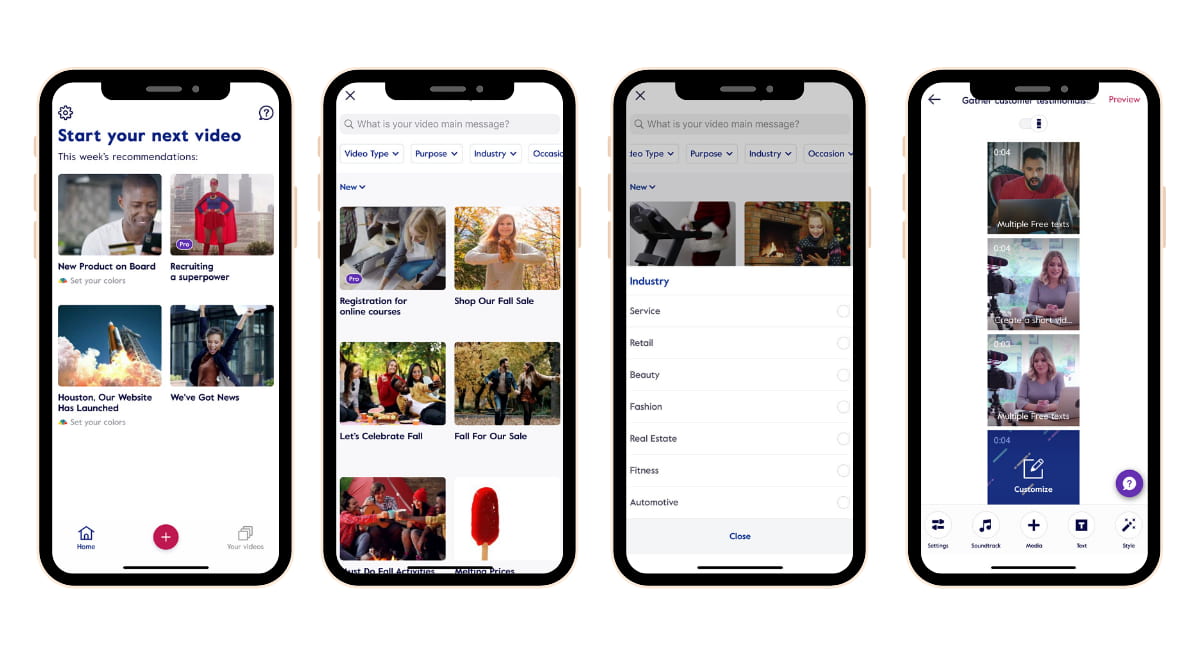
2. Impresso
This app allows you to create animated Stories and offers a lot of customization options with frames, templates, layers, font and color options. You can create professional and on-brand content with this powerful mobile app.
Impresso lets you create square, landscape, portrait dimensions and allows you to customize content for Instagram, Facebook, Twitter, Pinterest and LinkedIn.
Impresso is available on the App Store and offers monthly or annual subscription options.
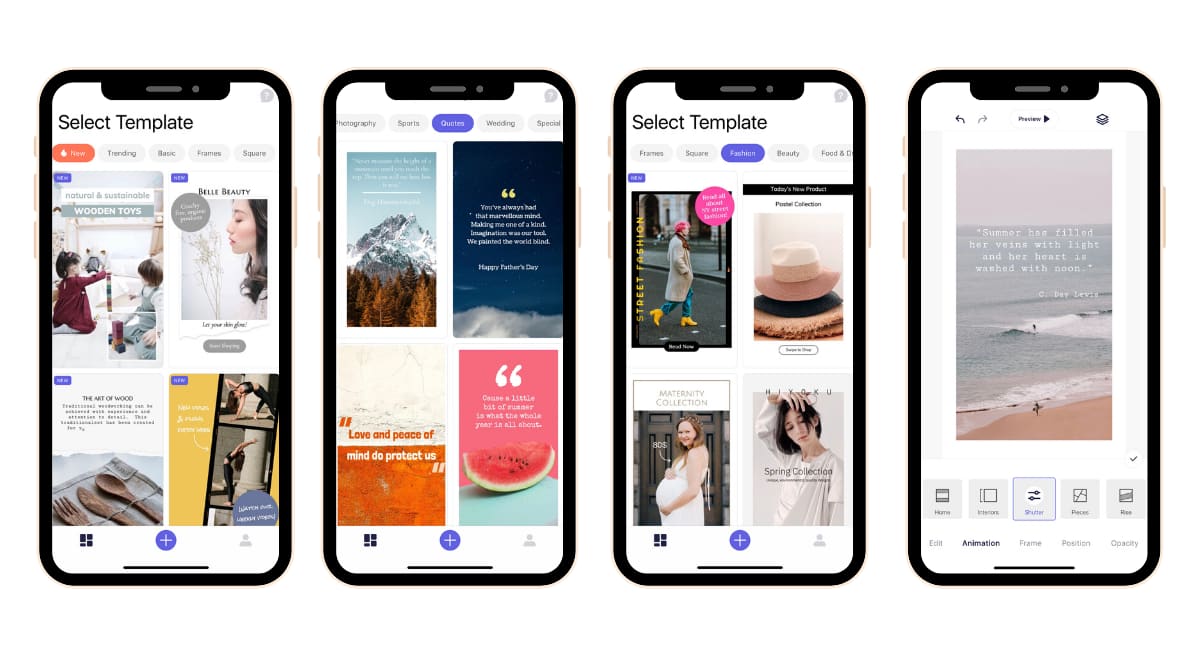
3. Over
This app is like having Photoshop at your fingertips.
Over offers many convenient tools for content marketers.
You have access to many templates, decorative elements, editing and blending tools, as well as fonts. If you have a Mac computer, you can also Airdrop your fonts into the app — which is a major plus.
There’s a slight learning curve, but Over has tutorials and easy-to-use templates that make it easy for you to customize and create stunning designs.
4. InShot
Need to create a video while covering a live event? InShot has you covered.
You won’t need any other video editing app after you use InShot because developers make it easy for you to edit a video quickly and easily.
You can stitch videos and photos together and edit a video on your mobile or tablet device.
InShot also allows you to add in music, stickers, and your own fonts to produce a video that aligns with the look and feel of your brand.
5. SCRL
Multi-image posts on Instagram are popular because they allow your content to appear twice on the Instagram feed. You might notice a user’s first image appears in the feed and then re-appears later with the second image.
The SCRL app takes your photos and makes them look like a mix of a collage spread across a panoramic view and told across multiple swipe-able images.
Visual storytelling at its best.
Make the most of your carousel posts on Instagram with the SCRL app.
The SCRL app allows you maximize your visual storytelling through multi-image posts. You can stack multiple images and bring a new dimension of creative storytelling to your Instagram feed.
Pro Tip: You can export your creation as a video.
The app is free to use and offers in-app purchases for additional templates.

6. Fyuse
Ever heard of “spacial photography” before?
It’s a fancy way of describing a 3D photo.
Give your audience a 3D view with the Fyuse app, which takes your photos and helps you turn them into an interactive experience.
The app is free to use.
7. Canva Stories
The Canva app allows you create on-the-go graphics for your social media posts.
The desktop version of Canva is very powerful, and the mobile app is super convenient and offers many options for creating content from your mobile device.
You can create quotes, interactive templates, create multi-image stories, and trim and edit videos for your Instagram Stories.
The Canva Stories app is free to use and available on iOS and Android.
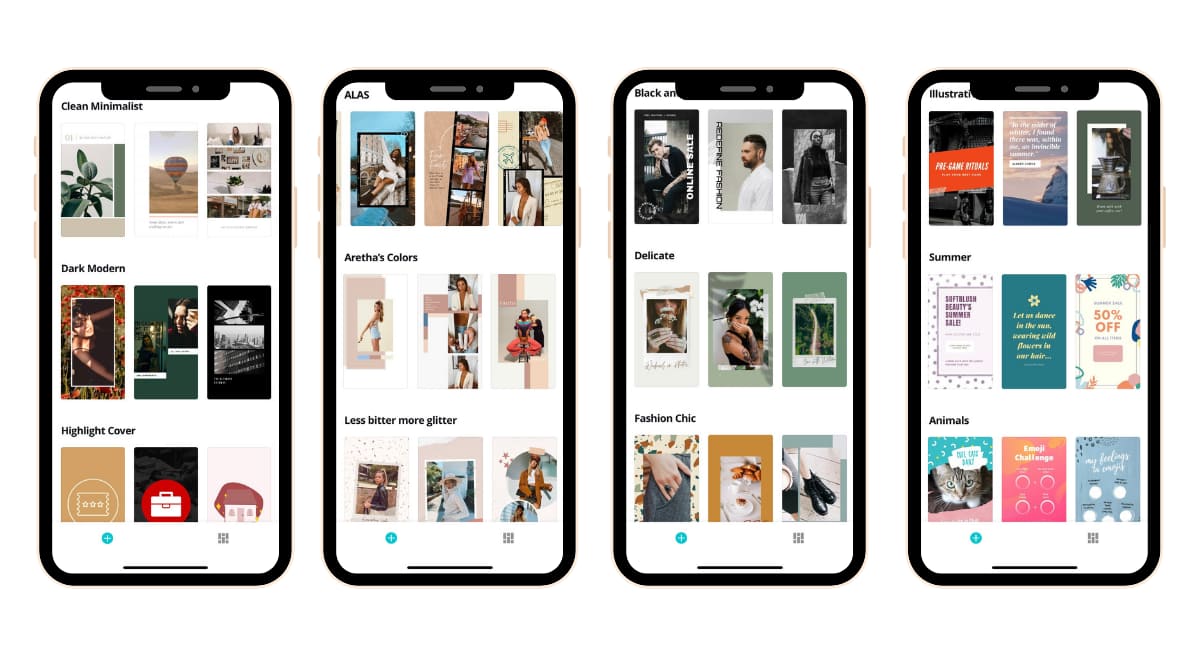
8. Mojo
The Mojo app is the best kept secret for storytelling on social media.
You can add in your own fonts, your logo, and have access to hundreds of templates.
You can easily create square or landscape content. The animations on this app are super polished and help you create professional content in minutes.
The Mojo Pro template offers convenient tools and is highly recommended.
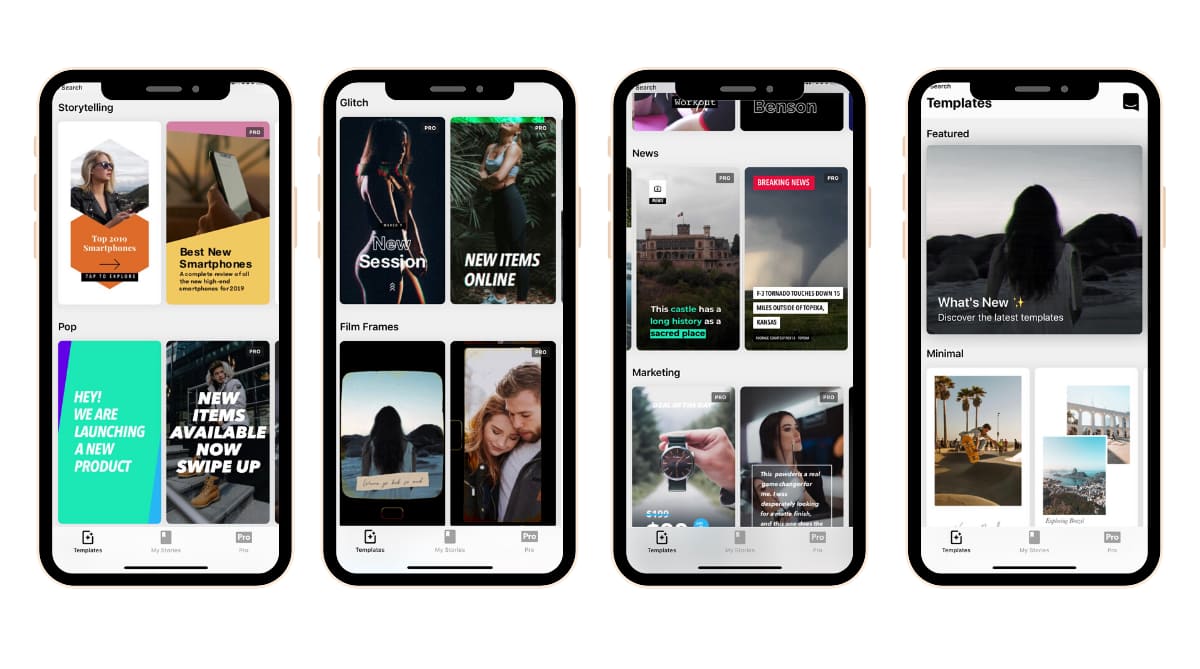
9. Made
Made is a beautiful app that should be in any marketer’s storytelling toolkit.
You can take your Stories to the next level with the Made app because you have the ability to choose from several templates, customize your backgrounds, and edit your photos with filters.
You can choose from template themes such as paper, film, minimal, and dozens of others.
A feature that’s really convenient for content creation is being able to use Made’s Story Board, which allows you completely build out your Stories from start to finish and seamlessly share it on Instagram.
Made is free to use and offers monthly and annual subscription options.
It’s available on iOS and Android.
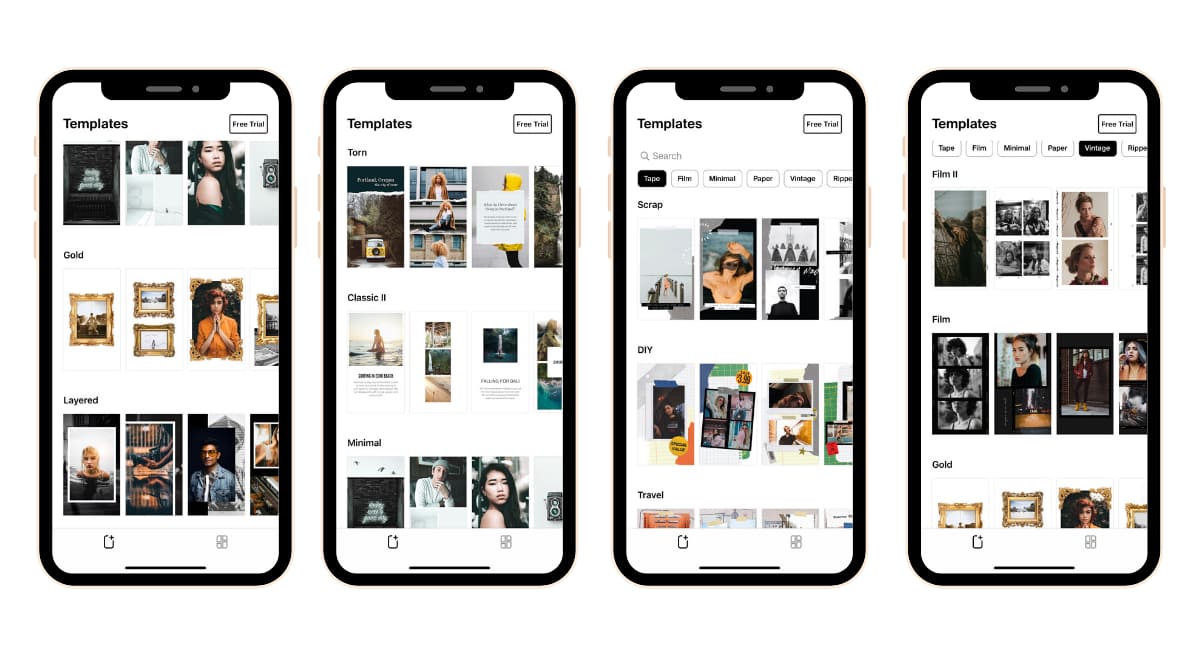
10. Unfold
Touted as a “toolkit for storytellers,” the Unfold app delivers convenient templates for your Stories.
They’re constantly updating templates and incorporating new fonts and other decorative elements into the app such as stickers.
Something you’ll enjoy about this app is the ability to organize your “stories” into folders and also save your favorite templates for easy access later.
The app is free to use and offers in-app purchases for templates or an annual subscription.
11. LifeLapse
Stop motion videos are eye-catching and help you highlight a product and bring life to a tutorial.
The best thing you’ll love about the LifeLapse app is that developers have created step-by-step tutorials within the app to help you learn how to create stop motion videos.
Get inspired in your visual storytelling with the Lifelapse app and experiment with visual storytelling on your phone.
12. PicsArt
“Wow, how did you do that?”
The effects that PicsArt allows you to create on your phone are magical and will make you feel like a pro if you’re not a wizard with photo editing or mixing photos together for a collage.
PicsArt has a discover/explore tab within the app that allows marketers to get inspired and get creative with their photo edits.
The PicsArt Premium tools are easy-to-use and allow you to use AI-powered photo effects, text overlays, artistic filters, and more. The app boasts that they have more than 3,000 editing features available on the app.
13. MixCaptions
We know that the majority of people play their videos without the sound on, so having captions in any video you’re creating these days is essential.
The MixCaptions app is the only app you’ll ever need for adding captions to your videos.
This app is very powerful and convenient.
You can add in your own fonts, customize the colors, and add in your own logo. The paid version is worth it.
This app is only available on iOS at this time.
14. InStories
Create animated Stories in a few minutes with the InStories app.
There are different themed templates to choose from and convenient tools to customize your content to create your unique style.
The InStories app will instantly make your Stories look more visually appealing.
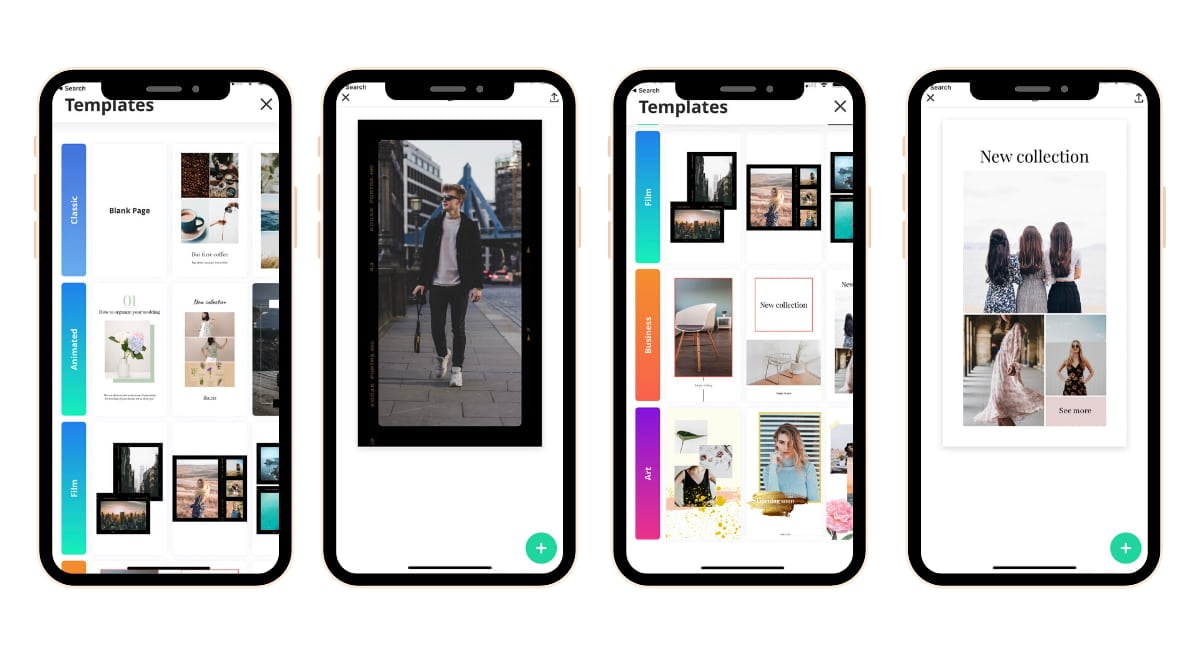
15. 500 Stories+
This is a gem of an app.
There are so many great features, templates, animated effects, themes, and customization options available.
The best part of storytelling is when you’re able to make it your own and align with your brand.
This app will not disappoint the on-the-go mobile storyteller and is available on iOS.
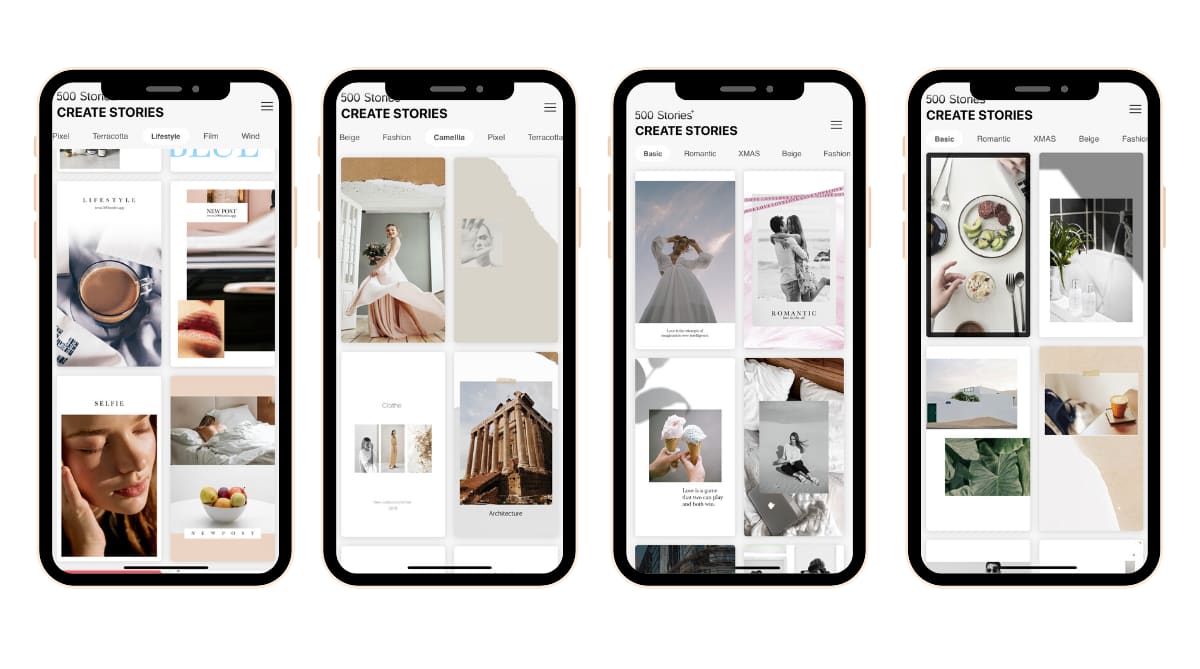
16. VLLO
This video editing app allows you to add in music, voice overs, sound effects, text animations, overlay GIFs, and animated motion stickers.
This app is essential for any marketer’s storytelling toolbox.
17. Adobe Spark Post
Stand out online with the Adobe Spark Post app.
With their paid subscription, you’ll have access to a library of unique designs and exclusive templates and will be able to customize your graphics from free images and icons.
Using this app is so easy-to-use and will boost your productivity for editing and creating your projects while on the go.
The app is free to use and offers a premium subscription.
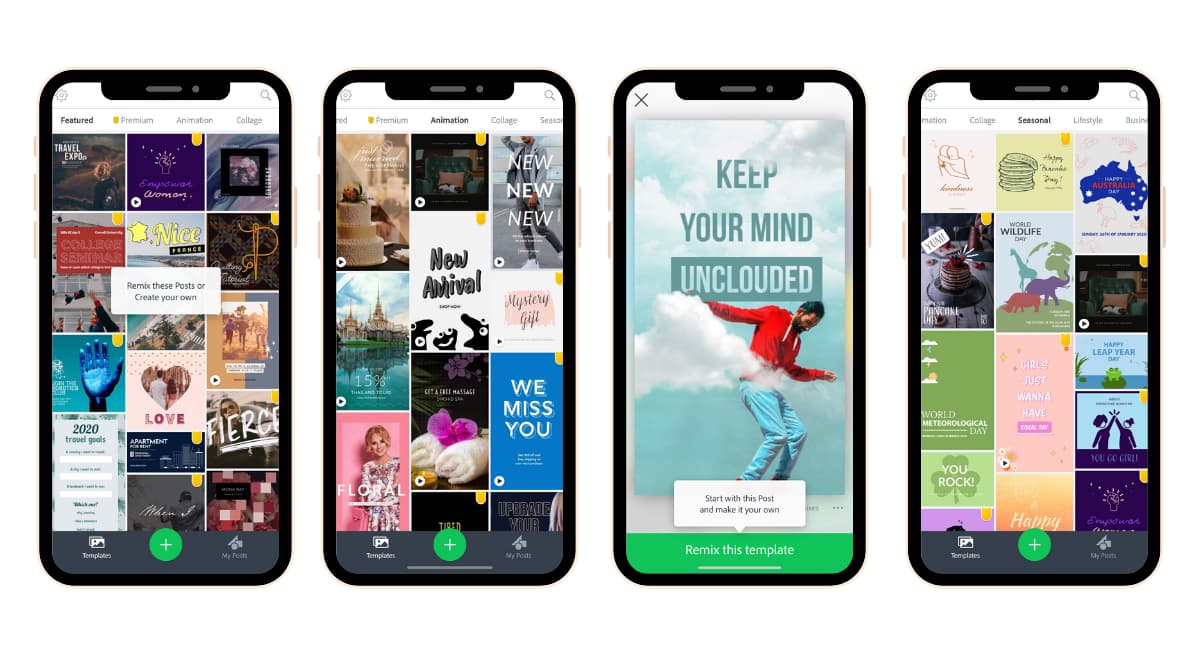
18. Tezza
What’s the vibe of your content?
The Tezza app has so many photo and video filters and effects to choose from that can help make your visual aesthetic unique to your personal brand or business.
The best kept secret in Tezza app? The stop motion effect.
The app is free to use and offers in-app purchases and a subscription membership.
19. PicMonkey
The PicMonkey makes content creation easy and fun with their desktop and mobile app.
The mobile app is a very powerful and portable tool for any marketer and will help you create on-brand visuals in minutes.
The app also has tutorials, tips and tricks to help you maximize your content creation skills on the app.
.jpg)
20. Featured
What you’ll love about the Featured app is that you’ll be able to create your own original layouts within the app.
You can add in photos from your camera roll or add in photos from Unsplash.
There are multiple editing tools at your fingertips such as colors, fonts, scaling or blurring images.
The app is currently available on iOS only.

How to Convert Leads Using Instagram Stories
Want to add an email signup link to your Instagram stories? Wondering how to access the swipe-up feature, even without having 10K followers? In this article, you’ll discover how to reach, warm up, and convert new leads into becoming email subscribers via Instagram Stories. #1: Leverage Your Followers and Tag Other Accounts to Reach a […]
The post How to Convert Leads Using Instagram Stories appeared first on Social Media Examiner | Social Media Marketing.
from Social Media Examiner | Social Media Marketing https://ift.tt/3ershe2
via socialmediaexaminer
8 of the Top Marketing Challenges Faced Globally [New Data]
Every marketer faces different challenges. Although we typically share similar goals, some teams are stuck on hiring top talent, while others are having trouble finding the right technology for their needs.
Whatever the case may be, there’s always at least one area that you can stand to improve. In other words, there’s always room to optimize the various components of your strategy and turn your marketing into an even more effective revenue generator.
Throughout the past few years, HubSpot has kept up with a number of global marketing challenge trends. We’ve also polled thousands of marketers on the challenges they face, as well as the tactics they’ve used to meet those challenges head-on.
While you might think that global marketing issues have changed drastically in past years due to evolving media platforms and emerging technology, you might be surprised by the trends research has actually shown.
In fact, we’ve found that today’s most common global marketing struggles haven’t actually changed much in the past few years.
In 2019, when we dug into the research of global marketing challenges, such as this survey from Attest, many of the results we found were fairly similar to what we found back in 2017 and 2018, when we surveyed thousands of marketers for our State of Inbound Reports.
Between 2017 and 2018, our State of Inbound Reports found that the top five challenges continued to stay the same, with some slight fluctuations in non-American regions.
According to research from 2017-2019, generating traffic and leads, as well as proving ROI continue to be leading challenges marketers face.
While the unchanging list of challenges is a good sign that marketers aren’t facing unprecedented barriers, it’s still important to take stock of the factors that continue to hold back marketers. Why? If marketers face the same problems today that they did in the past, it’s likely that these major challenges will continue far into the future.
So, what’s happening in 2020?
Below, let’s review the current global marketing issues impacting the industry.
1. Generating Traffic and Leads
Generating enough traffic and leads was the top global marketing issue, according to the 2017 and 2018 State of Inbound reports.
A 2019 survey from Vital shows that more than 35% of marketers face challenges related to leads and/or traffic, showing that this trend still continues.
In fact, the top priority for marketers in 2020 is generating leads.
Why It’s a Challenge
Clearly, marketers are struggling with producing enough demand for their content. And as the years progress and competition stiffens, this will only become truer. With so many options of platforms for marketers to publish their content and even more ways to promote it, it’s hard to know where to focus your efforts.
What Can You Do?
When it comes to creating content that produces enough traffic and leads, marketers should ask themselves two questions: Are you truly creating high-quality content — the type of content people would pay for? And, do you know the type of content your audience actually wants?
In 2020, the most common customer marketing tactic is creating exclusive content for customers.
For example, HubSpot Research has found that 53% of consumers want to see more video from marketers in the future, while only 14% want to see more blog posts. To learn more about how the way people are reading and interacting with content is changing, check out this HubSpot Research report.
Once you know you’re creating the type of content your audience wants, the focus shifts to promoting it in a way that makes your audience take notice. More than ever before, people are being flooded with content. Consumers don’t have to use a search engine to find answers. Instead, articles fill their news feed or buzz in their pocket via mobile notification.
2. Providing the ROI of Your Marketing Activities
Measuring the ROI (return on investment) of your marketing activities has remained a top marketing challenge globally year-over-year.
In fact, only 53.85% of marketers surveyed say they even measure Customer Acquisition costs.
It continues to be a vital way for marketers to understand the effectiveness of each particular marketing campaign or piece of content.
Plus, proving ROI often goes hand-in-hand with making an argument to increase budget: No ROI tracking, no demonstrable ROI. No ROI, no budget.
Why It’s a Challenge
Although return on investment is a crucial stat that shows your campaigns success or progress, tracking the ROI of every single marketing activity isn’t always easy, especially if you don’t have two-way communication between your marketing activities and sales reports.
What Can You Do?
When it comes to providing ROI, there’s a strong case to be made for dedicating time and resources to establishing links between marketing activities and sales results. This means using both marketing software (like HubSpot) and a CRM solution (like HubSpot’s free CRM), and then tying them together to close the loop between your marketing and sales efforts with a service-level agreement (SLA). That way, you can directly see how many leads and customers are generated through your marketing activities.
We’ve found there’s no better combination than having an SLA and doing inbound marketing. According to the 2018 report, inbound organizations with SLAs had twice the ROI of misaligned organizations.
(Use this ROI calculator to simulate the potential ROI you could realize by conducting inbound marketing.)
3. Securing Enough Budget
How can you create a winning marketing campaign without a budget? The truth is, it’s pretty hard. But, even when you have a great, revenue-generating idea, you still usually need to get your budget approved by a higher-up.
For 2020, 64% of marketers said their marketing budget has increased.
Why It’s a Challenge
Securing more budget is a pressing challenge for marketing globally. And often, getting more budget is easier said than done — especially for smaller organizations that aren’t working with sizable nor flexible marketing spend.
But the key to securing more money for your team might not be that complex. Here’s what you can do.
What Can You Do?
The key to unlocking budget lies in being able to prove the ROI of your marketing efforts. According to our report, organizations that can calculate ROI are more likely to receive higher budgets.
Again, success with inbound marketing also plays a large role in driving higher budgets. Effective strategies obviously produce results, and our data shows those who feel confident in their marketing strategy are more than 2X as likely to get higher budgets for their marketing teams. But remember, inbound marketing is a long game. If you get off to a slow start, you shouldn’t back off — in fact, you might consider doubling down.
To learn more about how to understand and leverage marketing ROI, check out this simple guide.
4. Managing Your Website
Although managing a website is consistently a challenge to marketers, it seems to be growing less threatening.
Throughout the past few years, less and less marketers have been worrying about it as compared to other challenges like “identifying the right technologies,” which rose from the fifth to fourth biggest challenge in 2018’s State of Inbound Report.
In 2020, 63% of marketers are looking to make a website upgrade.
Why It’s Still a Challenge
Managing a website was the fourth biggest challenge for marketers in 2017. And chances are, your website’s performance is high on your list of priorities. It’s an asset that works around the clock to draw in visitors, convert them, and help you hit your goals, after all.
Issues with website management include a variety of different factors, from writing and optimizing the content to designing beautiful webpages. Here are a few things marketers can do to deal with this challenge.
What Can You Do?
First, read this report to see how your website stacks up against over 1 million other websites. It also includes a deep analysis on the four most critical elements of website performance and design, from average load time and website security to mobile friendliness and SEO.
If your primary challenge with managing a website has to do with the skills and resources you have available, you aren’t alone. This is especially true for small companies who don’t have all the talent in-house required to cover content, optimization, design, and back-end website management.
One solution? Hire freelancers and agency partners. To find freelancers, we recommend:
- Tapping into your personal and professional network by posting on LinkedIn, Facebook, and other social networks with a description of what you’re looking for.
- Browsing freelance writers and designers based on their portfolios and areas of interest. For writers, check out Zerys and Contently. For designers, check out Behance & Elance.
- Browsing HubSpot’s Services Marketplace, which lists a wide variety of designers from partner companies and agencies we’ve deemed credible.
Overall, you can make website management easier on your team by hosting your website on a platform that integrates all your marketing channels like HubSpot’s COS.
Finally, for the projects you want to keep in-house, here is a list of ebooks and guides that might be helpful to your team:
- Run a Website Grader report
- Ebook: Website Redesign Guide
- Ebook: 77 Brilliant Homepage Design Examples
- Ebook: How to Design and Optimize Landing Pages
- Blog: 27 Ways to Drive Traffic to Your Website
- Ebook: The Ultimate Workbook for Redesigning Your Website
- Ebook: The Marketer’s Guide to Mobile
5. Targeting Content for an International Audience
Targeting is a key component of all aspects of marketing.
With 59% of marketers surveyed currently marketing internationally, it’s important to have an international strategy.
To be more effective at targeting, one of the first things any marketer needs do is identify their buyer personas to determine who it is they should be marketing to.
Why It’s a Challenge
If you’re expanding internationally, it can be a big challenge not only to figure out the best ways to market to an international audience but also to organize and optimize your site for different countries.
However, exchange rates are marketers’ biggest challenge with international marketing.
HubSpot Research recently analyzed the difference in content preferences across the world.
What Can You Do?
Download our free ebook, The Global Marketing Playbook. There are some really helpful tips in there that’ll help give you some direction on global marketing, including how to identify your top three growth markets, how to explore local trends, and tips on choosing the best localization providers.
Additionally, when marketing to a new region, the most common tactic marketers use is to shift their product offering.
Remember, your website visitors might speak a plethora of different languages and live in totally different time zones. To make your content appealing to a wide audience, you’ll need to keep your global visitors top-of-mind when creating all your content. This means being aware of seasonal references, translating units of measure and monetary references, and giving translators the tools and permissions to customize and adapt content for a specific audience when they need to.
Finally, be sure you’re optimizing your website for international visitors, too. For more tips and resources on global marketing expansion, browse our international inbound marketing hub.
6. Training Your Team
As companies scale and technologies continue to evolve, training your team will become a greater challenge for marketers.
Why It’s a Challenge
Whether it’s training them on the concepts and tools they’ll be using every day or making sure they’re achieving their full potential, the struggle is real across the board.
To combat this, I’ll share some tips I’ve used during my trainings to make sure the concepts and tool tips stick and have a lasting effect on your team and your marketing.
What Can You Do?
To get an overall idea of where your team stands, take a few minutes to assess each of your team members’ marketing strengths and weaknesses, levels of expertise, and passion/commitment to your company. Then, objectively rate the priority (or level of importance) of their expertise and their contribution to bottom line objectives (ROI) to date. Here’s a simple assessment tool from Lean Labs to help you evaluate your team so you can figure out who needs recognition and who needs coaching.
You also might consider requiring your team members to rack up some online marketing certification. HubSpot Academy, for example, offers certifications, documentation, and training programs to help people master the basics of inbound marketing. Google also offers training and certifications on analytics with their online Analytics Academy.
What about new hire training, specifically? We recommend creating a training plan for new team members. Here at HubSpot, each new marketer is given a 100-day plan like this one to lay out specific goals and help new hires demonstrate their effectiveness.
7. Hiring Top Talent
Hiring top talent is another challenge marketers commonly report experiencing.
Why It’s a Challenge
Many companies are shifting more resources to inbound marketing, which means higher and higher demand for top marketing talent. But supply simply isn’t keeping up. From sourcing the right candidates to evaluating for the right skills, finding the perfect person could take months … or more.
What’s more, the type of marketing talent companies are looking for is changing, too. According to a 2020 report from LinkedIn, employers are seeking marketers with soft creative skill sets as well as hard technical skills. And the quick rate at which the demand for these jobs are rising has caused a marketing skills gap, “making it difficult to find candidates with the technical, creative, and business proficiencies needed to succeed in digital marketing.”
What Can You Do?
Employers are looking for marketers with a diverse skill set that includes digital marketing, content marketing, SEO, and social media marketing. To find the best inbound marketer for your team, the first thing you should do is decide what that person needs to be able to achieve for your business.
Ask yourself: What will the new marketer’s tasks and duties include? What skills do those tasks and duties require? What goals or challenges will the new marketer face? Use your answers to these questions to write a compelling job description. (Here’s a long list of pre-written marketing job descriptions to help you get started.)
Next, post your jobs where talented inbound marketers will find them. While traditional job sites like Indeed.com, CareerBuilder.com, or LinkedIn will help you cast a wide net, we recommend checking out Inbound.org, which is the only job listing service in the world that’s exclusively focused on inbound marketing and sales jobs.
Finally, focus your job description and new hire 100-day plan what people value most in their careers.
LinkedIn data from 2020 shows that 87% of active and passive job candidates will consider new job opportunities. Additionally, the number one reason candidates will consider or accept a job is career growth. This means that job listings and company culture’s that offer employees a plan for growth will see the most interest from talent.
8. Delivering an Account-Based Marketing Strategy
Account-based marketing (ABM) is a new trend, which is a growth strategy in which marketing and sales collaborate to create a personalized buying experience for an identified set of accounts.
However, interestingly, the most common challenge with ABM is delivering a personalized experience.
Why It’s a Challenge
Currently, there aren’t a lot of software that are focused on account-based marketing. Many companies that are implementing ABM strategies are using manual methods, which means some accounts are getting lost in the cracks.
What Can You Do?
To deliver a more personalized experience, you should use a software that helps you combine your sales and marketing information.
For example, HubSpot’s ABM software help unite your marketing and sales teams with collaborative, intuitive ABM tools that create seamless buying experiences for your highest-value accounts.
This software can enable collaboration among teams and personalize content.
Additionally, HubSpot’s software has account-level targeting added to the LinkedIn Ads integration, giving you the ability to target companies by target account status or tier, and contacts or subsets of contacts at target accounts. The account overview sidebar, the ABM playbook for sales reps, and a native integration to link your HubSpot and LinkedIn Sales Navigator accounts, help further deepen your relationships with people over time, helping build more authentic connections with stakeholders within each account.
Does Your Company Face Any of These Marketing Issues?
A thorough analysis of your marketing strategy and its current performance will help you discover where your biggest marketing opportunity lies. This will allow you to focus on improving the areas that need the most attention, so you can start making your marketing far more effective.
If you’re faced with a challenge and want ideas on how to best tackle it, you can always consider getting some help by any of the various types of marketing training that are available.
Editor’s Note: This post was originally published in November 2012 and has been updated for freshness and comprehensiveness.

How to Use Instagram as a Sales Funnel Without Ads
Wondering how to use Instagram for sales? Looking for ways to promote your products without using ads? To explore how to use Instagram as an organic sales funnel, I interview Elise Darma on the Social Media Marketing Podcast. Elise is an Instagram marketing expert who specializes in helping business owners scale with Instagram. Her courses […]
The post How to Use Instagram as a Sales Funnel Without Ads appeared first on Social Media Examiner | Social Media Marketing.
from Social Media Examiner | Social Media Marketing https://ift.tt/2ChMMvf
via socialmediaexaminer
A Beginner’s Guide to SSL: What It is & Why It Makes Your Website More Secure
Have you ever noticed that some URLs start with “http://”, while others start with “https://”?
 Maybe you noticed that extra “s” when you were browsing websites that require giving over sensitive information, like when you were paying bills online.
But where’d that extra “s” come from, and what does it mean?
To put it simply, the extra “s” means your connection to that website is secure and encrypted; Any data you enter is safely shared with that website. The technology that powers that little “s” is called SSL, which stands for “Secure Sockets Layer.”
As a consumer, you always want to see https:// when visiting any site you trust with your essential information. As a marketer, you’ll want to make sure you have an SSL or two for your audience.
So let’s talk about why SSL is a big deal.
What is an SSL Certificate?
Let’s define an SSL. This definition comes straight from SSL.com:
When you land on a page that has a form you filled in and hit “submit” for, the information you entered can be intercepted by a hacker on an unsecure website.
This information could be anything from details on a bank transaction to what you enter to register for an offer. In hacker lingo, this “interception” is often referred to as a “man-in-the-middle attack.”
One of the most common ways an attack happens is this: A hacker places a small, undetected listening program on the server hosting a website. That program waits in the background until a visitor starts typing information on the website, and it will activate to start capturing the information and then send it back to the hacker.
A little scary, right?
But when you visit a website that’s encrypted with SSL, your browser will form a connection with the web server, look at the SSL certificate, then bind your browser and the server. This binding connection is secure to ensure no one besides you and the website can see or access what you type.
This connection happens instantly, and in fact, some suggest it’s faster than connecting to an unsecure website. You simply have to visit a website with SSL, and voila: Your connection will automatically be secured.
An SSL is security technology. It’s a protocol for servers and web browsers that makes sure that data passed between the two are private. This is done using an encrypted link that connects the server and browser.
Companies that request personal information from a user, such as an email address or payment information, should have SSL certificates on their website. Having one means that the details you are collecting are private and ensures the customer that when they see that padlock and “https://”, their privacy is safe.
SSL certificates are categorized by the level of validation and encryption provided or the number of domains or subdomains under the certificate. There’s three types of certificates you can earn depending on the SSL you obtain. Let’s talk about them in more detail.
Types Of Certificates
The umbrellas that SSL certificates fall under are encryption and validation, and domain number. They each have three classifications, and can be applied for on the SSL website. Certificates are processed by a Certificate Authority (CA), which is software designed specifically for running and granting these certificates.
For encryption and validation certificates, there are domain, organization, and extended validation. For certificates defined by the domain number, the types are single, multidomain, and wildcard.
Extended Validation (EV) SSL Certificate
This certificate shows the padlock, HTTPS, business name and country in the address bar to diminish being mistaken for a spam website.
Extended Validation (SV) SSL are the most expensive SSLs to obtain, but they are valuable in showing the legitimacy of your domain from the address bar. To set up an EV SSL, you must prove that you are authorized to own the domain you’re submitting. This ensures users that you are legally collecting the data needed to execute certain actions — such as a credit card number for an online transaction.
An EV SSL certificate can be obtained by any business, and it should be a priority especially for those that need identity assurance. For instance, if your website processes web payments or collects data, you’d want to get this certificate.
Organization Validated (OV SSL) Certificate
This certificate verifies that your organization and domain validation are real. Organization Validated (OV) SSL certificates offer a medium level of encryption and are obtained in two steps. First, the CA would verify who owns the domain and if the organization is operating legally.
On the browser, users would see a small green padlock with the company’s name following. Use this type of certificate if you don’t have the financial resources for an EV SSL but still want to offer a moderate level of encryption.
Domain Validation (DV) Certificate
The Domain Validation (DV) certificate offers a low level of encryption shown as a green padlock next to the URL in the address bar. This is the quickest validation you can receive, and you’ll only need a few company documents to apply.
This verification happens when you add a DNS to the CA. For this certificate, the CA will review the right of the applicant to own the domain being submitted. (Note: DVs don’t secure subdomains, just the domain itself).
Unlike the EV SSL, the CA won’t vet any identity data, so you won’t know who is receiving your encrypted information. But if you’re part of a business that can’t afford a higher-level SSL, a DV gets the job done.
Wildcard SSL Certificates
Wildcard SSL Certificates are in the “domain and subdomain number” category. Wildcard SSLs ensure that if you buy a certificate for one domain, you can use that same certificate for subdomains.
For example, if you bought a Wildcard for example.com, it could be applied to mail.example.com and blog.example.com. An option like this is cheaper than obtaining multiple SSL certificates for a number or domain.
Unified Communications (UCC) SSL Certificate
Also known as Multi-domain SSL certificates, Unified Communications certificates (UCCs) allow multiple domain names to be on the same certificate. UCCs were created to bridge communication between a single server and browser but have since expanded to include multiple domain names by the same owner.
A UCC in the address bar shows a padlock to display verification. They can also be considered an EV SSL if they are configured to show that green text, padlock, and home country. The only difference is the number of domain names associated with this certificate.
Multi-domain SSL certificates cover up to 100 domain names. If you need to alter the names in any way, you can do that with the Subject Alternative Name (SAN) option. Some examples of Multi-domain names you can use are: www.domain.co.uk, www.domain.com, mail.example.com, and checkout.example.com.
Single Domain SSL Certificate
A Single Domain SSL protects one domain. The thing to remember about this certificate is that you can’t use it to protect subdomains or a completely different domain.
For example, if you purchase this certificate for example.com, you can’t use it for blog.example.com or 2ndexample.com.
How can I get an SSL certificate for my website?
The first step is to determine what type of certificate you need. For example, if hosting content on multiple platforms (on separate domains/subdomains) it may mean that you need different SSL certificates.
For most, a standard SSL certificate will cover your content. But for companies in a regulated industry — such as finance or insurance — it may be worth talking with your I.T. team to ensure you’re meeting the specific SSL certificate requirements set within your industry.
The costs of SSL certificates vary, but you can get a free certificate or pay per month to obtain a custom certificate. On the free side — Let’s Encrypt offers certificates at no cost, but I would strongly recommend that you have someone knowledgeable about the DNS and technical setup of your website to help. These certificates will also expire every 90 days, so make sure they stay up to date.
One of the other key considerations is the validity period of a certification. Most standard SSL certificates that you purchase are available for one to two years by default, but if you’re looking for longer-term options, consider more advanced certificates that offer longer time periods.
Is SSL good for SEO?
Yes. While the primary purpose of SSL is securing information between the visitor and your website, there are benefits for SEO as well. According to Google Webmaster Trends Analysts, SSL is part of Google’s search ranking algorithm.
In addition, let’s say two websites are similar in the content provided but one has SSL enabled and the other doesn’t. That first website may receive a slight rank boost because it’s encrypted. As a result, there is a clear SEO benefit to enabling SSL on your website and across your pages.
How can I tell if my website has SSL?
When you visit a website with SSL, there are a few distinct differences that display within the browser. Click here for a free SSL checker tool..
1. The URL says “https://” and not “http://”.
The URL should look something like the screenshot below. Remember, an SSL-encrypted website will always have that “s” that stands for “secure.” Additionally, that text can show up green and follows a green padlock (another indicator, explained below).

2. You’ll see a padlock icon in the URL bar.
The padlock will show up on the left- or right-hand side of the URL bar, depending on your browser. For example, on Chrome and Safari, it’ll be on the left. You can click on the padlock to read more information about the website and the company that provided the certificate.
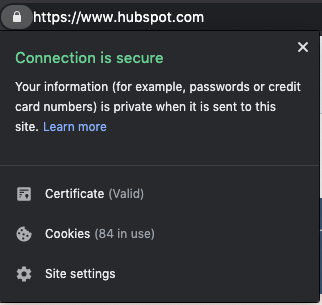 3. The certificate is valid.
Even if a website has the “https://” and a padlock, the certificate could still be expired — meaning your connection wouldn’t be secure. In most cases, a site that displays as https will be secure but, if you encounter a site that asks for a lot of personal information, it may be worth double-checking to be sure the certificate is valid.
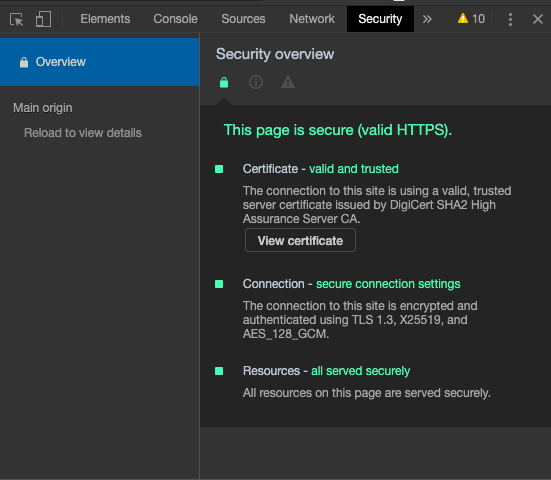 To find out whether the certificate is valid in Chrome, go to View > Developer > Developer Tools. From there you will need to navigate to the security tab to see if the SSL certificate is valid or expired. If you click the “View certificate” button, you will be able to see more information about the SSL certificate and the specific date it’s valid through.
The next time you visit a website, check its encryption status. I love knowing that by clicking a little padlock, I can see if my data is secure. On the flip side, if you are a part of a business that doesn’t have SSL certificates, make them a part of your next goal set, so you can protect your customers’ data and privacy.

6 Easy Ways to Help Reduce Your Website’s Page Load Time
The adage “patience is a virtue” doesn’t apply online.
Even a one-second delay can drastically reduce pageviews, customer satisfaction and drop conversions. The speed of your site even affects your organic search rankings.
So what’s the biggest factor contributing to your page speed?
Size.
It takes browsers time to download the code that makes up your page. It has to download your HTML, your stylesheets, your scripts and your images. It can take a while to download all that data.
As web users expect more engaging site designs, the size of a site’s resource files will continue to grow. Each new feature requires a new script or stylesheet that weighs down your site just a little more.
How do you make sure your site is up to speed?
There are some great resources for analyzing this. Google’s PageSpeed Insights, HubSpot’s Website Grader, and GTMetrix are some of the most popular. Both services will analyze your site and tell you where you’re falling behind.
A little warning: the results can be a bit daunting sometimes, but most fixes are relatively quick and easy. You might not fix everything the speed service recommends, but you should fix enough to make the site experience better for your visitors.
Let’s learn how to speed up things.
While a few modern content management systems like HubSpot implement speed-enhancing options out-of-the-box, more common systems, like WordPress and Joomla, require a little manual labor to get up to speed.
Now let’s look at some essential speed solutions that every webmaster should consider.
1. Scale down your images.
Images are one of the most common bandwidth hogs on the web. The first way to optimize your images is to scale them appropriately, so they don’t affect page loading time as much.
Many webmasters use huge images and then scale them down with CSS. What they don’t realize is that your browser still loads them at the full image size. For example, if you have an image that is 1000 x 1000 pixels, but you have scaled it down to 100 x 100 pixels, your browser must load ten times more than necessary.
Take a look at the size difference when we scaled down one of our images:
 Just by changing the dimensions of my image, from 598 x 398 to 600 x 232, the file size decreased immensely. If you optimize your images before uploading them, you won’t forget to when you put them on your page.
Sometimes though, scaling images will make your photos blurry. The clarity can be lost and the image becomes distorted. If that usually happens to you, go with the second option: compressing.
Compressing images will drastically reduce image size without losing out on the quality. There are several free online tools for image compression, such as tinypng.com, that can reduce your image sizes.You can see size reductions anywhere from 25% to 80%.
For example, I took that first image, with 133 KB, and compressed it using a free website app called Squoosh. When the image was completed, it was 87% smaller, and didn’t lose any of its original quality.
2. Cache your browser for data storage.
Why make visitors download the same things every time they load a page? Enabling browser caching lets you temporarily store some data on a visitors’ computer, so they don’t have to wait for it to load every time they visit your page.
How long you store the data depends on their browser configuration and your server-side cache settings. To set up browser caching on your server, check out the resources below or contact your hosting company:
3. Reduce CSS load time.
Your CSS loads before people see your site. The longer it takes for them to download your CSS, the longer they wait. An optimized CSS means your files will download faster, giving your visitors quicker access to your pages.
Start by asking yourself, “Do I use all of my CSS?” If not, get rid of the superfluous code in your files. Every little bit of wasted data can add up until your website’s snail-pace speed scares away your visitors.
Next, you should minimize your CSS files. Extra spaces in your stylesheets increase file size. CSS minimization removes those extra spaces from your code to ensure your file is at its smallest size.
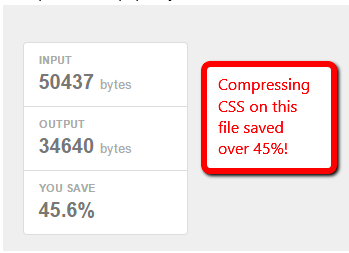
See if your CMS already minimizes your CSS or if there’s an option for it. HubSpot, for example, already minimizes your CSS by default, whereas WordPress websites require an additional plugin such as WP Hummingbird to optimize those files.
If your CMS does not have a minimize CSS option, you can use a free online service like CSS Minifier. Simply paste in your CSS and hit “Compress” to see your newly minimized stylesheet.
Minimizing your resource files is a great way to knock some size off your files. Trust me — those little spaces add up quickly.
4. Keep scripts below the fold.
Javascript files can load after the rest of your page, but if you put them all before your content — as many companies do — they will load before your content does.
This means your visitors must wait until your Javascript files load before they see your page. The simplest solution is to place your external Javascript files at the bottom of your page, just before the close of your body tag. Now more of your site can load before your scripts.
Another method that allows even more control is to use the defer or async attributes when placing external .js files on your site. Both defer and async are very useful, but make sure you understand the difference before you use them.
Async tags load the scripts while the rest of the page loads, but scripts can be loaded out of order. Basically, lighter files load first. This might be fine for some scripts, but can be disastrous for others.
For instance, let’s say one of your pages has a video above the fold, text underneath, and a couple of pictures at the bottom. If you run async tags on this page, the text will load first, then the images, and the video last.
The largest file — the video file — is also what users are supposed to interact with first. When it loads last, it doesn’t have the same impact. So use async tags if your page has a lot of the same elements that don’t take a long time to load, like text, or a carousel of images.
The defer attribute loads your scripts after your content has finished loading. It also runs the scripts in order. To illustrate, think of your homepage. All of the elements, including image fields, text fields, and layout, would appear in order, with the rest loading after.
Just make sure your scripts run without breaking your site. All you need to do is add a simple word in your <script> tags. For example, you can take your original script:
<script type=”text/javascript” src=”/path/filename.js”></script>
And add the little code to ensure it loads when you want:
<script type=”text/javascript” src=”/path/filename.js” defer></script>
<script type=”text/javascript” src=”/path/filename.js” async></script>
The importance of your scripts will determine if they get an attribute and which attribute you add. More essential scripts should probably have the async attribute so they can load quickly without holding up the rest of your content. The nonessential ones, however, should wait until the end to ensure visitors see your page faster.
But always make sure you test each script to ensure the attribute doesn’t break your site.
5. Add asynchronous pages.
Most web pages download content little by little from different sources. For instance, the body of a web page is loaded by the browser. The head, however, is rendered by external sources, such as a stylesheet and script used to load text and images.
The browser loading the page from beginning to end, head to body, takes a while, but is how a lot of pages are rendered, with this synchronous loading. If one part of the page needs a certain function to load, but that component is already loading another portion of the page, then that initial load must finish before getting to work on the next task.
In the meantime, the visitor is waiting for ages for a web page to appear. On the backend, so much of a computer’s processor is being leveraged that it seems like everything just stops.
Instead, asynchronous loading recognizes the scripts that can be loaded simultaneously, overriding synchronous features. When certain pages are loaded at the same time, eliminating that chain of function commands discussed earlier, other aspects of the page, like the page’s head, can be loaded in tandem.
Asynchronous pages can be implemented just by adding in a few lines of code in your page’s CSS. Read how to design them in this post.
6. Minimize redirects.
How many redirects rest on your website? If you recently did a website migration or acquired subdomains, it’s likely you have an HTTP request or two. These redirects make pages take a while to load.
Redirects, like “Error: 404 not found,” pop up when users type in an incorrect web address or are taken to a broken page on a website. When a page is redirected, another page takes its place or a blank page with the error message replaces the screen.
Visitors would have to sit through the HTTP screen while they’re being redirected, increasing the amount of time taken to load the page. Let’s say your “About” page has been moved to a different subdomain.
When visitors type in the website, let’s say mywebsite.com/about, they should be taken instantly to that page. Instead, mywebsite.com/about leads to an HTTP page, then takes a visitor to mywebsite.com > mywebsite.com/aboutus. That’s an additional page users have to go through just to get to their intended destination.
Instead of hosting multiple redirects, remove them. In this post, you’ll learn how to find all of your redirect pages, alternatives, and most importantly, how to remove them.
As online users demand a richer online experience, the size of our pages will continue to grow. There will be flashier Javascript, more CSS tricks and more third-party analytics to weigh down our websites.
A little attention will go a long way — remember, just a one-second delay is all it takes to lose a lead.

10 Email Preview Tools For Different Inboxes
You know the expression, “What you see is what you get”?
Well, when it comes to email marketing campaigns, that might not always be the case.
Since everyone uses different email providers such as Gmail, Outlook, or Yahoo, emails can appear differently for various subscribers.
Sometimes images are blocked, alt text is missing, or fonts won’t render. If this happens, you could damage your credibility and lose subscribers.
Regardless of the email provider, more than 50 percent of U.S. respondents check their personal email account more than 10 times a day, and it is by far their preferred way to receive updates from brands.
That’s why it’s important to make sure that you test your emails before you send them.
In this post, we’ll discuss the best free and paid email preview tools you can use to make sure your emails look great on every provider.
1. HubSpot Free Email
With HubSpot’s free email marketing software, you can preview your HubSpot emails in more than 30 different email clients.
This email preview tool will check for missing images, colorblind accessibility, personalization tokens, or even RSS-to-Email campaigns.
One of the main benefits of this tool is that it’s combined with your email marketing software. This means you don’t have to leave your email builder to preview your email.
You can create beautiful emails without a designer, while also testing your emails.
2. SubjectLine.com
Testing the visual design of your emails is important. However, don’t forget to preview your actual content as well.
With SubjectLine.com, you can test your subject lines and receive a free rating out of 100. The tool considers the total length, word length, urgency, and more.
Word choice matters in your subject lines and this tool will help you come up with more clickable subjects so your readers are more likely to open.
3. Mail Ninja
Mail Ninja is a free, easy-to-use, uncluttered email preview tool. With this tool, you can see instant previews of your HTML emails.
Additionally, you can double-check your alt text, send test emails, and see how your email will look on different devices.
If you don’t trust or want to use a different preview tool than your email marketing software, this is a simple, free option.
4. Inbox Analyzer
Inbox Analyzer, another free email preview tool, helps take the pain out of inbox and spam testing your emails.
You can send your emails to the most popular inbox providers to see how they appear and if they even deliver. This tool will let you know if your email hits the inbox, spam folder, or is undelivered.
Additionally, you’ll also receive instant reports on your sender scores, reputation alerts, and even blacklists.
With this tool, you’ll be able to find issues and learn how to resolve them.
5. Putsmail
Putsmail is a free email testing tool by Litmus, a popular email marketing software (more on this below).
With Putsmail, you can see how your email will look across 50+ different platforms and devices. This is a great tool if you’re just looking for a quick and easy way to preview your emails.
1. Get Response
Get Response is an email marketing software that can help you create content, boost sales, and increase traffic to your site.
While they used to have a separate email preview tool, Inbox Inspector, now you can preview your emails right in the email marketing software.
If you use the software, you can preview your email in more than 25 popular email clients. With their preview tool, you can see real email previews, even when images are blocked.
This is a great option if you’re looking for an all-in-one, paid tool.
2. Litmus
Litmus is a tool for email marketers to help them test and develop amazing email campaigns. With a paid account, you’ll gain access to an email preview testing tool that allows you to see screenshots of your emails across 90+ different apps and devices.
Additionally, if you have a Litmus account, you can add a Chrome extension to your browser and test your emails without ever leaving your email service provider.
With the extension, you can validate your links, images, and tracking. Plus, the extension will instantly run a new checklist with every edit.
This is a great tool to enhance your email marketing and ensure your subscribers have a great experience.
3. Email Preview Services
Email Preview Services is a popular email testing tool that will let you see exactly what your customers are seeing.
With a quick test, you’ll get an accurate visual, so you know if your emails have any rendering issues.
Additionally, this tool offers other email testing tools such as inbox, spam, and authentication testing.
This is a great option if you’re looking for a cheaper email preview tool.
4. Preview My Email
Preview My Email is another email testing solution that can help you improve your performance.
With this tool, you’ll get real screenshots of your email across all the popular email providers in one click.
Additionally, this tool offers email analytics that can help you understand your audience better.
5. Email on Acid
Email on Acid is an email preview tool that’s designed to help you display emails properly, across all clients.
The email previews are live clients — not emulations — so you’ll see exactly what your subscribers see.
This tool will give you screenshots so you have no questions about what your email will look like on 90 clients and devices.
Additionally, this tool tests for bad formatting, broken links, and code problems.
However, one of the best features is the ability to comment, edit, and review email previews directly in the software for a faster and more efficient testing process.
Previewing your emails is an important part of email marketing. If people can’t see your emails or your credibility is ruined, those emails haven’t done their job. To properly test your emails, give yourself time, and test your templates frequently.

A Quick Guide to Kanban Cards