
Welcome to My Blog
50 Visual Content Marketing Statistics You Should Know in 2020
At the end of every year, we like to read through some of the major reports on inbound marketing, content marketing, social media, and online behavior.
It’s amazing how fast things can change in just one or two years, and this year has a breadth of surprising statistics to reflect on.
This year, we’ve seen the continued importance of visual content emphasized by the changes that occurred across almost every major social network, including Facebook, Instagram, and Twitter. At the same time, videos continued to grow as powerful tools for brands looking to communicate more easily with their readers, and virtual reality (VR) is finding its place as a marketing tool in numerous businesses.
To help you keep pace with these trends, let’s take a look at some visual content marketing statistics that demonstrate the impact visual content has on reach, engagement, and sales. You can jump to the following categories to see statistics related to that category:
- General Visual Content Stats
- Video Marketing Stats
- Emerging Visual Marketing Stats
- Infographic Stats
- Social Media Stats
50 Visual Content Marketing Statistics You Should Know
General Visual Content Statistics
- 70% of companies invest in content marketing, which could include visual marketing strategies. (HubSpot)
- The primary form of media used in content marketing is video. (HubSpot)
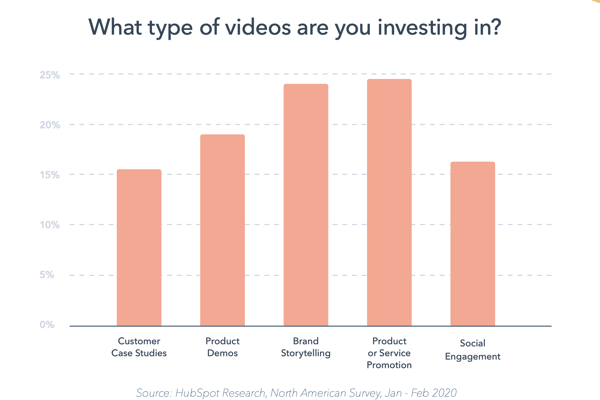
- One fourth of marketers are investing in content marketing related to product promotions while just over 20% of investing in branded storytelling specifically. (HubSpot)
Source: HubSpot
- Marketers spend the most time creating content for Facebook and their own company website, respectively. (HubSpot)
- 32% of marketers say visual images are the most important form of content for their business, with blogging in second (27%). (Social Media Examiner)
- 80% of marketers use visual assets in their social media marketing. Video (63%), alone, has also surpassed blogging (60%) in usage as a social media marketing asset. (Social Media Examiner)
- When people hear information, they’re likely to remember only 10% of that information three days later. However, if a relevant image is paired with that same information, people retained 65% of the information three days later. (Brain Rules)
- 11% more B2C marketers than B2B marketers say visual content is the most important type of content today. (Social Media Examiner)
Video Marketing Statistics
- Mobile video usage has increased by nearly 10 million daily viewing minutes in the last two years. (Kleiner Perkins)
- Cisco projects that global internet traffic from videos will make up 82% of all consumer internet traffic by 2021. (Cisco)
- 70% of YouTube viewers watch videos for “help with a problem” they’re having in their hobby, studies, or job. (Think With Google)
- Globally, YouTube is consumers’ leading source of video content, at 83% (Facebook is second, at 67%). (HubSpot)
- Video streaming has increased significantly in the last several years. The live-streaming platform, Twitch, saw an increase of more than 13 million average daily streaming hours between 2012 and 2017. (Kleiner Perkins)
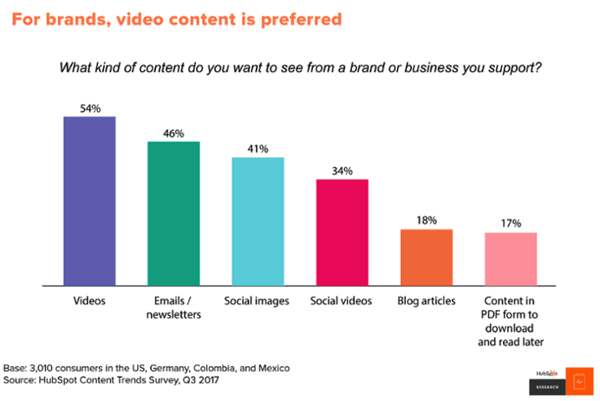
- In a 2018 HubSpot survey, 54% of consumers wanted to see more video content from a brand or business they support. (HubSpot)
 Source: HubSpot Research
Emerging Visual Marketing Trends
- In 2019, 42.9 million people in the US used a VR product, and 68.7 million people used an AR once monthly. (eMarketer)
- Seven in ten media planners want to add AR to their strategies in the future. (Vibrant Media)
- A quarter of VR users believe it has a strong potential for brands and marketers. (GlobalWebIndex)
- 64% of consumers say VR has the most potential in gaming, while 52% recognize its potential in Film and TV. (GlobalWebIndex)
- By 2018, 35% of marketers use live video. (Social Media Examiner)
- Live videos on Facebook have an engagement rate of 4.3% compared to 2.2% for non-live videos. (Telescope)
- 90% of all video plays on Twitter take place on mobile devices. (HubSpot)
- Videos 20 minutes in length or longer account for 55% of total video consumption time on smartphones. (Goyala)
- 85% of adults consume content on multiple devices at the same time. (Think With Google)
- According to the Lowes home improvement store, how-to videos that were shown in virtual reality (VR) had a 36% higher recall by viewers compared to people who only viewed the YouTube video. (HubSpot)
- According to a 2018 survey, 82% of respondents expect people to focus on developing augmented reality (AR) experiences for smartphones. (Perkins Coie)
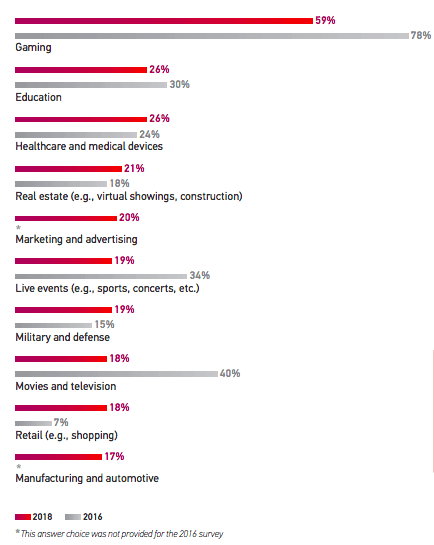
- Gaming, education, and healthcare are the top three industries expected to invest the most in VR technology for business growth. (Perkins Coie)
Source: Perkins Coie LLC
Infographic Stats for Visual Content Marketers
- Infographics are the fourth most used type of content marketing. (HubSpot)
- Infographics have had the biggest increase in usage among B2B marketers in the last four years — now at 65%. (Content Marketing Institute)
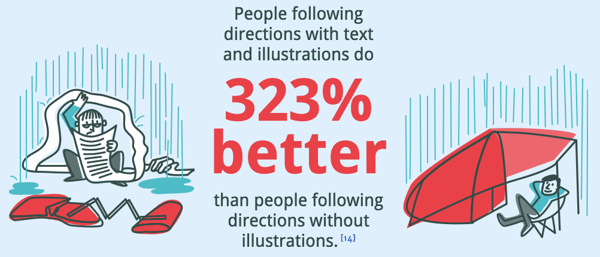
- People following directions with text and illustrations do 323% better than people following directions without illustrations. Take content marketer Ryan Robinson’s guide on how to start a blog as an example, where he teaches readers the process of building a blog through a combination of text, illustrations and infographics. (Springer)
 Source: NeoMam
Social Media Stats for Visual Content Marketers
- In a general survey of over 250 consumers, 70% said they watched Facebook Stories more often than Instagram or Snapchat Stories. (HubSpot)
- Businesses that are on Instagram get up to 37% of their total impressions from Instagram Stories. (Social Bakers)
- Instagram has half the user base of Facebook but a majority of its audience is young adults under 34. (HubSpot)
- By the end of 2020, Instagram’s share of Facebook’s total ad revenue is expected to grow by 30%. (Recode)
- Of the Instagram Story formats people prefer most, 35% say they engage with short narrative-styled Stories most often, followed by interactive Stories centered around quizzes and polls. (HubSpot)
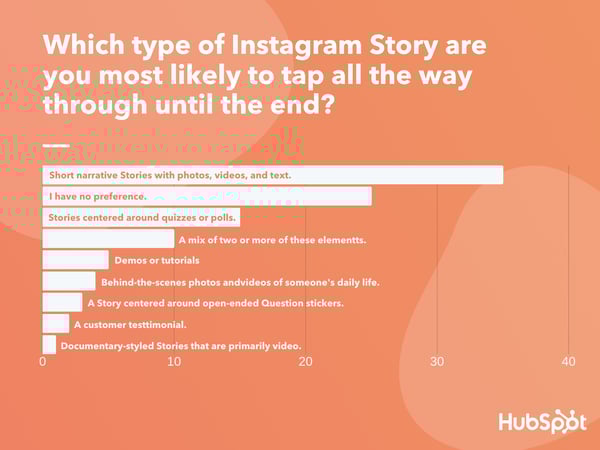
Data Source: Lucid Software
- 85% of Facebook and Instagram users watch video on the platforms with the sound off. (Digiday)
- In a poll of over 300 consumers, 56% said they “sometimes” watch social media Stories with the sound on, while 29% said they “always” do this. (HubSpot)
- 72% of teenagers use Instagram and nearly as many (69%) use Snapchat. Both have increased by more than 20% since 2015. (Pew Research)
- Tweets with images receive 150% more retweets than tweets without images. (Buffer)
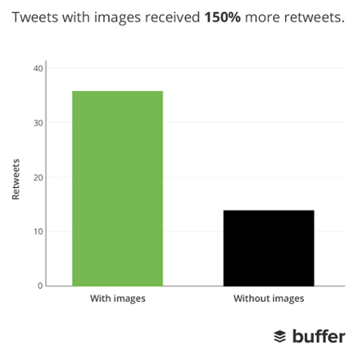
Source: Buffer
- In an analysis of over 1 million articles, BuzzSumo found that articles with an image once every 75-100 words received double the social media shares as articles with fewer images. (Buzzsumo)
- Facebook posts with images see 2.3X more engagement than those without images. (Buzzsumo)

Source: Buzzsumo
- There are more than 500 million Instagram users active every day. (Instagram Business)
- By 2017, more than 500 million Facebook users are watching videos on Facebook every day. (Forbes)
- By late 2018, 52% of marketers reported seeing their organic reach on Facebook decline in the last year. (Social Media Examiner)
- 92% of the videos on Facebook are published as Facebook native videos. (Quintly)
- Snapchat had 187 million daily active Snapchat users as of 2018. (Bloomberg)
- 8% more B2C marketers than B2B marketers are interested in learning more about Pinterest as a visual content platform. (Pew Research)
- Shopify users referred by Pinterest spend an average of $80 compared to the Facebook referral average of $40. (Jeff Bullas)
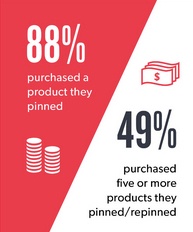
Source: Jeff Bullas
- Over 80% of pins are re-pins compared to 1.4% of tweets retweeted. (Jeff Bullas)
- YouTube reaches more 18+-year-olds during prime-time viewing hours than any cable TV network. (Think With Google)
- Half of YouTube subscribers between the ages of 18 and 34 would drop whatever they were doing to watch a new video from their favorite channel. (Think With Google)

The 21 Best iPaaS Vendors for Any Budget
As your business grows and evolves, you’ll inevitably find yourself adding more applications to your growth stack. If those applications run on different platforms and can’t communicate effectively, you’re going to run into issues with data loss, duplication of efforts, and bottlenecks that slow your team down.
iPaaS — which stands for Integration Platform as a Service — helps you connect the tools and systems that power your business in one place, so information can be shared without high-maintenance, one-off integrations or manual data entry.
We wrote a deep dive on iPaaS here if you’d like to learn more about the basics, view a complete glossary of iPaaS terms, and better understand what iPaaS can potentially offer your business.
If you’ve decided you want to invest in iPaaS but aren’t sure where to start, you’re in the right place. In this article, we’ll go over some of the best iPaaS vendors, so you can discover one that fits your company’s unique needs and budget. Let’s dive in.
1. Dell Boomi
Acquired by Dell in 2010, Boomi offers a cloud-based integration and API management solution with all the bells and whistles you could ask for: workflows, API design, application deployment, B2B/EDI management, and much more. Within Boomi, you can design end-to-end workflows and process data across multiple applications. Suitable for enterprise and small businesses from many different industries, Boomi has been considered a leader in the iPaaS space for the last six years by Gartner.
Price: Starting at $549/month
2. Oracle Integration Cloud
If you’re looking for a straightforward iPaaS solutions with industry best practices and premade integration flows baked into the product, Oracle Integration Cloud might be an option to take a deeper look at. Oracle serves up an extensive library of out-of-the-box adapters to different SaaS and on-premises applications, making the initial set-up less time consuming for your team.
Price: Choose from several different pricing structures, including a pay-as-you-go plan starting at $1.2097/message, and a monthly flex plan starting at $0.8065/message.
3. Workato
This iPaaS solution was designed to enable better connection between business users and IT, allowing both groups to plan, create, and easily maintain integrations between different systems. Workato provides pre-built integration flows between 300 of the most popular SaaS products, and the ability to design custom integrations in a simple, drag-and-drop interface.
Price: Choose from a Business Plan ($1499/month) Business Plus Plan ($2999/month) and Enterprise Plan (Custom pricing based on your specific needs)
4. TIBCO Cloud
TIBCO Cloud prides itself on providing an easy-to-use iPaaS solution that simplifies the creation and management of integration flows in your business. They consider themselves to be an “application neutral” technology partner for their clients — meaning, they won’t try to push you towards using a particular application or ecosystem, they’ll work with you to build a solution that connects your on-premises and cloud-based applications your business already prefers to use.
Price: Starting at $400/month for a Basic Plan, $1500/month for a Standard Plan, and custom pricing for Hybrid plans based on your unique needs.
5. Elastic.io
Elastic.io promises to remove the laborious product management component of custom integrations and reduce the amount of time spent on integrations at your company by up to 80%. This iPaaS vendor also takes an as-a-service mentality to how they work with customers, helping you support feature roll-outs and upgrades, bug fixes, and connector updates.
Price: For system integrators, the monthly plans start at €199/month, for enterprise customers, the yearly plans start at €1,499/month, and for software vendors, they offer the platform as OEM with customizable pricing (i.e. on request).
6. Modulus Data
This iPaaS vendor specializes in integrations for the Human Resources industry, offering a comprehensive library of pre-built connectors aimed at helping your HR department align their applications and tools in one seamless, secure hub. Modulus Data has out-of-the-box connectors with most popular HR applications and softwares, including Workday, Greenhouse, Monster, and Oracle HCM.
Price: Contact sales@modulusdata.com
7. Informatica
Informatica has been around since 1993, and still continues to be an industry leader in helping businesses manage their data effectively and securely. Specializing in enterprise level iPaaS solutions, Informatica lists big companies like GE, Unilever, and L’Oreal among their clients. If you’re a large company looking for hands-on support on your custom iPaaS journey, Informatica might be a good fit for your needs.
Price: Prices for an integration base begin at $2,000/month
8. IBM AppConnect
IBM’s iPaaS solution markets itself as an easy way to connect apps, build APIs, integrate data, and act on events. AppConnect comes equipped with a series of templates made up of common patterns you can use to quickly set-up integration flows for your business, and start getting value immediately. SMBs looking to get started with iPaaS and explore the possibilities of new applications might benefit from using AppConnect.
Price: AppConnect offers a free lite package. Professional packages start at $500/month, and customizable Enterprise packages begin at $2,370/month.
9. SnapLogic
For companies seeking at enterprise-level iPaaS solution that can handle a lot of data quickly, SnapLogic offers up a way to automate integrations across on-premises and cloud-based applications on a large scale. But don’t let the hefty capabilities of SnapLogic mislead you into thinking the product itself is for the extremely tech-savvy only — this iPaaS solution is designed with user accessibility in mind, so even teams with less technology experience can build, manage, and scale custom integrations and workflows.
Price: Annual pricing starts at $48k/year
10. Zapier
One of the more user and wallet-friendly options in the iPaaS space, Zapier gives businesses of any size the ability to design and manage custom integration solutions that fit their exact needs. Zapier adds new integrations (called “zaps”) to their massive integrations library each week, so chances are, there’s already an out-of-the-box solution available for you to start using today.
Price: Zapier offers a free basic package. Starter packages start at $20/month, and Professional packages begin at $50/month.
11. Jitterbit
According to G2 ratings, Jitterbit is one of the more user-friendly and cost-effective iPaaS options out there. This iPaaS vendor offers support for a wide breadth of connectors, advanced workflow capabilities, real-time integrations, and a range of data security features. Additionally, Jitterbit has an easy-to-use visual designer to help make the setup and monitoring processes run smoothly — even for teams without a dedicated developer on staff.
Price: Pricing varies based on your needs, so you’ll need to contact Jitterbit to get a quote.
12. Amazon API Gateway
Built with developers in mind, Amazon’s iPaaS solution enables teams to create and manage APIs that act as a “front door” for applications to access data and share information. Amazon API Gateway is unique because you only pay for the API calls you use, rather than most other iPaaS vendors which rely on monthly or annual pricing models. This iPaaS vendor is one to consider if you have a developer on staff and want more direct control over the API calls your company uses.
Pricing: No upfront costs. Pricing is determined by the quantity and type of API calls used.
13. Celigo Intergrator.io
If you aren’t sure how an iPaaS solution will work for your company and are wary of hefty fees, Celigo offers a free version of their iPaaS product. Their Integration Marketplace is stocked with plenty of prebuilt, supported integrations with common applications, and their “flow” subscription model means you can start off with the free version and only start paying if you increase your usage and add new integrations into the mix.
Pricing: The basic package is free, and they offer additional packages starting at $600/month.
14. Tray.io
This iPaaS vendor was designed with the intention to better connect the tools and workflows used by your marketing, sales, product, and services teams. They offer out-of-the-box integration solutions developed with these specific teams in mind, and aim to empower your teams to manage and create the integrations they need without the need for developer assistance every step of the way.
Price: Standard packages start at $595/month, Professional starts at $2,450/month, and Enterprise packages are available with custom pricing based on your needs.
15. Xplenty
If you’re seeking a straightforward way to visualize your workflows, integrations, and data flows, Xplenty might be a good option to consider. Their simplified dashboard enables you to manage how your tools and data are working together in one central place, and your developers will love that they can connect Xplenty with their existing monitoring systems using service hooks.
Price: Contact Xpenty for a quote.
16. Mulesoft
Used by tech giants like Netflix and Airbnb, Mulesoft offers a wide range of customized iPaaS solutions for different industries and tech setups. Their selection of out-of-the-box connectivity options means your team will spend less time initially building out new integrations, since prebuilt integrations are easier to get up and running fast.
Price: Contact Mulesoft for a quote.
17. PieSync
PieSync wants to make it easier for your team to provide excellent service for your customers, and that starts with ensuring customer data doesn’t get lost in the spaces between your team’s tools and databases. This iPaaS vendor advertises a “no coding” approach that’s ideal for teams who want to get started with iPaaS but might not have the tech resources on staff. They offer prebuilt integrations between many popular applications, like HubSpot, MailChimp, and Office 365. PieSync is also one of the more affordable options on the list — so it could be a good choice for startups and teams on the smaller side.
Price: Starter is $9/month, Pro is $19/month, and Enterprise is $99/month.
18. The Crosscut
Developed by Moskitos, The Crosscut® is an iPaaS solution for hybrid information systems — it can connect both cloud-to-cloud applications and cloud-to-on-premise applications, which makes it a great pick if your team isn’t looking to go full cloud just yet. You can develop and launch integrations in a central Control Center, and set up role-based monitoring using their Corporate Portal.
Price: Contact Moskitos for a quote.
19. Blendr.io
Blendr.io offers a low-code visual builder to create complex enterprise-grade or standardized self-service integrations. They also provide a set of features to embed integrations in the the UI of your platform (including HubSpot) into the UI of other SaaS platforms.
Blendr.io integrates marketing, sales, events, productivity, and 300+ other cloud platforms. If you end up not finding the integration you need in their library, you can ask the Blendr.io team to add it at no additional cost to your plan.
Price: Contact Blendr.io for a quote.
20. Blendo
Blendo is a self-service iPaaS solution that can connect applications from your sales, marketing, and financial teams and flow directly into a number of popular data warehousing options. Blendo was designed to make reporting across multiple applications more straightforward, so they ensure you can access your data in your preferred reporting platform.
Price: Contact Blendo for a quote.
21. Skyvia
Last but certainly not least, we have Skyvia, a no-coding cloud data integration platform that offers both ELT and ETL approaches. It has both visual tools for simple integration cases and powerful mapping and transformation settings for more complex scenarios. The platform also offers no-coding OData and SQL web API layer and has ADO.NET provider and ODBC driver for accessing your data via these API over the web. Skyvia supports all major data sources – from SaaS apps like Salesforce and BigCommerce, to databases like MySQL and SQL Server.
Price: Choose from a Data Integration Free plan (free), a Data Basic Integration plan ($19/month), and a Data Integration Standard plan ($99/month).

19 Examples of Brilliant Email Marketing Campaigns [Template]
On any given day, most of our email inboxes are flooded with a barrage of automated email newsletters that do little else besides giving us another task to do on our commutes to work — namely, marking them all as unread without reading, or unsubscribing altogether.
But every now and then, we get a newsletter that’s so good, not only do we read it, but we click it, share it, and recommend it to our friends.
How to Create an Effective Email Marketing Campaign
Effective email marketing campaigns need to be cleverly written to attract attention in busy inboxes. Here are four steps you should follow to create an effective email campaign.
1. Use a comprehensive email builder.
The first step to creating an effective email marketing campaign is to use the best email builder.
There are several options depending on your needs, including HubSpot, MailChimp, and Constant Contact.
With a comprehensive email builder, you can create, optimize, and personalize your own email campaigns without needing any technical or graphic design experience.
2. Include personalization elements in the copy and excellent imagery.
Marketing emails need to be personalized to the reader and filled with interesting graphics.
Few people want to read emails that are addressed “Dear Sir/Madam” — as opposed to their first or last name — and even fewer people want to read an email that simply gives them a wall of text. Visuals help your recipients quickly understand the point of the email.
3. Add an appropriate call-to-action.
Once you’ve included personalization elements and added your copy and images, it’s time to add a call-to-action.
Above all, exceptional marketing emails must contain a meaningful CTA. After all, if brands are taking up subscribers’ time — and inbox space — with another email, every message must have a point to it. Internet users get multiple emails per day — why should they care about yours?
4. Make sure it’s designed for all devices.
Effective email marketing campaigns are designed for all devices on which users can read their emails — desktop, tablet, and mobile.
Email campaigns that are designed for mobile devices are especially important — a quality known as “responsive design.” In fact, 73% of companies today prioritize mobile device optimization when creating email marketing campaigns.
You probably receive enough emails as it is, and it’s tough to know which newsletters are worth subscribing to, so we’ve curated a list of some of our favorite examples.
Read on to discover some great email campaign examples and what makes them great — or just skip ahead to the brands you already know and love.
But first, download the planning template you’ll need to craft your own lovable email marketing campaign, and check out our new Out-of-Office Email Generator to make your email address even more delightful to your contacts.
1. charity: water
Marketing Campaign: Donation Progress Update
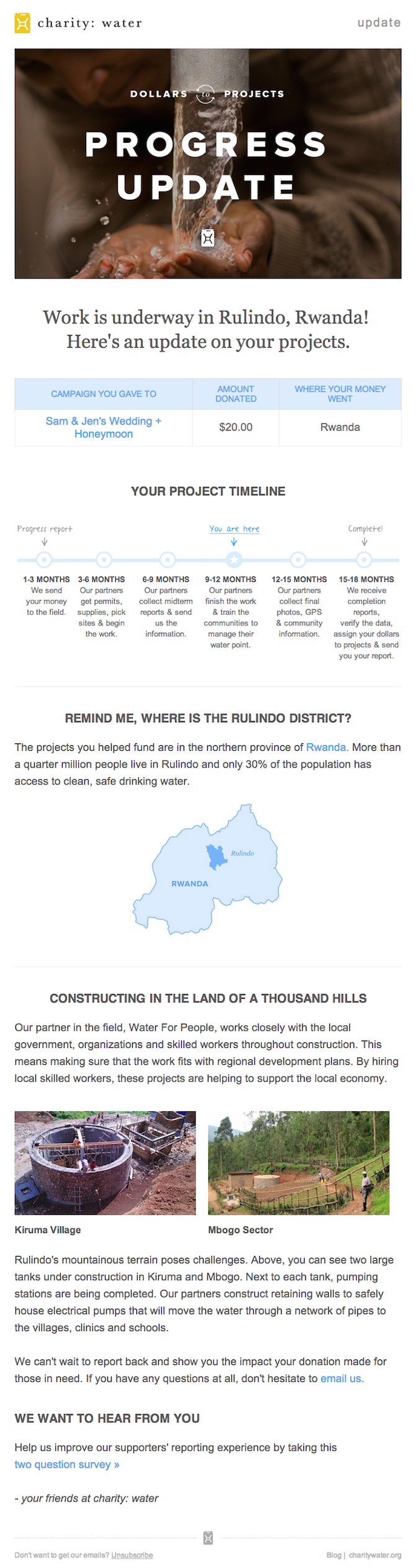
When people talk about email marketing, lots of them forget to mention transactional emails. These are the automated emails you get in your inbox after taking a certain action on a website. This could be anything from filling out a form, to purchasing a product, to updating you on the progress of your order. Often, these are plain text emails that marketers set and forget.
Well, charity: water took an alternate route. Once someone donates to a charity: water project, her money takes a long journey. Most charities don’t tell you about that journey at all — charity: water uses automated emails to show donors how their money is making an impact over time. With the project timeline and accompanying table, you don’t even really need to read the email — you know immediately where you are in the whole process so you can move onto other things in your inbox.
2. Brooks Sports
Marketing Campaign: Desiree Linden’s Boston Marathon Victory
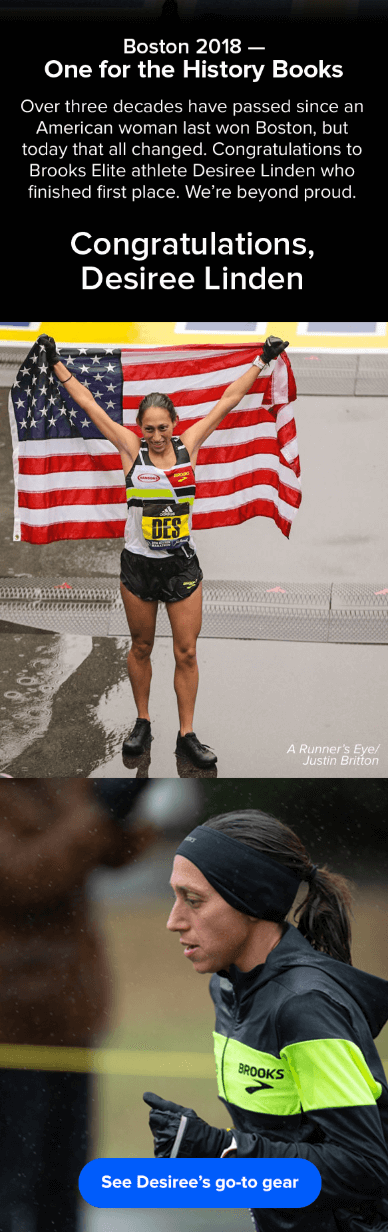
When Desiree Linden won the 2018 Boston Marathon, she became the first American woman to win the race in more than 30 years. To her shoe and apparel sponsor, Brooks Sports, it was an opportunity to celebrate their long partnership together. The resulting email campaign focuses almost entirely on the Olympic marathoner’s amazing accomplishment.
Email campaigns like this one allow companies to demonstrate their loyalties and add value to the products their best users have chosen. The blue CTA button at the bottom of the email reads, “See Desiree’s go-to gear.” What better products to call attention to than the stuff worn by America’s latest legend?
After Desiree’s victory, everyone knew her name. Brooks Sports struck while the iron was hot with a proud email that was sure to be opened and forwarded.
3. BuzzFeed
Marketing Campaign: ‘BuzzFeed Today’ Newsletter
I already have a soft spot for BuzzFeed content (“21 Puppies so Cute You Will Literally Gasp and Then Probably Cry,” anyone?), but that isn’t the only reason I fell in love with its emails.
First of all, BuzzFeed has awesome subject lines and preview text. They are always short and punchy — which fits in perfectly with the rest of BuzzFeed’s content. I especially love how the preview text will accompany the subject line. For example, if the subject line is a question, the preview text is the answer. Or if the subject line is a command (like the one below), the preview text seems like the next logical thought right after it:

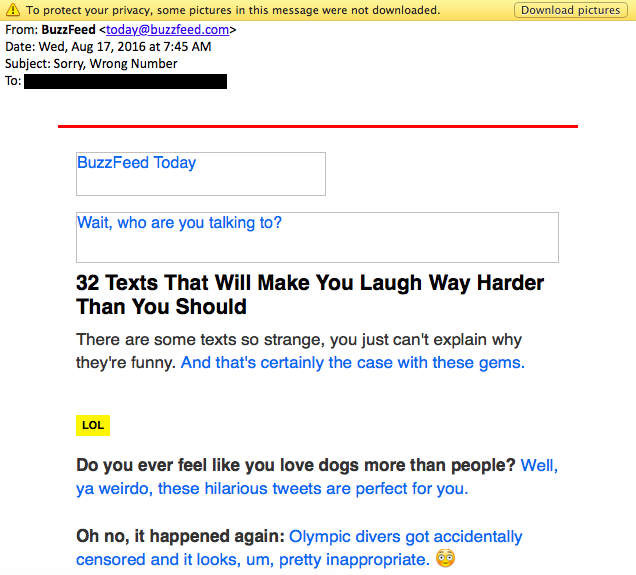
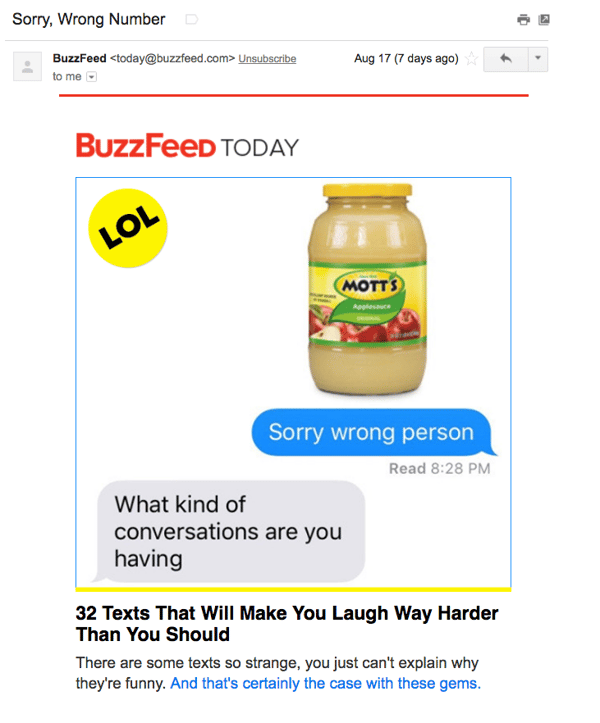
Once you open up an email from BuzzFeed, the copy is equally awesome. Just take a look at that glorious alt text action happening where the images should be. The email still conveys what it is supposed to convey — and looks great — whether you use an image or not. That’s definitely something to admire.
Without images:
With images:
4. Uber
Marketing Campaign: Calendar Integration
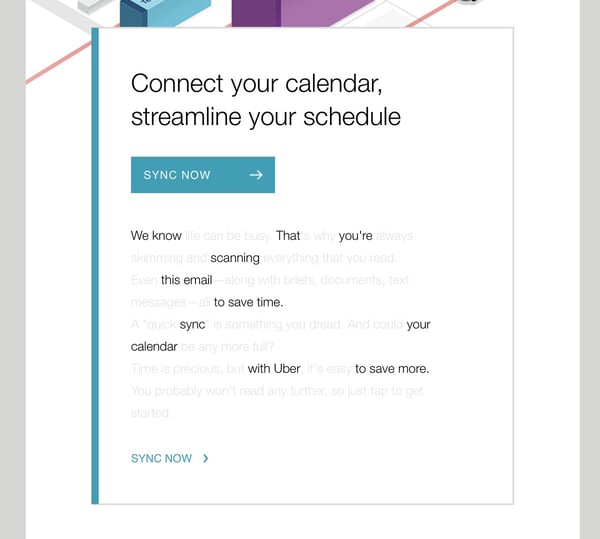
The beauty of Uber‘s emails is in their simplicity. Email subscribers are alerted to deals and promotions with emails like the one you see below. We love how brief the initial description is, paired with a very clear CTA — perfect for subscribers who are quickly skimming the email.
For the people who want to learn more, these are followed by a more detailed (but still pleasingly simple), step-by-step explanation of how the deal works.
We also love how consistent the design of Uber’s emails is with its brand. Like its app, website, social media photos, and other parts of the visual branding, the emails are represented by bright colors and geometric patterns. All of its communications and marketing assets tell the brand’s story — and brand consistency is one tactic Uber’s nailed in order to gain brand loyalty.
Check out the clever copywriting and email design at work in this example:
5. TheSkimm
Marketing Campaign: Subscription Anniversary
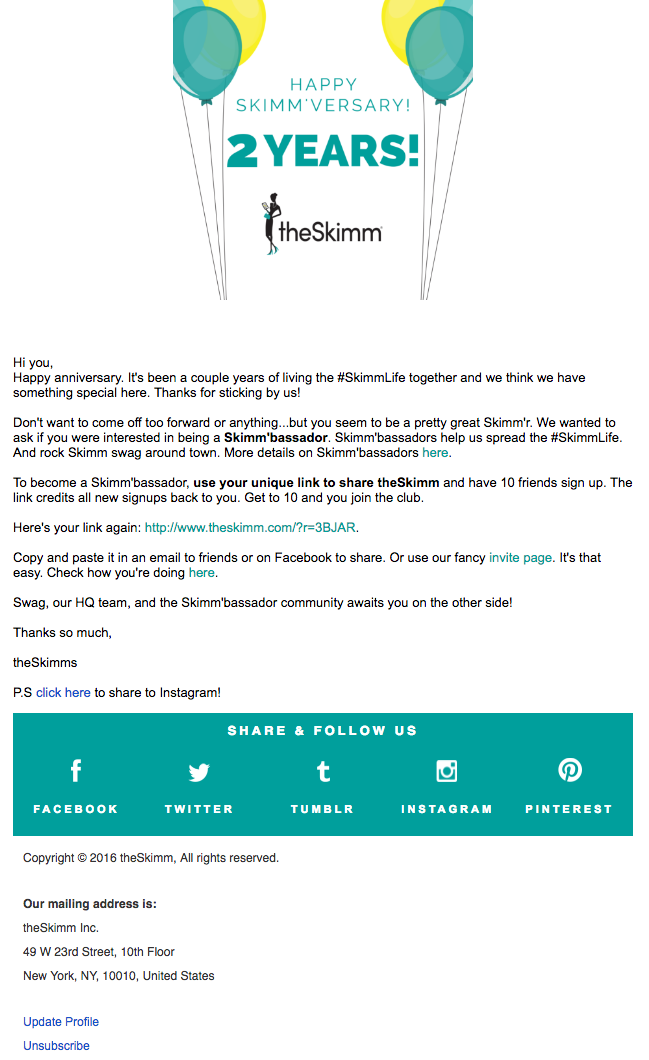
We love TheSkimm’s daily newsletter — especially its clean design and its short, punchy paragraphs. But newsletters aren’t TheSkimm’s only strength when it comes to email. Check out its subscriber engagement email below, which rewarded fellow marketer Ginny Mineo for being subscribed for two years.
Emails triggered by milestones, like anniversaries and birthdays, are fun to get — who doesn’t like to celebrate a special occasion? The beauty of anniversary emails, in particular, is that they don’t require subscribers to input any extra data, and they can work for a variety of senders. Plus, the timeframe can be modified based on the business model.
Here, the folks at TheSkimm took it a step further by asking Mineo if she’d like to earn the title of brand ambassador as a loyal subscriber — which would require her to share the link with ten friends, of course.
6. Mom and Dad Money
Marketing Campaign: Get to Know Your Subscribers
Think you know all about the people who are reading your marketing emails? How much of what you “know” about them is based on assumptions? The strongest buyer personas are based on insights you gather from your actual readership, through surveys, interviews, and so on — in addition to the market research.
That’s exactly what Matt Becker of Mom and Dad Money does — and he does it very, very well.
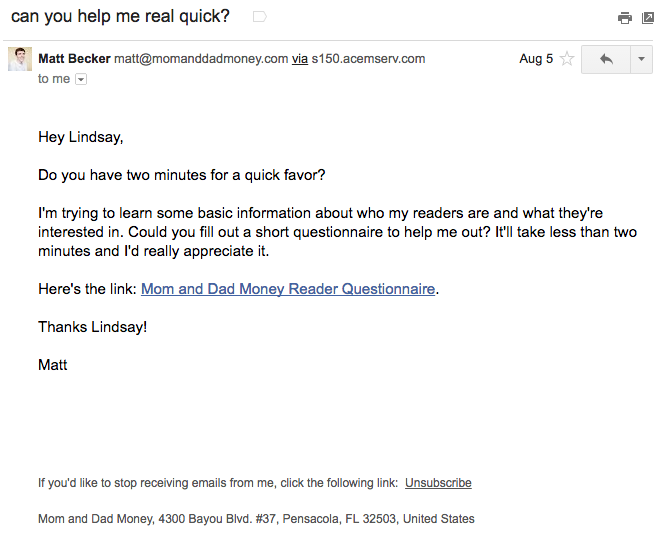
Here’s an example of an email I once received from this brand. Design-wise, it’s nothing special — but that’s the point. It reads just like an email from a friend or colleague asking for a quick favor.
Not only was this initial email great, but his response to my answers was even better: Within a few days of responding to the questionnaire, I received a long and detailed personal email from Matt thanking me for filling out the questionnaire and offering a ton of helpful advice and links to resources specifically catered to my answers. I was very impressed by his business acumen, communication skills, and obvious dedication to his readers.
7. Poncho
Marketing Campaign: Custom Weather Forecast
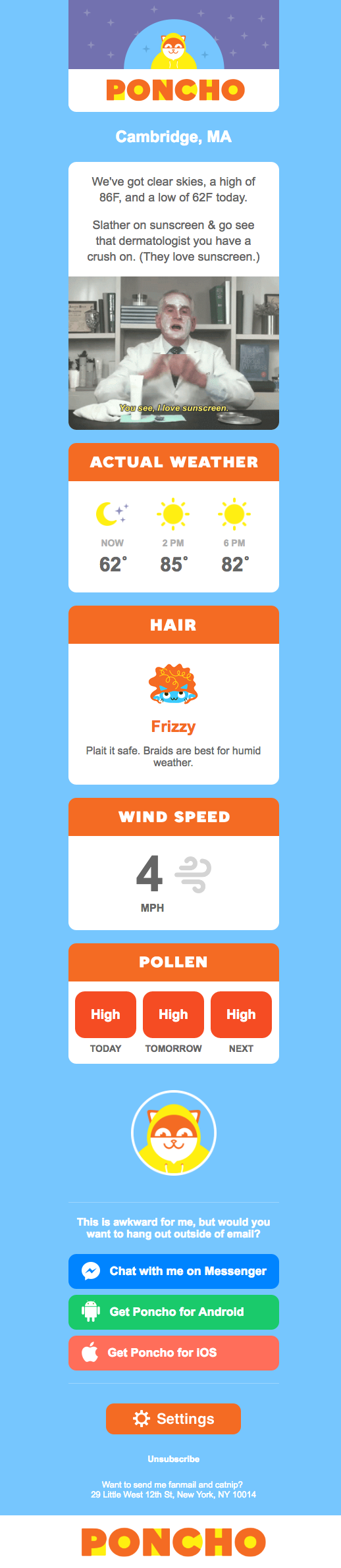
Some of the best emails out there pair super simple design with brief, clever copy. When it comes down to it, daily emails I get from Poncho — which sends me customizable weather forecasts each morning — takes the cake.
Poncho’s emails are colorful, use delightful images and GIFs, and are very easy to scan. The copy is brief but clever with some great puns, and it aligns perfectly with the brand. Check out the copy near the bottom asking to “hang out outside of email.” Hats off to Poncho for using design to better communicate its message.
8. Birchbox
Marketing Campaign: Co-marketing Promotion
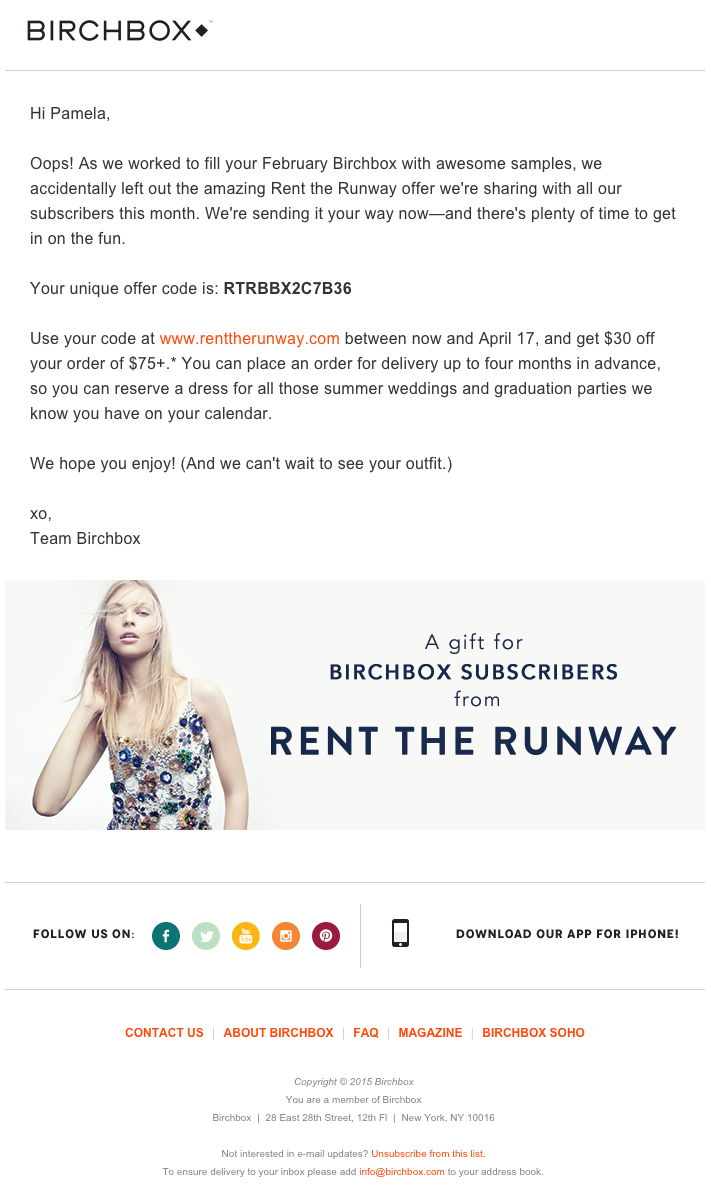
The subject line of this email from beauty product subscription service Birchbox got my colleague Pam Vaughan clicking. It read: “We Forgot Something in Your February Box!” Of course, if you read the email copy below, Birchbox didn’t actually forget to put that discount code in her box — but it was certainly a clever way to get her attention.
As it turned out, the discount code was actually a bonus promo for Rent the Runway, a dress rental company that likely fits the interest profile of most Birchbox customers — which certainly didn’t disappoint. That’s a great co-marketing partnership right there.
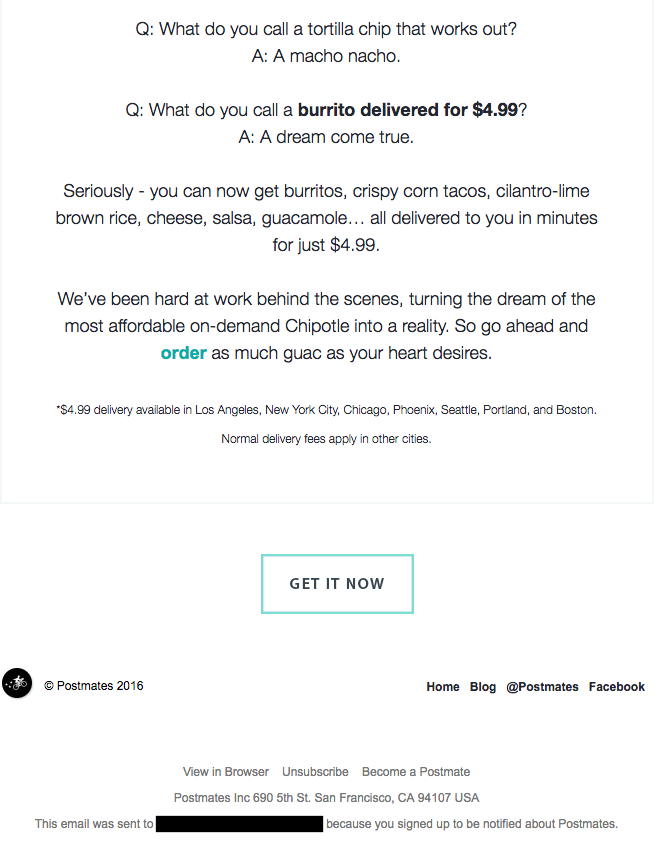
9. Postmates
Marketing Campaign: New Product
I have to say, I’m a sucker for GIFs. They’re easy to consume, they catch your eye, and they have an emotional impact — like the fun GIF in one of Postmates‘ emails that’s not only delightful to watch, but also makes you crave some delicious Chipotle.
You, too, can use animated GIFs in your marketing to show a fun header, draw people’s eyes to a certain part of the email, or display your products and services in action.

10. Dropbox
Marketing Campaign: User Reengagement
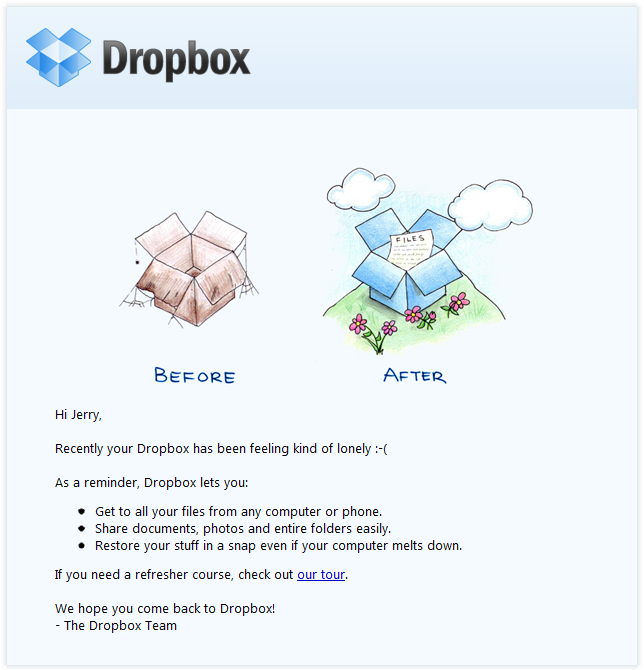
You might think it’d be hard to love an email from a company whose product you haven’t been using. But Dropbox found a way to make its “come back to us!” email cute and funny, thanks to a pair of whimsical cartoons and an emoticon.
Plus, the email was kept short and sweet, to emphasize the message that Dropox didn’t want to intrude — it just wants to remind the recipient that the brand exists, and why it could be helpful. When sending these types of email, you might include an incentive for recipients to come back to using your service, like a limited-time coupon.
11. InVision App
Marketing Campaign: Weekly Blog Newsletter
Every week, the folks at InVision send a roundup of their best blog content, their favorite design links from the week, and a new opportunity to win a free t-shirt. (Seriously. They give away a new design every week.) They also sometimes have fun survey questions where they crowdsource for their blog. This week’s, for example, asked subscribers what they would do if the internet didn’t exist.
Not only is InVision’s newsletter a great mix of content, but I also love the nice balance between images and text, making it really easy to read and mobile-friendly — which is especially important, because its newsletters are so long. (Below is just an excerpt, but you can read through the full email here.) We like the clever copy on the call-to-action (CTA) buttons, too.

12. Warby Parker
Marketing Campaign: Product Renewal
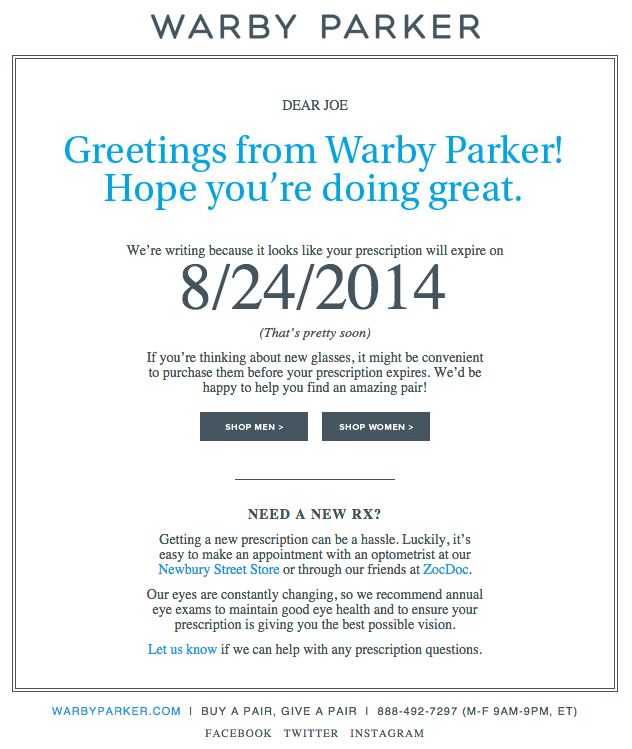
What goes better with a new prescription than a new pair of glasses? The folks at Warby Parker made that connection very clear in their email to a friend of mine back in 2014. It’s an older email, but it’s such a good example of personalized email marketing that I had to include it in here.
The subject line was: “Uh-oh, your prescription is expiring.” What a clever email trigger. And you’ve gotta love the reminder that your prescription needs updating.
Speaking of which, check out the clever co-marketing at the bottom of the email: If you don’t know where to go to renew your subscription, the information for an optometrist is right in the email. Now there’s no excuse not to shop for new glasses!
13. Cook Smarts
Marketing Campaign: Weekly Product Newsletter
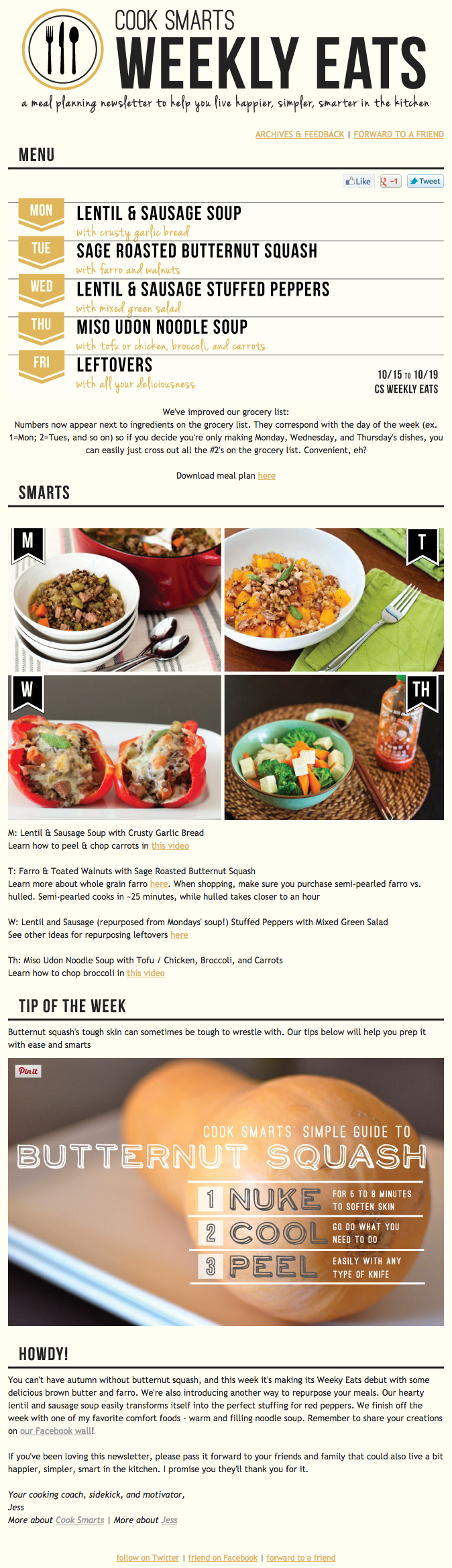
I’ve been a huge fan of Cook Smarts‘ “Weekly Eats” newsletter for a while. The company sends yummy recipes in the form of a meal plan to my inbox every week. But I didn’t just include it because of its delicious recipes — I’m truly a fan of its emails.
I especially love the layout of Cook Smarts’ emails: Each message features three distinct sections: one for the menu, one for kitchen how-to’s, and one for the tips. That means you don’t have to go hunting to find the most interesting part of its blog posts — you know exactly where to look after an email or two.
I also love Cook Smarts’ “Forward to a Friend” CTA in the top-right of the email. Emails are super shareable over — you guessed it — email, so you should also think about reminding your subscribers to forward your emails to friends, family, or coworkers.
14. HireVue
Marketing Campaign: Customer Retention
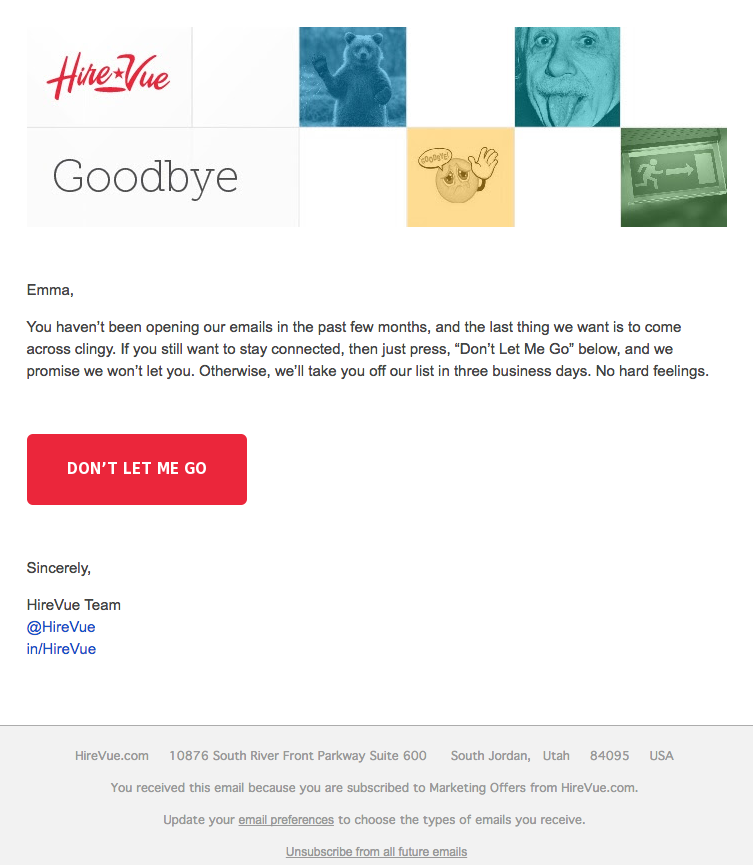
“Saying goodbye is never easy to do… So, we thought we’d give you a chance to rethink things.” That was the subject of this automated unsubscribe email from HireVue. We love the simple, guilt-free messaging here, from the funny header images to the great CTA button copy.
Not only are the design and copy here top-notch, but we applaud the folks at HireVue for sending automated unsubscribe emails in the first place. It’s smart to purge your subscriber lists of folks who aren’t opening your email lists, because low open rates can seriously hurt email deliverability.
15. Paperless Post
Marketing Campaign: Mother’s Day Promotion
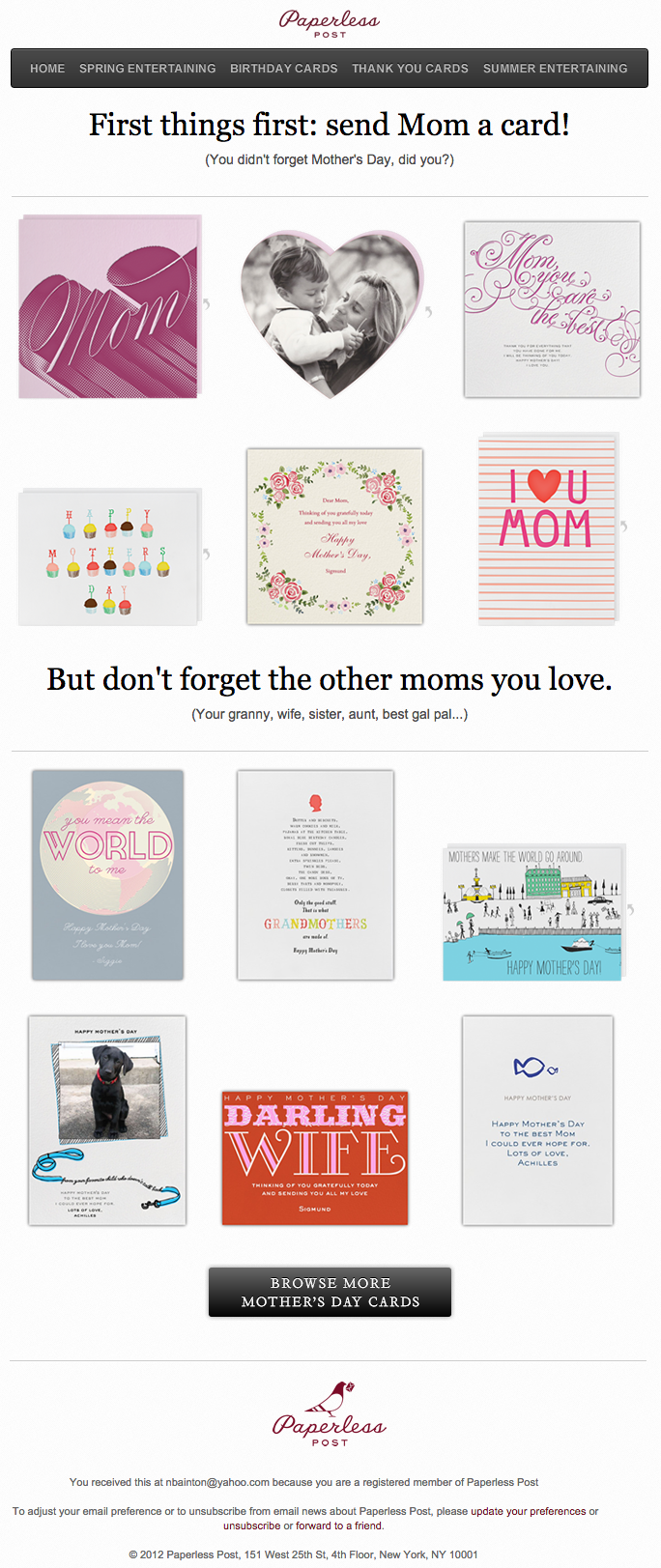
When you think of “holiday email marketing,” your mind might jump straight to Christmas, but there are other holidays sprinkled throughout the rest of the year that you can create campaigns around. (Download these email marketing planning templates to keep yourself organized throughout the year.)
Take the email below from Paperless Post, for example. I love the header of this email: It provides a clear CTA that includes a sense of urgency. Then, the subheader asks a question that forces recipients to think to themselves, “Wait, when is Mother’s Day again? Did I buy Mom a card?” Below this copy, the simple grid design is both easy to scan and quite visually appealing. Each card picture is a CTA in and of itself — click on any one of them, and you’ll be taken to a purchase page.
16. Stitcher
Marketing Campaign: Recommended for You
As humans, we tend to crave personalized experiences. So when emails appear to be created especially for you, you feel special — you’re not just getting what everyone else is getting. You might even feel like the company sending you the email knows you in some way, and that it cares about your preferences and making you happy.
That’s why I love on-demand podcast/radio show app Stitcher‘s “Recommended For You” emails. I tend to listen to episodes from the same podcast instead of branching out to new ones. But Stitcher wants me to discover (and subscribe to) all the other awesome content it has — and I probably wouldn’t without this encouragement.
I think this email also makes quite a brilliant use of responsive design. The colors are bright, and it’s not too hard to scroll and click — notice the CTAs are large enough for me to hit with my thumbs. Also, the mobile email actually has features that make sense for recipients who are on their mobile device. Check out the CTA at the bottom of the email, for example: The “Open Stitcher Radio” button prompts the app to open on your phone.

17. RCN
Marketing Campaign: Storm Update
Internet providers and bad weather are natural enemies. You’d think telecommunications companies wouldn’t want to call attention to storm-induced power outages — the one thing that sets off customers’ impatience. Then, there’s RCN.
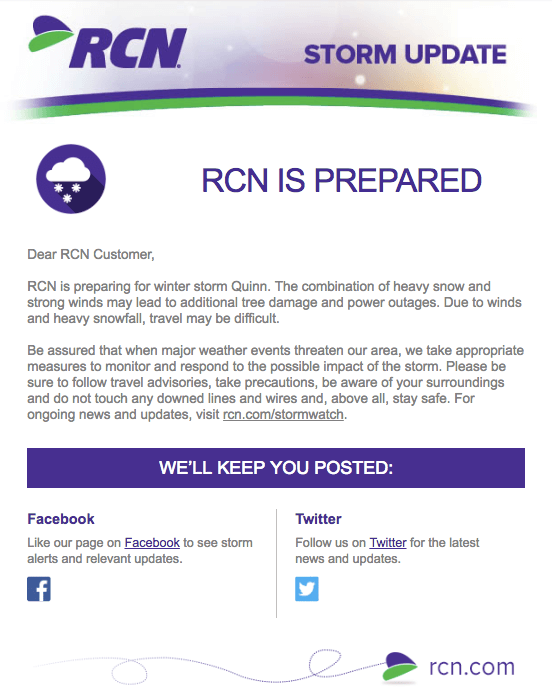
RCN, a cable and wireless internet service, turned this email marketing campaign into a weather forecast just for its customers. This “storm update” got the company out ahead of an event that threatened its service, while allowing its users to get the weather updates they need right from the company they count on for Wi-Fi.
As you can see below, the email even advises personal safety — a nice touch of care to go with the promise of responsive service. At the bottom of the email, RCN also took the opportunity to highlight its social media channels, which the company appropriately uses to keep users informed of network outages.
18. Trulia
Marketing Campaign: Moving Trends
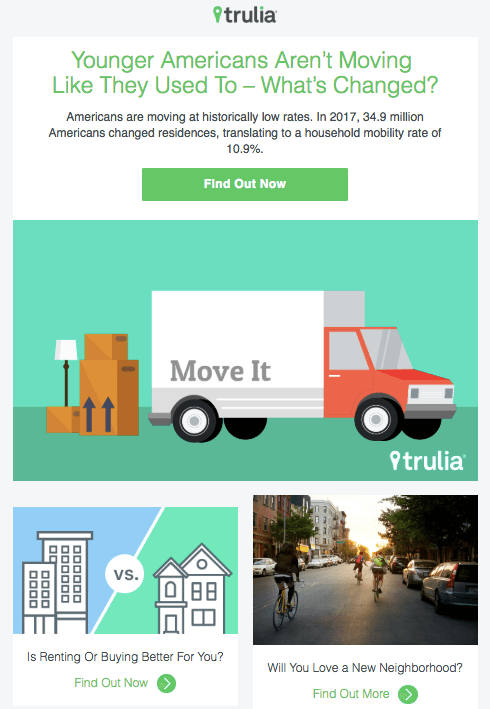
I’m a huge advocate of thought leadership. To me, some of the best companies gain customer loyalty by becoming the go-to source for expertise on a given topic. Trulia — a property search engine for buyers, sellers, and renters — is that expert in the real estate biz. How do I know? Just read their emails, much like the one below.
“Why aren’t millennials moving?” The subject line of this email campaign reads before citing interesting data about relocation trends in the U.S. Trulia doesn’t benefit from people who choose not to move, but the company does benefit from having its fingers on the pulse of the industry — and showing it cares which way the real estate winds are blowing.
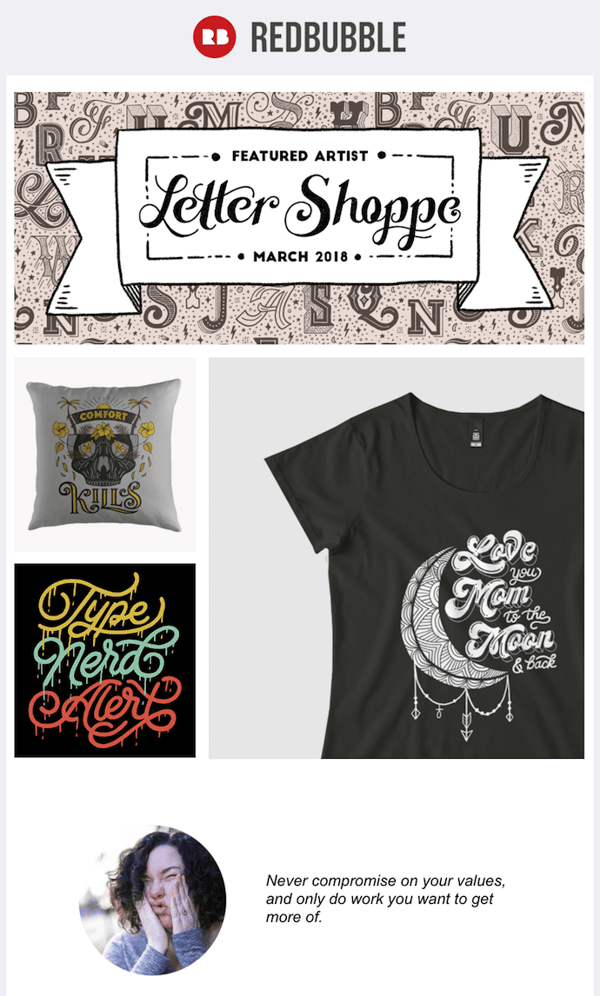
19. RedBubble
Marketing Campaign: Featured Artist
This email marketing campaign crushes it, and for so many reasons.
Not only is the design below super eye-catching — without looking cluttered — but the artwork is user-made. RedBubble sells merchandise featuring designs from artists all over the world. This presents a golden opportunity to feature popular submissions across the RedBubble community.
The example below showcases artwork from “Letter Shoppe,” and when that artist sees RedBubble featuring her content, she’s more likely to forward it to friends and colleagues.
In addition to linking to Letter Shoppe’s designs (available on merchandise that is ultimately sold by RedBubble), the email campaign includes an endearing quote by the Featured Artist: “Never compromise on your values, and only do work you want to get more of.” RedBubble’s customers are likely to agree — and open other emails in this campaign for more inspiring quotes.
These are just some of our favorite emails. Don’t just follow best practice when it comes to your marketing emails. Every email you send from your work email address also can be optimized to convert. Try out our free email signature generator now, and check out some more of our favorite HubSpot marketing email examples.
Editor’s note: This post was originally published in October 2013 and has been updated for comprehensiveness.

How to Write a Blog Post: A Step-by-Step Guide [+ Free Blog Post Templates]
You probably already know how integral the process of blogging is to the success of your marketing efforts. Which is why it goes without saying it’s exceptionally important to learn how to effectively start and manage a blog in a way that supports your business.
Without a blog, you’ll find yourself experiencing a number of problems such as poor search engine optimization (SEO), lack of promotional content for social, little clout with your leads and customers, and fewer pages to share your lead-generating calls-to-action (CTAs) on.
So why, oh why, do so many marketers I talk to still have a laundry list of excuses for why they can’t maintain a blog?
Maybe because, unless you enjoy writing, business blogging might seem uninteresting, time consuming, and difficult.
Well, the time for excuses is over and this guide is here to help you understand why. We’ll cover how to write and manage your business’s blog as well as provide helpful templates to simplify your blogging efforts.
Let’s get started with an important question.
Today, people and organizations of all walks of life manage blogs to share analyses, instruction, criticisms, product information, industry findings, and more. There are many popular blog formats but, here are six of the most common:
- The “How-To” Post
- The List-Based Post
- The “What Is” Post
- The Pillar Page Post
- The Newsjacking Post
- The Infographic Post
Save time and download six blog templates for free.
So, how do you ensure your blog post catches the eyes of your target audience, buyer personas, and customers?
What makes a good blog post?
Before you write a blog, make sure you know the answers to questions like, “Why would someone keep reading this entire blog post?” and “What makes our audience come back for more?”
To start, a good blog post is interesting and educational. Blogs should answer questions and help readers resolve a challenge they’re experiencing — and you have to do so in an interesting way.
It’s not enough just to answer someone’s questions — you also have to provide actionable steps while being engaging. For instance, your introduction should hook the reader and make them want to continue reading your post. Then, use examples to keep your readers interested in what you have to say.
Remember, a good blog post is interesting to read and provides educational content to audience members.
(Want to learn how to apply blogging and other forms of content marketing to your business? Check out HubSpot Academy’s free content marketing training resource page.)
So, how do you actually go about writing one of these engaging and informational pieces?
How to Write a Blog Post
Here are the steps you’ll want to follow while writing a blog post.
1. Understand your audience.
Before you start writing your blog post, make sure you have a clear understanding of your target audience.
Ask questions like: What do they want to know about? And, what will resonate with them?
This is where creating your buyer personas comes in handy. Consider what you know about your buyer personas and their interests while you’re coming up with a topic for your blog post.
For instance, if your readers are millennials looking to start a business, you probably don’t need to provide them with information about getting started in social media — most of them already have that down.
You might, however, want to give them information about how to adjust their social media approach (for example — from what may be a casual, personal approach to a more business-savvy, networking-focused approach). That kind of tweak is what helps you publish content about the topics your audience really wants (and needs).
Don’t have buyer personas in place for your business? Here are a few resources to help you get started:
- Create Buyer Personas for Your Business [Free Template]
- Blog Post: How to Create Detailed Buyer Personas for Your Business
- [Free Tool] Make My Persona: Buyer Persona Generator
2. Create your blog domain.
Next, you’ll need a place to host this and every other blog post you write. This requires choosing a content management system (CMS) and a website domain hosting service.
Choose a CMS.
A CMS helps you create a website domain where you’ll actually publish your blog. CMS platforms can manage domains (where you create your website) and subdomains (where you create a webpage that connects to an existing website).
HubSpot customers host web content via CMS Hub. Another popular option is a self-hosted WordPress website on WP Engine. Whether you create a domain or a subdomain to start your blog, you’ll need to choose a web hosting service after you pick a CMS.
Register a domain or subdomain with a website host.
Your blog’s domain will look like this: www.yourblog.com. The name between the two periods is up to you, as long as this domain name doesn’t yet exist on the internet.
Want to create a subdomain for your blog? If you already own a cooking business at www.yourcompany.com, you might create a blog that looks like this: blog.yourcompany.com. In other words, your blog’s subdomain will live in its own section of yourcompany.com.
Some CMSs offer subdomains as a free service, where your blog lives on the CMS, rather than your business’s website. For example, it might look like this: yourblog.contentmanagementsystem.com. However, to create a subdomain that belongs to a company website, register the subdomain with a website host.
Most website hosting services charge very little to host an original domain — in fact, website costs can be as inexpensive as $3 per month.
Here are five popular web hosting services to choose from:
3. Customize your blog’s theme.
Once you have your domain name set up, customize the appearance of your blog to reflect the theme of the content you plan on creating and your brand.
For example, if you’re writing about sustainability and the environment, green might be a color to keep in mind while designing.
If you already manage a website and are writing the first post for that existing website, ensure the article is consistent with the website in appearance and subject matter. Two ways to do this are including your:
- Logo: This can be your business’s name and/ or logo — it will remind blog readers of who’s publishing the content. (How heavily you want to brand your blog, however, is up to you.)
- “About” Page: You might already have an “About” blurb describing yourself or your business. Your blog’s “About” section is an extension of this higher-level statement. Think of it as your blog’s mission statement, which serves to support your company’s goals.
4. Identify your first blog post’s topic.
Before you write anything, pick a topic for your blog post. The topic can be pretty general to start. For example, if you’re a company that sells a CRM for small-to-enterprise businesses, your post might be about the importance of using a single software to keep Marketing, Sales, and Service aligned.
Pro tip: You may not want to jump into a “how-to” article for your first blog post.
For instance, if you’re a plumber writing your first post, perhaps you’d write about modern faucet setups, or tell a particular success story you had rescuing a faucet before it flooded a customer’s house. Here are four other types of blog posts you could start with:
- List (“Listicle”): 5 ways to fix a leaky faucet
- Curated Collection: 10 faucet and sink brands to consider today
- SlideShare Presentation: 5 types of faucets to replace your old one (with pictures)
- News Piece: New study shows X% of people don’t replace their faucet frequently enough
If you’re having trouble coming up with topic ideas, check out this blog post by my colleague. In the post, she walks through a helpful process for turning one idea into many. Similar to the “leaky faucet” examples above, she suggests you “iterate off old topics to come up with unique and compelling new topics.”
This can be done by:
- Changing the topic scope
- Adjusting your time frame
- Choosing a new audience
- Taking a positive/negative approach
- Introducing a new format
5. Come up with a working title.
You might come up with a few different working titles — in other words, iterations of approaching that topic to help you focus your writing.
For example, you may decide to narrow your topic to “Tools for Fixing Leaky Faucets” or “Common Causes of Leaky Faucets.” A working title is specific and will guide your post so you can start writing.
Let’s take a real post as an example: “How to Choose a Solid Topic for Your Next Blog Post.” Appropriate, right? The topic, in this case, was probably “blogging.” Then the working title may have been something like, “The Process for Selecting a Blog Post Topic.” And the final title ended up being “How to Choose a Solid Topic for Your Next Blog Post.”
See that evolution from topic, to working title, to final title? Even though the working title may not end up being the final title (more on that in a moment), it still provides enough information so you can focus your blog post on something more specific than a generic, overwhelming topic.
6. Write an intro (and make it captivating).
We’ve written more specifically about writing captivating introductions in the post, “How to Write an Introduction,” but let’s review, shall we?
First, grab the reader’s attention. If you lose the reader in the first few paragraphs — or even sentences — of the introduction, they’ll stop reading (even before they’ve given your post a fair shake). You can do this in a number of ways: tell a story or a joke, be empathetic, or grip the reader with an interesting fact or statistic.
Then, describe the purpose of your post and explain how it will address a problem the reader may be experiencing. This will give the reader a reason to continue reading and offer a connection to how it will help them improve their work/lives.
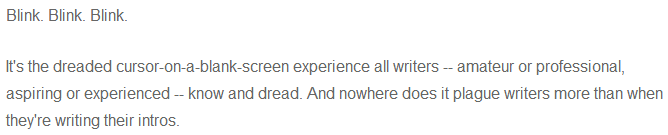
Here’s an example of a post we think does a good job of attracting a reader’s attention right away:
7. Organize your content in an outline.
Sometimes, blog posts can have an overwhelming amount of information — for the reader and the writer. The trick is to organize the info in a way so readers aren’t intimidated by length or amount of content. This organization can take multiple forms — sections, lists, tips — whatever’s most appropriate. But it must be organized!
Let’s take a look at the post, “How to Use Snapchat: A Detailed Look Into HubSpot’s Snapchat Strategy.” There’s a lot of content in the piece, so it’s broken up into a few sections using descriptive headers. The major sections are separated into sub-sections that go into more detail, making the content easier to read.
To complete this step, all you really need to do is outline your post. This way, before you start writing, you’ll know which points you want to cover and the best order to do so in. And to make things even easier, you can download and use our free blog post templates, which are pre-organized for six of the most common blogs. Just fill in the blanks!
8. Write your blog post!
The next step — but not the last — is actually writing the content. We can’t forget about that, of course.
Now that you have your outline/template, you’re ready to fill in the blanks. Use your outline as a guide and expand on all points as needed. Write about what you already know, and if necessary, conduct additional research to gather more information, examples, and data to back up your points, while providing proper attribution when incorporating external sources.
(Need help finding accurate and compelling data to use in your post? Check out this roundup of sources for inspiration.)
If you’re having trouble stringing sentences together, you’re not alone. Finding your “flow” can be challenging for a lot of folks. Luckily, there are a ton of tools you can lean on to help you improve your writing. Here are a few to get you started:
- Power Thesaurus: Stuck on a word? Power Thesaurus is a crowdsourced tool that provides users with a number of alternative word choices from a community of writers.
- ZenPen: If you’re having trouble staying focused, check out this distraction-free writing tool. ZenPen creates a minimalist “writing zone” designed to help you get words down without having to fuss with formatting right away.
- Cliché Finder: Feeling like your writing might be coming off a little cheesy? Identify instances where you can be more specific using this handy cliché tool.
For a complete list of tools for improving your writing skills, check out this post. And if you’re looking for more direction, the following resources are chock-full of valuable writing advice:
- The Marketer’s Pocket Guide to Writing Well [Free Ebook]
- How to Write Compelling Copy: 7 Tips for Writing Content That Converts
- How to Write With Clarity: 9 Tips for Simplifying Your Message
- The Kurt Vonnegut Guide to Great Copywriting: 8 Rules That Apply to Anyone
- Your Blog Posts Are Boring: 9 Tips for Making Your Writing More Interesting
- The Beginner’s Guide to Starting a Successful Blog in 2019
9. Proofread and edit your post.
You’re not quite done yet, but you’re close! The editing process is an important part of blogging — don’t overlook it.
Ask a grammar-conscious co-worker to copyedit and proofread your post. You may also consider enlisting the help of The Ultimate Editing Checklist or using a free grammar checker like Grammarly.
If you’re looking to brush up on your self-editing skills, turn to these helpful posts for some tips and tricks to get you started:
- Confessions of a HubSpot Editor: 11 Editing Tips From the Trenches
- How to Become a More Efficient Editor: 12 Ways to Speed Up the Editorial Process
- 10 Simple Edits That’ll Instantly Improve Any Piece of Writing
When you’re ready to check your formatting, keep the blog elements in mind …
Featured Image
Choose a visually appealing and relevant image for your post. As social networks treat content with images more prominently, visuals are more responsible than ever for the success of your blog content.
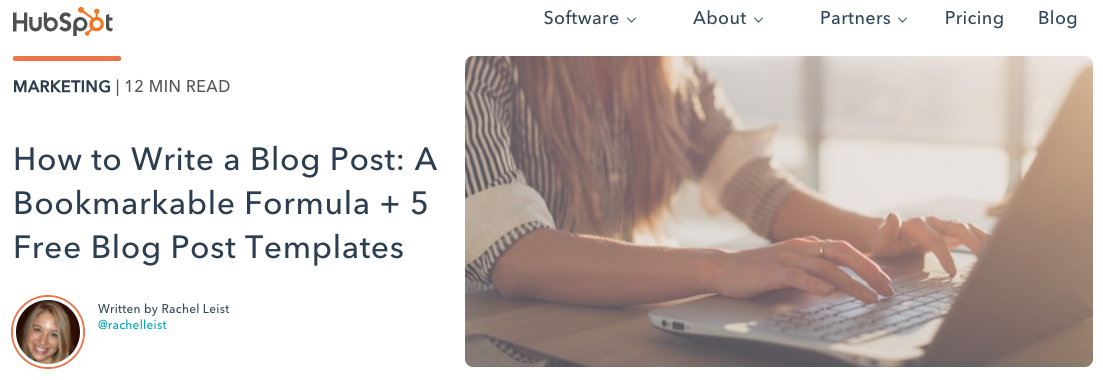
In fact, it’s been shown that content with relevant images receives 94% more views than content without relevant images. For help selecting an image for your post, read “How to Select the Perfect Image for Your Next Blog Post” and pay close attention to the section about copyright law.
Visual Appearance
No one likes an unattractive blog post. And it’s not just pictures that make a post visually appealing — it’s the formatting and organization of the post, too.
In a well-formatted and visually-appealing blog post, you’ll notice that header and sub-headers are used to break up large blocks of text — and those headers are styled consistently.
Here’s an example of what that looks like:
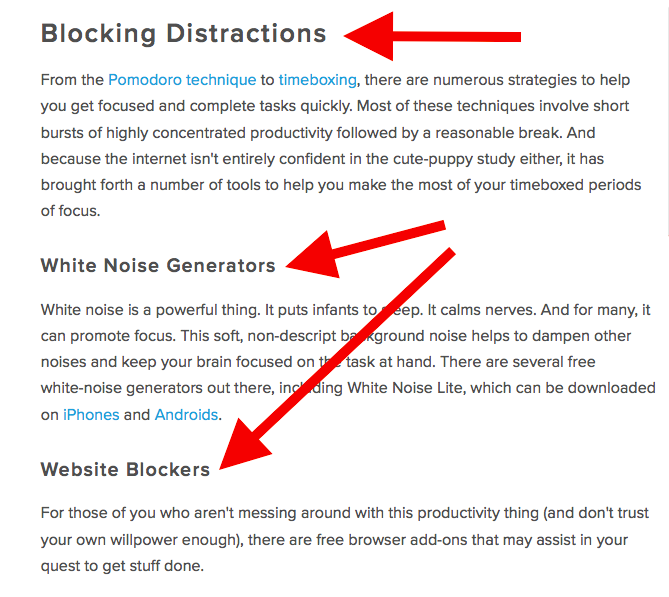
Screenshots should always have a similar, defined border so they don’t appear as if they’re floating in space — that style should stay consistent from post to post.
Maintaining this consistency makes your content look more professional and easier on the eyes.
Topics and Tags
Tags are specific, public-facing keywords that describe a post. They also allow readers to browse for more content in the same category on your blog. Refrain from adding a laundry list of tags to each post. Instead, put some thought into a blog tagging strategy.
Think of tags as “topics” or “categories,” and choose 10-20 tags that represent all the main topics you want to cover on your blog. Then stick to those.
10. Insert a CTA.
At the end of every blog post, insert a CTA that indicates what you want the reader to do next — subscribe to your blog, download an ebook, register for a webinar or event, read a related article, etc.
Your visitors read your blog post, they click on the CTA, and eventually you generate a lead. But the CTA is also a valuable resource for the person reading your content — use your CTAs to offer more content similar to the subject of the post they just finished reading.
In the blog post, “What to Post on Instagram: 18 Photo & Video Ideas to Spark Inspiration,” for instance, readers are given actionable ideas for creating valuable Instagram content. At the end of the post is a CTA referring readers to download a comprehensive guide on how to use Instagram for business:
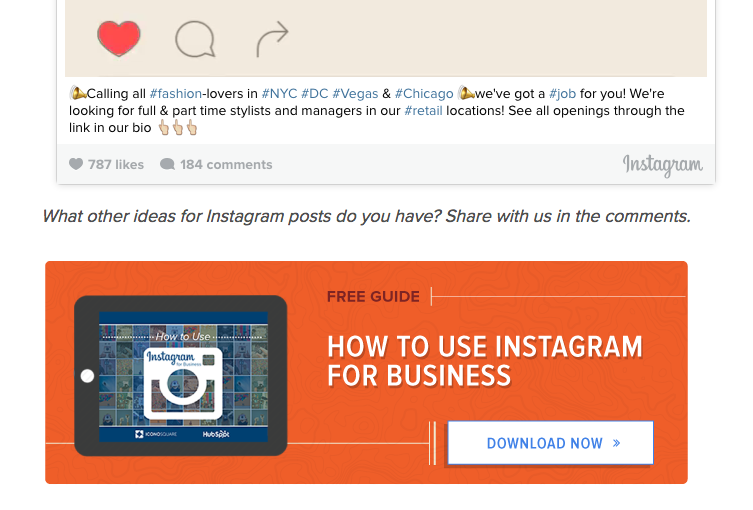
See how that’s a win-win for everyone? Readers who want to learn more have the opportunity to do so, and the business receives a lead they can nurture … who may even become a customer!
11. Optimize for on-page SEO.
After you finish writing, go back and search engine optimize your post.
Don’t obsess over how many keywords to include. If there are opportunities to incorporate keywords you’re targeting, and it won’t impact reader experience, do it. If you can make your URL shorter and more keyword-friendly, go for it. But don’t cram keywords or shoot for some arbitrary keyword density — Google’s smarter than that!
Here’s a little blog SEO reminder about what you should review and optimize:
Meta Description
Meta descriptions are the descriptions below the post’s page title on Google’s search results pages. They provide searchers with a short summary of the post before clicking into it. They are ideally between 150-160 characters and start with a verb, such as “Learn,” “Read,” or “Discover.”
While meta descriptions no longer factor into Google’s keyword ranking algorithm, they give searchers a snapshot of what they’ll get from reading the post and help improve your clickthrough rate from search.
Page Title and Headers
Most blogging software uses your post title as your page title, which is the most important on-page SEO element at your disposal. But if you’ve followed our formula so far, you should already have a working title that will naturally include keywords and/ or phrases your target audience is interested in.
Don’t over-complicate your title by trying to fit in keywords where they don’t naturally belong. With that said, if there are clear opportunities to add keywords you’re targeting to your post title and headers, feel free to take them. Also, try to keep your headlines short — ideally, under 65 characters — so they don’t get truncated in the search engine results.
Anchor Text
Anchor text is the word or words that link to another page — either on your website or on another website. Carefully select which keywords you want to link to other pages on your site because search engines take that into consideration when ranking your page for certain keywords.
It’s also important to consider which pages you link to. Consider linking pages that you want to rank for a specific keyword. You could end up getting it to rank on Google’s first page of results instead of its second page — and that ain’t small potatoes.
Mobile Optimization
With mobile devices accounting for nearly two-of-three minutes spent online, having a website with a responsive design is critical. In addition to making sure your website’s visitors (including your blog’s visitors) have the best experience possible, optimizing for mobile will score your website some SEO points.
To make sure your site is getting the maximum SEO benefit possible, check out this free guide: How to Make a Mobile-Friendly Website: SEO Tips for a Post-“Mobilegeddon” World.
12. Pick a catchy title.
Last but not least, it’s time to spruce up that working title of yours. Luckily, we have a simple formula for writing catchy titles that will grab the attention of your reader. Here’s what to consider:
- Start with your working title.
- As you start to edit your title, keep in mind that it’s important to keep the title accurate and clear.
- Then, work on making your title sexy — whether it’s through strong language, alliteration, or another literary tactic.
- If you can, optimize for SEO by sneaking some keywords in there (only if it’s natural, though!).
- Finally, see if you can shorten it at all. No one likes a long, overwhelming title — remember, Google prefers 65 characters or fewer before it truncates it on its search engine results pages.
If you’ve mastered the steps above, learn about some ways to take your blog posts to the next level. Want some real examples of blog posts? See what your first blog post can look like, below, based on the topic you choose and the audience you’re targeting.
1. List-Based Blog Post
List-Based Post Example: 10 Fresh Ways to Get Better Results From Your Blog Posts
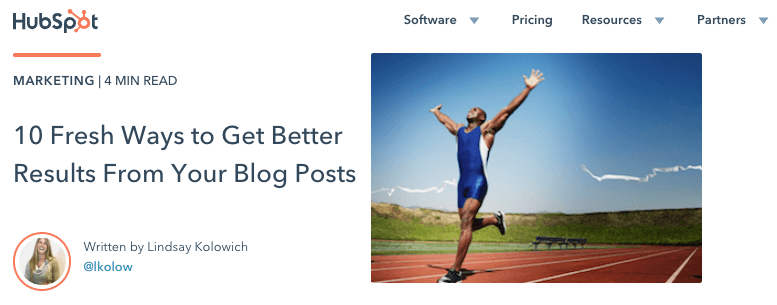
List-based posts are sometimes called “listicles,” a mix of the words “list” and “article.” These are articles that deliver information in the form of a list. A listicle uses sub-headers to break down the blog post into individual pieces, helping readers skim and digest your content more easily. According to ClearVoice, listicles are among the most shared types of content on social media across 14 industries.
As you can see in the example from our blog, above, listicles can offer various tips and methods for solving a problem.
2. Thought Leadership Post
Example: What I Wish I Had Known Before Writing My First Book
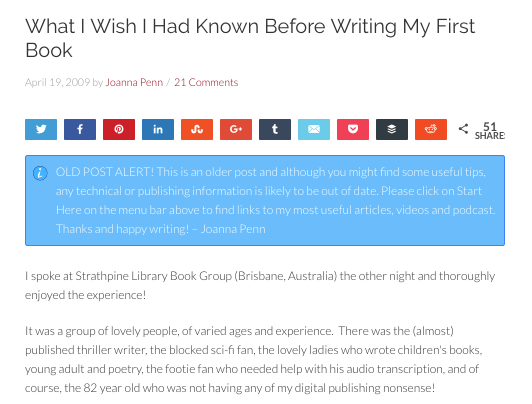
Thought leadership posts allow you to indulge in your expertise on a particular subject matter and share firsthand knowledge with your readers.
These pieces — which can be written in the first person, like the post by Joanna Penn, shown above — help you build trust with your audience so people take your blog seriously as you continue to write for it.
3. Curated Collection Post
Example: 8 Examples of Evolution in Action
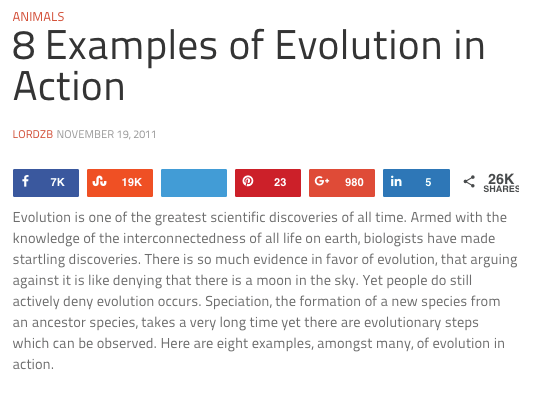
Curated collections are a special type of listicle blog post. Rather than sharing tips or methods for doing something, this type of blog post shares a list of real examples that all have something in common in order to prove a larger point.
In the example post above, Listverse shares eight real examples of evolution in action among eight different animals — starting with the peppered moth.
4. Slideshare Presentation
Example: The HubSpot Culture Code
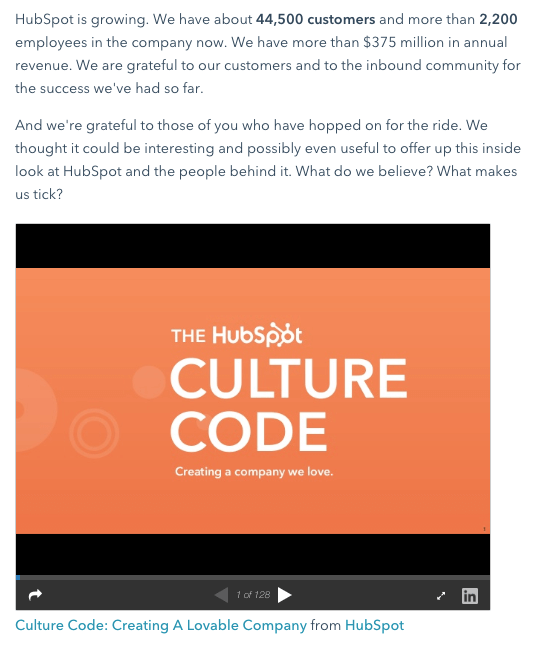
Slideshare is a presentation tool owned by the social network, LinkedIn, that helps publishers package a lot of information into easily shareable slides. Think of it like a PowerPoint, but for the web. With this in mind, Slideshare blog posts help you promote your Slideshare so that it can generate a steady stream of visitors.
Unlike blogs, Slideshare decks don’t often rank well on search engines, so they need a platform for getting their message out there to the people who are looking for it. By embedding and summarizing your Slideshare on a blog post, you can share a great deal of information and give it a chance to rank on Google at the same time.
Need some Slideshare ideas? In the example above, we turned our company’s “Culture Code” into a Slideshare presentation that anyone can look through and take lessons from, and then promoted it in a blog post.
5. Newsjacking Post
Example: Ivy Goes Mobile With New App for Designers

“Newsjacking” is a nickname for “hijacking” your blog to break important news related to your industry. Therefore, the newsjack post is a type of article whose sole purpose is to garner consumers’ attention and, while offering them timeless professional advice, also prove your blog to be a trusted resource for learning about the big things that happen in your industry.
The newsjack example above was published by Houzz, a home decor merchant and interior design resource, about a new mobile app that launched just for interior designers. Houzz didn’t launch the app, but the news of its launching is no less important to Houzz’s audience.
6. Infographic Post
Example: The Key Benefits of Studying Online [Infographic]
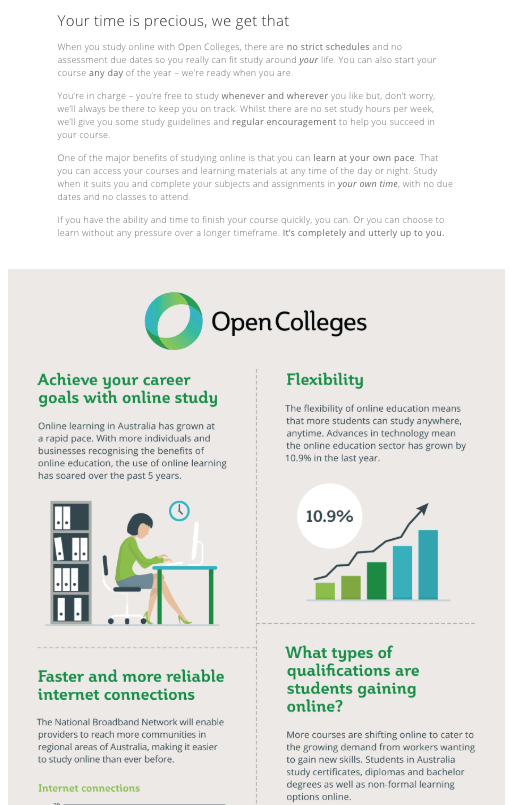
The infographic post serves a similar purpose as the Slideshare post — the fourth example, explained above — in that it conveys information for which plain blog copy might not be the best format.
For example, when you’re looking to share a lot of statistical information (without boring or confusing your readers), building this data into a well-designed, even fun-looking infographic can help keep your readers engaged with your content. It also helps readers remember the information long after they leave your website.
7. How-to Post
Example: How to Write a Blog Post: A Step-by-Step Guide
For this example, you need not look any further than the blog post you’re reading right now! How-to guides like this one help solve a problem for your readers. They’re like a cookbook for your industry, walking your audience through a project step by step to improve their literacy on the subject.
The more posts like this you create, the more equipped your readers will be to work with you and invest in the services you offer.
8. Guest Post
Example: Your Bookmarkable Guide to Social Media Image Sizes in 2020 [Infographic]

Guest posts are a type of blog post that you can use to include other voices on your blog. For example, if you want to get an outside expert’s opinion on a topic, a guest post is perfect for that.
Additionally, these posts give your blog variety in topic and viewpoint. If your customer has a problem you can’t solve, a guest post is a great way to solve that problem.
If you begin accepting guest posts, set up editorial guidelines to ensure they’re up to the same standards as your posts.
Ready to blog?
Blogging can help you build brand awareness, become a thought-leader and expert in your industry, attract qualified leads, and boost conversions. Follow the steps and tips we covered above to begin publishing and enhancing your blog today.
Editor’s note: This post was originally published in October 2013 and has been updated for comprehensiveness.

The Beginner’s Guide to Conversion Rate Optimization (CRO)
Today, most marketing teams are focused on driving traffic toward websites in hopes that this traffic then converts into qualified leads for sale reps to close. The cycle continues and business grows.
Although this is an oversimplified look at the standard marketing playbook, it’s relevant to most businesses and marketing teams.
But there’s something missing — a tactic that few marketing teams focus on, yet one that propels the companies that do toward long-term, sustainable success and growth: Getting more out of existing traffic and leads (versus entirely new traffic).
That’s where conversion rate optimization (CRO) comes in.
In this guide, you’ll learn about the power of CRO, why your business should focus on improving your conversion rate, and how to get get started.
What is a conversion rate?
A conversion rate is the percentage of visitors who complete a desired action (in other words, convert). For instance, a desired action may be completing a web form, signing up for a service, or purchasing a product.
Conversion rate is calculated by dividing your number of conversions by your number of visitors and multiplying that number by 100 to get the percentage.
Conversion rate optimization, or CRO, is the process of enhancing your website and content to boost conversions. A high conversion rate means your website is well-designed, formatted effectively, and appealing to your target audience.
The process of optimizing for conversions allows you to boost your number of highly-qualified leads, increase revenue, lower acquisition costs, obtain greater value from your current leads and customers, and, simply, grow better.
Conversions can happen all over your website (e.g. homepage, pricing page, blog, landing pages, etc.). As a business, you want your website to be designed in a way that converts website visitors into paying customers. With so much potential throughout these areas of your website, you must optimize each location to allow for conversions.
How Websites Benefit From CRO
Here are four areas of your website that have the potential to largely benefit from conversion rate optimization.
1. Homepage
Homepages are prime candidates for CRO. In addition to making a first impression on visitors, the homepage is also an opportunity to retain those visitors and guide them further into your website.
You can do this by emphasizing links to product information, offering a free signup button, or even incorporating a chatbot that solicits questions from visitors at any point during their browsing experience.
2. Pricing Page
A website’s pricing page can be the make-or-break point for many website visitors. CRO can help a pricing page convert visitors into customers by modifying the pricing intervals (e.g. price-per-year vs. price-per-month), describing the product features associated with each price, and including a phone number for visitors to call for a price quote.
3. Blog
A blog is a massive conversion opportunity for a website. In addition to publishing thoughtful and helpful content about your industry, a blog can use CRO to convert readers into leads.
This process often includes adding calls-to-action (CTA) throughout an article or inviting readers to learn more about a topic by submitting their email address in exchange for an ebook or industry report.
4. Landing Pages
Landing pages are inherently designed for people to take an action. An event landing page, for example, can be optimized with a video of last year’s event to encourage visitors to register this year. And if a landing page is being used to share a free resource with visitors, it can be optimized with preview content from that resource to encourage visitors to download it.
Now that you know where you can optimize for conversions, you may be wondering how you know when your business is ready to start the process.
When is CRO right for your business?
Simply, if your business is attracting website visitors, then you should take CRO into consideration. That’s because, no matter how established or large your company is, you want to convert your visitors into qualified leads, customers, and brand advocates — and you want to do so in the most effective, impactful, and reliable way.
With the process of conversion rate optimization, you’ll get more out of your existing website traffic while ensuring you’re targeting qualified leads.
Although this is a straightforward concept, setting a conversion goal isn’t as easy as saying, “This page converted 50 people this month, so we want to convert 100 people next month.”
You don’t just want 50 more conversions from a webpage. Instead, you want 50 more conversions for every X amount of people who visit it. (This is your conversion rate — the percentage of people who convert on your website based on how many people have touched it).
To provide a better understanding of where you stand at any point in time in regards to conversion rate, here are three commonly-used formulas your business can use to understand, analyze, and improve.
CRO Calculation 1: Conversion Rate
As we mentioned earlier, to calculate conversion rate, you must divide your number of conversions (or leads generated) by your number of visitors (or web traffic), and then multiply that number by 100 to get the percentage.
Leads Generated ÷ Website Traffic x 100 = Conversion Rate %
CRO Calculation 2: Number of Net New Customers
To calculate your number of net new customers, you’ll want to divide your net revenue goal by your average sales price.
New Revenue Goal ÷ Average Sales Price = Number of New Customers
CRO Calculation 3: Lead Goal
And lastly, to calculate your lead goal, take your number of new customers and divide it by your lead-to-customer close rate (which is your total number of leads divided by total number of customers) percentage.
Number of New Customers ÷ Lead-to-Customer Close Rate % = Lead Goal
Here’s an example of these formulas in action:
If your website has 10,000 visitors per month that generate 100 leads — and subsequently, 10 customers each month — the website visitor-to-lead conversion rate would be 1%.
What if you wanted to generate 20 customers each month?
You could try to get 20,000 visitors to your website and hope that the quality of your traffic doesn’t decrease — although, that’s a risk you’ll likely want to avoid. Rather, you could obtain more leads from your existing traffic by optimizing your conversion rate. This is less risky and is more likely to produce better results for your bottom line.
For instance, if you increase your conversion rate from 1% to 2%, you’d double your leads and your customers. The following table is proof of this — you can see the positive impact that results from increasing your website’s conversion rate:
| Company | a | B | c |
| Monthly Site Traffic | 10,000 | 10,000 | 10,000 |
| Conversion Rate | 1% | 2% | 3% |
| Leads Generated | 100 | 200 | 300 |
| New Customers | 10 | 20 | 30 |
Notice the drastic increases in number of leads generated and net new customers when you boost your conversion rate.
Not only that, but it’s clear that generating more website traffic isn’t necessarily the right approach when trying to improve your conversion rate — in fact, this chart shows you that you can grow your business substantially without increasing traffic at all.
Hard to believe? Think about this way: Pretend you were trying to fill up a leaky bucket. If you pour more water into the bucket, you won’t fix the root cause of the issue — instead, you’ll end up with a lot of water that’s wasted (not to mention, a bucket that will never fill up all the way).
Are you ready to take the first steps toward CRO at your company? Review the strategies below and start experimenting.
CRO Marketing Strategies to Try
Here are some applicable conversion rate optimization marketing strategies to test and implement at your company.
1. Create text-based CTAs within blog posts.
While it’s good practice to include a CTA in s blog post, they sometimes fail to entice visitors to take your desired course of action.
Banner blindness is a real phenomenon related to people becoming accustomed to ignoring banner-like information on websites. This lack of attention coupled with the fact site visitors don’t always read all the way to the bottom of a blog post (rather, they “snack” on content), means a different approach is required.
That’s where the text-based CTA comes in handy. Here at HubSpot, we ran a test with text-based CTAs — a standalone line of text linked to a landing page and styled as an H3 or an H4 — to see if they would convert more traffic into leads than regular CTAs located at the bottom of a web page.
In HubSpot’s limited test of 10 blog posts, regular end-of-post banner CTAs contributed an average of just 6% of leads that the blog posts generated, whereas up to 93% of a post’s leads came from the anchor-text CTA alone.
2. Add lead flows on your blog.
A lead flow is another conversion rate optimization element you can include on your site. Lead flows are high-converting pop-ups designed to attract attention and offer value.
You can select from a slide-in box, drop-down banner, or pop-up box, depending on your offer. We experimented with the slide-in box on the HubSpot Blog and it achieved a 192% higher clickthrough rate and 27% more submissions than a regular CTA at the bottom of a blog post.
3. Run tests on your landing pages.
Landing pages are an important part of the modern marketer’s toolkit and, as mentioned earlier, integral to conversion rate optimization.
That’s because a landing page is where a website visitor becomes a lead or an existing lead engages more deeply with your brand. To optimize a landing page, run A/B tests to identify your best design and content features for audience members.
For instance, with A/B testing you can quickly and easily test different versions of your website copy, content offers, images, form questions, and web pages to determine what your target audience and leads respond to best.
Get everything you need to start effectively A/B Testing your website today.
4. Help leads to immediately become a marketing-qualified lead.
Sometimes visitors want to get right down to business, skip parts of the typical buyer’s journey, and immediately speak with a sales rep (rather than be nurtured).
There are specific actions you should encourage these high-intent visitors to complete so they can easily become marketing qualified leads (MQLs) — and they can take action through a combination of thoughtfully designed web pages, compelling and clear copy, and smart CTAs.
For instance, at HubSpot, we discovered that visitors who sign up for product demos convert at higher rates than visitors who sign up for free product trials. So, we optimized our website and conversion paths for people booking demos or meetings with a sales rep.
Admittedly, this depends on your product and sales process, but our best advice is to run a series of tests to find out what generates the most customers. Then, optimize for that process. The key here is to look for ways to remove friction from your sales process.
5. Build workflows to enable your team.
There are a number of automated workflows you can create to enable your team with the help of marketing automation software.
For example, with marketing automation, it’s possible to send automatic emails with workflows. Then, leads can book meetings with reps in one click. Meanwhile, reps receive notifications when leads take high-intent actions such as view the pricing page on your website. Or, if you work in ecommerce, you can send an email to people who abandon their shopping cart as a reminder.
6. Add messages to high-converting web pages.
Use live chat software to chat with your website visitors in real-time and offer support and guidance as needed. To increase conversions, add these messaging features to your high-performing web pages — such as your pricing and product pages — so leads get the information they want in real-time.
You can also make your messaging and chat bots action-based. For example, if someone has spent more than a minute on the page, you may want to automatically offer to help and answer any questions they may have (again, a live chat tool, like HubSpot, makes this easy).
7. Optimize high-performing blog posts.
Again, publishing blog articles opens the door to a big opportunity for conversions. Even more so if you already have existing blog content on your site — in fact, at HubSpot, the majority of our monthly blog views and leads come from posts published over a month ago.
To get started optimizing your blog content, identify your posts with the highest levels of web traffic but low conversion rates. (Possible causes of this issue may be related to SEO, the content offer you are promoting, or your CTA.)
In one instance, we at HubSpot added an inbound press release template offer to a blog post about press releases — as a result, we saw conversions for that post increase by 240%.
Additionally, look at your blog posts with high conversion rates. You want to drive more qualified website traffic to those posts and you can do so by optimizing the content for the search engine results page (SERP) or updating it as needed to ensure it’s fresh and relevant.
8. Leverage retargeting to re-engage website visitors.
It doesn’t matter what your key conversion metric is: The cold, hard truth is that most people on your website don’t take the action you want them to. By leveraging retargeting, you can re-engage people who left your website.
Retargeting works by tracking visitors to your website and serving them online ads as they visit other sites around the web. This is particularly impactful when you retarget people who visited your highest-converting web pages.
The normal inbound rules still apply here — you need well-crafted copy, engaging visuals, and a compelling offer for retargeting to work.
(If you’re a HubSpot customer, take a look at how the AdRoll integration can improve your conversion efforts.)
Now, let’s talk about how you can get started with CRO at your company.
How to Get Started with Conversion Rate Optimization (CRO)
Maybe you’re wondering, “Where do I start with CRO?”
Enter: PIE framework. Before starting a CRO project, prioritize your efforts by ranking each element on Potential, Importance, and Ease.
Use the PIE framework to answer the following questions for every strategy outlined in the previous section. Then, assign a score between one and 10 (one being the lowest and 10 being the highest) to each strategy.
- How much total improvement can this project offer?
- How valuable will this improvement be?
- How complicated or difficult will it be to implement this improvement?
Once you’ve assigned a score for each strategy, add up the numbers and divide the total by three — this gives a score that shows what project will have the greatest impact. Then, work on the projects with the highest scores first.
The PIE framework isn’t perfect, but it’s easy to understand, systematic, and offers a starting point for CRO collaboration and communication among colleagues.
Begin Using CRO
There are many “best practices” out there when it comes to CRO but, ultimately, you need to find out what your customers respond to, and what drives results for your business.
Keep these three follow-up actions in mind when getting started with CRO today:
- Use the three formulas to start the CRO conversation.
- Experiment with CRO strategies to discover what works for your business.
- Leverage the PIE framework to help prioritize your strategy.
Editor’s note: This post was originally published in January, 2019 and has been updated for comprehensiveness.

Beginner’s Guide to Successful Facebook Ads
Thinking of diving into Facebook ads? Wondering what the common pitfalls are? In this article, you’ll discover three important considerations when starting your first Facebook ad campaign. #1: Commit to a Facebook Funnel Implementation All successful marketing starts with a clear strategy and Facebook advertising is no exception. With a strategy built around your available […]
The post Beginner’s Guide to Successful Facebook Ads appeared first on Social Media Marketing | Social Media Examiner.
from Social Media Marketing | Social Media Examiner https://ift.tt/2yPmmQ2
via socialmediaexaminer
Content Mapping 101: The Template You Need to Personalize Your Marketing
What is a Content Map?
A content map is a plan to deliver the right content, to the right people, at the right time. Content mapping takes into account the characteristics of the person who will be consuming the content and their lifecycle stage.
Marketers hear it all the time: The content you create needs to be personalized. It needs to be aligned with the wants and needs of your customers (and prospective customers). It needs to resonate with them. It needs to feel like it was created just for them.
On its surface, this sounds like great advice. Personalization, giving people content that they’re actually interested in … it makes perfect sense. But coming up with the actual topics that make for a highly targeted content strategy isn’t that easy.
To help you brainstorm and map out content ideas for targeting specific segments of your audience, we’ve created a new free template resource: Content Mapping Template: Using Buyer Personas & Lifecycle Stages to Create Targeted Content.
I’ll talk more about how you can use this template in a bit. But first, let’s take a look at how this whole “content mapping” business works.
And when think you’ve got this concept down, you’ll want to check out HubSpot Academy’s free content marketing training resource page to learn how to map a content strategy for your business.
What Is Content Mapping?
When it comes to content, one size rarely fits all. To ensure that your company’s content is effective at generating and nurturing leads, you need to deliver the right content, to the right people, at the right time. Content mapping is the process of doing just that.
With content mapping, the goal is to target content according to:
- The characteristics of the person who will be consuming it (that’s where buyer personas come in).
- How close that person is to making a purchase (i.e. their lifecycle stage).
Buyer Personas
Buyer personas are fictional, generalized representations of your ideal customers. They help you understand your customers (and prospective customers) better, and make it easier for you to tailor content to the specific needs, behaviors, and concerns of different groups.
The strongest buyer personas are based on market research as well as on insights you gather from your actual customer base (through surveys, interviews, etc.). Depending on your business, you could have as few as one or two personas, or dozens. If you’re just getting started with personas, don’t go crazy! You can always develop more personas later if needed.
Lifecycle Stages
The buyer persona you target with your content i s just one half of the content mapping equation. In addition to knowing who someone is, you need to know where they are in the buying cycle (i.e. how close they are to making a purchase). This location in the buying cycle is known as a lifecycle stage.
For the purposes of our Content Mapping Template, we’re divvying up the buying cycle into three lifecycle stages: Awareness, Consideration, & Decision.
- Awareness: In the awareness stage, a person has realized and expressed symptoms of a potential problem or opportunity.
- Consideration: In the consideration stage, a person has clearly defined and given a name to their problem or opportunity.
- Decision: In the decision stage, a person has defined their solution strategy, method, or approach.
By combining buyer personas with lifecycle stages, you can really hone in on specific segments of your audience and tailor content to resonate with each of those segments.
How to Use a Content Mapping Template
To help you create a content map for your own team, we’ve created a downloadable content mapping template. The template includes an introduction to content mapping, a crash course on buyer personas and lifecycle stages, a content mapping template (plus examples), and bonus buyer persona templates.
With the template, you’ll learn how to understand buyer personas and lifecycle stages, identify problems and opportunities that your audience needs help with, and brainstorm highly targeted content ideas that incorporate personas and lifecycle stages.
This template is available in both Google Docs and Microsoft Word.
Whether you want to download our content mapping template or create your own, let’s dive into the structure of a content mapping template.
In our Content Mapping Template, we created a simple grid system, putting buyer persona (and a key problem or opportunity that persona is struggling with) along the y-axis and lifecycle stage along the x-axis. As you move from left to right, you’re effectively moving down the funnel.
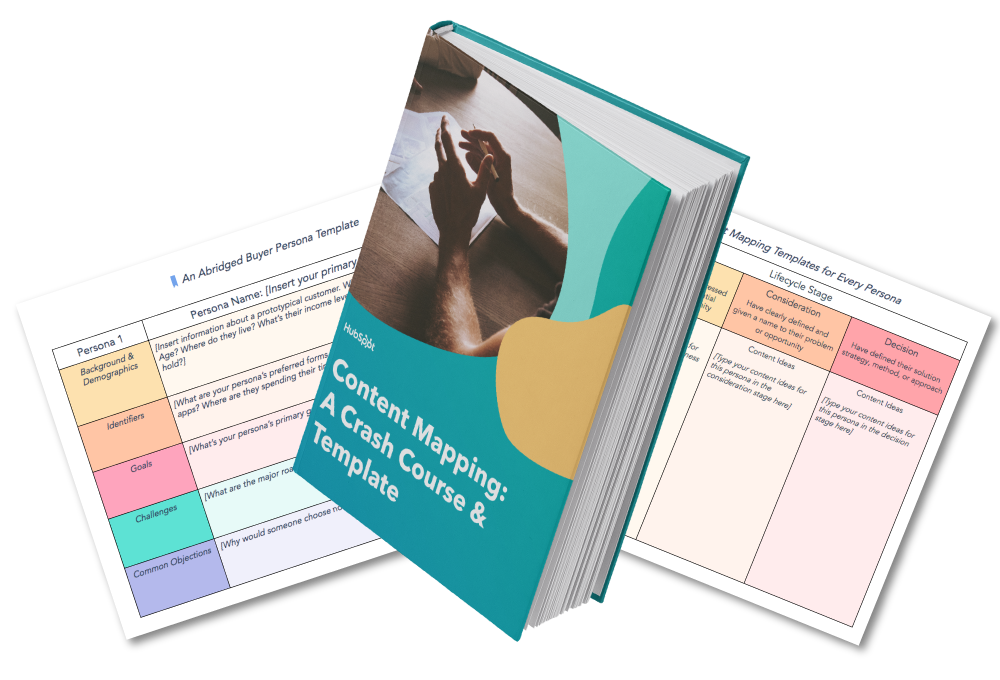
Your awareness stage content should target the top of the funnel (TOFU). People in this segment are just becoming aware that they have a problem. At this stage, don’t try to beat them over the head with product-focused content. Instead, think of how your content can help people become more informed about the problem in general, and you’ll (hopefully) find that they continue moving down your funnel as they search for solutions.
Your consideration stage content, in comparison, can more explicitly mention how your product or service could potentially solve a problem. Keep in mind, however, that at this point in the buying cycle, people are still evaluating their options. So while case studies and demo videos are fine, save your more sales-focused content (estimates, free trials, etc.) for the next stage.
At the decision stage of the game, you can really lean into marketing your products or services. If someone has reached this stage, they’ve already identified a problem and a solution, and are now getting ready to pull the proverbial trigger.
Not quite convinced that content mapping is worth it? Let’s hear from some marketers who are actually doing this stuff …
Content Mapping Tips From the Pros

“The best part about inbound is that you can give your prospects the information they are asking for before they even ask for it. Buyer personas and lifecycle stages allow you to be one step ahead of the game by mapping out what your prospect’s next steps are and delivering them the content from numerous different avenues.
We create buyer personas as part of our onboarding process and everything we do from content offer to daily tweets is centered around that document. We also always ask ourselves, ‘Would business owner Bob open this email, click this tweet, download this offer, etc.?'”
– Laura Hogan ( Marketing Manager, OverGo Studio)

“When mapping out content for your site’s visitors, it’s important to remember that when it comes to purchasing decisions (BOFU conversions, especially for B2B and high-priced items), there are some personas out there who would rather speak to someone on their terms rather than fill out a form for a consultation. Understanding how they are most comfortable when it comes to making decisions can help you understand what points of conversion will be the most relevant and successful for that persona.
Optimizing your site pages (landing and thank you pages, as well), TOFU & MOFU offers, and workflows with direct contact information (phone #, email, etc.) is a great way to ensure that visitors, prospects and leads who may shy away from form submissions still have readily available, alternate means of converting.”
– Marc Herschberger ( Inbound Coordinator, Revenue River Marketing)

“Mapping out buyer personas and lifecycle stages is extremely important when creating content. In terms of buyer personas, it’s easy to see that a Marketing Director will have different questions, information needs, and interests compared to a CEO. Both of these personas may be searching for your product or service, but they’ll be looking for different topics. By creating content that appeals to each audience, you can be more effective in attracting that specific audience.
By the same token, each persona of yours may be in a different stage of the buying process, so it’s important to think through and create content that appeals to someone looking for basic, high-level information such as an ebook, as well as specific information like a pricing guide or case study.
One tip I’d suggest for anyone with pretty different personas would be to dedicate an entire section of your site to each audience. That way, when you pull in your audience, all the content is directed toward them.
We actually took this concept and went a step further by creating unique brands for each one of our vertical markets. Each brand has its own section of the website, its own blog content, and its own premium content (downloadable offers). It’s really helped us attract and convert visitors at a higher rate because all the content is more relevant to that persona.”
– Spencer Powell ( Inbound Marketing Director, Inbound Educators)

“By taking the buyer and buying stage into account when creating content, you can be sure that you’re designing content to help move them through the buying process.
In addition to mapping content to the buyer profile and buying stage, we regularly pull topics from the sales process. Then we offer the content in later sales calls. This helps us not only evaluate the relevancy of the content but also the interest of the buyer. We encourage clients to do the same.”
– Diona Kidd (Cofounder,Knowmad)
Editor’s Note: This post was originally published in March 2014 and has been updated for accuracy and comprehensiveness.

How to Make a Process Improvement Plan
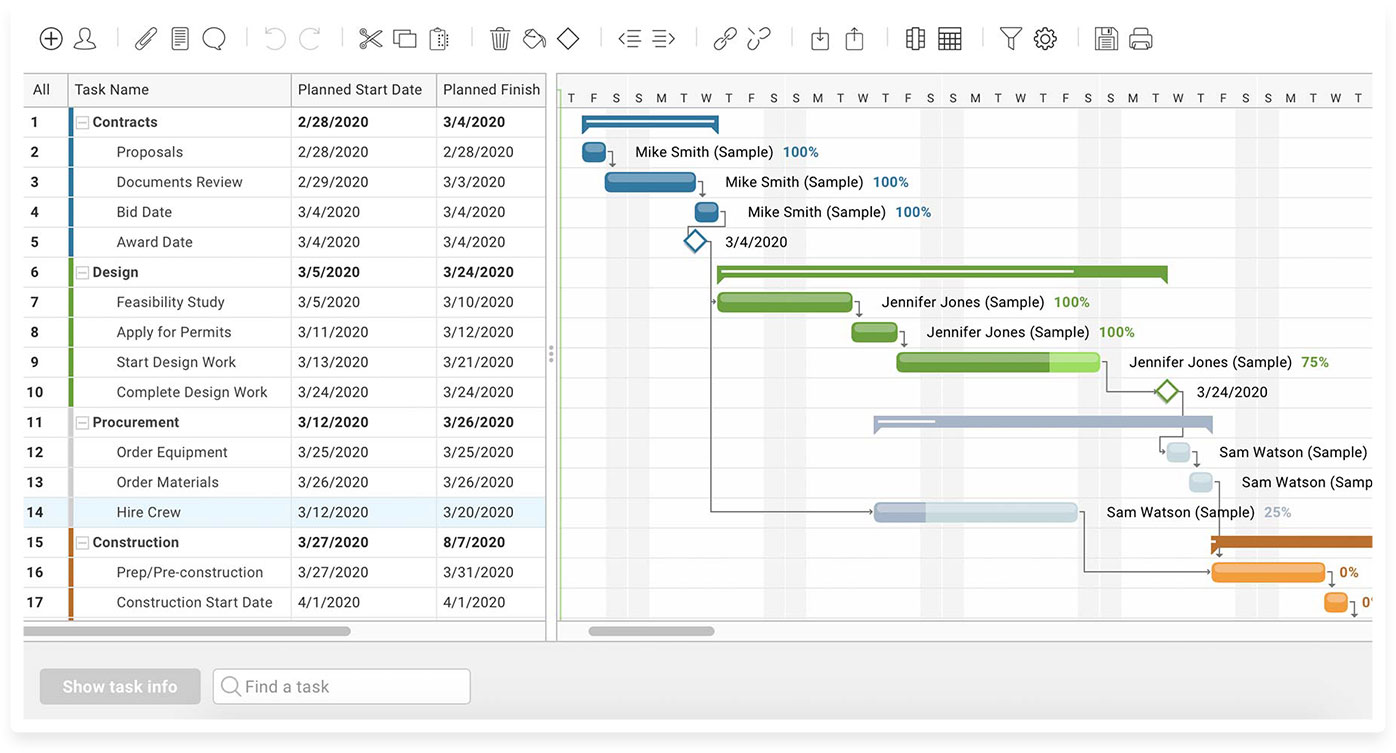
39 Call-to-Action Examples You Can’t Help But Click
Think about all the times you’ve signed up for things in your life. Did you once download Evernote? Dropbox? Spotify? Maybe you’ve even taken a class on General Assembly.
Each one of these signups is likely a result of an effective call-to-action (CTA).
Think about it: If you hadn’t been drawn in by the copy or design of the CTA, or been guided so eloquently through your sign-up process, you would probably use a lot fewer apps and websites than you do now.
It’s really important to guide your visitors through the buying journey using strategic CTAs.
What a CTA Means in Marketing
As a marketer, CTAs are relevant because they encourage your audience to take action on a marketing campaign.
Ultimately, the goal of any marketing campaign is to guide your audience in the buyer’s journey so they eventually make a purchase.
However, each marketing campaign might have a different action for the audience to carry out because there are several tactics you can use to guide your audience in their journey.
Below are a few examples of the types of CTAs you might use in marketing:
Sign up.
In this type of CTA, the audience might be invited to sign up for a free trial, an online course, a future event, or even a software product. It all depends on the CTAs context on an ad or website.
Subscribe.
This CTA doesn’t commit a person to a purchase. Rather, it invites them to receive updates from the company. “Subscribe” CTAs are common to company blogs, for which the business wants to develop a readership.
Try for free.
Nearly every company website has a free trial offer today. Each of them are CTAs of this variety, and they allow people to demo a product before deciding if it’s worth the cost to them.
Get started.
This CTA can drive a variety of behaviors for a company, from a free trial to virtual reality experience.
Learn more.
Sometimes, all you want is to give your potential customers a little more information so they’re prepared to buy something. That’s what this CTA is for.
Join us.
Do you manage an online community. Is your product built on collaboration between users? You might find yourself placing “join us” CTA somewhere on your website.
Learn more about the purposes CTAs can serve in this blog post.
The above types of CTA all serve a designated purpose, but keep in mind the language they use can vary. And today, marketers everywhere have put some creative spins on their calls to action to generate the leads their businesses depend on.
To help you identify what’s effective and what’s not, we’ve listed out 31 examples of CTAs that totally rock. These call-to-action examples are broken out into three categories:
- Simple and effective CTAs
- CTAs with great call-to-action phrases
- CTAs that balance multiple buttons on one page
1. Evernote
CTA: Sign Up
“Remember Everything.” Visitors can immediately understand that message the moment they land on this page. The design on Evernote’s website makes it super simple for users to see quick benefits of using the app and how to actually sign up to use it. Plus, the green color of the main and secondary CTA buttons is the same green as the headline and the Evernote logo, all of which jump off the page.
2. Dropbox
CTA: Sign up for free
Dropbox has always embraced simple design with a lot of negative space. Even the graphics on their homepage are subtle and simple.
Thanks to that simple design and negative space, the blue “Sign up for free” call-to-action button stands out from everything else on the page. Since the CTA and the Dropbox logo are the same color, it’s easy for the visitor to interpret this CTA as “Sign up for Dropbox.” That’s one effective call-to-action.
3. OfficeVibe
CTA: Subscribe
Here’s a slide-in call-to-action that caught my attention from OfficeVibe. While scrolling through a post on their blog, a banner slid in from the bottom of the page with a call-to-action to subscribe to their blog. The best part? The copy on the slide-in told me I’d be getting tips about how to become a better manager — and the post it appeared on was a post about how to become a better manager. In other words, the offer was something I was already interested in.

Plus, I like how unobtrusive slide-in CTAs are — as opposed to what my colleague Rachel Sprung calls the “stop-everything-and-click-here-pop-up-CTA.” I find these CTAs offer a more lovable experience because they provide more information while still allowing me to continue reading the blog post.
4. Netflix
CTA: Join Free for a Month
One big fear users have before committing to sign up for something? That it’ll be a pain to cancel their subscription if they end up not liking it. Netflix nips that fear in the bud with the “Cancel anytime” copy right above the “Join Free for a Month” CTA. I’d venture a guess that reassurance alone has boosted signups. Also, you’ll notice again that the red color of the primary and secondary CTAs here match Netflix’s logo color.

5. Square
CTA: Get Started
To achieve effective CTA design, you need to consider more than just the button itself. It’s also super important to consider elements like background color, surrounding images, and surrounding text.
Mindful of these additional design components, the folks at Square used a single image to showcase the simplicity of using their product, where the hovering “Get Started” CTA awaits your click. If you look closely, the color of the credit card in the image and the color of the CTA button match, which helps the viewer connect the dots of what to expect if/when they click.
6. Prezi
CTA: Give Prezi a try
The folks at Prezi are also into the minimalist design look on their website. Other than the green dinosaur and the dark brown coffee, the only other color accompanying the predominantly black-and-white design is a bright blue — the same blue from their main logo. That bright blue is strategically placed on the homepage: the main “Give Prezi a try” CTA, and the secondary “Get Started” CTA, both of which take users to the same pricing page.
7. Full Bundle
CTA: Our Work
Full Bundle is another company that uses negative space to make their primary CTA pop. The white “Our Work” call-to-action stands out against the dark greys of the background. Their choice of CTA is strategic, too. Given that they primarily exist to build out clients’ online presences, it’s important for them to showcase their work — and that’s what most folks are going to their website for.
8. Panthera
CTA: Join
The folks at Panthera are looking for users who really care about wild cats around the world and want to join a group of people who feel the same way. To target those people in particular, we love how they use language that would speak to big cat-lovers: “Join the pride today.” The page itself is super simple: an on-page form with two, simple fields, and a button asking folks to (again) “Join.”
9. EPIC
CTA: Let’s start a new project together
The folks at the agency EPIC use their homepage primarily to showcase their work. When you arrive on the page, you’re greeted with animated videos showing some of the work they’ve done for clients, which rotate on a carousel. While there are plenty of other places users might click on their site — including their clients’ websites — the main call-to-action stands out and always contrasts with the video that’s playing in the background.
I love that it features friendly, inclusive language — “Let’s start a new project together” — which gives a hint to users looking for a creative partner that they’re an especially great team to work for.
10. Aquaspresso
CTA: Send Me Specials Now!
The whole point of a call-to-action is to direct your site visitors to a desired course of action — and the best CTAs do so in a way that’s helpful to their visitors. The folks at coffee company Aquaspresso really nailed that balance here with the pop-up CTA on their main blog page.
Here, the desired course of action is for their blog readers to check out what they’re actually selling (and hopefully buy from them). There are many ways they could have done this, including putting out a CTA that urges people to “Check out our most popular products!” or something very direct. But we love what they’ve done instead: Their CTA offers blog readers something much more helpful and subtle — an offer for “today’s specials” in exchange for the reader’s email address.
Adding that the specials are for today only is a great example of a psychological tactic called scarcity, which causes us to assign more value to things we think are scarce. The fear that today’s specials are better than tomorrow’s might make people want to fill it out and claim their offer while they can.
(The call-to-action above was created using HubSpot’s free conversion tool, Leadin. Click here to learn how to easily create CTAs like this one using Leadin.)
11. QuickSprout
CTA: Are you doing your SEO wrong? Enter your URL to find out
No one wants to be wrong. That’s why a call-to-action button like QuickSprout’s slide-in CTA on their blog is so clickworthy. It asks the reader, “Are you doing your SEO wrong?” Well, am I? All I have to do is enter my URL to find out — seems easy enough. It’s language like that that can really entice visitors to click through.
Plus, having the CTA slide in mid-blog post is a great tactic for catching readers before they bounce off the page. Traditionally, many blogs have CTAs at the very bottom of each blog post, but research shows most readers only get 60% of the way through an article. (Click here to learn how to add slide-in CTAs to your blog posts.)
12. Grey Goose
CTA: Discover a cocktail tailored to your taste
Here’s a fun, unique call-to-action that can get people clicking. Whereas site visitors might have expected to be directed to product pages or press releases from the homepage, a CTA to “Discover a Cocktail Tailored to Your Taste” is a pleasantly surprising ask. People love personalization, and this CTA kind of feels like an enticing game. The play button icon next to the copy gives a hint that visitors will be taken to a video so they have a better idea of what to expect when they click.
13. Treehouse
CTA: Claim Your Free Trial
A lot of company websites out there offer users the opportunity to start a free trial. But the CTA on Treehouse’s website doesn’t just say “Start a Free Trial”; it says “Claim Your Free Trial.”
The difference in wording may seem subtle, but think about how much more personal “Claim Your Free Trial” is. Plus, the word “claim” suggests it may not be available for long, giving users a sense of urgency to get that free trial while they can.
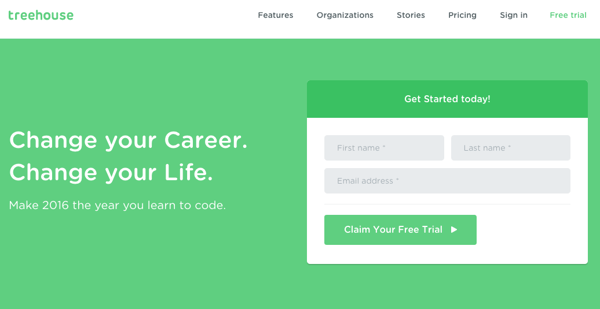
14. OKCupid
CTA: Continue
OKCupid’s CTA doesn’t seem that impressive at first glance, but its brilliance is in the small details.
The call-to-action button, which is bright green and stands out well on a dark blue background, says, “Continue.” The simplicity of this term gives hope that the signup process is short and casual. To me, this CTA feels more like I’m playing a fun game than filling out a boring form or committing to something that might make me nervous. And it’s all due to the copy.
15. Blogging.org
CTA: Countdown Clock
Nothing like a ticking timer to make someone want to take action. After spending a short amount of time on blogging.org’s homepage, new visitors are greeted with a pop-up CTA with a “limited time offer,” accompanied by a timer that counts down from two minutes.
As with Aquaspresso’s example in #10, this is a classic use of the psychological tactic called scarcity, which causes us to assign more value to things we think are scarce. Limiting the time someone has to fill out a form makes people want to fill it out and claim their offer while they can.
Curious, what happens when time runs out? So was I. Hilariously, nothing happens. The pop-up CTA remains on the page when the timer gets to zero.
16. IMPACT Branding & Design
CTA: What We Do
CTAs can feel really pushy and salesy (yes, that’s a word…) if the wrong language is used. I like IMPACT‘s educational approach, where they challenge visitors to learn what the company does before pushing them to take any further action. This call-to-action is especially intriguing to me because they don’t even use an action verb, yet they still manage to entice people to click.
17. Huemor
CTA: Launch (Do Not Press)
If you went to a website and saw a “Launch” CTA accompanied by the copy “Do Not Press” … what would you do? Let’s be honest: You’d be dying to press it. The use of harmless reverse psychology here is playful, which is very much in keeping with Huemor’s brand voice.
18. Brooks Running
CTA: Find out when we have more
How many times have you hotly pursued a product you love, only to discover it’s sold out? Well, as you might know, it’s no picnic for the seller either. But just because you’ve run out of an item doesn’t mean you should stop promoting it.
Brooks Running uses a clever call to action to ensure their customers don’t bounce from their website just because their favorite shoe is out of stock. In the screenshot below, you can see Brooks touting an awesome-looking shoe with the CTA, “Find out when we have more.” I love how this button turns bad news into an opportunity to retain customers. Without it, Brooks’ customers would likely forget about the shoe and look elsewhere.
When you click on the blue CTA button depicted below, Brooks directs you to a page with a simple code you can text the company. This code prompts Brooks to automatically alert the visitor when the shoe they want is available again.
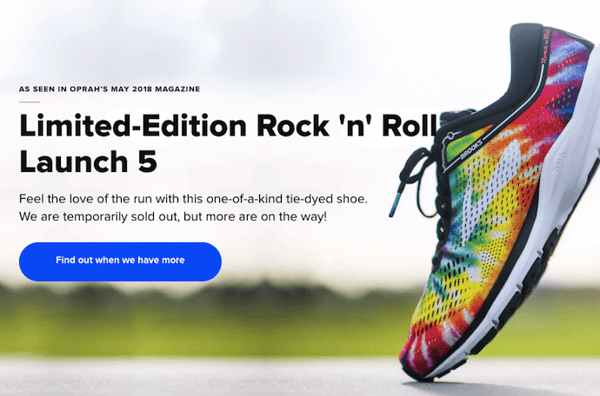
19. Humboldt County
CTA: Follow the Magic
Humboldt County’s website is gorgeous on its own: It greets you with a full-screen video of shockingly beautiful footage. But what I really love is the unconventional call-to-action button placed in the bottom center, which features a bunny icon and the words “Follow the Magic.”
It enhances the sort of fantastical feel of the footage, making you feel like you’re about to step into a fairytale.

What’s more, once you click into that CTA, the website turns into a sort of choose-your-own-adventure game, which is a fun call-to-action path for users and encourages them to spend more time on the site.

20. Uber
CTA: Sign up to drive | Start riding with Uber
Uber’s looking for two, very distinct types of people to sign up on their website: riders and drivers. Both personas are looking for totally different things, and yet, the website ties them together really well with the large video playing in the background showing Uber riders and drivers having a good time in locations all over the world.
I love the copy of the driver CTA at the top, too: It doesn’t get much more straightforward than, “Make money driving your car.” Now that’s speaking people’s language.

21. Spotify
CTA: Go Premium | Play Free
As soon as you reach Spotify’s homepage, it’s pretty clear that their main goal is to attract customers who are willing to pay for a premium account, while the CTA for users to sign up for free is very much secondary.
It’s not just the headline that gives this away; it’s also the coloring of their CTA buttons. The “Go Premium” CTA is lime green, making it pop off the page, while the “Play Free” CTA is plain white and blends in with the rest of the copy on the page. This contrast ensures that visitors are drawn to the premium CTA.

22. Ugmonk
CTA: Send me the coupons | I’m not interested
Exit CTAs, also known as exit intent pop-ups, are different than normal pop-ups. They detect your users’ behavior and only appear when it seems as though they’re about to leave your site. By intervening in a timely way, these pop-ups serve as a fantastic way of getting your reader’s attention while offering them a reason to stay.
Ugmonk has a great exit CTA, offering two options for users as a final plea before they leave the site. First, they offer a 15% discount on their products, followed by two options: “Yes Please: Send me the coupon” and “No Thanks: I’m not interested.” It’s super helpful that each CTA clarifies what “Yes” and “No” actually mean, and I also like that they didn’t use guilt-tripping language like “No Thanks: I hate nature” like I’ve seen on other websites. Finally, notice that the “Yes Please” button is much brighter and inviting in color than the other option.
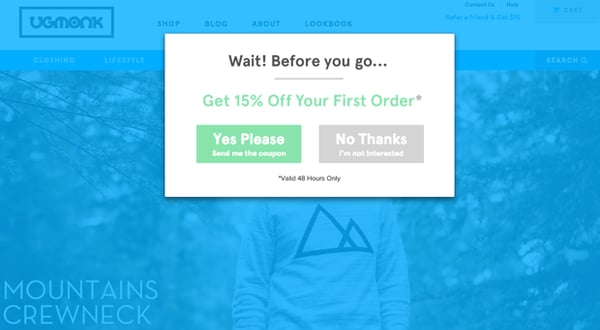
23. Pinterest
CTA: Continue with Facebook | Sign Up
Want to sign up for Pinterest? You have a couple of options: sign up via Facebook or via email. If you have a Facebook account, Pinterest wants you to do that first. How do I know? Aesthetically, I know because the blue Facebook CTA comes first and is much more prominent, colorful, and recognizable due to the branded logo and color. Logically, I know because if you log in through Facebook, Pinterest can pull in Facebook’s API data and get more information about you than if you log in through your email address.
Although this homepage is optimized to bring in new members, you’ll notice a very subtle CTA for folks with Pinterest accounts to log in on the top right.
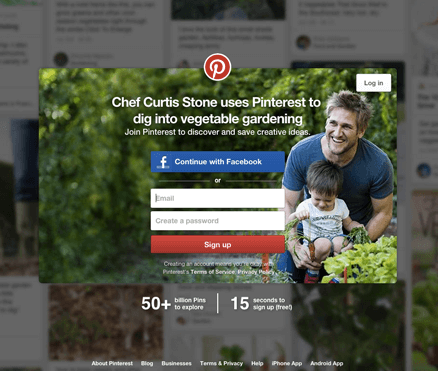
24. Madewell
CTA: Take me there | What’s next?
Madewell (owned by J.Crew) has always had standout website design, taking what could be a typical ecommerce website to the next level. Their use of CTAs on their homepage is no exception.
When you first arrive on the page, you’re greeted with the headline “I’m Looking For …” followed by a category, like “Clothes That’ll Travel Anywhere.” Below this copy are two options: “Yes, Take Me There” or “Hmm… What’s Next?” The user can choose between the two CTAs to either browse clothes that are good for travel, or be taken to the next type of clothing, where they can play again.
This gamification is a great way to make your site more interesting for users who come across it without having a specific idea of where they want to look.
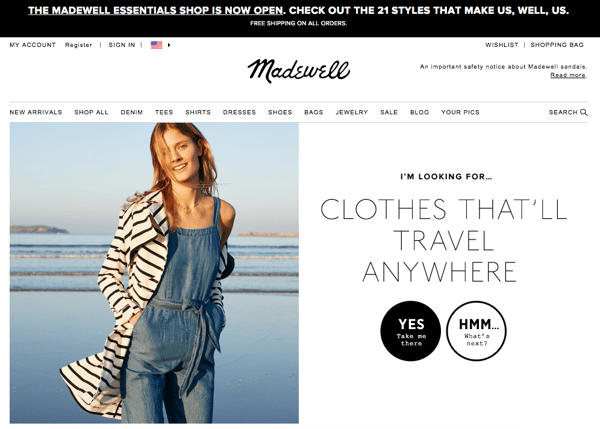
25. Instagram
CTA: Download on the App Store | Get it on Google Play
Since Instagram is a mainly mobile app, you’ll see two black CTAs of equal size: one to download Instagram in Apple’s App Store, and another to download it on Google Play. The reason these CTAs are of equal caliber is because it doesn’t matter if someone downloads the app in the App Store or on Google Play … a download is a download, which is exactly what Instagram is optimizing for. If you already have Instagram, you can also click the CTA to “Log In” if you’d prefer that option, too.
26. Barkbox
CTA: Get Started | Give a Gift
The two CTAs on Barkbox’s homepage show that the team there knows their customers: While many people visiting their site are signing up for themselves, there are a lot of people out there who want to give Barkbox as a gift. To give those people an easy path to purchase, there are two, equally sized CTAs on the page: “Get Started” and “Give a Gift.”
As an added bonus, there’s an adorable, pop-up call-to-action on the right-hand side of the screen prompting users to leave a message if they’d like. Click into it, and a small dialogue box pops up that reads, “Woof! I’m afraid our pack is not online. Please leave us a message and we’ll bark at you as soon as pawsible.” Talk about delightful copy.
27. t.c. pharma
CTA: Find out more | View products
Turns out Red Bull isn’t its own parent company: It’s owned by Thailand-based t.c. pharma, a company that makes popular energy drinks, electrolyte beverages, and functional drinks and snacks.
Its homepage features two call-to-action buttons of equal size: “Find out more” and “View products” — but it’s clear by the bright yellow color of the first button that they’d rather direct folks to “Find out more.”
28. General Assembly
CTA: View Full-Time Courses | Subscribe
As you scroll through the General Assembly website, you’ll see CTAs for various courses you may or may not want to sign up for. I’d like to point your attention to the CTA that slides in from the bottom of the page as you’re scrolling, though, which suggests that you subscribe to email updates.
Although this feels like a secondary CTA due to its location and manner, I actually think they try to sneak this in to become more of a primary CTA because it’s so much more colorful and noticeable than the CTAs for individual classes. When you create your own CTAs, try using bolder colors — even ones that clash with your regular stylings — to see if it’s effective at getting people’s attention. (Click here for a tutorial on how to add slide-in CTAs to your webpages.)
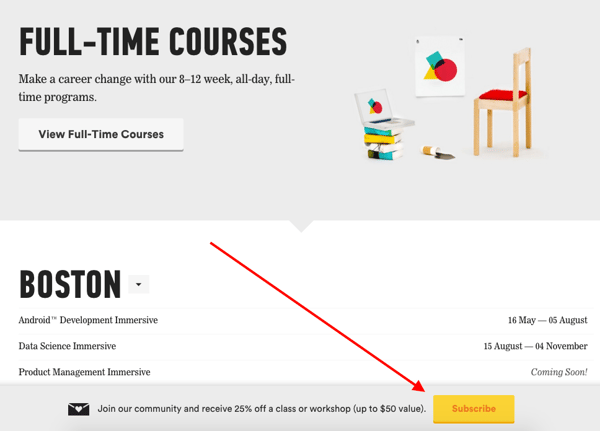
29. charity: water
CTA: Give by Credit Card | Give by PayPal
Charity: water’s main goal is to get people to donate money for clean water — but they can’t assume that everyone wants to pay the same way.
The CTAs featured on their homepage take a really unique approach to offering up different payment methods by pre-filling $60 into a single line form and including two equally important CTAs to pay via credit card or PayPal. Notice how both CTAs are the same size and design — this is because charity: water likely doesn’t care how you donate, as long as you’re donating.
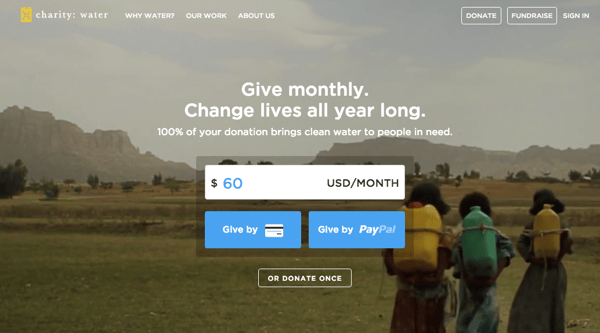
30. Hipmunk
CTA: Flights | Hotels | Cars | Packages
When you land on the Hipmunk site, your main option is to search flights. But notice there are four tabs you can flip through: flights, hotels, cars, and packages.
When you click into one of these options, the form changes so you can fill out more information. To be 100% sure you know what you’re searching for, Hipmunk placed a bright orange CTA at the far right-hand side of the form. On this CTA, you’ll see a recognizable icon of a plane next to the word “Search,” so you know for sure that you’re searching for flights, not hotels. When you’re on the hotels tab, that icon changes to a hotel icon. Same goes with cars and packages.
31. MakeMyPersona
CTA: Grab the template! | No thanks
Here’s another example of a great pop-up with multiple calls-to-action — except in this case, you’ll notice the size, color, and design of the users’ two options are very different from one another. In this case, the folks at MakeMyPersona are making the “Grab the template!” CTA much more attractive and clickable than the “No, I’m OK for now, thanks” CTA — which doesn’t even look like a clickable button.
I also like how the “no” option uses polite language. I find brands that don’t guilt-trip users who don’t want to take action to be much, much more lovable.
32. TeuxDeux
CTA: Get Started for Free | Try for Free
Another example of simplistic design, TeuxDeux’s main website features one phrase and two CTA buttons.
That’s it.
Using the company’s colors, the background is just a splash of red and some black.
The CTA buttons stand out against the color and emphasize that you can try the product for free.
I like these CTAs because they show that the company understands its audience. Whenever I’m researching to-do list apps, I always want to try it before I buy it. It’s something that people are very particular about and want to test-drive. TeuxDeux’s CTAs shows that they understand this about their audience.
33. Betabrand
CTA: Get involved
Betabrand is a clothing company that sells yoga/dress pants for women. Usually, clothing brands tend to use similar CTAs such as “Shop Now.”
However, Betabrand’s homepage CTA is unique in that it involves the audience. Here, users can vote and impact the design of new products.
This is a fun way to get the audience involved and do something different.
34. Fabletics
CTA: Limited Edition
This Fabletics CTA uses several marketing tactics: scarcity and a holiday.
On the homepage, the brand announces a limited edition collection that’s tied to a holiday (Mother’s Day).
Additionally, the CTA uses a bright color so the CTA stands out on the simple homepage.

35. Ashley Stewart
CTA: Shop the Lookbook
Ashley Stewart is a clothing brand catered to plus-sized women. In this CTA, the company uses a fun design to entice website visitors. The entire collage of images looks like a behind-the-scenes camera roll, which is interesting to look at.
Additionally, the CTA copy is straight to the point, which is helpful for visitors who are looking to browse.

36. Amazon Music
CTA: 3 months free
This is a great example of several of the elements we’ve talked about in one CTA.
Amazon uses two strategically placed CTAs, colorful, yet simple design, and offers the product for free.
With this CTA, Amazon is promoting one of its own products and services on its homepage instead of other products listed for sale on the site.
The only message they want to get across? That you can try their product, Amazon Music, for free for three whole months. This CTA accomplishes that goal with a simple design.

37. Barnes and Noble
CTA: Shop Now
Barnes and Noble uses a simple CTA to entice visitors to shop a limited collection during the Mother’s Day holiday.
I like this CTA because the landing page design is so cohesive with the branding of the overall company.
Additionally, the graphics and the fonts are all interesting and match the brand’s messaging.

38. Slack
CTA: Learn More | Contact Us
Slack uses beautiful, simple design on its homepage to entice visitors to click on one of the two CTA buttons.
I like this example because Slack has two CTA buttons for two different audiences. If you’re just getting started in your research, you can click “Learn More.” However, if you’re a repeat visitor and know that you want to talk to a sales person, you can click “Contact Us.”
This is a great example of serving two audiences with your CTAs on your homepage.
39. Nintendo
CTA: Compare Features
On Nintendo’s website, the company is focused on answering any questions a visitor might have.
In fact, one of the main CTAs is “Compare Features.” With this CTA, Nintendo answers one of their most popular questions because they understand that many visitors are still doing their research before purchasing a product.

There you have it. By now, we hope you can see just how important little CTA tweaks can be.
Full Disclosure: We don’t have data to know if these are all scientifically successful, but these examples all follow our best practices. If you decide to recreate these CTAs on your site, please remember to test to see if they work for your audience.
Want more CTA design inspiration? Check out some of our favorite HubSpot call-to-action examples.
Editor’s note: This post was originally published in June 2014 and has been updated for comprehensiveness.

How Small Businesses Can Take Advantage of the Australian Stimulus Package
In light of the evolving situation around the COVID-19 pandemic, the Australian Government has released a number of economic responses to support individuals, households and businesses and improve stability in this particularly volatile environment.
With so much information being circulated, updated and changed so frequently, we wanted to provide a summary of the government’s response in a more easily digestible format.
Below is a guide to the Australian government support that is currently available for:
- Individuals and households
- Businesses
- The flow of credit for businesses and lending institutions
You’ll also find a summary of timings at the end of this page, where the implementation dates of each initiative are listed in accordance with government guidelines at the time of writing.
This blog post is meant as a basic resource and not a comprehensive guide. For the most up-to-date information visit the official Australian government website, which outlines in detail the official economic response to the Coronavirus.
Support for Individuals and Households
1. Income support for individuals.
The Government is providing an income support payment of $550 to individuals every two weeks. This is limited for six months as a temporary Coronavirus supplement and is applicable to new and existing recipients of existing support payments such as JobSeeker Payment, Parenting Payment etc.
You can apply for this by creating and/or signing into your myGov account online and registering your intention to claim a Centrelink payment.
2. Payments to support households.
This is the provision of two $750 payments for specific groups such as veterans, concession card holders and other income support recipients. The second of those two payments won’t be made available to those that qualify for the aforementioned Coronavirus supplement for individuals.
You can apply for this by creating and/or signing into your myGov account online and registering your intention to claim a Centrelink payment.
3. Temporary early release of superannuation
This release entitles individuals and those operating as sole traders that have been impacted to an early, tax-free withdrawal of up to $10,000 of their superannuation in 2019-2020 financial year and another $10,000 in the 2020-2021 financial year.
You can apply for this by creating and/or signing into your myGov account online and registering your interest in accessing your super early.
4. Temporarily reducing superannuation minimum drawdown rates
Superannuation minimum drawdown rates have been reduced by 50% from 2019-2020 and 2020-2021 income years to reduce the need to sell assets in order to fund these requirements.
You do not need to apply for this.
5. Reducing social security deeming rates
Social security deeming rates were reduced by 0.5% on March 12th and have since been reduced by another 0.25%, meaning that income from savings will be lessened. This will benefit many income support recipients and also Age Pensioners who will get $324 more of their Age Pension over the first full year of these new rates.
You do not need to apply for this.
Support for Businesses
1. JobKeeper Payment
As of March 30th, 2020, the JobKeeper Payment provides businesses with $1,500 every two weeks per eligible employee to supplement their wages, for a maximum of six months. This isn’t available for businesses subject to the Major Bank Levy, but can include sole traders. You may qualify for this if:
- Your turnover is less than $1bn and has reduced or likely to reduce by 30% or more
- Your turnover is more than $1bn and has reduced or likely to reduce by 50% or more
- Charities or NFPs will be eligible for the subsidy if they estimate their turnover has or will likely fall by 15% or more
Businesses can register their interest here and below are some additional assets for this:
2. Boosting cash flow for employers.
Small-to-medium businesses and not for profit bodies that employ staff during the current climate will receive temporary, tax-free cashflow support from the government from 28th April, ranging from $20,000 to $100,000. This will be done through two credit boosts in the activity statement system as and when eligible businesses submit their activity statements.
Initial payments will be made from March to July, 2020, and will be 100% of employees’ salary and wages that have been withheld. Minimum initial payment will be $10,000 and maximum will be $50,000. A second payment will be made to those who received the initial boost and will be for the same amount as the first payment. You may qualify for this if:
- You’re a small or medium-sized business with an aggregated annual turnover under $50m with employees that are also eligible
- You’re a not for profit business with an aggregated annual turnover under $50m with employees that are also eligible
You don’t need to apply for the cash flow boost. All you need to do is lodge your upcoming activity statements. You must lodge your March and Q3 activity statements on their due date and no earlier to ensure you receive the maximum refund available. If your business is eligible, the credit will be automatically applied on or after 28th April 2020.
3. Temporary relief for financially distressed businesses.
The limit at which creditors and other bodies can issue statutory demands or start bankruptcy proceedings against a business is being temporarily increased from $2,000 to $20,000, as is the response time that a business has to reply to these proceedings and demands, extending from 21 days to six months.
This initiative also temporarily relieves directors from personal liability for trading during insolvency as a result of the Coronavirus. With this, the ATO will aid in creating solutions for businesses that are suffering and this includes reducing payments or stopping enforcement actions.
You do not need to apply for this.
4. Backing business investment.
From now until 30th June, 2021, businesses with a turnover of under $500m can deduct 50% of the cost of eligible business assets on installation. However, the remaining cost of the asset will be subject to existing depreciation rules.
You do not need to apply for this.
5. Supporting apprentices and trainees.
If a small business doesn’t have the means to retain an apprentice or trainee, they can apply for a wage subsidy equal to 50% of the apprentice’s wages until 30th September, 2020. This is subject to a maximum of $21,000 per eligible apprentice and $7,000 per quarter.
Visit this page to learn more or apply for support.
Support for Coronavirus-affected regions and communities:
There’s now a fund of $1bn available to support communities and areas that have most heavily been impacted by Coronavirus and include industries like tourism, agriculture and education. At the time of writing, the Deputy Prime Minister will work with affected industries and communities to develop recovery plans and measures.
You do not need to apply for this.
Supporting the Flow of Credit
1. Support for immediate cash flow needs for SMEs.
The government will now support short-term unsecured small-to-medium enterprise loans by providing 50% to lenders, guaranteeing up to $40bn in the process. Through this, businesses will get the funding they need to keep cash flowing by enabling lending institutions to extend their credit lines.
Advice from this official government website says if you’re interested in the Coronavirus SME Guarantee Scheme you should approach your financial institution for more information.
2. Quick and efficient access to credit for small business.
Lending institutions now have leeway as the government provides temporary exemption for certain lending obligations in terms of providing credit to small businesses. This means lenders can extend their line of credit to small businesses much quicker and more efficiently than before.
Advice from this official government website says if you’re interested in the Coronavirus SME Guarantee Scheme you should approach your financial institution for more information.
3. Reserve Bank of Australia — Supporting the flow and reducing the cost of credit.
Banks now have access to $90bn+ in funding at a fixed interest rate of 0.25%, reducing their funding costs and in turn reducing the interest rates imposed on businesses borrowing from these banks. This is being implemented with a view to encouraging business lending and reducing the cost of borrowing for banks and businesses.
Advice from this official government website says if you’re interested in the Coronavirus SME Guarantee Scheme you should approach your financial institution for more information.
4. Australian Prudential Regulatory Authority — Ensuring banks are well placed to lend.
The Australian Prudential Regulatory Authority has made significant changes in terms of the expectations they have on bank capital ratios. Like the above, this measure is designed to ensure that lending can take place and that banks are in a solid position to do so.
Advice from this official government website says if you’re interested in the Coronavirus SME Guarantee Scheme you should approach your financial institution for more information.
Timing of Assistance
- Increased instant asset write off — Immediately, with deductions to be included in 2019-20 tax returns
- Temporarily reduced minimum drawdown rates for superannuation — From 20 April 2020 Immediately
- Backing business investment — Accelerated depreciation — Immediately, with deductions to be included in 2019-20 tax returns
- Support for Coronavirus-affected regions and communities — As soon as practicable
- Register interest for JobKeeper Payment — From 30 March 2020
- First round of $750 payments to support households — From 12 March to 13 April inclusive
- Assistance for existing apprentices and trainees — Applications from early-April
- Temporary early release of superannuation — Applications from 20 April
- Income support and a Coronavirus supplement — From 27 April 2020
- First phase of Boosting Cash Flow for Employers — Quarterly lodgement from 28 April 2020, monthly lodgement from 21 April 2020
- Increased transfer payments from reduced deeming rates — From 1 May 2020
- Initial JobKeeper Payments received by employers — First week of May
- Second round of $750 payments to support households — Available on 10 July 2020
- Second phase of Boosting Cash Flow for Employers — From 21 July 2020
- Coronavirus SME Guarantee Scheme — From early April 2020
We hope that this has added some clarity to what is a very uncertain time for everyone, and that some of the initiatives being rolled out can help you and your business get through this hugely difficult environment.

How to Use LinkedIn Events to Promote Online or In-Person Events
Wondering how to get the word out on LinkedIn about an event you’re hosting? Have you heard of LinkedIn Events? In this article, you’ll discover how to use LinkedIn to promote your next online workshop, product launch, or in-person event. What Is the LinkedIn Events Feature? This feature allows you to create an event on […]
The post How to Use LinkedIn Events to Promote Online or In-Person Events appeared first on Social Media Marketing | Social Media Examiner.
from Social Media Marketing | Social Media Examiner https://ift.tt/2VHokLd
via socialmediaexaminer
What Are Content Managers, and How Do You Become One?
When I was in college, I had a mentor during my summer internship. When we were talking about my career goals, I explained to her that I wanted to be someone who creates, distributes, strategizes, and promotes content.
“It sounds like you want to be a content manager,” she said.
I had no idea what she meant by that — I’d never heard of a content manager. Instead of asking her to clarify, I decided to smile and nod. But my curiosity was immediately sparked.
After all, I had no idea there was a ‘perfect’ role out there for me.
Ultimately, my mentor was right. Content managers have a hand in content strategy, creation, and distribution of marketing communications for a company. They’re organized, well-versed in fostering a brand voice, and often know their way around a blog post.
Maybe you are in a position like the one I was in — someone just learning about the content management role, and want to know the basics. Or, maybe you know this is the job for you, but want to make sure you’re prepared to be successful.
Below, you’ll find everything you need to know about content managers, from what they do to how to become one. Let’s take a look.
What are content managers, and what do they do?
According to Senior Brand Manager Alicia Collins, “Content managers wear many hats. Their job consists of so many moving parts — managing blogs, managing social, managing offers … in some cases, they can be a one-person marketing team.”
The role of a content manager can depend on company structure and size. For instance, a startup’s content manager might be their only marketer, while an enterprise company might have content managers assigned to multiple teams. Even so, there are common characteristics that define a content manager.
Content managers are creative. They develop and distribute timely, relevant content for audiences. To do that, they have a deep understanding of the voice their brand takes and use it to communicate with customers.
In addition to creativity, being a content manager usually involves the management of projects and a content team. They also might collaborate across other teams for projects.
This role is usually not entry-level — content managers are generally expected to lead their team and foster growth, so it’s a job that’s usually filled by someone with a couple years of experience in marketing, communications, and project management.
You might find a content manager taking the ownership over an editorial calendar, developing content topic strategy, data reports, managing social media accounts, or writing long-form editorial pieces.
That was just an overview of content managers and the job role. Next, we’re going to talk about some specific duties of a content manager.
If you’re a content manager, you are most likely spending some time analyzing datasets. Data from past campaigns, SEO research, and audience behavior are all helpful numbers to look at in order to execute job functions — they inform leadership decisions and collaborative projects.
If you don’t analyze the results from your content performance, you won’t know if your messages are accurately connecting with your customers.
As a content manager, you’ll also spend ample time working on strategizing how to deliver those messages.
According to content manager Justin Champion, “An effective content manager needs to have a vision of what story they’re trying to tell. This will help them stitch together all of their mediums to create the best experience possible for their audience.”
“An effective content manager needs to have a vision of what story they’re trying to tell. This will help them stitch together all of their mediums to create the best experience possible for their audience.”
Content managers are brand advocates and know that the way stories are delivered reflect their company’s brand and audience preferences.
So, you know what a content manager does. What about some of the skills you’ll need to exceed as one? Let’s talk about a few, next.
The skills needed for content management.
We’ve lightly touched on a few of the skills you need to be a content manager, including creativity, leadership, data interpretation, and organization. But it’s also imperative to have working knowledge of a few other things.
For instance, a general understanding of SEO rules and familiarity with how to use keyword research software are also needed. In addition, you’ll also have to know how to be a storyteller using the voice of a brand, and how to connect with customers using that brand voice.
Take it from Senior Podcast Producer Matt Brown, who says, “Empathizing with your audience and telling a story worth listening to is always the greatest skill a content manager should have.”
In order to deliver those stories, they’ll need to be familiar with copywriting and editing. Writing skills would be applied to writing marketing communications, blog posts, and when editing the work of others.
It’s also a good idea to know about how social media is used as a business tool, and when that applies to marketing campaigns for your company. To help with social media management, knowing how to use a CMS like HubSpot would be beneficial.
Generally, knowledge of one or two online tools for every facet of content production and management will cover your bases. This includes programs to enhance content as well, such as automatic grammar check software or graphic design tools.
So, you know what it takes to be a content manager. But how do you get there? Time to find out.
How to Become a Content Manager
You can start sharpening your skills today. If you’re looking to become a content manager, deepen your knowledge of the skills mentioned that you know you can brush up on.
Refining your skillset ensures that you’re staying up-to-date with industry changes. This is a must for content managers. If you don’t know how the industry is changing, you won’t be able to effectively connect to your audience.
Two other skills you can start working on are writing and SEO practices.
If you’re new to both, try starting a blog on a platform that has built-in, guided SEO capabilities, like HubSpot or WordPress. These functions will help you on a two-for-one front — practice with writing for a specific audience, and optimizing.
If you’re worried about the grammar and comprehension front when it comes to writing, check out Hemingway Editor or Grammarly. Hemingway Editor is a free website that checks your writing for technical errors and readability, while Grammarly is software that analyzes your work, spell-checks it, and offers suggestions on how to improve sentence structure.
You can also take courses to help you strengthen your content marketing skills. Champion recommends starting with this certification course. Upon completion, you’ll get a certificate that verifies your comprehension of content marketing (plus, you can add it to your LinkedIn profile).
When I was in college talking to my mentor, I didn’t know that the skills needed for content managing transition into my current role — even though it’s not my job title, I’m still in charge of creating content that resonates with readers. I also need to be proficient in SEO language, comfortable with collaboration, and have an organized workflow to do my job effectively.
Now that you know all about content managers, have you spotted some similarities between the role and what you do? If so, you’re already on your way to becoming an awesome one. As the saying goes, “It’s not about the destination, but they journey,” and I know that once you reach your destination, you’ll make waves as a content manager.

11 Cover Letter Templates to Perfect Your Next Job Application
No one seems to agree on cover letters. How much time do you need to spend perfecting them? Do hiring managers even read them? Is it better to just send in your resume and call it a day?
I’m not in HR, but I’ve been approached by applicants who wondered whether their cover letter would actually be read. My answer is one not many of them wanted to hear: “sometimes.” Sometimes it will be read. Other times, you can get away with just sending in your resume — like when you network your way into applying for a position.
The truth is, you can’t really predict on a case-by-case basis — and you’re better safe than sorry. For the most part, having a cover letter will give you an upper hand in ways your resume doesn’t. It allows you to show off your writing skills, provide details that you couldn’t fit on your resume, demonstrate your passion, and show your willingness to put in as much time and effort as possible.
Seems fairly basic, right? Cover letters can hold different levels of importance to an employer depending on the industry you’re in and the job you’re applying for. If you do plan to write a cover letter, keep in mind there are certain qualities it should have that are not included in the definition above.
What to Include in a Cover Letter
So, what should you include? We’ll let the 11 templates below this list do most of the talking. No matter which one you download, pay attention to the following elements — all of which should shine through in the letter you send to your future manager.
1. Contact Information
Cover letters shouldn’t just carry your contact information, but also that of the company to which you’re applying. Contact info includes your phone number, email address, and any social media accounts you’re willing to share and receive connections to.
Home addresses aren’t required, but they can be a helpful reassurance to the employer that you already live nearby and would have no trouble coming into the office.
Avoid offering phone numbers, email addresses, or actual addresses that belong to your current employer. Using your personal Gmail address over your work email, for example, ensures your correspondence with recruiters remains separate from all of your current work communication.
2. A Personal Address Line
For as often as you see “to whom it may concern” at the top of cover letters today, do your best to avoid writing this exhausted line.
Address lines that specify a person or company grab your reader’s attention much more quickly, and show the employer that you’ve taken the time to tailor your application letter to them. Don’t have the name of the hiring manager? “Employers at [company name]” will do just fine.
3. A Hook
A “hook” is a clever introduction that “hooks” your reader into wanting to learn more. Think about yourself as a job candidate — what makes you unique? What about your career might a recruiter be intrigued by that you can package into an interesting first sentence?
4. Why You’re Qualified
It’s a no-brainer that you should summarize your professional experience in your cover letter. However, today’s best applications describe why this experience qualifies the applicant for the job they’re applying for. For example, don’t just state that you spent three years writing for a company blog. Explain that this type of work lends itself to managing your new potential employer’s content calendar every week.
5. General Knowledge of the Business
Grammatical errors could mean your application is thrown in the trash, but that’s not the only thing that could get your letter tossed aside. Using a generic “one-size-fits-all” cover letter — especially if you forget to change the name of the company — will also hurt your chances of landing an interview.
So, if you take the time to write a cover letter, take the time to comment on the business itself. Why are you applying to this company? What about their business stuck out to you as a professional?
Now, let’s take a look at an example cover letter, what makes it effective, along with 11 templates you can download or draw inspiration from.
Cover Letter Example
The example above illustrates how to write a marketing cover letter using the elements we listed.
Besides the contact information and the address line, the first few paragraphs explain why the candidate is qualified for the position. This example uses specific data to show why they would be a good fit.
Additionally, in the second to last paragraph, the candidate discusses why they’re interested in the specific company, demonstrating general knowledge of the business.
By combining all the elements to a cover letter, this is a great example to use for inspiration.
11 Free Cover Letter Templates for Your Next Job Application
Template 1: Basic

The example above is a basic (but great) cover letter. The numbered sections are explained in more detail below.
1. Header
The level of formality your header has will depend on the company to which you apply. If you’re applying to a formal business, it’s important to use a formal header to open your cover letter, like in the sample above. Put your address, the date, and the company’s address. But if you’re applying to a company that isn’t as formal, you don’t need to include yours and the company’s addresses. You can still include the date, though.
2. Greeting
Using “To Whom It May Concern” is okay, but you may want to take the time to research the name of the recruiter or hiring manager online. If you do your research and aren’t confident you found the right name, then you should definitely use the generic greeting — but if you are sure, then it shows you put in the effort to find their name and it will catch the recruiter’s eye.
If you have the recruiter’s name, do you greet them by their full name, or by their courtesy title (i.e. Mr., Ms., or Mrs.)? Similar to the header, it depends on the company’s level of formality. If you’re applying to a corporate business, you may want to consider using “Mr. Snaper” instead of “Jon Snaper.” If you’re applying to a start-up or a business with a more casual culture, you can use “Jon Snaper,” as shown in the example.
3. Introduction
Your opening paragraph should, in 1-3 sentences, state why you’re excited to apply and what makes you the perfect candidate. Get right to the point, and don’t worry about explaining where you found the posting or who you know at the company. This isn’t a place to go into detail about why you’re a great candidate — that’s for the second paragraph. Here, simply list a few key reasons in one sentence to set up the rest of your letter. Keep in mind that the recruiter may cross-reference your cover letter with your resume, so make sure the two sync up.
4. Paragraph 2: Why You’re a Great Fit for the Job
Next, sell yourself and your experience by choosing one or two concrete examples that show why you’re a great fit for the position. What did you do at a previous company that gave you relevant experience? Which projects have you worked on that would benefit the new company? How will your prior experience help this company grow? Stay humble in your explanation of credentials while still showing that you would be an asset to the team. Use this paragraph to show you’re genuinely excited and interested in the position.
5. Third Paragraph: Why the Company Is a Great Fit for You
While it’s certainly important you’re a good fit for the job, it’s also important that the company is a good fit for you. “A cover letter typically describes why you’re great for a company — but how will you benefit from getting hired?” asks Emily MacIntyre, a Team Development Manager at HubSpot. “We want to know why our company appeals to you, and how it will be a mutually beneficial working relationship.”
In the third paragraph, show you’re serious about growing and developing your career at this new company. What impresses and excites you about the company? Is there something that you feel strongly about that aligns with the company’s goals? For example, the candidate in the sample letter used this space to show his personal commitment to environmental causes aligns with the company’s green initiatives.
6. Strong Closer and Signature
Don’t get lazy in the final few sentences of your cover letter — it’s important to finish strong. Be straightforward about your interest and enthusiasm about the new position, and tell them you’re available to talk about the opportunity at any time. Be sure to include your phone number and email address. At this point, the ball is (rightly) in the recruiter’s court to decide how to follow up.
Last but certainly not least, thank them for their time and consideration. Use a formal sign-off like “Best,” “All the best,” or “Sincerely,” and finish by typing out your full name. You don’t need to sign it with a pen.
Template 2: Data-Driven Marketing Cover Letter
Get it here.
When applying to a data-driven position, it might be tempting to inject your cover letter with, well, the data to describe what you’ve done for other employers. But in an application letter — particularly for the marketing industry — how you convey this data is just as important as the data itself.
The cover letter template above, which we created here at HubSpot, can help you present the data that’s most important to you as a candidate such that it’ll matter to your future employer.
Notice the three bullet points near the center of the letter above, preceded by the statement: “… I’ve developed a strategy that has helped the company achieve …” This setup is important, because while you can add as many statistics as you want to this template, your data points should describe how your current/former business benefited from your work, rather than how you, yourself, benefited.
Template 3: Straight-to-the-Point Cover Letter
Get it here.
Harvard Business Review contributor David Silverman hailed the above cover letter example as “The Best Cover Letter I Ever Received.” For context, Silverman believes there are only a handful of times when writing a cover letter is actually necessary:
- When you know the name of the hiring manager.
- When you know something about what the job requires.
- When you’ve been referred to the job personally.
Under those three circumstances, a straight-to-the-point cover letter like the one above could be your best bet. Because it’s so concise, however, make a point to add your own letterhead above the message itself. It might be easy for a recruiter to sift through a short and sweet cover letter like the one above, but it’s just as easy for it to get lost in the shuffle of their application list without a unique design or format.
Template 4: Referral Cover Letter
Get it here.
Just because a friend or colleague recommended you for a job doesn’t mean the company is all set to hire you. Therefore, the cover letter template above is written specifically for referrals. We made this one here at HubSpot. Download it here (it comes with four other cover letter templates, too).
As you can see in the picture above, the first paragraph of the cover letter is dedicated entirely to acknowledging the circumstances of your applying: You know someone who works there — no harm in that. But there might be harm in not mentioning it to the hiring manager. Telling the reader about your connection at the company shows you’re aware and confident of the actions you take to get the opportunities you’re interested it.
Ultimately, it’s better than the recruiter hearing about your employee connection from somebody else.
As for the rest of the cover letter, treat your message the same way you would if you had applied with no connection from within. Your skills and successes are no less important because of your internal referral.
Template 5: Photo Letterhead Cover Letter
Get it here.
The cover letter template above was designed by Microsoft Office, and as comprehensive as it looks, it’s completely free to download and modify.
As it looks right now, this cover letter contains about half photo, half text. Feel free to shrink (and change) the image to give yourself more room to tell your story. Of course, a nice washed-out image that expresses who you are can be part of that story …
Template 6: Digital Creative Cover Letter
Get it here.
This sixth template is perfect for the applicant who wants to emphasize the many different digital channels he or she is on. The header bar also allows this template to go well with a resume of the same format.
As you personalize this letter with your own experience, make note of the social networks and industry software included in this template. You’ll see along the top that LinkedIn, email, and personal website are all available for you to fill with your own information.
The bullet points in the above template also allow you to highlight your most important skills or accomplishments for the hiring manager.
Template 7: Marketing Manager Cover Letter
Get it here.
Our seventh cover letter comes from Monster.com. This cover letter, shown above, is focused specifically on a marketing role.
Notice how the writer includes references to important marketing metrics and terminology. If you’re applying to a data-driven role, you might not want to fill the page with a story of your experience in paragraph form, like Template 1 does at the beginning of this article. Instead, consider highlighting three (or four, or five) of your successes that you believe the hiring manager would resonate most with, in bulleted form.
As a marketing professional, breaking up your letter with bulleted details like the ones above shows a respect for the hiring manager’s limited time — a mentality that all marketers must understand when communicating with a brand’s audience.
Template 8: Career Day Follow-Up Cover Letter
Get it here.
This is a unique kind of cover letter from Princeton University.
CareerBuilder, Monster, and Indeed might take the lion’s share of your job searches online, but still some employment opportunities come out of a trade show, job fair, or similar networking event. For those occurrences, you have the follow-up cover letter template above.
This cover letter has everything you need to help an employer recall a conversation you had with him/her at a career fair. As you can see in the second paragraph, the letter is particularly useful to people who are about to graduate college.
Template 9: Logo and Watermarked Cover Letter
Get it here.
Here’s another cover letter template from Microsoft Office. This one has a light touch of color in the design just above the letterhead, but make no mistake — the template caters to any professional looking to make a good first impression on their future employer.
Don’t let the logo space on the top-right of the page confuse you. This can be the logo of the company to which you’re applying — to quickly get the attention of the recruiter — or your own logo. Perhaps you freelance on the side or simply like branding yourself. This cover letter template is meant for customization.
Template 10: Business Cover Letter
Get it here.
The cover letter template above is perfect for entry- and mid-level marketers who want to show a little extra professionalism in their opening note to a potential employer.
The multi-colored header (you can change the color if you wish) shows just the right amount of creativity and can go quite well with a resume of the same style. If you don’t have enough experience to fill the entire page, don’t worry. Feel free to write to a length you think is representative of who you are and what the hiring manager wants to see.
No matter how long your final cover letter is, the above template is your opportunity to show your attention to detail — from your contact information in the top header, to the personalized address line where you can include the name of the hiring manager. Like we said, “to whom it may concern” is pretty outdated, anyway.
Template 11: Entry-Level Cover Letter
Get it here.
The cover letter template above, written by HubSpot, is specifically designed for entry-level applicants.
When you only have a few years experience, it’s important to display how you gained your skills and what you learned from your education or internships. Additionally, it’s important to mention why you want to work at the company you’re applying to.
No matter your experience, the template above will help you decide what skills you want to highlight and flesh out in your cover letter.
You can download it here (it comes with four other cover letter templates, too).
Writing a cover letter is easier said than done. Don’t hesitate to spend a lot of time writing and editing it. Or, ask a friend or family member to read it over and give you feedback. If the recruiter does end up reading it, you’ll be thankful you did.
Editor’s note: This post was originally published in November 2014 and has been updated for comprehensiveness.

11 of the Best Professional Bio Examples We’ve Ever Seen [+ Bio Templates]
Is your professional bio as good as it can be?
In this article, we have nine real bio examples you should definitely compare yours to — and a series of free bio templates you can use to perfect it.
Most people don’t think about their professional bio until they’re suddenly asked to “shoot one over via email,” and have approximately one afternoon to come up with it. That’s when we scramble, and our bio ends up reading like this:
Rodney Erickson is a content marketing professional at HubSpot, an inbound marketing and sales platform that helps companies attract visitors, convert leads, and close customers. Previously, Rodney worked as a marketing manager for a tech software startup. He graduated with honors from Columbia University with a dual degree in Business Administration and Creative Writing.”
Woof, that was dull. Are you still with me? I swear, not even adding a tidbit about his cats would liven that bio up.
To be fair, in certain contexts, your professional bio does need to be more formal, like Mr. Erickson’s up there. But in many cases, writing a bio that’s readable — even conversational — is actually a really good thing. That means dropping that traditional format of listing your accomplishments like a robot and cramming as much professional-sounding jargon in there as you can.
How to Write a Bio
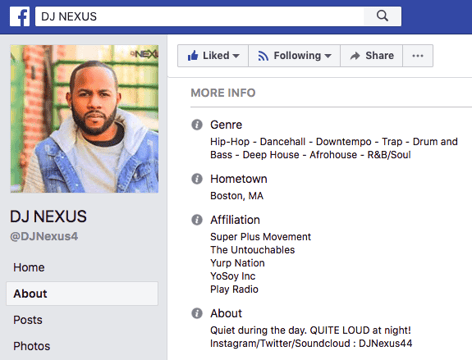
Writing a professional bio that captures your brand and what you offer to your audience can help you grow better. But doing it right is just as important. Here’s how to write a bio, step-by-step.
1. Create an ‘About’ page for your website or profile.
Before you can publish your professional bio, you need a living space for it. Here are a few to consider (some of these you might already have in place):
- Facebook Business page
- LinkedIn profile
- Instagram account
- Personal website
- Personal blog
- Industry website
- Industry blog byline
As you’ll see in the professional bio examples below, the length and tone of your bio will differ depending on which of the above platforms you choose to be on. Instagram, for example, allows only 150 characters of bio space, whereas you can write virtually as much as you want on your personal website — or even your Facebook Business page. But once created, this bio should represent who you are in the eyes of your audience.
2. Begin writing your bio with your first and last name.
If your readers don’t remember anything else about your bio, make sure they remember your name. For that reason, it’s a good idea for your first and last name to be the first two words of your professional bio. Even if your name is printed above this bio (hint: it should), this is a rare moment where it’s okay to be redundant.
For example, if I were writing my own bio, I might start it like this:
Lindsay Kolowich
Lindsay Kolowich is a Senior Marketing Manager at HubSpot.
3. Mention any associated brand name you might use.
Will your professional bio represent yourself, or a business you work for? Make sure the brand you want to be associated with is mentioned in your bio. If you’re a freelancer, perhaps you have a personal business name or pseudonym you advertise to your clients. Here are a few examples:
- Lindsay Kolowich Marketing
- SEO Lindsay
- Kolowich Consulting
- Content by Kolowich (what do you think … too cheesy?)
Maybe you founded your own company, and you want its name to be separate from your real name. Don’t be afraid to keep it simple: “Lindsay Kolowich is the founder and CEO of Kolowich Consulting.”
4. State your current position and what you do.
Whether you’re the founder of your company or a mid-level specialist, use the next few lines of your bio to describe what you do in that position. Don’t assume your audience will naturally know what your job title entails. Make your primary responsibilities known for the reader, helping them paint a picture of who you are during the day and what you have to offer the industry.
5. Include at least one professional accomplishment.
Just as a business touts its client successes in the form of case studies, your professional bio should let your own audience know what you’ve already achieved. What have you done for yourself — as well as for others — that makes you a valuable player in your industry?
6. Describe your values and how they inform your career.
Why do you do what you do? What might make your contribution to the market different than your colleagues? Better yet, what values do you and your colleagues share that would make your business a worthwhile investment to others? Start to wrap up your professional bio by simply explaining what gets you up in the morning.
7. Briefly tell your readers who you are outside of work.
Transition from describing your values in work to describing who you are outside of work. This may include:
- Your family
- Your hometown
- Sports you play
- Hobbies and interests
- Favorite music and travel destinations
- Side hustles you’re working on
People like connecting with other people. The more transparent you are about who you are personally, the more likable you’ll be to the people reading about who you are professionally.
8. Consider adding humor or a personal story to add flavor to your professional bio.
End your professional bio on a good note — or, more specifically, a funny note. Leaving your audience with something quirky or uniquely you can ensure they’ll leave your website with a pleasant impression of you.
It’s important to follow the steps above when writing your bio, but don’t obsess over any one section. Remember, the people reading your bio are suffering from information fatigue. If you don’t hook ’em in the first line, you’ll lose them quickly.
(P.S. Want to give your professional brand a boost? Take one of HubSpot Academy’s free certification courses. In just one weekend, you can add a line to your resume and bio that’s coveted by over 60,000 marketers.)
Why Good Bios Are Important for a Professional
Alright, I know what you may be thinking … So what? It’s just a bio. I mean, how many people actually read professional bios, anyway?
The answer: A lot of people. More importantly, though, there’s no way to tell exactly who is reading it — and you always want it to be ready for when the right people come across it. And when they do, you want it to catch their eye. In a good way.
You see, while your resume is only useful for when you’re actively applying for specific positions, your professional bio is much more visible. It can live on your LinkedIn profile, your company’s website, your guest blog posts, your speaker profiles, your Twitter bio, and many other places.
And, most importantly, it’s the tool that you can leverage most when you’re networking.
Bottom line? People will read your professional bio. Whether they remember it, and whether it makes them actually care about you, is a matter of how well you present yourself to your intended audience.
So, what does a top-notch professional bio look like?
Below, we’ve curated some of the best real professional bio examples we’ve ever seen on Twitter, Instagram, Facebook, LinkedIn, and the various websites where you might describe yourself.
Check ’em out, and use them as inspiration when crafting your own.
11 of the Best Professional Bio Examples We’ve Ever Seen
1. Ann Handley
Bio Platform: Personal Website
If you’re a marketer, you’ve likely heard of Ann Handley. Her list of credentials is lengthy, and if she really wanted to, she could go on and on and on about her accomplishments.
But when people list out all their accomplishments in their bios, they risk sounding a little egotistical. Sure, you might impress a handful of people with all those laurels, but many people who read your bio will end up feeling either intimidated or annoyed. Think about it: Is that how you want the majority of your readers to feel when they read your bio?
To minimize the egoism that comes with talking about yourself, think about how you can list out your accomplishments without sounding like you’re bragging. Ann does this really well, choosing a tone in her bio that’s more approachable.
It starts with the excerpt in the footer of her personal website. Give it a quick read, paying close attention to the opening and closing lines:
“This is Ann Handley’s website, and this is a bit of copy about her … That’s not giving you a lot of detail, is it? So read more here.” This is the kind of simple, friendly language that invites the reader in rather than shutting them out.
Follow the link and you’ll be led to a page dedicated to a fuller bio, which she’s divided into two parts: a “short version” (literally a bulleted list of key facts) and a “long version,” which includes traditional paragraphs. There’s something in there for everyone.
2. Rebecca Bollwitt
Bio platform: Instagram
Instagram is a notoriously difficult platform on which to write a good bio. Similar to Twitter, you simply don’t have room for a professional bio that includes everything about you. And because Instagram is primarily a mobile app, many viewers are reading about you passively on their mobile device.
Instagram’s limited bio space requires you to highlight just your most important qualities, and blogging icon Rebecca Bollwitt does so in her own Instagram bio in an excellent way.
Rebecca’s brand name is Miss604, and cleverly uses emojis in her Instagram bio to tell visitors exactly what makes her a valuable content creator. Take a look in the screenshot below.
Starting with a trophy emoji, Miss604 says she’s BC’s most award-winning blogger. I haven’t even looked at her pictures yet and the introduction of her bio has already sucked me in.
The rest of her bio follows suit, breaking up the text with an appropriate emoji and a perfect collection of nouns to tell me who she is as a person. She even links out to her husband’s Instagram account after the heart emoji (an adorable addition), and assures her followers that all of her pictures are authentically hers.
Take a lesson from Miss604, and show your personal side. Just because you’re branding yourself as a professional doesn’t mean you have to take your human being hat off. Often your most personal attributes make for the best professional bio content.
3. Mark Gallion
Bio Platform: Twitter
As a venture capitalist and an executive at several start-ups, Mark Gallion has different versions of his bio all over the internet. You can imagine some are more formal than others. But when it comes to his Twitter bio, he carefully phrased his information in a way that helps him connect with his audience — specifically, through the use of humor.
Why would he choose humor when he runs four start-ups and constantly seeks funding for them? Well, Mark’s tactic is totally intentional: it’s a lever he pulls to refresh his brand while maintaining his already impressive and established identity as an entrepreneur.
Mark leverages his Twitter bio because it’s place where he can be human. And it helps him relate to his followers and potential investors.
When crafting your own Twitter bio, consider your audience and the personal brand you’re trying to create for yourself. Use it as an opportunity to be relatable. (And check out this list of amusing Twitter bios for inspiration.)
4. DJ Nexus
Bio Platform: Facebook
This New England-based DJ has single-handedly captured the Likes of more than 2,000 people in and beyond Boston, MA. And even if you don’t listen to the type of music he produces, it’s hard not to listen to his compelling Facebook bio.
Stage-named DJ Nexus, Jamerson’s professional bio makes use of nearly every Page field inside the About tab. Right away, his audience knows which genres he plays in, where he’s from, and who else he’s worked with. The latter — under “Affiliation,” as shown in the screenshot below — is unique and seldom mentioned in professional bios today.
Our favorite part about DJ Nexus’s bio? His tagline, under “About” — “Quiet during the day. QUITE LOUD at night!” DJ Nexus tells you when he works in an awesome way. I got goosebumps just imagining a dance club he might play his music in.
DJ Nexus’s bio brilliance doesn’t stop there.
The great thing about Facebook Business Pages is that you can write as much as you want without overwhelming your Page visitors. For those who just want Jamerson’s basic info, they have the four categories shown above. For those who want to learn more about him, he tells an excellent story of his career. Here’s just a preview of his story, below:
In this story, DJ Nexus describes both when he “became known as DJ Nexus” and a company he founded shortly afterward — all before going to college. This is a terrific lesson for Facebook Businesses today: customers want to learn about you, and as Facebook increasingly becomes a place for meaningful interactions, there’s no better place to tell your story than on your Facebook Business Page.
5. Lena Axelsson
Bio Platform: Industry Website
When it all comes down to it, your professional bio is no different than any other piece of persuasive copy — no matter where it lives. One of the most common mistakes people make is thinking of it as its own beast, separate from other pieces of writing. If you think about it that way, you’re far more likely to write something painfully uninteresting.
When you sit down to write your professional bio and you’re watching that cursor blinking on the screen, think about how you would introduce a blog post. You don’t just dive right into the meat of the thing, now, do you? No. You start with an introduction.
The best bios are often concise (around 200–300 words), so you don’t have a lot of room to play around. But a single sentence that tees your reader up and provides context for the accomplishments that follow could make the rest of your bio that much more persuasive.
Take Lena Axelsson’s bio, for instance. She’s a marriage and family therapist — a job where empathy and compassion are a big part of the job description. That’s why she chooses to open her bio with a great introductory sentence: “When human beings experience trauma or severe life stressors, it is not uncommon for their lives to unravel.”

Then, she goes into why she’s passionate about her job, how she helps her clients, and how she caters her approach to each individual patient. The necessary educational information is left for the end, after the reader has been hooked.
Your bio doesn’t have to be super serious, nor does it have to start with a joke. This bio shows how you can capture your reader’s attention by being empathetic and showing how that empathy shapes a valuable professional.
6. Mark Levy
Bio Platform: Personal Website
Mark Levy is a small business owner who’s taken a more traditional approach to the professional bio on his website — but in a way that takes care to speak to his intended audience.
What we love about his bio is the way he’s set it up: On his business’ “About” page, he’s listed two biographies, which he’s labeled “Mark Levy’s Biography #1” and “Mark Levy’s Biography #2.”
Click here to see the full version.
Like Ann, Mark’s given his readers two different options. The first biography is a “short version,” which includes a combination of bullet points listing his credentials and a few short paragraphs.
The second is the “long version,” which is actually even more interesting than the first one. Why? Because it reads like a story — a compelling one, at that. In fact, it gets really funny at parts.
The second sentence of the bio reads: “He was frightened of public school, loved playing baseball and football, ran home to watch ape films on the 4:30 Movie, listened to The Jam and The Buzzcocks, and read magic trick books.”
Here’s another excerpt from the middle:
Of course, the fantastic copywriting isn’t a surprise, given that this guy wrote several books. But the conversational tone and entertaining copy let his quirky personality (and great writing skills) shine.
7. Corey Wainwright
Bio Platform: Blog Byline
Corey Wainwright is the director of content here at HubSpot. She’s written content for HubSpot’s Marketing Blog for years, and her blog author bio has caught my eye since before I ever started working for HubSpot. (Back then, it started with, “Corey just took a cool vacation.”)
What I love most about Corey’s bio is that it’s a great example of how to deliver information about yourself without taking things too seriously. And in this context, that’s totally appropriate.
Despite having a number of impressive accomplishments under her belt, she simply doesn’t like displaying them publicly. So, she prefers making her author bio a little more “light.”
Her bio (pictured below) reads, “Corey is a Bruce Springsteen fan who does content marketing, in that order.”
It works in this particular context because, at HubSpot, our blog authors often prefer to make themselves as friendly and approachable as possible — while letting the content speak for itself.
It helps that authors’ social media accounts are located right below our names and above our pictures. For folks who really do want a list of Corey’s credentials, they can click the LinkedIn button to go to her LinkedIn page. (You can read this blog post to learn how to create social media buttons and add them to your website.)
8. Marie Mikhail
Bio Platform: LinkedIn
Marie Mikhail checks off nearly every box for what makes an excellent bio. A professional recruiter, she expresses her “passion for recruiting” upfront, in the first sentence, while using that sentence to hook her profile visitors into a brief story of her background.
But there are a lot of recruiters out there, and Marie knows that. So, to differentiate herself, she closes the first paragraph of her bio explaining that she likes “getting people excited about the things [she’s] excited about.” It’s a well-put value proposition that sets her apart from the rest of the HR industry.
Marie Mikhail finishes off her bio by including a smooth mixture of professional skills, such as her Spanish fluency; and personal interests, such as podcasting and Star Wars (she mentions the latter with just the right amount of humor).
9. Wonbo Woo
Bio Platform: Personal Website
Wonbo Woo is the executive producer of WIRED’s video content, and he has a number of impressive credits to his name. What does this mean for his professional bio? He has to prioritize. With this in mind, Wonbo opens his bio with the most eye-catching details first (if the image below is hard to read, click it to see the full copy).
Not only does Wonbo’s bio start strong, but he also takes readers on a suspenseful journey through some of his most harrowing assignments — where he was when news broke and how he responded. You can see this quality below.
 The accomplished journalist concludes his gripping bio as strong as it began, measuring his experience by the number of states, countries, and continents to which he’s traveled in his career. See how this looks above. All in all, it’s a fantastically concise bio for as much detail as it holds.
10. Chris Burkard
Bio Platform: LinkedIn
If you’re writing your bio but having trouble figuring out how to showcase your accomplishments without boasting, photographer Burkard’s LinkedIn bio is a great example for inspiration.
Written in third-person, his bio tells a fluid story, starting with his ultimate mission — “capture stories that inspire humans to consider their relationship with nature” — before diving into more tangible accolades (giving a TED talk, publishing books, etc.).
Best of all, rather than using his bio as an opportunity to brag, he instead ties his talents into how he hopes to help others, writing, “Through social media Chris strives to share his vision … and inspire [his followers] to explore for themselves.” I wouldn’t necessarily be inclined to follow Chris if his bio had simply read “I post beautiful images” … but inspire me to travel? Now that’s something I can get behind.
Lastly, he ends on a humble, sweet note, writing “He is happiest wth his wife Breanne raising their two sons”. Don’t be afraid to inject some personal information into your bio — it could help you seem more approachable as a result.
11. Megan Gilmore
Bio Platform: Instagram
Megan Gilmore is a best-selling cookbook author, and she often posts healthy recipes on her Instagram page to inspire followers’ to realize that you don’t have to sacrifice taste for the sake of health.
Fortunately, you glean most of this information immediately from her Instagram bio, which is short and to-the-point: “Best-selling cookbook author + former fast-food junkie + mom of 2. I like to make healthy food as easy as possible.” Her “former fast-food junkie” call-out shows followers she’s relatable (and that her recipes are likely delicious yet healthy alternatives), and by mentioning she’s a mother, you get the sense that her recipes really will actually be quick and easy.
Plus, Gilmore includes a CTA link within her Instagram bio that leads followers to free, ready-to-use recipes. You might be thinking — Why would she do that, since it discourages people from buying her book? But that couldn’t be further from the truth.
By giving her followers the chance to try out her recipes, she’s slowly turning leads into customers. After I tried a few of her Instagram recipes and loved them, I decided to go ahead and buy her book, knowing I’d like more of what she had to offer.
Want more? Read How to Write a Cover Letter That Gets You the Job [Bookmarkable Template + Examples].
Editor’s Note: This post was originally published in November 2019 and has been updated for accuracy and comprehensiveness.

HubSpot’s CCO on Why We Need to Talk About Growth
“G-R-O-W-T-H”: a simple, six-letter word that has become remarkably difficult to say in recent weeks.
For years, “growth” had been on the lips of entrepreneurs, venture capitalists, journalists, and economists across the business world. A proxy for progress. An indicator of ingenuity. The ultimate sign of success.
And then, the world changed.
The uncertainty that has enveloped our communities and economies has jolted all of us into a new reality. And in this new environment, growth is a tough topic to broach.
While a few companies are experiencing accelerated growth as a result of dramatic shifts in consumer behavior, most are facing significant challenges. And it is survival, not growth, that is the word of the day.
When urgently switching focus to strategies for survival, as many businesses are now having to do, it’s easy to become absorbed in short-term thinking and to forget the fact that the decisions made in the midst of a crisis can have lasting effects — positive or negative — on the path back to growth. Budgets need to be cut. Ads need to be paused. Forecasts need to be adjusted.
Amidst the fog, many businesses can lose sight of their greatest source of direction when navigating times of uncertainty: the customer.
Finding Focus Amidst the Fog
During times of crisis, the stakes are raised, and customers feel the impact of their experience with a business more acutely than during normal times. They remember the companies they heard from too often — and those they didn’t hear from enough. They remember the interactions that felt empathetic — and those that didn’t. And they remember the actions that truly provided help when it was needed the most.
Companies that solve for their customers during times of crisis can foster deep levels of loyalty that will live long into the future and help them swiftly return to growth once conditions improve.
In fact, during the recession of 2007-09, companies that prioritized customer experience delivered three times the shareholder return of those that didn’t.
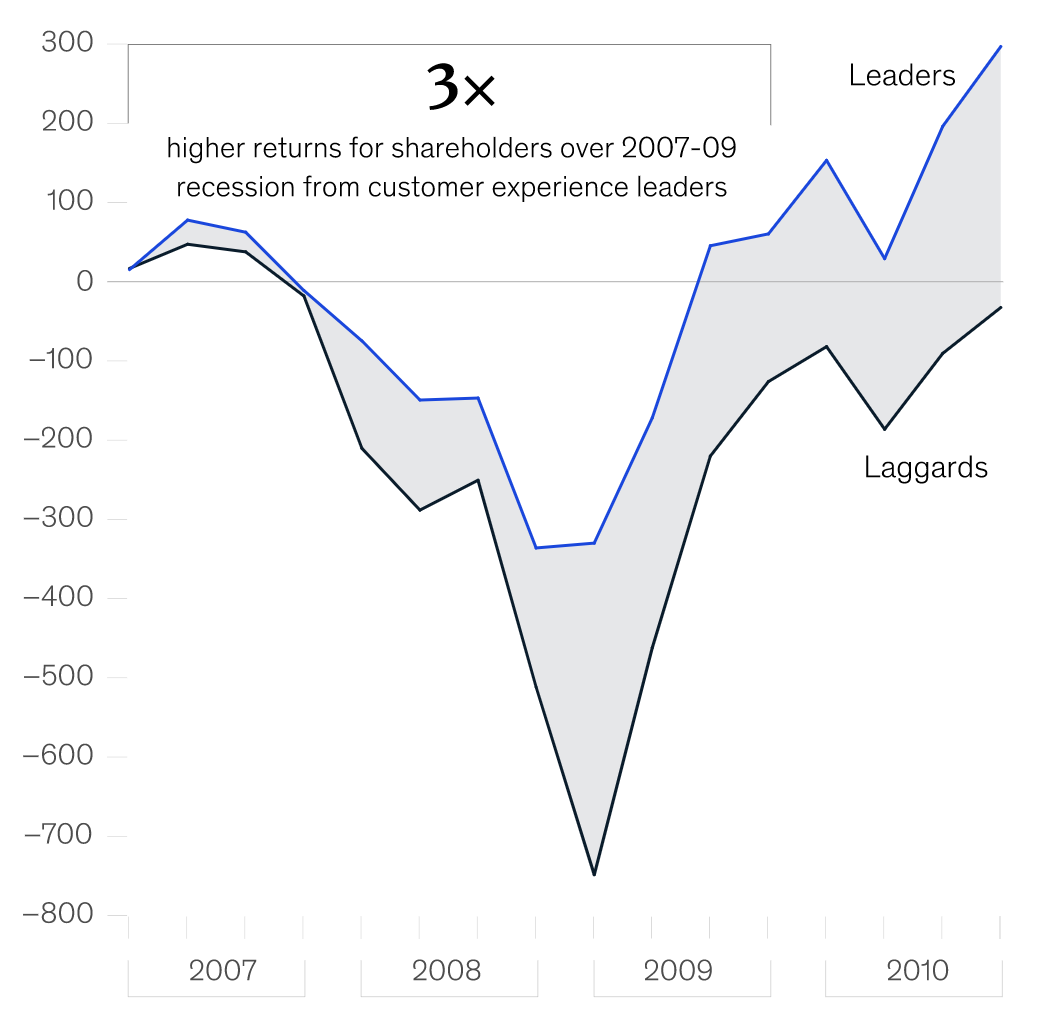
Image 1: Comparison of total shareholder returns for customer experience leaders and customer experience laggards, source: Forrester Customer Experience Performance Index (2007–09), via McKinsey & Company
That is why it is so important that sales, marketing, and service teams in particular fight the forces dragging them in the direction of quick fixes and short-term solutions and firmly focus on the customer amidst the fog of crisis. This isn’t only the right thing to do, it’s the most effective way to protect key business metrics in a sustainable way, for the long term, through times good and bad.
Selling for Today and Tomorrow
When growth stagnates, sales teams are naturally inclined towards ramping up outreach to prospects in the hope of quickly closing new deals. But this is counterproductive. During a time of economic uncertainty, prospects are likely to be reducing budgets and taking a more cautious approach to purchase decisions, making them less likely to respond positively to cold emails and calls.
According to research from HubSpot, sales teams increased their email outreach by 23% as the COVID-19 crisis took hold, but saw a 27% decline in the average response rate to those emails.
Instead of increasing outreach, sales teams should instead sharpen their focus on the immediate needs of their prospects, explore solutions in a collaborative manner, and strive to build relationships that’ll last.
Where possible, businesses should update their automated emails to ensure they’re empathetic, re-evaluate their target markets based on which segments and industries have been most impacted by the crisis, and adjust their forecasts to reflect the challenging economic conditions — a move that can help to relieve salespeople of the sense of urgent pressure that pushes them towards short-term solutions.
Adopting this approach can help sales teams to close more deals in the immediate future, but more significantly, it can serve as a powerful display of empathy and understanding that helps set up new business relationships for long-term success.
Marketing that Matters for the Moment
Marketing teams face challenges of their own during a crisis. Many of the campaigns, creative concepts, and communications plans that were mapped out during times of growth will be irrelevant at best, and tone-deaf at worst, during a time of economic hardship.
As difficult as it is to postpone or scrap well-thought-out marketing plans, not doing so could alienate audiences and do irreparable damage to customer relationships that have been years in the making.
In the face of uncertainty, there should be one question guiding all marketing decisions: how can we help, right now?
For some teams, that could mean reducing the volume of emails and content that are sent out into the world.
For others, it could mean creating brand new resources — such as educational courses or virtual event programs — that offer unique value and speak to the immediate needs of their audiences. And as is the case for salespeople, marketers should adjust the tone of their messaging to ensure that empathy is at the center of every touchpoint with the customer.
At its core, good marketing is always about providing value to audiences. Teams that successfully adapt their strategies to add value in a moment of crisis reassure their customers that they are committed to helping them, no matter the circumstances. And that’s a message that can foster deeper levels of trust, which will be key to reigniting growth post-crisis.
Service That Can Sustain the Strain of a Crisis
When uncertain times strike, many companies experience sudden spikes in customer queries, which can put a major strain on service teams. While the natural temptation may be to try to increase effort and working hours to manage the higher volume, this could lead to employee burnout, a lower-quality of service, and longer-than-expected wait times for customers. A more sustainable approach is needed to solve for the customer.
Businesses should consider investing in a chatbot, which will allow customers to self-serve and get quick answers to common questions, while also freeing up staff to spend more time working on more complex queries. Service and marketing teams should also work together to create relevant educational content that proactively addresses anticipated customer issues.
Businesses that successfully adopt new sustainable service strategies during a crisis will be well-placed to support their customers through the period of uncertainty, and significantly, will have established new scalable processes to support renewed growth in the future.
Grow Better: a Message for These Times
During times of crisis, growth often grinds to a halt. But as most businesses will attest, growth is never a straight line. For individuals, companies, and economies alike, the journey is littered with setbacks, misplaced bets, false starts, and a whole host of unforeseen events.

There is no foolproof playbook for the unprecedented situation now facing businesses across the world, and there is no guaranteed fast-track back to growth. Some companies will pivot to a new model that sets them up for renewed long-term success. Others will double-down on their existing strategies and white-knuckle their way through the coming months. Others will have to make some agonizing decisions to survive.
It’s easy to feel pessimistic at a time like this, but in the face of undeniable uncertainty, I am fiercely optimistic that the customer-centric values that got businesses to where they were before the present crisis are ultimately what will get them through it.
By drawing closer to customers and placing them at the center of every decision across sales, marketing, and service, businesses give themselves their best chance of successfully navigating these uncharted waters. Not only that, they also position themselves for renewed growth as the economy stabilizes and new opportunities emerge.
At HubSpot, we’ve long thought that this is the best way to grow, and we have encapsulated it in our mission: to help millions of organizations grow better. It’s a way that doesn’t sacrifice customer experience for short-term gains. A way that calls on businesses to do the right thing, even when it’s hard. A way that builds the armor needed to weather the storms when they inevitably come.
So just as it has felt difficult to talk about growth in recent weeks, it has felt energizing and empowering to talk about growing better. It’s a philosophy that was built for these times.
Take a look at Adapt 2020: An Education Series to learn more about the shifts you need to make to build a marketing strategy for today’s unique situation, and tomorrow’s new economy.

How to Create Instagram Stories Polling Sticker Ads
Want interactivity in your Instagram Stories ads? Have you considered adding interactive polls to your ads? In this article, you’ll discover how to create an Instagram Stories ad poll for the best engagement. Why Use Polls in Your Instagram Stories Ads? Instagram polls give you a chance to interact with your customers and prospects, find […]
The post How to Create Instagram Stories Polling Sticker Ads appeared first on Social Media Marketing | Social Media Examiner.
from Social Media Marketing | Social Media Examiner https://ift.tt/3bTa8EJ
via socialmediaexaminer
The Most Underrated Online Marketing Tactics You’re Probably Not Taking Seriously
Here’s a fun little challenge for you: name three marketing strategies you’d recommend to someone who’s getting their start in the field. Easy, right?
This is what I’d suggest — social media marketing, email newsletters, and content offers.
As marketers, we can pretty much list useful, tried-and-true marketing tactics like clockwork. We know what works. But when delighting customers is a top priority, the “same old, same old” can seem redundant to your audiences.
For that reason, thinking outside of the box when conducting marketing strategies is essential. You don’t want to bore your customers, and you don’t want to get bored creating the same campaigns, either.
If you’re looking for marketing strategies that aren’t making an email list or writing a blog post, you’ve come to the right place.
Here, we’re going to introduce some marketing strategies that you might’ve seen before (or maybe not), but that you haven’t seen popularly implemented in years.
If you can’t take much more of the same, your audience probably can’t, either. Let’s talk about some interesting, less-raved about ways you can spice up your marketing plan.
1. Create and distribute infographics.
19% of marketers use infographics as part of their content marketing campaigns, but they are very useful for audiences. If you’re distributing data on social media, infographics present the complicated information in a simple, fun format:
Visual content is more engaging than text, and still presents the information in a useful way — plus, people who may not have the time to read a full report (or might have difficulty finding takeaways from the data) will likely find an infographic fun and quick.
Plus, infographics can be an awesome content piece for visual platforms (and are pretty fun to make). If you’ve never made an infographic before and are looking for a template or two to get started, why not 15 you can download for free right now?
2. Conduct interviews with industry thought leaders.
Industry thought leaders are likely to have a following of their own, especially on a professional networking site like LinkedIn. Interviewing one diversifies content on your blog, gives you the chance to expand your network, and connects you with a different audience.
It can seem like interviews aren’t a home run idea, but, a properly optimized post with an industry thought leader grows your connections and provides helpful content to readers.
Check your network for thought leaders to interview — you might already have some awesome connections to work with. When you post and share the interview, make sure to tag the thought leader and the industry, so a broader audience has a chance of finding you organically.
3. Invest in a video series strategy.
Are you investing in your content marketing strategy? If you are, or plan to, and don’t yet produce videos or a video series, video content is a great place to start. In fact, 88% of marketers say video content gives them a great ROI.
Videos can be about anything related to your brand. For instance, maybe you’ve found that your audience responds really well to posts that spotlight colleagues. If this is the case, your first video series could be a quick Instagram Takeover where your staff answers audience questions on your business account’s Story.
Alternatively, if your business has its own course content, consider uploading them to YouTube and sharing it with your customers. That way, content is accessible in multiple areas for your audience.
4. Introduce apps into content planning.
Conversational marketing is an important base to cover because it informs professionals how to best reach audiences. For some companies, the best conversational channel is through email or chatbots — but what about an app with marketing and business tools?
For example, WhatsApp is the #1 messaging app in the world and has an accompanying Business app. It lets you interact with customers on a more personal level from a Business page. Customers can text the page with questions, or they can visit your online storefront and check out the products or services you offer.
If you want to offer a more personalized experience to customers, using apps that customers likely already know how to use is a great start. They can even be used as an accessory to a new product launch or a promotion — because sometimes, don’t you just wish you could text a sale reminder to customers?
5. Host a webinar.
Webinars are another method to solidify industry expertise for your business. They’re also a way to connect your audience with the people behind your brand. A webinar provides its viewers with an educational presentation online, and is a cheaper, easier option than planning a conference.
Are you unsure of how a webinar will look for your business? Think of larger topics that can be discussed by two or more people at your company. For a marketing company, for example, this might look like “social media marketing,” or “lead acquisition.”
For example, LinkedIn’s webinars are focused on professional development:
Inviting customers to join your webinar gives them an event to look forward to. Plus, they’re usually live events, with recordings released after. A “one-time-only” event gives customers more of an incentive to attend, so they’re not the last to know.
6. Use SEO in other areas.
SEO is great for building traffic, but you can also use it for other areas of your business. For instance, keyword research can help you name new products so leads have a better chance of finding them.
As another SEO tactic that serves customers, you can use previous data you’ve collected to create a customer-centric strategy that caters to every part of their buyer’s journey. If you’ve noticed that you’re generating enough leads, but aren’t converting enough customers, SEO data could help you figure out where that gap is and how to fix it.
Those are just two ways SEO can help you, but for more ideas, look at our post for using SEO for marketing decision-making.
7. Refer to metrics for decision-making.
Did you know that only 35% of marketers believe that understanding metrics of previous campaigns is important? Ultimately, understanding the metrics and ROI of completed campaigns can heavily influence how you structure the next one.
For instance, ROI data is one of the indicators that can tell you if you met your business goals. Additionally, analyzing what works for audiences and what doesn’t leads to better ad spending and content planning. Knowing how your customers respond to campaigns gives you better ideas of how to target them.
8. Consider micro-influencer partnerships.
Yes, influencer marketing is extremely effective — but it can also be extremely expensive. Maybe you don’t have the budget to plan a partnership with that influencer with 5 million Twitter followers, but what about the influencer with 8,000 followers?
The smaller audience of a micro-influencer means those figures have more bandwidth to engage with their audience, so you can expect to find a healthy balance between the number of followers one has and their engagement.
Plus, micro-influencers tend to have more of a targeted audience. For example, let’s say that you work for a software development company and you want to partner with an influencer for your newest gaming computer launch. Partnering with a celebrity influencer with millions of followers can earn you great exposure, sure — but only a portion of them will be interested in gaming computers.
Alternatively, if you partner with 3-4 micro-influencers in the gaming community, with 4,000 followers each, you still have the chance to be exposed to large, active audiences that are interested in gaming and gaming software.
9. Use forums to your advantage.
Online forums are platforms where users can ask and answer questions about various topics. At first, forums may seem as if they have little to no connection to marketing, but they’re actually a great brand awareness tool.
For example, let’s say you are a marketer for a web design company, and you’re scrolling a forum, such as Reddit or Quora. Eventually, you come across a question about the best tools to use for building a website. You can answer the question using your expertise and recommend your company, like this answer to “What’s the best video maker?”:
That way, you can introduce the user to your company’s brand, but it goes a little further, too: anyone who comes across the question will have the chance to see your answer, and if it’s a great one, it might earn enough recognition to stay at the top of the thread. Ultimately, forums work like search engines — the best, highest rated, and most helpful query answers get displayed first.
10. Quiz your audience on different platforms.
If your engagement with social media audiences starts and ends with comment sections, there’s so much more room to try out new growth opportunities. A quiz is one way to actively engage your followers.
Quizzes can take form in a blog post, an Instagram story poll, a Twitter poll, or in video. The quiz can be personality-based, a way for your audience to test their industry knowledge, or an introduction to your colleagues.
Try out a few online quiz makers and see what you can come up with for your next campaign. Is there room for a quick “What Your Favorite Social Media Platform Says About You” quiz in your future?
11. Diversify with interactive messaging.
Similar to posting quizzes, getting your followers involved in the creation and distribution of your content is a huge way to build customer relationships. What’s more, most online platforms and channels have their own tools to make that easier.
For instance, you can use a template to make an eye-catching visual to pair with a question you ask followers on Facebook, or hold a contest and ask users to create their own content using your branded resources, like this beauty company did:

We know the basics of user-generated content, but are you thinking outside the box? If you lead social media efforts for a boutique fashion company, you could ask social media followers to style an outfit with one of your pieces — but the catch is that the outfit has to be only one color.
Some of these strategies aren’t new, but coming up with new ways to use them is part of knowing how to reach your audience. Some tactics, however, tend to be overlooked in favor of strategies that companies lean on for success.
If you’re finding trouble delighting your followers, try thinking outside of your marketing comfort zone. You never know what new strategies might delight your audience.

Facebook Ad Updates: New Metrics and More
Welcome to this week’s edition of the Social Media Marketing Talk Show, a news show for marketers who want to stay on the leading edge of social media. On this week’s Social Media Marketing Talk Show, we explore Facebook pulling back its mandated use of Campaign Budget Optimization for ads and the addition of new […]
The post Facebook Ad Updates: New Metrics and More appeared first on Social Media Marketing | Social Media Examiner.
from Social Media Marketing | Social Media Examiner https://ift.tt/3bEgtDN
via socialmediaexaminer