
Welcome to My Blog
Why Marketers Need Responsive Emails in 2020
The other day, I received the following email from Adobe and opened it on my desktop at work:
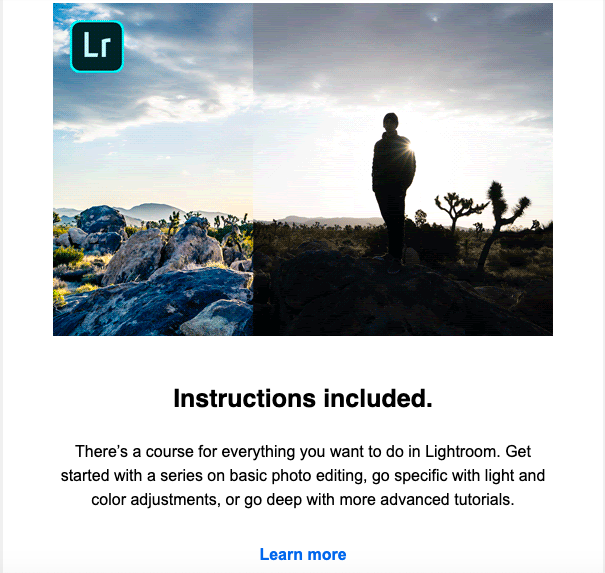
This email from Adobe gave me a top-notch email experience on desktop. However, I didn’t have time at the moment to “Learn more”, so I marked the email as unread and saved it for my commute home.
An hour later, on the T, I re-opened the email on mobile. Now, imagine if I opened this email on my phone and the image was low-quality, the text was too small to be read, and the call-to-action button was broken — as someone who prefers to read email marketing messages on their phone, this would frustrate me and, ultimately, drive me to unsubscribe from the email list altogether.
I’m not the only one who prefers to read marketing emails on their phone. In fact, more than half of U.S. residents prefer to look at email marketing messages on their phone. Optimizing emails for mobile is so important because that’s how many readers are accessing marketing messages.
So the proof is out there, sure, but how do marketers stop sending emails that aren’t optimized for multiple screens? Responsive email is the answer.
Responsive emails are emails that use fluid images and tables to remain flexible across different screen sizes. Ultimately, they deliver content designed for the user’s optimal experience.
Though responsive emails can be designed using CSS media queries, you don’t need any coding experience to make one. Creating a responsive email isn’t just a job for coders. Here, we’ve lined up some best practices, ready-to-use templates, as well as a quick tutorial about the fundamentals concerning responsive emails.
But first, let’s clarify — what is a responsive email, anyway?
To illustrate, here is how a promotional email I received yesterday looked on desktop:
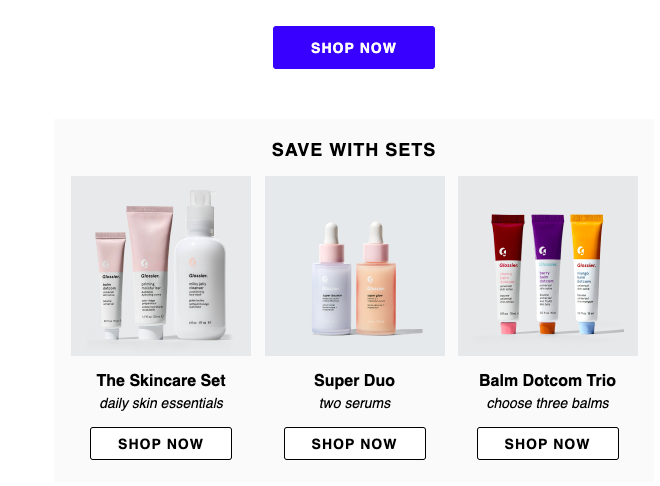
This email has awesome imagery, shoppable icons, and is nicely formatted. When I open the email on mobile, this is what I’m greeted with:
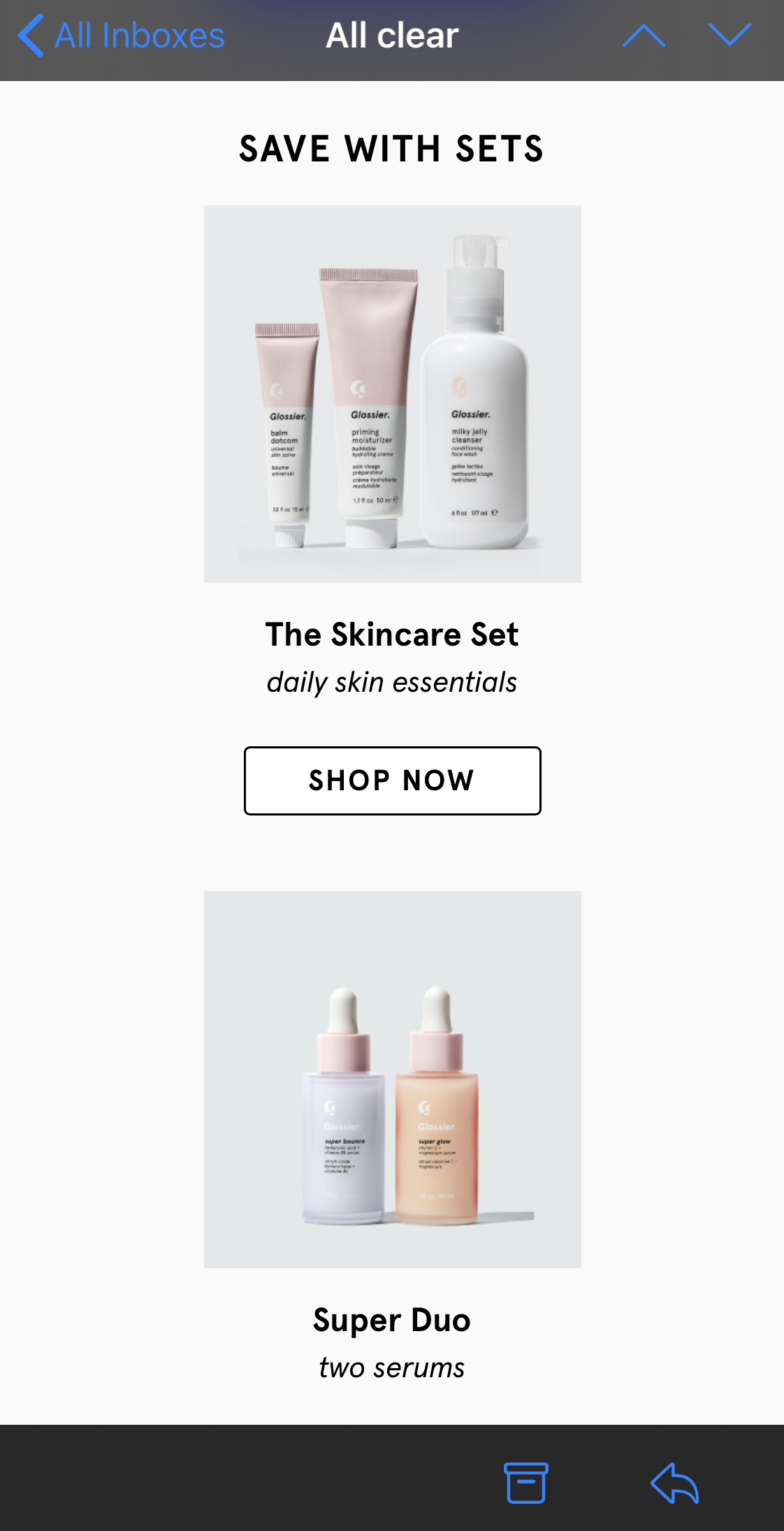 I still have the same information, and the same photos and shoppable icons —the only noticeable difference is the email format. It’s different to better fit the mobile experience.
Now, imagine if that same desktop layout was applied to mobile. I’d have to zoom-in on my phone to see any of the pictures or text. Instead of doing that, I’d unsubscribe.
Low-quality emails could potentially communicate to the subscriber that the quality of that interaction wasn’t taken into consideration. Ultimately, non-responsive emails can result in a loss of subscribers.
With responsive email, user experience can be enhanced, as well as campaign ROI. Think about it: subscribers satisfied with an optimized mobile email design will find themselves opening more marketing messages because they know it’ll look good.
So, with all this talk about responsive emails, you must be itching to create your own. Next, we’re going to look at easy ways to create responsive emails, as well as provide best practices.
Responsive Email Templates
A responsive template will automatically adapt to any screen size, so whether the email is opened on a smartphone, tablet, or computer, it will look great and have complete functionality.
For those with less of a coding background or those looking to spend less time with design, my advice is to use a template. They’re a surefire way to make sure your email will look professional and be responsive.
Responsive email templates save you time on designing an email that could’ve been picked out from a selection. For example, HubSpot’s email marketing tool includes over 60 templates just for responsive emails.
Let’s take a look at some templates options now.
1. HubSpot
HubSpot offers a couple of free responsive email templates. If you’re a HubSpot customer or a free user, you can download and try them out for yourself. For instance, here’s one of the responsive email templates — notice the sidebar, where you can preview the template on multiple devices.
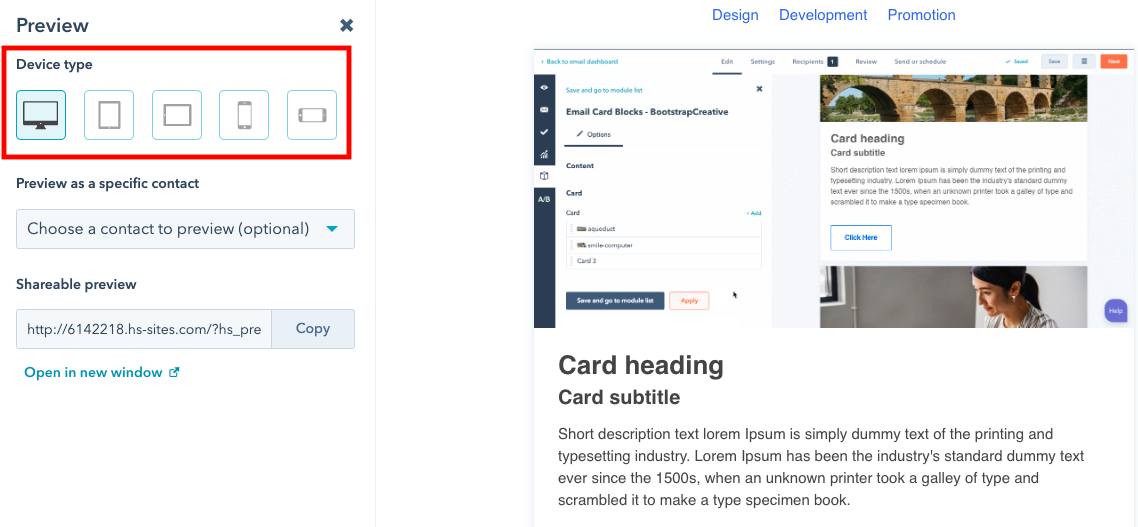
Clicking through device types and making sure your email is formatted accordingly is one of the final steps in the design process, and is the only step in the responsive email process when you’re using software like HubSpot.
By clicking on the smartphone device for preview, for instance, you can see if your content — including font size and image resolution — is formatted in a way that’s pleasing for mobile.
2. CampaignMonitor
The templates offered by CampaignMonitor are similar to many others, in which responsive email results are shown in the preview tool. For example, here is a CampaignMonitor template:
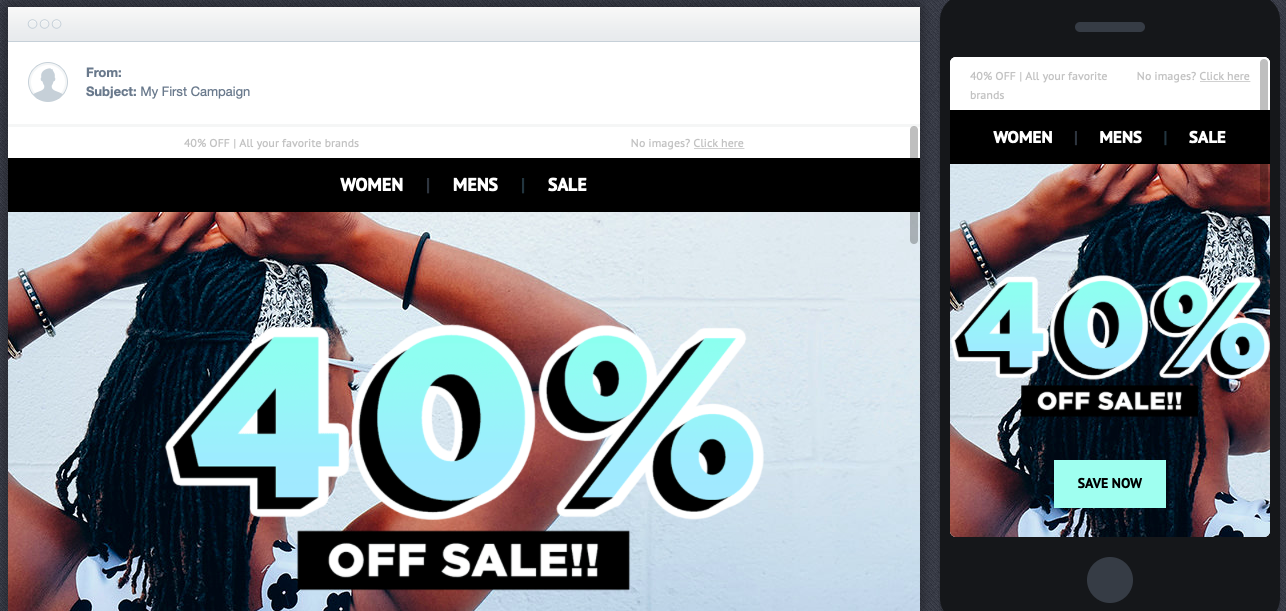
One thing I really like about this set-up is how you can see the different devices side-by-side so you can compare design elements easily. Tiny edits can be made to create the best experience for all subscribers.
CampaignMonitor templates are often free, so it’s a good choice if you have a minimal budget.
3. Stripo
Stripo offers over 300 free HTML email templates. You can choose templates by industry, season, type, and feature. For instance, here’s a template from their business industry section:
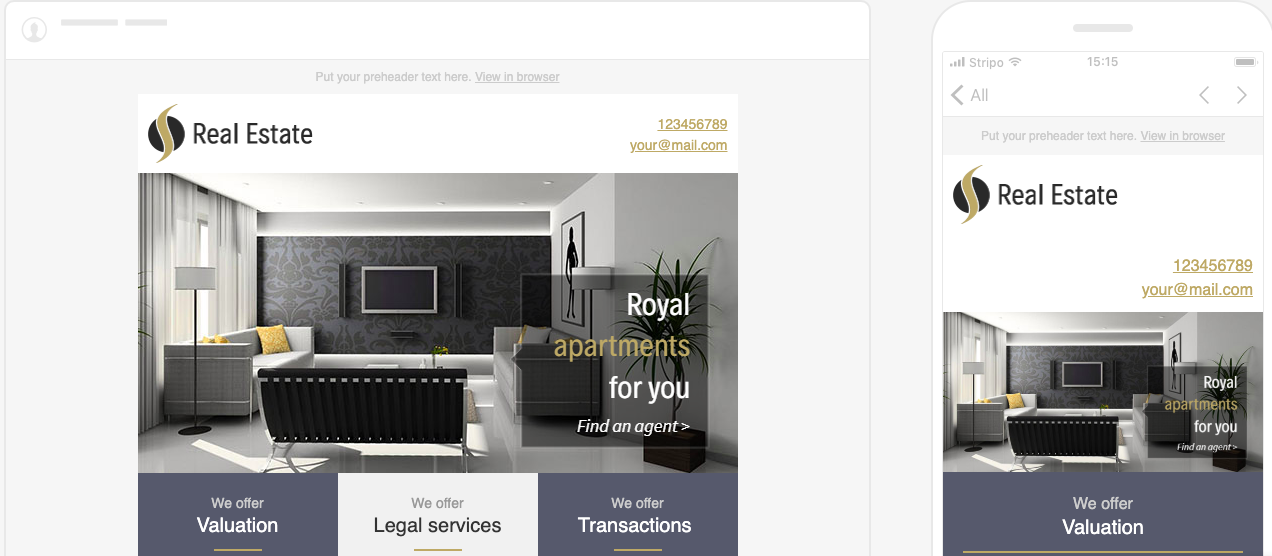
A good sign of a solid responsive email template is the option to see the preview in both desktop and smartphone variations, as shown in Stripo’s preview mode. Notice how a single column layout was adopted in the mobile preview to fit the specifications of phones.
I like Stripo because it’s a website you can visit quickly to find a template that fits your goals. You might consider Stripo if you’re looking to try out responsive emails or want some design inspiration.
4. Constant Contact
Constant Contact offers over 200 professional email templates that are accessible after signing up. From looking at the example below, you can see that the platform offers responsive email templates:
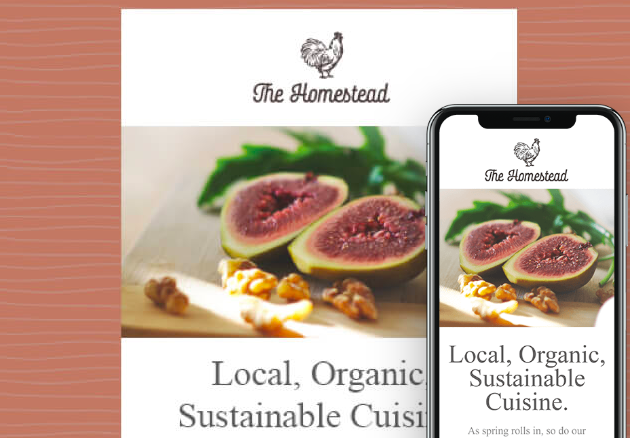
Constant Contact’s templates have drag-and-drop editing, the option to add surveys, Ecommerce functions, and a photo library tool. These features can all help to create the email subscribers want to see.
It’s helpful to use a service like Constant Contact because the specific tools allow you to maintain consistency, like in the example above. You can tell that the responsive nature of the email doesn’t compromise any of the design elements.
Now that we’ve taken a look at some template options, let’s look at another way to make responsive emails work, and best practices.
How to make an email responsive
If you have a coding background, you can make an email responsive by using code.
Some best practices when coding responsive emails include making sure your responsive email is scalable and flexible. Additionally, remember that responsive emails require CSS media queries to change fields that are fixed to fields that are fluid.
Another responsive email design best practice is to use larger fonts that will be easy to read on screens that are smaller. Single column layouts are also easier to be scaled, so if simple layouts are good for your webpages, definitely consider it for a responsive email.
The next time you create an email campaign, it’s a good idea not to finalize any of the designs until you see how they look across multiple screen resolutions. So many people access emails by mobile just for the ease of it. A simple way to check the effectiveness of your email is to send it to yourself or team as a test — does it stack up against the other responsive marketing emails in your inbox?

The 8-Step Process HubSpot Uses to Optimize Google Advertising Costs
With over 3.5 billion search queries on Google everyday, paid Google search — paying Google to advertise your content on SERPs for relevant keywords — is one of the most popular and effective types of online advertising.
However, there’s enormous demand for the top ad rankings for a lot of keywords, and your competitors are duking it out to win the top keywords in your industry. So are you supposed to compete?
Over the past four years, HubSpot has spent millions of dollars and ran over 1,200 controlled experiments on acquiring free CRM users through Google advertisements, learning a ton of new insights and processes along the way. Additionally, HubSpot has launched a free ads tool to help get Google Ads strategies right.
We want to share our learnings with fellow marketers to help everyone save their time, budget, and frustrations.
Read on to learn the eight-step process we use to optimize Google Advertising costs. And if you’re new to Google ads, check out the basics of Google Adwords in the section below. If you already know the fundamentals, feel free to skip it.
Google Ads (Formerly Google AdWords), Explained
This section is for those who need a basic crash course in the subject, as well as those who want to refresh their knowledge on Google Ads. Refer back to this section as a quick reference point.
First, you might be wondering how much all of this is going to cost you. Let’s talk about that now.
What do these acronyms mean? Let’s break it down:
- CPC — Cost per click (CPC), is the price you pay for each click on a PPC marketing campaign. For instance, if someone clicks on your ad from the Google results page, you would pay a set price for that click. If you pay $100 for your ad and it’s clicked on 100 times, then your CPC is $1.
- PPC — Pay-per-click (PPC), is a strategy where marketers pay for their ads to appear in search results for certain keywords or phrases. (Learn more here).
In short, PPC and CPC differ because PPC is a marketing strategy, while CPC is a metric you can use to measure the effectiveness of your overall PPC strategy. As a metaphor, PPC is to blogging what CPC is to views.
On average, the CPC average for Google Display Networks is $1 or less. This means, for less than a dollar, your ad can be displayed on one of the 2 million websites Google has in its network. (Don’t worry, Google helps find the right audience).
The CPC for Google Search Network is up to $2 per month. The price is higher because Google Search Network is in reference to the ads displayed at the top of SERPs, and there’s more competition for those spots.
What is your competition spending on ads? Well, Google ad spend in the realm of SMBs is between $9,000 to $10,000 per month. As stated above, you can set your budget for campaigns on Google, but keep in mind that this is the median.
Now that you know the cost, let’s get into some key terms and phrases to know before optimizing ad spend.
Keywords
From a fifty-thousand foot view, you win ad impressions on Google by bidding on keywords. In other words, you’re asking Google to show your ad to a user when they type a specific search query into their search engine. These search queries are keywords.
For example, if you’re advertising a free CRM, you might want your ad to show up on Google when users type “free crm” into the search engine. Every other brand who wants to win those impressions will set their bids, and based on that and various other factors, Google may choose to display your ad to its users.
Ad Groups
An ad group organizes keywords into different groups. For example, if a advertiser had a “Competitors” campaign, it’d most likely be in a “Marketing Competitors” ad group and a “Sales Competitors” ad group. Within each of these ad groups, the advertiser then might bid on keywords that consists of competitors’ brand names plus each product we both sell.
Quality Score
Aggressively bidding on keywords is not enough to win impressions. You could bid $10 per click while your competitor bids $5 per click, and you could still lose that auction if they have a high enough quality score.
Quality score is a metric that measures how positive and relevant of an experience you are creating for the searcher. A lot of signals are taken into account, two of which are landing page experience and click-through rate.
Google’s top priority is providing their users with a great user experience, so they’d rather give an impression away for free than make $100 per click if the loss in revenue means they can provide a better user experience to their users.
So, organizations can’t acquire the top ranking for any keyword they want just because they have the biggest ad budgets. Their content also has to be relevant.
Match Types
Google Ads offers four match types: broad match, modified broad match, phrase match, and exact match. Recall that match types define categories a search query can fall in.
Here’s a rundown of each:
Broad Match: With broad match, the user just needs to type in one of the words within your keyword or a variant of it, and your ad could show up on their results page. For example, if you bid on “free crm software”, your ad could only show up for “crm software” and “adobe software.”
Be careful with broad match, though. Bidding on these type of keywords is the easiest way to burn through a ton of cash without producing substantial results.
Modified Broad Match (MBM): MBM allows you to lock in specific keywords within a phrase. For example, bidding on “free +crm +software” will display your ad on a Google search for “no cost crm software” and “easy crm software”, but not on “adobe software”.
Phrase Match: With phrase match, your ad will appear when Google users search for the phrase that you’re bidding on, as well as instances where your phrase is before, after, or in between other keywords in the search query. For example, if you bid on “free crm software”, your ad will show up on Google for “free crm software for small business”, but not for “free software crm.”
Exact Match: Exact match is exactly what it sounds like. If you bid on “free crm software”, your ad will only show up if users search for “free crm software” on Google, in addition to other close variants.
Now that we know the basics of Google Adwords, let’s get back on track.
The 8-Step Process HubSpot Uses to Optimize Google Advertising Costs
1. Pick your keywords.
When you first launch your Adwords campaign, start small. Come up with a list of 5-10 keywords and start bidding using modified broad match. For example, if you’re working on a campaign for a free CRM, the keywords “Free CRM”, “CRM Software”, “CRM Reviews”, “CRM Comparison”, and “Best CRM” would be good to start with. Modified broad match will be more expensive than exact match, but it gives Google greater flexibility to display your ads on more search queries than exact match will.
In addition to building a “unbranded” keyword list, like the one above, you’ll also want to build a “branded” keyword list (i.e. “HubSpot CRM”). You should do this for two reasons:
- More clicks: You’re probably thinking, “HubSpot already has the #1 spot on Google for the keyword ‘HubSpot CRM.’ Why would they pay for it?” What you’re thinking is true, but studies show if you also win the top ad spot on the SERP where you’ve already won the top organic ranking, you’ll receive significantly more clicks. And given the amount of ads Google displays above the fold these days, I have no doubt in my mind this is accurate.
- Competitor blocking: If we don’t bid on and win “HubSpot CRM”, one of our competitors will. Even if we bid aggressively, our competitors can still sneak a win, like the example below.

2. Set up your campaigns.
There isn’t a cookie cutter approach to campaign structure, but I’m a strong proponent of a 1:1:1 campaign to ad group to keywords setup. In other words, I like to put one keyword in each ad group and one ad group in each campaign. Setting up your campaign like this can clutter your account from an organization standpoint, but here are two reasons why it’s worth it:
- When you use Adwords, you usually set daily budgets at the campaign level, so this type of campaign set up allows for more flexible spending. This is important because your keywords’ ROI can get maxed out. Adwords is an auction, so if you want to win more impressions, you have to bid more. Eventually, the CPC required to win more impressions won’t be worth it anymore, so you’ll want to allocate your budget elsewhere. You can do this precisely if you categorize each keyword into its own campaign.
- Since Google sets your quality score at the keyword level, you’ll want to set up an ad group for each individual keyword, which are sometimes referred to as swim lanes. By setting up swim lanes for each keyword instead of putting them all in the same ad group, you’ll avoid the unfortunate situation of a few underperforming keywords dragging down the quality score of the entire ad group. If each keyword has its own ad group or swim lane, you can just pause the underperforming keywords’ campaign and no harm will be done anywhere else.
3. Craft your ad copy.
One of the most effective levers you can pull to boost your quality score is Click-through-Rate (CTR). And one of the most effective levers you can pull to boost your CTR is crafting compelling ad copy.
One of the most important principles of Google Ads copy is that you need to signal to Google and their users that your ad is relevant to their search. For example, if you’re bidding on the keyword “CRM Software”, design a completely different ad and landing page than if you’re bidding on the keyword “CRM Reviews”.
4. Set up ad extensions.
There are a lot of useful Google ad extensions, but if there’s one you should always launch with, it’s sitelinks. Sitelinks are the 4-6 links under most Google ads. They take up a significant amount of real estate, boost your CTR, and, best of all, you don’t have to pay any extra money when people click on them.

5. Setup “negative” keywords.
Negative keywords inform Google that you don’t want to bid on a keyword if the user enters a specific word alongside your keyword. There are a lot of different use cases for setting up negative keywords, but here are three big ones to look out for:
- Irrelevance: I helped market a pre-workout at my last company called “volcaNO”. Needless to say, I didn’t want our ads to show up on Google for the keyword “volcano lava”, so I tagged “lava” as a negative keyword.
- Competing with yourself: Remember, Adwords is an auction. So if you have one campaign bidding on “CRM Software” on MBM and another bidding on “Free CRM Software” on exact match, you’ll be competing with yourself if a user searches for “free crm software”. Tag “free” as a negative keyword in the “CRM Software” campaign to avoid cannibalizing your own clicks.
- Low quality: To understand who your business’ ideal buyer is, talk to sales about the type of people who aren’t good fits for your products or services and try to filter them out.
6. Find your top performing keywords.
After you run your campaigns for a while, it’s time to optimize them. The most important Adwords tab in regards to optimizing your campaigns is the “search term report”. The search term report lists out the exact search queries that you’ve paid for for a given keyword. Remember, if you bid MBM on “free crm”, you’re going to show up on Google for the keywords “free crm for SaaS companies”, “best free crm”, “free crm to replace excel”, and potentially thousands of others. The search term report will help you filter out your top performing keywords.
If you notice a specific search query performing particularly well, tag it as negative keyword so you don’t bid it against your other keywords, and then break that keyword out into its own campaign. This is the time to double down. You’ll give that keyword its own budget, it’s own ads, it’s own display URL, and if you have the bandwidth, even it’s own landing page.

7. Look for negatives on demo data.
Most people know about negative keywords, but they often overlook negatives on demo data. For example, maybe you notice men under 25 or woman over 60 aren’t converting (all of this data is available in Adwords). You can exclude these segments by adding negatives or bid modifiers to them, which we’ll explain below.
8. Setup bid modifiers.
A bid modifier lets you adjust your bids for specific criteria without having to change the targeting of your campaign or ad group. For example, if you see mobile converting 50% worse than desktop, you can add a -50% bid modifier on mobile clicks. That’ll lower your ad’s bid on mobile impressions, lead to less placements of your ad on mobile, and optimize your budget. Other cool bid modifiers include:
- Age & gender
- Locations
- Hours of the day
- Days of the week
- If someone has visited a page on your site in the last X days
- If someone is on a lead list
The only silver bullet to Google Adwords is testing and learning.
While the process above is what has worked best for HubSpot’s paid acquisition team, the only way to know what works best for your business is to test and learn. So feel free to implement our strategy as a starting point, but we highly recommend you monitor your data closely and develop a process that’s more tailored to your own business.

The Who, What, Why, & How of Digital Marketing
With how accessible the internet is today, would you believe me if I told you the number of people who go online every day is still increasing?
It is. In fact, “constant” internet usage among adults increased by 5% in just the last three years, according to Pew Research. And although we say it a lot, the way people shop and buy really has changed along with it — meaning offline marketing isn’t as effective as it used to be.
Marketing has always been about connecting with your audience in the right place and at the right time. Today, that means you need to meet them where they are already spending time: on the internet.
Enter digital marketing — in other words, any form of marketing that exists online.
At HubSpot, we talk a lot about inbound marketing as a really effective way to attract, engage, and delight customers online. But we still get a lot of questions from people all around the world about digital marketing. So, we decided to answer them. Click the links below to jump to each question, or keep reading to see how digital marketing is carries out today.
- What is digital marketing?
- Why digital marketing?
- Digital Marketing Examples
- What does a digital marketer do?
- Inbound Marketing vs. Digital Marketing: Which is it?
- Does digital marketing work for all businesses?
- What is the role of digital marketing to a company?
- What types of digital content should I create?
- How long will it take to see results from my content?
- Do I need a big budget for digital marketing?
- How does mobile marketing fit into my digital marketing strategy?
- I’m ready to try digital marketing. Now what?
So, how do you define digital marketing today?
A seasoned inbound marketer might say inbound marketing and digital marketing are virtually the same thing, but there are some minor differences. And conversations with marketers and business owners in the U.S., U.K., Asia, Australia, and New Zealand, I’ve learned a lot about how those small differences are being observed across the world.
At this stage, digital marketing is vital for your business and brand awareness. It seems like every other brand has a website. And if they don’t, they at least have a social media presence or digital ad strategy. Digital content and marketing is so common that consumers now expect and rely on it as a way to learn about brands.
Long story short, to be competitive as a business owner, you’ll need to embrace some aspects of digital marketing.
Because digital marketing has so many options and strategies associated with it, you can get creative and experiment with a variety of marketing tactics on a budget. With digital marketing, you can also use tools like analytics dashboards to monitor the success and ROI of your campaigns more than you could with a traditional promotional content — such as a billboard or print ad.
How does a business define digital marketing?
Digital marketing is defined by the use of numerous digital tactics and channels to connect with customers where they spend much of their time: online. From the website itself to a business’s online branding assets — digital advertising, email marketing, online brochures, and beyond — there’s a spectrum of tactics that fall under the umbrella of “digital marketing.”
The best digital marketers have a clear picture of how each digital marketing campaign supports their overarching goals. And depending on the goals of their marketing strategy, marketers can support a larger campaign through the free and paid channels at their disposal.
A content marketer, for example, can create a series of blog posts that serve to generate leads from a new ebook the business recently created. The company’s social media marketer might then help promote these blog posts through paid and organic posts on the business’s social media accounts. Perhaps the email marketer creates an email campaign to send those who download the ebook more information on the company. We’ll talk more about these specific digital marketers in a minute.
Here’s a quick rundown of some of the most common digital marketing tactics and the channels involved in each one.
Search Engine Optimization (SEO)
This is the process of optimizing your website to “rank” higher in search engine results pages, thereby increasing the amount of organic (or free) traffic your website receives. The channels that benefit from SEO include websites, blogs, and infographics.
There are a number of ways to approach SEO in order to generate qualified traffic to your website. These include:
- On page SEO: This type of SEO focuses on all of the content that exists “on the page” when looking at a website. By researching keywords for their search volume and intent (or meaning), you can answer questions for readers and rank higher on the search engine results pages (SERPs) those questions produce.
- Off page SEO: This type of SEO focuses on all of the activity that takes place “off the page” when looking to optimize your website. “What activity not on my own website could affect my ranking?” You might ask. The answer is inbound links, also known as backlinks. The number of publishers that link to you, and the relative “authority” of those publishers, affect how highly you rank for the keywords you care about. By networking with other publishers, writing guest posts on these websites (and linking back to your website), and generating external attention, you can earn the backlinks you need to move your website up on all the right SERPs.
- Technical SEO: This type of SEO focuses on the backend of your website, and how your pages are coded. Image compression, structured data, and CSS file optimization are all forms of technical SEO that can increase your website’s loading speed — an important ranking factor in the eyes of search engines like Google.
Content Marketing
This term denotes the creation and promotion of content assets for the purpose of generating brand awareness, traffic growth, lead generation, and customers. The channels that can play a part in your content marketing strategy include:
- Blog posts: Writing and publishing articles on a company blog helps you demonstrate your industry expertise and generates organic search traffic for your business. This ultimately gives you more opportunities to convert website visitors into leads for your sales team.
- Ebooks and whitepapers: Ebooks, whitepapers, and similar long-form content helps further educate website visitors. It also allows you to exchange content for a reader’s contact information, generating leads for your company and moving people through the buyer’s journey.
- Infographics: Sometimes, readers want you to show, not tell. Infographics are a form of visual content that helps website visitors visualize a concept you want to help them learn.
Want to learn and apply content marketing to your business? Check out HubSpot Academy’s free content marketing training resource page.
Social Media Marketing
This practice promotes your brand and your content on social media channels to increase brand awareness, drive traffic, and generate leads for your business. The channels you can use in social media marketing include:
- Facebook.
- Twitter.
- LinkedIn.
- Instagram.
- Snapchat.
- Pinterest.
If you’re new to social platforms, you can use tools like HubSpot to connect channels like LinkedIn and Facebook in one place. This way, you can easily schedule content for multiple channels at once, and monitor analytics from the platform as well.
On top of connecting social accounts for posting purposes, you can also integrate your social media inboxes into HubSpot, so you can get your direct messages in one place.
Pay Per Click (PPC)
PPC is a method of driving traffic to your website by paying a publisher every time your ad is clicked. One of the most common types of PPC is Google Ads, which allows you to pay for top slots on Google’s search engine results pages at a price “per click” of the links you place. Other channels where you can use PPC include:
- Paid ads on Facebook: Here, users can pay to customize a video, image post, or slideshow, which Facebook will publish to the newsfeeds of people who match your business’s audience.
- Twitter Ads campaigns: Here, users can pay to place a series of posts or profile badges to the news feeds of a specific audience, all dedicated to accomplish a specific goal for your business. This goal can be website traffic, more Twitter followers, tweet engagement, or even app downloads.
- Sponsored Messages on LinkedIn: Here, users can pay to send messages directly to specific LinkedIn users based on their industry and background.
Affiliate Marketing
This is a type of performance-based advertising where you receive commission for promoting someone else’s products or services on your website. Affiliate marketing channels include:
- Hosting video ads through the YouTube Partner Program.
- Posting affiliate links from your social media accounts.
Native Advertising
Native advertising refers to advertisements that are primarily content-led and featured on a platform alongside other, non-paid content. BuzzFeed-sponsored posts are a good example, but many people also consider social media advertising to be “native” — Facebook advertising and Instagram advertising, for example.
Marketing Automation
Marketing automation refers to the software that serves to automate your basic marketing operations. Many marketing departments can automate repetitive tasks they would otherwise do manually, such as:
- Email newsletters: Email automation doesn’t just allow you to automatically send emails to your subscribers. It can also help you shrink and expand your contact list as needed so your newsletters are only going to the people who want to see them in their inboxes.
- Social media post scheduling: If you want to grow your organization’s presence on a social network, you need to post frequently. This makes manual posting a bit of an unruly process. Social media scheduling tools push your content to your social media channels for you, so you can spend more time focusing on content strategy.
- Lead-nurturing workflows: Generating leads, and converting those leads into customers, can be a long process. You can automate that process by sending leads specific emails and content once they fit certain criteria, such as when they download and open an ebook.
- Campaign tracking and reporting: Marketing campaigns can include a ton of different people, emails, content, webpages, phone calls, and more. Marketing automation can help you sort everything you work on by the campaign it’s serving, and then track the performance of that campaign based on the progress all of these components make over time.
Email Marketing
Companies use email marketing as a way of communicating with their audiences. Email is often used to promote content, discounts and events, as well as to direct people toward the business’s website. The types of emails you might send in an email marketing campaign include:
- Blog subscription newsletters.
- Follow-up emails to website visitors who downloaded something.
- Customer welcome emails.
- Holiday promotions to loyalty program members.
- Tips or similar series emails for customer nurturing.
Online PR
Online PR is the practice of securing earned online coverage with digital publications, blogs, and other content-based websites. It’s much like traditional PR, but in the online space. The channels you can use to maximize your PR efforts include:
- Reporter outreach via social media: Talking to journalists on Twitter, for example, is a great way to develop a relationship with the press that produces earned media opportunities for your company.
- Engaging online reviews of your company: When someone reviews your company online, whether that review is good or bad, your instinct might be not to touch it. On the contrary, engaging company reviews helps you humanize your brand and deliver powerful messaging that protects your reputation.
- Engaging comments on your personal website or blog: Similar to the way you’d respond to reviews of your company, responding to the people who are reading your content is the best way to generate productive conversation around your industry.
Inbound Marketing
Inbound marketing refers to a marketing methodology wherein you attract, engage, and delight customers at every stage of the buyer’s journey. You can use every digital marketing tactic listed above, throughout an inbound marketing strategy, to create a customer experience that works with the customer, not against them. Here are some classic examples of inbound marketing versus traditional marketing:
- Blogging vs. pop-up ads
- Video marketing vs. commercial advertising
- Email contact lists vs. email spam
Sponsored Content
With sponsored content, you as a brand pay another company or entity to create and promote content that discusses your brand or service in some way.
One popular type of sponsored content is influencer marketing. With this type of sponsored content, a brand sponsors an influencer in its industry to publish posts or videos related to the company on social media.
Another type of sponsored content could be a blog post or article that is written to highlight a topic, service, or brand.
To learn more about sponsored content, check out this blog post.
What does a digital marketer do?
Digital marketers are in charge of driving brand awareness and lead generation through all the digital channels — both free and paid — that are at a company’s disposal. These channels include social media, the company’s own website, search engine rankings, email, display advertising, and the company’s blog.
The digital marketer usually focuses on a different key performance indicator (KPI) for each channel so they can properly measure the company’s performance across each one. A digital marketer who’s in charge of SEO, for example, measures their website’s “organic traffic” — of that traffic coming from website visitors who found a page of the business’s website via a Google search.
Digital marketing is carried out across many marketing roles today. In small companies, one generalist might own many of the digital marketing tactics described above at the same time. In larger companies, these tactics have multiple specialists that each focus on just one or two of the brand’s digital channels.
Here are some examples of these specialists:
SEO Manager
Main KPIs: Organic traffic
In short, SEO managers get the business to rank on Google. Using a variety of approaches to search engine optimization, this person might work directly with content creators to ensure the content they produce performs well on Google — even if the company also posts this content on social media.
Content Marketing Specialist
Main KPIs: Time on page, overall blog traffic, YouTube channel subscribers
Content marketing specialists are the digital content creators. They frequently keep track of the company’s blogging calendar, and come up with a content strategy that includes video as well. These professionals often work with people in other departments to ensure the products and campaigns the business launches are supported with promotional content on each digital channel.
Social Media Manager
Main KPIs: Follows, Impressions, Shares
The role of a social media manager is easy to infer from the title, but which social networks they manage for the company depends on the industry. Above all, social media managers establish a posting schedule for the company’s written and visual content. This employee might also work with the content marketing specialist to develop a strategy for which content to post on which social network.
(Note: Per the KPIs above, “impressions” refers to the number of times a business’s posts appear on the newsfeed of a user.)
Marketing Automation Coordinator
Main KPIs: Email open rate, campaign click-through rate, lead-generation (conversion) rate
The marketing automation coordinator helps choose and manage the software that allows the whole marketing team to understand their customers’ behavior and measure the growth of their business. Because many of the marketing operations described above might be executed separately from one another, it’s important for there to be someone who can group these digital activities into individual campaigns and track each campaign’s performance.
Inbound Marketing vs. Digital Marketing: Which Is It?
On the surface, the two seem similar: Both occur primarily online, and both focus on creating digital content for people to consume. So what’s the difference?
The term “digital marketing” doesn’t differentiate between push and pull marketing tactics (or what we might now refer to as ‘inbound’ and ‘outbound’ methods). Both can still fall under the umbrella of digital marketing.
Digital outbound tactics aim to put a marketing message directly in front of as many people as possible in the online space — regardless of whether it’s relevant or welcomed. For example, the garish banner ads you see at the top of many websites try to push a product or promotion onto people who aren’t necessarily ready to receive it.
On the other hand, marketers who employ digital inbound tactics use online content to attract their target customers onto their websites by providing assets that are helpful to them. One of the simplest yet most powerful inbound digital marketing assets is a blog, which allows your website to capitalize on the terms which your ideal customers are searching for.
Ultimately, inbound marketing is a methodology that uses digital marketing assets to attract, engage, and delight customers online. Digital marketing, on the other hand, is simply an umbrella term to describe online marketing tactics of any kind, regardless of whether they’re considered inbound or outbound.
Does digital marketing work for all businesses?
Digital marketing can work for any business in any industry. Regardless of what your company sells, digital marketing still involves building out buyer personas to identify your audience’s needs, and creating valuable online content. However, that’s not to say all businesses should implement a digital marketing strategy in the same way.
B2B Digital Marketing
If your company is business-to-business (B2B), your digital marketing efforts are likely to be centered around online lead generation, with the end goal being for someone to speak to a salesperson. For that reason, the role of your marketing strategy is to attract and convert the highest quality leads for your salespeople via your website and supporting digital channels.
Beyond your website, you’ll probably choose to focus your efforts on business-focused channels like LinkedIn where your demographic is spending their time online.
B2C Digital Marketing
If your company is business-to-consumer (B2C), depending on the price point of your products, it’s likely that the goal of your digital marketing efforts is to attract people to your website and have them become customers without ever needing to speak to a salesperson.
For that reason, you’re probably less likely to focus on ‘leads’ in their traditional sense, and more likely to focus on building an accelerated buyer’s journey, from the moment someone lands on your website, to the moment that they make a purchase. This will often mean your product features in your content higher up in the marketing funnel than it might for a B2B business, and you might need to use stronger calls-to-action (CTAs).
For B2C companies, channels like Instagram and Pinterest can often be more valuable than business-focused platforms LinkedIn.
What is the role of digital marketing to a company?
Unlike most offline marketing efforts, digital marketing allows marketers to see accurate results in real time. If you’ve ever put an advert in a newspaper, you’ll know how difficult it is to estimate how many people actually flipped to that page and paid attention to your ad. There’s no surefire way to know if that ad was responsible for any sales at all.
On the other hand, with digital marketing, you can measure the ROI of pretty much any aspect of your marketing efforts.
Here are some examples:
Website Traffic
With digital marketing, you can see the exact number of people who have viewed your website’s homepage in real time by using digital analytics software, available in marketing platforms like HubSpot.
You can also see how many pages they visited, what device they were using, and where they came from, amongst other digital analytics data.
This intelligence helps you to prioritize which marketing channels to spend more or less time on, based on the number of people those channels are driving to your website. For example, if only 10% of your traffic is coming from organic search, you know that you probably need to spend some time on SEO to increase that percentage.
With offline marketing, it’s very difficult to tell how people are interacting with your brand before they have an interaction with a salesperson or make a purchase. With digital marketing, you can identify trends and patterns in people’s behavior before they’ve reached the final stage in their buyer’s journey, meaning you can make more informed decisions about how to attract them to your website right at the top of the marketing funnel.
Content Performance and Lead Generation
Imagine you’ve created a product brochure and posted it through people’s letterboxes — that brochure is a form of content, albeit offline. The problem is that you have no idea how many people opened your brochure or how many people threw it straight into the trash.
Now imagine you had that brochure on your website instead. You can measure exactly how many people viewed the page where it’s hosted, and you can collect the contact details of those who download it by using forms. Not only can you measure how many people are engaging with your content, but you’re also generating qualified leads when people download it.
Attribution Modeling
An effective digital marketing strategy combined with the right tools and technologies allows you to trace all of your sales back to a customer’s first digital touchpoint with your business.
We call this attribution modeling, and it allows you to identify trends in the way people research and buy your product, helping you to make more informed decisions about what parts of your marketing strategy deserve more attention, and what parts of your sales cycle need refining.
Connecting the dots between marketing and sales is hugely important — according to Aberdeen Group, companies with strong sales and marketing alignment achieve a 20% annual growth rate, compared to a 4% decline in revenue for companies with poor alignment. If you can improve your customer’s’ journey through the buying cycle by using digital technologies, then it’s likely to reflect positively on your business’s bottom line.
What types of digital content should I create?
The kind of content you create depends on your audience’s needs at different stages in the buyer’s journey. You should start by creating buyer personas (use these free templates, or try makemypersona.com) to identify what your audience’s goals and challenges are in relation to your business. On a basic level, your online content should aim to help them meet these goals, and overcome their challenges.
Then, you’ll need to think about when they’re most likely to be ready to consume this content in relation to what stage they’re at in their buyer’s journey. We call this content mapping.
With content mapping, the goal is to target content according to:
- The characteristics of the person who will be consuming it (that’s where buyer personas come in).
- How close that person is to making a purchase (i.e., their lifecycle stage).
In terms of the format of your content, there are a lot of different things to try. Here are some options we’d recommend using at each stage of the buyer’s journey:
Awareness Stage
- Blog posts. Great for increasing your organic traffic when paired with a strong SEO and keyword strategy.
- Infographics. Very shareable, meaning they increase your chances of being found via social media when others share your content. (Check out these free infographic templates to get you started.)
- Short videos. Again, these are very shareable and can help your brand get found by new audiences by hosting them on platforms like YouTube.
Consideration Stage
- Ebooks. Great for lead generation as they’re generally more comprehensive than a blog post or infographic, meaning someone is more likely to exchange their contact information to receive it.
- Research reports. Again, this is a high value content piece which is great for lead generation. Research reports and new data for your industry can also work for the awareness stage though, as they’re often picked-up by the media or industry press.
- Webinars. As they’re a more detailed, interactive form of video content, webinars are an effective consideration stage content format as they offer more comprehensive content than a blog post or short video.
Decision Stage
- Case studies. Having detailed case studies on your website can be an effective form of content for those who are ready to make a purchasing decision, as it helps you positively influence their decision.
- Testimonials. If case studies aren’t a good fit for your business, having short testimonials around your website is a good alternative. For B2C brands, think of testimonials a little more loosely. If you’re a clothing brand, these might take the form of photos of how other people styled a shirt or dress, pulled from a branded hashtag where people can contribute.
How long will it take to see results from my content?
With digital marketing, it can often feel like you’re able to see results much faster than you might with offline marketing due to the fact it’s easier to measure ROI. However, it ultimately depends on the scale and effectiveness of your digital marketing strategy.
If you spend time building comprehensive buyer personas to identify the needs of your audience, and you focus on creating quality online content to attract and convert them, then you’re likely to see strong results within the first six months.
If paid advertising is part of your digital strategy, then the results come even quicker — but it’s recommended to focus on building your organic (or ‘free’) reach using content, SEO, and social media for long-term, sustainable success.
Do I need a big budget for digital marketing?
As with anything, it really depends on what elements of digital marketing you’re looking to add to your strategy.
If you’re focusing on inbound techniques like SEO, social media, and content creation for a preexisting website, the good news is you don’t need very much budget at all. With inbound marketing, the main focus is on creating high quality content that your audience will want to consume, which unless you’re planning to outsource the work, the only investment you’ll need is your time.
You can get started by hosting a website and creating content using HubSpot’s CMS. For those on a tight budget, you can get started using WordPress hosted on WP Engine and using a simple them from StudioPress.
With outbound techniques like online advertising and purchasing email lists, there is undoubtedly some expense. What it costs comes down to what kind of visibility you want to receive as a result of the advertising.
For example, to implement PPC using Google AdWords, you’ll bid against other companies in your industry to appear at the top of Google’s search results for keywords associated with your business. Depending on the competitiveness of the keyword, this can be reasonably affordable, or extremely expensive, which is why it’s a good idea to focus building your organic reach, too.
How does mobile marketing fit into my digital marketing strategy?
Another key component of digital marketing is mobile marketing. In fact, smartphone usage as a whole accounts for 69% of time spent consuming digital media in the U.S., while desktop-based digital media consumption makes up less than half — and the U.S. still isn’t mobile’s biggest fan compared to other countries.
This means it’s essential to optimize your digital ads, web pages, social media images, and other digital assets for mobile devices. If your company has a mobile app that enables users to engage with your brand or shop your products, your app falls under the digital marketing umbrella, too.
Those engaging with your company online via mobile devices need to have the same positive experience as they would on desktop. This means implementing a mobile-friendly or responsive website design to make browsing user-friendly for those on mobile devices. It might also mean reducing the length of your lead generation forms to create a hassle-free experience for people downloading your content on-the-go. As for your social media images, it’s important to always have a mobile user in mind when creating them as image dimensions are smaller on mobile devices, meaning text can be cut-off.
There are lots of ways you can optimize your digital marketing assets for mobile users, and when implementing any digital marketing strategy, it’s hugely important to consider how the experience will translate on mobile devices. By ensuring this is always front-of-mind, you’ll be creating digital experiences that work for your audience, and consequently achieve the results you’re hoping for.
I’m ready to try digital marketing. Now what?
If you’re already doing digital marketing, it’s likely that you’re at least reaching some segments of your audience online. No doubt you can think of some areas of your strategy that could use a little improvement, though.
That’s why we created Why Digital Marketing? The Essential Guide to Marketing Your Brand Online — a step-by-step guide to help you build a digital marketing strategy that’s truly effective, whether you’re a complete beginner or have a little more experience. You can download it for free here.
Editor’s Note: This blog post was originally published in September 2019, but was updated for comprehensiveness in February 2020.

HubSpot’s Marketing Team Worked Remotely for One Week. Here’s What We Learned.
Think about the last time you were on a conference call with someone in a different location. Did you run into any communication challenges — technical, or otherwise? Did you find yourself trying to speak up but failing to get a word in? If there were multiple people on that call, did you find that everyone was able to participate?
Remote meetings are becoming increasingly commonplace. Not everyone you work with is able to sit down in the same room with you. For many of us, most of our meetings now include remote employees or team members from across the globe.
That’s the trend we started to see at HubSpot. As we expand globally, more and more of our meetings and teams are spread out across our different offices. That doesn’t just mean waking up early or staying up late to have a call with colleagues in Sydney. It means learning to work with our colleagues in a completely different (and potentially challenging) way.
After talking to other companies with growing numbers of remote employees (including Zapier CEO Wade Foster), our marketing team decided to do “Remote Week.”
We had 3 goals for Remote Week:
- To work more effectively as a highly distributed team, and help pave the way for more effective collaboration across geographies for HubSpot as a whole.
- To cultivate empathy for full-time remote workers.
- To improve our communication with remote workers, and be at our best when working remotely.
And we had a couple of rules:
- Everyone on the team must be remote for the week. They could work from anywhere they wanted, but they could not be in a HubSpot office.
- Everyone must have an internet connection and be able to join meetings with video.
- No one should postpone or reschedule any meetings. They should try all different types of meetings while remote: 1:1s, team meetings, cross-functional meetings, etc.
After a week, we gathered feedback from everyone who participated, and discovered some common trends that will help us more effectively manage our remote employees moving forward.
Lessons From Remote Week
1. For larger meetings, you need a facilitator.
For meetings on the larger side, it can be a real challenge to ensure everyone’s voice gets heard. Everyone is talking, side conversations happen between people in different locations, and before you know it the meeting is over and you didn’t get the chance to weigh in on the discussion.
This is where the team facilitator comes in. The job of the facilitator is twofold: 1) Make sure everyone gets a chance to talk. 2) Recognize when side conversations happen so you can make sure these are shared with the full group.
To make sure everyone gets a chance to talk, it’s important to notice when someone is trying to get a word in and keeps getting overlooked. A good way to spot this is to have the facilitator keep a lookout for “the goldfish face”: the face someone makes when they keep opening and closing their mouth before they get the chance to actually say anything. By having a facilitator picking up on this and prompting participants to speak in turn, the issue can be eliminated.
Another issue with large remote meetings is side conversations that happen with people in the same location. For example, my team is spread out across Cambridge and Dublin. There are often side conversations that go on between the teams in Cambridge and Dublin by muting the call to say something to their colleague sitting next to them.
One effective way that we learned to solve this is making everyone go in a different room (even if they are in the same location) to give everyone a fair chance to speak and to make sure these side conversations derail the main discussion.
2. Take advantage of spontaneous discussions.
When you are physically in the same location as your colleagues, you have the opportunity for spontaneous conversations throughout the day. Whether it’s a morning recap of the latest Game of Thrones episode, or a quick chat to hash out the details of a problem that couldn’t be solved over email, these unplanned face-to-face meetings bring us closer to our colleagues and help us discover new perspectives.
During our remote week, we knew we needed a way to recreate the beauty of these spontaneous conversations. In practice, it takes a bit of effort. It means you have to be open to a quick, unplanned video call or an instant messenger chat to answer a question or clarify the details of an email.
We also are big proponents of recording a quick video over Loom to communicate something when your team isn’t all available for a live call. In fact, I’ve woken up to many Loom recordings from my team in Dublin to explain a detailed analysis or the latest experiment they wanted to run.
Having regular, open communication like this is key to avoiding any miscommunications and making sure your team still feels like a unit even if they do not see each other face to face.
3. Find your ideal routine, and stick to it.
In the morning I wake up, shower, get dressed, walk my dog, and catch the bus. I get to work, make my tea, do some morning reading, respond to emails, and start my day. I have my morning routine, and I have another routine at the end of the day to wrap up.
We are creatures of habit — having a clear routine gives us structure and enables us to be productive. And that’s doubly true for remote workers.
At the beginning of Remote Week a lot of us found that our routine was just off. We woke up and were unsure what to do next. Do we start responding to emails? Do we work on that next experiment? Do we make breakfast? Workout? What do we do first? At the end of the day, we had the same conundrum. When do we stop working? Should we have dinner, and then go back to work?
During the week-long experiment, my colleague Henni Roini, a HubSpot marketing manager, focused on structuring her work in order to prevent running into the questions above.
“Creating structure is critical when working remotely,” Roini says. “I tend to block times in my calendar for work, lunch and personal activities, and then actually sticking to them to the best of my ability. Without structure, you end up losing your work-life balance.”
Even when you work remotely and don’t have to get into the office by a certain time, it’s still important to have a routine. Though it took us all a couple of days to figure out how to structure our time during Remote Week, we eventually all figured out our own individual rhythms to ensure we were getting our work done without burning out.
4. Remain visible within your team even if you aren’t actually visible.
If you are one of the only remote workers on your team, it can be easy to get heads down on your work and lose out on the regular communication that goes on with the rest of the team. Something that our team became very aware of during Remote Week was finding a way to remain available and visible to our colleagues even when we weren’t directly in touch.
There are a couple of key you can stay on your team’s radar, even when you’re not in sight. One of them is through participation in team meetings. When you’re remote, it’s extremely important to speak up and share your thoughts during big discussions.
Another way to remain visible is to participate in group discussions over chat. At HubSpot we use Slack for our communications, and have cross-team channels devoted to everything from work-related projects to out-of-office interests, like yoga and dogs. It’s easy to not participate in those discussions, but it’s way more rewarding and valuable to share your ideas, the latest interesting article you read, or even what you did that weekend.
Even if you can’t be physically visible in the office, it’s important to stay visible within the organization.
5. Ensure that you have a working internet connection.
I saved the best, and arguably most important, for last. Ensuring you have the proper technology to do your job and stay in touch with colleagues is absolutely essential. It can be frustrating for everyone involved if all of a sudden your computer freezes, or your internet crashes and your call is disconnected. And you know that always happens when its least convenient.
Before you plan to work remotely (even if it’s just for a day), test out the locations you plan to call in from. If you are working from home, make sure that you have a strong WiFi connection. Test it out with a friend or colleague ahead of time to make sure you’ll be able to get your job done effectively and stay in touch with the necessary people.
If you think you might want to journey to an alternative location during your remote work week, test that out as well. I encourage my team to test out new coffee shops they want to work from during lower-stakes meetings — like 1:1s with their manager — instead of waiting until a larger team meeting. This reduces the danger of your technical difficulties impacting more people.
As you’re getting your remote setup ready, figure out if you need other tech besides WiFi. Having a second monitor at home for example can help increase your efficiency. Having a standing desk is another way to make sure you get to move around during the day.
5. Ensure you’re working in a productive workspace.
While many might think that it’s relaxing or easier to work from home, many of our in-office teammates discovered how hard it can be to work remotely without distractions.
For this reason, many of our teammates suggest putting together a productive remote work space if you plan to make working from home a regular habit.
“Be deliberate about the work you need to do and what’s the most conducive setup for it,” says Connor Cirillo, a senior conversational marketing manager.
“On days where you’re doing solo projects, heading to a cafe and popping on headphones might work well. But when you have five hours of back-to-back calls, being in public may not be an option,” Cirillo adds. “If you’re working remote, give your calendar a read-through before each day gets going. Bucket the work you need to do and then ask yourself the best place to be to do it.”
While people who work remote full-time might already have a dedicated work area or office in a quiet space of their home, some of our in-office team members have realized how hard it can be to find the perfect spot for work.
“When I occasionally working remotely when my role began at HubSpot, I had to try a few different setups before I found one that worked for me,” says Pam Bump, the HubSpot Blog’s Audience Growth Manager. “One area of my apartment had a low internet signal, the couch was too close to a window that looked out to a noisy street, and working in my kitchen just reminded me of all the chores I needed to do.”
“Ultimately, I placed a desk in my quiet bedroom,” Bump says. “Then, after hearing that some of my full-time in-office colleagues ran into this exact problem during their remote work week, I was so happy that I was able to facilitate a workspace before the experiment began.”
6. If you’re a manager, plan inclusive team activities.
One thing some of us found when working remotely was that you can feel quite isolated, lonely, or out of the loop really quickly. As a team member, or team manager, it can be helpful to come up with activities or icebreakers that help your team bond virtually while still including everyone.
Siobhán McGinty, a Principle Marketing Manager.
- Sending e-birthday cards with messages from everyone on the team included on them.
- If there’s a team meeting where everyone is going to be eating food that’s been ordered to the office, encourage remote employees to order. Then, expense the food delivery if you can. Similarly, you can also offer to expense food if your remote employees have to attend a meeting that’s late in their time-zone but during office-hours in your own.
- Organizing a virtual or physical gift exchange that’s planned ahead so remote employees can send items through the mail.
- Sending flowers to employees who are sick or going through a tough time, while encouraging them to silence work notifications to focus on themselves. This is because mentally stepping away from work can be especially challenging when you already work remote.
- Celebrating life events — including baby showers, birthdays, and wedding announcements — in conference rooms that remote teammates can call into.
Lastly, if you’re a manager, McGinty says you should, “ensure that you’re inclusive when it comes to in-office initiatives.”
“For example, we celebrated HEART week recently at HubSpot and rolled out a number of exciting events that our remote workforce could dial into. We also sent them a HEART pack with some little gifts,” McGinty explains.
Taking Remote Week Back to the Office
Remote Week was a fantastic experience for the team. It gave us a unique opportunity to put ourselves in our teammates’ shoes and truly understand the pros and cons of remote work.
Since this experience, we’ve learned to be more collaborative with our remote counterparts, make sure everyone has a voice in team meetings, and be more flexible when hoping on a quick video chat with a remote colleague. The next time you interact with a remote colleague, remember these lessons to ensure you build a productive and collaborative environment for your team and co-workers, no matter where they work.

A Comprehensive Guide to Local SEO in 2020
Local search is powerful for small businesses: four out of five consumers use search to find local information, which means if your business isn’t optimized for local search, you could be missing out on 80% of your potential customers. In short, local SEO is critical if you want your business to stay relevant.
To help you optimize your business for local SEO, we’ve created a comprehensive guide, which will cover local SEO tips and tools.
By the end of the guide, you’ll have a firm understanding on how to optimize your business to reach potential consumers who use local search to choose which products or services they’re going to buy.
1. Optimize for Google My Business.
Google My Business has become the creme de la creme of local search — since Google understandably feels most comfortable sharing content it can support and verify, Google My Business is their tool to help your business meet Google’s needs. If Google can verify your business as authentic, the search engine could potentially reward your business with a coveted sidebar space in Google local search.
To ensure you’re optimized for Google My Business, you’ll want to create and verify a Google My Business page, use Google Posts within your account, encourage your customers to share reviews online, and respond authentically to reviews, specifying location. For example, “We appreciate your feedback on [product/service] in [city, state]. We value your input and look forward to working with you again. Thank you from the [full company name] team.”
To learn more about using Google My Business, check out our full post here.
2. Improve your internal linking structure.
Although external links pointing to your site are ideal (which I’ll discuss soon), adjusting your internal linking structure will also boost your SEO rankings.
Why does internal linking matter? It does the following:
- Supports website navigation
- Assists with information architecture and website hierarchy
- Distributes page authority and ranking power among pages
If you want to improve your internal linking structure but aren’t sure where to start, check out Kissmetrics’ The Seven Commandments of Internal Linking for Top-Notch SEO.
3. Optimize URL, title tags, headers, meta description, and content.
When it comes to content, every new blog post is a new indexed page for your site, a new page on which to target a geographic search phrase, and a new opportunity to get found in the search engine results pages (SERPs).
Every time you write a piece of content, you need to optimize the content for search engines by using high-volume keywords in the URL, title, header, meta description, and body. If you’re having trouble coming up with geo-targeted content, consider highlighting customer success stories and case studies.
4. Add location pages to your website.
If you have more than one brick and mortar location, create location pages. Location pages provide readers with your name, address, phone number, store hours, unique store descriptions, parking/transit information, promotions, and testimonials from happy customers.
It’s also important you avoid duplicating content across multiple location pages. For single location businesses, create a locally descriptive About Us page. You’ll get big time bonus points if you add a Google Map to your website on your respective location page(s).
5. Create local content.
Google continues to get smarter, which means content creators are now able to truly write for users, not search engines. But while writing about general topics will attract a wide crowd, sometimes it’s more important to hone your focus and write about local or industry news to attract a local audience.
Be the local authority for your industry by promoting local industry gatherings, news, employees, and other educational content on your blog. Think of top-of-the-funnel content that goes beyond what your business sells.
For example, if you’re a local security company and you’re trying to attract businesses that are new to the area, create a helpful resource to get these businesses well-acquainted with your city. A map of local service providers or a calendar of city-wide events could both provide value for your persona and contain highly relevant on-page local signals.
6. Ensure your website is mobile-friendly.
Local search and mobile search go hand in hand (nine out of ten smartphone users conduct local searches on their devices!).
Some of the most common ways people will use your site in a mobile environment is to look up reviews, find directions to your location, and search for contact information.
Make it easy for your prospects and customers by making your site mobile-friendly.
7. Ensure your name, address, and phone number are consistent online.
You’ve got to make it easy for people and search engines to find you. To do this, set up your NAP, which stands for name, address, and phone number (with area code). This should be included as crawlable HTML text on your site.
Avoid the common mistake of only including the NAP within an image — images can’t be crawled from search engines like HTML text. The most common location for the NAP is in the footer or header of the site.
8. Optimize online directories and citations.
For United States companies, these four map data aggregators provide a large amount of the map data for Apple, Yelp, Bing, Google, Trip Advisor, and more.
Consistency is key: verify that your citations are consistent and complete across these four data aggregators.
Discrepancies like misspellings, abbreviations, lack of suite number or wrong phone number can be problematic.
If Google can’t determine which information about your business is correct, it may not show your business at all in search results.
Additionally, be sure to remove any duplicate listings you find. Bonus points for emphasizing a Chambers of Commerce membership in your community, which will garner you an external inbound link.
9. Get inbound links with relevance and authority.
Inbound links are incredibly powerful opportunities to boost your local SEO — every inbound link tells Google you’re a legitimate company, and inbound links can also raise your domain authority. Here are a few ways to get inbound links:
- Sponsorships or Partnerships
- Guest Blog Posting
- Scholarships
Start with your own personal network, which may include the Chamber of Commerce, business improvement districts, licensing bureaus, trade associations, resellers, vendors, and/or manufacturers and other affiliates.
Consider sponsoring a webinar or meet-up, hosting a community event, promoting something local you love, and building relationships with prominent people and influencers. Additionally, learn to feel comfortable reaching out to partners to see if they can feature you on their partner directory.
Also, being a guest blogger can help attract links. Talk to and about (positively, of course!) other people in your industry, and act as a resource provider for the community. If you’re an active participant in community conversations, the buzz around you grows in the form of inbound links, social media growth, and media coverage.
Given that .edu links are the bee’s knees for domain authority, why not earn some links by featuring a scholarship in your geographic region? It should be relevant to your industry, send the right signals to your domain (given the backlinks from schools) … and make you feel good, too! Moz built up a solid guide on the steps to success for effective scholarship outreach.
10. Engage on social media and add posts to Google My Business.
Google considers content shared on social media more important now than ever before.
Now that you’ve carved out a beautiful Google My Business page, share the page on social media, further aligning social and search.
Local SEO Tools
Now that we’ve covered how to optimize your business for local SEO, let’s explore some useful tools you can leverage to improve your ranking in the areas where it matters most.
1. Whitespark Local Citation Finder
Price: Starter, free; Small Business, $17/month; Specialist, $24/month; Agency, $32/month; Enterprise, $80/month
A local citation is any online mention of the name, address, and phone number for a local business.
Citations matter because they help surface local businesses in online search, and when local businesses actively manage their citations to ensure data accuracy, it promotes trust of these online listings.
Whitespark knows this realm well — really well. Whitespark offers local listing management, recommends where to list your business, examines your competition, and robustly builds and monitors your citation growth for better local search rankings.
2. Screaming Frog
Price: Starter, free; Unlimited, $200/year
This desktop program crawls websites’ links, images, CSS, script and apps from an SEO perspective. Curious if you have any 404’s? Wondering about missing meta descriptions or H1’s? Screaming Frog will analyze up to 500 URLs for free and offers an unlimited paid version for $200/year.
3. Moz Local
Price: Basic, $129/year; Plus, $199/year; Complete, $299/year
Less expensive than most of its counterparts, Moz Local will ensure your business listing has been verified on Google and Facebook, and distribute your listing across the search ecosystem.
Additionally, Moz Local will collaborate with data aggregators to help push listings, ensuring your business gains visibility.
4. Ahrefs
Price: Lite, $99/month; Standard, $179/month; Advanced, $399/month; Agency, $999/month
Ahrefs helps with backlink checking, which is important as these links (which are directed toward your website) serve as an indicator of website authority.
Ahrefs also offers competitor analysis, keyword research, and insight into the anchor text other websites use when backlinking to your site.
5. Buzzstream
Price: Starter, $24/month; Group, $99/month; Professional, $299/month; Custom, $999/month
BuzzStream facilitates earning local backlinks, which helps you identify and build relationships with local influencers by researching influencers, tracking conversations, and providing reporting insights into your outreach campaigns, team performance, and link placements.
6. BrightLocal
Price: Single Business, $29/month; Multi-business, $49/month; SEO Pro, $79/month; Enterprise, contact for pricing
BrightLocal is a comprehensive SEO tool suite specifically built for local business marketing needs.
The tool can help you generate and monitor reviews on local sites, understand your local search performance, and analyze nearby competitors.
BrightLocal also offers client access and white-labeled reporting — making it a solid fit for agencies and brands alike.
Local SEO is an important part of any SEO strategy for local businesses. If you have a storefront or service area, local SEO will help your audience find you when they search online.
Editor’s note: This post was originally published in April 2018 and has been updated for comprehensiveness.

Your Bookmarkable Guide to Social Media Image Sizes in 2020 [Infographic]
Whether you’re choosing a cover photo, an image to share, or any other social media image, it’s important to get the dimensions right.
However, sometimes even that isn’t enough.
On some platforms, your cover photo may be partially obstructed by your profile picture. On others you might find yourself with different size options for different user devices.
As such, ensuring you have prepared all the correct social media image dimensions you will need can be a challenge. Take Facebook as a prime example — image size requirements can depend on the type of device it will be used on, and where it will be shared.
To help you navigate this complex terrain, we have created this easy-to-use infographic. It provides all the latest social media size requirements listed at each of the main social platforms.
Use this infographic to help you get ahead and start preparing the images you need per platform in 2020.


5 Ways 5G Will Impact Marketers
By the end of 2019, the four biggest U.S. cellular carriers rolled out 5G across the country.
With the rollout of this new high-speed network comes a number of news articles, commercials, and promotional content explaining how 5G will dramatically change the world.
Despite all the 5G hype, you might still be asking yourself, “What the heck is 5G and how will it impact my business?”
What makes 5G so revolutionary? While wireless networks of the past could only really power mobile devices up to the size of a tablet, 5G will be strong enough and fast enough to smoothly power computers, televisions, and even smart devices. This networking power has led tech bloggers to suggest that 5G will compete with — or potentially limit the need for — the Wi-Fi we currently use today.
At this point, you might still be asking, “If 5G is wireless internet and Wi-Fi is wireless internet, what’s the difference?”
The Difference Between 5G and Wi-Fi
Wireless internet, Wi-Fi is unlicensed internet while 5G is a licensed cellular network. While you pay internet providers like Comcast to amplify your home’s Wi-Fi signal so that it’s useable, you’ll pay cellular providers — such as AT&T — for 5G, which relies on signals from cell towers.
When it comes to infrastructure, 5G signals will come from one main 5G tower in a centralized location, such as the middle of a city. Then, that signal will be amplified by smaller cell towers around it — often referred to as “small cells.” This will cover a large distance of mobile devices with high-speed 5G networks. The 5G networks, run on the small cellular towers, will be licensed to specific cellular companies, such as Verizon and AT&T.
Here’s a great graphic that shows how 5G is sourced from cell towers:
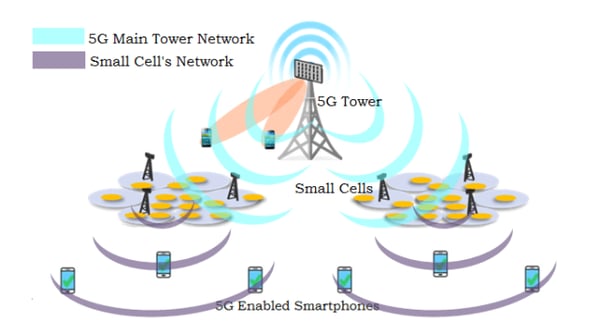
Meanwhile, Wi-Fi comes from radio waves sent from an internet provider’s giant, central computer. The waves and frequencies of the waves are sent to your home or a Wi-Fi-connected place via an ethernet cable. These frequencies are decoded and recognized by your modem. Then, a router, which is like an antenna, amplifies the signal so you can use multiple devices to connect to Wi-Fi wirelessly in your location.
As you might notice, Wi-Fi and 5G will be purchased and used fairly similarly. The only incredibly obvious difference will be the speed of 5G compared to Wi-Fi and the fact that Wi-Fi connects you to browsers and apps via the internet, while 5G connects you with a cellular network.
While the two technologies are pretty similar, tech experts still say we’ll need them both for the time being.
For example, while 5G is just getting started, Wi-Fi is already nearly everywhere. While you might still need to use Wi-Fi if your home isn’t in the path of a 5G cell tower, you also might need to use 5G if your Wi-Fi connection is poor. Ultimately, experts are suggesting that these two technologies will work together to provide seamless experiences for those surfing and streaming throughout the web.
We’re already living in a hyper-connected world. And, while 5G won’t change everything dramatically, or all at once, it will amplify many of our current digital strategies while allowing us to explore more technological opportunities — especially in the realm of AR, VR, AI, and smart devices.
If you’re a small business marketer, the truth is that your day-to-day marketing processes probably won’t change completely. But, you’ll likely notice subtle changes and new technologies creeping in on the horizon.
While some of these changes might not impact the way you work until later on, 5G’s pure speed might streamline or quicken your online marketing tasks in the near future.
Overall, the addition of 5G and even improved Wi-Fi networks will be a great thing for businesses that have an online or digital presence — or marketers run many of their daily processes online.
To help you prepare for the new era of wireless networks, I’ll note five ways that 5G could impact you and other marketers in the near future.
How 5G Will Impact Marketers
1. Your online presence will be even more vital.
If you think people can’t get more connected to the web, think again. With higher loading speeds and better connectivity, people will likely consume even more online content on their computers, phones, and smart devices.
If you’re behind on online marketing, it will be absolutely vital to start developing an online presence as people spend more and more time logged on to the internet and less time consuming traditional content, like cable TV, newspapers, and magazines.
So, how do you expand that web presence? Be sure to create or optimize your profiles on the major social media networks, including Facebook, Twitter, LinkedIn, and Instagram. If you haven’t already, you should also launch a website, start a company blog, or consider creating marketing videos aimed at brand awareness.
Want to learn more about building a web presence? Check out this detailed guide.
2. You could see digital ads on more screens, surfaces, and alternative realities.
Today, we see digital ads on our phones, websites, and occasionally on screens at malls, shopping centers, or airports. With 5G and evolving Wi-Fi technologies, wireless internet will be faster and more abundant around the country — even in the more rural locations. This means that digital ads could appear in more areas with a web connection. Furthermore, the visuals and media in each ad could be more advanced due to high network speeds.
Aside from being able to place high-quality advertisements on screens in more locations, marketing experts suggest that some brands might even experiment with alternative reality ads where people wearing special AR glasses or using AR cameras can see an ad pop up in whichever location they’re in.
To help you visualize what this could look like, here’s an AR strategy Burger King used to advertise its product in locations where its competitors had ads. When logging into Burger King’s app, you could scan a McDonald’s ad in front of you, set it on fire on your screen, and then see an ad with a Burger King coupon pop up.
Aside from AR, some also suggest that faster internet speeds could also open the door for functional holographic ads.
At the moment, holograms are actually being experimented on by larger brands. However, the technology is still very nascent and somewhat buggy — which is why you probably haven’t seen a hologram in real life just yet.
Here’s an example of today’s hologram technology:
3. Advertising will become more interactive.
Aside from a greater abundance of digital ads, marketing content could also get more interesting with the high-speed capabilities of 5G.
While ads that allowed viewers to interact with the content once seemed impossible with buffer time and other technological limitations, 5G could make this strategy more accessible to marketers.
To give you an idea of what interactive ads could look like, the video below shows examples of playable ads. These are ads for video games that allow you to play the actual game in the advertisement before downloading it:
4. AR/VR will get even more realistic.
For years, marketers at big brands have been experimenting with AR and VR. For example, some have created AR-based Snapchat or Instagram filters, while others are sponsoring product placement in VR-based video games.
As internet speeds get much faster with the dawn of 5G, marketing technology experts are expecting VR and AR to feel even more seamless. You can expect to see big brands continue experimenting with filters and gaming, but you might also see companies invest in branded immersive experiences, like this one:
5. Marketing processes — like data collection — will be improved.
Ever wanted to learn more about your customer or audience but didn’t have time to track down tons of data or load multiple analytics reports? These problems could be in the past with future high-speed internet. As 5G becomes more robust, competing internet providers are also launching faster Wi-Fi. This means that regardless of how you connect to the internet in the near future, you’ll likely run into less lag time and more capabilities.
As mentioned, one of the biggest tasks that 5G will positively impact is data gathering. While it once took marketers days or hours to do reporting or mine data that they could use to create personalized experiences, it might only take a few minutes or seconds. Along with being able to collect data faster, 5G will also allow marketers and cellular providers to collect more data than they could with Wi-Fi or earlier generations of cellular networks.
In a paper covering the impact of data and data collection with 5G, the IEEE wrote, “5G promises to enable intelligent network and application services with connectivity to remote sensors, massive amounts of IoT data and low latency data transmissions. Big Data analytics will no longer be an afterthought, and it will play a significant role in the evolution of 5G standards enabling the intelligence across network, applications, and business.”
Aside from speeding up and improving vital but time-consuming data-related tasks, higher-speed networks will also result in less time or resources being needed for certain marketing projects or daily tasks. For example, 5G’s speed could enable automation for more intricate tasks, or allow more seamless opportunities for in-office employees to talk to their remote colleagues virtually. These faster communication and automation capabilities could open up marketers to focus on more creative projects.
How to Keep Up in a 5G World
Even if your company doesn’t feel quite ready to explore the possibilities of interactive advertising or AR/VR, you should still follow the world of marketing technology to keep up with what other big brands are doing. This will help you identify which opportunities might be more accessible to you in the future, or more scalable strategies where you can create similar strategies without high-priced technology.
Aside from keeping up with bigger brands, you should also be sure to build up your digital and online marketing tactics if you haven’t already. If 5G, and the ongoing improvements of Wi-Fi, have taught us one thing, it’s that there is a business case for being hyper-connected. If most of your consumers weren’t already online frequently, they definitely will be in the coming years.
Make sure you’re on the most popular social media channels for your industry. If you haven’t already, you should also consider creating digital content such as a website, marketing videos, and blog posts related to your brand.
If you’ve already got a killer online presence, consider experimenting with newer mobile platforms that could thrive in the world of 5G. For example, although you might not be able to afford to create an AR advertisement or experiential experience, you could look into creating content that utilizes AR or new-media filters on apps like Snapchat, TikTok, or Instagram.
Want to learn more about the technologies that could evolve with 5G? Check out this blog post on AR and this piece on artificial intelligence in marketing.

6 Brands That Used Social Media to Boost Their Subscriber List
More than likely, you’ve heard the debate on whether it’s more worthwhile to invest in email marketing, or social media marketing, to turn leads into customers.
Of course, ultimately, the most effective approach to marketing would be to integrate both social media and email marketing, so you can make the most of your email subscribers as well as social media followers.
With intense competition in the digital marketplace, it isn’t enough to follow the email marketing tips and simply include social media links in the emails — on the other hand, it also isn’t enough to create a newsletter CTA in your Instagram profile.
To get the most out of social media and email marketing, you’ll want to fully integrate the two. Of course, that’s easier said than done. Here, we’re going to explore six brands that correctly integrated social media and email marketing to increase conversions for both.
1. Typo
Typo, an Australian ecommerce company, sent this attention-grabbing email, which promoted their 40% off sitewide sale for Christmas. Additionally, if a user clicked on their Facebook link, they’d see the same promotion. Ultimately, the brand harnessed the power of repetition to bring higher conversions.

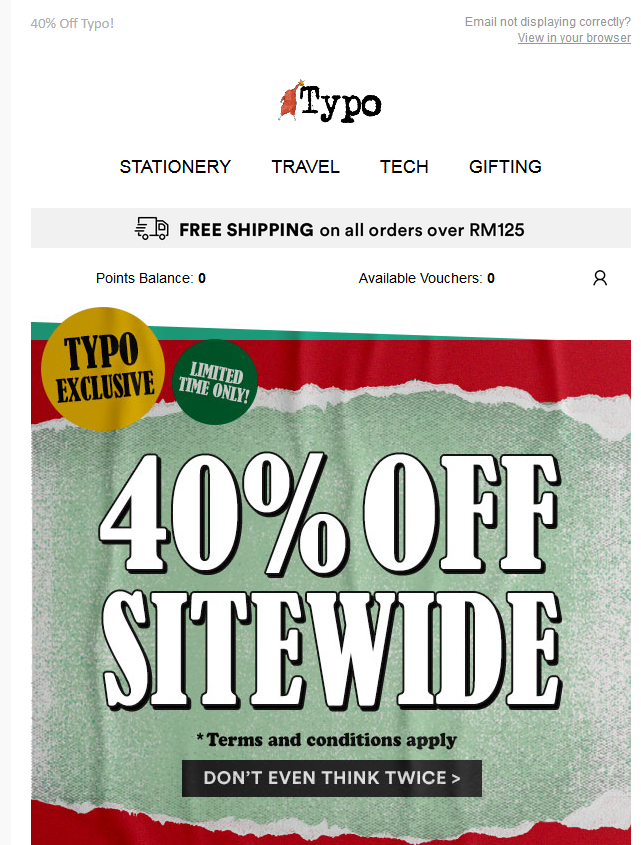

2. McDonald’s
A dedicated email that asks subscribers to follow the brand on social media goes a long way for enhancing subscriber engagement and garnering more social media followers.
For instance, take a look at this email by McDonald’s, which invites social media followers with a catchy headline: “Sometimes, it’s good to be a follower.”
Ultimately, the brand’s headline captures the recipient’s attention, and the playful humor might encourage subscribers to take a look at McDonald’s social channels, as well — especially since the email promises “fresh insider info”, with readily available links to their social sites.
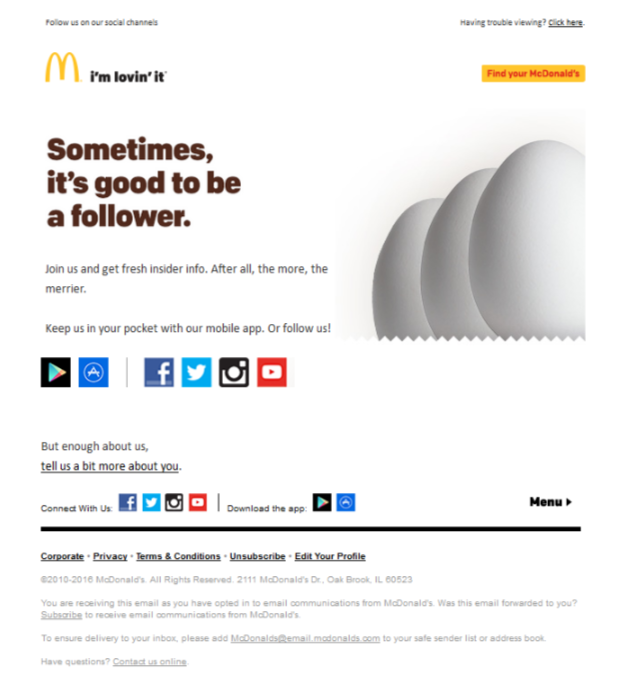
3. Innocent Drinks
Innocent Drinks, a natural, healthy drink brand, sent out this fun email, which informs the subscriber about their social media channels. You only have to follow the signs in the email, and you will be redirected to the respective social media channel. If you make it easy for email subscribers to find and follow your social channels, you’re more likely to increase your following.
Additionally, Innocent Drinks included their social links in their welcome email to new subscribers — a good call, since it comes across as helpful, not pushy.
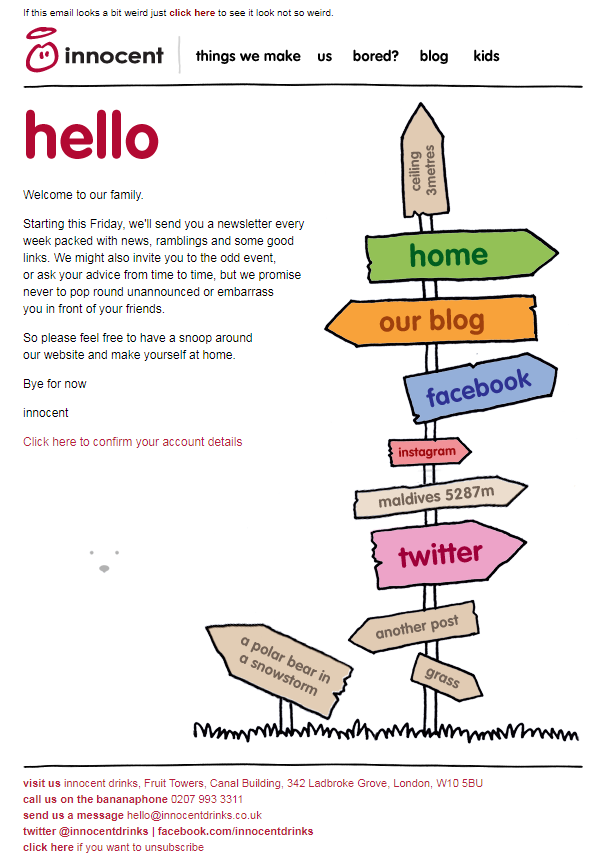
4. Home Depot
During Holiday Season 2019, I received an email from Home Depot that promoted 25% off on select electrical tools. Sure, it employs some impressive email marketing techniques, but it also integrates social media marketing to create a ripple effect.
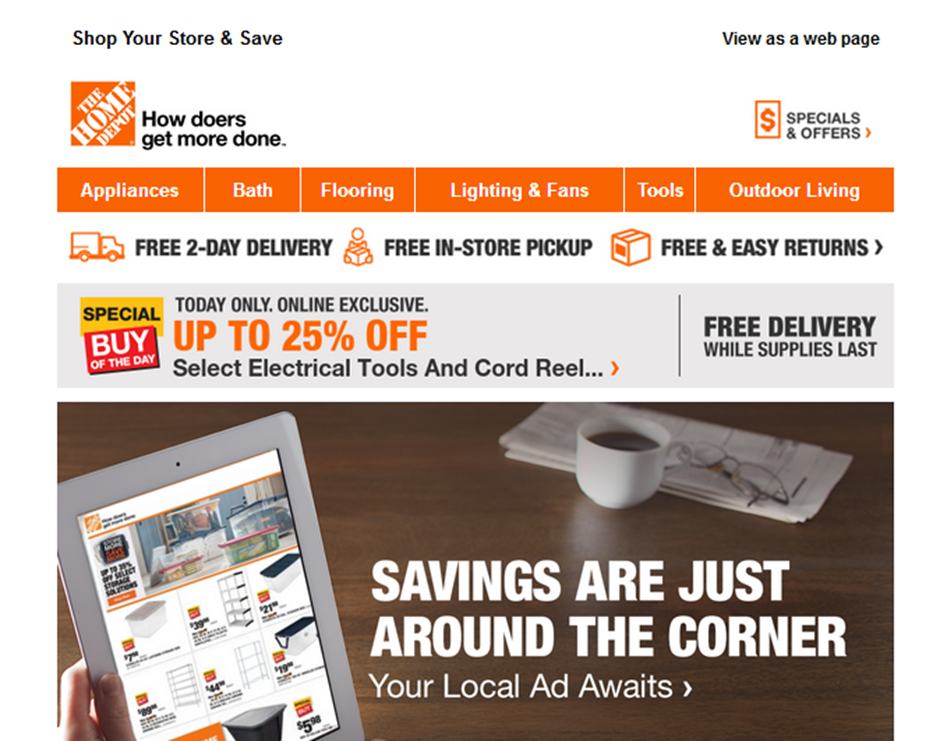
For instance, when you click on the link to their Facebook page, I saw the same offer appear:
The email ad, as well as the Facebook post, redirected the reader to a landing page that displayed the same products.
Now, isn’t that a perfectly synced omnichannel marketing strategy?
5. Skillshare
Skillshare, curated courses ranging in topic from animation to writing, launched their new visual identity in the beginning of 2020. They sent a visually attractive email to their customers and prospects to announce the change — here’s a glimpse of the email.
When the users clicked through to the Facebook page, they could read the same information along with a link that took them to the latest blog explaining their new visual identity.
Ultimately, it’s important you deliver your message to whichever platform(s) your audience prefers — in this case, SkillShare ensures their message is well-received whether their recipients prefer reading about company changes via email, or through Facebook.
6. Blurb
I stumbled across a Facebook post by Blurb that was endorsing their first sale of the year along with the discount coupon code:
Additionally, to make sure I didn’t miss out on the sale, they sent me an email that promoted the same offer — plus, their Twitter page promoted the discount, as well:
Ultimately, their efforts to broadcast the discount through email and social proved worthwhile — after seeing the discount for a third time, I purchased a book.
Best of all, their consistency across platforms demonstrated brand credibility, since it showed me they’re committed to consistently updating their social channels with relevant offers. As a result, they didn’t just get a sale — they also got a new social follower.
Ultimately, integrating social media and email boosts subscriber interaction and prompts them to take the next action. Have you used these digital marketing channels to their maximum potential by taking an omnichannel approach? If not, now is the right time.

Local Email Marketing: A Crash Course
You’ve read the stats: email marketing is an undeniably powerful marketing strategy. In fact, on average, email generates $38 for every dollar spent, which is a 3,800% return on investment.
And did I mention that there are almost four billion email users worldwide?
Crazy, right?
Email marketing works for companies with customers all over the globe, like BuzzFeed and Uber, two huge companies that have invested in an impressive email strategy.
But what do you do when you’re working for a local company? One that runs on a much smaller scale? Customers are right in your area, and to make sales, you have to focus on locality.
Enter your solution: local email marketing.
Local Email Marketing
How is local email marketing different from email marketing? All in all, there’s not that much of a difference. This approach takes all of the elements of email marketing and puts a local business spin on it.
To illustrate how email marketing can work on a local scale, let’s look at an example.
Let’s say you run a coffee shop and want visitors to sign-up for your email list. A way you can do that is by making the release of your new drink or roast exclusive to those who sign up for your email newsletter.
That way, you’ll have an interested audience, an incentive for them, and more sign-ups for you. And it’s not a bad idea for a new tradition, either.
Getting more people to opt-in to newsletters will probably take a little more than just asking — you might have to offer an incentive. However, the incentive can be something you can easily fit into your model, such as a new drink or roast for a local coffee shop.
You might think you’re limited if you work for a smaller business with a limited budget, but the advantage of that is that you can do things, particularly in your community, that large businesses can’t in their strategy. Your ability to pay extreme attention to detail and create local connections will help you create a strong brand image in your area.
Next, let’s talk about some ideas for local email marketing that you can try implementing today.
Local email marketing ideas
1. Host an event and tie it to email.
Events incentivize new prospects to visit your brick-and-mortar shop, and give existing customers an excuse to visit. Hosting an event and using it as a way to gain more email subscribers earns you great exposure you might not have had before.
Plus, it helps you get more eyes on your emails.
To illustrate, let’s say a local marketing company has a goal of boosting email sign-ups, and is hosting a networking event in a month. A great way to spark interest in the event and the company’s newsletter is to offer a special perk for the event as an incentive for signing up for emails — like a small percentage cut from the admission fee, or a raffle ticket.
By offering a unique incentive, existing customers will be interested in one of their favorite companies giving a little perk, while new prospects will appreciate the free aspect.
2. Make your subject line a local one.
In the fight for maintaining relevance in a flooded email marketing inbox, you have to stand out from the subject line and beyond.
While bigger companies’ campaigns have to be general with mass email copy, a local company’s marketing team has the edge of inserting local language to communicate with customers on a deeper level. They have the advantage of sounding more relatable.
Starting with a local subject line will entice email recipients who live in close proximity because it’s more appealing. For example, if I were to receive an email from my favorite coffee chain that read, “Hey Boston: Coffee and a show?” instead of “Sign Up for Global Happy Hour on Friday”, I’d open the first option, but delete the other from my inbox.
3. Make it easy to subscribe.
Make sure the steps leads need to take in order to subscribe are easily comprehensible. If people have to search for a way to opt-in to your emails, they may give up and not subscribe at all.
In order to engage people and make them more interested in signing up for your newsletter, they should be able to do it in a way that’s easy to comprehend. Additionally, emails should only have a couple of key elements — shareability, a call-to-action, and a simple form — to be effective.
The option to subscribe should be clearly labeled on a webpage and the form should have more fields than just name and email address. You can find a more in-depth tutorial about email design in this post.
4. Include a promotion in your email.
Local promotion is an advantage of people who own local businesses. Similar to hosting events, promotions are another way to grow your email list by offering something in return.
Special discounts, a complimentary perk with sign-up, or exclusive coupons are all ways you can include promotion in your email. Promotions are a great idea because they can be a low-cost option for showing existing customers and leads that you care about their business.
Think about it — if your favorite local grocery store was offering a 10% discount on your bill by signing up for email newsletters with more coupons, would you sign up? I sure would.
5. Segment your audience.
To further personalize emails and heighten the customer experience, you can separate email lists into smaller subgroups defined by certain characteristics, such as age or hobbies.
What this process does is help you make more informed decisions about which customers receive certain emails.
The information you gather about your audience will help you create special content tailored to the interests of your customers. For instance, if a hobby that’s consistent with some of your audience is wellness, you should consider hosting a wellness event where attendees are required to sign up for wellness-themed emails.
Generally, segments are comprised of demographic information that can be collected as part of the sign-up process. To get more information about audience segmentation, check out our post about it.
6. Check your data.
Automated email software is imperative to use to check the performance of your emails. You want to see all the hard work you put into emails pay-off, right? That’s what this software can help you do.
Email software tracks metrics that can help you improve your emails and see higher ROI on your email marketing strategy. With email software, you’ll have access to data like subscribe/unsubscribe rates, open rates, click-through rates, and conversion rates.
In some cases, email software can even assist with the creation of the emails themselves. Depending on the software, you might find email templates to help you accomplish your goals. For example, HubSpot’s email marketing software offers templates for opt-in emails, responsive emails, calls-to-action, and simple forms.
You won’t have to spend extra time collecting the data yourself, because all of your content will be in one place. You will be able to send automated email messages that look professional, are GDPR compliant, and have all the components you’re looking for. If you don’t already have automated email software, it could be the missing piece you need.
The next time you receive an email in your inbox, think about how you can spin it to take a local angle. Or, the next time you receive an email from a local business, look at the local flair that the company used to stand out. Is it in the subject line or within the content, and how can you use their emails as inspiration?

CAMBIA TU MODO CAMBIA TU MUNDO
⚠Atención #Rosario‼️
Mañana se llevará a cabo la charla ABIERTA & GRATUITA a cargo de los alumnos en formación del #ITC (dictadas por nuestros Directores MCOP Gabriela Greco y Antonio Marvelli).
☑ A partir de las 19h en España 848 Asociacion Empresaria Rosario
Podés inscribirte AQUI:
Media Planning: The Ultimate Guide
For any business to be successful today — no matter the type, size, or industry — it must create and share media content (images, videos, infographics, social media posts, podcasts, etc.) with its target audience members.
This is a large part of how you boost brand awareness, engagements, conversions, and revenue (among other things) for your business. Not to mention, media content helps you stand out from competitors and other businesses.
Here’s the issue: The sheer amount of media content most businesses produce and share on a regular basis to stay relevant among audience members can become confusing to keep track of, plan, organize, distribute, and analyze for them.
The best way to combat these issues is through media planning.
Based on this definition, it’s clear media planning has many moving parts — this is why the process can be difficult to get right.
By working through the media planning steps (which we’ll cover below) as well as implementing templates (we’ll discuss those shortly, too), you’ll keep any media planning challenges at bay.
But first, in case you need further convincing media planning is a worthwhile investment, let’s cover some of the specific benefits of the process.
Benefits of Media Planning
Media planning helps you with different parts of content creation and distribution including (but not limited to):
- Getting to know your target audience on a deeper level so you can effectively reach them through your media content
- Deciding which media channels and platforms you’ll share your content on
- Determining the timing and frequency of the media and content you publish and share
- Keeping up with the latest media trends and technology
- Sticking to your budget as you work to create, publish, and share high-quality and engaging media content
- Conducting analyses to measure the success of your media planning process
In addition to the benefits of media planning, it’s important to note how this process differs from that of media buying — although the processes are related, they have different purposes and are often confused with one another.
Media Planning and Buying
Media planning and media buying are closely related and work in tandem with one another. Depending on the size of your business and your budget, your team members who plan your media may also handle the media buying process.
So, what makes these processes unique?
Well, we already covered the definition of media planning — it’s a process focused on the strategy behind the media content that’s created, published, and shared among your customers and target audience. The media referred to here is all-encompassing, meaning it doesn’t have to include paid ads and paid content.
This is where media planning and media buying differ.
What is media buying?
Media buying is related to paid media — whether that means your business is buying campaign or ad space on various channels, paying to share targeted campaigns and ads, or negotiating with media vendors.
In a world where your business can create and share media on different platforms and successfully reach your audience for free, it’s clear media planning can happen without media buying. However, media buying requires media planning.
This is because media planning sets the tone and direction for the buying that needs to occur. Once ad space is purchased or content distribution plans have been negotiated, there needs to be a strategy (or media plan) for getting that media to your audience and customers.
Now let’s review the steps in the media planning process so you can begin developing your business’s strategy.
Media Planning Process
As you work through the following process, keep in mind that the way your business chooses to apply the results and conclusions derived from each step will be unique based on your needs.
1. Conduct market research.
The first thing you’ll want to do when developing your media planning process is conduct market research. Market research will allow you to tailor the content you create and the media plan you implement to your target audience and customers.
This entails creating (if you haven’t already) and studying your buyer personas as well as developing an understanding of who your target audience and current customers are.
This way, you can determine what media will be most successful in reaching, resonating with, and converting the greatest number of audience members possible. Additionally, it’ll help you decide which platforms and channels you’ll share your media on and through.
2. State your media planning objective.
As with anything in marketing, it’s crucial to maintain an objective — so, when developing your media plan, keep a goal (or a few) in mind to help you effectively navigate the process.
Here are some examples of media planning objectives you might have:
- Strengthen cross-team collaboration (e.g. content, graphic design, animation, video, blog, social media) while creating and sharing your media
- Enhance and streamline the publication and distribution processes for all media
- Improve your media distribution timeline to ensure your content is shared efficiently and in a timely manner so it’s relevant to your target audience
- Amplify the success of all of your media content by allowing for ample time to analyze its impact and reach on your audience
For instance, say you’re looking to create a media plan for your Facebook and Instagram social content. Your objective may be to streamline the content creation process in a timely fashion and then schedule posts on both platforms in advance. This way, you ensure your posts are relevant to your audience — who you learned about in the above step — so you can boost engagement and stay top of mind.
3. Determine which media planning templates you’ll use.
There are a number of easy-to-use templates available to help you with your media planning strategy, such as editorial calendar templates and social media strategy templates — we’ll cover these options, and several others, in detail below.
Media planning templates exist to support you by ensuring you stay as efficient and effective as possible while working on all aspects of your media content. They allow you to keep your media content organized all while streamlining the processes of publishing and sharing that media content among your audience members.
Keep in mind that, due to the variety of templates that are available for different types and parts of the media planning process, the templates you incorporate will be unique to your business — so don’t be afraid to experiment with or combine different templates.
For example, if your business is looking to create that media plan for your Facebook and Instagram social media, you might choose to implement a social media calendar template.
This type of template will help you coordinate your content across both channels, boost engagement, and improve productivity among your team members — and therefore, achieve the objective you set in step two.
4. Implement your media plan.
Now it’s time to implement your media plan. Ensure all parties who need to be aware of the plan have the necessary details to help you execute it accordingly.
Additionally, it may be beneficial to share the contact details of the media-planning point person at your company in case anyone has questions or comments.
To get a better understanding of what I mean, let’s refer back to our example in the above step about your social media plan for Facebook and Instagram.
If you implement a social media calendar template as part of your media plan, ensure everyone who will be working on as well as creating the content and publication schedule for both platforms has access to it.
And above all, make sure those involved have a clear understanding of who makes up your target audience (as identified in step one) as well as what your main objective is for your media plan (as you did in step two). This way, everyone is aligned and focused.
5. Evaluate your success.
Whether your media plan revolves around individual posts on Instagram or a month-long, company-wide campaign, be sure to measure the success of your plan.
Ask yourself and your team questions like, “Did this media plan help us achieve our specific goals?” and “Did the media planning templates and tools we used add value to our media creation and publication processes?”
The way you evaluate your media plan’s success should be directly tied to your business’s specific goals regarding your media and content, the teams who create the media, and the value you hope to derive from the media (e.g. boost conversions, engagements, revenue, etc.).
Let’s look back at our example from above one last time. Think about whether or not your social media content plan and the calendar template you implemented have helped you reach your target audience and achieve the objective you set.
Ask yourself whether or not your media plan helped you boost engagement on the social platforms you focused on as well as collaborate and coordinate more effectively to increase team-wide productivity.
Next, let’s review some resources available to make your media planning process simpler.
Media Planning Templates
There are a plethora of media planning templates available online that you can purchase or download for free. The great part about using media planning templates is that you can customize and tailor them to your business’s specific needs and goals.
Depending on the media software your business uses, such as HubSpot’s (free) CRM, Marketing Hub, or SproutSocial, there may be customizable planning templates included (similar to this menu of options HubSpot offers).
You may also elect to create templates on your own with the help of Google Sheets or a similar program.
Either way, how you choose to implement and use media planning templates will be unique to your business and needs — so don’t be afraid to modify your templates over time as your goals evolve or business and audience grow.
Types of Media Planning Templates
To help get you started, here’s a list of common types of media creation and planning templates. (Click the links to be directed to an associated template resource.)
You might use one or several media templates based on your needs. Remember, there’s no right or wrong answer to which template you should use — it’s about preference and what works best for your business.
- Use a social media strategy template to align your media content with your audience in a way that provides value for your business.
- Use a social media calendar template to customize a timeline for when you’ll share your social media posts in a simple, organized, manageable, and effective format.
- Use an editorial calendar template to plan and optimize all of the marketing content you’ll publish and share including blogs, social media, and campaigns.
- Use a blog post template to simply fill-in-the-blanks and begin writing engaging, relevant, and well-optimized blog content for your audience (all while avoiding writer’s block!).
- Use an ebook design template to take the guesswork out of how to make your ebook professional, eye-catching, and beautiful all while saving yourself valuable time.
- Use an infographic template in Powerpoint or Illustrator to quickly customize the way you present data, share insights, and promote offers in a way that looks and feels professional.
- Use an analytics and reporting template for Excel, PowerPoint, and Google Drive to make the processes of pulling, organizing, and sharing data simple no matter which metrics you track.
- Use a budget template to manage and review your spending and budget with Excel or Google Sheets.
- Use an advertising template to help you plan and manage advertising campaigns in a way that’s sure to convert audience members into leads and customers.
Begin Your Media Planning Process
Media planning is an integral part of your business’s ability to successfully create, publish, and share media content. It’s how you streamline cross-team communication and collaboration around your media as well as ensure it’s shared with your audience in a timely fashion.
So, work through the media planning process steps above and choose which templates you’ll use to begin reaching and converting more audience members.

How to Give a Killer Presentation, According to a Former Diplomat
Let’s say you’re gearing up to make your pitch at a potential client’s office, a trade show, or even on Shark Tank.
Just a moment ago, you were fine.
Now, your legs are shaking, you can’t quite get enough air, and your heart is pounding in your ears. Your ability to manage this case of jitters can make or break your performance.
What’s happening is your body preparing itself to respond to danger. According to The American Institute of Stress, physical signs of your fight-or-flight mechanism kicking in include increased heart-rate and breathing, pale or flushed skin, and trembling.
Most people feel some level of physical reaction related to speaking in front of a group. These responses are our primal instincts responding as if the audience were lions and tigers that might attack us.
For some, the jolt is just enough adrenaline to sharpen the senses and create extra energy — which helps them perform better. For others, anxiety around giving marketing and sales pitches can be debilitating.
If your jitters (or fear of jitters) causes you to turn down pitching opportunities, you may be losing out on potential clients, inhibiting your career growth, or hurting your bottom line. Plus, if do you take those stress-inducing pitch opportunities, it will feel considerably better when you can manage your physical responses. That requires preparation, confidence building, and breathing.
As someone with plenty of experience public speaking as a former diplomat and a public speaking coach, I’ve curated a few tips you can use to excel at your next presentation without letting fear hold you back.
1. Prepare, practice, and bring notes.
I have found nothing so far that eases public speaking stress more than solid preparation and practice. Once you know what you want to say, you have to practice. Stand up and say it out loud. Say it into a mirror, make a video on your phone, and even practice in front of friends and family.
Additionally, it’s important you create notes to use in your pitch. Even if you don’t feel you will need them, just having notes on-hand makes you feel like you have a safety net. Tighten your notes to as few words as possible — if at all possible, I’d suggest bullet points. Use a big font, number the pages, and staple them together so they can’t get out of order. The better prepared you are ahead of an event, the better you will feel when the time comes.
2. Build your confidence through posture and visualization.
Next, it’s time to build your fortitude. What makes you feel like you have the strength to overcome a challenge? The fight song from your alma mater? Motivational quotes? I like to envision a parade where everyone is cheering for me as I walk into my event.
Another way to build confidence is power posing. Taking an expansive stance ahead of an event allows our body to send messages of strength and confidence to our brains. Power posing for just two minutes before a pitch can give you a psychological boost that will help reduce your nervous responses.
Finally, visualize success! Envisioning the positive — rather than imagining all the things that might go wrong — can have a transformational impact on the outcome.
3. Take deep breaths.
If your pulse is racing, you have lost your train of thought, and your symptoms are having their way with your smooth exterior, you have to increase oxygen flow to your brain. The quick, shallow breathing that goes with public speaking nerves is working against you. Ahead of your event, it’s critical you try a few breathing exercises (like 4-7-8 breathing).
During your pitch, slowing down enough to take a deep breath from your abdomen, rather than your shoulders, can make a difference. Taking this long breath can look to your target customers like a thoughtful moment and can give you the resources you need to get back in the flow.
It’s Go Time
The best thing you can do to help yourself overcome public speaking nerves that threaten to hold you back is to have a plan. Most marketers have some kind of physical reaction to speaking in public. Keep in mind that your audience wants you to succeed — even if for no other reason than because it is uncomfortable to watch someone who is outwardly nervous.
Preparation, confidence building, and breathing can empower you to fight those self-conjured lions and tigers. Next time the chance comes to tell your boss you will step up for the big pitch or secure a thought leadership public speaking opportunity to build your brand, take it. You’ve got the tools. Put them to work for yourself and your bottom line — trust me, it’s worth it.

How to Use Instagram Stories for Market Research: 5 Ideas for Marketers
Looking for new ways to conduct market research? Wondering how to get feedback from your highly engaged Instagram followers? In this article, you’ll learn how to use five Instagram Stories features to gather valuable feedback. Why Gather Consumer Feedback via Instagram Stories? Businesses know that making customers happy is a proven way to increase revenue. […]
The post How to Use Instagram Stories for Market Research: 5 Ideas for Marketers appeared first on Social Media Marketing | Social Media Examiner.
from Social Media Marketing | Social Media Examiner https://ift.tt/39nx5OP
via socialmediaexaminer
Everything You Need to Know to Dominate Local Search
The internet lets you reach billions of people around the globe, but if you’re like many small or local businesses, world domination isn’t really on your radar (not yet, anyway). What makes your business tick is your local community, whether on the town, city, county, or state level.
So with all the choices consumers have nowadays for where to get their products and services, how do you ensure they find your local business first?
You do everything in your power to get your website in the top search engine ranking positions! And luckily, there’s a lot you can do to tip the scales in your website’s favor. From on-page optimization to inbound link building to social media involvement, here is the ultimate guide for how to optimize your website for local search so you can dominate the search engine results pages (SERPs).
What is local search marketing?
Local search marketing is the process and tactics you use to reach your local audience online. This is the type of marketing that brick-and-mortar businesses use to reach potential customers on the web.
Any type of business with a storefront or service area is a local business, including small, medium, and enterprise level brands.
Local search marketing is all about raising brand awareness in a certain area. This can be done through organic SEO or paid methods.
Why optimize for local search? It’s in the numbers.
- Approximately 3 billion search queries contain local terms every month. (Source: comScore)
- 70% of online searchers will use local search to find offline businesses. (Source: Kelsey Group)
- 30% of Google searches are for local information. (Source: HubSpot via Google)
How to Optimize for Local Search on Your Website
1. Invest in content, content, content.
Every new blog post is a new indexed page for your site, a new page on which to target a geographic search phrase, and a new opportunity to get found in the search engine results pages (SERPs). If you’re having trouble coming up with geo-targeted content, consider highlighting customer success stories and case studies.
2. Write about complementary local services.
If you sell screwdrivers, talk about someone in your area who sells screws. It lets you write helpful content about your geographic area in a relevant way so you’re not faced with awkward keyword stuffing that Google’s algorithm punishes. Plus, it builds good will with local businesses that can introduce you to new customers, and possibly result in an inbound link in the future.
3. Optimize the 5 crucial on-page SEO elements.
That means your page title (see image below), URLs, page headers, internal links, and page content should be optimized with keywords. Here’s an example of a page that is well optimized for local search.
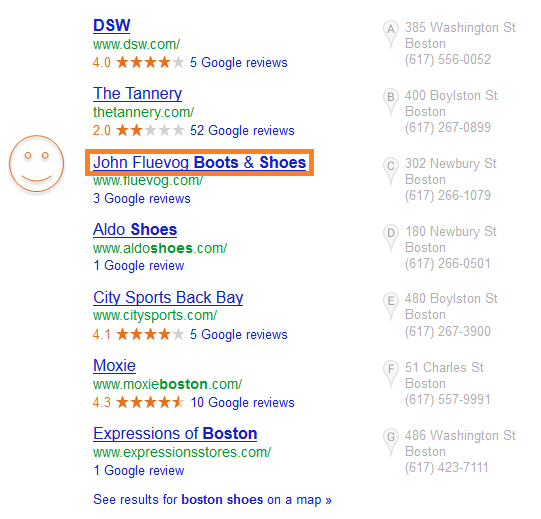
4. Target long-tail keyword variations.
If you’re selling unicorn costumes, you might want to cover unicorn costumes in Detroit, unicorn costumes in metro Detroit, and unicorn costumes in southeastern Michigan.
Cover all the ways people might refer to your city in your keyword research so you can capitalize on all the different ways people find you on the web.
You can perform long-tail keyword research in Google’s Keyword Tool, or if you use HubSpot software, use HubSpot’s Keyword & SEO tool to help find variations you might not have thought of before.
5. Have location pages.
If you are a franchise, for example, it’s crucial to tell users you have multiple locations. One way of doing that is to have a unique page for each location.
6. Tell people where you are.
Add your business name, address, and phone number on contact-specific pages like an “About Us” or “Contact Us” page.
7. Write about local and industry news.
Stay up to date on what’s happening in your community and in your industry for blog fodder. This will win you big points in the SERPs, as Google freshness update rewards timely content. Even if nothing has happened that directly relates to your industry or location, look for local spins on industry trends, and comment on how local events could affect your industry.
8. Mobile-optimize your site.
Local search and mobile search go hand in hand. Some of the most common ways people will use your site in a mobile environment is looking up reviews, finding directions to your location, and searching for contact information. Make it easy for them by making your site mobile friendly.
How to Optimize for Local Search Off Your Website
1. Register your business with Google My Business.
Google My Business provides a huge opportunity for local businesses to appear in the local search results for a given search term. Here’s everything you need to know to do it.
2. Add yourself to other listings.
The more local directories to which you submit your site, the more opportunities to get found and receive additional business citations. Make sure your business name, address, phone number, and website are consistent across all of them. For specific listings/directory types to which you should add your local business, use GetListed.org.
3. Get links online.
The more of a fixture you are in your community (both online and offline), the more people will talk about you. Be a guest blogger, talk to and about (positively, of course!) other people in your industry, and act as a resource provider for the community. If you’re an active participant in community conversations, the buzz around you grows in the form of inbound links, social media growth, and media coverage.
4. Get links locally.
Start with your own personal network, which may include the Chamber of Commerce, business improvement districts, licensing bureaus, trade associations, resellers, vendors, and/or manufacturers and other affiliates.
5. Publish your content on social media outlets, especially Google owned business pages.
Google considers content shared on social media more important now than ever before. And now that Google owns YouTube, it’s a good idea to show up on that platform. Most importantly for local businesses, Google My Business business posts are starting to show up in local search results.
6. Guest post.
The more places your business gets cited organically the better it is for your SEO. This means bylines or author profiles tied to articles you publish on various relevant blogs can help in addition to just having others write about you.
7. Get reviews.
77% of online shoppers use reviews to make a purchasing decision. If your customers are looking for opinions on you, make it easier for them to find out how awesome you are by embracing your presence on online review sites.
Claim your listings. Ask customers to post about their great experiences with you. Yes, some negative reviews may slip in there, but wouldn’t you rather be an active participant in achieving a positive online reputation than take a passive role in maintaining a lackluster one?
8. Check your listings.
Using GetListed.org as an accuracy report provides huge opportunity to see where you could add additional listings, claim listings, and update or add missing content like your website URL. Folks, there’s no point in having a listing if there is no URL.
Local businesses do have the power to have a top presence in the SERPs, but like any effort to gain and maintain organic visibility, it’s hard work.
If you can start checking a few of these tactics off your marketing to-do list every month, though, your website will see great improvements in online visibility.
If you’d like to learn more about how to improve local SEO for your business, check out this free, on-demand webinar with David Mihm and me.
Editor’s Note: This post was originally published in December 2011 and has been updated for comprehensiveness.

What Is Microsoft Project? Uses, Features and Pricing
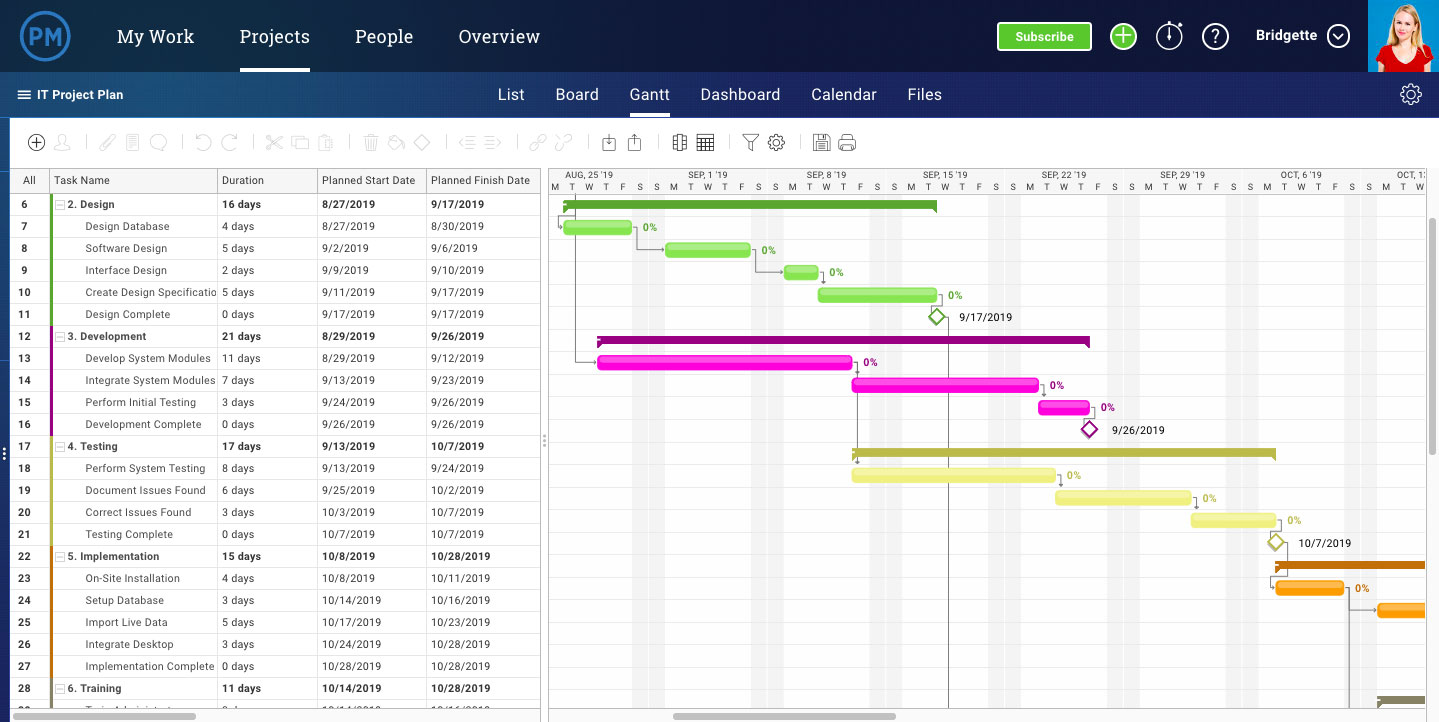
How 6 Social Media Networks Have Changed in the Last Decade
At the beginning of 2020, millions of social media users took part in a #TenYearChallenge which encouraged them to post one photo of themselves from ten years ago up against a photo of themselves today.
But while the #TenYearChallenge showed us how much our friends have changed, have you ever wondered how much your favorite brands have changed?
As a social media user, looking back to see how the platforms you’ve used every day have changed can feel fun and nostalgic. As a marketer, looking at the evolution of these platforms can also give you insight into how the overall social media industry and internet trends have matured and how they might continue to pivot in the future.
In this blog post, we’re going to mark the beginning of a new decade by venturing back in time to 2010 and showing you ten-year comparisons of six of the oldest and most popular social media platforms.
While this post might be a blast from the past, it will also show you just how much the way we connect and share online has changed, and give you hints about where it might go next.
6 Social Media Platforms in 2010 vs. 2020
2010
At the dawn of the 2010s, Facebook positioned itself as the next big social media platform following the MySpace era. The network, which originally targeted college students, had already reached millions of users in young adult age groups and had just gone through a few major redesigns since it first launched in 2004.
In 2010, Facebook grew from 400 million to just over 600 million active users. During this year, the social network also gained huge attention with the October premiere of the award-winning film, The Social Network, which chronicled how co-founders Mark Zuckerberg and Eduardo Saverin launched Facebook and fought for ownership rights in an intellectual property lawsuit.
The News Feed
The Facebook News Feed was first launched in 2006. Prior to this launch, you’d simply see their profile when logging into the social network. With the addition of this page, you could suddenly see what your friends were up to all in one place.
By 2010, Facebook’s News Feed emphasized making connections on the platform as the left sidebar highlights friend requests and friend suggestions while the upper navigation bar included notifications, friends, and message buttons.
Here’s a screenshot I dug up of the 2010 News Feed:
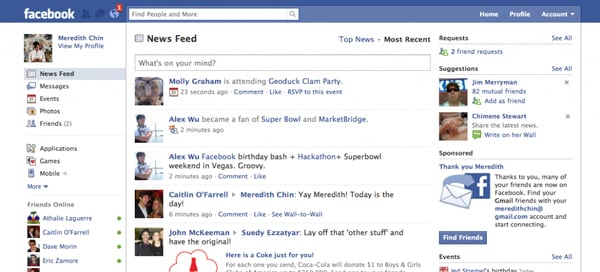
Source: CheeseWeaselDay.com
Statuses and Updates
While the 2010 Feed was similar to what Facebook has today, it was still pretty basic and less intuitive when it came to updating you on your friends’ activities. For example, any time someone did something on the platform — such as playing a game or RSVPing to an event — their activity would pop up on the News Feed along with status updates.
When it came to status updates, you were limited to what you could post. The status bar merely allowed you to type in and share a quick text-only update. Once it was published, the status would show up directly next to your name. This led people to post statuses that began with the word “is.” For example, in 2010, I might have written, “Pam Bump is eating burgers,” or “Pam Bump is doing homework.”
Likes
In 2010, the same year that The Social Network came out, Facebook also made news when it unveiled its game-changing “Like” button. Before this, you could only interact with a post by commenting on it or sharing it. The “Like” enabled you to quickly communicate with your connections even if you didn’t have time to write a full comment.
While you could “Like” updates and statuses from your friends, you could also “Like” a business or fan page which would essentially enable you to follow its updates. Websites also began adding the “Like” icon to their pages, which encouraged users to click it in order to like their content or pages on Facebook.
Advertising
By 2010, Facebook Ads was still ramping up after being announced in 2007. While brands had started to make pages for marketing purposes, Facebook and Zuckerberg were hesitant about creating too many branded opportunities because they didn’t want a bombardment of ads to negatively impact the user experience.
A 2007 press release described the Facebook Ads as a platform with three parts: “a way for businesses to build pages on Facebook to connect with their audiences; an ad system that facilitates the spread of brand messages virally through Facebook Social Ads™; and an interface to gather insights into people’s activity on Facebook that marketers care about.”
2020
Despite all the new social media platforms that have emerged in the last decade, Facebook is still (by far) the biggest and most successful with 2.38 billion monthly active users.
Aside from the number of users Facebook’s gained, it’s also expanded its demographic. While the platform was originally created for college students and millennial teenagers, it’s now popular among a variety of age groups.
For example, when I started using Facebook in high school, my biggest goal was to hide my profile from my parents — who were still heavily suspicious of the internet and social media. Now, my mother texts me daily asking me why I didn’t “Like” her most recent post.
I’m not the only one in my generation who’s witnessed this pivot. Facebook is becoming the go-to network where parents and grandparents are connecting with family and friends. In fact, 45% of people over the age of 65 say they regularly use Facebook today — compared to only 20% of the 65+ age group who reported using it in 2012.
So, how has Facebook’s design and platform changed with its success? Here’s a look at it today.
The News Feed
While the shape of the layout hasn’t changed that much, the organization and type of content within it has changed drastically. Some of the more basic additions to the Feed include news ticker that highlights trending hashtags, a sleeker design, and more priority on photo and video posts.
Here are a few other tweaks you might not notice about the current layout.
The Notification and Friends icons have moved to the upper navigation bar. Additionally, events have been moved to the side navigation. This simplifies the pages of the site allowing users to focus on the Feed, interesting posts, and other important centrally-located items.
Behind the scenes, Facebook has also continued to tweak News Feed algorithms with the aim of showing users content that they’re actually interested in. For example, you now see more statuses, content, and other types of content due to the interests you’ve shown on the platform. Whereas, in Facebook’s early years, you might have just seen an endless stream of your friends’ high scores on the online game Candy Crush.
Additionally, although Facebook now offers a wider variety of marketing and advertising options for brands, its Feed now algorithmically prioritizes content from individual users before posting content from brands.
Statuses and Updates
Instead of the old status bar that would prompt users with text a simple text box, there’s now a text box at the top of the feed that more broadly asks “What’s on your mind.” At the bottom of the text box, you can now also see icons for “Photo/Video,” “Tag Friends,” and “Feelings/Activities.”
So, if you’re on vacation with family and friends, you can post a status that includes images of where you are, captions, a “happy” feelings icon, a geo-tag to show where you want, and tags of all the friends who were with you so their networks can see and react to the photos.
This shift makes the News Feed feel much more interesting, visual, and personal for users — which might allow them to surf through its content for a longer amount of time.
Likes and Reactions
After the success of the “Like,” Facebook launched additional “Reactions” such as a heart, a laughing emoji, a sad face, an angry face in 2016. These tiny tweaks have allowed users to interact with content in a more emotional and personalized way, even if they don’t have time to draft a full comment.
New Features and Platform Extensions
Aside from making the News Feed feel more personalized, Facebook, which is now a major social media corporation has also taken steps to expand its original platform and its ownership of other key social networks.
To start, Facebook re-launched its direct messaging system as the standalone Facebook Messenger app in 2011. On the desktop site, Facebook also made its Messenger tool accessible on every page of the site.
Later, in 2014, Facebook also acquired another popular messenger called WhatsApp. Although WhatsApp wasn’t generating much revenue at the time, Facebook and founder Mark Zuckerberg acquired the international messaging app because they saw it as an opportunity to reach global audiences that weren’t on Facebook yet, but still wanted to communicate and make connections online.
Most recently, in 2017, Facebook launched a Stories bar to its News Feed, following suit of Instagram Stories. This came shortly before Facebook purchased Instagram, in order to mature the Facebook Stories feature while tapping into Instagram’s millennial and Gen Z audiences.
Advertising
Facebook Ads is now a robust and incredibly popular advertising platform, in fact, marketers now spend most of their marketing budgets on Facebook Ads, along with Google and Amazon ads.
While the early Facebook Ads allowed basic audience targeting and page analytics, the platform now offers more intuitive versions of these features. It also allows you to launch ads around a handful of objectives, including website traffic or ecommerce purchases.
For companies that just wish to use a Business Page, Facebook has also improved features related to this, such as Facebook Insights which shows you how your page is performing against potential competitors.
In addition to ads on its platform, Facebook has also improved advertising options on platforms like Instagram and WhatsApp. To learn more about changes related to Instagram, keep reading.
2010
Instagram was launched in 2010 as a social media app for photo-sharing. By 2012, the simple social media app was already seeing over 100,000 app downloads per day.
Layout
In the app’s infancy, it had a simple layout with a basic photo feed. Similarly to Instagram’s current feed, it showed a user’s name, then a photo, then the photo’s likes, and a description.
The below photo shows what Instagram’s main feed and camera looked like in 2010.
Source: Business Insider
However, while there were some similarities between the original and current layout, there were a number of crucial differences. For example, the app’s logo was a completely different font and took up the entire top of the feed’s page. Here’s a quick comparison of the logo then and today:
Original Logo Banner:

Current Logo Banner:

Additionally, the lower navigation options were also much larger and organized in a slightly different way than they are today.
Old Navigation
Current Navigation

Features
Aside from the design, Instagram had very basic features. It was primarily meant for posting square photos or short videos on a feed that your followers could see. To learn about other Instagram accounts, you could either search a person or hashtag, tap the Popular feed to see posts from influencers, or you could surf through a Newsfeed that showed posts from major companies and publications.
2020
Layout
Similarly to Facebook, the Instagram Feed’s core design is similar, but much sleeker, more intuitive, powered by better algorithms, and additionally has an Instagram Stories bar. It’s camera also still looks similar but has a cleaner, white design.

Within the last decade, Instagram has made its design look less busy by opting for a white background. It has also replaced the giant upper logo banner with a smaller logo and a navigation bar which includes a camera icon for Instagram Story recording, a TV icon which will bring you to IGTV, and a paper airplane icon for your direct message inbox.
Instagram has also adjusted its lower navigation, swapping out a Popular post feed with a more robust Search Tab which consolidated the Search bar and popular trending posts. With this adjustment, a user hoping to discover new accounts or content only has to go to one tab of the app.

Once consolidating the News tab into the Search tab, Instagram added a heart icon in the News Tab’s place. This tab now houses a user’s notifications.
When it comes to the camera, Instagram now allows video and photo recording, while still enabling the user to upload content from their library.
Features
Aside from the standard Instagram camera, there’s also a special camera for recording Instagram Stories, a game-changing feature launched by the platform in 2016.
By now, you’ve probably created or seen an Instagram Story. But, in case you haven’t, this feature allows you to film or upload images or video that tells a story about your life or your brand. If you have a verified business account or more than 10,000 followers, you can also link Instagram Stories to your website’s content.
When creating an Instagram Story, the app’s camera allows you to take vertical, smartphone-shaped shots or videos. Then, you can use its featured icons to zest up your content with text, sounds, GIF stickers, or color-overlay filters. You can also use a variety of video filters and AR features to zest up your content.

IGTV
Instagram’s current app also includes IGTV, launched in 2018. Currently, you can see IGTV content related to your interests by going to the Search tab and tapping the IGTV button.
With this feature, brands and influencers can upload or stream longer-form live content in vertical format. This content can then be highlighted on their accounts under an IGTV tab.
Shoppable Posts
After Instagram was purchased by Facebook, the app added a new feature that could be utilized by brands with a Facebook Marketplace catalog. The feature, called Shoppable Posts, allows brands to tag posts with product shots with a link to the product listing in their Facebook Marketplace.
Unlike Instagram Story swipe-up links, the Shoppable feature can be accessed by any Instagram Business account linked to a Facebook Marketplace catalog — regardless of the business accounts following.
Here’s an example of what a Shoppable post looks like on the platform:

2010
When Pinterest launched in 2010, the platform’s purpose was simple. It allowed you to save and store links to websites that you thought were interesting.
It was a place where you could save and present a “collection” of web content that you wanted to share with people similar to you. To keep your link collections organized, you could categorize them by creating a Pinterest board around an overarching topic.
Layout
Since it had a much more basic purpose, the original Pinterest website looked more like a very basic, photo-based blog. You could still add photos, tag posts with specific topics, and create inspiration-styled boards around specific categories, but the design was much busier and not mobile-optimized.
Source: Beebom
When the platform first launched, you also had to “Request an invite” to join since it was still in its beta phase. In fact, the platform was still invite-only through 2012, when Mashable described it as the year’s “hottest” social media platform and noted that it generated more referral traffic than YouTube, Google+, or LinkedIn.
2020
The current Pinterest design, and its mobile app, now emphasizes visuals even more than its first design. Because of its visual inspiration board aesthetic, Pinterest has also continued to position itself as a site people visit to find inspiration related to products, home designs, or even life experiences such as travel.
Layout
The platform is also more compact and mobile-optimized as the social media network’s logo has been minimized and the search bar has become a more natural fit into the upper navigation. Unlike the old design, you can also see notifications when someone shares or engages with one of your posts — also called pins.
Visual Search Features
Aside from the text-based search, which you could take advantage of in the original design, you can now also search for pins with a reverse photo search feature. For example, if you see a product you like in real life, you can take a photo of it and search for similar items.
The visual search feature seems like a low-hanging fruit for Pinterest which is a highly visual platform. Aside from allowing people to find products or images they’re interested in, it also might attract visitors who are interested in discovering information related products or images, rather than spending time creating inspiration-themed boards.
Advertising and Brand Awareness Features
With brands like Target already using Pinterest boards to highlight product lines, the platform has become a natural fit for advertisements. Currently, the Pinterest Ads Manager, launched in 2014, allows you to create PPC ads with its own audience retargeting and A/B testing tools.
To accompany the Pinterest Ads Manager, the platform also recently launched an Audience Insights tool in 2018. This feature gives businesses more data and analytical information about their audiences and how their content is performing.
At an event covered by Digiday, Pinterest’s Head of Agency Partners, Yolanda Lam, explained, “Agencies and clients know we have unique insights, but they don’t have easy access to it. … They need to call a salesperson to understand what is available. Now, you can go in there to pull those data sets.”
To learn more about how to create and test effective Pinterest ads, check out this blog post with tips from a PPC expert.
Twitter was founded in 2006 with a similar positioning as today. It was a social network where you could fire off short thoughts about trends, topics, or events that were important to you. These thoughts came in the form of text-based tweets under 160 characters.
After being presented at SXSW in 2007, Twitter saw its first surge in traffic as it moved from 20,000 to 60,000 users during the event. Also that year, Dell became the first major corporation to join the social media platform, while Twitter was incorporated as a company.
After rolling out a number of simple features including follows, replies, and hashtags in 2007 and 2008, Twitter launched its first major redesign in 2010.
2010
Layout
Although the brand and platform’s mission hasn’t changed at its core, the layout has certainly come a very long way. Despite being considered one of the hippest social media platforms of its time and pioneering the trending hashtag, its initial 2010 design was actually quite clunky and visually busy.
The Twitter layout split the main homepage in half. On one side, you could find a Timeline that was similar to today’s Twitter feed. On the other, you could see details about how many tweets you’d sent, follower suggestions, your follower counts, and a long list of trending hashtags.
Source; Wired
Aside from seeing a Twitter feed on one side of the page and your own tweets on the left, you could also click on tabs like @Mentions to see when you’d been tagged in tweets from others, retweets to see when others retweeted you, or searches to see your past searches.
Like today’s Twitter platform, you could also add accounts you followed to specific “Lists” and then see their tweets by clicking on the “Lists” tab.
2020
In 2020, Twitter’s main page is a lot easier to navigate. While the feed is placed directly in the center, you can still access its key features, like Lists, and your profile by clicking on clearly marked buttons in the left navigation bar. The website still also prioritizes trends by dedicating the right sidebar to viral topics and hashtags and a “Who to Follow” box.
Similarly to the other social platforms on this list, the Twitter feed now emphasizes photos and videos more than it did in 2010.
Aside from the visual changes to the main homepage feed, Twitter has also become more personalized to each user. When you discover, follow, and engage with content or accounts through Twitter’s feed, Explore feature, and Twitter Topics, Twitter’s algorithms take that data into account when prioritizing content that you might enjoy on your feed.
A recent blog post about Twitter Topics highlighted Twitter’s mission to make feeds and content more personalized to users:
“Previously, all of the work was on you to figure out the best way to keep up with what’s happening by following certain accounts, searching for it, or looking in the Explore tab for the latest. Now, you have the option of seeing the most relevant and interesting Tweets about what you care about with a single tap, and the conversation will come to you.”
Reddit was launched as a discussion-oriented social media network in 2005. However, it didn’t become a viral success overnight. In fact, to make the platform look like it was more popular, thousands of early posts were published by fake accounts created by the Reddit team.
“The first thing it did was it set the tone,” Co-Founder Steve Huffman revealed in a VentureBeat post. “We were submitting content that we would have been interested in seeing. That meant the content on Reddit … was good. And when you show up, you know exactly what the site is about.”
Despite Reddit’s early, and controversial, fake account strategy, the platform eventually did become popular. In its first two years, discussion communities — called subreddits — began to gain popularity. By 2007, some of the most popular subreddits were “NSFW” — which stands for “Not Suited for Work” “Programming,” and “Science.”
2010
Just before 2010, Reddit moved its website to Amazon Web Services servers which tripled its traffic. By 2010, the platform’s founders claimed that they were seeing roughly 8 million visitors per month.
Layout
Despite its unique discussion-oriented platform and growing popularity, Reddit‘s 2010 platform was pretty basic. The layout was primarily text-based as it encouraged users to discuss topics in subreddits, which were similar to public chat rooms.
Source: Reddit
Aside from the main feed that you’d see when logging on to Reddit, you could look at the very top of the page to see trending subreddits. When you were on a subreddit, you could toggle between tabs including, “what’s hot,” “new,” “controversial,” “top,” or “saved” to see different types of posts within the subreddit.
On the right of any Reddit screen, you could also see a box that would allow you to post your own links or text to a subreddit.
Similarly to today’s Reddit format, you could also “Upvote” posts you enjoyed to help them show up higher on Reddit feeds or “downvote” posts to lower them. If you wanted to participate in a conversation, you could simply reply to a post.
2020
Although Reddit’s formatting has changed a lot, it’s audiences are still interested in similar things. Although the most popular subreddits have evolved to more specific topics, such as “emerging technology,” many of them still loosely relate to the platform’s earliest most-popular topics of “science” and “programming.”
Layout
Reddit’s current platform now emphasizes a lot more visuals as it includes a Trending stories tab at the top with photos related to each topic, and more capabilities allowing users to upload high-quality photos and videos.
Reddit, which now has 430 million monthly active users, also recently launched a streaming feature that allows users to interact with others while on live video.
Aside from its streaming feature, Reddit has also added more advertising options, including native ad blocks in its right sidebar and promotional posts which are located higher in related subreddit feeds. This is part of a play to make Reddit more appealing to brands and marketers.
LinkedIn launched in 2003 as a members-only networking platform that you had to subscribe to with a membership fee. By 2011, the network was free and had become the first and most popular professional social media network. That year, the company drastically increased its funding and brand awareness with an IPO.
But, at this point, the website’s platform looked suspiciously nascent.
Shortly after its IPO, I had my first experience with LinkedIn as a college sophomore. I suddenly started receiving plain-looking emails saying that my email contacts invited me to a networking site called LinkedIn. After ignoring these emails thinking they were spam, I started hearing more about this site and decided to visit it. When I did, the site looked as basic as the emails I received.
Here’s what it looked like:
Source: TechCrunch
The original design centered around a search bar and search results feed which you could use to learn about topics in your industry. To help you sift through your search results, the homepage also had a sidebar that offered an expansive list. Aside from the feed and filters, there was also a right sidebar showing off “Trending Content’ related to your searches..
2020
Ten years later, LinkedIn’s become an online networking necessity with a much more intuitive layout. Not only have I found amazing jobs on this social network, but I now use it almost daily. In fact, my optimized LinkedIn profile even led my HubSpot manager to find and reach out to me for an interview.
I’m not the only one who’s found career success with this social networking tool. A recent study found that over 122 million people have received an interview through the social network. It’s also become a vital tool for companies as it hosts over 20 million job listings.
With over 660 million users, LinkedIn has followed the similar theme of other platforms on this list by emphasizing more photos and video-based content. It also has continued to embrace trending topics in its right navigation bar, similarly to Twitter and Facebook.
LinkedIn has also adjusted its design to be more social-media friendly by adding a navigation bar with a Friends and Notifications tab.
Additionally, today’s layout includes a messaging feature which is crucial for both social and professional networking. This feature is easily accessible in the upper navigation bar and in a lower box at the bottom of the page.
What Marketers Can Learn from Social Media’s Evolution
As you’ve seen, all of these platforms have evolved to become more visual and personalized to users. This represents how social media audiences are interested in interacting with friends, viewing fast-paced feeds with valuable information, and consuming highly visual video or photo-based content.
If your marketing strategy hasn’t evolved to fit these strategies yet, you should be working towards tactics that allow you to better connect and communicate with your audience on these platforms. You should also begin to put an emphasis on the creation of shareable multimedia content such as informative blog posts with photos, marketing graphics, or high-quality video content.
To learn more about how you can leverage major social media platforms, check out this detailed guide on the five types of social media and the pros and cons of each.

How to Analyze Your LinkedIn Ad Performance
Are you running LinkedIn ads? Wondering how your ads are performing against industry standards? In this article, you’ll discover how to assess your LinkedIn ad campaigns. 4 Important LinkedIn Ad Metrics Explained One of the biggest challenges with running LinkedIn ads is knowing whether your performance measures up. Competent marketers ask me all the time, […]
The post How to Analyze Your LinkedIn Ad Performance appeared first on Social Media Marketing | Social Media Examiner.
from Social Media Marketing | Social Media Examiner https://ift.tt/2ThuqAA
via socialmediaexaminer
How to Market Your Local Business’ Grand Opening
During the last month or so, my husband and I have driven by this grand opening sign on our way to his parent’s house about a dozen times.
After a couple of weeks, we decided to look up what it was for.
We found out a new restaurant was opening, and we were pretty excited to have a new place to try (sometimes it gets boring going to the same places!).
Since we were looking forward to it, we told our families, and decided to give it a try for one of our weekly dinners.
This is exactly the result you’re looking for when you’re marketing your grand opening.
For local businesses, it can be hard to get customers through the door. As a marketer, the first step is to let them know you’re there.
Ultimately, your grand opening marketing should help your business build relationships and create buzz with your audience.
Below, let’s review where to and when you should market your grand opening.
Where to Market Your Grand Opening
Developing your marketing strategy for your grand opening can be daunting as a new business and marketing team.
After you’ve set your budget and planned the event, you need to discuss where you’re going to market it.
Below, let’s review some of the top areas to market your grand opening.
1. City Bulletins or Forums.
Most cities have bulletins or forums where community events are advertised.
For example, consider taking out an ad in the local parks and recreation activity guide. Or you can ask city officials to promote your event in their newsletters or official communications with the citizens.
Additionally, it’s a good idea to develop relationships with city officials. If you can get a few city officials to show up, you can use that as a marketing tactic.
2. Your Network.
The most obvious place to market your grand opening is to your own network.
Invite your family and friends and encourage your employees to do the same. You can even offer a friends and family discount as an incentive.
You can reach out to your networks on social media, or via email.
Once you create a Facebook event (more on that below), you can invite all your friends and connections. This should help you spread the word about your grand opening.
3. Local Press.
One of the most important components of your grand opening marketing strategy is the local press.
Make sure that you invite the local press to your event. You can even reach out to a local radio DJ or news anchor to cover the event. The more coverage, the better. Plus, if they come to your event, they’ll probably promote it on their own channels and to their own networks. You can use their local celebrity to appeal to your audience.
For news media that can’t attend, you can send a press release before and after the event to make it easier to cover it.
Additionally, forging a relationship with the press is a good long-term play. If the local media covers your business at all, more people will become aware of your business and can visit after the grand opening.
4. Traditional Advertising.
For local businesses, traditional advertising is still vital to a great marketing campaign.
You should hang up flyers wherever you can and use a good, old fashioned “Grand Opening” sign. After all, that’s how my husband and I found out about the new restaurant in our town.
Additionally, local radio and billboard ads are a great way to get in front of your audience. Since the local citizens don’t know you exist yet, it’s imperative they become aware of your brand.
Another traditional method is direct mailings. Direct postcards to a certain zip code is a great way to reach a local audience.
5. Social Media.
Most likely, not every citizen is going to drive by your billboard ad, see your flyer, or hear your radio ad. To fix this, you should also reach out to local audiences online.
Use social media to start. Create a Facebook event and invite everyone you know. Then, after you create your social media accounts, you can also run social media ads and target a local area.
If people don’t see your brand’s sign, they should become aware of you online. Plus, the more people who see your promotion, the more who will show up.
Additionally, you can create a branded hashtag for citizens to use during your event. This will help create buzz and more brand awareness among your audience.
6. Local companies.
Another creative marketing tactic is to advertise with other local companies.
For example, usually, coffee shops have a bulletin board dedicated to community events. You can use this space to post a flyer for your grand opening.
Additionally, many local companies, such as hotels, have brochures at the reception or front desk. You can reach out and see if they’ll let you place a flyer there and tell their guests about your event.
Other local places that might have advertising opportunities are schools. Yearbooks and sports fields usually showcase plenty of local ads.
It’s important to use your grand opening as a way to build a relationship with other local businesses.
How Soon Should You Market a Grand Opening
Before we dive into how soon you should market your grand opening, let’s rewind a little.
Prior to your grand opening, your company should have a soft launch, or soft opening, to work out any of the kinks.
Since there are bound to be some issues, a soft launch lets you figure those out without a huge audience.
This means that you might be open for one to two weeks before your official grand opening event.
On the other hand, your soft launch may not be open to the public. You could just invite a group of guests for a test run. In this case, you’d actually open your doors to the public for the first time at your grand opening event.
Either way, before you host a grand opening event, you should begin advertising two to three weeks beforehand.
This means you’ll probably make the creative elements and get those in place two to three months before the grand opening.
Before you advertise, you’ll need to have your ads written, graphics created, and local press contacted and lined up.
Hosting a grand opening event isn’t just important for brand awareness. It’s also a great way to start growing your audience and customers. During your event, you can gather emails, so when the day is over, you can send your audience marketing updates, discounts, and links to your social media.
