
Welcome to My Blog
13 Critical SEO Tips That Helped HubSpot Become an Organic Powerhouse
Throughout all of 2017, HubSpot experienced something that had never happened before — our blog’s monthly traffic flattened. Even worse, it started to decline. So after months of stressing over the mysterious cause of our blog’s traffic plateau, we decided to sit down, chug a bunch of coffee, and find the culprit.
What we discovered is that our editorial strategy of brainstorming topics and relying on our intuition to determine our audience’s content preferences didn’t suffice anymore.
Coupled with almost every social media platforms’ unwillingness to direct users off their website and the ever-growing mountain of emails piling up in people’s inboxes, we decided to pivot and focus our energies on the channel that has consistently generated the majority of our blog’s traffic for its entire existence — organic search.
Today, years after we adjusted our organic strategy, we’ve exceeded the majority of our monthly traffic goals and even broke some monthly traffic records. Needless to say, we’re thrilled (and relieved) that our organic strategy fueled our traffic boost and shattered the great traffic plateau of 2017 — and we’d love to share the essential SEO tips that helped us devise this strategy.
1. Optimize your content for search intent.
Even though an algorithm dictates the rankings of Google’s search engine results pages, Google designed its algorithm to reward the web publishers that craft the best content on the internet, not the web publishers that are the best at gaming its algorithm.
In fact, part of Google’s search algorithm ranks your content based off engagement metrics, like total traffic, organic traffic, direct traffic through Chrome, time on site, bounce rate, click-through-rate, brand mentions on authoritative sites, and return visits.
So, to boost your website’s engagement and, in turn, your domain authority, — you must attract and engage a loyal audience by creating high-quality content that answers the questions users are searching for. Only then should you start optimizing it for search engines.
To understand search intent, we analyze a keyword’s search engine results page and determine the problems users are trying to solve when searching for this query.
After that, we figure out how to effectively solve these problems by mining information from trusted sources, examining our own research, and asking HubSpot employees who experience similar problems the steps they take to solve them.
The final and most important step of our content creation process is crafting the most engaging content possible. To do this, we tell stories and relate to our audience’s problems in our introductions, write clear, concise, and compelling copy, highlight interesting findings, data, and quotes in our body text, and include vivid images and videos to break up the monotony. At the end of each blog post, we keep the momentum going and remind our audience of the thoughts and emotions they just experienced, which leaves them yearning for more content.
2. Target a variety of high and low volume keywords.
With an organic search strategy, it’s important to target a variety of high and low volume keywords.
With high volume keywords, it’s typically harder to rank on the first page of search engines due to the competition. However, with low volume keywords, it’ll be easier. You should include both in your strategy to grow your online presence.
The low volume keywords are the low-hanging fruit…literally. These can give you a boost in organic traffic. Those high volume keywords are a long play.
At HubSpot, the SEO team does in-depth keyword research for our three onsite blog properties (Marketing, Sales, and Service). The team looks for search volume — some as high as 120,000 or higher and some as low as 50.
Then, they take into account gaps in our existing topic clusters and emerging topics we haven’t yet thoroughly constructed content clusters around.
According to Aja Frost, a senior SEO strategist at HubSpot, it’s important to get creative with the high volume keywords you’re targeting.
For example, when Aja was the editor on HubSpot’s Sales blog, she assigned topics that may have strayed from our usual topics, but boasted significant search volume.
All posts answered our audience’s questions, aligned with our values, and were well-researched and comprehensive.
3. Leverage the pillar-cluster model.
Since people heavily rely on Google to provide accurate and relevant answers for most of their questions today, the search engine needs to understand the intent and context behind every search.
To do this, Google has evolved to recognize topical connections across users’ queries, look back at similar queries that users have searched for in the past, and surface the content that best answers them. As a result, Google will deliver content that they deem the most authoritative on the topic.
To help Google recognize our content as a trusted authority on marketing, sales, and customer service topics, we decided to implement the pillar-cluster model on our blog. By creating a single pillar page that provides a high-level overview of a topic and hyperlinks to cluster pages that delve into the topic’s subtopics, we could signal to Google that our pillar page is an authority on the topic.
Hyperlinking all of the cluster pages to the pillar page also spreads domain authority across the cluster, so our cluster pages get an organic boost if our pillar page ranks higher, and our cluster pages can even help our pillar page rank higher if they start ranking for the specific keyword they’re targeting.
Another benefit the pillar-cluster model supplies is cleaning up our site infrastructure and providing a better user experience for our website visitors.
Before we implemented the pillar-cluster model, we spent most of our time writing blog posts designed to rank for specific, long-tail keywords. This resulted in thousands of unorganized blog posts, and some were so similar that they competed with each other on the same search engine results pages.
Now, not only is it easier for Google to crawl our blog, identify semantic relationships between our posts, and boost our search engine visibility, it’s also easier for our audience to search for the content topics they’re looking for, find related content, and spend more time reading our blog posts.
To learn how to implement the pillar-cluster model on your own blog, take a look at the steps we took to do it.
4. Create a link-building strategy
Earning high-quality inbound links from websites and pages with high authority is crucial for boosting your domain authority. But, unfortunately, “If you write it, they will link to it,” is not a viable SEO tactic.
The main method we use to earn high-quality links is by networking with other websites that have a higher domain or page authority to link to our top content. We also make sure our content is relevant to the referring website’s content.
Another way you can earn quality backlinks is by using Backlinko’s skyscraper method. The skyscraper method is an SEO strategy where you find content that ranks well for keywords you want to rank for and then create content that’s better than the top ranking posts. Then, you use SEO tools to find all the sites that have linked to your competitor’s content and ask the most relevant sites to replace your competitor’s link with a link to your improved content.
In 2016, Backlinko asked 160 websites to link to their post about Google’s 200 Ranking Factors and they earned 17 inbound links. You might be thinking that 17 backlinks isn’t that much, but a lot of those referring websites had high domain authority scores, so the post’s organic traffic increased by 110% in only two weeks.
5. Implement a historical optimization strategy
In 2015, Pam Vaughn, the current Principal Marketing Manager of HubSpot’s Web Strategy Team and former Editor of HubSpot’s Marketing Blog, made a revolutionary discovery about HubSpot’s organic monthly blog traffic — the overwhelming majority of it came from posts published prior to that month. In fact, 76% of our monthly blog views came from these old posts.
Today, Pam’s groundbreaking revelation rings louder than ever — 89% of our monthly blog views currently come from posts that were published at least six months prior, and we’ve developed an entire strategy dedicated to refreshing and republishing these historical pieces of content.
We call these types of blog posts “updates”, and they comprise 35-40% of our editorial calendar. And by refreshing them with new information and SEO optimization and then effectively republishing them as new blog posts, we can build upon their existing organic value that they’ve accumulated through backlinks and user engagement and double or even triple their traffic. This process also helps us optimize our blog for efficiency, decreasing the amount of new content we have to create while increasing our organic traffic and conversions.
Historical optimization isn’t for everyone, though. It’s a strategy catered for a blog that generates a significant amount of organic traffic, has a considerable amount of blog subscribers and social media followers who can supply a surge of traffic, shares, and backlinks to your updates, and owns a substantial repository of old posts that are worth refreshing and republishing.
However, if you have all three of these things, we definitely recommend implementing a historical optimization strategy. To learn about the specific types of historical content you should update and the exact process of updating them, check out this blog post written by Pam Vaughn herself.
6. Compress your images
When you think about optimizing your content for search engines, compressing your images’ file size doesn’t seem like it should be a top priority. But, according to Braden Becker, HubSpot’s Historical Optimization Lead, your images’ file size directly affects your website’s page load speed, which is one of the ten most important Google ranking factors.
“The bigger an image’s file size, the longer it takes your web browser to load that image, which increases your website’s loading time as a whole. And the longer your website’s loading time, the more likely Google will penalize you,” he says.
Compression blends similarly colored pixels into single pixels to reduce the image’s resolution, and in turn, file size. But since the human eye is more sensitive to light and dark detail than color detail, we’re not able to detect the color differences between an uncompressed and compressed image, so the perceived quality stays the same.
An uncompressed image’s file size could be four times bigger than the compressed image. Yet, the compressed image still has the same perceived quality as the uncompressed image, and it’ll load much faster.
To diminish our images’ file size as much as possible, boost your website’s page speed, and avoid risking a penalty from Google, we use Squoosh to compress individual images and TinyPNG to compress batches of images.
7. Aim for the featured snippets on SERPs.
Featured snippets are what search engines use to display an answer to a query directly on the search engine result page so a user doesn’t need to actually visit another page to get the answer to their question.
As you can imagine, this has impacted organic search results. That’s why it’s important to try and rank in as many featured snippets as possible.
To do so, you should write specific posts that answer questions users might have. The semantic relevance to the keyword a user searches for is the most important element in obtaining a featured snippet.
Additionally, your blog post should be organized and formatted in a way that lets Google know you’ve answered a question. For instance, this could mean using specific coding so your featured snippet stands out on the page.
This is the strategy we’ve used at HubSpot.
According to Karla Cook, the senior manager of HubSpot’s blog team, “targeting featured snippets with consistently formatted sections has removed some (but definitely not all) of the guesswork when it comes to ranking for featured snippets. Matthew Howells-Barby, HubSpot’s Director of Acquisition, has stressed that clean and consistent code is a significant factor in winning snippets.”
8. Develop page authority.
One factor that search engines use to determine its rankings is page authority.
This means that if you’ve been blogging about a topic for a long time and have cultivated a reputation as a go-to expert in an industry, your web page might rank higher than a page published by a new site.
That’s why it’s important to build your brand and authority in your niche. Consider blogging regularly, posting on social media, and guest posting for other sites. Being active in your industry helps build your reputation.
Additionally, you should write about tangential topics your customers are interested in. This shows search engines that you write about your industry in-depth.
All of these things will give your website authority and indicate to search engines to pay more attention to your domain as you continue adding topics that you cover in-depth.
9. Add alt text to every image.
When search engines crawl your site, they can’t see images. For a search engine, your images are only text. They see the name of the file and the alt-text that you’ve added as a sort of caption to the picture.
This alt-text is one of the only ways to tell search engines what an image is about, which is vital if you hope to rank in image-based results. Additionally, alt-text is helpful for readers who can’t see your images.
Alt-text should be descriptive, contextually relevant to the page content, and short.
Ultimately, alt-text isn’t only helpful for your SEO, but also makes your site more accessible.
10. Maximize your CTAs.
Optimizing your page to rank in search engines is only helpful if that page is then optimized to convert.
You should plan for conversions by creating content offers for top of the funnel, middle of the funnel, and bottom of the funnel readers.
Then, you can match those content offers with blog posts that are well-aligned.
Each page is a conversion opportunity, so each page should include a CTA that matches a searchers intent.
11. Have killer on-page SEO.
On-page SEO is the process of optimizing a page on your site with front and back-end components that can help you rank higher in search engines.
These components include:
- High-quality page content
- Page titles
- Headers
- Meta descriptions
- Image alt-text
- Structured markup
- Page URLs
- Internal linking
- Site speed
For today, let’s focus on the copy oriented elements such as high-quality content, page titles, headers, meta descriptions, and image alt-text.
To rank in search engines, it’s imperative that the copy is optimized. That means it should include your target keyword, be contextually relevant, and answer questions your user might have.
Ultimately, the goal is to indicate to search engines that you’ve answered questions a user might have about a query.
12. Conduct a technical SEO audit.
One of the main components of SEO is the technical set-up of your site. When a search engine finds your page and goes to crawl it, it has to understand what it’s about so it can add your page to its index. If search engines don’t understand your page, they won’t display it on the results page.
However, search engines don’t look at web pages the way we do. They look for things like page speed, duplicate content, and URL structure.
To avoid technical issues, we recommend conducting a technical audit of your web pages.
The most important elements to look for are:
- Website navigation and links
- Simple URL structure
- Page speed
- Dead or broken links
- Sitemap
- Duplicate content
You can learn more about these factors in our ultimate SEO guide here.
13. Measure your success.
The world of SEO is constantly evolving. That’s why, to truly succeed, you have to measure your success.
You should measure things like:
- Organic traffic growth
- Keyword rankings
- Conversions from organic traffic
- Average time on page
- Bounce rate
- Link growth
SEO is always adapting, and you should too.
Even though we uncovered 13 tactics that helped us devise an SEO strategy that shattered a year-long traffic plateau and broke monthly traffic records, it’s entirely possible that they could become obsolete one day.
The moral of our blog’s story isn’t to glom onto these SEO tactics for the rest of your content marketing career. It’s to keep adapting and never settle for the status-quo, no matter how well you’re performing. Because one day, your once thriving work might stagnate and even sputter. And the only way to recover is to take a leap of faith and overhaul your entire strategy.
Editor’s note: This post was originally published in March 2019 and has been updated for comprehensiveness.

How to Use Pinterest for Blogging
Almost every time I read a blog post on a website, I see a button somewhere on the page, giving me the choice to pin the post.
This got me thinking, “Why exactly is Pinterest so closely tied to blogging?”
It could be because Pinterest is an outlet for education. Users create boards to save things like blogs, inspirational quotes, home decor ideas, and future purchases. So it makes sense that helpful blog posts are a great choice for pinning.
Let’s say you run a blog. Your next question is probably, “Well, how do you use Pinterest for blogging?”
In order to tap into the website that is key to driving 89% of users’ purchase decisions, most of your resources are already made for you: your blog. We’ll get into why, but there’s one thing you should do the minute you decide to create an account.
First thing’s first, make sure you have a Pinterest Business account. By signing up for a free Business account, you get access to Pinterest Analytics, which gives detailed insights about the behavior of your pins.
Additionally, Pinterest Business gives you the option to apply for Rich Pins, an upgrade from a regular, or standard, pin. There are five types of rich pins — movie, app, recipe, place, product, and article — the latter being the most effective one for blogging. Article Rich Pins provide tools to add a larger logo image and headline to promote your post with, as well as a link to your website.
When you use Pinterest for blogging, you can promote posts, product offers, earn traffic to your blog, and engage with followers. Let’s dive into how to do all that, next.
When thinking about how to leverage Pinterest for your blog, think about how you would want users to find your account, and what you think they would like to see. Pinterest should be a compliment to your blog, and reflect what your brand is.
1. Create and name a board after your blog.
Keeping consistent with how you name boards helps SEO, organization, and readers. This is because readers and search engines will have an easier time finding your blog on Pinterest if it has a similar name — for instance, on HubSpot’s Pinterest, you’ll see a board titled “Marketing blog posts (must-reads!)” which you can find easily by searching “HubSpot Marketing Blog Pinterest” on Google. You could use this blog board to highlight posts that don’t fit into other categories, as well as making “Roundup” pins of a week’s worth of posts.
When you pin to this board, make sure to group posts that are in similar wheelhouses to keep the organization in check. For instance, if a reader wants to find posts about product lifecycles, they should be able to easily find that in the “Sales” section of your board, or something similar.
.png)
Pins should have 1-2 sentences about your post in the description, like a quote from the blog that really stands out, a featured image, and a link back to your website (Pinterest Business does this for you).
2. Structure a winning pin.
If you are wondering how exactly a winning pin should look, we’ve got you covered.
According to Pinterest, a pin that earns high engagement is: optimized, branded, written effectively, and structured correctly. Let’s dive into that a little deeper.
- Optimized— Descriptions come into play here. Describe your blog post or use a quote in a helpful way, that tells pinners what they will gain from their pin.
- Branded — Include your logo and make sure the featured photo has to do with your product or service. That way, pinners will know what they’re looking at before opening the pin.
- Written effectively — Don’t forget to include a call-to-action to pull browsers in. Something as simple as “Click this link to see more!” does the trick. Also, make sure you’re using sensory-related words to pull the pinner in and connect with their emotions.
- Structured correctly — Make sure you’re aware of Pinterest’s aspect ratios for photos and are taking advantage of the linkable options on standard pins to increase your traffic.
Let’s look at a winning pin in action:
-3.png)
This pin’s description helpfully gives a snapshot of the blog post in two sentences, telling readers why they would want to read it. Not only that, but it uses keywords in its description, giving Google the details it needs to rank on pages. Finally, the sensory-related word “Learn” captivates browsers and is also a CTA.
3. Check SEO from your end.
Make sure your Pinterest account can be found by search engines so you have a better chance of showing up within the first pages of search results.
First, ensure “public search” is enabled. This can be found in the search privacy settings of your account. Next, be sure to stay consistent with titles — of your pins, boards, and blog posts. Keeping things consistent makes your Pinterest more comprehensible to Google.
Next, try to use as many relevant keywords as possible when naming your boards. If you are optimizing your blog for SEO, you can take a lot of the same information from your blog for this.
Finally, provide alt text for featured images in your pins. Alt text tells search engines what your image is, and describing it using keywords boosts the visibility of your pin. An example of a good alt text caption would be “Woman at work reading about product lifecycles.”
4. Create related boards.
We’ve talked a little about board creation, but in this section, we’ll focus on it a little more. When you create different boards, you can categorize them by blog post categories. You can also make different boards that relate to your audience’s interest.
When you conducted market research, what did you find out about the interests of your audience? Similarly, think about what your buyer persona would be interested in seeing and make boards accordingly.
To illustrate, if you run a health and fitness blog, you can create boards that have to do with different exercise styles, like cardio, that mirrors the “Cardio” category on your blog. But you can also have an “Accessories” board, with pins of your favorite tools to workout, or a healthy eating board, similar to this health and fitness account, Blogilates.
-4.png)
If you’re running out of inspiration for content you can post to Pinterest, consider referring back to your blog posts and pulling interesting quotes. Then, create a graphic with that quote to diversify your board in a way that matches your brand. This method evokes the emotions of pinners, pulling them in.
5. Create a staff board.
Because Pinterest is a great opportunity for emotional connections, you might consider creating a staff board to show the faces behind your brand. As a consumer, when I feel like I personally know the business, I’m more likely to follow them.
To create a staff pin, you can have the featured image be a headshot of the employee. It can be fun, spirited, branded, professional — whatever fits the tone of your Pinterest. Just make sure it matches the aesthetic of your brand.
As for the descriptions, you might post a short bio that’s engaging, as well as the employees’ favorite or newest post. This method brings more traffic to your blog posts.
6. Make your blog Pinnable.
If you’re using Pinterest, you have to make your blog pinnable. You may have seen them on different blogs already; they’re buttons with Pinterest’s logo that allows users to pin a blog post from that website.
This is important because website viewers can explore your blog, find posts they want to read later, and save them to their Pinterest account for easy accessibility. This gives you more traffic on more fronts: your blog and Pinterest.
-2.png)
To make your blog pinnable, go to the Widget Builder section from the left sidebar of Pinterest Business. Next, choose which button you want to include on your site, type in your URL, past the image file, and include it in your website’s code.
7. Be sure to engage with followers.
To keep your Pinterest lively and welcoming, interact with followers to earn more and make your Pinterest more targeted towards your audience.
You can do this by following new followers back, and doing a little market research by looking through their pins and boards. This information will assist in making targeted content later.
Additionally, repin posts that have to do with your blog. If you see that one of your followers has an awesome pin that would fit in one of your categorized posts, engage with it! Like and comment, as well as repin.
Think of repinning something as retweeting something, or reposting in general. Pinners can save a pin to their page or to one of their boards.
Lastly, be sure to follow influencers and industry leaders, as well. Doing this shows your knowledge, interest, and support of the industry, making your Pinterest look credible. Repinning influencers’ posts enables you to begin building a community around your industry.
8. Include captivating images.
In this post we’ve covered images slightly already,, but we’re going to expand on them here. Images are a huge part of Pinterest, so make sure your images are captivating. You want to make sure all of your images are optimized.
Images should entice the reader to open the pin. This can be a stunning landscape image or an informational graphic.
-1.png)
When choosing photos, they should be in the correct aspect ratio. For Pinterest, that’s 2:3 or 4:5. If you’re manually cropping, that’s also known as having a width of 650 and a height of 975.
Remember, images are the main part of a pin, so they have to fit Pinterest as much as possible to catch the reader’s eye.
9. Post on schedule.
When you post on Pinterest, make sure you keep to a schedule. It doesn’t have to be as consistent as other social channels (Pew Research found that over half of Pinterest’s users visit the site less than once a week), but it still does need to be repetitive.
Additionally, this HubSpot post suggests Pinterest posts gain the most traction between 8 p.m. and 11 p.m. EST.
Because you don’t have to be as frequent with pinning, you have more time to make sure the pins you do post are of the highest quality possible. Your Pinterest account should be one that focuses on quality over quantity, and frequency goals shouldn’t stress you out.
How will you use Pinterest for your blog? Is it going to be your resource for showing off new blog posts, or your bridge between ecommerce and blogging? Whichever path you choose, Pinterest is an undeniably powerful distribution channel for your content, and one you shouldn’t ignore.

The Ultimate Guide to Product Marketing in 2020
During the 1950s, Volkswagen sold a bus. Although now considered a classic vehicle, the bus remains an icon for the car company decades later.
The cool part? Volkswagen announced their new VW Bus — it’s electric and features sleek, modern styling. Volkswagen’s marketing for the vehicle is eye-catching, unique, and fun, and it complements the original “hippie” vibe the company was once known for.

Volkswagen also released a TV commercial for the bus that’s clever, minimalist, and on-brand. It introduces the new vehicle with the song The Sound of Silence playing in the background (hint: electric cars are silent) and ends with a short message on the screen for viewers to read: “Introducing a new era of electric driving.”
This sentiment touches on the fact Volkswagen is contributing to society’s interest in electric, eco-friendly vehicles. It also relates to this being a new era for the bus.
So, who works on this type of marketing? Who helps create content that excites consumers about new and updated products, like the Volkswagen bus? Who encourages consumers to buy? Product marketers.
What makes product marketing unique? How is it different from conventional marketing? Let’s unpack the differences.
Product Marketing vs. Conventional Marketing
Product marketing is strategic whereas conventional marketing is all-encompassing.
Product marketing is considered a component of conventional marketing. In fact, if you look at the seven Ps of marketing, you’ll see product marketing is one of the most important aspects of a business’s marketing efforts.
Product marketing is focused on driving demand for and adoption of a product among existing customers. It’s focused on the steps people take to purchase your product so product marketers can build campaigns to support this work.
Product marketing is about understanding a specific product’s audience on a deep level and developing that product’s positioning and messaging to appeal to that audience. It covers the launch and execution side of a product in addition to the marketing strategy for the product — which is why the work of a product marketer lies at the center of a business’s marketing, sales, and product teams.
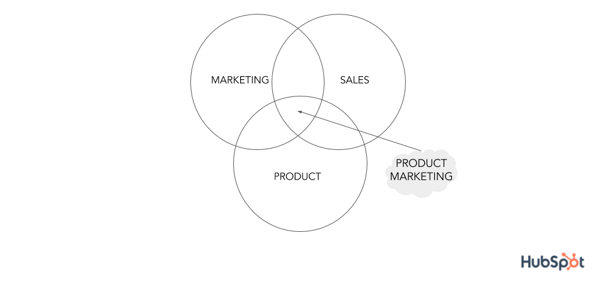
Conventional marketing is focused on broader topics under the umbrella of marketing such as lead generation, SEO, and anything related to acquiring and converting new leads and customers. It’s about promoting the company and brand as a whole, including the products that are sold. These marketers make sure there’s a consistent, on-brand message behind all of the company’s content.
Why is product marketing important?
Product marketing is a critical part of any business’s marketing strategy. Without it, your product won’t achieve its maximum potential among your target audience. Let’s look at what product marketing does so you get a better idea of that I mean by this.
- Understand your customers better.
- Target your buyer personas effectively.
- Learn about your competitors (products and marketing tactics).
- Ensure the marketing, product, and sales teams are all on the same page.
- Position the product appropriately in the market.
- Boost revenue and improve sales.
There are also questions you, as a product marketer, will have to ask yourself and reflect on in regards to your product. Asking yourself these questions will help you ensure your product is a success among customers.
- Is this product suitable for today’s market?
- Is this product appropriate for our customers today?
- How is this product unique from similar products of our competitor’s?
- Is there a way to further differentiate this product from those of our competitor’s?
- Are there any products we’ve sold in the past that we wouldn’t market or sell ever again now that we look back? Is so, why not?
As you can see, product marketing requires you to look at your products from a strategic perspective to ensure they’re successful among customers in your current market.
Now, let’s take a look at the specific responsibilities you have as a product marketer (or product marketing manager).
Your responsibilities as a product marketer may vary slightly based on industry, company, products, and company size and resources. If you’re working for a startup, you may be a product marketer who also helps create the content the broader marketing team produces due to limited resources and budget. As the business grows, you may move onto a team whose sole job is product marketing.
Let’s take a look at six common product marketing responsibilities.
1. Identify the buyer personas and target audience for your product.
You must identify the buyer personas and audience for your product so you can target customers in a way that’s convincing and makes them want to make a purchase. This will allow you to tailor your product and its features to solve for the challenges your audience is facing.
Use templates to create buyer personas for your business.
2. Successfully create, manage and carry out your product marketing strategy.
A product marketing strategy (which we’ll review shortly) allows you to create, build, and execute content and campaigns — this supports the steps that will lead your buyer personas and customers to make a purchase.
3. Work with and enable sales to attract the right customers for your new product.
As a product marketer, you have to maintain a direct relationship with sales. You’ll work with sales to identify and attract the right customers for the product at hand and provide sales enablement materials to reps to ensure they understand the product inside and out, along with all of its features.
This way, you and your teams are on the same page in terms of what’s being shared with customers, allowing you to provide a consistent, on-brand experience for anyone who comes in contact with the product.
4. Determine your product’s positioning in the market.
One of the most important parts of your job is determining the product’s positioning in the market. Think about this process in terms of storytelling — your positioning requires you to create and tell the story of your product.
As a product marketer, you’ll work with the broader marketing team and the product team to tell this story by answering critical questions like:
- Why was this product made?
- Who is this product made for?
- What challenges does this product resolve?
- What makes this product unique?
5. Ensure your product meets the needs of your target audience.
You must also make sure your product meets the needs of your customers and target audience. Through the research conducted to determine your buyer persona’s and target audience, you should have uncovered the pain points and challenges you’re working to solve with your product.
If your product doesn’t meet the needs of your customers, they’ll have no reason to make the purchase or choose your product over your competitor’s.
6. Keep your product relevant over time.
Your product needs to stay relevant over time. As needs, expectations, and challenges change and evolve, it’s your job to make sure your product marketing strategy, and the products themselves, remain relevant among customers.
This means you may have to manage slight changes in your product marketing strategy (which we’ll discuss next), or updates and modifications to the product itself (you’ll likely work with the product team, who actually creates the product, to do this).
Now, let’s take a look at five steps that can help you optimize your product marketing strategy.
1. Define your product’s target audience and buyer personas.
As mentioned, one of the main roles you have as a product marketer is to define a specific target audience and create buyer personas for the specific product being sold (different products will likely have different target audiences). This the first step to marketing your product.
By understanding your customers and their needs, challenges, and pain points, you’ll be able to ensure all aspects of your product marketing strategy (as in, the rest of the steps we’ll define below) are tailored to that target customer and persona. This way, the product and the marketing content that’s created for the product will resonate with your audience.
2. Determine the positioning and messaging to set your product apart.
After performing your customer research and learning about your audience, you’ll have identified their needs, challenges, and pain points. From here, you can think about how to highlight the ways your product resolves those challenges for your customers.
However, that doesn’t necessarily mean you’ve differentiated yourself from your competitors. After all, they are your competitors because they solve the needs of your customers in a similar way to your company.
The key to setting your product apart is positioning (which we touched on earlier) and messaging. Positioning and messaging answers key questions your customers might have about your product and what makes it unique and then turns those answers into the main points behind your product’s marketing strategy.
It’s your job as the product marketer to ensure your customers and audience know the answers to these questions and don’t have to dig around for (or make assumptions about) them.
Examples of questions you’ll need to answer to develop your product’s positioning and messaging include:
- What specifically makes our product unique?
- Why is our product better than our competitors’?
- Why are our product’s features ideal for our target audience?
- What will our customers get out of our product that they cannot get from our competitors’ products?
- Why should our customers trust and invest in us and our product?
Once you’ve answered these questions, you can compile these responses into one, impactful, and shareable statement that captures your positioning and messaging as a whole. To do this, follow these steps:
- Turn the answers to the positioning and messaging questions into an elevator pitch.
- Use action words to excite your customers.
- Ensure the tone of your statement captures the tone of your brand.
- Focus on the benefit of your product as a whole (not just one specific feature).
And if you need more guidance, check out the HubSpot Marketing Hub product page. The main positioning and messaging statement reads as follows: “All-in-One Inbound Marketing Software: Everything you need to launch effective marketing campaigns that make people interested in your business and happy to be your customer.”
Tip: As product marketers, you should ensure the sales, product, and (the broader) marketing teams are also aware of your positioning and messaging around the product so they too can communicate the same information to prospects and current customers.
This allows you to ensure the entire company is consistent in the content and information they share about your product. Additionally, you can provide this information to your support team if you think it’s necessary, as they may be fielding support calls and working with your customers who’ve already invested in the product.
3. Set goals for your product.
Next, you’ll want to set goals for your product. These will vary based on your specific product, the type of company you work for, your overall marketing goals, and more — your goals will be specific to your business and situation. However, let’s review some common goals product marketers aim to achieve:
- Increase revenue
- Engage with customers
- Improve market share
- Gain customers from competitors
- Boost brand recognition
Tip: Feel free to combine several of these goals or just choose one to focus on — every company and product will have different goals. The key is making sure you view and set these targets in the SMART goal format, meaning they’re specific, measurable, attainable, realistic, and time-bound.
Use a free template to help you create and achieve your SMART goals.
4. Price your product.
As a product marketer, you’ll also have to contribute to the discussion of the price of your product. Depending on the company you work for, you might work with other teams on this part of the strategy, or it might be a job just for you and your fellow product marketers. Either way, you can consider competitive vs. value-based pricing.
Competitive vs. Value-Based Product Pricing
Competitive pricing means you’re basing your product’s price off of the similar products your competitors sell. It’s ideal for companies who have created a product similar to one that several other companies sell.
If you believe your unique features warrant a significantly higher price than those of your competitors’, you might choose to price your product above the other similar products on the market. A good way to evaluate the fairness of the pricing of all of your competitors is by studying financial reports and industry trends.
Value-based pricing allows you to maximize your profit, although it’s a bit more time-consuming to establish in comparison to competitive pricing. It’s ideal for companies selling a product with very few competitors on the market or one with exceptionally new and unique features.
Value-based pricing quantifies your item’s value in a way your customer can relate to their profitability. It allows you to base your product’s price on its value for your customer rather than whatever the market, industry trends, and your competitors say.
5. Launch your product.
Now it’s time for the most important part of your role as a product marketer — not to mention, the most exciting: the launch of the product you’ve been marketing.
There are two main parts to the launch to focus on as a product marketer: the internal launch (what goes on within your company upon product launch) and external launch (what goes on outside of your company, with customers and audience members, upon product launch).
Internal Aspects of a Product Launch
As previously stated, your job as a product marketer entails making sure the entire organization is on the same page about your product. This way, your customers only receive consistent and accurate details about the product.
The marketing, product, and sales teams at your company should be aware of the following information:
- The product’s benefits
- Any available product demo information
- Sales training opportunities on your product and details about how it’s used
- What the positioning and messaging looks like
- Who your buyer personas and ideal customers are
- What the goals for your product include
- What your product’s features are
- The pricing of your product
- How your product is being launched to customers (which we’ll discuss momentarily)
Now, you might be wondering how to provide this information to marketing, product, and sales. Which channels are ideal for sharing these details with your fellow employees?
Here are a few examples of ways to do this:
- Sales enablement kit (ideal for sales)
- Presentation (ideal for the broader marketing department and product)
- Knowledge base (ideal for support)
External Aspects of a Product Launch
Externally, there are many ways to market your product launch so your current base of customers, prospects, and target audience learn about whatever it is you’re selling.
First, determine where you’re going to focus your product marketing efforts. Here are some examples of channels and places to do this (you might choose several of these or just one to focus on depending on your needs, goals, and resources).
- Social media
- In-store
- Product launch event
- Blog
- Website landing page
- Exclusive product preview (prior to the official launch)
- Promotional event/ campaign (in-person and/ or online)
On whatever channel you choose to focus your product launch marketing efforts, you should include relevant product information (focused on your positioning and messaging) so prospects and customers can learn all about your product and why they need it. This includes your product’s features, what makes it unique, pricing, demos for customers, training for customers, and any other materials you’ve created and want to share.
Congrats! You’ve just worked through the steps to marketing a product. Remember, this process is one that should be thought about and updated as your products change and evolve so they remain relevant among your customers. (This shouldn’t be an issue as long as you have a member of your team focused on product marketing, considering it’s one of their main responsibilities.)
Let’s review four real-life examples of stellar product marketing.
1. Apple
Apple is a household name for leading technology products and software. Not only are its products gorgeously well-designed; they’re also super useful. But Apple’s product marketing doesn’t focus on the many product features — they market the user benefits.
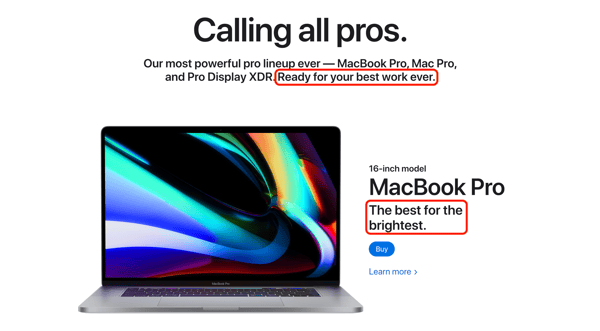
Apple doesn’t simply list the impressive features of their products; it uses those features to tell consumers who they could be and how they could work if they purchased those products. They tell a narrative using their products and encourage people to buy in the process.
2. Billie
Billie is a women’s razor brand. In a highly competitive market, Billie has helped its products stand out. How? It established a sharp competitive edge (no pun intended) by doing what no razor brand had done before — show body hair in its advertising.
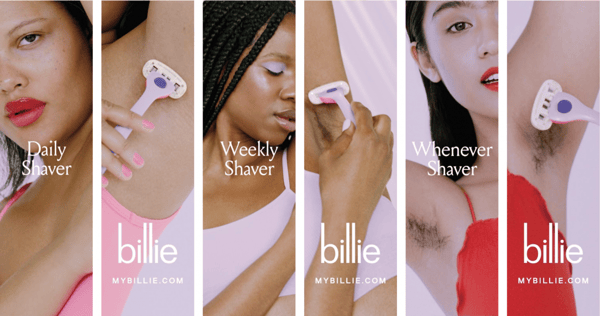
Not only did this advertising approach get Billie’s audience talking about the brand, but they also appreciated the brand’s accurate portrayal of women’s bodies and body hair. These differentiators were more than enough to set Billie apart from other razor brands and products.
3. Coca-Cola
Did you know that over 95% of people around the world recognize Coca-Cola and its red and white branding? This comes as no surprise when you notice that most people order a “Coke” when purchasing a soft drink or cola. In fact, the brand recognition is so strong that Coca-Cola’s competitor Pepsi used the narrative in its Super Bowl advertising.
Through highly targeted positioning, repetitive advertising, and consistent branding, Coca-Cola has become a truly global household name and product.
4. MailChimp
There are dozens of email marketing tools on the market, but MailChimp hasn’t been fazed by competition. In fact, its risen above their competition by positioning itself as more than an email marketing tool: it’s an all-in-one marketing platform that helps businesses grow.
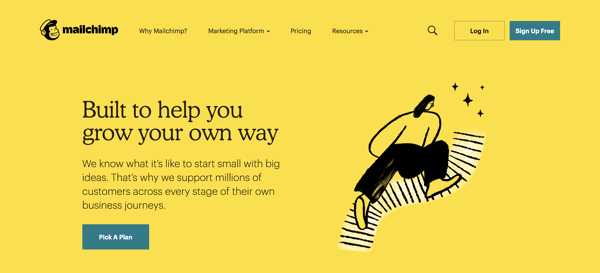
Like Apple, MailChimp primarily highlights its benefits for the end user, not just its product features. A recent rebranding and site redesign further drives this narrative home.
Start Marketing Your Products
Product marketing is the process through which a company brings a product to market. Being a product marketer (or product marketing manager) means you’re at the center of your company’s marketing, sales, and product teams.
You’re an integral part to the success of your product, as you create and manage your product’s specific marketing strategy, but you also serve as a liaison between all three of these departments, ensuring everyone is on the same page with your product, it’s features, capabilities, and more. So, start developing your latest product’s marketing strategy to ensure it’s a success among your target audience and customers.
This post was originally published in February 2020 and has been updated for comprehensiveness.

How to Make a Resource Breakdown Structure (RBS)
52 Gen Z Stats Marketers Need to Know in 2020
When some business experts, bloggers, and journalists write about Gen Z entering adulthood, it sounds like they’re talking about an incoming natural disaster.
Headlines like, “Gen Z is Coming, Are You Ready,” or “Prepare You Marketing to Survive the Gen Z Invasion” are circulating around the internet, but do marketers really need to make extreme preparations and start drastically changing their strategies to woo this age group?
The truth is — kind of.
By now, you probably know that Gen Z is the most hyper-connected generation. This means that by the time they all reach purchasing age, digital, online, and mobile-first marketing will be vital to your strategy. However, Gen Z still has some striking similarities to the generations that came before it.
As a marketer, and the millennial older sister of a Gen Z sibling, I see both similarities and differences between my sister and me daily. While we were raised in pretty different time periods and can’t possibly be considered “the same,” we still have a lot in common.
For example, we both love social media, care about our finances, and have very high standards of the products we buy. However, the ways we use social media, handle our finances, and purchase products are still slightly different.
If you’re interested in testing out new marketing strategies that target young adults, you’ll likely want to learn as much as you can about Generation Z, and what makes them different from past generations — as they’ll soon reach full purchasing power.
Even if you’ve successfully marketed to younger millennials in the past, you’ll still want to prepare yourself for Gen Z by learning more about the nuances that make them unique. Through this research, you’ll also be able to identify successful millennial marketing strategies that could still work on Gen Z. This will help you better scale your strategies to fit Gen Z, rather than completely reshaping your tactics in costly ways.
To help you build a buyer persona for potential Gen Z customers, I’ve compiled a list of stats that highlight Gen Z’s unique qualities, behaviors, and motivations.
52 Gen Z Stats to Know in 2020
General Stats
- In 2019, Gen Z outnumbered millennials, making up 32% of the world’s 7.7 billion-person population. (Bloomberg)
- Gen Z members that still live with their parents receive an average allowance of $16.90 per week. (LinkedIn)
- The generation has an estimated purchasing power of 44 billion annually. (LinkedIn)
- 48% of Gen Z identifies as racially or ethnically diverse. (Pew Research Center)
- As of 2020, Gen Z makes up more than 40% of U.S. consumers. (Fast Company)
Digital Habits
- More than 74% of Gen Z says they spend their free time online. (Insititute of Business Management)
- 66% of Gen Z reports using more than one internet-connected device at a time. (Institute of Business Management)
- In the U.K., Gen Z spends an average of 10.6 hours online each day. (Adobe)
- Roughly 75% of Gen Z most frequently uses a smartphone over computers and other devices. (Institute of Business Management)
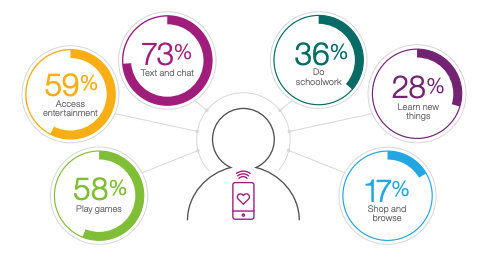
- Most Gen Zers (73%) use their internet-connected devices to communicate with friends or family. Meanwhile, 59% and 58% also use them for entertainment and gaming respectively. (Institute of Business Management)
Source: Institute of Business Management
- Gen Z spends an average of 11 hours on their mobile devices per week. (Criteo)
- Gen Z streams video for roughly 23 hours each week. (Criteo)
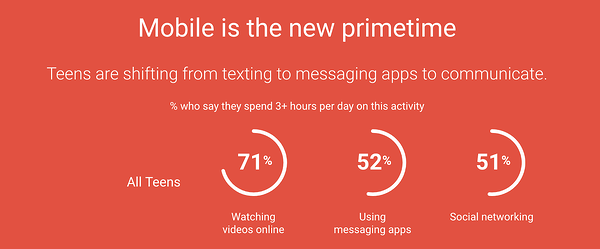
- Roughly 71% of Gen Z teens use mobile devices to watch videos, while 51% use mobile for social media surfing. (Think with Google)
Source: Think with Google
- Over 32% of Gen Z transactions take place on a mobile device. (Criteo)
- More than 71% of Gen Z subscribes to Netflix. (Defy Media Study published by Variety)
- Only 45% of Gen Z watches cable. (Vision Critical)
- 60% of Gen Z will not use an app or website that loads too slowly. (Institute of Business Management)
- Gen Z is gaining interest in interactive and “Choose your own adventure” content, with 55% saying they’d like to be able to choose the plotline of the movie or TV show they’re streaming. (Cognizant)
- 60% of Gen Z says they’re likely to use VR as it becomes more abundant in the future. (Cognizant)
- When VR is more common, 52% of the generation expects to use it for online entertainment such as videos or gaming. (Cognizant)
Social Media
- 56% of teens use social media apps to express themselves creatively. (Snapchat)
- 55% of Gen Z says they can be more creative on social apps and the internet than offline. (Snapchat)
- Gen Z logs on to social media for roughly two hours and 55 minutes each day. This is almost an hour longer than the average millennial. (World Economic Forum)
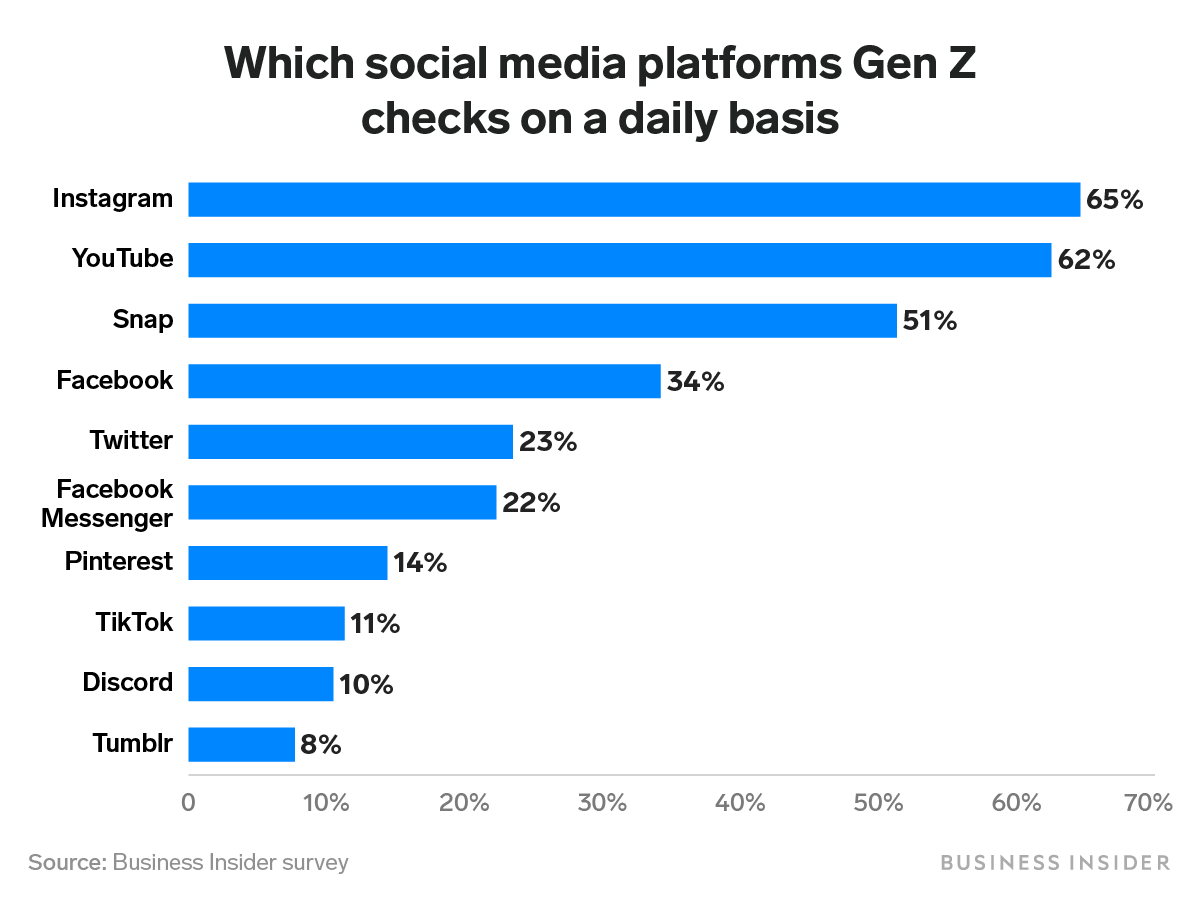
- 62% of Gen Z checks Instagram, while 60% visit YouTube, daily. (Business Insider)
- Snapchat is also popular among Gen Z, as 90% of 13-24-year-olds in the U.S. have used the app. (Snapchat)
- Although 81% of teens say social media helps them feel more connected to their friends, 45% still say they feel overwhelmed by “drama” associated with it. (Pew Research Center)
- 43% of teens feel pressure to only post content that makes them “look good” to their friends. (Pew Research Center)
- 88% of Gen Z prefers omnichannel branded experiences, while 54% say social media influences them most. (CMO Council)
- 41% of Gen Z men use Twitch, a video platform primarily used to stream video games. (Morning Consult)
- More than 76% of Gen Z says they follow an influencer on social media. (Morning Consult)
- One in four Gen Z women says they learn about new products from social media influencers. (Morning Consult)
Source: Business Insider
Behaviors and Preferences
- On average, Gen Z will pay attention to content for a span of eight seconds — four less than millennials. (VisionCritical)
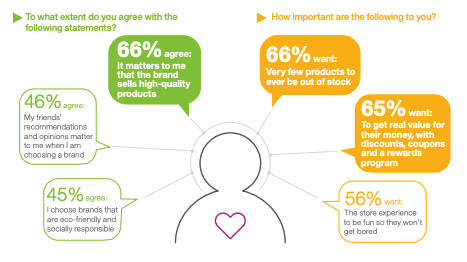
- When shopping online or in stores, 65% of Gen Z prefers to see as few items as possible out of stock. (Institute of Business Management)
- 66% say that the high quality of a product matters most to them when making a purchase. (Institute of Business Management)
- Roughly 65% of the generation sees value in coupons, discounts, and rewards programs. (Institute of Business Management)
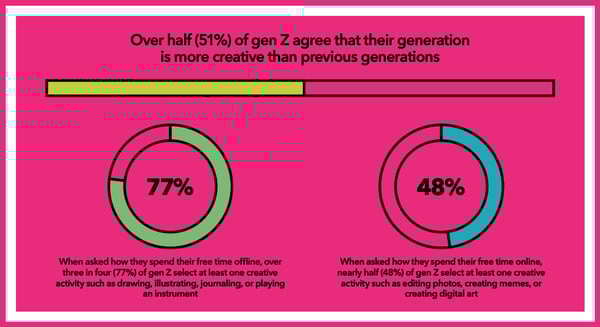
- 51% of Gen Z agrees that they are more creative than previous generations. (Snapchat)
Source: Snapchat
- 77% of Gen Z reports doing creative activities, such as painting when offline. Meanwhile, 48% say they regularly do creative activities, like meme creation, when online. (Snapchat)
- Despite their connection to social media, 51% of Gen Z prefers to communicate with coworkers, friends, and family face-to-face rather than through messaging. (2019 Yellow Recruiting Study)
Source: The Institute of Business Management
- Over 70% of Gen Zers say they’re able to influence family decisions, such as purchases. (Institute of Business Management)
- Less than 30% of Gen Z will share personal data, such as health, wellness, location, or payment information, online. (Institute of Business Management)
- 69% of Gen Z finds online ads disruptive. (Vision Critical)
- One of the top factors that draw Gen Z’s attention to items is an aesthetically pleasing product shot. (Vision Critical)
Motivations
- In 2018, roughly 10% of Gen Z was saving for college. (National Society of High School Scholars)
- 35% of Gen Z students expect at least one job offer by the time they graduate from college. (2019 Yello Recruiting Study)
- 59% of Gen Z will learn new skills if they result in higher pay. (LinkedIn)
- Although Gen Z is career-motivated, only 49% counter job offers, while 70% of millennials will negotiate higher salaries. (2019 Yellow Recruiting Study)
- Nearly a quarter of Gen Z college students start their job search before their junior year. (2019 Yello Recruiting Study)

Source: 2019 Yellow Recruiting Study
Political and Societal Views
While political or societal views don’t directly impact purchases, knowing how a generation views certain topics could help you improve your level of inclusive marketing, identify opportunities for campaign topics, or develop products that relate to a pain point or cause that an age group cares about. Here are a few interesting stats to note:
- 70% of Gen Z says that financial responsibilities should be shared equally in two-parent households. (Pew Research Center)
- While 76% of Gen Z women say that more females presidential candidates are a “good thing,” only 54% of Gen Z men agree. (Pew Research Center)
- When a form requires a person to select a gender, 59% of Gen Z thinks that the form should include an “Other” option. (Pew Research Center)
- Half of Gen Z says society isn’t accepting enough to people who don’t identify as men or women. (Pew Research Center)
- Despite Gen Z’s connection to technology and social media, more people in the age group report feeling lonely than previous generations (Cigna U.S. Loneliness Index)
Preparing for Gen Z
While you don’t have to change your whole digital strategy just yet, you’ll definitely want to experiment with new ways to up your game and reach younger generations on online or mobile platforms. If you market to young adults specifically, you should be sure to take note of key Gen Z behaviors in order to cater your campaigns to them in the future. Here are a few pointers to get you started:
- Audit your digital strategy, and see if you’re missing out on any Gen Z-friendly platforms.
- Embrace video marketing, especially for mobile devices.
- Make sure your campaigns effectively show how your product provides value.
- Consider offering discounts, rewards, freemiums, and sales to instantly gratify customers that might be hesitant to pay for your product.
- Keep track of emerging media strategies and tools incase they become accessible to your marketing team later on.
Aside from learning more about your customer, and developing a buyer persona, you should also note the key differences that Gen Z does have from other generations and avoid lumping this generation in the same demographic as millennials.
To learn more about what makes Gen Z so different from its previous generation, check out this comparison on millennials versus Gen Z.

Can’t Afford a Super Bowl Ad? Here’s What to Do Instead
This year, a 30-second Super Bowl ad slot cost roughly $5.6 million.
While $5.6 million seems like a lot of money for just a slot, think about how much advertisers are spending on the additional costs of producing these commercials, often known for having A-list talent, crazy special effects, or even award-winning directors.
The cost of Super Bowl advertising is so pricey that even many big brands who can afford it have chosen to spend their money elsewhere.
Take Skittles for example. In 2018, Skittles decided they didn’t want to shell out millions of dollars on a Super Bowl ad. Instead, they used the money to create a full-length Broadway musical.
What could the Skittles musical possibly have been about? Well, it was described as a musical commercial that discussed the insincere and high-priced world of advertising.
The musical was never aired on TV or streaming services, but here’s a look at the musical’s main ballad, “Advertising Ruins Everything:”
https://www.youtube.com/watch?v=FNR1crnyRFk
While what Skittles did was both creative and clever, it was still pretty expensive. And, as a small business marketer, you likely can’t afford a Super Bowl ad or a Broadway musical alternative just yet. But, having a small budget doesn’t mean you can’t create a high-quality campaign or advertisement like the pros.
Below, I’ll list four common advertising strategies that brands use during the Super Bowl, or other major events, then walk you through how you can take advantage of each on a much smaller scale while still effectively gaining brand awareness.
4 Small Business Alternatives to Super Bowl Advertising
1. Buy video ad space on social platforms.
As a small business marketer, you don’t need to pay for a high-priced televised ad slot to get seen by the right audiences.
With the growth of online platforms and social media networks, like YouTube, Facebook, and Twitter, we’ve also seen the growth in opportunities for in-stream advertising. If you’re less familiar with this form of advertising, it allows you to submit a video-based ad to a service like YouTube or Facebook. Then, the ad will usually be seen as pre-roll or mid-roll within longer videos.
Investing in online on in-stream video ads might also be a better bet than investing in traditional television commercials. Aside from the Super Bowl and other major televised events, people are tuning in less and less to live television. Meanwhile, consumers are streaming video, surfing the internet, and logging into social media channels more than ever before.
Additionally, while Super Bowl or TV ads usually have one up-front cost, online ad placements have more flexible costs that can be higher or lower depending on how long they are, how long you’d like to circulate the ads, and the size or scope of your target audience. To put it plainly, while brands pay millions for just 30-seconds during the Super Bowl, ad platforms like Facebook or YouTube allow you to spend less while targeting audiences that are most likely to engage with your content.
Another perk? While televised commercials require a consumer to remember and look up your brand later, online ads often allow audiences to click on them directly when they’re interested in your product or offer. This automatically adds a greater chance of ROI and decreases friction between the brand and the customer.
If you decide to take advantage of online video ads, you’ll want to drill down on your buyer persona before putting money behind an ad platform. Ask yourself questions like, “Which social media platforms do they use?”, or “What’s their gender and age range?” The answers to these questions will help you determine which social media platforms you should run ads on and which audience targets you should set for your ads.
After defining your audience, you’ll also want to create attention-grabbing content targeted specifically for your target buyers.
On online platforms, you’ll often be able to purchase an ad slot between six seconds to one minute long. However, because the internet is so fast-paced, your audience’s attention span could be much less than your allotted time. For example, on average, Gen Z and millennials will only pay attention to online content for eight to 12 seconds.
If you purchase a more budget-friendly skippable ad placement, drawing attention will be an even more crucial strategy as uninterested viewers will press the “Skip Ad” button to watch the video they’ve searched as soon as they’re able to.
Here’s a great example of a pre-roll ad from the job search site Reed.co.uk. The ad immediately draws attention with a video of meowing kittens. Then it embraces its pre-roll placement by calling out YouTube viewers for watching videos because they’re “distracted from their job.” At the end, Reed, the site’s founder, tells the viewer to click on the video, which will send them to the job site:
As you create an ad, take a note from Reed.co.uk by ensuring that it draws attention immediately.
Don’t have a box of kittens like the ad above? Consider using other techniques to draw attention, such as presenting a relatable pain point, offering a value proposition, or placing viewers into an action-filled scene when the video starts playing.
2. Dive deeper into a narrative.
Aside from traditional commercials that establish a basic pain point and offer a simple product-based solution, Super Bowl ads are also known to have a unique storyline or feel like miniature movies.
Here’s one historic Super Bowl example that sits in the Clio Hall of Fame. During its 1984 ad spot, Apple announced the Macintosh with a commercial themed around the George Orwell novel, “1984.”
The novel, written in 1948, told the story of a dystopian society where all people followed one leader, dressed the same and conformed to the same ideologies.
The Apple commercial stays in line with the George Orwell classic as it begins with thousands of men walking in a lined formation as they enter an auditorium where an all-powerful leader preaches about their society on a giant screen. The ad’s narrative gets interesting when a woman in colorful clothing suddenly runs into the room and hurls a hammer into the superior leader’s screen, figuratively destroying the bland conformist society.
At the end of the commercial, a narrator announces, “On January 20th, 1984, Apple will introduce the Macintosh. And you’ll see why 1984 won’t be like 1984.”
Why was the Apple ad so fascinating and iconic? At the time, Apple was considered a young disruptive underdog company while the PC world was monopolized by IBM — a much more traditional big corporation. This commercial is a deep metaphor for how Apple’s brand, innovative products, and mission would free computer users from the monopolies of past tech giants.
Yes, Apple did have more resources than the average startup when producing this ad. In fact, it was directed by Ridley Scott — known for his work on award-winning films like Alien and The Martian.
But, on a smaller scale, all it takes to create an attention-grabbing narrative ad is one or two creative team members and affordable video equipment.
Additionally, commercials that tell a great story don’t necessarily have to discuss a deep or intense topic, like Apple’s. Alternatively, they can also be quick and funny anecdotes.
This smaller-scale example from Bernie & Phyl’s Furniture simply tells the story of a bulldog getting behind at his office job. The storyline encourages people to spend more money on crucial things, like job candidates, while still saving money on furniture at the store chain:
https://www.youtube.com/watch?v=dBMjOh7XObQ
Interested in crafting a compelling advertisement script? Check out this template. If you have a great idea but aren’t sure where to start production-wise, read this step-by-step guide.
3. Leverage major events or holidays.
Whenever there’s a major event, like the Super Bowl, big brands jump to create campaigns that leverage trends related to it. This is because people who are interested in the event might also enjoy the content or ads that discuss it.
Although big brands air commercials during major events, you can instead create campaigns that make pop culture or event references. These could include blog posts about how an event relates to your industry, a social media post that leverages topical hashtags, or a marketing video about how your customers might be celebrating an event.
Here’s an example where the energy drink brand G-Fuel asks Twitter users to reply to their tweet with who they think will win the 2020 “#SuperBowl.” In the tweet, they include an image of two G-Fuel drinks in front of a football field:

This is smart because those who are interested in the Super Bowl might click the #SuperBowl hashtag or search the topic and find this post. Although it doesn’t directly advertise the drink and doesn’t have an endorsement from the NFL, the post still leverages the trend and enables Super Bowl fans to learn more about the sporty energy drink.
However, while leveraging a holiday and social media trends might seem like low-hanging fruit, you should keep in mind that each event has certain legalities around it.
For example, the NFL has trademarked the term Super Bowl and does not allow brands to say the event name in content with commercial intent. So, if G-Fuel were to promote its drinks as “official Super Bowl beverages,” it would infringe upon this trademark. However, by showing a picture of their product in front of a football field and simply asking fans about their thoughts on the actual game, they aren’t saying that their product is in any way endorsed by the NFL.
To avoid any further blurred lines when referencing the Super Bowl in a paid ad or commercial, brands usually call it, “the big game” or “the football game,” instead.
4. Lean into co-marketing.
Sometimes, even for big brands, it’s more budget-friendly and engaging to create a co-marketed Super Bowl ad. With this strategy, two or more brands put money, time, effort, or resources into creating a joint piece of content that cleverly highlights all brands involved.
Here’s a great example of a 2015 ad where Newcastle pooled its money with 37 other brands to buy a Super Bowl ad slot that mentions all the companies at some point. The ad was appropriately titled, “Band of Brands:”
The example above is one of the most insane examples of co-marketing, but this is a strategy that is incredibly scaleable to small businesses and has been used as a tactic for ages.
Below is an example of how Louis Vuitton and BMW joined forces as luxury travel and transportation product providers by launching a series of ads that show their sleek, black products together. The campaign was titled, “The Art of Travel.”

The co-branding example above is effective because it features two companies that complement each other rather than competing against each other. Their audiences, which are made up of upper-class professionals, also mesh well together and will engage similarly with this type of promotion.
5. Consider influencer marketing.
Aside from high-budget productions and interesting storylines, Super Bowl commercials are also known for their star-studded casts. Remember this Amazon Echo commercial where Alexa is voiced by a handful of popular celebrities?
Although you probably can’t hire stars like Cardi B, you might be able to budget content from a micro-influencer who’s heavily followed or considered credible in your industry.
When you sponsor an influencer that really understands their audience and your industry, they’ll create and publish content that intrigues their audience while also highlighting your product.
Influencer marketing is similar to co-branding. But, instead of increasing the chances of two branded audiences learning about both companies featured in one piece of content, influencer marketing enables the influencer’s audience to learn about your product while your audience can learn more about the influencer.
An influencer marketing strategy can also be especially effective on social media channels like Facebook, Instagram, YouTube, or TikTok.
In this example, the smartphone game “Run Around” sponsored a TikTok user who’s gained more than 15,000 followers simply by recording herself playing mobile games.
In the effective TikTok example above, the brand identified that gaming-oriented audiences were on TikTok and sponsored an influencer who’s audience anticipates her mobile gaming reviews and demonstrations.
Creating a (Somewhat) Super Bowl-Quality Ad
As you work towards creating a quality ad on a budget, keep these scaleable big brand tips in mind:
- Tell a great story. Pull your viewers in, allow them to relate to your brand, and hook them by presenting how your product can help them.
- Embrace current events: Craft campaigns that touch on highly-discussed on trendy events, such as the Super Bowl, award shows, or holidays — especially if they relate strongly to your brand.
- Leverage brands and influencers: Partnering with brands and influencers can allow your product or company to get attention from similar audiences that you haven’t already reached. To get started, research and build relationships with brands and influencers that your audiences or industries look to for credible tips.
Want to see more effective big brand campaign strategies that you can learn from? Check out this post where we reveal our favorite campaigns of 2019.

How to Use Instagram Customer Reviews for Maximum Impact
Are you taking full advantage of glowing reviews from your best customers? Looking for actionable ways to increase your social proof on Instagram? In this article, you’ll learn how to leverage customer testimonials in your Instagram feed, in Stories, and on IGTV. Why Promote Customer Reviews and Testimonials on Instagram? With more than 1 billion […]
The post How to Use Instagram Customer Reviews for Maximum Impact appeared first on Social Media Marketing | Social Media Examiner.
from Social Media Marketing | Social Media Examiner https://ift.tt/2S9HGFM
via socialmediaexaminer
Facebook and Google Make Retargeting Harder: How to Prepare
Welcome to this week’s edition of the Social Media Marketing Talk Show, a news show for marketers who want to stay on the leading edge of social media. On this week’s Social Media Marketing Talk Show, we explore how to prepare for Google’s plans to block third-party cookies and the expansion of Facebook’s Clear History […]
The post Facebook and Google Make Retargeting Harder: How to Prepare appeared first on Social Media Marketing | Social Media Examiner.
from Social Media Marketing | Social Media Examiner https://ift.tt/31feb9C
via socialmediaexaminer
Social Media Content Strategy: How to Respond to a Changing Marketplace
Do you have a content strategy for your social media marketing? Wondering how content and social media strategies can fit together? To explore how to use content strategically for 2020 and beyond, I interview Jay Baer on the Social Media Marketing Podcast. Jay is a marketing and customer experience strategist. He’s the founder of Convince […]
The post Social Media Content Strategy: How to Respond to a Changing Marketplace appeared first on Social Media Marketing | Social Media Examiner.
from Social Media Marketing | Social Media Examiner https://ift.tt/2OgoIvV
via socialmediaexaminer
Step by Step Guide to Creating a Website
In 2017, 71% of small businesses had a website, and 92% of businesses without a website said they’d have one by the end of 2018. Today, having a website is as necessary for a company as having a phone number.
Maybe you’re starting a new business venture or developing your personal brand. Or, maybe you’re looking to update your company’s outdated website. Whatever the case, creating a new website can feel overwhelming, particularly without technical expertise or a budget for web developers.To alleviate any frustration you might feel, we’ve put together a comprehensive, step-by-step guide to creating a website. Best of all, you won’t need a coder, web designer, or big budget to create one — all you’ll need to do is follow the seven steps below.
1. Choose your CMS.
The first thing you’ll need to do when creating a website is find the right CMS (content management system) for your business. There are plenty of free or budget-friendly site builders out there, but they aren’t all created equal, so you’ll want to weigh the pros and cons before choosing one.
For instance, consider whether you need a platform that allows you to code, or whether you’d like to avoid coding altogether. You might also narrow your list if you want your website to support multiple languages. Perhaps you simply want to check out templates offered by different CMS systems, or price ranges to see which you can afford.
Popular CMS systems include WordPress, Squarespace, Wix, and, of course, HubSpot. In fact, the new HubSpot CMS will be released in 2020.
Check out 15 of the Best Free Website Builders to simplify your decision-making process. Once you’ve chosen the best CMS for your needs, continue to step two.
2. Get a domain name and web hosting.
One of the easiest ways to appear illegitimate as a company is to shirk on paying for a domain name. If you were looking for a freelance writer, would you more likely hire from Carolineforsey.weebly.com or Carolineforsey.com? A .weebly or .wordpress extension is an indicator you didn’t pay for the full service, which might seem unprofessional or lower in quality — worst case, a consumer might wonder why you can’t afford the full service, and draw conclusions that you’re not fully established.
Fortunately, purchasing a domain name is typically inexpensive, and there are a few different domain sites you can use. Both Godaddy.com and Bluehost.com are cheap, secure, and effective options for buying a domain name, with added benefits such as SSL security and office 365.
Here’s where it gets tricky. You’ll need to choose a domain name as similar as possible to the name of your company, but with over 1.8 billion websites out there today, your company’s name might already be taken.
If your ideal domain name is already taken, consider using a different extension. I’d advise you to use one of the three most common extensions if you can: .com, .net, or .org. However, if it makes sense for your business, you might want to check out an alternate extension like .us or .shop.
Play around with it. Once you’ve chosen and paid for a domain name, you’ll usually also get personal email accounts attached, so make sure you’re happy to use your domain name as your main online identity.
3. Choose a template for your site.
Now, for the fun part.
On whatever CMS platform you chose, take the time to browse through templates and themes, and choose one you think best represents your brand.
When in doubt, you can’t go wrong if you choose something clean with straight lines, and a limited amount of text. If you need some inspiration, check out 27 of the Best Website Designs to Inspire You in 2020.
Ultimately, no one knows your business better than you. Take the time to consider which template would most likely appeal to your ideal demographic.
Within your CMS, you can probably use filters or search to narrow down on templates related to your industry.
It’s important your template is responsive, so your site will look the same on all devices. When considering templates, you also need to decide whether you want a static header or slideshow header, and how many pages you’ll need to fit in your menu bar. Stay away from hard-to-read fonts or flashy backgrounds that could distract a consumer from understanding your core message.
Once you’ve chosen a template and theme, take the time to customize it. Your site’s design and functionality is your chance to persuade an audience to take a closer look. It’s imperative your design makes sense to your ideal consumer and works to enhance your product’s success rather than hinder it.
4. Add pages to your site.
It’s important to plan exactly which pages you’ll need to include in your site. While it varies business to business, I’d guess you’ll need at least a “Home” page, an “About Us” page, a “Services/Product” page, and a “Contact Us” page.
Of course, you can choose to rearrange page topics any way you want, or combine them. If you’re unsure, check out other company websites within your industry to get ideas for how to organize your navigation bar, or which pages to include and exclude.
I might be biased, but you should probably also include a blog — you know, sometimes they come in handy.
While every platform is different, it’s typically easy to add and remove pages on whichever platform you use.
5. Write content.
This is arguably the most important step. Now that you have your pages set up, what will you put on them?
I’d suggest writing rough drafts for pages like your “About Us” page and landing page. Talk with coworkers and stakeholders — what message do you want to put out there? What tone do you want to set? Should you make jokes and be funny, or aim to be more inspirational?
If your online audience stumbled across your site, what questions would they have first?
Imagine your website is your only chance to have a full conversation with a potential customer. The home page is the preliminary introduction, “Hey, we do XYZ.” Your “About Us” page digs deeper, “We are XYZ.” And your products or services pages are your big push to the finish line: “You want to work with us? Great, here’s how you’ll benefit.”
During this stage, it’s imperative you do your keyword research.
For instance, if you’re selling eyeglasses, and you notice “retro eyeglasses” has more monthly search volume than “vintage eyeglasses”, you might use this research to steer the direction of the content on your site.
If you’re stuck, check out competitor’s websites to gauge what other companies in your industry are doing.
6. Fill in general settings.
Once you’ve filled in your pages with the heavy-hitter content, you can still increase your search visibility by filling in gaps in your CMS settings.
Essentially, these are your SEO elements. On your pages, you should include:
- High-quality page content
- Page titles
- Headers
- Meta descriptions
- Image alt-text
- Structured markup
- Page URLs
- Internal linking
- Mobile responsiveness
- Site speed
Make sure you include a site title and tagline in the “Settings” of your website building platform. Go through, and check out the URLs — are those optimized for search?
All these elements should be optimized because it tells Google all about your website and how you provide value to visitors and customers. It helps your site be optimized for both human eyes and search engine bots.
7. Install plugins.
Lastly, take a look at your site and figure out what you’re missing. The best CMS platform will ideally offer all the integrations you need.
Website plugins are individual services that improve a specific functionality of your site.
Perhaps your business is ecommerce, in which case, it might be wise to install a Shopify plugin extension.
Or, maybe you want to ensure your website is secure, to protect client data. In that case, find a plugin that offers firewall protection and attacks malware or other threats.
Plugins regarding security, SEO, image compression, and social media are necessities because it’s much easier to do all this work in one place rather than having to log on to several platforms.
Whatever the case, browse your plugin library and pick and choose a few you think will take the effectiveness of your site to the next level.
Once you’re ready, click “Publish”, and your site is ready for use.
How to make a website with HubSpot
Lastly, let’s take a look at how to make a website with HubSpot. If you’re not using HubSpot already, you can try the CMS free trial. If you’re already using HubSpot’s CRM, it probably makes the most sense to build a website within HubSpot to integrate all your sales and marketing needs in one place.
HubSpot offers a variety of plugins and extensions, themed templates, and sophisticated tools for SEO analysis.
If you want to build a website with HubSpot, it’s easy and intuitive. Here’s how:
1. Create home page.
Within your HubSpot portal, click “Content” on the dashboard at the top of your screen. Then, click “Landing Pages”.
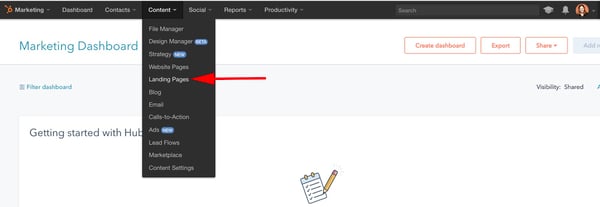
After that, click the orange “Create landing page” button and name your page.
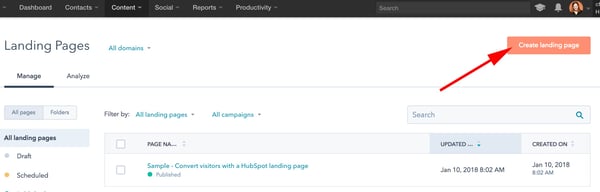
2. Select a template.
Now, you’ll be taken to this “Select a template” page. Scroll through your options, search page templates, or check out the Marketplace. When you’ve found a template you like, select it.
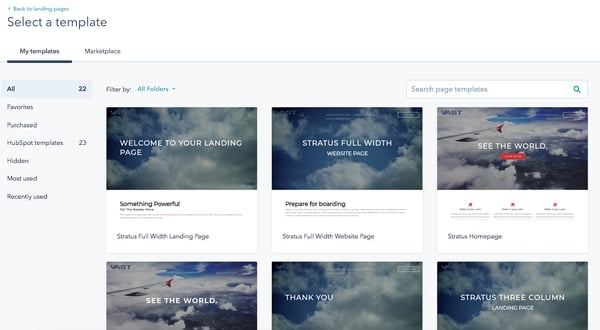
3. Edit the modules.
This is your landing page. You can scroll over text boxes, images, or other modules to edit them. In the below picture, I scrolled over the “See The World” Banner Text, and when I click it, it allows me to edit that text.
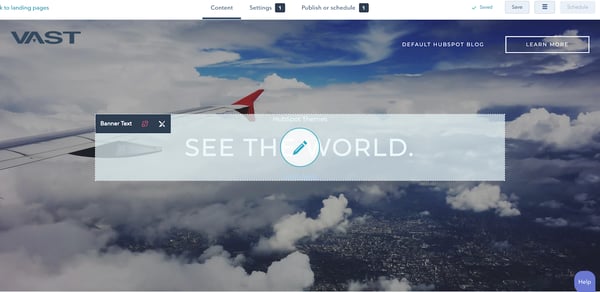
You can also click the “Edit modules” tool on the right side of your screen and edit from there. For instance, I selected “Service 2 Text”, which directed me to the “Make it your own” paragraph on my landing page. You can add text, images, sections, forms, and more from the “Edit modules” section.
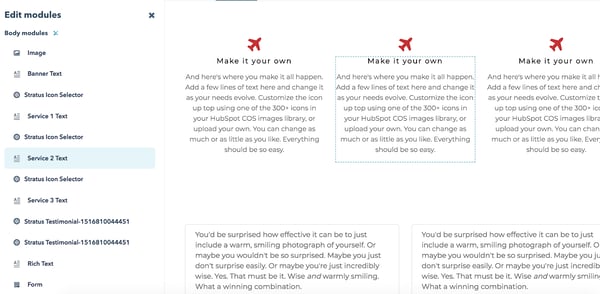
4. Create other pages on your website.
When you’re happy with your landing page and want to move on, go back to your dashboard and click “Content” at the top of your screen, and then “Website Pages”.
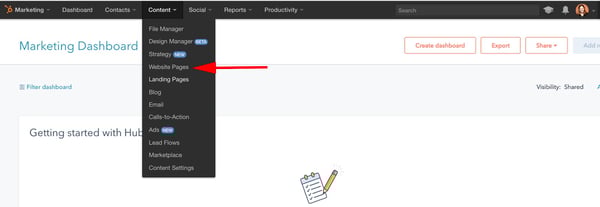
Here, you’ll click the orange “Create website page” button and name your page, just like your landing page. Then, you’ll be taken through a similar process of choosing a template and adding content. If you want a more in-depth tutorial, check out a quick tour of website pages.
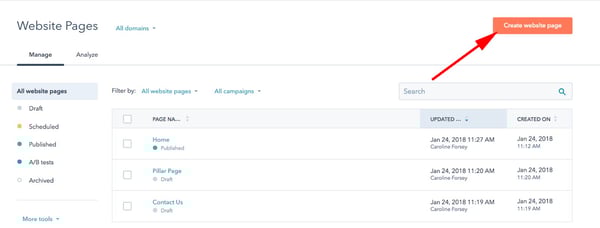
5. Incorporate social media accounts.
If you want to incorporate your social media accounts, click “Social” on your dashboard. You can monitor all your social media accounts and also publish tweets, Facebook statuses and comments, Instagram pictures, and other content straight from your HubSpot dashboard.
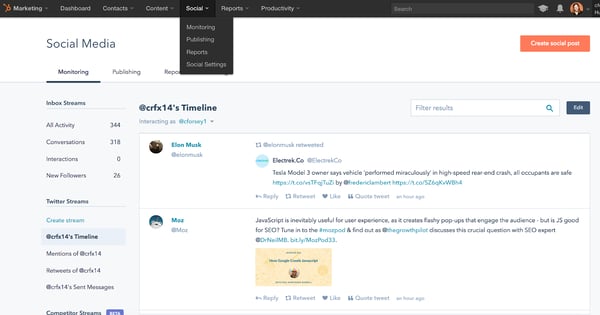
6. View analytics.
If you want to check out your site analytics, go to “Reports” and then “Analytics Tools”. You’ll need to install the tracking code, which is easy to do within the HubSpot platform by clicking the orange “Install the tracking code” button. If you’re still unsure, check out how to install the HubSpot tracking code.
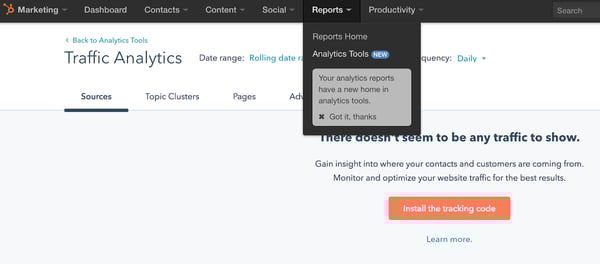
7. Add blogs to your site.
If you want to write blog posts, go to “Content” > “Blog” on your dashboard to create, publish, and monitor your website’s blog posts.
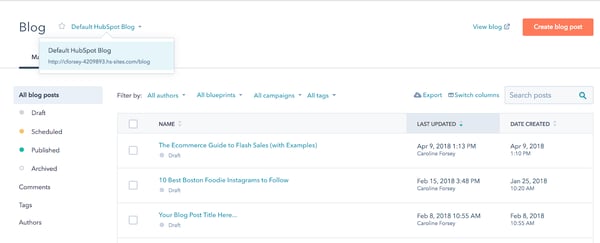
This is a fairly broad and general overview to get you started building a website with HubSpot, but there are plenty of more in-depth features and tools you might want to explore with a HubSpot specialist, or by checking out some articles on academy.hubspot.com.
Editor’s note: This post was originally published in May 2018 and has been updated for comprehensiveness.

How to Understand & Calculate Statistical Significance [Example]
Have you ever presented results from a marketing campaign and been asked “But are these results statistically significant?” If you were feeling snarky, you might have responded “Well, the results are different from what we saw before. Isn’t that significant?”
All kidding aside, as data-driven marketers, we’re not only asked to measure the results of our marketing campaigns, but also to demonstrate the validity of the data.
Just recently, I had a call with a customer asking that exact thing. The two marketers had each created a version of a landing page and used HubSpot’s A/B testing functionality to collect the results. They had a friendly wager over which one would win.
After a few days, they had the results; one had a slightly higher conversion rate, but they were left wondering if the results were statistically significant. (I’m going to guess that it was the person with the lower conversion rate that asked this question.) I love a little friendly competition — my family still tells the story about how I challenged my brother to an apple-peeling contest just to “make things interesting” one Thanksgiving. Needless to say, I was happy to help settle this bet.
While there are a number of free tools out there to calculate statistical significance for you (HubSpot even has one here), in order to truly understand what these tools are telling you, it’s helpful to understand what they’re calculating and what it means. We’ll geek out on the numbers using a specific example below to help you understand statistical significance.
1. Determine what you’d like to test.
First, decide what you’d like to test. This could be comparing conversion rates on two landing pages with different images, click-through rates on emails with different subject lines, or conversion rates on different call-to-action buttons at the end of a blog post. The number of choices are endless.
My advice would be to keep it simple; pick a piece of content that you want to create two different variations of and decide what your goal is — a better conversion rate or more views are good places to start.
You can certainly test additional variations or even create a multivariate test, but for the purpose of this example, we’ll stick to two variations of a landing page with the goal being increasing conversion rates. If you’d like to learn more about A/B testing and multivariate tests, check out “The Critical Difference Between A/B and Multivariate Tests.”
2. Determine your hypothesis.
Before I start collecting data, I find it helpful to state my hypothesis at the beginning of the test and determine the degree of confidence I want to test. Since I’m testing out a landing page and want to see if one performs better, my hypothesis is that there is a relationship between the landing page the visitors receive and their conversion rate.
3. Start collecting your data.
Now that you’ve determined what you’d like to test, it’s time to start collecting your data. Since you’re likely running this test to determine what piece of content is best to use in the future, you’ll want to pull a sample size. For a landing page, that might mean picking a set amount of time to run your test (e.g. make your page live for 3 days).
For something like an email, you might pick a random sample of your list to randomly send variations of your emails to. Determining the right sample size can be tricky, and the right sample size will vary between each test. As a general rule of thumb, you want the expected value for each variation to be greater than 5. (We’ll cover expected values further down.)
4. Calculate Chi-Squared results
There are a number of different statistical tests that you can run to measure significance based on your data. Determining which is the best one to use depends on what you’re trying to test and what type of data you’re collecting. In most cases, you’ll use a Chi-Squared test since the data is discrete.
Discrete is a fancy way of saying that there are a finite number of results that can be produced. For example, a visitor will either convert or not convert; there aren’t varying degrees of conversion for a single visitor.
You can test based on varying degrees of confidence (sometimes referred to as the alpha of the test). If you want the requirement for reaching statistical significance to be high, the lower your alpha will be. You may have seen statistical significance reported in terms of confidence.
For example, “The results are statistically significant with 95% confidence.” In this scenario, the alpha was .05 (confidence is calculated as 1 minus the alpha), meaning that there’s a one in 20 chance of making an error in the stated relationship.
After I’ve collected the data, I put it in a chart to make it easy to organize. Since I’m testing out 2 different variations (A and B) and there are 2 possible outcomes (converted, did not convert), I’ll have a 2×2 chart. I’ll total each column and row so I can easily see the results in aggregate.
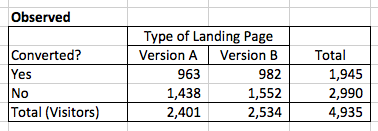
5. Calculate your expected values.
Now, I’ll calculate what the expected values are. In the example above, if there was no relationship between what landing page visitors saw and their conversion rate, we would expect to see the same conversion rates with both version A and version B. From the totals, we can see that 1,945 people converted out of the 4,935 total visitors, or roughly 39% of visitors.
To calculate the expected frequencies for each version of the landing page assuming there’s no difference, we can multiply the row total for that cell by the column total for that cell, and divide it by the total number of visitors. In this example, to find the expected value of conversion on version A, I would use the following equation: (1945*2401)/4935 = 946
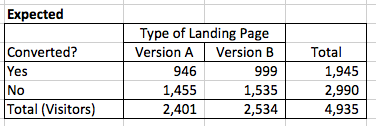
6. See how your results differ from what you expected.
To calculate Chi-Square, I compare the observed frequencies to the expected frequencies. This comparison is done by subtracting the observed from the expected, squaring the result, and then dividing it by the value of the expected frequency.
Essentially, I’m trying to see how different my actual results are from what we might expect. Squaring the difference amplifies the effects of the difference, and dividing by what’s expected normalizes the results. The equation looks like this: (expected – observed)^2)/expected
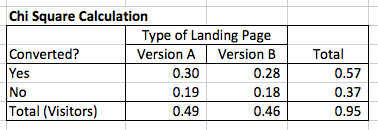
7. Find your sum.
I then sum the four results to get my Chi-Square number. In this case, it’s .95. To see whether or not the conversion rates for my landing pages are different with statistical significance, I compare this with the value from a Chi-Squared distribution table based on my alpha (in this case, .05) and the degrees of freedom.
Degrees of freedom is based on how many variables you have. With a 2×2 table like in this example, the degrees of freedom is 1.
In this case, the Chi-Square value would need to be equal or exceed 3.84 for the results to be statistically significant. Since .95 is less than 3.84, my results are not statistically different. This means that there is not a relationship between what version of landing page a visitor receives and conversion rate with statistical significance.
Why Statistical Significance Is Significant
You may be asking yourself why this is important if you can just use a free tool to run the calculation. Understanding how statistical significance is calculated can help you determine how to best test results from your own experiments.
Many tools use a 95% confidence rate, but for your experiments, it might make sense to use a lower confidence rate if you don’t need the test to be as stringent.
Understanding the underlying calculations also helps you explain why your results might be significant to people who aren’t already familiar with statistics.
If you’d like to download the spreadsheet I used in this example so you can see the calculations on your own, click here.
Editor’s Note: This blog post was originally published in April 2013, but was updated in January 2020 for freshness and comprehensiveness.

The 60 Best Free Online Courses For Whatever You Want to Learn
Benjamin Franklin once said, “An investment in knowledge always pays the best interest.”
That’s never been truer than it is today. With new technology emerging at breakneck speeds, there’s a palpable pressure to continuously upskill.
Whether you want that job promotion or to sidestep into a new field, you’ll need to commit to learning new skills.
However, learning new skills can be both time-consuming and challenging. In fact, according to Josh Kaufman, international bestselling author of The Personal MBA, it takes 20 hours to go from knowing nothing about a particular subject to being pretty good at it. Of course, if you want to become an expert — well, that takes even longer.
Blog posts and podcasts are great starting points for exploring a particular topic. But online business courses will provide you with the time and space you need to go deep and truly master a new skill. Plus, most courses are made up of on-demand videos and exercises that you can progress through at your own pace.
Below, we’ve gathered 60 of the best free online business courses. These cover the main business skills you’ll need to advance in today’s rapidly changing workplace — from digital marketing and coding to selling, leadership, and more. Keep reading to become an expert in whatever subject you feel can best help you succeed.
If you’d prefer, click on one of the following topics to jump straight to courses regarding that topic in particular:
- Fundamental Marketing
- Content Marketing
- Social Media Marketing
- Email Marketing
- SEO
- Sales
- Ecommerce
- Coding & Developer Courses
- Personal & Professional Development Courses
- Design
- Business & Finance
Free Online Courses
Fundamental Marketing Courses
1. Inbound Certification by HubSpot Academy
From attracting leads to engaging prospects and delighting customers, this course covers the fundamentals of what inbound marketing is all about.
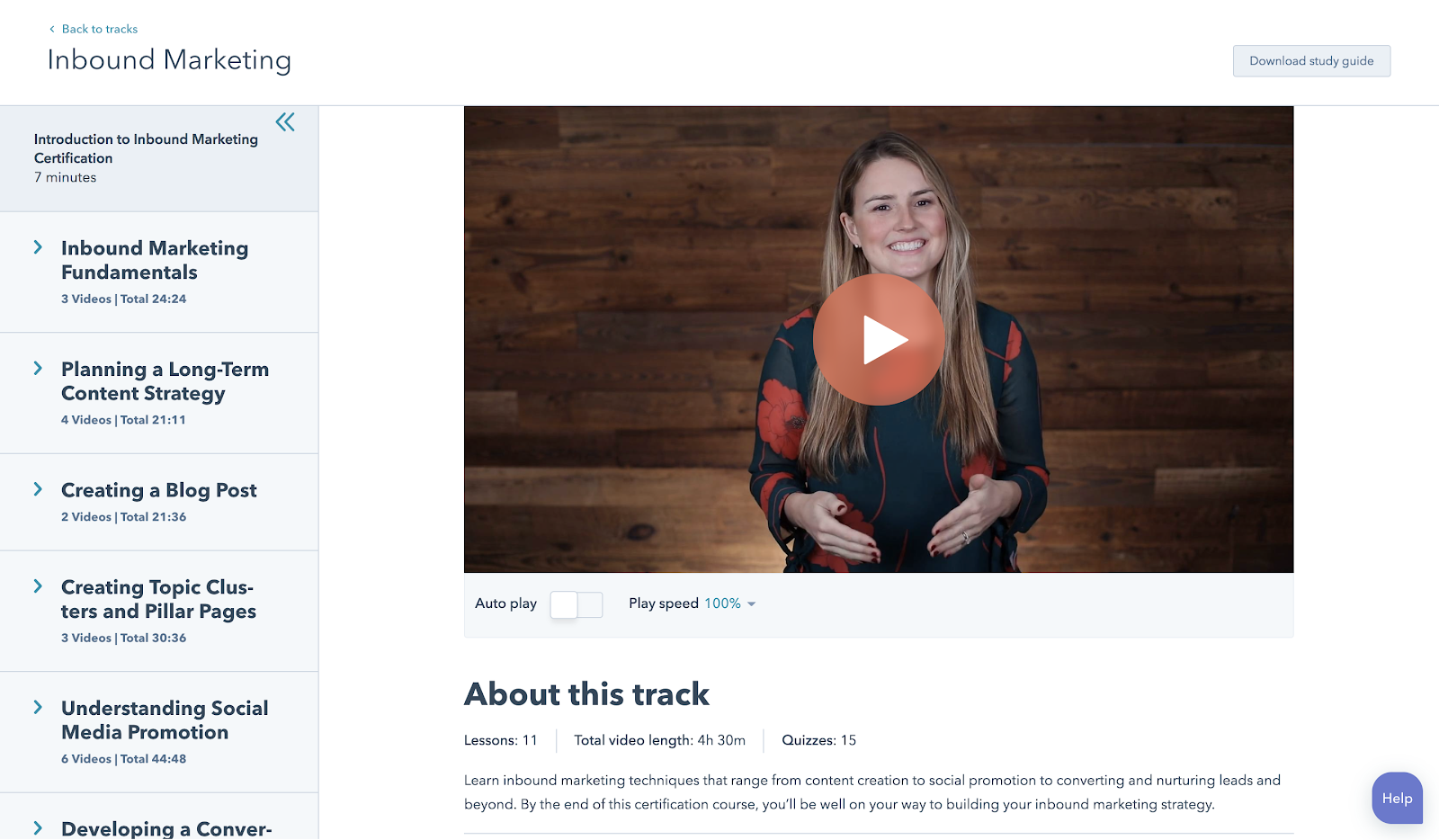
2. Marketing Fundamentals: Who Is Your Customer? by EdX
Discover how to acquire the right customers and grow your business.
3. How Websites Work by Google Garage
Learn the basics of websites, local business listings, review sites, social media, mobile apps, and more.
4. Google Analytics for Beginners by Google
This course shows new Google Analytics users how to create an account, implement a tracking code, and set up data filters. You’ll learn how to navigate the Google Analytics interface and reports, and set up dashboards and shortcuts.
Content Marketing Courses
5. Content Marketing Certification by HubSpot Academy
Power your business with remarkable content. This course will teach you how storytelling, content creation, repurposing, and promotion come together to build a content marketing machine that grows your business, and your career.
6. Viral Marketing and How to Create Contagious Content by Coursera
Ever wondered why some things become popular, while other things don’t? This course explains how things catch on, and can help you apply those ideas to become a more effective marketer.
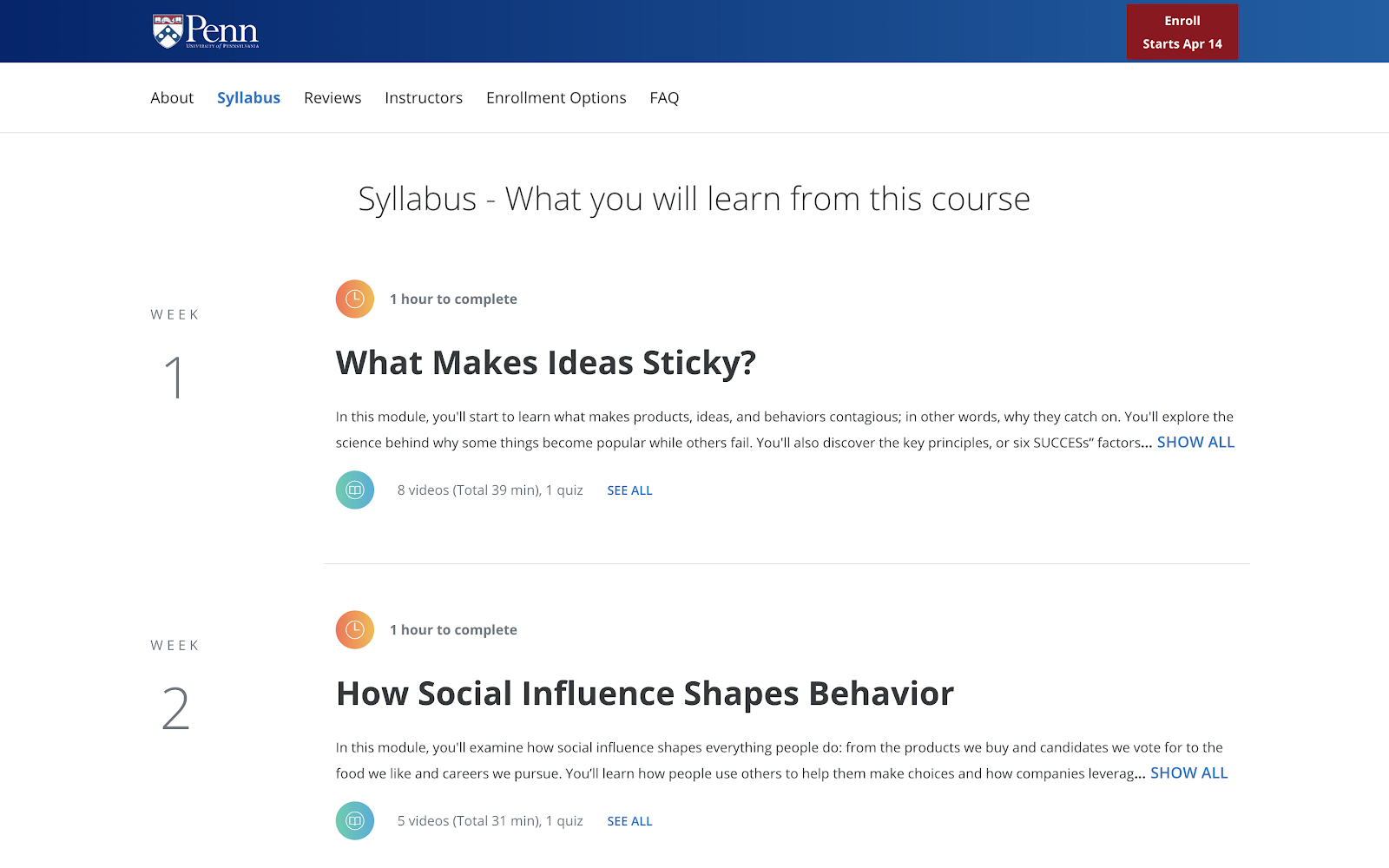
7. Business Blogging by HubSpot Academy
Business blogging is more than just writing and publishing content in the hopes you’ll attract customers. In this course, you’ll learn how to craft a blogging strategy that drives business growth, create quality blog content that customers love, and build a guest blogging strategy that’s powered by SEO.
8. Online Video Marketing Course by HubSpot Academy
This online video marketing training will teach you how to get started with online video marketing to better attract, engage, and delight your audience.
Social Media Marketing Courses
9. Social Media Course by HubSpot Academy
This course provides you with everything you need to build a social media strategy. The course is free, but it’s $199 to take the exam.
10. Introduction to Social Media Strategy by Skillshare/Buffer
Whether you’re looking to foster brand awareness, increase website traffic, or drive sales, this course can teach you how to craft a social media strategy to achieve your goals on Facebook and Twitter. From finding your voice to paid advertising, Brian Peters (Digital Marketing Strategist at Buffer) walks through his process for custom social strategies.
Note: Skillshare offers community members two free months of Skillshare — you’ll need to sign up as a member to access the class for free.
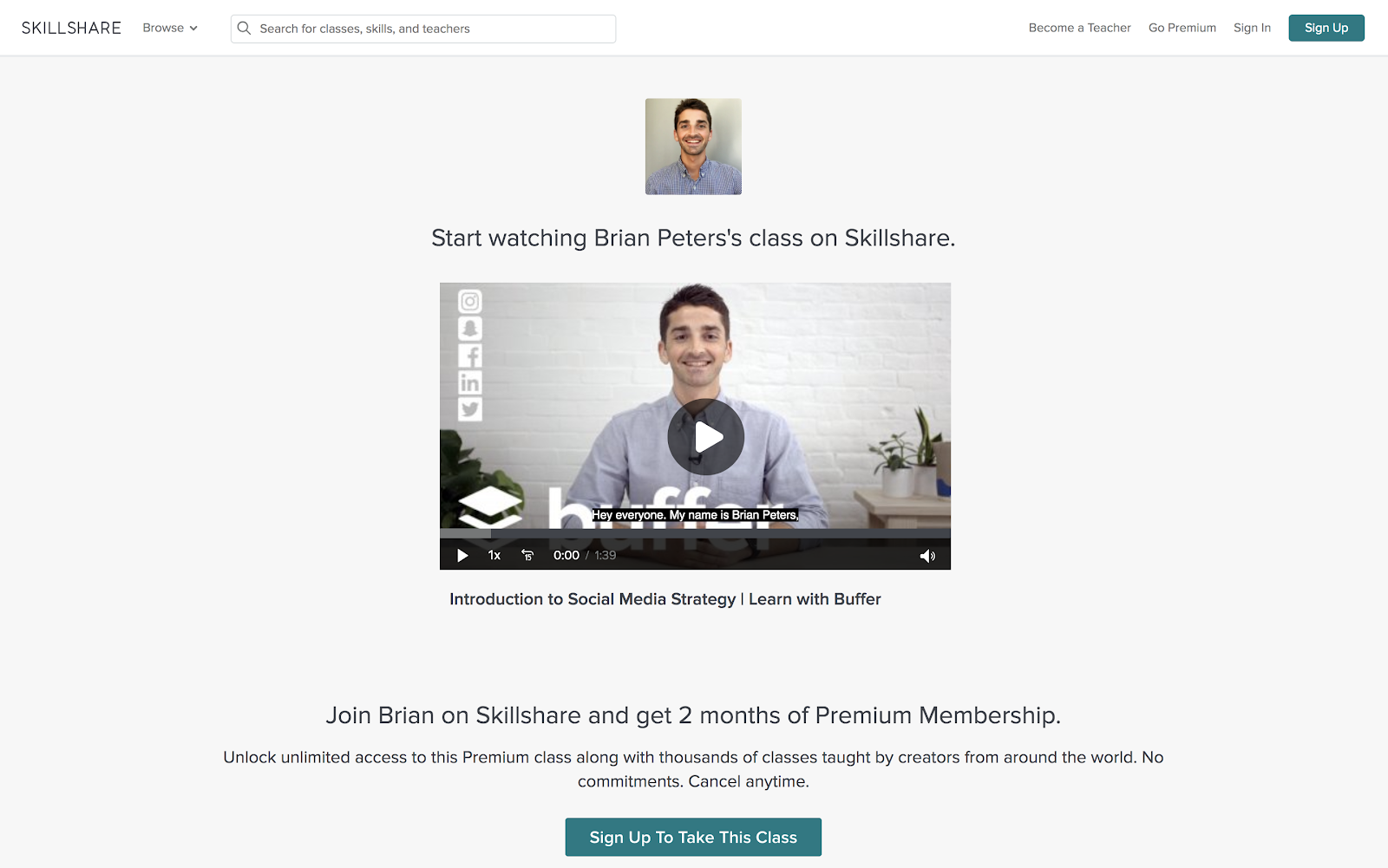
11. Facebook Blueprint by Facebook
This huge resource of free, self-paced social media classes will cover best-practices and top strategies used by some of the world’s largest brands.
12. YouTube Courses by Creator Academy
YouTube Courses teaches you everything related to the platform, including how to earn money with YouTube ads, how to gain insights with Google Analytics, and more.
13. Video Storytelling for Social Media by Social Creators
This one-hour crash course will help you make high-quality videos with your iPhone or Android device so you can start vlogging and share engaging videos on your social media accounts.
14. Instagram Marketing 2019: Grow from 0 to 40K in 4 Months by Coursera
Learn how to take an Instagram account from an idea to 40K followers in four months.
15. Developing an End-to-End Instagram Marketing Strategy For Your Business by HubSpot Academy
Learn how to build and implement a successful organic Instagram marketing strategy.
16. Build & Grow Your Brand on Instagram (Sue Zimmerman) by CreativeLive
Sue Zimmerman will help you crack Instagram’s algorithm. You’ll learn how to gain more followers, drive more sales, and boost your business.
17. Free Social Media Analytics Course for Beginners by Quintly
This class will cover the basic principles of social media analytics, and is helpful both for beginners and for marketers who want to refresh their knowledge. It aims to help anybody involved in social media analytics, whether you’re working for a brand, an agency, or the media.
18. Flight School — Video Ads on Twitter by Twitter
Whether you’re a traditional TV Buyer, a Digital Buyer, or a Social Strategist, these two courses will help you build the knowledge and skills you need to meet your clients’ video advertising goals. The courses have been designed to help you level up your expertise with video advertising on Twitter, so that you and your clients can succeed.
19. Introduction to Social Media Advertising by Skillshare
Social media advertising is one of the most powerful ways to connect with customers and drive marketing impact. This course will help you demystify vocabulary, set campaign goals, target audience segments, develop compelling copy and visuals, and optimize campaigns for long-term success.
Email Marketing Courses
20. Cold Email Masterclass by Mailshake
Whether you use cold email to connect with influencers, build your personal brand, find mentors, or grow your network, there’s no underestimating its power. Sujan Patel reveals eight lessons that will show you how to turn theory into practice, tapping into existing cold email best practices and deploying them in a way that’s both efficient and effective.
21. Email Marketing by Constant Contact
Learn how to plan, design, create and measure your emails.
SEO Courses
22. Paid Ads by Google
If you don’t know where to start with Google’s ad products, Academy for Ads may be for you. You’ll figure out where to get started in mini, bite‐sized lessons. Topics include programmatic ads, Adwords, double-click and video ads.
23. SEO Training by Moz by Udemy
Learn SEO tips and tricks from Moz. Build skills in everything from keyword research and link building to site audits, and more.
Sales Courses
24. Inbound Sales Certification by HubSpot Academy
In this certification course you’ll learn how to grow your sales pipeline, close more leads, and grow your career.
25. The Art of Sales: Mastering the Selling Process Specialization by Coursera
This course is designed to make you more effective and efficient as you pursue your sales goals. Understand how to stand out in the crowd, attract customers, and build support for initiatives within your company.
26. Sales Enablement Certification by HubSpot Academy
In this self-paced online course and exam, you’ll learn how to align marketing and sales for optimal efficiency. Bridge the gap between marketing and sales teams with strategies and tactics from over 25 world-renowned leaders.
27. Sales Manager Training by HubSpot Academy
Learn how to define your target market, create a scalable sales process, and build training, coaching, hiring, and on-boarding programs to help your sales team grow.
28. Sales Prospecting Advanced Techniques by SalesScripter
This program is designed to give you a strategy-backed process. It covers building a value proposition, asking the right questions, closing more effectively, and more. You’ll sell more, and even better — selling will become more fun.
Ecommerce Courses
29. Dropshipping 101 by Shopify Academy
Corey Ferreira shares his methods for finding a product to sell, testing its popularity, and building an unforgettable brand. 
30. Product Photography for Ecommerce by Shopify Academy
In this course, you’ll learn how to set-up your own home studio and take product photos with your smartphone or digital SLR.
31. Inbound Marketing for Ecommerce by Groove Commerce
Discover easy ways to ignite your site’s performance with this comprehensive guide to e-commerce inbound marketing.
32. Email marketing for Ecommerce by Skillshare
Learn how to use automation, optimization, and personalization to boost your business through email.
Coding & Developer Courses
33. Learn to Code by Codecademy
Online coding tutorials with easy-to-follow instructions, immediate feedback, and a tested curriculum that can help anyone learn how to code.
34. Intro to Computer Science by Udacity
Get to grips with key computer science concepts in this introductory Python course. You’ll learn by doing, and will build your own search engine and social network.
35. Intro to HTML and CSS by Udacity
In this course, you’ll learn the fundamentals of web development, along with best practices and professional problem-solving techniques using Developer Tools.
36. App Development for iPhone by Alison
This iPhone app development course will give you all you need — from how to use Objective C programming to creating multi-touch functionality. With clear video tutorials that are easy to follow, this course will get you up-to-date with the latest in iPhone app development trends.
37. Deep Learning Prerequisites: The Numpy Stack in Python by Udemy
The Numpy, Scipy, Pandas, and Matplotlib stack — prep for deep learning, machine learning, and artificial intelligence.
38. Algorithms, Part I by Coursera
This course by Princeton University covers the essential information that every serious programmer needs to know about algorithms and data structures, with emphasis on applications and scientific performance analysis of Java implementations.
39. Self-Driving Fundamentals: Featuring Apollo by Udacity
Through this course, you’ll be able to identify key parts of self-driving cars and get to know Apollo architecture. You’ll be able to utilize Apollo HD Map, localization, perception, prediction, planning and control, and start the learning path of building a self-driving car.
40. Machine Learning by Coursera
Machine learning is the science of getting computers to act without being explicitly programmed.
Personal & Professional Development Courses
41. Conquering the Fear of Public Speaking by Udemy
Understand the fundamental techniques to get over the fear of public speaking.
42. Learning How to Learn: Powerful Mental Tools to Help You Master Tough Subjects by Coursera
This course gives you easy access to invaluable learning techniques used by experts in art, music, literature, math, science, sports, and many other disciplines.
43. Communication Skills – Persuasion and Motivation by Alison
This course will introduce you to the essential communication skills that aid persuasion, guide you through the differences between persuasion and manipulation, and show you how to use strong communication to motivate the people around you. These abilities will be a great boost for both your career and personal relationships.
44. Successful Negotiation: Essential Strategies and Skills by Coursera
In the course created by the University of Michigan, you’ll learn about and practice four key steps to a successful negotiation.
45. The Manager’s Toolkit: A Practical Guide to Managing People at Work by Coursera
This course gives you a practical guide to managing people at work. It doesn’t matter whether you are a first time manager in a shop or a middle manager in an office environment — the same skills apply to every work place.
46. What Great Leaders Do by Alison
Professor Bob Sutton outlines the hallmarks of great leaders, why leaders need to hear the truth, and how to deal with team disagreements. You will learn the types of habits practiced by those who fail to lead, and gain a strong understanding of how to become a better group leader.
47. Introduction to Project Management by Udemy
This course offers essential project management tools and techniques.
48. Conflict Resolution Skills by Coursera
Learn listening skills, verbal and non-verbal communication skills, and how to assemble a conflict management plan likely to yield positive resolutions.
49. Successful Negotiation: Essential Strategies and Skills by Coursera
We all negotiate on a daily basis. On a personal level, we negotiate with friends, family, landlords, car sellers, employers, and many others. Negotiation is also the key to business success. No business can survive without profitable contracts. Negotiation skills can lead to your career advancement.
50. Career Success Specialization by Coursera
Build essential skills for the workplace. Improve your employability and advance in today’s dynamic workforce.
51. The Science of Happiness by EdX
A free eight-week Science of Happiness course that will offer practical, research-backed tips on living a happy and meaningful life.
52. The Science of Wellbeing by Coursera
The purpose of this course is to not only learn what psychological research says about what makes us happy, but also to put those strategies into practice.
Design Courses
53. Free UX Design Course by Springboard
Learn UX design with this free curriculum covering the best techniques and methods including user research, personas, prototyping and wireframing.
54. Adobe Illustrator for Absolute Beginners by EduOnix
Learn how to master Adobe Illustrator with real world examples.
Business & Finance Courses
55. Free Online MBA by Smartly
Designed with business professors from top residential MBA programs, Smartly’s proprietary curriculum combines a self-guided software approach with collaborative online case studies and group projects. It’s flexible, yet structured for the modern professional.
56. Foundations of Business Strategy by Coursera
Develop your ability to think strategically, analyze the competitive environment, and recommend firm positioning and value creation. In this course, you’ll explore the underlying theory and foundation of a successful business strategy, and gain the tools you need to understand that strategy.
57. How to Build a Startup by Udacity
In an introduction to the basics of the famous Customer Development Process, Steve Blank provides insight into the key steps needed to build a successful start-up.
58. Alison Free Diploma in E-Business by Alison
This course is designed to boost your understanding of what e-business involves and how to implement a successful e-business strategy, so that the website you manage truly delivers.
59. Stock Market Investing for Beginners by Udemy
Learn the basics of the stock market through comprehensive, interesting and fun lectures.
60. Corporate Finance by New York University by iTunes
Corporate Finance is a big picture class. It looks at the financial principles that govern how businesses raise funds, invest those funds in assets and projects, and return those funds to investors.
Learning is an investment that continues to pay
We hope you find the online business course you need to take the next step in your career — whether you’re looking for a promotion or a sidestep into an entirely new field.
Whatever your reason, learning new skills will give you a competitive advantage in today’s rapidly changing workplace. Plus, the more you invest in your learning, the better you’ll grow.
If you’re looking for one single place to learn how to take your career to the next level and/or grow your business, check out HubSpot Academy. It contains tons of free certified courses on everything from inbound and content marketing to social media and sales.

Which Instagram Story Formats Really Engage Viewers [New Research]
In 2019, Instagram Stories hit 500 million daily users.
Since launching in 2016, the Stories feature alone has made Instagram more popular than other Story and mobile video platform competitors including Snapchat, TikTok, and its owner’s own platform: Facebook Stories.
Even if you’ve already published a handful on branded Stories, you still might want to up your game by making them even more engaging. After all, Stories can provide great benefits related to audience engagement, brand awareness, and even purchase-related conversions.
Despite the growing number of benefits that Instagram Stories offers brands, crafting good content still takes time, energy, and brainstorming. Even when you put your best efforts into creating a Story, you might still find that it falls flat, sees a high drop-off, or shows other signs of low engagement.
As you build your social media content strategy for 2020, you might be asking yourself, “What type of Instagram Story format do people actually engage with?”
To get to the bottom of which Story style is most engaging, I surveyed 350 people using Lucid software to learn more about their favorite Story formats, sound preferences, and ideal Story length.
In this post, I’ll highlight what consumers said about their favorite Instagram Story formats and show you examples along the way.
Preferred Instagram Story Formats
While some brands and users post Stories focused purely on interactive features, others might post visual storytelling content such as short narratives or longer video stories that feel more like documentaries.
But, which one of the many Instagram Story formats is most intriguing to people?
I asked consumers, “Which Instagram Story are you most likely to tap all the way through until the end?”
At this point, you may have your own predictions of how people might have voted. While research says that interactive stickers, such as Quizzes, Polls, or Questions are highly engaging, you might also be thinking about the times you’ve tapped through an influencer or brand’s behind the scenes videos via their Story. So which, ultimately did people choose?
Stories centered around Quiz or Poll stickers were one of the most popular formats with 15% of the votes. However, 35% of consumers actually prefer short narratives with a mix of photos, text, and videos.
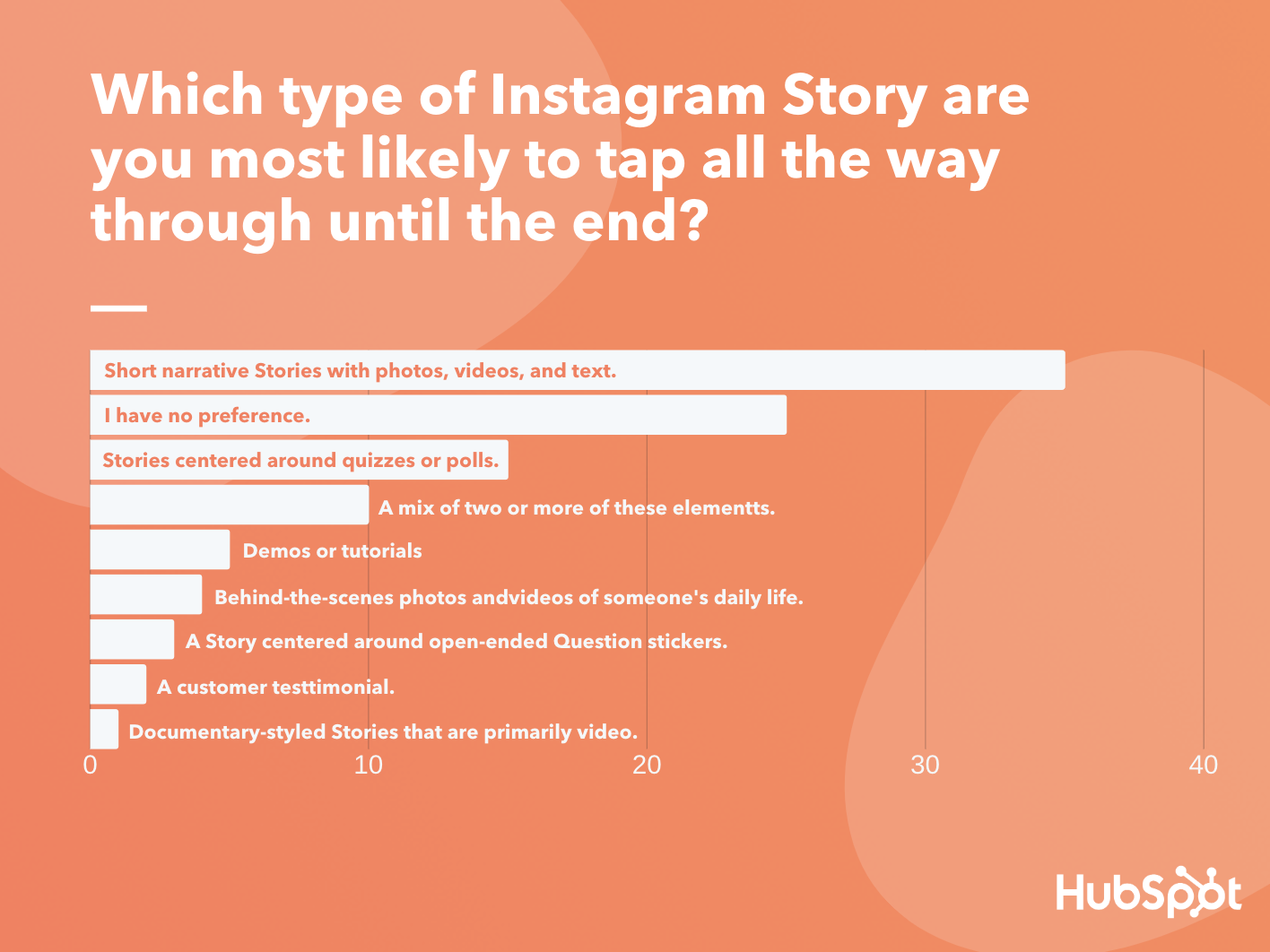
Data Source: Lucid Software
Short Narrative Stories
Short narratives are basically articles translated for a more visual audience. They rely on brief paragraphs and bullet points of text, accompanied by related visuals, to tell a story in a few cohesive short slides. Here’s a great example of a short story that swipes up to a longer piece of web content from Harvard Business Review:
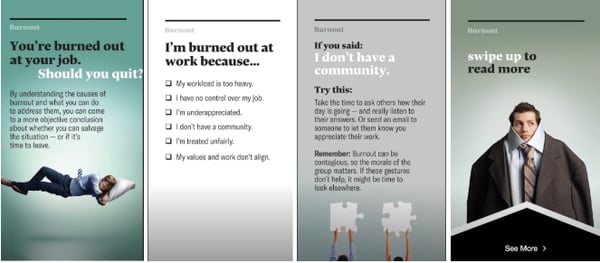
This strategy is a great way to get more eyes on your blog content without asking people to leave the Instagram app.
Aside from informing your audience of a topic related to your industry, you can also take a note from HBR and other publishers by using Stories as a traffic generator. In the example above, HBR — which has a verified account — has adapted a long-form article into a short Story and included the full post at the end as a swipe-up link.
With this tactic, the Instagram Story serves as a teaser as viewers who are very interested in the topic can swipe up to read more about it on HBR.org.
Quiz or Poll-Centered Stories
Another strong Story format uses Quiz or Poll stickers. Essentially these Stories feel like they are just created to quiz the viewer by including the Quiz sticker on most pages, or brands can leverage Stories with polls primarily on each page to get their audience’s insights on a topic.
These Stories are intriguing and entertaining to viewers because it allows them to test themselves and learn about a new topic interactively, or vote in a poll and see what other audiences think about a certain topic or theme. Here’s an example of an interactive Story from HubSpot which centered around a Poll-styled quiz and revealed the answers at the end.
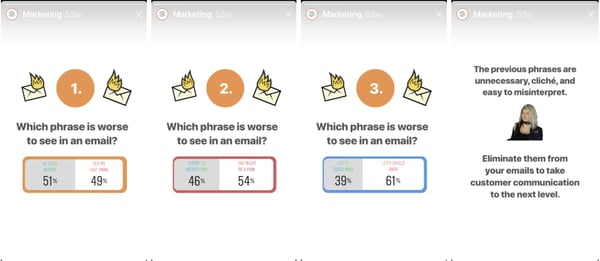
While you can also use an actual Quiz sticker, which will immediately tell viewers quiz questions, HubSpot’s strategy also works as it allows viewers to get a glimpse at what others guessed and see a rundown of the actual answers at the end. This might keep viewers engaged, entertained, and in the Story for longer if they know that there will be a payoff on the last page.
While fewer people voted for Stories centered around Question stickers, this feature could still be a great feature to experiment with as it can help you interact with and learn more about your audience in a more open-ended way that Polls.
Here’s an example of a Question sticker in a HubSpot Story. After this page, the Story went on to share the answers that viewers submitted.
Although open-ended Questions seem like a great way to learn about and interact with your audience, keep in mind that viewers will need to take time to fill out answers rather than simply tapping on a Poll or Quiz sticker. This means that if your audience isn’t as interested in the topic or question, you might run into issues getting responses.
If you’d like to learn more about how to use and leverage the Instagram Questions sticker in your Stories, check out this helpful guide which includes examples of brands that used the feature successfully.
Demos and Tutorials
Brands can also leverage tutorials and demos, which was the fifth most popular Story style. This tactic might be especially helpful if you’re interested in ecommerce or purchase-related conversions as a growing number of people prefer to learn more about products via video. Here’s an example of a tutorial from Kylie Cosmetics, where CEO Kylie Jenner puts on a new lip liner from the brand.

Story formats that include demos or tutorials can be advantageous to brands because it allows them to show off how their products work. Additionally, if you have over 10,000 followers or are a verified user, you can link these Stories to your ecommerce site or a purchasing page for the products shown. This way, if a viewer is impressed by a tutorial or demo, they can simply swipe up to learn more about or purchase the product.
A Mix of Content
Because many people don’t have a preference or prefer a mix of multiple elements in Instagram Stories, be sure to add a bit of variation to your content strategy. For example, brainstorm ways to add interactive features, such as Quiz or Poll stickers to narratives, tutorials, or other types of Story content. This will add an extra layer of engaging content to a Story that might already be interesting to viewers.
Here’s an example of a Story from Starbucks that mixes in storytelling and interactive stickers to announce the return of a popular seasonal beverage:
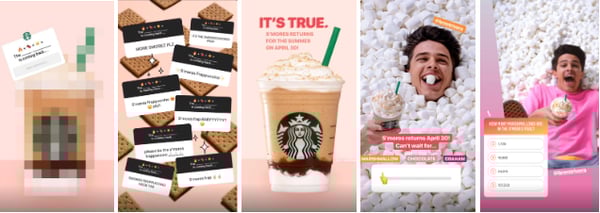
Other Instagram Story Formats
When it came to the Story styles with lower rankings, consumers were actually less interested in behind-the-scenes content, mini-documentaries, and Stories that center around customer testimonials.
This might hint that marketers on these platforms might want to be thinking more creatively when launching content on Instagram Stories. Rather than just focusing on your product or customer testimonials, you might want to test out creating informative short narratives or interactive Stories that relate strongly to your brand. While this will engage Instagram audiences, it might also show off your company’s expertise in its industry.
While this poll deemed a few Story formats less engaging, I still encourage you to mix things up and experiment with some of these styles just in case they work for you. Here are a few to try.
Customer Testimonials
Although customer testimonials aren’t as interesting to consumers, this doesn’t mean that you should scratch them entirely. In fact, they’re still a commonly used tactic in many brands and industries, despite consumer preferences. For example, a number of companies, like Planet Fitness, have built their strategy around testimonials. Here’s an example:
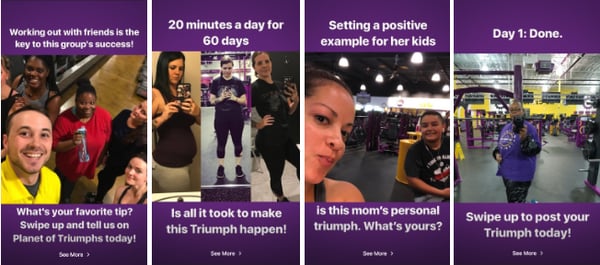
In the above scenario, the customer testimonial strategy works for Planet Fitness because it helps gym prospects feel less intimidated and more motivated to take on physical fitness after seeing a customer’s success story.
Behind-the-Scenes Stories
No, behind-the-scenes Stories don’t necessarily talk about your product front and center, but they can give prospects an idea of what your company is like, the inner workings of your industry, and a look at the staff that customers could work with.
Behind-the-scenes videos allow you to show off how hardworking or relatable your business might be, which might make viewers feel more comfortable working with you.
One example of a brand that uses this technique is the NBA. The basketball league regularly shares videos of professional basketball players behind the scenes at games or celebrations. In the image below, they shared an Instagram Story video of basketball players taking a photo with the rapper Drake:

Mini-Documentaries
Like narrative styled Instagram content, mini-documentaries tell a journalistic story that are slightly more complex and primarily centered around video — like a documentary that you tap through.
These are often higher-quality and incredibly informative, so they are more prominently used by publishers such as National Geographic. Here’s just the beginning of a long documentary-styled Story where NatGro visits NASA’s offices to uncover facts about the first moon landing:

If you’re a small to medium-sized business that’s just ramping up your Instagram strategy, you might want to stick to a short narrative Story, like the ones noted at the beginning of this post. These will allow you to similarly show a combination of videos, photos, and text without as much production time and effort. However, if you’re a content creator or feel like covering an event or newsworthy topic in your industry might boost brand awareness, you might want to experiment with this longer-form, in-depth visual storytelling style.
Ideal Story Length
For years, social media managers have been trying to determine how long the perfect Instagram Story should be. This has been such a major question that marketing blogs and publications have done further research on the matter.
If you’re a small to medium-sized business marketer, Story length is a valid thing to consider, especially if you have low time or resources. While you ideally want to engage people with low dropoff throughout your entire Story, you might not want to spend time making incredibly long pieces of content with multiple pages if you know people in your industry usually only tap through a small number of pages.
So, what exactly is a good Story length? To get some added insight on this, I surveyed the 350 consumers and asked them, “On average, how many pages of an Instagram Story will you tap through before swiping out?”
Before looking at the results, you might think “The ideal Story should be as short as possible,” simply because it’s content on a fast-paced social media platform. But, then, you might also remember that a number of publications, like Harvard Business Publishing and The Washington Post have leveraged Stories as a way to share long-form content.
So, which approach is right and which is wrong?’
It seems that there are solid themes in ideal Story length, however, there still might not be an ideal number of pages in this type of content.
According to the poll, 63% of consumers will tap through six pages or less, with 34% saying they tap through four to six pages on average. However, more than one-third of consumers will tap through stories with more than seven pages, with 20% saying they’ll tap through 10 or more.
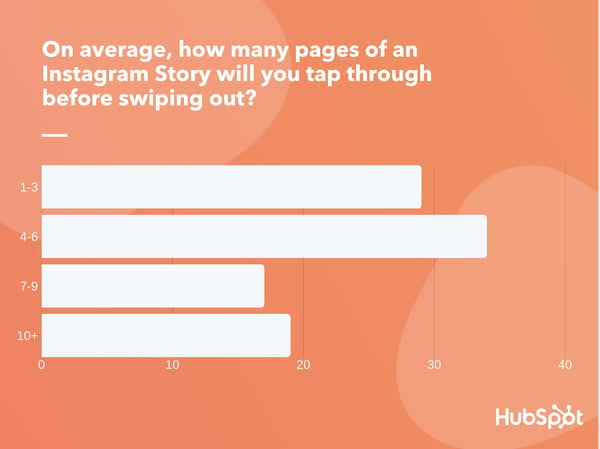
Data Source: Lucid Software
The results above are similar to research published by Buffer which noted that Stories made up of seven or fewer pages are the most engaging. However, the fact that a large chunk of Lucid respondents will watch beyond seven pages hints that you might not need to shrink down your content to ensure that it’s seen.
When determining the best Story length for your audience, we encourage you to consider the age group of your audience, the type of topics they engage with, and how fast-paced their lifestyles might be. If you have an idea for a great topic that your audience will love and is compatible with interactive Story features, you might be able to get away with a longer Story.
If you have a topic that you worry might feel dry or too complex to explain on Stories, you might want to format this as a smaller Story with a swipe up link to longer-form content.
As you start posting regular Instagram Stories, you should also experiment with both long and short Stories. Then, look at the dropoff rate of each Story. If many people seem to drop out of one long story but not another, this might be due to the topic or the writing rather than the length. However, if people regularly drop out of your longer-form Stories around a certain page number, you might want to limit your Story content to that number of pages.
Telling an Engaging Visual Story
Regardless of what your topic you’re publishing a Story about, or which format you decide on using, make sure it informs the audience about something they care about, provides entertainment value, and highlights your brand’s credibility in your industry.
If you’re unsure about how you can leverage Instagram Stories to better market your brand, it can be helpful to look at examples from similar companies in your industry. For a long list of Instagram Story examples from a wide variety of brands, check out this helpful blog post.

Types of Blogs that Make Money in 2020
Blogs are all about you — what you want to write about, create, and share with the world. That’s probably the best part about them:the opportunities are endless.
You’ve probably come to this post because you know you want to start a blog, but have no idea what you want to write about, or how your blog can stand out against the millions of others published on the internet.
For that, I refer you to the first paragraph of this post, as well as the ones to come.
From music to marketing, the type of blog you create should be one catered to your interests. Without that motivation, it’s unlikely that you will continue to update it.
Here, we’ve cultivated a list of some of the more popular topics for blogs, as well as a section on blogs that typically make more money, to help you find inspiration to get started with your own blog.
1. Food
As a self-proclaimed foodie, food blogs are my favorite types of blog. They usually follow a similar content format of categorically-organized recipes. Some have videos to pair with those recipes, as well as social media channels that all connect to the blog in some way.
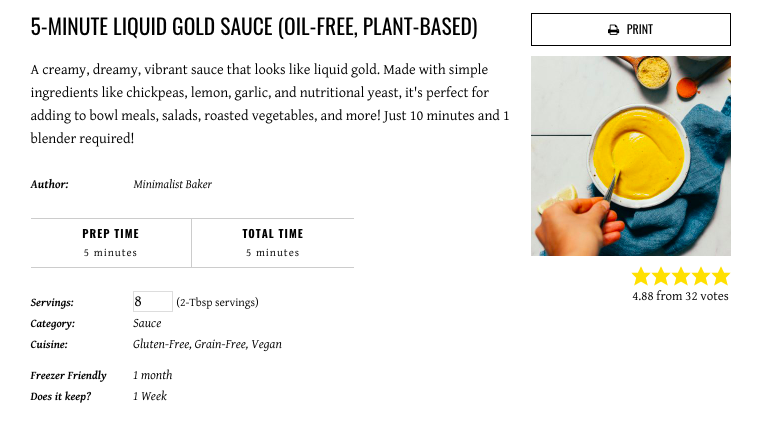
Above is an example of one of my favorite food blogs, Minimalist Baker. Note how the title of the post contains information that might pull a foodie in — “5 minutes,” and “plant-based”. This recipe will appeal to anyone who searches for easy, no-fuss cooking.
2. Sports
Sports blogs exist for every type of sport imaginable — even squash. If you have a passion for ESPN and love writing, this may be the perfect intersection for you. From covering games to giving player insights, sports blogs are an important source for fans to catch up on what they missed.
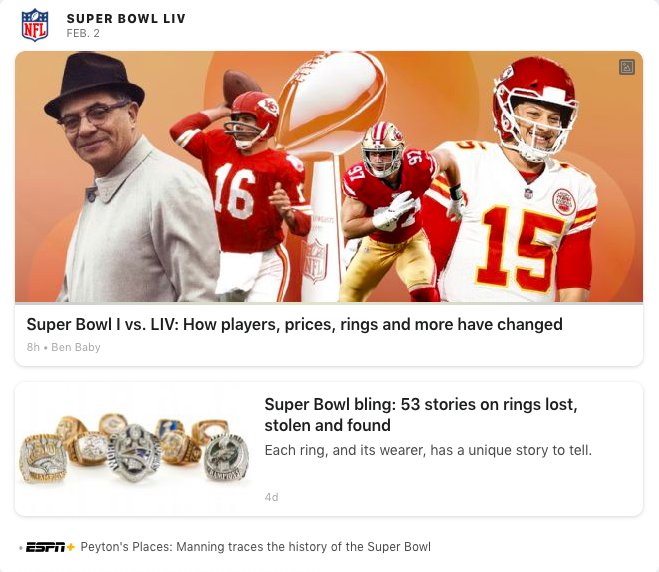
Like this screengrab from ESPN, sports blogs also report on news going on in the industry — these two stories are about the Super Bowl. So if you’re thinking about doing a sports blog, you have options. You can either focus on a specific sport, or take a more holistic approach, like ESPN.
3. Travel
If you love to go on trips and capture the moments, a travel blog might be right up your alley. There’s something about travel blogs that are so relaxing, in my opinion — seeing pictures of gorgeous destinations is always a treat. That’s why, if you’re thinking of launching a travel blog, you might want to invest in a nice camera.

For instance, look at this vibrant, colorful photo of the Charles River. (I’m probably a little biased, considering I live in Boston and commute over this river daily). To rank highly on the SERPs, you’ll want to have high-quality images so travel enthusiasts are compelled to view your posts.
4. Lifestyle
Lifestyle blogs are probably the most versatile of blog types. Aptly named, lifestyle blogs are about a person’s life. What they like to do, where they like to eat and shop … think of a lifestyle blog as a website for influencers. Check out this lifestyle blog, Love Taza, as an example:
A number of influencers use blogs as a way to market themselves and build a more solid following. Oftentimes, businesses will look for an influencers’ blog or website to find out more information on them (as well as contact information) if they’re interested in cultivating a partnership. If you’re interested in becoming an influencer or simply want to share more of your life with friends and family, this might be the right blog for you.
5. Parenting
This is another guilty pleasure blog type of mine, mostly because parenting blogs have incredible interior decorating going on (another blog type, FYI). Parenting blogs usually give advice and share relatable stories to other parents, or those expecting.
Parenting blogs can be a great resource to new parents, as well as a way to branch out into other outlets. Plenty of parenting blogs have added a YouTube channel to keep content fresh, more engaging, and expand into new target markets For instance, Happily Eva After, the parenting blog shown above, now has a thriving YouTube channel.
6. Gaming
Gaming has turned into an industry that now typically happens online. Between downloadable content (DLCs) and games that depend on an internet connection, it’s hard to be a gamer if you’re not online. Because of that, gaming blogs are extremely popular.
From game announcements to corporate sponsorships, gaming blogs can go a couple of different ways. They can include game reviews, walkthroughs, cheat codes, or content codes. Since gaming YouTube channels attract a lot of fans, this type of blog can also grow into a YouTube channel all its own. Additionally, it’s a good space for gamers to connect with each other, especially if you create opportunities for your readers to engage (like in the comments section of your blog).
7. B2B/Marketing
You’ve probably guessed — this blog that you’re currently reading is an example of the B2B/Marketing category. I want to make it clear that marketing isn’t the only industry represented by B2B blogs. Instead, it’s more of an example of the type of B2B blogs you can find out there.
If you’re in a different industry, you can definitely use that as a cross-section for a B2B blog. For more information about B2B marketing and how a blog would look in that industry, check out our ultimate guide here.
8. Fitness
You may have heard of “Fitstagrams” (Instagram accounts dedicated to fitness journeys) but fitness blogs are also a dime and a dozen. These blogs recommend workout tips, healthy recipes, and sometimes offer full workout plans in a “How-to” format, like this post from Nerd Fitness.
Fitness blogs can be a great companion to those looking to embark on their fitness journey. They’re usually geared towards a holistic view on healthy living in general, not just working out. Readers might be interested on perfecting their fitness routine, finding new ways to make healthy eating exciting, or looking for motivation to stick to their fitness lifestyle.
Recall that this is not an expansive list. If you have an idea, see what can come of it. The good thing about blogs is that you can take it wherever you want, and if the content is compelling for a certain readership, money and notoriety comes after.
If you’re getting into blogging strictly to make money, however, this post has tips for that, too. Read on to find out more about the types of blogs most likely to become profitable.
Types of Blogs That Make Money
When you’re thinking about creating a blog that earns money, there’s some different ways you can go about it, whether it be affiliate links, sponsorships, or content offers.
Affiliate links are a partnership, in which a company puts their website links on yours, so when anyone clicks on the link, you earn a percentage and so does that company. Next, in blog sponsorships, generally, companies ask that you write a review of their product for a fee or a portion of the product’s sales.
Finally, content offers are a way for you to leverage any content resources you have and monetize them. So content like an ebook or template can be turned into a call-to-action to entice readers to find out more.
1. Health and Fitness (Interviews and Guides)
Fitness blog Love Sweat Fitness, started by Katie Dunlap, is an expansive fitness blog offering content ranging from workouts, planning templates, healthy recipes, and travel tips. Among these categories is a lifestyle one, offering workout playlists and a beauty section.
In this category, readers can find posts like fashion obsessions, back to school looks, makeup tutorials, and more. It also has sponsorships, like the one shown below with Vooray. The two brands collaborated on a gym bag in 2017, releasing it on the LSF blog and website:

This gym bag and its design were chosen by Dunlap and Vooray. With brand partnerships, companies usually seek out heavy hitters in their industry (like Vooray did with LSF) and offer the brand the ability to design a product exclusively for base pay and a percentage of the profits. And, while this happens a lot in the beauty industry, it’s definitely not an industry-specific idea.
2. Social media (Thought Leadership)
LinkedIn’s blog is one of the ways a bigger company can monetize their content: by making sure their blogs are written in a high-quality way that appeals to and helps their audience. From a quick look at the blog’s homepage, it’s easy to see that LinkedIn’s target reader is one on the job hunt.
With that in mind, the company can leverage its resources to produce high-quality content that will make an impact on its readers. This approach works for LinkedIn because they’ve built a solid reputation as the place people should go for hiring and networking.
A LinkedIn member that’s found success on the site would see the blog and think, because LinkedIn has worked for them, that the blog will be helpful, as well.
3. Consumer Technology (Reviews, Affiliates)
Affiliate links work a lot like sponsorships. Generally, if a reader clicks on an affiliate link on a blog, the affiliate earns a profit, and the website itself gets a percentage, as well. On the gaming website PC Gamer, for instance, one of their affiliates is Amazon.
This is a post about the best personal computers to buy for gaming, updated for 2020. The post brings readers suggestions about which computers are best for PC gaming, and nearly every product has an Amazon link.
Why those links are important is because the website has an affiliate link with Amazon. Every time a user clicks on the Amazon link, the website earns a profit, as well as Amazon, which is one way the website can fund its expansive listicles.
4. Ecommerce (Lead Generation)
Another way blogs can make money is by partnering with influencers, similarly to partnering with another company. Influencers use their industry and following to bring traction to your site, which is monetizeable.
Lauren Conrad’s blog is a lifestyle and fashion blog, and primarily reports on trends and product launches:

This piece highlights another fashion influencer, Jessi Burrone, the model for the photos in this post. LC and Burrone partner together on numerous shoots for the website.
If seen sporting a brand’s fashion, like Burrone is (she’s wearing LC clothes in the photos), some followers might see that and say to themselves, “Well, now I need this sweater if Jessi has it.”
5. B2B (Content offers)
If your blog is a side project of a bigger product, spotlight that content in different ways. If your blog is one of your largest sources of traffic, it makes sense to use it as a lead nurture tool.. For instance, take a look at Buffer’s blog post about Instagram Stories, below:
At the top of the post, there is an embed for Buffer’s podcast about social media trends and topics, which ties in directly to the theme of the post. The idea here is most likely that readers who enjoy the post will also enjoy the podcast, bringing that content more recognition and notoriety. Blogs are a powerful content resource, especially for product promotion.
If you don’t have the budget for ads, blogs can be sort of a “built-in ad” for you, and depending on how you host your website, you can track the results of your blog in real time. HubSpot’s CMS provides a full-service blogging feature that can help you get up and running, as well as check progress.
Whether your blog is a bedroom project to get your feelings out or the core function of your day job, the opportunities know no bounds as to the type of blog you can have.
Because technology is so embedded into our world, nearly every industry can benefit from a digital presence, so picking the type is completely up to you. The hardest part is beginning to write.

How to Use & Promote Inclusive Language at Your Organization
Unknowingly, we carry our own implicit biases with us every day, even as we attempt to make casual conversation.
For instance, your coworker might say, “Sorry I missed the meeting — my doctor was incredibly late to our appointment.”
Without thinking, maybe you respond, “Oh! I’m sure he had a good reason though, right?” After a pause, perhaps you recognize your mistake — Oh wait … why did I assume the doctor is a man?
Language has the ability to build relationships and forge connections, but it’s equally liable for creating barriers and impacting someone’s sense of belonging.
And feeling like you’re able to bring your authentic self to work is undeniably critical. In fact, a sense of belonging can lead to greater retention rates and even result in higher customer satisfaction.
Additionally, if your employees feel like they belong, they’re more likely to be engaged and motivated at work, and you’ll spark higher levels of psychological safety.
But, all that aside, it’s easier said than done. Creating inclusive content, and even having workplace conversations devoid of exclusive language, means fighting hardened habits and biases you likely don’t always recognize you carry.
Here, we’ll explore what inclusive language is, and provide examples, to ensure you create a more inclusive workplace environment and more inclusive marketing material in 2020 and beyond.
To explore how you might promote inclusive language at your organization, I spoke with some experts at HubSpot who have first-hand knowledge of incorporating inclusive language into their processes, products, and overall team culture.
For instance, Hannah Fleishman, who led the charge on updating HubSpot’s Careers website to be more inclusive, told me, “Language has a big impact on our sense of belonging in the workplace. The challenge is, language is nuanced. The changes we should consider making to how we talk and write are often subtle.”
Melissa Obleada, Diversity & Inclusion Program Manager at HubSpot, echoes this thought, mentioning, “Many of us don’t realize that our language has additional meaning hidden between-the-lines. Certain words can imply a certain age, gender, educational background, social class, and so much more. We see this a lot in the ways many folks write job descriptions.”
Consider, for instance, the last time you were in a meeting and a leader said, “Okay, guys, let’s get started” — do you think that automatically made female colleagues feel a little less-welcomed than their male peers? Would it have been better if he’d said “ya’ll” or “everyone”?
Alternatively, imagine you’re hiring a new person on your team and your boss tells you, “We’re looking for a good culture fit.” You know most people on your team are extraverted — does that make you unfairly biased during interviews as you seek out a “good culture fit” by looking for candidates that mirror your colleagues’ personality type?
Beth Dunn, UX Operations Lead at HubSpot, wrote a Medium piece on the topic of instilling a human voice in product content, and writes, “Try not to present the privileged, tech-savvy, wealthy, able-bodied, white, cisgendered, anglo-centric male experience as ‘standard’ and everything else as ‘other’ or ‘diverse.’ Seek ways to place the ‘other’ in the center of things instead.”
Additionally, Dunn told me, “What’s great is that the English language is such a flexible, expressive language, so there are all sorts of ways to say what you need to say without indicating anything that might be exclusive. It just takes a little imagination, empathy, and practice, that’s all.”
Take job descriptions as an example — you might’ve heard by now that women only apply for jobs when they feel they’ve met 100% of the requirements, while men will apply when they feel they’ve met 60% of them.
Fleishman suggests, “Try to avoid writing job descriptions with unattainable requirements. Using more inclusive language can be like building a new muscle; you need to get in the habit of recognizing nuances and asking yourself if what you’re saying, or writing, is accessible for everyone.”
Obleada adds that it’s not just job descriptions that you should edit for inclusivity — it’s all communication, whether through email, Slack, text, Facebook, or in-person: “When it comes to implementing inclusive language, it takes practice to shift your typical ways of speaking and writing.”
To monitor whether your communication is exclusive towards certain groups, you’ll want to take a look at resources and tools online. For instance, Textio is an augmented writing tool that identifies whether you’re using gendered language in your writing, or words with a strong feminine or masculine association. This can be undeniably helpful for both job descriptions and even emails to colleagues.
Additionally, you might consider taking a look at the Conscious Style Guide, a resource on conscious language that breaks down exclusive language into categories, including age and disability.
Finally, to identify your own implicit biases, try taking a Hidden Bias Test, like this one created by Psychologists at Harvard, the University of Virginia, and the University of Washington, to uncover how you’re biases might be inhibiting you from expressing yourself more inclusively.
If this all sounds like a lot of work to you, it’s important to note — this isn’t just about creating a more inclusive environment at work. It’s also critical for your company’s bottom-line, particularly if you work for a global company or plan to expand your offerings to other regions in the future.
Melissa Obleada, Diversity & Inclusion Program Manager at HubSpot, explains it like this: “For some, writing and speaking inclusively may feel like a restrictive set of rules, hindering instead of helping us. In reality, it’s just the opposite.”
“Inclusive language opens up and amplifies your message to more people, making your blog post, job description, or website copy more accessible than before.”
Next, let’s explore some inclusive language examples in-practice.
1. Avoid company or team acronyms.
Fleishman told me, “Acronyms have become part of most companies’ vocabulary, but they can be alienating for new employees, candidates, or global teams.”
I personally remember how frustrated I felt when I first joined my team at HubSpot and everyone kept saying “TL;DR” in meetings. I was too embarrassed to ask what it meant. I finally Googled the term, but in the interim, the acronym made me feel separate from the larger group.
While this is a small and innocent example, there might be bigger acronyms you use every day within your team that continue to alienate new members, or employees from other teams. And if your company does choose to use certain acronyms (like, in HubSpot’s case, H.E.A.R.T.), make sure you explain what it means during an employees’ on-boarding process.
2. Use plain language in your writing rather than expressions or jargon.
Many of us use cultural expressions every day. For instance, I often say “It’s just a ballpark figure” or “it should be a piece of cake” without pausing to consider whether the listener knows or has heard the term before.
Of course, this can be incredibly confusing towards a large majority of the world. If your company has global offices, or works with customers from across the globe, “common” expressions can pose a major deterrent towards clear communication.
For instance, in Dunn’s Medium article, she writes “We also avoid using metaphors (visual and written) that are specific to just one culture or class. So for instance, we avoid using phrases like ‘knock it out of the park’ or ‘hit a home run’, even though these phrases are pretty common in North America, because they’re just not going to resonate outside of the U.S. Not because people will be offended by a reference to baseball, but because they won’t be as familiar, so the meaning won’t be as clear.”
3. Refer to a theoretical person as “they” instead of “he” or “she.”
As marketers, we’re exceptional storytellers. Sometimes, however, whether you’re talking offhandedly with a colleague or delivering a pitch, you might get caught up in using pronouns to unintentionally support stereotypes.
For instance, let’s say you’re giving a pitch and you say, “We’ve found through analysis that our readers are typically in a VP position or higher, which is why we believe we should lean into LinkedIn as a strategy in 2020. For instance, let’s say our reader needs to deliver a presentation. He might turn to our blog ahead of time, but more likely, he’ll turn to LinkedIn first.”
Your fictitious VP-level reader doesn’t need to be “male” or “female” — why not call them by the non-gendered pronoun “they”, “them”, or “their”? Your point can still be made, and you won’t alienate people on your team who feel hurt you’ve made an assumption that leaders are likely male.
4. Ensure your company’s designs or images reflect a diverse group of people.
When potential customers take a look at your website, you want them to see people (or figures) that look like them.
Simultaneously, you want potential new hires to see themselves reflected, as well.
Otherwise, you’re likely missing out on both potential customers, and future employees for your company.

In her Medium post, Dunn writes, “Our product illustrators try to ensure that the people we represent in illustrations are diverse in appearance, and that these different types of people are represented doing many different things (for instance, a person of color doing the talking while others listen, a woman in a wheelchair at an executive desk, etc.).”
As you scale as a company, you want to ensure your marketing materials reflect as many groups of people as possible — otherwise, you’re unintentionally sending messages to people who don’t see themselves in your content that your brand “isn’t quite right for them.”
5. When speaking to colleagues about family, use gender neutral labels for family members.
Obleada told me, “Inclusive language has a real impact on how ‘themselves’ folks feel they can be in a given space. As a queer woman, it makes me cringe when folks ask me about a boyfriend. Intentionally using gender neutral titles — parent, spouse, partner, child, etc. — when speaking about your or others’ families can make a big difference in how comfortable someone may feel.”
Rather than making assumptions, approach conversations with colleagues using gender neutral titles. For instance, it’s better to use “parent” or “guardian” when making conversation with a colleague, since “mom” or “dad” excludes family structures such as grandparents as caregivers, same-sex parents, etc.
6. When in doubt, ask individuals about their preference.
It’s critical to note — there’s no one-size-fits-all “right” and “wrong” when it comes to language. Many people have personal preferences, especially when it comes to identity.
For instance, person-first language (i.e. “people with autism”) was introduced because many feel it’s dehumanizing to put the disability or gender orientation first, as it seems to define the individual.
However, some prefer identity-first language (i.e. “autistic people”), since they accept autism as an inherent part of their identity — identity-first language can even help evoke a sense of pride among individuals.
(For more information on person-first or identity-first, take a look at this article by the Autistic Self Advocacy Network.)
It’s critical you avoid applying hard-and-fast rules to all individuals, since these preferences are incredibly personal.
Ultimately, it’s important to remember none of us will get it “perfect” 100% of the time, but admitting when you’ve made mistakes and consistently working to communicate more inclusively are two major steps towards creating a more unified workforce, and creating deeper connections with your customers.
Remember — inclusive language is about widening your message and allowing it to resonate with as many people as possible, so it’s critical for your business’s bottom-line that you do everything you can to communicate more inclusively every day.

The Best Super Bowl Ads of All Time
The next Super Bowl is coming. And as we get closer to the big game, Americans aren’t just looking forward to the football — they’re also excited to see what the nation’s big-budget brands will come up with for this year’s ads.
Because Super Bowl ads are so high-budget and infamous, many companies go to great lengths to keep them secret before they air. Some companies even add to the suspense of their ads by releasing teaser ads for their ads. (How meta.)
To give you an idea of how mysterious, and exciting these teasers are, here’s an example of one from Doritos, which features “Old Town Road” rapper, Lil Nas X:
But teasers aren’t the only thing we can watch to prepare for the marketing marvels we might see on Sunday.
To amp you up for this year’s “Ad Bowl,” I’ve collected some the best ads from the last decade and before.
Be sure to check back, as we’ll continue to add to this list as new teasers are released.
Without further ado, please enjoy these attention grabbing and sometimes award-winning ads.
The Best Super Bowl Ads from the Past Decade
1. “Joust” – HBO and Budweiser (2019)
Prior to the 2019 Super Bowl, Budweiser launched a funny series of ads that followed a medieval kingdom where the king and townspeople would cheer, “Dilly Dilly!” when offered the beer. The series also featured a hero called the Bud Knight. In some advertisements, he would ride in on his horse and fight in battles clad in armor covered in Budweiser logos.
At the beginning of Budweiser’s 2019 Super Bowl ad, you see a handful of happy medieval characters waiting excitedly for the Bud Knight to arrive at a jousting match
As the Bud Knight heroically rides his horse on screen, the audience cheers, “Dilly Dilly!” as the competition begins.
But. things get grim quickly. Shocking, the Bud Knight loses and is knocked off his horse by the opponent. As the tall, masked opponent walks up to the knight, most Game of Thrones fans will begin to recognize him Gregor Clegane, a.k.a. “The Mountain” — one of the show’s most monstrous villains.
As Clegane towers over the Bud Knight, it becomes apparent — especially to GoT fans — that the ad is mimicking a dramatic death scene from the HBO series where The Mountain physically squished another heroic figure with his bare hands.
Clegane dramatically, but comedically, reaches down to grab the Knight with both hands. As townspeople react over-dramatically to what’s going on, it’s apparent that Clegane’s killed yet another knight by squishing him off screen.
Suddenly, the Game of Thrones theme music begins to play as a dragon flies over Clegane and takes him down with a blow of fire. As the dragon escapes into clouds and smoke, the music gets louder as the show’s logo and air date appears instead of a Budweiser logo. In a sense, Game of Thrones and HBO hijacked and destroyed the Budweiser ad series.
This ad is hilarious as it comedically mimics an incredibly intense and notable scene from Game of Thrones. More interestingly, it surprises audiences who are just expecting it to be a standard Budweiser ad. This is a great example of how one ad combined cross promotion with a memorable storyline.
The ad, produced by Droga5 and Wieden+Kennedy, was so humorous and clever that it even won the 2019 Super Clio, a Clio Award for Super Bowl ad participants.
2. “We All Win” – Microsoft (2019)
After it came to Microsoft’s attention that people with missing limbs or limited mobility were having trouble holding and pressing buttons on video game controllers, the tech company developed an adaptive controller with touch pads rather than buttons.
After the controller’s launch, Microsoft highlighted this story of how they solved for the customer in a 2019 Super Bowl ad titled, “We All Win.”
n the Gold Clio-winning campaign, Microsoft interviewed children with mobility issues and missing limbs about why they loved video games, but how they still faced difficulties with game controllers due to their disabilities.
Many of the children and parents featured in the ad explain that gaming helps them connect with friends in ways that they might not be able to otherwise. However, because of the current line of controllers, they have difficulty playing or competing in many games.
“I never thought it was unfair. I just thought ‘Hey, this is the way it is and it’s not going to change,” says one boy.
After demonstrating the problem with game controllers, the ad shows the children using Microsoft’s new adaptive video game controller as they explain how it makes gaming easier and more accessible for them.
For example, one girl excitedly says, “I can hit the buttons just as fast as they can,” while a boy exclaims, “Now everyone can play!”
“‘We All Win’ hit all the marks in terms of emotion, starting a dialogue, and fun. It wasn’t an ad about disabilities, it was about kids wanting to play video games,” says Dmitry Shamis, Senior Director of Creative. “I loved it back in February and still love it now.”
Not only does “We All Win” tug on your heartstrings, but it also encourages solving for the customer and accessibility by explaining how Microsoft took the time to develop a product that fixed a major problem faced by a unique group of customers. This ad makes you believe that Microsoft genuinely cares about its customers and will make extra efforts to ensure that everyone has a great experience with its products.
You can read more about this particular campaign and get inspired by a few more empowering ads in this blog post on inclusive marketing.
3. “It’s a Tide Ad” – Tide (2018)
Another Super Clio winner was, “It’s a Tide Ad,” created by the clothing detergent company, Tide, as well as the agency Saatchi & Saatchi New York.
In 2017 and 2018, Tide released a number of commercials with storylines that had nothing to do with Tide, except for the actors’ noticeably clean clothes. When viewers were at the edge of their seats, someone in the ad would say, “It’s just another Tide ad.” Then, they’d see the Tide logo and text that said, “If it’s clean, it’s Tide.”
This campaign started with a long Super Bowl ad, which also received an Emmy nomination. In the ad, Stranger Things’ David Harbour shows up in several common ad scenes, including in the bathroom with a buff deodorant model, driving a sports car, and laughing on the couch with a fake family.
As he appears into each commercial, he explains that all of them have one thing in common: clean clothes that were washed by Tide detergent. In the end, he says, “So, does this make every Super Bowl commercial a Tide ad? I think it does.”
Since Tide has one job of keeping clothes clean, they show off the brand’s strength in multiple versatile and silly scenarios. Humor like this can also be a great way to make a simple product more memorable. If you go to the store to get detergent shortly after seeing this commercial, Tide might be the first thing to pop into your head because of the ridiculous ads.
4. “Band of Brands” – Newcastle (2015)
What do you do when you can’t afford a Super Bowl ad? Cross-promote with other brands who will pay for it. That’s what Newcastle, a popular beer company, did back in 2015.
Prior to the 2015 Super Bowl, Newcastle launched a call to action video where Parks and Recreation actress Aubrey Plaza encouraged brands to pool their money for one big ad. Because Super Bowl ads that year were well over $4.7 million — not including production — a number of big and small brands reached out to Newcastle to join in for a chance to be featured — even for just a few seconds — in the ad
The one-minute ad is filled with product placements as it tells the story of a couple that’s sharing Newcastle beers together to celebrate moving into a new home. As they walk through their new house, you can see brand logos hung on the walls like paintings, family photos, or decorations.
As they unpack the boxes, they not-so-subtly talk about all the appliances they have while holding them up to the camera. Aside from the obvious visual product placements, they also work brands into their conversations. For example, at one point, the man tells his girlfriend that he can’t believe they’re moving in together after “meeting on Match.com.”
Although the ad starts off with more clever obvious product placements, it gets funnier as the couple starts pointing out every single product they have in their house as quickly as possible.
This ad is an incredibly clever example of a brand that took product placement and co-marketing to the extreme, while benefiting from a virtually free Super Bowl commercial.
5. “Keep Your Hands Off My Doritos” – Doritos (2010)
“Keep Your Hands Off My Doritos” hilariously tells the story of an overconfident man meeting his love interests son for the first time. In the ad, the man walks into his date’s home with flowers and sits with her child as the mother gets ready. When she leaves the living room, the man is seen noticeably checking her out.
He sits down with swag as he starts talking to her infant son. Without thinking to ask the child if he can have one of his Doritos, he grabs a chip. The boy immediately and loudly slaps him, stares him down in the most intimidating way a child can, and angrily exclaims, “Keep your hands off of my momma. Keep your hands off of my Doritos!”
The overconfident boyfriend ends the commercial cowering in fear as the screen fades. As the logo appears, you hear the boy’s mother ask, “Are you playing nice?”
This ad was so funny that it’s still seared into many of our minds. Even though it launched nearly a decade ago, I still tell friends to “keep their hands off my Doritos” when they grab one of mine without asking.
Although it’s only 30 seconds, the ad is hilarious, relatable, a little bit shocking, and heartwarming, which makes it so memorable.
The Best Super Bowl Ads Before 2010
6. “Wassup” – Budweiser (1999)
If you grew up in the late ’90s or early 2000s, you might have a memory of kids at your school yelling the word “WASSUP?” to each other. I know I do.
If not, you’ve probably seen the Budweiser ad that the now outdated greeting comes from:
In the ad, a man answers the phone while watching a big game. His friend on the other line asks, “Wassup?” The man on the couch says, “Nothing. Just watchin’ the game and drinkin’ a Bud.” The conversation escalates when the man’s roommate unexpectedly walks in and yells, “WASSSSUPPPPP?!”
In true 1990s fashion, the roommate rushes to pick up the other house phone to join the conversation. The three men then just start yelling, “Wassup!” in louder and more bizarre ways until they suddenly get quiet. One of the friends then asks, “So, wassup?” The two others on the phone again say, “Nothing. Just watchin’ the game and drinkin’ a Bud.” Then, everyone says, “True.”
This video might seem like a waste of millions of dollars on a Super Bowl slot, but it definitely wasn’t. As a viewer and consumer, all you need to know when watching is that the three friends are all watching the game and drinking Budweiser. The “Wassup?” marathon was essentially a tool meant to make the commercial funny and memorable. Based on the fact that, “Wassup” was still getting referenced in the second half of the 2010s, it’s easy to see that this ad was a success.
7. “Your Cheatin’ Heart” – Pepsi (1996)
This old Pepsi commercial highlights the consequences of what could happen if you “cheat” on your company’s brand.
The short and sweet ad simply shows fake security footage of a Coca-Cola delivery employee placing Coca-Cola cans in a store refrigerator to the Hank Williams Sr. song, “Your Cheatin’ Heart.” Things get interesting when the delivery man looks to make sure no one’s watching and then opens the fridge with Pepsi in it.
Suddenly, the shelves in the fridge collapse as all of the Pepsi cans noticeably barrel out of the fridge and on to the floor. The ad makes a short and simple point: Even Coca-Cola employees love Pepsi:
8. “1984” – Apple (1984)
At the dawn of 1984, Apple leveraged the George Orwell classic,“1984,” in an award-winning Super Bowl campaign.
The 1948 George Orwell novel, followed a 1984 dystopian society where everyone dressed the same and conformed to the same leader, views, and ideologies.
As an innovative company, Apple has always tried to be “different” from competitors. The tech giant’s approach to Super Bowl advertising stood by this same mission even back in 1983.
The Super Bowl ad brings the conformist community in 1984 to life as you see men marching in straight lines towards a room where their leader is on a giant screen, telling them, “We are one people, with one whim, one resolve, and one cause.”
At the climax of the commercial, a woman with a hammer and colorful clothing starts running towards the screen. She launches her hammer into the screen as it explodes.
A narrator concludes, “On January 24th, Apple Computer will introduce the Macintosh. And you’ll see why 1984 won’t be like 1984.”
Not only did the ad, directed by Ridley Scott, highlight a well-known book. But it was boldly symbolic of early tensions and monopolies in Silicon Valley. At the time, Apple was considered a young, disruptive company while IBM was the only tech giant in the PC industry. Tech journalists and innovators in Silicon Valley often thought about IBM as a soulless corporation.
In this ad, Apple explains why innovation, disruption, and tech unique tech underdogs would destroy monopolies of the future. It also reiterated and enforced the brand’s positioning as a company that wanted to make products that would allow people to embrace their unique qualities and skills. This is a strategy that they’ve continued to use in their campaigns today.
9. “I’d Like to Buy the World a Coke” – Coca-Cola (1971)
On the hills of Italy in 1970, Coca-Cola pulled together a group of young adults from a number of countries and filmed them sing a jingle called, “I’d Like to Buy the World a Coke.”
This resulted in one of the most notable ads from Coca-Cola, let alone a popular ad from the 1971 Super Bowl:
This commercial is a great form of early inclusive marketing as it shows that everyone has something in common, despite the fact that we all come from different or diverse backgrounds.
In particular, this ad shows that millions of people from all around the world can agree on the fact that they enjoy Coca-Cola. Not only does it embrace the beauty of diversity and world peace, but it also highlights the international popularity of the soda beverage.
Super Bowl Ad Takeaways
Even if you’re a small business marketer. you can learn from these ads for your own video or content marketing strategies. Here are a few things that many of these ads have in common.
- Emotion: Whether they leave you feeling happy, sad, or optimistic, most of these ads drew your attention with a topic and storyline that built emotion.
- Pop Culture: As you saw with Budweiser, HBO, Newcastle, and Apple, some of the most memorable ads acknowledged notable pop culture or literature and weaved a memorable story around them.
- Relatability: Emotional ads don’t often work without relatability. Many of these ads do an excellent job of putting you into their protagonist’s shoes. Whether you’re seeing children able to access gaming in a Microsoft ad, or laughing at the child who’s protective of his mother in the Doritos ad, you identify with the characters or people featured on a deeper level.
For more examples of big brand ads you can learn from, check out these rosters of Emmy nominees, Clio Award winners, and our marketers favorite campaigns of 2019.
Editor’s Note: This blog post was originally published in January 2015. It was updated for comprehensiveness and freshness in 2019.

How to Use Google Ads Keyword Planner, According to 5 Specialists
When I used to work for a digital marketing agency, one of my responsibilities was to write blog content for our clients.
To do this, some SEO research was required because we wanted to improve organic traffic. So, I did keyword research to figure out what the target audience wanted to read about.
I was able to use the keywords to brainstorm topic ideas and pillar pages, while also creating a list of keywords we could target.
That’s why Google ads keyword planner is an important tool for marketers.
Essentially, the Google ads keyword planner is a free resource you can use to research keywords, generate keyword ideas, and help you with your pay-per-click strategy.
Although you need a Google AdWords account to use this tool, which requires billing information, you never need to run a campaign or make a purchase to use the keyword planner tool.
Below, let’s review how to use the Google keyword planner and implement this tool in your strategy. Then, we’ll dive into other free alternatives you could use.
1. Generate keyword ideas.
One of the primary reasons to use the keyword planner is to generate keyword ideas. You’ll start by writing in a few keywords that you’ve brainstormed ahead of time.
In the example below, I typed in “best CRM”, “customer relationship management system”, and “client management system.”
Then, the tool generated a list of over 1,000 keywords. Briefly looking at this list, these keywords let me know that readers want to know the best free CRMs and the best CRM for small businesses. Those are two great blog ideas and keywords you could target in your content.
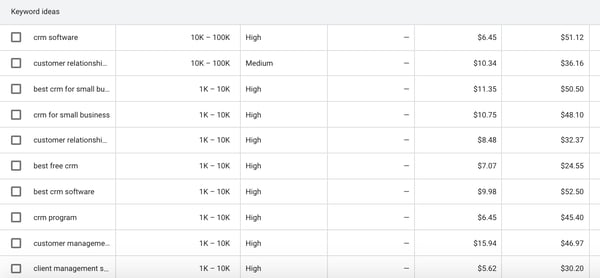
When your keyword ideas come up, the keyword planner will also help you come up with other related keywords to add to your search. This is the “Broaden Your Search” section that is at the top of the page. It looks like this:

For each keyword suggestion, Google’s keyword planner will also give you information such as average monthly searches, competition, and the PPC bid range.
Keep in mind that the competition isn’t referring to how difficult it is to rank for that keyword, but rather how many advertisers are bidding on that keyword in PPC ads. It’s still a useful column because if people are bidding on a keyword, that means there’s commercial intent that’s more likely to convert.
But what do the experts have to say?
Daniel Lofaso – Digital Elevator
Marketing Strategy: Leverage low competition keywords.
Lofaso says, “SEO pros must leverage low competition keywords into their overall strategies so that they can get their sites to compete with the big boys. Low competition keywords are those that can rank with little to no link building and little to no domain authority.”
2. Look at search volume.
Another unit of measurement that is useful on the Google keyword planner is the monthly search volume (MSV).
When you’re generating keyword ideas, you’ll see the MSV in the second column. As you can see from the example above, Google gives you a wide range for the MSV.
But don’t fret. You can still get a good idea of a more specific number by selecting keywords and adding them to your “plan.” When you go into the “plan overview” section, you’ll find the impressions. This number is usually fairly close to the average MSV.
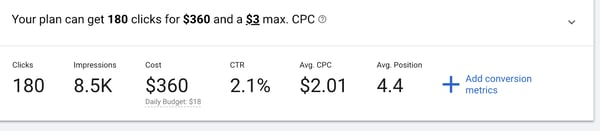
Additionally, you can filter keyword MSV by location. For instance, perhaps the keyword “charter schools” has a higher MSV in Florida than it does in California.
Your plan overview will have detailed locations. You can organize by state, city, county, or region.
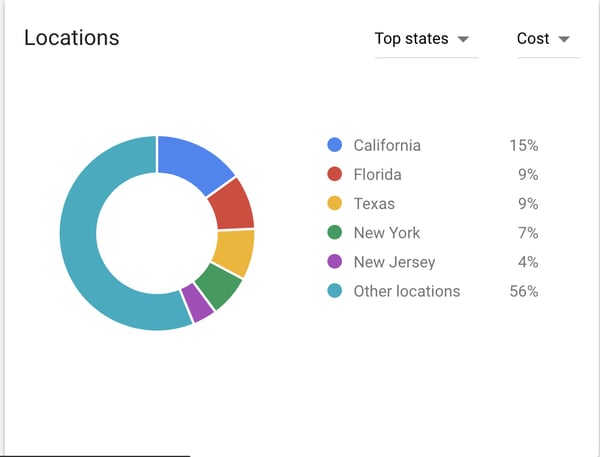
You can also look at a forecast of the MSV. This could be helpful in predicting seasonal trends.
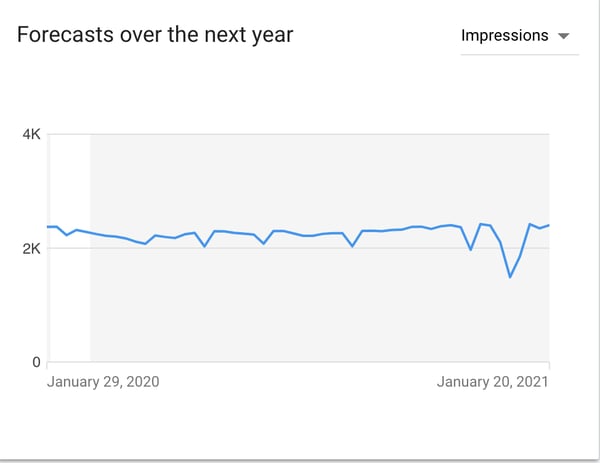
Now, let’s consult an expert:
Dan Shewan – WordStream
Marketing Strategy: Use a balance of low and high volume keywords.
Shewan says, “Newer sites or those with lower domain authority may want to target lower-volume, less competitive keywords to attract external links and establish more authority in your space. Over time, you can become more confident and/or aggressive in how you target keywords, but don’t forget to ensure that the keywords you’re targeting are relevant to your business and your website as a whole.”
3. Analyze search intent.
Once you’ve gathered a list of keyword ideas, you’ll want to understand the search intent before you begin writing a piece of content or drafting ad copy.
Search intent is basically what the reader wants to know. If someone types in “best CRM,” they’re probably at the beginning of their research. They want to know what different kinds of software is out there, read reviews, and look up comparisons.
To analyze search intent, begin by looking at the ads that show up at the top of the search results page when you type in a keyword. If companies like yours show up, that’s a good thing.
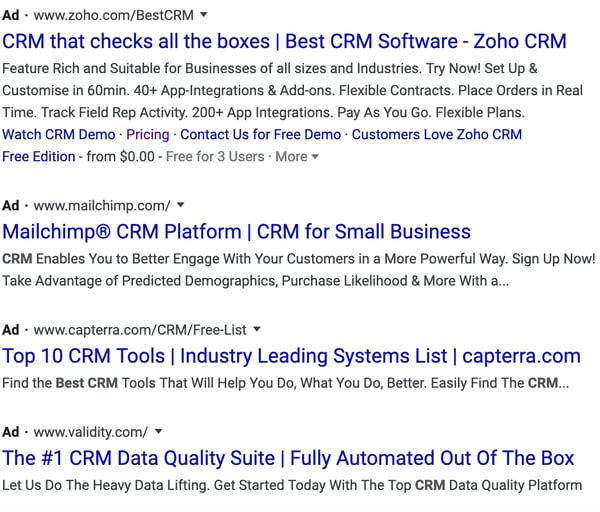
Additionally, you can then scroll through the organic search results to see what types of articles are being written. It should be easy to gather what search intent is.
You might be wondering, “Why is search intent so important?” Specialist Rachel Leist says it’s a pivotal ranking factor:
Rachel Leist – HubSpot
Marketing Strategy: Address user problems in every piece of content.
Leist says, “User intent is now one of the most pivotal factors in your ability to rank well on search engines like Google. Today, it’s more important that your webpage addresses the problem a searcher intended to solve than simply carries the keyword the searcher used.”
4. Plan search engine ads.
The main purpose of Google’s keyword planner is to help you develop Google ads.
When you log on to your keyword planner, you can get search volume and forecasts for keywords that you want to use in a PPC campaign. This section of the keyword planner is to help you run Google ads.
Once you type in the keywords, you’ll see how many clicks and impressions you might get if you ran Google ads targeting those keywords. Additionally, you’ll find the average cost, click-through-rate, and cost-per-click.

If you want to get started with Google ads, you might be able to use your CRM and web analytics to inform your ad campaigns directly. For example, HubSpot CRM allows users to create ads right through the portal.
But let’s see what an expert has to say:
Christina Perricone – HubSpot
Marketing Strategy: Optimized Google Ad campaigns can lead to high ROI.
Perricone says, “Google Ads have a click-through rate of nearly 8 percent. Display ads yield 180 million impressions each month. For users who are ready to buy, paid ads on Google get 65% of the clicks. 43% of customers buy something they’ve seen on a YouTube ad. So, yes, Google Ads works. With an optimized ad campaign and lead flow, you can create a high-ROI marketing campaign.”
5. Discover competitor keywords.
Lastly, another excellent way to use Google’s keyword planner is to see what the competition is doing. You can search for a competitor’s website to see what keywords they’re ranking for.
All you have to do is type in a competitor’s URL in the keyword search bar. In the example below, we brought up keywords that Salesforce is ranking for.
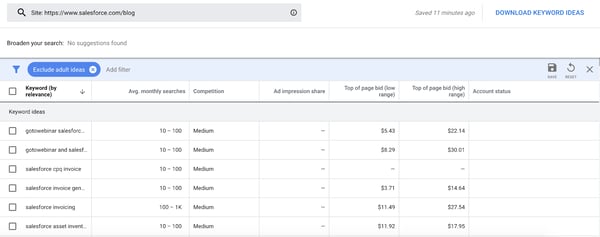
By looking at the competitor’s keywords, you can generate a whole new list of keyword ideas to target. Plus, they’ll help you brainstorm content ideas. For example, you can look for gaps to fill in your competition’s content.
Here’s what SEO expert Neil Patel has to say:
Neil Patel – Neil Patel
Marketing Strategy: Use your competitors as your greatest allies.
Patel says, “At each stage of the customer journey, your customer has a different desire and will use different types of keywords. The goal now is to find a list of keywords for each stage of that journey.”
Although Google’s keyword planner is free and you can get a lot done with the free tool, you need to have an AdWords account or run a campaign to get more specific MSV numbers. That’s why we’ve gathered a list of totally free keyword tools you can use in addition to Google’s keyword planner:
Free Keyword Planner Alternatives
1. Answer the Public
Answer the Public is a great keyword researching tool for brainstorming questions that your audience might have.
When you type in a keyword, the site will generate a list of questions that people are asking. I’ve found that this is a great tool when you’re trying to think of cluster ideas for a pillar topic.
Additionally, this tool will help you figure out search intent by answering, “What do readers want to know?” and “What are their biggest questions?”
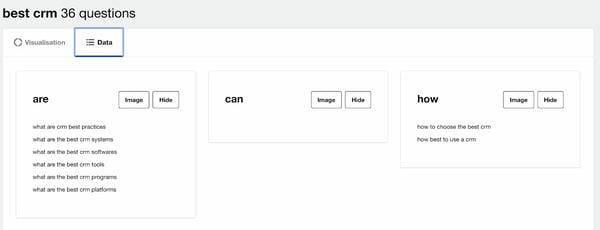
2. Google Trends
Google Trends is an excellent tool for searching keywords by location. This is especially helpful when you’re deciding what regions you want to target for a PPC campaign.
Additionally, this is helpful when you want to improve organic traffic. If your company is a brick and mortar store, you should target keywords that people are searching for in your location.
A fun example below shows that more people search for Taylor Swift rather than Kim Kardashian in every state in the United States except for Nevada.
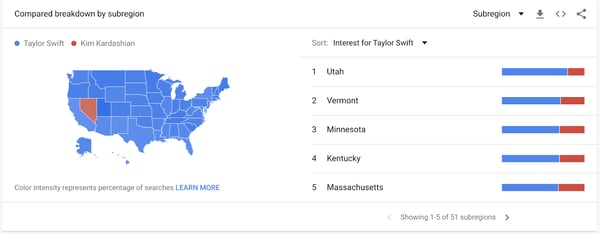
3. Keyword Surfer
One of the first things you’ll do when you’re generating keyword ideas is Google them. Google will show you search intent and give you related topic ideas or additional long-tail keywords.
Keyword Surfer makes this process easier. This is a Chrome extension that’ll show you global and national MSV right on Google when you search for a term.
In the example below, I searched for “best CRM.” In the search bar up top, you’ll see global and national MSV. On the right-hand side, you’ll find similar keywords and the associated MSV.
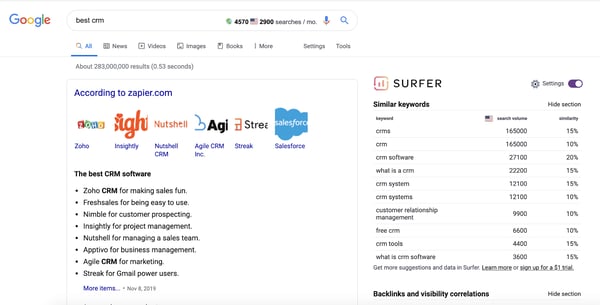
Keyword research is an important step in any content or PPC ad strategy. Once you know your keywords, you can begin to plan out your content and ad campaigns. For more tips and information, check out our ultimate guide to SEO.

Twitter Topics: How to Use It & What Marketers Need to Know
According to a report from Mention, roughly half a billion tweets are published on Twitter every day.
The platform, which enables you to tweet out your thoughts or content in under 280 characters, is swirling with constant conversations about trends, news, and other insights. With all of these tweets, thoughts, discussion threads, and trending hashtags, it can be hard to cut through the noise and find content around topics you’re actually interested in.
To make it easier for the user to find and follow topics and trends they’re passionate about in a crowded feed of tweets, Twitter unveiled Twiter Topics in November.
With Twitter Topics, you can follow topics as well as people that often tweet about relevant topics.
According to Twitter, the Topics feature was created in an effort to shift the platform towards conversation and away from one-off comments by influencers and celebrities.
In a recent blog post, Twitter provided more insight into why they launched the new feature:
“Previously, all of the work was on you to figure out the best way to keep up with what’s happening by following certain accounts, searching for it, or looking in the Explore tab for the latest. Now, you have the option of seeing the most relevant and interesting Tweets about what you care about with a single tap, and the conversation will come to you.”
While this move might be helpful to an individual user’s Twitter experience, marketing publications are already suggesting that it could also help brands. If you run a Twitter account that focuses on great content but is still growing, Twitter Topics could ultimately help you boost brand awareness.
If you post about relevant topics related to your industry, people who follow those topics could have a greater chance of finding your content than if they were just following tweets of thought leaders or brands in your field.
Although Twitter has not mentioned how this could impact brands, Google has set a precedent by releasing a similar feature that boosted traffic on company sites.
Two years ago, Google launched Google Discover, a feature within its Android app that showed users recommendations based on topics they followed or topics they’d searched in the past. Since then, publishers like Conde Nast haven’t given specific data on how Topics impacts them, but do say they’ve been seeing significant jumps in mobile traffic from Google.
While we’re still learning about Twitter Topics, there are a few ways that you can begin to leverage it as an online marketer. But, first, to help you understand the consumer’s point of view, here’s a step-by-step guide of how to use the feature.
How to Use Twitter Topics
To access Twitter Topics, go to your feed and click “More” on the sidebar to the left of your feed. Once you do this, you’ll see options including, “Topics.”
When you click on Topics, a welcome message explaining the feature will pop up where your feed is. From there you can start picking Twitter Topics to follow.
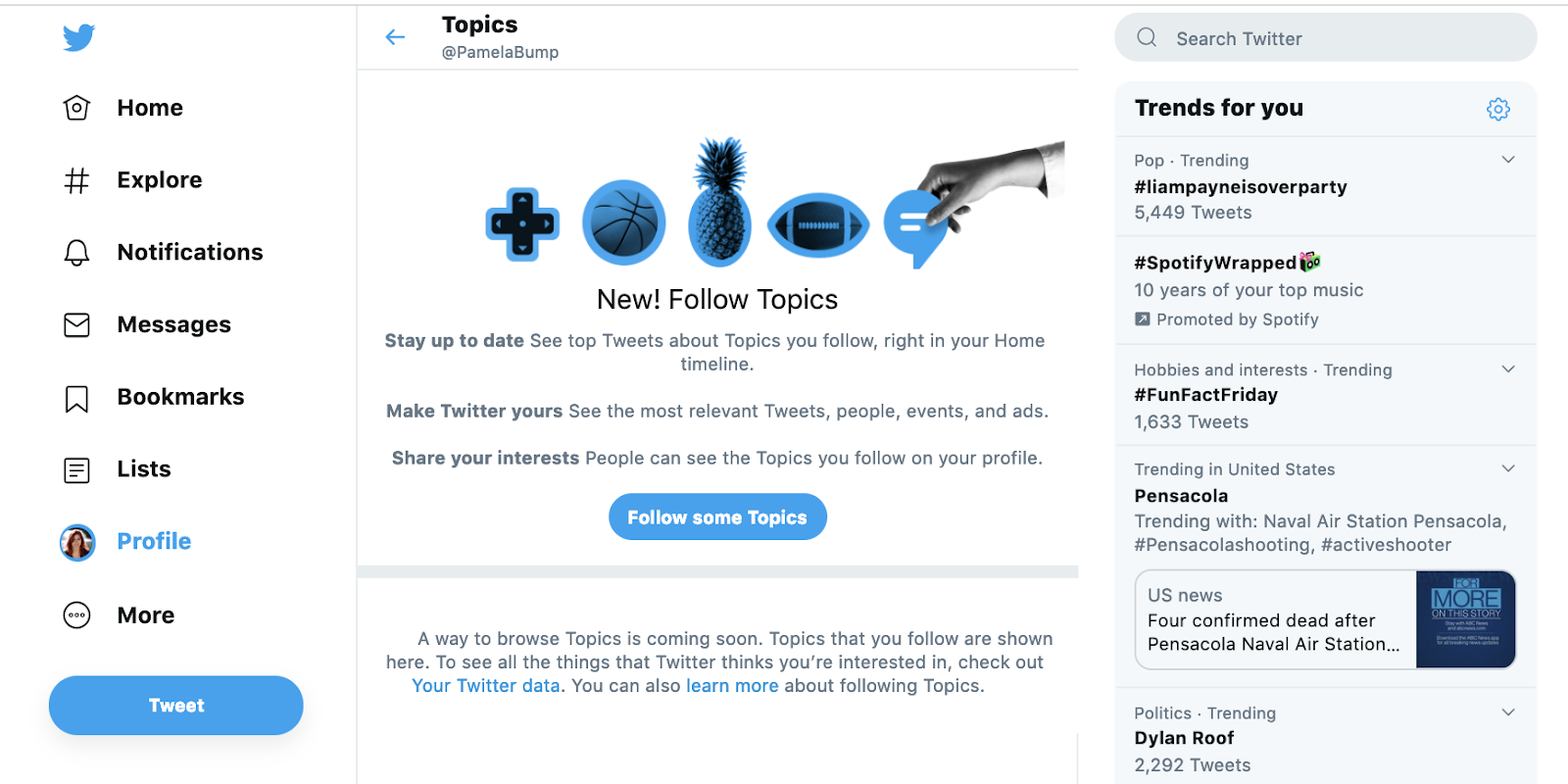
After clicking “Follow more Topics,” you’ll see a list of overarching Twitter Topics, like “Entertainment” with plus signs next to them. When clicking on a plus sign, you can see a drop-down menu with more specific topics within each industry.
Once you follow a few Topics, your homepage’s Twitter feed will start to show posts algorithmically pulled in from your Topic preferences.
To follow more Topics, you can simply return to the Topics page and click “Follow more topics.”
Additionally, some tweets in your feed will now offer a “See more about this Topic” pop-up, which includes a call to action to follow a related topic.
Source; Twitter
You can also search and follow a Topic using Twitter’s search bar, as seen in the photo below:
Source: Twitter
To unfollow Topics, return to the Topics page, click “Follow more Topics,” find the Topic you’ve followed, and click unfollow.

For more details on how this feature works, check out Twitter’s introductory blog post.
Four Ways Marketers Can Leverage Twitter Topics
While we’re still learning about Twitter Topics, there are a few ways that you can begin to leverage it as an online marketer. Let’s look at these more closely below.
1. Follow topics related to your industry to stay informed.
When people research a product or service related to your brand, they’ll want to see that you’re well-informed of current trends in your industry. By following Twitter Topics related to your field, you can stay on top of trends that might be important to your customers and impact your business.
By keeping up with news and trends, watching conversations around certain Topics could inform you more about your prospective audience’s delights, habits, work-life, or pain points. This information could help you keep your buyer persona up to date while also allowing you to create a more accurate go-to-market strategy as you launch products or services.
2. Discover and follow accounts or thought leaders in your industry.
In addition to learning about trendy topics in your industry, Topics can also help you learn about thought leaders or brands that are known for discussing certain insights or ideas in your field.
If you consistently see certain accounts or people show up in tweets marked with a Topic related to your field, you might want to check out their profile and follow them to see what type of content they’re posting. Not only will this help youkeep up with the insights and trends in your industry, but reviewing their profile might also help you learn more about optimizing tweets to rank in the Topics tab.
Additionally, if you see tweets from a competitor under a topic related to your brand, you can keep track of what they’re doing and create Twitter content or campaigns that improve upon it.
3. Create content or tweets related to trendy Topics in your industry.
If there’s a Topic people are buzzing about that strongly relates to your product, start coming up with tweets that addresses that trend.
For example, if users are talking about a common pain point that your product or service can solve, post more about that pain point, inform your audience of the best ways to solve it, or create content that weaves a mention of your product into it, such as a video or infographic that you upload to Twitter.
While Twitter hasn’t explained how Twitter Topics algorithms work or how you can leverage them to move up in feeds, tweeting about a Topic is still a strategy that enables you to learn what your audience is widely discussing and respond to it promptly in an engaging, valuable way. Even if you aren’t pulled up in feeds immediately, you may still get reach or growth on your Twitter account simply by responding to what your audience wants to learn about.
4. Learn about trending hashtags and optimize your own tweets with them.
As you probably know by now, hashtags are one of the ways you can optimize your tweets with popular keywords or phrases. When someone clicks on a hashtag, they will see a feed of tweets that also used the hashtag.
While people might find your tweets under the Topics tab if you’re discussing a certain trend, they might also find your tweets if they click on a hashtag that you’ve used. If you see a lot of people in your industry tweeting out certain hashtags, find a way to create tweets that naturally leverage or include that hashtag to further optimize your content and profile.
Embracing Trendy Topics on Twitter
Twitter has always been a solid platform for topical or trend-based discussion. And, although Topics will help users and brands zone in more on what they really care about, it’s not the only strategy you can use to make sure that your content gets seen.
By using Twitter Topics to learn more about how to interact with a wider range of users and create valuable content related to trends in your industry, you can ultimately boost online brand awareness and your following.
To learn more about how to optimize and grow your Twitter profile, check out our Ultimate Guide to Twitter Marketing.
