
Welcome to My Blog
A Beginner’s Guide to Scrum Ceremonies

The #1 Quality Entrepreneurs Need to Succeed & Other Advice from Jules Pieri
Have you ever heard a cool product idea from a friend, a coworker, an aunt, and thought — Why isn’t that on the market already?
Undoubtedly, we’ve all had those experiences. And yet, by and large, it’s typically major corporations like Amazon, or retail giants like Target, that get their products more quickly and easily in front of consumers — even when their ideas aren’t necessarily best.
Fortunately, there is an opportunity for your neighbor’s friend’s product to get in front of the masses — and its called The Grommet, an online discovery platform and marketplace. Started by Jules Pieri and Joanne Domeniconi, The Grommet’s purpose is to help entrepreneurs and small businesses get their innovative, exciting ideas in front of millions of people.
For the past ten years, The Grommet has evaluated 300 submissions a week, and chosen the top three percent — including incredibly successful products like FitBit, OtterBox, and SodaStream.
However, The Grommet isn’t the only thing remarkable about Jules Pieri — she’s also been named one of Fortune’s Most Powerful Women Entrepreneurs, and in April, she published a #1 Best Seller at Amazon for Business Entrepreneurship called How We Make Stuff Now: Turn Ideas into Products That Build Successful Businesses, which shows entrepreneurs how to successfully create and launch new products.
If you’re a small company or an entrepreneur looking to launch an interesting product and successfully compete in the marketplace, you’re in luck — here, we sat down with Jules Pieri to talk about challenges she’s seen product inventors face, which distribution channels are most successful for entrepreneurs, and why you shouldn’t sell on Amazon.
1. Someone comes to you with a brand new product idea. What’s the very first thing you’d tell them to do?
I would tell them to read the chapters 3 to 5 of my book, which explains where the best ideas come from, and how to assess the potential market size of an opportunity. That, above all, is the critical first step in deciding whether to throw over your life or career to pursue a startup. I do have a bias for large opportunities.
Unless you are just looking for a side hustle, I believe you should go big or go home.
My advice is borne not of some generic startup hoo-ha, but rather the observation (formed by launching 3,000 products for emerging companies) that it is just as much work to build a small business as a large one.
I also know that having a large target market gives you more chances to build a full product line, which is essential to success at retail. Retailers can’t get behind single product companies — the on-boarding (legal, operational, financial) is not worth the trouble when they imagine a product sitting alone on a shelf without enough physical presence or market awareness to justify the effort. That’s the harsh reality of retail.
The good news is that market opportunities are often quite quantifiable. Public data sources are your friend. Good places to start are:
- Google Trends. See how many people are searching for a solution to a specific problem
- Amazon. You can see what existing product solutions are on the market, how they are performing, and what are the market gaps. In addition, there is a whole eco-system built around quantifying sales performance on Amazon. The nefarious players use it to figure out what products to copy or counterfeit. Start with Jungle Scout.
- Your local Small Business Administration Office. There are rich sources of public data around many populations and markets. Their excellent network of counselors can help you mine that gold—which your tax dollars fund.
- Industry data. You will likely have to pay for this information.
- Trade shows. Attending one is the most efficient way to figure out all the players in an industry, as well as scope the wholesale buyers, existing products, and potential partners, trade associations, and vendors.
2. What would you say is one of the biggest initial challenges for makers/entrepreneurs as they try to enter the market with a new product? How would you recommend overcoming these challenges?
By far and away the toughest challenge is getting the word out about a product. Digital and traditional marketing are expensive and sophisticated endeavors. At first, it can seem easy because 25% of our Makers run a successful crowdfunding campaign.
But, when the attention and excitement of that intense effort end, it’s usually crickets. Which is terrifying — that’s when the real work begins. That’s why I started The Grommet and we assembled such a massive community. Someone has to help these companies build an actual business beyond the crowdfunding “science project” phase.
Our community of three million curious and supportive people can make a market for an emerging, innovative product. I think of us as “Kickstarter without the risk”, for people who want to support small business and gain early access to unique products.
The second hardest thing is protecting your intellectual property. That got so much harder since 2015, which is when Amazon removed the requirement for having a domestic representative manage marketplace listings. Now, 25% of what is sold in the US and the EU comes straight from a Chinese factory. The vast majority of these products are cheap copycats and counterfeits.
The genie is fully out of the bottle and can’t be stopped. Even Amazon executives can’t tell the difference between these fakers and the original product listing. So a shocking portion of Amazon’s customers are duped when they buy a shoddy product, thinking they got the original.
The best way for a Maker to avoid this is to control your distribution and make sure you don’t sell or let anyone else sell your product on Amazon.
This keeps your data and sales trajectory out of sight of the nefarious players. If you have deep pockets and decide you can fund the continual legal battles and whack-a-mole game of fighting fakers on Amazon, only sell your product through a middle-man agent who represents other sellers. Never sell directly to Amazon or build your own storefront.
I list a couple agents in my book, but talk to their customers to make sure you understand what they can and can’t do for you. Amazon won’t be responsive to a startup or small business, but they will answer the phone for these sales channel aggregators who know how to navigate the Byzantine world of Amazon.
The best way for a customer to avoid getting ripped off is to buy from a legitimate retailer, a local store, or from the Maker’s own site.
3. Which distribution channel(s) do you think are typically most effective for makers/entrepreneurs?
I would pursue two channels:
- Your own website. This is table-stakes for a small business. At the very least, the site needs to be full of information about your product. HubSpot has invaluable guidance on how to create rich content and win at the SEO game. Whether your site takes orders directly is optional, but be sure to include prominent links to your best retail partners if you don’t sell the product directly (and even if you do). To maximize your chances of retail distribution, always keep your price the same or slightly higher than the sites and stores that sell your product.
- Specialty retail. Small shops are really the best at taking chances on new products. This is their lifeblood. They have well-trained staff and they will take the time to learn about your product. Don’t be impatient to get to the big guys. Specialty retail is where you will actually get the sales data and market proof to convince the large national chains to pick you up. You can go directly after these sales, or hire a rep organization.
4. What quality do you think makes an entrepreneur most likely to succeed?
I recently produced a March Madness of Entrepreneurship video, built on my own bracket of 32 entrepreneurial qualities. In the end, tenacity won over every other trait. You need to be good at so many things — including salesmanship, resourcefulness, and having a vision.
But being tenacious is the essential quality that gives you the juice to actually act on everything else.
5. What sets The Grommet apart from sites like Etsy or Uncommon Goods? Do you really try every product?
We really do test every product. We look at 300 products a week and launch six. We test 20-30 a week.
What we share with Etsy is our direct connection to the Makers of products. I adore that about Etsy, and I’m a customer there myself. Where we are different is we launch manufactured products from innovative small businesses. Etsy is all about craft.
Plus, since Etsy has two million suppliers (versus our 3,000) they are more of a free-for-all marketplace. This means a certain level of “buyer beware” awareness is needed, and the product quality is hugely variable from seller to seller. Etsy is not standing behind any individual products — that is not their brand promise. (But they will back you up if you are disappointed, so it is a trustworthy site when it comes to refunds and exchanges.)
I have mad respect for Uncommon Goods. Like Grommet, it works closely with its sellers. Their products tend to be more décor and style-driven. We launched Fitbit, SimpliSafe, Sodastream, and Mrs. Meyers. Those are not products that would make sense on Uncommon Goods.
6. What qualities do you typically look for when deciding whether a product will be successful on your platform? What impresses you the most in regards to a pitch?
We focus first and foremost on the product itself. We have seen everything in each of our existing categories — ranging from outdoor gear to pet products, toys, and kitchen gadgets. So we are looking for true distinction and innovation in considering whether a product could be a Grommet.
Secondly, we are looking to introduce our avid supporters to new discoveries, so we are looking for relatively undiscovered products.
In terms of pitches, the more a Maker’s company and product values align with those of our community, the deeper a look we will take. These values could encompass a product that supports a sustainable lifestyle, a product made in the USA, a company founded by a vet or a POC, or an innovative social enterprise business model.
7. In your book you mention numerous case studies of successful startups … can you tell us one in particular that surprised you by beating odds stacked against them?
We launched Back to the Roots, a home mushroom growing kit created by two fresh graduates out of Berkeley. They had no business succeeding with this idea of using discarded coffee grounds as a base for the kits. But because of their idealistic vision and tremendous tenacity, they did survive, and do continue to thrive.
Ultimately, there’s no doubt it can be exceptionally difficult to launch a new product into the marketplace, even when you know there’s demand for it.
If you’re feeling unsure of where to begin, try focusing on cultivating relationships with small, local stores that might be willing to put your product on their shelves, or create a compelling website and increase your social media presence so word-of-mouth can do the hard work for you.
And, like Pieri said — tenacity is key.
This interview was conducted by Caroline Forsey and Allie Decker.

13 Fun (Not Cheesy) Ice Breaker Games Your Employees Will Enjoy
Asking “How is everyone?” at the beginning of every meeting isn’t always the best way to encourage connection and team bonding. Sometimes, you need to take it a step further with an ice breaker.
The best ice breakers have the power to strengthen coworker bonds, stimulate better brainstorming sessions, and create an atmosphere of inclusivity. But it’s easier said than done, and the wrong ice breaker questions can lead to awkwardness or even increased tension.
To get the most value out of your team bonding moments, we’ve compiled a list of the best ice breaker games for the workplace. Next time you get together with your team, use one of these games instead of asking “How is everyone”, and you’re sure to hear some better, more insightful responses than “I’m good.”
Ice Breaker Games for Work
- One Word Game
- Pop Quiz
- Birth Map
- Would You Rather
- 18 & Under
- Two Truths and a Lie
- Fun Questions
- Personality Quiz
- Who is it?
- Marshmallow Challenge
- Scavenger Hunt
- No Smiling
- This is Better Than That
Ice Breakers for Meetings
1. One Word Game
The One Word ice breaker allows you to provide initial context into a meeting’s topic, and get everyone in the right mindset for discussion.
To play, you’ll want to divide meeting participants into smaller groups. Then, tell them to think for a minute or two, and then share with their group one word that describes X.
For instance, let’s say you’re leading a meeting on culture. Tell the groups to describe work culture, or your office culture in particular, in one word. Once they’ve shared with their groups, you can invite them to share their word with the entire room.
This game encourages everyone to think about a certain topic in smaller groups ahead of time, which could increase participation during the meeting.
2. Pop Quiz
To successfully loosen everyone up and get them in the right mindset for a meeting, you might consider putting a short Pop Quiz on the board.
If your goal is simply to encourage team bonding, your quiz can be more fun — like, “Match the lyrics with this 80’s song”. However, you might also use the Pop Quiz as an opportunity to introduce participants’ to the meeting’s theme.
If you’re discussing company changes, for instance, maybe you’ll start by quizzing team members on company history facts (i.e. “What year was this company founded?”).
3. Birth Map
Place a map and a set of pins at the front of a large conference room before a big meeting. As people walk in, ask them to place a pin where they were born or raised.
As the map fills up with pins, people will learn about how diverse their teammates might be. Allow some time at the end of the meeting for your colleagues to walk up and look more closely at the map.
Quick Ice Breakers
4. Would You Rather
A classic game played at summer camps everywhere, “Would You Rather” is actually an excellent, quick ice breaker for the workplace. Next time you’re settling into a meeting or team bonding outing, take turns going around the table and asking each person a “Would You Rather” question.
Here are a few “Would You Rather” questions to get you started:
- Would you rather only have summer or winter for the rest of your life?
- Would you rather go on a hike or see a movie?
- Would you rather never use social media sites and apps again, or never watch another movie or TV show?
- Would you rather have a horrible short term memory or a horrible long term memory?
5. 18 & Under
18 & Under is an engaging and unique way to encourage team members to share fun or interesting stories with one another. Before a meeting, simply go around the room, and ask each person to share one accomplishment they had before they turned 18.
Undoubtedly you’ll get some of lesser importance, like “I bought a skateboard,” but you never know what hidden skills you might discover in your colleagues.
6. Two Truths and a Lie
One of the more classic ice breakers in the list, Two Truths and a Lie can be used anywhere from family parties to company events. To play, you simply ask each person to brainstorm three “facts” about themselves — two of the facts will be true, and one will be a lie.
For instance, I might say, “I once auditioned for the TV show Zoom. I have three brothers. I ziplined in Switzerland once.” Coworkers can take turns guessing which is the lie. (FYI, I have two brothers, not three, so that’s the lie. Unfortunately, I did audition for Zoom.)
Two Truths and a Lie is a fun and engaging game, and more importantly, it can help your team learn facts about one another, so they can begin forming deeper bonds.
Ice Breaker Games for Small Groups
7. Fun Questions
Asking fun questions is an easy and effective ice breaker game. To play, simply go around the room and have each person provide an answer to a fun question. The questions are up to you, but if you’re stuck, here are a few ideas:
- If you’re stranded on a desert island and have the option of bringing three items with you, what three items would they be?
- If you could be any animal, what would you be and why?
- What was the first concert you ever went to?
- If you could have any celebrity over for dinner, who would it be and why?
These questions serve two purposes — first, they allow your coworkers to get into a sillier, more creative mindset. Second, they encourage conversation on topics typically reserved for outside the office, which enables members of your team to get to know one another on a deeper level.
8. Personality Quiz
This ice breaker can promote team bonding, and it’s one of the easier options in the list. Simply choose a brief personality quiz on your phone or computer (if you’re stuck, here’s a list), and pull it up on a projector or send the link to everyone.
Once everyone has completed the personality assessment, have each colleague mention one thing they agree or disagree with in their results. This game allows your team members to gain a new perspective on their peers, and it’s also a fun and easy way to get an interesting conversation started.
9. Who is it?
Have everyone write a unique, strange, or unexpected fact about them on a piece of paper. Then, put the pieces of paper into a hat and mix them around. Pull from the hat and read each fact.
Allow the team to try and guess who wrote it. After they guess, ask the employee who wrote the fact to identify themselves and give any further context if necessary. This could be a great way to get to know surprising new things about your teammates.
10. Marshmallow Challenge
Tom Wujec, a business visualization expert, initially presented his Marshmallow Challenge at TED. To play, you simply divide your team into groups of four and give each group 20 sticks of spaghetti, one yard of tape, one yard of string, and a marshmallow. Whichever team can build the tallest structure, wins — the trick is, the marshmallow must be on top.
There are a few reasons this game works as both a great ice breaker and a team-building exercise. First, the most successful teams are the groups of people who don’t spend time competing for power.
The game forces your colleagues to work collaboratively when brainstorming potential solutions. Second, the Marshmallow Challenge encourages people to think quickly and offer alternative solutions when their initial idea fails.
With the Marshmallow Challenge, you can strengthen your team’s brainstorming and problem-solving skills, and your team can also have some fun. A win, win.
11. Scavenger Hunt
At HubSpot, we conduct a scavenger hunt for new hires on the first day of their training. It’s fun and encourages collaboration, but additionally, it can help employees learn their way around the office.
Fortunately, you can conduct a scavenger hunt for your team even if they’ve worked at your office for years.
Simply split up your team into groups, and give each group a short list of items to find — if you work in a smaller space, maybe you can hide some funny items around the office ahead of time. You might even provide incentive for the winning team, like a $50 Amazon gift card.
A scavenger hunt is also an exceptional opportunity for cross-department interaction. Consider reaching out to managers’ from other departments, and creating groups of employees who don’t often get to work together.
12. No Smiling
This game is simple and meant to energize your team. Get your colleagues in a circle and ask one volunteer to sit or stand in the middle. Tell the volunteer that they can not laugh or smile, regardless of what happens. Then have each other colleague take turns telling the volunteer a work-appropriate joke.
The goal of the volunteer is to hear a joke from every colleague around the circle, while the goal of the other team members is to make the volunteer laugh.
This icebreaker can be helpful in new-employee or management training to lighten the pressure of starting a new job. It can also be helpful as a way of lightening the mood on teams that regularly deal with stressful projects or situations.
13. This is Better Than That
Aside from being a fun team activity, this might be great energizer for sales employees or others that regularly pitch, market, and sell products.
Ask your team to find four to seven items around the office and bring them to one room. These items could be something they use daily, like a pen or a chair. However, you should encourage them to find items that are more odd or unique. This will make the game more challenging.
Line the items up and split the group into sub-teams. Task each team with picking an item they would use to survive if stranded on a dessert island.
Tell team members that they cannot pick more than one and must assume it is the only item they will have on that island. Allow the teams time to deliberate and then ask them to present the item they chose and why.

[UPDATE] 7 Customer Loyalty Programs That Actually Add Value

Did you know it costs a business about 5-10X more to acquire a new customer than it does to sell to an existing one? Not only that, but on average, current customers spend 67% more than new customers.
In light of statistics like these, businesses must think about what they are doing to keep their customers coming back to their business. And if you’re like 65% of marketers, your company has implemented a loyalty program.
But is your loyalty program working?
According to the 2015 Colloquy Customer Loyalty Census, American households hold memberships in an average of 29 loyalty programs, but are active (meaning earn or redeem at least one per year) in only 12 of them. Companies lose money on time and effort, and customers get no more value from the businesses to which they are “loyal.”
So how do you keep your business out of that one-third segment? How do you convey enough additional value in your programs to keep your customers coming back?
It’s time for marketers to look beyond convoluted rewards systems and offer actual value to customers using their loyalty program. To get you started, here are some ideas for customer loyalty programs that might work for your business.
7 Customer Loyalty Program Ideas for Your Business
1) Use a simple point system.
This is the most common loyalty program methodology. Frequent customers earn points, which translate into some type of reward. Whether it’s a discount, a freebie, or special customer treatment, customers work toward a certain amount of points to redeem their reward.
Where many companies falter in this method, however, is making the relationship between points and tangible rewards complex and confusing.
“Fourteen points equals one dollar, and twenty dollars earns 50% off your next purchase in April!”
… that’s not rewarding, that’s a headache.
If you opt for a points-based loyalty program, keep the conversions simple and intuitive.
Although a points system is perhaps the most common form of loyalty programs, it isn’t necessarily applicable to every business type. It works best for businesses that encourage frequent, short-term purchases, like Boloco.
Case Study: Boloco’s Boloco Card
Boloco, an American restaurant chain known for its burritos, is an example of a company who does the points-based loyalty program well. Customers swipe their stylish Boloco Card at every purchase, and the card tracks the amount of money spent. Every $50 spent earns the customer a free item. It doesn’t matter if that free item is a super jumbo burrito or an extra small smoothie: It’s free once the customer records $50 on their card. Boloco speaks the language of its audience by measuring points in dollars, and rewards in food and drink items.
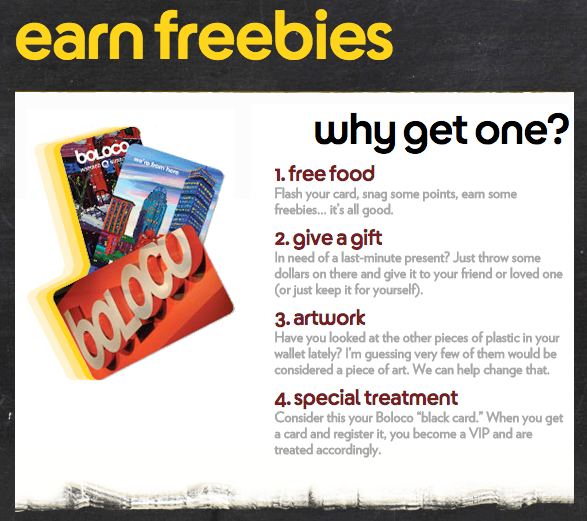
Source: Boloco
2) Use a tier system to reward initial loyalty and encourage more purchases.
Finding a balance between attainable and desirable rewards is a challenge for most companies designing loyalty programs. One way to combat this is to implement a tiered system which rewards initial loyalty and encourages more purchases.
Present small rewards as a base offering for being a part of the program, and then encourage repeat customers by increasing the value of the rewards as the customer moves up the loyalty ladder. This helps solve the problem of members forgetting about their points and never redeeming them because the time between purchase and gratification is too long.
The biggest difference between the points system and the tiered system is that customers extract short-term versus long-term value from the loyalty program. You may find tiered programs work better for high commitment, higher price-point businesses like airlines, hospitality businesses, or insurance companies.
Case Study: Virgin Atlantic Flying Club
In addition to earning miles, Virgin Atlantics’ Flying Club allows members to earn tier points. The club inducts members at the Club Red tier, then bumps them up to Club Silver and then Club Gold.
- Club Red members earn miles on flights and get discounts on rental cars, airport parking, hotels, and holiday flights.
- Club Silver members earn 50% more points on flights and have access to expedited check-in and priority stand-by seating.
- Club Gold members get double miles, priority boarding, and access to exclusive clubhouses where they can grab a drink or get a massage before their flight.
Seem complicated? They created a comprehensive benefits table so customers can easily understand the extra benefits they’ll receive as they move from Red to Silver to Gold. The key is to offer benefits in the early stages to hook the customer into coming back. Once they do, they’ll realize that “gold” status isn’t unattainable, and offers really cool benefits.

Source: Virgin Atlantic
3) Charge an upfront fee for VIP benefits.
Loyalty programs are meant to break down barriers between customers and your business … so are we seriously telling you to charge them a fee? In some circumstances, a one-time (or annual) fee that lets customers bypass common purchase barriers is actually quite beneficial for both business and customer. By identifying the factors that may cause customers to leave, you can customize a fee-based loyalty program to address those specific obstacles.
According to a 2015 study of 500 leading global brands, cart abandonment rates reached 75.6% across retail, travel, and fashion. This abandonment is often caused by “sticker shock” after tax and shipping prices have been applied. Below, we’ll take a look at Amazon, the ecommerce giant that’s found a way to combat this issue using a loyalty program with an upfront fee.
This system is most applicable to businesses that thrive on frequent, repeat purchases. For an upfront fee, your customers are relieved of inconveniences that could impede future purchases. Amazon’s mastered this for ecommerce, but this model also has potential to work for B2B businesses that deliver products to businesses on a regular basis.
Case Study: Amazon Prime
For $99 a year, Amazon Prime users get free, two-day shipping on millions of products with no minimum purchase, among other benefits.
Why is this a great example? Because it provides enough value to frequent shoppers for them to feel like it’s really benefitting them. Actually, analysts estimate Amazon loses $1-2 billion per year on Prime. But the company makes up for it in increased transaction frequency: According to a 2015 report from Consumer Intelligence Research Partners, Prime members spend an average of $1,500 per year on Amazon.com, compared with $625 per year spent by Amazon customers who aren’t Prime members.
Source: Amazon Prime
4) Structure non-monetary programs around your customers’ values.
Truly understanding your customer means understanding their values and sense of worth. Depending on your industry, your customers may find more value in non-monetary or discounted rewards. While any company can offer promotional coupons and discount codes if they want to, businesses that can provide value to the customer in ways other than dollars and cents have a unique opportunity to connect with their audience.
Case Study: Patagonia’s Common Threads Initiative
Patagonia, an eco-friendly outdoor apparel company, realized that its customer needed more than just points and discounts from a loyalty program. In conjunction with eBay, it implemented the Common Threads Initiative in late 2011 to help customers resell their highly durable Patagonia clothing online via Patagonia’s website.
The Common Threads program builds on Patagonia’s brand of sustainability and creating a high-quality product. Plus, it matches perfectly with the company’s target audience by providing a value they know customers really care about.

Source: Patagonia
5) Partner with another company to provide all-inclusive offers.
Strategic partnerships for customer loyalty (also known as coalition programs) can be super effective for retaining customers and growing your company. Which company would a good fit for a partnership? Again, it boils down to fully understanding your customers’ everyday lives and their purchase processes.
For example, if you’re a dog food company, you might partner with a veterinary office or pet grooming facility to offer co-branded deals that are mutually beneficial for your company and your customer. When you provide your customers with value that’s relevant to them but goes beyond what your company alone can offer them, you’re showing them you understand and care about their needs. Plus, it’ll help you grow your network to reach your partners’ customers, too.
Case Study: American Express Plenti Program
American Express has a huge partner base with companies across the country. The company’s Plenti program, launched in May 2015, lets consumers pool their rewards from various retailers like Macy’s, AT&T, Rite Aid, Enterprise Rent-A-Car, Hulu, and more. Plenti members earn points for shopping at these stores and redeem points at these stores by linking their existing store loyalty card to their Plenti account. For example, customers can use Plenti points they’ve earned from something like renting a car from Enterprise in order to pay their AT&T phone bill.
Flexibility is the biggest appeal here for customers, since points can be earned and redeemed at a variety of retailers. According to Fortune Magazine, “For the companies, even ones like Macy’s that already have huge loyalty programs, Plenti is a way to tap into the broader customer base of its partners, save on program costs, and lift sales by offering a more appealing program to customers.”
Source: Interbrand
6) Make a game out of it.
Who doesn’t love a good game? Turn your loyalty program into a game to encourage repeat customers and — depending on the type of game you choose — help solidify your brand’s image.
With any contest or sweepstakes, though, you run the risk of having customers feel like your company is jerking them around to win business. To mitigate this risk, it’s important to make customers feel like you’re not duping them out of rewards. The odds should be no lower than 25%, and the purchase requirements to play should be attainable. Also, be sure your company’s legal department is fully informed and on-board before you make your contest public.
When executed properly, this type of program could work for almost any type of company — even an off-the-beaten-path B2B company. If your audience enjoys having a little fun and purchases frequently, this type of program can make the buying process both fun and engaging.
Case Study: GrubHub’s Yummy Rummy Sweepstakes
GrubHub, an online food ordering and delivery website, has run its successful Yummy Rummy sweepstakes since 2011. Once customers place three unique orders through GrubHub, regardless of price, they get to play a game for a chance of winning free stuff. Players choose one of four cards and have a 25% chance of winning a free dessert, drink, GrubHub credit, or other cool stuff.
Casey Winters, who was part of the GrubHub team that launched the sweepstakes in 2011, advises in a LinkedIn post, “You should strive to think of your program as constantly evolving to stay interesting to your users. This will make your program stay effective for longer as well as give you the flexibility to tweak elements to make it more interesting to you as the business. I have seen many companies stuck with a program they no longer think is effective, but too afraid to shelve it because of potential user backlash.”

Source: GrubHub
(Want to learn more about how to run a contest on social media? Read this blog post.)
7) Scratch the “program” completely.
Considering how many marketers offer loyalty programs, one innovative idea is to nix the idea of employing a program altogether. Instead, build loyalty by providing first-time users with awesome benefits, hooking them in, and offering those benefits with every purchase.
This minimalist approach works best for companies that sell unique products or services. That doesn’t necessarily mean that you offer the lowest price, or the best quality, or the most convenience; instead, I’m talking about redefining a category. If your company is pioneering a new product or service, a loyalty program may not be necessary. Customers will be loyal because there are few other options as spectacular as you, and you’ve communicated that value from your first interaction.
For example, one of the most innovative companies on the planet implements this strategy: Apple.
Case Study: Apple
Even the most loyal Apple customers don’t get special rewards or discounts … because it doesn’t offer them to anybody. Apple “enchants” customers by delighting them with a product or service the very first time.
“The loyalty is voluntary and long-lasting,” explains Apple evangelist Guy Kawasaki.
Apple has plenty of supporters, both online and offline, ready and willing to rave about its product. For them, loyalty happens organically.
How to Measure the Effectiveness of Your Loyalty Program
As with any initiative you implement, there needs to be a way to measure your marketing success. Customer loyalty programs should increase customer happiness and retention, and there are ways to measure these things (other than in rainbows and sunshine).
Different companies and programs call for different analytics, but here are a few of the most common metrics companies watch when rolling out loyalty programs.
Customer Retention Rate
This metric is an indication of how long customers stay with you. With a successful loyalty program, this number should increase over time as the number of loyalty program members grows. Run an A/B test against program members and non-program customers to determine the overall effectiveness of the loyalty initiative. According to Fred Reichheld, author of the Loyalty Effect, a 5% increase in customer retention can lead to a 25-100% increase in profit for your company.
Negative Churn
Churn is the rate at which customers leave your company. Negative churn, therefore, is a measurement of customers who do the opposite: either they upgrade, or they purchase additional services. These help to offset the natural churn that goes on in most businesses. Depending on the nature of your business and loyalty program, especially if you opt for a tiered loyalty program, this is an important metric to track.
Net Promoter Score
NPS is a customer satisfaction metric that measures, on a scale of 1-10, the degree to which people would recommend your company to others.
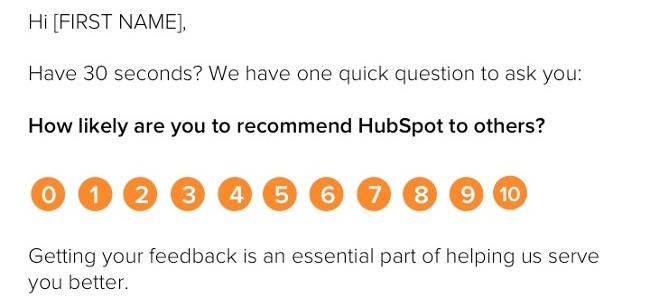
NPS is calculated by subtracting the percentage of detractors (customers who would not recommend your product) from percentage of promoters (customers who would recommend you).
The fewer detractors, the better. Improving your net promoter score is one way to establish benchmarks, measure customer loyalty over time, and calculate the effects of your loyalty program. A great NPS score is over 70%, and your loyalty program can help get you there. (Read this blog post to learn how to use NPS surveys for more powerful marketing automation.)
Customer Effort Score
Customer Effort Score (CES) asks customers, “How much effort did you personally have to put forth to solve a problem with the company?”
Some companies prefer this metric over NPS score because it measures actual experience rather than the emotional delight of the customer. A Harvard Business Review study found that 48% of customers who had negative experiences with a company told 10 or more people. In this way, customer service impacts both customer acquisition and customer retention. If your loyalty program addresses customer service issues, like expedited requests, personal contacts, or free shipping, this may be one way to measure its success.
Have you implemented a customer loyalty program? Share what tactics worked (and what didn’t) in the comment section.
Editor’s Note: This post was originally published in April 2012 and has been updated for freshness, accuracy, and comprehensiveness.

The Ultimate Guide to Product Marketing in 2019
During the 1950s, Volkswagen sold a bus. Although now considered a classic vehicle, the bus remains an icon for the car company decades later. The cool part? Volkswagen just introduced their new VW Bus this year — it’s electric and features modern and sleek styling. Volkswagen’s marketing for the vehicle is eye-catching, unique, and fun, and it fits the original “hippie” vibe the company was once known for.

Volkswagen also released a TV commercial for the bus that’s clever, minimalist, and on-brand. It introduces the new vehicle with the song The Sound of Silence playing in the background (hint: electric cars are silent) and ends with a short message on the screen for viewers to read: “Introducing a new era of electric driving.” This sentiment touches on the fact Volkswagen is contributing to society’s interest in electric, eco-friendly vehicles, and it also relates back to this being a new era for the bus.
So who works on this type of marketing? Who helps create content that excites consumers about new and/or updated products, like the Volkswagen bus, to the point they want to buy them?
Product marketers.
So, what makes product marketing unique? How is it different from conventional marketing?
Product Marketing vs. Conventional Marketing
Product marketing is more strategic whereas conventional marketing is more all-encompassing. Product marketing is actually part of conventional marketing. In fact, if you look at the seven Ps of marketing, you’ll see product marketing is one of the most important aspects of a business’s marketing efforts.
Product marketing is focused on driving demand for and adoption of a product among existing customers. It’s focused on the steps people take to purchase your product so product marketers can build campaigns to support this work.
Product marketing is about understanding a specific product’s audience on a deep level and developing that product’s positioning and messaging to appeal to that audience. It covers the launch and execution side of a product in addition to the marketing strategy for the product — which is why the work of a product marketer lies at the center of a business’s marketing, sales, and product teams.
Conventional marketing is focused on broader topics under the umbrella of marketing such as lead generation, SEO, and anything related to acquiring and converting new leads and customers. It’s about promoting the company and brand as a whole, including the products that are sold. These marketers make sure there’s a consistent, on-brand message behind all of the company’s content.
Why is product marketing important?
Product marketing is a critical part of any business’s marketing strategy. Without product marketing, your product won’t achieve its maximum potential in the market. Let’s look at why.
Product marketing …
- Helps you understand your customers
- Allows you to target your buyer personas
- Teaches you about your competitors (products and marketing tactics)
- Ensures your company’s marketing, product, and sales teams are all on the same page
- Helps you position the product in the market
- Boosts revenue and improves sales
There are also questions you, as a product marketer, will have to ask yourself and reflect on in regards to your product. Asking yourself these questions will help you ensure your product is a success among customers.
Here are some examples of questions to ask yourself:
- Is this product suitable for today’s market?
- Is this product appropriate for our customers today?
- How is this product unique from similar products of our competitor’s?
- Is there a way to further differentiate this product from those of our competitor’s?
- Are there any products we’ve sold in the past that we wouldn’t market or sell ever again now that we look back? Is so, why not?
As you can see, product marketing requires you to look at your products from a strategic perspective to ensure they’re successful among customers in your current market. Now, let’s take a look at the specific responsibilities you have as a product marketer (or product marketing manager).
Your responsibilities as a product marketer may vary slightly based on industry, company, products, and company size and resources. If you’re working for a startup, you may be a product marketer who also helps create the content the broader marketing team produces due to limited resources and budget. As the business grows, you may move onto a team whose sole job is product marketing.
Either way, your responsibilities as a product marketer will remain the same — let’s take a look at these responsibilities next.
1. Clearly Identify the Buyer Personas and Target Audience for Your Product
You must identify the buyer personas and audience for your product so you can target customers in a way that’s convincing and makes them want to make a purchase. This will allow you to tailor your product and its features to solve for the challenges your audience is facing.
Use templates to create buyer personas for your business.
2. Successfully Create, Manage and Carry Out Your Product Marketing Strategy
A product marketing strategy (which we’ll review shortly) allows you to create, build, and execute content and campaigns — this supports the steps that will lead your buyer personas and customers to make a purchase.
3. Work With and Enable Sales to Attract the Right Customers for Your New Product
As a product marketer, you have to maintain a direct relationship with sales. You’ll work with sales to identify and attract the right customers for the product at hand and provide sales enablement materials to reps to ensure they understand the product inside and out, along with all of its features.
This way, you and your teams are on the same page in terms of what’s being shared with customers, allowing you to provide a consistent, on-brand experience for anyone who comes in contact with the product.
4. Determine Your Product’s Positioning in the Market
One of the most important parts of your job is determining the product’s positioning in the market. Think about this process in terms of storytelling — your positioning requires you to create and tell the story of your product.
As a product marketer, you’ll work with the broader marketing team and the product team to tell this story by answering critical questions like:
- Why was this product made?
- Who is this product made for?
- What challenges does this product resolve?
- What makes this product unique?
5. Ensure Your Product Meets the Needs of Your Target Audience
You must also make sure your product meets the needs of your customers and target audience. Through the research conducted to determine your buyer persona’s and target audience, you should have uncovered the pain points and challenges you’re working to solve with your product. If your product doesn’t meet the needs of your customers, they’ll have no reason to make the purchase or choose your product over your competitor’s.
6. Keep Your Product Relevant Over Time
Your product needs to stay relevant over time. As needs, expectations, and challenges change and evolve, it’s your job to make sure your product marketing strategy, and the products themselves, remain relevant among customers.
This means you may have to manage slight changes in your product marketing strategy (which we’ll discuss in the next section), or updates and modifications to the product itself (you’ll likely work with the product team, who actually creates the product, to do this).
Now, let’s take a look at how to market a product so you can begin optimizing your content for success — think of these five steps as your product marketing strategy.
How to Market a Product
1. Define your product’s target audience and buyer personas
2. Determine your positioning and messaging to set your product apart
3. Set goals for your product
4. Price your product
5. Launch your product
1. Define Your Product’s Target Audience and Buyer Personas
As mentioned above, one of the main roles you have as a product marketer is to define the target audience and buyer personas for the specific product being sold (different products will likely have different target audiences). This the first step to marketing your product.
By understanding your customers and their needs, challenges, and pain points, you’ll be able to ensure all aspects of your product marketing strategy (as in, the rest of the steps we’ll define below) are tailored to that target customer and persona. This way, the product and the marketing content that’s created for the product will resonate with your audience.
2. Determine Your Positioning and Messaging to Set Your Product Apart
After performing your customer research and learning about your audience, you’ll have clearly identified their needs, challenges, and pain points. From here, you can think about how to highlight the ways your product resolves those challenges for your customers.
However, that doesn’t necessarily mean you’ve differentiated yourself from your competitors. After all, they are your competitors because they solve the needs of your customers in a similar way to your company.
The key to setting your product apart is positioning (which we touched on earlier) and messaging. Your positioning and messaging answers key questions your customers might have about your product and what makes it unique and then turns those answers into the main points behind your product’s marketing strategy.
It’s your job as the product marketer to ensure your customers and audience know your responses to these questions without having to dig around for them or make their own assumptions about them.
Examples of questions you’ll need to answer to develop your product’s positioning and messaging include:
- What specifically makes our product unique?
- Why is our product better than our competitors’?
- Why are our product’s features ideal for our target audience?
- What will our customers get out of our product that they cannot get from our competitors’ products?
- Why should our customers trust and invest in us and our product?
Once you’ve answered these questions, you can compile these responses into one, impactful, and shareable statement that captures your positioning and messaging as a whole. To do this, follow these steps:
- Turn the answers to the positioning and messaging questions into an elevator pitch
- Use action words to excite your customers
- Ensure the tone of your statement captures the tone of your brand
- Focus on the benefit of your product as a whole (not just one specific feature)
And if you’re in need of a bit more guidance, check out the HubSpot Marketing Hub product page. The main positioning and messaging statement reads as follows: “All-in-One Inbound Marketing Software: Everything you need to launch effective marketing campaigns that make people interested in your business and happy to be your customer.”
Tip: As product marketers, you should ensure the sales, product, and (the broader) marketing teams are also aware of your positioning and messaging around the product so they too can communicate the same information to prospects and current customers.
This allows you to ensure the entire company is consistent in the content and information they share about your product. Additionally, you can provide this information to your support team if you think it’s necessary, as they may be fielding support calls and working with your customers who’ve already invested in the product.
3. Set Goals for Your Product
Next, you’ll want to set goals for your product. These will vary based on your specific product, the type of company you work for, your overall marketing goals, and more — your goals will be specific to your business and situation. However, let’s review some common goals product marketers aim to achieve:
- Increase revenue
- Engage with customers
- Improve market share
- Gain customers from competitors
- Boost brand recognition
Tip: Feel free to combine several of these goals or just choose one to focus on — every company and product will have different goals. The key is making sure you view and set these targets in the SMART goal format, meaning they’re specific, measurable, attainable, realistic, and time-bound.
Use a free template to help you create and achieve your SMART goals.
4. Price Your Product
As a product marketer, you’ll also have to contribute to the discussion of the price of your product. Depending on the company you work for, you might work with other teams on this part of the strategy, or it might be a job just for you and your fellow product marketers. Either way, you can consider competitive vs. value-based pricing.
Competitive vs. Value-Based Product Pricing
Competitive pricing means you’re basing your product’s price off of the similar products your competitors sell. It’s ideal for companies who have created a product similar to one that several other companies sell.
If you believe your unique features warrant a significantly higher price than those of your competitors’, you might choose to price your product above the other similar products on the market. A good way to evaluate the fairness of the pricing of all of your competitors is by studying financial reports and industry trends.
Value-based pricing allows you to maximize your profit, although it’s a bit more time-consuming to establish in comparison to competitive pricing. It’s ideal for companies selling a product with very few competitors on the market or one with exceptionally new and unique features.
Value-based pricing quantifies your item’s value in a way your customer can relate to their profitability. It allows you to base your product’s price on its value for your customer rather than whatever the market, industry trends, and your competitors say.
5. Launch Your Product
Now it’s time for the most important part of your role as a product marketer — not to mention, the most exciting: the launch of the product you’ve been marketing.
There are two main parts to the launch to focus on as a product marketer: the internal launch (what goes on within your company upon product launch) and external launch (what goes on outside of your company, with customers and audience members, upon product launch).
Internal Aspects of a Product Launch
As previously stated, your job as a product marketer entails making sure the entire organization is on the same page about your product. This way, your customers only receive consistent and accurate details about the product.
The marketing, product, and sales teams at your company should be aware of the following information:
- Your product’s benefits
- Any available product demo information
- Sales training opportunities on your product and how it’s used
- What the positioning and messaging looks like
- Who your buyer personas and ideal customers are
- What the goals for your product include
- What your product’s features are
- The pricing of your product
- How your product is being launched to customers (which we’ll discuss below)
Now, you might be wondering how to provide this information to marketing, product, and sales. Which channels are ideal for sharing these details with your fellow employees?
Here are a few examples of ways to do this:
- Sales enablement kit (ideal for sales)
- Presentation (ideal for the broader marketing department and product)
- Knowledge base (ideal for support)
External Aspects of a Product Launch
Externally, there are many ways to market your product launch so your current base of customers, prospects, and target audience learn about whatever it is you’re selling.
First, determine where you’re going to focus your product marketing efforts. Here are some examples of channels and places to do this (you might choose several of these or just one to focus on depending on your needs, goals, and resources).
- Social media
- In-store
- Product launch event
- Blog
- Website landing page
- Exclusive product preview (prior to the official launch)
- Promotional event/ campaign (in-person and/ or online)
On whatever channel you choose to focus your product launch marketing efforts, you should include relevant product information (focused on your positioning and messaging) so prospects and customers can learn all about your product and why they need it. This includes your product’s features, what makes it unique, pricing, demos for customers, training for customers, and any other materials you’ve created and want to share.
Congrats! You’ve just worked through the steps to marketing a product. Remember, this process is one that should be thought about and updated as your products change and evolve so they remain relevant among your customers. (This shouldn’t be an issue as long as you have a member of your team focused on product marketing, considering it’s one of their main responsibilities.)
Start Marketing Your Products
Product marketing is the process through which a company brings a product to market. Being a product marketer (or product marketing manager) means you’re at the center of your company’s marketing, sales, and product teams.
You’re an integral part to the success of your product, as you create and manage your product’s specific marketing strategy, but you also serve as a liaison between all three of these departments, ensuring everyone is on the same page with your product, it’s features, capabilities, and more. So, start developing your latest product’s marketing strategy to ensure it’s a success among your target audience and customers.

12 PPC Tools & Software to Help Your Ad Campaigns Crush It
PPC, or pay-per-click, campaigns can be a great way to gain traffic, leads, and ROI. In fact, businesses make an average of $8 for every dollar they spend on Google Ads.
Although PPC sounds like a great opportunity, creating profitable campaigns can cost you time, effort, and money. If you don’t have a strong strategy or monitor your campaigns, you could lose precious dollars. WordStream reports, for example, that the average small business loses 25% of their PPC budget on wasted spend.
If you’re a PPC marketer, you might know how time-consuming these campaigns can be.
Before you even launch a campaign, you should take time to consider keywords, what competitors are bidding on, and how much you’ll be willing to spend. After the launch, you’ll need to monitor the campaigns, edit aspects of them as necessary, and occasionally adjust your budget.
If you have a lot of other marketing tasks on your plate, this process can seem daunting.
Luckily, if you’re looking to cut down on these tasks and make room for new projects, there is a long list of tools that can be used to build, manage, monitor, and adjust your campaigns, bids, and budgets.
Some are low-priced, while others offer automated features to limit the need for unnecessary human involvement. Many of these tools fall into the categories of general PPC management, bid management, or reporting.
To help you develop a less time-consuming and more profitable PPC process, this blog post highlights 12 PPC management tools and software.
PPC Management Tools
WordStream PPC Advisor
Cost: $264/month for 12-month plans, $299/month for 3-month plans, or $2,928 for an annual pre-paid subscription.
Integrations: Google Ads, Bing Ads, Facebook, LinkedIn and Twitter
WordStream’s PPC Advisor is targeted to small business owners who want to take advantage of PPC properly but do not have the finances to staff experts or hire advisors. The software can integrate with Google Ads, Bing Ads, and other major ad platforms.
With WordStream Advisor, you can activate the “20 Minute Work Week” tool which will take a short time to analyze PPC campaigns and send recommendations on how you can improve your campaigns. You can then make these changes through the Wordstream software.
You can also build campaigns, identify positive and negative keywords, and adjust budgets. The software also allows you to create optimized landing pages, as well as track and build reports around conversion and call data.
Below is a quick explainer video:
WordStream offers a seven-day trial to those who fill out a contact information form.
Optmyzr
Cost: $499/month (Pro), $799/month (Pro+). The Enterprise version’s cost is unspecified.
Integrations include: Google, Bing, and Yahoo ads programs
For marketers or agencies with larger budgets, interest in running multiple PPC campaigns, or who just want more automated features, Optmyzr offers slightly more advanced tools for creating and managing campaigns in bulk.
Like WordStream, this paid platform similarly allows you to launch, track, and manage PPC campaigns on different platforms. According to Optmyzr’s website, all versions of the software allow users to automate scripts, alerts, and reports. Each membership also comes with biannual product training sessions with Optmyzr reps.
One of Optmyzr’s tools, the Automyzr, allows users to upload and generate campaigns in bull from data sources like spreadsheets or integrations.
Once the data is uploaded, a user can use certain criteria such as “brand” or “product” to generate names and other elements of ads automatically. Here’s a demo that walks through the process:
https://m.youtube.com/watch?time_continue=441&v=1IYrui2Kh_g
This software is highly recommended by Joe Martinez, who was named one of PPC Hero’s top 25 PPC experts in 2017 and 2018. He says the PPC manager is helpful to both lead-gen and ecommerce accounts.
“Optmyzr allows marketers to easily see performance data in their accounts and make adjustments on the spot. I can also use their list of scripts to automate certain tasks I have to do on a consistent basis,” he says.
He adds that the software has saved him a lot of time over the years. “I can rely on the tool to do a lot of the tedious, high-level tasks which gives me more time to focus on strategy or deeper analysis in the important areas of the account.”
Google Ads Editor
Cost: Free to Google Ads advertisers
Integrations: Google Ads
This downloadable desktop application, formerly named AdWords Editor, can be used to create, track, and edit your Google ads.
Along with performance monitoring, the app allows you to make bulk changes to multiple ads, preview edits in draft mode before they go live, and build or revise your ads offline.
The editor works alongside Google Ads, which allows users to create and assign a bid strategy to campaigns specific to the Google bod strategy. You must first create a Google Ads campaign to manage it through the Ads Editor. Here’s a quick demo that explains how:
If you are just trying to master one PPC strategy at a time and want to focus on Google first, this tool could be an affordable and simple option.
However, Google Ads Editor does not give you similar automation options or improvement suggestions like WordStream or paid PPC managers will. Because of this, more manual adjustments and monitoring might be required.
Bing Ads Editor
Cost: Free to Bing advertisers
Integrations: Bing Ads
While many marketers might think of Gooogle as their primary PPC option, Bing PPC has also gained steam as the search engine has over five billion daily inquiries.
Bing offers a similar software to Google for its search engine’s PPC ads. Like the Google Ads Editor, you can make offline revisions to your ads which can be uploaded to the online platform once you regain internet access.
You can also research keywords, manage your bids, and monitor your performance with this management tool.
The below demo walks you through how to create a campaign, import data via Google Import, and use the Opportunities tab to gain suggestions on how you can improve your performance.
Similarly to Google Ads Editor, this tool does not offer any automation tools and is only accessible to those with a Bing Ads account or campaign.
SEMRush PPC ToolKit
Cost: $99 (Pro), $199 (Guru), $399 (Business), Enterprise edition varies by company
Integrations include: Google Ads, Bing Ads
SEMRush’s PPC management software focuses on competitive research, keyword research, and campaign planning.
When researching competitors on SEMRush, you can search your domain to see a list of domains you compete with organically and a list of those you compete with in paid search. You can also find out which keywords competitors have bid on in the past to see if you should take a similar bidding strategy.
The ToolKit’s “Charts” tool can also show you visual graphs of how multiple competitors are performing.
Another feature is the Keyword Magic Tool, which allows you to type in a keyword or phrase and get a list of stronger keywords, as well as data about them such as search volume. You can then export this information into a document which could be shared with their team.
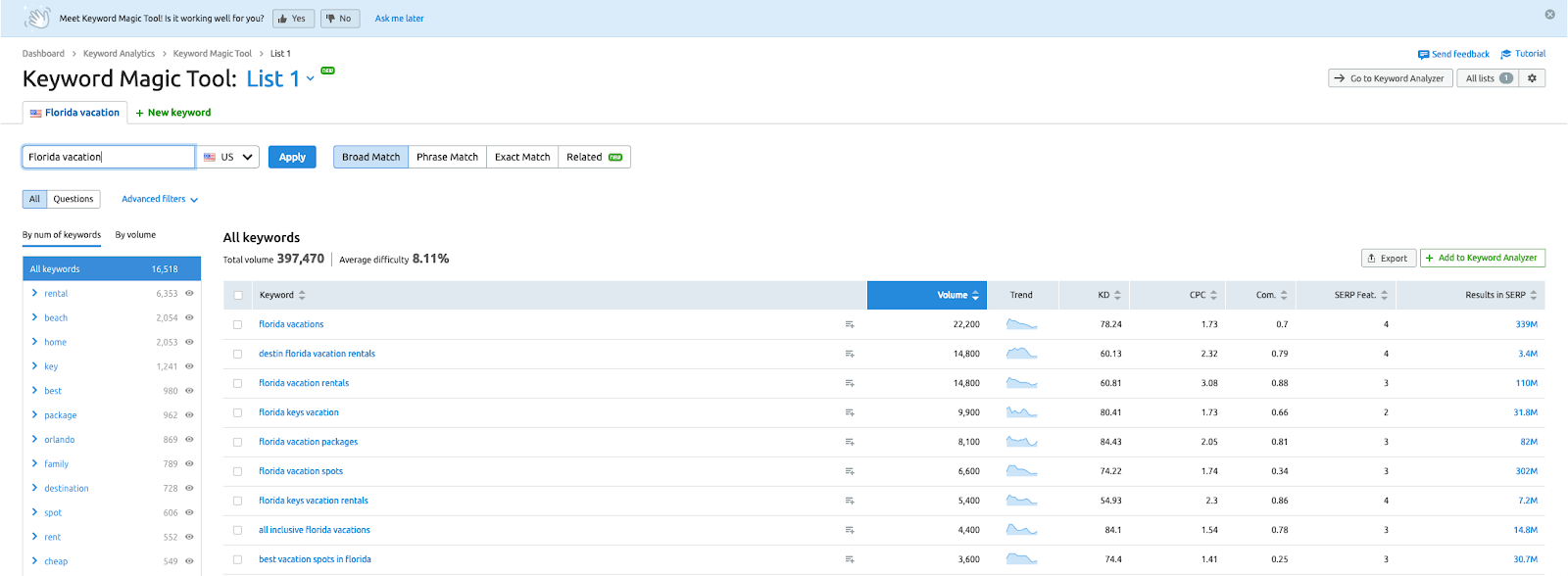
SEMRush four pricing plans. The lowest cost plan — targeted to freelancers, startups, and small businesses — includes SEMRush’s PPC, search engine optimization, and search engine marketing tools.
The larger plans are targeted more towards larger companies and agencies. These offer advanced reporting features, such as whitelabeled reports and more advanced API integrations.
To test out SEMRush, you can try features including the Keyword Magic Tool here. To access these free tools, you’ll need to register for a free account with an email and a password.
For a more detailed look at all the tools, here’s a demo that shows how you can use SEMRush to start a PPC campaign:
HubSpot’s PPC Management Template
Cost: Free download
If you prefer to plan their PPC ads for the lowest cost without using a software, we recently posted this helpful template on our blog.
This spreadsheet guides you through the process of creating a strong PPC ads for each level of the customer journey. It also guides you through identifying positive and negative keywords and building AdGroups.
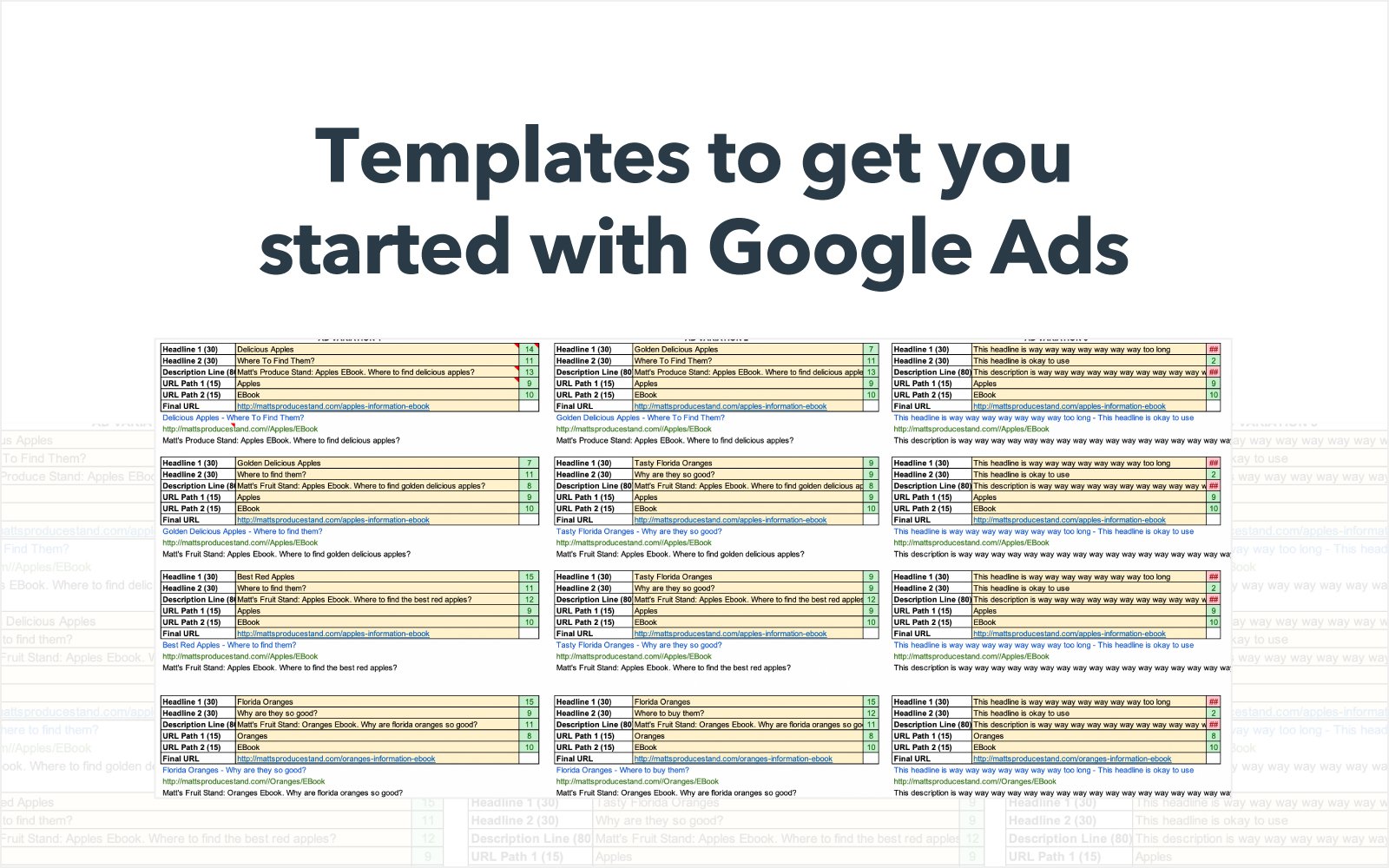 Download this Template for Free
While this template can help you plan out your campaigns, it can also be a great document to share with clients or other decision makers on your team before launching ads.
You can find the link to download, as well as detailed instructions on how to use the tool, in this blog post.
PPC Bid Management Tools
MarinOne Search
Cost: Plans often start around $499/month. Marin does not specify specific pricing.
Integrations include: Google, Bing, Yahoo, Facebook, and Twitter
MarinOne Search offers bid management features for ads on platforms including Google, Bing, Yahoo, Facebook, and Amazon. According to Marin, the software uses a large pool of data and patented machine-learning algorithms to “allocate budgets and calculate bids.”
According to Marin’s tour of its budgeting software, seen below, users can also adjust the budget algorithm by taking actions like assigning a dollar value to different types of conversion events:
If you want more information on Marin’s impact, its website highlights case studies on how the software has helped major clients like Nissan, Dell, and Jeep.
Kenshoo
Cost: Varies by company. Kenshoo provides free demos and quotes.
Integrations: Compatible with platforms including Google, Bing, Yahoo, and Apple Ads.
Kenshoo offers a variety of advertising tools related to budget management, search, social, ecommerce, and app-based ads. The software’s bid management features allow you to make and adjust a variety of bids, including rules-based and model-based bids.
You can integrate data straight from Google Ads and other online ad programs with Kenshoo’s platform. The data can be displayed on multiple dashboards, including one which shows spend, revenue, ROI, and conversion head-to-head.
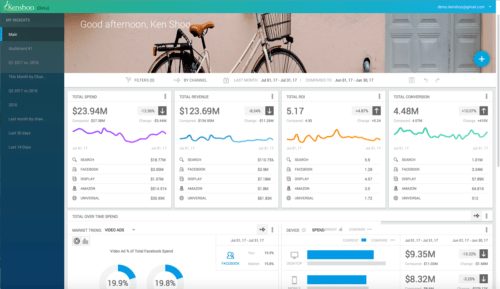
Kenshoo says they use award-winning machine-learning algorithms to give users bid suggestions as well as budget and ad performance forecasts in its dashboard interface.
Kenshoo’s site describes its software as enterprise level, but says they offer plans and paid tools targeted at startup-level companies as well.
Prospective customers can visit Kenshoo’s website to request a free trial.
Acquisio Turing
Cost: Varies based on your company’s ad spend, the number of accounts that will be managed, and the length of a contract determined between the company and Acquisio.
Integrations include: Google. Bing, and major social networks.
Acquisio’s bid and budget management tool uses machine learning algorithms to analyze and adjust bids and budget distribution on a 24/7 basis.
According to Acquisio, the algorithms are trained to automatically adjust budgets based on factors including seasonality, day of week, time of day, and ad platform.
Because of the flexible pricing plans, this software could be helpful for companies ranging from startup to enterprise level.
This software might be helpful to marketers with multiple accounts or who may be too busy to monitor bids and budget distribution regularly.
Due to the machine learning tools, you might save time on tasks related to bid research and crunching numbers. This extra time could then be used for other productive projects.
PPC Reporting Tools
Google Ads Performance Grader
Cost: Free with short registration
Integrations: Google Ads
This WordStream tool, formerly called the AdWords Performance Grader, can give your Google Ads campaign a percentage score based on criteria including text and keyword optimization, keyword quality, click-through rates, impressions, and landing page optimization.
The report also gives more information or a sub-score related to each individual piece of criteria.
To help users in benchmarking, the report also notes how well campaigns are doing compared to the previous month.
Here’s an example of what the top of a Google Ads performance report might look like:

After registering and giving a small amount of company information, you can link this tool to your Gmail account and automatically receive the grades for ads associated with your email address.
ReportingNinja
Cost: $20/month (Starter), $40/month (Small), $70/month (Medium, $120/month (Large)
Integrations include: Google Ads, Bing Ads, Twitter Ads, Facebook, LinkedIn
This software might be a good options for marketers or agencies who wish to build whitelabel analytics dashboards that their clients can access. Aside from the portal, ReportingNina can also be used to schedule and send automated reports to marketers or clients via email.
When integrating with Google Ads and/or Bing Ads, a marketer or client with access to the whitelabel portal can see a dashboard that pulls in all the information from these third-party platforms.
With this integration feature, users can see all their need-to-know data in one place. Outside of PPC, data from Twitter Ads, Facebook Insights, LinkedIn Ads, MailChimp, and other accounts can be integrated as well.
Octoboard
Cost: Octoboard offers seven plans with annual and monthly commitment options. Annual plans are $5 to $150 monthly, and monthly, no-commitment plans fall between $18 and $210. Each plan allows a different number of clients as well as access to a different list of features.
Integrations include: Google, Bing, Facebook, Twitter, LinkedIn
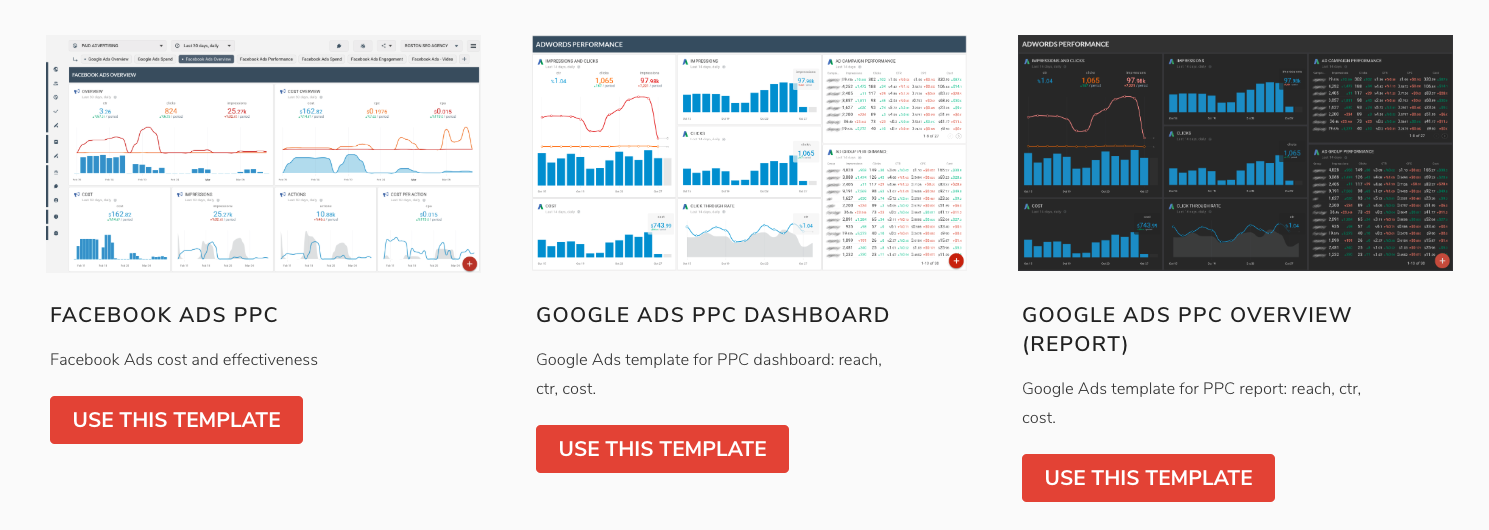
Octoboard provides a number of customizable and whitelabel reporting templates for marketers and their clients. With the software, you can create reporting documents as well as dashboards that can be sent to an unlimited amount of recipients. The software also offers report templates that can be embedded on to a website.
For those who need to report to their team or clients, but don’t have time to create a nice visual, Octoboard already offers templates that specifically report on Google, Bing, Facebook, and LinkedIn PPC. Here’s an example of a few of the templates currently displayed on the website:
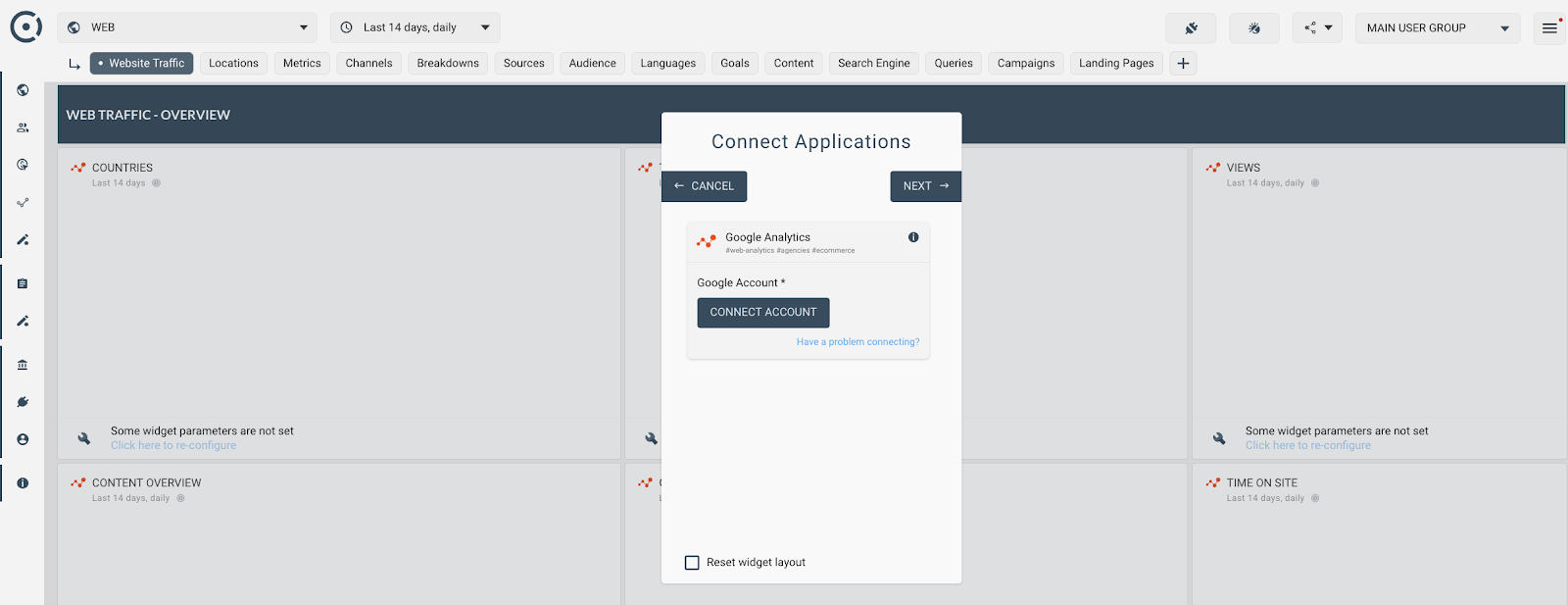
To test drive the software, you can click on one of the templates on their homepage. When you enter the template, the site will give you a prompt and instructions showing you how to integrate your data.
Similarly to ReportingNinja, the software also offers automation tools that can create and send templated reports on a schedule.
You can register and preview certain reports with your data in them for free on the Octoboard site. However, to receive more access, you will need to subscribe to one of its monthly or annual plans.
DashThis
Cost: $39/month (Individual), $129/month (Professional), $209/month (Business), $339/month (Standard), $499/month (Enterprise)
Integrations include: Google Ads, Google Analytics, Facebook Insights, Youtube, LinkedIn Ads and Twitter Ads
Like ReportingNinja and Octoboard, DashThis allows users to connect PPC and SEM tools to the platform so that all performance data appears on one dashboard.
This feature could be helpful if you need to use two or more tools to monitor your PPC ads, traffic, and other data related to your campaigns.
The platform allows users to build and customize these overarching dashboards.
When building a dashboard, DashThis allows you to build off of three templates: Periodic, Rolling, and Campaign. While the Campaign pulls in data about a specific campaign, the Rolling dashboard shows live data and the Periodic shows data for a certain time period.
Here’s a tutorial that shows how to get started with a DashThis Periodic template:
DashThis also offers a list of pre-made KPI widgets that measure and report on factors like cost-per-click, cost-per-acquisition, conversion rate, impressions, ROI, and return on ad spend. Users can also create custom widgets of their own.
This software would be a good choice for agencies looking to save time on the reporting processes related to PPC or SEM marketing. After creating a dashboard, they can use it to share and report back on live data to their clients or colleagues.
DashThis also offers a low-cost individual subscription which allows users to launch up to three dashboards for $39 a month.
Building Your PPC Toolkit
Before you subscribe to one or multiple of these tools, be sure to consider your company’s budget and how many accounts you’ll be managing.
If you’re a marketer at an agency or large company, you might prefer an enterprise software that has all the necessary management tools in one. If you’re part of a startup or work as a freelancer, you might just want to use the more affordable resources on this list.
Regardless of which tools or software you use, be sure to check out our Ultimate Guide to PPC for facts, figures, strategy ideas, and best practices.

The Best WordPress Lead Generation Tools and Plugins in 2019
Collecting high-quality leads is a major struggle for most marketers — in fact, 61% of B2B marketers think generating high-quality leads is one of their biggest challenges.
And even once you’ve created a fantastic, high-converting landing page, your hard work isn’t done.
For instance, let’s say you figure out you’re generating tons of leads on your new WordPress site. Well — what do you do with them?
Typically, you need an effective lead capture tool to figure out how to convert prospects into strong leads for your CRM, so that your lead generation efforts get the payoff they deserve.
To help you find the best tool for your needs, we’ve cultivated a list of the 13 best WordPress lead capture tools. Additionally, we’ve gathered our favorite seven lead generation plugins, which we’ll dive into after we take a look at the lead capture plugins, listed below.
But first — what makes a WordPress lead capture tool particularly impressive?
Characteristics to Consider in a WordPress Lead Capture Plugin
When you’re reading through these various lead capture plugins, here are some tips to help you pick the best tool(s) for your needs:
1. Positioning options.
Your lead capture form’s positioning will play a role in its conversion rate. Do you want to use a popup? A two-step opt-in? An in-content form?
Make sure your chosen tool offers the positioning options you want.
2. The opportunity for integrations.
Most of these tools help you capture leads, but they don’t necessarily do anything after that. Instead, you’ll need a way to get those leads into your CRM or list management tool. Many of these tools give you integrations to do just that, but you’ll want to make sure that you’re able to integrate with your preferred tool(s).
3. Custom fields.
Effective lead capture forms are all about balancing the number of fields on a form versus the form’s conversion rates. Usually, a shorter form means a higher conversion rate. But at the same time, it can also mean less qualified leads.
For each tool, you want the flexibility to collect as much info as you need to qualify a lead. Some tools will only let you collect a name and email, while others let you add as many fields as you want.
Now, let’s dive into our favorite tools and plugins.
1. HubSpot All-In-One Marketing
Price: Free to start, paid plans start at $50 per month
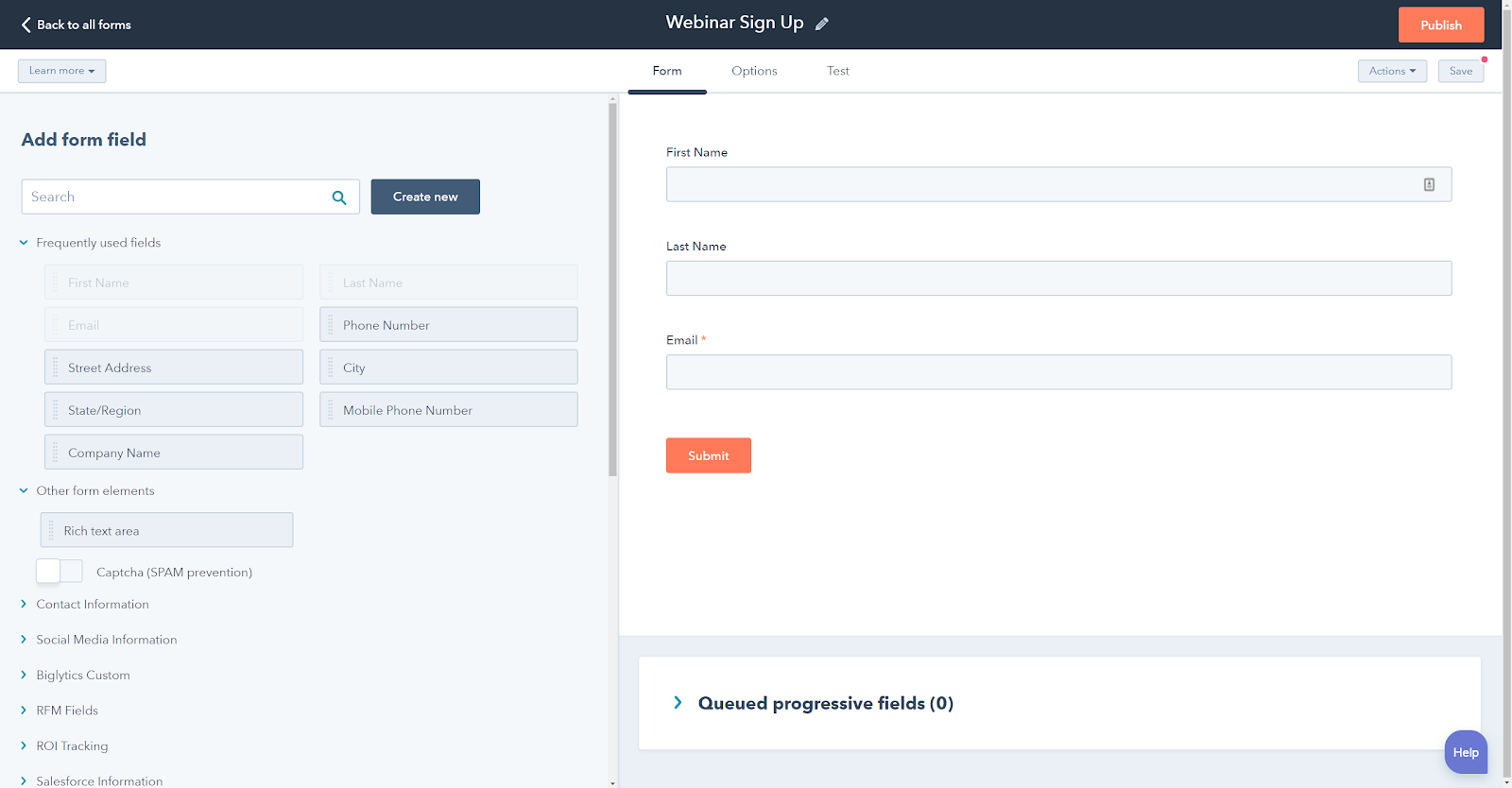
HubSpot All-In-One Marketing gives you several options to capture leads on your WordPress site. Once you’ve captured leads, it can also take those leads and store them in the free HubSpot CRM for easy tagging and segmentation.
With the HubSpot WordPress plugin, you can create:
- Lead capture forms: use the drag-and-drop form builder to control what information you collect from your leads.
- Popup options: in addition to displaying forms in your content, you can also use popups, top banners, and slide-in boxes to capture leads.
Beyond forms, HubSpot can also help you generate leads via its free live chat module. This module lets you connect with visitors to offer customer support or sales information. If you’re not around to man the controls, you can even create an automated chatbot to respond to queries.
No matter which avenue your leads come in from, they’re all stored in your free HubSpot CRM.
HubSpot All-In-One Marketing is super easy (and free) to get started with. Once you install the free plugin from WordPress.org, all you do is sign up with your name, email, and password and you’re ready to start capturing leads.
2. Bloom
Price: $89
Bloom is a popular email opt-in plugin from Elegant Themes. It helps you capture email leads using a variety of form types, including:
- Pop-ups
- Slide-ins
- Content lockers (e.g. lock certain content behind an email subscribe form)
- In-content forms
You get some unique options for triggering your lead capture forms — like displaying a form after a person leaves a comment on your site.
The only downside is that you’re limited in how much control you have over your forms themselves. For example, you can only customize the existing templates — you can’t make your own — and you’re limited in the amount of information you can collect from visitors.
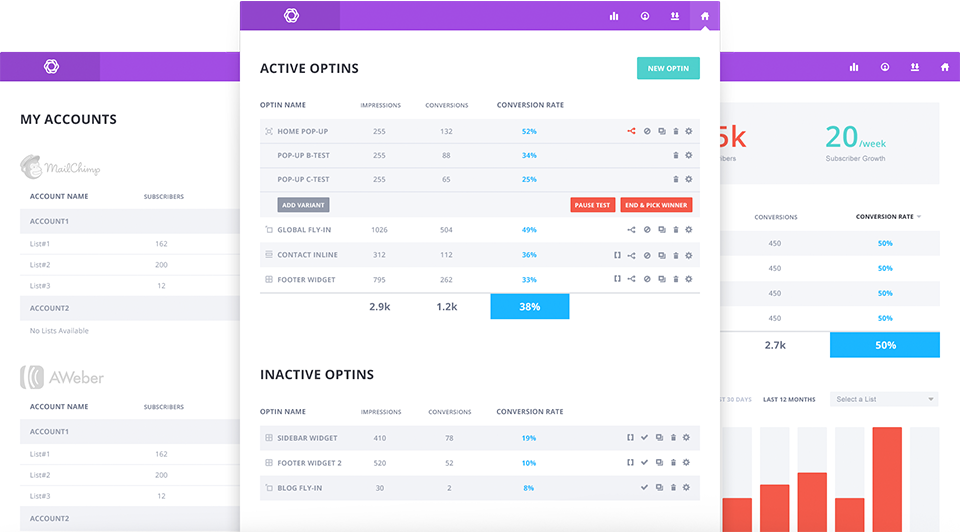
If you’re okay with those limitations, this tool could be a good one for your team. Plus, you get a nice dashboard where you can view analytics and track lead growth, and the option to run A/B tests.
3. WPForms
Price: Starts free, paid plans range from $39.50 to $199.50
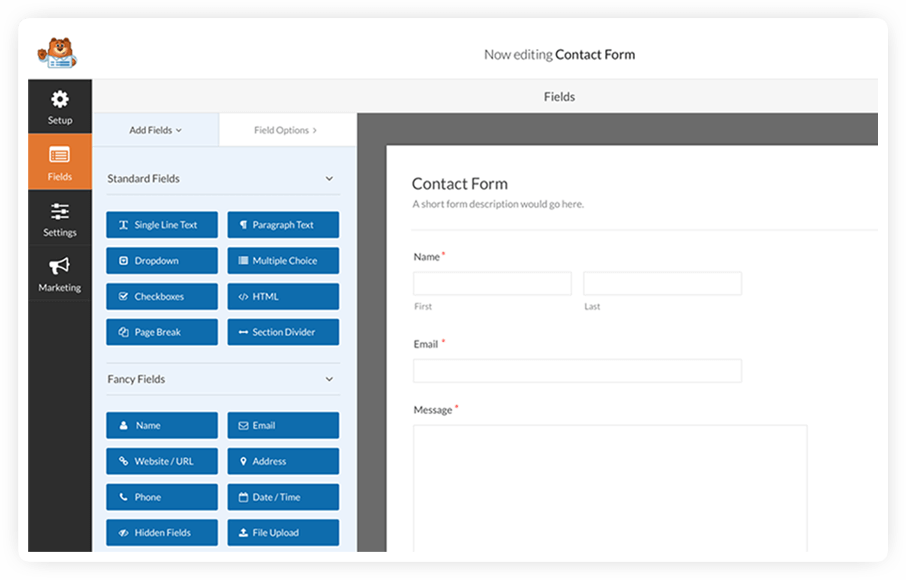
WPForms is a popular WordPress form plugin that you can use to create … well, pretty much any type of form.
Using its drag-and-drop builder and a variety of form fields, you can create customized lead capture forms to collect as much or as little information as you want from your leads.
Once you have your form, you have a few different ways to work with leads that you collect.
WPForms stores all your leads in its own entry manager, which you can access from your WordPress dashboard. Alternatively, you can sync your forms up with:
- A variety of email marketing services
- Zapier
Additionally, if you’re using HubSpot All-In-One Marketing, you can also automatically pull your WPForms submissions into your HubSpot CRM for tagging and segmentation.
4. Thrive Leads
Price: $67 for one license, $97 for five licenses
Thrive Leads is a popular WordPress lead generation plugin that helps collect email addresses with several different opt-in types, including:
- Lightbox popups
- “Sticky” ribbons
- In-line forms
- Slide-ins
- 2-step opt-ins
- Screen fillers
- Content lockers
- Scroll/welcome mat
For all the various form types, you can use the included templates and drag-and-drop builder to customize things to make them your own.
One area where Thrive Leads goes further than a lot of other solutions is its SmartLinks feature, which lets you display different forms to people depending on where they’re coming from. With this feature, you can ensure you’re sending different forms to your email list than what appears on your homepage.
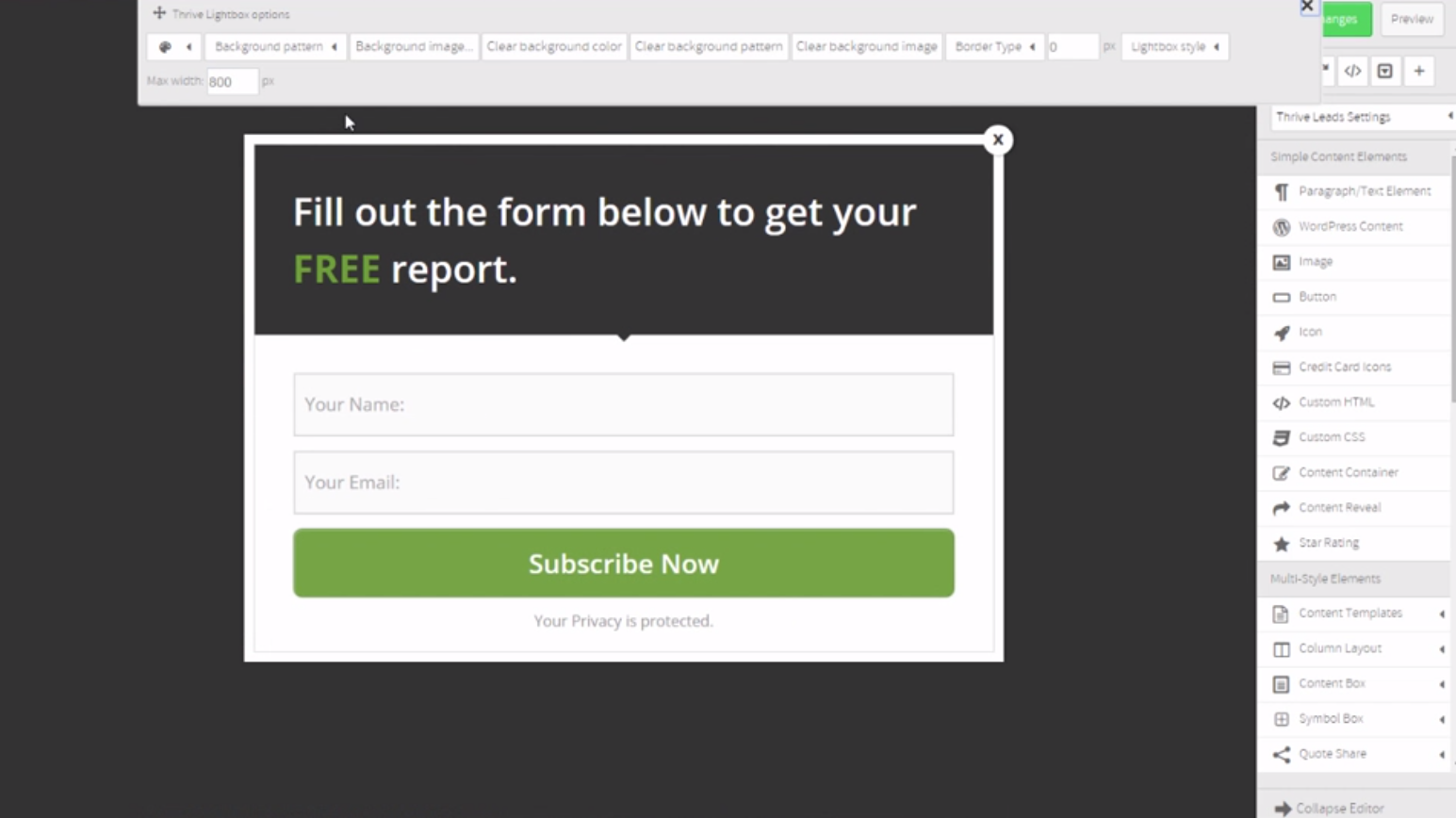
5. Elementor Pro
Price: $49
Elementor Pro is a popular WordPress page builder plugin that can help you build both lead capture pages and lead capture forms.
Essentially, Elementor gives you a visual, drag-and-drop builder interface that you can use to create posts or pages on your site — including standalone landing pages.
With Elementor Pro, you also implement a Popup Builder that lets you use the same interface to design and display popups anywhere on your site.
To actually capture leads, you can use Elementor Pro’s Form widget, which lets you build custom forms with as many fields as needed. You can then connect those forms to Zapier to send data to your favorite CRM for tagging and segmentation.
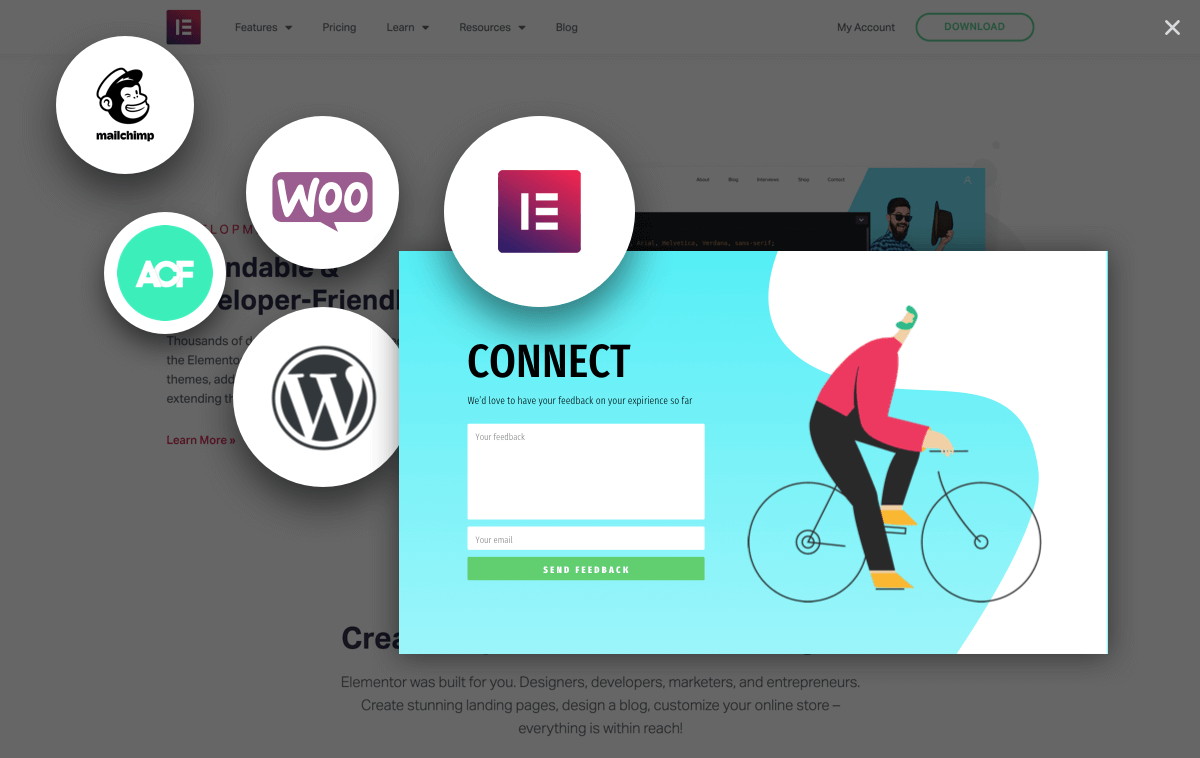
6. OptinMonster
Price: Starts at $108 per year
OptinMonster helps you create a variety of different lead capture forms using its 75+ pre-built templates and drag-and-drop form builder. With it, you can create:
- Pop-ups
- Floating bars
- Fullscreen overlays
- Slide-ins
One of the areas where OptinMonster really excels is its targeting and triggering rules. Using detailed rulesets and AND/OR conditions, you can control exactly where and when your lead capture forms appear.
Another helpful feature is its OnSite Retargeting feature, which lets you display different offers to visitors who have already submitted a lead capture form.
OptinMonster isn’t technically a WordPress plugin (it’s a SaaS), but it’s easy to integrate the OptinMonster service into your WordPress site via its dedicated plugin at WordPress.org.
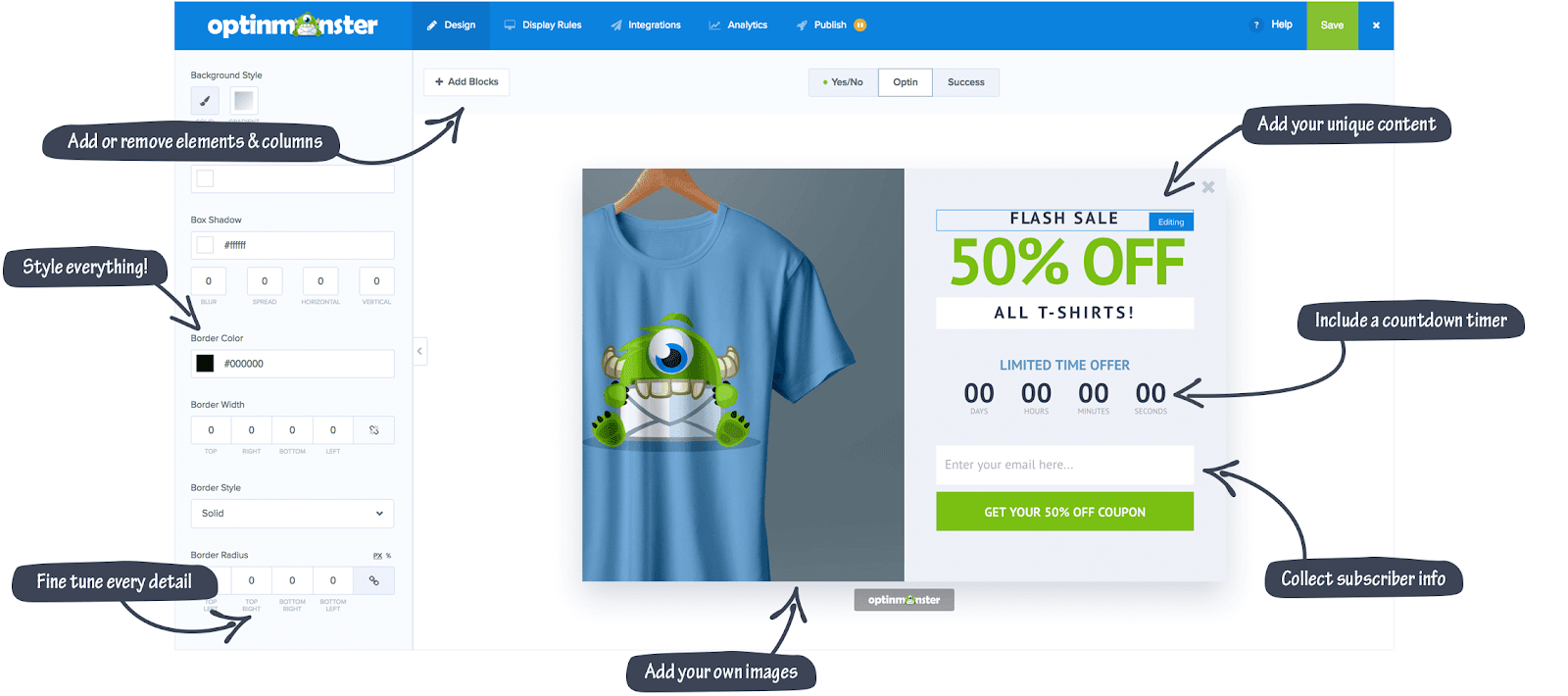
7. BoxZilla
Price: Starts free, premium version starts at $48
BoxZilla, formerly known as Scroll Triggered Popups, is a useful lead capture plugin that helps you create simple forms that display as either popups or slide-ins on your site.
As the previous name of the plugin suggests, one way you can trigger these forms is as a user scrolls down your page. However, BoxZilla supports other triggers, too, like time on site or exit intent.
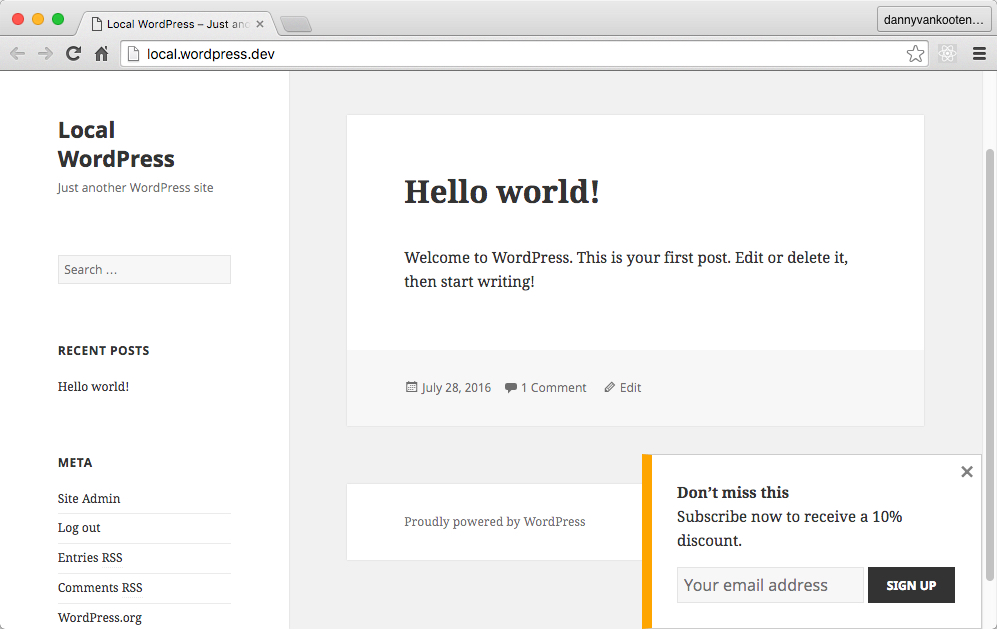
8. Holler Box
Price: Starts free, premium version starts at $99
Holler Box is a simple lead capture plugin that targets itself towards WooCommerce and Easy Digital Downloads stores, but can really be used for all kinds of WordPress sites.
Holler Box lets you create seven different types of lead capture forms, including popups and slide-ins. However, the most unique option here is Holler Box’s faux live chat widget.
This widget looks like a live chat box, but is really just a vehicle to capture leads. Your visitor enters their message and email address. Then, you can either receive an email notification email yourself, or connect that information to popular email marketing services or your own custom HTML form.
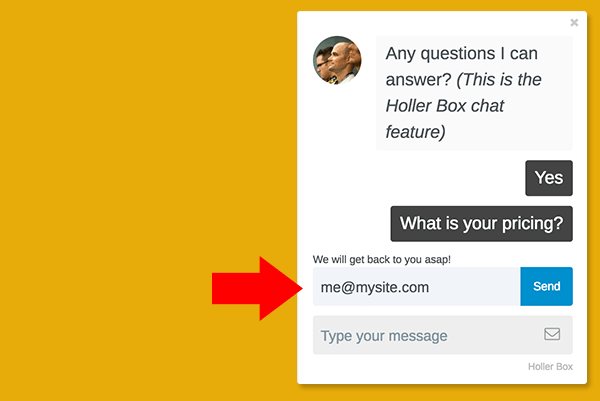
9. CallPage
Price: Starts free, paid plans start at $159 per month
CallPage is a simple lead capture plugin that helps you collect telephone numbers from potential leads.
To collect phone numbers, it displays a widget that lets visitors enter their phone numbers to receive a call back either right away, or at some point in the future. If you want, you can also collect additional information about your leads, like their names or email addresses.
By integrating with Google Analytics, you can also use CallPage to view call histories and analyze the call performance for each traffic source at your site.
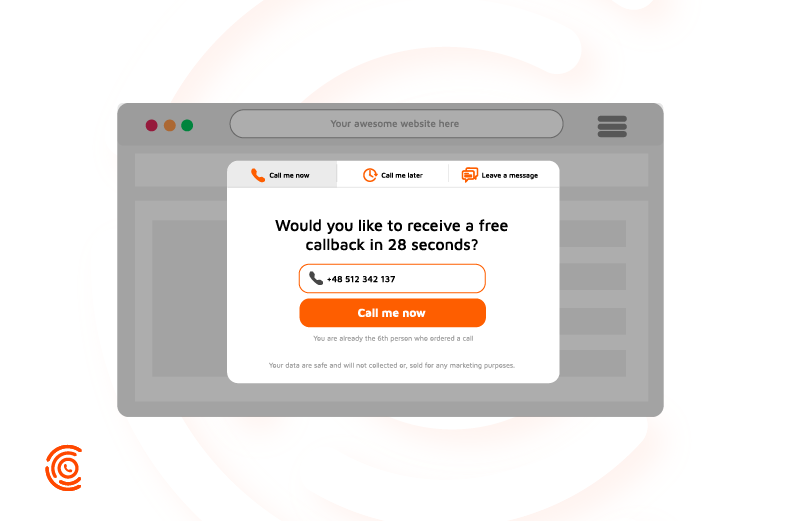
10. Gravity Forms
Price: Starts at $59
Like WPForms, Gravity Forms is a general WordPress form plugin that you can use to create all kinds of lead capture forms.
Gravity Forms gives you a drag-and-drop form builder, as well as 30+ custom field types to collect various information. There are also some neat extensions to enhance your lead collection.
For example, the Partial Entries add-on lets you collect information even if someone doesn’t fill out the entire form.
By default, Gravity Forms stores all of these submissions in your WordPress dashboard, but you can also integrate your forms with a variety of email marketing services, CRMs, and help desks. And if that’s not enough, the Zapier and Webhooks integrations can help you connect to pretty much anywhere else, too.
Additionally, if you’re already using HubSpot All-In-One Marketing, HubSpot will automatically grab Gravity Forms submissions and put them into your HubSpot CRM for easy management.
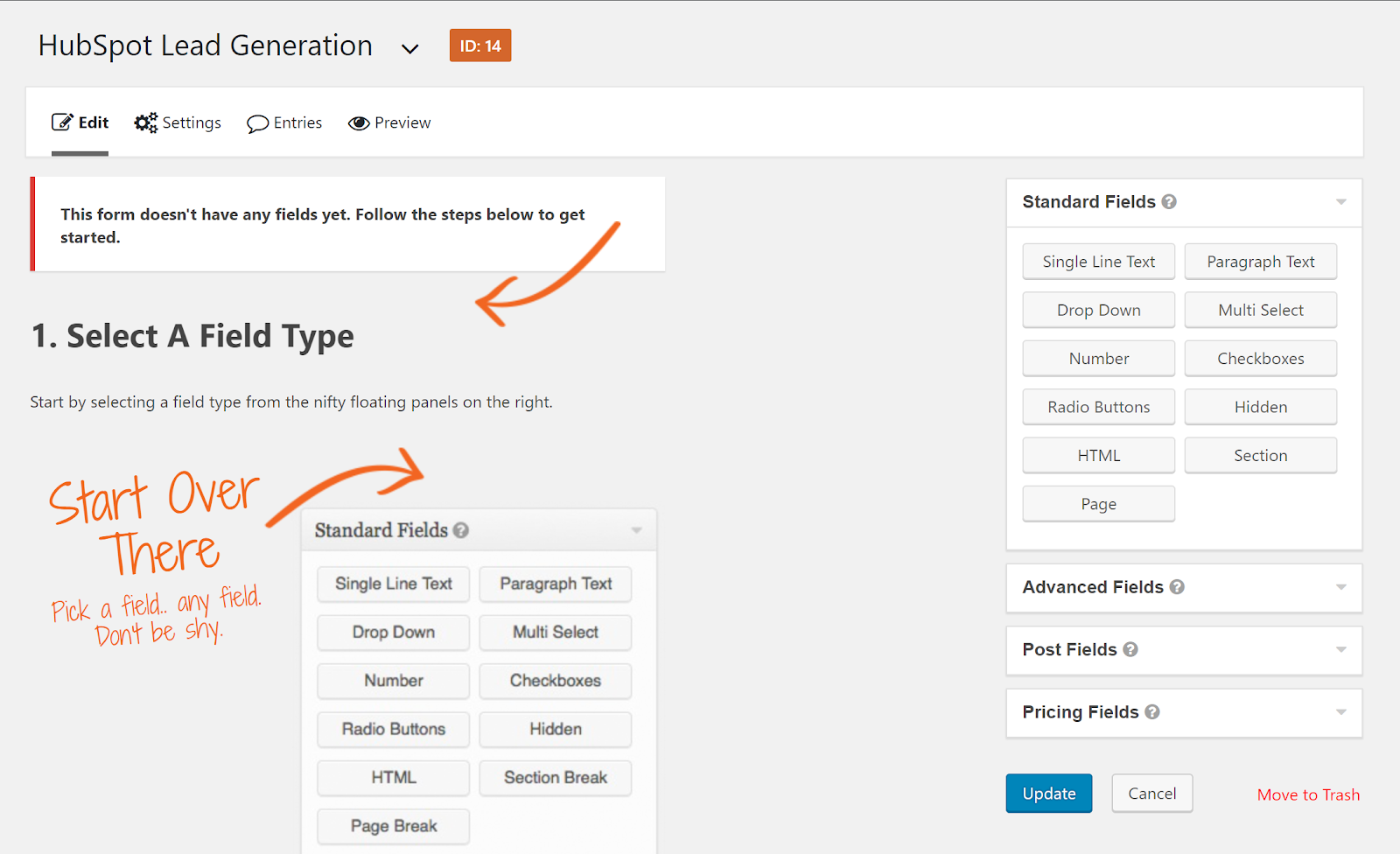
11. Optin Forms
Price: Free
Optin Forms is a free lead capture plugin that helps you create simple email opt-in forms on your site and connect those forms to:
- AWeber
- iContact
- MailChimp
- GetResponse
- MadMimi
- Interspire Email Marketer
- ConvertKit
You can choose from five different templates and customize all the text and colors to make them match your site.
From there, you can either automatically add your lead capture form to all your blog posts, or use a shortcode to choose exactly where and when to include your forms.
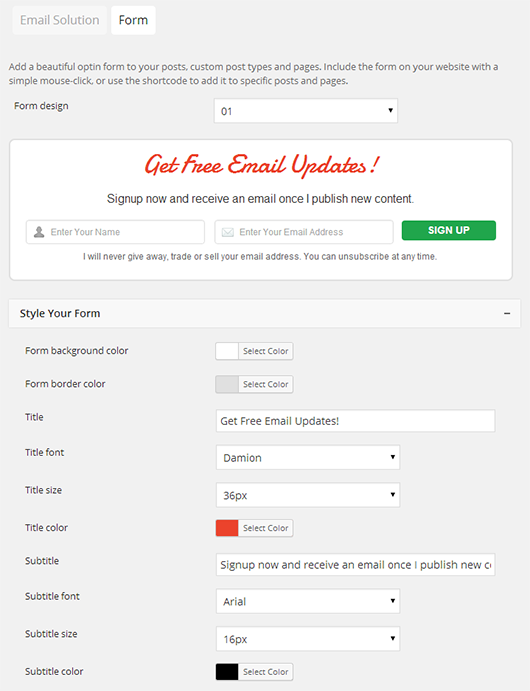
12. Ninja Forms
Price: Starts free, paid extensions vary in price
Ninja Forms is another WordPress form plugin that follows in the vein of WPForms or Gravity Forms by letting you use drag-and-drop to build your own custom forms and then hook that data up to various email marketing services, CRMs, or even Zapier or Webhooks.
Like the other two form plugins, you can also automatically pull in form submissions to your HubSpot CRM, as well.
Among other things, you can use Ninja Forms for:
- Contact forms
- Email opt-in forms
- Surveys and polls
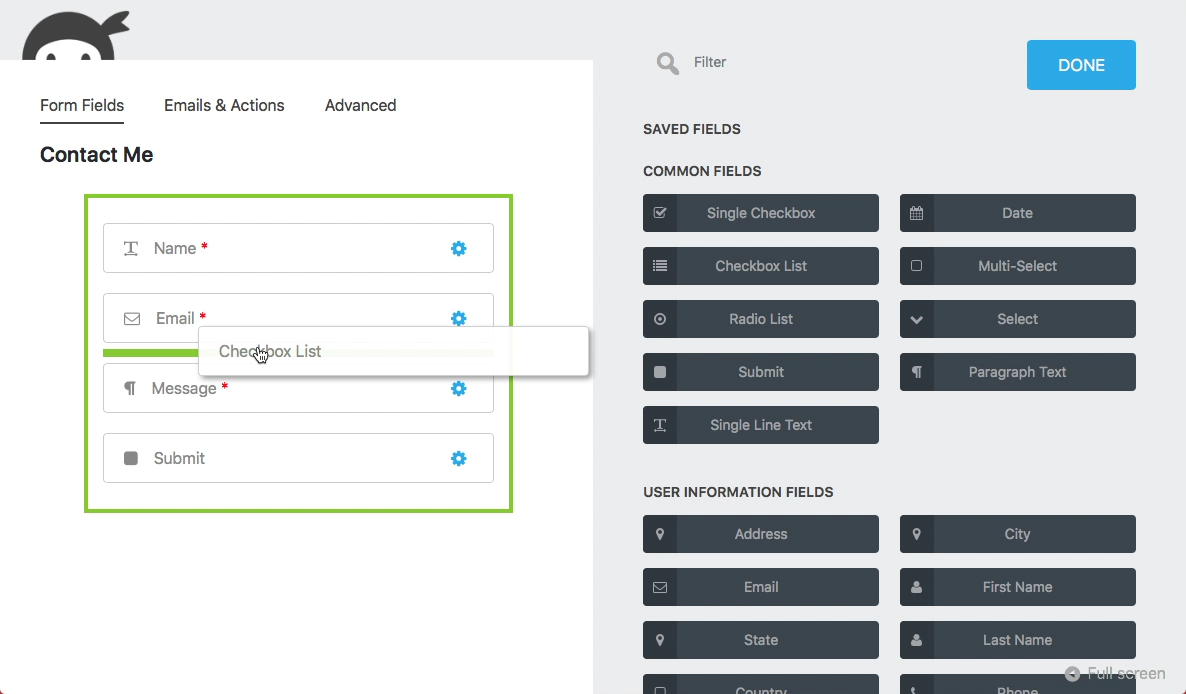
13. OnePress Opt-In Panda
Price: Starts free, premium version costs $26
OnePress Opt-In Panda helps you capture leads by locking parts of your content behind a lead capture form. In order to “unlock” the content, your visitors will need to enter their email addresses. Or, with the premium version of the plugin, you can also add custom fields to collect additional information about your leads.
The plugin works by wrapping your restricted content in a short code, which means that you can restrict as much (or as little) of your content as you want.
With the paid version of the plugin, you also get other helpful features like a lead management dashboard and analytics.
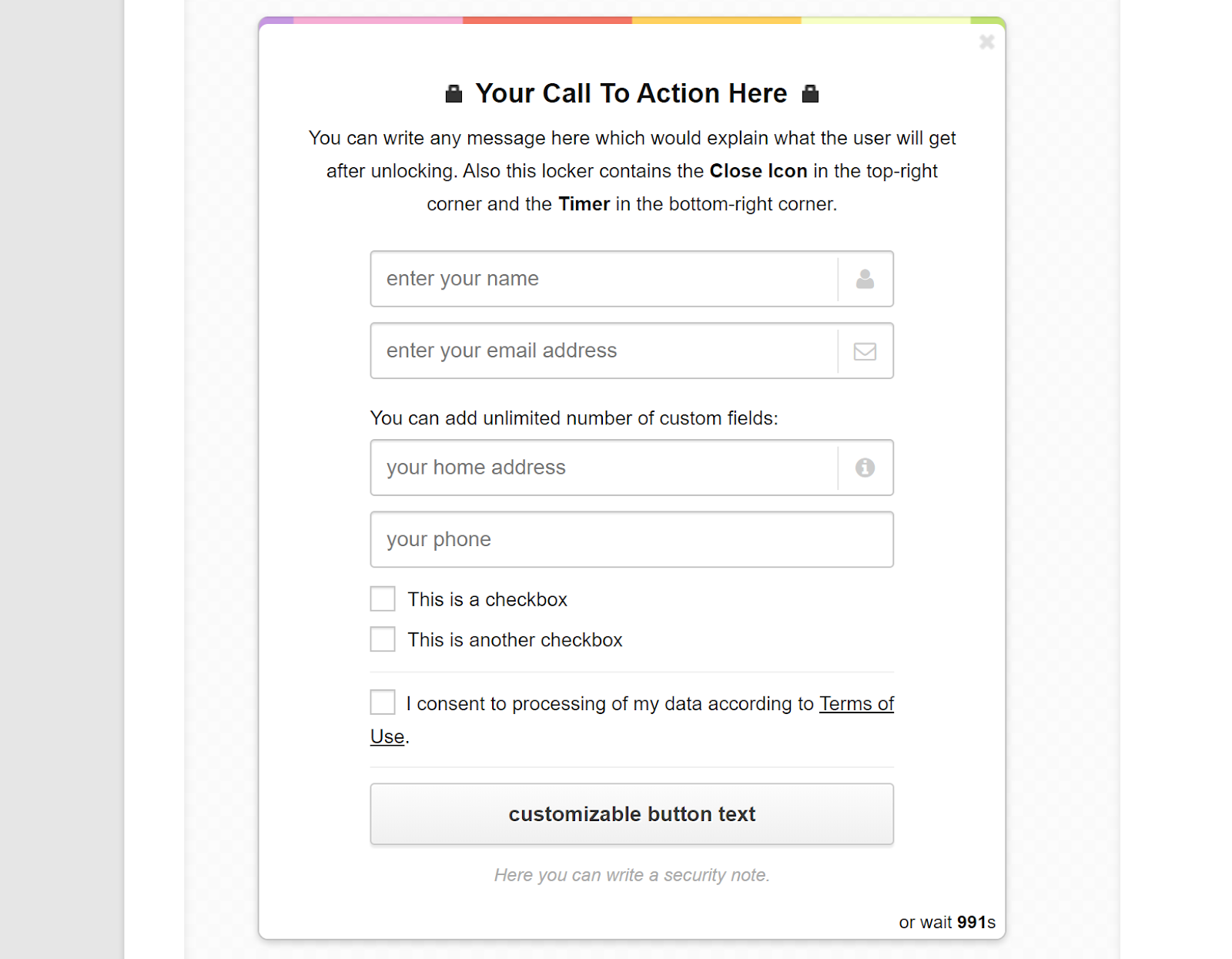
Build Your Lead Generation Plugin Toolbox
When it comes to the best WordPress lead generation plugins, you have a ton of options available and only you know which ones will best fit into your lead generation efforts.
The important thing to remember here is that you don’t have to pick just one — you can combine multiple plugins into one cohesive lead generation strategy.

What Is a Software Platform & How Is It Different From a Product?
It’s 2019, and you’re starting a business.
Before you even think about rolling out your website and making your first hire, you’re thinking about the set of tools you’ll use to power your business. Tools that can handle everything from managing your contact database to conducting online transactions to monitoring your future support team’s NPS.
Finding tools that can accomplish all these distinct needs can be challenging. Finding tools that can also play nice together can be downright overwhelming.
Enter the platform. A platform is a set of software and a surrounding ecosystem of resources that helps you to grow your business. A platform enables growth through connection: its value comes not only from its own features, but from its ability to connect external tools, teams, data, and processes.
With a platform as the foundation of your business ecosystem, you don’t have to limit yourself to one suite of products — you can add and subtract new applications and tools as your business grows and changes, without having to start from scratch again or deal with messy migrations.
As Scott Brinker, VP, Platform Ecosystem at HubSpot explains, it can be helpful to imagine a platform as a central place where different products connect:
“Almost every SaaS product today has APIs that let it exchange data with other applications. A platform, however, plays a more active role in coordinating how multiple products work together. You can picture a platform as a hub, with spokes connecting other products to its center. The hub binds those disparate products together and orchestrates them in a common mission. A platform creates a stable center of gravity for your tech stack “
So, how exactly does a platform differ from a product?
In simple terms, a software product is a set of tools from one company that comes in one package. Everything contained within that package is designed to work together, but it can be challenging to add on new tools that didn’t originally come in the package.
For example, if you wanted to add a new help desk tool that works directly with your existing CRM, you’d need to build an integration that can connect the new tool to your existing product suite. The help desk tool wasn’t originally designed to work with your product suite, but an integration can effectively enable them to pass information back and forth.
One-off integrations are useful if most of the tools you need already exist within your product suite, but they can get complicated fast and become difficult to troubleshoot. As your business grows, your needs will inevitably change, and the tools that worked for you originally might not be enough to keep you up and running. You’ll need to supplement your original product suite with more outside tools — and that means more integrations.
 A platform offers a different, more straightforward approach to managing your growing business. Instead of purchasing a box of tools, a platform is more like an electrical outlet with the potential to easily plug in as many tools as you need. Products require integrations (sometimes custom, complex ones) to connect different tools, but platforms are designed from the start to help different tools work together and share information more easily.
explains, “‘Does X integrate with Y?’ is a deceptively oversimplified yes/no question. In the cloud, the answer is almost always ‘yes.’ It’s kind of like calling a restaurant and asking if they combine ingredients together. Sure they do. But how tasty is the meal? How attentive is the service? How reasonable is the price?” In other words, the
way you connect your tools matters just as much — if not more — than the tools themselves.
If you’re just launching a business, it can be tempting to start small and purchase a contained set of basic tools in a software product suite. But if you plan on growing your business — and I bet you do — the tools that get you started are not the tools you’ll need down the line. To truly solve for future growth, you need a way to easily connect different tools in one central place, without custom integrations that require a full-time employee to troubleshoot and maintain.

5 Ways to Increase Sales With Instagram
Want to sell more of your products or services on Instagram? Looking for ideas to help increase your sales? In this article, you’ll find out how to foster a shopper-friendly Instagram presence. #1: Turn Your Instagram Profile Into a Storefront The first step to turning your Instagram followers into customers is to build a creative […]
The post 5 Ways to Increase Sales With Instagram appeared first on Social Media Marketing | Social Media Examiner.
from Social Media Marketing | Social Media Examiner https://ift.tt/2xdGszp
via socialmediaexaminer
16 Stats That Prove the Importance of Local SEO
When you’re looking for a local business that’ll fix your favorite pair of shoes, sell you the book your friend recommended, or bake a spaceship-themed cake for your kid’s birthday — how do you find it?
You pull up your favorite search engine for a little online research, of course.
Your customers are no different. When they’re looking for a product or service similar to what your local business sells, they’re going online to find it.
Did you know that 88% of consumers who do a local search on their smartphone visit or call a store within a day? In fact, nearly 46% of all Google searches are seeking local information.
A strong local SEO strategy is key to driving more people to your store, whether you have one storefront or five hundred. Take a look at these 16 local SEO facts and see why utilizing SEO could help your organization. (And to learn which parts of your site to optimize for local searches, check out this post.)
16 Local SEO Stats
- 46% of all Google searches are looking for local information. (Source: GoGulf)
- 72% of consumers that did a local search visited a store within five miles. (Source: HubSpot Marketing Statistics)
- 97% of people learn more about a local company online than anywhere else. (Source: SEO Tribunal)
- 88% of searches for local businesses on a mobile device either call or visit the business within 24 hours. (Source: Nectafy)
- 61% of mobile searchers are more likely to contact a local business if they have a mobile-friendly site. (Source: HubSpot Marketing Statistics)
- By 2021, mobile devices will influence more than $1.4 trillion in local sales. (Source: Forrester)
- 18% of local smartphone searches led to a purchase within a day, whereas only 7% of non-local searches led to a sale. (Source: Think with Google)
- 78% of location-based mobile searches result in an offline purchase. (Source: SEO Tribunal)
- “Near me” or “close by” type searches grew by more than 900% over two years. (Source: Chat Meter)

- 72% of computer or tablet users and 67% of smartphone users want ads that are customized to their city or zip code. (Source: Think with Google)
- By using location-based coupons on mobile can lead to a 9916% increase in incremental mobile revenue. (Source: WordStream)
- Local searches result in purchases 28% of the time. (Source: Joel House Search Media)
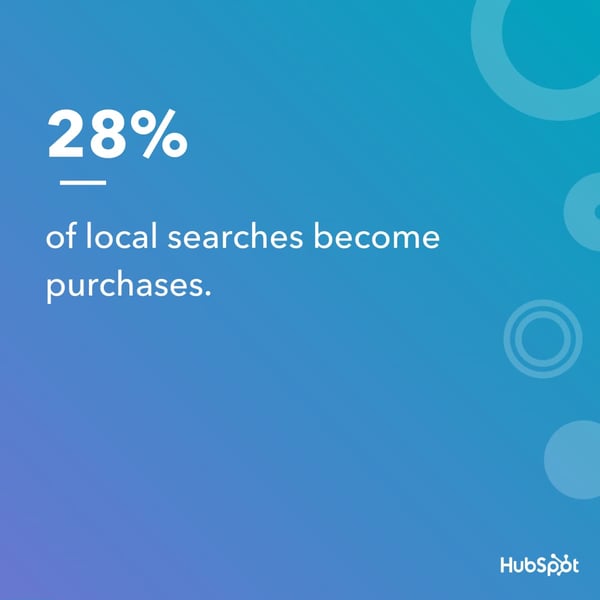
- Search result information will send 70% of consumers to a physical store. (Source: Joel House Search Media)
- 92% of searchers will pick businesses on the first page of local search results. (Source: SEO Expert)
- Global retail ecommerce sales will reach $4.5 trillion by 2021. (Source: HubSpot Marketing Statistics)
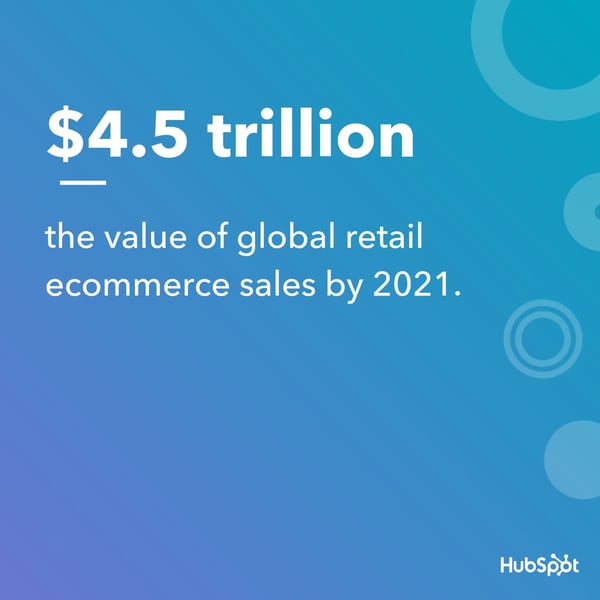
)
16. 4 in 5 consumers use search engines to find local information. (Source:
Think with Google)

Why HubSpot is Partnering with WP Engine
Something magical happens when a CMS meets a CRM. Everything grows better. That’s why I could not be prouder to announce that HubSpot is partnering with WP Engine to turn WordPress websites into customer-focused growth engines.

When there’s a lot of friction in your company’s customer experience, people spread the word. Fortunately, the same is true when customers have a positive experience with your company — they tweet, post on LinkedIn, and rave to their friends, family, and colleagues about why they love doing business with you.
It’s this focus on the customer experience throughout marketing, sales, and services that puts force into your flywheel, turns your customers into promoters, and drives a growth engine for your business.
Your website is foundational to your business — it’s where prospects, leads, and customers come to learn and make decisions based on the experience you provide. Whether it be learning about your team, the services and products you offer, the values your company holds, or pricing and packaging — your website is a core experience for visitors.
So, you better make it a good one.
Creating a good website experience relies on understanding the context of each visitor. To do that you need to pair a top-class CMS with a powerful CRM. The new HubSpot and WP Engine partnership does just that.
For you — that combination means you’ll get a 360-degree view of the customer experience from prospect to lead to customer. You can see what webpages prospects visit and what forms they fill out to understand their interests. That information empowers your sales team to have more relevant conversations with prospects. When those conversations are logged in your CRM, your services team will also have full context on the customer and insight into their path. That kind of context and alignment is what turns a first-time visitor into a happy customer and promoter.
For your customer — this alignment means a fluid, personal, and consistent experience with your organization across their customer journey. It’s as simple as that.
Today, WordPress powers 34% of all websites on the internet. I am so excited that HubSpot is partnering with WP Engine, the WordPress digital experience platform, because more and more of those sites will now be able to plug into a free CRM that can bring that fluid, personal, and consistent experience to life.
Your site shouldn’t just host content and be a source of information, it should be a source of growth for your company by being the point where conversations with prospects start and where relationships with customers grow. Having growth tools and a CRM embedded directly in a CMS theme makes this possible. Through an integrated CMS and CRM, you can remove friction and create a connected, personalized, and helpful experience for your customers.
How We’re Working Together

The combination of the HubSpot CRM and the HubSpot plugin for WordPress allows you to connect your WordPress website to your HubSpot account, which creates an easy to use solution for lead capture and contact management.
All the features of the plugin are built on top of the free, fully-integrated HubSpot CRM, which gives you a full view of your customer’s journey and empowers you to better customize and personalize your interactions with customers.
The HubSpot plugin for WordPress is now available for all StudioPress themes and gives you access to these tools:
- Forms and pop-up forms for better lead capturing on websites.
- Live chat to interact with website visitors in real time and bots to provide an automated response after-hours.
- Automatic syncs with HubSpot CRM that provide the full context across all forms, pop-up forms, and live chat interactions.
- Simple email automation to quickly engage with leads after each form submission.
- Visitor tracking and lead intelligence for insight into which pages contacts view on websites for better personalization.
Why WP Engine?
WP Engine is one of the leaders for SMB WordPress hosting and provides managed WordPress hosting for mission-critical sites around the world.
WP Engine’s exceptional growth combined with their top-notch customer service and company culture made it clear that we share a commitment to customer-centricity. With yesterday’s acquisition of Flywheel, the company is well positioned to continue on that trajectory.
HubSpot and WP Engine have a long history together. Jason Cohen, WP Engine’s founder and CTO, and Dharmesh Shah, HubSpot’s co-founder and CTO, have known each other since before WP Engine’s founding and both were committed to starting and leading companies that focused on making their customers more successful, building relationships by doing the right thing, and focusing on the long-term even when it’s not the easiest path. This shared ethos combined with their WordPress hosting leadership made partnering with WP Engine an easy choice.
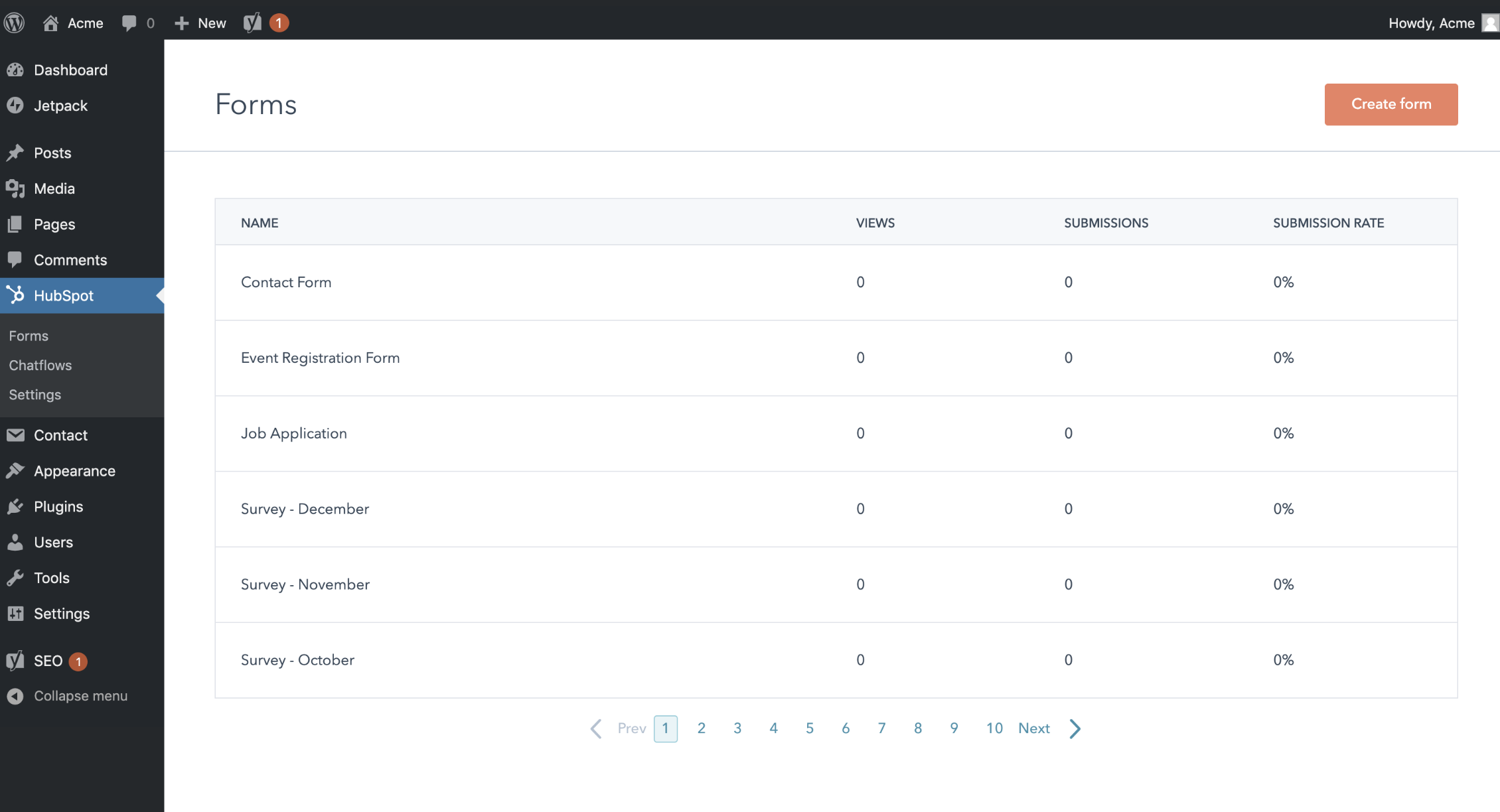 HubSpot offers a CMS of its own, but wants to empower customers to use the tools that best suit their needs. For some, WordPress solves their CMS needs and for others the HubSpot CMS is the right choice. We want to ensure both sets of customers have access to the most fully integrated marketing, sales, and service platform to grow their businesses.
I’m excited about the immense value HubSpot and WP Engine’s joint customers will gain from this partnership.
Some things just go together. When HubSpot and WordPress combine, we can deliver more value than the sum of our parts. I believe that as a result of this new partnership with WP Engine, 1+1 will equal 3 for users of both platforms and their customers.
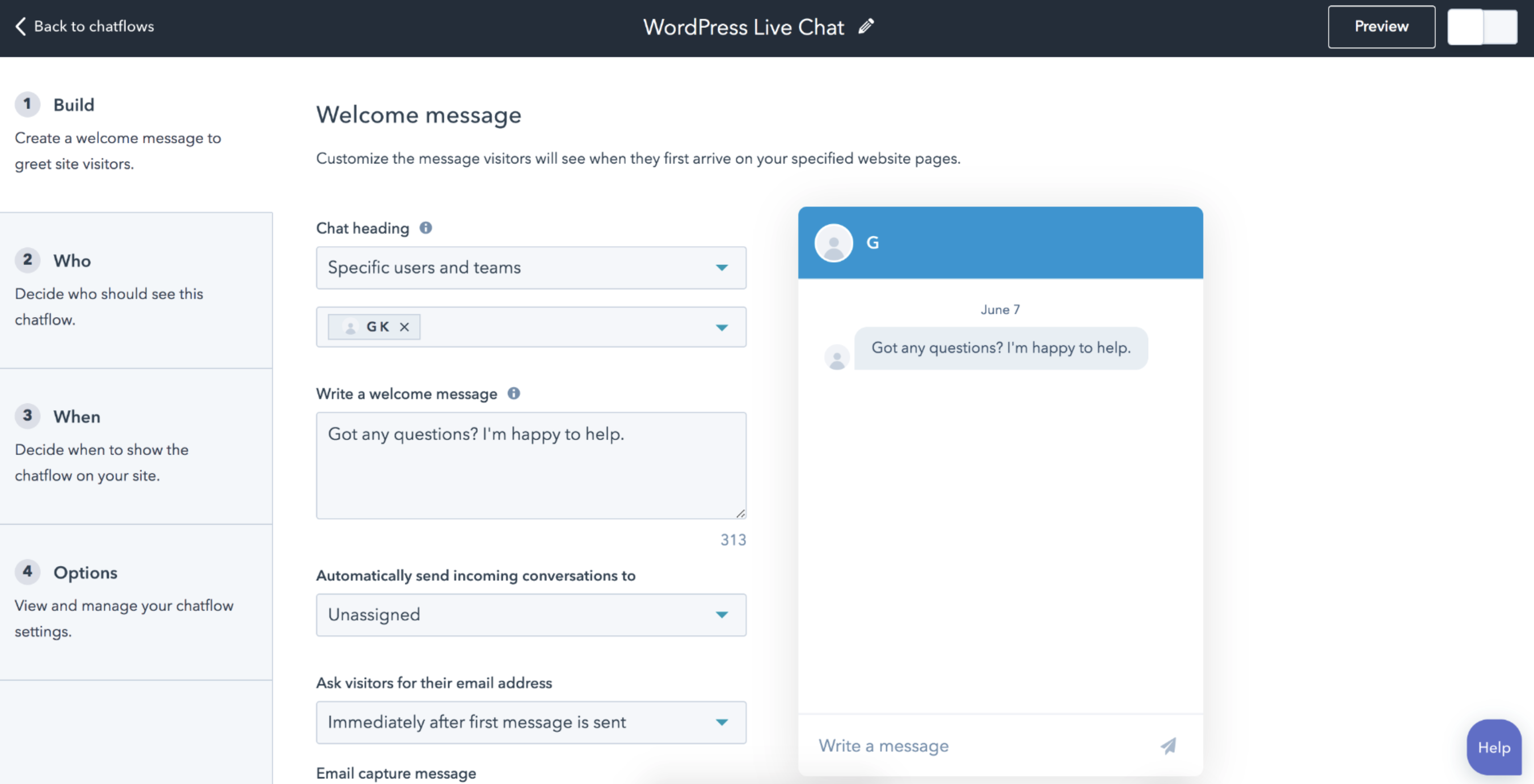
This piece originally appeared in Medium.

Why Outsourcing Your Lead Generation Strategy Might Be a Good Idea
Lead generation is an undoubtedly critical component to any marketing strategy — in fact, 85% of B2B marketers say lead generation is their most important content marketing goal.
However, lead generation can be time-consuming and challenging, particularly since there’s no one-size-fits-all answer when it comes to lead generation.
If you own a business or lead a marketing department, it’s vital you assess the extent of your capabilities to decide whether it makes more sense to hire and train someone in-house to market and sell your product, or whether you should outsource your marketing and lead generation efforts.
There are advantages and disadvantages to outsourcing, and the back-and-forth confusion between “I should do it myself” and “I should trust someone else to handle it” is a struggle many marketers face when deciding how to improve their lead generation efforts.
Here, we’ll explore the benefits to outsourcing your lead generation to help you decide whether it’s a good option for your team, or whether you can accomplish your company goals in-house.
But first — what is outsourcing?
What is outsourcing in marketing and lead generation, anyway?
If your company is a business-to-consumer model, there’s no room for outside lead generation.
Additionally, if you have invested heavily in training an in-house marketing and sales team, or if your team has accumulated thorough knowledge and expertise of your product, the benefits of not outsourcing will greatly outweigh the cost of hiring and training those team members.
In-house lead generation offers the most control when you need to be able to analyze your lead generation tactics and make changes on the fly, or if you want to track your marketing team’s work and progress closely.
However, other companies — often to their surprise — find that the benefits of outsourcing lead generation actually surpass the costs.
If you’re hesitant to outsource because of budgetary concerns, consider this: keeping lead generation in-house means that you will have to hire, train, and pay at least one team member solely for that purpose. Effective training can take as long as a year, and there is still the cost of overhead to consider.
Companies that want to save money often turn to outsourcing lead generation in order to get more bang for their buck. For companies whose sales reps have less than a year of experience, outsourcing will likely garner them more leads because of the vendor’s advanced skills and familiarity.
Working with the right sales-development representatives and setting specific criteria means that you will have as much control as you would if they were in-house — if this is the case, outsourcing might be a smart strategy.
Additionally, your in-house marketers might know your product too well. Mistakes are made when you start assuming that your customers know just as much about your business as you do.
That way of thinking hurts your business. In marketing, your primary assumption should be that your customers know nothing about your products or services.
This presents an opportunity to slow down and question how you can best educate your prospective buyers. 63 percent of companies report that their top marketing challenge is generating traffic and leads. Are you targeting those who will appreciate details and data? Is your audience composed of C-suiters who prefer a good narrative?
To get positive results from your lead-generation efforts, you must be willing to take the time to get to know all aspects of your audience — and also teach them about you. Sometimes, a little help from a third-party resource can make a huge difference.
So, that leads us to the big question — when should you outsource?
When to outsource — and when not to.
One of the main things you need to consider when deciding whether to outsource is your staffing. Do your current team members have the skills and capacity needed to take on the task?
You’ll want to consider in-house lead generation when …
- You can dedicate an experienced, full-time team to it. In order to make lead generation work as it should, you need at least two or three employees who can focus solely on targeting, content, domain, and scheduling logistics.
- Your primary leads are coming from inbound marketing: people who have indicated that they want to hear from you by completing a form on your website, for example.
Outsourcing your lead generation makes sense when …
- You don’t have the resources to devote to staffing a full internal department.
- Your lead generation needs center on cold calling and booking appointments.
- You have a rock-solid process for qualifying leads, and you’re confident you can create one for lead generation with all parties involved.
If your needs don’t quite fit either category …
- Consider a bridge. Email can be effective as a lead generator, especially to certain demographics. More than half of surveyed consumers in the U.S. check their personal email accounts more than 10 times per day. They strongly prefer email for receiving updates from brands. If you use email as your primary vehicle to prospect, make sure you’ve assigned someone to monitor your inboxes full-time to respond and schedule meetings in a timely fashion.
The benefits of outsourcing lead generation can add up. Outsourcing can save time on prospecting, identifying the most qualified leads, and setting up meetings between those leads and your rock-star salespeople. Together, your outsourced lead generation and internal sales teams can work to reduce ramp time and achieve a reasonable lead efficiency, making your growth goals more attainable.
Whether you ultimately choose outsourced B2B lead generation, an in-house team, or a combination of the two, the biggest mistake you can make is overestimating benefits and underestimating costs. Lead generation takes resources, effort, and patience.
A business can’t devote 10 hours a week to lead generation and expect to see success. It requires a cross-section of experience, knowledge, and talent across disciplines to create an effective process.
When you’re running through your list of outsourcing considerations, know that you can’t go wrong with first-rate resources and a strong set of guidelines. Closely consider the advantages and disadvantages of outsourcing to find the balance of keeping what you do well under your roof, and outsourcing secondary priorities that a provider can do better.
To learn more about lead generation, check out Lead Generation: A Beginner’s Guide to Generating Business Leads the Inbound Way.

The Best 7 Ecommerce Software in 2019
Ecommerce is a rapidly growing industry — in fact, online sales grew at almost four times the rate of total retail sales in 2018 and accounted for over half of the retail industry’s growth.
As demand for ecommerce increases, so does the number of software tools and platforms designed to help businesses capture leads, generate revenue, and grow. Finding and using effective ecommerce platforms can help your organization tap into the more than $500 billion consumers spent online last year.
If you’re shopping around for the best application to support your ecommerce business, you might be overwhelmed by the number of tools to choose from in 2019. For example, some platforms are specialized for specific functions like building a website or analyzing traffic, while others integrate multiple components into a one-stop shop.
Here, we’re going to show you some of our favorite ecommerce software for 2019, and help you decide which ones can help your organization grow better.
Online Point-of-Sale
1. Shopify
Spotify is one of the most widely recognized ecommerce platforms due to its comprehensive tool bundling and usability. Its easy-to-use software allows customers to create an intuitive online store, even if they have no technical experience.
The point-of-sale web hosting platform offers a suite of tools for businesses to sell their products — including branding, selling, and order management. Shopify helps its customers jumpstart their business with custom logos, names, and web domains before helping to scale their business by selling and marketing products on major sites like Facebook, Amazon, and Pinterest. Shopify is a comprehensive toolkit to help businesses do everything from building brand presence to payments and shipping.
Image courtesy of Shopify.
Pricing: A basic account is $29 per month, and advanced is $299 per month.
2. BigCommerce
BigCommerce is another online interface designed to help customers sell and grow their businesses through a website builder, customizable checkout processes, and SEO support.
The platforms offers inventory tracking and Amazon integration for ease of selling. BigCommerce also offers other integrations — Google Shopping, Mailchimp, and Instagram Shopping, to name a few — to reach your target audiences where they are.
No matter your coding experience, BigCommerce supports ready-made templates that can be tweaked as necessary. Known for its fast processing speed, BigCommerce is especially useful for new companies looking to demonstrate their brand as reliable and speedy.

Image courtesy of BigCommerce.
Pricing: Standard is $29.95 per month, Plus version is $79.95 per month, and Pro is $249.95 per month. Alternatively, you can ask for a custom Enterprise quote.
3. Magento
Magento Commerce, which is owned by Adobe, is a platform that is highly customizable, engaging, and secure. They offer products including order management, business intelligence, and a marketplace to help scale your business.
Magento offers software for small, mid-market, and enterprise businesses, but works especially well for larger clients. Its cloud-based services affords the platform greater flexibility and agility.
Additionally, Magento has unique solutions based on organization size, need, and industry to support your specific ecommerce goals. For example, their ‘Magento for Fashion eCommerce’ platform focuses on creating a dazzling mobile experience and targeting buying options, primarily meeting the needs of retail stores.

Image courtesy of Magento.
Pricing: Ask for a quote.
Website
4. Squarespace
Squarespace is best known for its sleek and easy-to-use web page builder. The software is a leader of website design and offers drag-and-drop templates. Users can either customize their site or use Squarespace’s ready-made designs. Best of all, the tool guides businesses through SEO best practices and domain strategies to boost page awareness and brand recognition.
Organizations can now also build email campaigns through Squarespace, connect with consumers through social media integrations, and track visitor behavior. Squarespace helps entrepreneurs, artists, restaurants, and a variety of other customers create a beautiful and professional online display.
Image courtesy of Squarespace.
Pricing: $12 per month for personal, or $18 per month for business. Alternatively, you can use the Online Store for $26 per month for Basic, or $40 per month for Advanced.
5. Wix
Wix is a super simple website builder that offers features for small online businesses. Choose from over 500 sleek templates or build custom web applications from scratch with Corvid by Wix, their serverless, hassle-free coding integration. Incorporate a blog, galleries, personalized SEO, and a custom domain to make an attractive and effective website.
Wix has ecommerce functionality and an intuitive interface for a reasonable price. It’s more effective for smaller business, but it’s difficult to scale up for larger businesses since it lacks multiple sales channels and other, more complex features.

Image courtesy of Wix.
Pricing: $23 per month for Basic, $27 per month for Unlimited, $49 per month for VIP, or $500 per month for Enterprise.
Analytics
6. Google Analytics
Google Analytics is a primary source of web analytics. The service tracks data relating to a business’s website, traffic, and user interactions. Google Analytics offers comprehensive reports and detailed dashboards to help businesses better understand the behavior of visitors and conversions.
For instance, the tool might help you better understand from which social or website sources your leads are finding your landing pages, or which blog posts convert the most visitors. If you’re looking to maintain, visualize, and implement large amounts of data, Google Analytics might be a good fit for your business. However, it can be daunting if you only need to keep track of a few insights, in which case, a simpler analytics tool might be more useful.

Image courtesy of Google Analytics.
Pricing: Free for the basic analytics tool. For Analytics 360, ask for a quote.
7. Looker
Looker is a data modeling platform that offers powerful analytics features to display business intelligence metrics on an intuitive dashboard. The software provides industry-specific insights through SQL that can inform your business decisions. For ecommerce users, Looker provides big data on how web page traffic influences conversions and how to identify trends that might boost brand performance. Through data visualization, embedded analytics, and sleek customized dashboards, Looker can help you effectively grow your business.

Image courtesy of Looker.
Pricing: Ask for a quote.
If you’re interested in growing your ecommerce website or scaling your business, check out HubSpot’s Free Inbound Marketing Software. The platform integrates an arsenal of tools that tracks a lead’s lifecycle as they transform from prospect to delighted customer. Capture, track, and analyze leads to drive conversions — all for free.

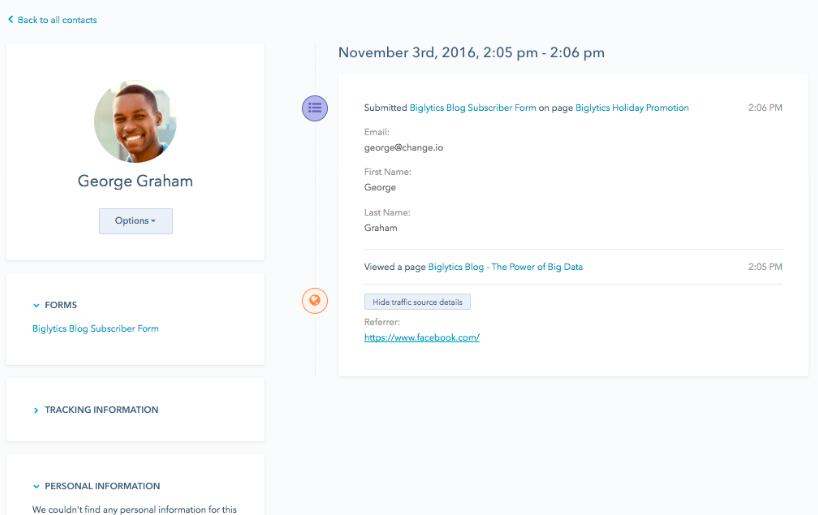

3 Ways to Improve Your YouTube Watch Time

Wondering how to make your YouTube content more viewer-friendly? Do you want to increase your YouTube watch time? In this article, you’ll find three easy ways to increase the amount of time people spend watching your videos on YouTube. Why Does YouTube Watch Time (Minutes Watched) Matter? YouTube is one of the most powerful marketing […]
The post 3 Ways to Improve Your YouTube Watch Time appeared first on Social Media Marketing | Social Media Examiner.
from Social Media Marketing | Social Media Examiner http://bit.ly/2X4FIHn
via socialmediaexaminer
UpViral
Características del Software
Públicos
Agencias
Autónomos / Freelancers
Bloggers
Consultores
Desarrolladores
Diseñadores
Emprendedores
Marketers
Negocios Locales
Profesionales SEO
Publicistas
eCommerce
Qué es UpViral
UpViral es un software de marketing online que permite a los propietarios de un sitio web crear concursos o sorteos con el fin de aumentar el número de suscriptores y/o visitas hacia dicho sitio. El software está diseñado no solo para efectuar el evento en sí, sino también para controlar el tráfico generado a partir él.
Cuando realizas un concurso o sorteo con UpViral, las personas que navegan en Internet, o sea, tus clientes potenciales, pueden participar en él compartiendo el contenido, generando un nuevo cliente potencial o visitando una url.
Con rápidos servidores que soportan un sistema basado en la nube, UpViral te permite controlar cada detalle de tus competiciones y de sus respectivos premios desde cualquier lugar y/o dispositivo. Además, está optimizado para integrarse automáticamente con las principales redes sociales: Facebook, Google+, Twitter, Pinterest y LinkedIn.
Es, sin duda, una herramienta muy sencilla para hacer una campaña promocional sin la necesidad de un programa publicitario. Basta con seleccionar entre sus plantillas de diseño el tema que más se adecua a las características de tu sitio web, e instar a los demás a compartirlo a cambio de una tentadora recompensa.
from Socialancer http://bit.ly/2ZQVTK5
via
How to Launch a New Product [Free Checklist]
Like a tree falling in the woods, if you launch a product without spreading the word — will anyone use it? Will anyone even want it?
Probably not. Whether you’re launching something huge, something small, or you’re updating a current offering, you’ll want to start your preparation well in advance of the launch date. This includes nailing down your positioning and messaging, sharing that with key teams and stakeholders, listing out all the launch activities, creating assets and content, prepping everyone involved in the launch, and so on.
Because there are so many moving parts in this process, bringing your product to market can be intimidating and tricky. To help you, here’s a step-by-step checklist for a successful product launch.
1. Learn about your customer.
Whether you call it “market research,” or “customer development” it’s key to learn about what drives your customer. Identifying their goals, motivations, and pain points could lead you to developing and marketing a valuable solution.
You don’t need to perform years of intense research to learn about your customer. In fact, we suggest just talking to 12 to 15 current or prospective customers.
When speaking to them, pay extra attention when they start sentences with “I wish a product did this function…” or “Why can’t products do this?” When they give these statements, respond with questions that go deeper, like “Can you get more specific about that?” If they don’t bring up any pain points, ask them a few specific questions that will encourage them to give deeper answers.
These conversations will give you a solid idea of what their biggest pain points are and how you can market a solution to them. Once you learn these key details about your customers, you can develop a buyer persona that your team can focus on serving.
2. Write a positioning statement.
Write out a statement that can clearly and concisely answer these three questions:
- Who is the product for?
- What does the product do?
- Why is it different from other products out there?
If you’d like to go even deeper, create a statement that answers the following questions:
- What is your target audience?
- What segment of the target audience is most likely to buy the product?
- What brand name will you give your product or service?
- What product or service category does your product lie in?
- How is it different from competitors in the same category?
- What evidence or proof do you have to prove that your product is different?
Still need more guidance on how to write a positioning statement? Check out this template.
3. Pitch your positioning to stakeholders.
Once you’ve established your position statement, present it to stakeholders in your company so they are all on the same page.
If your employees have a hard time buying into the product, your customers might as well. If your team loves it, that might be a great sign that the product launch will go well.
4. Plan your go-to-market strategy.
This is the strategy that you will use to launch and promote your product. While some businesses prefer to build a funnel strategy, others prefer the flywheel approach.
Regardless of which method you choose, this process contains many moving parts. To create an organized strategy for launching your product, it can be helpful to use a template, like this one.
As you create the strategy, also start considering which type of content you’ll use to attract a prospective customer’s attention during the awareness, consideration, and purchase decision stage. You’ll need to produce this content in the next step.
5. Create promotional content.
After planning out your go-to-market strategy, start producing content that will support and align with those promotional efforts. This can include blog posts related to your product or industry, demos and tutorials, and landing pages.
Our go-to-market template will also help you determine which content you should create for each phase of your prospective customer’s buyer’s journey.
6. Prepare your team.
Be sure that your company and key stakeholders are ready for you to launch and begin marketing the product. Communicate with the company through internal presentations, Slack, or email to keep your company in-the-know of your launch plan.
7. Launch the product
Once you’ve completed all the above steps, you can launch the product. After you launch, track how the go-to-market strategy is performing. Be prepared to pivot or adjust aspects of your plan if they aren’t going smoothly.
If you’re looking for templates to coordinate your team efforts and align your company around your new product’s messaging, download our free product marketing kit below.

13 Types of Blog Headlines That’ll Get You More Traffic [+ Examples]
Fewer people read your blog posts than you think. More people read your headline than you think, too.
You might not realize it, but your headline could be the reason you’re losing traffic. In fact, on average, only 20% of those who read your headline will click through to read your article. That means good headlines lose 80% of your audience.
Great headlines, though, can make a dramatic impact in the opposite direction. You can increase the traffic to your articles by as much as 500%, based solely on the headline.
Not only does the headline affect click-through rates, but it sets the tone and establishes the key subject of the article. points out , a title can have a huge impact on what the audience takes away from an article.
Discussing her article, “A Gene That Makes You Need Less Sleep,” Konnikova said, “If I had instead called it “Why We Need Eight Hours of Sleep,” people would remember it differently.”
What makes a great headline?
That depends on who you’re writing to, and where they’re reading it.
As a marketing consultant, my job is to help companies grow. The content I help them create must accomplish two things:
- They must appeal to their target personas.
- They must promise to provide value to their target personas.
When I talk about the greatest headlines of all time, it gives a connotation of the most creative titles. If I was writing about creative titles, I would go with something like, “Why My Cat Has a Savings Account,” or “In Defense of the Figurative Use of Literally.” These are both intriguing and creative titles.
But these kinds of titles don’t appeal to SEO, and they don’t address the problems my clients are facing. Too many marketers make their titles too cute to be effective.
The best headlines are the ones that capture the pain points of your target personas and introduces a topic that will make their lives better. And it must be compelling.
If your headline is not compelling, you’ll lose up to 80% of your audience.
1. The ‘Best’ Headlines
These headlines are powerful for SEO. These types of headlines speak right to the common web searches of your customers. Consider this — if you’re searching for ways to save money, wouldn’t you be intrigued by the best way? Or would you be satisfied with any old way?
These headlines are typically exact-match searches; starting off with the words, “the best way to…”
Example:
2. The ‘Make My Life Easier’ Headlines
This is the little sister to the ‘Best’ headlines. If your customers are facing problems, they don’t always want to know the best way to do something. Sometimes, they want to know the easiest way.
Personal Story
At one point, I worked as the internet sales manager at a car dealership. I found a lot of our customers weren’t interested in the best way to buy a car, which is save money and pay cash.
They were very interested, however, in the easiest way. Our most successful content was helping our customers do things easier.
Example:
3. The ‘It’s a Race’ Headlines
Sometimes people don’t want the best, and they don’t want easy – they want fast. In some industries, you see personas that are always in panic mode, needing something done yesterday.
The plus side of “fast” content is, it means they will jump through the buyers’ journey much faster if you can prove the value of your product or service.
Example:
- The Quickest Way to Deliver Your Message? Make It Visual. (ironically, this article has 0 visuals.)
4. The ‘If I Were You’ Headlines
Most of us share a desire to improve. We want to be more productive and more successful. We all would love to accomplish more in less time. And, we all want to be good at what we do. It’s those desires that make the, “If I were you…” headlines so powerful.
When someone tells us how we should do something, we balk. When someone offers to show us why we should do something, it appeals to us. It speaks to the reasons and motivations we should adopt a new idea, or change our current ones.
Example:
This title, in particular, was especially powerful to me for two reasons. The first, was the context of the article; it appeared on LinkedIn from a very popular marketer.
The second reason was because it caused cognitive dissonance – Facebook is one of the largest platforms available to marketers, yet this title says I should walk away and forget it. And it worked. This post was viewed around 300,000 times.
5. The ‘What We Do When…’ Headlines
Transparency is a new paradigm in marketing. For years, companies have done all they could to keep their “secret sauce” hidden from the public. What companies have started to realize is, the real secret sauce is trust. And every company has access to it if they want it.
Transparency is one amazing way to build that trust. Buffer, for instance, has championed transparency. As a result, they have built an amazing company culture, as well as a rabid fan base of customers.
Buffer reveals things most CEOs would laugh you out of the room for sharing. They share everything from their revenue earnings to how much they pay their employees.
And it works.
Example:
6. The ‘Backed By Science’ Headlines
Humans have a thing called a learning bias. No matter how wise a saying is, we are much more apt to accept it as true if we trust the source. Not only that, but we’re fascinated by ultimate truths that spur us into action.
For example, if you can prove through research that waking up to Mozart translates to more energy in the morning, iTunes will light up with Mozart-seekers.
Why not do the same with your product or service? How is it going to make someone’s life better? Share that, but base it on research.
Example:
7. The ‘Why X People Do X’ Headlines
This title appeals to our desire to be the best. As Brian Tracy in his book, Change Your Thinking, Change Your Life, says, “The people you most admire and look up to have an inordinate amount of influence on how you think and feed about yourself, and the kind of decisions you make.”
If your title can appeal to the kind of people your audience look up to, it can be a powerful incentive to read more.
Example:
8. The ‘Experience Has Taught Me Well’ Headlines
Experience is the best teacher. But sometimes, the tuition is just too high. Smart people learn from other’s mistakes. They also learn from other’s success.
These titles speak to the problems your target personas are facing and promise to deliver insight on how to deal with these problems.
Example:
9. The ‘Let Me List Them Out For You’ Headlines
For some reason, we like list posts. They appeal to a wide audience and inspire a lot of clicks compared to other types of articles. Which is why blogs like buzzfeed constantly use them.
Example:
10. The ‘Don’t Be Stupid’ Headlines
The most compelling headlines are those that appeal to our desire to be accepted. We don’t want to look like fools. Headlines that connect to that desire are extremely compelling. When you mention mistakes, we all want to ensure we’re not making them, especially if they are well-known.
Example:
11. The ‘Don’t Be Ignorant’ Headlines
We don’t want to be the last to know. We don’t want to be left in the dark, especially if our colleagues know something, we want to be in the loop. So do our customers.
If there is something they should know, we should be writing about it.
Example:
12. The ‘Everyone Loves Competition’ Headlines
This is a powerful title option. It allows you to replace third-party, uncontrollable reviews of your product or service with reviews you can control. Not only that, but it can steal traffic from your competitors as well. In very competitive spaces, these types of headlines perform very well.
Marcus Sheridan, of The Sales Lion loves these types of articles. Don’t get him started on talking about Yelp. Instead, write some comparative articles and use these headlines to drive organic traffic from your competitors’ websites.
Example:
13. The ‘Click Bait’ Headlines
Deep down inside, humans are just as curious as cats. Headlines that appeal to our inner feline are super powerful.
Some people, such as Upworthy, have mastered the art of sparking our interest. They create titles that dangle a carrot in front of us, forcing us to click through to get it.
If you’re going to use this tactic, you better deliver content that excites as much as the title. If not, you’ll just annoy your audience. I’ve started to loath these headlines, because more and more people are using them and not delivering on the anticipation.
It’s annoying.
So why do people do it? It brings clicks.
These types of headlines work. Period.
Headline Examples
Study Less, Study Smart: The Best Ways to Retain More in Less Time
This is an example of a ‘Best’ headline, something that has a ton of search volume and is extremely clickable — what are the best ways to study?
7 Ugly Truths a Pretty Website Can’t Hide
‘Let Me List Them Out For You’ headlines like this one get a lot of clicks because lists are consumable ways of getting information.
After A Lioness Killed A Baboon, This Baby Was Left All Alone. What Happened Next Is Unbelievable.
How could you not click on a title this compelling? This ‘Click Bait’ headline is (annoyingly) effective.
10 Productivity Strategies Backed By Science
Consumers are looking for proven and trusted answers, so any ‘Backed By Science’ headline like this will likely get a lot of attention.
Two Photographic Tools That Have Made My Job Way Easier
This is a ‘Make My Life Easier’ headline because it offers a solution to a need, and making life however much easier can be greatly appreciated.
7 Things You Need to Know About Narcissists, From A Psychologist’s Perspective
This ‘Don’t Be Ignorant’ headline makes consumers feel like they need to click on it and be ‘in the know’.
Parenting Lessons I Learned From a Waldorf Kindergarten
‘Experience Has Taught Me Well’ headlines share personal stories and advice based on experience — a headline that is both informative and personable.
What We Do When (Almost) Everyone Gets It Wrong
This transparent headline builds trust with its audience, so it must be a ‘What We Do When …’ headline.
Why Successful People Never Bring Smartphones Into Meetings
We all want to know how other people ‘made it,’ and this ‘Why X People Do X’ headline gives insight into how they, too, might be successful.
9 Resume Mistakes That Might Cost You a Job
This ‘Don’t Be Stupid’ headline influences consumers to click out of anxiety — no one would want to make this costly mistake.
Responsive vs. Adaptive Web Design, Which is Best For You?
This headline pits products against one another while capturing traffic for both services, so it can only be a ‘Everyone Loves Competition’ headline.
How To Craft the Perfect Headline
Which version of these headlines work the best? That depends on what the writer is trying to accomplish. Some are better for SEO while others are better for attracting people’s attention from social shares.
Here’s how to choose which type of headline to use:
- Ask, “what is the single, most important point I want my readers to take away from this article?”
- Decide the best way to communicate that single takeaway.
- Write 25 headlines for each piece of content, then choose the best.
- Ask others. Give them your ideas, and see which one they like best. Always ask why.
- Keep a log of which types of headlines work best for your target personas. Use them shamelessly.

11 Things Great Managers Never Say to Their Teams [Infographic]
There’s a popular saying that goes, “Employees don’t quit their jobs, they quit their managers.”
In a perfect world, managers would always be cool under pressure, as well as a constant source of inspiration. Unfortunately, we don’t live in a perfect world. It can be challenging as a manager to always say the right thing, especially when you’re juggling multiple priorities.
Additionally, managers are ultimately accountable for the success of their team — in fact, research shows that the key difference between a disengaged team that underperforms and an engaged team that delivers is the manager.
As a manager, the single most powerful tool you can use to help strengthen your team’s skills is your feedback. Your employees rely on your words to see their blind spots, understand where they add value, and learn what they can do to improve.
Since your words carry a ton of power as a manager, Headway Capital put together this infographic to show you 11 things you should never say to your direct reports, how to apologize if you got it wrong — and, ultimately, what to say instead.

