
Welcome to My Blog
5 Popular Job Boards That Will Help You Hire The Most Qualified Candidates
As a recruiter, your job isn’t just limited to finding qualified candidates to fill your company’s new roles. You also have to promote these roles and convince the best applicants to join your company. In other words, you’re not just a recruiter — you’re also a marketer and a sales person.
As a marketer of your employer’s mission and culture, you need to think like a content strategist, especially during the digital age. But instead of posting content on social media and search engines to attract the best fit customers for your company, you need to post compelling ads on job boards to persuade the most competent candidates to apply for your open roles.
But how do you do know which job boards will pull in the most accomplished applicants? To help you spend your time and recruiting budget wisely, we’ve compiled a list of the best job boards that will help you attract the most qualified candidates.
5 Best Job Boards
- Glassdoor
- LinkedIn Jobs
- Indeed
- Handshake
- Google Job Search
1. Glassdoor

As one of the most popular job boards out there, Glassdoor has over 62 million job seekers visit its website each month, giving you access to one of the largest and most diverse pool of applicants.
Glassdoor is usually the go-to resource for people to find jobs, so you’ll probably source the highest quantity and quality of applicants from the platform, which will help you hire more qualified candidates faster. According to Glassdoor’s own data, their candidates are also two times more likely to get hired and have a 30% higher retention rate than candidates on other job boards.
If you want to try out Glassdoor before you buy their premium version, they offer a free trial that lets you post up to 10 jobs and gives you job description templates. When you’re ready to pay for their premium package, the paid version lets you update and brand your company’s profile, provides robust analytics, like profile traffic, candidate demographics, and competitive intelligence, and offers sponsored job ads, which get 13 times more clicks than normal job postings.
2. LinkedIn Jobs

With a network of over 500 million professionals and nine million companies, LinkedIn naturally lends itself to connecting job seekers with employers. In fact, a hire is made on LinkedIn every 10 seconds and 90% of their users are interested in hearing about new job opportunities.
As a social media site for the working world, LinkedIn lets you search for candidates with their advanced filtering options and message them through InMail. If you recruit using LinkedIn Jobs, you’ll have access to a candidate recommendations feed and a candidate management dashboard, where you can track your candidates from application to hire.
LinkedIn also offers sponsored ad distribution through email and LinkedIn. You’ll only pay LinkedIn when people click on your job ad, so you’re paying for results, not impressions.
3. Indeed

200 million people visit Indeed’s website each month, which gives you access to the largest pool of job seekers out of all the job boards on this list.
To attract qualified candidates on Indeed, you can customize your company page to showcase your culture and pay for sponsored job ads, which get up to five times more clicks than normal job postings.
If you want to reach out to job seekers first, you can sift through over 120 million resumes in their resume database.
4. Handshake

If you offer internships and entry level jobs, Handshake is one of the best job boards for hiring exceptional college students and recent graduates. Over 14 million students and young alumni from more than 700 colleges and universities create profiles on Handshake to find internships or their first job. And along with more than 300,000 companies, every Fortune 500 Companies uses Handshake to hire their next class of interns and entry-level employees.
Handshake has such a large network of job seekers because the schools they partner with usually commit to only using one platform to help their students and young alumni find jobs, and they’ve all decided to trust Handshake with this endeavor.
To help you pinpoint your best-fit candidates out of their large pool of potential hires, Handshake lets you narrow down candidates with advanced filtering options, message students directly on the platform, and schedule on-campus interviews, informational sessions, and chats at career fairs.
5. Google Job Search

Millions of job seekers search for open roles on Google every day. But instead of making people click through to a job board and browse through openings, Google offers a service where you can post your jobs directly on their search engine.
All you have to do is integrate your website with Google Job Search or connect the job board you post open roles on to the search engine. Removing this extra step from your application process spreads awareness for more of your open roles and increases the likelihood that you’ll attract higher quality applicants.
Choosing the right job board is crucial for faster and better hiring.
There are hundreds of job boards on the internet, but not all of them are created equal. Fortunately, most job seekers trust and have found rewarding roles on these five popular job boards, giving you a deep pool of talent to recruit and hire from.

Instagram Purges Fake Accounts and Engagement: Will It Affect Your Marketing?

Welcome to this week’s edition of the Social Media Marketing Talk Show, a news show for marketers who want to stay on the leading edge of social media. On this week’s Social Media Marketing Talk Show, we explore Facebook rolling out Watch Party to all pages and profiles and Instagram purging fake followers, likes, and […]
The post Instagram Purges Fake Accounts and Engagement: Will It Affect Your Marketing? appeared first on Social Media Examiner.
from Social Media Examiner https://ift.tt/2KLy8g9
via socialmediaexaminer
15 of the Best WordPress Newspaper Themes in 2019
Whether you’re a blogger, editorial writer, journalist, or any other type of writer, there are a number of different WordPress themes that allow you to share your content with your visitors on your website.
Newspaper WordPress themes — despite their name — work for all types of writing. No matter your content type, the layout you’re looking for, or the design you envision for your website, there are hundreds of newspaper themes to choose from. That’s why we’ve compiled this list of our 15 favorite newspaper themes for 2019 to help you find one that meets your needs.
15 of the Best WordPress Newspaper Themes for 2019
Each of the following themes contains a description and a few key takeaways to help you efficiently determine which option or options might work for your own website. If you don’t see a theme listed below of interest, you can always check out the WordPress theme library for more options.
1. News Pro Theme
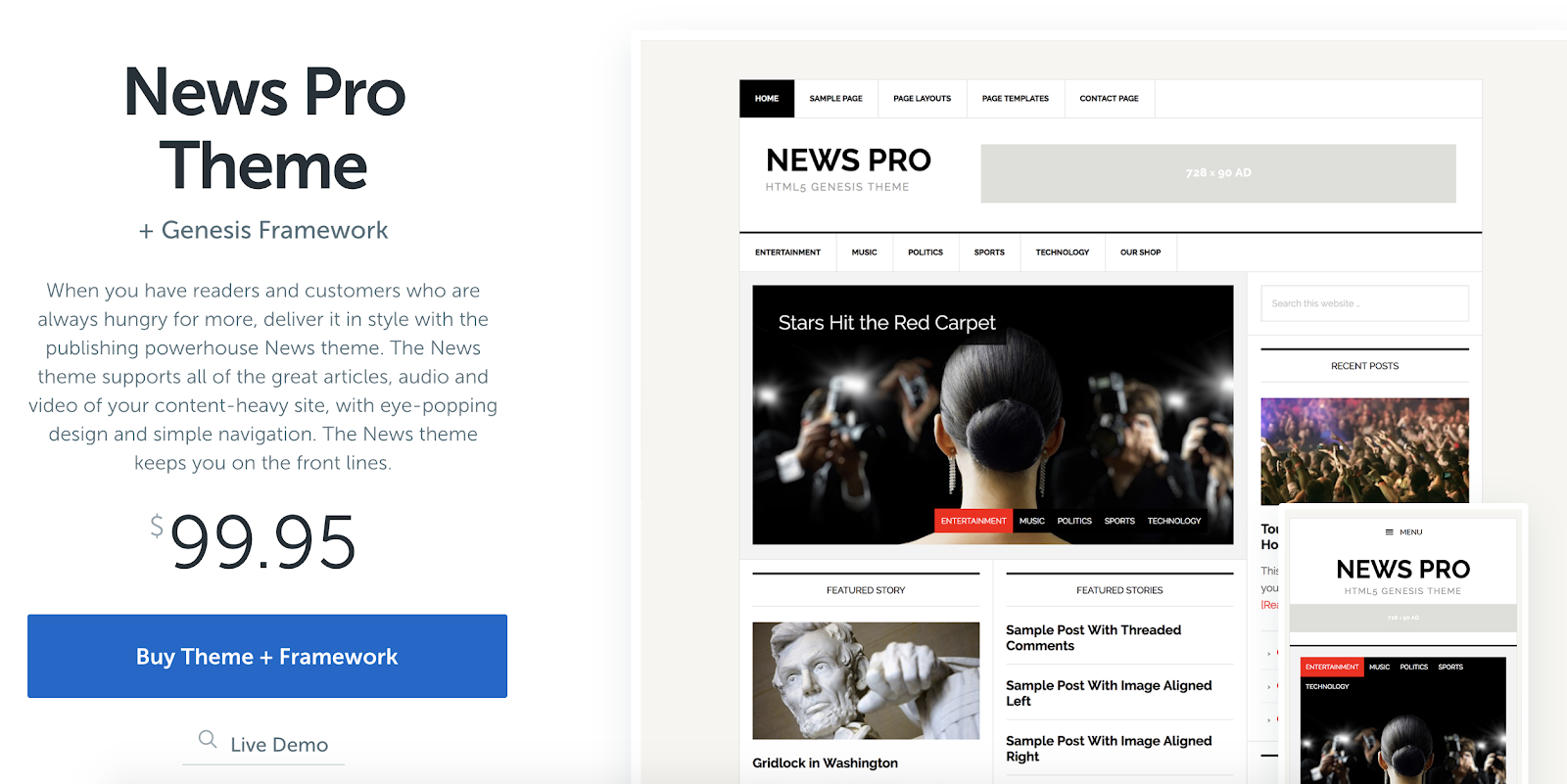
News Pro is a great newspaper theme for content-heavy websites. This theme formats your articles, photos, audio, and videos in a way that works for the story you are telling and for your website visitors. The simple navigation options also keep your content organized to ensure a great user experience. Additionally, if you’re already a WP Engine hosting plan user, you get free access to all other StudioPress themes.
Key Takeaways:
- Ideal for content-heavy websites
- Simple navigation
- WP Engine hosting plan users get access to all StudioPress themes
2. Newspaper
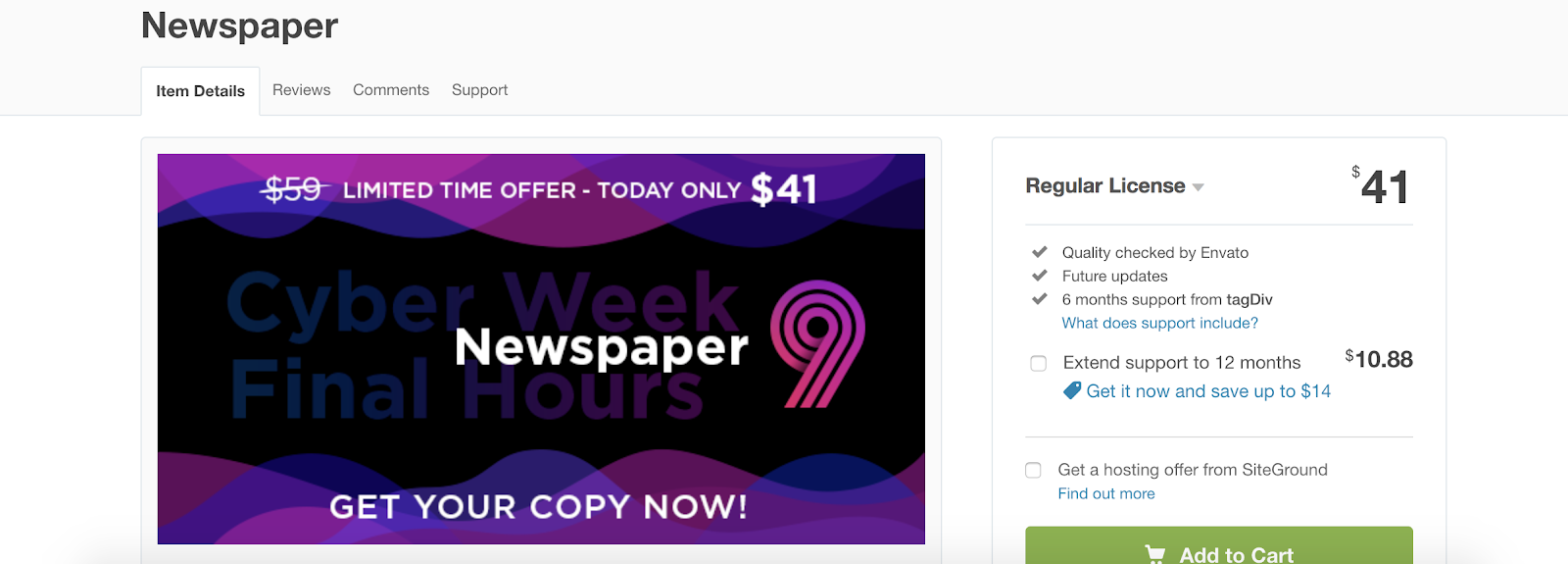
Newspaper is a WordPress theme created for writing articles and blogs in a newspaper template. The theme has several different layout options in their gallery suited for a wide range of blog types. There are also over 50 unique demos you can install in one-click to help get you started designing your website and adding your written content.
Key Takeaways:
- Created for articles and blogs
- Variety of layout options featured in their gallery
- 50 installable demos
3. Voice
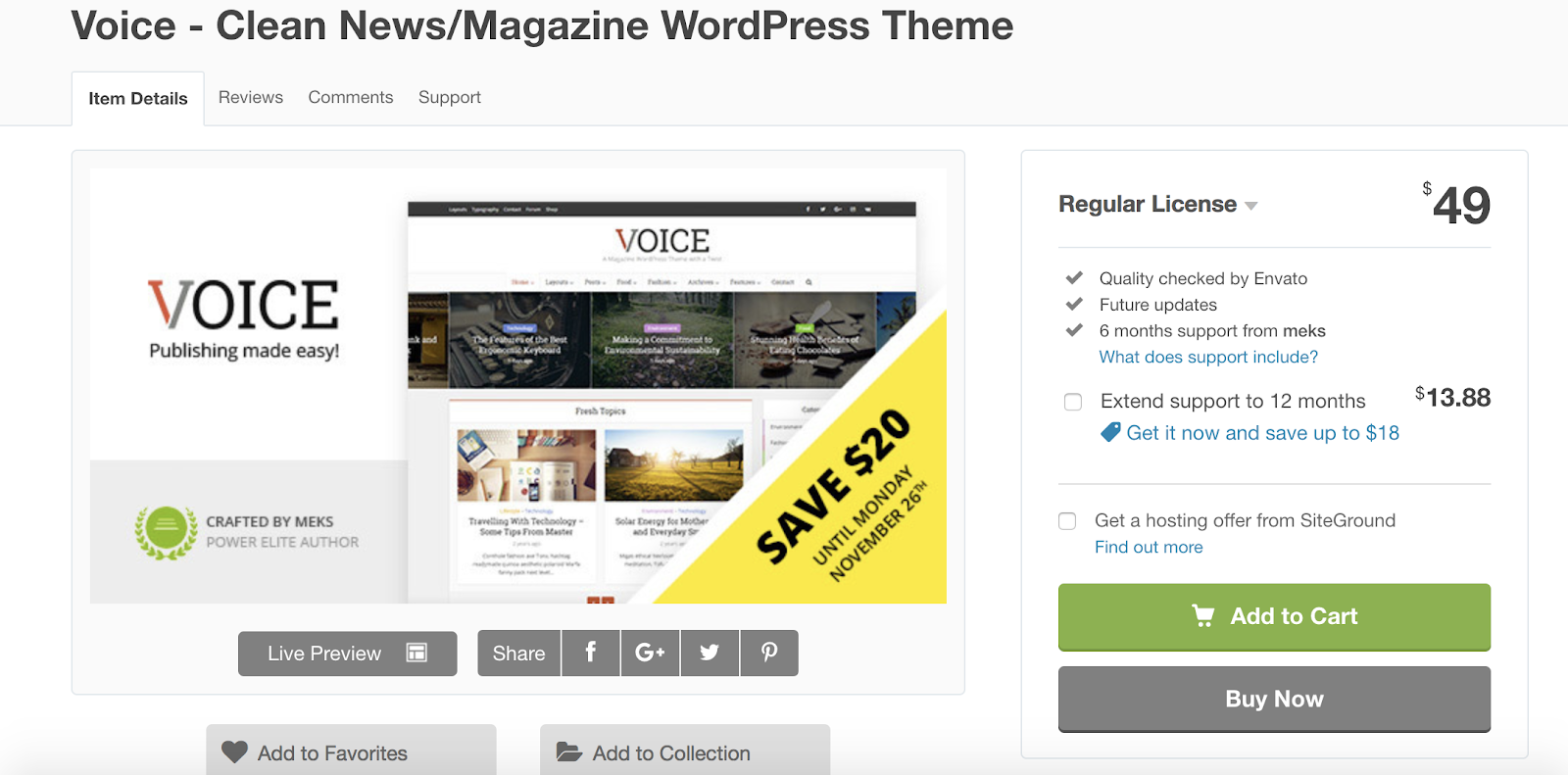
Voice is a clean and simple theme ideal for news and magazines. The theme has formatting features created for both news articles and editorial content. Voice has a wide variety of layout, color, and font options to customize your site. There are options to set multiple authors on a single post as well as add a “related posts” sections at the bottom of specific articles or pieces for visitors to continue reading on your site.
Key Takeaways:
- Ideal for news and magazines
- Can add multiple authors per post
- Related posts sections
4. Noozbeat
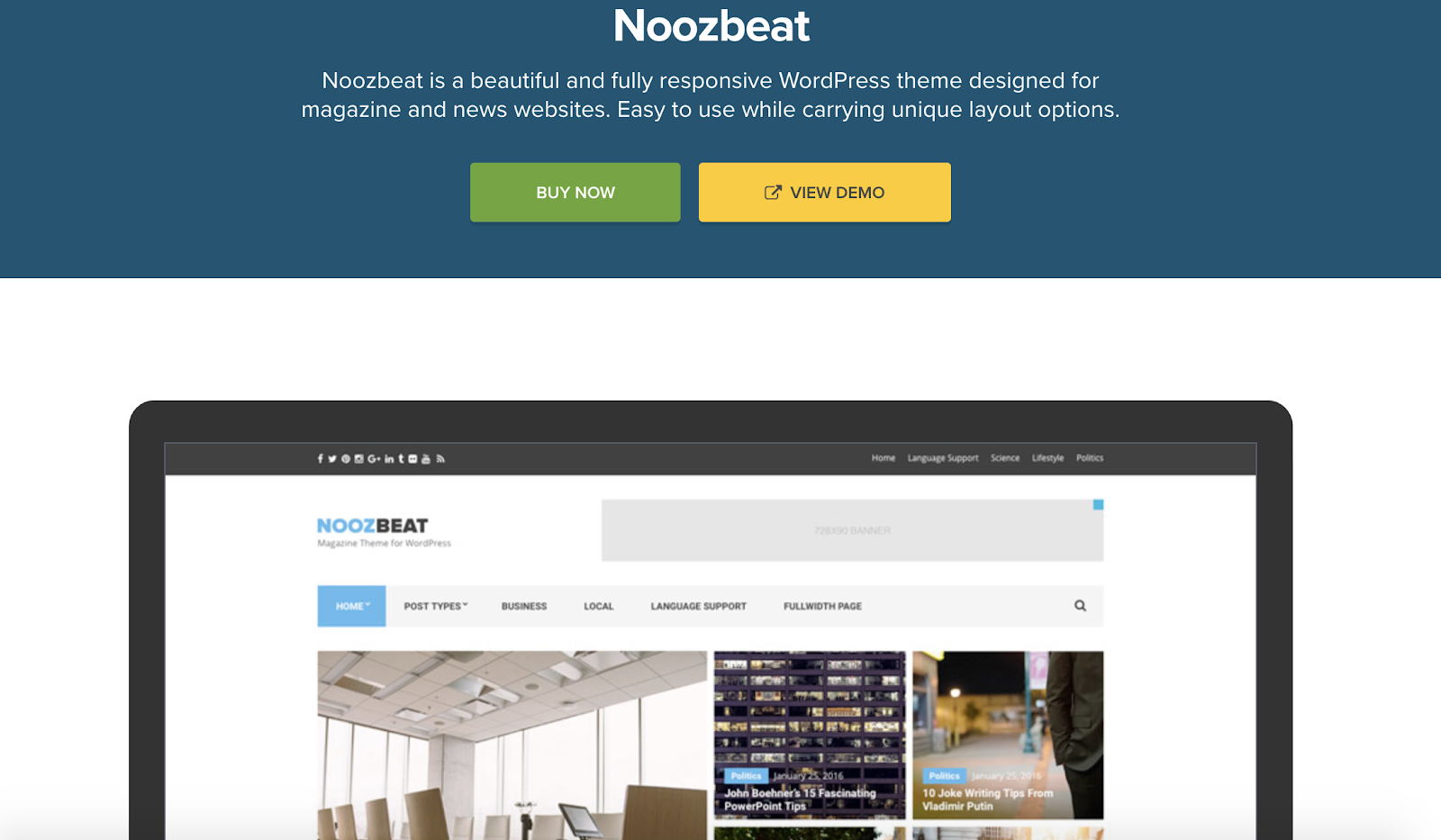
Noozebeat is a fully responsive theme, meaning visitors can move seamlessly from desktop to mobile to tablet while on your site. It’s designed for magazines and news articles and gives you the option to add advertising space, pages for your featured posts, and custom widgets to enhance your site’s user experience.
Key Takeaways:
- Fully responsive
- Created for news articles and magazines
- Custom widgets
5. Hive

Hive is a WordPress theme built for bloggers. There are a number of customizable typography options to make your written content look unique and fit your style. Adaptive layouts make your website interactive and exciting to look at — with these you can mix and match your written content with different fonts, styles, images, and more.
Key Takeaways:
- Built for bloggers
- Custom typography options
- Adaptive layouts
6. Felt
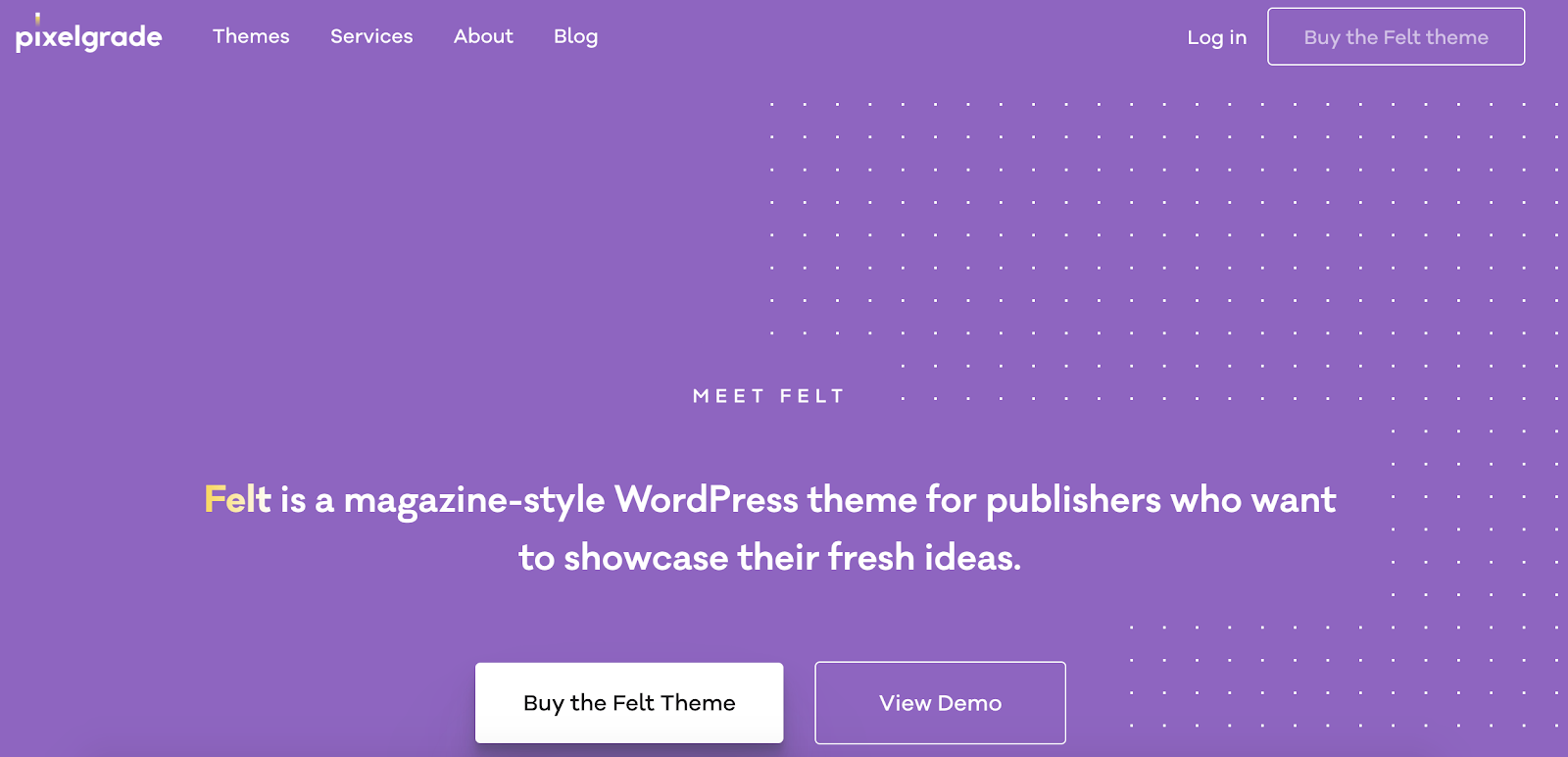
Felt is a WordPress theme ideal for publishing magazine-style content. The theme allows you to implement slideshows and carousels that automatically move visitors through a number of different images on your site. The theme also has built-in SEO features that will help you organically rank and reach more people.
Key Takeaways:
- Ideal for digital magazines
- Option to implement slideshows and carousels
- Automatic SEO features included
7. Wonderwall
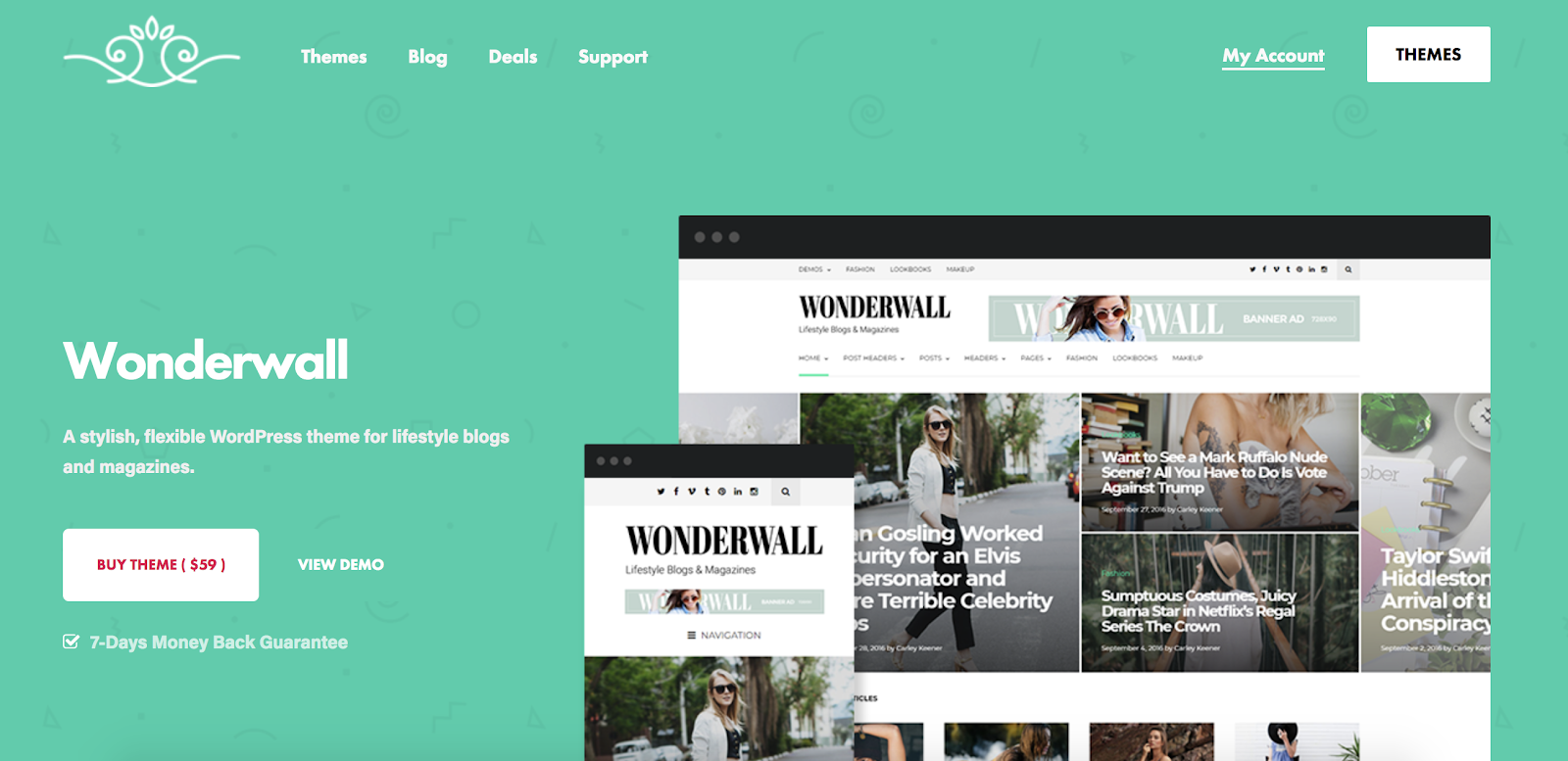
Wonderwall is a great theme option if you’re a writer for a lifestyle blog and or digital magazine. There are formatting options to display banner ads on your site and add a built-in newsletter subscription widget to quickly grow your number of readers and email list. There are also a total of nine different customizable homepage layouts to choose from for your digital publication.
Key Takeaways:
- Created for lifestyle blogs and digital magazines
- Banner ads display options
- Nine customizable homepage layouts
8. SmartMag
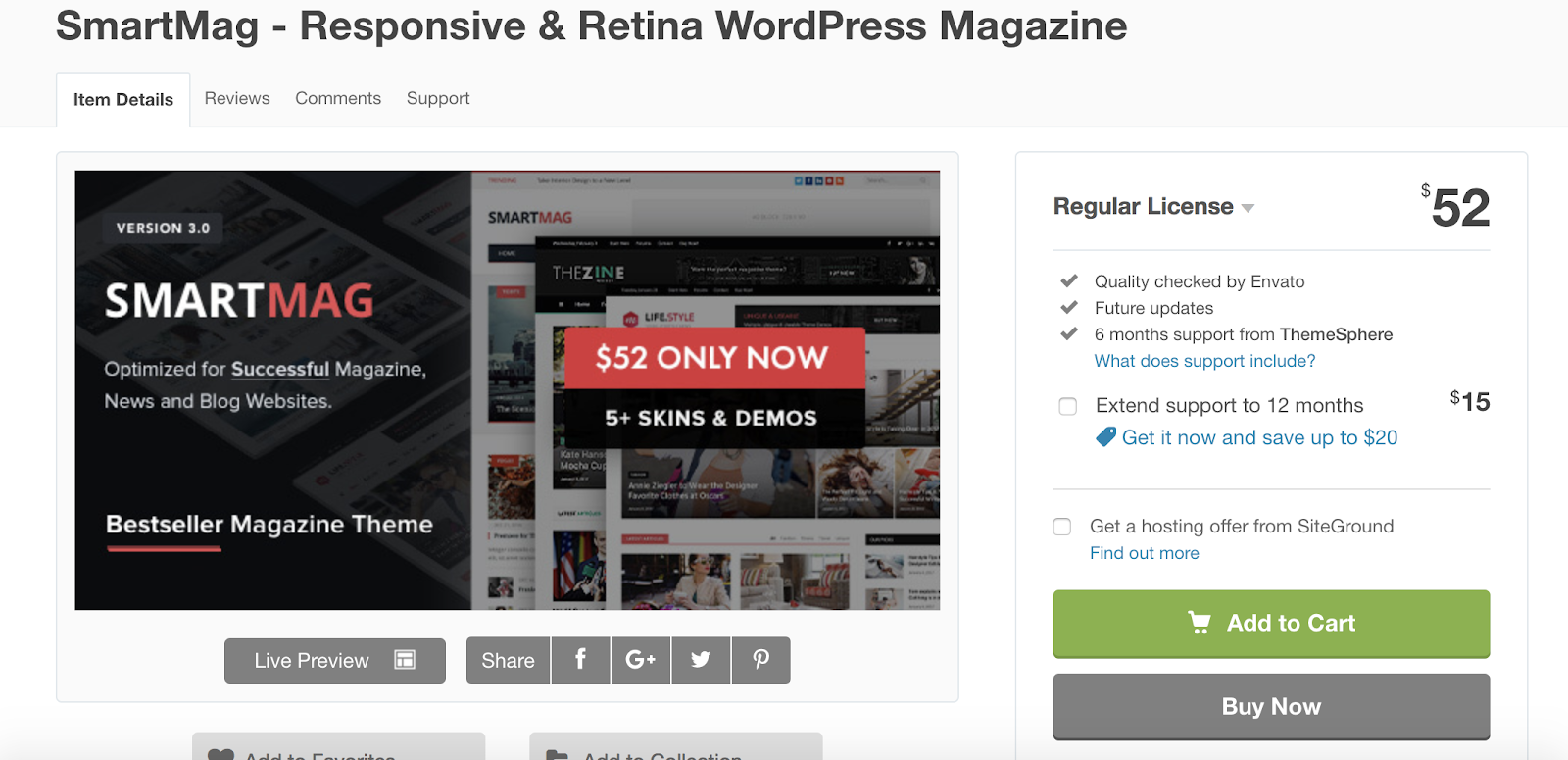
SmartMag is a multi-purpose WordPress writing theme suited for online magazines, newspapers, blogs, and review sites. The theme has a drag-and-drop page builder that allows you to easily test your content in different areas of your site, try different formats, and create your website without the need for any coding. There is also the option to add multi-content slideshows to enhance the visual elements of your website and even help you generate more ad views.
Key Takeaways:
- Multi-purpose writing theme
- Drag-and-drop page builder
- Multi-content slideshows
9. GoodLife
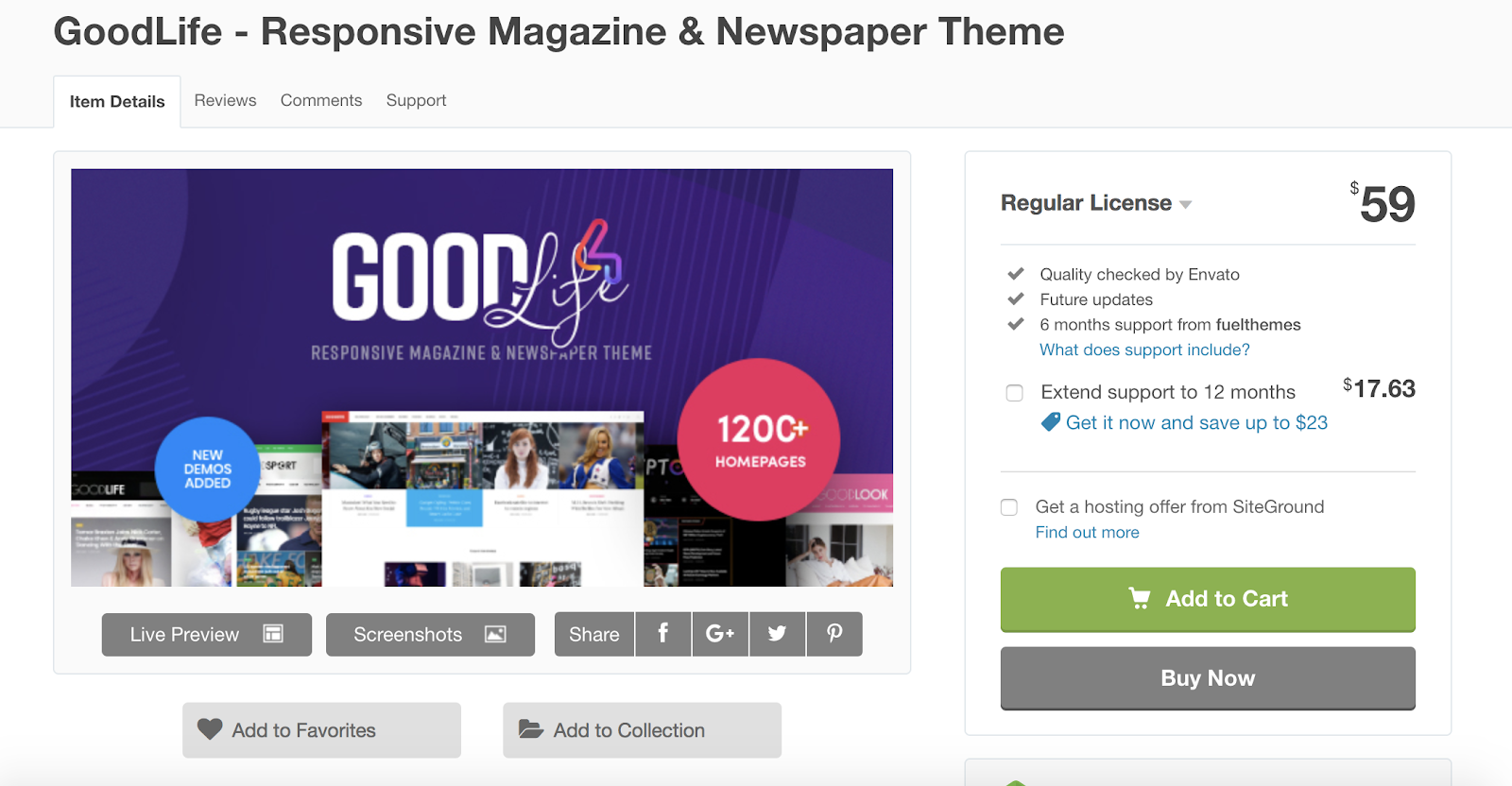
GoodLife is a newspaper and magazine theme with five different types of article and post layouts to choose from based on your content type. There are also gallery pages for those of you looking to display your photo and video content in a unique way. The theme is SEO-focused so your website will be more likely to organically rank for certain key phrases and terms.
Key Takeaways:
- Created for newspapers and magazines
- Five different article and post layouts
- SEO-focused
10. ColorMag
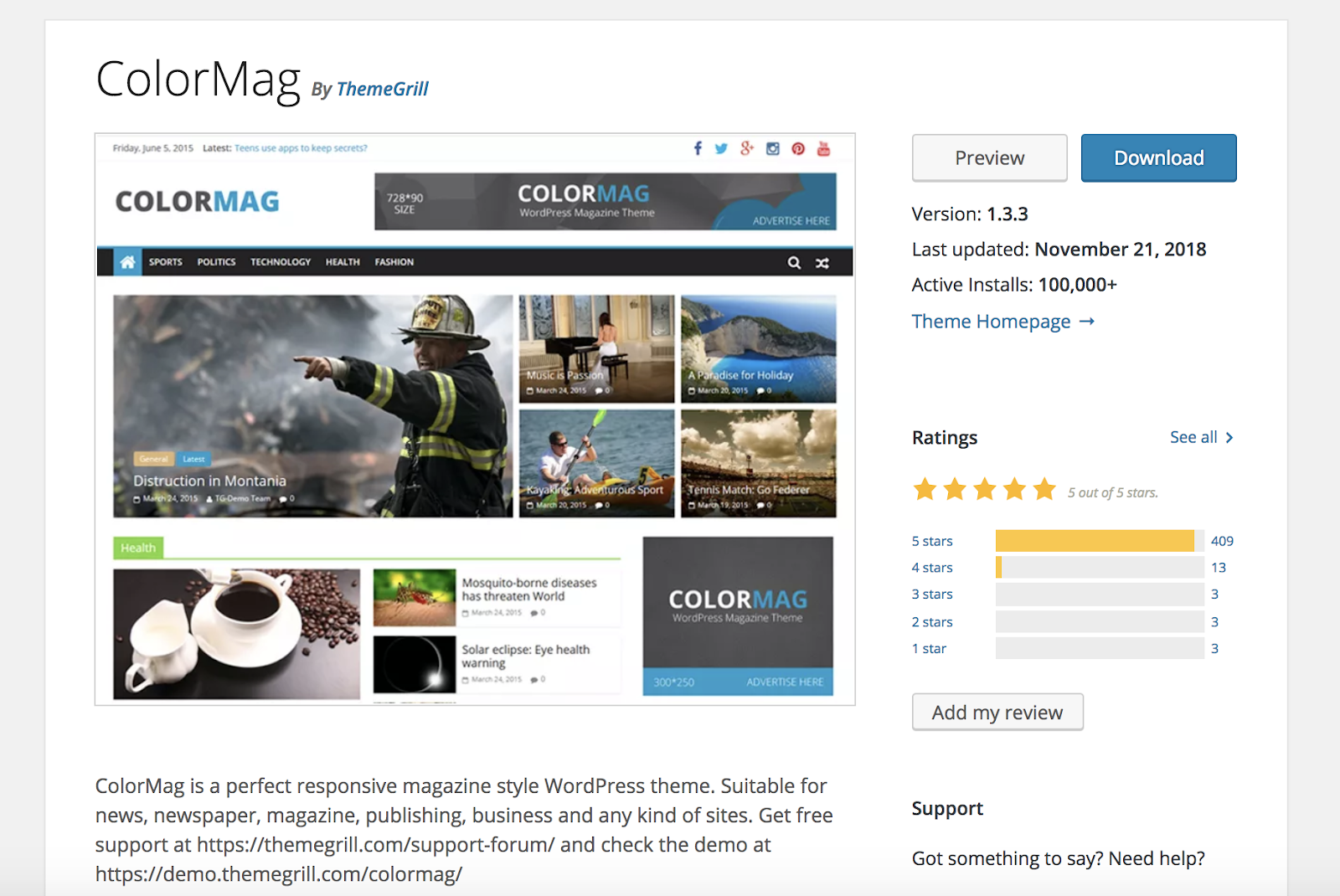
ColorMag is a magazine and blogging WordPress theme that comes with a layout for easily organizing and pairing your written content with your photos and videos. There are a number of ways to create specific pages and post types for featured and highlighted articles so they stand out to your readers and visitors. ColorMag also has a dedicated support team ready to help you if you stumble upon any issues while designing your site.
Key Takeaways:
- Magazine and blogging theme
- Featured and highlighted post types and pages
- Dedicated support team
11. The Voux
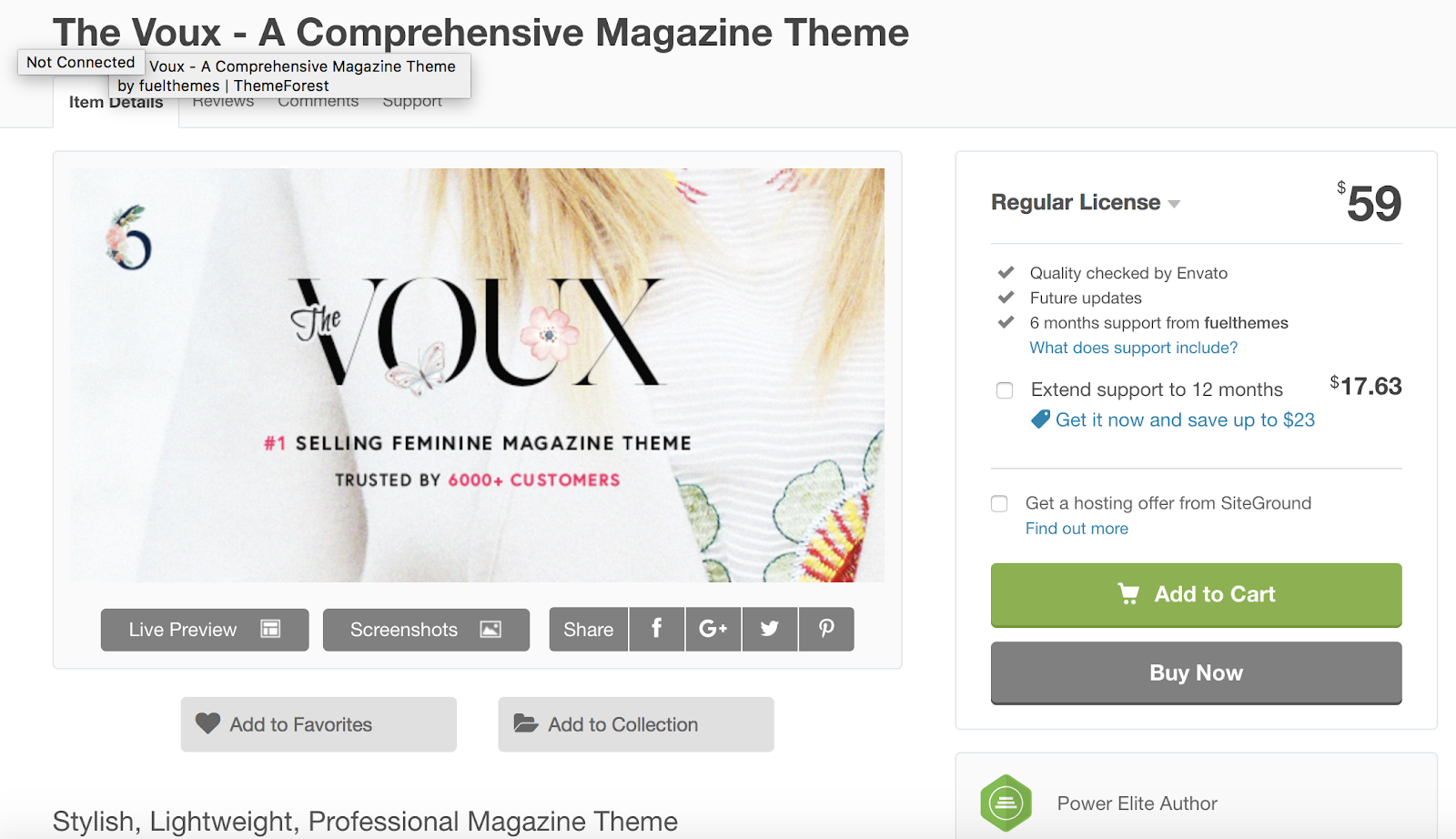
The Voux is ideal for digital magazines with layouts tailored to galleries, articles, and online shopping. You can set your images in a “lightbox” so they take up the entire width of your page and stand out with a black background for your website visitors. You can also set Image Hotspots and Shoppable Images so visitors and customers can click on certain items in your images to learn more about them, see their price, and purchase them.
Key Takeaways:
- Built for magazines
- Gallery image layout options with lightboxes
- Image Hotspots and Shoppable Images
12. NewStar
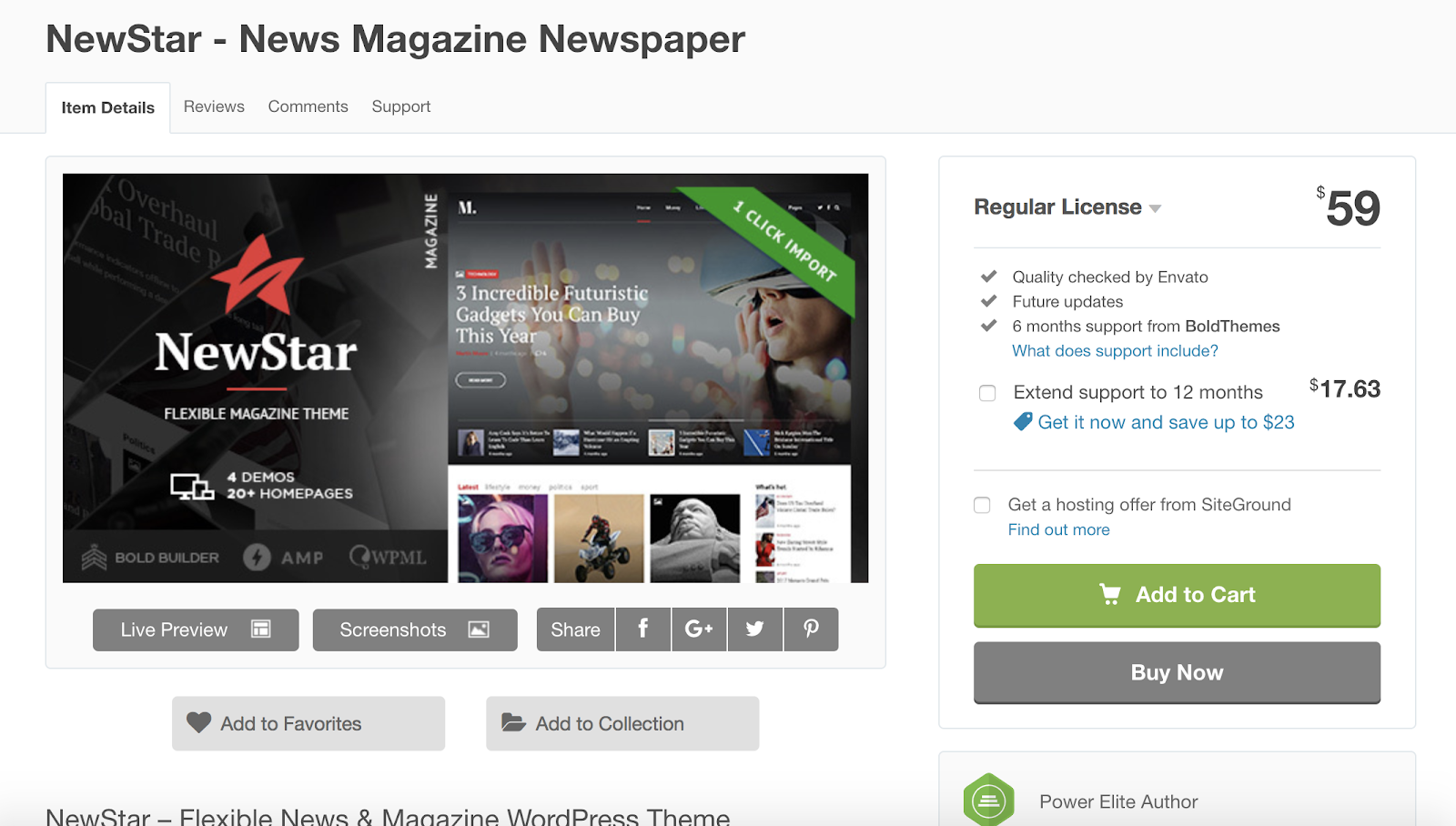
NewStar is a newspaper and magazine WordPress theme that features a one-click import tool so you can quickly select the features and layouts you want for your site and implement them immediately. The theme offers a customizable Article Teaser so you can get your readers excited about continuing to read your piece as well as neatly list multiple articles on one page. There is also plenty of ad space available in moveable banners throughout several different locations on your site.
Key Takeaways:
- Ideal for newspapers and magazines
- One-click feature import tool
- Customizable article teaser
13. MagPlus
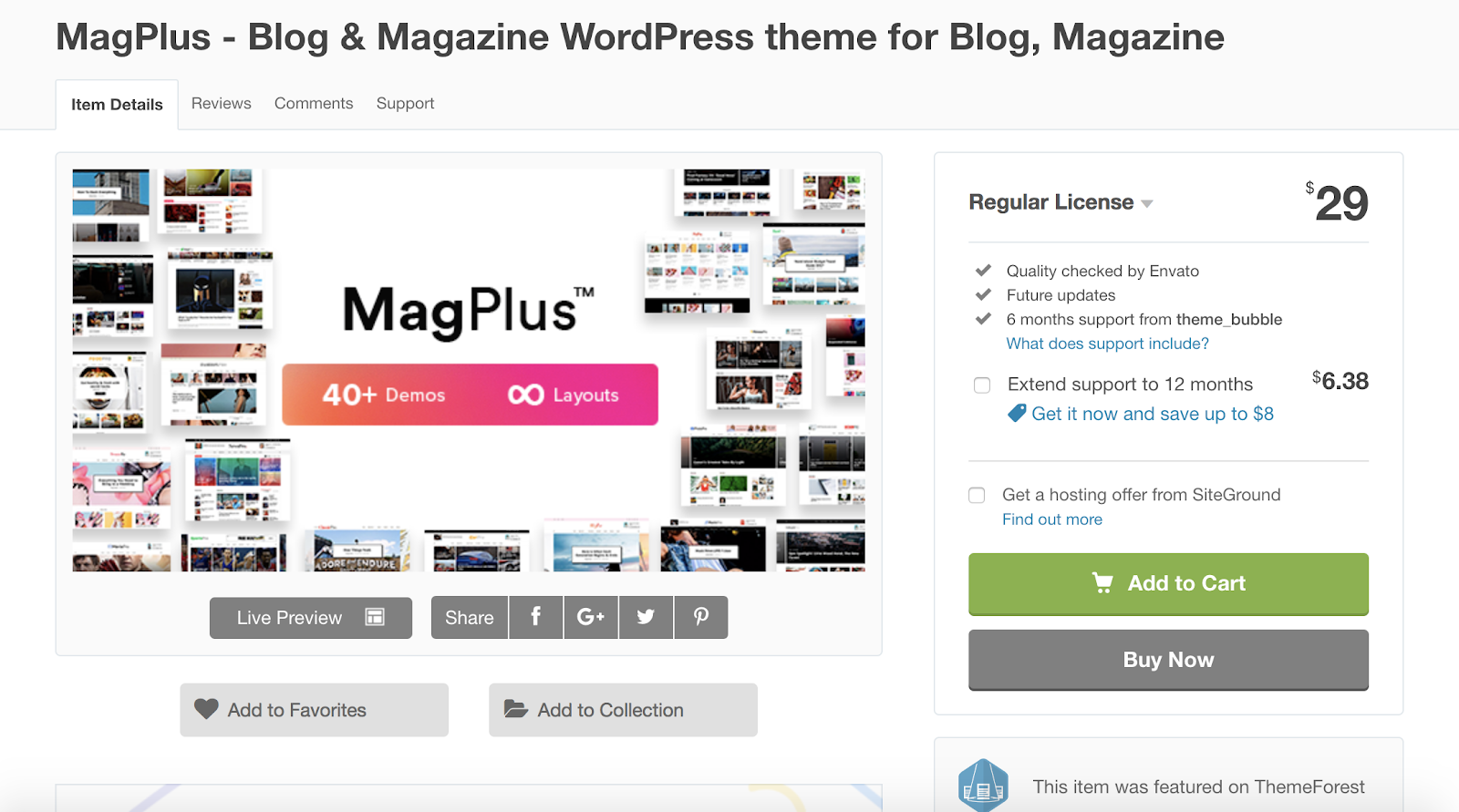
If you’re writing for a blog or magazine, MagPlus could be a great WordPress theme option for you. The theme has a Live Customizer so you can edit your website’s page designs, update their content and appearance, and see what your changes look like in real time. MagPlus is a lightweight theme so it’s speedy and efficient for your visitors. There are also 25 different layout options to help you customize the look of your site.
Key Takeaways:
- Created for blogs and magazines
- Live Customizer
- 25 customizable page layout options
14. Soledad
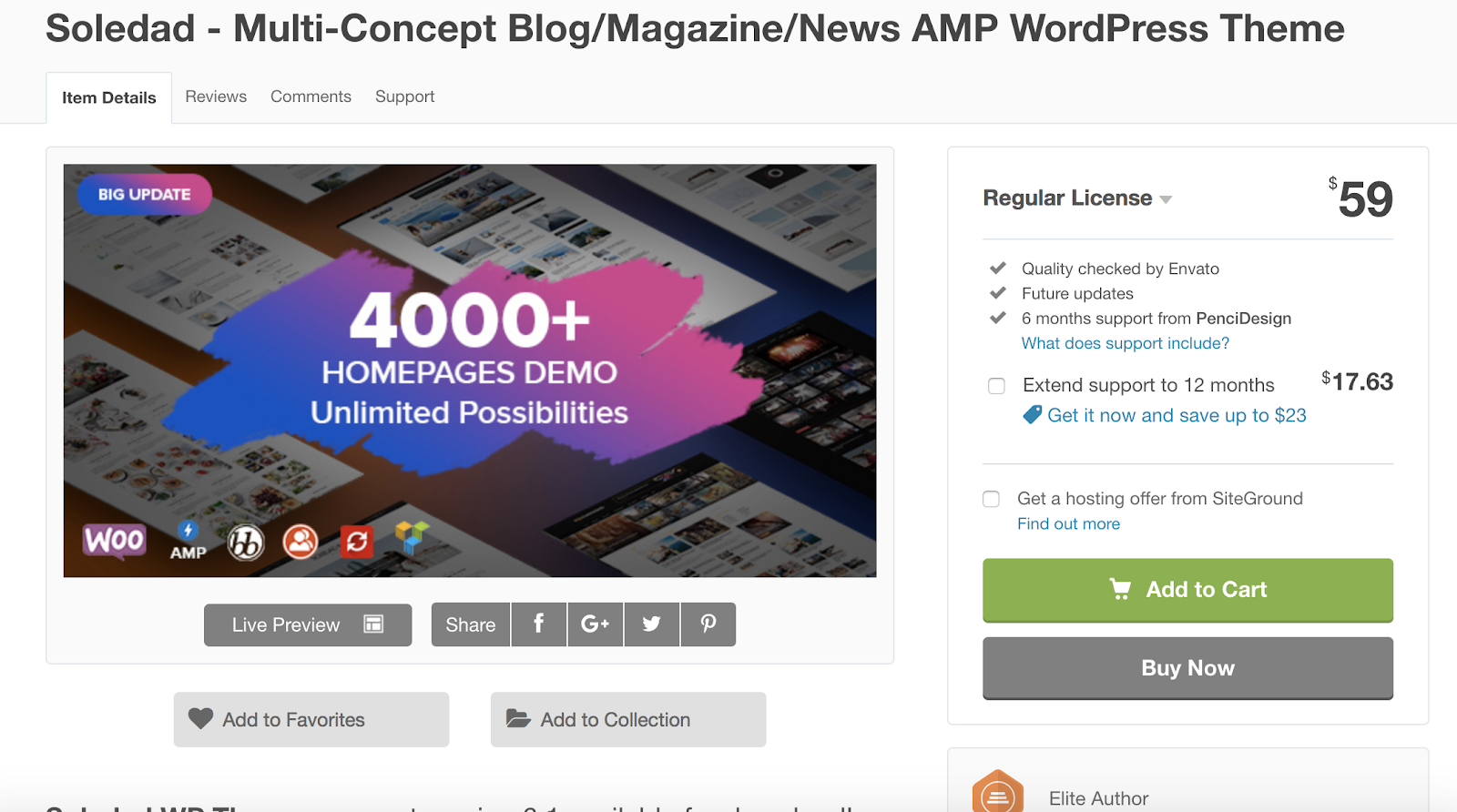
Soledad is a multi-purpose writing WordPress theme, meaning you can use it for your blog, newspaper, magazine, and other content. The theme has dozens of layouts that allow you to mix your magazine and blog content or completely separate your images, videos, and blogs. Soledad also has a White Label Tool that allows you to remove all of the Soledad logos throughout your site and replace them with your own so your theme is branded.
Key Takeaways:
- Multi-purpose writing theme
- Mix and match your written content with videos and images
- White Label Tool
15. Gridlove
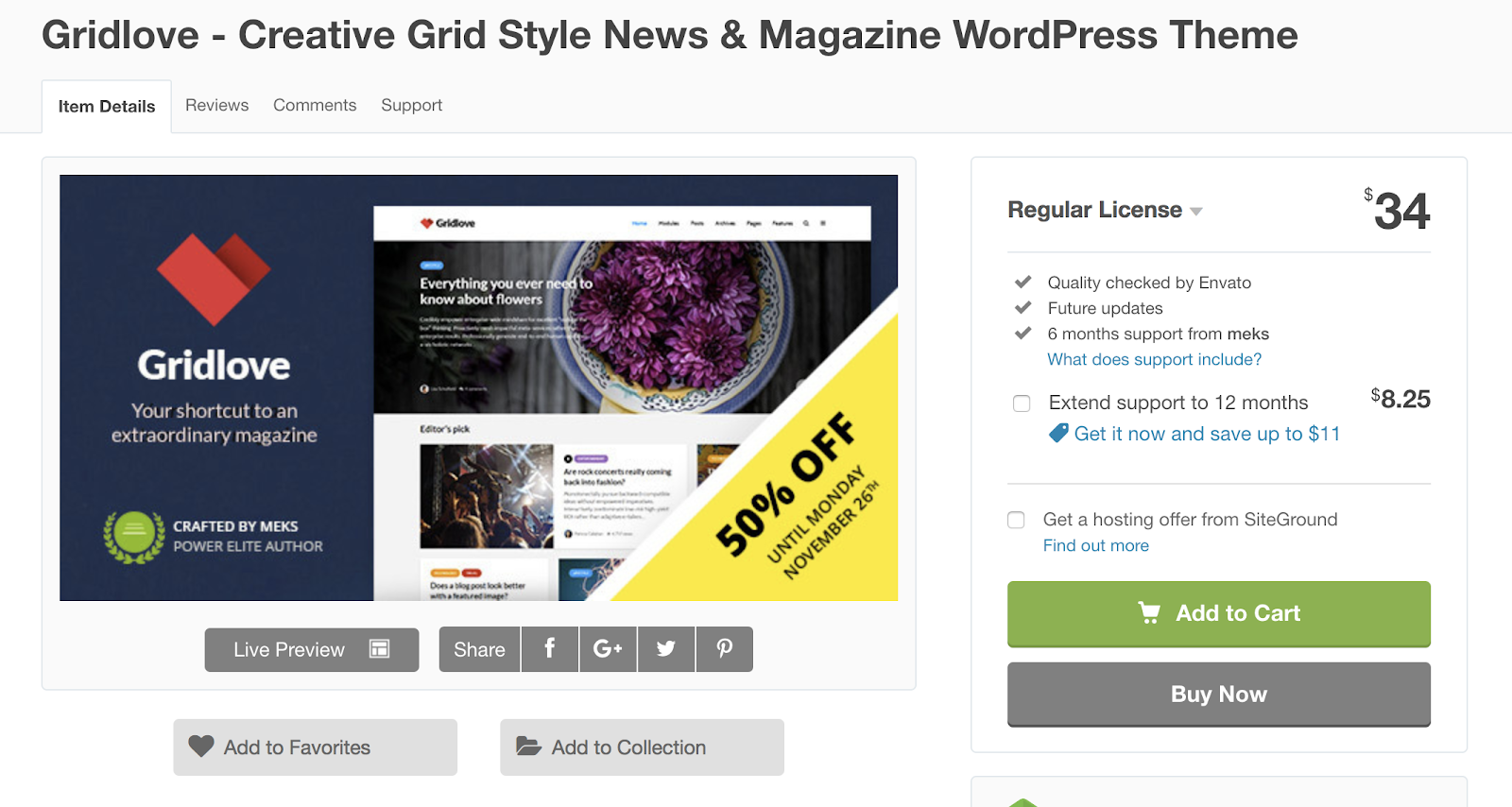
Gridlove is a WordPress theme tailored to newspapers and magazines. With no coding knowledge required, anyone can easily get started building their website with one of the hundreds of customizable, pre-made layouts and templates as well as their drag-and-drop page builder. The theme offers a flexible homepage in which you can feature any number of articles and other types of content.
Key Takeaways:
- Tailored to newspapers and magazines
- No coding knowledge required
- Hundreds of customizable layouts and templates
Back To You
These 15 WordPress newspaper themes are built to help you share all types of written content with your website visitors and customers. Whether you’re writing for a blog, magazine, review site, or newspaper, there is a writing theme tailored towards your needs. Get started and pick a theme listed above based on the type of writing you do, install it to your WordPress website, and start adding and sharing your content.

The Definition of Human Resources in 300 Words or Less
It’s likely you already have an understanding of what Human Resources does — at the very least, you probably know they have tasks that include recruiting and hiring employees, and dealing with an organization’s culture.
However, it’s a tricky term to define, particularly since HR deals with so many different aspects of a company.

Along with recruiting and hiring employees, Human Resources is responsible for compensation and benefits, on-boarding employees, training, organization development, and workplace culture — this long list of tasks can make it difficult to cleanly define HR in the first place.
Here, we’ve defined HR in less than 300 words. Whether you’re interested in pursuing a career in the Human Resources field, or simply need to know how your HR department can help your team, it’s critical you understand the term. Fortunately, we’ve made it easy.
What is Human Resources?
Human Resources is in charge of dealing with all issues related to the people within your organization. This includes recruiting and hiring people, as well as onboarding employees, but it also involves tasks required to retain employees, long-term. For instance, HR might develop wellness initiatives, provide guidance regarding disciplinary actions, or promote career development or training programs to strengthen employee satisfaction. Additionally, HR handles compensation and benefits.


How to Convert Images From PNG to JPG and JPG to PNG
When I first started my marketing career and needed to include an image in one of my articles or post a picture on social media, the image’s format didn’t matter to me. In my eyes, JPG and PNG were exactly the same.
Once I actually dug into the difference between the two, though, I realized they’re quite different. But one format isn’t necessarily better than the other — JPG is optimal for some situations while PNG is optimal for others.
In a nutshell, JPG images are best suited for social media and blog posts because they’re optimized for photography and have a smaller file size than PNG images.
PNG images are best suited for web graphics and professional photography because they maintain their quality no matter how many times you open and save them, whereas JPG images decline in quality every time you open and save them.
Fortunately, JPG and PNG images aren’t permanently stuck in their respective file format. You can convert images from PNG to JPG and vice versa in less than one minute with the help of some free online tools.
How to Batch Convert Files from PNG to JPG
1. Visit one of the free online PNG to JPG converters listed in the section below.
2. Upload your PNG images.
3. Press “Convert” to convert your PNG images to JPG images.
4. Click “Download” to download your new JPG images.
Best PNG to JPG Converter Tools
1. iLoveImg
With iLoveImg, you can convert up to 15 PNG files at a time without signing up for a free account. If you register for a free account, you can convert up to 30 PNG files at a time.
2. png2jpg.com
Png2jpg.com lets you convert up to 20 PNG files at a time. The free tool doesn’t ask for your email address.
Online-convert.com offers a free tool that lets you convert up to 20 PNG files at a time without giving them your email address. If you buy their premium version, you can convert up to 200 PNG files at a time.
How to Batch Convert Files from JPG to PNG
1. Visit one of the free online JPG to PNG converters listed in the section below.
2. Upload your JPG images.
3. Press “Convert” to convert your JPG images to PNG images.
4. Click “Download” to download your new PNG images.
Best JPG to PNG Converter Tools
1. ILoveImg
With iLoveImg, you can convert up to 15 JPG files at a time without signing up for a free account. If you register for a free account, you can convert up to 30 JPG files at a time.
2. jpg2png.com
Jpg2png.com lets you convert up to 20 JPG files at a time. The free tool doesn’t ask for your email address.
Online-convert.com offers a free tool that lets you convert up to 20 JPG files at a time without giving them your email address. If you buy their premium version, you can convert up to 200 JPG files at a time.

Revenue Optimization: Maximizing ROI on Your Ads
Want your Facebook and Google ads to generate more revenue? Curious how Google Analytics data can help you find website optimizations that will help? To explore how optimizing the customer journey helps you boost sales, I interview Tanner Larsson. More About This Show The Social Media Marketing podcast is designed to help busy marketers, business […]
The post Revenue Optimization: Maximizing ROI on Your Ads appeared first on Social Media Examiner.
from Social Media Examiner https://ift.tt/2TW0Lvn
via socialmediaexaminer
14 PowerPoint Presentation Tips to Make More Creative Slideshows [+ Templates]
I like to think of Microsoft PowerPoint as a test of basic marketing skills. To create a passing presentation, I need to demonstrate design skills, technical literacy, and a sense of personal style.
If the presentation has a problem (like an unintended font, a broken link, or unreadable text), then I’ve probably failed the test. Even if my spoken presentation is well rehearsed, a bad visual experience can ruin it for the audience.
Expertise means nothing without a good presentation to back it up. For starters, grab your collection of free PowerPoint templates below, and use the tips that follow to perfect your next presentation.

No matter your topic, successful PowerPoints depend on three main factors: your command of PowerPoint’s design tools, your attention to presentation processes, and your devotion to consistent style. Here are some simple tips to help you start mastering each of those factors, and don’t forget to check out the additional resources at the bottom of this post.
.png?width=600&name=Free%20Download_%20Facebook%20Live%20Guide%20for%20Business%20(1).png)
PowerPoint Presentation Tips
- Don’t let PowerPoint decide how you use PowerPoint.
- Create custom slide sizes.
- Edit your slide template design.
- Make sure all of your objects are properly aligned.
- Use “Format Menus” to better control your objects’ designs.
- Take advantage of PowerPoint’s shapes.
- Create custom shapes.
- Crop images into custom shapes.
- Present websites within PowerPoint.
- Embed your font files.
- Save your slides as JPEGs.
- Embed multimedia.
- Bring your own hardware.
- Use “Presenter View.”
PowerPoint Style
1. Don’t let PowerPoint decide how you use PowerPoint.
Microsoft wanted to provide PowerPoint users with a lot of tools. But this does not mean you should use them all. Here are some key things to look out for:
- Make sure that preset PPT themes complement your needs before you adopt them.
- Try to get away from using Microsoft Office’s default fonts, Calibri and Cambria. Using these two typefaces can make the presentation seem underwhelming.
- Professionals should never use PPT’s action sounds. (Please consider your audience above personal preference).
- PowerPoint makes bulleting automatic, but ask yourself: Are bullets actually appropriate for what you need to do? Sometimes they are, but not always.
- Recent PPT defaults include a small shadow on all shapes. Remove this shadow if it’s not actually needed. Also, don’t leave shapes in their default blue.
2. Create custom slide sizes.
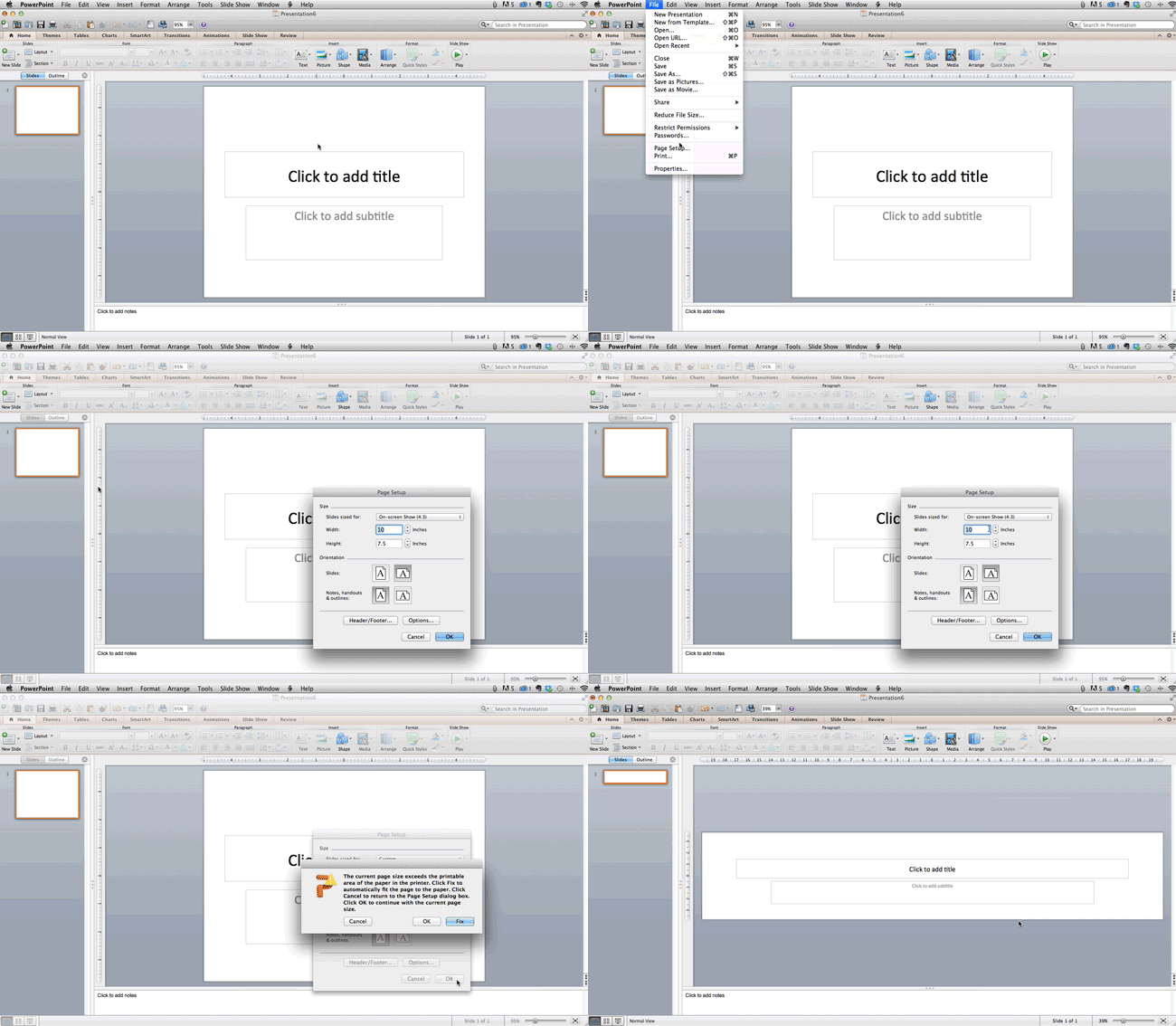
While you usually can get away with the default slide size for most presentations, you may need to adjust it for larger presentations on weirdly sized displays. If you need to do that, here’s how.
- In the top-left corner, choose “File.”
- Select “Page Setup.”
- Type the height and width of the background you’d like, and click “OK.”
- A dialogue box will appear. Click “OK” again.
- Your background is resized!
Tip: Resize your slides before you add any objects to them or the dimensions of your objects will become skewed.
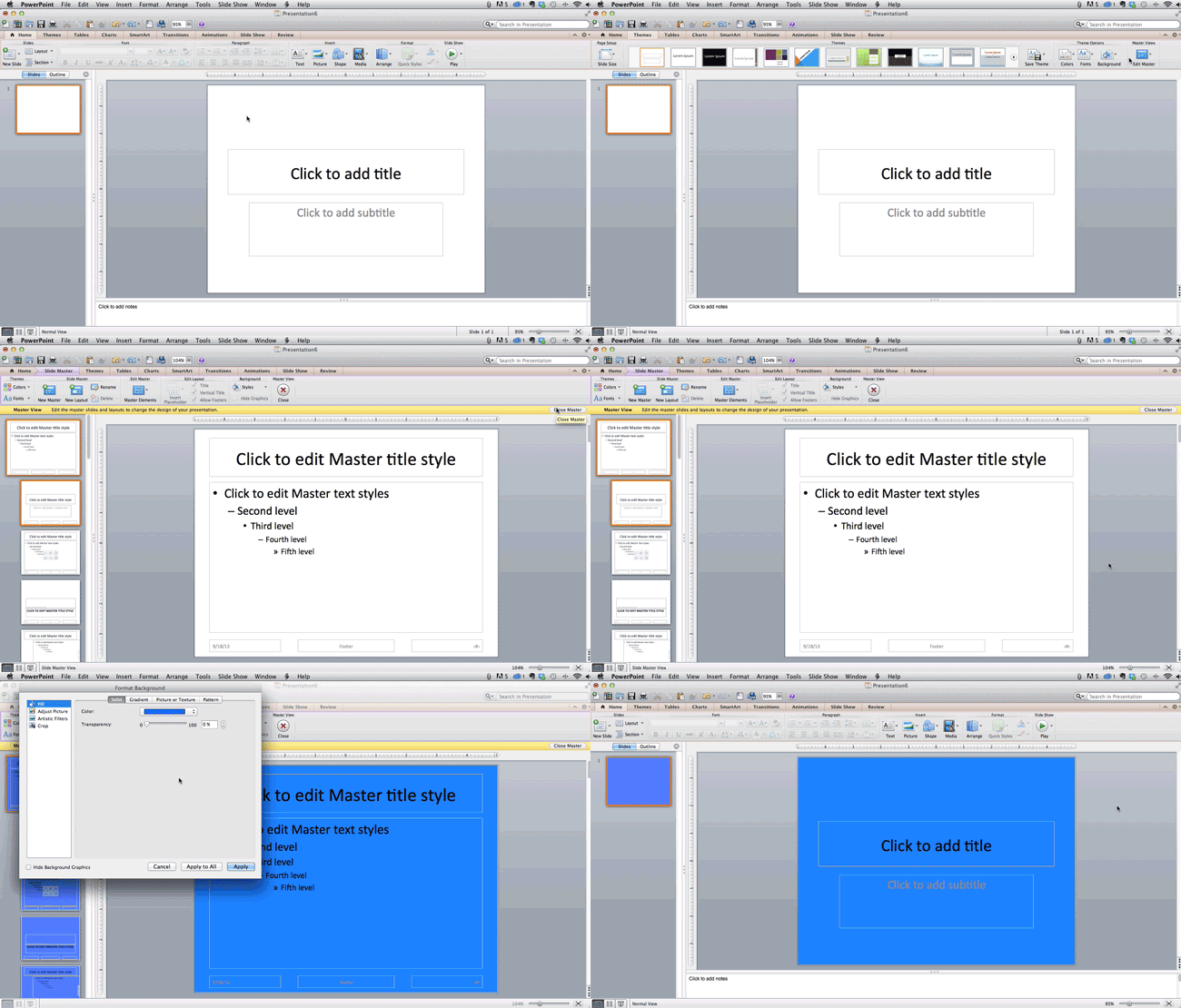
3. Edit your slide template design.
Often, it’s much easier to edit your PowerPoint template before you start — this way, you don’t have design each slide by hand. Here’s how you do that.
- Select “Themes” in the top navigation.
- In the far right, click “Edit Master,” then “Slide Master.”
- Make any changes you like, then click “Close Master.” All current and future slides in that presentation will use that template.
4. Make sure all of your objects are properly aligned.
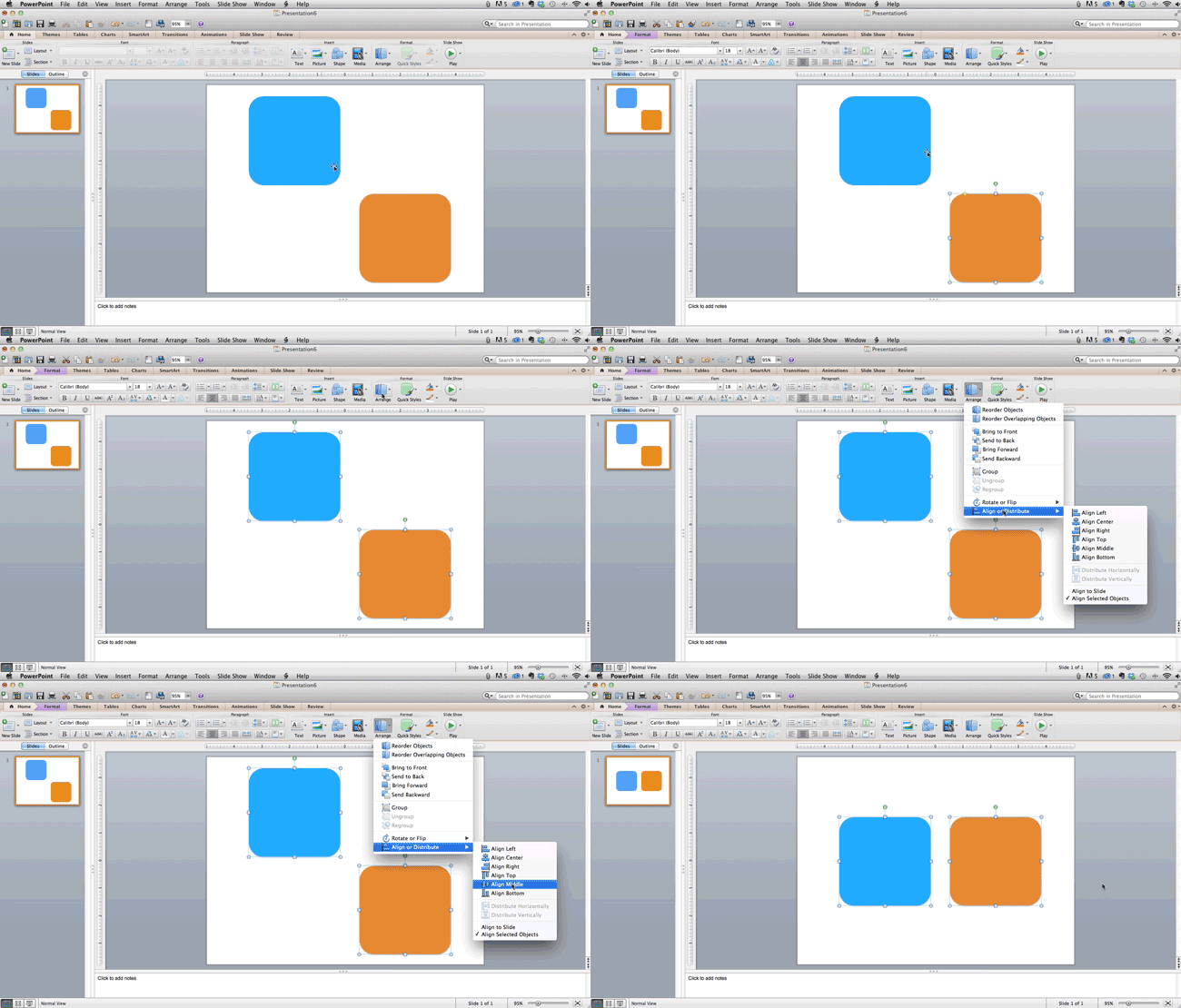
Having properly aligned objects on your slide is the key to making it look polished and professional. You can manually try to line up your images … but we all know how that typically works out. You’re trying to make sure all of your objects hang out in the middle of your slide, but when you drag them there, it still doesn’t look quite right. Get rid of your guessing game and let PowerPoint work its magic with this trick.
How to align multiple objects:
- Select all objects by holding down “Shift” and clicking on all of them.
- Select “Arrange” in the top options bar, then choose “Align or Distribute.”
- Choose the type of alignment you’d like.
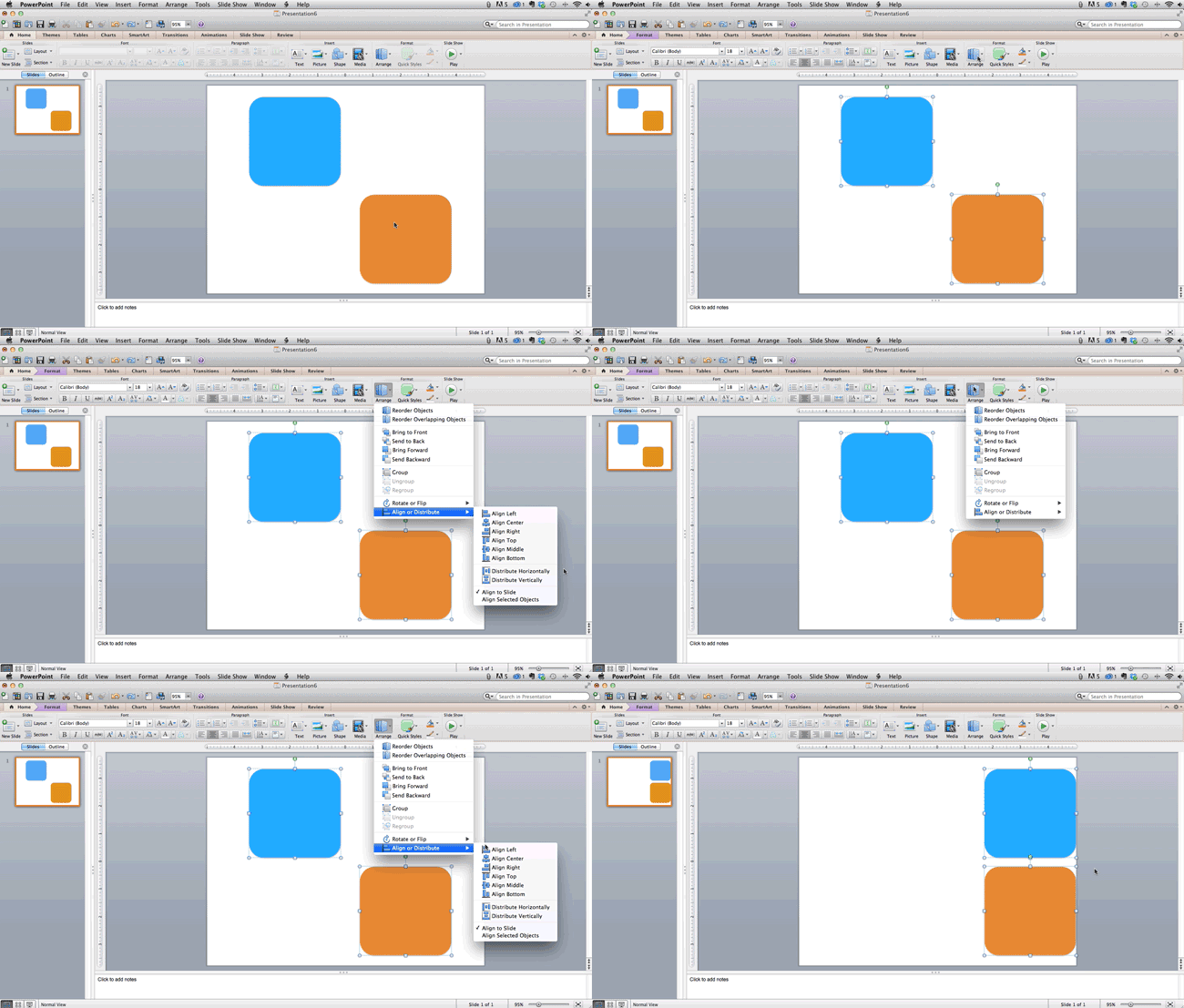
How to align objects to the slide:
- Select all objects by holding down “Shift” and clicking on all of them.
- Select “Arrange” in the top options bar, then choose “Align or Distribute.”
- Select “Align to Slide.”
- Select “Arrange” in the top options bar again, then choose “Align or Distribute.”
- Choose the type of alignment you’d like.
PowerPoint Design
5. Use “Format Menus” to better control your objects’ designs.
Format menus allow you to do fine adjustments that otherwise seem impossible. To do this, right click on an object and select the “Format” option. Here, you can fine-tune shadows, adjust shape measurements, create reflections, and much more. The menu that will pop up looks like this:

Although the main options can be found on PowerPoint’s format toolbars, look for complete control in the format window menu. Other examples of options available include:
- Adjusting text inside a shape.
- Creating a natural perspective shadow behind an object.
- Recoloring photos manually and with automatic options.
6. Take advantage of PowerPoint’s shapes.
Many users don’t realize how flexible PowerPoint’s shape tools have become. In combination with the expanded format options released by Microsoft in 2010, the potential for good design with shapes is readily available. PowerPoint provides the user with a bunch of great shape options beyond the traditional rectangle, oval, and rounded rectangle patterns, unlike even professional design programs like Adobe Creative Suite or Quark.
Today’s shapes include a highly functional Smart Shapes function, which enables you to create diagrams and flow charts in no time. These tools are especially valuable when you consider that PowerPoint is a visual medium. Paragraphing and bullet lists are boring — you can use shapes to help express your message more clearly.
7. Create custom shapes.
When you create a shape, right click and press “Edit Points.” By editing points, you can create custom shapes that fit your specific need. For instance, you can reshape arrows to fit the dimensions you like.
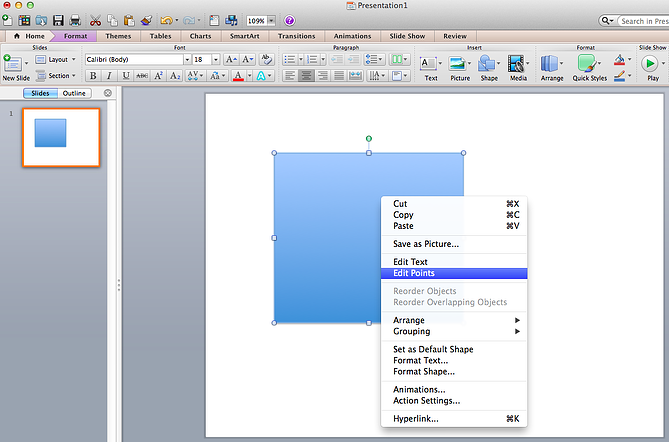
Another option is to combine two shapes together. When selecting two shapes, right-click and go to the “Grouping” sub-menu to see a variety of options.
- Combine creates a custom shape that has overlapping portions of the two previous shapes cut out.
- Union makes one completely merged shape.
- Intersect builds a shape of only the overlapping sections of the two previous shapes.
- Subtract cuts out the overlapping portion of one shape from the other.
By using these tools rather than trying to edit points precisely, you can create accurately measured custom shapes.
8. Crop images into custom shapes.
Besides creating custom shapes in your presentation, you can also use PowerPoint to crop existing images into new shapes. Here’s how you do that:
- Click on the image and select “Format” in the options bar.
- Choose “Crop,” then “Mask to Shape,” and then choose your desired shape. Ta-da! Custom-shaped photos.

Learn more about creating images for your marketing channels in the video below.
9. Present websites within PowerPoint.
Tradition says that if you want to show a website in a PowerPoint, you should just create link to the page and prompt a browser to open. For PC users, there’s a better option.
Third party software that integrates fully into PowerPoint’s developer tab can be used to embed a website directly into your PowerPoint using a normal HTML iframe. One of the best tools is LiveWeb, a third-party software developed independently.
By using LiveWeb, you don’t have to interrupt your PowerPoint, and your presentation will remain fluid and natural. Whether you embed a whole webpage or just a YouTube video, this can be a high-quality third party improvement.
Unfortunately, Mac users don’t have a similar option. Agood second choice is to take screen shots of the website, link in through a browser, or embed media (such as a YouTube video) by downloading it directly to your computer.
PowerPoint Process
10. Embed your font files.
One constant problem presenters have with PowerPoint is that fonts seem to change when presenters move from one computer to another. In reality, the fonts are not changing — the presentation computer just doesn’t have the same font files installed. If you’re using a PC and presenting on a PC, then there is a smooth work around for this issue. (When you involve Mac systems, the solution is a bit rougher. See Tip #11.)
Here’s the trick: When you save your PowerPoint file (only on a PC), you should click Save Options in the “Save As …” dialog window. Then, select the “Embed TrueType fonts” check box and press “OK.” Now, your presentation will keep the font file and your fonts will not change when you move computers (unless you give your presentation on a Mac).
11. Save your slides as JPEGs.
In PowerPoint for Mac 2011, there is no option to embed fonts within the presentation. So unless you use ubiquitous typefaces like Arial or Tahoma, your PPT is likely going to encounter font changeson different computers.
The most certain way of avoiding this is by saving your final presentation as JPEGs, and then inserting these JPEGs onto your slides. On a Mac, users can easily drag and drop the JPEGs into PPT with fast load time. If you do not use actions in your presentation, then this option works especially well.
If you want your presentation to appear “animated,” you’ll need to do a little tinkering. All you need to do is save JPEGs of each “frame” of the animation. Then, in your final presentation, you’ll just display those JPEGs in the order you’d like the animation to appear. While you’ll technically have several new slides in place of one original one, your audience won’t know the difference.
An important consideration: If your PPT includes a lot of JPEGs, then the file size will increase.
12. Embed multimedia.
PowerPoint allows you to either link to video/audio files externally or to embed the media directly in your presentation. You should embed these files if you can, but if you use a Mac, you cannot actually embed the video (see note below). For PCs, two great reasons for embedding are:
- Embedding allows you to play media directly in your presentation. It will look much more professional than switching between windows.
- Embedding also means that the file stays within the PowerPoint presentation, so it should play normally without extra work (except on a Mac).
Note: Mac OS users of PowerPoint should be extra careful about using multimedia files.
If you use PowerPoint for Mac, then you will always need to bring the video and/or audio file with you in the same folder as the PowerPoint presentation. It’s best to only insert video or audio files once the presentation and the containing folder have been saved on a portable drive in their permanent folder. Also, if the presentation will be played on a Windows computer, then Mac users need to make sure their multimedia files are in WMV format. This tip gets a bit complicated, so if you want to use PowerPoint effectively, consider using the same operating system for designing andpresenting, no matter what.
13. Bring your own hardware.
Between operating systems, PowerPoint is still a bit jumpy. Even between differing PPT versions, things can change. One way to fix these problems is to make sure that you have the right hardware — so just bring along your own laptop when you’re presenting.
14. Use “Presenter View.”
In most presentation situations, there will be both a presenter’s screen and the main projected display for your presentation. PowerPoint has a great tool called Presenter View, which can be found in the “Slide Show” tab of PowerPoint 2010 (or 2011 for Mac). Included in the Presenter View is an area for notes, a timer/clock, and a presentation display.

For many presenters, this tool can help unify their spoken presentation and their visual aid. You never want to make the PowerPoint seem like a stack of notes that you use a crutch. Use the Presenter View option to help create a more natural presentation.
Pro Tip: At the start of the presentation, you should also hit CTRL + H to make the cursor disappear. Hitting the “A” key will bring it back if you need it!
With style, design, and presentation processes under your belt, you can do a lot more with PowerPoint than just presentations for your clients. PowerPoint and similar slide applications are flexible tools that should not be forgotten.
Want more? Read 20 Great Examples of PowerPoint Presentation Design.

Looking Back on Facebook’s Murky 2018: Here’s Why Users Are Sticking Around [New Data]
It’s fair to say that Facebook has experienced some turbulence in 2018.
As the year draws to a close, looking back at the bumps in the road for Facebook over the past 11 months makes it difficult to believe that, well, it’s only been 11 months — to the point where It’s difficult to encapsulate the 2018 ups and downs experienced by Facebook in a single paragraph.
But here goes.
The year kicked off with a major News Feed algorithm change in January to prioritize posts from users’ friends and family over those from Business Pages. By August, engagement with these Pages had dropped by up to 50%. In the spring, details emerged on the improper harvesting of private user data by a voter profiling firm — leading Facebook’s CEO Mark Zuckerberg to appear before Congress in two high-profile hearings. In November, the New York Times published a report that the company’s leadership had not only actively worked to hide these issues (instead of fixing them), but also hired a PR firm to portray Facebook’s critics in a negative light.
And that’s only a selection of some of the bigger stories about Facebook from 2018.
Think you’re having a bad year? It’s probably not as bad as Facebook’shttps://t.co/unNh2GldHl
— Barron’s (@barronsonline)
October 2, 2018
But with every new announcement and report, it seems that it isn’t quite enough for people to part ways with the social network for good. After many of these events, we ran surveys to determine if it they were enough for users to delete or deactivate their accounts, and every time, there was a consensus: “No, I’ll stay.“
To find out why, we decided to go directly to users themselves and ask, “Look at the year this company has had. What’s keeping you around?”
Here’s what we found.
Friends and Family First
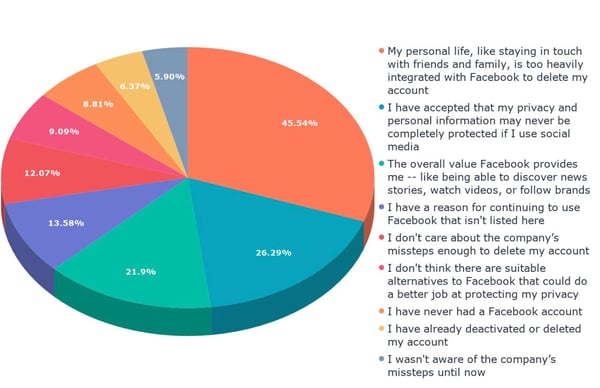
In our most recent survey to measure user sentiment toward Facebook, we provided a short summary of the company’s alleged scandals over the past two years for 643 people across the U.S., UK, and Canada, followed by a key question. It read:
“Over the past two years, Facebook has been plagued by a number of scandals. These include foreign actors using the site to spread misinformation and influence major elections, voter profiling firms improperly obtaining private user data, and a major data breach. There have also been reports of company leaders actively trying to hide these issues instead of fixing them, as well as hiring a PR firm to help make critics of the company look bad. However, our research has shown that despite all these issues, very few people have deactivated or deleted their Facebook accounts. What are your reasons for continuing to use Facebook, despite these issues?”
Data collected with Lucid
In previous instances this year, we’ve speculated that, for most users, the cost of losing the connection to friends and family provided by Facebook is too high when compared to the cost of the company’s issues.
That was confirmed by the responses we received to this survey.
Data collected with Lucid
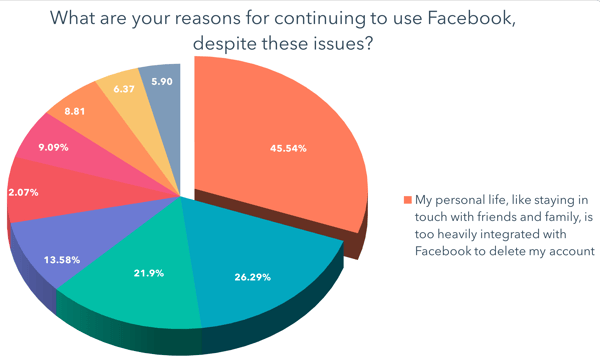
The highest number of users — about 45% — indicated that they haven’t left Facebook due to their personal lives being too intertwined with it.
When we ran one of our earlier sentiment surveys in October, Likeable Media CEO Carrie Kerpen pointed to Facebook growing as a source of connections to relatives, for instance, who may not have previously considered using social media at all.
“Your Grandma is likely not on Twitter, but she’s on Facebook now,” Kerpen said at the time. “It’s easy to use Facebook, every one is on it, and it’s widely adopted.”
Some People Have Given up on Privacy
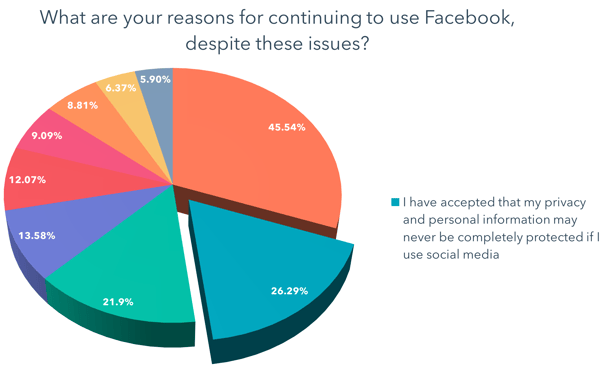
At the same time, some users say they have simply accepted that using social media comes with the cost of their privacy being protected.
Data collected with Lucid
That was the second-highest response we received, with over a quarter of participants selecting the answer: “I have accepted that my privacy and personal information may never be completely protected if I use social media.”
This response could indicate that many users have simply come to terms with a potential lack of privacy as a result of having a presence on any social apps. That was one thought that HubSpot VP of Marketing, Jon Dick, had about the seemingly lack of shock among respondents earlier this year when we surveyed them about a Facebook data breach.
“People just assume that their data is constantly breached,” Dick told me a few days after news of the breach first broke. That’s why it’s possible that “the Facebook news didn’t even alarm people.”
Benefits Beyond Friends and Family
If that’s true — that social media users simply assume and acquiesce that their personal data will always be compromised as a result of using it — that impression could lend itself to other reasons respondents indicated for maintaining a presence on Facebook.
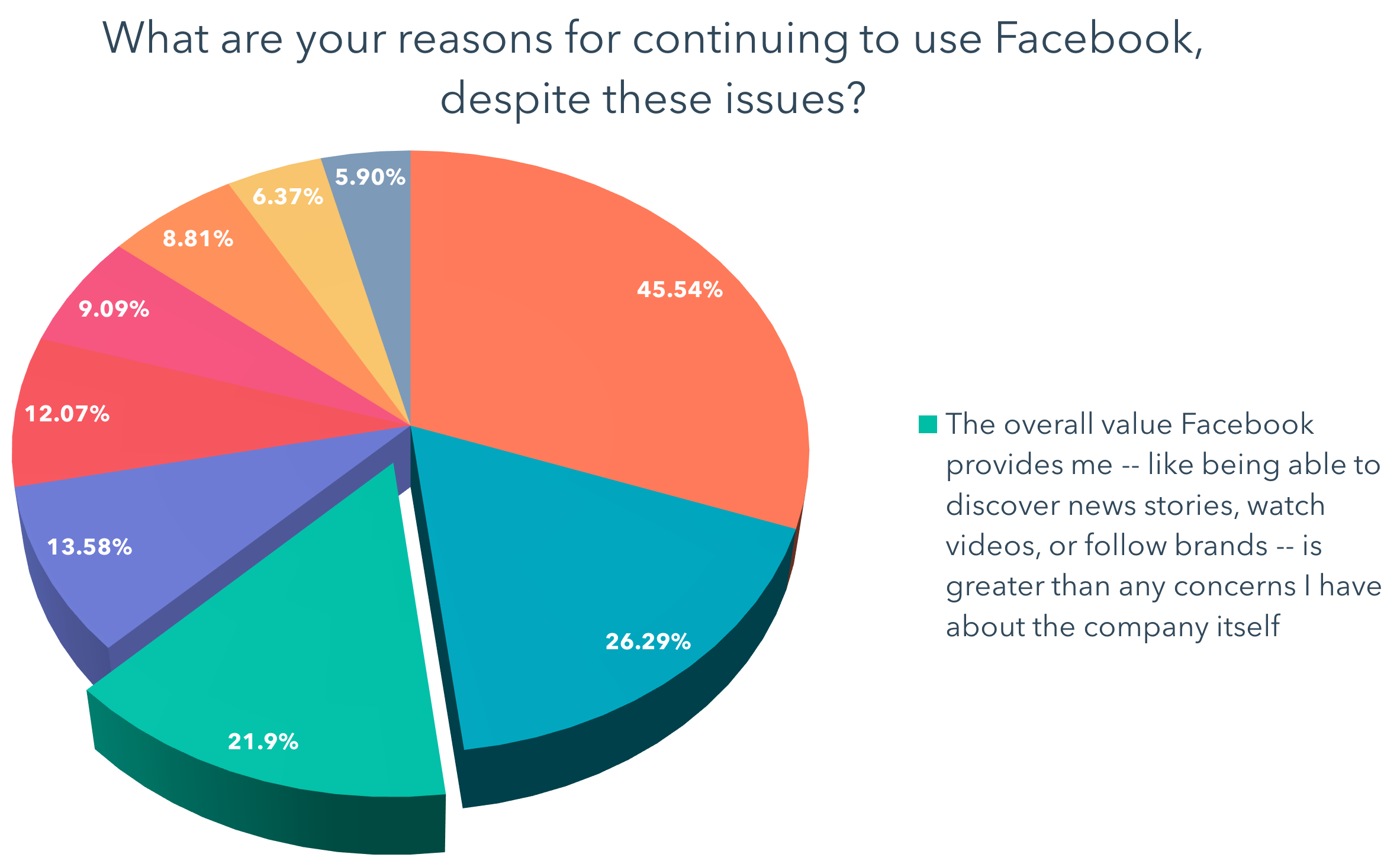
For example, the third-highest number of responses we received were from users who said that the other benefits provided by Facebook — such as getting news or discovering other new content — outweighed any problems the company might have.
Data collected with Lucid
Just over a fifth of respondents answered, “The overall value Facebook provides me — like being able to discover news stories, watch videos, or follow brands — is greater than any concerns I have about the company itself.”
That aligns with a point made by HubSpot VP of Marketing Meghan Keaney Anderson regarding user alliance to Facebook, when we discovered that many still didn’t plan to delete their accounts upon learning of the aforementioned data breach.
And as per Kerpen’s point, Facebook in particular serves as “a primary connection point to family members, to news, to society at large,” Keaney Anderson said at the time. “And for now, there is no viable replacement to that.”
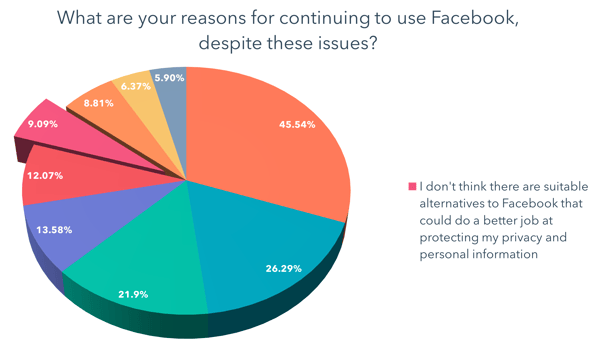
But Facebook’s seemingly irreplaceable nature wasn’t one of the more popular responses we received, with only 9% of people answering, “I don’t think there are suitable alternatives to Facebook that could do a better job at protecting my privacy and personal information.”
Data collected with Lucid
Looking Ahead
As 2018 draws to a close and the roller-coaster it’s provided for the tech industry at large (Facebook hasn’t been isolated in its controversy), we find ourselves looking ahead at its potential ripple effect.
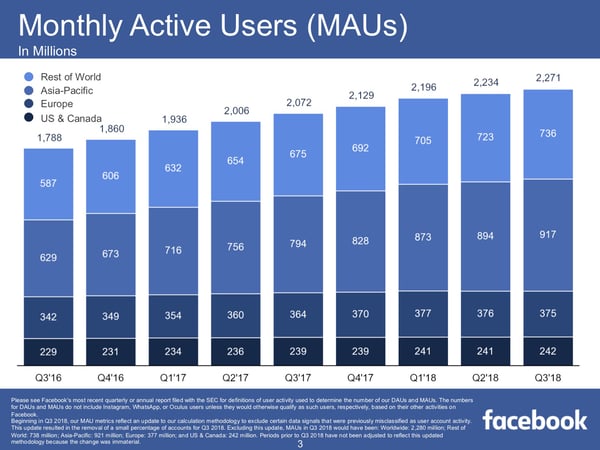
Although users mostly say they’re not leaving Facebook, the company’s growth has all but come to a screeching halt in some regions — namely, in the U.S. and Canada, which are its largest markets for (advertising) revenue.
Source: Facebook
With new users plateauing in its most lucrative markets, some speculate that Facebook is on something of a warpath to find new revenue streams, such as introducing ads to WhatsApp: the encrypted messaging app it acquired in 2014. Instagram, too — which Facebook acquired in 2012 — is viewed by many as a social plethora of ads, and has been identified by some as something the company will heavily rely on for revenue in the near future.
So, what does all of this mean for marketers and small-to-midsize businesses?
While active user growth in certain regions may have slowed, the fact that most of Facebook’s core users have yet to leave the network likely means that it’s still one of the best places for marketers to reach audiences.
That hasn’t stopped other companies from building out tools and resources for businesses that are similar to those provided by Facebook. For example, Google recently introduced new features to its Google My Business app that emulates some of those provided on Facebook Business Pages, such as the ability communicate with customers via in-app messaging.

Image source: Apple
But when all is said and done, Kerpen says, it could be quite some time — if ever — that business tools provided by other platforms begin to rival Facebook’s.
“Google My Business seems interesting, but even in a best-case scenario, it’s years away from even being a blip on Facebook’s radar,” Kerpen explains. “If advertisers ever flee Facebook — which won’t actually happen until results decline — it’s going to be for ad platforms like Instagram [which is owned by Facebook], Twitter, Pinterest, and YouTube.”
And as we look ahead to 2019, it seems that Facebook continues to serve as a resource valued by users and businesses alike — one that, despite its issues, upholds a high barrier to being replicated or replaced.

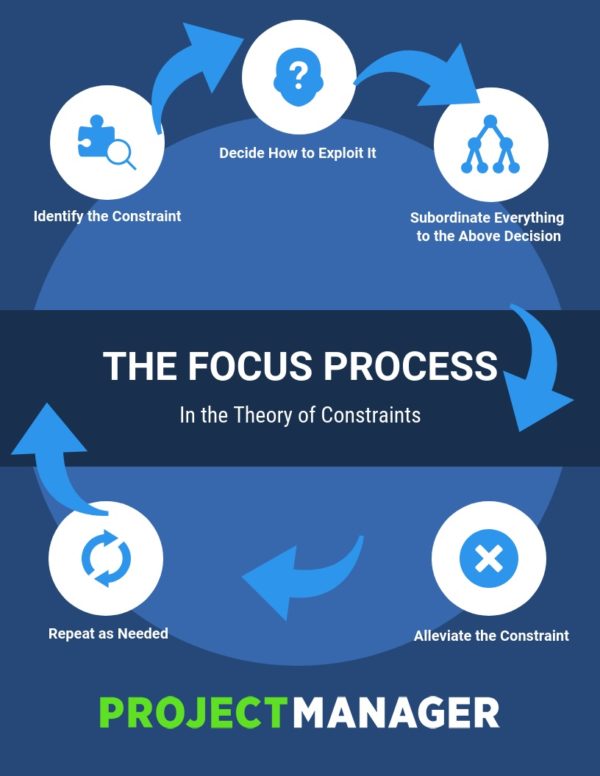
Theory of Constraints: A Guide for Project Managers
15 of the Best Simple WordPress Themes
When it comes to determining what you want your WordPress website to look like, you’ll first need to consider the theme that you plan on installing — that’s because WordPress themes are how you actually design and customize the look of your entire website.
No matter what industry you’re in or which style you’re envisioning for your website, a simple theme — meaning minimalist, clean, and well-organized — is often ideal for businesses, visitors, and customers.
However, with the hundreds of simple WordPress themes available, finding one that fits your needs may seem like a daunting task. That’s why we’ve done the work for you and compiled this list of our 15 favorite simple WordPress themes for you to explore.

15 of the Best Simple WordPress Themes
We have categorized 15 of our favorite simple WordPress themes by need and industry to help you determine which option is best suited for your website. Whether you need a theme to display your photography, manage your online store, complete a variety of different tasks, showcase your writing, or share your creative work, there is a simple WordPress theme option that could work for you.
Simple Photography Themes
If you are a photographer or want to display your artwork, these simple photography themes will allow you to share your content in a way that looks nice, organized, and doesn’t detract from your work.
1. Fargo

Fargo is a minimalist WordPress theme built for artists who want to share their photography. The theme offers unique transitions between photographs as well as Smart Galleries that seamlessly move visitors between types of content, such as text to photos to videos. If there are certain aspects of a photo that you want to make sure your viewers see, this theme offers zoom-in and zoom-out features that add a “cinematic experience” to your still photography.
Key Takeaways:
- Unique transitions between photos
- Smart Galleries
- Zoom-in and out features
2. Luisa
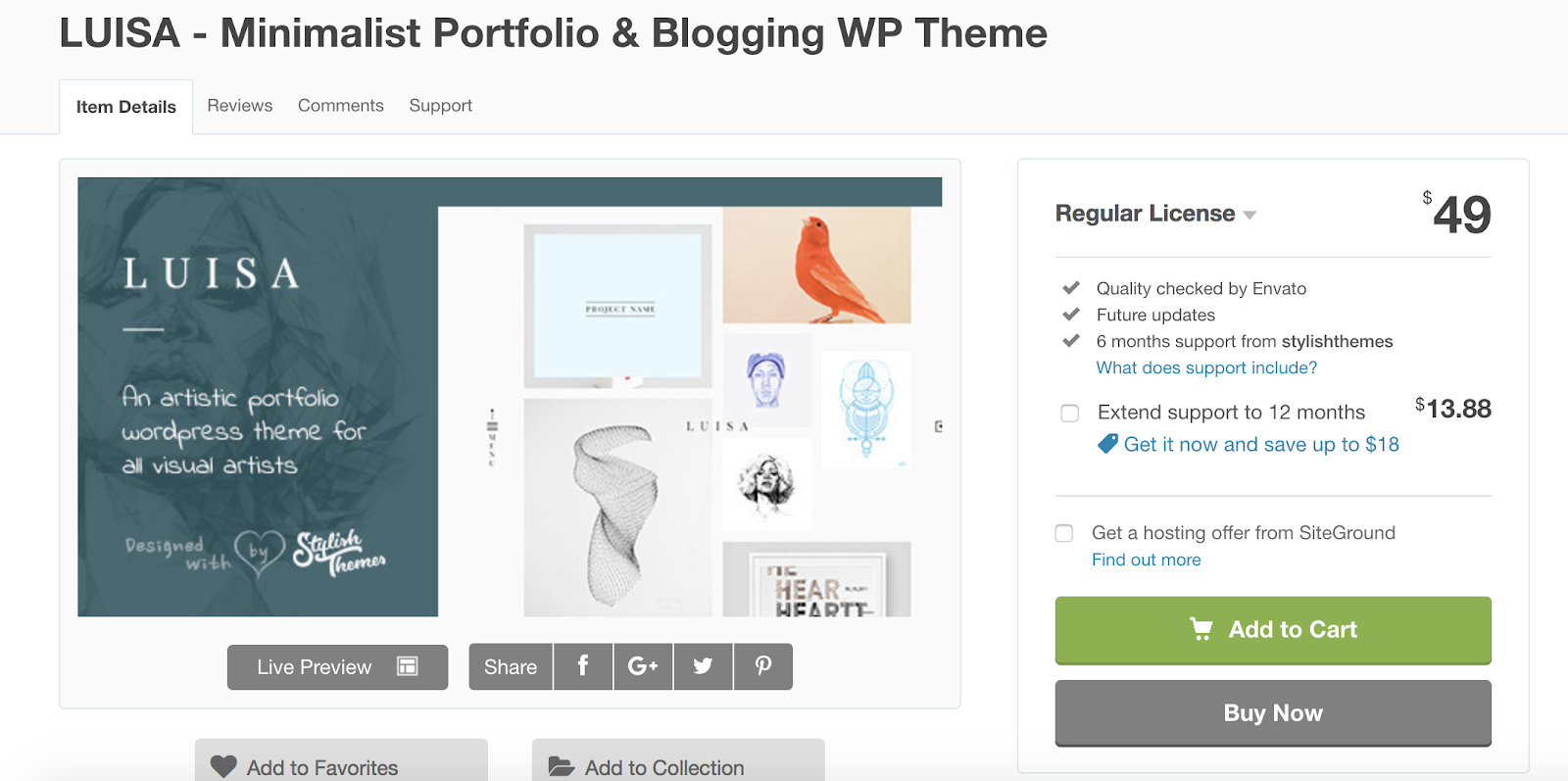
Luisa is a simple theme preferable for photographers, graphic designers, and artists who want to include written content or blog-type content with their photographs. Each photo is displayed as a portfolio post-type, meaning your projects are beautifully formatted in categories of your choosing with the option to include text if you’d like. The theme also supports videos. Lastly, Luisa is SEO-optimized to help you organically attract more traffic and visitors.
Key Takeaways:
- Portfolio post-type
- Option to include video
- SEO-optimized
3. Shape

Shape is a simple WordPress theme ideal for artists who want to tell stories through photography. Shape is known for their Filterable Galleries feature which offers smooth transitions between pictures and videos as well as the ability to add written descriptions of your photographs, display your content in a way that is unique to your site, and add a comments section for your visitors. The theme even has social media support so you can post and link to your social accounts (like Google+, Twitter, and Facebook) straight from your website.
Key Takeaways:
- Filterable Galleries
- Ability to add comments section
- Social media support
Simple Business and E-Commerce Themes
These simple business and e-commerce themes are ideal for a distraction-free and intuitive online shopping experience for your customers.
4. Monochrome
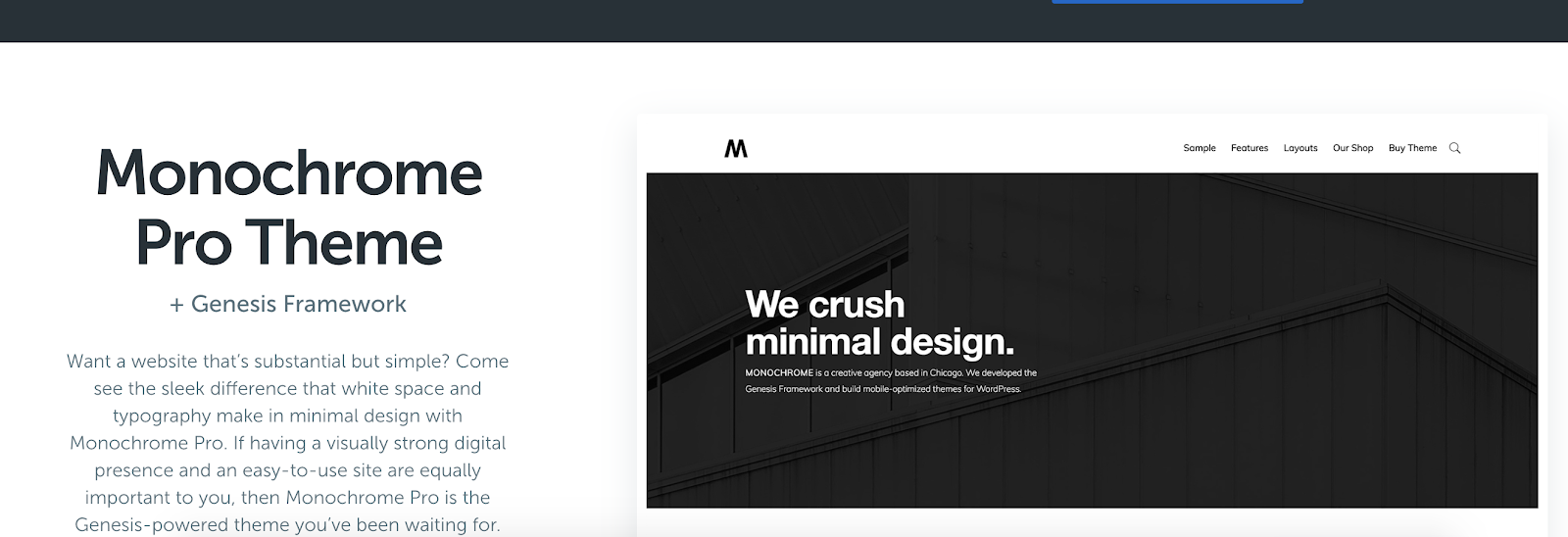
Monochrome is a simple WordPress theme created by StudioPress that works well for businesses and online stores. The theme is pre-styled for WooCommerce, an e-commerce platform for WordPress websites, making it easy to integrate your online shopping experience. The typography options and multiple areas of white space allow for a simple, focused, and straightforward experience for your visitors.
Added bonus: WP Engine hosting plan users get free access to all StudioPress themes.
Key Takeaways:
- Pre-styled for WooCommerce
- Simple typography and plenty of white space
- WP Engine plan users get free StudioPress theme access
5. Enterprise
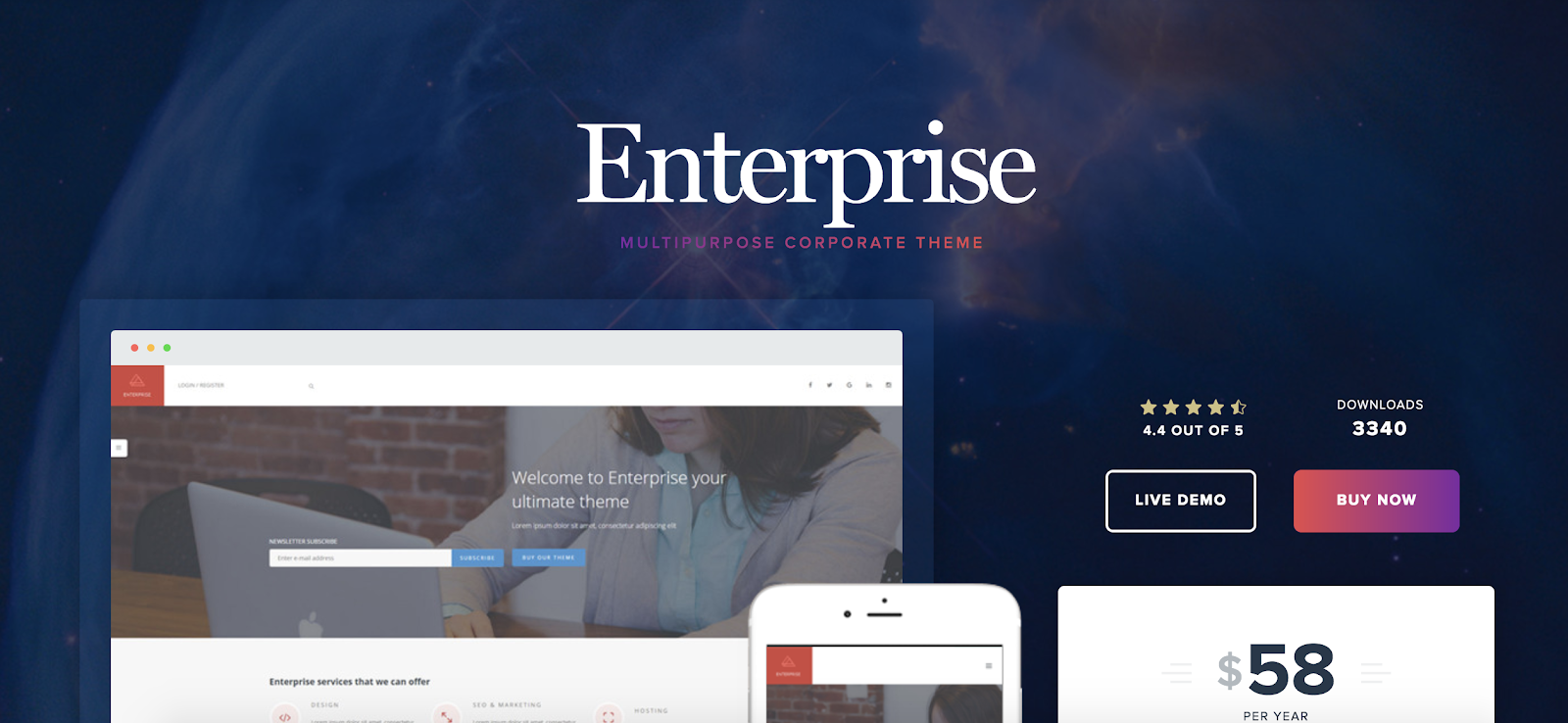
Enterprise is a simple, multi-purpose WordPress theme meant for businesses and corporations. The minimalist and modern-looking theme offers a variety of pages you can customize for your customers, such as FAQ, forums, support, and a knowledge base. The theme has built-in shortcodes so users without coding knowledge can still easily build their website.
Key Takeaways:
- Ideal for corporations
- Customizable pages include FAQ, forums, knowledge base, and more
- Built-in shortcodes
6. Presence

Presence is a business, e-commerce, and education-focused simple WordPress theme that provides you with pre-built layouts, blog pages, and different designs. These designs are created for different industries including corporations, online stores, hotels, and real estate companies. Presence also has a drag-and-drop page builder to make website creation even easier.
Key Takeaways:
- Pre-built layouts
- Different designs based on industry
- Drag-and-drop page builder feature
Simple Multi-Purpose Themes
Whether you’re looking for a simple theme for your business, blog, photography, or creative website, these multi-purpose themes can be manipulated and designed to fit your exact needs.
7. Salient
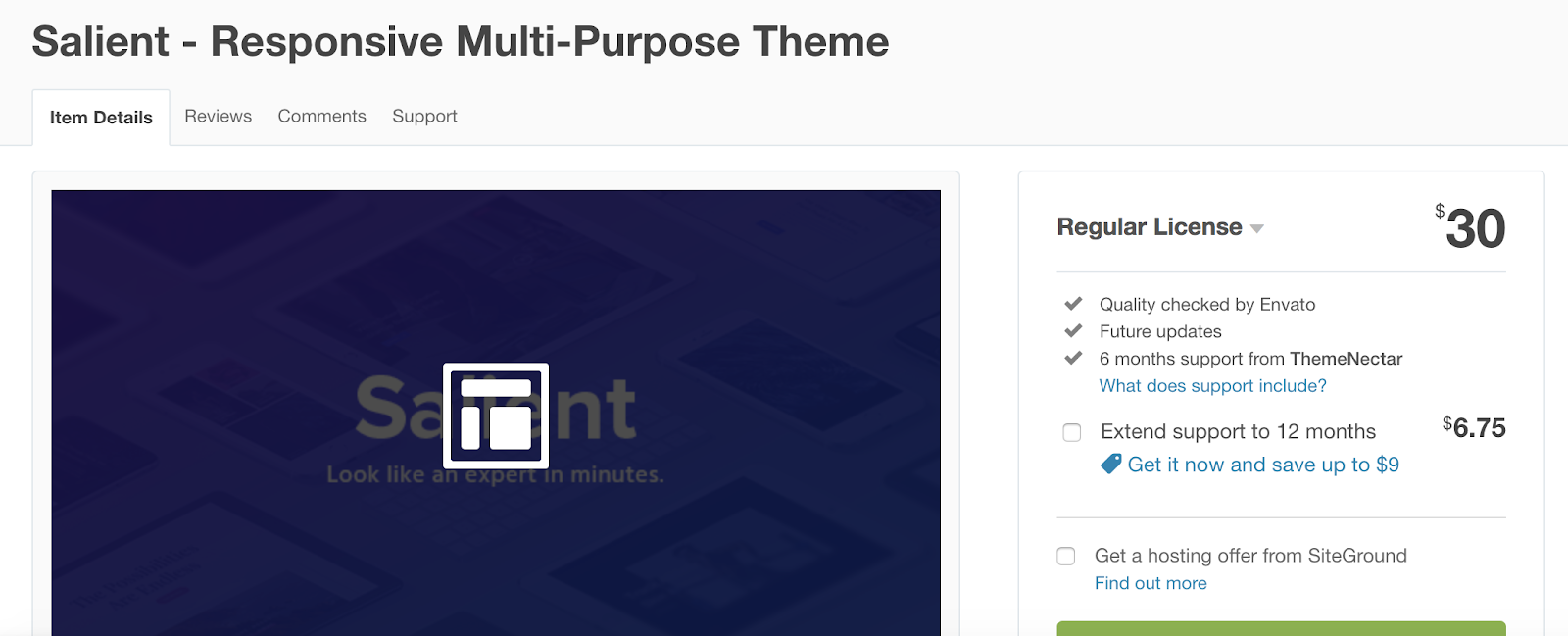
Salient is a simple, multi-purpose theme that offers over 250 different templates you can use to customize your website. There are also hundreds of ways to customize your color scheme and typography to keep your site on-brand and matching your company’s aesthetic. Salient is a lightweight theme which means it’s speedy, efficient, and takes up less space on your server.
Key Takeaways:
- Over 250 different customizable templates
- Hundreds of color and typography options
- Lightweight theme
8. Infinite
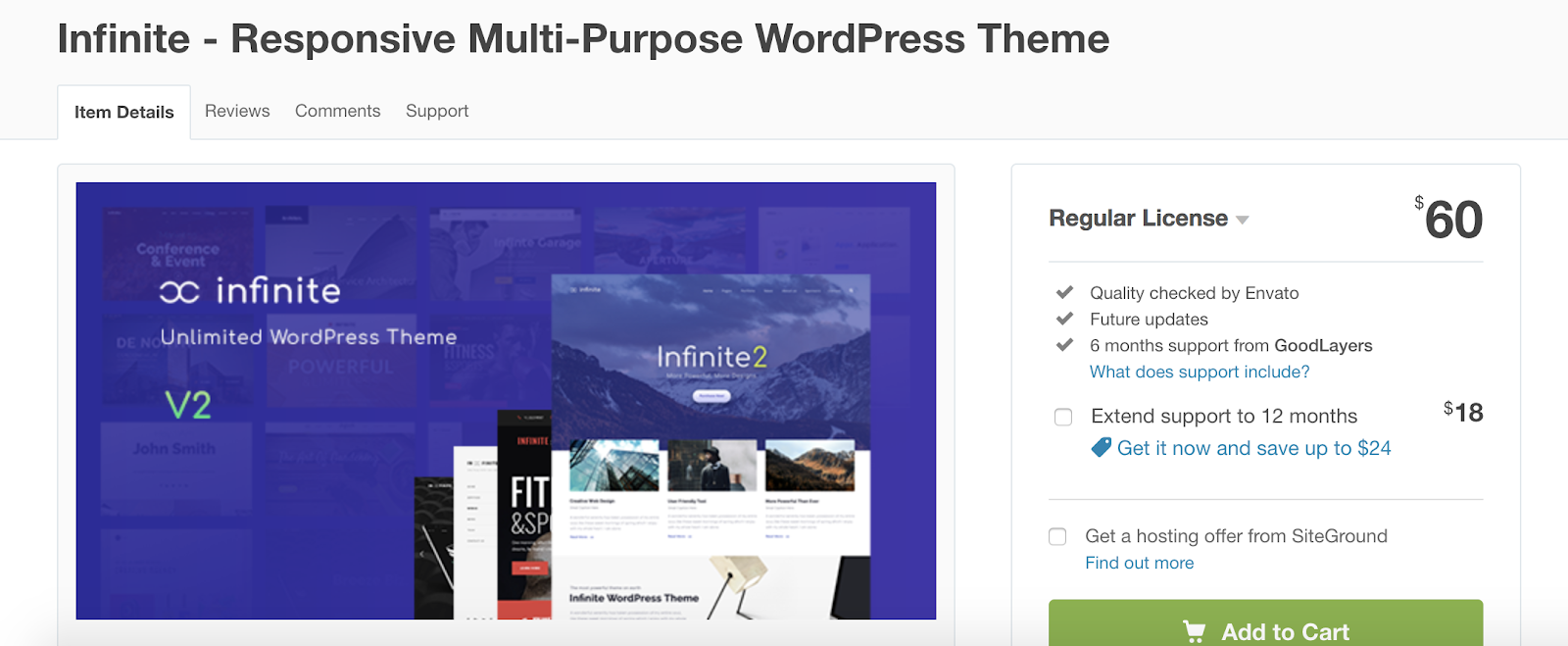
Infinite is a simple WordPress theme with WooCommerce integration and a variety of installable demos suited for different industries such as creative, corporate, e-commerce, and other niche businesses. In addition to customizable demos, the theme also offers access to the Google Fonts library which includes over 770 different fonts. Infinite is automatically responsive on all devices, meaning you don’t need to worry about creating another version of your website for mobile and tablet usage.
Key Takeaways:
- WooCommerce integration
- Customizable, installable demos
- Access to Google Fonts library
9. Montblanc

Montblanc is a simple, multi-purpose WordPress theme ideal for creative and e-commerce use. Whether you’re an author, photographer, videographer, blogger, or graphic designer, this theme has a wide range of features including five different shop and homepage layouts that allow you to display your work in a unique way. Montblanc is WooCommerce integrated so you can also sell your artistic work directly from your site.
Key Takeaways:
- Creative, multi-purpose theme
- Five shop and homepage layouts
- WooCommerce integrated
Simple Writing Themes
No matter the type of writer you are, these simple themes are ideal for featuring your work — there are options for news writing, editorial writing, business writing, blogging, and more.
10. Newspaper
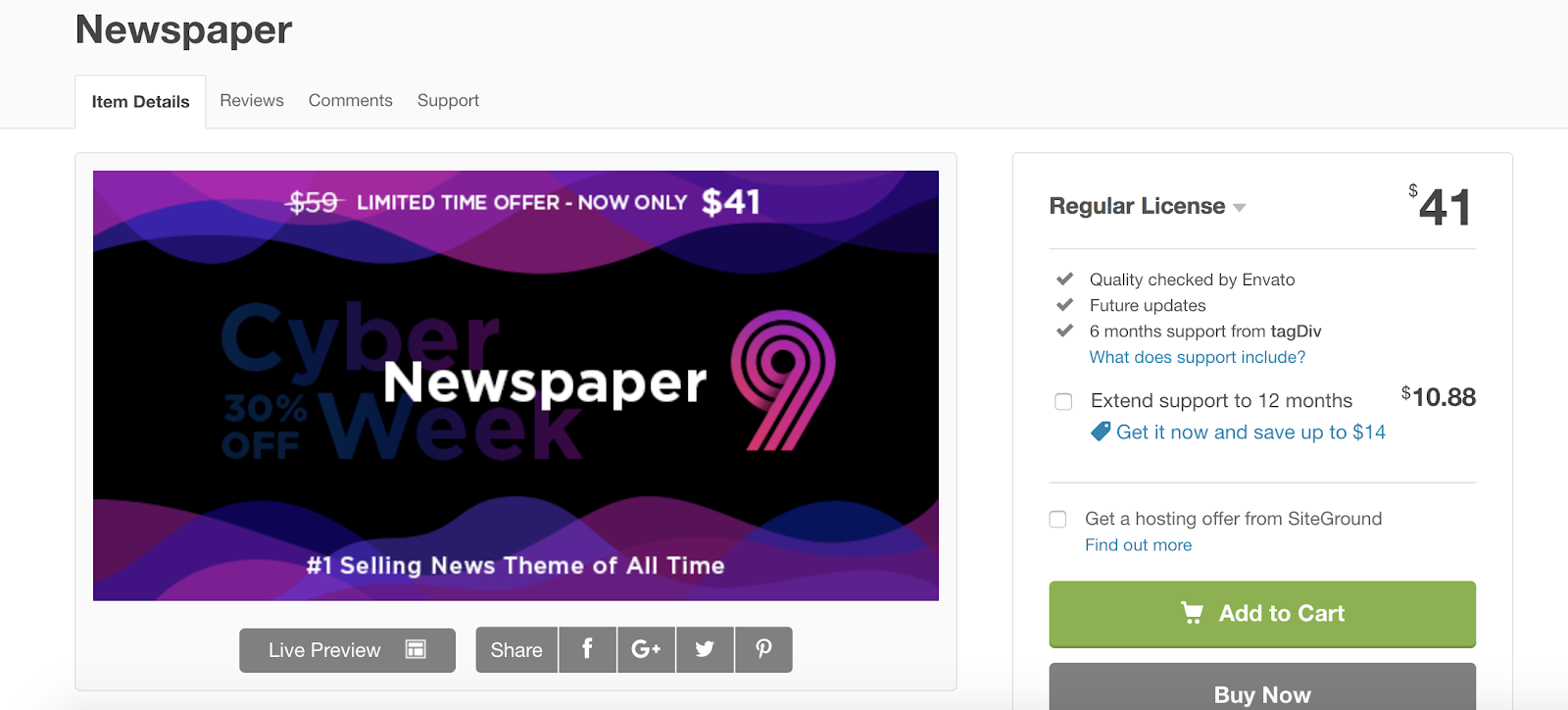
Newspaper is a simple WordPress theme ideal for writing and posting articles and blogs on your website. The theme offers a newspaper template so your pieces are formatted in a layout that’s easy to read for your visitors. Newspaper also has social media and YouTube integration so you can seamlessly share your content with your followers on all mediums.
Key Takeaways:
- Ideal for news articles and blogs
- Newspaper template
- Social media and YouTube integration
11. Writee
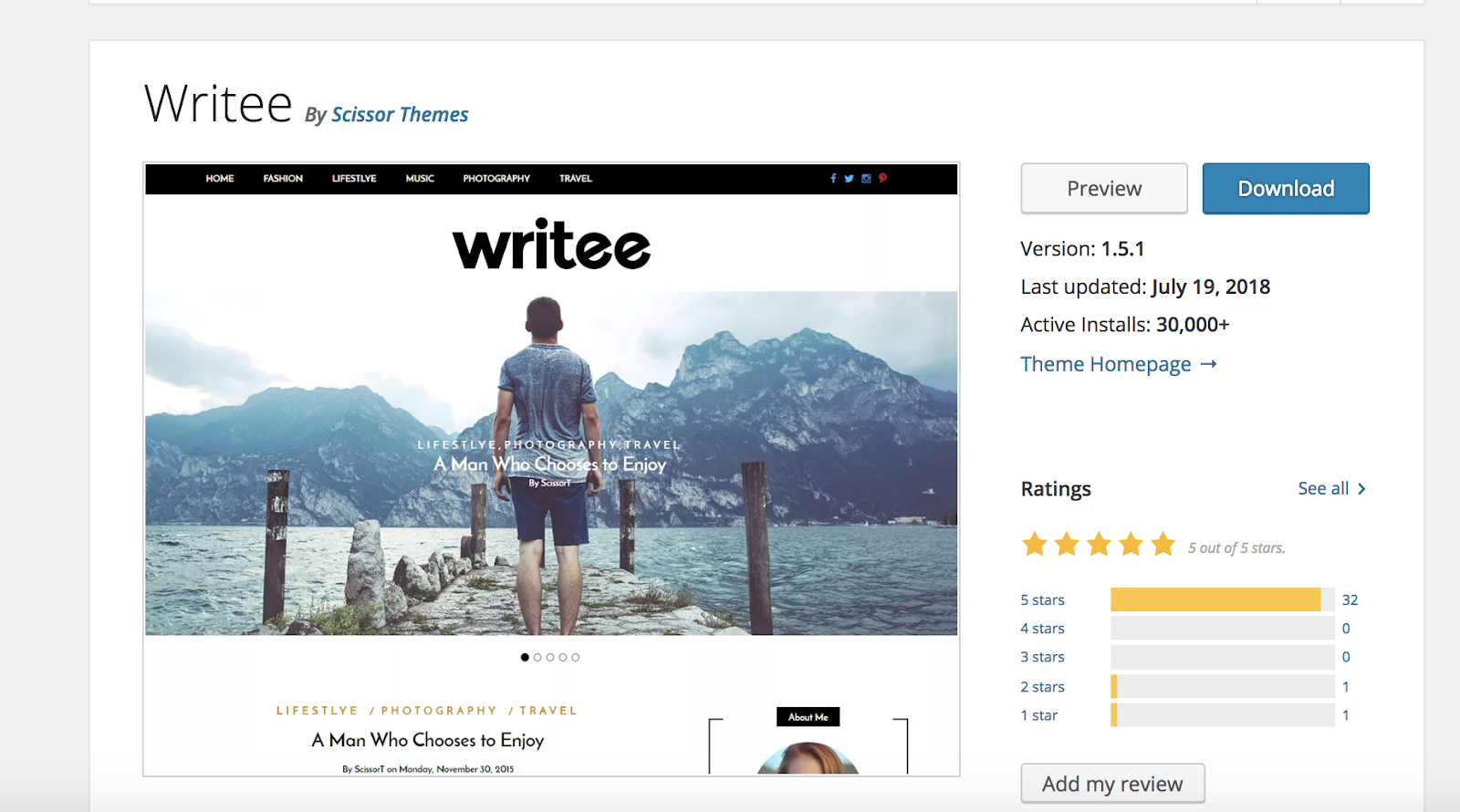
If you’re a blogger of any kind, Writee is a great way to share and display all of your content. This simple WordPress theme can be translated into multiple different languages and has customizable features to fit your blog no matter what you write about — whether it’s food, lifestyle, fashion, or marketing. Writee also has a number of options to help you feature your photographs and other visual content in a way that complements your written work.
Key Takeaways:
- Ideal for bloggers
- Can be translated into other languages
- Customizable options to pair written and visual content
12. The Breaking News
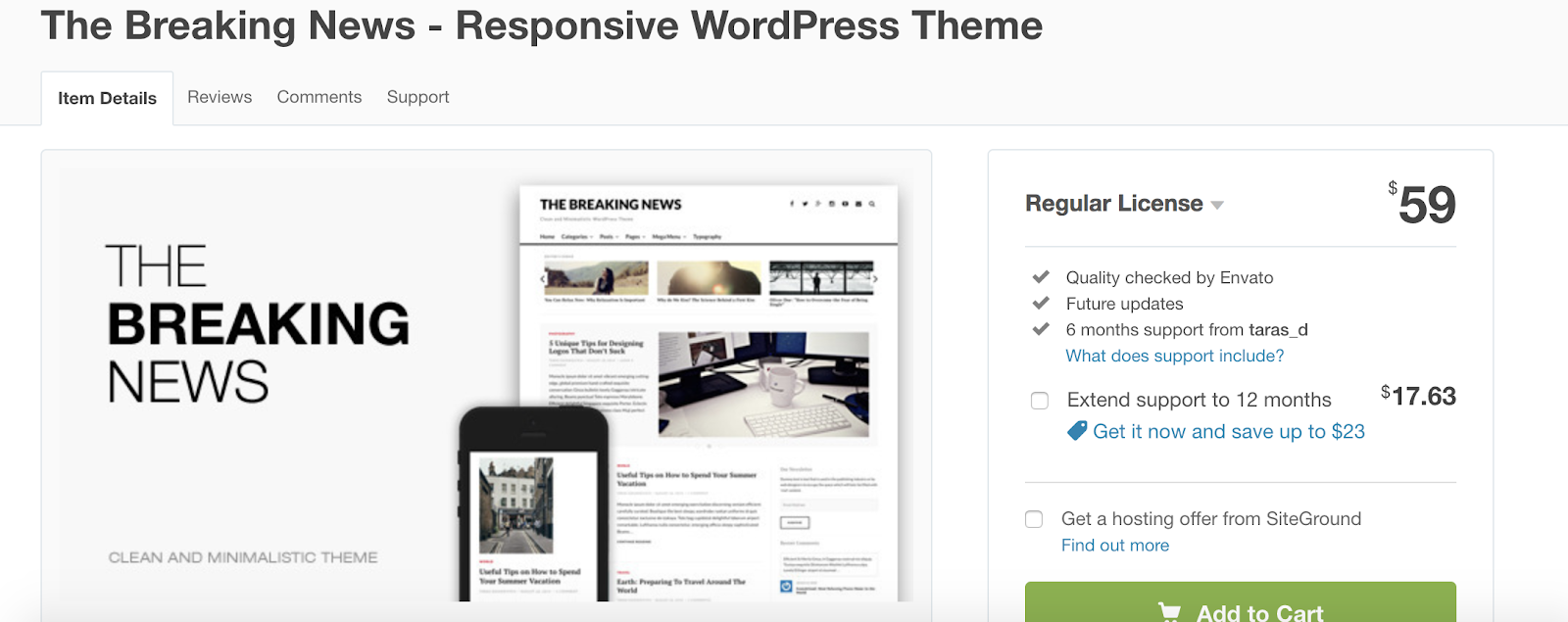
The Breaking News is a simple, minimalist WordPress theme created for news sites and online magazines. The clean design includes distraction-free styling, whitespace that keeps visitors focused on your content, and simple typography. The theme also provides you with a number of ways to feature your most relevant, popular, and important articles.
Key Takeaways:
- Ideal for news sites and magazines
- Distraction-free styling and formatting
- Options to feature your relevant and important articles
Simple Creative Themes
The following simple themes are ideal for any professional looking to share their creative works such as art, writing, photography, in a minimalist format.
13. Kalium

Kalium is a simple theme ideal for any type of creative professional. The theme offers installable demos that include entire website concepts so you can simply customize the content within the theme to get your site up and running as quickly as possible. Kalium is already translated into over 16 languages and includes a wide range of portfolio layouts so you can display your work in a way that makes the most sense for your specific business and industry.
Key Takeaways:
- Installable website demos
- Translated into over 16 languages
- Multiple portfolio layout options
14. Corner
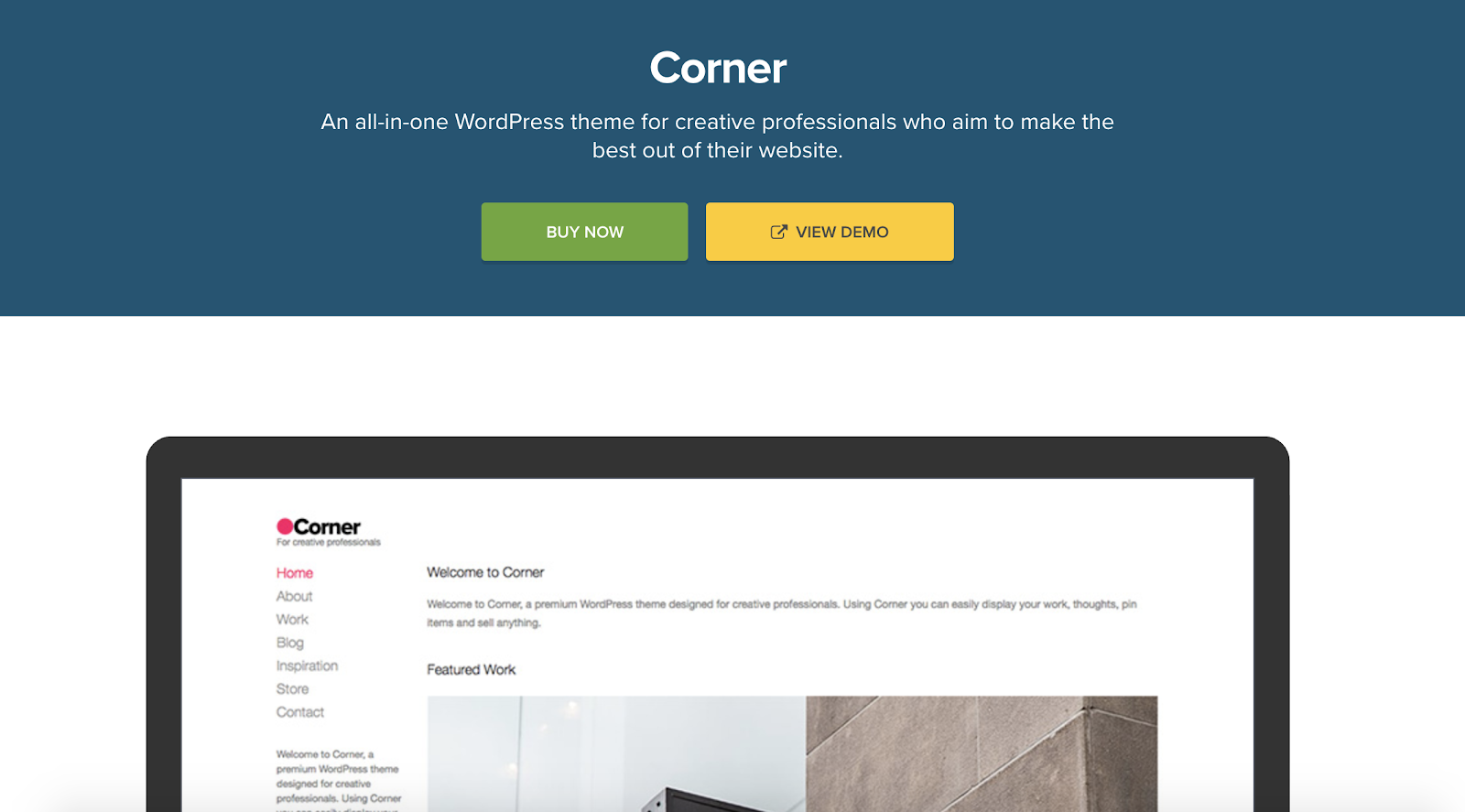
Corner is a simple, creative WordPress theme that includes over 16,000 color variations to customize your website’s look, WooCommerce integration to allow for a simple online shopping experience, and a clean layout for a great user experience. The theme also has several custom widget options so you can include buttons on your site that direct visitors to your social media profiles and other content.
Key Takeaways:
- 16,000+ color variation options
- WooCommerce integration
- Custom widgets
15. Kleanity
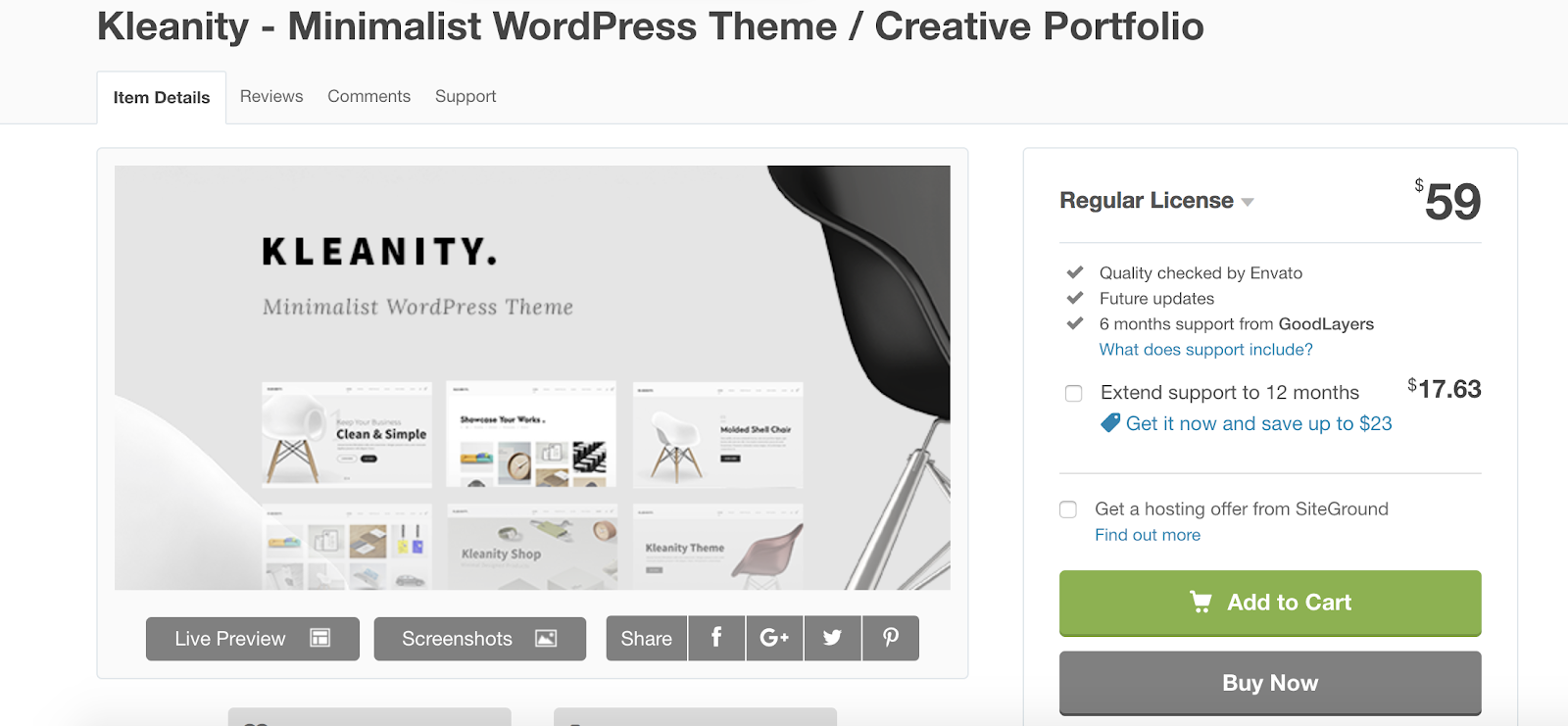
Kleanity is a simple, creative theme for anyone looking to share their portfolio. The drag-and-drop page builders allow you to easily showcase your work. There is also a Live Customizer feature that allows you to edit your pages with your content on them and view your changes instantly. The theme also auto-updates so you’ll never have to worry about downloading any new software.
Key Takeaways:
- Ideal for displaying portfolio work
- Drag-and-drop page builder
- Live Customizer feature
Back To You
Simple WordPress themes are a great way to build a minimalist, clean, and straightforward website that improves user experience while getting rid of unnecessary fluff and content. Simple themes allow you to create a focused online experience for your customers and visitors that is unique, on-brand, and appealing to the eye.
No matter your industry, there’s a simple WordPress theme option that works your website, buyer personas, and company. So, if a minimalist and clean design is what you envision for your site, try installing one of these 15 options and implementing your own content to see what a simple theme could do for your website.


What is a Metaphor? A 2-Minute Rundown
What do the lines “You ain’t nothin’ but a hound dog, cryin’ all the time”, “Baby, you’re a firework”, and “Life is a highway, I want to ride it all night long” all have in common?
The obvious answer is that they’re lyrics from famous songs. The not so obvious answer is that they’re also metaphors.

Most of our favorite artists use metaphors to figuratively describe their thoughts and emotions, making them more vivid and easy to understand. But metaphors aren’t only commonplace in music — they’re widespread in everyday conversation. In fact, since metaphors are so effective at clarifying abstract ideas, our brains practically think in them to grasp reality, prompting some researchers to suggest we use metaphors every 25 words.
However, metaphors are deeply seeded in our language, so we barely notice them. A lot of times, we even forget what they are and their ability to clarify things and persuade people. So to help you understand the true power of a metaphor, let’s go over what exactly it is and the impact the literary device can have on an audience.
What Is a Metaphor?
A metaphor describes something in a way that’s figuratively true, but not literally true. By stating one thing is another thing, metaphors compare abstract ideas with concrete pictures, breathing life into words and helping readers grasp broad concepts and ideas.
Since metaphors help us reference what is simple and familiar (like an adventure) to understand what is complex and distant (like love) the literary device can sculpt people’s emotions, thoughts, and opinions toward almost any subject.
For instance, in a study conducted at Purchase College, researchers tested the effect that certain metaphors have on people’s urgency to reduce carbon emissions. When they framed the campaign against climate change as a “war” instead of a “race”, researchers noticed people expressed more willingness to end global warming.
Metaphor Examples
Along with our favorite musical artists, some of the greatest minds in the world have crafted poetic and insightful metaphors that have seared themselves into our memories and given us refreshing ways to reflect on ordinary concepts and ideas. Here are a few examples:
“Conscience is a man’s compass.” – Vincent Van Gogh
“Advertising is the rattling of a stick inside a swill bucket.” – George Orwell
“A hospital bed is a parked taxi with the meter running.” – Groucho Marx
“America has tossed its cap over the wall of space.” – John F. Kennedy
“Art washes away from the soul the dust of everyday life.” – Pablo Picasso
“Let us be grateful to people who make us happy, they are the charming gardeners who make our souls blossom.” – Marcel Proust
“All the world’s a stage, and all the men and women merely players. They have their exits and their entrances.” – William Shakespeare
Metaphors are one of the most powerful tools in a writer’s arsenal. Not only can they clarify complex and broad concepts, but they can also influence people’s emotions and opinions. And if you learn how to effectively leverage metaphors in your writing, you could impact your readers just like our favorite artists, thinkers, and writers do.


How Job Crafting Can Make Your Job More Meaningful
Welcome to The Science Behind Success— a new blog series that explores the best ways to help our brains perform better at work. With psychological research and interviews with leaders in the field, we’re showing you how psychology can help you overcome workplace obstacles and excel in your career. Because a little mindset change could go a long way.
Writer Annie Dillard once said, “How we spend our days is, of course, how we spend our lives.”
Most of us will spend a huge portion of our days, and thus our lives, at work — in fact, the average American spends 90,000 hours at work over their lifetime.
And yet, so many of us aren’t passionate about our jobs. A Gallup poll found only 15% of the world’s full-time employees are engaged at work.

We recognize this lack of career enjoyment all around us — in the cousin who complains over Thanksgiving break about his boring work environment, or in the friend who has been seeking out new jobs for the past year but still says, “What’s the point? No one really likes to work, do they?”
Ultimately, we can all agree on the importance of enjoying our work. Doing something you don’t like every day can be both exhausting and demoralizing. But finding a new job can seem equally frustrating, and sometimes even impossible.
Fortunately, there’s an alternative solution to finding meaning and passion in your current role. Amy Wrzesniewski, professor of organizational behavior at the Yale School of Management, has conducted research on something she calls “Job crafting”. Here, we’ll explore how you can use her research to start enjoying your job more, immediately.
Job Crafting — Reimagining Your Job to Find Purpose
A few years ago, Amy Wrzesniewski interviewed the cleaning staff at a hospital and noticed something interesting — even though all 28 members of the staff were doing relatively the same job, they each described it differently. And the way they described it (or “crafted it”), made a significant difference as to whether they enjoyed it.
For instance, the first group, when asked about their work, said they didn’t like their jobs, that they didn’t feel particularly satisfied, and that the skill-level required of the role was low. Then, when asked to describe the tasks of the work involved, they described exactly what the job description listed.
By comparison, the second group Amy spoke with found the job both meaningful and rewarding, and felt the work required a high skill-level.
So, what was it about this second group — were they naturally happier? Were they willing to settle for less?
Actually, the answer is neither.
When Amy asked the second group to describe the tasks of the work involved, this group altered and stretched the boundaries of their job description to include additional tasks, like interacting with patients and visitors.
For instance, one cleaner regularly changed the pictures on the walls in each of the patients’ rooms on a long-term rehabilitation floor where patients were unconscious or comatose, believing the change of atmosphere could potentially help revive the patients.
Another cleaner liked to double back after her shift to speak with patients who hadn’t had visitors, or looked particularly lonely.
Additionally, many of the cleaners in the second group gave themselves different job titles. When asked what they did, they’d say “I’m an ambassador” or even, “I’m a healer.” They were doing the same work as the first group, but cognitively, they’d reimagined their title to fit what they found meaningful. And they weren’t lying to themselves — they then sought out activities to match that new job description. For instance, the “healer” would look for tasks that she believed could help patients heal.
Apart from how they crafted their jobs, these two groups had no other differences — they worked in the same units, interacted with the same people, and had the same shifts. The second group simply used “job crafting” to find meaning, and enjoyment, in their work.
Amy Wrzesniewski and her co-authors
describe job crafting as, “the process of employees redefining and reimagining their job designs in personally meaningful ways.”
There are three types of job crafting — task crafting, relational crafting, and cognitive crafting.
Let’s dive into those, now:
- Task crafting: Adding, dropping, changing, or altering the tasks required of you in your job description. Alternatively, you might put more or less time and effort into certain tasks, depending on your interests and skills. For instance, perhaps you’re particularly skilled at design, but you’re a customer service representative. As a freelance project, you begin designing templates for you, and your colleagues, to use in the customer service department.
- Relational crafting: Changing with whom you regularly interact when performing your job duties. For instance, maybe you are passionate about social media but you’re a marketing analyst. You might form a friendship with the social media manager, and set up meetings with her to discuss future potential collaborations, even though this isn’t technically in your job description.
- Cognitive crafting: Altering how you perceive your tasks and the meaning behind them. For instance, perhaps you’re an administrative assistant who sees her job as an opportunity to help people and make other people’s lives easier, not just to fulfill organizational duties.
If you’re unsure how to craft your role to make it more meaningful, begin by thinking of something of deep value to you. Is it music? Fashion? Travel? Then, consider how you might integrate it, through tasks, relationships, or cognition, into your job.
Let’s say you’re a content creator with a passion for travel. Rather than wishing for a job with more travel opportunities, like a travel blogger, consider how you might use one of Amy’s three crafting methods to introduce this passion into your daily life.
For instance, you might put more effort into finding opportunities to write or edit content about places around the world (task crafting).
Alternatively, maybe you seek out the Marketing Director for Latin America to discuss how you might collaborate on content in the future (relational crafting).
Lastly, maybe you recognize that many of the same things you enjoy about travel (the novelty of visiting new places, meeting new people), are similar to aspects you find in your daily interaction with clients (cognitive crafting). In other words, maybe you recognize there are parallels between the aspects of travel you enjoy, and your work’s purpose.
You Might Not Need a New Job to Find Your Calling
When you aren’t happy with your job, it’s easy to believe it’s because it’s the wrong job. Oftentimes, it’s tempting to peruse alternative job descriptions and think, “Huh. Maybe those are the tasks I’d enjoy doing. Maybe that’s what I’m ‘meant’ to do.”
Interestingly, Amy’s research takes an alternative approach — and it’s an approach that just might save you from missing out on enjoying your life more, today.
On NPR’s Hidden Brain podcast, Amy said, “I do think that there are two different schools of thought in play around callings. And one is that it’s out there. You have to find it. It’s a matter of moving into the right role, or the right position in the right organization, and so on. And then, suddenly, this will be unlocked, and your work will be this sort of joyful end in and of itself … Versus, how is it that I can craft the boundaries of this job, and the way that I think about its role sort of in the world in such a way that I can come to experience it, perhaps, as something that is meaningful in a way that potentially a calling could be?”
She recognizes that believing your calling is “out there”, and feeling you need to magically stumble upon it, can be both anxiety-producing, and limiting.
The alternative — that you might reshape and reimagine how you can make your current role work for you, inspire you, and excite you — is something both unique and potentially liberating.
At the hospital, Amy asked the woman who moved pictures around on the rehabilitation floor, “Is this part of your role?”
“No that’s not part of my job,” the woman replied. “But that’s part of me.”
It’s important to note, job crafting is a continuous and fluid process. You won’t always have the flexibility to add or subtract tasks from your daily list. Wrzesniewski recognizes this. To combat roadblocks employees might face, she advises managers and directors to enable space for employees to customize their jobs to their individual skills and interests, whenever possible.
For instance, she says managers might help “[define] for employees how their work is interconnected with others’ work … [which] may help provide them with raw materials for cultivating meaningfulness through cognitive and relational crafting”.
Alternatively, she suggests offering one-on-one coaching sessions or group workshops related to job crafting, or simply working with your employees to strategize on how your employees might implement crafting into their daily routine.
For instance, if your employee, a marketing blogger, mentions she feels most motivated when she believes her writing is helping people, you might allow her to set up monthly phone calls in which she is able to hear feedback directly from customers — even if this is not in her job description. As a result, she might work harder on the job, perform better, and even brainstorm ways to make her writing more appealing to those with whom she’s speaking.
If you’re wary of the benefits of job crafting, consider this — one study found fundraising callers who were given stories about how their job could make a difference in other people’s’ lives more than doubled their weekly pledges earned, and the amount of donation money raised, for the entire month after they were given told stories. This suggests your employees’ performance could increase with something as simple as a reminder that what they’re doing is significant to the greater organization.
Ultimately, it’s critical for both employees and managers to consider how they might re-align or change job descriptions to fit someone’s unique skills and interests. By deliberately stretching the boundaries of your tasks, you just might find happiness and meaning in your job, today.


How to Track Awareness, Completion, and Engagement Goals With Google Analytics
Want a better way to evaluate your website’s performance? Wondering how to set goals to mark key points in your customer’s journey? In this article, you’ll learn how to assess the effectiveness of the customer journey on your website using awareness, completion, and engagement goals. #1: Define Goals Along the Customer Journey Before you open […]
The post How to Track Awareness, Completion, and Engagement Goals With Google Analytics appeared first on Social Media Examiner.
from Social Media Examiner https://ift.tt/2E3L1RZ
via socialmediaexaminer
Change Course & Don’t Break Anything: The Journey: Season 2, Episode 11
Ever needed to accelerate your marketing plans to meet a goal? Watch the Journey, Social Media Examiner’s episodic video documentary that shows you what really happens inside a growing business. Watch the Journey Episode 11 of the Journey explores how the team at Social Media Examiner attempts to stimulate sales by quickly changing course. What […]
The post Change Course & Don’t Break Anything: The Journey: Season 2, Episode 11 appeared first on Social Media Examiner.
from Social Media Examiner https://ift.tt/2DOt0q6
via socialmediaexaminer
¿Cómo analizar el Tráfico Web de nuestros competidores para mejorar nuestro Posicionamiento SEO?
Conseguir aumentar paulatinamente el Tráfico Web que recibe nuestro blog o sitio web es uno de los factores que más nos interesa cuando tenemos un proyecto digital que pretendemos impulsar en Internet y conseguir el tan ansiado éxito, ya sea en ventas o en contratación de nuestros servicios profesionales.
Y como todo proyecto Online que comienza, solemos fijarnos en las acciones que implementan otras empresas o dominios que se dedican a nuestro mismo sector o nicho profesional.
Por ello, el hecho de poder analizar en profundidad las visitas que les llegan a nuestros principales y más directos competidores es un handicap que no debes pasar por alto.
Es más, me atrevería a decir que podría ser una baza a tu favor el hecho de conocer qué acciones les están funcionando mejor a ellos, para poder así tener una idea de en cuáles debes invertir tú.

Teniendo en cuenta esta premisa básica, debemos comenzar a modificar lo que sea necesario y pivotar así nuestra estrategia, con la finalidad de aumentar dicho tráfico y, con el tiempo y que tu negocio se convierta cada vez en más escalable, superar a estas otras empresas competidoras.
Y como ocurre con la gran mayoría de acciones de marketing digital, los profesionales que nos dedicamos a ello solemos emplear herramientas de primer nivel, que nos ayudan a analizar e interpretar estas métricas.
Una de las más potentes que conozco y la que yo utilizo es Traffic Analytics, que es parte de la plataforma SEMrush, la cual nos permitirá descubrir todos estos detalles que te he mencionado anteriormente y además nos ahorrará tiempo y dinero.
Y, aunque esta no será la única con la que lo podrás realizar, a lo largo de este artículo vas a poder comprobar la gran cantidad de información que te proporciona acerca de otras webs ajenas a la tuya.
Usando esta herramienta sentirás casi como si estuvieras en el backend de la propia página o incluso dentro de su Analytics.
Ventajas de poder analizar detalladamente el Tráfico Web de tu competencia
Partiendo de la obviedad de que ninguna empresa (y menos si es competencia directa) va a proporcionarte sus datos de analíticas exactas, debemos recurrir a herramientas como esta que te muestro en este artículo.
Pero gracias a la cantidad de datos que más adelante verás que te proporciona, podemos extraer los siguientes beneficios para tu propia estrategia digital:
Puedes saber con antelación qué épocas son más “abundantes”
Gracias a que puedes conocer las analíticas de los sitios web de tus competidores, puedes adelantarte a posibles épocas donde las ventas sean mayores, contratando así mayor personal para que refuerce tu equipo.
Este dato será relevante sobre todo al principio, ya que cuando comienzas no puedes tener una idea del nivel de ventas en cada época del año.
Es evidente que lo que a tus competidores les ha funcionado no tiene por qué hacerlo con tu negocio y viceversa, pero si haces una prueba sesgada con Traffic Analytics, analizando a una cantidad considerable de negocios de tu competencia y todos ellos coinciden, sí puede ser un dato fiable en este sentido.
Del mismo modo ocurrirá con las épocas donde notes que a ellos les ha bajado las ventas: podrás adelantarte a esos meses y comenzar a planificar ofertas y promociones que atenúen un poco esas caídas en los beneficios que hipotéticamente obtendrás.
Conocer qué canales digitales funcionan mejor en tu nicho
De igual forma, si en tu caso estás comenzando con tu proyecto y estás dando tus primeros pasos, puedes analizar a los demás negocios similares al tuyo y ver cuáles son sus principales fuentes de tráfico web.
De esta forma comprobarás de una manera aproximada, detalles tan importantes como qué red social es donde se encuentra mayoritariamente tu público potencial.
Si en tu caso Facebook es la plataforma donde se “agolpa” un gran porcentaje de clientes potenciales en las empresas de tu nicho, podrías tener en mente ya ciertas campañas de Facebook Ads, en las que redirigir visitas hacia las landing pages de tu interés.
Herramientas profesionales como Traffic Analytics te ofrecen la posibilidad de conocer todos estos datos de manera muy detallada y clara.
Puedes segmentar tus acciones hacia zonas geográficas concretas
En cuestiones de marketing, ya sea de modo online u offline, el hecho de apuntar todas tus acciones justo hacia el público objetivo que potencialmente está interesado en todo aquello que ofreces es una de las premisas más básicas y primarias que existen.
Pero además, si dentro de este tipo de usuarios, eres capaz de afinar más tu “puntería” y conocer qué zonas geográficas del mundo visitan más tu web, mucho mejor.
Y esto es una de las cosas que puedes extraer de este tipo de análisis, no ya de tu propia web, sino de las de la competencia que lleven un mayor recorrido y trayectoria profesional en tu nicho profesional.
Te estarás preguntando que por qué es tan importante conocer la procedencia geográfica del tráfico de tus competidores, ¿verdad?
Pues nada más y nada menos porque, como bien sabes, en el caso del castellano, si generas contenidos en tu web en este idioma, pueden visitarte personas tanto de España como de las decenas de países Latinoamericanos.
Por tanto, detectar que en la mayoría de webs de tu competencia existe un porcentaje de tráfico procedente, por ejemplo, de Argentina, es posible que debas adelantarte a ello y dirigir parte de tus acciones de marketing hacia ese país y/o en base a un lenguaje más propio de este país.
Realmente, te sorprendería la cantidad de negocios online que siguen “bombardeando” a sus supuestos potenciales clientes de un país, sin saber con anterioridad que la mayoría de sus potenciales clientes que los visitan provienen de países hacia los que no enfocan ninguna de sus acciones.
Ponerlo en común y analizarlo conjuntamente con tu equipo
Aunque no es una ventaja directa de poder conocer y analizar el tráfico web de tu competencia, sí que es indirecta, en el caso de que nos ayudemos de herramientas profesionales como Traffic Analytics, como es mi caso.
Si tú, al igual que yo, dispones de un equipo de trabajo que te ayuda a implementar todas las estrategias y acciones empresariales, poder extraer rápidamente todas las métricas de tu interés sobre tus competidores facilitará el hecho de poder ponerlo en común en una posible reunión.
En el caso de esta herramienta que te menciono en este artículo, puedes descargarte todos los datos a un archivo Excel y enviarlo a través del correo de Gmail o de cualquier otro servidor de email a tus compañeros.
De esta manera, podéis analizarlos, filtrarlos y gestionarlos a vuestro antojo, aunque en el lugar donde os reunáis no dispongáis de conexión a Internet.
Esto podrá dar lugar a interesantes “Brainstormings” y, posteriormente, a decisiones en pos de la mejora continua de tu negocio.
¿Qué datos puedo obtener acerca del tráfico web de mi competencia con este tipo de análisis?
Entre otras muchas ventajas de realizar este tipo de planteamiento analítico es que puedes ver y comprobar infinidad de detalles relacionados con quién entra a la página o dominio de tus competidores, cómo y desde dónde llegan, entre otras métricas.
En este caso particular, para mostrarte los datos que podemos extraer analizando el tráfico de otras empresas y profesionales, te pondré varios análisis que yo habitualmente llevo a cabo con que puedo extraer de un análisis de este tipo, te pondré el ejemplo de cómo lo realizo yo con Traffic Analytics de SEMrush.
Tomando como ejemplo un marketplace conocido por todos, como es el de Amazon, podemos conocer detalladamente este tipo de información:
#1. Puedes tener una visión general de la Analítica Web del sitio
Para comenzar la interminable lista de datos y métricas que podemos extraer de un estudio tan complejo como este, te diré que algunos de ellos son:
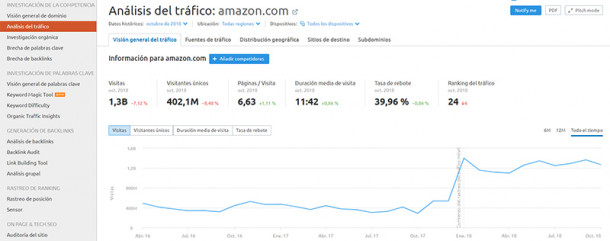
- Visitas totales
- Visitantes únicos
- Páginas por cada visita
- Duración media de la visita
- Tasa de rebote (Bounce rate)
- Ranking del tráfico
Además, esta información podemos extraerla de manera numérica y gráfica, ya que aunque la cuantía de ambas es la misma, quizás de manera gráfica puedas hacerte una idea de su evolución temporal.
Traffic Analytics, en este ámbito, te permite analizarlo en varias segmentaciones temporales como son: tráfico en el último año, últimos 6 meses o durante todo el ciclo de vida de la web.
Quizá puedas pensar que esta primera visión general acerca de tu competencia es demasiado genérica, pero datos como el porcentaje de rebote o la duración de cada usuario dentro de su web, te pueden dar una idea de “lo interesante” que encuentran los usuarios ese sitio y del engagement que tiene con estos.
Aun así, en los siguiente puntos comprobarás el potencial de poder usar herramientas de este calibre.
#2. Saber cuáles son las principales fuentes de tráfico de mi competencia
Como probablemente ya sepas, las distintas fuentes de tráfico que puede tener un dominio son, entre otras:
- Tráfico Directo
- Tráfico Orgánico
- Tráfico De pago
- Tráfico Social
- Tráfico De referencia
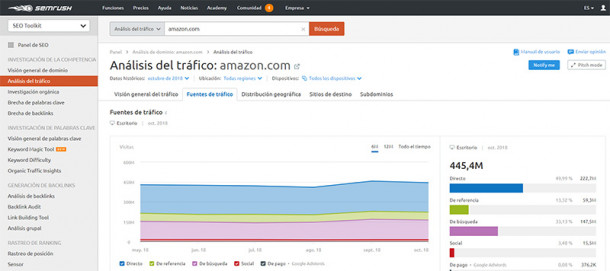
Al igual que en el caso de nuestro propio blog o web podemos analizar todo este tipo de datos desde Google Analytics con total exactitud, es obvio que desde esta plataforma no podemos analizar el de nuestros competidores.
Pero es precisamente con herramientas como Traffic Analytics que podemos (según el algoritmo de la herramienta) saber con cierta exactitud el porcentaje de tráfico que les proviene de cada una de estas fuentes.
De aquí podrás deducir si los trabajos y el tiempo invertido de esas marcas o negocios en cada una de las plataformas están surtiendo el efecto deseado.
Y por ende, mejorar también el tuyo y adelantarte a las hipotéticas mejoras de esas empresas.
Es decir, si estás generando contenidos para mejorar tu Posicionamiento SEO y buscas conseguir un mayor número de palabras clave indexadas por Google, obviamente es para aumentar el tráfico de la web de manera orgánica, es decir, para que te encuentren personas que buscan en Google esas palabras clave.
Esto mismo podemos hacerlo posteriormente con el “Directo”, “De referencia” o “Social”.
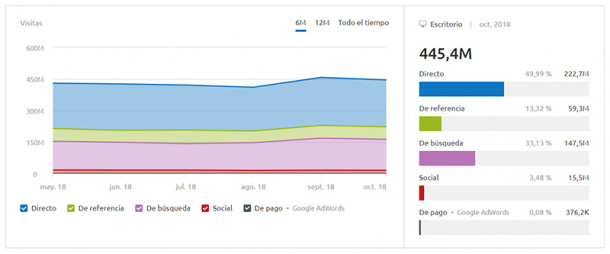
#3. Dispositivos desde los que visitan su web
Si ya conoces o, al menos, intuyes la importancia y relevancia que Google está otorgando a las páginas de Internet que tengan un sitio responsive y adaptado correctamente a dispositivos móviles, deberás tener en cuenta esta métrica.
Por ello, con un análisis como el que esta herramienta te proporciona, puedes conocer el porcentaje de tráfico de tu competencia que procede desde dispositivos móviles o desde “escritorio”, es decir, desde ordenadores tipo PC o Mac.
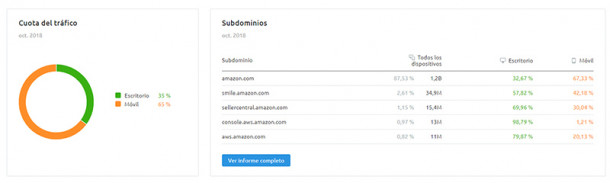
Y ¿para qué necesito conocer este dato?
Muy sencillo: tanto este como los demás que aquí te presento te darán ideas sobre qué parcelas puedes aprovechar tú como ventaja competitiva.
De este modo, si compruebas que a varios de tus competidores más directos apenas les llega tráfico desde móviles, puedes suponer que tu sector está en un área comercial en la que las personas se interesan cuando están tranquilamente en casa sentadas frente al ordenador.
Por ello, aunque no descuides tu versión móvil, ya debes saber que esta no sera el área de mejora principal y en la que debas preocuparte demasiado, o al menos por ahora.
#4. Conocer desde qué webs exactas les visitan
En la siguiente imagen te muestro los “Sitios de referencia”, otra de las informaciones que nos muestra Traffic Analytics, lo cual se refiere básicamente a todos aquellos sitios que envían tráfico hacia la página.
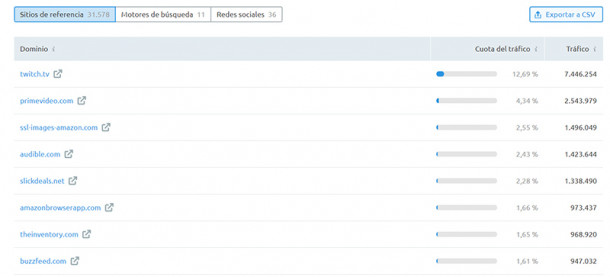
Como puedes comprobar en la imagen que te muestro, a Amazon.com le llega tráfico web desde muchas páginas diferentes (aquí en la captura únicamente se muestran algunas), pero las que más cantidad de visitas le proporciona son Twitch y su sección Prime Video.
#5. Saber qué buscador es desde el que tiene mayor visibilidad
Otro de los datos interesantes sobre tus competidores y que puedes extraer de herramientas como Traffic Analytics es conocer desde qué buscador les llegan más visitas a las empresas competidoras.
En este caso, puedes comprobar cómo a Amazon, el ejemplo que te muestro en este artículo, un 96% del tráfico es proveniente de Google.
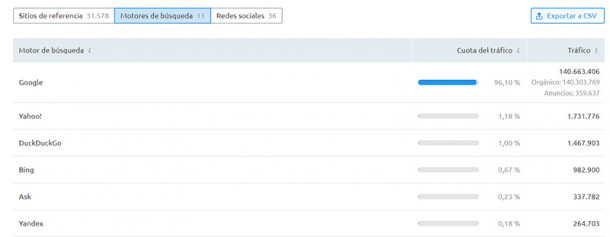
#6. Qué red social es la que le lleva más tráfico
Además de todo lo anterior, si sospechas que las empresas de tu competencia se apoyan en el engagement con sus usuarios y en la creación de una comunidad fiel que les siga e interaccione con su marca, esta métrica te puede ser bastante útil.
Y es que un estudio pormenorizado como el que hoy te muestro es capaz de decirte cuáles son las redes sociales desde las que les llega más cantidad de usuarios a la web del negocio.
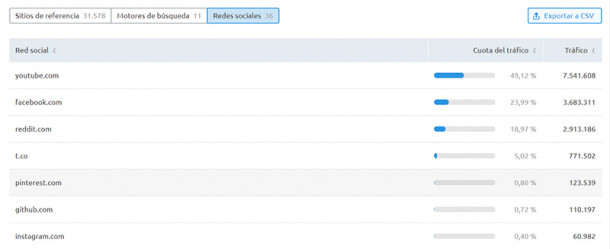
Recuerda que, aunque en el caso de Amazon pueda ser algo diferente y la mayoría de sus visitas mensuales procedan de tráfico directo, el tráfico social que puedes comprobar y analizar en este apartado es muy importante.
Esto radica en que, si te paras a pensar, estas visitas son provenientes de personas que probablemente estaban pasando un rato de ocio revisando sus perfiles y que han ido a parar a la web de tu competidor, en este caso.
Eso se traduce en que, aun no teniendo pensado comprar, al menos se han interesado en sus productos o servicios.
#7. Distribución geográfica
Ya sea que tu negocio sea un eCommerce o cualquier tipo de negocio, es muy importante que además de conocer la propia distribución geográfica de tus visitas, conozcas la de tus competidores.
De esta manera, en base a los países desde los que ellos obtengan más tráfico (y éxito), podrás segmentar más eficientemente tus acciones y campañas hacia esos lugares, como son tu posible estrategia de Adwords (Ads) o de Facebook Ads.
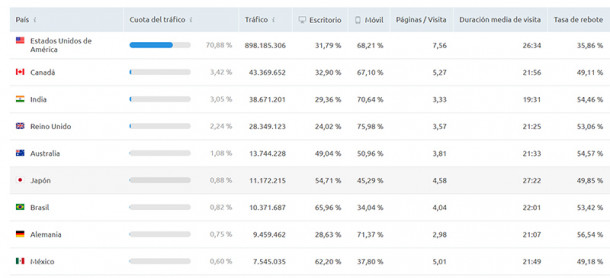
En este caso, es curioso ver que, como era de esperar, un 70% del tráfico de la empresa que vamos tomando como ejemplo, Amazon, es proveniente de Estados Unidos.
Con Traffic Analytics de SEMrush, esta información también puedes conocerla gráficamente en forma de “mapa de calor”, teniendo como zonas más oscuras donde hay mayor número de visitas.
En este apartado de tu análisis de tráfico de la competencia, puedes extraer información valiosa referente a:
- Cantidad de visitas, tanto de escritorio como dispositivos móviles
- El promedio de páginas vistas por cada visita
- La duración de cada visita
- Tasa de rebote por cada país del que proviene tu tráfico
#8. Sitios de destino
Este apartado del análisis se refiere a qué sitios visitan los usuarios de la web tras abandonarla.
En este caso, es el antagonista del apartado “Sitios de referencia”, y con los datos que puedas extraer de esta sección tendrás una cierta idea del comportamiento de lo útil (o no) que puede ser el contenido que proporciona tu competencia.
En caso de que, en el ejemplo de Amazon, un gran porcentaje de ellos vayan a parar a otros dominios de tu propiedad que suelas enlazar con bastante frecuencia o a otros sitios web donde quieras que conviertan, será una buena señal.
Sin embargo, si una gran parte de sitios de destino son empresas de la competencia o incluso Google, significará muy probablemente que en esta web no encontraron lo que venían buscando.
Sobre todo si se da el primer caso, puedes tomar buena nota para poder adaptar tu estrategia en lo que fuese necesario para que la mayor parte del tráfico “saliente” vaya a parar a plataformas también de tu propiedad.
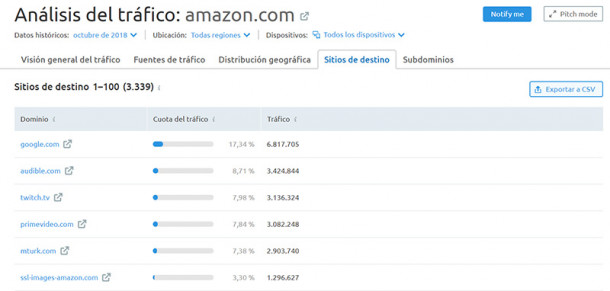
#9. Subdominios
En el caso de que, al igual que en la web del ejemplo que estoy utilizando, sepas de la existencia de varios subdominios que “cuelguen” de la web principal de tu empresa competidora, seguro que te podrá interesar qué cantidad de visitas les llegan por parte de cada subdominio.
Esta métrica te podrá dar una impresión general del “éxito” que les proporciona cada uno de ellos.
Además, puede darte ideas de posibles vías nuevas de negocio, que podrás comenzar partiendo de tu dominio principal, aprovechando el buen posicionamiento que ya tenías y la fuerza de este durante el tiempo que lleves generando contenidos.
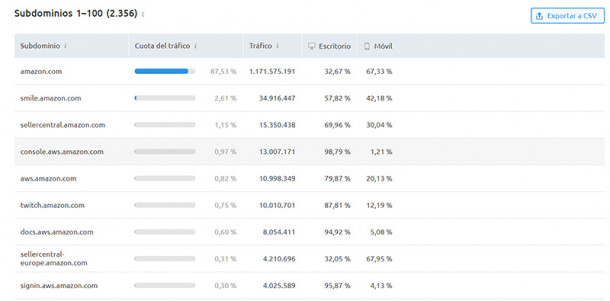
Asimismo, este KPI está bastante bien mostrado en el caso de la herramienta Traffic Analytics, ya que te divide también ese tráfico entre visitantes provenientes de dispositivos móviles y de escritorio.
Conclusión
Estas son varias de las opciones que tienes para aprovechar toda la información que la herramienta Traffic Analytics te proporciona acerca de la evolución digital de tus competidores.
Con todo ello encima de la mesa, estoy seguro que puedes sacar bastantes conclusiones positivas para aplicar en tu propia web, ya que tu competencia (según los datos que extraigas), a buen seguro que estará haciendo muchas cosas bien… pero los errores que estén cometiendo siempre los podrás usar en tu favor y adelantarte a ellos.
¿Has probado Traffic Analytics? ¿Qué utilidad consideras que puede tener en tu negocio?
from Socialancer.com https://ift.tt/2DPUueR
via
How to Create an Ebook From Start to Finish [Free Ebook Templates]
At age 11, I dreamed of being an editor at a major magazine. I even put together my first publication, Teen Scene Magazine, using colored construction paper, yarn, and in-depth feature interviews with … my dad.
Flash forward to today. I’ve swapped my colored construction paper and yarn for PowerPoint and InDesign. I’ve replaced my dad with marketing experts and influencers (in the office, that is). And week after week, I have the satisfaction of being an ebook creator.
What Is an Ebook?
Ebook is short for “electronic book,” and uses either a computer, mobile device, or ebook reader to display long-form texts in book form. Ebooks have multiple digital “pages” that people can navigate through, and are often packaged as a PDF document so they can easily be sent from one user to another.
How Is an Ebook Structured?
There’s no set rule for organizing your content into an ebook. It generally mimics the structure of a novel or textbook (depending on what it is you’re writing about). But, there are some aspects of an ebook you should be sure to adhere to.

Ebooks have some system of chapters and supporting images. Similar to a blog post, they also do well when further segmenting their text with subheaders that break down the discussion into specific sections. If you’re writing about professional sports, for example, and one of your chapters is about Major League Baseball (MLB) in the U.S., you might want to establish subchapters about the various teams belonging to the MLB.
What Can an Ebook Be About?
Anything. Well, within reason. Ebooks are simply a marketer’s way of delivering lots of critical information in a form their potential customers are most willing to read it. An environmental company might write an ebook all about water conservation. They also might focus an ebook entirely on how their water-saving product is used, or how it helped a customer solve a problem. Discover more ebook ideas at the end of this article.
No matter what subject your ebook takes on, research is a significant part of ebook creation. Unlike short-form content like articles and videos, the content of an ebook is predicated on trust and evidence. A user who obtains (or requests access to) your ebook wants the full story, not just the bullet points. That includes all the content and testing you went through to produce the ebook.
In What File Formats Can You Save an Ebook?
Ebooks can be saved in one of several formats. Depending on your end user, though, you might find a use for any of the following file types:
PDFs are likely the most well-known file type. The “PDF” extension stands for “Portable Document Format,” and is best for ebooks that are meant to be read on a computer (digital marketers, you’ll want to remember this one). We’ll talk more about how to save your ebook as a PDF later in this article.
EPUB
This file type stands for “Electronic Publication,” and is the more flexible ebook formats. By that, I mean EPUB ebooks can “reflow” their text to adapt to various mobile devices and tablets, allowing the ebook’s text to move on and off different pages based on the size of the device on which a user is reading the ebook. They’re particularly helpful for viewing on smaller screens, such as smartphones as well as the Nook from Barnes and Noble.
AZW
This is an ebook file type designed for the Kindle, an e-reader device by Amazon. However, users can also open this file format on smartphones, tablets, and computers.
ODF
ODF stands for OpenDocument Format, a file type meant primarily for OpenOffice, a series of open-source content creation programs similar to Microsoft Office.
Can You Edit an Ebook?
Nope. An ebook can’t be edited once it’s been saved in one of the file formats described above, so it’s best to ensure you have an editable version saved in a program like Microsoft Word.
But why would you want your ebook to be uneditable? Making ebooks uneditable ensures the content remains unchanged — both the format and the information — as it’s shared between multiple uses.
You can edit ebooks if they’re saved using an editable PDF, a feature that is specific to Adobe Acrobat — the founding program of the PDF file type. Learn how to edit PDFs in this blog post.
How Do You Read an Ebook?
You can read an ebook on many different devices: iPhone, Android smartphones, a Macbook, PC, and e-readers such as the Nook and Kindle. The latter two devices are typically used to read novels in digital form. Nook and Kindle owners can store thousands of books (literally) on a single Nook or Kindle.
But making an ebook can be overwhelming. Not only do you have to write the content, but you also need to design and format it into a professional-looking document that people will want to download and read. With lead generation being the top goal for content marketing, however, ebooks are an essential part of an successful inbound marketing program.
In this post, we’ll walk you through the ins and outs of creating an ebook by, well, creating an ebook. And if you’re worried about your lacking design skills, fret not …
Got your free ebook templates? Ready to make an ebook? Great — let’s get to it.
How to Write an Ebook
- Choose a topic that matches your audience’s needs.
- Outline each chapter of your ebook.
- Break down each chapter as you write.
- Design your ebook.
- Use the right colors.
- Incorporate visuals.
- Highlight quotes or stats.
- Place appropriate calls-to-action within your ebook.
- Convert it into a PDF.
- Create a dedicated landing page for your ebook.
- Promote your ebook and track its success.
1. Choose a topic that Matches your audience’s needs
Remember: The goal of your ebook is to generate leads for your sales team, so pick a topic that will make it easy for a prospect to go from downloading your ebook to having a conversation with your sales team.
This means your ebook shouldn’t deviate much from the topics you cover in your other content marketing channels. Rather, it’s your opportunity to do a deep dive into a subject you’ve only lightly covered until now, but something your audience knows they need to learn more about.
For example, in listening to sales and customer calls here at HubSpot, I’ve learned ebooks for use in content marketing is a huge obstacle for our audience, who are marketers themselves. So if I can provide not only this blog post, but resources to make ebook creation easier, I’m focusing on the right topic for opening up a sales conversation.
To get your creative juices flowing, here are some example ebook titles to consider. (Note: Replace “x” with an appropriate number.) You can also use our free Blog Topic Generator tool to come up with more ideas. Most blog topics can be made comprehensive enough to serve as longer form ebook topics.
- X Best Practices for [Insert Industry/Topic]
- An Introduction to [Insert Industry/Topic]
- X Common Questions About [Insert Industry/Topic] Answered
- X [Insert Industry/Topic] Statistics For Better Decision Making
- Learn From The Best: X [Insert Industry/Topic] Experts Share Insights
For this blog post, I’m going to use the PowerPoint version of template two from our collection of five free ebook templates. Through each section of this post, I’ll provide a side-by-side of the template slide and how I customized it.
Below, you’ll see my customized cover with my sales-relevant ebook topic. For help with writing compelling titles for your ebooks, check out the tips in this blog post.
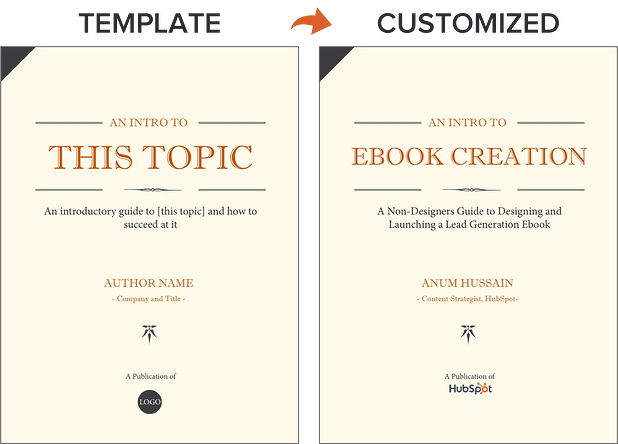
2. Outline each chapter of your ebook.
The introduction to your ebook should both set the stage for the contents of your ebook and draw the reader in. What will you cover in your ebook? How will the reader benefit from reading it? For tips on how to write an effective introduction, check out this post.
Some ebook creators say that an ebook is simply a series of blog posts stitched together. While I agree you should treat each chapter like an individual blog post, the chapters of your ebook should also flow fluidly from one to the other.
The best way to outline your ebook is by thinking of it as a crash course on the sales-relevant topic you selected. In my example of creating an ebook, I know I need to cover how to:
- write effective copy
- design an ebook
- optimize ebooks for lead generation and promotion
While my example has a few chapters, keep in mind that your ebook does not need to be lengthy. I have one golden rule for ebook length: Write what is needed to effectively educate your audience about your selected topic. If that requires five pages, great! If that requires 30 pages, so be it. Just don’t waste words thinking you need to write a long ebook.
With that, let’s move on to the actual copy you’re writing.
3. Break down each chapter as you write.
Get writing! Here, you can approach each chapter the way you might write a long blog post — by compartmentalizing each chapter into smaller sections or bullet points, as shown in the picture below. This helps you write simply and clearly, rather than trying to use sophisticated language to convey each point. It’s the most effective way to educate readers and help them understand the new material you’re providing.
Be sure to maintain a consistent structure across each chapter, as well. This helps you establish natural transitions between each chapter so there’s a clear progression from one chapter to the next (simply stiching blog posts together can rob you of this quality).
These practices should hold true for all your other marketing efforts, such as email marketing, call-to-action creation, and landing page development. “Clarity trumps persuasion,” as Dr. Flint McGlaughlin of MECLABS often likes to say.
Want to make sure you’re keeping your ebook exciting for readers? Here are some key tips to keep in mind:
- Use keywords in the title that emphasize the value of your offer. Examples include adjectives like “amazing,” “awesome,” or “ultimate.”
- Keep your format consistent so you create a mental model for readers and enhance their understanding of the material.
- When appropriate, make use of formatting — like bulleted lists, bold text, italics, and font size changes — to draw people’s eyes to your most important content or emphasize certain points you want readers to remember.
4. Design your ebook.
Our downloadable ebook templates are offered in both PowerPoint and InDesign. For this example, we’ll show you how to do it in PowerPoint, since more people have access to that software.
You’ll notice we only have one “chapter page” in the template (slide three). To create additional chapter pages, or any pages really, simply right click the slide and choose Duplicate Slide. This will make a copy of your slide and allow you to drag it to its proper place in your ebook via the sidebar or Slide Sorter section of PowerPoint. You can then customize it for any subsequent chapters.
5. Use the right colors.
Ideally, our free ebook templates would magically match your brand colors. But, they probably don’t; this is where you get to truly personalize your work. However, because ebooks offer more real estate for color than your logo or website, it’s a good idea to consider secondary colors within your brand’s color palate. Ebooks are where this color scheme can truly shine.
To learn how to add your brand’s colors to PowerPoint, check out this blog post. That way, you can customize the color scheme in our ebook templates to match your brand!
6. Incorporate visuals.
Images and graphics in ebooks are hard to get right. The key to making them fit well is to think of them as complementary to your writing. Whether you add them during or after you’ve finished writing your ebook’s copy, your visuals should serve to highlight an important point you’re making or deconstruct the meaning of a concept in an easy-to-understand, visual way.
Images shouldn’t just be there to make the ebook easy on the eyes. Rather, they should be used to enhance the reader’s understanding of the material you’re covering. If you need help gathering visuals, we have three sets of free stock photos that might help you along the way:
And if you’re compiling a data-heavy ebook, you might want to download our free data visualization ebook for tips about designing compelling charts and graphs for your content.
7. Highlight quotes or stats.
Another way to enhance your ebook is by highlighting quotes or stats within your design. Just be sure the quote or stat you’re using genuinely adds value to the content.
Whether you’re emphasizing a quote or adding a visual, keep all your content within the same margins. If your copy is consistently 1-inch indented on your page from both the left and right side, keep your designed elements aligned using that same spacing.
8. Place appropriate calls-to-action within your ebook.
Now that your content is written and designed, it’s time to optimize it for lead generation, reconversion, and promotion.
Think about how you got here — you clicked on a call-to-action (CTA) in an email, on a social media post, or somewhere else. A CTA is a link or visual object that entices the visitor to click and arrive on a landing page that will get them further engaged with your company. Since your ebook readers have probably converted into leads in order to get their hands on your ebook to begin with (more on this in Step 2 below), use the CTAs within your ebook to reconvert your readers and propel them further down your marketing funnel.
For instance, a CTA can lead to another offer, your annual conference’s registration page, or even a product page. Depending on what this next action is, CTAs can be an in-line rectangle or a full page teasing the next offer (see both images below).
To hyperlink the CTA in your ebook (or any image or text in your ebook) to your destination URL, simply go to Insert >> Hyperlink in PowerPoint.
We’ve even designed 50 customizable calls-to-action in PowerPoint you can download and use in your ebooks. You can grab them here.
Now, we don’t have a dedicated CTA template slide in the PowerPoint ebook templates for you to customize … but it’s still simple! All you have to do is duplicate slide four (the Header/Subheader slide) and customize copy or add images as needed. You can also go to Insert >> New Slide and work from there.
9. Convert it into a PDF.
Once you’ve finished writing your ebook — CTAs and all — it’s time to convert it to the right file type so it’s transferrable from you to your recipient.
To convert your ebook to a PDF, click File >> Save As in the ebook template you have open. Under File Format, select PDF and select a destination on your computer for this new file.
Why can’t you just attach what you have to a landing page and be done with it? Word documents, PowerPoints, and similar templates are perfect for creating your ebook, but not for delivering it. Because these templates are editable, the contents of your ebook are too easily corrupted, distorted, or even lost when moving from your computer to the hands of your future leads. That’s where PDFs come in.
You’ve seen these letters at the end of files before. Short for Portable Document Format, the .PDF file type essentially freezes your ebook so it can be displayed clearly on any device. A popular alternative to PDFs is the .EPUB file type. See a comparison of EPUB to PDF here.
10. Create a dedicated landing page for your ebook.
Your ebook should be available for download through a landing page on your site. A landing page is a web page that promotes/describes your offer and provides a form that visitors need to fill out with their contact information in order to access your ebook. This is how you are able to convert your visitors into business leads that your sales team can ultimately follow up with.
For instance, you went through this landing page in order to access this ebook template. To learn more about how to optimize your landing pages for conversion, download this free ebook.
11. Promote your ebook and track its success.
Once your landing page is all set, you can use that destination URL to promote your ebook across your marketing channels. Here are five ways you can do this:
- Advertise your new ebook on your website. For example, feature a CTA or link to your offer’s landing page on your resources page or even your homepage.
- Promote your ebook through your blog. For instance, consider publishing an excerpt of your ebook as a blog post. Or write a separate blog article on the same topic as your ebook, and link to it at the end of your post using a call-to-action to encourage readers to keep learning. (Note: This very blog post is the perfect example of how to promote an offer you created with a blog post.)
- Send a segmented email to contacts who have indicated an interest in receiving offers from your company.
- Leverage paid advertising and co-marketing partnerships that will help you promote your ebook to a new audience.
- Publish posts to social media with a link to your ebook. You can also increase social shares by creating social media share buttons within your ebook, such as the ones at the bottom right of this ebook. Here’s a blog post that shows how to hyperlink them.
After your content is launched and promoted across your marketing channels, you’ll also want marketing analytics in place to measure the success of your live product.
For instance, you should have landing page analytics that give you insight into how many people downloaded your ebook and converted into leads, and closed-loop analytics that show how many of those people ultimately converted into opportunities and customers for your business. Learn more through HubSpot’s Landing Pages App.
And with that, we’ve built an ebook, folks! You can check out the packaged version of the example I built through this post here:
Ebook Ideas
So, what should you write about in your ebook? I’ll answer that question with another question: What do you want your readers to get out of this ebook? To identify an ebook idea that suits your audience, consider the type of ebook you’re trying to create. Here are a few ideas.
New Research
Conducting an experiment or business survey? This is a great way to develop proprietary knowledge and become a thought leader in your industry. But how will you share your findings with the people who care about it? Create an ebook that describes the experiment, what you intended to find out, what the results of the experiment were, and what these findings mean for your readers and the market at large.
Case Study
People love success stories, especially if these people are on the fence about purchasing something from you. If you have a client whose business you’re particularly proud to have, why not tell their story in an ebook?
Ebook case studies show your buyers that other people trust you and have benefited from your product or service. In your ebook, describe what your client’s challenge was, how you connected with them, and how you were able to help your client solve their challenge and become successful.
Product Demo
The more complex your product is, the more information your customers will need to use it correctly. If your product or service can be used in multiple ways, or it’s hard to set up alone, dedicate a brief ebook to showing people how it’s done. In the first section of your ebook, for example, explain how to launch your product or service. In the second section, break down the individual features and purposes your product is best used for.
Interview
Interested in interviewing a well-known person in your market? Perhaps you’ve already sat down with an influencer to pick their brain about the future of the industry. Package this interview into an ebook, making it easy for your customers to read and share your inside scoop.
Playbook
A “playbook” is a document people can use when taking on a new project or concept that is foreign to them. Think of it like a cheat sheet, full of tips and tricks that help your customers get better at what they do.
When done right, a playbook equips your customers with information they would need to excel when using your product. For example, a software vendor for IT professionals might create a “virus protection playbook” that makes support teams better at preventing viruses at their respective companies.
Blog Post Series
Sometimes, the best ebook for your business is already strewn across a series of blog posts. If you’ve spent the last month writing articles all on the same subject for your business, imagine how these posts would look stitched together?
Each article can begin a new chapter. Then, once this ebook is created, you can promote it on a landing page, link to this landing page from each individual blog post, and generate leads from readers who want to download the entire blog series in one convenient ebook.
Ebook Creation Resources
- 5 Free Ebook Templates in PowerPoint and InDesign [Free Download]
- 13 More Customizable Ebook Templates in PowerPoint [Free Download]
- Data Visualization 101: How to Design Charts and Graphs [Free Download]
- How to Easily Turn Blog Posts Into an Ebook [Blog Post]
- A Simple Guide to Creating Social Sharing Links for Your Ebooks [Blog Post]
Do you have any other tips or resources for making ebook creation easier? Apply them to your content marketing strategy. I’d be remiss not to admit every company’s ebook will come to fruition differently. It all depends on the needs of your brand.


What Does a World With Zero Search Results Looks Like? [New Data]
Imagine a world with zero search results. As it turns out, Google is moving toward making that world a reality.
Google has been experimenting with a ‘zero search results’ page — where the search engine provides a single answer to queries about local time and mathematical conversions or calculations — e.g., “8 tbsp in tsp” — without displaying any other search results.

As reported by SEO Roundtable, this is not the first time users have reported seeing the zero search results landscape. The feature was first tested in March, received poor reviews, then briefly appeared again in September due to what Google called “a glitch.”
But now, Google has confirmed that it has rolled out the zero search results feature on mobile, telling SEO Roundtable that it contributes to quicker load times, among other user experience improvements.
So, where exactly do users weigh in on the world of zero search results — and what does it mean for the work that marketers do? We did some research to find out.
How Do Users Feel About a Zero Search Results World?
We asked over 4,200 people across the U.S., UK, and Canada for their reactions to Google’s new zero search results feature. First, we explained what it is — “the search engine will provide a single answer to queries — such as, ‘What time is it in New York?’ — without displaying any other search results.”
Then, we asked them to measure how this would impact their search experience in a few areas — such as their ability to find information, the accuracy of the single answers they might receive, and others.
Here’s what we found out.
Even Exposure
We wanted to gauge how many users had actually come across this feature — so we began by asking how many of them had seen it.
There was a somewhat even split between those who said they had come across a zero search results page and those who hadn’t. However, most respondents — nearly 60% — said they hadn’t yet seen it.
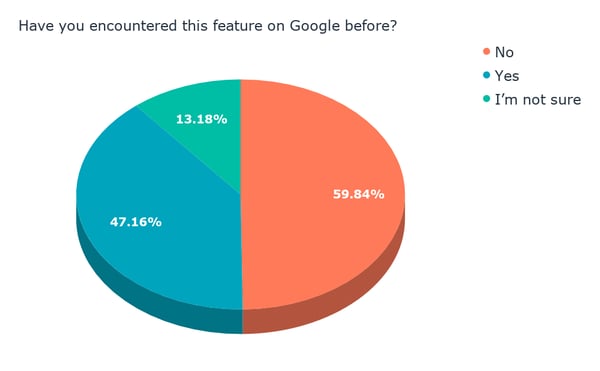
Data collected with Lucid
Ease of Finding Information
Then, we wanted to know if users thought a zero search results feature would make it easier — or more difficult — to find information.
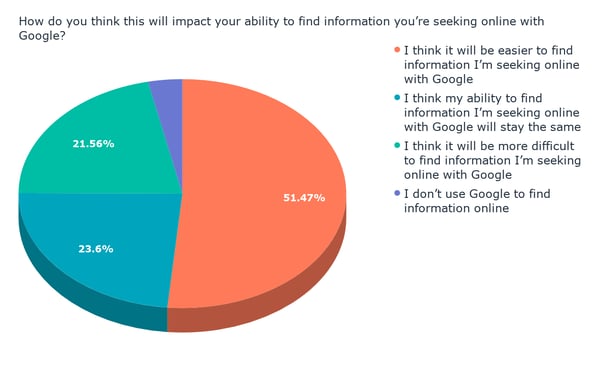
Data collected with Lucid
The impression of a zero results world seems to be generally positive, with about half of respondents indicating that they think it would make finding information on Google easier.
The Accuracy Element
Next, we wanted to find out how users think the zero search results feature would impact the accuracy of the information they might receive in response to a query.
We phrased this question two ways. First, we asked users, “How do you think this will impact the accuracy of the search results?”
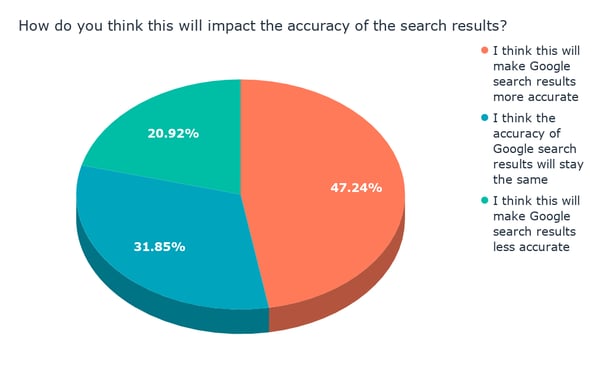
Data collected with Lucid
When the question was phrased this way, the response was generally positive, with most people (close to 80%) indicating that they believe a zero search results page would generally make the information more accurate — or equally accurate to a traditional search results page.
Then, we asked how much users would trust the information they received on a zero search results page.
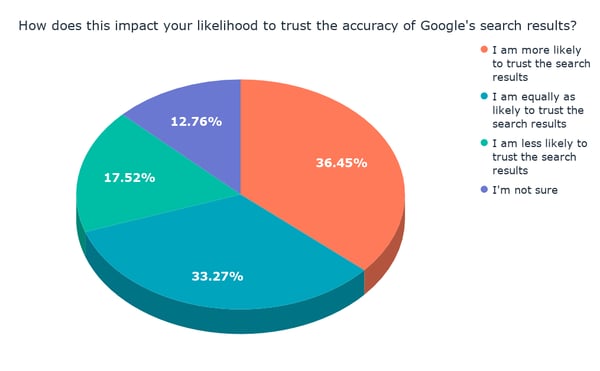
Data collected with Lucid
Interestingly, the positive sentiment here was sightly lower — with 20% fewer respondents indicating that they would be more or equally likely to trust the accuracy of information received on a zero search results page.
Still, the positive response outweighed the negative, with less than a quarter of participants saying they would trust a zero search results page less.
Time Spent on Google
Finally, we wanted to know if a zero search results page would impact the amount of time users spend on Google.
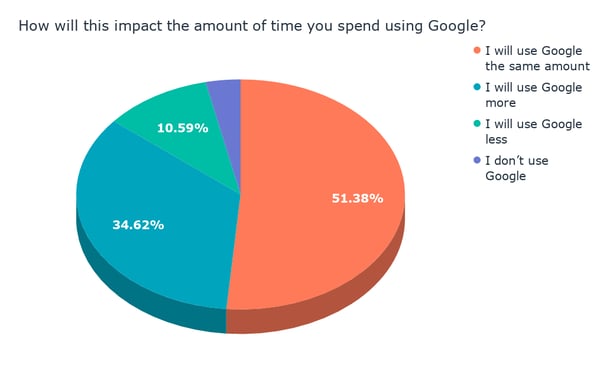
Data collected with Lucid
Overall, the prospect of a zero-search-results-driven world doesn’t appear to have much impact on how much time people will spend on Google, with half of respondents indicating they would continue use the search engine as much as they would otherwise.
It’s worth noting that one of the reasons Google provided for introducing a zero search results page is quicker access to answers. Over a third of users said they might actually use Google more with the onset of this feature — suggesting that people would respond positively to the ability to perform more searches in a smaller amount of time.
What a Zero Search Results World Looks Like for Marketers
But even if a zero search results feature solves for the user, what impact could it have on marketers and content creators — especially those behind sites that specialized in unit or time conversations?
“Zero search results is the new extreme in search,” says HubSpot Head of SEO Victor Pan. “Remember when it used to be just 10 search results? Then it sometimes became just seven, then folks started seeing three-to-five search results on the first page, and now we’re at the point where zero could happen.”
It’s that evolution of what search results look like, Pan says, that points to a need for marketers to look at search results from a multi-dimensional perspective.
“What this means for marketers in the future is that, if you prioritize by just one piece of search — like volume or rankings,” he explains, “you could be getting an extremely inaccurate picture of a target search term or keyword.”
So instead of looking at search terms and keywords through a narrow scope, Pan advises marketers to prepare for a more widespread presence of zero results by focusing on intent.
First, Pan says to consider the users who might be searching for these target terms or keywords, and what they’re hoping to accomplish by searching for them — their intent. Does the intent behind that search actually present an opportunity for your SEO-related goals, like visitors, rankings, or brand awareness?
In other words, Pan asks:
“What’s the total opportunity for that intent?”
A follow-up question, then, concerns whether or not multiple search results would actually serve the user’s intent and goals in searching for a particular term or keyword.
“You need to know … whether it’s helpful for users to have more than one source tell them the answer,” Pan says, or if the results for those terms and keywords are best served via a single result.
Finally, Pan suggests researching what the results for these target terms and keywords look like, perhaps by way of searching for them yourself before optimizing for them.
“How many search results and features — like featured snippets or ‘people also ask’ — show up for specific keywords?” Pan challenges marketers to ask. “These are clues to what Google thinks the user’s intent is.”
And by learning how Google interprets a user’s intent, you can begin to understand that of the audience you’re trying to draw to your content — and, therefore, if certain terms and keywords aren’t worth pursuing, especially in a zero search results world.

5 Guaranteed Ways to Boost Job Satisfaction on Your Team
To improve your team’s productivity, reduce turnover rates, and drive increased revenue for your company, it’s critical you take the time to focus on your employees’ job satisfaction.
If you’re wary about the tangible benefits of job satisfaction, consider this — happiness has shown to increase employee productivity by at least 12%. Undoubtedly, your company will grow faster if you invest in your employees’ happiness.
Additionally, happy employees means lower turnover rates, and a better workplace culture. If you want to keep your top talent and nurture them for the long-term, it’s critical you find ways to ensure they’re satisfied with their jobs.
Fortunately, there are plenty of free and relatively easy strategies to boost your team’s satisfaction — so why not try to make your employees happier? Here, we’ll explore five guaranteed ways to boost job satisfaction to ensure more success in the long-run.
But first, let’s explore what job satisfaction means for employees today.
The Definition of Job Satisfaction
While we know what job satisfaction is — essentially, being happy with one’s job — it’s difficult to discern where and how satisfaction in the workplace arises. Do people who feel satisfied in their careers just get lucky? Are they naturally happy? Is it their paycheck, their sense of purpose, or both?
The Cambridge English Dictionary defines Job Satisfaction as, “The feeling of pleasure and achievement that you experience in your job when you know that your work is worth doing.”
This definition is supported by a global survey run by LinkedIn and Imperative, which found that 74% of job candidates want a job where they feel their work matters.
Besides purpose, there are other elements that lead to job satisfaction, including autonomy, flexibility, recognition, a sense of belonging, and a good relationship with one’s manager.
Ultimately, job satisfaction means how much an employee likes her job, and how willing she is to stay with her company. While it might be impossible to make every employee happy, it’s critical you work hard to boost job satisfaction for as many employees as possible. This will help lower turnover and decrease money spent on recruitment and new hire training. Additionally, happy employees will be more successful, which is critical for your company’s bottom line.
Now that we’ve defined job satisfaction, let’s take a look at some strategies you can implement to improve employee happiness immediately.
How to Boost Job Satisfaction
1. Give consistent praise, and focus on impact.
Office Vibe’s State of Employee Engagement research report found 63% of employees don’t feel they get enough praise. By consistently telling your employees when they’ve done a good job, you’ll make them feel more proud of their work, and provide them with incentive to work harder in the future.
Additionally, as previously stated, employees need to feel like their work matters. Rather than simply saying, “Good job on that Facebook campaign,” consider explaining to your employee how her work makes a difference for your team, and the company, as a whole. Your employees will feel more indispensable if you focus on how their work relates to long-term company goals.
For instance, you might say, “I’d like to take the time to thank you for the effort you put into your last Facebook campaign. The campaign helped attract an audience of over 17,000, and 12% of that audience turned out to be quality leads, which is incredible. Additionally, your leadership and input helped shape the direction of our brand’s voice on Facebook, both for this campaign and for future campaigns down the road.”
With this praise, you’ve demonstrated to your employee that her work matters to the company’s bottom line, and to the future success of your team. This positive reinforcement could go a long way towards increasing her job satisfaction.
2. Offer career development, training, or education opportunities.
Nowadays, career development is no longer just a nice perk. In fact, a LinkedIn Workplace Learning report found 94% of employees would stay at a company longer if it invested in their career. By offering career development and actively seeking out opportunities to help your employees grow, you’re signaling you care about their long-term success.
Additionally, training your employees and allowing them to expand their skillset will help your team become more successful long-term, as well. For instance, HubSpot offers master classes, which are classes in which employees teach other employees skills such as video production or SEO. As employees gain these skills they can apply them to their role, making them more well-rounded and innovative.
A Leadership Training program is also a chance for you to prepare your employees to become managers and team leaders down-the-road. This can reduce turnover and enable your employees to grow with the company.
3. Show you care about your employee’s mental and physical well-being.
Your employees can’t be satisfied in the workplace if they feel they’re sacrificing physical or mental well-being. To boost job satisfaction, it’s critical you make an effort to show employees’ that their health matters. Plus, if your employees’ take the time to recharge throughout the day, they’ll be more productive on the job, as well.
To show you care about your employees’ physical well-being, consider how you might incorporate physical activity into the workplace. It’s okay if you don’t have the budget to install a gym — simply creating a culture in which it’s okay to leave early to catch a workout class, or do yoga during lunch, can help. Ultimately, it’s about showing your employees that you understand physical activity should be a priority.
Additionally, it’s important you create opportunities to reduce stress and promote mental well-being. For instance, perhaps you offer flexible hours, so employees can avoid a stressful commute in the morning. Alternatively, you might create lunchtime mindfulness sessions, like Google, Nike, and Apple.
At the very least, take the time to check-in with employees and ask them how they’re feeling about their workload. If they seem exceptionally stressed, consider how you might help delegate tasks to help them get back on-track.
4. Foster an environment in which coworkers can bond and develop friendships.
Most people spend more time at work than they do with any of the most important people in their lives, including spouses, children, and friends. To boost job satisfaction, it’s critical you find ways to help your employees connect with one another and form genuine friendships.
To foster workplace connections, consider adding games or activities to your shared space — for instance, you might purchase a ping-pong table or wii to encourage employees to engage with one another. Alternatively, you might plan weekly “breaks” from work, like Friday happy hour or Monday team lunches.
It’s also important you plan regular team outings to get outside the office. Your employees are more likely to form authentic friendships outside the office, when they don’t feel they need to act as strictly professional. For instance, you might take them to an arcade, or baseball game. A new environment could help employees’ bond on a deeper level.
Additionally, it will help employees feel appreciated if you take the time to celebrate major milestones in their lives. For instance, you could gather a group for a coworker’s birthday, or another coworker’s engagement.
5. Conduct a job satisfaction survey.
Ultimately, you’ll never know if your strategies are working if you don’t regularly conduct surveys to see how happy and satisfied your employees are. Conducting job satisfaction surveys will help you see areas of improvement you might’ve otherwise missed.
Additionally, job satisfaction surveys show your employees that you care about how they feel. By allowing them to voice their opinion, you’re showing them they are important to the company.
Ensure your survey is anonymous, so employees feel comfortable voicing their concerns. The eNPS (employee Net Promoter Score) is a good tool to measure employee engagement. Alternatively, you might create your own company survey using SurveyMonkey or Google Forms.
Job Satisfaction Statistics
To truly understand the measurable difference job satisfaction can make for your company, take a look at the following statistics.
- Organizations with engaged employees outperform those with low employee engagement by 202% (Business2Community).
- 83% of employees who are offered opportunities to take on new challenges are more likely to stay with their organization (ReportLinker).
- 42% of millennials say learning and development is the most important benefit when deciding where to work (Udemy).
- 15% of employees worldwide are engaged in their jobs (Gallup).
- Over 80% of full-time workers are actively seeking or passively open to new job opportunities (Ajilon).
- In a survey of 2,000 employees, 43% said corporate culture is the main reason they are looking for a new job (Hays).
- 92% of employees said that would be more likely to stay with their job, if their bosses would show more empathy (Businesssolver).
- Employees who feel they get to use the best strengths and abilities and work are 15% less likely to quit their job (Gallup).
