
Welcome to My Blog
The Ultimate Guide to Instagram Hashtags for 2019
Did you know an Instagram post with at least one hashtag averages 12.6% more engagement than a post with no hashtags?
Hashtags are powerful. They can help your posts reach a target audience, attract followers in your niche, increase engagement, and develop a more positive and recognizable brand image.
Here’s the thing, though: with great power comes great responsibility (#spiderman).
Hashtags can skyrocket your business to new heights, but if used too frequently or without a clear strategy in mind, they become pointless and inefficient, e.g.: #happy #superhappy #ecstatic #jumpingforjoy #whatsanothersynonym.
We want your business’s Instagram posts to receive optimal engagement, so we’ve put together an ultimate guide for using Instagram hashtags in 2018. With this guide, you won’t just attract followers — you’ll attract the right followers.
Why are hashtags important?
Hashtags are essentially Instagram’s sorting process. With around 95 million photos posted on Instagram every day, it’s difficult for Instagram to efficiently deliver the right content to the right people. Hashtags help your post get discovered by viewers most interested in seeing it.
Krystal Gillespie, HubSpot’s Social Media Community Manager, explains the importance of hashtags this way: “Hashtags are like a funnel. For instance, #marketing is incredibly broad and attracts all types of posts. We’ve found #digitalmarketing or #marketingmotivation gives us a more specific, targeted reach. The audience searching for these hashtags are also trying to narrow their search to what we offer related to Marketing, so we’re actually reaching more of the right people.”
Essentially, hashtags are a better way to categorize your posts. They help you reach a target audience, and more importantly, they help your target audience find you. These users are more likely to engage with your post because your post is exactly what they wanted.
Top Instagram Hashtags 2018
- #love
- #instagood
- #me
- #cute
- #tbt
- #photooftheday
- #instamood
- #iphonesia
- #food
- #motivation
Adding one of the most popular Instagram hashtags to your post doesn’t necessarily mean you’ll see more interaction. Since the hashtags above are so popular, they are being used by millions of people, so your post will most likely be obscured by the competition. Narrowing your hashtag topic is important, but we’ll get to that next.
Here are some of the top Instagram hashtags of 2018.
1. #love
Instagram users build their photo galleries on good feelings. For this reason, the #love hashtag is ever present next to the pics of friends, family, vacations, and beautiful scenery.
2. #instagood
Occurrences of this hashtag are inspired by the @instagood Instagram account, which scours the Instagram community for excellent photos and videos that are just too #instagood not to share. Add this hashtag to your content for a chance to be reposted.
3. #me
This is the quintessential selfie hashtag, indicating to the Instagram community that the photo it’s captioning is a picture of you.
4. #cute
#Cute puts your content in a pool of Instagram photos and videos that elicit “awes” from all over the Instaverse. If you think your puppy is the cutest puppy that ever lived, it deserves a photo with this esteemed hashtag.
5. #tbt
#Tbt stands for “Throwback Thursday,” and encourages Instagram users to post an old photo of themselves or an event they’re reminiscing over. Everyone likes content from the good old days — here’s your hashtag for enjoying the nostalgia.
6. #photooftheday
Managing a business account? This hashtag is a surefire way to attract more followers and repeat visitors. If you plan to post daily content, all around a common theme, add the #photooftheday hashtag to increase your exposure.
7. #instamood
#Instamood is all about the vibe or emotion a photo or video elicits. Pretty scenery, a day at the beach, or a night out with good people were all prominent under the #instamood hashtag in 2018. Landscapes are a popular starting point when figuring out what to post on Instagram, according to Jumper Media, and they fit into this hashtag perfectly.
8. #iphonesia
#Iphonesia is dedicated to the burgeoning community of Instagrammers in Indonesia.
9. #food
Meal pics are the bread and butter (no pun intended) of a people-oriented Instagram account — and 2018 was no exception. Use the #food hashtag to caption your next delicious Instagram photo.
10. #motivation
On Twitter, #MondayMotivation encourages inspiring quotes and messages to help people start the week off on the right foot. On Instagram, the #motivation hashtag has come to caption anything from a photo of a user after a big gym session, to a computer screen right before he or she gets to work.
The above 10 hashtags might have helped define Instagram over the last year, but there are still plenty more that end up trending every year. The following hashtags can help inspire photos and videos that Instagram users always seem to find captivating — and are sure to in 2019.
Top Trending Instagram Hashtags
- #life
- #travel
- #fitness
- #repost
- #igers
- #instadaily
- #followforfollow
- #likeforlike
- #nofilter
- #ootd
- #fashion
- #fun
1. #life
This one goes out to all the photos and videos that encompass the essence of your life.
2. #travel
Away for the weekend? Show your followers where you are, using this hashtag to indicate you’re traveling somewhere new.
3. #fitness
Get in on a trending community of workout warriors with photos and videos from your best exercise sessions, using the #fitness hashtag to share the moment.
4. #repost
Reposting is a common function on Instagram that allows you to share content from other users, with credit back to the original user. Use the hashtag, #repost, to tell others on Instagram that you were inspired by this photo or video.
5. #igers
#Igers is short for “Instagram users.” If you’ve got a photo or video that encompasses the Instagram community, show your solidarity with this colloquial hashtag.
6. #instadaily
This hashtag is similar to #photooftheday — one of the most popular hashtags of 2018 above this list — and is perfect for Instagrammers who post every day.
7. #followforfollow
Interested in building a fast list of followers on Instagram? #Followforfollow tells everyone who browses this hashtag that you’ll follow users who choose to follow you. This hashtag is always trending highly.
8. #likeforlike
#Likeforlike is similar to the #followforfollow hashtag explained above. Use this hashtag if you want to increase engagement on your Instagram account, telling users that you’ll like their photo or video if they like yours.
9. #nofilter
Instagram offers so many different filters to help enhance photos, it’s practically assumed that any picture on Instagram has been edited. But if you’re posting a pic that was beautiful all by itself, let the world know that this gem didn’t need a filter to look so nice.
10. #ootd
#Ootd stands for “Outfit of the Day,” a hashtag dedicated to Instagram users who love showing off new clothing and styles on a regular basis.
11. #fashion
#Fashion is a fairly self-explanatory hashtag. Fashion brands and clothing models alike are some of the most prolific users of this hashtag.
12. #fun
If it’s not fun, it’s not Instagram-worthy. Make it known to millions of Instagram users that you had a blast in your latest photo or video with this popular hashtag.
How to Use Hashtags on Instagram for Business
- Keep your hashtags organized.
- Figure out your magic number.
- Narrow your hashtags.
- Research what other people are hashtagging.
- Test out related hashtags.
- Follow your own hashtag.
- Create a brand campaign hashtag.
1. Keep your hashtags organized.
To create an efficient hashtag system, you can use Excel or an Instagram analytics tool. If you choose an excel sheet, you’ll need to manually keep track of which hashtags you use, how often, and which ones correlate to your most popular posts. Over time, you’ll see relationships between certain hashtags and your most popular posts, and this can help you decide which hashtags work best for your brand.
If you have a more advanced social media team, you might want to consider a tool like Iconosquare, which automatically stores top hashtags and provides reports on which hashtags reach the most people.
For smaller businesses with limited budgets, Krystal Gillespie says that, “an excel sheet is the best way to start. Once you get more advanced I would highly recommend using a tool to track the data. A manual system can get overwhelming when you’re posting three times a day and using about 20 hashtags per post.”
2. Figure out your magic number.
Most top brands — 91% of them, to be exact — use seven or fewer hashtags per post, so it’s easy to assume that’s the magic number for everyone … right? Krystal explains that this isn’t always the case: She told me HubSpot has been more successful with hashtags ranging in the low 20s.
The point is, you can’t know how many hashtags work best for you until you test it. For HubSpot, it took the team several months to find a number that worked best, and during our trial period, we ranged from seven to 30. Give yourself the same flexibility for trial and error.
3. Narrow your hashtags.
There are two big reasons more specific, smaller-volume hashtags are better for your brand: first, you can compete in a smaller pool. HubSpot, for example, doesn’t typically use the hashtag #marketing because it’s too broad. If you search #marketing, you’ll find pictures of restaurants, inspirational quotes, before-and-after hair style pictures, and memes.
The randomness of #marketing leads me to the second reason specific hashtags are a good idea: as a user, I’m more likely to find what I need if I search for something specific, and when your business comes up for my specific search request, I’m more likely to be happy with what I found.
Krystal explains: “Keeping a hashtag close to the interests of your brand really helps. We try to use hashtags tailored for a specific topic and then narrow it down further — for instance, we’d use #SEOTips if our marketing post was mostly about SEO.”
Think of it this way: #dogs is more popular, but it has a wide demographic. If I search #goldenretrieverpuppies and I find your post, I’m more likely to engage with it because it’s exactly what I wanted.
4. Research what other people are hashtagging.
An easy way to generate hashtag ideas is to make a list of your followers or competitors and research what they’re hashtagging on their own photos. It can also be particularly helpful to research what influencers in your industry are hashtagging — by definition, influencers are people with a large social media following, so they must be doing something right.
5. Test out related hashtags.
When you type a hashtag into Instagram’s search bar, Instagram shows you related hashtags in the scroll-down menu. Instagram also delivers related hashtags on the next page after you click on a hashtag. This is a simple way to create a longer list of hashtags to try out.
6. Follow your own hashtag.
Another way to use Instagram hashtags for your marketing purposes is to follow your own hashtag. Krystal explains, “On Instagram I actually follow the hashtag #hubspot so I can find anyone who talks about us and connect with them. As long as your account isn’t private, people will be able to find you via the hashtag.”
Following your own hashtag is an effective way to engage with other people talking about your brand and develop better relationships with them.
7. Create a brand campaign hashtag.
This is the trickiest item on the list, but if done successfully, it can pay off big time. Some businesses have successfully attracted followers by creating their own campaign hashtag. A campaign hashtag needs to be funny, clever, or at least memorable in order to work.
Campaign hashtags are particularly useful for promoting a new product or upcoming event, or even just inspiring people. Red Bull, for example, encouraged followers to post Red Bull pictures with a #putacanonit hashtag (see what I mean about clever?). LuLuLemon, rather than running a more traditional ad campaign, developed a positive connotation for their brand by asking followers to post real, active pictures of themselves with a #sweatlife hashtag.
Now that we’ve covered the importance of using Instagram hashtags for your business, you might be wondering how to search for Instagram hashtags within the app, or how to use the search function to find related ideas. If you’re unsure of the technical process for hashtag searching, here’s how:
How to Search Hashtags on Instagram
To search hashtags on Instagram, tap the magnifying glass at the bottom of your screen, then tap the search bar at the top. Selecting the “Tags” option will enable you to search hashtags and related hashtags based on the popularity of each one.
1. Open Instagram and tap the search icon.
Instagram wants you to use hashtags, and has made it extremely easy to find the perfect ones for your post. To start, open the Instagram app on your mobile device and tap the magnifying glass at the bottom of your screen.

2. Tap the search bar at the top of your screen.
The search screen on your Instagram might first send you to a newsfeed-style page with suggested content based on topics you’ve demonstrated an interest in on social media. To switch to a hashtag search, tap the search bar at the top of this page, as shown in the screenshot above.
3. Tap “Tags.”
Once you’ve tapped the search bar at the top of your screen, Instagram will give you four options with which to filter your search. Instagram refers to hashtags as simply “Tags,” as shown in the screenshot below. Tap this “Tags” option, then tap the search bar above it, and begin searching topics for which you want to find a trending hashtag.
You don’t have to include the pound sign (#) in your search — your results will be the same with or without it — but you will need to use this pound sign in the caption of your photo once you choose a hashtag.
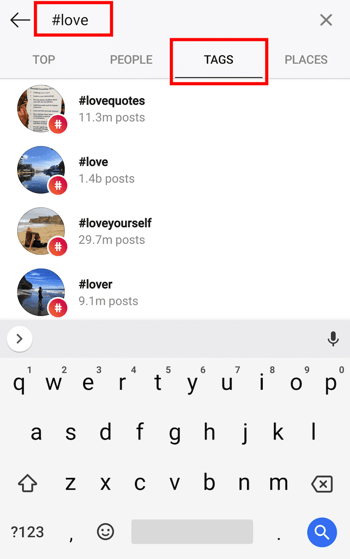
4. Browse hashtags based on post count and current content.
Voila! You should see multiple options for hashtags based on your search. Browse around at each related hashtag that Instagram suggests for you — you might find that a hashtag with slightly fewer posts includes photos or videos that are more in line with the content you’re posting.
Happy hashtagging!


In a Land of Automated Milk and Honey, Marketers Are Presented With an Opportunity
If I remember correctly, I was about 12 years old when I met my first robot.
At that time, robots were a novel concept rarely seen anywhere beyond a science fiction movie or TV show. This wasn’t just any robot. It didn’t sound like a series of beeps and boops, nor did it speak in monotone. It conversed with me like any human would, asking me about what I had for lunch and complimenting my earrings.
Little did I know that this somewhat primitive human-robot interaction would set into motion a series of events that would bring me back to California, time and time again, for many more interactions with machine-taught, artificially intelligent beings and gadgets.
It would also progress the age-old debate that comes with advancements in technology: At what point does the benefit of technological advancement become mitigated by humans having their jobs replaced by machines?
After spending a few days in San Francisco engaging with an array of automated concepts — markets, coffee shops, and restaurants — here’s some of what I learned.
A Land of Automated Milk and Honey
A Birds-Eye View of Income in San Francisco
According to a study conducted by the Brookings Institute, San Francisco has the sixth-highest household income inequality in the U.S., with some of the wealthiest households earning over 15X as much as some of the lowest-income ones.
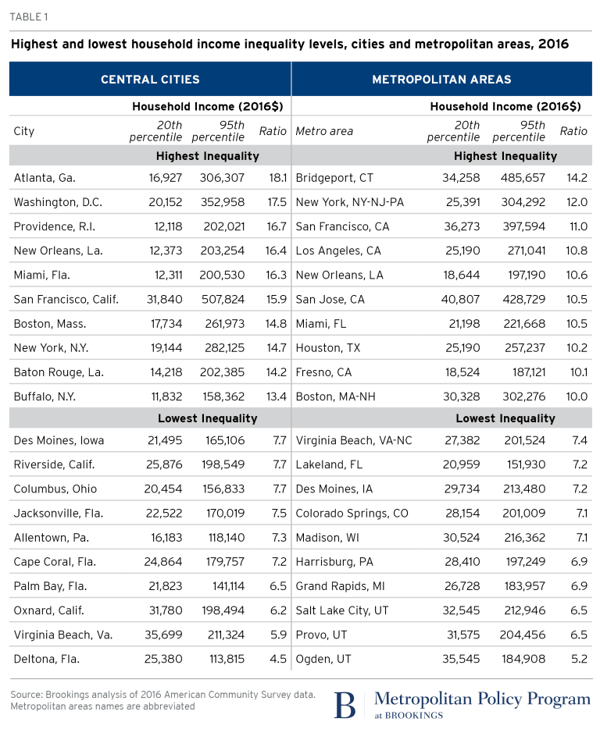
Source: Brookings Institute
The tech sector — which is highly concentrated in San Francisco and the surrounding Silicon Valley area — is often blamed for this income disparity. It’s said by some to generate wealth for those who reach some of the higher ranks of these companies, to “prodigious” heights that create a rapidly growing moat between tech’s high earners and, well, everyone else.
“Prodigious” is a word used by Russell Hancock, president of nonprofit Joint Venture Silicon Valley, in a 2014 interview with MIT Technology Review. “But when we used to have booms in the tech sector, it would lift all boats,” he added at the time. “That’s not how it works anymore. And suddenly you’re seeing a backlash and people are upset.”

A worker strike in San Francisco
An Increasingly Cashierless World
The growth of the tech industry leaves some wondering if it advancements bleed into the aforementioned disparity. Last week, for instance, I wrote about the experience of visiting an Amazon Go store in San Francisco: the fifth location opening of the ecommerce giant’s famously cashierless stores.
And while the experience was one that I might describe as “neat,” it got me wondering about the repercussions of an increasingly cashierless society.

The latest Amazon Go store in San Francisco, California
The Amazon Go store is far from the only cashierless retail experience in San Francisco. In the span of only a few days, I visited not only this particular store, but also, a cashierless restaurant and a self-described robotic coffee bar.
Consider that the role of cashier is filled by 3.5 million Americans. In an increasingly automated world, what becomes of them — and what should we do now to prepare for it?
A robot serves my coffee order, after preparing it without human intervention
Automation (And Growth) for All
The replacement of humans by machines is not a new concept. Similar phenomenons played out when the assembly line was created, when horse-drawn carriages were outpaced by the automobile, and when air travel became more convenient than traveling by railroad or sea.
Many argue that automation creates more new jobs than it does eliminate them, which poses the question: How can automation be built and approached in a way that actually benefits everyone involved?
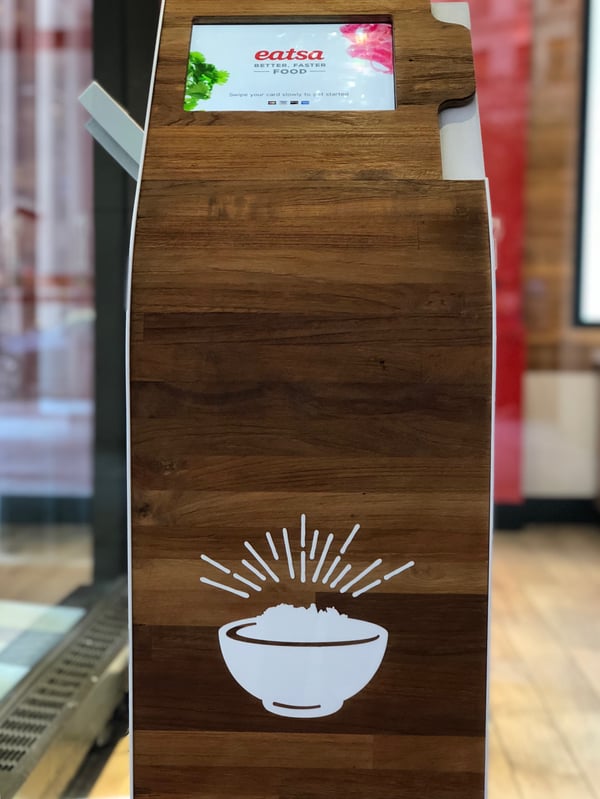
An ordering kiosk at eatsa, one of San Francisco’s automated restaurants
“The transition [to automation] needs the right education and training to enable people to take advantage of the new opportunities,” says HubSpot CMO Kipp Bodnar. “We should be invest more now in that training and education for innovations like automation, which we know is only going to grow.”
And while an investment in this education and training is a worthy one, many are left wondering who’s going to fund it — in a way that builds automation in a positive manner, helping users, businesses, and employees alike grow.
 A robot barista at San Francisco’s CafeX
The answer, Bodnar says, could also exist in “a partnership”: between the private and public sector, and between businesses.
Consider small-to-midsize businesses (SMBs), for instance which often “operate at a local level,” says HubSpot VP of Marketing Jon Dick. Addressing automation in a constructive, growth-oriented way creates possibilities for such businesses to invest in education and training on a community level.
And where SMBs budgets are small, larger vendors with whom they work might play a role, Dick says. “You could imagine large tech companies distributing funding through customers or partners.”
In other words, the investment in building better automation in a way that helps everyone grow — which includes having a stake in the early education and training to fill the roles it create — doesn’t have to be a foreboding one.
Rather, it leads to a crucial moment for companies to work with together. This collaboration has a ripple effect — not just for building better technology and growth opportunities for all, but for how else these partnerships between businesses could strategically evolve over time (for example, in the area of co-marketing or co-branding for future initiatives).
At the end of the day, “This is an ethical issue,” says Bodnar — one “that can have significant impact on the brands who choose to hold themselves to a high ethical standard.”

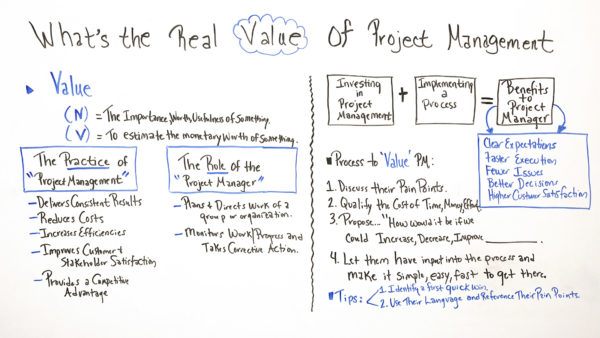
What’s the Real Value of Project Management?
What 4 of HubSpot’s Recruiters, Hiring Managers, & Executives Say About Being a “Jack of All Trades”
When Karla Cook, the current Editor of HubSpot’s Marketing Blog, first joined the team as a staff writer in July 2016, she realized she had more in common with most of her new teammates than she originally thought.
As a rhetoric major at Bates College, a liberal arts school in Maine, Karla spent more time analyzing political speeches and honing her debate skills than studying marketing methodologies. She had also just spent the last year and a half working as a Support Engineer at HubSpot and was working her way through a masters degree in Corporate Communications.
In other words, she was what most corporate folks would call, a “jack of all trades”. But, as a pleasant surprise to her, so were many of her teammates at HubSpot.
On the Blog Team, five of the seven total members were liberal arts graduates with majors spanning from theatre, communications, psychology, government, and international relations. Most of the bloggers didn’t begin their careers in marketing either. Grant writing, admissions, business analysis, production, and journalism sparked most of the team’s journey into the working world.
A year after Karla joined the team, Cobloom (a SaaS growth marketing agency) released a research report about the SaaS blogs who attract the most organic search traffic in the world. HubSpot’s blog was ranked number one.
With a team full of generalists who never studied or specialized in marketing, they still generated three times more organic traffic than Google’s own blog. So is the old saying that a jack of all trades is a master of none actually true? And why is there so much suffocating pressure put on college students to specialize in only one discipline?
As jobs become more specialized in today’s workforce, it seems logical to hone a specific skill set, especially during school.
But only learning the skills that match the exact requirements of a job today might not prepare you for your job tomorrow.
According to a study conducted by researchers from LinkedIn and the World Economics Forum, majoring in specialized subjects like marketing, finance, IT, and computer science don’t teach students the necessary skills to adapt to sudden industry changes and other fields of work, whereas broad majors like literature, history, political science, and economics do.
Mark Cuban, a billionaire investor, has also called liberal arts majors free thinkers who can quickly adapt to the rapid evolution of most industries nowadays.
Marketing is one of the ever-evolving industries that Cuban says liberal arts majors thrive in. Fifteen years ago, content marketing didn’t even exist. But, today, it’s the top hiring area in the creative job market, with 25% of executives planning to grow their team this year.
Meghan Keaney Anderson, a Vice President of Marketing at HubSpot, believes content marketing’s swift evolution will continue to accelerate. And the only way to keep up is by being adaptable.
“The world changes incredibly quickly in our industry. What is today a central skill, channel, or strategy may not be tomorrow. We need people who are adaptable and, more than that, who are fascinated by change and have a mental framework and curiosity to learn new approaches,” she says. “I’ve found that liberal arts majors in particular have a great disposition for that kind of work — critical thinking, diverse interests, and a strong inclination to understand new areas.”
Keaney Anderson suggests there may be some essential content marketing skills today that will be rendered superfluous in the future. There could even be roles sprouting up that don’t even exist right now. This isn’t intimidating to liberal arts majors or jack of all trades, though. They’ve learned how to learn and feel comfortable grasping new skills and concepts.
But one skill the industry will always need and marketers constantly need to keep honing is storytelling — neuroscience proves that it’s the best way to capture people’s attention, bake information into their memories, and forge close, personal bonds. We’re programmed to pay our undivided attention to a great story — that’ll never change.
For a story to be compelling, though, it needs good writing behind it. But writing well in the marketing world doesn’t mean scribbling the most flowery and poetic prose possible. It means logically presenting or dissecting an argument in a clear, concise, and compelling way.
According to Emma Brudner, HubSpot’s Director of both the Blog and Community Teams, diversifying your education or skillset will arm you with the critical thinking abilities needed to write well.
“Liberal arts teaches students to not only write, but also to think critically. David McCullough, a two-time Pulitzer Prize winner, once said ‘Writing is thinking. To write well is to think clearly.’ I love this quote and I think about it a lot when hiring writers.” she says. “For the type of writing my team does, being able to organize thoughts and information clearly is imperative — even more important in my experience than the specific knowledge a more specialized degree, like marketing or advertising, might instill.”
While Brudner speaks to the importance of sharpening your critical thinking skills to write compelling content, developing your creativity is just as crucial for marketing success. According to neuroscience, it’s what drives innovation.
Creativity happens when you mash seemingly unrelated concepts together to form a new idea. Neuroscientists call this synaptic play, and the more incongruent the concepts are, the more synapses occur in your brain.
Studying a variety of disciplines or working in different fields supplies you with a bank of diverse knowledge and experiences to pull from to make these creative connections. And Kipp Bodnar, HubSpot’s Chief Marketing Officer, believes a brain full of diverse inputs will lead to much more inventive ideas.
“Connecting the dots is where so much of the success in marketing comes from. When you have a marketer who has done various aspects of marketing, they are able to understand how everything works together, which helps them accomplish much more than if their focus was isolated to only one deep discipline.”
Bodnar is describing something called cognitive diversity, where having a lot of different inputs in your head lets you connect dots that have never been connected before, giving you an entirely different perspective on things. This not only enables you to be more creative, but it also allows you to challenge the status quo and push your team to do better work.
Liberal arts majors and jack of all trades tend to have more cognitive diversity than their specialized peers, which is a huge reason why Sara DeBrule, the International Marketing Recruiting Team Lead at HubSpot, believes a jack of all trades can be a vital asset to any type of team.
“For a team where the majority of people are specialized, the case for hiring someone who is a jack of all trades is that they have enough perspective on the different types of marketing that they can test the assumptions of a team, push a team to operate in a more cross functional capacity, and round out the overall experience,” she says. “Jack of all trades can also be crucial for an early stage company where it’s an all hands on deck effort and people need to leverage disparate skill sets on a daily basis and context switch.”
The Jack of All Trades Can Be a Master of All
When I was a freshman in college, skeptically studying economics at a liberal arts school, I spent countless hours scouring the internet for every article that weighed the pros and cons of a general and specialized education. Every liberal arts critic said I was going to lag behind my specialized peers at work. Every proponent said I was going to propel past them.
So after hours on the phone with my dad and getting his blessing to transfer to a school where I could major in finance, I decided to go with my gut. I took a chance on the arts. And it’s the best decision I’ve ever made.
My liberal arts education taught me how to learn, think critically, and, most importantly, write. And those skills got me a job at HubSpot. If I had taken the other route, who knows what I’d be doing. Odd are, I’d be wearing a suit to work everyday and crunching numbers in a spreadsheet, not knowing what I’d do with my career if an algorithm started doing my job better than I could.

How to Use Facebook Dynamic Ads for Time-Sensitive Sales
Do you want to promote time-sensitive sales using Facebook ads? Wondering how to set up Facebook dynamic ads for Black Friday, Cyber Monday, or other seasonal sales? In this article, you’ll discover how to set up your product feed to run Facebook dynamic ads with beginning and end dates. #1: Design Product Images That Reflect […]
The post How to Use Facebook Dynamic Ads for Time-Sensitive Sales appeared first on Social Media Examiner.
from Social Media Examiner https://ift.tt/2z9WR8y
via socialmediaexaminer
The Ultimate List of Instagram Influencers in Every Industry (94 and Counting!)
In 2017, 92% of marketers who used influencer marketing found it to be effective.
Influencer marketing has grown steadily in popularity over the past few years, and for good reason — oftentimes, customers trust influencers over celebrities when choosing which products to buy, or which brands to endorse.
In fact, marketers have seen such success from influencer marketing that almost 40% of them plan to increase their influencer budget in 2018 and beyond.
To compete on one of the most popular social media platforms, it’s critical you consider implementing an influencer marketing campaign. But if you’ve never used an influencer before, the task can seem daunting — who’s truly the best advocate for your brand?
Here, we’ve cultivated a list of the best Instagram influencers in every industry — simply scroll to your industry, and take a look at the top influencers that could help you take your business to the next level. We’ve also included links to each of their Instagram accounts, so you can check out their pages and begin DM-ing them, immediately.
Top Food Influencers on Instagram
- Jamie Oliver (6.7 million followers)
- Brad Lau (620k followers)
- Megan Gilmore (70.9k followers)
- Ashrod (102k followers)
- David Chang (1 million followers)
- Ida Frosk (267k followers)
- Lindsey Silverman Love (105k followers)
- Nick N. (70.3k followers)
- Molly Tavoletti (60.4k followers)
- Russ Crandall (45.8k followers)
- Dennis the Prescott (462k followers)
- Gabriel Cabrera (79.1k followers)
- Thalia Ho (70.7k followers)
- Molly Yeh (315k followers)
- C.R Tan (58k followers)
Top Travel Influencers on Instagram
- Annette White (99.2k followers)
- Matthew Karsten (153k followers)
- The Points Guy (115k followers)
- The Blonde Abroad (547k followers)
- Eric Stoen (82.3k followers)
- Kate McCulley (100k followers)
- The Planet D (223k followers)
- Andrew Evans (63.9k followers)
- Jack Morris (2.8 million followers)
- Lauren Bullen (2 million followers)
- The Bucket List Family (1.5 million followers)
Top Fashion & Style Influencers on Instagram
- Alexa Chung (3.1 million followers)
- Julia Hengel (1.2 million followers)
- Oscar Cobo (162k followers)
- Chiara Ferragni (15.3 million followers)
- Jenn Im (1.7 million followers)
- Ada Oguntodu (69.4k followers)
- Emma Hill (444k followers)
- Gregory DelliCarpini Jr. (167k followers)
- Nicolette Mason (172k followers)
- Majawyh (311k followers)
- Garance Doré (741k followers)
- Ines de la Fressange (277k followers)
- Madelynn Furlong (151k followers)
- Giovanna Engelbert (925k followers)
Top Photography Influencers on Instagram
- Benjamin Lowy (229k followers)
- Murad Osmann (4.3 million followers)
- Michael Yamashita (1.4 million followers)
- Stacy Kranitz (98.7k followers)
- Jimmy Chin (1.9 million followers)
- Gueorgui Pinkhassov (94.2k followers)
- Dustin Giallanza (5,097 followers)
- Lindsey Childs (7,483 followers)
- Edith W. Young (16k followers)
- Alyssa Rose (8,071 followers)
- Donjay (113k followers)
- Jeff Rose (77.6k followers)
Top Lifestyle Influencers on Instagram
- Jannid Olsson Delér (1.4 million followers)
- Oliver Proudlock (734k followers)
- Brunch Boys (463k followers)
- Jay Caesar (350k followers)
- Jessie Chanes (259k followers)
- Laura Noltemeyer (199k followers)
- Adorian Deck (17.7k followers)
- Hind Deer (609k followers)
- Gloria Morales (102k followers)
- Kennedy Cymone (782k followers)
- Sydney Leroux Dwyer (1 million followers)
Top Design Influencers on Instagram
- Marie Kondo (668k followers)
- Ashley Stark Kenner (520k followers)
- Casa Chicks (266k followers)
- Paulina Jamborowicz (192k followers)
- Kasia Będzińska (212k followers)
- Jenni Kayne (127k followers)
- Will Taylor (249k followers)
- Studio McGee (780k followers)
- Mandi Gubler (106k followers)
- Natalie Myers (18.9k followers)
- Grace Bonney (932k followers)
Top Beauty Influencers on Instagram
- Michelle Phan (2 million followers)
- Shaaanxo (1.5 million followers)
- Jeffree Star (8.8 million followers)
- Kandee Johnson (1.8 million followers)
- Manny Gutierrez (4.8 million followers)
- Naomi Giannopoulos (7.3 million followers)
- Samantha Ravndahl (2.2 million followers)
- Huda Kattan (28.2 million followers)
- Wayne Goss (649k followers)
- Zoe Sugg (10.4 million followers)
Top Sport & Fitness Influencers on Instagram
- Massy Arias (2.5 million followers)
- Eddie Hall (866k followers)
- Ty Haney (38.8k followers)
- Hannah Bronfman (478k followers)
- Kenneth Gallarzo (418k followers)
- Elisabeth Akinwale (111k followers)
- Laura Large (69.4k followers)
- Kemo Marriott (10.6k followers)
- Akin Akman (46.6k followers)
- Sjana Elise Earp (1.4 million followers)

The 42 Best Chrome Extensions for 2019
For all of the greatness that the internet affords — cute animal videos, GIFs, and interesting blogs — one of its biggest downsides is how distracting it can be. How many times have you sat down to work and been pulled into a pit of procrastination?
Perhaps you get absorbed in updates on social media, or maybe you click through Wikipedia trying to determine what exactly Gina Rodriguez’s first TV role was (it was on Law & Order). No matter where you click online, it’s easy to be pulled into a black hole of distraction and low productivity.

Enter Google Chrome browser extensions. The Google Chrome web store offers a variety of different tools that help you become safer, smarter, and more productive with just one click.
We can’t guarantee that these extensions will make YouTube videos less tempting to watch, but we recommend them for busy marketers who want to make their time online more efficient. We’ve broken them down into different categories if you want to jump ahead:
Please note: All of these are free tools, but some of the services that they work with have paid features or subscriptions.
Best Security Chrome Extensions
- HTTPS Everywhere
- Click&Clean
- J2Team Security
- Ghostery
- Checkbot
- Avast Online Security
- FlowCrypt
- Fair AdBlocker
1. HTTPS Everywhere
Users: 2.1 million
“HTTPS” is a website protocol that ensures a site is secure before you visit it. And although you might recognize this tag at the beginning of most websites, it’s not quite ubiquitous across the internet — nor does it guarantee that the site you’re browsing is 100% secure.
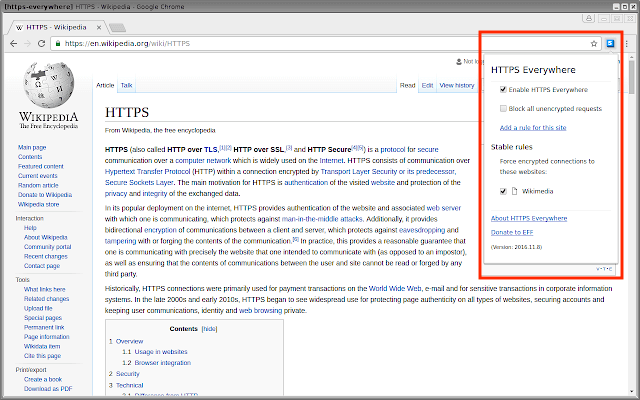
The Chrome extension, HTTPS Everywhere, rewrites the request you send to any website you want to visit in Chrome so you can be sure your browser produces the secure version of that site. Browse assured that all your personal information is kept safe and your computer doesn’t catch malware while you’re online.
See how this browser extension looks in the screenshot below.
2. Click&Clean
Users: 3.4 million
If you’re constantly searching and downloading work material during the day, it can be a tedious task to clear your browser history. You just don’t have the time to keep pulling up your history page and manually clearing your cache or download log.
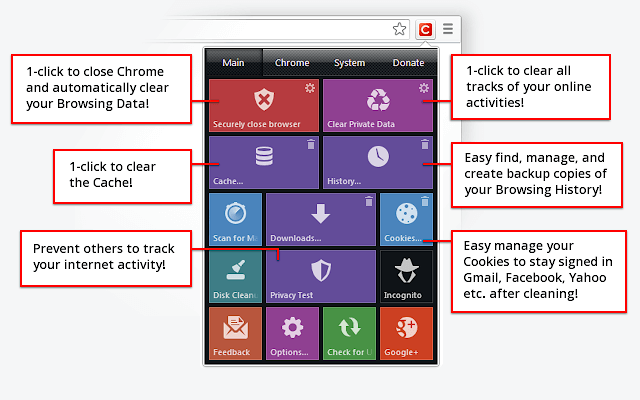
The Click&Clean extension for Chrome allows you to clear your cache, URL searches, website cookies, and download history with a single click of a button on your browser toolbar. The extension can also scan your computer for viruses and clean up your hard drive of unused applications — helping your computer run faster as a result.
3. J2TEAM Security
Users: 164 thousand
J2TEAM Security isn’t your average firewall. This Chrome extension starts with basic virus protection, but also allows you to customize your website blocklist and ensure your Chrome browser uses the “HTTPS” security tag on blogging sites — preventing you from visiting user blogs that are deemed unsafe.
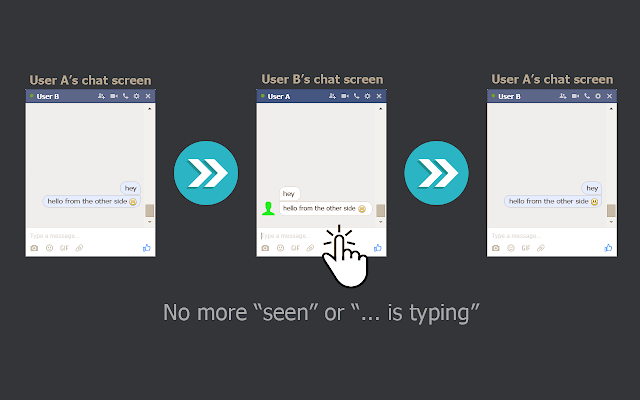
The extension also offers a variety of Facebook-specific privacy settings, such as blocking the “seen” tag after you read certain private messages and hiding how long you’ve been active in Facebook Messenger.
4. Ghostery
Users: 2.7 million
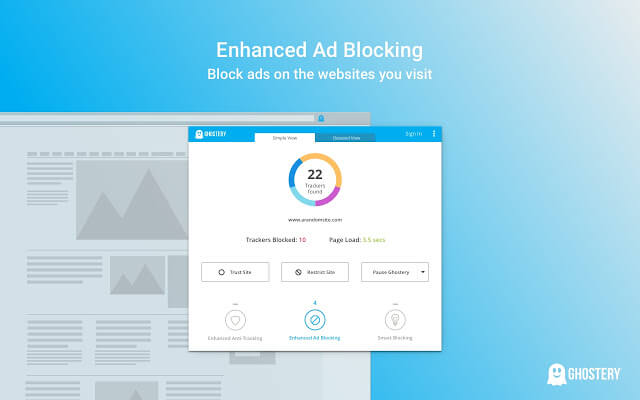
Ghostery is a sophisticated ad-blocking extension designed to remove ads that distract or interrupt you while you’re viewing specific website content. It also disguises your browsing data so ad-tracking tools are unable to collect personal information that you’d prefer to keep private. These features help to speed up webpages’ load time and ultimately improve your browsing experience.
5. Checkbot
Users: 15 thousand
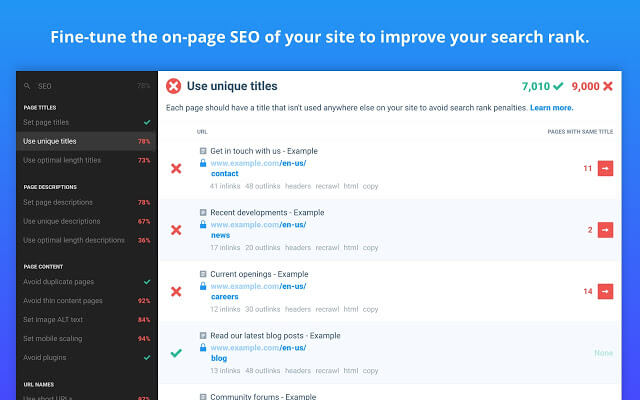
Checkbot combines technical SEO with modern security to help you analyze both how safe and how optimized a website is for search engines. Because search engines like Google prioritize website security in addition to content quality in their rankings, this Chrome extension is a handy one-two punch for content creators and web developers.
Checkbot can test the page speed, SEO, and overall security of more than 250 URLs per domain for free — and help you improve in these three categories to protect you and you website visitors from unsafe material.
6. Avast Online Security
Users: 10+ million
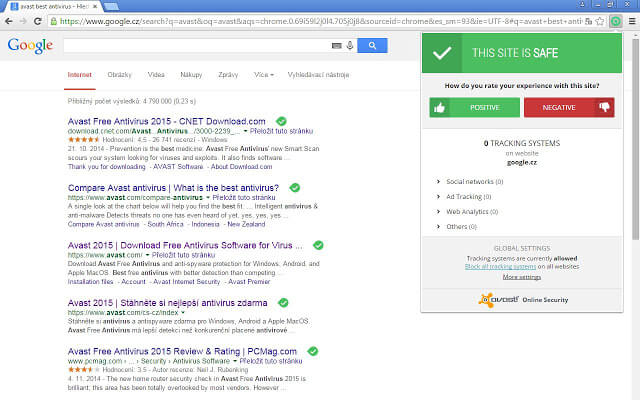
Avast Online Security is known as a “web reputation plugin,” examining each individual website you visit for suspicious information. The extension also warns you if the site you’re visiting simply has a bad reputation. In turn, you can rate the websites you visit to help Avast get better at flagging potentially unsafe webpages while on Chrome.
7. FlowCrypt
Users: 45 thousand
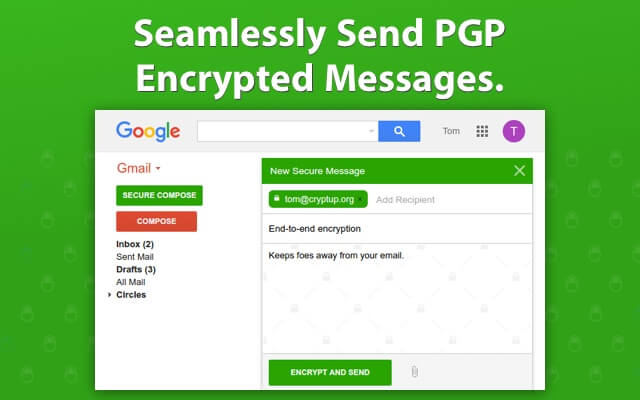
This security extension is specific to emails, allowing you to send and receive encrypted emails (and attachments) to and from your colleagues. It’s one of the best ways to be sure your emails are kept private and secure while in transit to the recipient.
FlowCrypt uses PGP encryption, which stands for “Pretty Good Privacy” — the standard for encryption in most email clients. The tool integrates perfectly with Gmail, adding a “Secure Compose” button to your inbox.
8. Fair AdBlocker
Users: 2.1 million
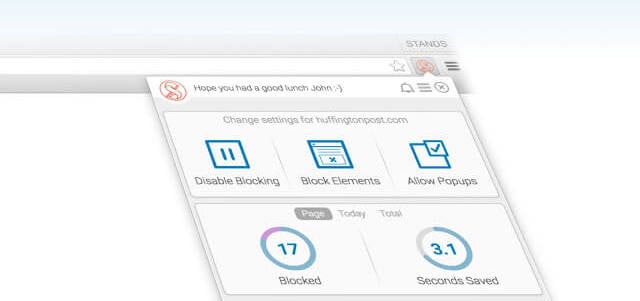
Fair AdBlocker offers both malware and adware in one browser extension. The tool protects you from malware as well as distracting ads and pop-ups. Once installed, you can configure your blocking settings to hide the types of ads you’re least interested in seeing — especially those that carry dangerous information that can infect your computer.
Chrome Extensions for Social Media
1. bitly
Users: 447 thousand
This extension lets marketers quickly and easily shorten links and share them on social media directly from their browser. This is particularly useful for social media marketers and allows for personalization with an Enterprise plan.
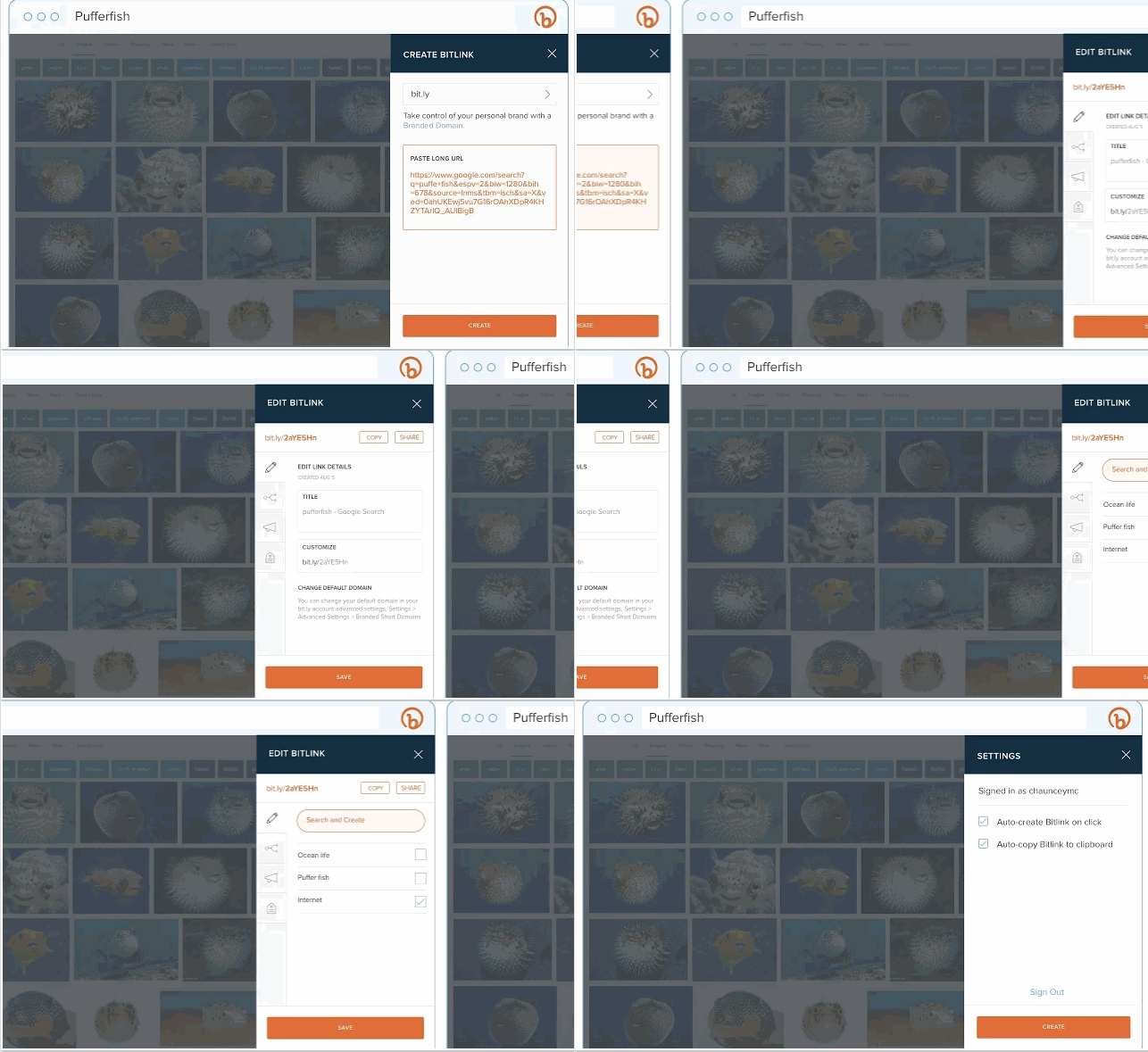
Image courtesy of bitly.com
2. BuzzSumo
Users: 20 thousand
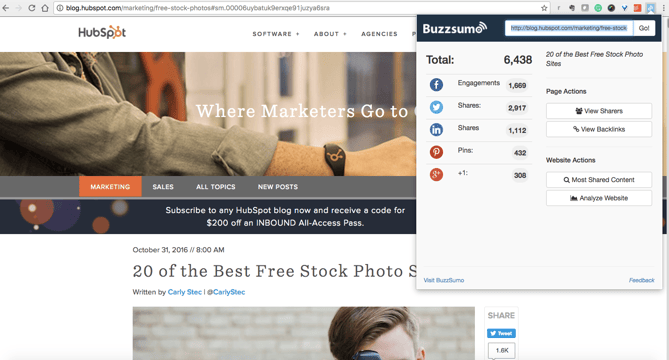
BuzzSumo provides insight into how content is performing. When you’re on a web page, click the extension to show metrics such as the number of social shares and backlinks to a piece. This tool provides an easy way to see how much engagement your content is generating. You could also use BuzzSumo to perform competitor analysis to uncover strategies that might make your content more shareable.
3. Pinterest
Users: 10+ million
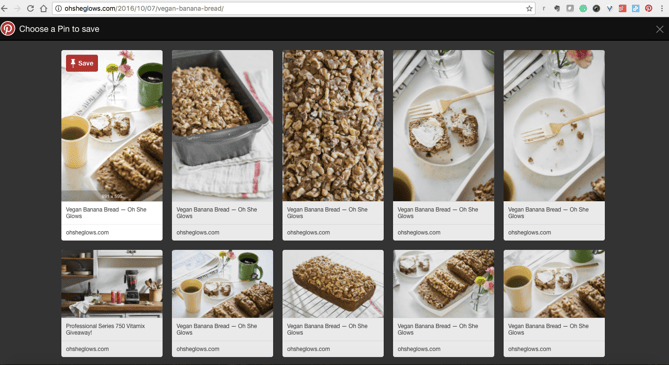
This extension allows you to easily save items onto your Pinterest boards without navigating away from what you’re doing. What’s neat about this tool is that it shows you multiple pinnable items available on each website so you can save more than one item to your board at a time. (Normally, you would have to click into each blog post or image in order to separately pin each to your boards individually.)
4. Save to Facebook
Users: 2.4 million
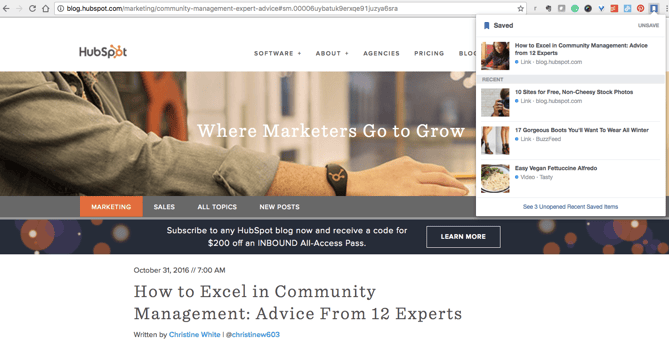
Facebook’s new “Save” feature lets users aggregate links, images, and videos they find on Facebook in one location in their account. This bookmark allows you to do the same from anywhere on the web, making Facebook a centralized place to save content you’re interested in checking out later. (As you can see, in addition to inbound marketing, I’m also interested in learning more about footwear and vegan recipes.)
5. RiteTag
Users: 22 thousand
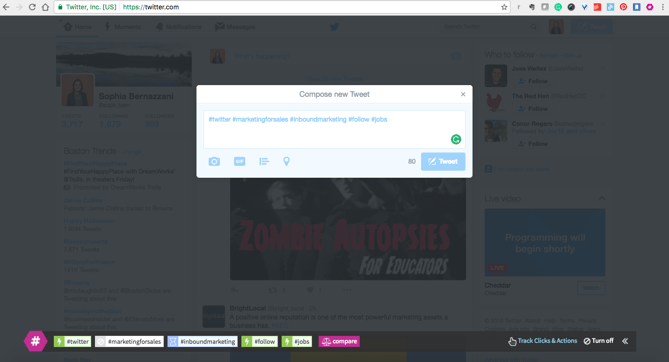
RiteTag shows you how hashtags are performing on Twitter and Facebook before you post content. Once you log in to RiteTag using your Twitter or Facebook credentials, it checks the hashtags you begin typing in real time and color codes them:
- If your hashtag is green, it means the hashtag will help your content be seen now.
- If your hashtag is blue, it means the hashtag will help your content be seen over time.
- If your hashtag is gray, you should select a new hashtag because it has low levels of engagement.
- If your hashtag is red, you should select a new hashtag because it’s so popular, your content will disappear into the crowd.
6. List Builder for Twitter
Users: 1 thousand
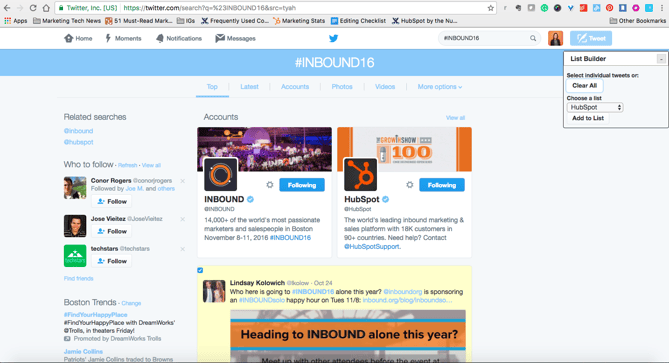
If you’re following a hashtag or event on Twitter, you may want to make a list of users tweeting about topics you’re interested in, which is time-consuming to do manually. With the List Builder for Twitter, you can navigate to a hashtag or trending topic and build a list of all users tweeting, or you can select which users you want to add to a list. Here’s an example of the tool in action: I built a list of all users tweeting “#INBOUND16” during our annual event in 2016.
If you’re a HubSpot customer, you can easily create lists using the social streams featuring in the HubSpot Social Monitoring tool.
7. Instagram for Chrome
Users: 603 thousand
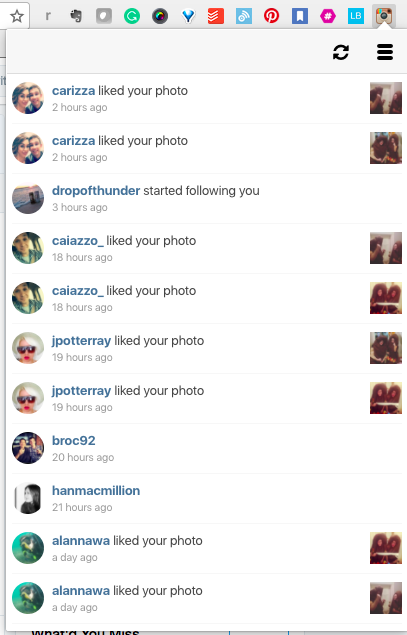
Want to keep tabs on Instagram notifications without having to constantly check your phone? With this extension, users can see what’s happening on their Instagram content directly within their browser.
Chrome Extensions for SEO
1. MozBar
Users: 546 thousand
The MozBar is a Chrome extension that allows SEO marketers to easily get insights about different websites without leaving their web browser. With one click, you can find search ranking and link coding information about all of the search results on a Google results page.
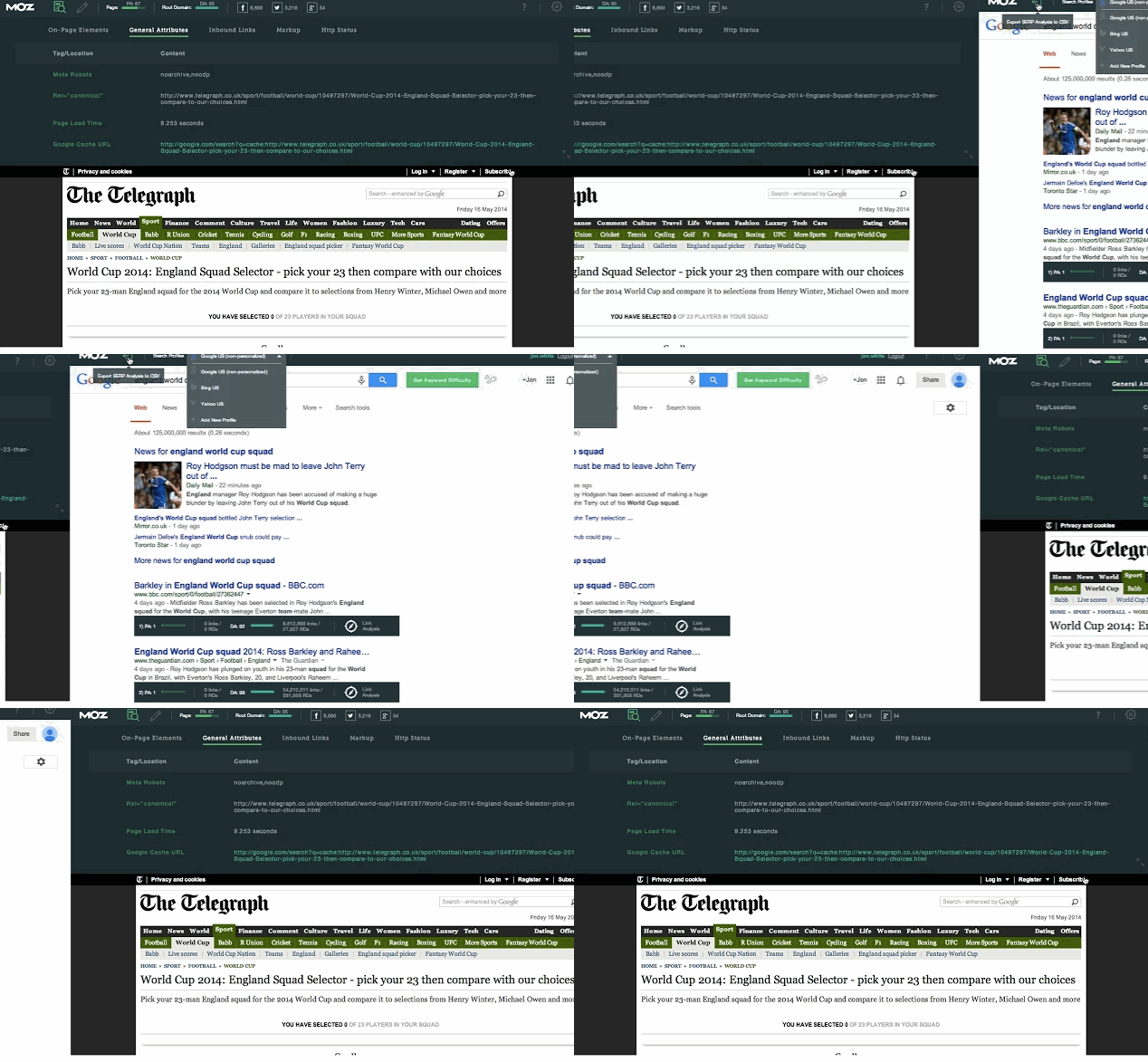
Image courtesy of Moz
2. Check My Links
Users: 177 thousand
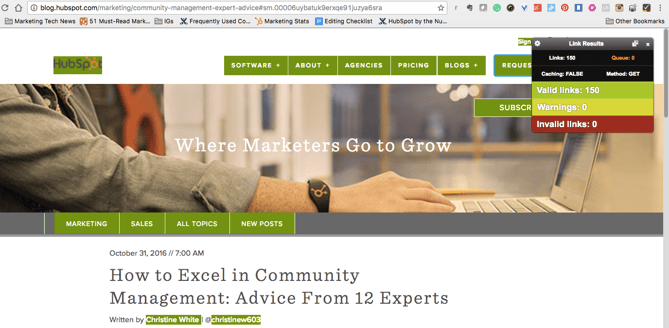
Check My Links does what it says it will: It quickly scans web pages and shows you which links are working properly and which are broken. With this extension, marketers can ensure that their own websites are functioning properly for their visitors. Additionally, marketers can check for broken backlinks to their content on other websites to build backlinks to their content and increase their domain authority.
3. NoFollow
Users: 70 thousand
NoFollow quickly indexes web pages and identifies links that are coded with the nofollow metatag. Nofollow links aren’t crawled by search engines and don’t contribute to search engine authority, so SEOers can use this extension to determine if external sites are backlinking to them with followed, or indexed, links. Additionally, you might use nofollow links on web pages you don’t want crawled, such as a landing page or thank you page, and this extension can easily double-check if you’ve coded links correctly. In the example screenshot below, nofollow links are highlighted in red.

4. Impactana
Users: 2 thousand
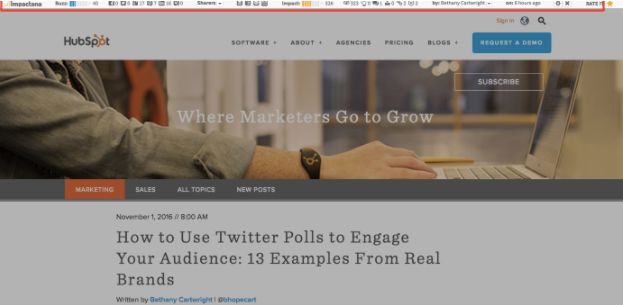
Impactana’s Chrome toolbar offers a wealth of SEO, social media, and content marketing information about any web page. Its two biggest metrics are “Buzz,” which measures a website’s reach on social media, and “Impact,” which measures SEO metrics such as clickthrough rate, backlinks, and time on page. It also shares details like author and publisher contact information that are useful for PR professionals.
Best New Tab Chrome Extensions
- OneTab
- Momentum
- Blank New Tab Page
- Infinity New Tab
- Start.me
- Earth View
- Infinite New Tab
- New Tab URL Redirect Changer Plus
1. OneTab
Users: 1.9 million
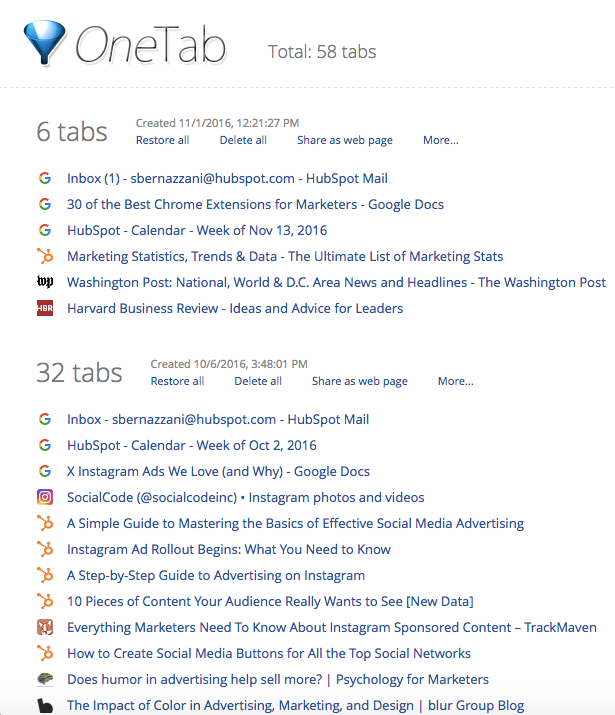
When you conduct research for a piece of content, it’s easy to get swamped in multiple open tabs with great resources you want to cite. The trouble is, once it comes time to write and refer back to the sources, it’s hard to navigate between all of the tabs. Luckily, OneTab lets you put multiple different URLs into a single tab for easy reference.
2. Momentum
Users: 3.8 million
Momentum is a simple Chrome extension that replaces blank new tabs with beautiful photography, inspiring quotes, weather reports, and a space for you to write down a priority for the day when you open up your browser for the first time. (Don’t worry — the temperature is in Celsius, it’s not that cold in Boston.)

3. Blank New Tab Page
Users: 33 thousand
Blank New Tab Page is exactly what it sounds like — a completely blank, white page when you open a new tab in Chrome. Today’s browser settings and themes — and new versions of Google Chrome — display previews of recently visited websites or a Google Search bar on new tabs when you open them. If all you want is a blank page to navigate somewhere new, this Chrome extension is what you’re looking for.
4. Infinity New Tab
Users: 118 thousand
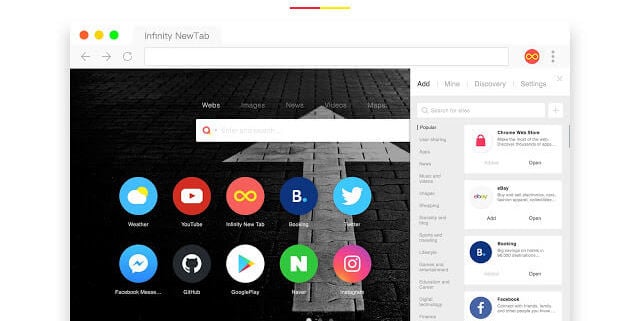
Infinity New Tab includes a feature known as Speed Dial on every new tab you open in Chrome. This feature produces large icon-based shortcuts to your most frequently visited websites, as shown in the screenshot below. You can customize these icons with new websites as needed, and add productivity widgets like to-do lists to each new tab as well.
5. Start.me
Users: 73 thousand
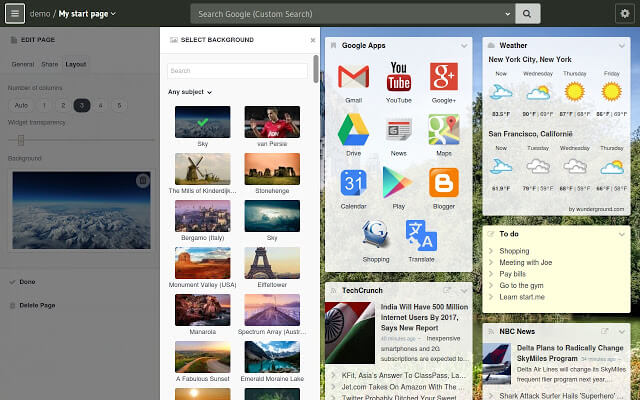
With Start.me, you turn each new tab you open in Chrome into a personal dashboard. You can populate this dashboard with webpage bookmarks, productivity widgets, news feeds from specific websites, and various photos and videos. If you prefer to keep your daily schedule online, rather than in print or on your desktop, you might find this extension useful.
6. Earth View
Users: 1 million
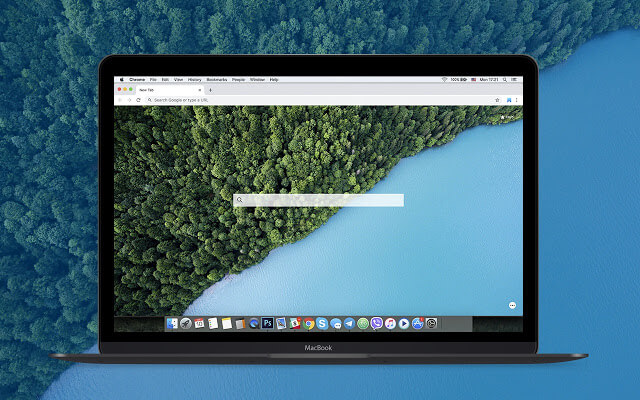
This Chrome extension might not make your browsing experience easier, but it will make it prettier. Broaden your geography skills while surfing the internet at the same time with Earth View by Google. Each time you open a new tab, the first thing you’ll see is a satellite image of a beautiful location somewhere on Earth. See some of the images that pop up on new tabs in the screenshot below.

7. Infinite New Tab
Users: 32 thousand
Not to be confused with “Infinity New Tab” (the fourth new tab extension on this list), this browser accessory turns your new tab into a canvas. Choose from more than 100 wallpapers to customize your new tab background, as well as a reminder list and note pad for staying on task.
8. New Tab URL Redirect Changer Plus
Users: 9 thousand
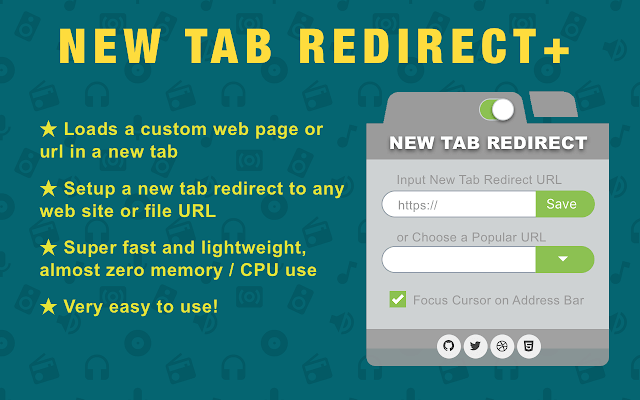
Got a website you always need to have open? This Chrome extension automatically opens a page of your choice when clicking on a new tab. The tool can even redirect to a specific file you have saved in Google Drive or elsewhere online.
Chrome Extensions for Content Sourcing
1. HubSpot Collect
Users: 3 thousand
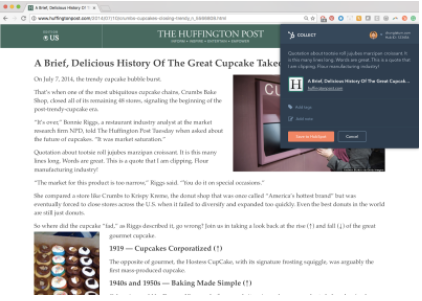
Whether you’re conducting research for a project or simply reading different articles online, you most likely come across resources that you want to save and return to for later use.
That’s where HubSpot Collect will come in. Instead of saving content to another application or document, you can save it directly to your HubSpot software for easy reference when you sit down to write a blog post or web page. Coming soon to HubSpot software, Collect will automatically generate author attributions and citations if you want to cite a link you saved for a blog post.
2. AwesomeScreenshot
Users: 2 million
AwesomeScreenshot is a screen capture extension with capabilities for annotation and photo editing while staying in your browser. Once you take a screenshot of a selected area of your screen or an entire web page, you can crop, highlight, draw shapes, and blur sensitive information.
3. Evernote Web Clipper
Users: 4.7 million
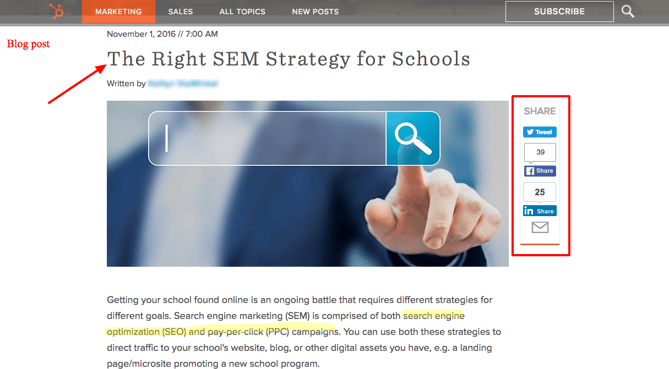
Evernote is a note-taking and organization app that can be shared across teams for content collaboration. With the Evernote Web Clipper extension, users can save links onto a clipboard within their Evernote app for later reading and reference.

4. Giphy for Chrome
Users: 176 thousand
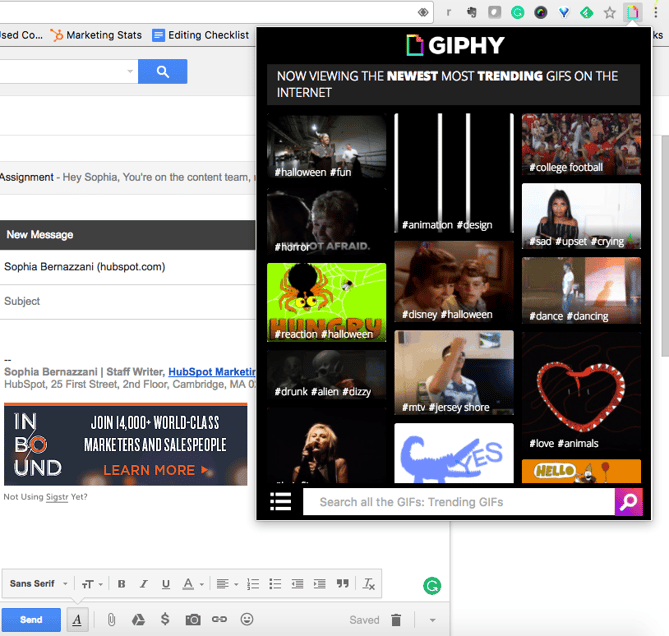
Everyone loves animated GIFs. They make emails, blogs, and social media posts engaging and funny, and with this extension, you can easily grab a GIF from Giphy’s huge database for whatever content you’re working on without navigating away.
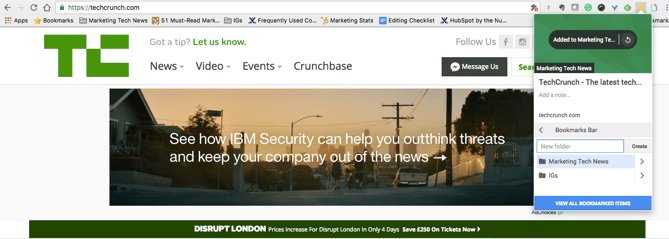
5. Bookmark Manager
Users: 503 thousand
Manually bookmarking websites can sometimes be a tedious process, so Google created this extension to organize websites you want to save without having to open a new tab. Save websites to bookmarks, create folders, and add notes for later reference.
Chrome Extensions for Blogging
1. Grammarly
Users: 10+ million
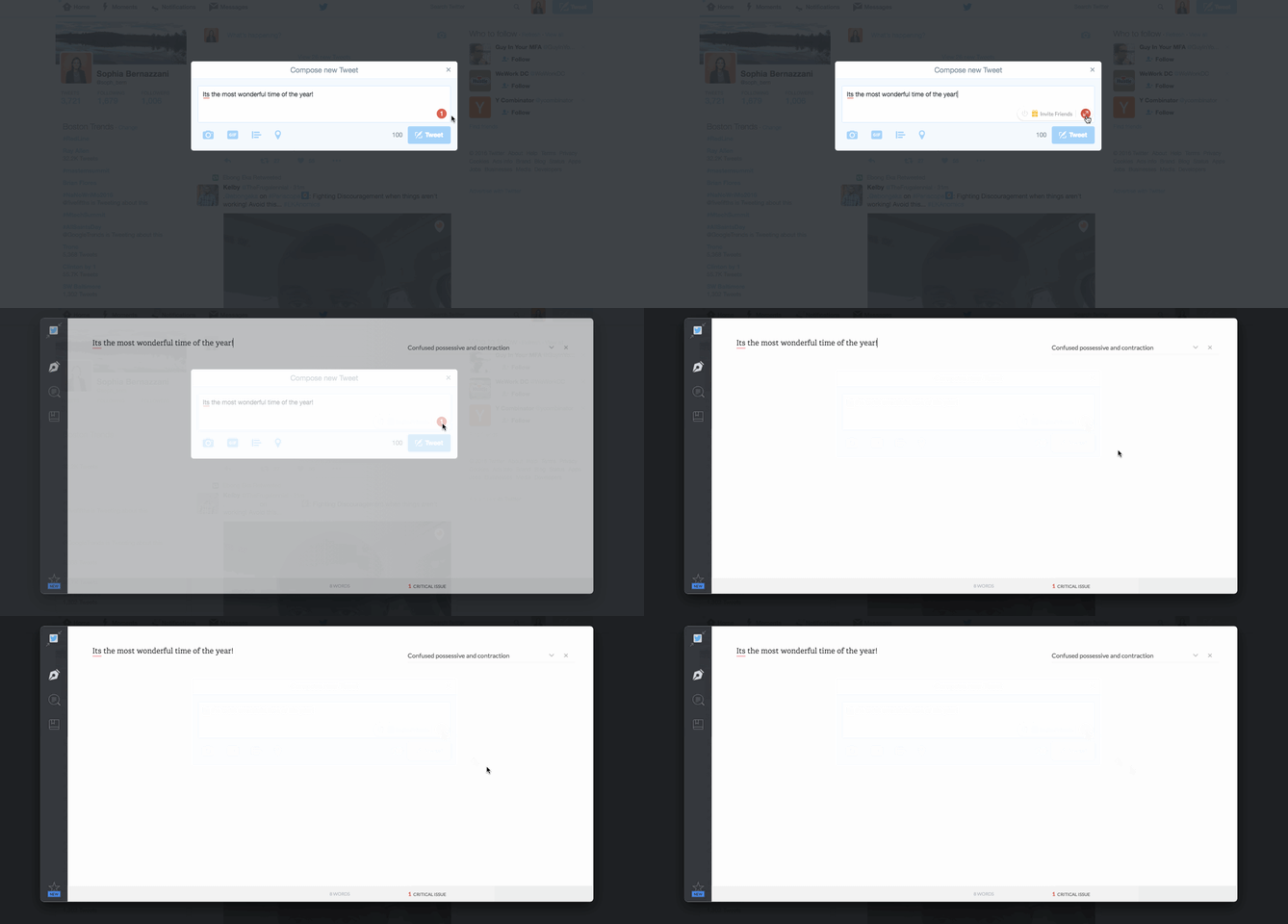
Grammarly is my go-to app for reviewing blog posts for proper spelling, grammar, and word use. You can drop large pieces of text into the desktop application for review, or you can use the handy Chrome extension to call out any grammar errors you’re making while typing on the web. Here’s an example of Grammarly pointing out an error I was about to make in a tweet:
2. Google Dictionary
Users: 4.6 million
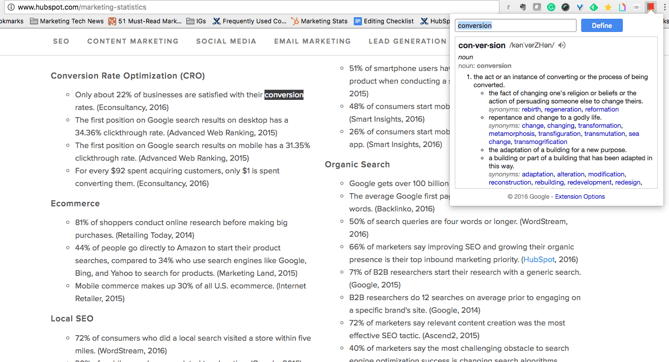
Have you ever come across a word you’re not familiar with while doing research online? Instead of Googling it in a separate tab, quickly highlight the word and click on the Google Dictionary extension to get the definition.
3. Office Editing for Docs, Sheets & Slides
Users: 5.4 million
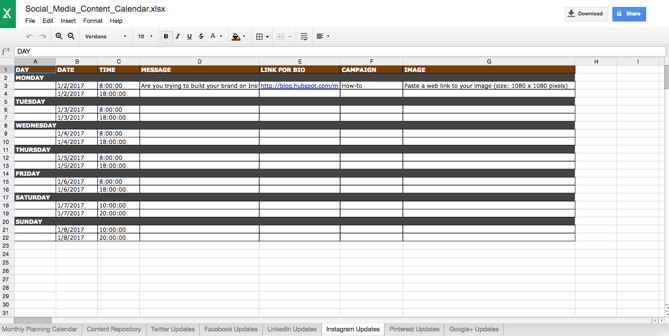
For those times when you and your coworkers are working on computers with different operating systems, or want to collaborate on a live document together, check out Office Editing. This extension lets you easily drop Microsoft Office files into Google Drive to view and edit them without needing the software installed on your hard drive. Here’s an example of an Excel file that I dropped into my Google Drive:
4. Quick Write Text Editor
Users: 9 thousand
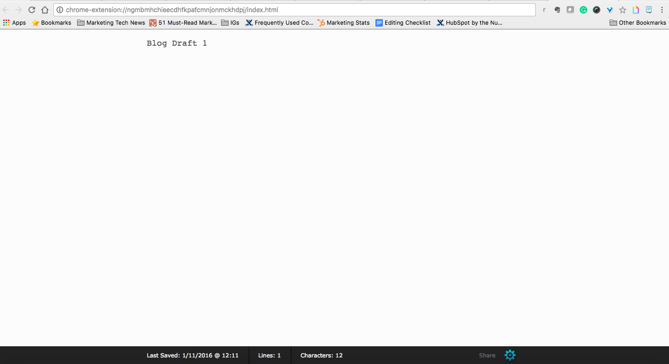
Sometimes it’s hard to free yourself of distractions to write productively, especially if you’re writing online. This extension quickly opens a new tab for a clean and neutral text editor that auto-saves while you’re working if you need a break from where you normally write.
Best Chrome Extensions for Productivity
- Todoist
- Rapportive
- StayFocusd
- LastPass
- Add to Trello
- Extensions Manager
1. Todoist
Users: 634 thousand
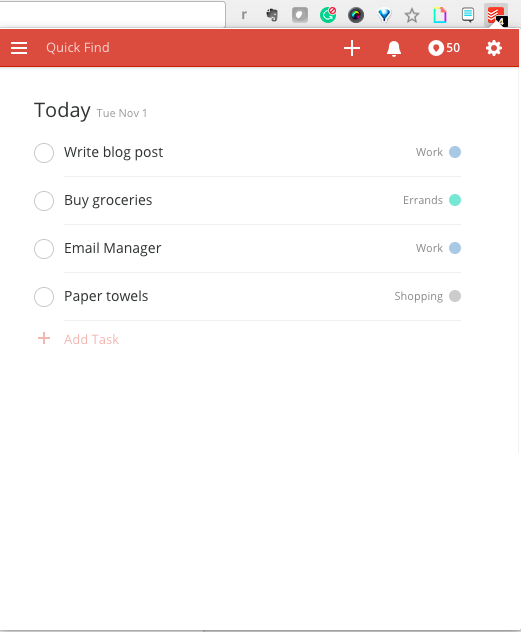
ToDoist is a project management tool that lets you create highly organized and visually appealing to-do lists across all of your devices. What’s neat about the Chrome extension is that you can see your to-do list, or your team’s shared lists, and add tasks to it without having to open a separate tab, app, or device.
2. Rapportive
Users: 382 thousand
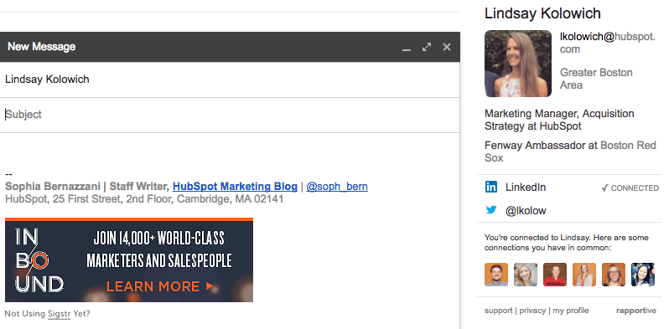
Rapportive uses LinkedIn account information to provide details about the recipient of an email you’re drafting. This is a great way to get details about someone you’re trying to connect with and to ensure that you’re contacting someone on their correct email address.
3. StayFocusd
Users: 753 thousand
StayFocusd lets you budget your time on specific websites so you can eliminate distractions when you need to buckle down and work. It’s highly customizable — you could set your time limit to 20 minutes on Twitter and only five minutes on Facebook, for example. It also has neat features like the Require Challenge: Once you set time limits on sites, if you want to go back and change your settings, you have to complete a challenge (think: retyping a piece of text without typos or answering questions).

4. LastPass
Users: 7.8 million
LastPass is a password manager that auto-fills in passwords for all of the accounts you save with this extension. You only have to remember one password: your LastPass password. This saves you time, headaches, and increases the security of your personal data.
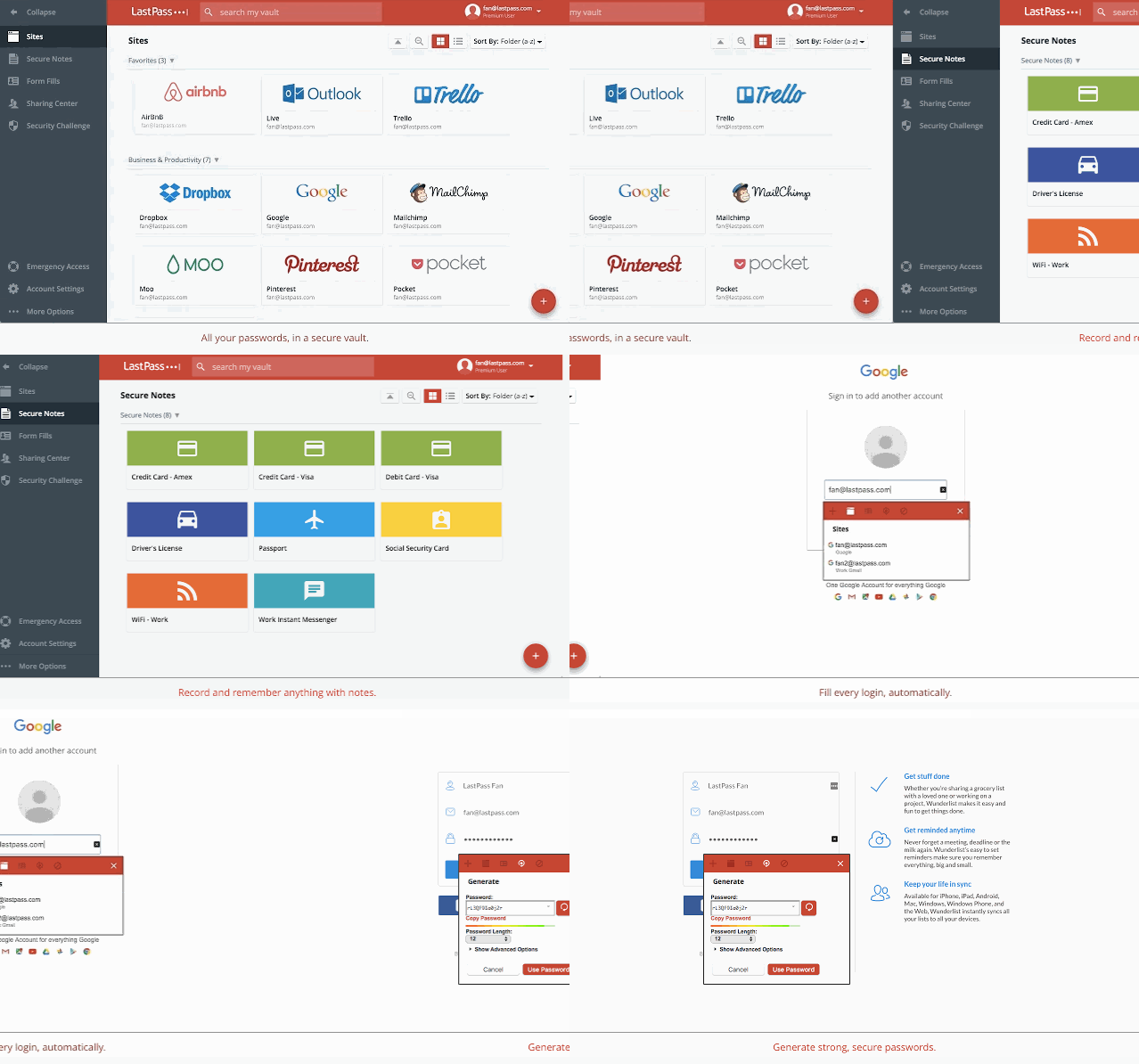
Image courtesy of LastPass
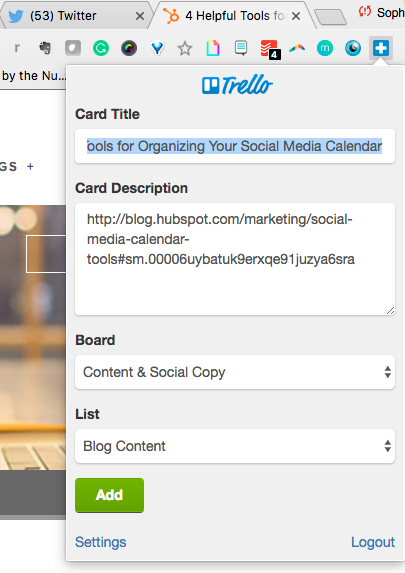
5. Add to Trello
Users: 10 thousand
If you use Trello for project management, team collaboration, your content calendar, or just a personal to-do list, this extension lets you easily add links as cards to your Trello boards.
6. Extensions Manager
Users: 97 thousand
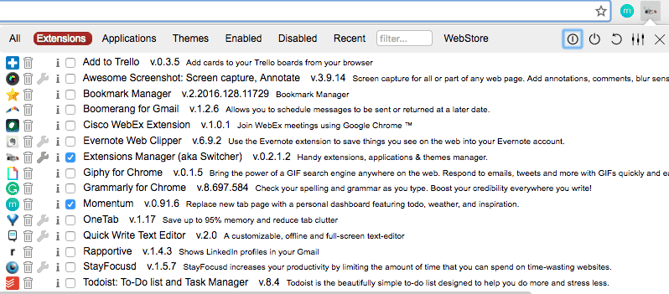
We couldn’t give you 27 different extensions to try out without also suggesting Extensions Manager. Try this tool to organize all of your extensions so they don’t take up half of your browser’s screen. It shows you what extensions you have operating on Google Chrome and gives you the option to hide some of the icons to keep your browser better organized.
Now that your browser is loaded with extensions to make marketing easier on a day-to-day basis, test them out to see what time and efficiencies you’re able to save. When you’re ready to work on your next piece of content, try these content curation hacks and tools to make that process simpler, too.
What’s your favorite Google Chrome extension? Share with us in the comments below.


The 19 Best WordPress Themes and Templates in 2018
Envision your favorite website.
Does it have a theme? Is the content organized in a way that makes sense? Does it match the overall aesthetic and look of the company’s branding? Are there images and other visual features paired with the written content?
All of these elements, which are common on successful websites, can easily be implemented on your own site with the help of a theme or template. And for those who create (or plan to create) your website on WordPress, there’s even better news — the software makes it exceptionally easy to implement a theme or template on your site.
WordPress has an entire library of plugins and theme options available for you to install and use instantly. With these themes and templates, your business — no matter the size or industry — can have a website with a unique and visually pleasing appearance.
Below, we’ve listed 19 of the best WordPress themes and templates and categorized them by type. Whether you’re looking for a multi-purpose theme or one made for e-commerce, creative content, or niche work, there is an option that will help you achieve the look and organization you are hoping for on your website.
Multi-Purpose WordPress Themes
Multi-purpose WordPress themes are suitable for all industries. They’re versatile and can fit the needs of any business.
1. StudioPress
Source: StudioPress
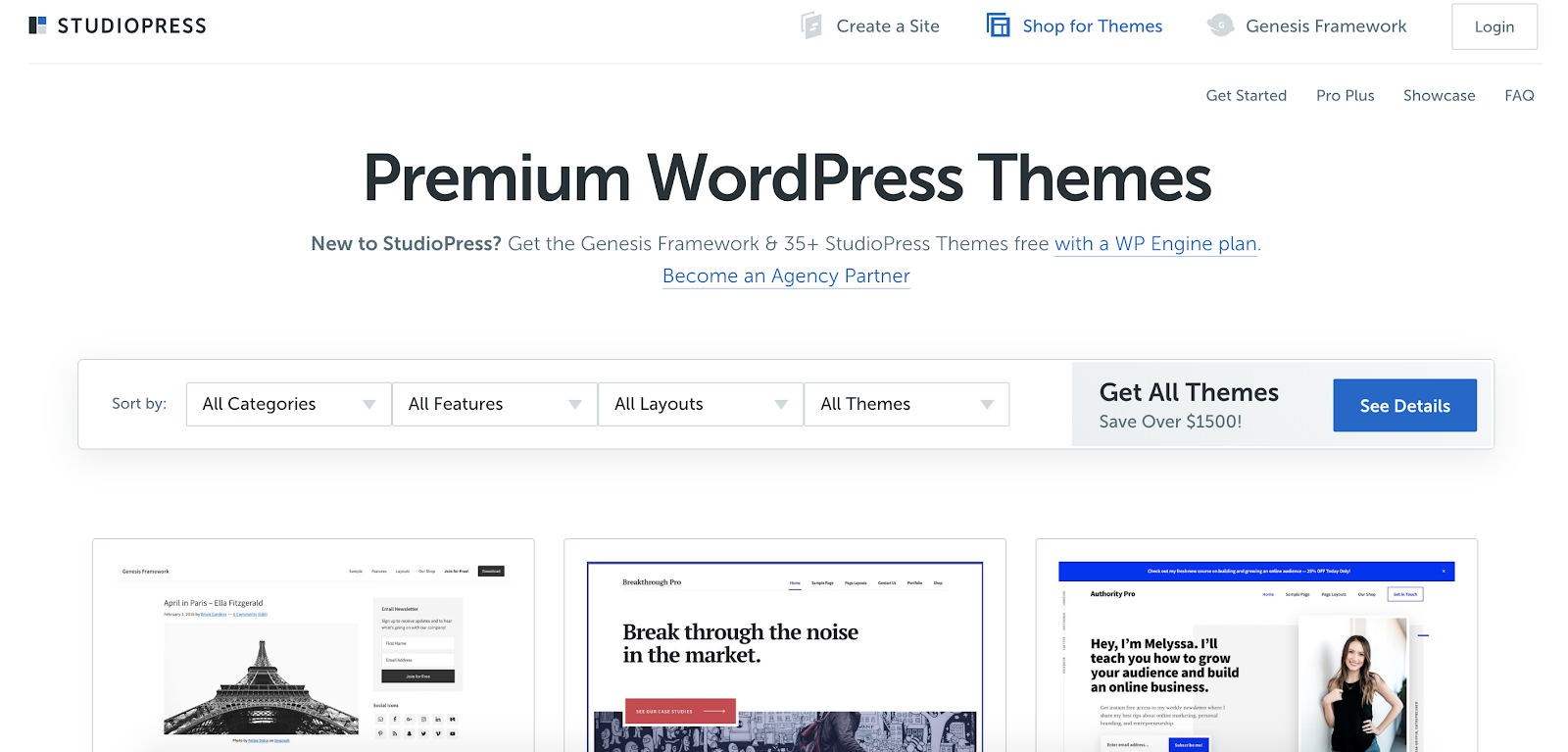
StudioPress is unique because it gives you a very simple framework, the Genesis Framework, on which you can build upon with their themes. StudioPress allows you to utilize features to completely customize your website, access expert support whenever you need it, and work on multiple websites at once. There are also automatic, free migrations that save you time, as well as included SSL (secure sockets layer) so your site is as fast and secure as possible.
With StudioPress, you’ll have access to over 35 different themes suitable for any type of business, from a startup to a blog to an enterprise. All themes are “Gutenberg ready” (Gutenberg is the WordPress editor) so you can spend less time on your website’s content design and editing processes and more time on your business.
2. Theme X
Source: Theme X
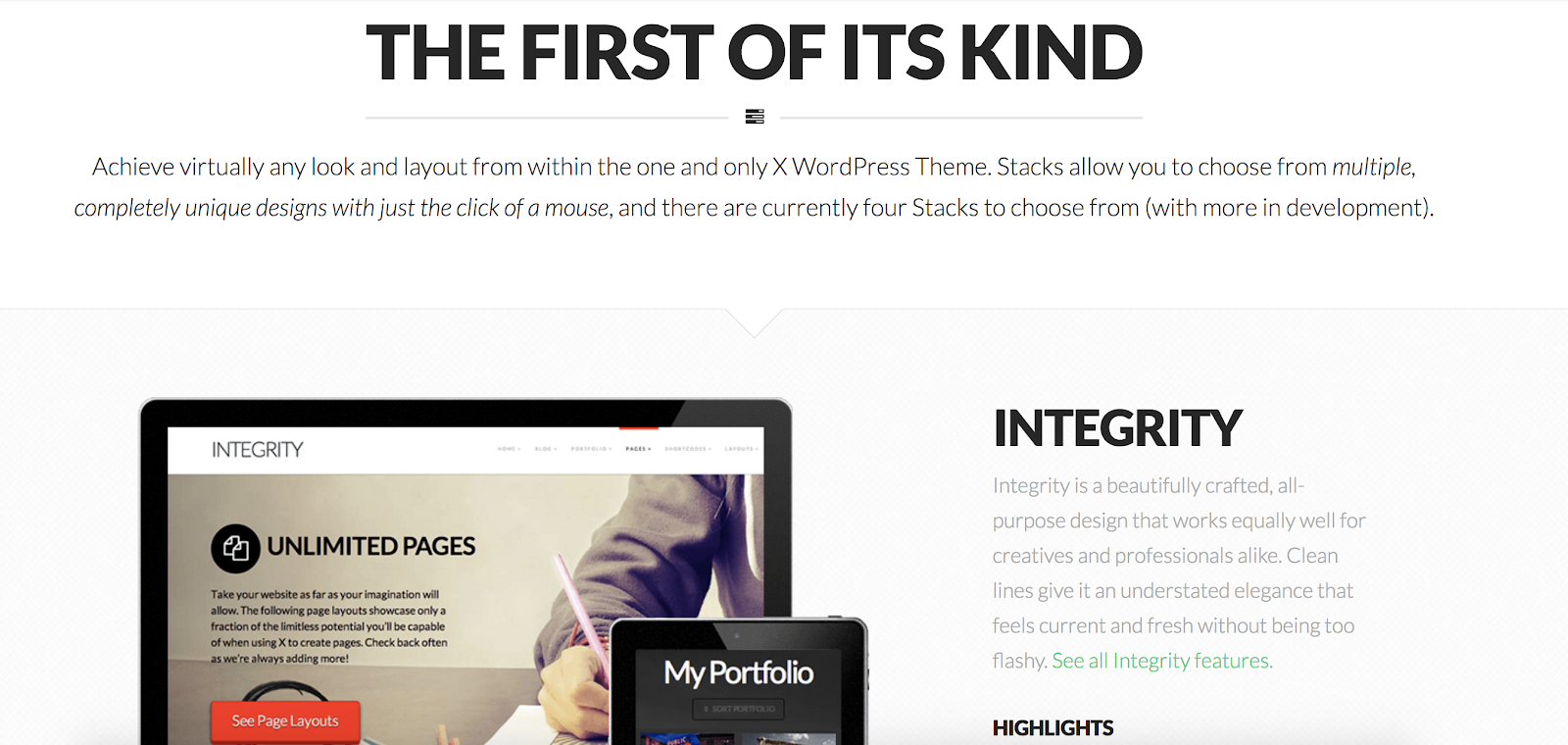
Theme X has an easy-to-use page builder, shortcodes that help you customize your site, and a responsive design. The theme also allows you to use their live previewer to see exactly what your website will look like with your logo, content, and images before publishing it online.
Theme X includes four “stacks” that allow you to choose from a variety of unique designs and layouts. Each theme allows you to customize your layout, move your navigation bar, and create custom pages for any business.
3. Theme Fusion
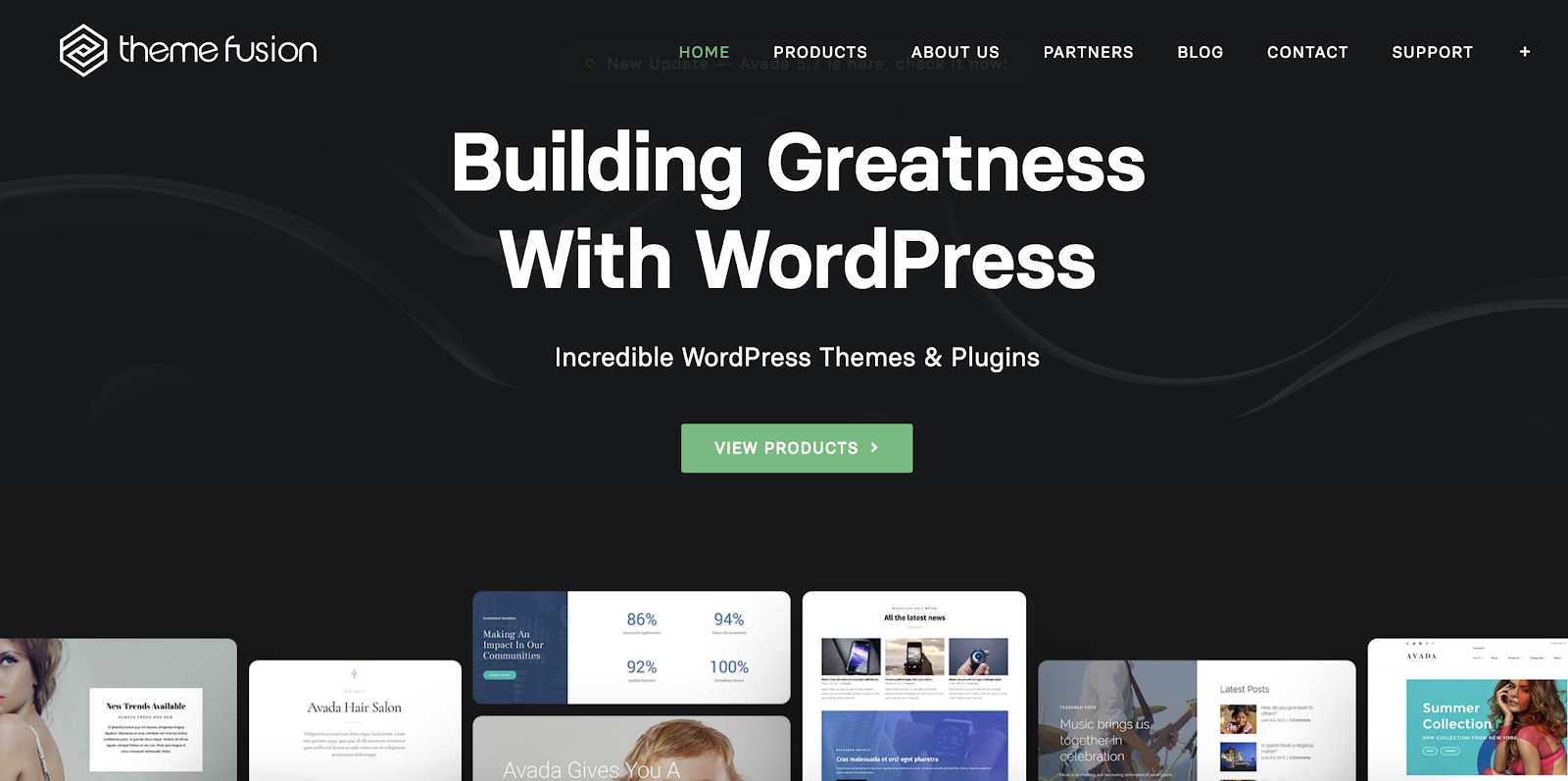
Source: Theme Fusion
Theme Fusion makes it easy to browse all theme and template options, none of which require coding. It’s customizable down to each element on your site and is a great option if you’re looking for a multi-purpose, easy-to-use WordPress theme. It also has professionally created demos available for download so you can import them into your site and add whatever content you want.
4. Divi

Source: Divi
Divi is one of the most popular themes on the market today due to its versatility and ability to work for so many different types of businesses. It offers responsive design and editing, premade layouts, and minimal website page loading time. The theme has 46 content elements and 20+ premade theme layouts that you can mix and match to achieve any look you want.
5. Avada

Source: Avada
“This theme uses a drag-and-drop builder that makes it possible for nearly anyone to build, design, and customize a web page. I have no web design background, but when our web designers are on a tight schedule, Avada makes it easy for me to lend a hand and help them with their web design and development projects,” says Keri Lindenmuth of KDG.
Over 450,000 websites use Avada, making it one of the most popular themes on the market. It’s easy to use, versatile, and requires no coding knowledge. You can achieve virtually any look or style with Avada — it has dozens of customizable templates fit for any business.
Ecommerce WordPress Themes
Give your online store a unique look and great user experience with these themes fit for all of your e-commerce site needs.
1. UX Themes

Source: UX Themes
UX Themes is the creator of the Flatsome WooCommerce Theme for WordPress. The Flatsome Theme includes a responsive design and drag-and-drop page functionality, which means no coding knowledge is required.
UX Themes is ideal for e-commerce sites. Their themes have predefined layouts so you can quickly add your content and go live. There are also demos for each theme option so you can easily envision the look of your own website prior to making a purchase.
2. Indigo

Source: Indigo
Indigo is quick to install, can be translated into any language, and is optimized for mobile. Your theme will be updated automatically, and Indigo’s constant support provides you with assistance whenever you need it.
The theme is ideal for e-commerce sites because of its unique features, such as a contact form builder, access to Google Fonts, and the ability to upload custom fonts. There are also unlimited custom sidebar options to achieve any look you want.
3. Salient
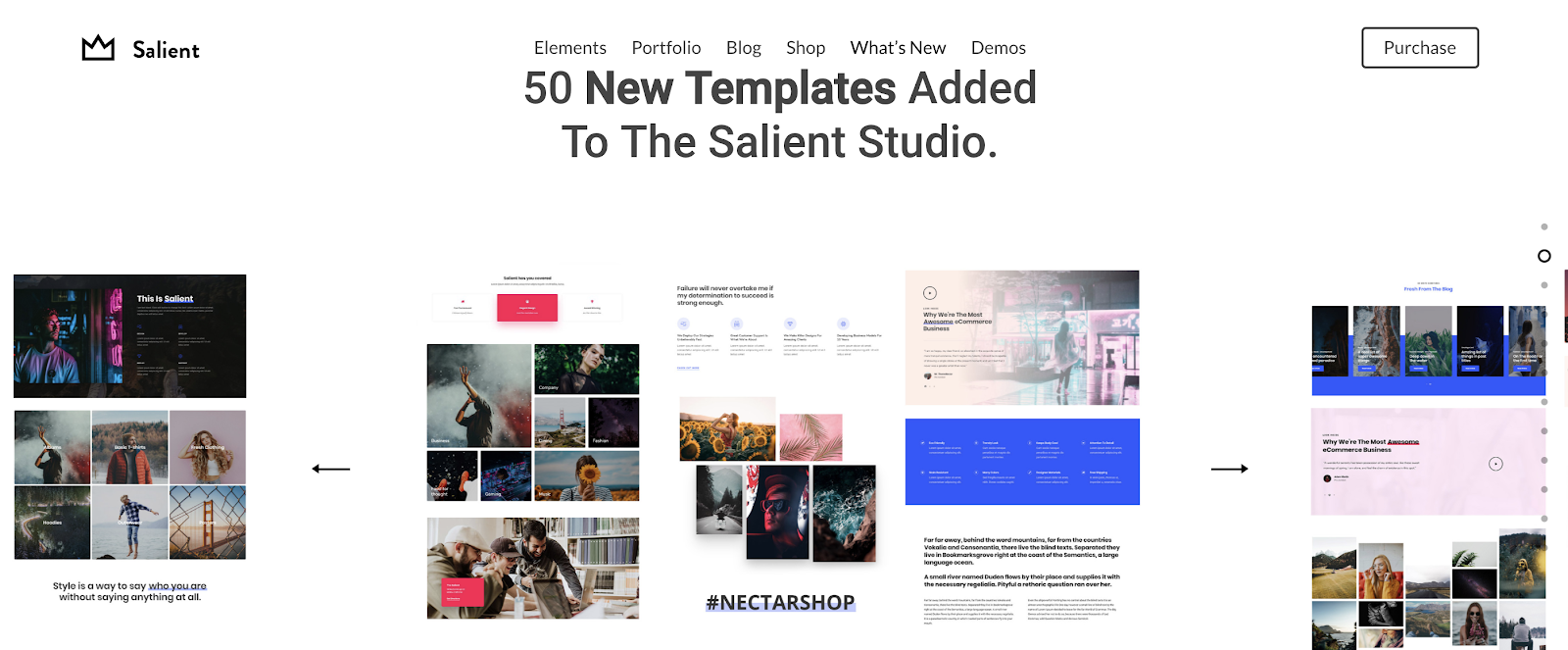
Source: Salient
Salient has a unique visual design that includes a mobile video background so your video auto-plays on supported devices. This adds an experience many other WordPress themes don’t provide. The theme also has an interactive design that’s great for online shopping, item browsing, and making purchases.
Creative WordPress Themes
Whether you are sharing your portfolio, blog, or freelance work, these creative themes have layout options and visual features that will make your website stand out.
1. Undsgn
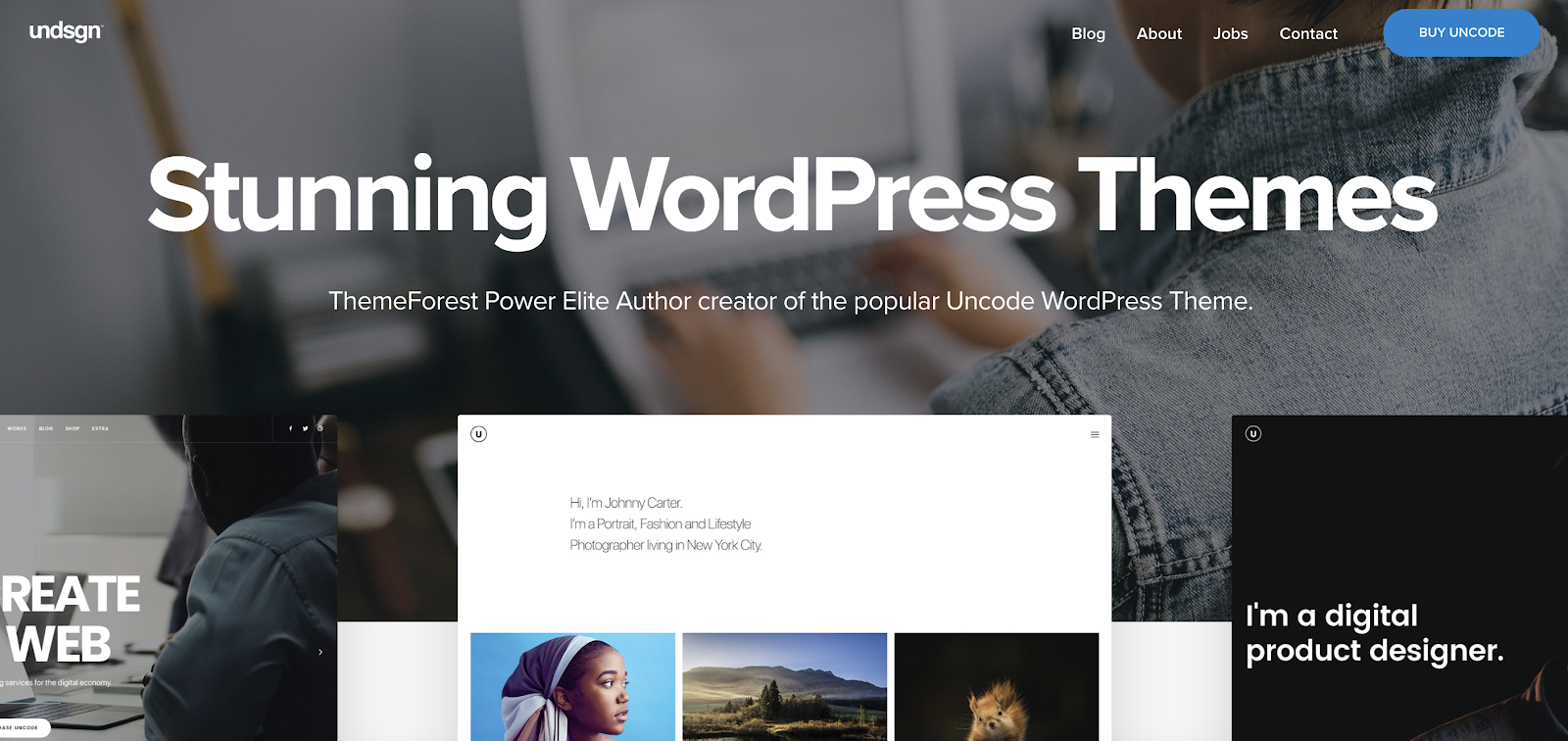
Source: Undsgn
Undsgn allows you to “test drive” the theme with all of your content prior to making a purchase. You can customize your navigation bars, fonts, colors, and images on each page of your website with this theme. You can also insert page redirects and change your menu styles within the theme so your site functions how you want it.. Undsgn works best for creative businesses, web-studios, and designers.
2. Bridge
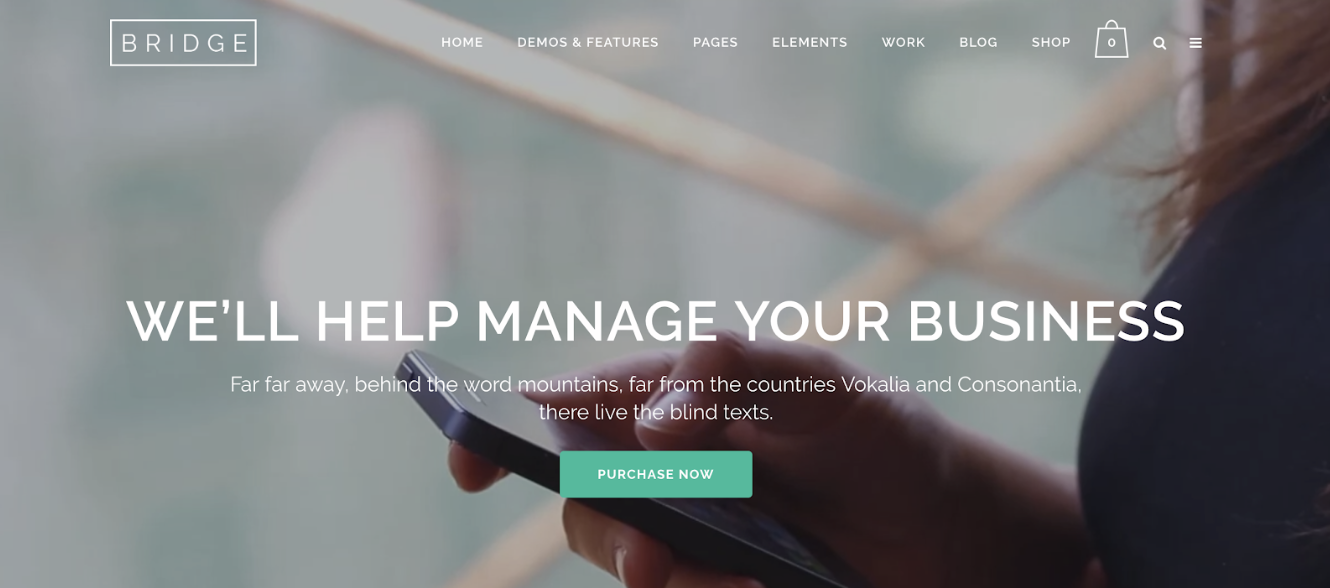
Source: Bridge
“The Bridge theme comes with around 350 demo sites so you can get the bones of a fully styled site and a working responsive design in no time.” – Marcus Miller of Bowler Hat.
With interactive elements, the Google Font library, and custom menus, Bridge is a great theme option for anyone looking to implement a portfolio layout on their WordPress website and mobile site.
3. Artbees

Source: Artbees
Artbees is a creative WordPress theme that has two pre-designed templates — Jupiter and Ken. Jupiter is ideal for large businesses, freelancers, and marketers. Ken, is ideal for smaller businesses, artists, and creative professionals. Jupiter has a total of over 140 different pre-designed templates that you can pick from. Ken allows you to create visual layouts that display your work in a more artistic way.
4. Kalium

Source: Kalium
Kalium is one of the easiest themes to set up due to its “Premium Page Builder” feature that lets you build pages in a matter minutes. But if you do have time to spare, you can use it to create custom post layouts. Kalium allows you to select from multiple styles and formats so you can make the content you’re sharing more exciting to view and read.
Kalium is a great theme option if you’re looking to create a website for fashion, photography, travel, restaurant, freelance, or agency work. The theme has one-click installation and over 30 portfolio item types to choose from to help you customize your site.
5. Hestia

Source: WordPress
Hestia is an SEO-focused theme with a Retina-ready design. It has a multi-purpose, one-page design that works best for creative businesses and startups. The theme also contains a blog page and several layout options for portfolio work.
6. Ultra
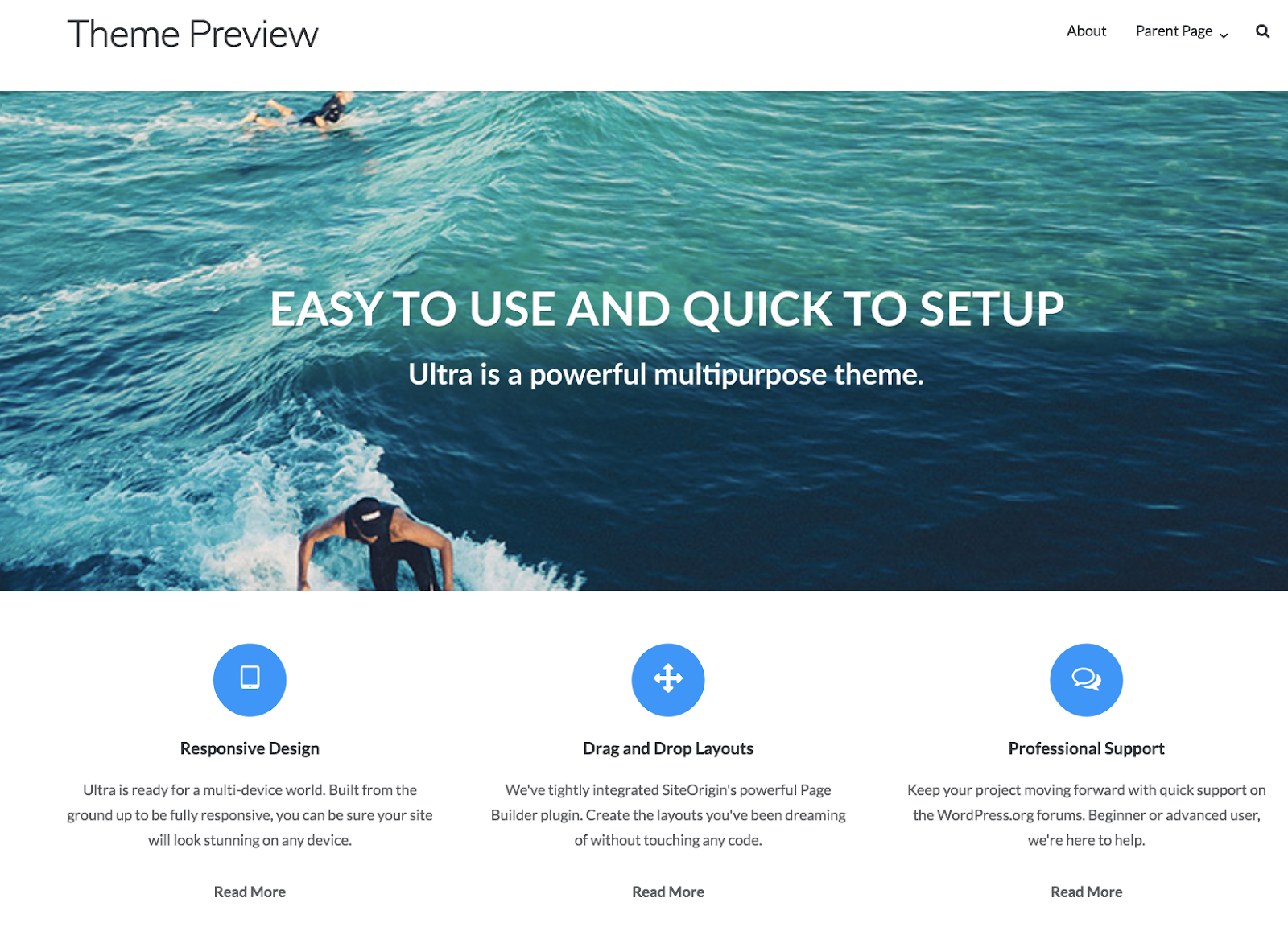
Source: WordPress
Ultra has a straightforward, responsive design, drag-and-drop layouts, and a customizable homepage with a full-width headline. All Ultra themes are SEO-optimized and backed by an expert support team available whenever you may need it.
This theme has a clean design, which makes it easy to customize pages without having to write your own code. Ultra themes are ideal for creative businesses, portfolios, and blogs.
Niche WordPress Themes
If you work in a specific industry or require certain features from your WordPress theme due to your unique website needs, the following options for niche businesses may be right for you.
1. Stylemix Themes
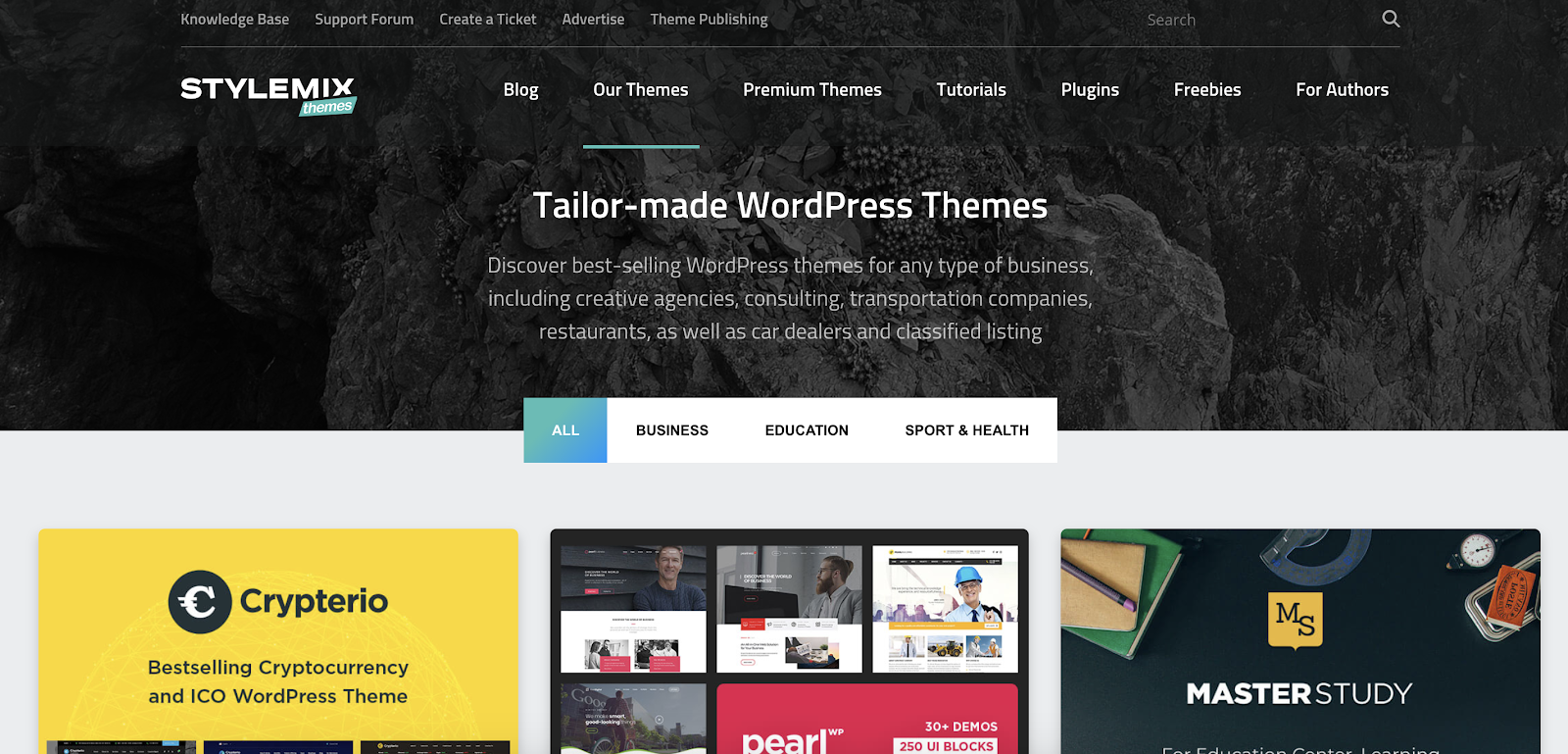
Source: Stylemix Themes
Stylemix allows you to create a tailor-made WordPress theme for your website. The theme works best for business, education, and sports and health websites. No matter which theme you choose, Stylemix ensures you get a professional and polished look with their editor, free updates and consultations, access to a ticket system and forum, and 24/7 customer support.
Stylemix has very specific themes that are helpful for niche businesses. The business category has themes that are tailored to industries like cryptocurrency, consulting, and car dealerships. Their education themes cover all levels of schooling, and the sports and health themes work for sports clubs, health coaches, and dentists, and doctors.
2. Create
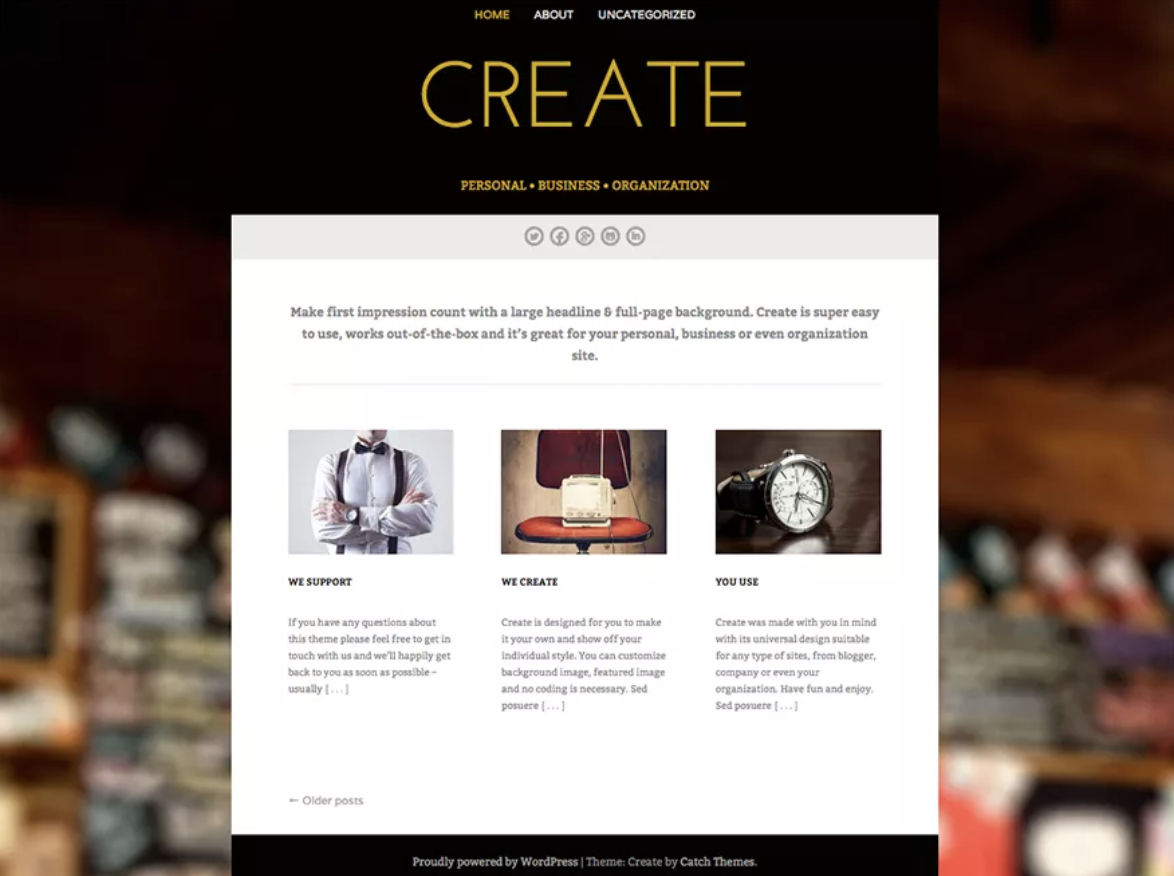
Source: WordPress
Create’s WordPress theme has a responsive design, reliable support, and a large headline with a full-page background to give your website a unique look. The theme also comes with a built-in German translation.
Create has theme options that work well for large organizations and enterprises that want to create web portals — which are websites that contain and organize information from a wide group of sources in a uniform way. The theme allows you to add widgets to your sidebar and tailor it to your user’s needs.
3. UpSolution

Source: UpSolution
UpSolution themes allow you to choose unique color combinations and animations to enhance your website’s appearance and user experience. You can test out as many visual options you want and input all of your website’s content prior to making a purchase.
UpSolution’s two themes are tailored to different types of businesses. Impreza is a multi-purpose, creative theme ideal for startups, portfolios, blogs, and agencies. Zephyr is ideal for anyone looking for a material design theme (meaning it integrates with other technologies such as HTML5) so your website visitors have a better user experience tailored to their exact needs.
4. tagDiv
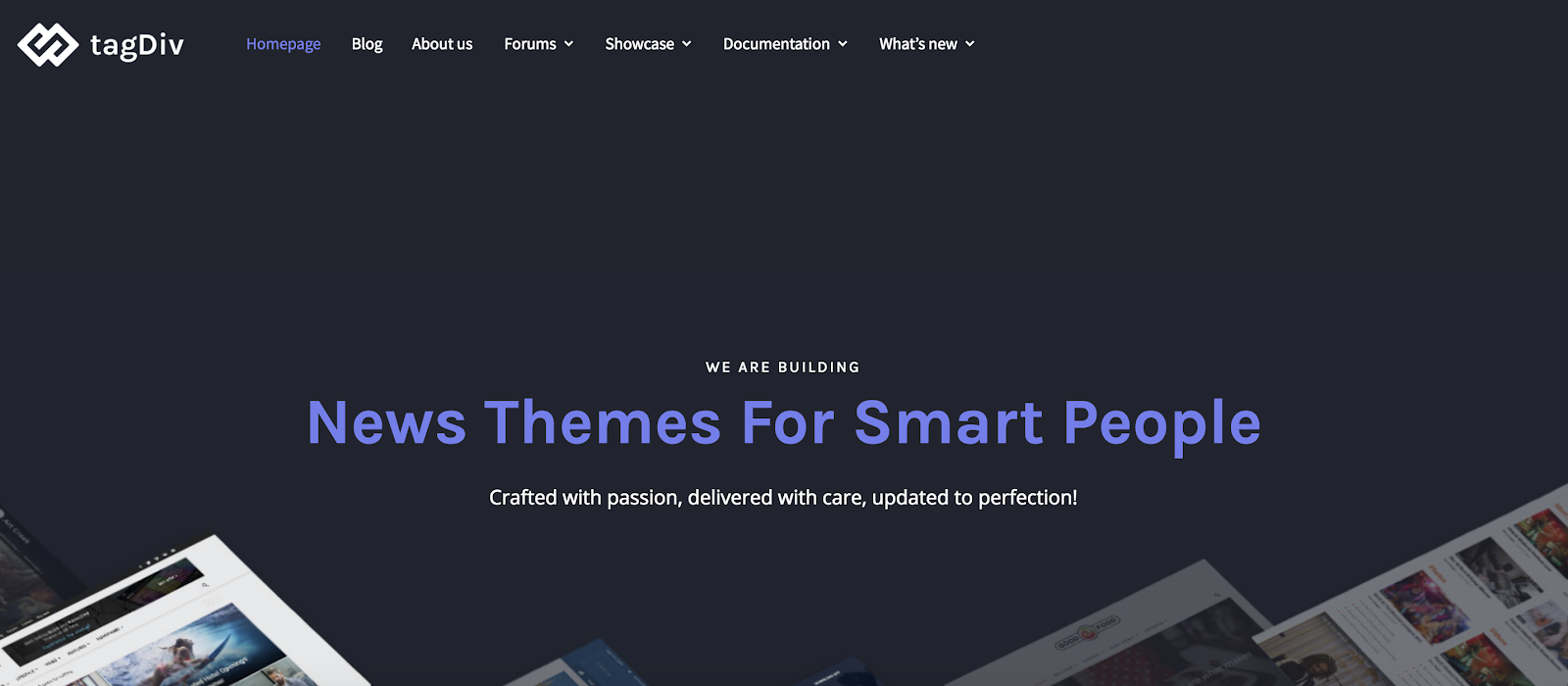
Source: tagDiv
tagDiv is a series of WordPress themes created specifically for news sites. The themes are fully customizable and include drag-and-drop features that allow you to completely rearrange your site’s layout so publishing your news-related content is quick and easy. There are two options to choose from — one for newspapers and one for news magazines.
5. GeneratePress

Source: GeneratePress
“GeneratePress is very well optimized … [it is] great for those that want light and speedy sites,” says Marko Saric of HowToMakeMyBlog.com.
Since GeneratePress is “light” (the theme is only 30kb), it takes up minimal space and keeps your site quick and responsive. Hooks, filters, built-in fonts, and compatibility with a number of WordPress plugins make this theme ideal for businesses that want a website they can completely customize.
Conclusion
With a great WordPress theme or template, your website will easily be transformed into the web home you always knew it could be. With different layouts, content options, and features to choose from, there is an option that will work for every business and industry. Give a few of the themes and templates mentioned above a try, or head to the WordPress theme and template library to review even more options, and get started designing your dream website today.

How to Write a Memo [Template & Examples]
A memo (also known as a memorandum, or “reminder”) is used for internal communications regarding procedures or official business within an organization.
Unlike an email, a memo is a message you send to a large group of employees, like your entire department or everyone at the company. You might need to write a memo to inform staff of upcoming events, or broadcast internal changes.
If you need to inform your employees of official internal business, here’s an easy-to-follow business memo template, as well as examples for further guidance.
Business Memo Template
MEMORANDUM
TO:
FROM:
DATE:
SUBJECT:
I’m writing to inform you that [reason for writing memo].
As our company continues to grow … [evidence or reason to support your opening paragraph].
Please let me know if you have any questions. In the meantime, I’d appreciate your cooperation as [official business information] takes place.
Header:
In your header, you’ll want to clearly label your content “Memorandum” so your readers know exactly they’re receiving. Then, you’ll want to include “TO”, “FROM”, “DATE”, and “SUBJECT”. This information is relevant for providing content, like who you’re addressing, and why.
Paragraph One:
In the first paragraph, you’ll want to quickly and clearly state the purpose of your memo. You might begin your sentence with the phrase, “I’m writing to inform you … ” or “I’m writing to request … “. A memo is meant to be short, clear, and to-the-point. You’ll want to deliver your most critical information upfront, and then use subsequent paragraphs as opportunities to dive into more detail.
Paragraph Two:
In the second paragraph, you’ll want to provide context or supporting evidence. For instance, let’s say your memo is informing the company of an internal re-organization. If this is the case, paragraph two should say something like, “As our company continues to grow, we’ve decided it makes more sense to separate our video production team from our content team. This way, those teams can focus more on their individual goals.”
Paragraph Three:
In the third paragraph, you’ll want to include your specific request of each employee — if you’re planning a team outing, this is the space you’d include, “Please RSVP with dietary restrictions,” or “Please email me with questions.”
On the contrary, if you’re informing staff of upcoming construction to the building, you might say, “I’d appreciate your cooperation during this time.” Even if there isn’t any specific action you expect from employees, it’s helpful to include how you hope they’ll handle the news and whether you expect them to do something in response to the memo.
Memo Examples
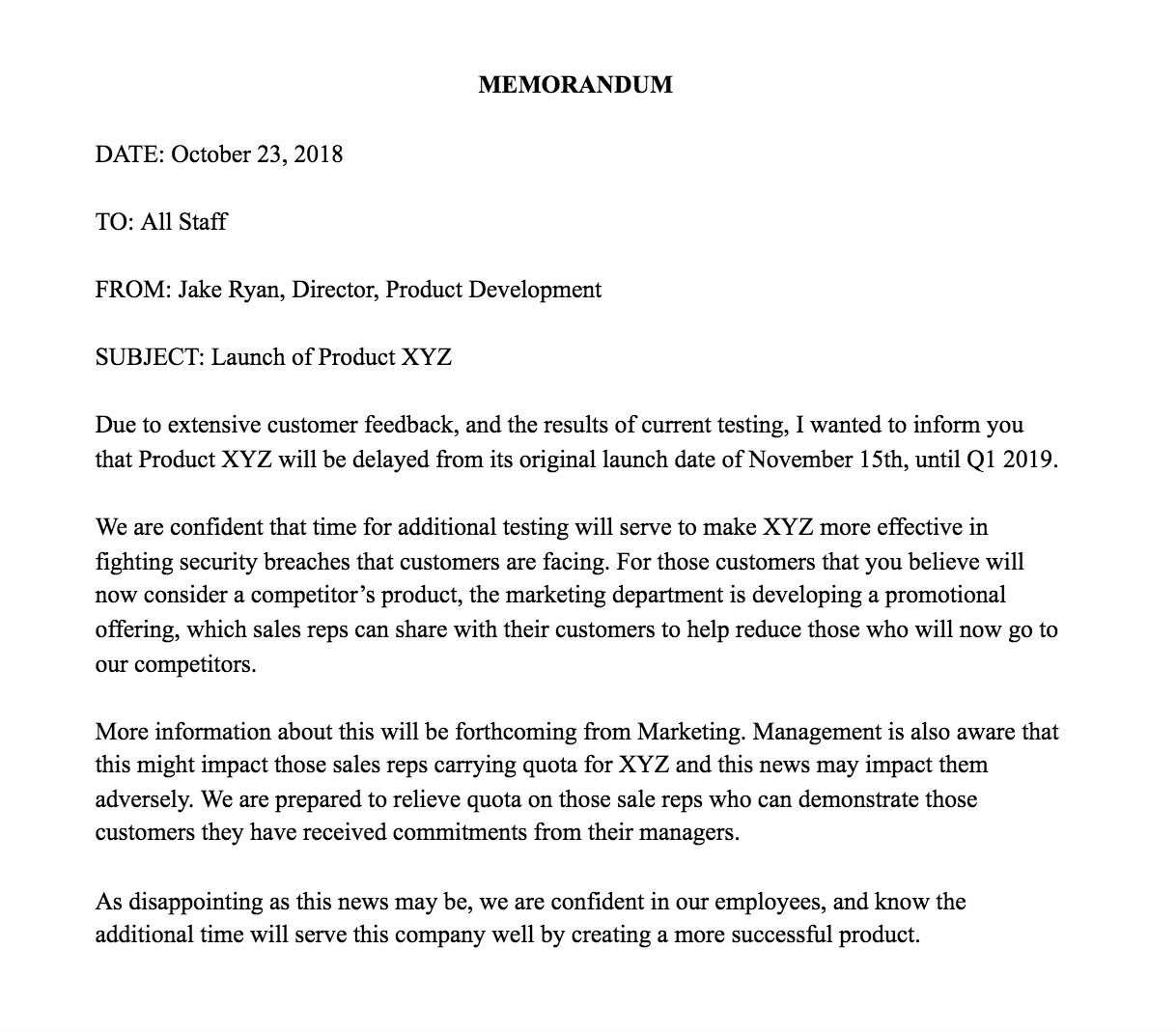
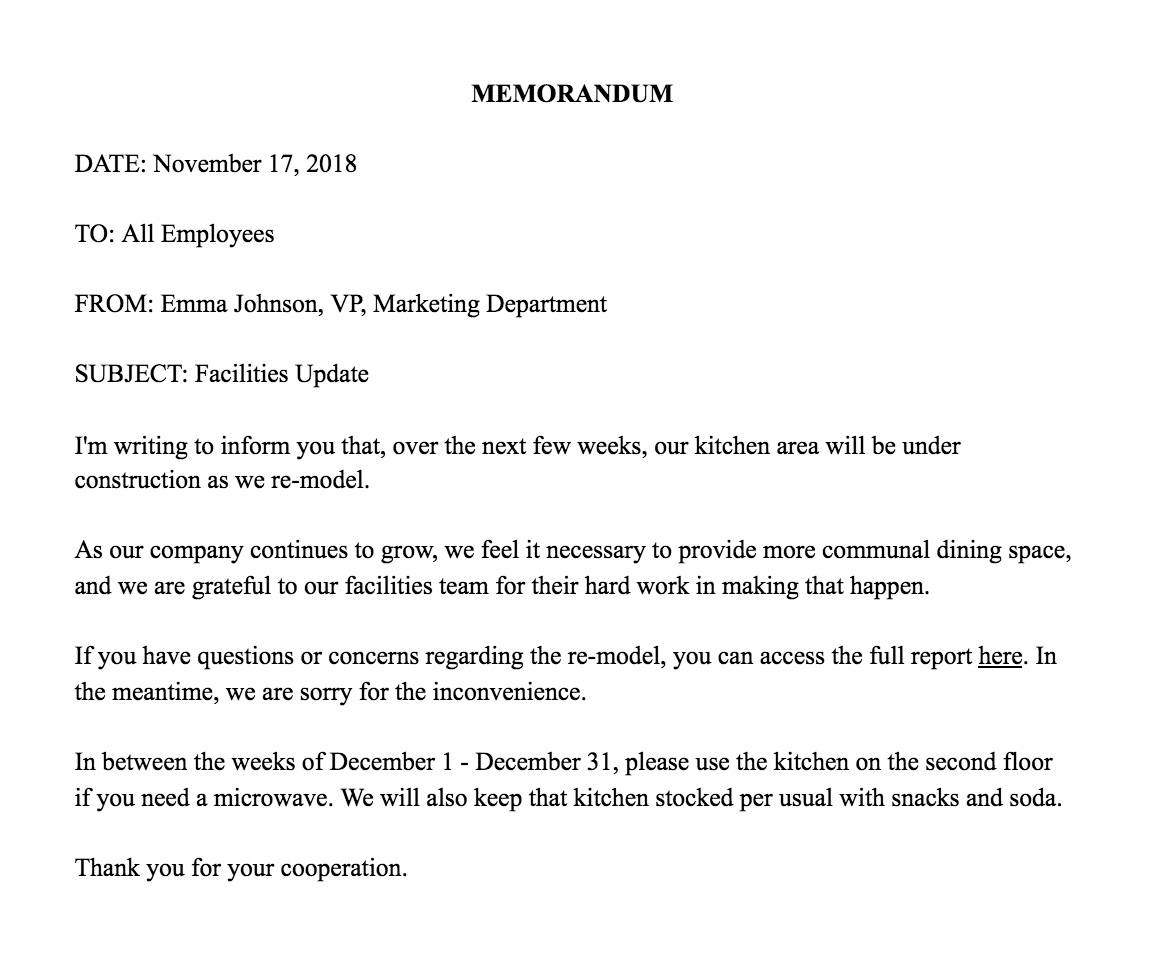
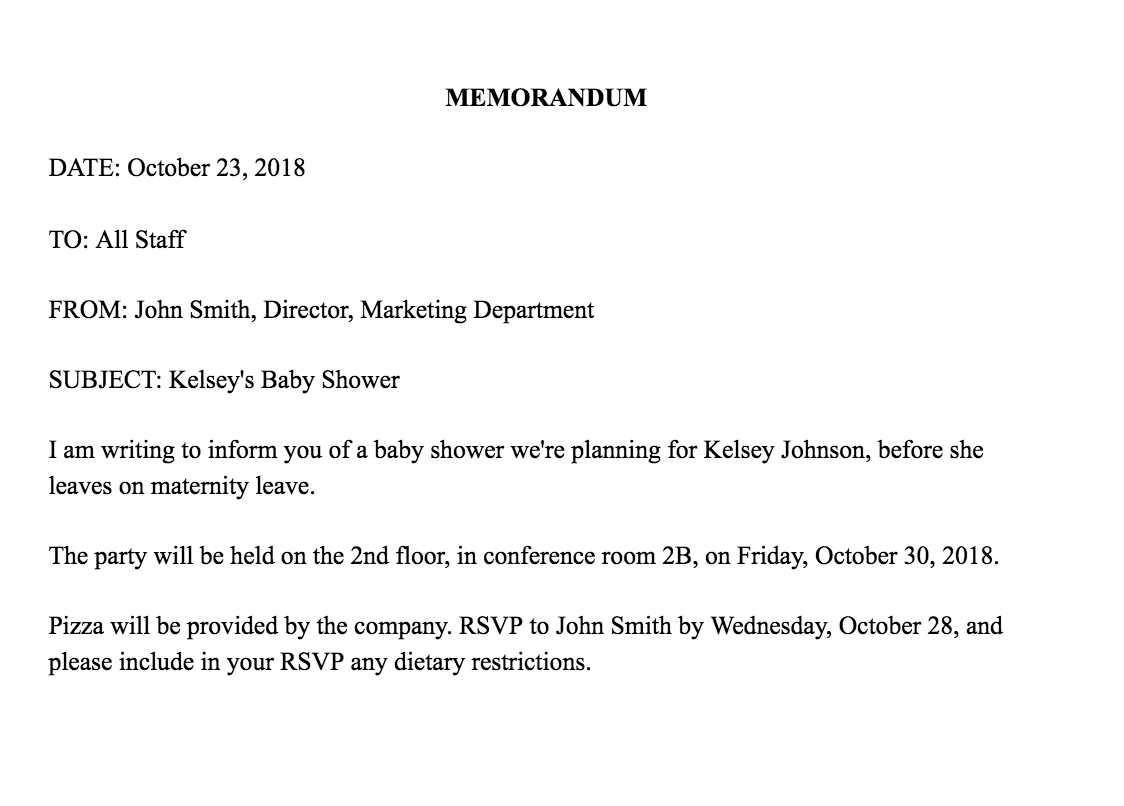

The AIDA Model: A Proven Framework for Converting Strangers Into Customers
In 1898, Elias St. Elmo Lewis, an eventual inductee of the Advertising Hall of Fame, anonymously wrote a column about three advertising principles he found useful throughout his career in a printing magazine called The Inland Printer, one of the most influential American magazines of the 19th century.
In his column, he states that a successful advertisement should always follow a specific formula.
“The mission of an advertisement is to attract a reader, so that he will look at the advertisement and start to read it; then to interest him, so that he will continue to read it; then to convince him, so that when he has read it he will believe it. If an advertisement contains these three qualities of success, it is a successful advertisement.”
In other words, copy is only good if it attracts attention, generates interest, and creates conviction, in that order.
Over a century later, Lewis’ principles still ring true. They’re expressed as an acronym, AIDA, and widely used in the advertising industry. In the digital age, brands have even based their entire marketing strategy on the AIDA model.
Before we cover how you can apply the AIDA model to your own content marketing strategy, let’s go over what it is and why it works.
The AIDA Model
The AIDA model describes the four stages a consumer needs to go through to become a customer. The stages are Attention, Interest, Desire, and Action (AIDA). During these four stages, your content will ideally attract attention to your brand, generate interest in your product or service, stimulate a desire for it, and spur action to try or buy it.
The AIDA model is considered a hierarchy of effects model, which means consumers must move through each stage of the model to complete the desired action. In theory, as they progress through each stage of the model, consumers who learn about your brand will develop certain feelings or emotions about your product or service, which is what ultimately compels them to act.
Brands use the AIDA model to determine the way they should craft and distribute marketing messages to their target audience at each stage of the buyer’s journey. Just like a typical marketing funnel, each stage has fewer consumers than the previous one.
How to Apply the AIDA Model to Your Marketing
Attracting Attention
To boost your brand awareness, research your target audience’s problems and passions. Then, create content that solves their problems and focuses on their passions. Your target audience should be able to discover your content through Google, social media, or another website.
If your content can grab their attention and deeply engage them, your target audience will start to become curious about what your company actually does.
Generating Interest
Once your target audience is interested in your product or service, they’ll want to learn more about your brand, the benefits of your solution, and your potential fit with them.
To make it easy to learn about your brand, solution, and fit, feature your mission statement on your website, explain exactly what you do on your homepage, describe the benefits of your solution on your product pages, and offer ungated case studies.
Providing instant access to this information will help your target audience visualize a pleasant future with your solution in their lives.
Stimulating Desire
The prospects you’re most likely to close are the consumers who envision a future with you — they already enjoy consuming your content and think your product or service will be even better.
But to generate enough excitement in your prospects to compel them to act, you need to make sure their affinity for your brand hits a certain threshold.
To do this, keep serving them content. Make sure they subscribe to your blog, follow you on social media, and download your offers. The more prospects interact with your brand, the more they’ll trust you, boosting the chances they’ll eventually buy your product or service.
Spurring Action
After you generate enough desire for your product or service, give your prospects the chance to act on it. Place “request a demo”, “free trial”, and “contact sales” CTAs on your homepage, pricing page, and product pages. After all, what’s the point of creating content and building deep relationships with prospects if there isn’t a clear next step?
A Proven Formula
The AIDA model is a sturdy framework for guiding your audience through the buyer’s journey and spurring them to act. And if you apply it to your content marketing, you’ll be leveraging a proven formula that can consistently engage, persuade, and convert an audience into customers.

How to Drive Organic Traffic With Bots
Want more website visitors? Wondering how Messenger bots can help? To explore how to bots can drive organic traffic to your website, I interview Natasha Takahashi. More About This Show The Social Media Marketing podcast is designed to help busy marketers, business owners, and creators discover what works with social media marketing. In this episode, […]
The post How to Drive Organic Traffic With Bots appeared first on Social Media Examiner.
from Social Media Examiner https://ift.tt/2OQzuvh
via socialmediaexaminer
What Two High School Students Can Teach Marketers About Empathy
Every once in a while, I’ll meet people who at once give me hope for the future and make me wonder what the heck I’ve done with my life.
(I mean that, of course, in the most positive way possible.)
Yesterday, I had a the privilege of meeting two such people. Lauren and Yohana, both seniors at the Design Tech High School in Redwood Shores, California, were exhibiting new technology they had developed as part of their curricula — specifically, something called an Intersession, in which students are fully dedicated to one, in-depth subject and project.
By the end of my conversation with Lauren and Yohana, I was overwhelmed — by the prototype they had developed, the motivation behind it, and they way each of them were able to bring a salient sense of empathy to everything they do.
We can all learn something from the two of them, I realized — marketers included. Here’s what these two high school students taught me about empathy.
A Different Approach to Learning
Design Tech High School
Design Tech High School — often better known as d.tech — isn’t exactly a “typical” institution. It’s a public charter high school located on the campus of enterprise tech company Oracle, and is a product of the company’s Educational Foundation.
That relationship with Oracle is a core part of what many of the students are able to do as part of these Intersessions, the product of which was some of the prototyped technology exhibited at yesterday’s d.tech showcase.
One such prototype was Vida Cam, Lauren and Yohana’s project: an in-home thermal imaging camera that was developed to aid early detection of breast cancer — which has been found to lead to a higher survival rate.

The Vida Cam prototype
The camera uses thermal imagery to detect heat changes, which Yohana explained could signal that a tumor might be present, as more blood flows to them, which can cause a spike in temperature. The Vida Cam can pick that up, and also allows users to compare thermal images over time.
I don’t know what you were doing when you were 17 — but I can say with certainty that, personally, I was not working on anything that carried as much impact as the Vida Cam.

At risk of “fan-girling,” I wasn’t shy about letting Lauren and Yohana know that they give me hope for the future, and was in awe of the altruism they seemed to bring to the development of this technology. What was their motivation, I asked?
As part of each Intersession project, it turns out, students are assigned a subject who presents a problem in need of a solution. Lauren and Yohana’s subject had shared the story of her sister, who was diagnosed with breast cancer, which set into motion the process of designing the Vida Cam.

But like the rest of this learning experience, the process of coming up with the prototype is also anything but typical — and it begins with empathy.
The Design Thinking Process
First coined at Stanford University, Design Thinking is defined as “a methodology for creative problem solving.”
It consists of several stages, one of the first of which is empathy — which places a major focus on human values, and eliminating the designer’s assumptions when solving a subject’s problem.

A visual representation of the Design Thinking process, alongside the Vida Cam prototype
In other words, writes one group of Stanford University academics, “The Design Thinking process first defines the problem and then implements the solutions, always with the needs of the user demographic at the core of concept development.”
When designing a solution for something as personal and sensitive as the early detection of breast cancer, empathy understandably plays a vital role. But looking at the overall concept of empathy with a broader lens, I had to ask: What can the rest of us learn from Lauren and Yohana’s work?
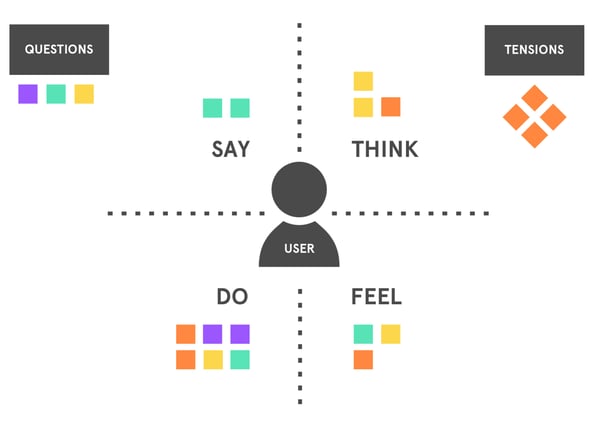
The empathy map. Source: Norman Tran
Answering that question begins with a quick look at the history of Design Thinking, says Colleen Cassity, executive director of the Oracle Education Foundation.
In coming up with the Design Thinking methodology, “a group of really smart folks … set out to understand why [certain people] were really successful, effective designers really successful and effective,” Cassity explains. “They looked in all different domains to figure out what were the commonalities, what were the actions being taken by really effective designers and solutions? They turned out to be, universally, empathy.”
“[The Design Thinking] process applies to every single problem you’re going to come across.”
– Lauren, Design Tech High School Senior
It’s a bit easier to understand the importance of empathy in our day-to-day interpersonal relationships — to be able to put ourselves into the shoes of our colleagues, friends, and relatives. But what’s the correlation between empathy and truly remarkable designs, solutions, and even marketing work?
As it turns out, it boils down to forcing ourselves “to linger in ambiguity,” as Cassity puts it.
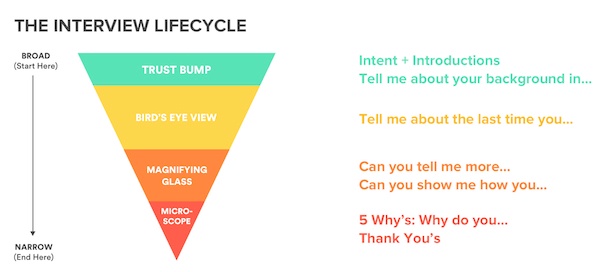
The empathy map. Source: Norman Tran
“Do not, as the designer, jump to any conclusion that you understand what the solution is right away. That’s a very human thing to do,” she continues. “Really notice what your user is telling you and what they’re not telling you. Because sometimes, what they think they need a solution for, that’s not actually it — it’s something that’s adjacent.”
So that’s where the correlation comes in for business owners who set out to solve a problem for an audience — and the marketers responsible for communicating it. That requires dedicating time to figuring out how you’re going to solve problems for your customers and your clients, Cassity says — in a way that makes sense for them, and not necessarily what you think the answer is.
“Everybody’s designing solutions for somebody,” she says. “What matters is how you put it into action.”
The empathy map. Source: Norman Tran
And ask for Lauren and Yohana — what do they make of this emphasis on empathy, and how do they think the rest of us can put it into practice in our work?
“I think the empathizing step is the most important step in the design thinking process,” Yohana explains. “A lot of times, when we’re finding a solution to a problem, we forget about who we’re designing for, and we just start designing for ourselves and what we think would be the best solution. Versus empathizing, you’re constantly trying to figure out what they want, not what we want.”
And as for the future, is the design thinking process that these students think will stand the test of time? For her part, Lauren certainly thinks so.
“This process applies to every single problem you’re going to come across.”
That principle applies to all of us, Cassity believes — regardless of where we are in life, or in our careers.
“All we know for sure about the future is that it’s going to be very rapidly changing, and highly unpredictable. So what you need is a skill set, a practice, and a mindset that says, ‘Whatever the future throws at me, I can handle it’,” she says. “The only person who can’t learn design thinking is a person who is unwilling to learn.”

Why You’re Thinking About Digital Analytics All Wrong
Measuring the effectiveness of digital marketing is one of the greatest challenges facing organizations today. According to HubSpot’s 2018 State of Inbound report, 42% of marketers cited “proving the ROI of our marketing activities” as one of the biggest challenge they face within their company.
The trouble is, when most marketers hear ‘digital analytics,’ they tend to think of the metrics you’d typically associate with a simple web analytics tool like Google Analytics — traffic, bounce rate, unique visitors, etc.
However, web analytics is only part of what encompasses digital analytics.
While web analytics can provide you with a wealth of insight and data into the performance of your website, marketers need richer data to understand the impact of their marketing campaigns on conversion rates and a buyer’s journey. Looking at top-level web analytics metrics like traffic is only the first piece of the puzzle.
Enter digital marketing analytics, which offer a much more comprehensive view of what’s working when it comes to your marketing strategy, and what isn’t.
So, why exactly do digital marketing analytics matter? Let’s take a look at what makes digital analytics so important today, and how they compare to and improve on the insights offered by more basic web analytics.
Why Digital Analytics Is More Important than Web Analytics
Quite simply, web analytics (like traffic and website performance) just isn’t enough. The data that web analytics provides doesn’t cut it for marketers who need to understand how their work makes an impact throughout the entire marketing and sales funnel.
Let’s face it: Today’s marketing goes well beyond the bounds of your website. It’s the intersection of what happens between all of your marketing channels, the outcome that provides marketing insight, and your reporting needs to depict your progress.
This provides the foundational data you need to structure your flywheel — delighting your existing customers enough to attract and engage news ones.
Web analytics measure things a webmaster or technical SEO specialist cares about, like page load speed, page views per visit, and time on site. Digital marketing analytics, on the other hand, measure business metrics like traffic, leads, and sales, and allows you to observe which online events determine if leads can become customers.
Digital marketing analytics includes data not only from your website, but also from sources like email, social media, and organic search.
How Digital Marketing Analytics Connects Every Business Activity
With digital marketing analytics, marketers can understand the effectiveness of their entire marketing strategy, not just the effectiveness of their website. Using digital marketing analytics allows marketers to identify how each of their marketing initiatives (e.g., social media vs. blogging vs. email marketing, etc.) stack up against one another, determine the true ROI of their activities, and understand how well they’re achieving their business goals.
The central question is: How can you structure an appropriate business goal to visualize your marketing team’s efforts in the most accurate way possible?
As a result of the information they can gather from full-stack digital marketing analytics, marketers can also diagnose deficiencies in specific channels in their marketing mix, and make adjustments to strategies and tactics to improve their overall marketing activity.
You can spend hours and hours slicing and dicing data in web analytics tools, comparing new vs. repeat visitors month over month. But when it comes down to it, you’ll come up short of a truly comprehensive view of how your marketing is doing.
There’s no doubt that marketers are aware there’s a deficiency in how they’re able to measure the effectiveness of what they do; here’s how full-stack digital marketing analytics makes up for that deficiency.
The ‘Full Picture’ of Digital Marketing Analytics
Digital analytics can be used to structure a business goal into outcomes based on three broad categories:
- The relationship between different marketing channels
- People-centric data on the buyer’s journey
- Revenue attributed to specific marketing efforts
Let’s highlight these main differentiators.
1. The Relationship Between Marketing Channels
With digital marketing analytics, you have a good, solid look into the direct relationships between your marketing channels. It’s great to be able to see how each of your individual channels (e.g., social media, blogging, email marketing, SEO, etc.) are performing, but the true power of analytics comes into play when you can easily tie the effect of multiple channels’ performances together.
For instance, let’s say you sent an email to a segment of your database. Digital marketing analytics not only tells you how many people clicked through from your email to your website, but also how many of those people actually converted into leads for your business when they got there.
Furthermore, you can compare the impact of that individual email send with other marketing initiatives. Did that email generate more leads than the blog post you published yesterday? Or was the content you shared via Twitter more effective?
2. People-Centric Data on the Buyer’s Journey
As we mentioned earlier, a key differentiator between web analytics and digital marketing analytics is that the latter uses the person — not the page view — as the focal point.
Digital marketing analytics enables you to track how your individual prospects and leads are interacting with your various marketing initiatives and channels over time. How did an individual lead first come to find your website? From Google? Facebook? Direct traffic? Is that lead an active part of your email subscriber base, clicking and converting on marketing offers presented via email? Do they read your blog, and have they downloaded any content offers that could indicate an interest in your products/services?
Full-stack digital marketing analytics can tell you all of this and more, providing you with extremely valuable lead intelligence that can help inform the direction of your future campaigns.

Looking at all of this information in aggregate can help you understand trends among your prospects and leads and which marketing activities are valuable at different stages in the buyer’s journey.
Perhaps you find that many customers’ last point of conversion was on a certain ebook or whitepaper. Having this data makes it possible to implement an effective lead management process, enabling you to score and prioritize your leads and identify which activities contribute to a marketing qualified lead (MQL) for your business.
3. Revenue Attributed to Specific Marketing Efforts
One of the most useful functions of marketing analytics is its ability to attribute specific marketing activities to sales revenue. Sure, your blog may be effective in generating leads, but are those leads actually turning into customers and making your business money? Closed-loop marketing analytics can tell you.
The only dependency here is that your digital marketing analytics system is hooked up to your customer relationship management (CRM) platform, like the free HubSpot CRM.
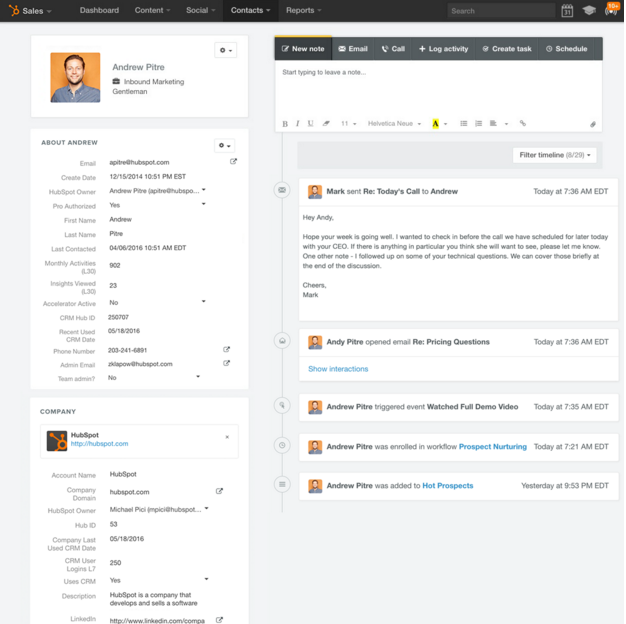
Having this closed-loop data can help you determine whether your individual marketing initiatives are actually contributing to your business’ bottom line. Through it, you can determine which channels are most critical for driving sales.
Perhaps you find that your blog is your most effective channel for generating customers, or conversely, you find that social media is really only powerful as an engagement mechanism, not a source of sales.
How to Use Digital Analytics Effectively
Most marketers know they need to be looking at more than just traffic and website performance to get the insights we’ve talked about so far, but why do so many of us still struggle to measure the impact and prove the ROI of our online marketing activities?
Probably because:
- We don’t have solid goals in place for our campaigns, or;
- We don’t have the means to successfully measure our success.
Quite often, you’ll find it’s a combination of the two.
S.M.A.R.T. Goals
One way to mitigate this is to have an actionable business goal combining your marketing team’s priorities. Typically, this can be achieved using the S.M.A.R.T. format. In this strategy, each goal you create must be:
- Smart.
- Measurable.
- Attainable.
- Relevant.
- Timely.
A good business goal will inherently organize your team’s tasks towards producing specific outcomes or metrics to measure their progress. For marketing teams, this can be broadly summarized into three major categories:
- Web traffic and diversity of sources
- Conversions generated from traffic to produce leads and (eventually) customers
- Identifying net new revenue as a direct result of certain marketing efforts, laying a roadmap for further growth and cost-effective marketing investments.
The fact is, most marketers need to have a number of different digital analytics platforms in place in order to get all the insights they need to understand their marketing performance and make sound decisions. They gather data about their email marketing through the analytics provided by their email service provider, information about their social media performance through their social media monitoring tool, blog analytics from their blogging platform, and the list goes on.
This fragmented approach to reporting makes it really difficult to connect the dots and make informed decisions about the future of your digital strategy. The ideal solution is to implement an all-in-one marketing and reporting platform that offers end-to-end visibility on your marketing activities, allowing you to measure everything in one place.
Campaign-Based Reporting
Rather than just looking at canned reports for each traffic source — many of which are readily available in HubSpot — you can use custom reporting capabilities to construct data charts that depict an entire marketing campaign’s progress, not just how certain content is doing through certain channels.
Here’s how you can configure your digital analytics to capture this holistic view, showing you where a potential buyer came and where he/she is going. We’ll use HubSpot’s Marketing Hub as an example. Here are some of the types of analytics you can see in platforms like Marketing Hub:
Web Traffic by Original Source
This is an easy report that you can configure by date range and/or original source to show what marketing channels you can capitalize on to turn more of that traffic into leads and customers. You can use HubSpot’s Traffic Analytics tool to get access to this.
First Conversion by Original Source/Persona
This report quantifies your impact by the amount of new contacts you’re able to create based on the first content offer or form submitted, and tie that back to the original source of that lead. Another way to look at this is to segment your contacts by a particular persona to show which ones are giving the most return that your team is creating content for.
Contacts Funnel Report
This calculates the conversion rates down the marketing and sales funnel, showing new leads that become marketing qualified leads, sales qualified leads, and, ultimately, new customers.
Marketing Contribution to Revenue
This custom report is predicated on you using the marketing qualified lead lifecycle stages, visualizing those that converted into customers and their relative value in terms of revenue generated.
Customer Acquisition Cost
This can be seen in HubSpot by using calculated fields or custom properties to depict the amount of money spent by your marketing team to attract, engage, and delight your buyer persona.
These closed-loop reports are just some of the capabilities available to depict your progress towards your business’ bottom line.
How Digital Analytics Impacts Your Business
All of the insights, information, and data you can gather from your digital marketing analytics tool(s) is really only useful if you do something with it. The true value of analytics isn’t just to prove the value of marketing to your boss; it’s also to help you improve and optimize your marketing performance — on both an individual channel-by-channel basis as well as an overall, cross-channel machine.
As mentioned above, you’ll also be able to implement closed-loop reporting, making it easier to prove how your marketing efforts are positively impacting your sales team, who are being fed much higher quality leads.
The important thing to realize here is, if you’re relying solely on top-level web analytics, you’re missing out on a lot of powerful data that can help inform your marketing strategy. So when evaluating digital analytics tools for your business, be sure you’re looking for evidence of digital marketing analytics, not just website analytics.

Want to Know What Amazon’s Cashierless Stores Are Like? We Went to One.
I am the least patient person I know.
Counting down the days to a vacation? Brutal. Waiting for a text message to come in when I see the ominous three-dotted dialogue bubble? Agony. But where I find myself the least patient of all, it seems, is waiting in line.
That’s just one of the reasons why I find the idea of a cashierless store so intriguing. And yes, such places do exist: one where you walk in, grab the items you desire off the shelf, and walk out with them.
Of course, it’s not that simple — after all, there’s no such thing as a cashierless lunch. But when I found myself in San Francisco on the same day that Amazon’s latest, cashierless Go store opened, I had to check it out.
Here’s what happened — and what I took away from the experience.
What It’s Like to Visit an Amazon Go Store
How It Works
The San Francisco Amazon Go store isn’t the first cashierless establishment within the city. Prior to this week’s opening, there was Standard Market: a bodega-like cashierless store, but one with limited hours and selection
For Amazon, the San Francisco location marks its fifth Go store opening, with others having already launched in Seattle and Chicago. And, there are more store openings planned soon.
But before they can even set foot in the store, visitors must download the Amazon Go app, which links to your Amazon account and generates a bar code that’s scanned (by a machine, not a person) upon entering. From there, just take whatever you want — or put it back — and walk out. The charges will then be made to your preferred form of payment on Amazon.
Here’s a quick explainer from the app itself:
Inside the store, there was plenty of entertainment: ranging from the product selection, to the awe of its patrons. Had I turned the experience into a drinking game that involved imbibing every time I heard the words “so cool” — well, I’m not sure I would have made it out alive, or at the very least, conscious.
But aside from the fascinated tourists stopping to take selfies with bottles of kombucha, browsing the store was quite an intriguing experience. The store was a bit small and therefore crowded — something that should dissipate as the “newness” of the store wears off — but the selection was, dare I say, impressive.
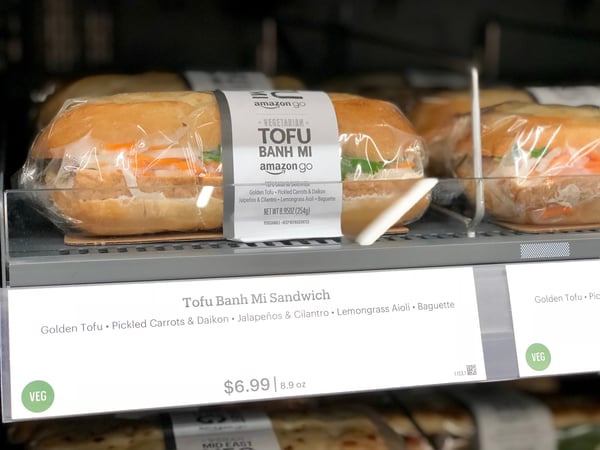
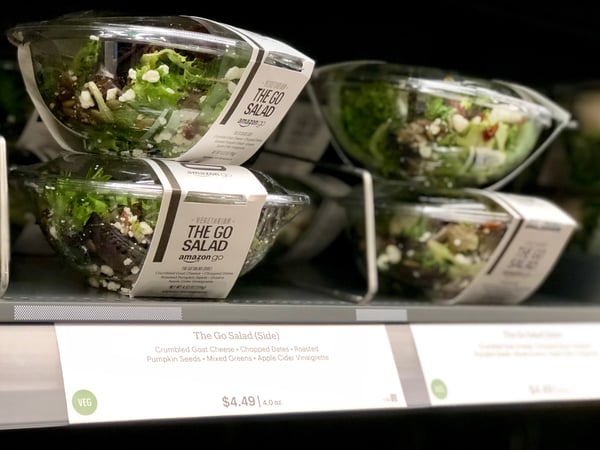
From prepared food, to frozen items, to shelf goods and Amazon meal kits, there truly was something for everyone, even if some of it had already sold out.

What was particularly fascinating was the disbelief among so many of my fellow patrons that there truly was no checkout process. Almost as frequently as I heard the “so cool” utterance, I also overheard the following exchange:
“How do I pay?”
“You just leave.”
” … I just walk out?”
“You just walk out.”
How the Technology Works
Sure, that convenience is all well and good — but how the heck does Amazon know exactly what I’m picking up, looking at, keeping or putting back, and ultimately leaving with … all from scanning a barcode when I walk in?
On its official Go site, Amazon says that this transaction is made possible with a combination of “computer vision, sensor fusion, and deep learning.”
But according to statements given to the Washington Post by Amazon Go VP of Technology Dilip Kumar, “The majority of sensing is from above. Cameras figure out which interactions you have with the shelves. Computer vision figures out which items are taken. Machine-learning algorithms also determine which item it is.”
So, does that mean Amazon is watching our behavior throughout the store, and maybe throwing in some of this machine learning to figure out what exactly we’re buying?

Maybe, though Amazon hasn’t really said for sure. But it’s having that highly detailed data on customers — not just what they buy, but also, how they migrate through a store and decide to buy or put back — that gives Amazon yet another boost in the area of personalization. That could further promote its lead in the area of online advertising, especially when it comes to making those ads relevant to respective users.
What I Took Away From the Amazon Go Experience
I left the store today with two key questions: 1) If I walk up this giant hill, does that mean I’ve earned this cupcake? And 2) Have we really become this impatient?
I know: I’m really one to talk. But even I began to question what the underlying message is when we, as a society, have become so busy, hurried, and hungry for a quicker solution that we’re building stores that deliberately eliminate the need for a role filled by 3.5 million Americans: cashiers.
But the credo of convenience is one for which Amazon has stood for quite some time now. It makes shopping for items ranging from routine beauty products to holiday gifts as easy as entering (and saving) your credit card information and clicking “checkout.” And that phenomenon expanded to its grocery delivery service, Fresh, as well as its two-hour delivery service, Prime Now.
And in recent years, Amazon has taken its legacy of convenience to brick-and-mortar establishments, both between these Go stores and its acquisition of Whole Foods super markets. So why bother having both?
Well, there are a few possibilities. While there’s no public indication of such, it could be possible that Amazon is testing the option of a cashierless checkout option at Whole Foods stores, potentially causing quite the economic ripple effect if widespread enough.
There’s also the idea of Amazon wanting to augment its brand with the concept of a “community” establishment being part of its portfolio — one that comes with competitively-priced items, as this Go store does. Overheard at one point in my shopping experience: “These bars cost twice as much at Walgreens.”
 As mentioned previously, the Go store does have a bit of a bodega-like feel, and in some cases, includes goods from local businesses. (In the case of the San Francisco location, that’s salads and other items from local chain Urban Remedy.)
Ultimately, Amazon is doing what it has always done: speaking to the customer first, even if it’s: 1) at the expense of smaller businesses, and 2) comes with a price tag of having our in-store migration patterns and buying behavior surveilled. But as we’ve seen, for instance, with users’ unwillingness to leave Facebook in the face of numerous scandals: People appear to be willing to sacrifice privacy for a relatively unreplicable experience.
As for me, would I go back? Yes. After all is said and done, the experience was fun and simple enough for me to make a return visit.
So, what’s next for the rest of us — both as consumers, and as marketers or small-to-midsize business owners?
One option is to figure out how to work with Amazon in the face of unrelenting plans for growth. How can local business partner with Go stores, for example, in a way that makes sense for both brands and nearby consumers?
Moreover, maybe there’s something in the Amazon guidebook to life and business that the rest of us can take away and apply to the day to day: to figure out how to associate our brands with addressing a customer’s needs in a way that offers options, convenience, and something that’s just downright, well, cool.
But if you’ll excuse me, I have a chocolate cupcake to devour.

How to Choose a Professional Email Address [+ Examples]
News flash — your email address from high school won’t cut it in the real world. Even if “baseballbro25@aim.com” serves as a nostalgic reminder for your peak athletic years, it’ll look like an eyesore on your resume and prompt any recruiter or hiring manager to automatically chuck it in the trash.
That said, there’s probably at least one person who has the same name as you, so the email address with just your first and last name has most likely been taken by now.
Fortunately, though, a professional email address isn’t limited to just your first and last name. There are plenty of ways you can choose one that any recruiter or hiring manager would consider professional.
Professional Email Address Ideas and Examples
Combine your names.
- First name + last name = cliffordchi@domain.com
- First name . last name = clifford.chi@domain.com
- First name – last name = clifford-chi@domain.com
- First name . middle name . last name = clifford.douglas.chi@domain.com
- First name – middle name – last name = clifford-douglas-chi@domain.com
- First initial + last name = cchi@domain.com
- First initial + middle name + last name = cdouglaschi@domain.com
- First initial + middle initial +last name = cdchi@domain.com
Shorten your names.
- cliffchi@domain.com
- cliffdougchi@domain.com
- cliffdouglaschi@domain.com
- clifforddougchi@domain.com
Combine your name with your profession, city, or degree.
- cliffordchiwriter@domain.com
- cliffchiwriter@domain.com
- cchiwriter@domain.com
- cliffordchiboston@domain.com
- cliffchiboston@domain.com
- cchiboston@domain.com
- cliffordchimfa@domain.com
- cliffchimfa@domain.com
- cchimfa@domain.com
Surprisingly, choosing a professional email address can be quite challenging, especially since you can’t spice it up like you can with your personal one. But, as you can see, there are still plenty of ways for choosing a strong professional email address, and, hopefully, we helped you find one.

How Nonverbal Cues Could Make or Break Your Career
Welcome to The Science Behind Success — a new blog series that explores the best ways to help our brains perform better at work. With psychological research and interviews with leaders in the field, we’re showing you how psychology can help you overcome workplace obstacles and excel in your career. Because a little mindset change could go a long way.
The summer after I graduated college, I watched Amy Cuddy’s massively popular TED Talk, “Your body language may shape who you are.”
How do I know it was the summer after graduation? Because I remember standing in Starbucks bathrooms before interviews, hands on hips, with my iPhone timer set to two minutes. “Power Posing” was my secret trick — and I truly believed it helped calm me down. I just couldn’t believe someone hadn’t told me sooner.
If you haven’t seen Amy’s TED Talk, you should watch if for no other reason than she tells a moving personal story. But, in short, here’s the gist — in 2010, social psychologist Cuddy and her colleagues published a study they conducted at Harvard University. Their study, called “Power Posing”, asked participants to sit in either a high-power pose or low-power pose for two minutes.
A high-power pose is any open, expansive posture, whereas a low-power pose is a closed, contracted posture.
Ultimately, Cuddy and her colleagues found participants who sat in high-power poses felt more comfortable and performed better in interviews, compared to those who sat in low-power poses.
But it goes deeper than that, and this is the part of her research I’d like to focus on today — Cuddy found high-power poses, like sitting with arms behind your head or hands on hips, actually changed the participant’s body chemistry.
High-power posers experienced increases in testosterone, and decreases in cortisol. In other words, their body language alone boosted hormones attributed to the feeling of “power”, while simultaneously quieting hormones attributed to the feeling of “stress”.
For a moment, imagine the implications of this. Imagine a world in which the way you stand, sit, and move can literally change the way you feel. Ultimately, Cuddy’s study supports the notion that this a true, real phenomenon happening every day.
But then, despite the popularity of Cuddy’s TED Talk (which was the second most-popular TED Talk ever, with over 46 million views), there came a backlash against her research — critics called it “pseudoscience”, and researchers said they couldn’t replicate Cuddy’s findings in their own studies.
To rebut the critics, in March 2018 Cuddy published an academic paper that analyzes over 55 studies and offers evidence to support the claim that an expansive posture can make people feel more powerful.
Despite the compelling arguments put forth in her paper, we are nonetheless left with the question — can our body language actually affect our body’s chemistry, and how much control does our body language have over our emotions? I set out on a mission to find out, if for no other reason than I’ve always been a deep advocate for the validity of “power posing”.
Our Body Language Can Influence Our Chemistry — Sort Of
To investigate the influence of posture on our body’s chemistry, I spoke with Dr. Matsumoto, Ph.D., an expert in the field of microexpressions, gesture, emotion, and nonverbal behavior, and the director of Humintell.
Dr. Matsumoto takes us back much further than Cuddy’s study, first mentioning a study conducted in 1983 by Ekman, Levinson and Friesen, which supports the hypothesis that posture can trigger certain emotions.
While Dr. Matsumoto concedes there is research to support body posture’s affect on emotions, he’s quick to add, “I believe that effect is quite limited to people who are in a neutral state to begin with. Engaging in such postures or gestures or facial expressions would not necessarily trigger the experience in individuals who already are experiencing an emotion, especially a strong one.”
This makes sense — if you’re experiencing extreme emotional distress, putting your hands on your hips likely can’t “override” those stronger emotions.
However, there’s still research to support the notion that our body language and facial expressions can alter our emotional state. Researchers at the University of Kansas, for instance, instructed participants to either smile or hold neutral facial expressions. Afterwards, the participants were asked to engage in a stressful task.
The researchers found participants who’d smiled genuinely before the stressful task had lower heart rate levels after the task, demonstrating the possibility that merely changing your facial expression can mitigate your body’s reaction to stress — a sure sign that our body language can influence, and even change, our chemistry.
The Link Between Our Body Language and Our Mood
An experiment published in the Journal of Behavior Therapy and Experimental Psychiatry found how we walk can affect our mood.
In the study, participants were instructed to walk “happily” (with a straight back and light steps), or “unhappily” (slouched over and heavy steps). Neither group was told what their body language meant. Afterwards, participants were shown positive and negative words, and asked to write down the words they remembered most.
As you might’ve guessed, participants who’d been trained to walk happily recalled more positive words, while the unhappy walkers remembered more negative words.
The results support the idea that our body language can affect our mood — and, additionally, demonstrate the possibility that our body language can also influence what we pay attention to, which can indirectly affect how we feel about situations.
For instance, imagine I walk into work with my shoulders slouched and my feet dragging. As I approach the elevator, I notice a coworker look at me, then decide to take the stairs. My body language might influence how I notice and process this information — I knew she didn’t like me, that’s why she decided to take the stairs.
On the contrary, if I walk into my office building with my shoulders back and steps light, I might process this information differently — Oh, she must just not have seen me.
It makes sense that our body language can influence the chemicals in our brain, and vice versa, since our brain takes cues from our body on how to feel and process information.
Our emotional, mental, and physical states are undoubtedly intertwined. For instance, depression, an emotional and mental state, has been shown to affect the body’s physical well-being. So why wouldn’t it work the other way around?
In response to the connection between our body language and chemicals in our brain, Dr. Matsumoto told me, “There are multiple reasons why our body language is tied to chemicals in our brain. For one, an event that triggers an emotion that produces the body language in the first place would be associated with neurophysiological and neurochemical processes. So it makes sense that body language is tied to those processes. These connections are likely to strengthen over time.”
How to Use Your Body Language to Your Benefit
No body language in the world can trick you into believing you’re something you’re not. For instance, “power posing” won’t work on me if I put on scrubs and pretend I’m ready to perform surgery. I’ll still undoubtedly feel fear and stress as a result of a situation in which I’m truly powerless.
Which goes back to Dr. Matsumoto’s point, that we must be in a neutral state in order to influence our emotions through body language.
When asked what advice he’d give business leaders in regards to body language, Dr. Matsumoto said this — “My advice would be to first gain actual competence in your field. The last thing anyone should want is to look confident and not really be competent. Once one has a certain degree for a lot of competence, adopting certain body postures may help to feel even more confident and powerful … but they’ve got to believe it and be able to back it up with real competence.”
So this brings us to the final question — does power posing actually work?
I’m personally always going to be an advocate for it. Whether it’s real or not, my body language allowed me to trick my thoughts into believing I felt powerful — and, in some respect, it’s all about channeling “mind over matter” anyway, right?

How to Succeed in Social Media Without Posting Any Content
Are you struggling to build professional relationships on social media? Want to develop a network that generates business but don’t want to make content? In this article, you’ll discover how to use social media to increase your exposure with prospects and peers without publishing any content. #1: Unify Personal and Business Channels With Consistent Branding […]
The post How to Succeed in Social Media Without Posting Any Content appeared first on Social Media Examiner.
from Social Media Examiner https://ift.tt/2z298M1
via socialmediaexaminer
Getting Through Walls That Stop Progress: The Journey, Season 2, Episode 8
Do you ever get stuck? Then watch the Journey, Social Media Examiner’s episodic video documentary that shows you what really happens inside a growing business. Watch the Journey In episode 8, Michael Stelzner (founder of Social Media Examiner) and his team work through people, process, and mindset issues that stop tasks from making forward motion. […]
The post Getting Through Walls That Stop Progress: The Journey, Season 2, Episode 8 appeared first on Social Media Examiner.
from Social Media Examiner https://ift.tt/2SkjS10
via socialmediaexaminer