
Welcome to My Blog
Unriddled: A New Boss at Instagram, Amazon’s Minimum Wage, and More Tech News You Need
“Unriddled” is HubSpot’s weekly digest of the tech headlines you need to know. We give you the top tech stories in a quick, scannable way and break it all down. It’s tech news: explained.
Unriddled: The Tech News You Need
1. A former Facebook executive is taking the lead at Instagram.
Following the departure last week of its co-founders Kevin Systrom and Mike Krieger, Instagram announced that Adam Mosseri — the company’s current VP of product — will be assuming the role of “Head of Instagram.” Because the title is somewhat ambiguous, Instagram’s official statement noted that in his new role, Mosseri will “oversee all functions of the business and will recruit a new executive team including a head of engineering, head of product, and head of operations.” Read full statement >>
Humbled and excited by the new role leading Instagram, thank you @Kevin @Mikeyk for all you’ve done. https://t.co/ViVQUI5z8i
— Adam Mosseri (@mosseri)
October 1, 2018
2. Amazon has raised its minimum wage for all U.S. employees to $15/hour.
Early Tuesday morning, Amazon announced that the minimum wage for all 350,000 of its U.S. workers — which applies to all full-time, temporary, and seasonal employees within the company’s warehouse and customer service teams — is now $15/hour. The new minimum wage will also apply to U.S. Whole Foods workers (which is owned by Amazon), and takes effect November 1. The announcement comes after harsh criticism from many, including some U.S. lawmakers, and has left some saying that while the raise is a step in the right direction, it’s still not enough. Read full statement >>
3. Meanwhile, Amazon is trying another type of brick-and-mortar experience.
Amazon opened Amazon 4-star last week: a new brick-and-mortar retail location that only sells items rated 4 stars and above on Amazon, are top sellers, or what the company describes as “is new and trending on Amazon.com.” The store, located in New York’s SoHo neighborhood, is a successor to Amazon Go, the company’s small chain of cashier-less stores. Read full statement >>
Amazon 4-star opens tomorrow in the SoHo neighborhood of #NYC – check out a sneak peek of the store here: https://t.co/tA2G8zI5OK pic.twitter.com/UYD0UeEkA5
— Amazon News (@amazonnews)
September 26, 2018
4. A new California law might require bots to announce themselves.
Last Friday, California Governor Jerry Brown signed a bill that will ban automated social media accounts — a.k.a., bots — from posing as actual people, particularly when selling something or posting election-related content. While bot accounts are still allowed to exist and interact with other users, the bill also dictates that they must be labeled as such, and that “the disclosure … shall be clear, conspicuous, and reasonably designed to inform persons with whom the bot communicates or interacts that it is a bot.” Read full story >>
5. Up to 90 million Facebook users may have had their accounts compromised as a result of a site hack.
Facebook’s data breach last week exploited three separate bugs on the site, which caused a sequence of events that ultimately led to hackers being able to use Facebook — and other third-party sites — as the compromised user. It’s a story that has left many confused, in part because Facebook itself says it doesn’t have much information about the extent of the attack. Here’s our breakdown of what happened, and how it’s impacted public perception. Read full story >>
6. The future of VR is kind of scary — but it doesn’t have to be.
On the heels of Oculus Connect — Facebook’s annual virtual reality (VR) conference — we reflect on the somewhat frightening future of VR, should the technology ever go mainstream. But it’s not all bad news. A new Oculus VR headset, for example, has actually proven to be a positive experience for some, with strong potential for good use cases in healthcare, education, and more. Read full story >>
That’s all for today. Until next week, feel free to weigh in on Twitter to ask us your tech news questions, or to let us know what kind of events and topics you’d like us to cover.

How to Easily Design Social Media Images: 4 Free Tools
Do you create your own social media images? Looking for easy-to-use graphics tools to design professional-looking visuals? In this article, you’ll discover four free tools to create images for your marketing. #1: Preview Text Styles With One Touch via Adobe Spark Adobe Spark is part of Adobe’s suite of creative products, bringing social media image […]
The post How to Easily Design Social Media Images: 4 Free Tools appeared first on Social Media Examiner.
from Social Media Examiner https://ift.tt/2Rm5FQU
via socialmediaexaminer
9 Employee Satisfaction Survey Questions That Will Reveal a Lot
Employee satisfaction is critical for more than just glowing Glassdoor reviews — it can also mean all the difference for your company’s long-term growth.
Consider this: from 1998 to 2005, stock prices for companies listed in Fortune’s “100 Best Companies to Work For” rose 14%. In comparison, companies not on the list reported a 6% increase. Coincidence? Probably not.
When employees are happy, they’re much more likely to be productive and engaged at work. To produce exceptional results, then, it’s critical your team feels fulfilled at the office. But, while you might think you have a pulse on your employee’s satisfaction, you could be wrong.
One 2017 Gallup poll found more than half of employees (51%) are actively looking for a new job or keeping an eye out for openings. That means half of the workforce, and potentially half of your employees, feel unfulfilled in their current positions.
To find out whether your employees are truly happy and engaged at work, it’s critical you send out an anonymous employee satisfaction survey. Consider asking these nine questions to gather truly helpful insights regarding your employees’ happiness.
1. Do you find your work meaningful?
A 2017 Globoforce’s WorkHuman Research Institute survey found the number one reason people stick around at their companies was “My job — I find the work meaningful”. Most notably, 32% of respondents chose this as their first option, surpassing compensation, company culture, and even coworkers or managerial support.
People need to feel their work is meaningful. Ultimately, there’s no amount of compensation or office perks you can offer employees to stick around, if they don’t feel their work matters. To ensure low turnover rates, focus on hiring people who find meaning in your company, and work to motivate and inspire your team as often as possible.
2. On a scale of 1 to 10, how would you rate your work-life balance?
Without good work-life balance, your employees could quickly burnout, or become resentful of a company that doesn’t afford them the time they need to pursue other hobbies or spend time with family. To ensure long-term satisfaction at work, it’s critical you encourage a good work-life balance for all your employees.
Having a healthy work-life balance at your company doesn’t just satisfy your current employees — it also helps you attract a valuable and impressive talent pool of recruits. According to the 2017 Randstad Employer Brand Research report, 45% of employees say a good work-life balance is a key contributor to a company’s attractiveness.
3. Are you inspired by the purpose and mission of our company?
If your employees’ don’t believe in your company’s purpose or mission, they aren’t going to be fully engaged at work, and won’t feel motivated to deliver exceptional results. Additionally, without a strong mission statement, it’s impossible to encourage strong leadership and unity across the organization. But you don’t need to work for UNICEF to find purpose in your brand.
For instance, Zappos is an online shoe and apparel retailer. On the surface, it might seem like Zappos’ purpose is to provide shoes and clothing. But Zappos takes a different approach — their mission is actually “delivering happiness to customers, employees, and vendors.” It’s worth noting Zappos has just five percent employee turnover. Undoubtedly, their strong purpose and vision are key factors in their high employee retention rate.
You’ll want to ask your employees if they are inspired by your company’s purpose or mission. If they’re not, consider how you can incorporate or even re-define your mission statement and philosophy, to ensure your employees’ understand their work is contributing to a greater purpose.
4. Do you like our company culture?
Creating a good company culture is necessary for retaining top talent. If you don’t believe me, consider this — according to a Columbia University study, the likelihood of job turnover at an organization with high company culture is 13.9 percent — whereas the probability of job turnover in low company cultures is almost 50 percent.
It’s critical your employees’ enjoy your work culture, which includes workplace environment, company goals and expectations, and company values. We’ve discussed already how important it is that your employees’ are happy for long-term productivity and growth. Additionally, a good workplace environment can foster better relationships between coworkers, enabling higher collaboration and efficiency.
5. On a scale of 1-10, how likely are you to recommend our company as a good place to work?
Many companies offer referral incentives when an employee recommends a strong candidate for a position, and for good reason — it reduces the cost and effort it takes to find and recruit top talent, and additionally, your employees are likely good judges of someone who would fit in well with your company’s culture.
Ideally, your employees’ are likely to recommend your company as a good place to work. If they aren’t likely to do so, you’re losing out on some exceptional candidates, and it’s also an indicator your current employees aren’t as happy as they could be.
6. Hypothetically, if you were to quit tomorrow, what would your reason be?
This question is a fantastic opportunity to uncover unforeseen reasons you risk losing employees’ down the road. You might find employees’ often feel undervalued, or believe there aren’t enough growth opportunities. By identifying these issues, you can create new strategies that attempt to mitigate these problems and create a better culture for all your employees long-term.
7. Do you feel valued at work?
Feeling valued and appreciated at work is a necessary component to low turnover rates, and high employee satisfaction. In fact, 79% of employees who quit their jobs cite a lack of appreciation as a key reason for leaving.
If your employees feel valued, they will often go the extra mile — staying late, volunteering to help other teams’ complete projects, and putting optimal effort into their own work. On the contrary, if they don’t feel respected by leadership, they won’t feel as inclined to deliver phenomenal results.
It’s critical everyone at your company, from the intern to the VP, feel valued and appreciated for their contribution to your company’s goal. If they don’t feel like important assets to your team, they’ll eventually seek out alternative opportunities.
8. Do you feel there is a scope for personal growth such as skill enhancement?
In 2016, millennials became the largest generation in the workforce. And while there are stereotypes that millennials are obsessive “job-hoppers”, a Bridge survey found 86% of millennials would stay in their current position if they were offered career training and development.
Ultimately, the more your company can nurture growth, the longer your employees’ will stick around. In the long-run, it’s cheaper for you to train and develop your current employees, than to consistently hire and train new ones. Career training and professional development are key motivators to employee retention, so it’s critical you discover whether your employees’ feel satisfied with their current growth opportunities.
9. Does your team inspire you to do your best work?
Employees’ spend a good deal of time around their team members, so their happiness and productivity relies heavily on whether they enjoy spending time with coworkers. For this reason, you’ll want to find out if your employees’ feel inspired by the team.
If your team is able to inspire one another, it will promote increased creativity and collaboration. Additionally, it makes your job as a leader easier, if coworkers are able to find renewed inspiration and motivation from each other. If most of your employees’ don’t feel inspired, consider implementing team-building exercises to foster a better team environment.

Domain Authority: The Ranking Factor Every SEO Should Know About
Even the best on-page SEO efforts aren’t enough to rank on Google. Today, the search engine accounts for over 200 factors when it determines a SERP’s pecking order, so it’s nearly impossible to optimize your website and content for each of its ranking factors.
But even though you can’t optimize for all of Google’s ranking factors, you can still optimize for one of the search engine’s most important ranking factors — domain authority.
From Google’s perspective, domain authority is like your website’s reputation as a thought leader. The search engine uses your domain authority to make sure you can provide the highest-quality content about your specific subject matter. If you do, you’ll have good domain authority and Google will boost your content’s rankings. If you don’t, you’ll have bad domain authority and they won’t rank your content.
Before we dive deeper into how domain authority impacts your rankings and how you can improve your authority score, though, let’s go over what it exactly is.
What is domain authority?
Developed by the SEO software company Moz, domain authority is a search engine ranking score that predicts a website’s ability to rank on search engine results pages or SERPs. Domain authority ranges from a score of 1 to 100. The higher your score, the better your website will rank.
To calculate websites’ domain authority, Moz accounts for over 40 factors, like root domains and total number of inbound links. Websites with a large amount of high-quality inbound links, like Wikipedia, have the highest domain authority. New websites with little to no inbound links typically have a domain authority of one.
Moz’s domain authority scale is also logarithmic, which means when your domain authority is higher, it’s harder to improve your authority score. For instance, increasing your domain authority from 70 to 80 is more challenging than increasing your domain authority from 20 to 30.
Additionally, your website’s domain authority can decrease, even if you don’t lose any backlinks, when a high-authority website, like Facebook, receives an influx of backlinks.
Since Moz can’t give the highest-authority websites a domain authority score over 100, they keep their score at 100 while lowering other sites’ domain authority. In other words, your website’s domain authority is relative to the domain authority of the highest authority website.
What is a good domain authority score?
According to Moz, domain authority is best used as a comparative metric — a “good” domain authority score depends on the domain authority of the sites you’re competing with on SERPs. With this in mind, your objective should not be to have the highest authority score possible, but to have a higher authority score than your competitors.
To measure your domain authority, you can use MozBar, a free Chrome extension. The tool can also gauge your website’s probability to rank for certain queries and keywords. Authority scores are a good measure of other domain’s backlink value, too.
How do improve your domain authority?
- Audit your link profile
- Create compelling content
- Earn high-quality links
1. Audit your link profile.
Google prefers link profiles — a list of all your website’s backlinks — to consist of links from a high variety of sites and high-authority sites. The search engine considers this a marker of an authoritative and trustworthy site.
Free SEO tools like SEMrush Backlink Checker and Moz’s Link Explorer can all help you measure your link profile’s health. And Google’s Disavow Tool can help you strengthen your link profile by nixing any poor or undesirable links from your website.
2. Create compelling content.
Part of Google’s search algorithm ranks your content based off engagement metrics, like total traffic, organic traffic, direct traffic through Chrome, time on site, bounce rate, SERP CTR, brand mentions on authoritative sites, and return visits.
To boost your website’s engagement, and, in turn, domain authority, there’s really only way to do it — you must attract and engage a loyal audience with high-quality content. Compelling content will also attract the most organic backlinks from other websites in your industry.
3. Earn high-quality links.
Earning high-quality inbound links from websites and pages with high authority scores is crucial for boosting your domain authority. To earn these backlinks, try using Backlinko’s skyscraper method.
The skyscraper method is an SEO practice where you find content that ranks well for keywords you’d like to rank for — if a competitor’s content ranks number one, then they’ll have a ton of backlinks. Then, you create content that’s better than the top ranking posts and use SEO tools to find all the sites that have linked to your competitor’s content. Finally, you ask the most relevant sites to replace your competitor’s link with a link to your improved content.
In 2016, Backlinko asked 160 websites to link to their post about Google’s 200 Ranking Factors and they earned 17 inbound links, which is a 11% success rate. Even though 17 backlinks doesn’t seem like much, a lot of those referring websites had high domain authority scores, so the post’s organic traffic increased by 110% in only two weeks.
Another way you can earn high-quality links is by asking other websites that have a higher domain or page authority score to link to your top content. Just make sure your content is relevant to the referring website’s content.
Playing the Long Game
Ultimately, you can’t directly control your website’s domain authority in the short-term. But if you constantly monitor your link profile’s health, create compelling content, and earn high-quality links, your domain authority will gradually improve, boosting your Google rankings and organic traffic in the long-term.

How to Create an Effective Snapchat Ad: An Experiment
In March 2017, Snap Inc., the parent company of the popular social media app Snapchat, went public. To meet revenue expectations, they opted into a self-service ads model, as opposed to direct sales.
It’s no question Snapchat is a popular platform — in the U.S. alone, 78% of 18-24 year olds use the app. But there’s less information out there regarding the effectiveness of Snap Ads.
Before I started building campaigns in Snap Ads, I had this notion that I needed to design custom creative ads through specialized agencies to get started. To my pleasant surprise, that isn’t the case — I had a ton of fun creating my own ads in Snapchat, and it was easy to do.
Overall here are the campaign stats:

In this case, the “Swipe Ups” measure click-through rate. Rather than using a click-through link, Snap’s product urges users to “Swipe Up” from the bottom to view the destination URL. In my opinion, this creates higher intent and less risk of mistaken clicks than Facebook or Twitter mobile ads.
To learn how to use Snapchat Ads for your own business, take a look at how I created an effective advertising campaign for 42 Agency.
The Mechanics Behind Snap Ads
When I first started exploring Snap Ads, I was a little skeptical whether or not it could work for 42 Agency. Snap is not exactly a B2B platform, and, to my knowledge, didn’t have deep targeting options for companies working on Demand Generation or Growth projects.
For my purposes, I decided to run a simple web traffic objective campaign (Snap also supports app installs, engagement, and other objectives). I wanted to target business-specific audiences, so I focused my efforts on ages 27 and up.
I was impressed with the targeting options available on Snap Ads. Snap has similar categories to Facebook, available from Experian & Datalogix (income, occupation and such), albeit not as exhaustive as Facebook. However, these targeting options are available for the U.S. only. Along with Advanced Demographics, Snapchat’s ad targeting includes options for TV viewing, purchase behavior, lifestyles, and more.
Additionally, Snapchat provides some excellent templates for creating ads. There are a dozen templates available to create something that works for you, with a different range of animations and customization options. Honestly, it’s a lot of fun to play with the different creative studio and design options. Each template works well for mobile, vertical video — Snapchat’s default, since most users of the product use the app on their phones.
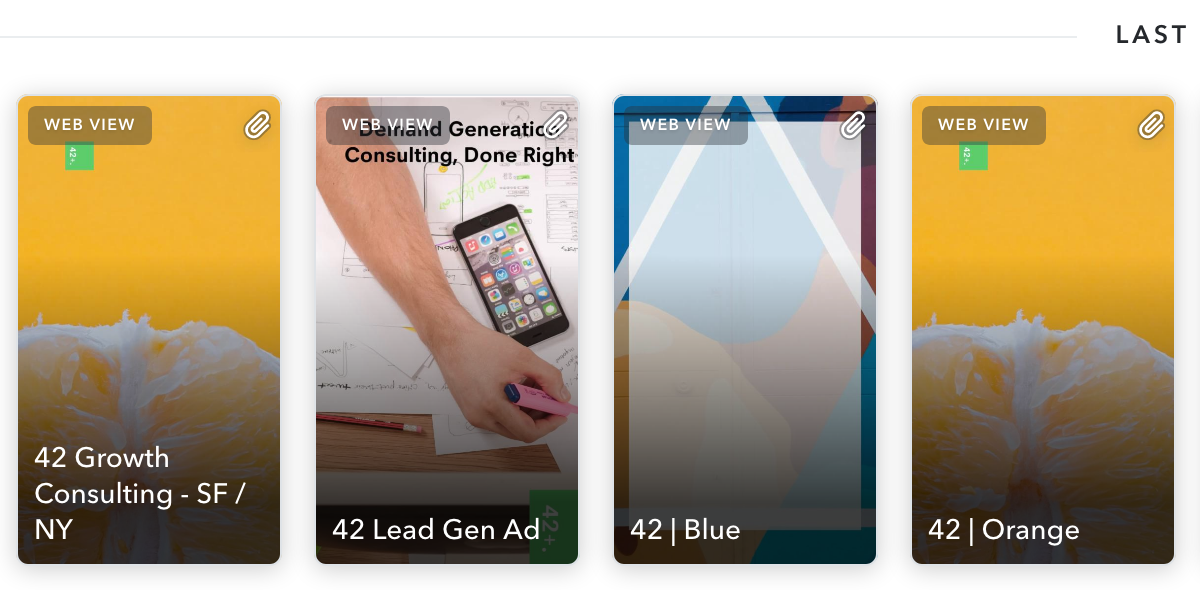
The daily minimum budget is $50, which means the minimum campaign budget is $350. However, you can always turn campaigns off manually if you want to spend less than that.
My Observations of Snap Ads
Going in, I didn’t expect Snapchat’s Ad product to be as developed as it is. I think a lot of people will compare it to Facebook (Instagram Stories Placement), but there’s a significant difference between the two products. Although Facebook’s Ad & Targeting are more robust, Snapchat’s creative studio puts an emphasis on design. Facebook’s Business Manager can feel initially overwhelming, and Snap offers a quick option to get your campaign up and running. Additionally, you’re able to animate individual elements on Snap Ads.

One other thing to note — the majority of folks will treat Facebook’s Newsfeed as the primary placement and design their creative around that, meaning the Instagram (stories and feed) creative is often a cropped version. With Snapchats mobile-only product, your creative is designed for the specific medium, which means it’s a richer experience and more consistent with the Snapchat design aesthetic. One of my biggest gripes with Instagram ads is that a lot of times they are not designed well, and the experience is jarring on the curated Instagram feed.
The Snap pixel can be used to track conversions, but surprisingly, not re-market to the audience. I didn’t have enough subscribers to test their custom audience match, which is also subject to how many of your target audience is on Snapchat in the first place. Snapchat doesn’t offer a native Lead Gen solution like Facebook, but they do support that objective. I believe it auto-fills the user’s information if there is a form on the page after they swipe up.
Since there aren’t many advertisers on Snapchat, the competition is lower, which means you get more mileage for your budget. I strongly believe it can work as a direct response channel, even for B2B. I am aware as I write this, I might be sending the message to start promoting white papers/ebooks on Snapchat. I hope that’s not what you take away from it. Instead, focus on generating awareness first.

13 Guaranteed Methods for Becoming a Better Writer — Fast
Communication skills are more important than ever, but what if your grammar doesn’t quite make the grade?
Fifty years ago, you would’ve walked over to your coworker’s desk or called up to the second floor to ask a question. Now, whether your coworkers are in the next cube or half a world away, it’s standard practice to email, instant message, or text them.
This shift in basic communication has made writing skills crucial to being listened to.

An increasing number of employees are “working with people they have never met and communicating with them largely through email,” Will Ellet, adjunct professor of writing at Brandeis International Business School, told CNBC.
No matter what format your written communication takes, it needs to be clear and concise. Misunderstandings can lead to costly mistakes. Given that the average professional sends and receives more than100 emails a day, no one has time to read rambling messages that don’t get to the point quickly.
We could all use a little refresher on our business writing skills. And thanks to a wealth of free classes and resources online, we can improve our grammar and writing from the comfort of our own desk chairs — without spending a dime.
To get you started, we’ve put together a list of tips for quickly improving your written communication skills. Check ’em out. (And if you’re looking for more, here’s an excellent list of helpful websites and tools that address common grammar questions and errors.)
How to Become a Better Writer
- Develop a daily writing habit.
- Try to read every day.
- Capitalize when you’re supposed to.
- Avoid using exclamation points.
- Always think about your audience.
- Cut the filler phrases and buzzwords.
- Sign up for a free writing course online.
- Use writing templates.
- Make sure you address people correctly.
- Study commonly misused words and phrases.
- Drop the word ‘very’ from your vocabulary.
- Read your writing out loud.
- Ask for feedback from your peers.
1. Develop a daily writing habit.
Practice makes perfect, so set aside just 10 or 15 minutes each day to free-write. Free writing is a healthy daily habit that allows you to get your thoughts down on paper (or computer) without worrying about outlining or proofreading your ideas. Think of it like a journal, but focus your daily entry on personal growth or a subject in which you want to become — or be seen as — an expert.
Once you’ve finished writing every day, you can then use a tool like Grammarly to help spot mistakes and remember them for the next day.
2. Try to read every day.
In addition to writing each day, a daily reading habit is also crucial to increasing your vocabulary and expanding your writing repertoire.
Be selective about your reading choices, though. While reading in general does help you take on new points of view, the content you’re reading can have the biggest impact on what you get out of it. According to a study by the University of Florida, reading academic journals and literary fiction can actually make you capable of more complex writing projects than reading simple, curated, or pop-culture web content.
So, pack a novel alongside your lunch or peruse a magazine. Even industry blogs can be a great source of quality writing (if we do say so ourselves).
3. Capitalize when you’re supposed to.
Notice how the University of Florida published that study referenced in the previous tip. And notice how the “University of Florida” is capitalized.
It might seem pedantic to school you on basic rules of grammar, but it’s not always clear what deserves to be capitalized and what doesn’t. Here are two types of writing you should always examine closely when uppercasing your words:
- Proper nouns. If it’s an official name of a person, city, company, product, book, publication, country, continent, government job title, or school (we’re likely missing some on this list), capitalize it. These words refer to specific people, places, or things, and should be capitalized to reflect it.
- Title case. Whenever you’re titling a new story, book, article, or even a new section of an article, you’ll need capitalizations to distinguish it. This means email subject lines, blog post headlines, and even report titles should be capitalized. Check out the Associated Press Stylebook to learn a popular way of doing so.
4. Avoid using exclamation points.
Often, we rely on exclamation points too heavily as a crutch.
“Don’t ask punctuation to do a word’s job,” warns Beth Dunn, chief writer and editor on HubSpot’s product team. “It dilutes your message.” Instead, she suggests working on making our words convey more precisely what you want to say. When in doubt about whether to use an exclamation point, consult this flowchart.
5. Always think about your audience.
You can be casual with your coworkers and peers, but when communicating with management or clients, it’s a good idea to write using more formal grammar.
Keep in mind that “formal” doesn’t necessarily mean stilted or old-fashioned. Rather, it asks that you use contractions sparingly (“it is” instead of “it’s”), pick your greeting words carefully (“hello” and “hi” are more formal than “hey”), and choose your humor wisely.
It’s much harder to convey tone in the form of words than it is in person — the types of formality described above are how you can compensate for this and ensure your audience doesn’t feel disrespected.
6. Cut the filler phrases and buzzwords.
Wordy phrases such as “due to the fact that” should be swapped out for their simpler, more straightforward synonyms. (In this case, “because” gets the job done.)
Some buzzwords may be trendy, but that doesn’t necessarily mean they’re effective in communicating ideas clearly. Remove them from your business communication unless you’re sure that everyone understands exactly what “synergy” means.
7. Sign up for a free writing course online.
You’d be surprised what you can learn from a free online writing course. Massively open online courses (MOOCs) are only multiplying, and you can find free courses offered by Coursera, Udemy, and edX, as well as universities such as Harvard, Stanford, and MIT.
8. Use writing templates.
Templates can save you some serious time and effort. If you have to send out similar letters or memos on a regular basis, create a template with customizable fields. You can always personalize your communication with a sentence or two.
Here are 78 free content creation templates for ebooks, press releases, SlideShares, infographics, and more to help you get started.
9. Make sure you address people correctly.
Avoid accidentally insulting someone by triple-checking names, gender, personal pronouns, and titles.
Dustin Wax of Lifehack writes, “If you’re not positive about the spelling of someone’s name, their job title (and what it means), or their gender, either a) check with someone who does know (like their assistant), or b) in the case of gender, use gender-neutral language.”
10. Study commonly misused words and phrases.
And never get them wrong.
It is “peek,” “peak,” or “pique”? Which one is correct: “first-come, first-served” or “first-come, first-serve”? There are a lot of commonly misused words and phrases out there that you should know.
For example, what’s the difference between “that” and “which”? In short, “that” introduces essential information, meaning the stuff that would turn your sentence into nonsense if you took it out. It does not get a comma. On the other hand, “which” introduces non-essential information and is preceded by a comma. (For an in-depth explanation, read this post from Grammar Girl.)
When in doubt, do a quick Google search. It’s worth it.
11. Drop the word ‘very’ from your vocabulary.
Florence King once wrote, “‘Very’ is the most useless word in the English language and can always come out. More than useless, it is treacherous because it invariably weakens what it is intended to strengthen.”
You’d be amazed at the difference removing the word “very” makes in your writing. Here are a few examples:
- The software was built by a very passionate group of engineers.
- I’m very excited to get started on our next project.
- The data that the marketing team received was very indicative of the website traffic from last month.
In all three sentences above, “very” dilutes the strength of the word that comes after it. Now read each sentence without “very.” Don’t they sound so much better?
If you want your writing to speak volumes to your audience, don’t add “very” — add a better adjective. Once you attach “very” to it, you’re giving the adjective a grade that it doesn’t need.
12. Read your writing out loud.
Before you send anything important, read through it out loud quickly. It may seem a little strange, but reading your writing out loud is one of the most effective ways to catch typos, grammar errors, and awkward phrasing.
13. Ask for feedback from your peers.
This is perhaps the most important tip of all for becoming a better writer. If you read your own writing enough times, it suddenly becomes just a wall of words, playing in your head with no real meaning. The best way to find out how your writing will hit the ears of your readers is to have someone else read it.
Getting your peers and colleagues to provide you with feedback on your writing gives you a window into how other people — who all have different experiences and ways of interpreting things — perceive your ideas. For example, a paragraph you thought was crystal clear might totally confuse your direct coworker. The more often you take this criticism, the more capable you’ll be to reinforce your voice and identify with your audience.
These self-paced, self-study tips will help you improve your writing and communication skills in no time.

Everything You Need to Know About Facebook’s Recent Data Breach
When Facebook announced last Friday that 50 million user accounts had been compromised, many of us weren’t sure what to think.
Did that mean 50 million users had been exposed to content from a coordinated misinformation campaign, a la the 2016 U.S. presidential elections?
Or did it mean that their personal data had been improperly harvested by an app developer, as was the case for 87 million users in the Cambridge Analytica scandal?
Neither. This time, the bad actors were hackers — and they were able to take advantage of three separate site bugs in a way that allowed them to take over user accounts, and use them as if they were the account owners themselves.
But it seems as though there’s a widespread misunderstanding around what exactly happened, and just how serious the implications might be. And that’s understandable — it’s a complex hack about which not a ton of information has been revealed, especially by Facebook, leading to a mixed reaction among users.
Here’s what happened — as well as what our data shows about user sentiment in light of the latest breach, and what could be behind that reaction.
A Breakdown of What Happened
Facebook first reported the breach on Friday, September 28 — approximately three days after the full issue was allegedly first discovered, according to an official statement written by VP of Product Management Guy Rosen.
There was an usual spike in activity detected by the site around the middle of September — the 16th, according to remarks made by Rosen during a press call — which led to an investigation and the full discovery on the 28th.
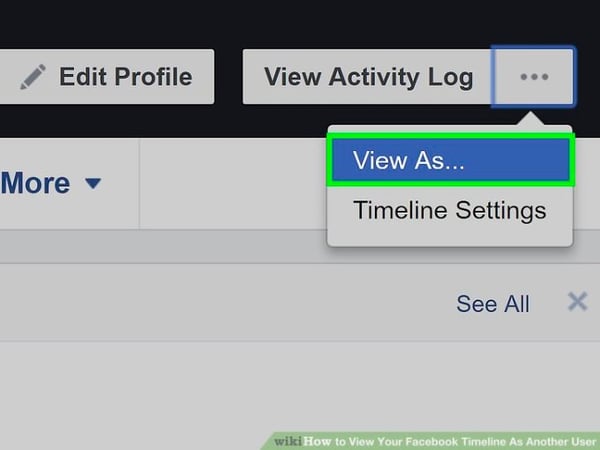
It began with a vulnerability in the site’s “View As” feature, which allows users to see what their profiles might look like to another user.
Source: TechCrunch
Using the View As feature should allow you to do only that — and when functioning properly, it blocks out any ability to enter text into compose boxes or otherwise alter the profile being viewed.
However, due to this first bug, View As provided the opportunity to upload a video.
It’s because of that video uploader being displayed that the second bug occurred.
For the second bug, the video uploader improperly generated an access token.
What’s an access token? Essentially, an access token allows you to use one account (like Facebook, Twitter, or Google) to log into several different services or apps.
You might be familiar with Facebook Login, which allows users to log into an app using their Facebook credentials, whether it’s Facebook itself or another app using these permissions, like Tinder. The images below show what a Facebook Login looks like on Tinder.
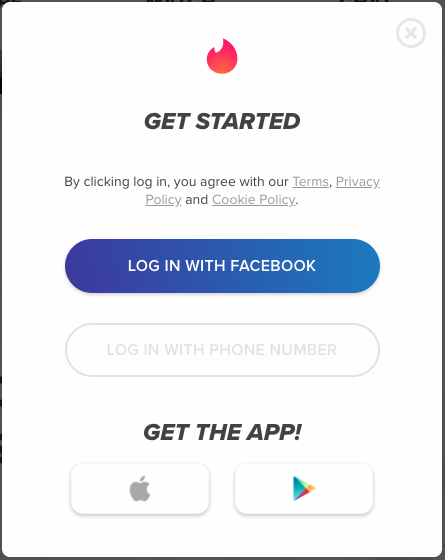
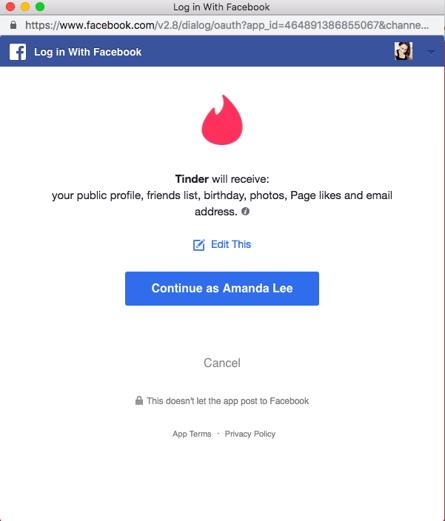
That access token then provides the third-party app with access to the user’s Facebook data — such as the public profile, friends list, birthday, photos, Page likes, and email address indicated in the Tinder login pictured above.
HubSpot Director of Web Development Dmitry Shamis describes an access token as “a password you don’t have to reenter,” which allows you to stay logged into both Facebook and these other apps without having to go through the process again.
And here’s where the third bug comes in. The access tokens generated by the first and second bugs were actually for the accounts of users whose names were entered in the “View As” box, and not the user whose profile was being viewed.
As Rosen put it: the access token generated “was not for you but the person being looked up. That access token was then available in the HTML of the page, which the attackers were able to extract and exploit to log in as another user.”
Therefore, the hackers could “use the account as if they are the account holder,” Rosen said. The access tokens of roughly 50 million users were taken. Facebook also said that an additional 40 million users were subject to a “View As” look-up over the last year — though it is not clear if access tokens were taken for those accounts.
Why It Might Be Worse Than It Looks
Facebook has outlined the measures it’s taken in response to the breach, starting with repairing the “vulnerability,” removing the View As functionality (for now), and doing a full reset of the access tokens for the 50 million accounts affected by the hack.
According to remarks made by Rosen during a press call last Friday morning, that reset made the access tokens taken by hackers “not usable anymore.”
But according to Jason Polakis, an assistant professor of computer science at the University of Illinois at Chicago, that might not be the case, based on findings from a study he and others at the university conducted.
According to the study’s findings, if the hackers in this Facebook breach did, in fact, gain access to third-party apps as the users whose accounts were compromised — there are ways for them to keep that access, even if the tokens are reset, as Rosen described.
More importantly, once attackers gain access to those 3rd parties, they can maintain access to user accounts in those websites using the cookies set by those sites. No matter what FB does, they can’t do anything to prevent attackers’ from accessing those accounts. (9/n)
— jason polakis (@jpolakis)
September 29, 2018
Now, Polakis was sure to specify that this phenomenon might not be “applicable here.” But Facebook has said itself that it has very little information about how these access tokens were used by the hackers, and is uncertain of when the tokens were first obtained.
According to Axios, Tinder has since said it hasn’t found any “evidence to suggest accounts have been accessed based on the limited information Facebook has provided” — but at the same time, Facebook hasn’t provided the app with a list of users affected by the hack. Having that information, Tinder said, would be “very helpful” in determining how the stolen access tokens may have been used on its app.
NEW: Tinder says there’s no evidence accounts were *accessed* due to Facebook breach, but says Facebook hasn’t shared information that would be “very helpful” to its investigation.https://t.co/EYMrv4qAwi tip @techmeme
— David McCabe (@dmccabe)
October 1, 2018
Spotify, which also offers Facebook Login, also told the publication that it has not experienced a breach as a result of the hack. Facebook says that its investigation into the issue is still in its early stages.
Public Perception: Do People Care About the Hack?
On the Monday after news of the breach first broke, we ran two surveys.
The first survey asked 727 internet users across the U.S., UK, and Canada: “Following Facebook’s site hack announced last week, are you more or less likely to trust Facebook with storing your personally identifiable information?”
Nearly half of the respondents said that they’re less likely to trust Facebook with their personally identifiable information.
.png?t=1538495757002&width=600&name=Following%20Facebook's%20site%20hack%20announced%20last%20week,%20are%20you%20more%20or%20less%20likely%20to%20trust%20Facebook%20with%20storing%20your%20personally%20identifiable%20information_%20(1).png)
Then, we ran a second survey, where we removed any mention of a site hack. We asked a separate audience of 753 internet users across the U.S., UK, and Canada: Over the past week, how would you measure your overall trust in Facebook?
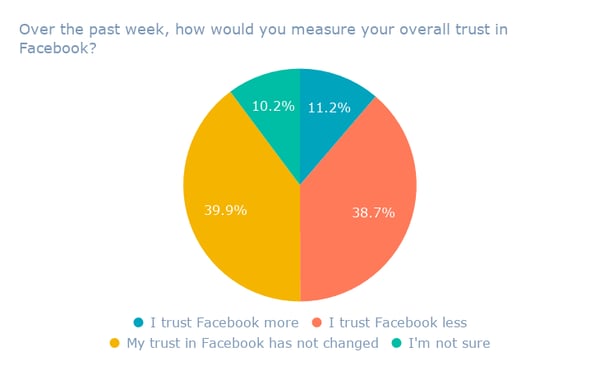
Notice the difference in responses. This time, almost as many people who said that their trust in Facebook has decreased indicated that their trust levels in the company have stayed the same.
So what’s to explain for the discrepancy?
Despite providing an option in the first survey for “I didn’t hear about the site hack,” I wondered how many respondents chose that answer before looking up the Facebook hack.
Was it possible that because we included the hack in the question, it prompted respondents to seek more information before answering the question? Do social media users have to be told that they should be outraged? Or is it just that people aren’t really surprised, given Facebook’s already tumultuous year?
If you ask HubSpot VP of Marketing Jon Dick, the answer may lie in the third answer.
“My feeling here is that people just assume that their data is constantly breached, so the Facebook news didn’t even alarm people. You see that in your second results,” he said. “But when we trigger people that something bad did in fact happen, we elicit more responses.”
Combine that lack of alarm — unless otherwise prompted — with the fact that many users still rely on Facebook for a number of purposes. Monthly active user growth may have slowed, but globally, 223.4 million people are still on the site every month.
“My personal opinion is that people are making mental tradeoffs. It’s a primary connection point to family members, to news, to society at large,” says HubSpot VP of Marketing Meghan Keaney Anderson. “And for now, there is no viable replacement to that. The trade off I’d argue people are making is the very real value of that connection point, versus the not-yet-personally-actualized threat to privacy or security of data.”
What’s Next
As for what’s next, time will tell. As Facebook has said itself — the investigation into the breach is still in its earliest stages.
That could mean that the full impact on users could be yet-to-be-determined or discovered — and as more information is revealed, it could continue to impact the public perception of Facebook.
“I think some people are unlikely to change their behavior until they suffer an acute impact of the loss of privacy,” says Keaney Anderson.
For now, what can the rest of us — marketers included — do to deal with and address the issue?
For her part, Keaney Anderson suggests that the main task is keeping audiences informed.
“Some of the work that could be done at this point is to educate people on what they should be watching out for as a result of this breach in data,” she advises. “That could help people to calibrate their response.”
We’ll continue to cover the issue as more details come forward.

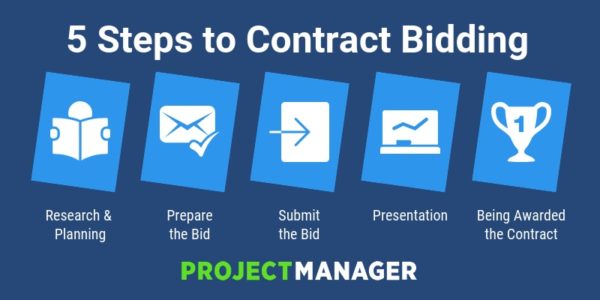
Contract Bidding: A Quick Guide
The Ultimate Guide to Social Media Marketing Campaigns
Every month, there are over two billion active users on Facebook, one billion on Instagram, and 365 million on Twitter worldwide.
In the U.S. alone, 77% of the population has a social media account of some kind. Whether it’s to chat with friends, stay connected to people across the globe, or for business and networking purposes, consumers are on social media for a multitude of reasons — and marketers know it.
Due to the sheer number of active users on these platforms, marketers are quickly learning about the importance of targeting their customers through social media. In fact, investments in social media advertising across the world are projected to grow to about 48 billion U.S. dollars by 2021.
With so many people checking their smartphone notifications and social media feeds while traveling, commuting, and even relaxing, what better way to market than on social media?
Social media advertising reaches audiences in a low-cost, impactful, and effective way. This is exactly why social media campaigns have become a crucial marketing technique for businesses everywhere. With billions of people on social platforms — and continued growth in monthly users and influence — it’s hard to imagine how businesses could remain relevant without creating a social media presence.
Using social media will allow you to reach your target audience, engage with current and potential customers, create brand loyalty, increase website traffic, and drive sales. Marketing on social is not just a trend, it’s a powerful industry technique that is here to stay and will help you reach more people all over the world.
How to Set Social Media Marketing Campaign Goals
When creating a social media marketing campaign, you should keep specific goals in mind to ensure your work is as effective as possible. Here are some goals to consider and examples of companies that executed them well.
Improve Brand Awareness
Your business can improve brand awareness through social media by posting your campaigns on a variety of platforms. You can also use specific hashtags and provide followers with incentives for sharing your content and tagging their friends.
Improving your brand awareness through social doesn’t need to take a lot of time either. In fact, 91% of marketers said they noticed an increase in their brand visibility by only spending a few hours per week on social media. Once you have a plan for your campaign, you will be able to map out exactly where and when it should be posted to keep things efficient.
A great example of using social media marketing to raise brand awareness is Apple’s “Shot On iPhone” campaign. Apple’s impressive iPhone cameras allow their 90 million+ users to take pictures that look like they were taken with professional cameras.
Taking beautiful pictures has also become increasingly important for social media users over the years, especially with photo-focused platforms such as Instagram. Apple decided to mesh these ideas together and launch the “Shot On iPhone” campaign which features iPhone photos taken by customers.
Users take pictures with their iPhones, post them to social (typically on Instagram in this case), and use the campaign’s hashtag, #shotoniphone, which has been tagged in over 4.3 million posts thus far. Apple shares select photos on their Instagram page to their 6.8 million followers and gives participants a chance to have their photo on a billboard.
Apple’s social media marketing campaign increases brand awareness through their Instagram page, hashtag, and the requirement that people share their photos with their own followers.
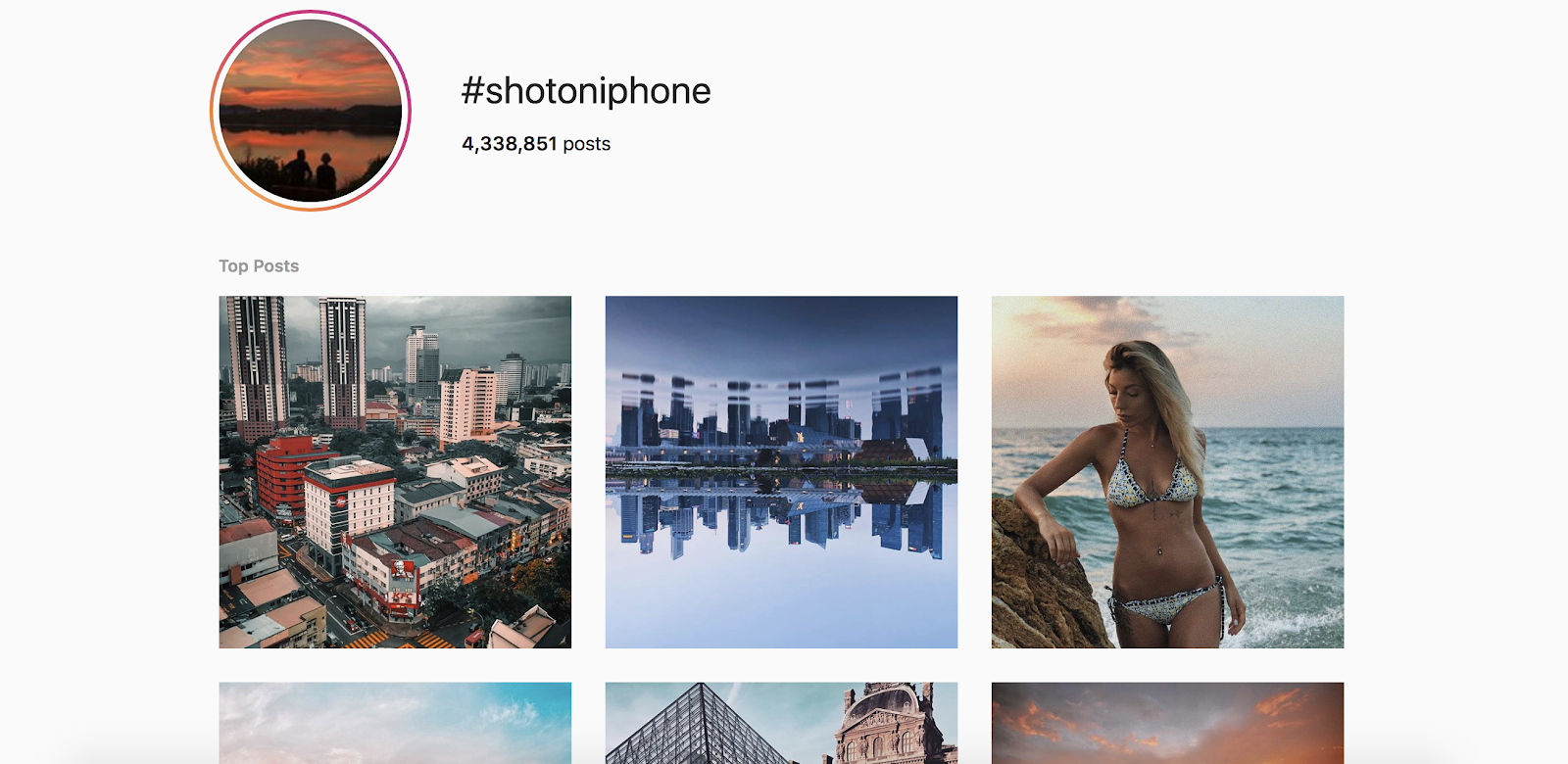
Apple started the campaign, but iPhone users are the people doing the hard work. Through this campaign, the company builds a feed of the most beautiful and unique pictures that also serve as a way to improve brand awareness and market the iPhone camera feature.
Connect With Your Audience
Connecting with your audience is important in all types of marketing. In a world with growing distractions and diminishing patience, effective marketing tactics are more important than ever. The good news is that social media has made it easier to connect with potential customers anywhere around the world.
When working on a social media marketing campaign, you want to connect with your audience both on a surface level — through a follow, comment, or a “like” — and on a deeper level — through a relatable post that gets them feeling a certain way about your brand or products.
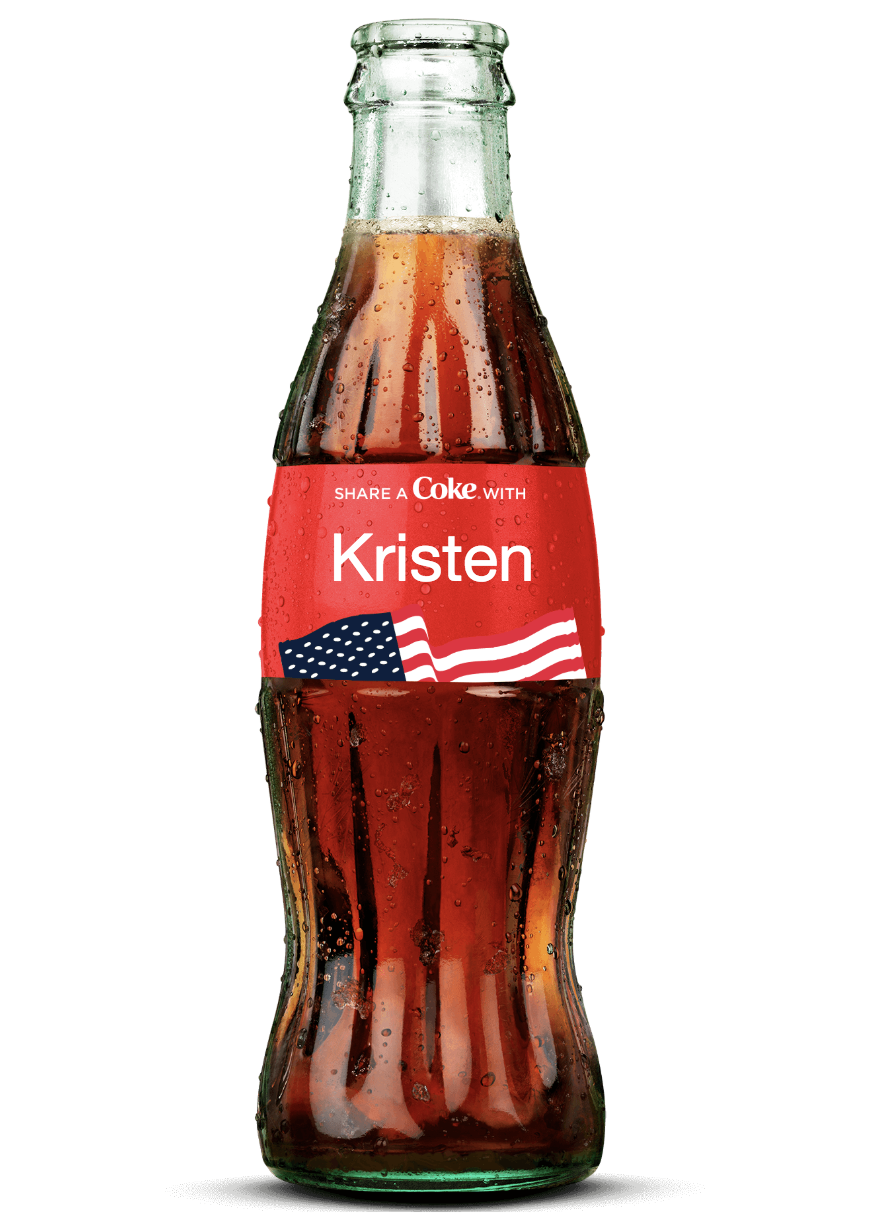
Coca-Cola’s ”Share a Coke” social media campaign successfully connects the company with their audience on a deeper level. By selling bottles of Coke with people’s names on them, Coca-Cola personalizes the buying experience which gets customers excited about purchasing and sharing the bottles.
Whether it’s their own name or the name of a family member, friend, or co-worker, customers feel a connection to these bottles of Coke. Some of the bottles even have stickers on them that customers can peel off and wear as a name tag or give to someone else.
Coca-Cola made the campaign even more relatable by creating labels with multiple different spellings of names and including less-common names. Customers can also personalize their own bottle on the company’s website for $5. The company found a way to engage with everyone through this campaign.
Coca-Cola also promoted a hashtag, #shareacoke, so social media users can share their pictures and videos with friends and followers. Since the campaign has gone viral, the hashtag has been used on millions of Twitter and Instagram posts. And for those who want to share a Coke, or post a picture about their own experience, there are links to more information about the campaign in the bio section of Coca-Cola’s social profiles.
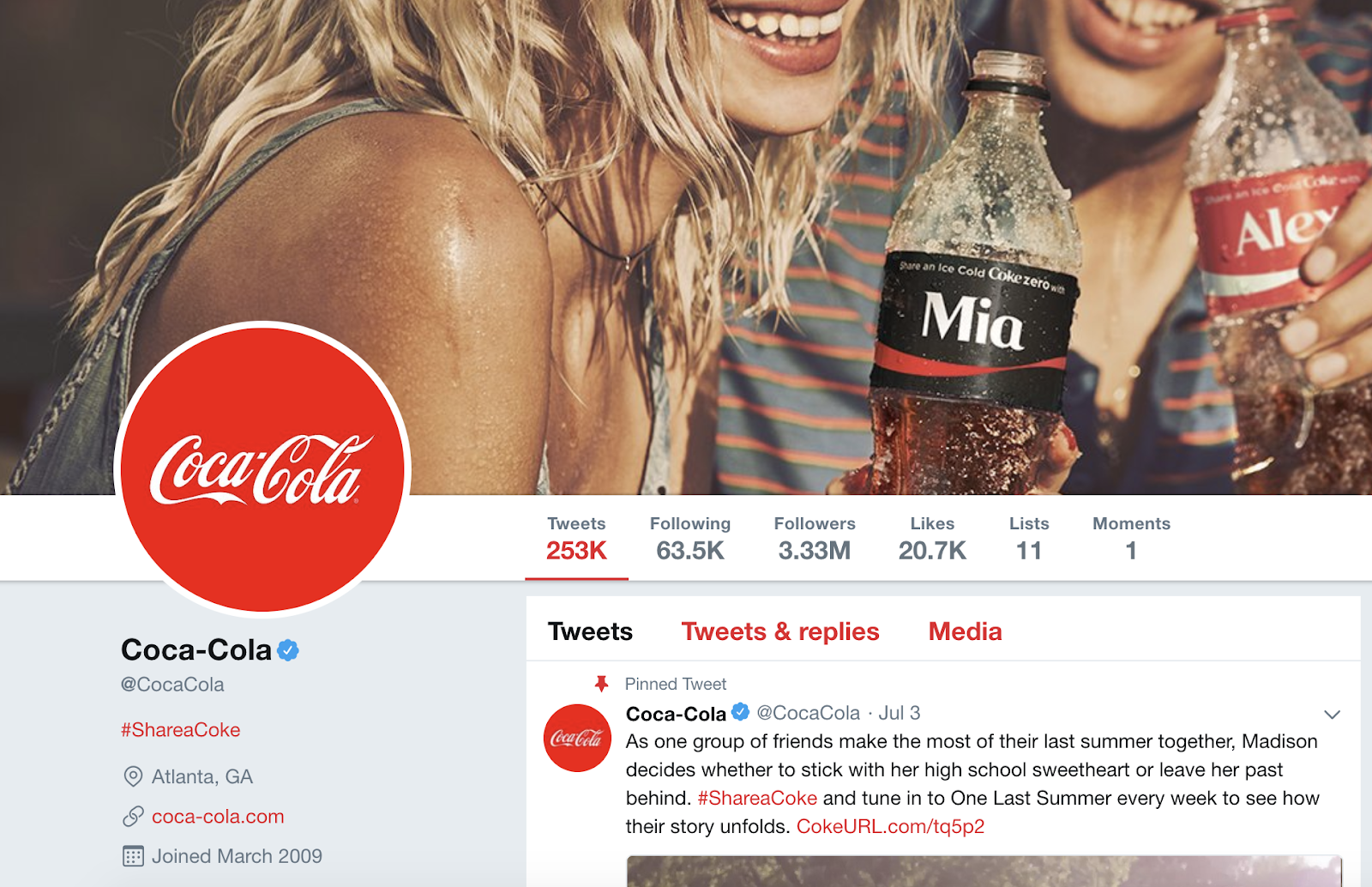
The “Share a Coke” campaign gets people excited about a personalized bottle of Coke and makes customers feel connected to the brand on a deeper level. In turn, millions have been motivated to share pictures, videos, and stories on social media about their experiences buying and sharing a Coke.
Increase Website Traffic
Social media is a great way to boost website traffic. Simply putting your website in your profile bio helps guide users to your site where they can learn more about your company or a specific product. Customers have little patience and lose interest quickly. By including the URL in your bio, you will avoid any confusion and keep things simple for your potential customers.
Your campaign team can also respond to followers on social with URLs to specific landing pages on your website. Adding links to your website as part of a natural conversation or organic post is a great way to show them you are listening and boost website traffic.
Lastly, you can just add a website or landing page URL to your actual post on social. You will increase website traffic by providing followers with links to the resources they need to answer their questions and concerns on their own.
For example, many news stations across the country add URLs to their stories on social media. They are often seen posting an eye-catching image, video, quote, or statement along with a link to the actual story.
This works well because it increases their website traffic. If followers don’t follow the link to the station’s website, they can always click “Like”, or “Share” if they still want to interact.

Source
Drive Sales
Marketers want customers to get excited about their products and brand. When a business can do this successfully, they will most likely see an increase in sales. Social media campaigns are a great way to get people excited about new products because of the ability to share, use images, get the word out.
One example of this was the Starbucks Unicorn Frappuccino campaign. Starbucks has been known to create special “secret menu” items, and these drinks have become increasingly popular to photograph, as they often make for fun Instagram and Twitter posts. The company took advantage of this and started selling the Unicorn Frappuccino — a bright, colorful drink that was only in stock for a limited time.

Starbucks shared pictures of the Frappuccino all over social media and drummed up excitement around the drink. They also created a hashtag, #unicornfrappuccino, to encourage customers to share their experiences purchasing and drinking the beverage.
The $5 drink was so popular with customers that during the single week it was available in April 2017, there were over 180,000 posts on social media that featured the drink. The drink also led to an increase in same-store sales for the second quarter by 3%, and same-store sales were up 4% in March 2017.
Now that we have reviewed some of the most successful social media marketing campaigns, let’s dive into the ways you can kick start your own.
How to Create a Social Media Marketing Campaign
There are a number of ways to create a successful social media marketing campaign. Plans vary based on industry, social media platform, and campaign type. Use the following tips to create your own social media marketing campaign.
Research Your Competition
In the planning stages of your social media marketing campaign, consider your competition.
- Which companies are similar to yours and already have successful social media accounts?
- Which companies have campaigns that you know did well?
- Do the companies you are reviewing typically conduct giveaways, contests, or live videos?
- What is engagement like on their social posts?
By taking a step back and asking yourself these questions, you’ll start to understand what’s working well in your industry. You will also be able to determine how you can make your own campaign unique.
Look for inspiration elsewhere, too. If your competition isn’t on social, you’re not a fan of their previous campaign style, or you have an exceptionally unique business, then look for other campaigns that inspire you and determine how you can apply elements such as a similar style, level of engagement, aesthetic, or a specific message to your own campaign.
Craft Your Strategy
Next, craft your campaign strategy. To determine your campaign goal, first consider your target audience.
1. Appeal to your target audience.
- Who are you trying to reach?
- How would you classify your target audience?
- What are you hoping this campaign will achieve for your company and your audience?
- How can you create continued engagement with your followers throughout your campaign?
Ensuring your content and messaging appeals to your target audience should always be your top priority. Remember this important rule throughout your social media marketing campaign. Don’t lose sight of who you are trying to connect with and why.
Otherwise, your audience will likely scroll right by your social posts or lose interest in your campaign in a matter of seconds.
Here are some ways to appeal to your target audience on social media:
Consider current trends.
What do people want to view these days? For example, Instagram stories and live streaming have become quite popular. Can you incorporate these trends into your social routine and campaign?
Be informative.
Make your audience want to stop and listen. If you don’t have information worth their time, why would they check out your post or campaign? Provide your audience with an incentive — create a giveaway that requires your audience to read your description from start to finish. In addition, you should also tell them how to participate in the giveaway and when you will announce a winner.
Create unique and compelling visual content.
Whether it’s a video on Facebook or an edited picture on Instagram, make sure your visual content is compelling and entertaining. Give your audience something they haven’t seen before.
Engage with your audience.
After posting on social media, 84% of consumers expect companies to respond within 24-hours. If your followers leave questions, comments, or concerns on your posts, you should reach back out to them. You will form a personal bond with your audience that will make them more loyal to you and your brand. You will also earn their trust more efficiently.
2. Choose your content type and format.
To determine content type, think about why you’re creating your campaign. Here are some instances in which a company might create a social media marketing campaign:
- Holidays
- Special occasions or milestones
- Partnerships with other businesses
- User-generated content promotions
- Contests or giveaways
Consider which content type should be used on what platform. For example, if your campaign uses a lot of still photography, then maybe Instagram is the platform for you. If you require live streaming and longer form video, Facebook might be a good option, and if you want to release shorter bursts of information, Twitter could be a good fit. Think about what each platform is best for and go from there.
3. Manage your results.
No matter why you’re creating your campaign, you’ll probably be interested in knowing your campaign’s level of success.To make any conclusions about your success, you’ll need some type of metrics to measure and monitor throughout your campaign.
A popular way to do this is through a metric tracker such as Google Analytics or HubSpot’s social monitoring and metric tracking tool. This type of concrete data will provide you with information like the amount of overall campaign traffic, how many new followers that you attract (as well as how many followers you lose), your level of engagement, changes in website traffic, and any change in sales.
Promote Your Content
Now it’s time to start sharing your campaign and promoting your content. Consider the following techniques on how to promote and share your content.
Promote one message throughout your campaign.
You should start by promoting one message on multiple different platforms using content that fits the chosen platform. By consistently sharing the same message across your campaign, your followers will hear the same information over and over again, which will allow them to retain your message.
In fact, marketing campaigns in the past have proven that messages are most effective when repeated. Repetition will result in familiarity, which will foster trust between your audience and your message, brand, and product. Redundant messages stick.
Balance your promotional and non-promotional content.
Your followers will notice if you’re constantly pushing promotional content on them. By balancing promotional and non-promotional, your followers will perceive you as being helpful and will want to engage with you more.
This is about your followers not feeling pressured or pushed into becoming a customer. You will be most effective if you provide your followers with promotional content that is balanced out with content that they find helpful and engaging.
Ensure your content is unique to your business.
Create an aesthetic for your campaign that matches your brand. You want this to be unique — anyone that lands on your page should know that it’s yours without reading your profile handle. Being unique and authentic helps you stand out … it also gives people a reason to want to follow you over your competitors.
Engage with your audience regularly.
No matter how many followers you have, you should set aside a bit of time to answer questions, “like” comments, and respond to feedback. By taking the time to engage with your followers, you will give them a personal experience that they won’t forget. These are the types of relationships and experiences that keep followers invested in your brand.
Create a unique hashtag for your campaign.
All major social media campaigns have a hashtag that should be the same across your social platforms. Hashtags allow your team members to keep track of interactions and make it easy for your followers to engage with your campaign. Your hashtag should be unique and memorable.
For example, Snickers has a popular social media campaign, “You’re Not You When You’re Hungry.” They depict people lashing out, losing their minds, and even turning into different people because they are “hangry” … or hungry-angry. These people go back to their normal selves once they eat a bite of a Snickers bar and satisfy their hunger.
Their hashtag for the campaign is #EatASnickers. It’s straightforward, simple to remember, and action-oriented. Additionally, “Eat a Snickers” is also one of their ad taglines, which contributes to the uniformity across the campaign.

Source
Automate your content with scheduling software.
Although creating engaging content and interacting with your followers may be time-consuming, there is a way to schedule your campaign posts ahead of time to save you from having to do it in real time.
Tools such as Hootsuite, Crowdfire, and CoSchedule allow marketers to schedule posts with text, photos, videos, hashtags, and more. Some of these scheduling tools even contain analytics that help users determine which scheduled posts are doing well and which posts may need to be modified.
Use live stream to your advantage.
By 2021, live streaming is expected to become more than a $70 billion industry. With live streaming, audience members can watch content in real-time from anywhere around the world, which creates a unique and engaging experience.
Facebook Live is one of the most popular ways to stream live content, followed by other platforms such as Twitter, Instagram, and YouTube. You can use live streaming to update followers on news as it happens, conduct giveaways and contests, interview guests and influencers, or simply make followers feel personally connected to your brand.
The way you promote your content is your decision, but don’t forget to test and analyze your results. This way, you will know if there are any immediate changes that can and should be modified while the campaign is live. You can also apply this information to future campaigns.
Conclusion
Social media has taken the world by storm. Although some trends are changing, social media is here to stay. Social media marketing campaigns are a great option for businesses that want to remain relevant and promote their content in an effective and efficient way.
With the possibility of significant reach, ability to directly engage with followers and customers, the ease of sharing your content with thousands (or even millions) of people, and the budget-friendly nature of the work, social media marketing campaigns are appealing to both businesses and consumers alike.
Get started creating unique and engaging content for your social followers and make an impact that drives sales and gets people pumped about your brand.

How to Repurpose Audio Content for Social Media and Beyond
Got a podcast or Alexa flash briefing skill? Wonder how to repurpose your audio content for people who don’t have an Echo device or don’t listen to podcasts? In this article, you’ll discover how to repurpose your audio content to reach a wider audience. #1: Create an Audiogram From Your Flash Briefing or Podcast Sharing […]
The post How to Repurpose Audio Content for Social Media and Beyond appeared first on Social Media Examiner.
from Social Media Examiner https://ift.tt/2Oq9eqJ
via socialmediaexaminer
The Essential Guide to Becoming a Writer
My path to becoming a professional writer is a slightly unconventional one. In college, I majored in economics, only took one English class, and originally pursued a career in financial advising. But today, instead of walking people through their retirement plan, I spend 90% of my work day writing — and I absolutely love it.
So how did I do it? Well, once I decided to seriously pursue a career in writing, I realized it’s a craft — sharpening my writing skills would require countless hours and repetitions. So after I finished my homework at school, that’s exactly what I did. I learned how to write.
Writing is an incredible gig for creative people — it provides fulfillment and financial stability. If this sounds like the career you’ve always wanted — even if you don’t have a lot of experience like I did — writing for a living is entirely possible. You just need to be passionate about the craft and disciplined enough to put in the work. My story is proof — and I’ll teach you how to do it.
How to become a writer
- Read every single day
- Write as often as possible
- Fight through the writing blues
Read Every Single Day
When I stumbled upon my first digital marketing internship, I had no idea what content marketing was. So I Googled it, and that’s when I discovered HubSpot’s Marketing Blog.
Two years later, after reading posts about content marketing every day, I could distill almost any topic, like a dry economics topic about the consolidation of the grain trading industry, into a blog post-like format. And being able to structure most topics in a digestible way and writing in a conversational tone is what helped me land an internship on HubSpot’s blog team.
Reading is like listening to music when you’re a musician. It improves your writing because it inspires you to create better work. When you read great writing, especially by the masters of your genre or industry, these writers are essentially teaching you their craft — you just have to pay close attention to their diction, syntax, cadence, voice, and structure. Jotting down your observations or some inspirational thoughts is even better for you.
Reading regularly can also arm you with some of the most important tools in a writer’s arsenal: a refined vocabulary, the ability to quickly grasp new concepts, and the versatility to adapt your voice and style to any audience.
But one of the most prevalent obstacles of regularly reading is finding the time to do it. Most people place reading at the top of their to-do-list but never seem to able to cross it off .
To read everyday, you must hold yourself accountable. Most people can finish a median-length book in only one week if they just read for 45 minutes per day, so all you have to do is keep an active reading list and block off less than an hour on your daily schedule to do so.
If you need help making a reading list, here are the following books, newspapers, magazines, and marketing blogs that I found most helpful when I first started writing:
- The Elements of Style by William Strunk Jr. & E.B. White
- Harry Potter Series by J.K. Rowling
- Steal Like an Artist by Austin Kleon
- New York Times
- Wall Street Journal
- The Washington Post
- The Atlantic
- Business Insider
- Fast Company
- Quartz
- The Verge
- Vox
- Vulture
- Wired
- Animalz
- Contently
- VeryGoodCopy
Now that I’m a full-time staff writer on HubSpot’s blog team, I owe a lot of my development as a writer to the habit of reading one blog post everyday.
Reading and analyzing the marketing industry’s best content taught me how to write well, but it took discipline to read everyday for three years. The good news is that if you just take one hour out of your day to learn about writing, you’ll be able to hone your skills in the long-run.
Write as Often as Possible
Even though I majored in economics, I went to a liberal arts college, so my school’s curriculum was extremely focused on writing. Each class I took had multiple writing assignments. And once I knew that I wanted to work in digital marketing, I started writing all my papers in the form of a blog post.
My professors were definitely not used to this style of writing and it probably didn’t help out my grades, but it was completely worth it — I practiced blogging enough to smoothly transition into my writing roles during my internships and, eventually, my first job.
If you’re not in school anymore, though, it’s hard to hunker down and write when you’ve already exhausted most of your mental energy at work. We all feel like turning off our brain and relaxing once the clock strikes five.
But to master writing and eventually do it for a living, you need to write on a consistent basis. The best writers, like J.K. Rowling, all block off chunks of their schedule to write in solitude almost every day.
If writing after work every day is a challenge for you, try only writing about your favorite topics. Your passion for these topics can pull you out of the post-work lull. If you need a little more help deciding what to write about, consider using a writing prompt generator like Plot Generator or Writing Exercises.
If you just started writing and you don’t know what to write about or even how to write, consider doing some copyworking. Copyworking is a common copywriting practice where you take an excerpt from your favorite author’s book (or any piece of writing you couldn’t stop reading) and transcribe it word for word.
It’ll help you internalize your favorite writer’s diction, syntax, cadence, voice, and structure, just like reading does. But you’ll absorb even more insight than when you read because copyworking forces you to slow down and pay even closer attention to the nuances of great writing.
In the writing community, the majority of the best writers had talent to begin with. But they also had to work incredibly hard to sharpen their skills enough and separate themselves from the rest of their competition. By constantly writing, no matter how good or bad the quality was, and honing their skills through writing exercises, they all learned how to captivate audiences. And you could too.
Fight Through the Writing Blues
I applied for HubSpot’s inbound marketing internship two times when I was in college, and, I’ll be honest, my heart stung when my first application got rejected. Looking back, though, I’m glad I didn’t make the cut.
Getting rejected was what drove me to pursue two other content marketing internships and take two additional writing classes at school, which honed my writing skills and helped me accumulate enough writing samples to prove that I could be an intern at HubSpot the next year.
Clawing your way through the struggle and self-doubt that comes with writing is exactly what you need to do to become a professional writer. It’s an arduous process, but it’s definitely worth it. And if you keep studying the craft and gleaning new insights, despite its highs and lows, you’ll start writing well enough to get hired.

The Ultimate Guide to Google Search Console in 2018
What is Google Search Console?
GSC (formerly Google Webmaster Tools) is a free platform for anyone with a website to monitor how Google views their site and optimize its organic presence. That includes viewing your referring domains, mobile site performance, rich search results, and highest-traffic queries and pages.
At any given time, I have GSC open in two to 10 tabs. It’s helpful on a macro and micro level — both when I need to figure out what’s happened to a high-traffic blog post that suddenly dipped, and see how many impressions HubSpot is gaining month over month.
I’m a content strategist on HubSpot’s SEO team, which means GSC is particularly useful to me. But anyone who’s got a website can and should dip their toes in these waters. According to Google, whether you’re a business owner, SEO specialist, marketer, site administrator, web developer, or app creator, Search Console will come in handy.
I remember the first time I opened GSC — and it was overwhelming. There were tons of labels I didn’t understand (index coverage?!?), hidden filters, and confusing graphs. Of course, the more I used it, the less confusing it became.
But if you want to skip the learning curve (and why wouldn’t you), good news: I’m going to reveal everything I’ve learned about how to use Google Search Console like a pro.
This guide covers:
- Adding your website to Google Search Console
- Setting up owners, users, and permissions
- Submitting a site map
- Understanding dimensions and metrics
- Adding filters
- Using GSC (23 use cases)
First things first. If you haven’t already signed up for GSC, it’s time to do so.
How to add your website to Google Search Console
- Sign into your Google account. Make sure you’re using your business (not personal) account if it’s a business website.
- Go to Google Webmaster Tools.
- Click “Add a property.”
- Choose “Website” from the drop-down menu and enter the URL of your site. Make sure you’re using the exact URL that appears in the browser bar.
- Click “Continue.”
- Pick a way to verify you own your website (HTML file upload, domain name provider, HTML tag, GA tracking code, or GTM container snippet).
- If your site supports both http:// and https://, add both as separate sites. You must also add each domain (for example, hubspot.com, blog.hubspot.com, and www.hubspot.com).
Google starts tracking data for your property as soon as you add it to GSC — even before it’s verified you’re the site owner.
Verifying your Site on GSC
Because GSC gives you access to confidential information about a site or app’s performance (plus influence over how Google crawls that site or app!), you have to verify you own that site or app first.
Verification gives a specific user control over a specific property. You must have at least one verified owner per GSC property.
Also, note that verifying your property doesn’t affect PageRank or its performance in Google search. Of course, the more information you have, the easier it is to rank higher — but simply adding your website to GSC won’t automatically make your rankings go up.
GSC verification methods
- HTML file upload: Upload a verification HTML file to a specific location of your website.
- Domain name provider: Sign into your domain registrar (like GoDaddy, eNom, or networksolutions.com), and verify your site directly from GSC or add a DNS TXT or CNAME record.
- HTML tag: Add a <meta> tag to the <HEAD> section of a specific page’s HTML code.
- Google Analytics tracking code: Copy the GA tracking code that you use on your site. (You need “edit” permission in GA for this option.)
- Google Tag Manager container snippet code: Copy the GTM container snippet code associated with your site. (You need View, Edit, and Manage container-level permissions in GTM for this option.)
Google-hosted sites, including Blogger and Sites pages, are automatically verified.
WWW domain or not?
True or false: hubspot.com and www.hubspot.com are the same domain.
The answer? False! Each domain represents a different server; those URLs might look very similar, but from a technical perspective, they’re two unique domains.
However, if you type “hubspot.com” into your browser bar, you’ll land at “www.hubspot.com”. What is this sorcery?
HubSpot has chosen “www.hubspot.com” as its preferred, or canonical, domain. That means we’ve told Google we want all of our URLs displayed in search as “www.hubspot.com/……”. And when third parties link to our pages, those URLs should be treated as “www.hubspot.com/……” as well.

If you don’t tell GSC which domain you prefer, Google may treat the www and non-www versions of your domain as separate — splitting all those page views, backlinks, and engagement into two. Not good.
(At this time you should also set up a 301 redirect from your non-preferred domain to your preferred one, if you haven’t already.)
GSC users, owners, and permissions
There are two GSC role-types. I know you might be itching to get to the good stuff (cough the data) but it’s important to do this right.
- Owner: An owner has total control over their properties in GSC. They can add and remove other users, change the settings, see all data, and access every tool. A verified owner has completed the property verification process, while a delegated owner has been added by a verified one. (Delegated owners can add other delegated owners.)
- User: A user can see all data and take some actions, but can’t add new users. Full users can see most data and take some actions, while restricted users can only view most data.
Think carefully about who should have which permissions. Giving everyone full ownership could be disastrous — you don’t want someone to accidentally change an important setting. Try to give your team members just as much authority as they need and no further.
For example, at HubSpot, our technical SEO manager Victor Pan is a verified owner. I’m an SEO content strategist, which means I use GSC heavily but don’t need to change any settings, so I’m a delegated owner. The members of our blogging team, who use GSC to analyze blog and post performance, are full users.
Here are detailed instructions on adding and removing owners and users in Search Console.
There’s a third role: an associate. You can associate a Google Analytics property with a Search Console account — which will let you see GSC data in GA reports. You can also access GA reports in two sections of Search Console: links to your site, and Sitelinks.
A GA property can only be associated with one GSC site, and vice versa. If you’re an owner of the GA property, follow these instructions to associate it with the GSC site.
Do you need a site map?
A site map isn’t necessary to show up in Google search results. As long as your site is organized correctly (meaning pages are logically linked to each other) , Google says its web crawlers will normally find most of your pages.
But there are four situations a site map will improve your site’s crawlability:
- It’s really big. The more pages you have, the easier it is for Googlebot to miss any changes or additions.
- It has lots of “isolated” pages. Any page that has few inbound links from other pages is harder for a web crawler to discover.
- It’s new. Newer sites have few backlinks (links from other sites) making them less discoverable.
- It uses rich media content and/or shows up in Google News. In these cases, your sitemap makes it easier for Google to format and display your site in search.
Once you’ve built your site map, submit it using the GSC site maps tool.
GSC site maps report
After Google has processed and indexed your site map, it will appear in the Site maps report. You’ll be able to see when Google last read your site map and how many URLs it’s indexed.
GSC dimensions & metrics
There are a few terms you should understand before using GSC.
What’s a Google Search Console query?
This is a search term that generated impressions of your site page on a Google SERP. You can only find query data in Search Console, not Google Analytics.
What’s an impression?
Each time a link URL appears in a search result, it generates an impression. The user doesn’t have to scroll down to see your search result for the impression to count.
What’s a click?
When the user selects a link that takes them outside of Google Search, that counts as one click. If the user clicks a link, hits the back button, then clicks the same link again — still one click. If then, they click a different link — that’s two clicks.
When a user clicks a link within Google Search that runs a new query, that’s not counted as a click.
Also, this doesn’t include paid Google results
What’s average position?
This is the mean ranking of your page(s) for a query or queries. Suppose our guide to SEO tools is ranking #2 for “SEO software” and #4 for “keyword tools.” The average position for this URL would be 3 (assuming we were ranking for literally nothing else).
What’s CTR?
CTR, or click-through rate, is equal to Clicks divided by Impressions, multiplied by 100. If our post shows up in 20 searches, and generates 10 clicks, our CTR would be 50%.
Filtering in Google Search Console
GSC offers several different ways to view and parse your data. These filters are incredibly handy, but they can also be confusing when you’re familiarizing yourself with the tool.
Search type
There are three search types: web, image, and video. I typically use “web,” since that’s where most of the HubSpot Blog traffic comes from, but if you get a lot of visits from image and/or video search, make sure you adjust this filter accordingly.
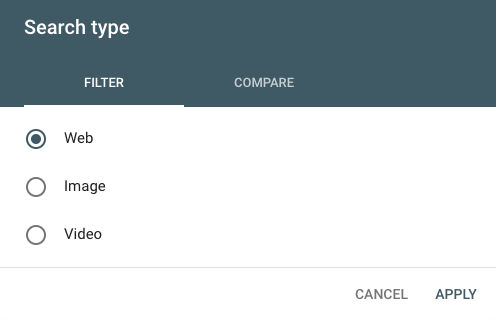
You can also compare two types of traffic. Just click the “Compare” tab, choose the two categories you’re interested in, and select “Apply.”
This can lead to some interesting findings. For example, I discovered this color theory 101 post is getting more impressions from image search than web (although the latter is still generating more clicks!).

Date range
GSC now offers 16 months of data (up from 90 days). You can choose from a variety of pre-set time periods or set a custom range.

As with search type, you can also compare two date ranges in the “Compare” tab.
Queries, page, country, device, search appearance
Click “New” next to the Date filter to add up to five other types of filters: query, page, country, device, and search appearance.
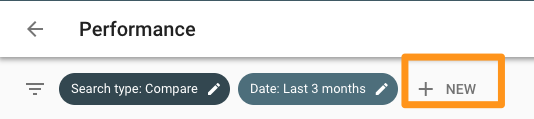
These filters can be layered; for instance, if I wanted to see data for SEO-related queries appearing on mobile search, I’d add a filter for queries containing “SEO” on mobile devices. If I only wanted to limit the results even further to posts on the Marketing Blog, I’d add another filter for Pages containing the URL “blog.hubspot.com/marketing”.
You can get very specific here — I recommend playing around with different combinations of filters so you see what’s possible.
Index coverage report
Each page is assigned one of four statuses:
- Error: The page couldn’t be indexed.
- Warning: The page is indexed, but has a problem.
- Excluded:
Submitted sitemaps
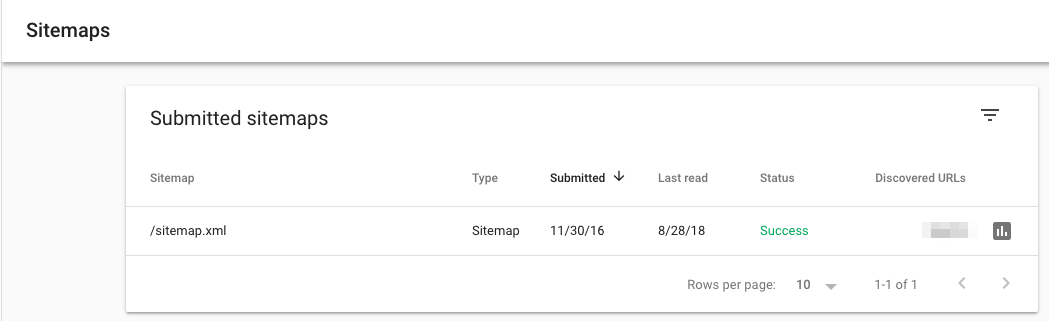
How to Use Google Search Console
- Identify your highest-traffic pages
- Identify your highest-CTR queries
- Find your average CTR
- Monitor your CTR over time
- Monitor your impressions over time
- Monitor your average position over time
- Identify ranking increases and decreases
- Identify your highest-traffic queries
- Compare your site’s search performance across desktop, mobile, and tablet
- Compare your site’s search performance across different countries
- Learn how many of your pages have been indexed
- Learn which pages haven’t been indexed and why
- Monitor total number of indexed pages and indexing errors
- Identify mobile usability issues
- Learn how many total backlinks your site has
- Identify which URLs have the most backlinks
- Identify which sites link to you the most
- Identify the most popular anchor text for external links
- Identify which pages have the most internal links
- Learn how many total internal links your site has
- Find and fix AMP errors
- See Google how Google views a URL
- Go to the old version of Search Console
Can you see why I love GSC? Let’s dig into each use case.
- Identify your highest-traffic pages
- Click Performance.
- Click the “Page” tab (next to Queries).
- Change the date range to “Last 12 months”. (A full year gives you a comprehensive overview of your traffic, but feel free to adjust the time period.)
- Make sure “Total clicks” is selected.
- Click the small downward arrow next to “Clicks” to sort from highest to lowest.

1. Identify your highest-CTR queries
- Click Performance.
- Click the “Queries” tab.
- Change the date range to “Last 12 months”. (A full year gives you a comprehensive overview of your traffic, but feel free to adjust the time period.)
- Make sure “Average CTR” is selected.
- Click the small downward arrow next to “CTR” to sort from highest to lowest.
Note: It’s useful to look at this in tandem with “Impressions” (check “Total impressions” to see this information side-by-side). A page might have high CTR but low impressions, or vice versa — you won’t get the full picture without both data points.
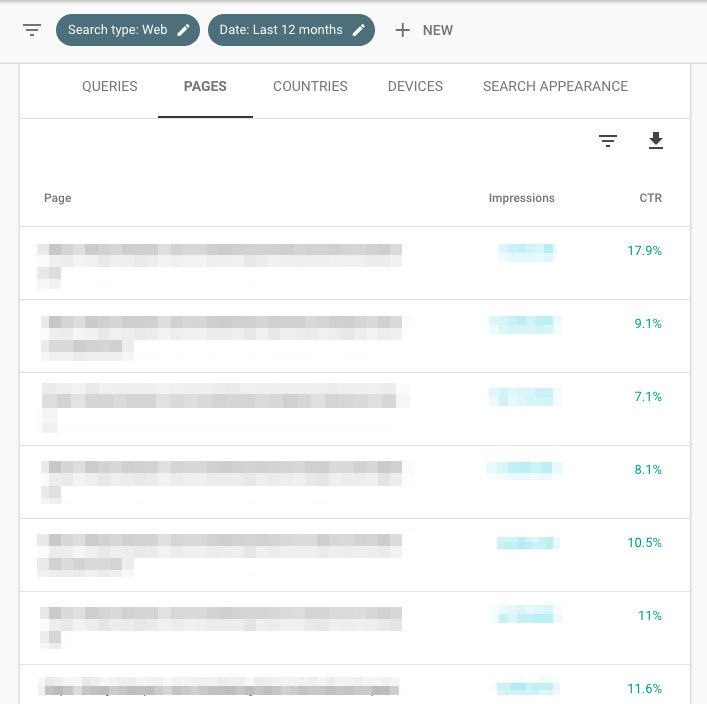
2. Look at average CTR
- Click Performance.
- Click the date to adjust the time period. Choose whatever range you’re interested in. (Alternatively, click “Compare” to analyze two date ranges at once.)
- Look at “Average CTR”.
- Click Performance.
- Click the date to adjust the time period. Choose whatever range you’re interested in. (Alternatively, click “Compare” to analyze two date ranges at once.)
- Look at “Total impressions”.
- Go to Status > Performance.
- Click the date to adjust the time period. Choose whatever range you’re interested in. (Alternatively, click “Compare” to analyze two date ranges at once.)
- Look at “Average position”.
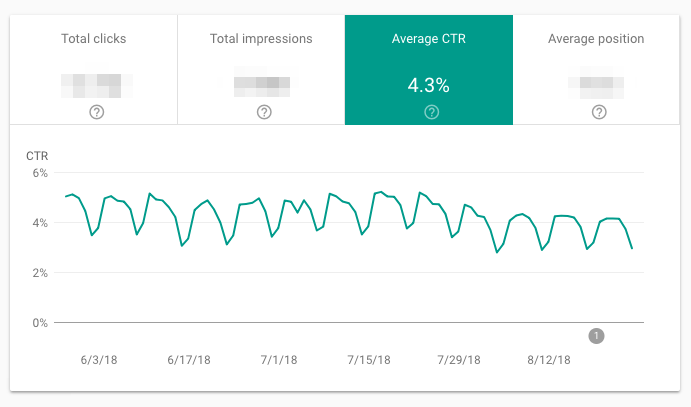
3. Monitor your CTR over time
I recommend keeping an eye on CTR. Any significant movement is significant: If it’s dropped, but impressions have gone up, you’re simply ranking for more keywords, so average CTR has declined. If CTR has increased, and impressions have decreased, you’ve lost keywords. If both CTR and impressions have gone up, congrats — you’re doing something right!
4. Monitor your impressions over time
As you create more content and optimize your existing pages, this number should increase. (As always, there are exceptions — maybe you decided to target a small number of high conversion keywords rather than a lot of average conversion ones, are focusing on other channels, etc.)
5. Monitor average position over time
Average position isn’t that useful on a macro level. Most people are concerned when it goes up — but that’s shortsighted. If a page or set of pages starts ranking for additional keywords, average position usually increases; after all, unless you’re ranking for the exact same position or better as your existing keywords, your “average” will get bigger.
Don’t pay too much attention to this metric.
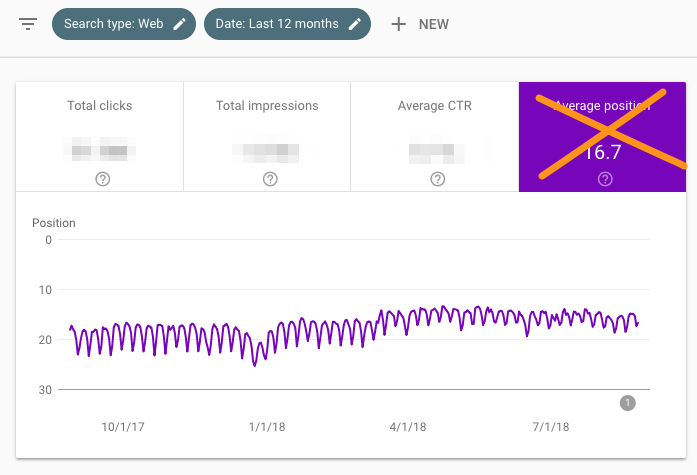
6. Identify your highest-ranking pages
- Click Performance.
- Click the “Page” tab.
- Change the date range to “Last 28 days.” (You want an up-to-date, accurate snapshot of your pages.)
- Make sure “Average position” is selected.
- Click the small upward arrow next to “Position” to sort from smallest (good) to highest (bad).
- Click Performance.
- Click the “Page” tab.
- Change the date range to “Last 28 days.” (You want an up-to-date, accurate snapshot of your pages.)
- Make sure “Average position” is selected.
- Click the small downward arrow next to “Position” to sort from highest (bad) to lowest (good).
Because you’re looking at average position by URL, that number is the mean of all of that page’s rankings. In other words, if it’s ranking for two keywords, it might be #1 for a high-volume query and #43 for a low-volume one — but the average will still be 22.
With that in mind, don’t judge the success or failure of a page by “average position” alone.
7. Identify your lowest-ranking pages
8. Identify ranking increases and decreases
- Click Performance.
- Click the “Query” tab.
- Click “Date range” to change the dates, then choose the “Compare” tab.
- Select two equivalent time periods, then click “Apply.”
At this point, you can look at the data in GSC, or export it. For an in-depth analysis, I highly recommend the second — it’ll make your life much easier.
To do so, click the downward arrow beneath “Search Appearance,” then download it as a CSV file or export it to Google Sheets.
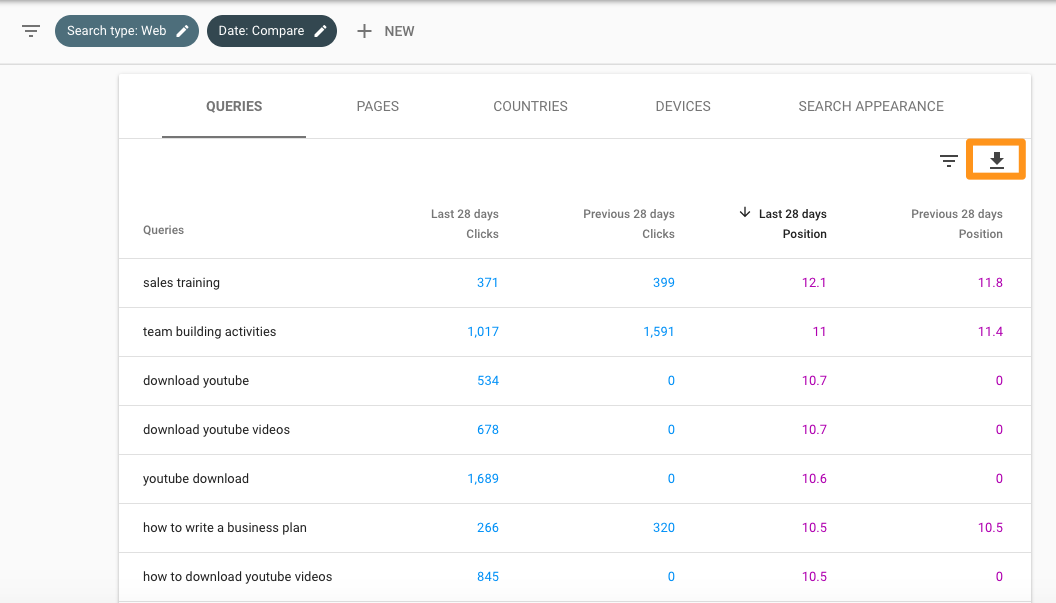
After you have this data in spreadsheet form, you can add a column for the position differences (Last 28 days Position – Previous 28 days Position), then sort by size.
If the difference is positive, your site has moved up for that query. If it’s negative, you’ve dropped.
9. Identify your highest-traffic queries
- Click Performance.
- Click the “Query” tab.
- Click “Date range” to choose a time period.
- Make sure “Total clicks” is selected.
- Click the small downward arrow next to “Clicks” to sort from highest to lowest.
Knowing which queries bring in the most search traffic is definitely useful. Consider optimizing the ranking pages for conversion, periodically updating them so they maintain their rankings, putting paid promotion behind them, using them to link to lower-ranked (but just as if not more important) relevant pages, and so on.
10. Compare your site’s search performance across desktop, mobile, and tablet
- Click Performance.
- Go to the “Devices” tab.
- Make sure “Total clicks,” “Total impressions,” “Average CTR,” and “Average Position” are selected.
- Compare your performance across desktop, mobile, and tablet.
11. Compare your site’s search performance across different countries
- Click Performance.
- Go to the “Countries” tab.
- Make sure “Total clicks,” “Total impressions,” “Average CTR,” and “Average Position” are selected.
- Compare your performance across nations.
12. Learn how many of your pages have been indexed
- Start at “Overview.”
- Scroll down to the Index coverage summary.
- Look at the “Valid pages” count.
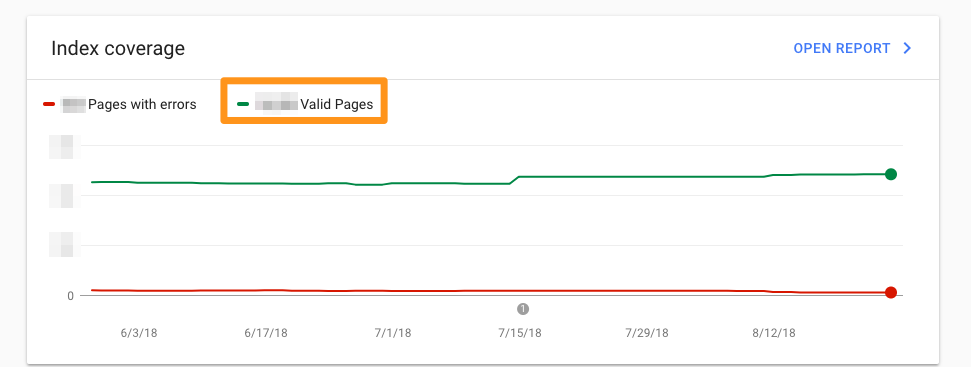
13. Learn which pages haven’t been indexed and why
- Go to Overview > Index coverage.
- Scroll down to the Details box to learn which Errors are causing indexing issues and how frequent they are.
- Double-click on any Error type to see the affected page URLs.
14. Monitor total number of indexed pages and indexing errors
- Go to Overview > Index coverage.
- Make sure “Error”, “Valid with warnings”, “Valid”, and “Excluded” are all selected.
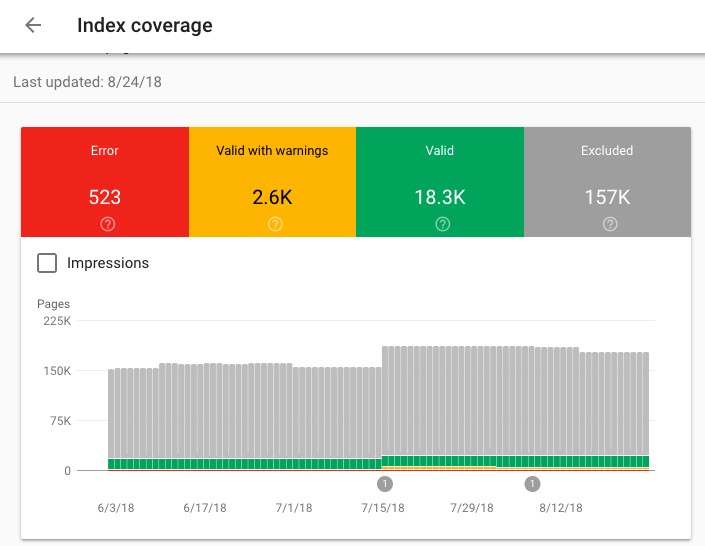
The total number of indexed pages on your site should typically go up over time as you:
- Publish new blog posts, create new landing pages, add additional site pages, etc.
- Fix indexing errors
If indexing errors go up significantly, a change to your site template might be to blame (because a large set of pages have been impacted at once). Alternatively, you may have submitted a sitemap with URLs Google can’t crawl (because of ‘noindex’ directives, robots.txt, password-protected pages, etc.).
If the total number of indexed pages on your site drops without a proportional increase in errors, it’s possible you’re blocking access to existing URLs.
In any case, try to diagnose the issue by looking at your excluded pages and looking for clues.
15. Identify mobile usability issues
- Click Mobile Usability.
- Make sure “Error” is selected.
- Scroll down to the Details box to learn which Errors are causing mobile usability issues and how frequent they are.
- Double-click on any Error type to see the affected page URLs.
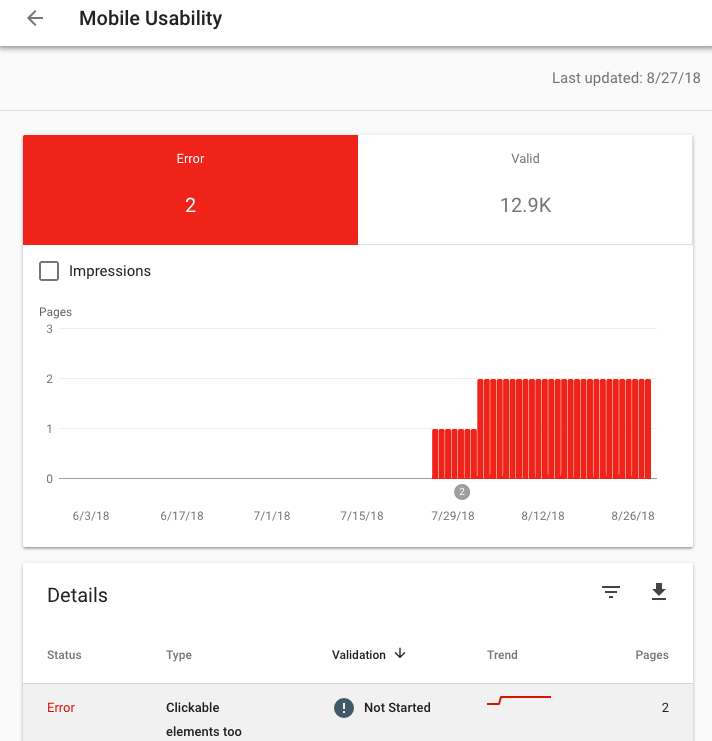
16. Learn how many total backlinks your site has
- Click Links.
- Open the Top linked pages report.
- Look at the box labeled “Total external links.”
- Click the downward arrow next to “Incoming links” to sort from highest to lowest backlinks.
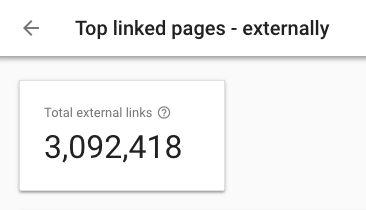
Every backlink is a signal to Google that your content is trustworthy and useful. In general, the more backlinks the better! Of course, quality matters — one link from a high-authority site is much more valuable than two links from low-authority sites. To see which sites are linking to a specific page, simply double-click that URL in the report.
17. Identify which URLs have the most backlinks
- Click Links.
- Open the Top linked pages report.
- Click the downward arrow next to “Incoming links” to sort from highest to lowest backlinks.
If you want to help a page rank higher, adding a link from a page with a ton of backlinks is a good bet. Those backlinks give that URL a lot of page authority — which it can then pass on to another page on your site with a link.
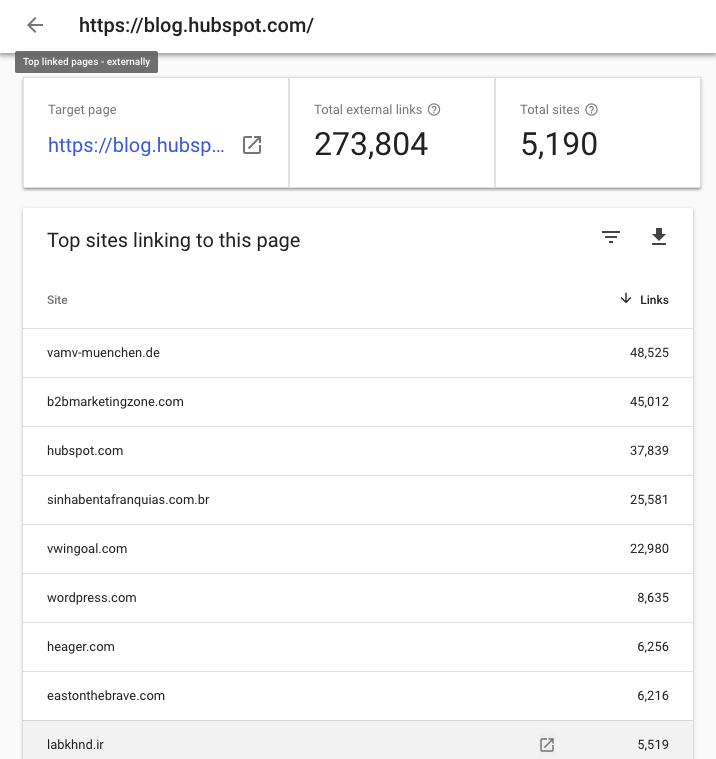
18. Identify which sites link to you the most
- Click Links.
- Scroll down to “Top linking sites” > “More.”
Knowing your top referring domains is incredibly useful for promotion — I’d recommend starting with these sites whenever you do a link-building campaign. (Just make sure to use a tool like Moz, SEMrush, or Ahrefs to filter out the low-authority ones first.)
These may also be good candidates for comarketing campaigns or social media partnerships.
19. Identify the most popular anchor text for external links
- Click Links.
- Scroll down to “Top linking text” > “More.”
Anchor text should be as descriptive and specific as possible — and best case scenario, include your keyword. If you find websites linking to your pages but using anchor text like “Click here” “Learn more”, “Check it out”, etc., consider sending an email asking them to update the hyperlink.
20. Identify which pages have the most internal links
- Click Links.
- Scroll down to “Top linked pages” > “More.”
It’s normal for some URLs to have more inbound links. For example, if you run an ecommerce site, every product page in your “Skirts” category will link back to the “Skirts” overview page. That’s a good thing: It tells Google your top-level URLs are the most important (which helps them rank higher).
However, a heavily skewed link distribution ratio isn’t ideal. If a tiny percentage of your URLS are getting way more links than the rest, it’ll be difficult for the 95% to receive search traffic — you’re not passing enough authority to them.
Here’s what a heavily skewed distribution looks like:
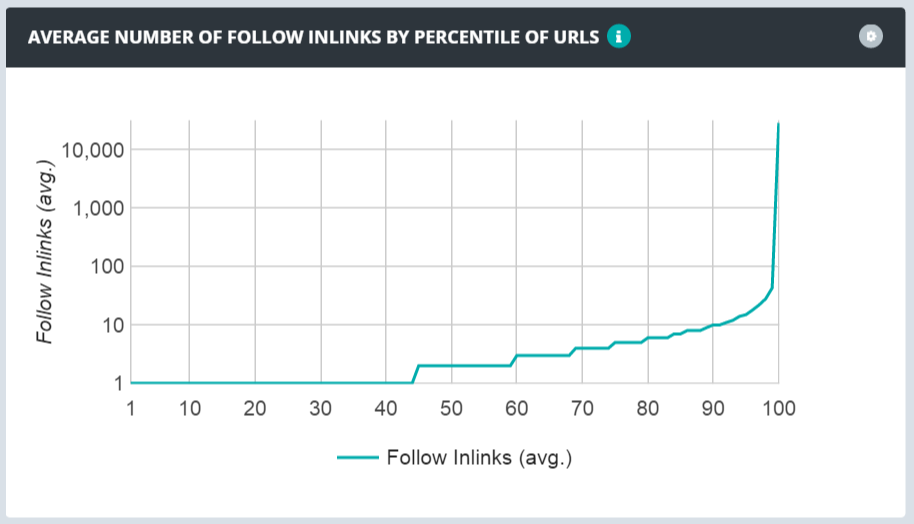
The optimal spread looks like this:
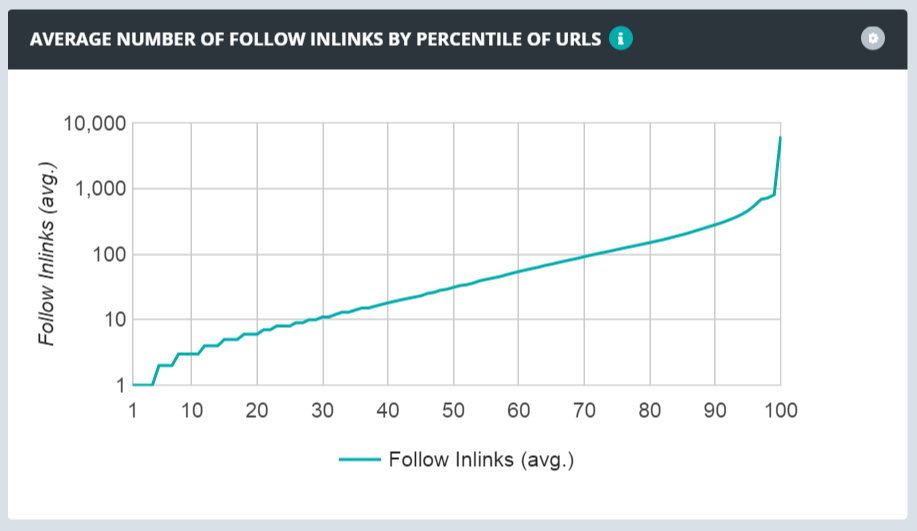
Use GSC’s link data to learn how your links are distributed and if you need to focus on making your link distribution more smooth.
21. Learn how many total internal links your site has
- Click Links.
- Scroll down to “Top linked pages” > “More.”
- Look at the box labeled “Total internal links.”
22. Find and fix AMP errors
- Click AMP.
- Make sure “Error” is selected.
- Scroll down to the “Details” box to see which types of issues you have and how frequent they are.
Google recommends fixing errors before looking at the pages in the “Valid with warnings” category. By default, errors are ranked by severity, frequency, and whether you’ve addressed them.
23. See Google how Google views a URL
- Click the white magnifying glass at the top of the page.
- Enter the page URL. (Make sure it belongs to the property you’re currently viewing.)

Here’s how to interpret the results. If the URL is on Google, that means it’s indexed and can appear in search.
That doesn’t mean it will — if it’s been marked as spam or you’ve removed or temporarily blocked the content, it won’t appear. Google the URL; if it shows up, searchers can find it.
Open the Index coverage card to learn more about the URL’s presence on Google, including which sitemaps point to this URL, the referring page that led Googlebot to this URL, the last time Googlebot crawled this URL, whether you’ve allowed Googlebot to crawl this URL, whether Googlebot actually could fetch this URL, whether this page disallows indexing, the canonical URL you’ve set for this page, and the URL Google has selected as the canonical for this page.
The Enhancements section gives you information on:
- The AMP version of this page, if it exists, and any AMP-specific issues
- Status for job posting and/or recipe structured data
24. Go to the old version of Search Console
The new GSC, while intuitive and well-designed, doesn’t have all the features of the old version. If you want to use the latter, click “Go to the old version” in the left sidebar menu.
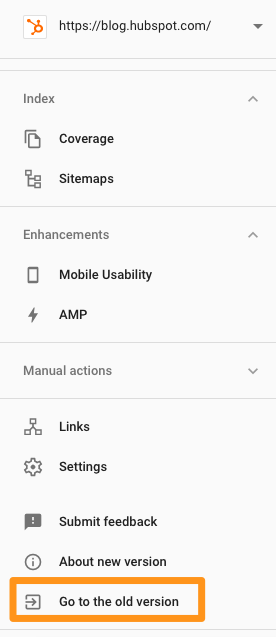

5 Critical Phone Screen Questions & Tips
On average, a corporate job posting attracts 250 resumes. With such a large pile to sift through, it can be difficult to discern your best candidates from those unfit for the role.
To quickly distinguish your most qualified candidates, it’s critical to conduct phone screens. A phone screen is a quick, five-to-15 minute interview to determine who should move forward in the interview process.
You don’t want to waste time and effort on people who don’t have the necessary skills, aren’t willing to accept the role’s salary, or simply aren’t interested. Fortunately, there are a few questions you can ask to gain those insights quickly.
To ensure your hiring process is as efficient as possible, take a look at these five phone screen questions you should ask each candidate, as well as tips to ensure you’re correctly identifying the best candidates to bring to your office for in-person interviews.
Phone Screen Interview Questions
1. Can you tell me where you are in the job search, and what you hope to accomplish?
You’ll want to start by discerning whether they’ve had other interviews or offers, and whether they’re still interested in the position. Asking this question enables you to get a sense for what your candidate is looking for in a role or company. Ideally, your candidate will give some details regarding her job search, including other companies at which she has applied. This information can help you identify whether your company, and the role, is a good fit.
Tip: If your candidate seems all over the place with her job search, it’s not a good sign. For instance, if you’re hiring for a writing role at your marketing firm, and she says, “I’m interested in writing, but not sure what direction to take it. I’ve been looking at journalism roles, and roles in the advertising industry, as well,” it might not be the best time to move forward with this candidate. You want a candidate who is confident the role for which she’s applying is the right one for her.
2. What attracted you to this role and our organization?
It’s critical you learn what your candidate wants out of the role and organization, so you can determine whether she’ll be happy in the position. This is your candidate’s chance to prove she has done her homework. If she can outline specific aspects of the role and unique characteristics of your company that excite her, it shows she has researched your company and studied the job listing, an indicator she’s genuinely interested.
Tip: Listen for your candidate to mention specific keywords listed in the role’s description. This indicates she’s interested in your role in particular. For instance, if you’re hiring for a marketing manager, you’ll want your candidate to say, “In particular, I’m interested in working closely with your top-tier partners to manage co-marketing efforts. I have prior experience doing that, such as …”. This type of answer illustrates her understanding of the unique benefits of this role, over other leadership opportunities in the field.
3. Why are you leaving your current position?
To ensure you’re not wasting anyone’s time, it’s critical you know why the candidate is unhappy in her current role. If she outlines aspects that are also likely to occur in this new role, it’s a good indicator she’s not a good fit.
Tip: Look for a candidate who is able to discuss their current frustrations with a level of optimism and professionalism. For instance, you don’t want a candidate to say, “I don’t like the company culture, and I feel stifled in my role.” This type of negativity is toxic to any work environment, and could be an indicator of someone who complains instead of trying to improve her situation.
Instead, you’ll want a candidate who frames her frustrations in a positive light — “While I’m very appreciative of this company and everything I’ve learned in my current role, I feel there aren’t enough growth opportunities here, and I’d like to expand my knowledge on X, Y, and Z.” This type of answer allows her to highlight why your company is an excellent next step, without bad-mouthing her current employer.
4. Detail the most successful idea you have you taken from concept to launch.
This question can give you a good idea of a candidate’s skills and what she has been capable of achieving in the past. Additionally, it should give you a sense for the candidate’s problem-solving skills and ability to work around obstacles. Ideally, your candidate will describe how her idea benefited the business.
Tip: Listen for a candidate who is results-driven. The ideal candidate will focus on results for the business at all stages, from ideation to implementation. You want to hire someone who can brainstorm solutions to your company’s problems, and better yet, execute on them.
5. What is your current and expected salary?
This is a good question to filter out any candidates who are overqualified for the role. If your candidate lists a salary well above the listed offer, you know you can’t move forward with her. Additionally, it tells you how senior they are — a developer making $150k is more experienced than a developer who makes $70k. This can help guide your conversations, and the types of questions you ask, moving forward.
If you find most candidates ask for well above the role’s current salary, you might consider rethinking your offer.
Tip: Generally, you don’t want to move forward with candidates who discuss money as their only true motivation. While it’s natural for your candidate to expect a slight increase in salary in her next role, it’s critical she is motivated by other benefits, like a good training program or the option for tuition reimbursement on classes she’d like to take.

14 Trompe l’Oeil Examples That Will Blow Your Mind
John Pugh, a creator of trompe l’Oeil optical illusion murals, has said, “It seems almost universal that people take delight in being visually tricked.”
He has a point.
Consider the popularity of the infamous “Is That Dress White and Gold or Blue and Black?” debate. Or, the instant success of shows like Westworld or Black Mirror, both of which rely on an audience’s obsession with being deceived.
Both of these examples support Pugh’s statement — people enjoy artwork that blurs the line between reality and illusion.
Trompe l’Oeil, a French expression, translates in English to optical illusion. Trompe l’Oeil murals appear to be lifelike and three-dimensional, and are typically displayed on vertical surfaces, like the walls of a building.
If you enjoy optical illusions, take a look at our favorite trompe l’Oeil examples to trick your mind.
Trompe l’Oeil examples
1. “Quetzalcoatl” by John Pugh
2. “Mezzanine en trompe l’Oeil” by Célia Kogut
3. “Cinema Cannes” by A.FRESCO
4. “Mueller’s Waterfall” by Edgar Mueller
5. “Puzzling Realities” by Jenny McCracken
6. “Copenhagen Zoo” by Bates Y&R
7. “Venice, Italy” by Morgan Bricca
8. “Mural for Fontainebleau Hotel” by Richard Haas
9. “Flatiron Building, Toronto” by Derek Besant
10. “Le Radeau de Lampéduse” by Pierre Delavie
11. “Trompe l’Oeil books” by Paul Czainski
12. “Derelict building” by Nina Camplin
13. “Capri” by Rainer Maria Latzke
14. “Oh crumbs!” by Julian Beever
1. “Quetzalcoatl” by John Pugh

2. “Mezzanine en trompe l’oeil” by Célia Kogut

3. “Cinema Cannes” by A.FRESCO

4. “Mueller’s Waterfall” by Edgar Mueller

5. “Puzzling Realities” by Jenny McCracken

6. “Copenhagen Zoo” by Bates Y&R

7. “Venice, Italy” by Morgan Bricca

8. “Mural for Fontainebleau Hotel” by Richard Haas

9. “Flatiron Building, Toronto” by Derek Besant

10. “Le Radeau de Lampéduse” by Pierre Delavie

11. “Trompe l’Oeil books” by Paul Czainski

12. “Derelict building” by Nina Camplin

13. “Capri” by Rainer Maria Latzke

14. “Oh crumbs!” by Julian Beever


How to Better Serve Your Facebook Group Members
Are you wondering how to create meaningful interactions in your Facebook group? Are you using all the Group features Facebook offers? In this article, you’ll discover how to manage a Facebook group your members will value and engage with. Build an Inner Circle With Your Facebook Group Once you’ve set up your Facebook group, it’s […]
The post How to Better Serve Your Facebook Group Members appeared first on Social Media Examiner.
from Social Media Examiner https://ift.tt/2DHgKta
via socialmediaexaminer
6 Visual Merchandising Examples That Drive Sales
Designing window displays is like creating content. If you write a formulaic blog post packed with clichés, it won’t resonate with your audience. Similarly, if you plop a standard mannequin dressed in a seasonal outfit in your window display, it won’t persuade anyone to shop at your store.
Nowadays, no matter what industry you work in, most marketers generally use the same tactics. Almost every brands’ creative work blends in with each other, making them unable to grab attention.
To effectively engage people, you must stick out from the crowd. But what’s the best way to do so?
A powerful way to differentiate your brand is by telling compelling stories. Even though it’s a buzzword as old as the advertising industry itself, storytelling is a timeless skill. Neuroscience proves that it’s the best way to capture people’s attention, bake information into their memories, and forge close, personal bonds. We’re programmed to pay our undivided attention to a great story — that’ll never change.
And for this very reason, we decided to highlight the visual merchandising examples that tell the some of the most captivating stories in retail. These businesses are able to pull their audience into a story and evoke certain feelings and emotions that consumers associate with their brand, driving them to not only visit their store, but also buy their products.
What is visual merchandising?
Visual merchandising uses displays, 3D spaces, and floor plans to create an environment that highlights a product’s or service’s appearance, features, and benefits by appealing to one or more of the five human senses, most commonly sight. It’s often used in stores, but it can also be used online.
6 Examples of Retail Merchandising that Drive Sales
1. School of Fashion – Seneca College

Image Credit: Pinterest
Even though this exhibit at Seneca College’s Redefining Design doesn’t have any mannequins, it can still tell a vivid story by grouping the perfect elements of a stylish outfit together.
For instance, when you first look at this display, you might start to visualize a suave professional strolling through the airport, on his way to catch a flight for an important meeting. Eventually, this story, which is only told through clothes, wooden boards, and rope, completely pulls you in, making you envision yourself as this suave professional and stimulating your desire to buy the entire outfit.
2. Berluti

Picture Credit: Pinterest
Most people aspire to transcend their current identity and lives — that’s why everyone loves superheroes. Spiderman and Wonder Woman are normal people during the day, just like us, but when night falls or duty calls, they transform into someone much greater — a powerful being who can fend off the evilest of criminals, protect their city, and save their fellow citizens’ lives.
Bertuli, a menswear retailer, understands our desire to transcend our current selves. And by displaying an outfit with a Batman shadow, they convey to potential customers that wearing their clothes will enable their customers to channel their inner-Batman.
3. Hans Boodt Mannequins

Image Credit: Pinterest
Most brands that leverage visual merchandising are B2C companies, but that doesn’t mean B2B companies can’t do the same. Hans Boodt Mannequins, who manufacture life-like mannequins, market their products by designing their own window displays.
Their visual merchandising example above reminds me of a touching scene from The Pursuit of Happyness, where Chris Gardner finds out he landed a job and can finally lift his family out of the depths of poverty. Gratefully celebrating on the sidewalk, you can feel the overwhelming amount of happiness he’s experiencing. It even makes you feel happy too.
After looking at the display window above, brands should feel confident that incorporating Hans Boodt’s mannequins into their own visual merchandising can also evoke the same type of emotion in their customers.
4. Hackett London

Image Credit: Pinterest
Hackett London, a formal menswear retailer, prides itself on the quality of their bespoke suits. And to prove they meticulously craft every single detail of their menswear, they cleverly show little figurines diligently tailoring one of their suits.
With this sharp window display, Hackett London communicates that anyone who buys one of their suits is guaranteed fashionable and quality menswear.
5. Isabel Marant

Image Interest: Pinterest
Connection, especially love, is the ultimate life goal for most humans. We’re biologically hardwired to search for it. And Isabel Marant, a French fashion house, definitely knows that selling the feeling of love is the best way to sell their clothing.
By draping their dresses from pictures of happy couples embracing each other, they can successfully sell the feeling of being loved, along with their product.
6. IKEA

Picture Credit: Pinterest
There’s a reason people say it’s dangerous to go to IKEA. Once you enter one of their stores, it’s almost impossible to leave without losing a big chunk of your day. Each store has multiple levels of fun and inspiring showrooms, so it’s hard to go home when you feel like you’re exploring a modern mansion.
But hours don’t whiz by at IKEA because it reminds people of their utopian dream home. It’s because each showroom is designed with affordable IKEA furniture. This makes modeling your house after a showroom a realistic possibility — and it convinces many homeowners to buy IKEA’s furniture.

15 Creative Exercises That Are Better Than Brainstorming
We’re all familiar with traditional brainstorming as a way to produce new ideas. You sit in a room with a whiteboard and work with whatever comes to mind. Maybe you play a few rounds of word association to strengthen your ideas, or pull up Google and use research to flesh them out.
But there are many alternative exercises for tackling problems and developing new ideas, both individually and in a group setting.

Ranging from structured to silly, here are 15 creative brainstorming exercises and techniques to help you get your problem-solving juices flowing.
Brainstorming Techniques
- Storyboarding
- Mind Mapping
- Group Sketching
- Word Banking
- S.C.A.M.P.E.R.
- S.W.O.T. Analysis
- Six Thinking Hats
- Zero Draft
- Brain Netting
- Questioning Assumptions
- Wishing
- Alter-Egos / Heroes
- Forced Connections
- Reverse Brainstorming
- Brain-Writing
Visual Activities
1. Storyboarding

If you’re trying to design a process, storyboarding can help you see where your collective understanding of a problem supports or conflicts with a proposed solution, and where more thought/research is needed. By developing a visual story to explore the problem at hand as a narrative, your team will be able to see how ideas interact and connect to form a solution.
Sticky notes are your friend. Take a few minutes to have everyone on the team write out their ideas as individual notes. These don’t have to be complete thoughts — physically pinning up quotes, pictures, user info, and the like can help you see new relationships between different components.
Once you have a group of sticky notes to work from, start arranging them on the board as a progression: first this, then that. Organizing your ideas as a continuous series will help you see new connections and eliminate extraneous material that doesn’t support your end goal.
2. Mind Mapping
Mind mapping is a fairly common term nowadays — in fact, many types of software provide automated mind-mapping templates so you can better organize your data. Well, it also happens to be a great way to organize your ideas.
- To create a mind map for creativity purposes, write down the task or problem you’re trying to solve at the center of your idea sheet (feel free to do this on your computer, but whiteboards are ideal).
- Then, expand on this problem by surrounding it with terms that better describe what you need. If your problem is low website traffic, for example, some terms to write around this phrase might be “organic traffic,” “trusted content,” “SEO,” and “video strategy.”
- Once your mind map has this first layer, add a second layer to each of your needs describing how you might be able to solve for these individual challenges. Around “SEO,” you might write “topic clusters,” “dedicated SEO strategist,” and “video marketing course.”
Keep adding to your mind map using the steps above until you’ve sufficiently broken down your problem into manageable parts. It’s a fantastic problem-solving technique that fosters creative answers to subjects that might otherwise seem uninspiring.
3. Group Sketching

You don’t have to be an artist or a designer to benefit from sketching. Visual thinking can help to trigger and develop ideas that discussion and writing might otherwise leave unturned. Similar to brain-writing, group sketching involves participants building on each other’s ideas.
Each member of your team will sketch an image related in a central way to a concept, idea or topic you want to explore further. Each sketch is then passed to someone else, who sketches another related image on the same piece of paper. This is repeated multiple times around the group. The final images are then reviewed and discussed with the aim of discovering connections that individuals hadn’t spotted on their own.
Idea Sorting Techniques
4. Word Banking
If you assume “work banking” is a fancy term for “word association,” well, you’re right. But in a word banking session, what you do with the words you come with is much more sophisticated.
While word associations often focus on pairs of words, word banking asks you to form big groups of terms that all describe just a few themes or topics. Creating word banks in a business setting can help you dismantle a project into manageable parts — kind of like a mind map, as described in technique #2 earlier in this article.
Then, when your work bank is complete, you can retroactively form connections between the terms you came up with, and use those connections to craft ideas that are guaranteed to include all of your most important characteristics.
5. S.C.A.M.P.E.R.

S.C.A.M.P.E.R. is essentially a process for expanding and improving upon ideas by testing and questioning them from different angles. For each letter of the mnemonic, ask yourself a related question about your project or the problem at hand:
- Substitute, e.g.: What would happen to the project if we swapped X for Y?
- Combine, e.g.: What would happen to the project if we combined X and Y?
- Adapt, e.g.: What changes would need to be made to adapt this project to a different context?
- Modify, e.g.: What could we modify to create more value on this project?
- Put to another use, e.g.: What other uses or applications might this project have?
- Eliminate, e.g.: What could we remove from the project to simplify it?
- Reverse, e.g.: How could we reorganize this project to make it more effective?
This method forces you to approach your project or problem in unexpected ways. Each question asks you to dig a little deeper into the issue and consider new possibilities.
6. S.W.O.T. Analysis
Entrepreneurs and business leaders know exactly what a SWOT analysis is. Well, it also happens to be a helpful brainstorming exercise.
S.W.O.T. stands for Strengths, Weaknesses, Opportunities, and Threats. And when launching a company, it’s your textbook starting point (literally — there isn’t a single business school textbook in the world that doesn’t have a version of it).
But while a company’s founder might use a SWOT analysis to create his or her business model, brainstormers can use the same diagram to better organize their ideas.
Your SWOT analysis doesn’t have to be all that complicated when brainstorming. In fact, it can simply be four columns on a whiteboard during your average “shout it out” ideas meeting. When thinking of a new logo design, for instance, ask yourself what you like most about your current logo (strengths). What do you dislike about it (weaknesses)? What should it have more of (opportunities)? What other company logos should you be mindful of (threats)?
7. Six Thinking Hats
There’s a whole host of problem-solving exercises and tools that help participants to put themselves into the shoes of another. This particular tool was invented by Edward de Bono, a psychologist, author, and consultant who pioneered the technique in his 1985 book Six Thinking Hats. The method involves breaking down ideas into six areas of thought:
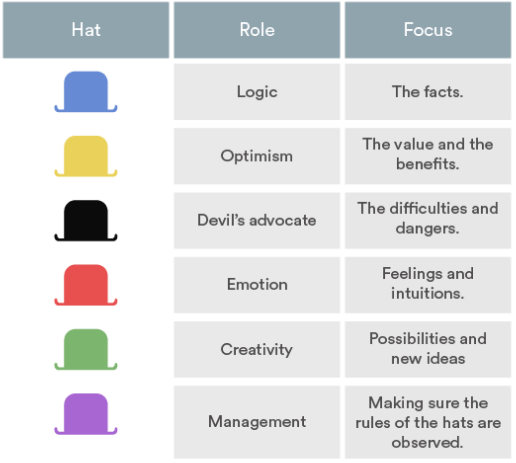
When approaching a new problem or project, have each member of your team put on one of these different “hats” for the discussion. Each “hat” represents a unique set of priorities and perspectives that will help focus your discussion and consider the project from a wide variety of angles.
For example, if you’re wearing the “Devil’s Advocate” hat, it’s your job to consider the project’s limitations and challenges. It may feel uncomfortable at first to temporarily adopt a very narrow form of thinking, but the extremes can help teams fully explore a project or idea.
Creative Exercises and Games
8. Zero Draft

The Zero Draft is an ideation technique for individuals often used by writers and is essentially a form of focused free-writing. For marketers and agency professionals, it can help focus the first stages of a new project by establishing what you currently know and getting your initial ideas out of your brain and onto paper.
Taking your central theme or topic:
- Write down everything you currently know about the subject.
- Write down what you need or want to know about the subject, but don’t currently know.
- Reflect on why the subject is important.
- Add anything else that takes your fancy — this is a chance to get whatever’s floating around in your head out into the world.
The Zero Draft method is all about getting everything you can think of relating to your topic down on paper, so don’t be concerned if it looks messy and unfocused. The goal is just to get past the initial block that often plagues creative professionals in the early stages of a new project.
9. Brain Netting
Creative exercises and ideas meetings always go better the more people you have in the room. Unfortunately, that means remote employees might not be solicited for their input as much as they should be. Brain netting is the act of connecting with folks electronically to make sure everyone can offer their input and feedback on a project.
Brain netting doesn’t just have to be a group phone call, though. Company messaging platforms like Slack are the perfect way to get everyone into a chatroom to spill their ideas. As ideas are submitted, each chatroom member can even vote for their favorites and combine the best qualities of multiple concepts.
10. Questioning Assumptions

We all carry assumptions with us — assumptions about what is and isn’t possible, about what people want, what will work, and what won’t. This exercise forces us to challenge these and put everything on the table.
Draw up a list of all the assumptions you can think of about your currently project — true or not — and discuss the list as a group, questioning each one. Doing this at various stages in your campaign development can spark fresh ideas, as well as identify knowledge gaps.
11. Wishing

This technique encourages your team to let imaginations run wild. Ask participants to dream up the most unattainable, extreme, and impractical solutions they can think of to a given problem. Create a list of a few dozen wishes pertaining to the task at hand.
Focusing on a selection of wishes, consider and discuss the ideas in detail, with the aim of triggering new but more realistic concepts to pursue. What makes them so impossible? How can that idea be scaled down? Which features of that wish could we integrate into this other approach? You might be surprised to discover applicable, real-world solutions among your team’s wildest wishes.
12. Alter-Egos / Heroes

This is a fun exercise where small groups imagine how they would go about solving a given problem if their team were led by a famous character, fictional or real. How would Cat Woman go about positioning your brand as a thought leader in virtual reality? What would Steve Jobs do to improve your latest communications package? How would Don Draper get your core messages across to millennials?
You can either chose someone you think embodies the right qualities for the job to help develop your vision, or someone at the opposite end of that scale, to explore less conventional ideas.
13. Forced Connections

This exercise involves bringing together ideas that serve very different needs or interests to form a new concept. You see this sort of thinking all the time in products like the Apple watch, the Swiss Army knife, smartphones, or even sofa beds.
To put this method into practice, bring a bag of random items to your next meeting, or draw up two lists of unrelated items on the board. Ask team members to pick two or more items and explore different ways they can be connected. This technique can produce some silly results, but it’s ultimately a helpful way of getting your team out of a creative rut.
14. Reverse Brainstorming
In certain corporations and government entities, data security is the highest priority. So high, in fact, that these organizations have been known to hire hackers — many of whom have committed internet crimes — to hack their systems and find out where the weaknesses are.
This “reverse” approach to security, wherein you hack your own company, is considered one of the best ways to secure a server from intrusion. And for us, it’s the inspiration behind this fourth brainstorming technique.
When you reverse brainstorm, you essentially work to create problems rather than solutions. ‘Why on Earth would you want to do that?’ You might ask. Creating problems teaches you what not to do so you’re more intuitive to the needs of your project. Think of it like hacking your company to find out where the weaknesses are.
Say, for example, you want to drive awareness to a new product. As a marketer, you have many promotional channels at your disposal, but you don’t know how to use them or where to start. In a reverse brainstorming session, you might come up with the following:
- Avoid hyperlinks to the product’s purchase page
- Don’t tweet about the product
- Criticize the features of your product
Obviously, these are all horrible ideas if your goal is to promote the product. But, take the reverse of these ideas, and you’ve effectively created three excellent starting points for a supportive campaign: Link to the product in a series of blog posts, develop a Twitter campaign around the product, and identify specific features of the product that prospects would be most interested in reading or hearing about.
15. Brain-Writing

In this exercise, participants simply write down a few rough ideas for solving a particular problem on a piece of paper. Each piece of paper is then passed on to someone else, who reads it silently and adds their own ideas to the page. This process is repeated until everyone has had a chance to add to each original piece of paper. The notes can then be gathered, ready for discussion.
The big advantage of brain-writing is that it makes sure everybody is given the opportunity to have their thoughts and ideas thoroughly considered by the group. This avoids the loudest or most extroverted people unintentionally dominating the sessions.
This is a modified excerpt from Creative Ideation for Digital Marketers: Theory to Practice by Dani Mansfield.

New LinkedIn Ads Features
Welcome to this week’s edition of the Social Media Marketing Talk Show, a news show for marketers who want to stay on the leading edge of social media. On this week’s Social Media Marketing Talk Show, we explore new LinkedIn ads features and Snapchat partnering with Amazon on new visual search tools. Our special guest […]
The post New LinkedIn Ads Features appeared first on Social Media Examiner.
from Social Media Examiner https://ift.tt/2IoIMIt
via socialmediaexaminer