
Welcome to My Blog
Apple patent (slightly) hints at Siri being able to recognize voices to personalize responses

One of the complaints many of us have about HomePod in particular is that it only supports a single user. So if anyone in the home asks HomePod to read their text messages, for example, Siri will always read those for the Apple ID used during set up …
What Does Y=f(x) Mean? How to Use This Powerful Six Sigma Formula

ToothFairy Mac utility for AirPods updated with macOS Mojave Dark Mode, more
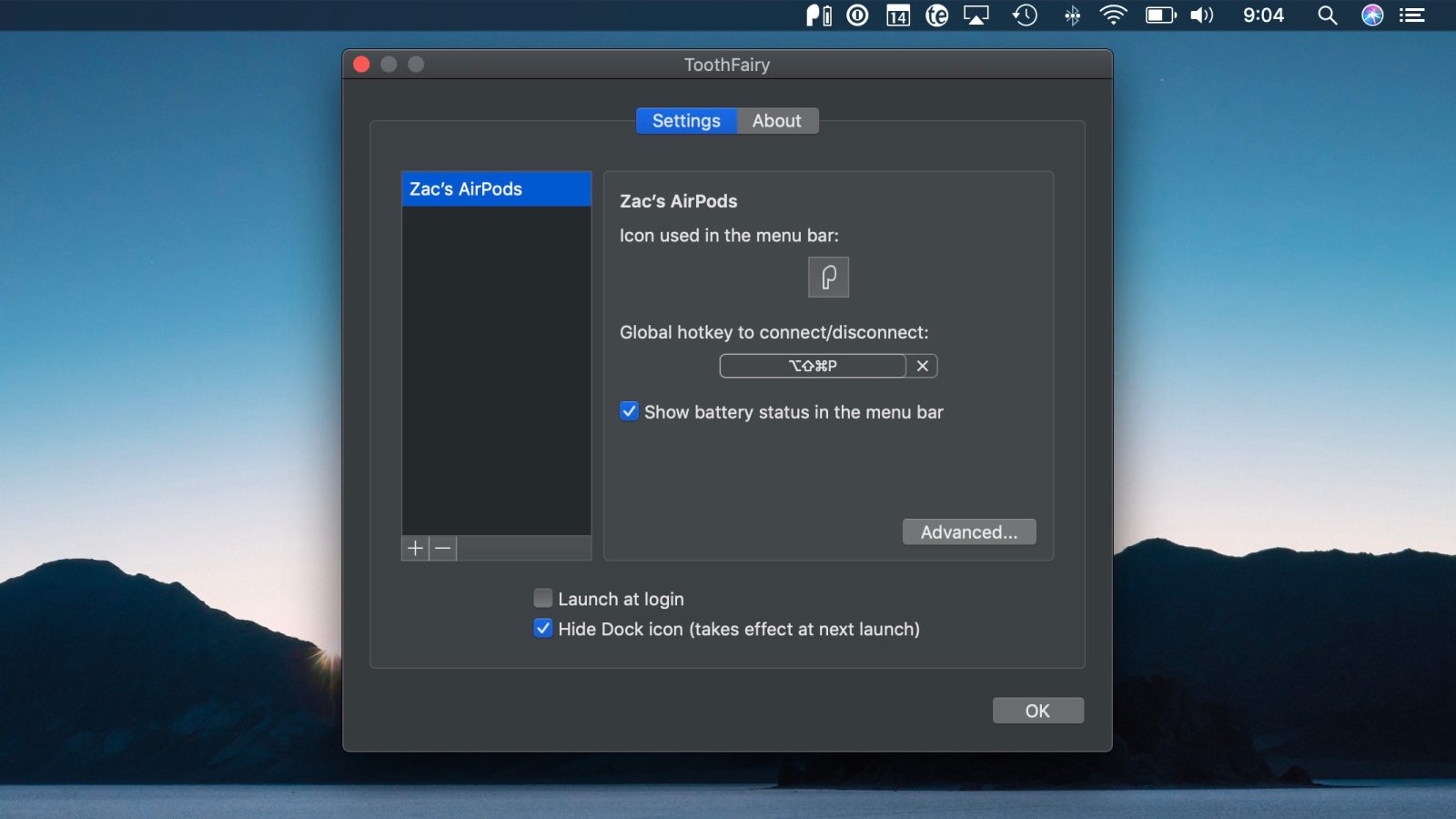
ToothFairy is a Mac utility app that makes connecting to AirPods and other Bluetooth accessories as easy as a menu bar icon click or even a keyboard shortcut. The latest version of ToothFairy for Mac adds support for Dark Mode in macOS Mojave ahead of its official release (seen above) as well as plenty of text description improvements for users.
Banks secretly monitoring how you use your phone and computer to detect fraud
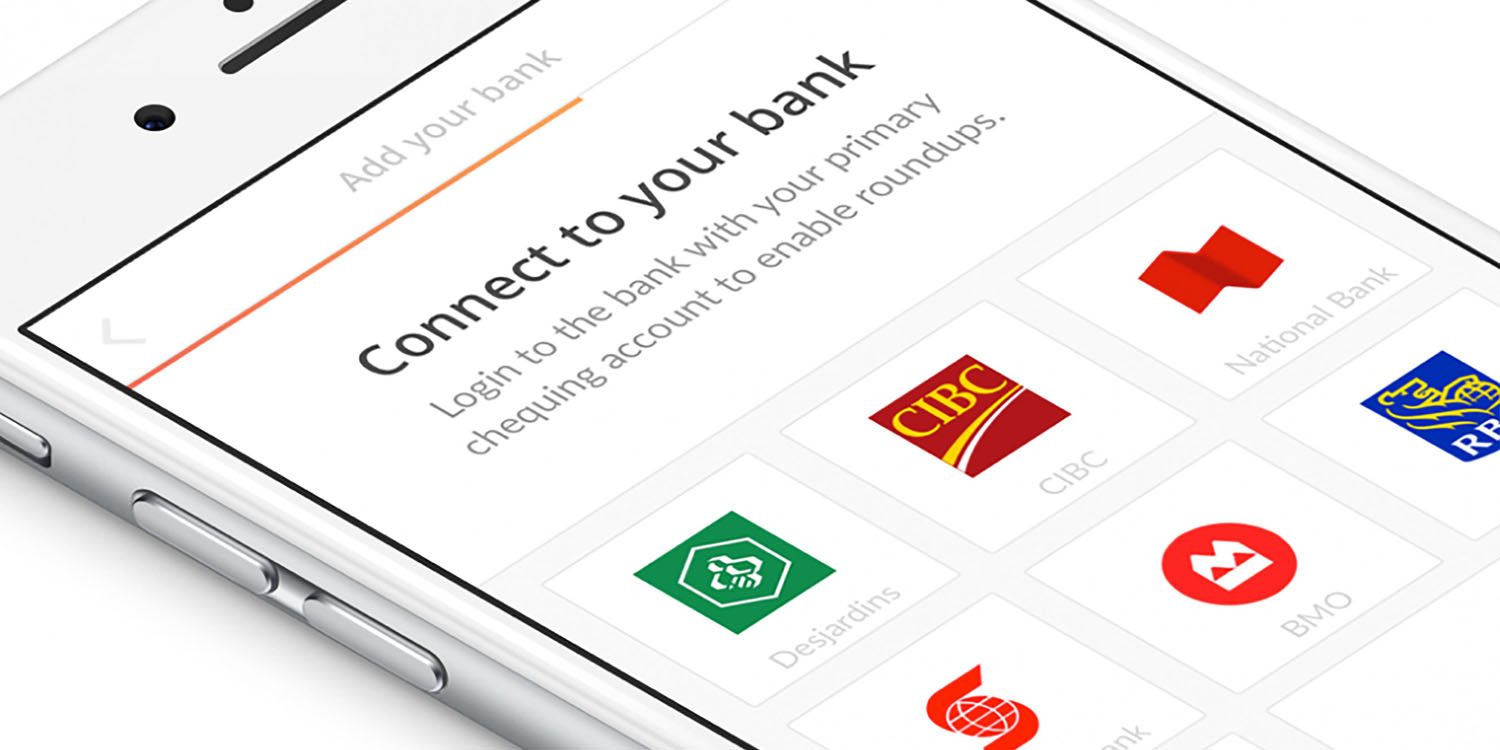
Banks are secretly gathering up to 2,000 data points on how you use your phone and computer to help detect fraud. The data used can be anything from the angle at which you typically hold your phone to whether or not you use a numeric keypad when typing numbers on your computer …
Hundreds of reports of hacked Instagram accounts, possible Russian link

This week’s best iTunes movie deals from $4: 2-film bundles starting at $10, more

It’s a new week at the iTunes movie store and that means a fresh batch of deals across a wide range of genres from $4. You’ll also find this week’s $1 HD rental below. As always, these titles will become a permanent addition to your library (aside from the rental). Hit the jump to see all of this week’s best deals.
Home discovery app launches ‘Trulia Neighborhoods’ to give local insight and more to prospective house buyers
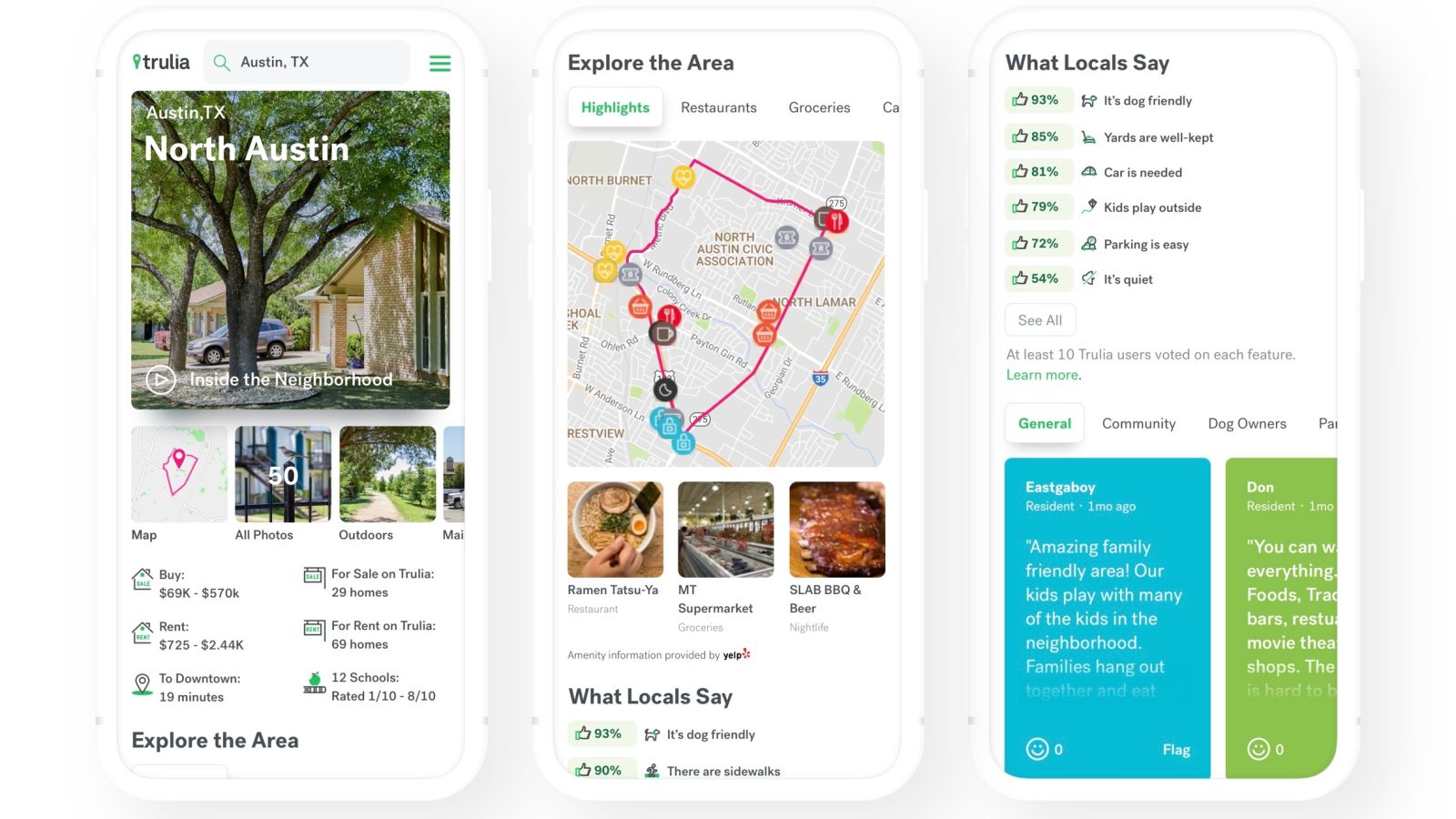
Trulia, a popular website and app for home buyers and renters is expanding how it’s helping users learn about communities with its new Trulia Neighborhoods. The main goal is giving people a “genuine feel for what it’s like to actually live in a neighborhood.”
Proposed Australian law threatens Apple with $7.3M fine, jail time, over encrypted data

The Australian government has today proposed a new law which would require tech companies like Apple to give authorities access to encrypted data on receipt of a warrant. Failure to comply would leave the company liable to fines of up to A$10 million ($7.3 million), and potential jail time.
Apple does already comply with court orders demanding access to encrypted data where it has the means to do so and is satisfied that doing this is legal, but cannot do so for Messages and FaceTime …
Turkish president calls for iPhone boycott, amidst breakdown of Turkey-US relations

The president of Turkey Recep Tayyip Erdogan has told his people to stop buying American electronics, specifically noting that Turkish population should switch from iPhones to Samsung devices.
He also promoted the Venus phone by Vestel, a local Turkish smartphone manufacturer. As it stands, Apple iPhone models hold about 15% market share in the region.
Ex-NSA staffer demonstrates malware bypassing security checks in High Sierra

Security research and former NSA staffer Patrick Wardle says that he will demonstrate on Sunday a set of automated attacks against macOS Sierra, in which he is able to bypass security checks.
The checks are ones that ask the user to confirm that an app should be granted permission to do things like access contacts or location data …
7 Free Project Management Software Options to Keep Your Team On-Track
59% of U.S. workers say communication is their team’s biggest obstacle to success, followed by accountability.
Managing multiple projects at once, delegating tasks, and collaborating across teams is difficult on a good day — but can become downright impossible when unforeseen obstacles get in the way.
Miscommunication and inefficiencies in your project management process can lead to confusing and stressful experiences for your employees, and hinder your company’s ability to satisfy your clients’ needs or hit end-of-year goals. This can lead to major losses over time.
Fortunately, there are plenty of free project management software options to keep your team on-track without breaking the bank. To streamline your process and ensure everyone on your team is on the same page, take a look at these seven exceptional free project management tools.
1. Teamweek
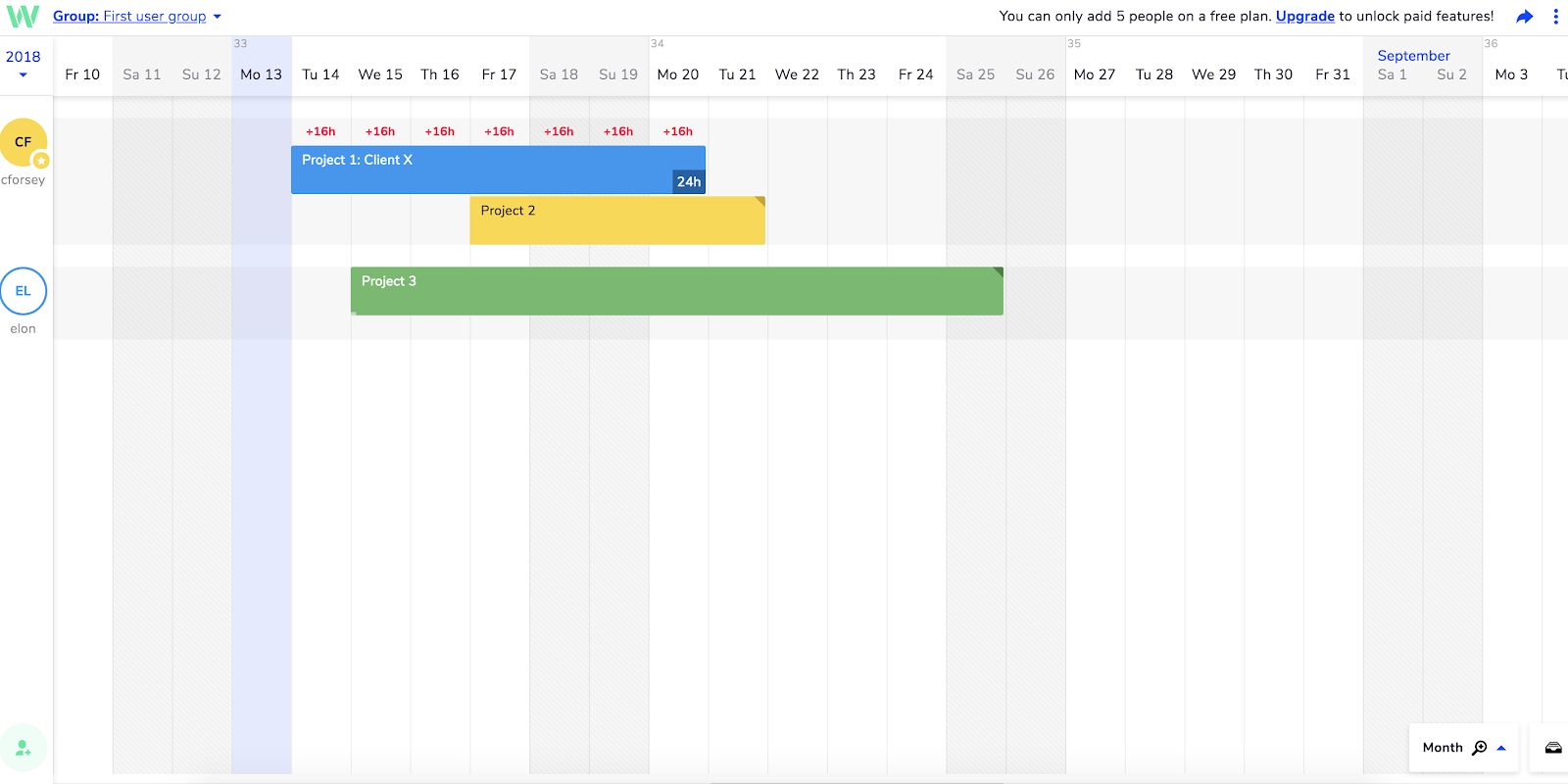
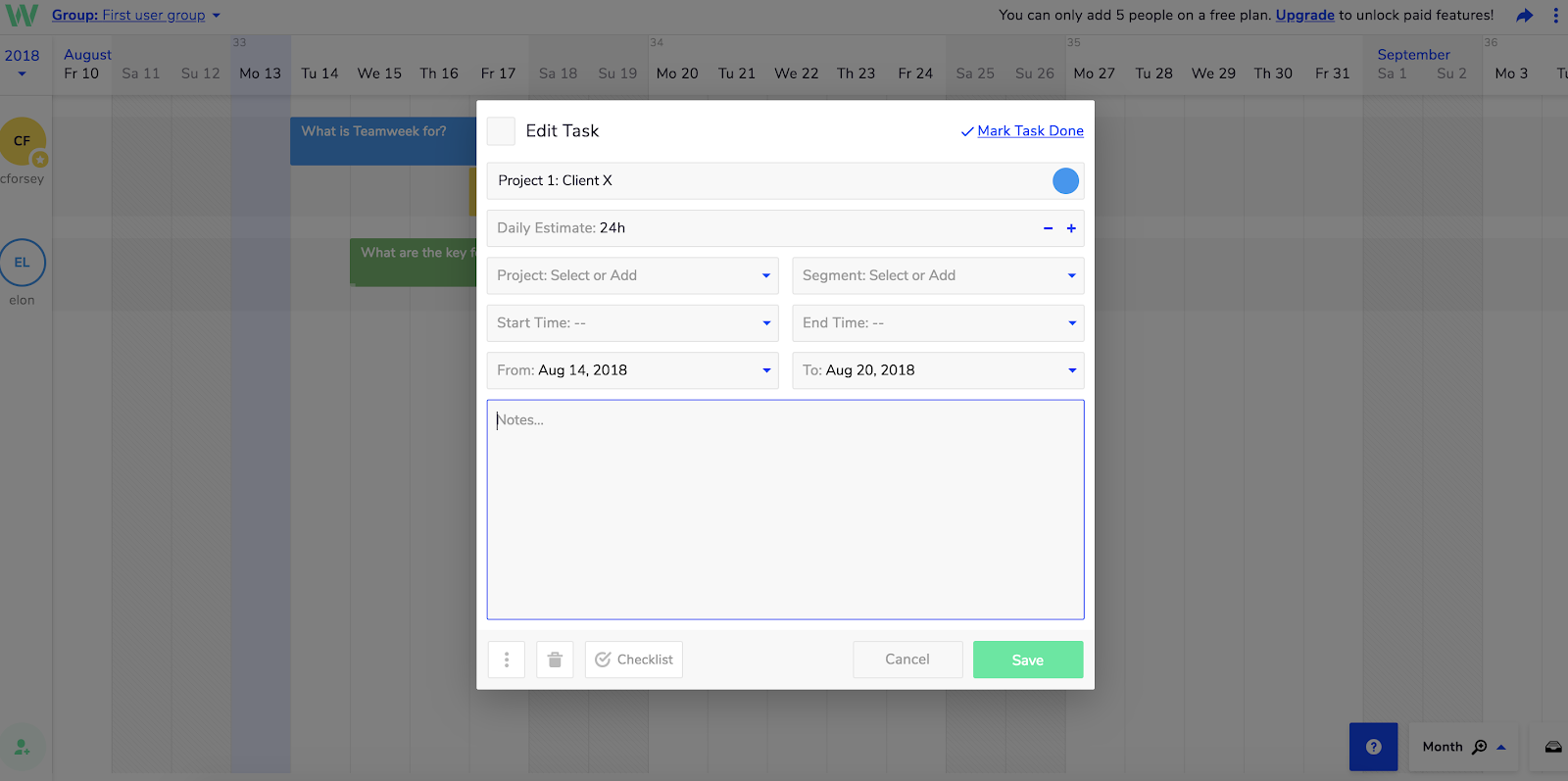
Teamweek is an effective project management tool to automate your task delegation process, and visualize which project tasks have been completed and which haven’t. If your team often collaborates with other departments on projects, this could be a useful tool for you.
Features include:
- Gantt-chart visualization to track important deadlines and projects
- Integrations with Slack, Github, Evernote, and others
- Team collaboration option through shared calendars and task notes
Cost: Free for an unlimited number of projects for up to five team members
2. Zoho Reports
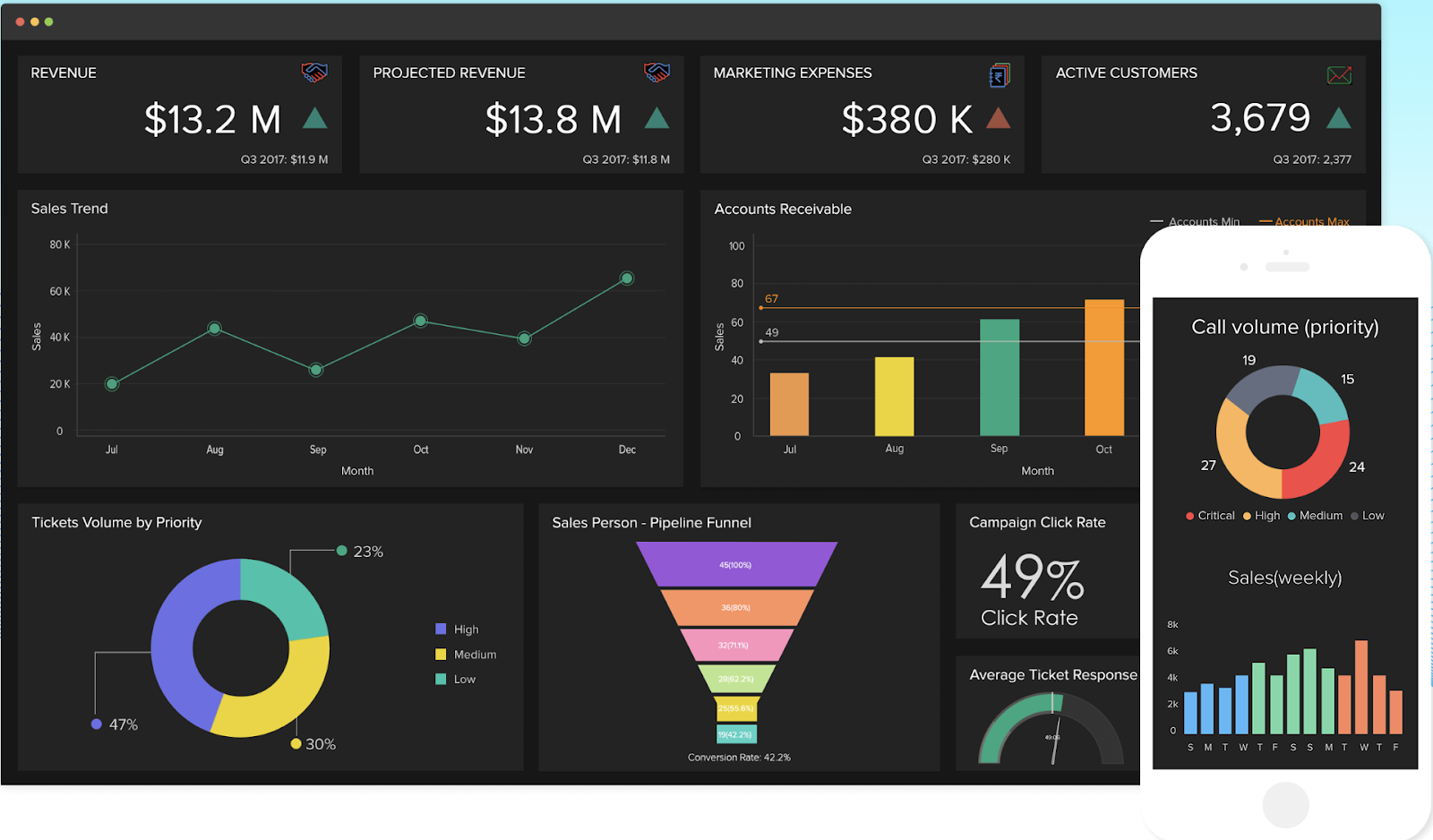
Zoho Reports is easy to use and lets you create comprehensive dashboards and data visualizations to ensure your projects are on-track. You can import data from outside files, cloud drives, applications, and in-house apps, enabling you to create more accurate cross functional reports. (Zoho Reports is a HubSpot integration partner).
Features include:
- Easy drag-and-drop interface with BI visualization tools
- Ability to share and collaborate on reports and dashboards with colleagues privately.
- Cloud BI reporting tool embedded within your own website or product
- Integrations with Slack, Google Apps, and Dropbox, as well as mobile apps, making team collaboration easier.
Cost: Free for one project with multiple users, storage up to 10 GB
3. Asana
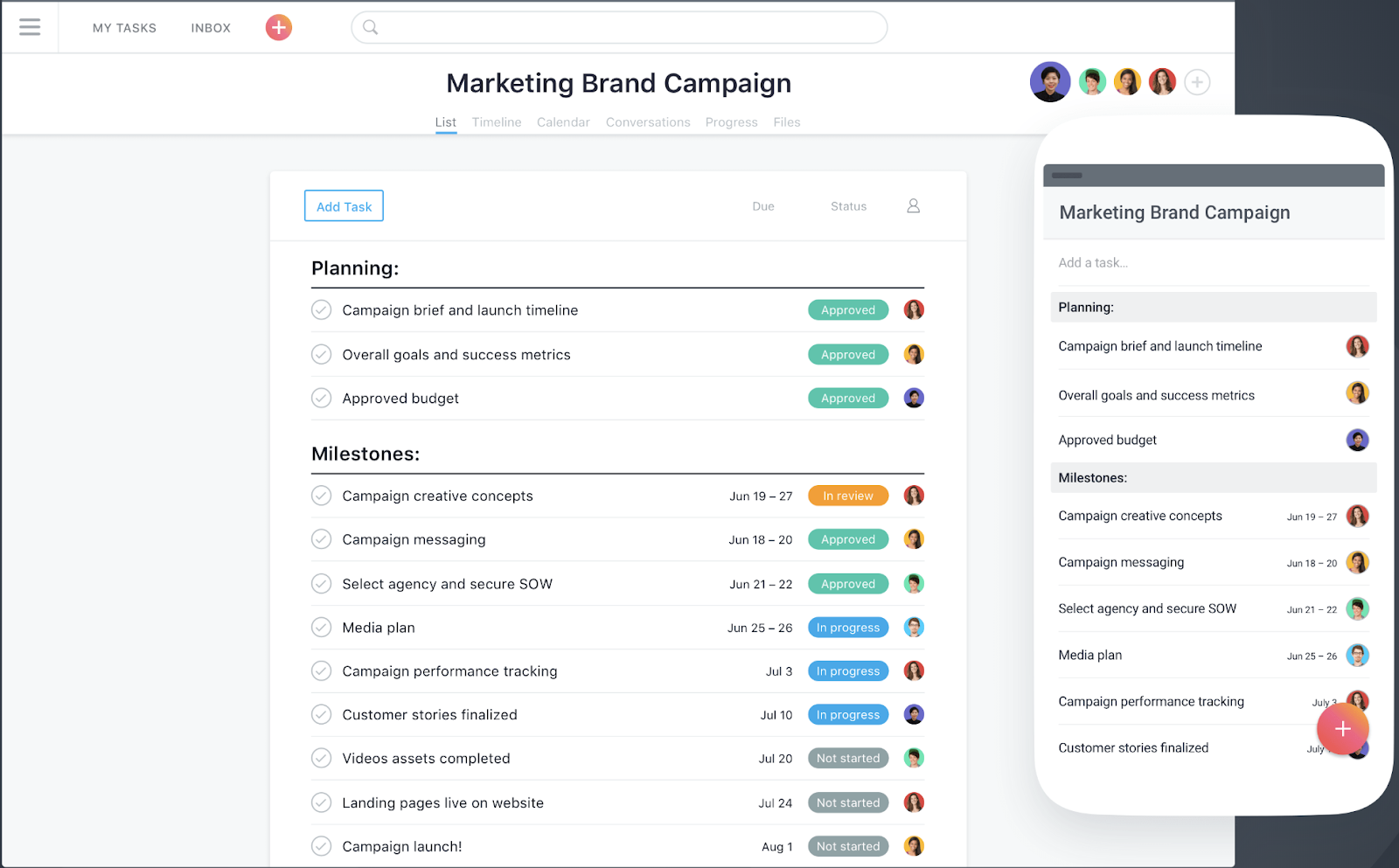
Asana, one of the most popular project management solutions used by millions of people across 192 countries, has a clean and user-friendly interface. The all-in-one tool lets you create boards to visualize which stage your project is in, and use reporting to keep track of finished tasks and tasks that need your attention.
Features include:
- The ability to create templates to automate mundane tasks
- The ability to collaborate and share information across the team, privately and securely
- The option to set security controls and designate admins
- Over 100 integrations for a more efficient start-to-finish process
- Custom project fields, share documents, and filter tasks
Cost: Free for unlimited projects for teams up to 15 people.
4. Teamwork
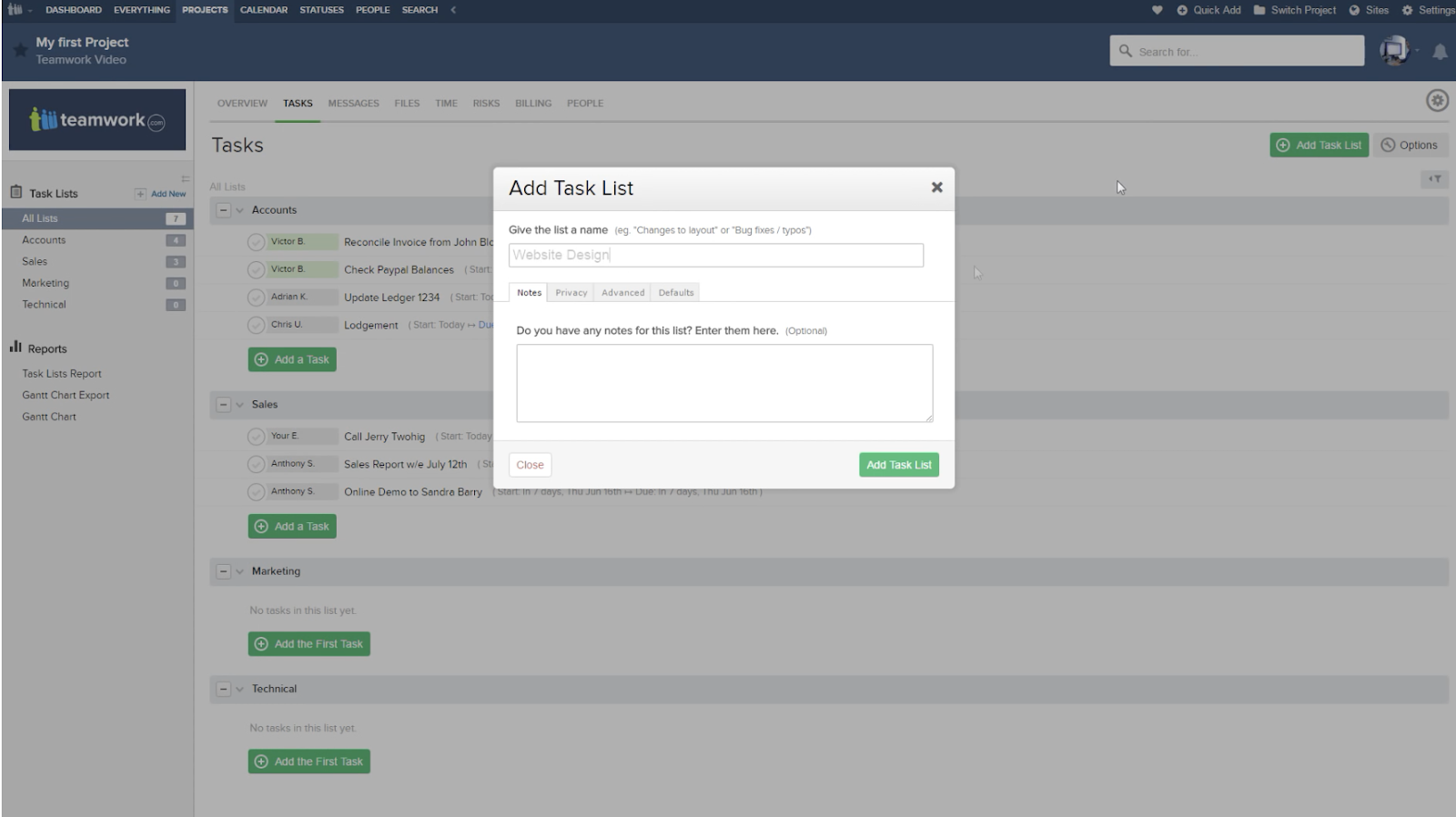
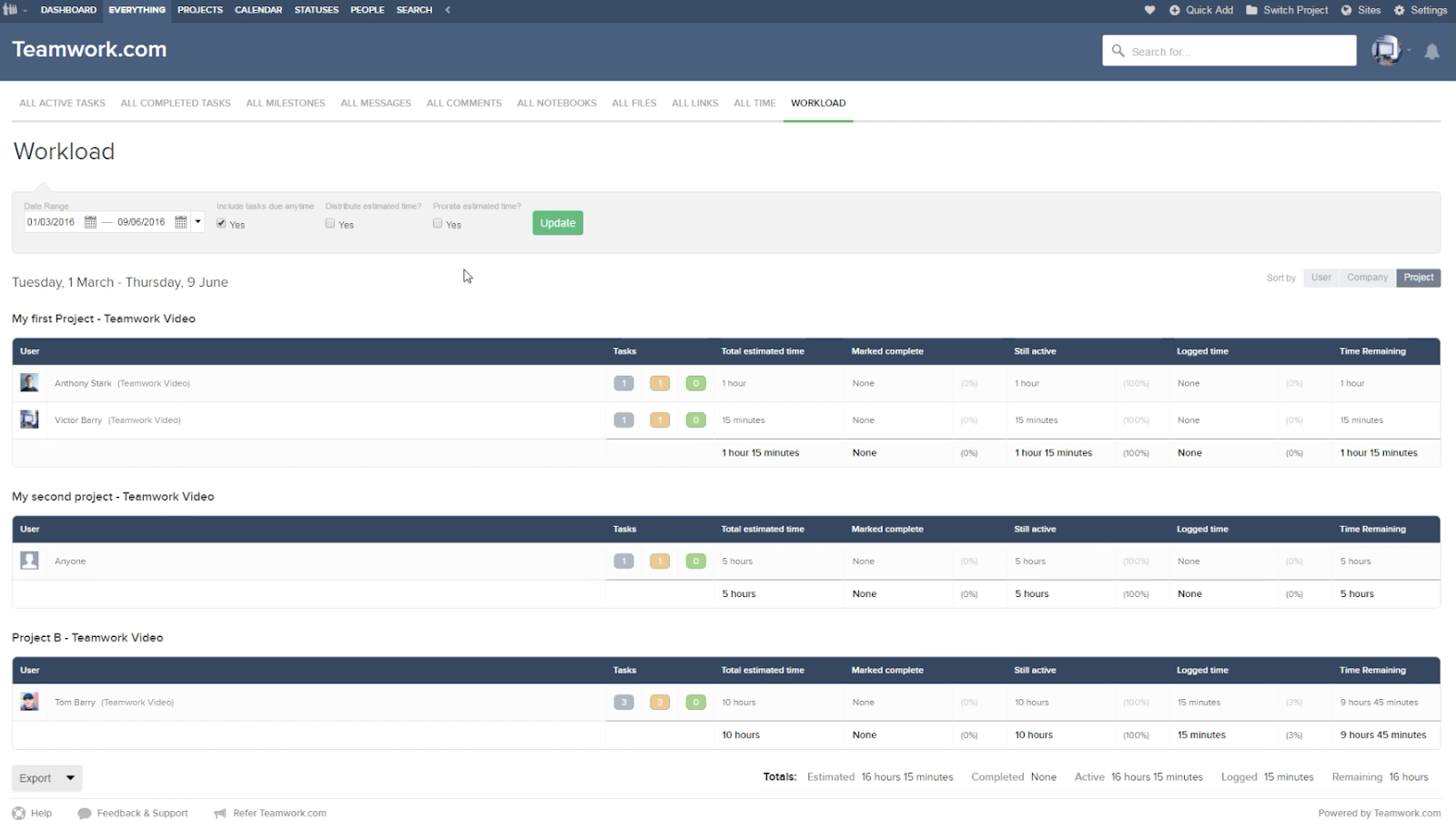
Teamwork, a project management tool that specializes in bringing together remote workers, allows you to create team member status updates so your remote and flexible teams know their coworkers’ schedules. It also provides customer service functions, including the option to assign tickets or view customer emails in one place. (Teamwork is a HubSpot integration partner).
Features include:
- Customizable navigation to prioritize your team’s needs
- Gantt chart for visualizing due dates and project timelines
- Private messaging, and option to make project details private
- Team member status updates for remote or flexible team members
Cost: Free for two to five users
5. Wrike
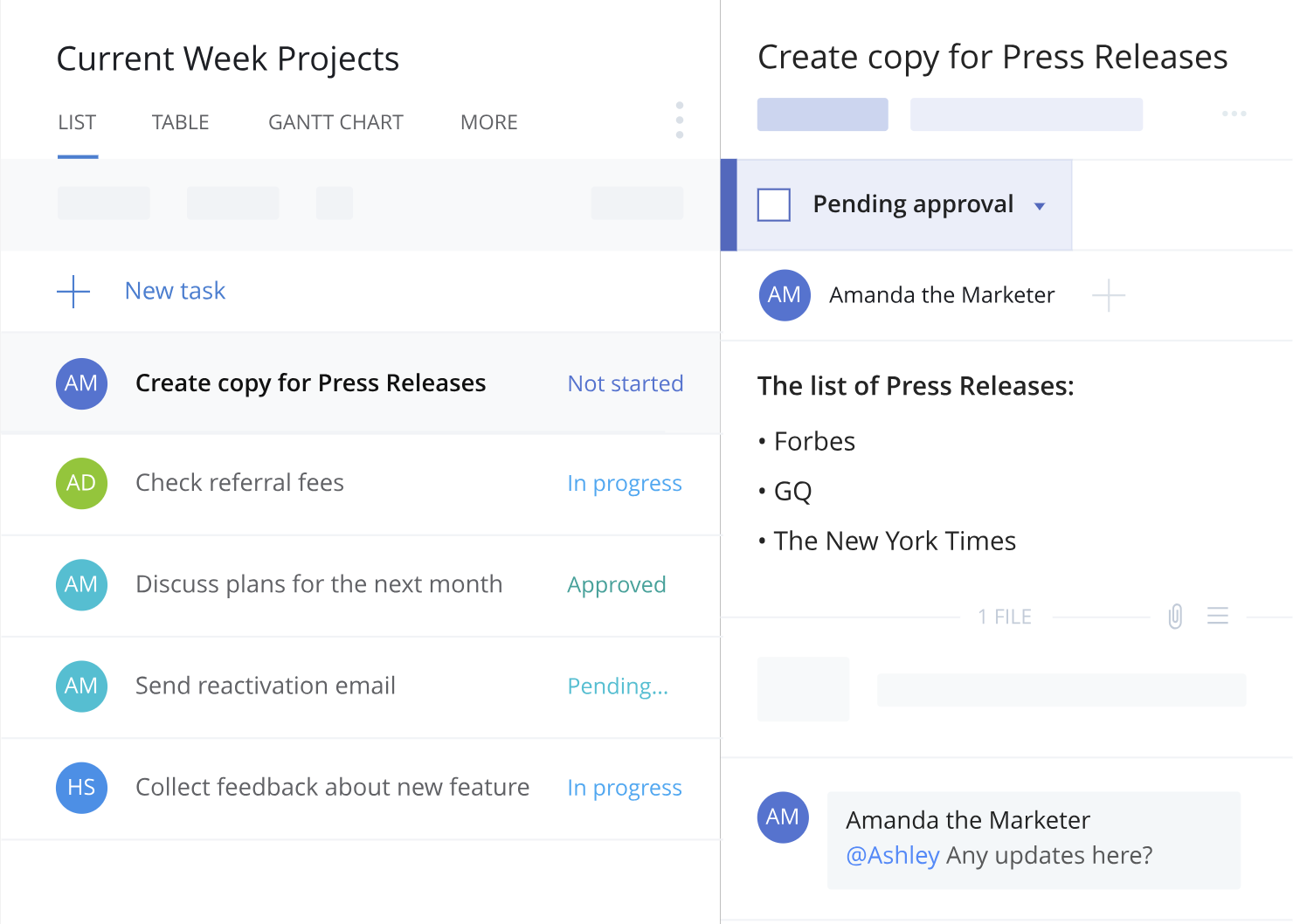
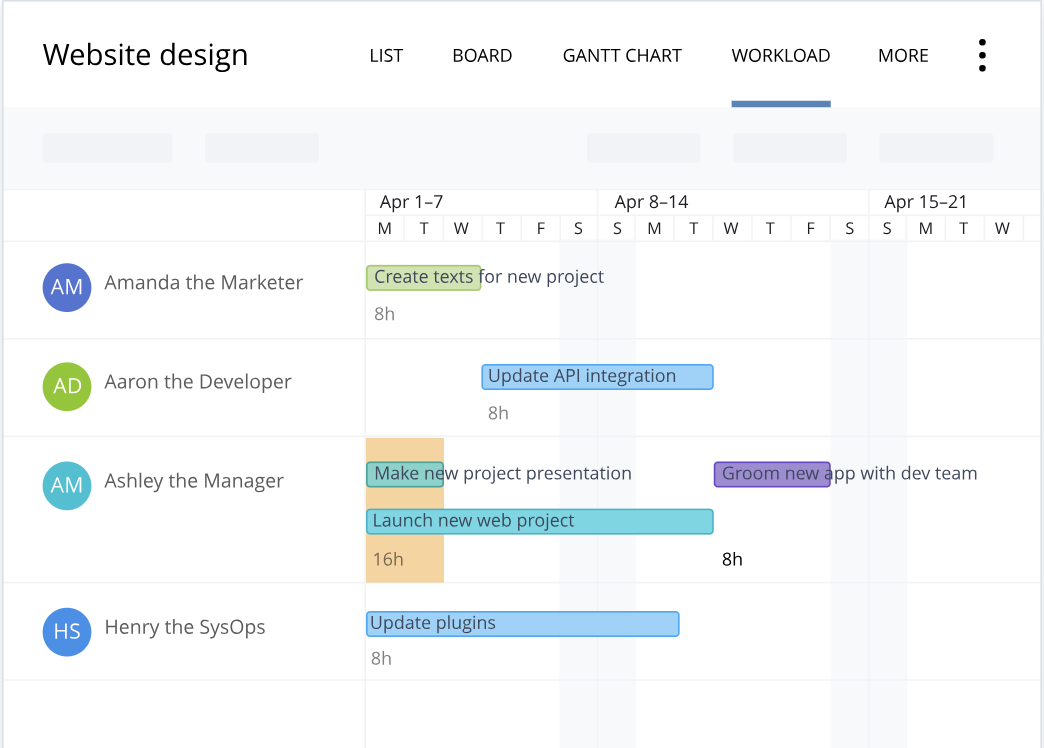
Wrike stands out as an exceptional project management tool for teams who want the option to customize workflows and edit and revise projects from within the platform itself. The tool offers the ability to color code and layer calendars, and its mobile form allows colleagues to update project information on-the-go. You can add comments to sections, videos, or documents, and create custom fields to export data most relevant to your company.
Features include:
- Security measures to ensure only authorized personnel can access information
- Activity Stream to allow project managers to micromanage small tasks, see activities in chronological order, and tag team members
- The option to unfollow activities to declutter your own personal Stream
- Email and calendar synchronization
- Built-in editing and approval features
Cost: Free for five team members
6. Paymo
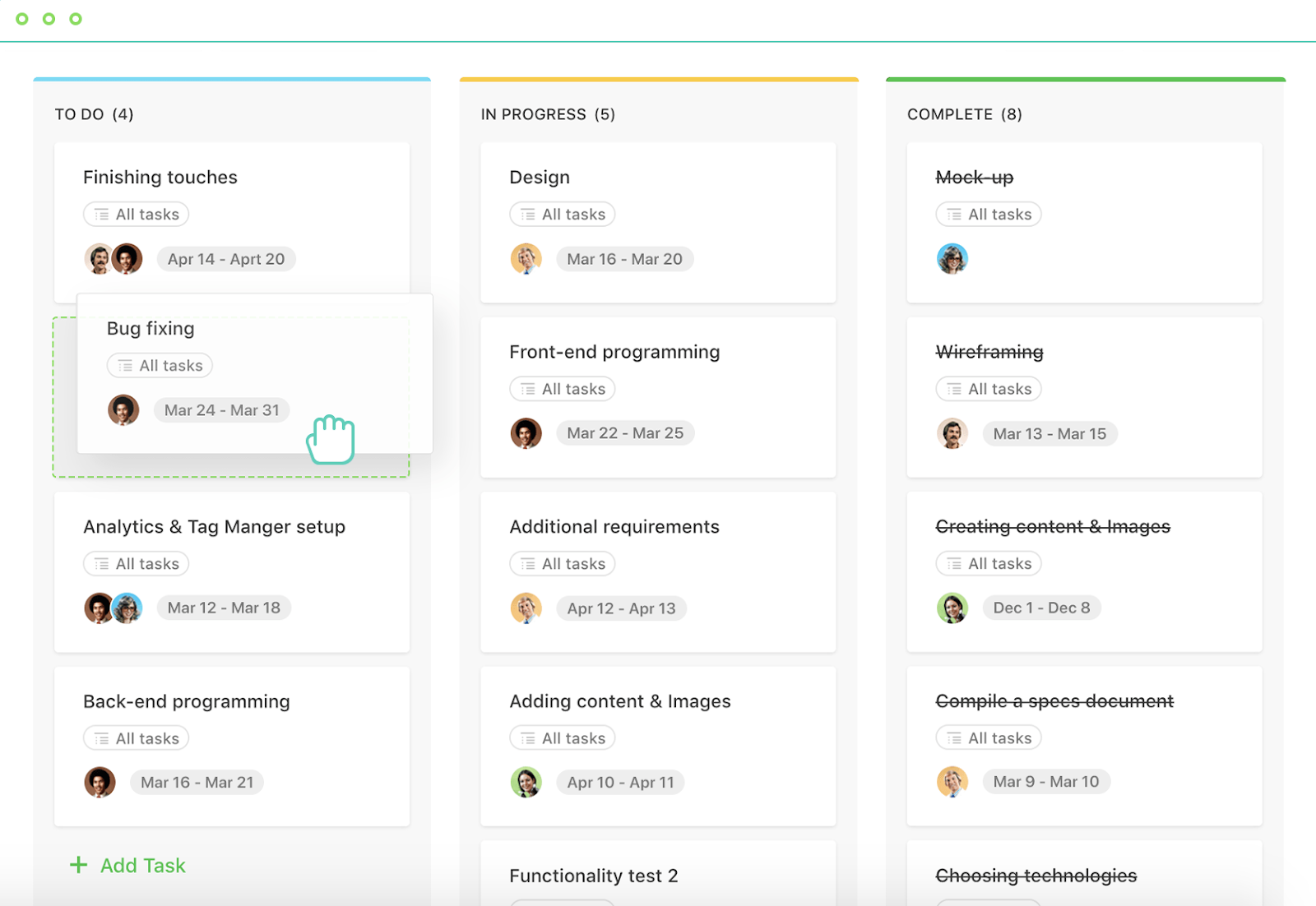
Paymo’s free version only allows access for one user, but if you’ve got a small team or you’re a freelancer, this could be an efficient option for tracking billable hours and invoicing clients. Along with tracking finances, Paymo also allows you to organize project timelines, create to-do lists, and stay on top of your budgets for multiple projects at once.
Features include:
- Kanban Boards
- Time Tracking
- File Sharing and Adobe CC Extension
- Reporting
- Three Invoices
Cost: Free for one user, one GB storage
7. ClickUp
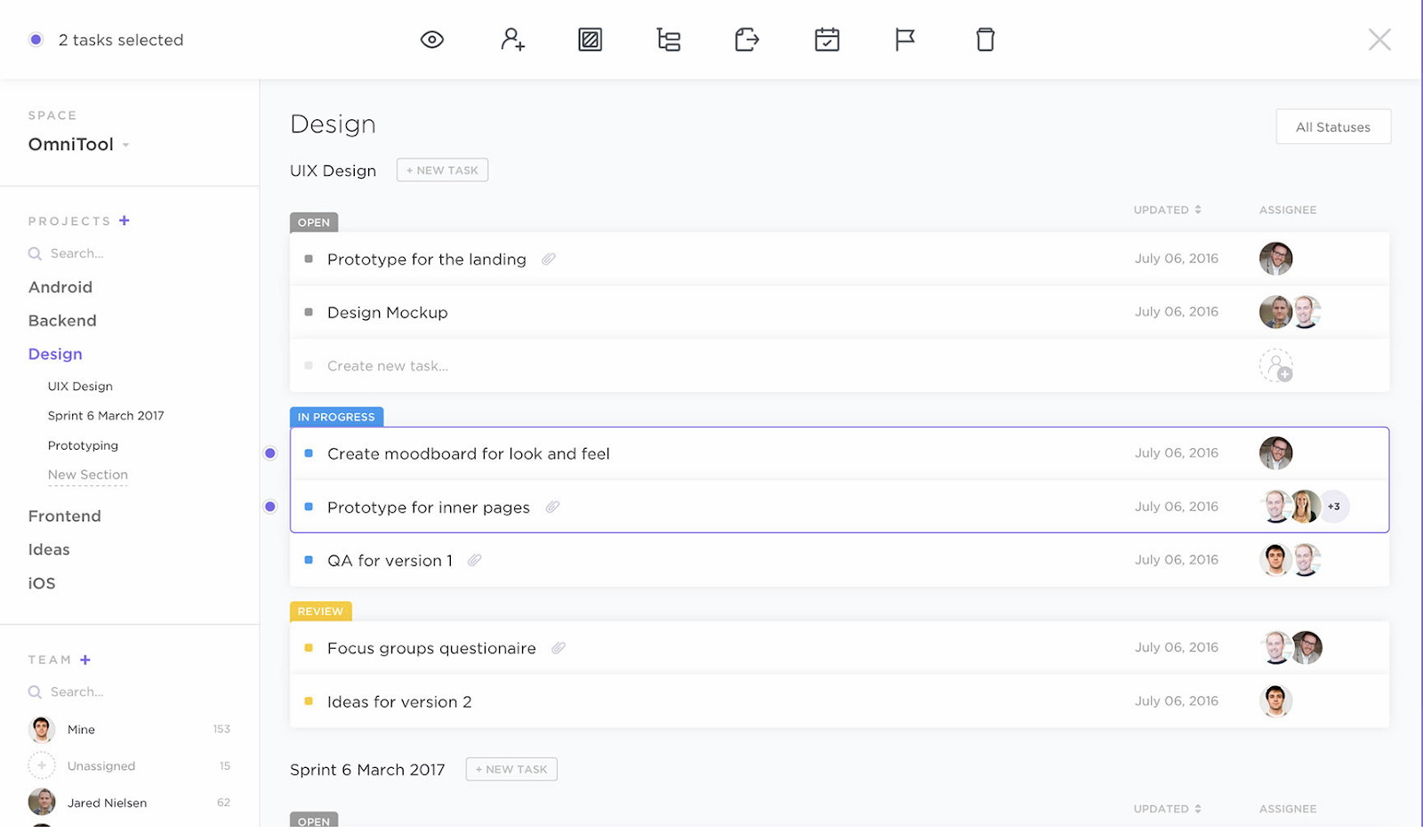
ClickUp provides a few impressive features to customize the all-in-one project management tool to suit your team members, including the option for each user to choose one of three different ways to view their projects and tasks depending on individual preference. If your marketing team overlaps with sales, design, or development, this is an effective solution, as it provides features for all of those four teams.
Features include:
- The ability to organize your projects based on priority, and assign tasks to groups
- The option to set goals to remind teams what they’re aiming to accomplish
- Google Calendar two-way sync
- An easy way to filter, search, sorting, and customize options for managing specific tasks
- Activity stream with mentions capability
- Image mockups
- 57 integrated apps
Cost: Free forever, with unlimited users and unlimited projects, and 100 MB of storage

2018 OLED iPhones to support Apple Pencil, with 512GB top tier – Trendforce

Apple’s gamble on higher-priced iPhones appears to have paid off, with the iPhone X showing that plenty of people are willing to pay a four-figure sum for the right features.
TrendForce believes Apple may be taking a couple of steps to increase the appeal of this year’s flagship models, and to help further boost the average selling price (ASP) …
3 Low-Cost Video Tools for Social Media Marketers

Need to do more marketing with video? Looking for video tools that are easy to use? In this article, you’ll discover three tools to quickly and easily create polished, eye-catching videos for social media. #1: Produce Video Quickly With Biteable Biteable lets you quickly create video ads, animations, and presentations. It offers more than 60 […]
The post 3 Low-Cost Video Tools for Social Media Marketers appeared first on Social Media Examiner.
from Social Media Examiner https://ift.tt/2Ban2Qt
via socialmediaexaminer
11 Blockchain Companies You Should Be Paying Attention To
Even though blockchain is arguably one of the most revolutionary emerging technologies right now, do you think you could name a blockchain company off the top of your head?
It’s hard to name more than a handful of blockchain companies today — the cryptocurrency and blockchain space are still relatively new, so most blockchain companies don’t get a lot of exposure.
But let’s say blockchain explodes in popularity soon. Knowing which companies already make headlines and which ones are due for some press would be useful — if you know which blockchain companies are poised for success and which ones aren’t, you’ll be more likely to pick the right blockchain company for your business and the right crypto assets for your investment portfolio.
With that in mind, read on to learn about the 11 blockchain companies you should be paying attention to today.
11 Blockchain Companies You Should Be Paying Attention To
1. Steem
Steem is like YouTube on blockchain, but instead of paying content creators in fiat currency, publishers use Steem to pay content creators in STEEM, the platform’s cryptocurrency, which is easily convertible to Bitcoin and Ether. Similar to how YouTube pays top content producers to create the platform’s best videos, publishers who use Steem can reward their top content creators and curators for publishing popular content.
To prove that Steem can be the future of content monetization, they built a social media network called Steemit on their platform. Steemit is still in Beta, but it has attracted over 920,000 users who publish more than 1.5 million posts each month. Steem has also paid content creators over $40 million in its digital asset, which are called smart media tokens, proving the platform’s viability to publishers everywhere.
2. Ripple
According to the Institute of International Finance, global payments cost $1.6 trillion each year and usually take an average of three to five days just to settle. Brad Garlinghouse, a former executive at AOL and Yahoo!, knew he could solve this frustratingly prevalent problem with blockchain technology, so, in 2012, he founded Ripple.
The company has its own payment infrastructure, RippleNet, and through it, banks, payment providers, and digital asset exchanges can connect with each other to seamlessly transfer money, no matter where they’re located.
Ripple’s technology allows banks to settle cross-border payments in real-time, lets payment providers use Ripple’s own cryptocurrency, XRP, to lower liquidity costs, and enables corporations to instantly send global payments to their beneficiaries. Over 75 banks across the globe have implemented and tested Ripple’s technology with their own internal payment systems.
3. Chain
Chain is a blockchain development company that builds cryptographic ledger systems for the financial services industry. Their blockchain-based tools help banks, stock exchanges, and credit-card companies quickly and securely store, trade, and manage financial assets.
By setting up strategic partnerships with financial titans like Capital One, Citigroup, Visa, and Nasdaq, Chain has accelerated Wall Street’s adoption of blockchain technology.
4. Intellectsoft
Founded in 2007 as a mobile app development company, IntellectSoft has evolved into a software solution development company that provides custom software development and consultancy services in emerging technologies, like blockchain, Internet of things, artificial intelligence, augmented reality, cloud computing and more.
For almost 11 years, they’ve helped organizations design, develop, implement and maintain the latest software solutions in their businesses. Their blockchain experts also boost enterprise and Fortune 500 companies’ security by integrating distributed ledger technologies, identity solutions, and smart contracts into their processes.
5. Altoros
Using Cloud Foundry, an open source cloud application platform, Altoros can build, test, deploy, and scale their customers’ blockchain frameworks easier and faster than other software development companies.
Throughout their blockchain consultancy process, Altoros helps enterprises evaluate the viability of their blockchain-based solution, design and develop the solution’s architecture, and maintain and enhance the solution for their client’s customers.
6. Celsius Network
Celsius Network is like a blockchain bank — users can deposit, borrow, and earn interest on their crypto. For instance, you can hold your cryptocurrency in the network and earn up to 5% interest, use your cryptocurrency as collateral for dollar loans at a 9% interest rate, and short Bitcoin or Ethereum if you feel bearish about the crypto market. It’s like banking on blockchain.
7. LeewayHertz
In 2008, Leeway Hertz launched one of the first apps on Apple’s AppStore. Now, they’ve jumped into another new industry, blockchain, to help enterprise companies develop Blockchain applications, like distributed ledgers, smart contracts, and decentralized apps.
As a custom software development company with a proven track record in IT consultancy, they plan to be the leading blockchain developer for the biggest brands in the world.
8. OmiseGO
OmiseGo is a Ethereum-based financial network for payment services, merchants, and financial institutions. Their public OMG network and decentralized exchange enable transparent, peer-to-peer transactions of any asset in real-time.
Digital wallet providers can also connect to the OMG network through their open source SDK to enable wallet-to-wallet transactions of crypto and fiat currencies and asset trades from different blockchain protocols. In August 2017, OmiseGO became the first Ethereum token with a market capitalization over $1 billion.
9. Blockchangers
Blockchangers isn’t like most blockchain companies. Even though they help their clients understand and leverage blockchain technology through lectures, workshops, consulting, and development services, like other blockchain companies, they consult their clients based off the assumption that governments will regulate cryptocurrency one day, which the creators of blockchain aimed to fight against. This is the most realistic way to consult clients who want to use crypto and blockchain — the only way governments can fight cryptocurrency fraud is by regulating it.
Blockchangers also hosts Northern Europe’s largest blockchain conference, Oslo Blockchain Day, and their clients include PwC, DNB Bank, and more.
10. ChromaWay
ChromaWay is a blockchain platform that provides smart contract solutions for real estate and finance companies. In 2017, they made headlines for building the Green Assets Wallet — a platform that connects green investors with potential investment opportunities — to help meet the goals of the Paris Climate Agreement.
11. Techracers
After a group of Indian engineers founded Techracers in 2012, the blockchain solutions provider experienced so much explosive growth that they had to move its headquarters to the U.S. in 2017. They’re now one of the most robust blockchain solutions provider on the market.
For their clients, Techracers build customized solutions in every facet of blockchain technology, like ICO launches, smart contract audits, smart contracts development, cryptocurrency development, cryptocurrency wallet development, cryptocurrency exchange development, and private blockchain development.

25 Case Study Examples Every Marketer Should See
The saying “lead by example” is important in politics and leadership roles — and it’s also critical in marketing.
Sure, you can tell potential customers your marketing team is the best at running YouTube campaigns or effectively increasing a website’s cost-per-acquisition (CPA), but until you offer examples, they’re going to have a hard time believing you.
Putting together a compelling case study is one of the most powerful strategies for showcasing your marketing skills and attracting future customers. But it’s easier said than done — you’ve executed the campaign, you’ve collected the results, now what?
To help you create an attractive and high-converting case study, we’ve put together a list of some of our favorites. Take a look, and let these examples inspire your next brilliant case study design.
1. “Shopify Uses HubSpot CRM to Transform High Volume Sales Organization,” by HubSpot
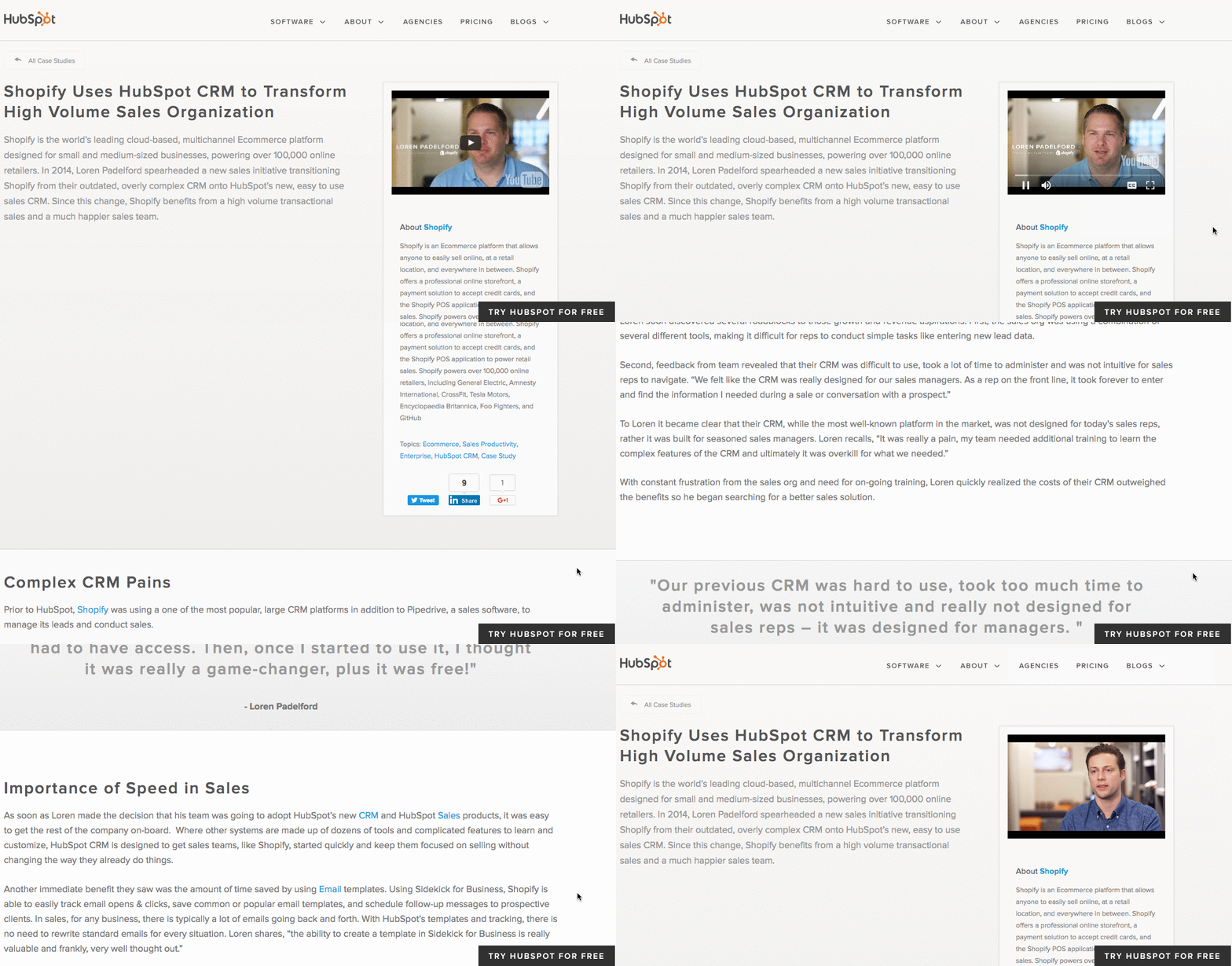
What’s interesting about this case study is the way it leads with the customer. That reflects a major HubSpot credo, which is to always solve for the customer first. The copy leads with a brief description of why Shopify uses HubSpot, and is accompanied by a short video and some basic statistics on the company.
Notice that this case study uses mixed-media. Yes, there is a short video, but it’s elaborated upon in the additional text on the page. So while your case studies can use one or the other, don’t be afraid to combine written copy with visuals to emphasize the project’s success.
2. “Designing the Future of Urban Farming,” by IDEO

Here’s a design company that knows how to lead with simplicity in its case studies. As soon as the visitor arrives at the page, he or she is greeted with a big, bold photo, and two very simple columns of text — “The Challenge” and “The Outcome.”
Immediately, IDEO has communicated two of the case study’s major pillars. And while that’s great — the company created a solution for vertical farming startup INFARM’s challenge — it doesn’t stop there. As the user scrolls down, those pillars are elaborated upon with comprehensive (but not overwhelming) copy that outlines what that process looked like, replete with quotes and additional visuals.
3. “Secure Wi-Fi Wins Big for Tournament,” by WatchGuard
Then, there are the cases when visuals can tell almost the entire story — when executed correctly. Network security provider WatchGuard is able to do that through this video, which tells the story of how its services enhanced the attendee and vendor experience at the Windmill Ultimate Frisbee tournament.
4. “Customer Case Study: ElliotLee Estate Agents” by Pioneer Business Systems
In 2018, 45% of people watch more than an hour of Facebook or YouTube videos a week. A video case study could be a compelling way to attract potential customers who prefer watching a video over reading text. Additionally, a video allows you to convey customer emotion. This case study by Pioneer Business Systems, for instance, allows viewers to see firsthand the effects Pioneer’s telephone system had on their clients, ElliotLee Estate Agents. It includes text, as well, to thoughtfully organize and break-up the video into sections.
5. “Sapio User Acquisition Case Study” by Fractl
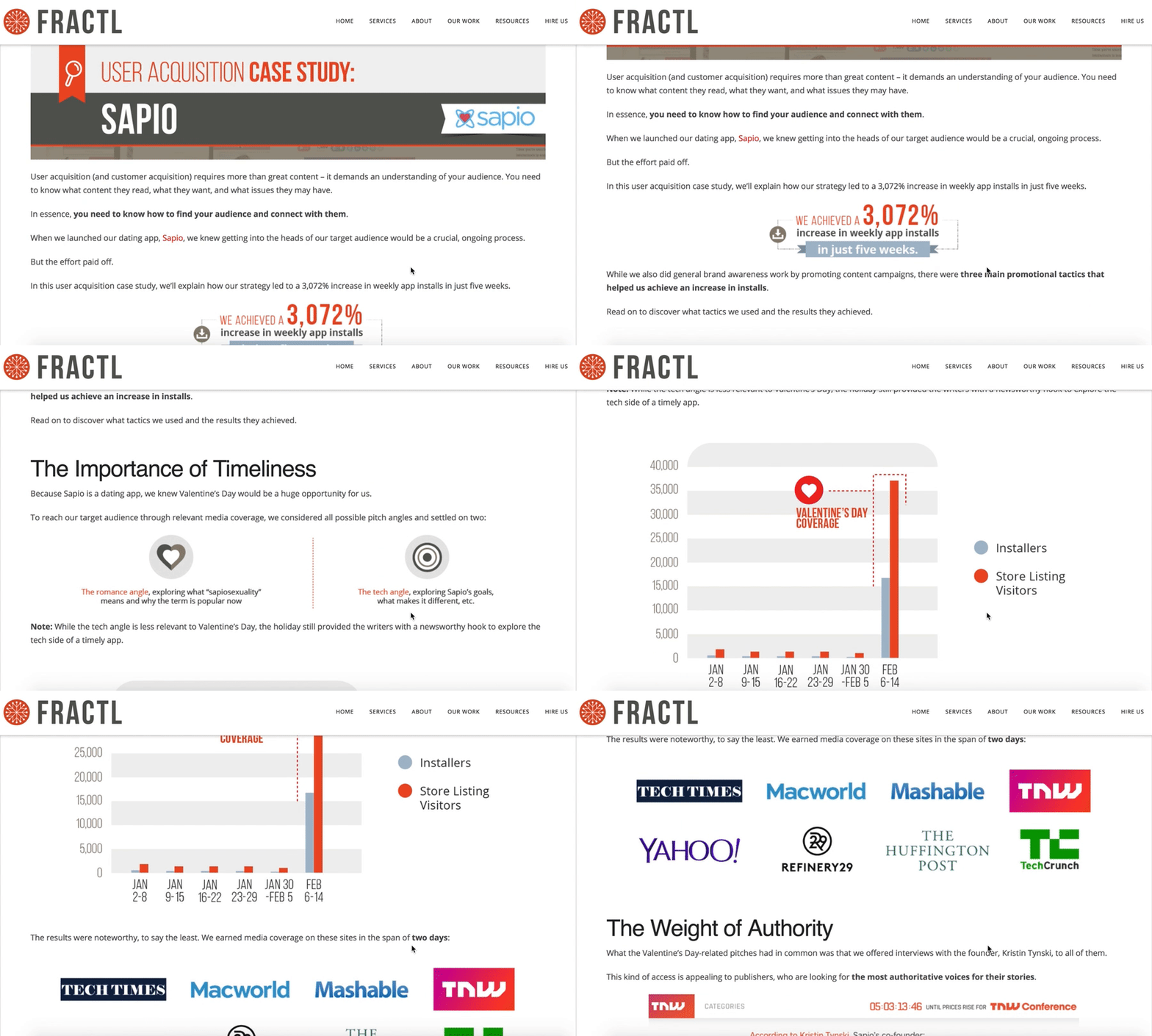
Fractl uses both text and graphic design on their Sapio case study web page to immerse the viewer in a more interesting user experience. For instance, as you scroll, you’ll see the results are illustrated in an infographic-design form as well as the text itself. Further down the page, they use icons like a heart and a circle to illustrate their pitch angles, and graphs to showcase their results. Rather than writing which publications covered their news story, they incorporated the media outlet’s icons for further visual diversity.
6. “USA Today” by Fantasy
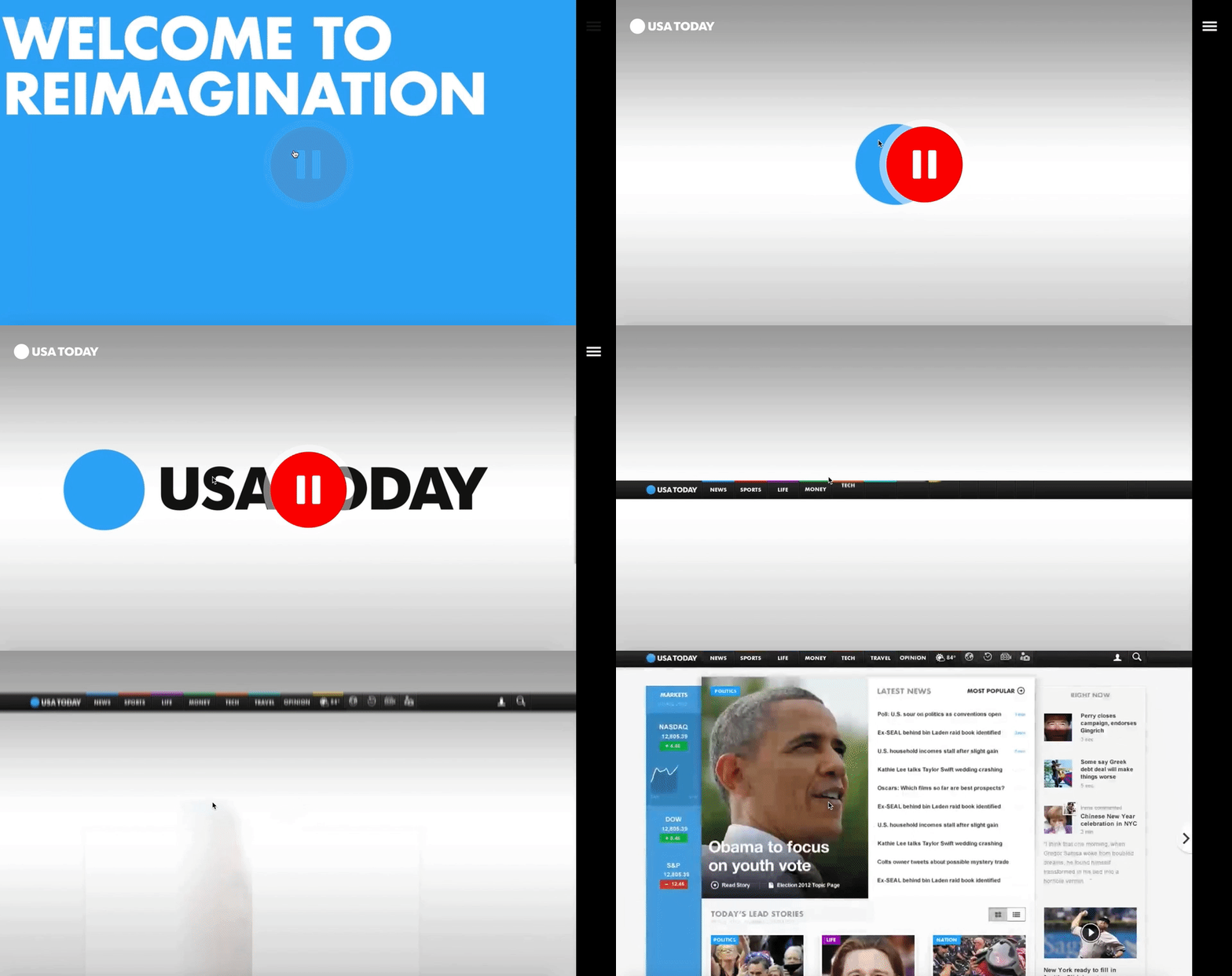
What’s the best way to showcase the responsiveness and user interface of a website? Probably by diving right into it, via video — which is exactly what Fantasy does on their case study page for USA Today. They keep the page simple and clean, with a large red play button embedded at the top, inviting you to review their redesign of USA Today’s website via video. The video itself is simple, showing the website’s interface and clicking on various links with simple instrumental music in the background.
If you’re more interested in text, you can scroll to find their goal, “make USA Today’s website responsive”, in one short paragraph, followed by a simple “1” icon, with the text “Became the most visited US News site.” Fantasy understands that, as a potential customer, this is all you need to know. Scrolling further, you’re greeted with a simple “Contact Us” CTA.
7. “Coca-Cola Uses App Annie to Amaze & Delight Customers” by App Annie.
(embed link: https://www.youtube.com/watch?v=sHo0SnZFTMw)
A video is a phenomenal way to grab a viewer’s attention, but in our video-heavy world today, it can be hard to keep potential customers’ eyes on the screen. To combat this, App Annie’s case study of Coca-Cola includes drawings and text to highlight what Greg Chambers, Coca-Cola’s Director of Innovation, is talking about on-screen. They also occasionally cut away from his face to include full-screen text. By incorporating graphic designs and text in their video, App Annie encourages viewers to stay engaged.
8. “How One Ecommerce Business Solved the Omnichannel Challenge with Bitly Campaigns” by Bitly
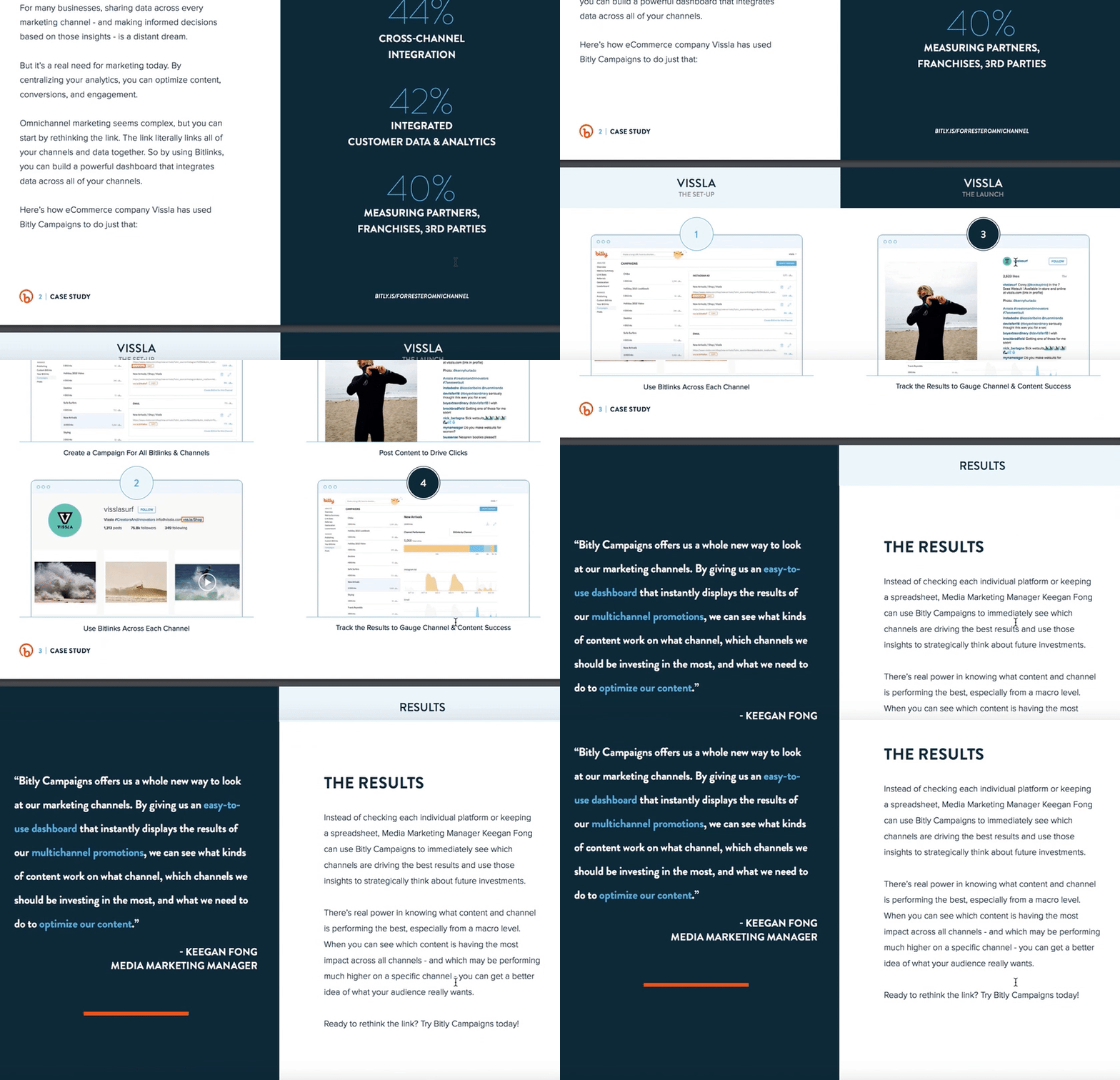
Bitly takes a different approach to text-heavy case studies, by providing their case study of ecommerce company Vissla in PDF form. The case study is clean and easily scannable, with sections divided into “The Goal”, “Top Omnichannel Obstacles”, and images of “The Set-Up” and “The Launch.” The downloadable PDF format makes the case study feel like an exclusive behind-the-scenes look, and uses colors and text that align with Bitly’s brand. Since the PDF opens in a separate browser, it’s easier for the viewer to avoid distractions as they scroll the pages.
9. “How Social Media Insights Turned Around Lexus’ Holiday Campaigns” by Infegy
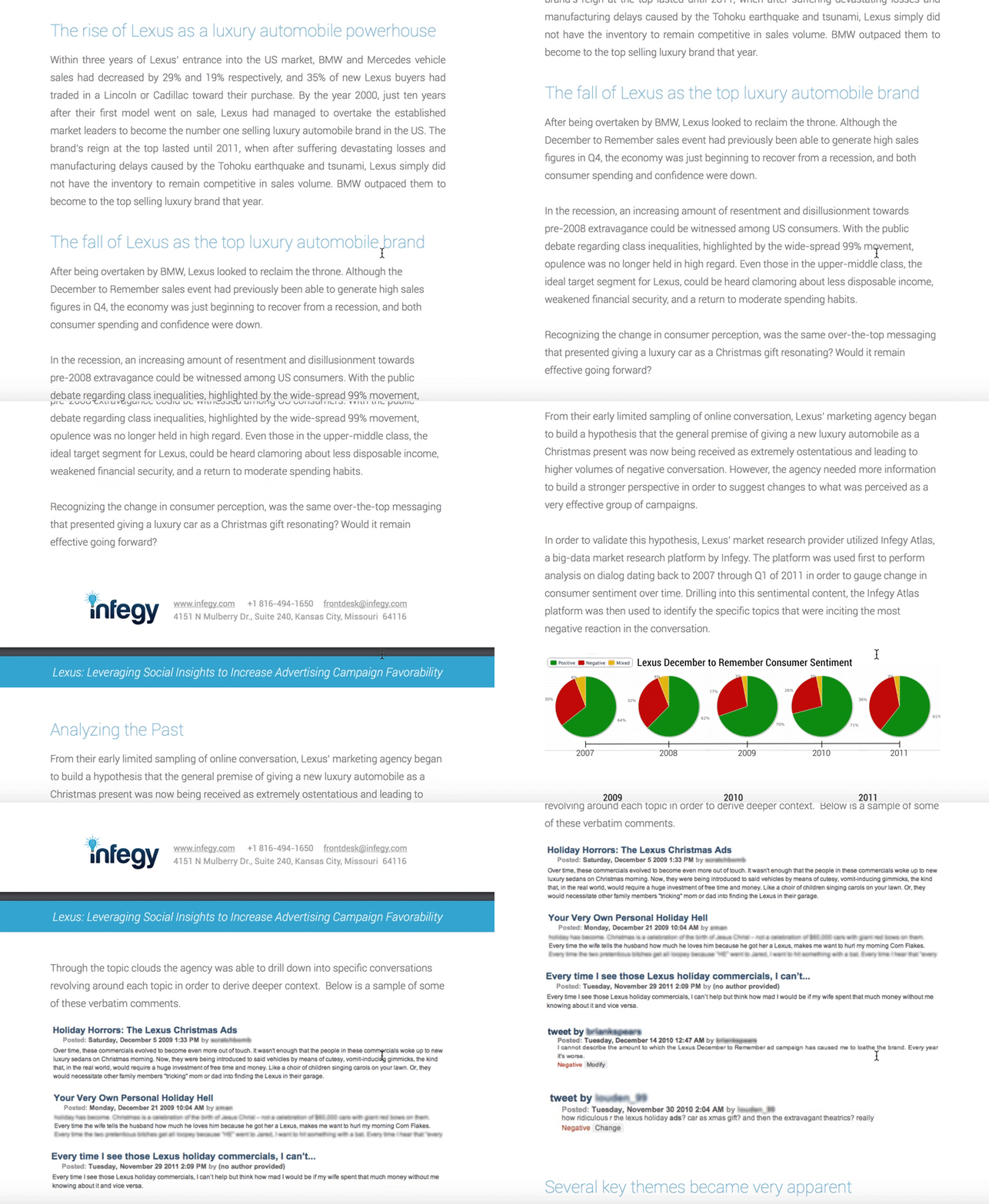
It can be risky to include hurdles to your case studies, but with great risk comes great reward, right? In Infegy’s case, their gated content is worth the fill-out form information, particularly since their client is such a big name in the automobile industry: Lexus. The PDF case study reads like a compelling news article, including titles like “The Rise of Lexus” and “The Fall of Lexus”, colorful pie charts, and real online comments from customers who were unhappy with Lexus’ old holiday ads. The PDF is six pages but features big font and plenty of white space, so viewers can easily skim it in only a few minutes.
10. “Fiesta Bowl” by OH Partners
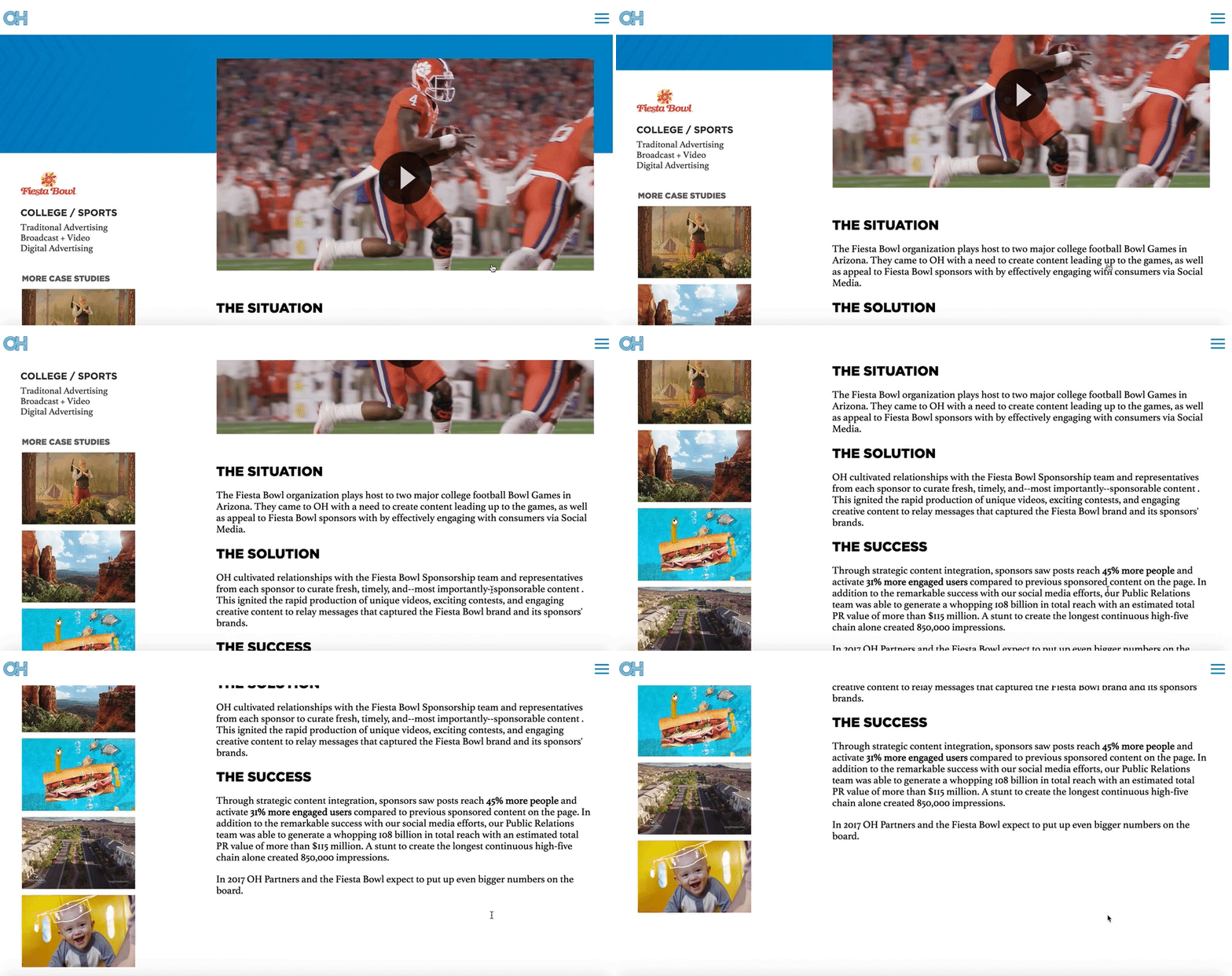
OH Partners doesn’t let superfluous details distract from the most important themes of their case study — “The Situation”, “The Solution”, and “The Success”. Each one of their case studies, including this Fiesta Bowl one, is organized into those three categories, with a video at the beginning followed by a few large font, easily skimmable paragraphs.
Best of all, OH Partners puts other case studies on the left side of the page, with highly enticing visuals to ensure a potential consumer can continue perusing the case studies until they’re confident in OH Partner’s track record.
11. “The Gifted Day” by Digitas

Digitas’ case study page for LVNG With, a cancer support community created by AstraZeneca, is one of the more emotionally moving campaigns in our list and might even evoke a few tears. The page begins with a heart-wrenching video of all the moments — a grandmother holding her grandchild, someone riding a roller coaster — that “weren’t supposed to happen”, exemplifying the enormous gift a single day could be to a terminal patient. Scrolling down, it’s obvious that Digitas kept AstraZeneca at the forefront of their strategy, but more than that, they used real people as their focal point.
12. “Wine.com” by RichRelevance
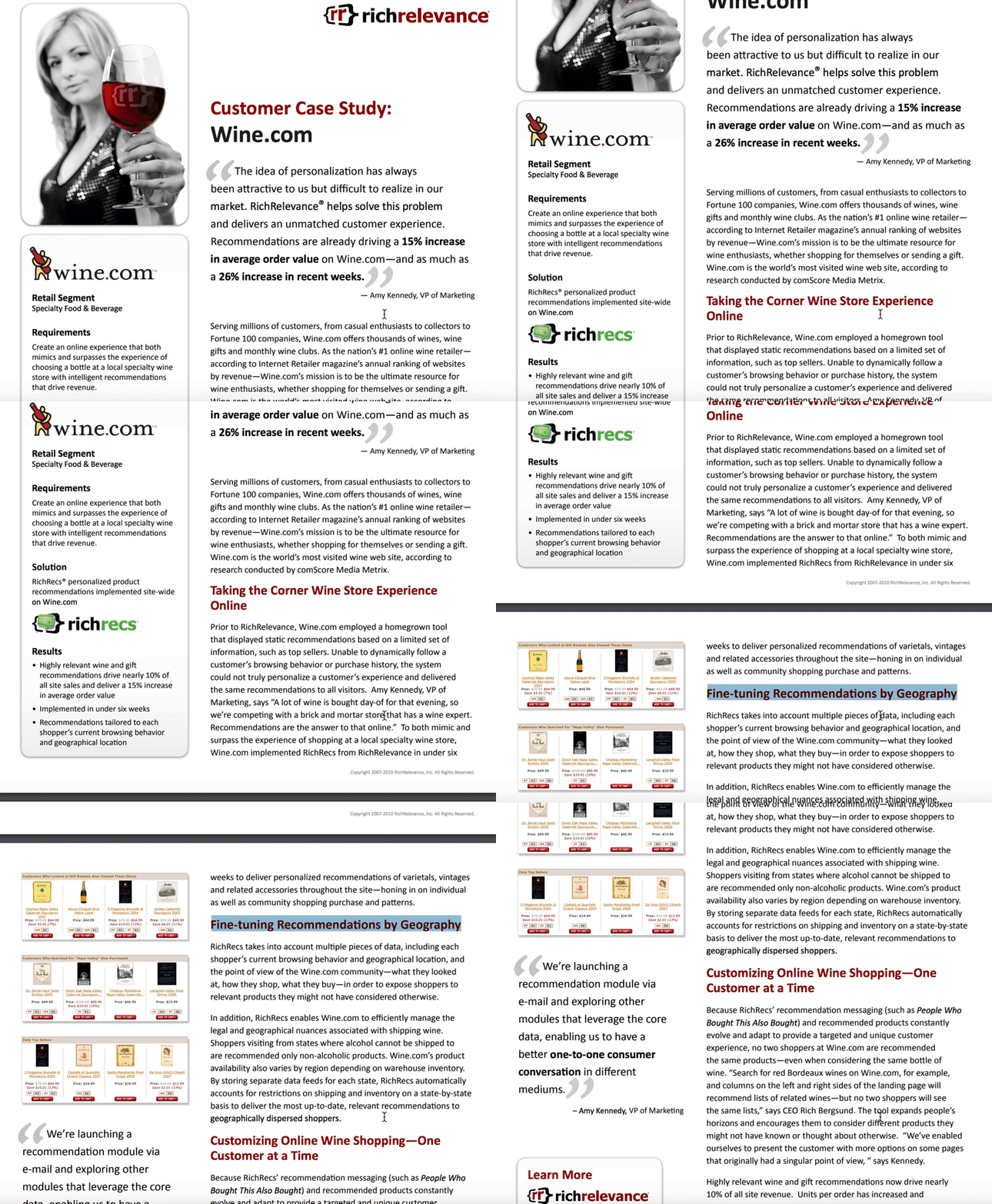
What first attracted me to RichRelevance’s Wine.com case study was the box on the left-side that quickly summed up the case study, including requirements, solution, and results. Adding an abridged version to a case study enables you to attract a larger audience, by offering a quick-read for those short on time, and a longer version for those interested in the details. RichRelevance’s case study also offers an impressive amount of information for those wanting to understand the nuances of their strategy, including a section titled “Fine-tuning Recommendations by Geography”.
13. “Synapse Innovation” by Uniface
SlideShare is a platform that allows you to encourage engagement from your viewers — which is likely why Netherlands-headquartered Uniface chose to use a SlideShare for their customer case study. As you click to the right you’re able to easily read their process from challenge to solution, and they provide a link to the full case study, and their social media accounts, on the last slide. Since each slide only needs a few lines of text, the SlideShare feels especially digestible.
14. “StyleHaul” by Asana
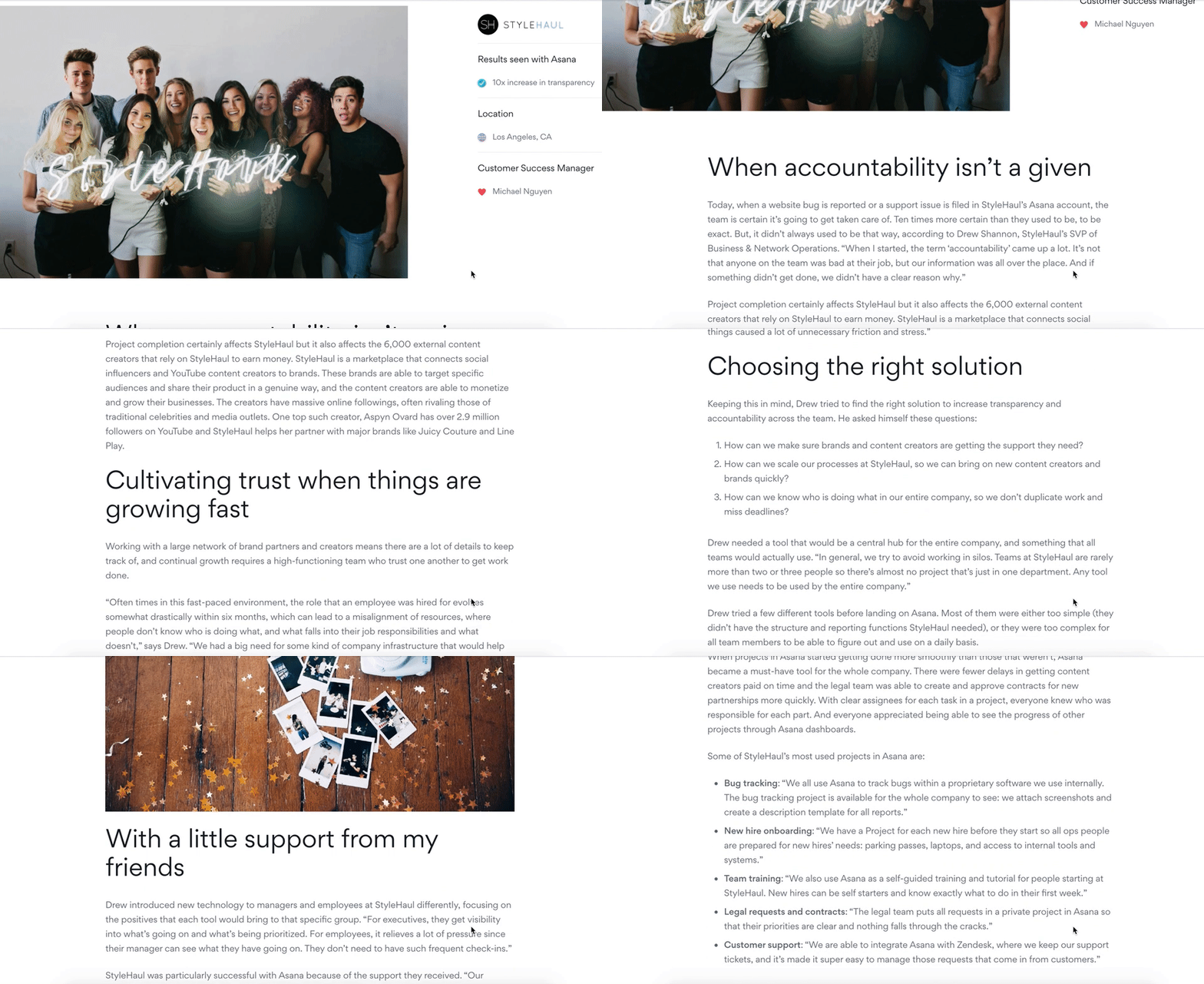
While Asana’s case study design looks initially text-heavy, there’s good reason — it reads like a creative story, and is told entirely from the customer’s perspective. For instance, Asana knows you won’t trust their word alone on their impressive customer service, so they let StyleHaul’s SVP of Business & Network Operations, Drew, tell you instead: “Our Customer Success Manager, Michael, was amazing. If I had a question, I wasn’t put into a queue—I could get it answered right away.” The entire case study reads like an in-depth interview, and captivates the reader through creative storytelling.
15. “Patagonia” by Amp Agency

Amp Agency’s Patagonia marketing strategy aimed to appeal to a new audience through guerilla marketing efforts and a coast-to-coast roadtrip. Their case study page effectively conveys a voyager theme, complete with real photos of Patagonia customers from across the U.S., and a map of the expedition. Personally, I liked Amp Agency’s storytelling approach best, which captures viewers’ attention start-to-finish simply because it’s an intriguing and unique approach to marketing.
16. “Budweiser Influencer Marketing Case Study” by Anomaly
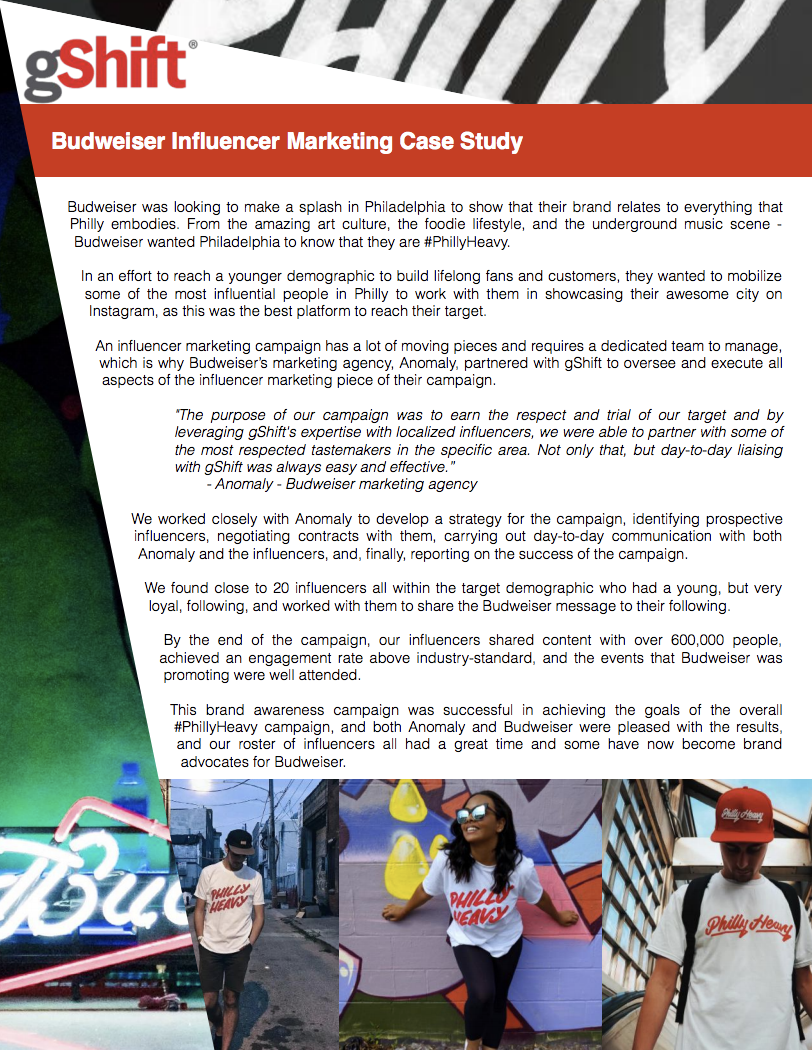
Budweiser’s one page, poster-esque case study is a good reflection of a brand knowing its audience. Anomaly’s case study for Budweiser appears edgy and modern, with a design that playfully pushes the text to the right as it showcases pictures of social media influencers wearing a campaign-related t-shirt. Both the top and the bottom of the page are eye-catching, and the text itself is simple and straightforward.
17. “Clinique” by AdRoll
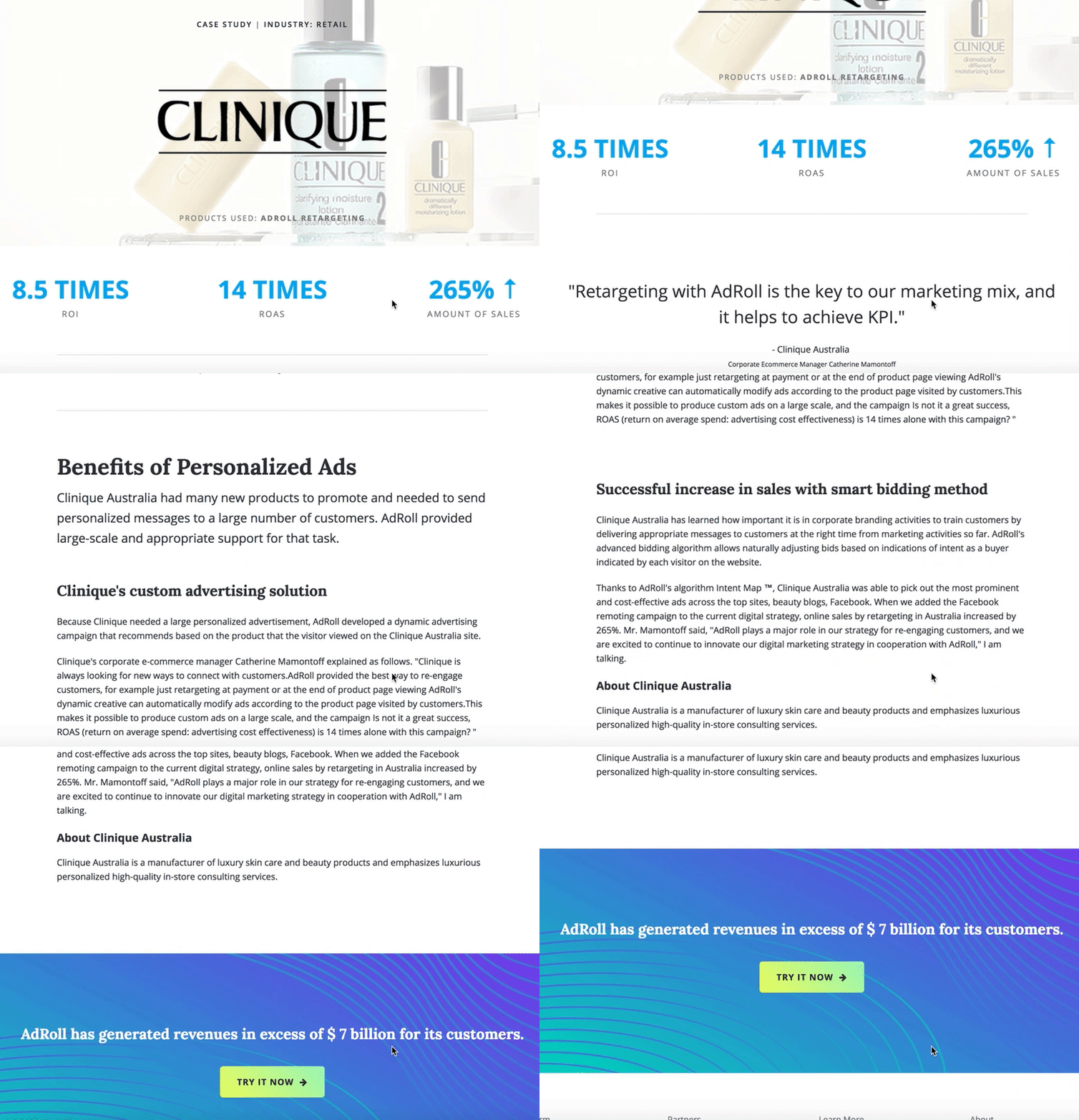
Sometimes, starting with the results is the best way to capture your readers’ attention. In Clinique’s case study, AdRoll does just that, beginning with some impressive numbers: “8.5 Times ROI, 14 Times ROAS, 265% Amount of Sales”. Once it has boldly outlined their results, AdRoll smartly pulls back to discuss the “Benefits of Personalized Ads”, letting the viewer consider how these same benefits might help their own company.
The page is short and sweet and ends with a compelling call-to-action — “AdRoll has generated revenues in excess of seven billion for its customers. Try it now.” The clean, whitespace-heavy page is an effective example of using a case study to capture future leads.
18. “TEXTCARE” by The George Institute
The George Institute chose to display the case study for their program, TEXTCARE, in a documentary-style video with real people discussing how TEXTCARE helped them become healthier and more active. If your case study results benefited people, there’s likely no better way to showcase that than through on-screen interviews.
19. “Reclaiming The Identity of a Brand: A Levi’s Case Study” by Levi
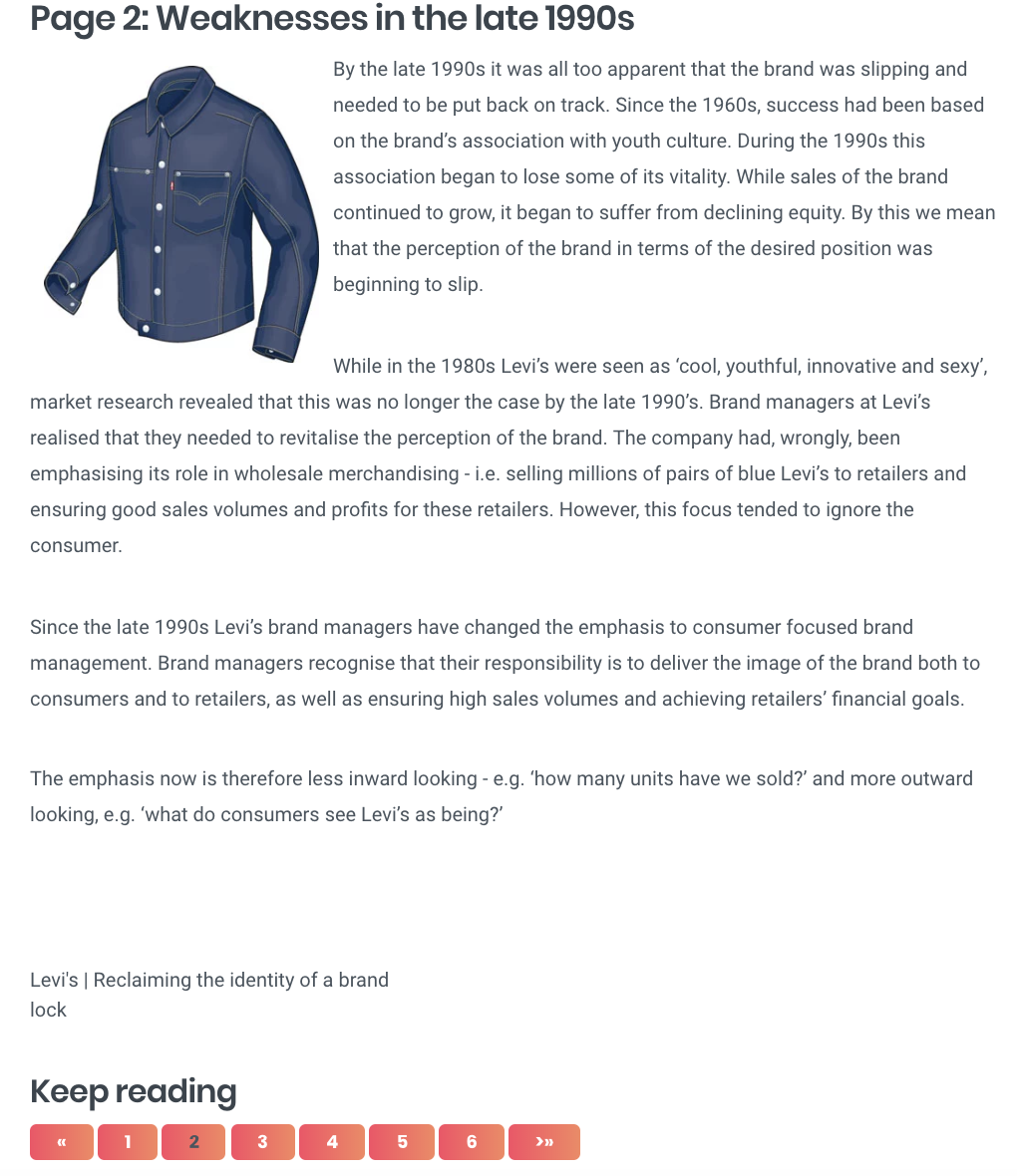
If you’ve got a case study with dense text, one of the more creative solutions to breaking it up could be to organize it by pages. Levi’s case study uses this method — their page one, for instance, is labeled “Introduction”, while page two is labeled “Weaknesses in the late 1990s”. Each page tackles a different topic, and the design makes it feel more like reading a book than a business article.
20. “Red Sox Season Campaign” by CTP
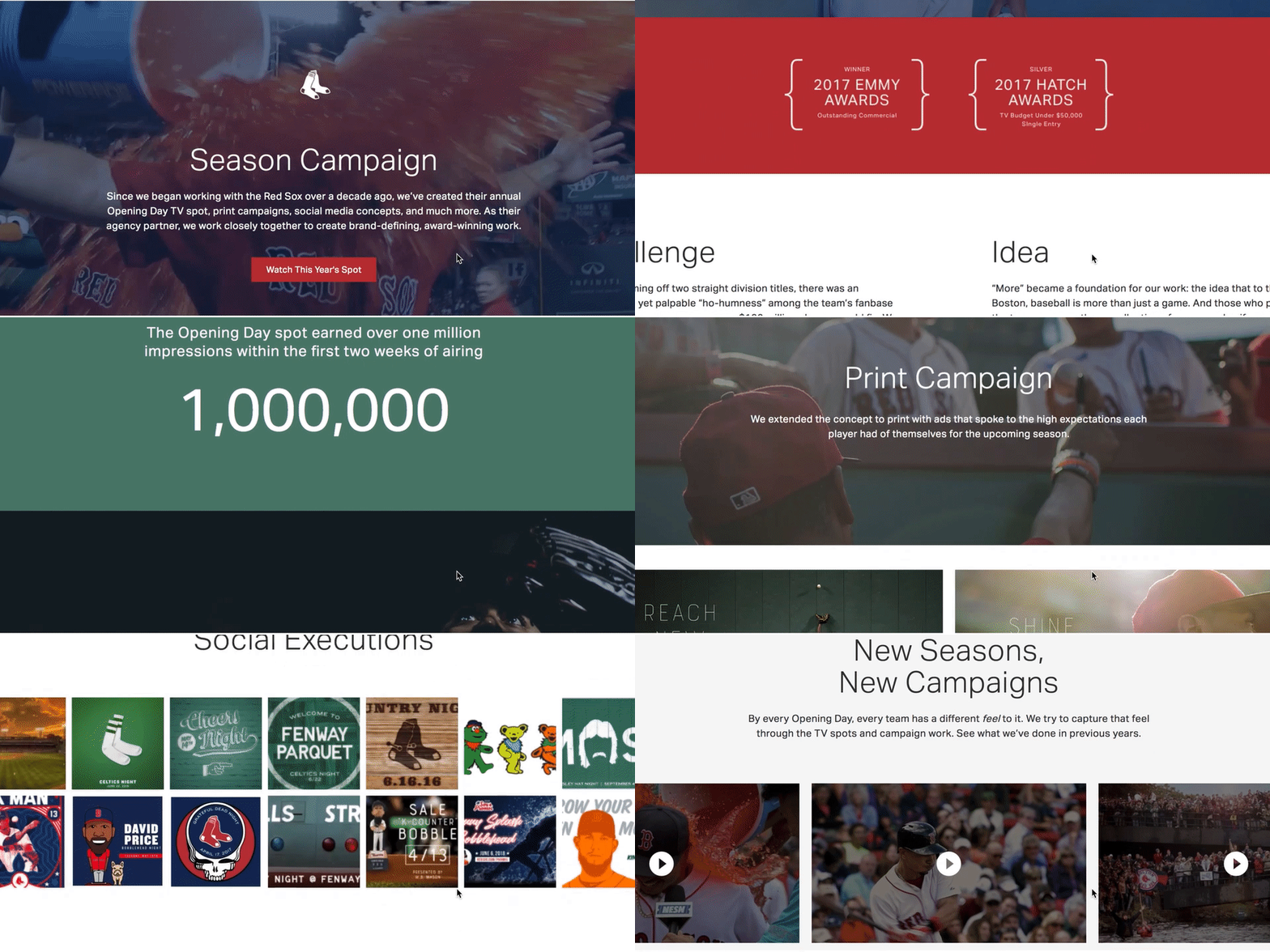
What’s great about CTP’s case study page for their Red Sox Season Campaign is their combination of video, images, and text — a video automatically begins playing when you visit the page, and as you scroll, you’ll see additional embedded videos of Red Sox players, a compilation of print ads, and social media images you can click to enlarge. At the bottom, it says “Find out how we can do something similar for your brand.” The page is clean, cohesive, and aesthetically-pleasing, inviting viewers to appreciate the well-roundedness of CTP’s campaign for Boston’s beloved baseball team.
21. “BIC: Bringing One Stop Shopping to BIC Razors” by Genuine

Sometimes, simple is key. Genuine’s case study for BIC razor’s is straightforward and minimal, with only two short paragraphs, “The Insight” and “The Solution”, accompanied by two images. The simplicity of the page allows the reader to focus on the sense of humor in the text, like “Helping a consumer find their perfect match and making them smile along the way means gaining a brand loyalist for life. Or until they grow a beard.” The page displays Genuine’s brand personality well, while offering the viewer all the necessary information they’d need.
22. “Cisco Systems: Velocity to Value” by Apptio

An attention-grabbing title is one of the easiest, yet most effective, ways to help your case study stand out — like Apptio’s Cisco Systems case study, titled “Velocity to Value: A Mature IT Services Transformation Enables IT to Continually Simplify and Innovate.” The piece is well-organized and uses compelling headers to keep the reader engaged, and offers a side panel for viewers who just need the bullet points. Despite its length, Apptio’s case study is appealing enough to keep viewer’s attention.
23. “Airbnb’s Custom 360-view of the Customer” by Zendesk

Zendesk’s Airbnb case study reads like a blog, and focuses equally on Zendesk and Airbnb, highlighting a true partnership between the companies. To captivate readers, it begins like this: “Halfway around the globe is a place to stay with your name on it. At least for a weekend.” The piece focuses on telling a good story, and provides photographs of beautiful Airbnb locations. In a case study meant to highlight Zendesk’s helpfulness, nothing could be more authentic than their decision to focus on Airbnb’s service in such great detail.
24. “Herschel Delights with Hootsuite” by Hootsuite
If you didn’t know this video was a case study for Hootsuite, you’d assume it was simply an artsy video capturing Herschel’s startup success. The Herschel marketing team mentions Hootsuite, but they do it authentically and remain primarily focused on the appreciation they have for their social media community. This video doesn’t have the feel of a traditional advertisement — instead, it feels unique and true to Herschel, highlighting Hootsuite as both a helpful and unobtrusive partner.
25. “4 Content Marketing Success Stories [Infographic]” by Kapost
You don’t always need a ton of text or a video to convey your message — sometimes, you just need images. Kapost’s infographic does a fantastic job of quickly providing the fundamental statistics a potential customer would need to know, without boggling down their readers with dense paragraphs. The infographic includes percentages, customer quotes, and colorful charts to provide the viewer with both numerical and emotional reasons they might choose Kapost.

Select 12-inch MacBook models sold out at Best Buy, could hint at fall refresh

Unlike previous years, Apple did not update the 12-inch MacBook this spring. Typically, the company does a spec bump to the line every March or April.
How to customize Voice Feedback for Siri

Siri is very useful at doing a handful of tasks. However, in certain scenarios it’s best to have Siri not give voice feedback.
Luckily, Apple adds an option for this in most of its platforms. Follow along to learn how to disable or customize voice feedback for Siri.
Apple stores in Orland Park, Irvine expanding to new locations on August 18th

Apple has announced that its retail stores in Orland Park, Illinois and Irvine, California will relocate to larger and more modern storefronts this upcoming Saturday, August 18th.