
Welcome to My Blog
Ad Tracking: What It Is & How to Do It
Back in the days of Mad Men-esque advertising agencies, tracking how many people engaged with a particular ad campaign was nearly impossible to do well. Advertisers would sink money into mediums like radio and print, and hope sales of the advertised product went up. There was no dependably accurate way to determine how many people engaged with an ad or purchased a product because of it. In fact, the term ROI (return on investment) wasn’t even widely used until the mid-1960s.
A lot has changed since then. Advertisers now have access to a wealth of granular ad tracking data for every single campaign they run — so much data, in fact, that most marketers need to spend significant time sifting through dashboards to determine which points actually matter to their bottom line. Ad tracking has made it possible for marketers to more accurately measure, test, and revise ads based on how users interact with their online campaigns.
If you’re new to running online ads, it’s important to spend some time thinking about the specific metrics that will determine the success of your campaign. Ad tracking today exists across a number of different tools and platforms, and advertisers have the ability to collect data on everything from views and clicks, to impressions and behavior across multiple sessions and websites.
The sheer amount of data available can be overwhelming (not to mention distracting from your goals), so deciding on one or two key performance indicators (KPIs) will help focus your efforts and make reporting more straightforward and effective.
As William Stentz, Director of Marketing Analytics at Carmichael Lynch, reminds us, “Good key performance indicators are simple, timely, critical to the success of a project, and not financial in nature. But you also need to add in one thing if you want it to be a successful marketing metric — it must represent a key behavior you wanted to see. Look at your campaign and ask yourself: What’s the behavior I want to influence, not just something I can measure?”
We wrote an article here that can help you determine the right metrics to track based on the goals of your ad campaign.
Once you’ve determined the metrics you want to track for your ad, it’s time to find the best ad tracking method for your purposes. The exact ad tracking methods available to you will vary based on where you run your ads and which tools you’re using, but here are a few basic types to keep in mind. It’s important to note that the following ad tracking methods aren’t mutually exclusive — in fact, when used together they can provide even more powerful insights.
Tracking URLs
A tracking URL is a normal page URL from your website with a tracking token added to the end of it. Here’s an example landing page URL by itself, and with a tracking token (in bold).
Regular old landing page URL:
http://www.yourwebsite.com/your-landing-page/
Landing page URL with a tracking token:
http://www.yourwebsite.com/your-landing-page/?utm_campaign=test-campaign&utm_source=email
As you can see, the page URL is the same in both cases, but in the second case, there’s some extra stuff added to the end. This extra stuff is your tracking token, also called a UTM parameter.
So how does this “extra stuff” help you track things, exactly?
When a user clicks on a URL with a UTM parameter added to the end, it essentially sends a signal back to your ad tracking tool that the URL was clicked. The “source=_____” bit of the tracking token can provide information about where the user clicked the link. Similarly, the “campaign=_____” bit can be used to signal to your tracking tool that the link should be bucketed as part of a campaign.
For example, if you were to run the same ad on multiple websites and wanted to know which one generated the most clicks, you could define the two different websites as sources in the UTM parameters of your links.
You can learn more about tracking parameters and how they work in this article.
Best for: If you’re running a PPC campaign, sending an email, or putting an advertisement on another website, tracking URLs are ideal for calculating the number of visits, leads, and conversions you’ve generated from your hard work.
Tracking Pixels
A tracking pixel is a tiny, often transparent, 1px by 1px image that can be placed in an email, display ad, or simply on a webpage. When it loads, it sends a signal back to your tracking tool that a user has viewed the page.
Tracking pixels are also capable of collecting pretty comprehensive data about a user’s activity and browser configuration — but you should only ever track information that is directly useful to your buyer’s journey and will provide a better, more personalized experience for your target users.
When used correctly, tracking pixels can help optimize your ads and get them in front of a receptive audience. For example, if you run a banner ad with a tracking pixel, you’ll be able to gather information about how many people just view versus actually click on your ad, which will help you determine whether or not an ad was actually successful (and worth running again).
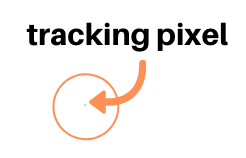
For context, here’s how big a tracking pixel appears (no, that’s not just a speck of dust on your screen):
Best for: Tracking pixels are incredibly useful for tracking the success of your online campaigns through every step of your conversion path. They can give you insight into how users are interacting with your ads, and help you optimize each stage of your user journey from initial touch through final purchase.
Cookies
Cookies can help you gain insight into user behavior on your website across multiple sessions of activity. Marketers need to gain explicit consent from users before using cookies to track their activity. When explicit consent is given, cookies can be used to customize a user’s experience. Here’s a deeper dive on cookies if you want to learn more about the technical aspects of how they function.
From an ad tracking perspective, cookies are the driving force behind most ad retargeting campaigns. Cookies can be used to essentially build a user profile based on someone’s web activity and habits, and advertisers can leverage this profile to serve ads that align with a user’s observed interests. They can also capture information about a user’s browser configuration, location, and preferred language.
Best for: Cookies are ideal when you want to serve a user ads aligned with their web browsing activity, or retarget them with ads for products they’ve demonstrated an interest in. Cookies can also be used to create a personalized experience for users on your website based on their previous interactions with you — for example, you could create an abandoned cart email when users put items in their cart and then leave your website.
Now that we’ve gone over a few core terms related to ad targeting, let’s take a deeper look at how ad targeting functions on a few of the biggest ad tracking platforms, and how you can use it to make your own ad campaigns stronger and more effective.
DoubleClick Ad Tracking
If you’ve ever noticed an ad for a product you viewed weeks ago following you around on the internet, it’s likely the result of DoubleClick ad tracking. DoubleClick, which was acquired by Google in 2008, is an ad management and ad serving platform that enables marketers to run ad campaigns across multiple channels.
Online publishers use DoubleClick to essentially rent out ad space on their websites, and agencies and advertisers use the product to place ads on websites where their target audiences are spending time.
In 2012, Google rebranded their DoubleClick products as Google Marketing Platform (formerly DoubleClick), Google Ads (formerly Google AdWords), and Google Ad Manager (formerly DoubleClick for Publishers and DoubleClick Ad Exchange).
Google offers advertisers a number of different ad tracking options when they create campaigns on the platform — most of which rely on the use of cookies.
According to Google, “Cookies themselves contain no personally identifiable information. Depending on the publisher’s and user’s settings, information associated with cookies used in advertising may be added to the user’s Google Account.”
These generic cookies can collect information on the time and date you viewed particular ads, the specific web pages you were on when you viewed an ad, and your IP address — which can help the cookie infer where you’re located.
Although the cookies contain no personally identifiable information, Google can combine the information it obtains via cookies with the personally identifiable information associated with your Google Account (which includes your browsing and search activity when you’re logged into Google — which, for most of us, is pretty much always).
Google leverages two main types of cookies: first-party and third-party.
First-party cookies are dropped (i.e., assigned to a specific user) by the owner of the website you’re visiting. Information collected via first-party cookies can help publishers better understand your activity on their site and how ads are performing.
Third-party cookies are dropped by an advertiser on a website where their ads are being displayed. These cookies send information back to advertisers about how their ad campaigns are performing across all the websites where their DoubleClick ads are being displayed.
Over 11.1 million websites currently run ads as part of Google’s AdSense network. If you visit a website within the network, the information collected via a DoubleClick ad tracking cookie will be pooled and leveraged by other websites and advertisers using AdSense.
This consolidation of cookie information results in an extremely rich pool of data for Google advertisers, as they can keep track of what ads you’re served across millions of different websites.
To get started tracking ads with Google, you’ll need to get a Google Marketing Platform account. Depending on the size of your business and your particular needs, you’ll choose either an enterprise account — which can accommodate large ad campaigns across multiple websites and mediums — or a small business account — with ad tracking tools more focused and specialized for early company growth.
Facebook Ad Tracking
Advertisers on Facebook can leverage a number of different ad tracking strategies to optimize ads for their audience. Facebook’s ad tracking pixel is one of the more common methods. It functions similarly to the basic tracking pixel we outlined above, and can be used to track the path someone takes from viewing an ad, to visiting your website, to purchasing a product.
When an action takes place on a page where a tracking pixel has been set up, the pixel will “fire” and send that information back to your Facebook Events Manager account. Information collected via the tracking pixel can also be used in the creation of custom audiences for future ad campaigns.
For example, you could use data collected via a tracking pixel to create a custom ad audience targeting users who viewed a particular page on your website that implies purchase intent — like a pricing page. We wrote an article that goes deeper into how the tracking pixel functions if you want to learn more about different uses and how to set it up.
While the Facebook pixel can offer advertisers valuable insights into how ads are influencing specific actions on their websites, it’s not the only way to track ads on the social network.
Another ad tracking option available to you is adding UTM parameters to links that appear on your ads. As we discussed above, tracking parameters use extra code on a URL to “fire” when a user loads the link. On Facebook, they can be used in Ads Manager to better understand which ads you’re running are driving which types of traffic.

29 Email Deliverability Tips You Must Know in 2019
Marketers spend a lot of time drafting poignant email copy, designing wonderfully branded email templates, and crafting succinct and enticing email subject lines that get open and click-through rates skyrocketing.
But before hitting send, have you considered whether your subscribers will even get the opportunity to read your email?
No matter how legitimate of an email marketer you are, there are a host of things you may not even know about that can prevent your email from ever reaching someone’s inbox. With more stringent laws and increasingly sophisticated spam filters, it’s to your benefit to know everything that can affect your email’s deliverability.
If steering clear of legal trouble isn’t enough to convince you, squeezing more ROI out of your email marketing efforts certainly should. Take a look at the things you should absolutely never do in your email marketing if you want your messages to be successfully delivered, and the things you can proactively do to increase your rate of email deliverability.
The first step in improving email deliverability will be to run a test to see if you are encountering any issues. To learn more about email deliverability test tools, click here.
29 Ways to Avoid Sending Spam Email & Improve Your Email Deliverability
What You Should Never Do
1. Don’t buy or rent email lists.
Yes, you can legally rent and purchase lists of people who have agreed to email communications — but it’s never a good idea. Not only is it a dirty email marketing tactic that goes against the Terms of Service for your email service provider, but these people don’t actually know you — and it’s likely they won’t even want your emails. In other words, there’s a good change they’ll mark you as spam. Plus, let’s be honest … high quality email addresses are never for sale.
2. Don’t scrape sites for email addresses.
Scraping websites for email addresses may seem like a fast way to build a contact list, but it’s bad for your business — not to mention illegal in many countries, including the United States, thanks to the CAN-SPAM Act.
3. Don’t email people who have bounced repeatedly.
Hard bounces are the result of an invalid, closed, or non-existent email address, and these emails will never be successfully delivered. Bounce rates are one of the key factors internet service providers (ISPs) use to determine an email sender’s reputation, so having too many hard bounces can cause them to stop allowing your emails in folks’ inboxes.
(Email deliverability is covered extensively in HubSpot’s free email marketing certification course, so check that out to learn more.)
4. Don’t use all caps anywhere in your email or its subject line.
Don’t yell at people. It’s not nice. Using all caps in your subject line might get the recipients’ attention, but probably not in a good way. Using all caps can really rub people the wrong way. It’s annoying and can seem spammy.
In fact, according to a study by the Radicati Group, more than 85% of respondents prefer an all-lowercase subject line to one in all caps.
Instead of using disruptive tactics like all caps to get people’s attention, try personalizing your emails, establishing relevancy, and using catchy and delightful language. (Read this blog post on how to write compelling emails for more tips.)
5. Don’t use exclamation points!!!!!
Another thing that can make your subject line and/or email look unprofessional and spammy? Exclamation points — especially a whole bunch of them in a row. And when 69% of email recipients report email as spam based solely on the subject line, you’ll want to stay away from triggers like this as much as you can.
Plus, when you ask punctuation to do a word’s job, it can really dilute your message. The next time you’re tempted to use an exclamation point in an email (or anywhere, really), use this flowchart, “Should I Use an Exclamation Point?”, as a gut check.
6. Don’t use video, Flash, or JavaScript within your email.
By default, most email clients don’t allow the ability to view rich media like Flash or video embeds. Instead, use an image of your video player (with a play button) that links to the rich media on a website page.
As for JavaScript and other dynamic scripts, even if a spam filter allows your email through, most email clients won’t allow these scripts to function — so avoid using them altogether.
7. Don’t embed forms in your emails.
Forms aren’t supported in email across common email clients due to security risks. Instead, place a call-to-action button or a link to a landing page with a form in the body of your email.
(HubSpot customers: Learn how to add a call-to-action button to your emails in HubSpot here, and how to create a form for your landing pages in HubSpot here.)
8. Don’t include attachments to your emails.
If you want to send your recipients something like a PDF or a Word document, don’t attach the file to the email — otherwise your email could get blocked by spam filters. Instead, upload the attachment to your website and link to the file location in your email using an effective call-to-action button. This’ll minimize the chance of being blocked by spam filters and decrease the load time of your email.
(HubSpot users: HubSpot’s attachment tool in the email editor automatically does this for you. Simply highlight a bit of text or an image and click the attachment icon, and HubSpot will turn that text or image into a link leading to that attachment.)
9. Don’t use spam trigger words.
One of easiest ways to avoid spam filters is by carefully choosing the words you use in your email’s subject line. A good rule of thumb is this: If it sounds like something a used car salesman would say, it’s probably a spam trigger word. Think “free,” “guarantee,” no obligation,” and so on. (For more, look at this list of common spam trigger words.)
Instead of using these trigger words, be creative, interesting, and informative — without giving too much away. Some better ideas for subject lines include:
- “Hi [name], [question]?”
- “Did you get what you were looking for?”
- “You are not alone.”
- “Feeling blue? Like puppies?”
10. Don’t use a red font when drafting your emails.
Same goes for using invisible text, i.e. a white font on top of a white background. These are common tricks that spammers use, so it’s an instant red flag for spam filters.
In fact, people don’t like when marketers use irregular fonts, font sizes, and font colors at all in emails. In that same study by the Radicati Group, out of the top 10 objectionable email trends, four revolve around fonts. Over 60% of respondents considered it unacceptable for email marketers to use different font sizes, irregular fonts, and different font colors. Nearly 70% of respondents prefer fonts to be one size.
11. Don’t forget to use spell check.
According to that Radicati Group study, 80% of all respondents find spelling and grammatical errors the most unacceptable email offense. But spelling mistakes aren’t just unprofessional — they’re actually a spam trigger, too.
It’s easy for little spelling mistakes to slip by — especially when you’re self-editing. Read this post to learn the most common spelling and grammar mistakes so you never make them again.
12. Don’t jam pack your email copy with keywords.
Keyword-stuffing your emails means shoving as many keywords into your emails as you can. There’s a reason Google give a lower rank to webpages that are stuffed with keywords — and that’s because it’s harmful to user experience. No one wants to read content that’s optimized for a robot.
To make it more likely folks will open your emails and not mark them as spam, write your emails for humans, not robots. Copywriting that makes people want to take action is both simple and compelling. To make your writing sound more personable and relatable, use casual language, colloquial expressions, and even personal anecdotes.
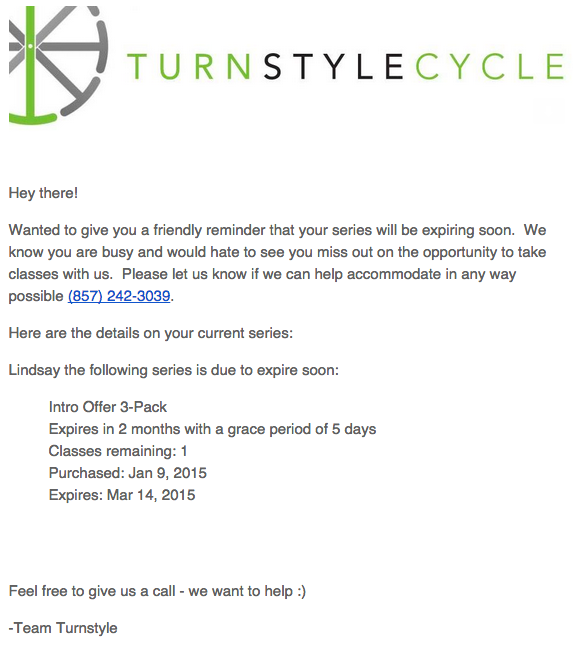
I love the example below from Turnstyle Cycle (from our roundup of 12 great email marketing examples). The copy is beautiful in its simplicity. It’s friendly, yet sincere — especially with the following lines:
- “We know you are busy and would hate to see you miss out”
- “Please let us know if we can help accommodate in any way possible”
- “Feel free to give us a call – we want to help :)”
Plus, they provided me with the exact details I needed to know — a reminder of what I’d signed up for and when, the expiration date, and a phone number to reach them. Check it out:
13. Don’t use an overwhelming number of images, or huge images.
Using one large image as your entire email, or too many images in general, tends to end up in recipients’ spam folders.
You’ll also want to make your image file sizes as small as possible without losing their visual integrity to prevent long email load times. (If you’re a HubSpot user, the email tool automatically compresses images in emails so they load faster. For non-HubSpot users, some good image compression tools include Compressor.io, Compressjpeg.com, and Jpegmini.com.)
Not to mention, Microsoft Outlook doesn’t recognize background images, so you may want to avoid those and use a background color instead.
What You Should Do
14. Keep your email lists current and clean.
Even if your list is entirely built on valid opt-ins, you are at risk of being branded a “spammer” if you don’t practice proper email hygiene. Why? Because internet service providers (ISPs) base complaint rates on active subscribers, not total subscribers.
Also, expired email addresses can turn into SPAM traps, meaning that even if you acquired emails in a legitimate manner, the abandoned addresses that haven’t engaged in years may have morphed into spam traps. Hitting even just one spam trap can cause deliverability problems.
Expired email addresses can also turn into unknown users (bounces). If you hit unknown accounts at a rate higher that 5%, then ISPs are going to see you as someone who has really bad email hygiene. The result? They’ll make it harder for your emails to reach people’s inboxes, and your overall sender reputation will definitely drop — leading to even more trouble reaching people’s inboxes.
By keeping your email lists current and clean, you’ll decrease the likelihood people will flag your emails as spam. You can identify inactive subscribers and expired email addresses with metrics such as opens, clicks, or website activity.
15. See if you can reengage inactive or infrequently active subscribers.
“Graymail” refers to email people technically opted in to receive, but don’t really want, leading them to become less active or inactive altogether. Although it’s not considered spam, sending graymail is problematic because it can hurt the deliverability of your email overall. Tipped off by low engagement rates, ISPs and inbox providers may deliver email from known-graymail senders straight to recipients’ “junk” folders — so the email technically gets sent (and can even appear to have been delivered), but it’s not necessarily seen.
Keep track of your inactive and infrequently active subscribers, and develop re-engagement campaigns for contacts who have stopped engaging with your messages. For example, you could set conditions such as the length of time since their last form submission, website visit, or email click, triggering the email when it’s been a while since a contact last engaged with you.
In your workflow, you might try sending them an exclusive offer or coupon to get them excited about your company again. Or, you might ask them for feedback by sending out a quick survey to see what they would like to see in your emails. (Read this blog post for more ideas for launching an effective email re-engagement campaign.)
16. Do use double opt-in.
Double opt-in means that after someone subscribes to your email list, you send them a follow-up email with a confirmation link ensuring they actually want to receive email communications from you.
Users that have to confirm that they want email communications from your company are the ones that will fully read and engage with the emails they receive from your business. When you use double opt-in, your email lists will be much more qualified and your subscribers much more engaged. (HubSpot customers: Learn how to set up double opt-in in HubSpot here.)
17. Ask your subscribers to add you to their address book.
Spam filters are more aggressive than ever — so much so that sometimes, the emails people value and want to read still end up in their spam boxes.
But most spam filters allow you to whitelist a sender by adding their email address to their email’s address book. When subscribers add you to their address book, spam filters will back off.
18. You must include a clear unsubscribe link and a physical mailing address in your email footer.
Allowing people to unsubscribe is important for list hygiene because anyone receiving your emails should actually want to receive them — otherwise, you’re just spamming them. But did you know that it’s illegal to not have a way for your recipients to easily unsubscribe in many countries, including the United States?
In your marketing emails, you must include a way for folks to unsubscribe from your email list, either by simply sending a reply email or by clicking no more than one level deep to reach a page from which they can unsubscribe. Which method you choose is entirely up to you, as long as the information is clear and easy to locate.
The most common place for these unsubscribe CTAs is in the footer of your email, so users tend to know to look for it there — which makes for a better user experience. Here’s an example from one of HubSpot’s emails:
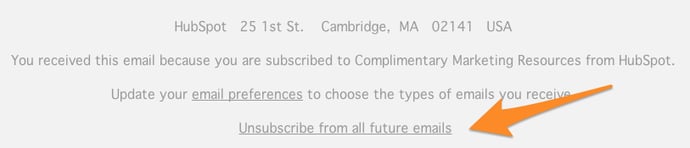
In addition to the unsubscribe link, include a link to update subscriber preferences, which you can also see in the example above. That way, recipients can unsubscribe from just one type of email instead of all of them.
19. Honor your unsubscribes and remove them from your mailing list.
If someone unsubscribes, they must come off your email list. It’s the law. This should go without saying. Check out this list of effective unsubscribe pages to make the unsubscribe process a little more delightful for recipients.
This is where email marketing software that integrates seamlessly with your CRM comes in handy — because any unsubscribes are immediately processed and recorded in both the contact record and within the email software. (But if you’re removing unsubscribed addresses from your list manually, make it a top priority to process that request.)
20. Use a familiar sender name.
Because people are so inundated with SPAM, they hesitate to open email from unfamiliar senders. Make sure recipients can recognize you in your sender by using your brand name.
Better yet, send the email from a real person. Recipients are typically more likely to trust a personalized sender name and email address than a generic one. At HubSpot we found that that emails sent from “Maggie Georgieva, HubSpot” perform better in terms of open and clickthrough rate than emails sent from just “HubSpot.” (HubSpot customers: Learn how to personalize the “From” name and email address here.)
21. Include your recipient’s name in the “To:” field.
This way, spam filters know that you do, indeed, know your recipient. Plus, personalizing your emails around your contacts can also be vital to their engagement with your content.
22. Offer recipients both an HTML and a plain text version of your emails.
Plain text emails are simply emails void of any formatting, while HTML (HyperText Markup Language) emails use formatting that let you design more beautiful emails with attractive visual components. By offering both a plain text and HTML version of a single email, you’re not only indicating your legitimacy to ISPs, but you’re also making your emails more reader-friendly.
Most email marketing tools will let you easily create plain-text versions within their email editor, so take those five extra minutes to create and optimize the plain-text version of your email. (HubSpot customers: Learn how to create a plain-text email in HubSpot here.)
Also, make sure the HTML version is properly coded: If there are broken tags in your HTML, the email provider and users might mark it as spam.
23. Allow people to view your email in a web browser.
Even after every step is taken to assure proper email design, an email client can still display an email poorly. Include a link in every email to view the email as a web page. (HubSpot customers: Learn how to do this easily in HubSpot here.)

24. Include alt text in your email images.
Many email clients block images by default. This means that when someone opens your email, the images won’t load unless they click a button to show them or change their default settings. Adding alt text to your images helps recipients understand your message even if they can’t see the images.
This is especially bad if you use an image as a call-to-action. Without alt text, a “turned off” image will look like this:

When you add alt text to the image, recipients will still know where to click to complete the action:

You can either edit the alt text in your email tool’s rich text editor (just right-click the image and edit away), or you can manually enter it in the HTML editor of your email tool like this:
<a href=”HTTP://YOURLINKHERE.COM“><img class=”alignCenter shadow” src=”YOUR CTA BUTTON IMAGE SOURCE HERE.JPG” alt-text=”YOUR ALT-TEXT GOES HERE“/></a>
25. Keep your emails short and sweet.
Too much copy is another red flag for spam filters. Not only that, but people generally like concise emails better. Everyone’s busy and their inbox is already full, so why make things worse?
One of the best ways to keep things short and sweet is to write like a human. Writing your email like you were talking to someone in real life makes it feel much more approachable and relevant. (Read this blog post on how to write compelling emails for more tips.)
If you do have to write a lengthier email, then break it up into multiple paragraphs. Giving visual breaks and composing the email with a clear introduction, middle, and conclusion will make it much easier on your reader.
26. Test your emails before sending them.
There are a lot of email clients out there these days that email marketers have to consider when creating emails. On top of that, we have to consider mobile users, too — after all, 53% of people read email on their mobile devices.
It turns out each of these clients displays emails differently. While it may be time-consuming to test out your emails for all email clients, you’ll want to test them for the ones your audience uses the most. According to Litmus’ research of 1.06 billion email opens, the top five email clients are:
- Apple iPhone’s Mail app (28% of users)
- Gmail (16% of users)
- Apple iPad’s Mail app (11% of users)
- Google Android’s Mail app (9% of users)
- Outlook (9% of users)
If your email marketing tool lets you, go ahead and preview what your email looks like in different email clients and devices that are popular with your audience. (HubSpot customers: Use our Preview in other inboxes feature to send a test email and see how the design of your email looks in each email client.)
You should also send out a test version of your email before you send out the real deal to ensure it’s working properly. (HubSpot customers: Learn how to test your emails here.)
27. Get an email sender accreditation from a third party.
Sender accreditation is a third-party process of verifying email senders and requiring them to follow certain usage guidelines. In return, you’ll be listed in a trusted listing that ISPs reference to allow certain emails to bypass email filters.
28. Monitor the reputation of your sender’s IP address.
Your emails’ deliverability depends largely on your IP address’ reputation. If you’re sending email from an IP address with a poor reputation, your emails are far less likely to be successfully delivered to senders’ inboxes.
DNSstuff.com lets you check on whether or not you are a blacklisted sender — something many unlucky email marketers aren’t even aware of.
29. Always stay up-to-date on changes in email sending laws, ISP behavior, and spam filter technology.
Email marketing is constantly evolving, and staying in the know helps ensure you’re always following best practices — and the law. Responsible and legitimate email marketers make a point of regularly reading up on email sending laws, ISP behavior, and spam filter technology.
If you’re looking for more information, check in with your company’s legal department or a trusted lawyer to ensure you’re staying within the boundaries of the law. Want to learn more about email deliverability? Watch class six in our HubSpot Academy’s Email Marketing Certification course taught by HubSpot’s Post Master, Tom Monaghan.
Email Deliverability Test Tools
If your email platform doesn’t offer enough deliverability analytics, we suggest using other tools that can help you test for delivery issues before your message goes out to your mailing list.
Here are three free tools that you can use:
Mail-Tester.com
Every time someone visits Mail-Tester.com, they’ll see a treehouse with a auto-generated email address listed on it that changes every time you visit the site. You can send your email to the address listed, then click “Check Your Score.” Mail-Tester will then give you a free email deliverability score based on the email that was sent to the unique email address.
The software will analyze the text in the message, your mail server, and IP to determine if there are any deliverability issues. Free users can access the report for seven days. You can also subscribe for unlimited email tests and reports that last for 30 days.
Spamcheck
Spamcheck is a simple and free tool that allows you to paste a plain text message into a text box and analyze it for any language that might trigger spam filtering.
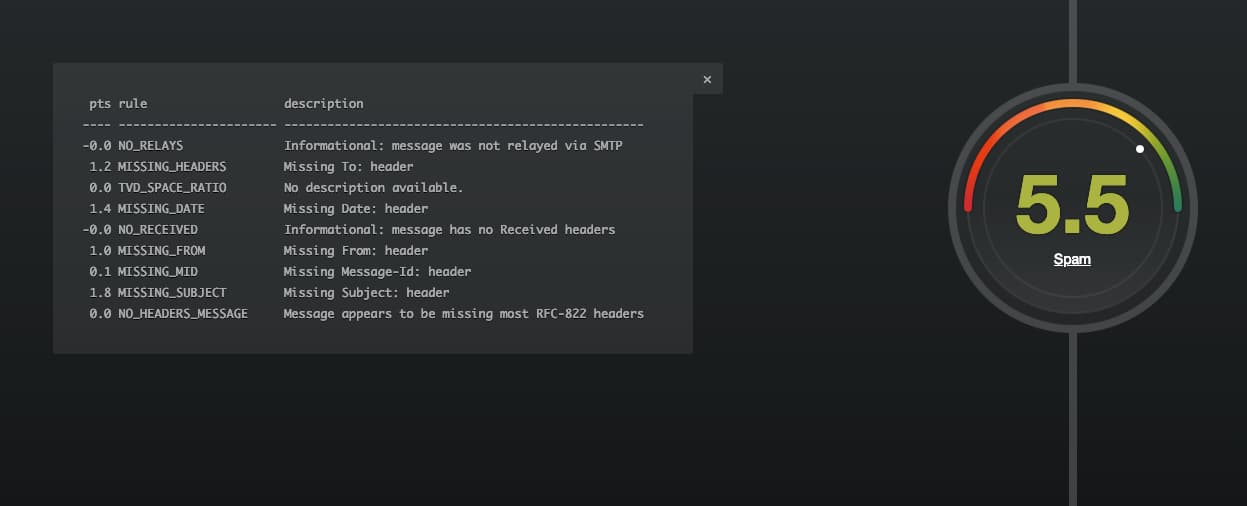
After placing the text and clicking “Check your score,” the software will give you a score out of 10 based on what’s included and not included in the email body. For a bad email, it might look something like this:
 MxToolBox
MxToolBox allows you to test your email deliverability by sending a test email to ping@tools.mxtoolbox.com. This email address will reply to the email with a linked call to action that says “View your full Deliverability Report.” You can then click on the CTA to see a deliverability score and information about what might stopping your email from going into inboxes. If you want to see your result later on, but no longer have the reply email, you can search for the result using your email address on the MxToolBox site.
Still want to learn more about email marketing after reading the tips above? Consider taking HubSpot’s free email marketing certification course, which will walk you through even more best practices.


The 9 Best Cover Letter Examples: What They Got Right
Let’s face it: A job search is, typically, anything but fun.
It’s almost as if it carries its own five stages of grief. At first, there’s denial of its demoralizing nature. Then comes the anger over either radio silence or rejection from prospective employers. Of course, there’s bargaining — “I promise to never complain about work again, if I can find a new job!”
That’s often followed by depression, and the idea that one is simply just unhireable. Then, there’s acceptance: “This is awful, but I have to keep trying, anyway.”
But we have good news. It is possible to have a little fun with your job search — and maybe even make yourself a better candidate in the process. The magic, it turns out, could be in your cover letter.
It may be true that only 26% of recruiters have deemed cover letters important, but that doesn’t mean yours has to contribute to that statistic. In fact, it might be that cover letters are deemed insignificant because so few of them stand out. Here’s an opportunity for you to exercise your creativity at the earliest stage of the recruitment process.
Personalization, after all, goes beyond replacing the title and company name in each letter you send to recruiters.
What does that look like in practice, and how can you make your cover letter stand out? We found six examples from job seekers who decided to do things a bit differently.
Note: Some of these cover letters contain real company names and NSFW language that we’ve covered up.
Best Cover Letter Examples
1. The Cover Letter That Explains ‘Why,’ Not Just ‘How’
We’ve already covered the importance of addressing how you’ll best execute a certain role in your cover letter. But there’s another question you might want to answer: Why the heck do you want to work here?
The Muse, a career guidance site, says that it’s often best to lead with the why — especially if it makes a good story. We advise against blathering on and on, but a brief tale that illuminates your desire to work for that particular employer can really make you stand out.
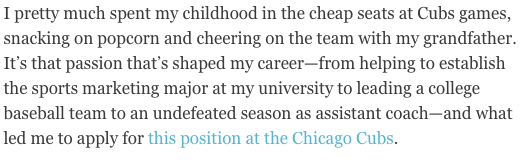
Source: The Muse
Here’s another instance of the power of personalization. The author of this cover letter clearly has a passion for this prospective employer — the Chicago Cubs — and if she’s lying about it, well, that probably would eventually be revealed in an interview.
Make sure your story is nonfiction, and relatable according to each job. While we love a good tale of childhood baseball games, an introduction like this one probably wouldn’t be fitting in a cover letter for, say, a software company. But a story of how the hours you spent playing with DOS games as a kid led to your passion for coding? Sure, we’d find that fitting.
If you’re really passionate about a particular job opening, think about where that deep interest is rooted. Then, tell your hiring manager about it in a few sentences.
2. The ‘We’re Meant for Each Other’ Cover Letter
This cover letter example is a special one because it was submitted to us here at HubSpot. What does the letter do well? It makes a connection with us before we’ve even met the letter’s author.
.png)
“Content Marketing Certified” indicates the applicant has taken the content marketing certification course in our HubSpot Academy (you can take the same course here). Our “records” indicate he/she did indeed give an interview with us before — and was a HubSpot customer.
The cover letter sang references to a relationship we didn’t even know we had with the candidate.
The letter ends with a charming pitch for why, despite him/her not getting hired previously, our interests complement each other this time around.
(Yes, the applicant was hired).
3. The Cover Letter with H.E.A.R.T.
HubSpot has a lot of H.E.A.R.T. — Humble, Empathetic, Adaptable, Remarkable, Transparent. Our Culture Code is the foundation of the company’s culture, the driving force behind our mission to help millions grow better, and serves as the scaffolding for our hiring practices. Recruiters at HubSpot look for applicants that demonstrate how they embody the Culture Code and job description, paying extra attention to cover letters that are super custom to HubSpot.
In another HubSpot submission, a HubSpot applicant writes about how she found out about HubSpot, why she likes the company, and how her professional experience aligns with H.E.A.R.T.
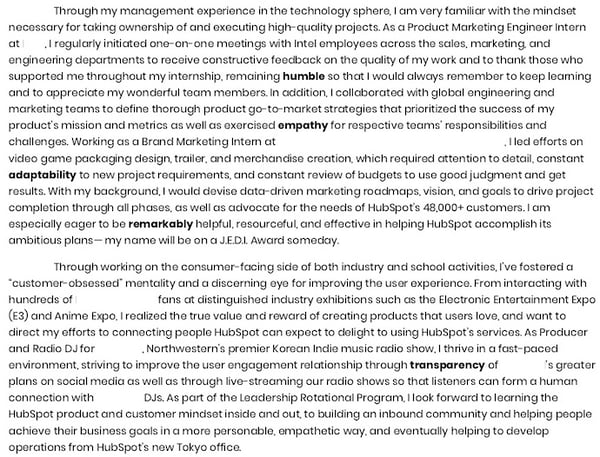
HubSpot’s recruiting team was impressed with her dedication to the company and how she went beyond what was asked for by link her portfolio in her closing paragraph.
Short Cover Letter Examples
4. The Short-and-Sweet Cover Letter
In 2009, David Silverman penned an article for Harvard Business Review titled, “The Best Cover Letter I Ever Received.” That letter contained three complete sentences, as follows:
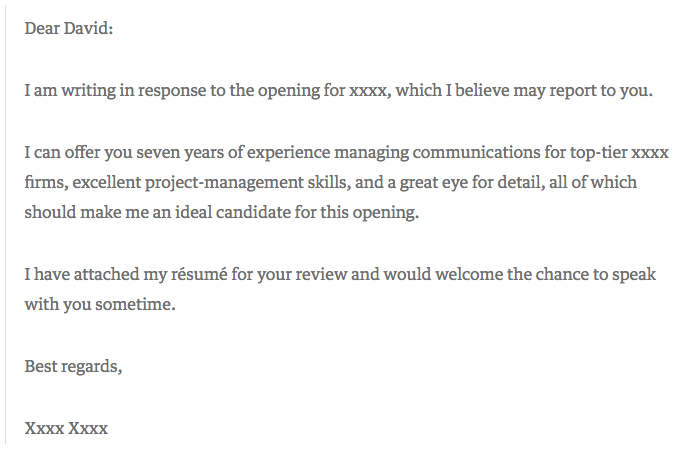
Source: Harvard Business Review
One might argue that this particular letter is less than outstanding. It’s brief, to say the least, and the author doesn’t go into a ton of detail about what makes him or her qualified for the job in question. But that’s what Silverman likes about it — the fact that the applicant only included the pieces of information that would matter the most to the recipient.
“The writer of this letter took the time to think through what would be relevant to me,” writes Silverman. “Instead of scattering lots of facts in hopes that one was relevant, the candidate offered up an opinion as to which experiences I should focus on.”
When you apply for a job, start by determining two things:
- Who might oversee the role — that’s often included in the description, under “reports to.” Address your letter to that individual.
- Figure out what problems this role is meant to solve for that person. Then, concisely phrase in your cover letter how and why your experience can and will resolve those problems.
The key here is research — by looking into who you’ll be reporting to and learning more about that person’s leadership style, you’ll be better prepared to tailor your cover letter to focus on how you provide solutions for her. Not sure how to learn more about a leader’s personality? Check out any content she shares on social media, or use Growthbot’s Personality Profile feature.
Insert incredible compelling writing here
5. The Bare Bones Cover Letter
In today’s job market, cover letters aren’t always necessary. Even though many recruiters won’t ask for or even read them, cover letters can still be effective and convey personality to a reader. Writing a strong cover letter can help you better convey your interest in the position and company.
This template from The Balance Careers puts together the essential components of a short cover letter: excitement about the position, your qualifications, and a call-to-action for the recruiter to follow up with you. Combining these central aspects in a well-written, compelling narrative will go a long way in convincing readers to hire you.
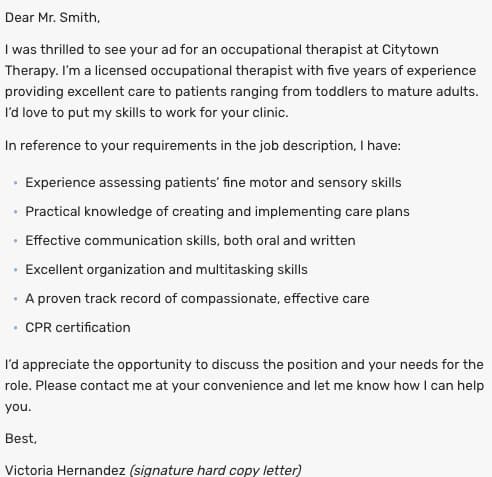 Source: The Balance Careers
Creative Cover Letter Examples
6. The Brutally Honest Cover Letter
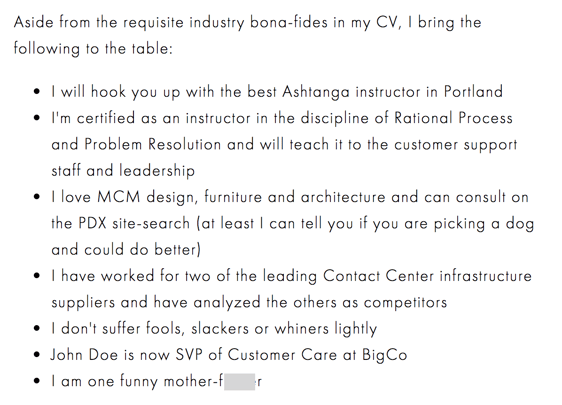
Then, there are the occasions when your future boss might appreciate honesty — in its purest form. Livestream CEO Jesse Hertzberg, by his own admission, is one of those people, which might be why he called this example “the best cover letter” (which he received while he was with Squarespace):
Source: Title Needed
As Hertzberg says in the blog post elaborating on this excerpt — it’s not appropriate for every job or company. But if you happen to be sure that the corporate culture of this prospective employer gets a kick out of a complete lack of filter, then there’s a chance that the hiring manager might appreciate your candor.
“Remember that I’m reading these all day long,” Hertzberg writes. “You need to quickly convince me I should keep reading. You need to stand out.”
7. The Straw (Wo)man Cover Letter
When I was in the throes of my own job search and reached one of the later stages, a friend said to me, “For the next job you apply for, you should just submit a picture of yourself a stick figure that somehow represents you working there.”
Et voilà:

I never did end up working for the recipient of this particular piece of art, but it did result in an interview. Again, be careful where you send a cover letter like this one — if it doesn’t match the company’s culture, it might be interpreted as you not taking the opportunity seriously.
Be sure to pair it with a little bit of explanatory text, too. For example, when I submitted this picture-as-a-cover letter, I also wrote, “Perhaps I took the ‘sense of humor’ alluded to in your job description a bit too seriously.”
8. The Overconfident Cover Letter
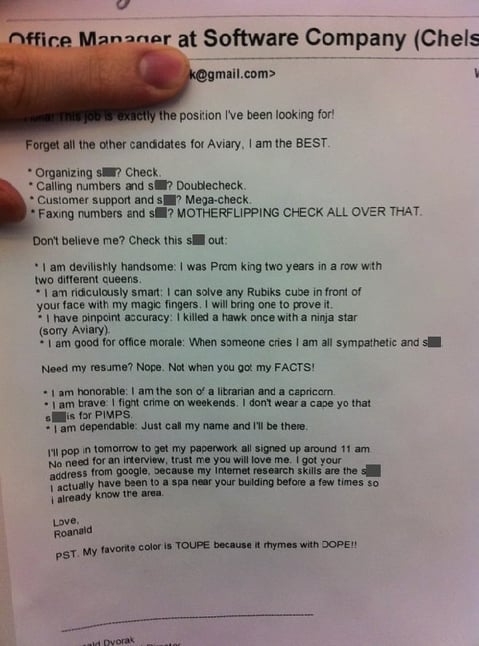
I’ll admit that I considered leaving out this example. It’s rife with profanity, vanity, and arrogance. But maybe, in some settings, that’s the right way to do a cover letter.
A few years ago, Huffington Post published this note as an example of how to “get noticed” and “get hired for your dream job”:
Source: Huffington Post
Here’s the thing: if the Aviary cited in this letter is the same Aviary I researched upon discovering it, then, well, I’m not sure this tone was the best approach. I read the company’s blog and looked at the careers site, and neither one indicates that the culture encourages this — or lowercasing proper nouns like “Google,” for which I personally cannot forgive the applicant …
However, Aviary was acquired by Adobe in 2014, and this letter was written in 2011. So while it’s possible that the brand was a bit more relaxed at that time, we wouldn’t suggest submitting a letter with that tone to the company today. That’s not to say it would go unappreciated elsewhere — Doug Kessler frequently discusses the marketers and brands that value colorful language, for example.
The point is, this example further illustrates the importance of research. Make sure you understand the culture of the company to which you’re applying before you send a completely unfiltered cover letter — if you don’t, there’s a good chance it’ll completely miss the mark.
9. The Interactive Cover Letter
When designer Rachel McBee applied for a job with the Denver Broncos, she didn’t just write a personalized cover letter — she designed an entire digital, interactive microsite:
Source: Rachel McBee
This cover letter — if you can even call it that — checks off all of the boxes we’ve discussed here in a remarkable way. It concisely addresses and organizes what many hiring managers hope to see in any cover letter: how her skills lend themselves to the role, why she wants the job, and how to contact her.
She even includes a “traditional” body of text at the bottom, with a form that allows the reader to easily get in touch with her.
Take Cover
We’d like to add a sixth stage to the job search: experimentation.
In today’s competitive landscape, it’s so easy to feel defeated, less-than-good-enough, or like giving up your job search. But don’t let the process become so monotonous. Have fun discovering the qualitative data we’ve discussed here — then, have even more by getting creative with your cover letter composition.
We certainly can’t guarantee that every prospective employer will respond positively — or at all — to even the most unique, compelling cover letter. But the one that’s right for you will. That’s why it’s important not to copy these examples. That defeats the purpose of personalization.
So get creative. And, by the way — we’re hiring.

The Ultimate Guide to B2B Marketing in 2019
Effective marketing is difficult to get right. Between creative demands, budget limits, and channel decisions, marketers have a lot to juggle when developing their marketing strategy.
The biggest determinant of effective marketing, however, is your audience.
If you’re not properly targeting your buyer persona, your promotions and advertisements will likely fall on deaf ears. You might as well not be marketing at all.
Where target audiences vary the most, though, is between individual consumers and businesses. Some companies serve individual shoppers, while others cater to companies and organizations.
Marketing to businesses is very different than marketing to individual consumers. That’s why an entirely different marketing method — B2B marketing — exists, and that’s why we built this guide. By the end of this article, you’ll have a better understanding of B2B marketing, the most effective B2B marketing strategies, and how you can tap into and convert your business audience.
HubSpot is an example of a company that engages in B2B marketing. HubSpot’s customers are other businesses, not individual consumers. Therefore, all of our marketing efforts can be classified as B2B.
B2B vs B2C Marketing
B2B and B2C (business-to-consumer) marketing are very different. B2B and B2C marketing differ in their respective strategies and applications, as well as in their audiences and how they communicate to them.
B2B marketing targets the needs, interests, and challenges of individuals who are making purchases on behalf of, or for, their organization (rather than for themselves), thus making the organization the customer. Here are a few examples of B2B companies:
- A coworking space that leases office spaces to remote teams and freelancers (like WeWork)
- An on-demand order fulfillment, warehousing, and screen printing service (like Printful)
- A marketing software company that sells social media management tools, lead generation software, and other marketing tools to businesses and organizations (like HubSpot!)
B2C marketing targets the needs, interests, and challenges of individual consumers who are making purchases on behalf of, or for, themselves, thus making the individual the customer. Here are a few examples of B2C companies:
- An e-commerce company that sells office supplies to remote or self-employed individuals (like Poppin)
- A store that sells t-shirts and other clothing and accessories (like Target)
- A music platform that sells streaming subscriptions (like Spotify)
Take a look at this chart comparing B2B and B2C customers.
| for b2b marketing | for b2c marketing | |
| Goal | Customers are focused on ROI, efficiency, and expertise. | Customers are seeking deals and entertainment (which means marketing needs to be more fun). |
| Purchase Motivation | Customers are driven by logic and financial incentive. | Customers are driven by emotion. |
| Drivers | Customers want to be educated (which is where B2B content marketing comes in). | Customers appreciate education but don’t always need it to make a purchase decision. |
| Purchase Process | Customers like (if not prefer) to work with account managers and salespeople. | Customers like to make purchases directly. |
| People Involved in Purchase | Customers often have to confer with decision makers and other members of their chain of command before making a purchase decision. | Customers rarely need to confer with others before making a purchase decision. |
| Purchase Purpose | Customers make purchases for long-term solutions, resulting in a longer sales cycle, longer contracts, and longer relationships with companies. | Customers aren’t necessarily looking for long-term solutions or long-term relationships. |
As much as they differ, though, B2B and B2C also intersect in many ways. While Poppin sells office supplies to remote or self-employed individuals, they also design corporate office spaces and branded supplies. On the flip side, Printful not only offers order fulfillment and warehousing to businesses; they also fill e-commerce printing orders for individuals.
As distinct as the B2B and B2C marketing audiences can be, B2B marketers can always learn from B2C campaigns, too.
B2B Marketing Strategies
As I said above, marketing depends on its audience. While B2B and B2C marketing vary, not every piece of B2B marketing material is alike, either.
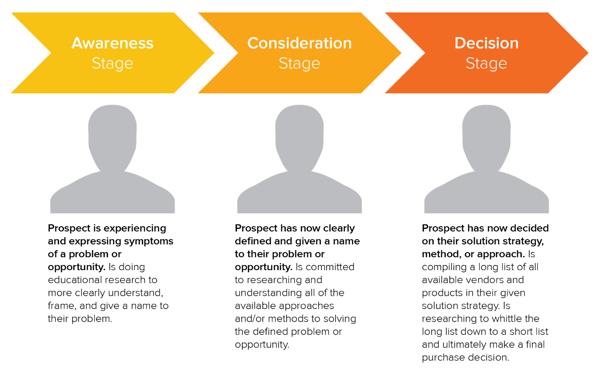
In this section, we’ll talk about various B2B marketing strategies you can implement to reach your specific business audience. Before we dive in, though, make sure you understand the B2B buyer’s journey. Take note of how each of these stages may affect your marketing strategies and how you implement them.
B2B Email Marketing
Email marketing is a tried and true method of reaching both individual consumers and business customers. Did you know that 93% of B2B marketers use email? Are you one of them? You should be. Emails lead to engagement which turns subscribers into leads … and then customers.
Download our guide to optimizing email marketing for conversions and learn how to grow your email list, ensure deliverability, and increase engagement.
Unlike B2C customers who respond best to emotions and entertainment, B2B customers look for logic and positive ROI. Essentially, they’re asking themselves, How can your business help my business grow? Because of this, your email marketing must consistently resonate with your business customers and focus on things that matter to them — like time, money, and resources.
Email marketing is also a powerful vehicle for sharing your brand’s content. 83% of B2B companies use email newsletters as part of their content marketing program, and 40% of B2B marketers say these newsletters are most critical to their content marketing success.
With the constant barrage of emails flooding our inboxes today, it’s more important than ever to create and send out effective marketing emails.
B2B Email Marketing Best Practices
- Write enticing subject lines. Think about your email subject lines as a Netflix trailer — if you can’t hook your audience with a two-minute clip (or, in this case, a few dozen characters), don’t expect them to open and watch (or read) the whole thing. We recommend spending almost as much time on your email subject lines as you do on the emails themselves.
- Stick to one call-to-action (CTA) per email. If you think the number of emails you receive is a lot, take a look at the CTAs in those emails … some are packed with two, three, and sometimes up to 10 different CTAs. Don’t make this mistake, which can leave your recipients’ heads spinning, asking “What should I click on first?” and ultimately clicking on nothing. With one CTA per email, you allow your audience to focus on your email content and ultimately one action … a welcome reprieve from today’s frequent decision-making and analysis paralysis.
- Segment your email to reach the most relevant audience. Not every email you send will be appropriate for everyone on your list. Your subscribers may be at different stages of the buyer’s journey or be seeking different solutions. That’s where email list segmentation comes into play. Not only does this help you relate to your audience better, but it gives your emails that personal feel that says “Hey, I’m listening and I know what you’d like to see.” Consumers prefer email quality over quantity anytime.
- Make sure your email designs are responsive. Over 80% of email users access their inbox on their phones, and emails that don’t show up correctly on mobile devices are often deleted in three seconds. Ouch. Don’t let your email be one of those.
- Don’t be afraid of the cold email. As uncomfortable as it is, the right email can convert new customers — like this cold sales email that won 16 new B2B customers.
👉🏼HubSpot Tip: You can’t send marketing emails without any recipients — these people make up your lists. There are plenty of easy ways to grow your email list. Begin with opt-in forms on your website homepage, About page, and blog. Check out HubSpot’s Free Form Builder tool to get started.
B2B Digital Marketing
Every business, whether B2B or B2C should have a digital presence — which is comprised of paid ads, search engine optimization, a website, and any other place your B2B company is active online. Let’s walk through a handful of tactics that can strengthen your B2B digital marketing strategy.
Define your target audience
A strong B2B digital marketing strategy starts with defining your target audience, or buyer persona. This demographic and psychographic information will inform almost every other marketing activity thereafter, ensuring your content and digital material is absorbed by the right eyes and ears (and that no resources go to waste on your end).
Create your website
Secondly, digital marketing can’t quite function without an informative, engaging website. Over 80% of buyers visit a website before making a purchase. Moreover, since the typical B2B sales cycle often involves many key players (such as gatekeepers, decision makers, and other folks who have to buy into a purchase), websites are easy, straightforward ways for influencers to share information about your product or service.
Optimize your digital presence
Your website needs to be more than informative and engaging, though … it needs to be discoverable. You can do this with on-page SEO and technical SEO tactics. These include everything from image alt-text and meta descriptions (what your visitors can see) to structured data and site speed (what your visitors can’t see). Off-page SEO is also at play here, which refers to external linking strategies and social sharing — SEO tactics that take place off your website.
Run PPC campaigns
Finally, round out your digital presence with pay-per-click (PPC) advertising, which allows you to get your content and brand in front of new audiences via search engines and other advertising platforms. I recommend maximizing your PPC investment by advertising more than your specific products or services — such as your brand personality, blog or social media content, or company tagline.
The best way to see an ROI from your paid ads is by 1) incorporating your buyer persona data and 2) boosting content that they can relate to. For example, it’s highly unlikely a brand new consumer who’s never heard of you is searching for your exact product. They may be searching for a location-based solution or product feature. To reach the greatest number of potential customers, pay to target relevant categories within your brand vs. promoting your product or services.
B2B Content Marketing
We’ve talked about how B2B customers are focused on expertise, driven by logic, and desire to be educated. What better marketing tool to satisfy these priorities than B2B content marketing?
Whereas a traditional PR marketing strategy interrupts a consumer’s day-to-day with promotional material, a content marketing strategy adds valuable information and informs the consumer — which is precisely what B2B customers are looking for. Not to mention that content marketing supports SEO efforts, which involves anticipating what your audience is searching for, helping them discover your website and content … and potentially converting them to customers.
Download our free guide and learn what topics convert at the highest rate with insight from 175,000 B2B & B2C blog posts.
In fact, 80% of business decision makers prefer to get information from an article than an ad. Knowing this, I’d say you should be putting the same (if not more) resources into your content marketing than your traditional advertising strategy.
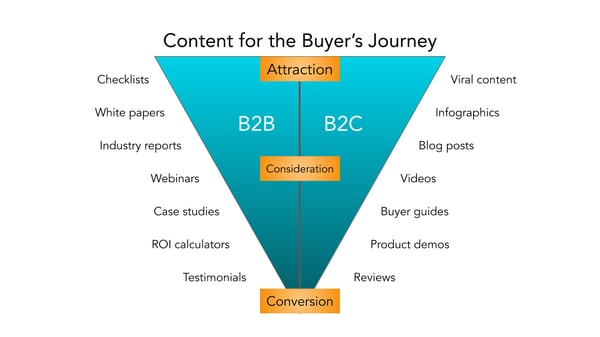
Because the B2B buyer’s journey is slightly different than the B2C buyer’s journey (which has shorter sales cycles and fewer decision makers involved), the content you create for your B2B content marketing strategy may vary more than the content you’ve seen as a consumer yourself, as illustrated in the below graphic.
Before you start creating content, though, I recommend creating a business blog. (Don’t worry, growing your blog readership is easier than you think.) Your blog will house all the content you create and serve as a home-base for readers to visit and subscribe to.
B2B Social Media Marketing
Did you know that 75% of B2B buyers and 84% of C-Suite executives use social media when making a purchase? That’s right — social media marketing isn’t just for brands targeting individual consumers.
Many B2B companies struggle with social media marketing, though. It can be harder to use social media to connect with business customers, especially because (as we mentioned above) there’s typically a lengthier sales cycle and longer chain of command.
Honestly, B2B social media marketing might not be where you convert the greatest number of leads, and that’s OK. It likely comes into play near the beginning of your customers’ buyer’s journeys.
Social media is a powerful tool for building brand awareness, giving your company an online personality, and humanizing your business — all very powerful factors when it comes to marketing and connecting with potential customers. Like email marketing, social media is also a highly effective channel for sharing your content and enhancing your brand expertise, the latter of which we know B2B customers appreciate.
While your social media accounts might not convert as frequently as your content or email marketing, they’re just as important. In this case, followers are just as valuable — you never know when they might convert to leads or customers.
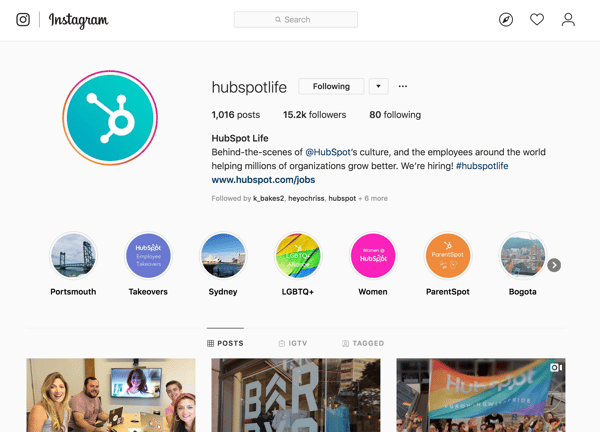
👉🏼 HubSpot Tip: Why? Content shared by employee advocates receives over eight times more engagement than content shared by brands. So, involve your employees in your B2B social media marketing strategy. Encourage them to create their own social media channels and share about life at your company. Create a culture account (like our @HubSpotLife Instagram) to show what’s going on at work, not just what you’re selling. You never know — this might attract strong talent, too.
B2B Marketing Examples
A B2B marketing approach that works for one business may not work for another, but that’s not to say we can’t learn something from the pros. Here are four B2B marketing examples of businesses who did it right.
Email Marketing: Mattermark, Raise the Bar Newsletter
Raise the Bar is a daily digest newsletter from Mattermark that features insights from leaders in sales, marketing, and growth engineering. It’s hand-picked by Mattermark executives and easy to scan, which is valuable in a world of elaborate, complicated newsletters and daily digests.
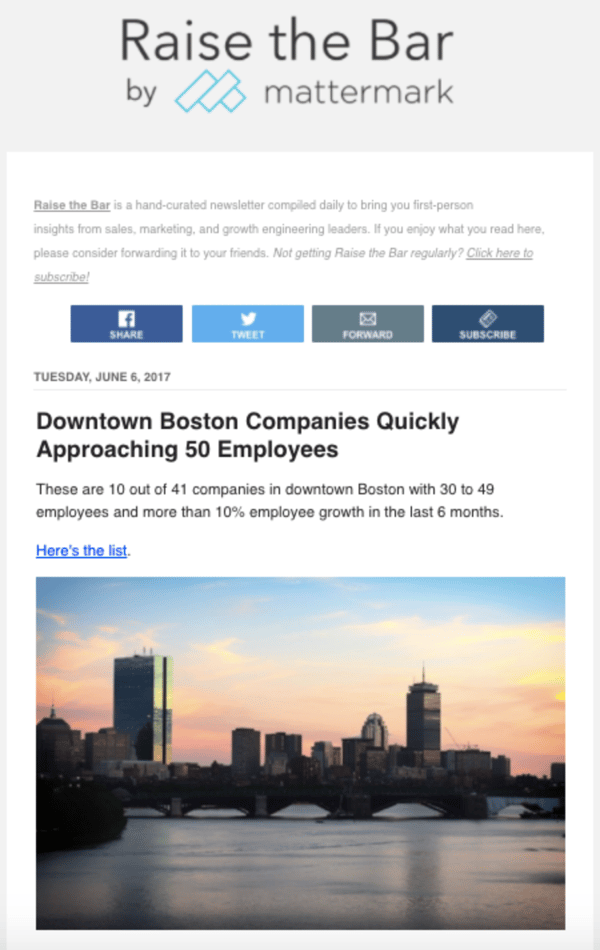
This is a good example of B2B email marketing because Mattermark takes the time to educate their subscribers without blatantly selling to them. This action builds trust with their audience while also equipping them with everything they need to know to make a purchase and become a paying customer.
Digital Marketing: Maersk, Website Homepage
It’s nearly impossible to know the intent of everyone who lands on your website, but Maersk’s homepage design makes it easy for visitors to find their way around.
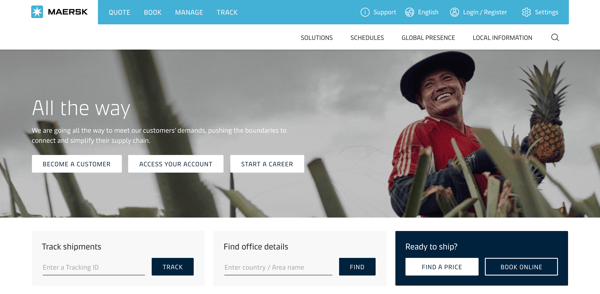
By offering three main options (“Become a Customer,” “Access Your Account,” and “Start a Career”), Maersk clearly segments their audience and allows visitors to easily navigate to the site content that corresponds with their intent.
This small design tweak also helps Maersk build trust and authority within each of these niche audiences — potential customers, current customers, and even employees.
Content Marketing: LeadPages, Blog + Resources
LeadPages has been bootstrapped since its inception in 2012 … yet it hit over $16 million in revenue just three years later. Its owner attributes its rapid success to its content strategy, which makes it a great example of B2B content marketing.
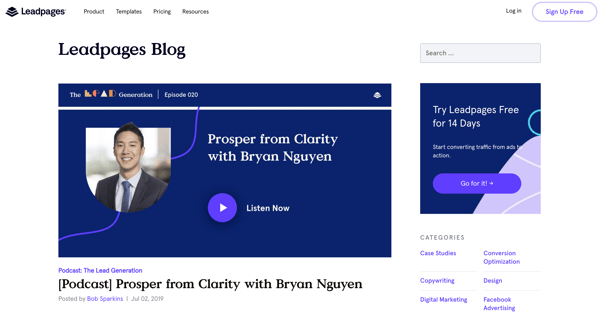
LeadPages produces many different types of content resources, such as a blog, customer stories, a podcast, and a webinar. The variety in these resources allows the company to reach customers where they are using the method that best resonates with them.
LeadPages offers a blog that covers themes such as A/B testing, lead generation, and other topics that relate to the product and brand, a weekly podcast that chats with everyday entrepreneurs, and even a definitive guide to landing pages, which equips its customers to properly use and optimize the LeadPages product — all for free.
Social Media Marketing: MailChimp, Instagram
Social media is an effective channel on which to engage with your audience. It’s also a fun place to post gorgeous graphics and show off your brand personality. On Instagram, MailChimp has excelled at both.
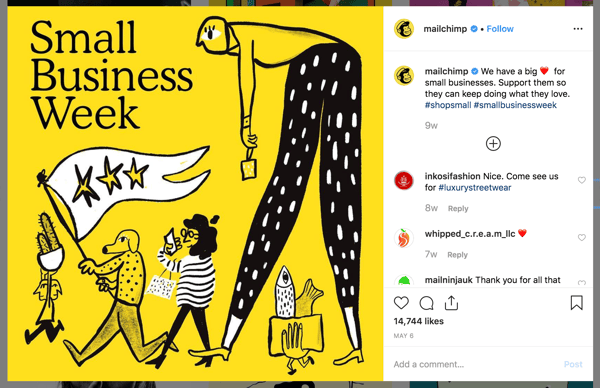
Fewer than half of its Instagram posts have to do with email marketing or the MailChimp product, but the MailChimp team always finds a way to make the posts relevant to its audience and followers — all while featuring fun, engaging, on-brand graphics and videos.
MailChimp also uses its Instagram to feature real customer stories and testimonials, which can have a big impact on potential consumers in the Consideration and Decision stages. Finally, MailChimp makes use of a took called LinkinBio, which allows Instagram users to click-through to its homepage or other digital content (since Instagram doesn’t offer live links on its platform). This creates a clear conversion path for consumers who discover or research MailChimp on Instagram and want to learn more on its website.
Invest in B2B Marketing and Reach Your Business Customers
Marketing isn’t effective unless you keep your audience in mind, and no other audience is as fickle and critical as business customers. Your marketing should communicate how your business can help theirs … and if it doesn’t, you may as well not be marketing at all.
Use these tips and strategies to understand your B2B audience, round out your buyer personas, and effectively use B2B marketing strategies that reach them. When you’re focused on your audience, your marketing will do the same.

How to Use LinkedIn to Turn Cold Prospects Into Warm Leads
Do you want more warm leads from LinkedIn? Wondering how to use LinkedIn to schedule more calls or meetings with new leads? In this article, you’ll discover how to use four LinkedIn marketing features to nurture leads. #1: Recommend a Group Post for More Exposure to All LinkedIn Group Members In the past, LinkedIn groups […]
The post How to Use LinkedIn to Turn Cold Prospects Into Warm Leads appeared first on Social Media Marketing | Social Media Examiner.
from Social Media Marketing | Social Media Examiner https://ift.tt/2xE0fYZ
via socialmediaexaminer
13 Great Landing Page Examples You’ll Want to Copy in 2019
While many landing pages look different and use a variety of interesting strategies to pull in audiences, they all serve one major purpose. These pages get website visitors to convert to the next stage in the buyer’s journey.
Rather than serving as a basic advertisement that shows a customer a product, a landing page aims to engage and delight a customer by offering them something that relates to the product or the company’s industry. When they fill out the form and receive a reward of interesting content, they might be even more likely to trust your brand and become a customer.
Here’s a quick example. If a business wants to sell an AI product that helps salespeople, they might create a landing page that offers audiences a free video on how to use AI in the sales industry. Interested audiences might offer their contact information in exchange for the valuable information. If they enjoy the video they’ve received, they might be more likely to respond to or purchase a product from a company rep who calls them.
In another scenario, a publishing company that targets an audience of chief executives might create a landing page that invites audiences to sign up for a webinar hosted by an executive at a major company.
After giving their email address on the signup form presented on the landing page, the leads get an email with the webinar dates and log in information, as well as instructions on how to sign up for the publication’s newsletter or subscription. If the user is pleased by the webinar, they might sign up for the newsletter or a subscription to keep up with similar publication content.
Although their purpose is simple enough in theory, actually designing a successful landing page requires some detailed planning and creative testing.
Even after launching your landing page, you’ll want to pay attention to conversion rates to see how well it’s doing.
To determine your conversion rate, simply divide the number of conversions a webpage generates by the number of people who visited that page.
If your conversion rate isn’t close to the average just yet, don’t worry. Nailing those percentages can be a bit challenging at first, especially is you have a lot of regular page visitors. Luckily, there are a number of simple conversion rate optimization strategies that can help you boost your current rate quickly.
Regardless of what your business is selling or the conversion action you hope to instigate, it’s helpful to get inspired by seeing what other great landing pages look like. And because there’s no one “right” way of designing a landing page, you’ll want to check out examples from lots of different industries for different stages of the buying process.
Want to get inspired? Check out the great landing page examples below.
We don’t have access to the analytics for each of these landing pages, so I can’t tell you specifically how well they convert visitors, contacts, leads, and customers. But many of them do follow best practices while also implementing a few new experiments that could give you ideas for your own landing pages.
13 Great Examples of Landing Page Design
1. Lyft
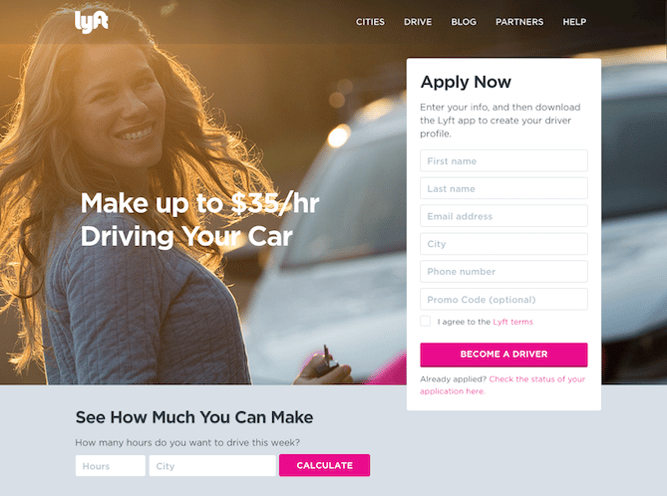
We love that on Lyft’s landing page, they zero in on their drivers’ main motivation: earning money easily.
We also love that, in addition to the “Apply Now” form, drivers can type their city and the number of hours they might drive for Lyft in a week to calculate how much they’d make. When visitors fill out that information and press “Calculate,” they aren’t taken to a new page. Instead, they see a dollar amount followed by a new call-to-action button to “Apply Now” (which, once clicked, takes drivers up to the form).
By offering these two conversion paths, they’re able to address two different types of people in the conversion path: those who are ready to make the decision now and those who need a little more information before they convert.
2. The Professional Wingman
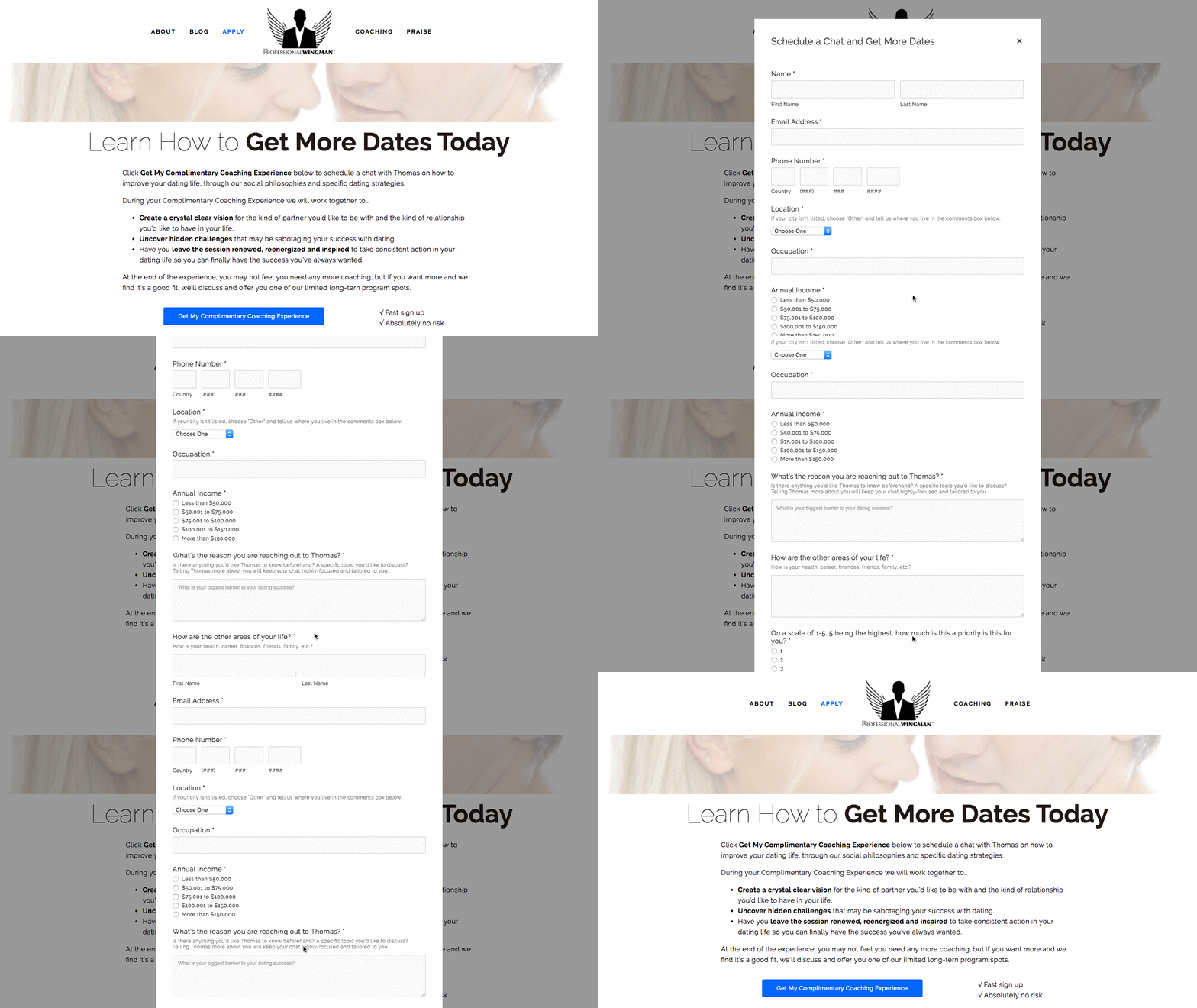
Okay, so the whole idea of having a professional wingman to help you find dates and a meaningful relationship is already pretty cool. But when you’re faced with the prospect of hiring one, it also raises questions. How does it work? How much does it cost? Is this really going to help me?
That’s why we love this landing page for Thomas Edwards, the original Professional Wingman himself, which outlines exactly what a complimentary coaching session is going to achieve. Plus, it’s clear that it’s complimentary, thanks to the boldly-colored call-to-action button above the fold.
Once you click that button, you aren’t taken to a new page. Instead, an interstitial form appears right there. And while it does request a lot of information — some of it a bit personal — it also sends the message that The Professional Wingman is going to take this seriously, but only if you do, too.
3. Muck Rack
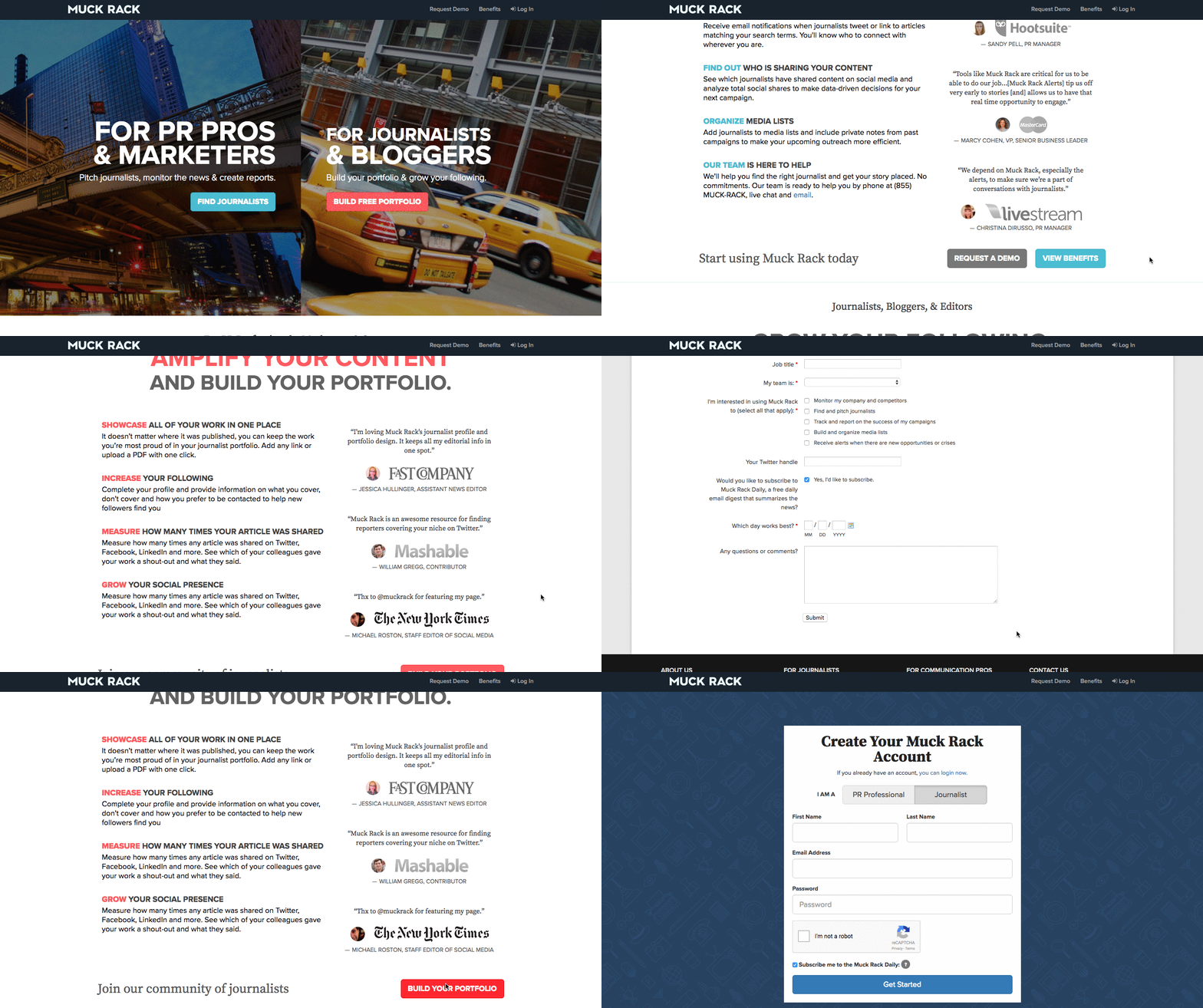
This landing page design has it all. It’s visually appealing and interactive, offers scannable yet descriptive headers about Muck Rack’s services, and uses quotes from industry professionals as social proof. Plus, the page is intuitive and easy to navigate.
The cool part about this landing page is that it can appeal to both of Muck Rack’s audiences. The top of the page is split into two, featuring their two different services side by side. Once a visitor moves his or her mouse over either of the “find journalists” or the “build free portfolio” CTAs, a very simple form appears — and that’s important, so as not to distract the user from the task at hand.
4. Cigital
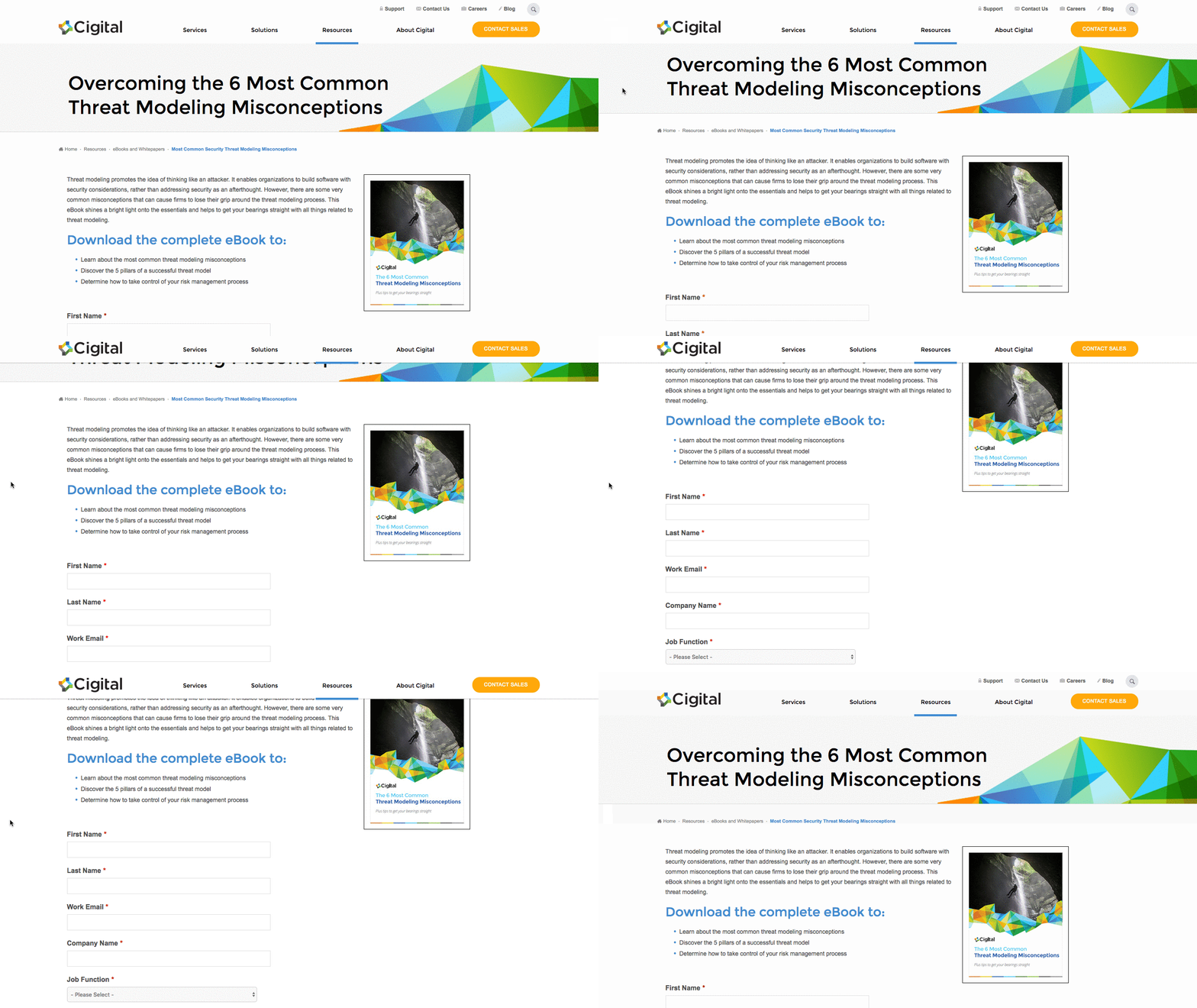
There are a few things that make this Cigital landing page work. It has simple and relevant imagery. The headline is straightforward and the description of the ebook informs viewers of the specific value they will get by downloading it. There is only one call-to-action — “READ THE EBOOK” — that stands out on the page thanks to a bright yellow CTA button.
The only thing we’d change about this landing page is that we’d remove the navigation bar at the top. They tend to distract visitors and lead them away from the intended action. Not only is this a landing page design best practice, but we’ve also conducted A/B tests that’ve shown removing navigation links from landing pages increases conversion rates.
5. Khan Academy
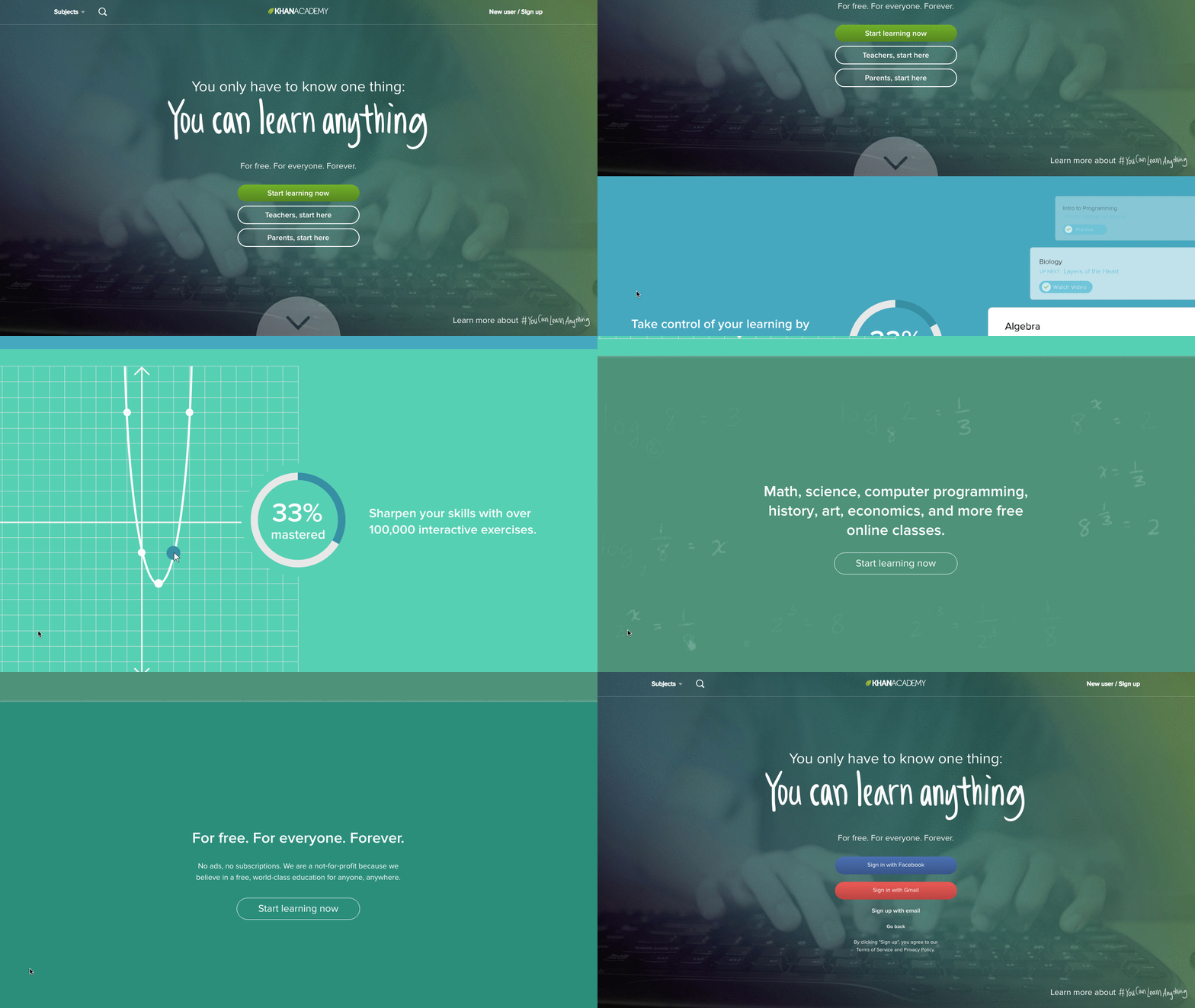
The hard part about using your homepage as a landing page is that you have to cater to several different types of audiences. But Khan Academy’s homepage does that very well. This page is clearly designed for three different types of visitors: those who want to learn something, those who want to teach, and parents who are interested in using Khan Academy for their kids. Plus, how motivational is the emblazoned “You can learn anything” text at the top?
The remainder of the page is designed for viewers who are not completely familiar with Khan Academy. It colorfully and largely spells out the key benefits of using the learning platform — all of which are easy to scan and understand. There’s also a recurring CTA: “Start learning now.” As soon as viewers feel they have enough information, they can click the CTA to get taken back up to the form at the top of the page without having to scroll.
6. Club W
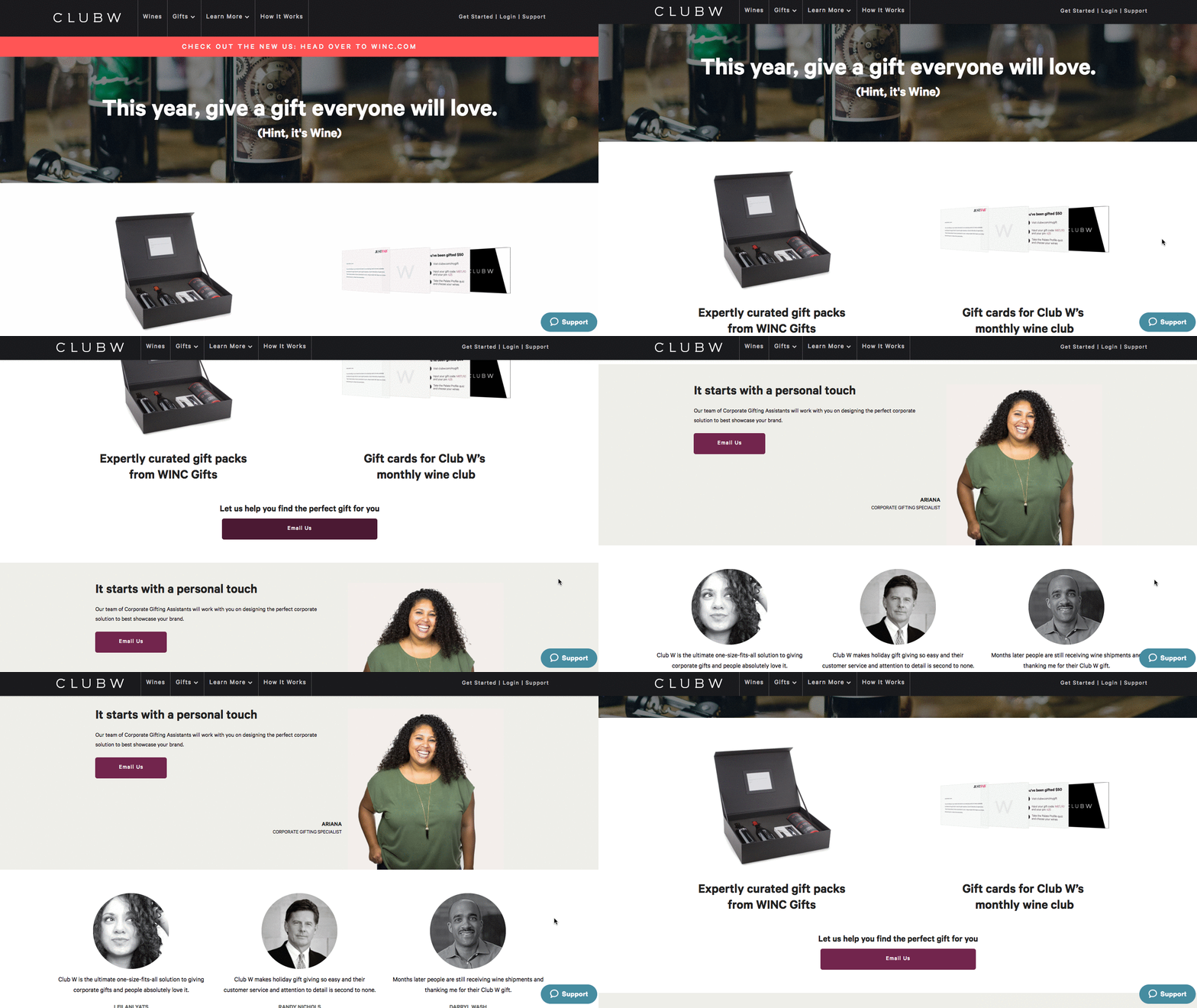
A little bit of delightful copy can go a long way on your landing page. We love the playful little aside — “(Hint: It’s Wine)” — that Club W included below the header of their corporate gifting landing page. It humanizes the brand and makes them likable, which could have a positive impact on their conversion rate.
The images below that header make a nice use of negative space, showing the user exactly what his or her gift recipient might actually receive, should they choose to gift with Club W. And, of course, there’s that bold call to action — “Email Us”.
The one thing we’d change? The CTA prompts the users email software to open, which drives traffic away from the site and the browser entirely. A form might be more effective here — not only would Club W be able to dictate what information it wants to capture, but also, it would keep the user on-site.
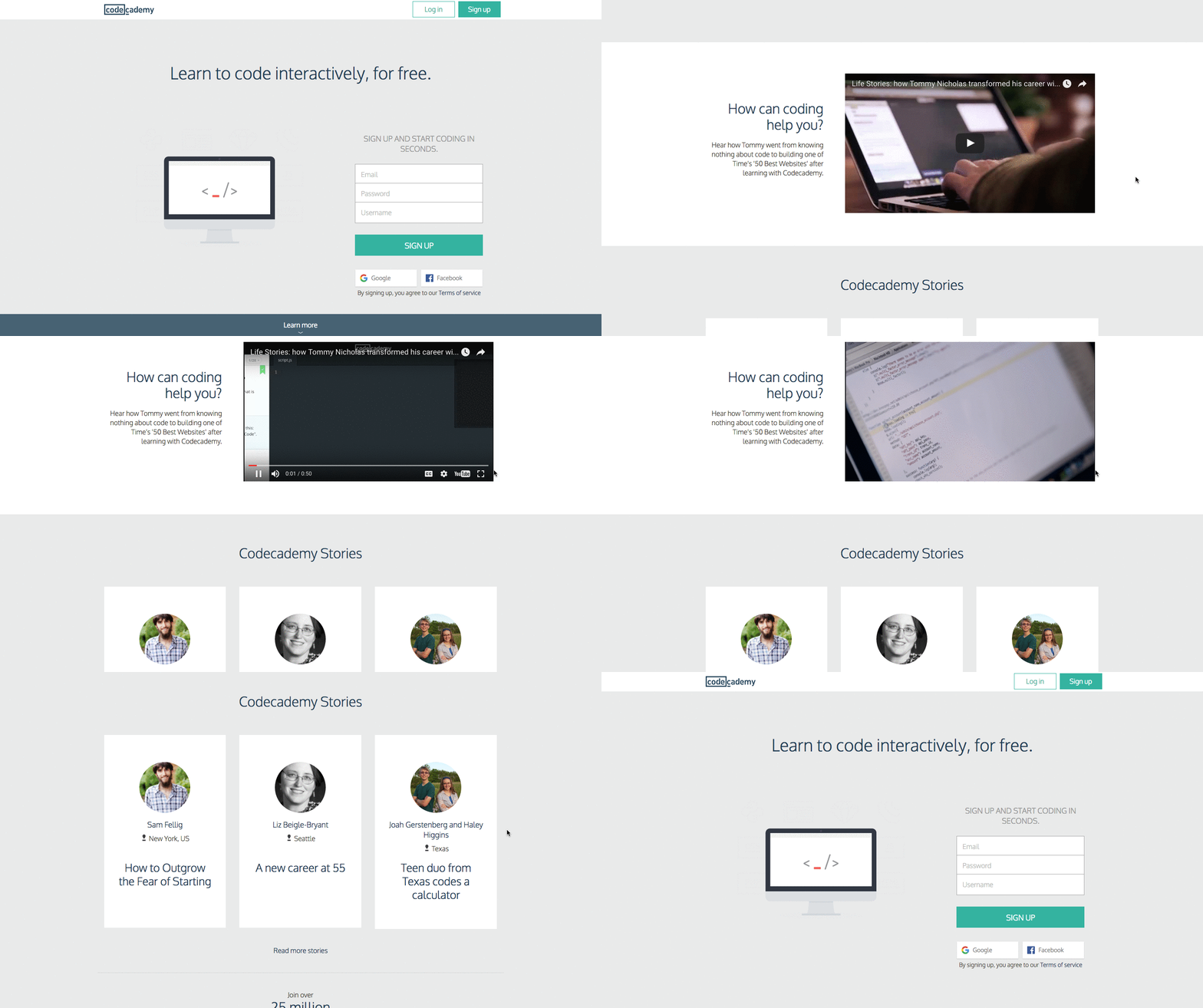
7. Codecademy
I like this page because it’s simple in both copy and design. The image above the fold is a computer screen displaying an HTML bracket with a blinking cursor — a whimsical, clear visual to accompany the form on the right.
The form itself is simple and only requires an email address, username, password, and a validation that you’re not a robot to create an account. Or, you can just use your Facebook or Google Plus login, shortening the conversion path even further.
For visitors who need more information before creating an account, the landing page also offers a video below the fold that explains their concept and value by way of a real-life success story. Again, this helps make the potentially intimidating world of coding more approachable for beginners.
Those who need even more convincing can continue scrolling for additional testimonials and other forms of social proof.
8. Poached
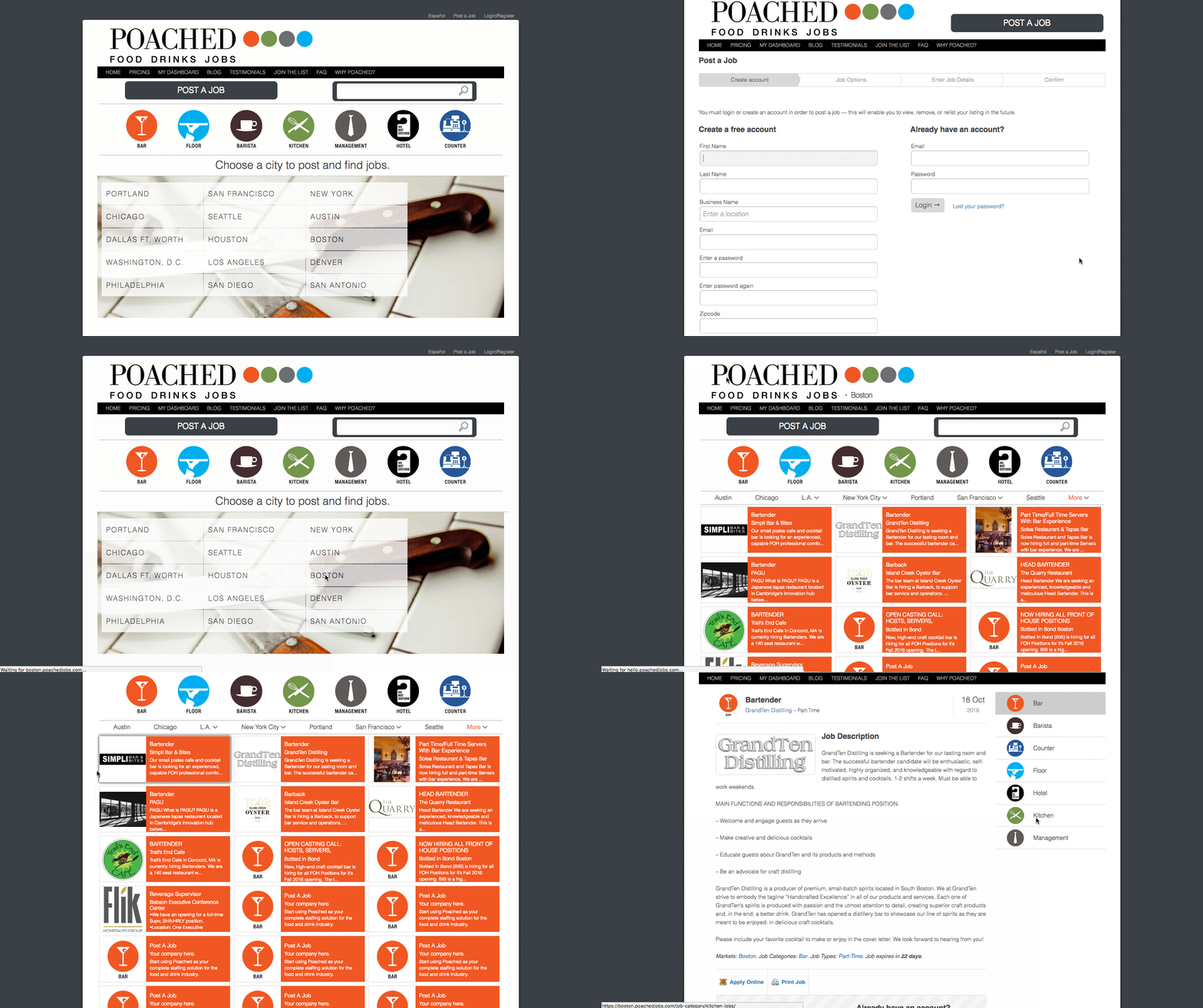
I don’t think we’ve ever lived in a time when, culturally, we’ve been so food-obsessed. Poached has turned that into a B2B model with a platform to connect proprietors and culinary talent.
When you visit the homepage, there’s no mystery about what you’re there to do — the giant “Post a job” and “Choose a city” calls to action help with that. And once you click on one of them, you’re taken to a no-frills form to become a member or log in, or a list of jobs in each city. It’s colorful and comprehensive — and, it makes us hungry.
9. Breather
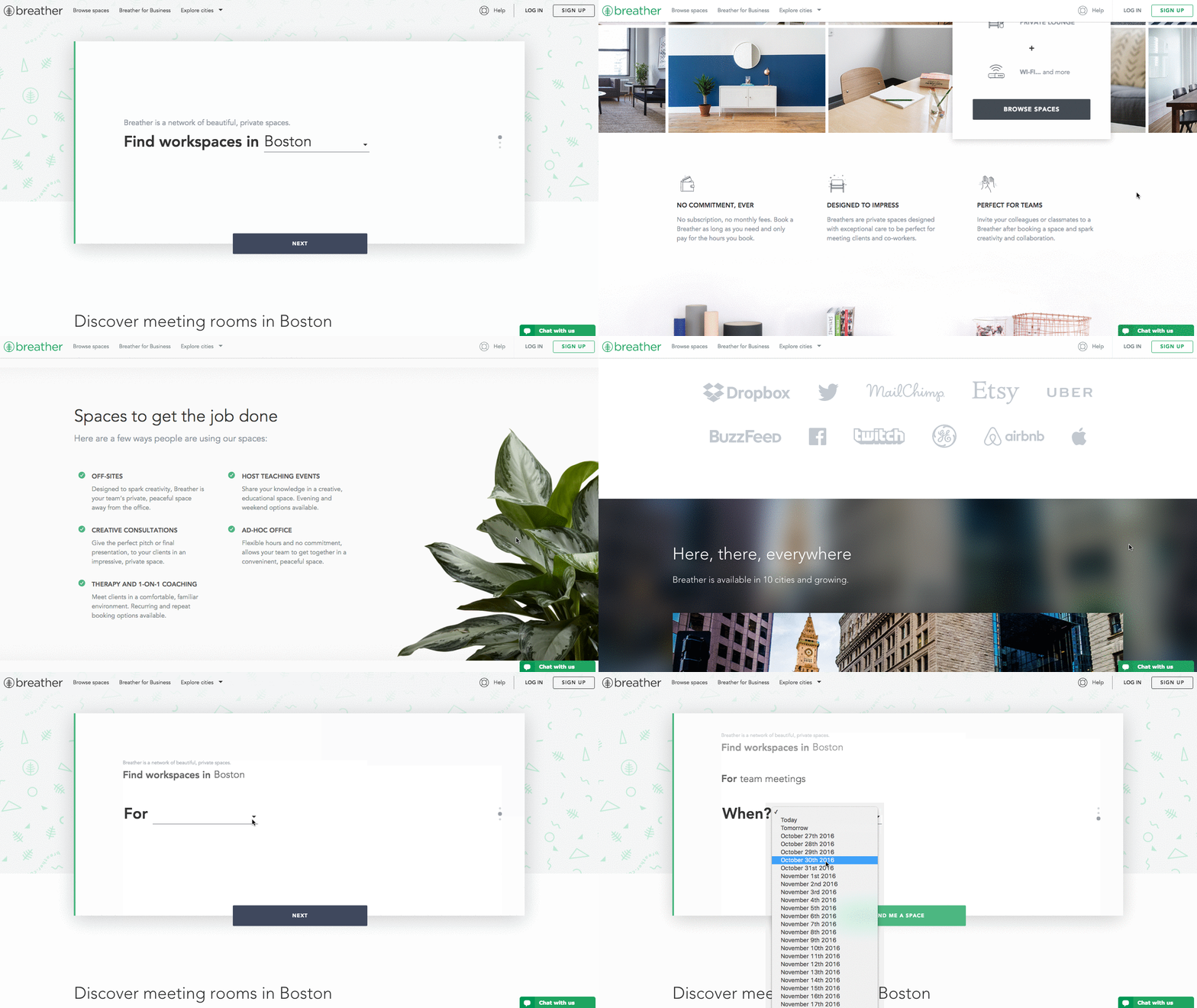
Here’s another example of clever, delightful design on a landing page. As soon as you visit Breather.com, there’s an instant call to action: indicate where you want to find a space. Plus, it uses location services to figure out where you are, providing instant options nearby.
We love how Breather used simple, to-the-point copy to let the visitor know what the company does, followed immediately by the CTA to select a city. And if you need to scroll down for more information, you can see that Breather played with the microcopy with personality (“no commitment, ever”), reminding us there are real humans behind the design. That brings us a little closer to the brand. The negative space and soothing color scheme are also aligned with the product — essentially, room to breathe.
10. Startup Institute
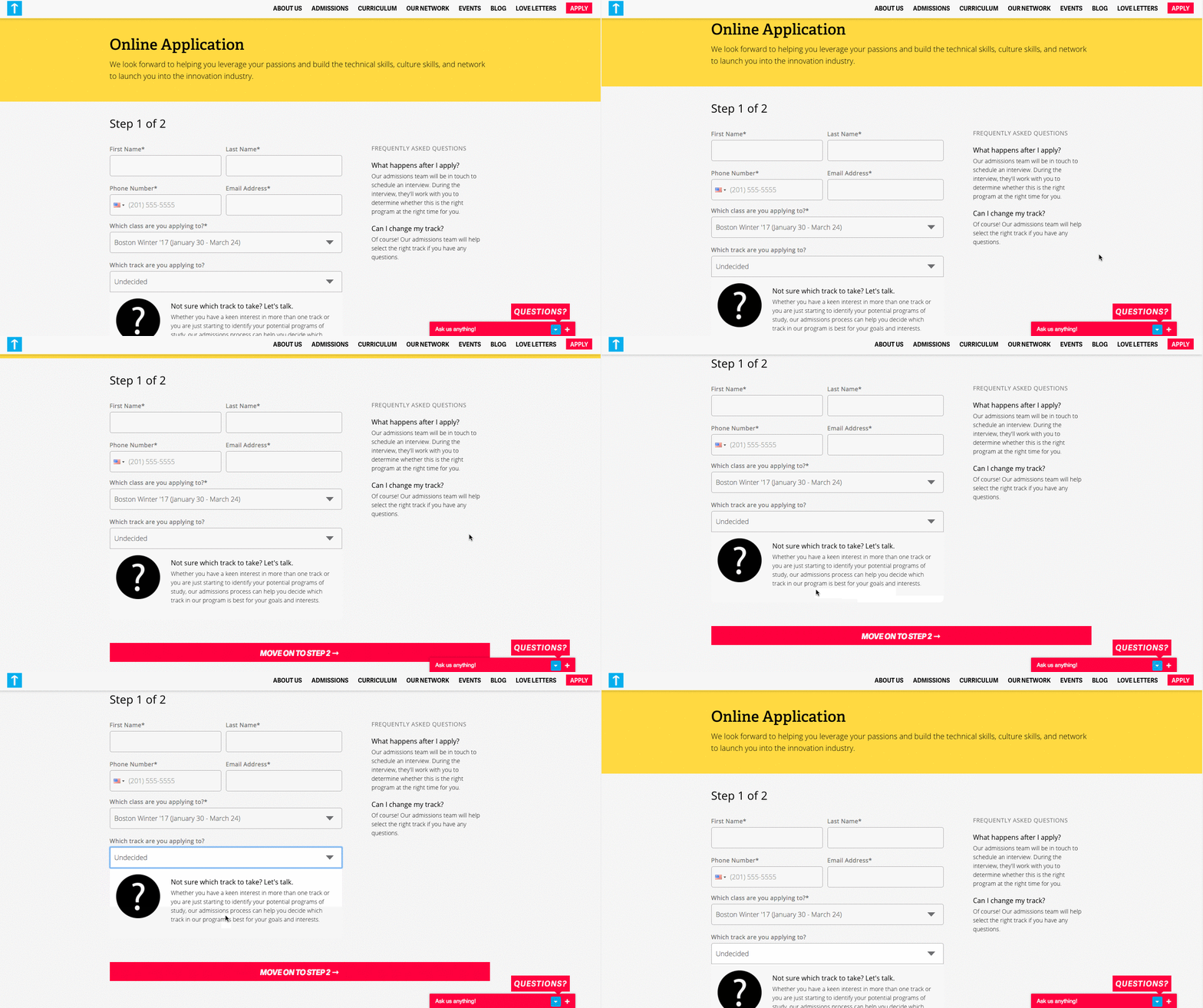
Visitors to your website won’t hand over their personal information without knowing what they’re going to get in return. On its landing page, Startup Institute makes abundantly clear what will happen after you apply by listing a Q&A right beside the form. It might prompt some people to say, “They read my mind!”
To avoid hesitancy to fill out a form, use your landing page to set expectations upfront. That clears the air, and can also weed out the people who don’t take your content, product or service seriously.
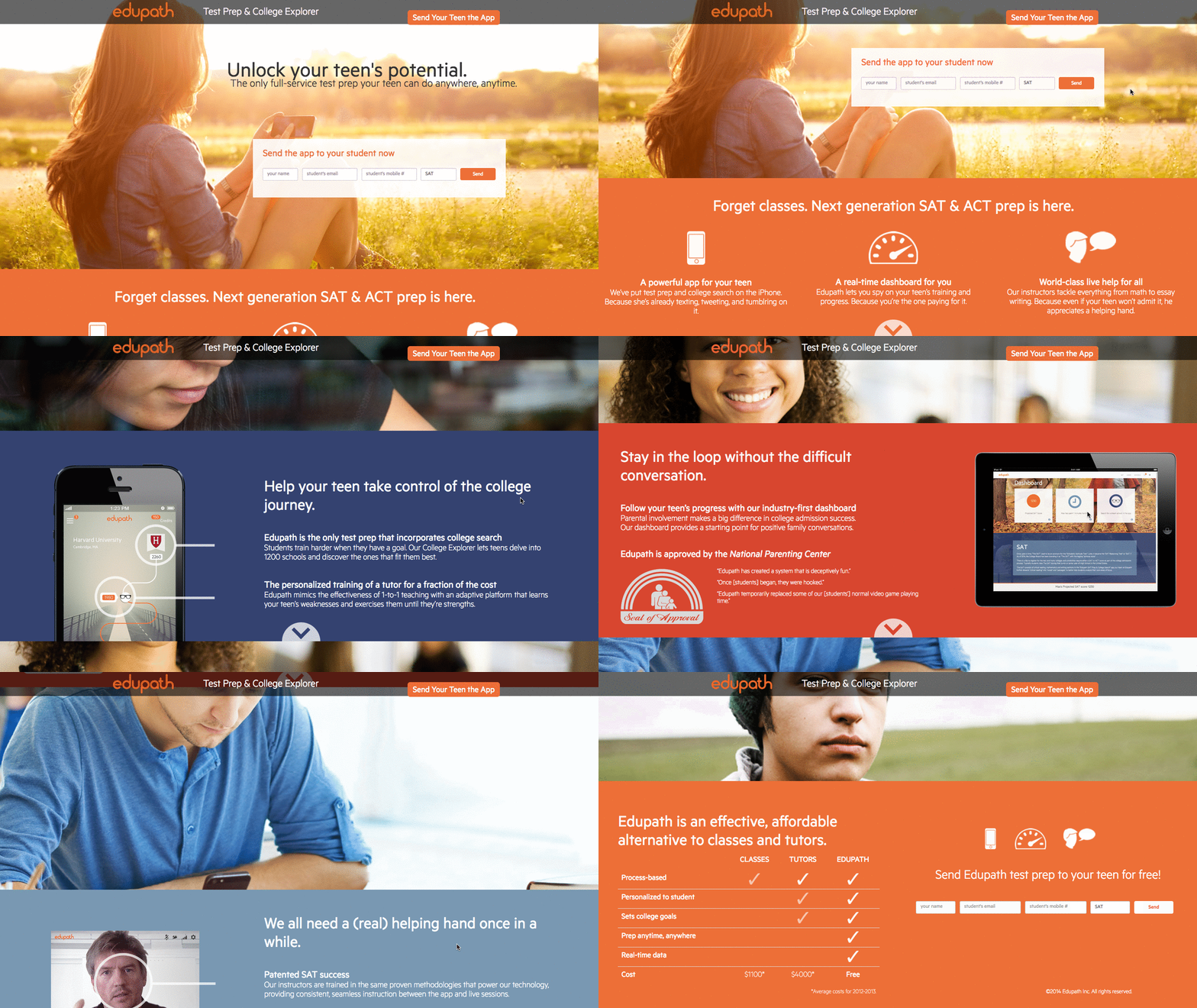
11. Edupath
Who is your landing page’s target audience? While most of Edupath’s website content is directed toward students, there are sections dedicated to advising parents on helping their teenagers through college applications and SAT preparation. The landing page below is in one of these sections.
When parents fill out their teenager’s name, email address, and mobile number, a link to download the Edupath app is sent directly to them. The folks at Edupath know students are likely to do something if their parents ask them to — especially if it means they don’t have to surrender their phones.
Plus, it’s an easy, one-click process. This whole conversion path is a clever and helpful way to get the apps on more students’ phones by way of their parents.
12. Taster’s Club
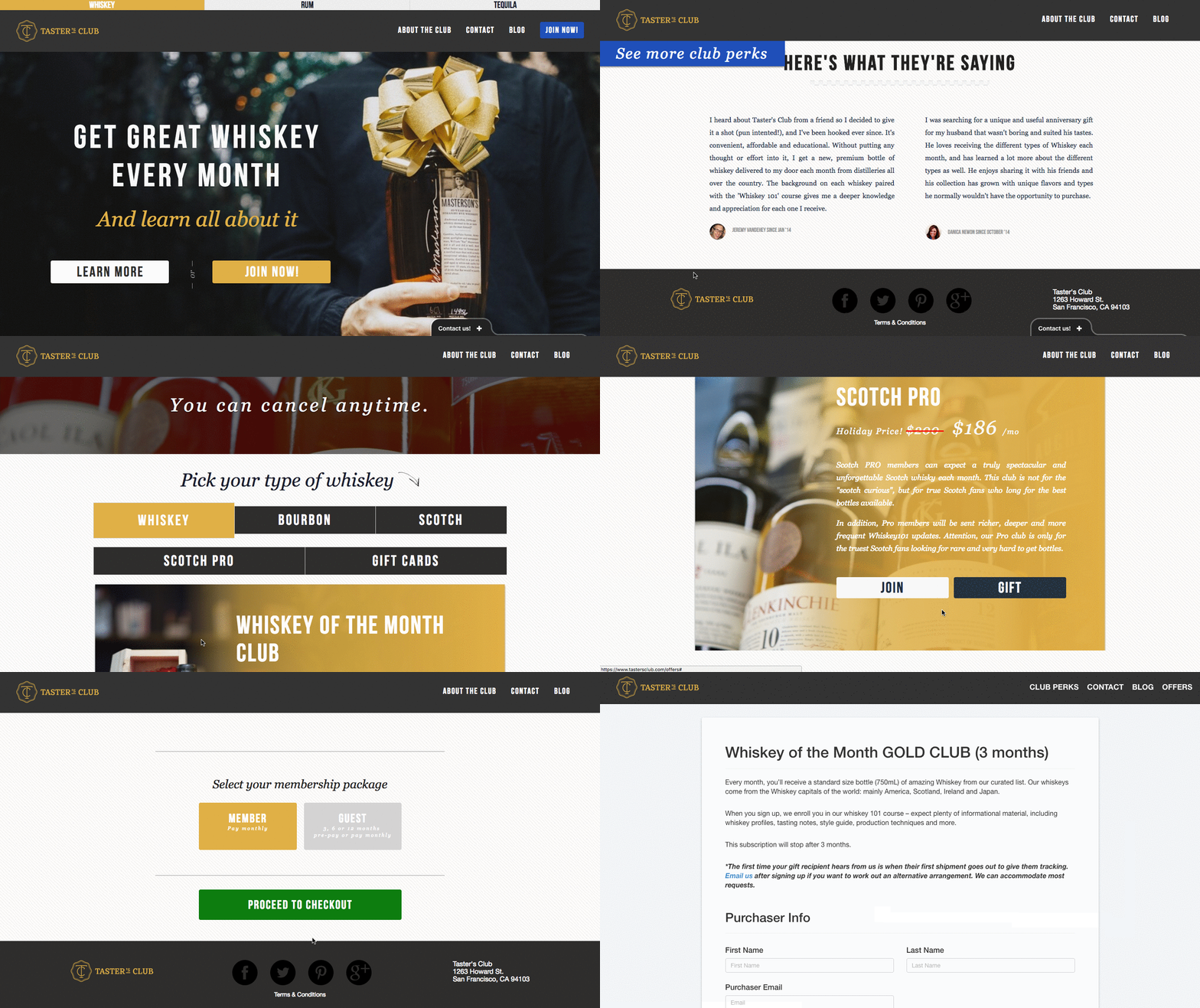
If there’s anything we enjoy more than a fine whiskey, it’s a whiskey club homepage that makes it easy to either join or learn more about membership. Case in point: Taster’s Club, which immediately serves up those very two CTAs on its landing page — which also happens to be its homepage.
For those to wish to learn more, clicking that CTA will immediately scroll the user down to colorful, image-rich details on what a Taster’s Club membership includes. Keep scrolling, and you get user testimonials.
But clicking the “Join Now” button is where the real fun begins. After doing that, you get to pick your poison — that is, the type of whiskey you like the most — and view the membership or gifting options available for it. Once you make your selections, you’re taken to an easy-to-navigate checkout page to enter your payment information. Good design and ease of use? We’ll drink to that.
13. Microsoft IT Showcase
The landing page below has been used to market and generate leads for one episode of Microsoft’s IT Showcase webinar series.
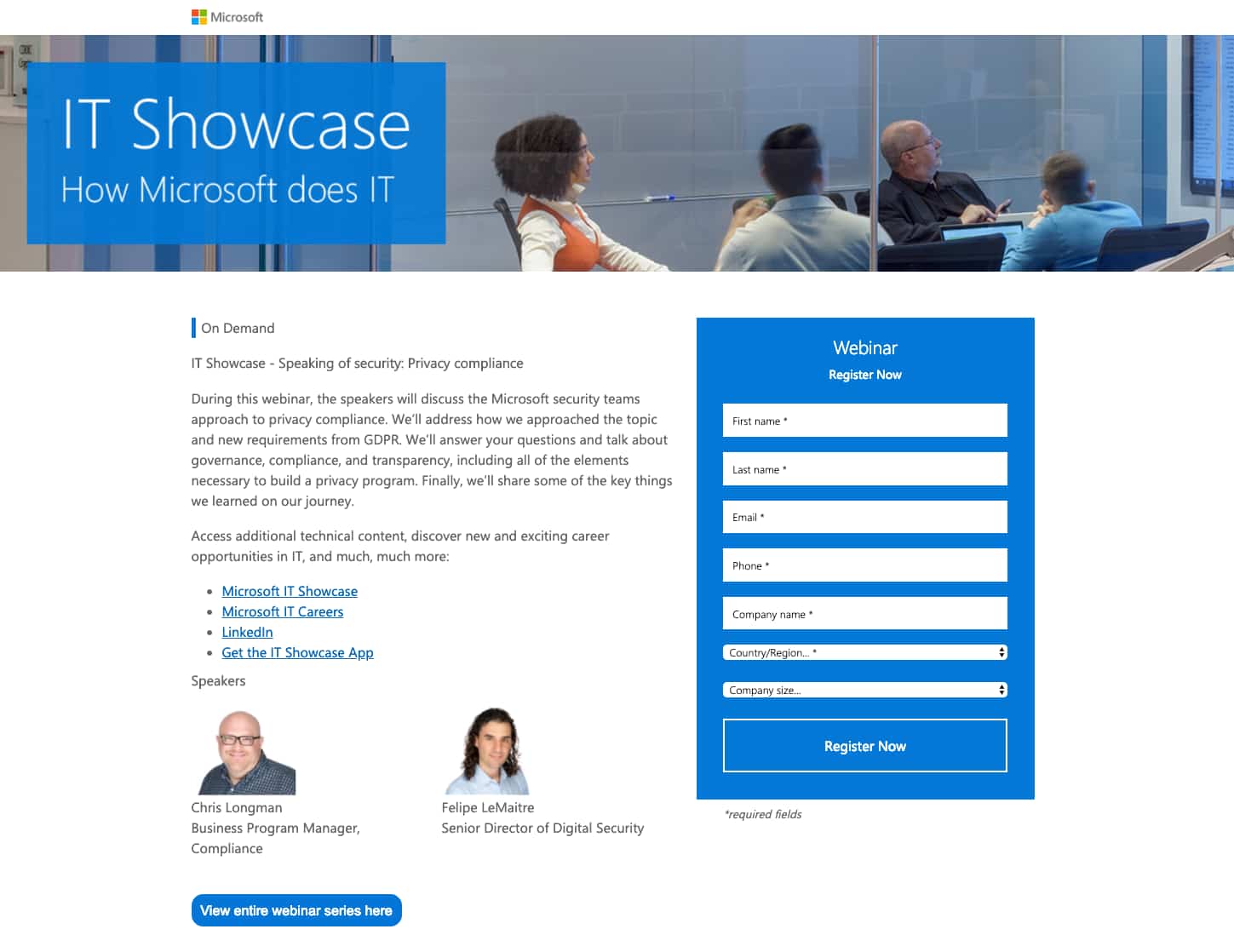
This simple and straightforward design does a great job of presenting why the webinar being offered is important to IT professionals. Along with a quick blurb describing what the webinar will discuss, the page also includes links to similar webinars, details on the speakers, and links to Microsoft resources that touch on the topics that will be discussed.
An IT company which has access to thought leaders or experts in their industry could similarly use this webinar landing page strategy to generate both leads and prospective customer trust. Audiences who feel informed after reading the landing page might sign up expecting the webinar to be insightful.
If the webinar seems informative and credible, these audiences will think that the IT company has an expertise in the product and might have quality product offerings. This will make them more willing to talk to a representative to learn more or purchase a product.
Ready to build your landing page?
If these examples have inspired you, but you’re not a design expert, we’ve also created a great list of free, professionally designed landing page templates.
If you’re looking for more landing page design examples, check out some of our favorite HubSpot landing page examples. You can also check out this quick guide to landing page design.

Want to be a Better Social Media Marketer? Listen to These 13 Podcasts
The last time I went on vacation, Facebook and Instagram announced two big product changes that I was left scrambling to catch up on when I returned.
Know the feeling? If you work in social media marketing, my guess is you know it all too well.
Social media is constantly evolving, making today an exciting time to work in marketing. This can also mean that you sometimes feel as if you’re falling behind on your general social media knowledge and education.
The solution? Podcasts.
In this blog post, we put together a list of 10 podcast episodes that deliver helpful and actionable guidance for social media marketers looking to brush up on their skills in a quick and entertaining way.
1. Marketing Smarts with Kerry O’Shea
How ‘Dolphin Tale’ Brought 800,000 Visitors a Year to Clearwater Marine Aquarium
Click here to listen to this podcast episode
In this episode, Kerry O’Shea Gorgone speaks with Chief Marketing Officer of the Clearwater Marine Aquarium, Bill Potts. They discuss Winter the dolphin, whose story of recovery from losing her tail was chronicled in the movie Dolphin Tale. Thanks to their social media and public relations teams’ relentless work to get Winter’s story shared with local media outlets, she eventually became the star of a hit film (seriously, rent this movie).
In light of the Aquarium’s newfound fame, Potts talks about their strategies for maintaining the momentum of the Dolphin Tale films by investing in social media more than ever. In particular, they’ve experienced a lot of engagement by live streaming video of their animals on Facebook Live, Periscope, and Snapchat. (You can learn how to master Facebook Live with the help of this free guide.)
“[Live-streams are] not super-rehearsed. They really are authentic. We focus on the animal, we focus on the story, and we don’t script it. We have an outline of what we want to be reviewed during the live webcast, but we make sure they’re naturally delivered. They’re really not rehearsed. They just happen. We do schedule and plan them, and we do know what’s going to be discussed, but we make it really authentic. It’s a one-take deal.”
Key Takeaways:
- All organizations have a story to tell, whether it’s about their mission, an individual, or a certain achievement. Give it the direction it needs to garner attention from media.
- Don’t just talk about yourself: Get others to talk about you on social media and in the press to earn more attention. (Here’s a handy PR guide to help with that.)
- Live streams should be raw, unscripted, and authentic: You can practice using the technology, but ultimately, remain flexible to allow room for more genuine content. (Check out this live streaming checklist before you get started.)
- Don’t be afraid to experiment with how and where you’re sharing video content. For example, the aquarium turns over their Snapchat to trainers working with animals 1:1 so followers can see how the aquarium helps marine life up close.
- Learn about your audience and where to reach them: For the aquarium, it’s mothers on Facebook.
Duration: 25:20
2. Online Marketing Made Easy with Amy Porterfield
How to Get Started with Facebook Live
Click here to listen to this podcast episode
This episode of Amy Porterfield’s marketing podcast features Kim Garst of Boom Social, where they discuss best practices and strategies for using Facebook Live. Main themes of this episode included determining how often to broadcast, apprehension about broadcasting live and making mistakes, and uncertainty about measuring success.
“I think the reason live video is so impactful (again, this is my opinion and what I’ve seen through my personal experiences and watching other people) is that people are so attracted to people who are not just real, but people that are relatable. In other words, they can see themselves having that issue.”
Key Takeaways:
- Consistency is a contributor to successful live streams: Create a regular schedule on Facbeook Live or Periscope to expand your reach after you stop broadcasting live.
- Carefully choose your broadcast’s headline: Remember, this is an opportunity to grab more attention from followers.
- Incorporate an offer into pre-outreach for your Facebook Live event. For example, tell followers that you’ll be giving away promo codes, ebooks, or checklists that they can only download if they tune in.
- Have a strategy to achieve a specific goal for every single broadcast, and don’t just talk for the sake of sharing.
- Find a way to capture people’s attention while they scroll: Facebook only counts “Views” as users who watched for 10 seconds or more.
Duration: 55:31
3. Social Media Marketing with Michael Stelzner
Content Creation Hacks
Click here to listen to this podcast episode
This episode, hosted by Social Media Examiner Founder and CEO Michael Stelzner, focuses on social media content creation with the help of special guest and social media pro, Nick Westergaard.
In the interview, Westergaard discusses the fact that everyone knows they need to create content, but not everyone knows how to do it most effectively. Many content creators don’t operate with a comprehensive strategy, which can make people object putting in the work to make content pay off. Westergaard mentions the term “checklist marketing,” which he says refers to marketers tackling every new marketing strategy like an item on a to-do list without objectives or strategy in mind.
“You have to gamify it a little bit and think about, if you’re creating one thing, how many more things can I create out of this? … By planning one piece of content, I create many.”
Key Takeaways:
- Try a team approach to social media content creation to both share the workload and curate a diverse array of content — even from colleagues who aren’t marketers.
- Experiment with user-generated content: Develop a campaign around an event or hashtag so your followers are sharing photos and messages that you can share with your networks.
- Repurpose content: If you’re writing a blog post or designing an infographic (here are some helpful templates for that), find a way to create smaller pieces of it that can be used as social media posts. Additionally, you can string smaller pieces of content together to create an ebook or guide.
- Take part in #TBT: Align your older content with current events and re-share it on social media. This takes advantage of nostalgia marketing and re-promotes content you’ve already created.
Duration: 41:08
4. Savvy Social Podcast with Andréa Jones
How to Network with People on Social Media (Without Feeling Weird About It)
Click here to listen to this podcast episode
Andréa Jones looks into one of the ways that brands could grow their social audiences without buying ads: networking. It can sometimes feel strange meeting others on social media just to prospect for potential customers, but Jones covers a range of methods to make it easier.
The podcast had a Q&A style structure, where Jones’ LinkedIn followers asked questions about creating a brand presence on social media.
“The premise is simple: meet people on social media who would potentially give you money for your ‘thing.’ Simple yet incredibly challenging to execute because as soon as we start talking about what we do, it can feel… icky.”
Key Takeaways:
- Have a people-first perspective. Don’t get spammy — be confident in the value of your offering and trust that organic social media marketing will be more effective than getting in your customer’s faces.
- Understand the needs, wants, desires of your customers. Emphasize the ways your products or services will impact your network more than emphasizing yourself.
- List what you do on your personal profile. You can share your work updates, anniversaries, and announcements on your profile to build your personal brand. This could make consumers curious about your company and want to learn more.
- A company’s social presence should reflect the brand’s personality. Keeping a consistent and reliable brand presence will help engage your target audience and lead them to connecting on social media.
Duration: 29:52
5. TED Radio Hour with Guy Raz
Why Do We Like What We Like?
Click here to listen to this podcast episode
In this episode of the TED Talks podcast, host Guy Raz interviews several TED speakers who’ve talked about branding:
- Filmmaker and Producer of Super Size Me Morgan Spurlock discusses how brands impact our purchasing decisions.
- Management Advisor and Author Joseph Pine touches on the power of authenticity.
- Ogilvy & Mather Group’s Vice Chairman Rory Sutherland explores the real versus perceived value of different products.
Their discussions are varied and well worth the full listen, but the overarching theme was how brands’ perception impacts their success (or lack thereof). Pine mentions that customers make choices because they’re bought into the dreams and imagery surrounding big brands, and that once they start using the product, they start to believe the message.
“Ubiquity is the death of authenticity.”
Key Takeaways:
- Take advantage of the opportunity to cultivate and promote what makes your brand unique. There’s always room for bragging on social media — just do it in moderation.
- Be authentic and real, but don’t say that’s what you’re doing. Consumers want authenticity, not disingenuity.
- Tell stories with a sense of place to drive greater authenticity: Set the stage when sharing blog posts, updates, and videos on social media so followers can see the kind of activities your organization is up to.
- A/B test different types of post on social platforms to see how they perform comparatively: Consumers don’t objectively think a product or service is good or bad — branding and marketing messages impact their perception, and that’s in your hands.
Duration: 49:13
6. The Growth Show with Meghan Keaney Anderson
Episode 100: Guy Kawasaki’s Unconventional Advice on Growth
Click here to listen to this podcast episode
In this episode of The Growth Show, HubSpot CMO Kipp Bodnar sat down with Canva Chief Evangelist Guy Kawasaki to discuss Instagram Stories versus Snapchat Stories, Facebook Live video, and organizational growth challenges.
During the discussion, Kawasaki admits that he prefers Instagram to Snapchat due to its superior content discoverability features and analytics options. And when it comes to Facebook Live, he is bought in.
In fact, he mentions that while taking a break from streaming on vacation, his Facebook reach was only 400,000 users, versus the 1 million users he sees when he’s streaming regularly. (Spoiler alert: He also lets listeners in on his secrets to greater engagement during live streams — but you’ll have to listen to find out what they are.)
“I don’t want positive, supportive, wonderful, reinforcing engagement on social media. I want any kind of engagement.”
Key Takeaways:
- Facebook Live drives greater engagement and reach than publishing recorded video or sharing a YouTube link.
- When you’re streaming live on Facebook, have a second screen (and ideally a teammate) available to see what comments or questions are rolling in from your audience so you can answer them live.
- Ask your audience questions while you’re streaming live to increase comments, Likes, and followers.
- Publish regularly and frequently to increase engagement on social media platforms.
Duration: 35:01
7. Maximize Your Social with Neal Schaffer
The Influencer Marketing ROI of Creating and Publishing a Roundup Post
Click here to listen to this podcast episode
Influencer marketing can be a great way of reaching new audiences, so Neal Schaffer and Codrut Turcanu look into the value of using influencer marketing to promote roundup posts. When blogs post lists of offerings, they are making what’s known as a roundup post or crowdsourced article. An example of this might be “The 7 Best Ecommerce Software in 2019” or the blog post you’re reading right now!
Influencers can be excellent marketers as they have engaged audiences and can share content directly to them, leading to a lot of traffic. Schaffer and Turcanu discuss what the ROI of influencers sharing roundup articles to their networks.
“You want to ensure you’re engaging with the right people with the biggest impact.”
Key Takeaways:
- Think of the end result. It can be time consuming to find bloggers or influencers to promote your product or service, but if you know what your goal is, then you can start compiling the right lists of leads and partners to get going.
- Identifying the right influencers is crucial. It’s important to find and engage the right people that have the greatest impact on your target network.
- Roundup blog posts are beneficial for connecting with wider audiences. These kinds of posts pick up traffic from the organizations, services, and thought leaders featured in the article.
- Roundups put you on the radar of influencers. Publishing a crowdsourced article helps build relationships and build your social community.
Duration: 23:47
8. Hashtagged with Jordan Powers
Focusing on Creating Content and Community Versus Being an Influencer with Dan Joyce
Click here to listen to this podcast episode
In this episode of Hashtagged, host Jordan Powers interviews Dan Joyce, a content creator on Instagram, about the cultivation of vibrant and engaged social media communities. Joyce was one of Instagram’s very first users.
They swap stories about how they started using Instagram first as a creative outlet, and then eventually as a tool for content creation and personal networking. As a professional content creator, Joyce initially began experimenting with Instagram, but it’s since evolved into a powerful network that photographers and other content creators can harness:
“[The] platform has provided a breadth of knowledge about photography and content creation in a way that makes big social network a lot smaller … There are so many types of content being shared on Instagram, it’s created its own ecosystem.”
Key Takeaways:
- You can’t force becoming an influencer or thought leader, even on social media. Share lots of unique and creative content to grow your social network, and followers will come after.
- Individuals and brands can use Instagram as a more professional portfolio of photographs and Snapchat as a more lighthearted photo log of their day-to-day.
- Experiment with the types of posts you share on Instagram: Powers found that when his posts are more about content creation than networking, they end up performing better. (Here are 18 photo and video ideas for Instagram to try.)
Duration: 40:18
9. Inbound Marketing Today with Neil Brown
7 Social Media Mistakes Companies Make & How You Can Avoid Them
Click here to listen to this podcast episode
Inbound Marketing Today is hosted by Neil Brown, founder of the Brown Creative Group, and in this episode, he discusses common mistakes businesses are making on social media:
- Treating all social media sites as if they’re the same and not changing up how you share content.
- Too much automation.
- Not posting on social media frequently enough.
- Not responding to questions or comments.
- Deleting negative posts, comments, and reviews.
- Trying to be active on every social media channel.
- Not having a lead generation strategy.
“You want to use automation to make marketing more efficient, not to appear as a bot. Social media should be social.”
Key Takeaways:
- Social media is an arm of your customer service team: Aim to be helpful, positive, and delightful to your customers.
- It’s better for engagement to have a comprehensive strategy for only two social media platforms than to post at random on all platforms.
- Maintain your voice’s authenticity. You’re a human speaking for an organization, so don’t forget to be real, and connect with people when they seek assistance or give feedback.
Duration: 12:14
10. Social Pros with Jay Baer and Adam Brown
Why Most Social Media Writing Sucks & How to Fix It
Click here to listen to this podcast episode
In this episode of Convince and Convert’s Social Pros, hosts Jay Baer and Adam Brown interview Josh Bernoff — chief troublemaker at Without Bullsh*t — about writing quality content for social media.
Bernoff’s mission is to eliminate convoluted writing from marketing, and he thinks it’s a challenge because we were rewarded for writing long papers when we first learned to write in school. Now, that experience is impacting social media posts, press releases, and blog posts in a detrimental way.
“You’re not creating art. You’re creating effective communication, and there’s nothing wrong with doing that simply and directly.”
Key Takeaways:
- Get to the point. You should aim to say what you mean in the first 2-3 sentences of whatever you’re writing.
- Adopt Baer’s ROAM content marketing checklist: Who are the readers? What are your objectives? What follow-up action do you want to inspire from the reader? What impression will people have of your organization when they read your content?
- Always have another set of eyes look over your content, even Facebook captions. Never publish a first draft.
Duration: 53:40
11. #AskGaryVee with Gary Vaynerchuk
YouTube Growth Strategies, Business Risks & VanyerMedia’s New Office
Click here to listen to this podcast episode
In his podcast #AskGaryVee, Digital Marketing Expert Gary Vanyerchuk answers questions from his followers (delightfully coined “VanyerPeeps”), and his entertaining responses make it worth the listen. At the beginning of this episode, Vanyerchuk answers questions from a VaynerPeep about strategies for hacking YouTube growth.
Vanyerchuk believes that for all content creation — be it blog, video, or social media — the distribution is more important than the creation, and that those priorities are often the opposite to modern marketers. It’s not enough to write a great blog post, or produce a great YouTube video: it has to be seen and picked up by the right people, and that won’t happen unless you hustle for it.
“You have to continue to bring value and produce good content, but you also need people to know about it.”
Key Takeaways:
- Try collaborating with other YouTubers or influencers in your space on social media. If you can’t offer them exposure, what can you offer them in exchange for their partnership? Always offer value.
- Use targeted hashtags on Instagram to grow your audience there. Do some research to determine which tags are generating the highest levels of engagement.
- Join forums within your industry communities to develop a network of support that you can reach out to for social sharing, promotion, and participation in your social media campaigns.
Duration: 17:55 (YouTube answer ends at 8:00)
12. Manly Pinterest Tips with Jeff Sieh and Erik Fisher
Pinterest Growth And Instagram Shoppable Posts
Click here to listen to this podcast episode
Pinterest is growing, and organizations can really benefit from marketing on one of the biggest media brands. Jeff Sieh took a look with Erik Fisher at how to best connect with Pinterest’s quarter of a billion users around the world as well as shopping on Instagram.
“According to a Nielsen study, 98% of Pinners, they go out and try ideas that they find on Pinterest. And that’s way more than 71% of the other social media platforms.”
Key Takeaways:
- Pinterest is a place to reconnect with yourself. Compared to other platforms where the idea is to connect with other people, Pinterest is for keeping track of things that you like. Driving traffic from Pinterest therefore reflects a genuine interest in your offering.
- On Pinterest, you’re not competing with social content. Since Pinterest isn’t a typical social networking platform, your products won’t have to compete with videos of your friends’ kids for your feed’s attention.
- 98% of pinners go out to try ideas they find on Pinterest. Promoting a product on Pinterest makes a ton of sense — consumers are turning to their pinboards to make purchasing decisions.
- Instagram Shopping is hot. As a consumer, you can seamlessly buy items off Instagram Stories, and as a seller, you can track consumer behavior in your Instagram store.
Duration: 24:00
13. Social Media Social Hour with Tyler Anderson
Behind the Data: A Quantitative Look at the Future of Social Media
Click here to listen to this podcast episode
In this episode of Social Media Social Hour, presented by Scoreboard Social and Casual Fridays, host Tyler Anderson interviews CEO of the Social Fresh, Jason Keath, to discuss the outlook of the future of social media. Social Fresh recently conducted a survey of over 500 participants about how brands are measuring, or not measuring, the ROI of their social media strategies.
Anderson and Keath discussed many of the findings in the report, with results often circling back to the outlook that video will continue to dominate social media in terms of engagement and ROI. This episode provides in-depth analysis and conversation without being too lengthy, with lots of helpful tips and actionable next steps for listeners along the way.
“No one is seeing a return on what they’re doing on Snapchat right now… but people are passionate about the engagement opportunity.”
Key Takeaways:
- Prioritize social networks that deliver the greatest ROI: According to the report, those networks are Facebook, Twitter, Instagram, and LinkedIn (in that order).
- Instagram is projected to overtake Twitter in terms of popularity and ROI. Keath speculates that it’s because Instagram is less saturated than Twitter, which leads to greater engagement.
- Get the ball rolling on a video strategy: The number of respondents creating video assets on a monthly basis is growing — it ranked third for assets marketers are creating after images and blog posts.
Duration: 35:10
Are you a social media marketer? What podcasts do you listen to that we missed? Share with us in the comments below.

What Is Recency Bias and How Does it Affect Stakeholders?
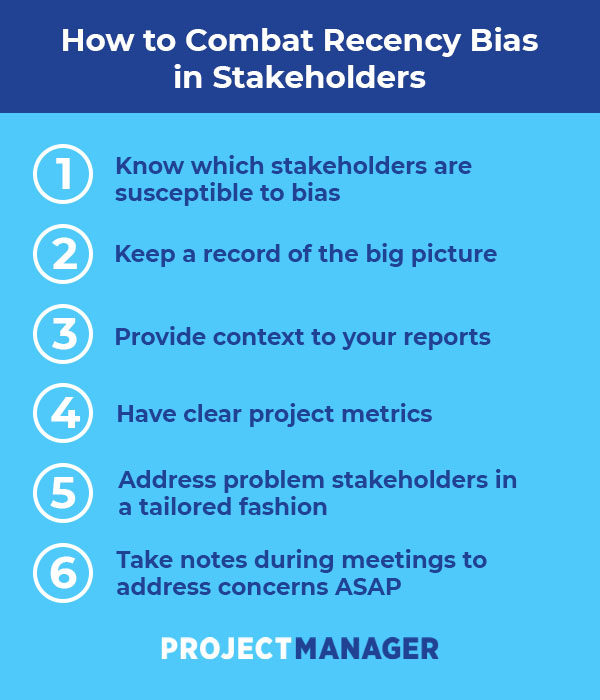
How to Use Facebook Live in Your Marketing: An 8-Step Plan
Looking for proven ways to reach and engage your Facebook fans? Wondering how live video could help? In this article, you’ll learn how to use Facebook Live as the cornerstone of your marketing efforts. Why Facebook Live Video Is Still Relevant for Businesses and Marketers When it comes to video, Facebook wants pages to focus […]
The post How to Use Facebook Live in Your Marketing: An 8-Step Plan appeared first on Social Media Marketing | Social Media Examiner.
from Social Media Marketing | Social Media Examiner https://ift.tt/2XQJ9Wt
via socialmediaexaminer
25 Handy Slack Hacks Everyone Should Know
A few years ago, the HubSpot team made the switch to Slack (one of the hottest real-time messaging apps on the market).
Initially, it was hard to get used to uttering phrases like “Just Slack me” or “We were Slacking” in passing. But once we got more comfortable with the platform, we started to realize just how powerful it really is.
The more we used Slack, the better our discoveries got — GIFs, reminders, files … they were all just a click or two away.But that’s just the thing: Slack is capable of so much that it’s hard to uncover what features you really should be using. To help, we put together some of the best Slack hacks below. From creating to-do lists to customizing your theme, these pro tips are worth showing off to your team.
25 Handy Tips for Using Slack
1. Conduct advanced searches.
One of the great things about Slack is that messages and files are easily searchable. Because channels move so fast, you can use these advanced search commands to pull up exactly what you’re looking for without wasting any time.
Channels and direct messages
- in:channelname – Searches only the messages and/or files in a specific channel.
- in:name – Searches your direct messages with a specific user.
Messages or files from a specific person
- from:username – Limits your search to messages from a specific person in any channel or direct message.
- from:me – Searches only messages you’ve sent, anywhere in Slack.
Links, starred items, and emoji reactions
- has:link – Narrows your search to messages that contain a specific URL.
- has:star – Pulls messages you’ve starred.
- has::emojiname: – Searches messages that contain a specific emoji.
Dates and times
- before: Use words like “yesterday” or “today.”
- after: Use words like “week,” “month,” or “year.”
- on: or during: Use specific dates and range keywords, such as “Monday,” “February,” or “2016.”
(Pro tip: To use very specific dates, use the MM/DD/YYYY (United States) or YYYY/MM/DD (International) format.)
For more on searching in Slack, check out this resource.
2. Use the /remind commands to create a to-do list.
Set a Slackbot reminder to help you keep track of what you need to get done. To get started, simply enter /remind into the text box, followed by your task. (Note: Only you will be able to see the command and the reminder.) You can schedule a reminder for a specific time or set a date using the MM/DD/YYYY format.
If you want to review your list of reminders, simply use the command /remind list. From there, you can mark certain tasks as complete or delete the ones you no longer need.
3. React with a GIF.
Let’s face it: We all love GIFs. And thanks to the Giphy integration, you can share hilarious GIFs with your coworkers using the /Giphy [emotion, word, or phrase] command.
To set up the Giphy app, visit this page. From here, all you’ll have to do is click “Install” next to your team name, then click “Add Giphy Integration.”
Note: Giphy can be a hit or miss … sometimes the GIFs are NSFW or not quite right for the situation. But, if you don’t mind gambling with the results, this hack is very easy to set up.

4. Use the /collapse & /expand commands to open and close files.
Weeding your way through a sea of GIFs to get to the comment you’re looking for? You can collapse all inline images and video by using the /collapse command. When you need to reference the visuals again, simply enter /expand to make them reappear.
5. Add text and link formatting to your Slack messages..
Want to call out text, make edits, display a link, or share code? Reference the following syntax:
- Slack link formatting: To share a link with a preview image, just send a URL in a message. Slack will automatically create a preview unless a user has their preview settings turned off. Note: It is not yet possible to hyperlink specific words in a Slack message.
- Emphasis: To create bold text, surround your word or phrase with *asterisks.* To italicize text, place _underscores_ around a section.
- Strikethrough: To strike out certain words, use ~tilde~ to surround the text.
- Lists: To create lists, select “Shift” + “Enter” to add a new line. To add bullet points, select Opt+8 (Mac) or Alt+0149 (PC).
- Insert a paragraph break: If you want to break up words without using a list, use a soft return. Instead of hitting enter at the end of a sentence, which will send the message, hold shift and tap the enter key to start a new line.
- Blockquotes: To add angle brackets at the start of your message for indents and quotes, type “>” to indent a single lines or “>>>” to indent multiple paragraphs.
- Code blocks: To display a section as inline fixed-width text, use single `backticks` around the selected area. To create a block of pre-formatted, fixed-width text, use triple “`backticks.“`
6. Toggle between statuses using the /away command.
Don’t leave your coworkers hanging. If you have to step away from your computer or head to a meeting, make it clear by adjusting your status. To quickly toggle between “away” and “active,” use the /away command.
7. Add notifications for keywords and phrases.
Whether you’re managing a specific project or trying to keep tabs on a certain department or activity, adjusting your settings to enable custom notifications can be a huge time saver.
To get notified when a specific word or phrase is mentioned, start by selecting your name from the top left corner, then clicking “Preferences” from the drop-down menu. From there, select “Notification Settings” and scroll down to “Highlight Words.” In the text box, add words or phrases that you’d like to be notified about (making sure to separate them by commas).
8. Quickly send a private message using the /msg command.
Sometimes we find ourselves with questions that warrant the attention of everyone in a specific channel. You know, important things such as, “Does anyone have a stapler?” or “Who is free for lunch?”
After you ask a question, avoid any further disruption by following up with people via a private message. For example, once you know Steve is free to grab a bite to eat, use the following command to quickly open up a private message to hash out the details: /msg @user [your message].
9. Edit messages you’ve already sent.
We’ve all said things we wish we could take back. And with Slack, you can … kinda. To quickly edit a message you’ve sent in a conversation, press the ↑ arrow key, edit your message, then press “Enter.”
This feature is especially useful when you do something terribly embarrassing, like use the wrong form of “their”:
10. Connect your Google Drive to Slack.
A lot of teams are already using Google Drive to create and store files online, so why not get the best of both worlds? When you connect your Google Drive with Slack, you have the ability to read and index imported files, and quickly search for them whenever you need them.
There are two ways to connect your Google Drive to Slack:
If you have a Google Drive link you want to share, simply paste it into a message box. This will prompt Slackbot to deliver the following message:

Click “Yes” to grant Google Drive permission to read the file.
If you don’t have a file you’re ready to share, but want to connect Google Drive for future use, visit the Google Drive app page. From here, click “Configure” next to your team name, then click “Authenticate your Google Drive Account” > “Allow.”
11. Customize your Slack theme.
Whether you use Slack for different groups and want to stay organized, or you just want to personalize the look and feel of your account, you can adjust your theme by selecting your name in the top left corner.
From the drop-down menu next to your name, select “Preferences” > “Sidebar Theme.” From here, you can explore and select themes or scroll down to “Custom Theme” to put in your own HTML color values.
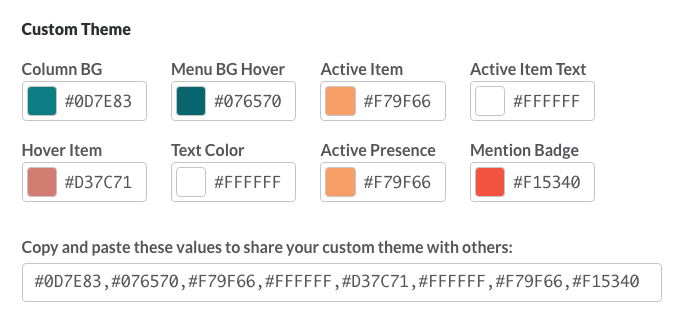
12. Connect IFTTT to Slack to automate tasks.
Serving like a universal adaptor, IFTTT is a handy tool that allows you to automate tasks between two services. And when you connect IFTTT with Slack, the possibilities are seemingly endless. To do so, start by signing up for IFTTT or signing into your existing account. Then, activate the connection here.
Once the two are hooked, you can browse “recipes” or create your own to begin automating tasks. To get you started, check out a few of our favorites:
(Or get notifications about assigned Trello cards.)
13. Create your very own emoji.
To get started, click on your name in the top left corner and select “Customize Slack” from the dropdown menu.
Fill out the form to create your custom emoji. First, you’ll need to provide a name for the icon — this is what you will enter to display the emoji. Next, upload an emoji image.
Slack asks that you use a square image no larger than 128px in width or height, with a file size smaller than 64K. To remove the background from the image (as seen in the Ryan Gosling example below), check out this tutorial.

14. Create custom triggers for Slackbot responses.
Make Slack your own by customizing Slackbot’s automated responses to certain words or phrases. To do so, click on your name in the top left corner and select “Customize Slack” from the dropdown menu.
Select the second tab from the left labeled “Slackbot” to access the message customization field. Insert one or multiple input phrases with commas, and then add a Slackbot response or responses by adding each one to its own line (“Shift” + “Enter”). If you insert multiple responses, Slack will call up one at random when it’s triggered.
For example, this automated Britney Spears response for the word “Oops!” turns mistakes into smiles.
15. Add custom loading messages.
Ever notice the witty messages and tips displayed when Slack is loading? Well, you can add your very own loading messages for a fun, personalized experience.
To start adding new messages, click on your name in the top left corner and select “Customize Slack” from the dropdown menu. Click on the third tab from the left labeled “Loading Messages,” add a message in the text box, and hit “Add Message.”
Pro tip: There’s never been a better opportunity to Rick Roll your coworkers than this.
16. Jump to any conversation in seconds using Slack’s Quick Switcher.
If you’ve got a really big team, it’s likely that you’re involved with quite a few Slack channels. To quickly and easily switch from a channel to a private message back to a different channel, simply hit ⌘ + K (Mac) or Ctrl + K (Windows and Linux). A popup will appear where you can begin typing a person or channel’s and select the correct option to open the conversation.
17. Pose as a celebrity to fool your team.
Troll your coworkers using Slacker — a handy tool that allows you to post funny replies as your favorite character. Slacker comes with a ton of built in characters, from Kanye West to Marge Simpson.
You can even add your own character by selecting the green “+” icon. Simply add a name, image URL, and default message to add them to your collection.

18. Use emoji reactions to take a quick poll.
Words are hard. Sometimes it’s a lot easier to let our coworkers know how we feel by reacting with an emoji. And on Slack, it’s easy. Simply hover over a message and select the smiley face icon with the plus sign to select an emoji.
Want to take things a step further? Reaction emojis make it really easy to quickly poll your team. Here’s a great example from the folks at BetterCloud:
Our office uses the reaction emojis in Slack for easy voting. What is your #SlackHack?@SlackHQ pic.twitter.com/RlXveBjgYY
— BetterCloud (@bettercloud)
February 8, 2016
19) Pull swatches using HTML color codes.
Collaborating with another team member on a design project? Make quick color suggestions using HTML color codes. When you type out a code — #F7761F, for example — you’ll see a tiny swatch appear, like this:

20. Created a to-do list using stars.
Starring an item on Slack is a way to mark a task as important. To star an item, simply move your mouse of a message or file and select the grey star to make it turn yellow. To view your starred items, click the star icon in the top right corner.
Starring requests and files that you need to work on makes it easy for you to create a to-do list on the fly.
21. Shake it off with a shruggie.
Don’t know the answer? Made a little mistake? Need to signal to your coworker that you actually have no idea what’s going on this meeting? Send ’em a shruggie.
Serving as the “default Internet feeling,” a shruggie will say everything you need to say … without saying anything at all. To pull it up, enter the /shrug command.

22. Edit your name in your profile to show when you’re OOO.
Whether you’re OOO on vacation or out on maternity or paternity leave, you can signal this to your coworkers by adjusting your last name on Slack. For example, I’d change my first name to “Carly Stec,” and add “OOO” in the last name field — as seen in the example below.
To edit your name, click your team name in the top left corner to open up the Team Menu. Then, select “View Profile & Account” to open the team directory and click “Edit” to open the profile editor.
23. Host a video call.
Want to have a video chat with one of your Slack groups or a thread of multiple people? You actually don’t need to use an outside video service to do it.
To start a video call, go to a thread that you’d like to chat with and click on the phone near the Slack search bar.
 A call will start immediately, like it would on Skype or Zoom. From there, you can similarly turn audio and video on and off, or share your screen with your team.
24. Make a note for your thread.
If you don’t feel like sharing a separate Google doc with your whole thread, you can make a note right on Slack. To do this, simply click the plus sign next to the message area in your thread. Then click “Create New” and then “Post.”
 Once you click “Post,” a writing box will pop up where you can create a document for your team. When you’re done writing it, you can share it with a caption and title that describes what the it is.
25. React to someone’s message.
Sometimes a message warrants a thumbs up, a laughing face, or a more traditional smiley. Next time your boss Slack’s the team about a great thing you or your co-worker team, react to the message with an appropriate emoji to make the conversation more fun. Here’s how to do it.
When you want to react to a message, hover over it with your mouse. Message options, including one that looks like a smiley face will show up.
 When you click on the smiley face, you’ll be able to see and search all the possible emoji options.
 Once you click on one, you will react to the message. The emoji will appear directly under it. From there, other users can click it to react with the same emoji, or find their own emoji.
Want to learn more about Slack?
We hope the 25 handy Slack tips above help you make your conversations more efficient and fun. But, if you want to integrate Slack even deeper into your office processes, check out this piece on HubSpot’s integration with the platform. You can also read a little bit about Slack’s successful history here.

July 08, 2019 at 01:22PM
Así de grande es #Apple la empresa que estuvo a meses de desaparecer !
#MORALEJA nunca rendirse
#mercados #business #management #lider #lideres https://ift.tt/2LHxXVG
How to Make a Disaster Recovery Plan
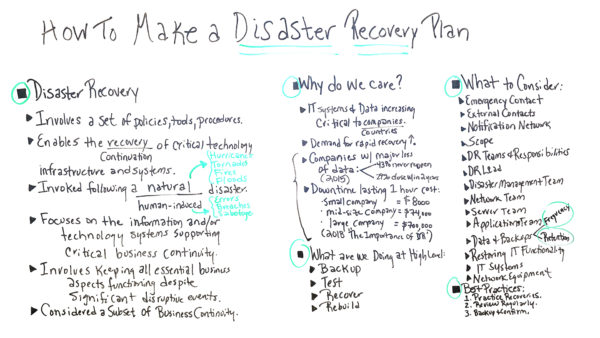
How to Identify & Work With the Best Brand Influencers for Your Business
When I scrolled through Instagram this morning on my commute, I commented on a friend’s post about her vacation, scrolled right past an advertisement for a comforter, and double-tapped an influencer’s post about a skincare brand.
That’s the thing about influencers — you follow them for a reason, so you don’t mind interacting with their sponsored content.
I don’t follow this exact influencer because I’m interested in her skincare routine. Instead, I follow her because she’s an editor of a major magazine that I enjoy reading, and her content interests me. Since I trust her opinion, I’d definitely check out any skincare brands she endorses.
Even though influencer marketing is a well-known marketing channel by now, it’s always important to reiterate that your customers trust the opinions of others — and that majorly impacts buying decisions.
In fact, nearly 90% of all marketers find ROI from influencer marketing comparable to, or better than, other marketing channels.
So how can you identify the right brand influencers to work for your business? First, it’s important to know what a brand influencer is, and determine the best way to connect with them — on, or offline.
If you work for a SaaS platform company, odds are you won’t be reaching out to Beyonce to promote your product. Even if she did want to work with you, her audience likely doesn’t fit your target audience or buyer personas.
Reaching out to random people with thousands or even millions of followers is a very transactional way to go about an influencer marketing strategy. The strategy becomes transactional because your business is completely focused on the influencer’s follower count, and the influencer takes on a product endorsement role, rather than being a brand ambassador.
A better way to do it is by putting your relationship with the influencer first. The number of followers they have shouldn’t be nearly as important as their fit with your brand and how their content resonates with both your audiences. Often, these influencers will be involved with your business long-term if you customize your content to their brand as well, and prove that you value their partnership.
Now that we’ve defined an influencer, let’s explore how to find the best ones for your industry.
How to Find Brand Influencers for Your Industry
How can you determine the right “fit” with a brand influencer? Business/influencer fit will become extremely important for your future collaborations, so be sure to nail down the following criteria:
1. Figure out your target audience.
A target audience can be split by many factors — including demographic, geographic, and behavioral, to name a few. Common ways to segment an audience is by age, gender, location, behavior, lifestyle, values, and interests. As you begin to narrow your audience, you’ll dive into the types of marketing strategies and content that will resonate most with them.
Determining your target audience will ensure that your audience is similar to that of your influencer’s. Otherwise, your content will fall flat and won’t inspire users to take action.
A great example of business/influencer fit is how many sportswear brands, like Nike and Puma, partner with popular athletes to create both products and content. If you’re a fan of Lebron James, you probably already know he’s sponsored by Nike — and that partnership goes a long way for Nike’s business.
2. Research Influencers.
Obviously, the best place to research your influencers is on social media — but let’s break it down into more concrete steps.
The easiest way to find the right brand influencers is to see if any are already talking about your business. Social monitoring or searching for your brand on social media sites are great ways to get started, and listening tools can help you find influencers who are already interested in your industry.
Another tip for researching influencers is to search for relevant hashtags. If you’re a health and wellness brand looking for an influencer, searching for “#health, #wellness, #sponsored, #ad” on Instagram will bring you to influencers who have already posted industry-relevant content. If you see a post that catches your eye, check out the rest of the influencer’s engagement on other posts.
Keep in mind that influencers can have smaller, devoted followings — so don’t turn away from someone just because they have fewer followers than what you initially had in mind. Additionally, look out for influencers who are already posting your competitor’s brands, as well.
If you see an influencer’s post on Instagram that may resonate with your brand, try looking for similar profiles. Next to the “Follow” button on Instagram, there’s a down arrow. By clicking the down arrow, you’ll see a list of suggested users. Scroll through those and see if any might be willing to take you on.
3. Determine relevance.
Take a look at your own content. What is your brand’s aesthetic, and what tone do you use in your copy? What are the underlying messages you’re trying to communicate?
It’s important to see how aligned your influencer’s content is with your own. Obviously, their social presence shouldn’t be filled with posts exactly like yours, but their messaging should be similar since you are targeting a specific audience.
Engagement is also an indicator of relevance for your brand. If the influencer’s audience isn’t engaged with their content, partnering with your brand won’t make a difference. It’s important to figure out whether the influencer’s followers are commenting and sharing their content, or just liking it.
Additionally, do similar users return to comment and like content, time and time again? This implies the influencer’s audience enjoys engaging with the influencer and likes the content she promotes.
Now that you’ve done your initial research, and hopefully conducted a list of possible influencers for your brand to work with, it’s time to connect.
You want to reach out to influencers without seeming spammy or too transactional. Relationships are key, after all. And if you have a bad relationship with your brand influencer, odds are they won’t continue to post on your behalf.
Connecting with Influencers
1. Reach out…strategically.
Cold emailing or direct messaging an influencer isn’t a great strategy for relationship building. If you have an interest in working with an influencer, try courting them first.
What I mean by this is, you should subscribe to their blog, follow all their social channels, and comment on their posts. Influencers work hard on their content, just like your business does. If you want an influencer to take notice of your business, you have to be interested in what they’re doing, as well. Beginning a partnership by interacting on the channels you hope to work together on will demonstrate your interest.
Some influencers have a presence on multiple social media platforms. It’s your job to know how they want to be contacted for business partnerships. If they have a business email in their Instagram bio, that’s likely the best choice. Alternatively, maybe they have an inquiries section on their blog. Whatever the case is, make sure to send a personal message that doesn’t feel like it’s been generated by a template.
2. Make a human connection.
Sending messages into the digital universe is a scary feeling because you don’t know when or if you’ll ever hear back. Making a connection in the real world is much more actionable, and puts a face to your business.
This doesn’t mean you should go out and stalk your list of influencers until you meet in person.
If you’re serious about making a connection, try attending or hosting an influencer event.
Bringing influencers to you will make connecting with them much easier, and give them an opportunity to interact with your brand before agreeing to work with you.
Many marketers are learning to market themselves as well as their business. Hopefully, you’ve been growing your network, as well — so you may already have connections to your influencers.
If you have someone who is at the very top of your list, see if they’re following someone you know. Maybe they’ve worked with a similar brand in the past, and you know someone on that team. The world is smaller than we think, and you might just be sitting on a goldmine of potential relationships.
3. Manage your outreach efforts.
Like any other marketing strategy, influencer outreach should be organized and well-documented. The last thing you want is to accidentally reach out to the same influencer on four different platforms with the same message. Yikes.
After reaching out, be sure to give an influencer some time before a follow-up. Just like in a sales pitch, you don’t want to be overbearing or clingy. Be respectful of the influencer’s time — if they want to work with you, they’ll respond to your outreach.
You should also be documenting what outreach strategies work for you. Maybe after a first email, you’ve found success in hopping on a call with potential influencers. Knowing what works for you will help you further develop your outreach strategy, and enable you to be more creative in the future.
To recap, brand influencers can help you:
- Build and expand a devoted following
- Increase your word-of-mouth marketing efforts
- Bring in more sales, leads, and conversions
- Create more human relationships with your potential customers
The right influencers are inherently interested in your brand, believe in your mission, and are capable of communicating about your business eloquently.
Focusing on long-term relationships with your influencers will continue to build their knowledge of your company, and will bring the best results.
Next, take a look at The Ultimate List of Instagram Influencers in Every Industry (94 and Counting!) to begin researching the ideal influencers for your brand.

The Ultimate Guide to Sponsored Content
Research shows that people remember branded content twice as long as they remember a traditional advertisement. But creating your own branded videos, blogs, or podcasts can require a lot of bandwidth.
If you’ve always wanted to experiment with this strategy, but haven’t had the time or resources to produce your own campaigns, sponsoring content from other companies or influencers might be the right strategy for you.
Sponsored content has been around for decades and got its start in print publications. But as online marketing has taken over the way we consume content, we’ve seen sponsorships move from print to web. Now, sponsored content is even thriving on social platforms like Instagram.
But, you might ask, “What makes sponsored content more appealing than traditional online ads?”
To answer that question, this post will explain what sponsored content is. We’ll also offer you a few best practices and solid examples of sponsored videos, podcasts, social media, and blog format. At the end, we’ll also give you a few tips on how to sponsor great content while still following federal advertising guidelines.
This type of content is most engaging when you sponsor a company or influencer who targets your core audience and already discusses topics that align with your brand. When this is done right, any mention of your brand feels like a natural fit rather than an invasive advertisement.
Instead of thinking they just saw an advertisement, audiences should come away from sponsored content feeling like they’ve learned something interesting. This makes your brand look more credible, memorable, and — most importantly — trustworthy.
When it comes to branded or sponsored content, trust is a major factor that engages potential customers. In fact, when marketers sponsor content from a trusted publisher, they see a 50% higher brand lift than marketers who make their own content.
As branded and sponsored content gains steam, research continues to show that marketing your product with quality content can be incredibly effective. In fact, content marketing gets three times more leads than paid search advertising.
How to Distinguish Sponsored Content
Although sponsored content is engaging and effective, it still occasionally gets confused with more-traditional native ads.
Native advertising is when a brand creates editorial content that centers around their product. Then, they might pay a website or publisher to share it in a way that naturally flows within a list of content on their homepage.
Here’s an example of a native ad that appeared on Huffington Post’s homepage. Aside from the advertisement attribution under the headline, the post about senior entitlements is designed to show up on the page just like a regular news story.
 When you click it expecting a regular post, you’re sent to a branded article that purely highlights services and discounts from Money Nation.

While you might want to consider a native ad that goes directly to a product page for immediate sales or traffic purposes, leading readers down a conversion path too soon could turn off audiences.
Since people may scroll past or tune out when they see content that’s obviously created by an advertiser, a piece of sponsored content created by a trusted source might be a stronger alternative.
Once you’re ready to start sponsoring content, it can still be difficult to come up with a list of content ideas or identify brands that you could sponsor. To help inspire you, here are a few great examples.
Sponsored Content Examples
Sponsored Photo or Video Content
Most consumers want to see videos from brands, so it’s no surprise that video and photo content are gaining attention from sponsors. Here are three great examples of video and photo posts:
Michelob Ultra
Michelob recently sponsored a Tastemade recipe video which used the beer as an ingredient in a shrimp ceviche tostada dish. The video shows how the beer is used as a flavoring ingredient and lists its name in the video caption.
In this example, Michelob was able to sponsor relevant content and get a natural product plug without altering Tastemade’s video recipe style.
Another great thing about this content is that it doesn’t just cater to beer drinkers or Michelob-specific fans. Someone who doesn’t drink beer regularly, but wants to cook this recipe as shown, might still have a reason to purchase Michelob Ultra.
In the small-business world, a local restaurant might sponsor a recipe video like this created by a food blogger to show off a meal they cook at their restaurant. You might also see a food or ingredient vendor similar sponsor a recipe video where there ingredients are listed.
Nude by Nature
In this Youtube video, a Global Ambassador from Nude by Nature gives a tutorial to a beauty reporter from the Evening Standard, a London newspaper.
This type of sponsorship works well because it aligns with the editorial style of the Evening Standard’s beauty section.
This type of sponsored tutorial could be helpful to companies that offer beauty supplies. An expert demonstration on how to use a certain brand of products may be valuable to readers who enjoy wearing makeup and learning about new brands.
Some viewers might even want to buy the exact same products that they saw in a tutorial so they can follow along and recreate the model’s look on themselves.
Seedip
This Instagram post from Imbibe, a blog that informs users of interesting alcoholic beverages, shows off photos of Seedip, a non-alcoholic spirit.
The caption directs audiences to the account’s bio where they can find the link to a recipe that includes Seedip as an ingredient. It also describes the drink and uses hashtags like #sponsored to signal that the content was paid for.
This is another example of how sponsoring content from a brand that aligns well with yours can create a more natural feeling campaign.
This type of sponsored style might be helpful to other companies in the food and beverage industry. For example, if a local wine brewery sponsored a restaurant’s social post which highlighted a new line of wines, this could help the wine brand gain awareness and potential purchases from the restaurant’s followers.
Sponsored Podcasts
Podcasting is growing. In fact, in 2018, we discovered that 17% of marketers planned to add podcasting to their strategy.
While big brands like GE and Microsoft have already created their own shows, other marketers have focused on sponsoring podcasts that relate to their field or have a similar target audience. Sponsoring a podcast allows marketers to gain awareness from listeners without having to put time and effort into creating their own content from scratch.
Here are two examples:
Rise and Grind
This 10-episode podcast series was sponsored by ZipRecruiter and hosted by Shark Tank’s Daymon John. The series ran in correlation with the launch of John’s book, also titled Rise and Grind.
The content aligned well with both John and ZipRecruiter as it included interviews from entrepreneurs and business leaders, career and interview tips, and motivational advice. ZipRecruiter is occasionally mentioned, but the content is mainly editorial in nature.
Here’s one of the podcast’s mini-episodes, titled “Motivational Minute: Take the Shot.”
For companies in B2B or highly-professional fields, sponsoring a podcast that features executive-level tips and advice allows your audience to see how in touch your brand is with its industry.
A sponsored podcast might also inform new audiences with similar interests about your brand when they tune in to hear an interview.
My Brother, My Brother and Me
The My Brother, My Brother and Me podcast, also known as MBMBaM, is a comedic show that touches on news and pop culture. When they have a sponsor, they come up with a topic that relates to the advertiser or use product placement strategies.
One of the most notable and extreme examples was in 2016 when they hosted a “Family Fun Hour” sponsored by Totinos. During the episode, they gave a brief history of Totino’s, discussed their favorite snacks from the company, and played games that included Totino’s foods. This was considered as a brand new strategy at the time and was noted on sites like Vulture.
While this is an unusual example where product placement takes up most of the show, it demonstrates how content creators can develop something unique and still centered around a product.
Sponsored Influencer Content
Currently, 80% of marketers report that influencer marketing is an effective strategy. While many marketers have taken part in co-marketing with influencers, some have also sponsored their content.
One of the platforms where influencer marketing thrives most is Instagram. Here are a few examples of how brands are sponsoring influencer content on the platform:
CR7 Footwear Sponsors Cristiano Rinaldo
In this post, Cristiano Rinaldo, a soccer star and the most-followed person on Instagram, shares a picture of himself relaxing in CR7 Footwear.
Cristiano is no stranger to sponsored posts and he has mastered the art of natural product plugs. Because the photo shows him lounging and reading a book, rather than just his shoes, fans might feel like they’re seeing a behind-the-scenes photo of him, rather than a promotion.
Since Cristiano is a major athlete and influencer who’s recommended apparel in the past, viewers of this post might trust and follow his shoe endorsements, even if the footwear isn’t athletic.
While the sponsorship of an athlete seems ideal for companies that sell sporting goods or clothing, this placement shows how a major influencer can successfully promote a number of products that aren’t just limited to their industry.
Coach Sponsors Selena Gomez
Here’s an example where Coach sponsored an Instagram post from Selena Gomez, the former most-followed person on Instagram. In the post’s caption, she shares details about a Coach outfit she’s wearing.
This is a good example of sponsor and promoter alignment. Coach is a high-fashion company and Selena Gomez regularly shares her outfits and thoughts about fashion on her social platforms. To viewers, this might feel like her usual posts where she casually shares what she’s wearing.
On a smaller scale, this sponsored content strategy could be helpful for ecommerce stores or boutiques who want to promote their products by paying someone with a large following to take photos with them.
Lulus Sponsors Lexi Mars
Influencer Lexi Mars has published a few sponsored Instagram posts for Lulus. In these posts, she puts on a few of their outfits and shows off other accessories from the brand.
Like other influencers on this list, she tags Lulus in her posts. This enables her fans to visit their account, learn more about their brand, and potentially follow them.
In the video post below, she tries on dresses from Lulus and captions the video as “outfit ideas for graduation.”
Like the Selena Gomez example, this sponsorship aligns well with both the clothing company and the influencer’s brands.
Lexi regularly posts pictures of her outfits and videos with fashion tips, so this video will not seem unusual or forced to her fans. The style of clothing is also similar to the outfits she wears in other pictures, so fans who remember her usual fashion choices might not be disrupted by the ad.
Because Lexi also highlights that these are graduation outfits, she might engage members of her following who are graduating, as people searching Instagram for graduation dress inspiration.
This type of influencer strategy might be helpful to boutiques, physical stores, or ecommerce shops that want to promote their seasonal or event-related clothing.
Tractor Supply Sponsors A Dog Named Stella
In this sponsored post from @ADogNamedStella, Stella’s owner films her exploring s Tractor Supply store with her family. In the video, the dog and children play with toys and items on the shelves and there are ample shots taken around the store. The video also shows friendly staff playing with the dog.
Although there are some detailed shots of the store, this video is still focused on telling the dog’s story, which makes the content a bit more interesting than a generic marketing video.
By sponsoring the content of a popular dog influencer, who has over 284,000 followers, Tractor Supply might be spreading awareness about its products to dog owners and dog lovers that might not know they sell items other than landscaping supplies.
Unlike many sponsored pieces, which often highlight online services on products, this content also creatively shows off a physical business. Sponsored content like this could be an effective way to show off products in a small or local shop that doesn’t offer an online store just yet.
Sponsored Articles
Sponsored articles have been around for years. While they were common in print publications, they have easily made the jump to blogs and online news sites.
According to a study by Neilsen and Mode Media, consumers spend 2.5 minutes reading a sponsored article. That’s roughly the same amount of time that they spend reading a standard editorial piece.
Here’s one example of sponsored article content from Huffington Post.
Sleep Number
In a piece sponsored by the Sleep Number mattress company, Huffington Post readers are offered a quiz and a slideshow on the science of sleep.
Unlike the native ad from Huffington Post that was shown above, this piece has the same design as all the other editorial posts on the website. It also has editorial newspegs and credibly sourced information including a fact from the CDC.
In the meat of the post, there is only one mention of Sleep Number. They also include sponsorship language at the end rather than in the middle or at the beginning. This makes the post feel more editorial and less like an ad.
This example seems like it would be of value to audiences who want to learn more about the science of sleep.
The quiz and scientific facts also make it feel more engaging and credible. A user who reads this or takes the quiz might think that Sleep Number is a go-to mattress company because they’ve been affiliated with editorial content about sleep.
Sponsoring editorial content like this could be a good strategy for businesses with an audience base that has interests in reading news or blogs online.
For example, a gym might sponsor a piece on fitness tips for the elderly in the health section of their local newspaper. With a piece like that, audiences who visit the newspaper site or pick up the physical paper might learn more about why staying fit is important and decide to join the gym.
FTC Sponsored Content
Even though sponsored content might be more valuable to a customer than a traditional ad, it’s still legally considered a form of advertising and is subject to specific guidelines. You’ll still need to follow the Federal Trade Commission’s online advertising and marketing guidelines.
On social media platforms, acknowledging that content is sponsored can get tricky. In 2017, the FTC sent more than 90 letters and published an online announcement reminding influencers and brands to clearly state when they have a “material connection” to a brand.
This means that a company or influencer must disclose when another company has given them a payment or another resource in return for publishing an endorsement or sponsored content
To avoid any regulatory issues, many influencers and brands now use a hashtag such as #ad or #sponsored on social platforms if there is no other way to clearly disclose a sponsorship in a post. Hashtagging seems to be a go-to on Instagram, which currently has over 2.5 million posts marked with “#sponsored.”
While you should take time to read up on all the FTC requirements that could impact your campaigns, here are the biggest guidelines to keep in mind when posting or publishing sponsored content:
- Make sure the content is free of any misleading claims or lies. For example, a supplement company shouldn’t say their vitamins cure a disease when they have not proven to do so.
- Even if you are posting on social media, clearly disclose when content is sponsored and who the sponsor is. With this disclosure, audiences will know that some aspects of the content were paid for.
- If your content is on your website or your sponsor’s, make sure the font of the disclosure is legible. The text and color should be easy to see and ideally different from the body copy’s style. A note that content is an advertisement, sponsored, promoted or presented by a company should appear in the post itself as well as near the headline if a CTA for it is featured on a homepage.
Disclaimer: We’re not lawyers, and the above shouldn’t be taken as legal advice. Consult a legal professional.
Tips for Creating Sponsored Content
When working with a sponsor to create interesting and compelling content, here are a few tips to keep in mind:
- Aim to sponsor content that attracts and delights your audience. If it’s enjoyable, they’ll continue to consume it and potentially click on your links.
- When looking for the content creator, choose a company, influencer, or publisher with a similar audience or mission. If people see an endorsement or sponsored post from an entity they trust, they’ll be more aware of a product and more likely to buy it. This will also make any plugs or product mentions feel less like an ad.
- Work with the sponsor to pick a topic that aligns with your goals and your audience’s interests. For example, if you’re a makeup company, sponsoring an influencer’s tutorial that highlights your products might be beneficial.
- Focus on creating engaging content first and product plugs second. If you’re content feels like it’s solely advertising a product, people might tune out.
- Sponsor content that goes beyond blog formatting. Be sure to consider videos, photos, and podcasts. These three areas are gaining more and more interest from marketers and consumers alike.
Conclusion
Sponsored content can allow you to reach new audiences and gain valuable trust from prospective customers. But, unlike native ads, you don’t have to sacrifice your team’s bandwidth to create it.
As you start looking for someone to sponsor, keep an eye out for people or brands that align with your mission and feel like a natural fit.
If you’re excited by the idea of branded content, but aren’t interested in working with a sponsor, check out these engaging examples of native advertising.

Facebook ThruPlay for Facebook Video Ads: What Marketers Need to Know

Do you use video in your Facebook ads? Wondering how the new ThruPlay optimization will affect your Facebook video ad campaigns? In this article, you’ll learn what ThruPlay optimization is and what it means for Facebook video ad campaigns. What Is Facebook ThruPlay Ad Optimization? In September 2018, Facebook introduced ThruPlay ad optimization for video […]
The post Facebook ThruPlay for Facebook Video Ads: What Marketers Need to Know appeared first on Social Media Marketing | Social Media Examiner.
from Social Media Marketing | Social Media Examiner https://ift.tt/2XzKEny
via socialmediaexaminer
Screenshot Monitor
Características del Software
Calendario de tareas
Conecta con Google Calendar
Funciona sin internet
Gestor de tareas
Monitorea la actividad de tus empleados
Monitorea tu productividad
Sistema de Alarmas
Software descargable
Software en la nube
Públicos
Agencias
Autónomos / Freelancers
Bloggers
Consultores
Desarrolladores
Diseñadores
Emprendedores
Marketers
Negocios Locales
Profesionales SEO
Publicistas
eCommerce
¿Qué es Screenshot Monitor?
Es un software para monitorear de forma remota la actividad de tus empleados en el uso de aplicaciones. Es útil para observar capturas de pantalla, estadísticas o tiempo de uso, entre otras características.
Aunque debes instalarla en el ordenador de tus empleados para que funcione, sus acciones son verificables directamente desde la página de Screenshot Monitor sin necesidad de otro programa adicional.
Al estar en funcionamiento rastreará sus acciones y tomará capturas de pantalla de forma aleatoria en favor de verificar su trabajo. Además, se detendrá automáticamente cuando perciba momentos de inactividad y puede ejecutarse sin necesidad de conexión a Internet.
Desde el sitio web tendrás una línea de tiempo con detalles de rendimiento interesantes como: cuánto tiempo y dinero se ha gastado por cada proyecto, nivel de trabajo, aplicaciones ejecutadas, web visitadas y más. Tendrás la capacidad de modificar los intervalos de captura de pantalla e incluso crear una agenda con las tareas diarias de tus proyectos.
Screenshot Monitor ofrece una versión gratuita con sus funciones más básicas, como rastreo de tiempo, tres capturas de pantalla por hora y hasta tres empleados. Por otra parte, sus dos planes mensuales agregan una mayor cantidad de contenidos, configuraciones y personalización.
from Socialancer https://ift.tt/2FWzhjF
via
The 14 Best WordPress Appointment Plugins in 2019
As a marketer, one of your main goals is to collect high-quality leads for your sales team — but, when those leads try to make appointments to learn more about your products or services, are they being delighted as well as they could be?
Ultimately, creating an efficient, streamlined process for client appointment scheduling is essential for satisfying your prospects and ensuring you don’t lose their interest simply due to a lack of simplicity.
If you have a WordPress site, you’re in luck — there are simple, clean, easy-to-use appointment plugins you can implement to ensure you’re delighting your prospects every time.
Plus, optimizing your scheduling process doesn’t just help your prospects — it also helps you make scheduling the least time-consuming thing you have to do.
Here, we’re going to dive into our favorite 14 WordPress appointment plugins. But first — what are some characteristics of an exceptionally good one?
The Characteristics of the Best WordPress Appointment Plugins
What makes a good appointment plugin? There are nine criteria that a plugin should meet to cover all of your bases:
- A customizable appointment booking system where you record your availability or the availability or your staff.
- The ability for clients to self-book based on your availability.
- Integrations with common calendar tools like Google Calendar, Outlook, and iCal.
- Automatic meeting notifications.
- Lead generation tools to capture client information and create a database for future communication and lead generation.
- Payment integrations.
- Multilingual and multi-currency options.
- Adjustable time zones and time format.
- The ability to embed the calendar on your WordPress page.
An expansive collection of calendar integrations opens up your field to more new users. Most of the below tools hit all of the criteria above, so any of these would be worth considering for your business needs. However, when selecting the one that best serves your target market, make sure to focus on these elements before choosing your plugin.
1. HubSpot WordPress Plugin
Price: Free
The HubSpot WordPress Plugin includes several lead generation tools like popup forms, a web form builder, and kickback emails. Additionally, you can integrate it with your other HubSpot freemium tools, including the Meetings app.
Native within the WordPress plugin, you can use the following to collect client data on your WordPress pages:
- Banners
- Scroll Boxes
- Embedded Forms
- Pop-ups
Once you collect client data, all that information is sent to the HubSpot free CRM (or anything else you integrate with), so you can get a full view of website behavior.
Additionally, the analytics tool helps you find important information like bounce rate, time on page, and traffic source to help you improve your conversions. Additionally, no API integrations or extra coding is necessary. It’s free, and very easy to sign up and give it a try.
Finally, all of this can integrate with the Meetings app. However, while there is a free version that includes a custom meetings link, you have to upgrade to have the ability to embed your calendar on your WordPress website.
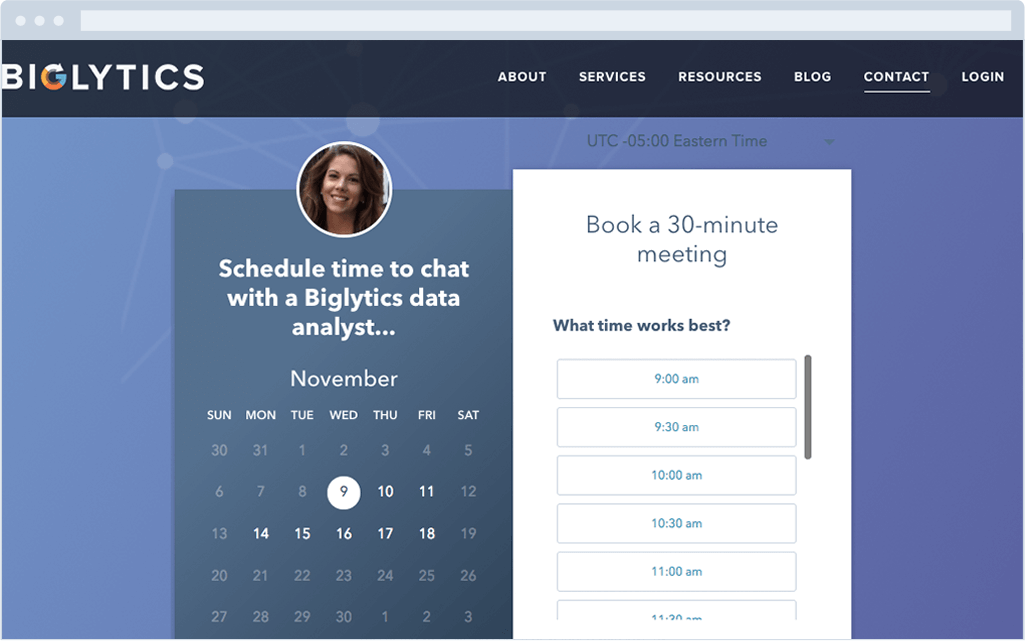
2. Amelia Appointment Booking WordPress Plugin
Price: $59
The Amelia plugin is a fantastic appointment tool for enterprises and chains because of its expansive set of functionalities.
Designed with simplicity and mobile optimization in mind, the plugin helps you manage multiple employees and schedules by providing customizable booking forms and a responsive availability calendar. You can use this to manage both customers’ and employees’ schedules.
Booking an appointment is an easy two-to-three step process, where customers can fill out your contact information, the type of service and location desired, the specific staff members requested, and more.
The plugin is compatible with multiple payment gateways and you can set it up so customers pay directly through your on-site booking system. Plus, email notifications are sent out when an appointment is booked.
You can filter and sort the calendars as needed (by day, week, month, year, and view), and Amelia provides a shortcode to easily embed and sync your calendar on your WordPress site. If you need help with site design, it also offers demo sites.
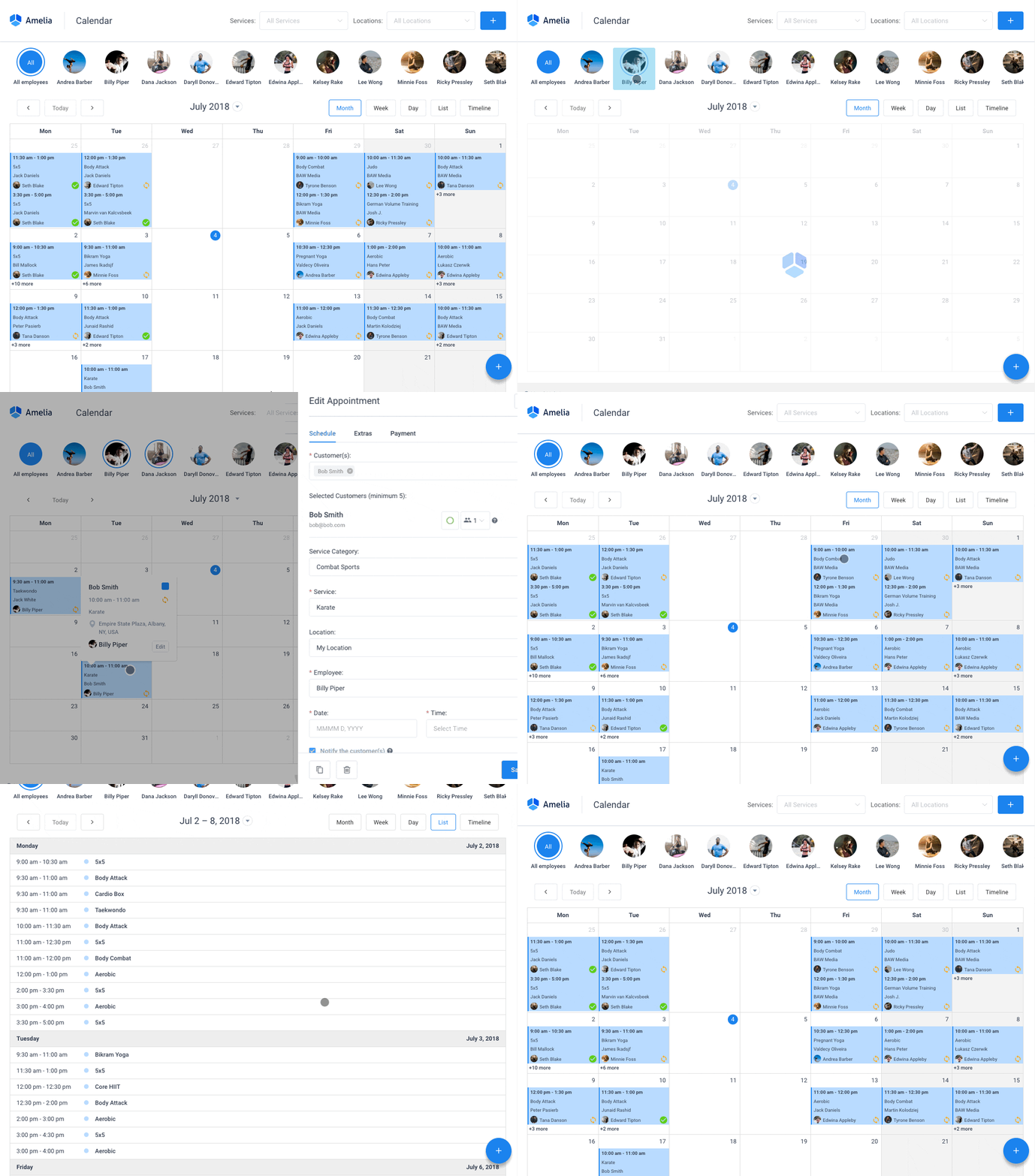
3. Appointment Booking Calendar Free WordPress Plugin
Price: Free, but additional features cost extra
This is one of the stronger free appointment booking plugins out there. It has some limitations — namely, the free version only works with PayPal, and in order to accept money through another service, you’ll need to invest in the premium version. It works with iCal, Outlook, and GCal.
Some solid features include:
- Availability displays
- Frontend customer self-booking with captcha
- Customer database creation (available for download and print)
- Individual customer file editing
- A downloadable customer database sourced from created appointments
Once an event is created, you can edit as needed and notify participants. Plus, you can display multiple pages for your calendar.
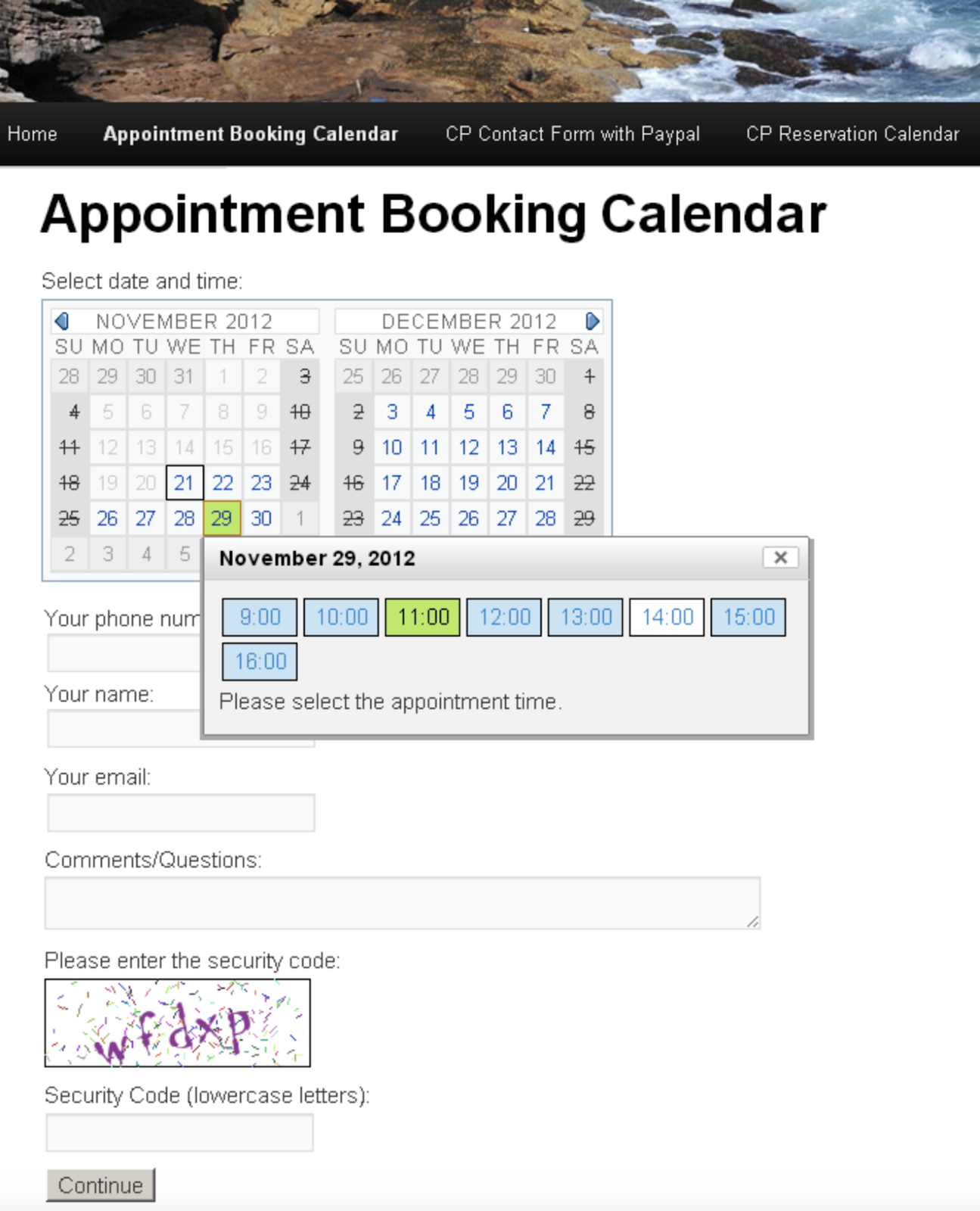
4. Bookly Appointment Booking and Scheduling WordPress Plugin
Price: Free, Pro is $89 per month
Bookly is designed to help your customers book appointments across multiple platforms and for various group sizes.
Designed for mobile use and translatable between a wide selection of languages, this WordPress plugin is a leader in the pack in terms of plugin usability.
You can display your availability and allow clients to self-book — this remains true even for recurring appointments and group bookings. You can arrange for custom notifications to be sent both to you and to your customers on multiple devices, and editing events is easy.
Administrative functions can be performed and function smoothly within the plugin, so managing time-off, holiday parties, individual employee schedules, and bookings can all be managed or assigned.
Bookly is compatible with a variety of currencies and integrations like WooCommerce, PayPal, and Stripe. Check out the site to see the entire list of payment integrations.
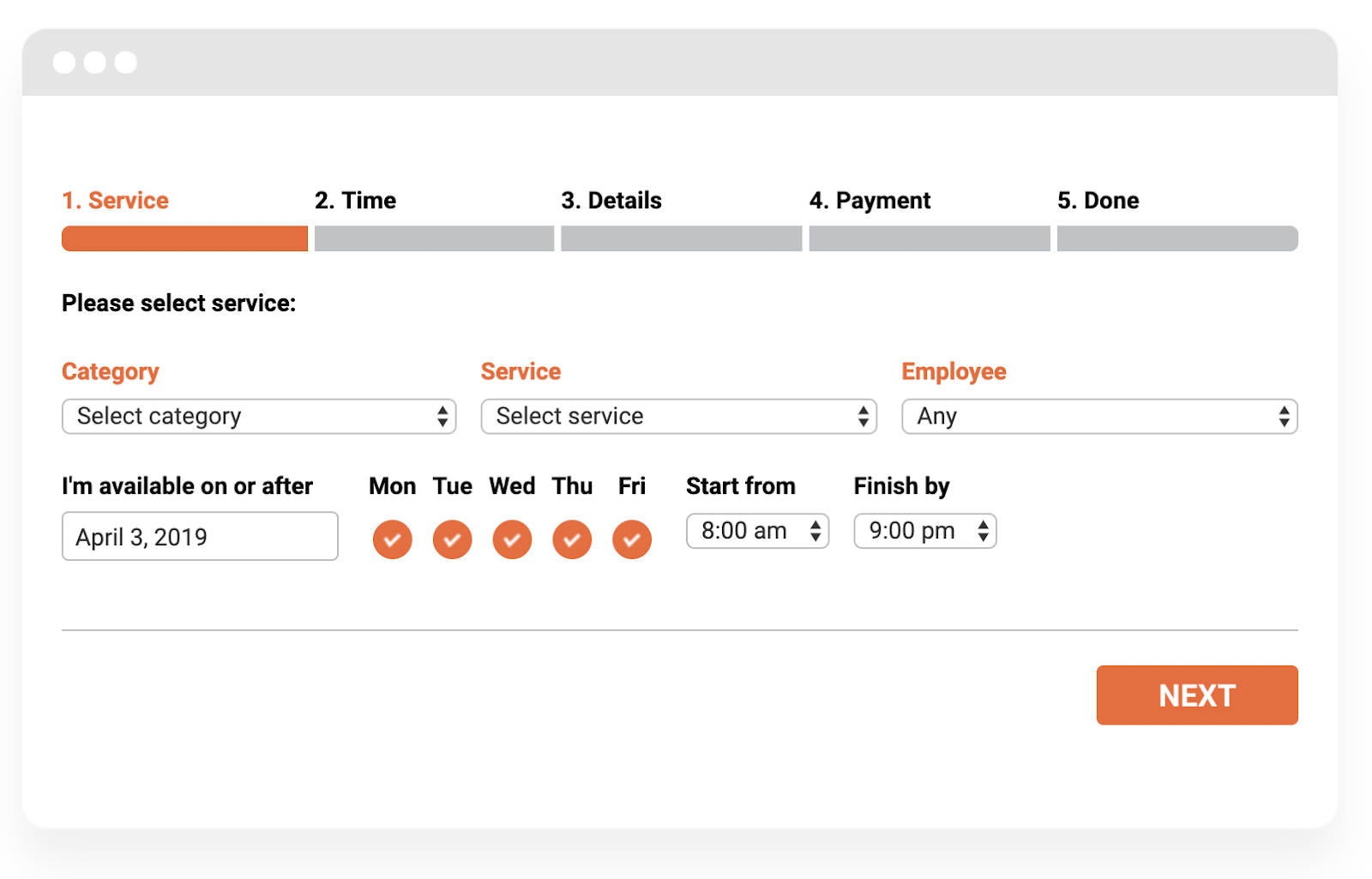
5. Appointment Booking and Online Scheduling Free WordPress Plugin
Price: Plans range between $15 per month to $99 per month
Booking appointments has never been easier than with vCita’s appointment booking plugin. Whether you need to schedule group events or one-on-one sessions, this is an effective tool for getting those events on the customizable calendar.
It also makes it easy to keep in touch with clients by allowing you to send documents like invoices, reminders, event change notifications, and follow up messages. Additionally, it lets you send follow up emails to increase communication.
Operating via the mobile app is simple and intuitive, smoothly functioning between multiple calendars, employee schedules, and payment types.
Automation has never been easier than with this app, but you can also exert control when it comes to contacting your clients with the built-in messaging and call service.
6. Book an Appointment Online PRO WordPress Plugin
Price: $39
With slick mobile and desktop booking design and text reminders, this plugin makes it nearly impossible to forget an appointment.
Aside from clients being able to choose what type of appointment they want, when, and with whom, you can use PayPal directly within the plugin once you pick a time. It’s integrated with Google Calendar so your appointments are inputted directly into your personal GCal as well as your clients’.
The plugin works with multiple currencies and both 12-hour and 24-hour time formats, so managing international clients is a breeze. Booking employees by shift or by hour is available, as well as booking internal team events like retreats, vacations, and sick days.
7. StartBooking
Price: The basic plan is $6.39 per month, the business plan is $15.99 per month
StartBooking is a decent choice for users looking to keep variety in the equation for their appointment booking calendar. Managing multiple clients and staff members is easy with this simple service.
You have the option to offer multiple options to book from in the following categories:
- Times
- Services
- Hours
- Employees
- Days
- Users
- Locations
The plugin’s strength is in its form capabilities — you can customize and embed appointment forms on your site using the provided shortcode.
The system creates a customer profile and tracks their history once you book, so you can monitor and evaluate your connection with your users as you see fit. Booking groups and classes are a breeze, and you can send customized batch notifications to attendees as needed.
StartBooking offers a secure connection so processing online payments (through Stripe specifically) is safe and easy. It works across mobile devices and with your GCal, but if you have another type of calendar, you might want to use another plugin.
8. BirchPress
Price: Tiered pricing, starts at $99 per year and goes to $249 per year
BirchPress is similar to other appointment booking systems on this list with the customer-facing appointment booking calendar. However, this system is particularly customizable. Forms templates are provided and can be altered to reflect your design and question needs.
Notifications and reminders can be edited and automatically sent when events are generated or changed.
BirchPress has a ton of options when it comes to integrating with calendars — if you use iCal, Android, Outlook, or GCal, you’re good to go, and embedding it on your WordPress site is easy with the provided shortcode.
However, when it comes to payments, it only integrates directly with PayPal. If you use another service, you need to use WooCommerce process payments. However, credit card booking, aside from a third-party source, is easy.
9. Booking Calendar
Price: Custom pricing based on your needs
Booking Calendar is a popular plugin that works especially well with hotel and Airbnb-style appointment creation. It offers a simplistic client-forward booking form to get meetings on your schedule. Once the event is created, a database is built as client bookings increase.
Customized notifications can be sent out to both you and your clients regarding the event in question, and you can even include captcha.
The plugin is optimized for mobile and integrated with PayPal and Stripe so that you can manage all of your booking steps in one place and across devices.
Additionally, this is a fantastic calendar plugin for developers because it works with jQuery.
10. Easy!Appointments
Price: Free
Easy!Appointments is an open source plugin that allows you to build calendars and forms into your WordPress page using shortcode. Calendars can be divided into individual client calendars, locations, employees, and services. Group booking is simple and you can assign multiple employees to an event.
You set the buffer times and hours available for clients to book, and it all syncs with your GCal. Specialized calendar URLs are sent out for you to share with event participants. It has a flexible REST API endpoint.
You can design the event notifications as you need for the following changes:
- Date
- Time
- Provider
- Location
- Topic
- Service change
- Cancellations
- Reminders
It’s available in 21+ languages and is optimized for mobile devices.
11. PinPoint Booking System
Price: Limited free version, PRO version is $70
PinPoint is a super simple one-page appointment booking plugin. It’s a front-end, Ajax-based client booking system that can switch back and forth between currencies, time zones, users, and languages.
You can choose between European or American date formats, as well as AM/PM or 24-hour time format. Additionally, you can embed it in widgets, or edit the calendar appearance with the CSS Editor.
This is a great option for organizations that provide room bookings for individuals and groups. Admins can control as many calendars as they need using the PRO version. Both the free version and PRO version allow you to display your availability and include locations in your events.
You can search for pre-existing events or specific data like discount codes using the search sidebar. Set up booking forms, email or SMS notifications, or promos and discount codes.
It integrates with PayPal, GCal, iCal, and AirBnB. If you use the WooCommerce add-on, you can integrate with other payment portals like Stripe.
12. Calendarize it!
Price: $30
Calendarize it! Is a WordPress plugin that works best with the Gutenberg Editor. It’s a bit on the expensive side but should cover all your needs. Embed the calendar on your site with a shortcode, or explore the expansive add-on library.
It works with WPBakery Page Builder (formerly known as Visual Composer) so you can drag-and-drop elements to construct your own plugin customized to your needs.
Paid add-ons expand the functionality. CSS Editor is also a free add-on, which you can use to adjust your calendar’s branding, font, color, style, or template.
Users can also attach social sharing buttons and include maps with events. Once the appointment has been created, Calendarize it! creates client profiles and allows client’s to leave reviews.
13. MeetingBird
Price: $49
MeetingBird isn’t specifically a WordPress appointment plugin, but the features included make it worth noting here. For one, it has strong integration capabilities, and can hook into your CRM or marketing stack. Additionally, it lets you integrate with support tools and help desk software like Zendesk.
With customized colors and complex translation capabilities, you can easily show your availability to your customers and incorporate buffers between events.
Upon the generation of the event, a customer creates an account and chooses their desired meeting time, which is then synchronized with your Google Calendar (and other integrations you’ve set up) if you choose to do so.
Both you and the client will receive reminders and notifications of event changes automatically.
14. CozyCal
Price: The starter plan is free, the Pro plan is $10 per user, per month and billed annually. If billed monthly, the price jumps to $20 per month.
CozyCal is a very flexible working calendar for those with a crammed schedule. The calendar has four critical elements it allows you to set:
- Event time
- Event length
- Free times
- Buffers
It’s important to note, you can only integrated this plugin with Stripe or GCal. You can include a specialty URL designed for easy client booking that you can share with the relevant parties.
It’s designed to adjust to customers’ timezones and currencies to make international appointment booking and transactions smooth. Notifications are simple to set up so both you and your customers won’t forget your meeting.
Customized forms collect client information and funnel it into a client database for you to use, and floating booking buttons can be set up to appear on the purchase page when customers checkout.
Group and class bookings are available, or if you prefer, individual and round robin-style appointments. Assigning employees to clients is simple from the administrative dashboard or from the team booking calendar.
Umberto Pellegrini from The Influencer Marketing Factory said it best:
“We are huge fans of CozyCal. This WordPress appointment scheduler is perfect for SMEs and created to convert visitors into leads right on the hosting website. Great UX and design, easy to manage, fast and reliable. We really love it. To quote the CEO Alessandro Bogliari, ‘this tool, mixed with the other ingredients, gives us the opportunity to make magic happen.”
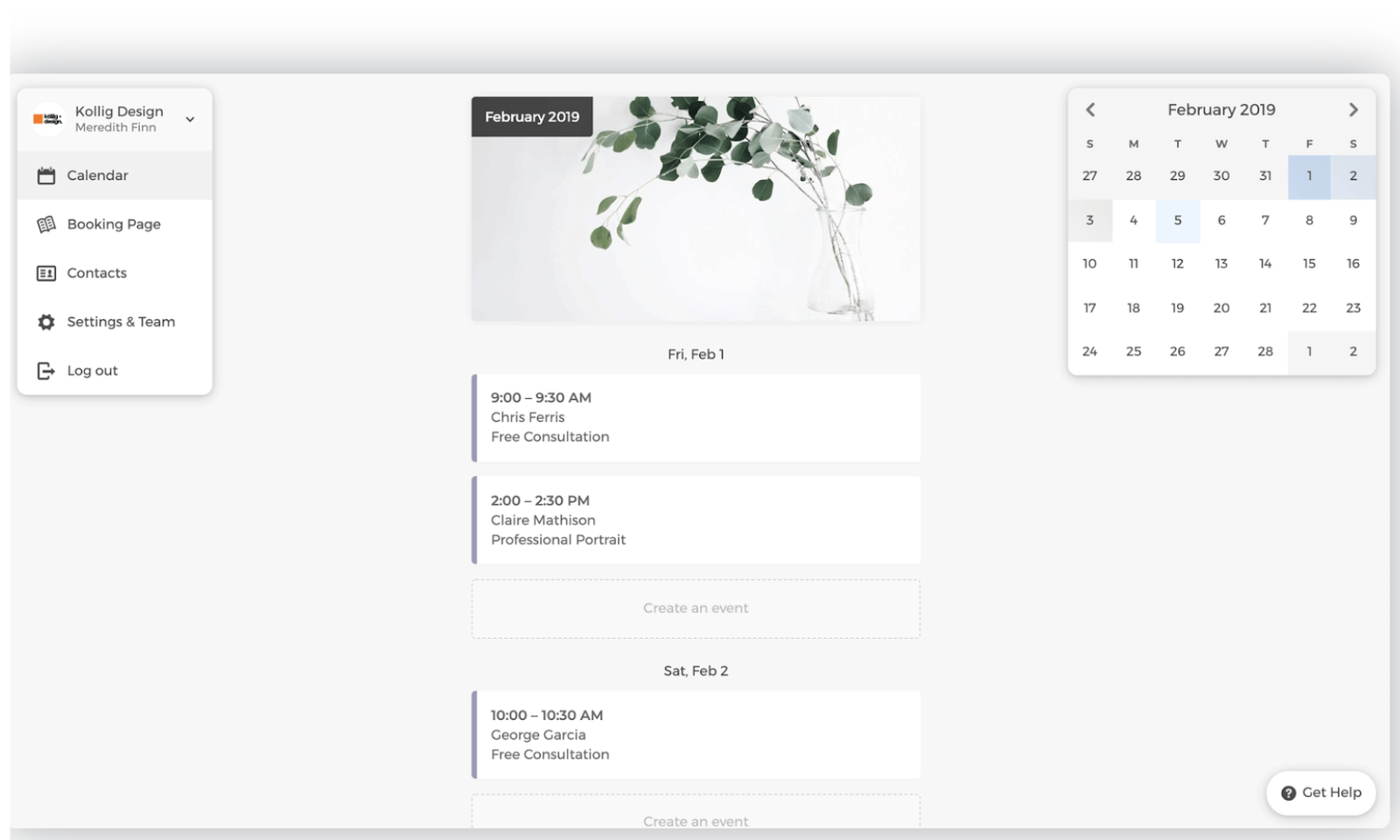
There’s a huge market for appointment booking plugins out there in the tech sphere. It’s critical you evaluate which one you need based off of your clients, and your own team’s workflow.
If you want a super easy way to get your appointment scheduling streamlined and off the ground, check out HubSpot Meetings.

LinkedIn Page Content Strategy: What Marketers Need to Know
Do you want to create more content for your LinkedIn page? Wondering which new features can help? To explore creating content for LinkedIn pages, I interview Michaela Alexis. Michaela is a LinkedIn expert and LinkedIn creator who helps businesses master their LinkedIn presence. She has a course called Building Your Empire on LinkedIn and is […]
The post LinkedIn Page Content Strategy: What Marketers Need to Know appeared first on Social Media Marketing | Social Media Examiner.
from Social Media Marketing | Social Media Examiner https://ift.tt/2JsY280
via socialmediaexaminer